Nikon D700 DSLR Camera Instruction Manual
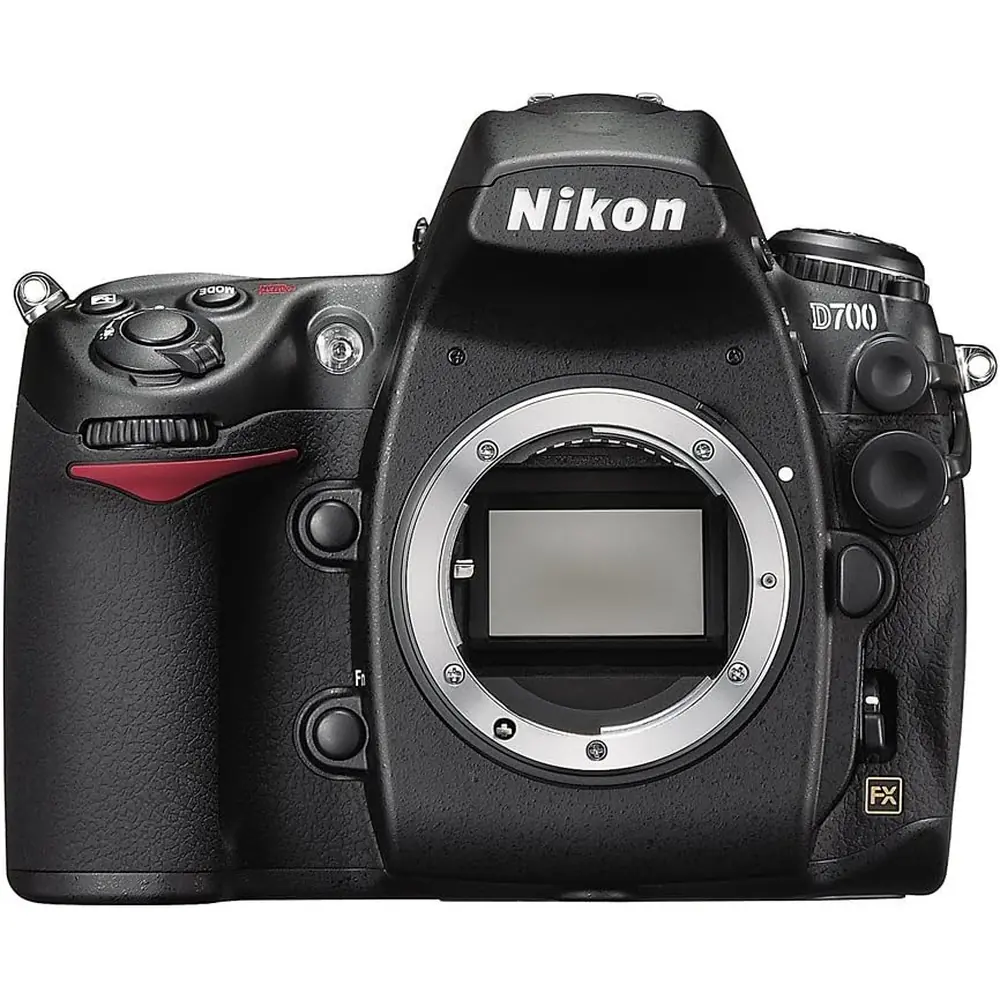
Nikon D700 DSLR Camera


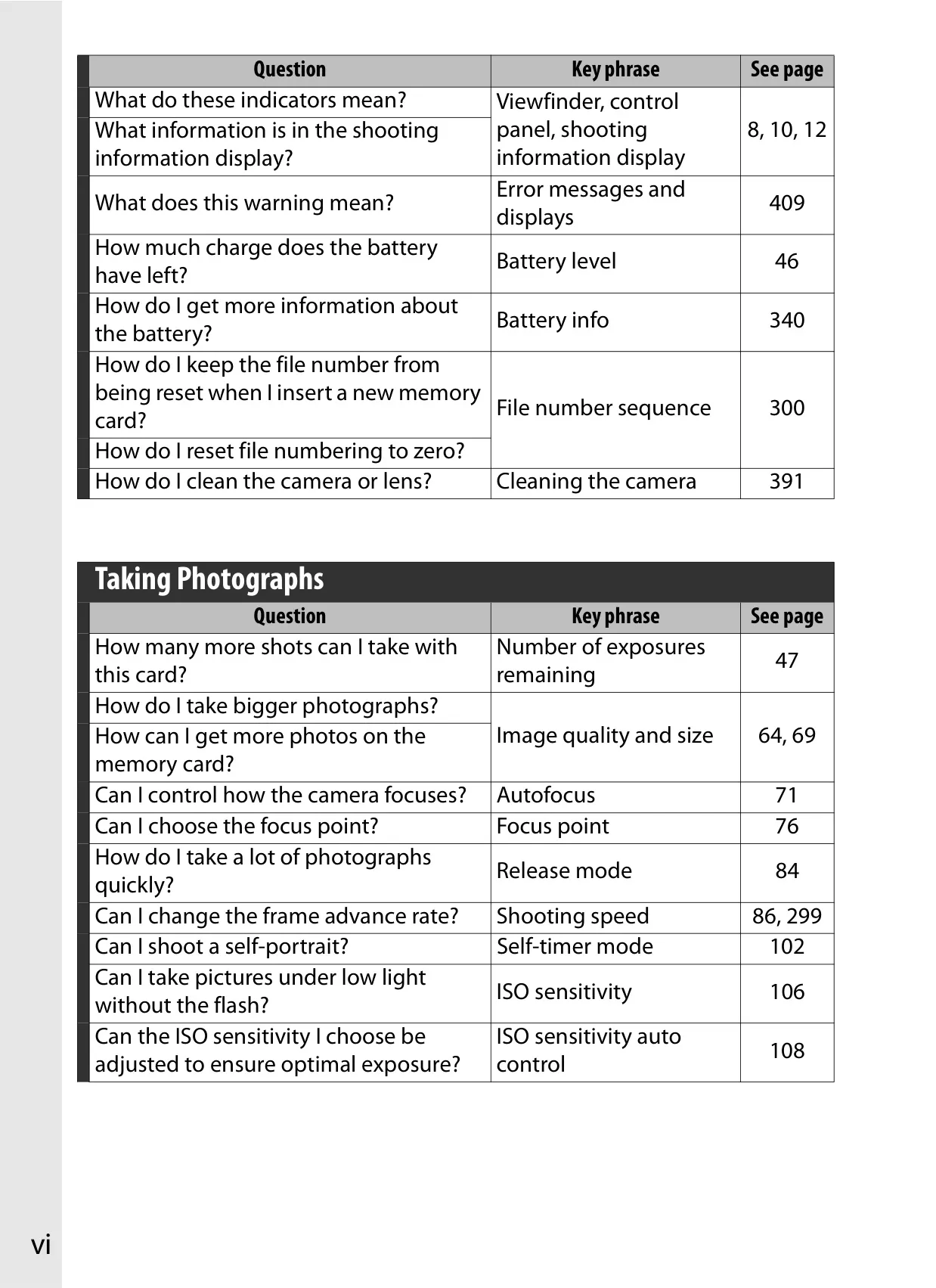
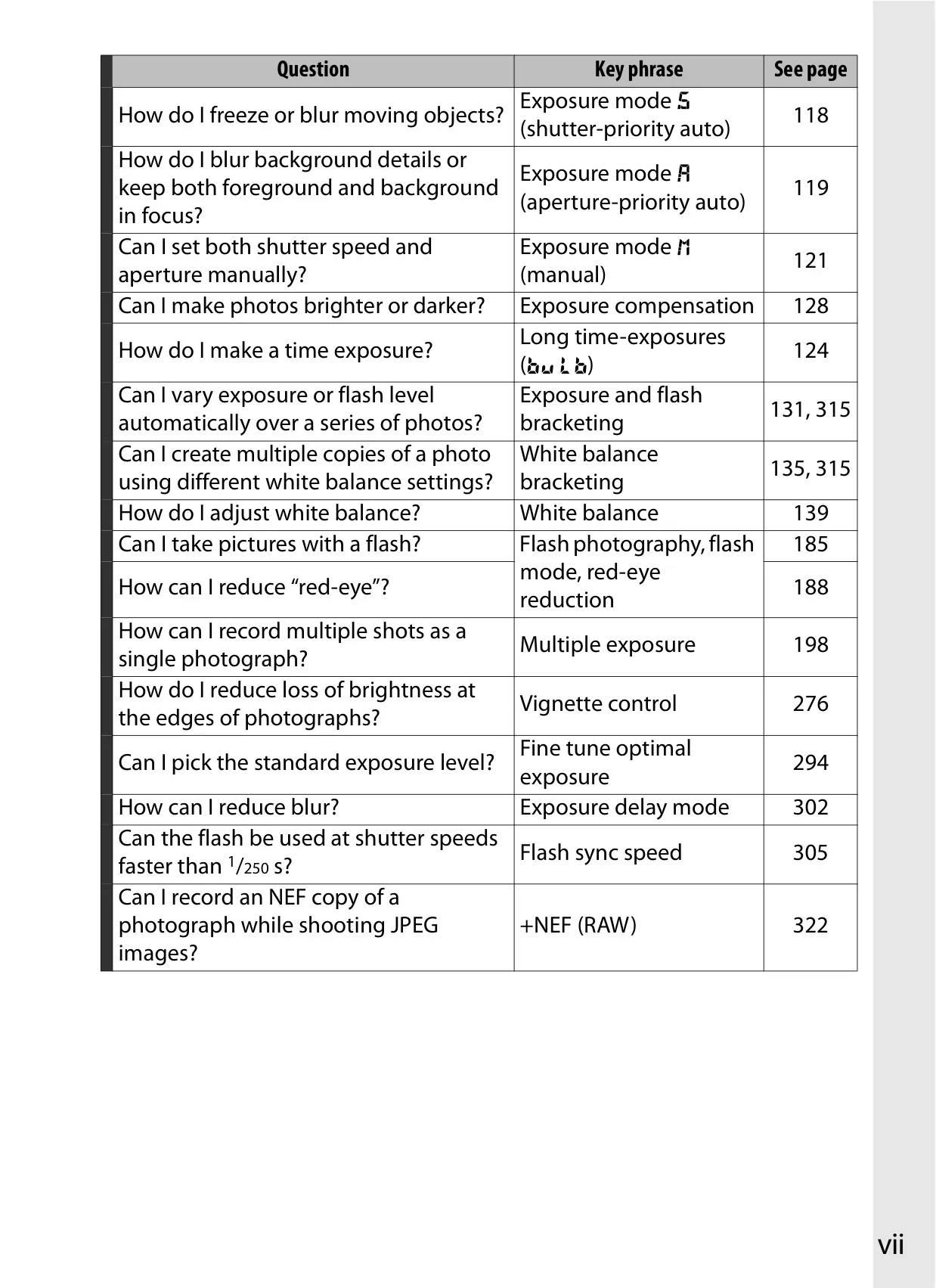
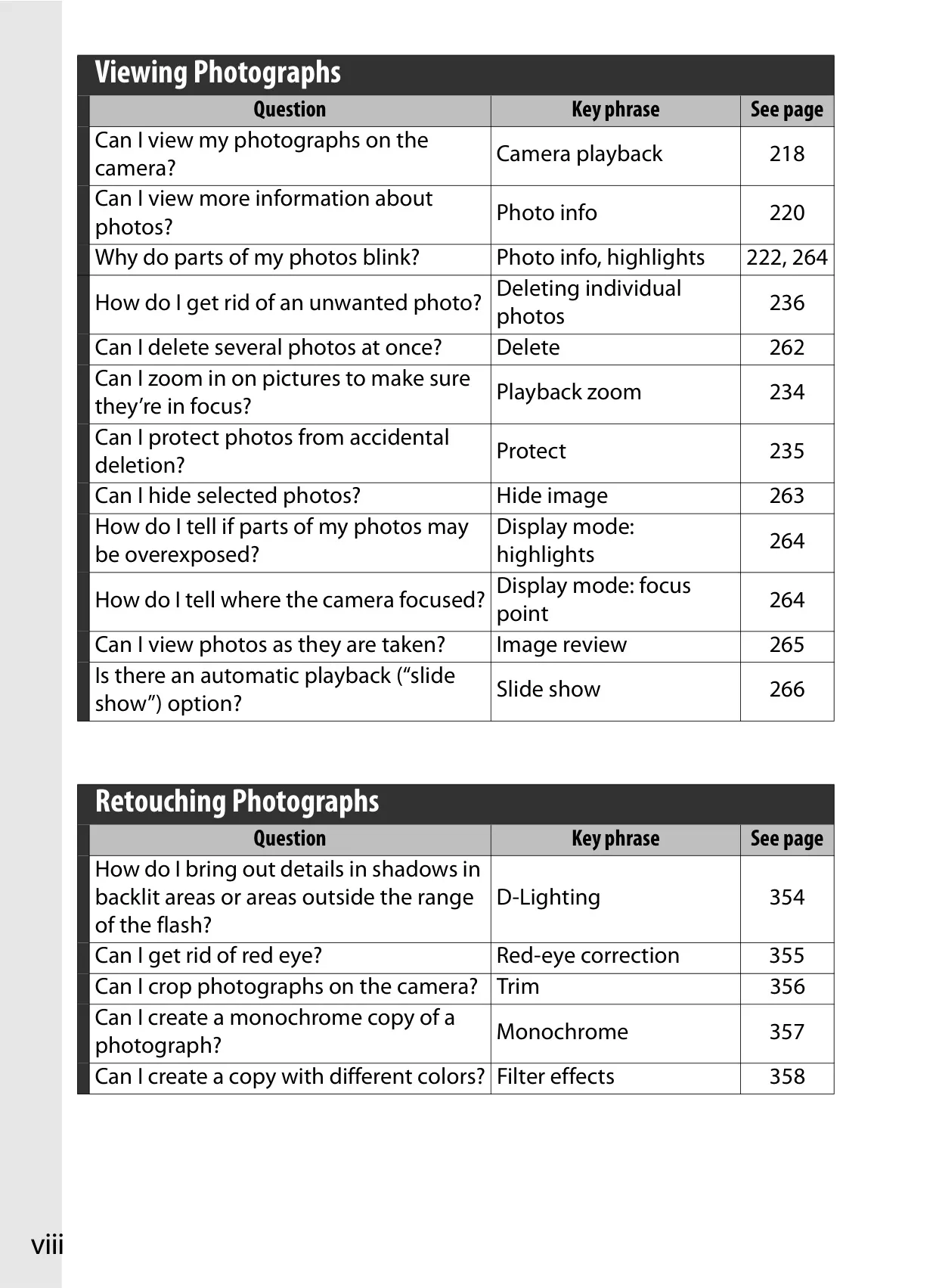
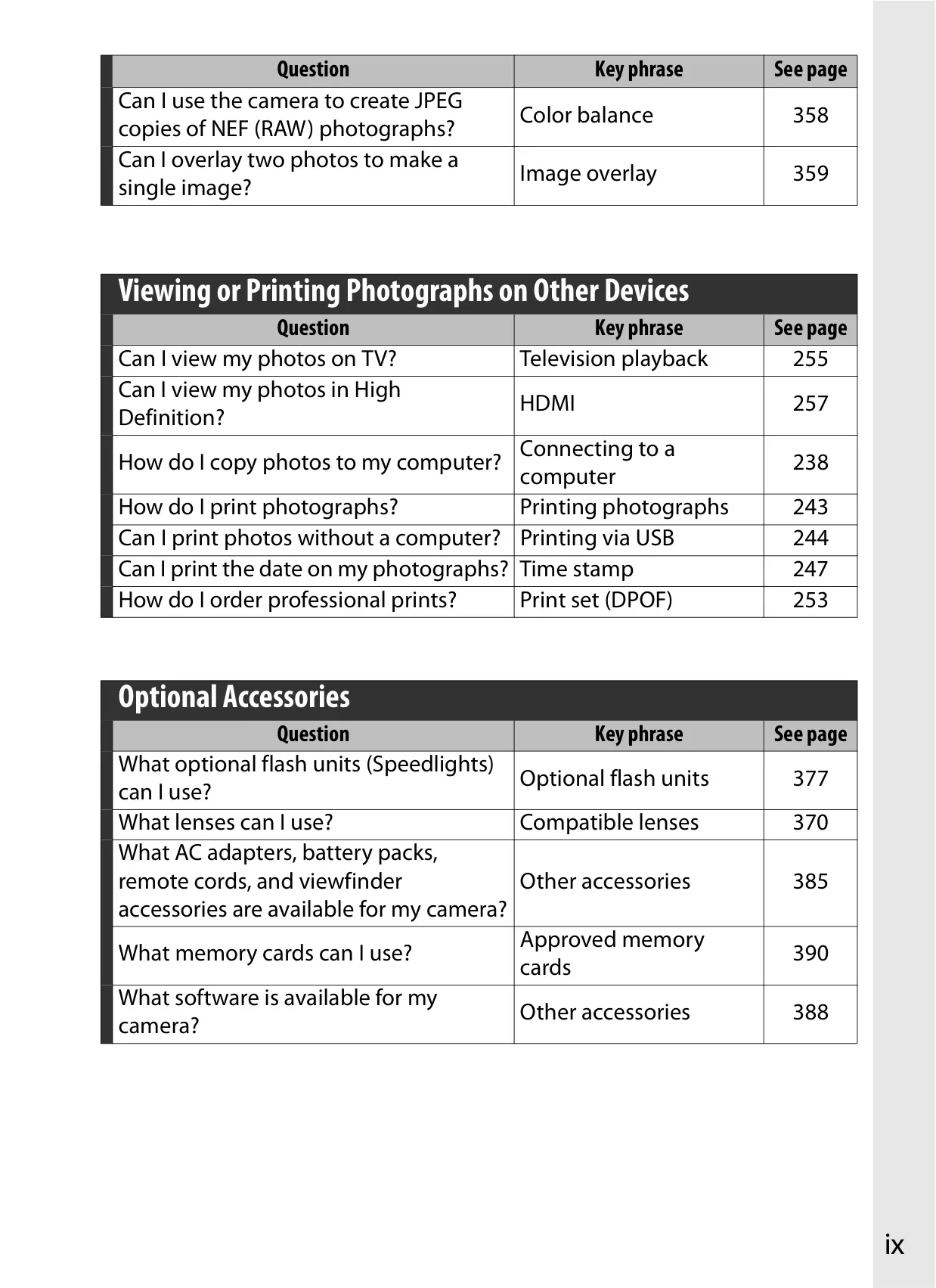








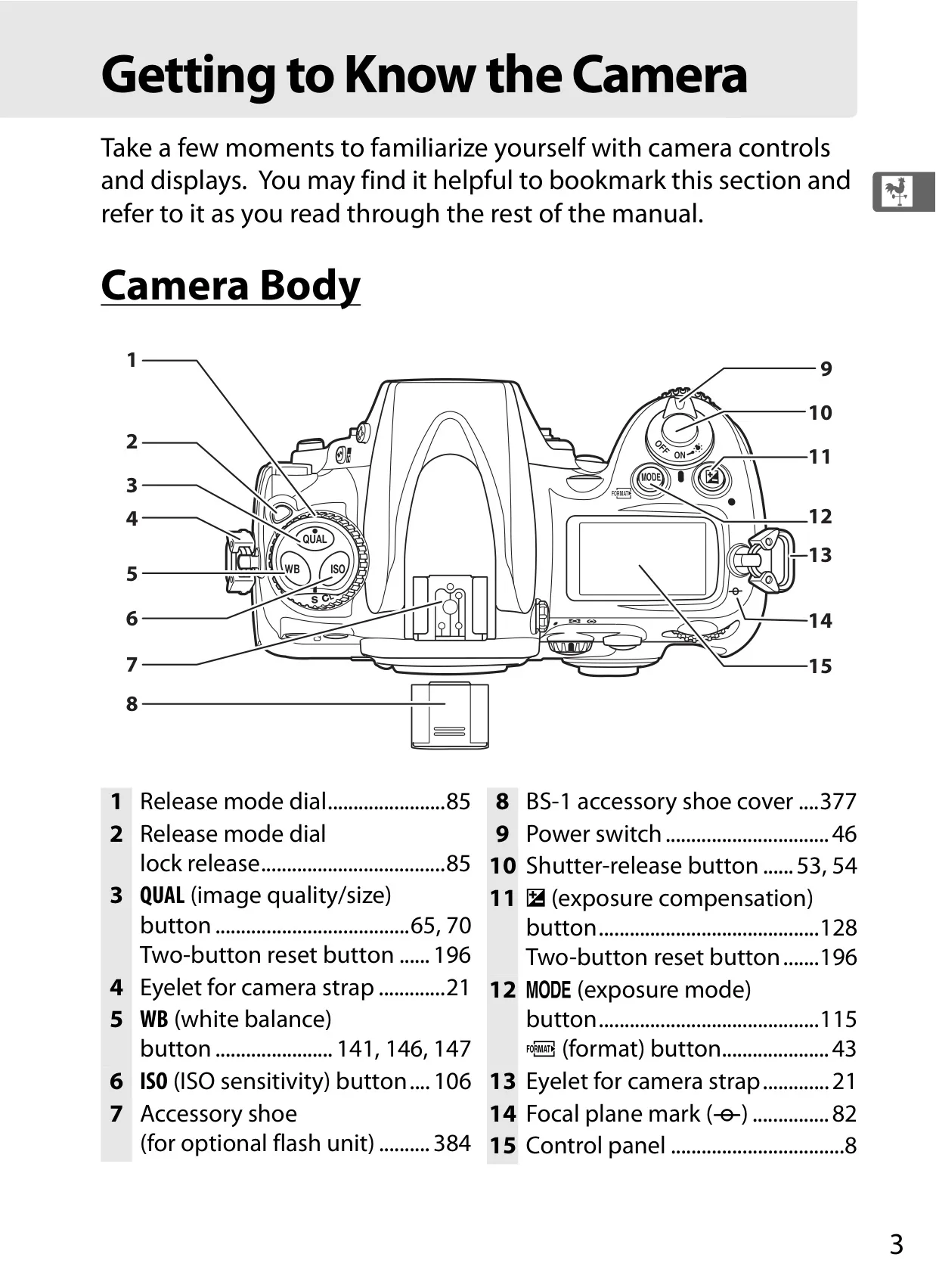

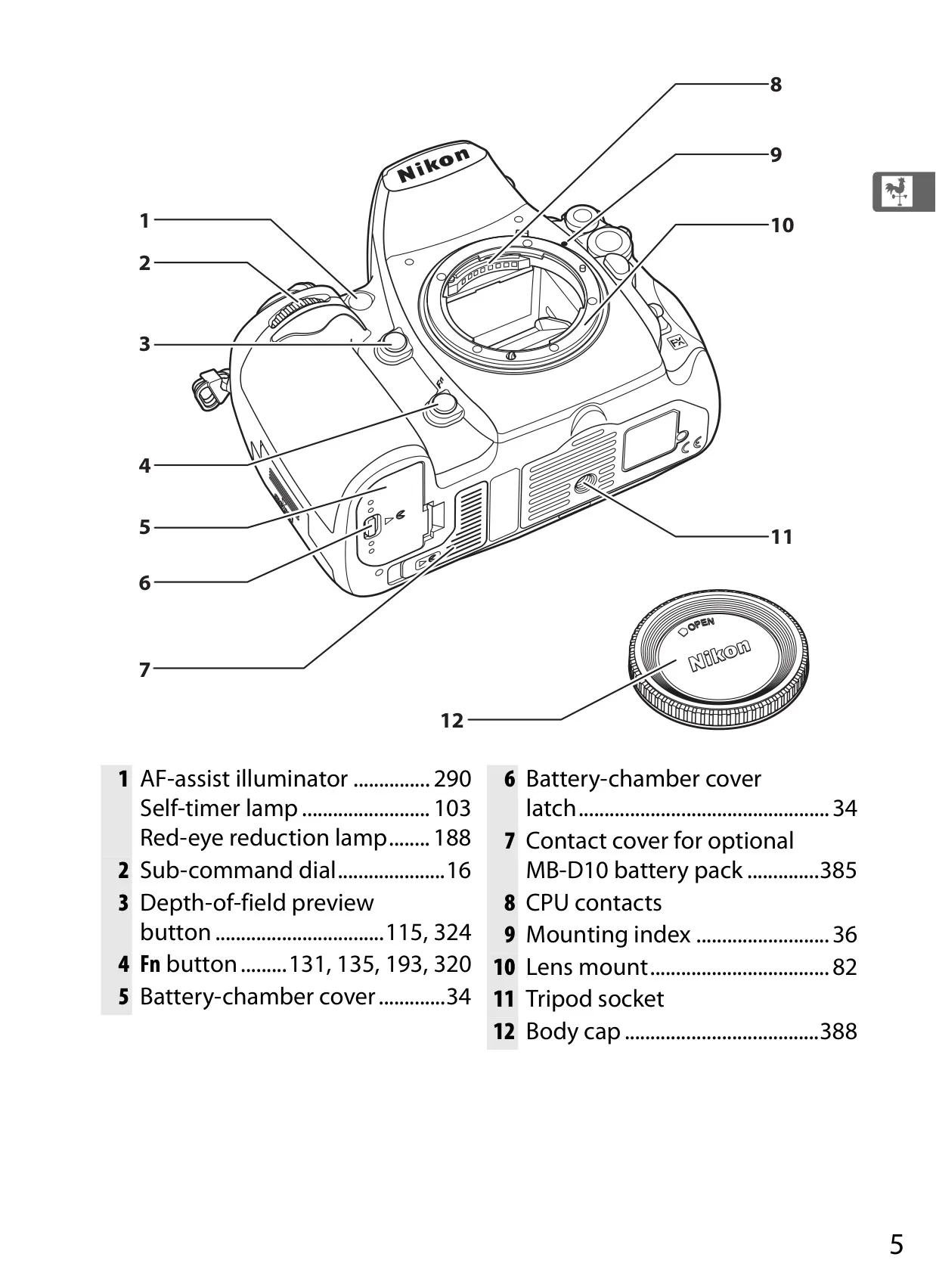
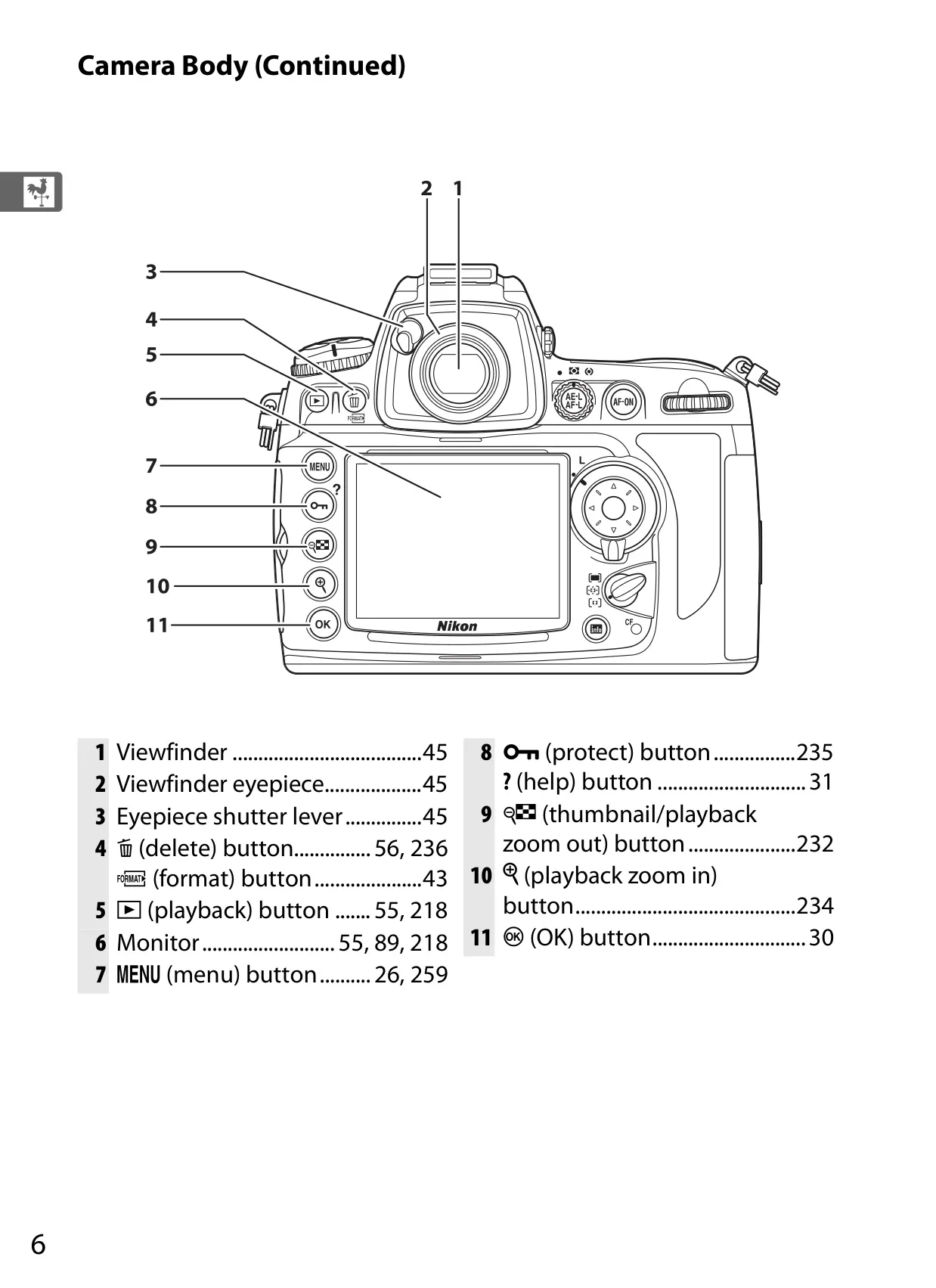
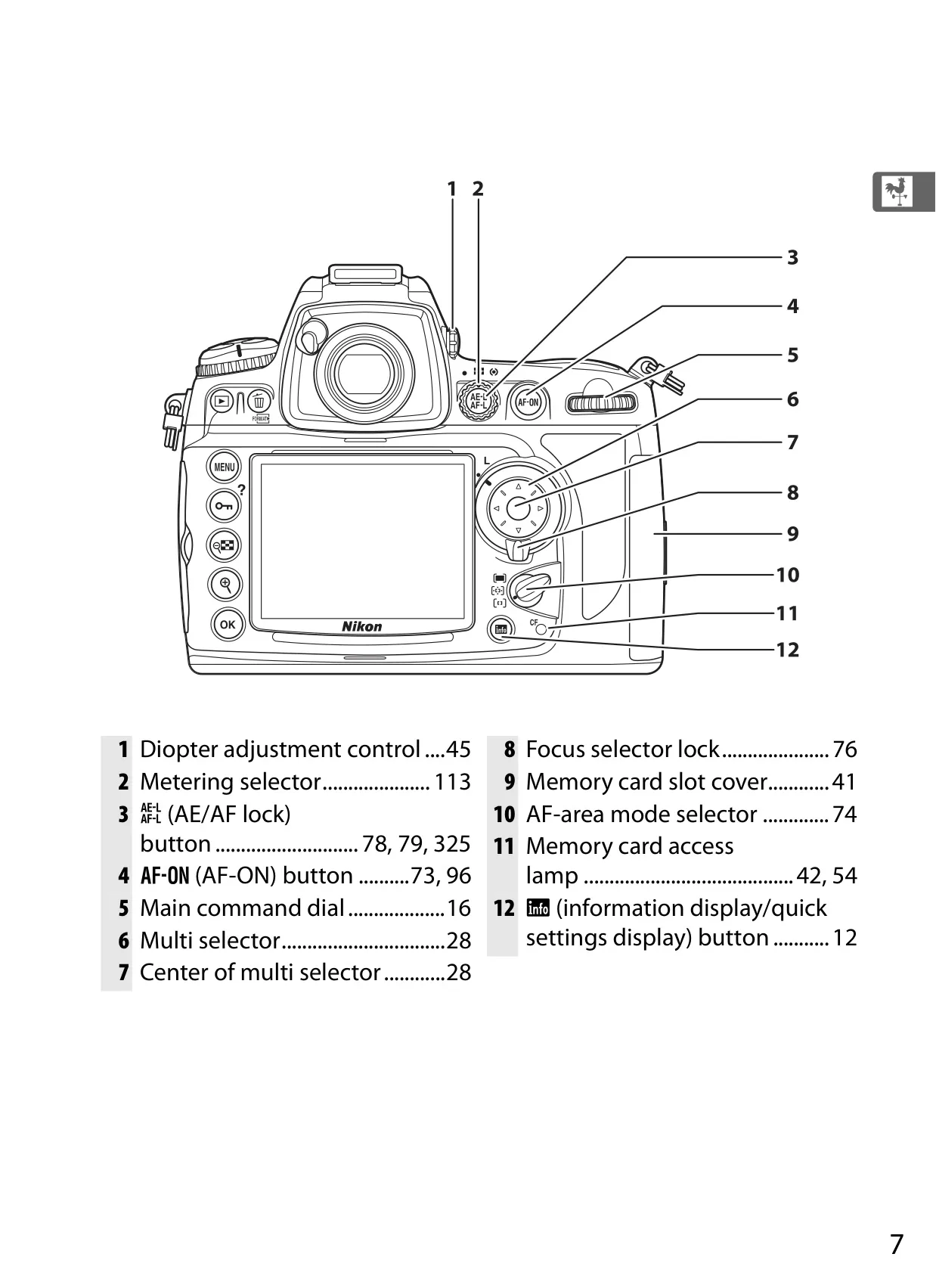

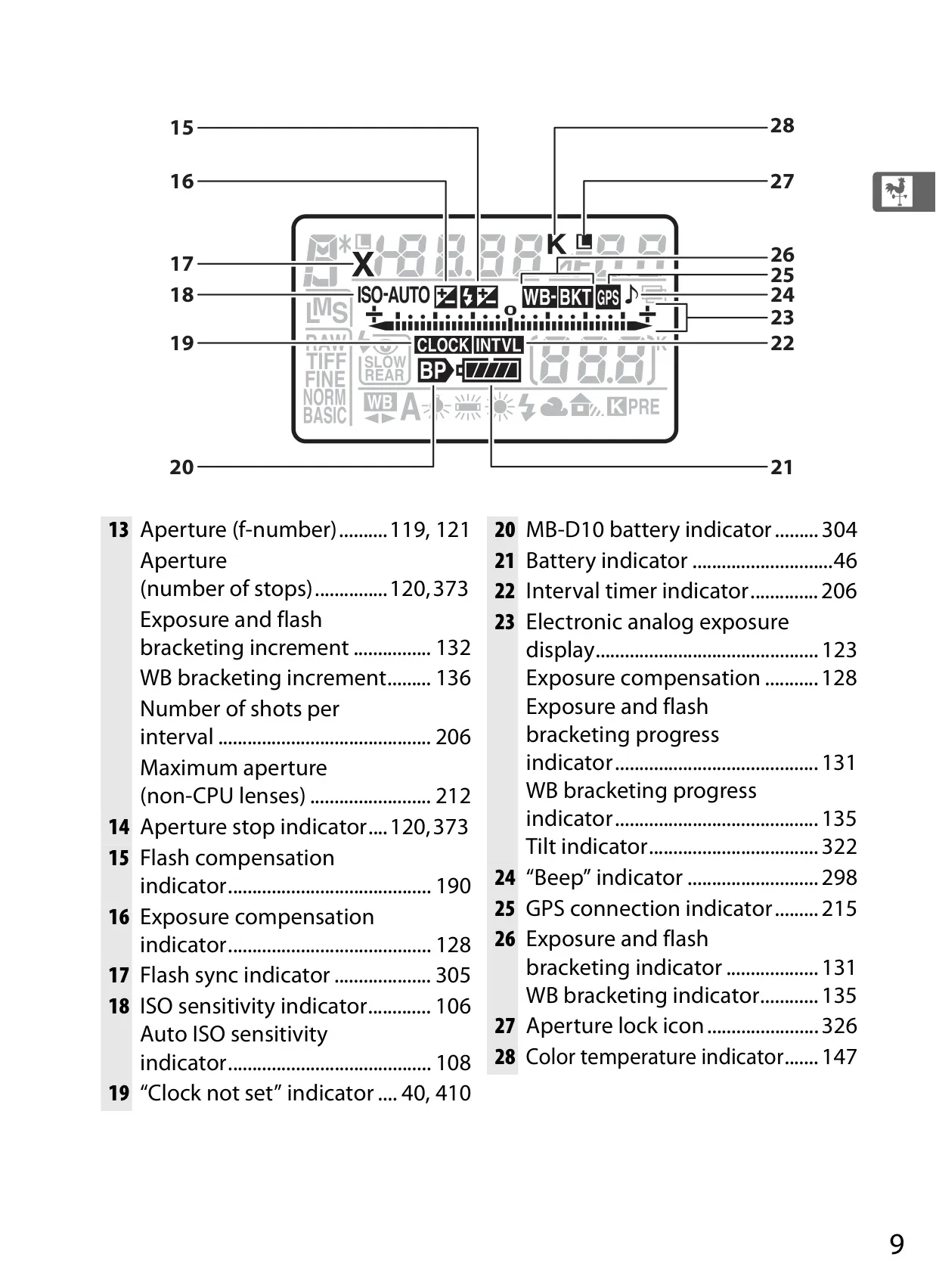




















































































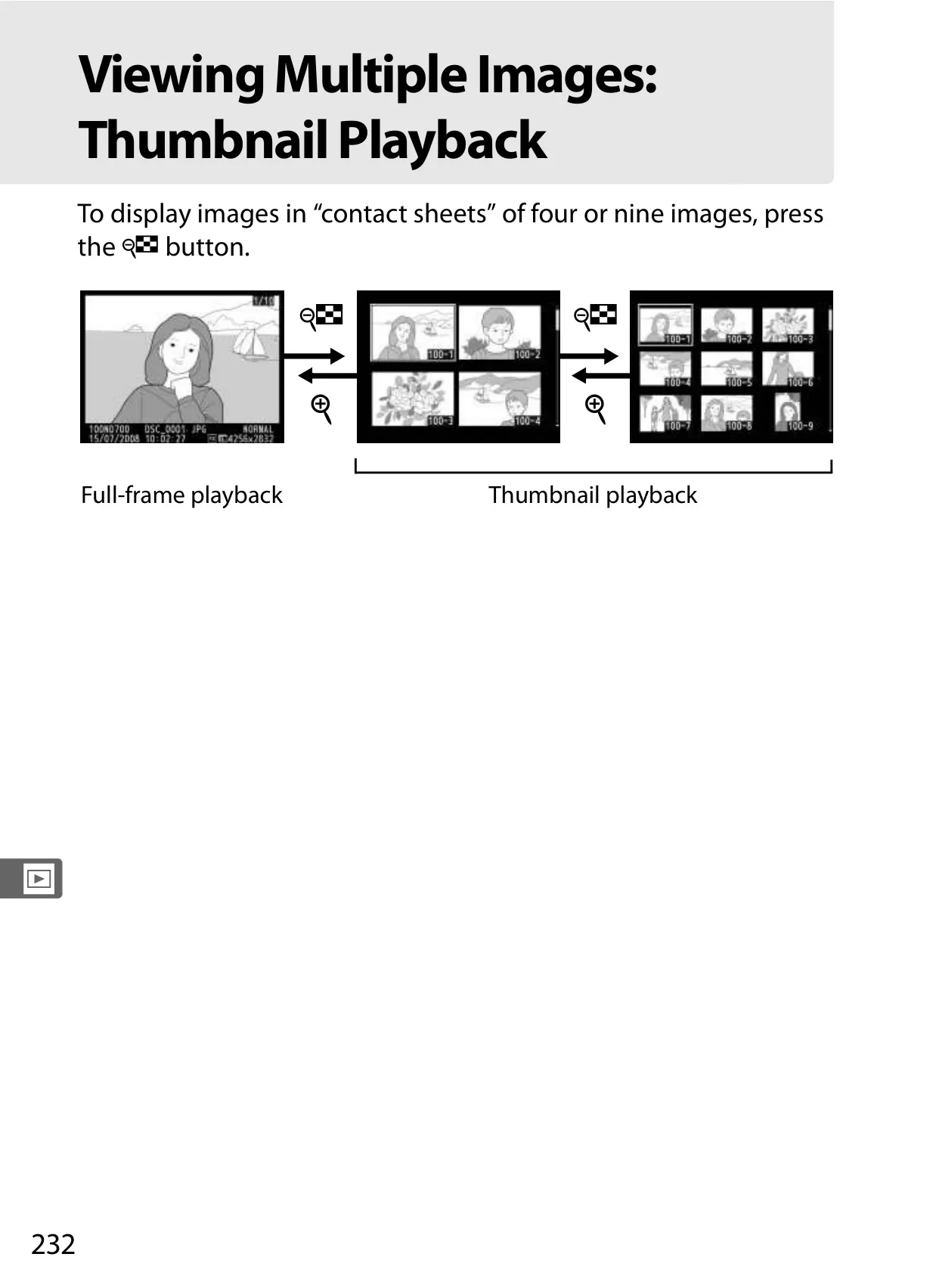


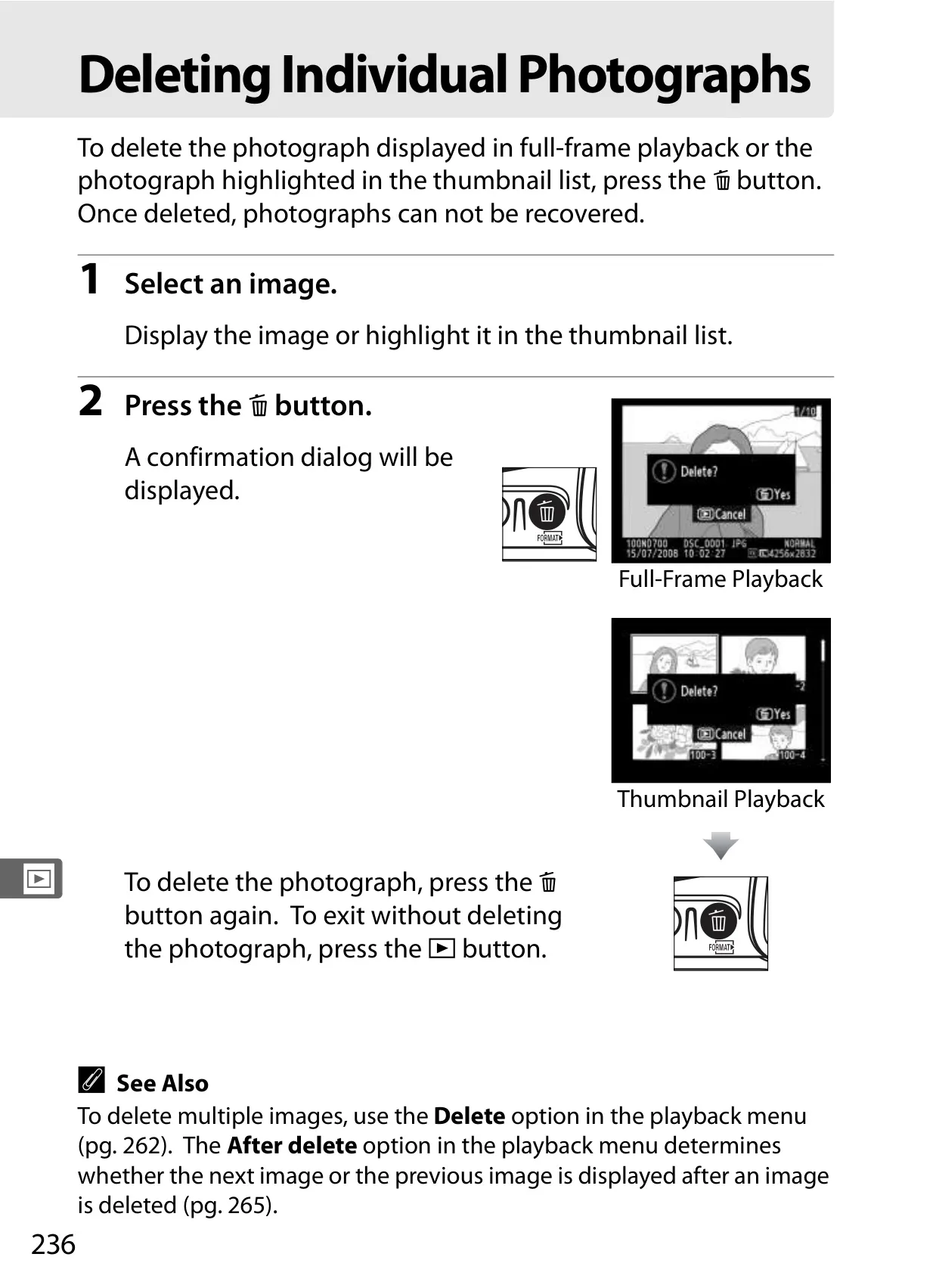


































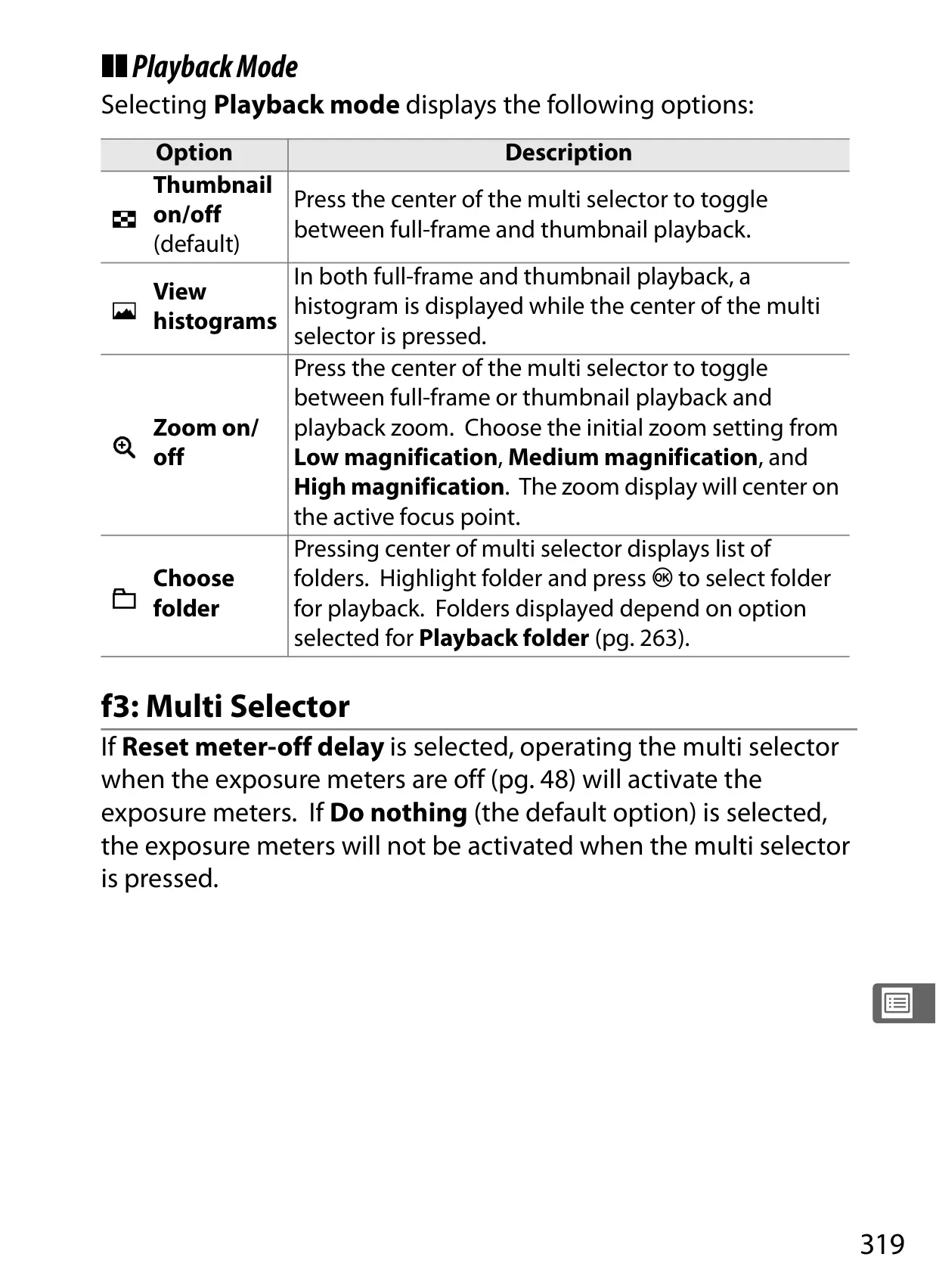
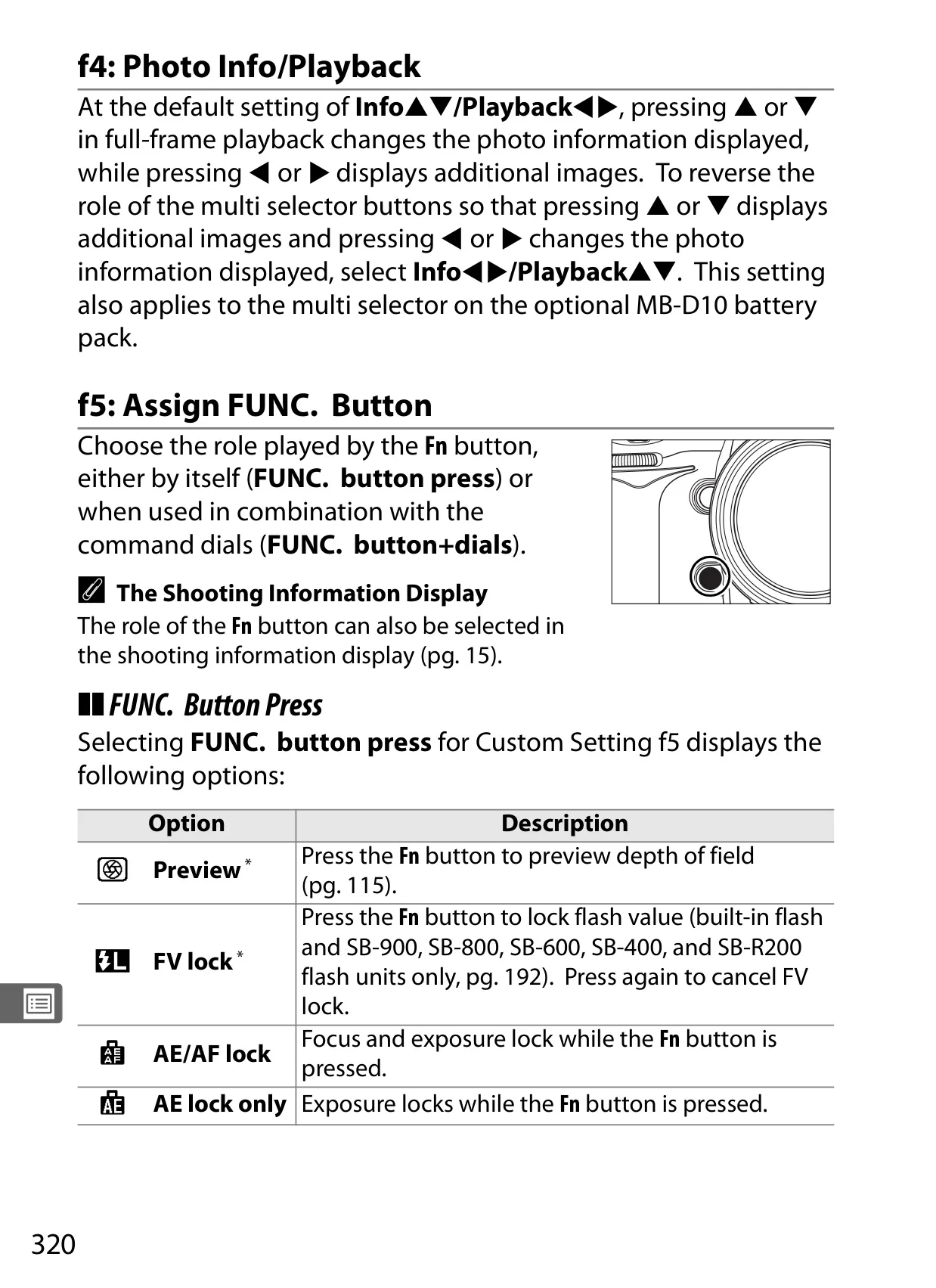

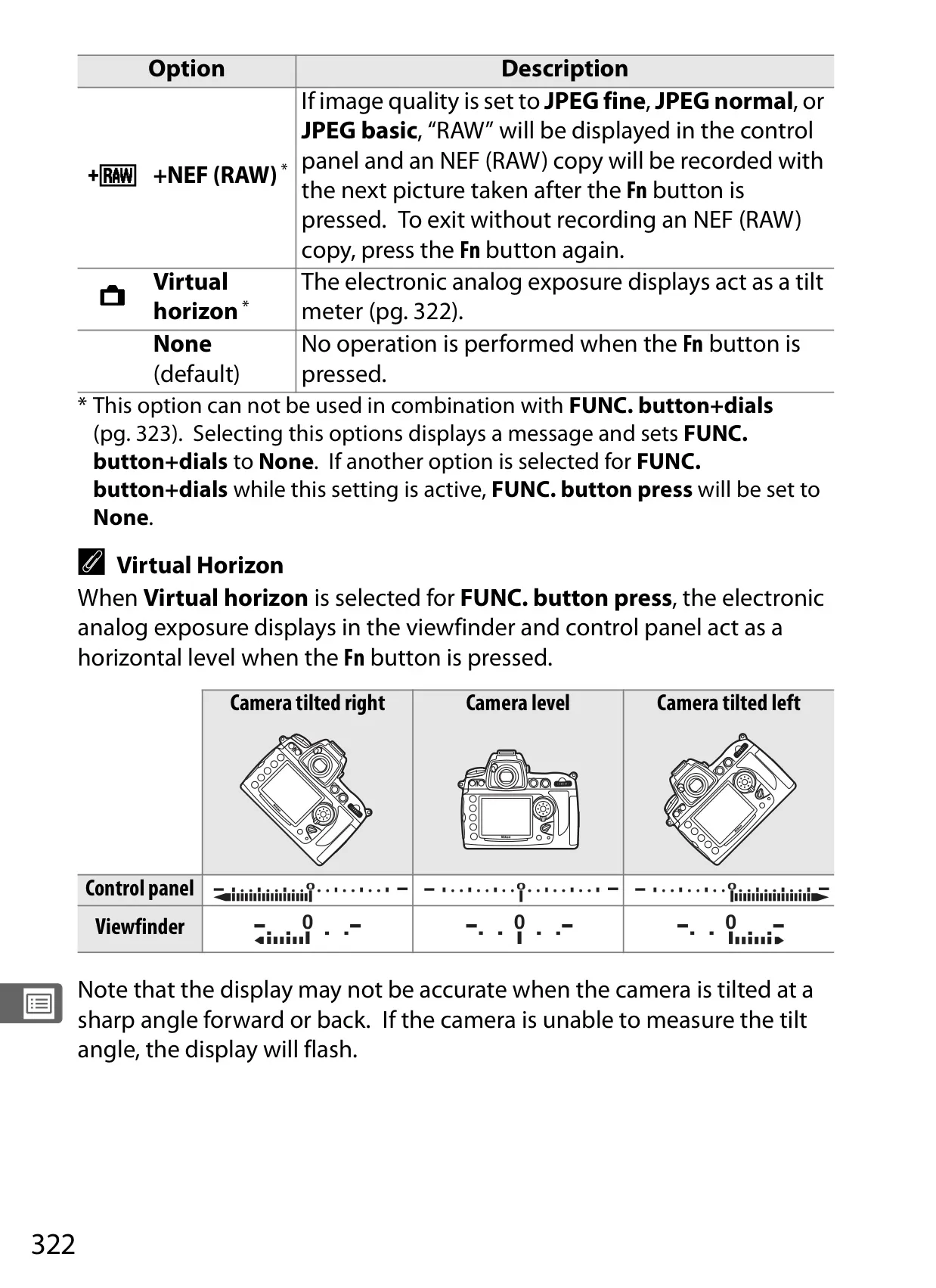
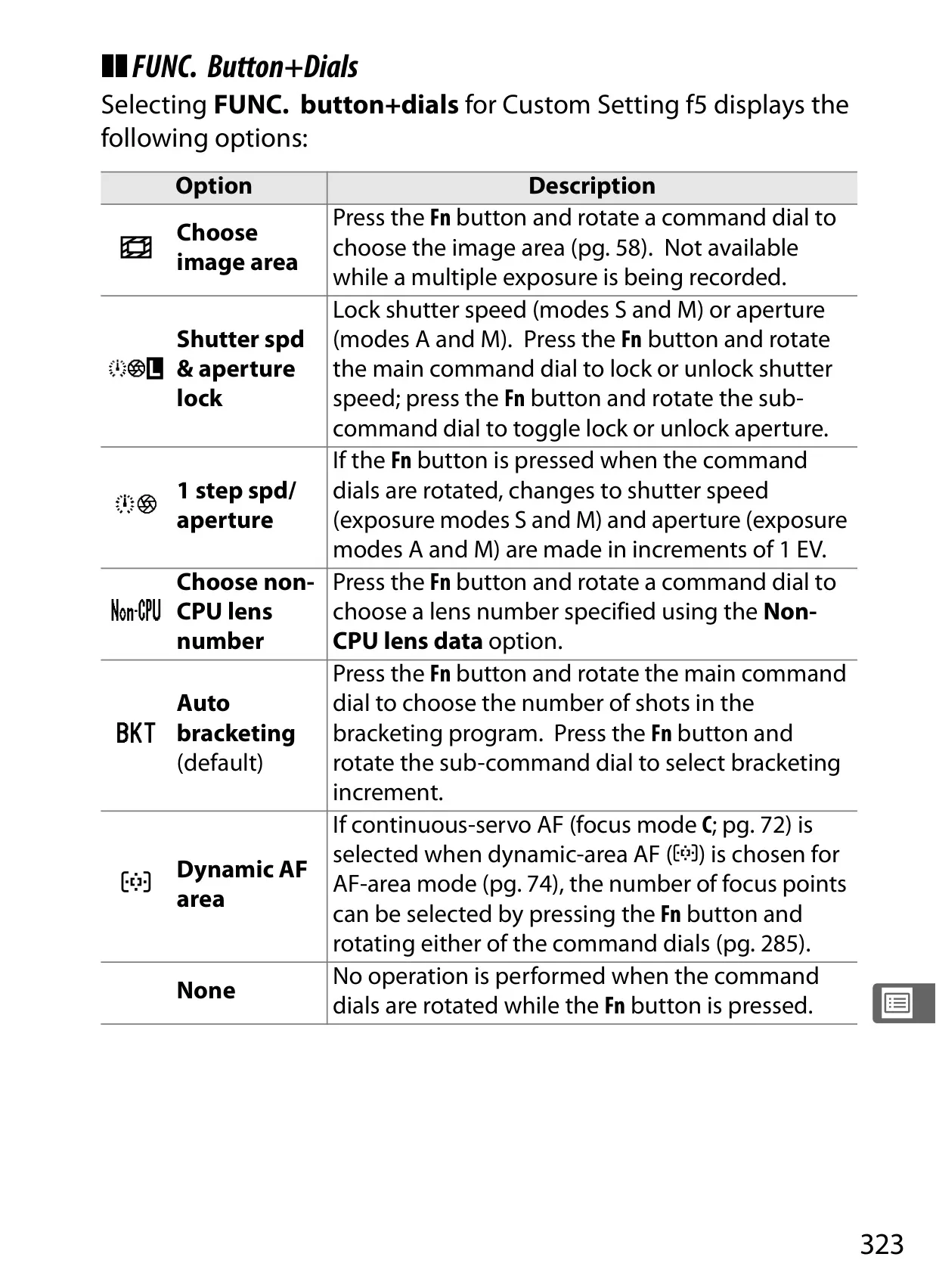


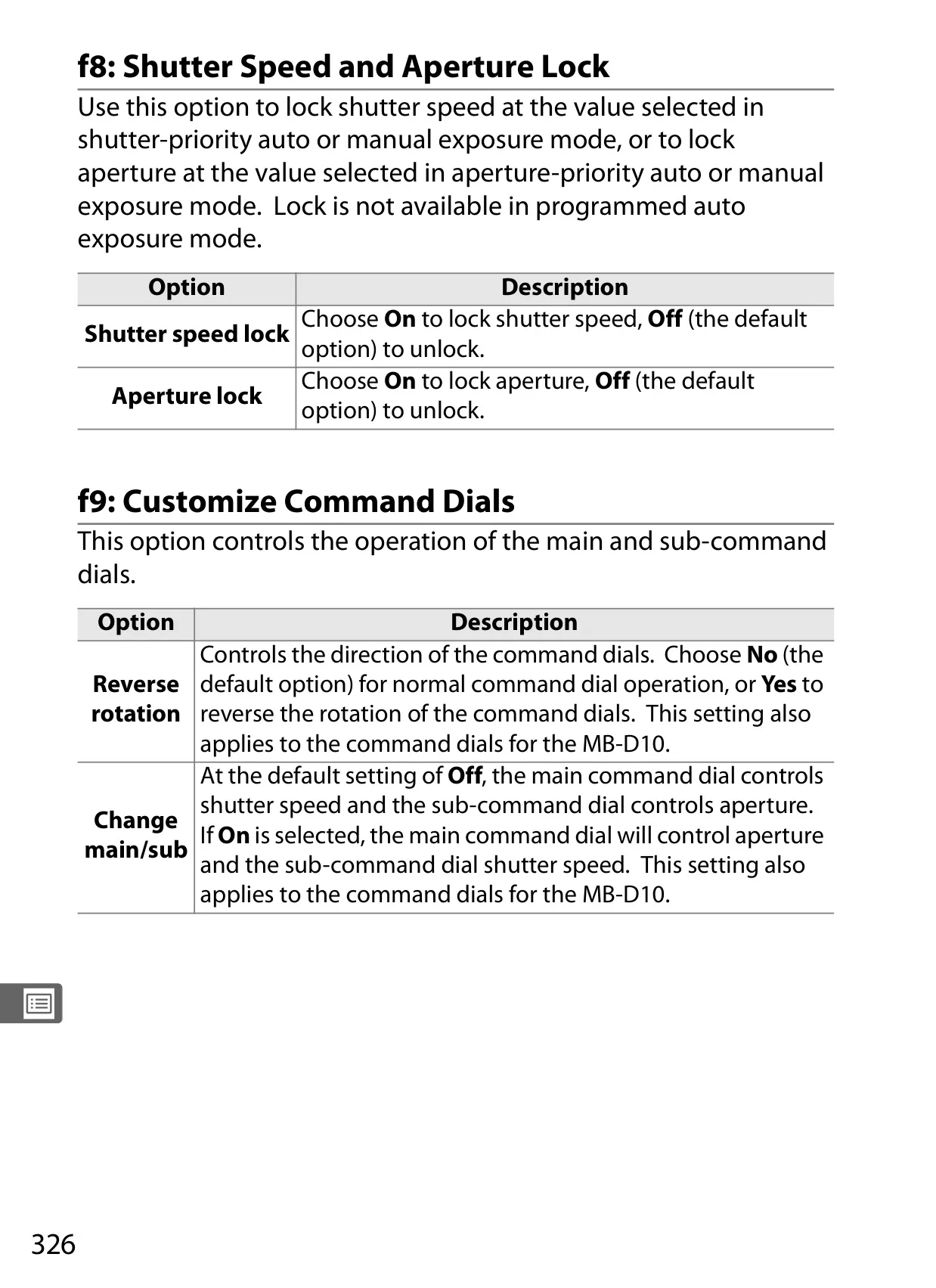

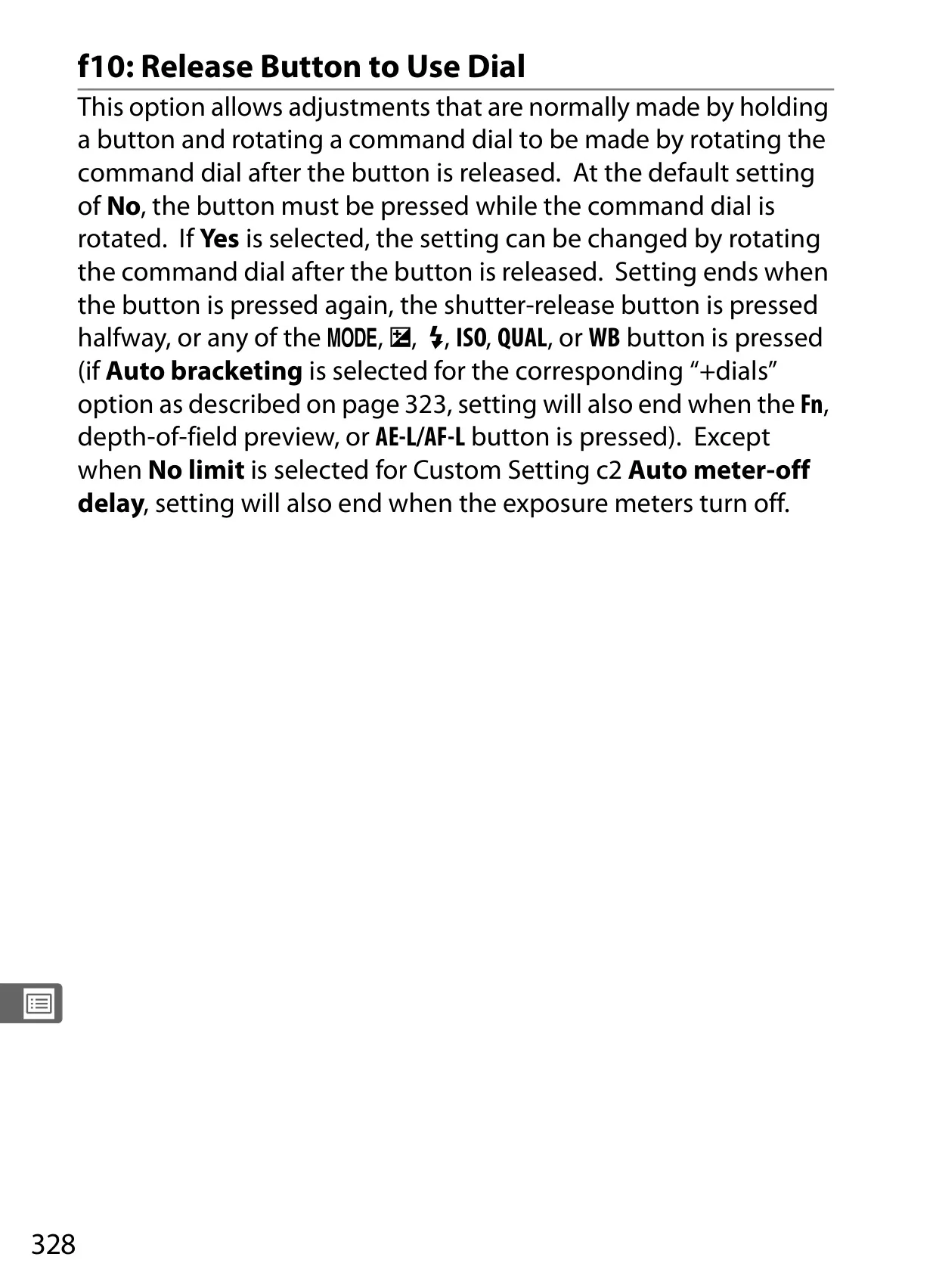
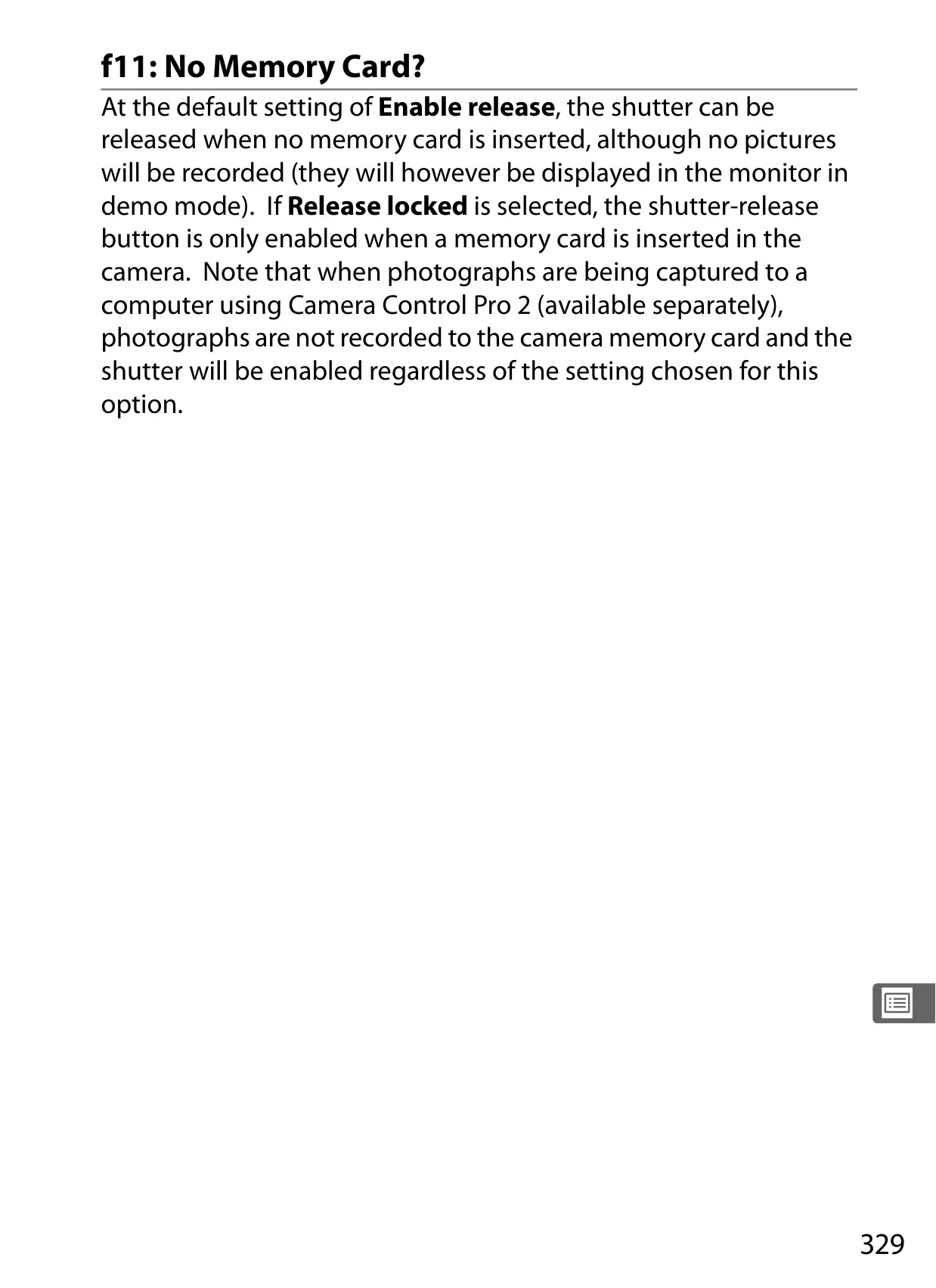
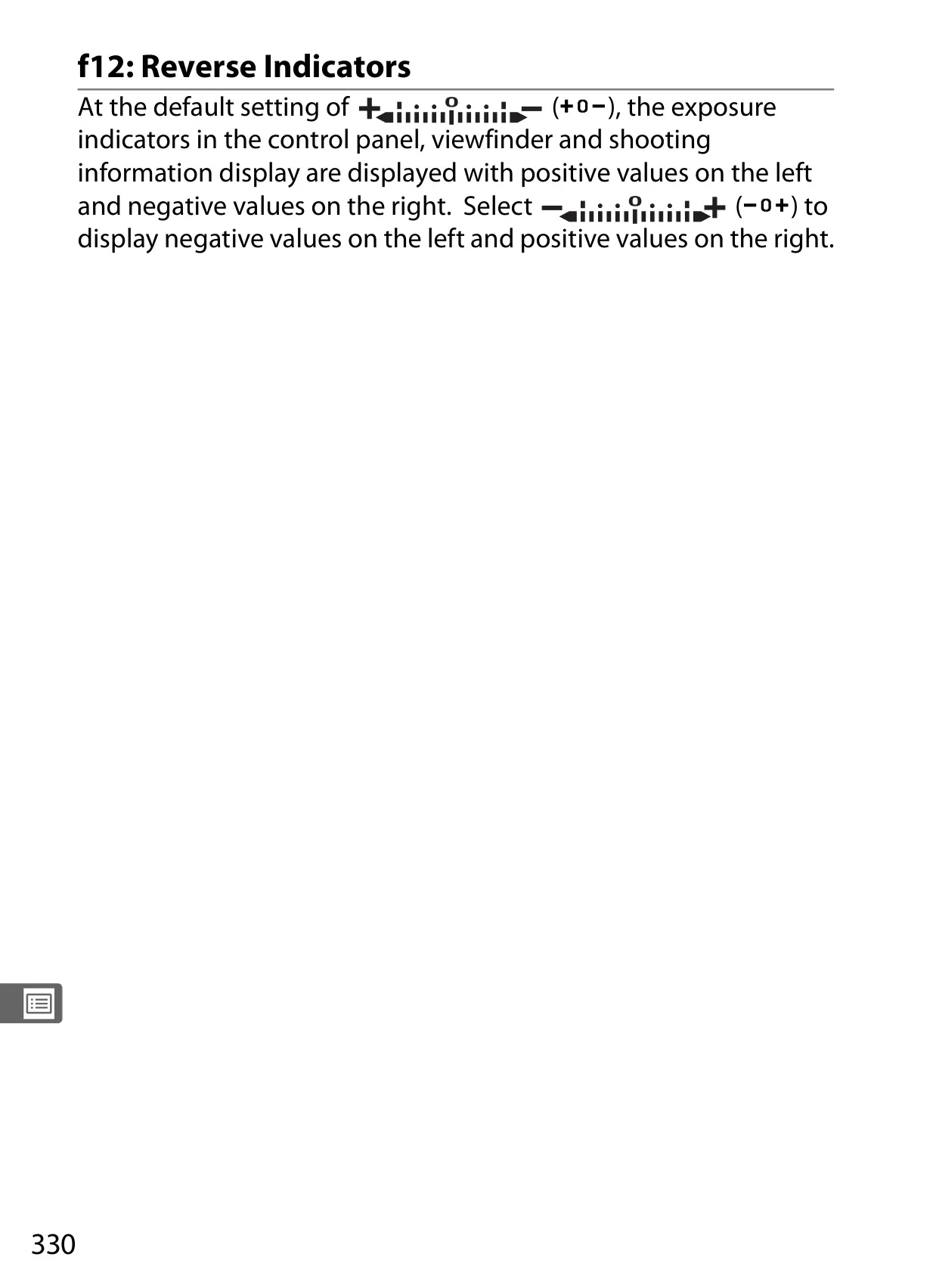






























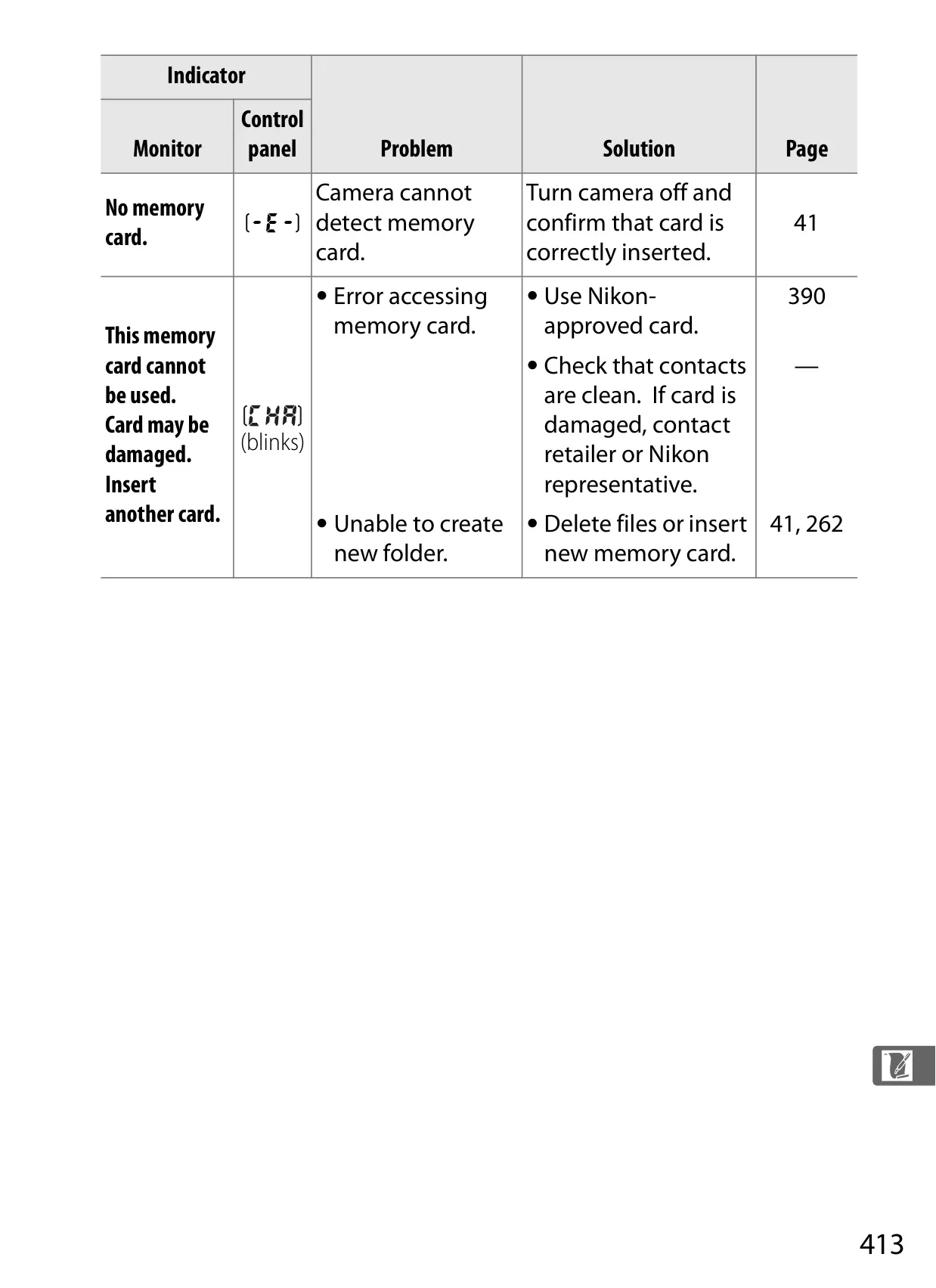
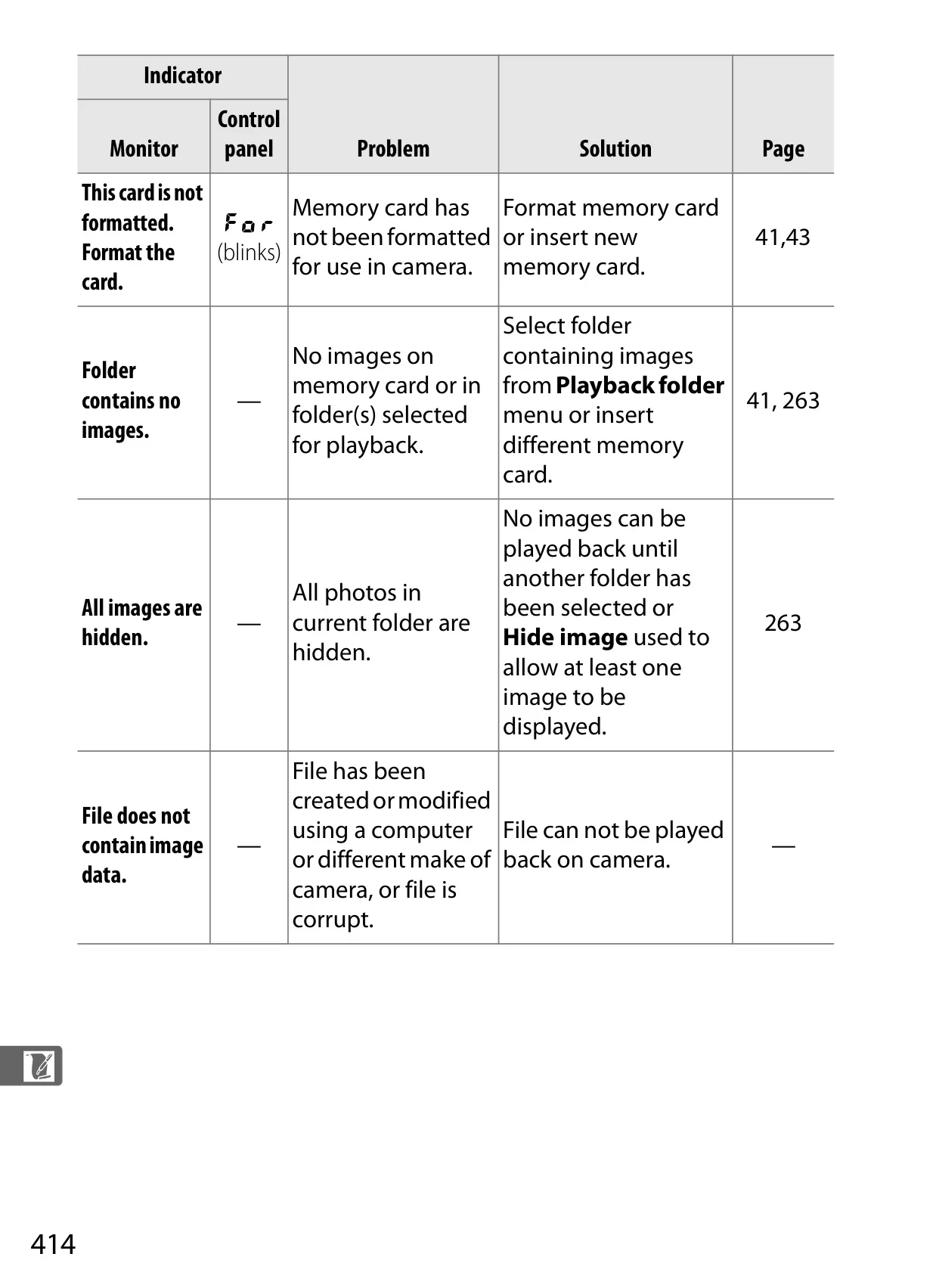
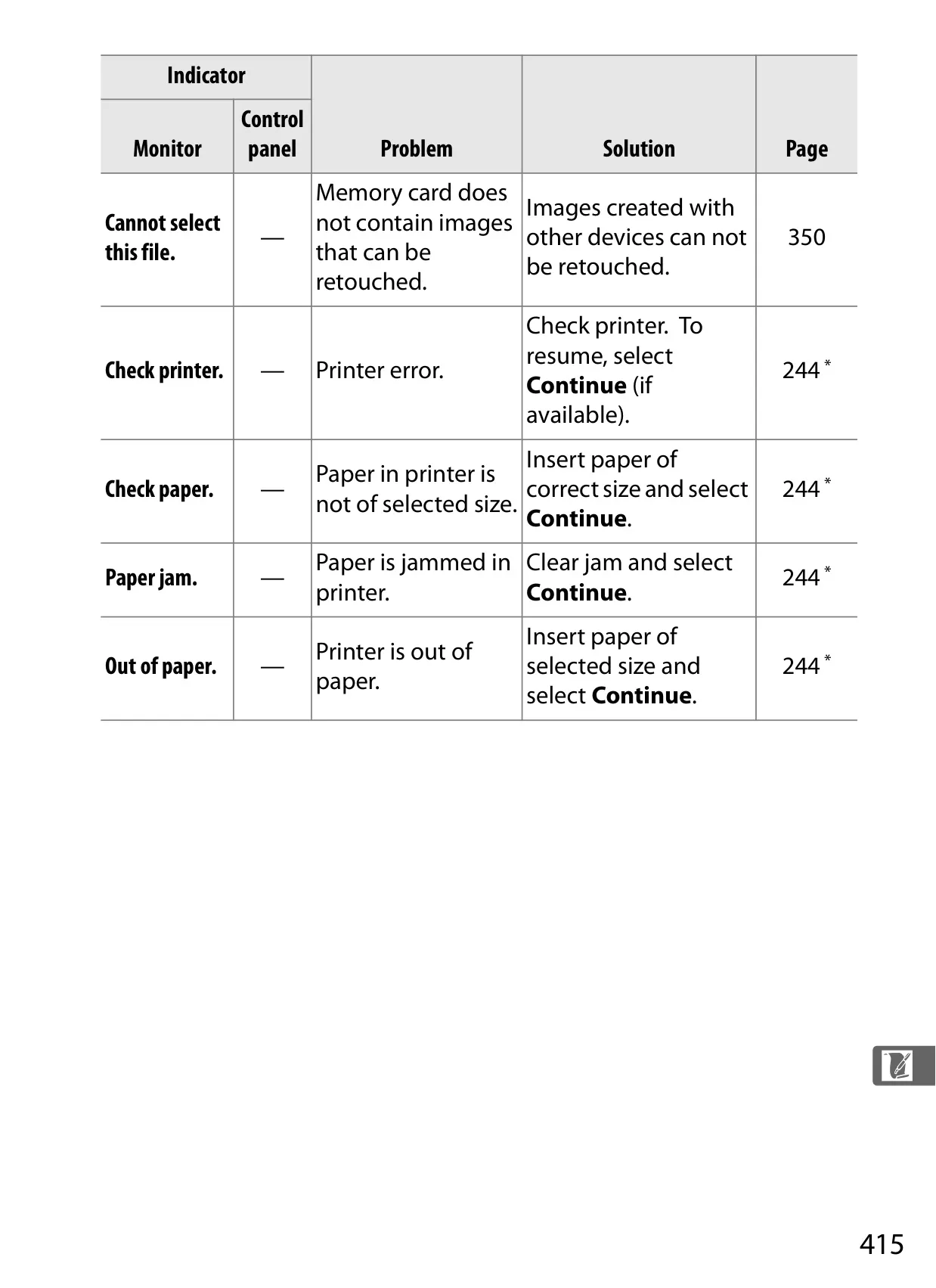
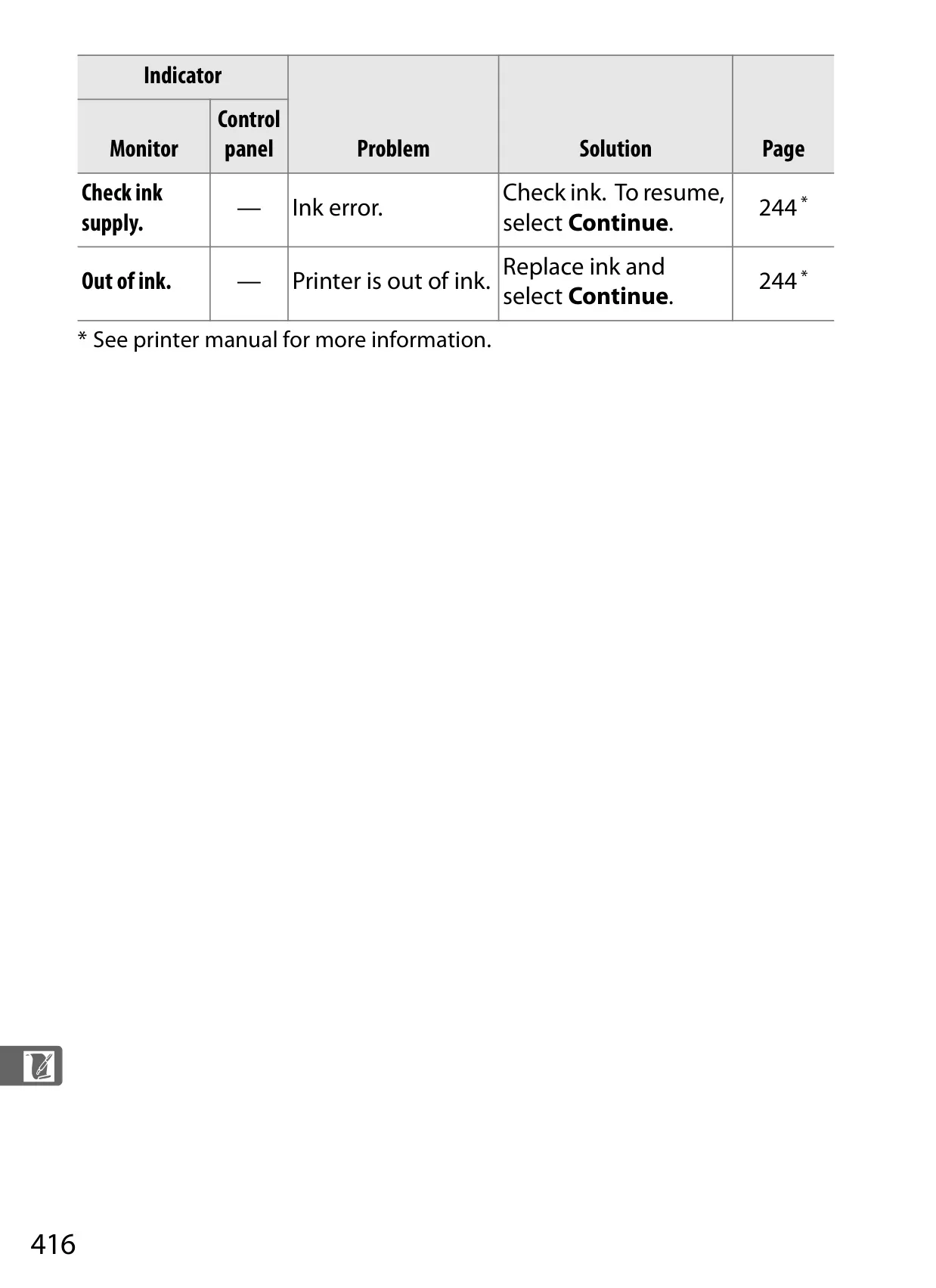


















Nikon D700 DSLR Camera Instructions
Here we offer the Nikon D700 DSLR Camera manual completely free and in English. We have cataloged this manual in the SLR Cameras section on Manualverse, and it has been rated by 1 users with an average rating of 5. If you have any specific questions about Nikon D700 DSLR Camera, we suggest checking the Frequently Asked Questions (FAQs) section of this manual.
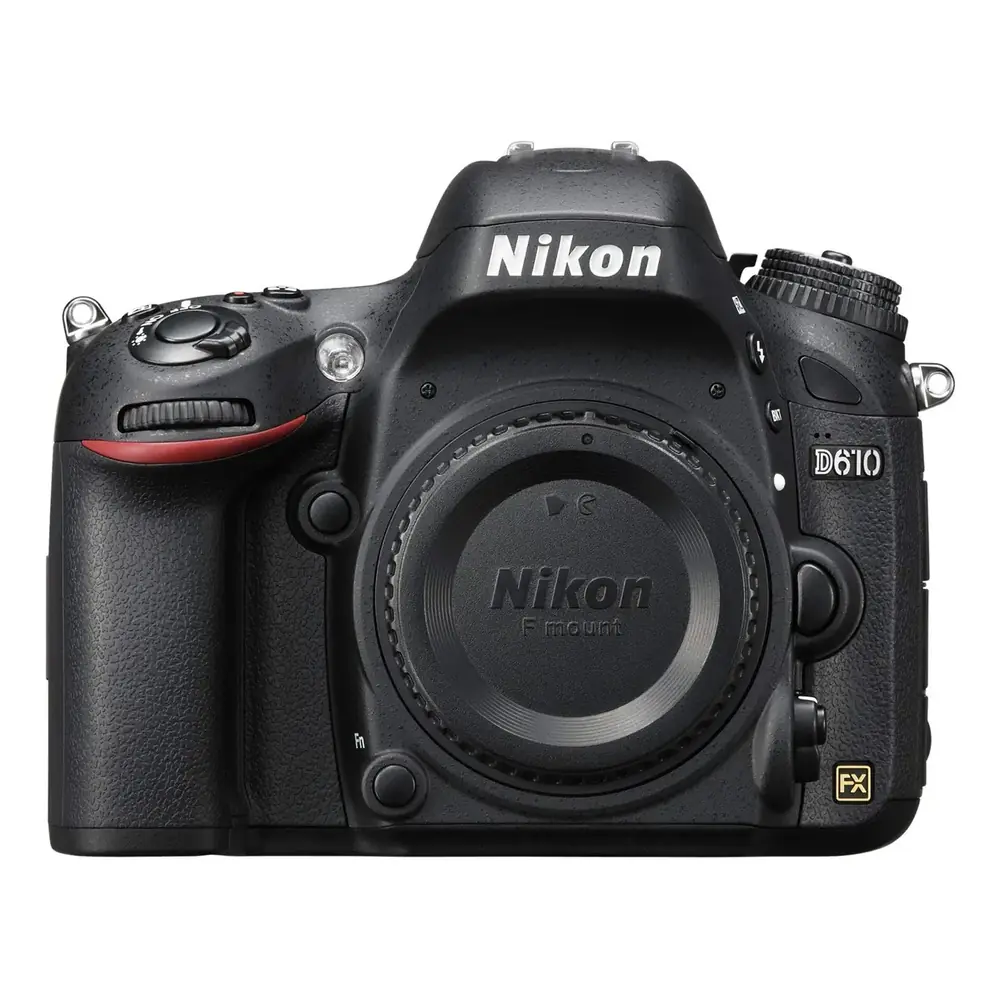
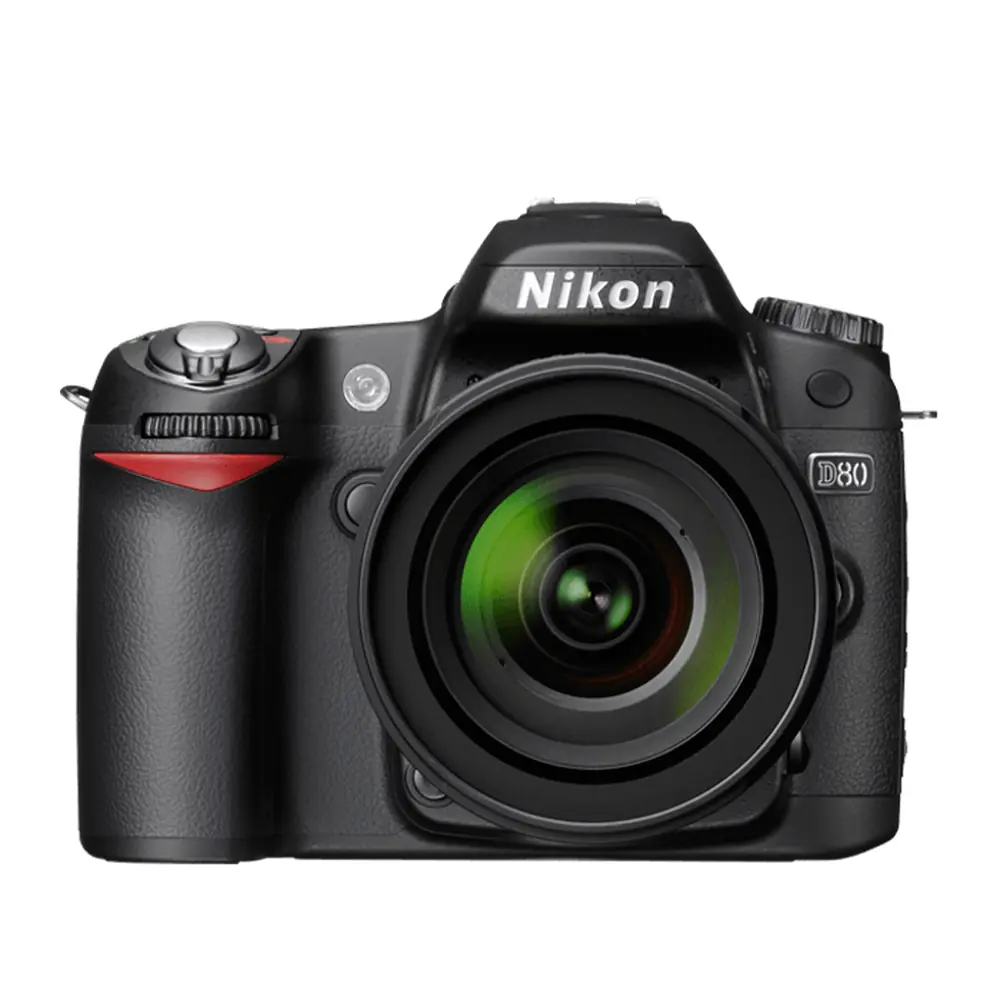
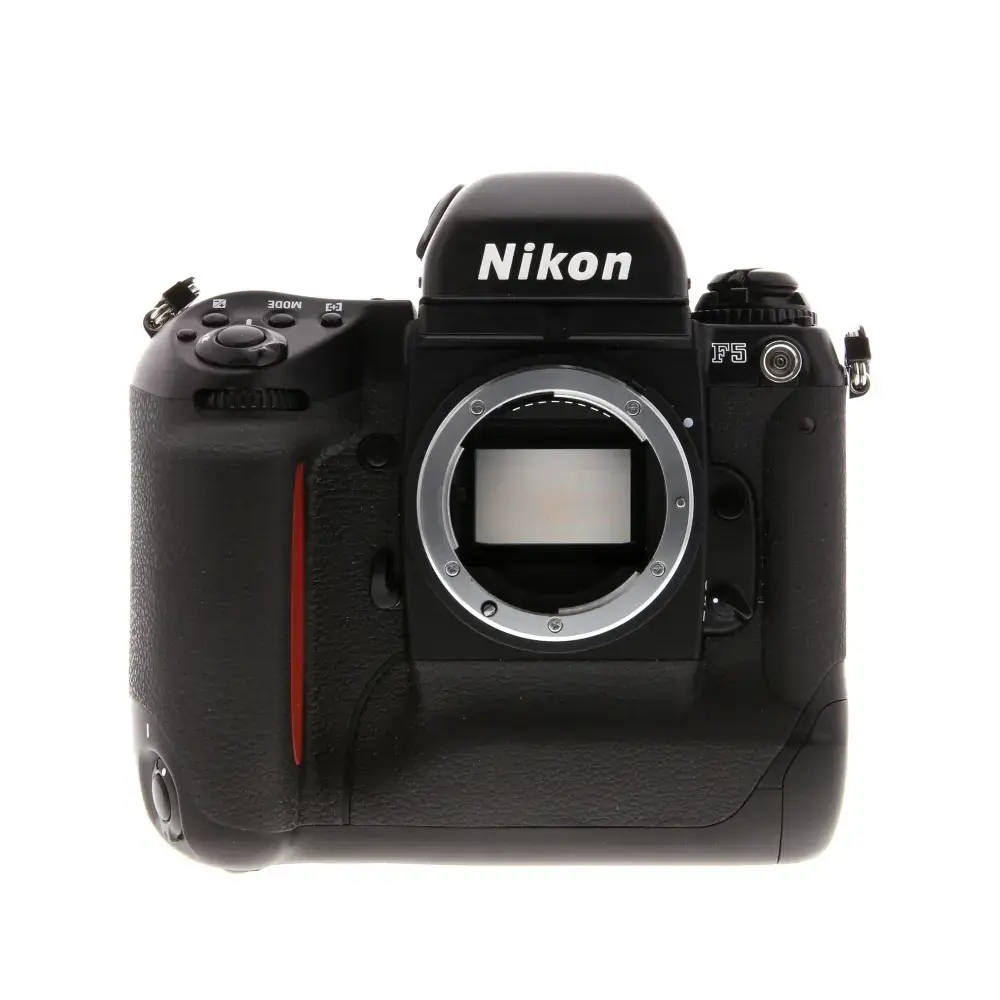
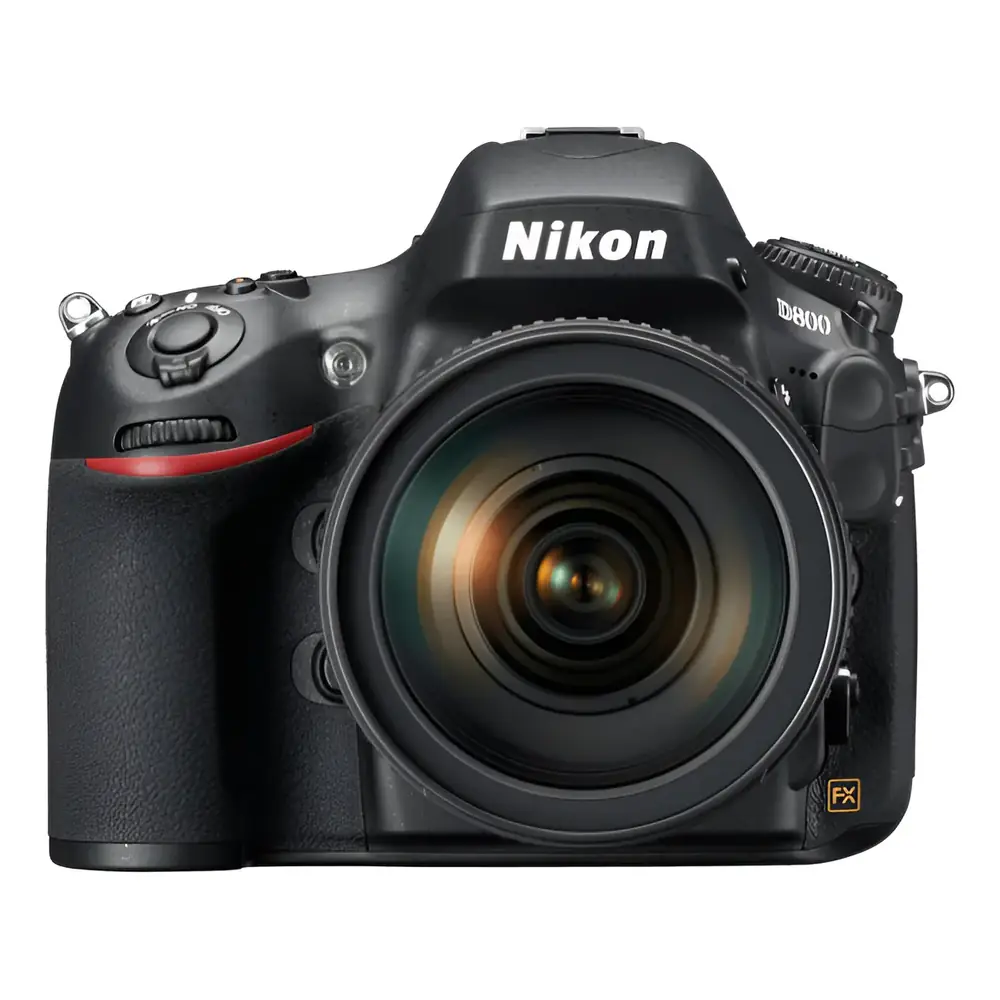
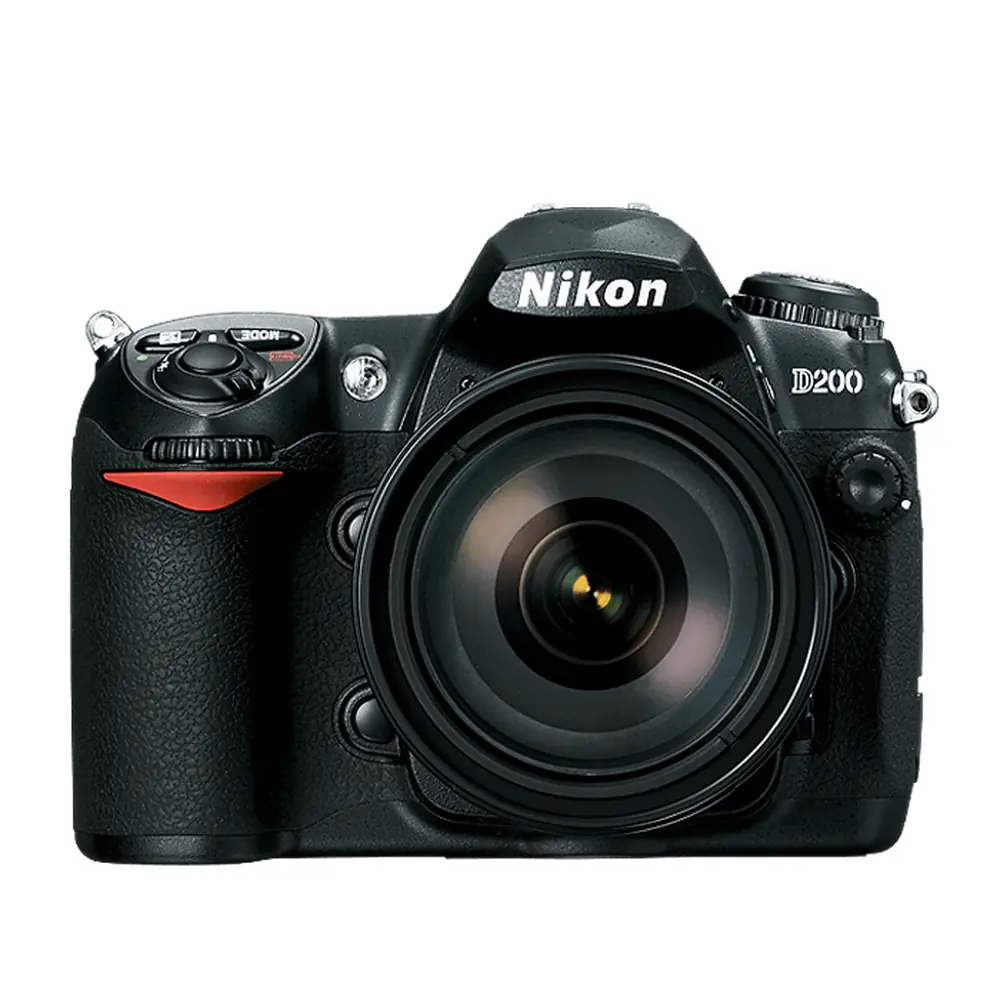
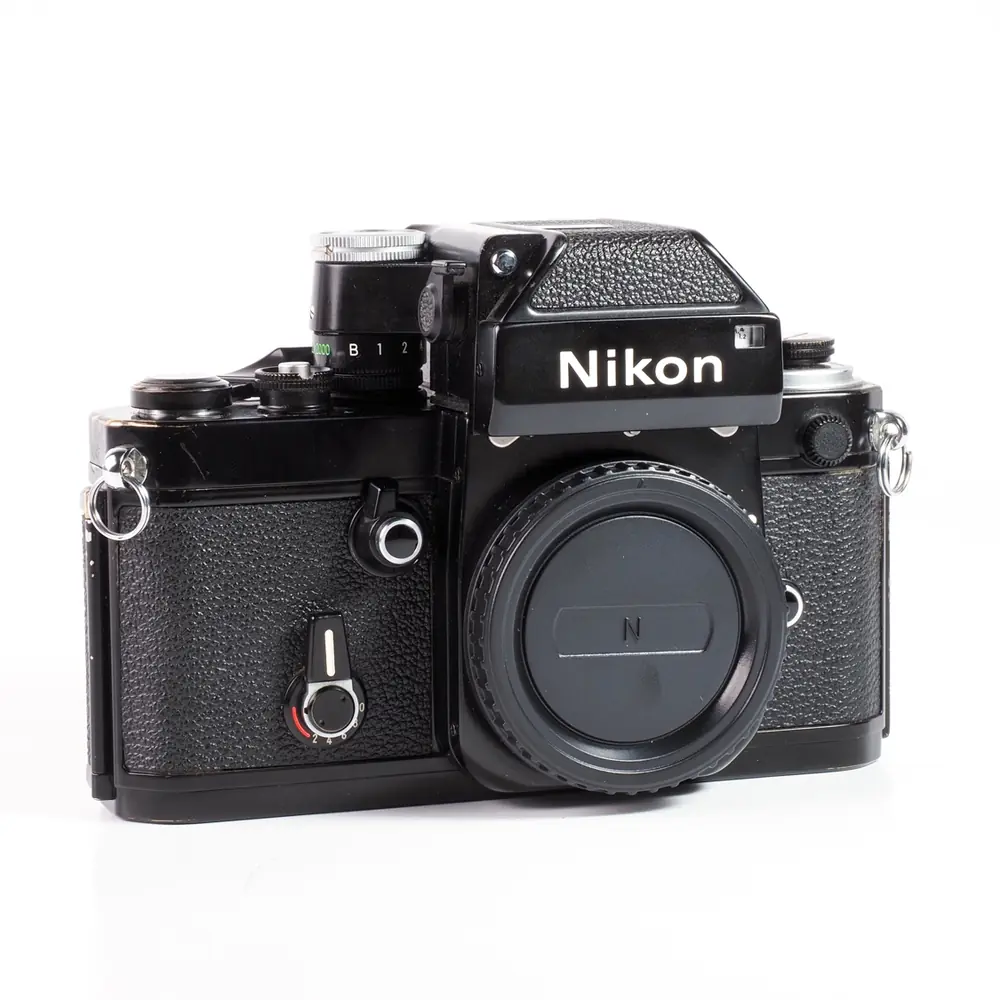
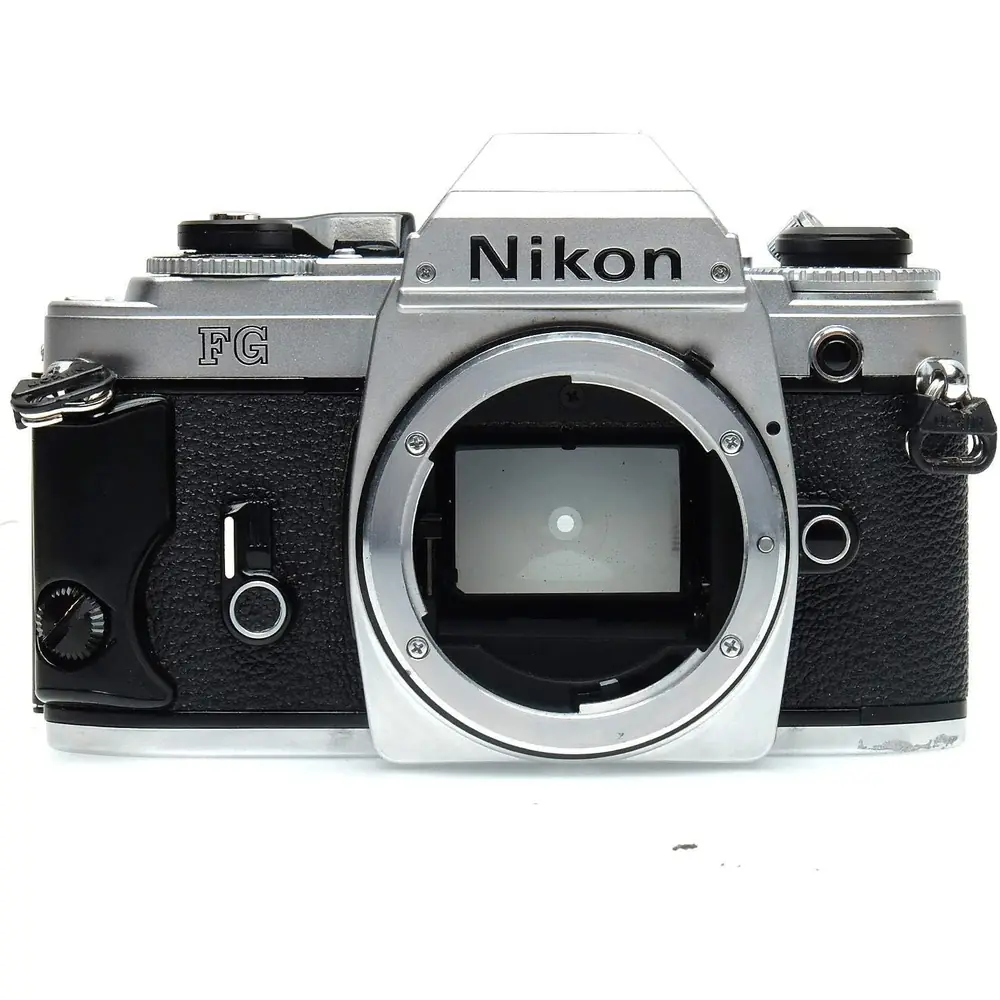
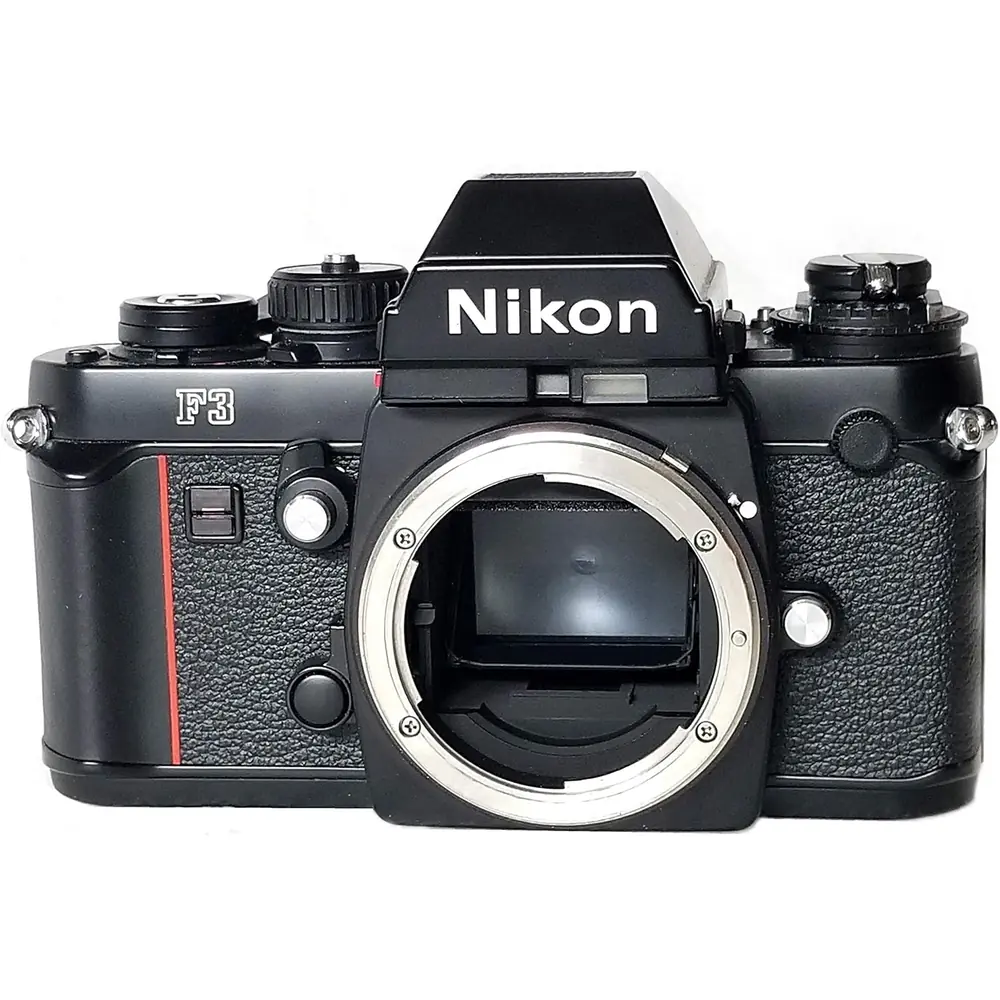
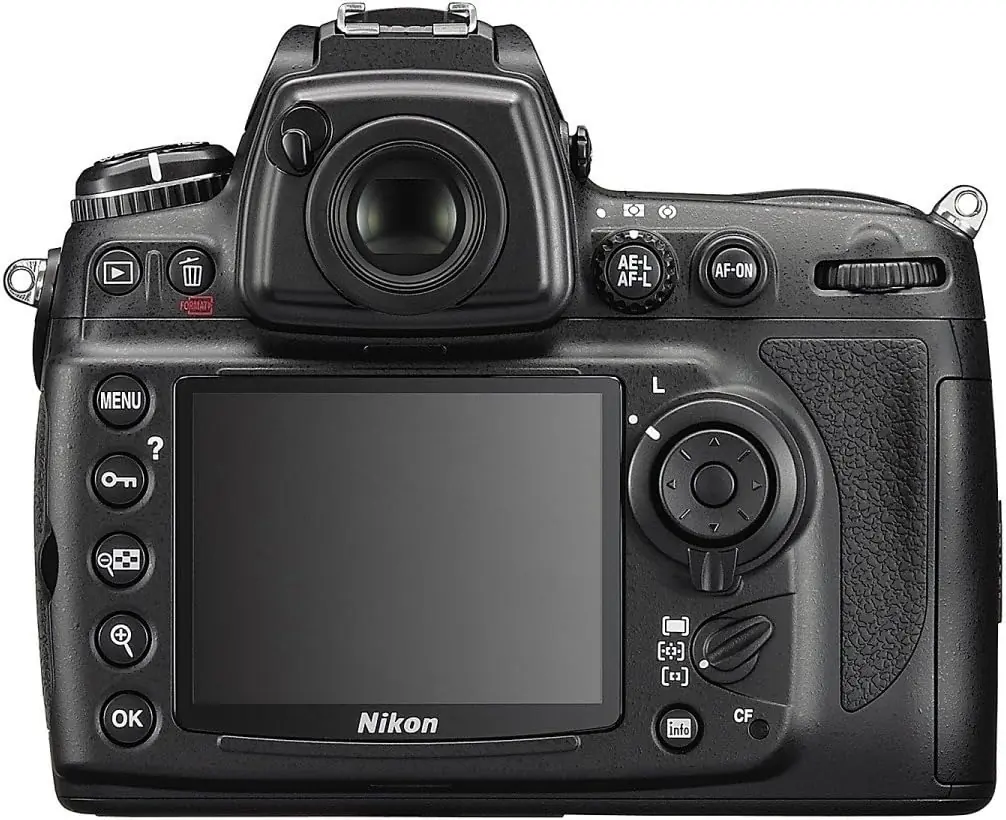
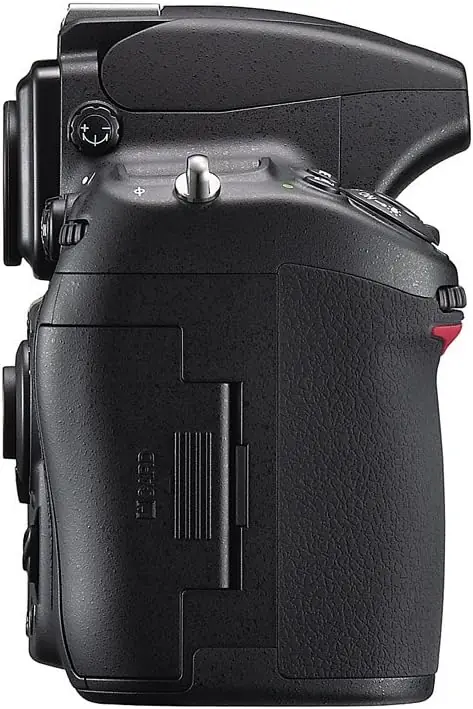
Product Images
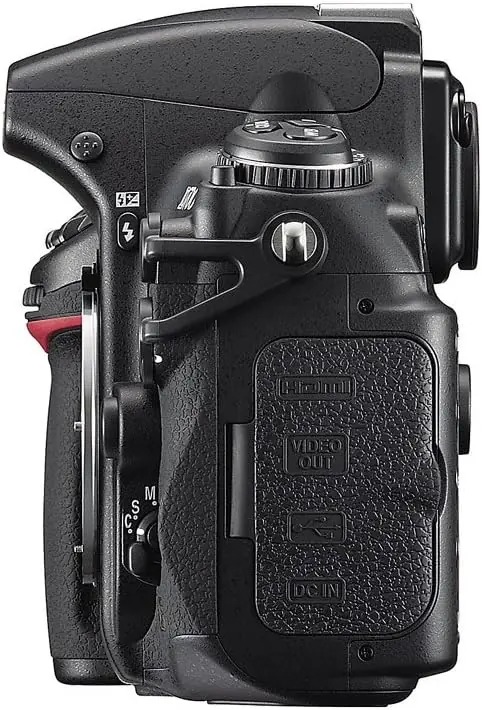
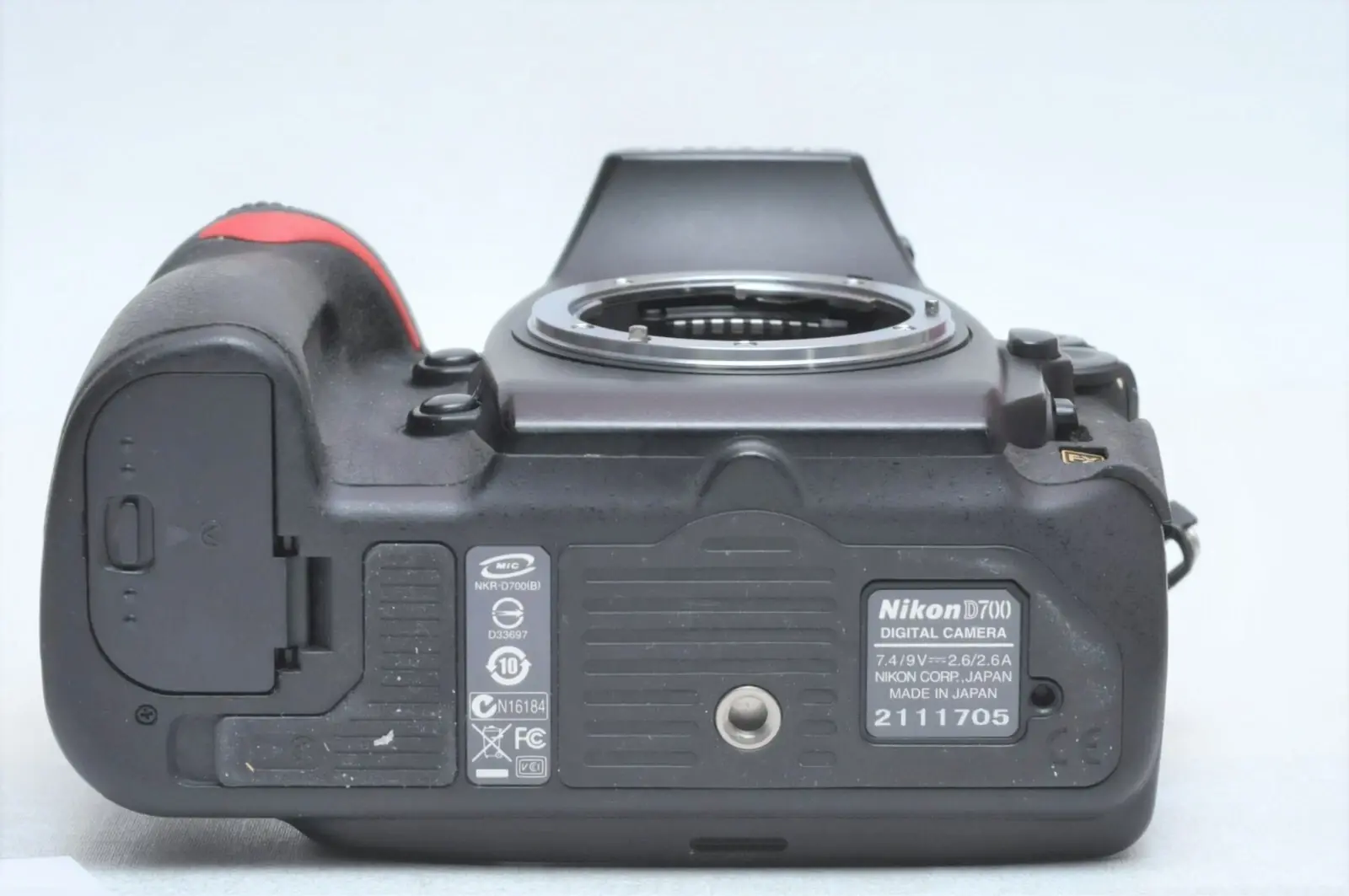
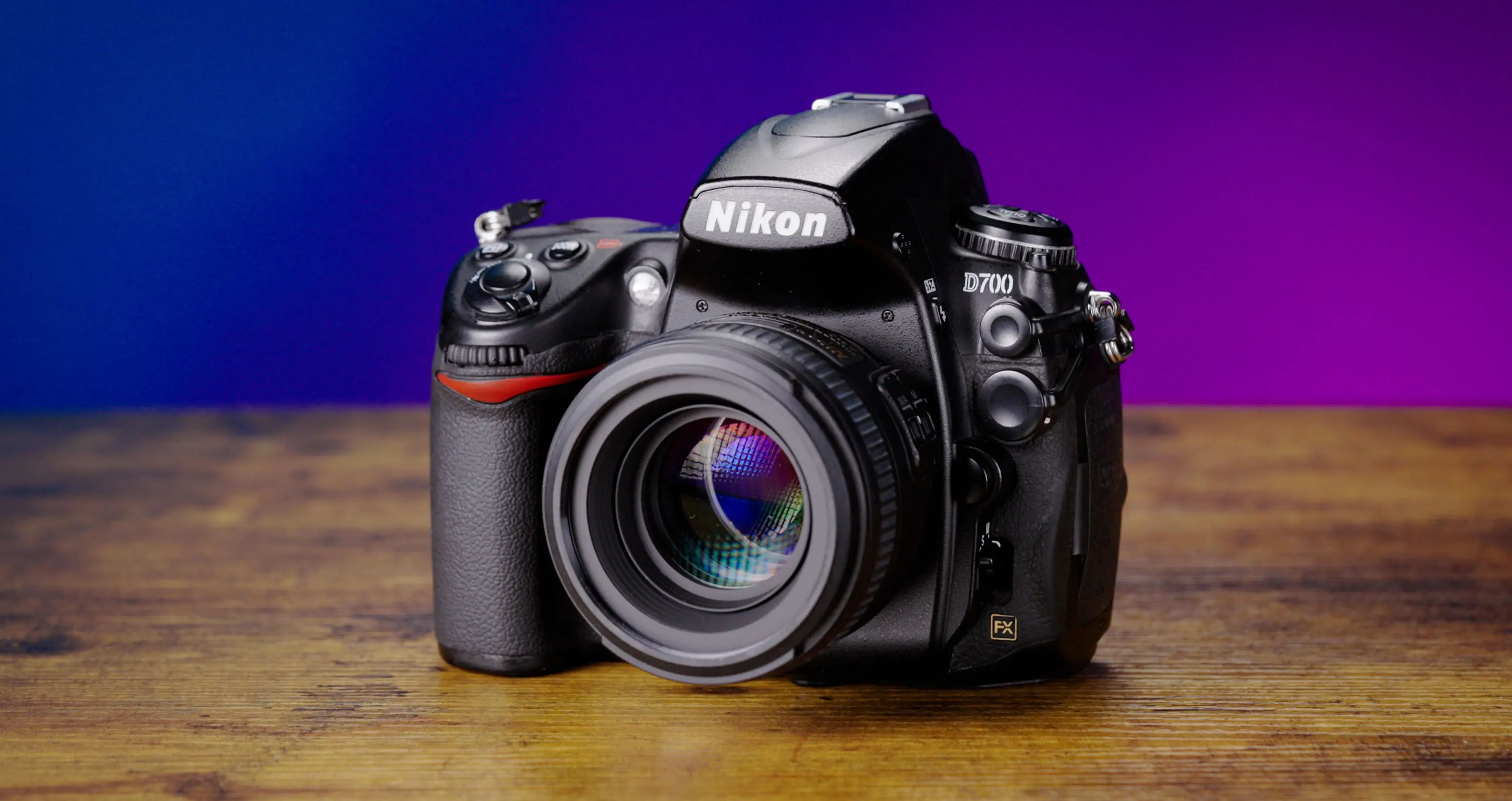
Nikon D700 DSLR Camera Specifications
| Feature | Specification |
|---|---|
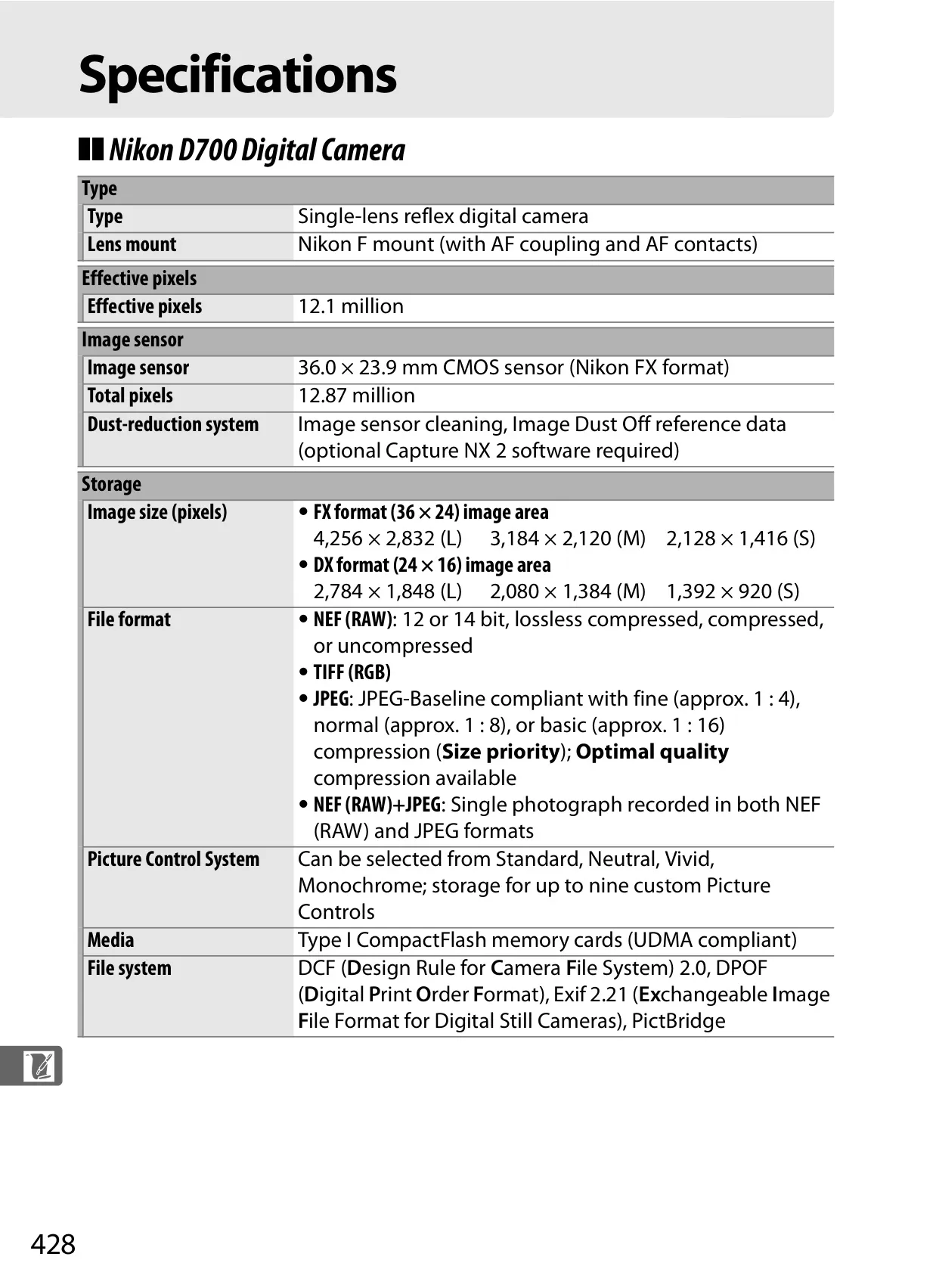
| Type | Single-lens reflex digital camera |
| Lens Mount | Nikon F mount (with AF coupling and AF contacts) |
| Effective Pixels | 12.1 million |
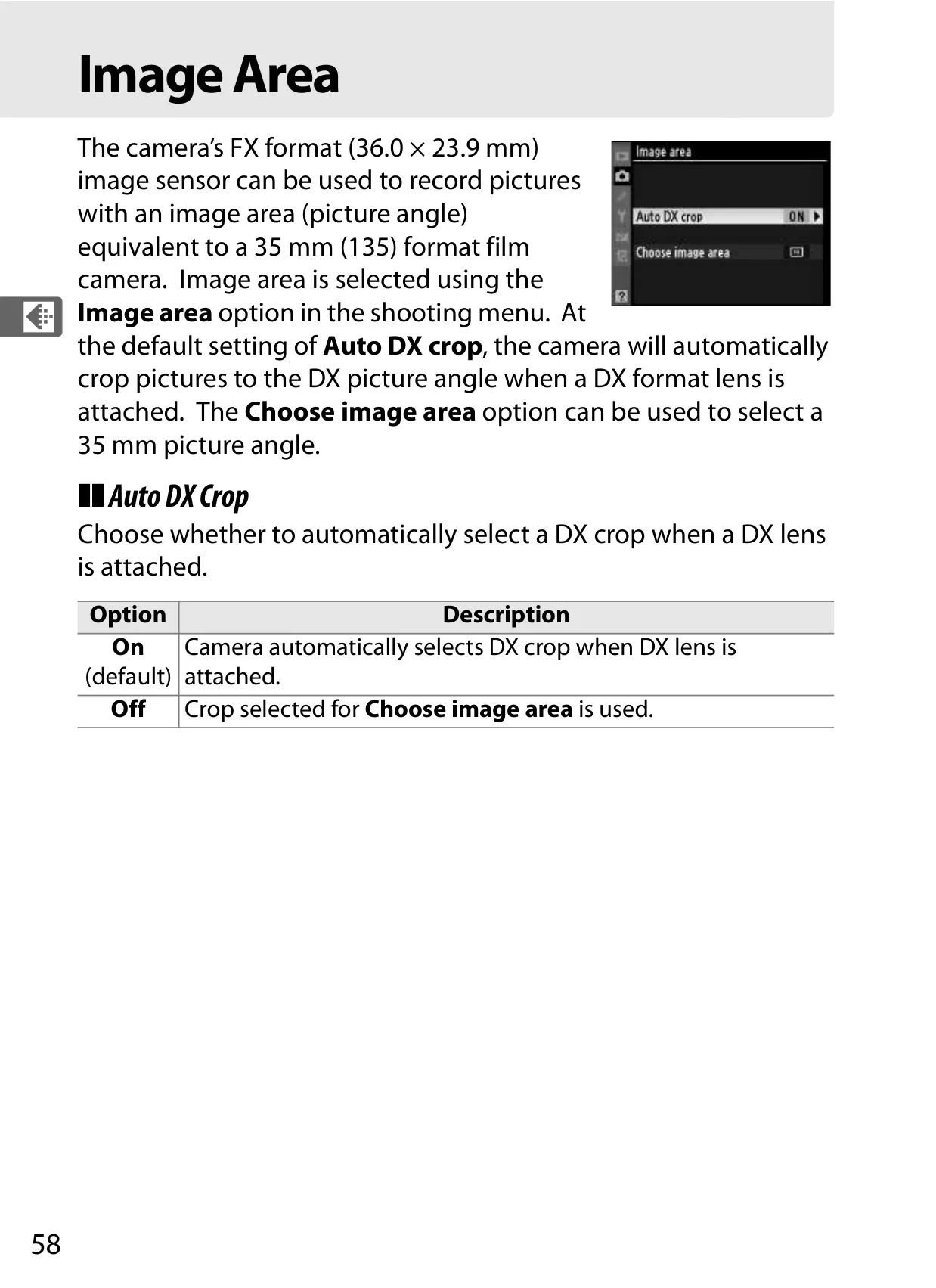
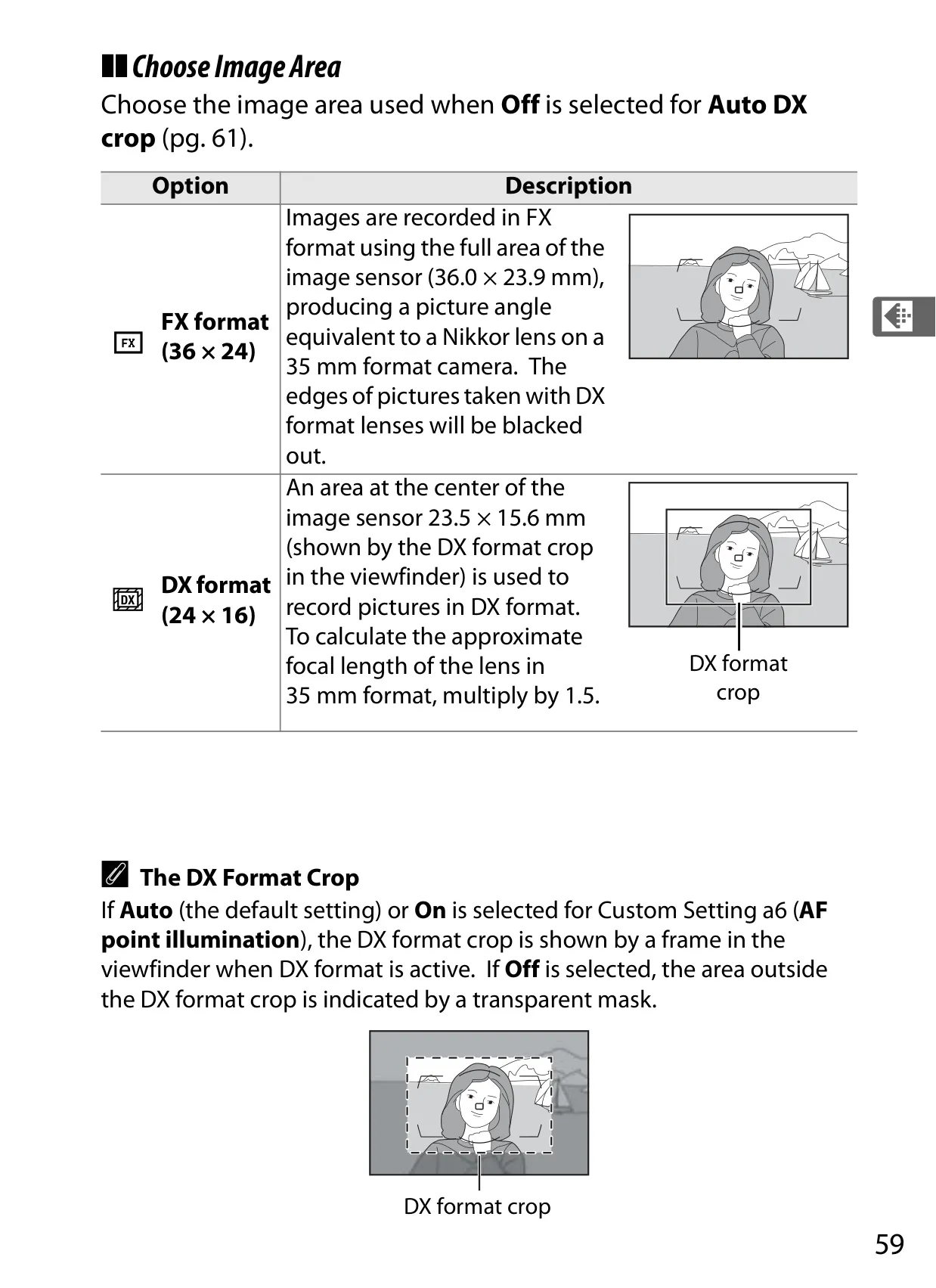
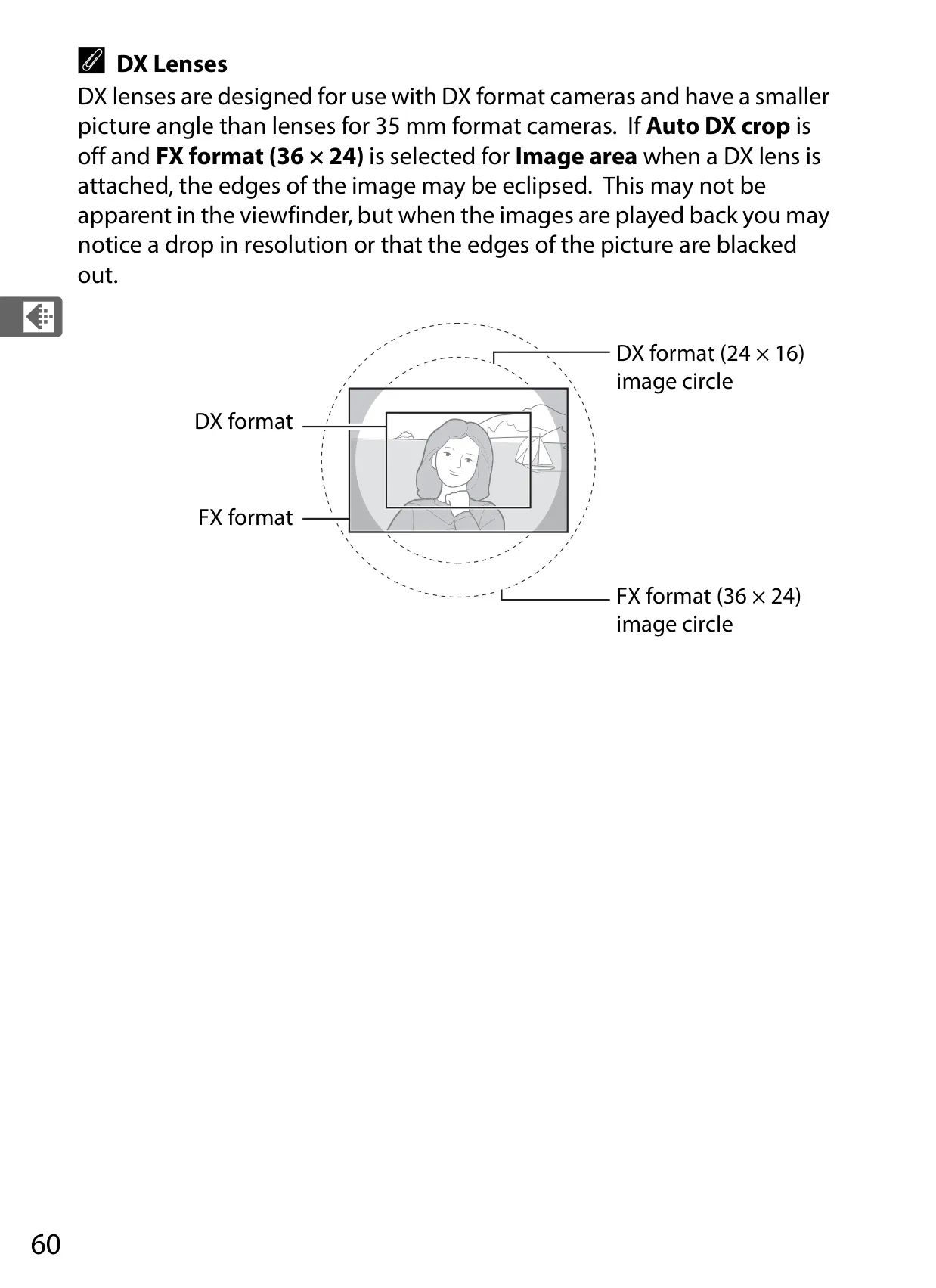
| Image Sensor | 36.0 × 23.9 mm CMOS sensor (Nikon FX format) |
| Total Pixels | 12.87 million |
| Dust-reduction System | Image sensor cleaning, Image Dust Off reference data |
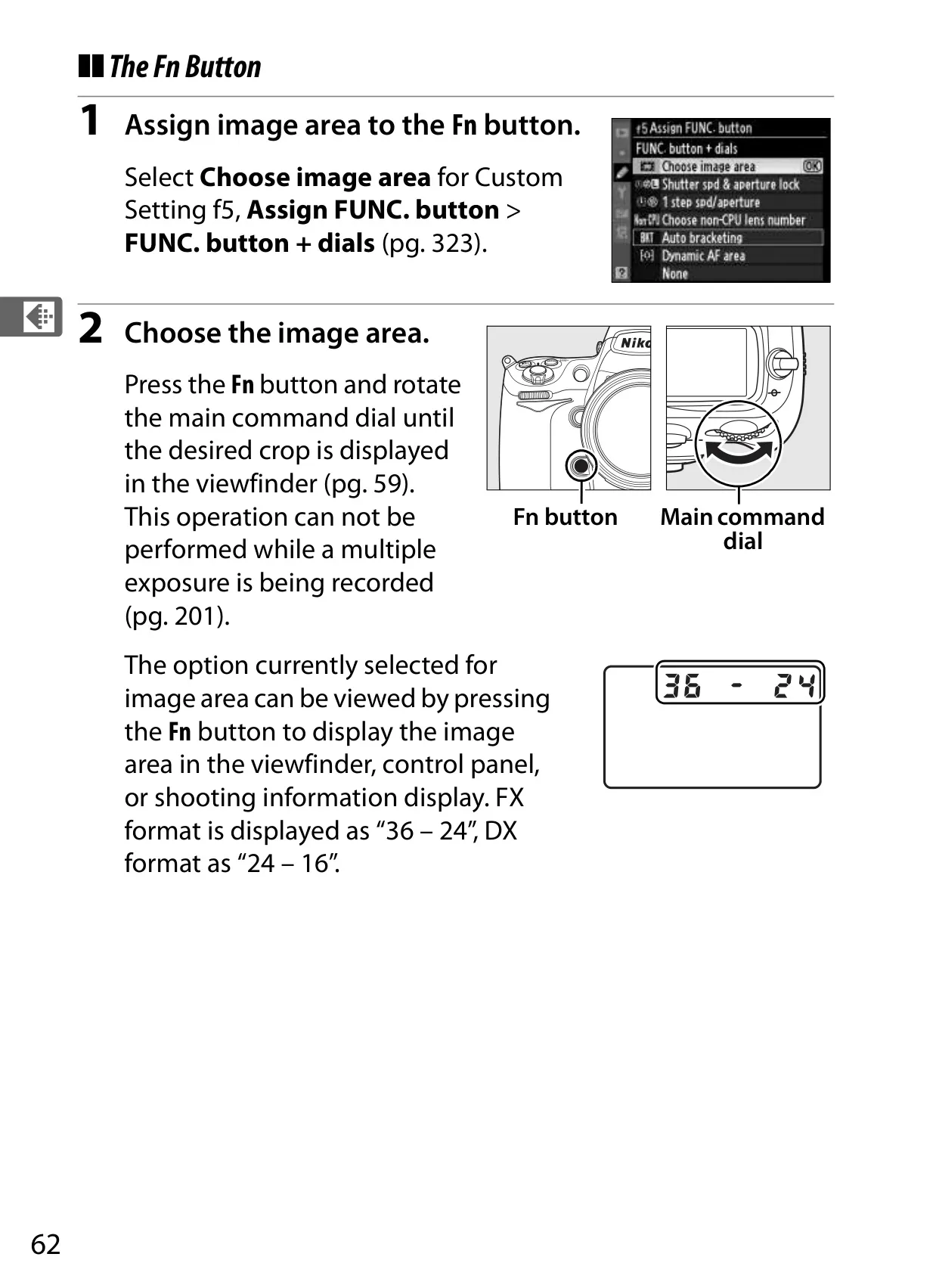
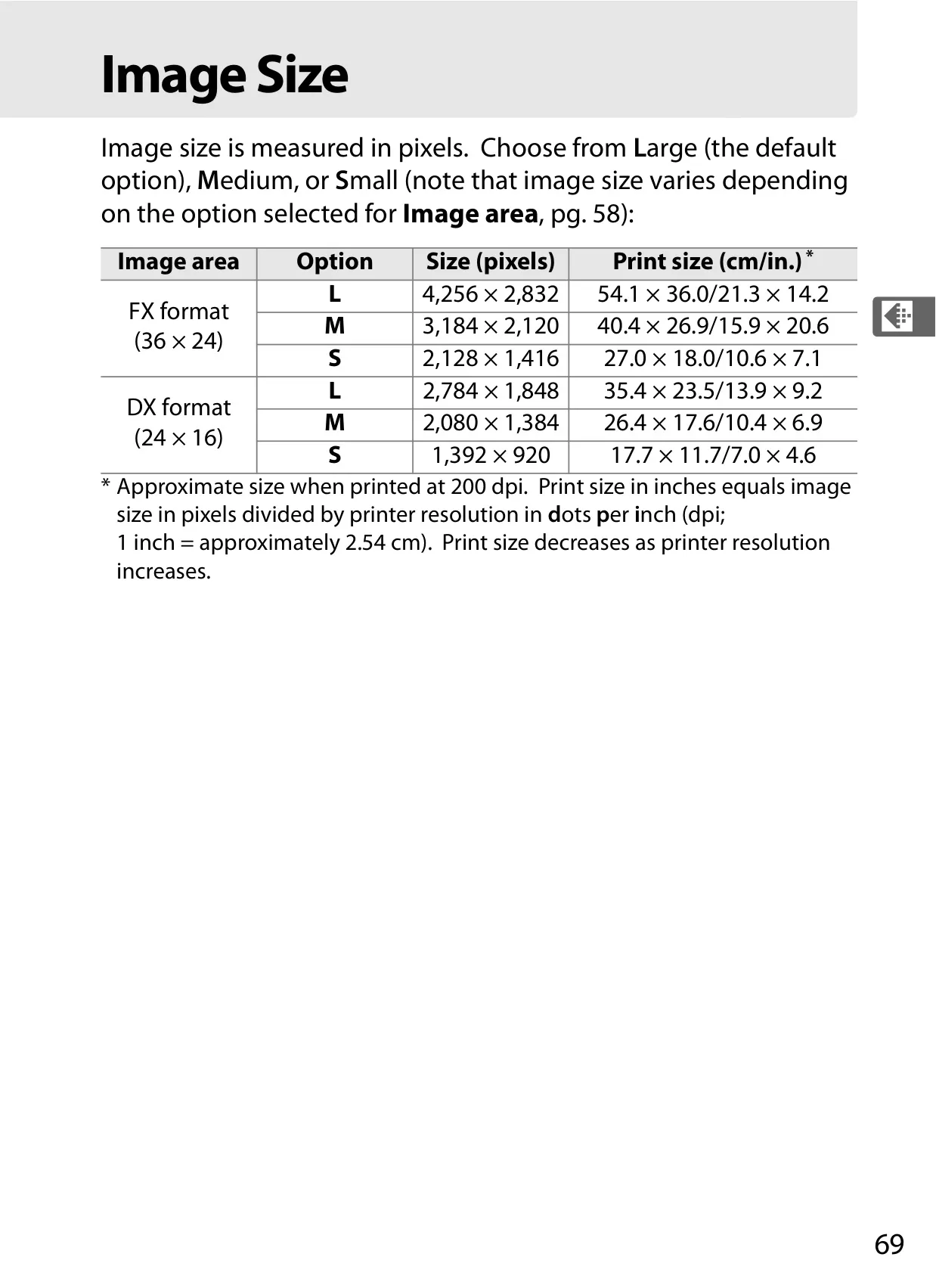
| FX Format Image Size (L) | 4,256 × 2,832 pixels |
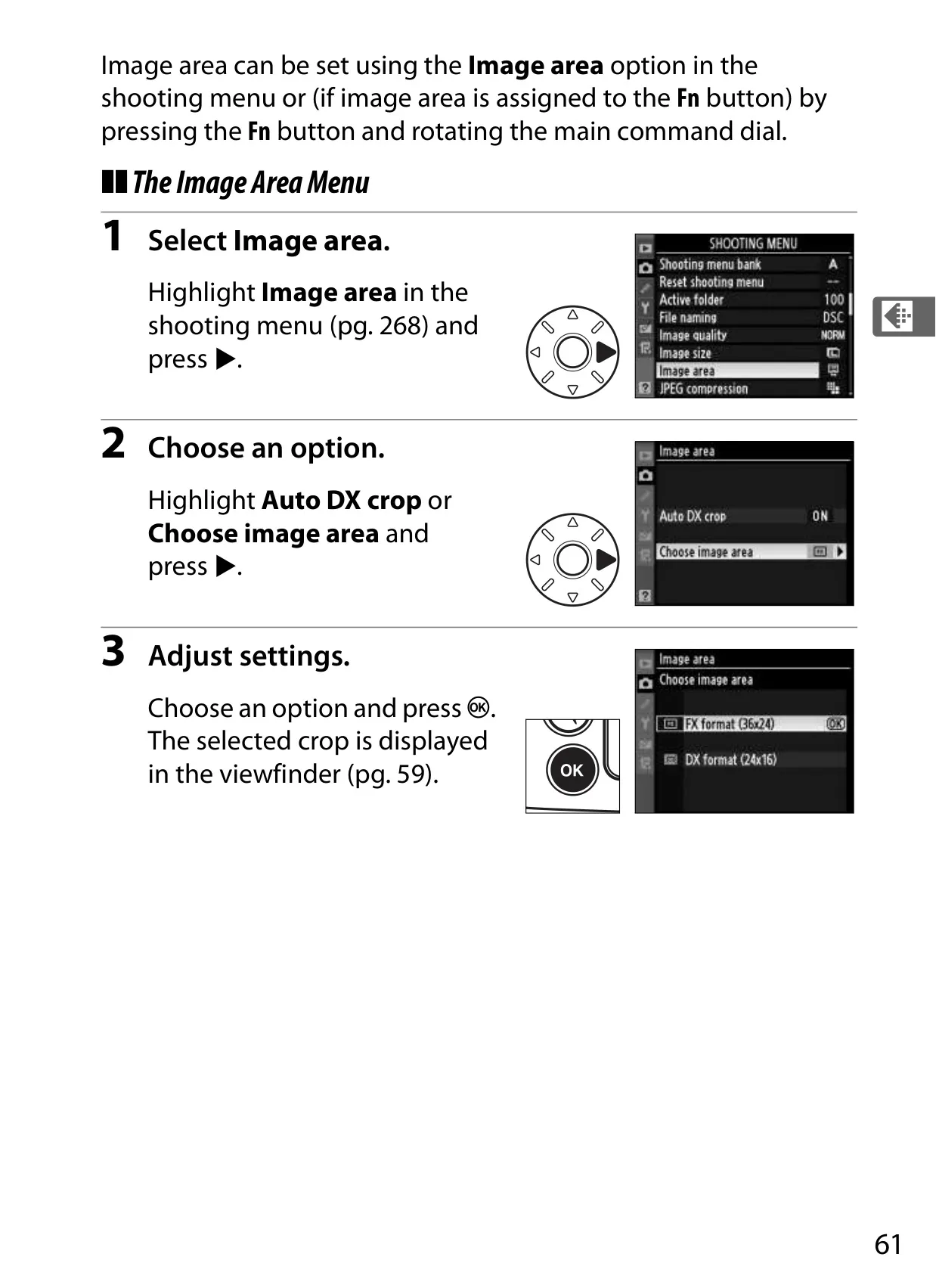
| DX Format Image Size (L) | 2,784 × 1,848 pixels |
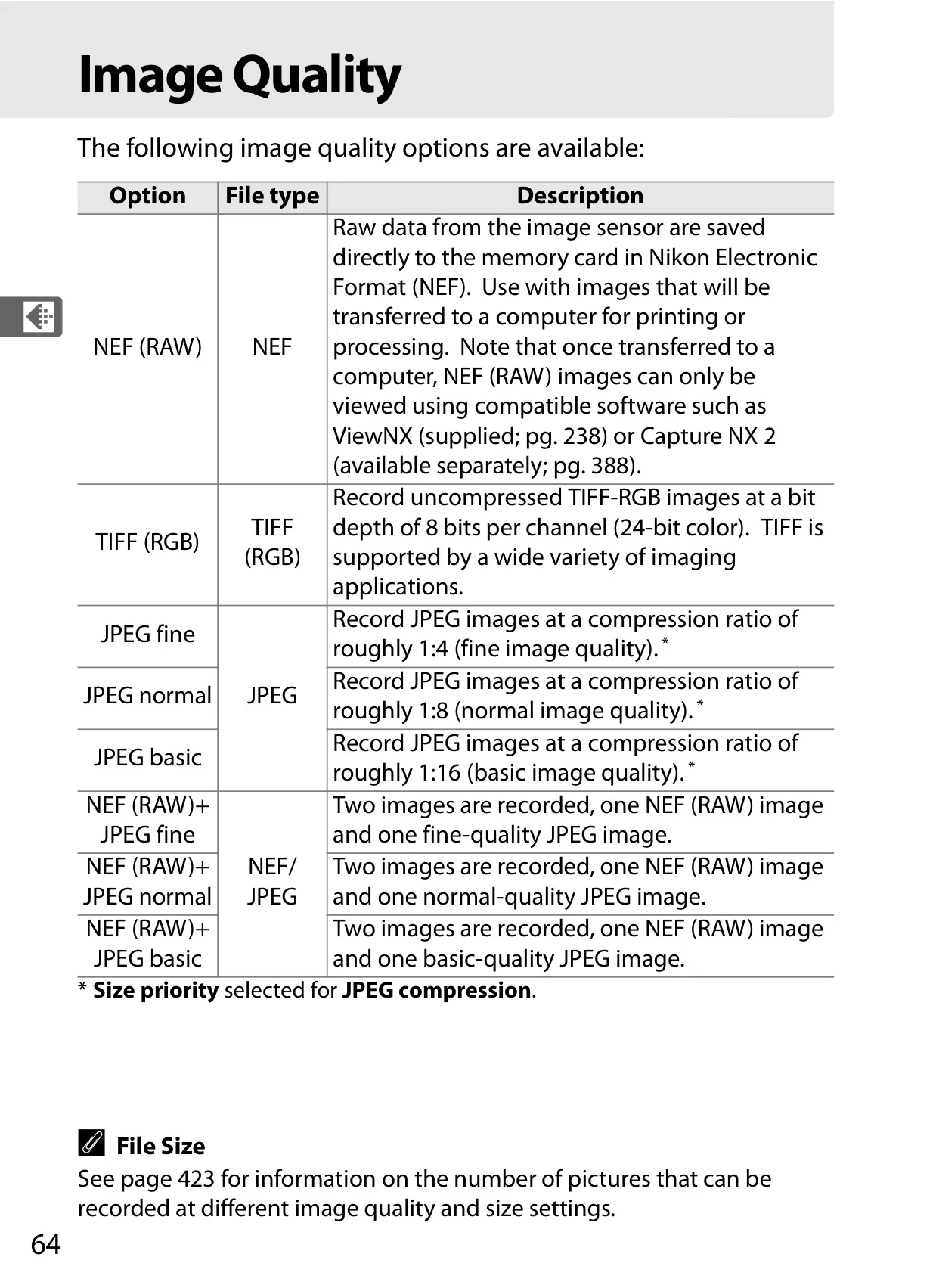
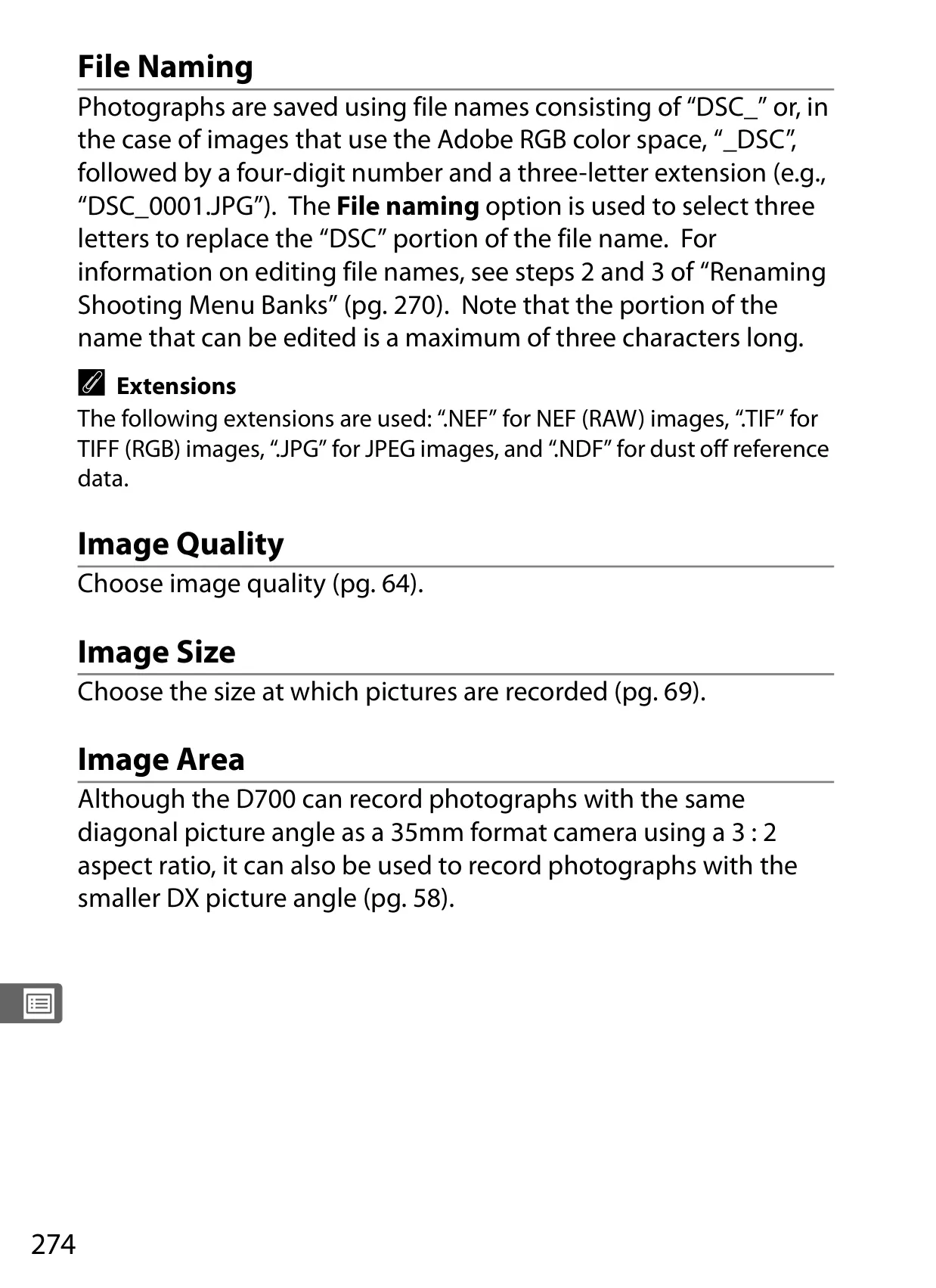
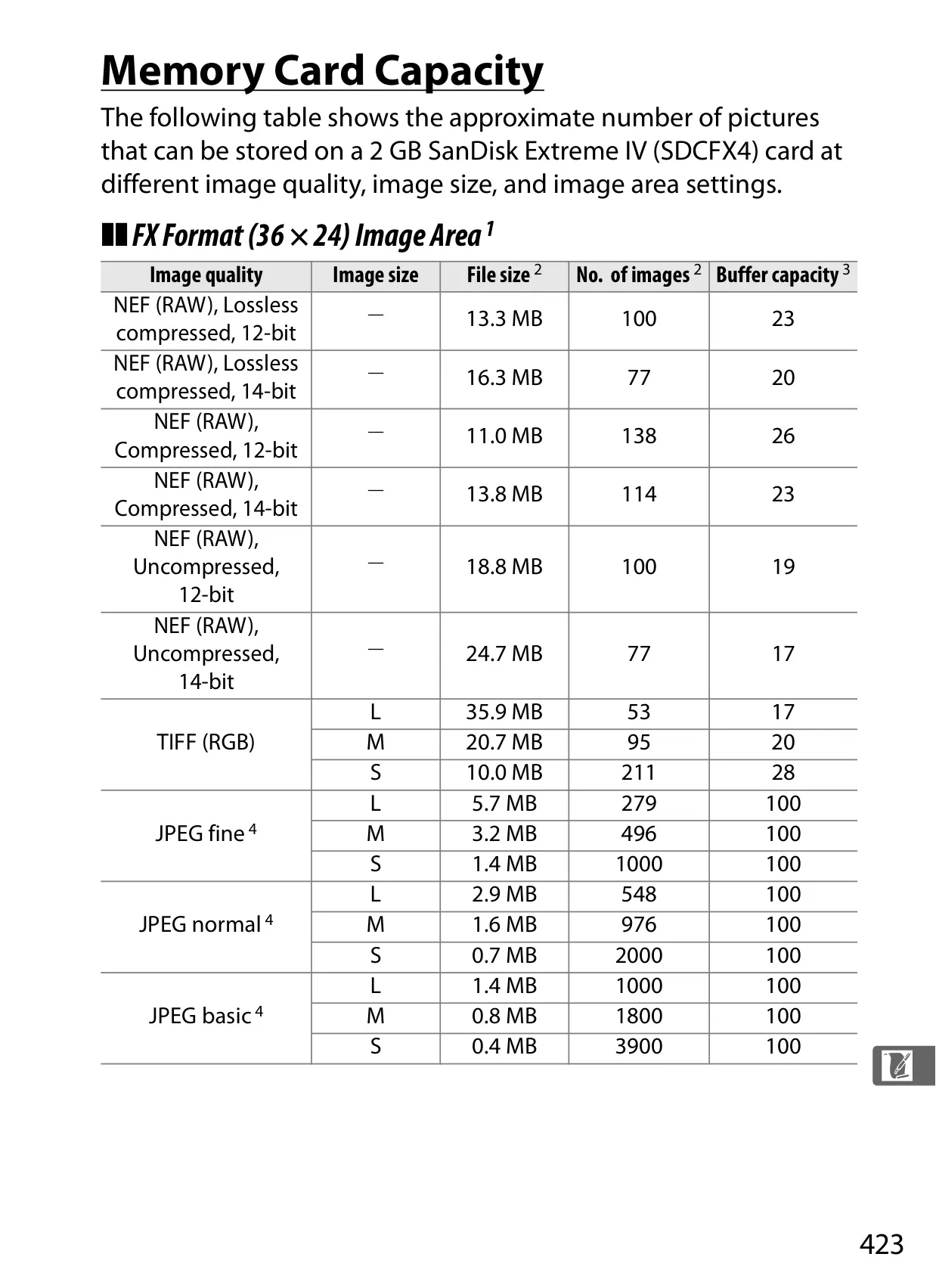
| File Format | NEF (RAW, 12/14 bit), TIFF (RGB), JPEG, NEF (RAW)+JPEG |
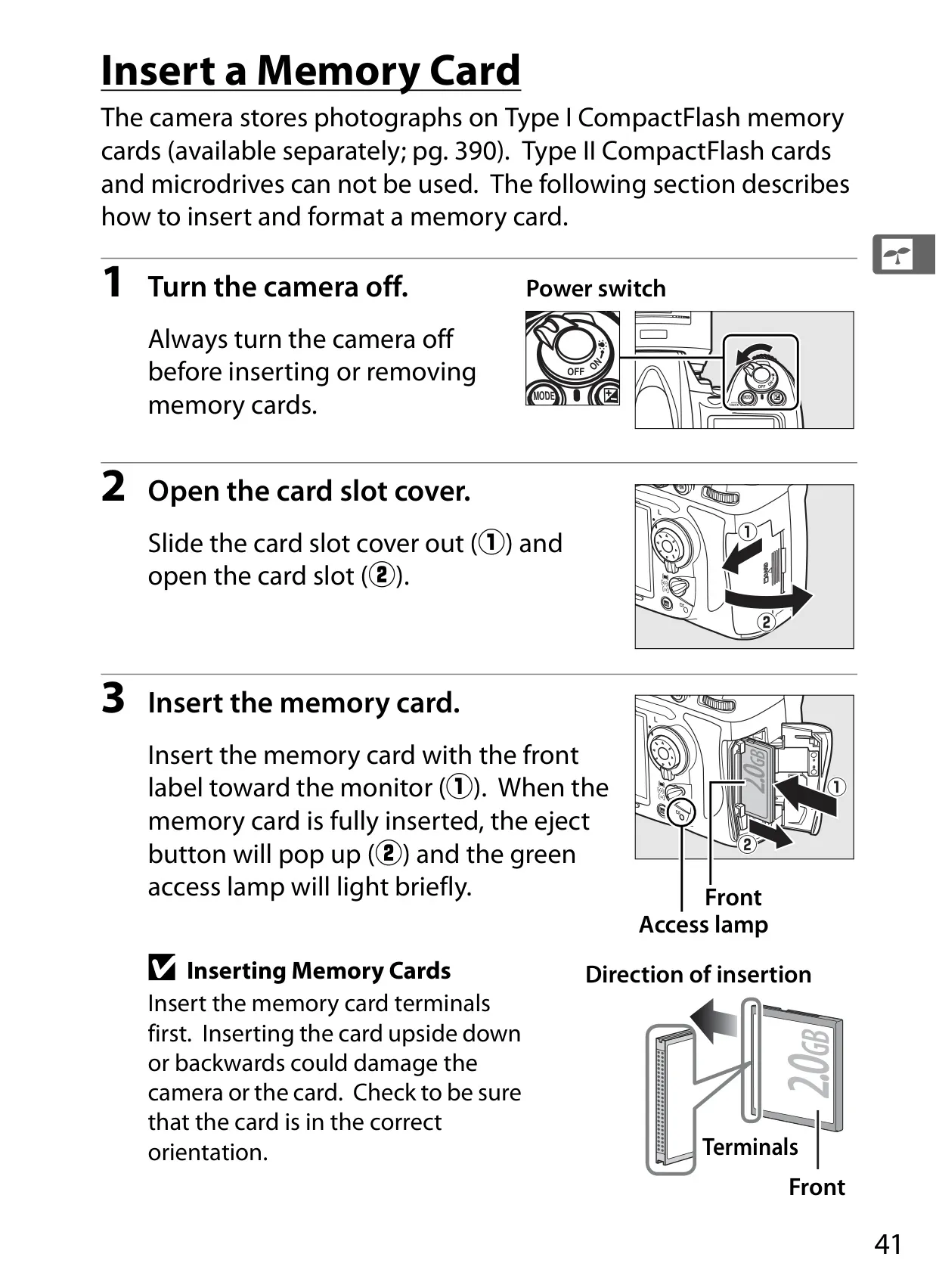
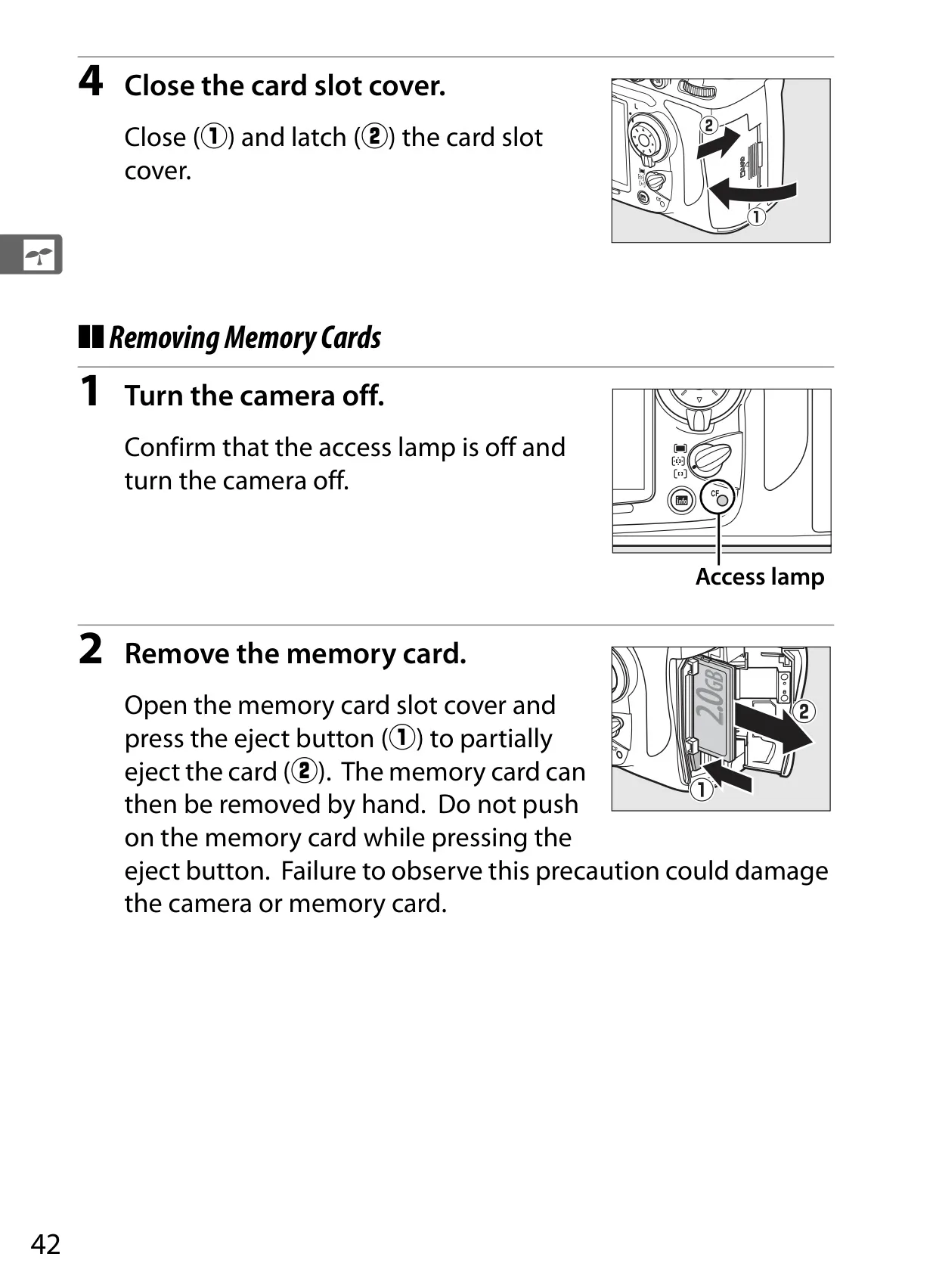
| Media | Type I CompactFlash memory cards (UDMA compliant) |
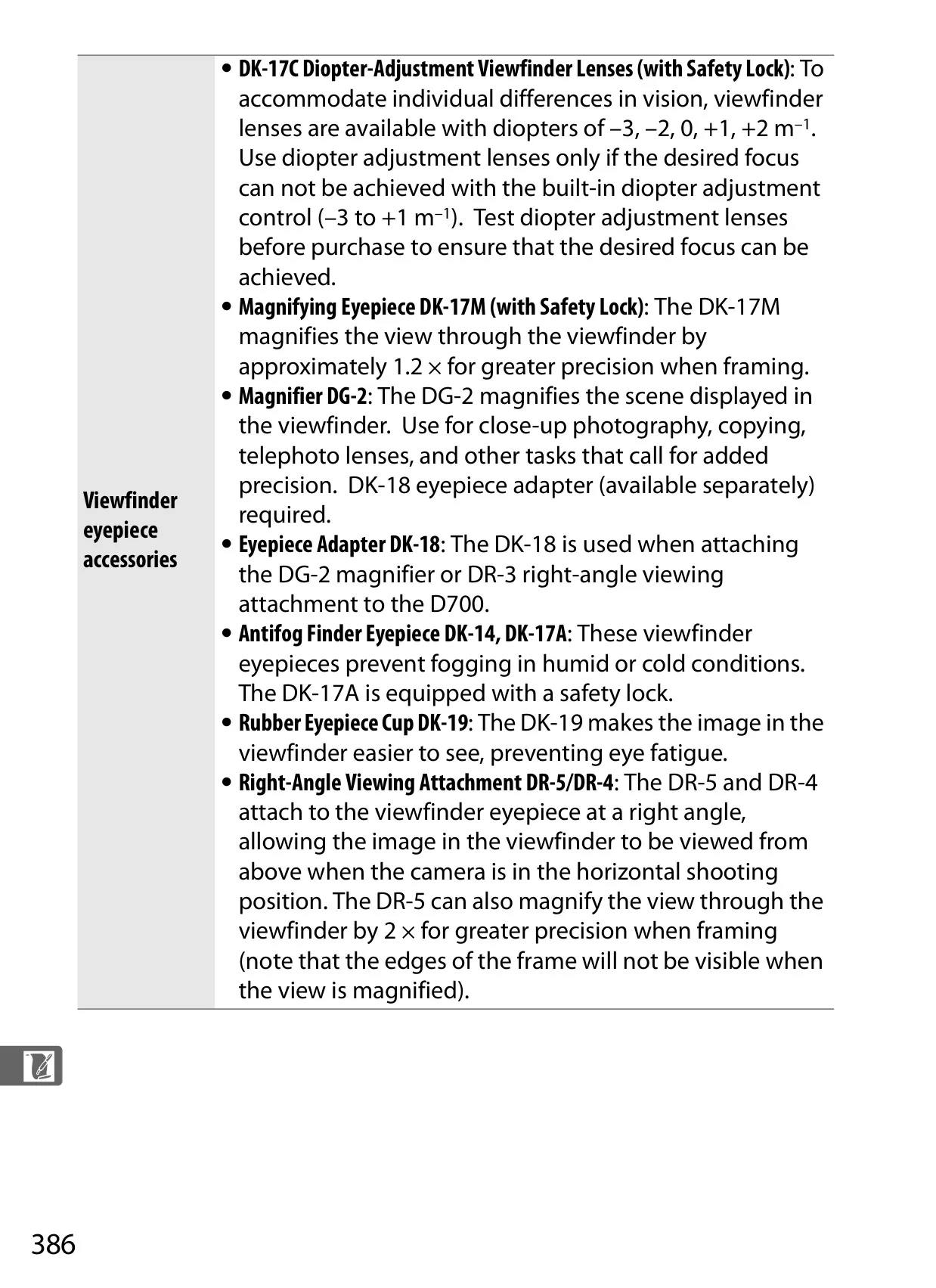
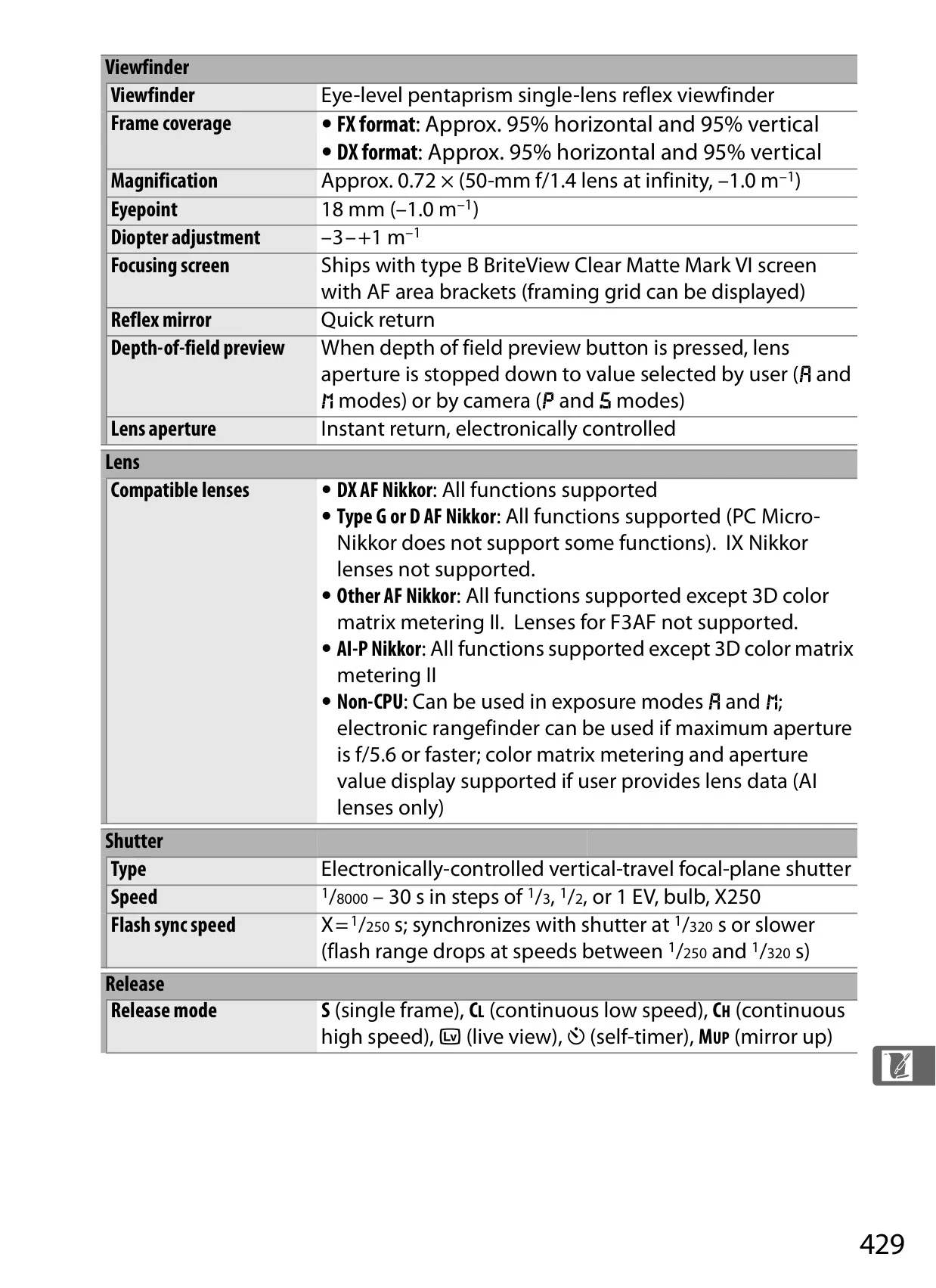
| Viewfinder Frame Coverage | Approx. 95% horizontal and 95% vertical (FX/DX) |
| Viewfinder Magnification | Approx. 0.72× |
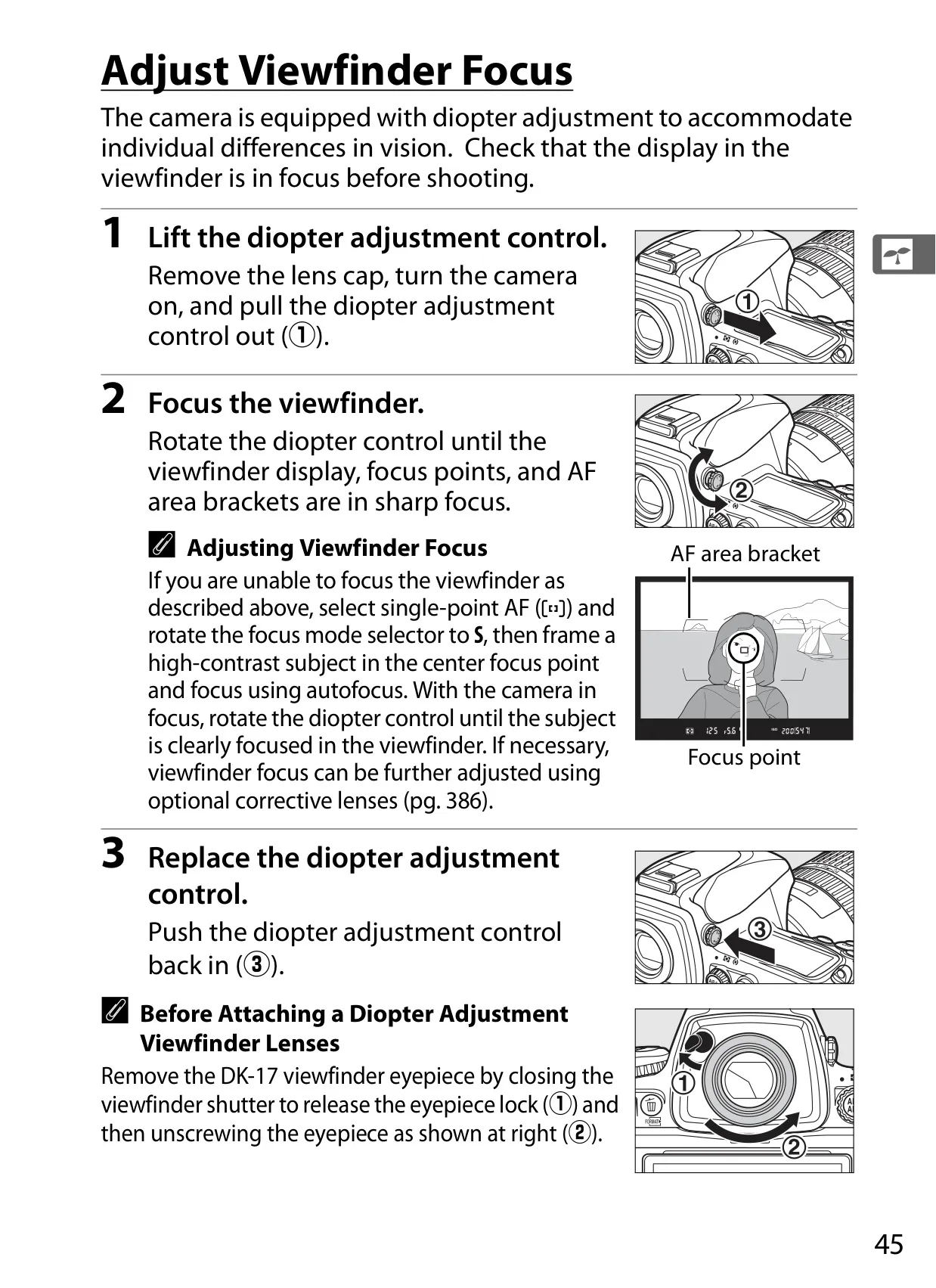
| Diopter Adjustment | –3 – +1 m–1 |
| Shutter Type | Electronically-controlled vertical-travel focal-plane shutter |
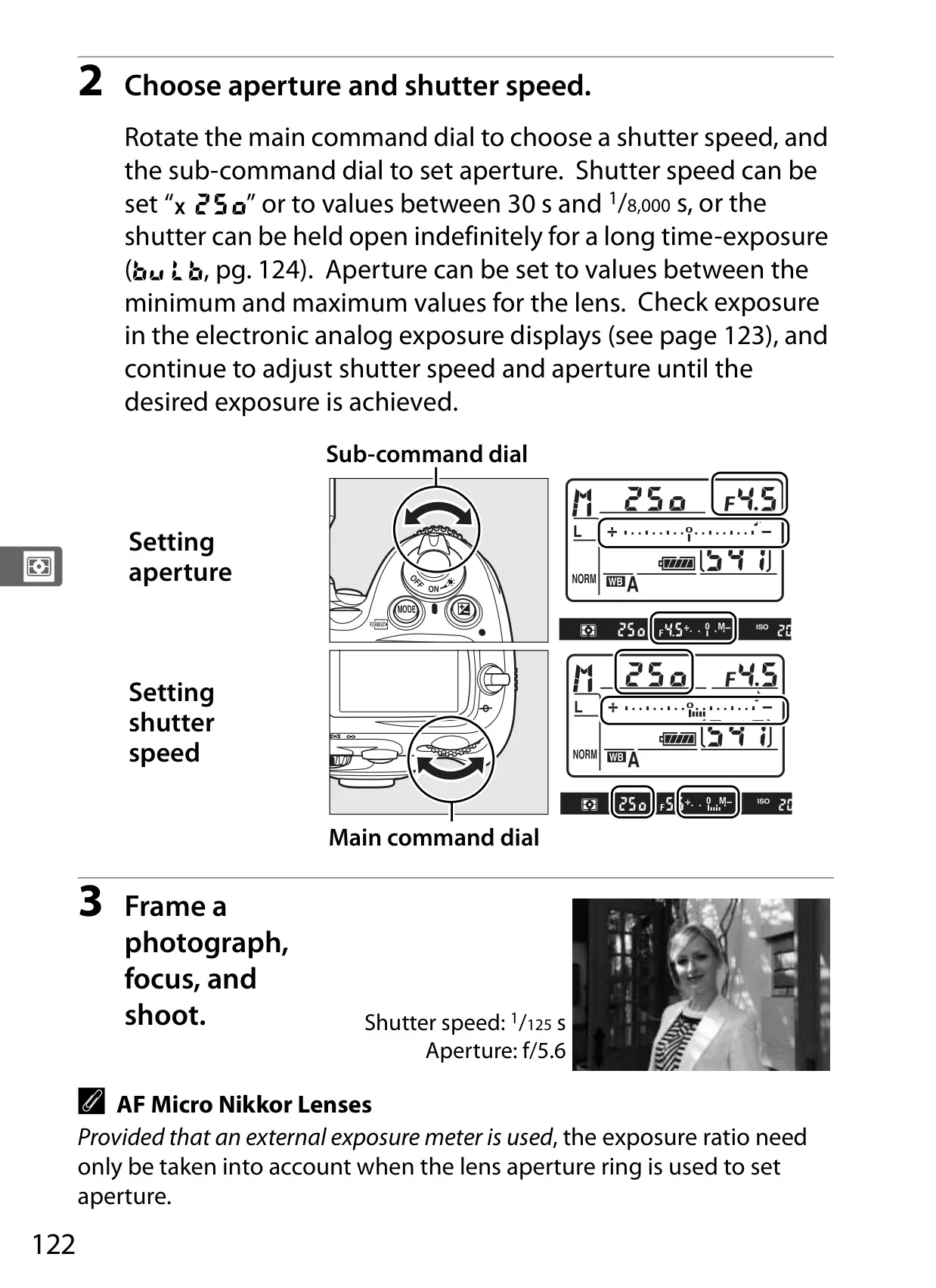
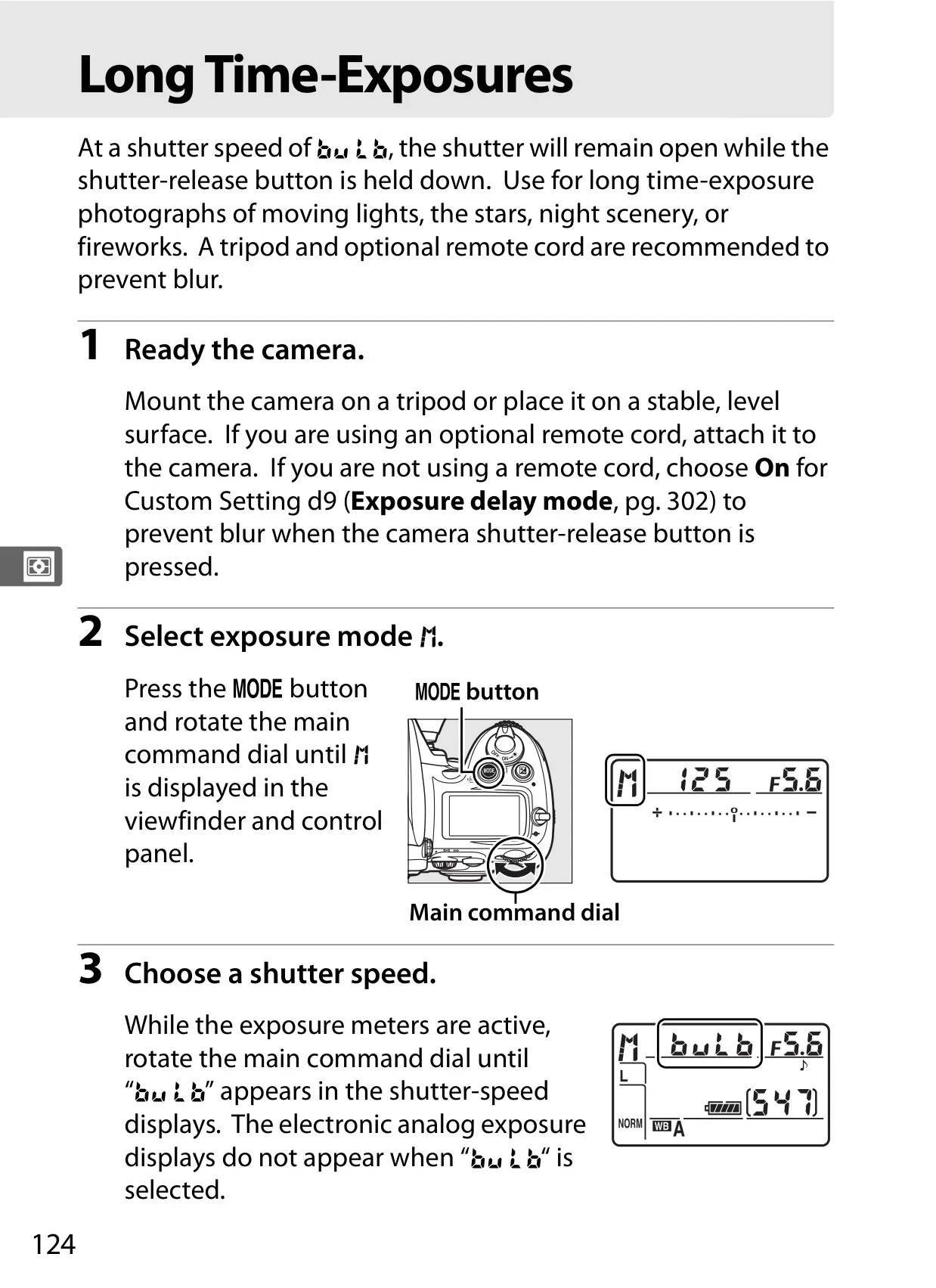
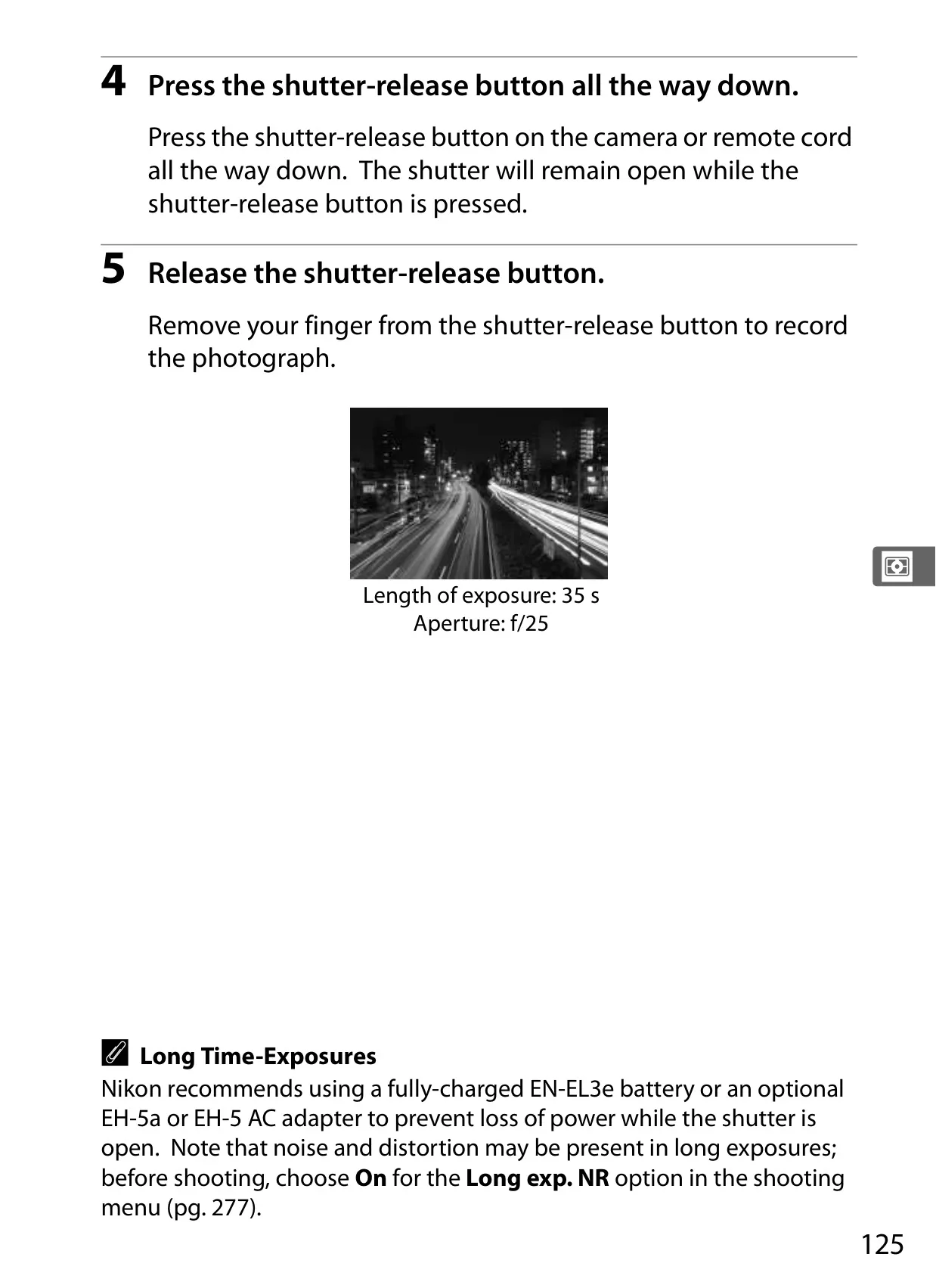
| Shutter Speed | 1/8000–30 s in 1/3, 1/2, or 1 EV steps, bulb, X250 |
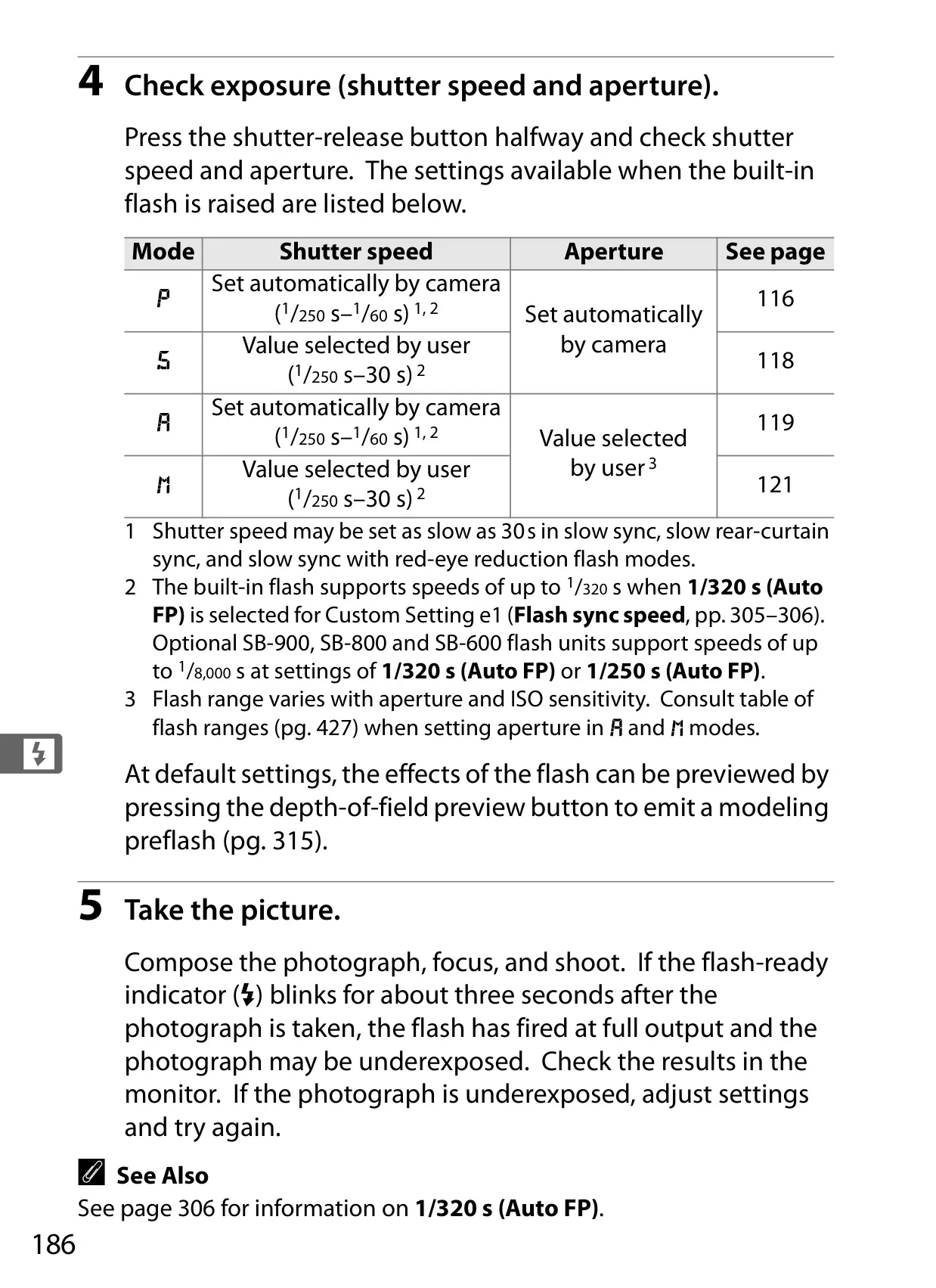
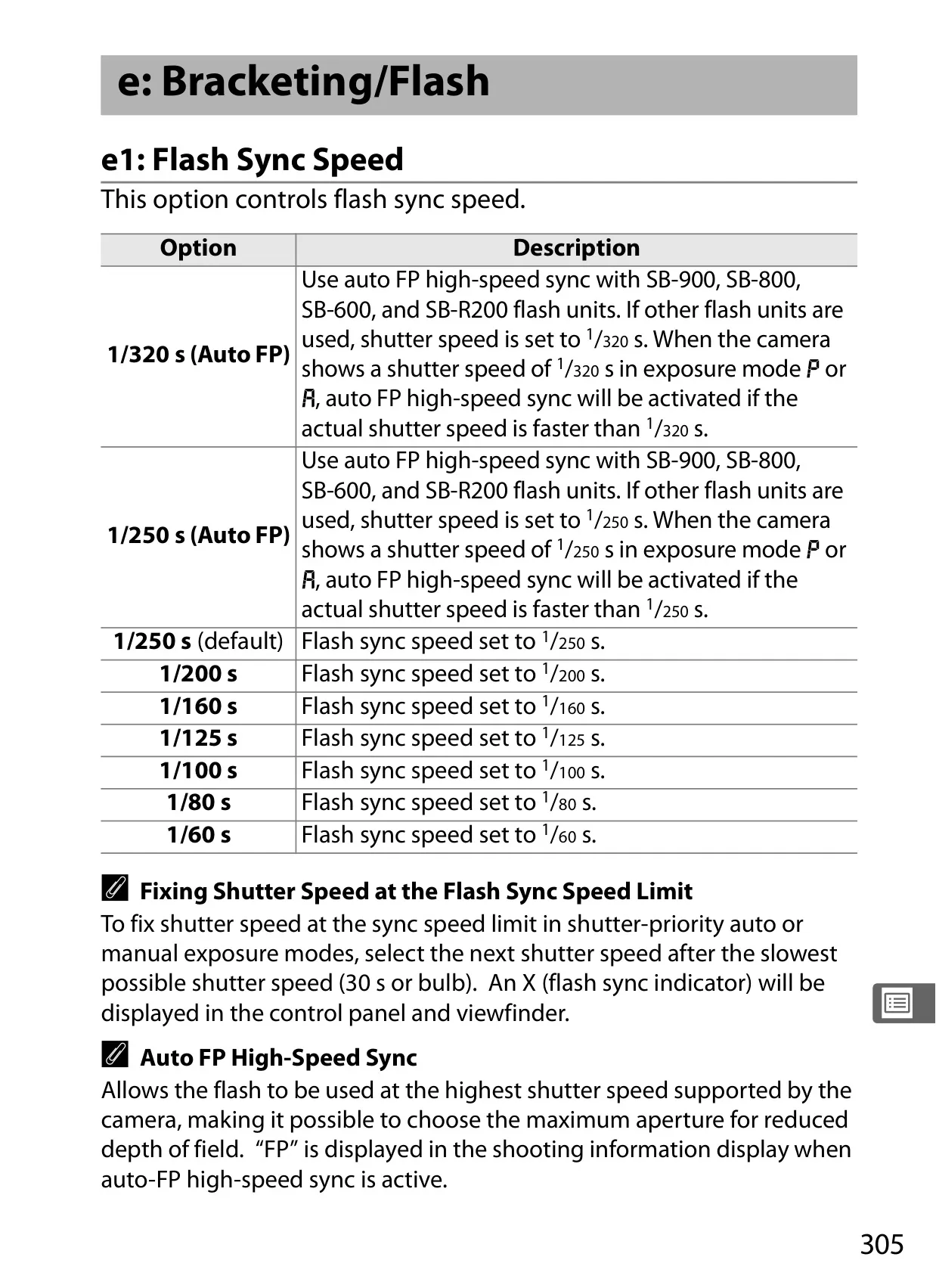
| Flash Sync Speed | X=1/250s; synchronizes with shutter at 1/320s or slower |
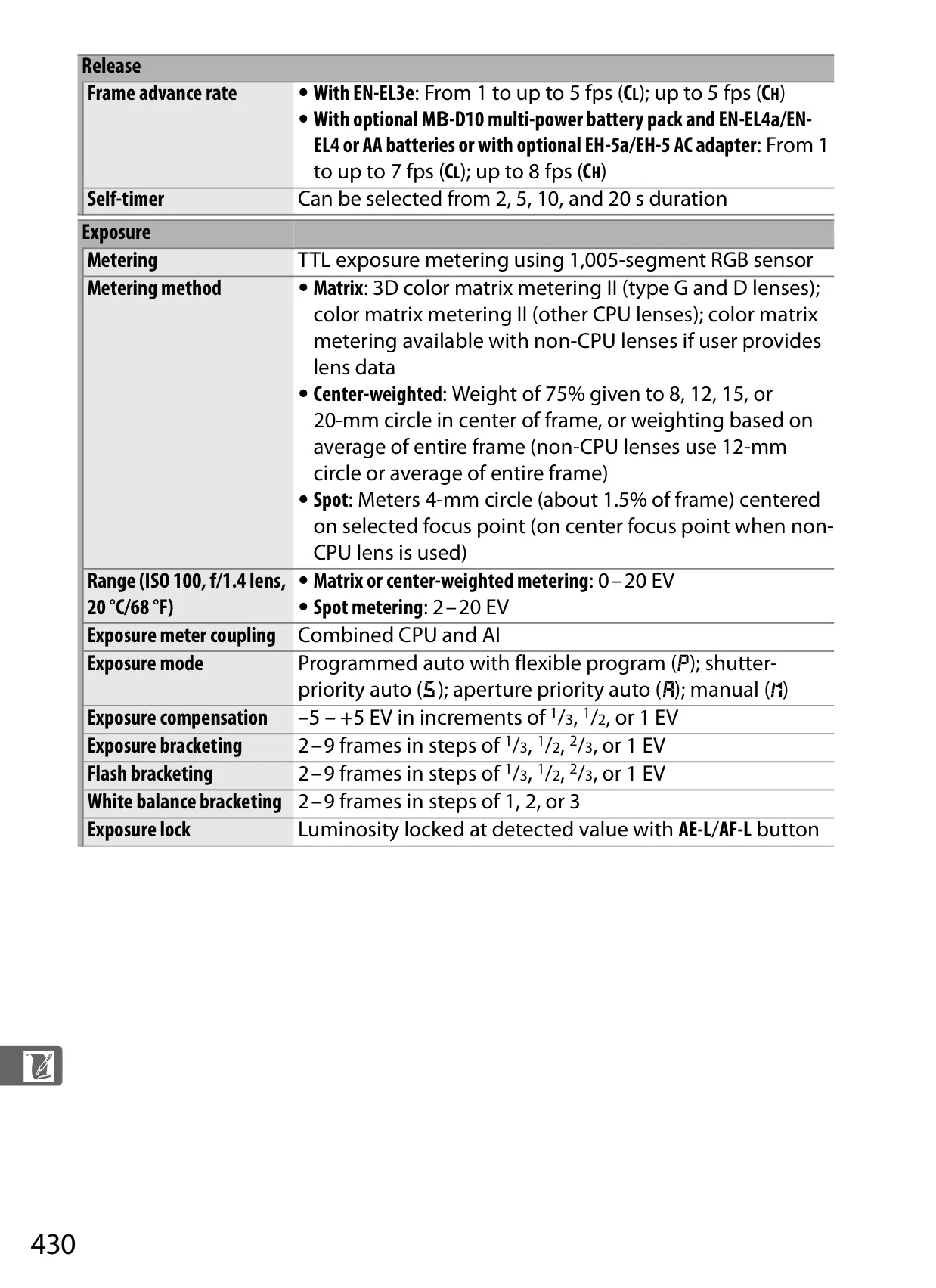
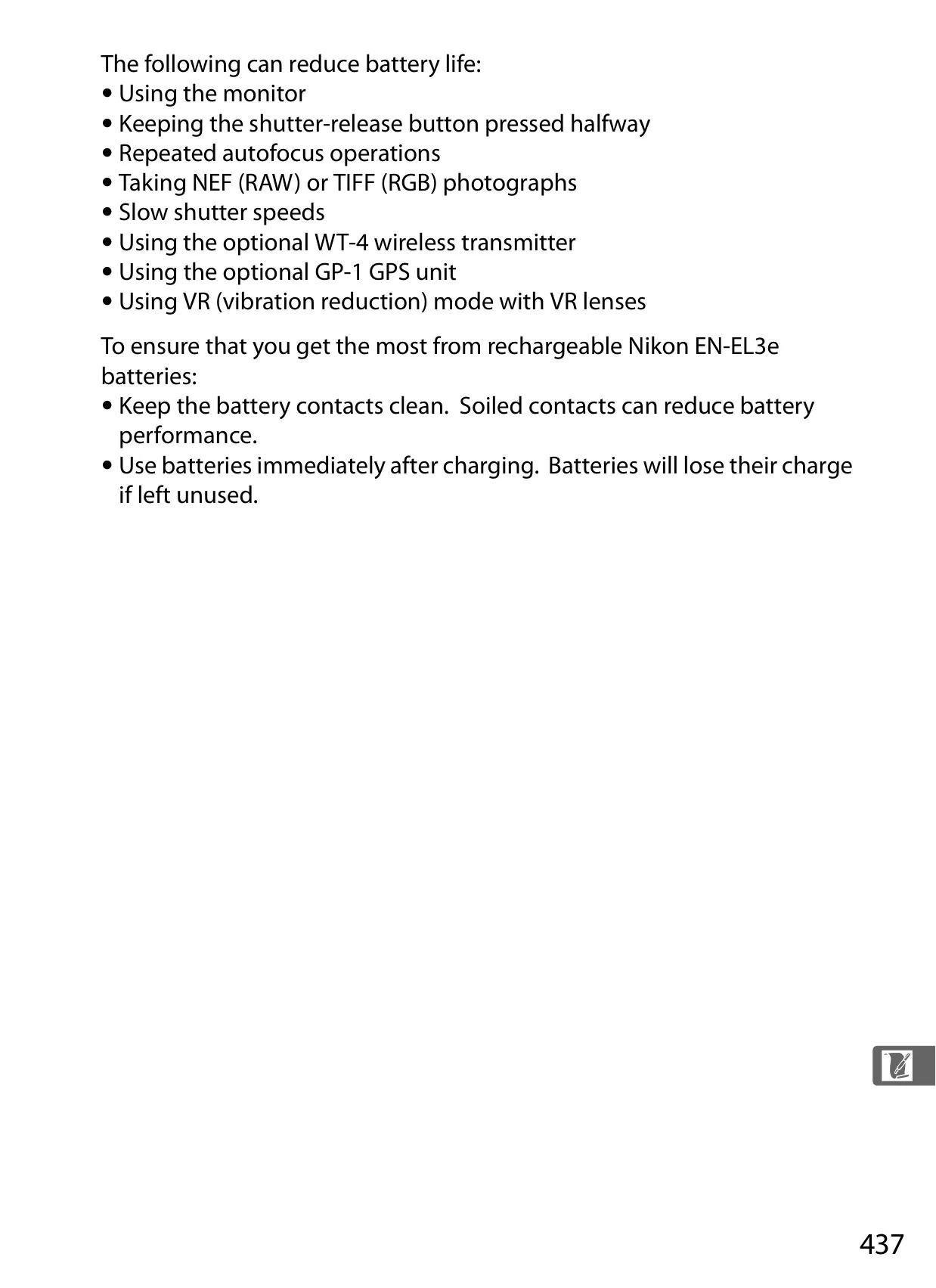
| Frame Advance Rate (EN-EL3e) | Up to 5 fps (CH) |
| Frame Advance Rate (MB-D10/AC adapter) | Up to 8 fps (CH) |
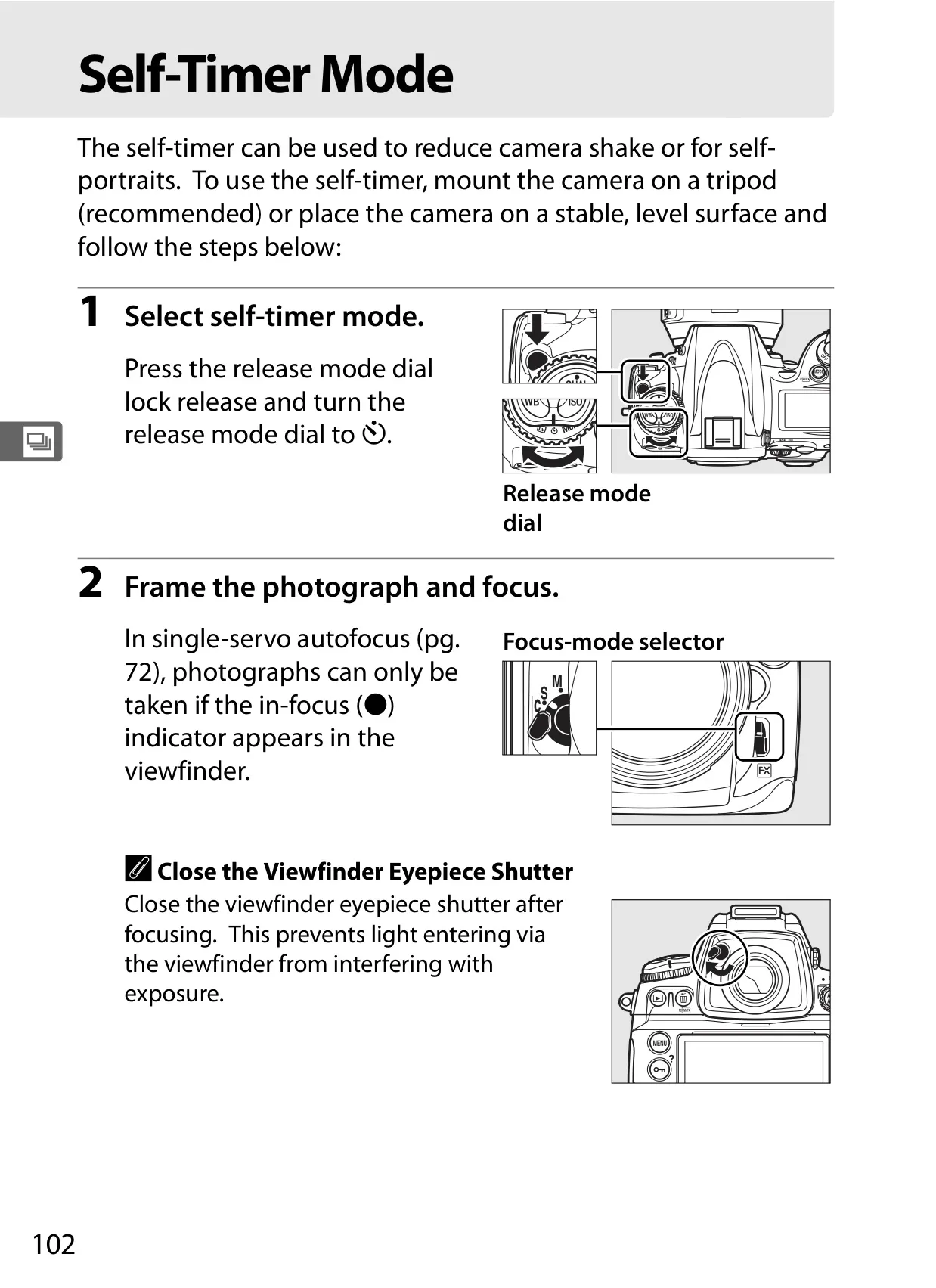
| Self-timer | 2, 5, 10, or 20 s duration |
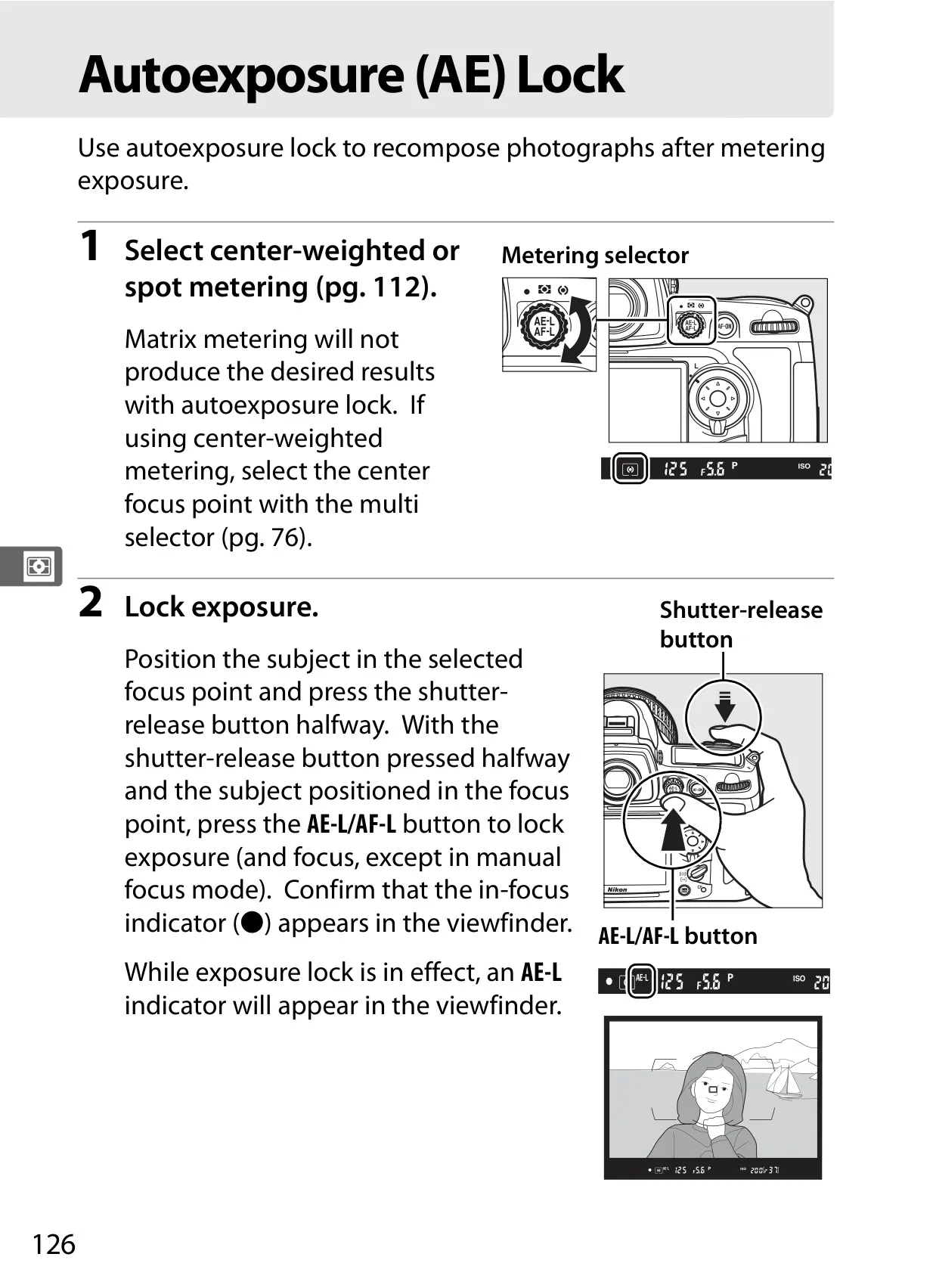
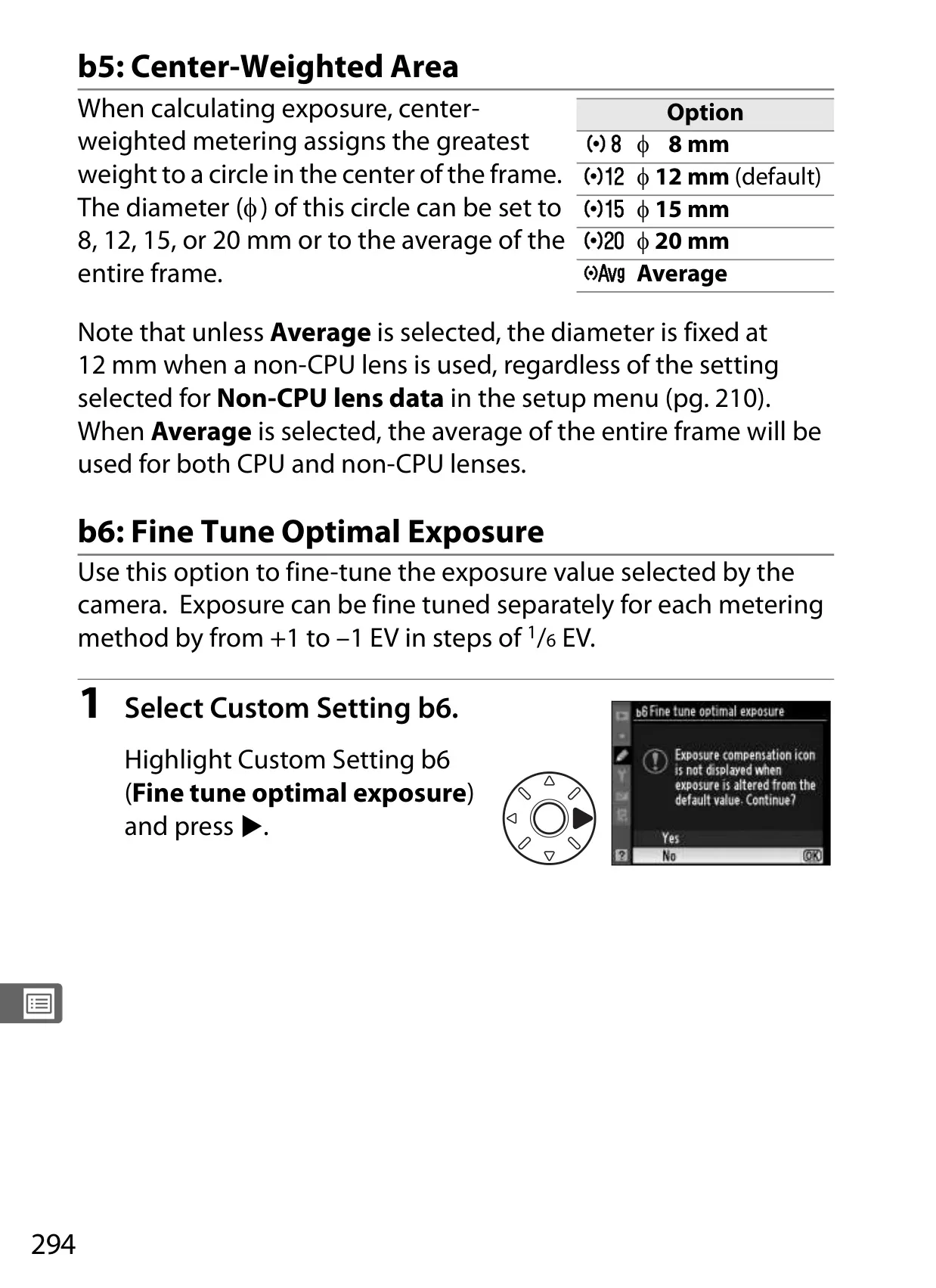
| Metering Method | Matrix (3D color matrix metering II), Center-weighted, Spot |
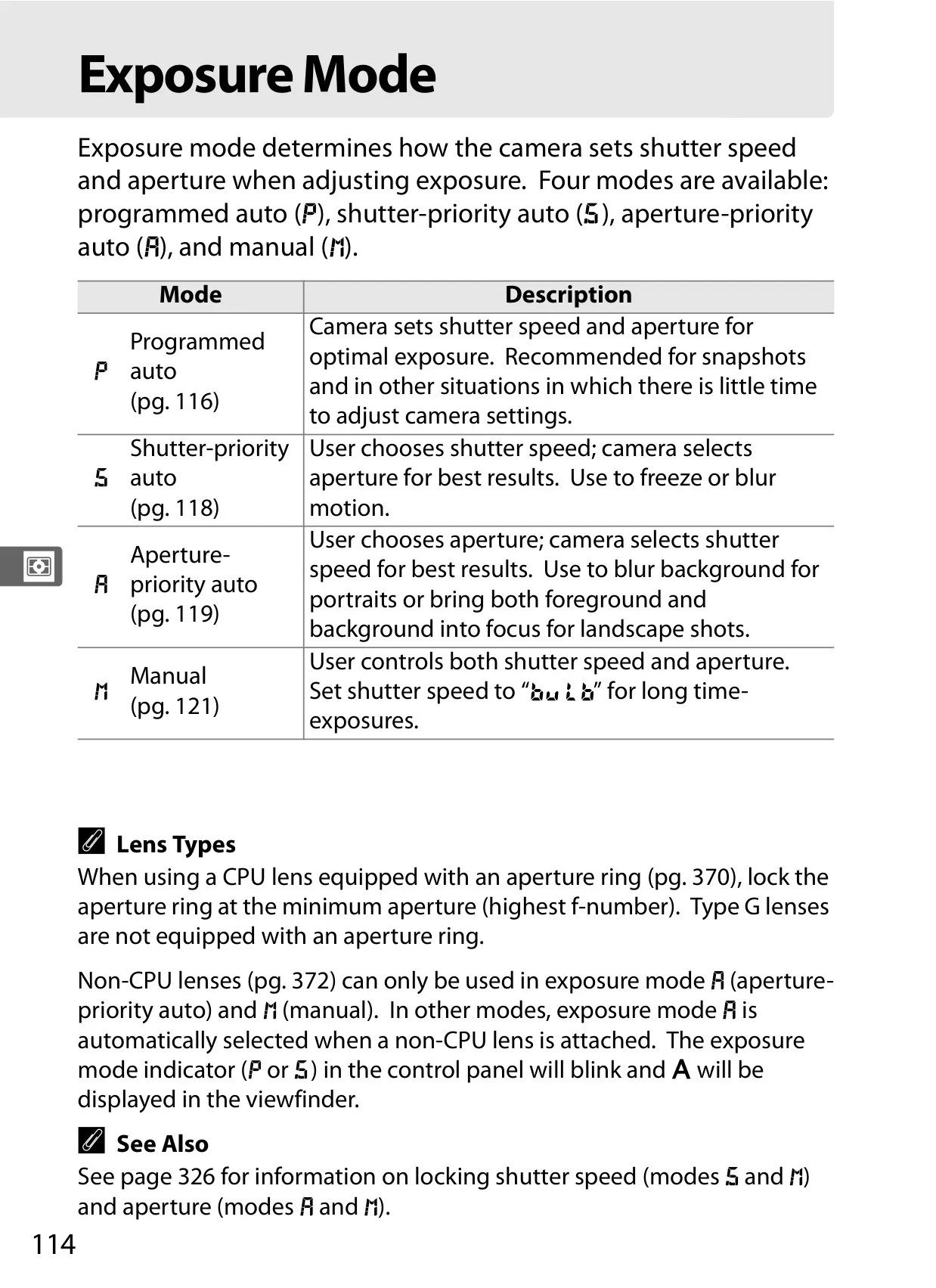
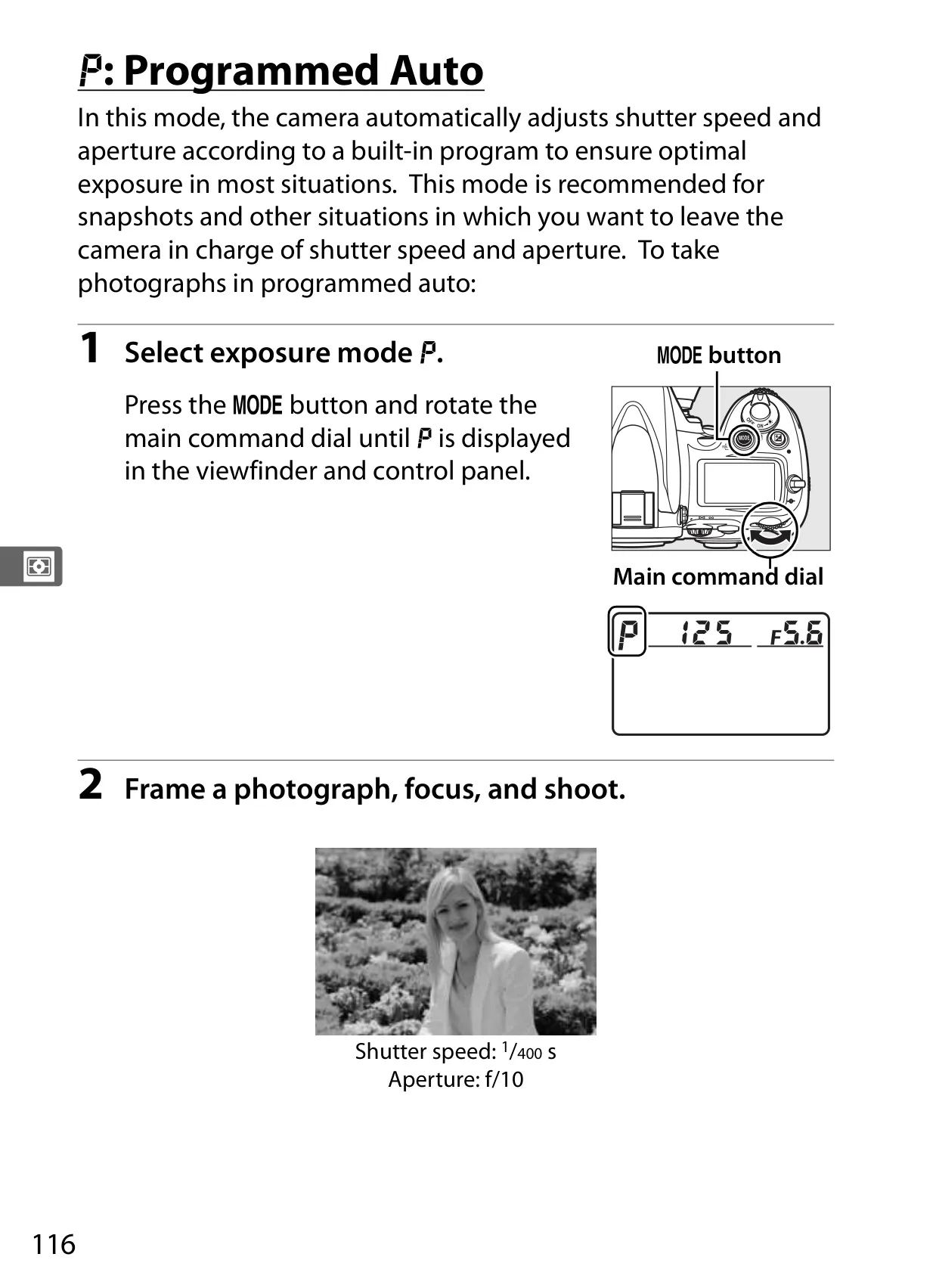
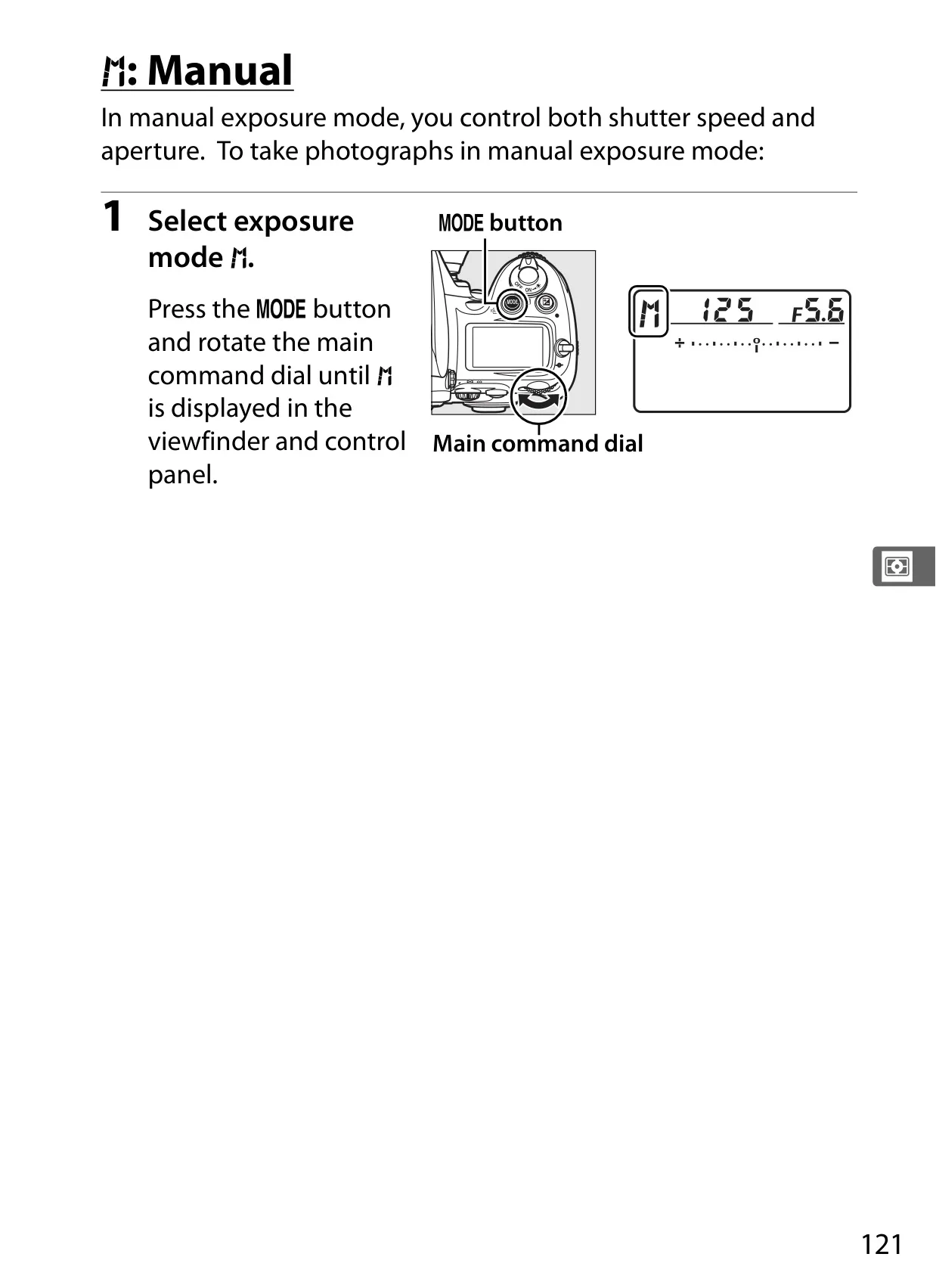
| Exposure Mode | Programmed auto (e), Shutter-priority auto (f), Aperture-priority auto (g), Manual (h) |
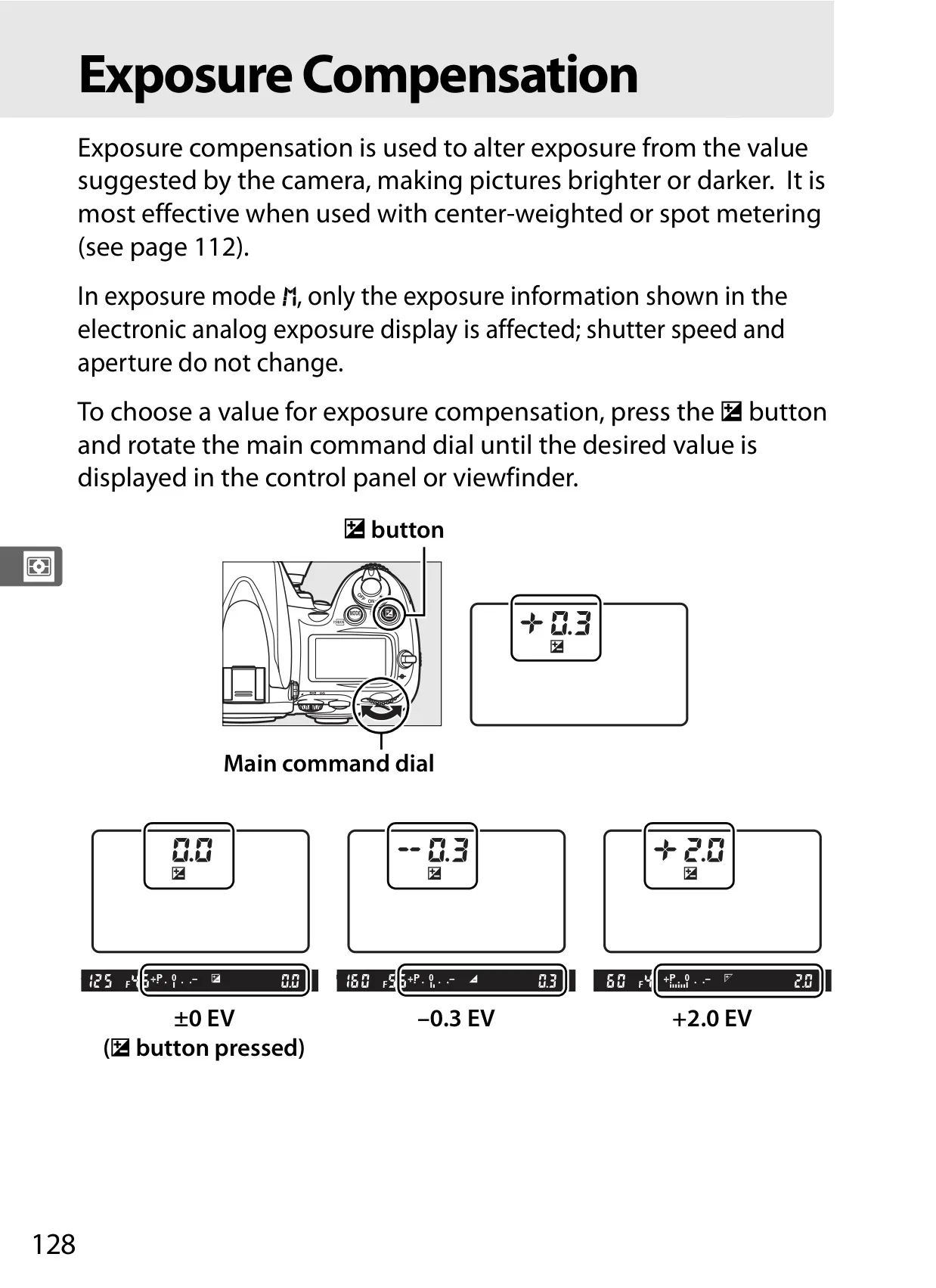
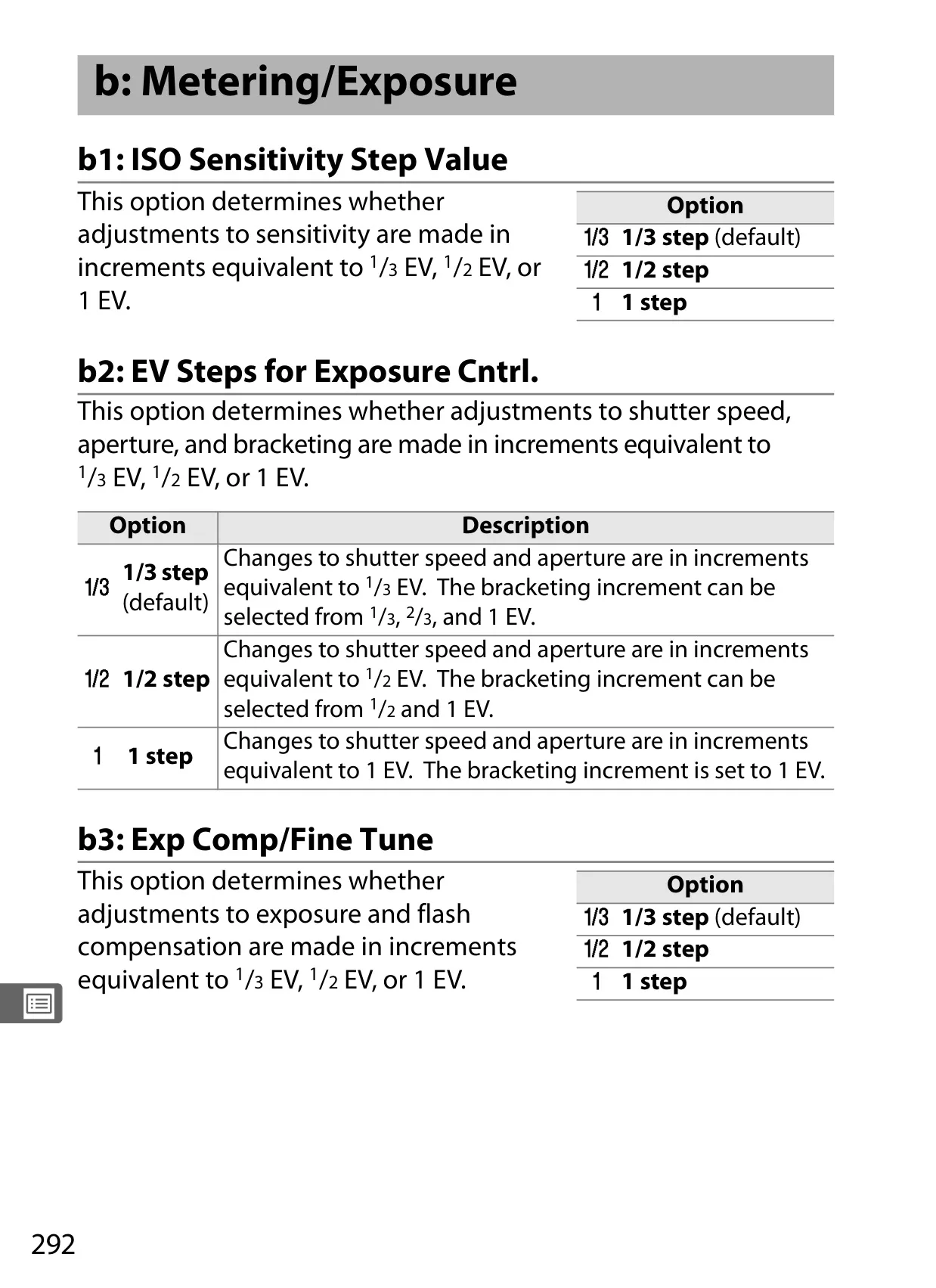
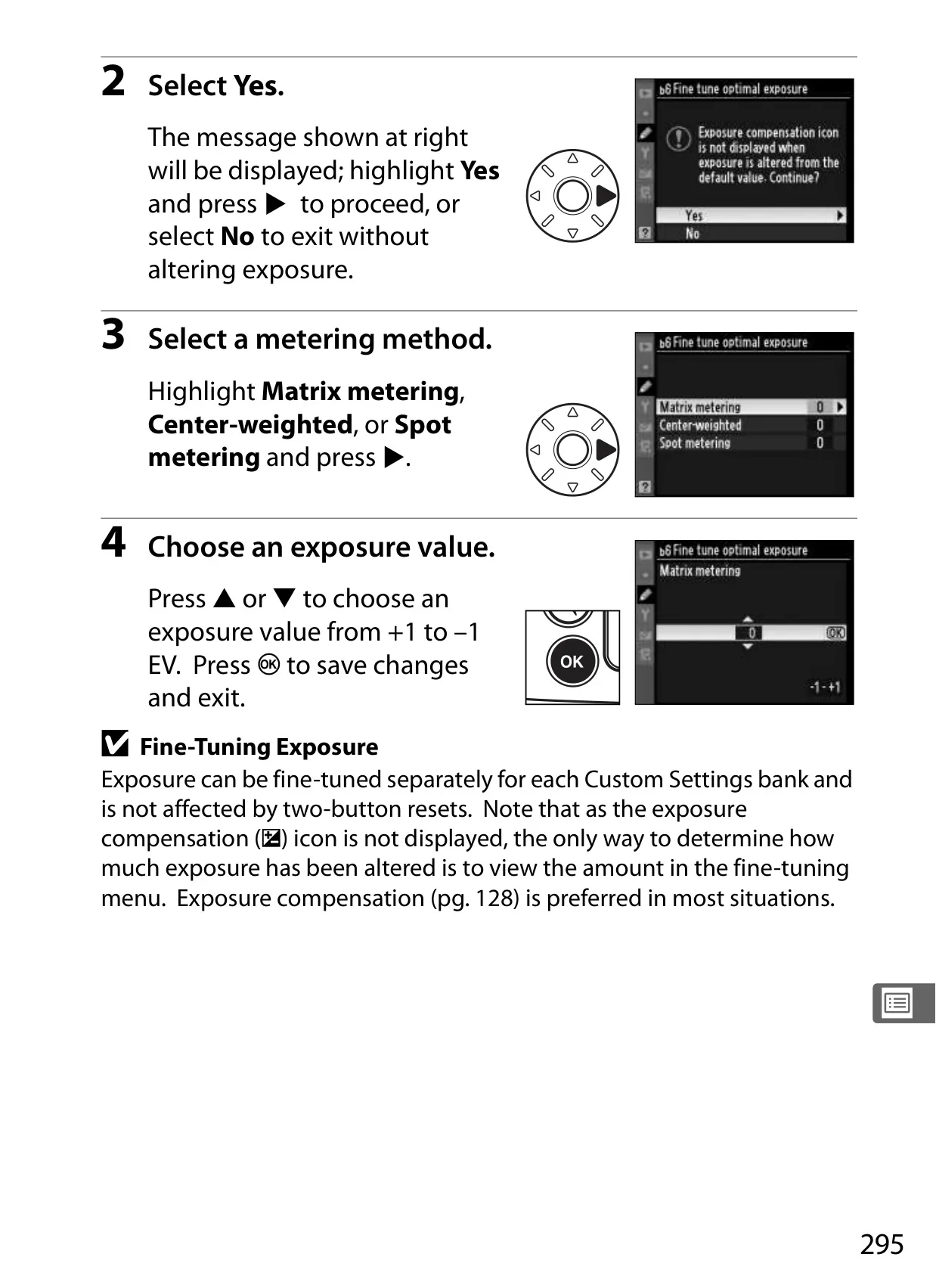
| Exposure Compensation | –5 – +5 EV in 1/3, 1/2, or 1 EV increments |
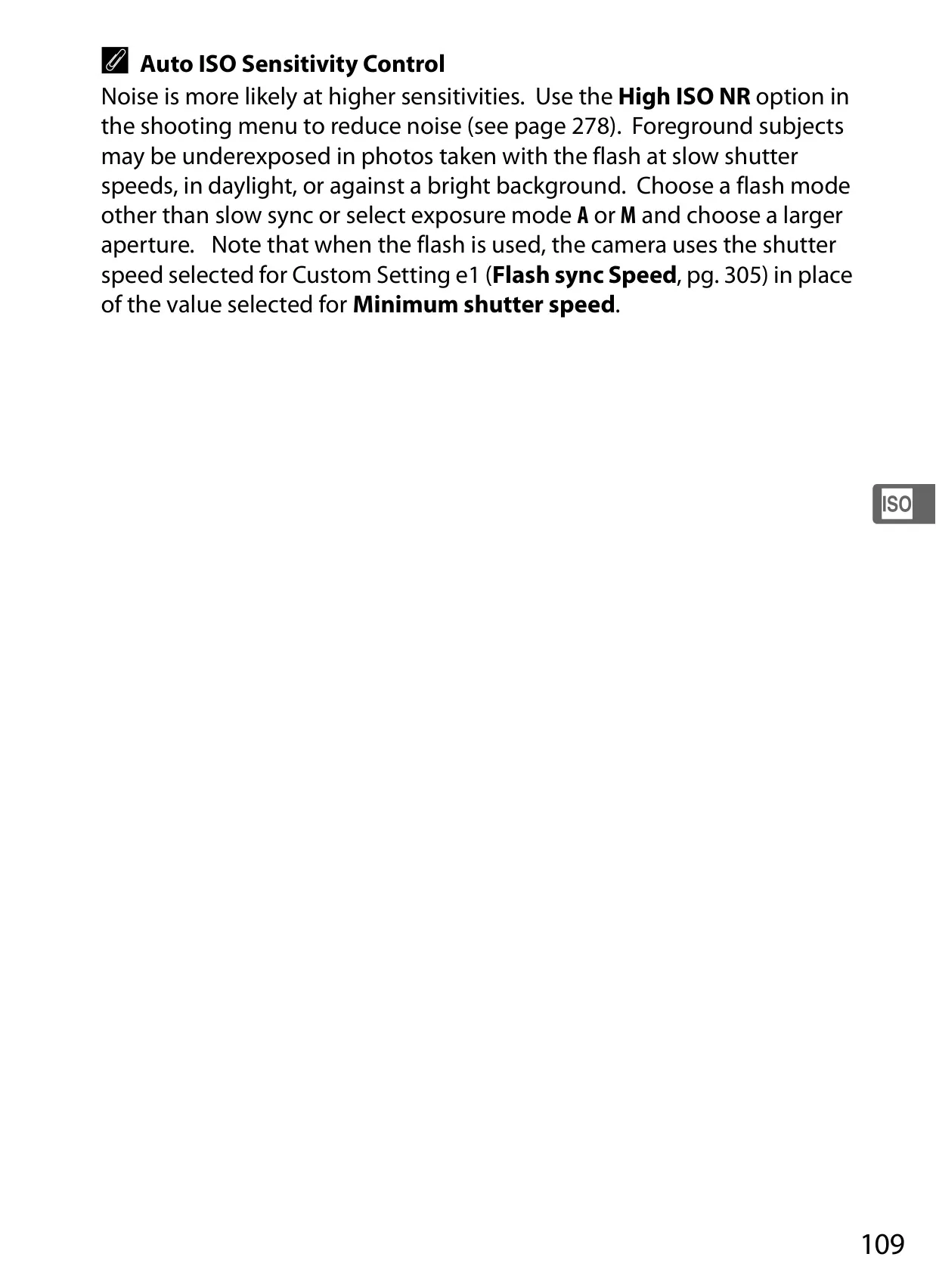
| ISO Sensitivity (Recommended) | ISO 200 – 6400 (expandable to Lo 1 / Hi 2) |
| Autofocus System | Nikon Multi-CAM 3500FX (TTL phase detection, 51 points) |
| AF Detection Range | –1 – +19 EV (ISO 100, 20 °C/68 °F) |
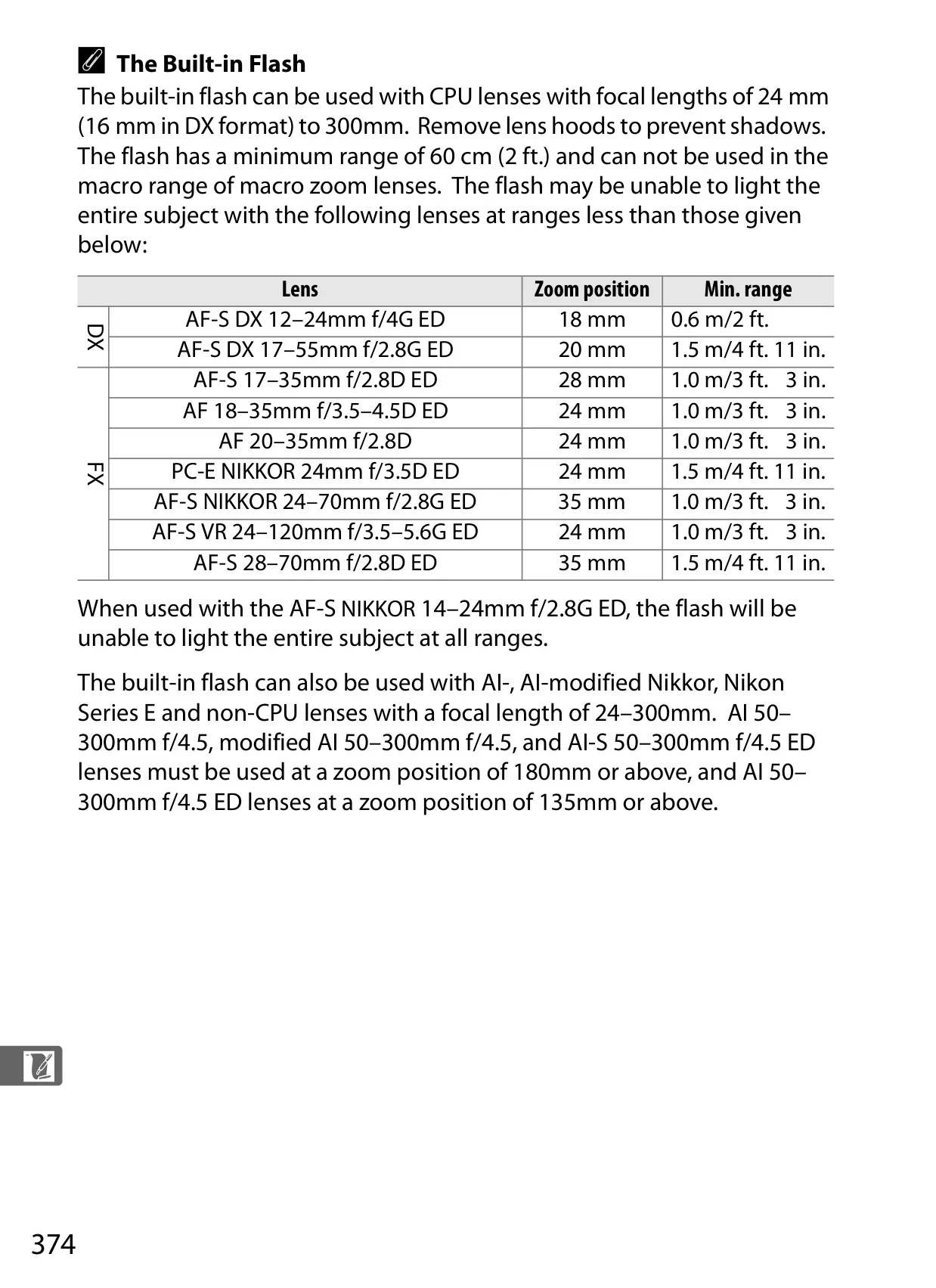
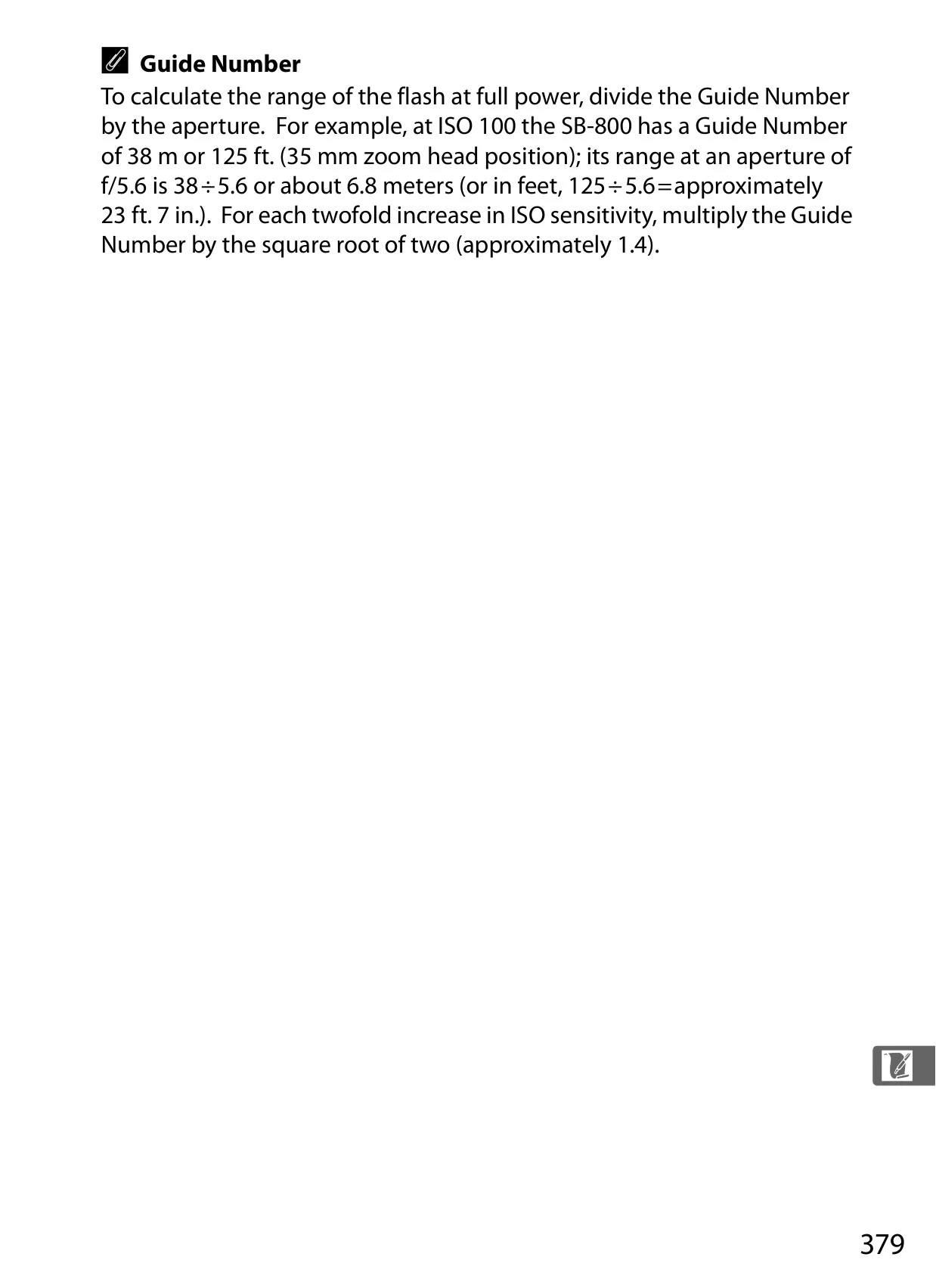
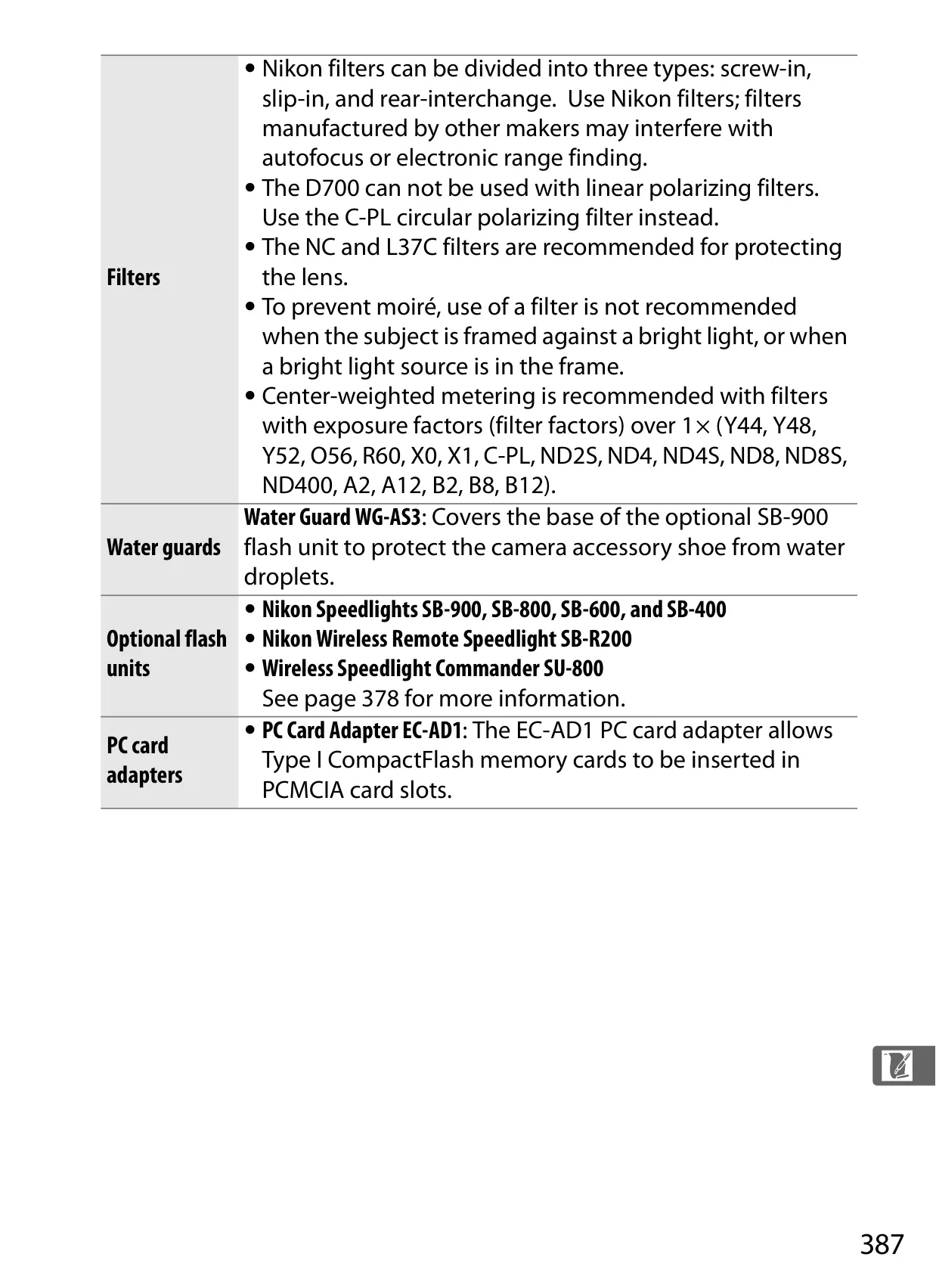
| Built-in Flash Guide Number | GN 17/56 (m/ft, ISO 200, 20 °C/68 °F) |
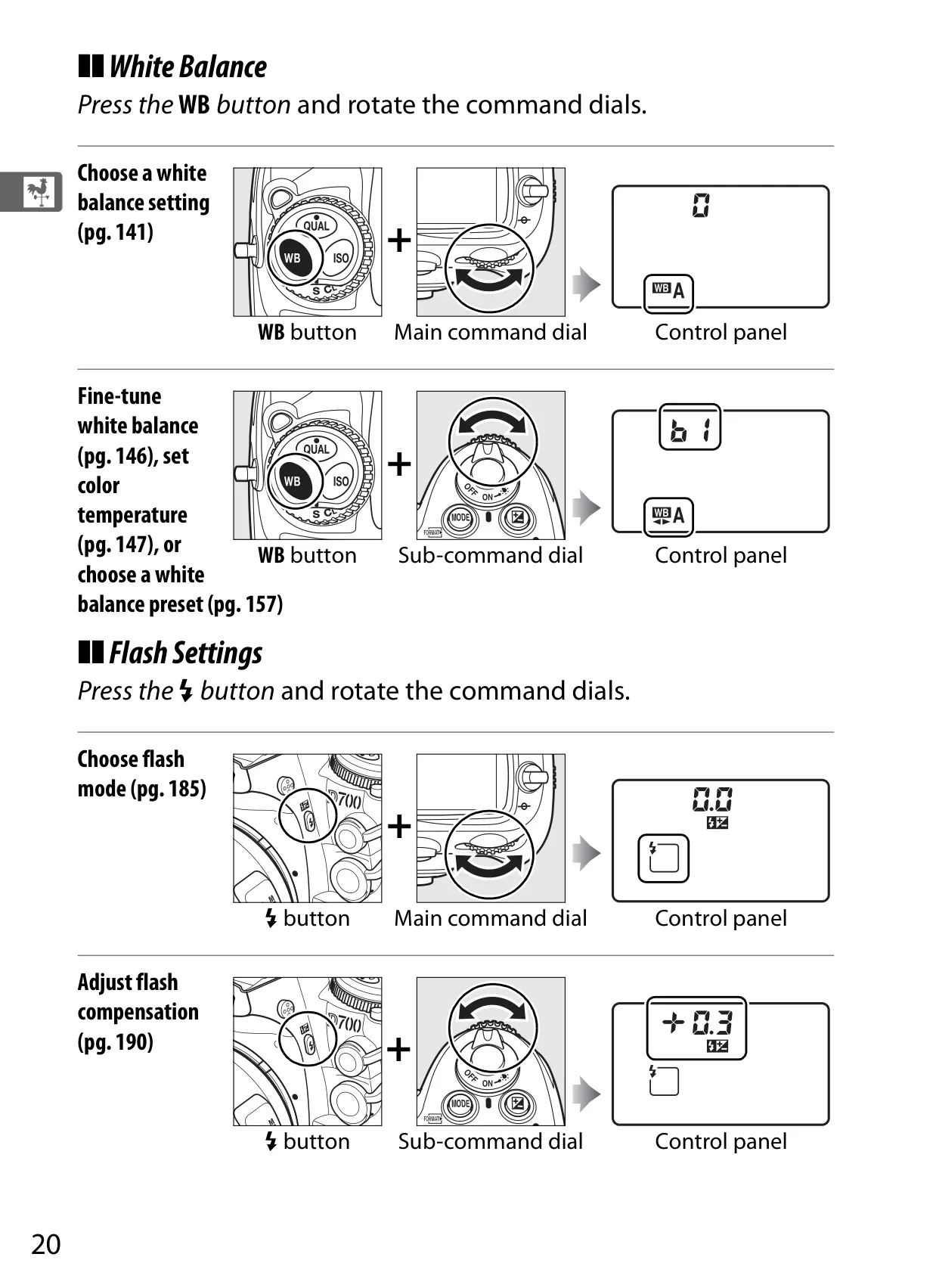
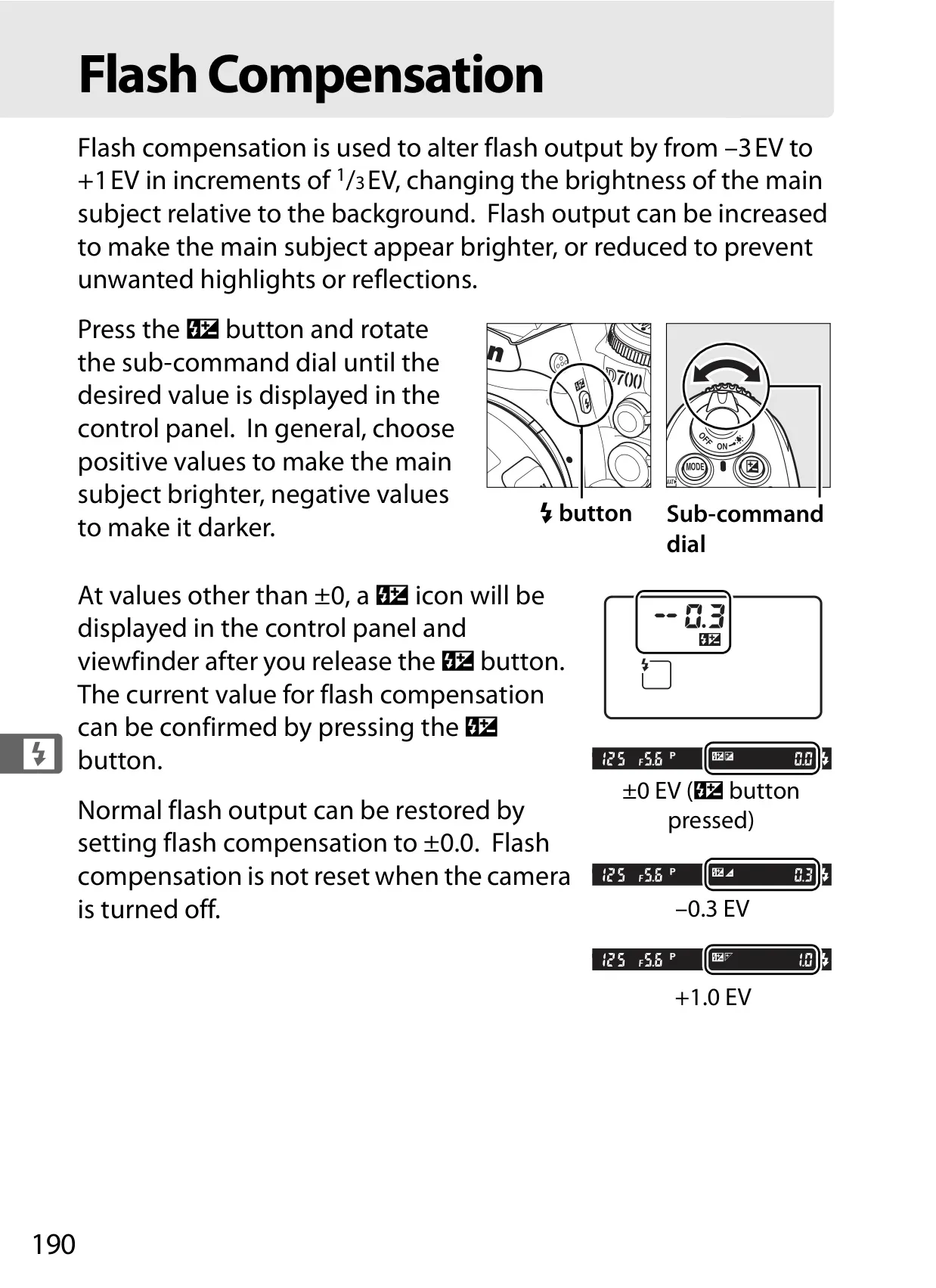
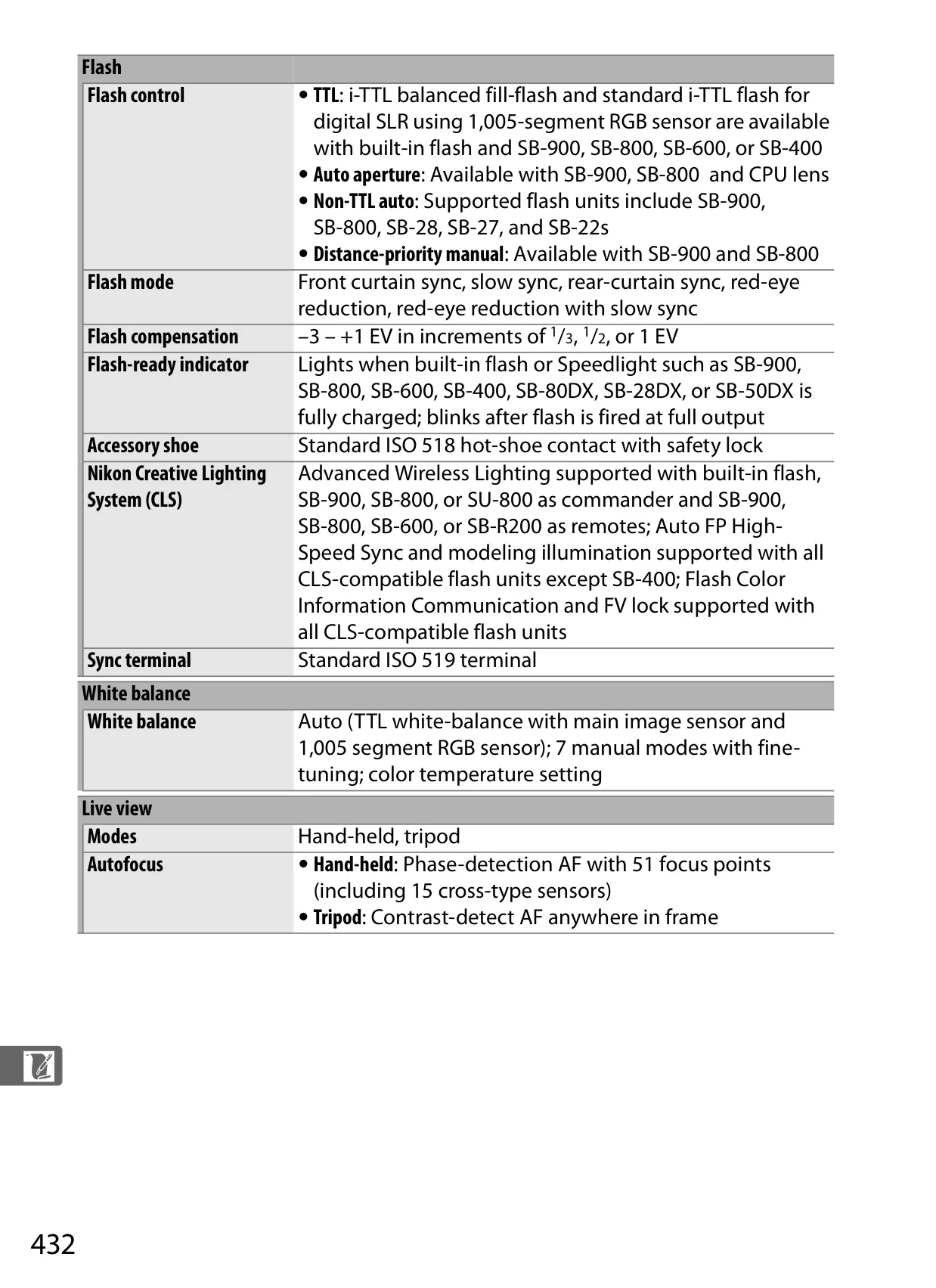
| Flash Compensation | –3 – +1 EV in 1/3, 1/2, or 1 EV increments |
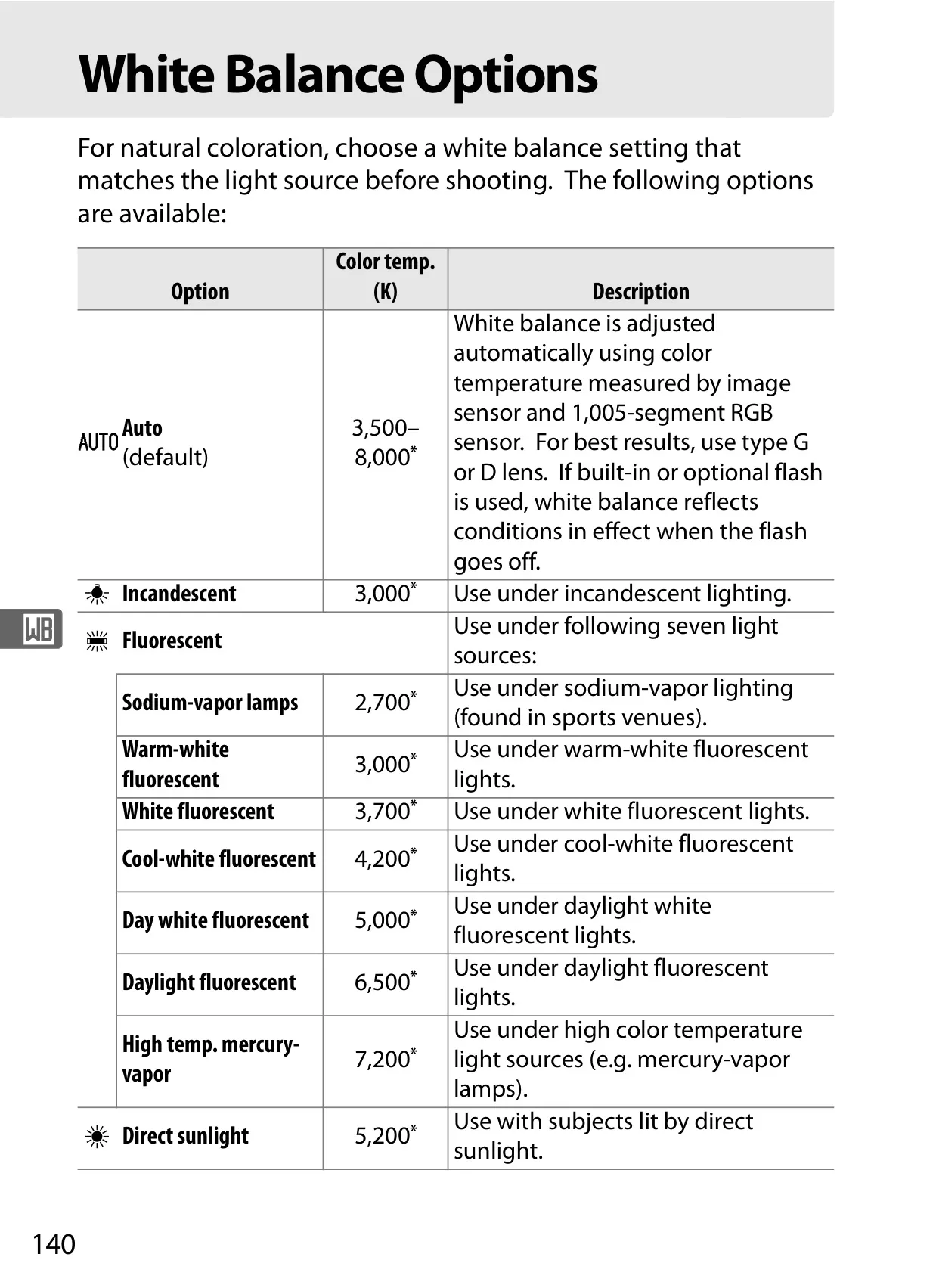
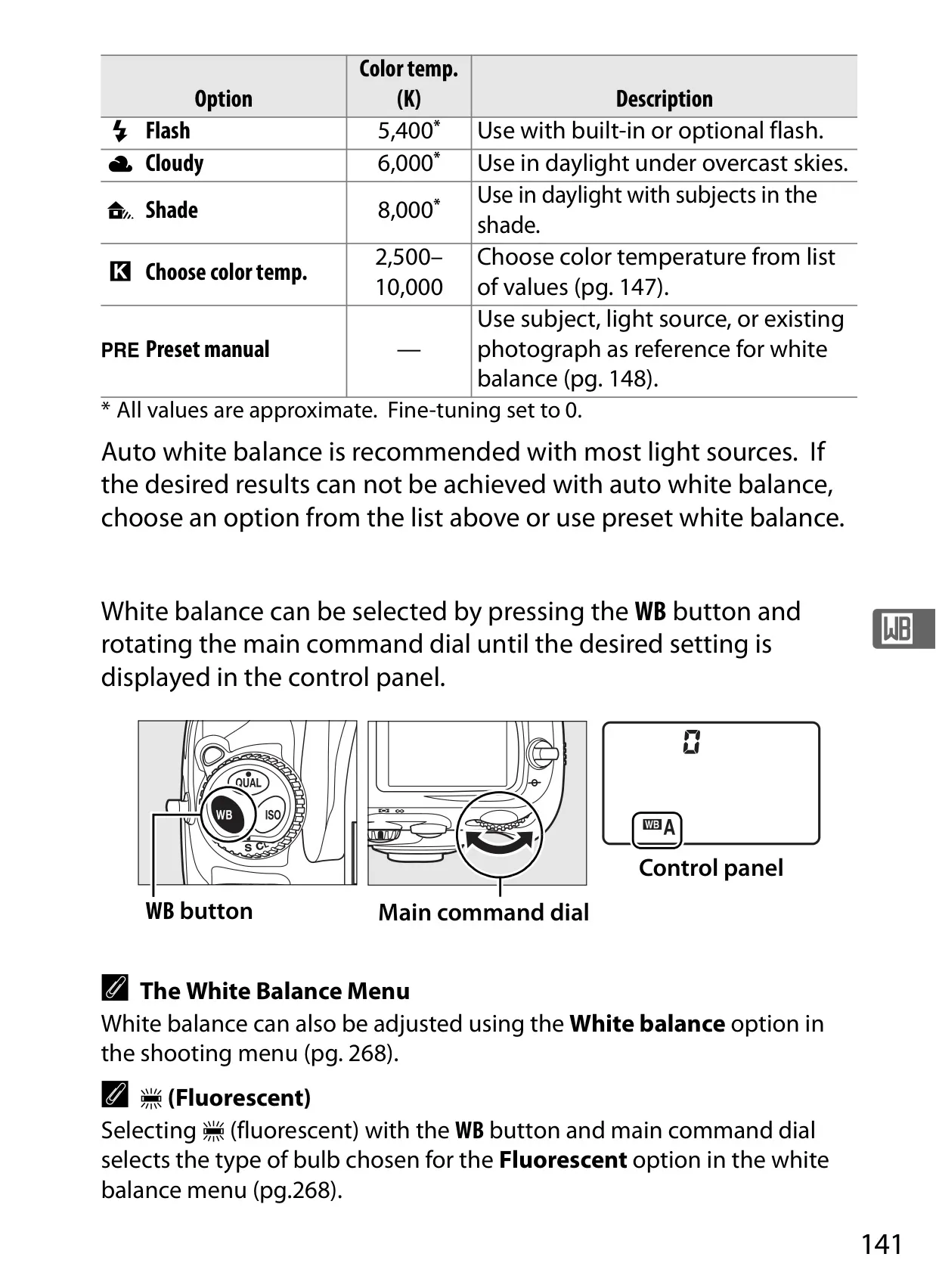
| White Balance | Auto, 7 manual modes with fine-tuning, color temperature |
| Monitor | 3-in., 920k-dot (VGA) TFT LCD with 170° viewing angle |
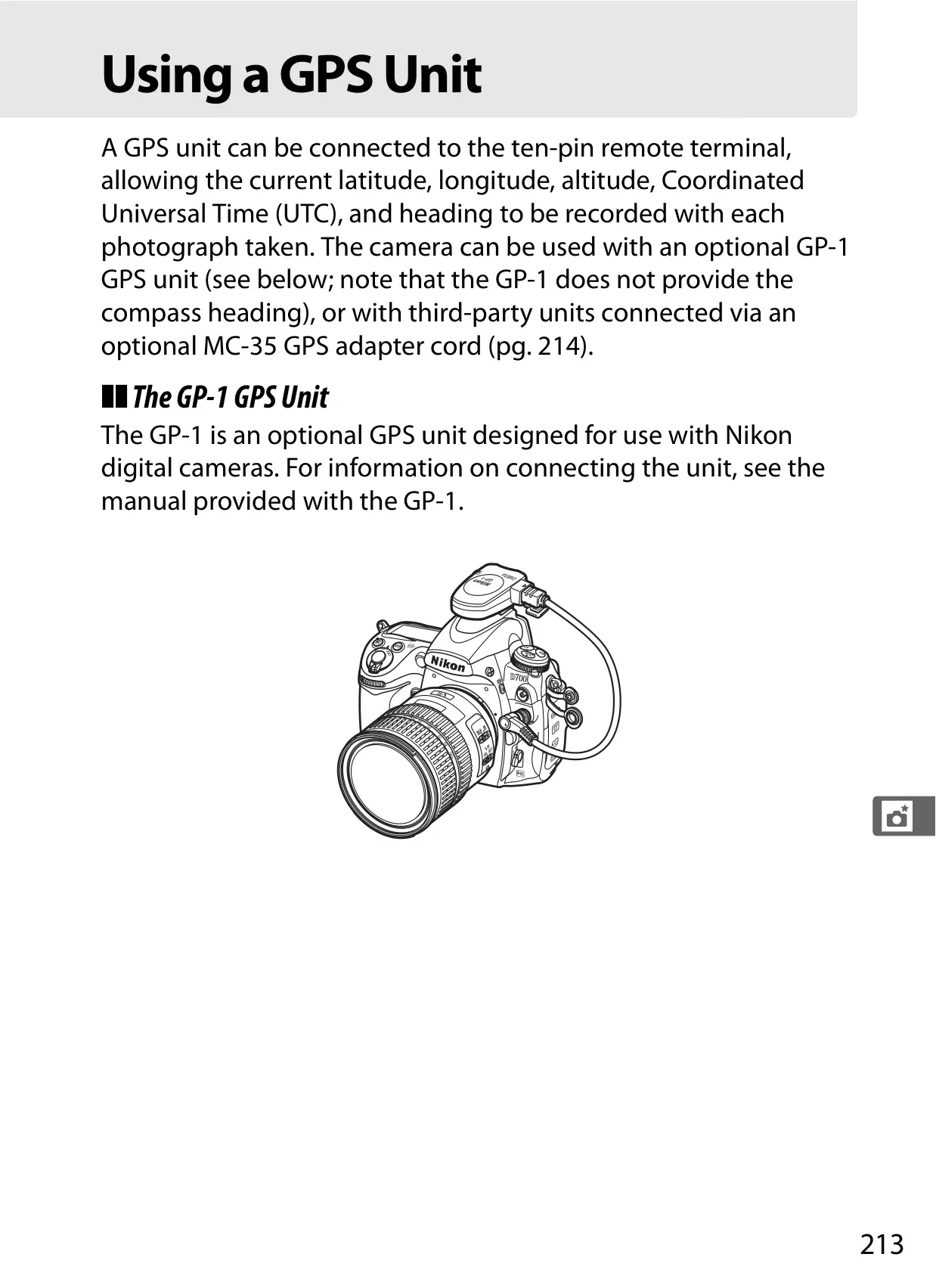
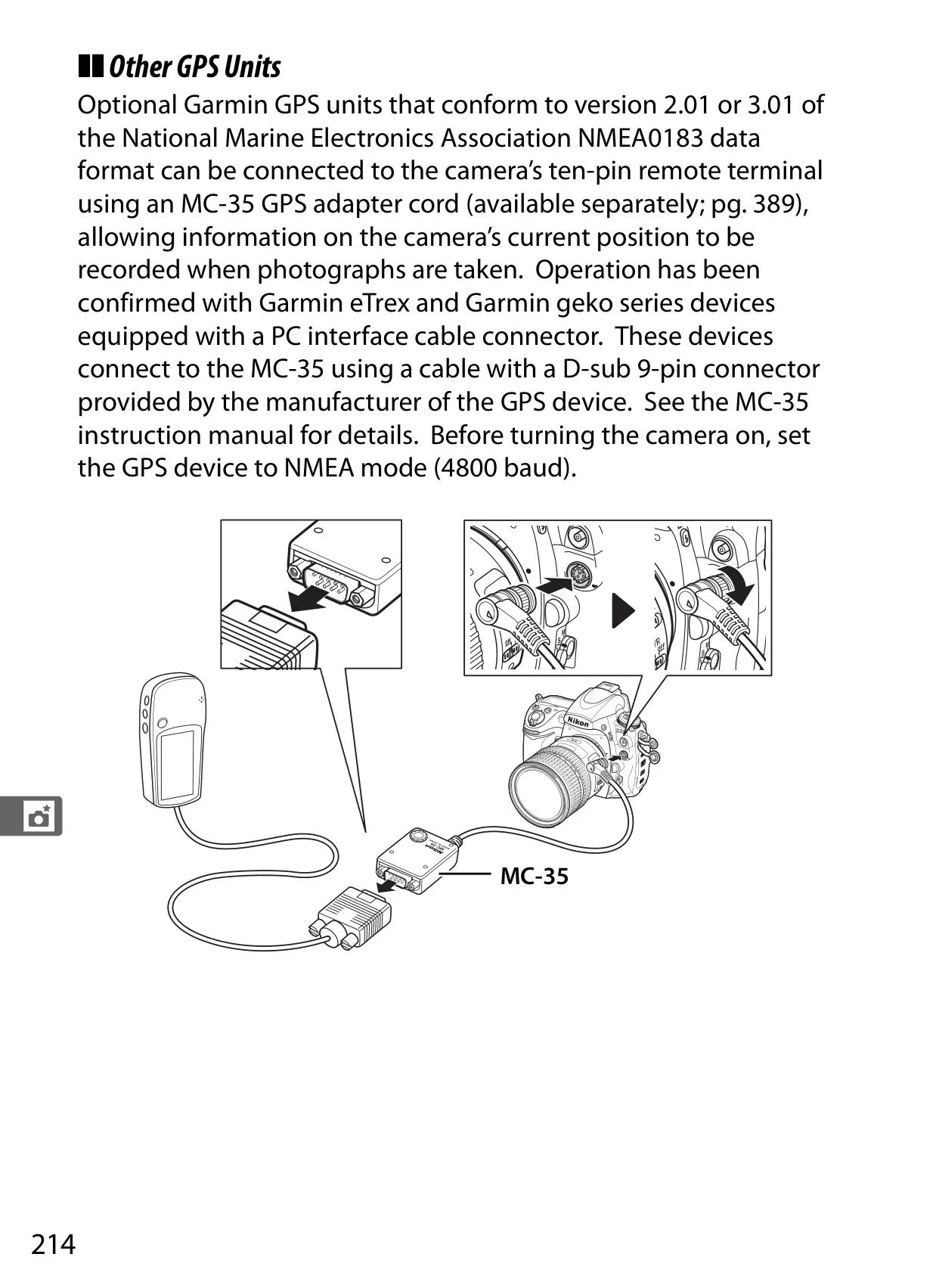
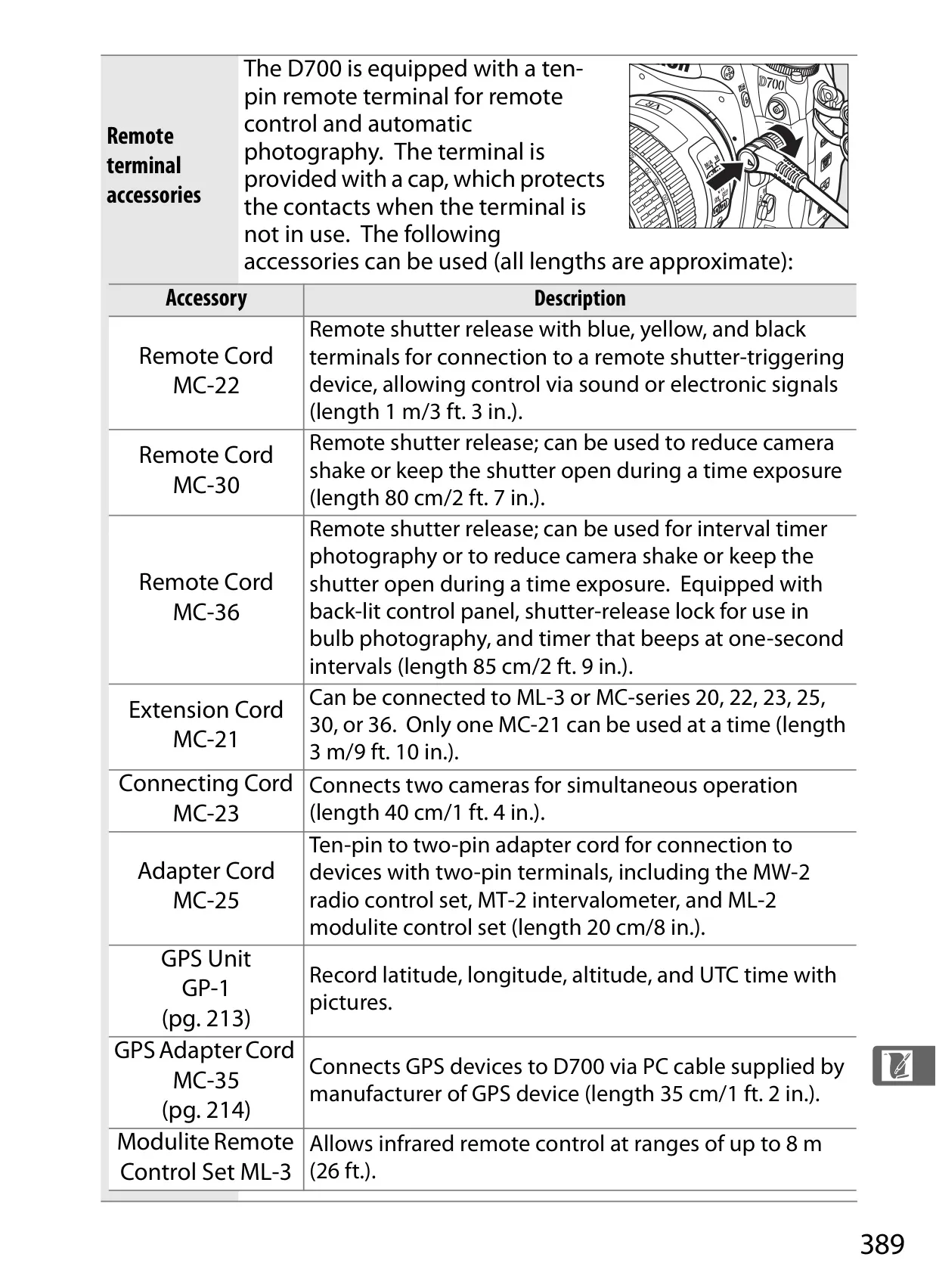
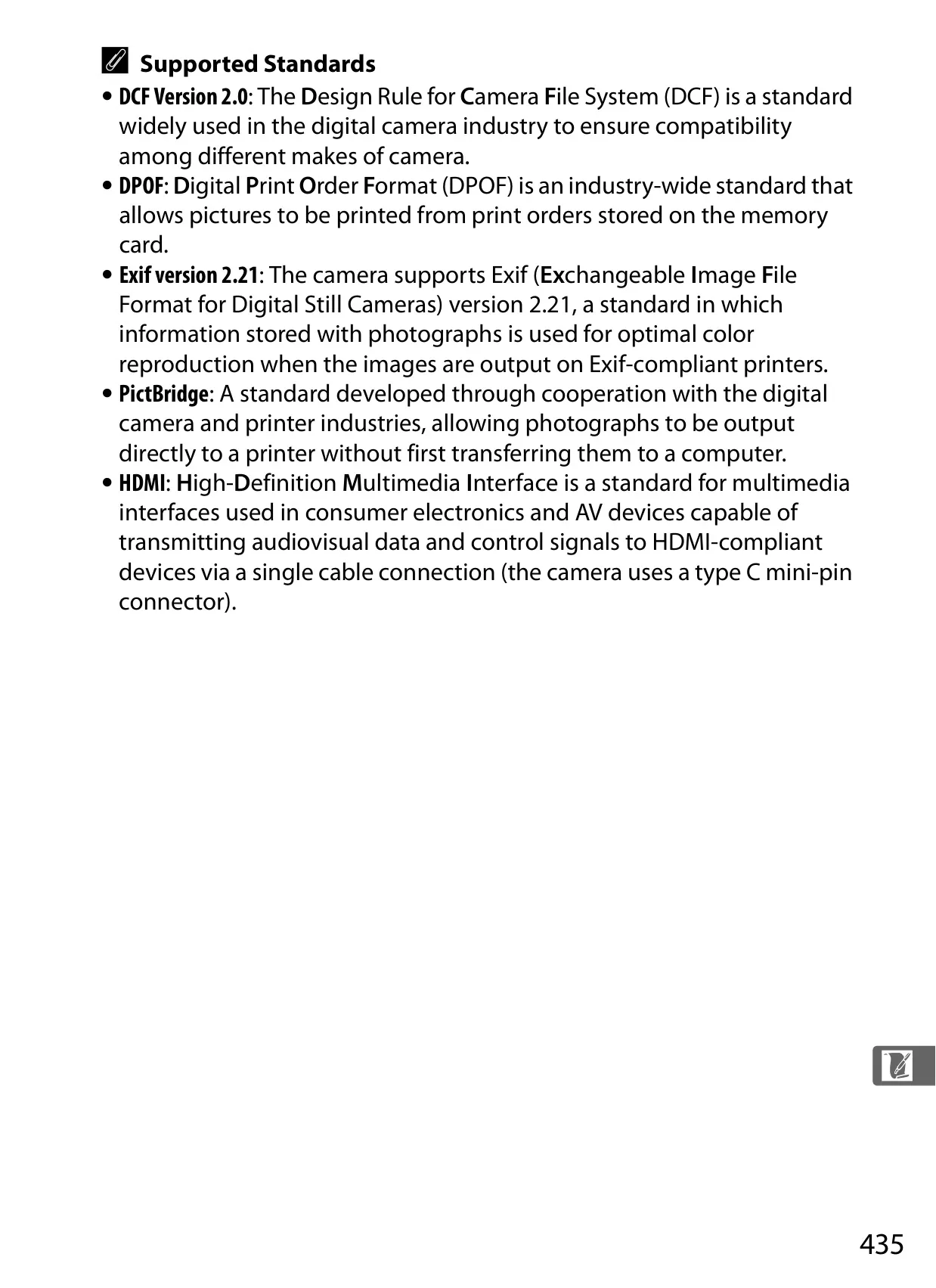
| Interface | Hi-Speed USB, Video output (NTSC/PAL), Type C HDMI, Ten-pin remote terminal |
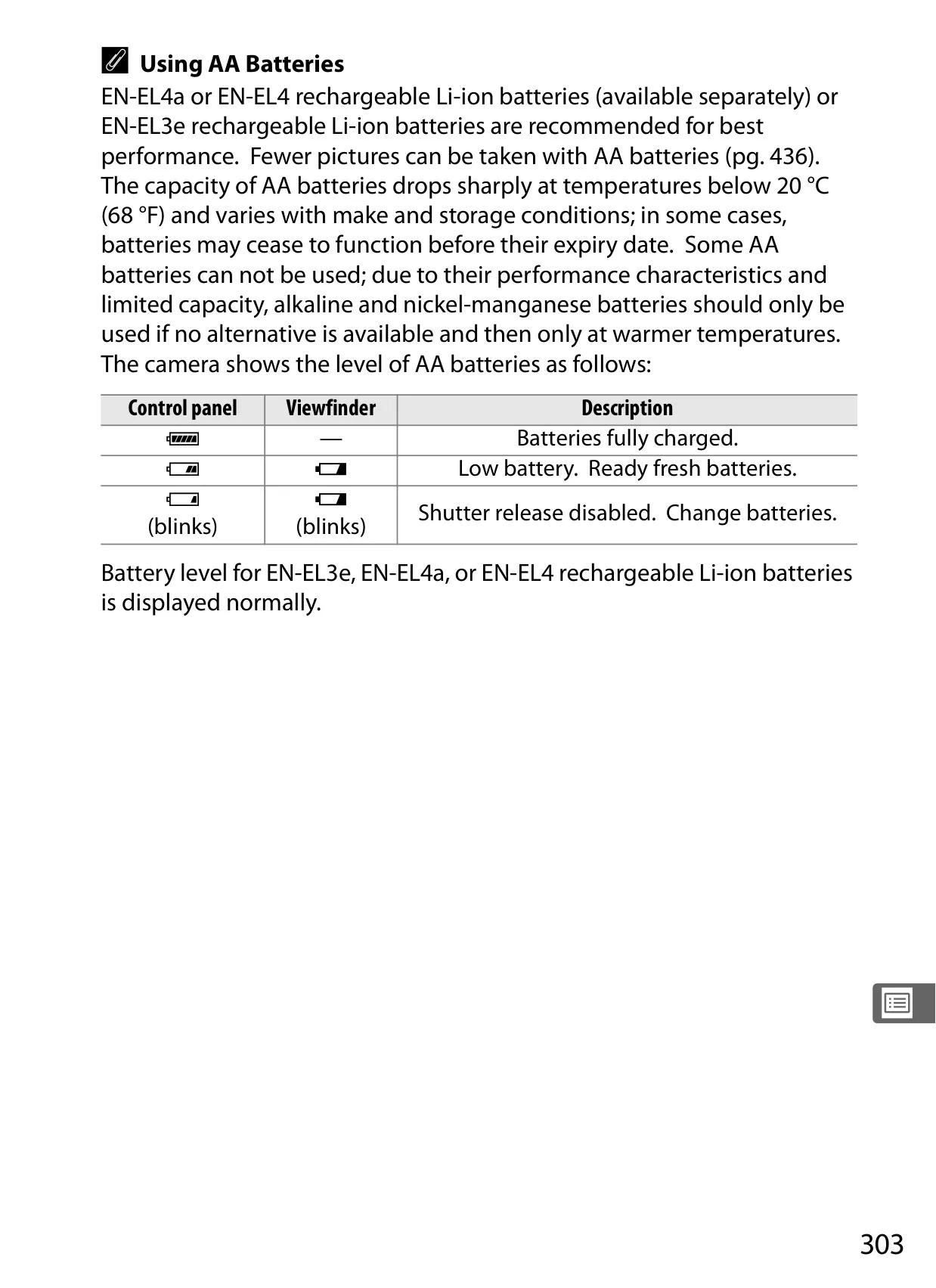
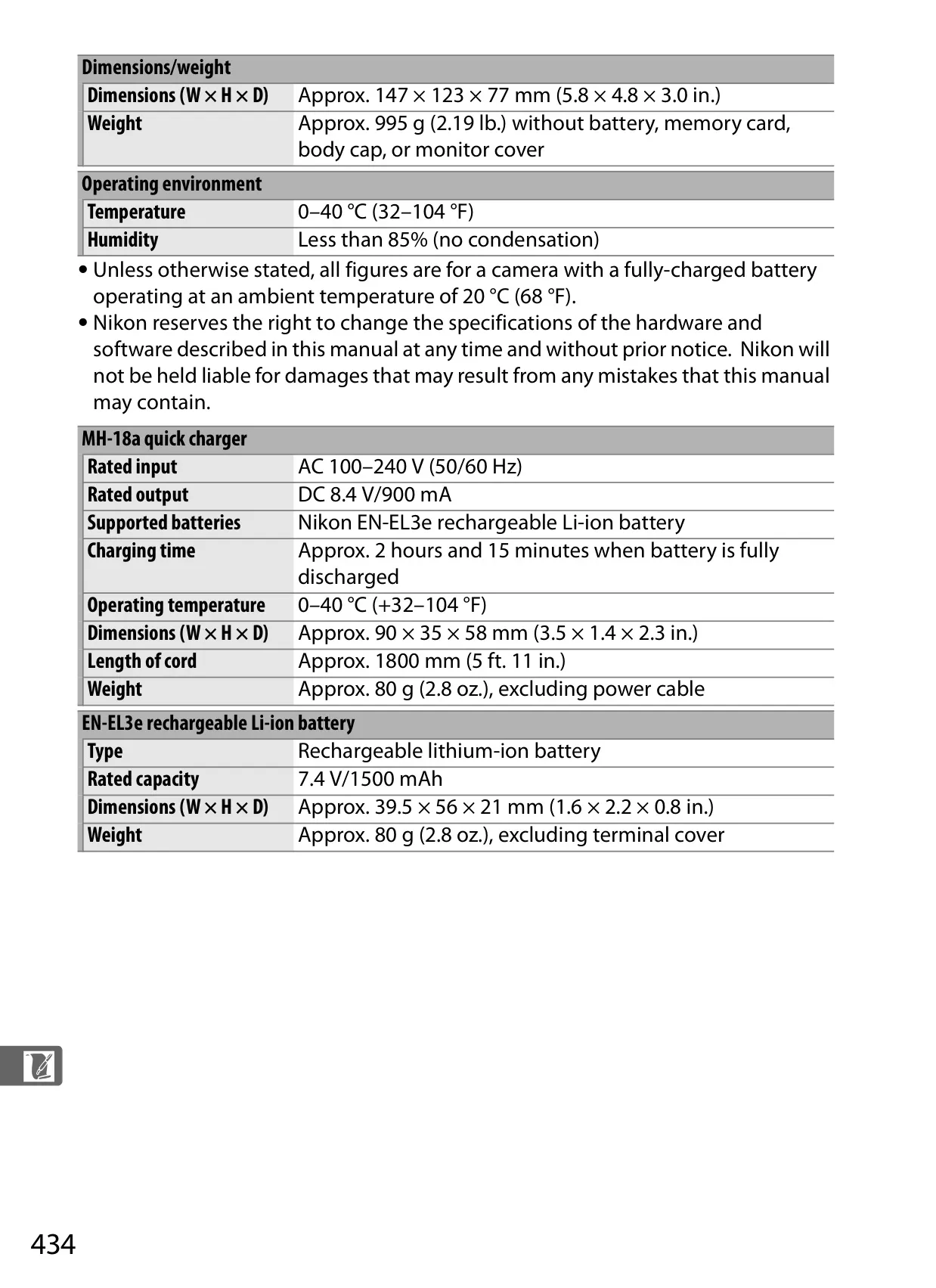
| Battery | One rechargeable Li-ion EN-EL3e battery |
| Dimensions (W × H × D) | Approx. 147 × 123 × 77 mm (5.8 × 4.8 × 3.0 in.) |
| Weight (body only) | Approx. 995 g (2.19 lb.) |
| Operating Temperature | 0–40 °C (32–104 °F) |
Nikon D700 DSLR Camera Details
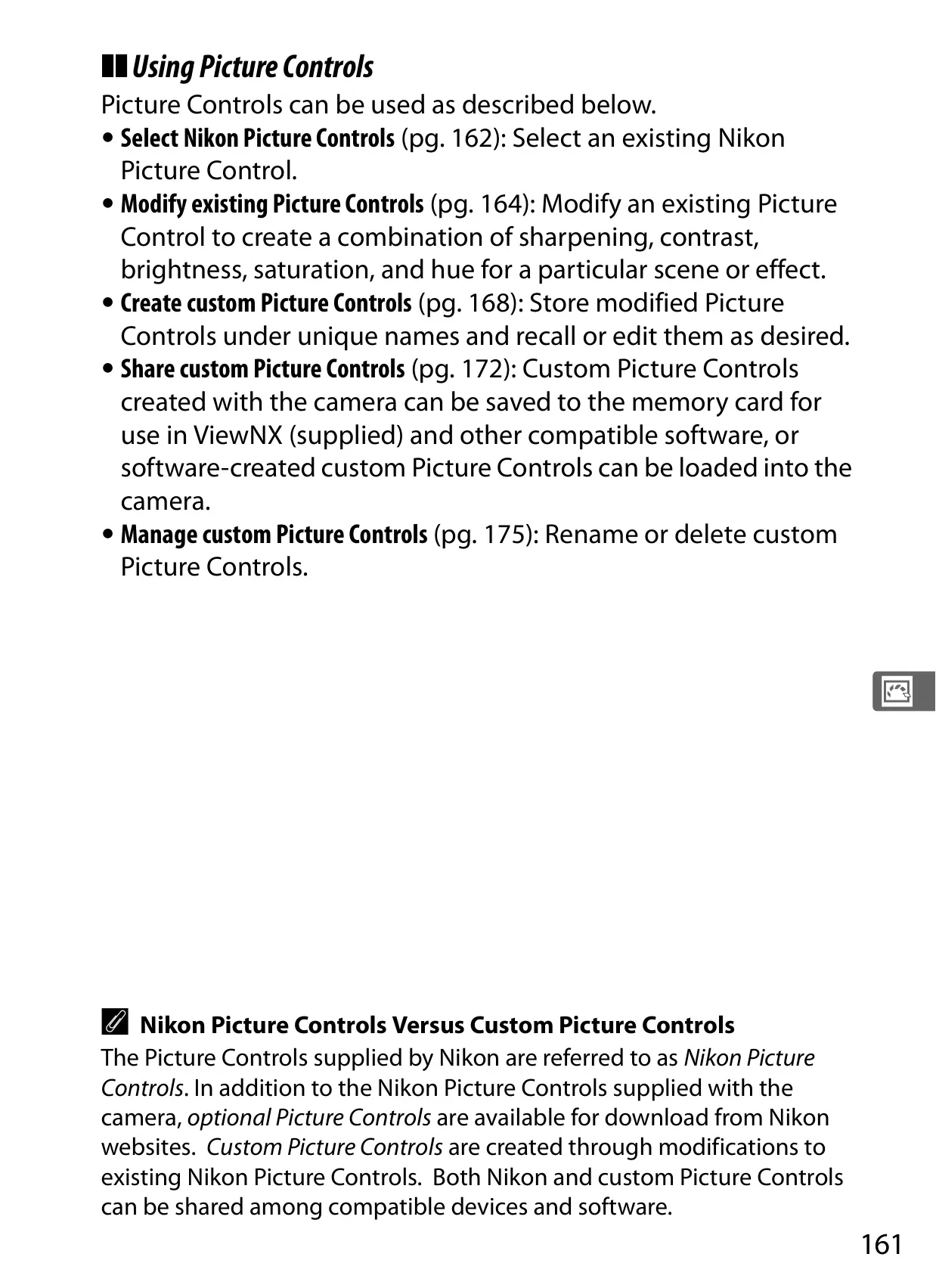
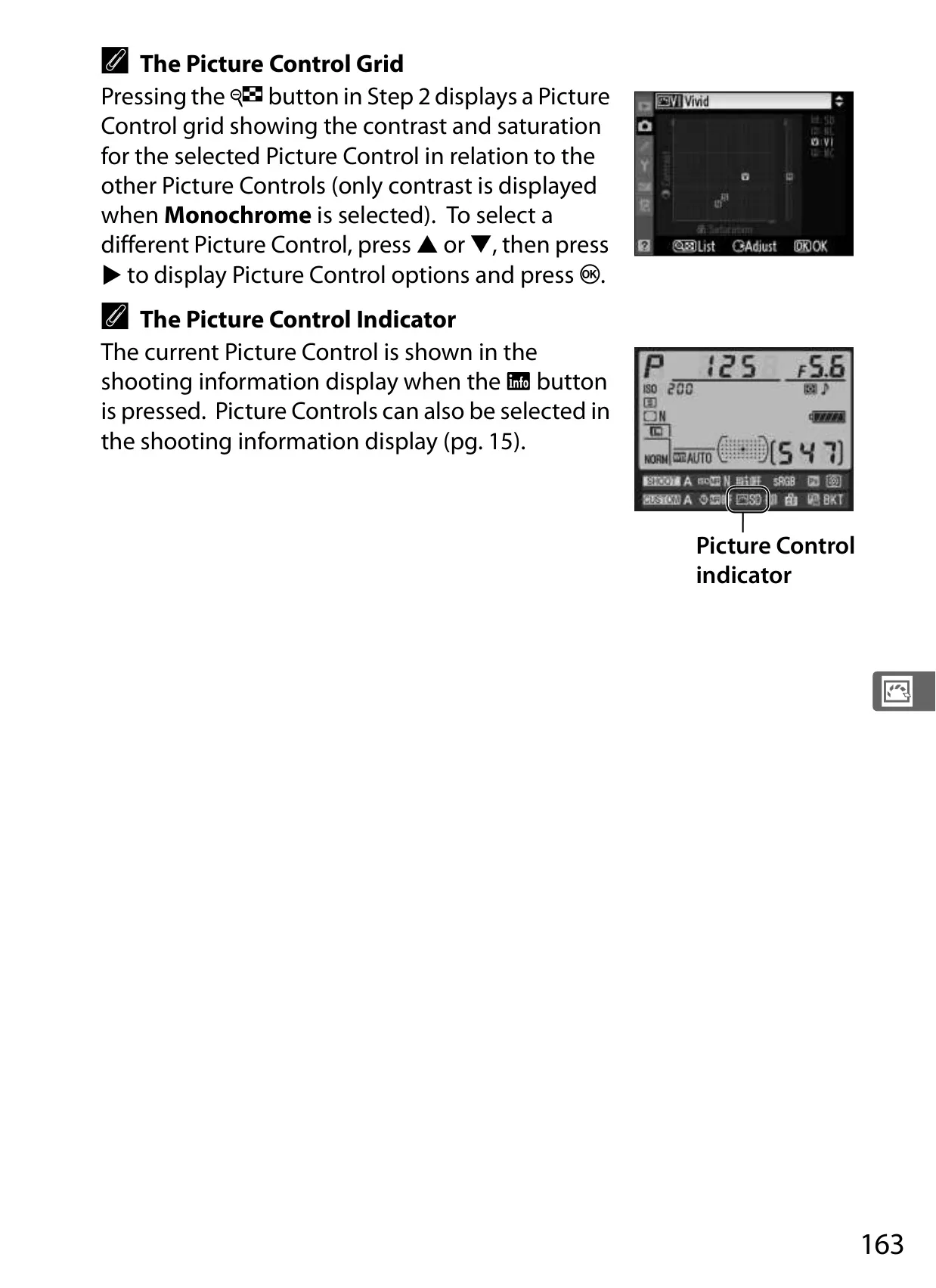
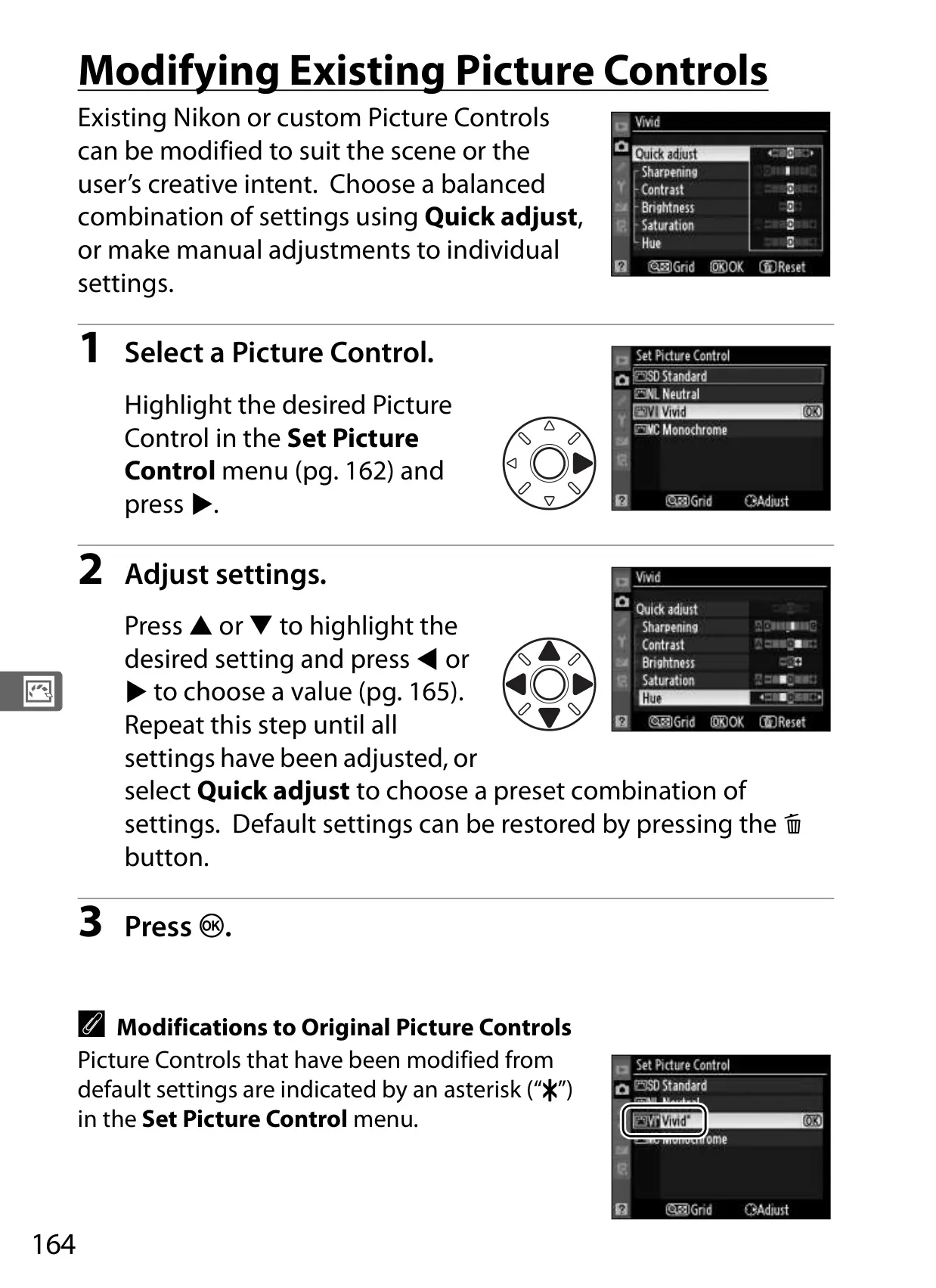
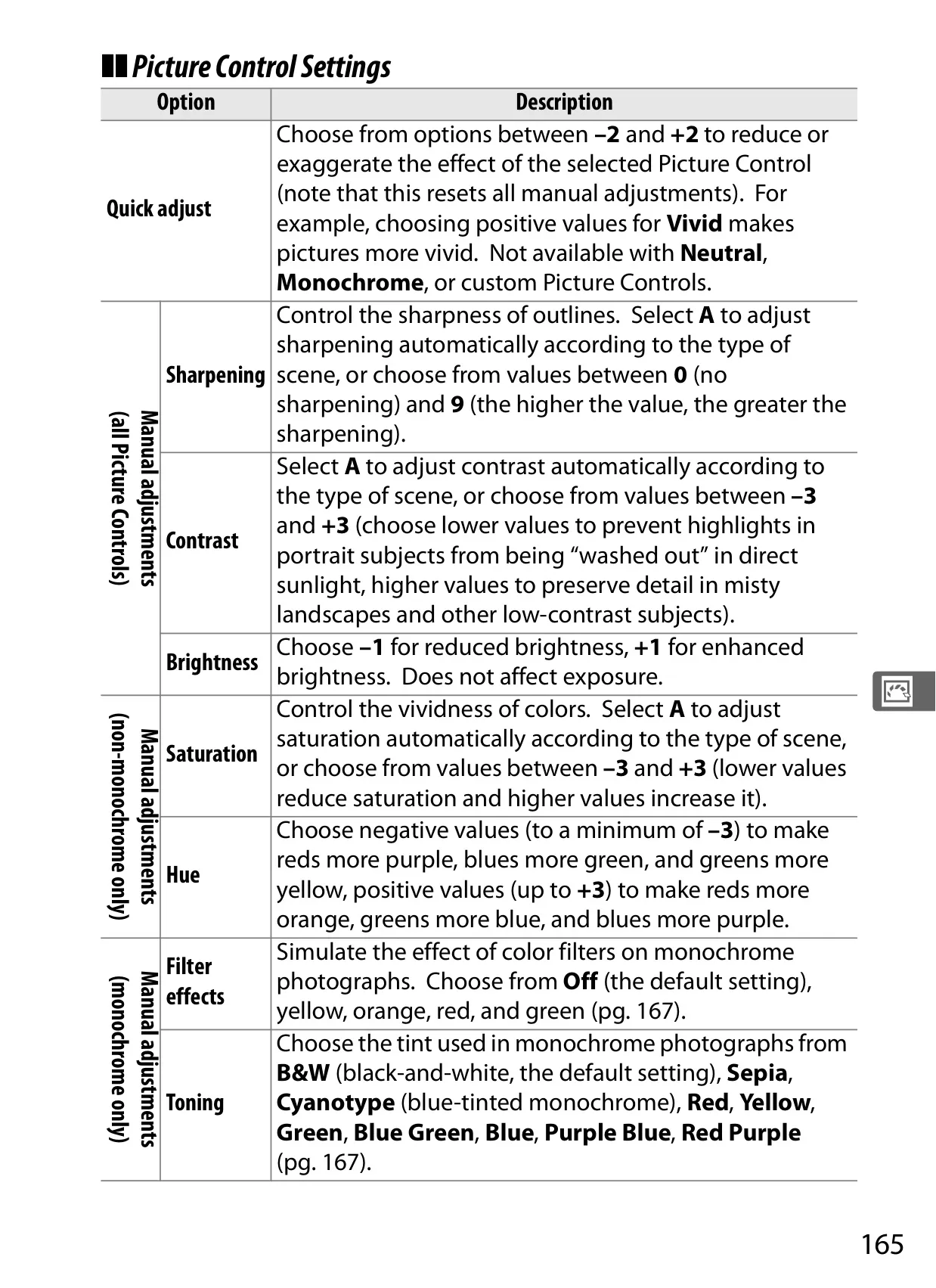
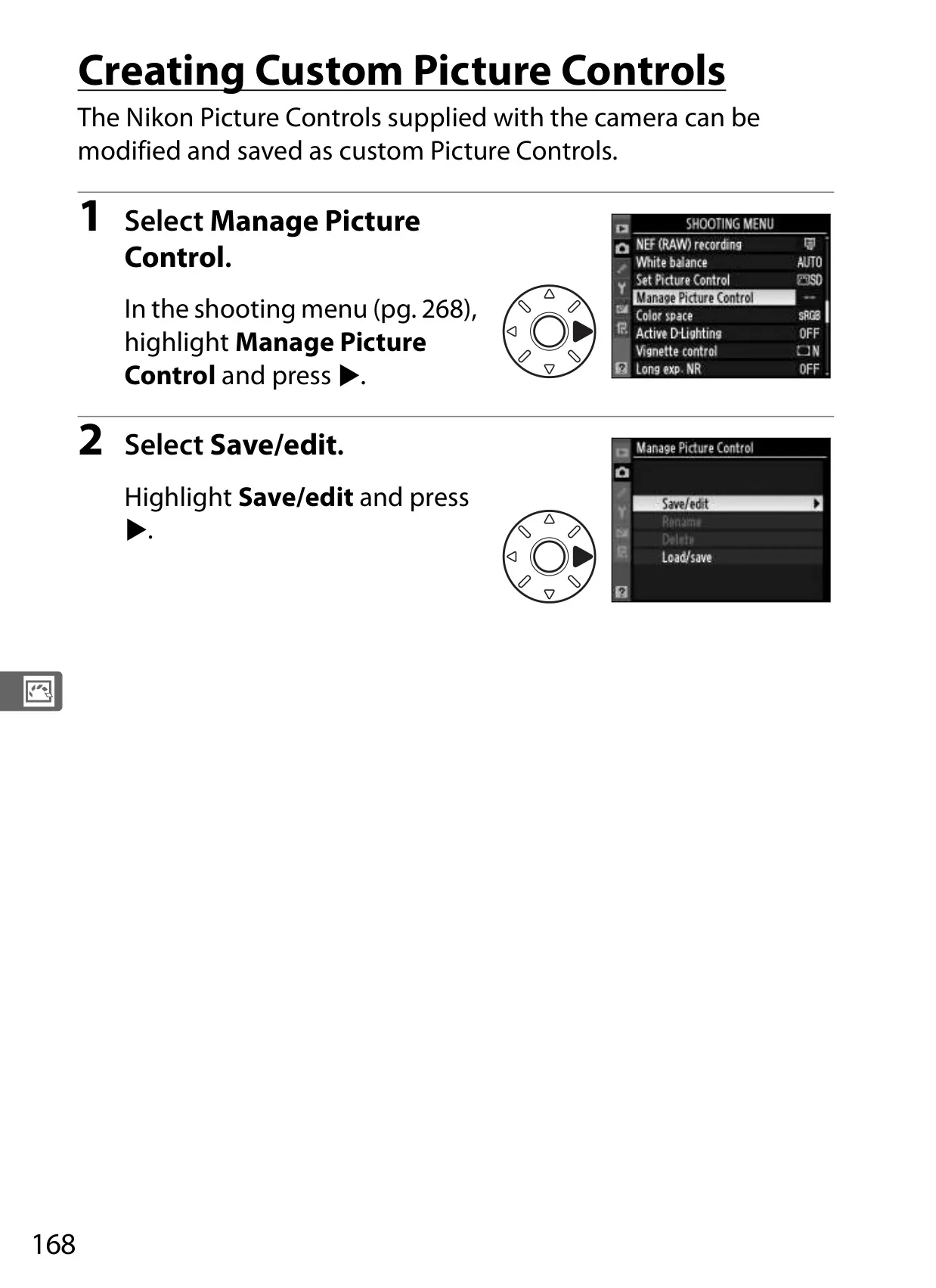
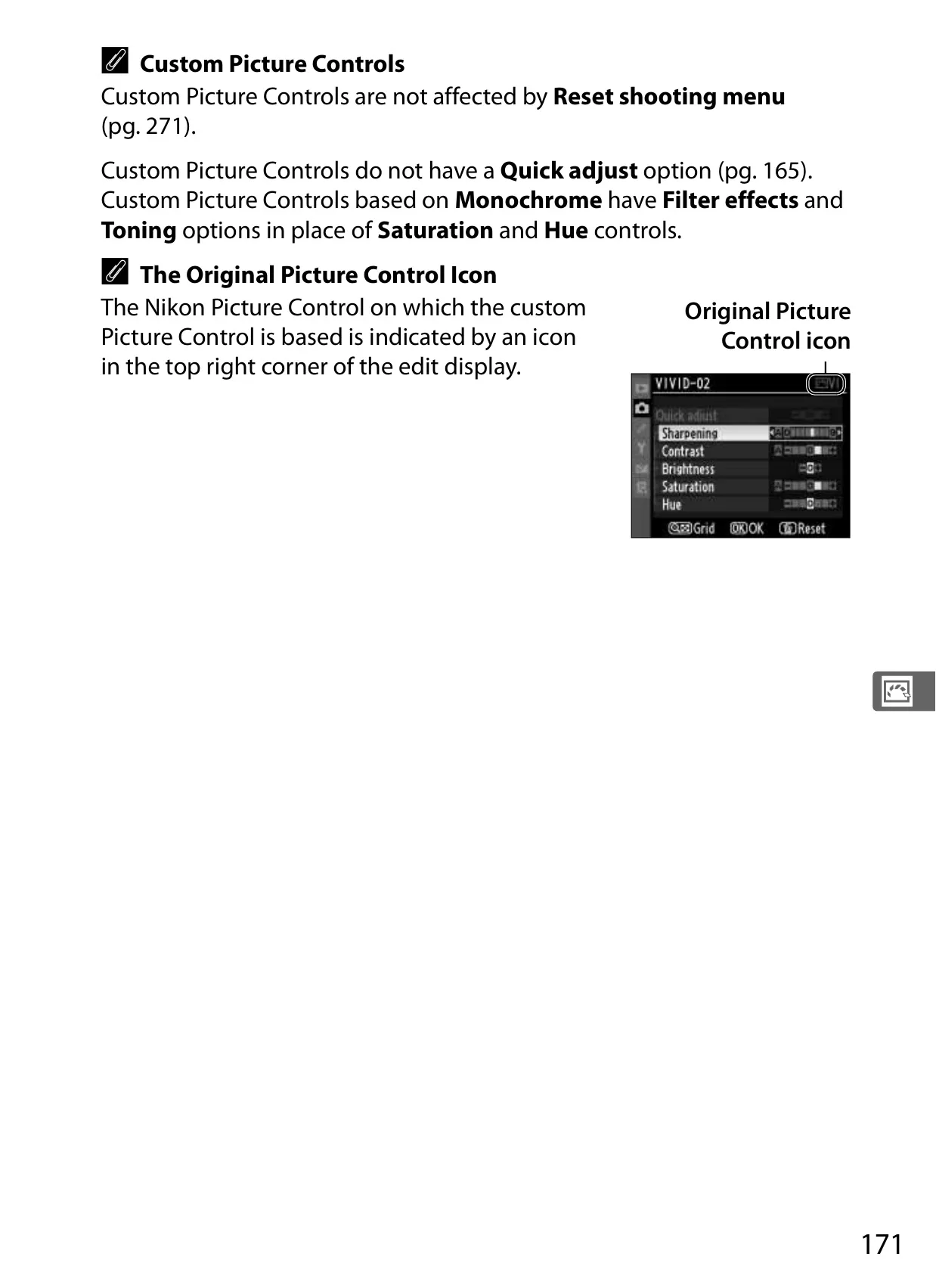
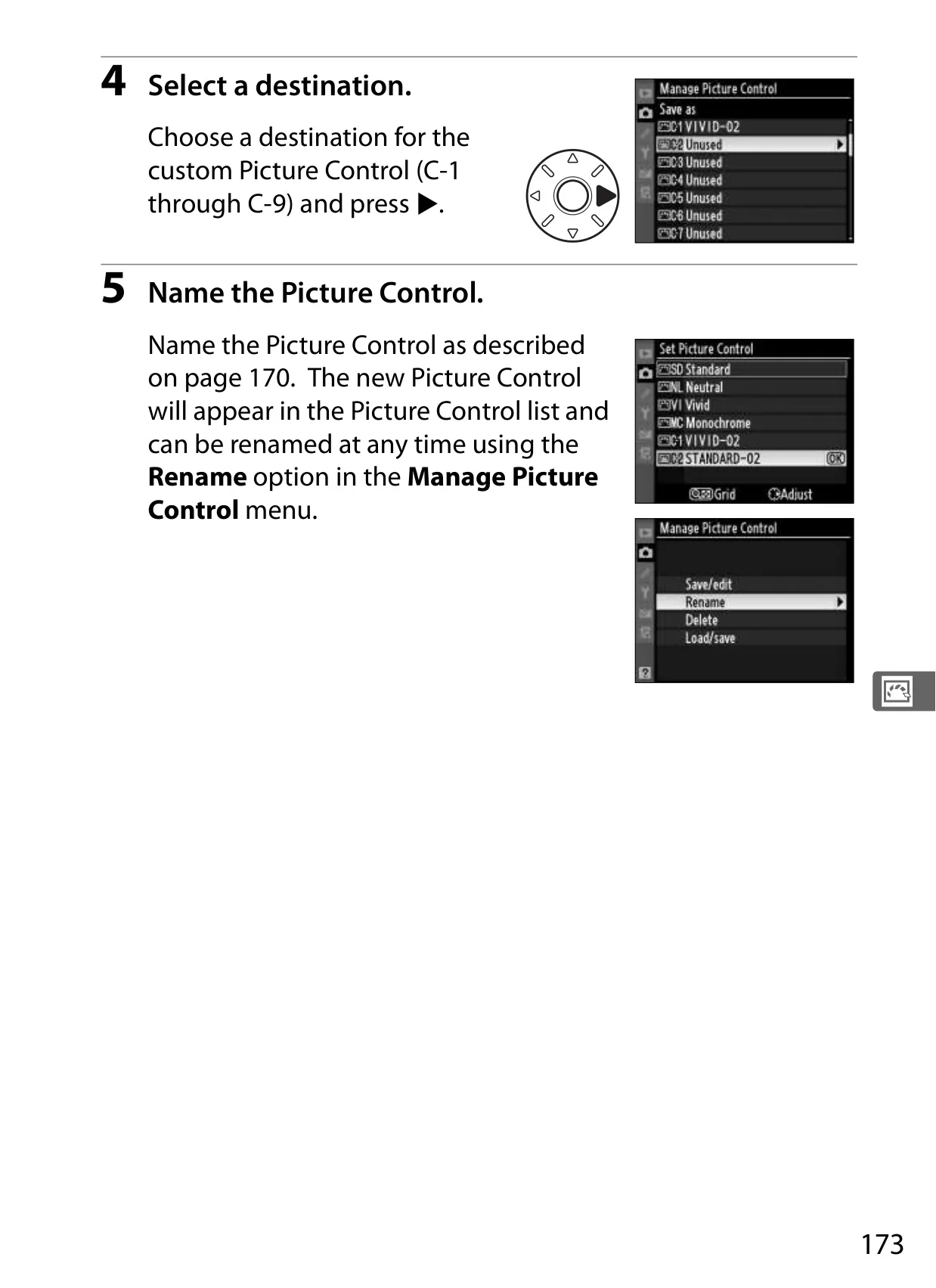
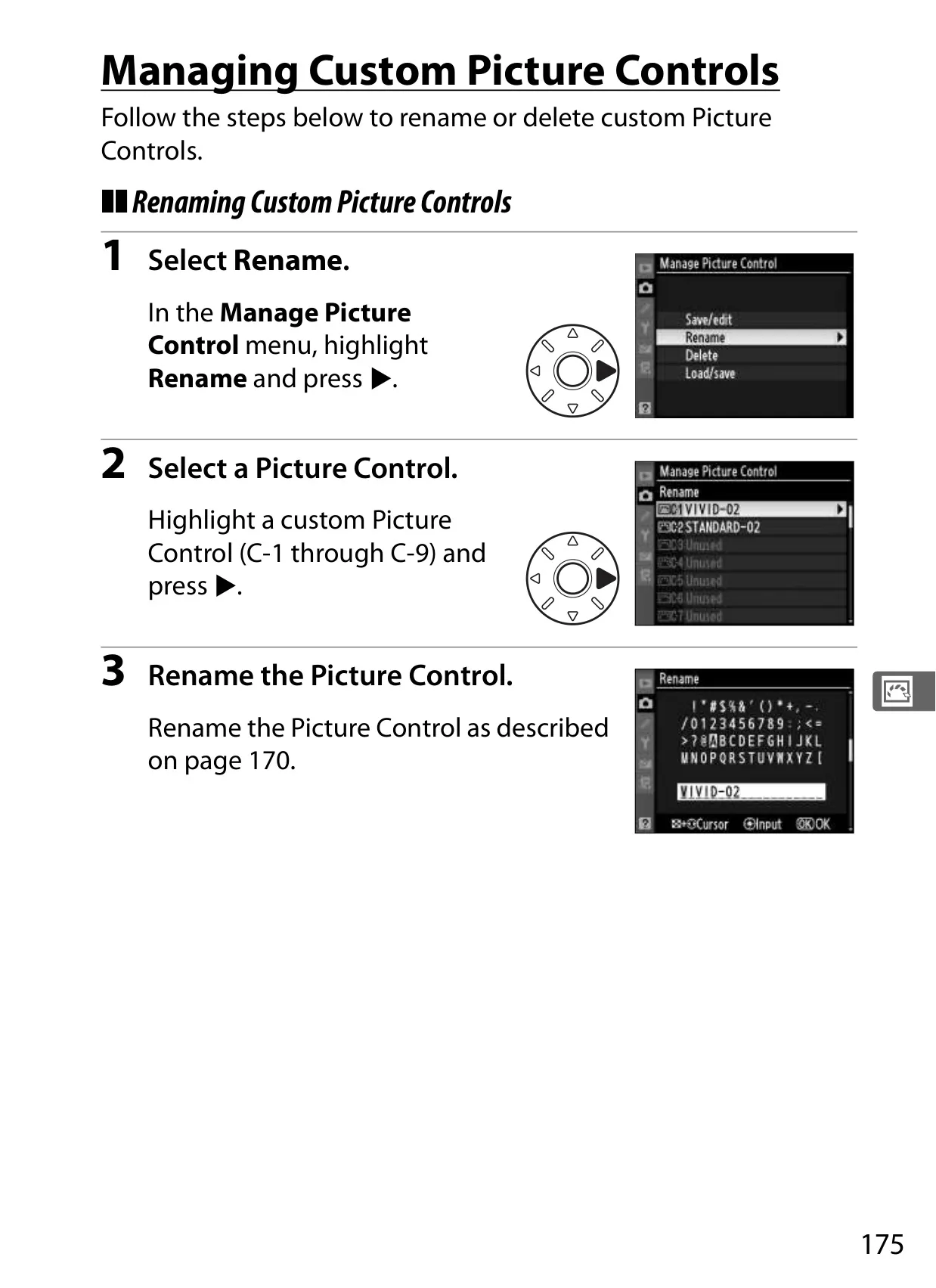
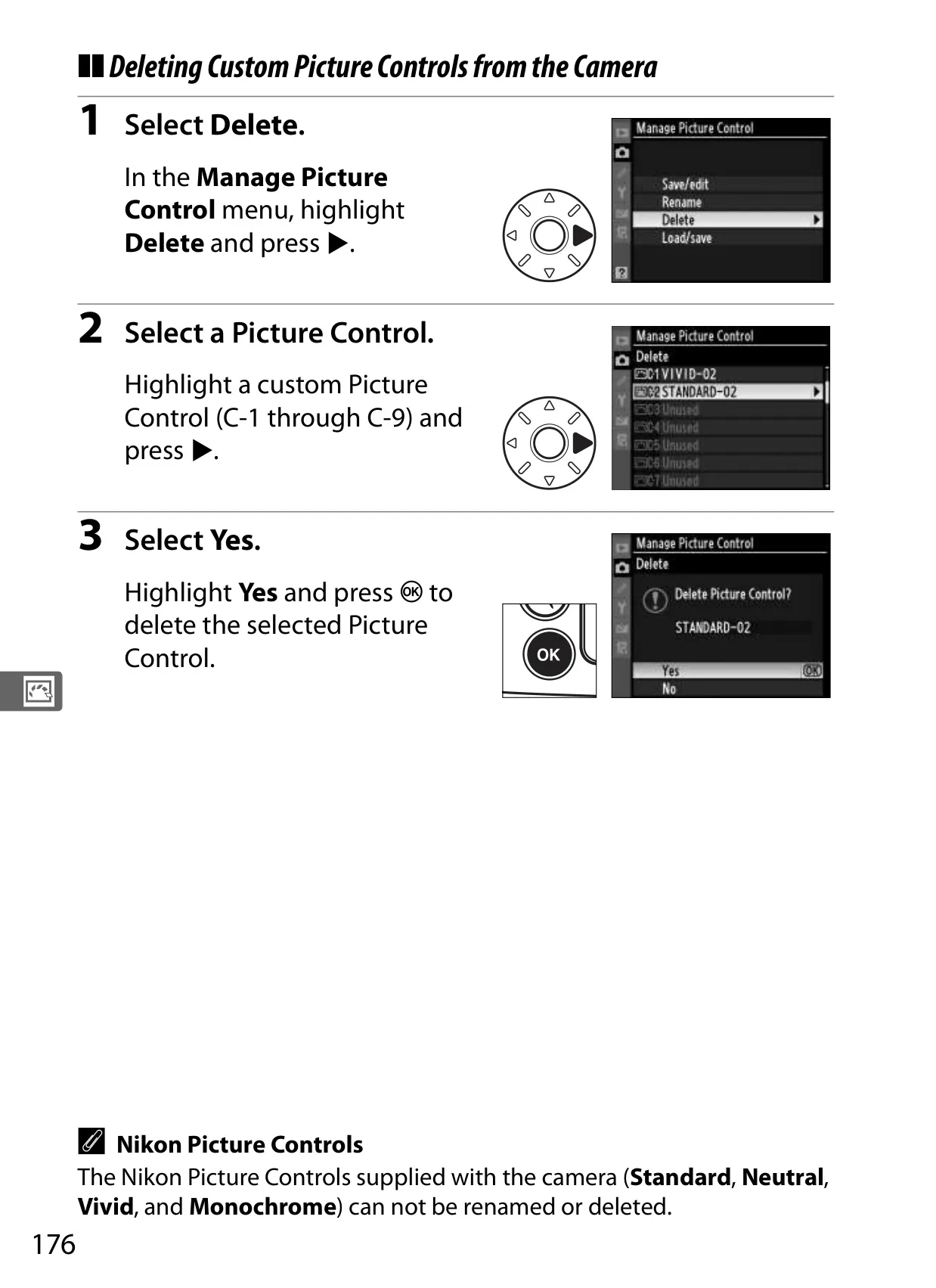
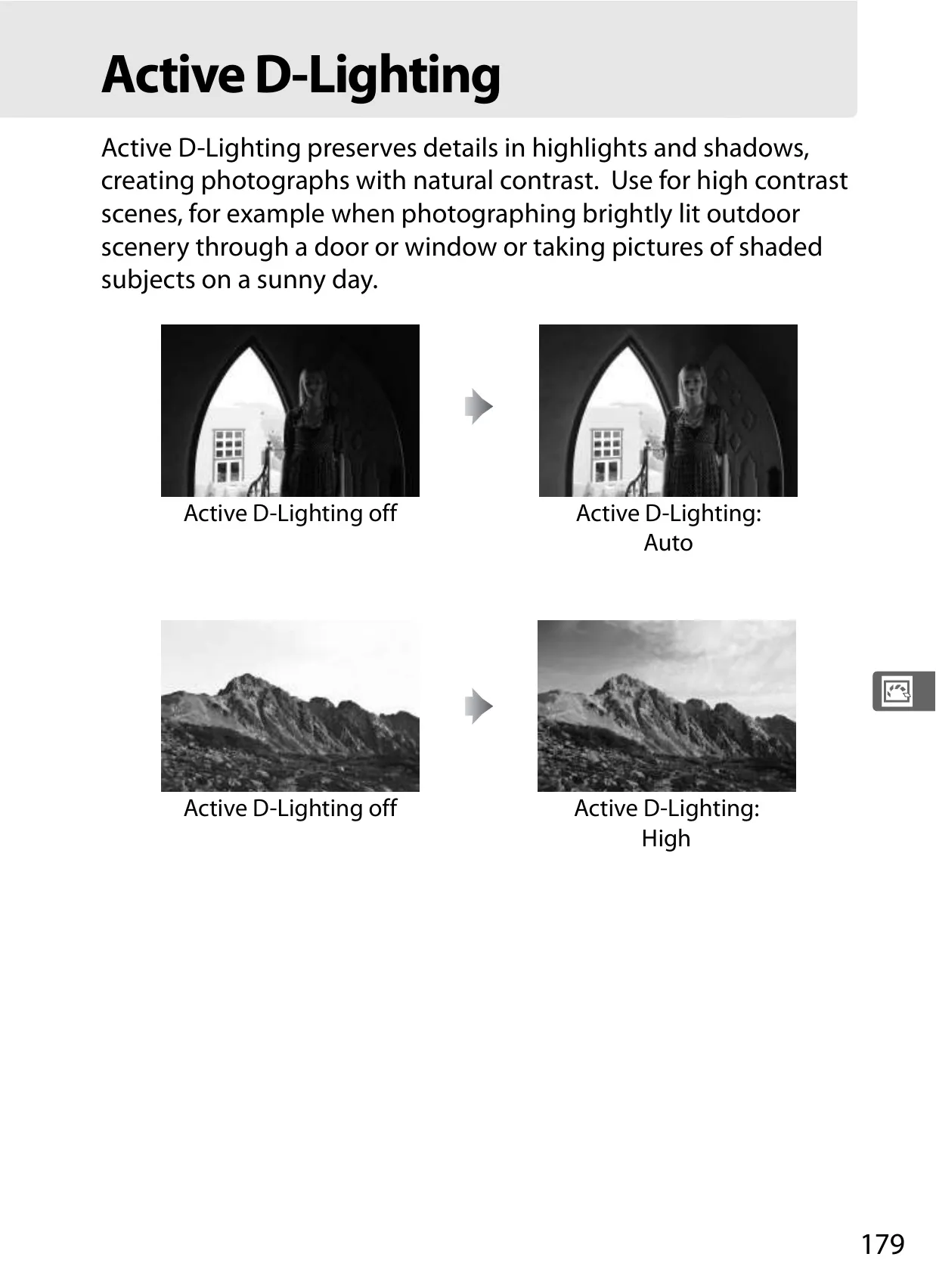
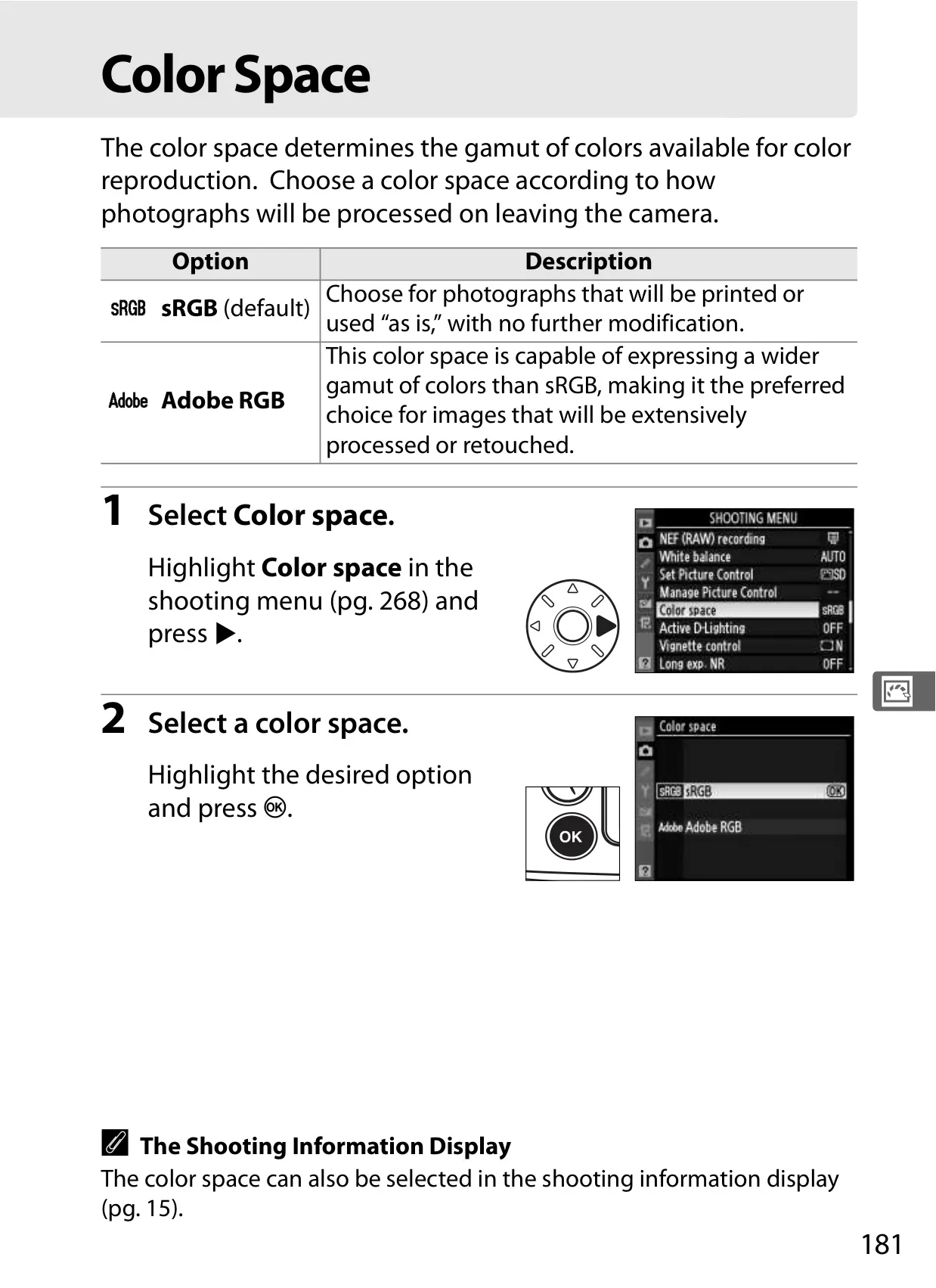
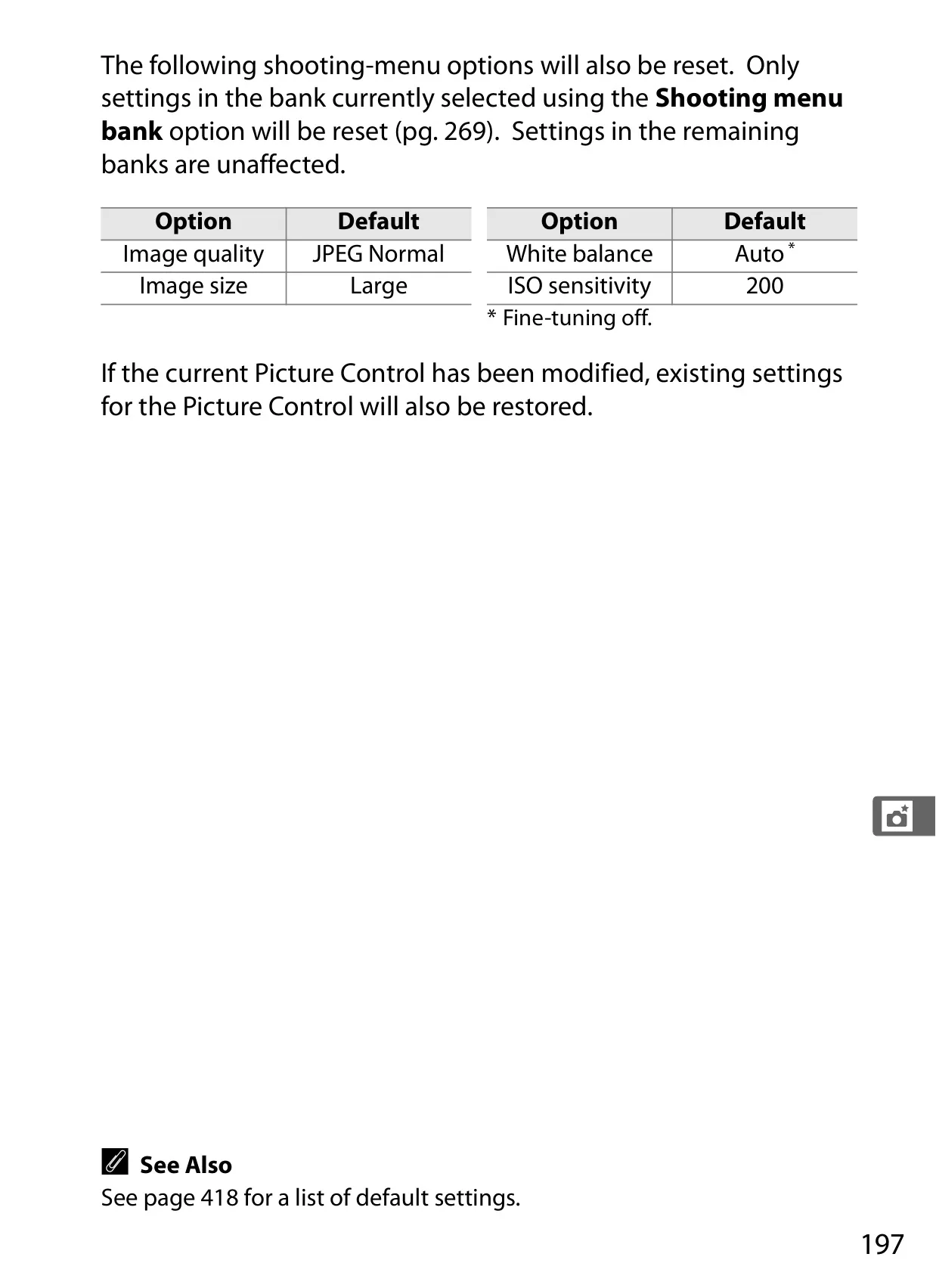
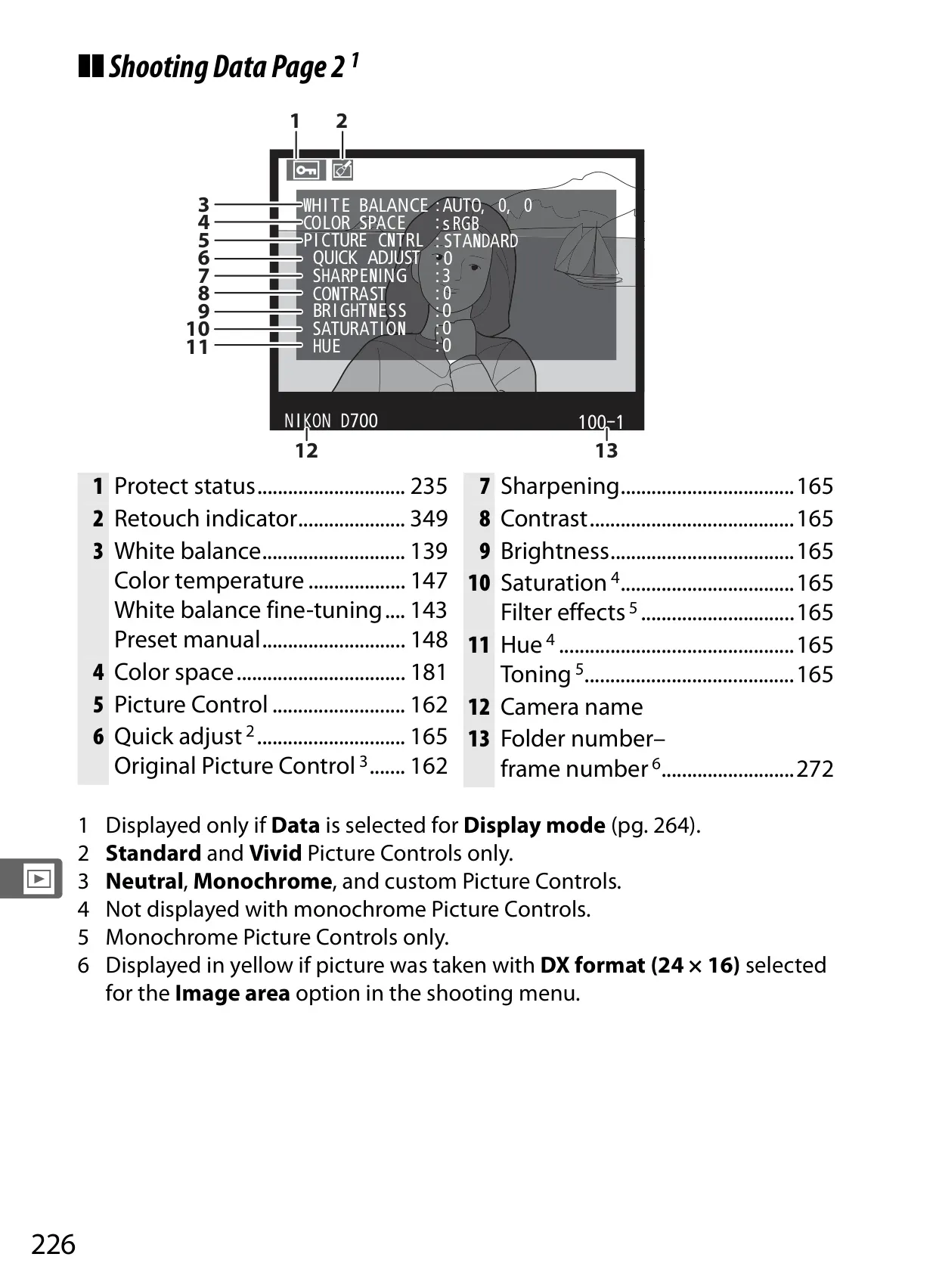
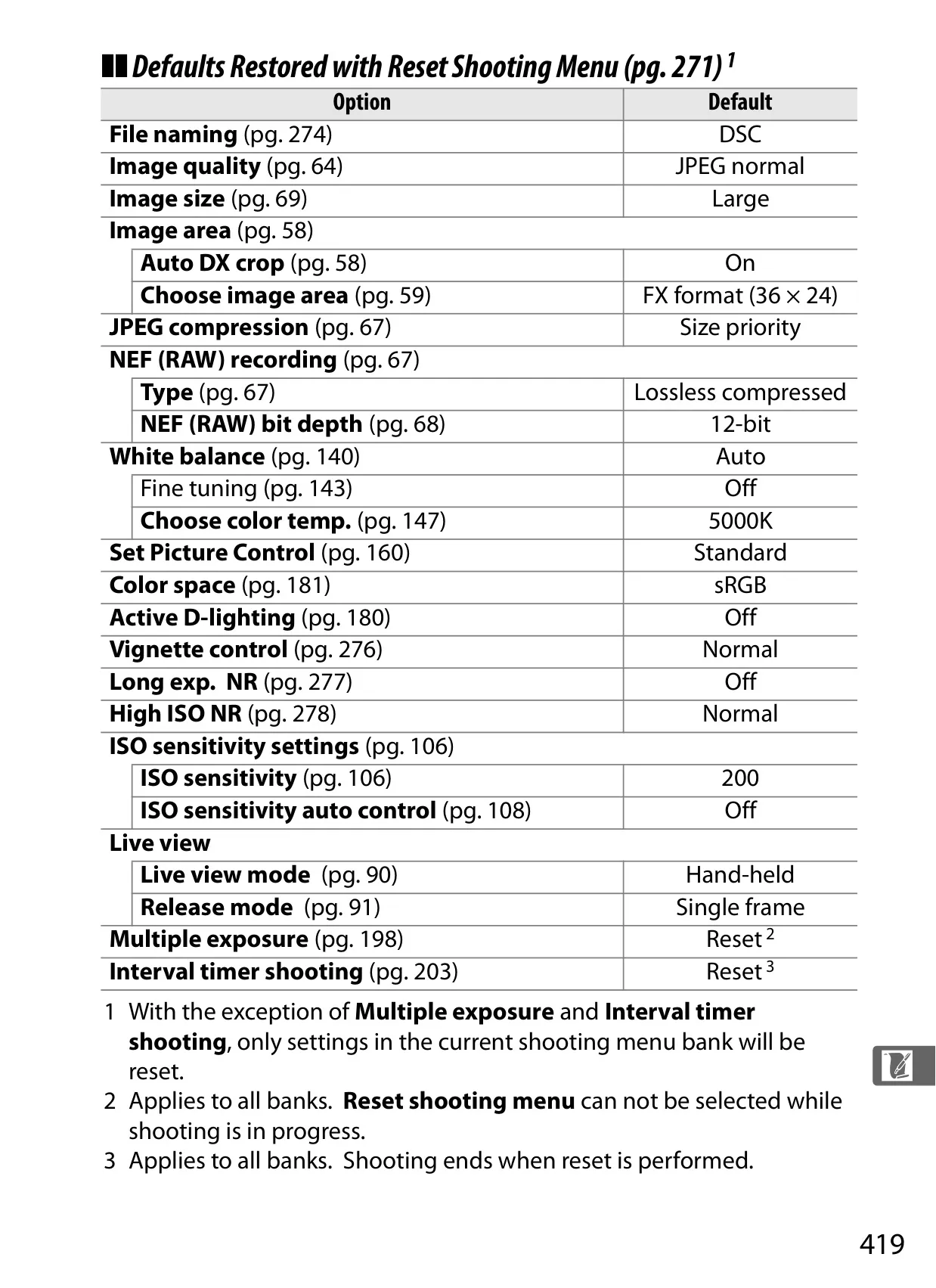
The Nikon D700 DSLR Camera is designed for professional and enthusiast photographers, emphasizing comprehensive image control. It offers flexible image recording options, including the ability to capture high-quality 14-bit NEF (RAW) files, ensuring a vast dynamic range and exceptional color depth ideal for extensive post-processing. Users can precisely tailor their shots using Picture Controls, which allow for instant adjustments to sharpness, contrast, brightness, saturation, and hue, or even create custom settings. Furthermore, Active D-Lighting significantly enhances image quality by preserving intricate detail in both shadows and highlights, crucial for challenging high-contrast scenes where details might otherwise be lost.
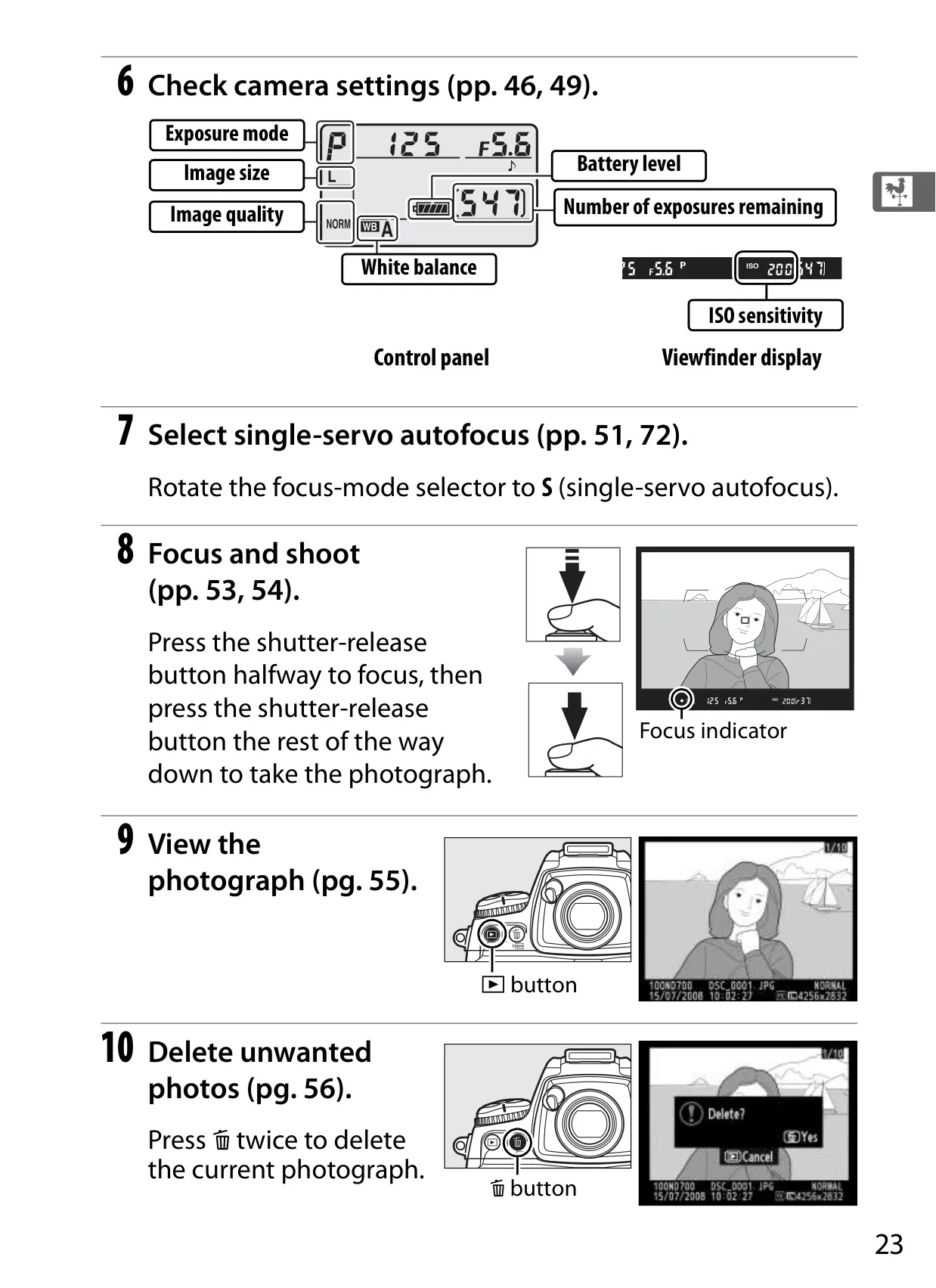
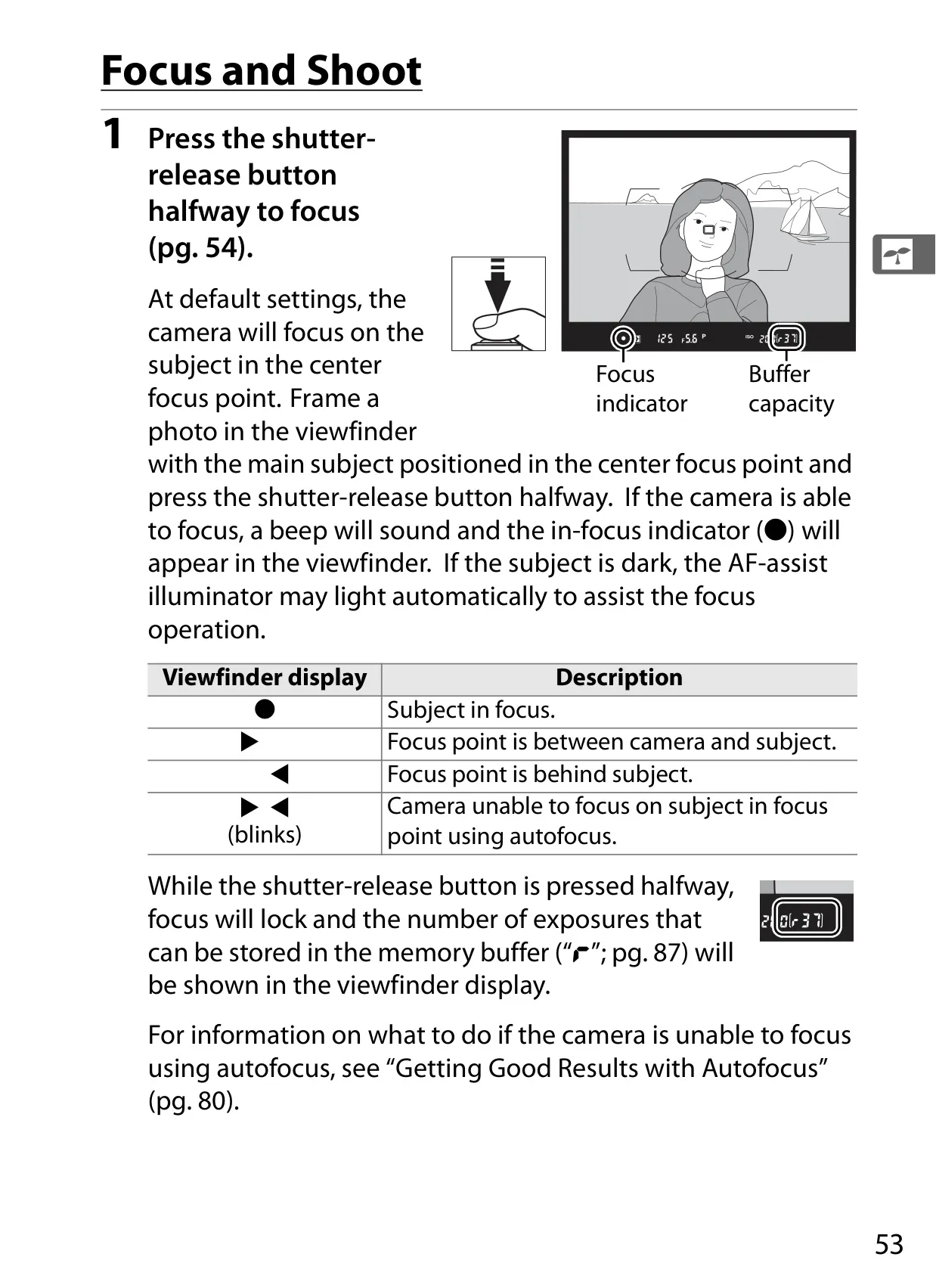
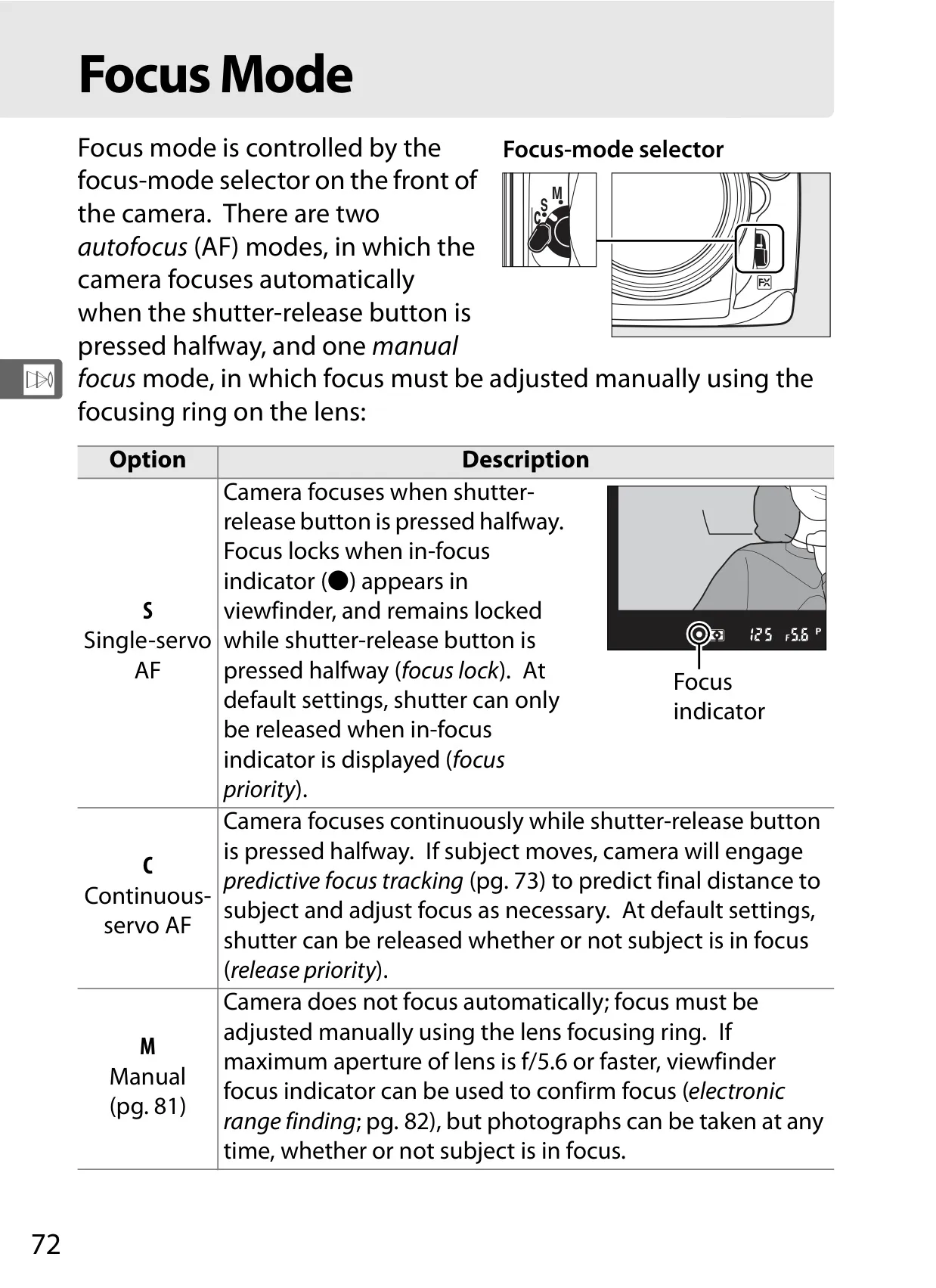
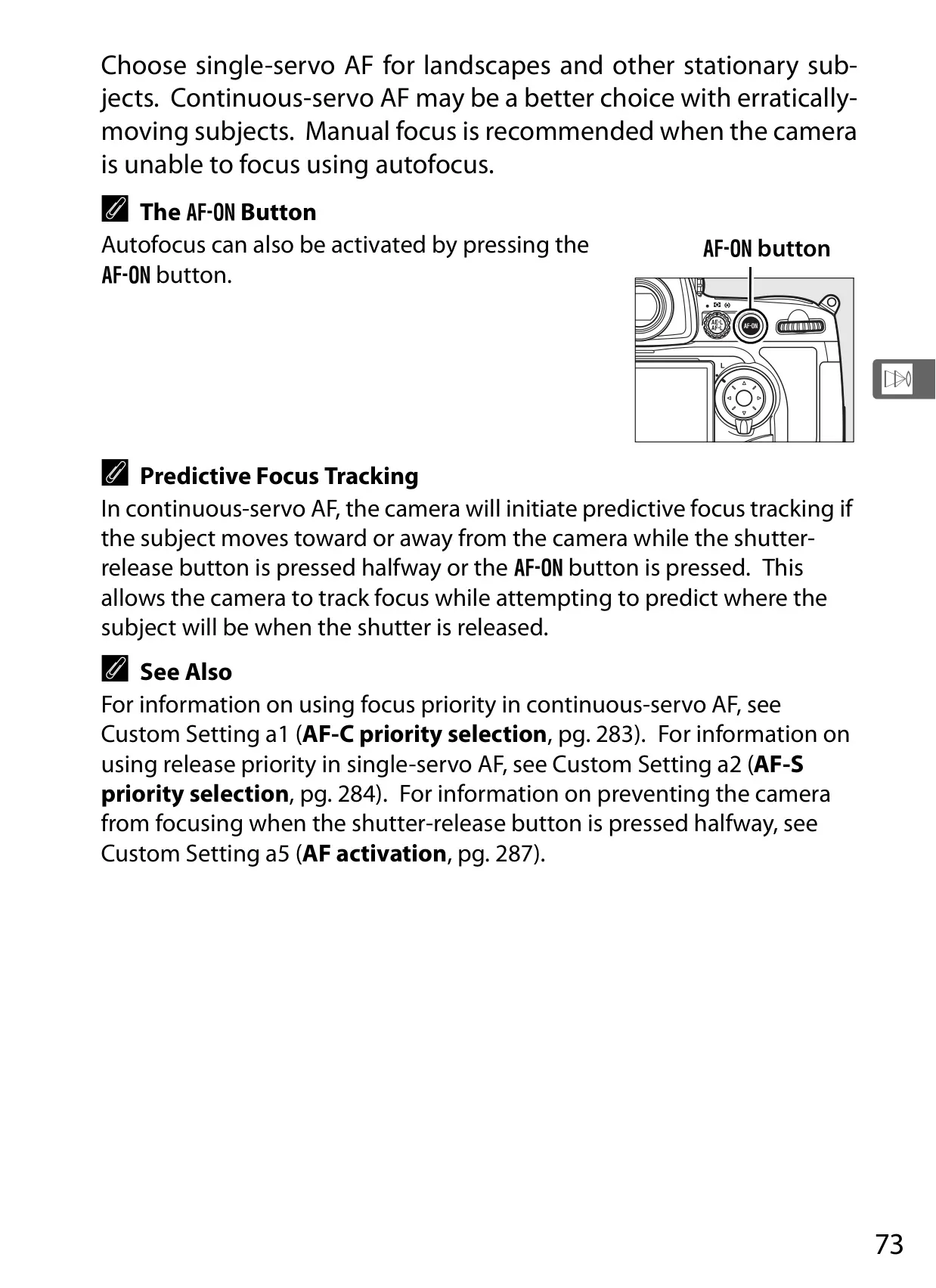
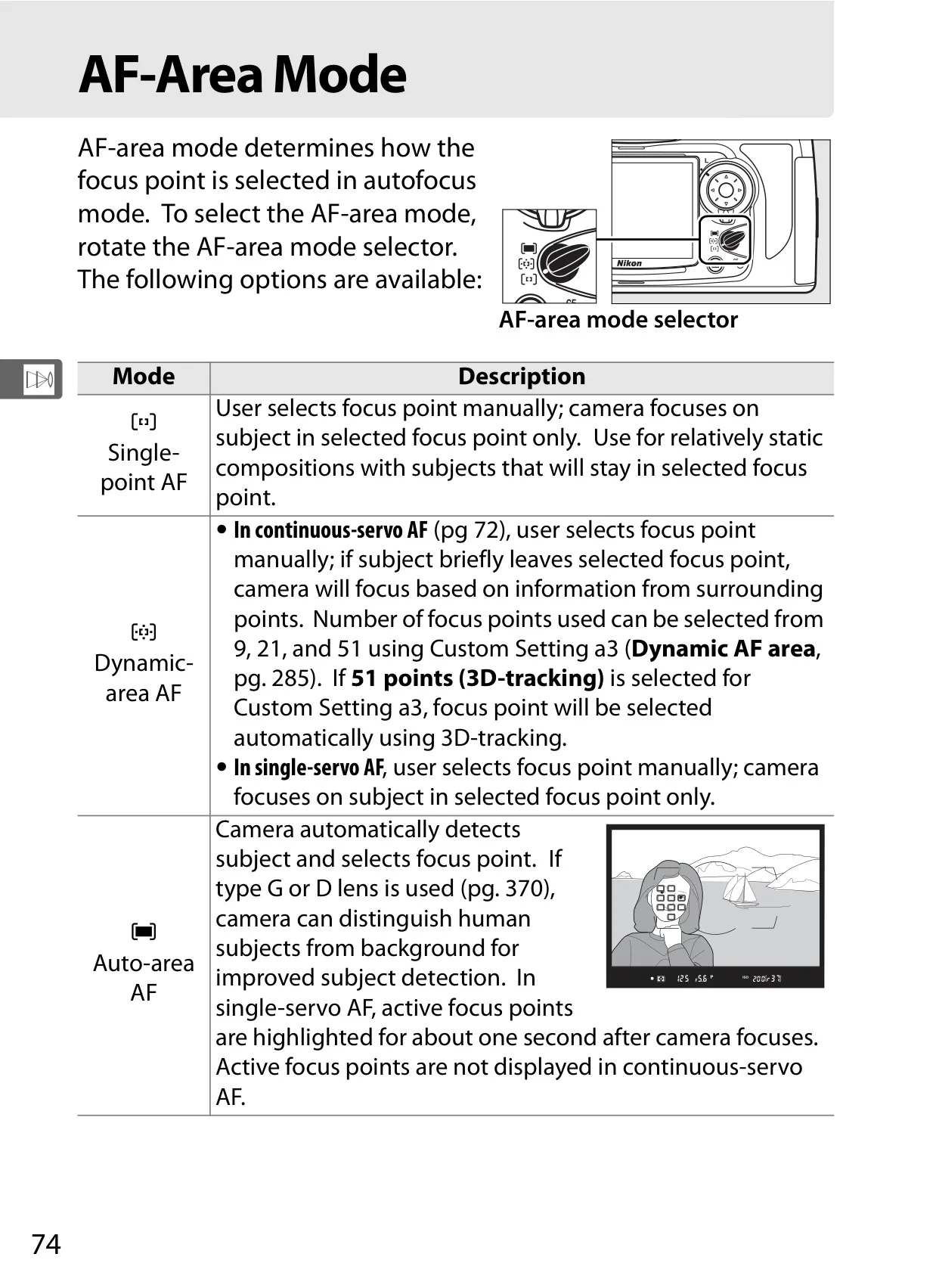
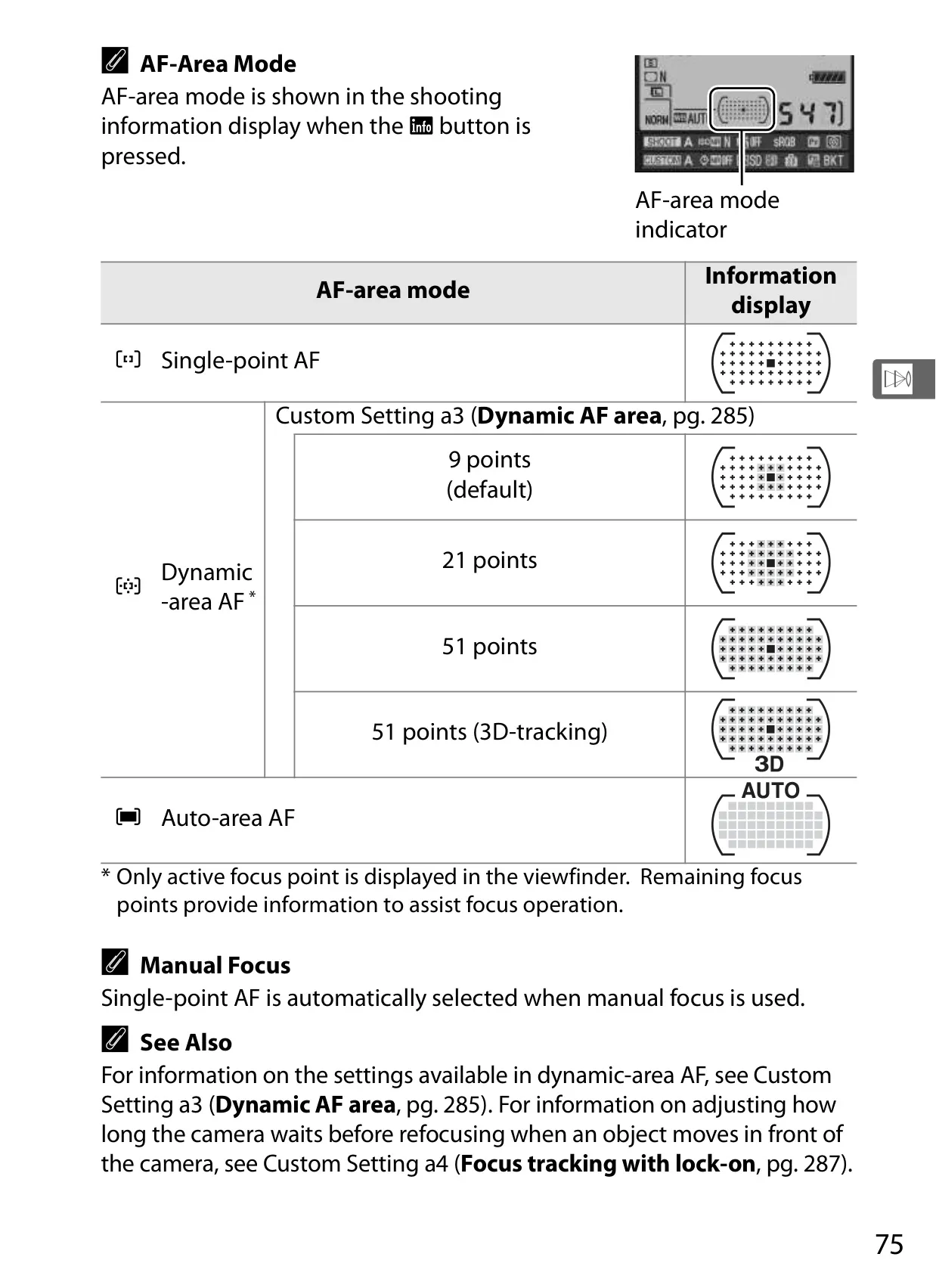
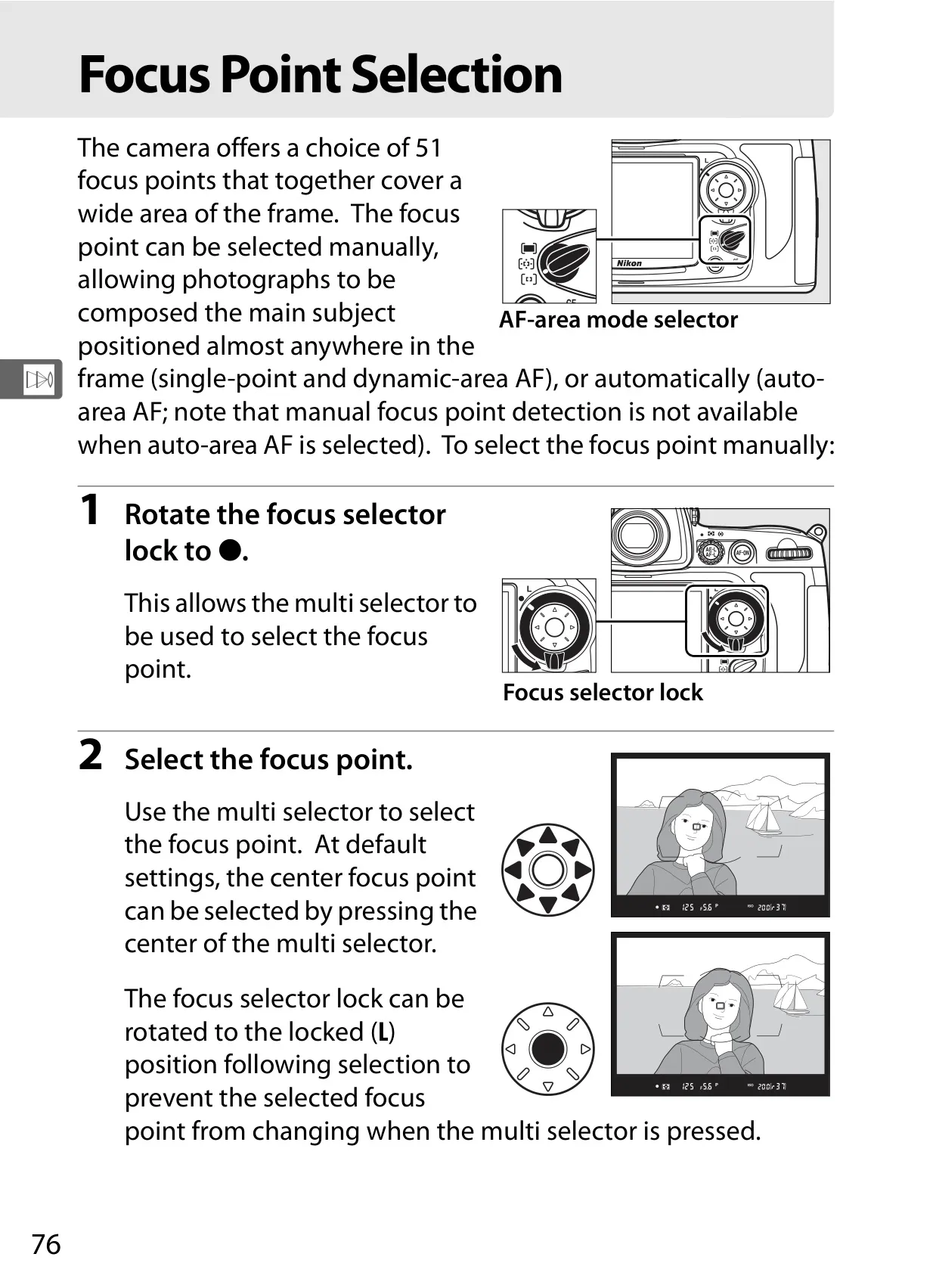
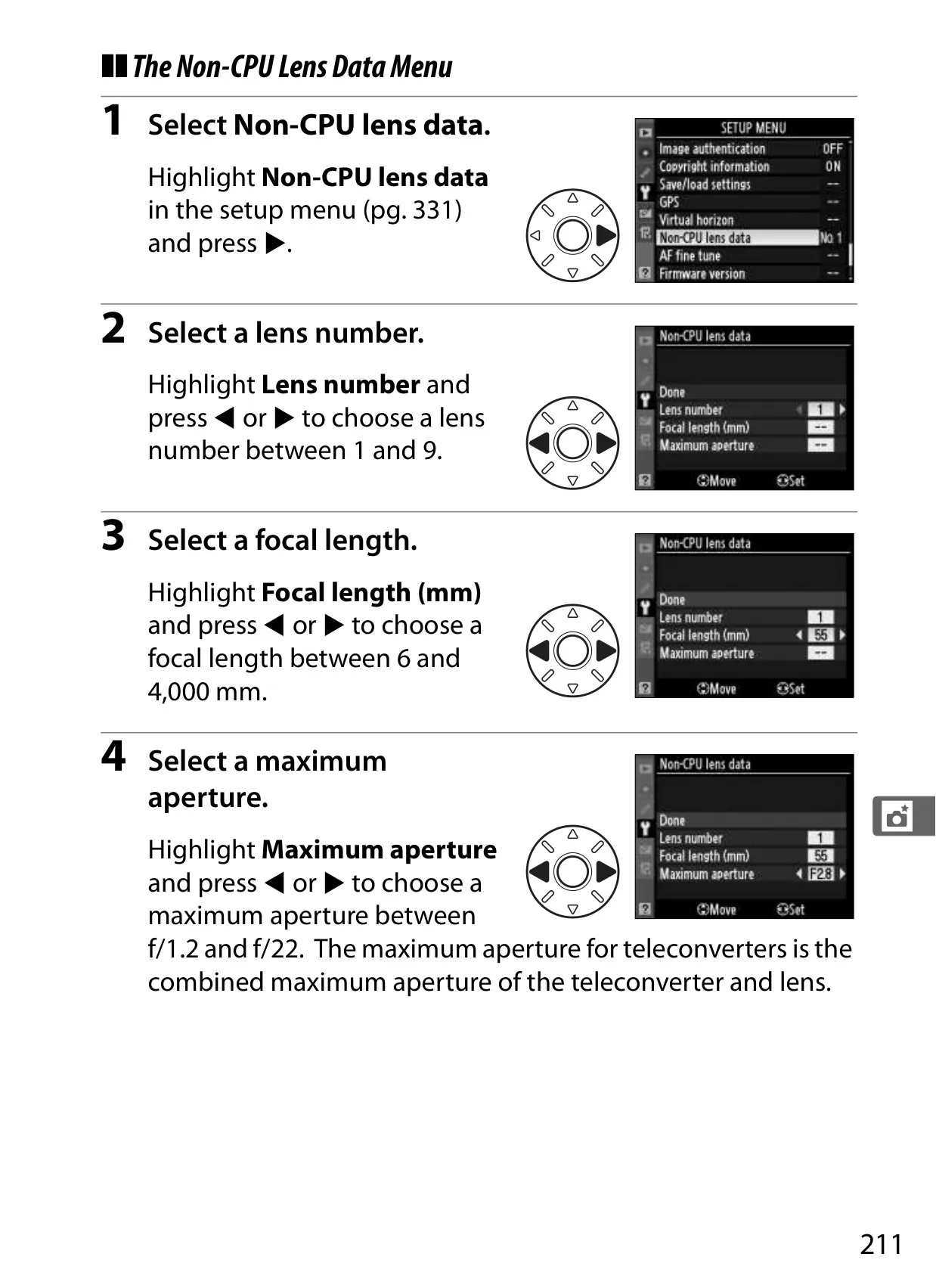
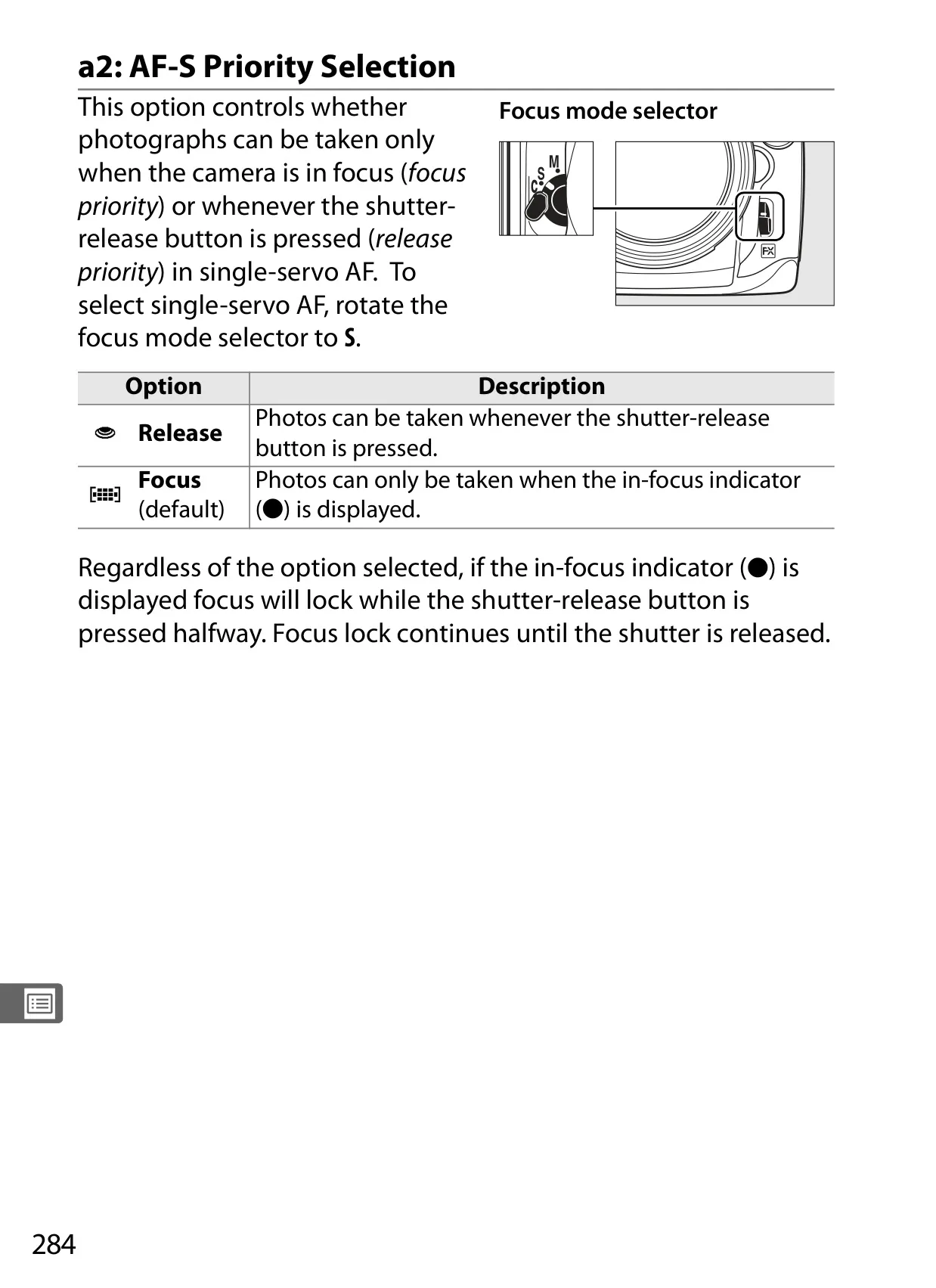
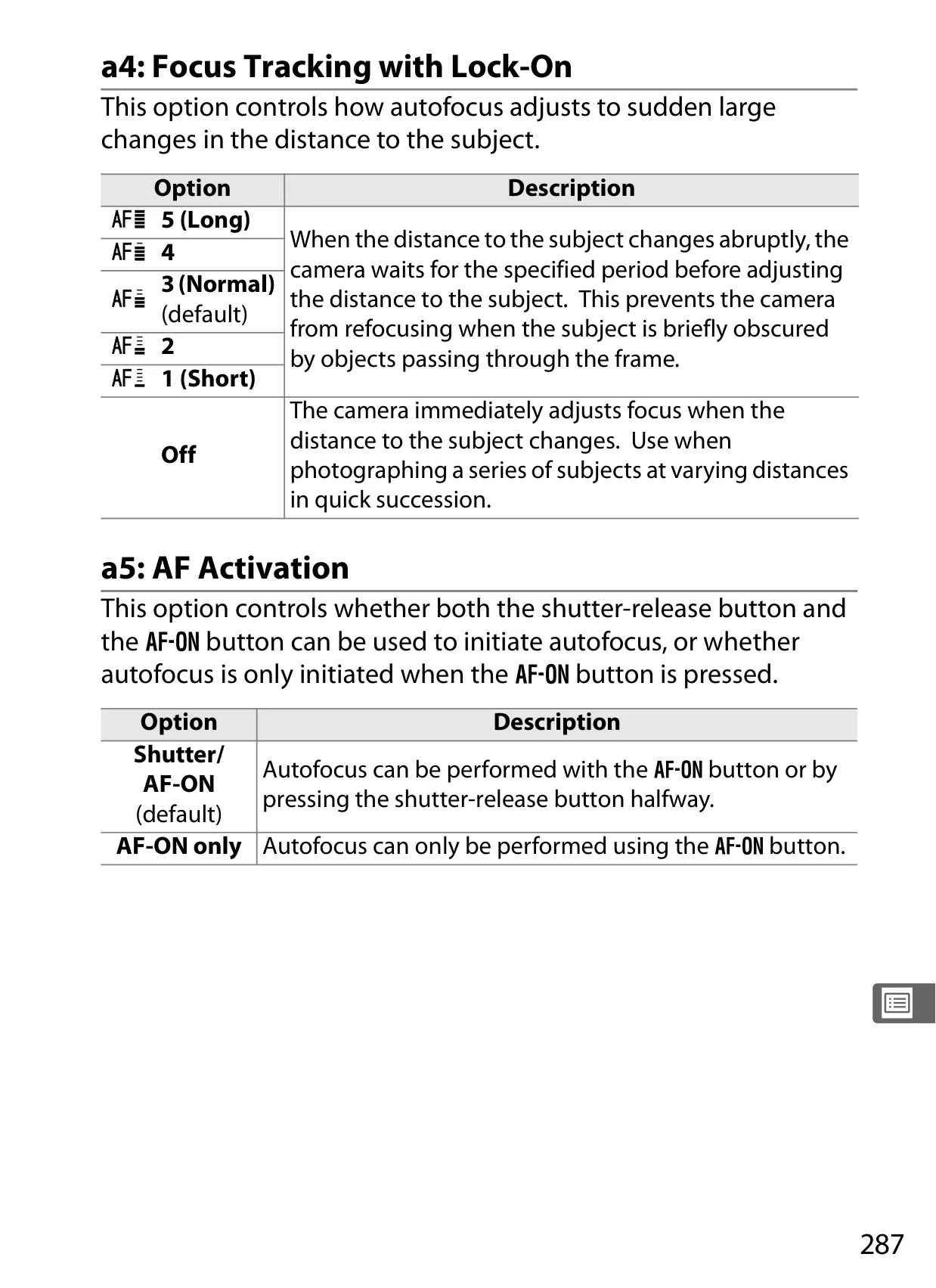
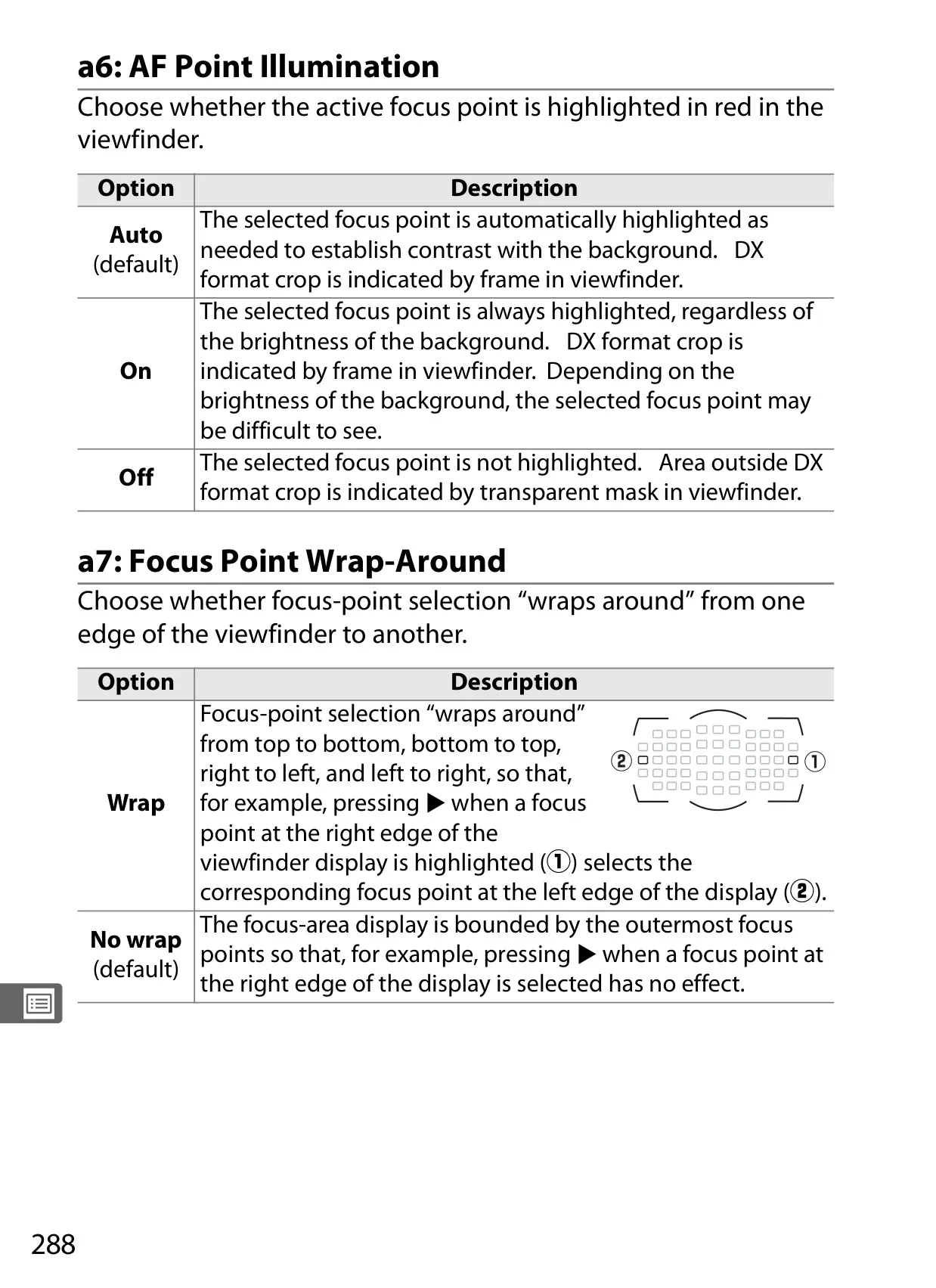
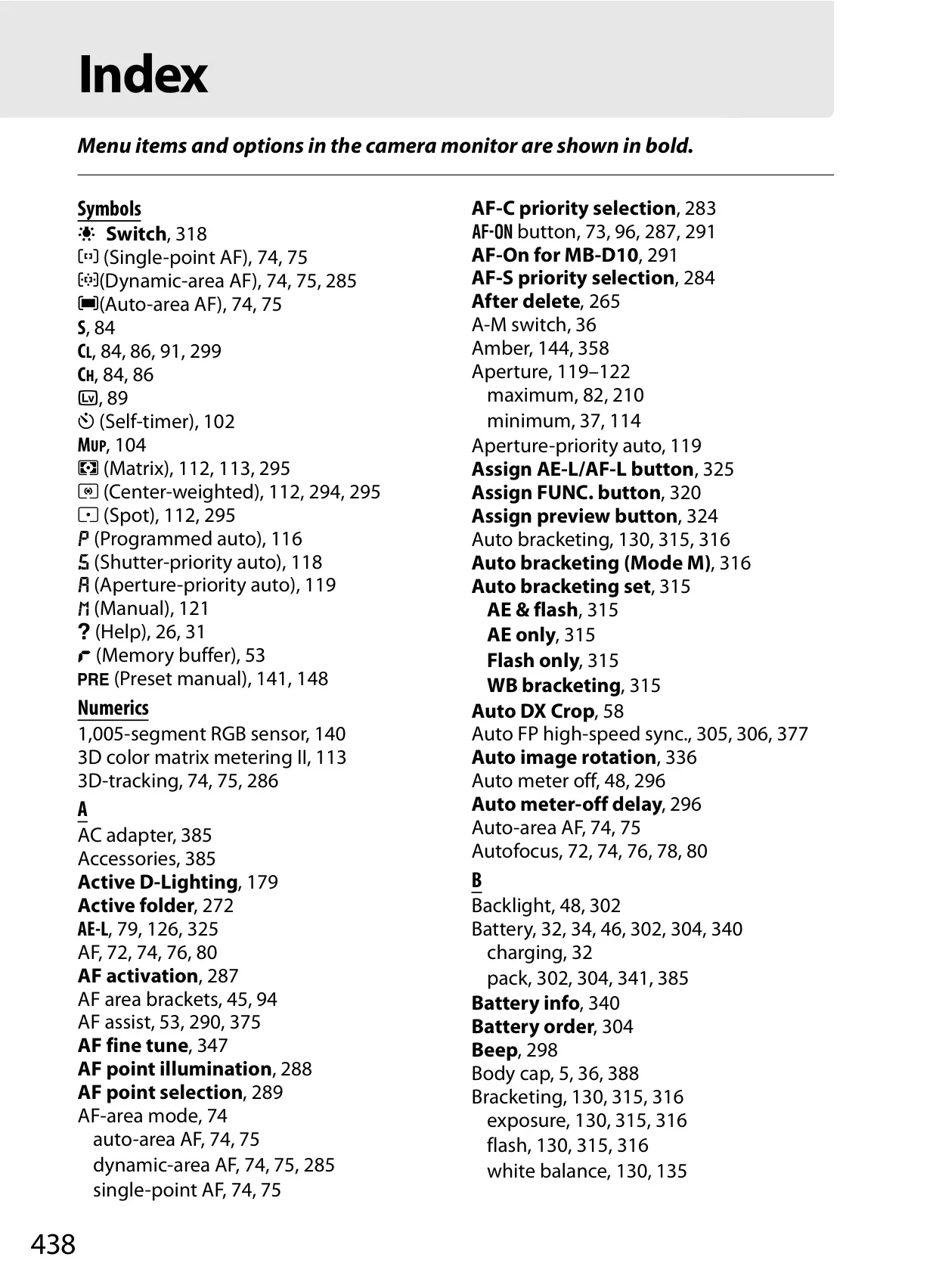
For critical focus, the D700 boasts an advanced 51-point autofocus system. Beyond simple single-point AF, it incorporates sophisticated 3D-tracking, which intelligently follows erratically moving subjects across the frame, maintaining razor-sharp focus even in dynamic scenarios. The camera also includes an AF fine-tune function, allowing users to precisely calibrate autofocus for up to 12 individual lenses, ensuring optimal sharpness and consistency across their equipment. To aid composition and stability, an in-camera virtual horizon provides real-time leveling feedback, an invaluable tool for perfectly aligned landscapes and architectural photography.
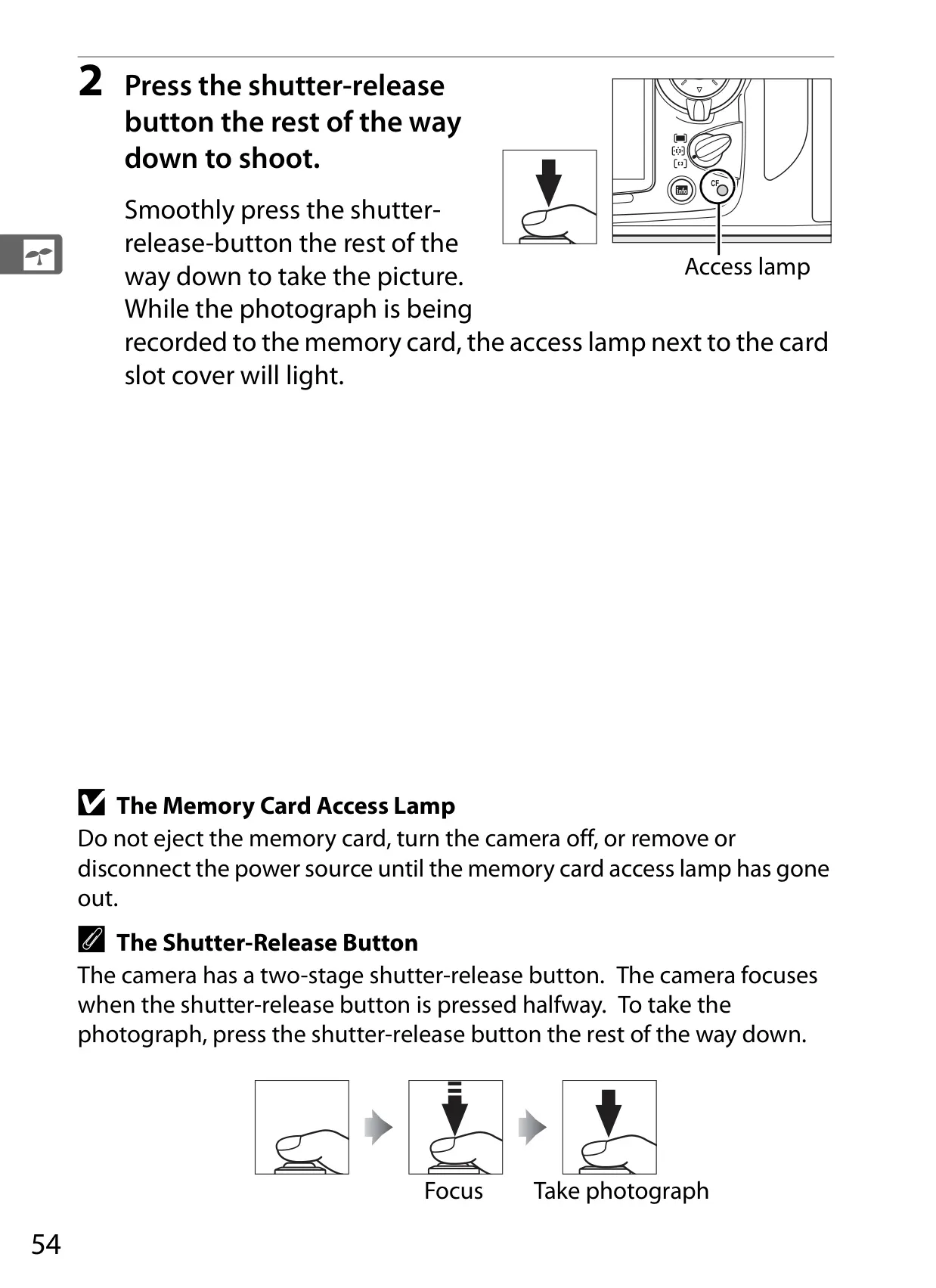
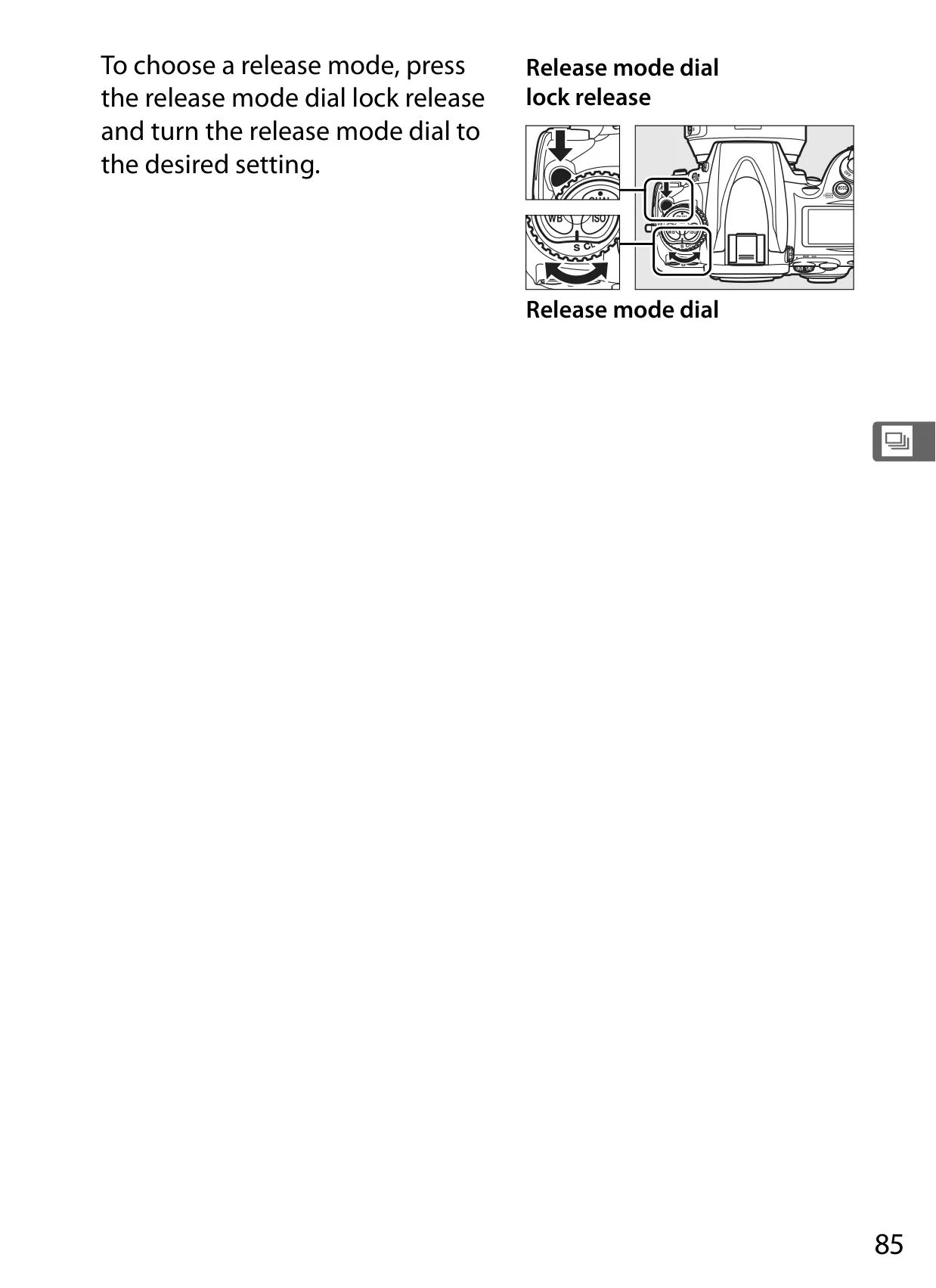
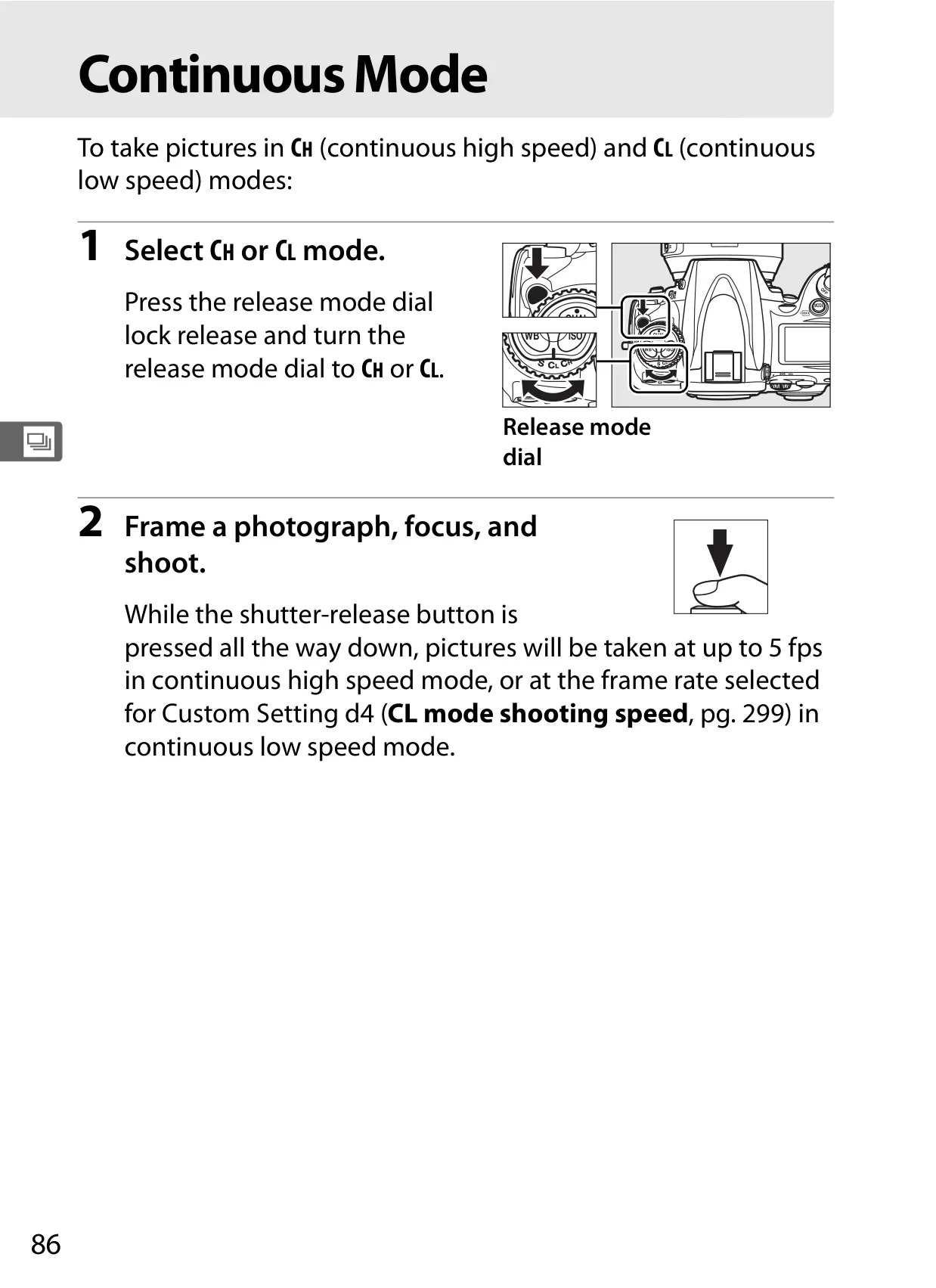
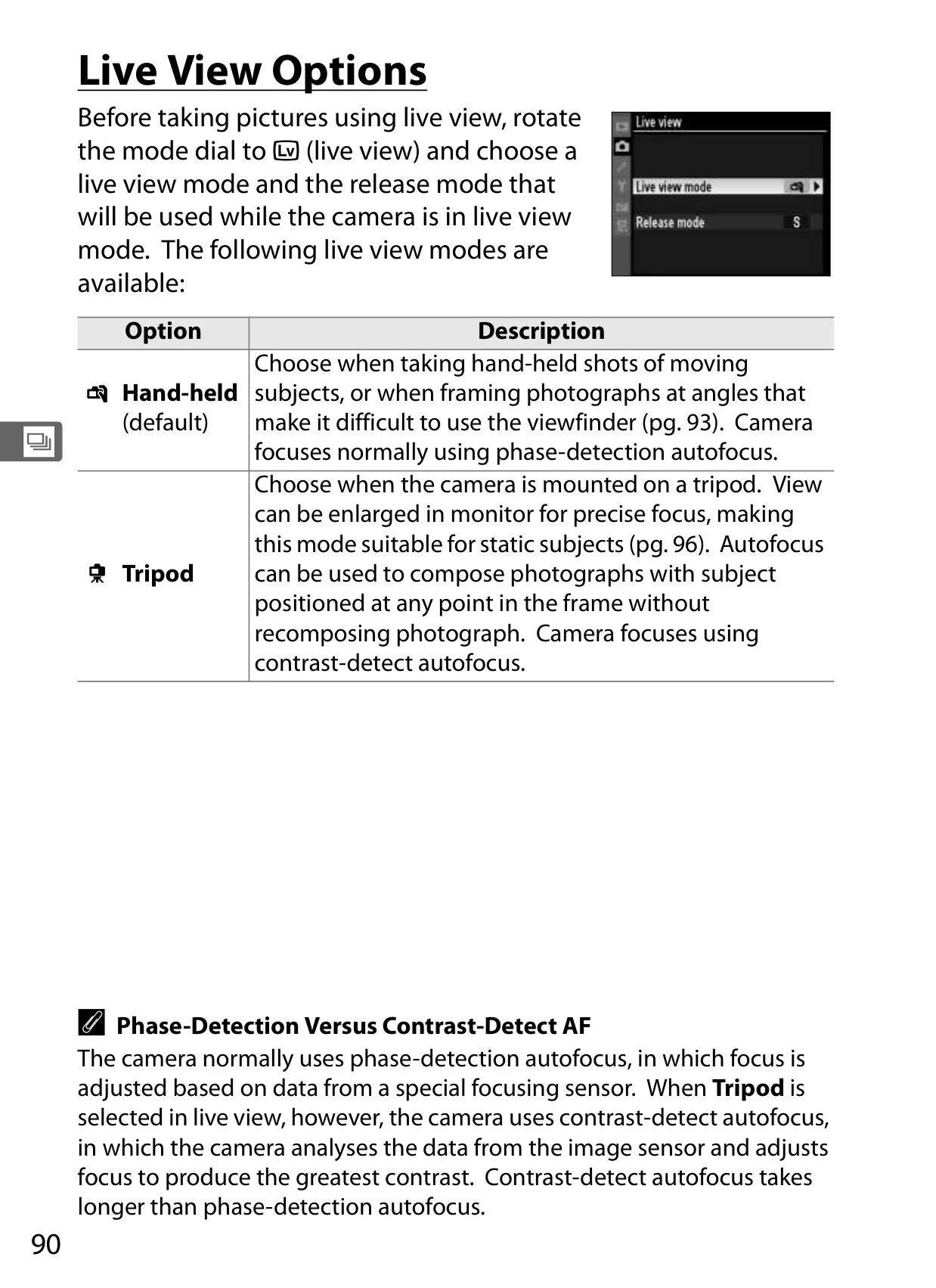
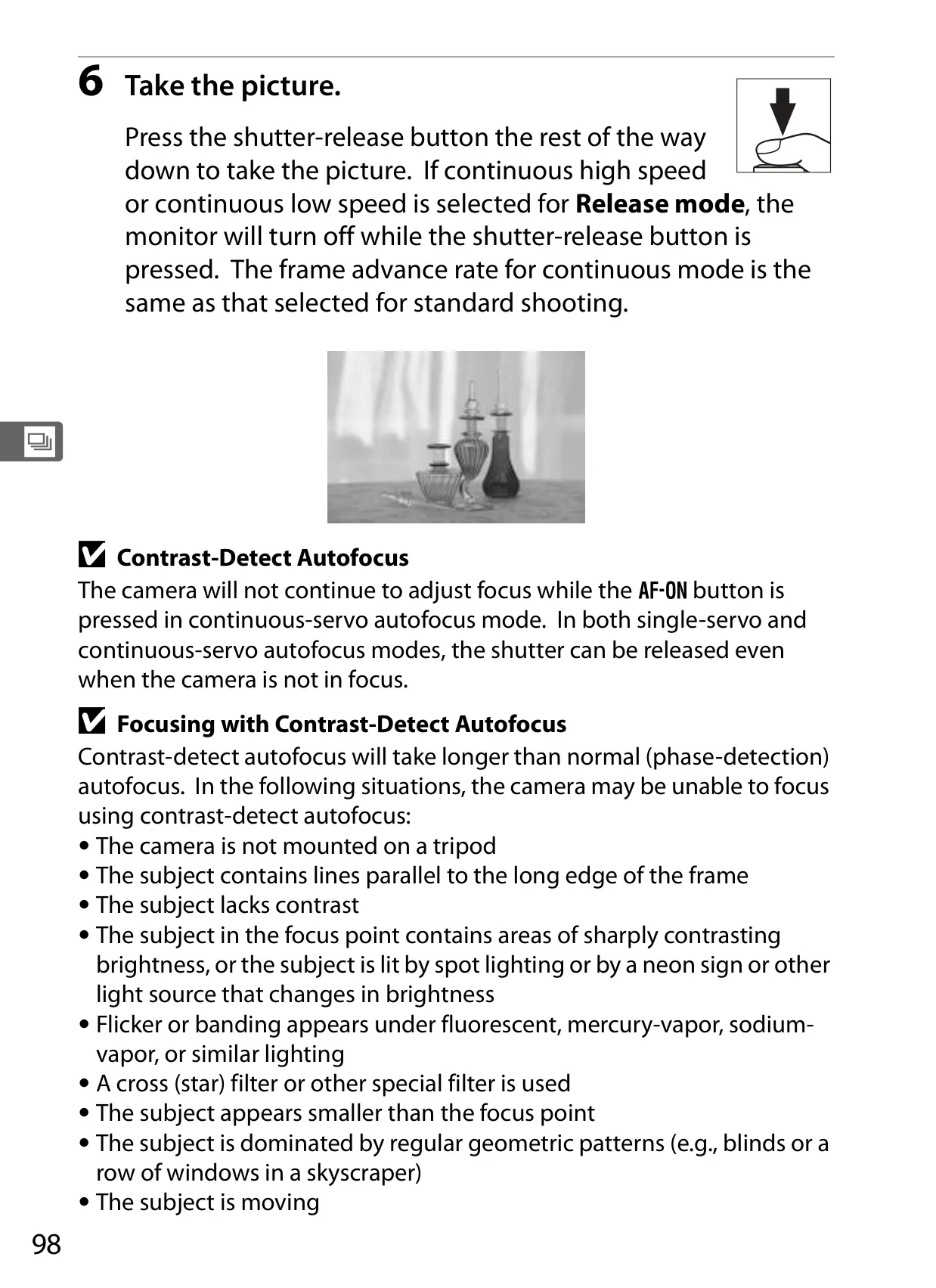
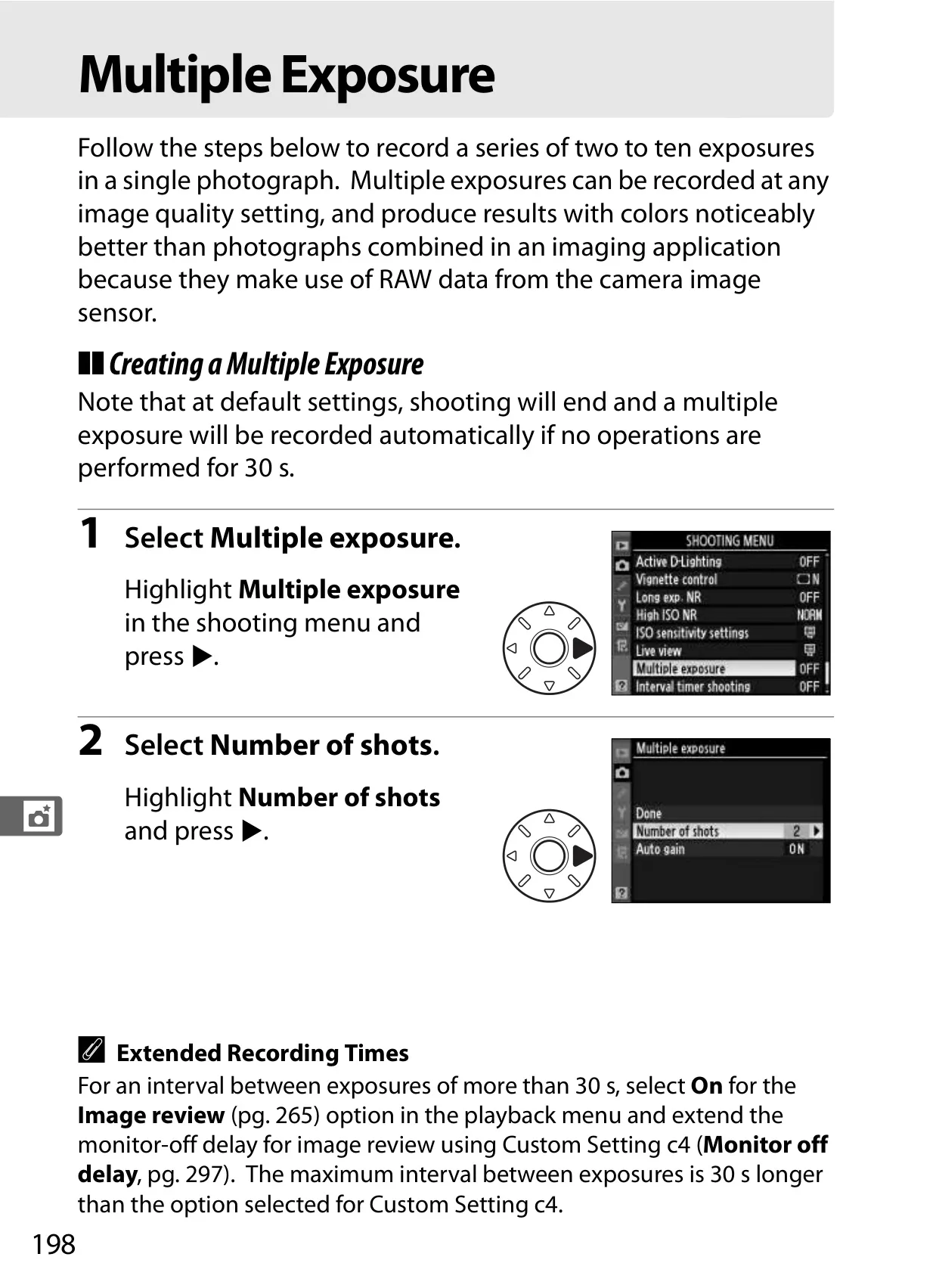
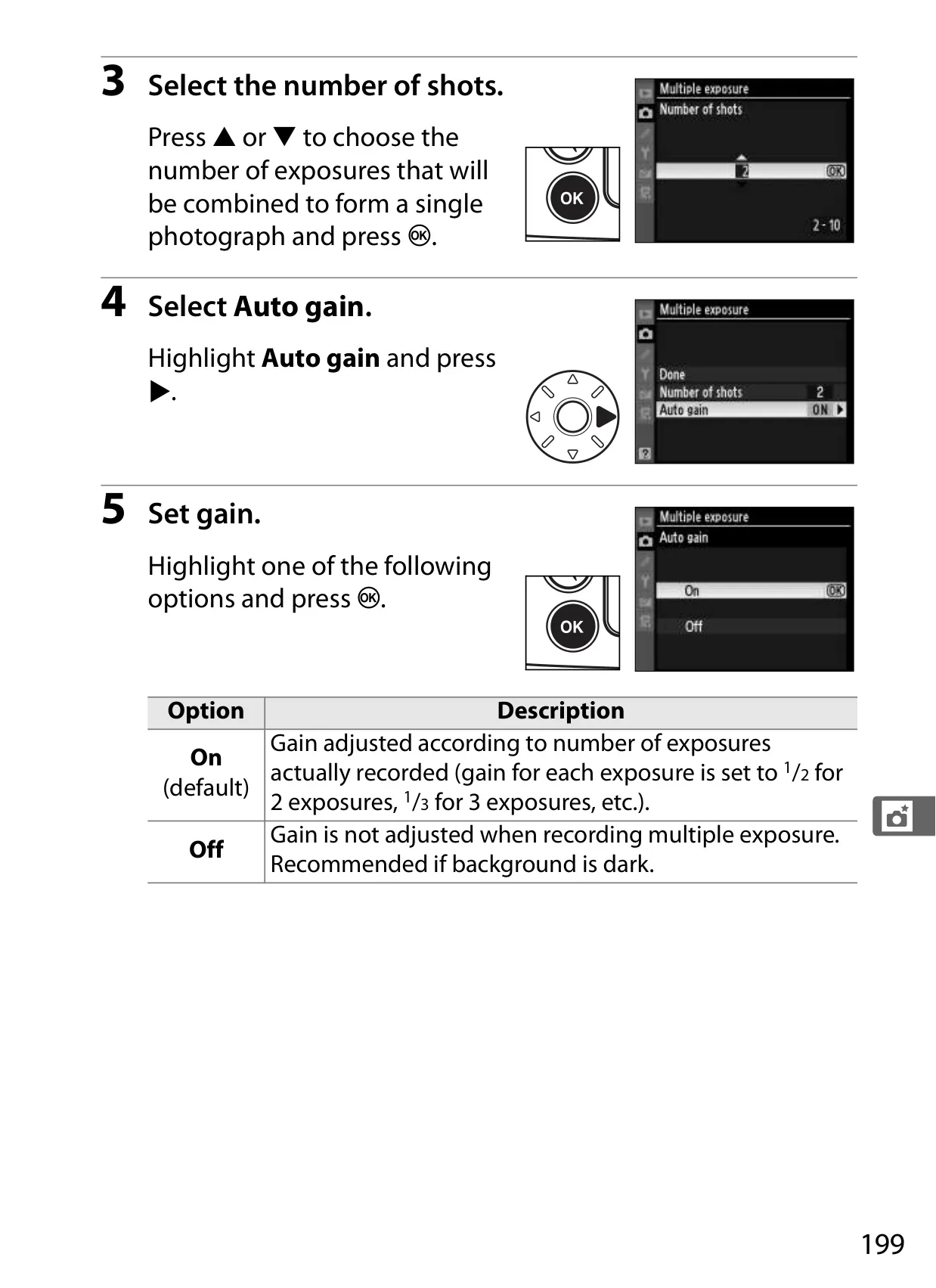
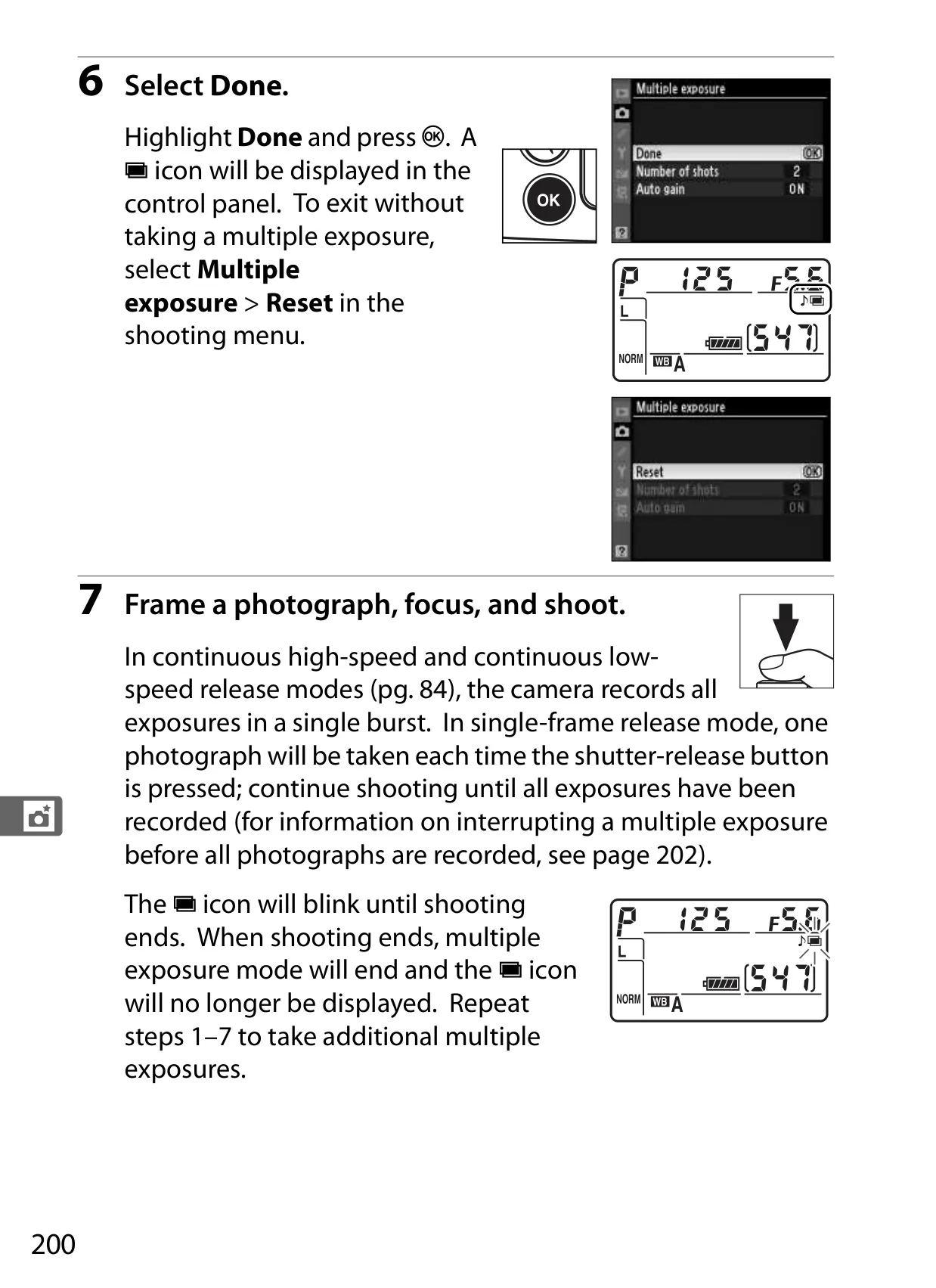
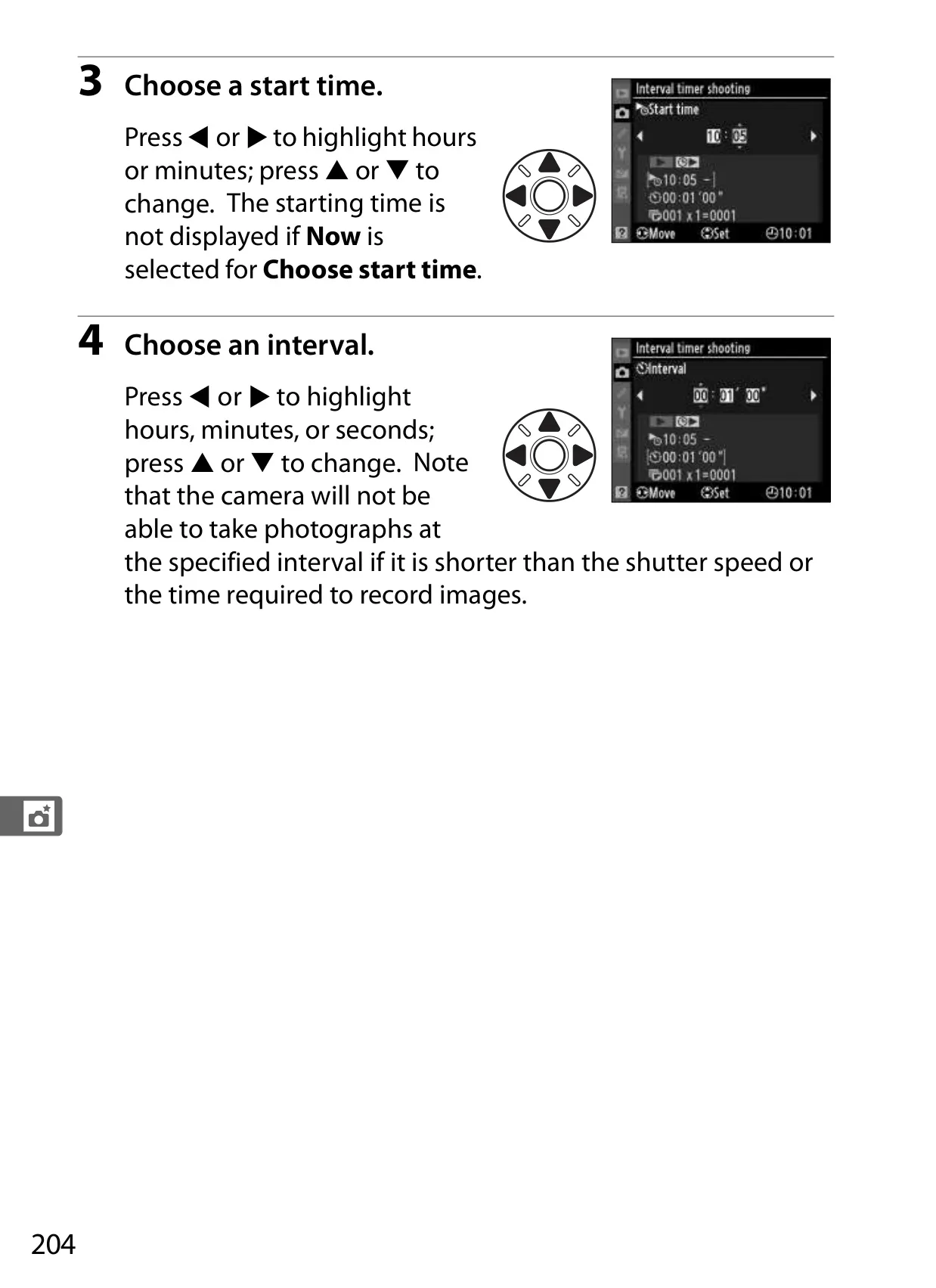
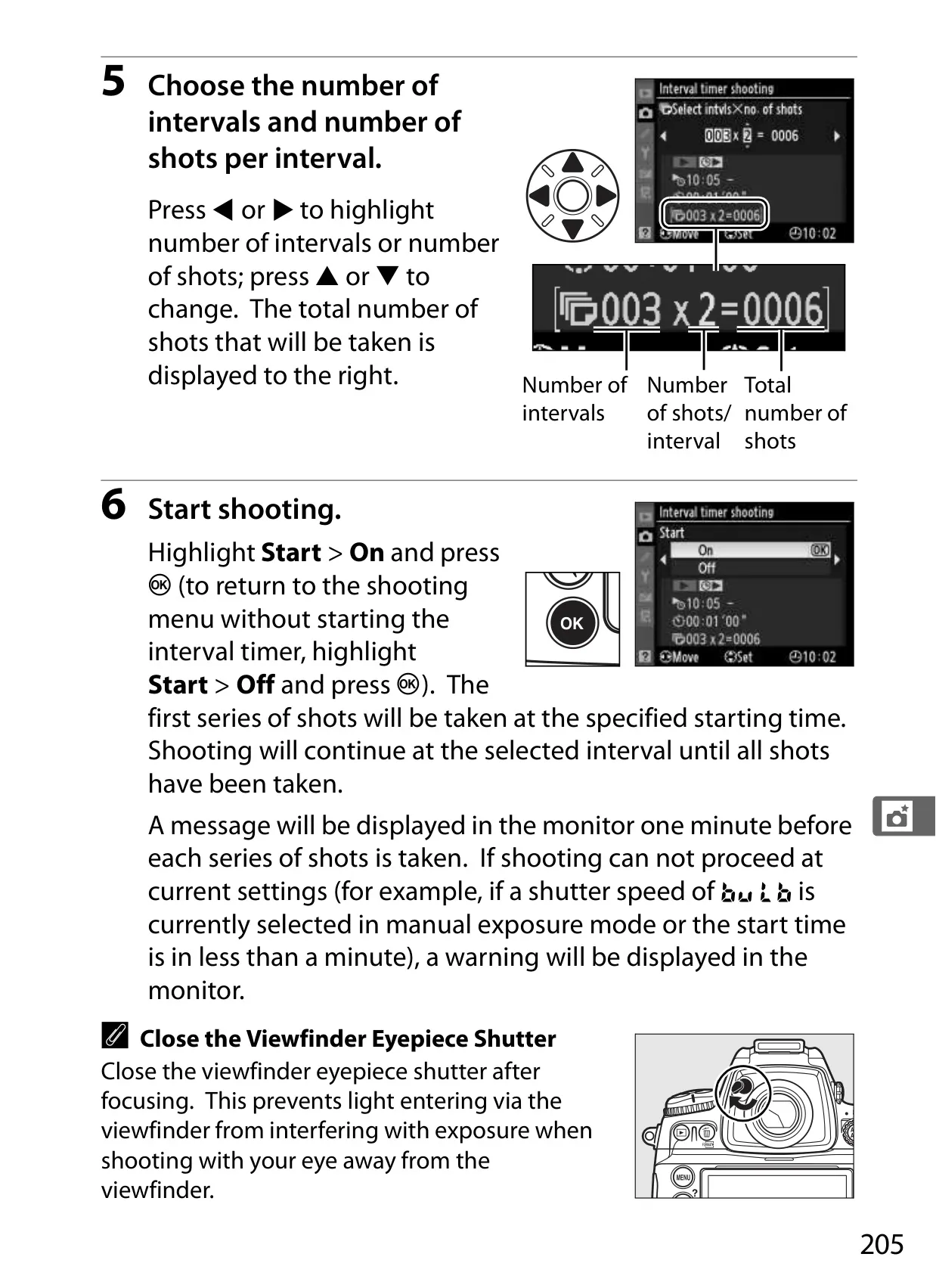
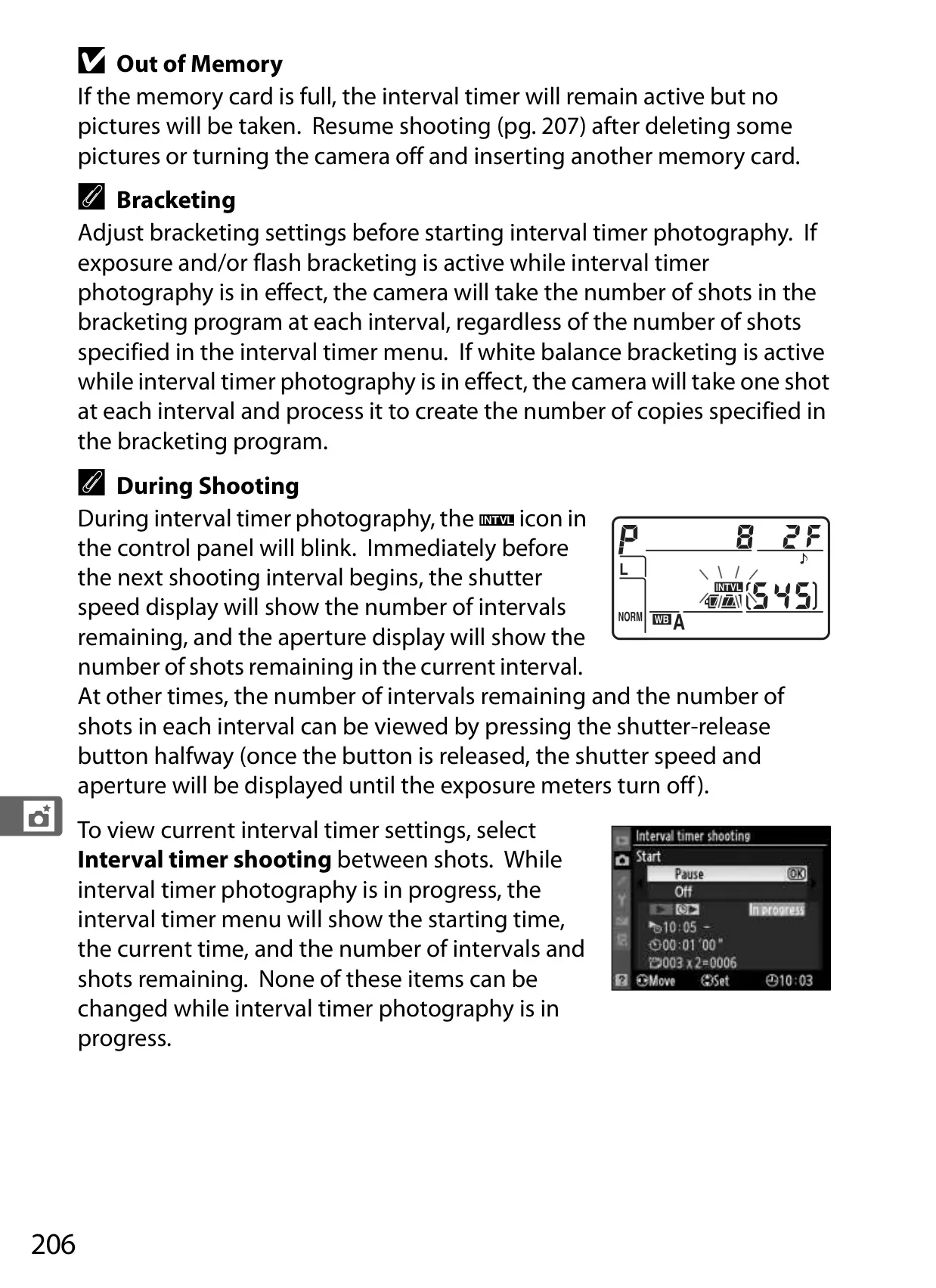
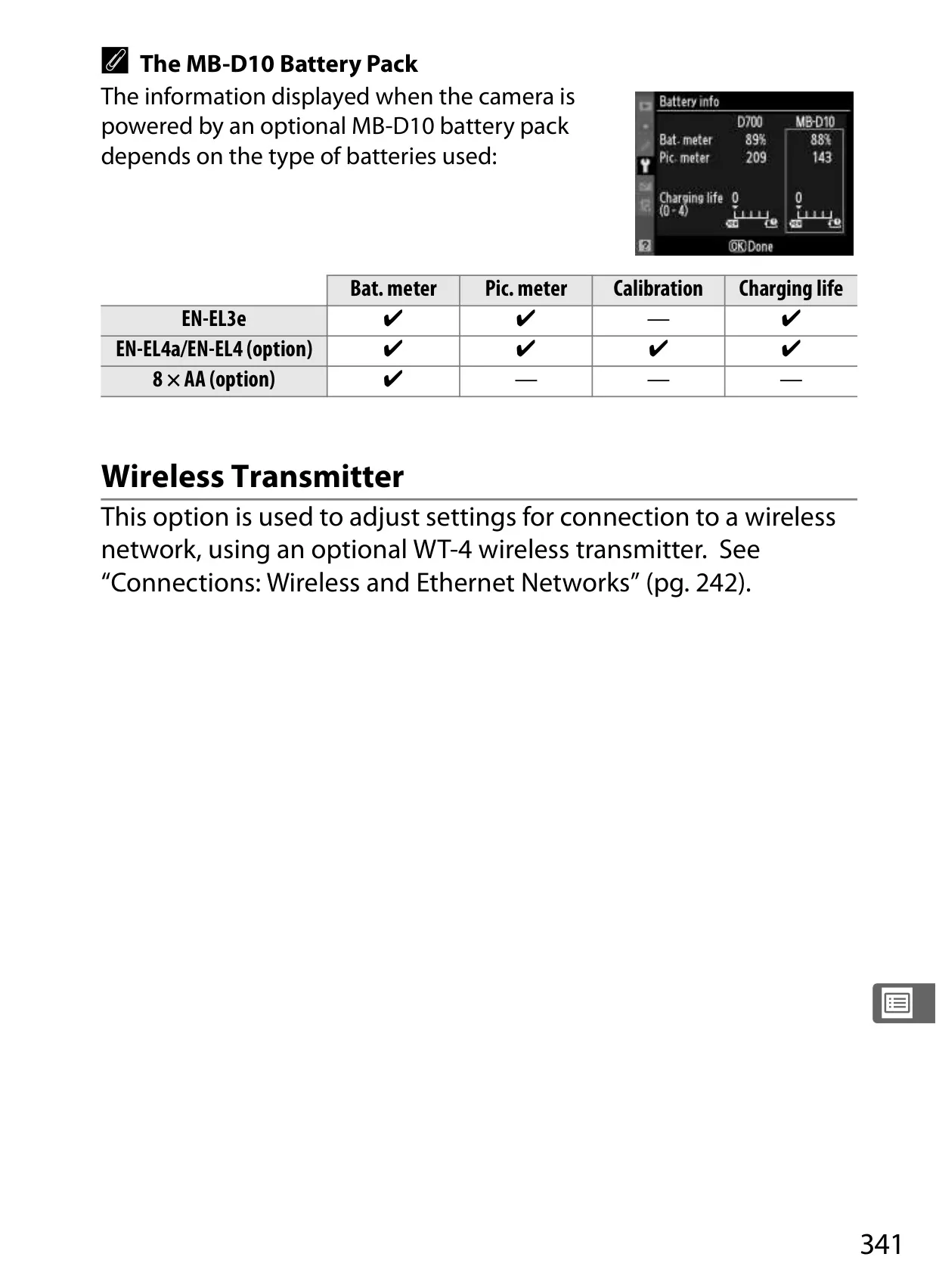
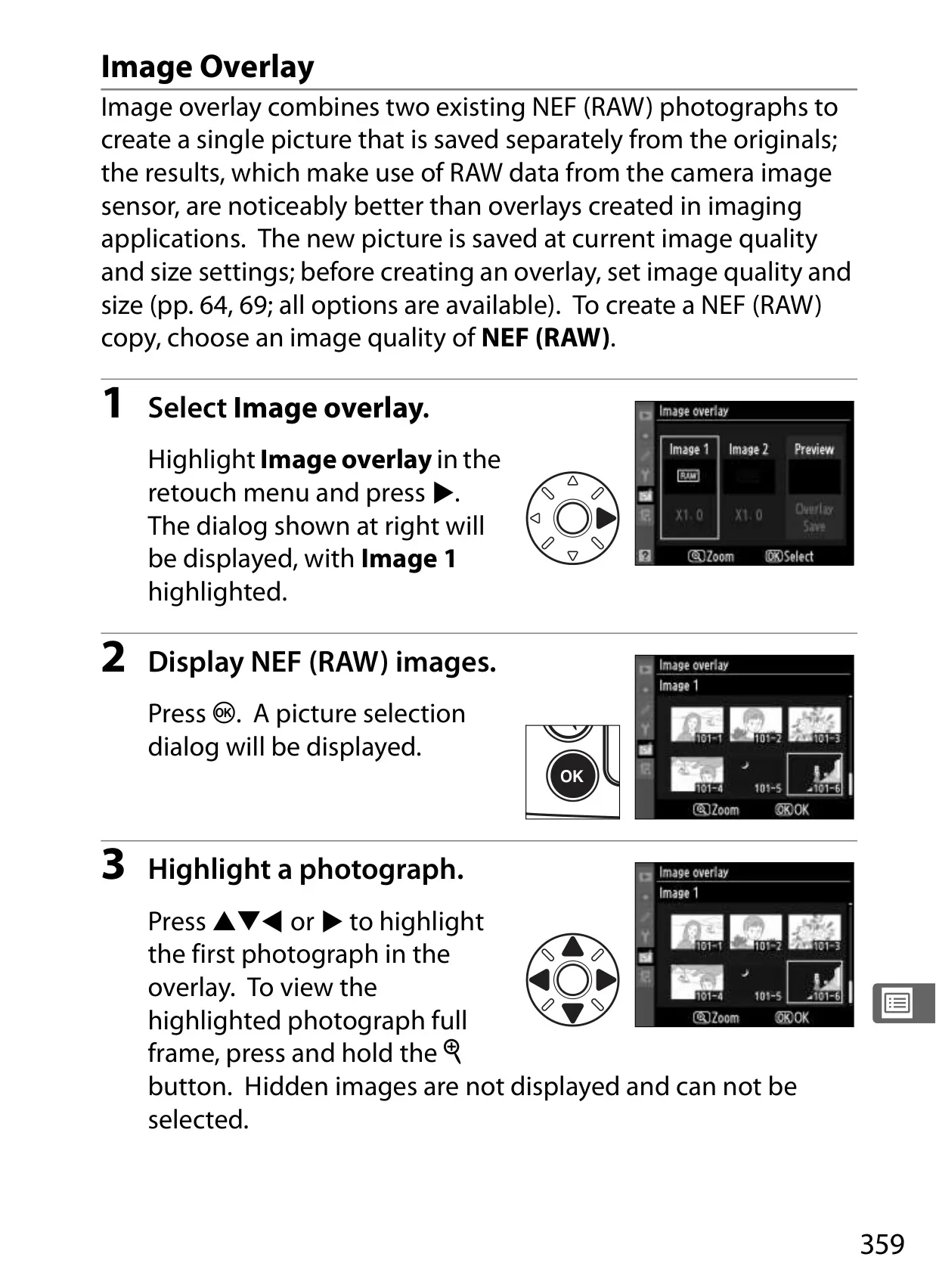
The D700 provides diverse release modes to suit any photographic scenario, from rapid action to intricate still life. Beyond standard single-frame and continuous shooting (reaching up to 8 frames per second with the optional MB-D10 battery pack), the Live View mode transforms the rear monitor into a real-time viewfinder. This is ideal for precise composition from challenging high or low angles, or for achieving critical manual focus through its enlarged view. Interval Timer Photography enables automated shooting at predefined intervals, perfect for creating captivating time-lapse sequences, while the Multiple Exposure function allows artistic in-camera blending of two to ten separate images, leveraging raw sensor data for superior creative results.
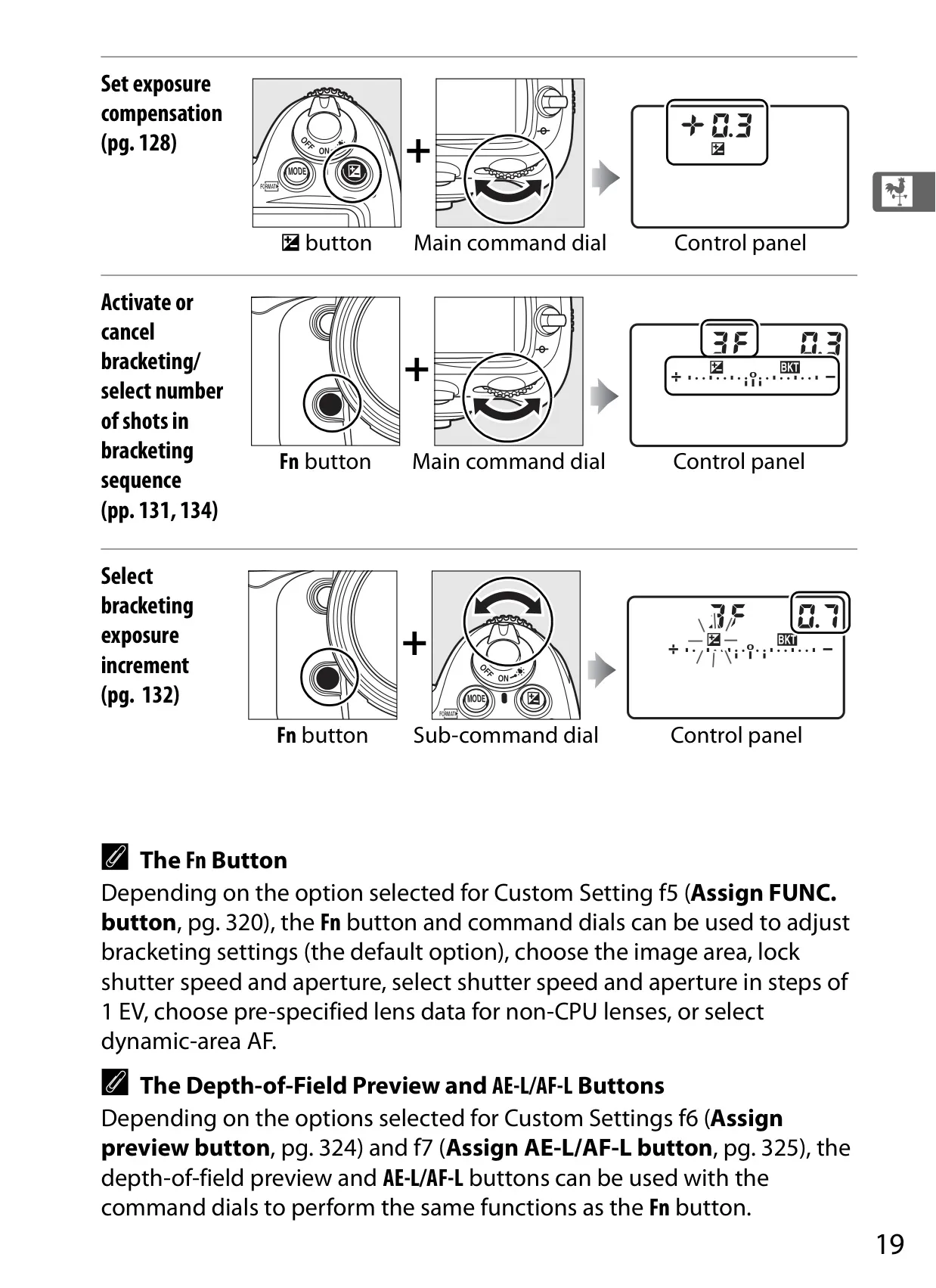
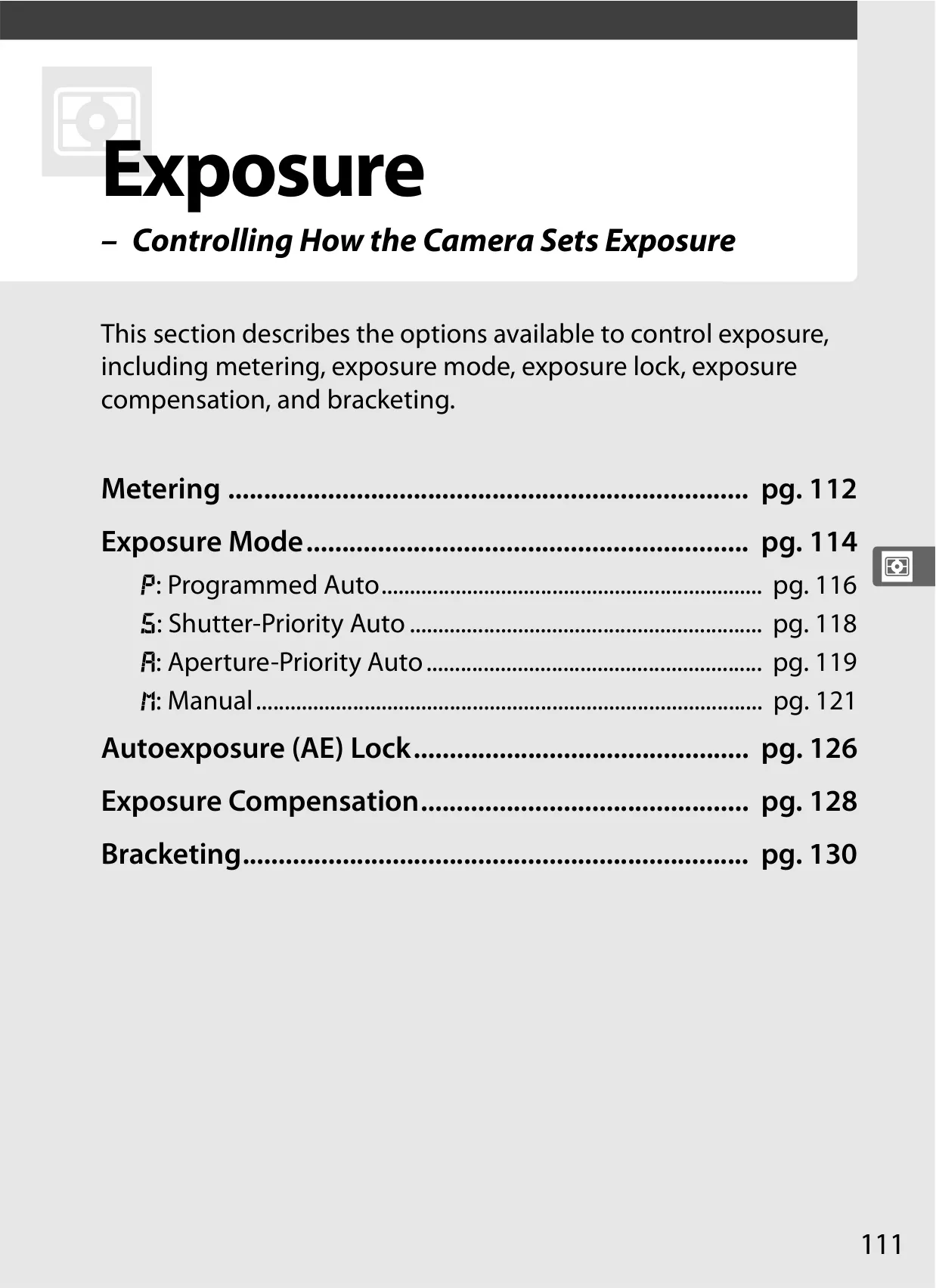
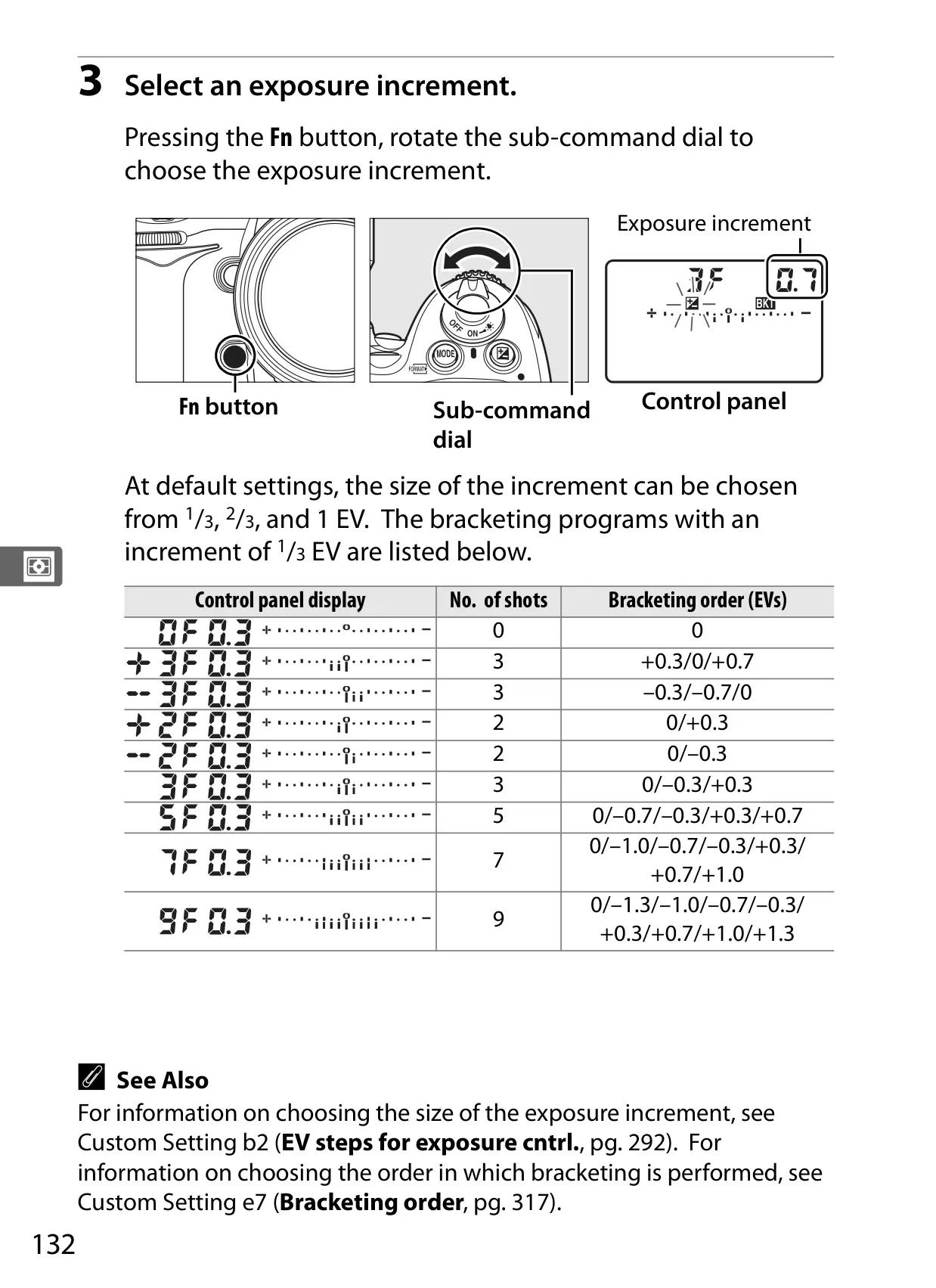
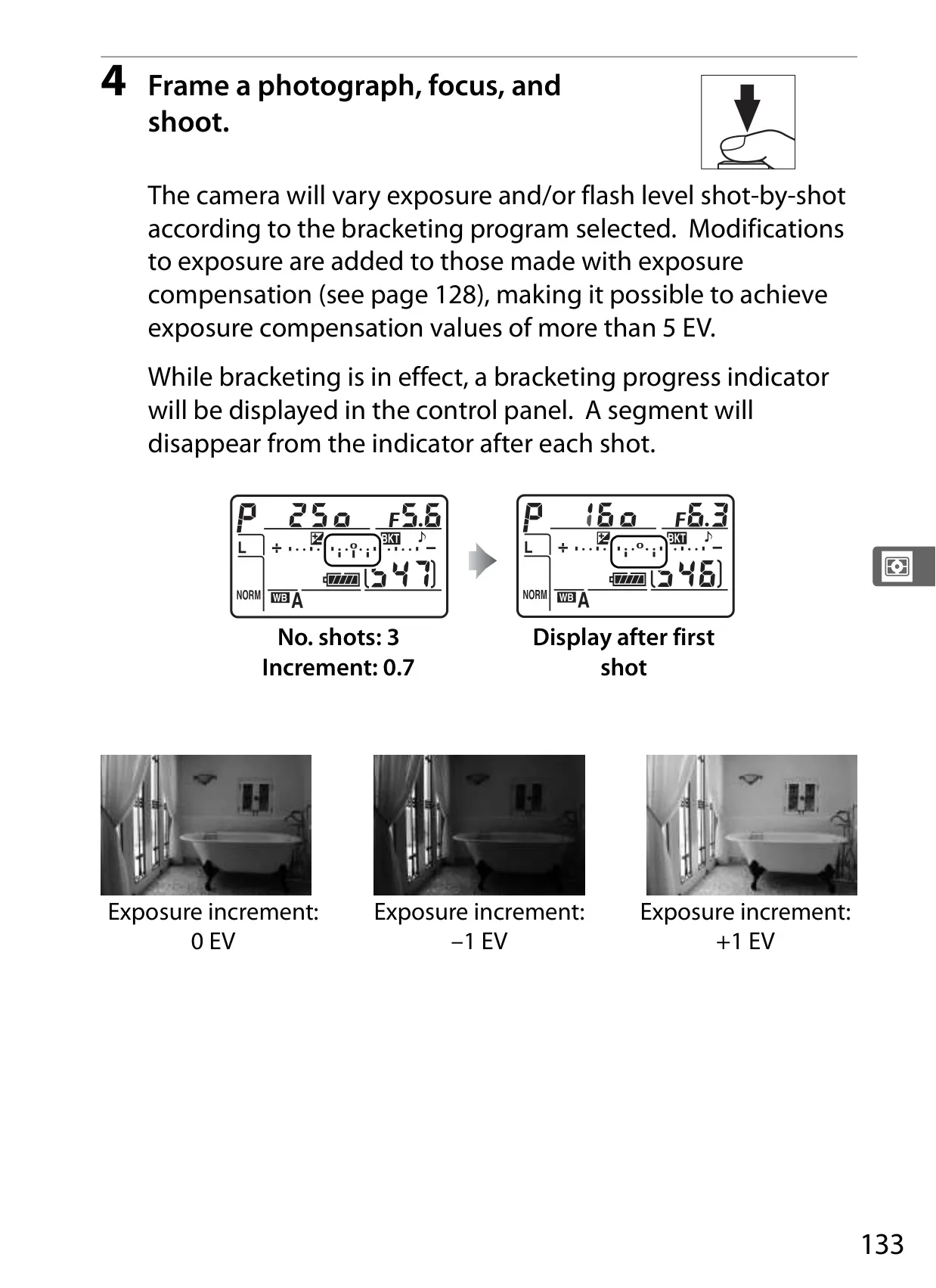
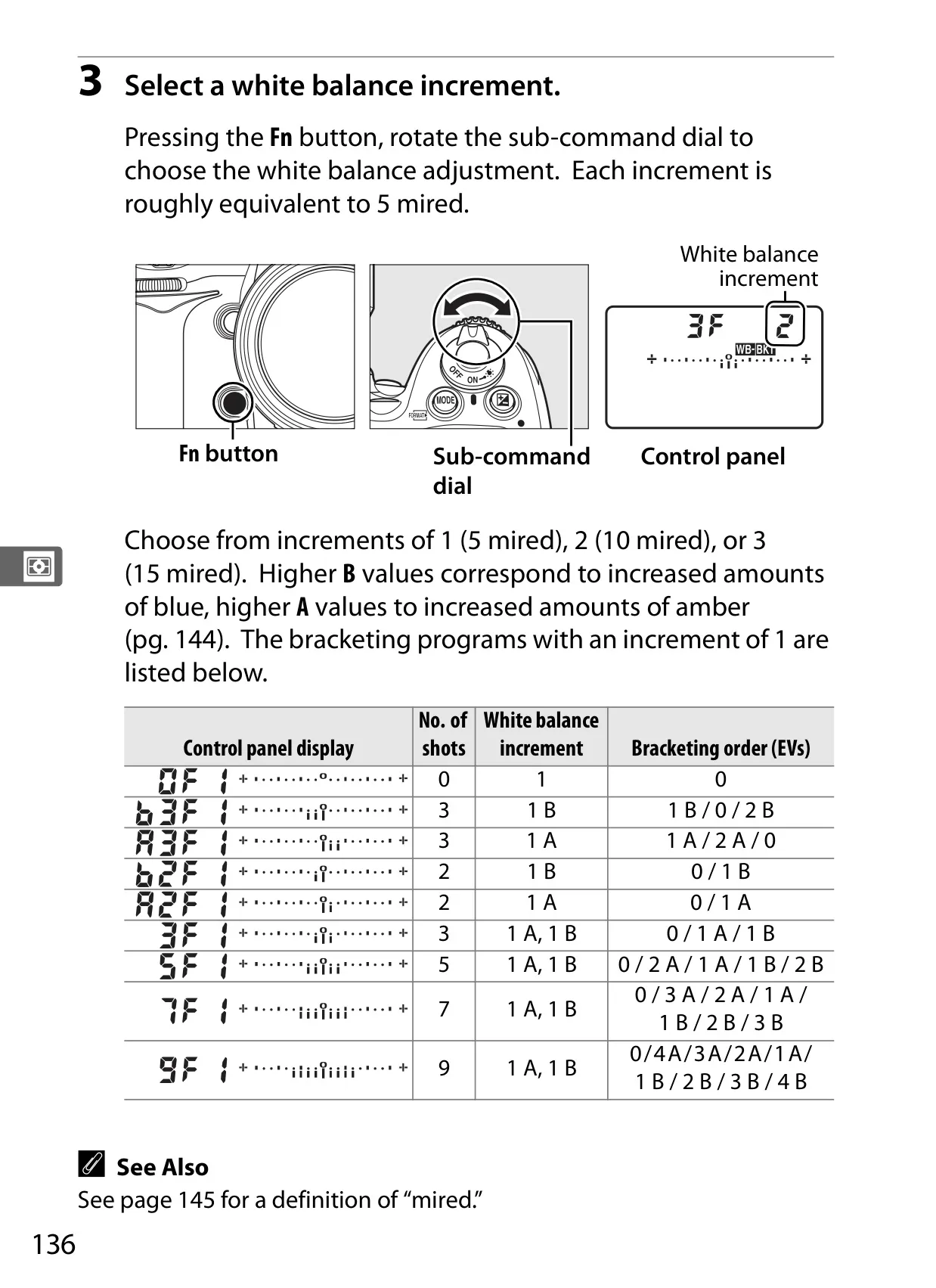
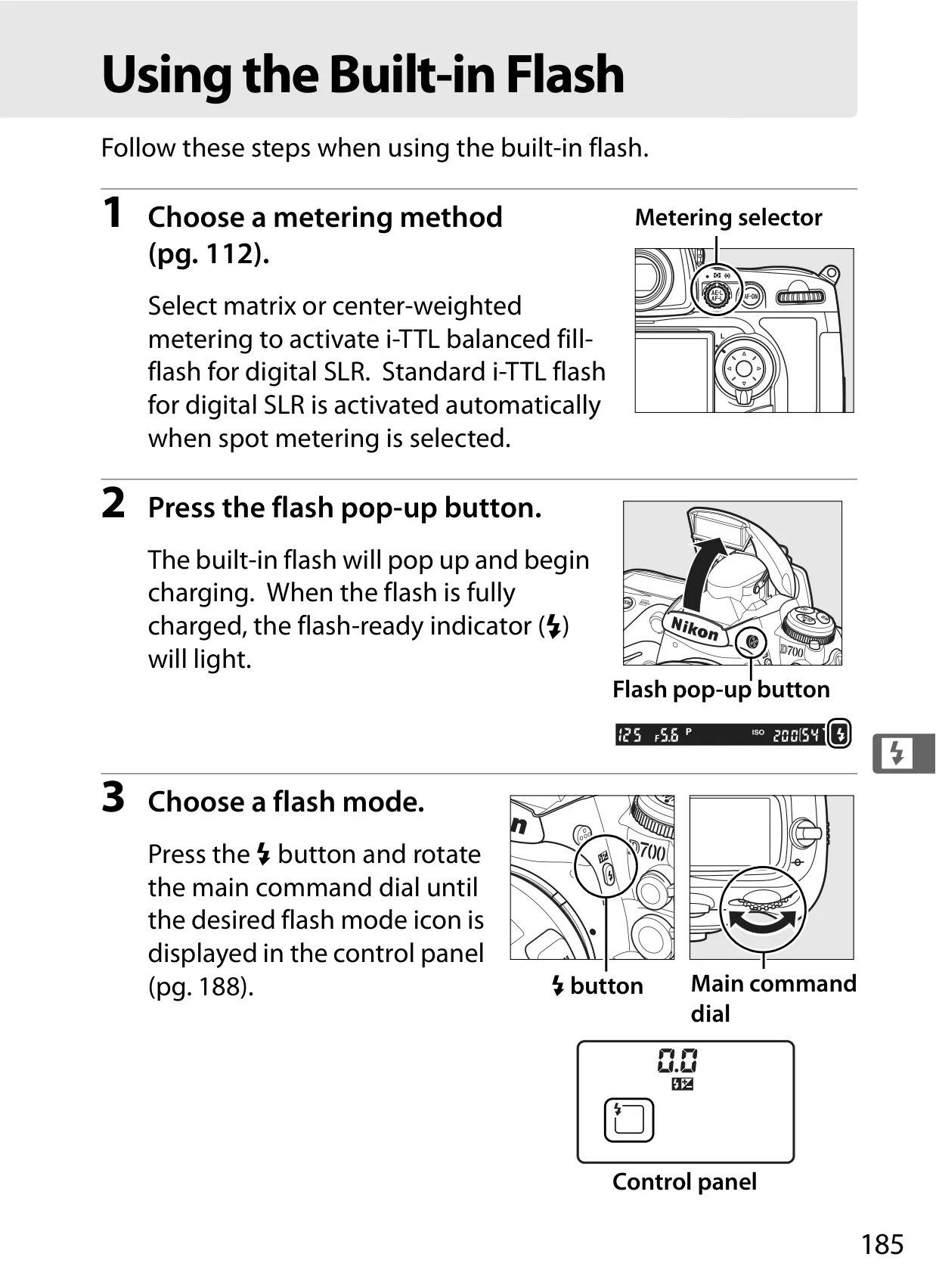
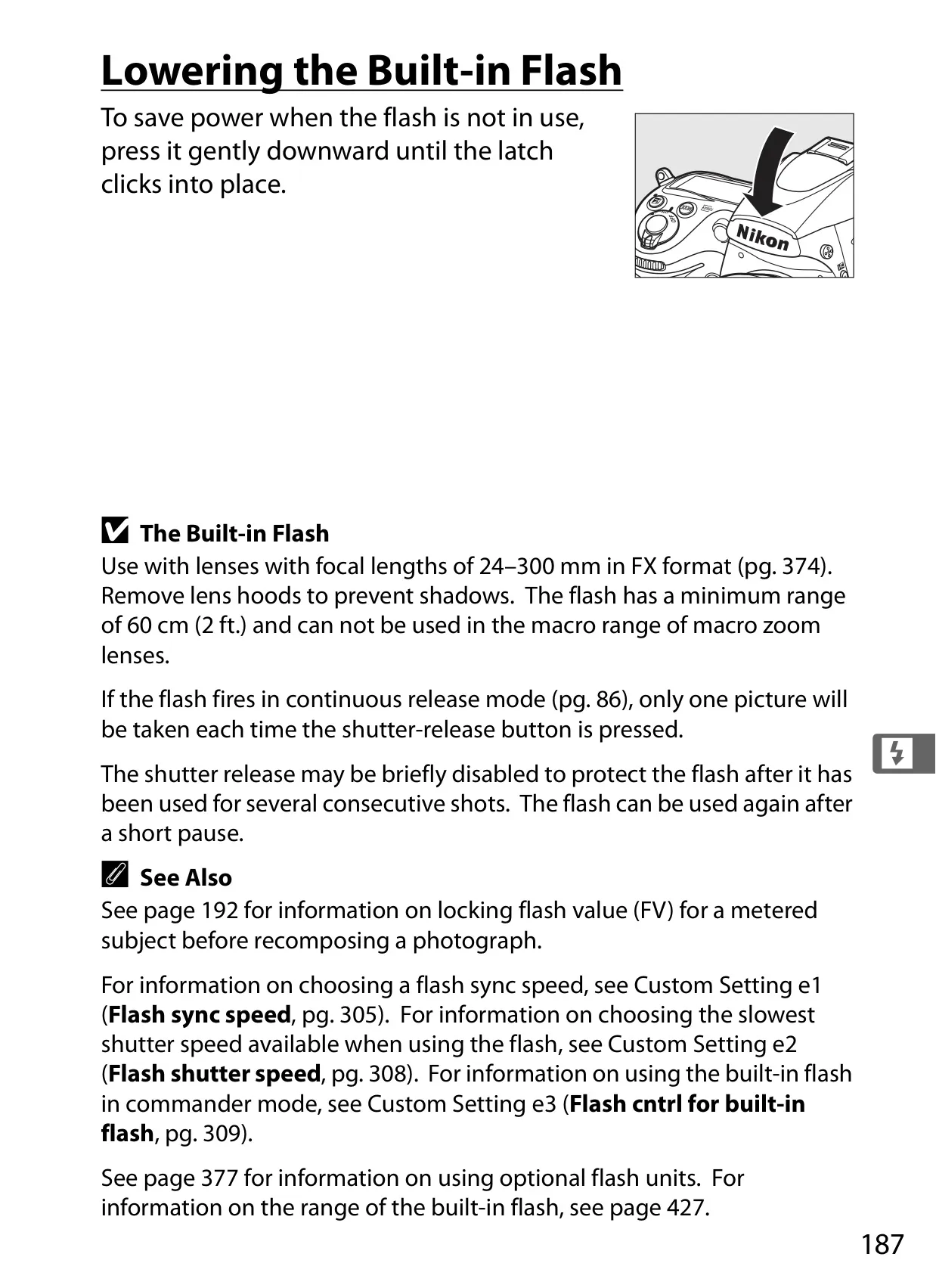
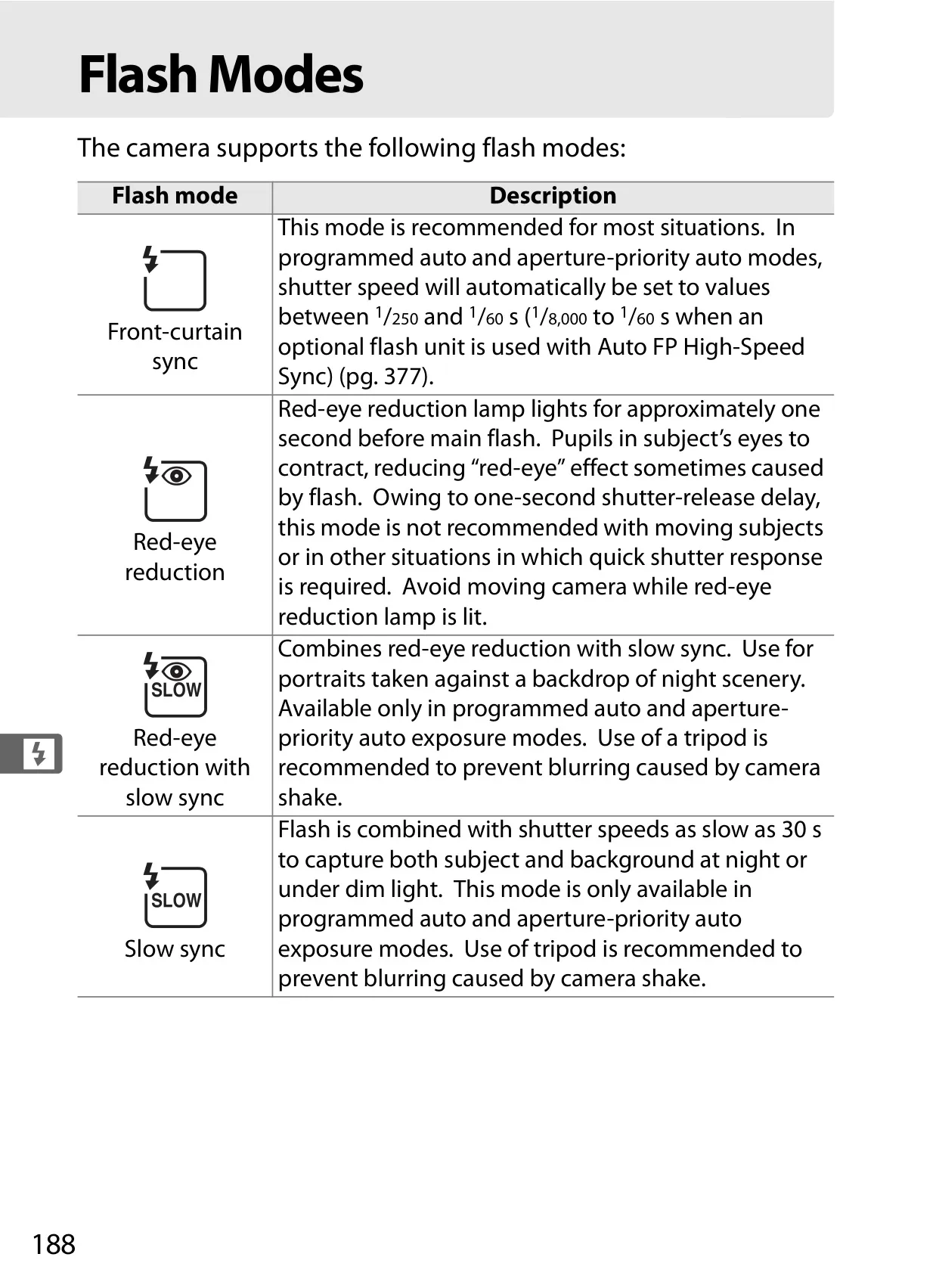
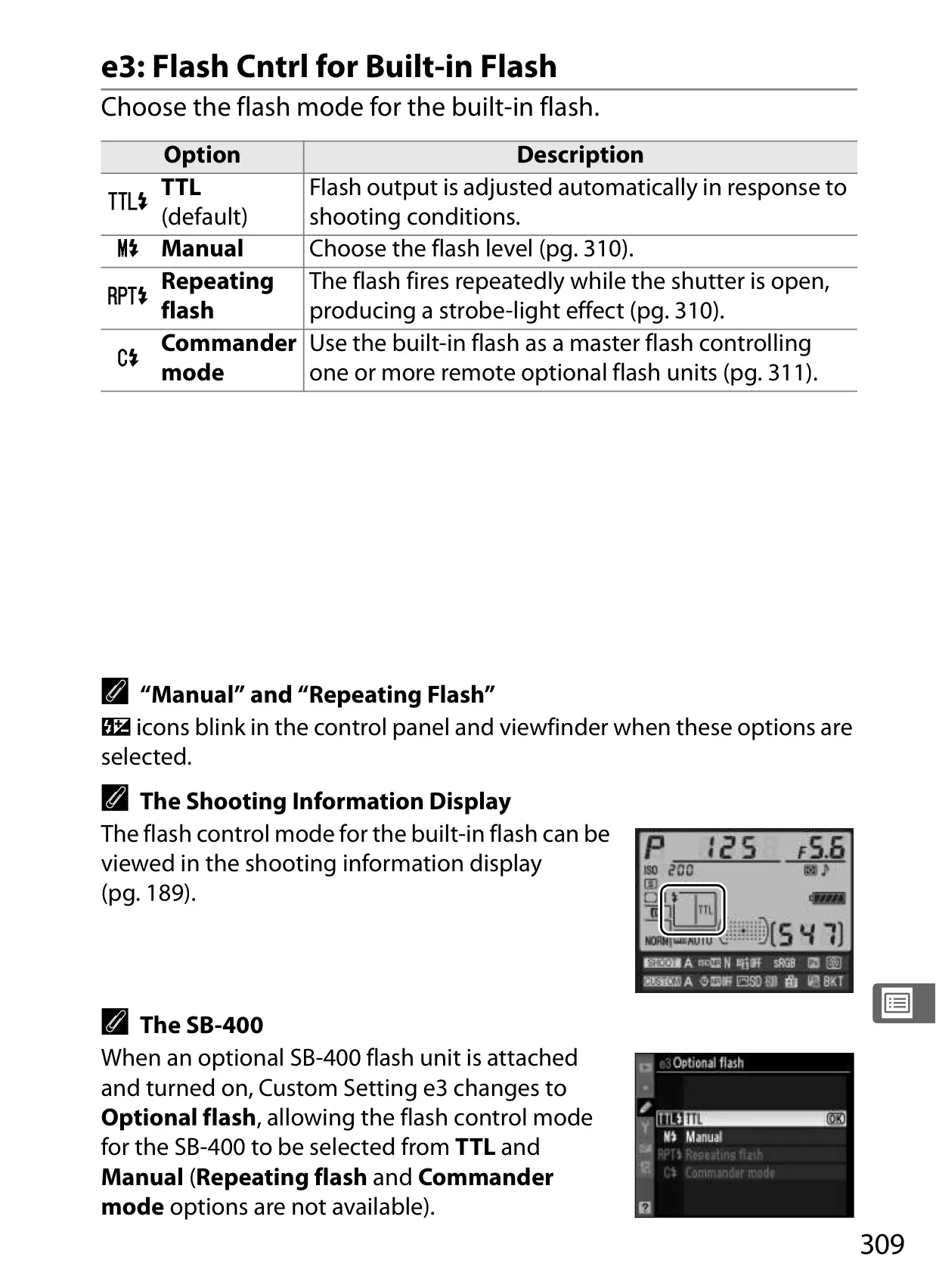
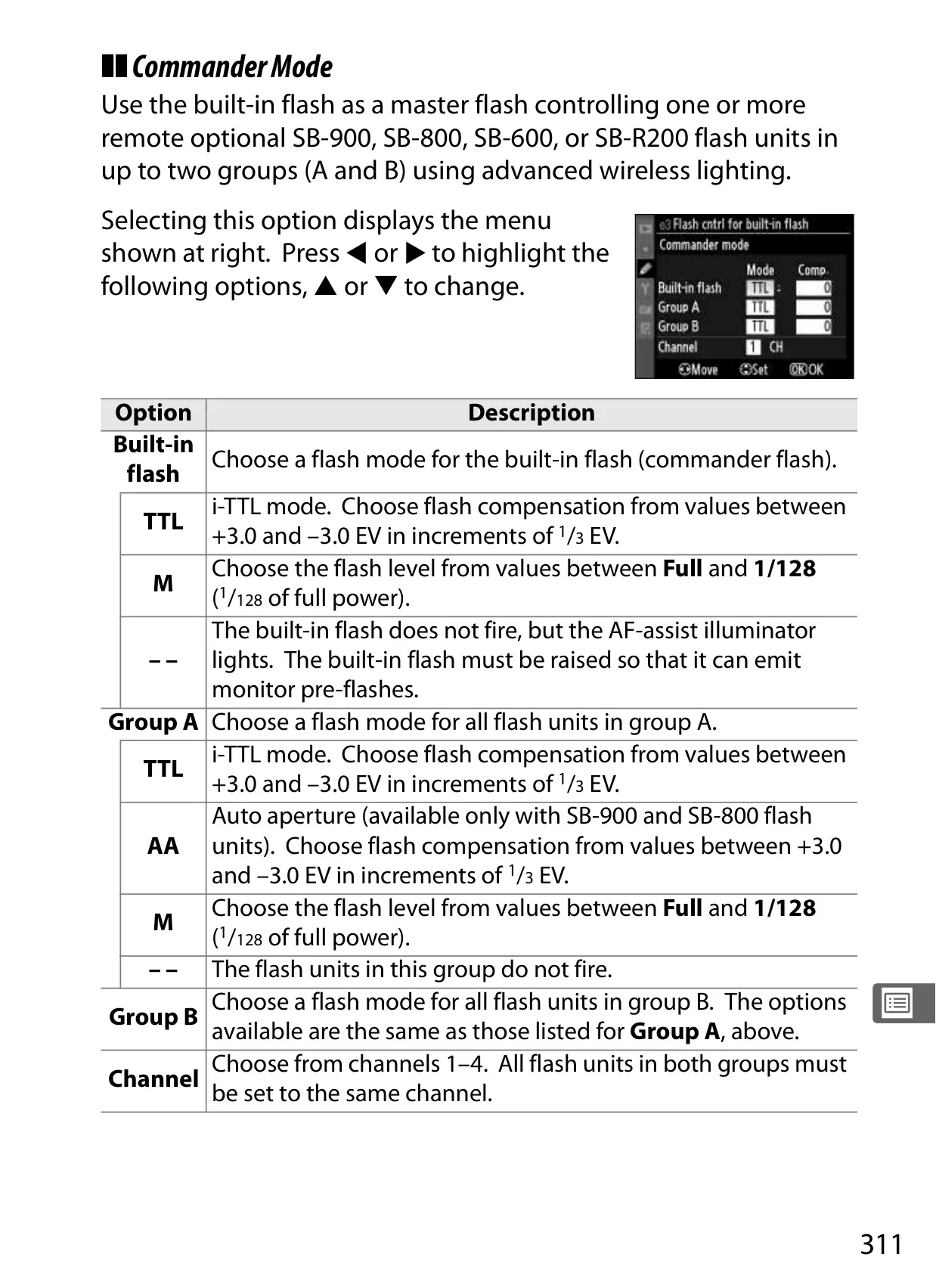
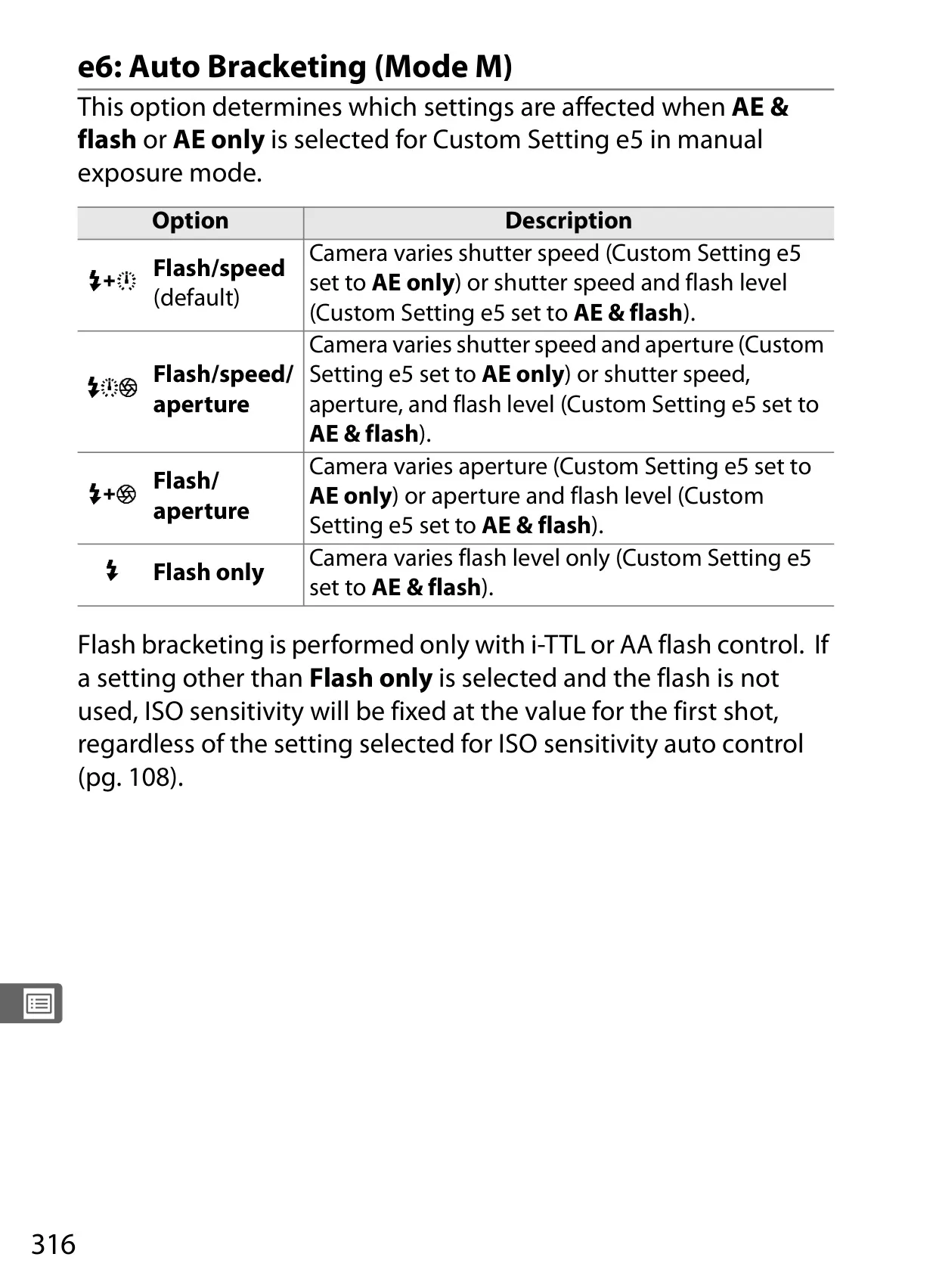
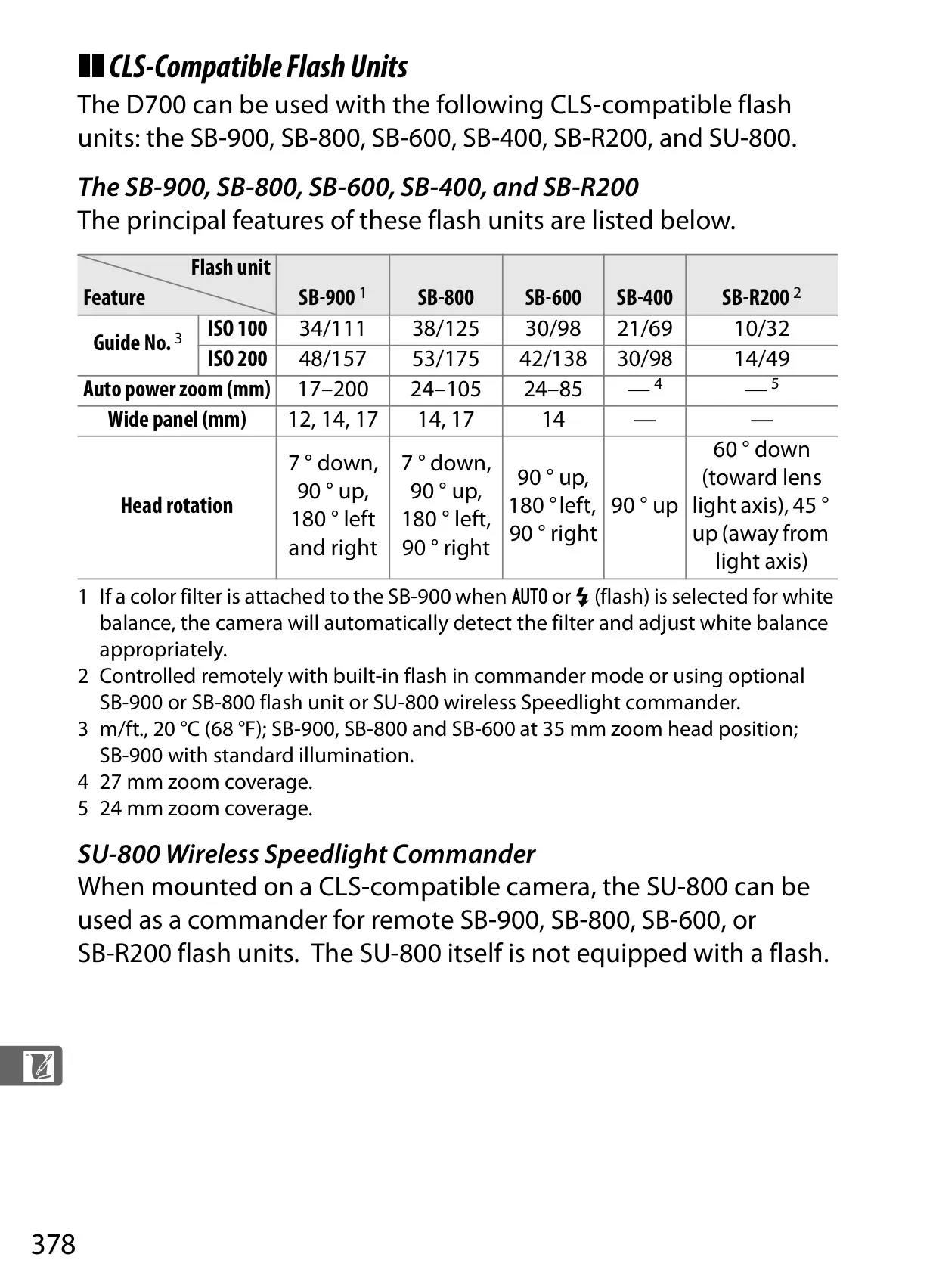
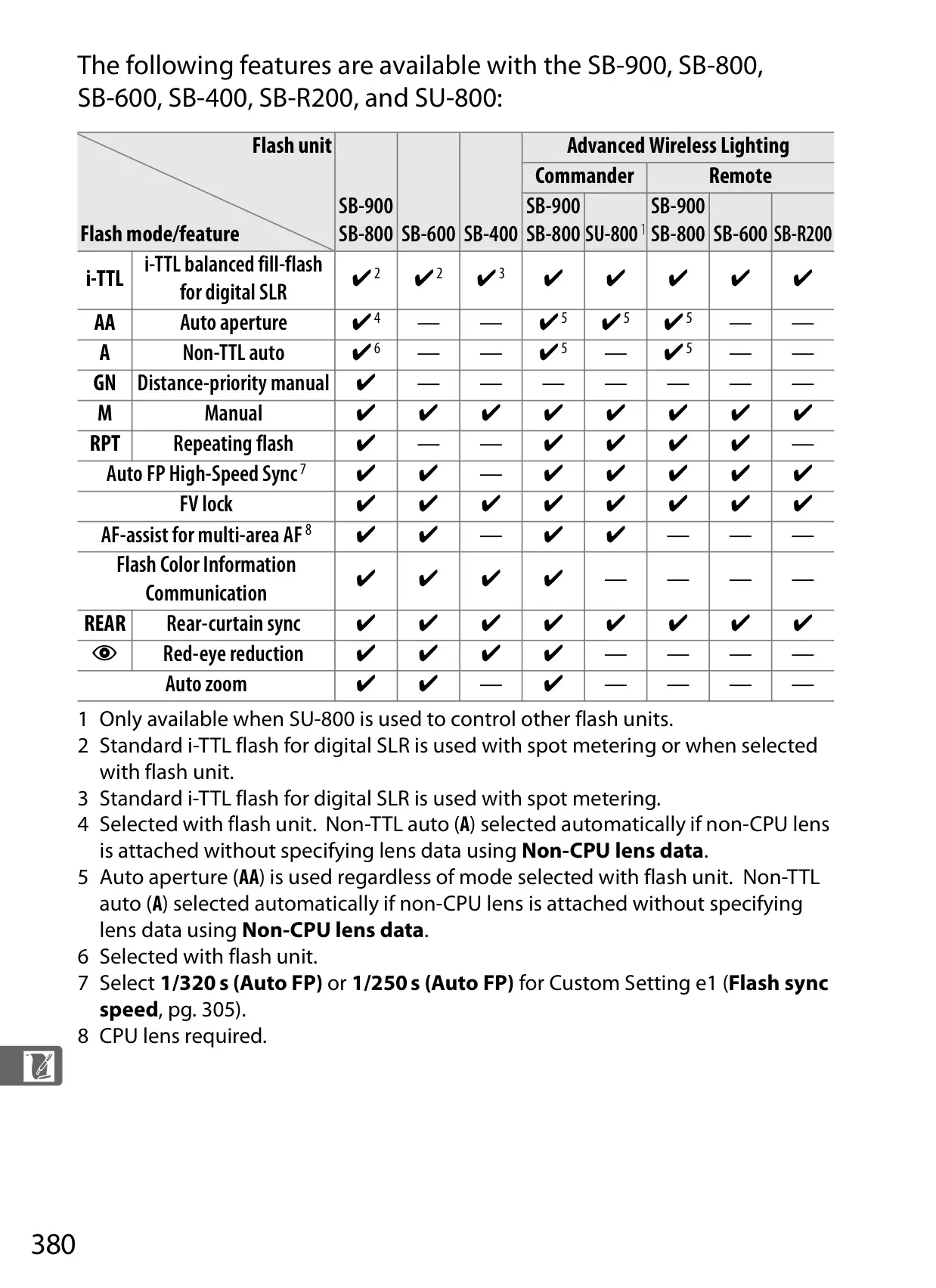
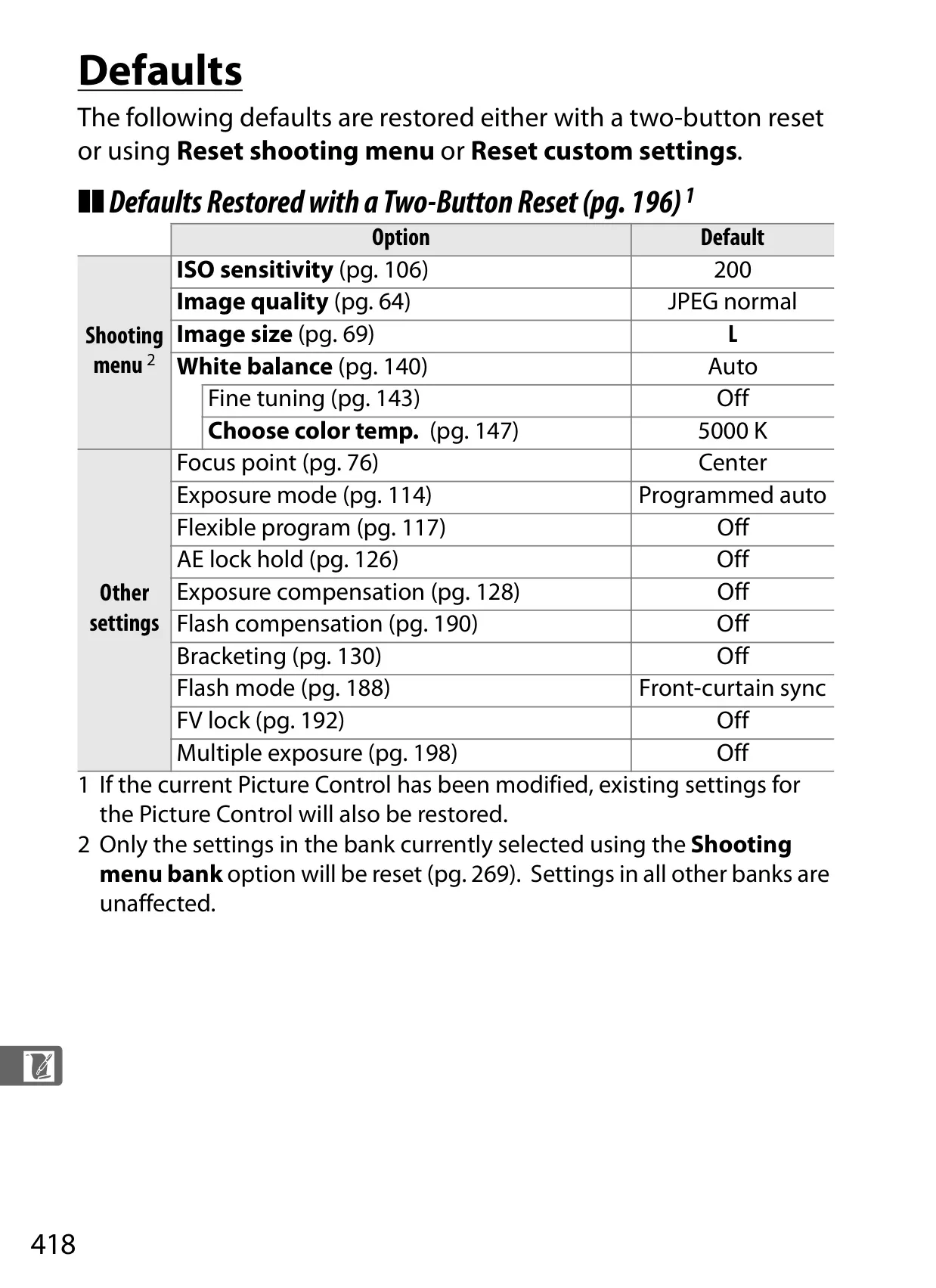
Exposure control on the D700 extends beyond basic modes with powerful bracketing capabilities. Features like exposure bracketing, flash bracketing, and white balance bracketing automatically capture a series of images at varied settings. This ensures optimal results in complex or uncertain lighting conditions, saving time in the field. The camera's built-in flash supports Nikon's Creative Lighting System (CLS), offering advanced capabilities like i-TTL balanced fill-flash for natural illumination and FV lock, which meters and locks flash output for a subject, allowing for recomposition without altering flash exposure. Custom settings provide granular control over flash sync speeds and slowest shutter speed limits.
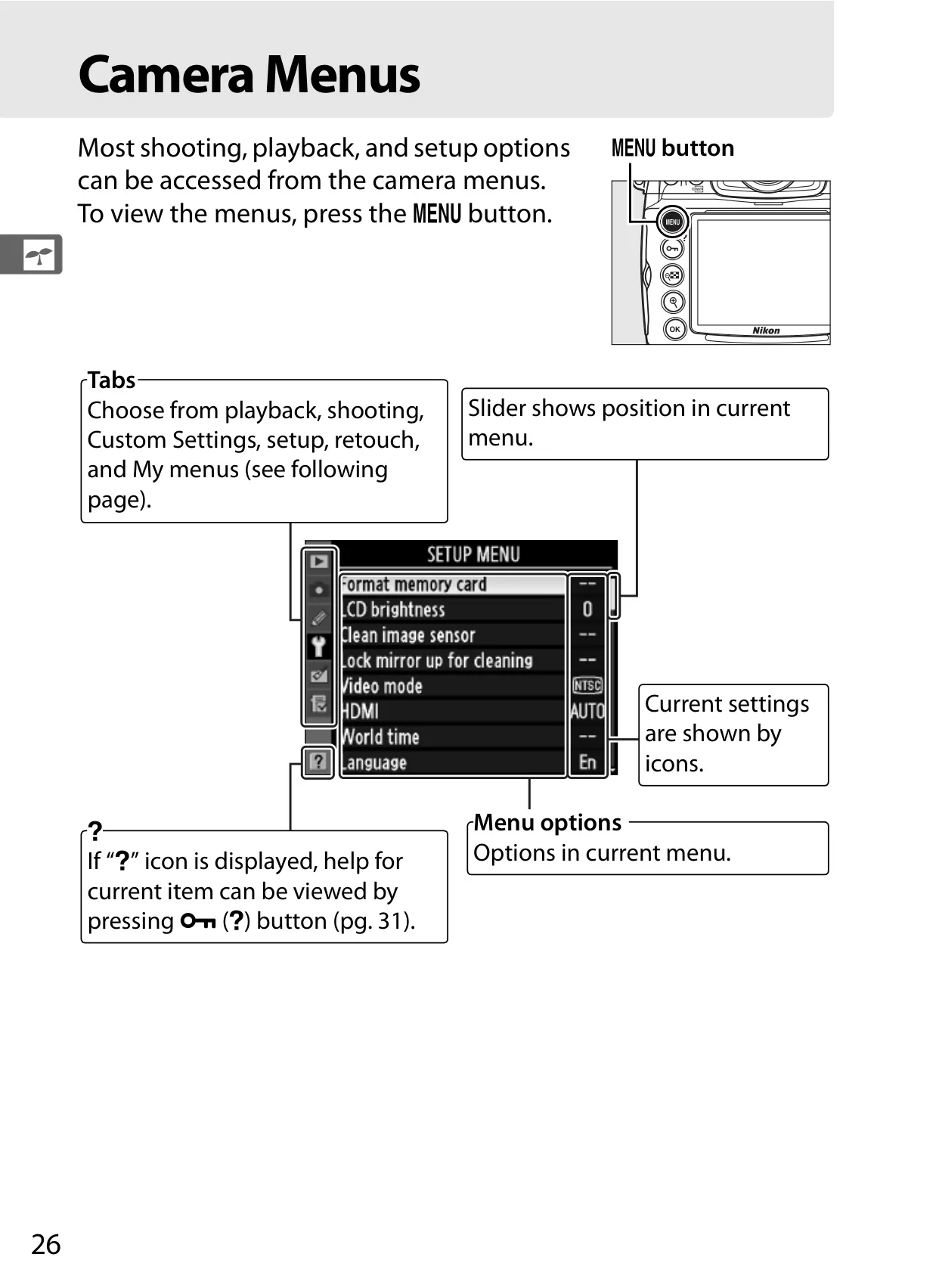
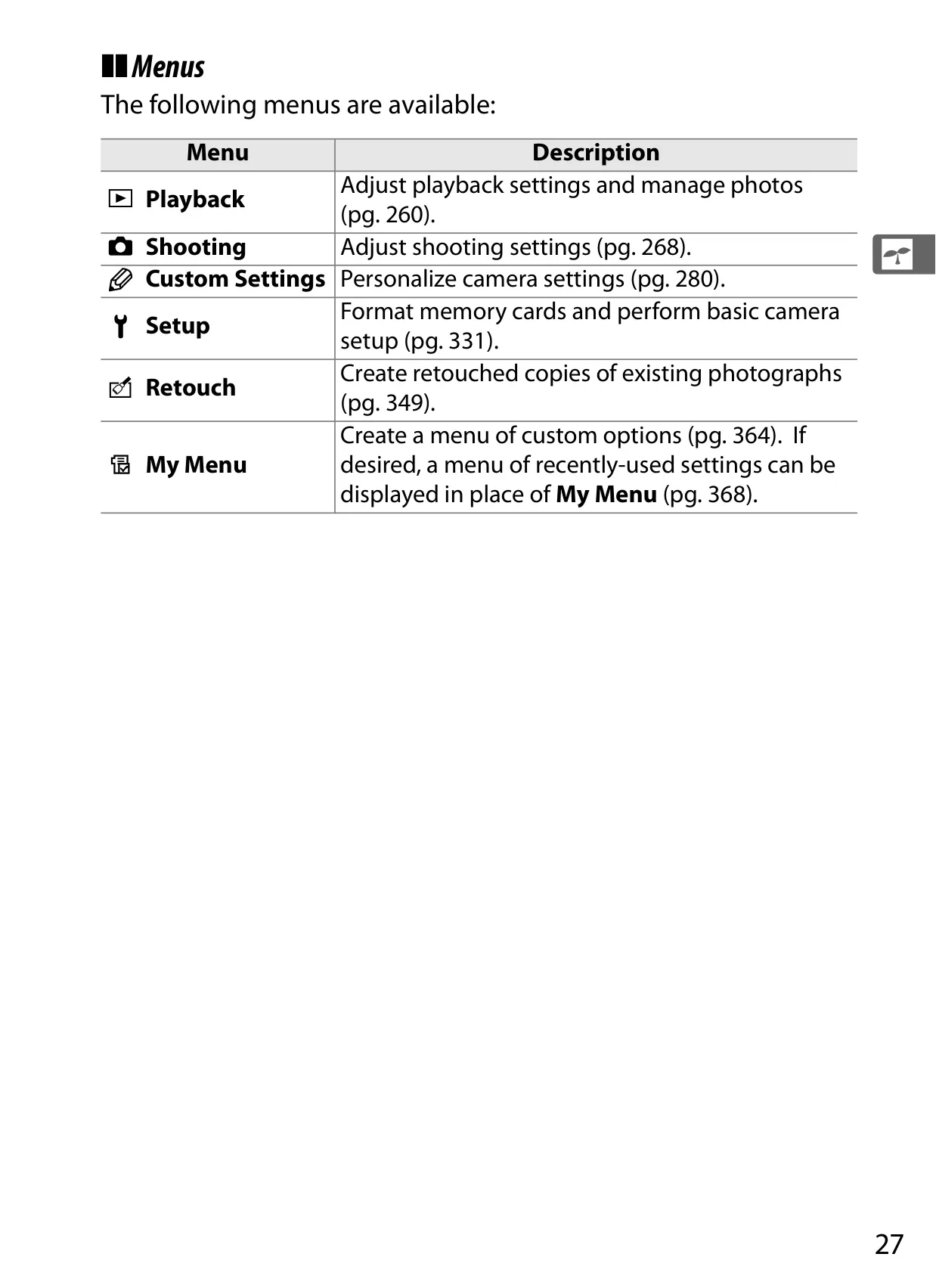
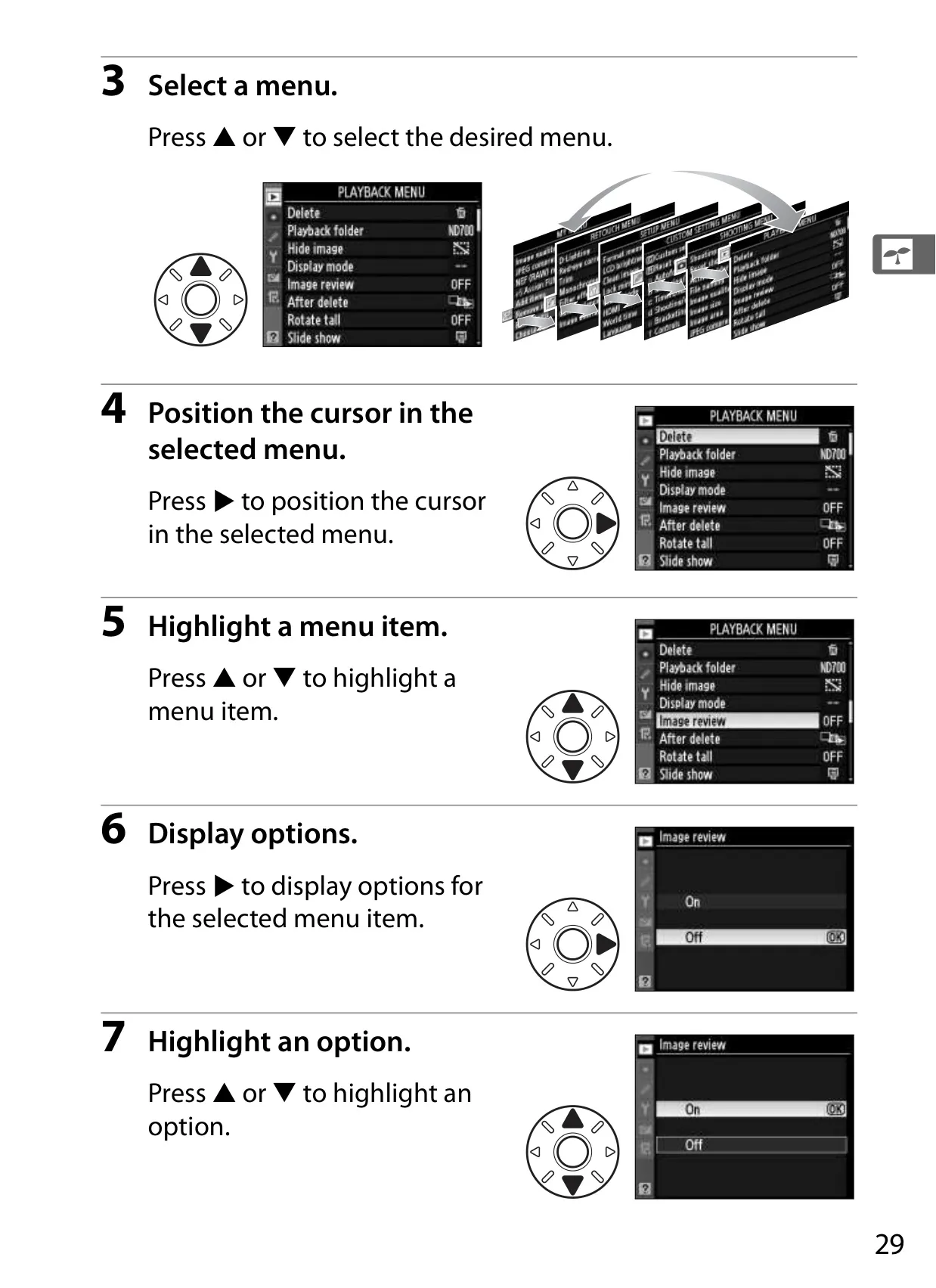
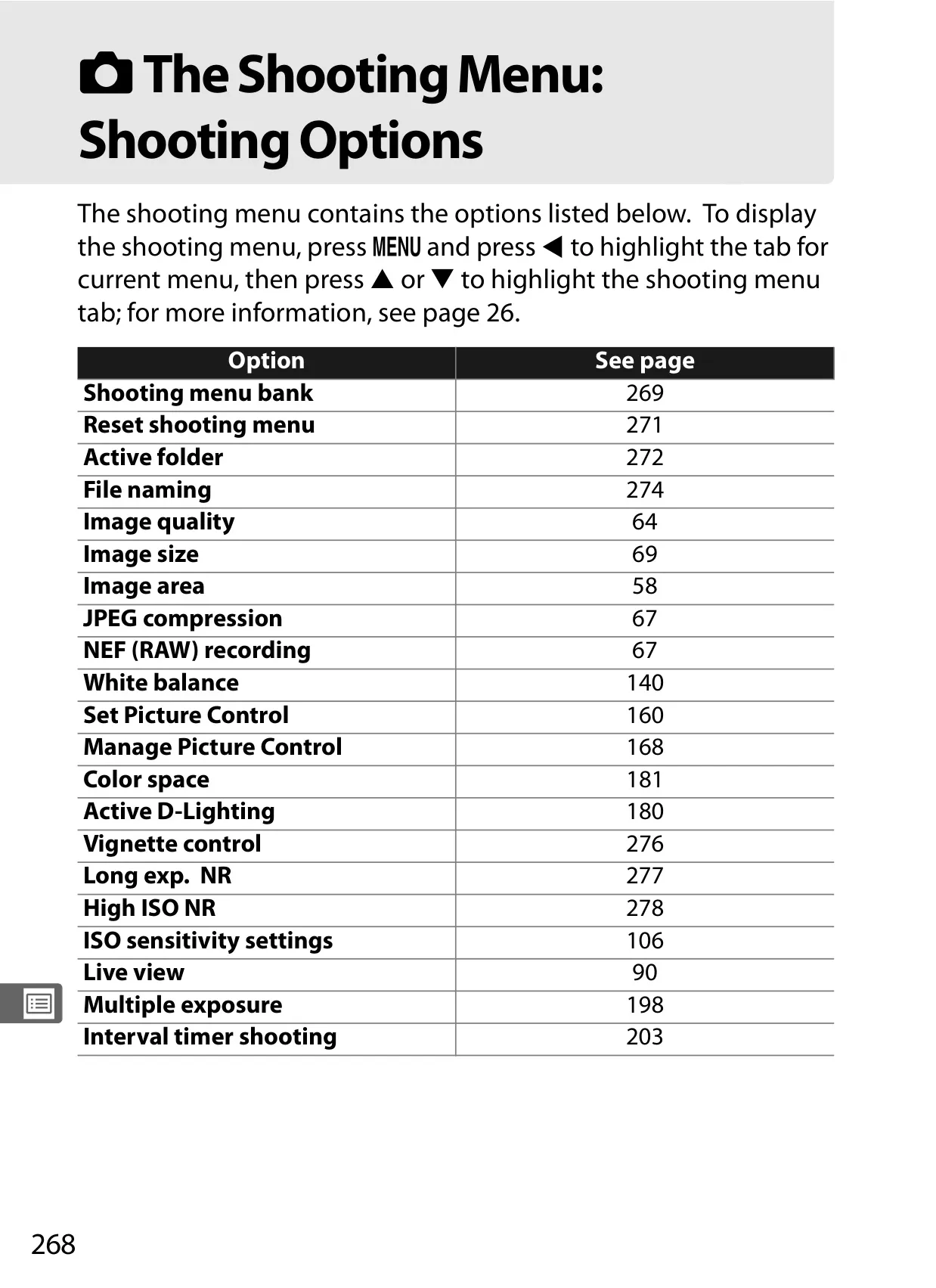
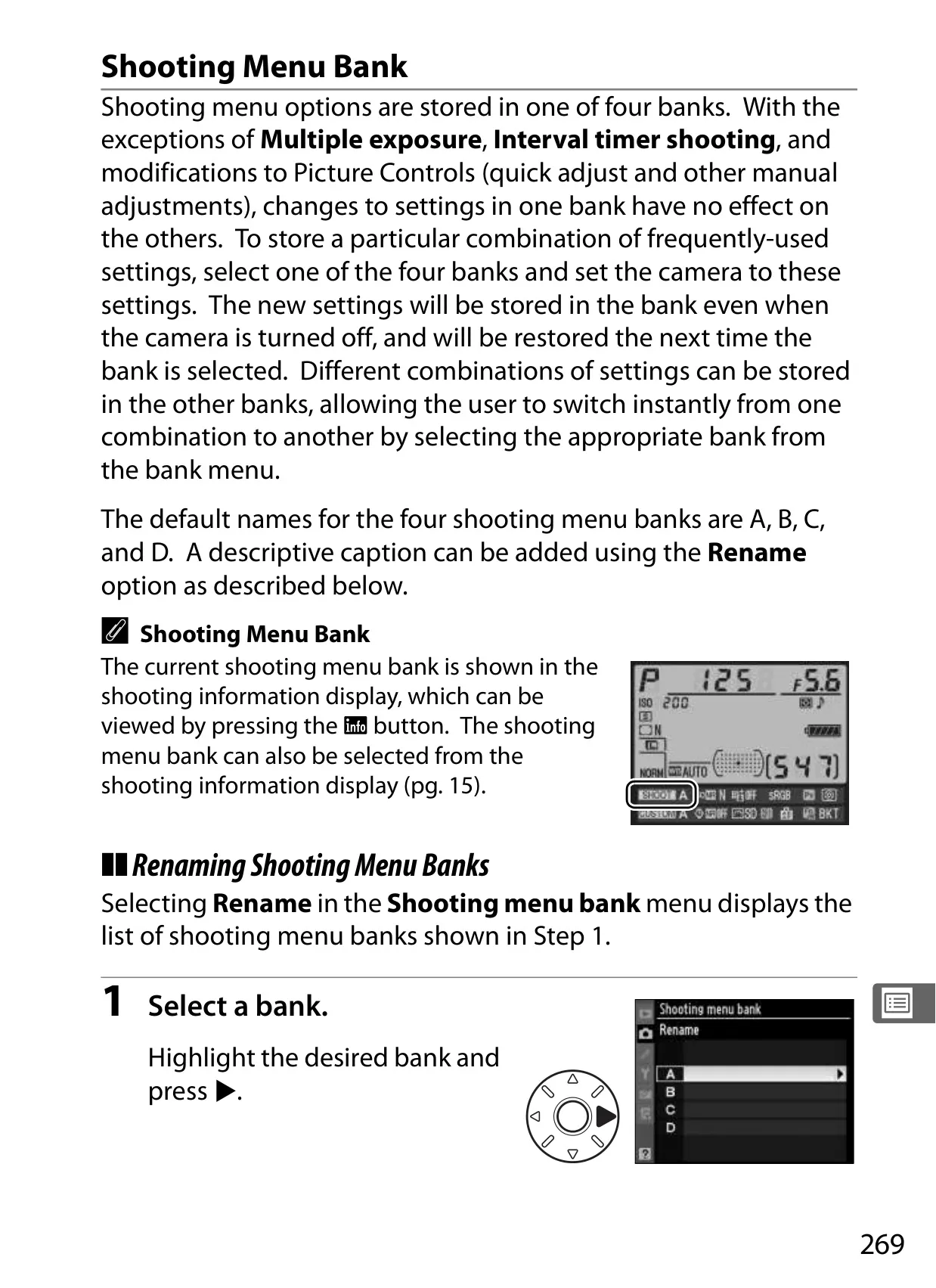
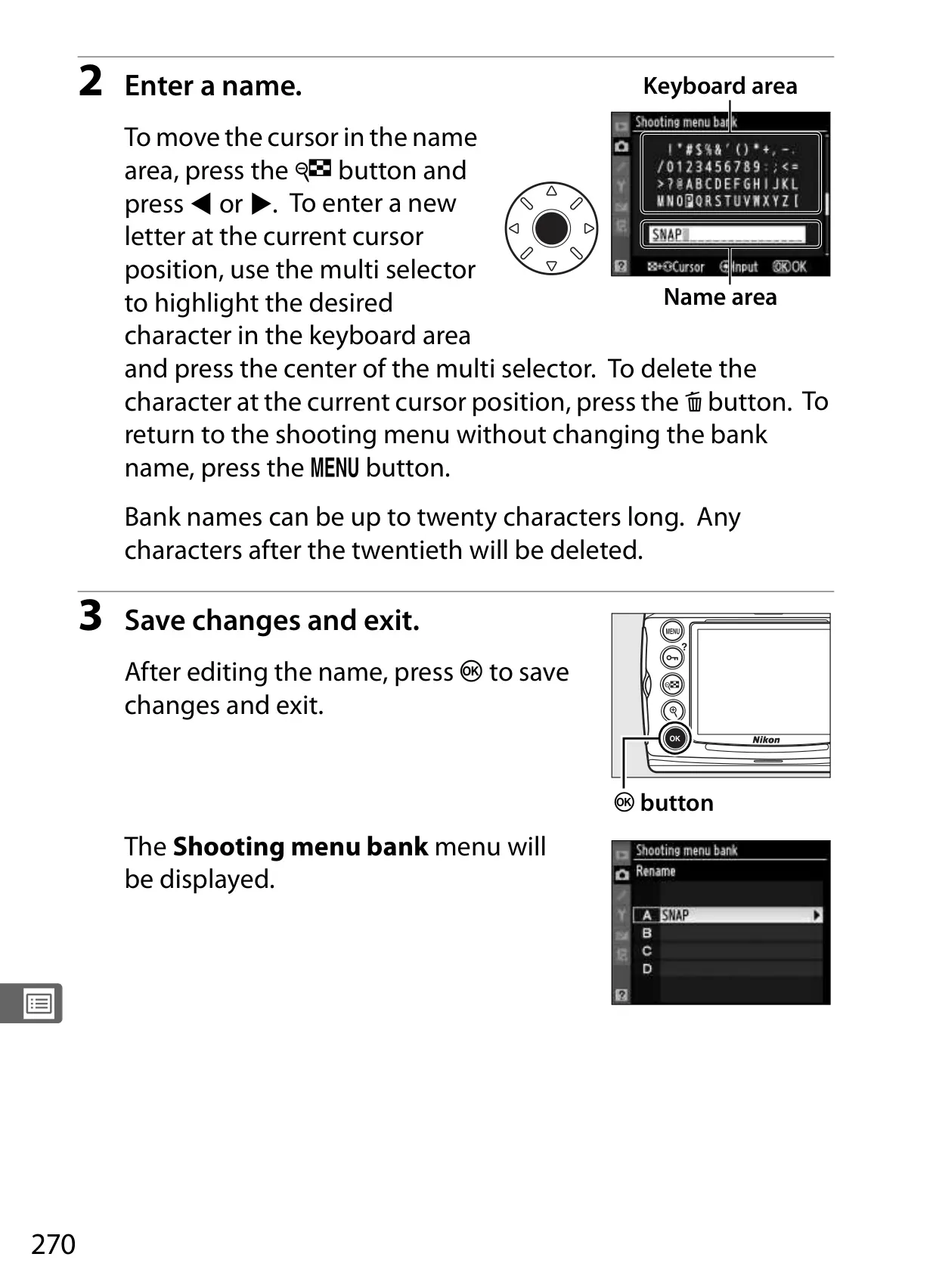
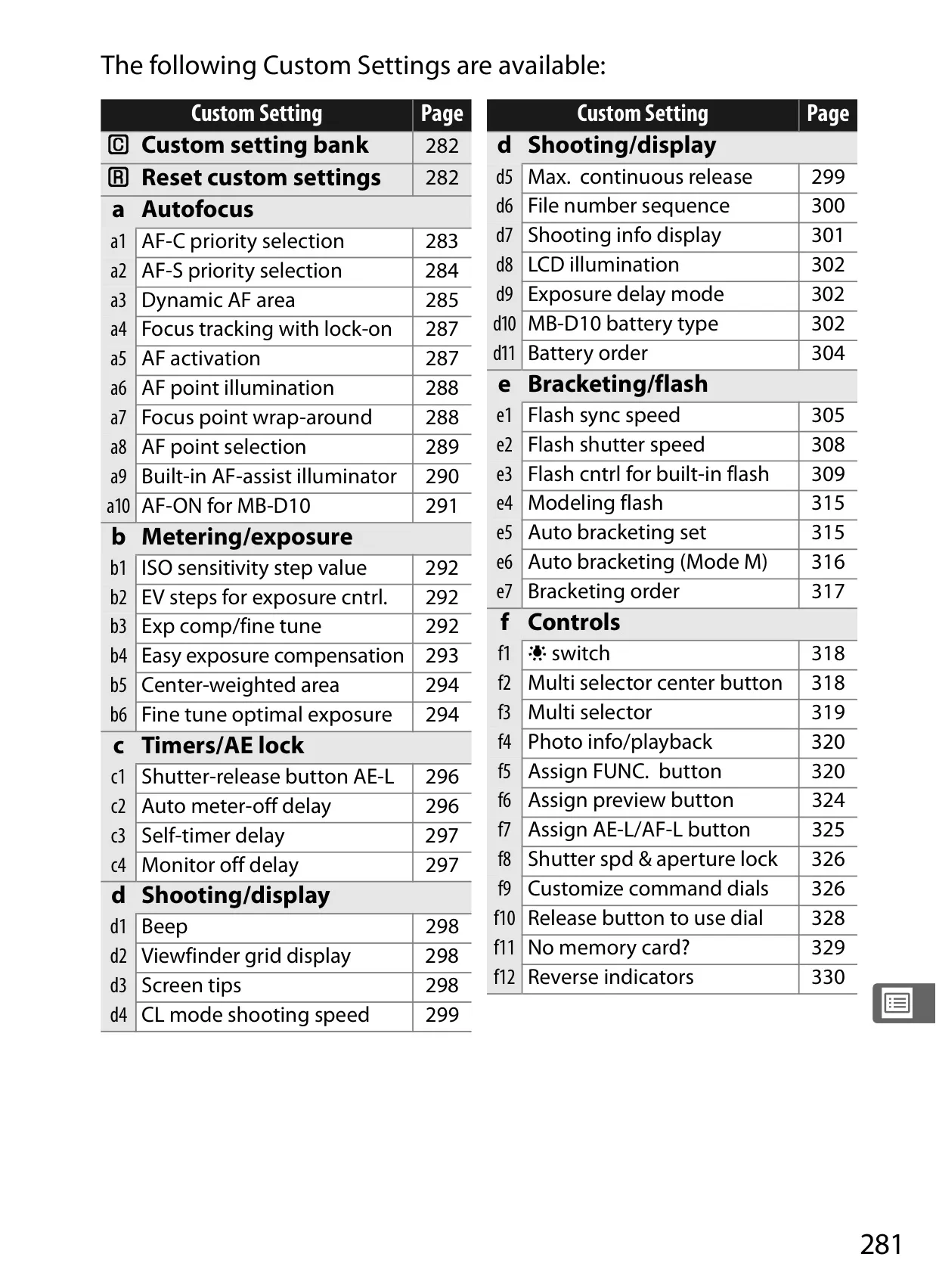
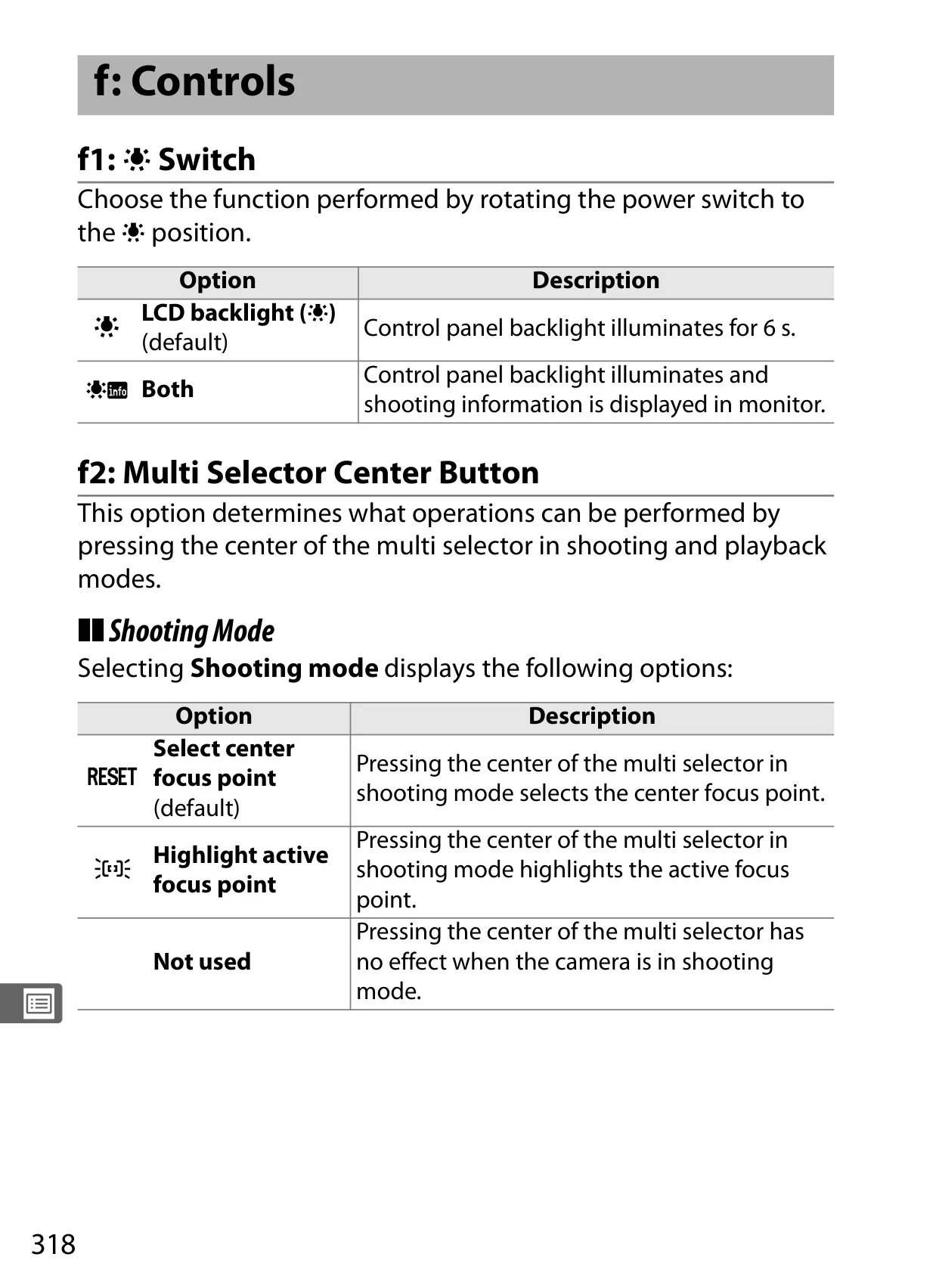
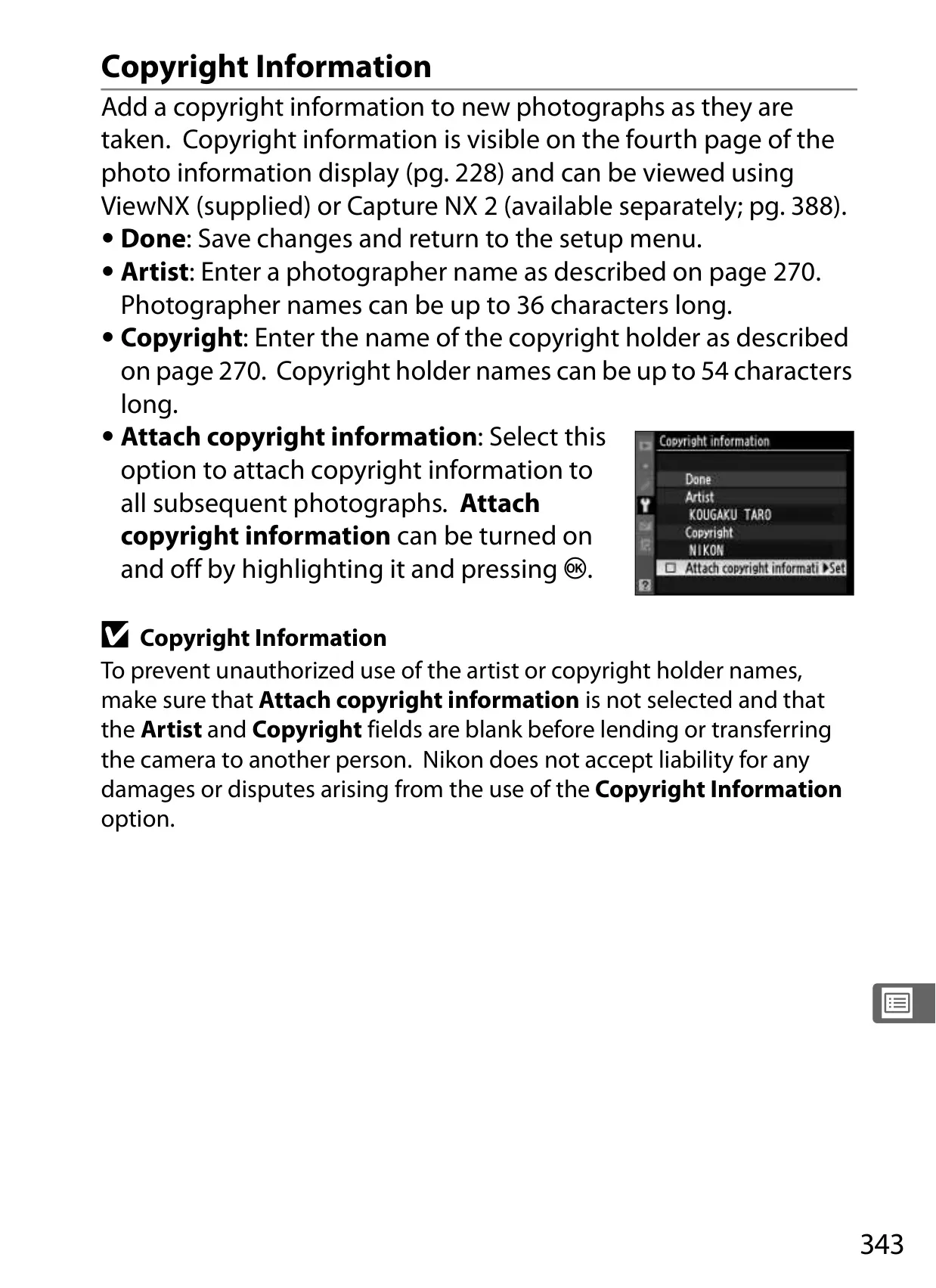
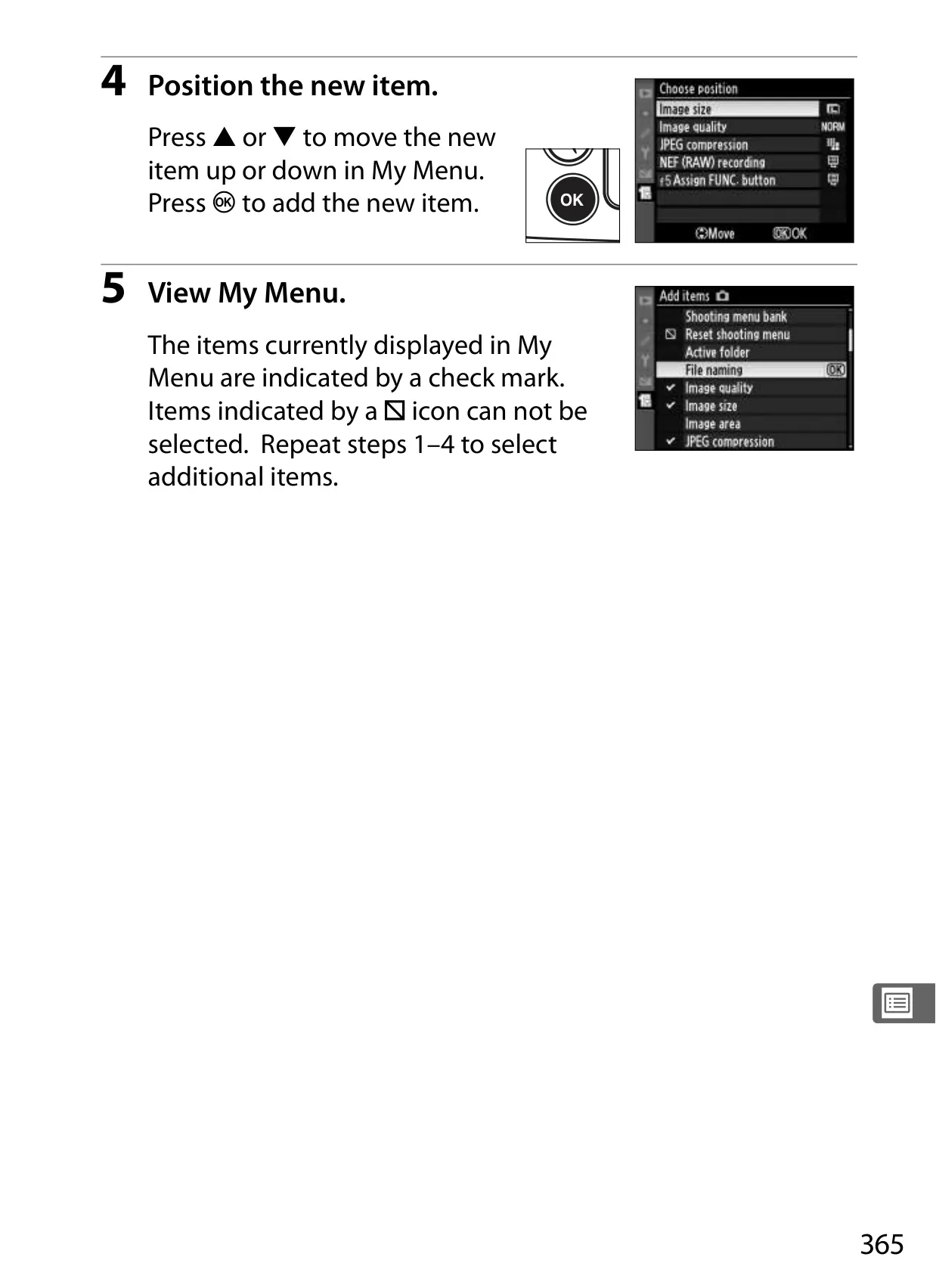
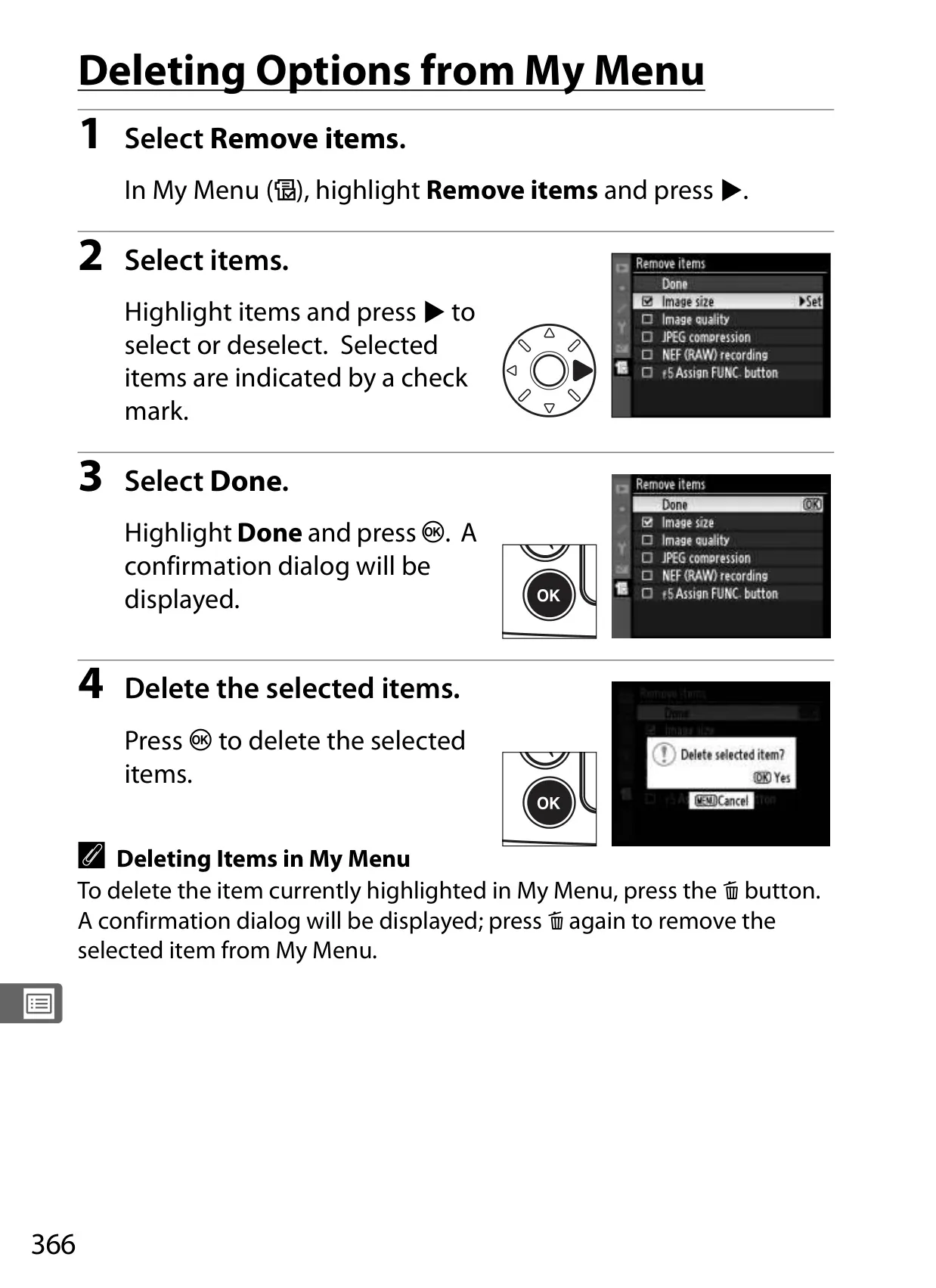
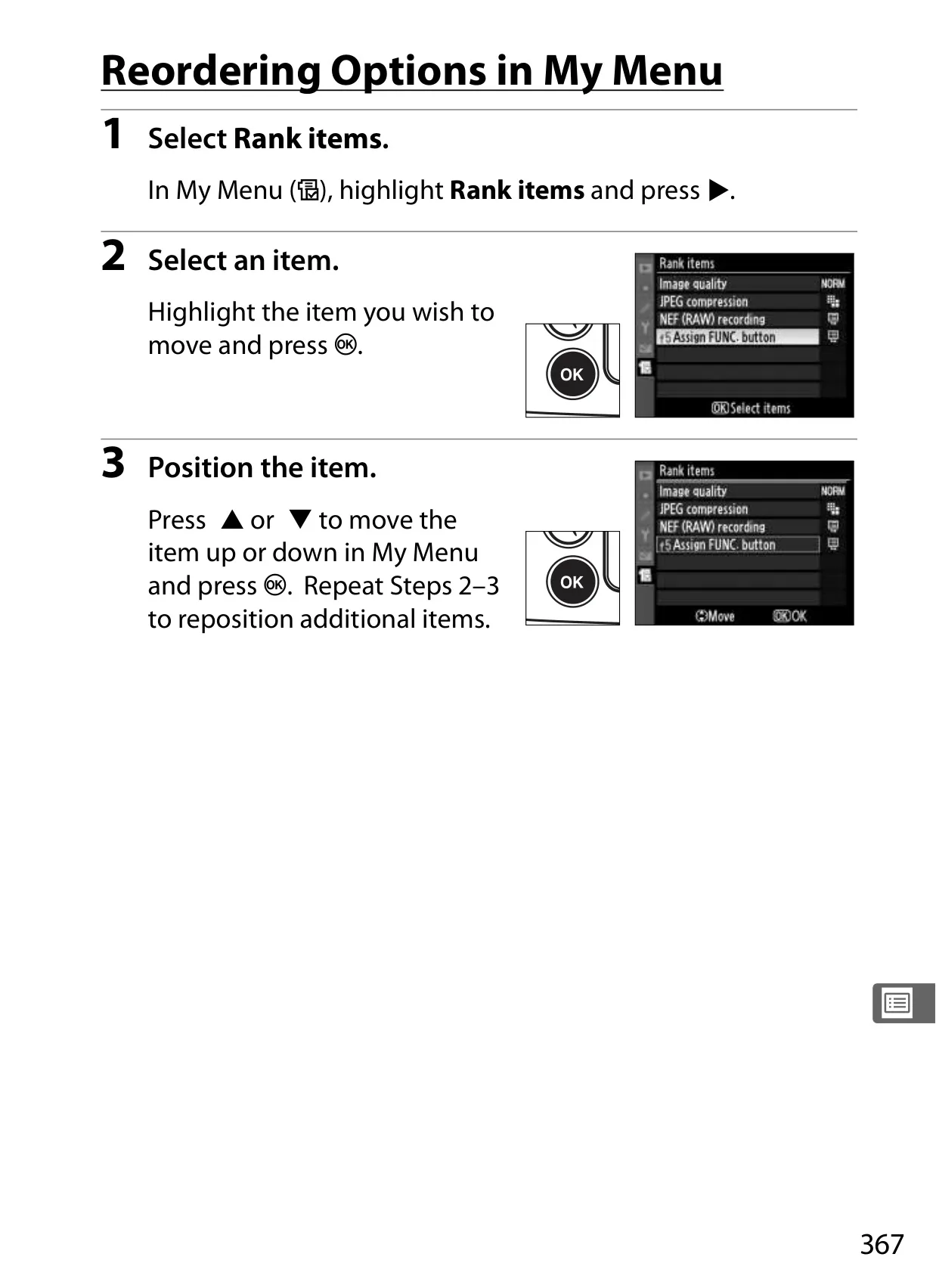
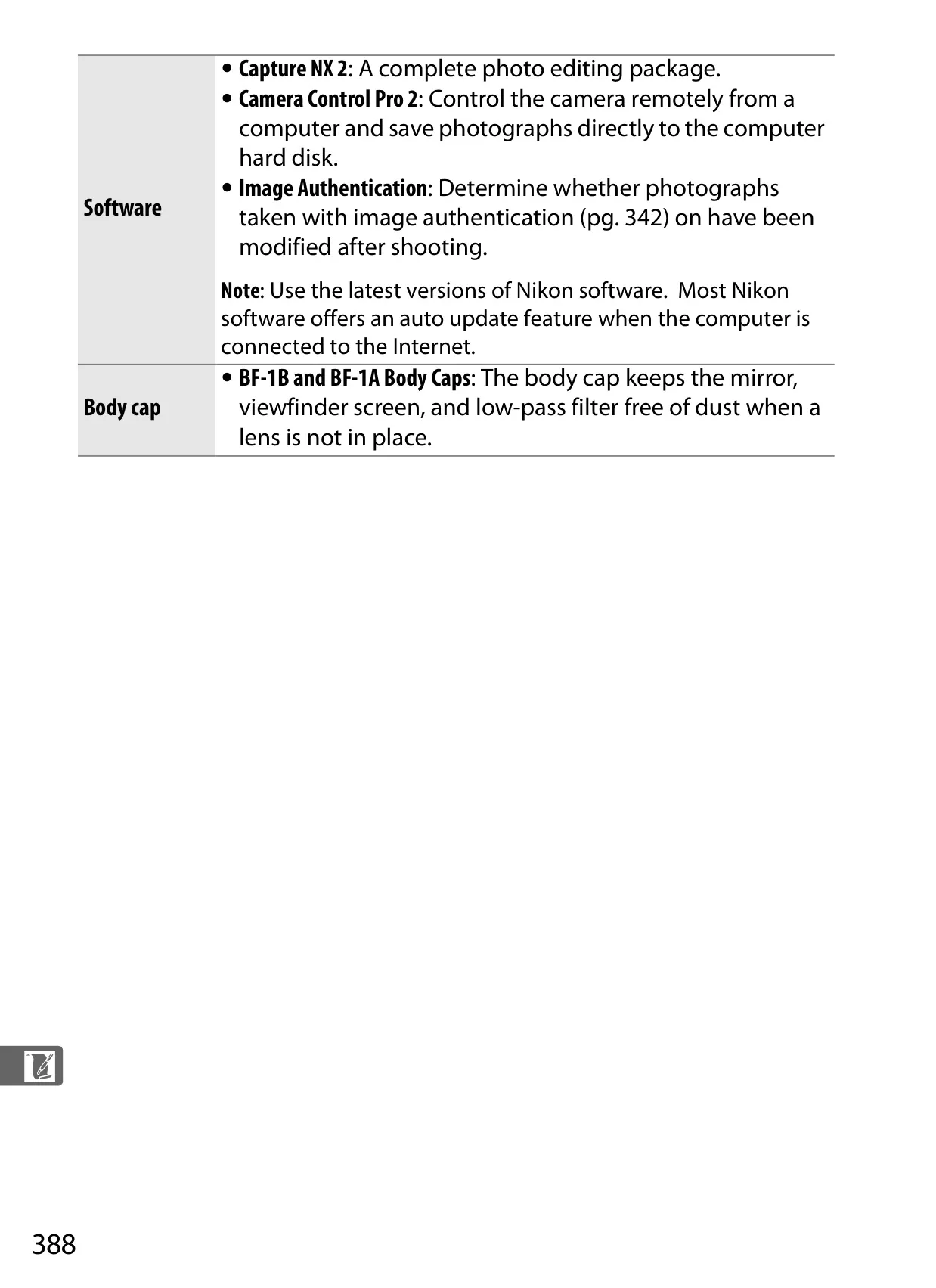
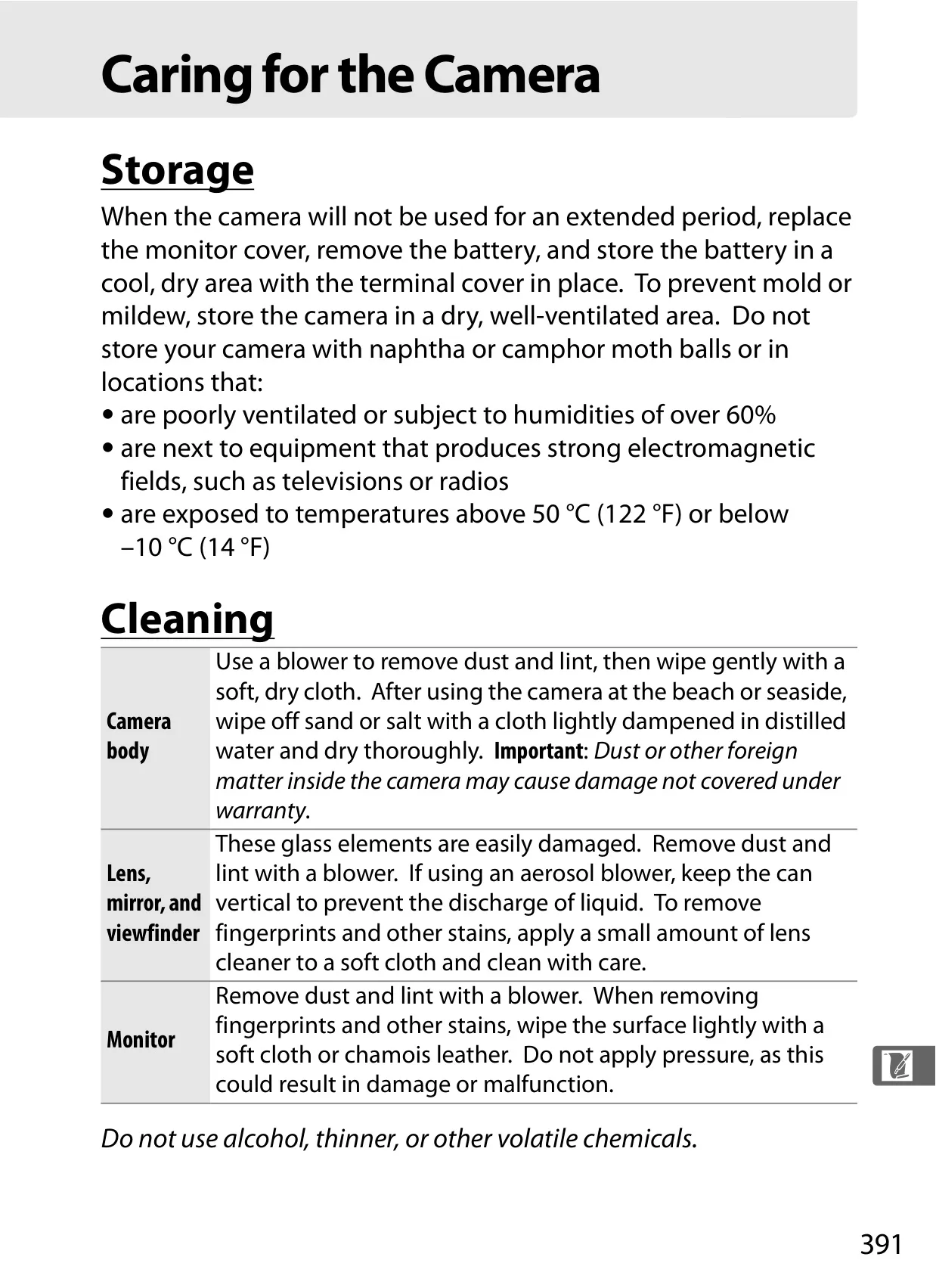
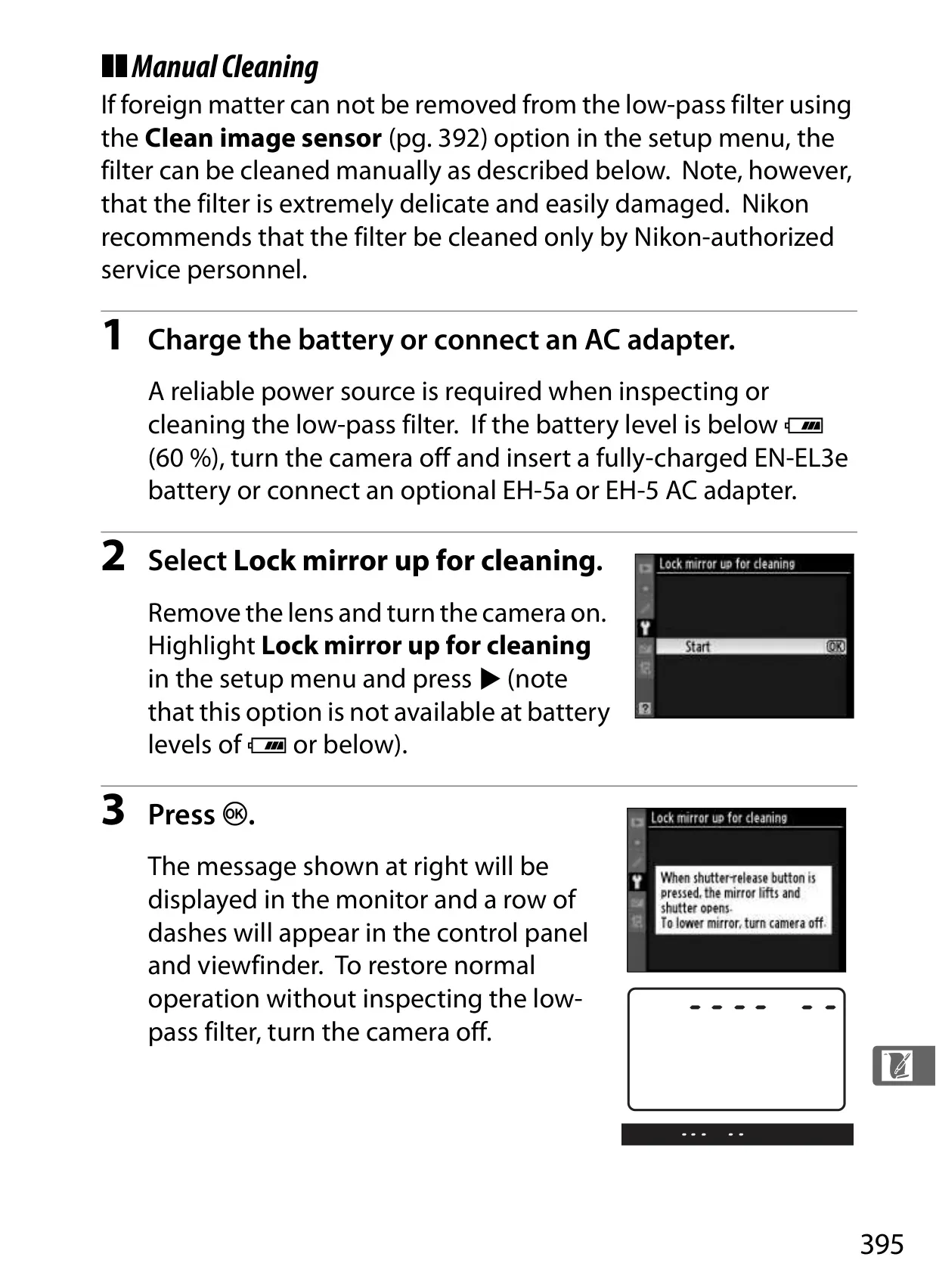
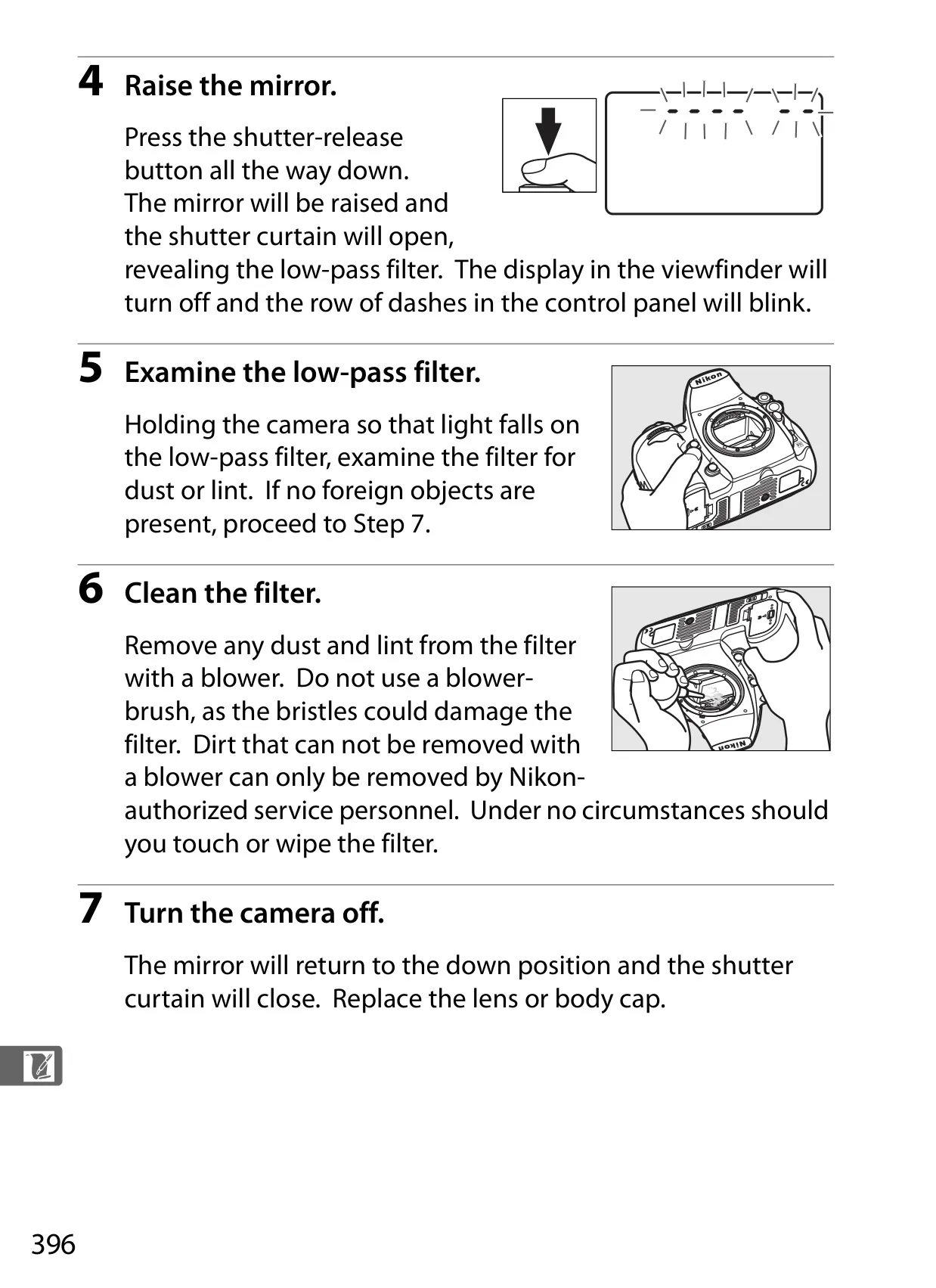
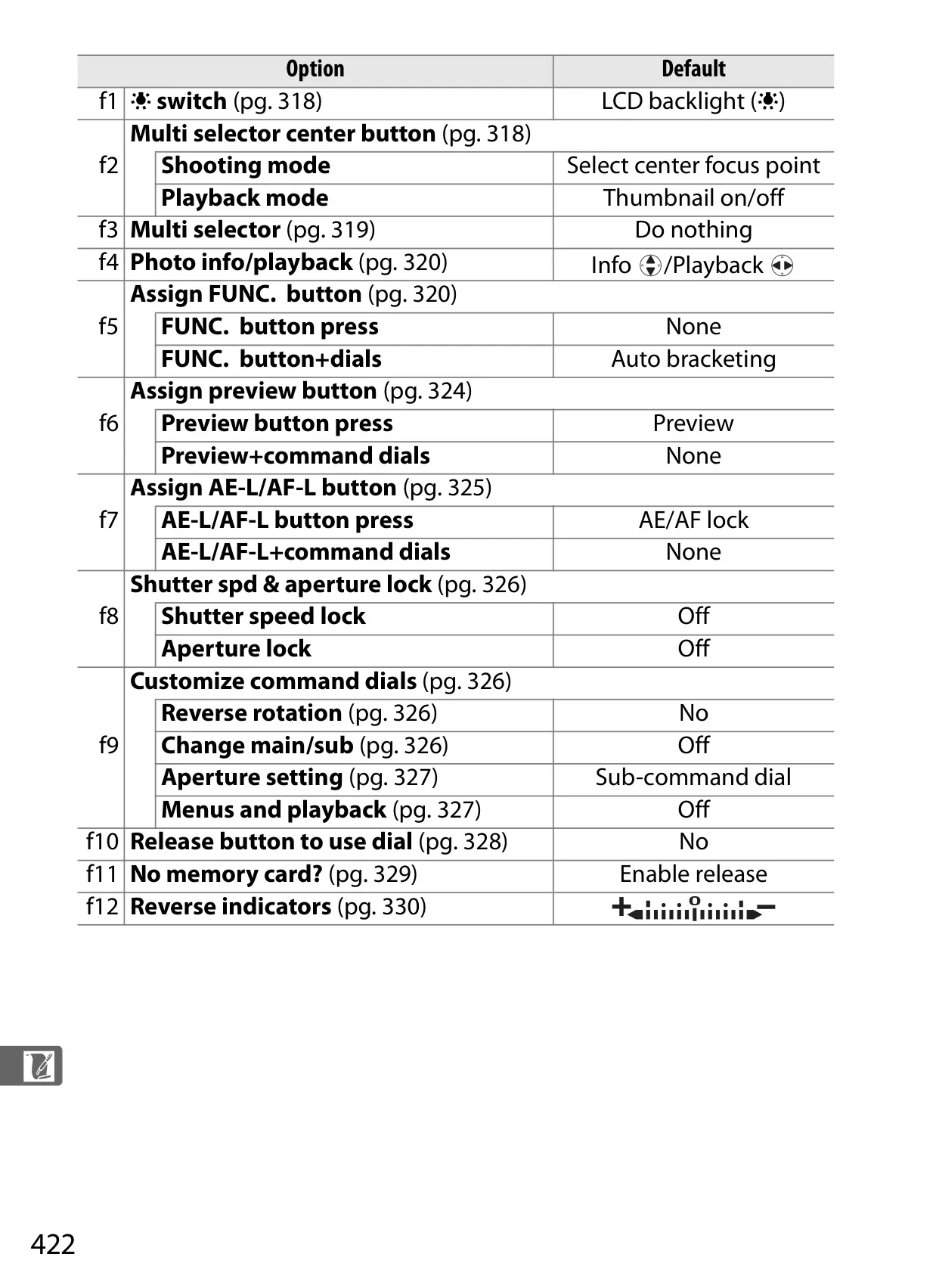
The D700 is highly customizable, featuring Custom Setting Banks that efficiently store personalized camera configurations. This allows photographers to quickly switch between distinct setups for different shooting scenarios, such as portraits or sports. The My Menu function further streamlines workflow by letting users create a bespoke menu of their most frequently accessed options, improving operational speed. Practical maintenance features include an integrated image sensor cleaning system to combat dust. Additionally, the ability to record Dust Off Reference Photo data is available, which is then utilized by Capture NX 2 software to automatically remove sensor dust artifacts from images during post-processing.
Frequently Asked Questions (FAQs)
Can't find the answer you need? Here are some frequently asked questions about the Nikon D700 DSLR Camera, and we answer them below.