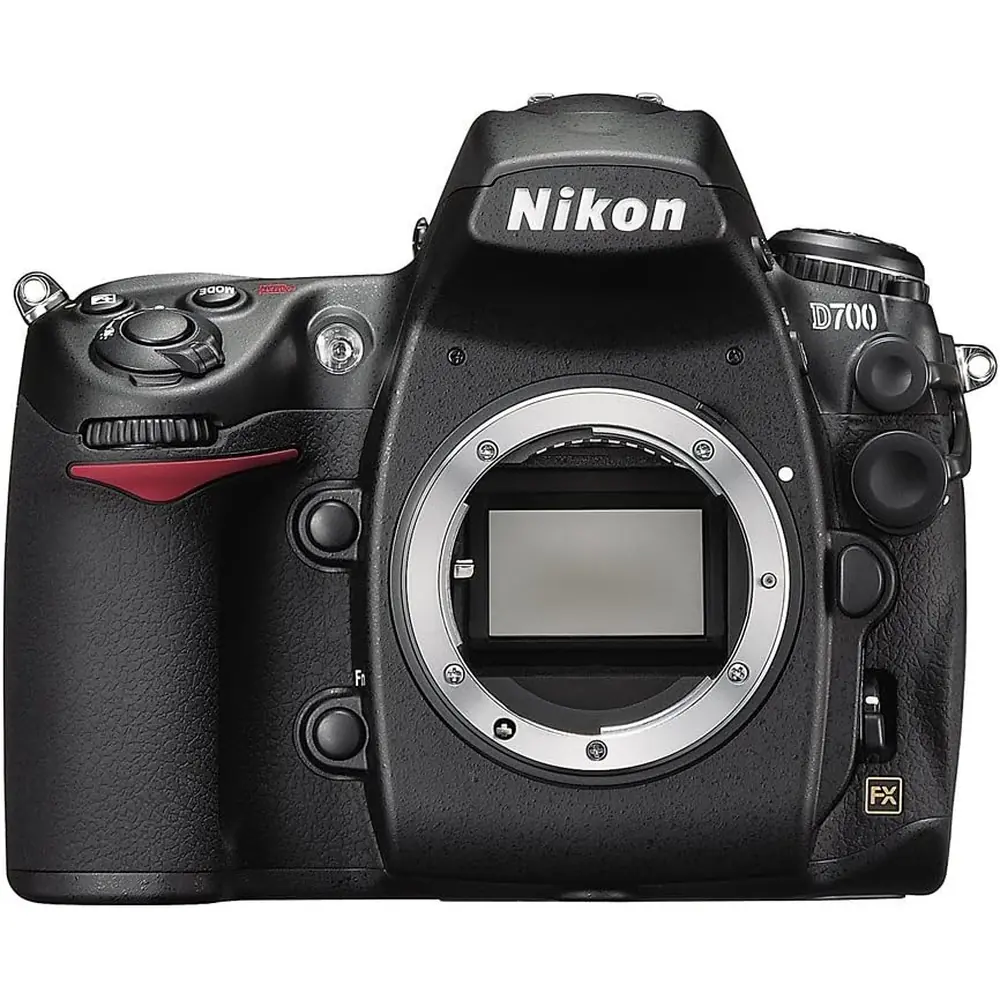
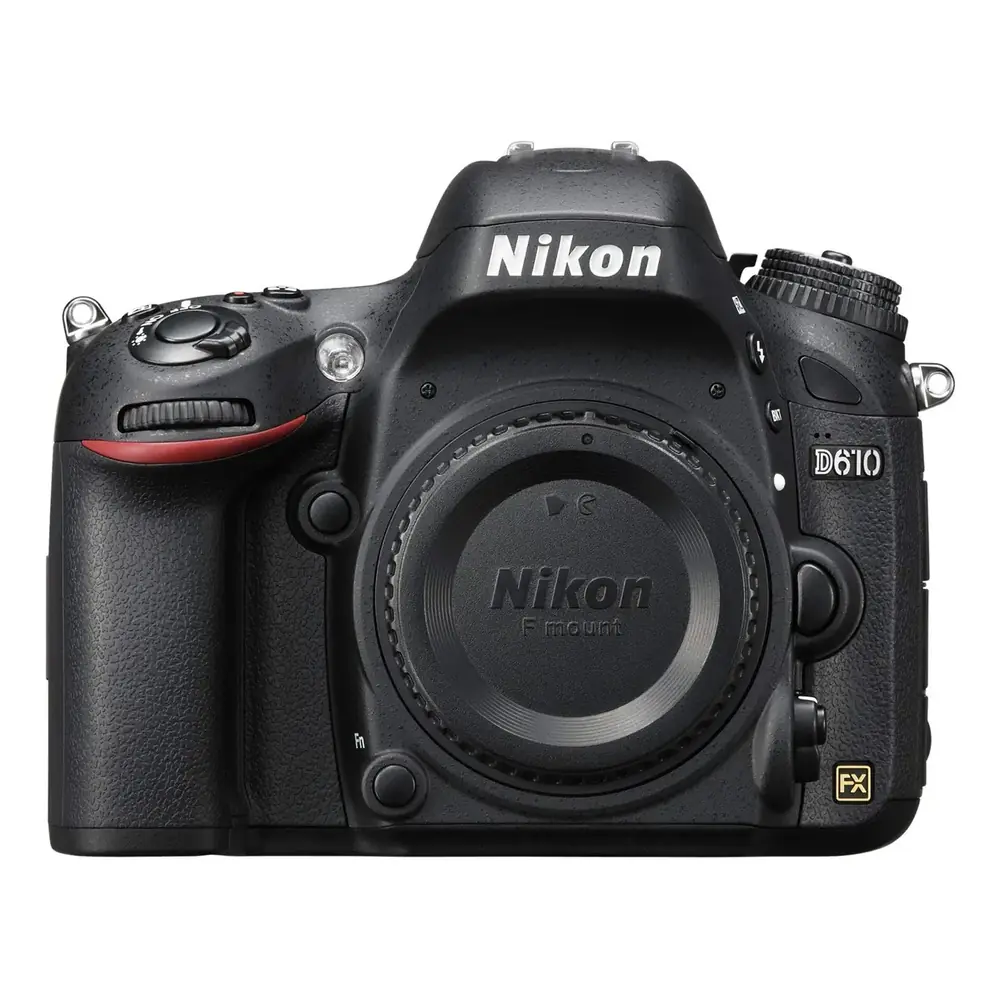
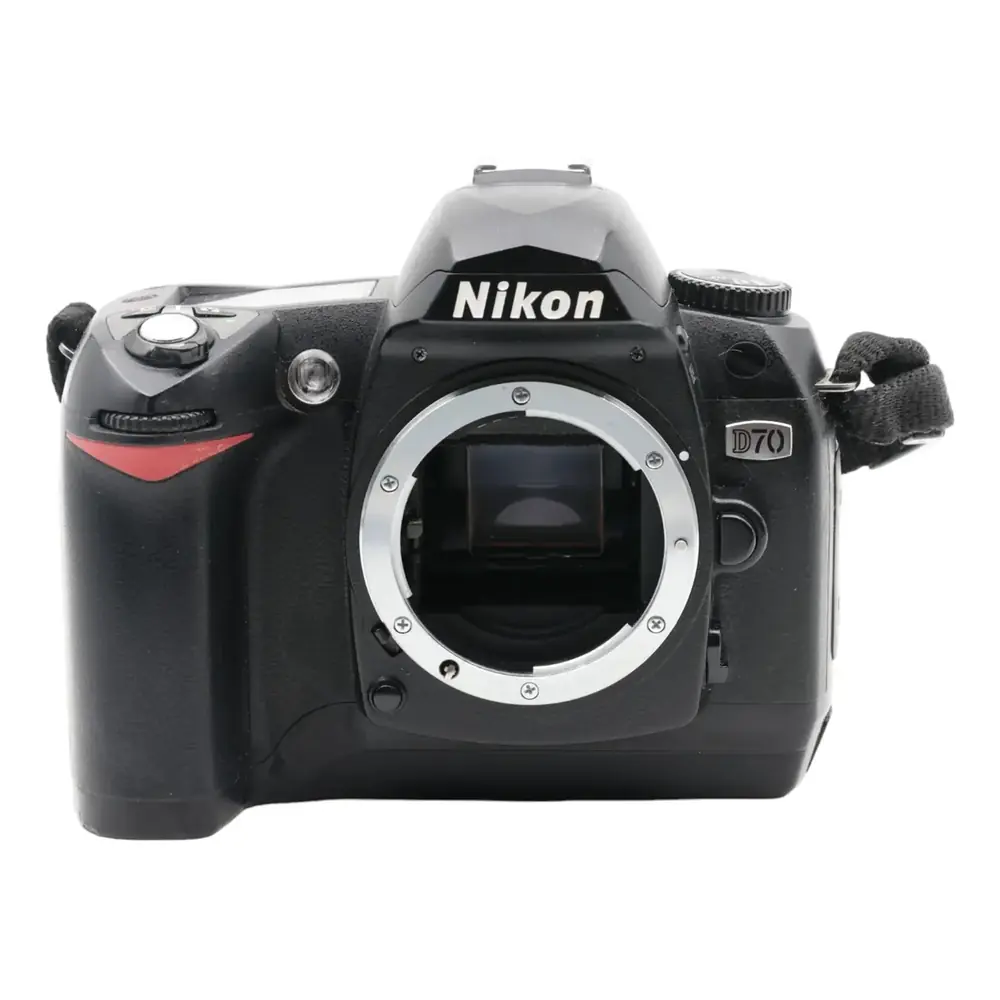
Nikon D40 DSLR Camera Instruction Manual
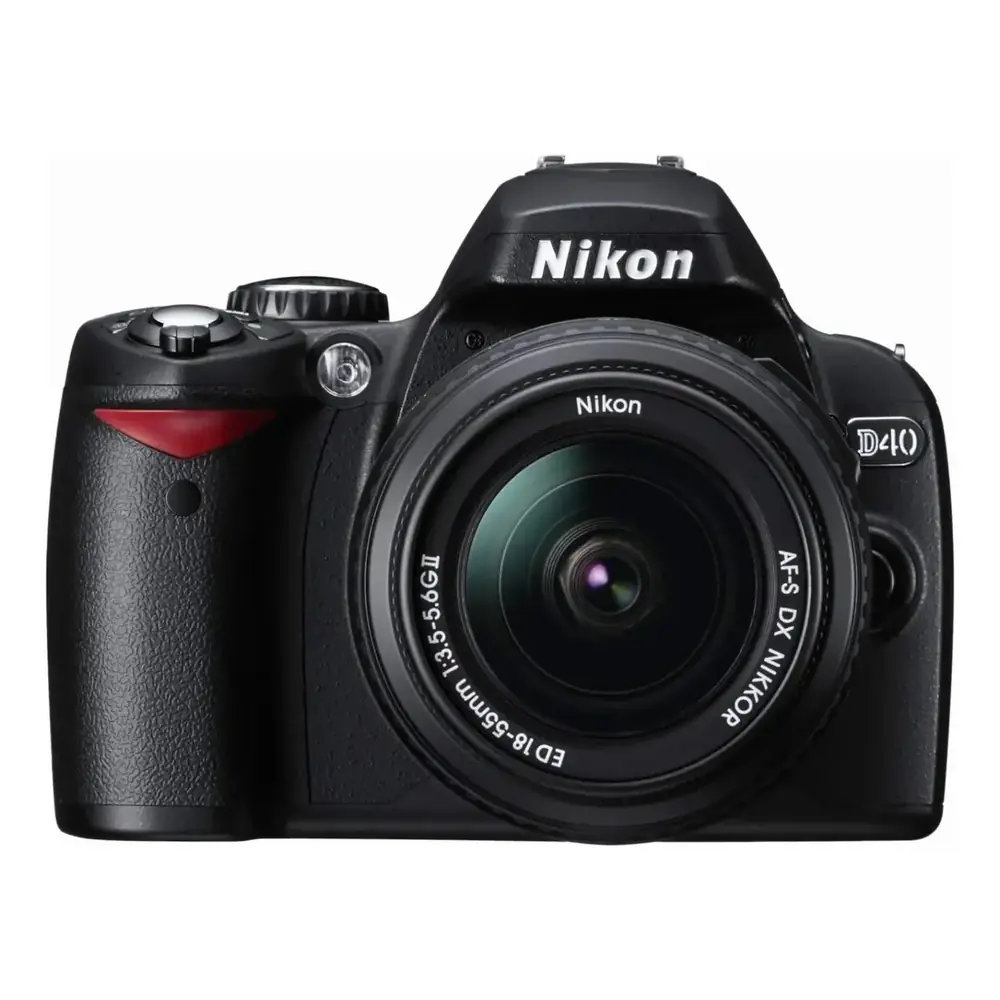
Nikon D40 DSLR Camera
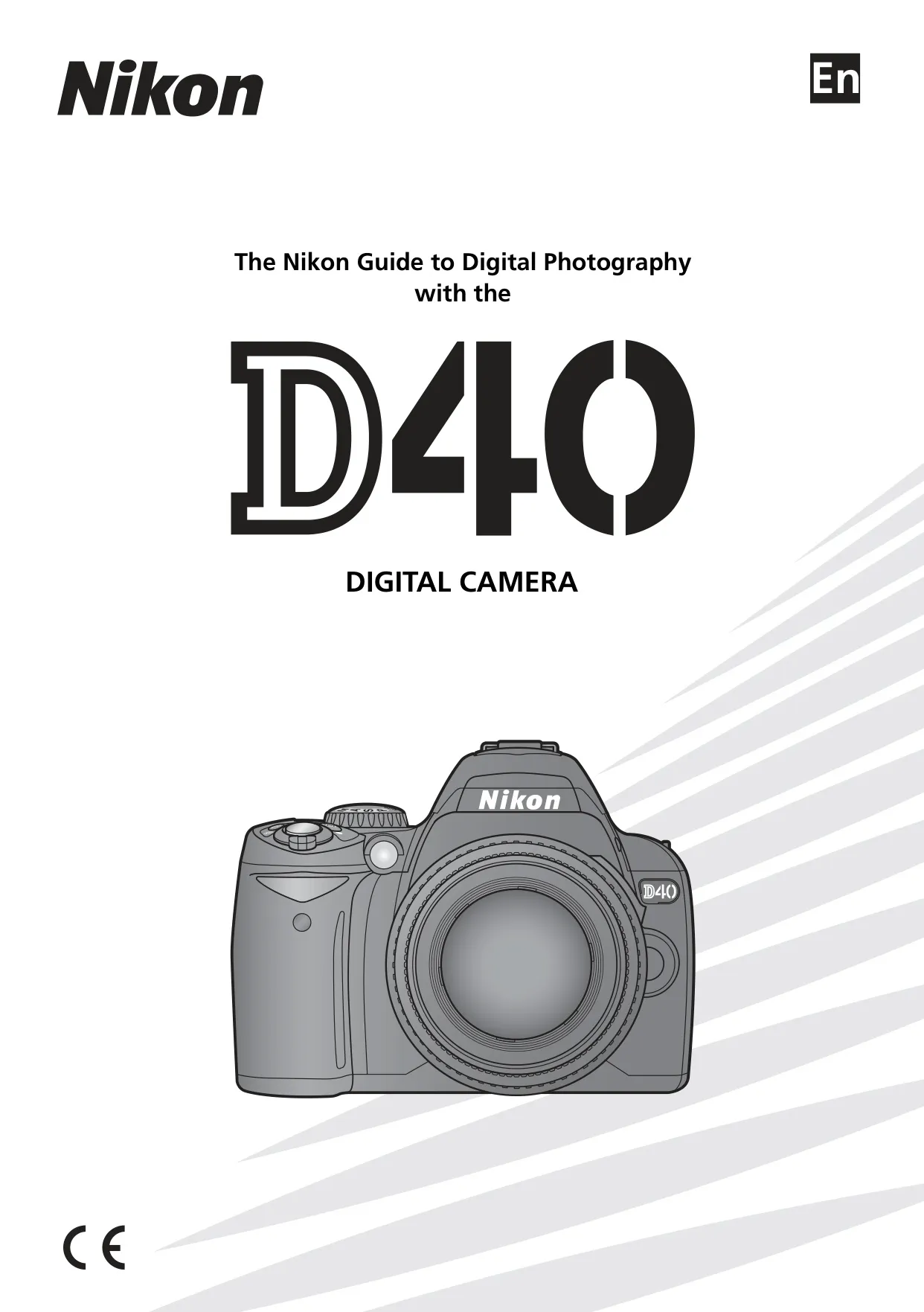






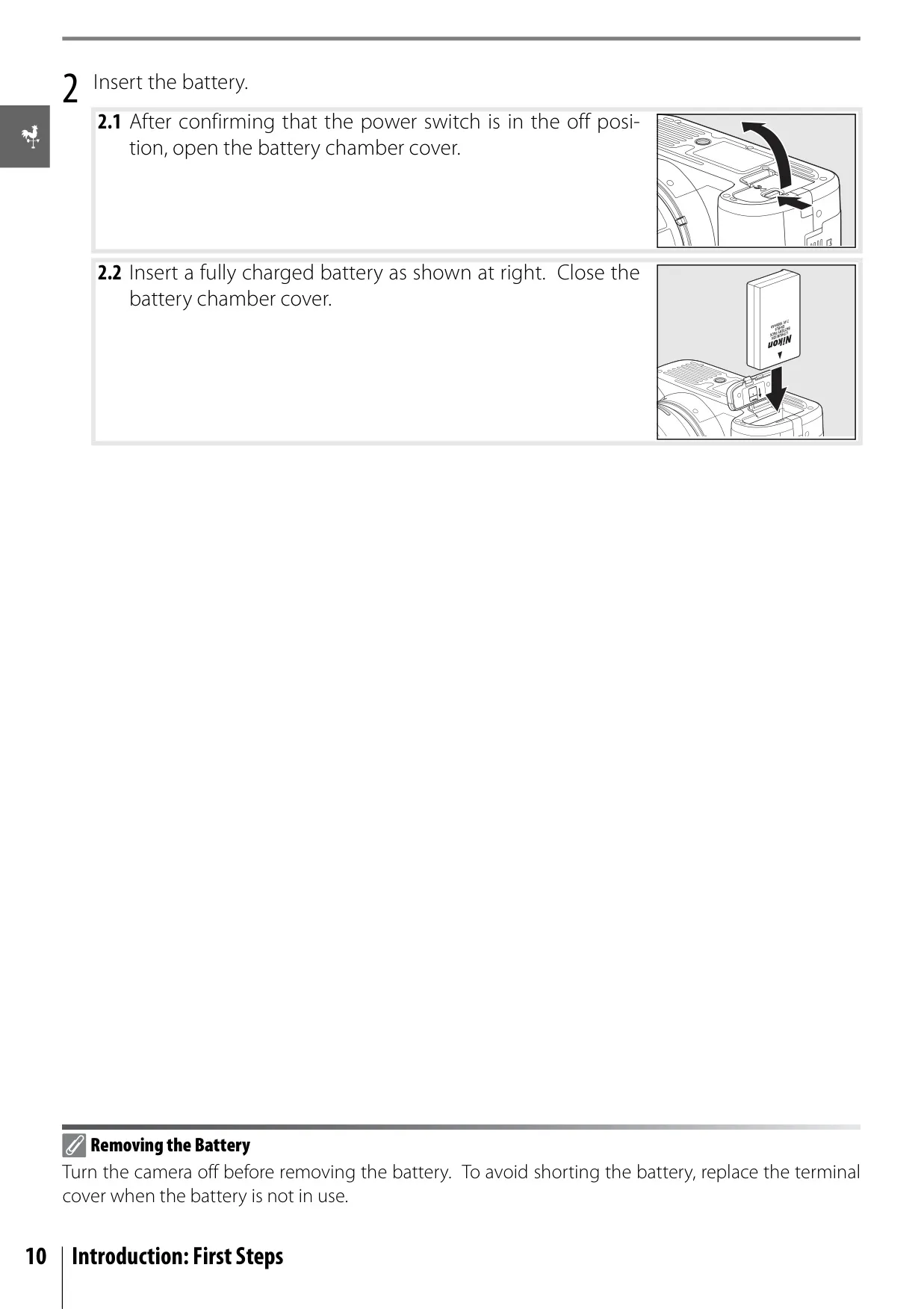

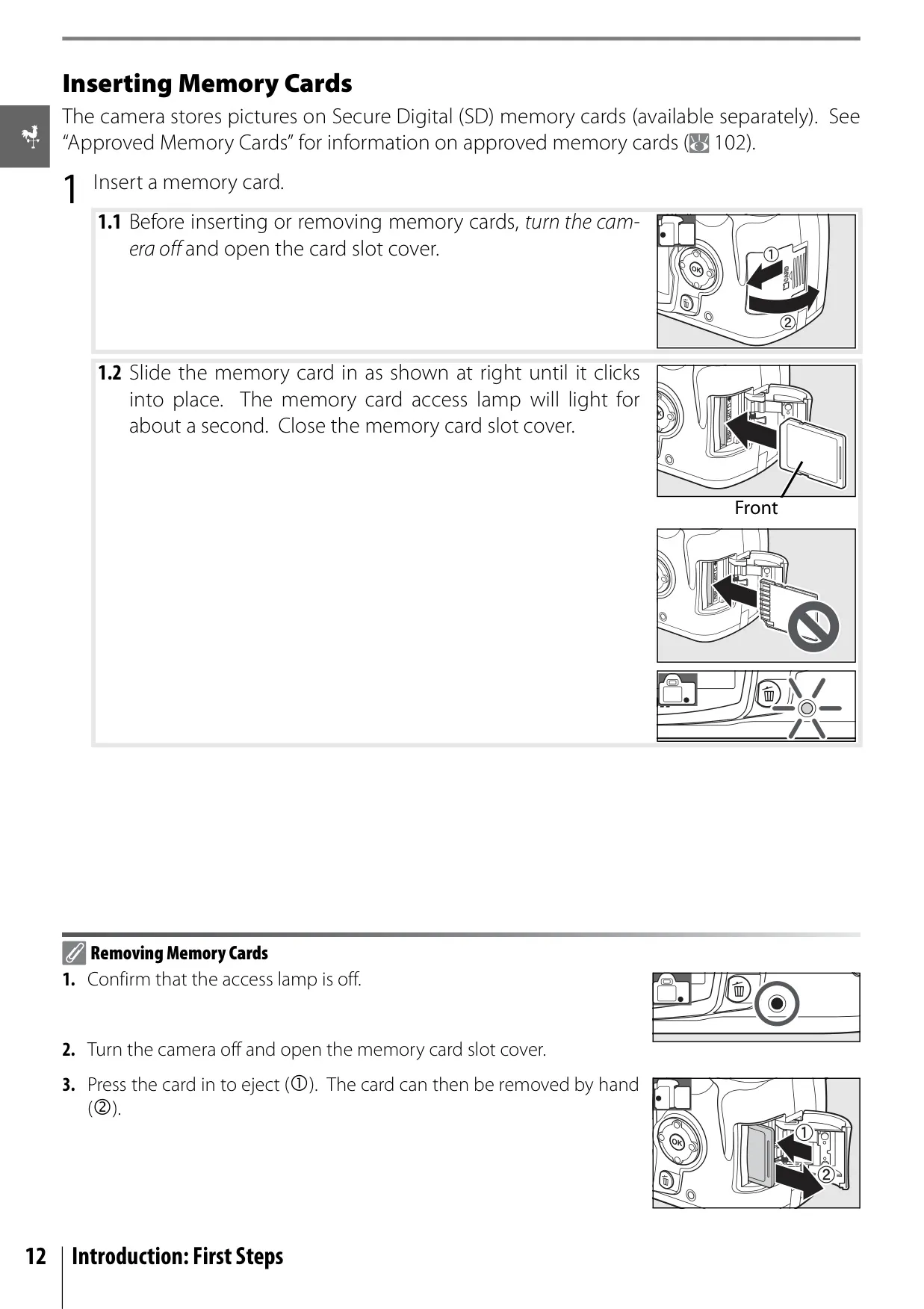

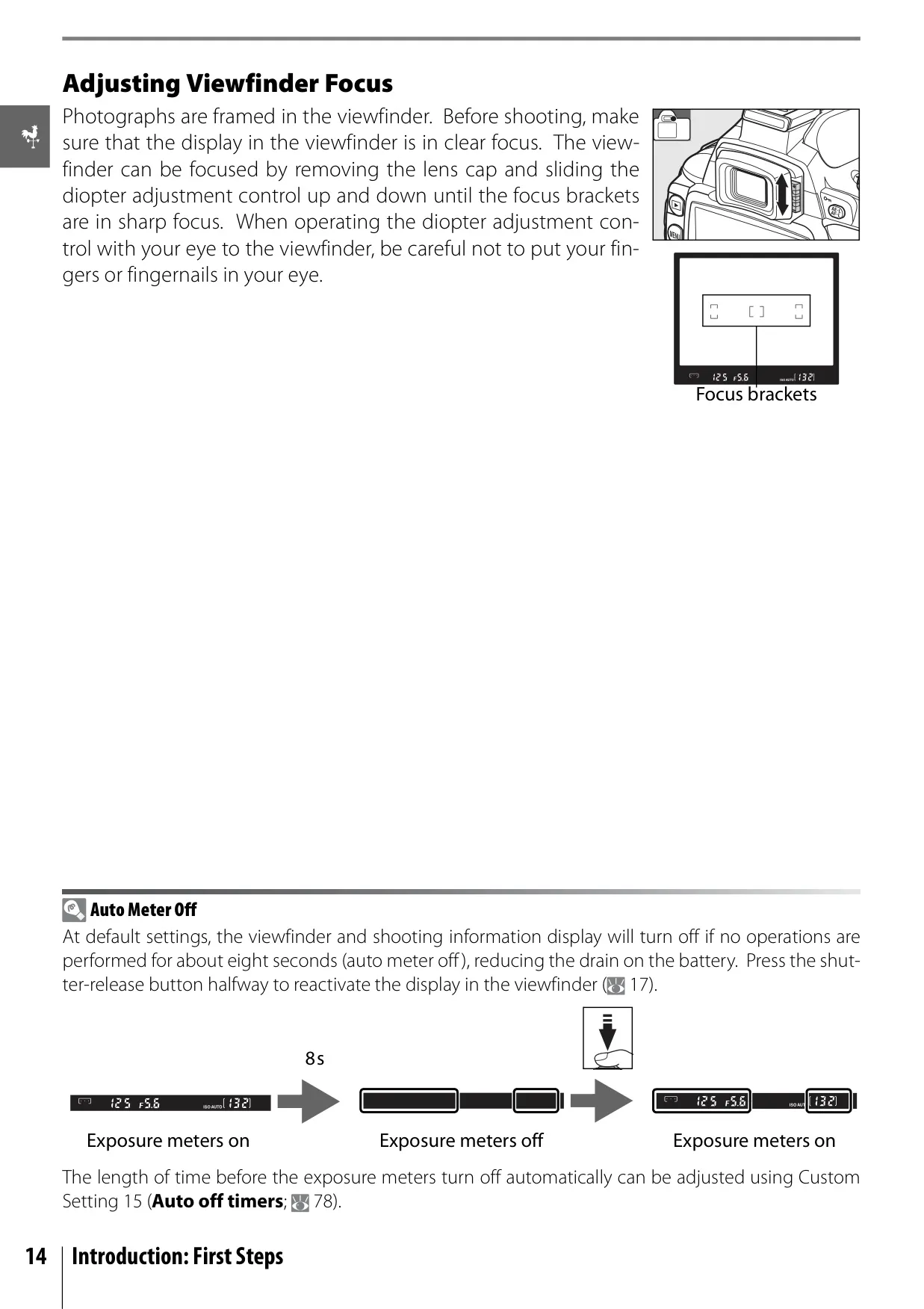
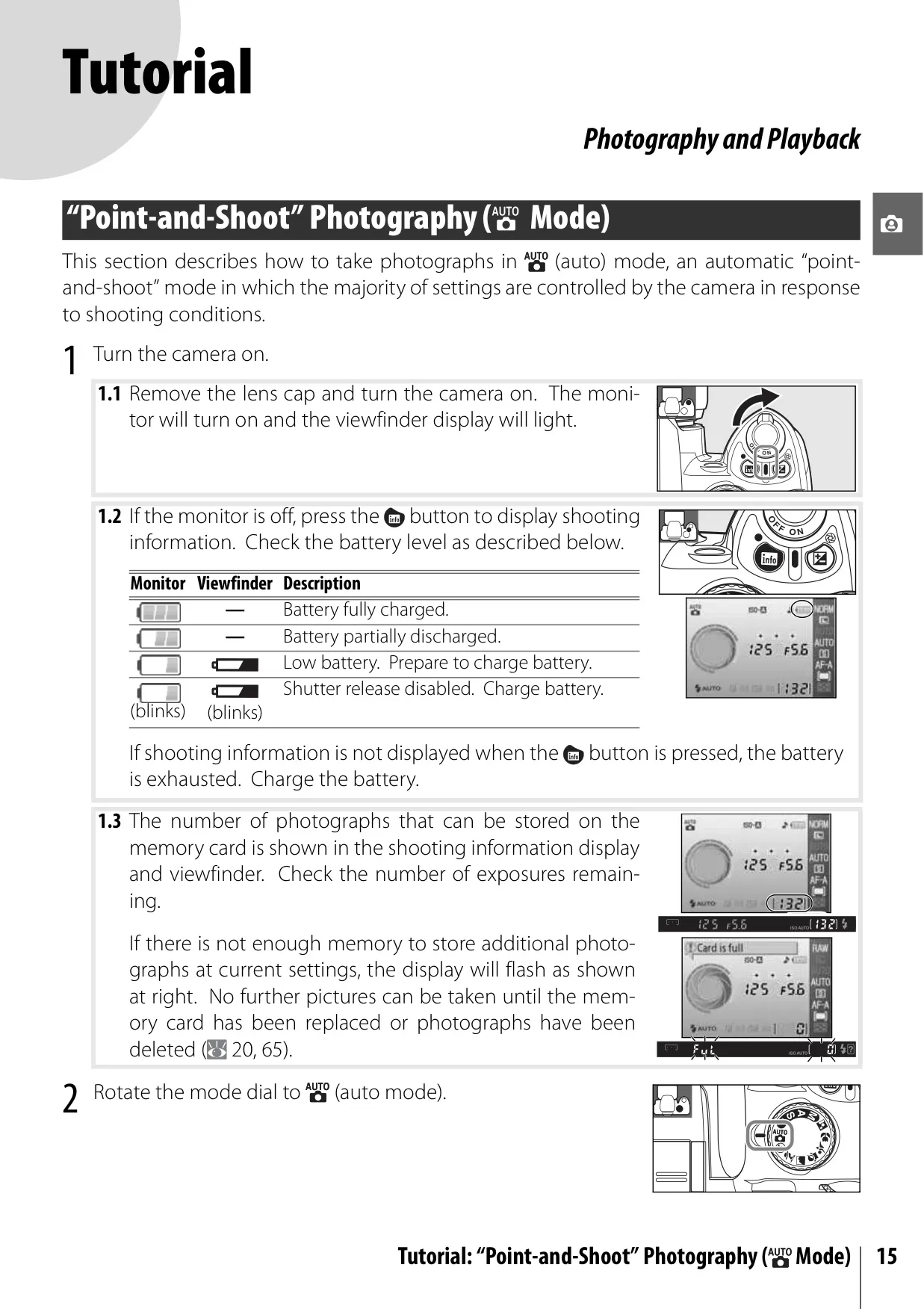

















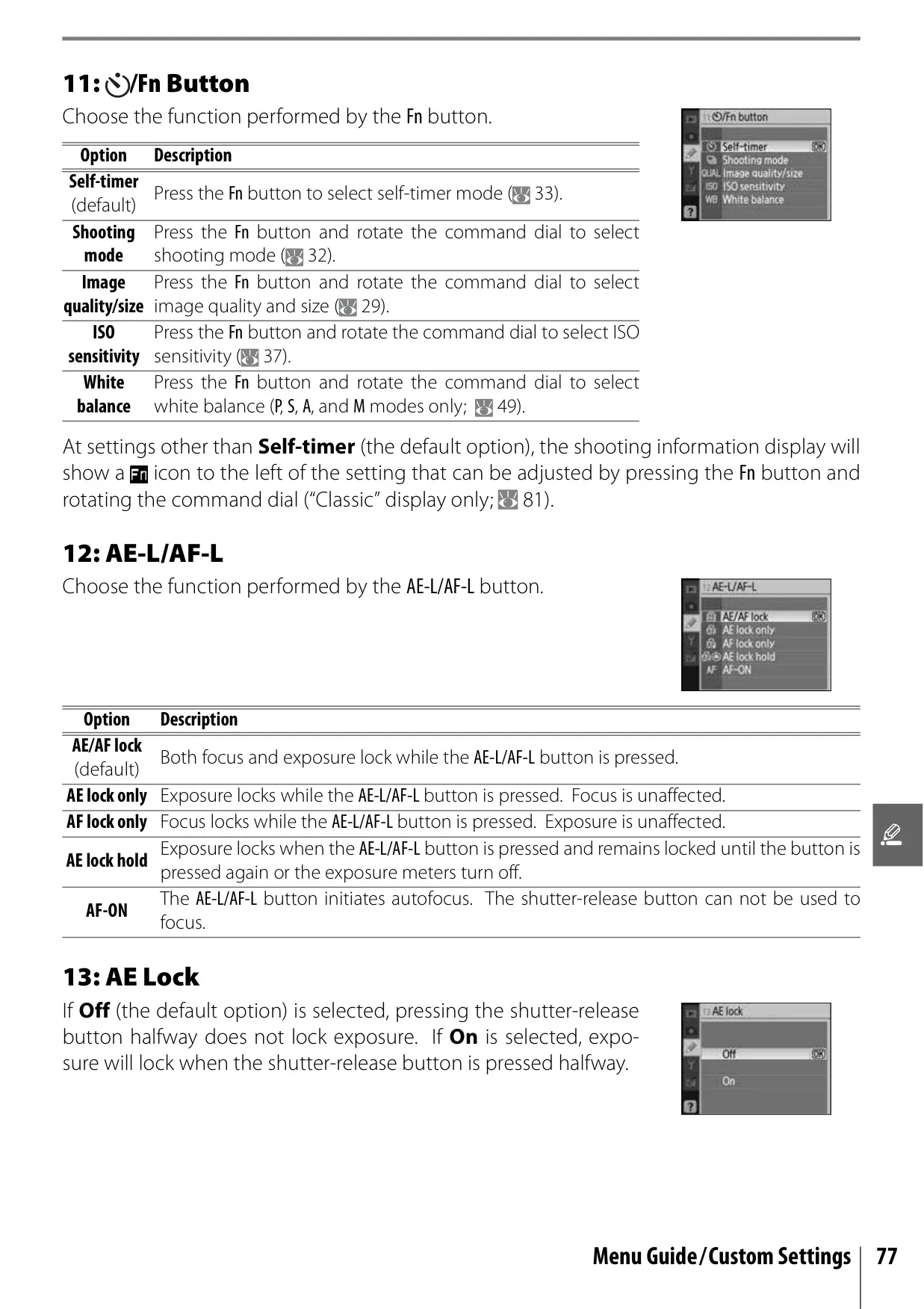

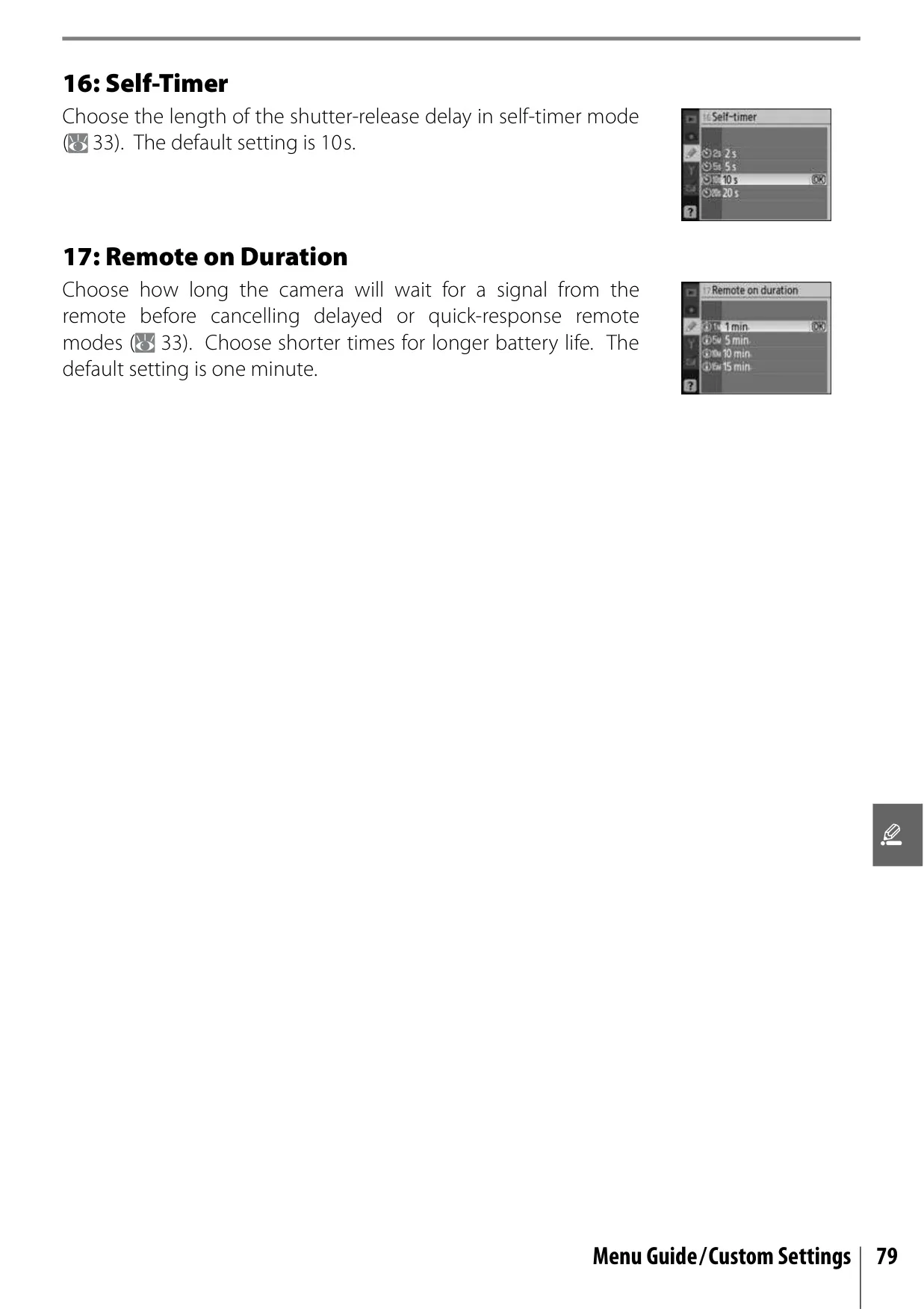

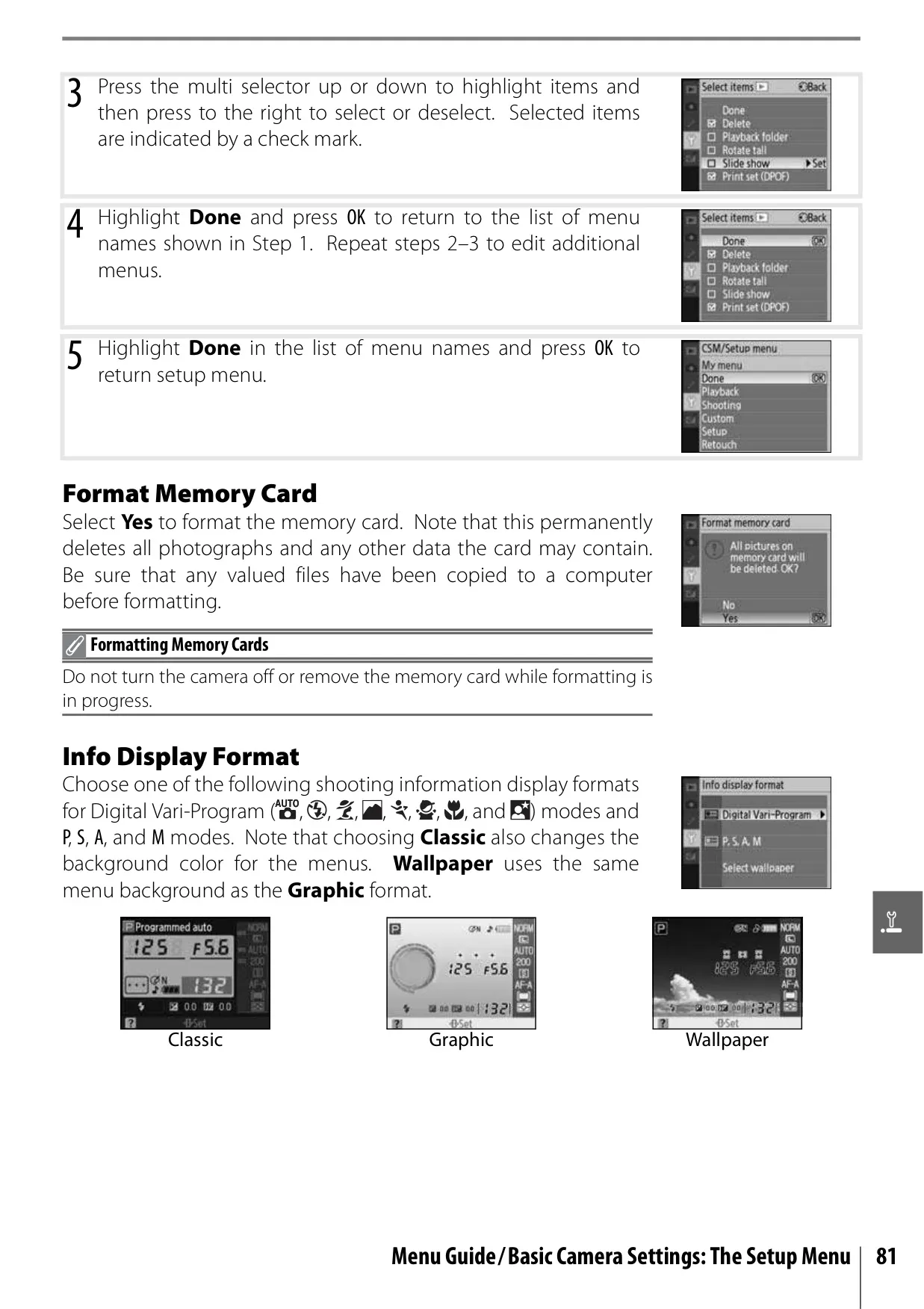
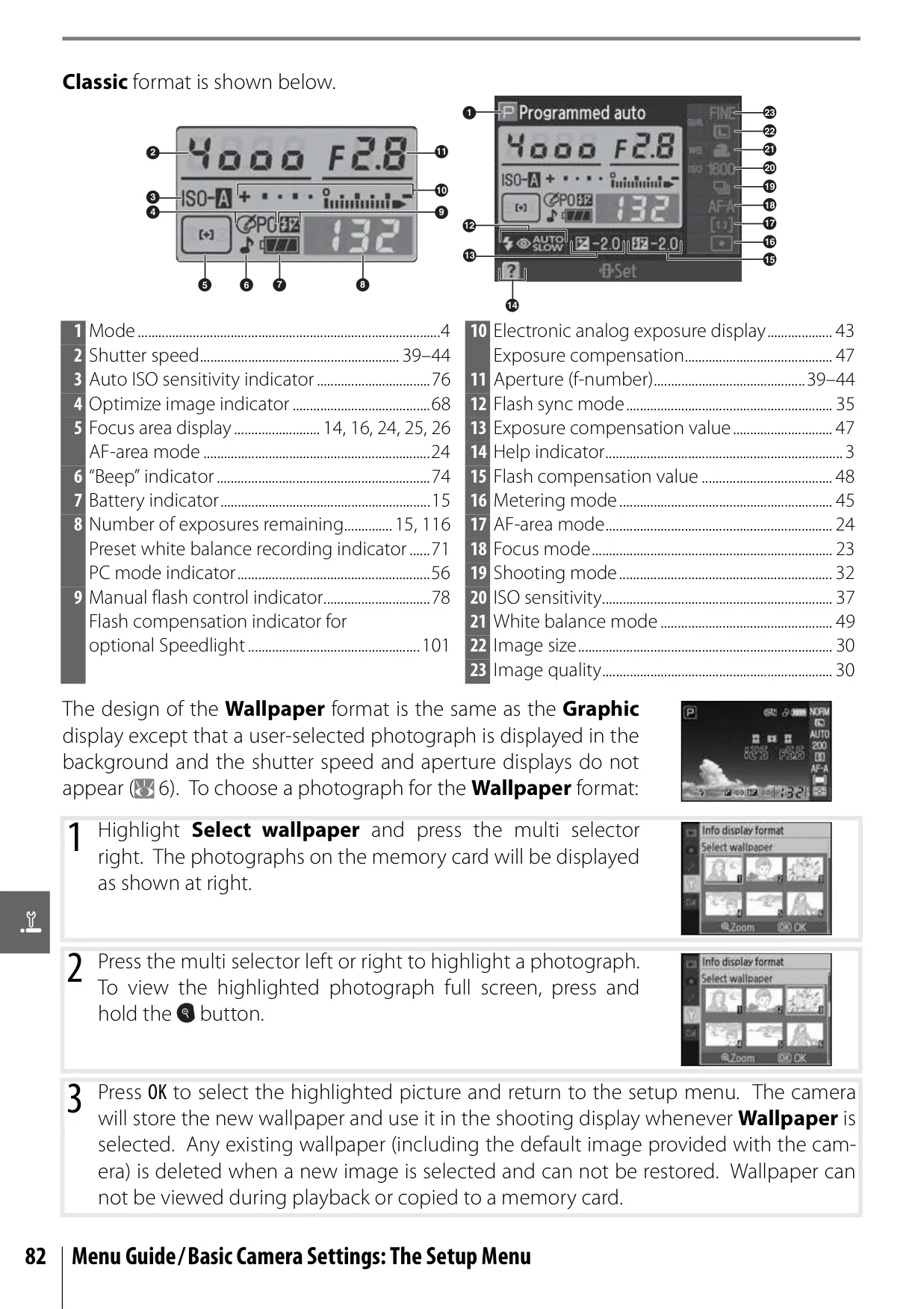
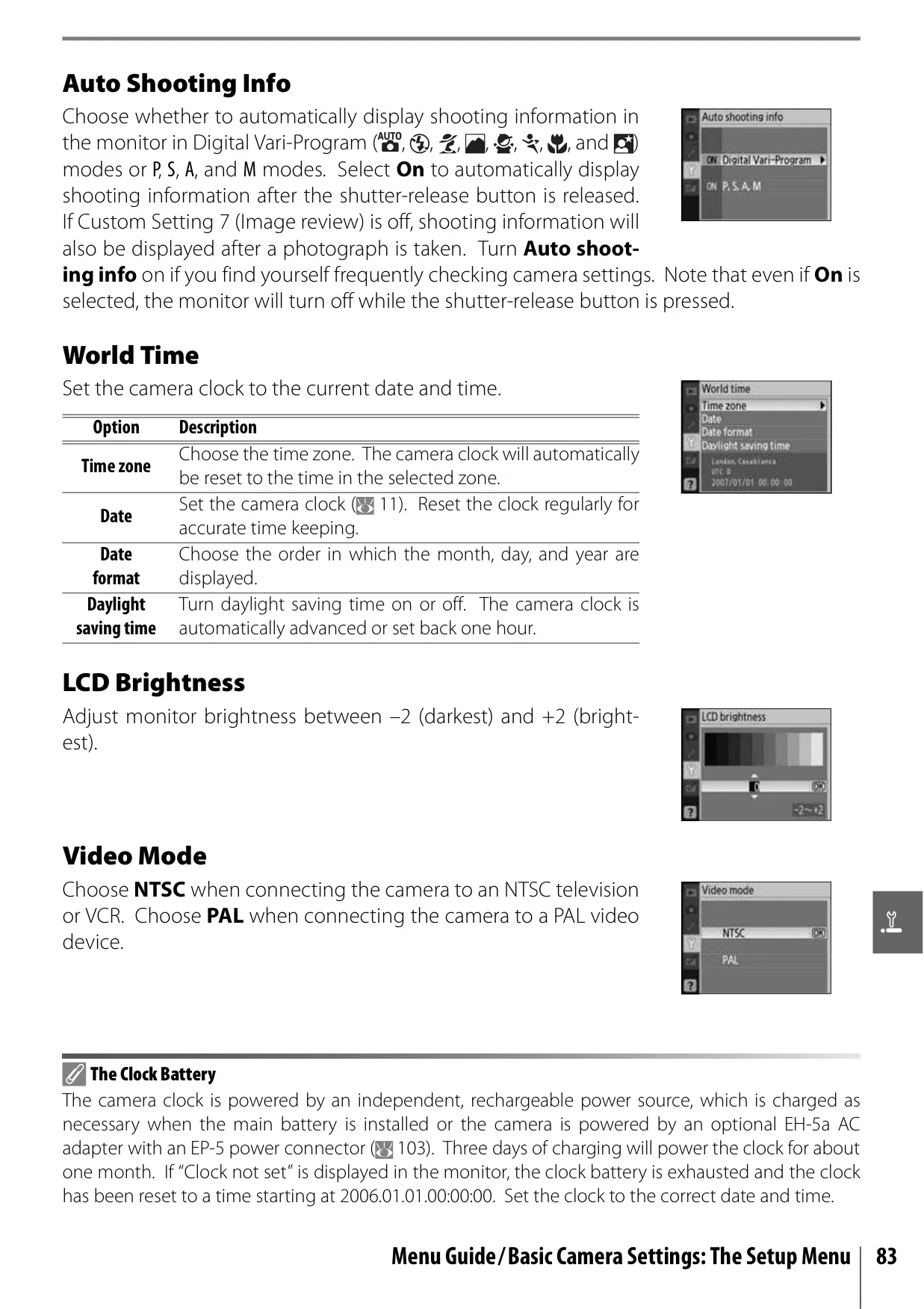
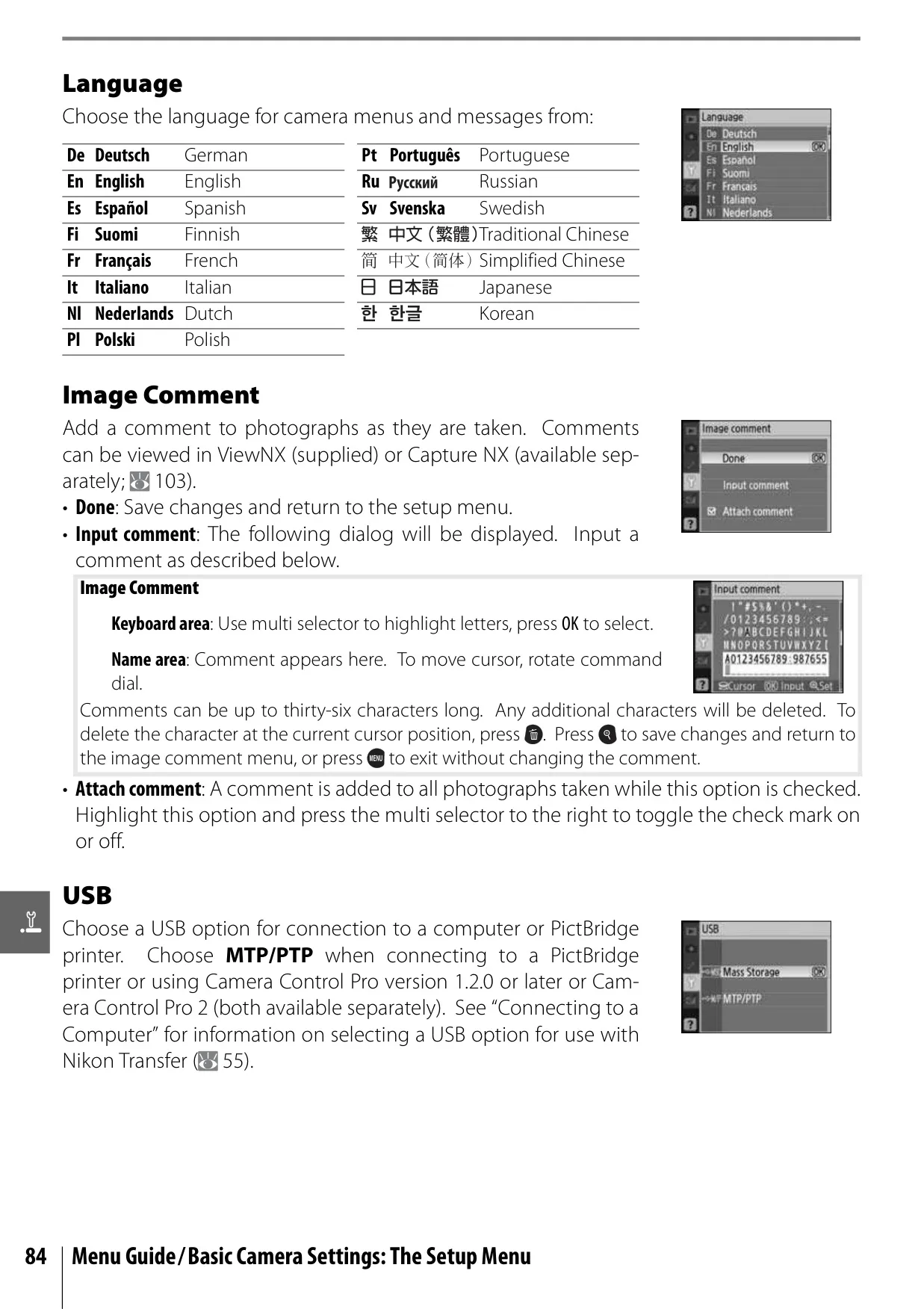

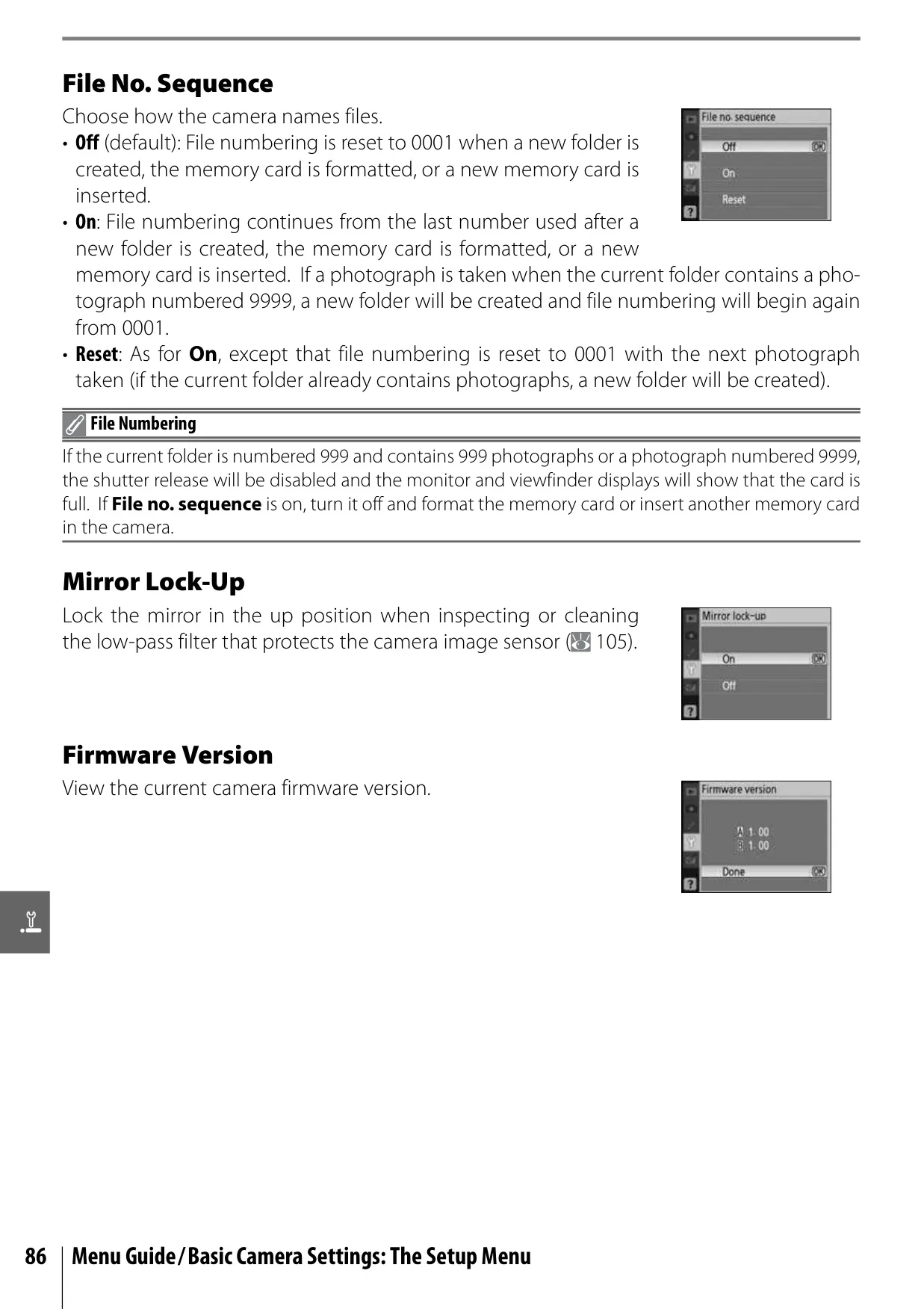
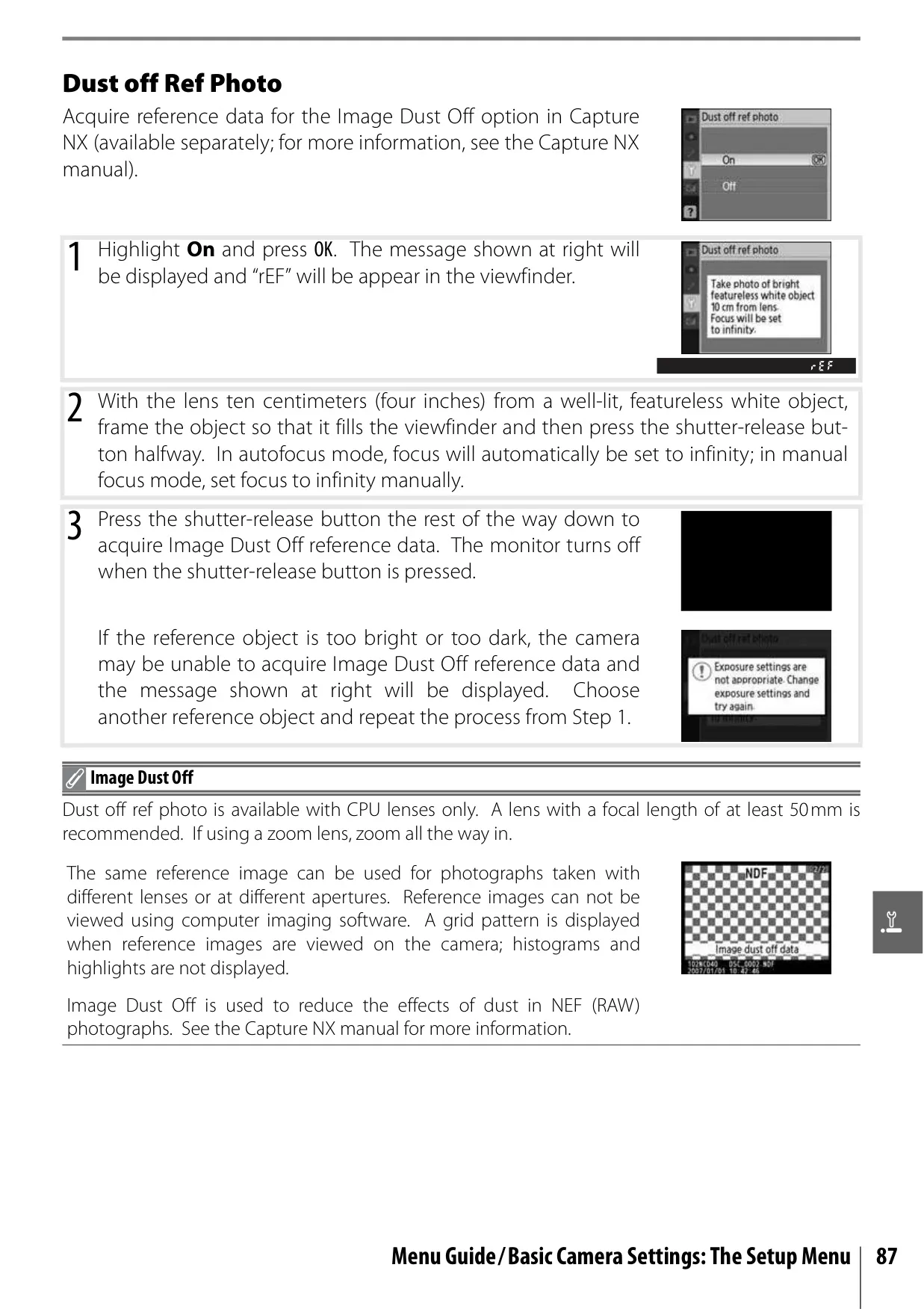





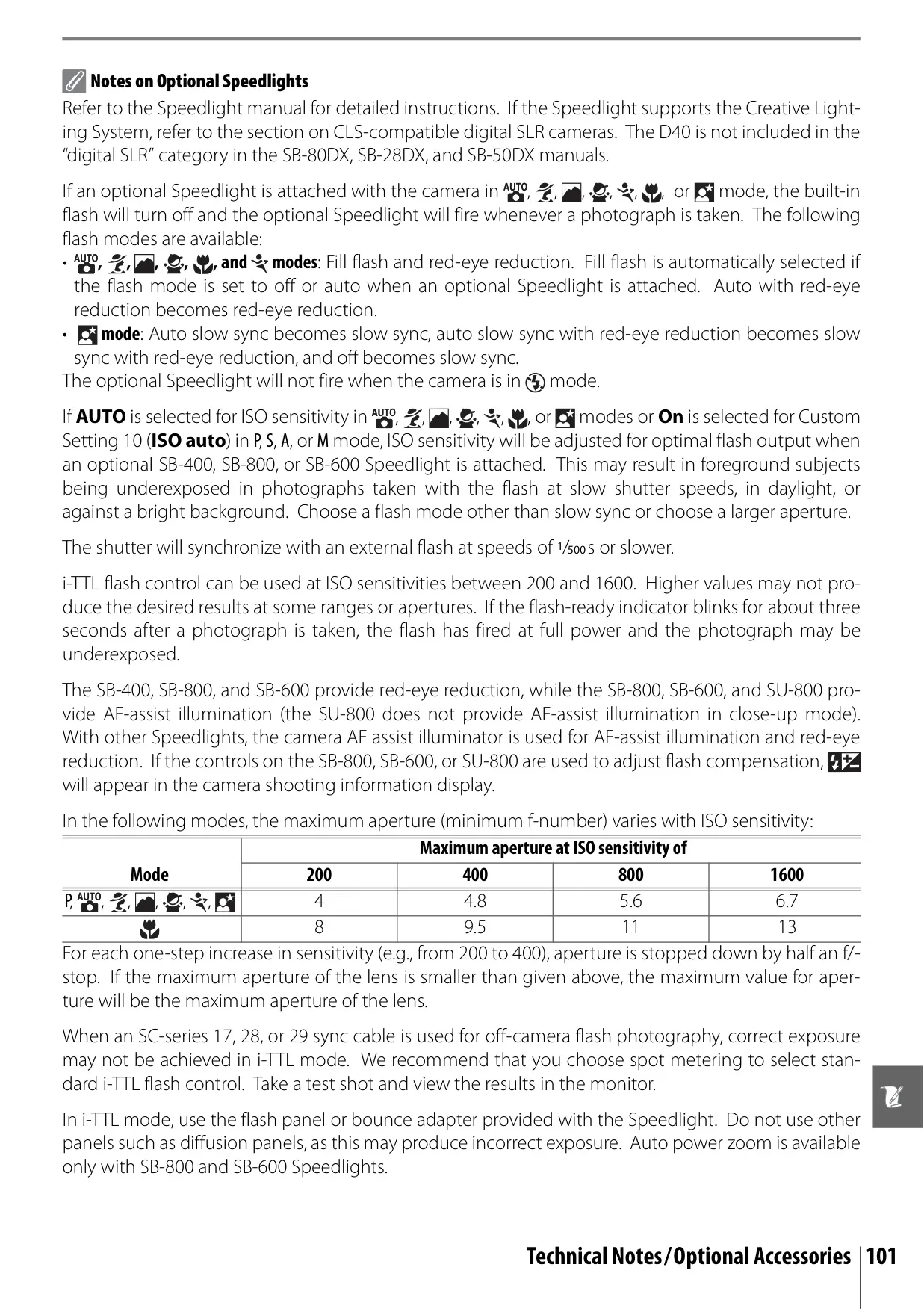


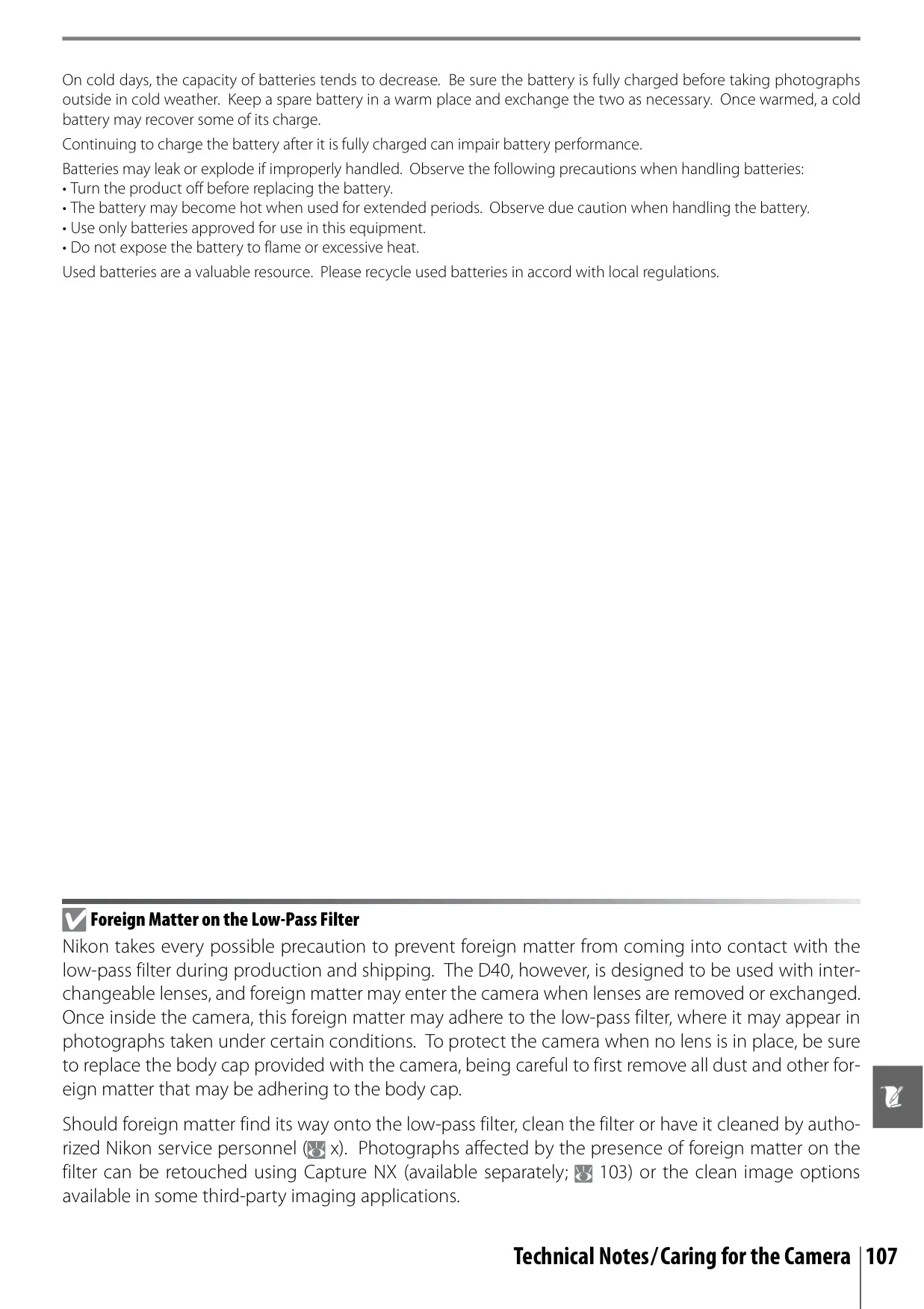

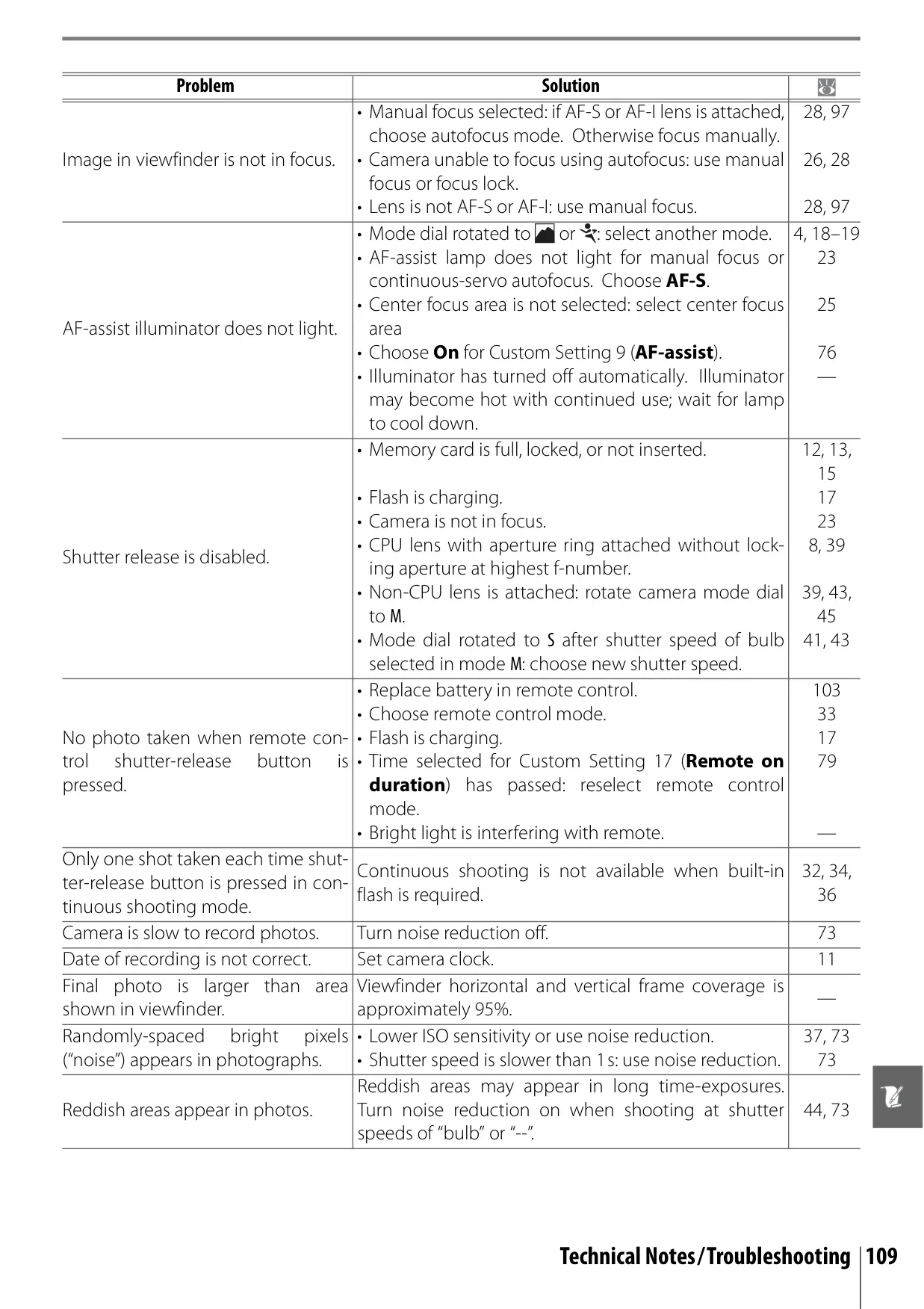


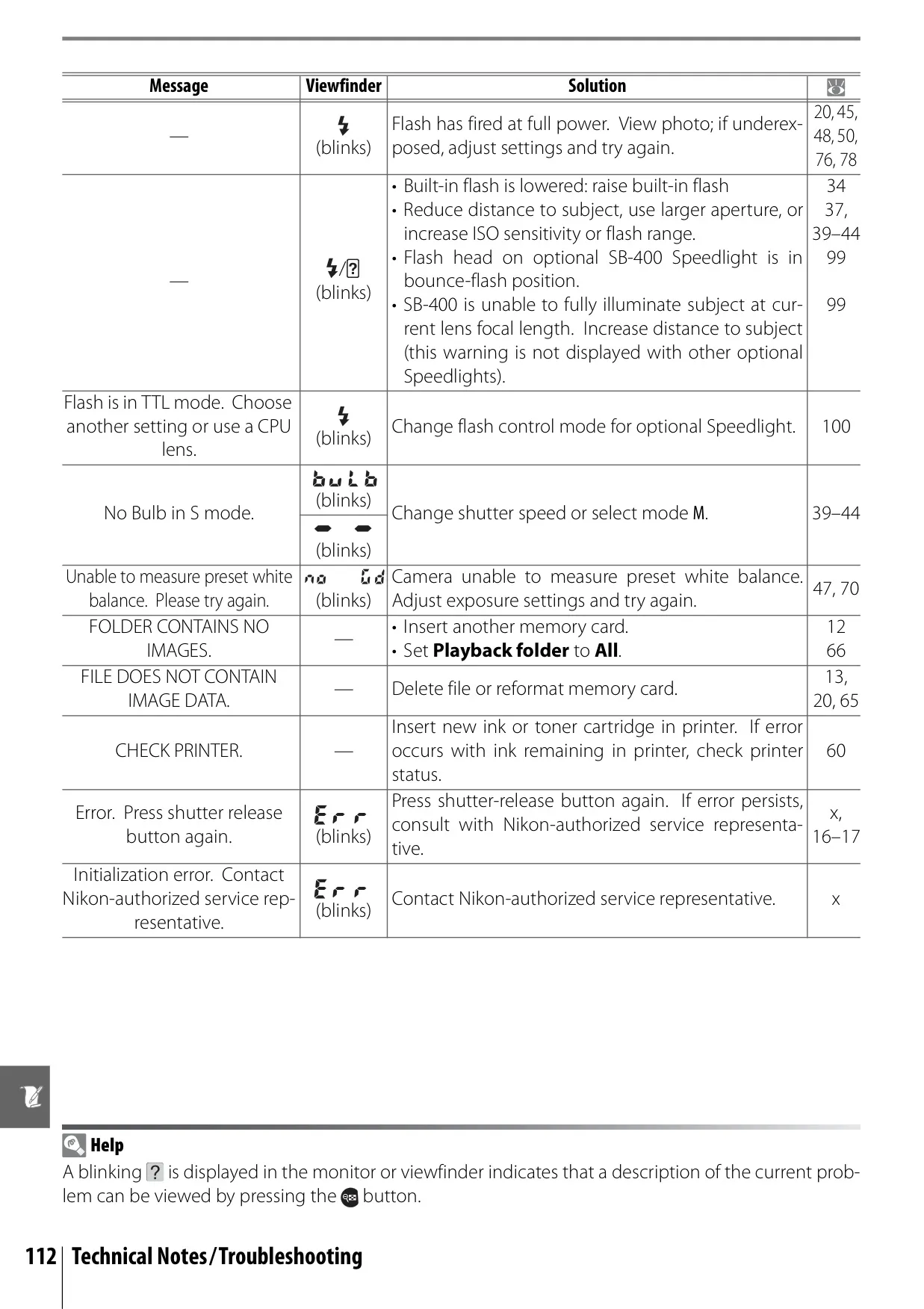









Nikon D40 DSLR Camera Instructions
Here we offer the Nikon D40 DSLR Camera manual completely free and in English. We have cataloged this manual in the SLR Cameras section on Manualverse, and it has been rated by 1 users with an average rating of 5. If you have any specific questions about Nikon D40 DSLR Camera, we suggest checking the Frequently Asked Questions (FAQs) section of this manual.
Product Images
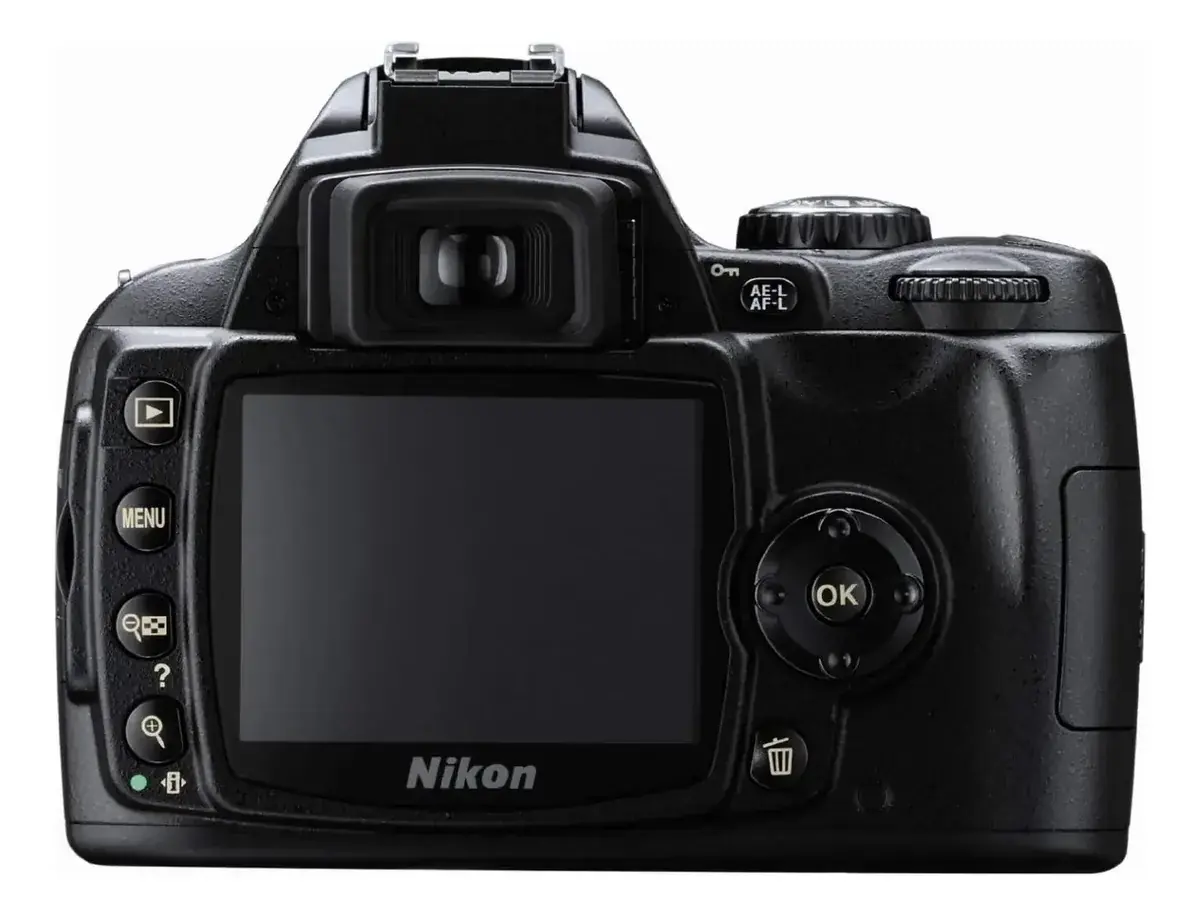
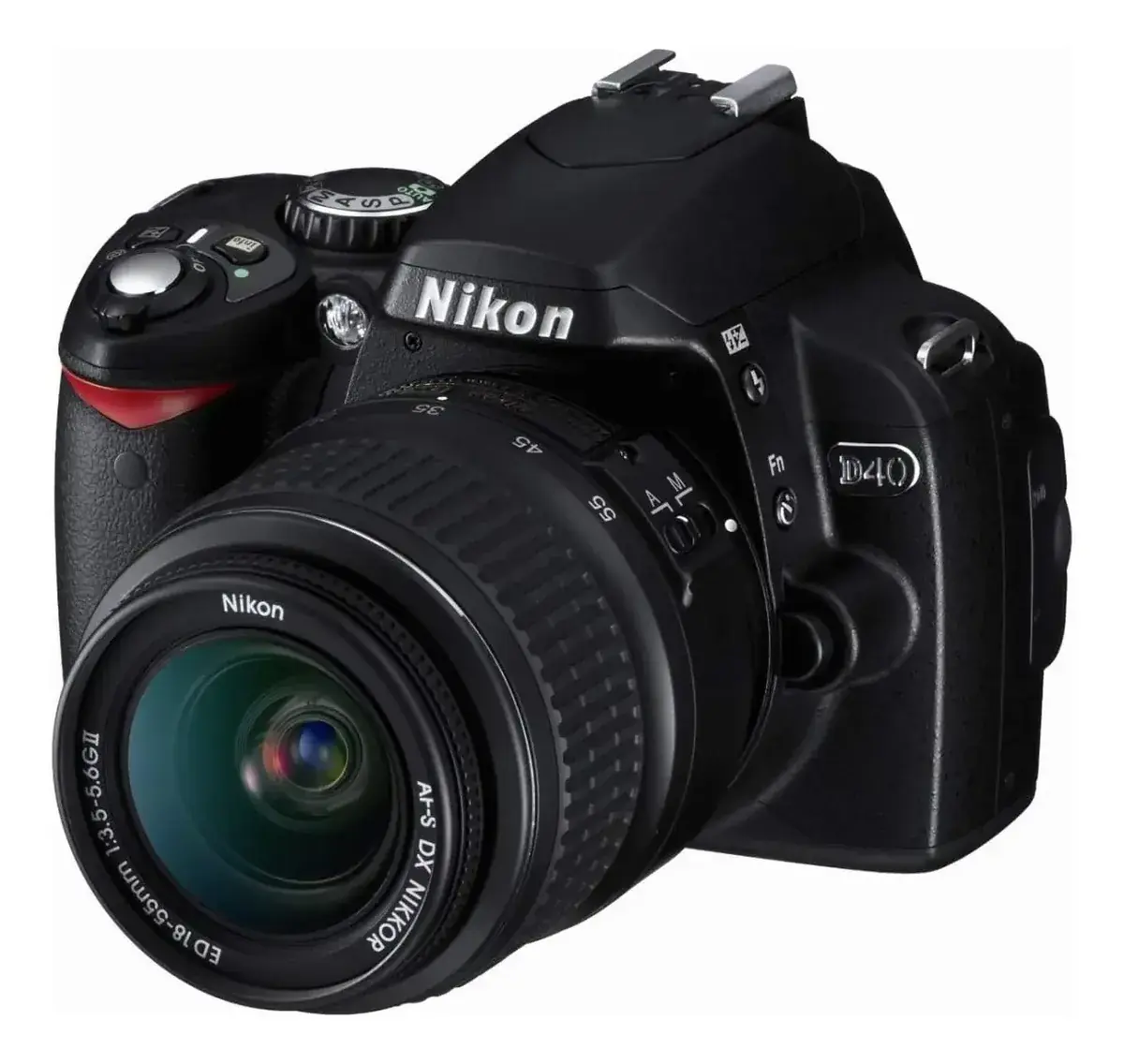
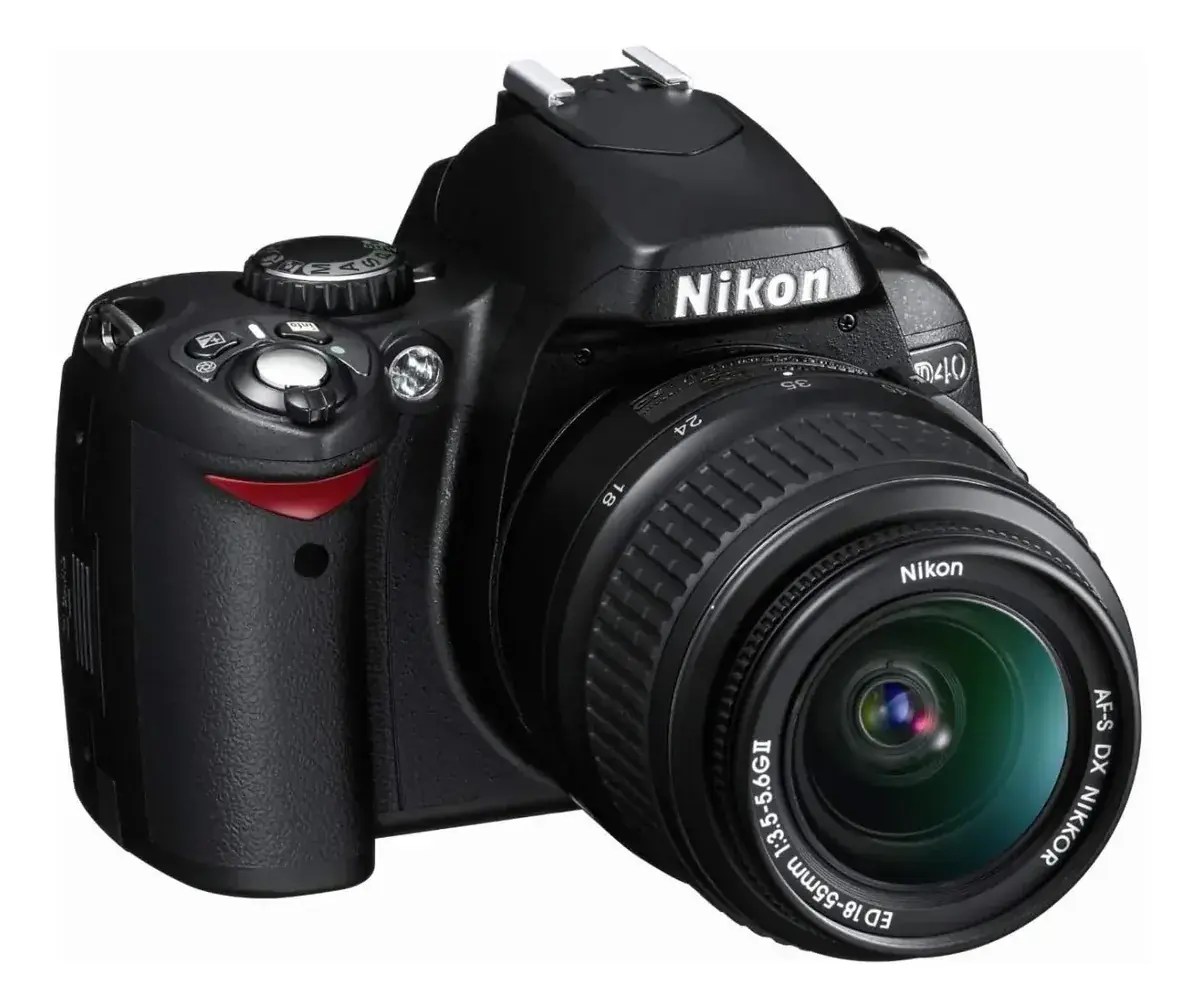
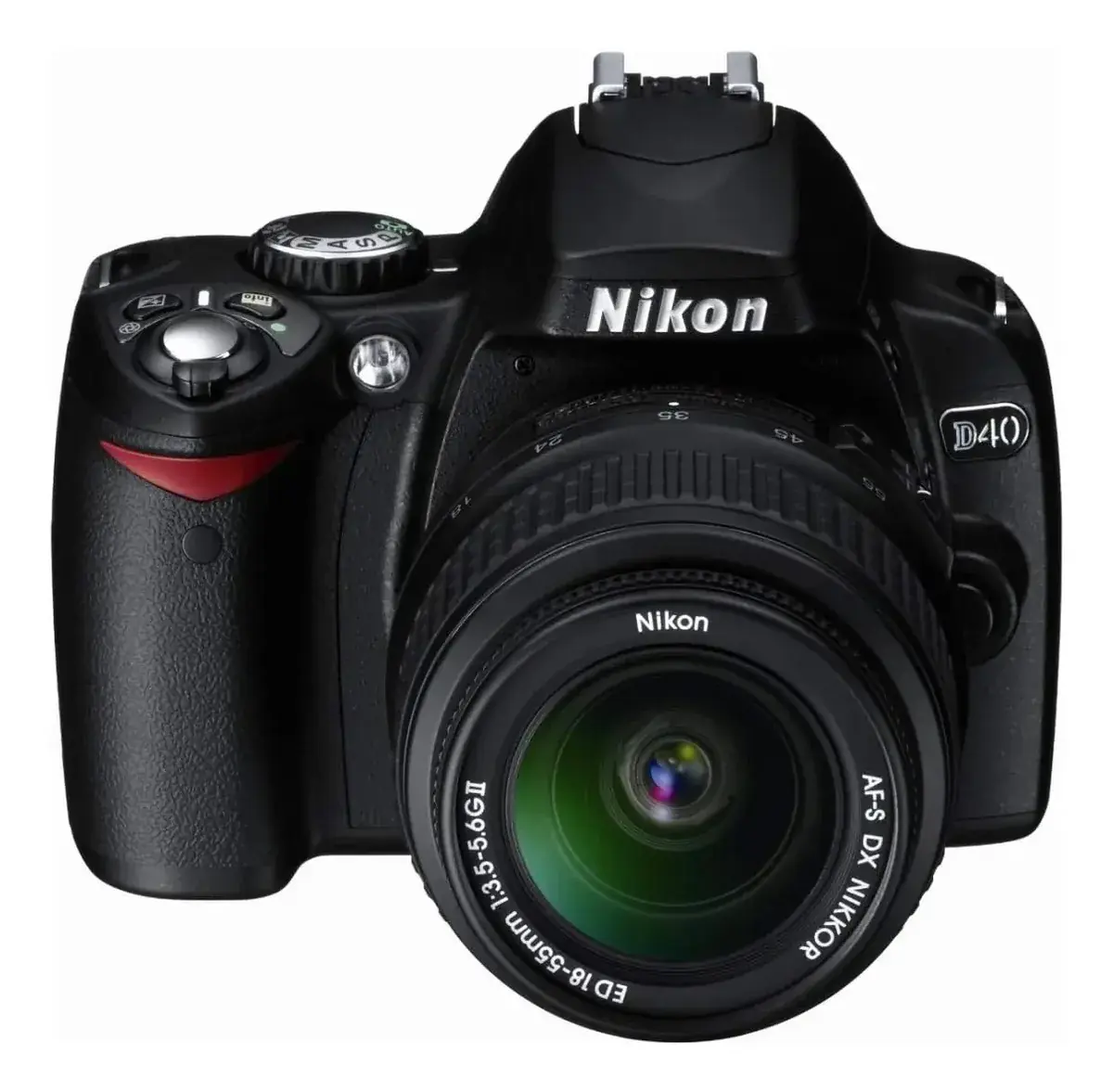
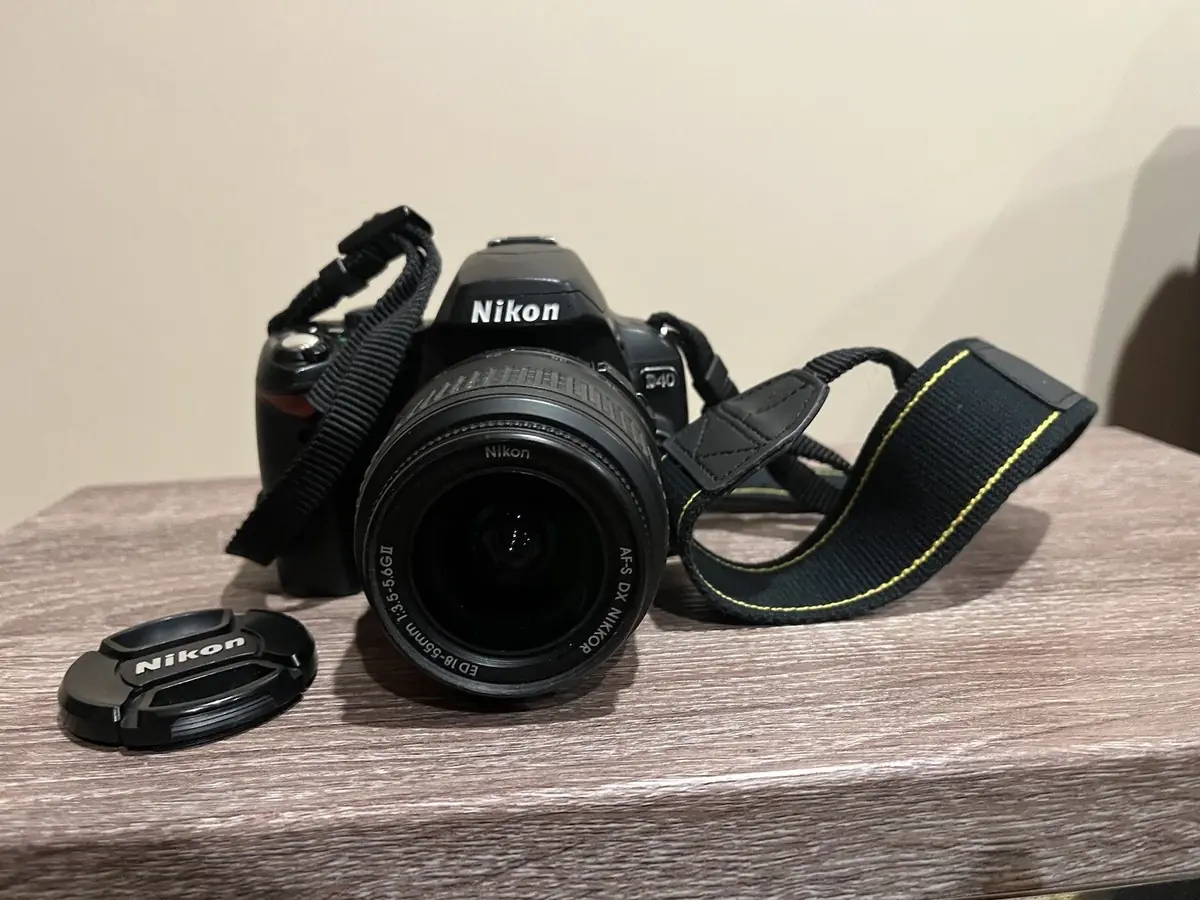
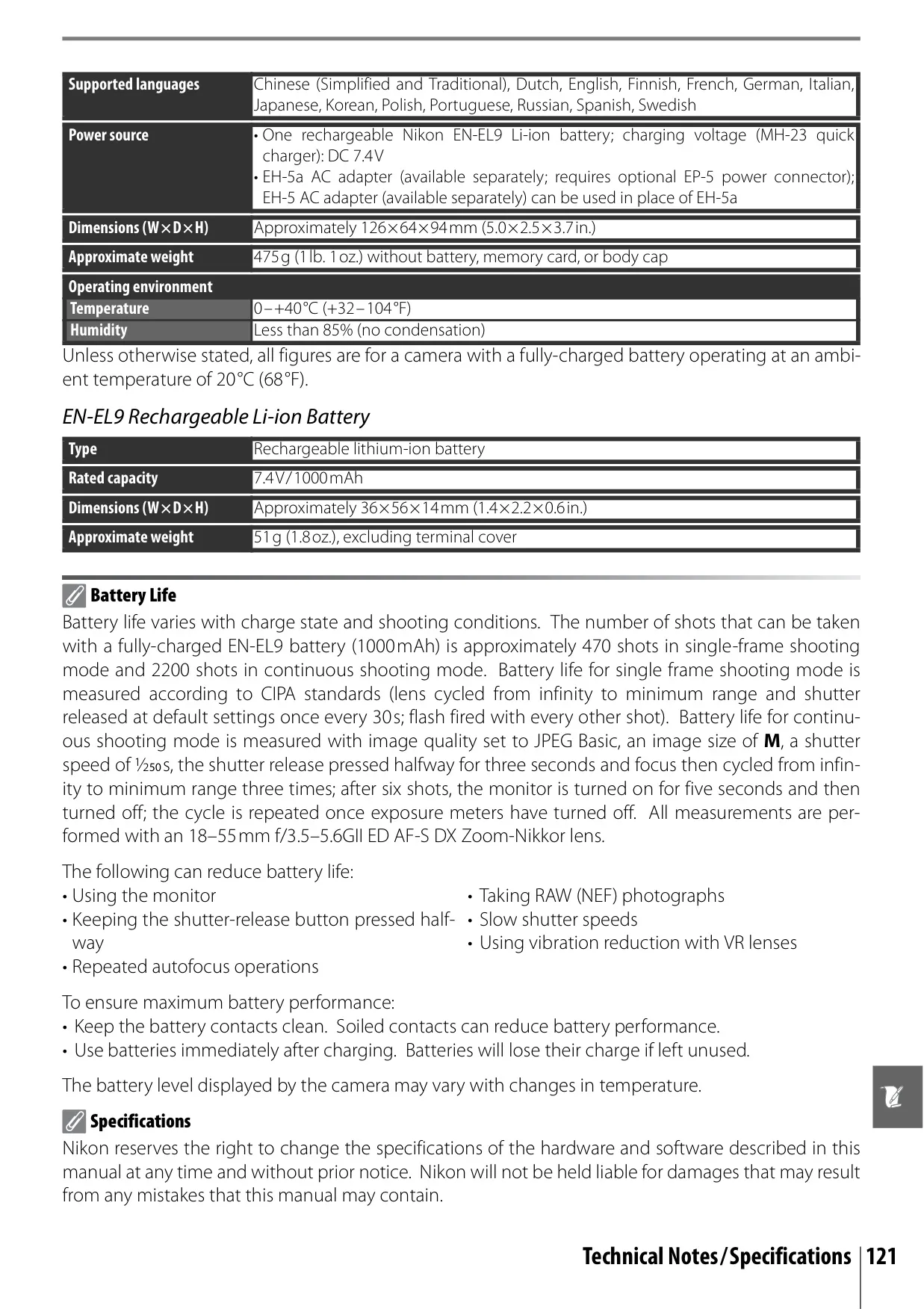
Nikon D40 DSLR Camera Specifications
| Feature | Specification |
|---|---|
| Camera Type | Single-lens reflex digital camera |
| Effective Pixels | 6.1 million |
| Image Sensor | 23.7×15.6mm CCD; 6.24 million total pixels |
| Image Size (Pixels) | Large: 3,008×2,000; Medium: 2,256×1,496; Small: 1,504×1,000 |
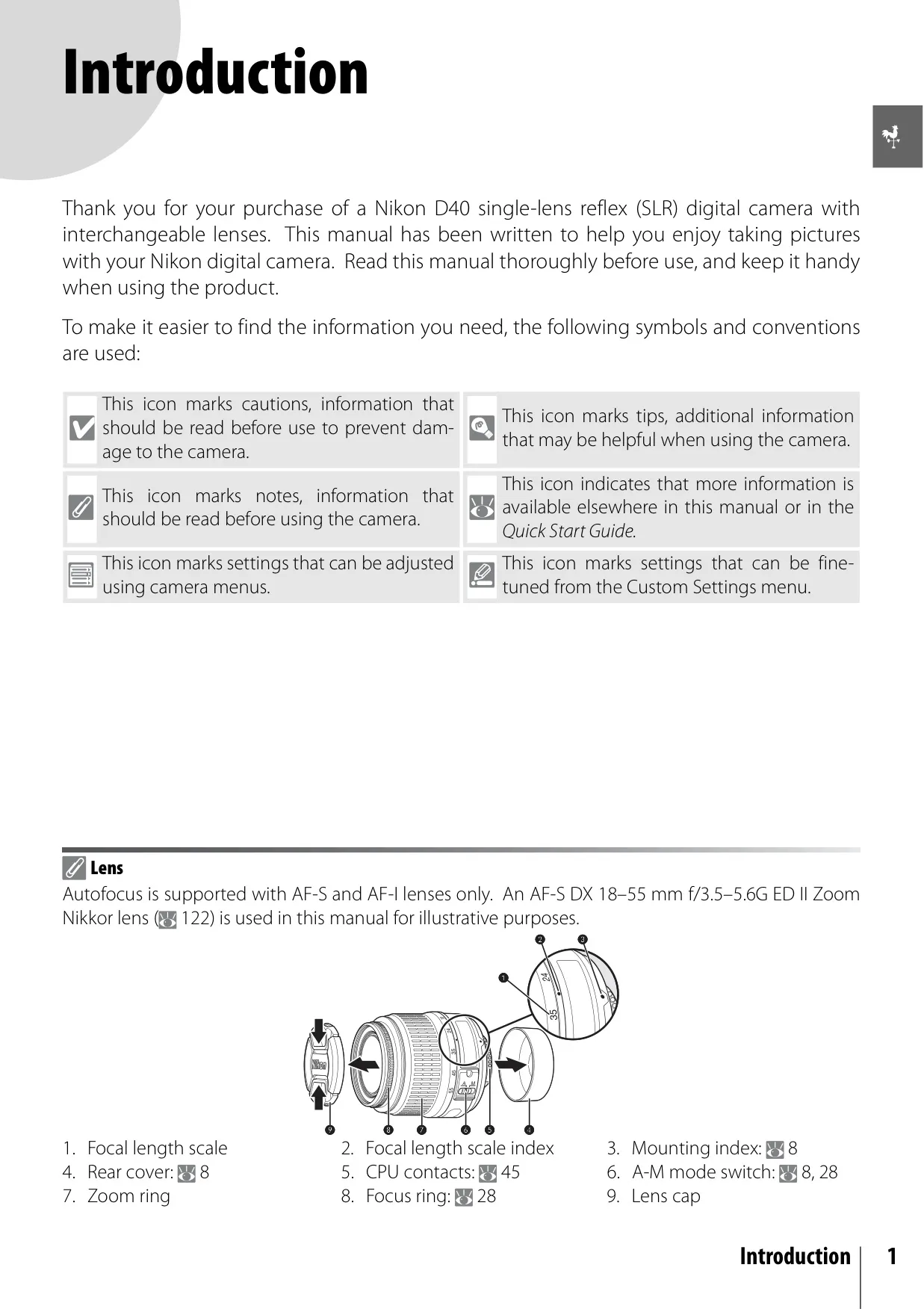
| Lens Mount | Nikon F mount with AF contacts |
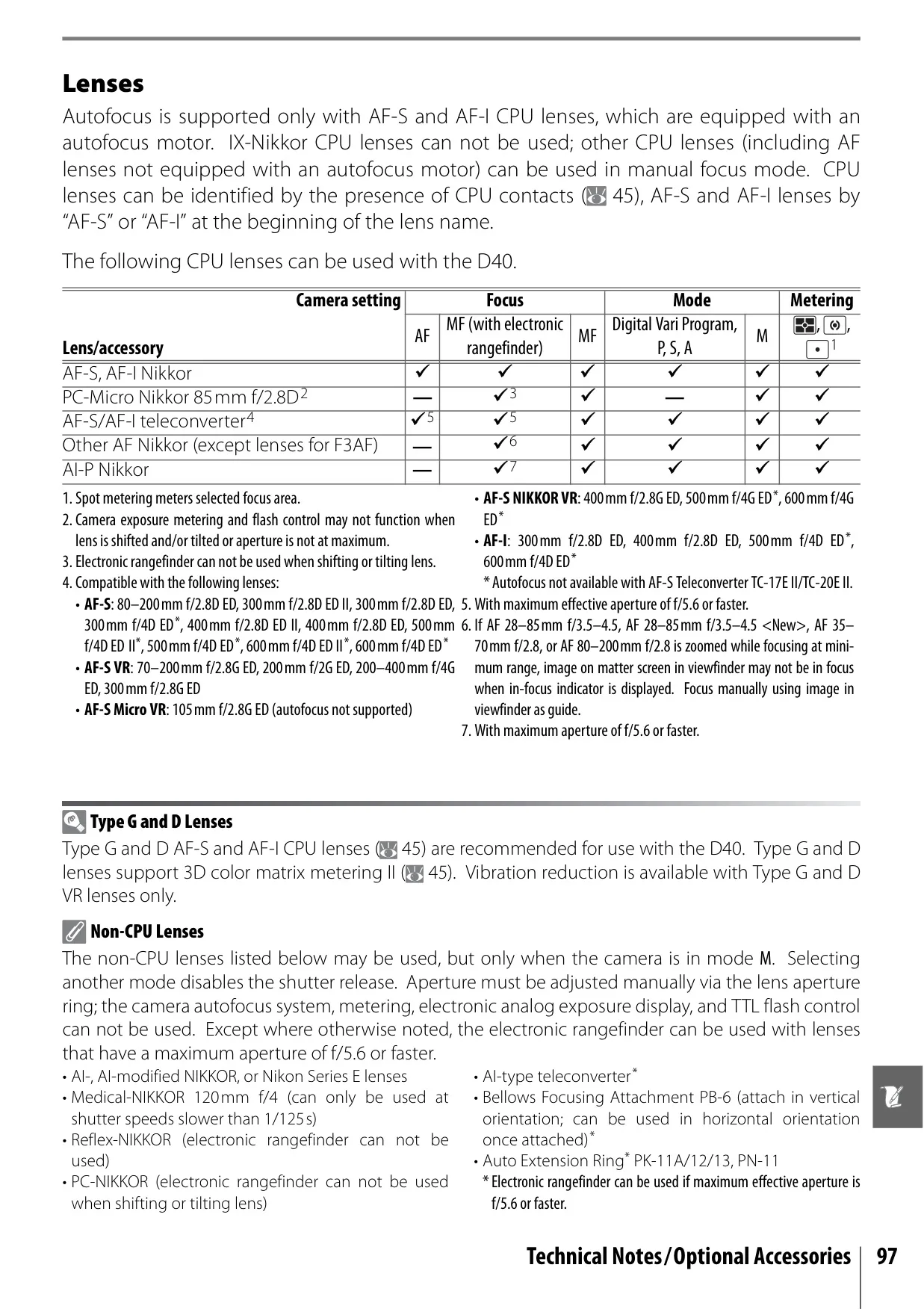
| Compatible Lenses | AF-S, AF-I Nikkor (all functions); Other Type G or D Nikkor (autofocus not supported); Non-CPU (manual focus in M mode, no exposure meter) |
| Viewfinder Type | Fixed eye-level penta-Dach mirror type |
| Viewfinder Coverage | Approx. 95% (vertical and horizontal) |
| Viewfinder Diopter | –1.7 to +0.5 m-1 |
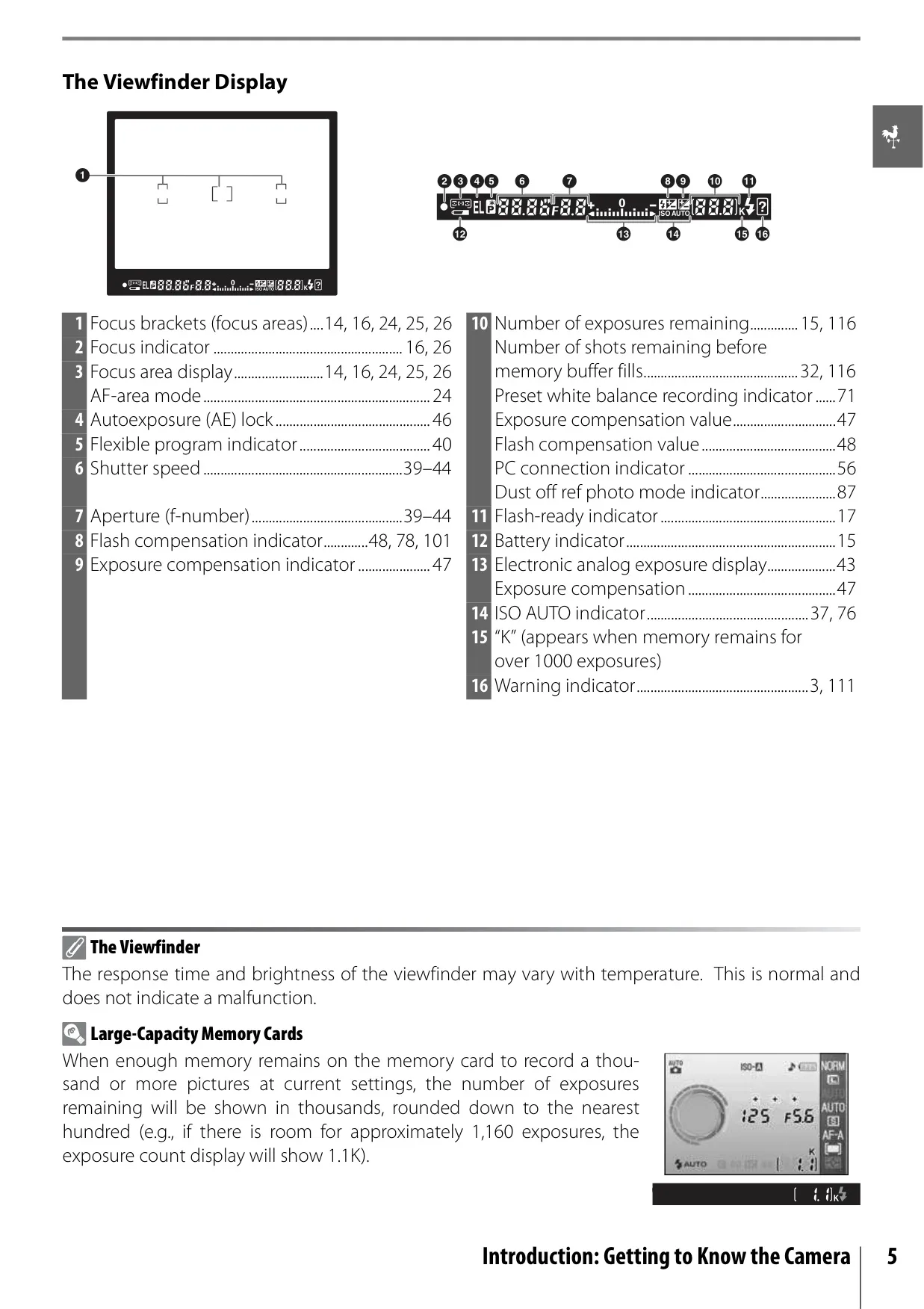
| Focus Areas | 3 focus areas |
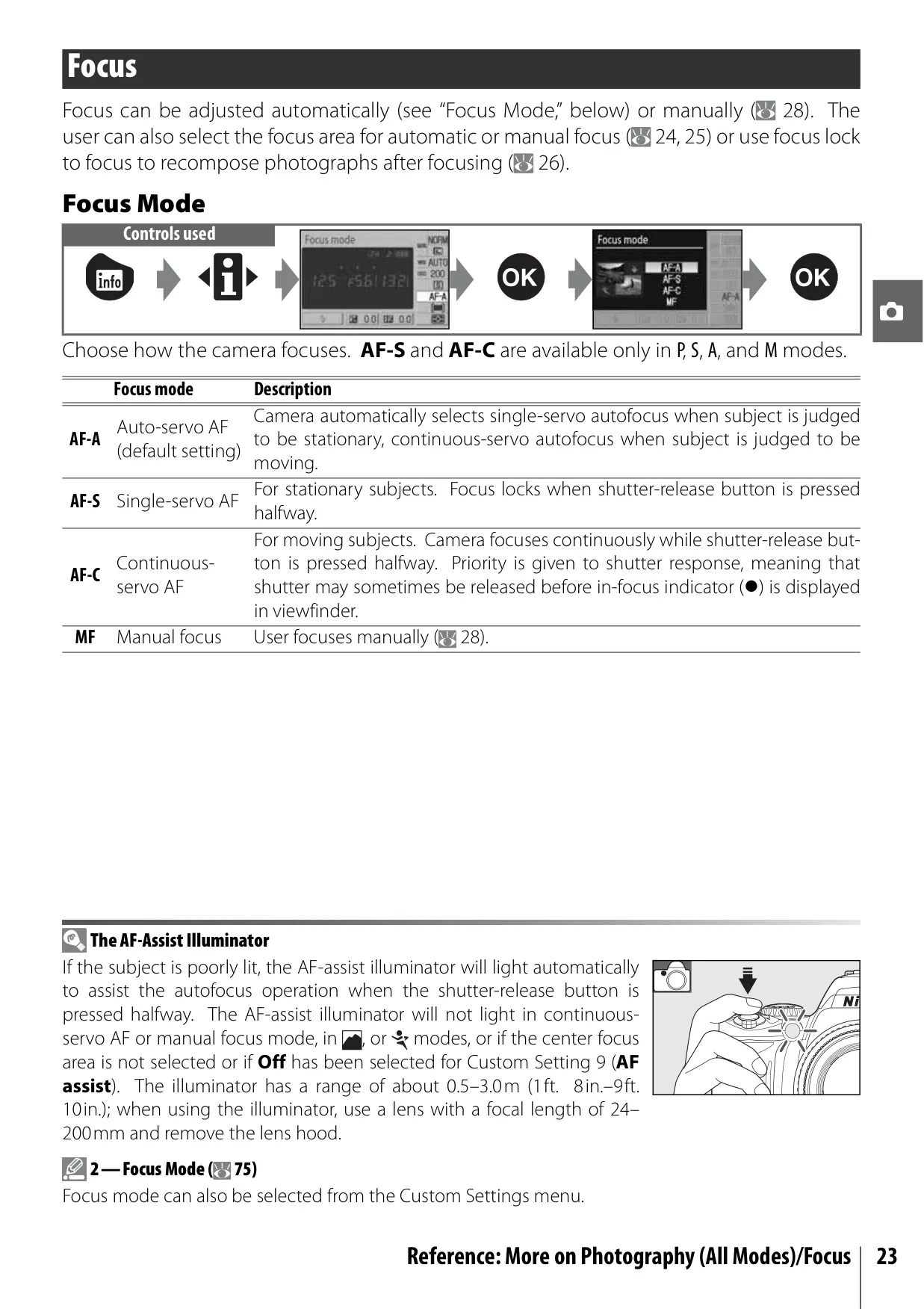
| Autofocus System | TTL phase detection by Nikon Multi-CAM 530 autofocus sensor module with AF-assist illuminator (range approx. 0.5–3.0m) |
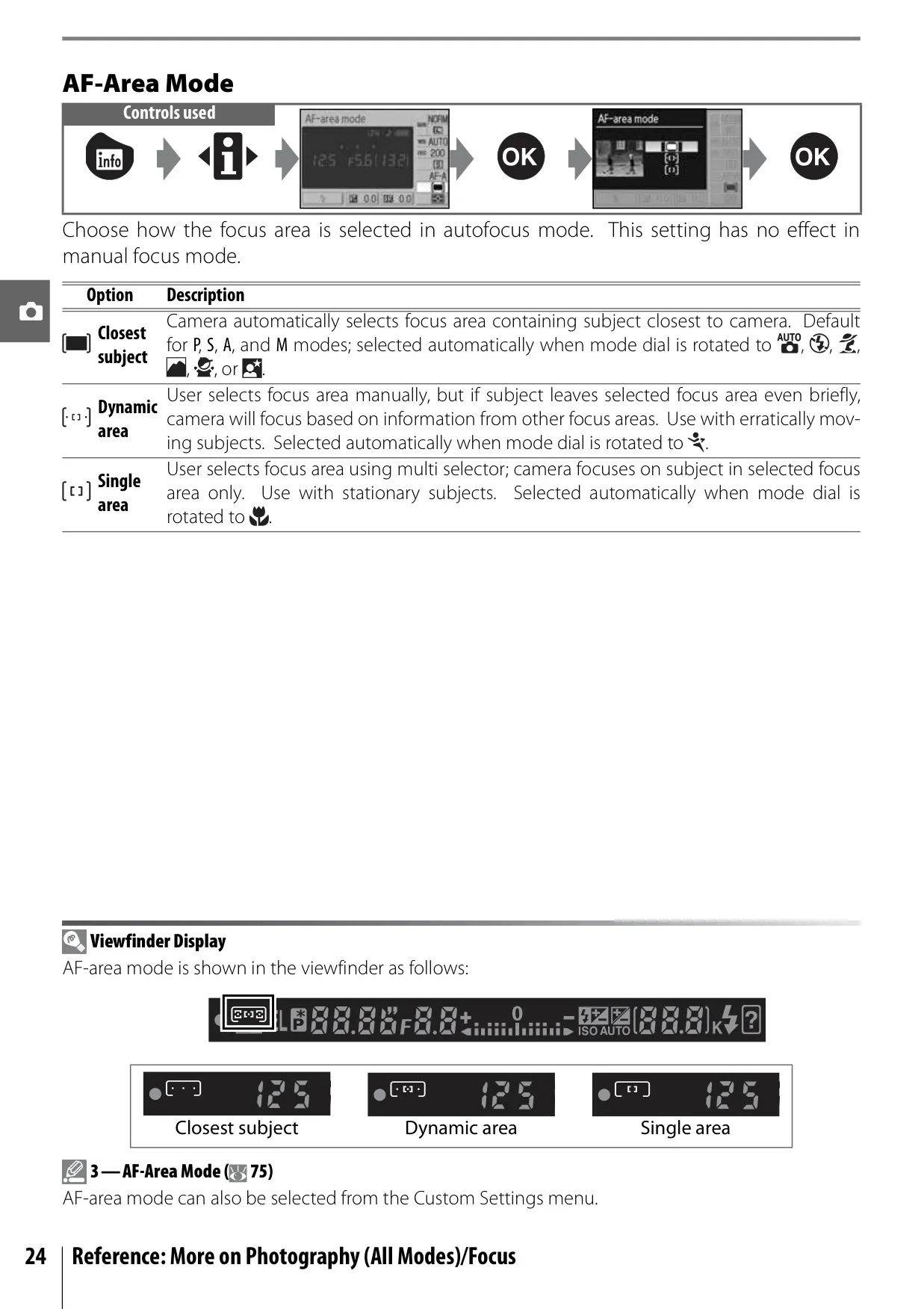
| AF-Area Modes | Single-area AF, dynamic-area AF, dynamic-area AF with closest subject priority |
| ISO Sensitivity (Recommended Exposure Index) | 200–1600 in steps of 1EV; additional setting one step over 1600 (HI 1) |
| Metering System | Three-mode TTL (Matrix, Center-weighted, Spot) by 420-pixel RGB sensor |
| Shutter Speed | 30–1/4,000s in steps of 1/3EV, bulb |
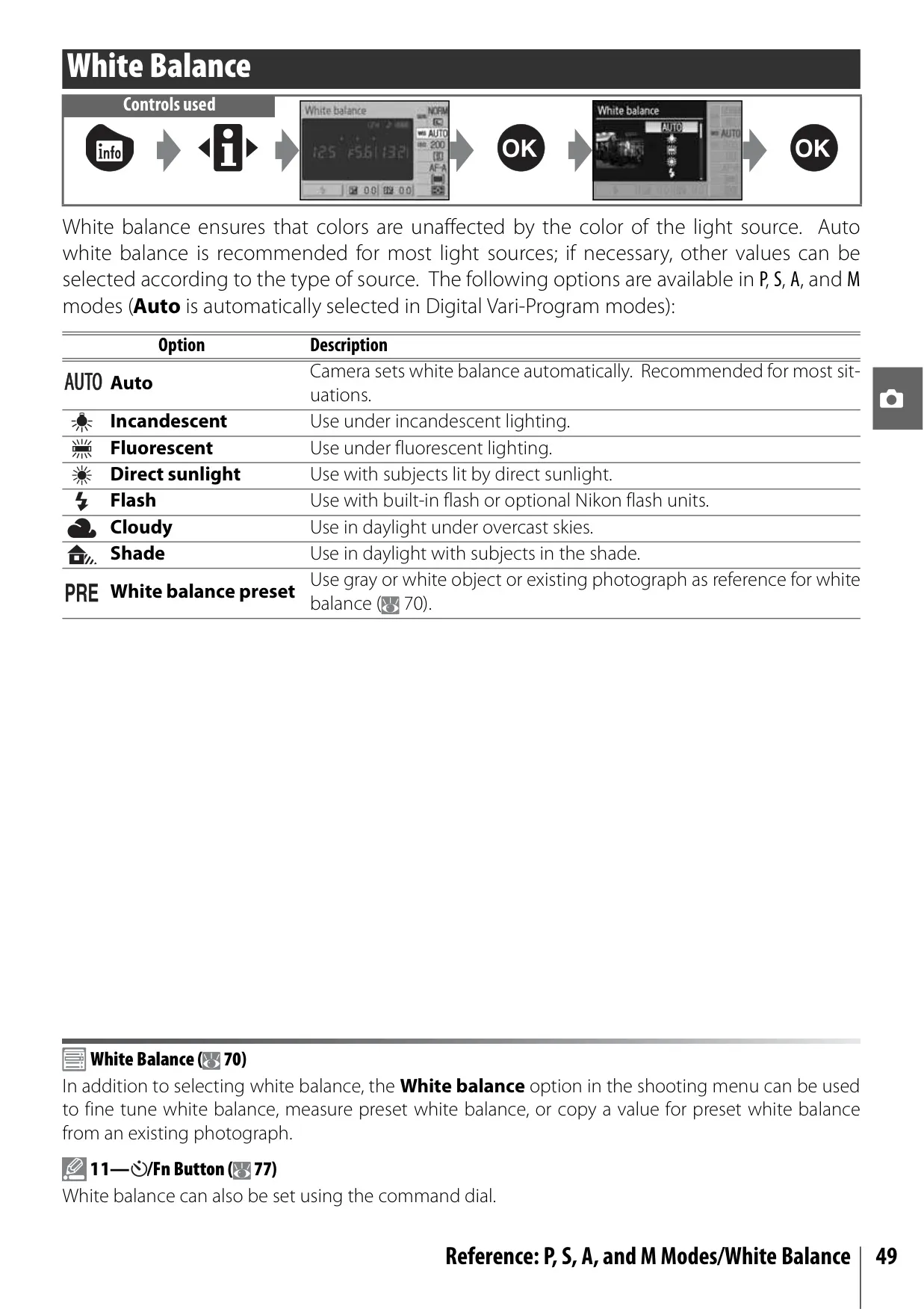
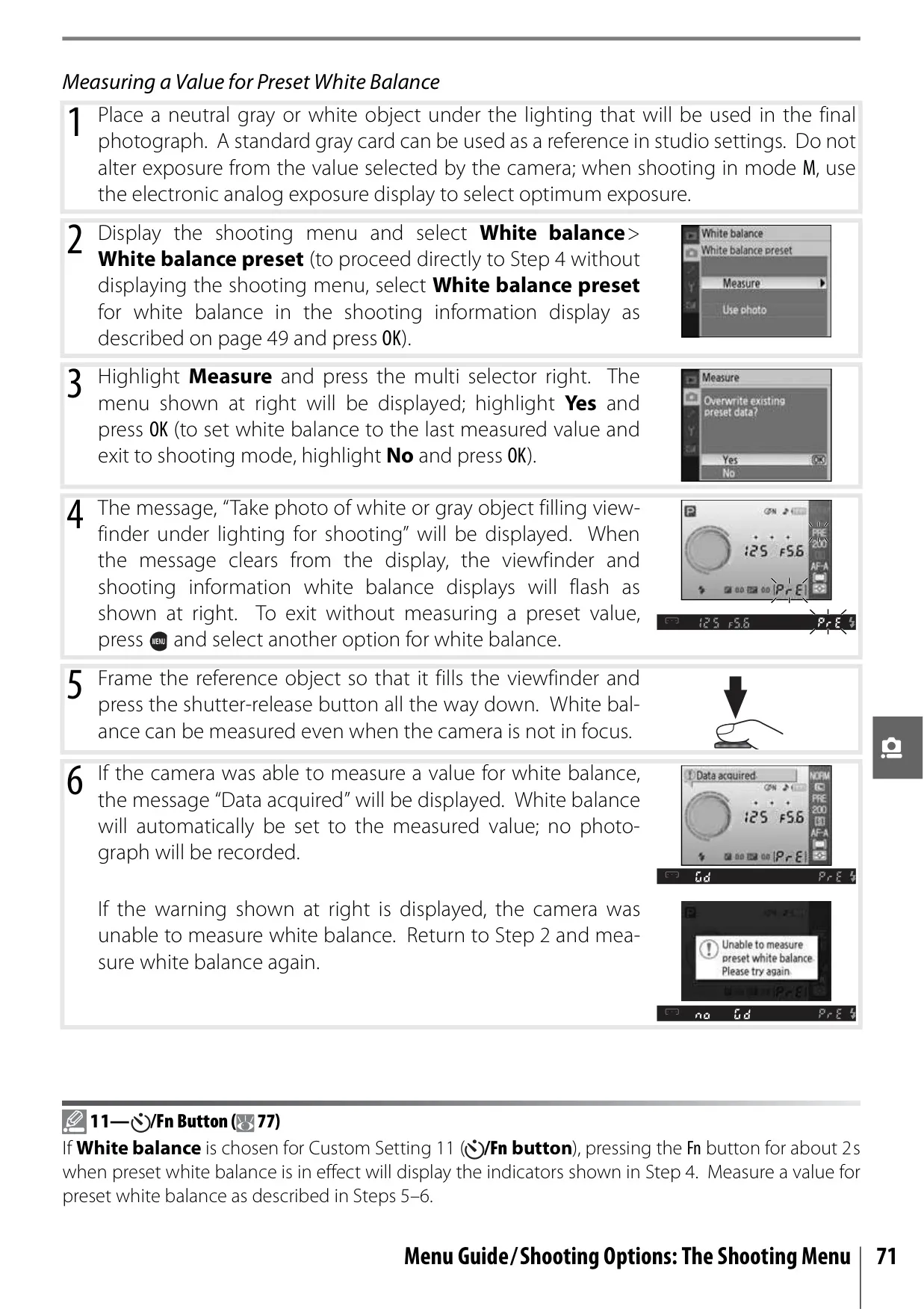
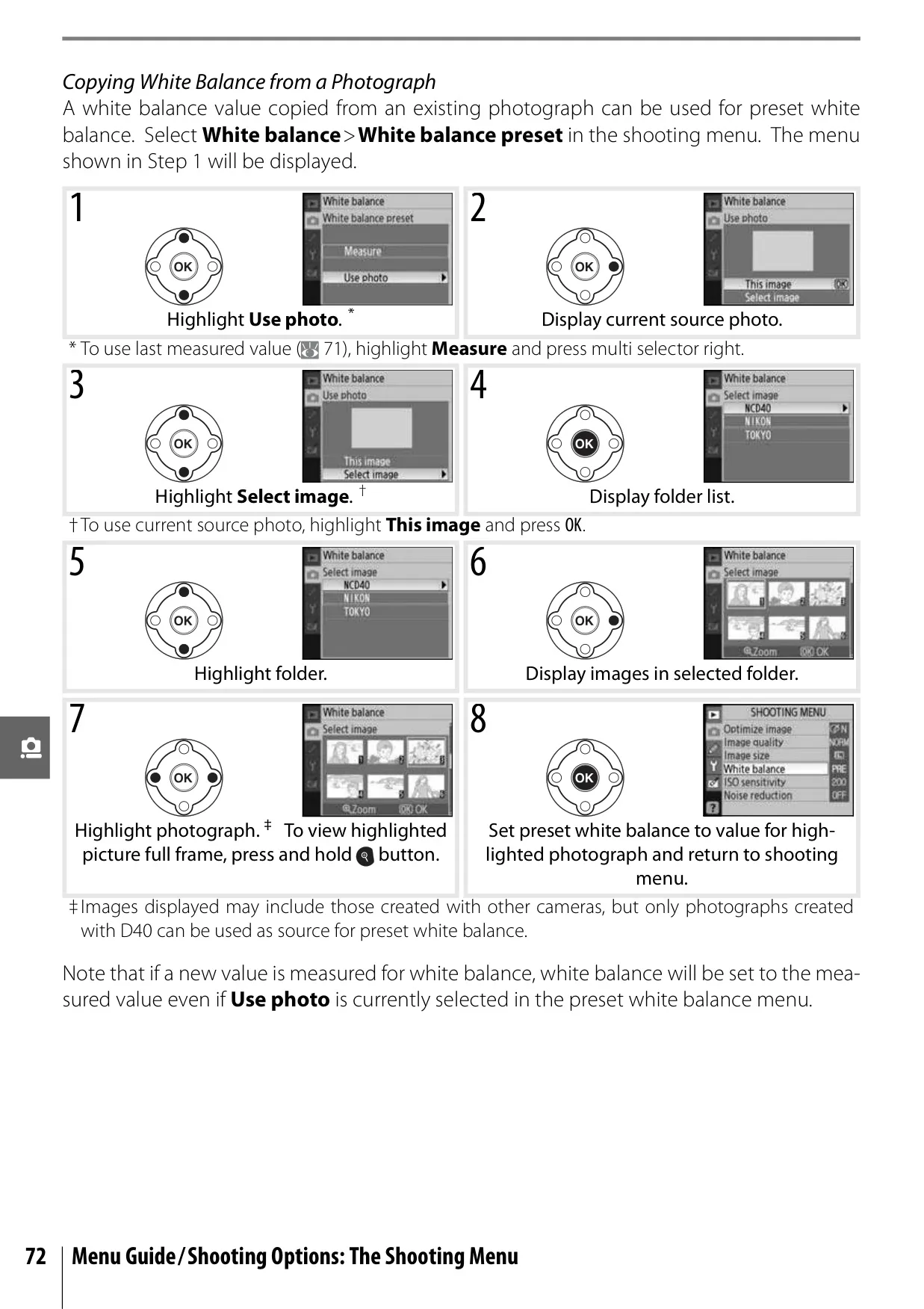
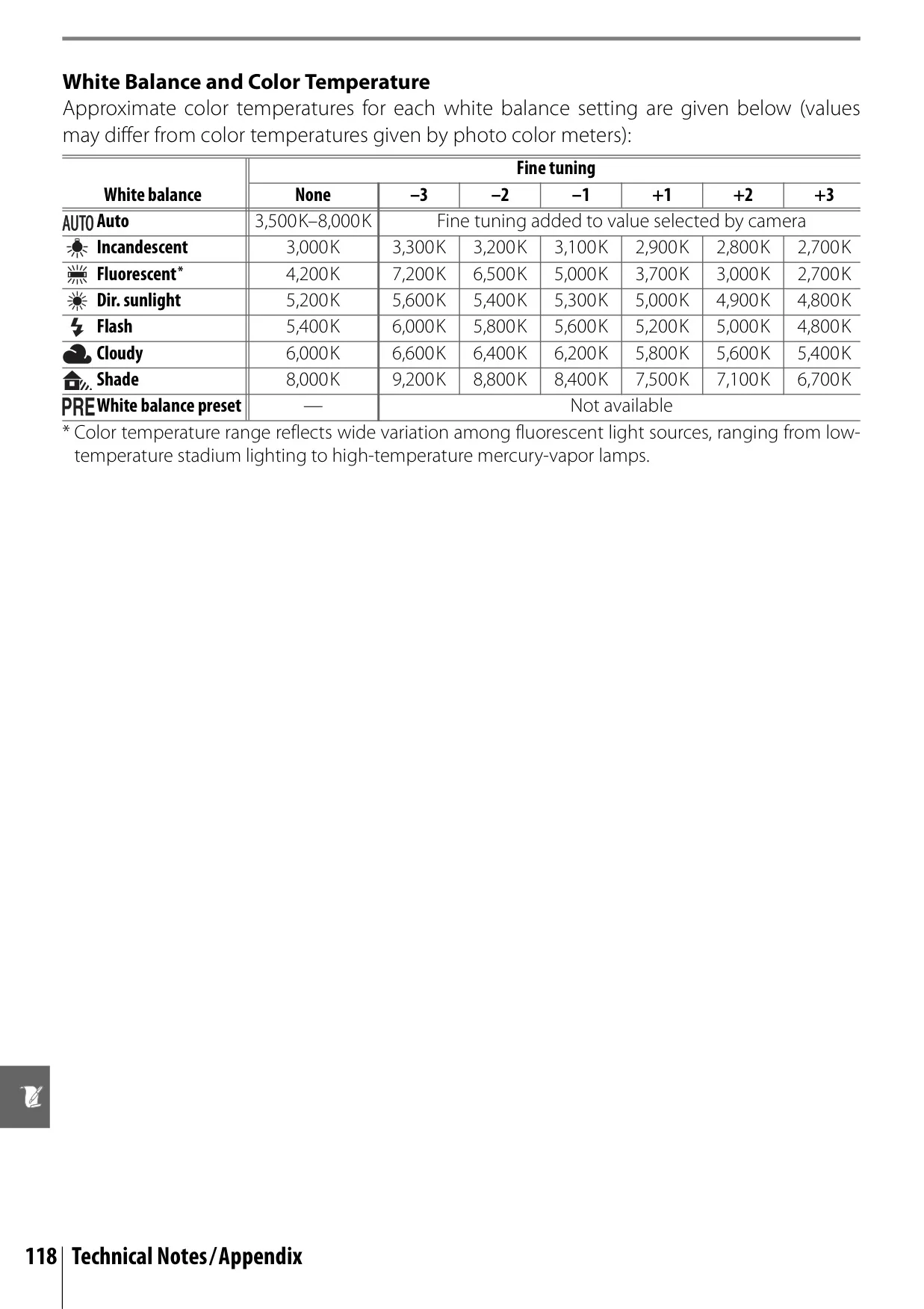
| White Balance | Auto (TTL with 420-pixel RGB sensor); six manual modes with fine tuning and preset WB |
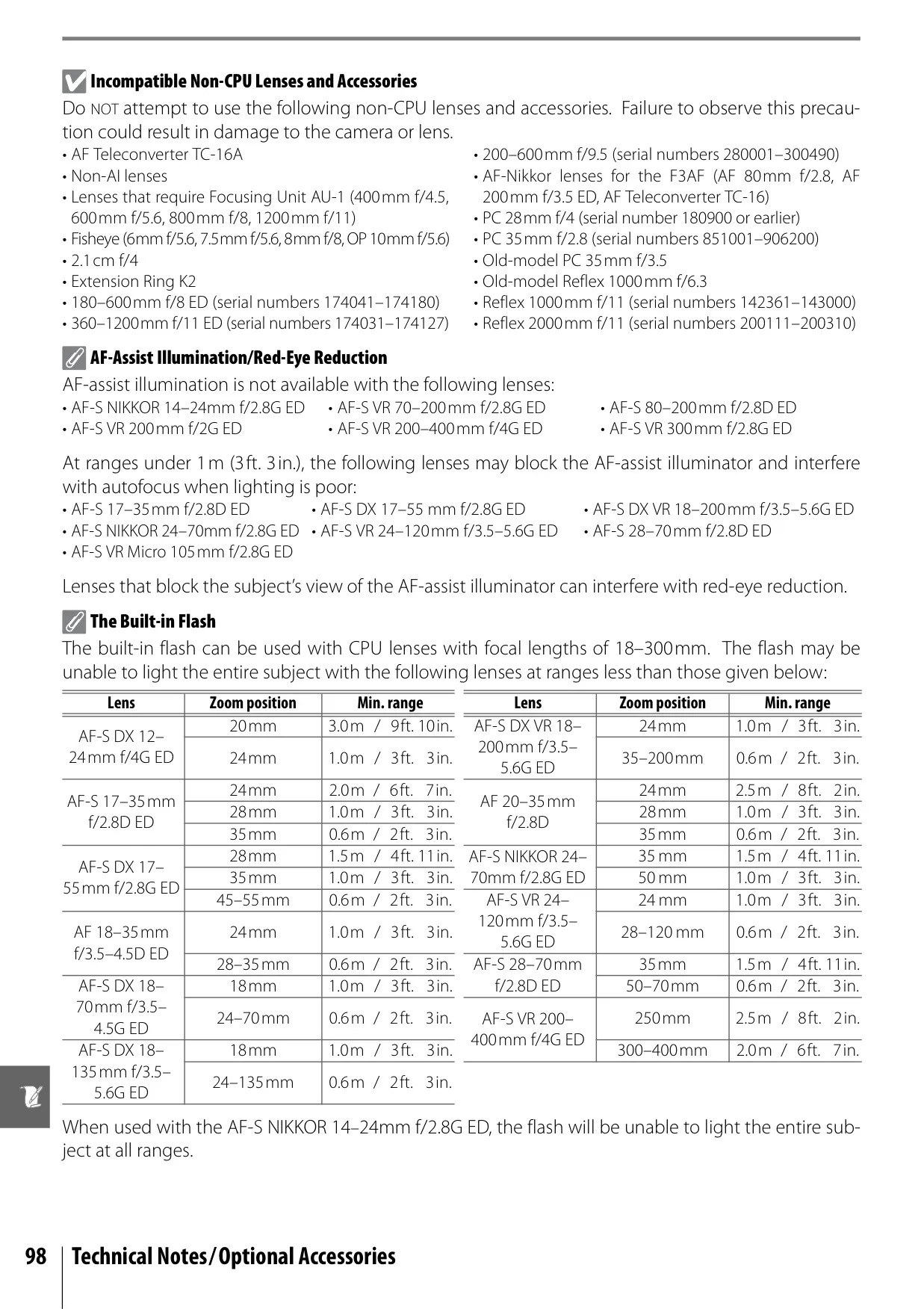
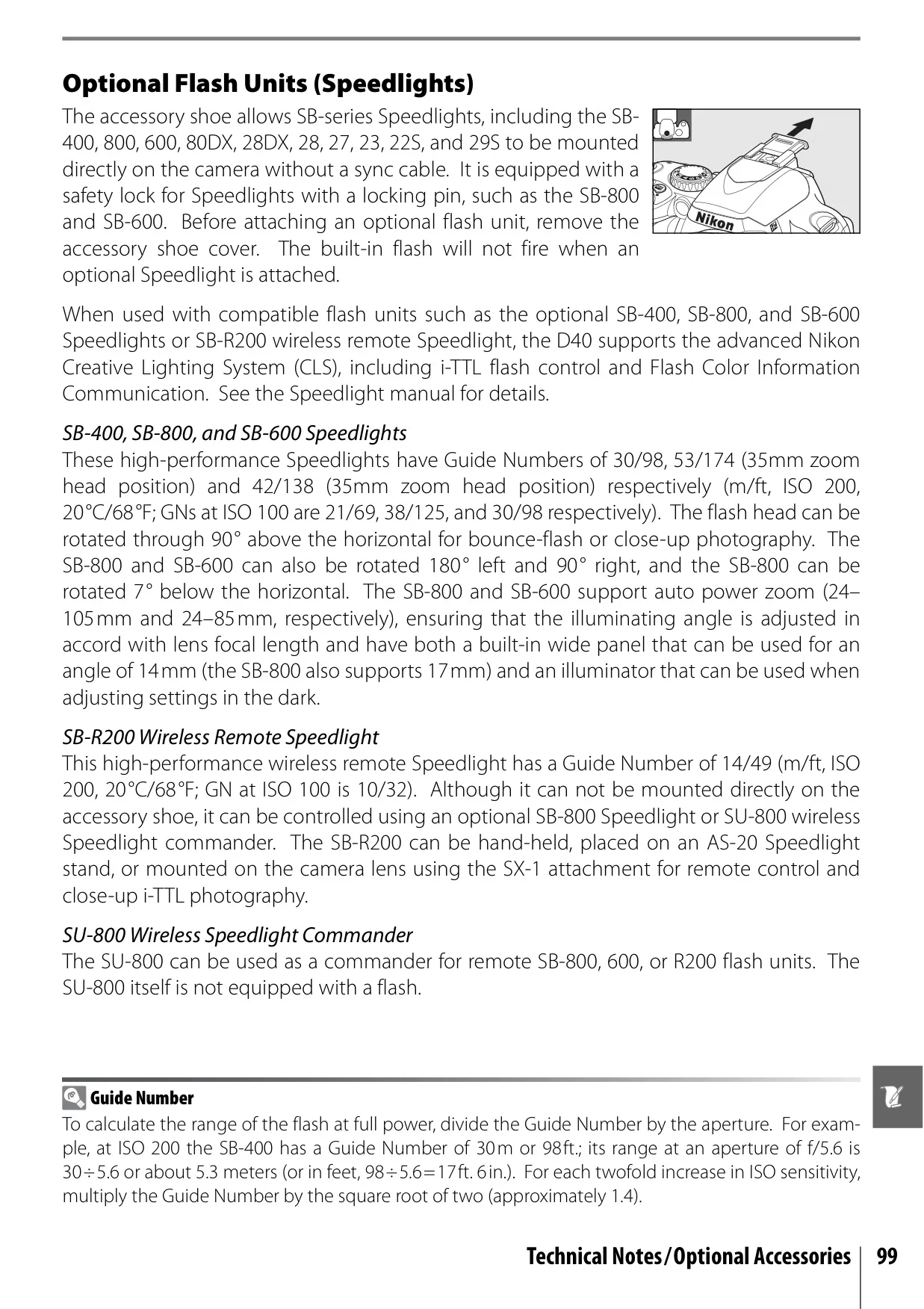
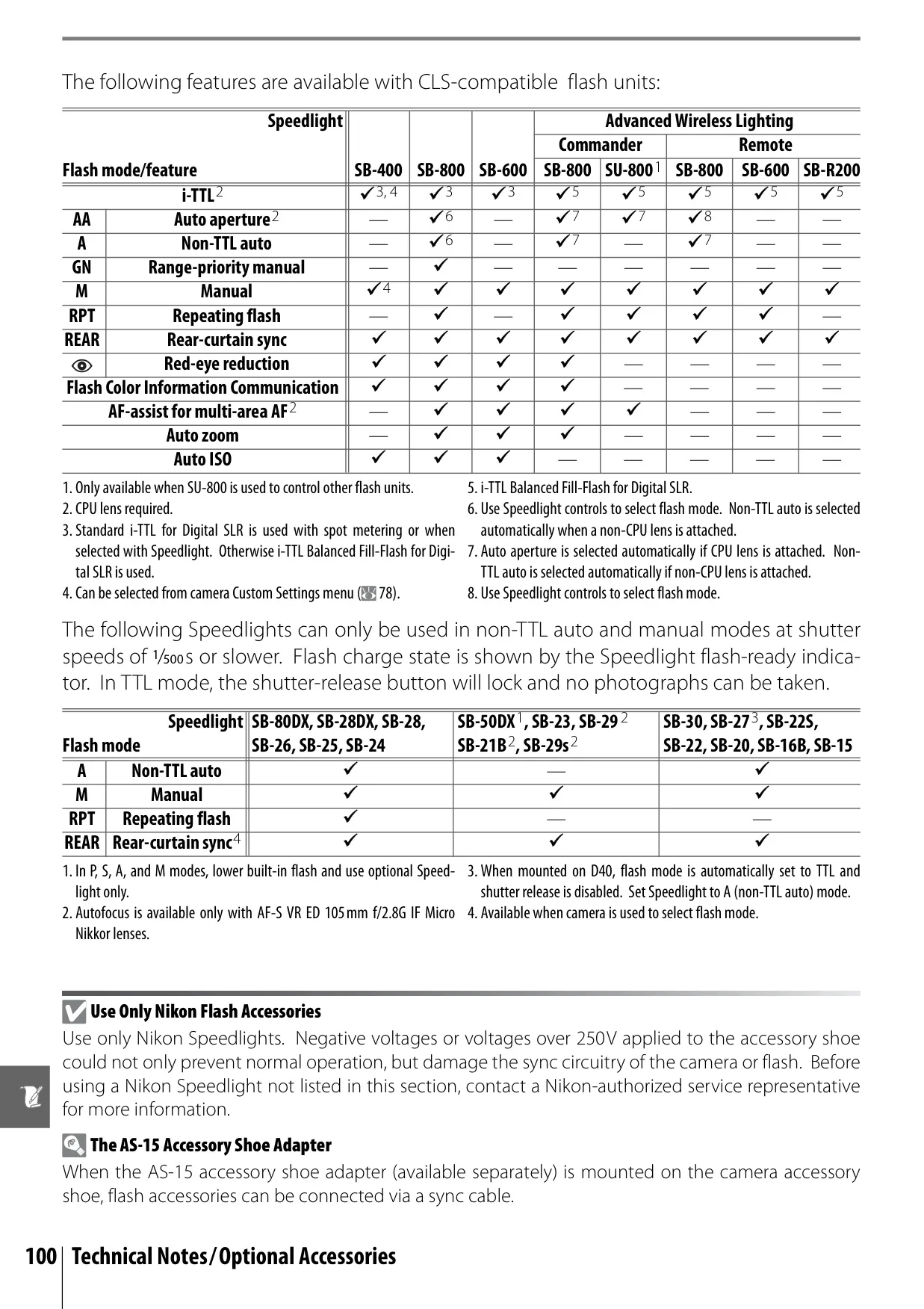
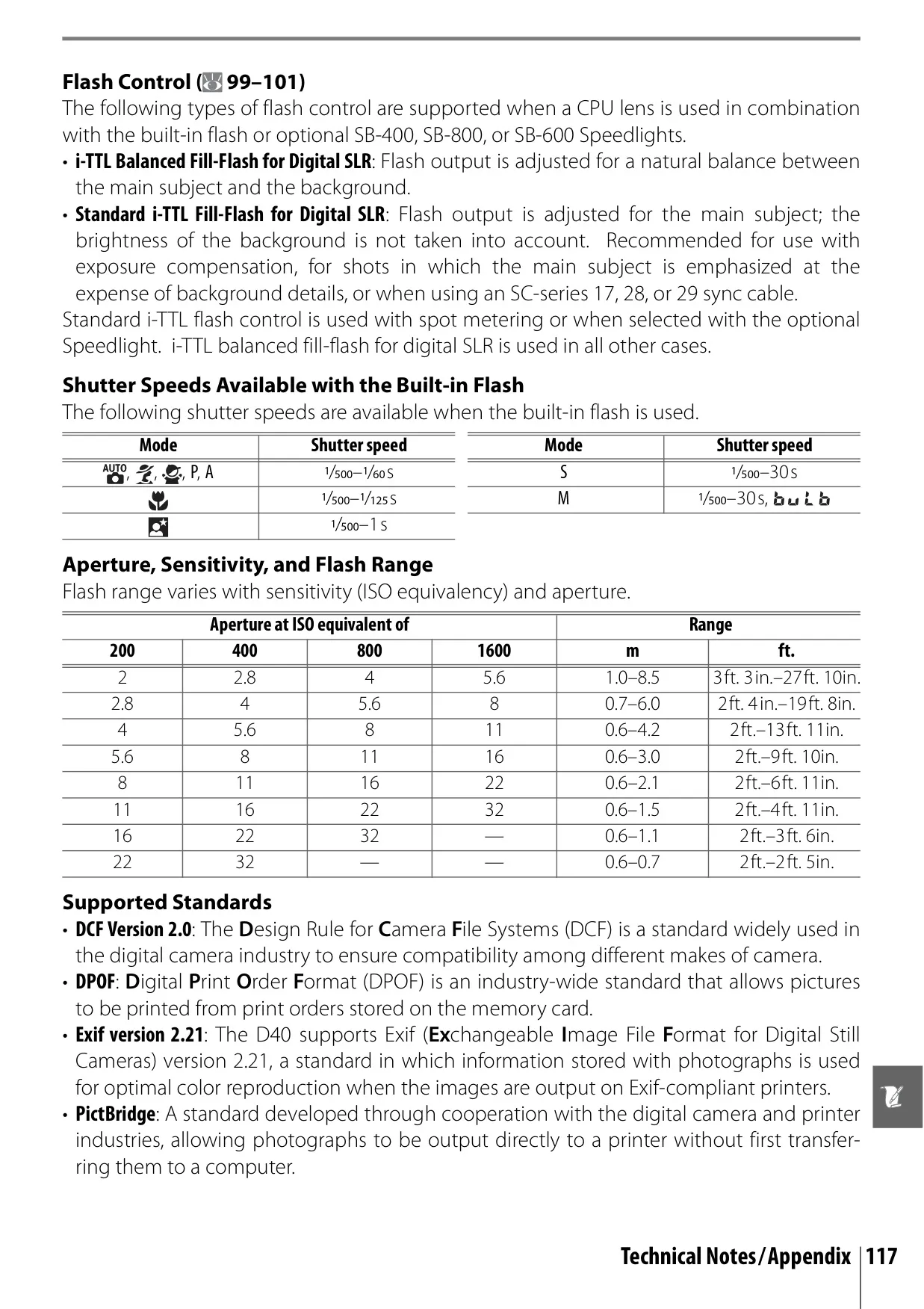
| Built-in Flash Guide Number | Approx. 17/55 (m/ft) at ISO 200 (manual 18/59); Approx. 12/39 (m/ft) at ISO 100 (manual 13/42) |
| Flash Sync Speed | Up to 1/500s |
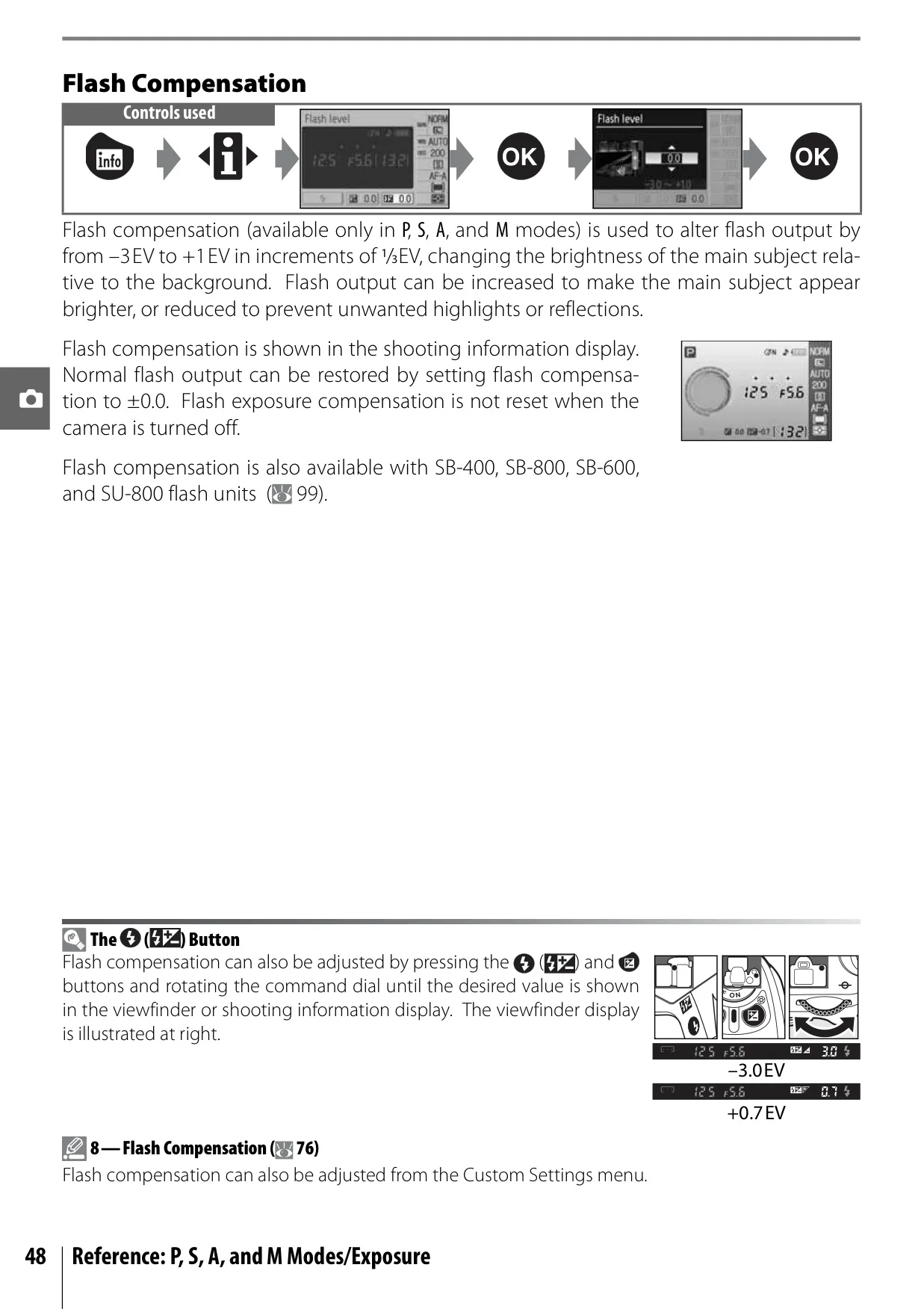
| Flash Compensation | –3 to +1 EV in increments of 1/3EV |
| Monitor | 2.5-in., 230,000-dot, low-temperature polysilicon TFT LCD with brightness adjustment |
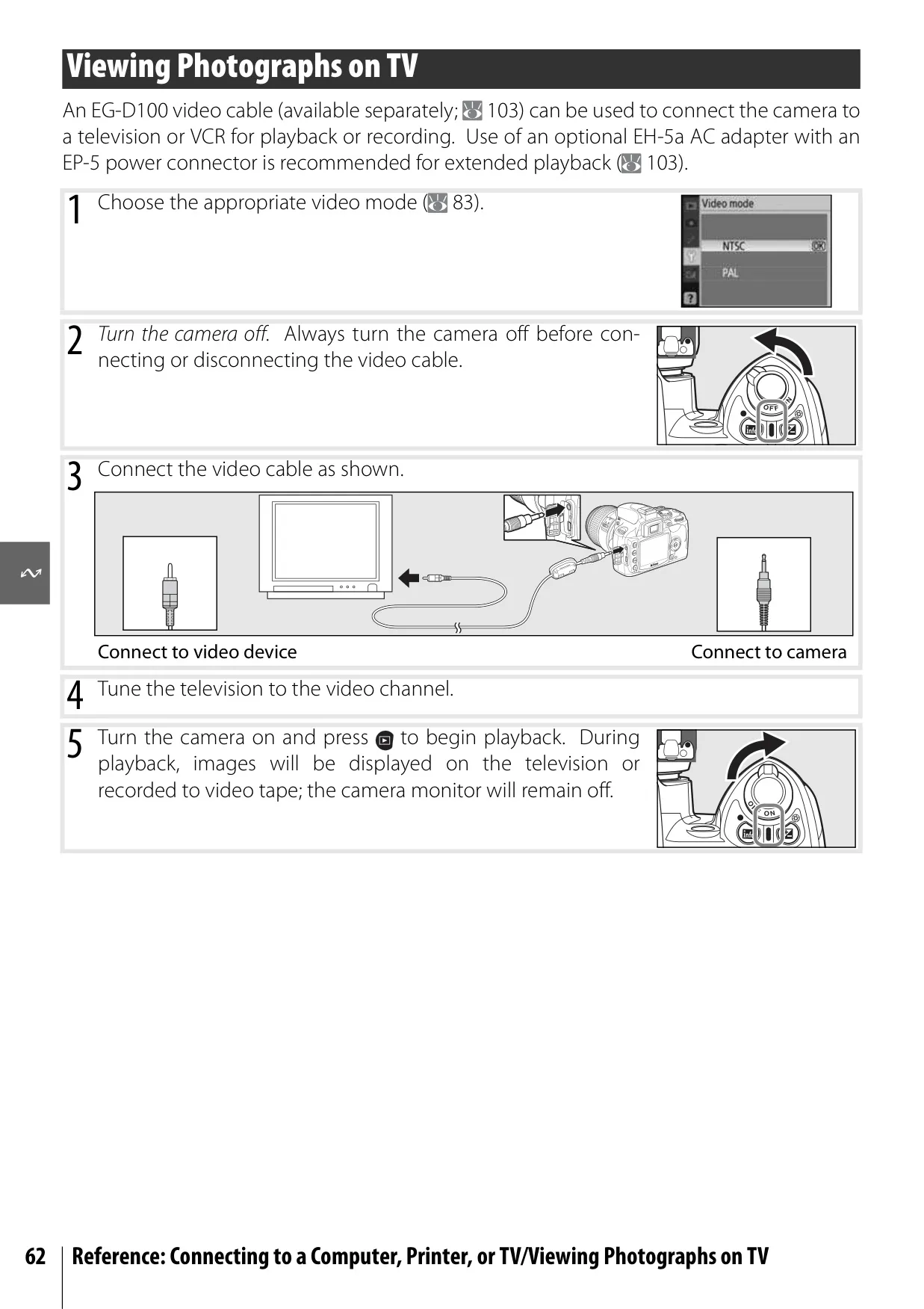
| Video Output | NTSC and PAL selectable |
| External Interface | Hi-Speed USB |
| Storage Media | SD (Secure Digital) memory cards; supports SDHC |
| File System | DCF 2.0, DPOF compliant |
| Compression | NEF (RAW): compressed 12-bit; JPEG: JPEG baseline-complaint |
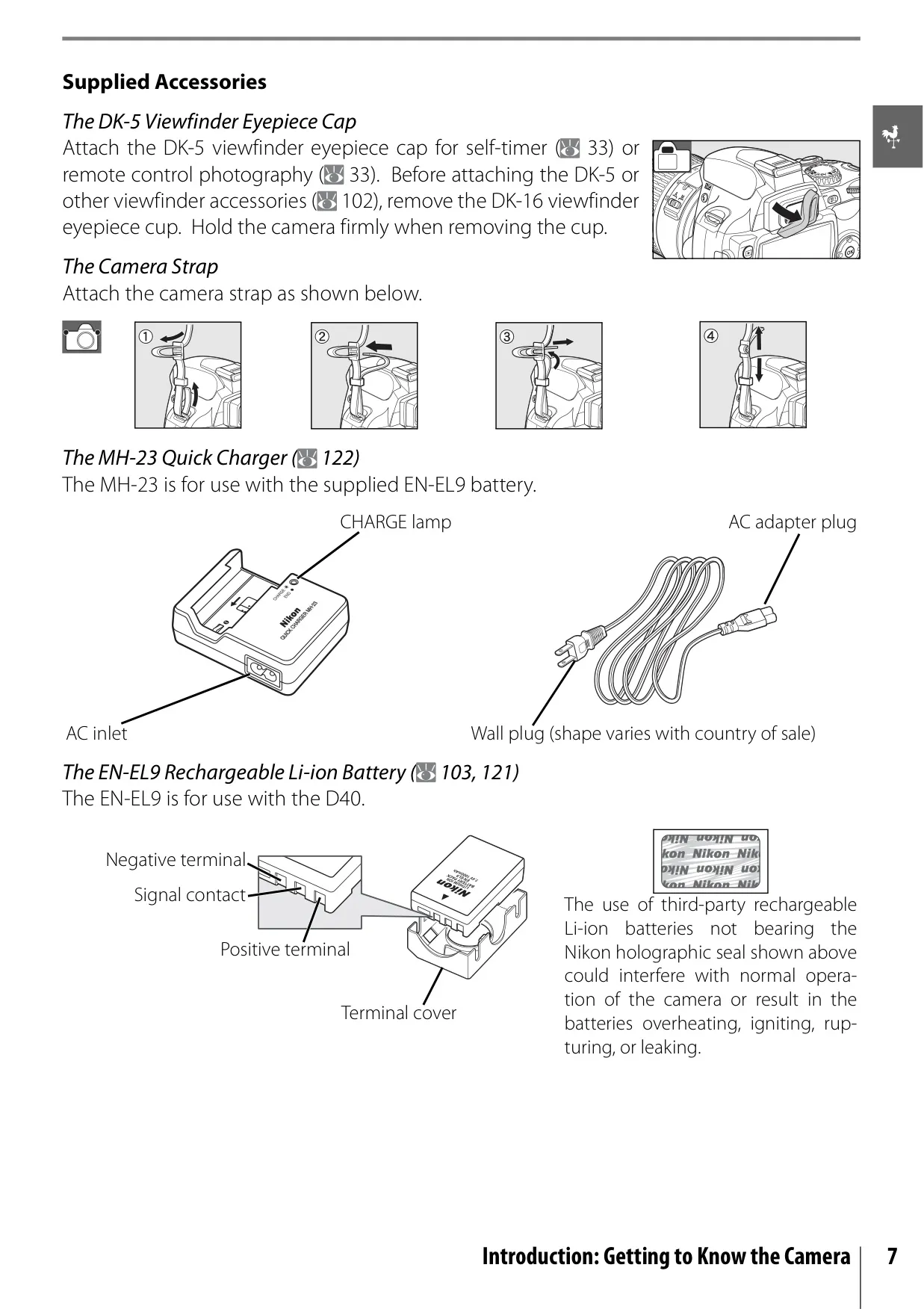
| Power Source | EN-EL9 rechargeable Li-ion battery; optional EH-5a AC adapter |
| Dimensions (W×D×H) | Approx. 126×64×94mm (5.0×2.5×3.7in.) |
| Weight | Approx. 475g (1lb. 1oz.) without battery, memory card, or body cap |
| Operating Temperature | 0–+40°C (+32–104°F) |
Nikon D40 DSLR Camera Details
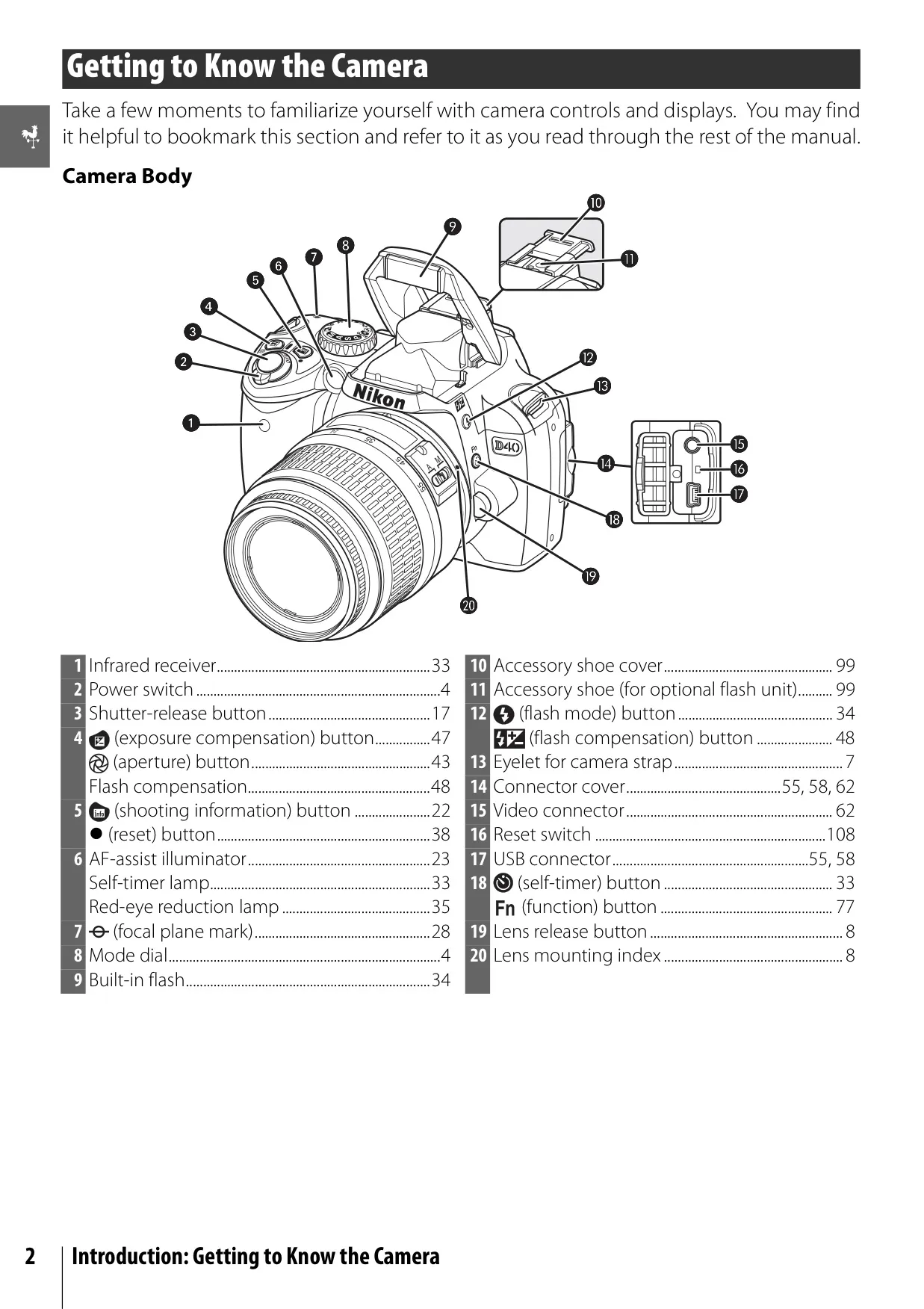
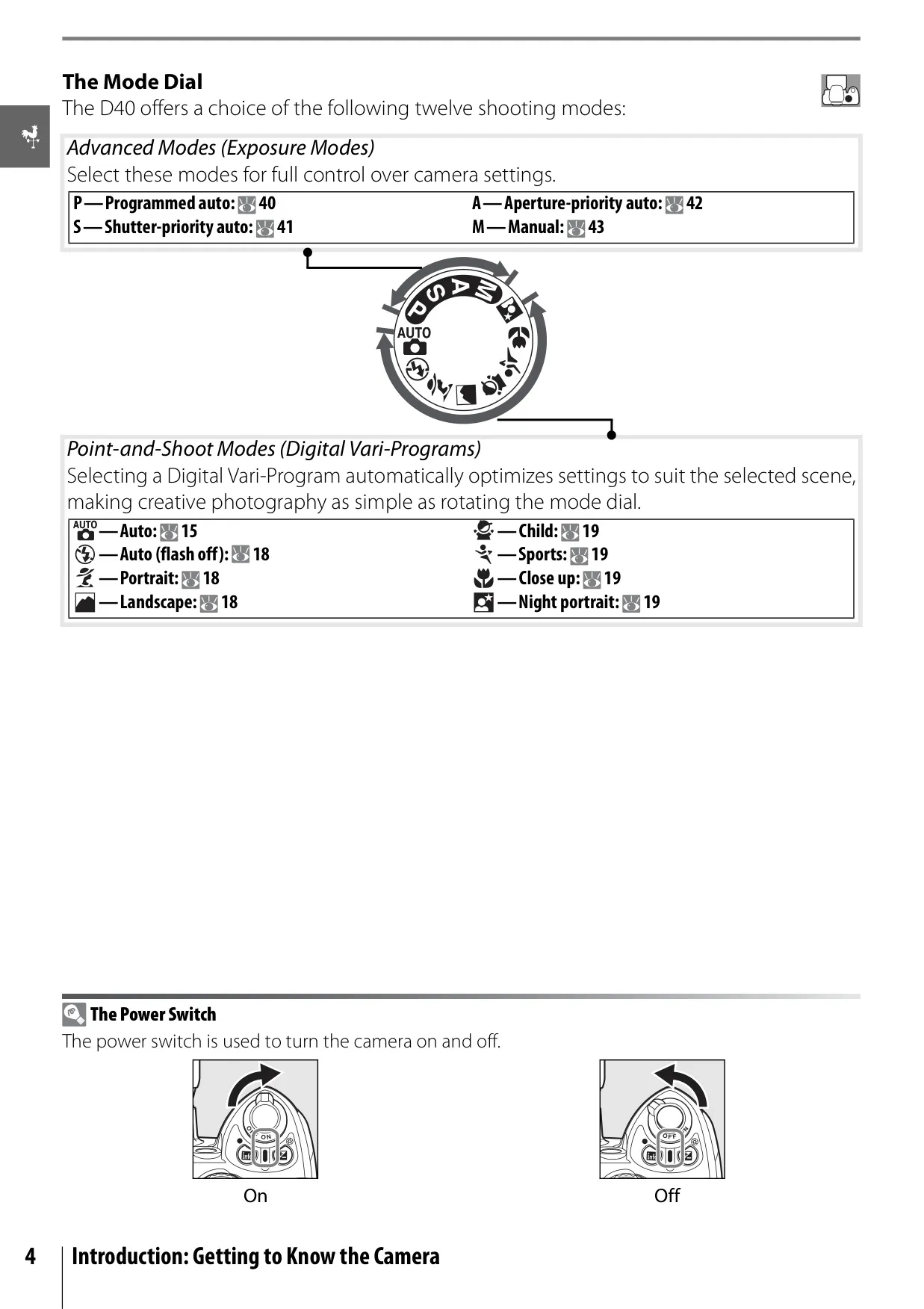
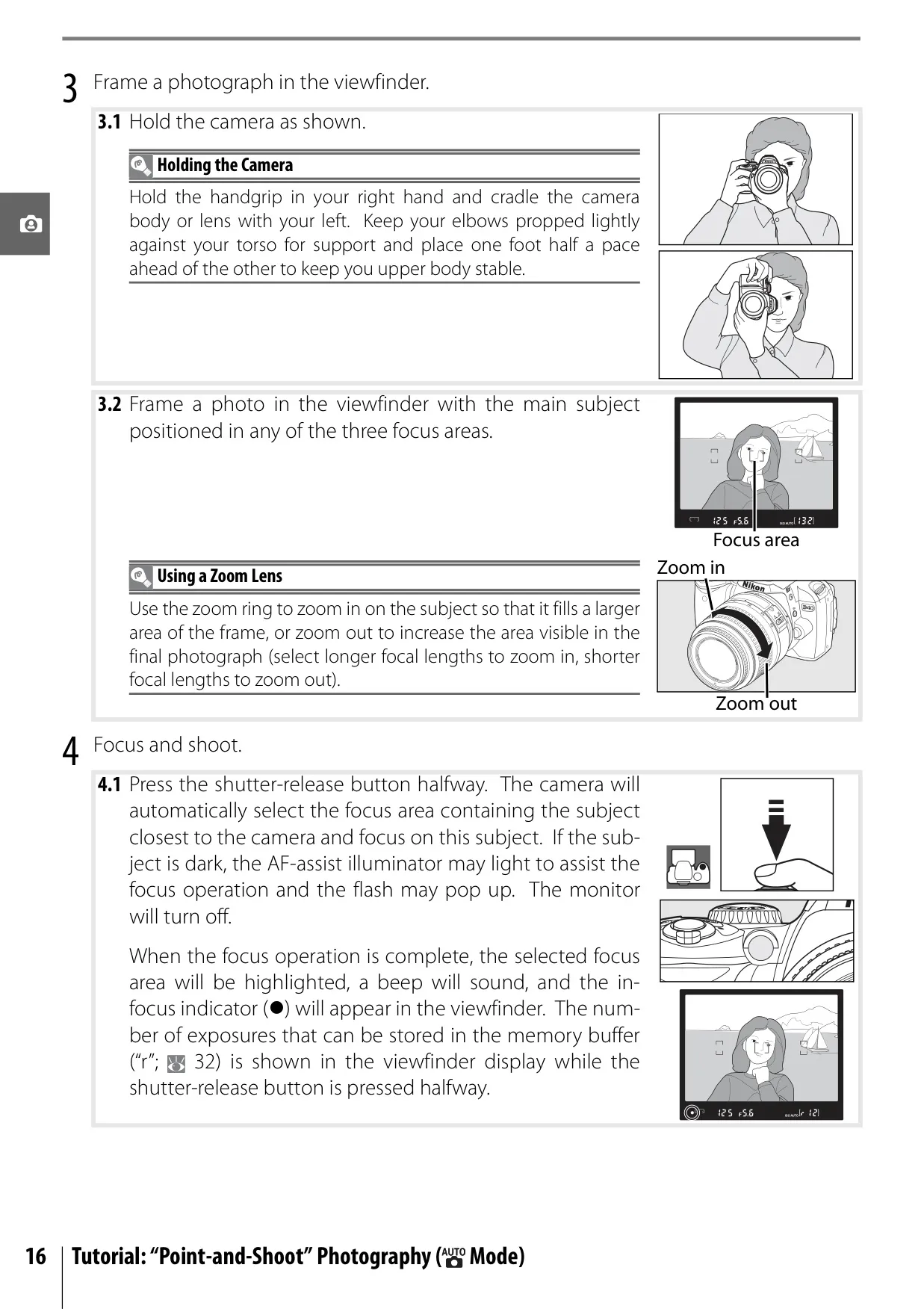
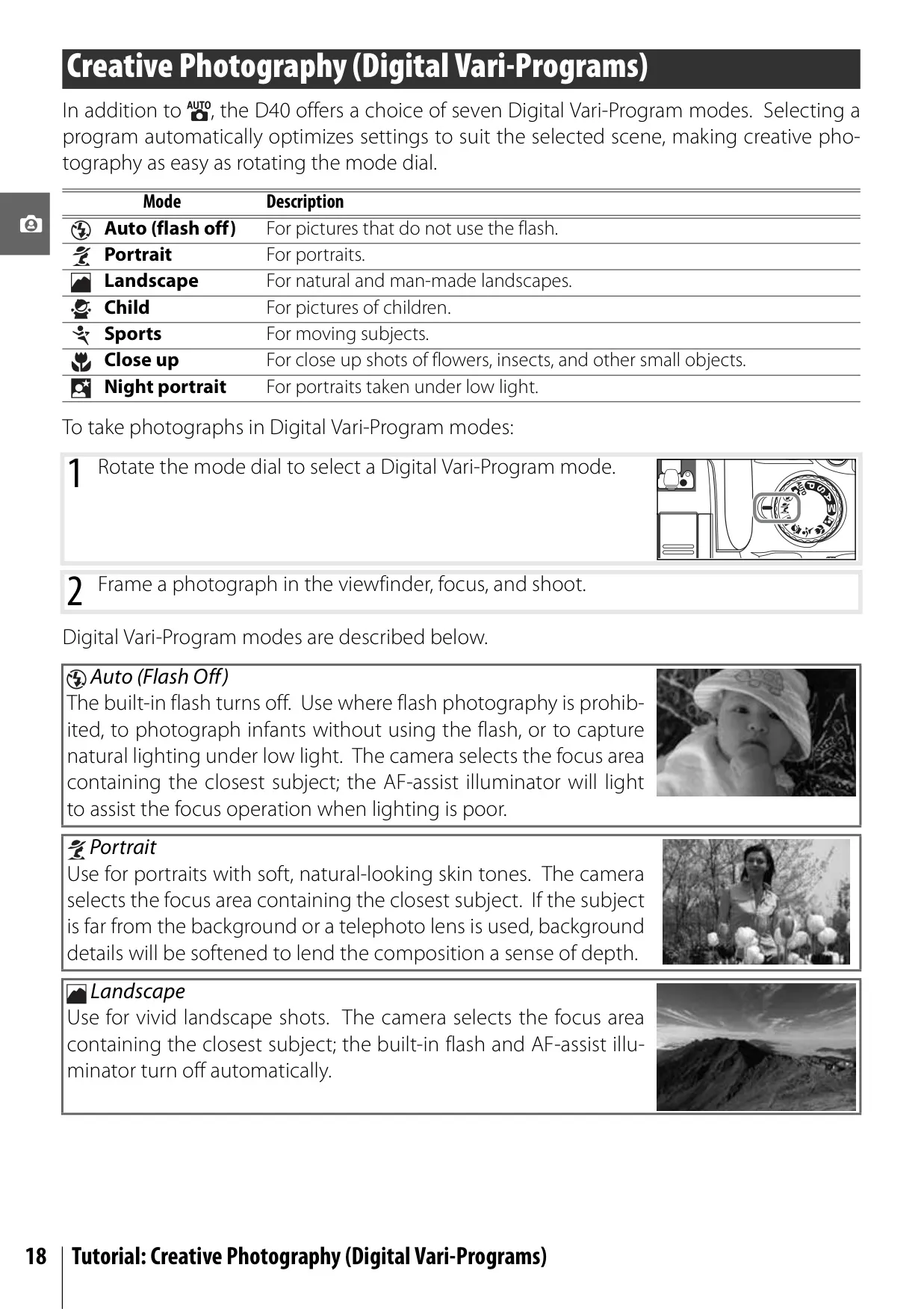
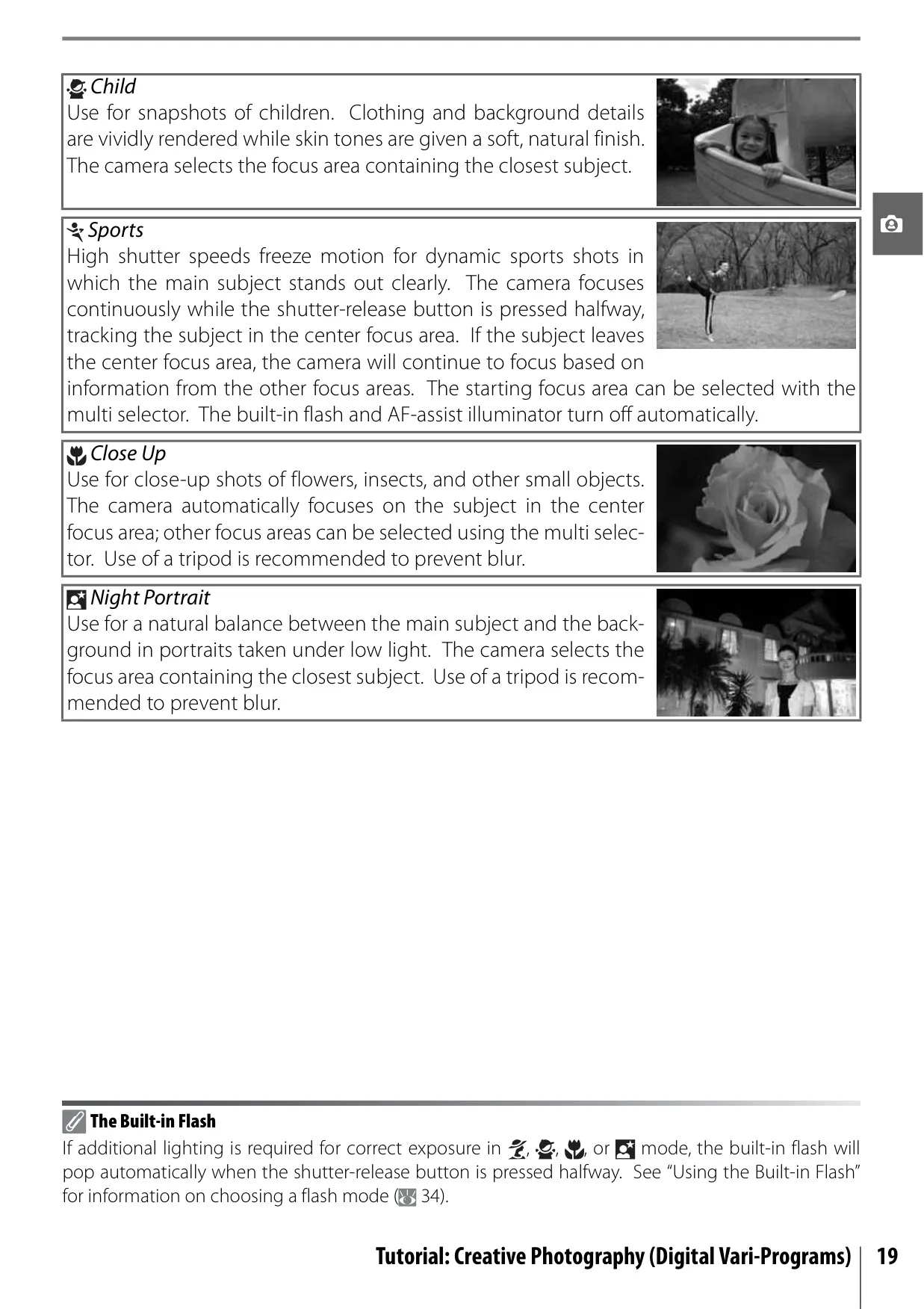
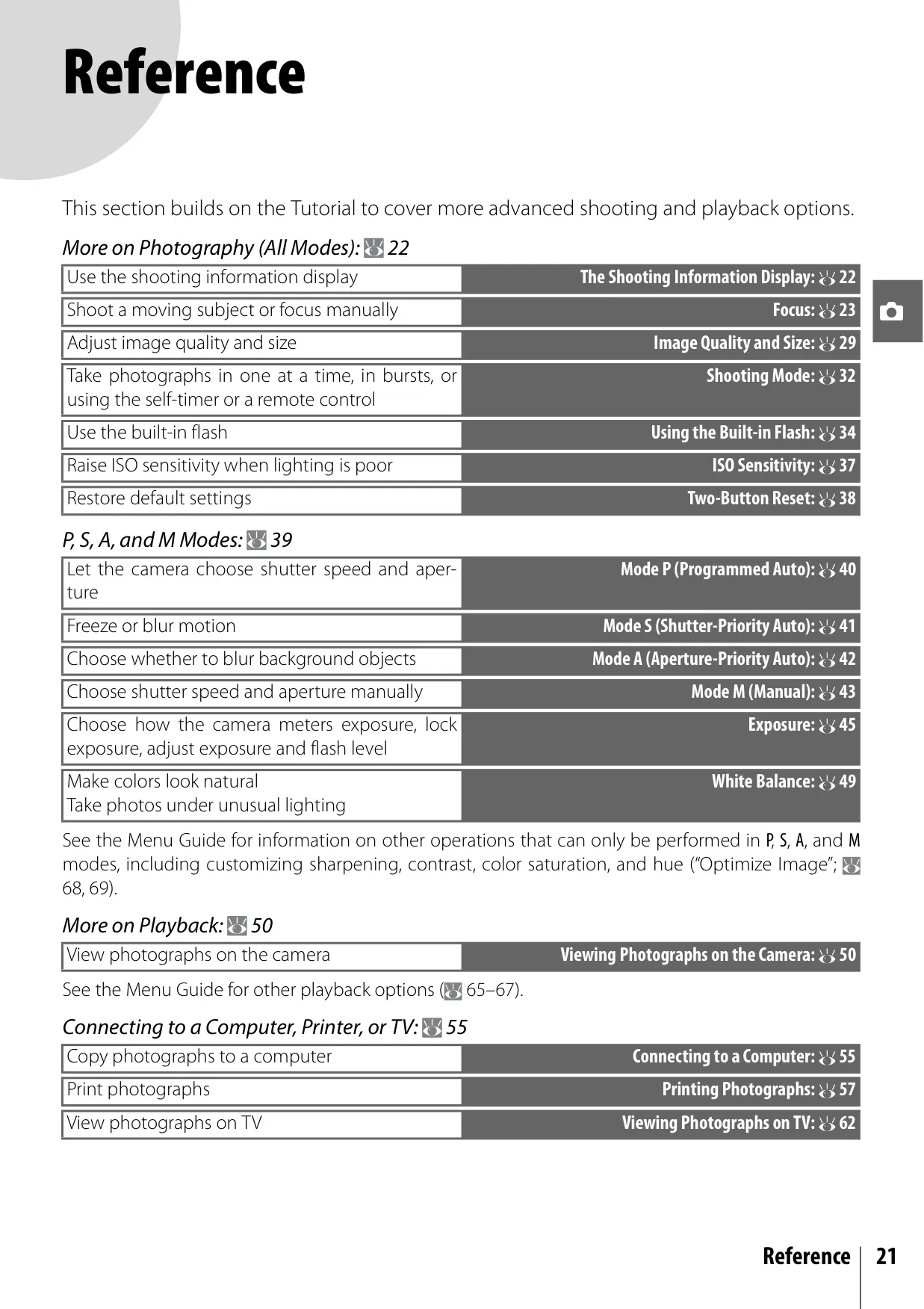
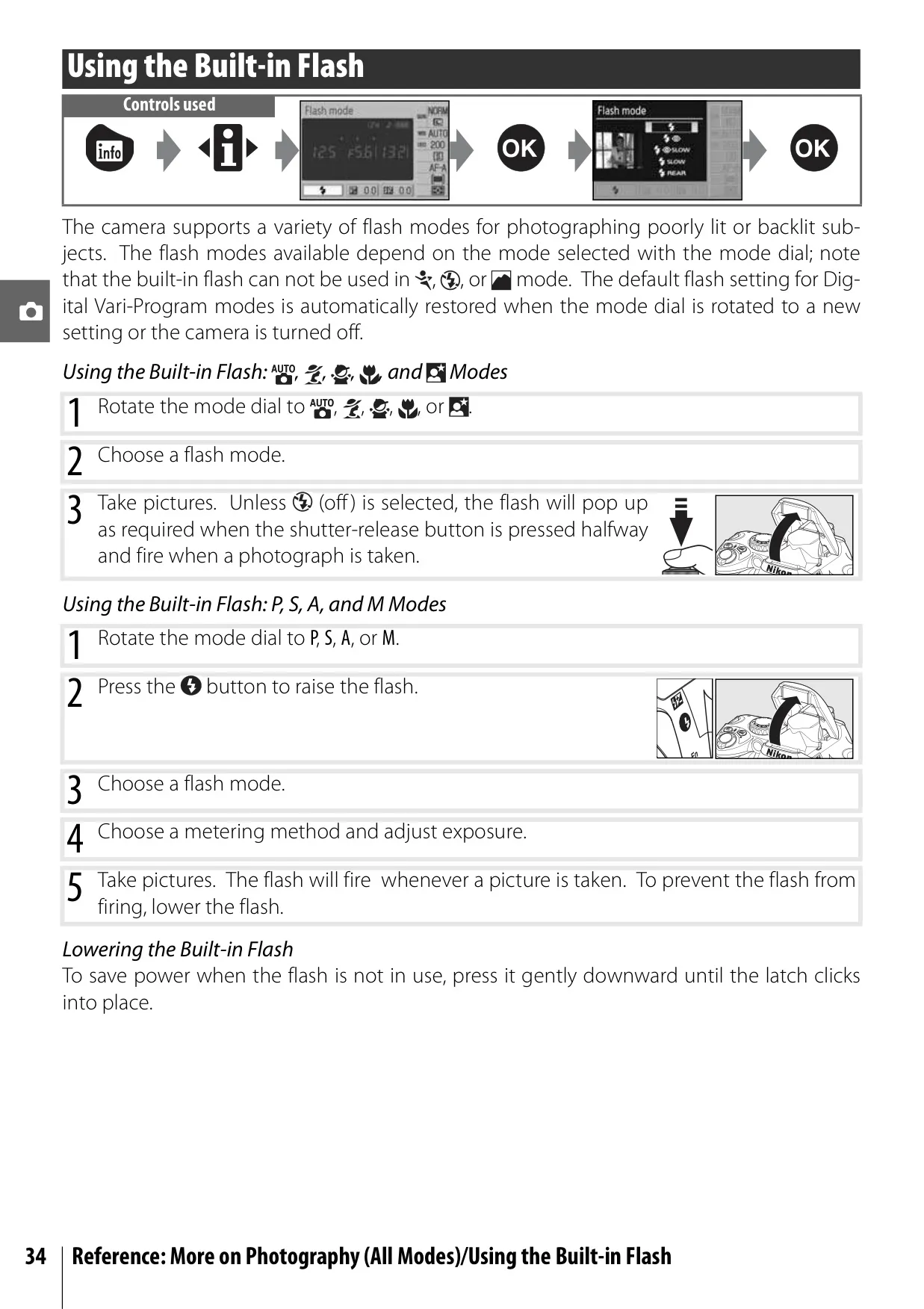
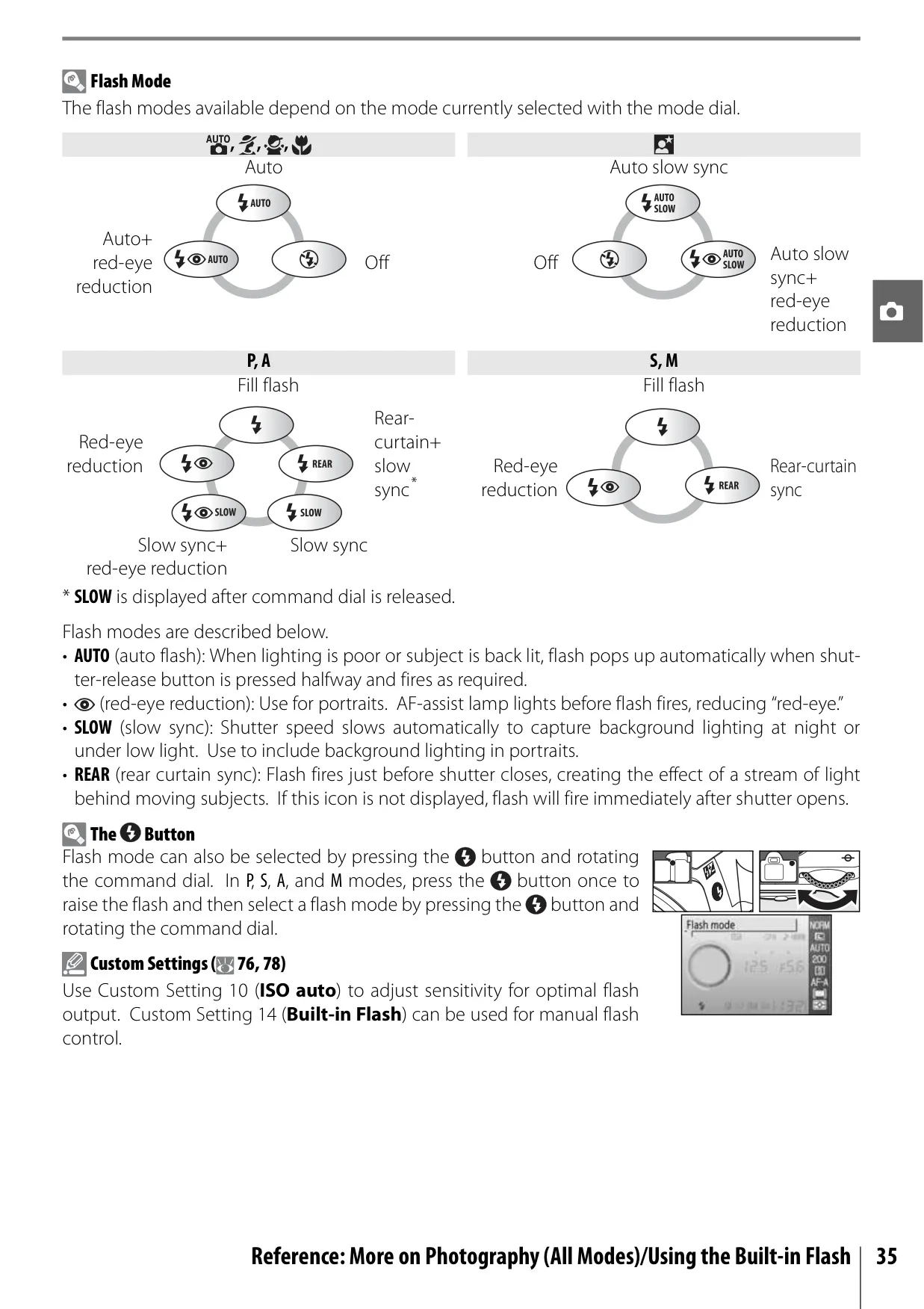
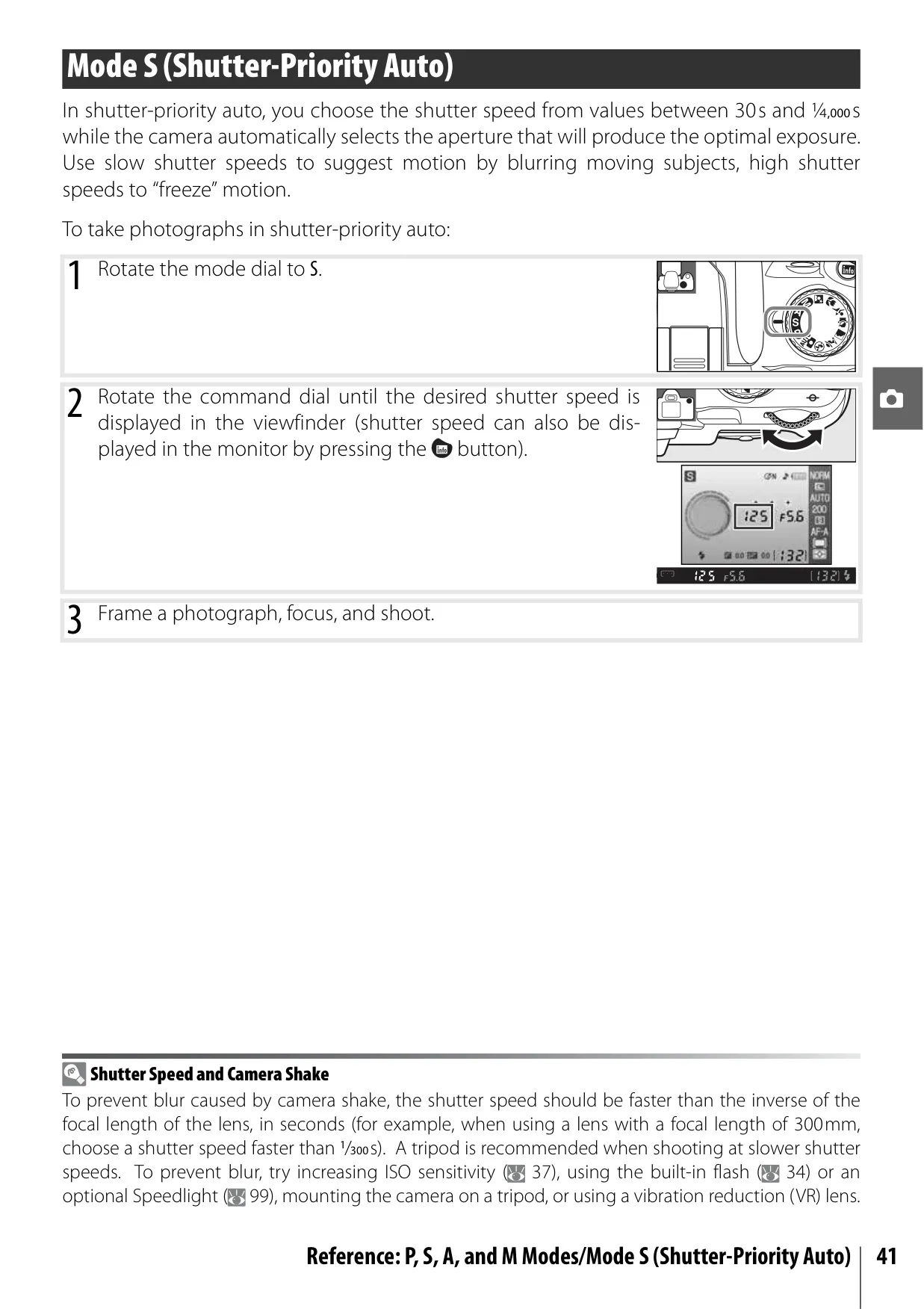
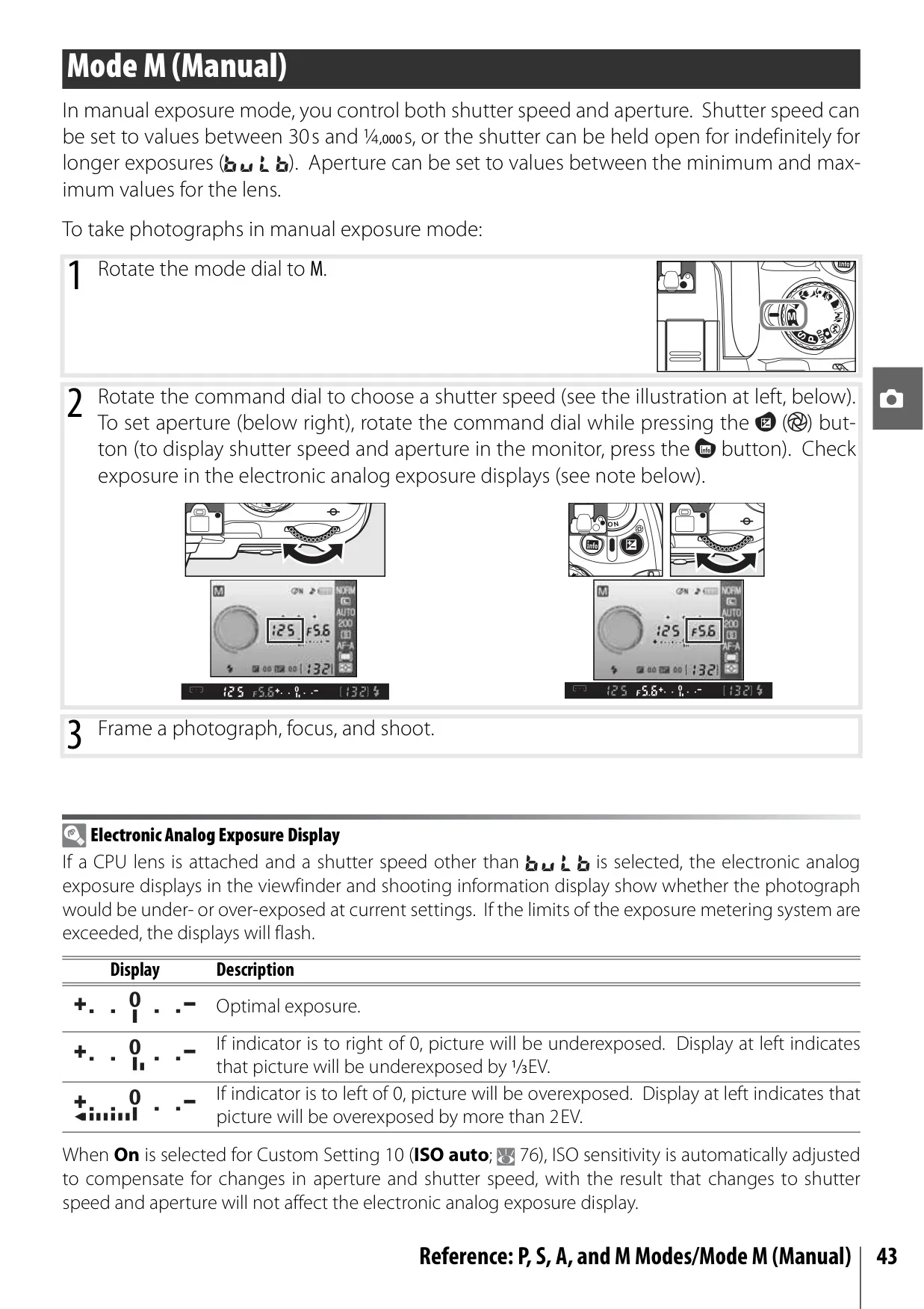
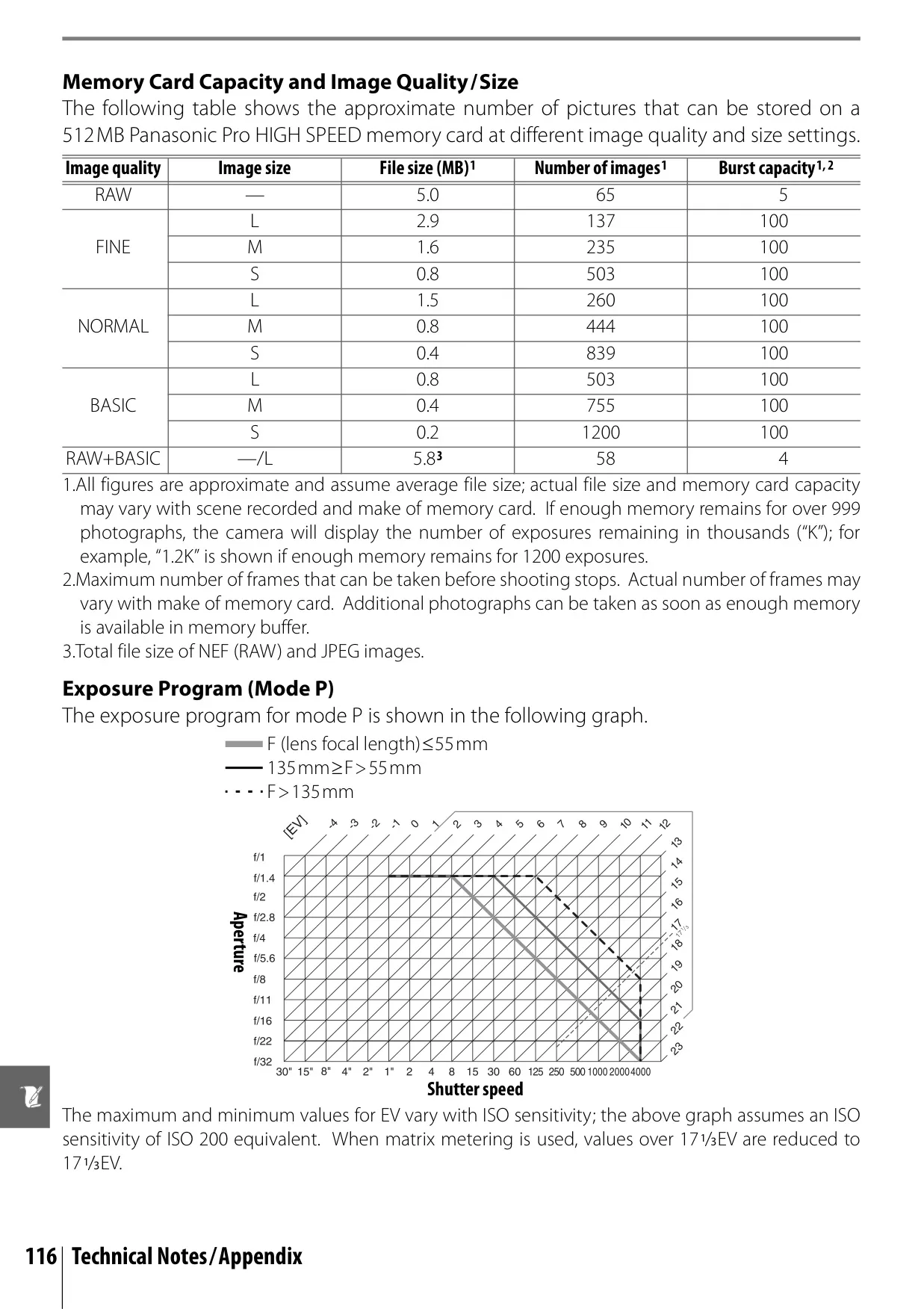
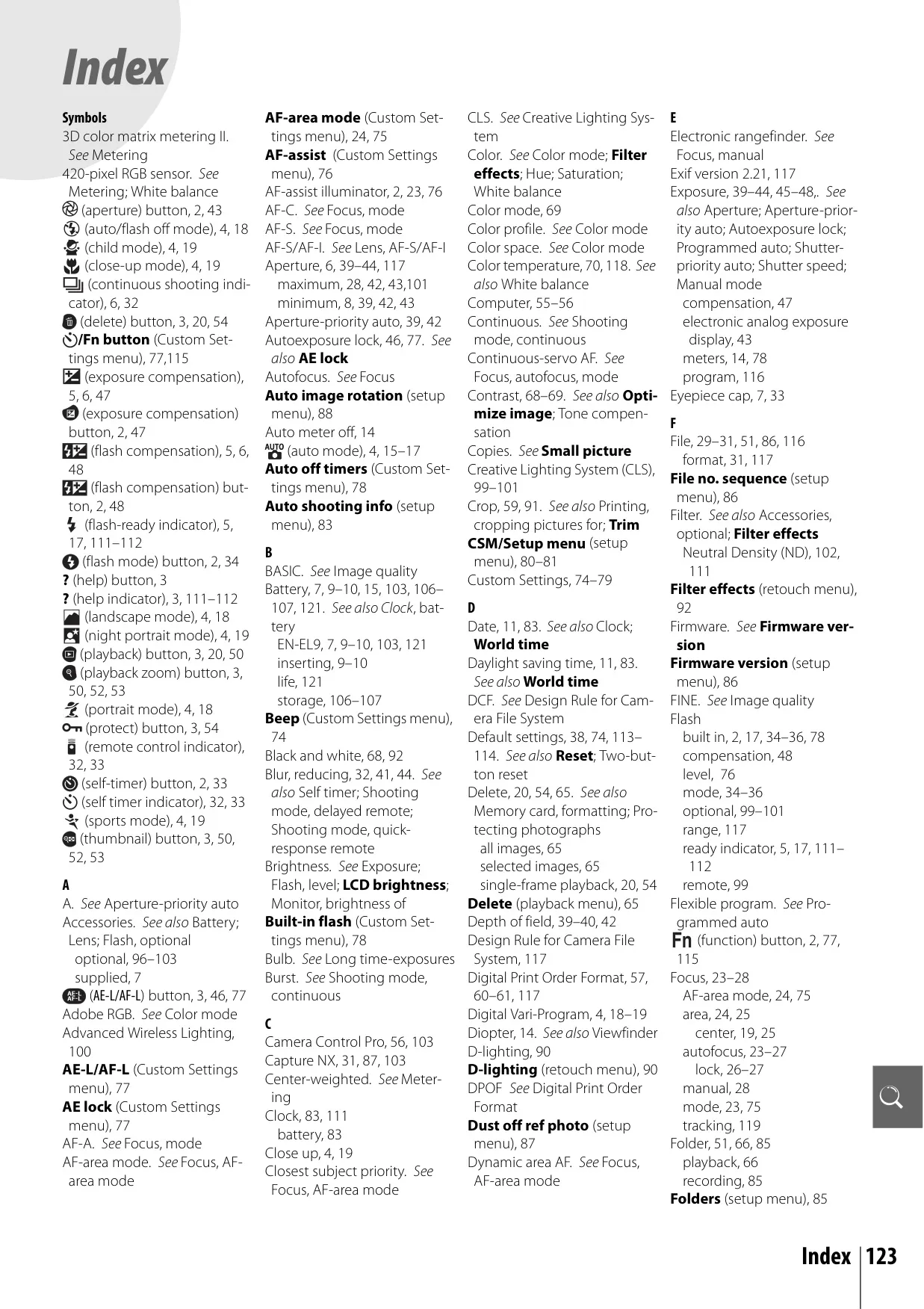
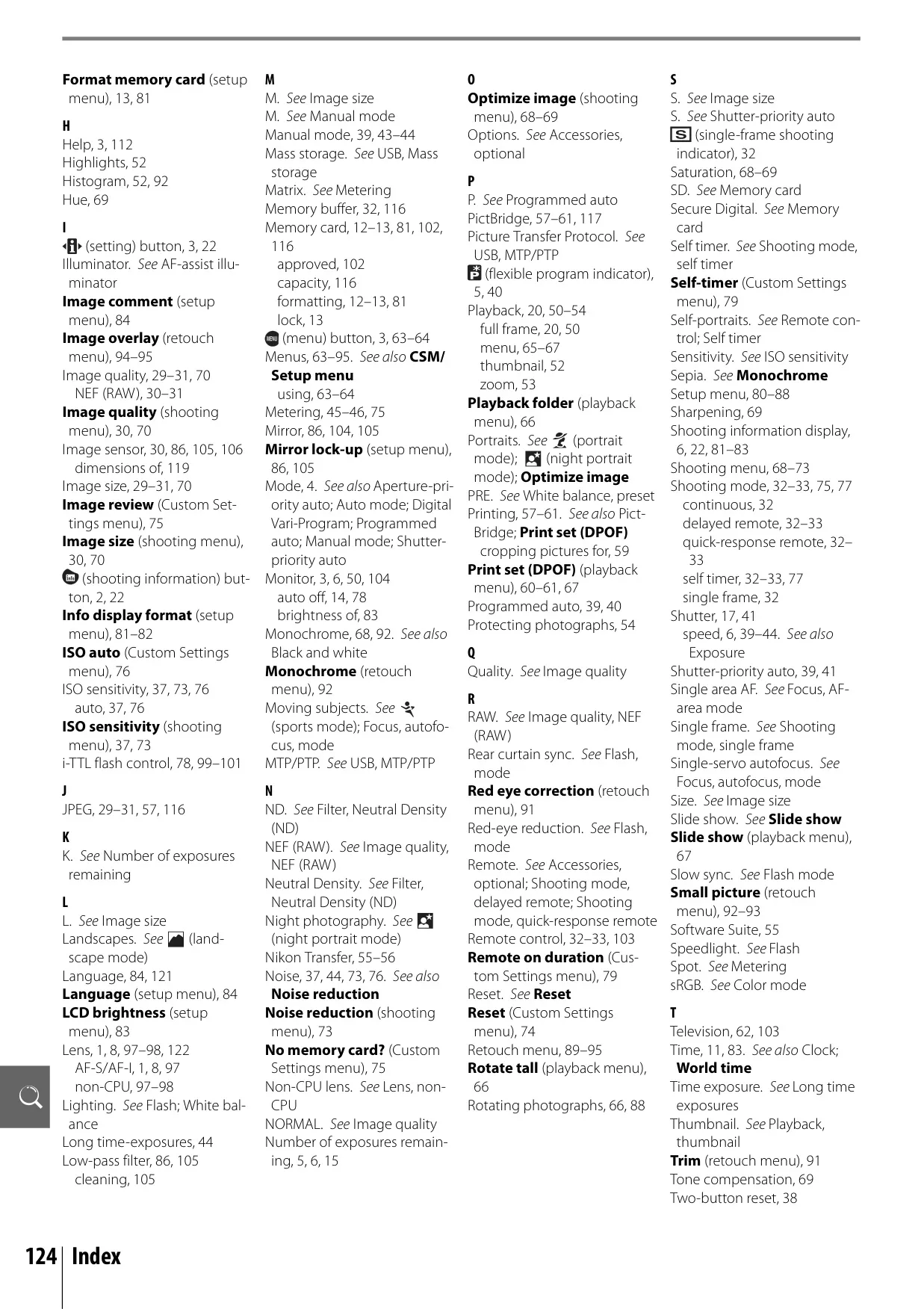
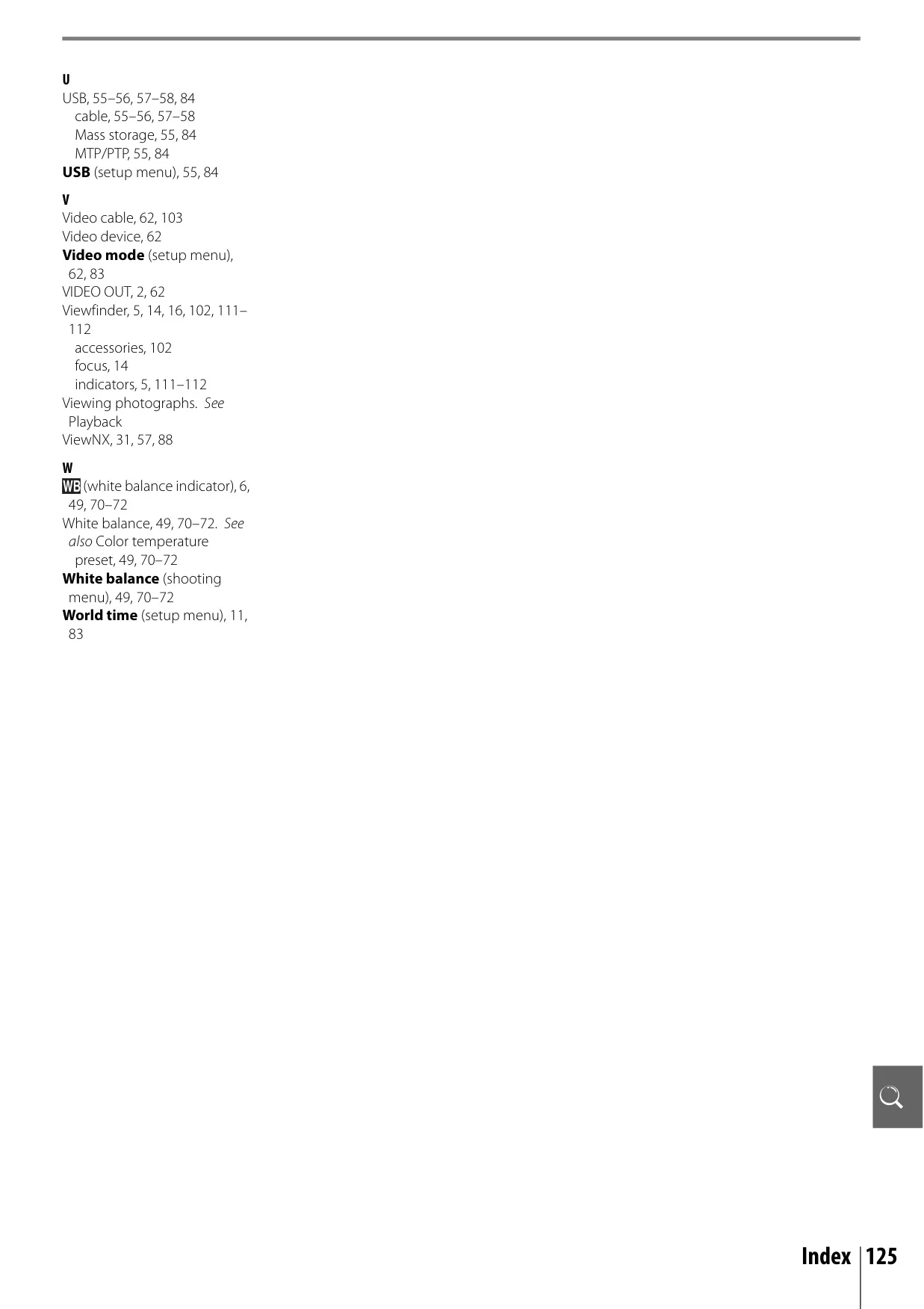
The Nikon D40 manual provides a comprehensive guide to using this digital SLR, emphasizing both automatic simplicity and advanced creative control. Beyond raw specifications, it details how users can interact with the camera, from initial setup to sophisticated image manipulation. The intuitive Mode Dial offers a range of options, including various Digital Vari-Program modes like Portrait, Landscape, Child, Sports, Close Up, and Night Portrait, which automatically optimize settings for specific scenes. This allows beginners to achieve great results with a simple "point-and-shoot" approach, while experienced users can delve into Programmed Auto (P), Shutter-priority Auto (S), Aperture-priority Auto (A), and Manual (M) modes for full command over exposure.
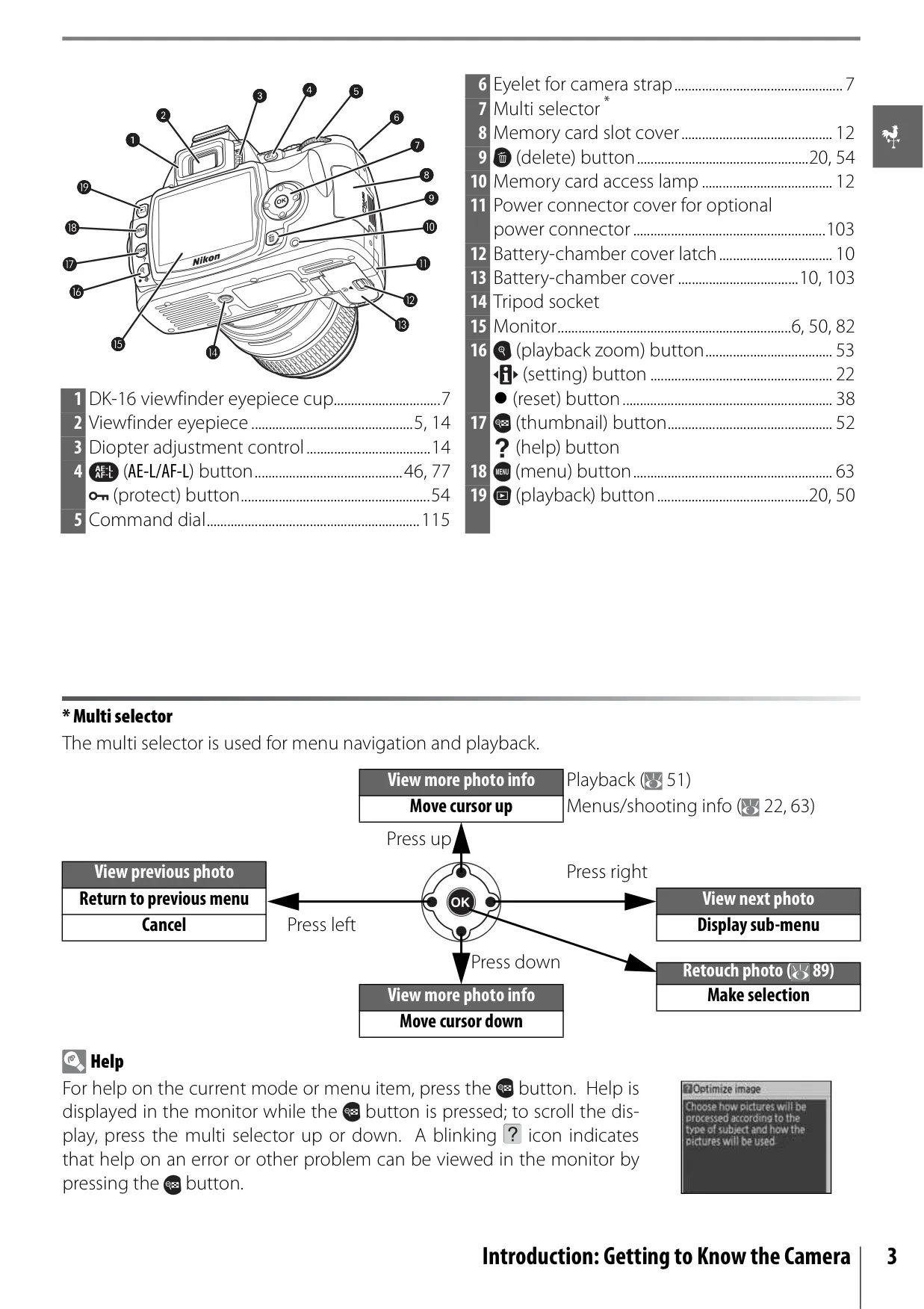
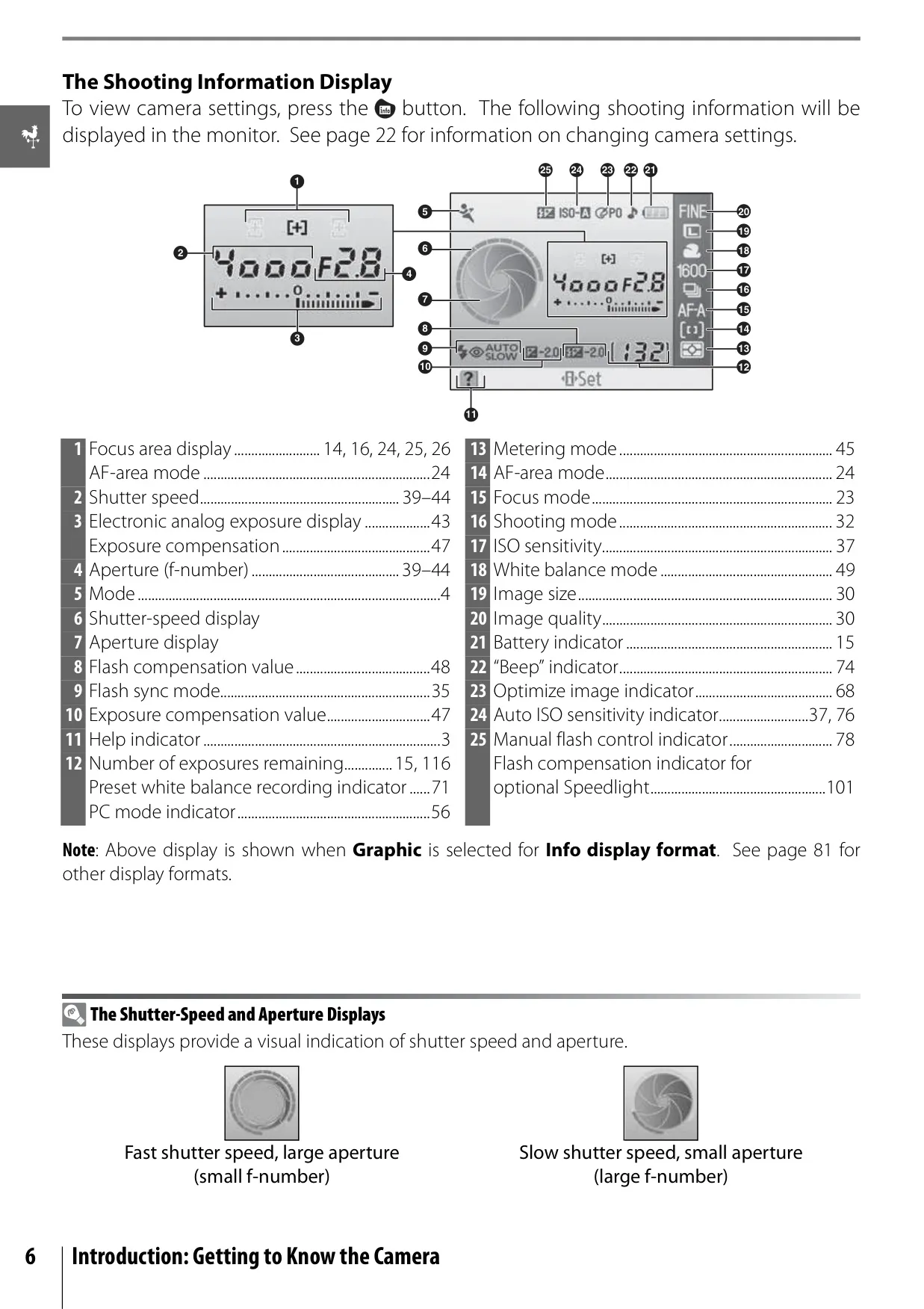
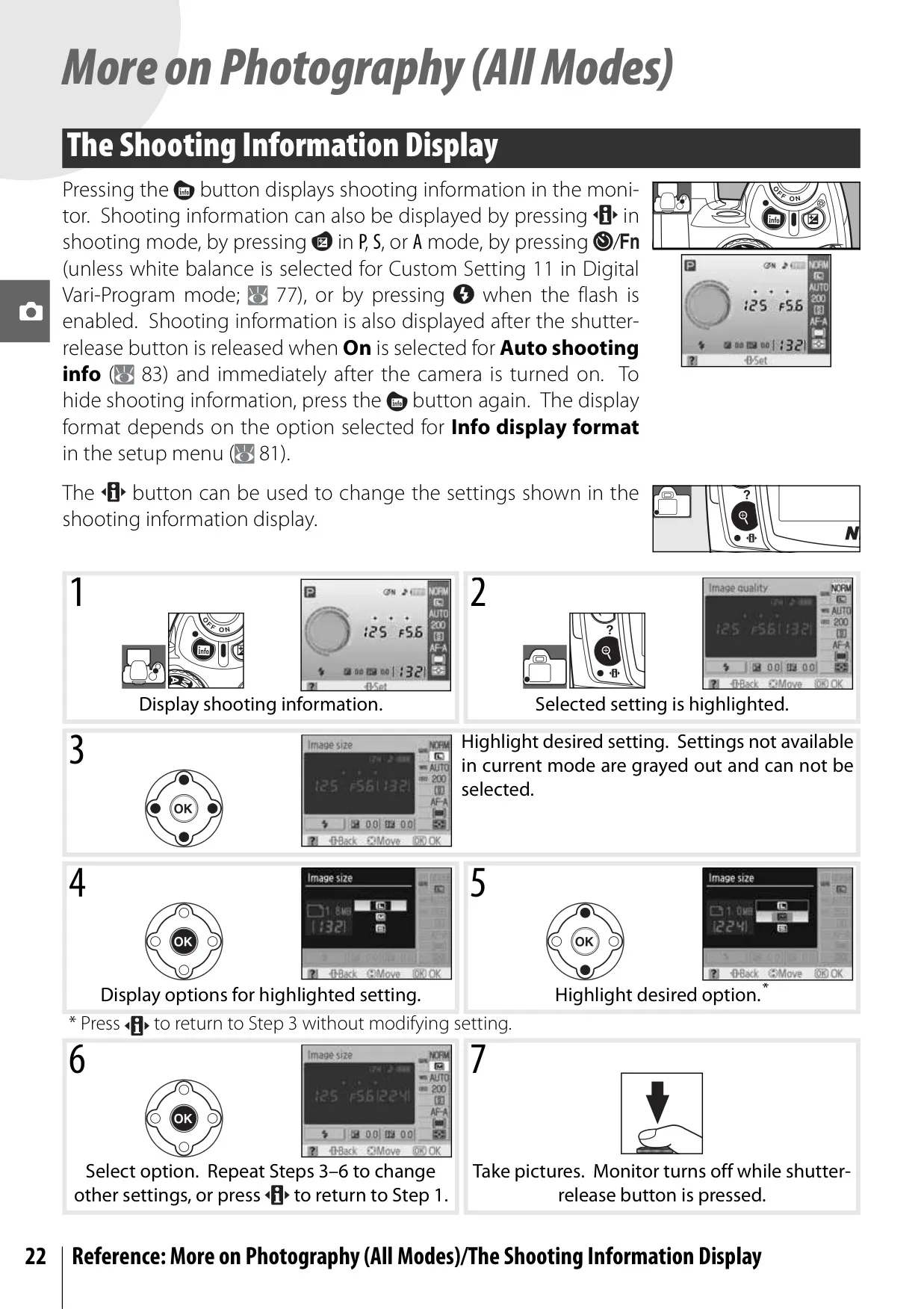
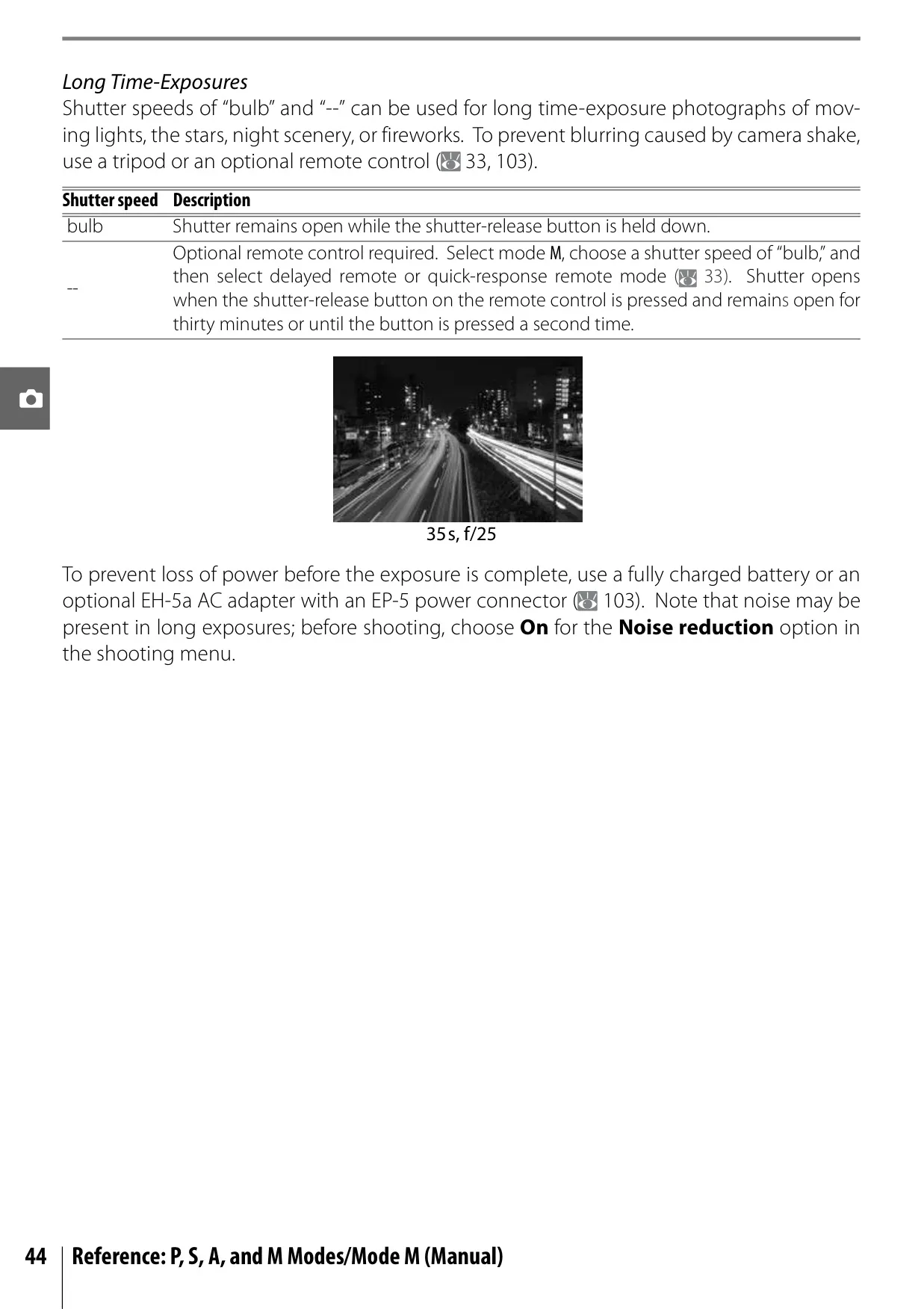
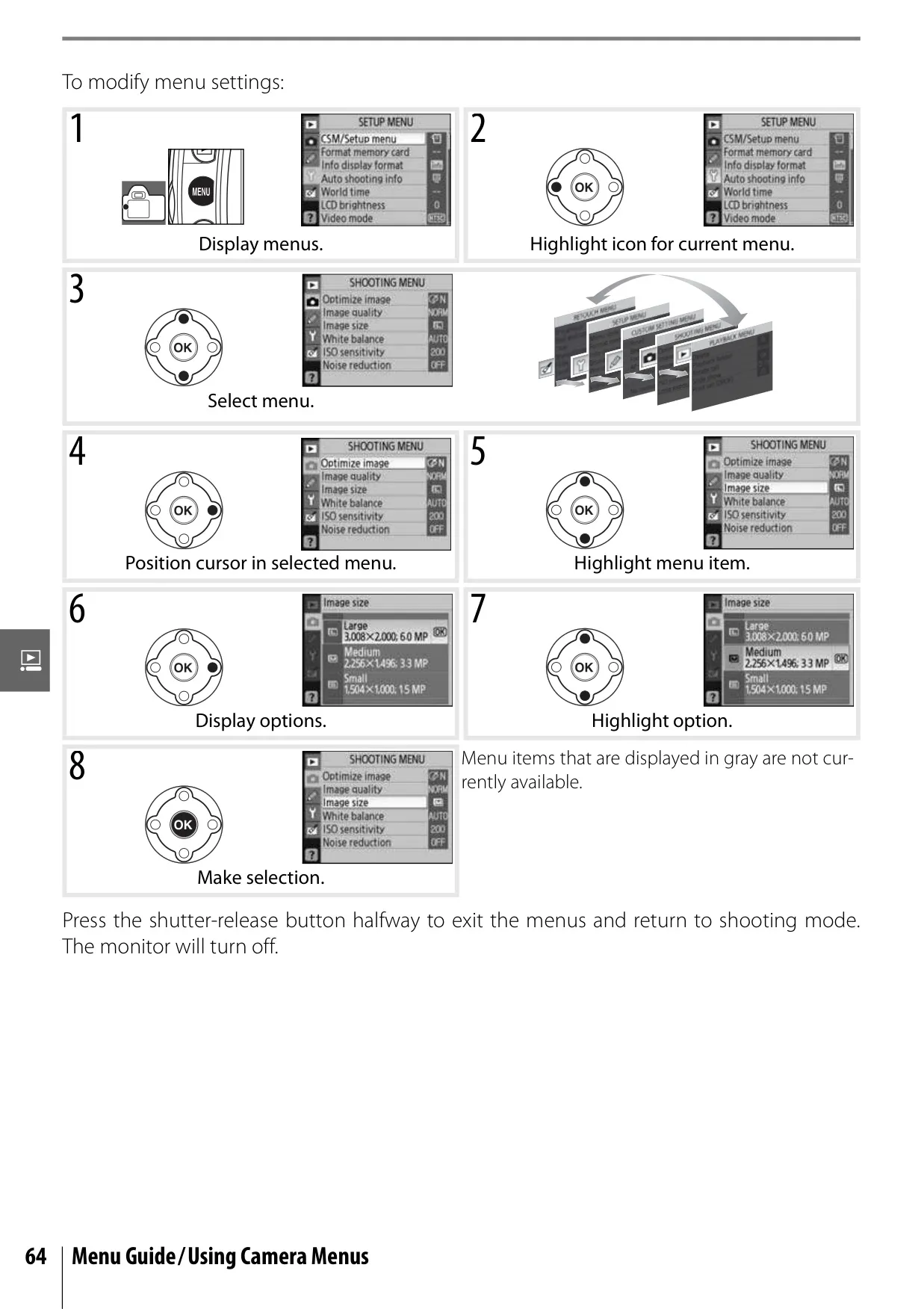
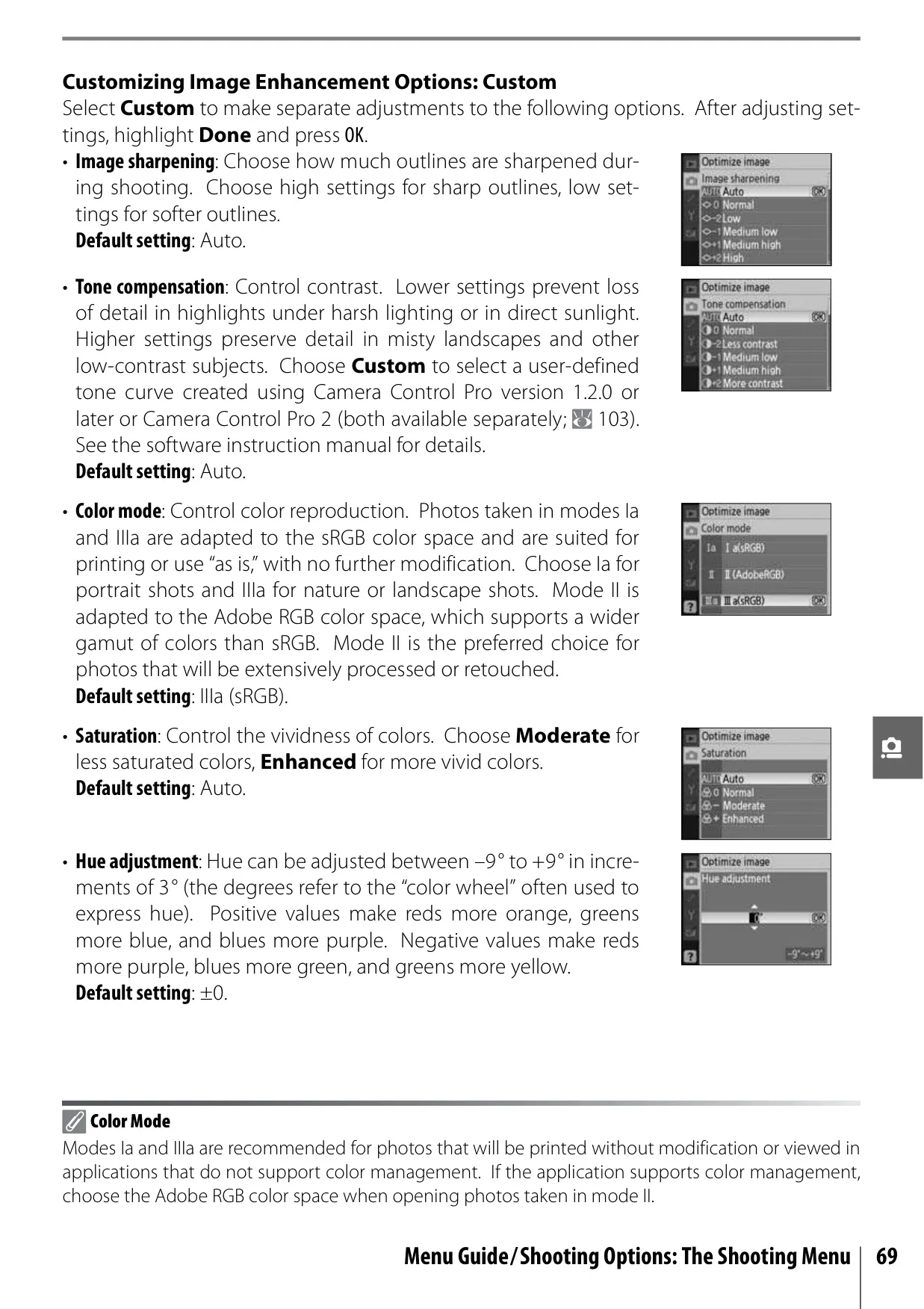
Navigating the D40 is made easy with its Multi Selector for menu access and playback, complemented by an on-board help feature accessible via a dedicated button, providing immediate guidance on menu items and troubleshooting. The camera supports both NEF (RAW) and JPEG image formats, with options for image quality and size adjustments. For those who want more control over their images, the Optimize Image function allows fine-tuning of sharpening, contrast, color mode (including Adobe RGB), saturation, and hue. Noise Reduction can be applied to combat mottling in high ISO or long exposure shots, ensuring cleaner images in challenging light.
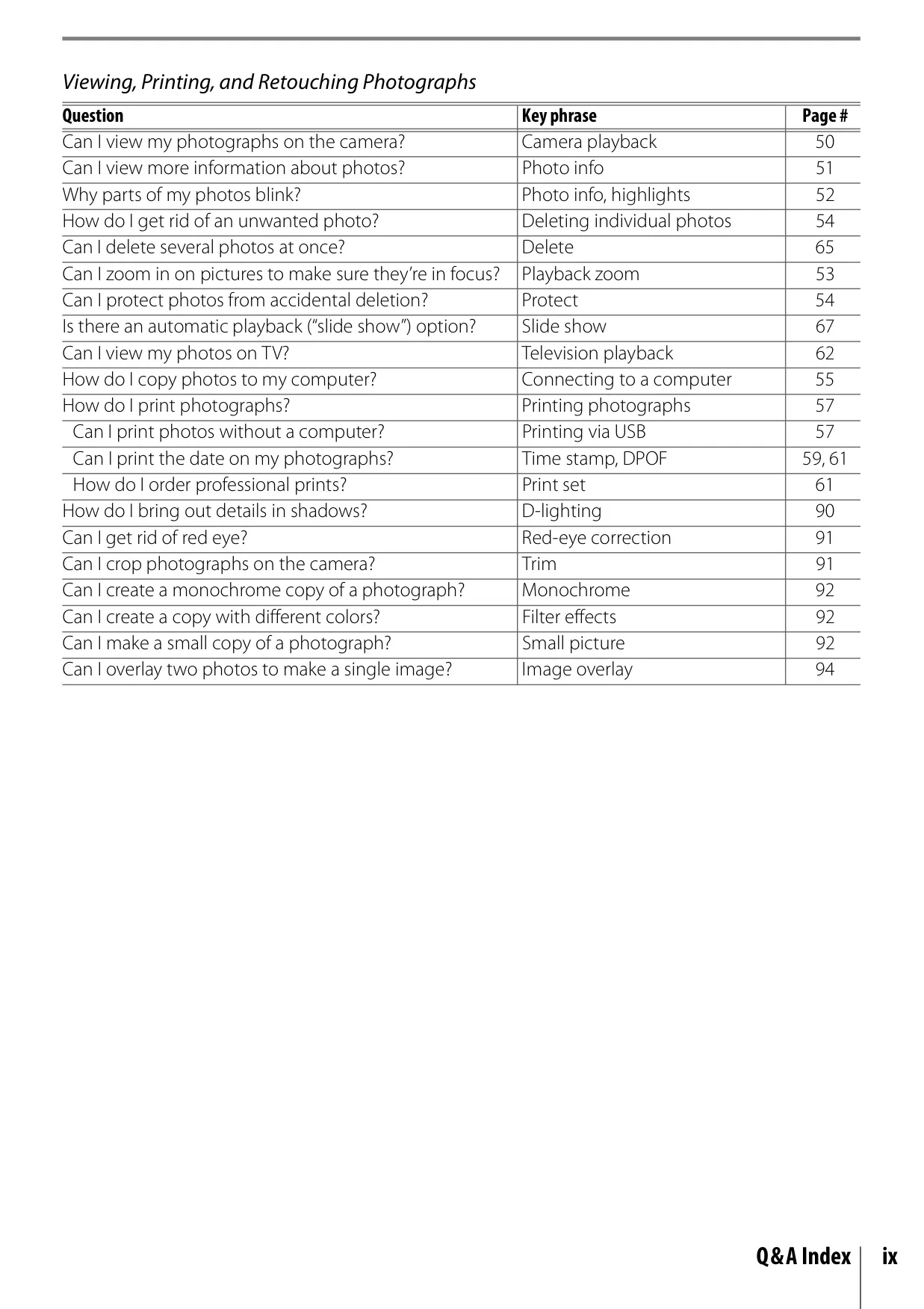
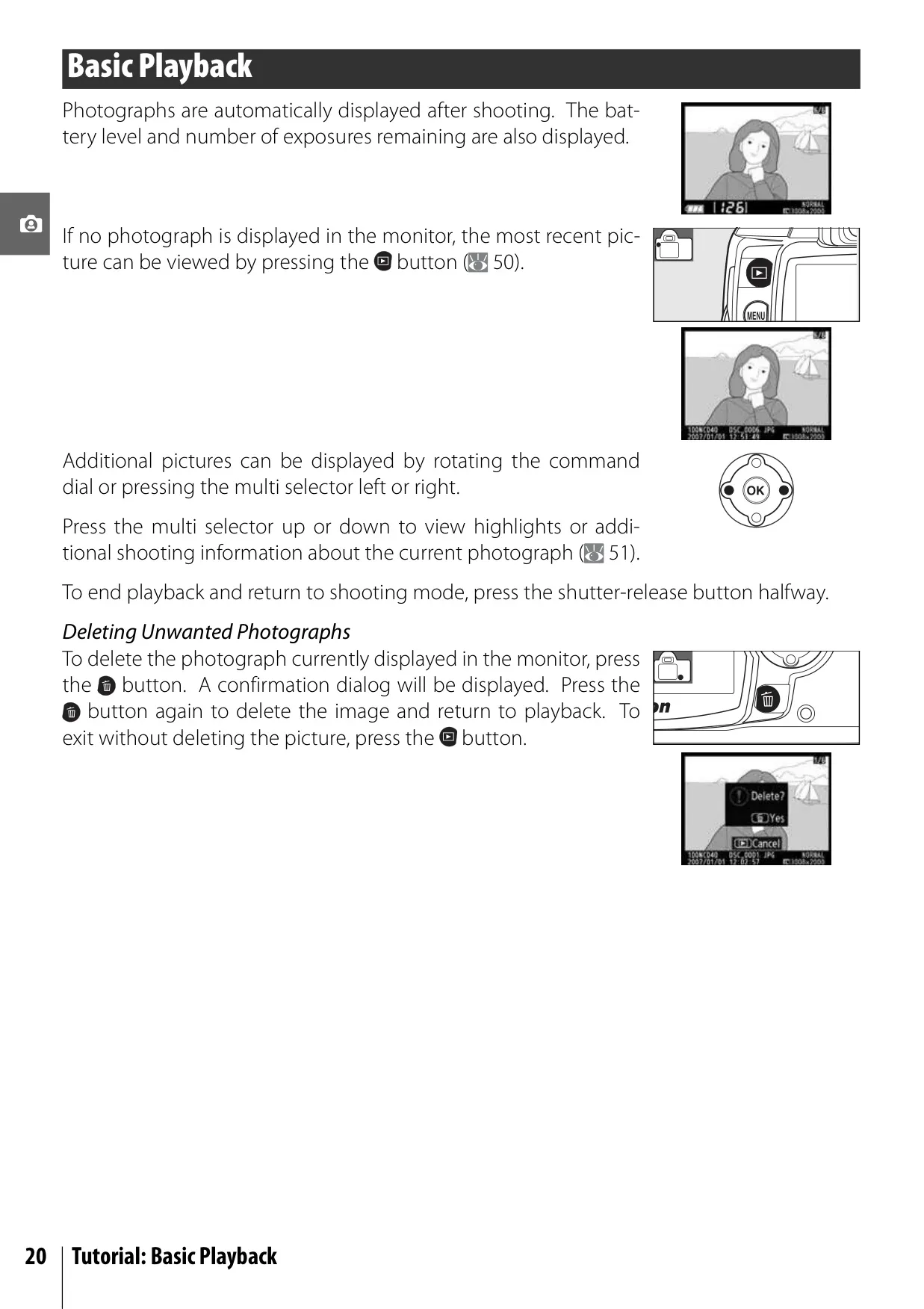
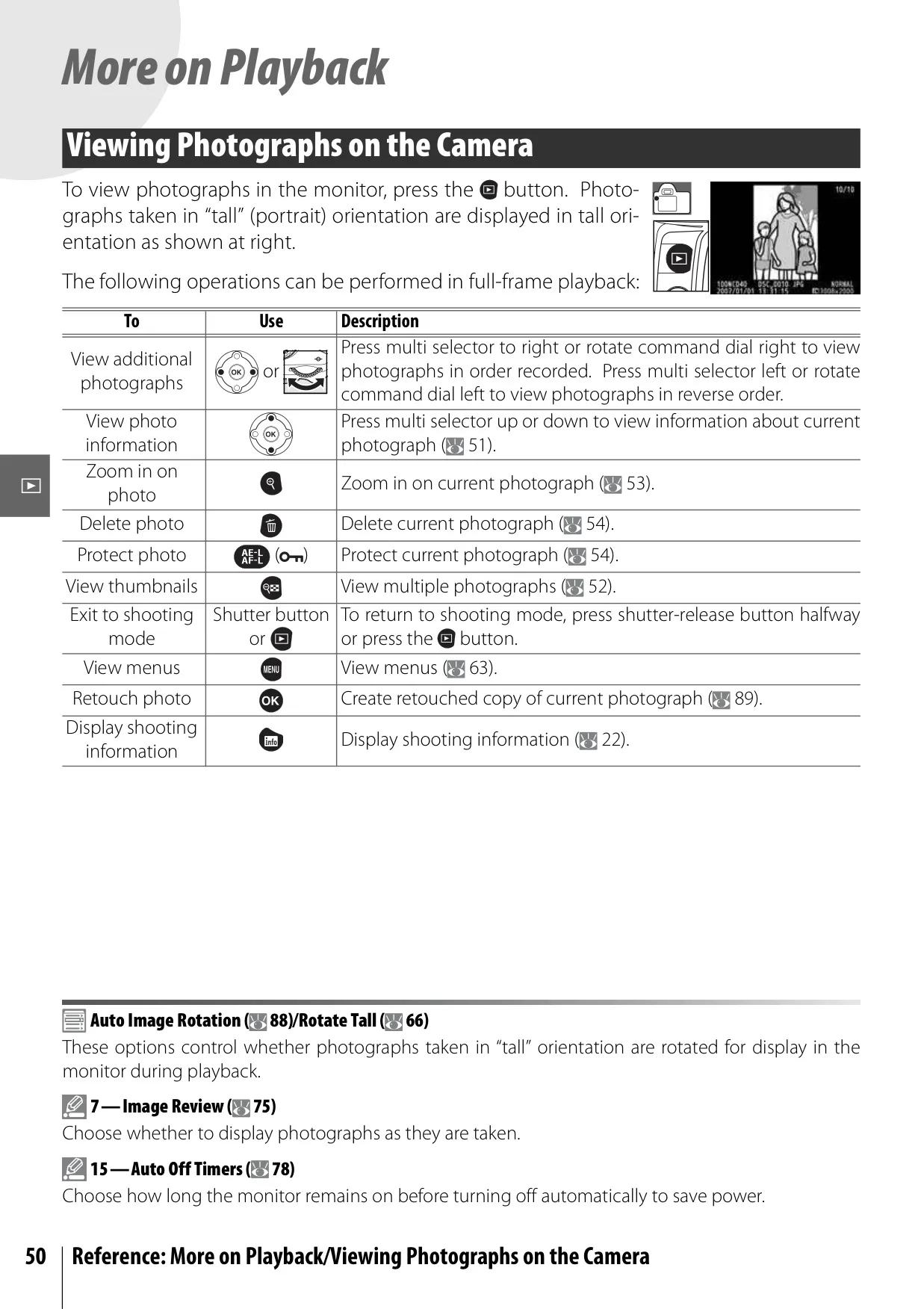
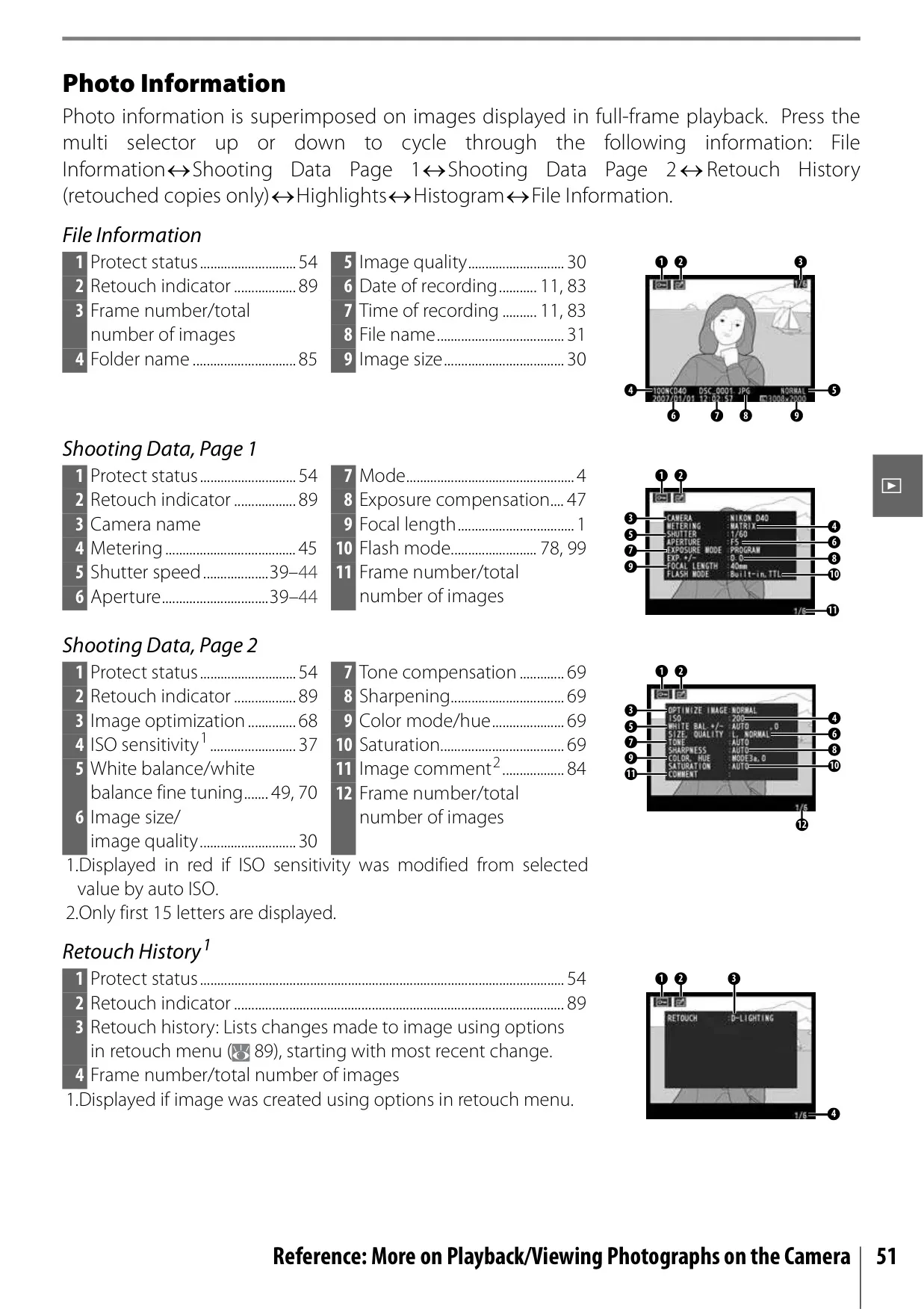
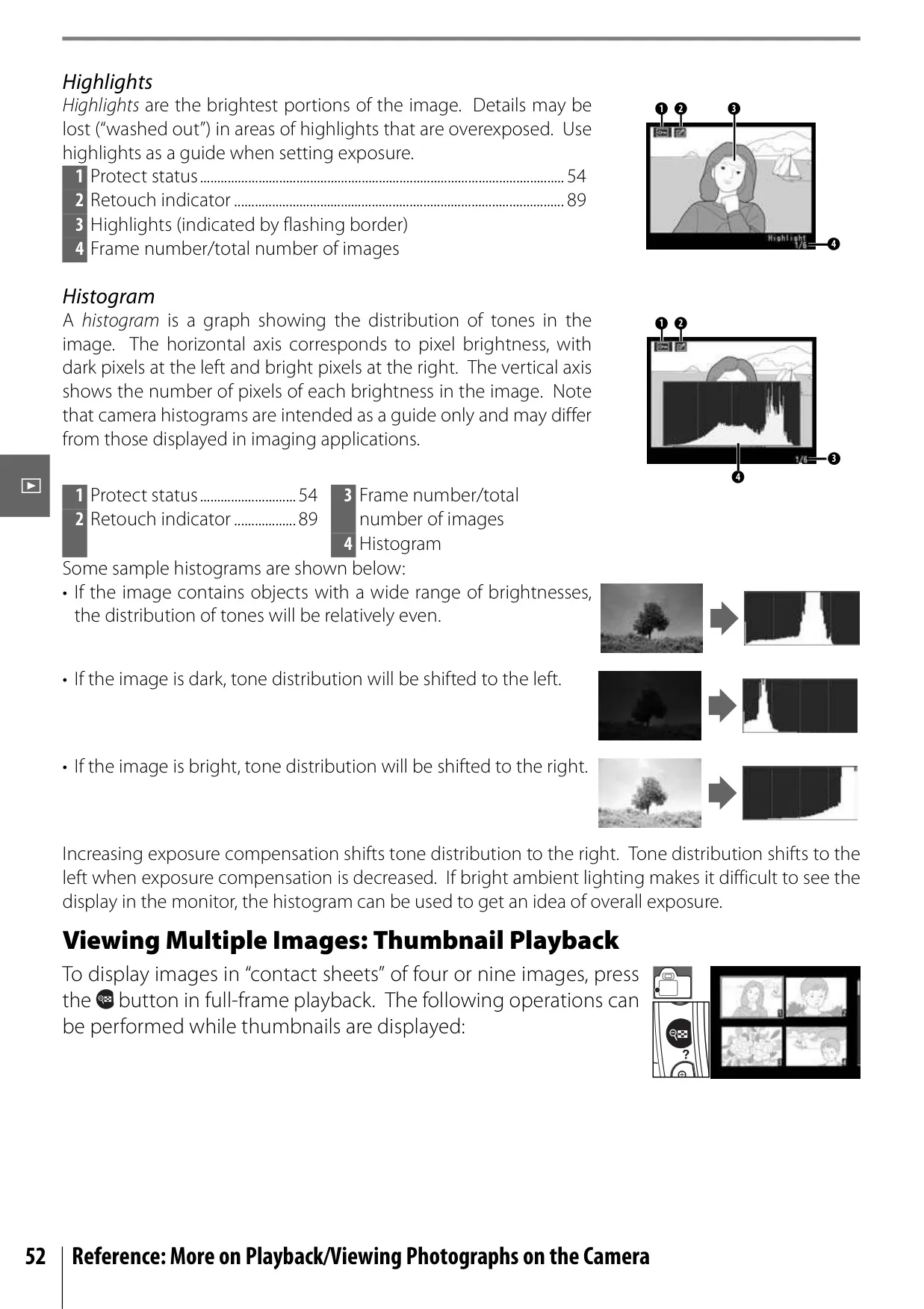
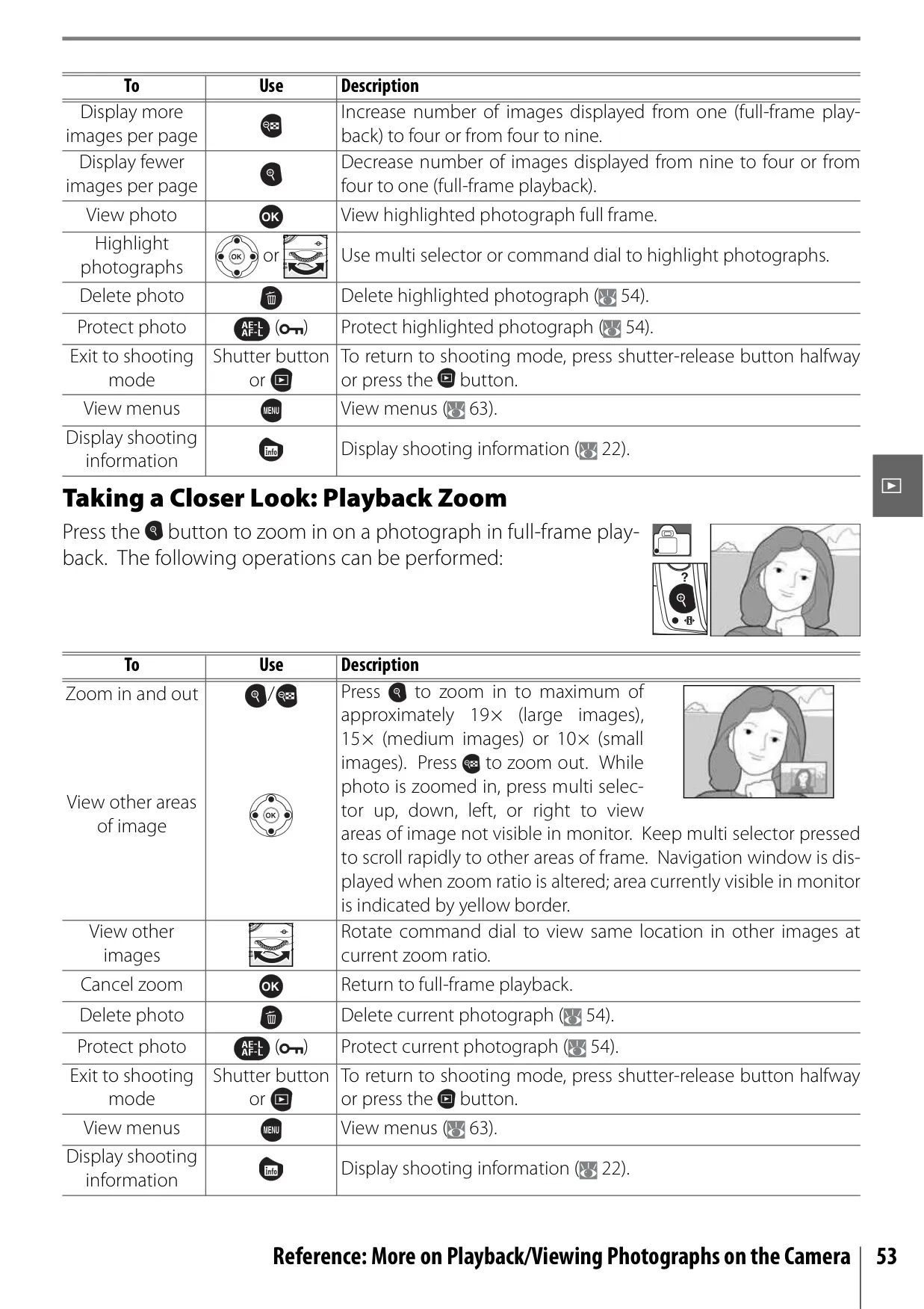
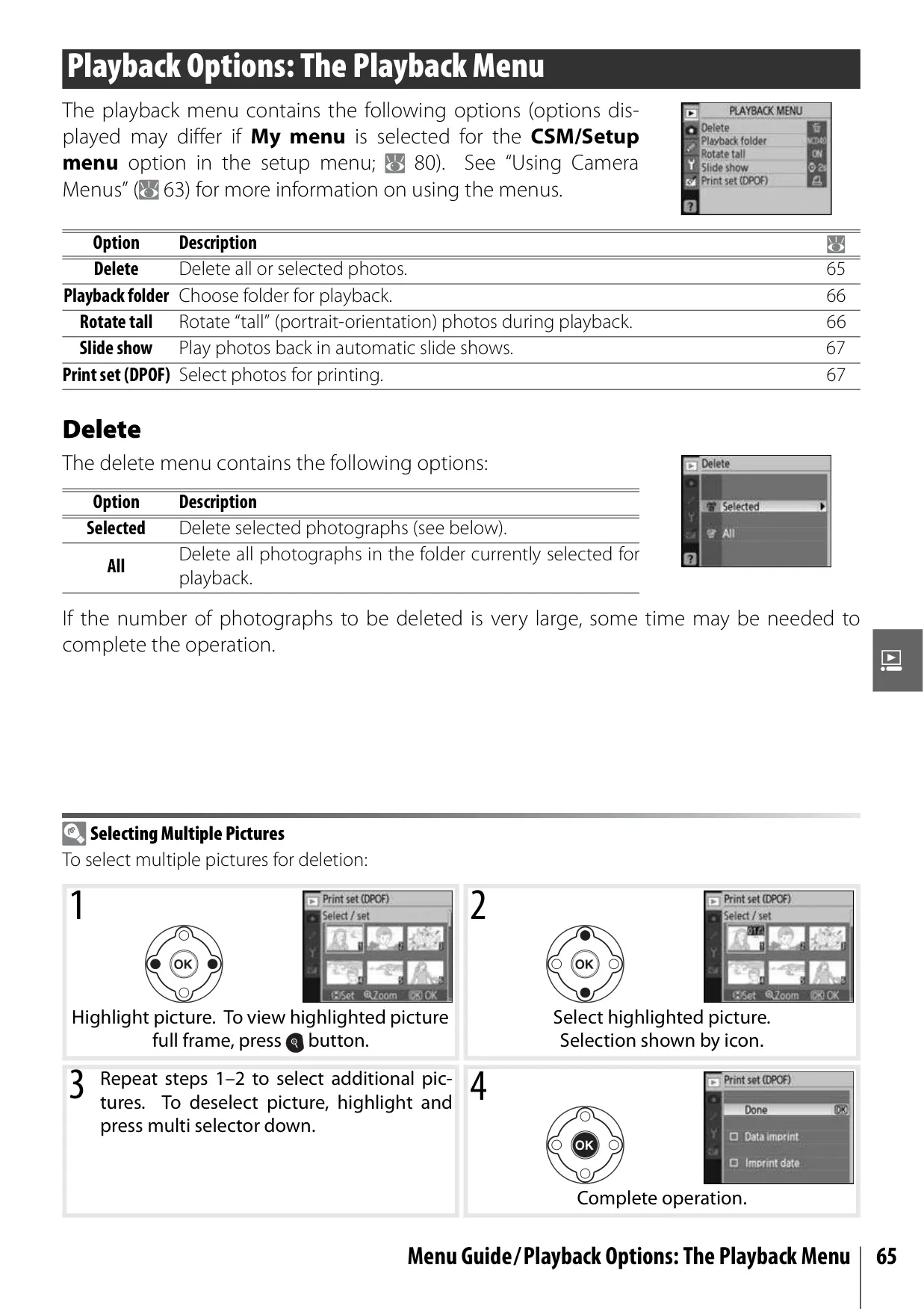
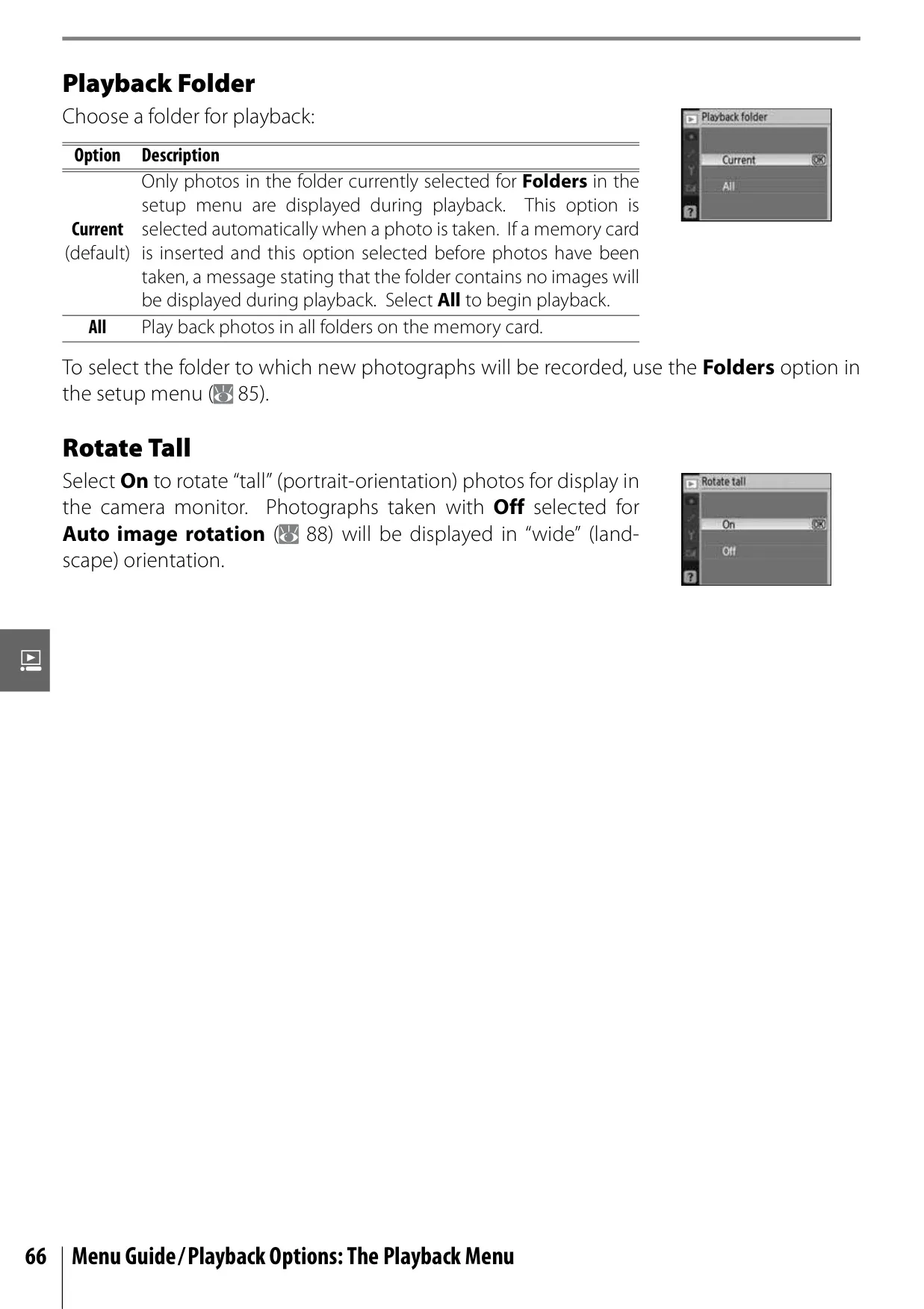
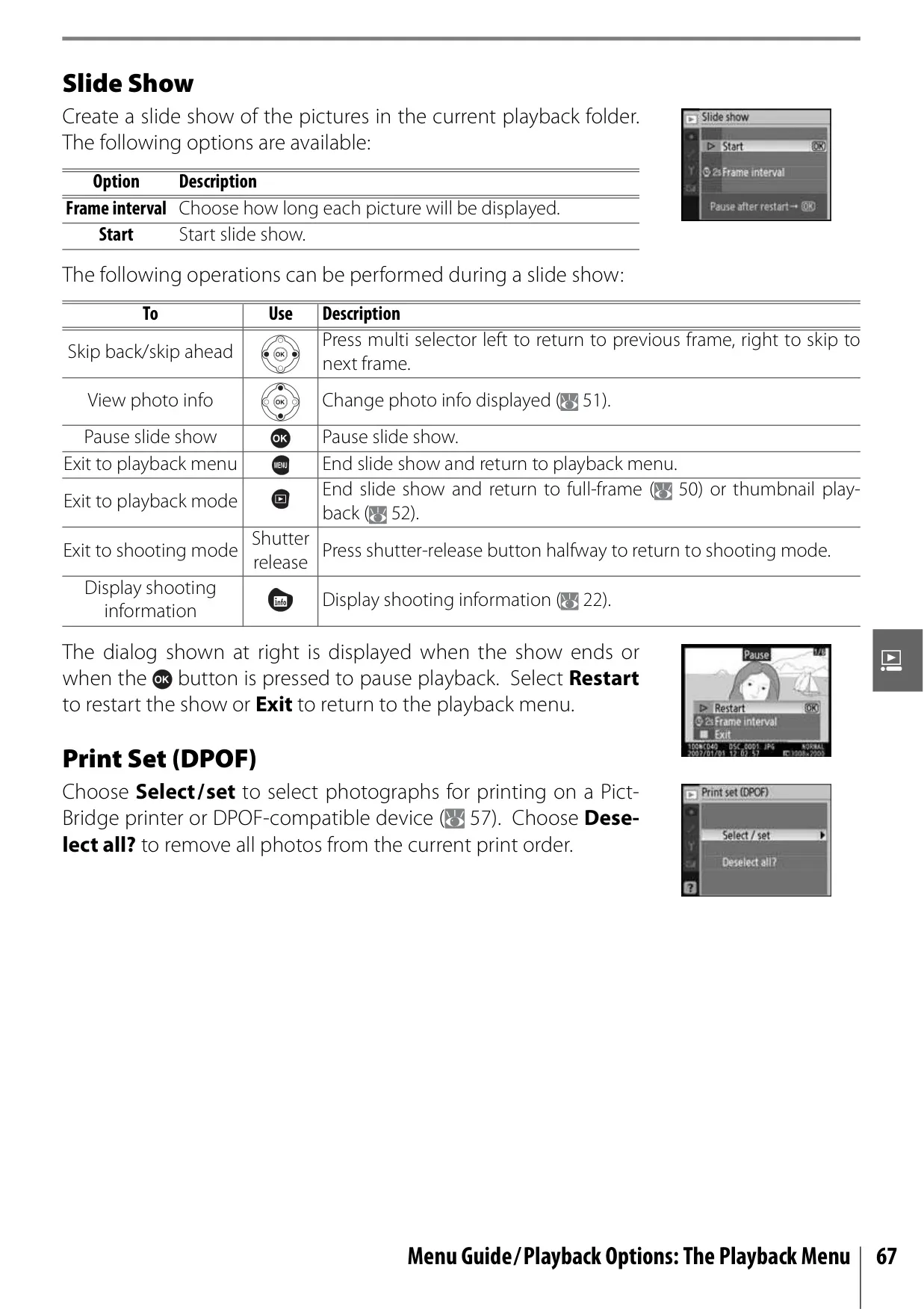
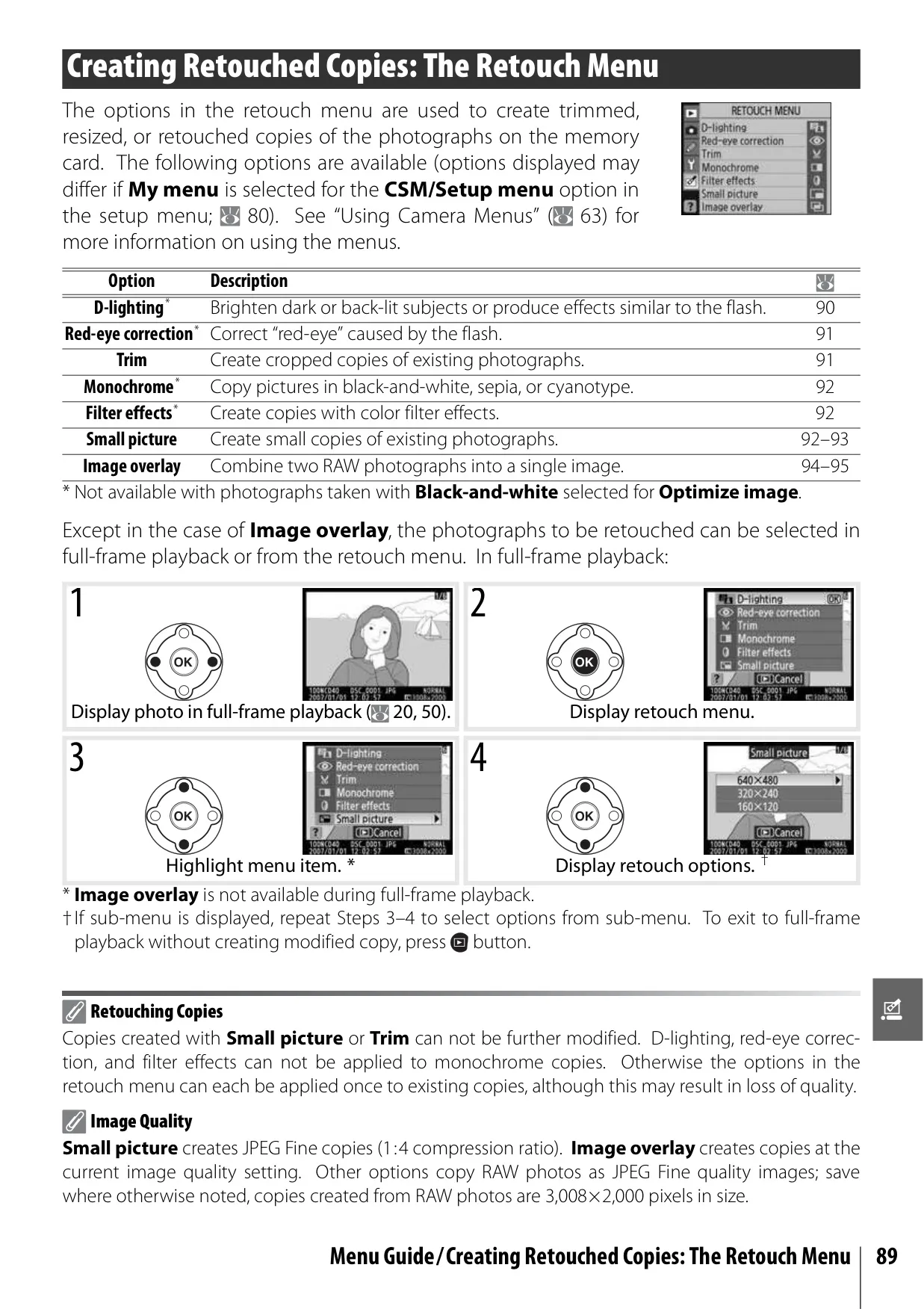
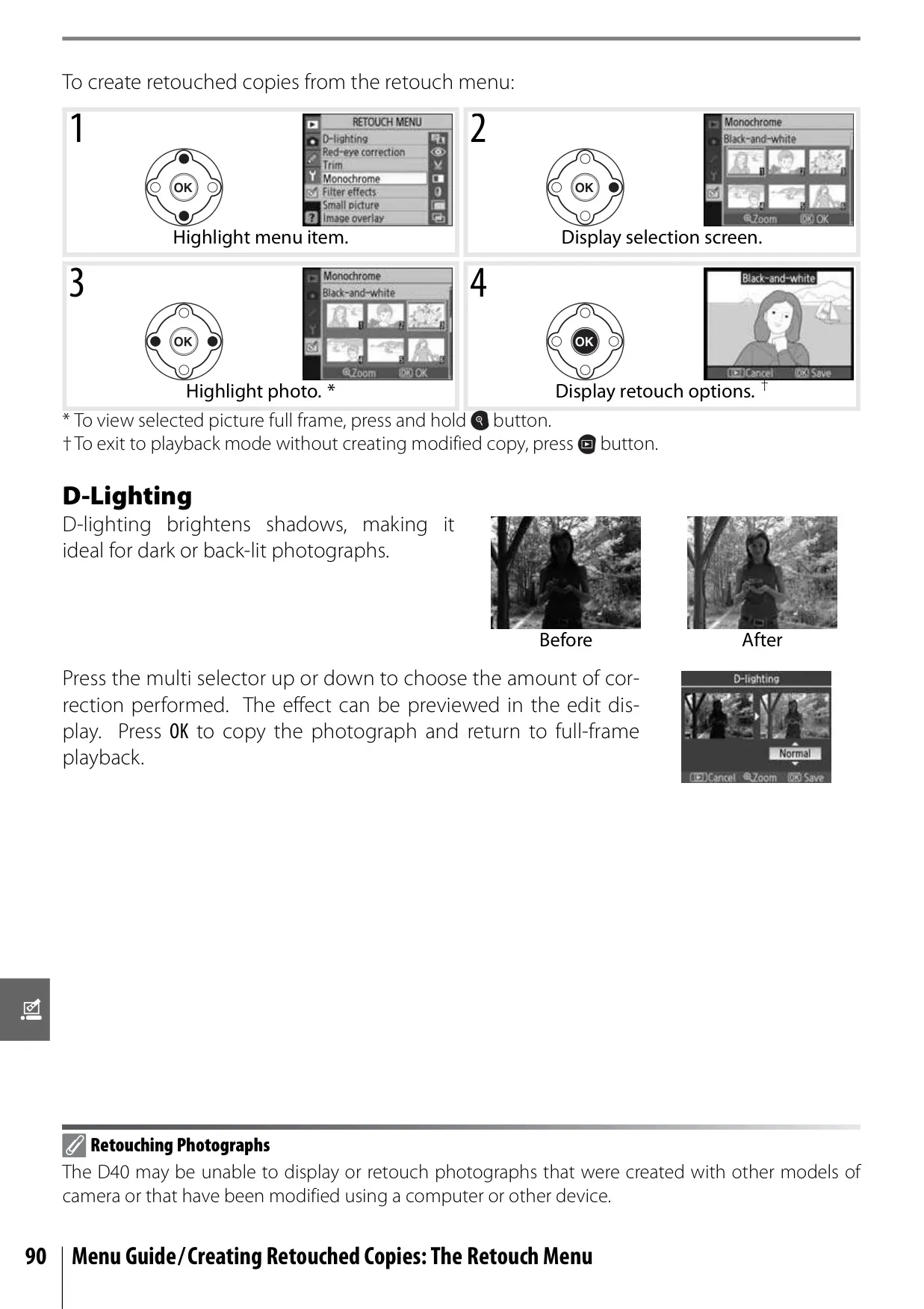
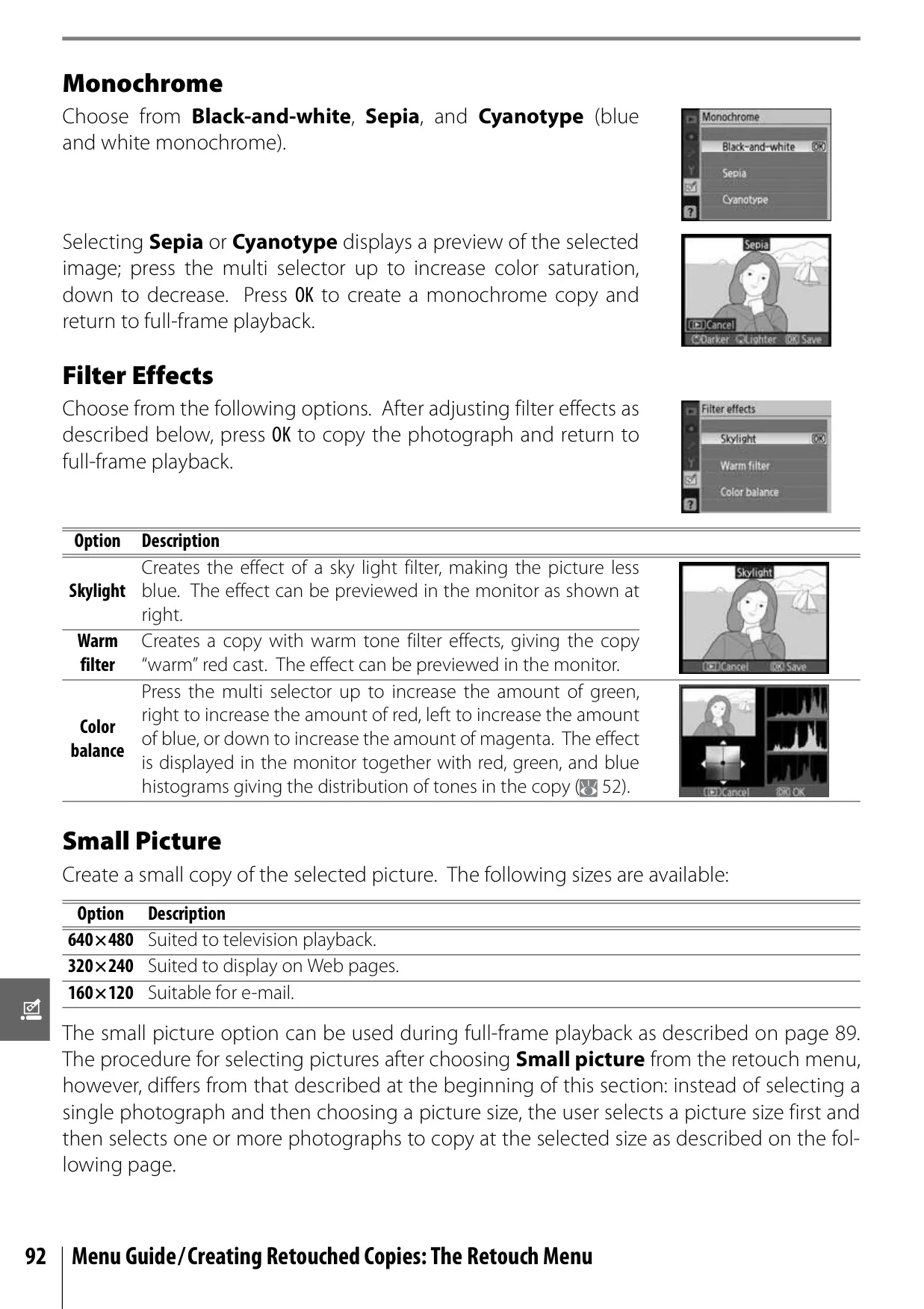
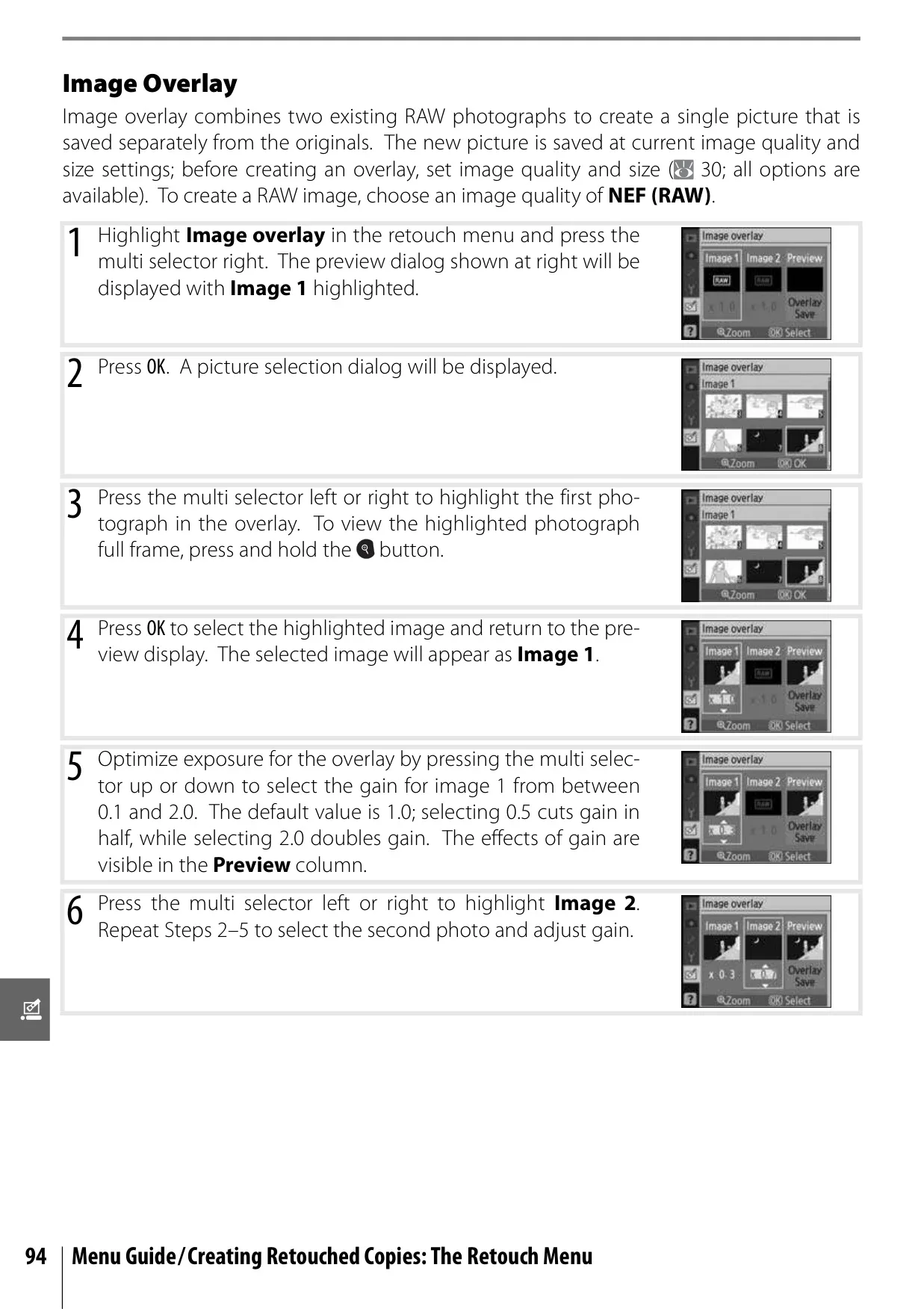
Playback options are robust, featuring full-frame viewing, thumbnail displays, and Playback Zoom to inspect details. Users can protect individual photographs from accidental deletion or perform batch deletions. The manual also highlights the D-Lighting feature, which brightens underexposed areas to reveal details in shadows without affecting highlights, and Red-Eye Correction for flash portraits. Creative in-camera retouching extends to Trim (cropping), Monochrome conversions (black-and-white, sepia, cyanotype), Filter Effects (skylight, warm, color balance), and even Image Overlay to combine two RAW photographs.
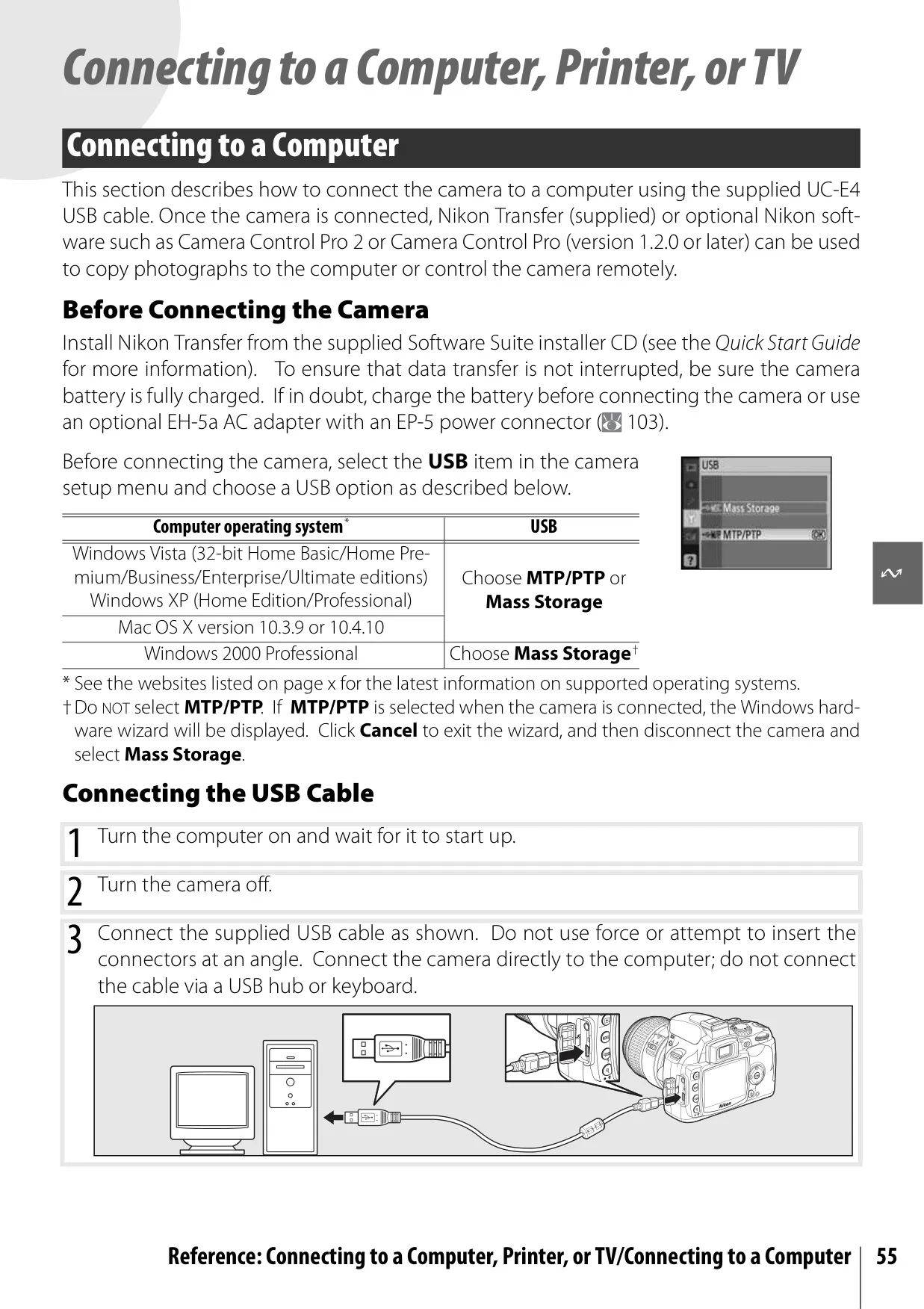
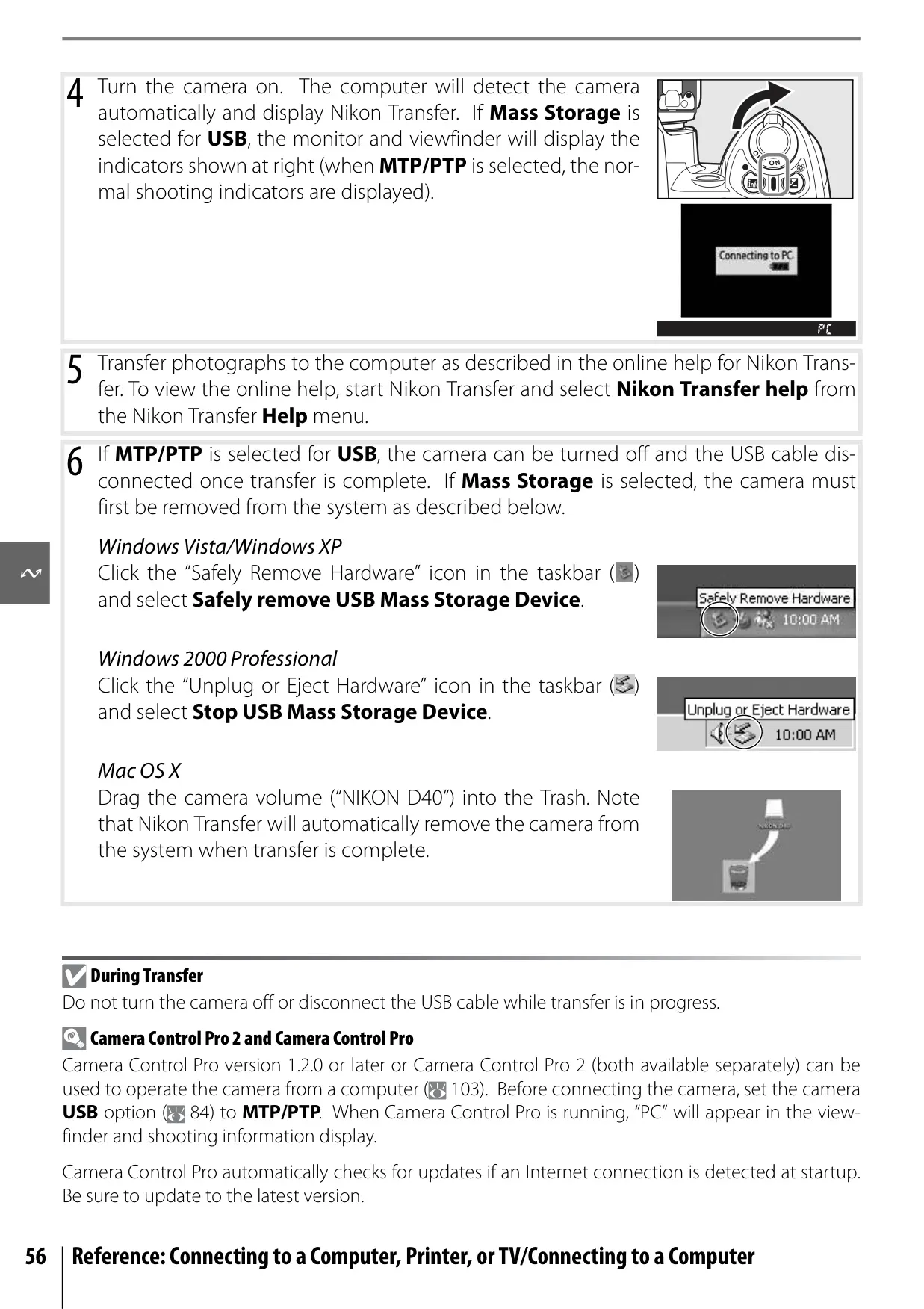
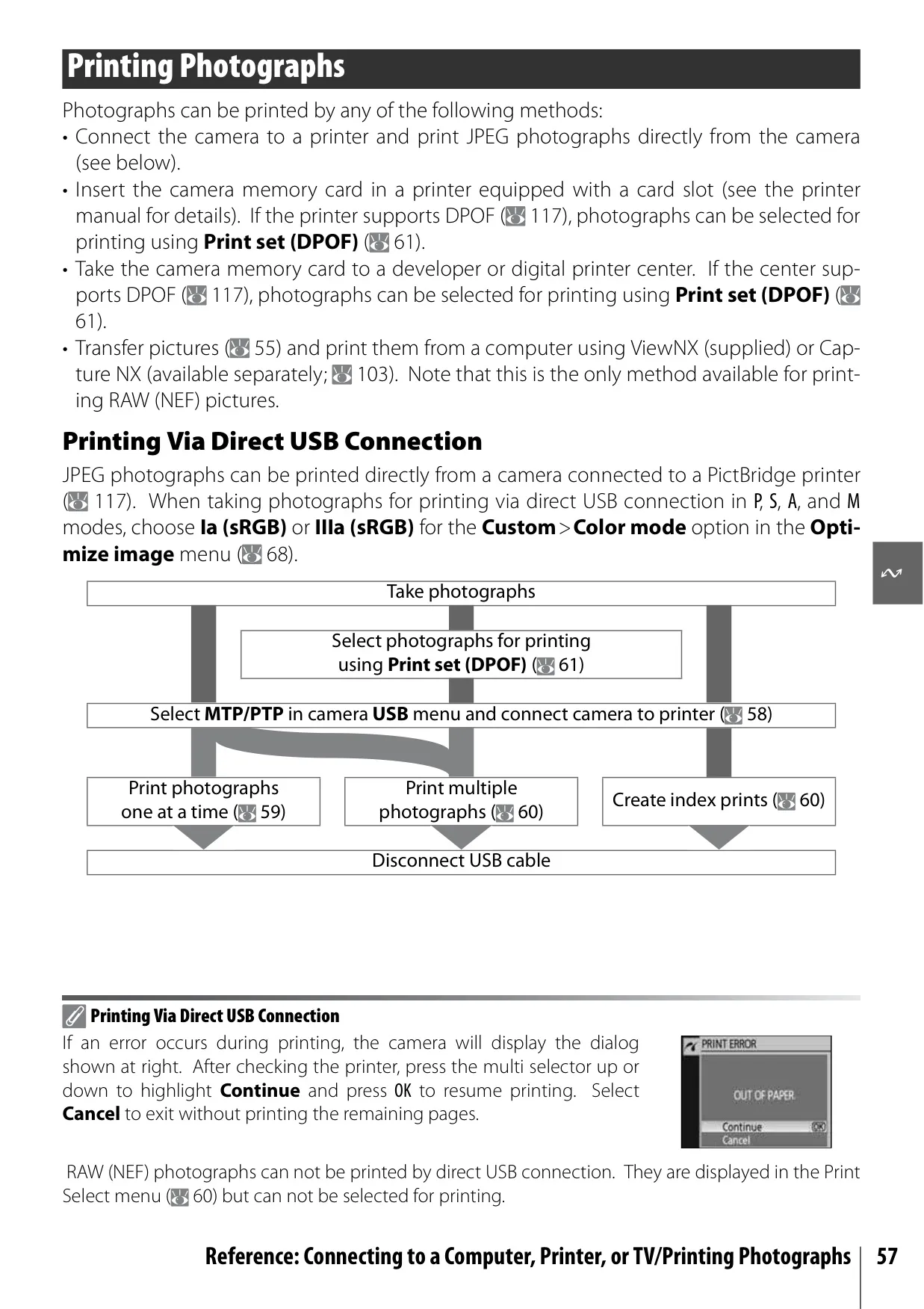
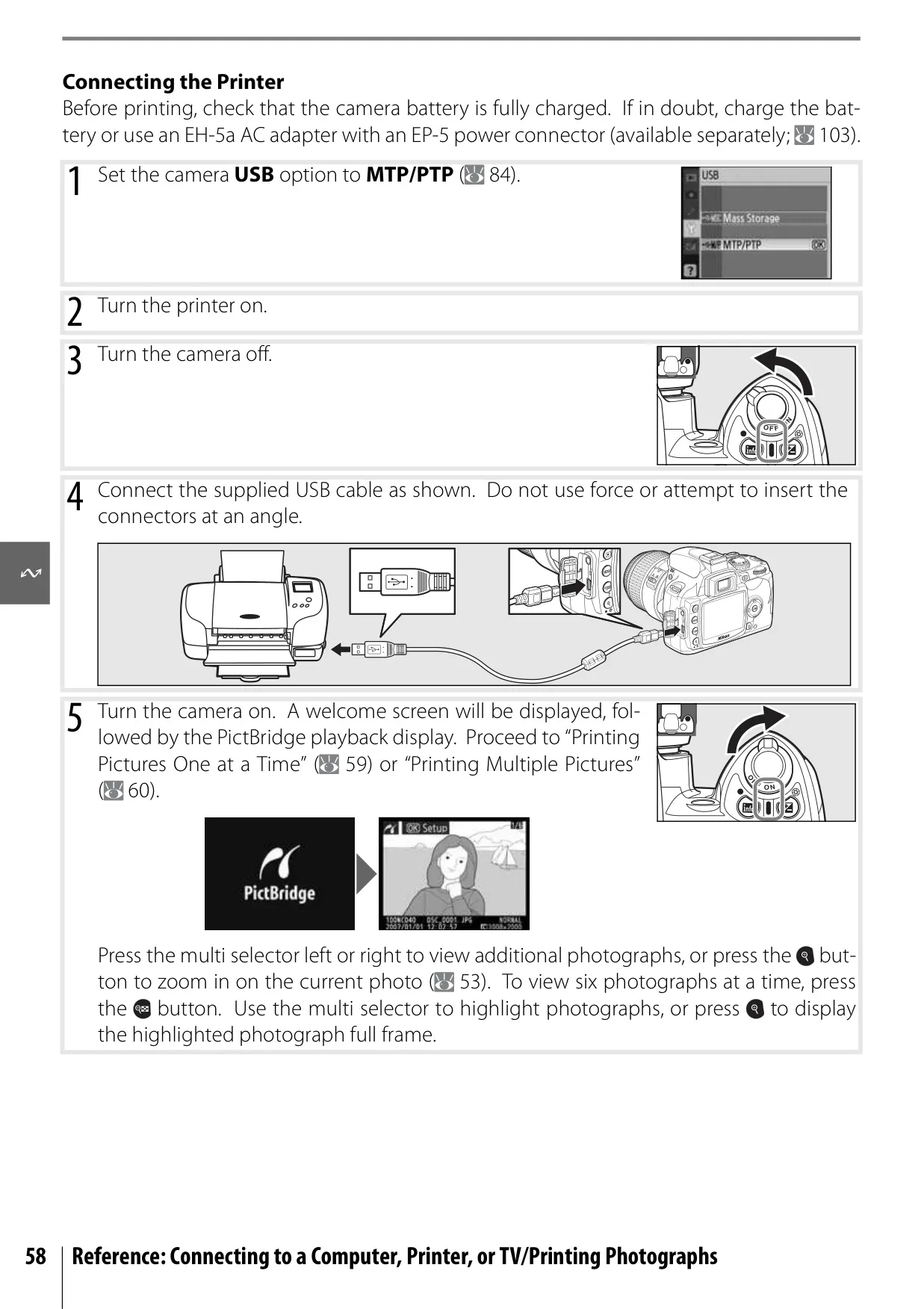
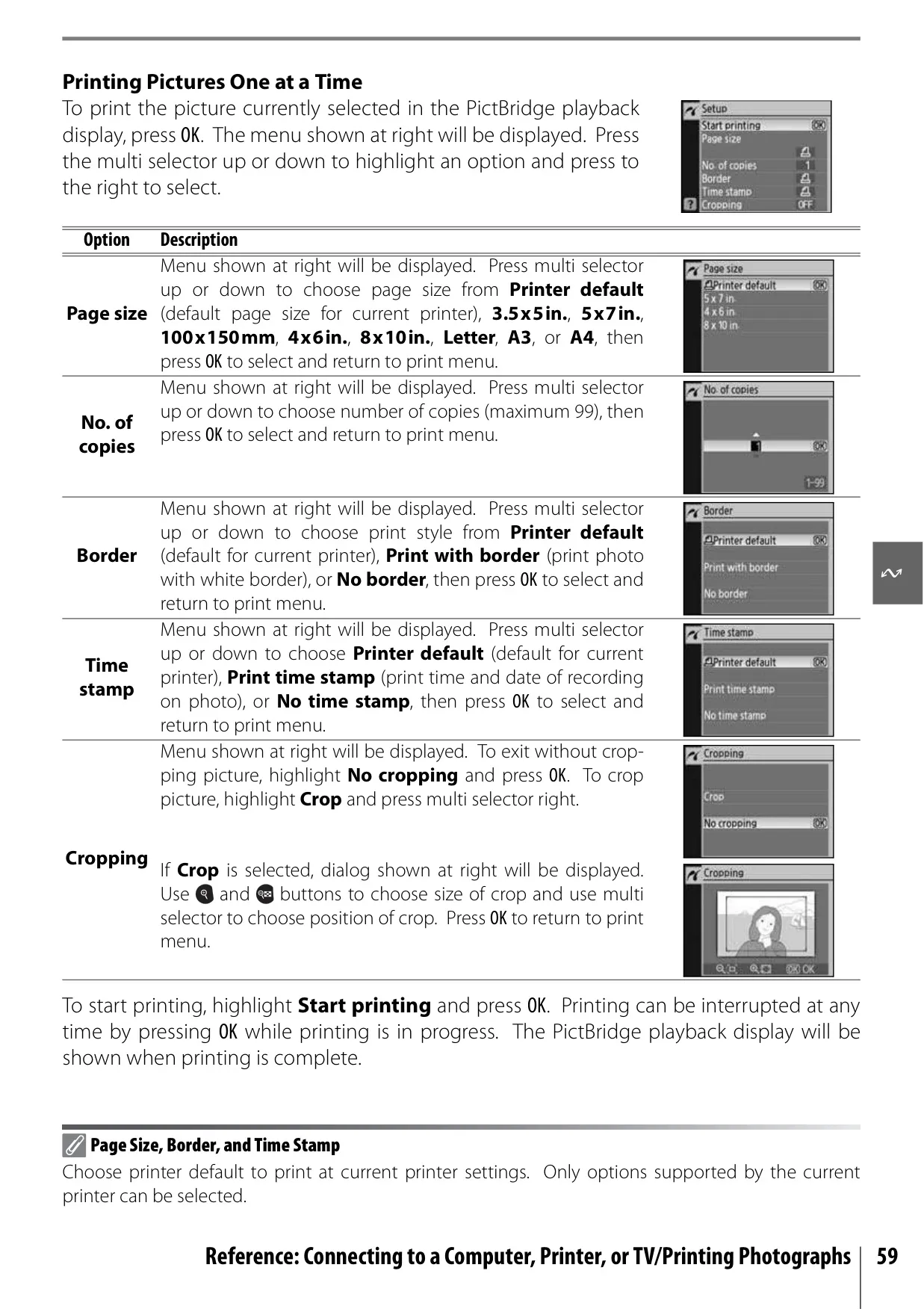
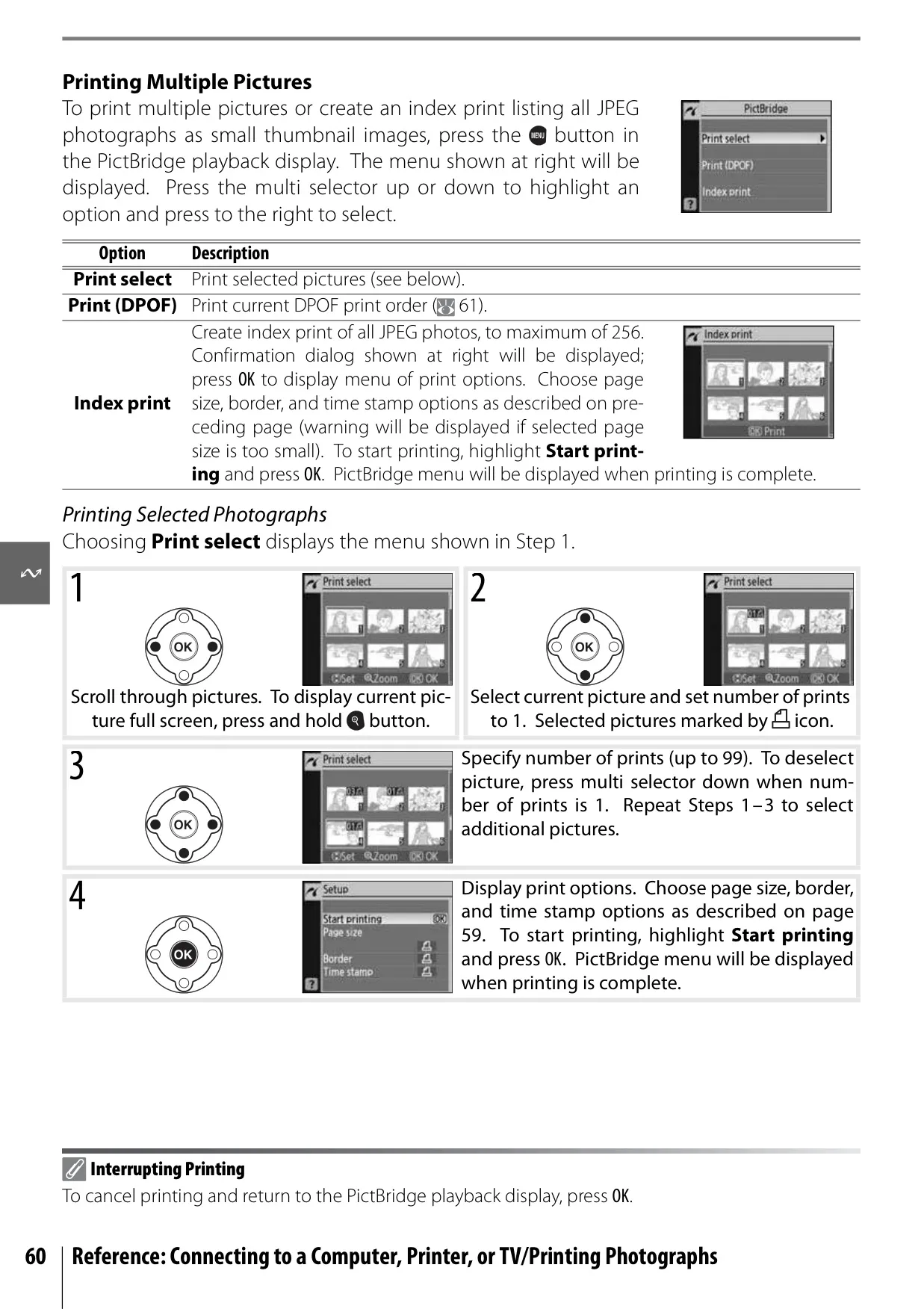
Connectivity is versatile, with Hi-Speed USB for transferring photos to a computer using Nikon Transfer or controlling the camera with optional software like Camera Control Pro. Direct printing to PictBridge compatible printers is also supported, allowing users to print selections or create DPOF print orders without a computer. The camera offers Video Output for viewing photos on a TV, and for self-portraits or to prevent camera shake, the Self-Timer and optional ML-L3 Remote Control are invaluable.
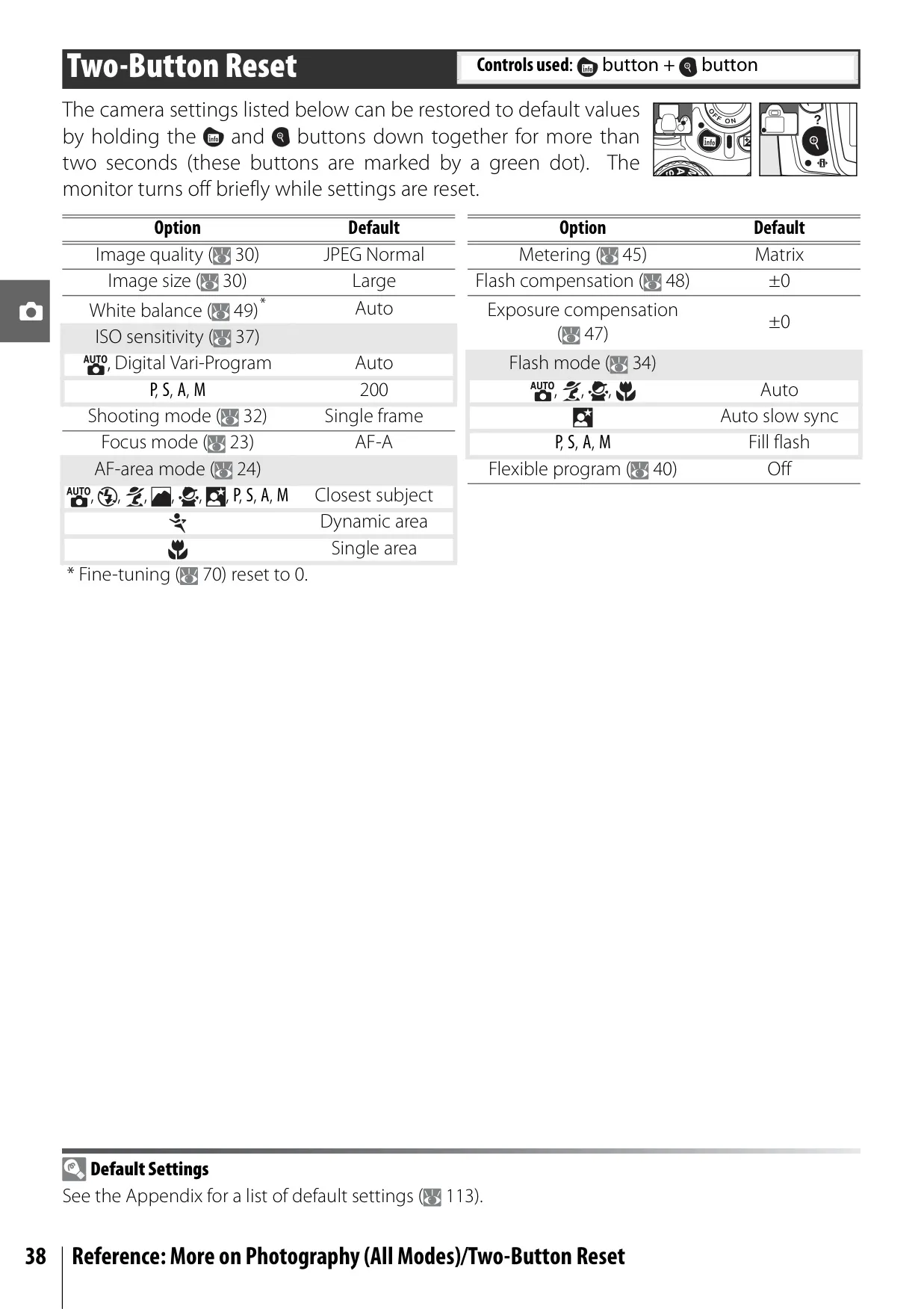
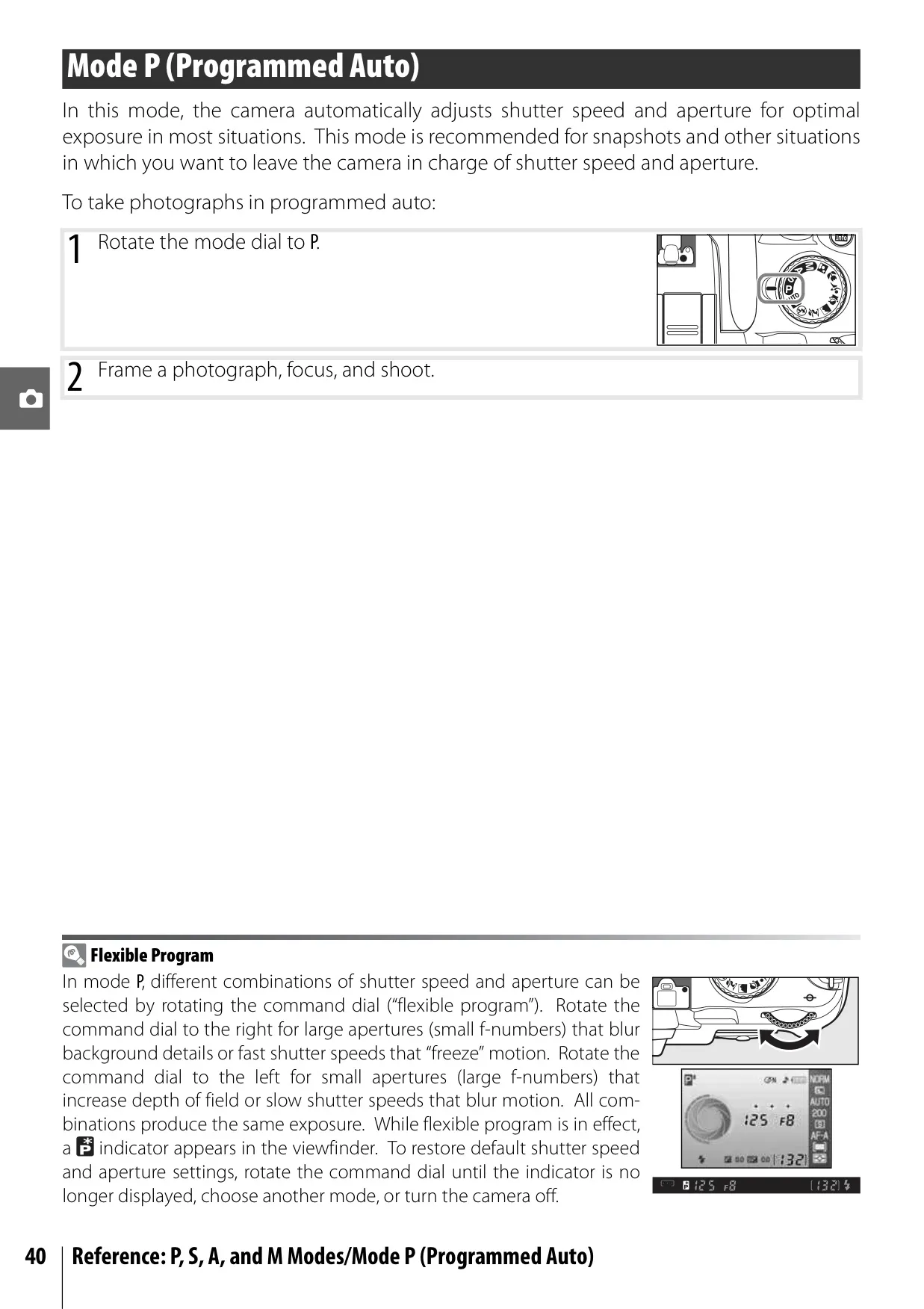
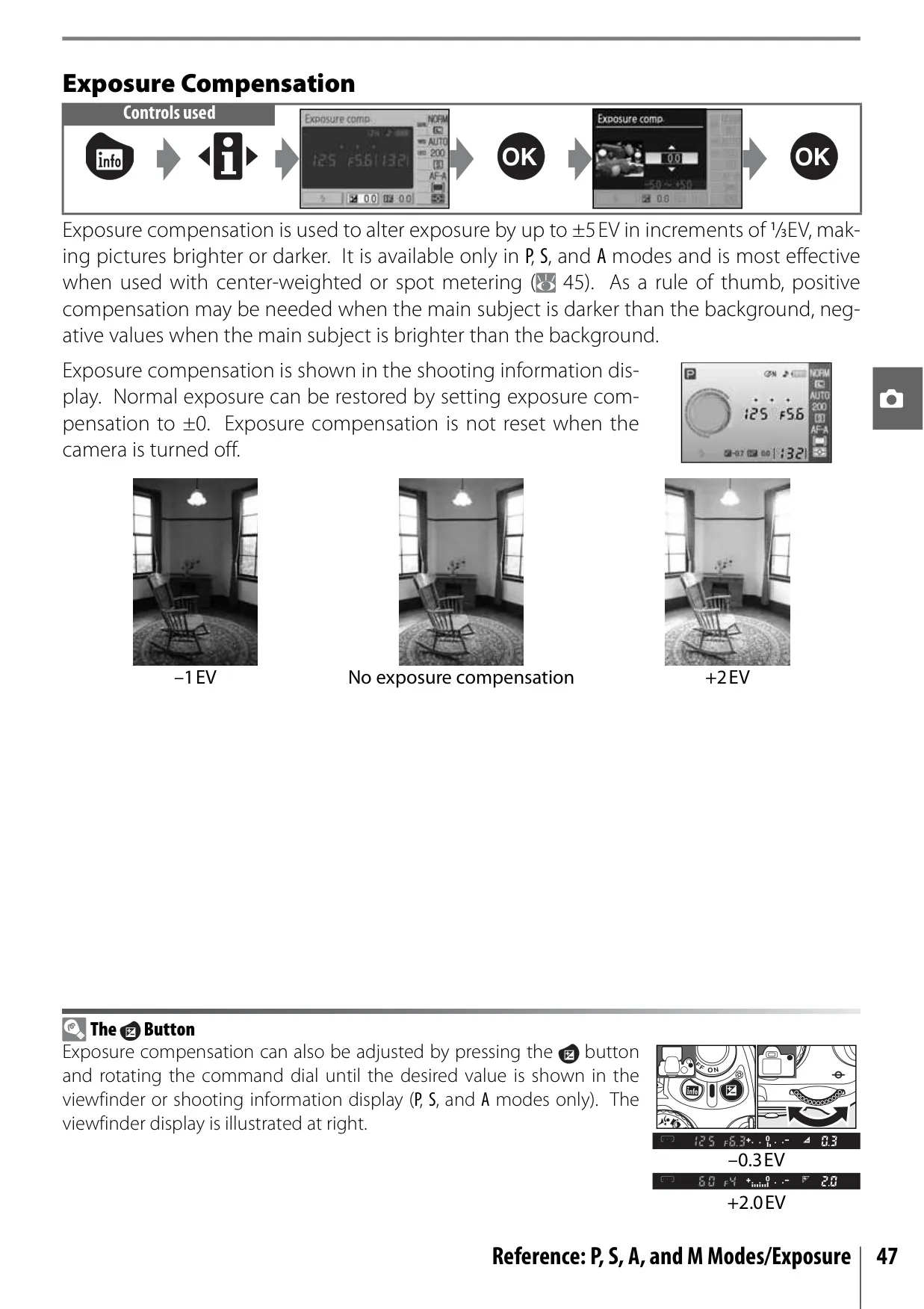
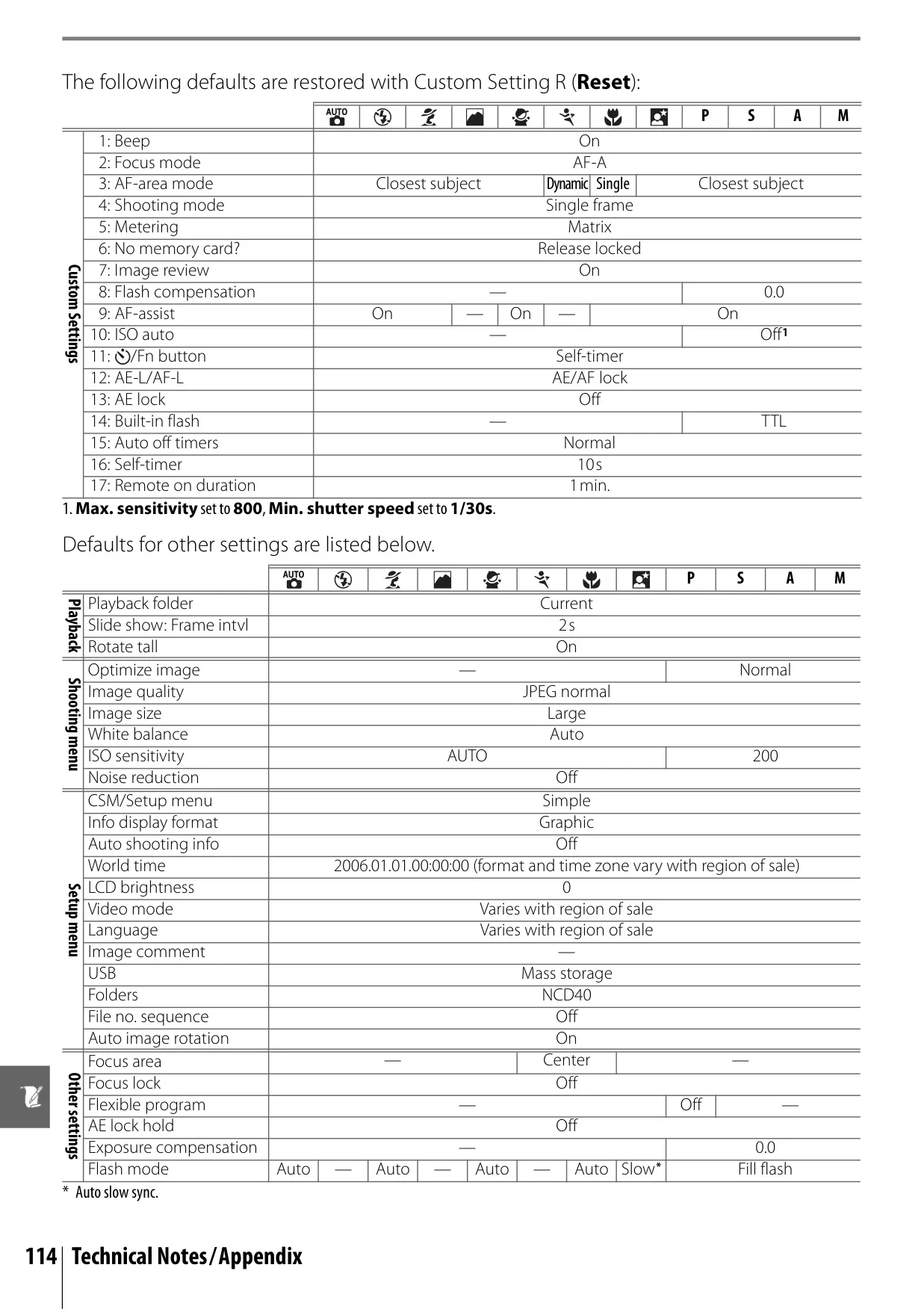
Maintenance and care are thoroughly covered, including instructions for Low-Pass Filter inspection and cleaning, emphasizing the delicate nature of the sensor. The manual details battery usage, storage, and safety warnings, advising against extreme temperatures or improper handling. Key features like the Two-Button Reset for restoring default settings and the Flexible Program in P mode (allowing dynamic adjustment of shutter speed and aperture combinations) underscore the camera's thoughtful design, balancing user-friendliness with advanced photographic capabilities.
Frequently Asked Questions (FAQs)
Can't find the answer you need? Here are some frequently asked questions about the Nikon D40 DSLR Camera, and we answer them below.