Honeywell TH1110D2009 T1 Pro Thermostat Instruction Manual
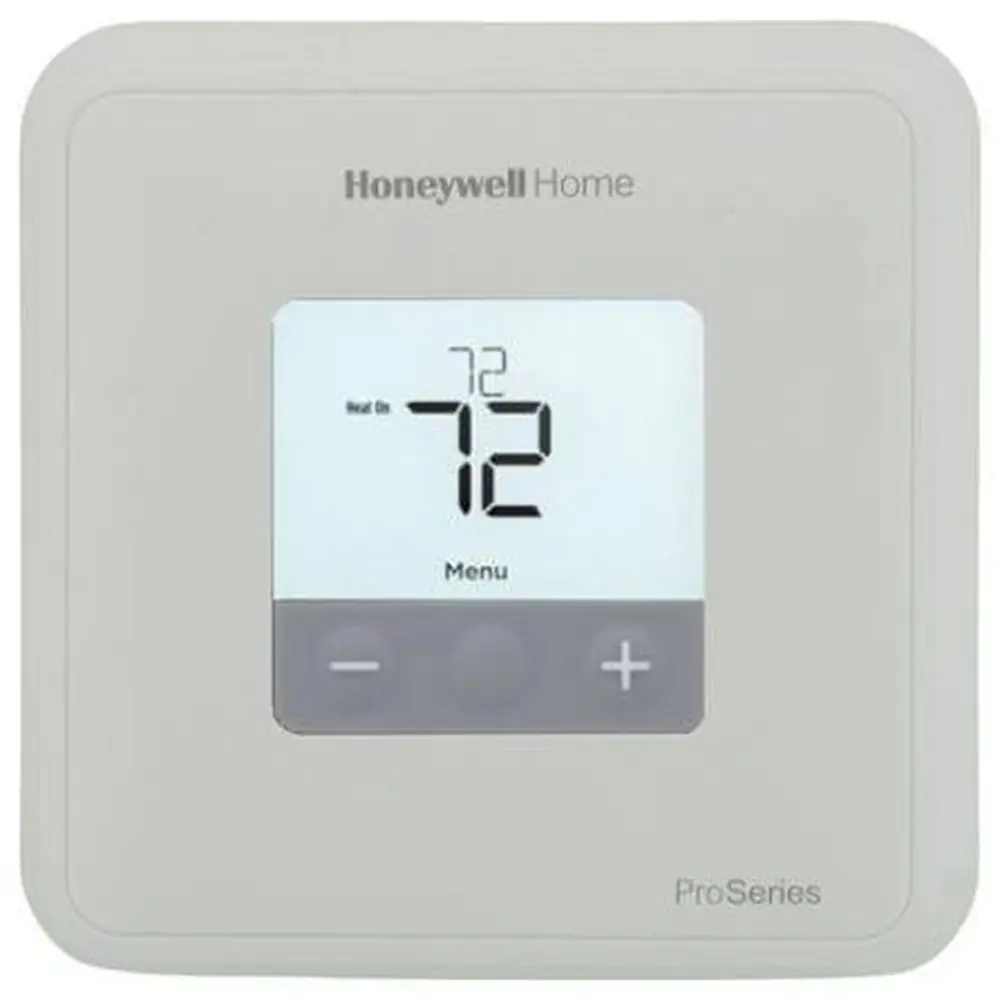
Honeywell TH1110D2009 T1 Pro Thermostat


Honeywell TH1110D2009 T1 Pro Thermostat
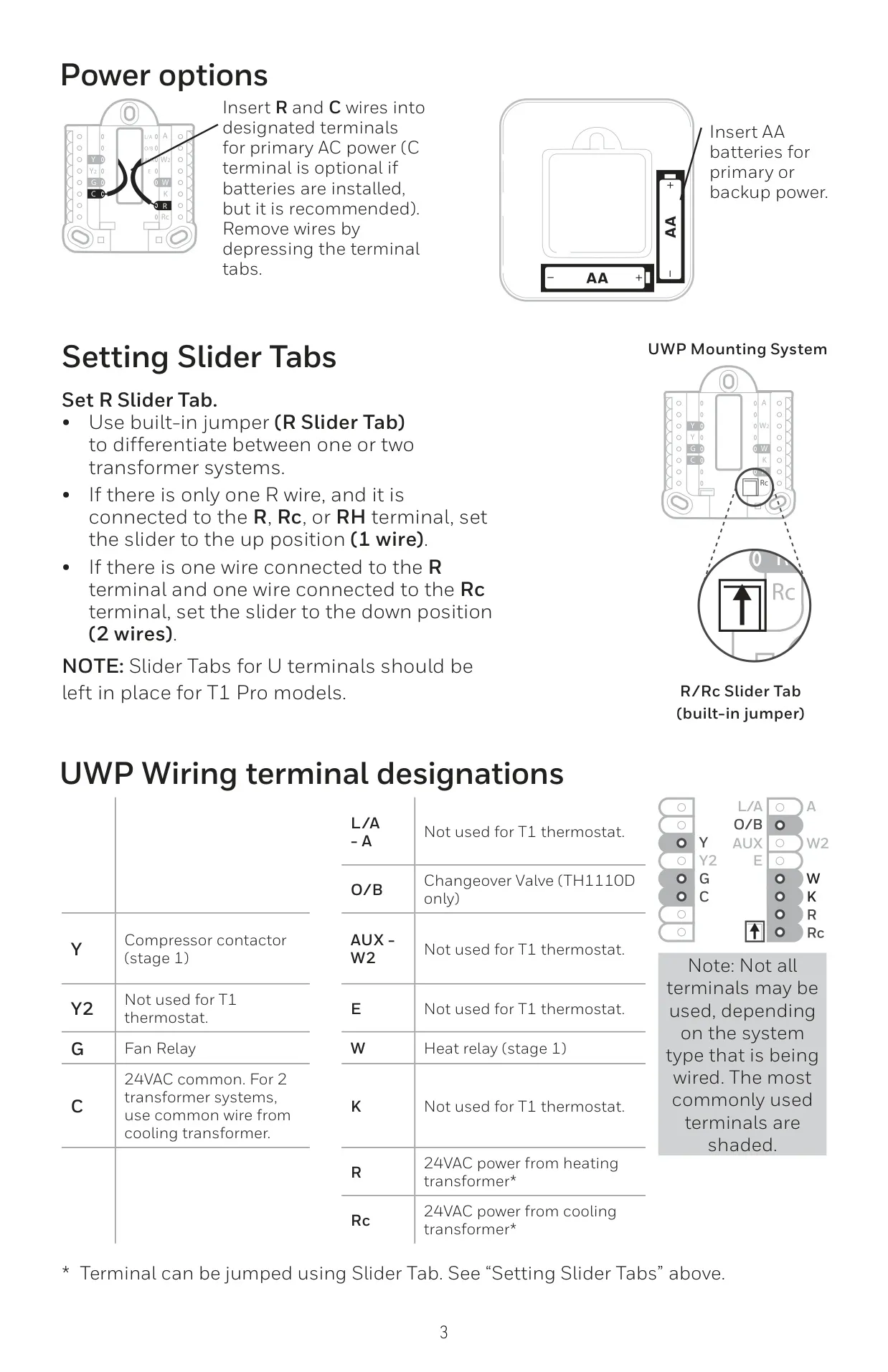
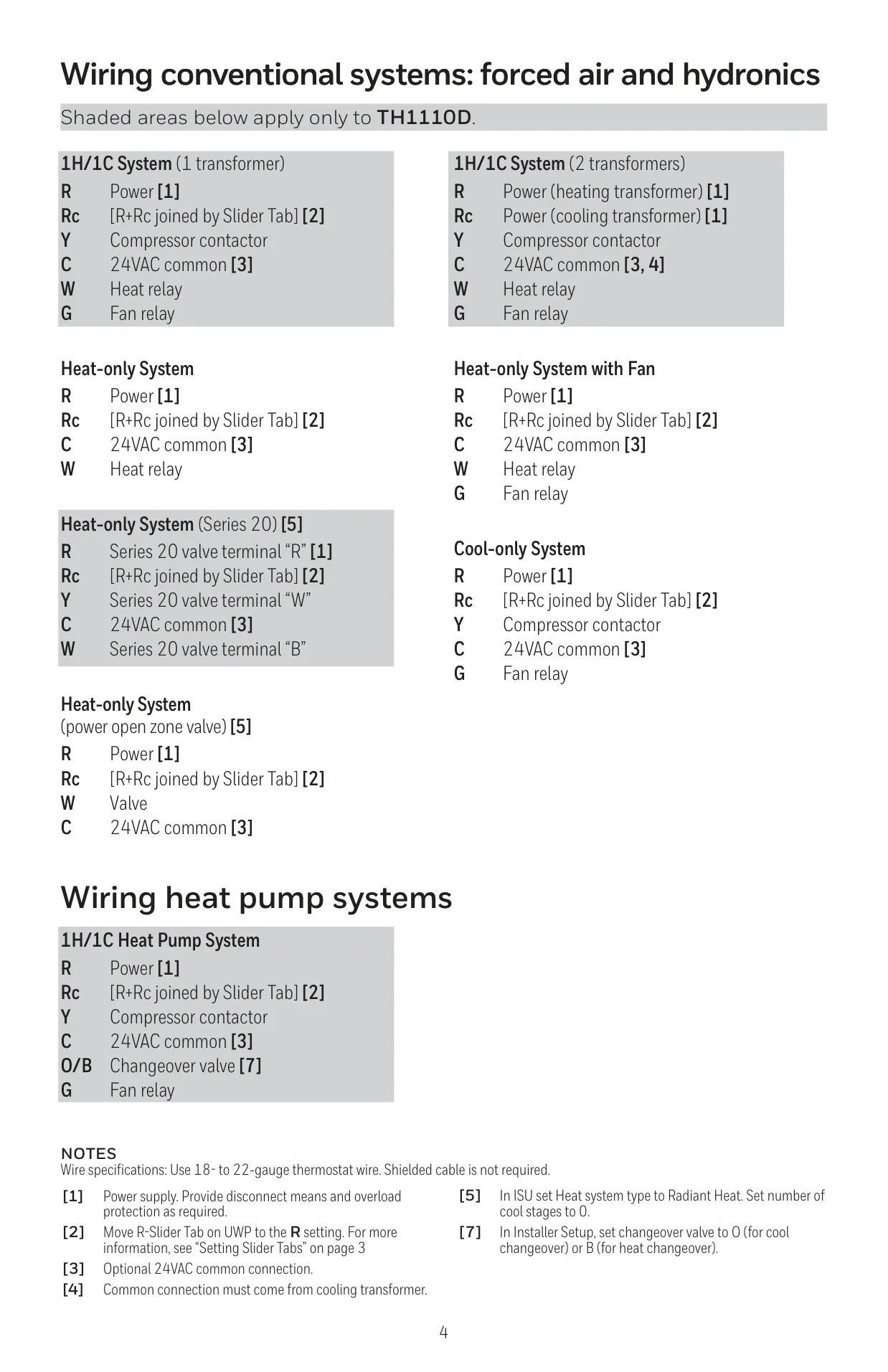
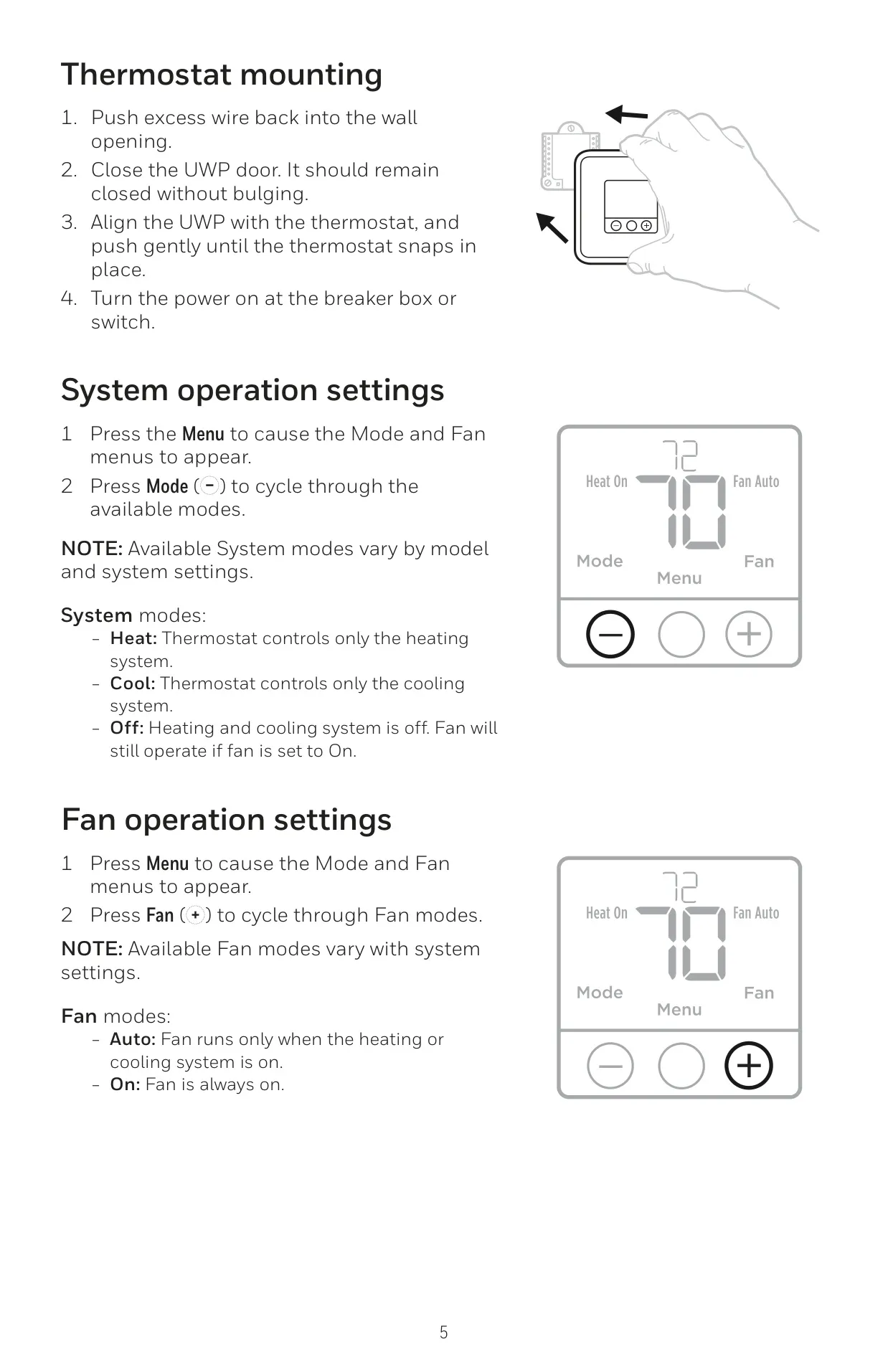
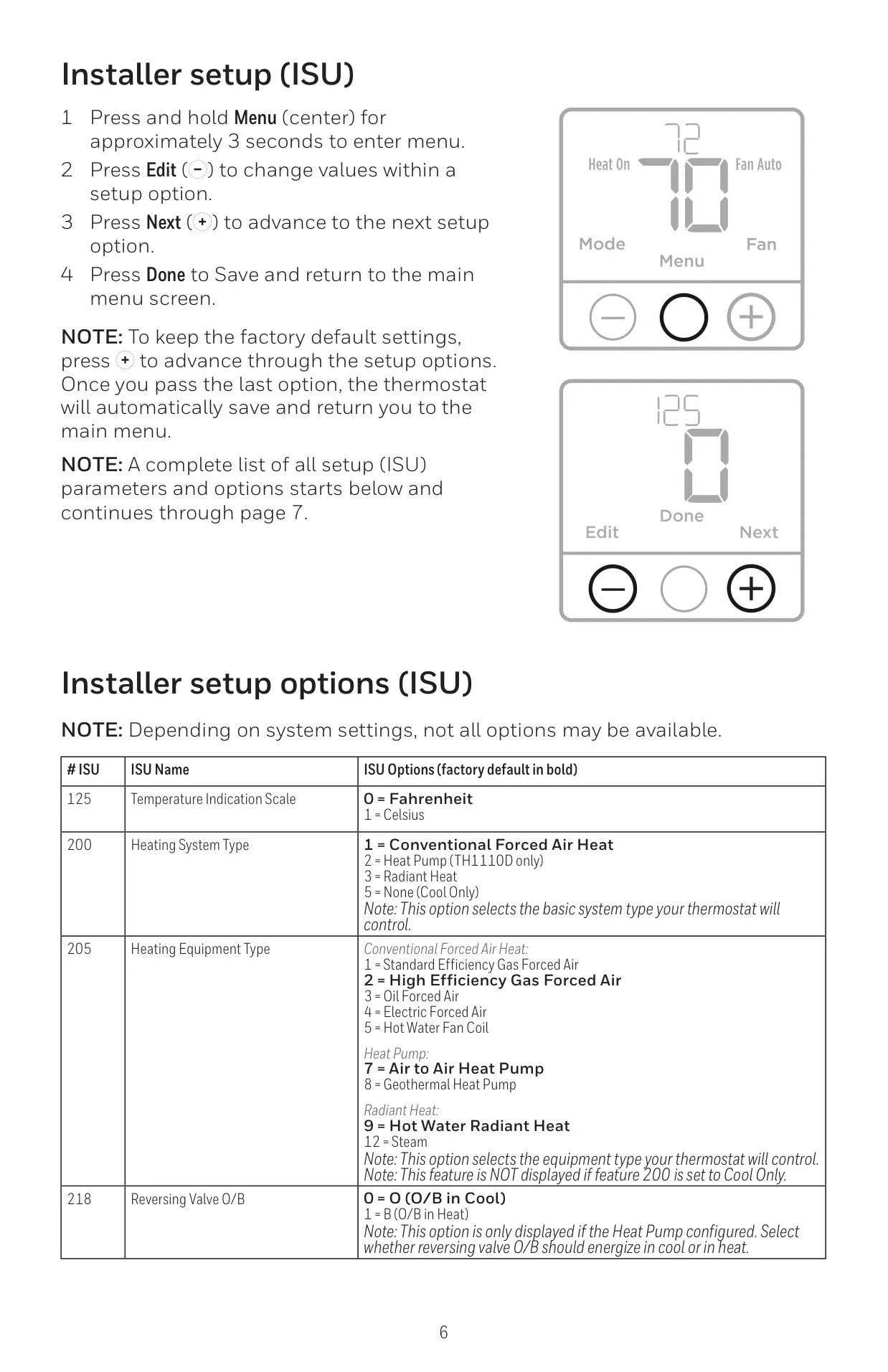
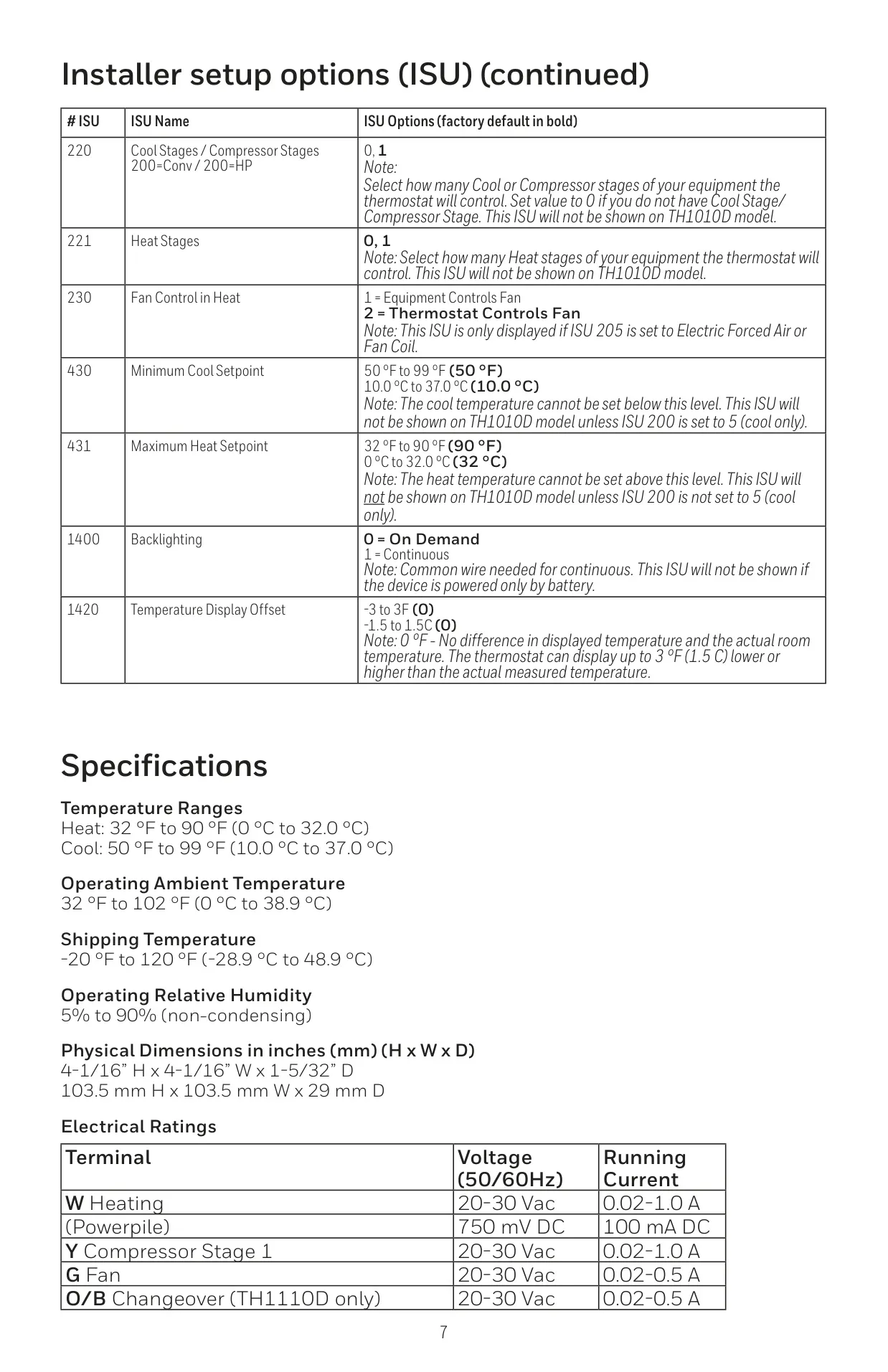
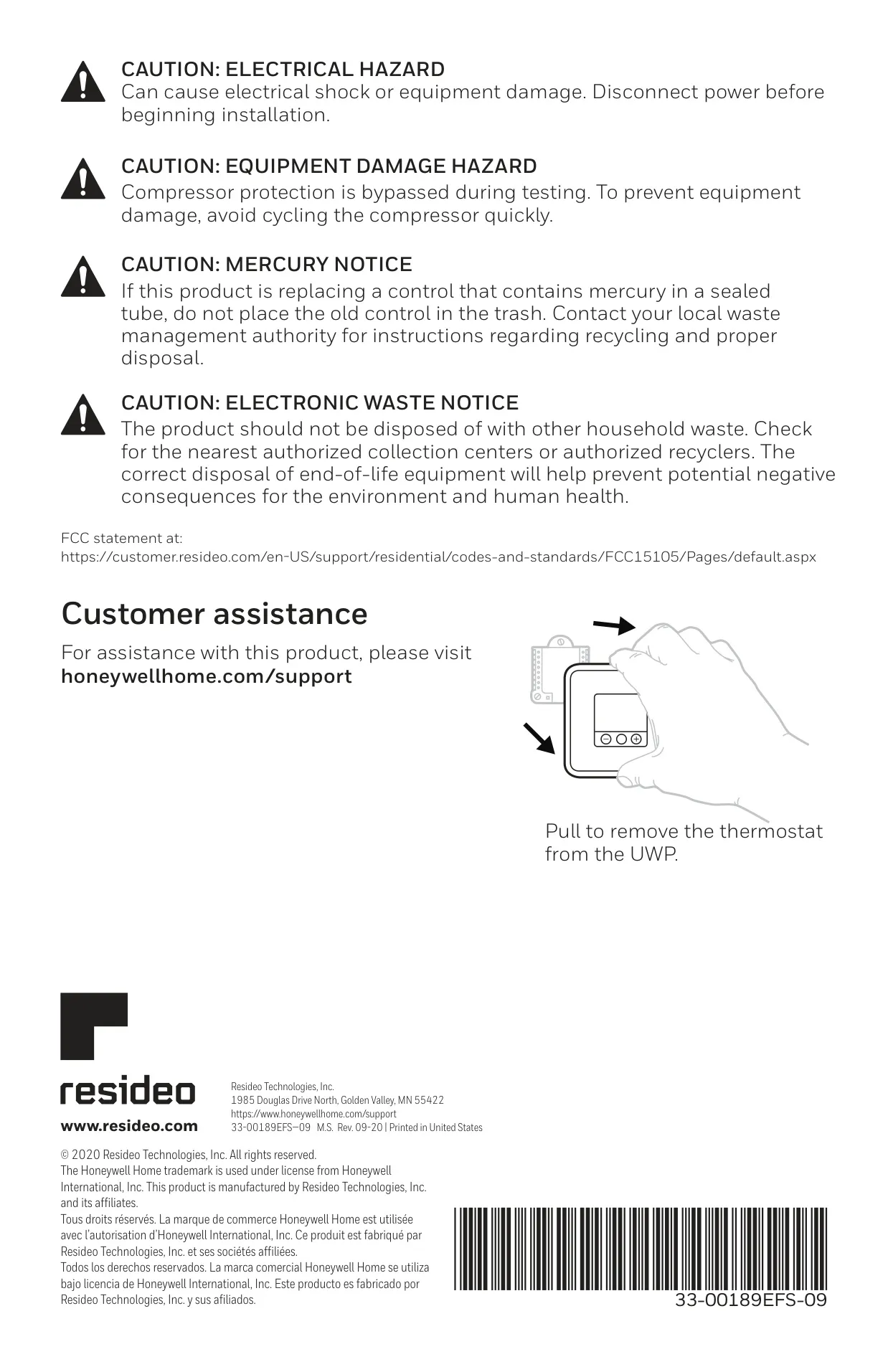
Honeywell TH1110D2009 T1 Pro Instructions
Here we offer the Honeywell TH1110D2009 T1 Pro Thermostat manual completely free and in English. We have cataloged this manual in the Thermostats section on Manualverse, and it has been rated by 1 users with an average rating of 5. If you have any specific questions about Honeywell TH1110D2009 T1 Pro Thermostat, we suggest checking the Frequently Asked Questions (FAQs) section of this manual.
Product Images
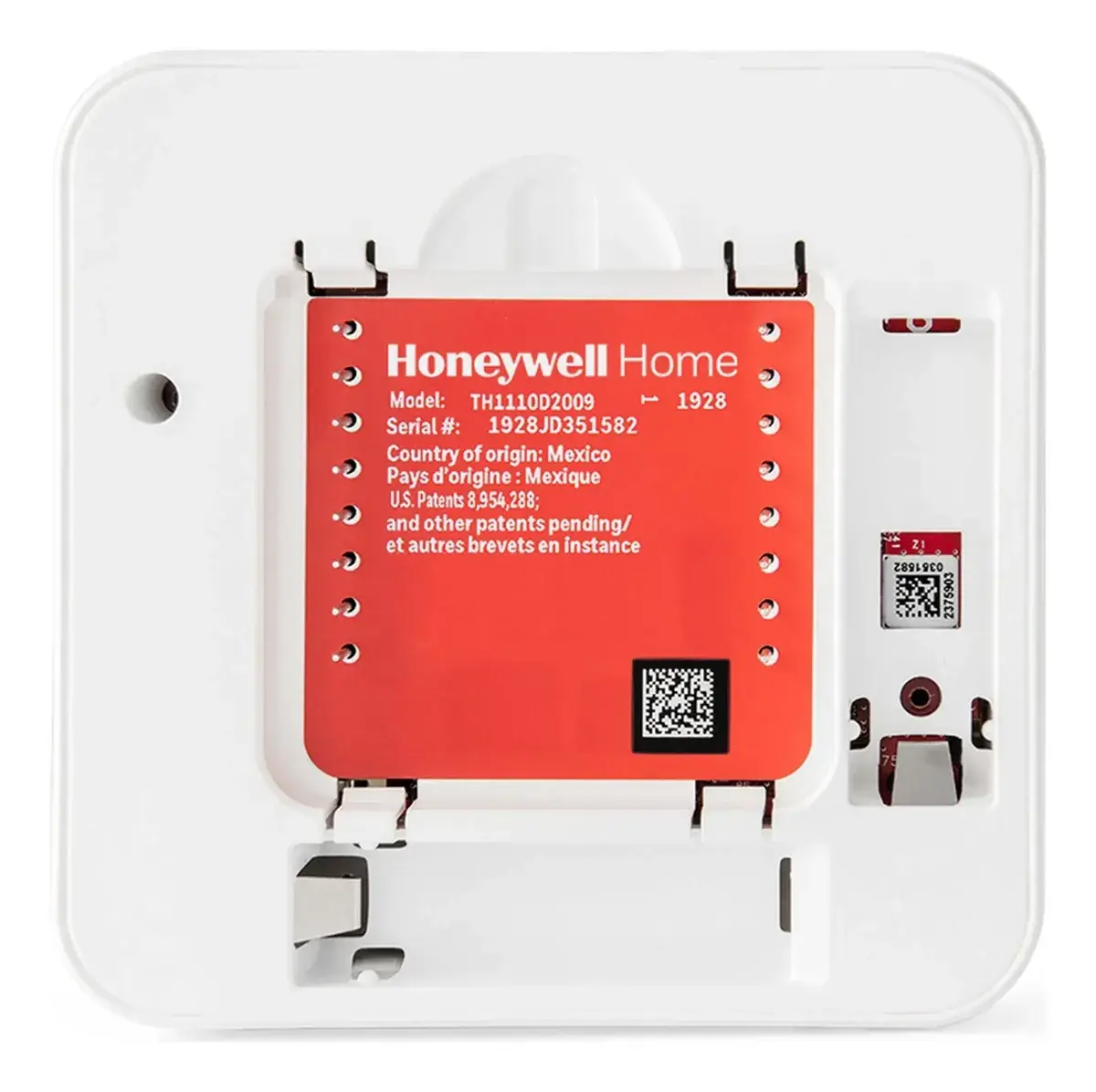
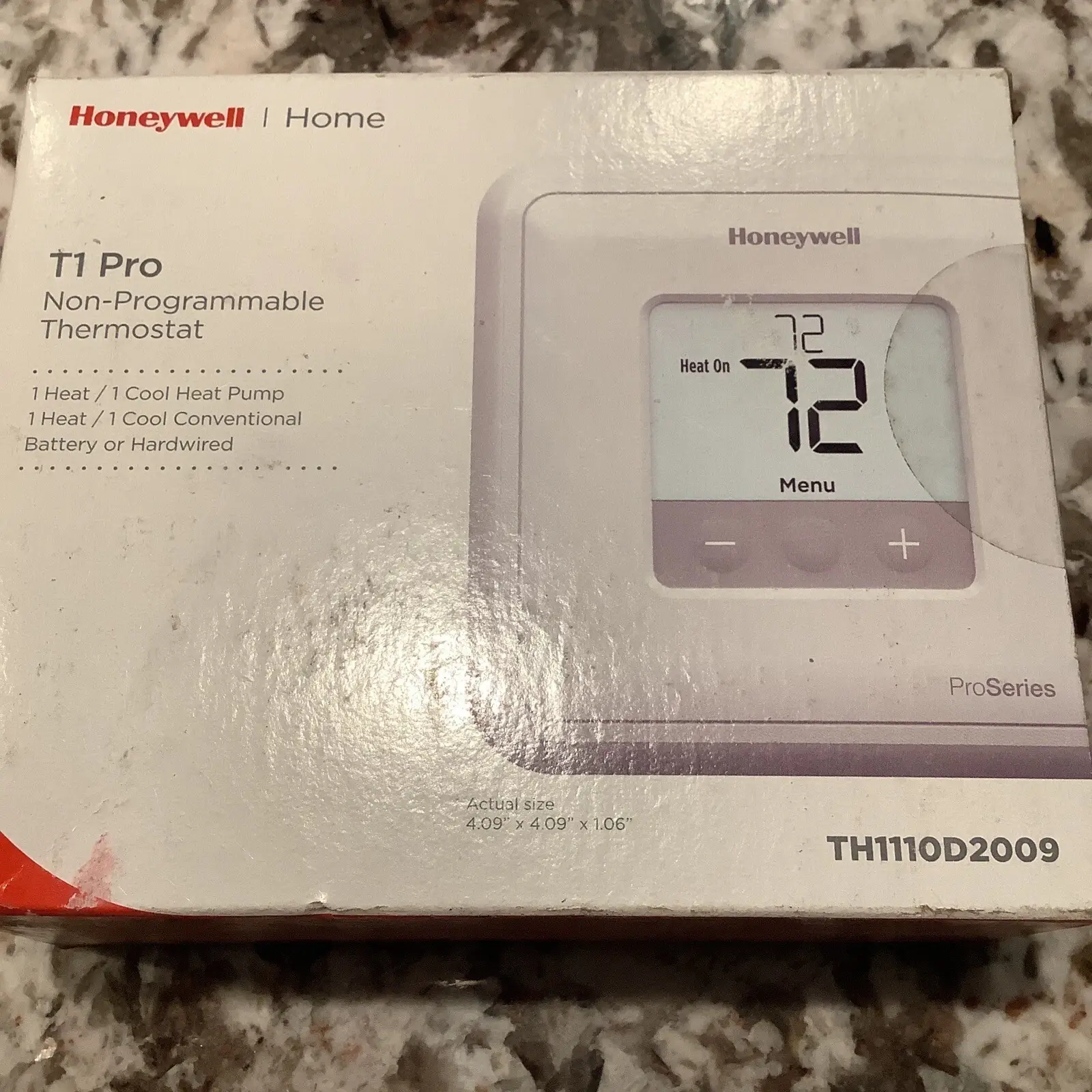
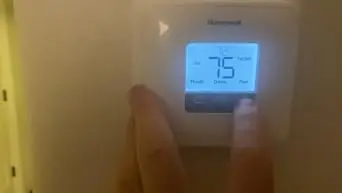
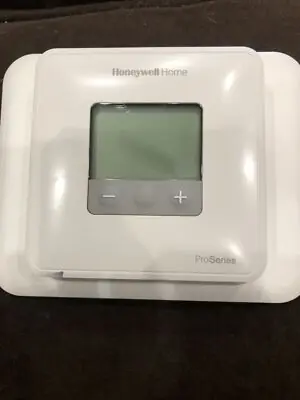
Honeywell TH1110D2009 T1 Pro Thermostat Specifications
| Feature | Specification |
|---|---|
| Product Model | TH1110D2009 T1 Pro Non-Programmable Thermostat |
| Package Contents | T1 Pro Thermostat, UWP™ Mounting System, Decorative Cover Plate, Screws and Anchors, 2 AA Batteries, Thermostat Literature |
| Heating Temperature Range | 32 °F to 90 °F (0 °C to 32.0 °C) |
| Cooling Temperature Range | 50 °F to 99 °F (10.0 °C to 37.0 °C) |
| Operating Ambient Temperature | 32 °F to 102 °F (0 °C to 38.9 °C) |
| Shipping Temperature | -20 °F to 120 °F (-28.9 °C to 48.9 °C) |
| Operating Relative Humidity | 5% to 90% (non-condensing) |
| Physical Dimensions (H x W x D) | 4-1/16” H x 4-1/16” W x 1-5/32” D (103.5 mm H x 103.5 mm W x 29 mm D) |
| Electrical Rating (W - Heating) | 20-30 Vac, 0.02-1.0 A |
| Electrical Rating (W - Powerpile) | 750 mV DC, 100 mA DC |
| Electrical Rating (Y - Compressor Stage 1) | 20-30 Vac, 0.02-1.0 A |
| Electrical Rating (G - Fan) | 20-30 Vac, 0.02-0.5 A |
| Electrical Rating (O/B - Changeover) | 20-30 Vac, 0.02-0.5 A (TH1110D only) |
| Wire Specifications | 18- to 22-gauge thermostat wire (shielded cable not required) |
| Power Options | 24VAC (with C-wire) or 2 AA Alkaline Batteries (required if no AC power) |
Honeywell TH1110D2009 T1 Pro Details
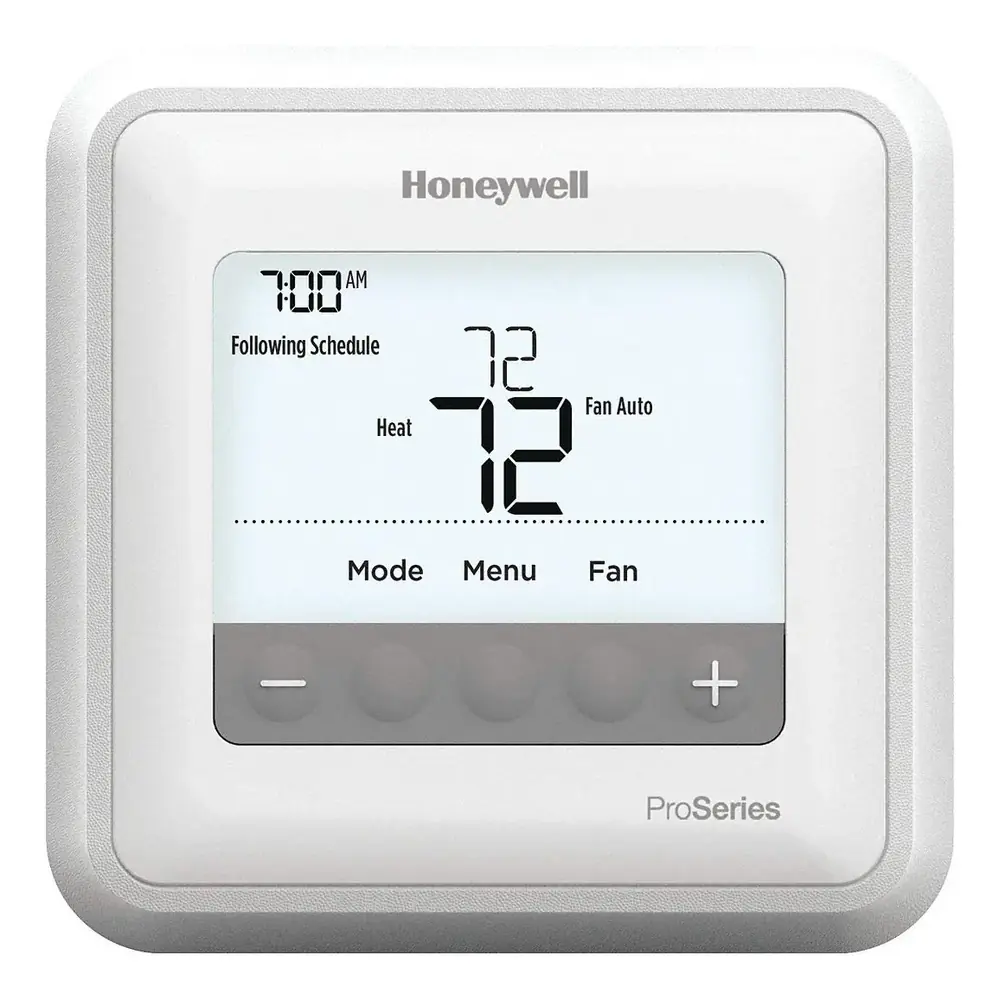
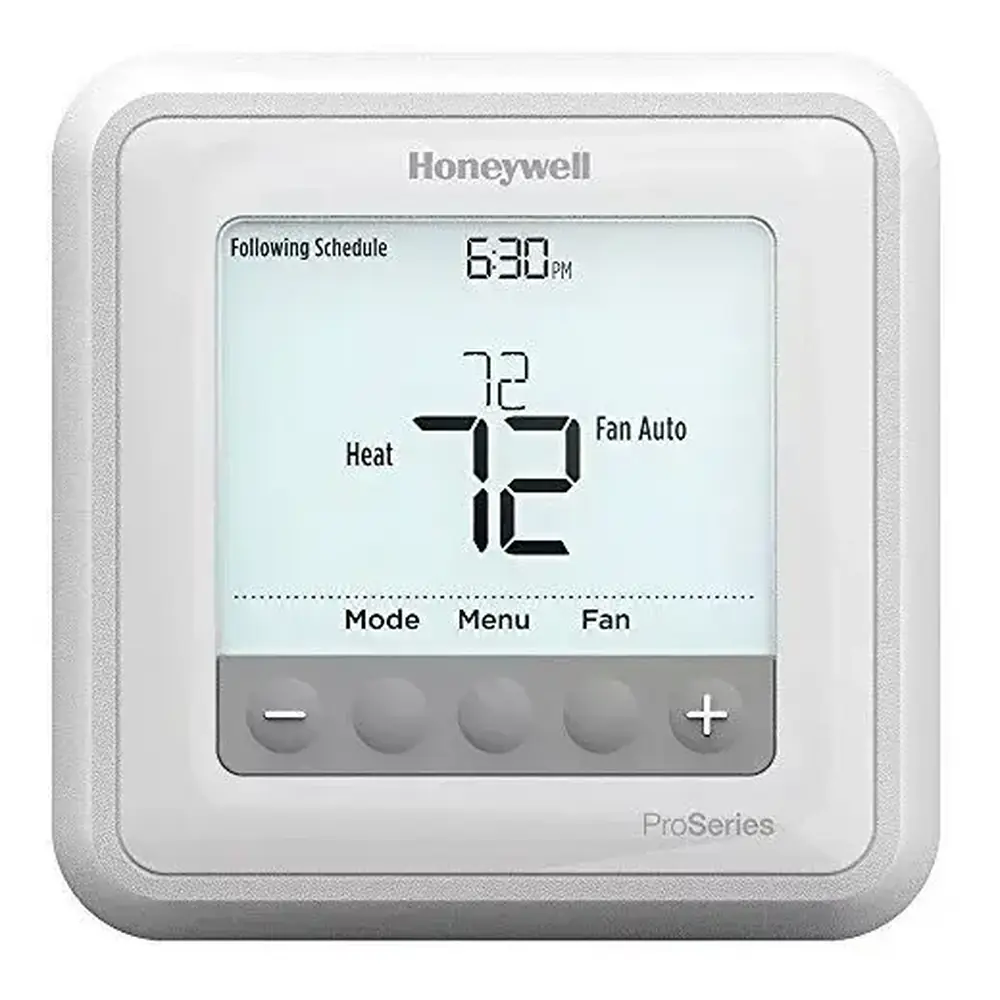
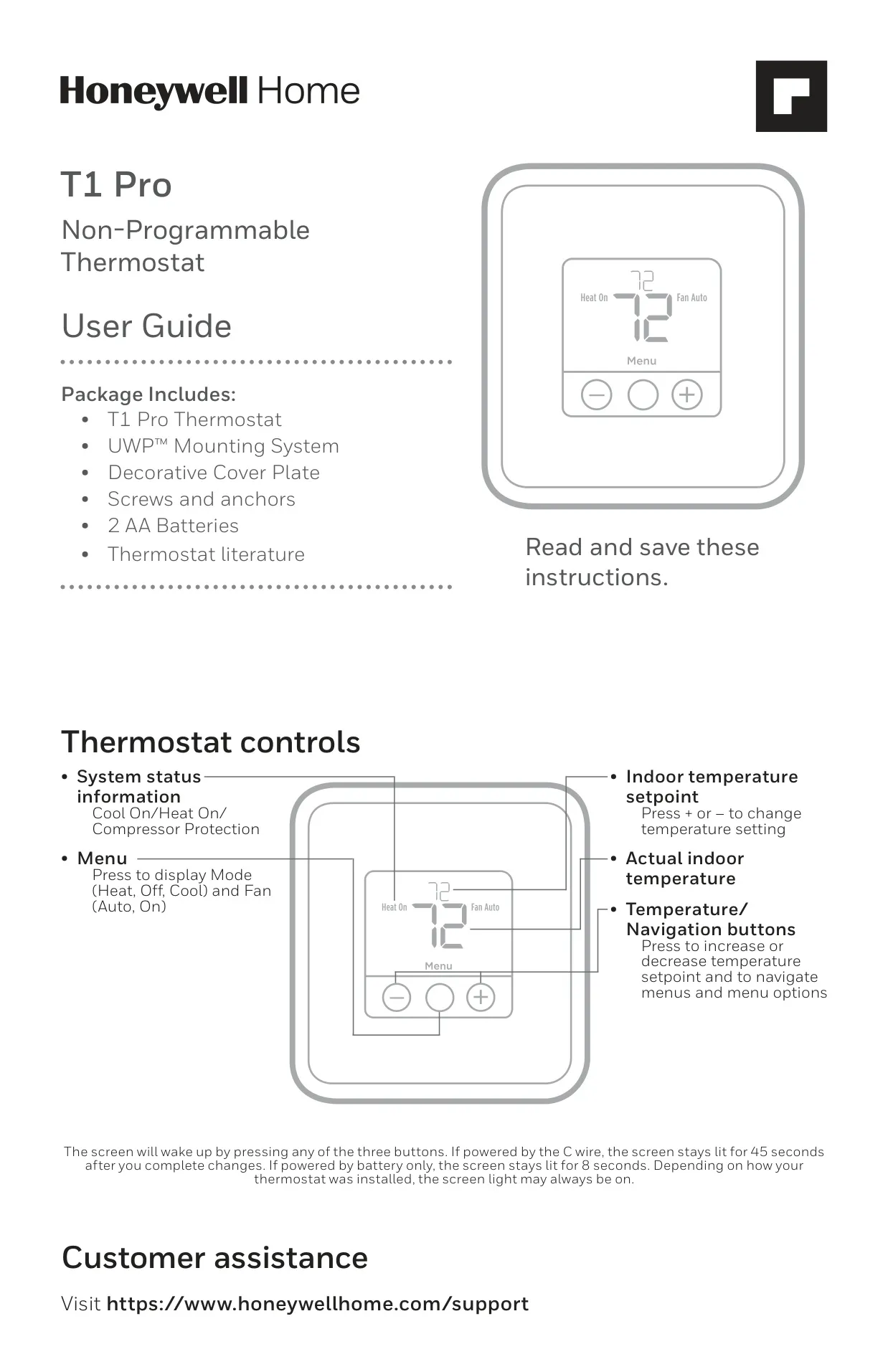
The Honeywell TH1110D2009 T1 Pro is a non-programmable thermostat designed for straightforward temperature control, prioritizing ease of use over complex scheduling. Its user interface is streamlined with three main buttons: Menu, and plus/minus controls for temperature adjustment and navigation. Pressing any button wakes the screen, which remains lit for 45 seconds if powered by a C-wire, or 8 seconds on battery power, enhancing visibility.
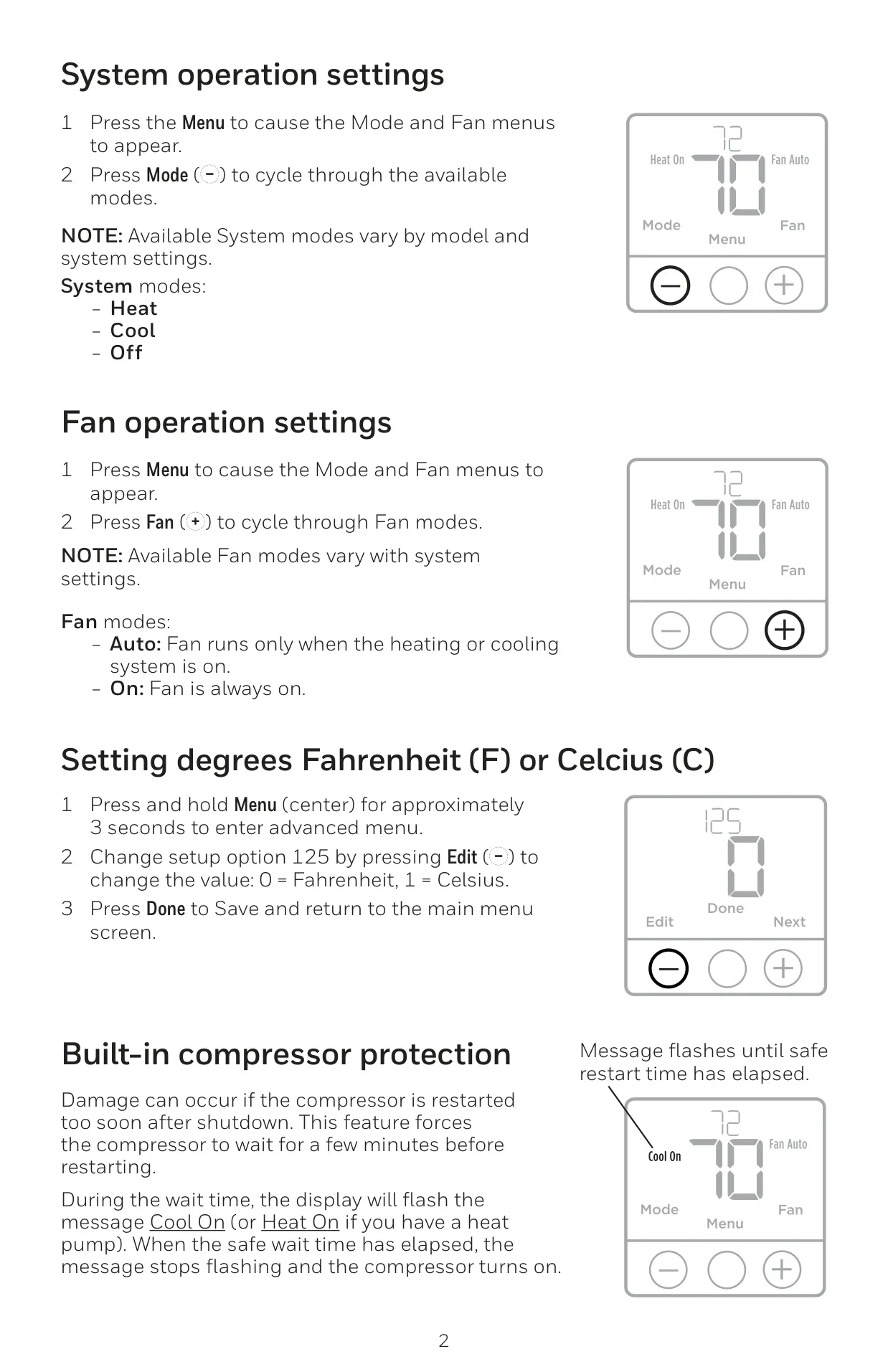
This thermostat provides essential system operation settings, allowing users to cycle through Heat, Cool, and Off modes via the Menu button. Similarly, fan operation can be set to Auto, where the fan runs only with the heating or cooling system, or On, for continuous airflow. This flexibility caters to different comfort preferences and energy-saving strategies.
A notable feature is its built-in compressor protection, which prevents damage from rapid cycling. During this protective delay, the display will flash "Cool On" or "Heat On," indicating that the compressor is waiting a few minutes before safely restarting. This helps to extend the lifespan of your HVAC equipment.
For convenience, the thermostat supports both Fahrenheit (°F) and Celsius (°C) temperature scales, easily adjustable through a simple setting in the advanced menu. This adaptability makes it suitable for a wider range of users, regardless of their preferred unit of measurement. It’s an essential detail for global usability.
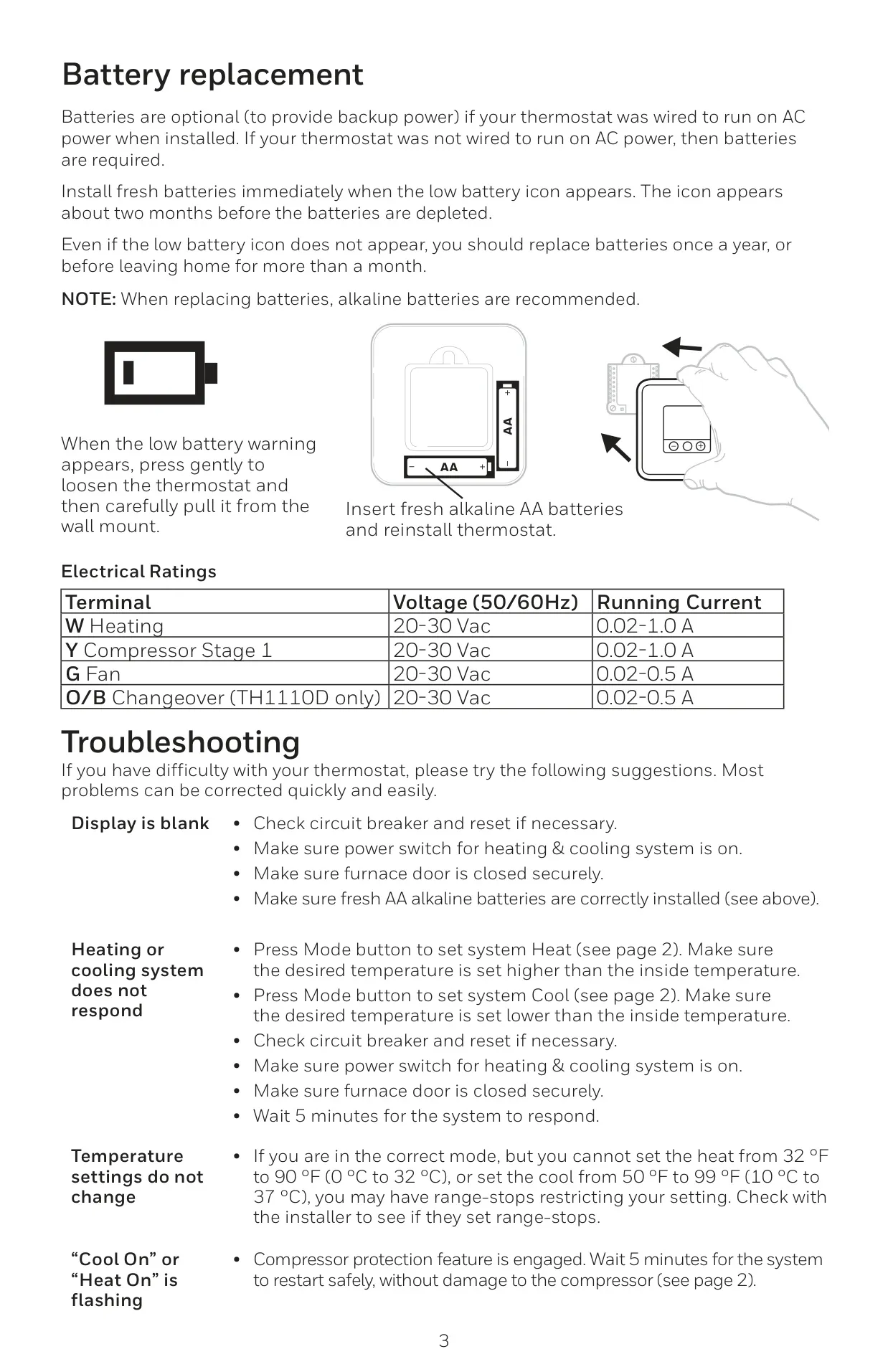
Power management offers flexibility; while a C-wire provides primary AC power and continuous backlighting (if configured), two AA alkaline batteries can be used for backup or as the sole power source if no C-wire is present. Users are prompted by a low battery icon approximately two months before depletion, with annual replacement recommended for optimal performance, even without a warning.
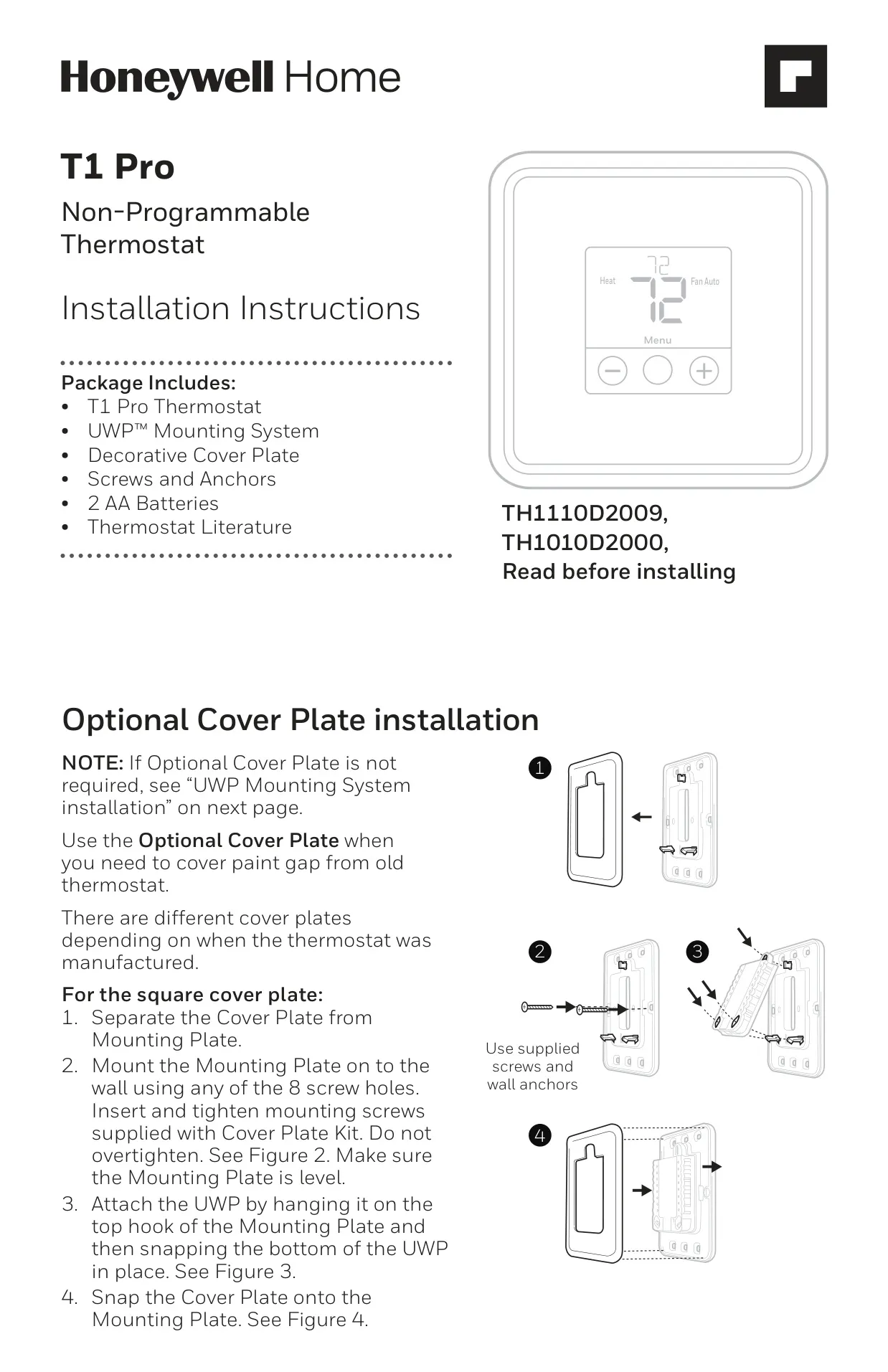
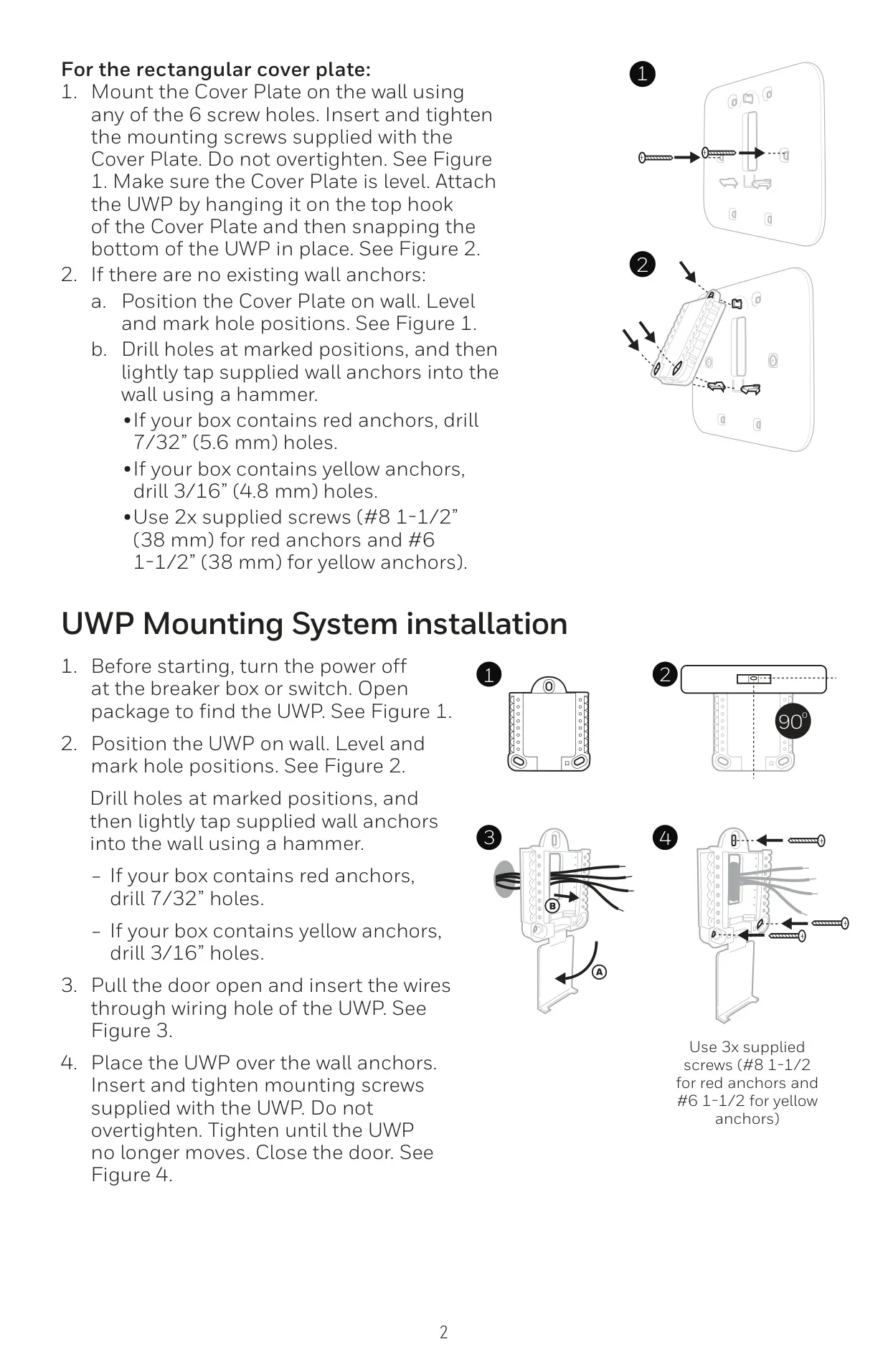
Installation is simplified with the UWP™ Mounting System and an optional decorative cover plate, which is useful for concealing any paint gaps or marks left by a previous thermostat. The UWP also features an R Slider Tab to easily configure the thermostat for one- or two-transformer systems, ensuring broad compatibility with various conventional and heat pump systems.
The Installer Setup (ISU) menu provides comprehensive configuration options, including defining the heating system type (e.g., conventional forced air, heat pump, radiant heat) and equipment type (e.g., high-efficiency gas, electric, hot water fan coil). It also allows for setting minimum and maximum temperature setpoints, backlighting behavior, and even a temperature display offset, providing installers with granular control to optimize system performance.
Troubleshooting is straightforward, addressing common issues like a blank display (checking power, batteries, and furnace door), unresponsive heating or cooling systems (verifying mode, temperature settings, and power), and unchangeable temperature settings (potentially due to installer-set range-stops). The flashing "Cool On" or "Heat On" message is explicitly explained as compressor protection, guiding users to simply wait for the system to restart safely.
Frequently Asked Questions (FAQs)
Can't find the answer you need? Here are some frequently asked questions about the Honeywell TH1110D2009 T1 Thermostat, and we answer them below.