Honeywell RCHT9610WFW2004 T9 Thermostat Instruction Manual

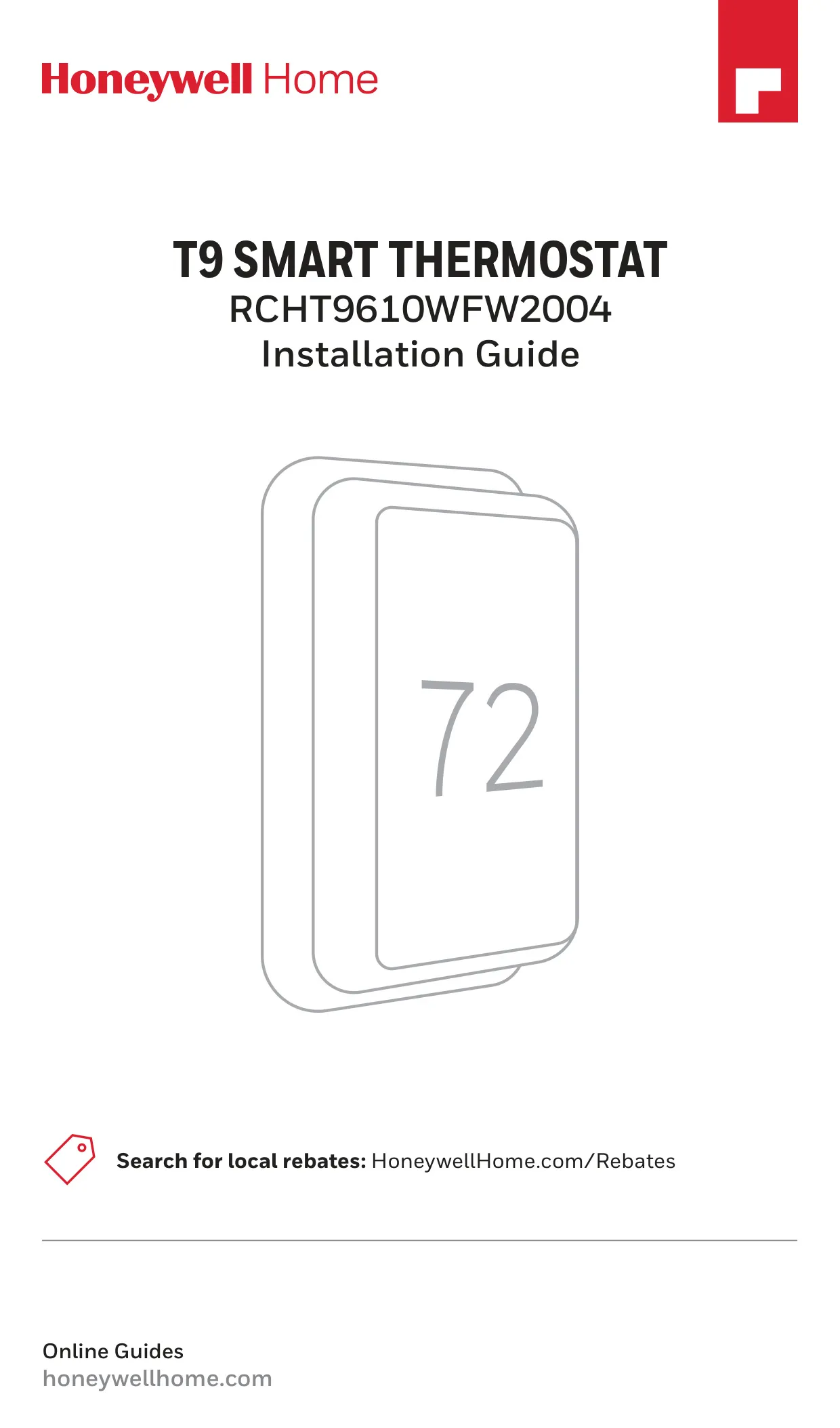
Honeywell RCHT9610WFW2004 T9 Thermostat








Honeywell RCHT9610WFW2004 T9 Thermostat

Honeywell RCHT9610WFW2004 T9 Thermostat
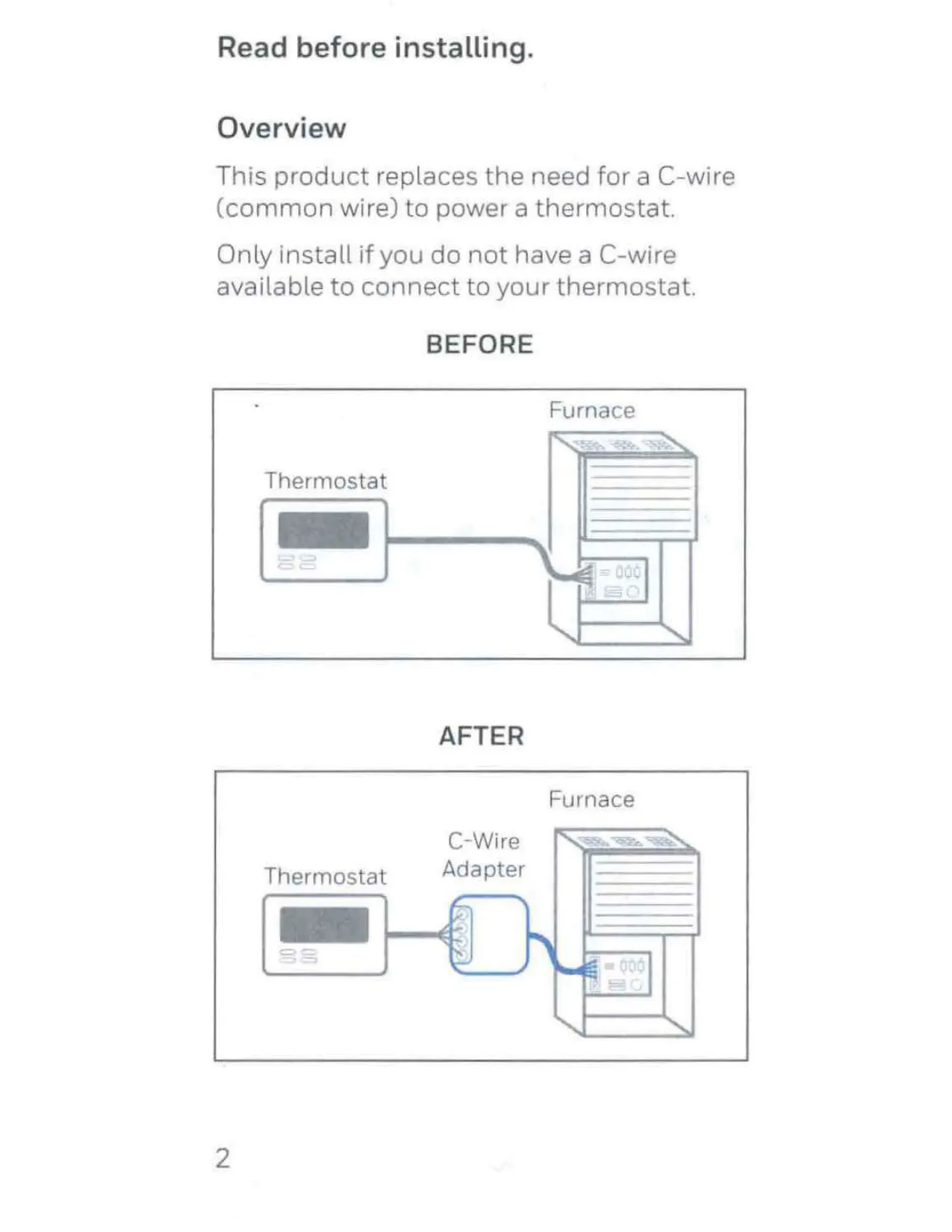
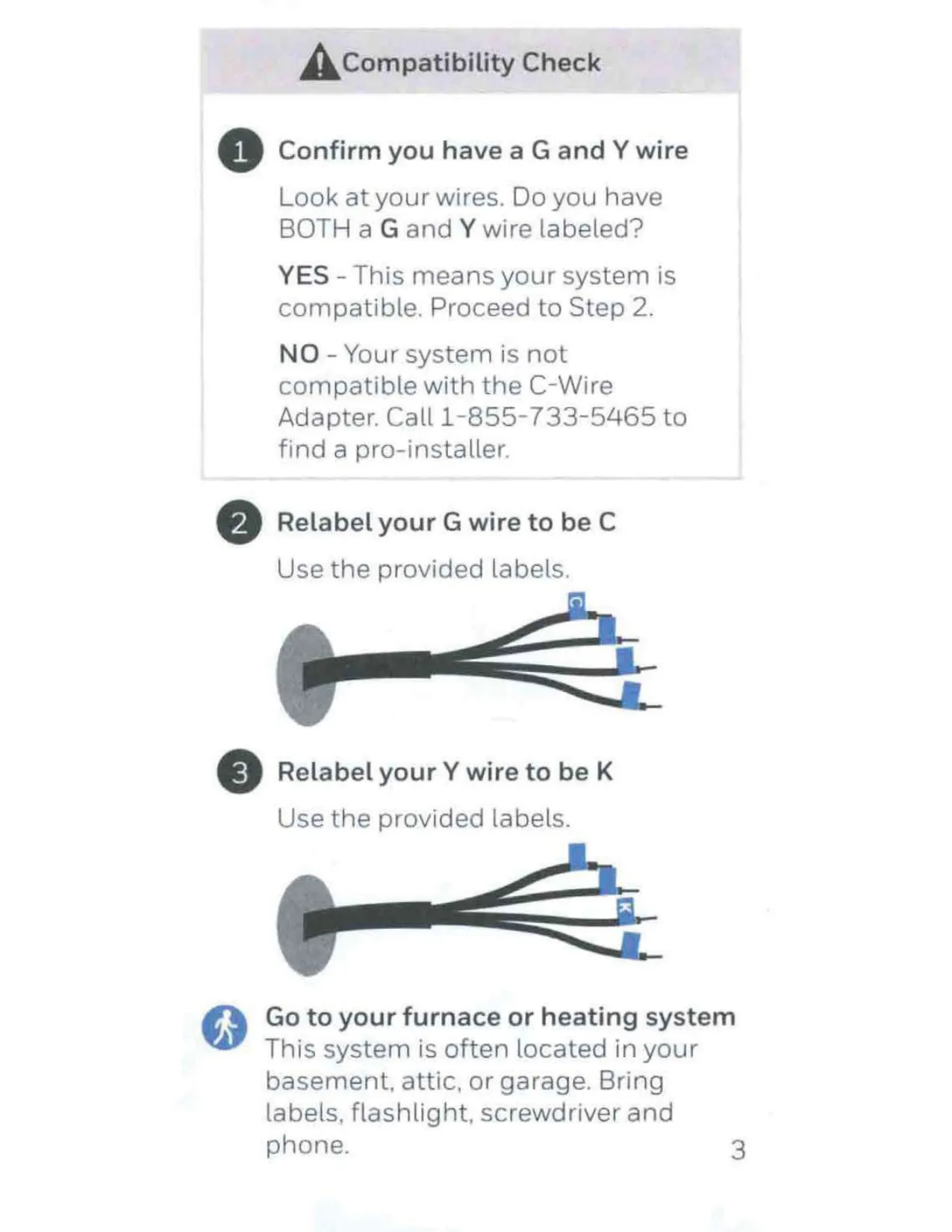
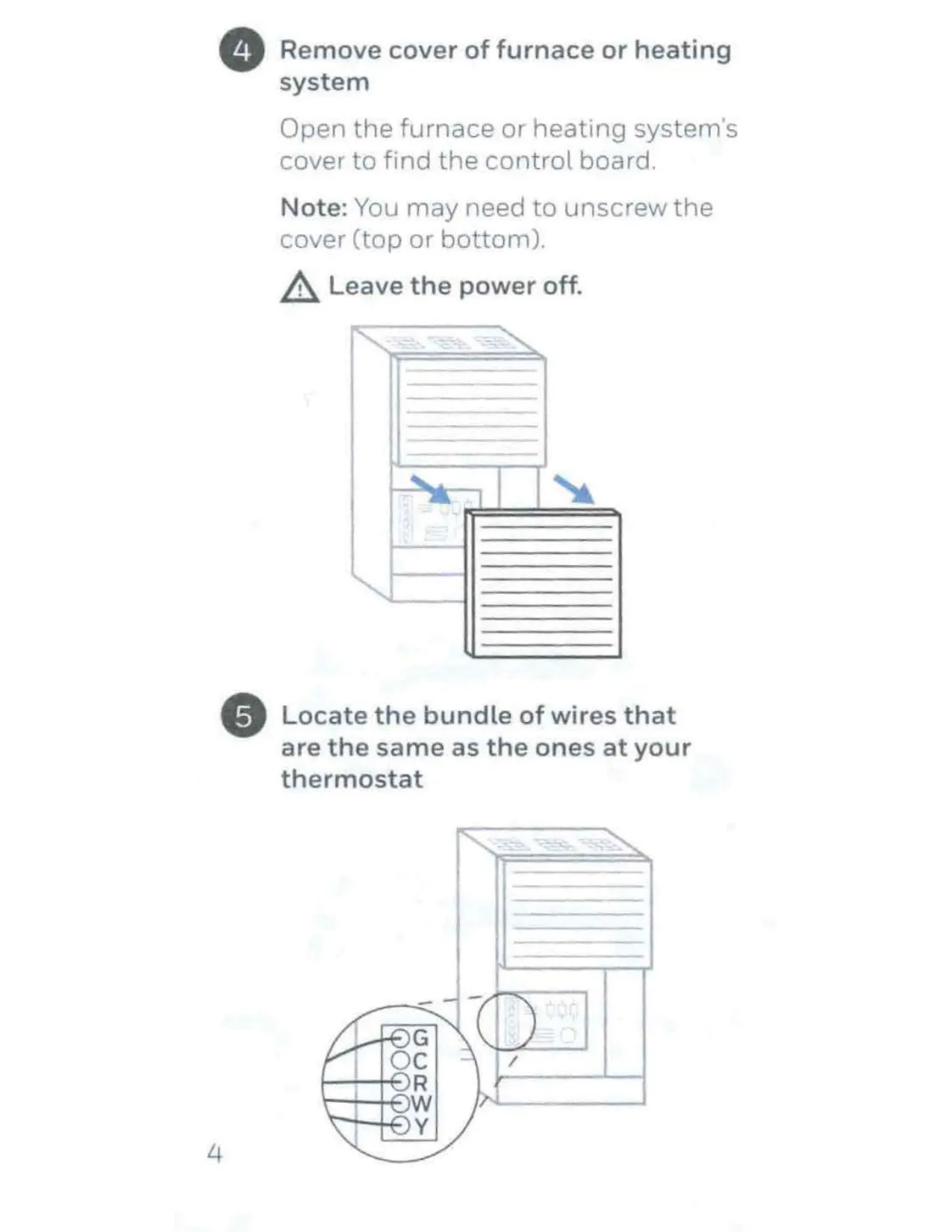
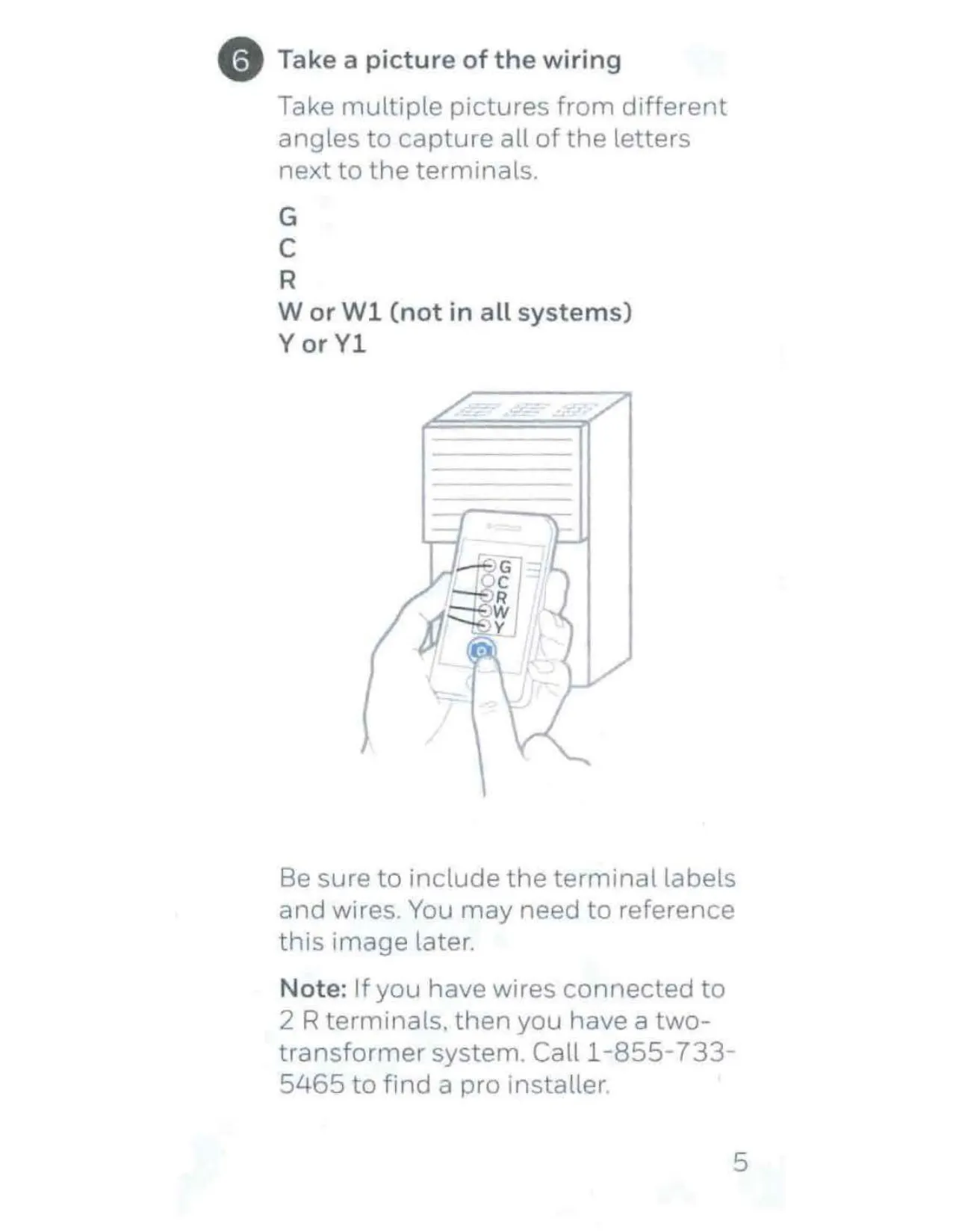
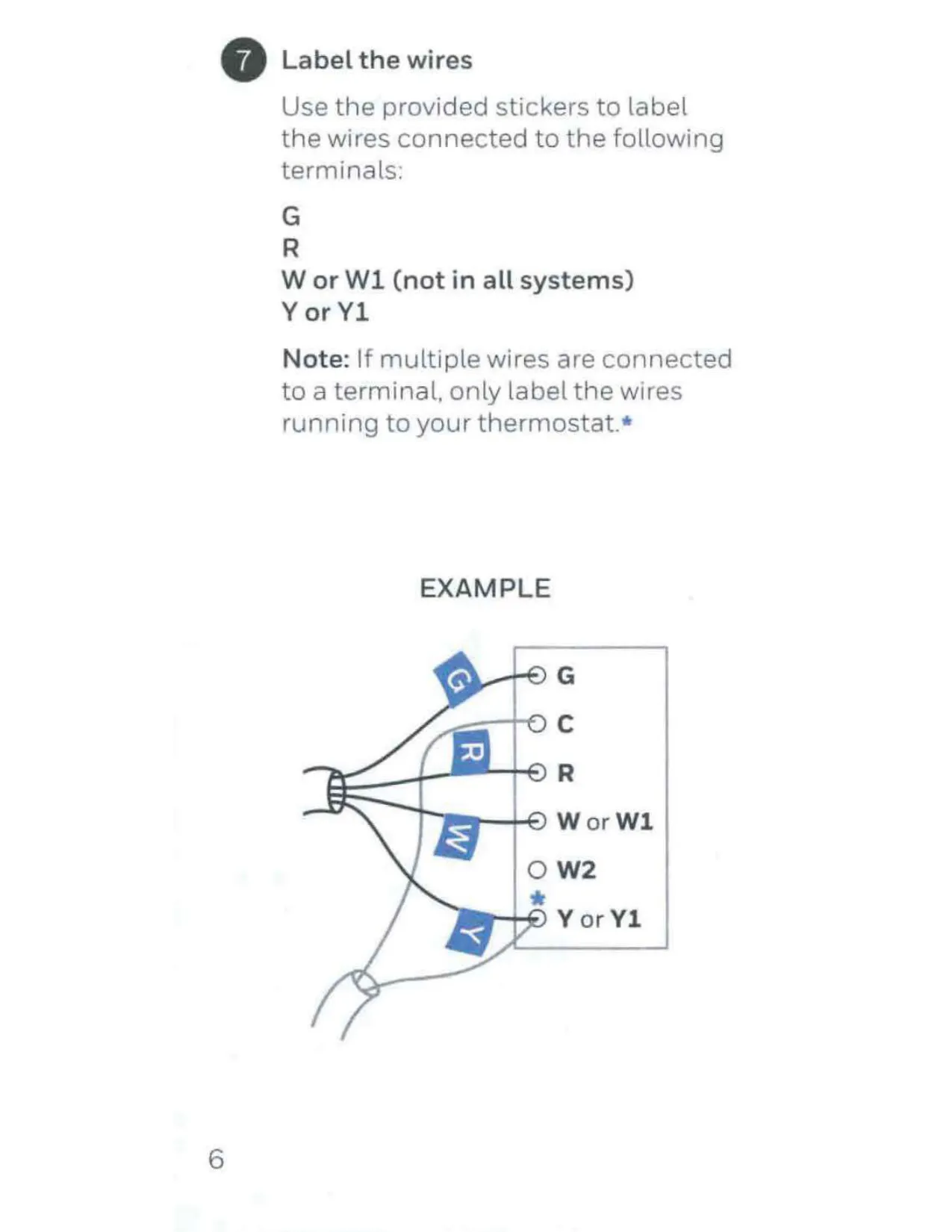
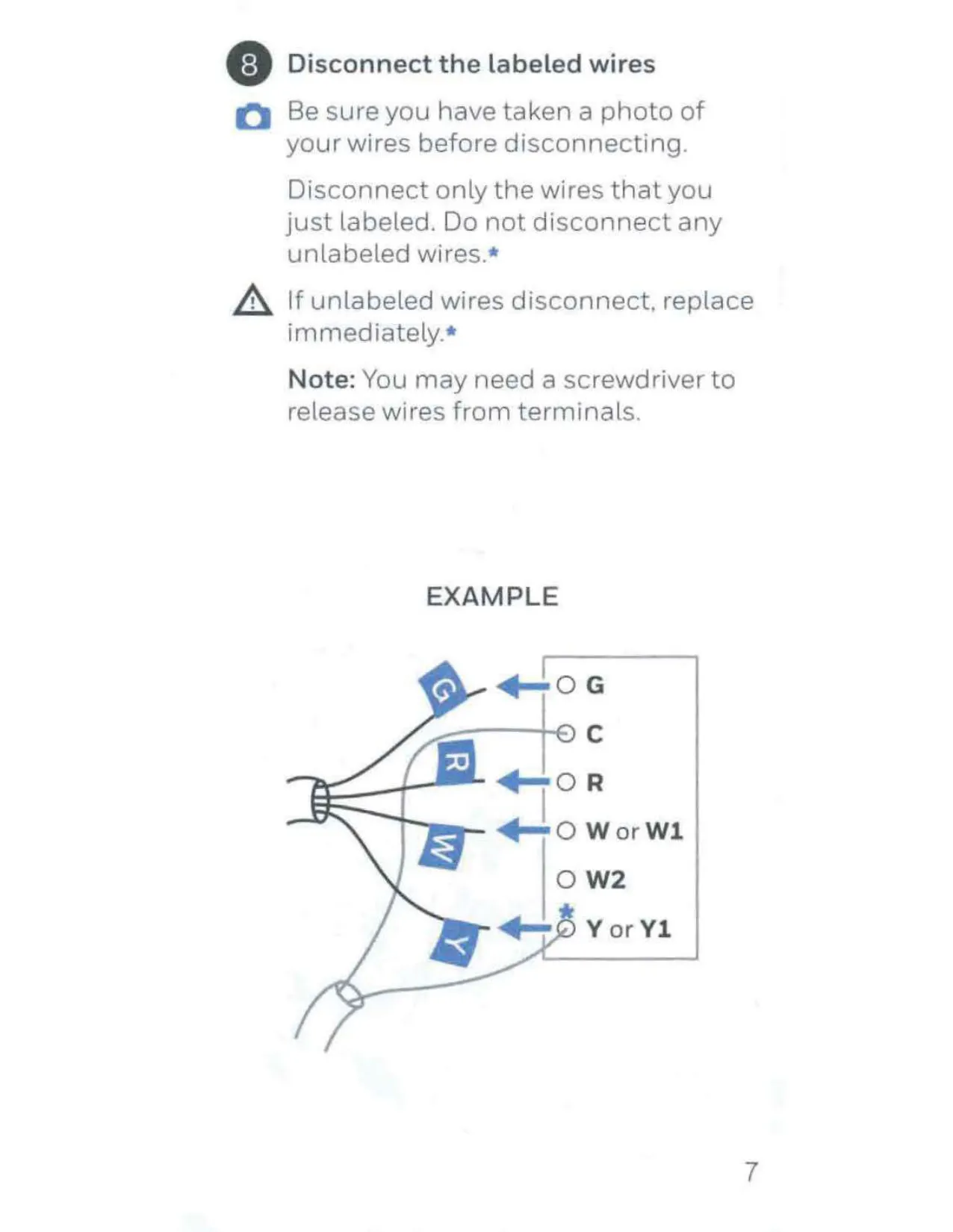
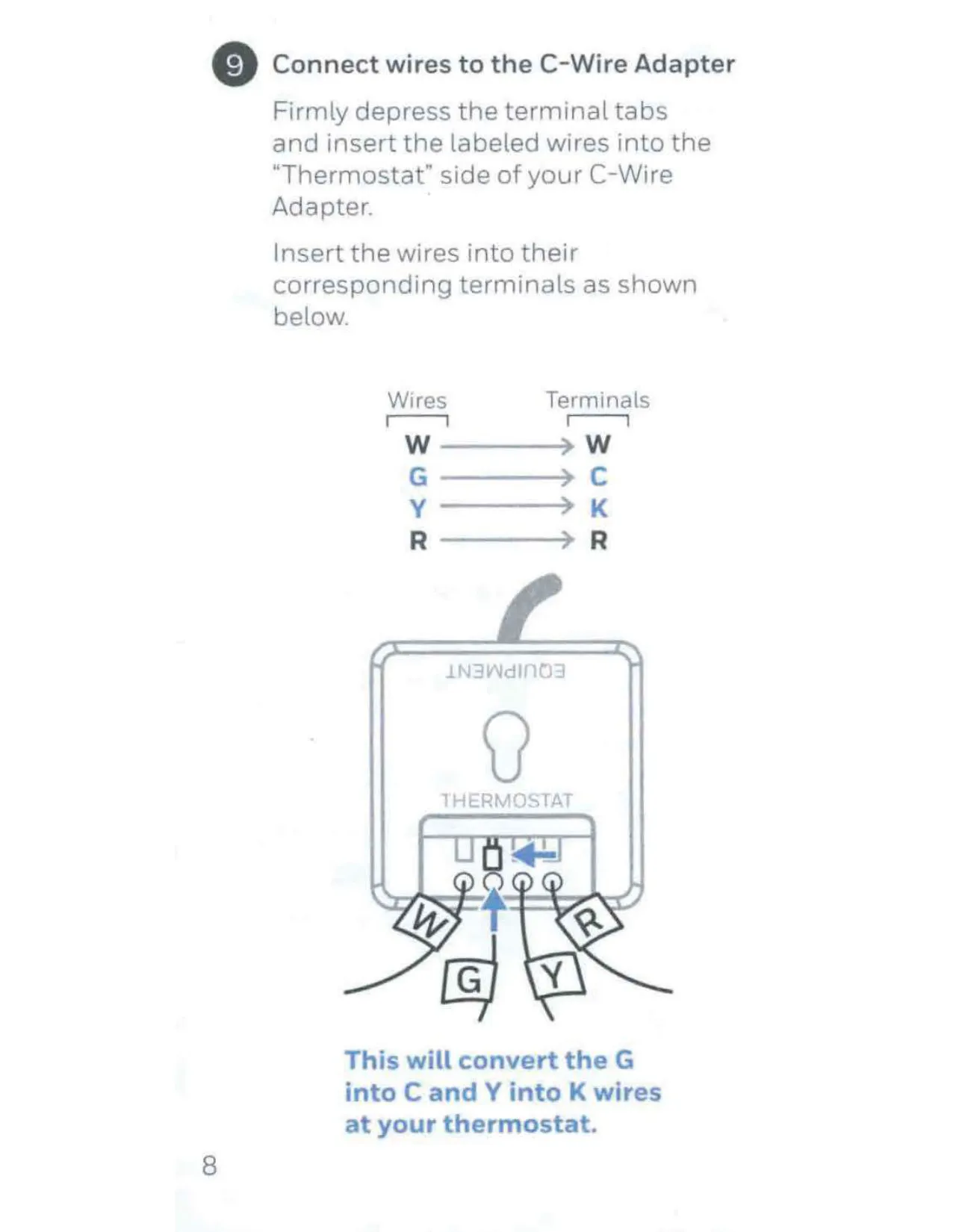
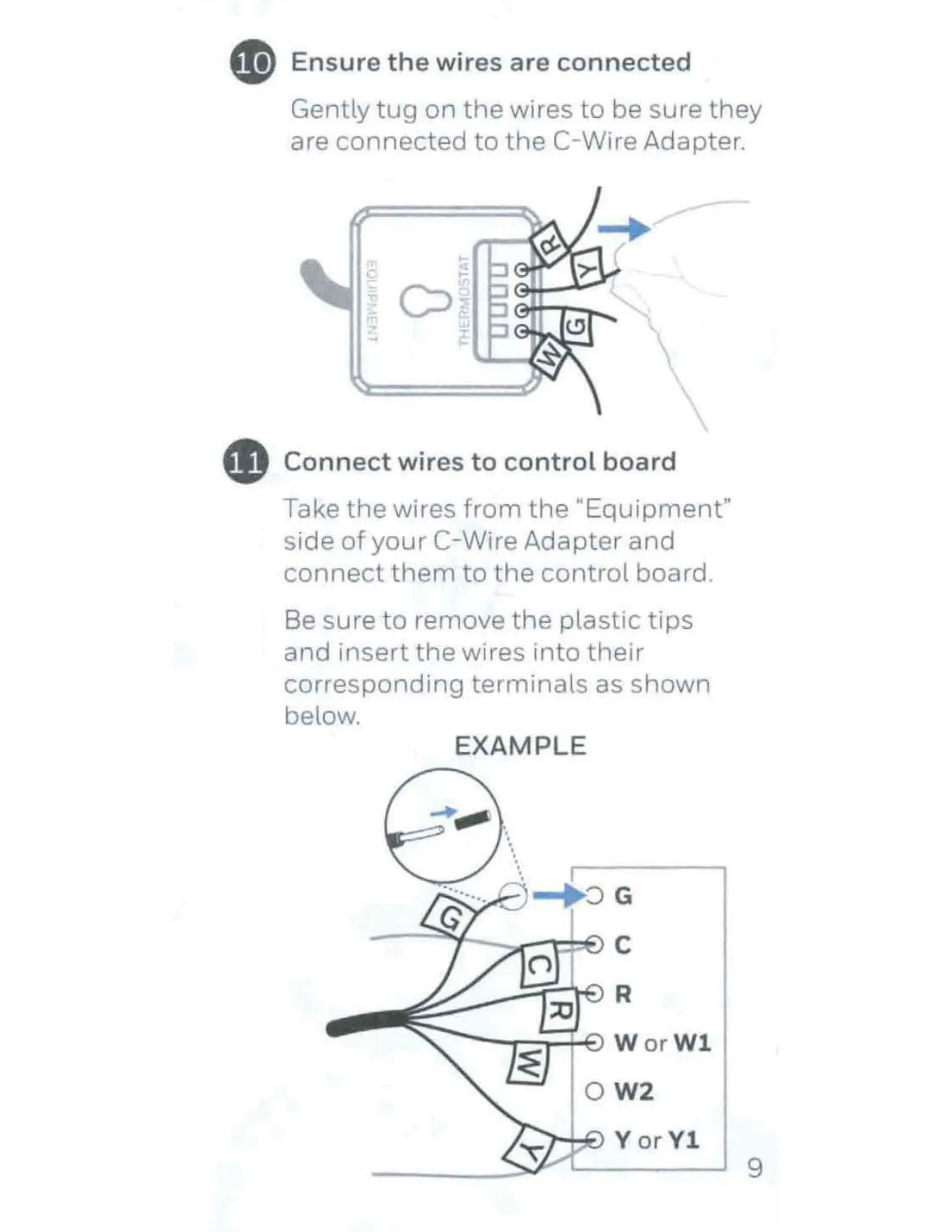
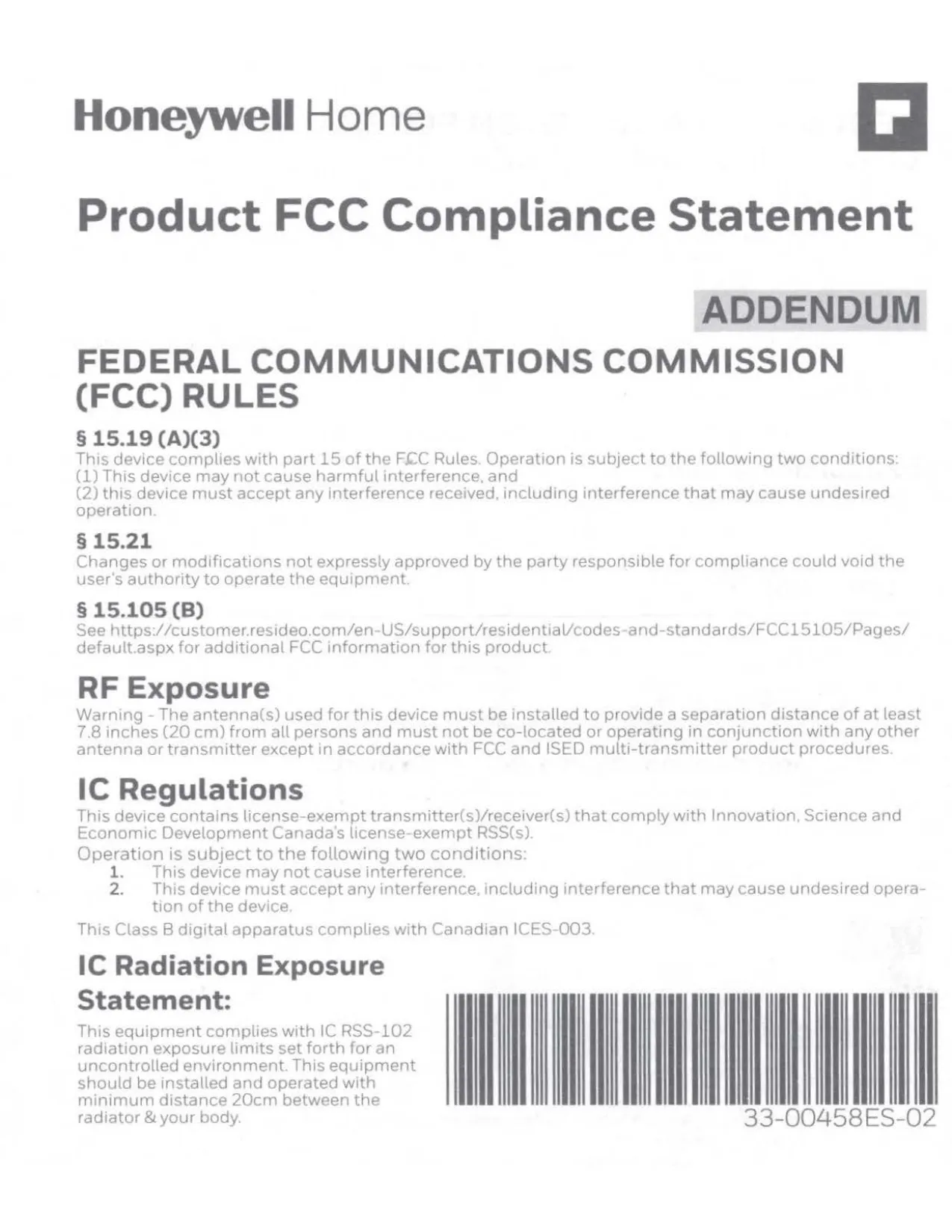
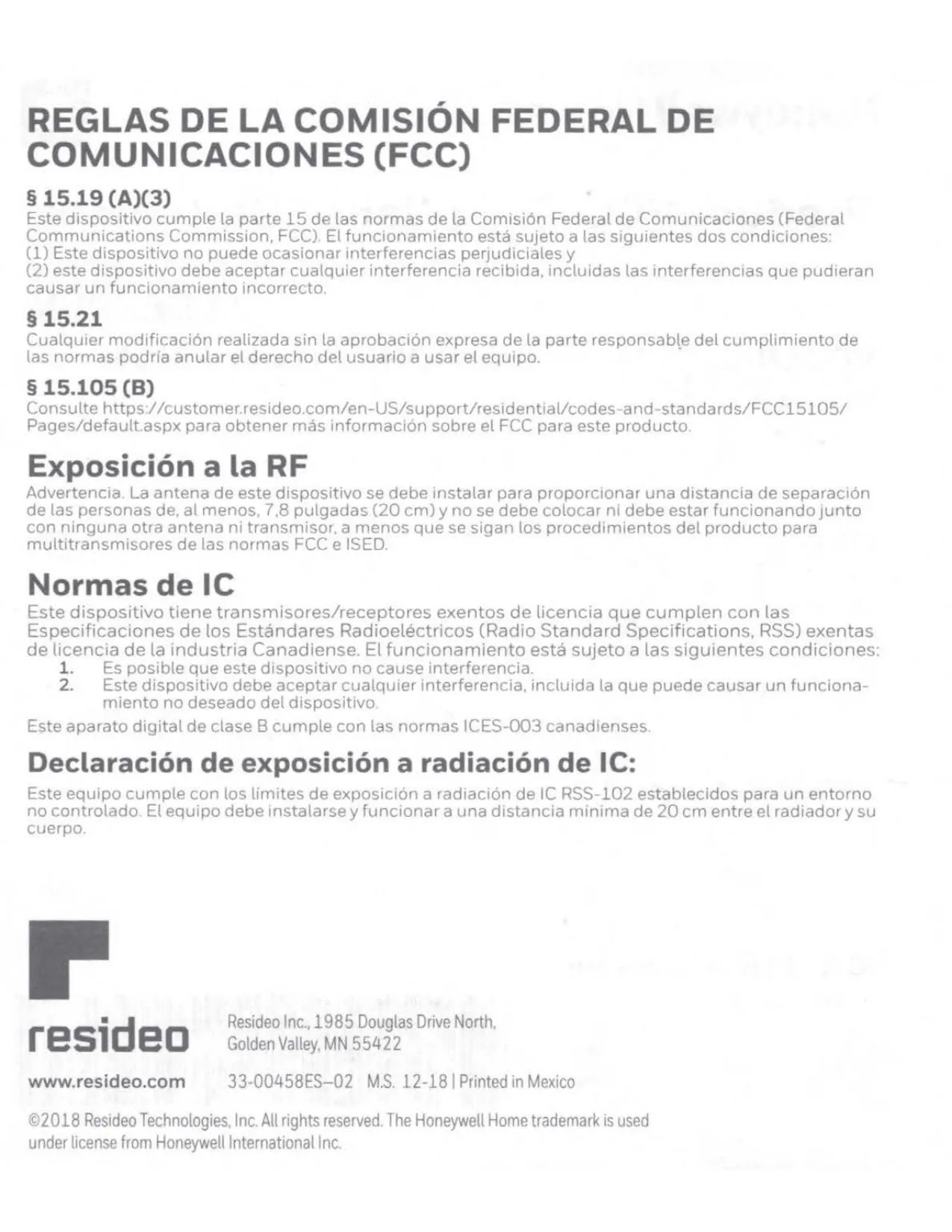
Honeywell RCHT9610wfw2004 Instructions
Here we offer the Honeywell RCHT9610WFW2004 T9 Thermostat manual completely free and in English. We have cataloged this manual in the Thermostats section on Manualverse, and it has been rated by 1 users with an average rating of 5. If you have any specific questions about Honeywell RCHT9610WFW2004 T9 Thermostat, we suggest checking the Frequently Asked Questions (FAQs) section of this manual.
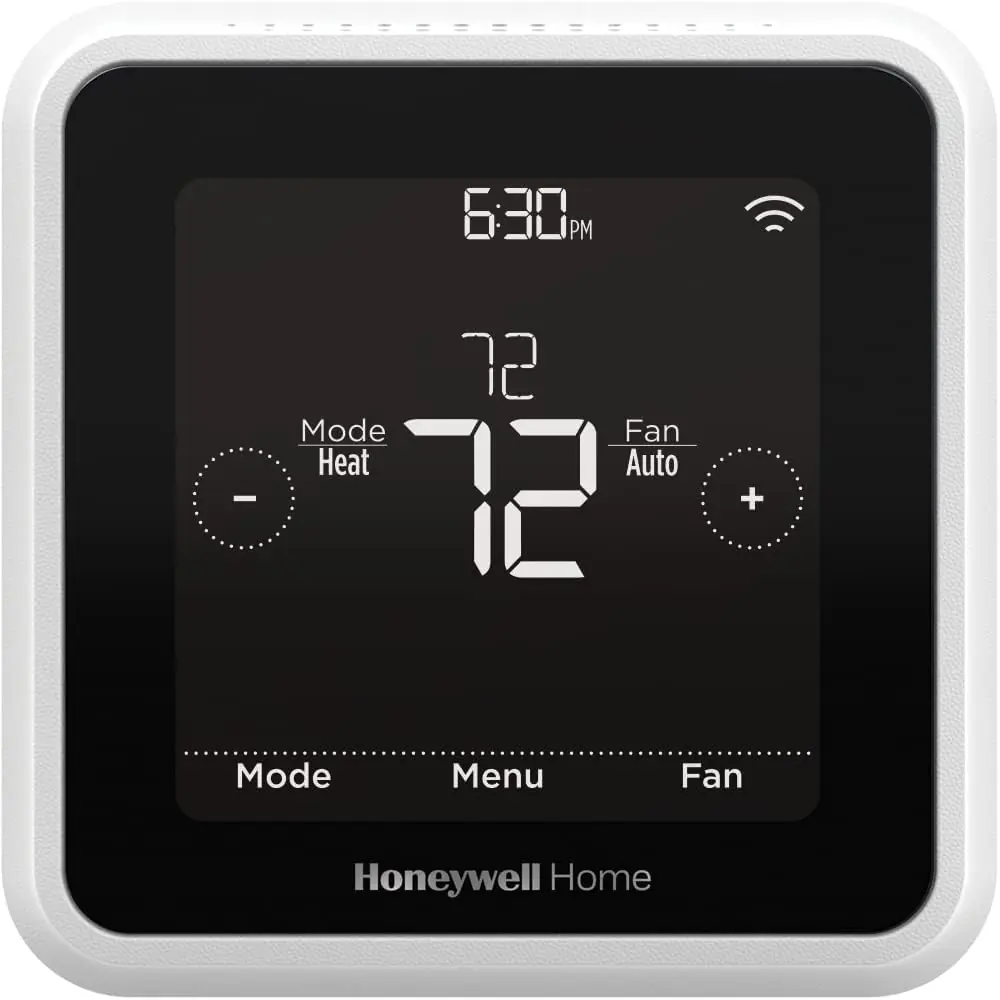
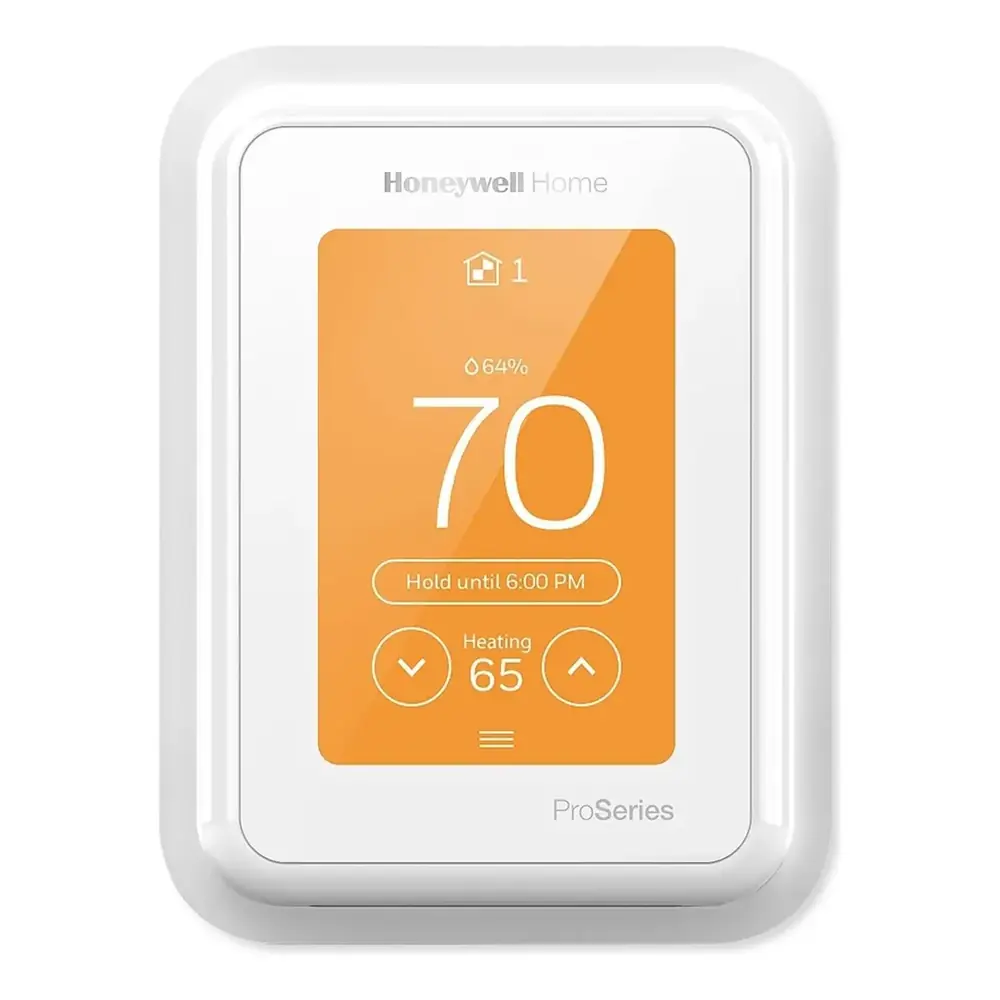
Product Images
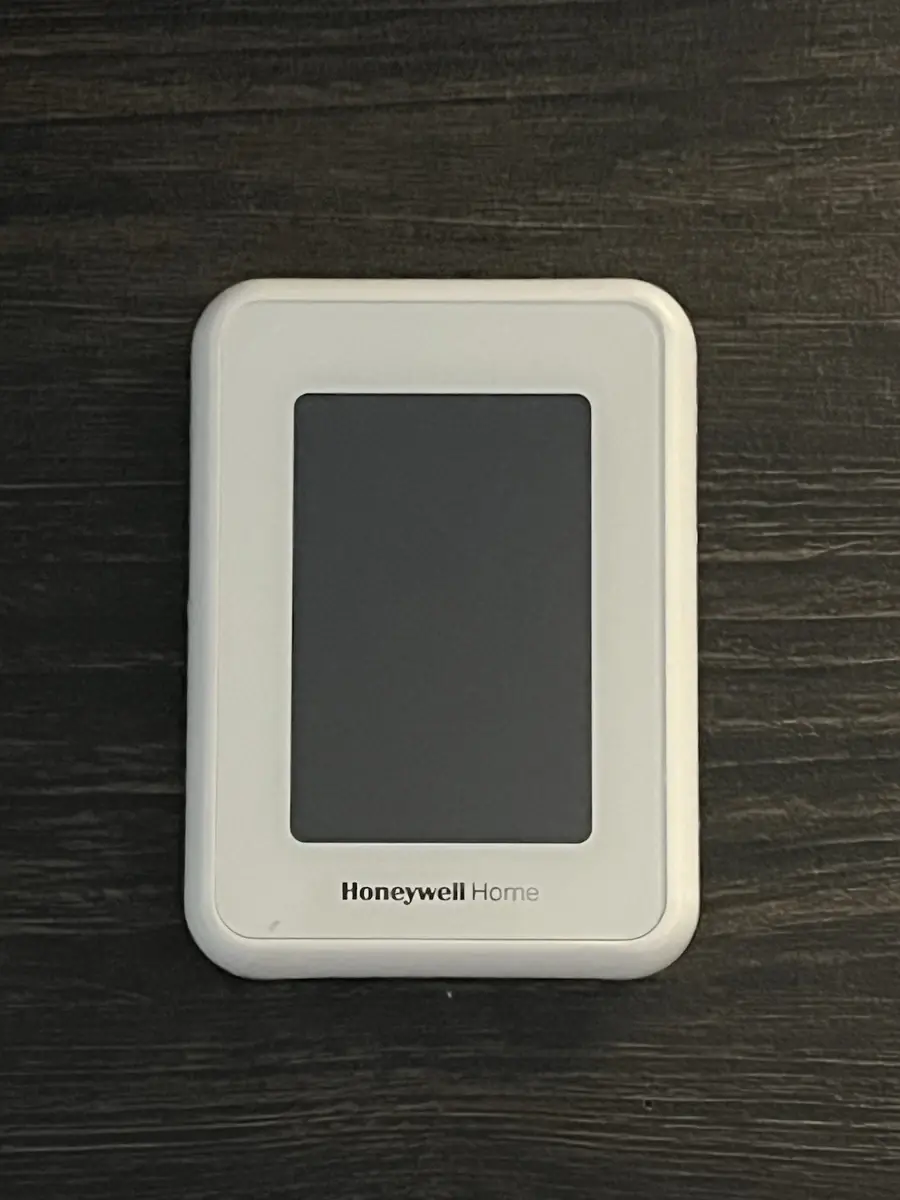
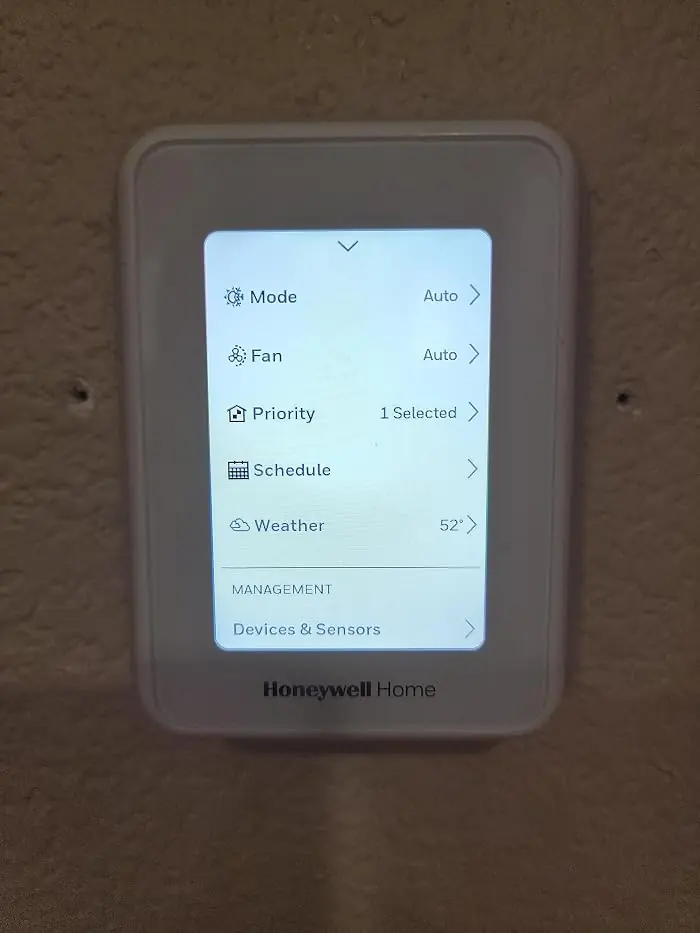
Honeywell RCHT9610WFW2004 T9 Thermostat Specifications
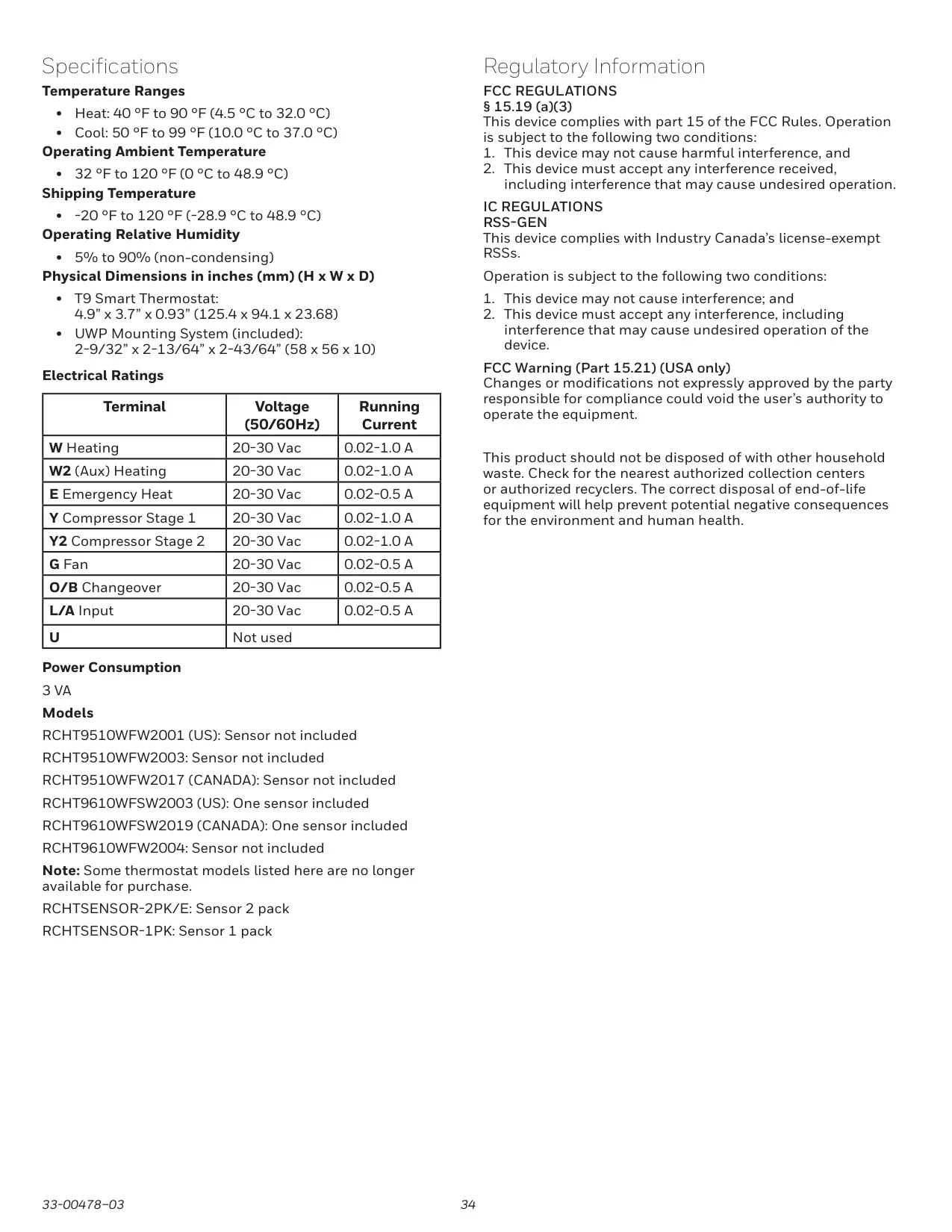
| Feature | Specification |
|---|---|
| Model Number | RCHT9610WFW2004 |
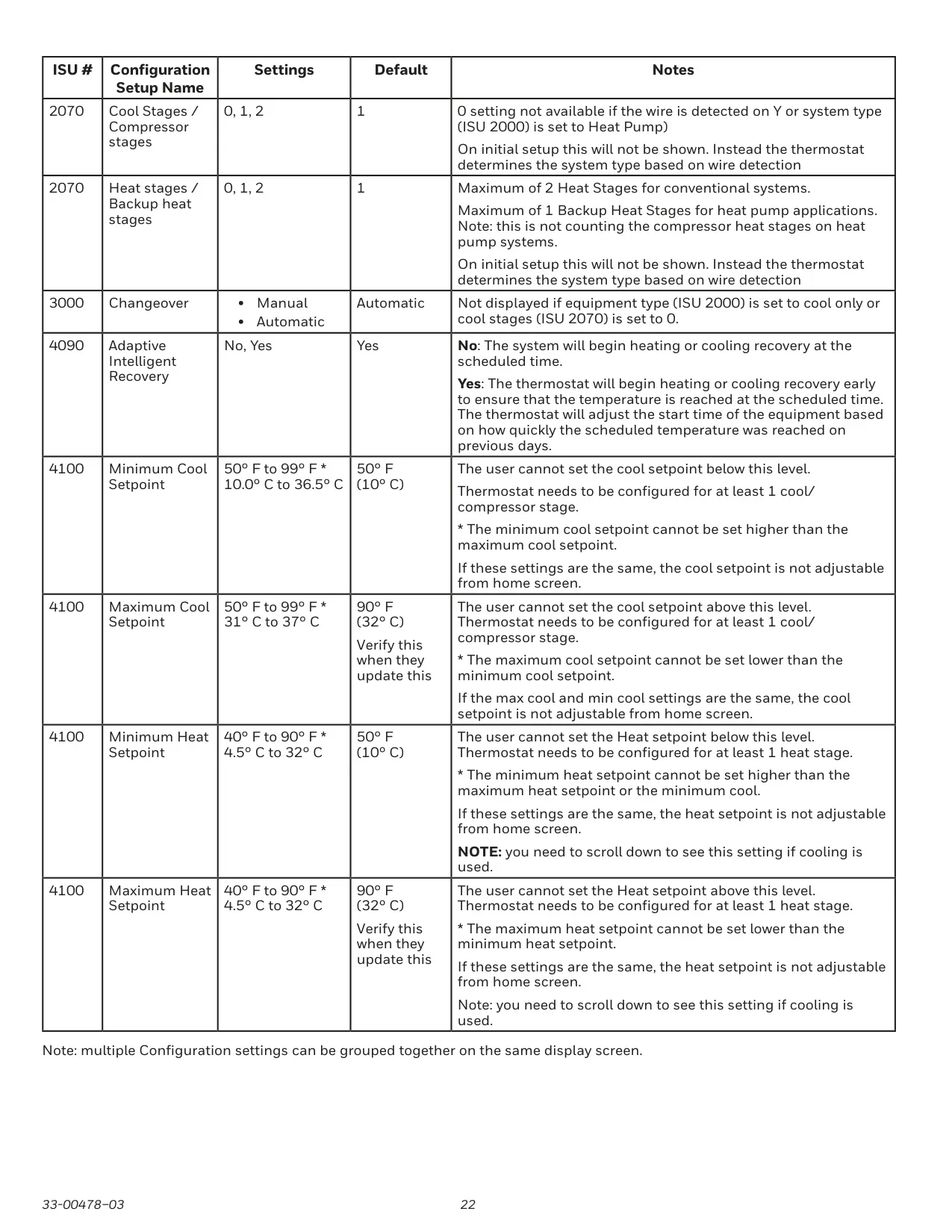
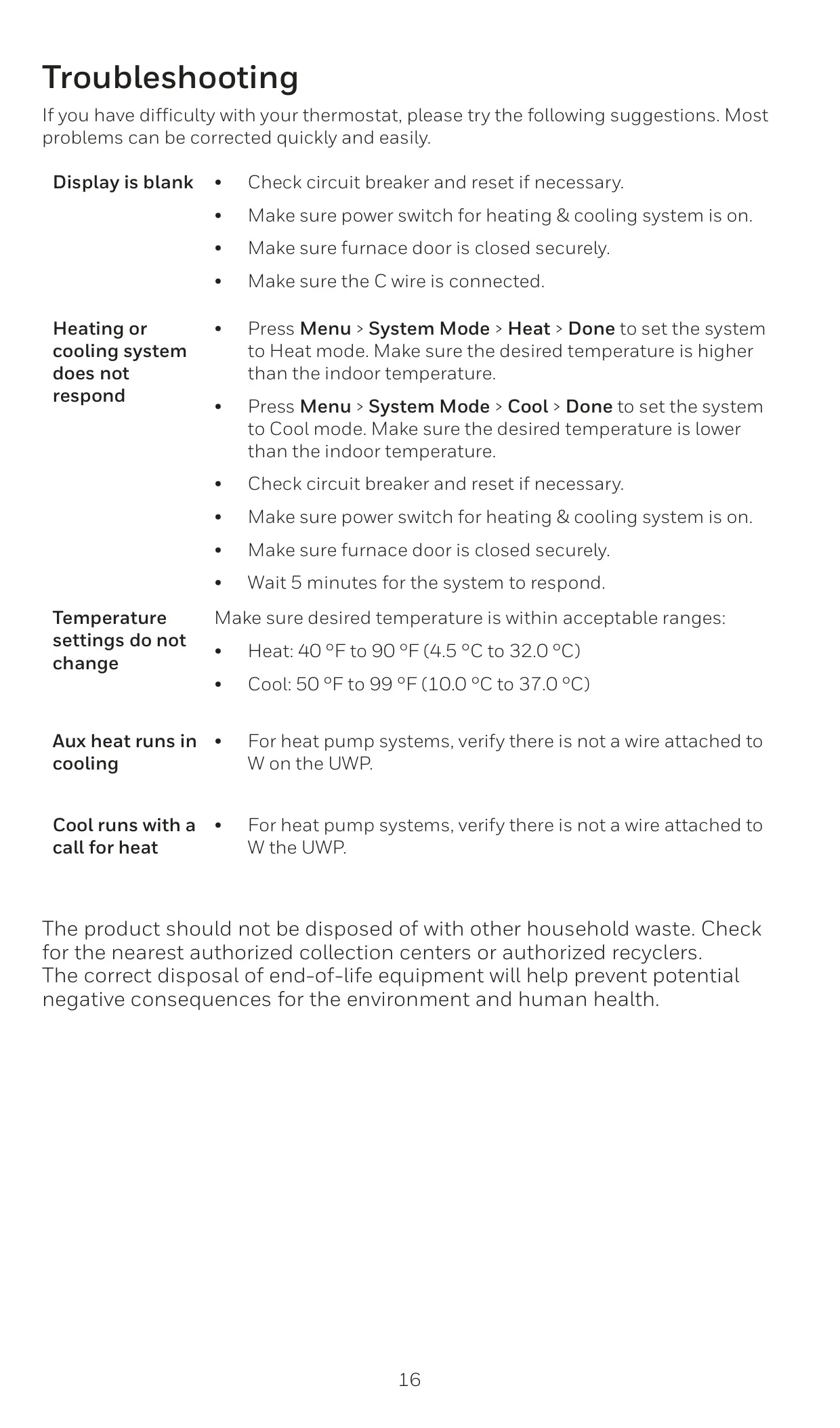
| Heat Temperature Range | 40 °F to 90 °F (4.5 °C to 32.0 °C) |
| Cool Temperature Range | 50 °F to 99 °F (10.0 °C to 37.0 °C) |
| Operating Ambient Temperature | 32 °F to 120 °F (0 °C to 48.9 °C) |
| Shipping Temperature | -20 °F to 120 °F (-28.9 °C to 48.9 °C) |
| Operating Relative Humidity | 5% to 90% (non-condensing) |
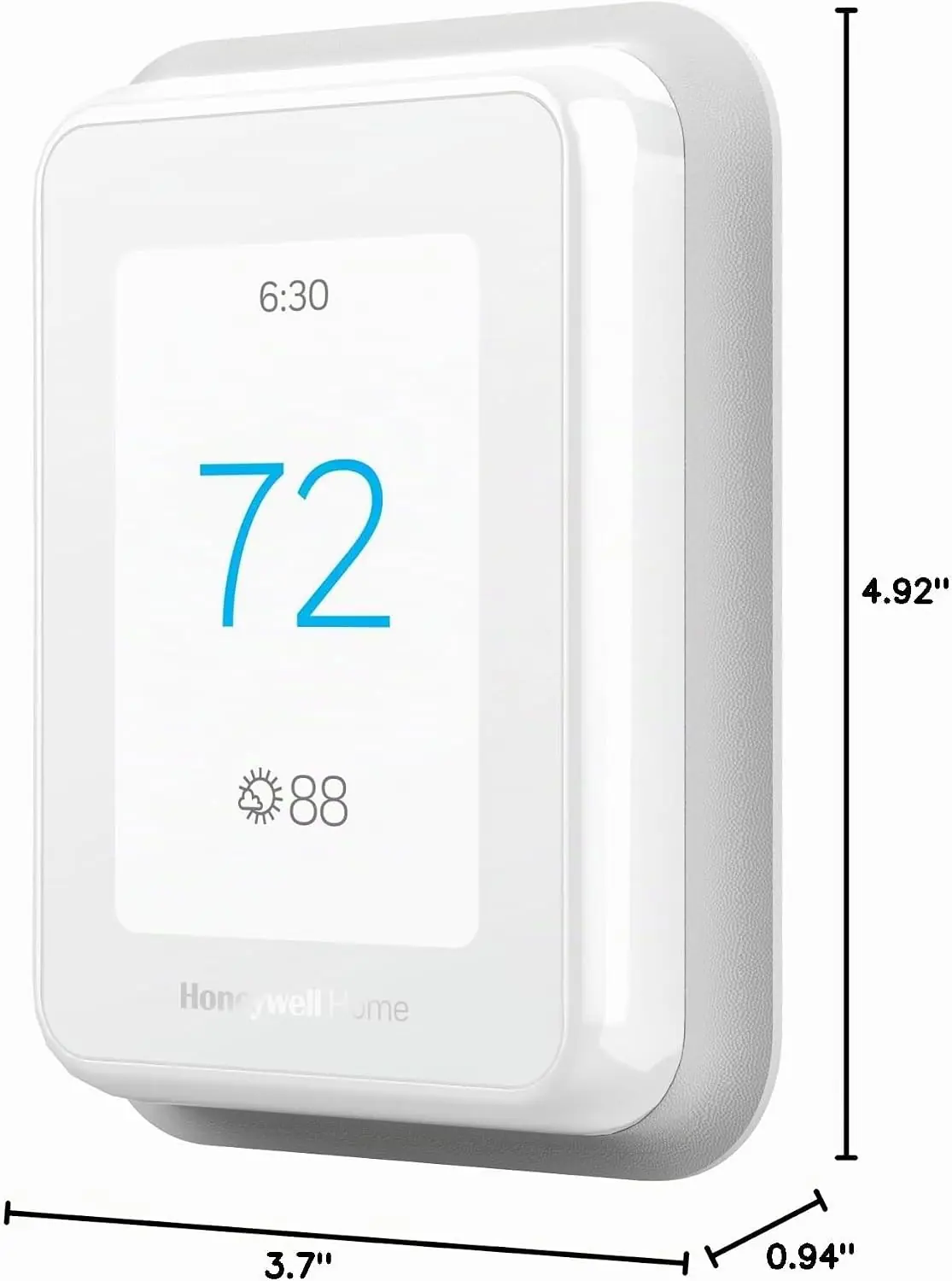
| Thermostat Dimensions (H x W x D) | 4.9” x 3.7” x 0.93” (125.4 x 94.1 x 23.68 mm) |
| UWP Mounting System Dimensions (H x W x D) | 2-9/32” x 2-13/64” x 2-43/64” (58 x 56 x 10 mm) |
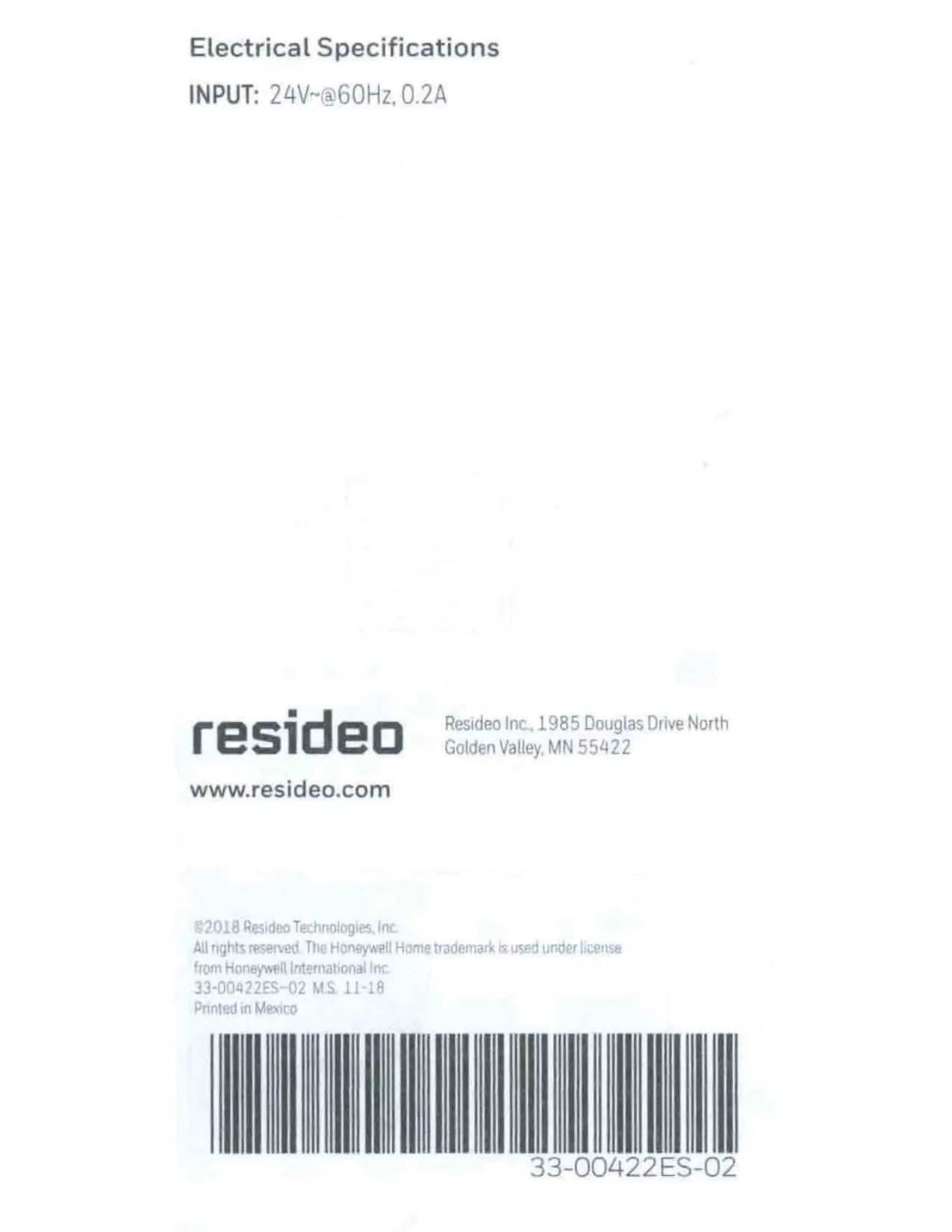
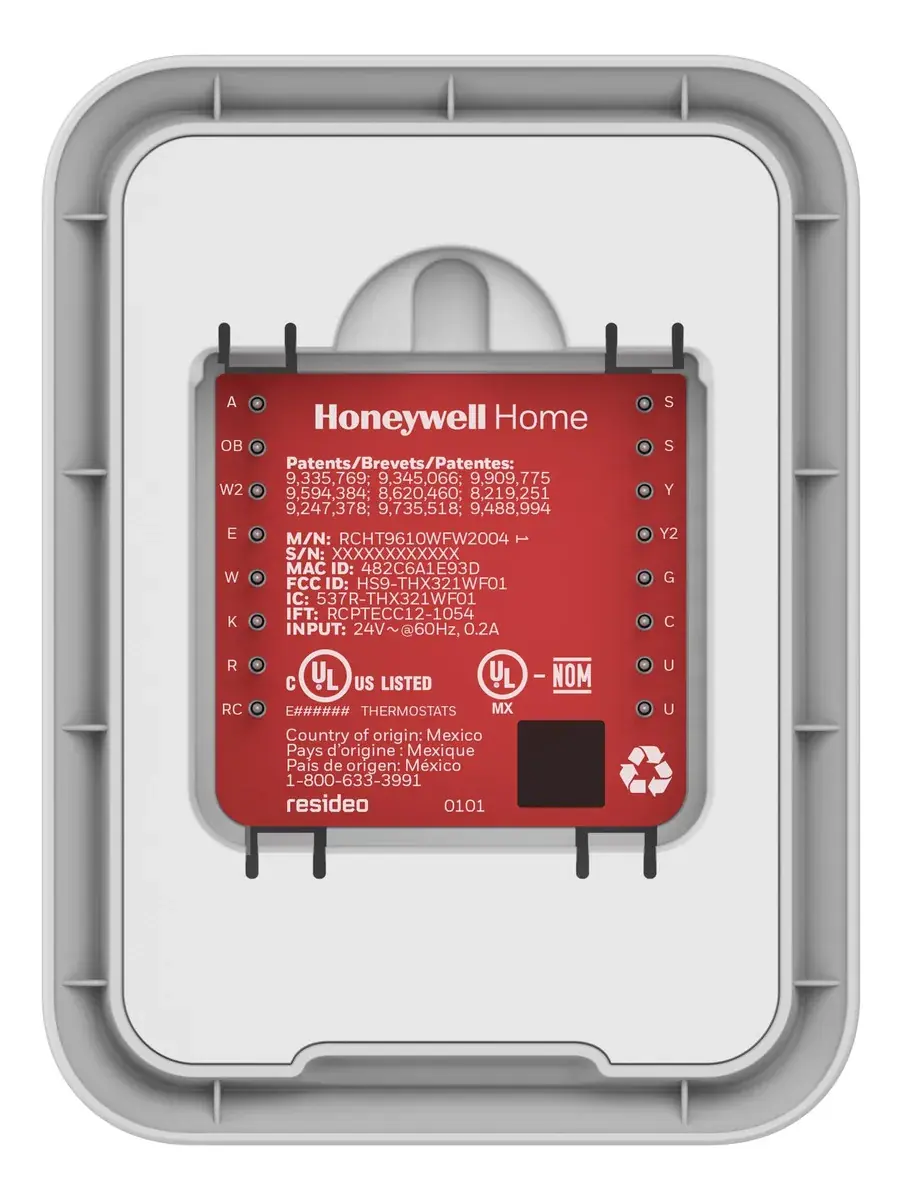
| Input Voltage | 24V~@60Hz, 0.2A |
| Power Consumption | 3 VA |
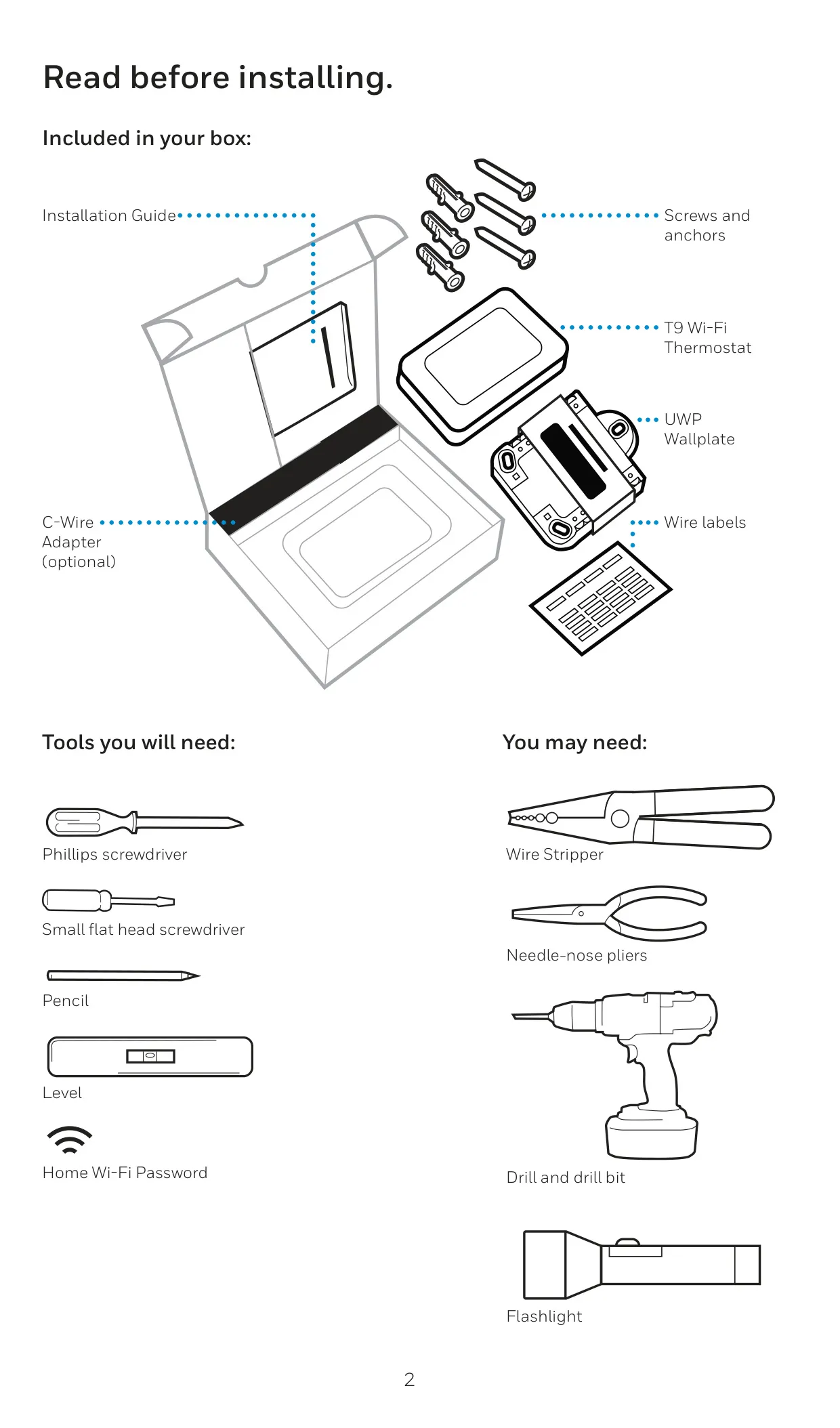
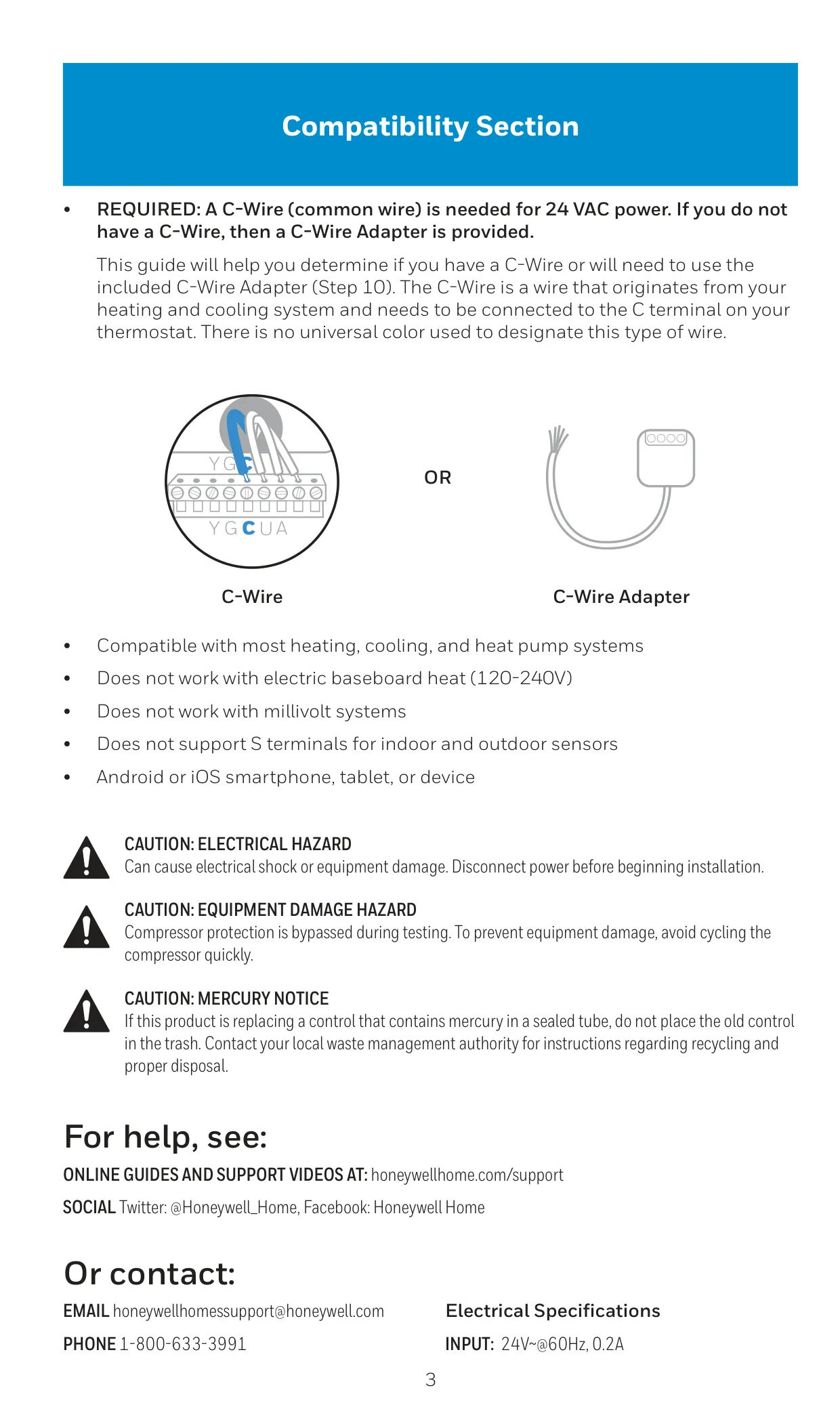
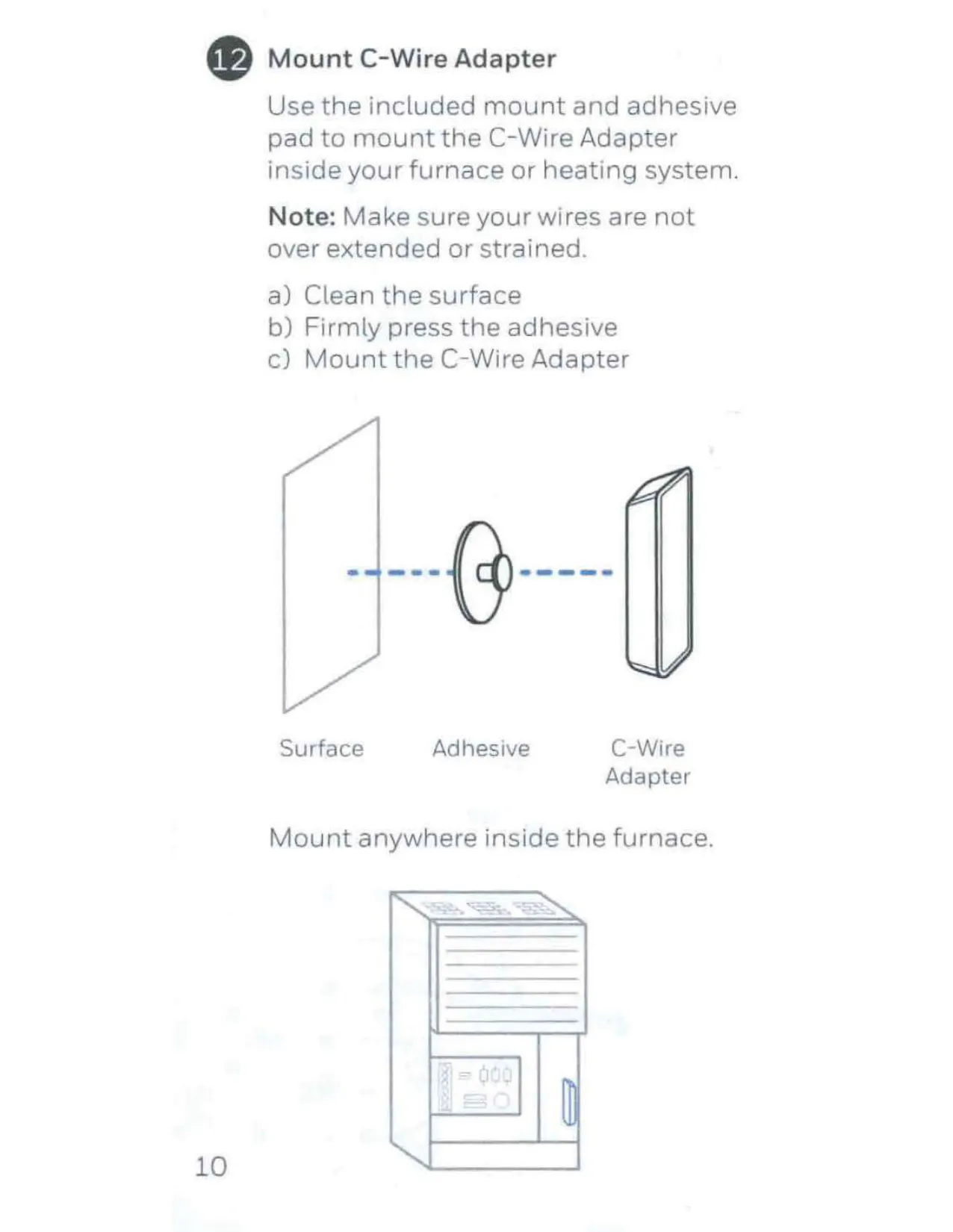
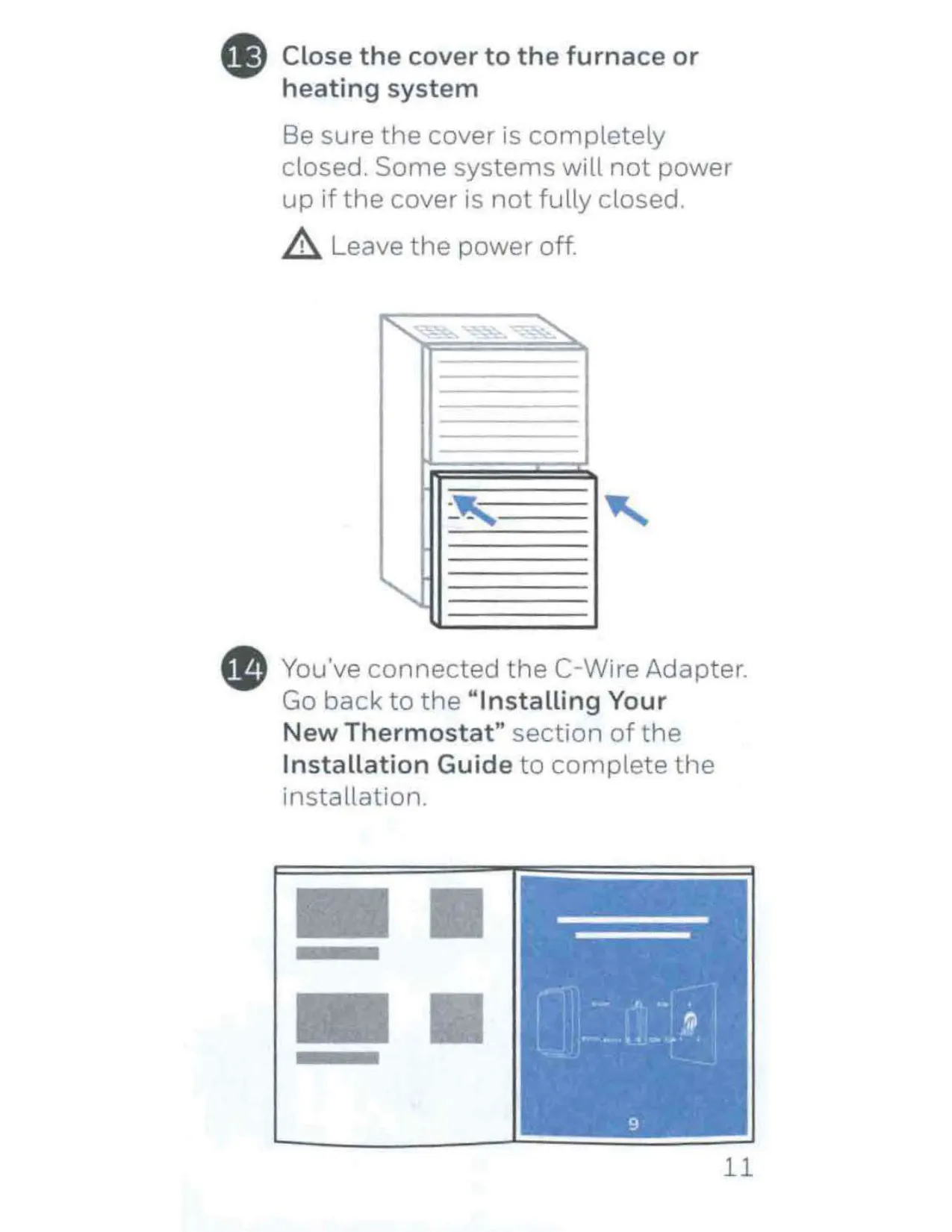
| C-Wire Requirement | Required (C-Wire Adapter included if needed) |
| Sensor Included | No |
| Max. Wireless Sensors Supported | Up to 20 temperature/humidity/motion sensors |
| Wireless Sensor Range | Up to 200 feet |
| Electrical Ratings: W Heating | 20-30 Vac, 0.02-1.0 A |
| Electrical Ratings: W2(Aux) Heating | 20-30 Vac, 0.02-1.0 A |
| Electrical Ratings: E Emergency Heat | 20-30 Vac, 0.02-0.5 A |
| Electrical Ratings: Y Compressor Stage 1 | 20-30 Vac, 0.02-1.0 A |
| Electrical Ratings: Y2 Compressor Stage 2 | 20-30 Vac, 0.02-1.0 A |
| Electrical Ratings: G Fan | 20-30 Vac, 0.02-0.5 A |
| Electrical Ratings: O/B Changeover | 20-30 Vac, 0.02-0.5 A |
| Electrical Ratings: L/A Input | 20-30 Vac, 0.02-0.5 A |
| Electrical Ratings: U | Not used |
Honeywell RCHT9610WFW2004 T9 Details
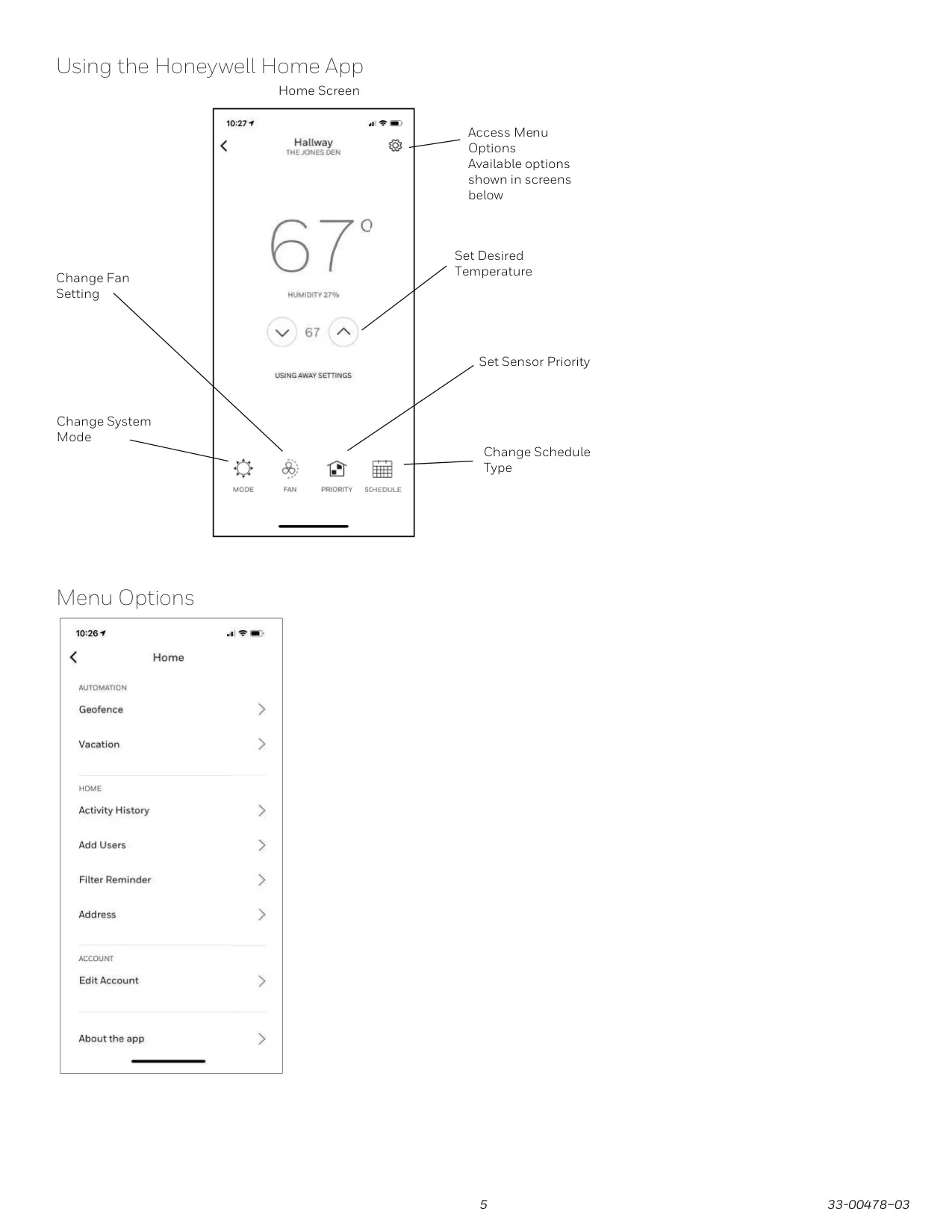
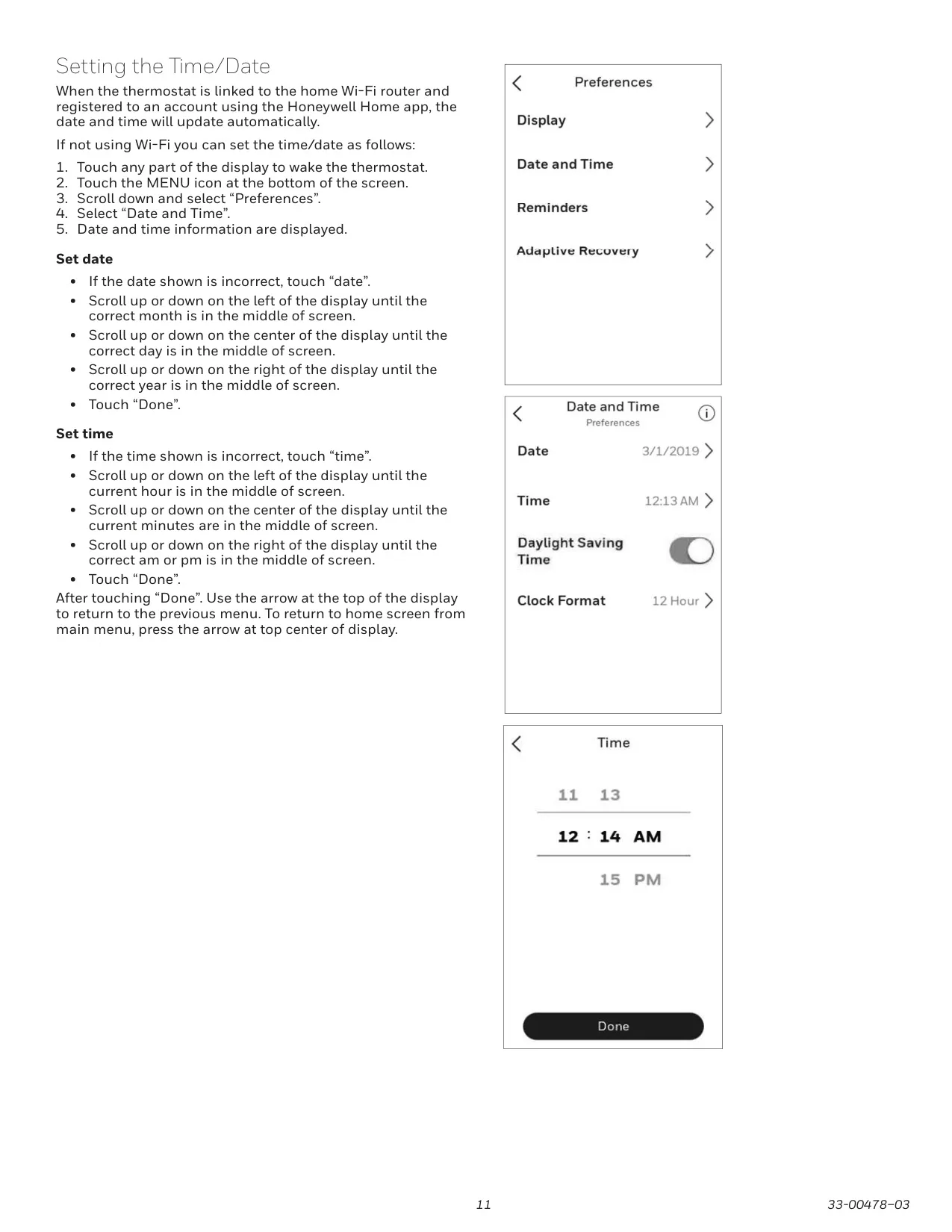
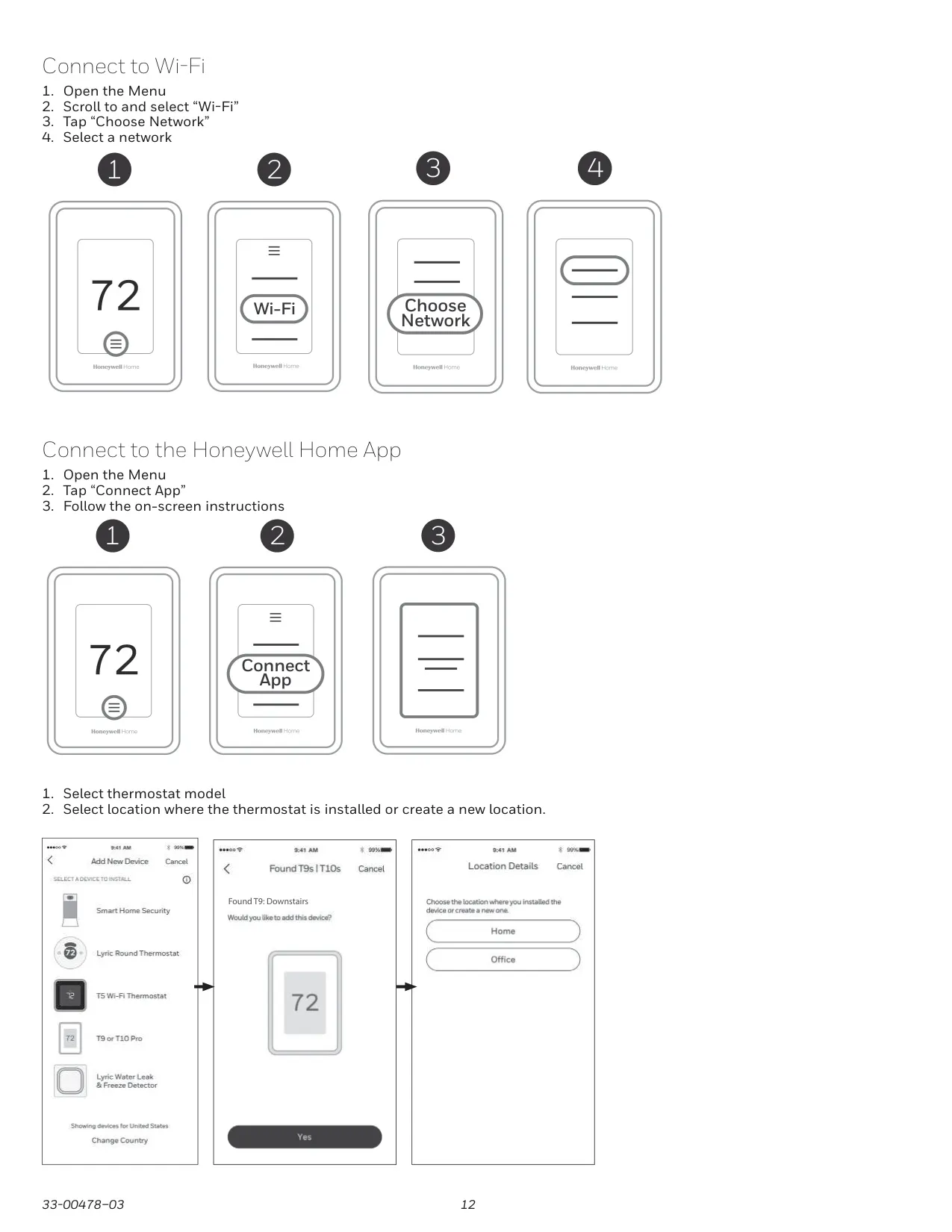
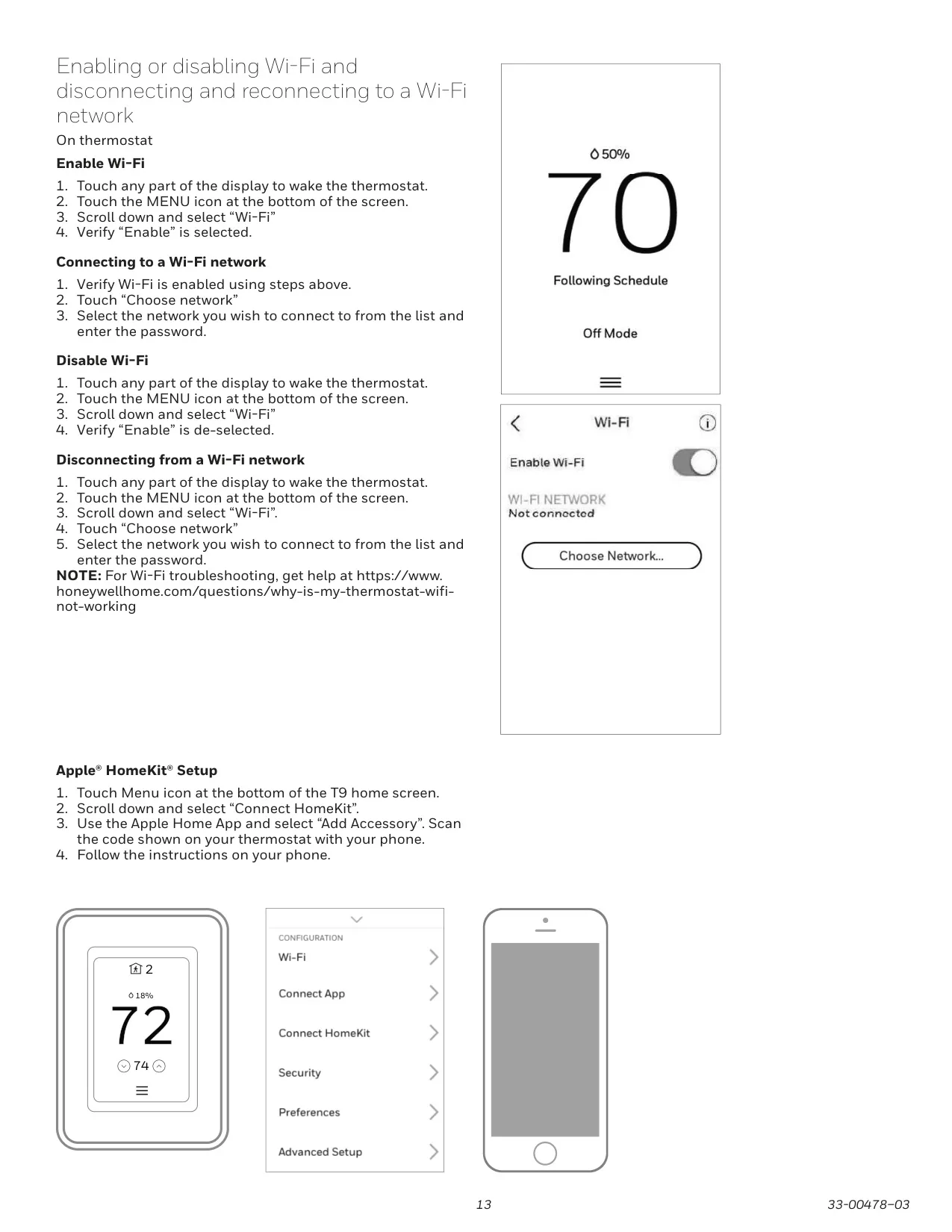
The Honeywell RCHT9610WFW2004 T9 Smart Thermostat offers advanced features designed to enhance home comfort and energy efficiency. Seamlessly integrating with your home’s Wi-Fi, it provides remote control via the user-friendly Honeywell Home App. This robust connectivity extends to managing multiple thermostats and users within a single household, ensuring every family member can participate. Crucially, the T9 also boasts compatibility with Apple HomeKit, allowing for integrated smart home control and seamless operation within your existing ecosystem.
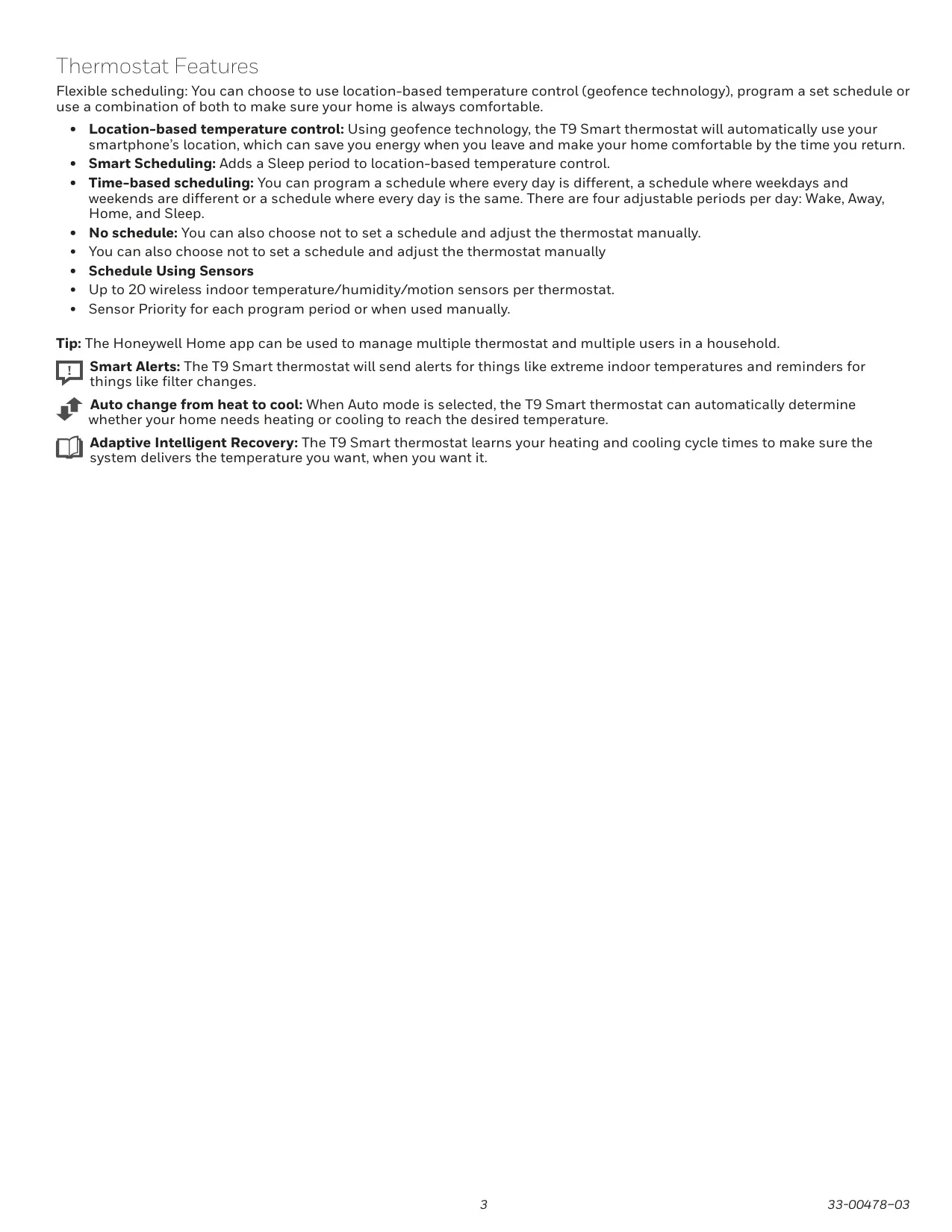
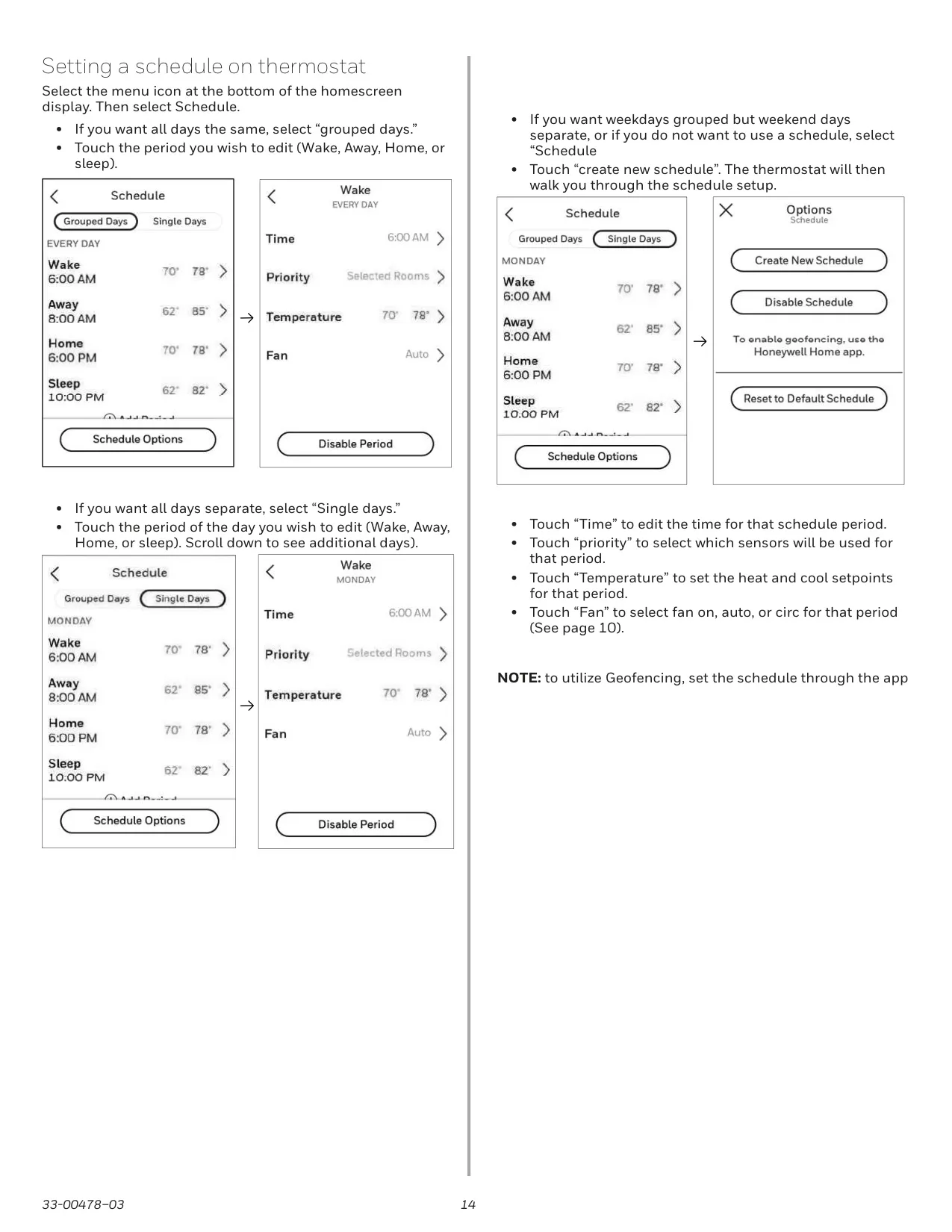
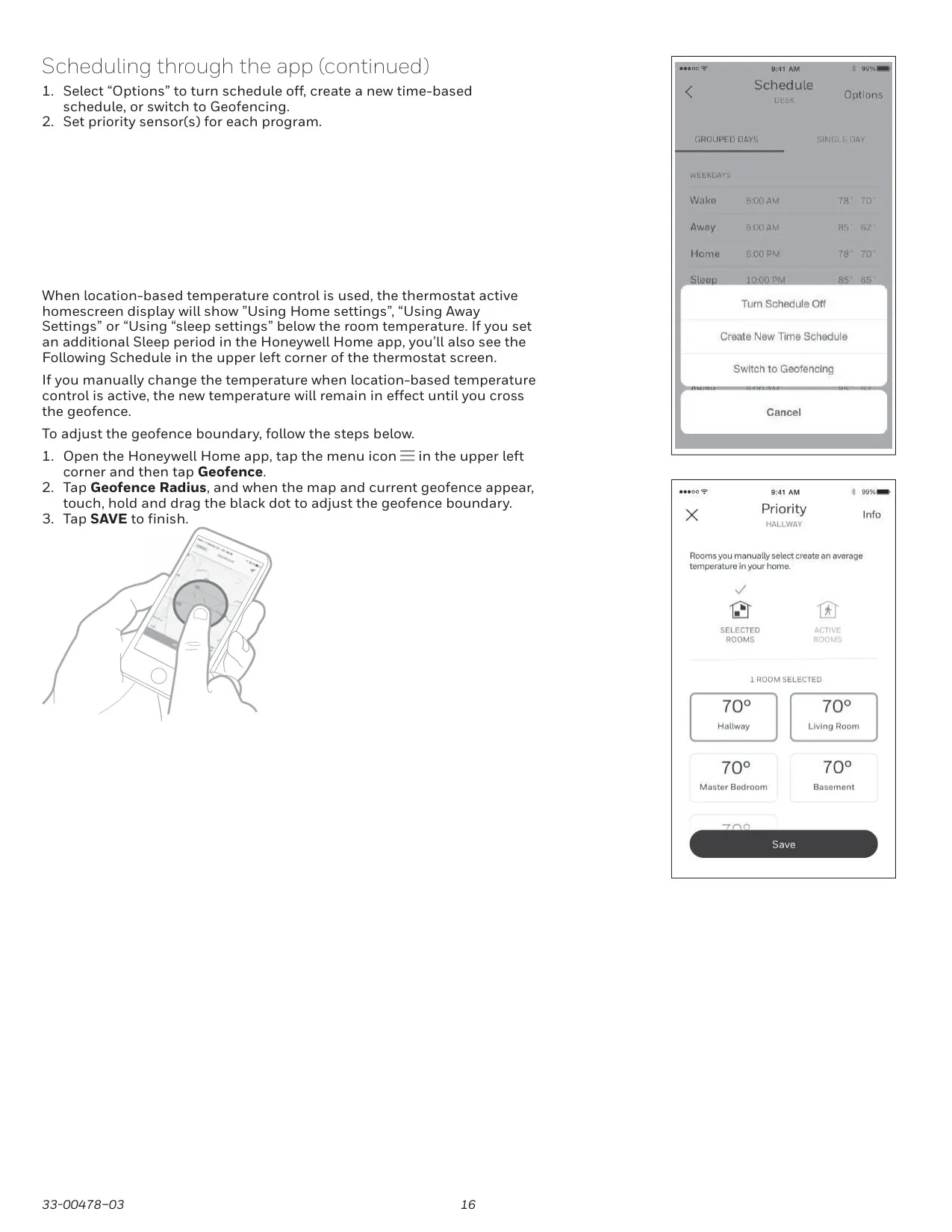
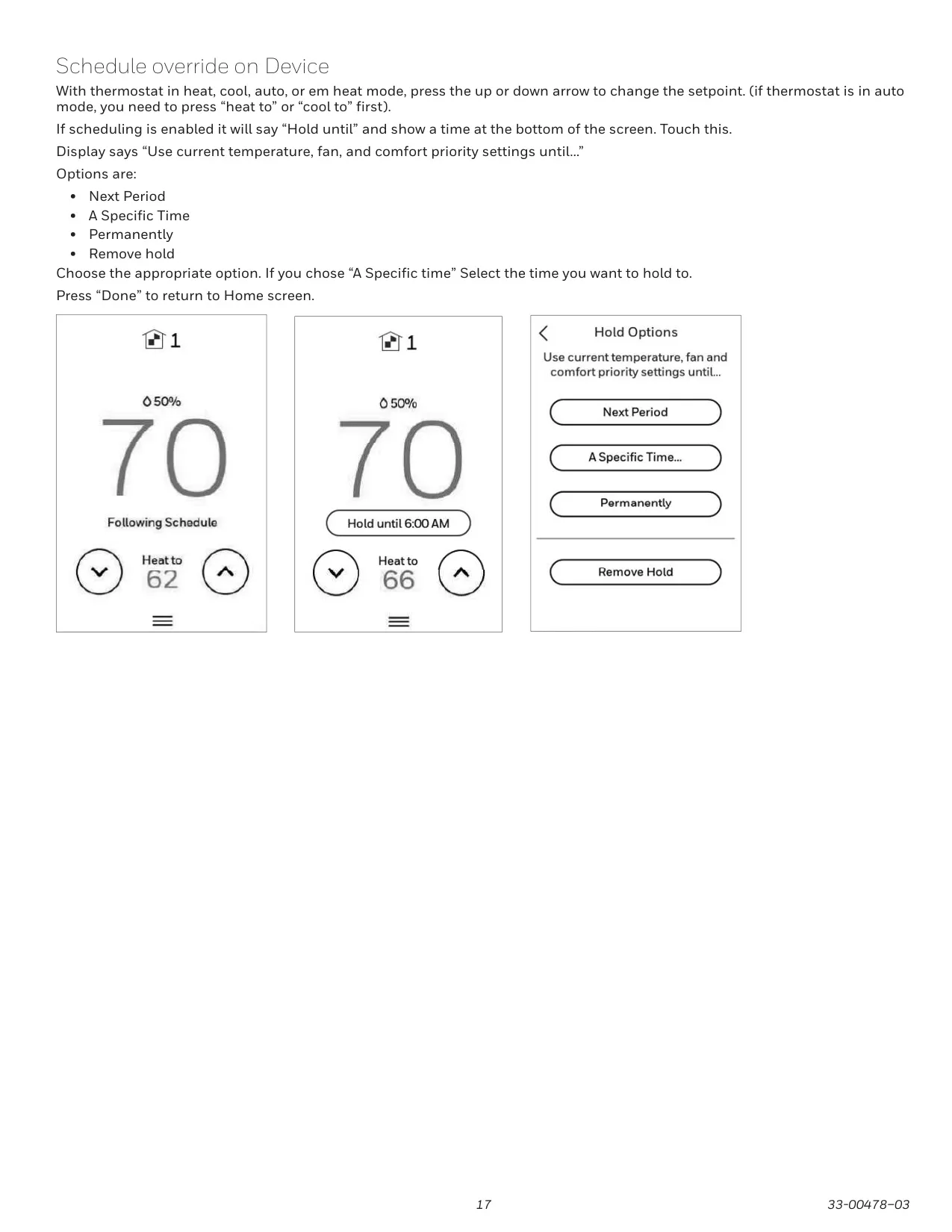
One of the thermostat's most compelling capabilities is its highly flexible scheduling. Users can effortlessly choose between dynamic, location-based temperature control utilizing sophisticated geofencing technology, or opt for traditional time-based schedules with clearly defined Wake, Away, Home, and Sleep periods. For even greater precision, a combination of both methods can be employed. The innovative Smart Scheduling feature further refines location-based control by intelligently adding a dedicated Sleep period, thereby optimizing both comfort and potential energy savings throughout the day and night.
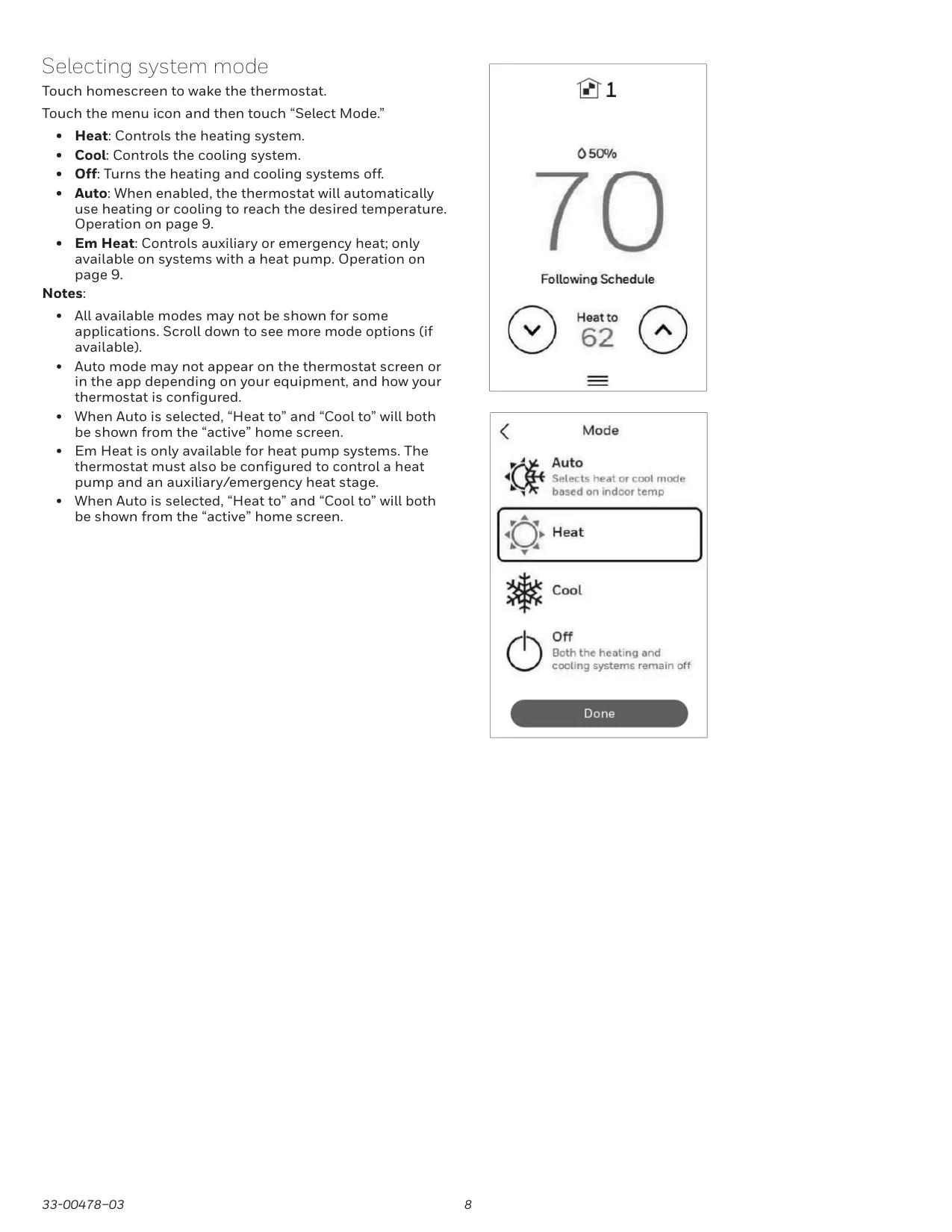
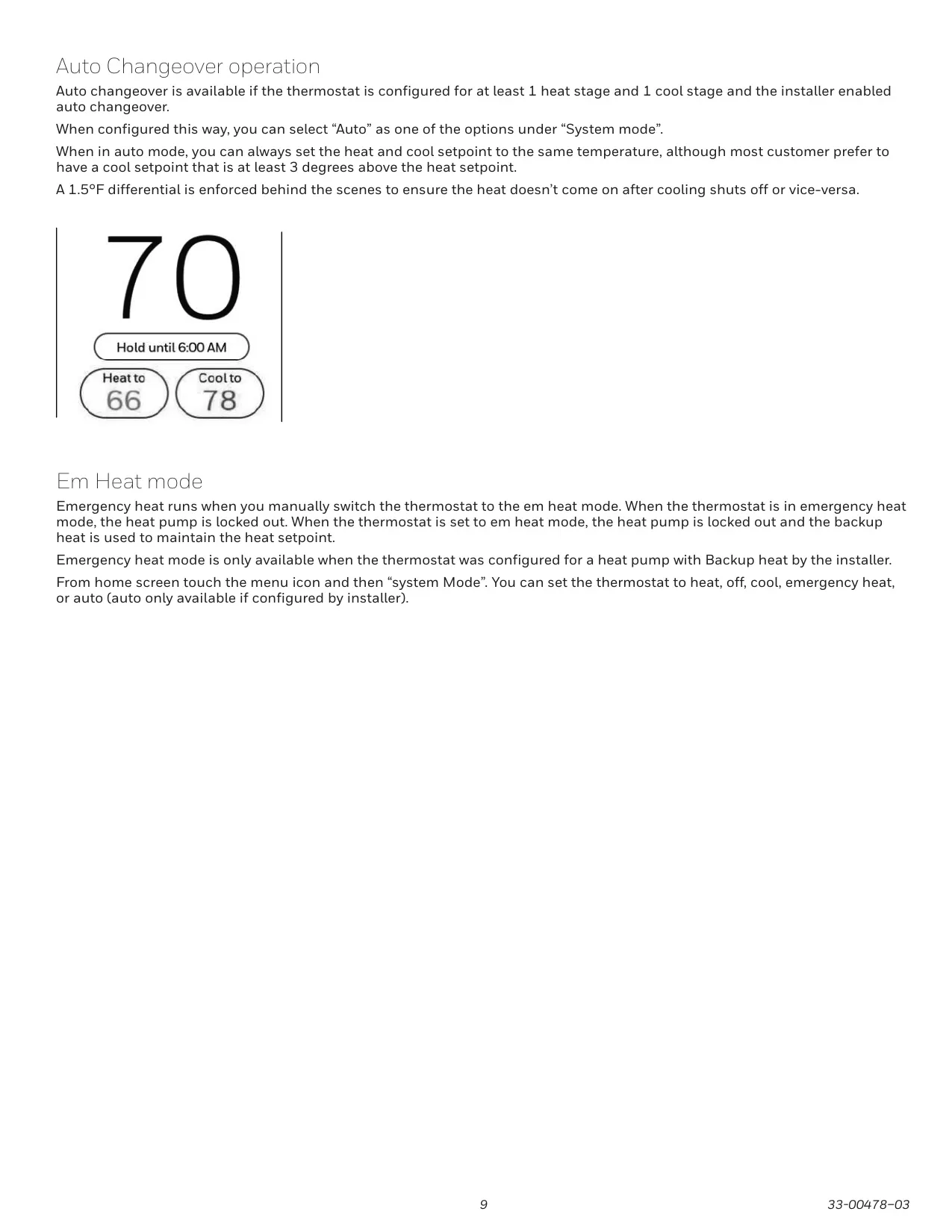
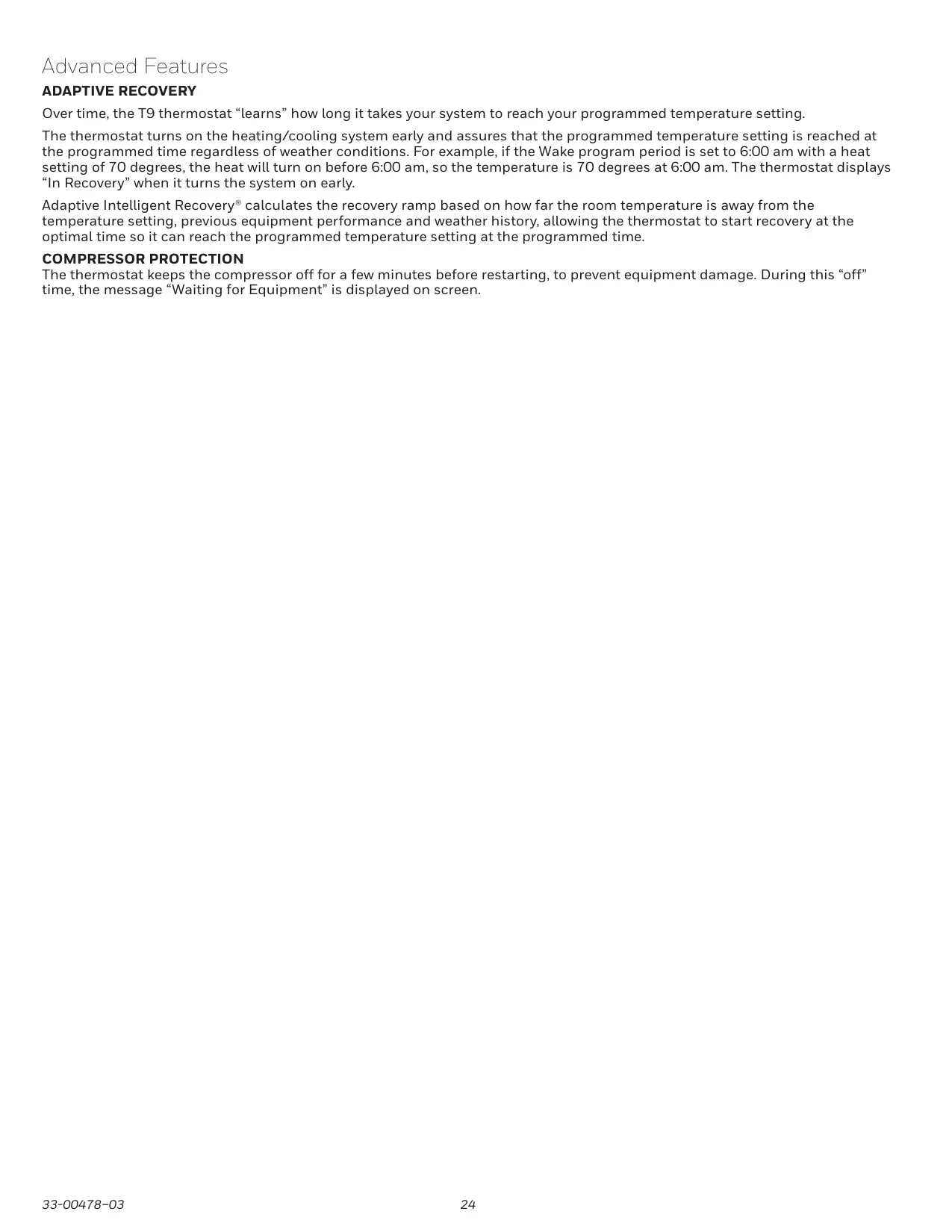
The T9 is equipped with Adaptive Intelligent Recovery, a sophisticated learning function that accurately monitors and "learns" your heating and cooling system’s unique cycle times. This intelligence ensures that your desired temperature is always reached precisely by the scheduled time, effectively preempting climate changes and external conditions. Additionally, its advanced Auto Changeover mode, when properly configured and enabled, automatically switches between heating and cooling operations as needed to maintain your preferred comfort level, eliminating the constant need for manual adjustments.
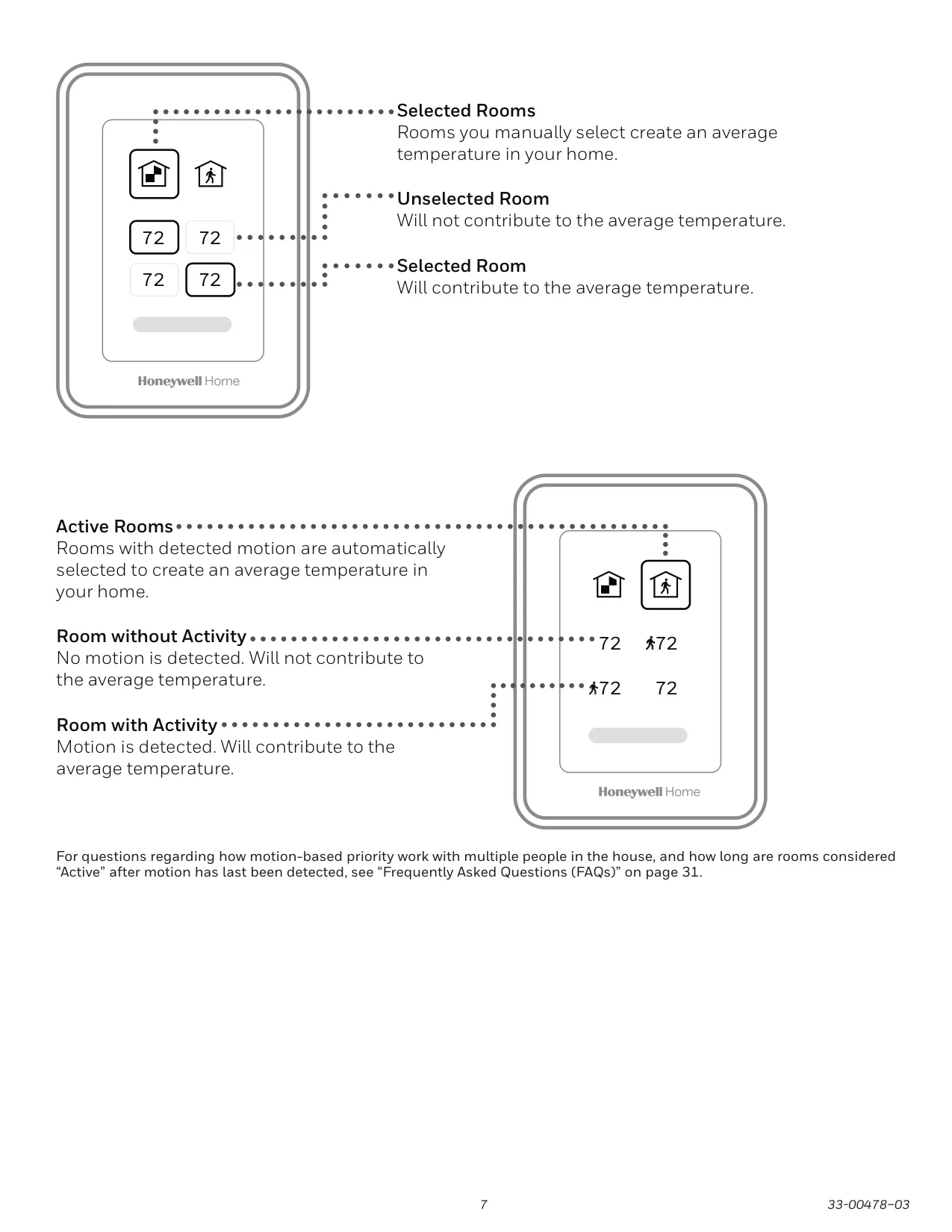
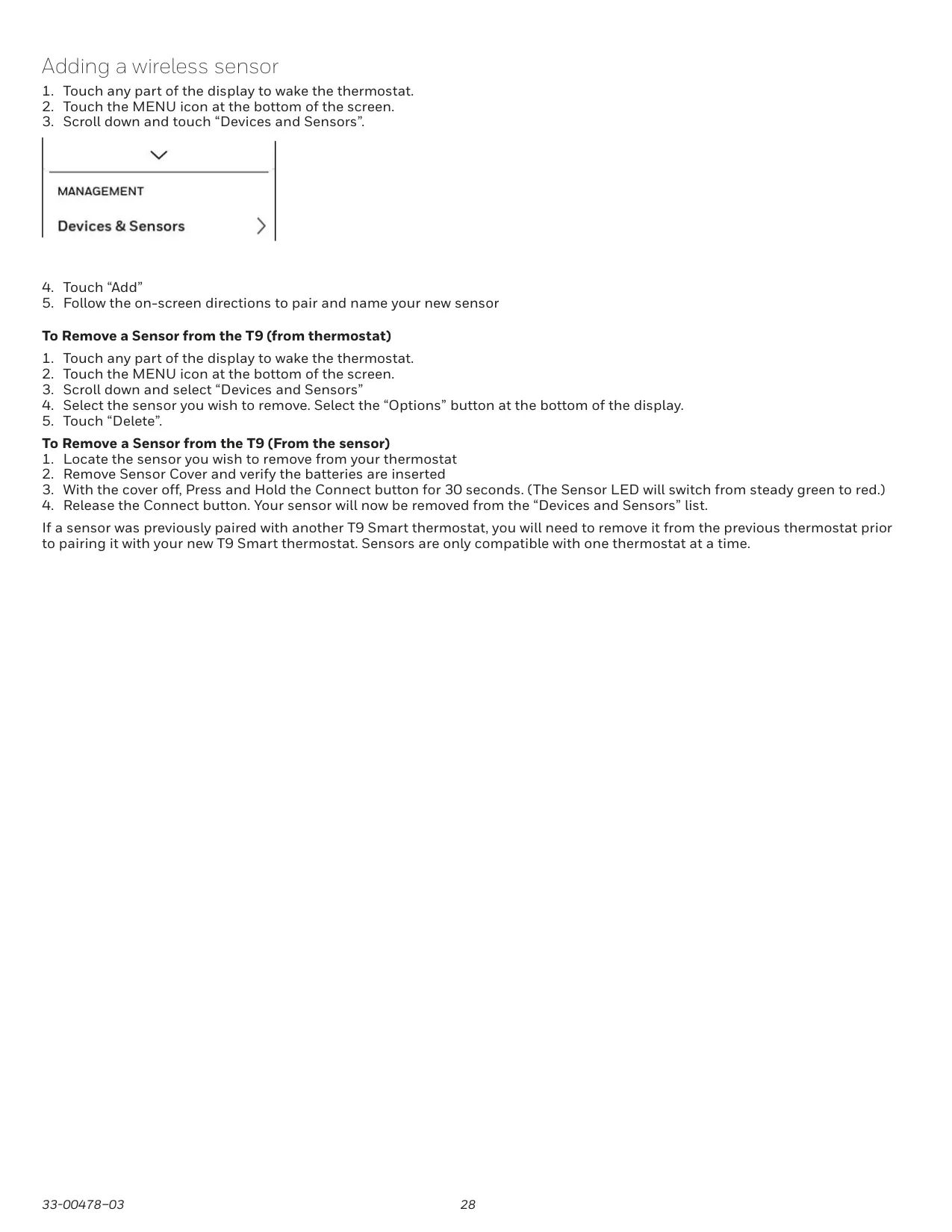
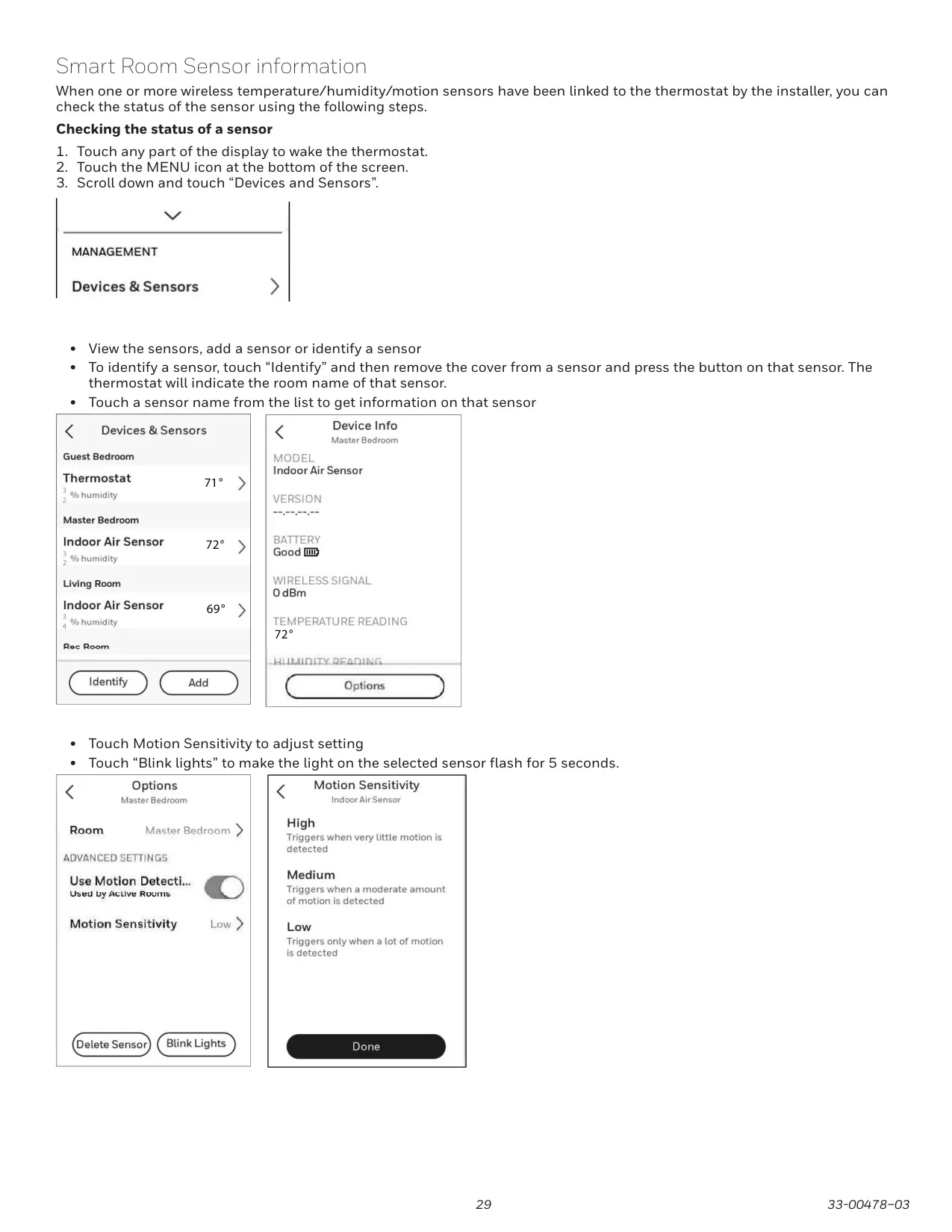
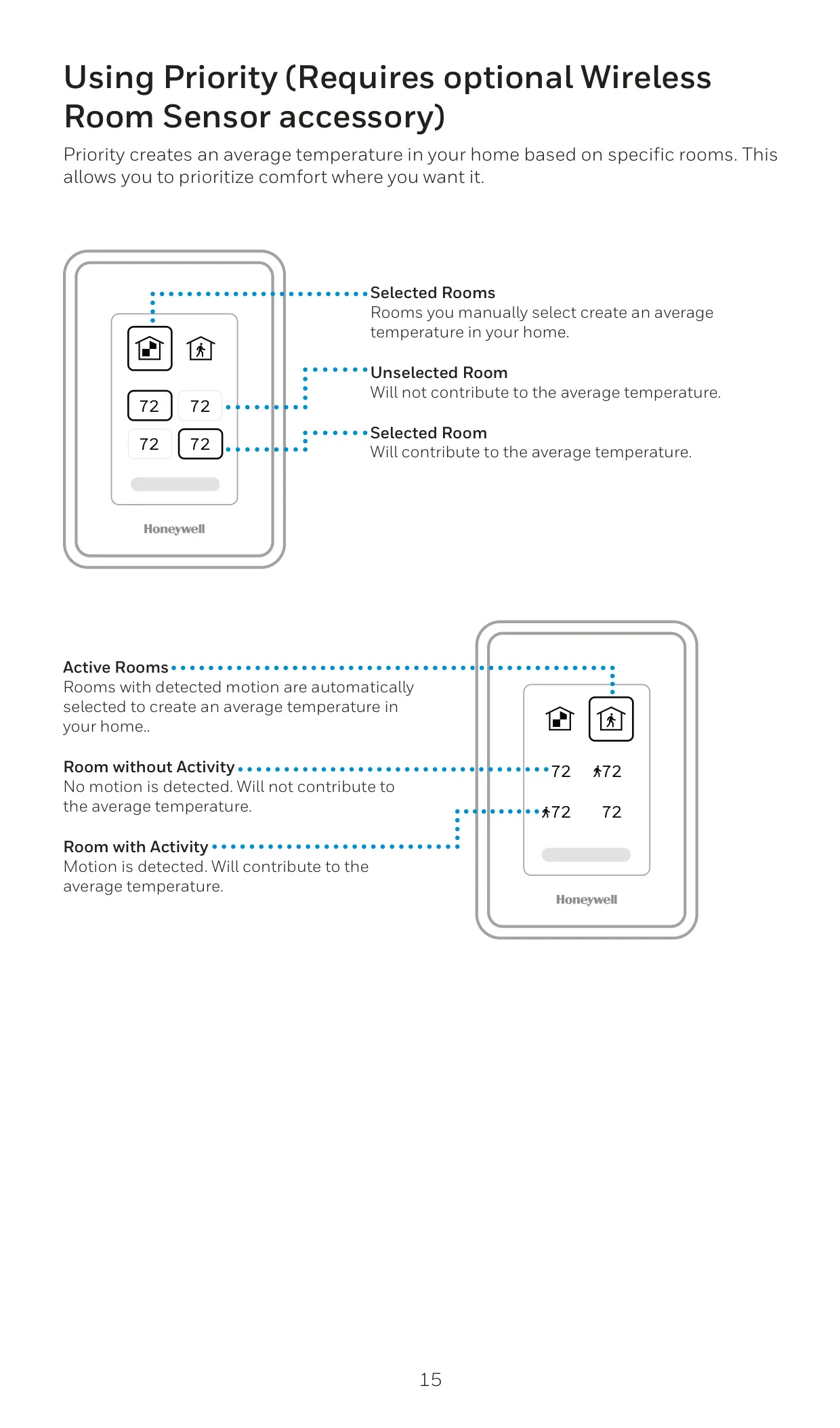
While the RCHT9610WFW2004 model specifically does not include a room sensor, the underlying T9 platform is expertly engineered to support an impressive array of up to 20 wireless indoor temperature, humidity, and motion sensors. These optional accessories dramatically enhance the system's capabilities, allowing for precise Sensor Priority. This means comfort can be focused on specific, manually selected rooms or dynamically adjust to "active rooms" based on real-time detected motion. Boasting a substantial 200-foot range, these sensors facilitate comprehensive whole-home coverage and intelligent climate management.
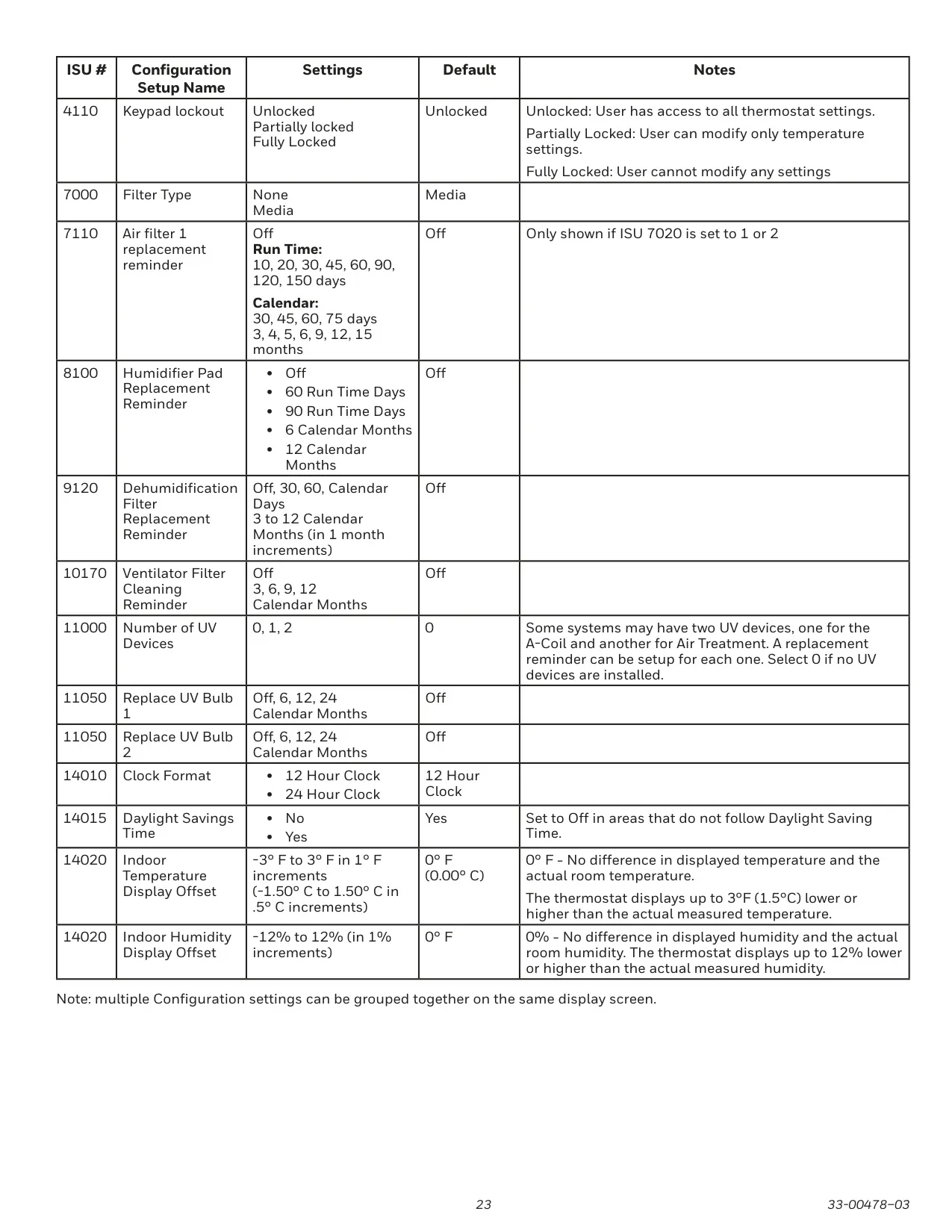
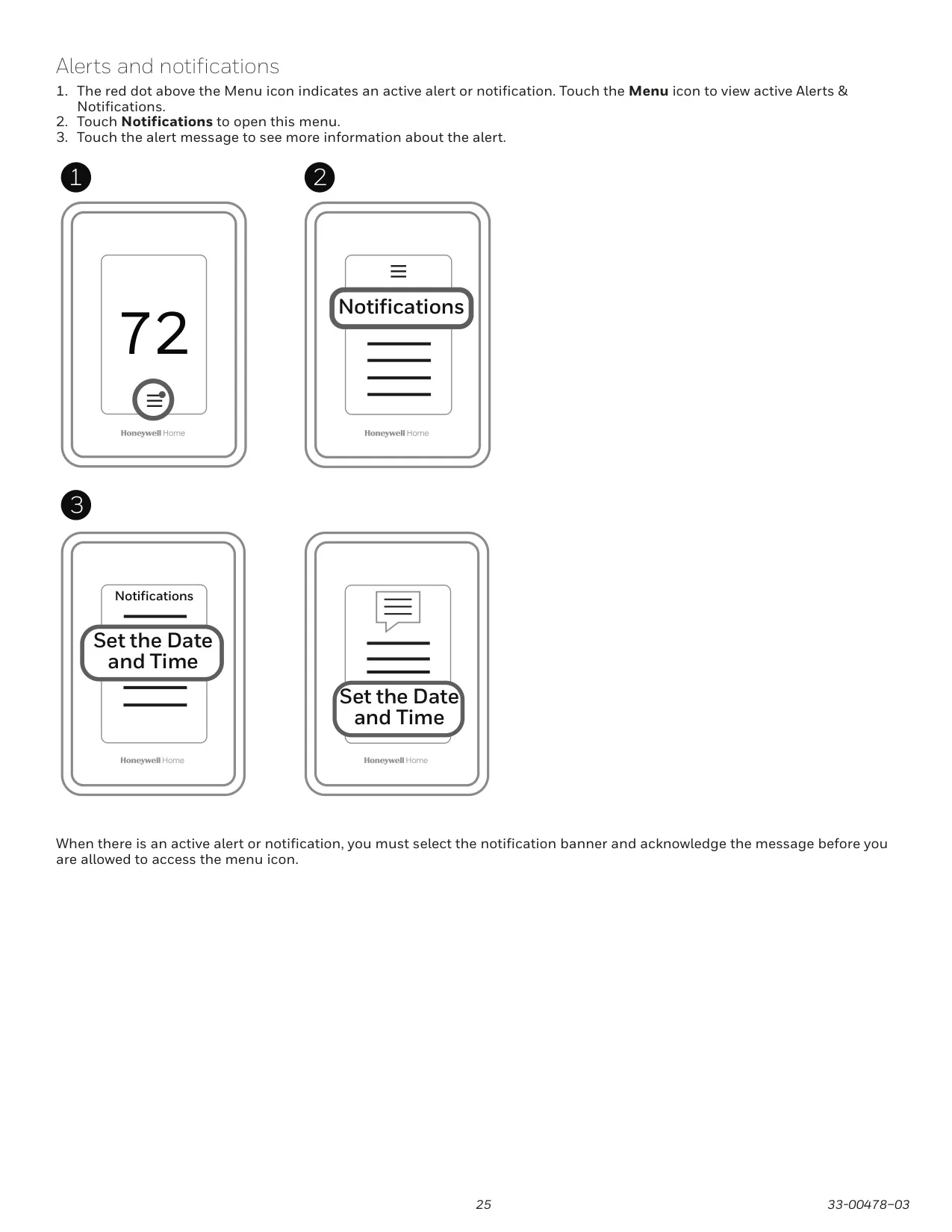
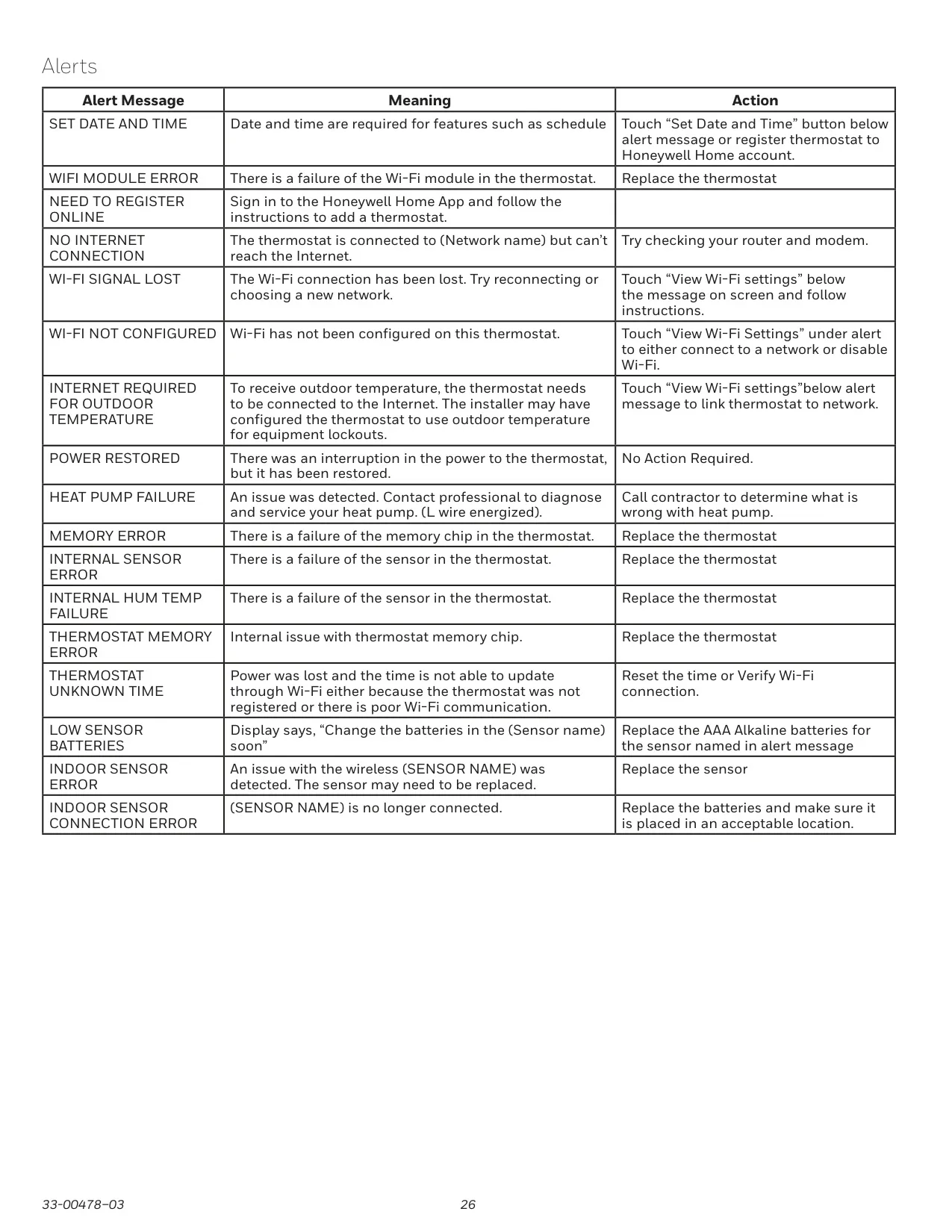
Beyond proactive temperature management, the T9 keeps you thoroughly informed and secure with its Smart Alerts system. These critical notifications can warn of extreme indoor temperatures, serving as an early alert to potential issues like frozen pipes or overheating. The thermostat also provides customizable maintenance reminders for essential components such as air filters, humidifier pads, and UV bulbs, significantly promoting system longevity and optimal performance. For enhanced peace of mind, the device offers robust keypad lockout options, including partial or full locking, all protected by a user-defined password.
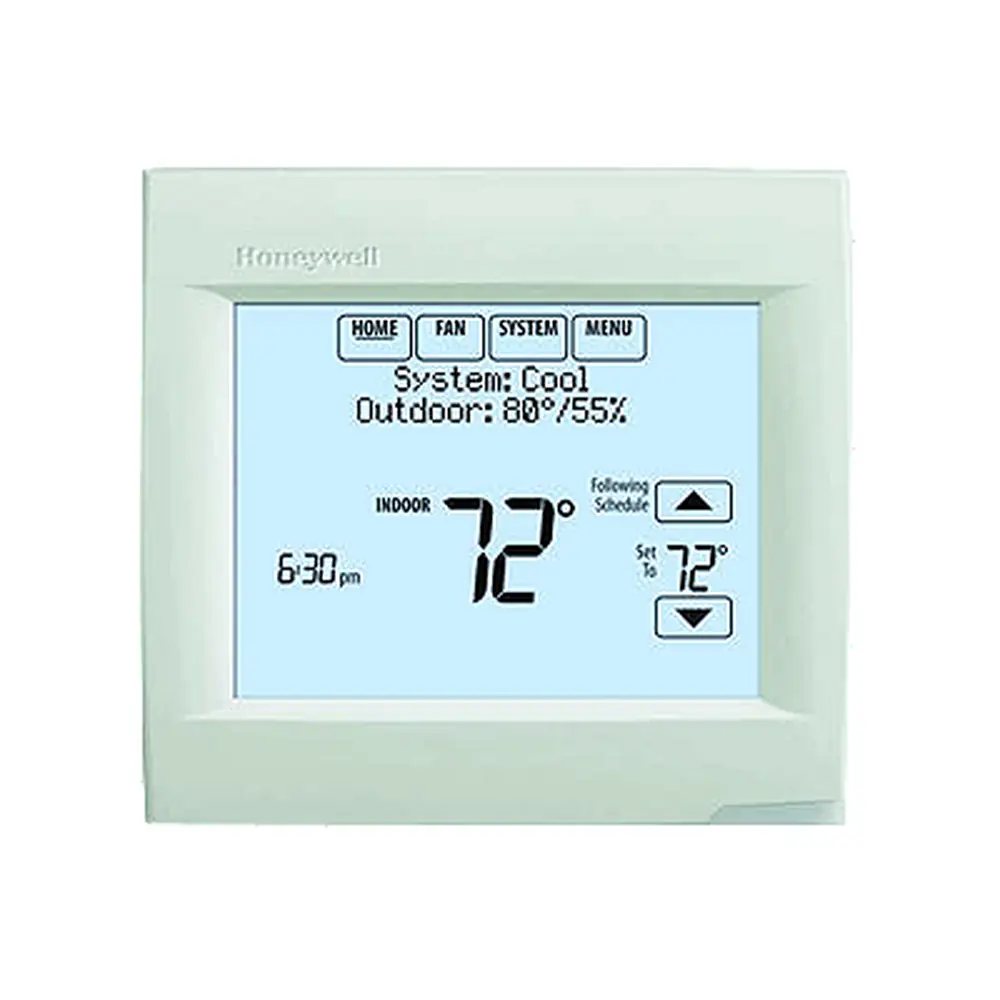
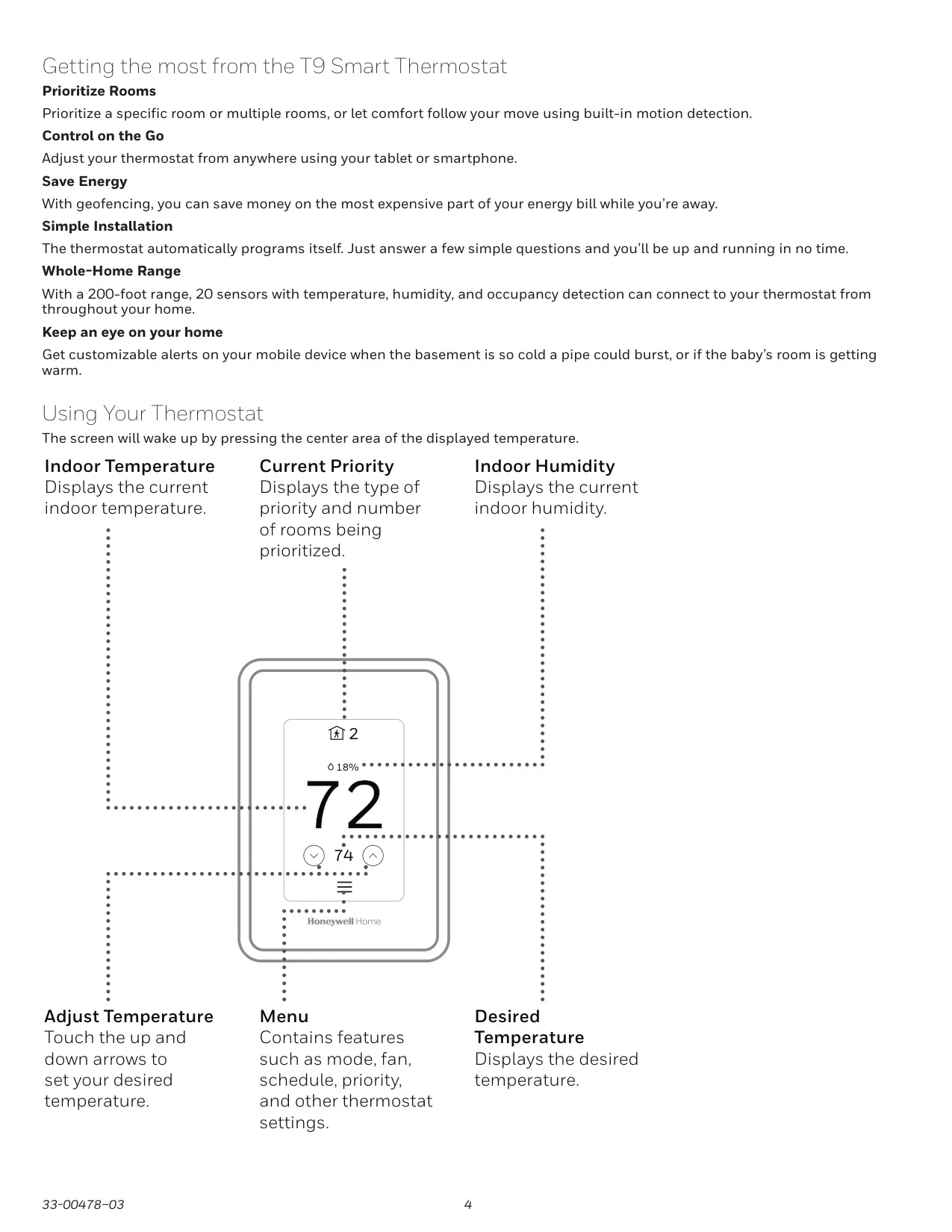
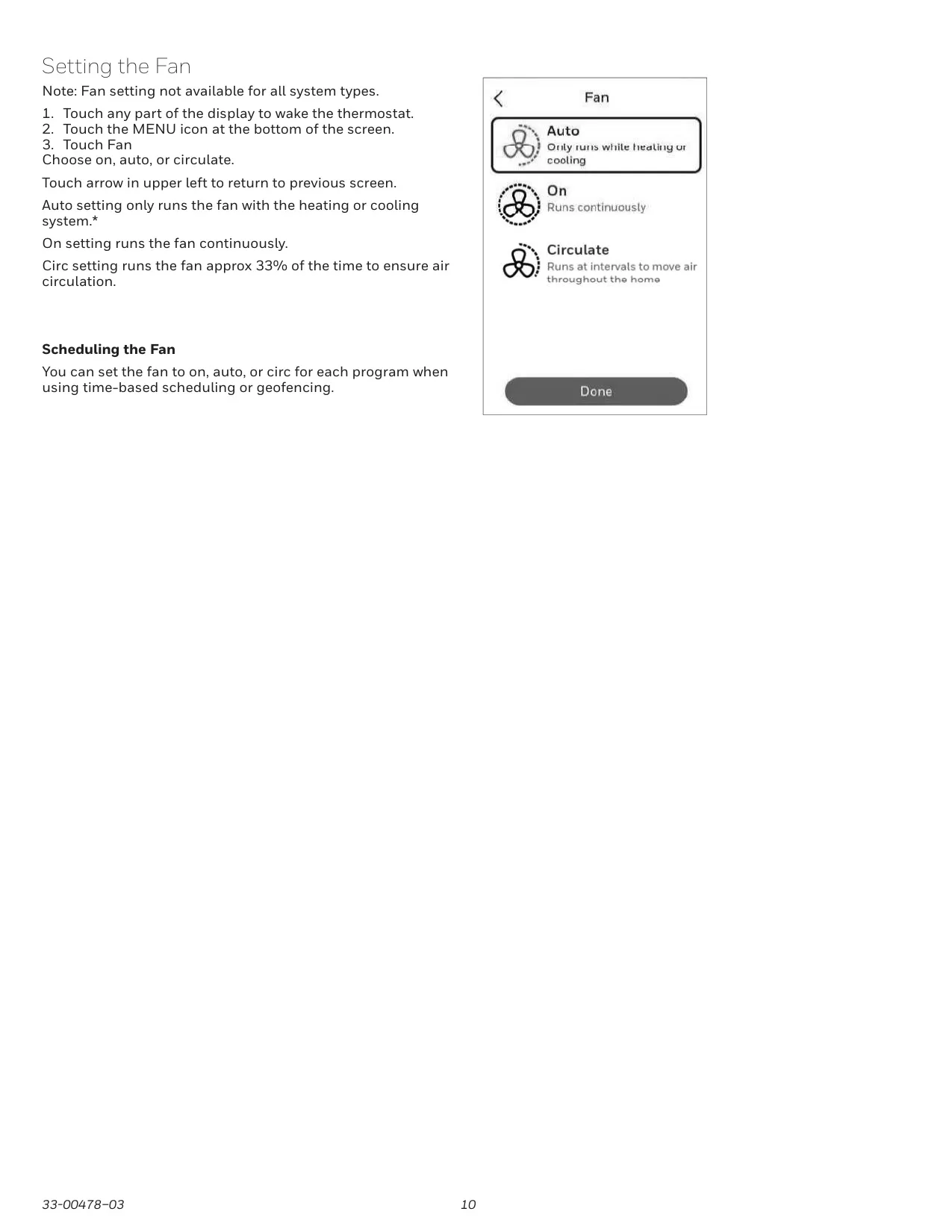
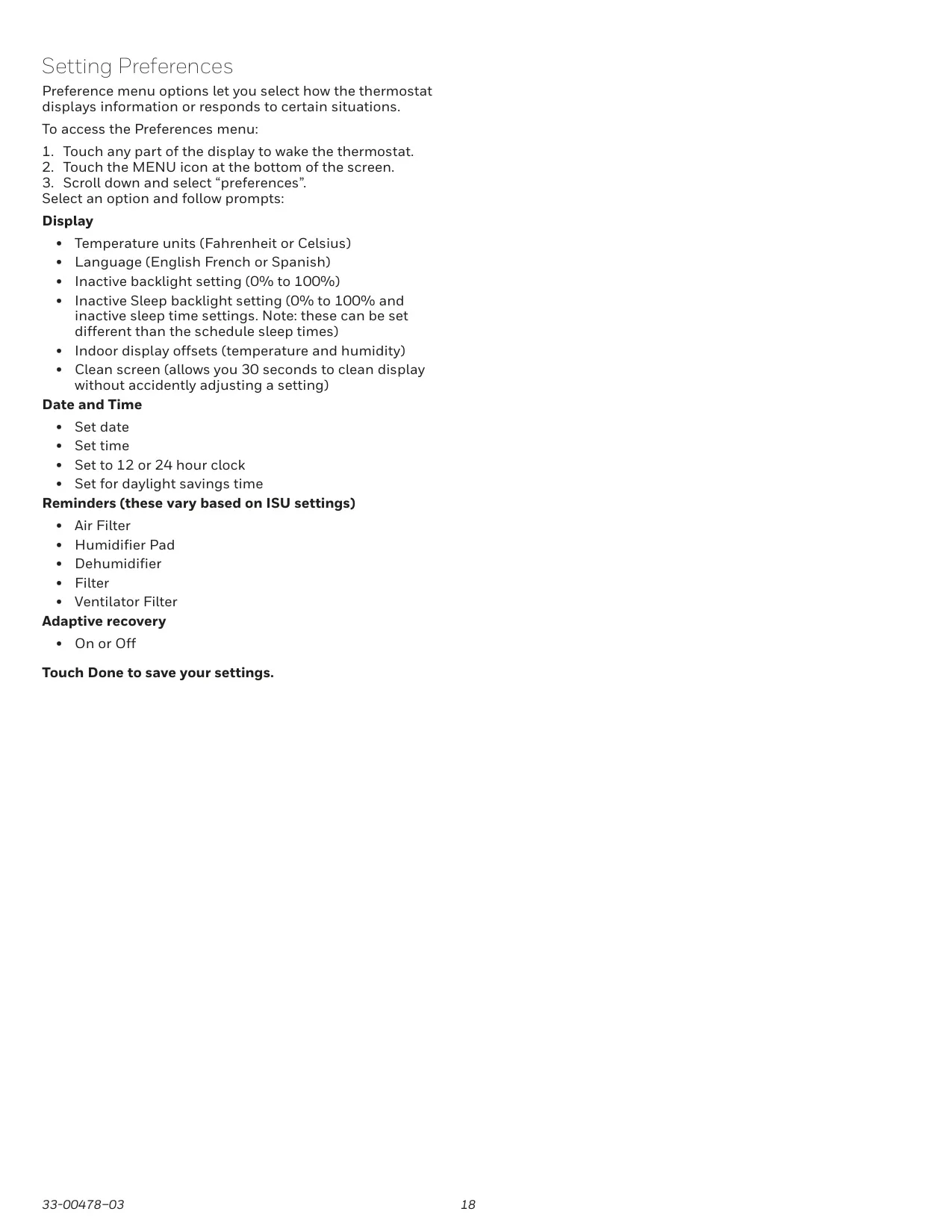
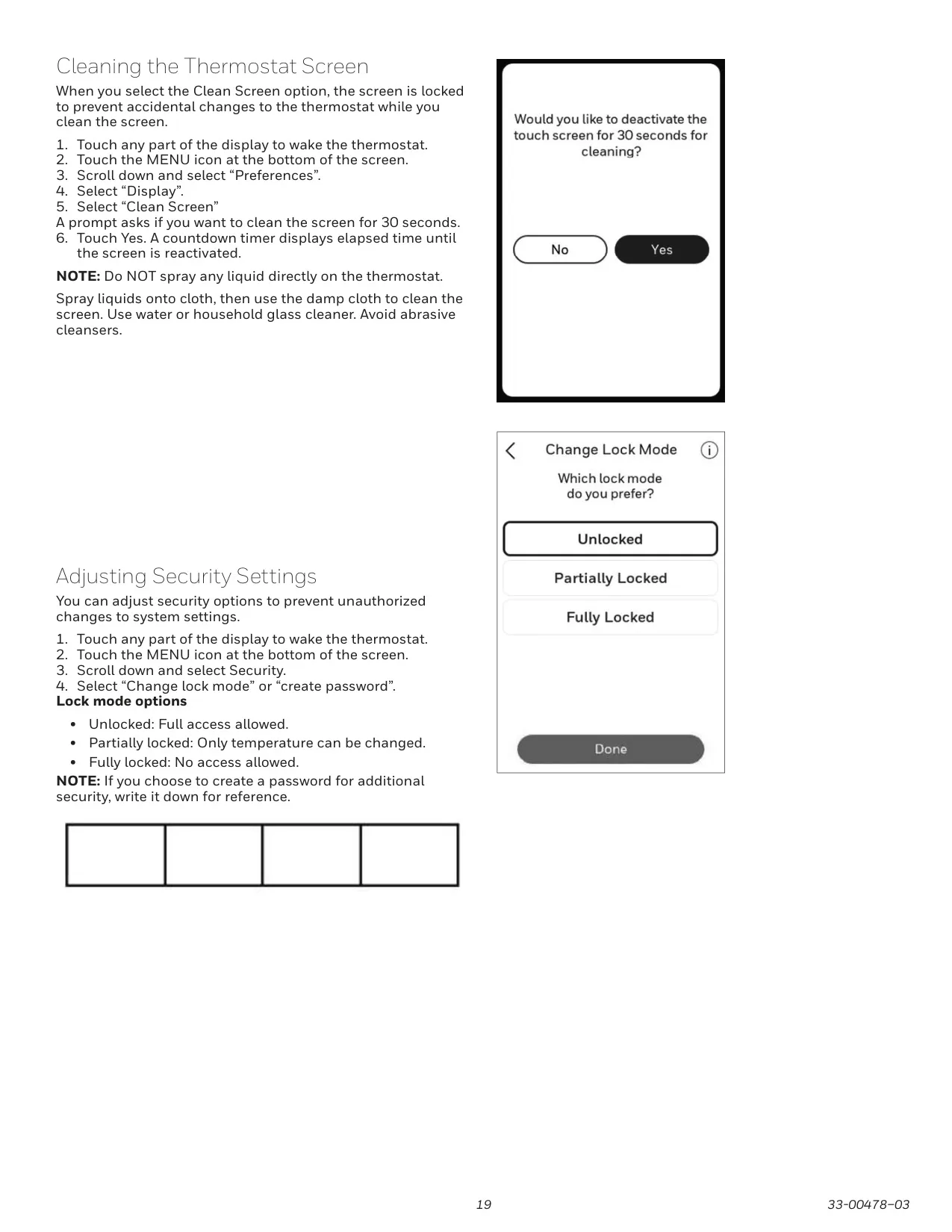
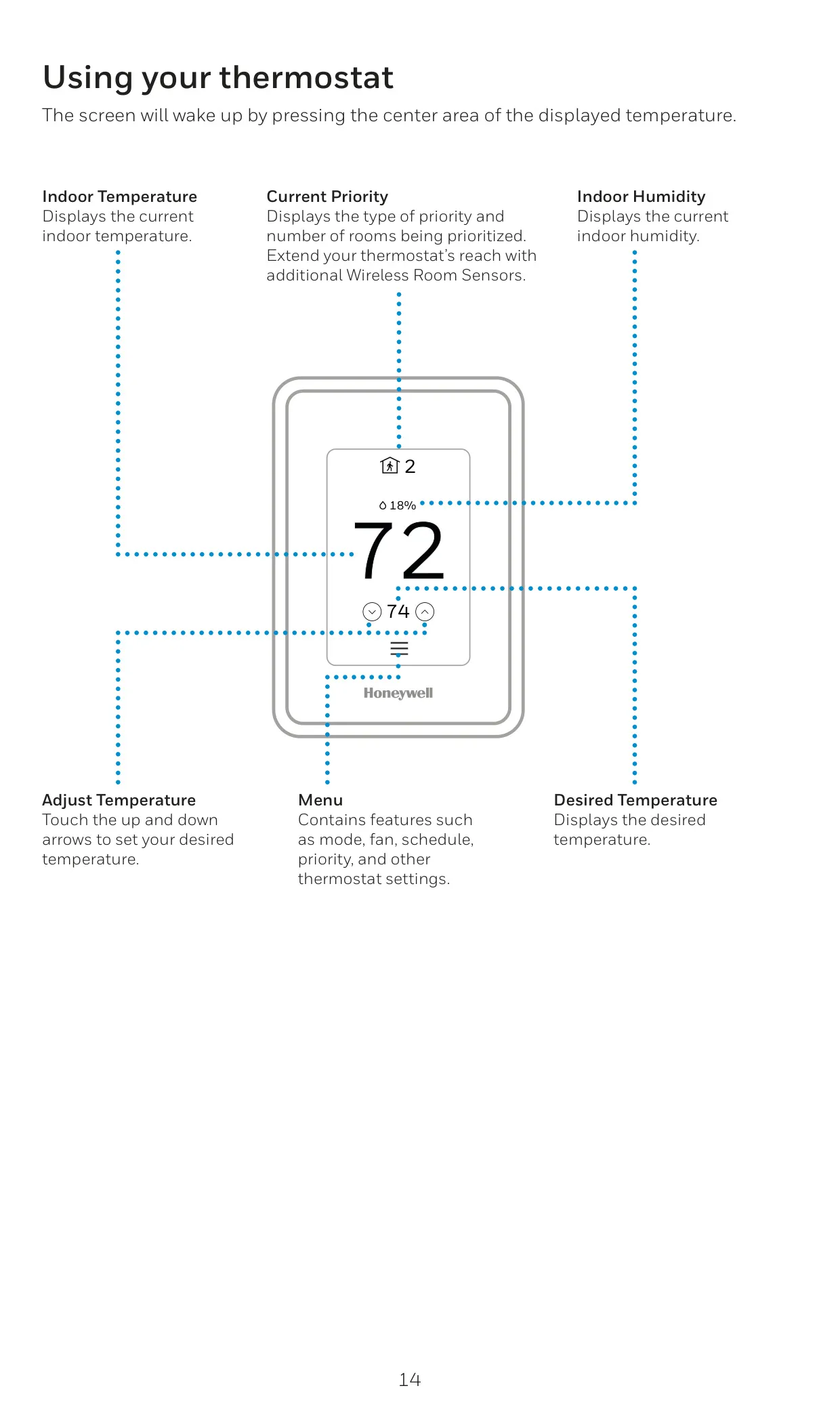
Operating the T9 is remarkably intuitive, centered around a vibrant touchscreen display that instantly wakes with a simple touch. The screen provides immediate, clear readouts of the current priority, indoor humidity levels, and the precise indoor temperature. A comprehensive menu icon grants easy access to system modes, fan settings, and advanced configuration options. These include straightforward Wi-Fi setup, security preferences, and various display adjustments, notably a convenient "Clean Screen" lock that prevents accidental setting changes during maintenance.
Frequently Asked Questions (FAQs)
Can't find the answer you need? Here are some frequently asked questions about the Honeywell RCHT9610WFW2004 T9 Thermostat, and we answer them below.