Honeywell TH8320R1003 VisionPro 8000 Instruction Manual
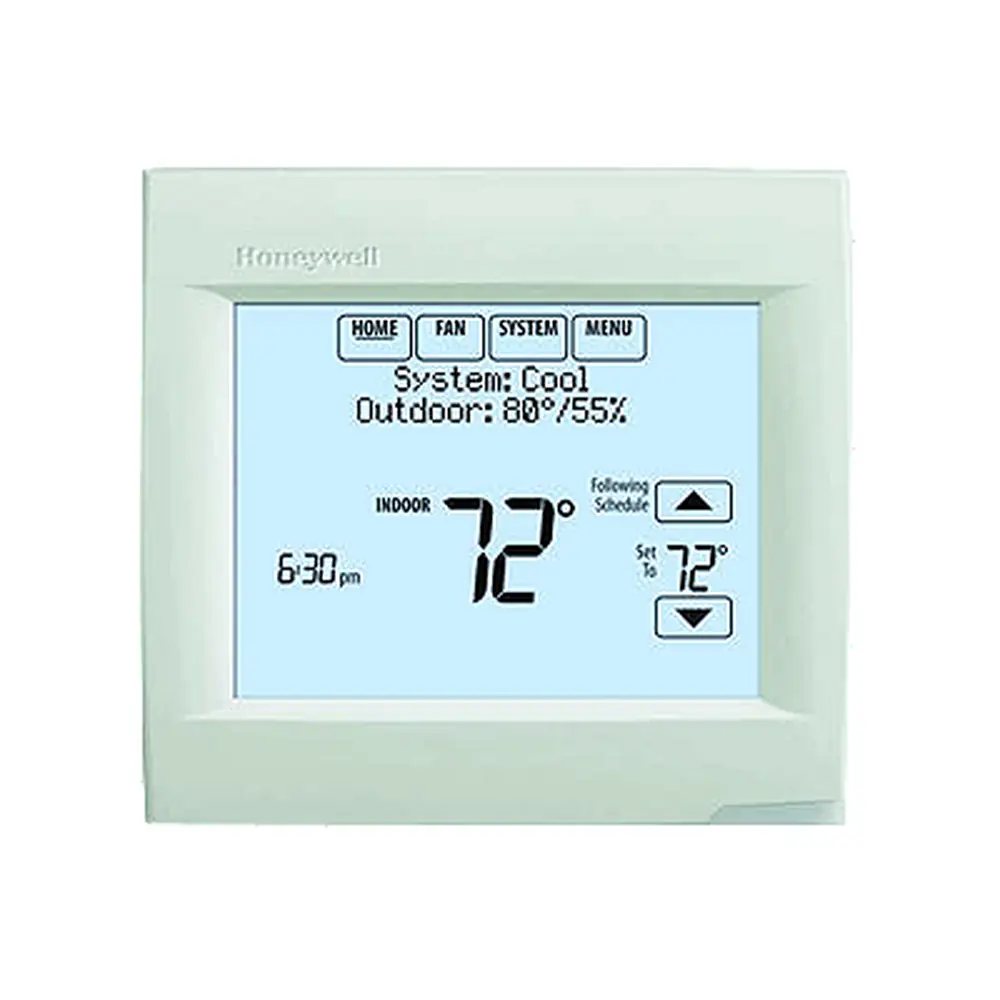
Honeywell TH8320R1003 VisionPro 8000
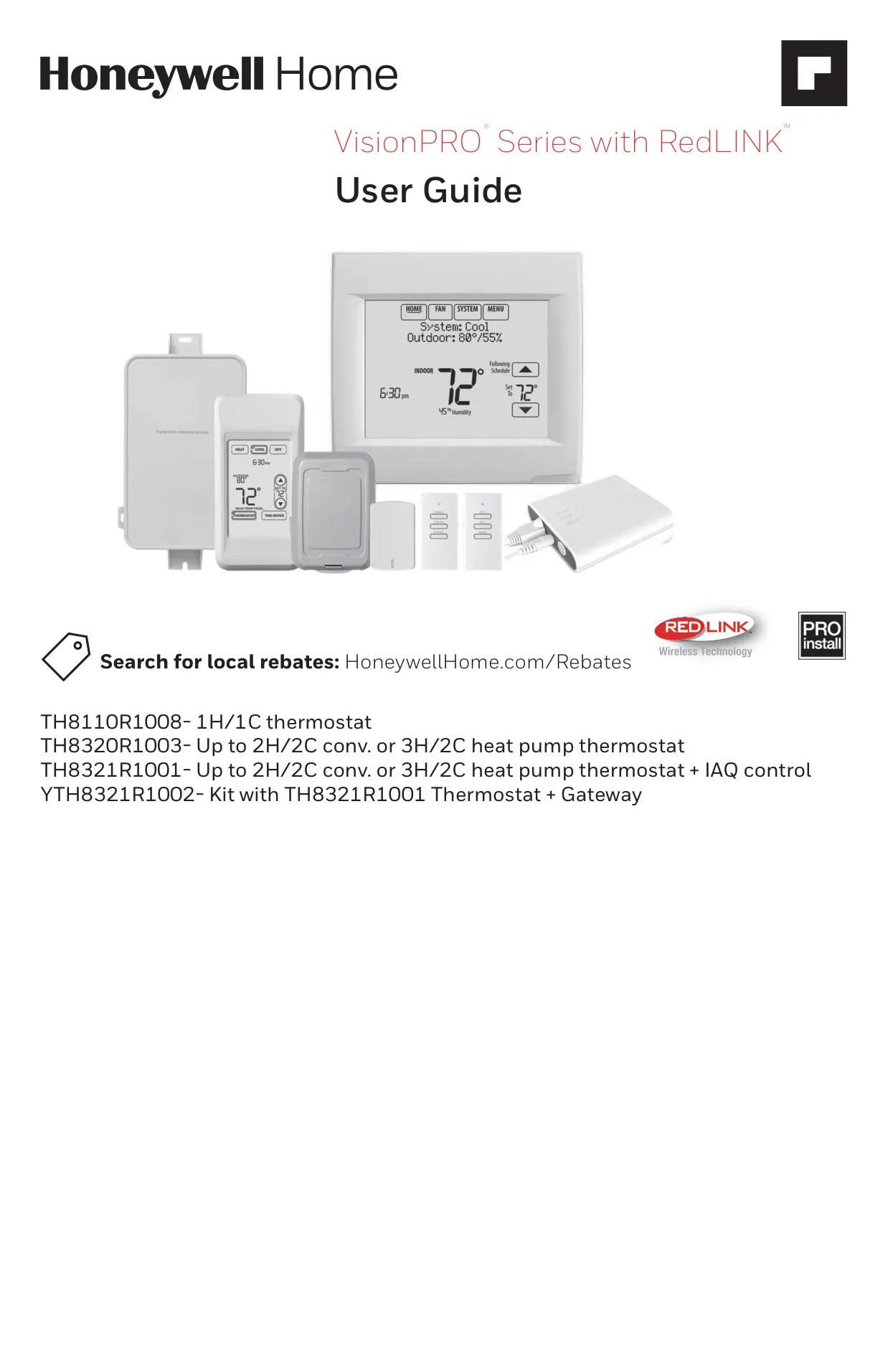

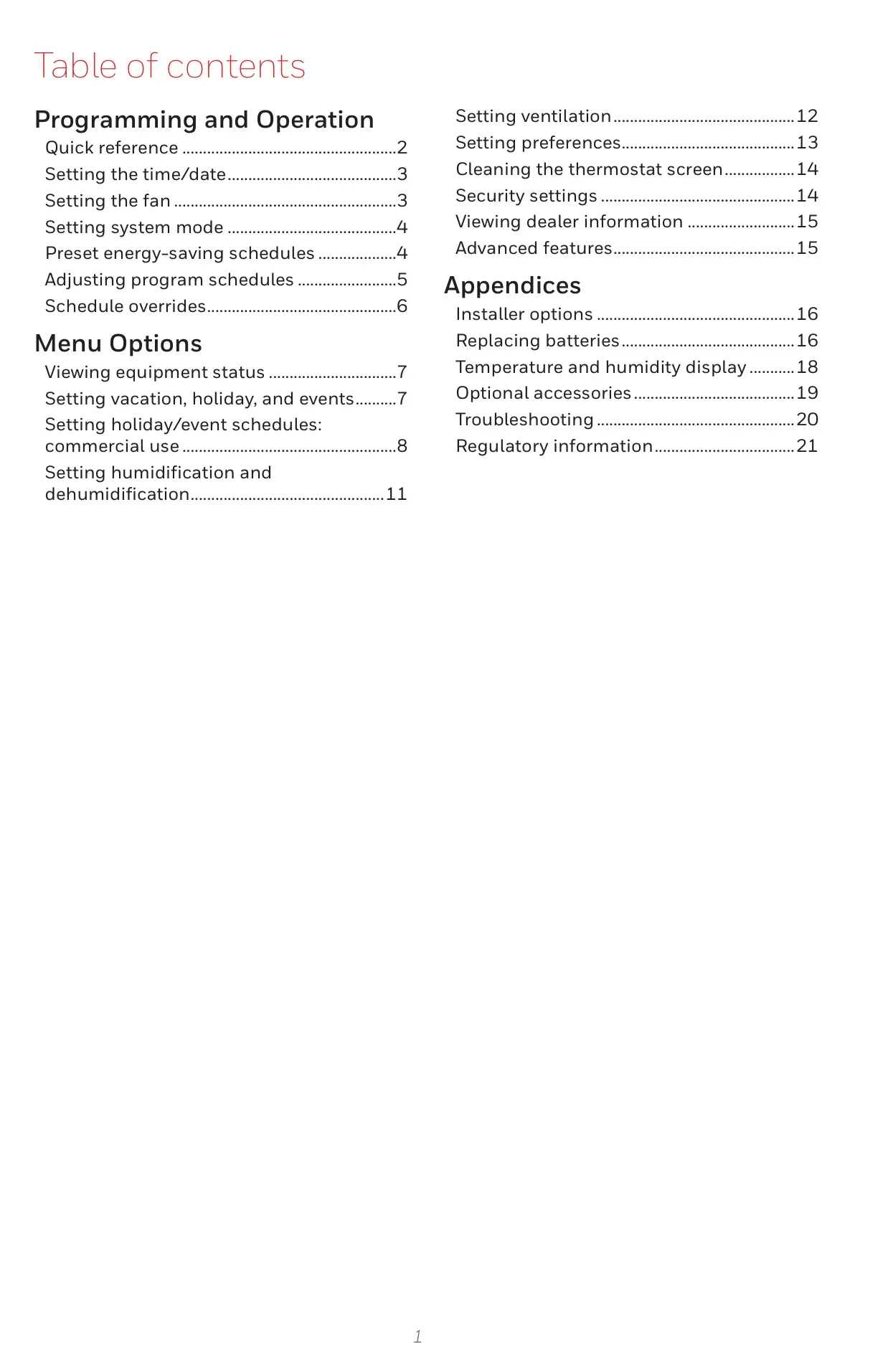
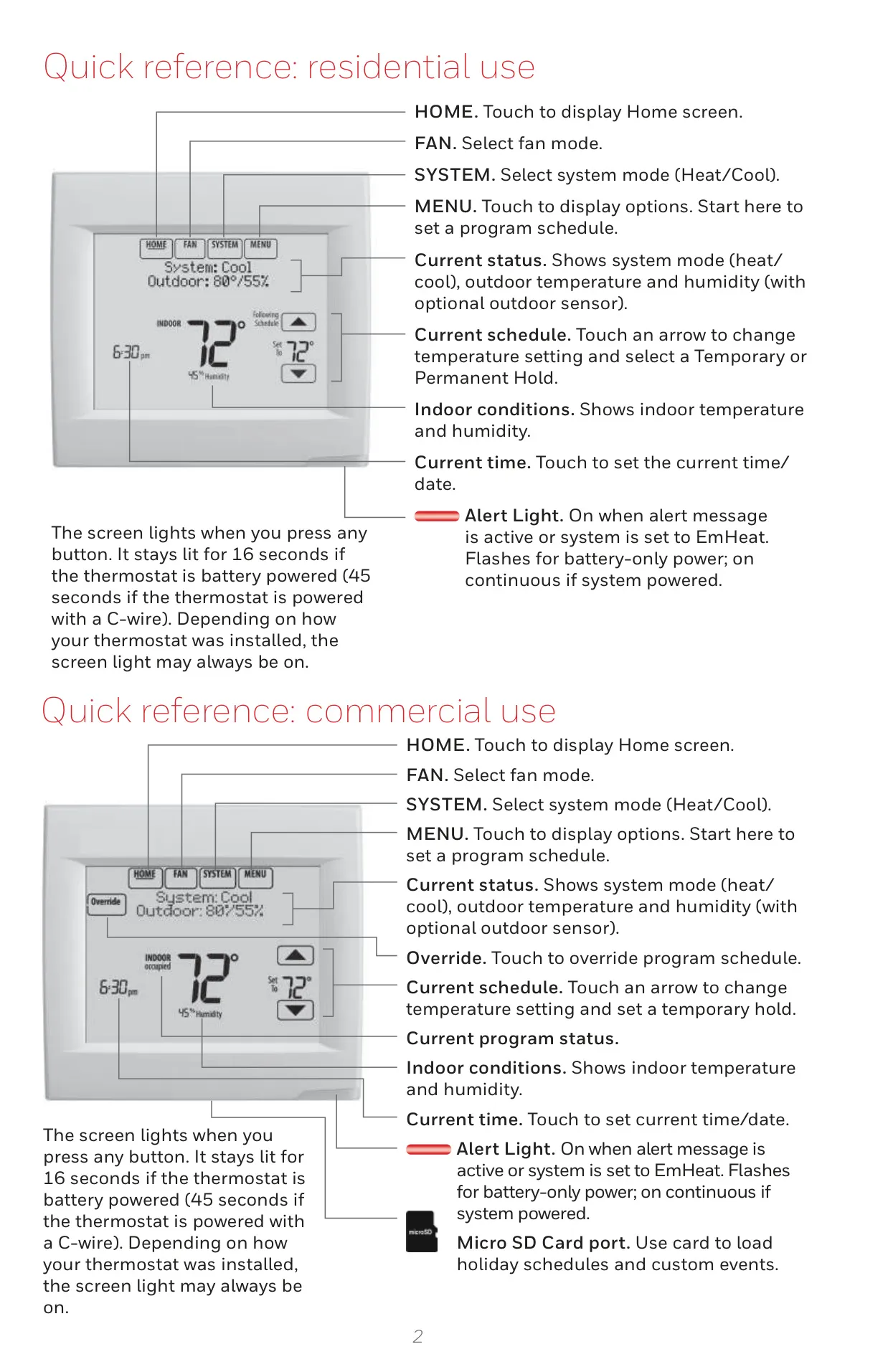
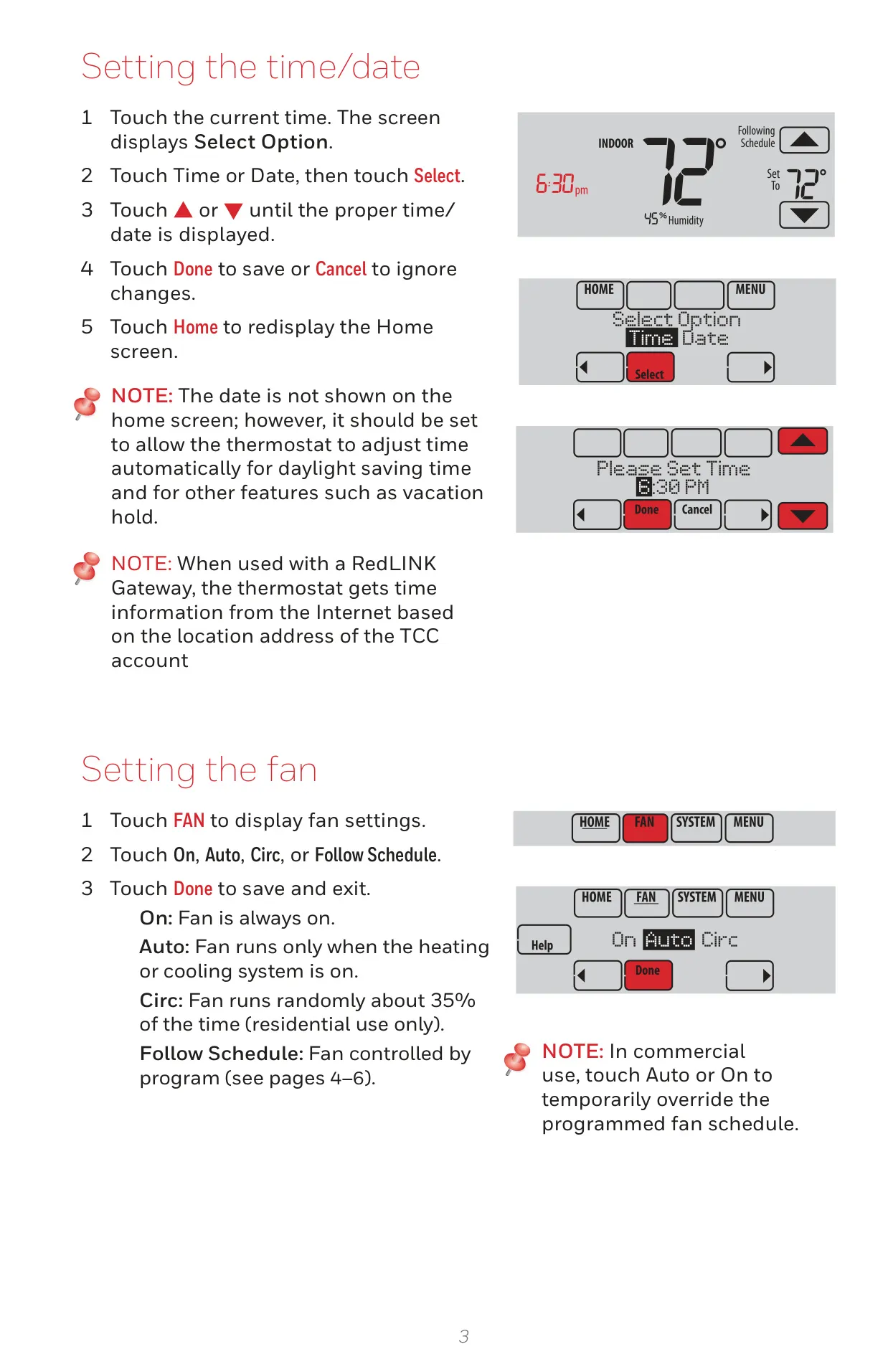
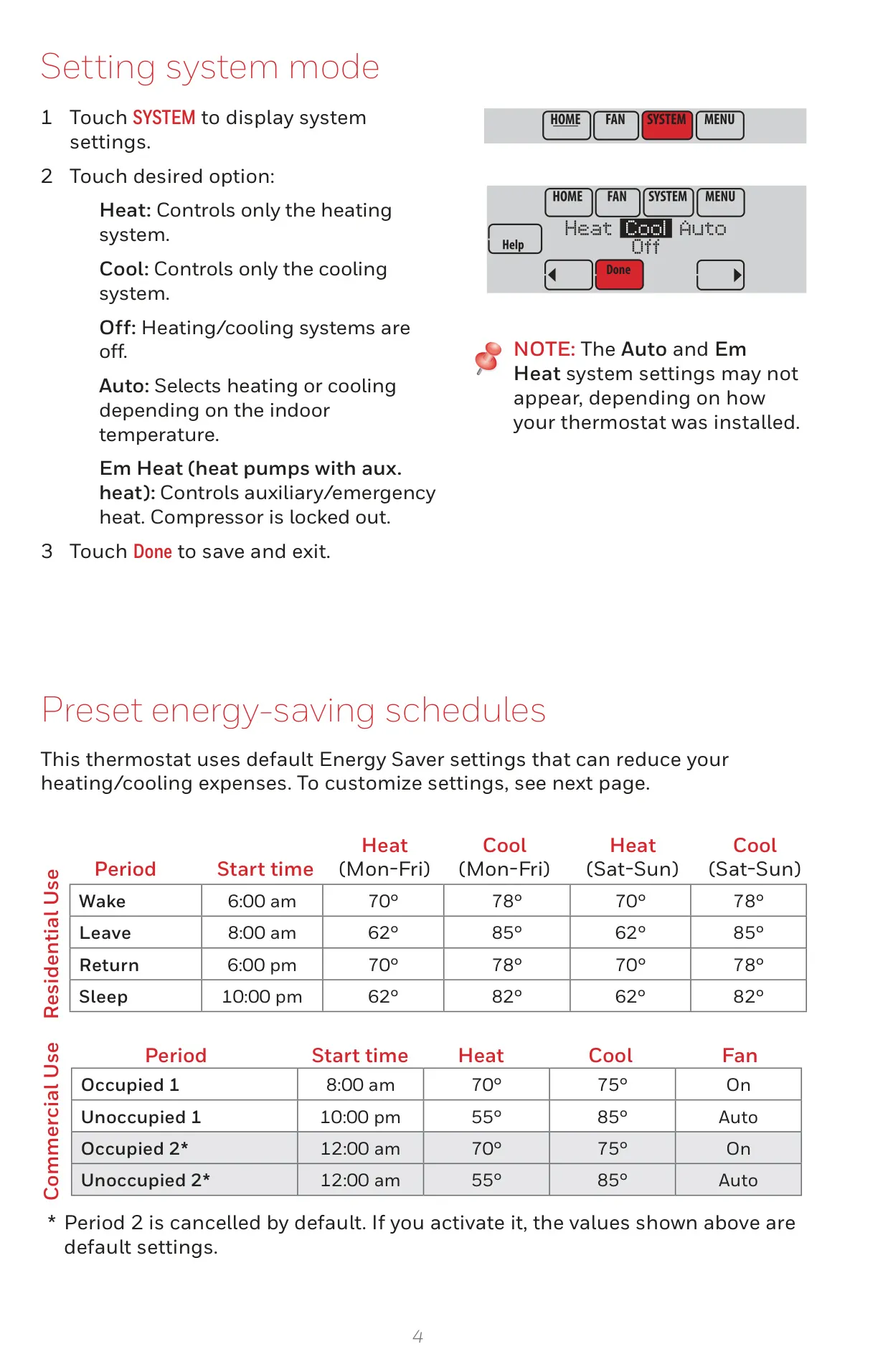
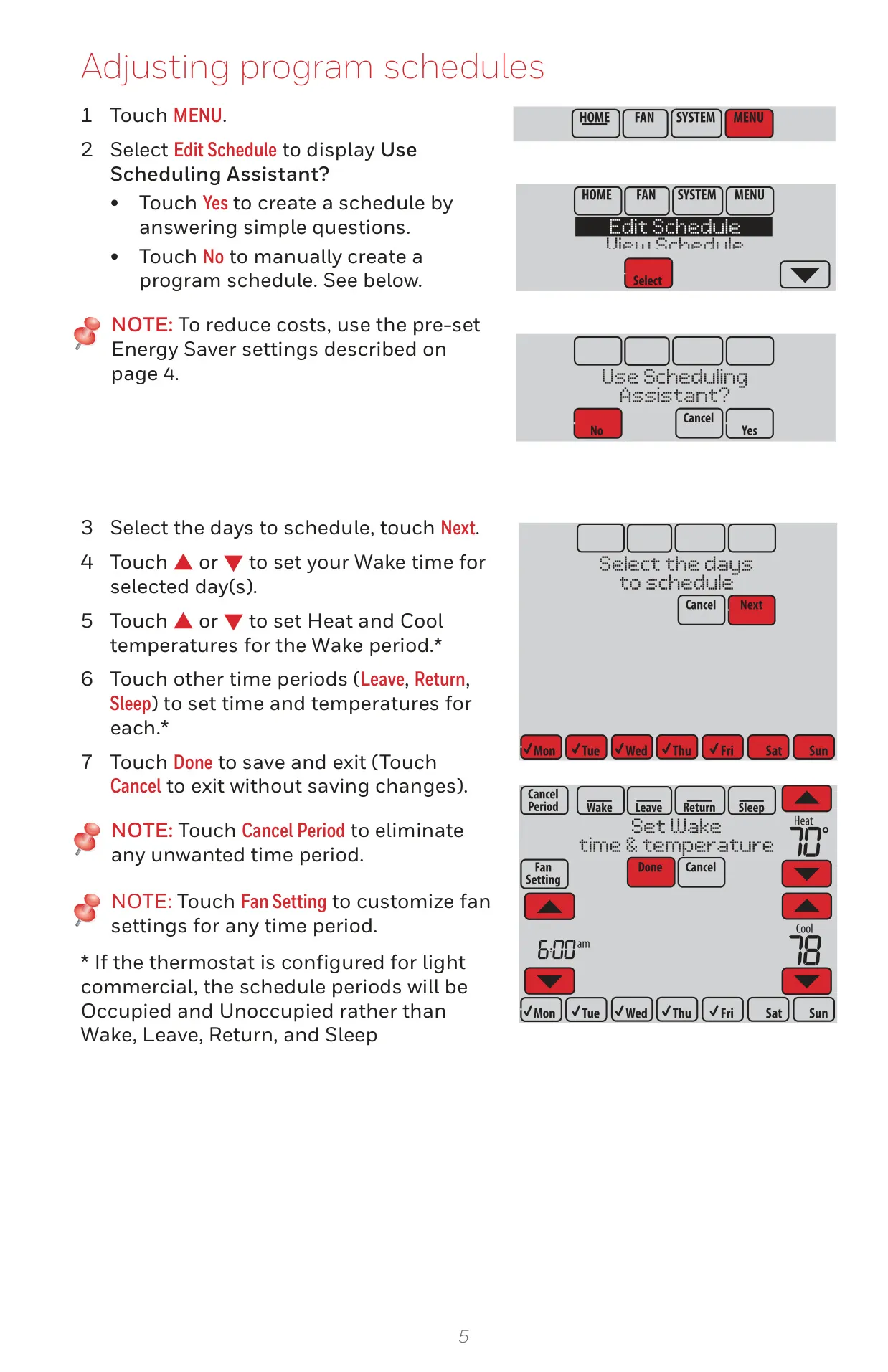
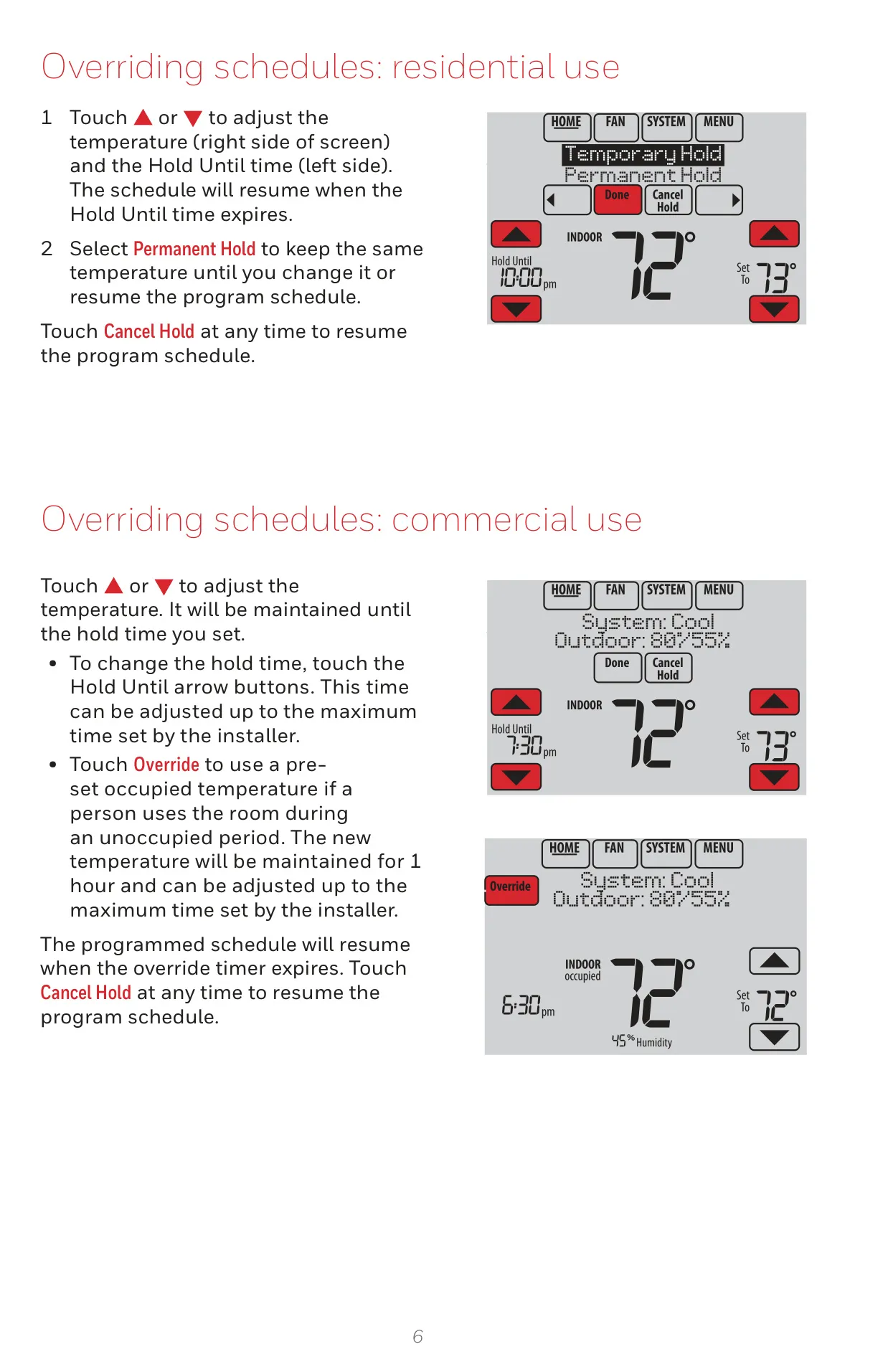





Honeywell TH8320R1003 VisionPro 8000
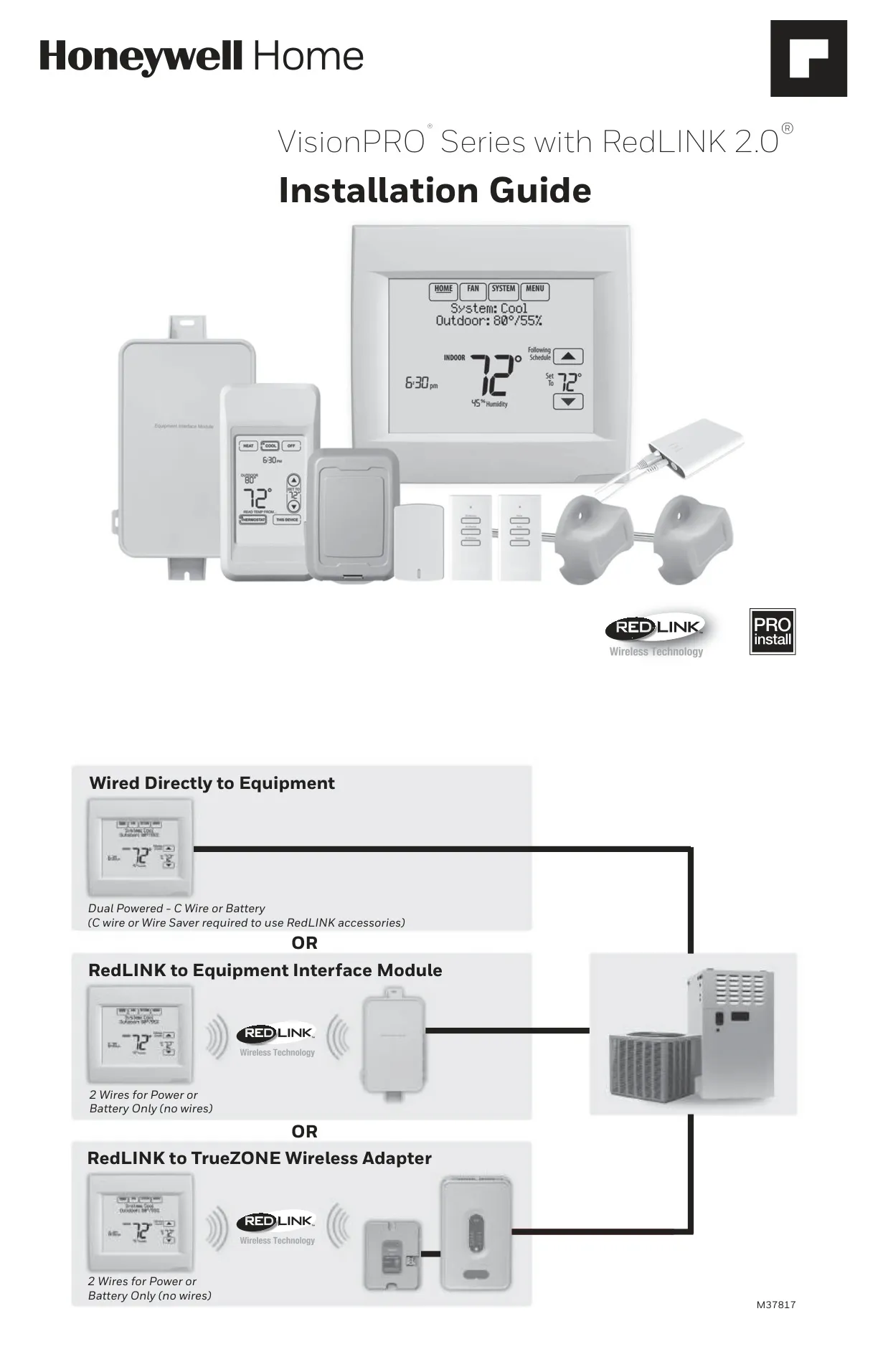
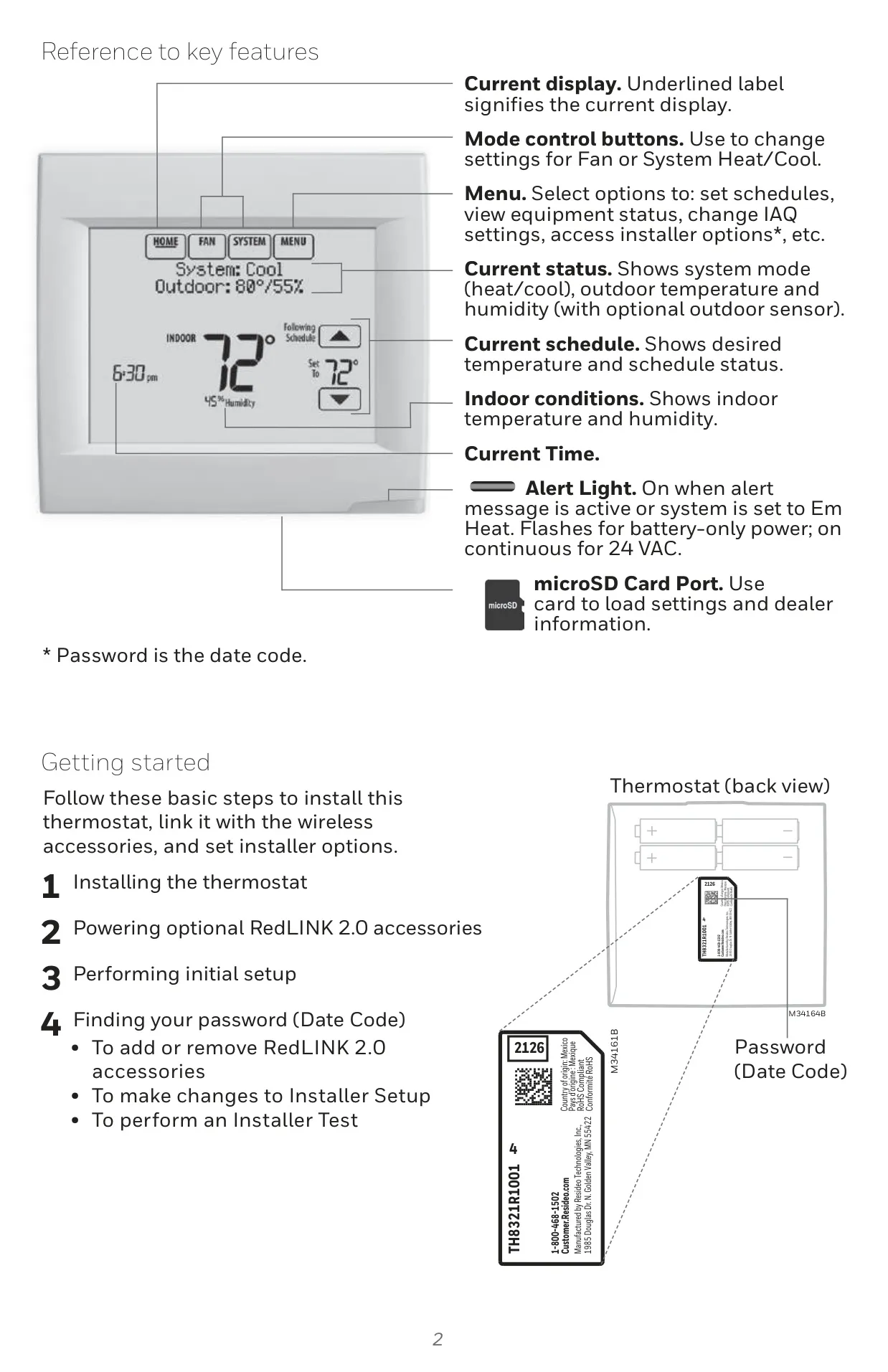
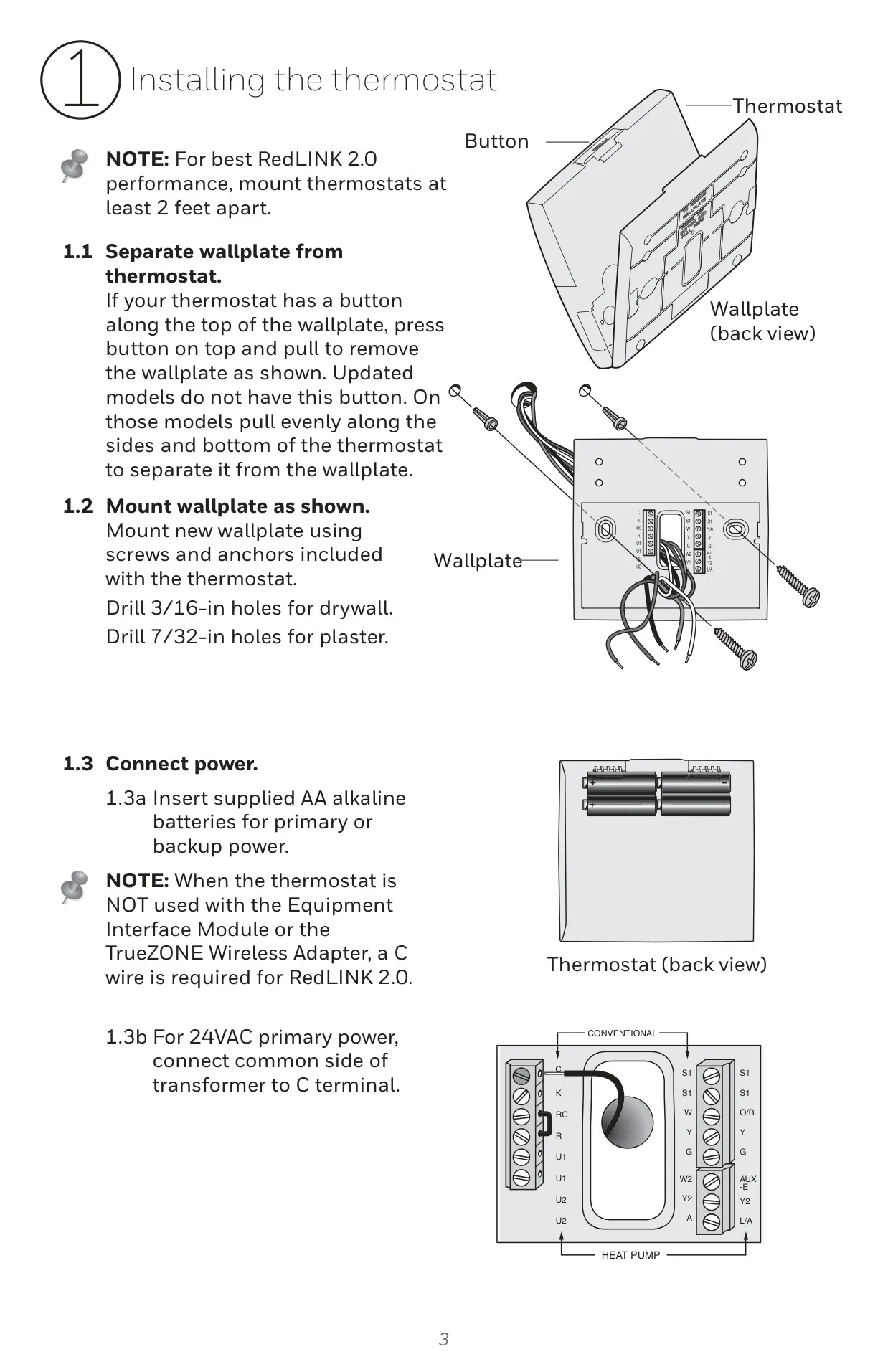
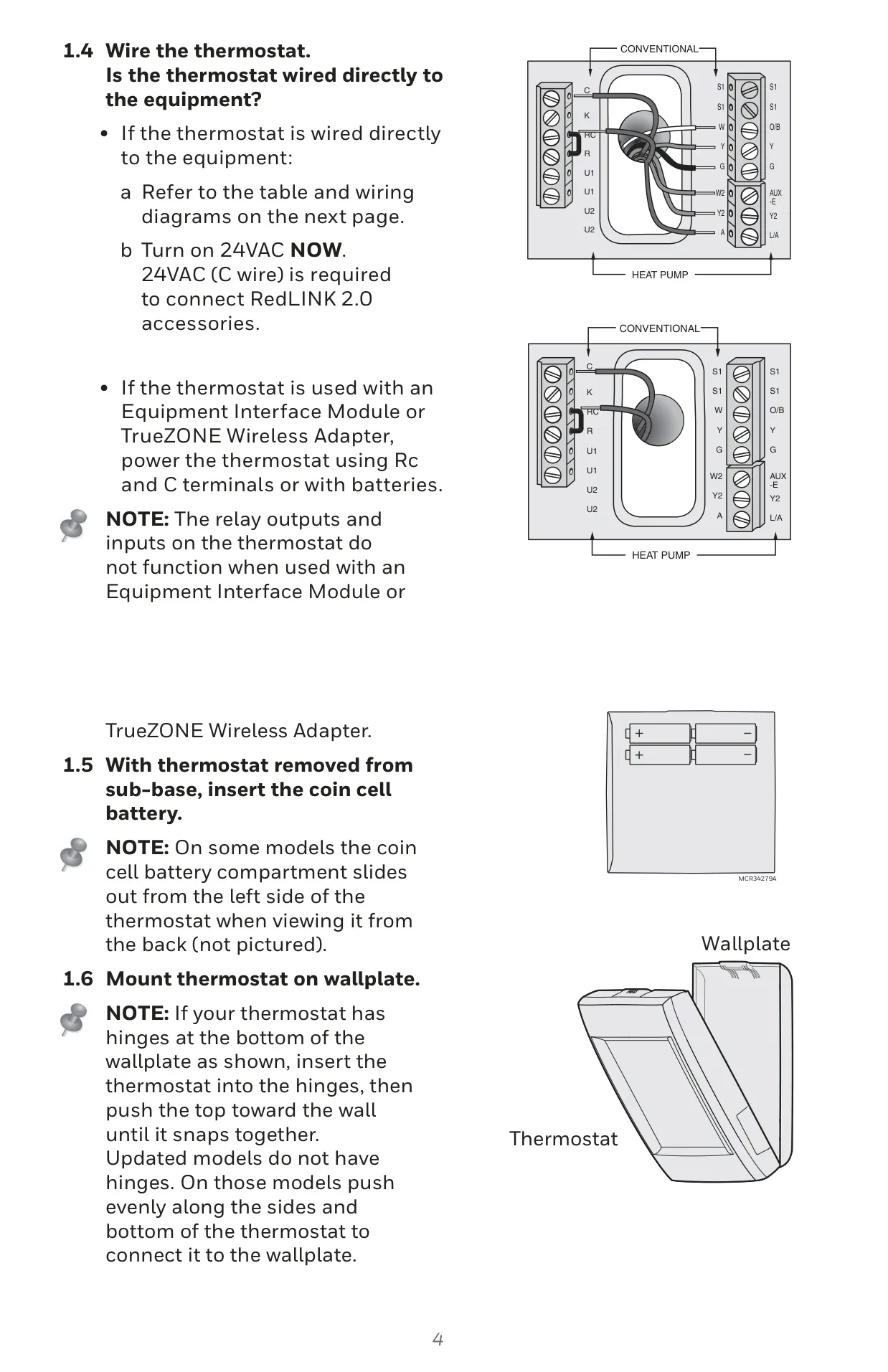
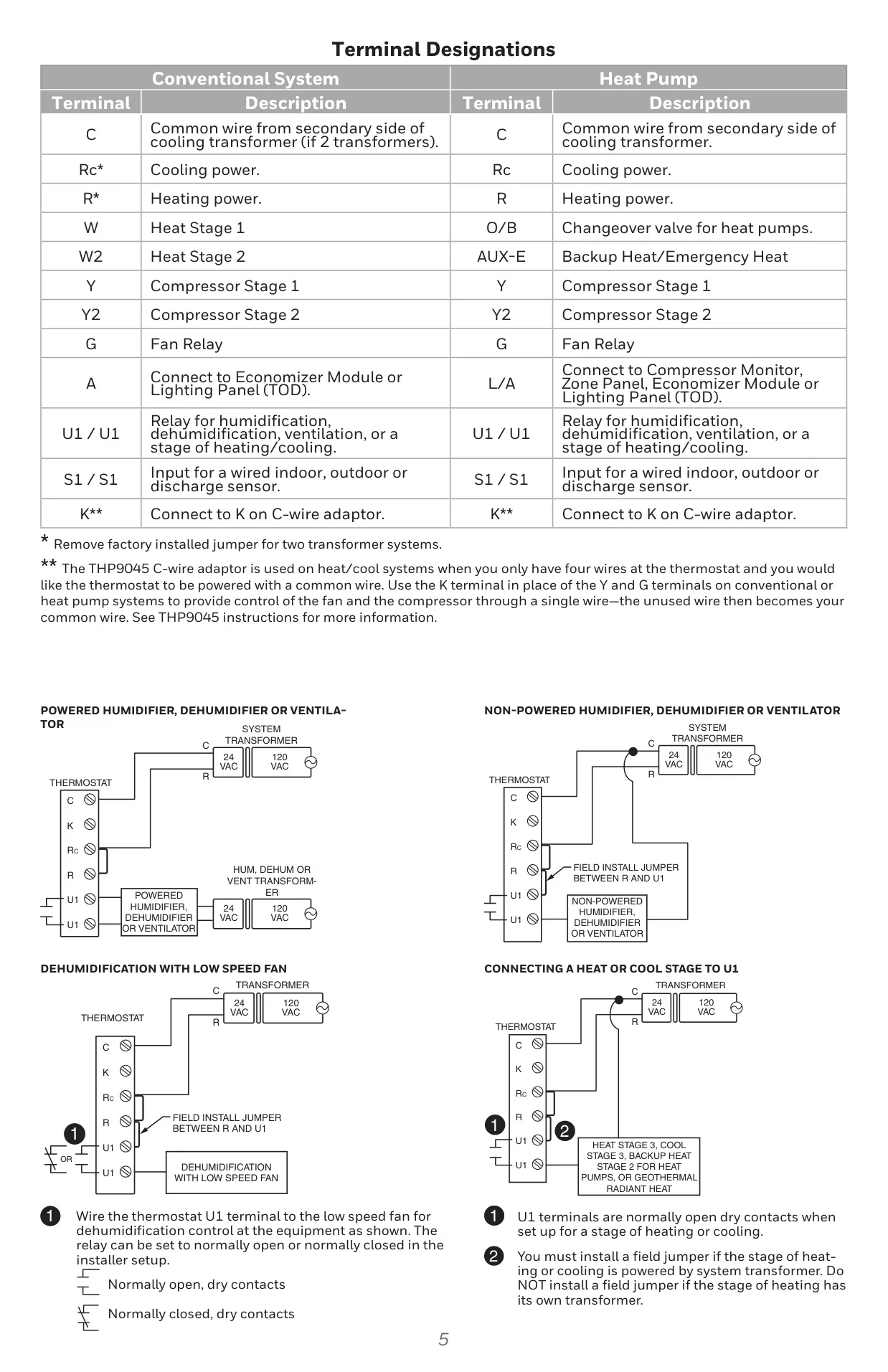

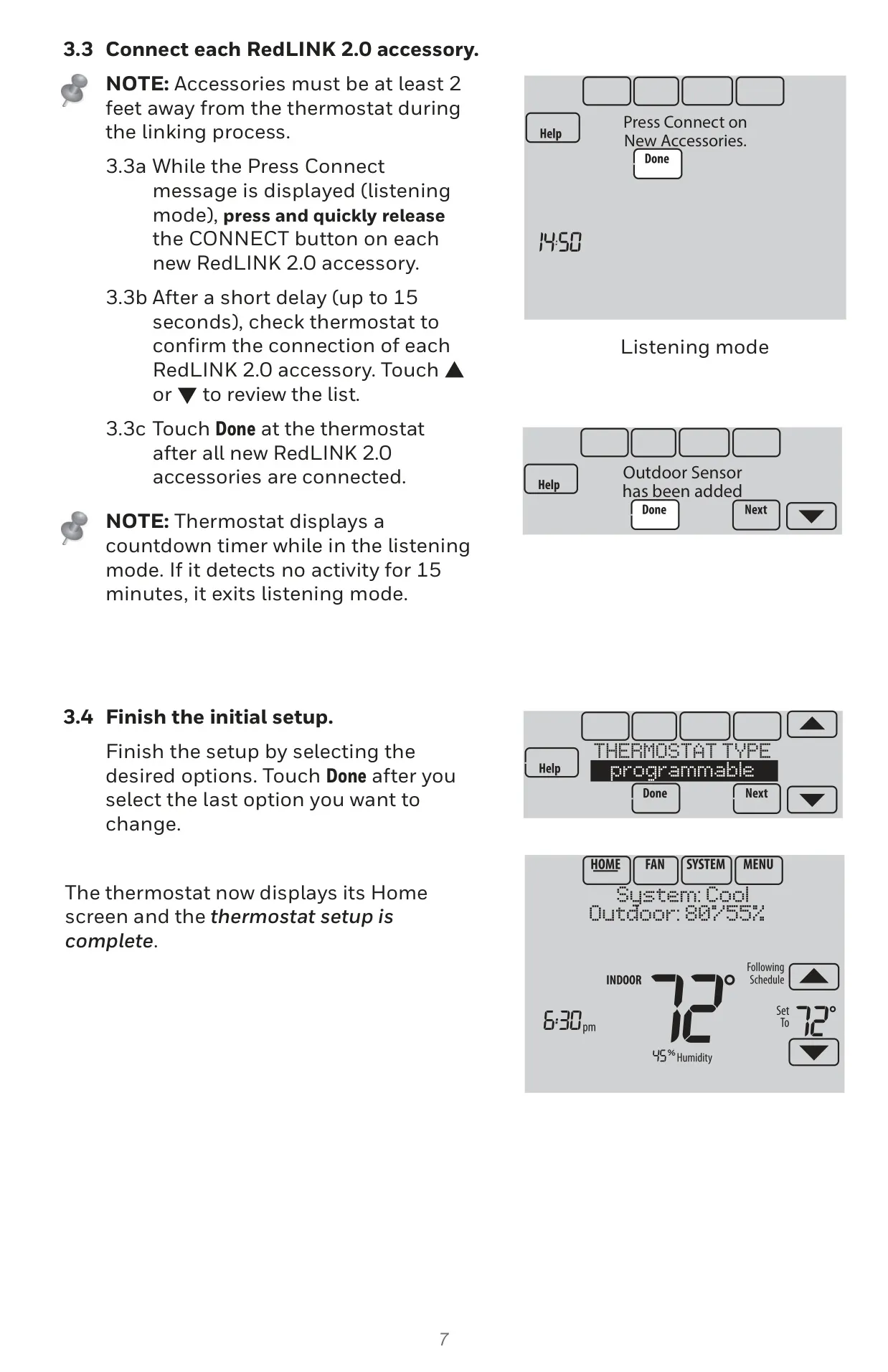

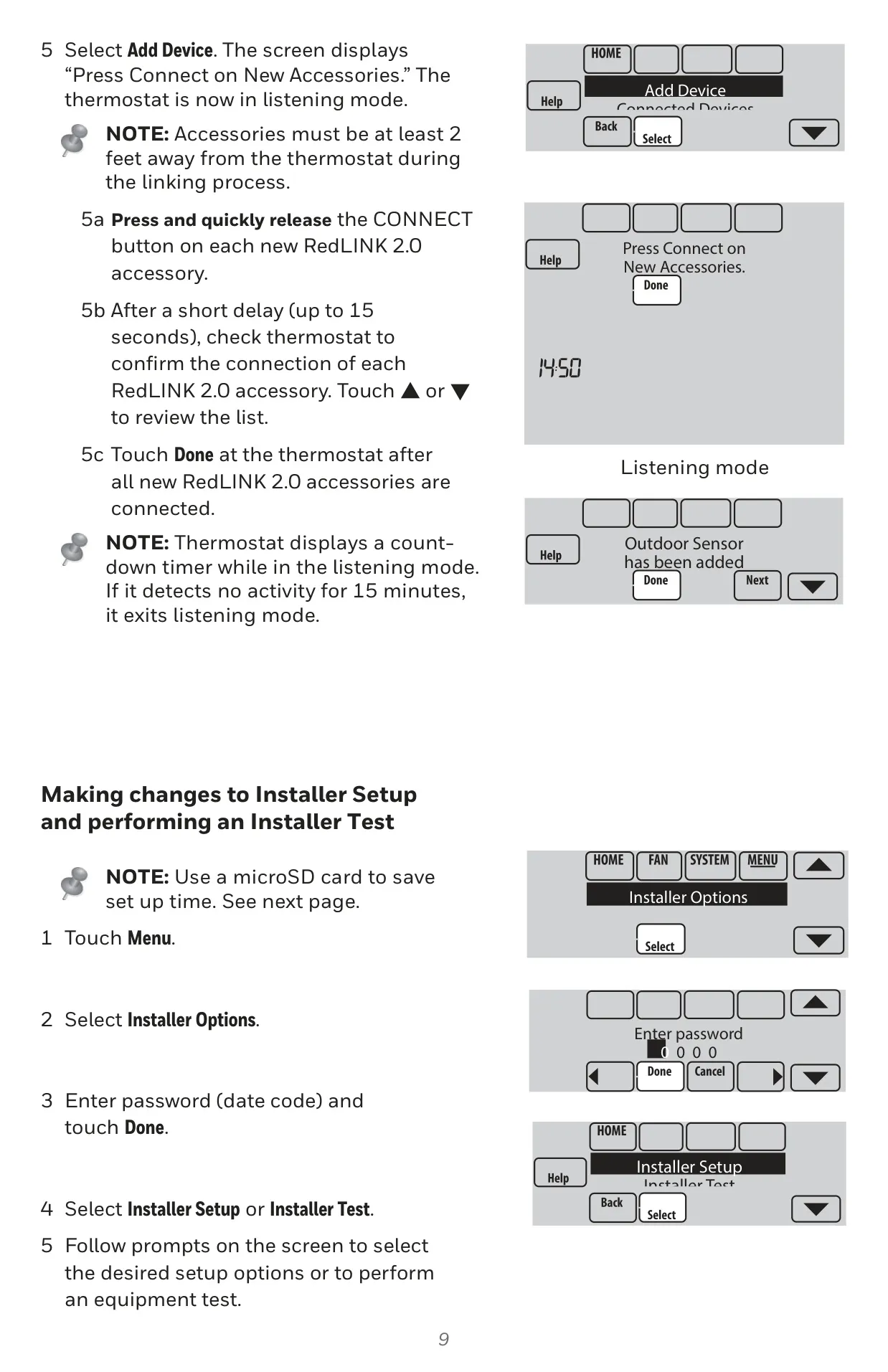
Honeywell TH8320R1003 Instructions
Here we offer the Honeywell TH8320R1003 VisionPro 8000 manual completely free and in English. We have cataloged this manual in the Thermostats section on Manualverse, and it has been rated by 1 users with an average rating of 5. If you have any specific questions about Honeywell TH8320R1003 VisionPro 8000, we suggest checking the Frequently Asked Questions (FAQs) section of this manual.
Product Images
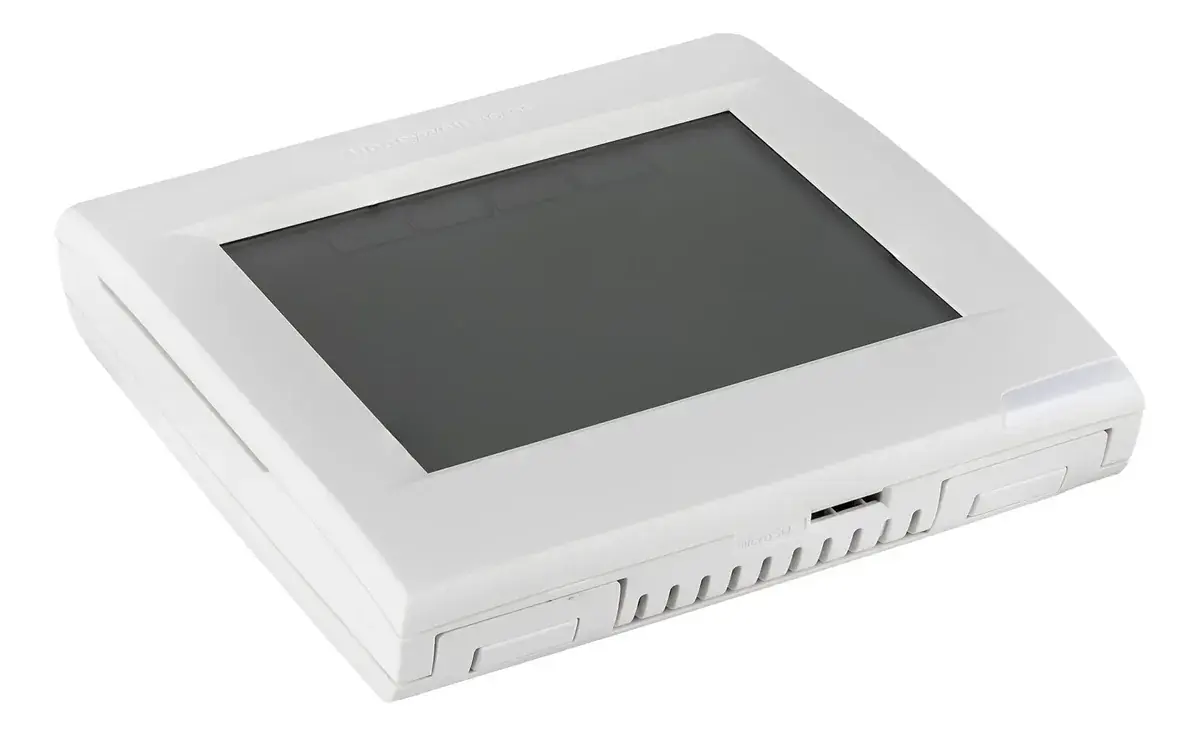
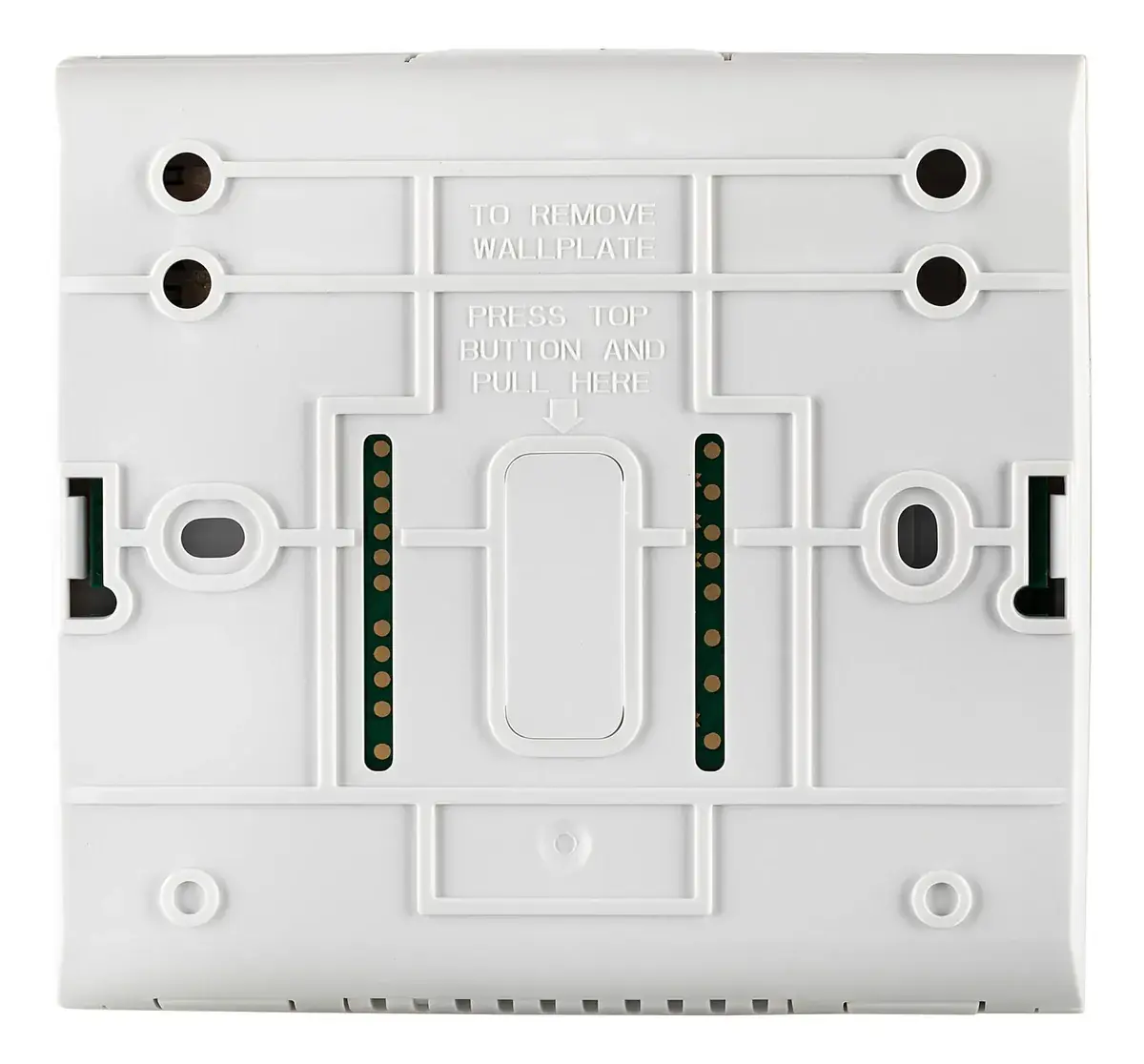


Honeywell TH8320R1003 VisionPro 8000 Thermostat Specifications
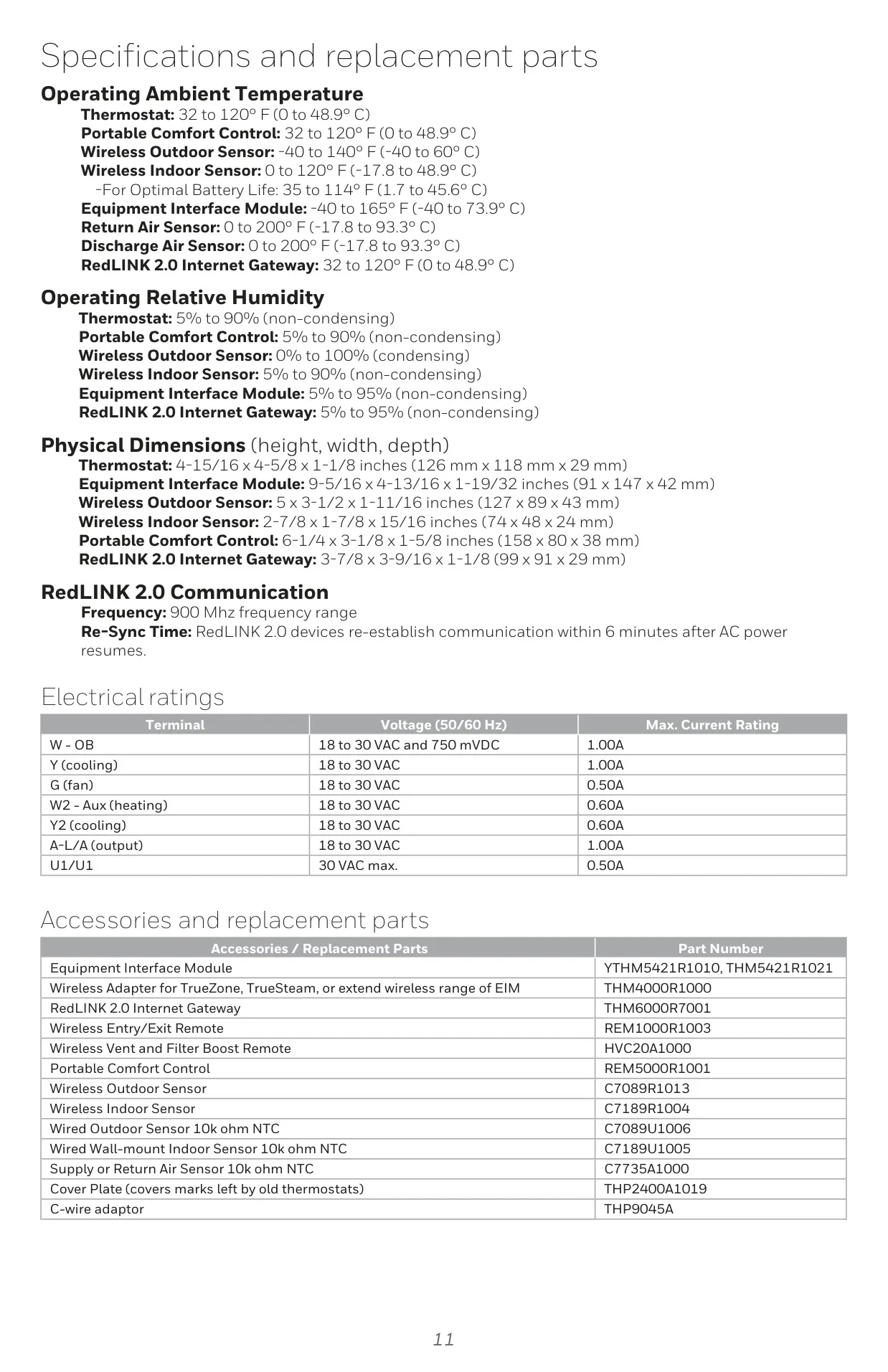
| Feature | Specification |
|---|---|
| Model | TH8320R1003 VisionPRO 8000 |
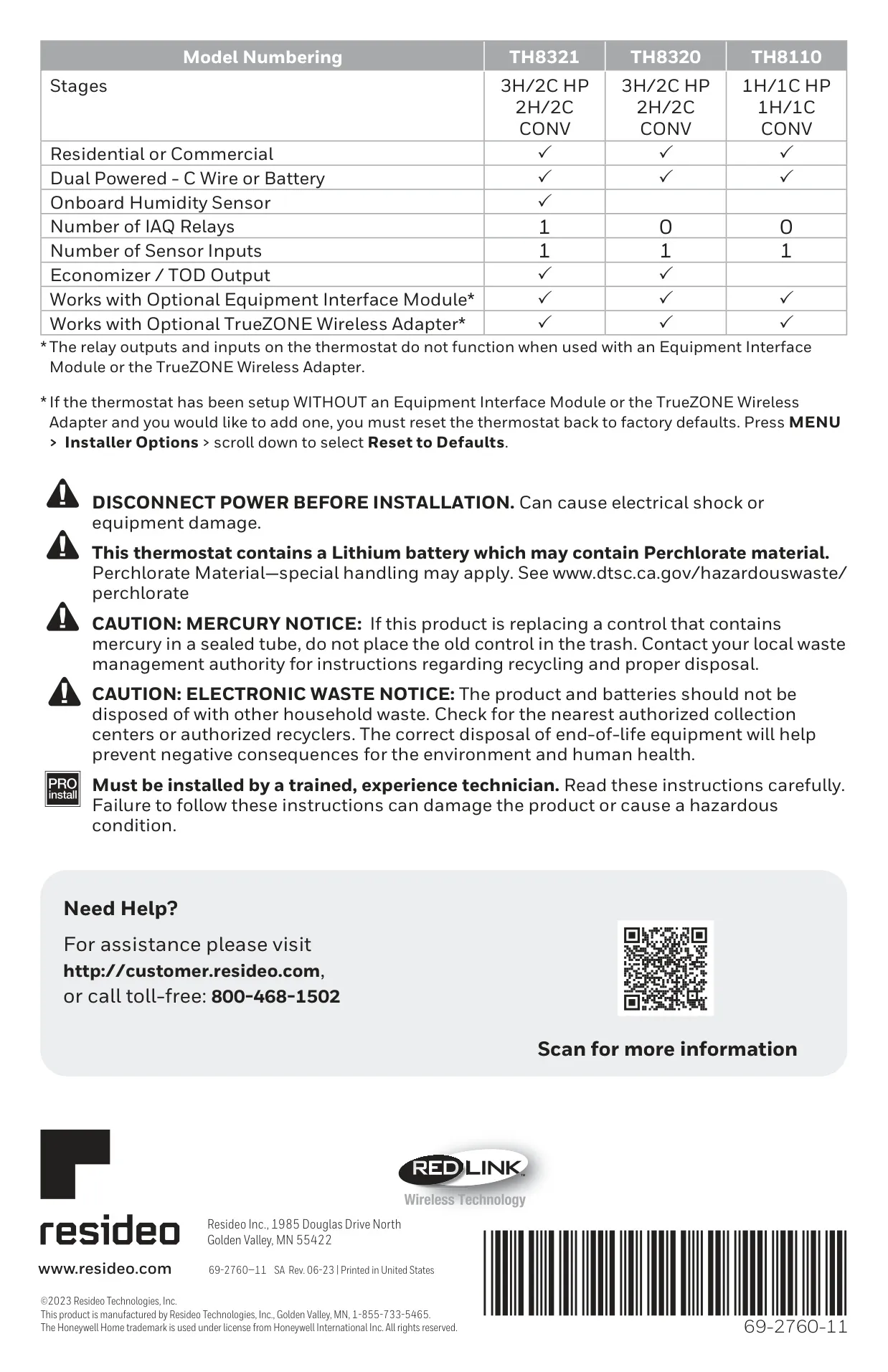
| System Compatibility | Up to 2 Heat/2 Cool Conventional, or 3 Heat/2 Cool Heat Pump |
| Application Type | Residential or Commercial |
| Power Method | Dual Powered (C-wire or AA Batteries) |
| Onboard Humidity Sensor | No |
| IAQ Relays | 0 |
| Sensor Inputs | 1 (Wired Indoor, Outdoor, or Discharge Sensor) |
| Economizer / TOD Output | Yes (A terminal) |
| RedLINK 2.0 Compatibility | Yes |
| Operating Ambient Temperature (Thermostat) | 32 to 120° F (0 to 48.9° C) |
| Operating Relative Humidity (Thermostat) | 5% to 90% (non-condensing) |
| Physical Dimensions (Thermostat) | 4-15/16 x 4-5/8 x 1-1/8 inches (126 mm x 118 mm x 29 mm) |
| RedLINK 2.0 Communication Frequency | 900 MHz frequency range |
| RedLINK 2.0 Re-Sync Time | Within 6 minutes after AC power resumes |
| Max. Current Rating (W - OB) | 1.00A (18 to 30 VAC and 750 mVDC) |
| Max. Current Rating (Y - Cooling) | 1.00A (18 to 30 VAC) |
| Max. Current Rating (G - Fan) | 0.50A (18 to 30 VAC) |
| Max. Current Rating (W2 - Aux - Heating) | 0.60A (18 to 30 VAC) |
| Max. Current Rating (Y2 - Cooling) | 0.60A (18 to 30 VAC) |
| Max. Current Rating (A-L/A Output) | 1.00A (18 to 30 VAC) |
| Max. Current Rating (U1/U1 Relays) | 0.50A (30 VAC max) |
Honeywell VisionPro 8000 Details
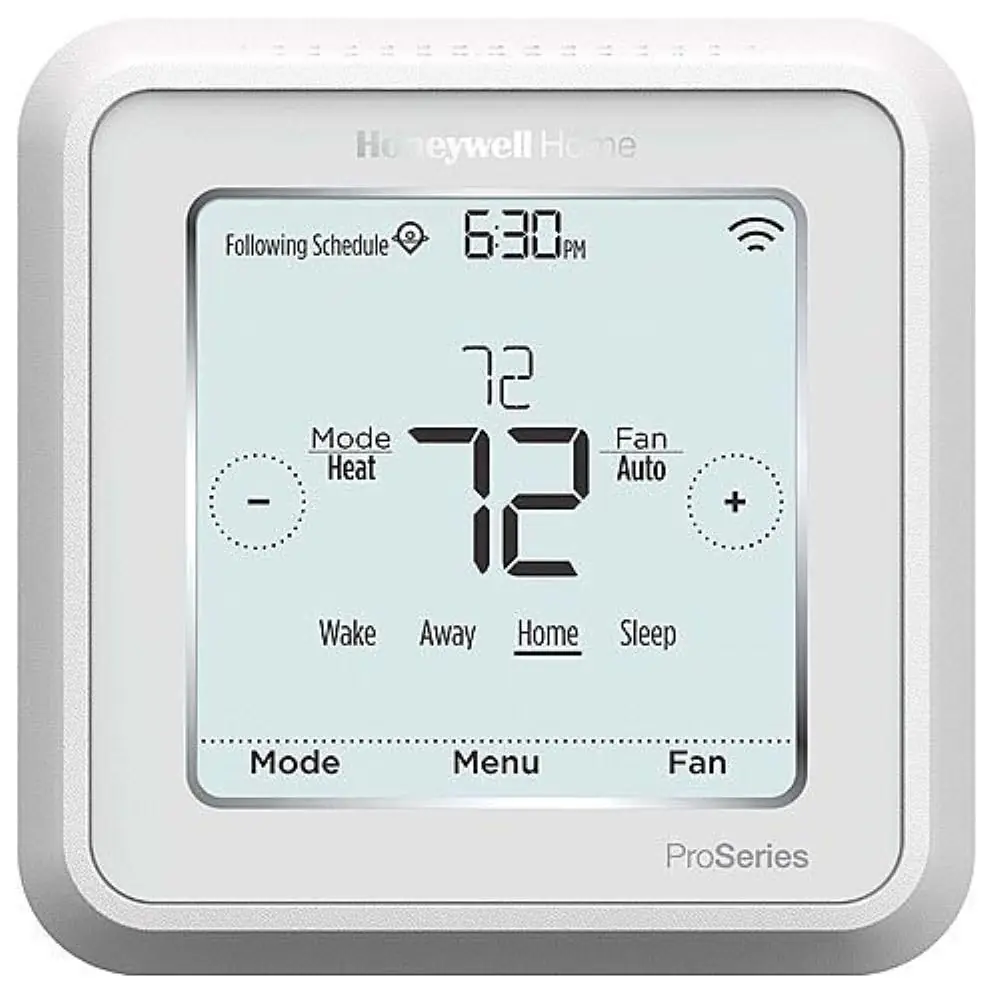
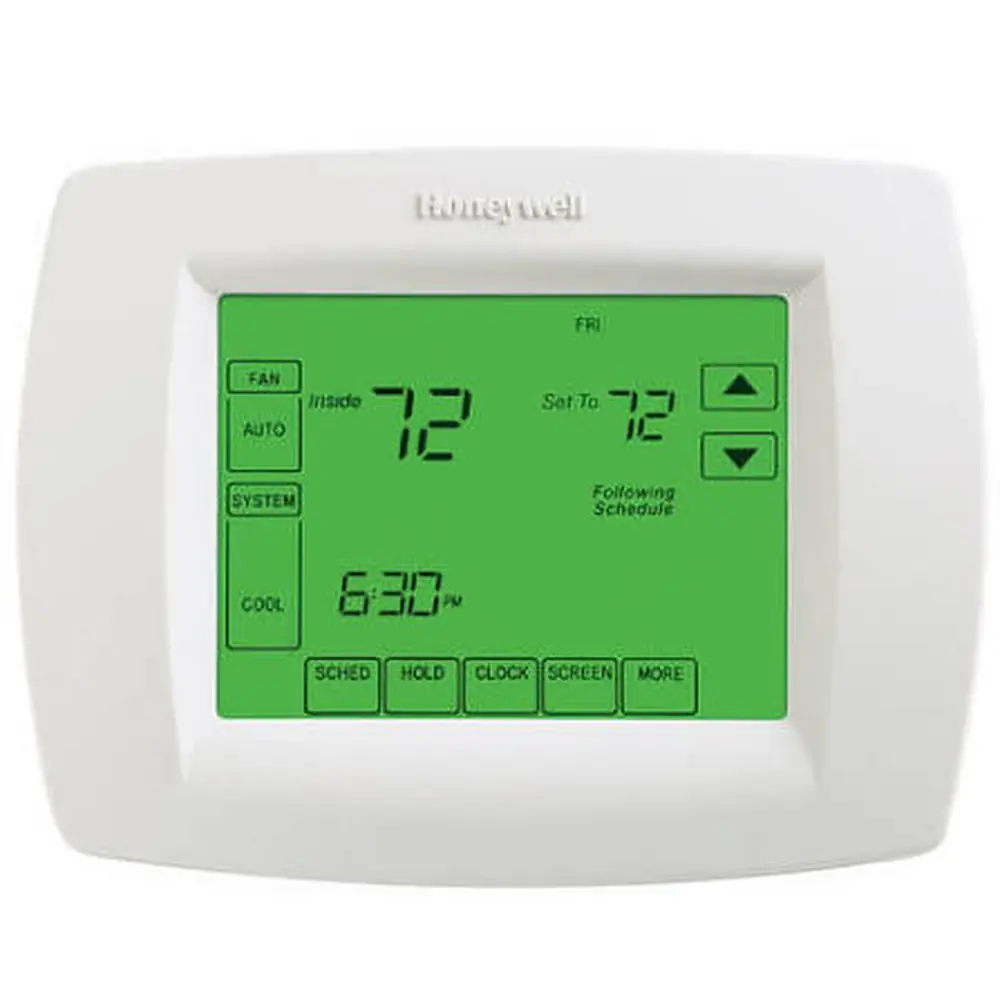
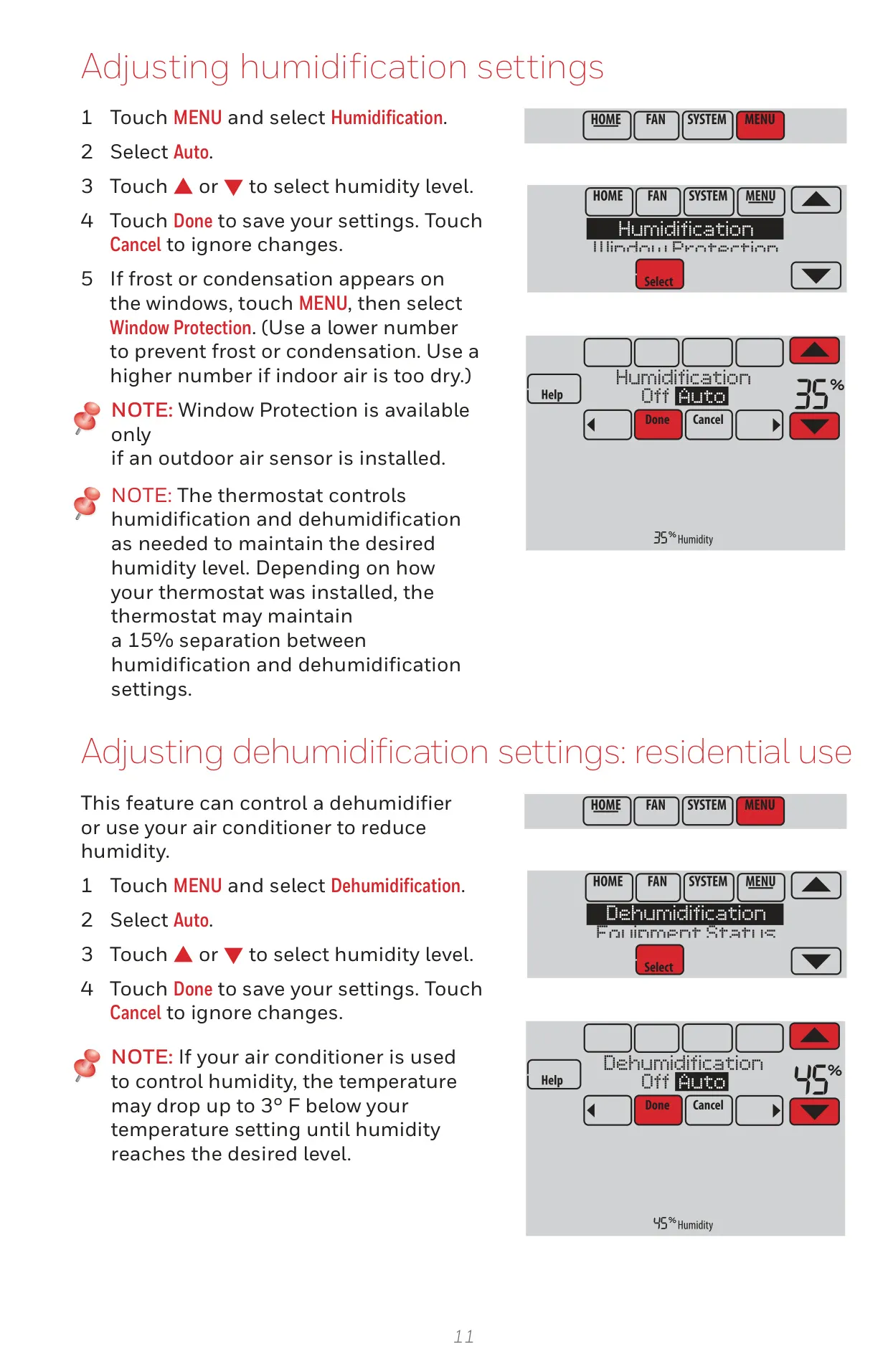
The Honeywell TH8320R1003 VisionPRO 8000 is a sophisticated touch screen programmable thermostat designed for versatile use in both residential and commercial environments. Its core capability lies in managing heating and cooling systems with remarkable efficiency and user-friendliness, supporting complex configurations up to 2 Heat/2 Cool conventional systems or 3 Heat/2 Cool heat pump setups. This model leverages advanced RedLINK™ technology for seamless wireless communication.
A standout feature is its Adaptive Intelligent Recovery. This intelligent function allows the thermostat to "learn" the optimal time required for your system to reach a desired temperature. It anticipates needs by initiating heating or cooling earlier, ensuring your space is comfortable precisely when your schedule demands, thus eliminating manual adjustments and enhancing comfort.
For enhanced connectivity, the TH8320R1003 can be paired with an optional RedLINK Internet Gateway. This accessory unlocks robust remote monitoring and control capabilities through the Total Connect Comfort app, accessible via smartphones or tablets. This functionality is invaluable for those who travel frequently, own multiple properties, or simply desire peace of mind by managing their comfort system from anywhere.
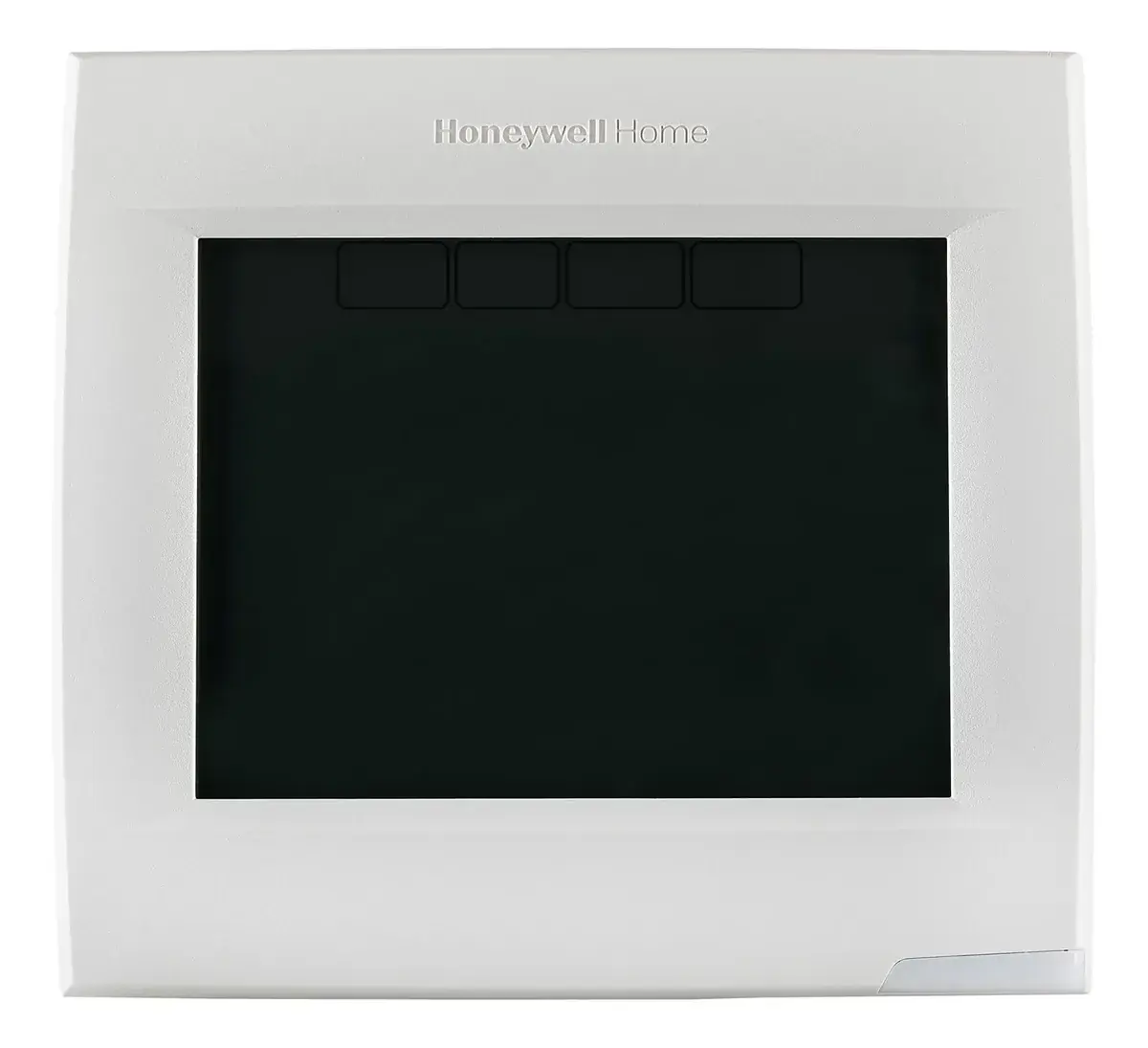
The thermostat's vibrant touch screen simplifies operation, providing clear access to settings and system status. While it doesn't feature an onboard humidity sensor, it can display outdoor temperature and humidity when an optional Wireless Outdoor Sensor (C7089R1013) is integrated, offering a comprehensive overview of environmental conditions.
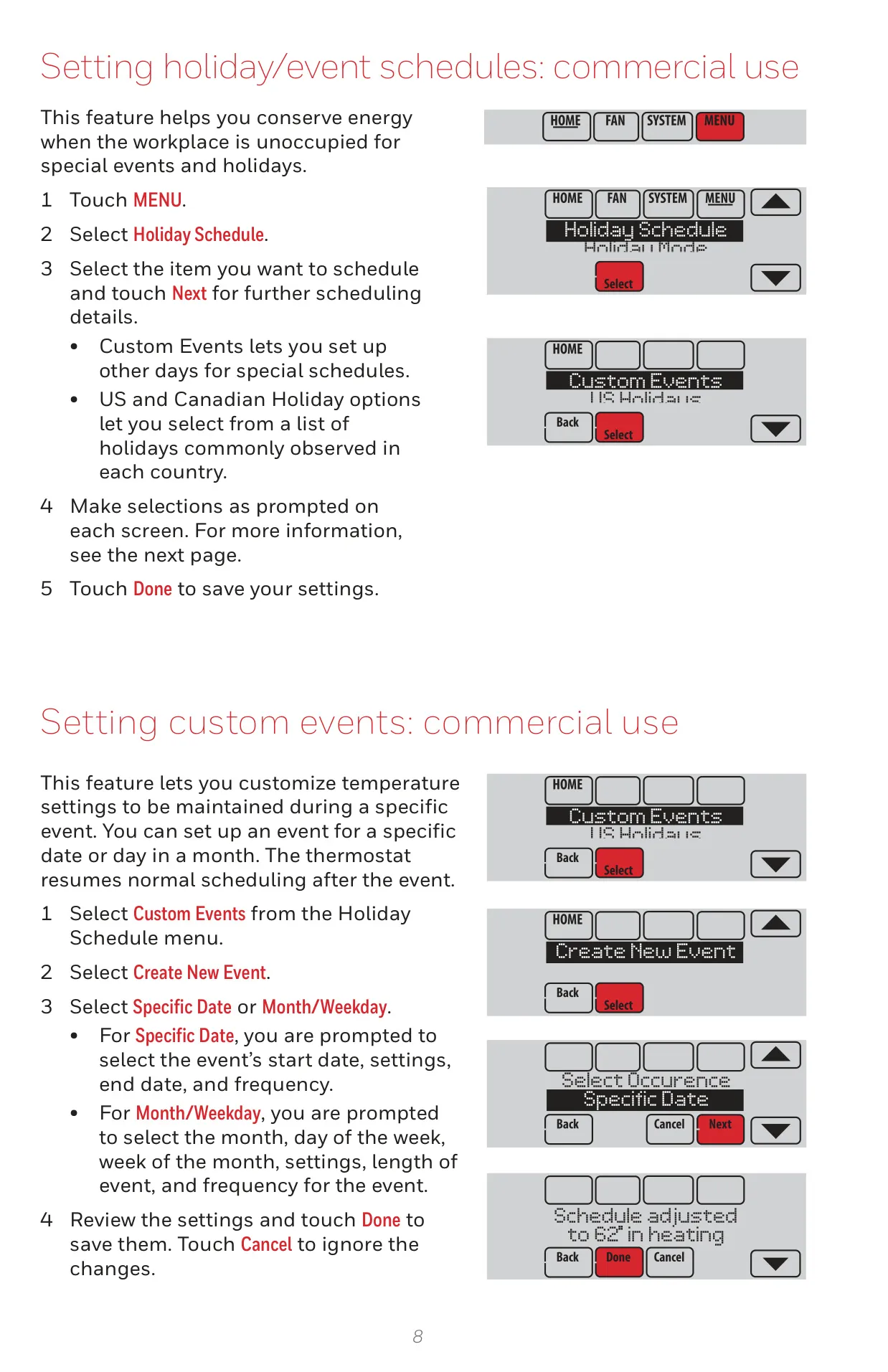
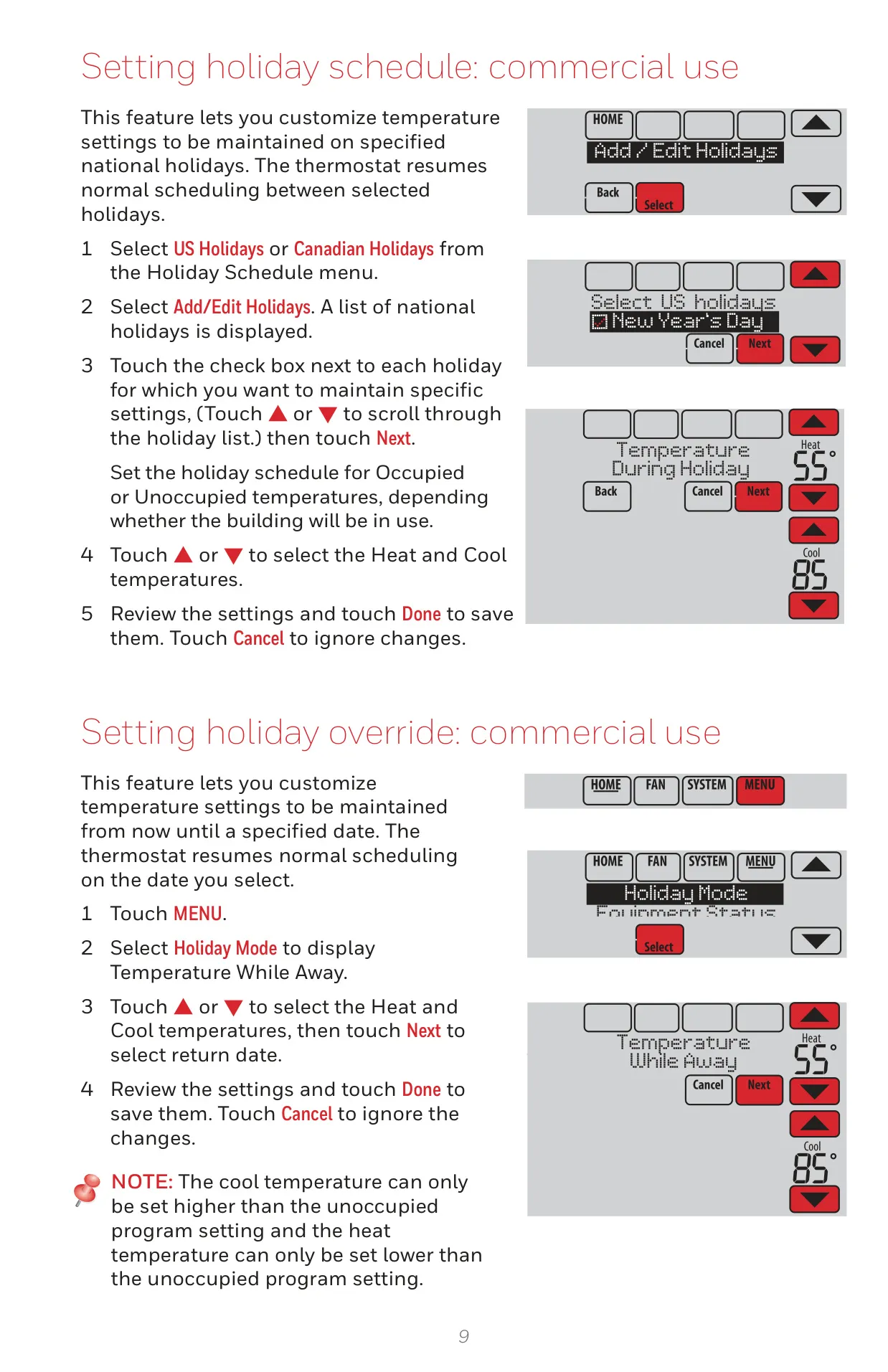
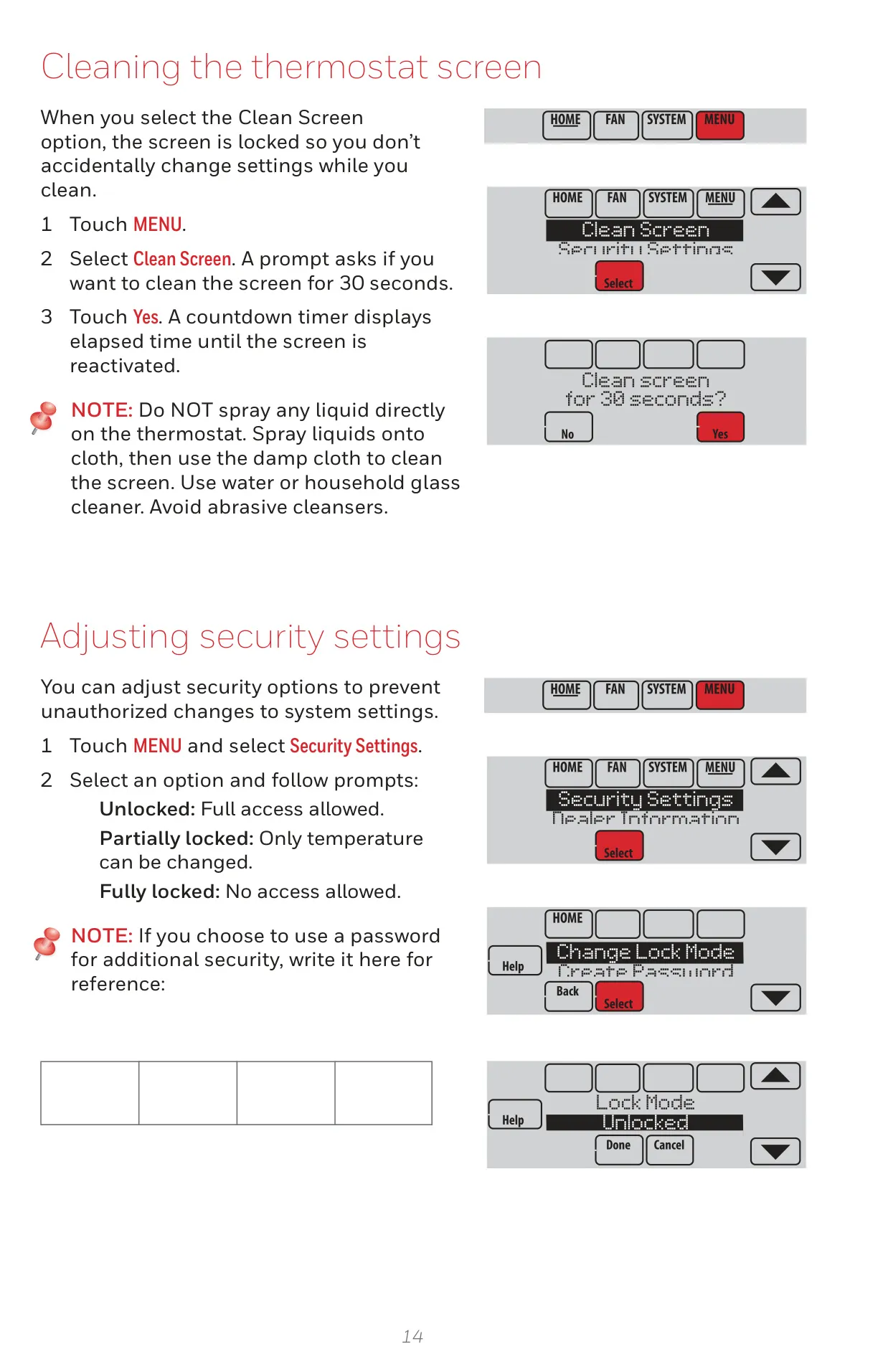
Security and energy efficiency are also key considerations. The TH8320R1003 includes vacation and holiday scheduling, enabling users to program energy-saving setback temperatures for extended periods away. For unauthorized access prevention, a keypad lockout feature is available, which is particularly useful in commercial settings or homes with inquisitive occupants.
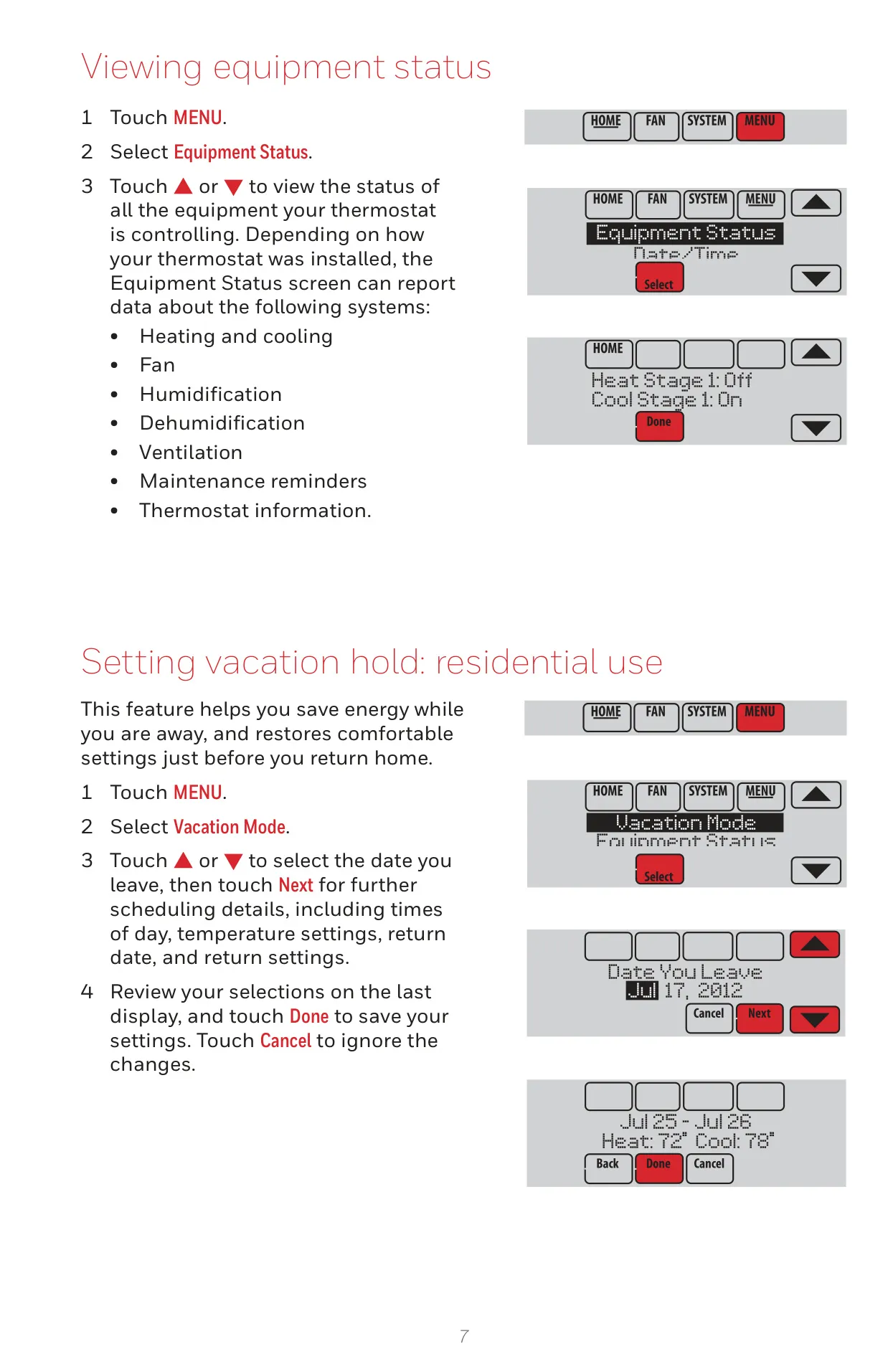
Beyond basic temperature control, the thermostat provides detailed equipment status information, showing the real-time on/off operation of all connected HVAC components. Users can customize various operational aspects through a comprehensive Preferences menu, including filter reminders, temperature units (Fahrenheit/Celsius), clock display (12/24-hour), screen backlighting, and alert light options.
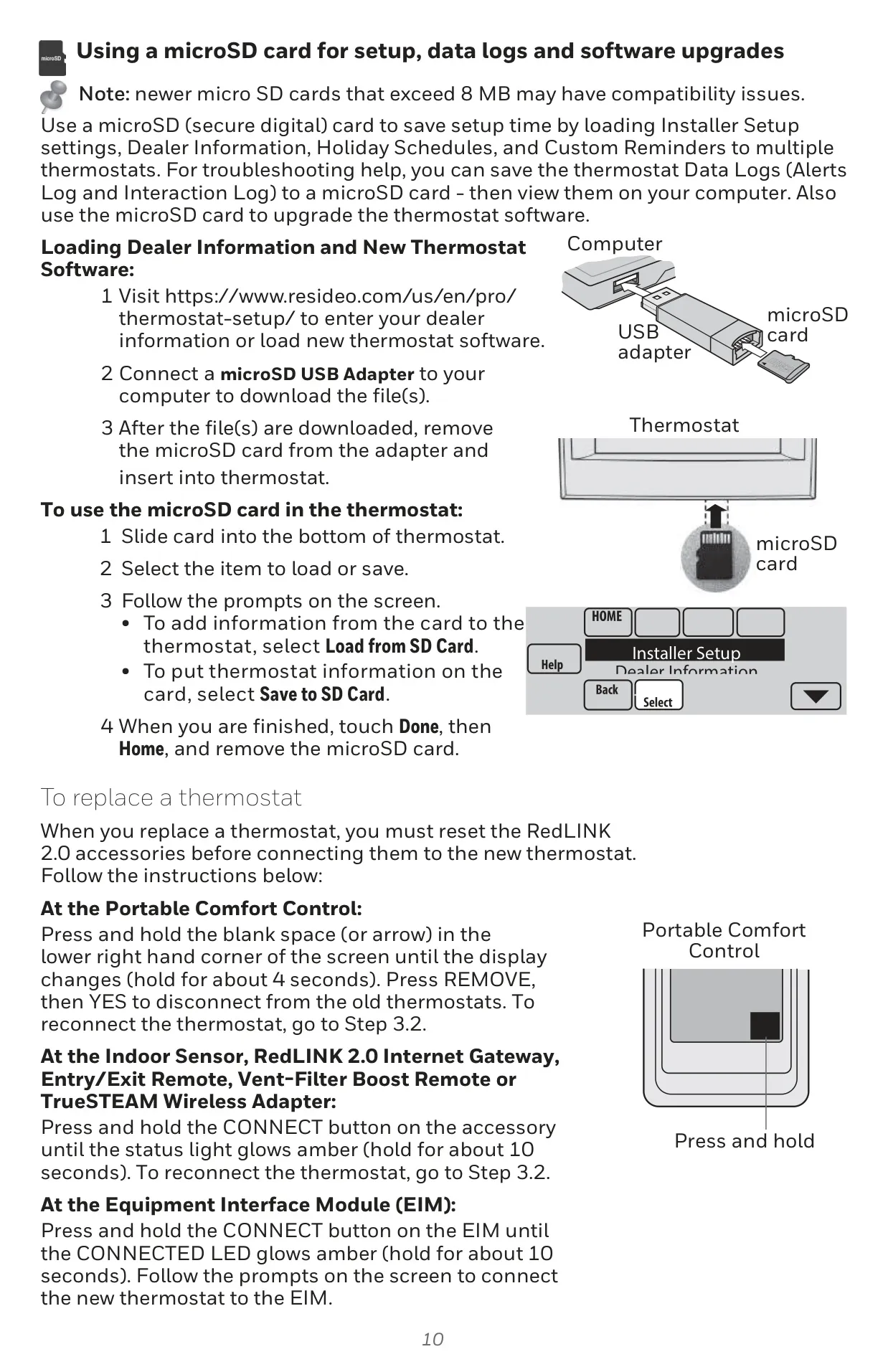
The inclusion of a microSD card port adds significant utility, allowing for easy loading of custom holiday schedules, dealer information, and software upgrades. This port also facilitates saving data logs for diagnostics. For quick cleaning, the Clean Screen option temporarily locks the display, preventing accidental setting changes while wiping it down.
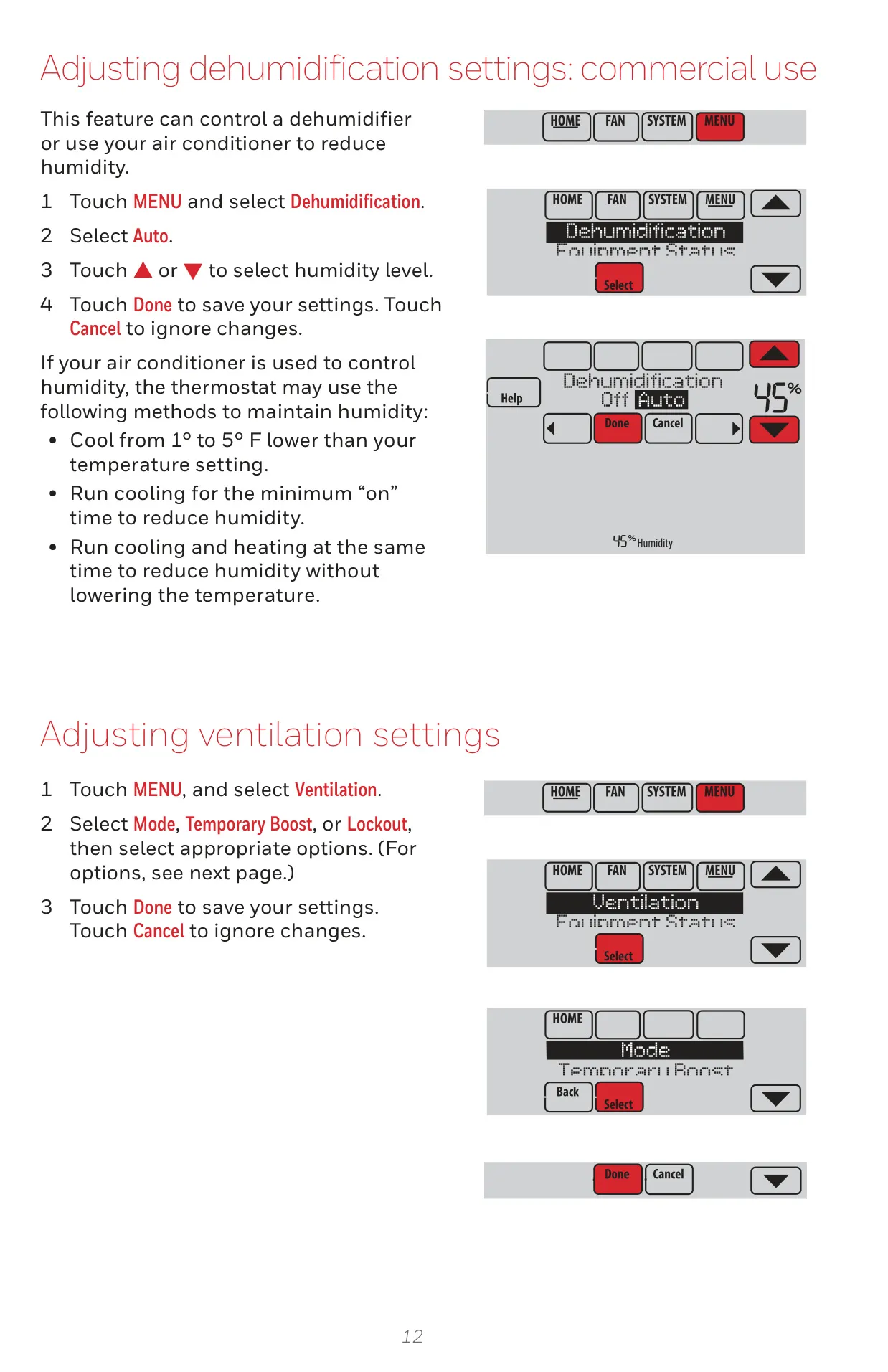
Practical protection features include Compressor Protection, which delays restarts to safeguard HVAC equipment from damage, displaying a "Wait" message during this period. The TH8320R1003 also supports automatic adjustments for Daylight Saving Time, ensuring accuracy. For flexible system control, the U1/U1 terminals offer versatility, able to be configured for additional stages of heating/cooling, or even for humidification, dehumidification, or ventilation control when properly wired, expanding the system's adaptability.
Frequently Asked Questions (FAQs)
Can't find the answer you need? Here are some frequently asked questions about the Honeywell TH8320R1003 VisionPro 8000, and we answer them below.