Garmin G5 Electronic Flight Instrument Instruction Manual
Garmin G5 Electronic Flight Instrument







































Garmin G5 Electronic Flight Instrument



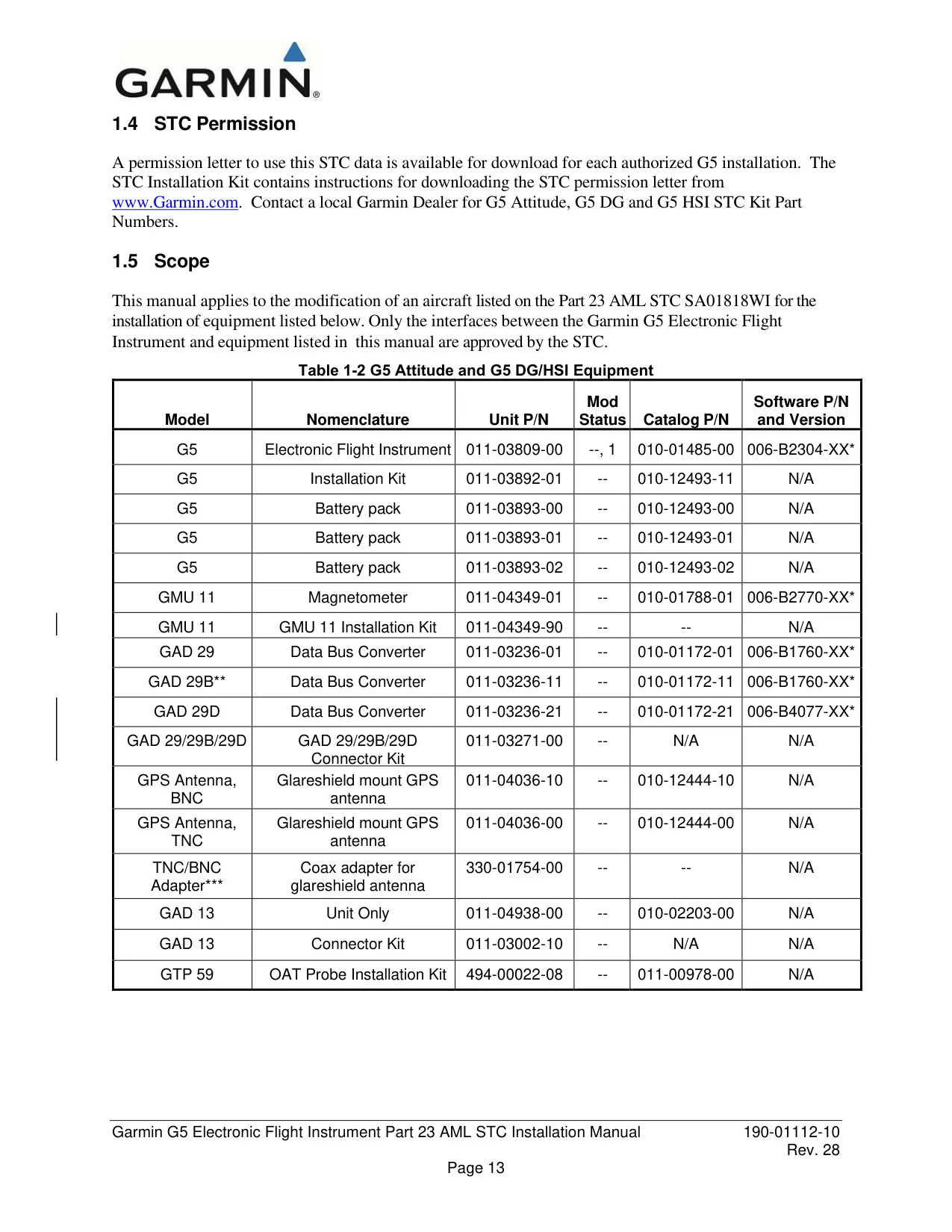

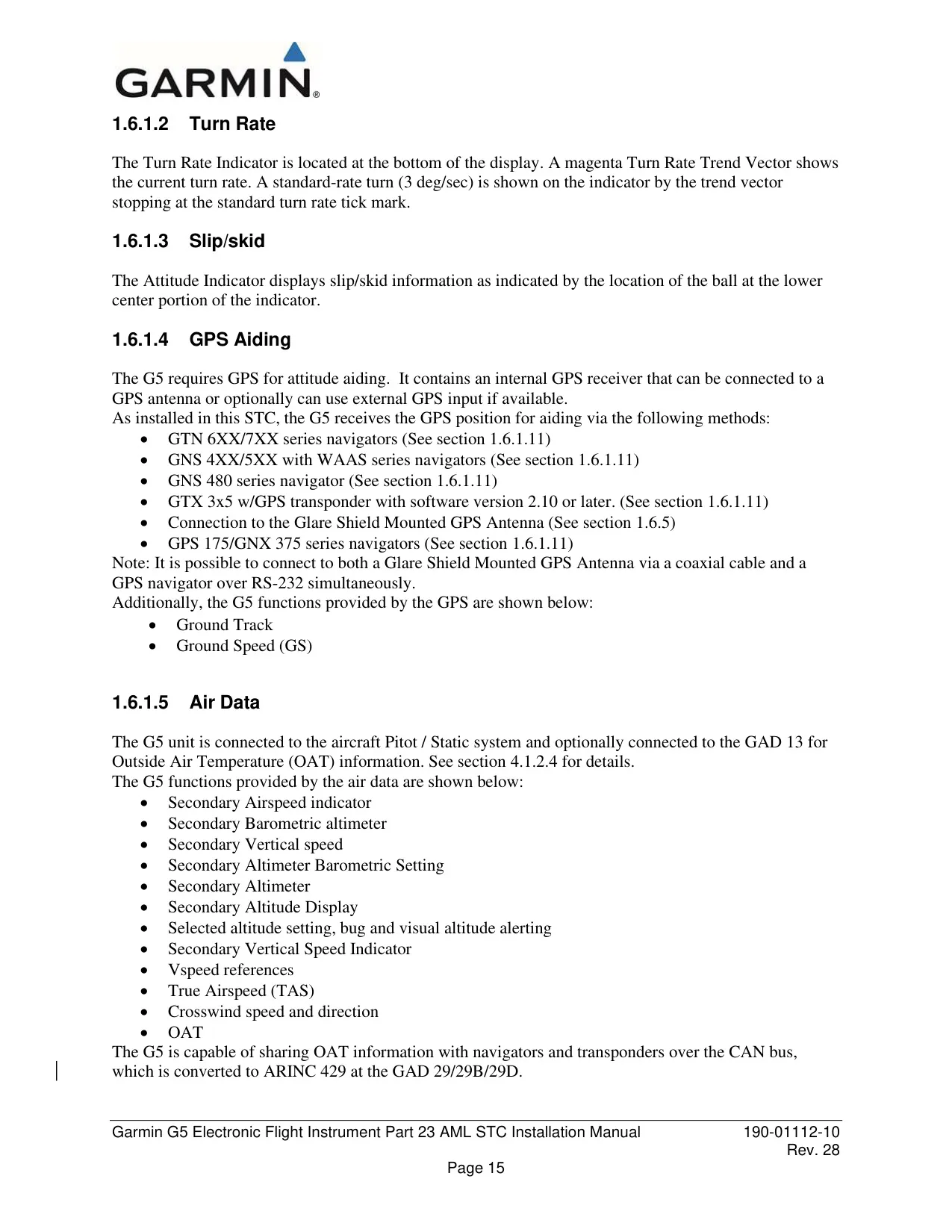
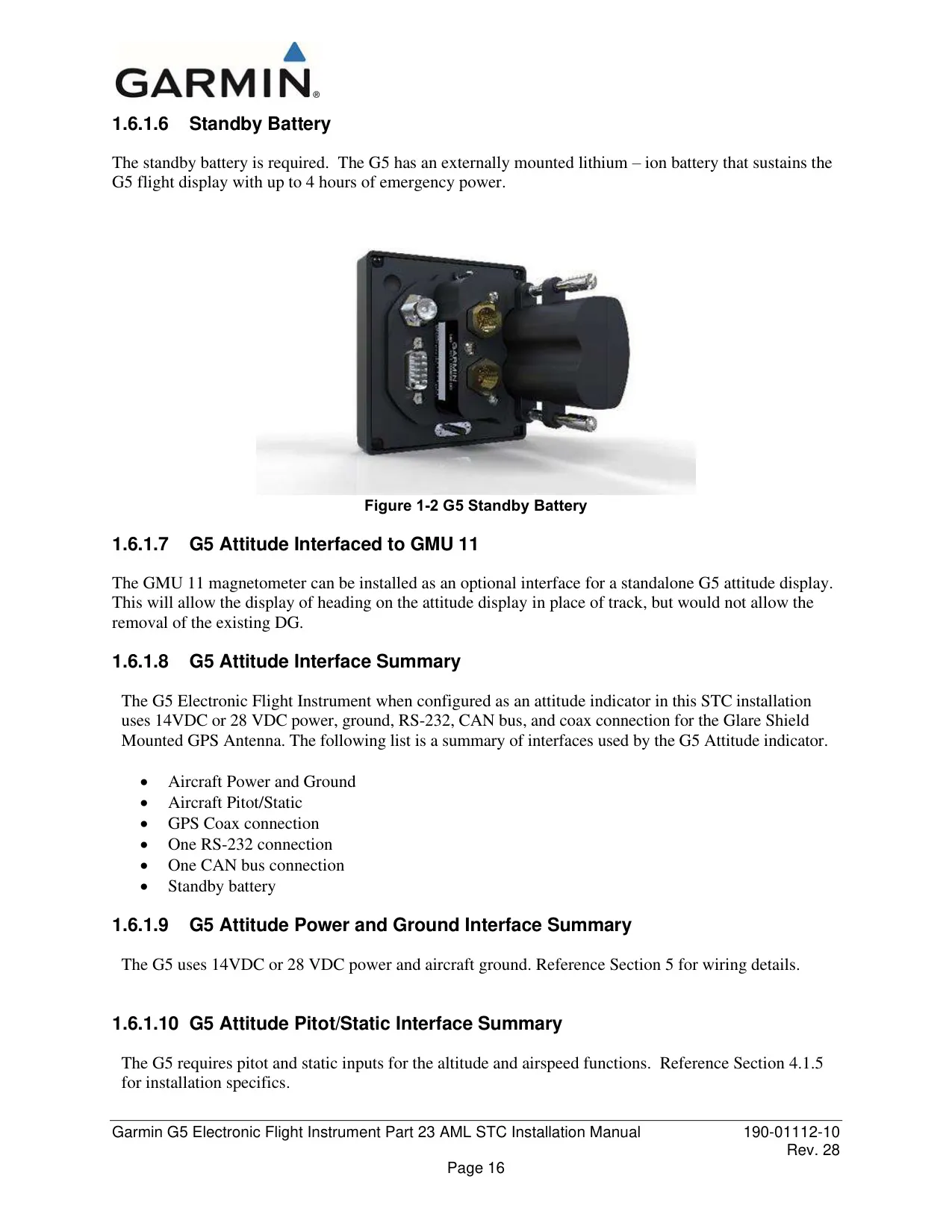
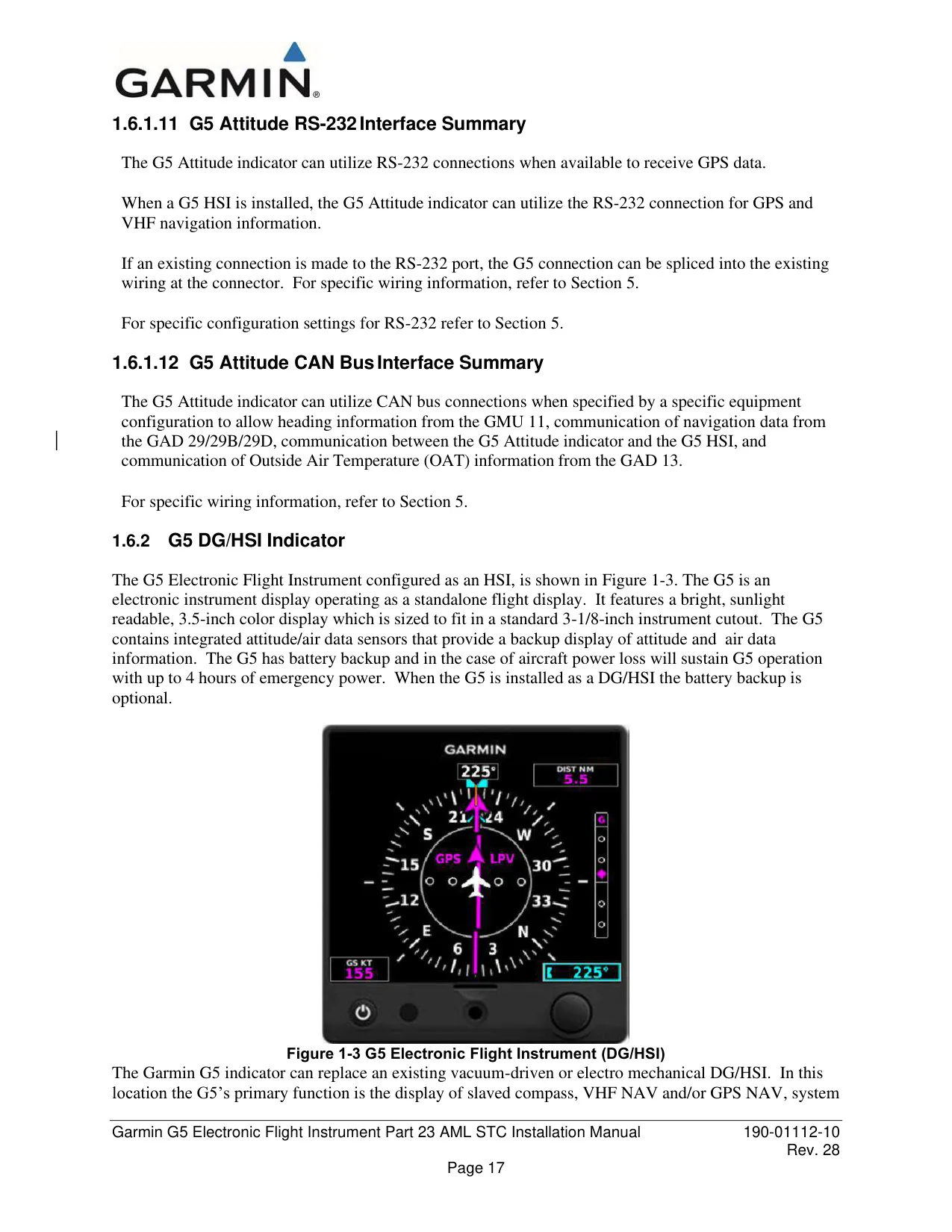




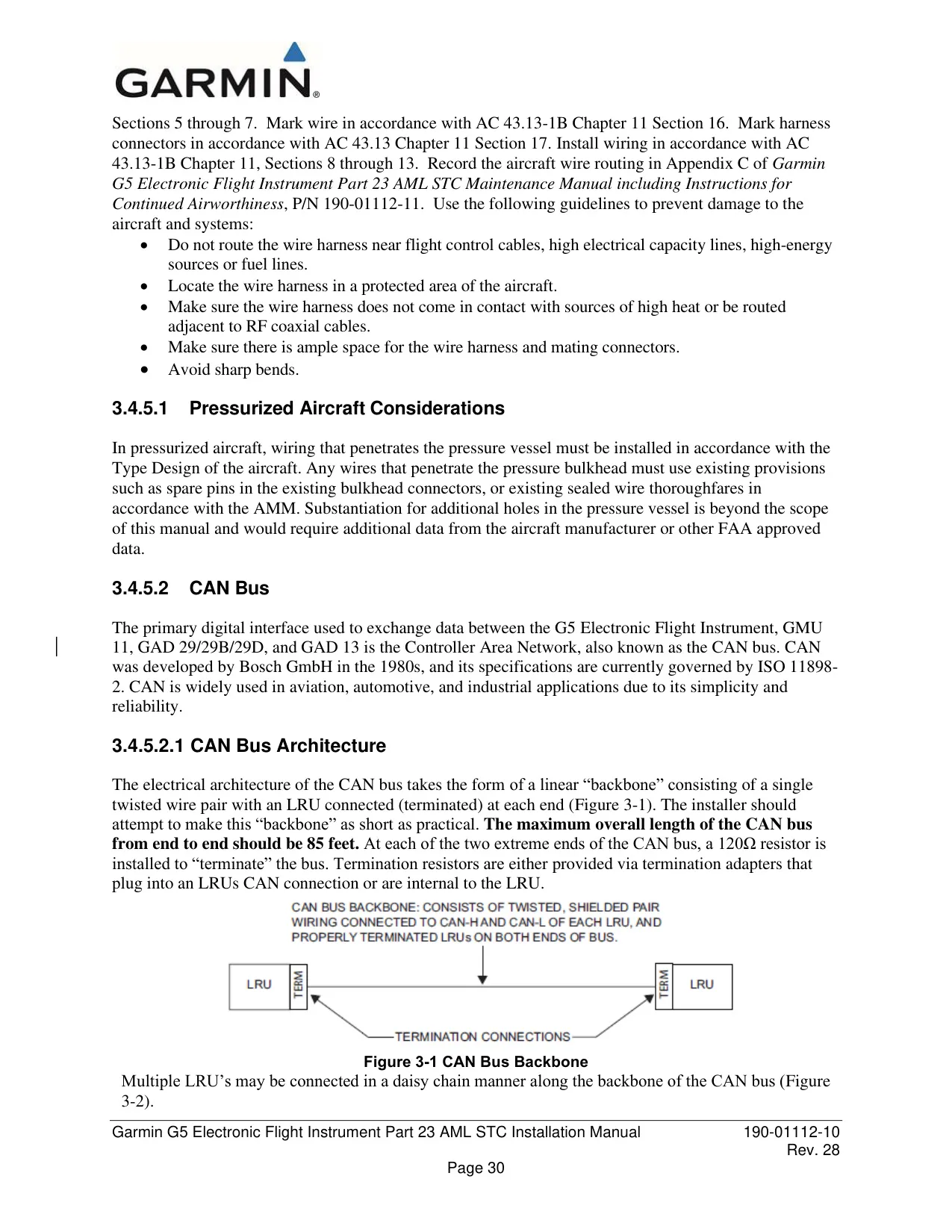

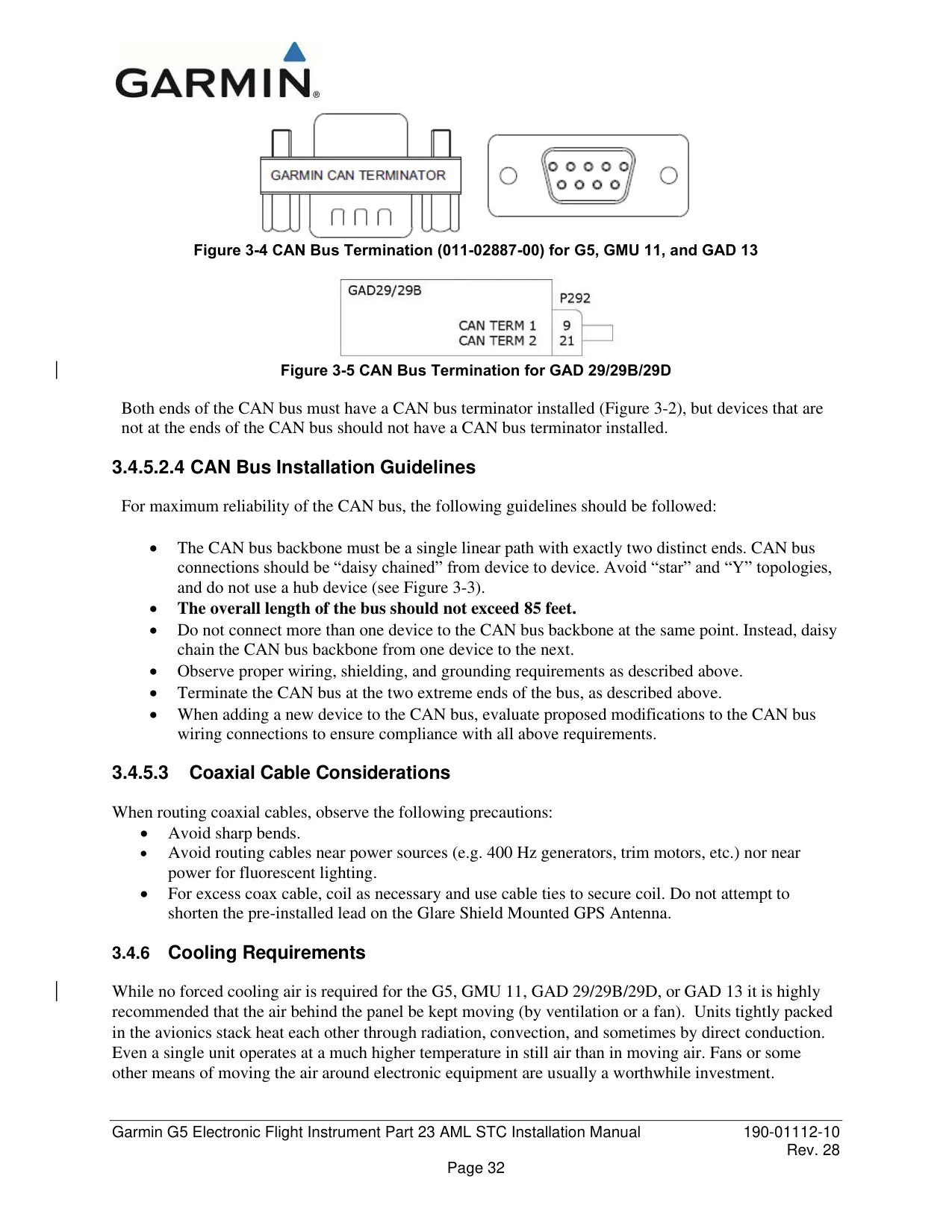
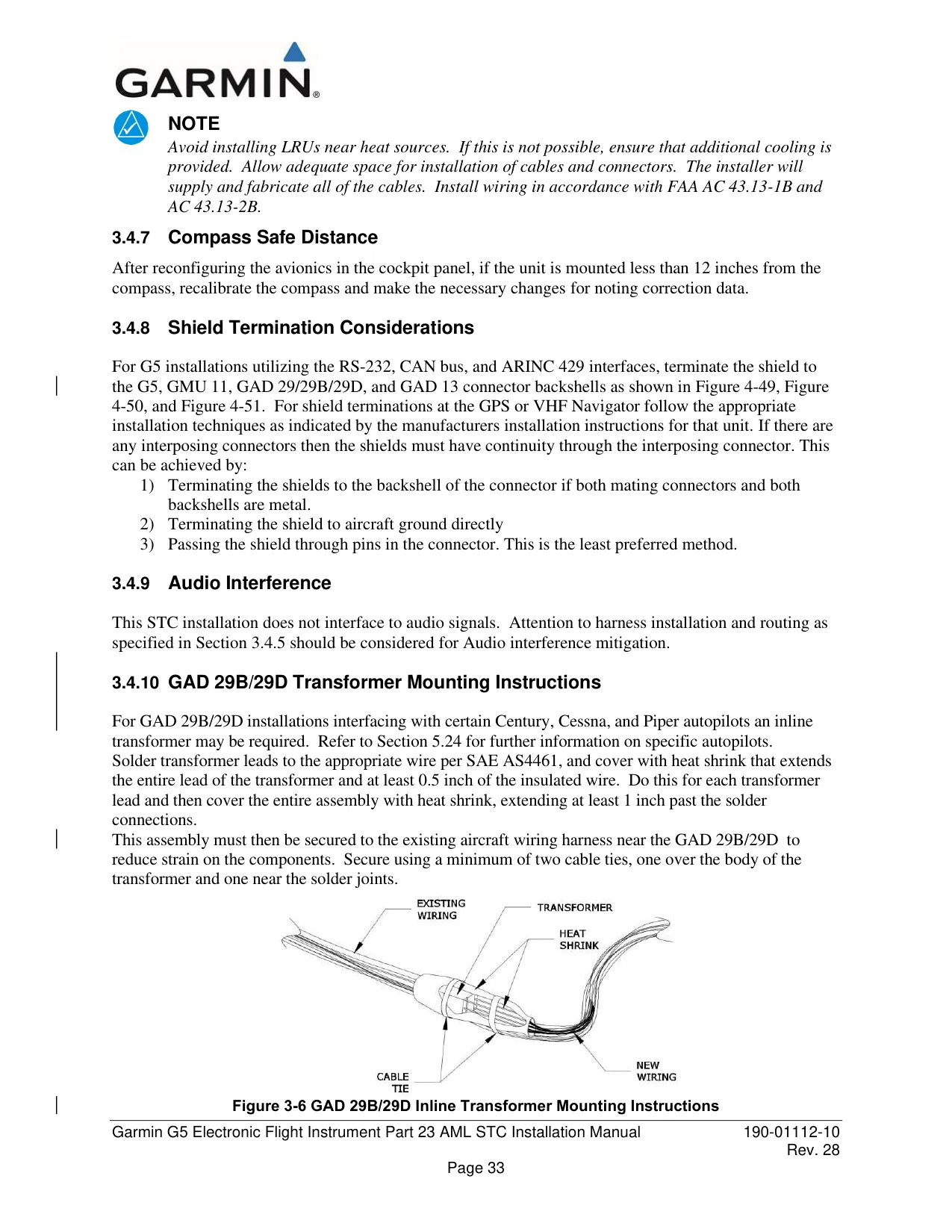
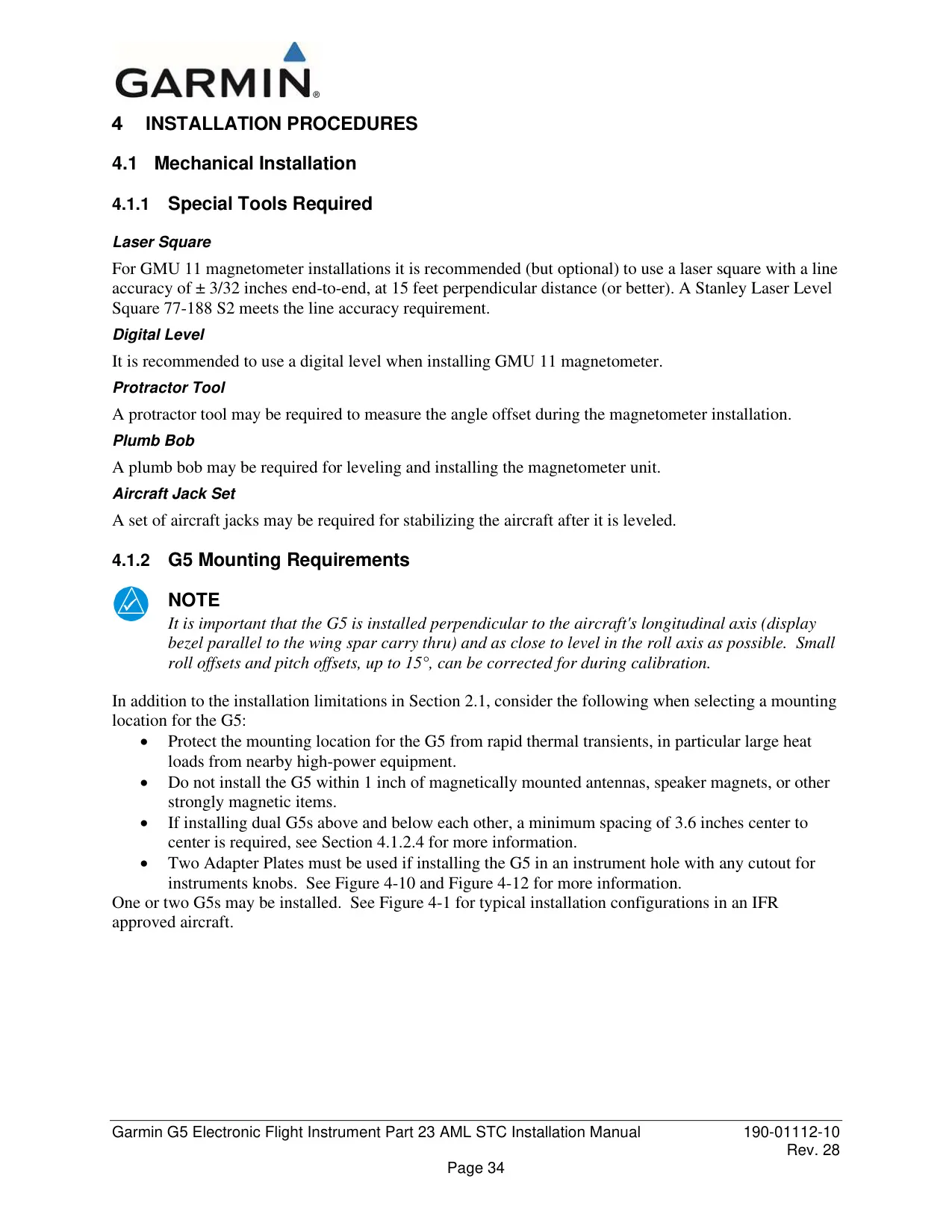



























































































Garmin G5 Electronic Flight Instrument



















Garmin G5 Flight Instrument Instructions
Here we offer the Garmin G5 Electronic Flight Instrument manual completely free and in English. We have cataloged this manual in the Flight Instruments section on Manualverse, and it has been rated by 1 users with an average rating of 5. If you have any specific questions about Garmin G5 Electronic Flight Instrument, we suggest checking the Frequently Asked Questions (FAQs) section of this manual.
Product Images
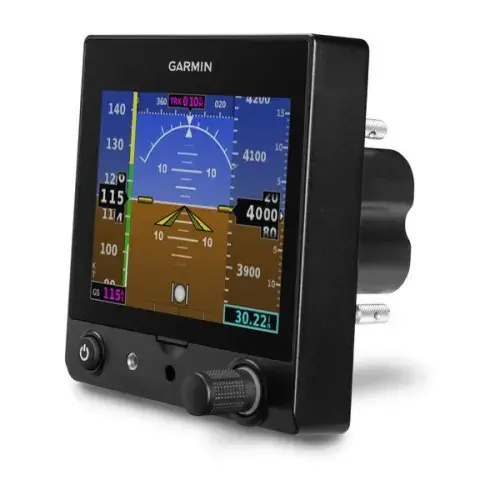
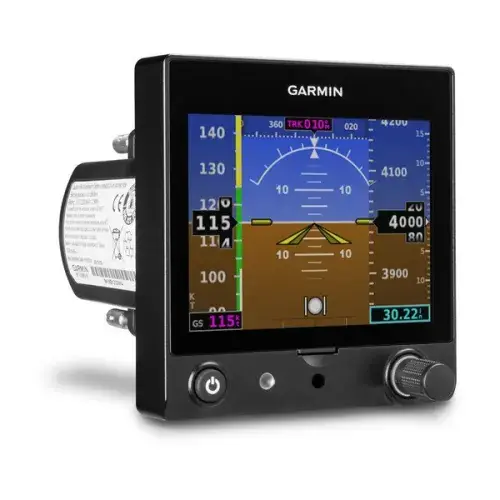
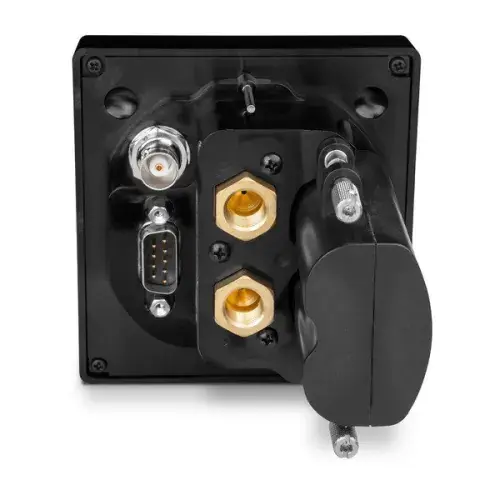

Garmin G5 Electronic Flight Instrument Specifications
| Feature | Specification |
|---|---|
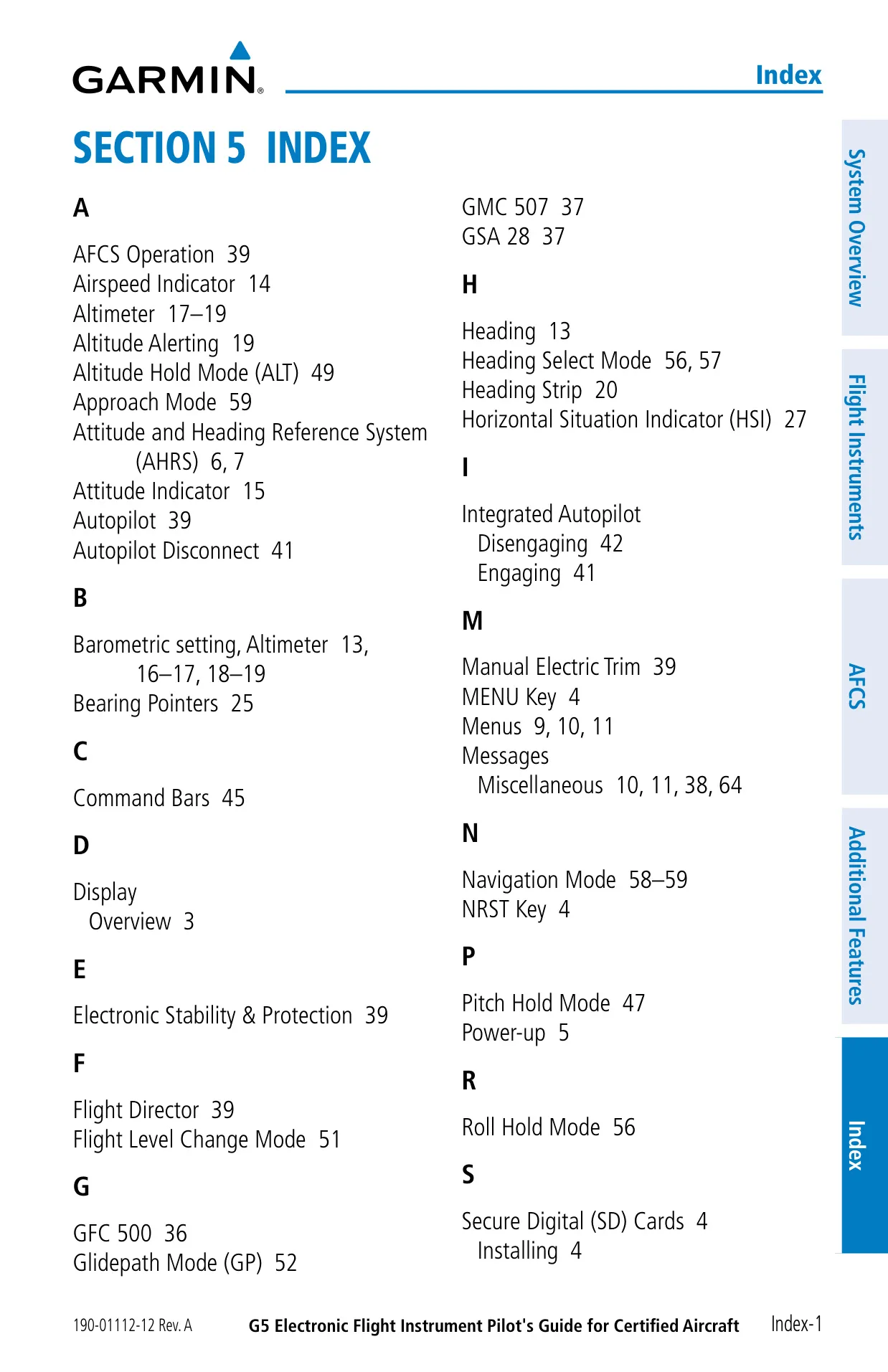
| Reference Document | Pilot's Guide for Certified Aircraft, 190-01112-12 Rev. A (December 2017) |
| System Software | Version 5.00 or later |
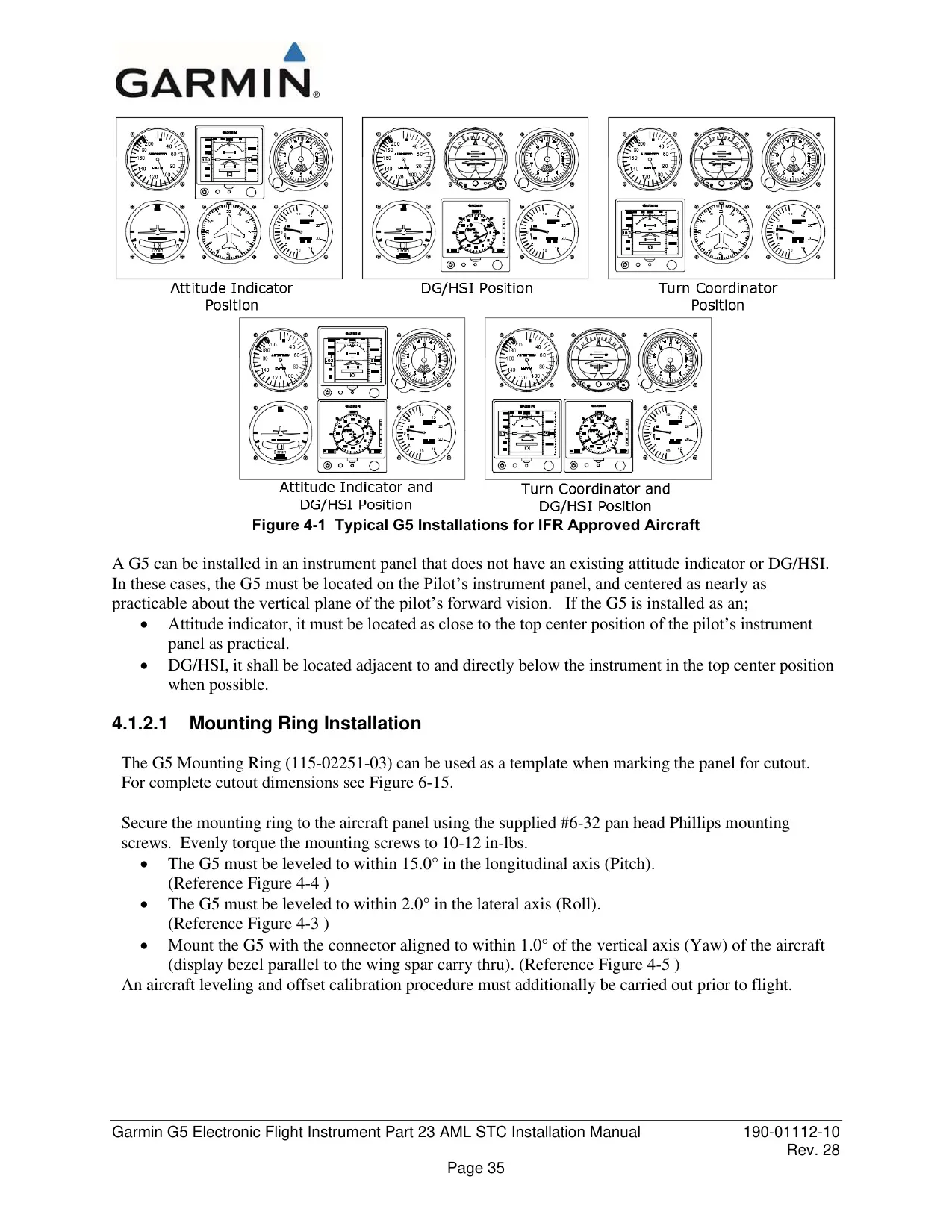
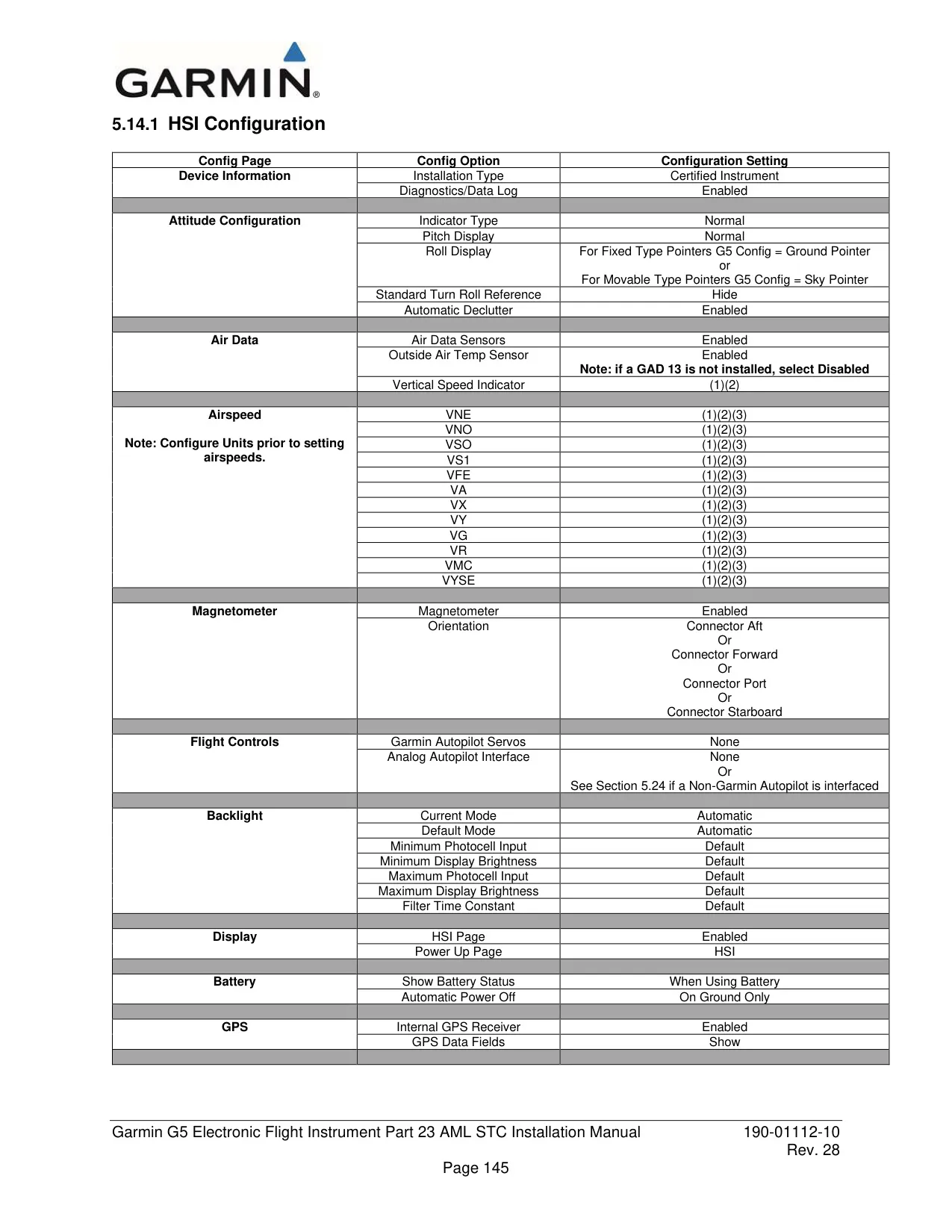
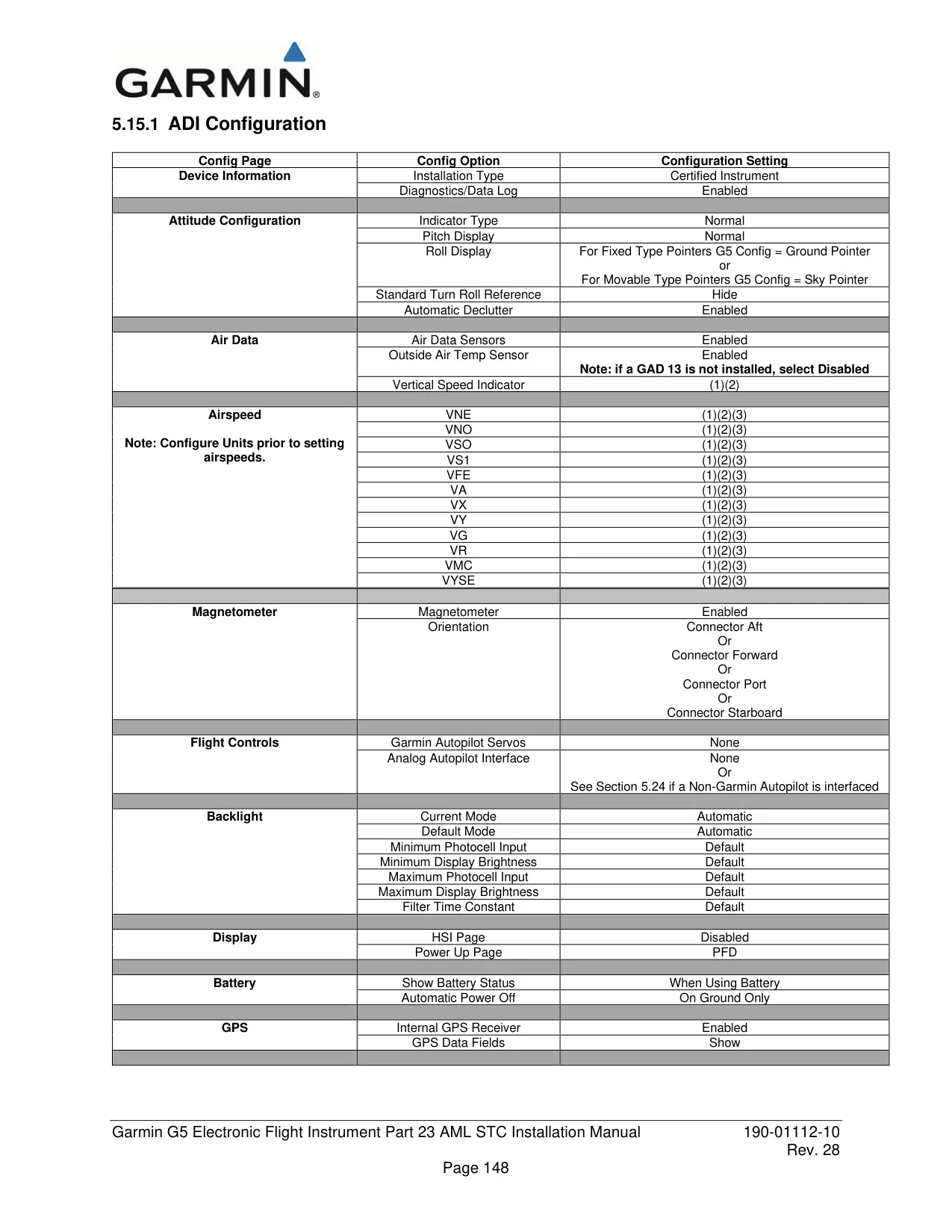
| Installation Role | Attitude Display Indicator (ADI) and/or Horizontal Situation Indicator (HSI) |
| Certification Basis | Type-certificated aircraft per Garmin STC SA01818WI |
| Display | 3.5-inch sunlight-readable color display |
| Integrated Sensors | Attitude/air data sensors, internal GPS receiver |
| Backup Battery | Lithium-ion, up to 4 hours of operation |
| Battery Requirement | Required for ADI installation, optional for HSI installation |
| Battery Storage Temperature | -4°F to 68°F (-20°C to 20°C) for maximum longevity |
| Data Card | microSD, maximum 32 GB (software updates and data logging) |
| Power-Off Action | Press and hold Power button for 5 seconds |
| Attitude Alignment Time | Typically within 1 minute of power-up |
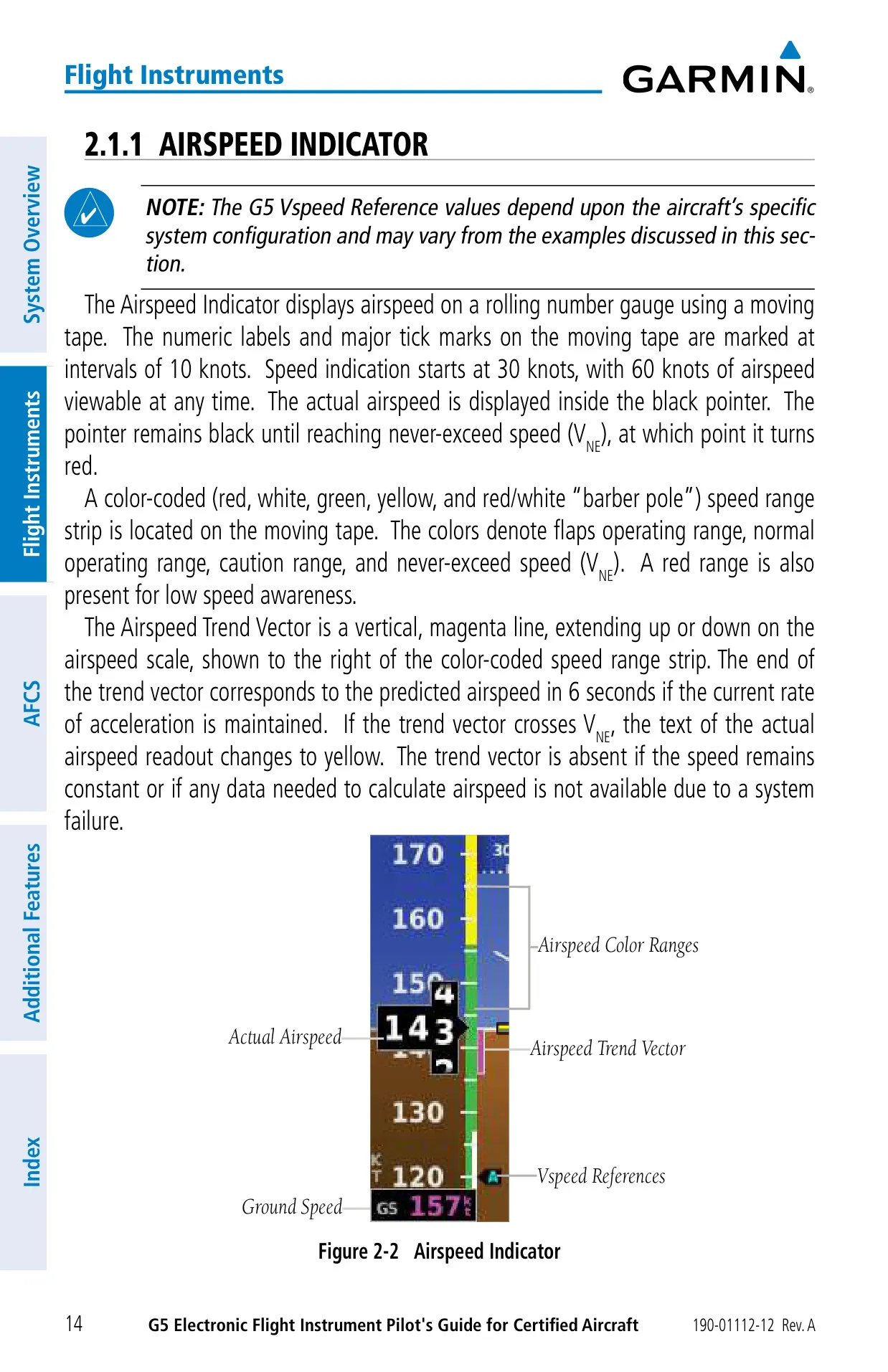
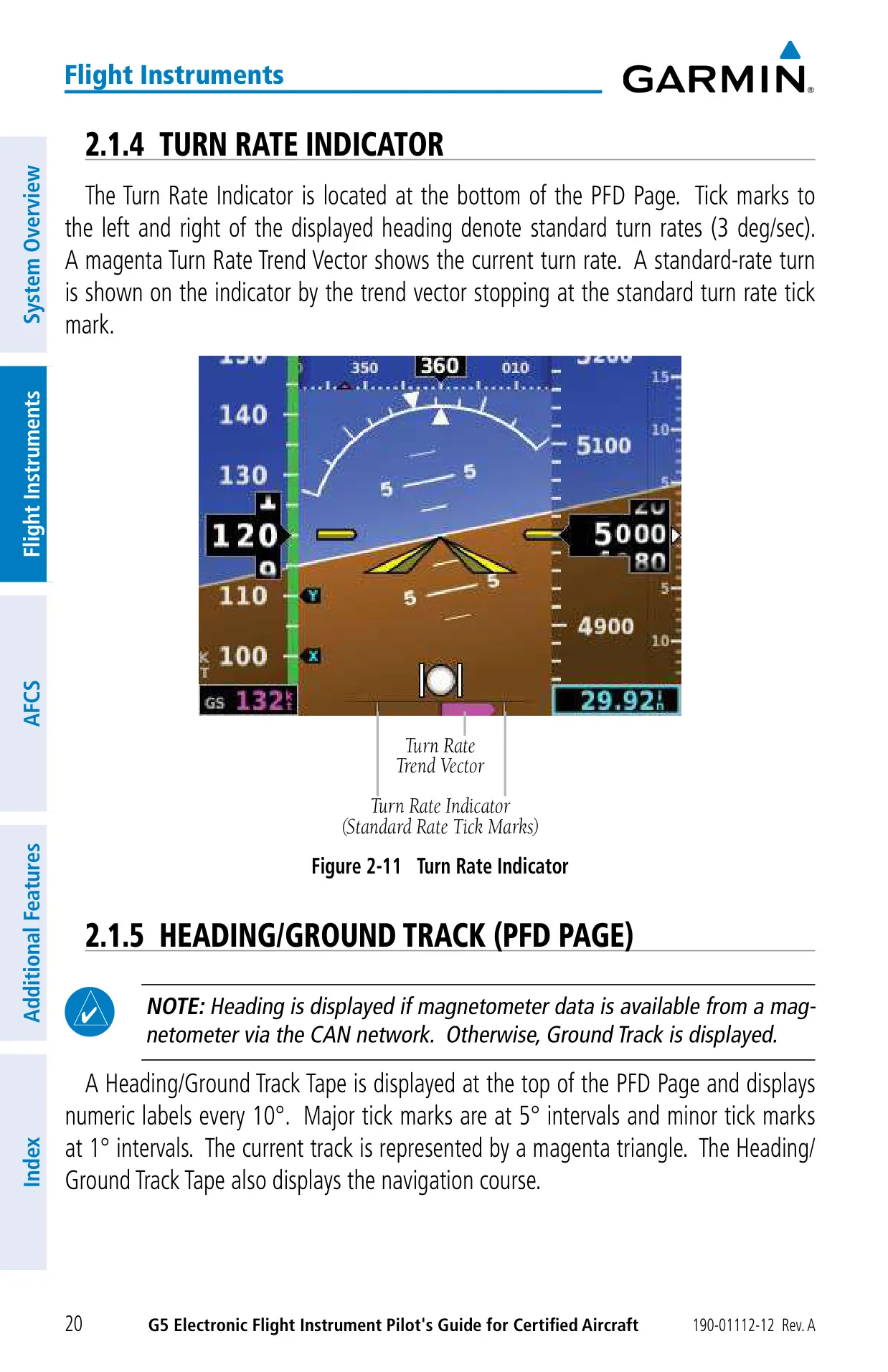
| Airspeed Tape | Starts at 30 knots, 60 knots visible, labels every 10 knots |
| Airspeed Trend Vector | Predicted airspeed 6 seconds ahead |
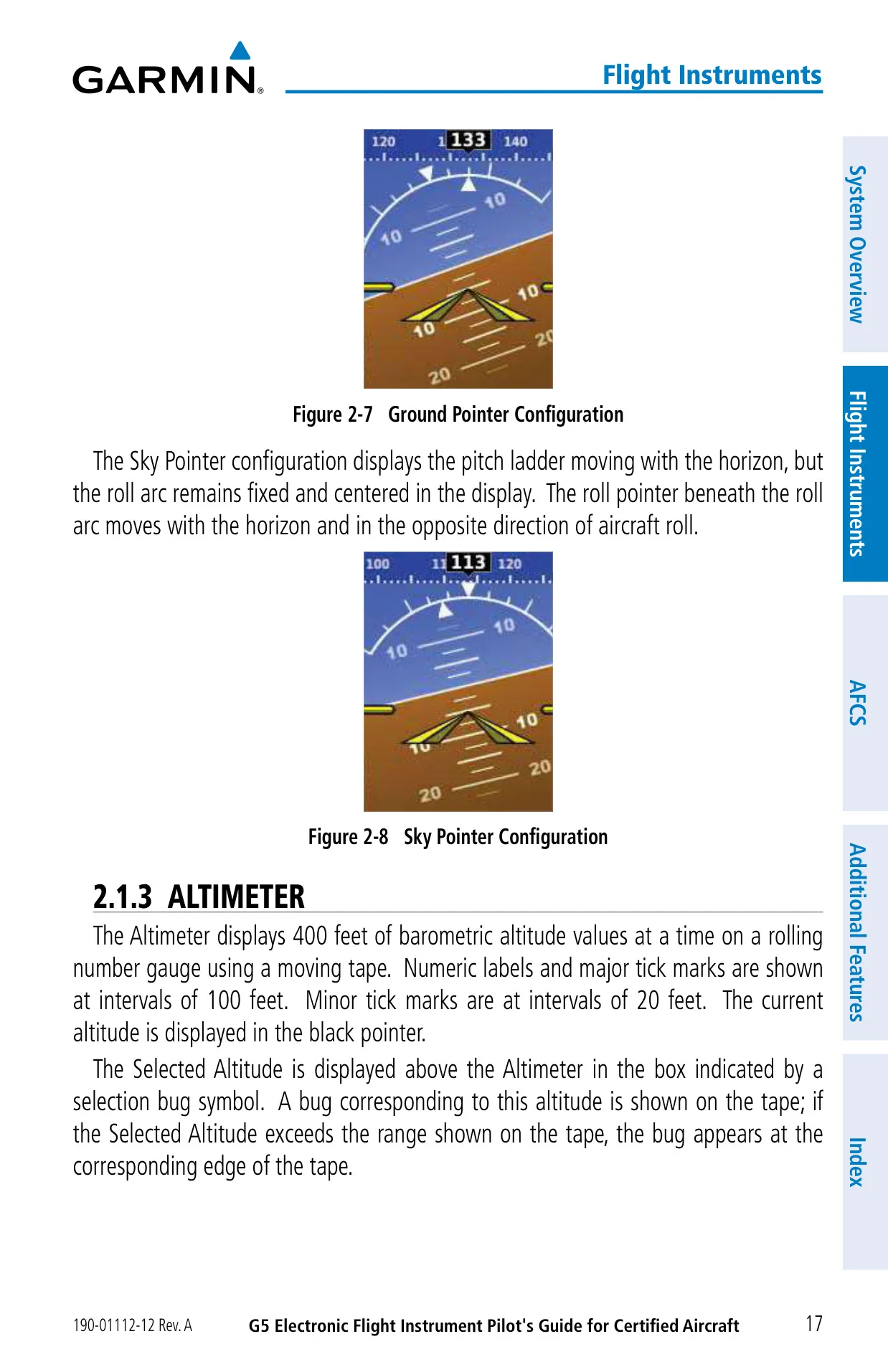
| Pitch Scale | Markings at 2.5° intervals |
| Roll Scale | Major ticks at 30° and 60°; minor ticks at 10°, 20° and 45° |
| Altimeter Tape | 400 ft visible, labels every 100 ft, minor ticks every 20 ft |
| Barometric Units | inHg, hPa, mb |
| Altitude Alerting | Alerts at 1,000 ft and 200 ft; ±200 ft deviation band; 5-second flash |
| Turn Rate Indicator | Standard-rate marks at 3°/sec |
| PFD Heading Tape | Labels every 10°, major ticks 5°, minor ticks 1° |
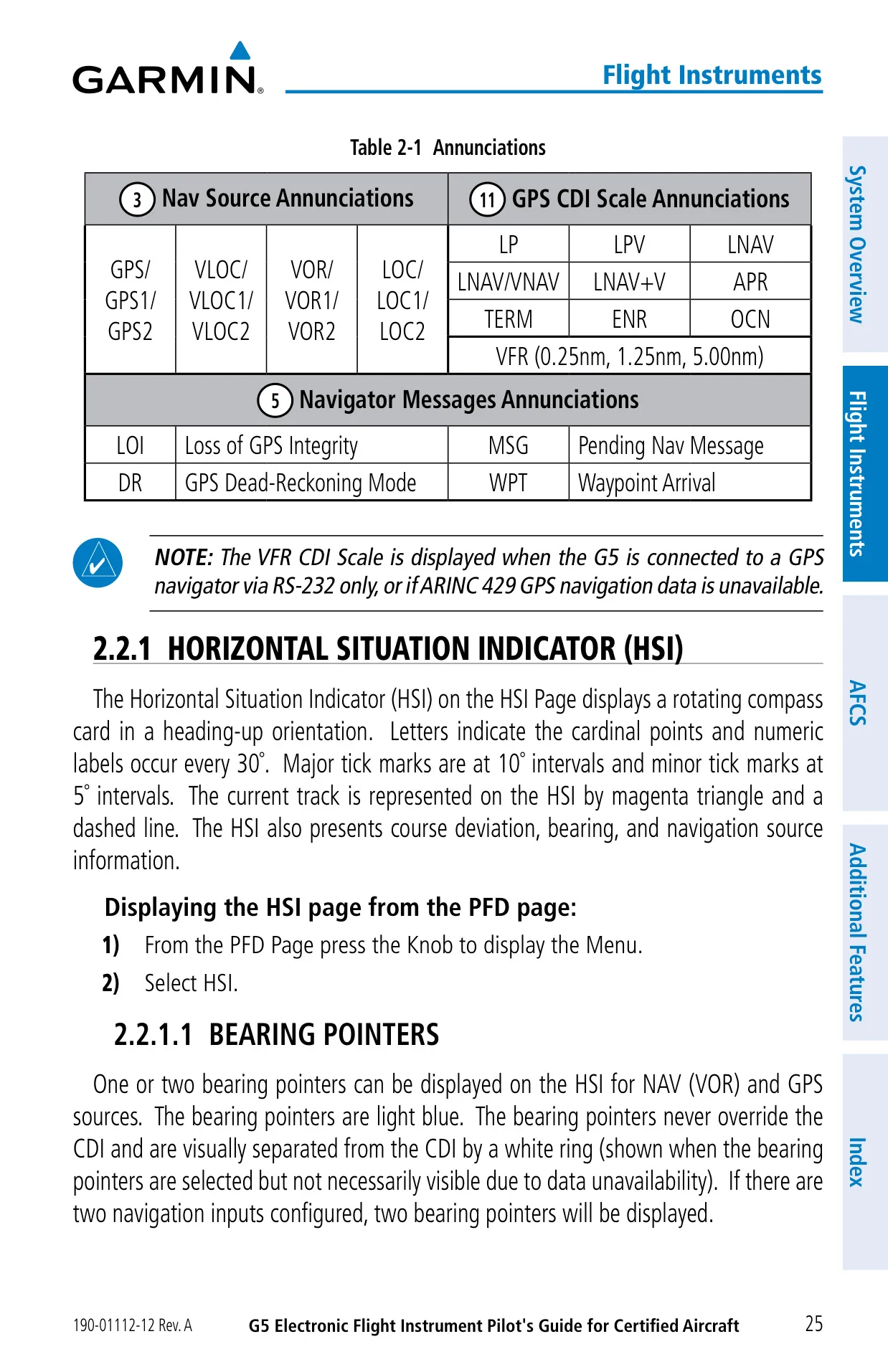
| HSI Compass Card | Heading-up; labels every 30°, major ticks 10°, minor ticks 5° |
| Vertical Speed Indicator | Fixed tape, minor ticks every 100 ft |
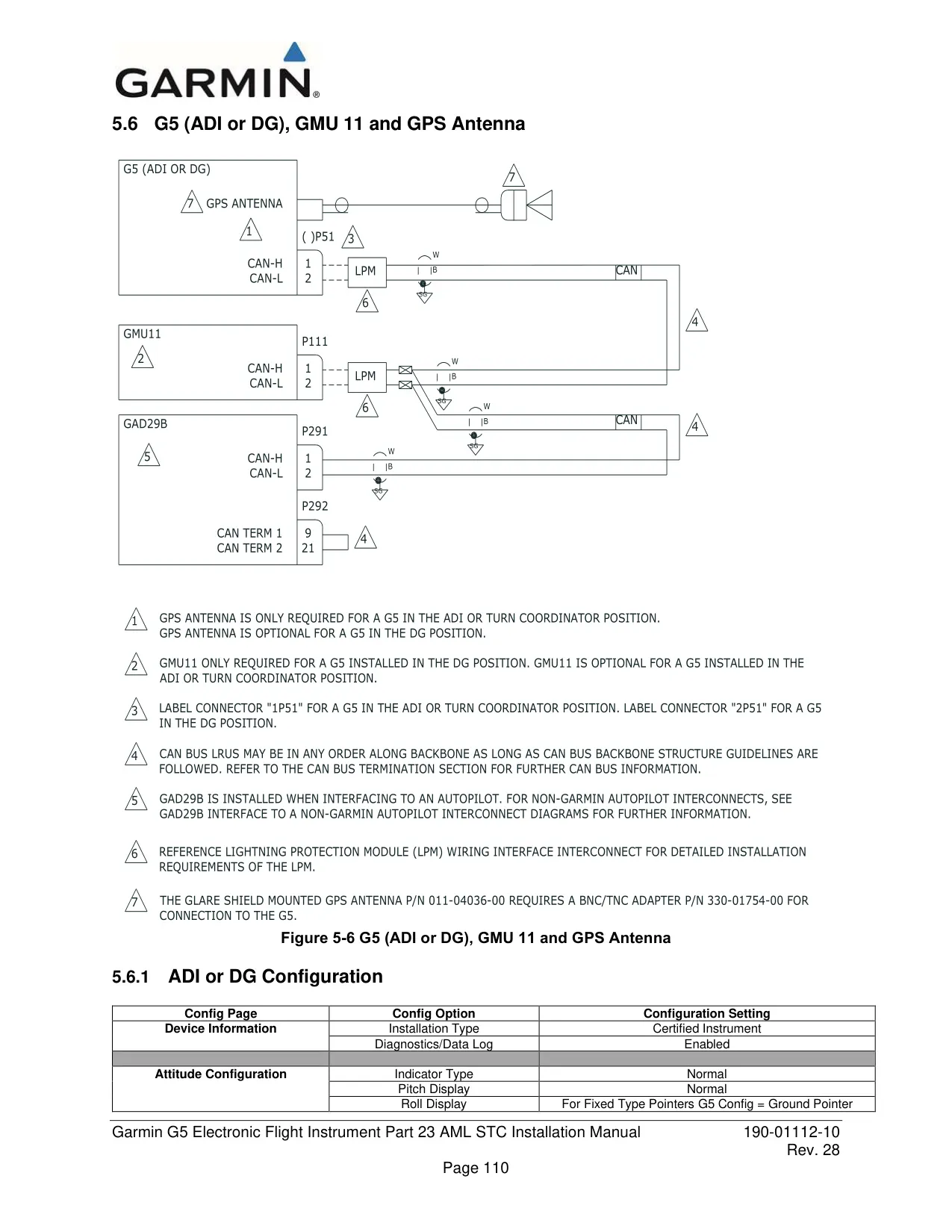
| Heading Source | GMU 11 magnetometer via CAN network (GPS ground track as fallback) |
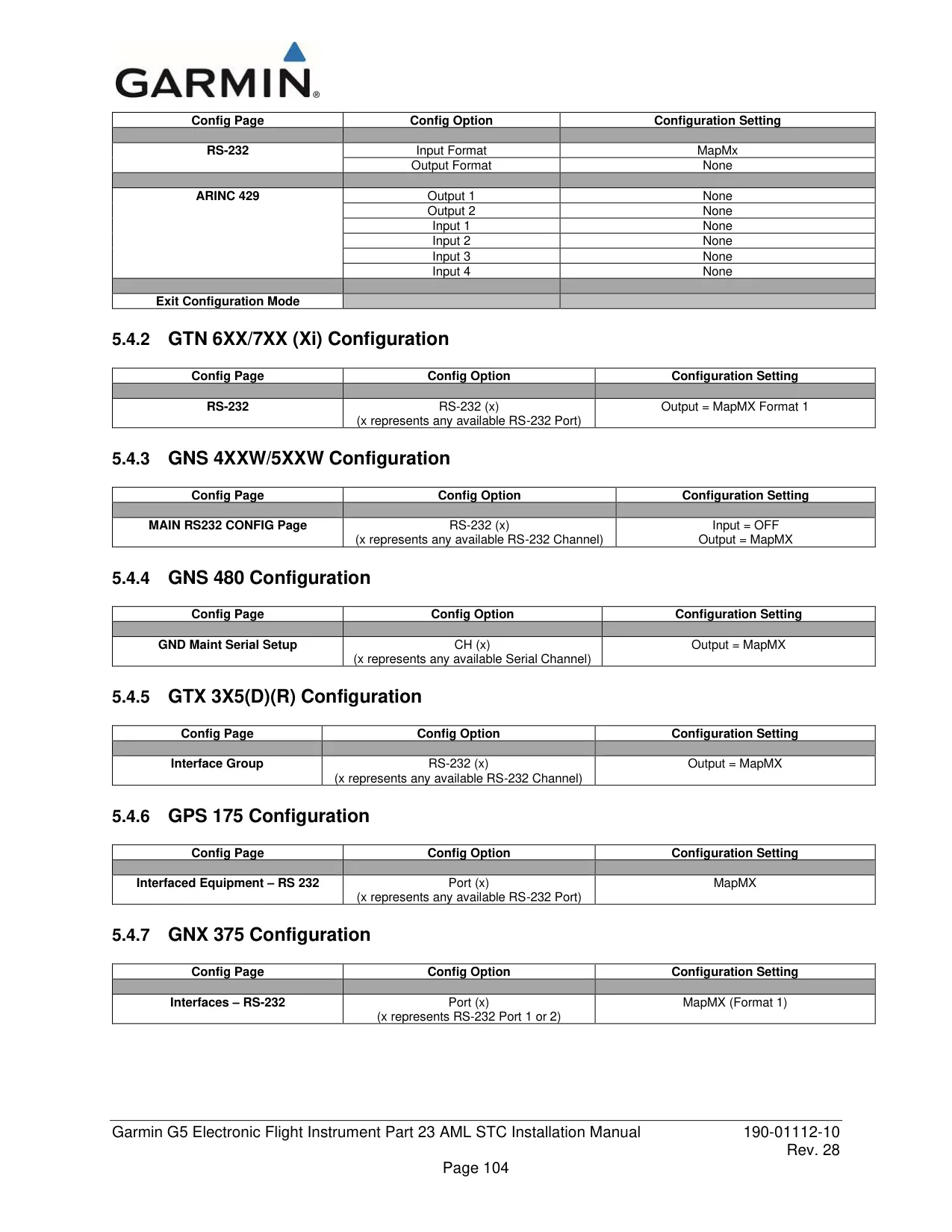
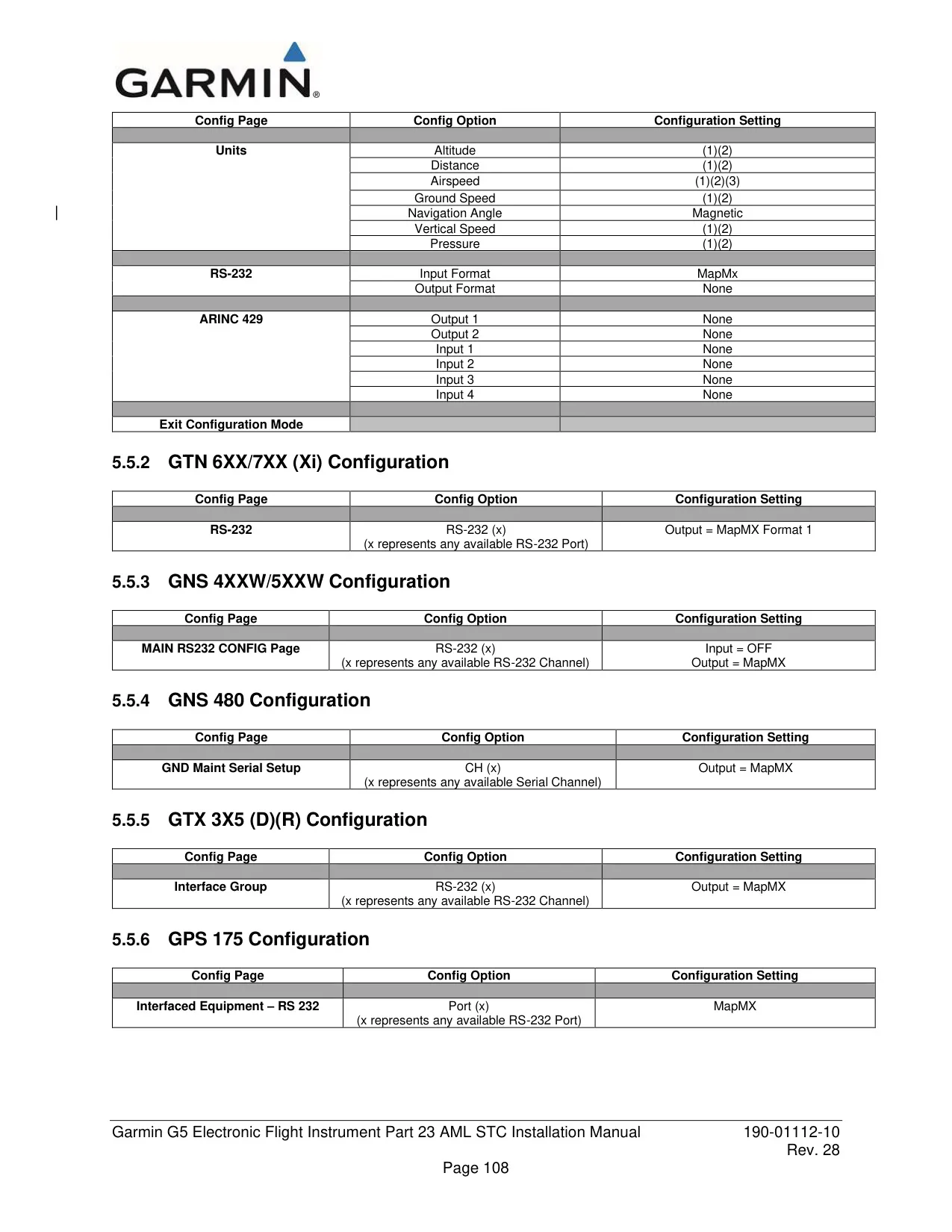
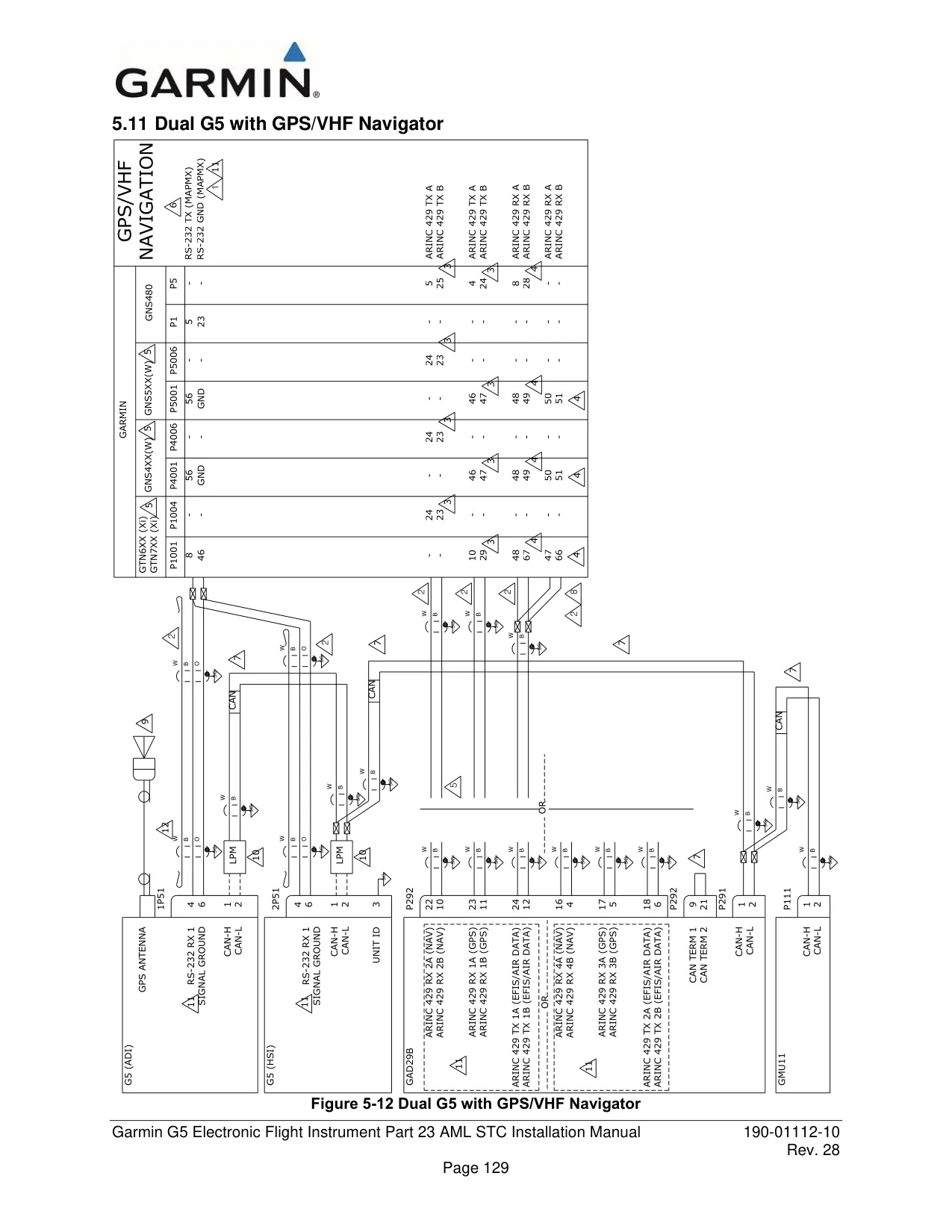
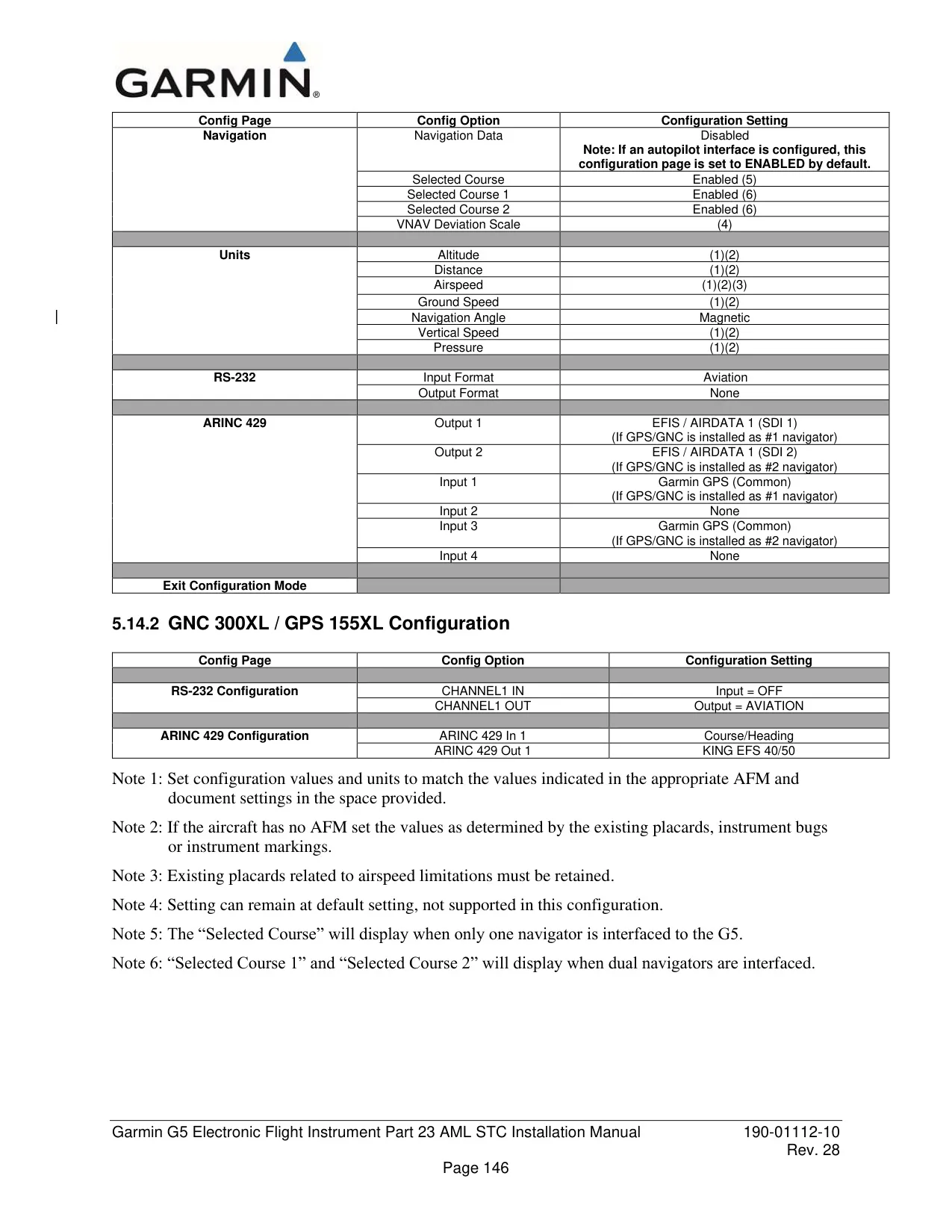
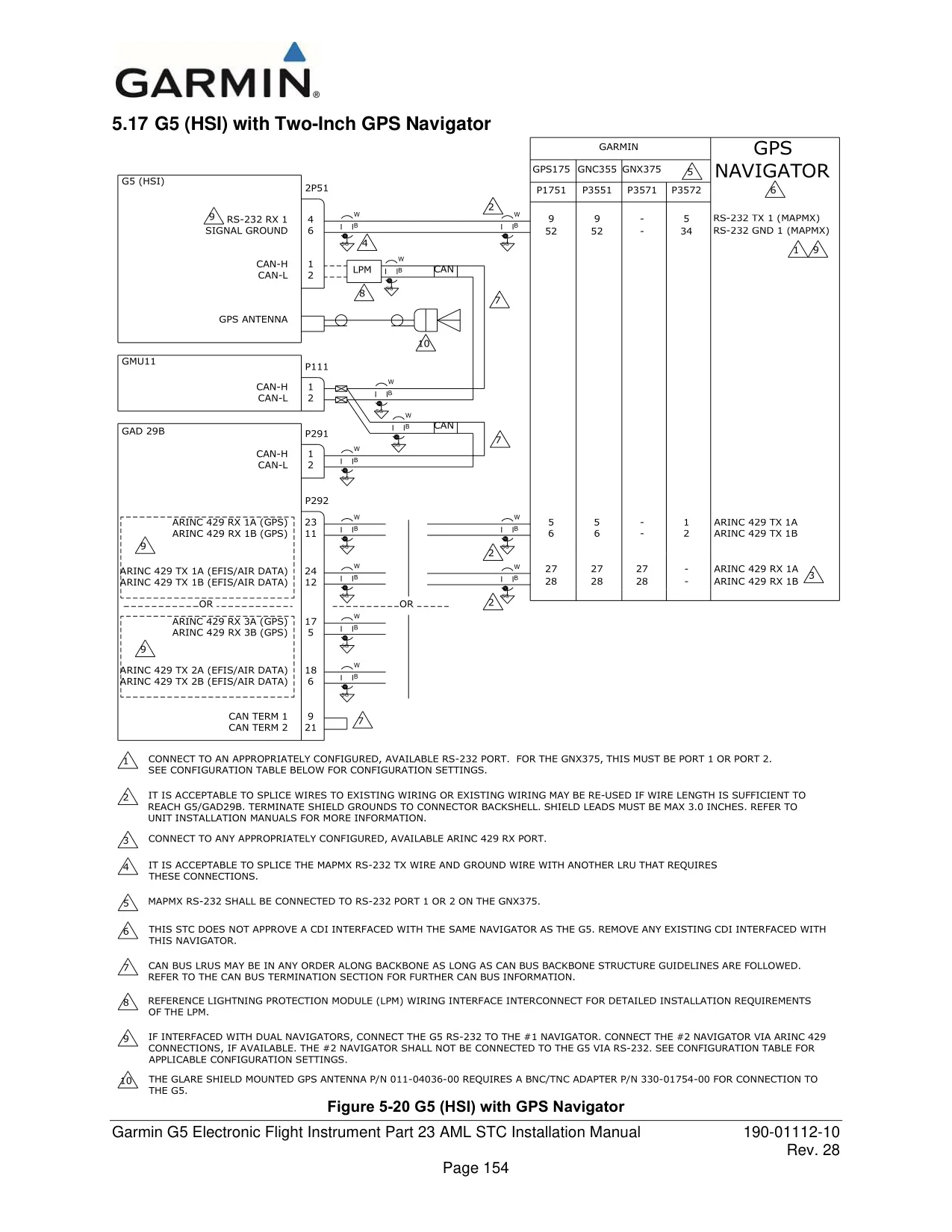
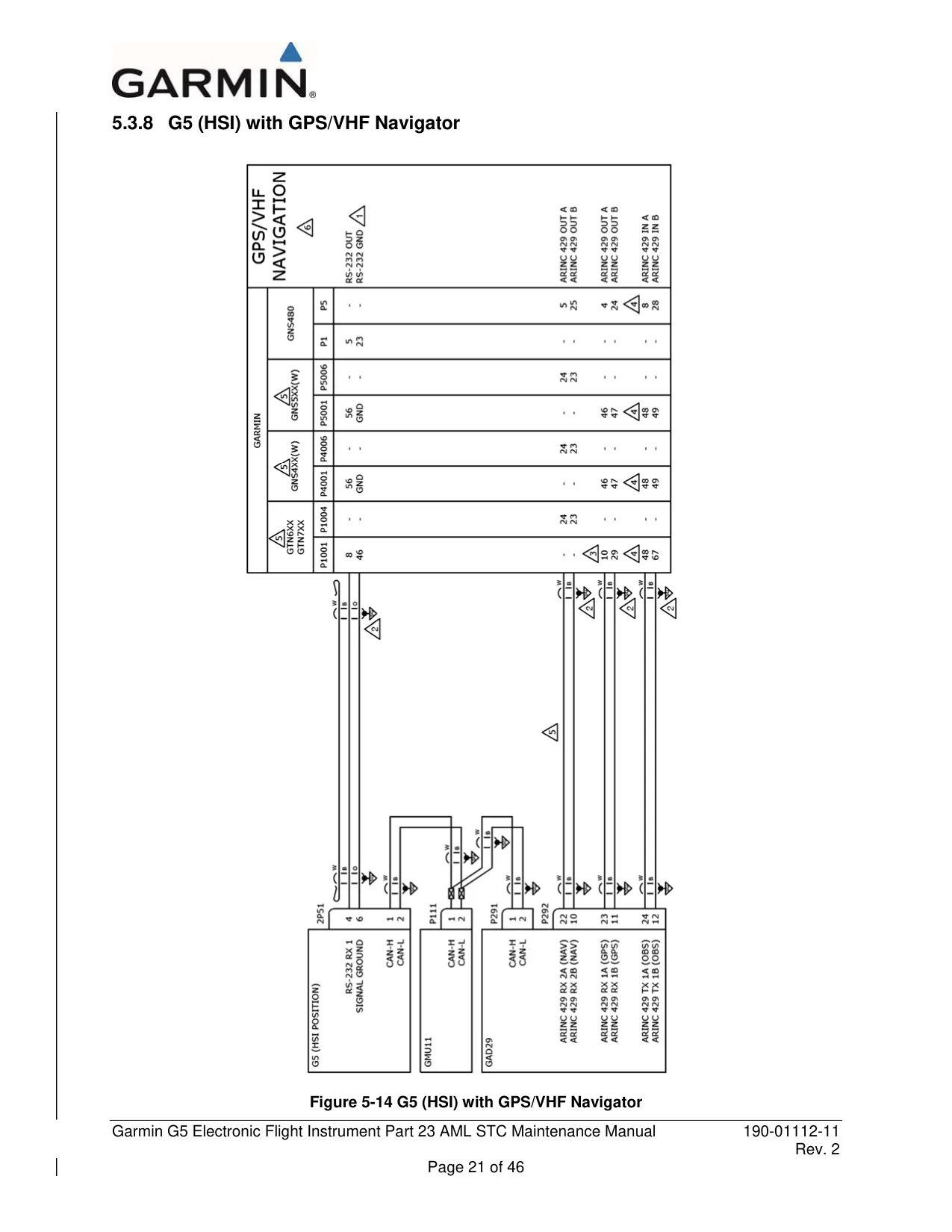
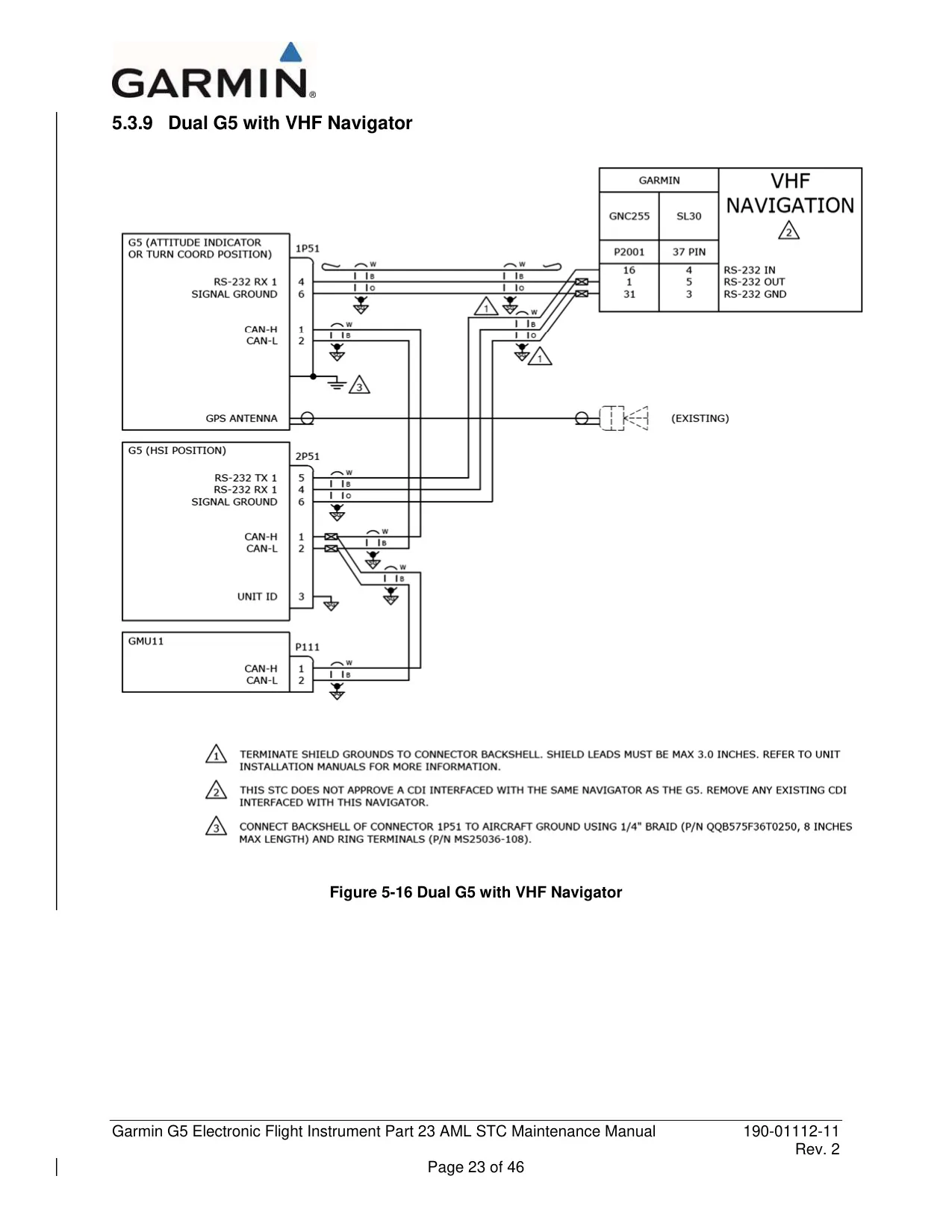
| Navigator Interfaces | RS-232 and ARINC 429 |
| Bearing Pointers | Up to 2 (sources: None, GPS, VLOC) |
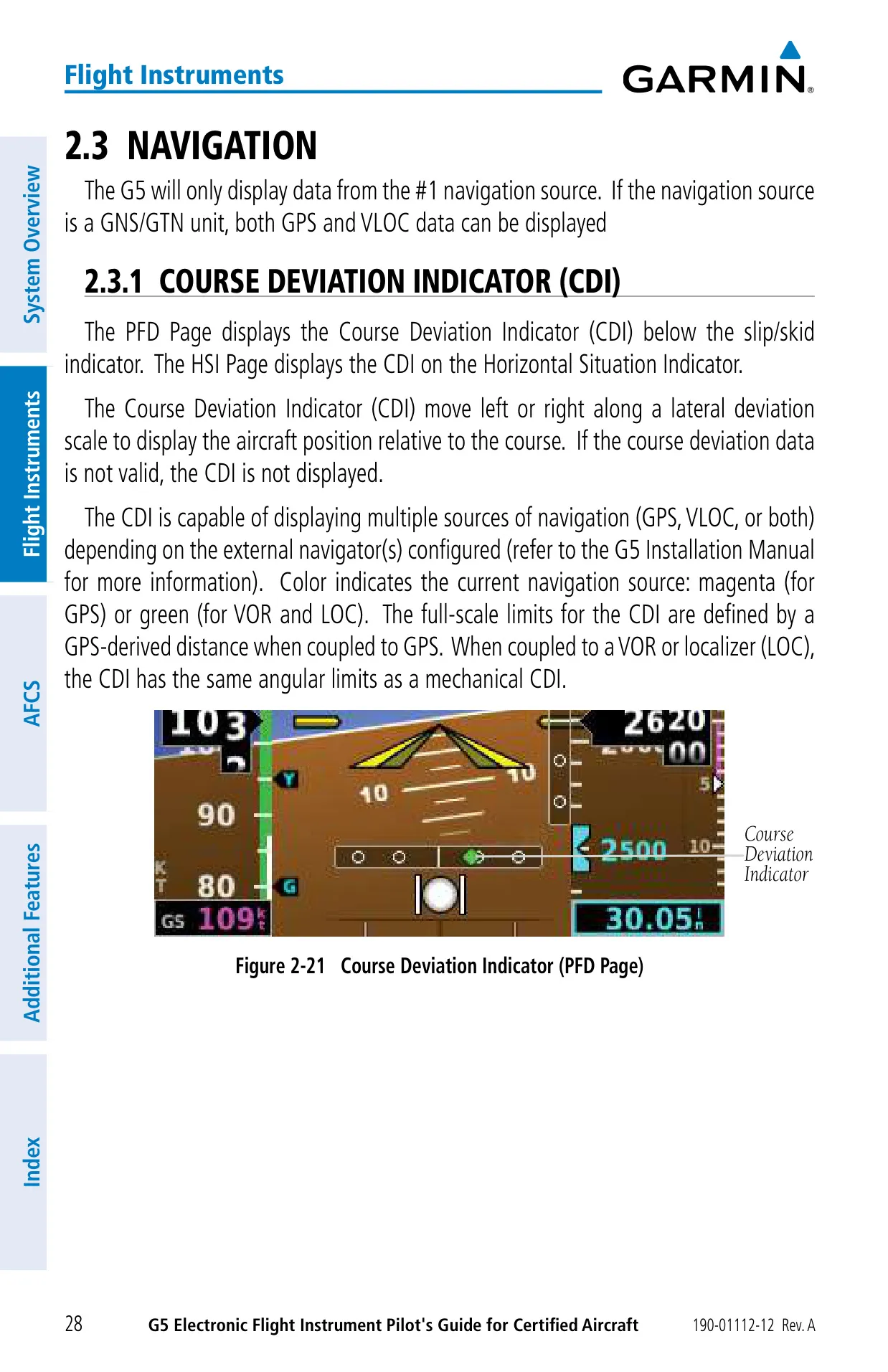
| VFR CDI Scale | 0.25 nm, 1.25 nm, 5.00 nm |
| Magnetic Field Database | IGRF-based, updated about every 5 years by software update |
| Flight Director Command Limits | Pitch -15° to +20°, roll 30° |
| Yaw Damper Rate Limit | 6°/sec |
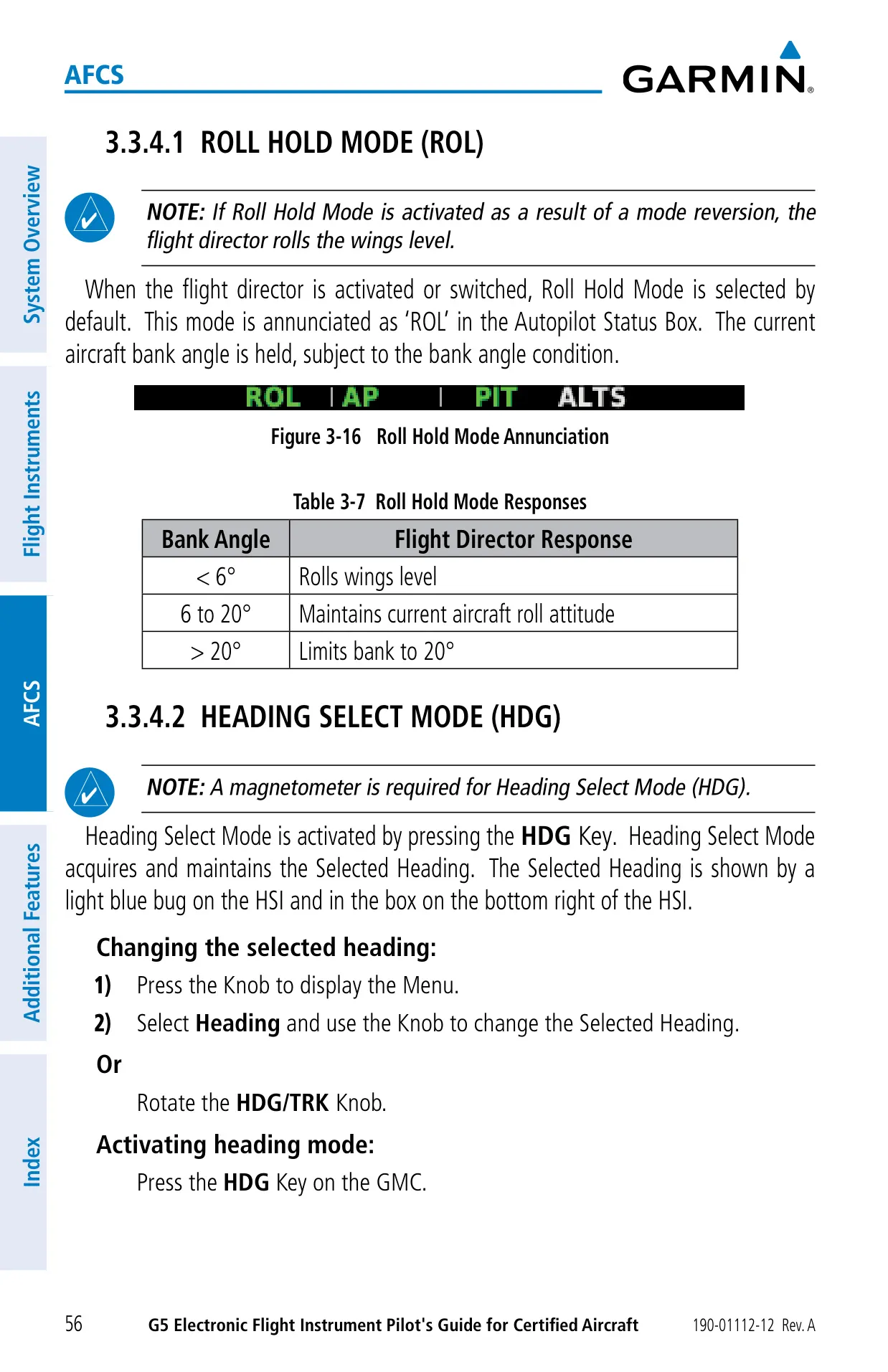
| Roll Hold Behavior | <6° wings level; 6–20° held; >20° limited to 20° |
| NOSE UP/DN Wheel Increments | Pitch 0.5°, VS 100 fpm, IAS 1 kt, ALT 10 ft (max 200 ft change) |
| Altitude Capture Transition | Switches to Altitude Hold at 50 ft from Selected Altitude |
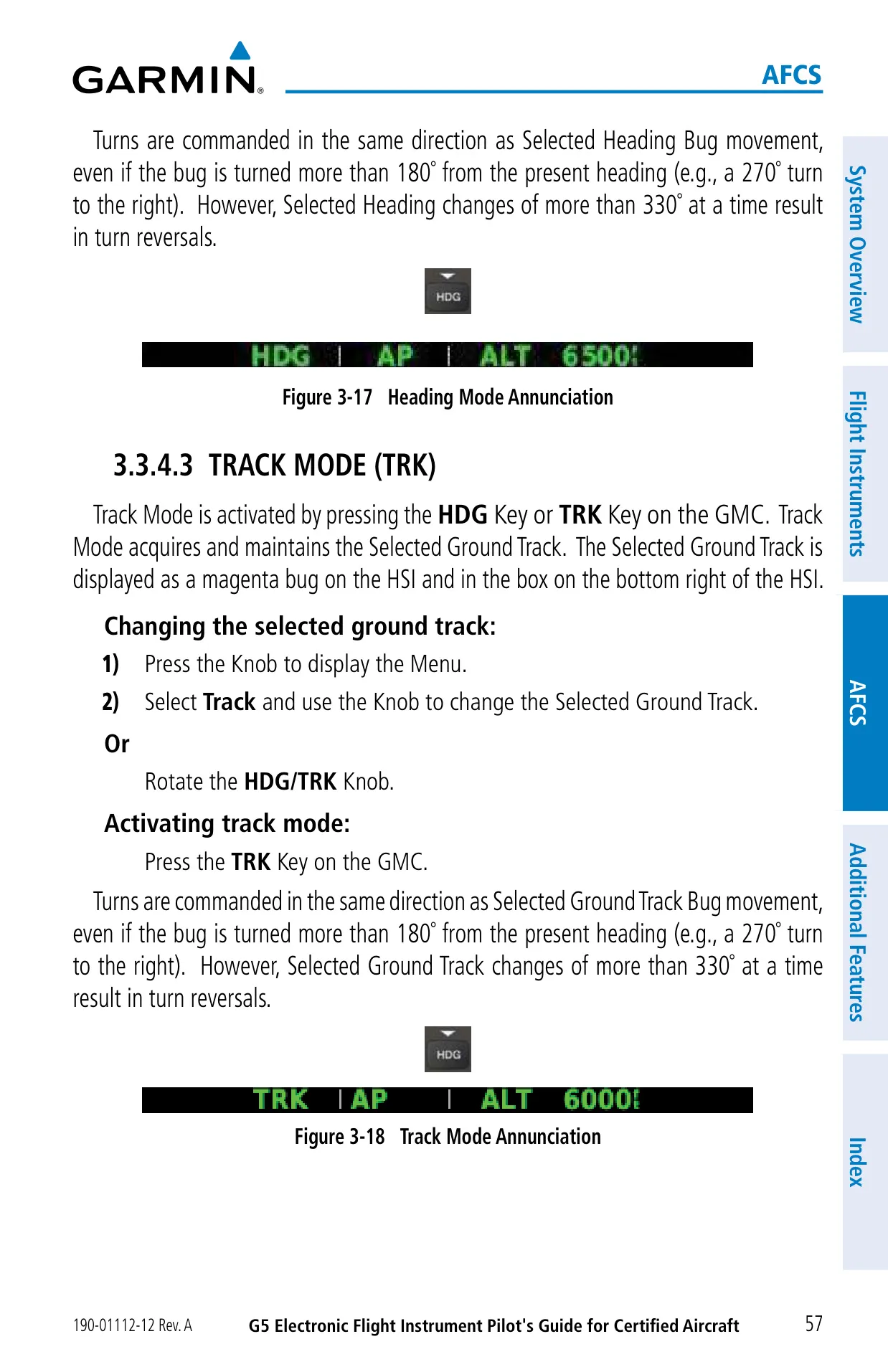
| Heading/Track Turn Reversal | Bug changes greater than 330° at a time |
| LOC Capture Angle | Inhibited beyond 105°; BC armed within 75° of backcourse |
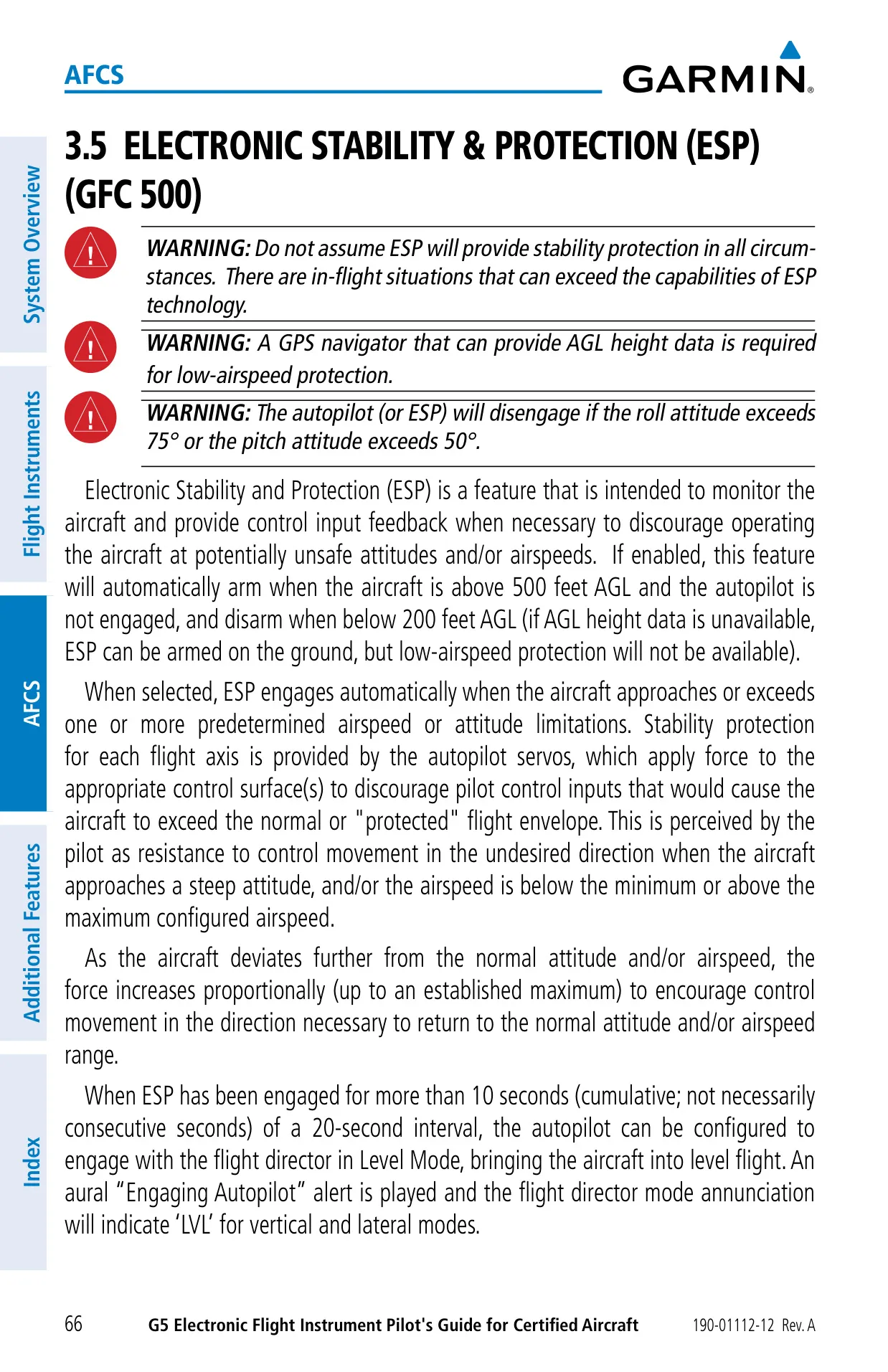
| Autopilot/ESP Disengage Limits | Roll above 75° or pitch above 50° |
| ESP Arming Altitude | Arms above 500 ft AGL, disarms below 200 ft AGL |
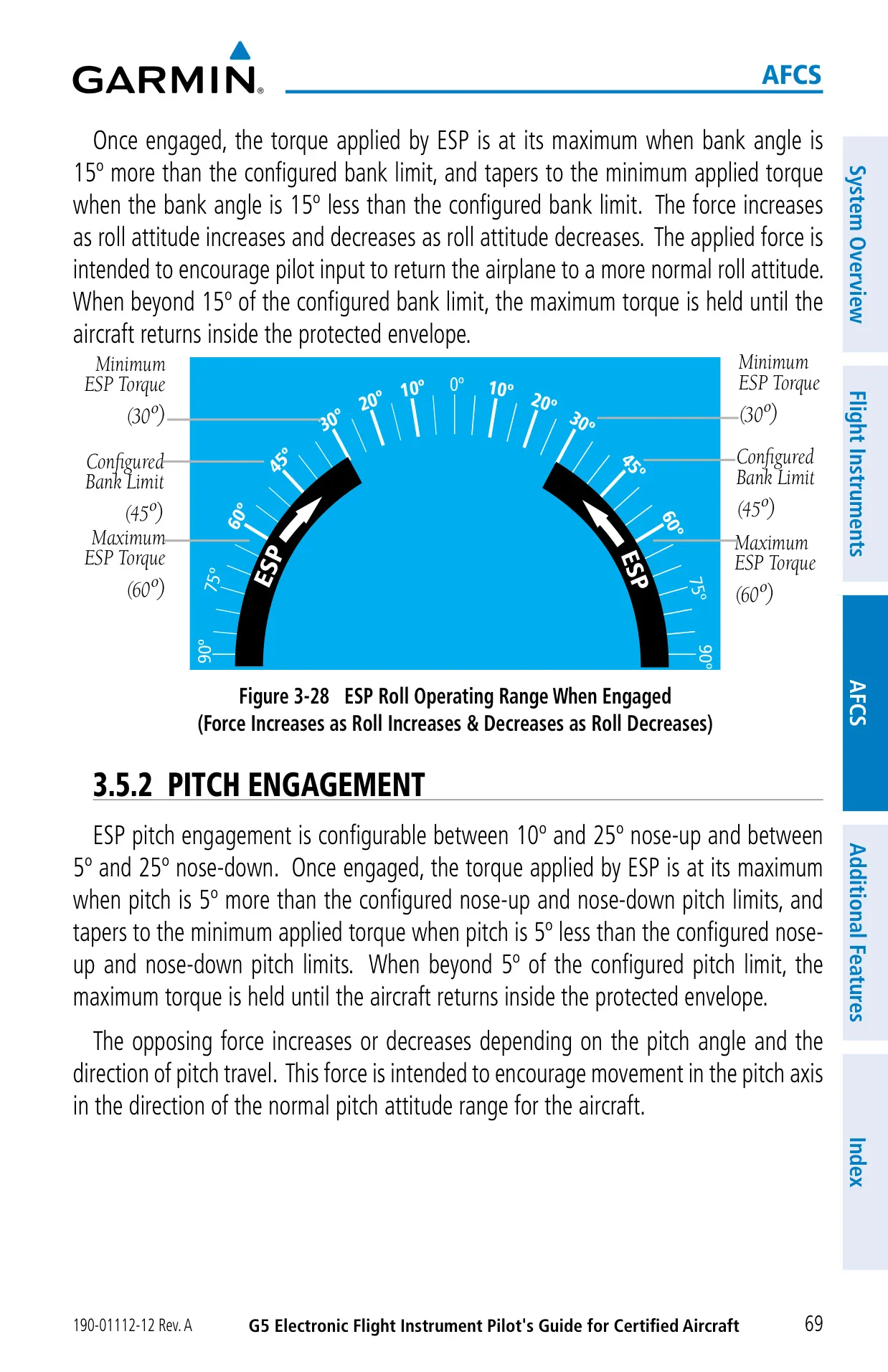
| ESP Roll Limit | Configurable 45° to 60°; disengages 15° below limit |
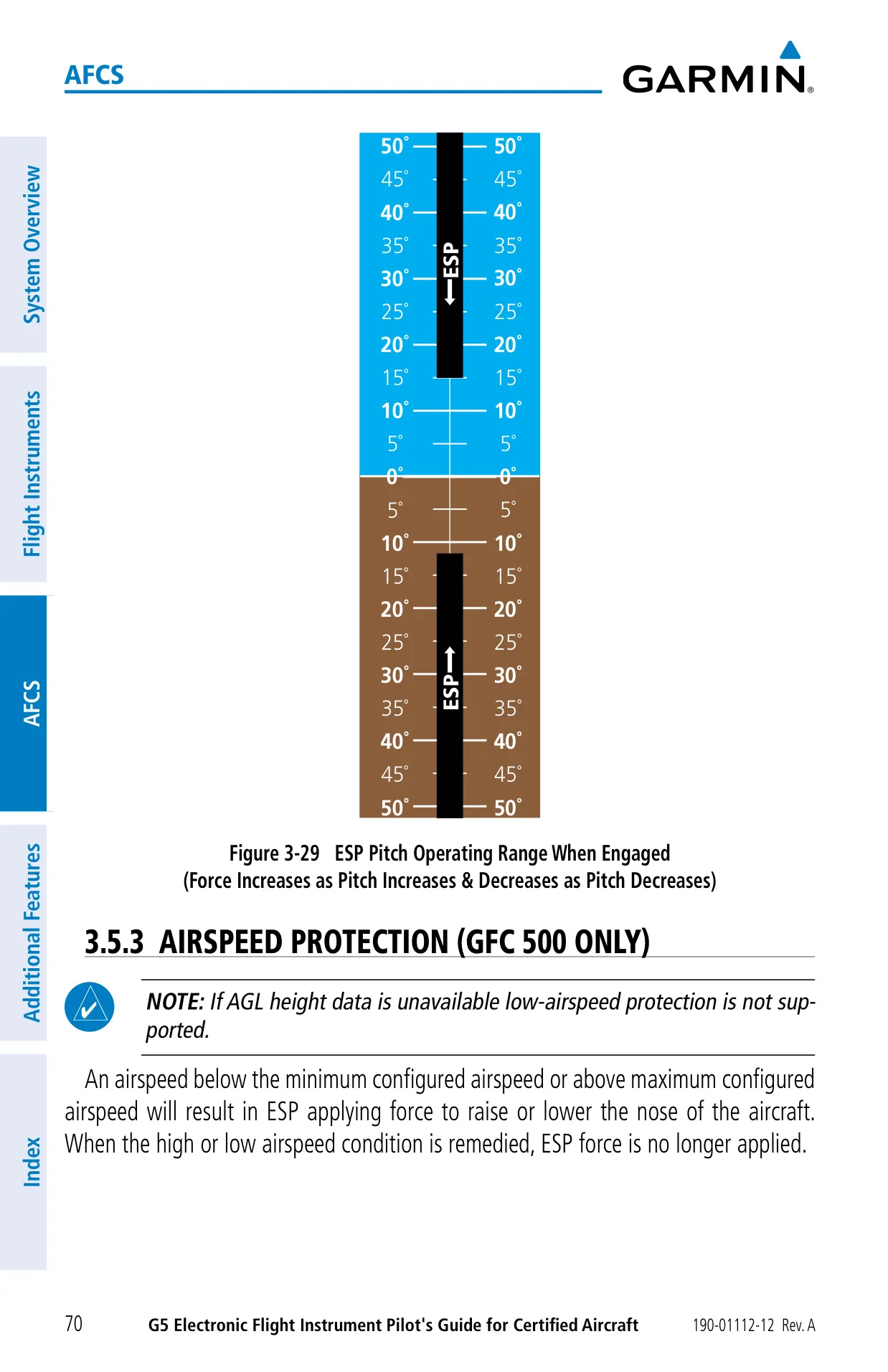
| ESP Pitch Limits | 10° to 25° nose-up, 5° to 25° nose-down (configurable) |
| ESP Auto Level Mode | After 10 s engaged within 20 s; above 2,000 ft AGL, locked out below 1,500 ft AGL |
| Controller Key Stuck Alert | Key input sensed for 30 seconds or longer |
| Regulatory Compliance | FCC Part 15 Class B; EU Directive 2014/53/EU |
| Warranty (new TSO products) | 2 years or 800 flight hours, whichever comes first |
Garmin G5 Flight Instrument Details
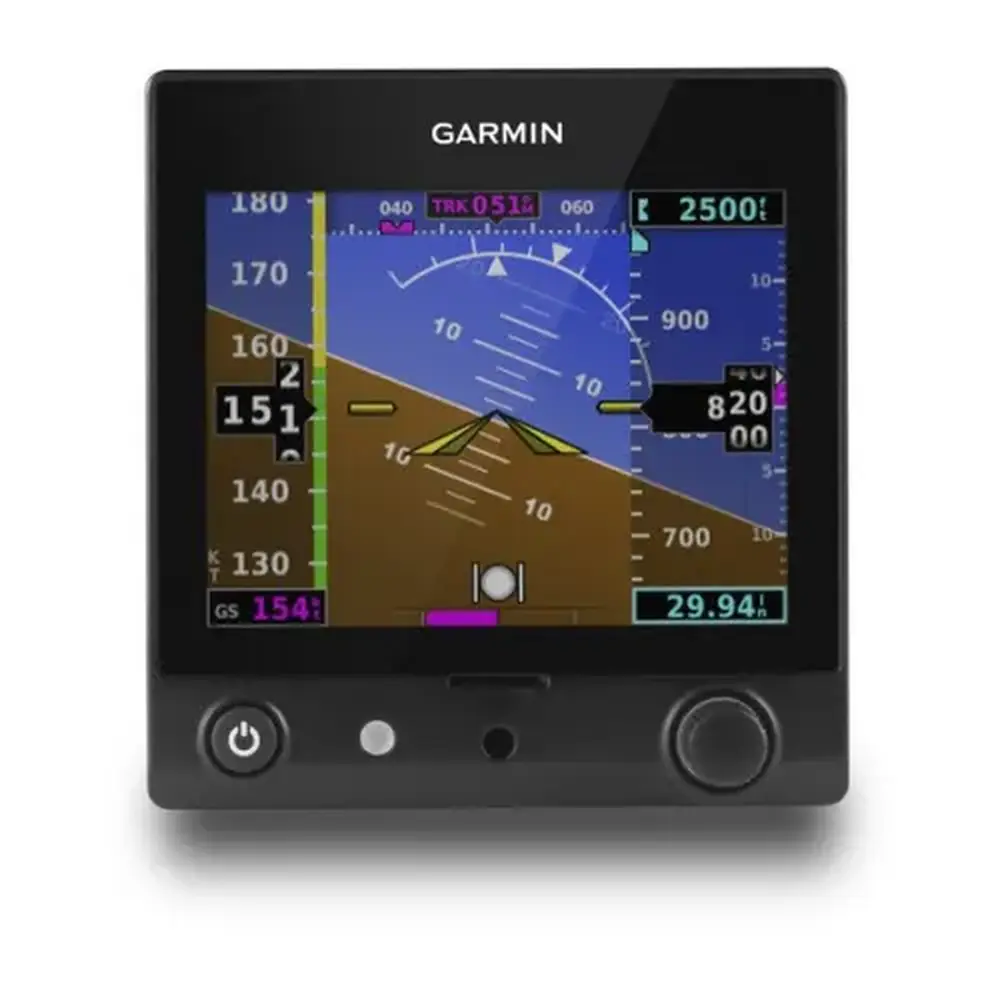
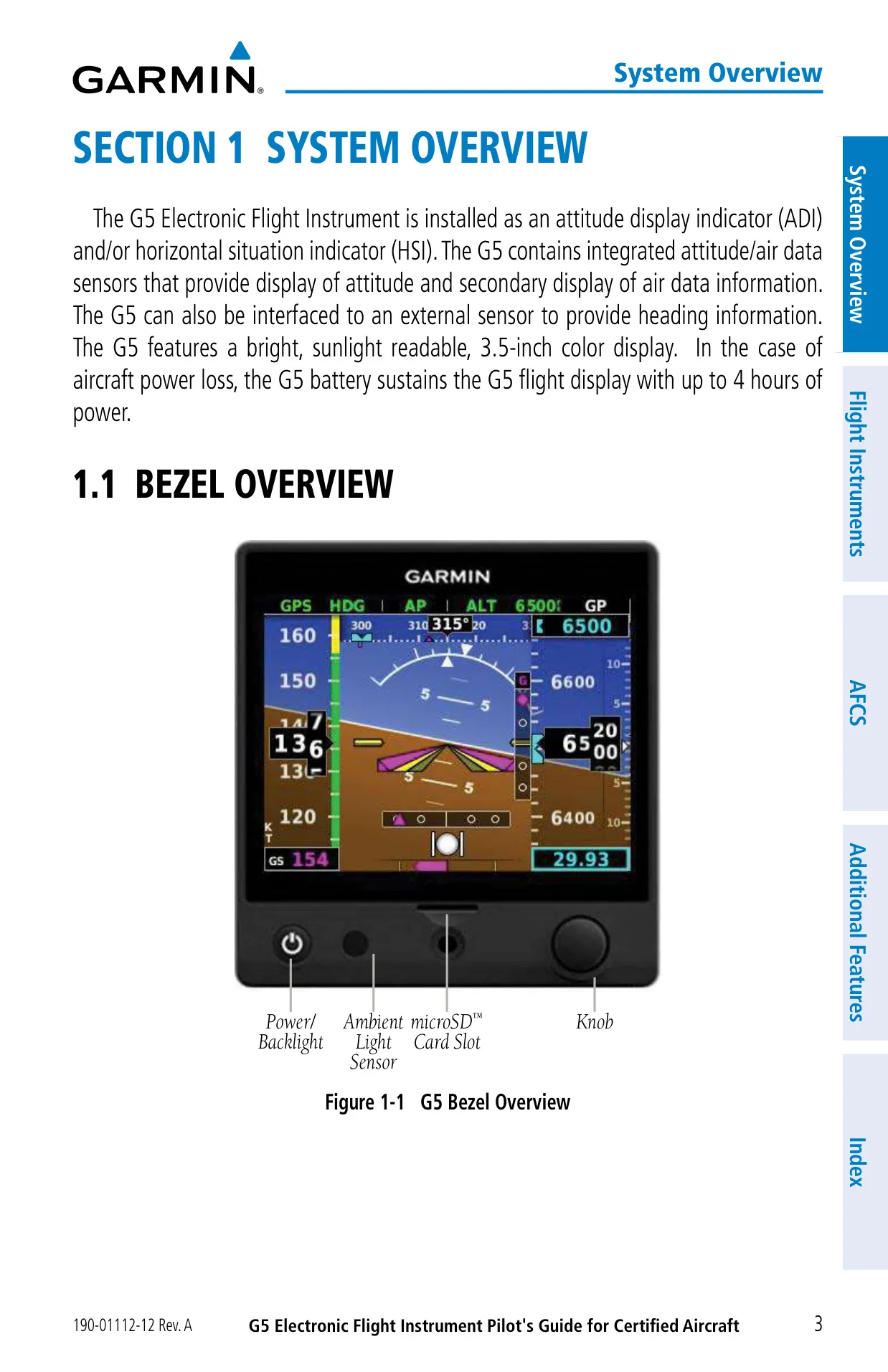
The Garmin G5 replaces traditional gyro instruments with a compact digital unit. You operate it with a single Power button and one rotary Knob. Pressing the Knob opens the Menu, and turning it moves between items or changes values. On the PFD Page, rotating the Knob sets the barometric pressure. On the HSI Page, it moves the heading or track bug. Holding the Knob down syncs a bug to the current value. The bezel also has an ambient light sensor, which the Auto backlight mode uses to adjust brightness.
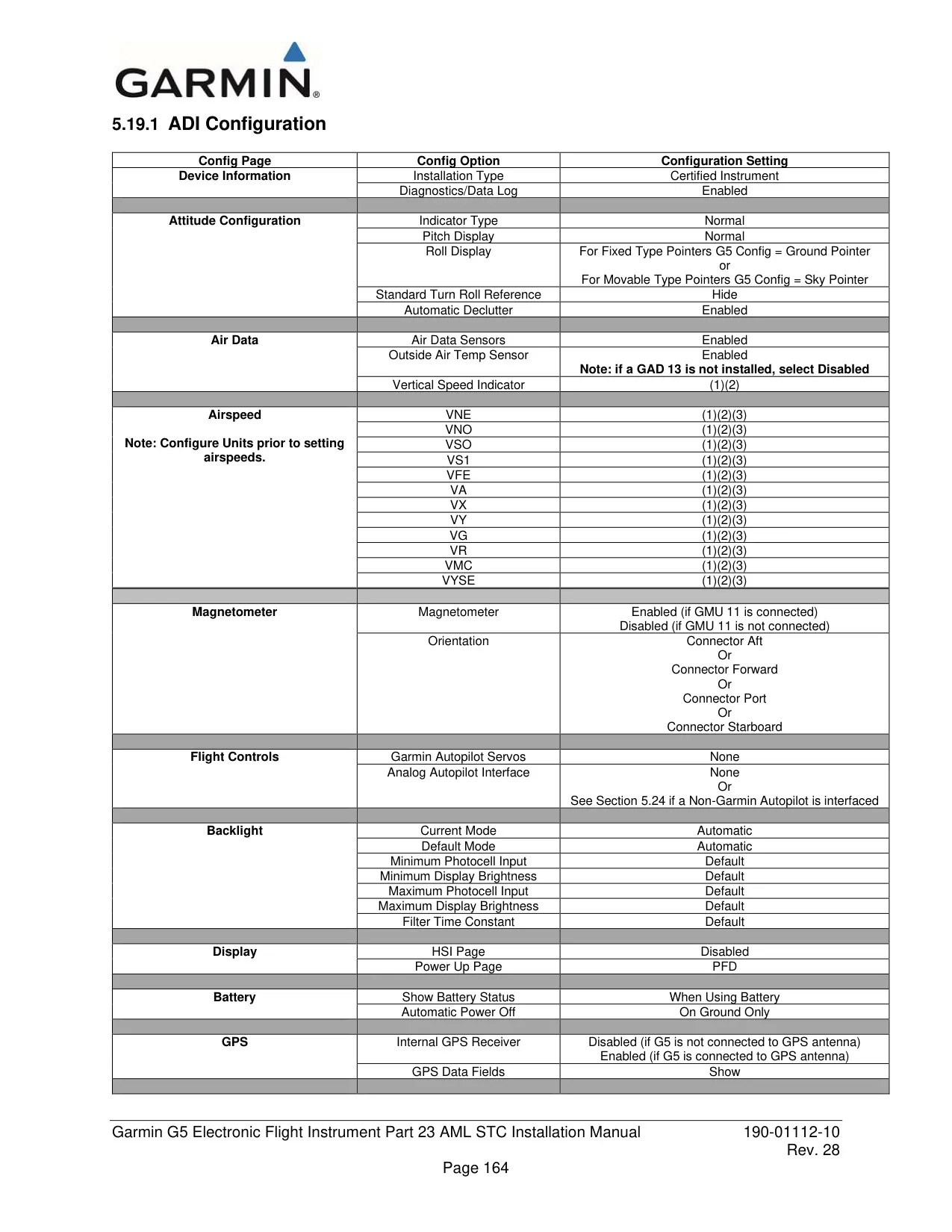
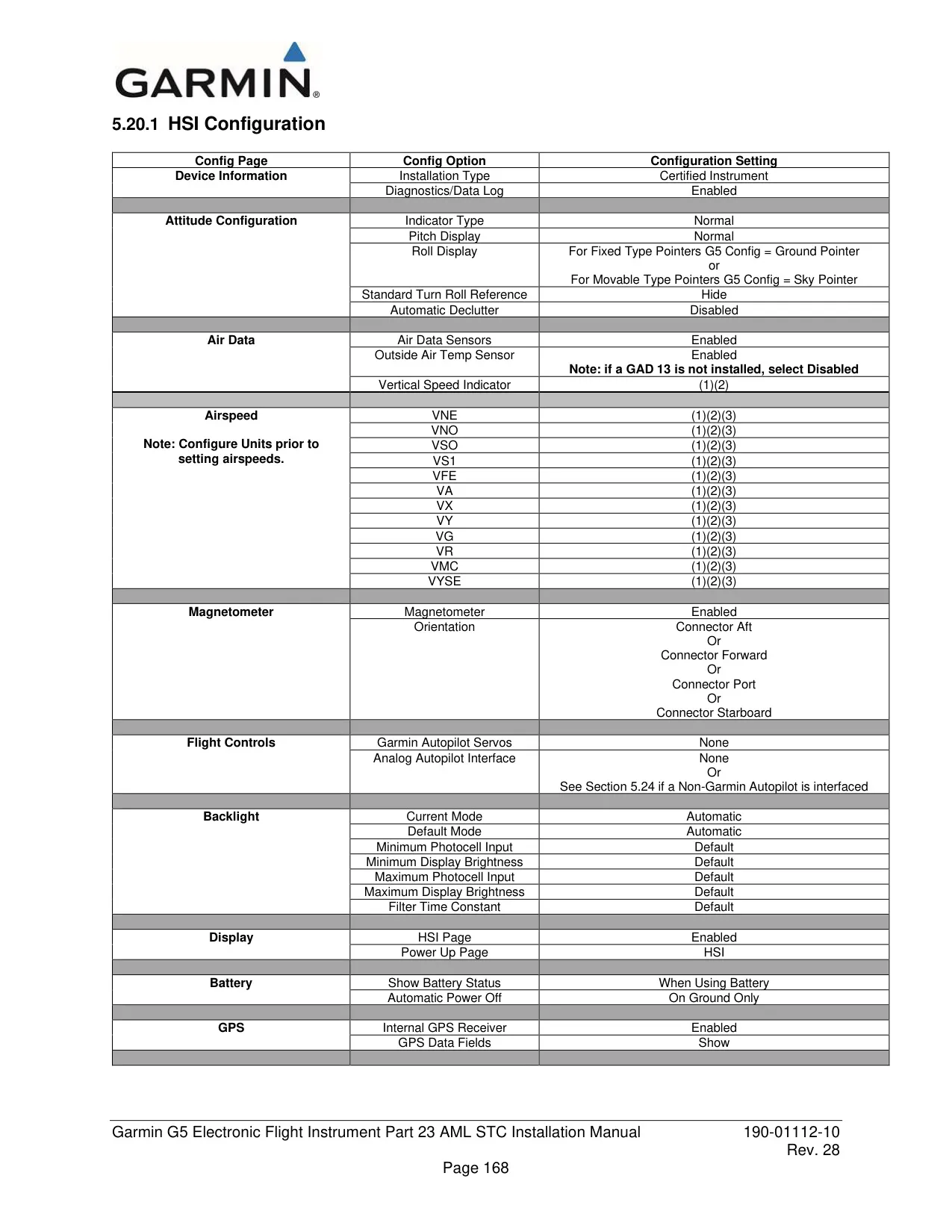
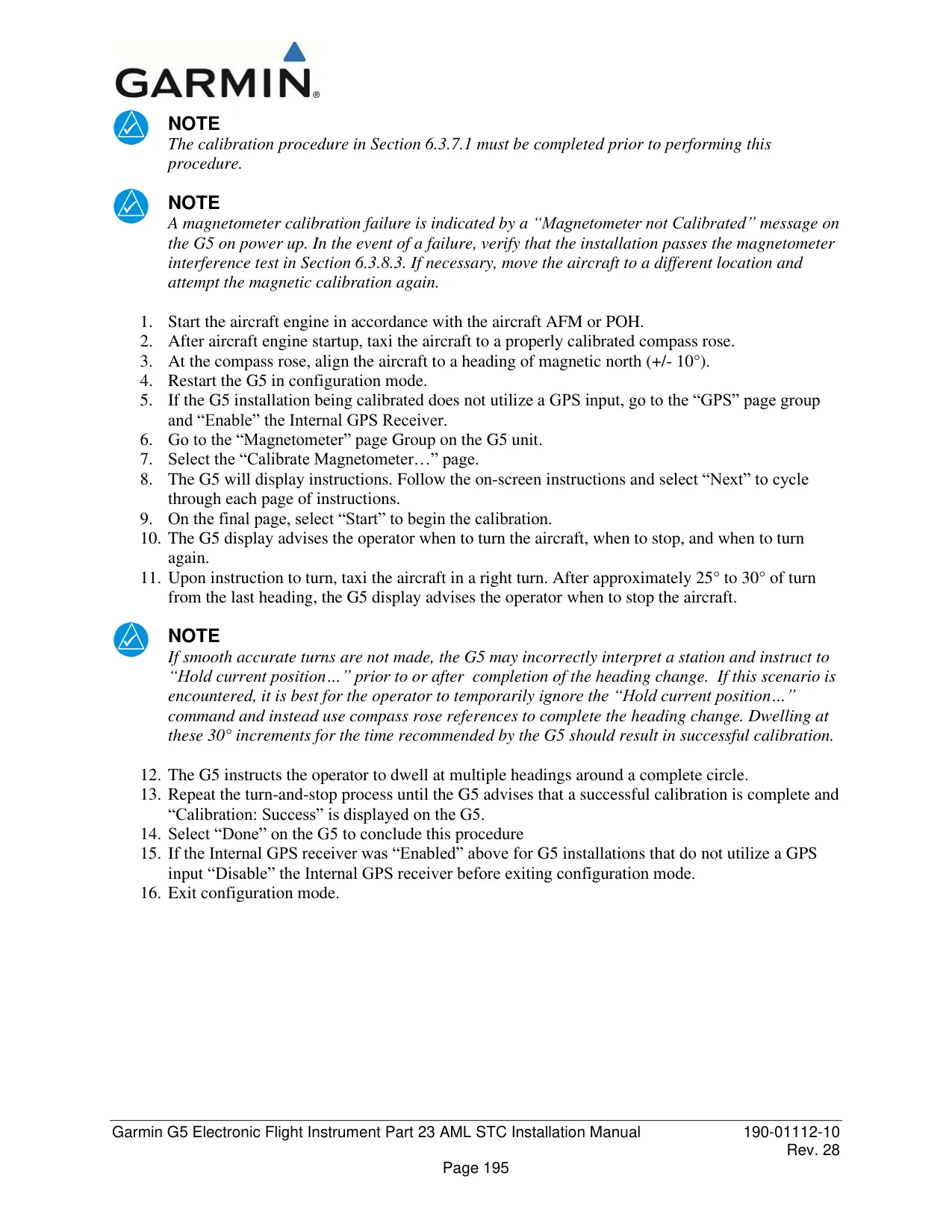
Failures are easy to spot. When a function fails, a Red-X covers the affected data. While the unit starts up, it shows ALIGNING, and the attitude it displays during this phase can still be used. If the attitude solution is invalid, the unit shows ALIGNING KEEP WINGS LEVEL instead. If the inertial sensors fail, it shows ATTITUDE FAIL. Without a magnetometer, the G5 falls back to GPS ground track. A yellow numeric heading means the magnetometer reading may be outside its accuracy limits.
A blinking [!] indicator means there is a new message. Messages cover external power loss, battery and charger faults, and temperature limits. Others report network address conflicts, lost RS-232 or ARINC 429 data, and software version mismatches. If the ADI and HSI units run different software, cross-fill of the baro setting, heading and altitude bugs is turned off. The battery icon shows the remaining charge as a percentage. After about one minute on battery power, it shows an estimated time remaining instead, and it turns yellow or red when the charge is low.
The airspeed tape uses color bands for the flap range, normal range, caution range and VNE, plus a red low-speed band. The pointer turns red at VNE. Configured Vspeed references appear beside the tape. The roll display can be set to Ground Pointer (the default) or Sky Pointer. If enabled in the configuration, the G5 also returns to the PFD Page automatically when the aircraft enters an unusual attitude.
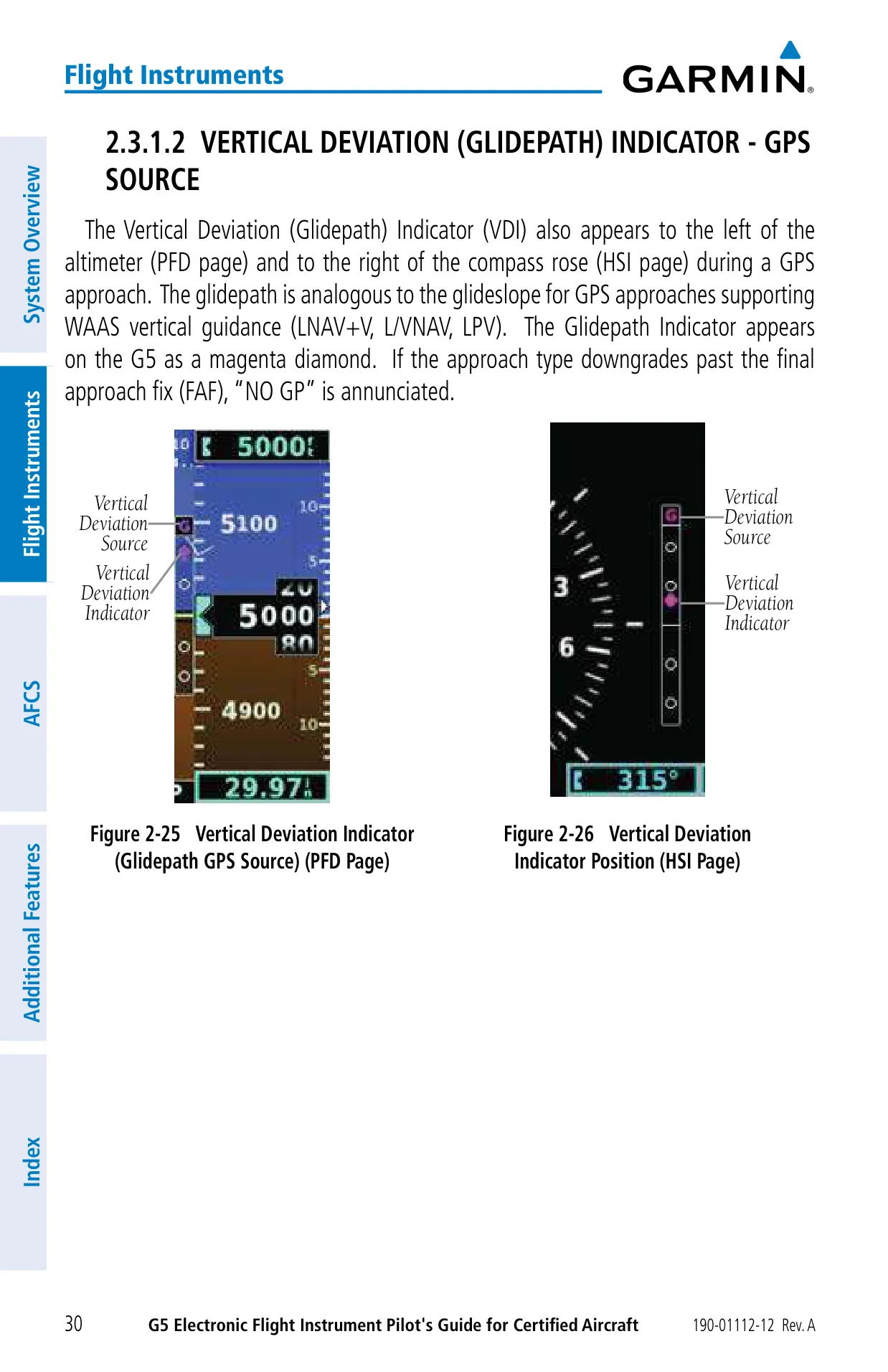
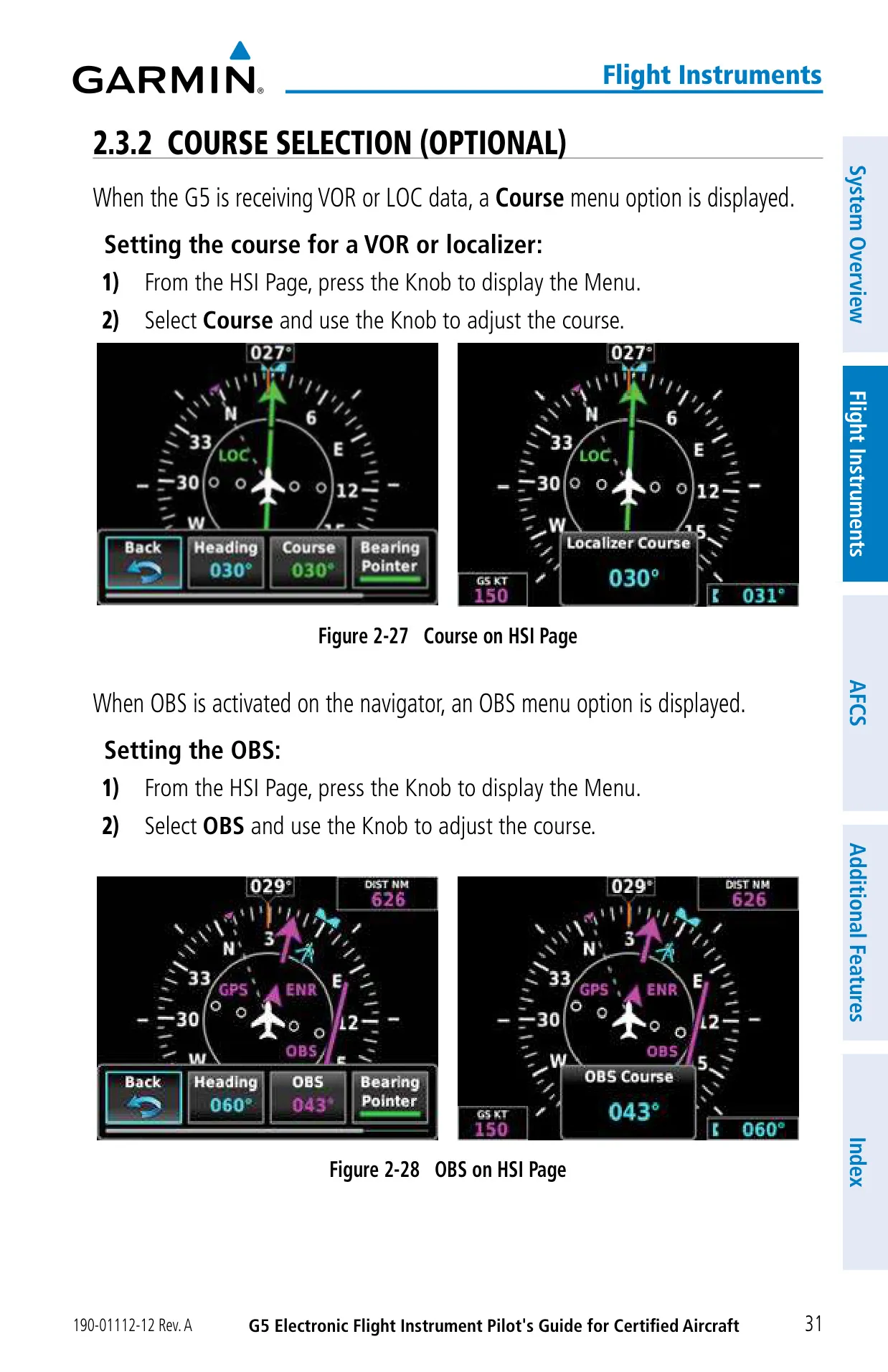
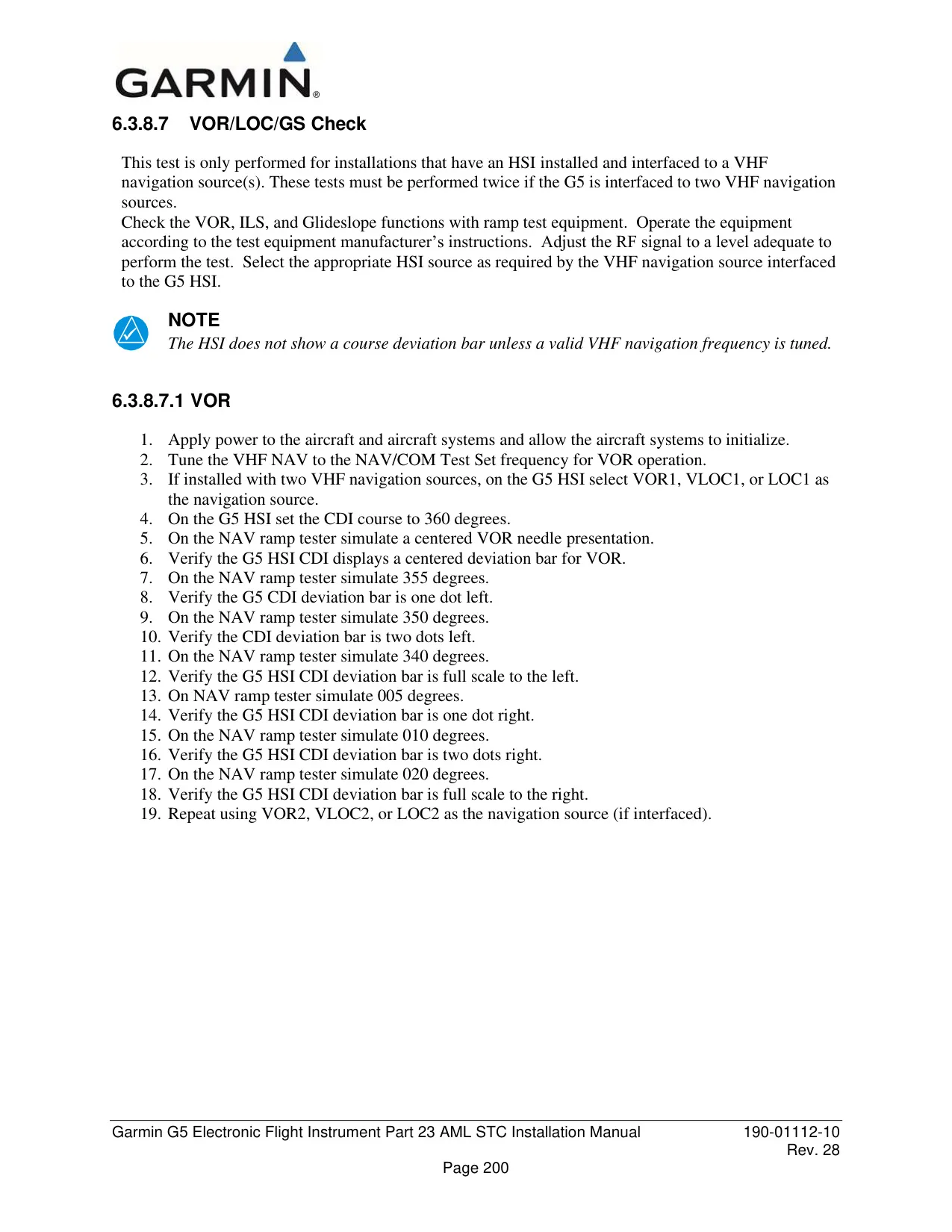
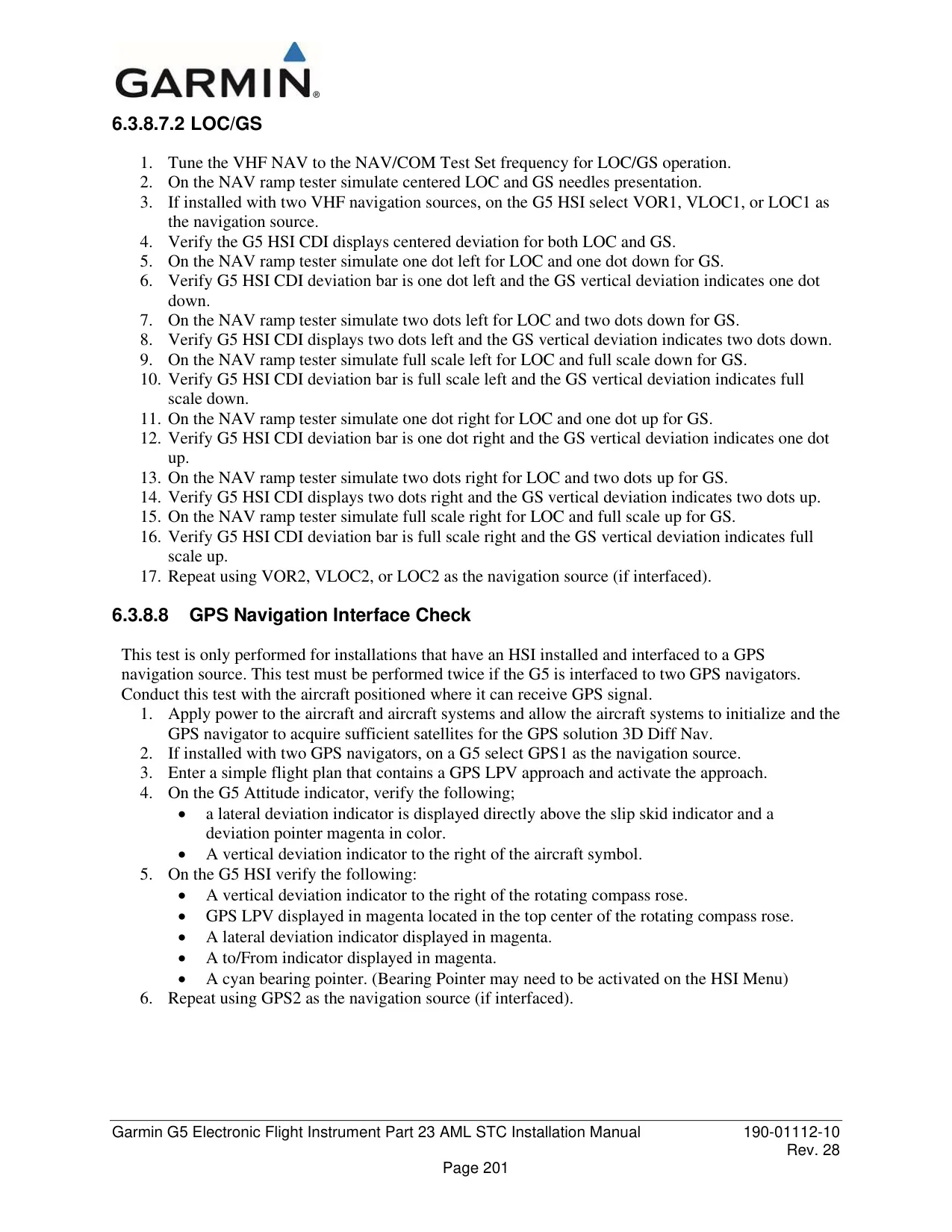
The CDI is magenta for GPS sources and green for VOR and LOC. On ILS approaches, a green diamond shows glideslope deviation. On WAAS approaches, a magenta diamond shows the glidepath. When no vertical signal is available, the display shows NO GS or NO GP. The HSI also shows annunciations such as LPV, LNAV+V, TERM, LOI and DR. Pilots can set the course or OBS from the Menu whenever the G5 is receiving VOR or LOC data.
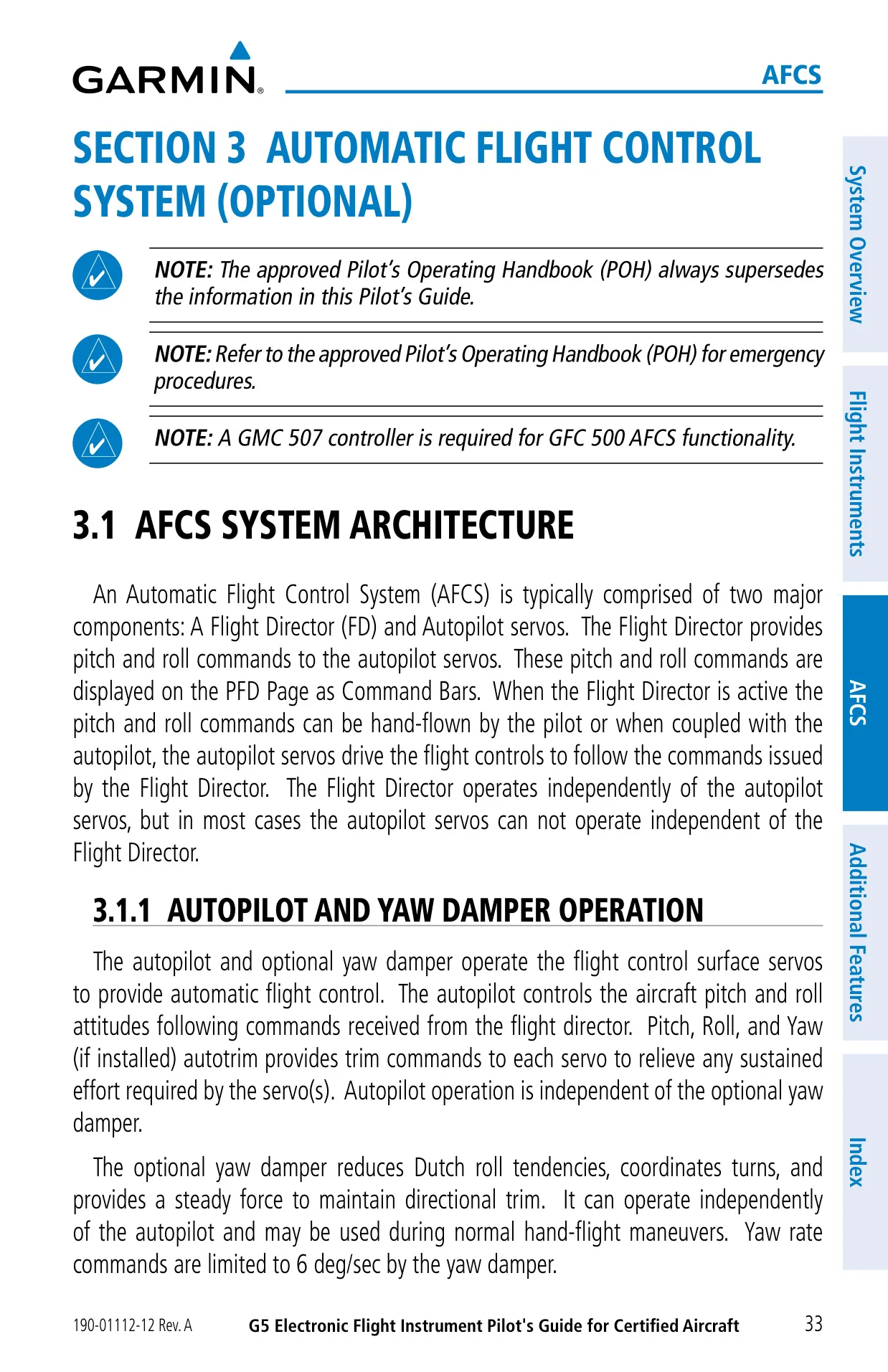
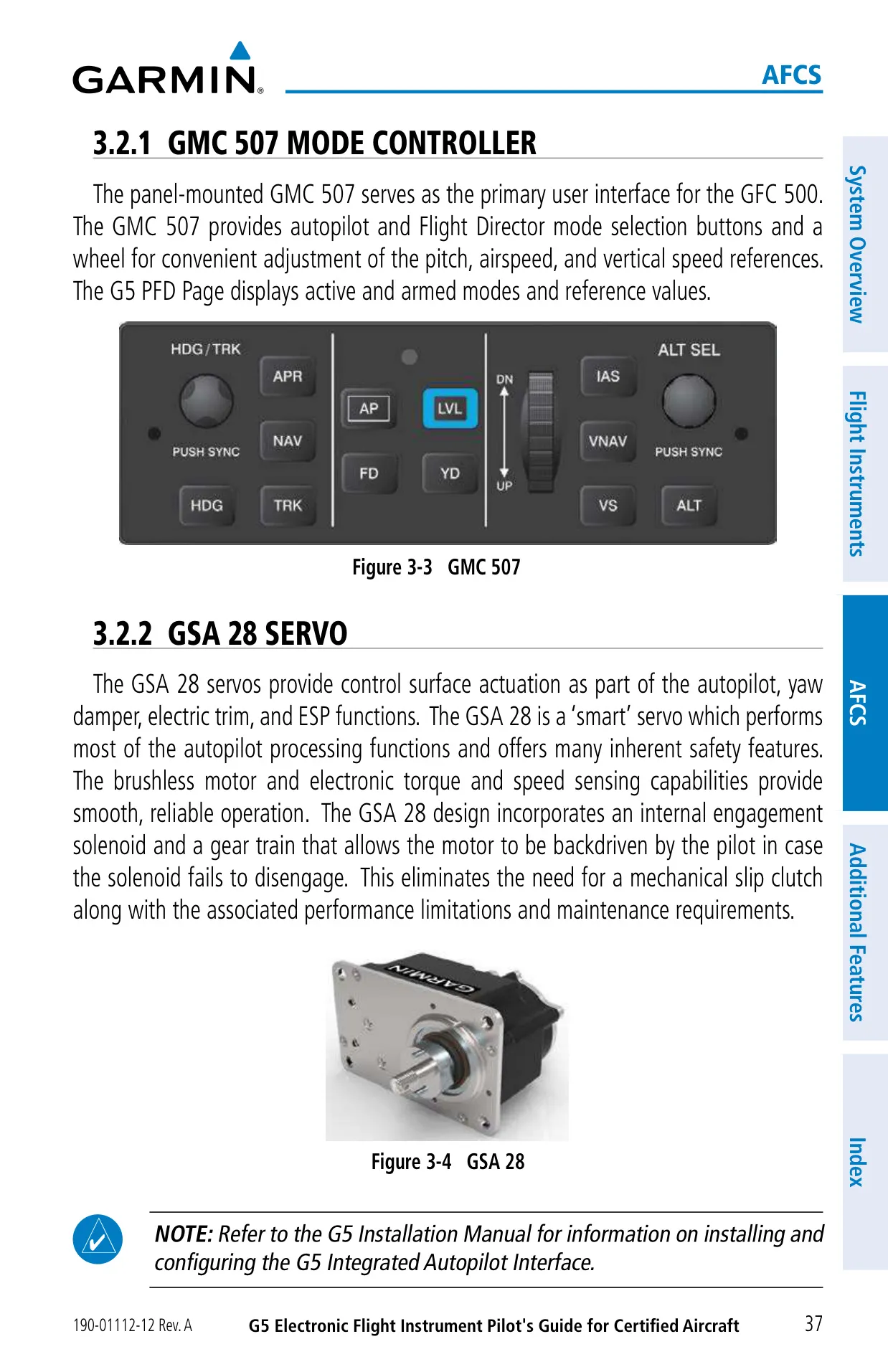
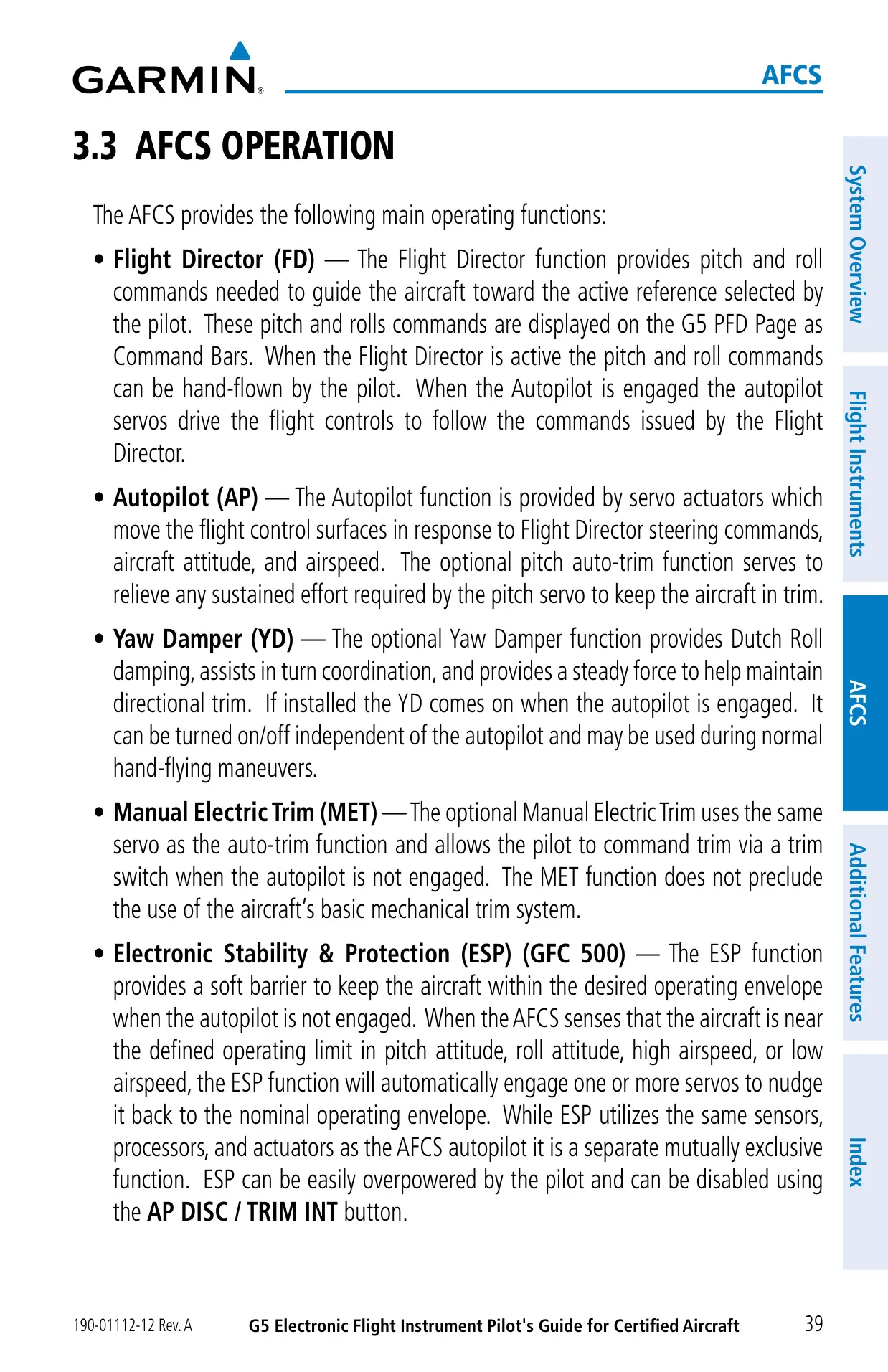
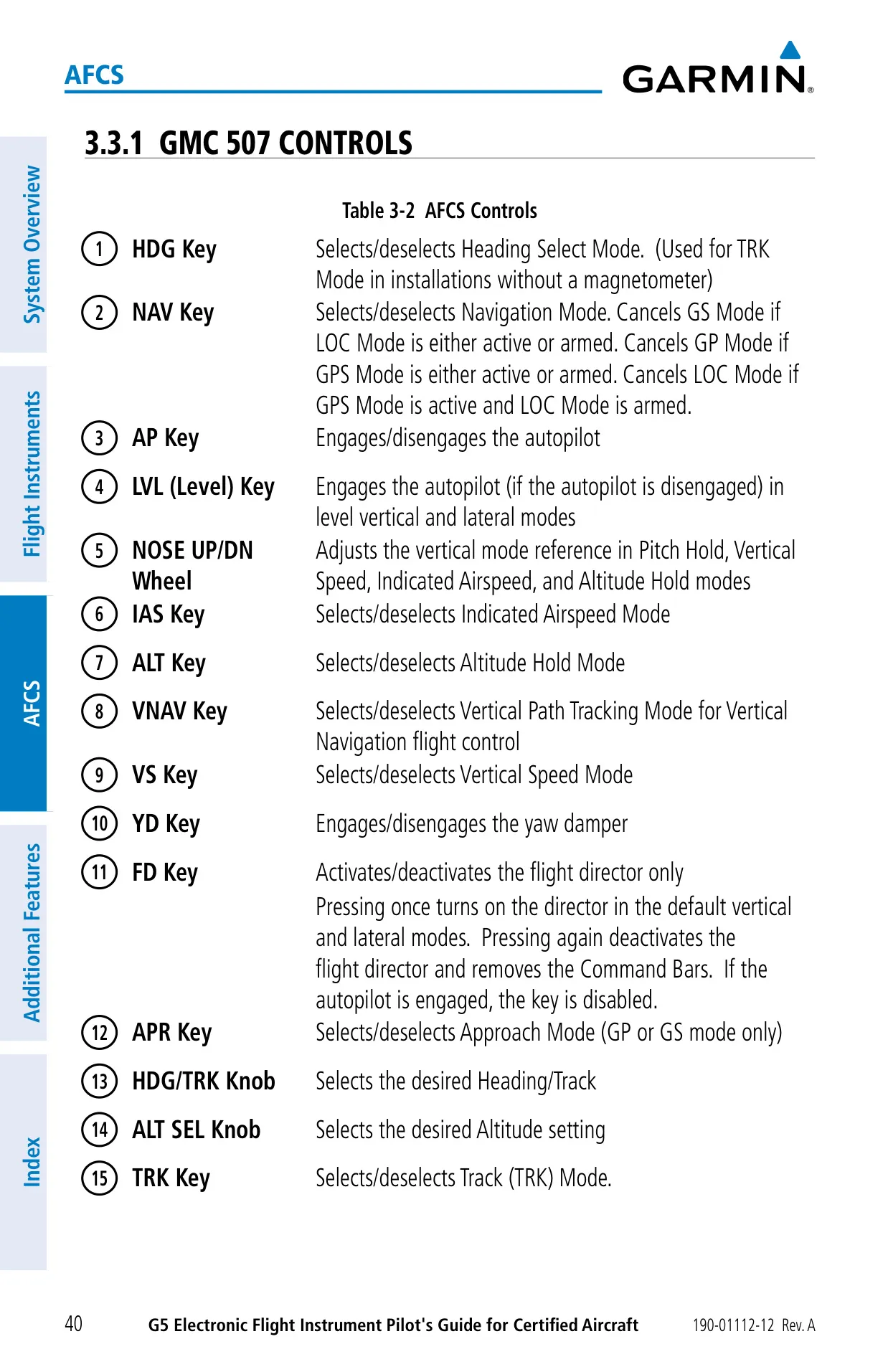
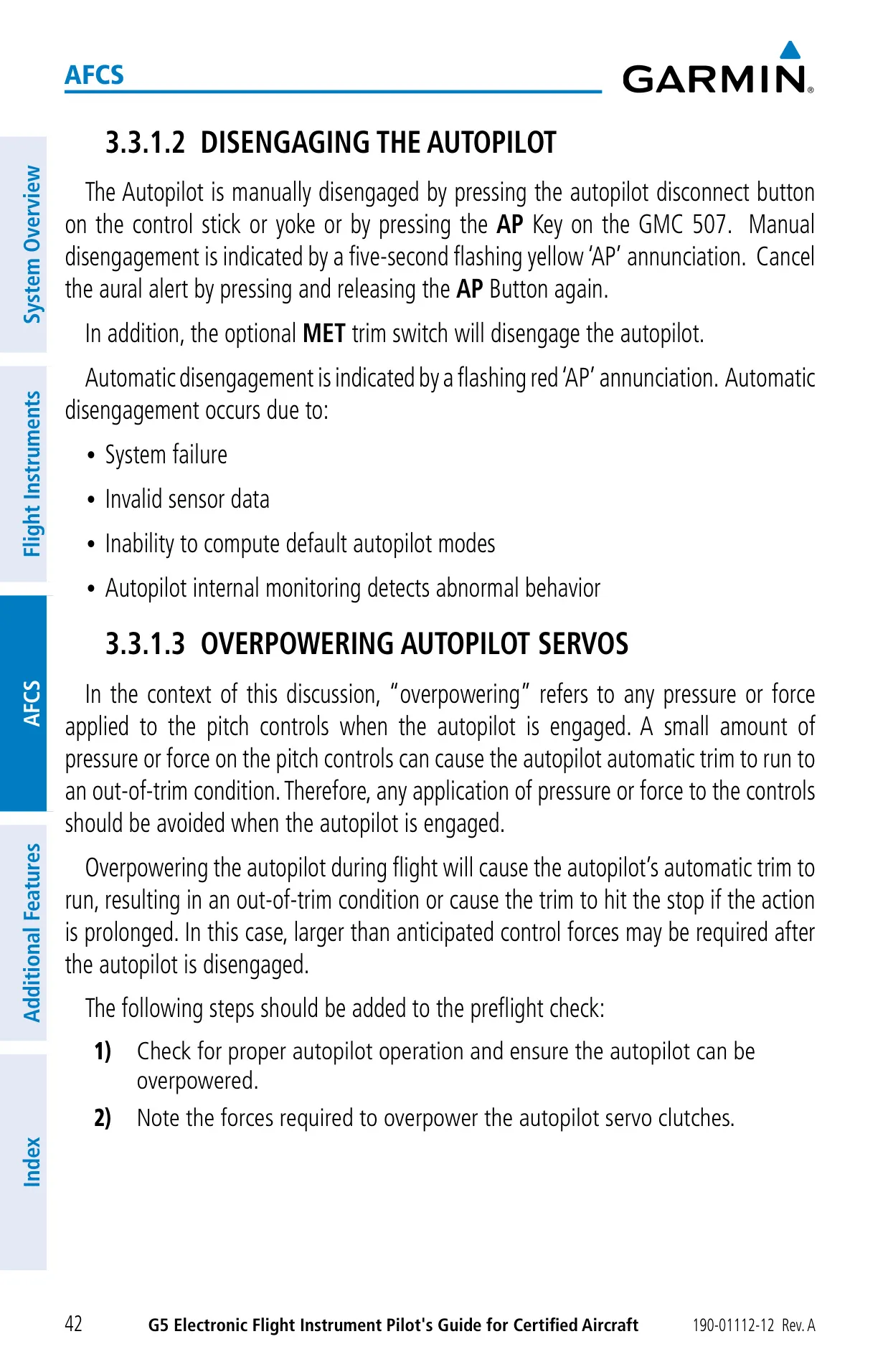
When paired with the optional GFC 500 autopilot, the G5 shows the flight director's command bars in magenta. The bars appear hollow while hand-flying and solid with the autopilot engaged. The GMC 507 controller is required for GFC 500 functions. The GSA 28 servos are brushless "smart" units with a backdrivable gear train, so no mechanical slip clutch is needed. An independent monitor, using its own inertial sensors, can shut the autopilot down if the aircraft goes past preset limits.
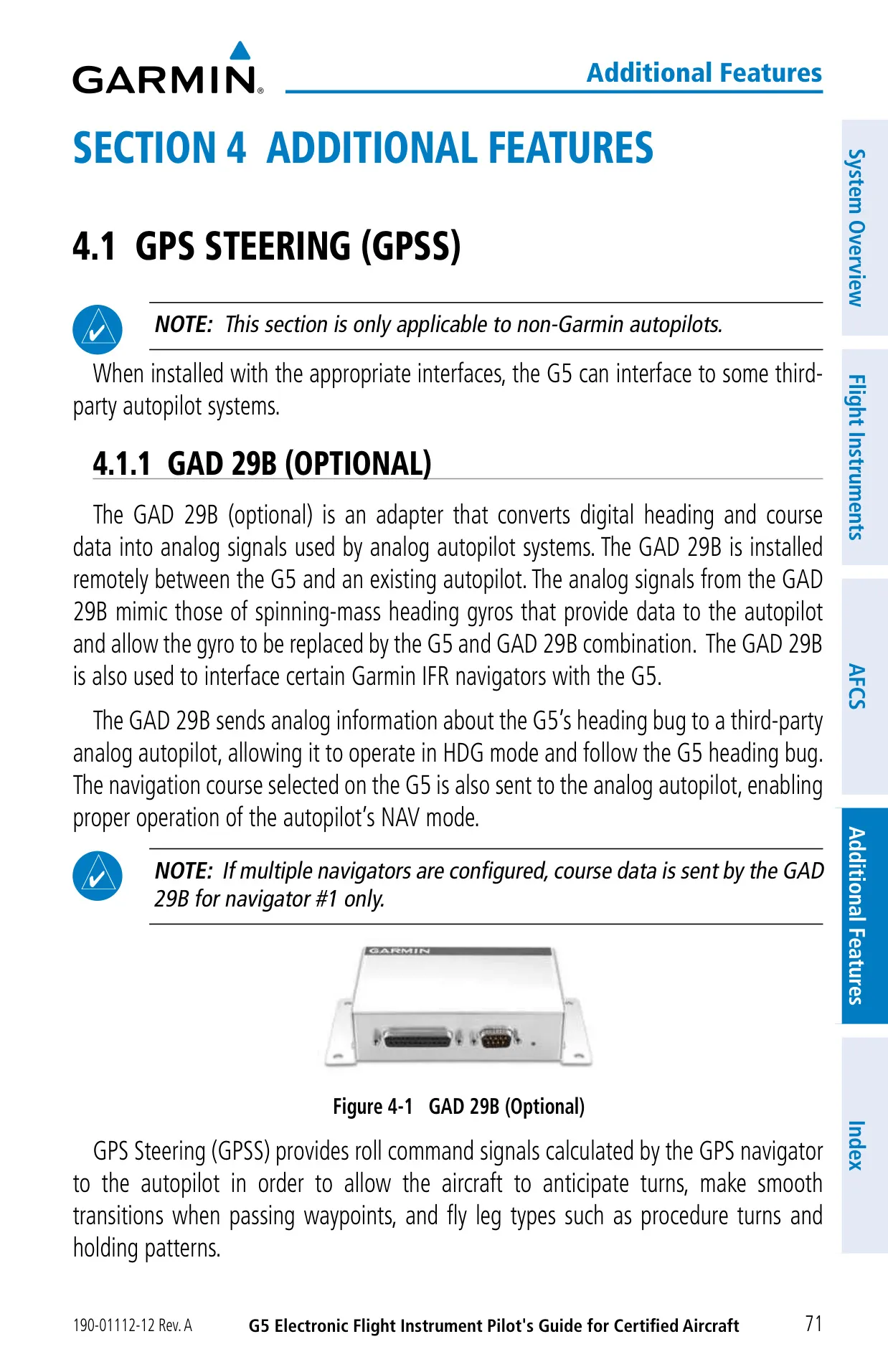
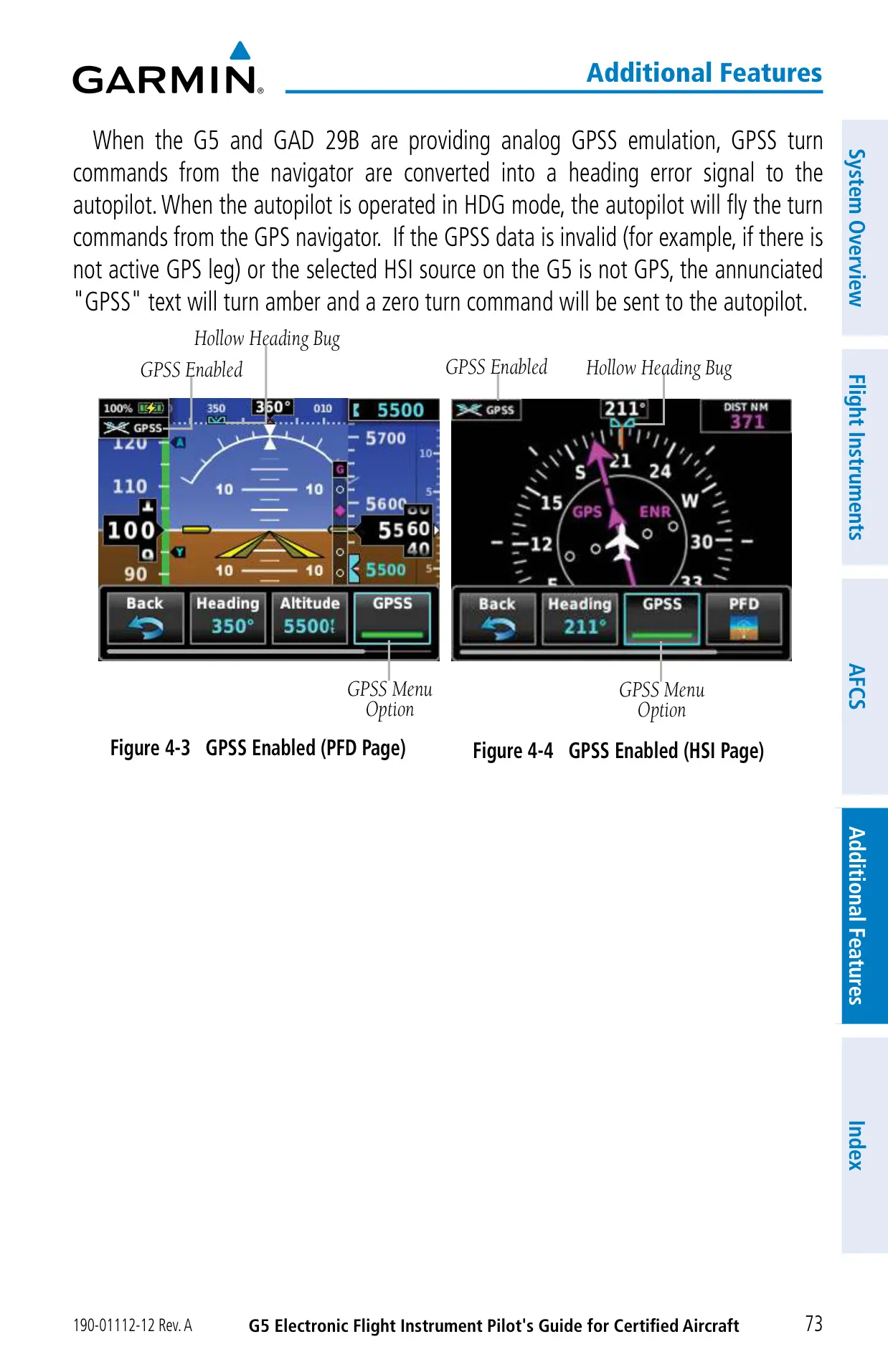
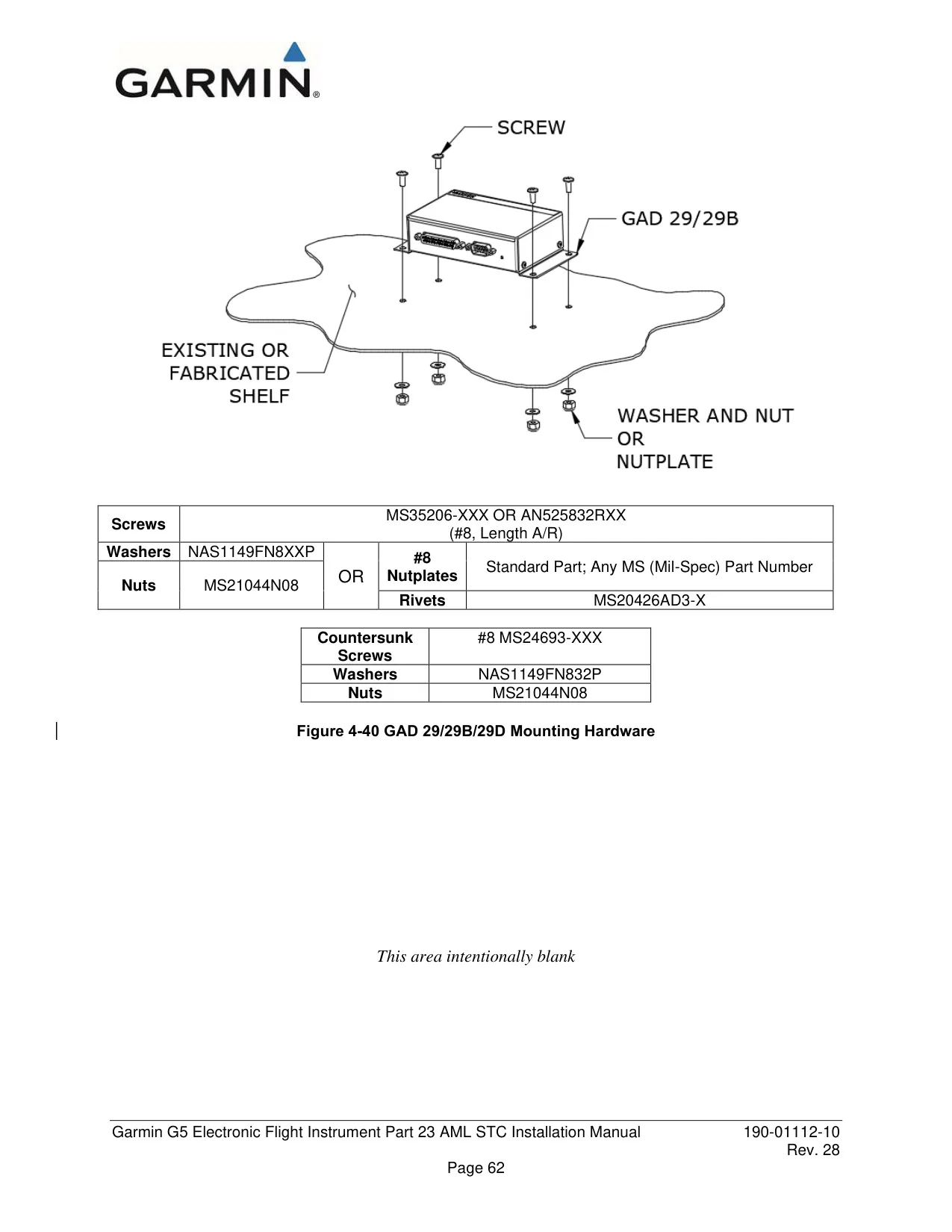
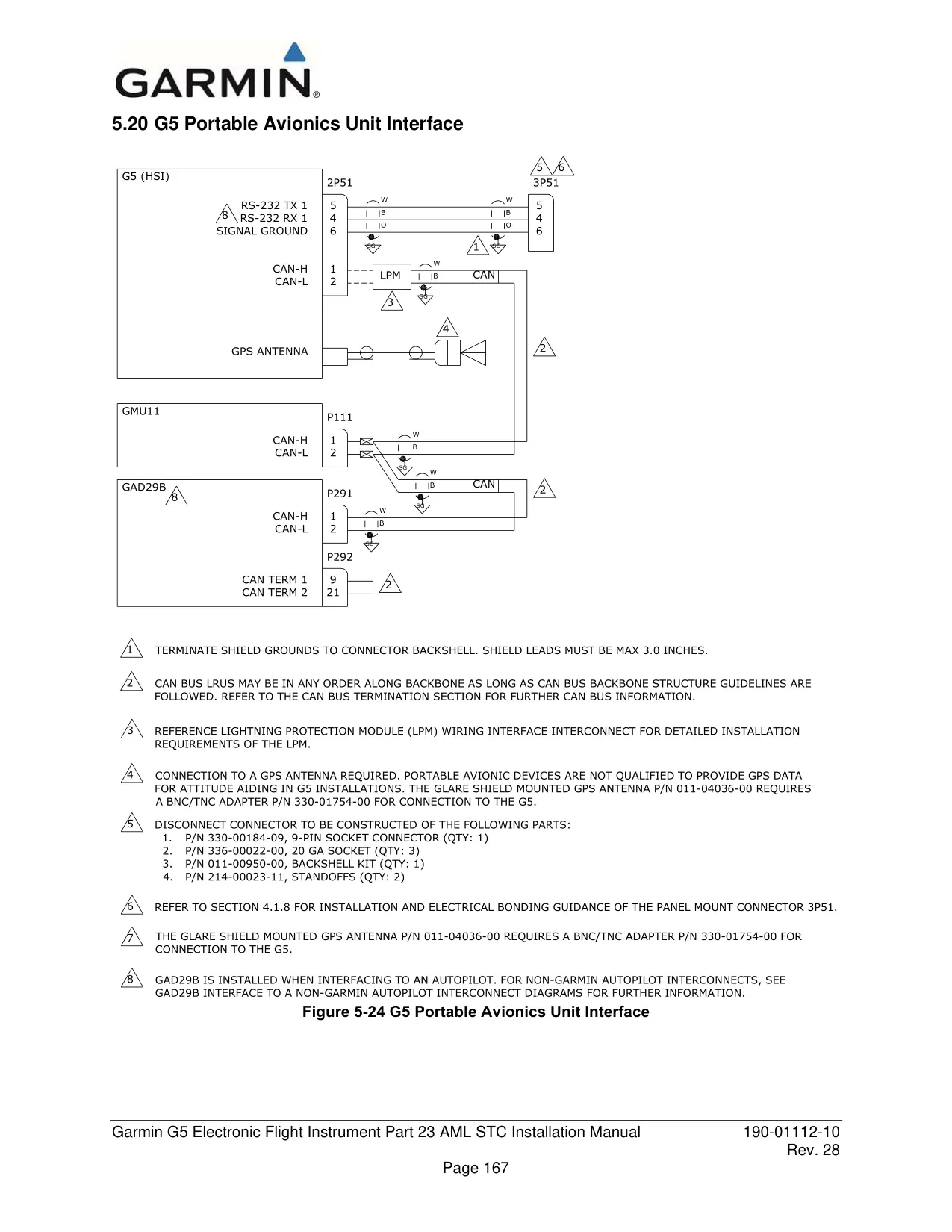
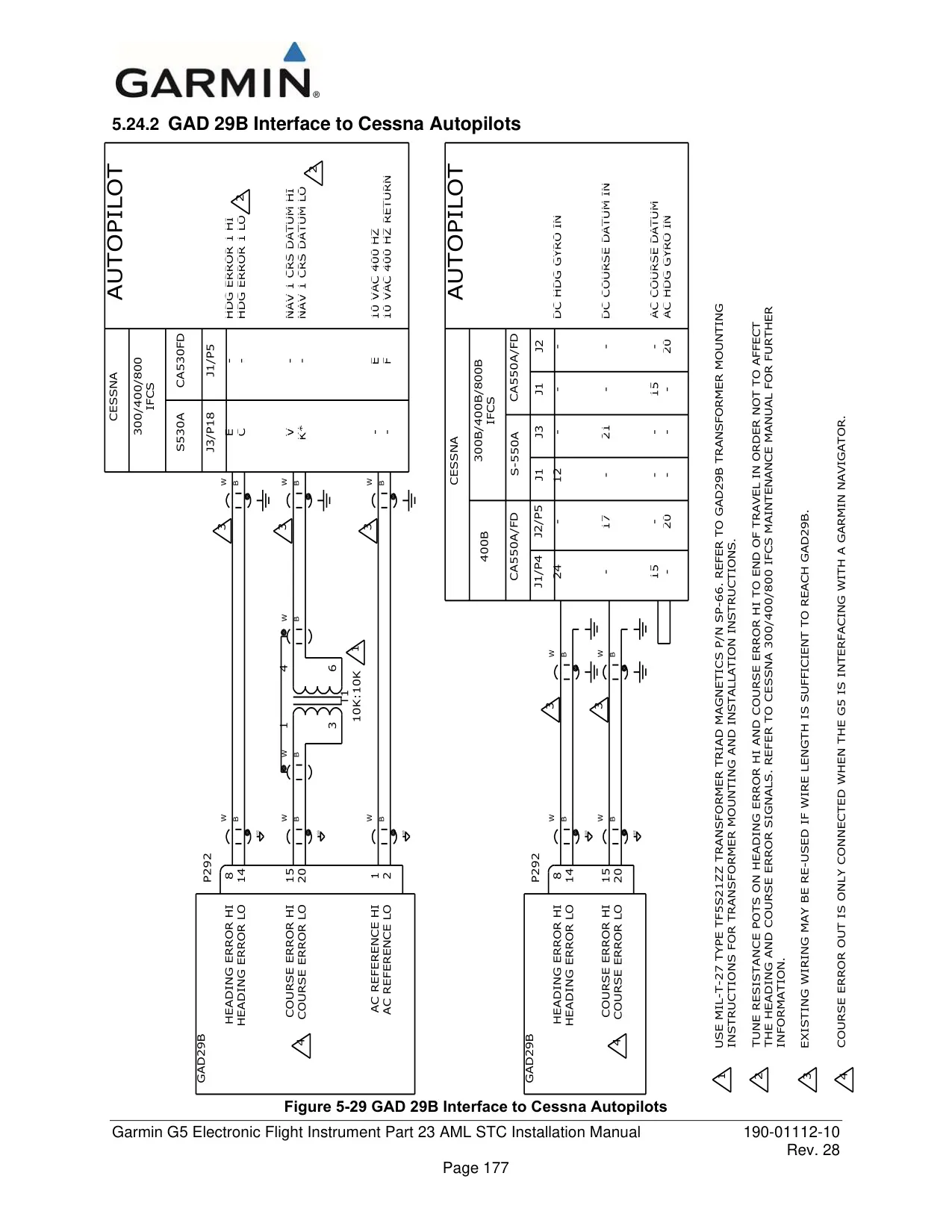
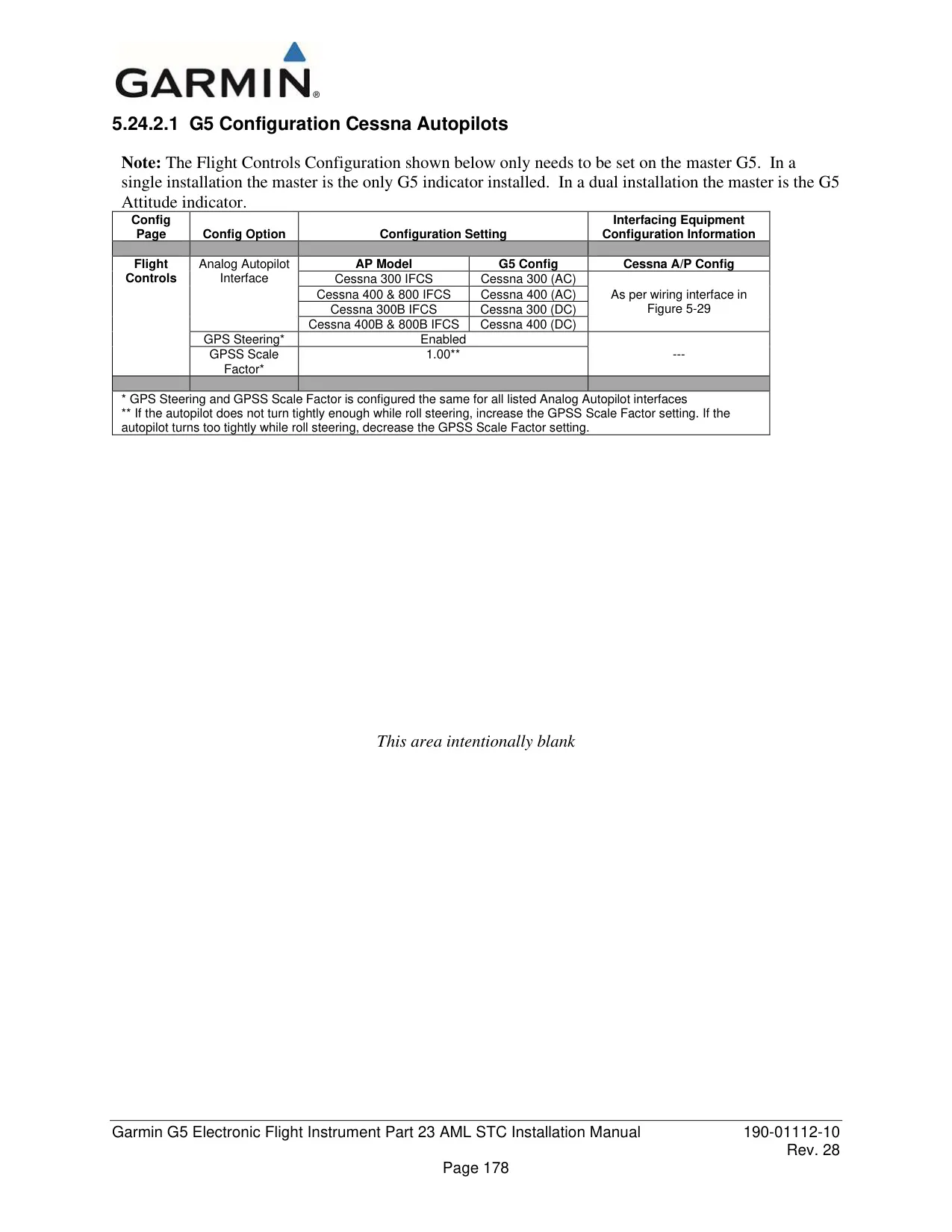
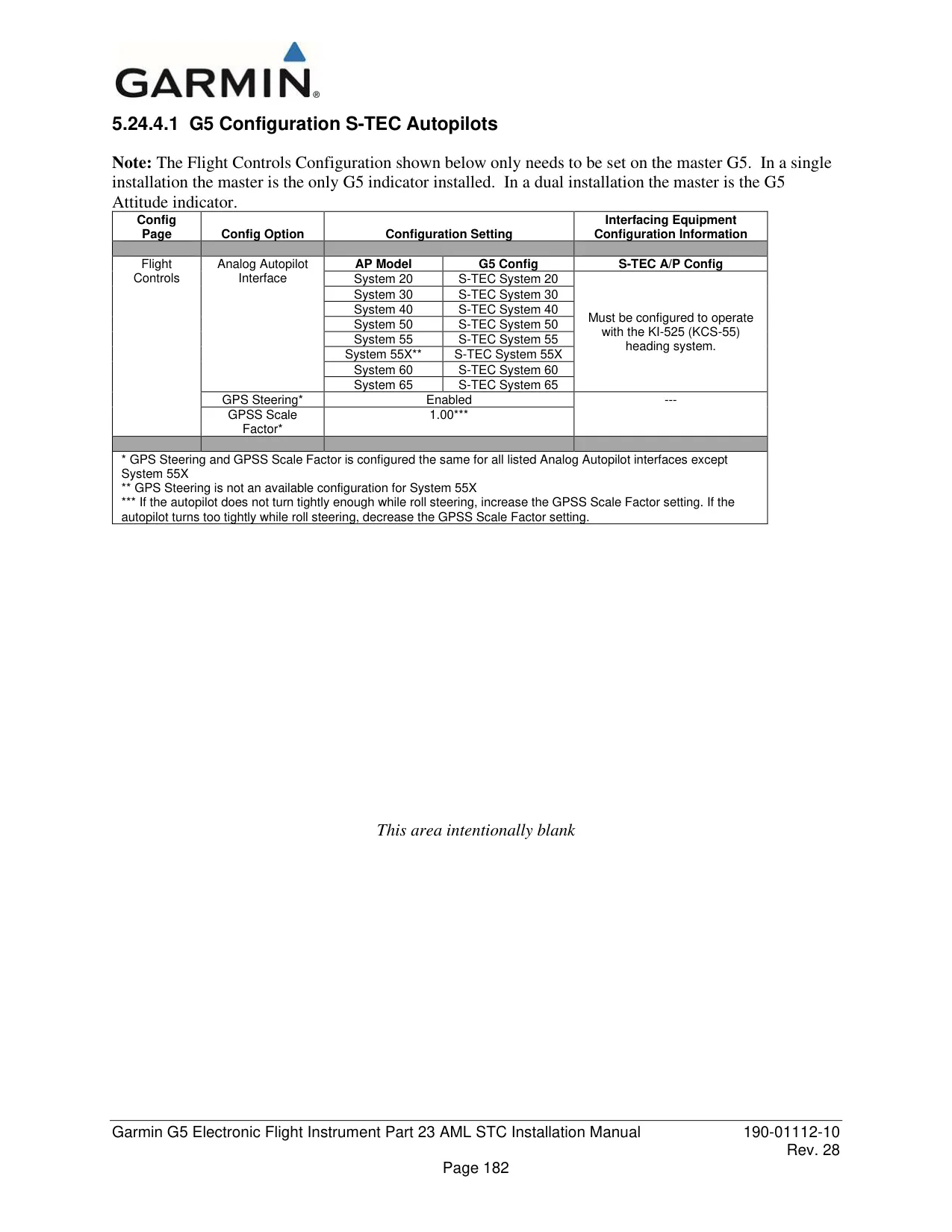
Electronic Stability and Protection works only while the autopilot is off. It applies a gentle force through the servos that grows stronger the further the aircraft moves outside the normal envelope, and the pilot can always overpower it. For older analog autopilots, the optional GAD 29B adapter imitates a spinning gyro's signals and enables GPSS emulation. To clean the anti-reflective lens, use a lint-free cloth and avoid any cleaner that contains ammonia.
Frequently Asked Questions (FAQs)
Can't find the answer you need? Here are some frequently asked questions about the Garmin G5 Electronic Flight Instrument, and we answer them below.