Garmin G3000 Panel Avionics Unit Instruction Manual

Garmin G3000 Panel Avionics Unit
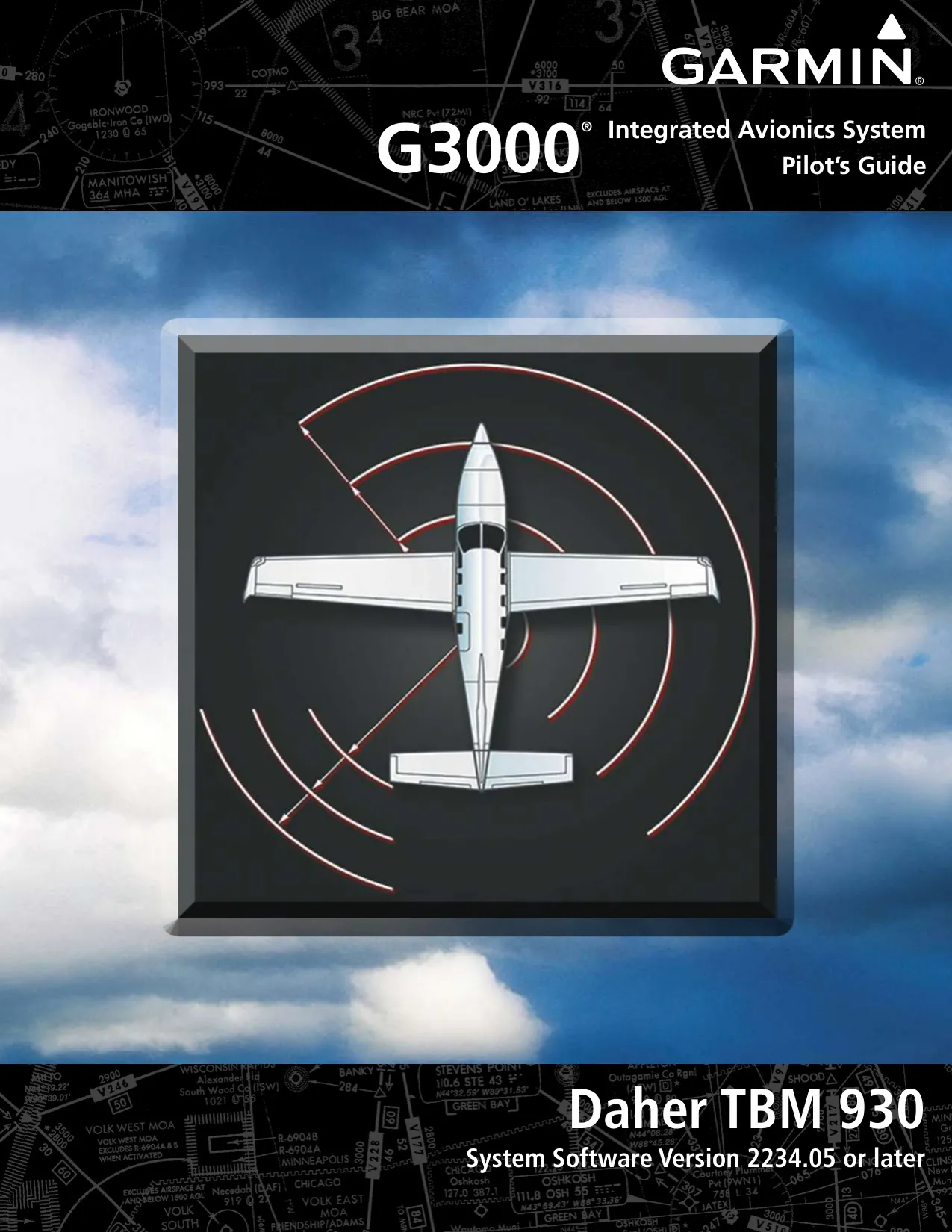



































































































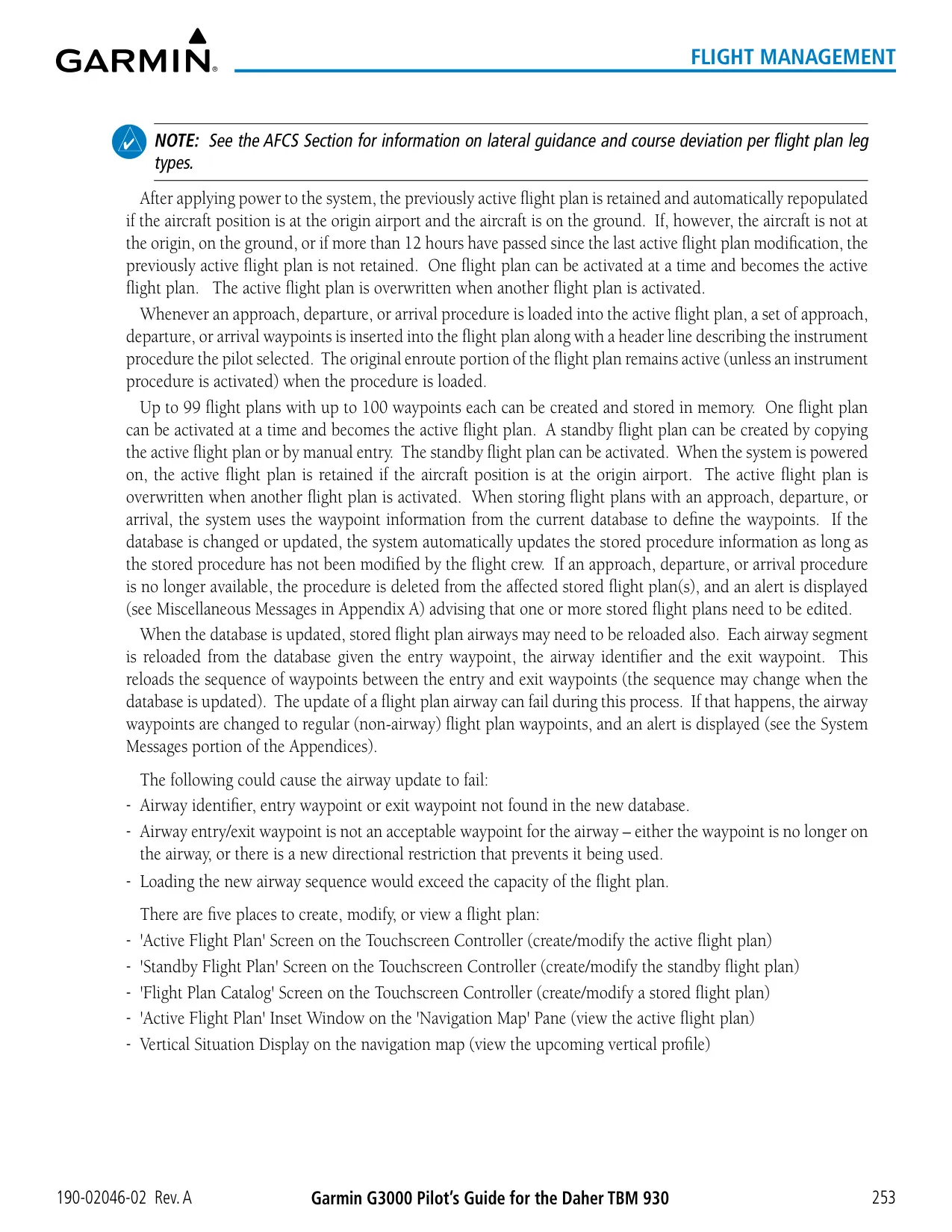


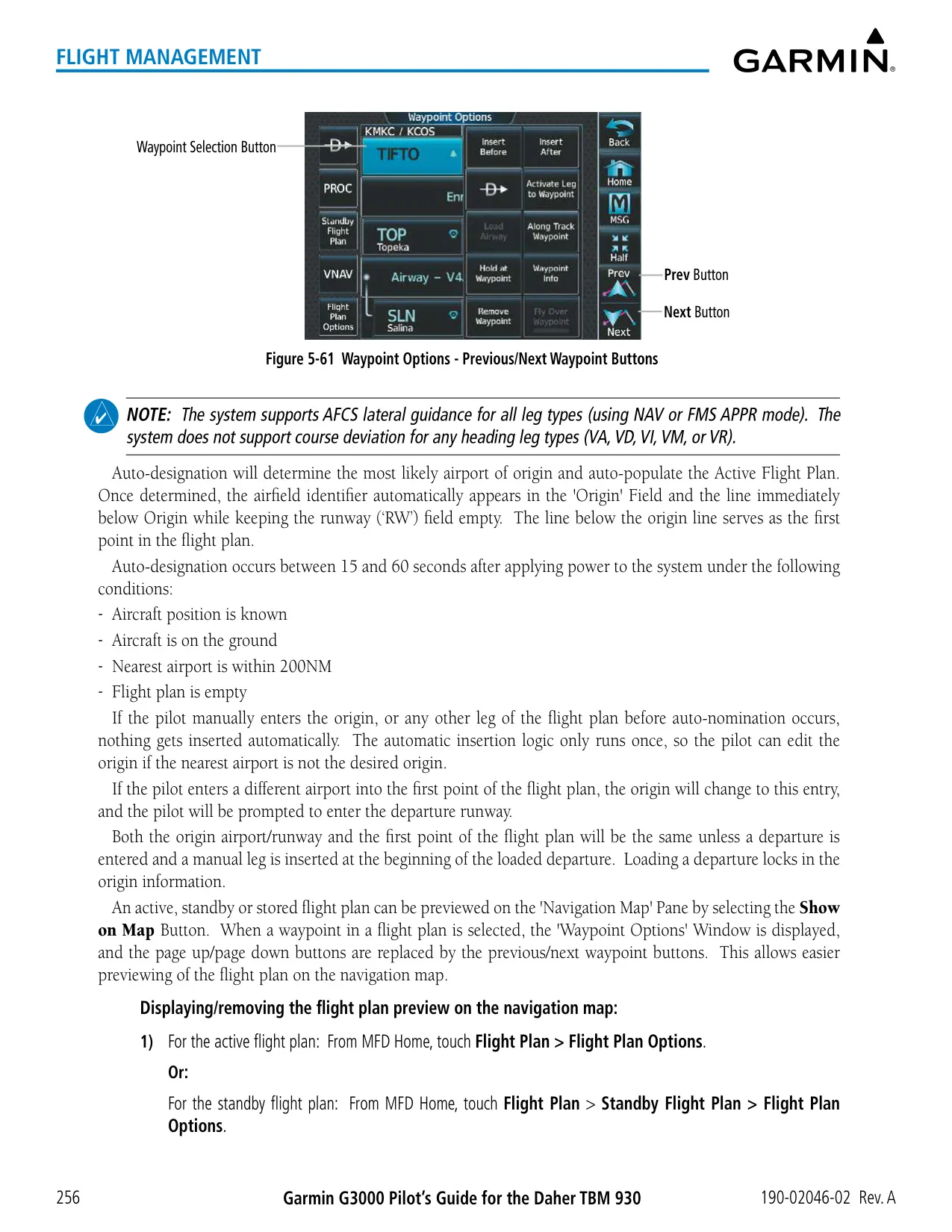

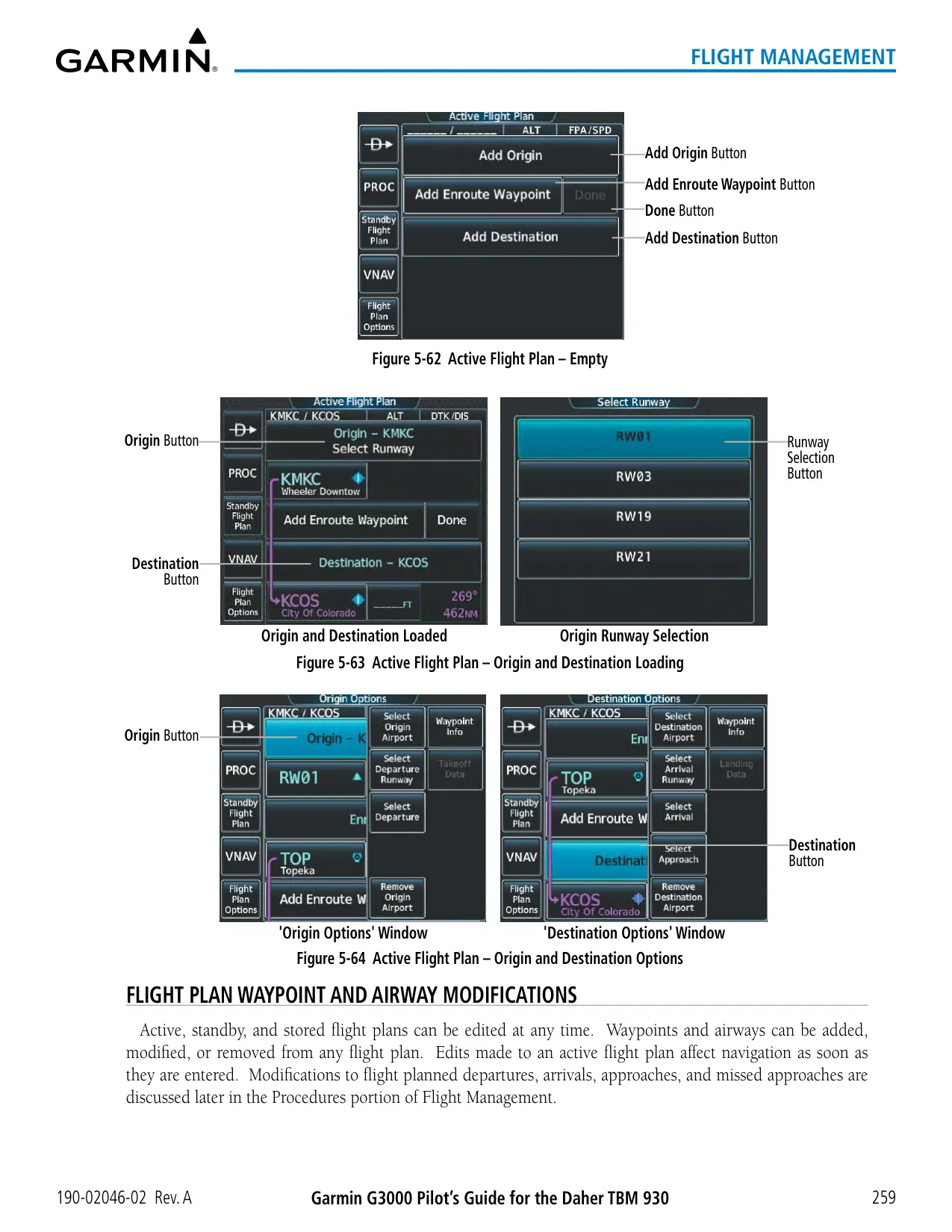



















































































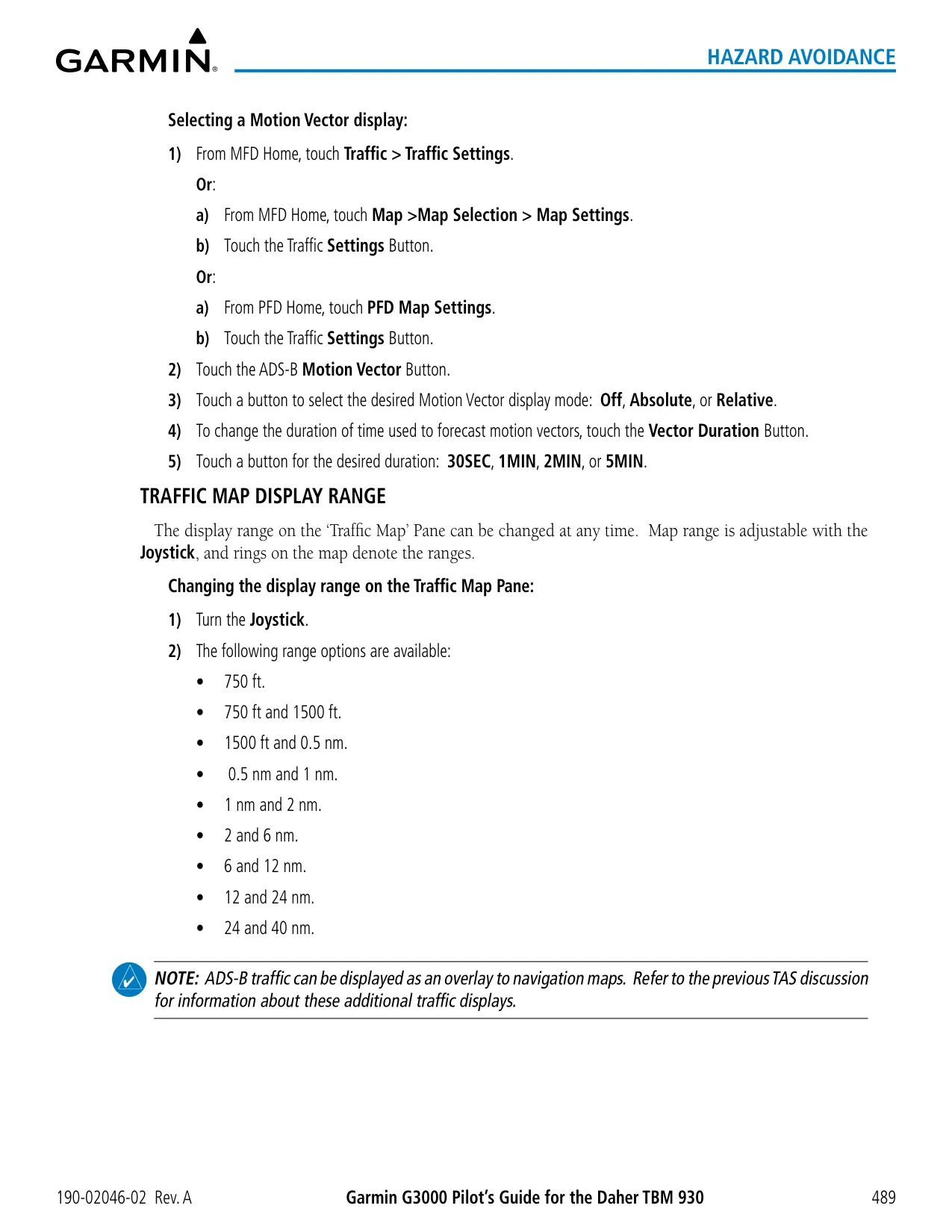
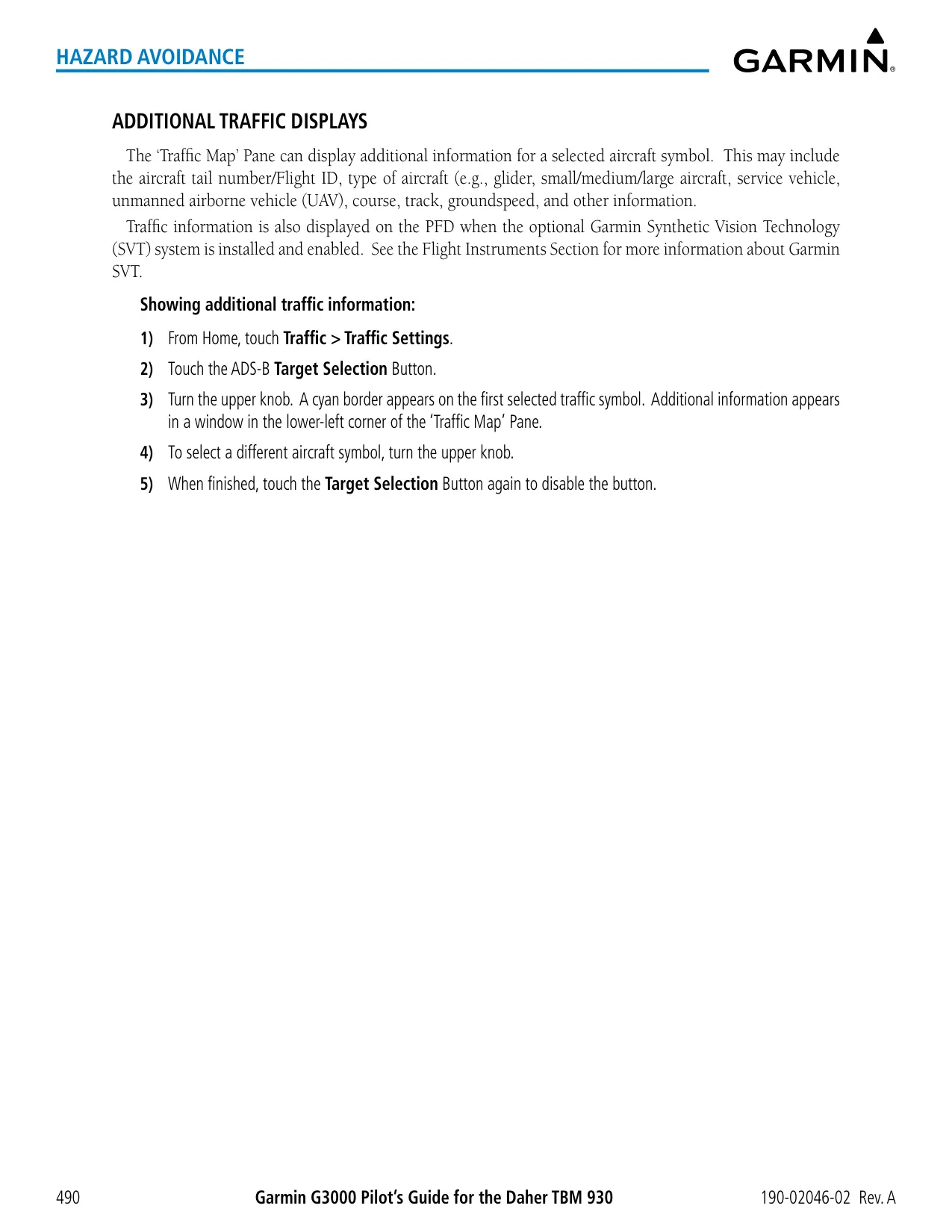


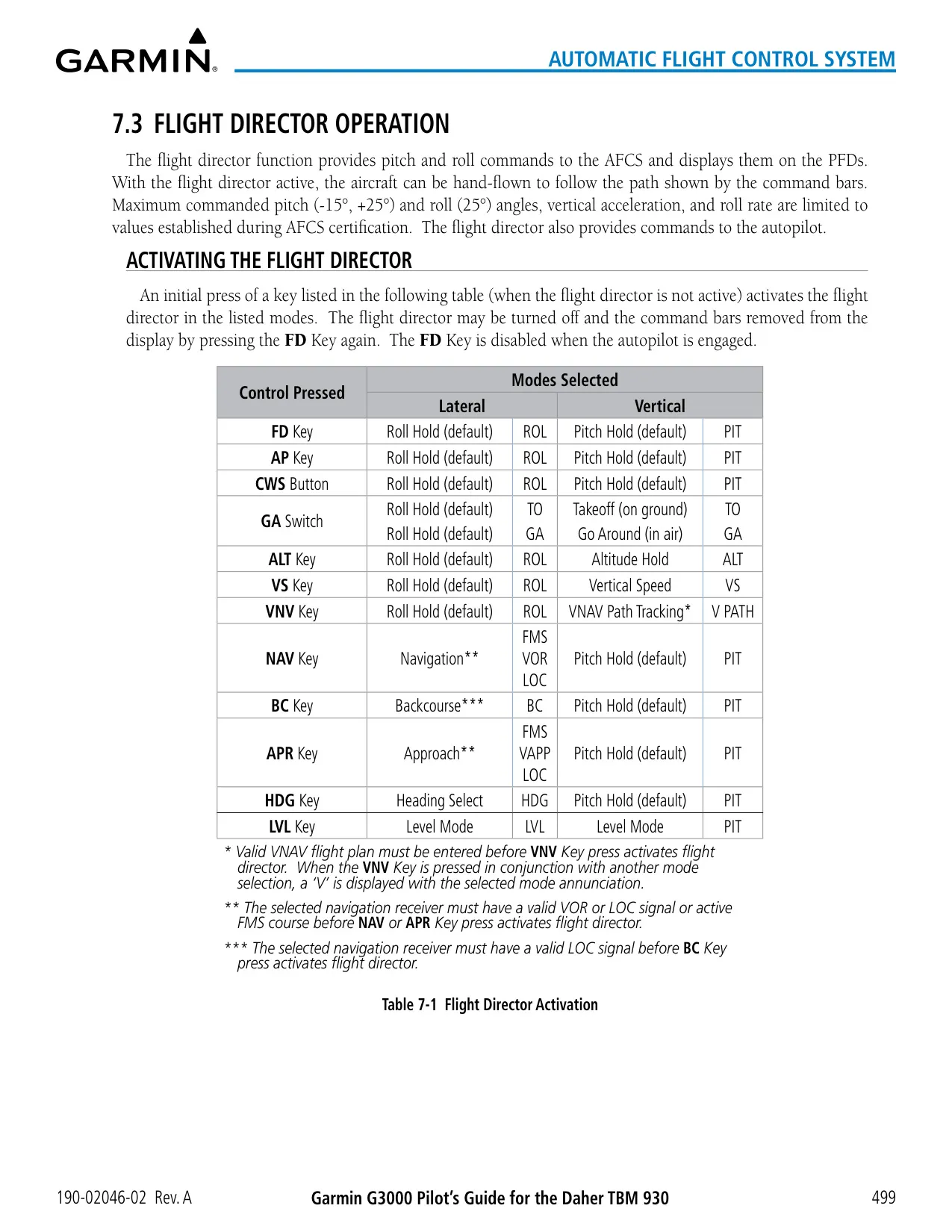

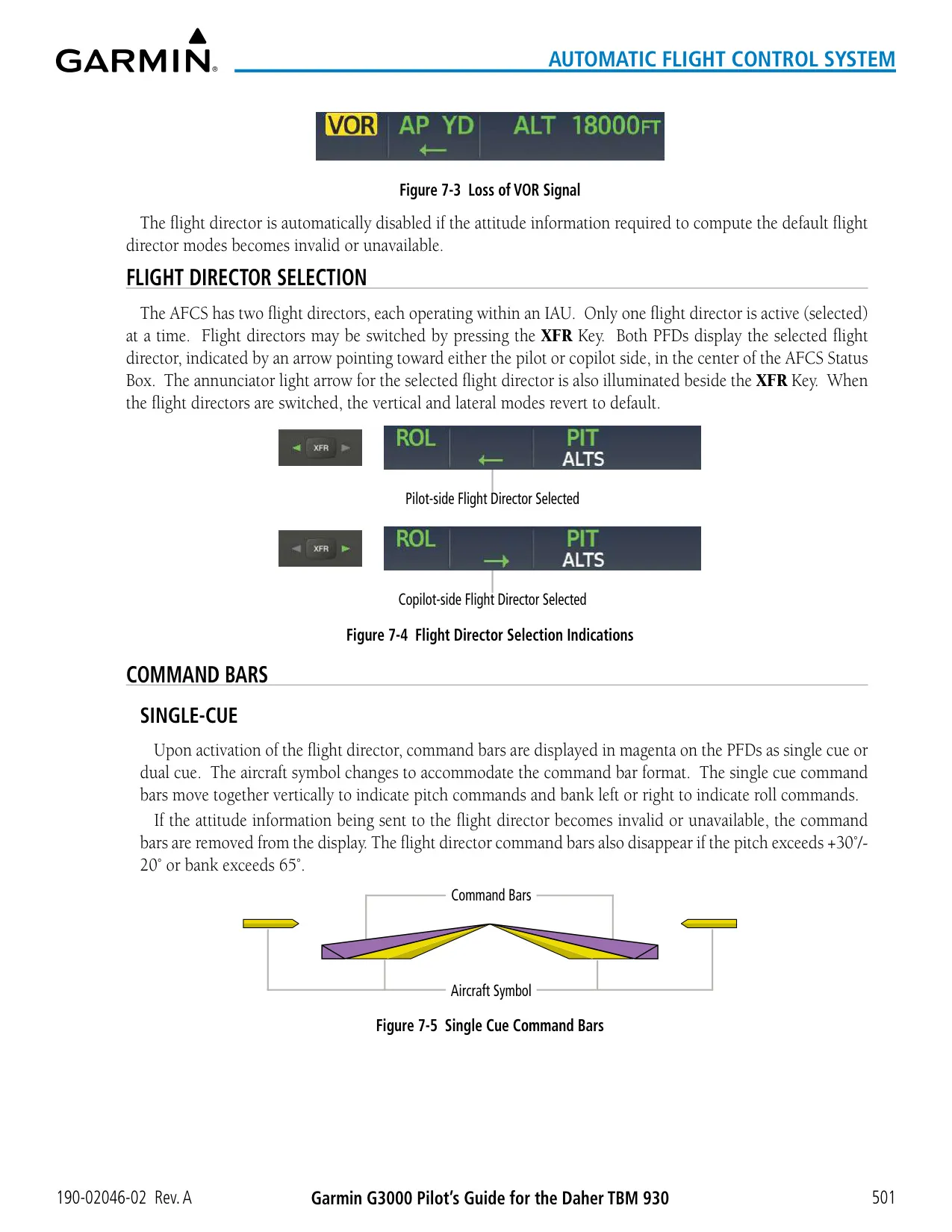








































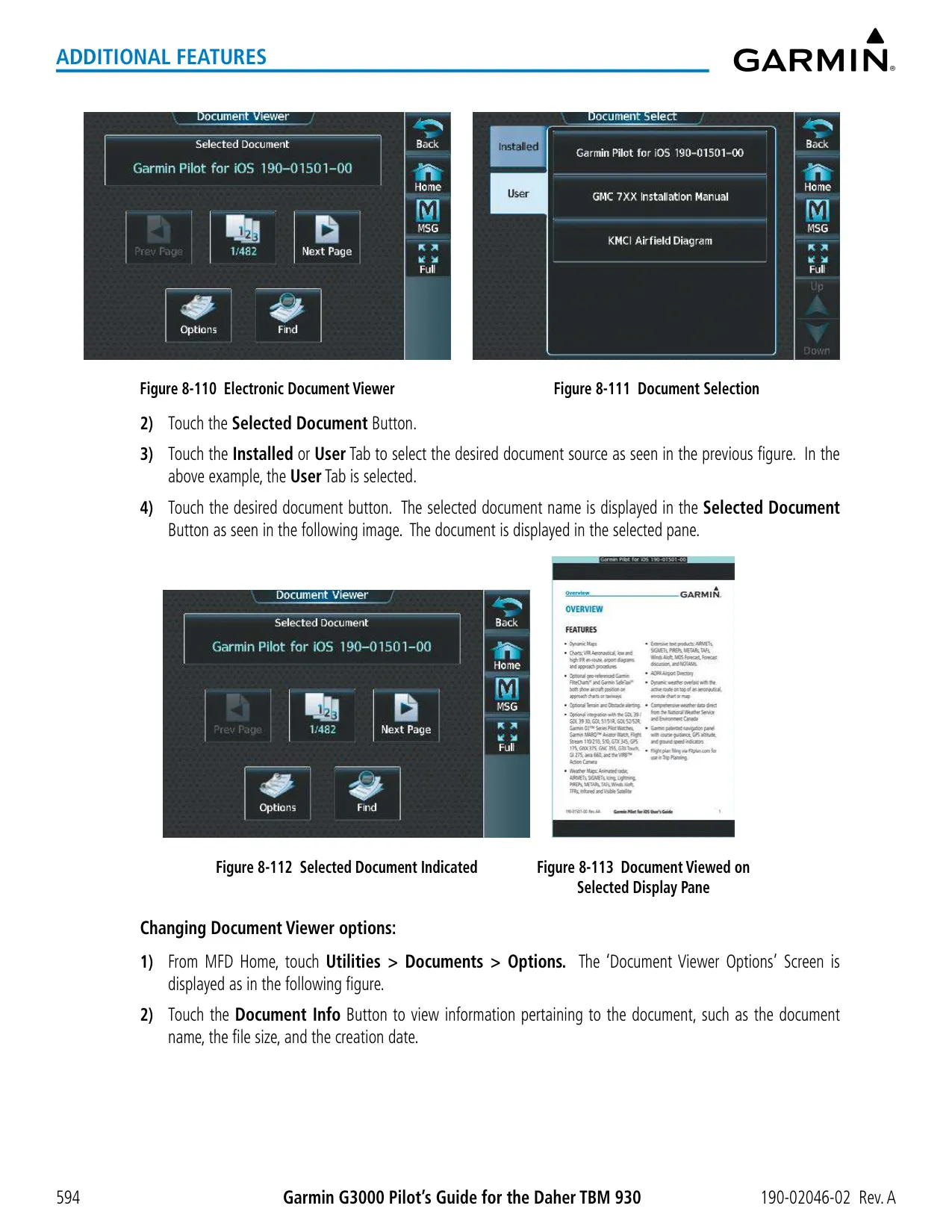


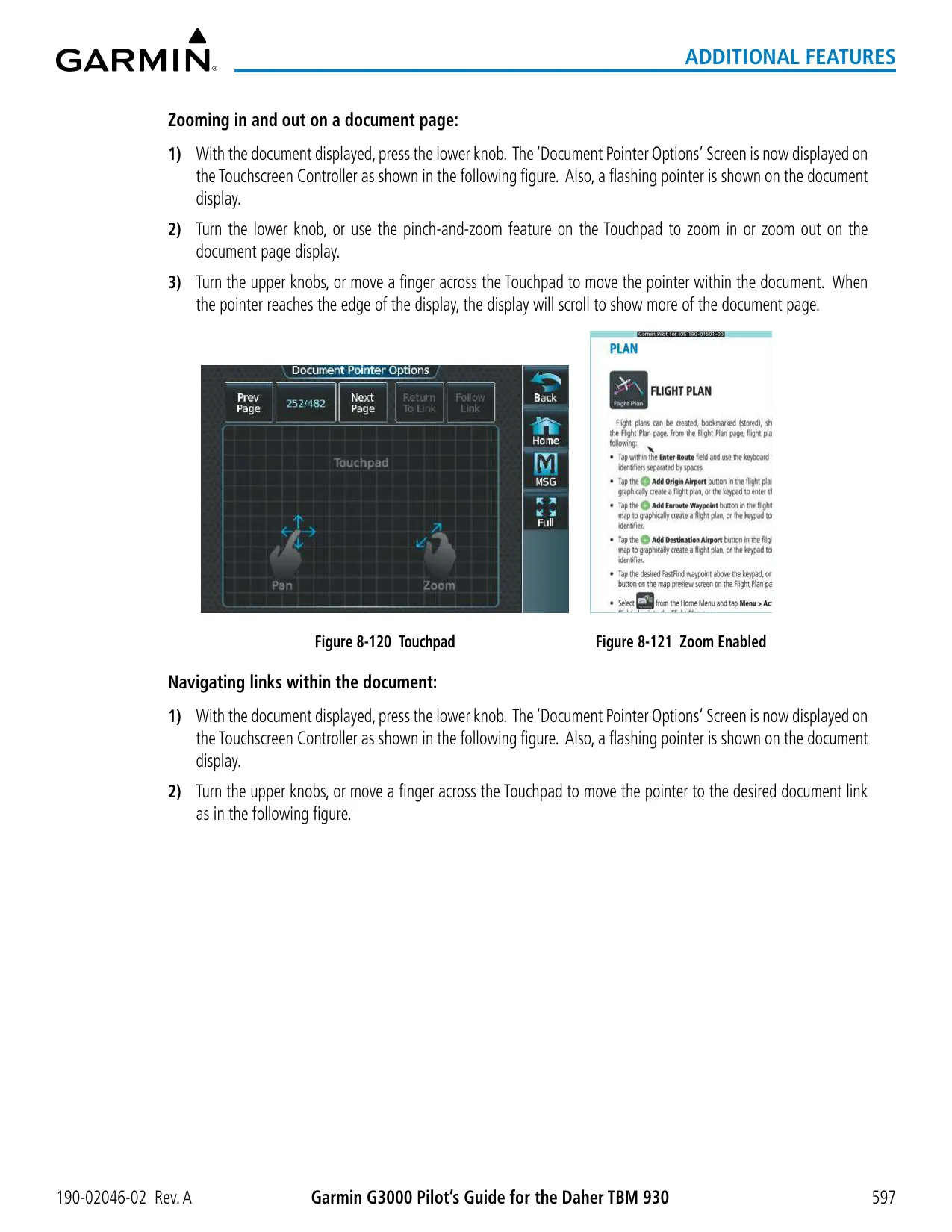


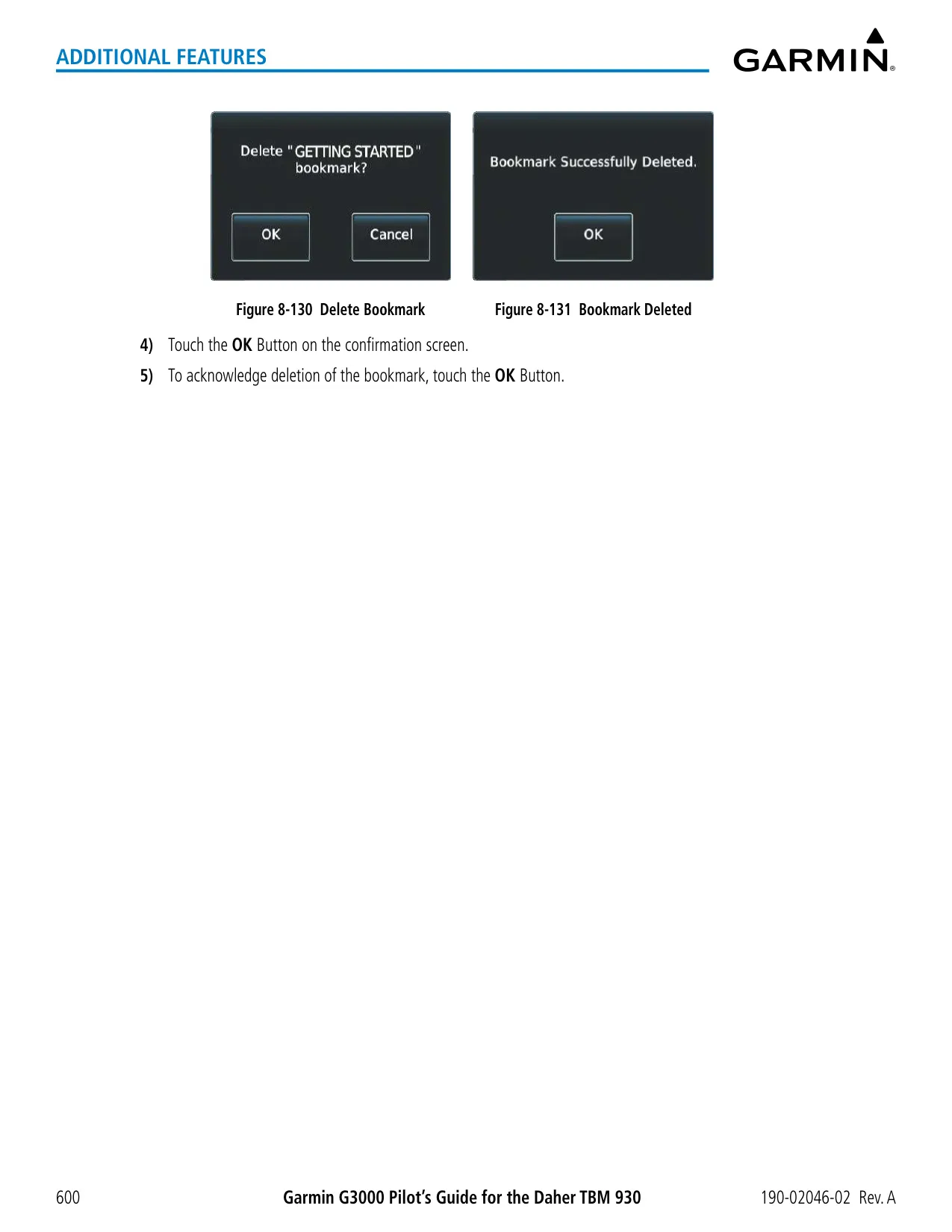
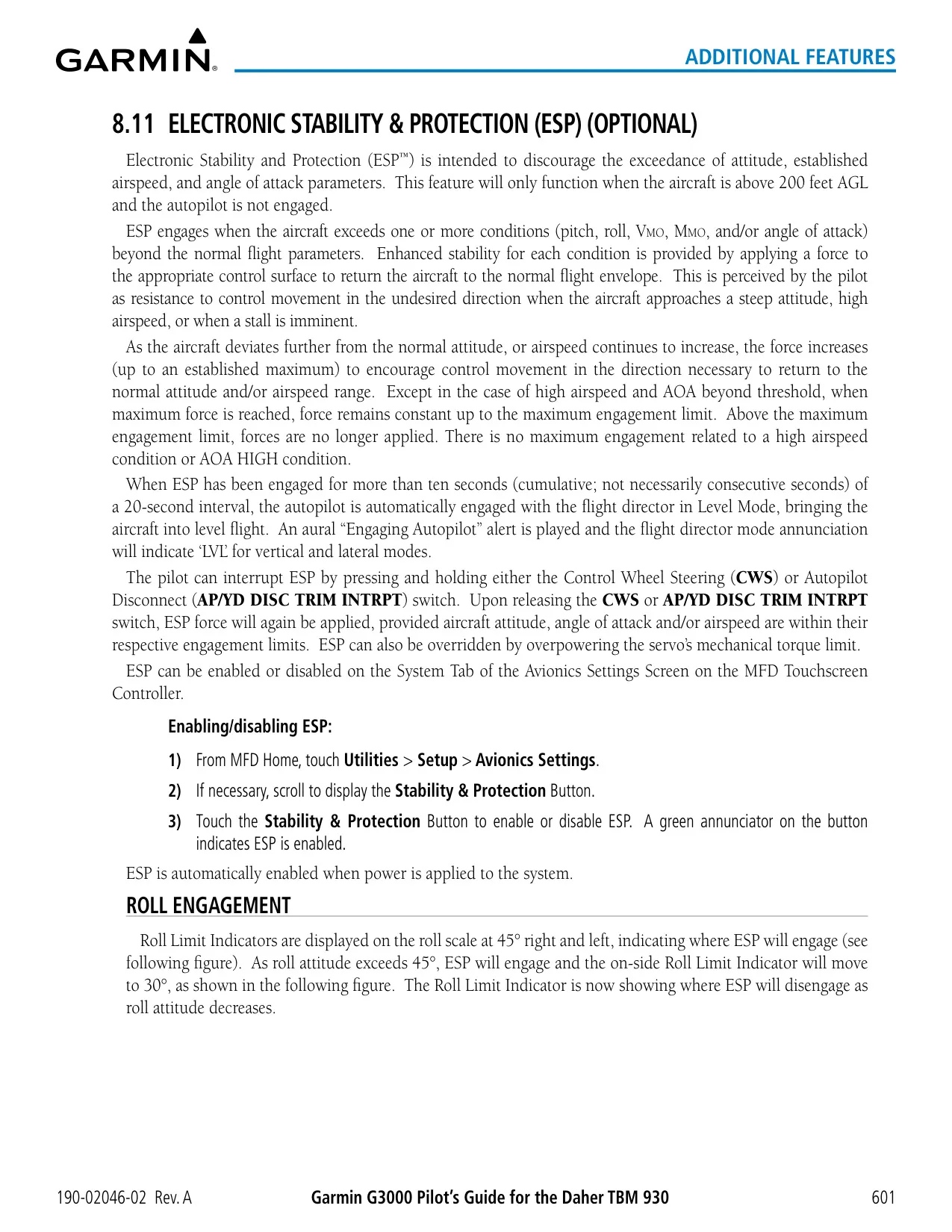








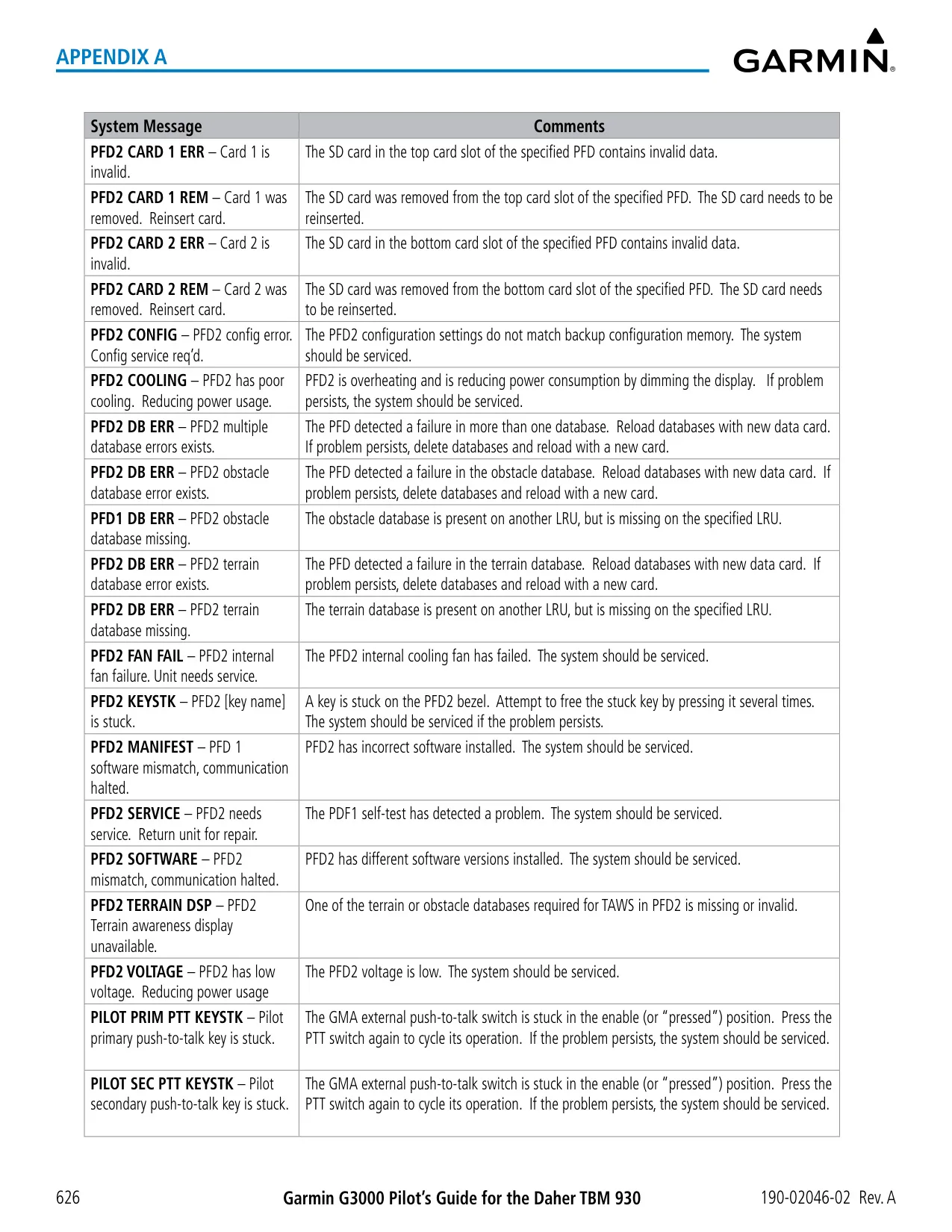
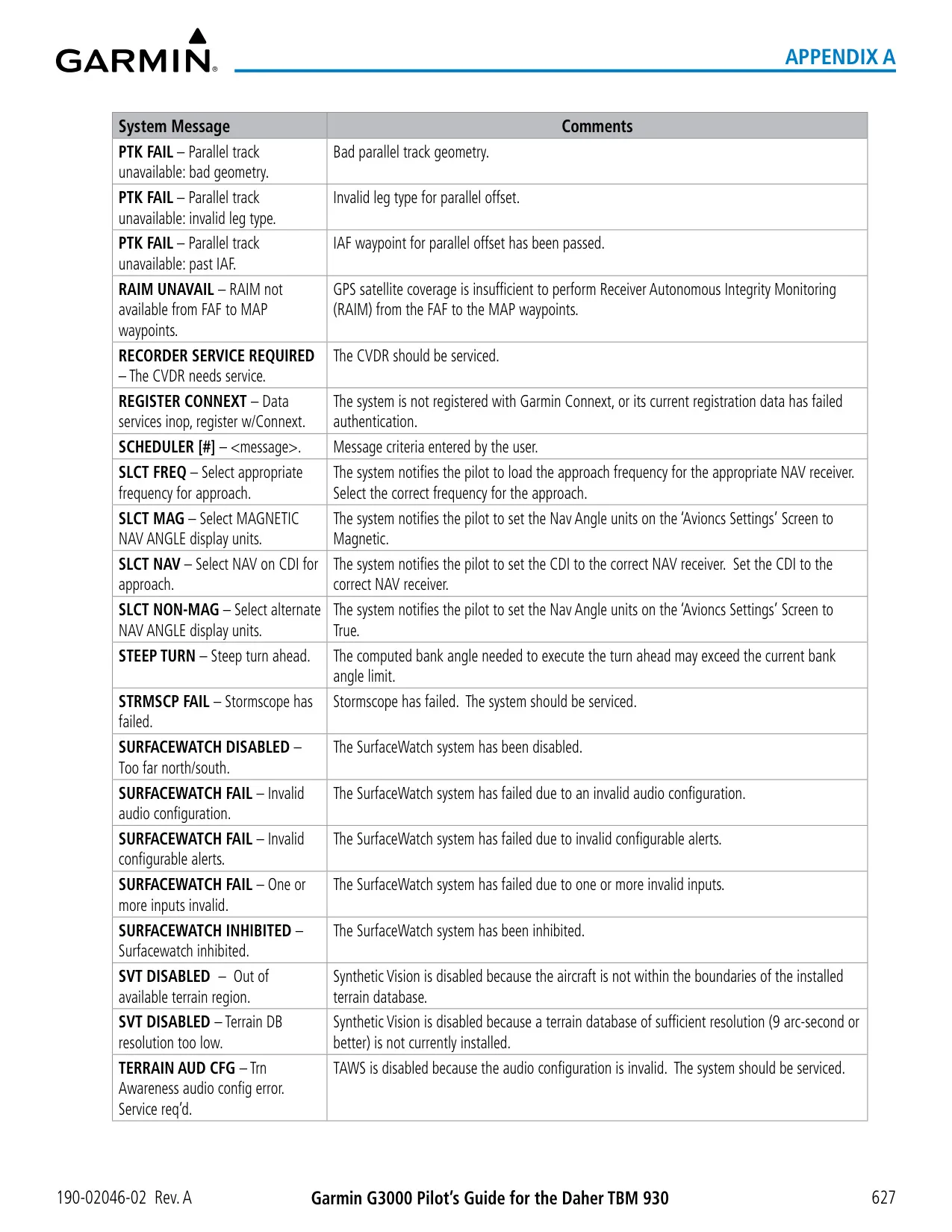


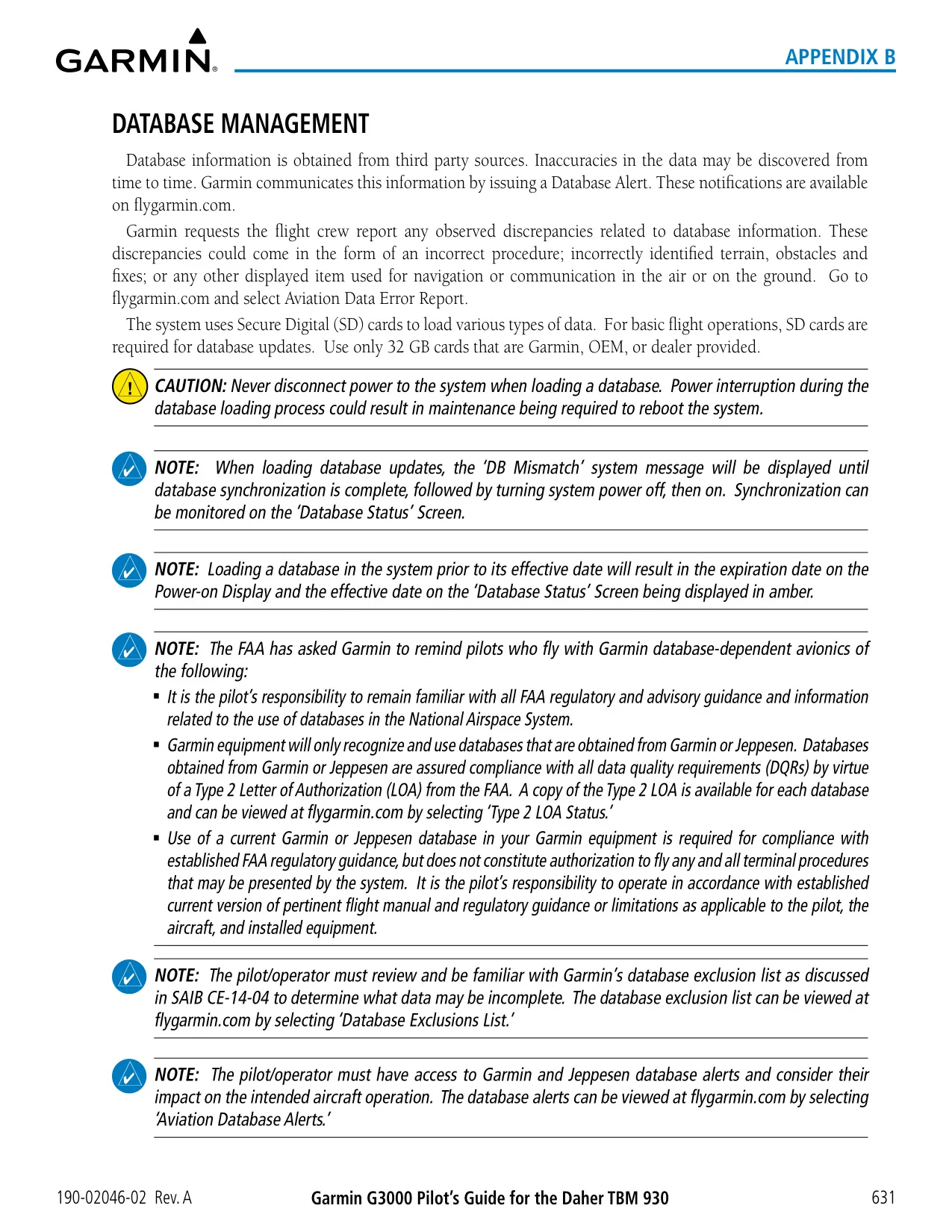


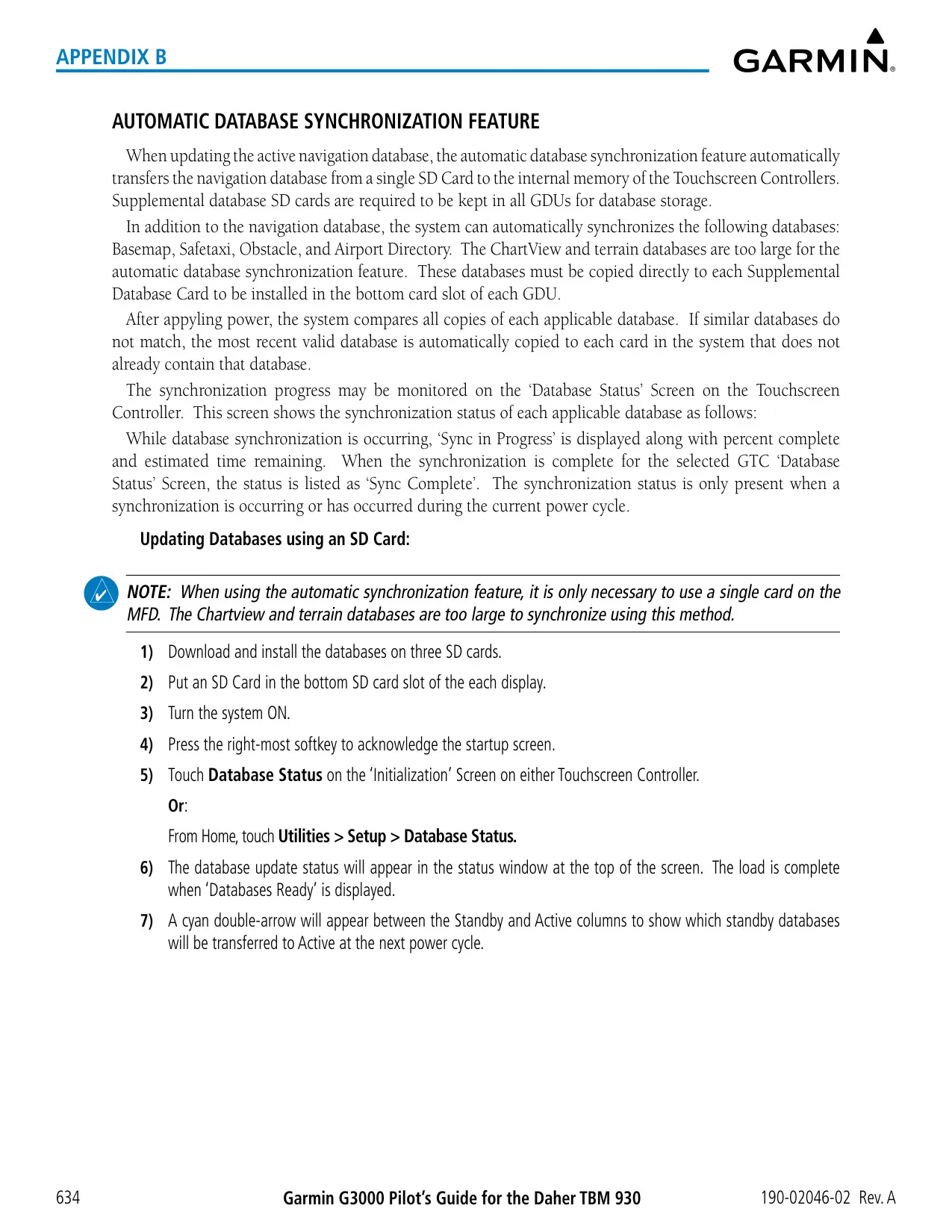





















Garmin G3000 Panel Avionics Unit






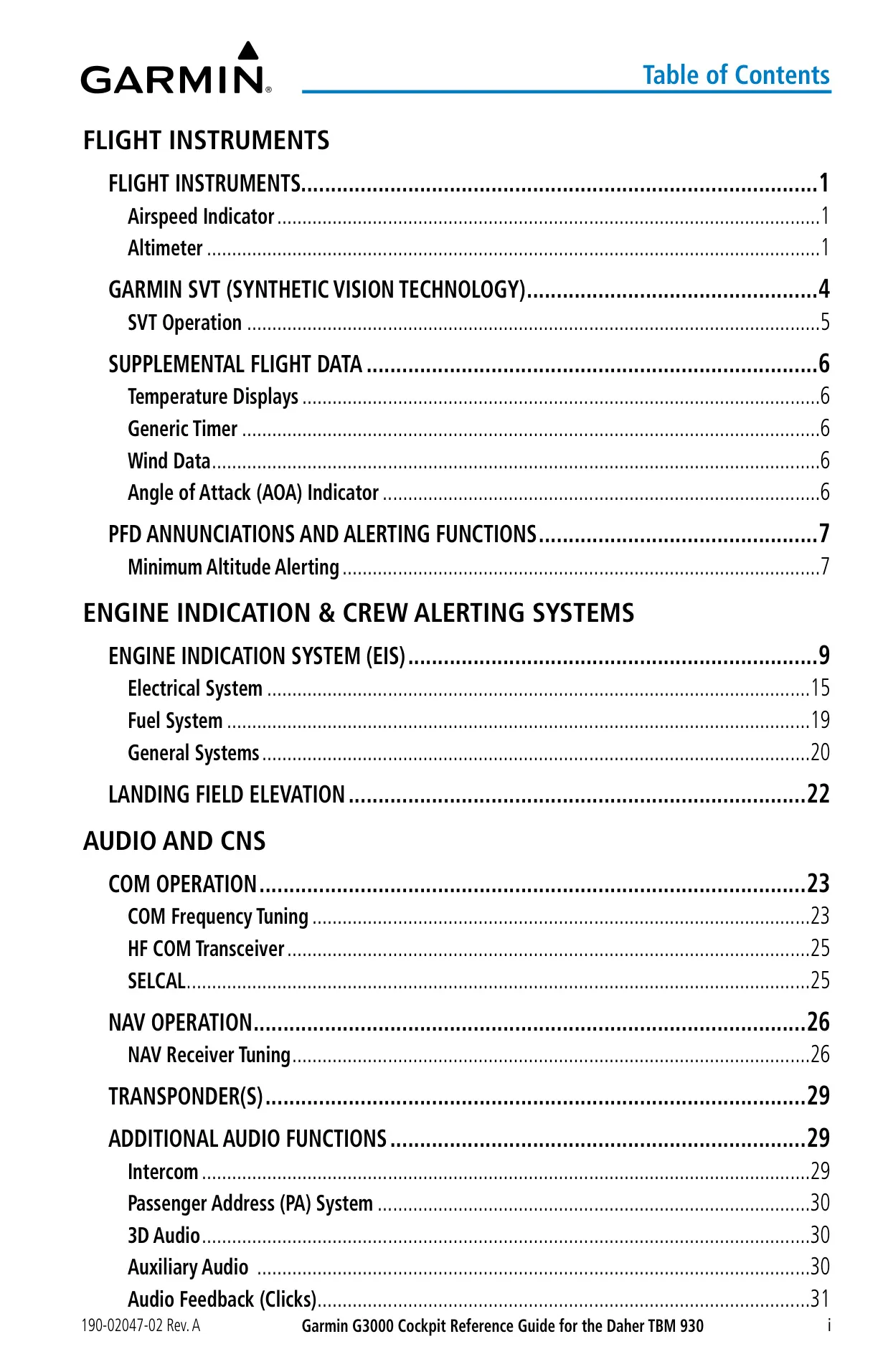
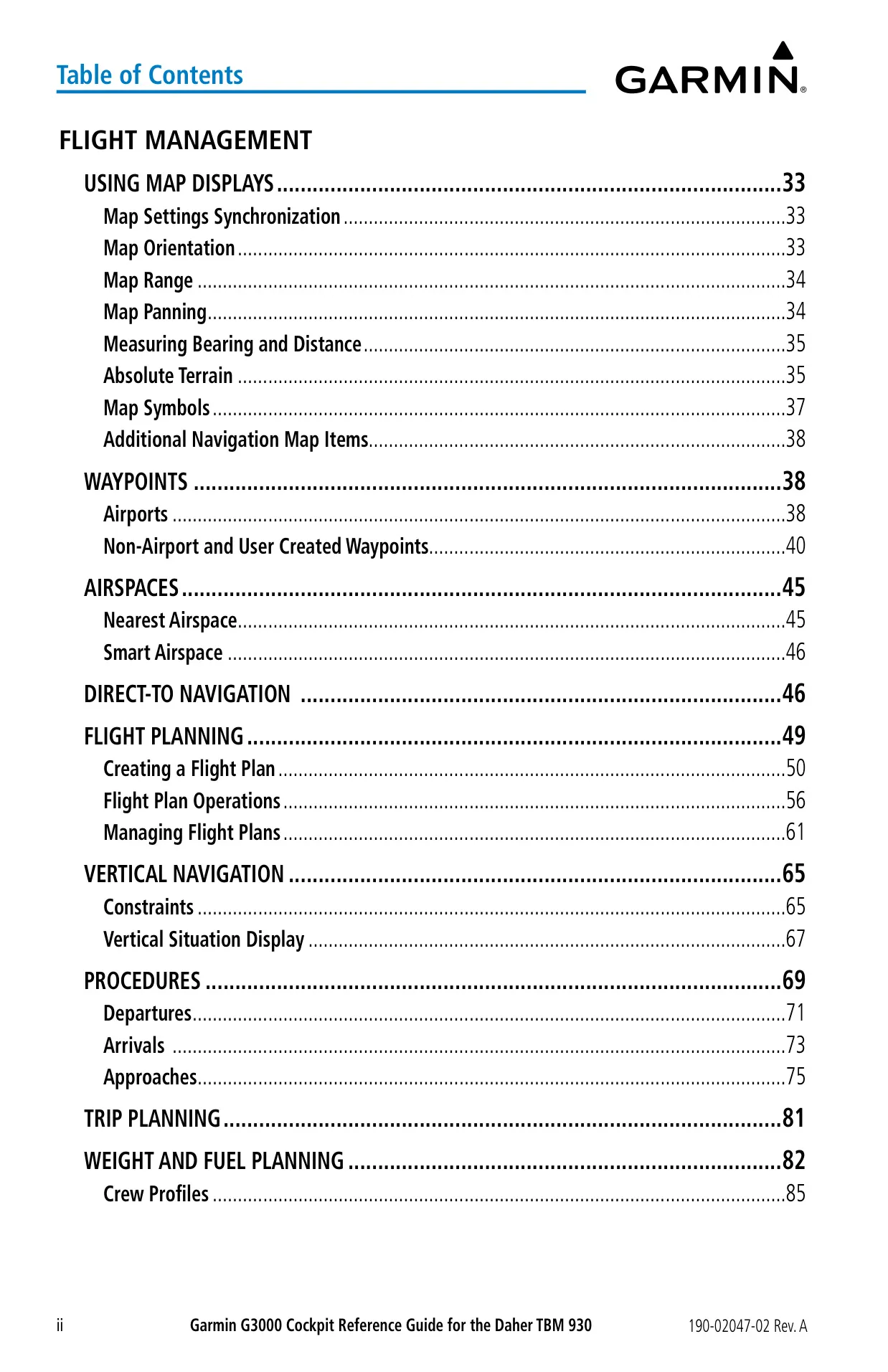

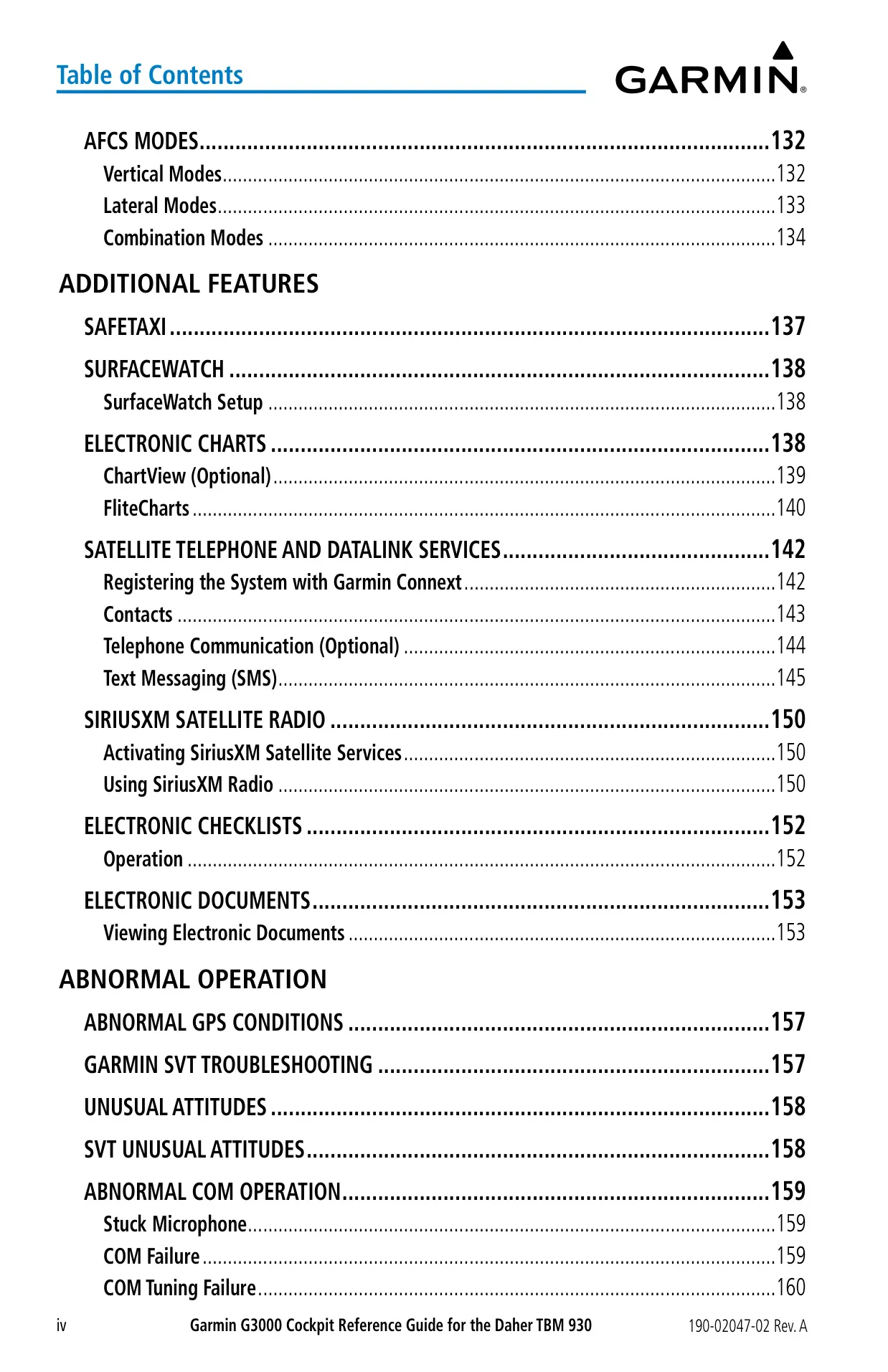
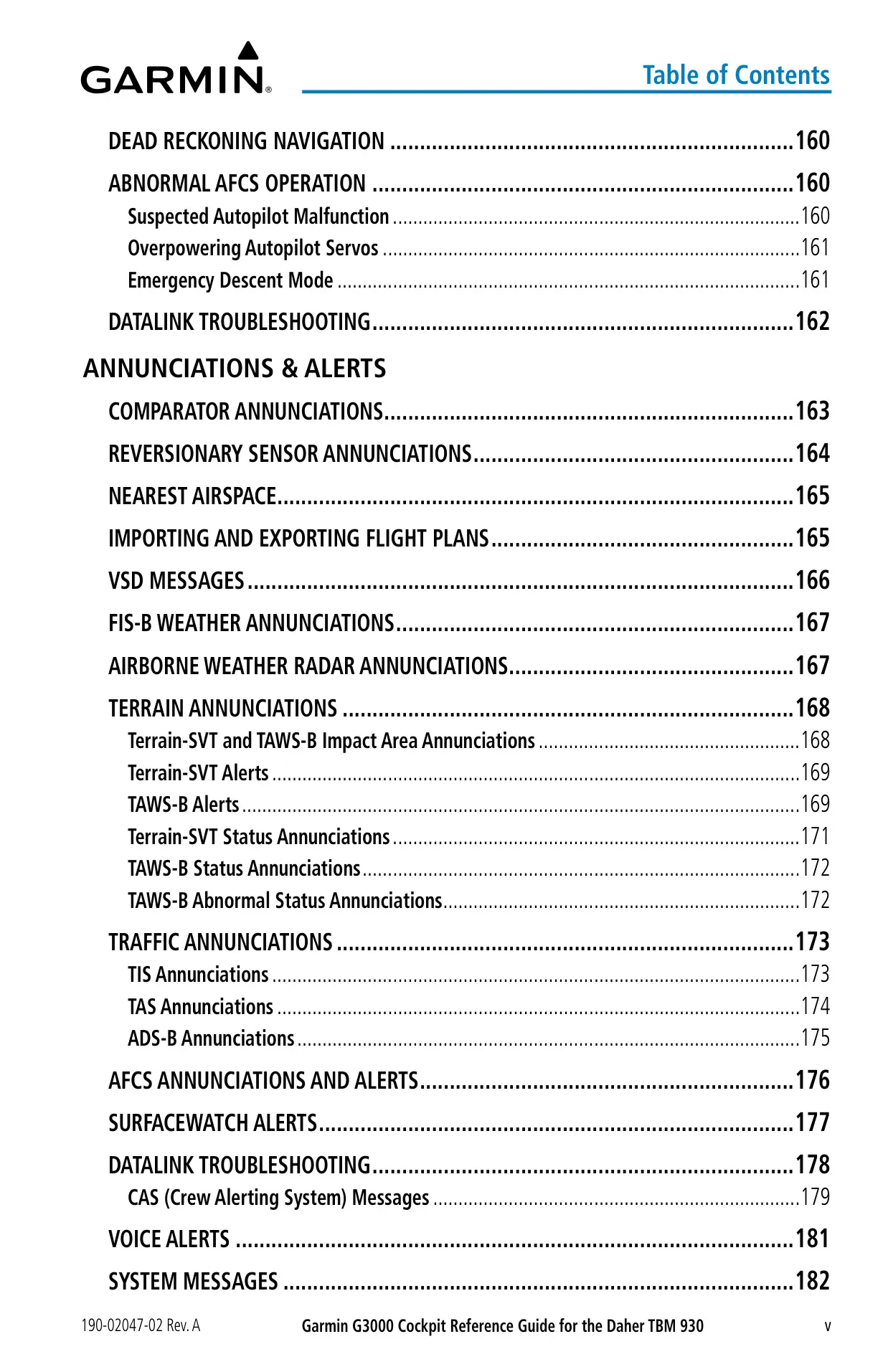




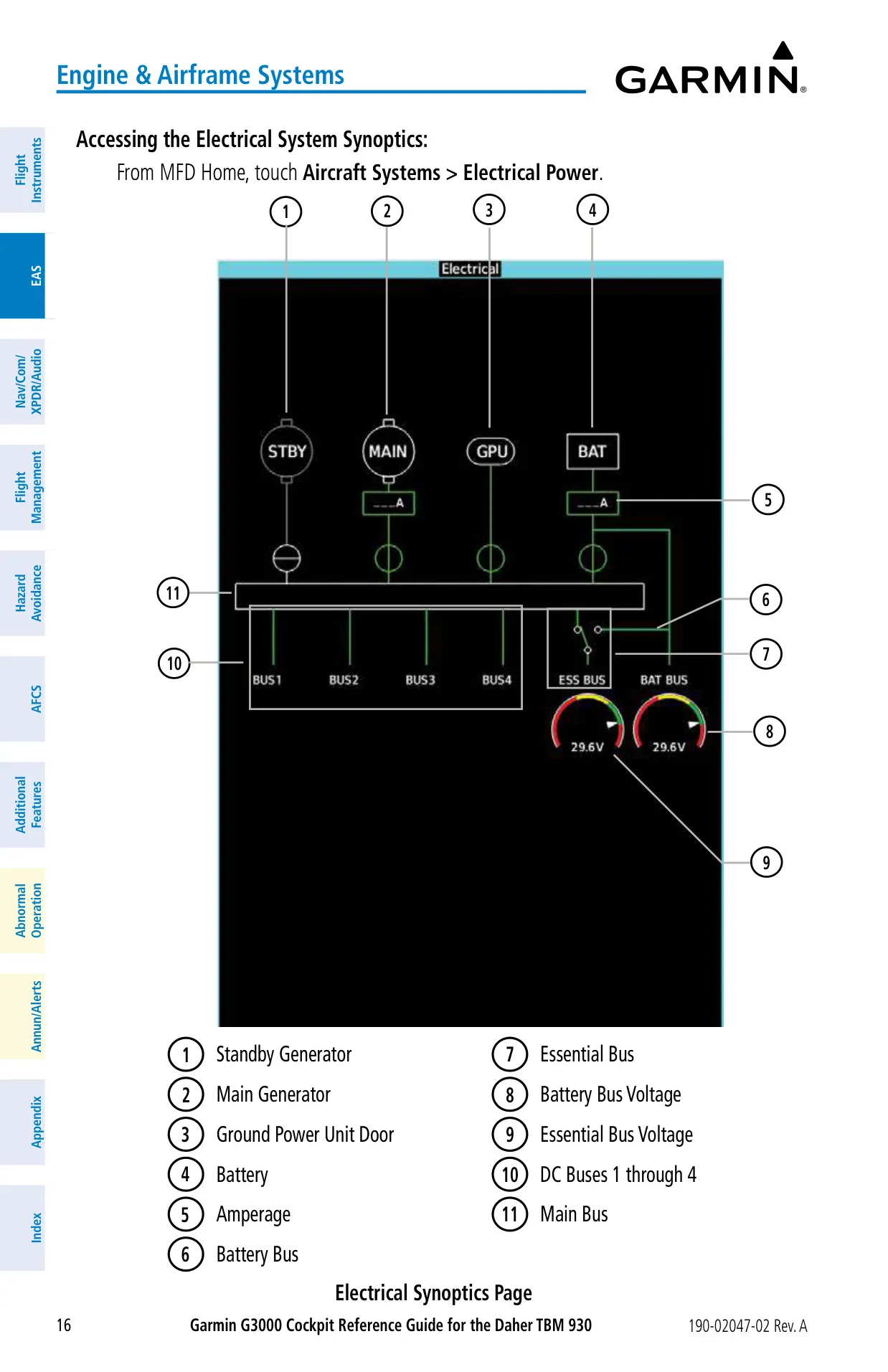
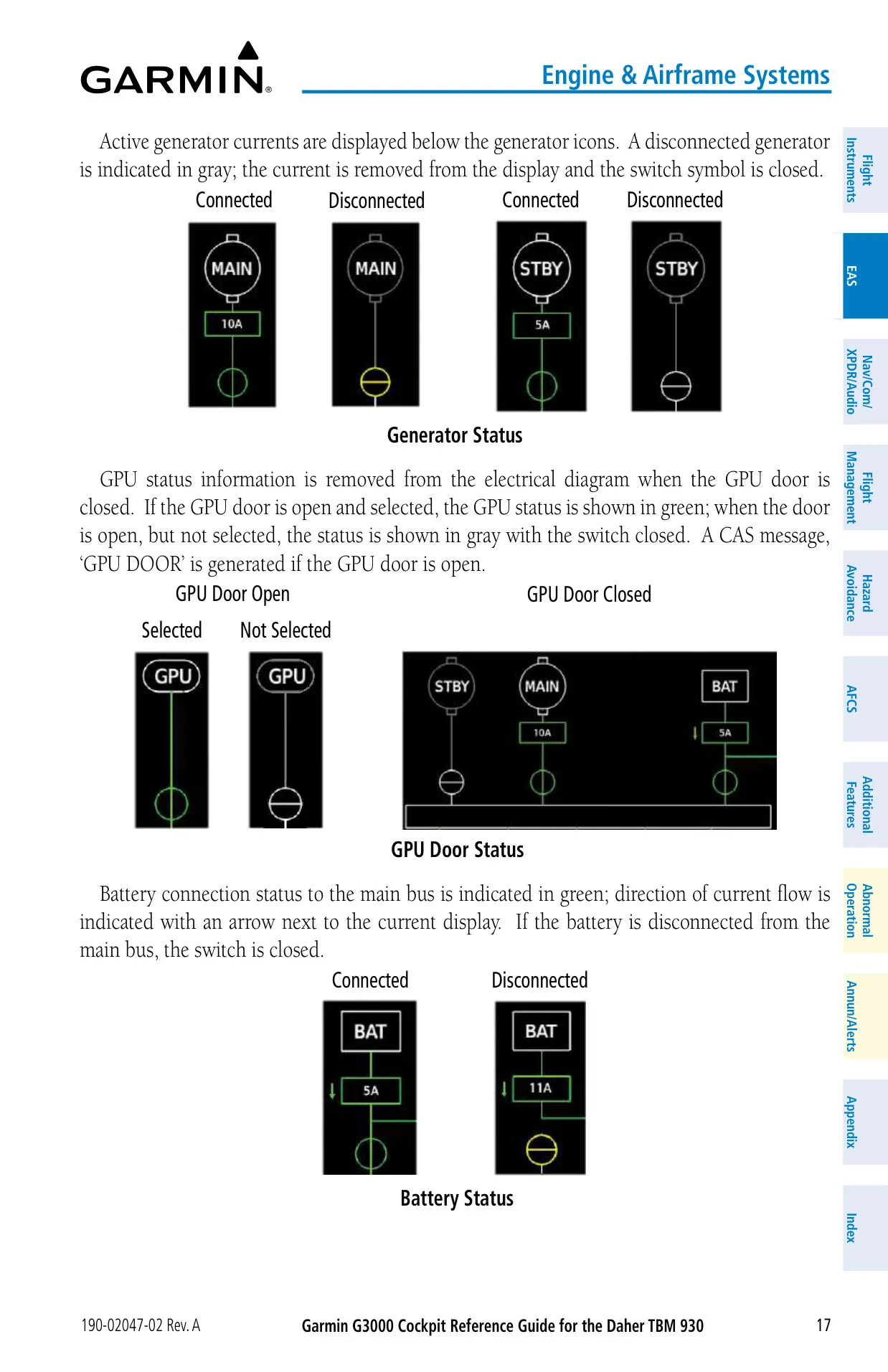

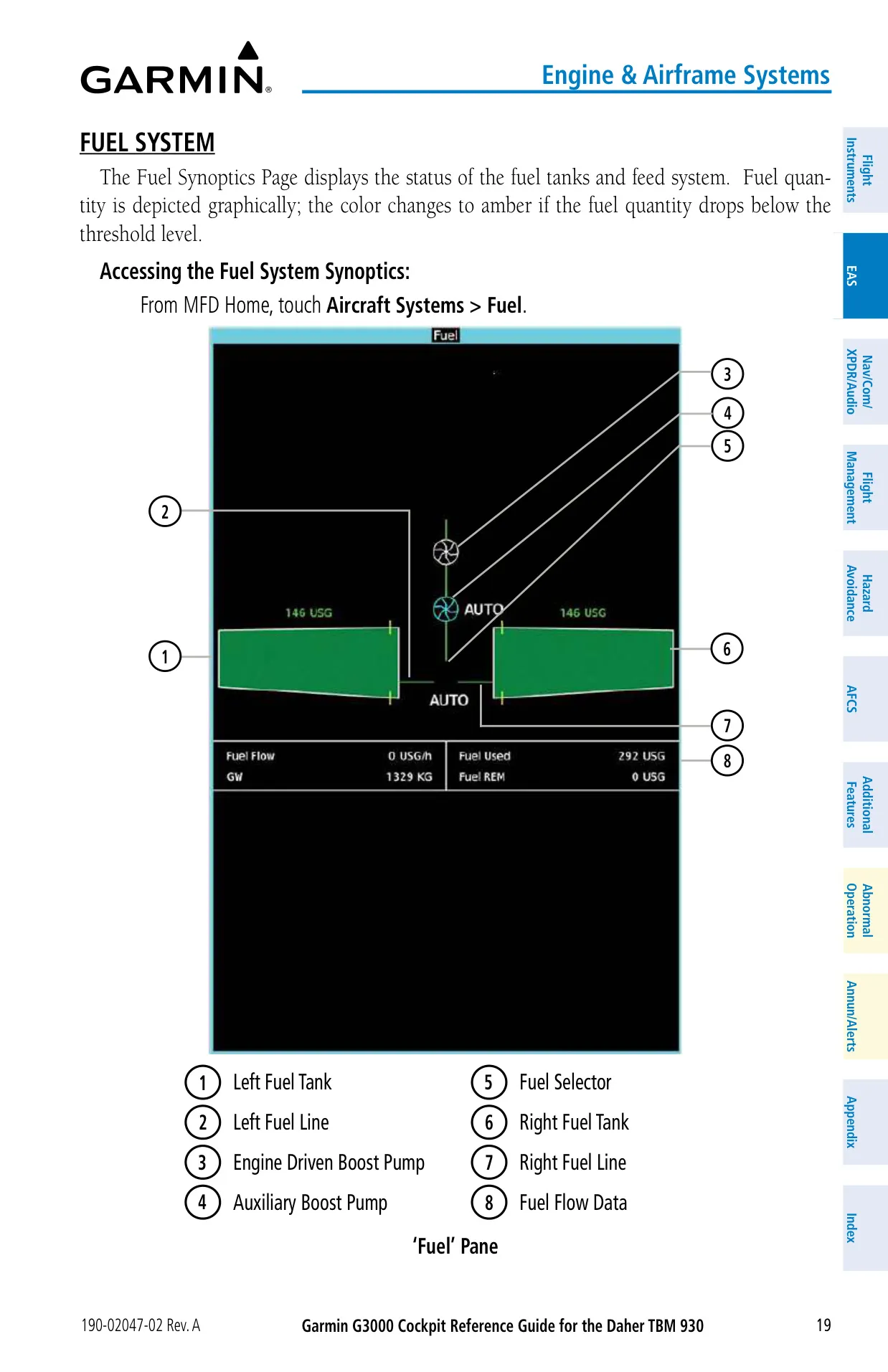
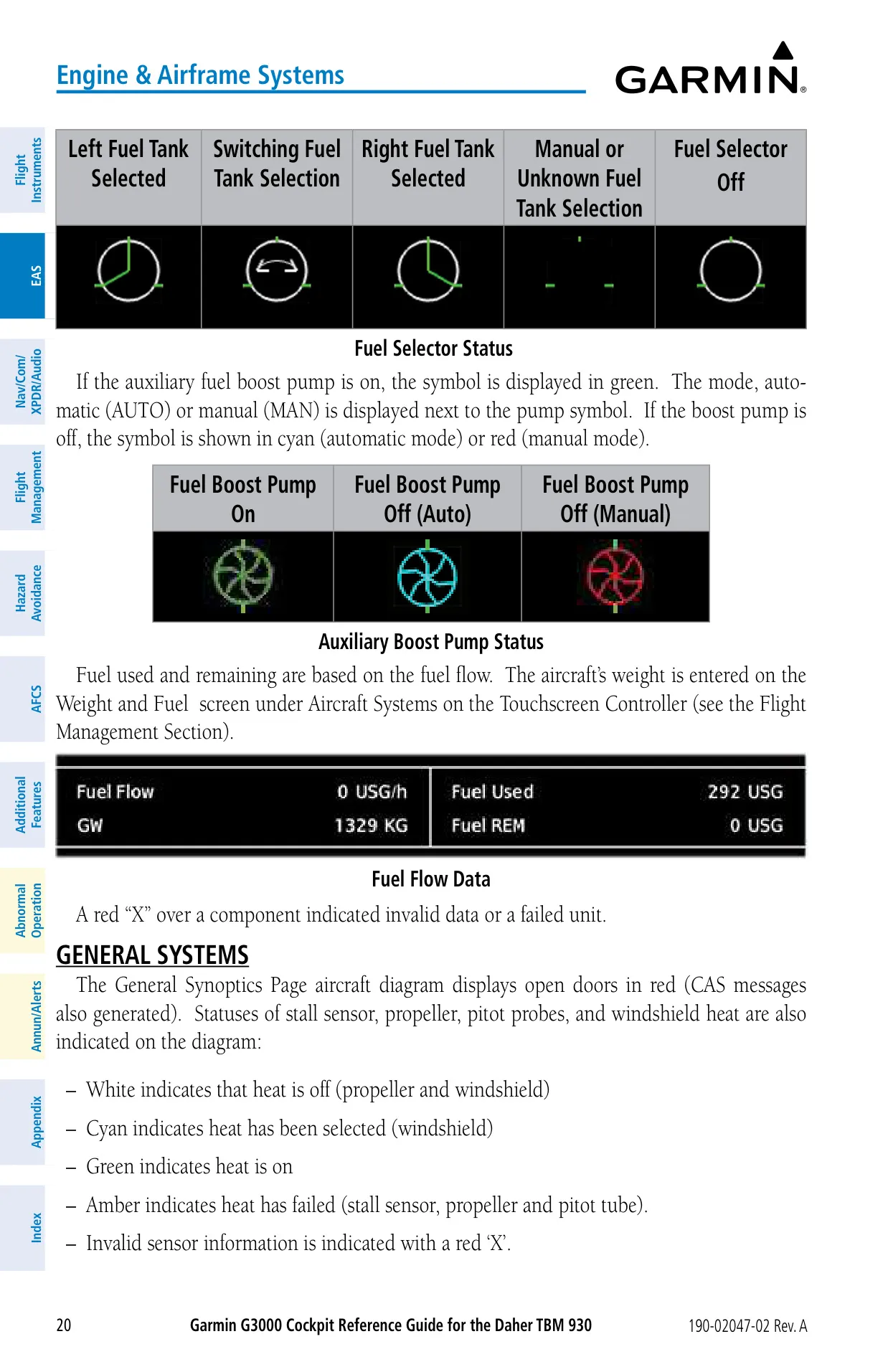




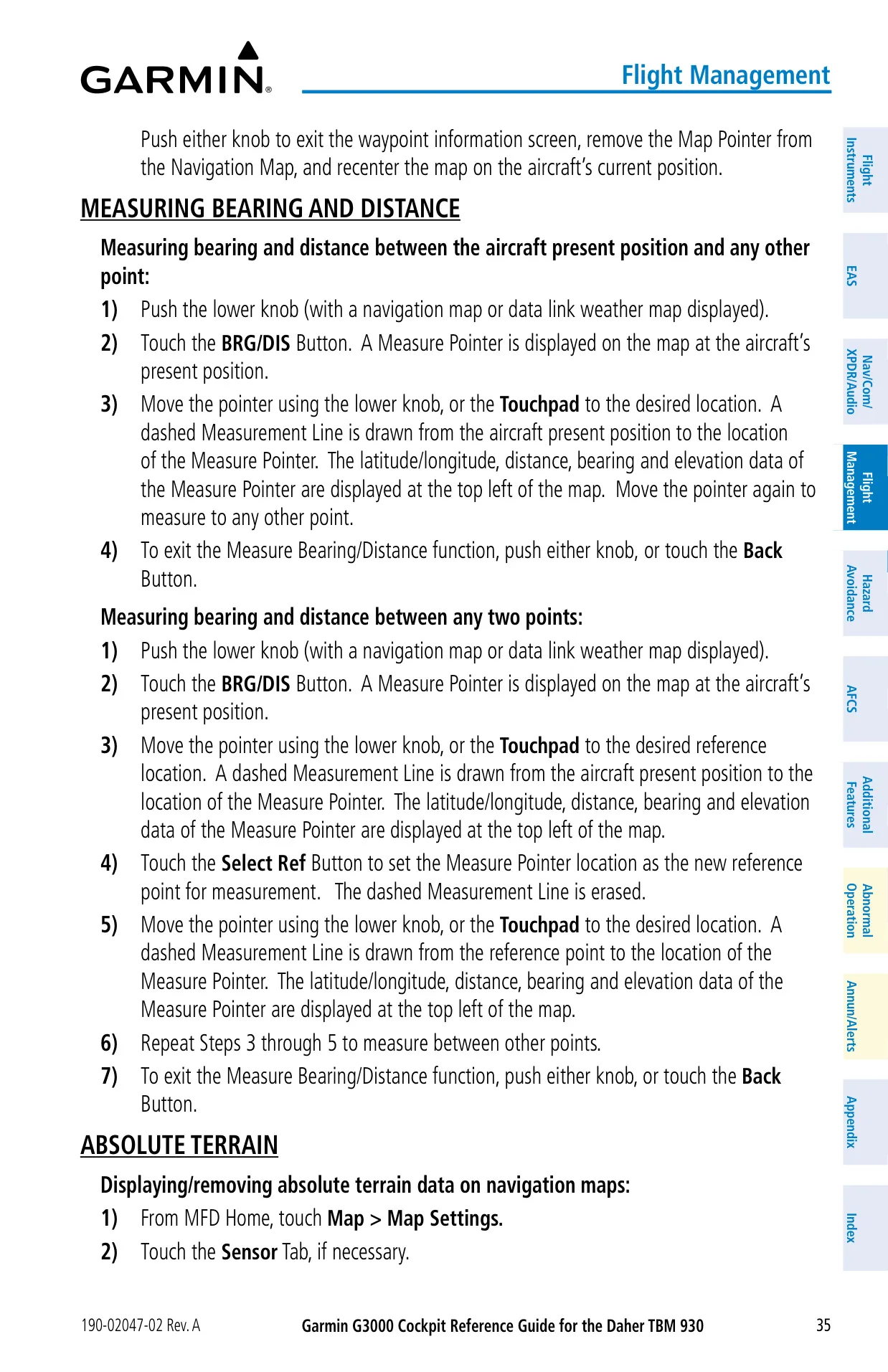
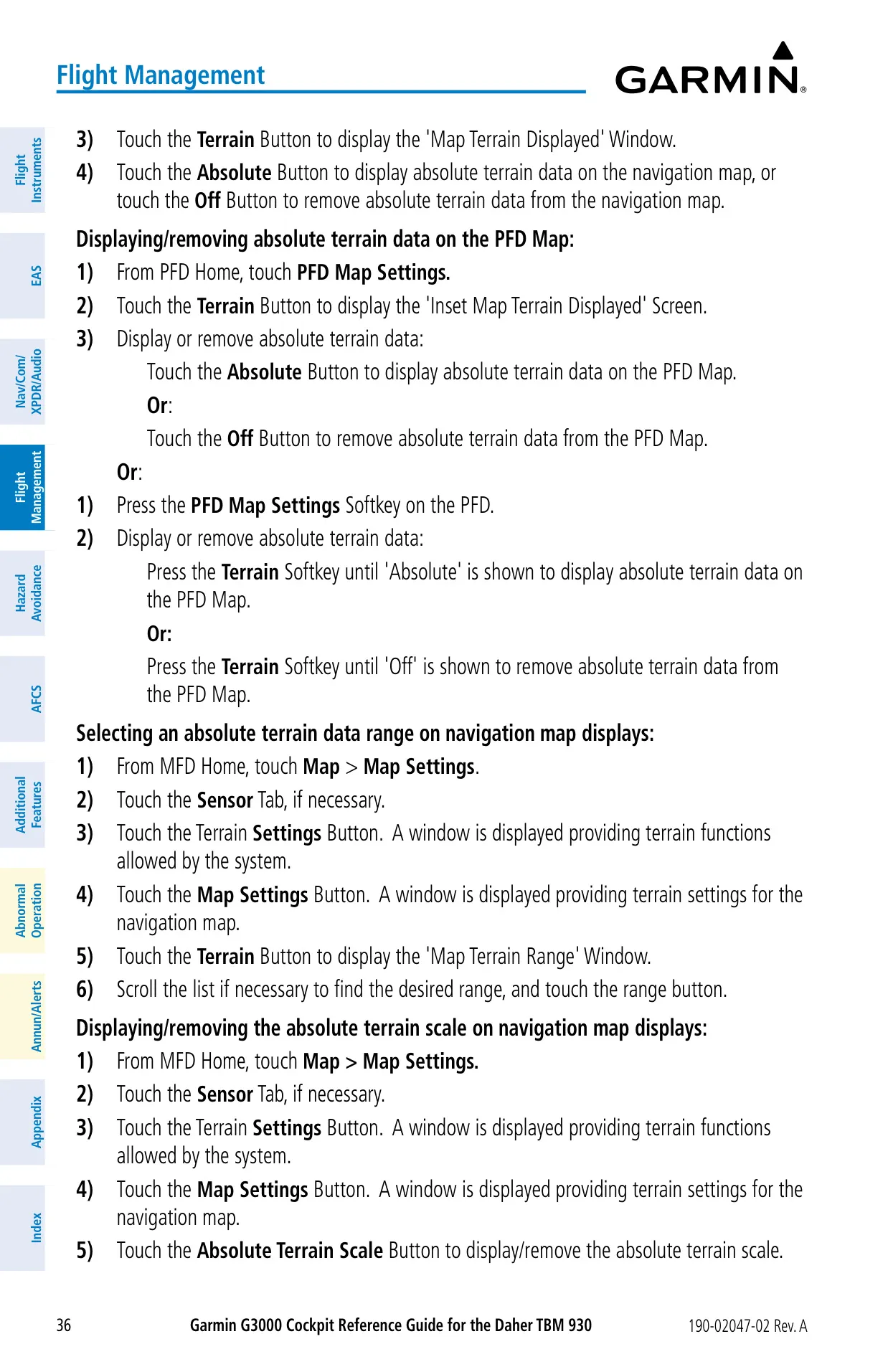
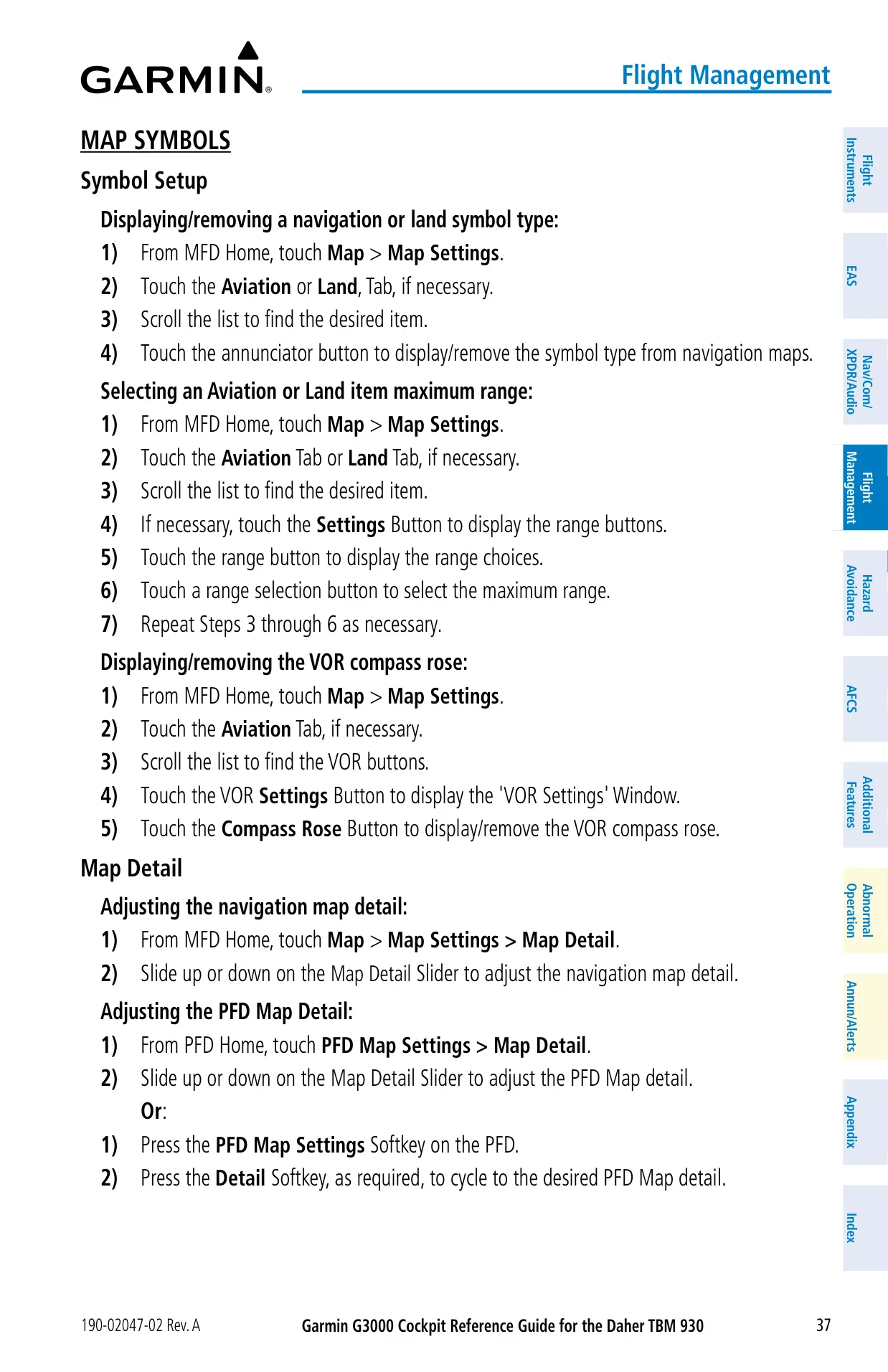

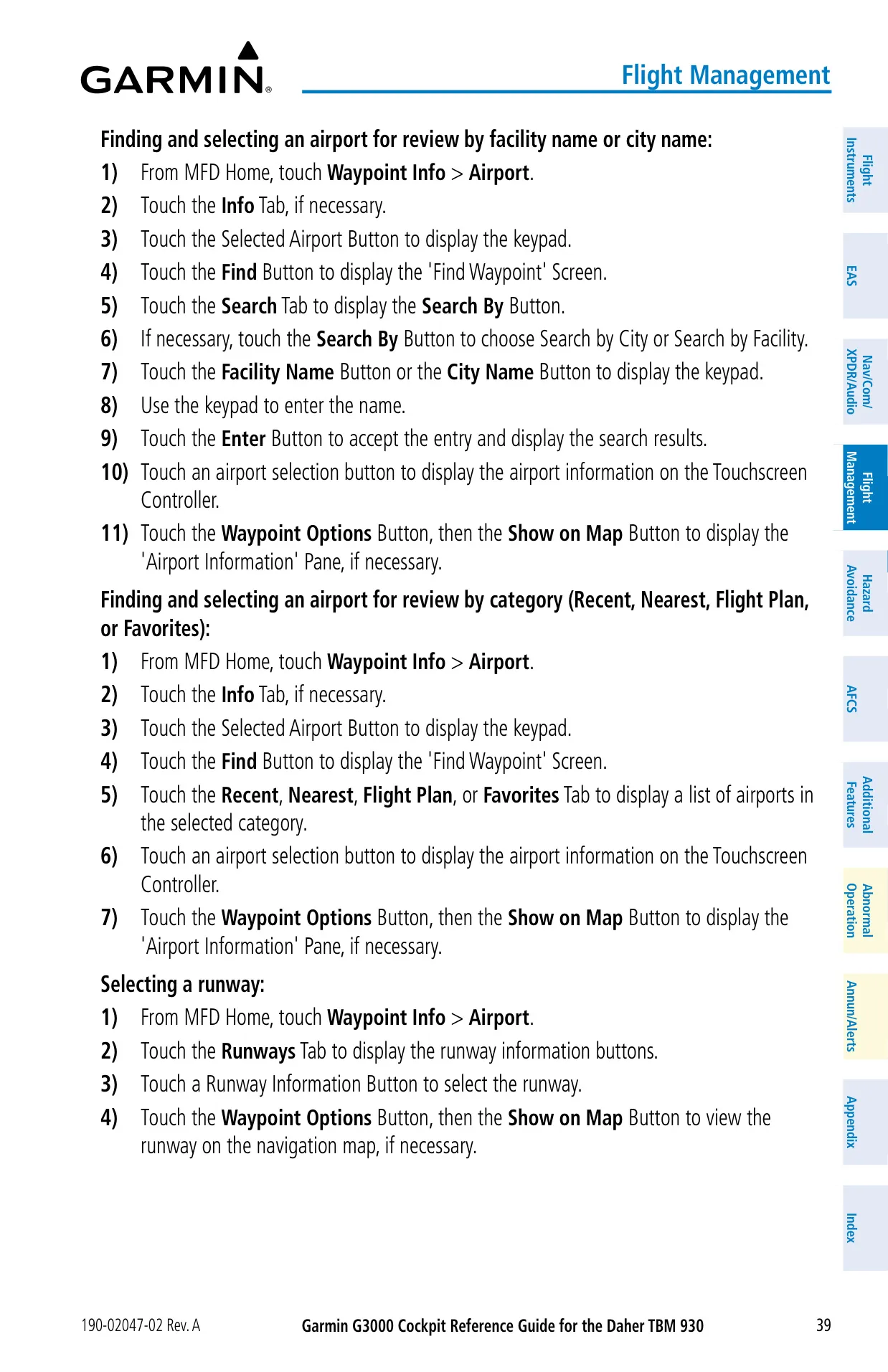
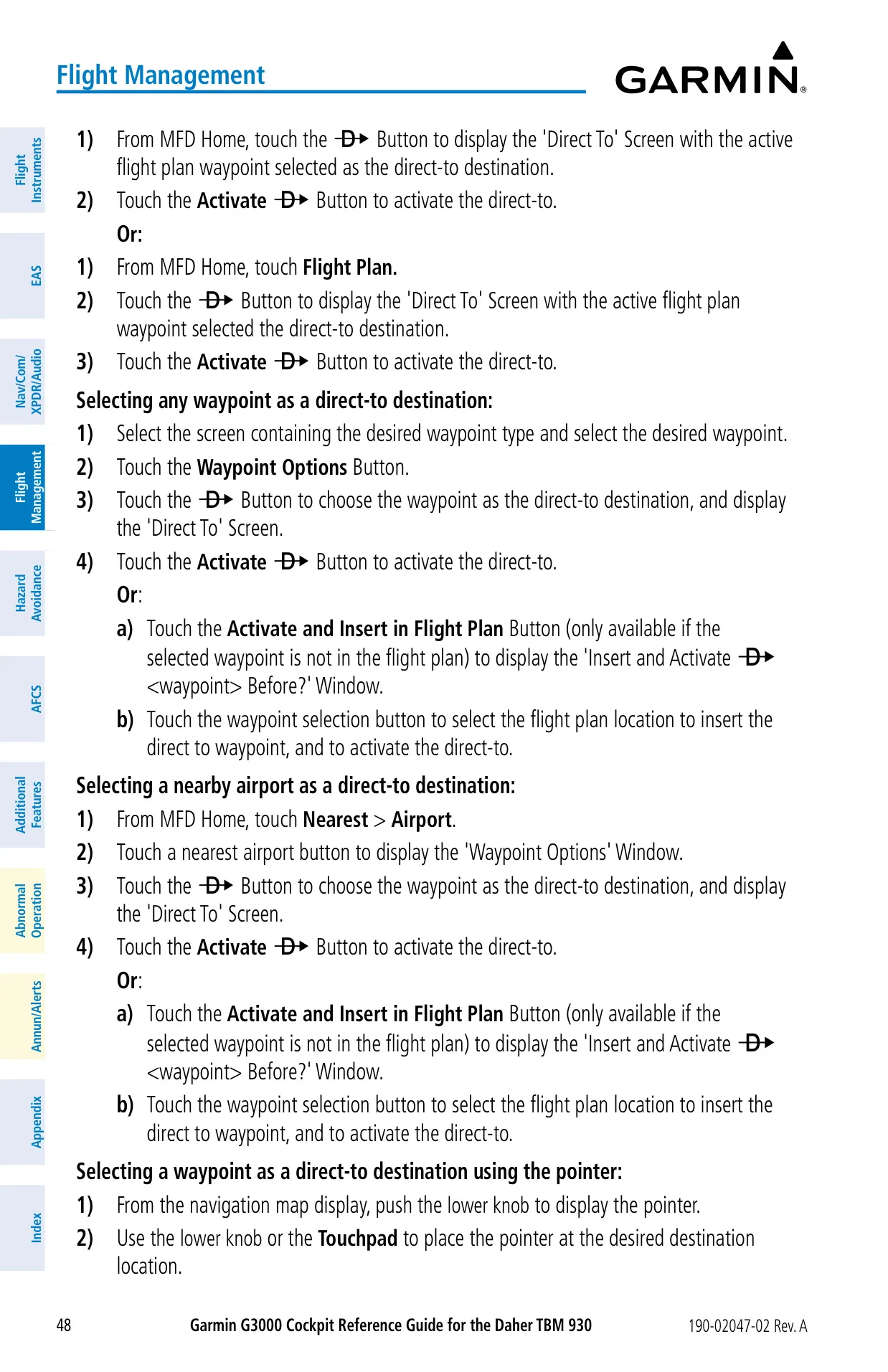

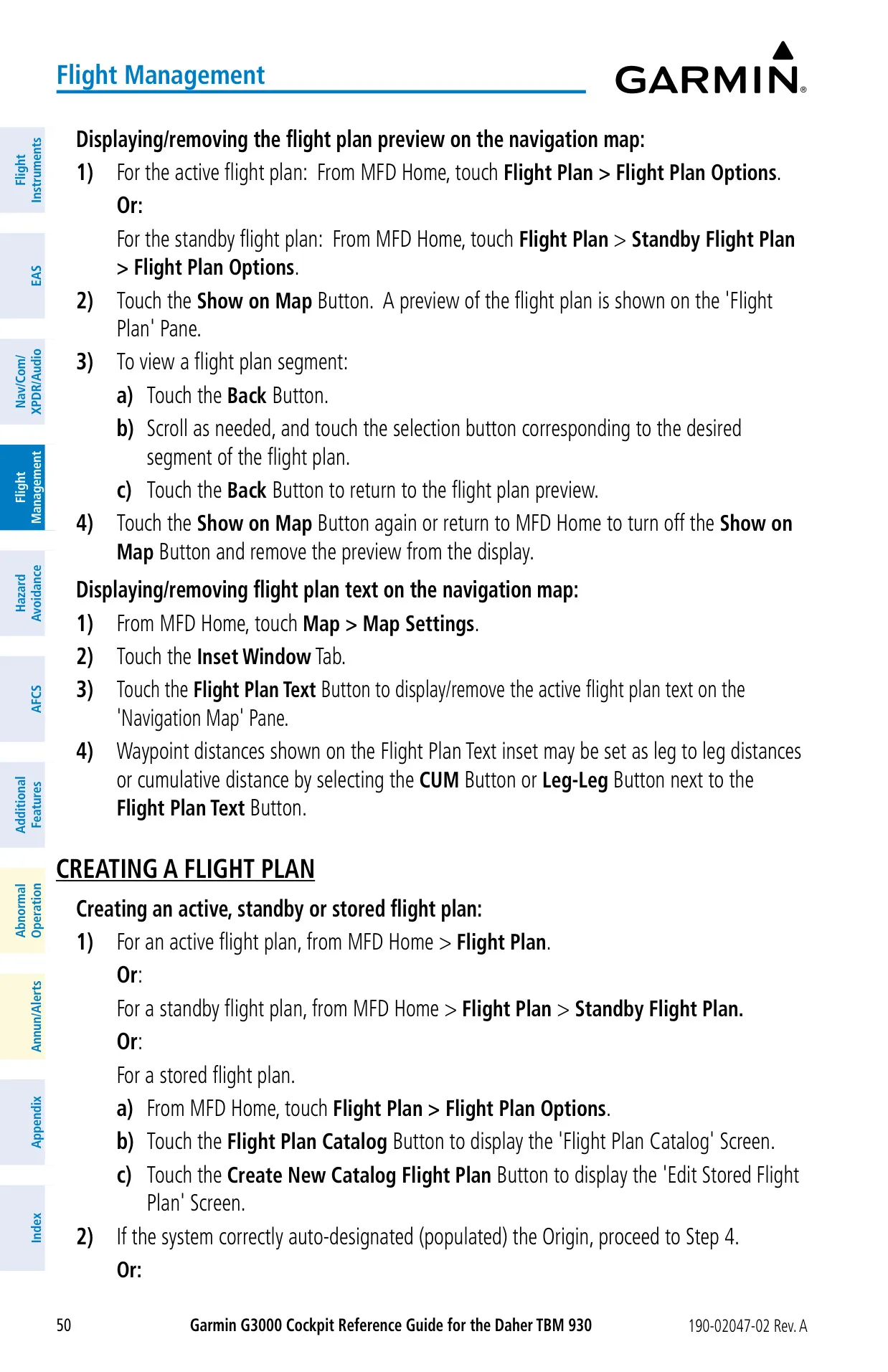
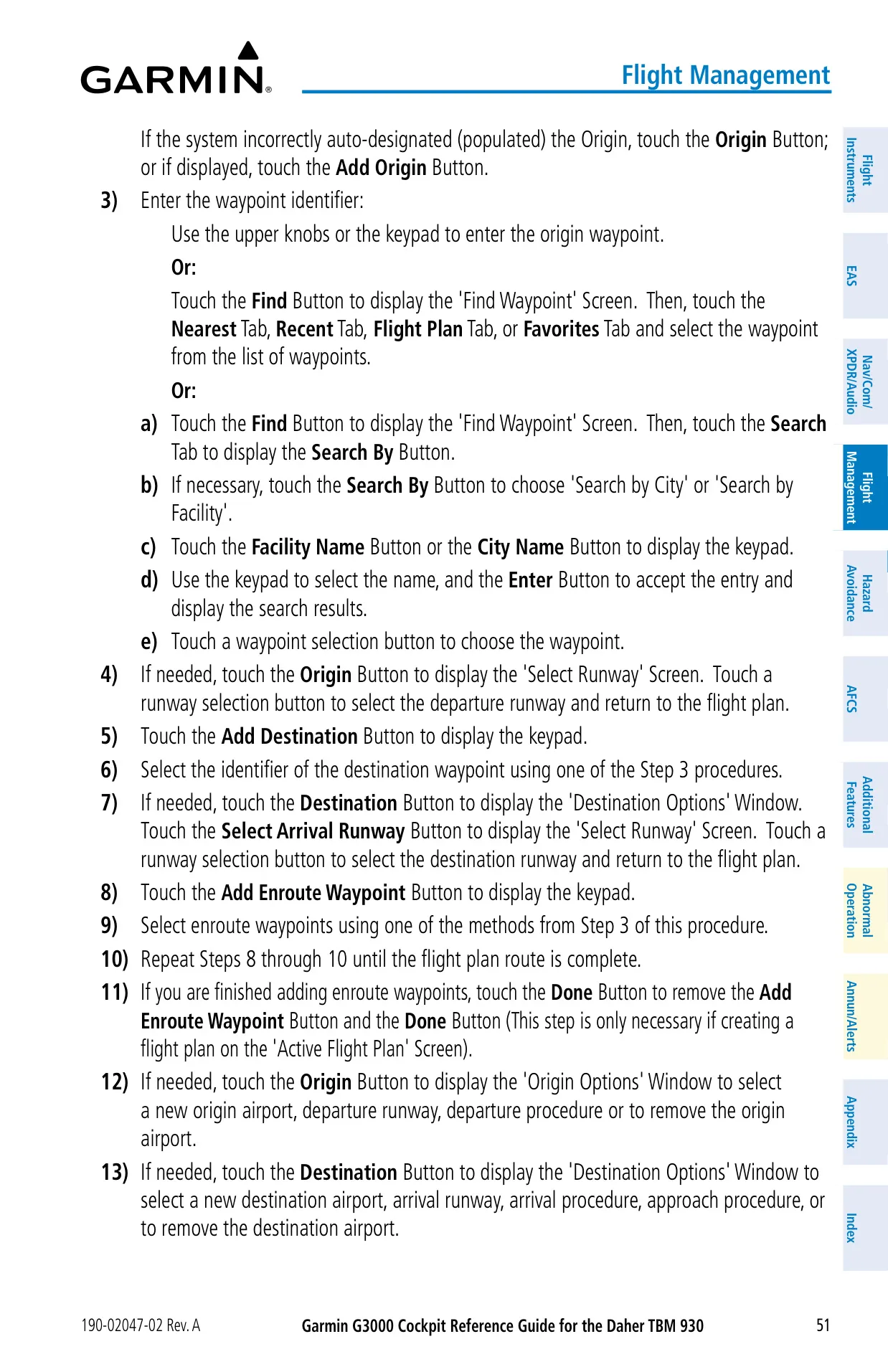
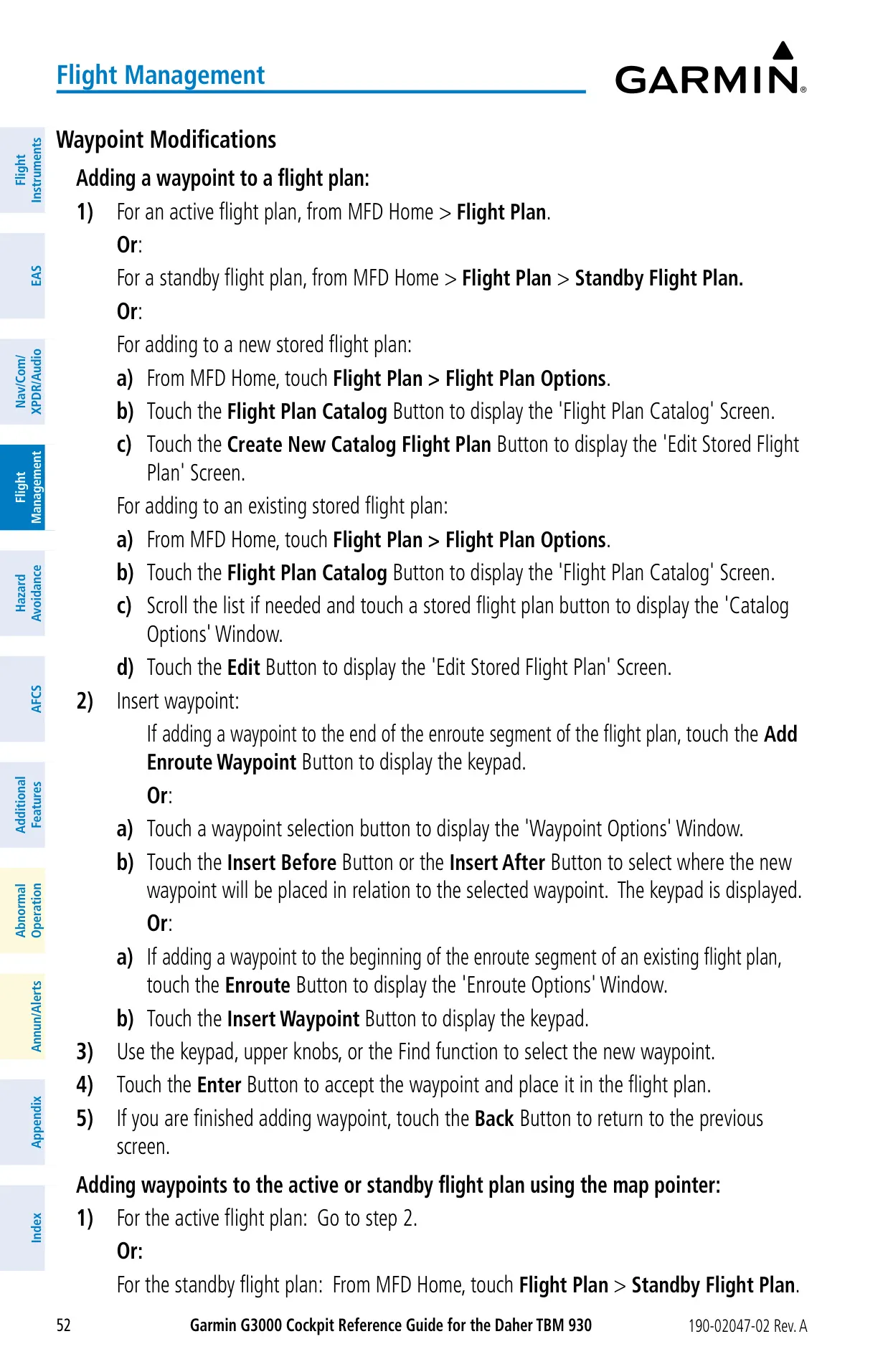
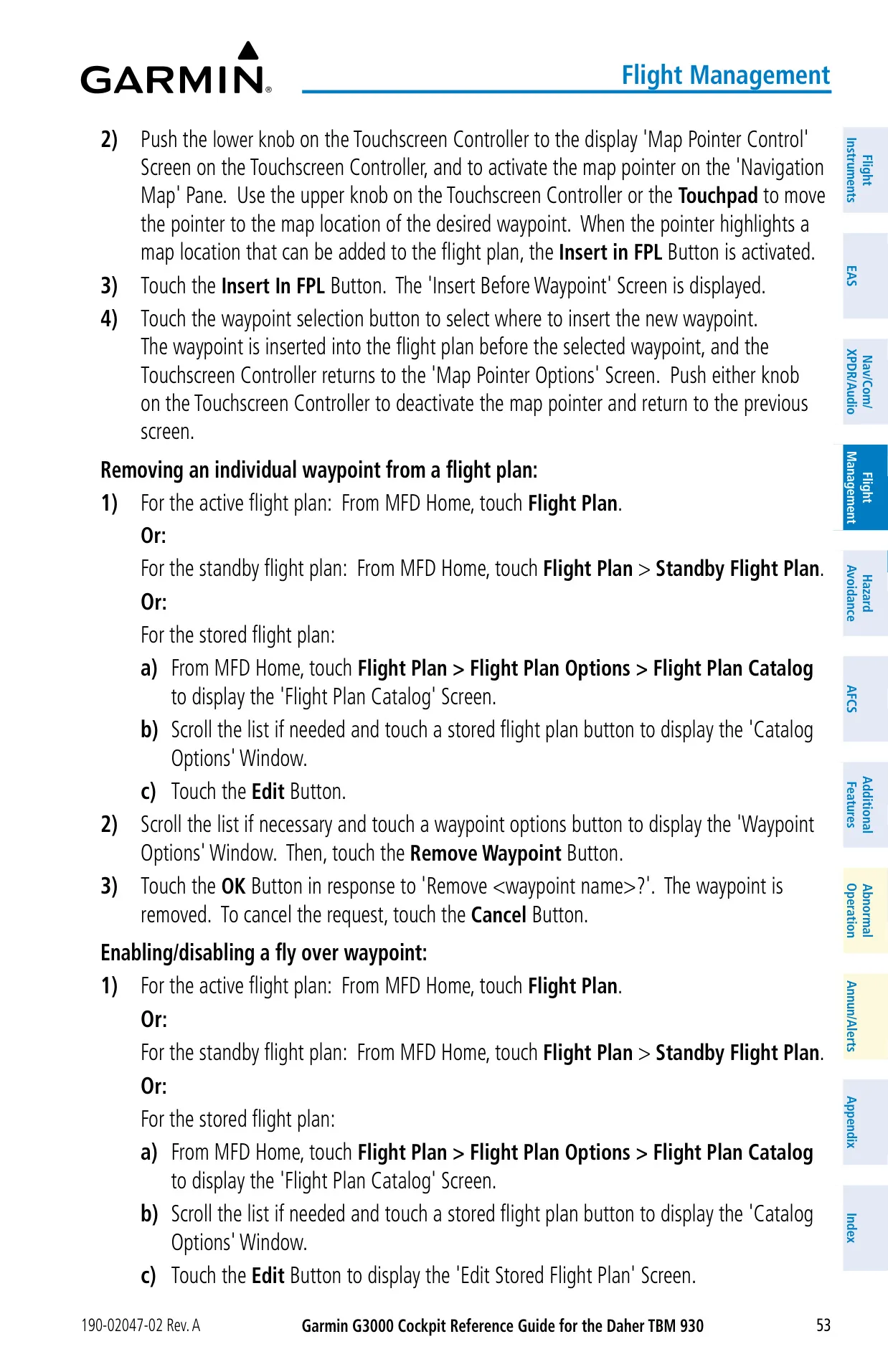
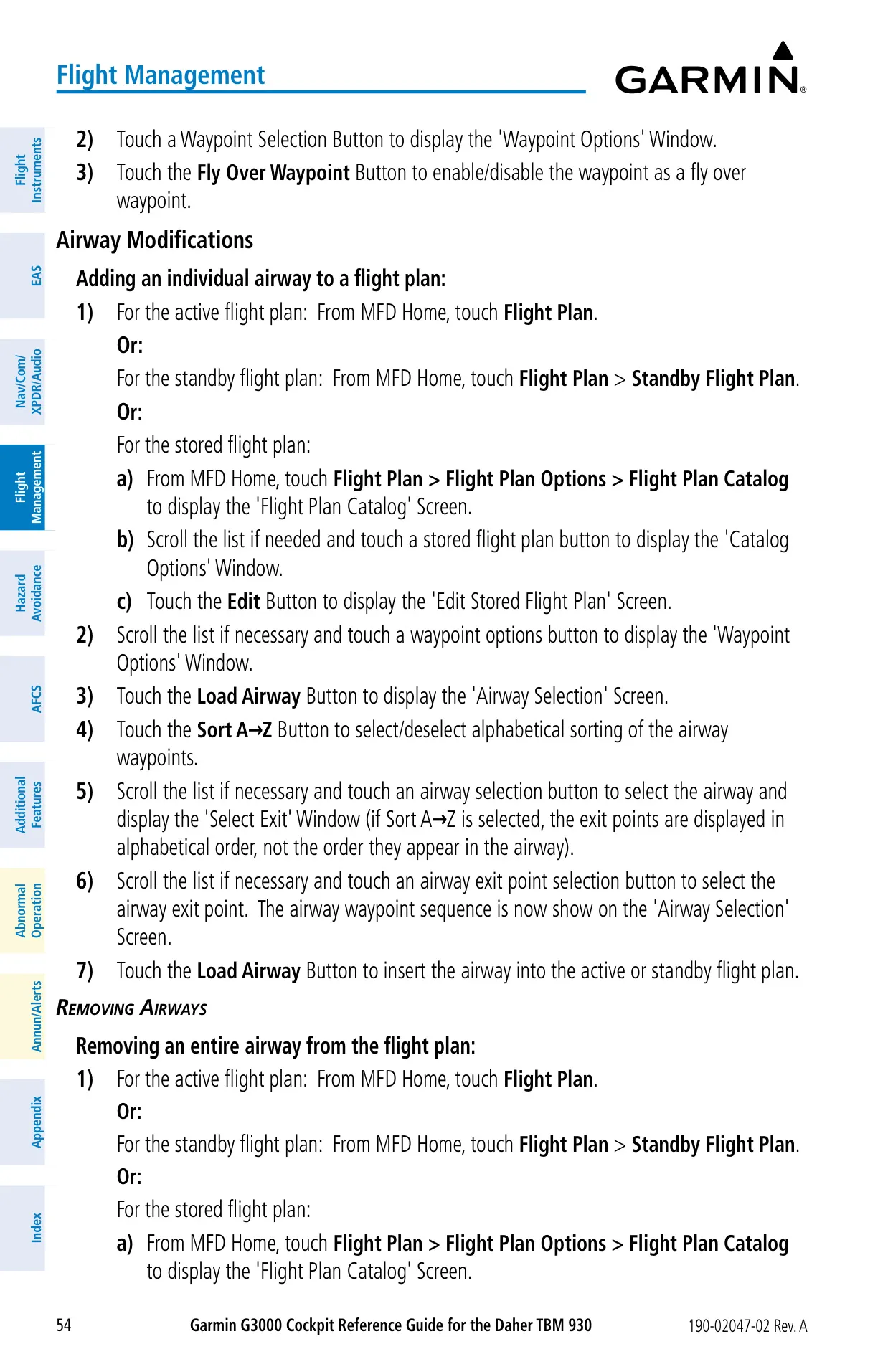
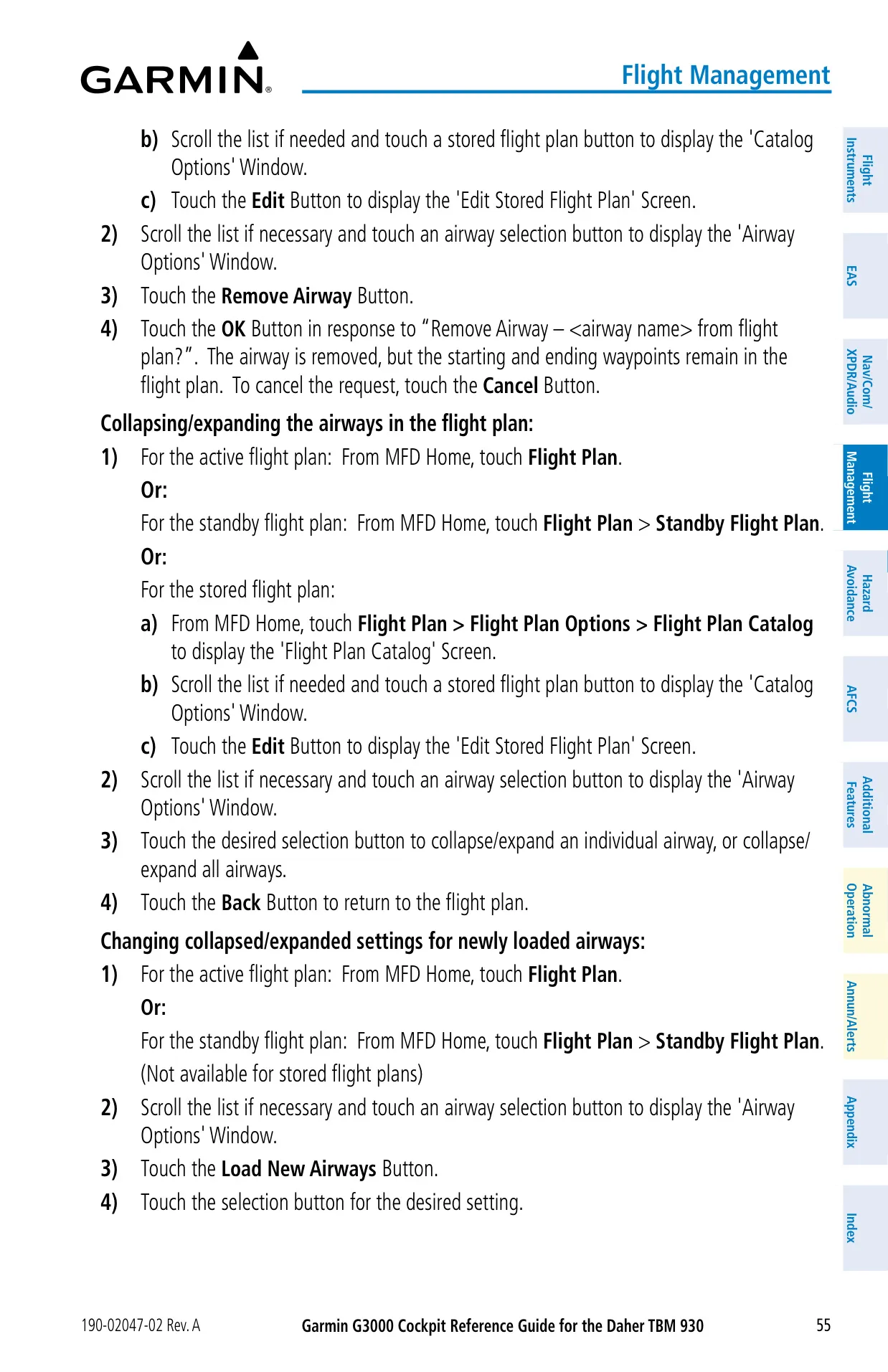
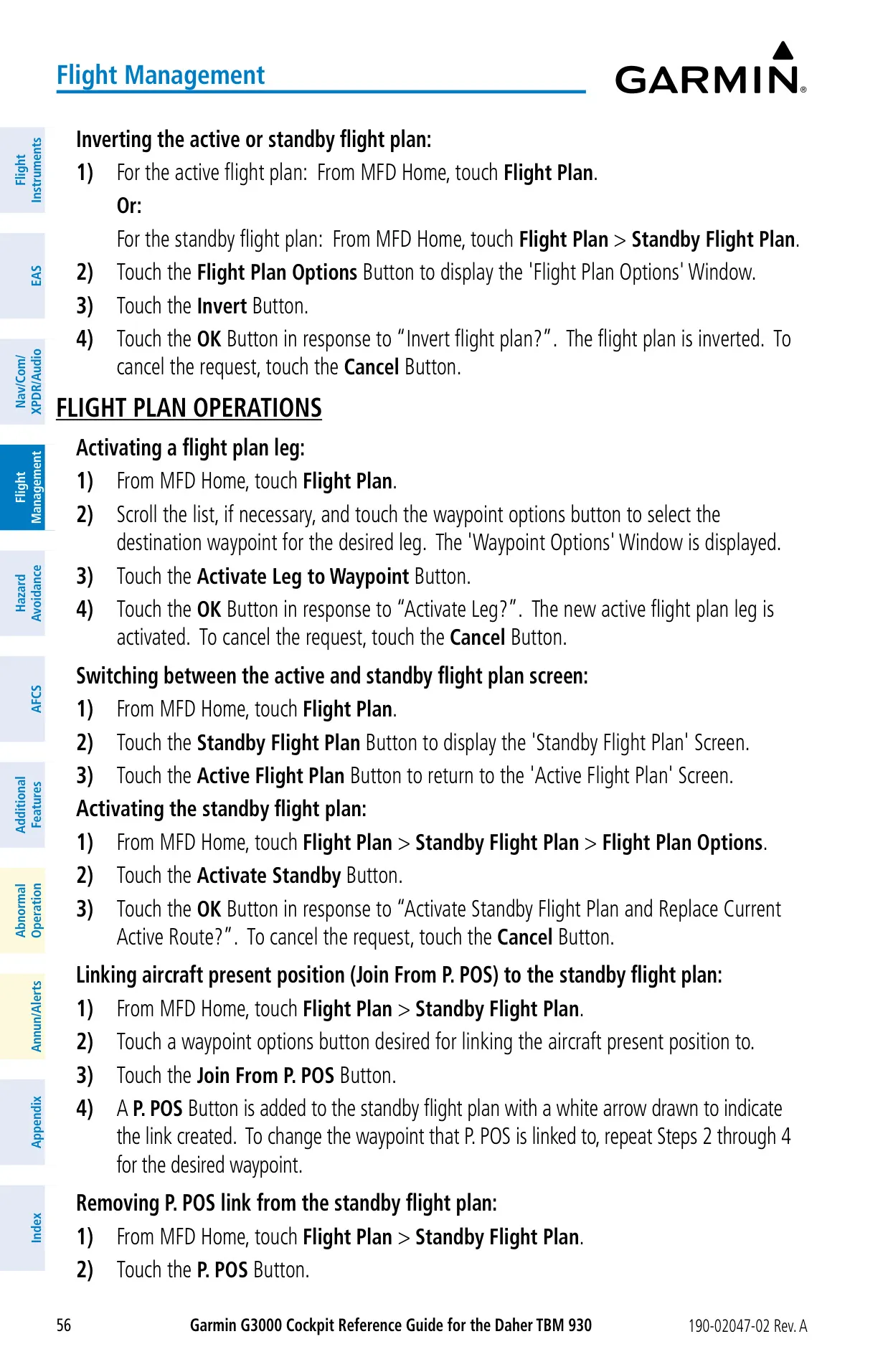


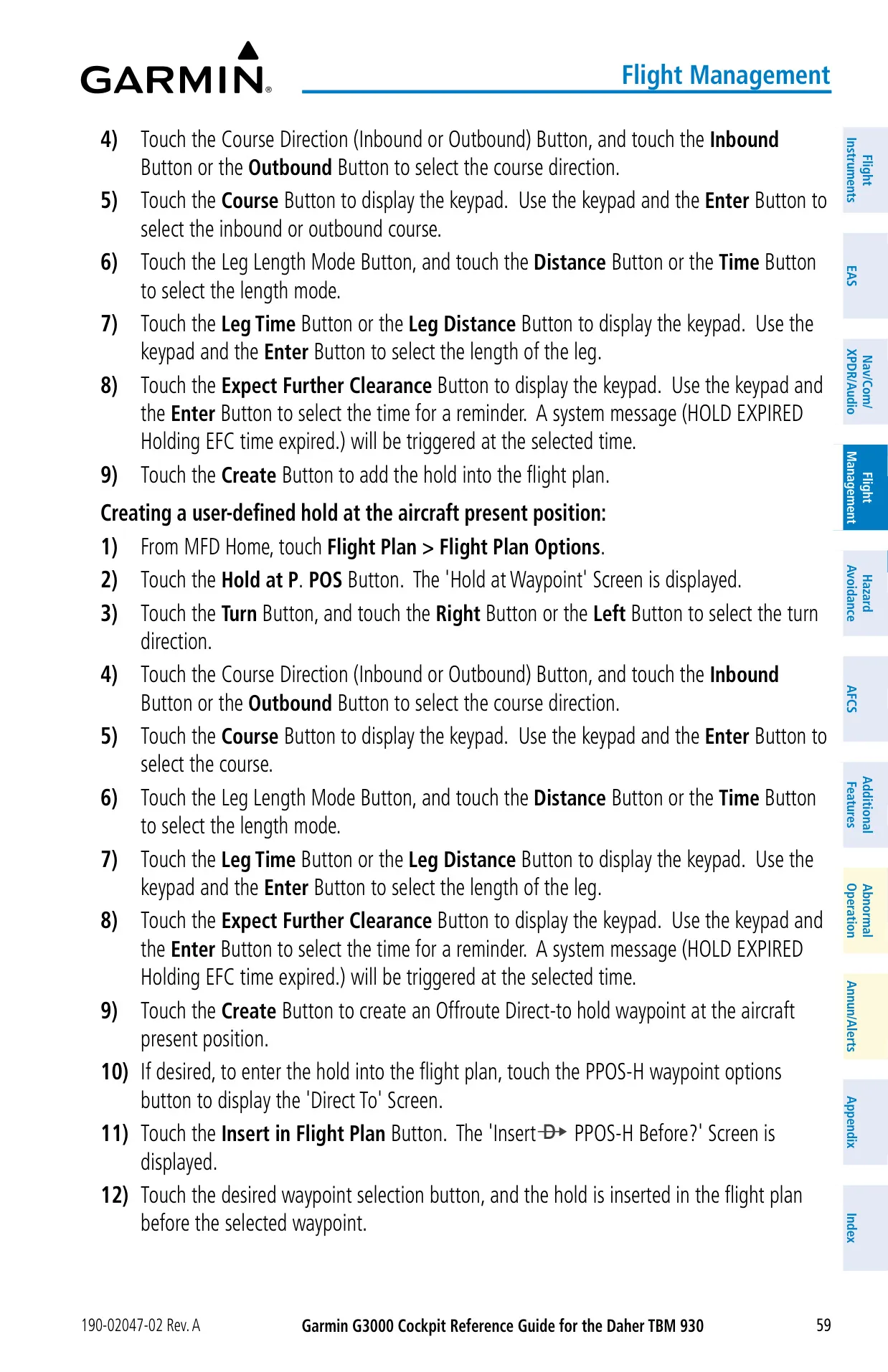

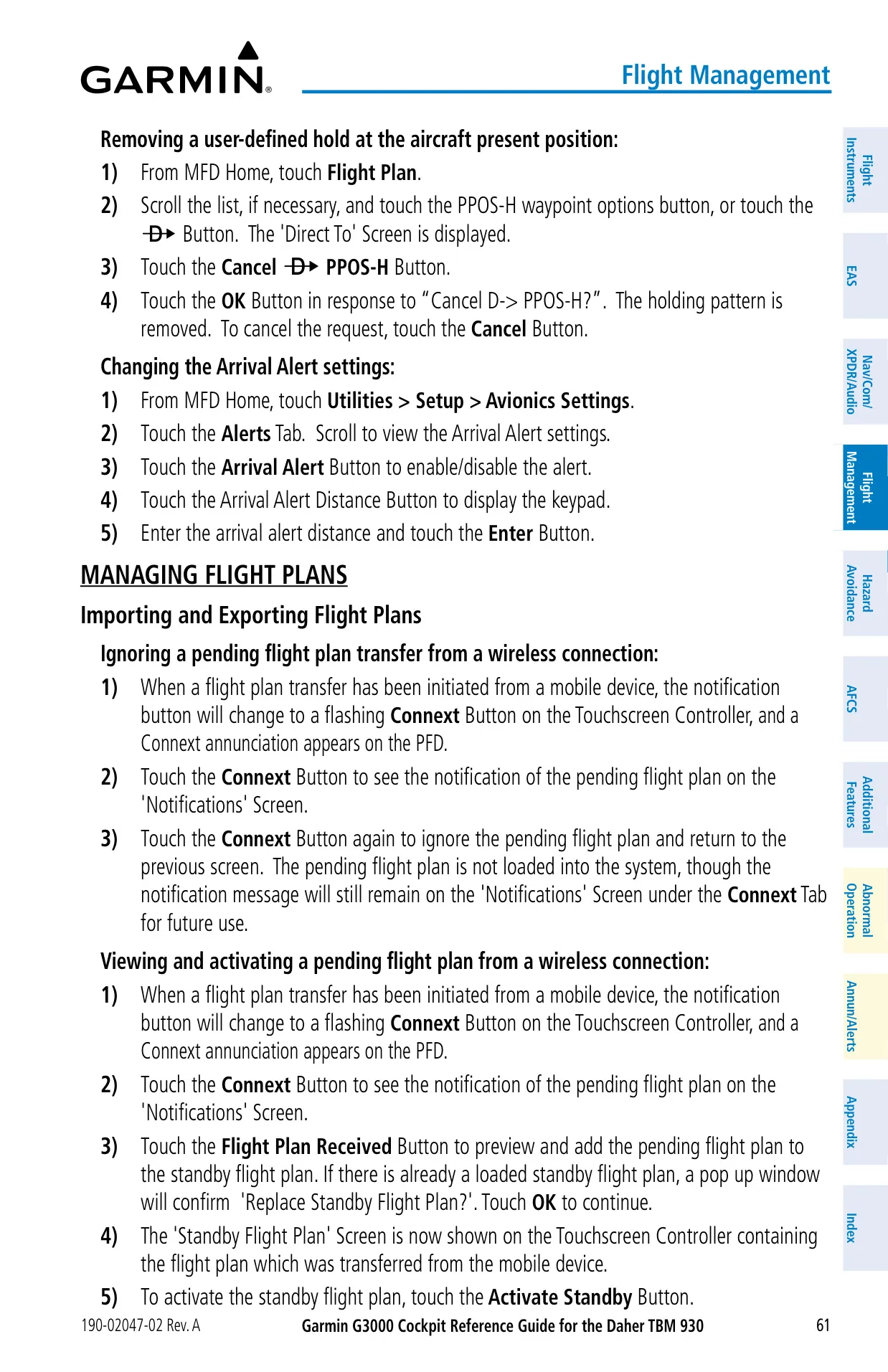
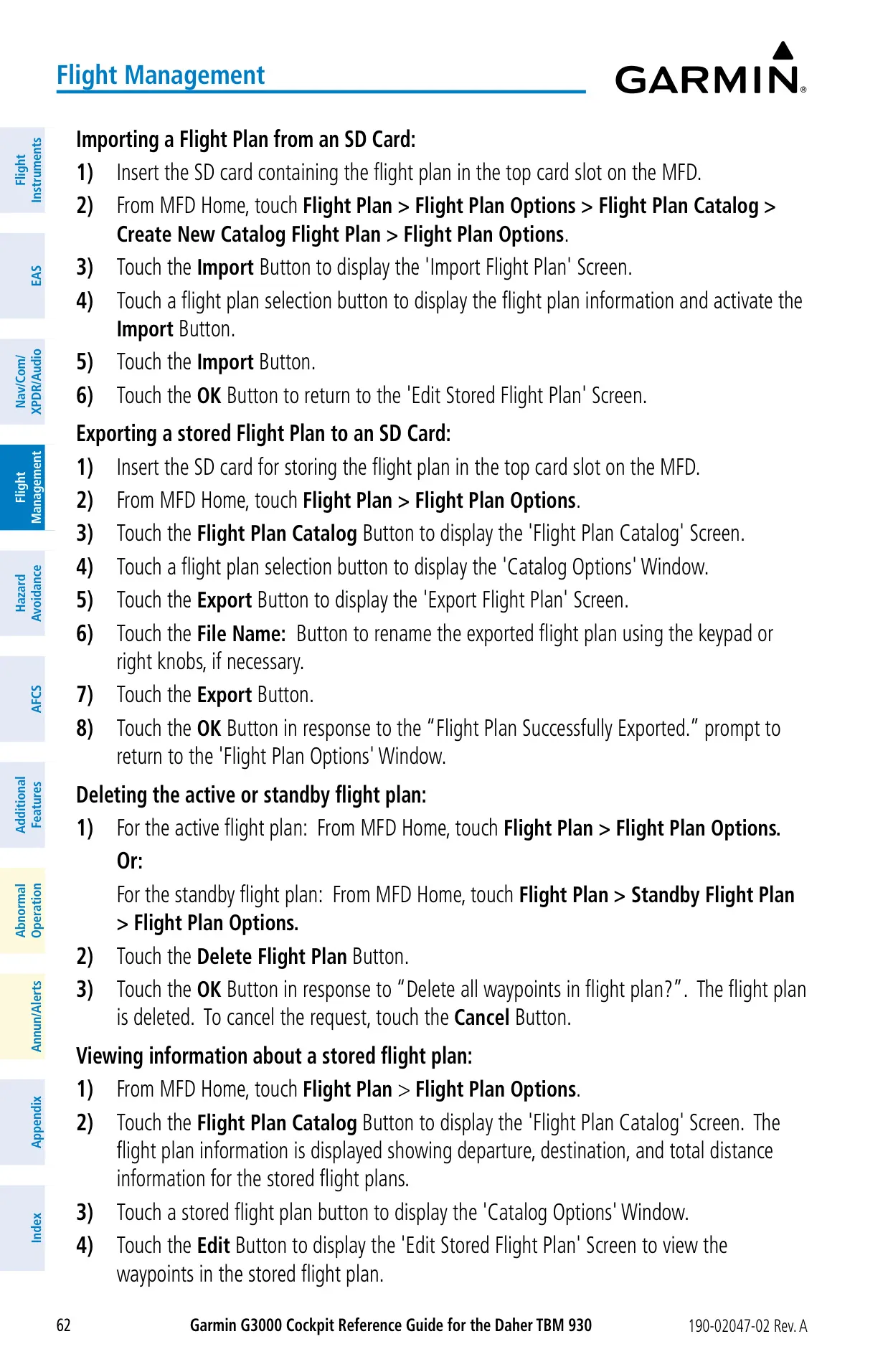
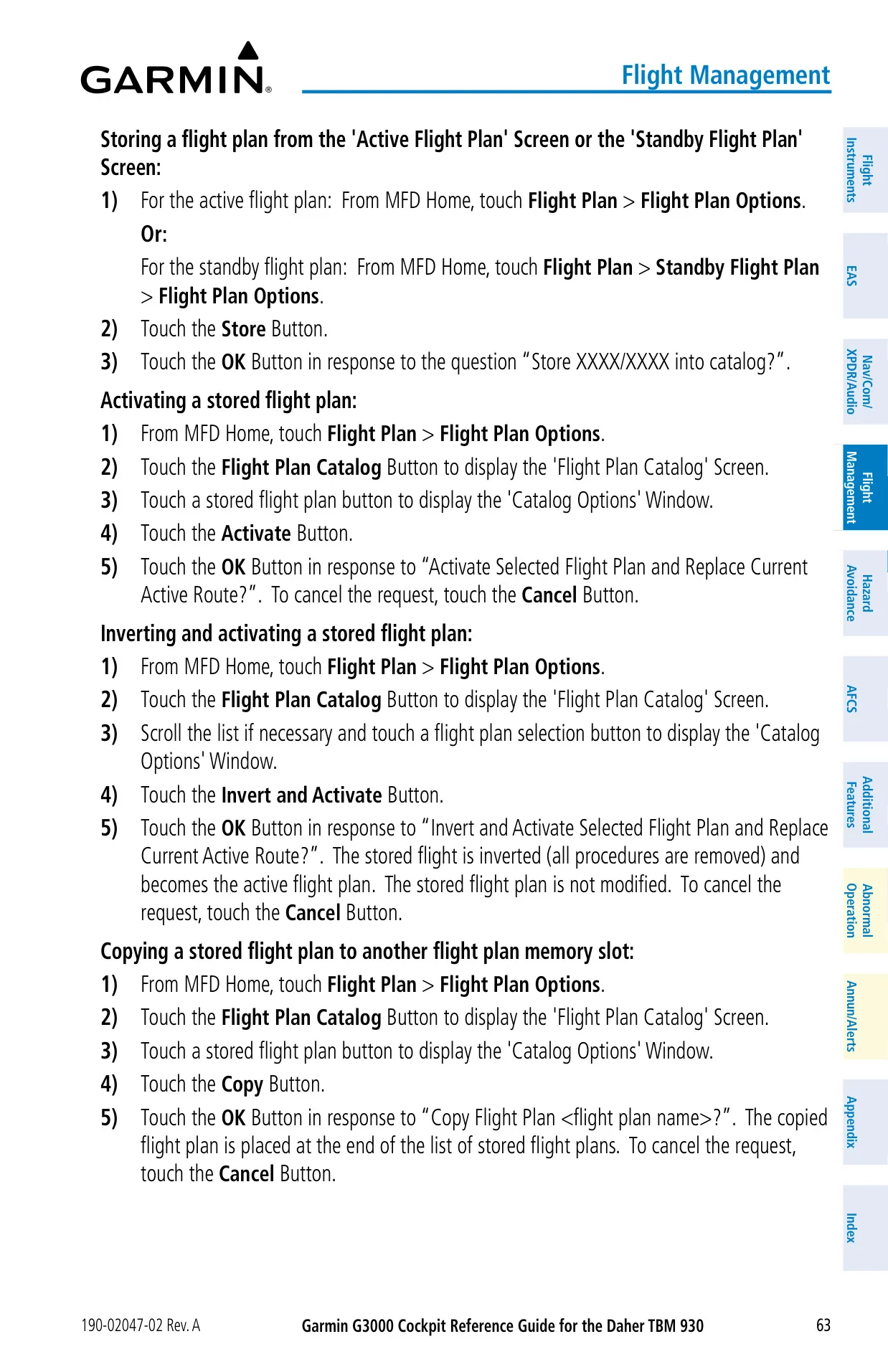


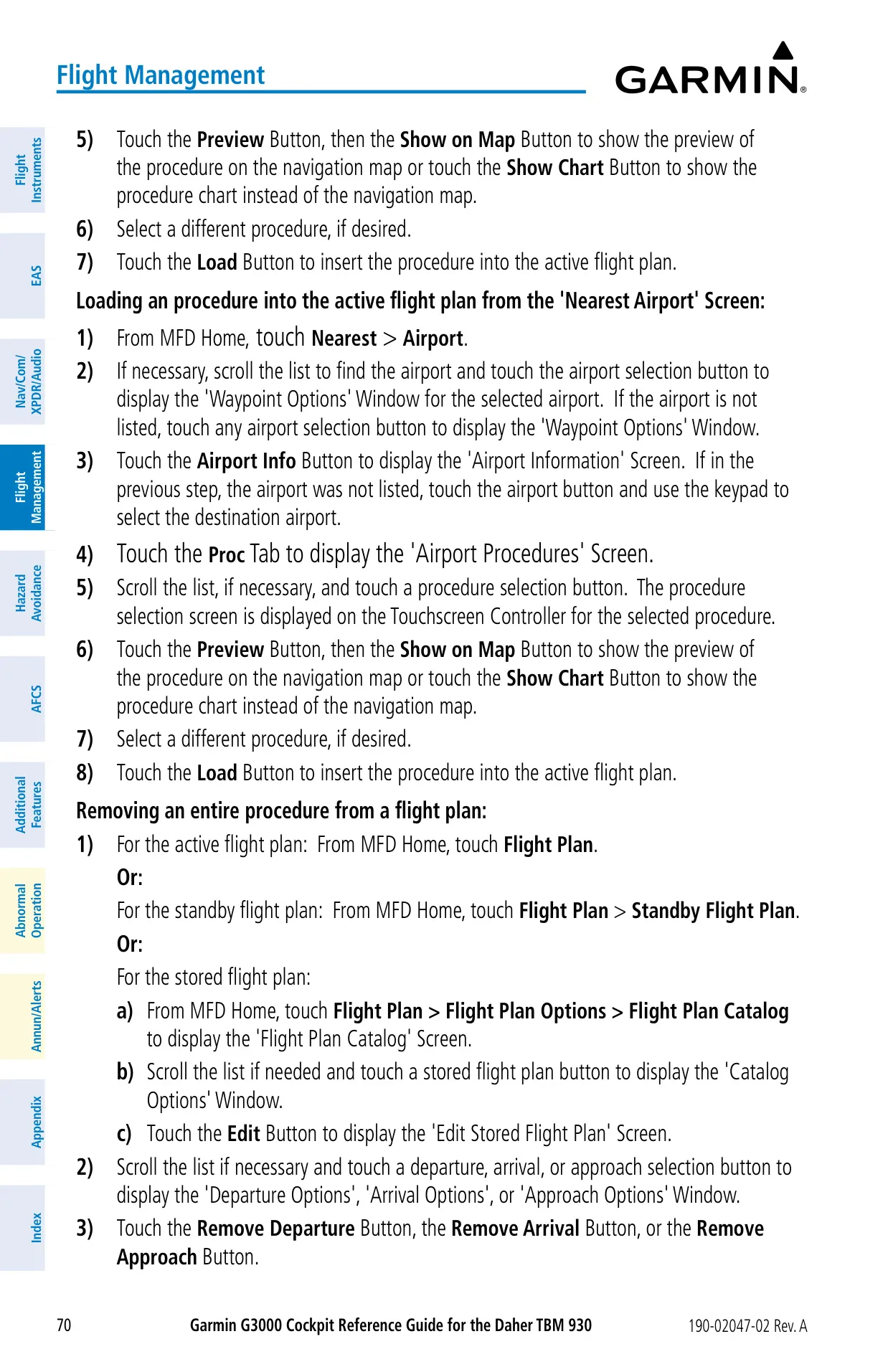
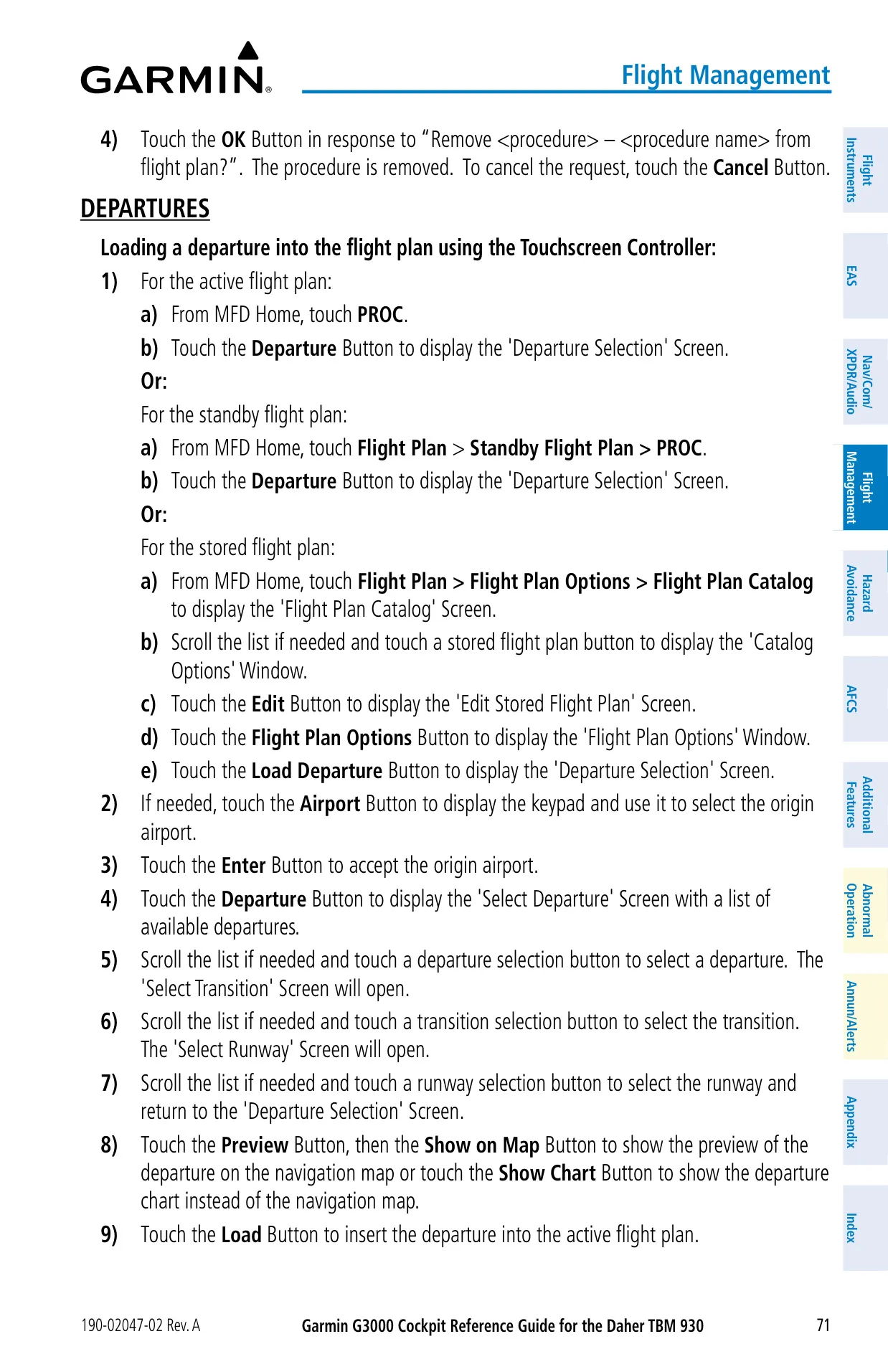
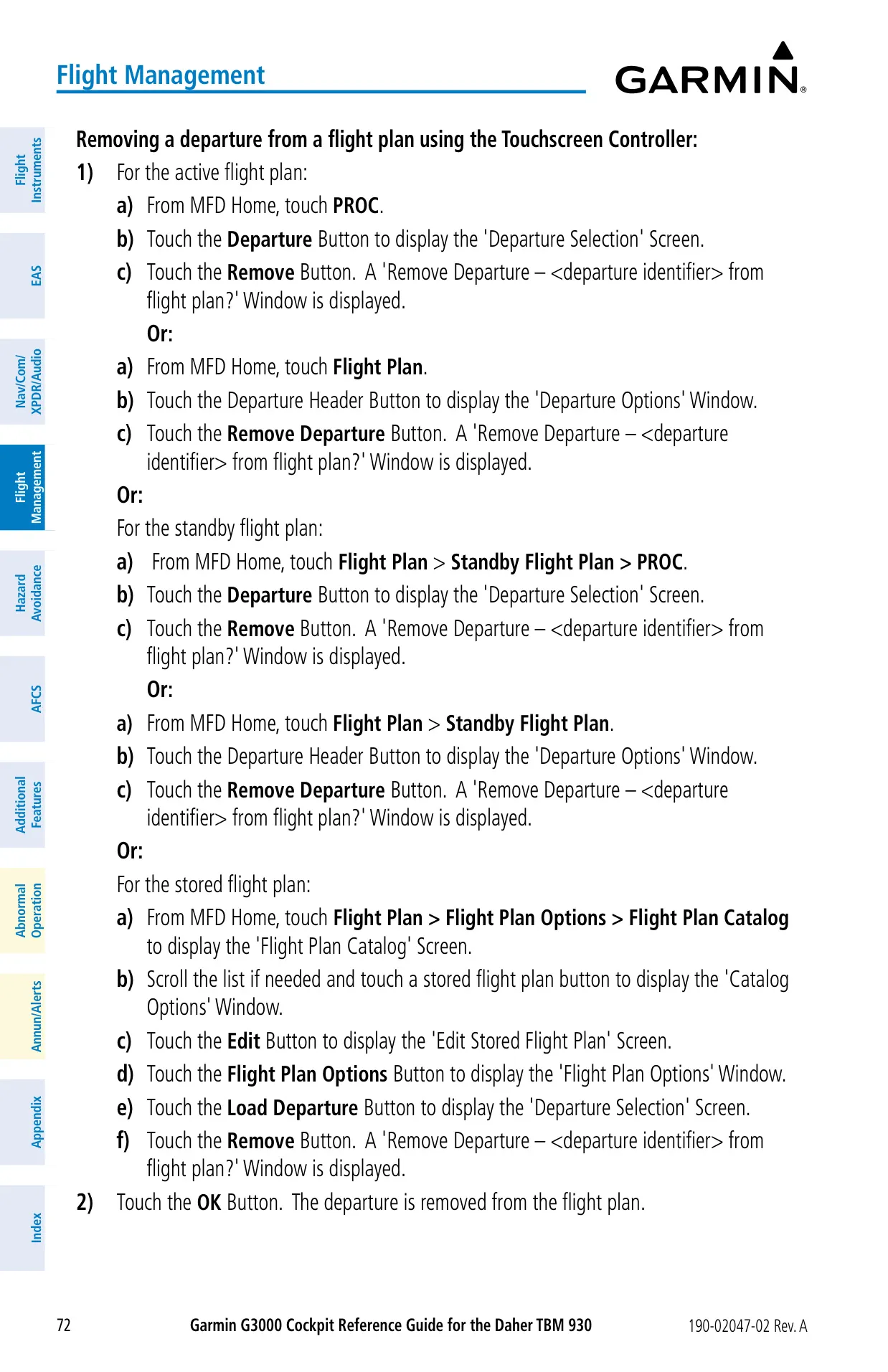
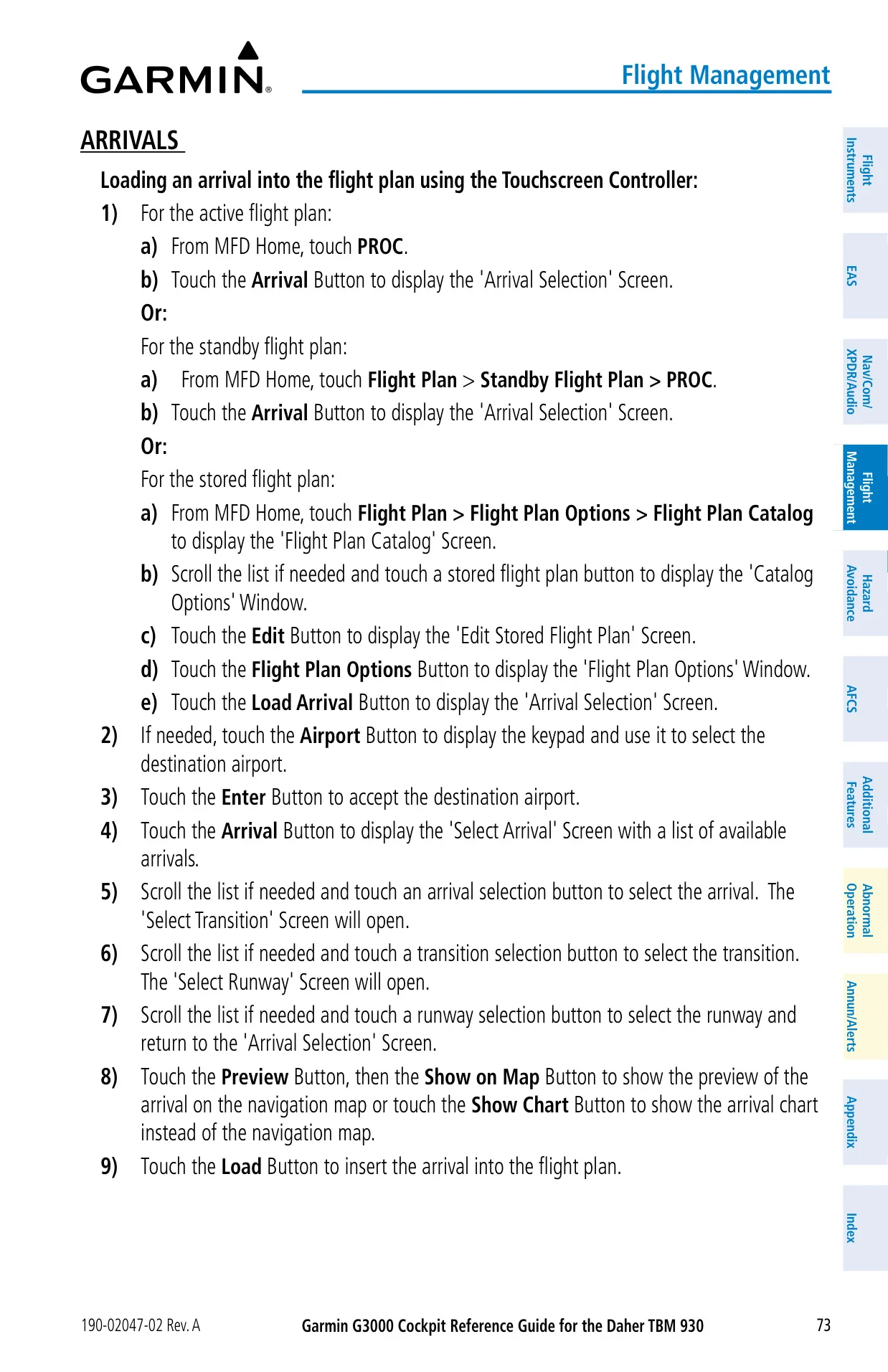






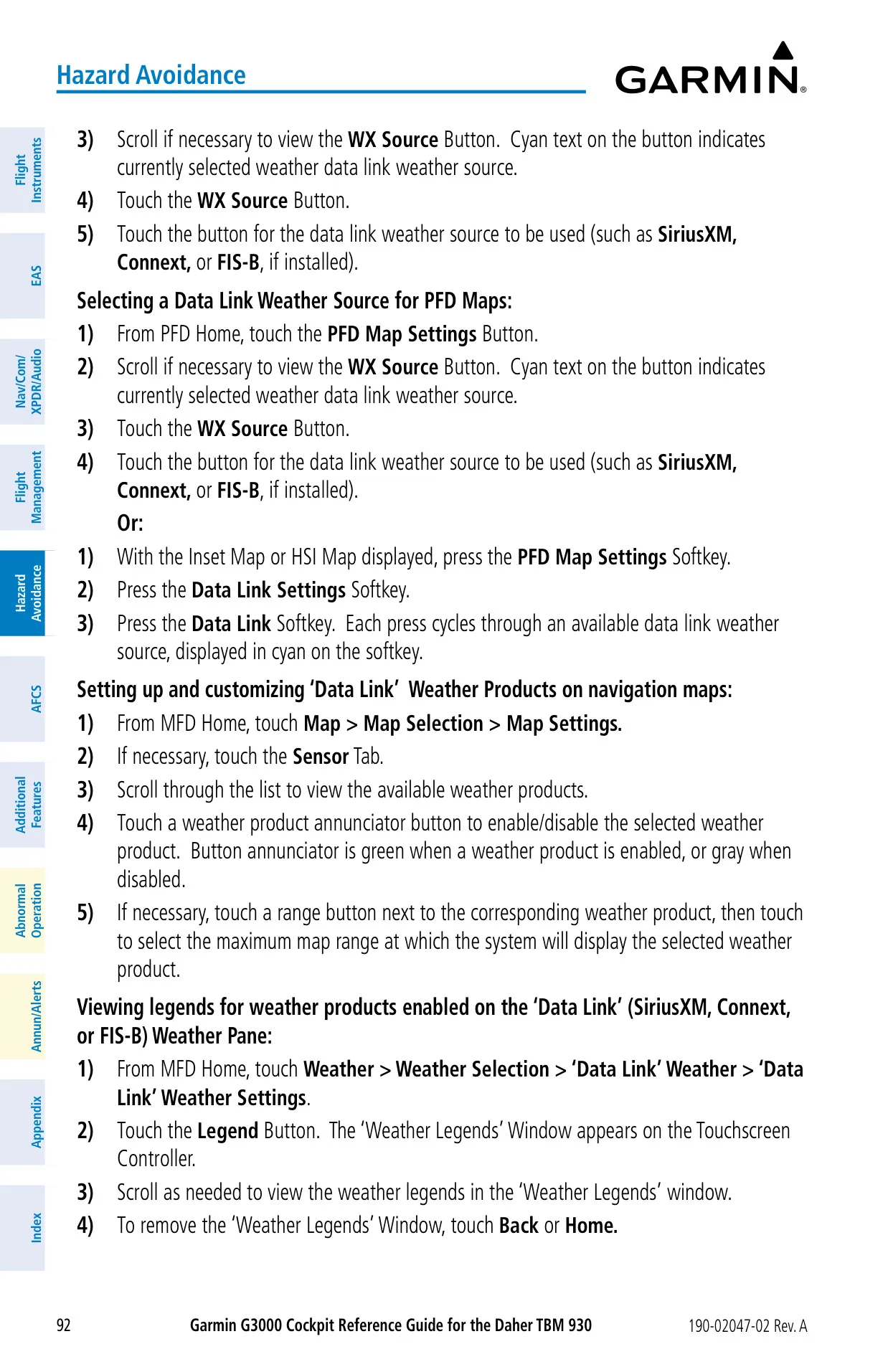
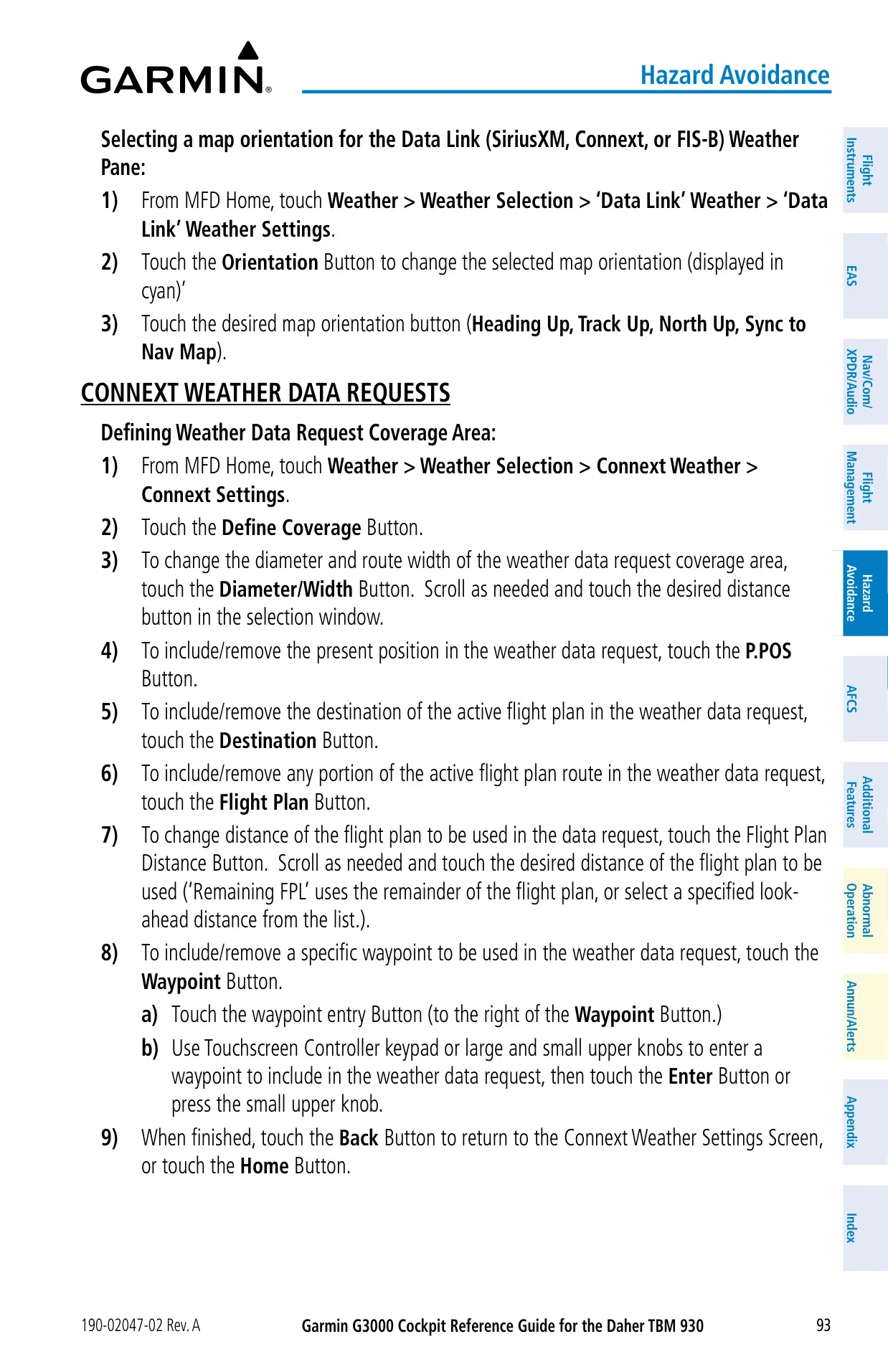
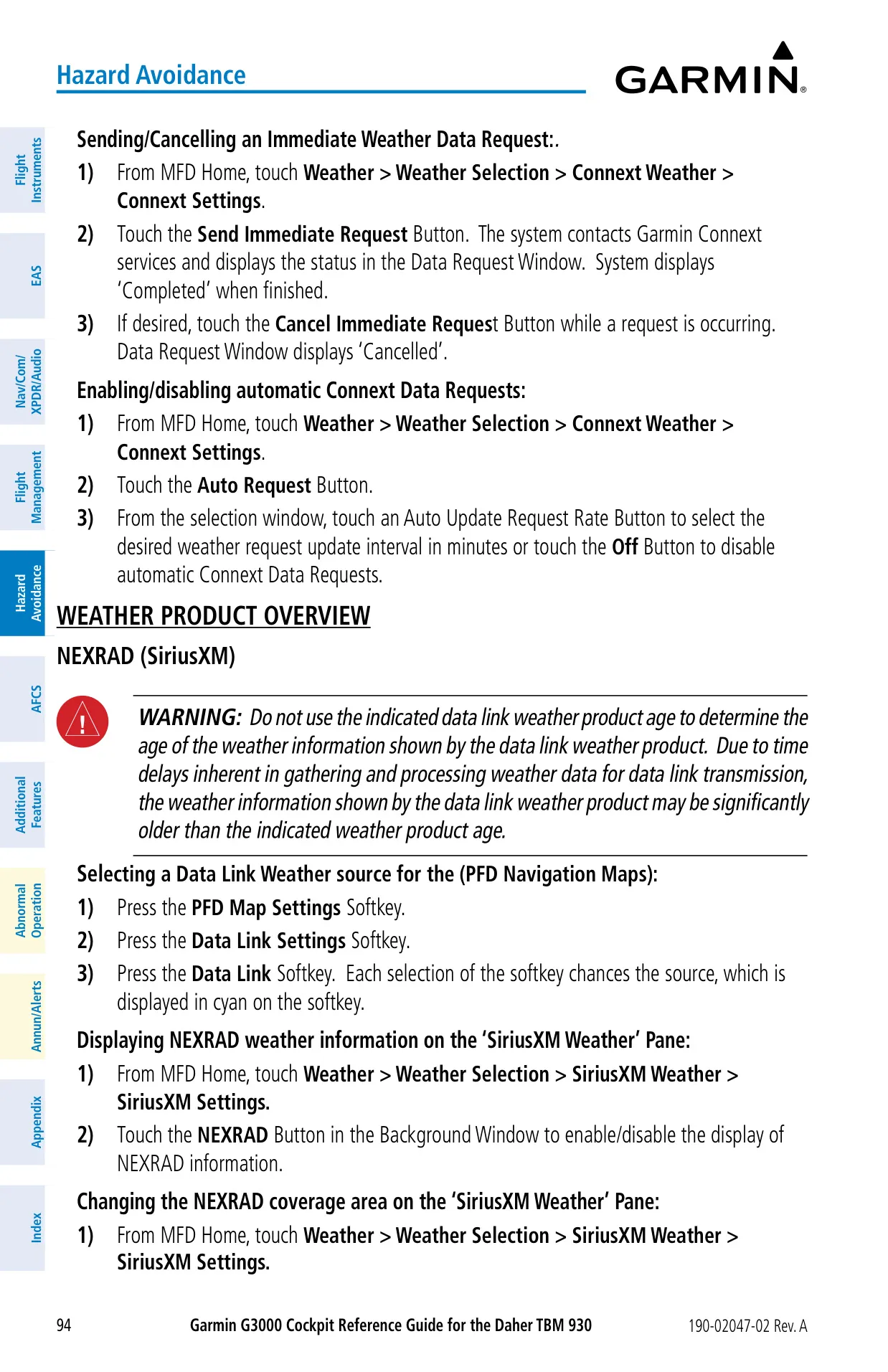

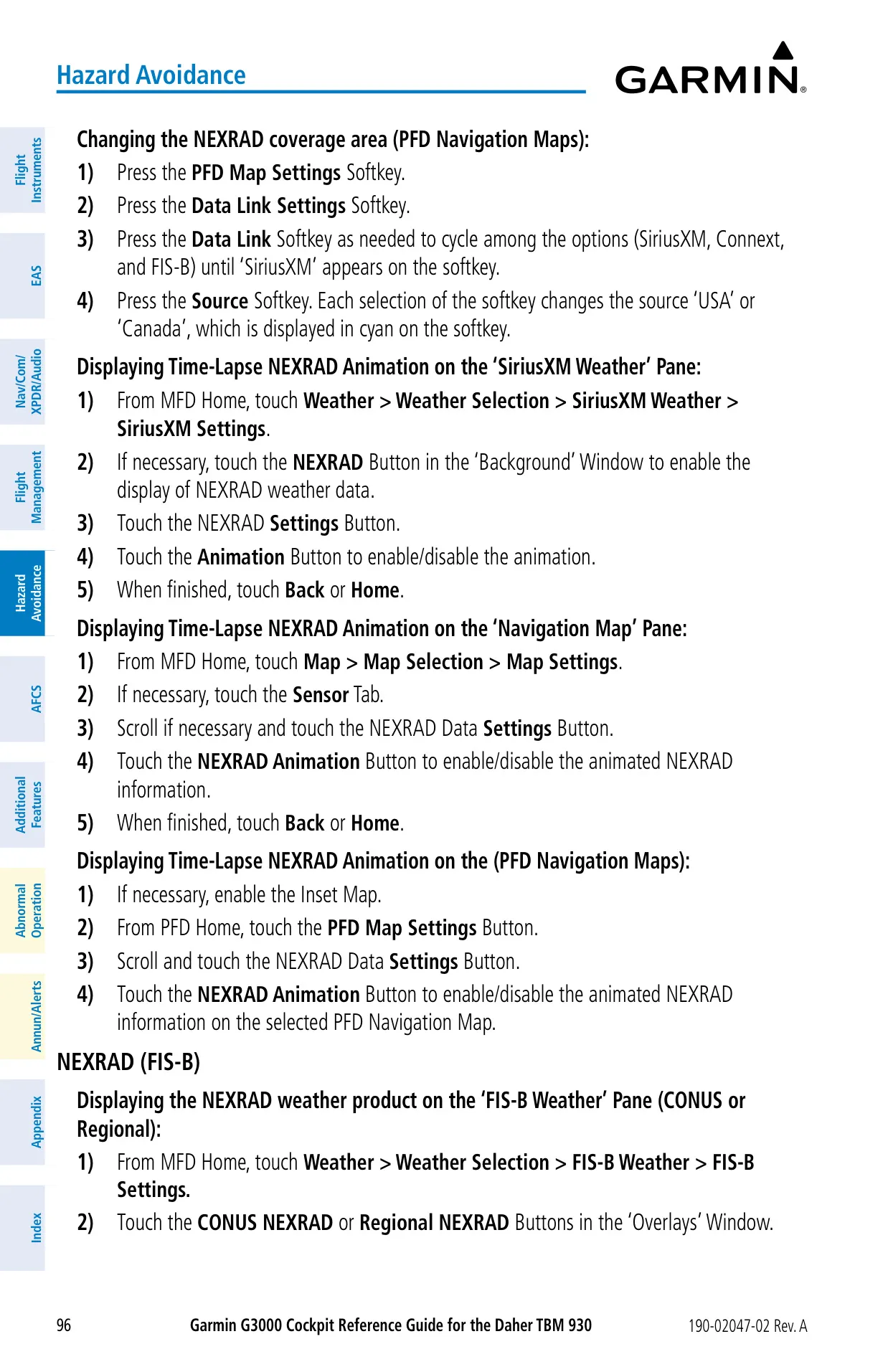
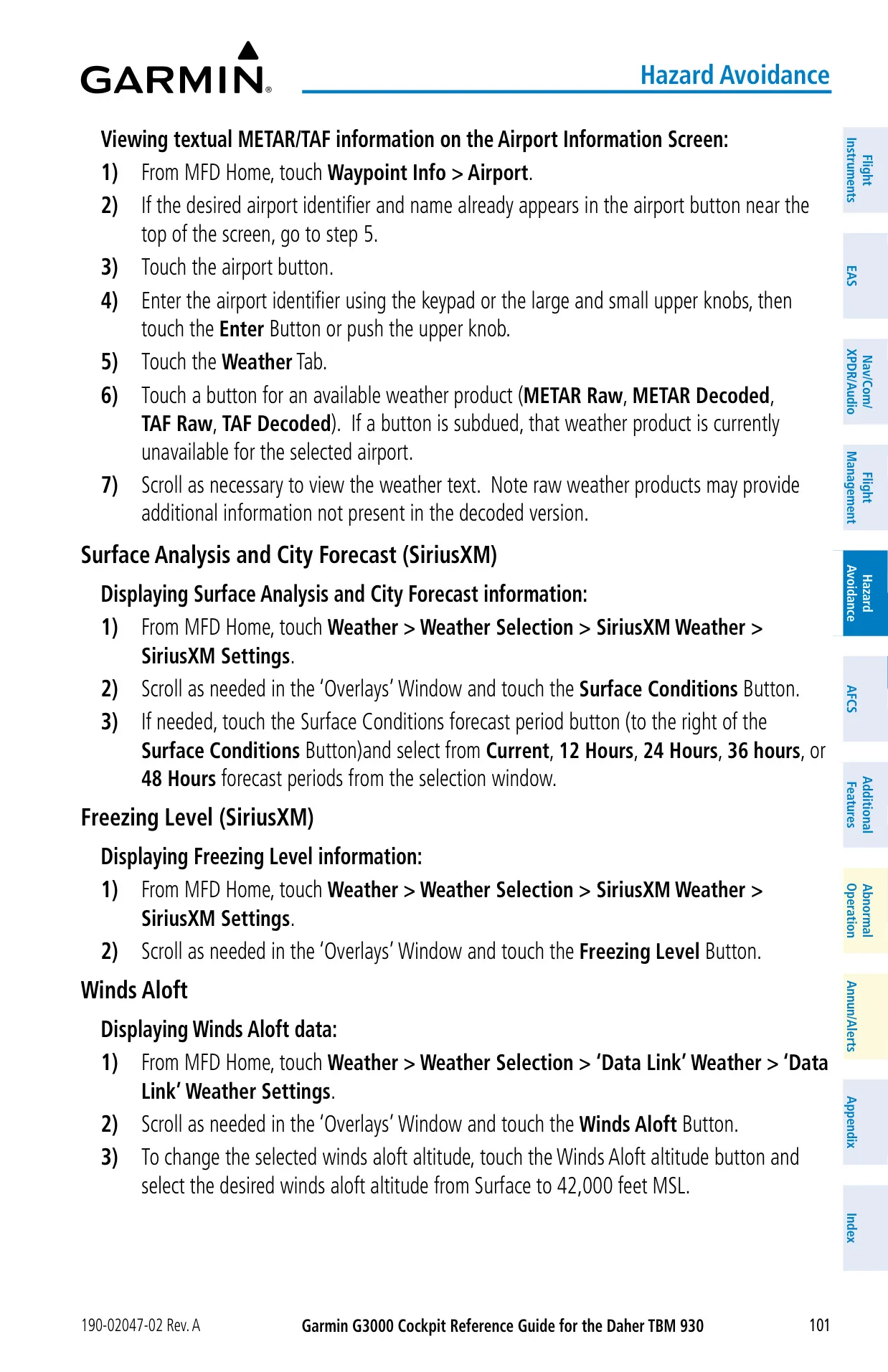
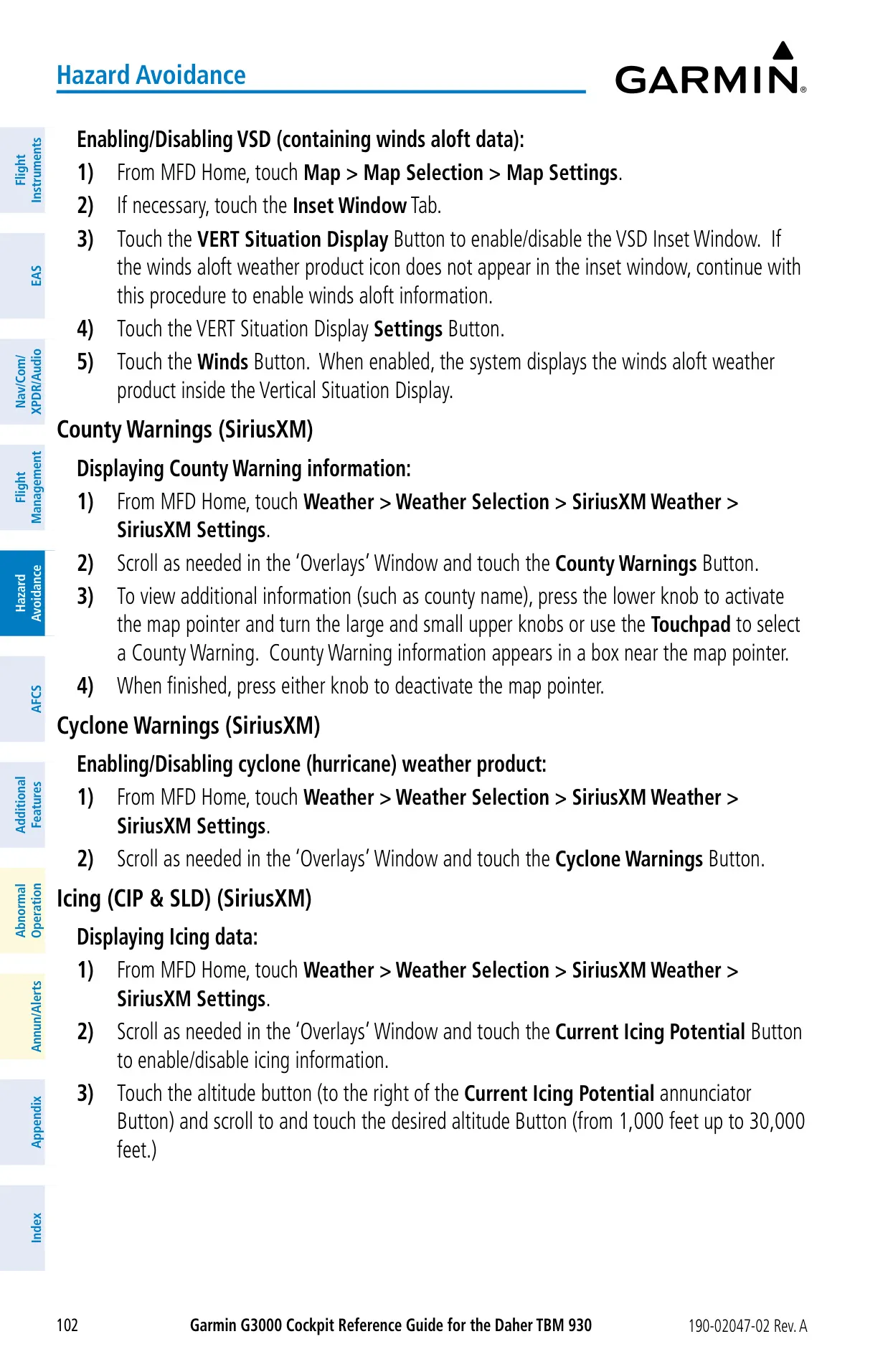


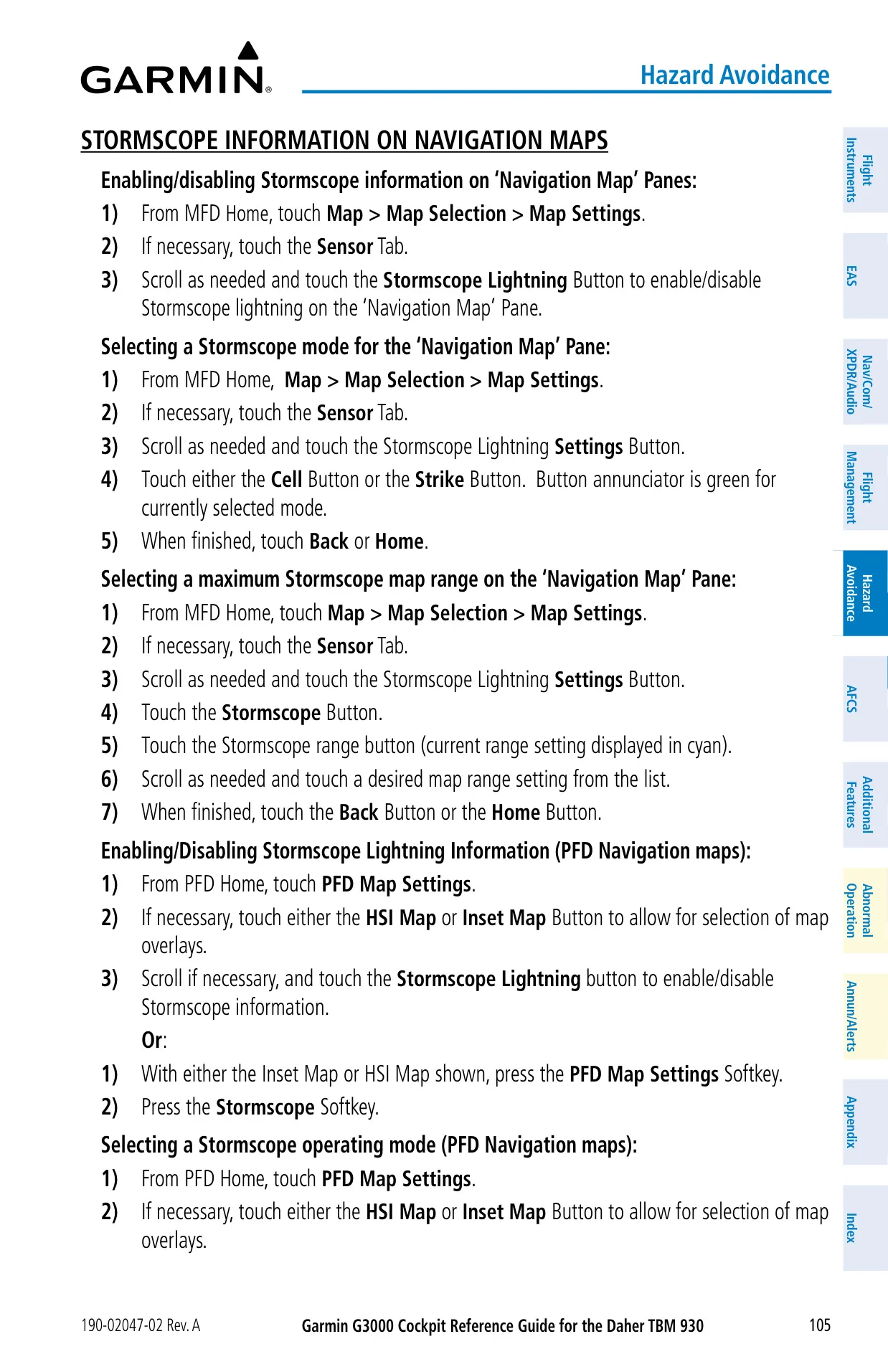

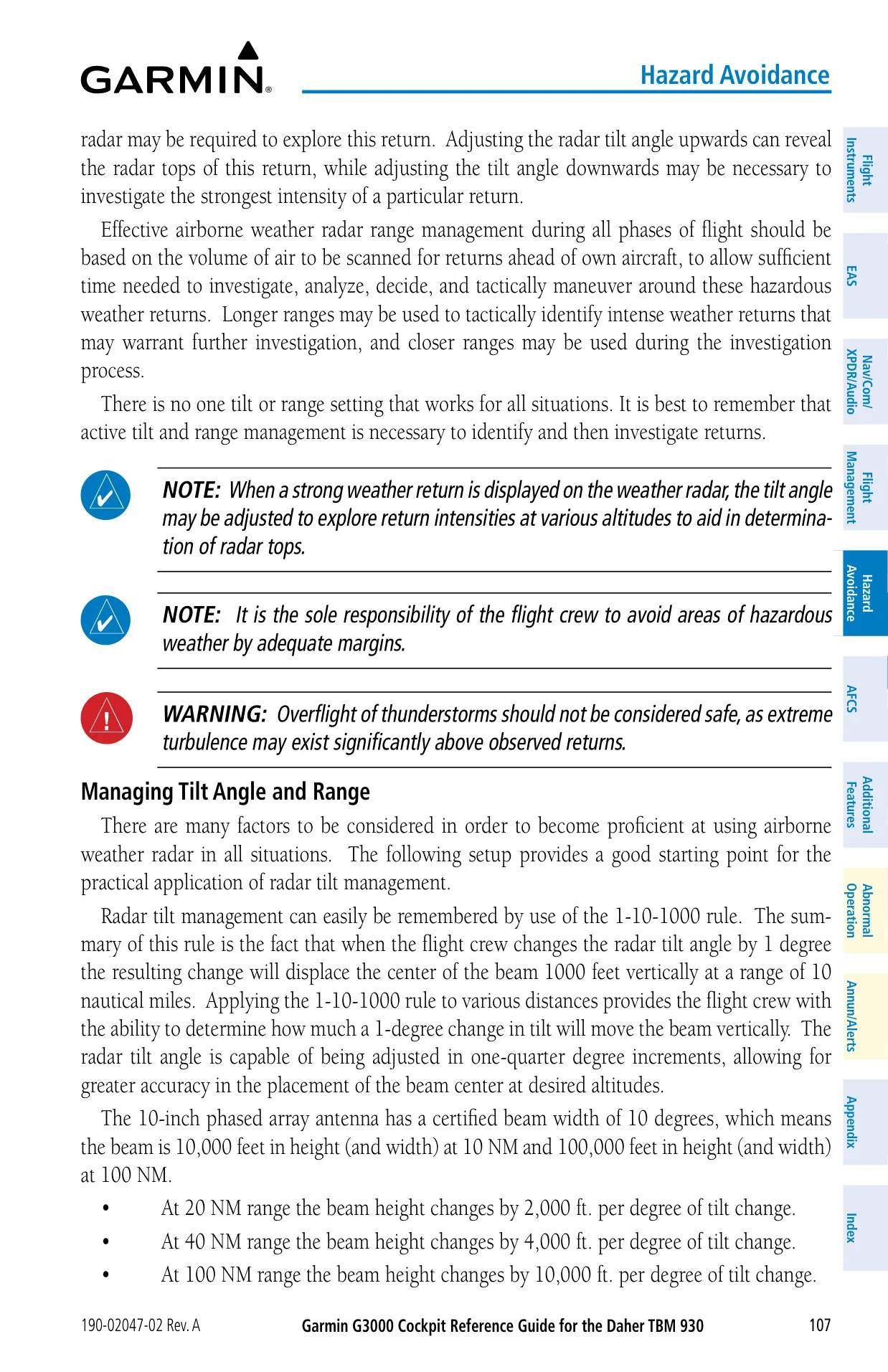





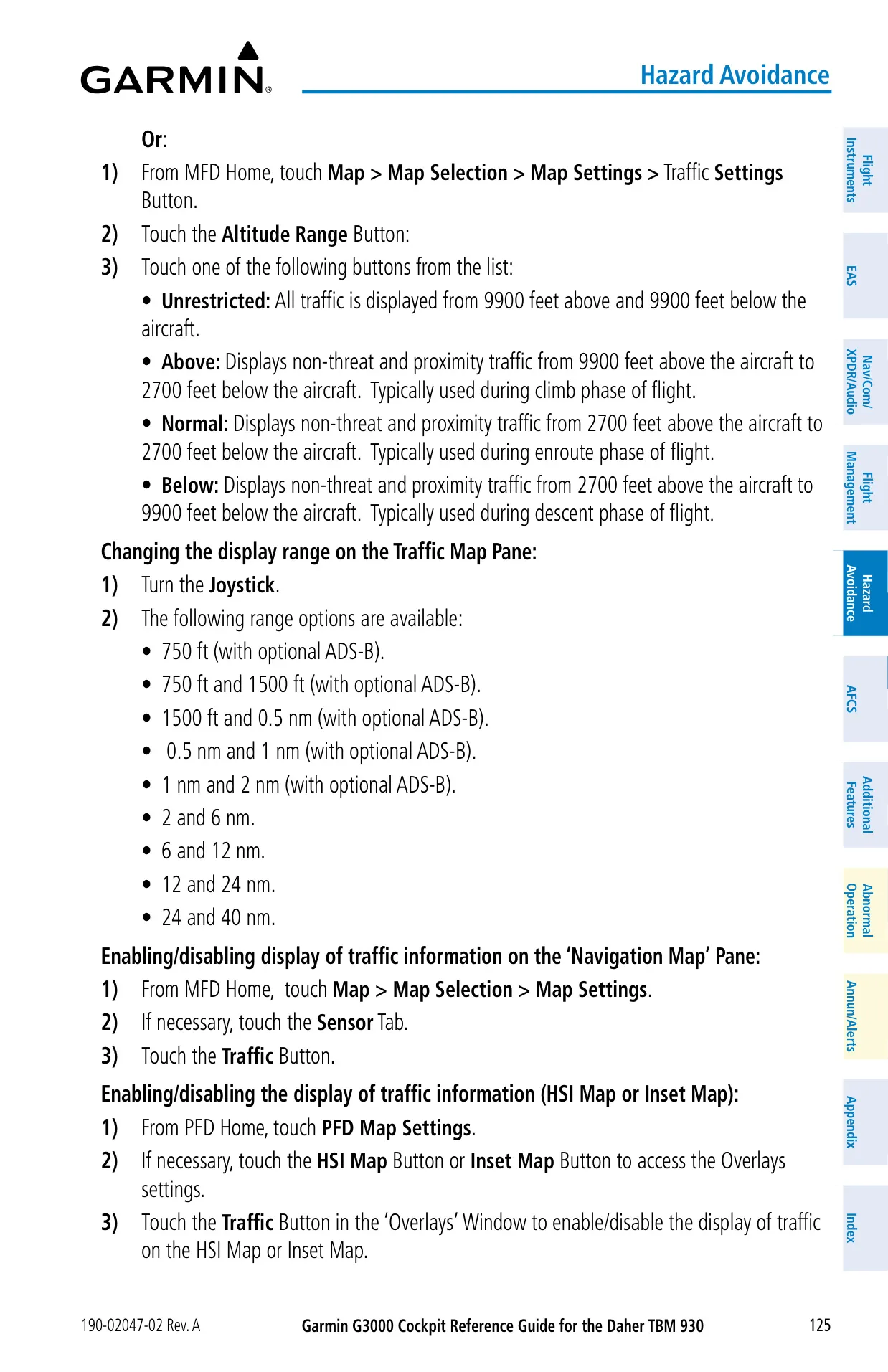
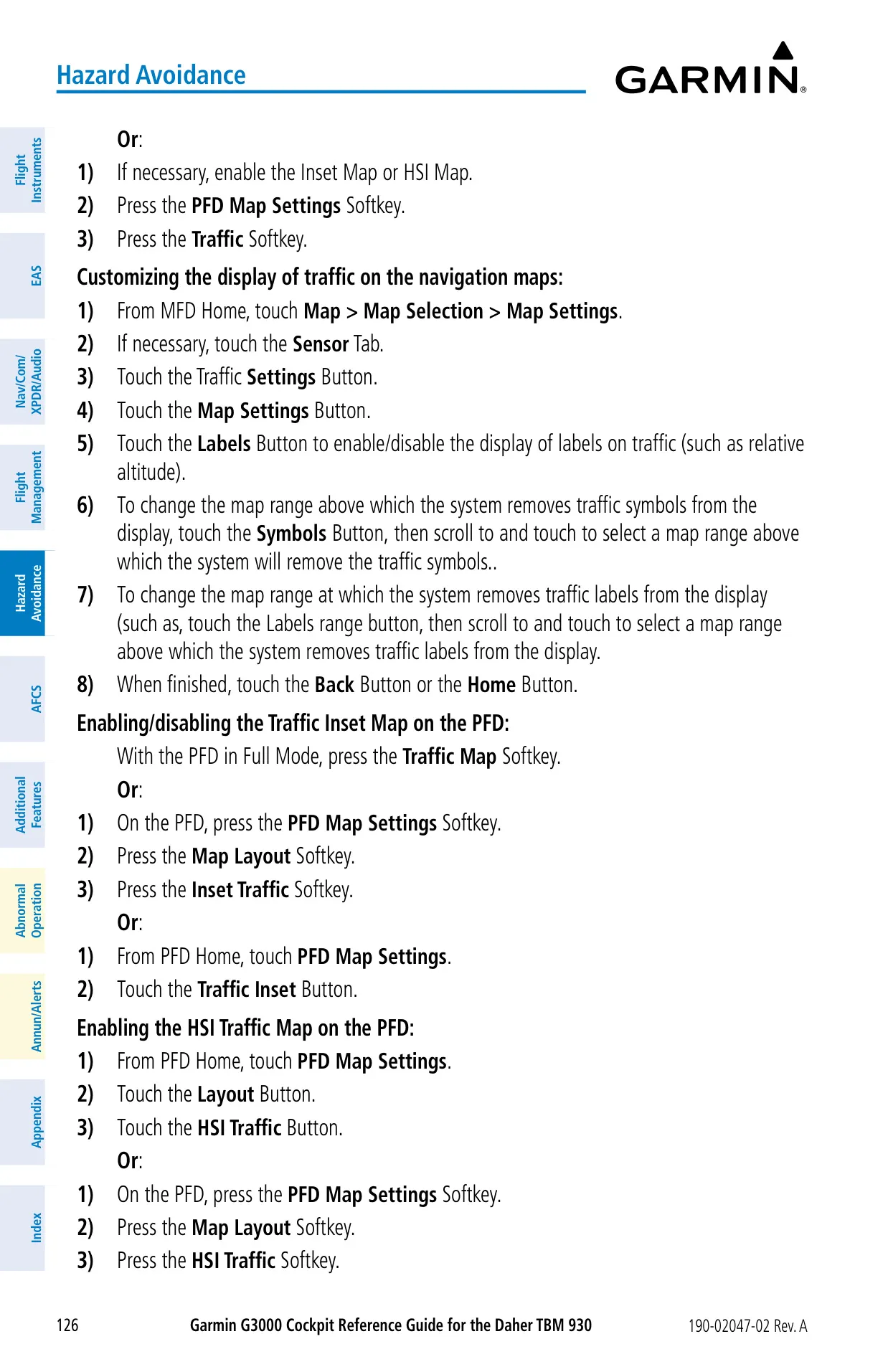
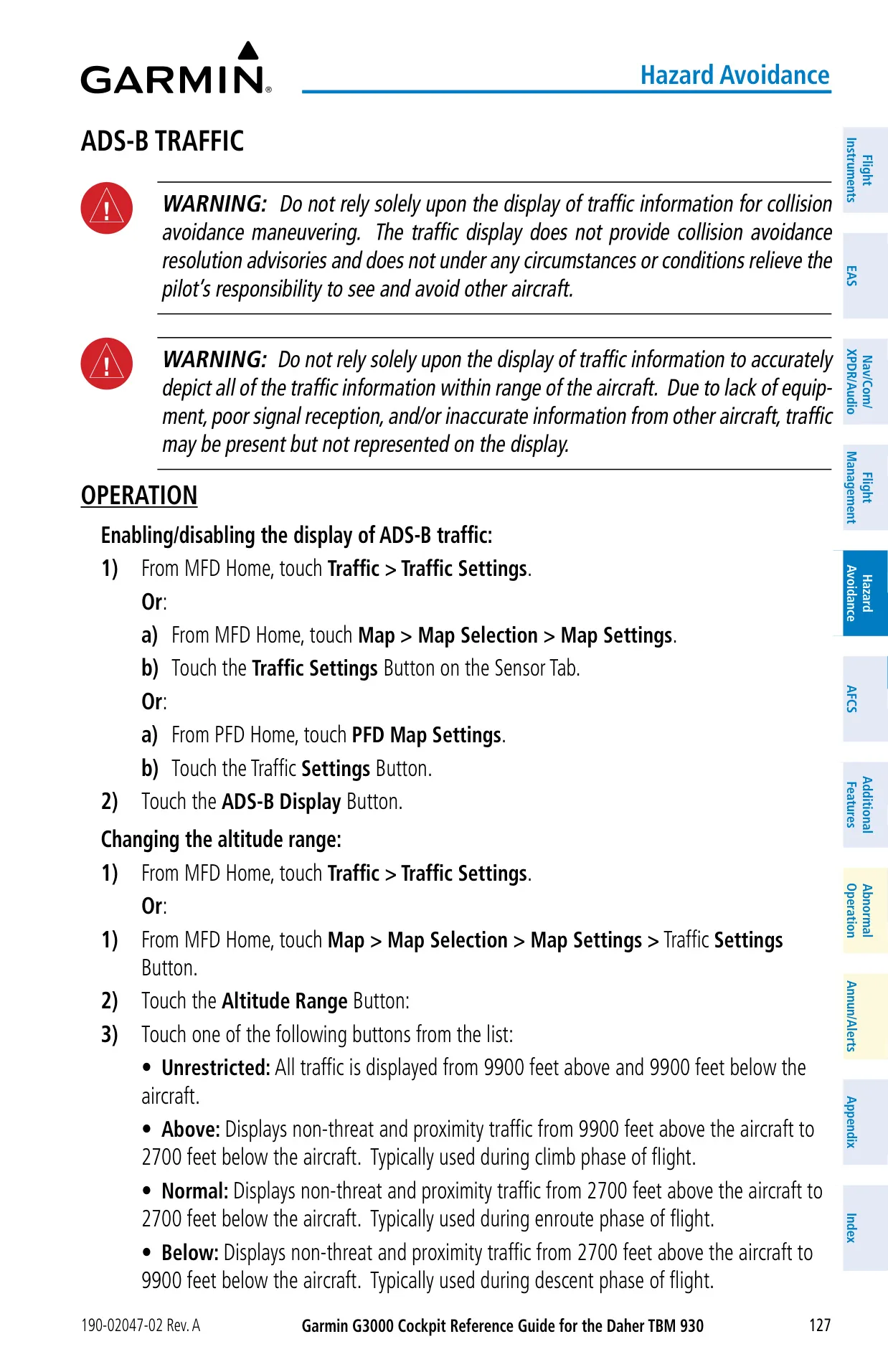





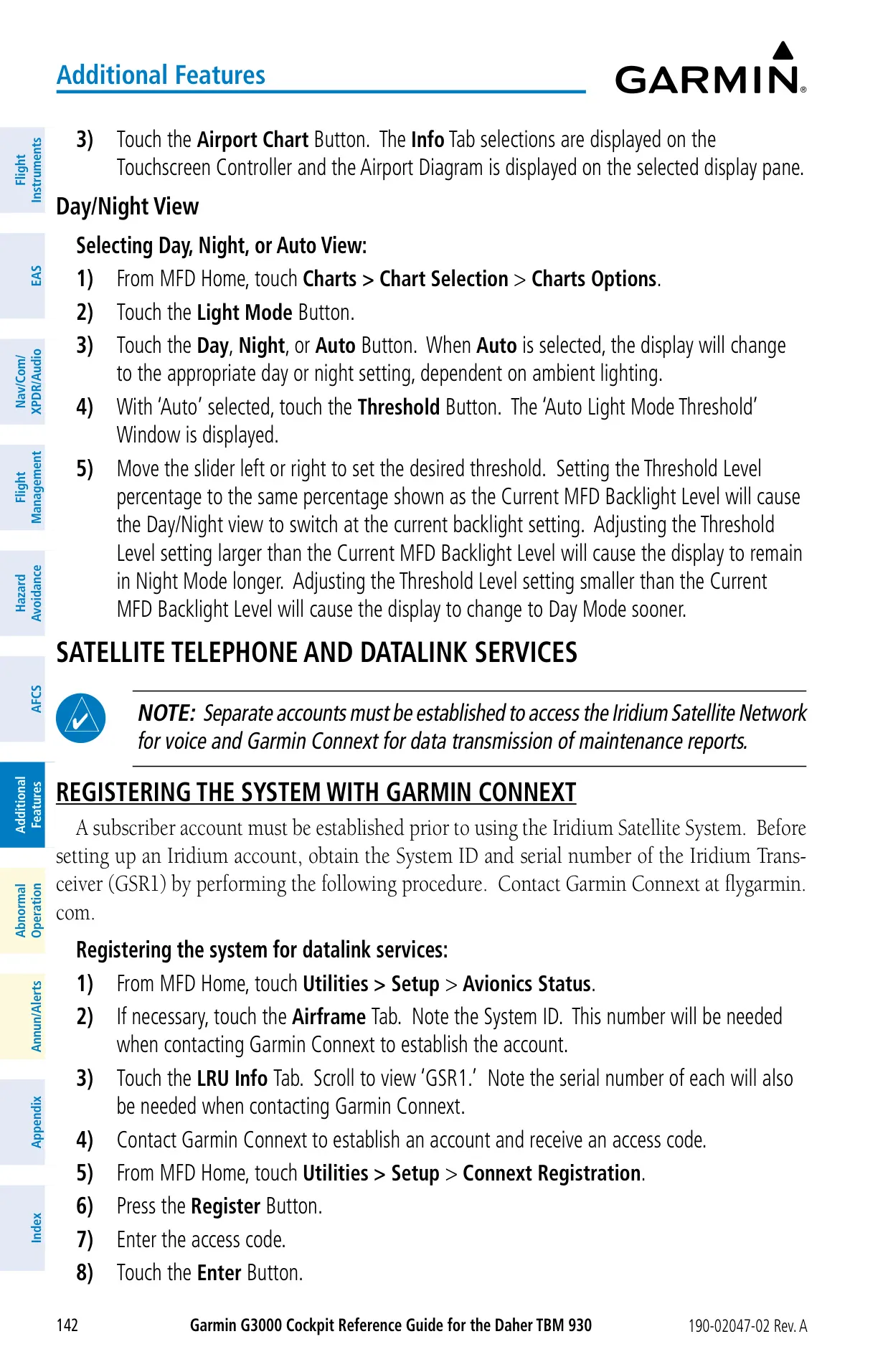
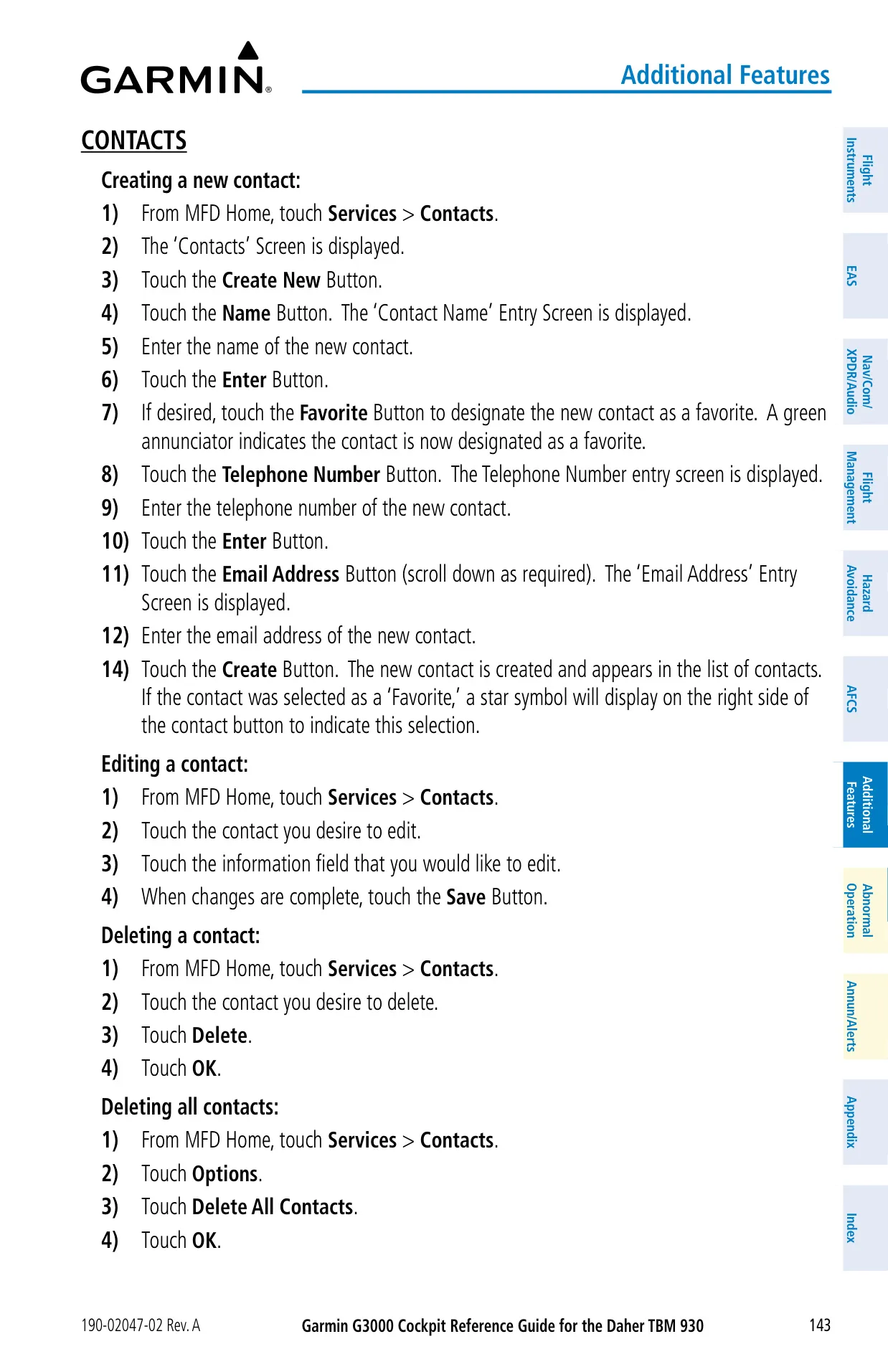

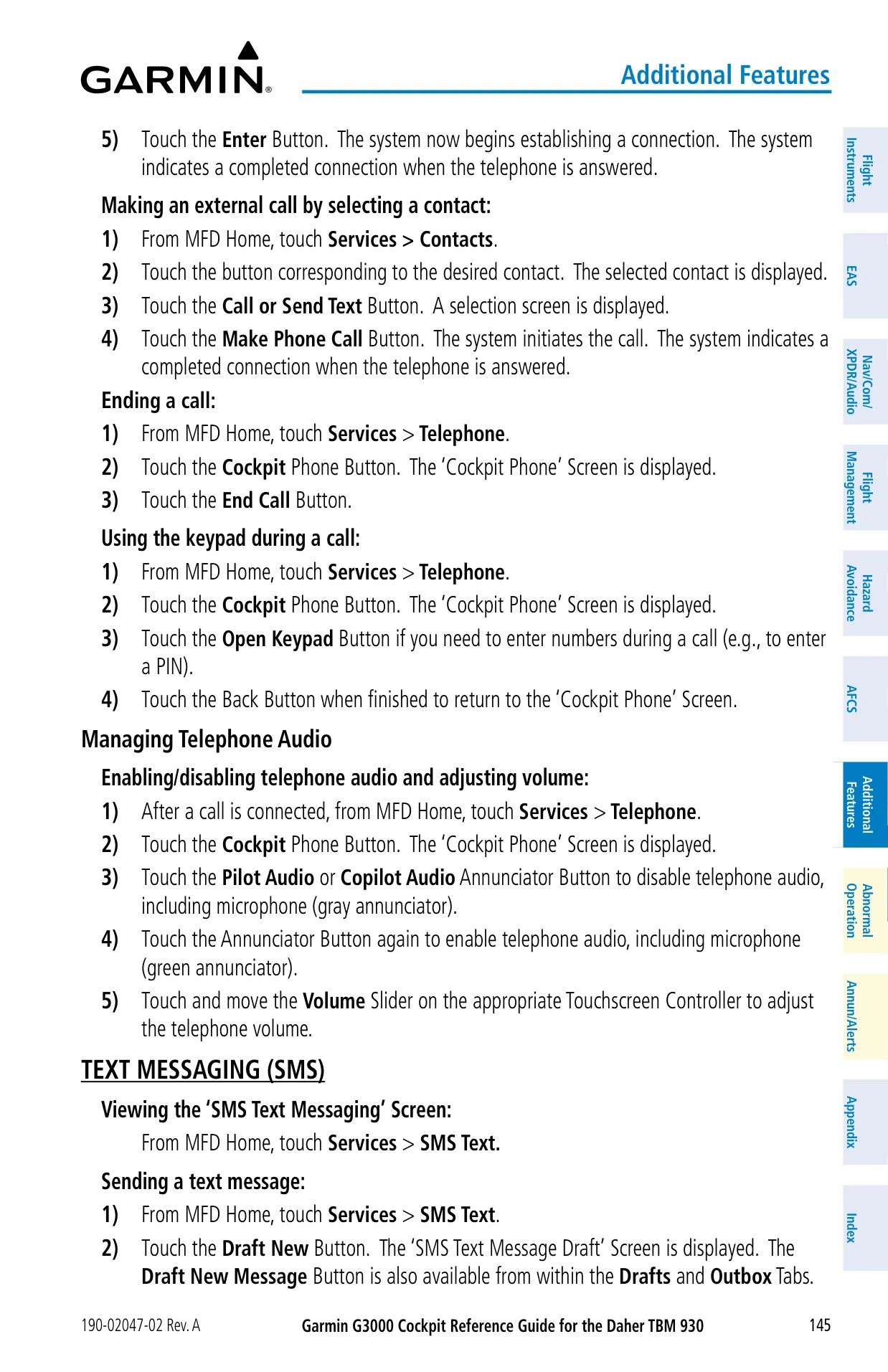
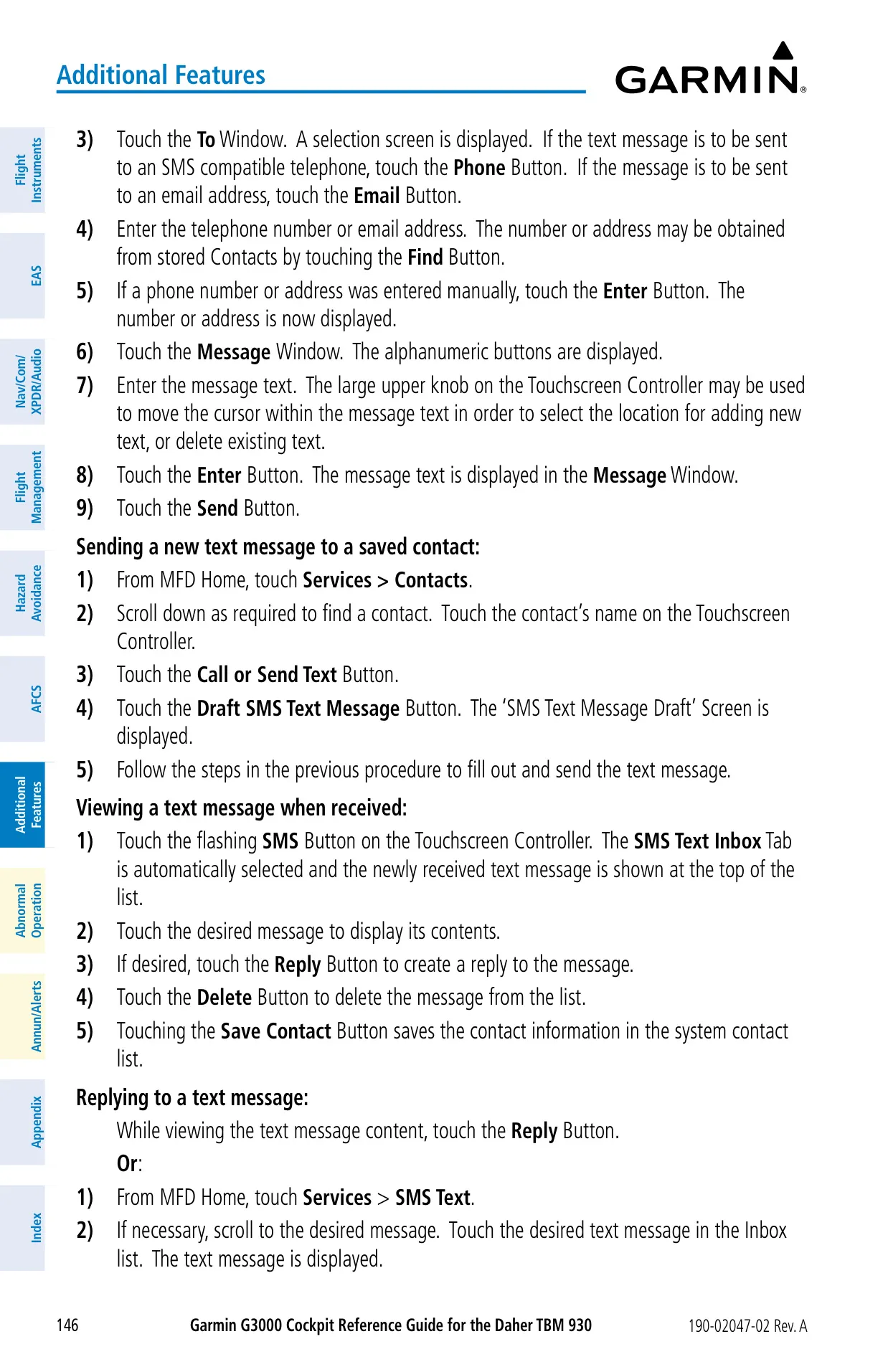


















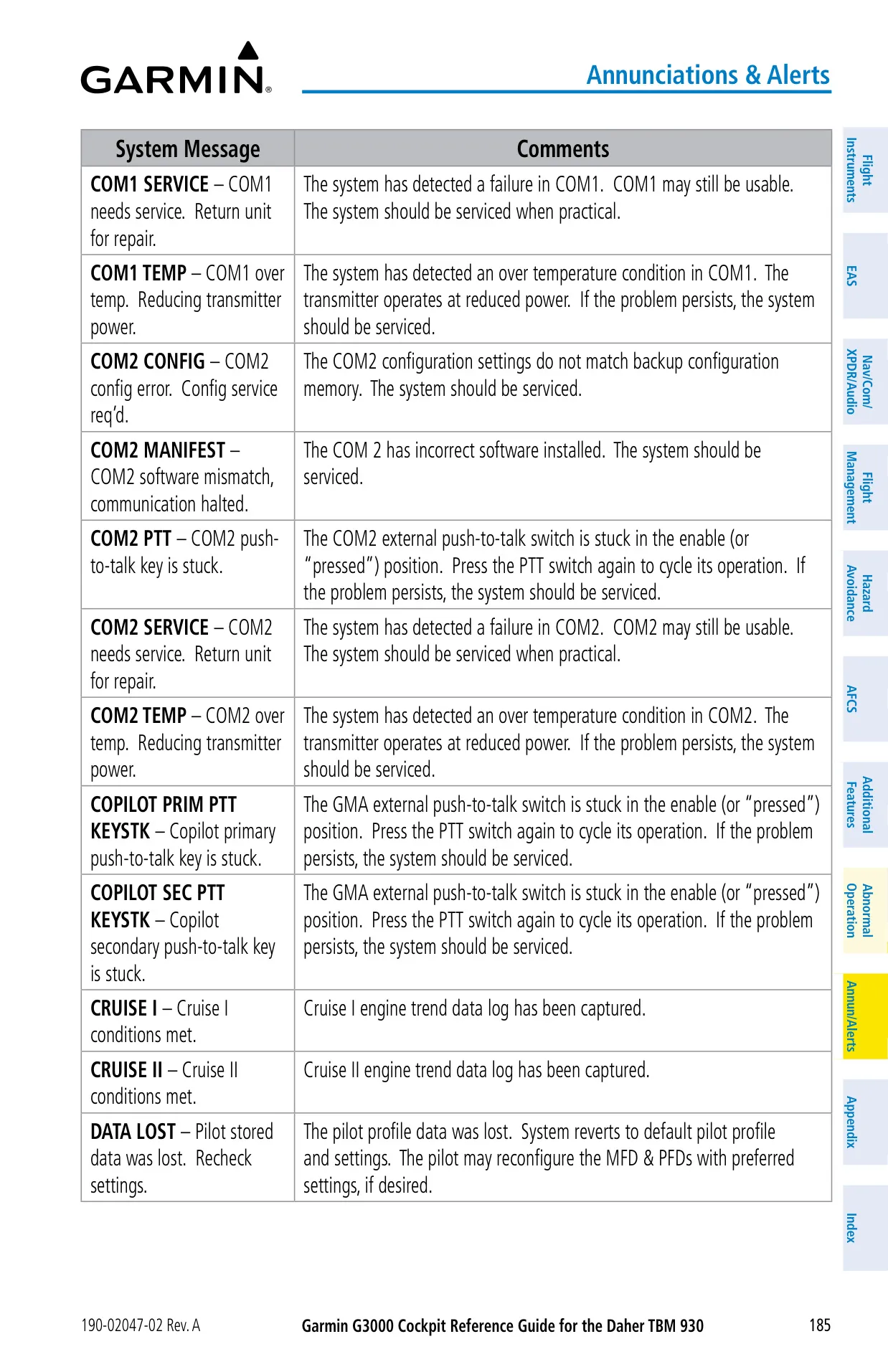
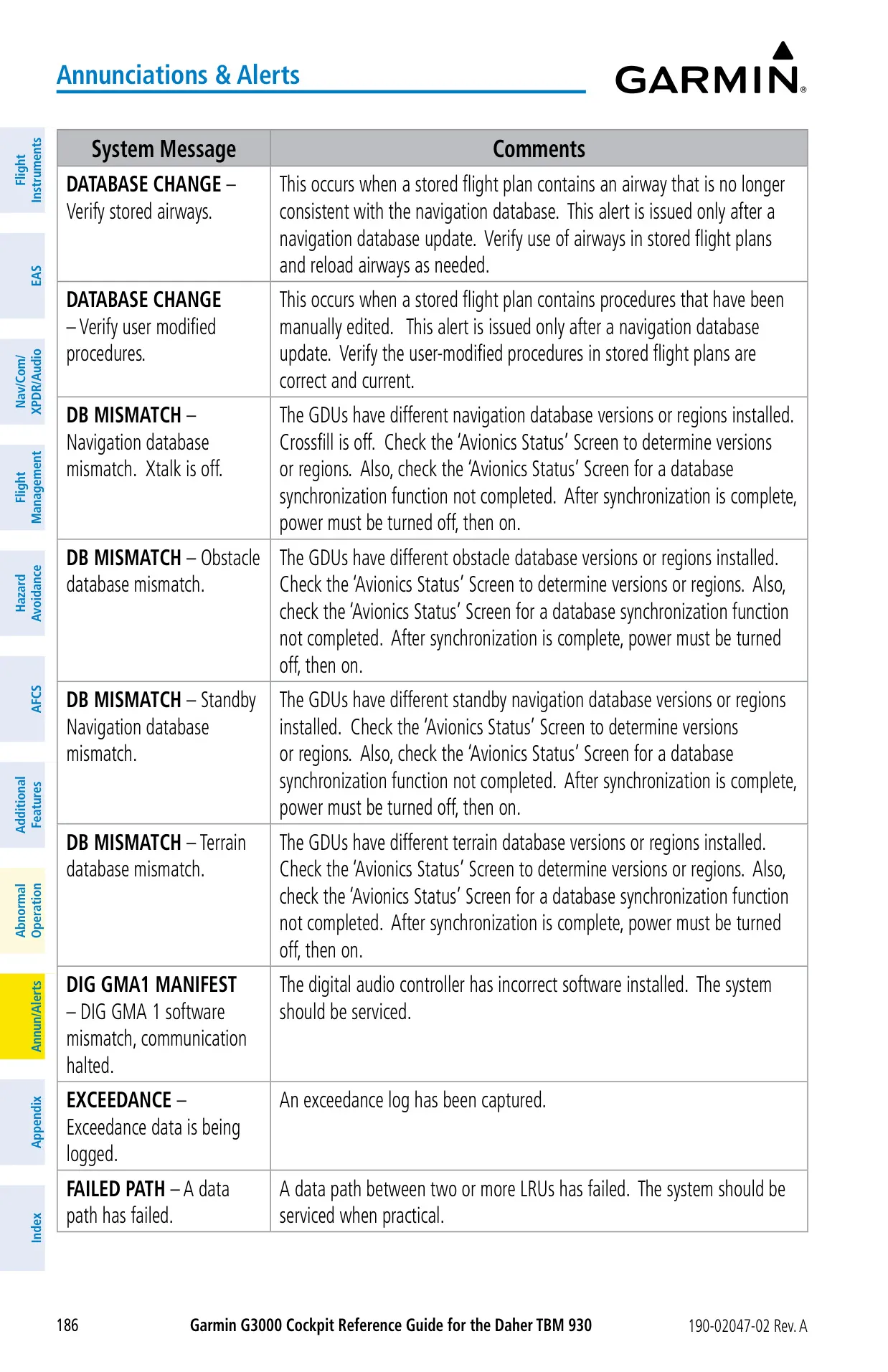
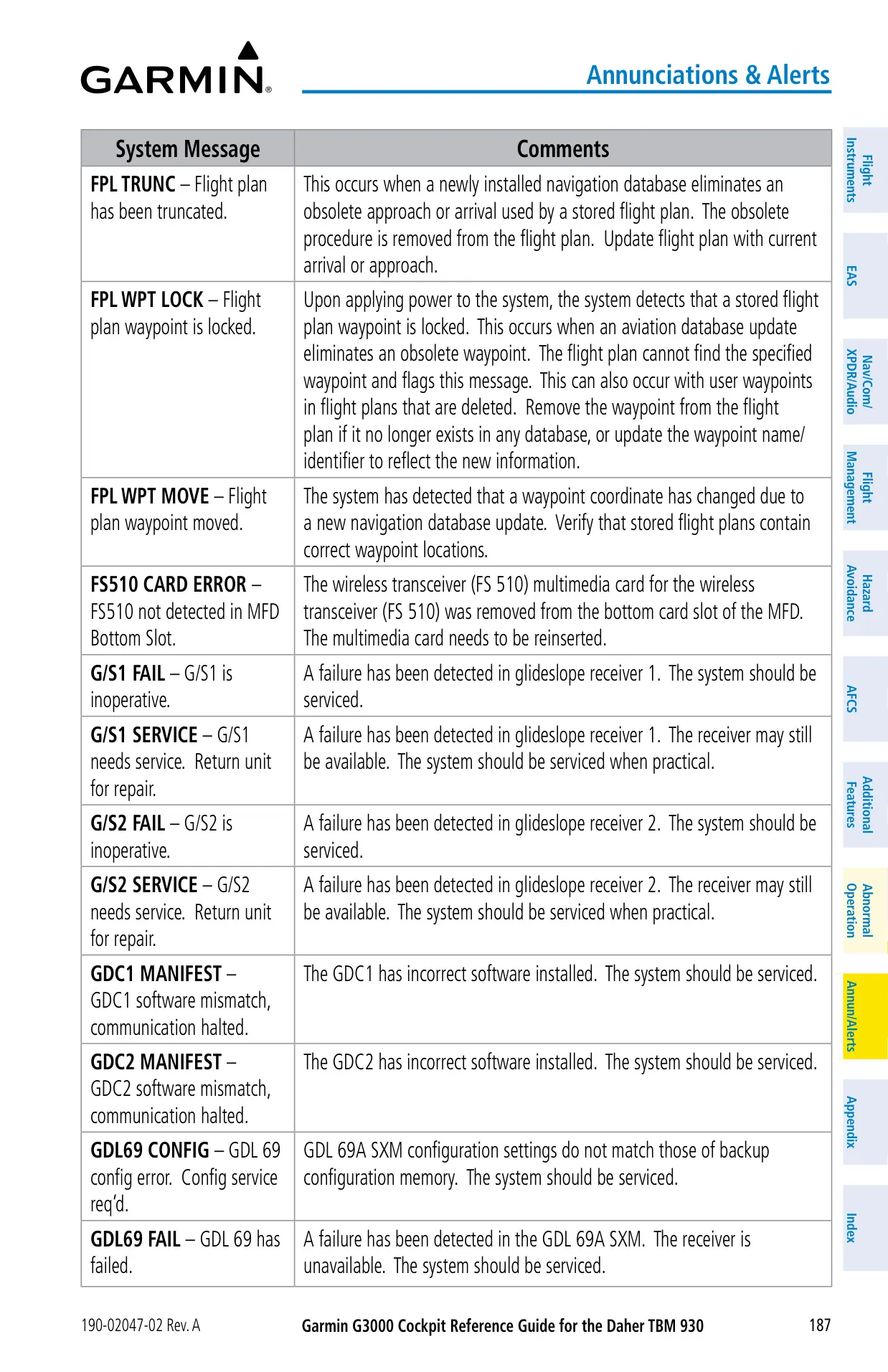
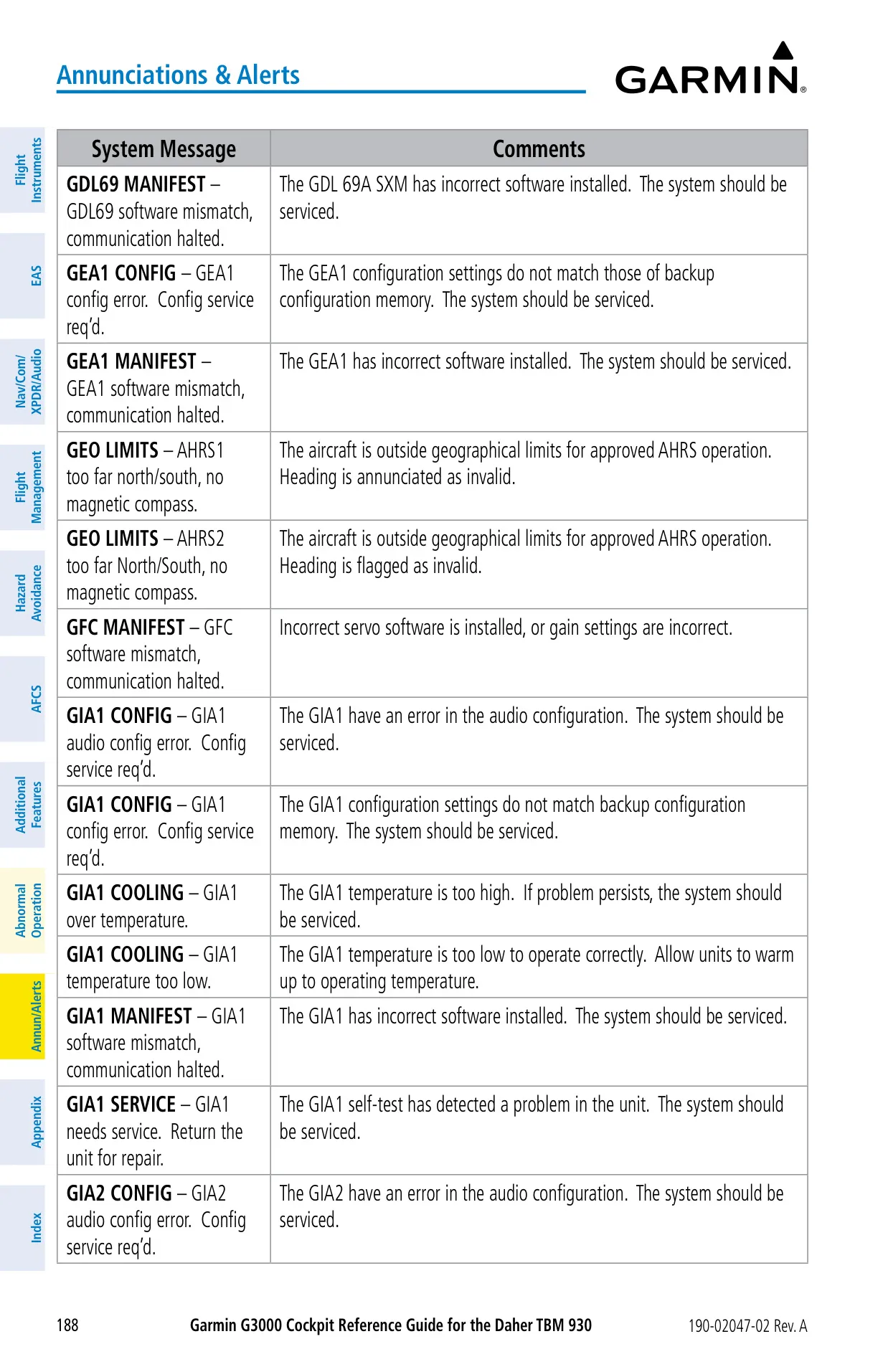


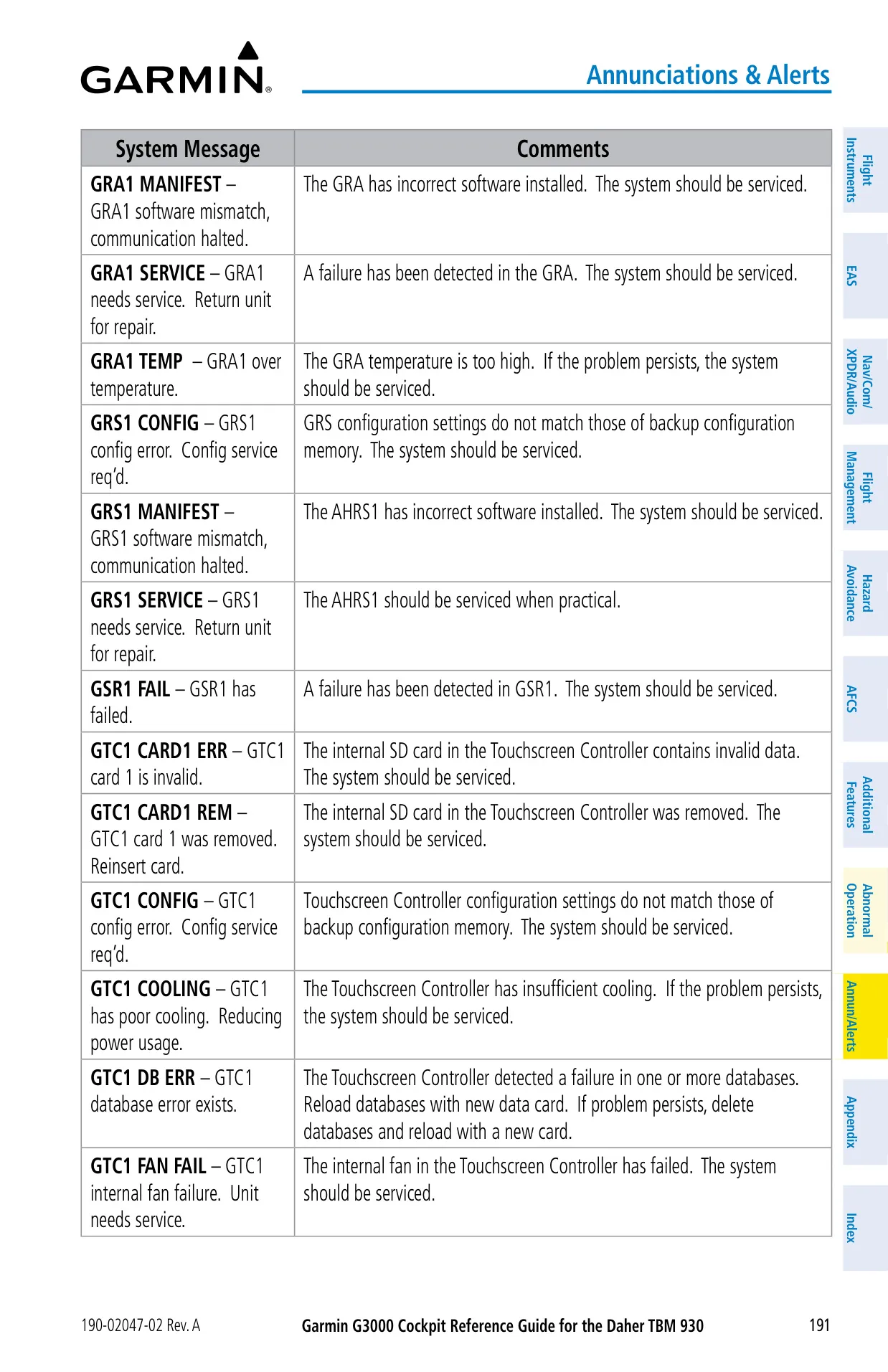
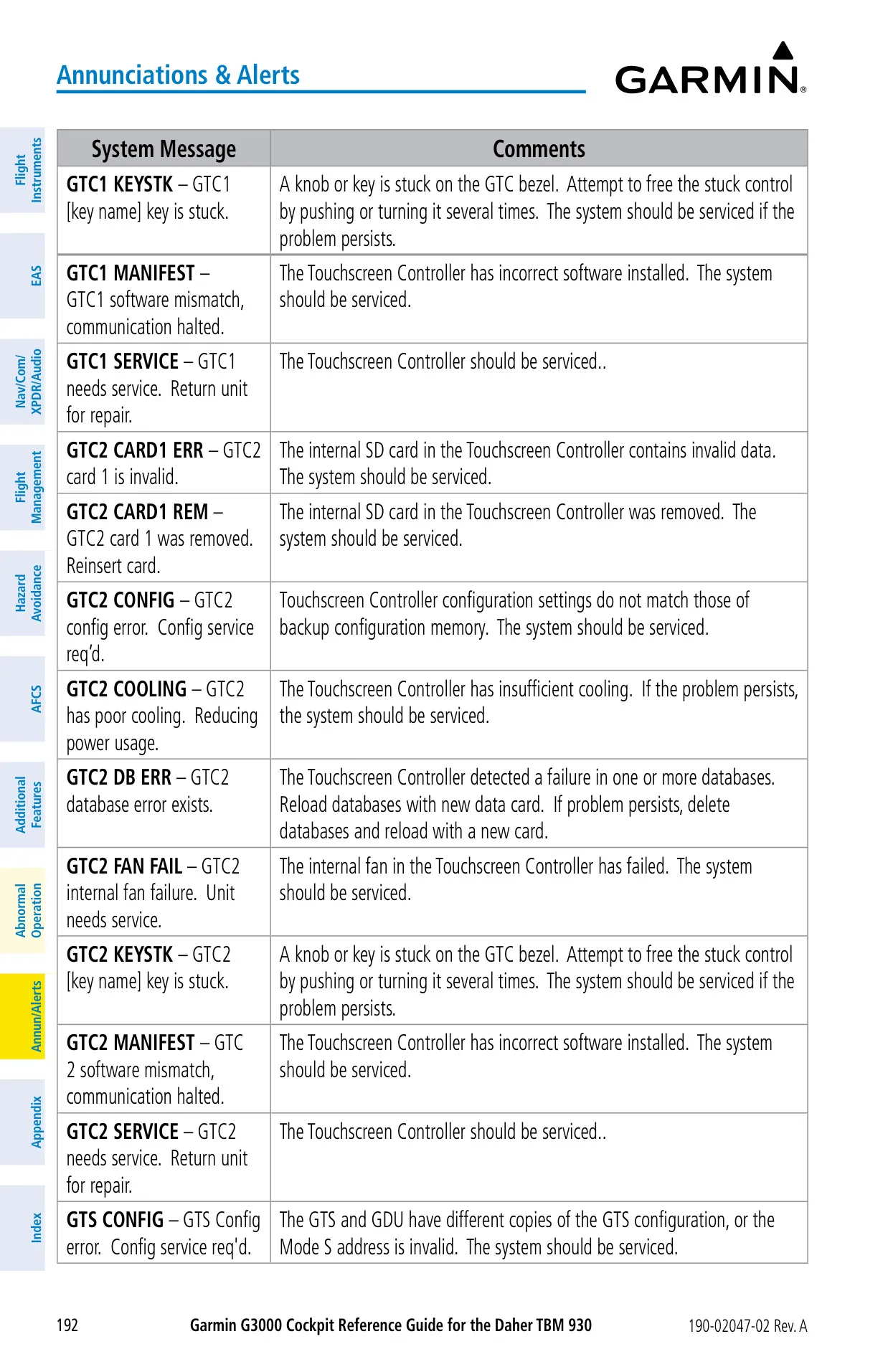
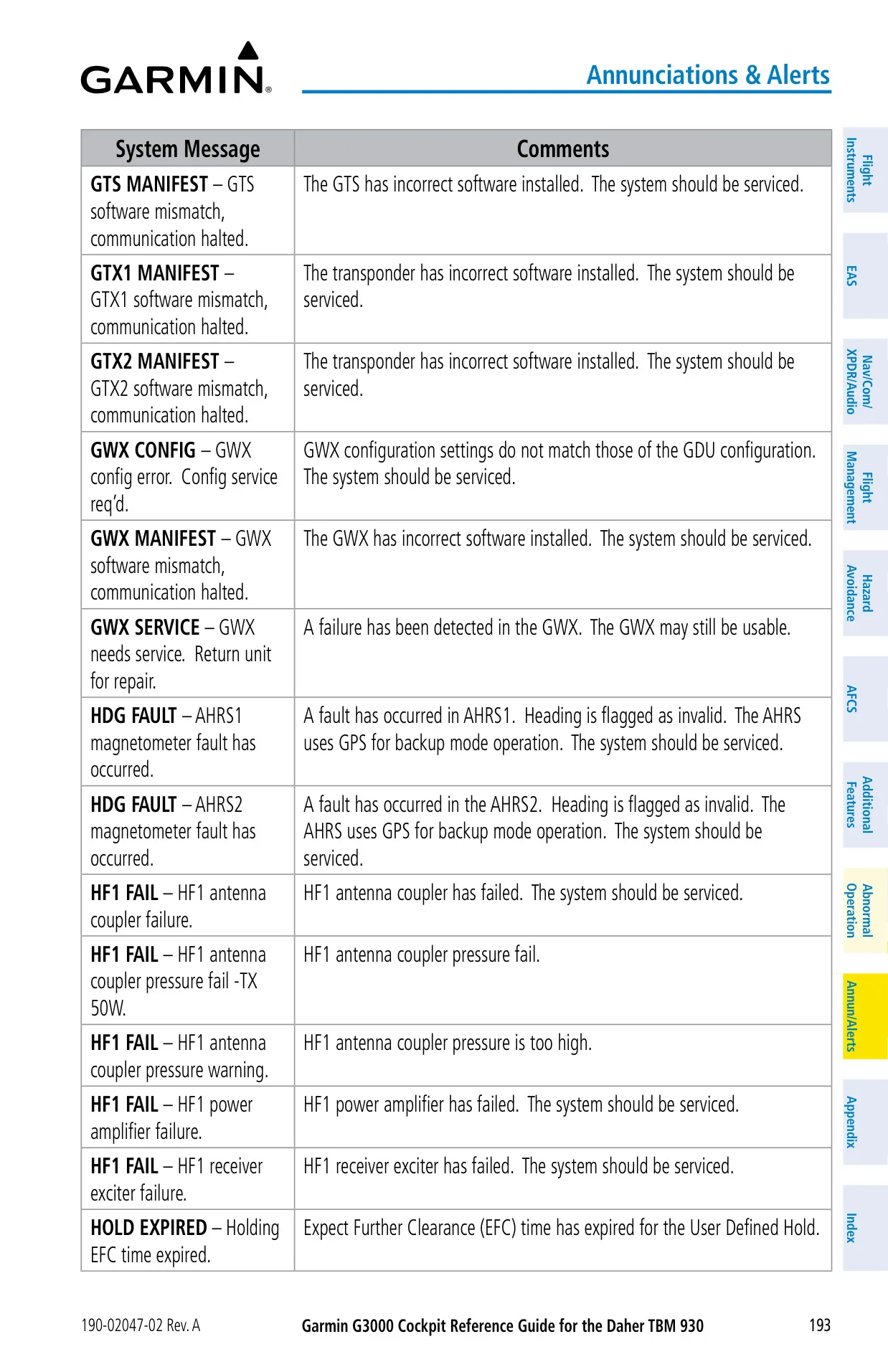
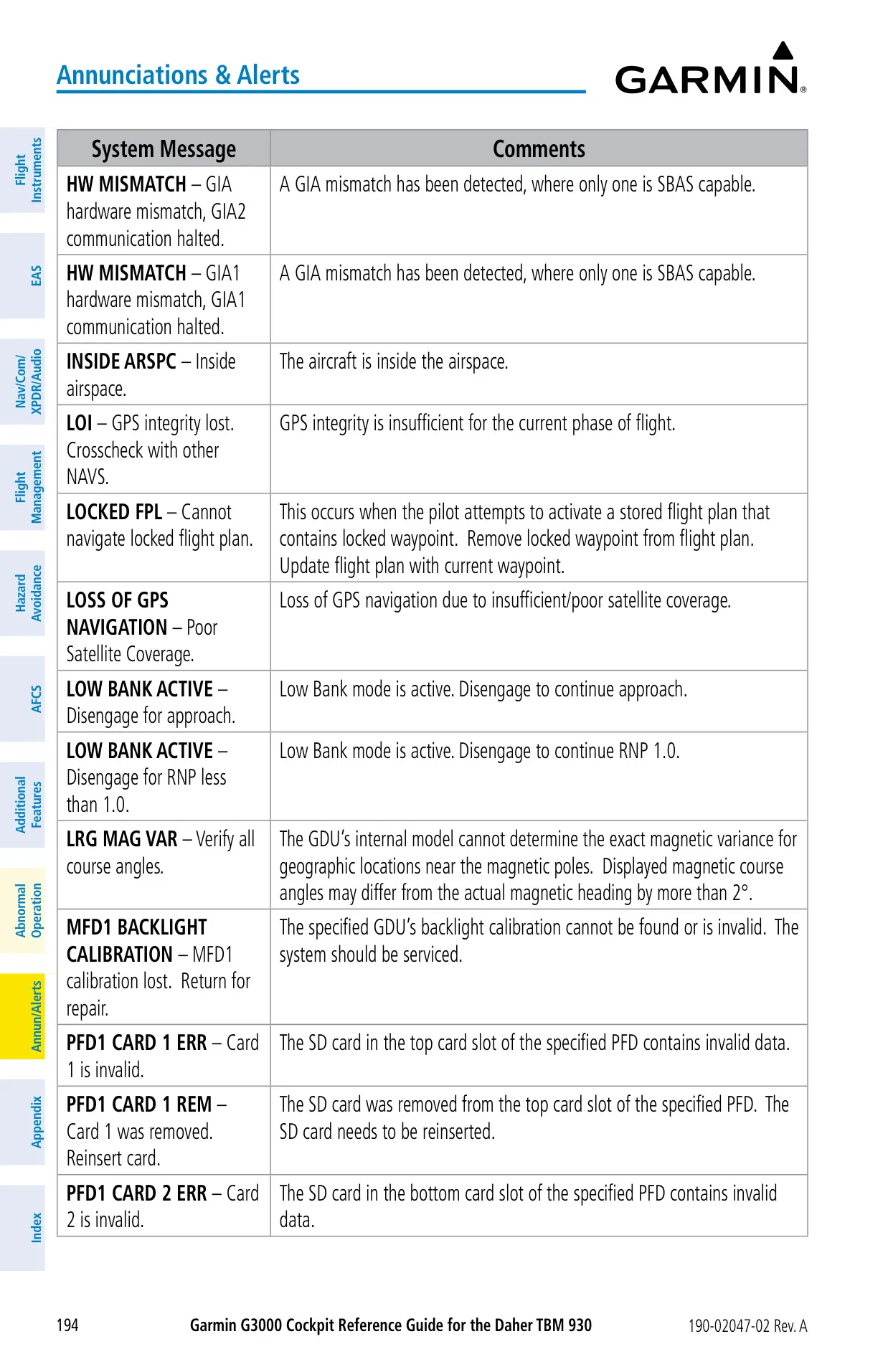


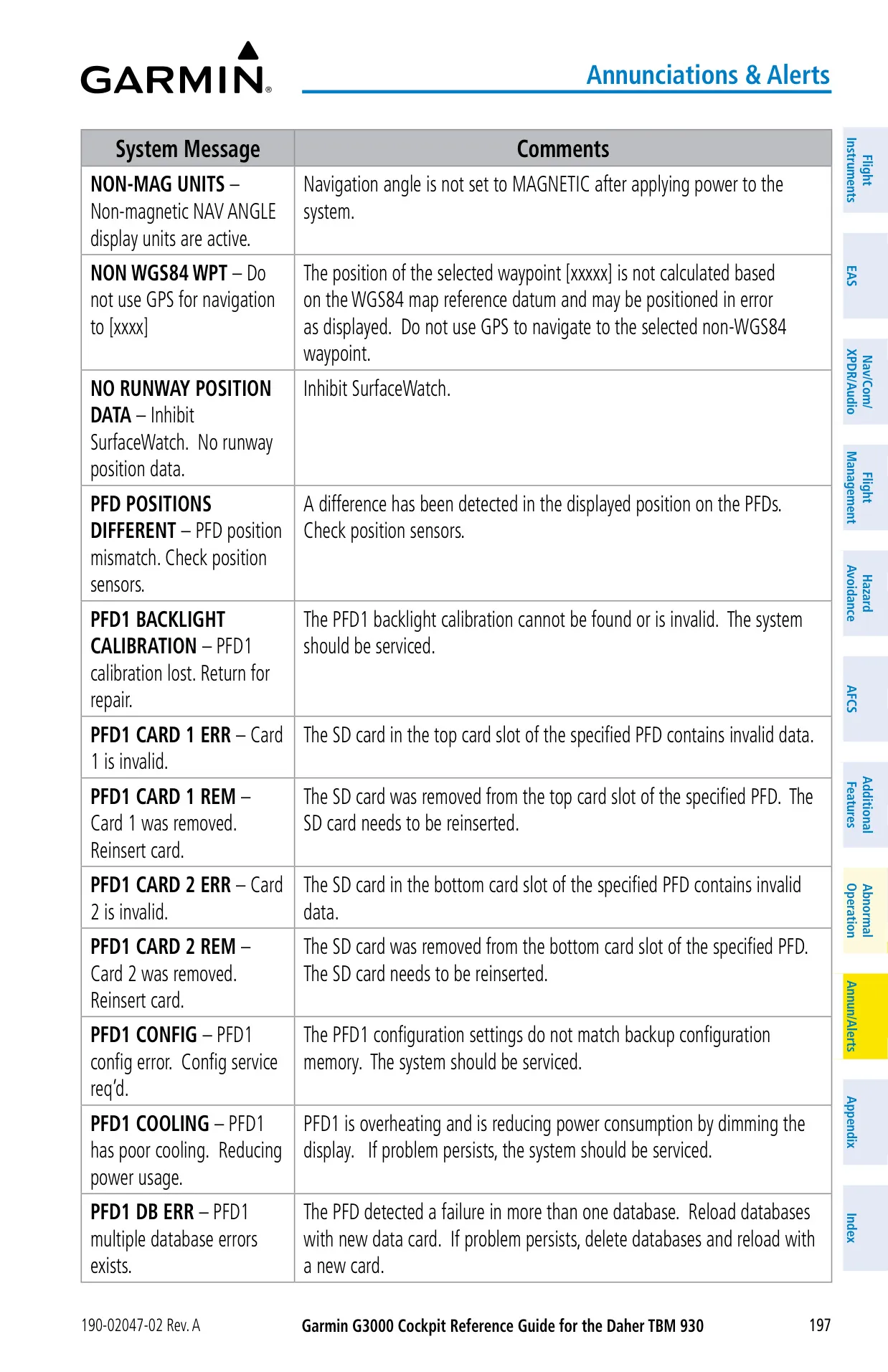
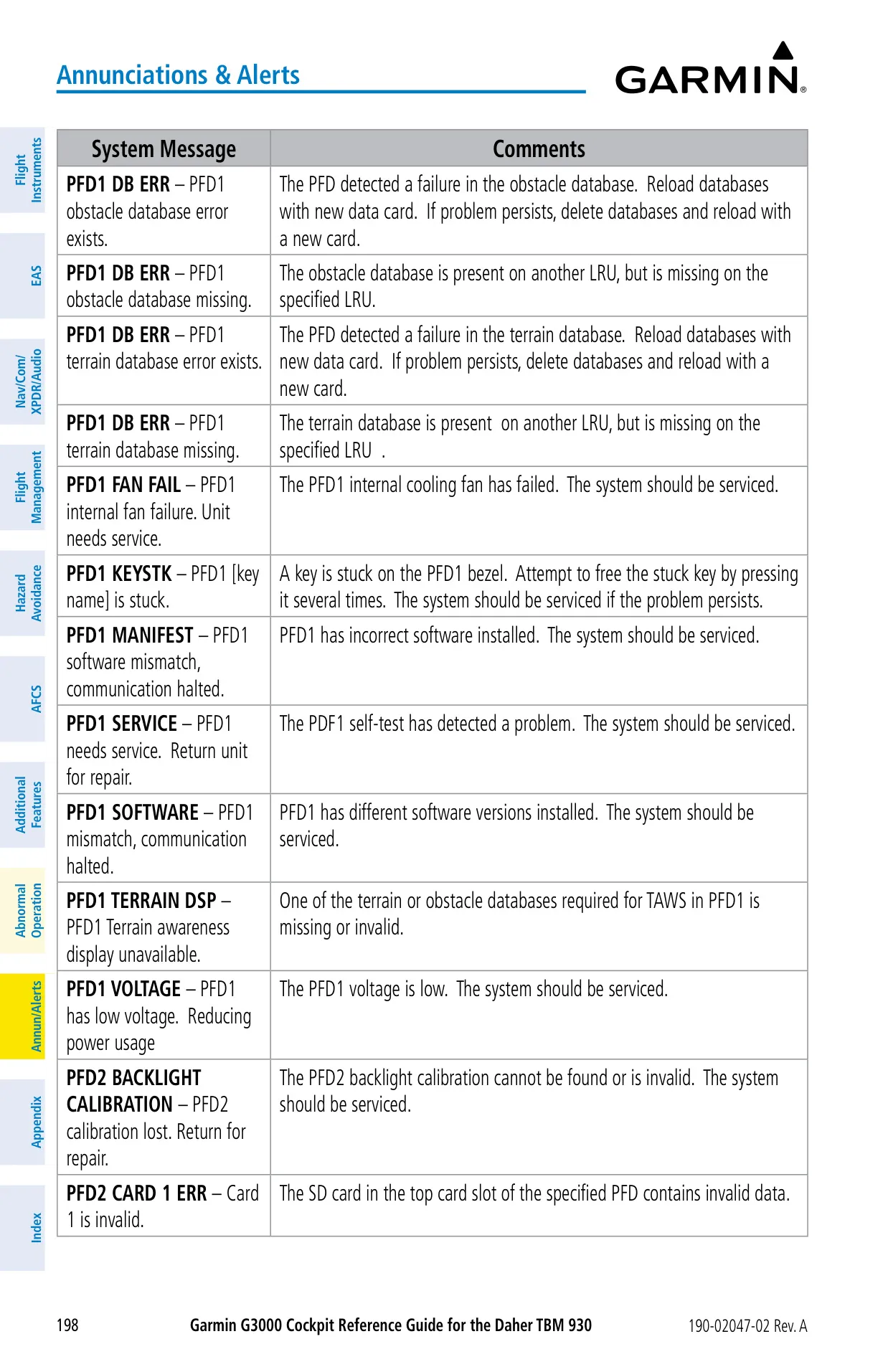

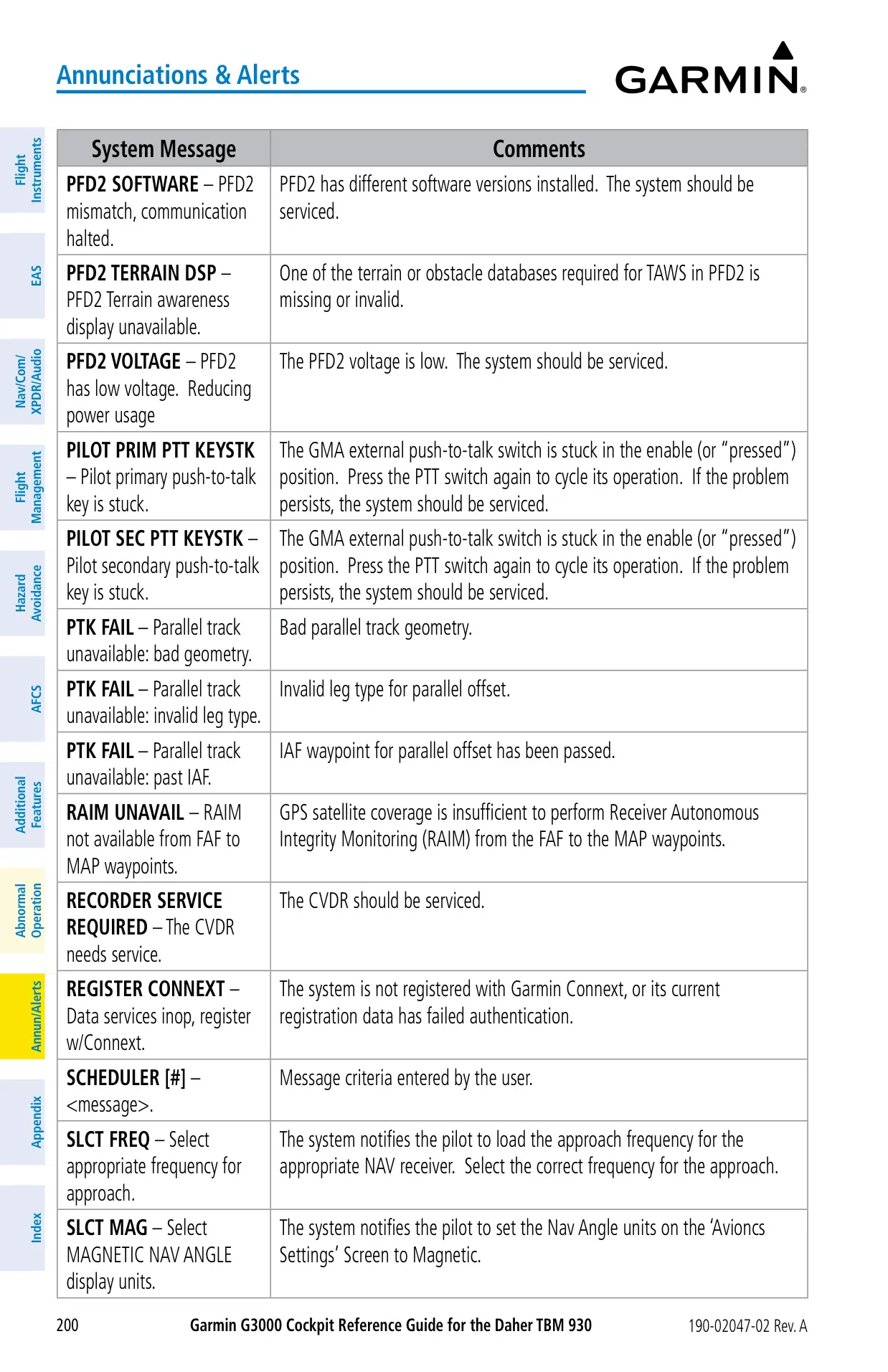
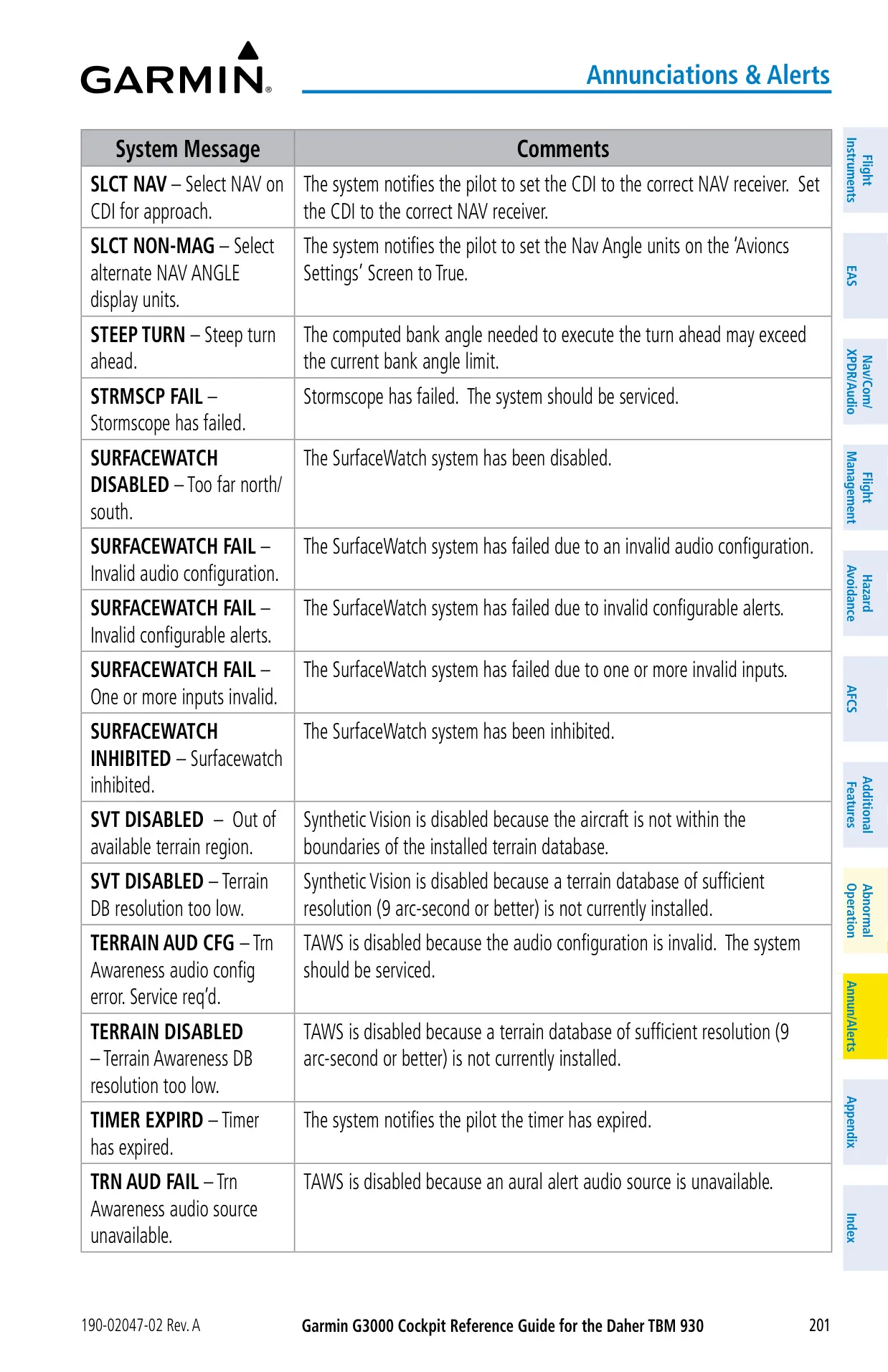


















Garmin G3000 Instructions
Here we offer the Garmin G3000 Panel Avionics Unit manual completely free and in English. We have cataloged this manual in the Panel Avionics Units section on Manualverse, and it has been rated by 1 users with an average rating of 5. If you have any specific questions about Garmin G3000 Panel Avionics Unit, we suggest checking the Frequently Asked Questions (FAQs) section of this manual.
Product Images
Garmin G3000 Panel Avionics Unit Specifications
| Feature | Specification |
|---|---|
| Aircraft Installation | Daher TBM 930 |
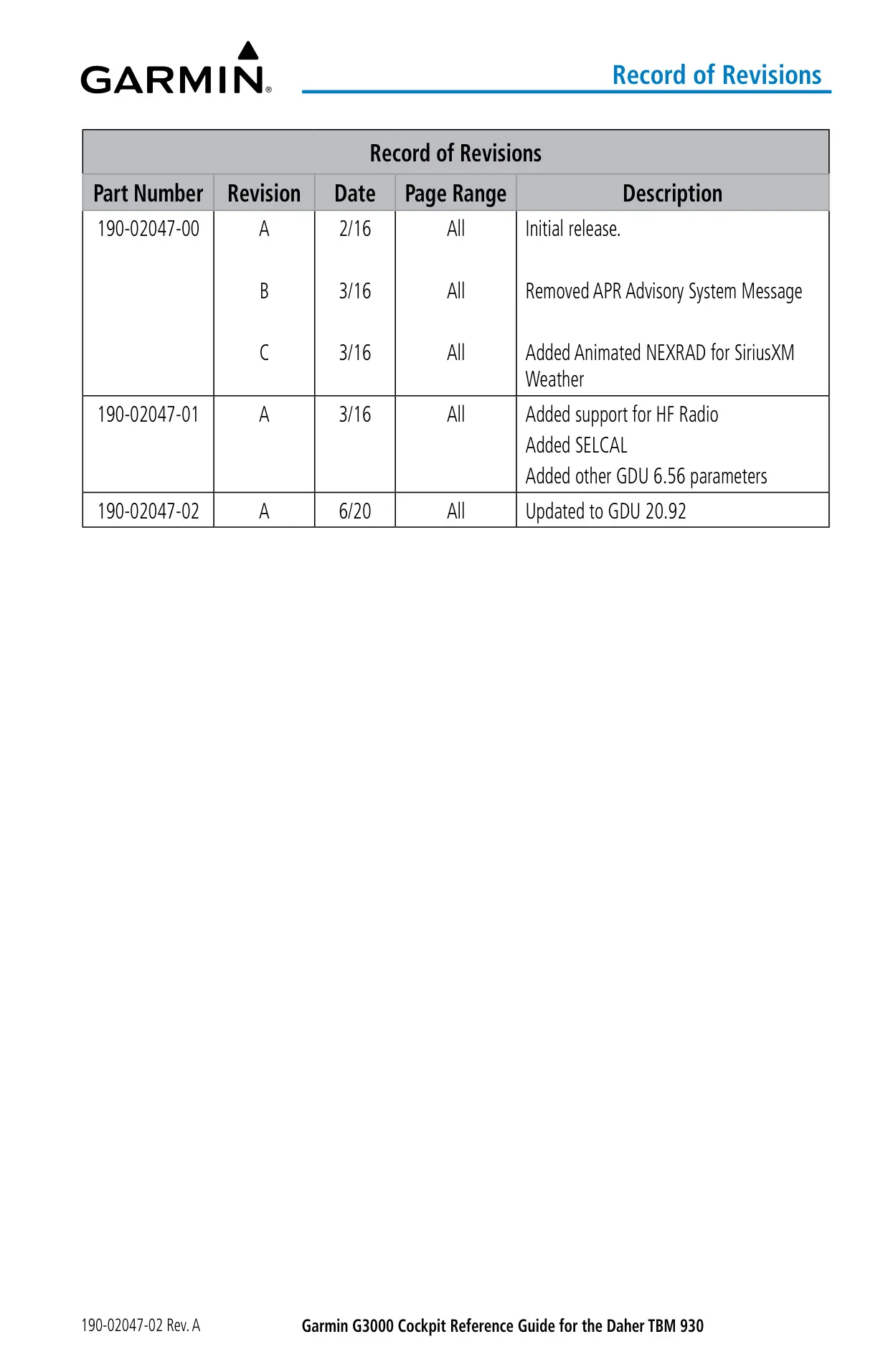
| Reference Documents | Pilot's Guide 190-02046-02 Rev. A (05/29/2020); Cockpit Reference Guide 190-02047-02 Rev. A (06/2020) |
| System Software | 2234.05 or later (GDU 20.92) |
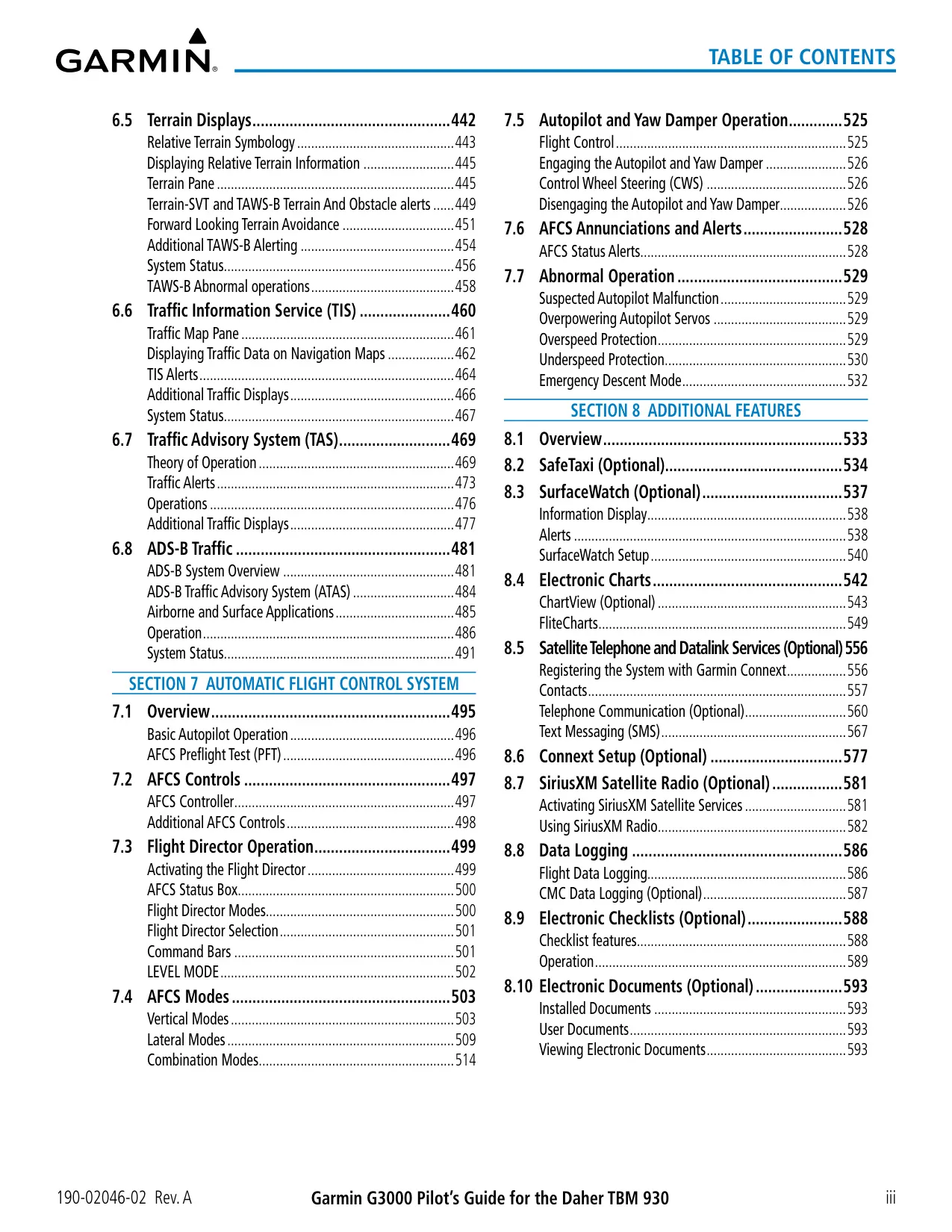
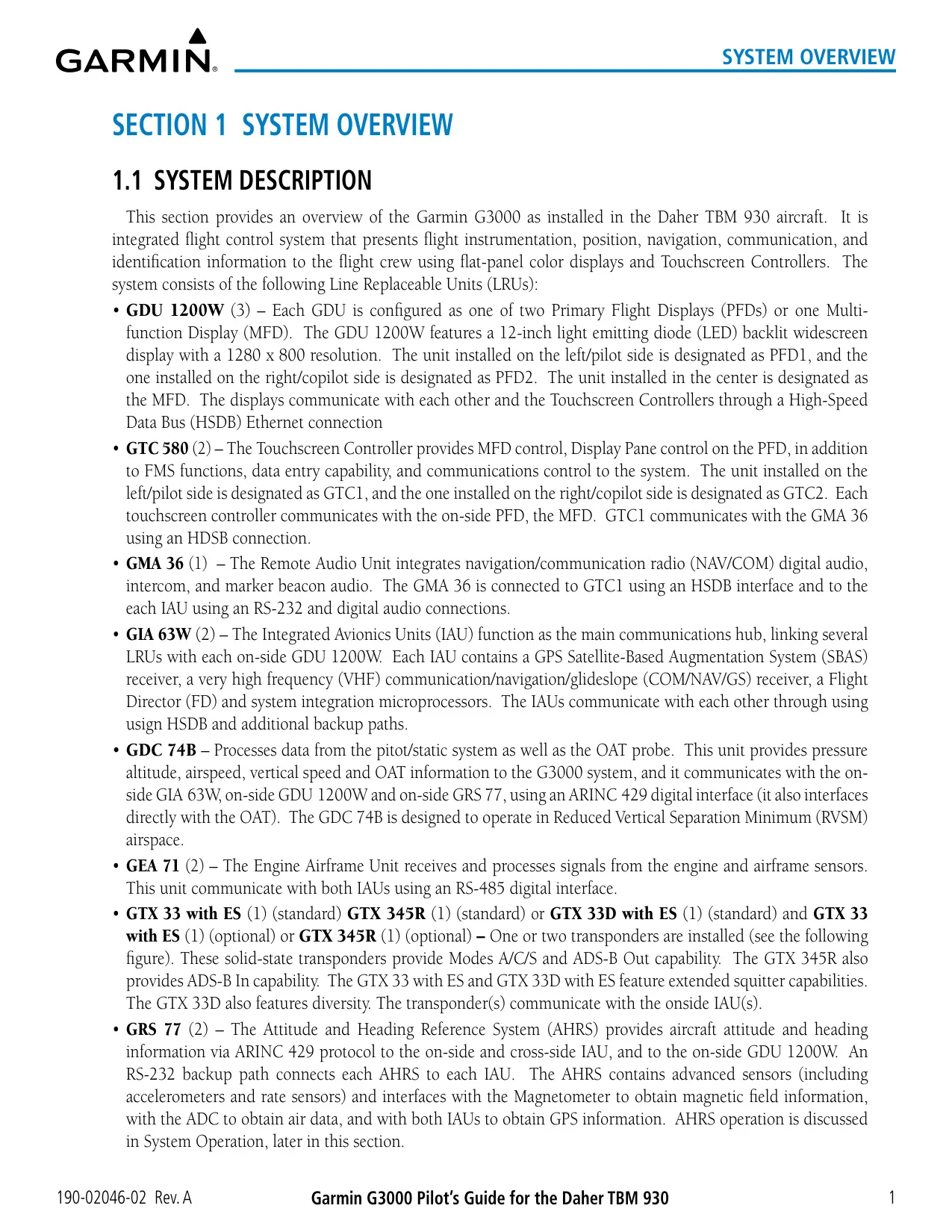
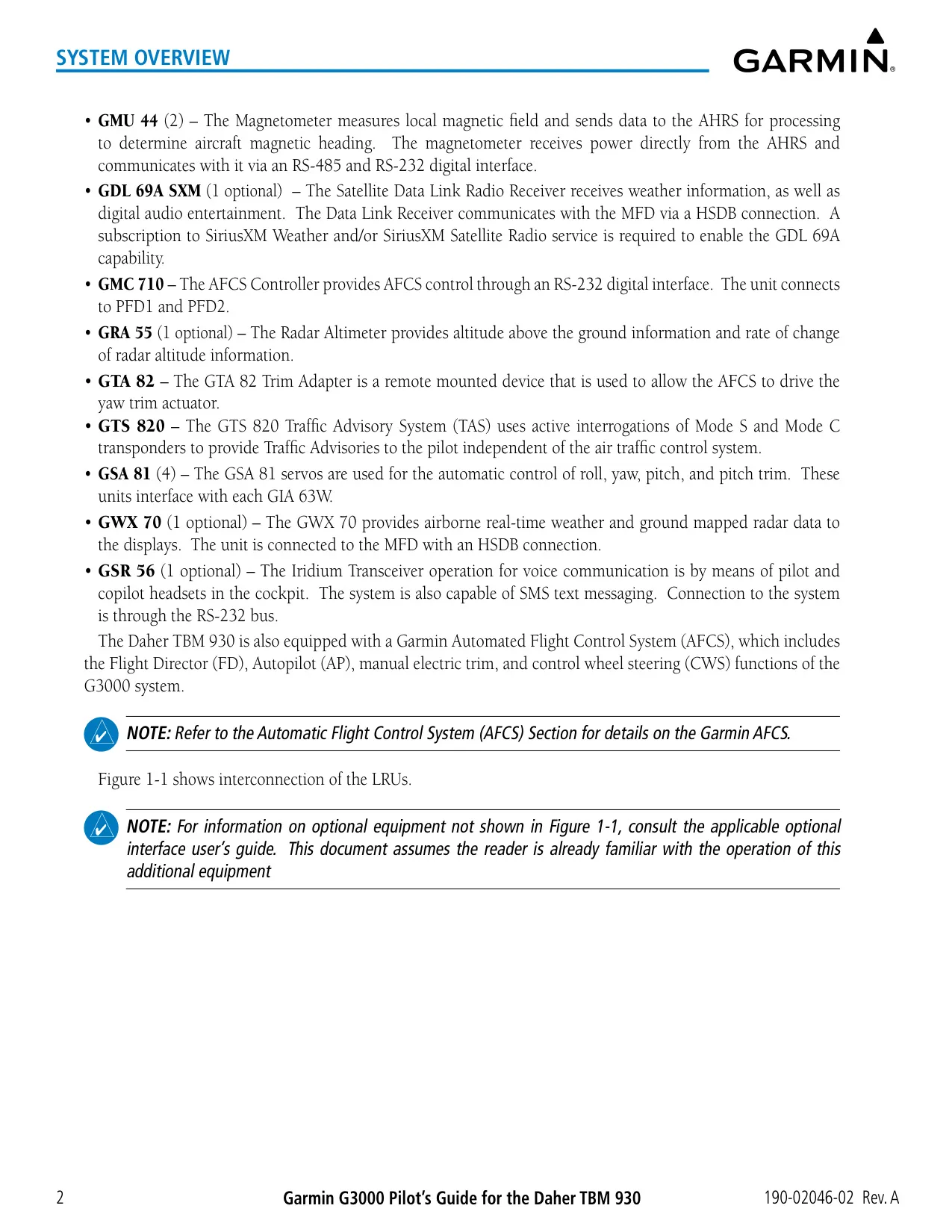
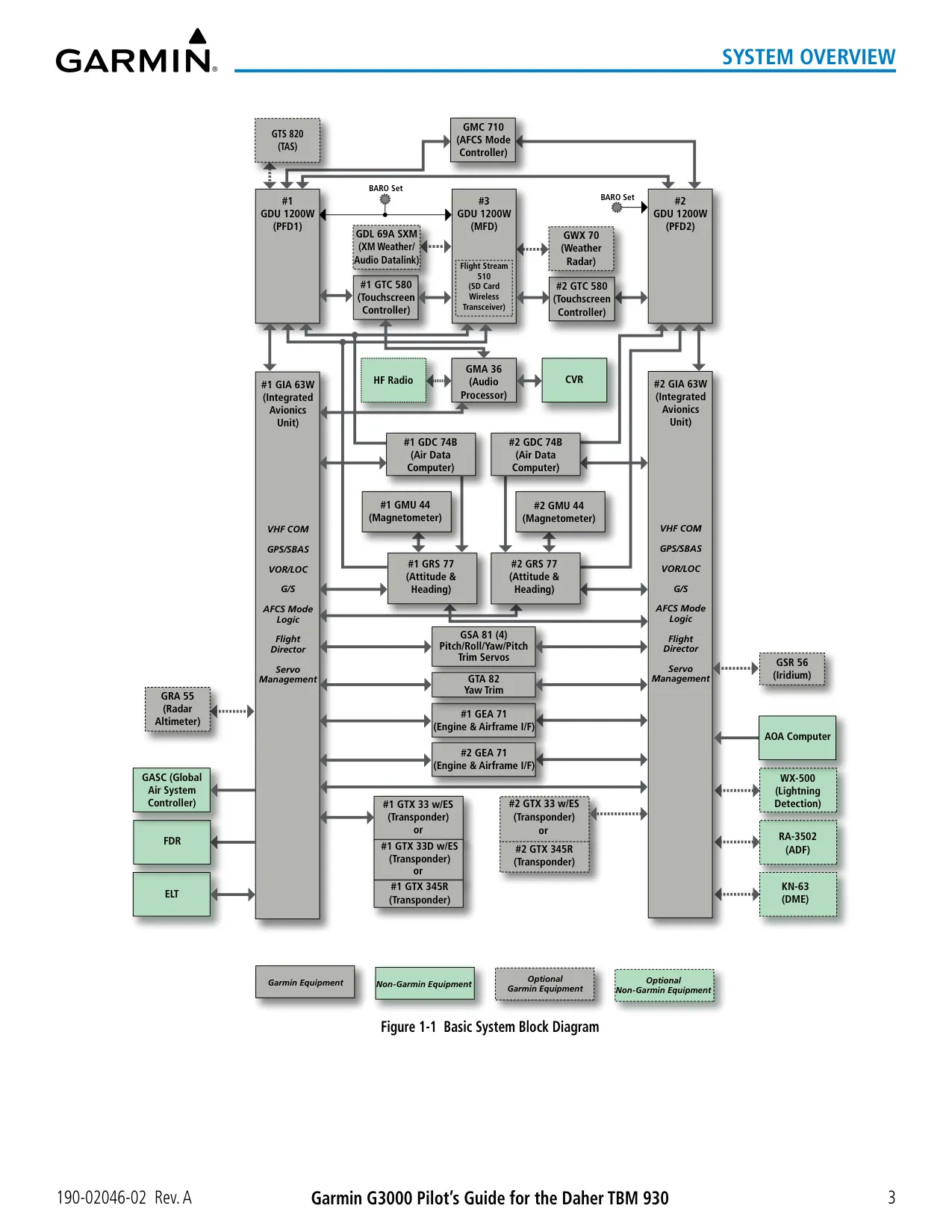
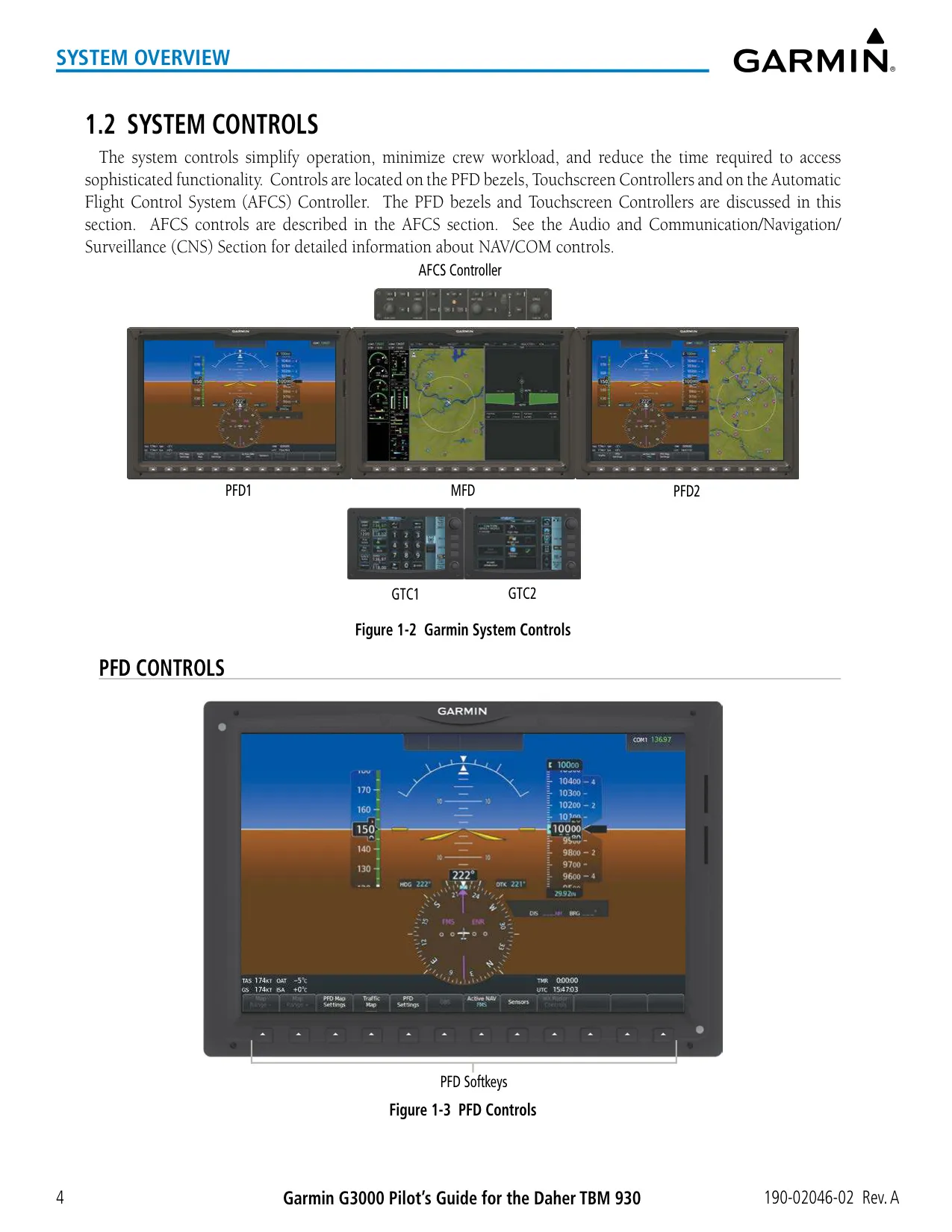
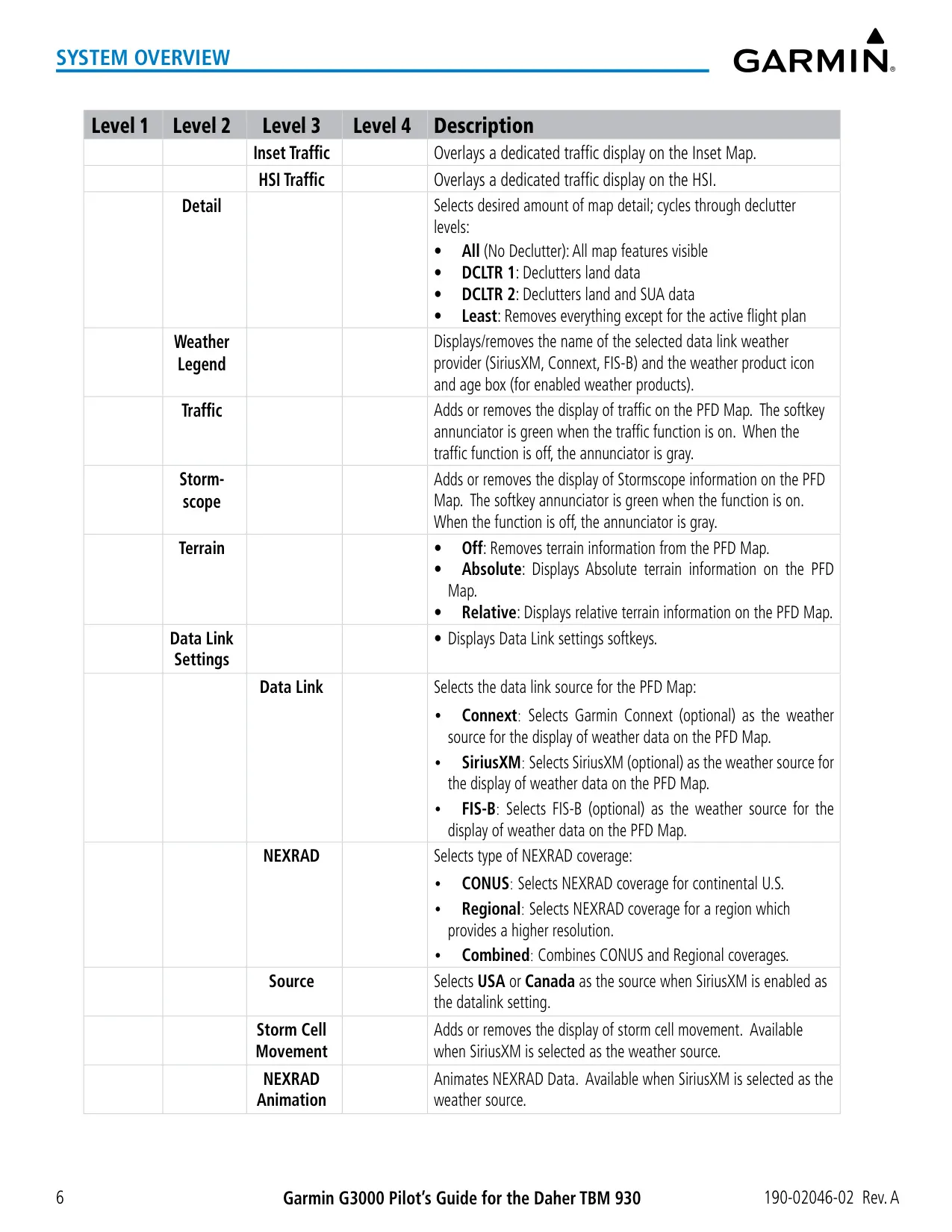
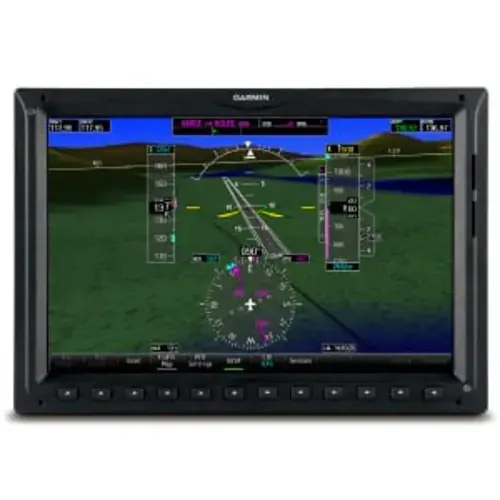
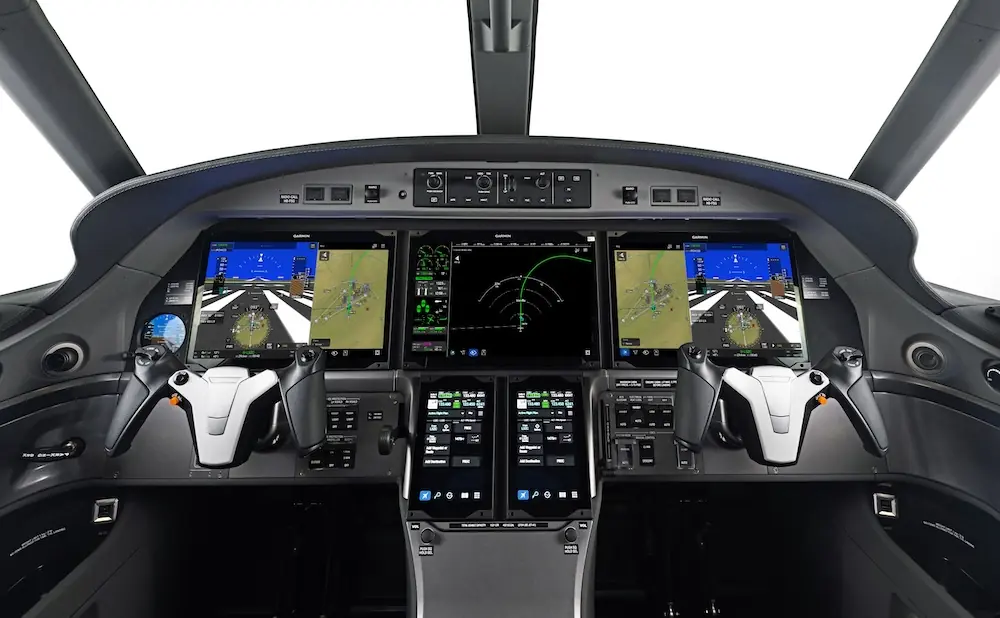
| Display Units | 3 × GDU 1200W (PFD1, MFD, PFD2), 12 in, 1280 × 800 px, LED backlight |
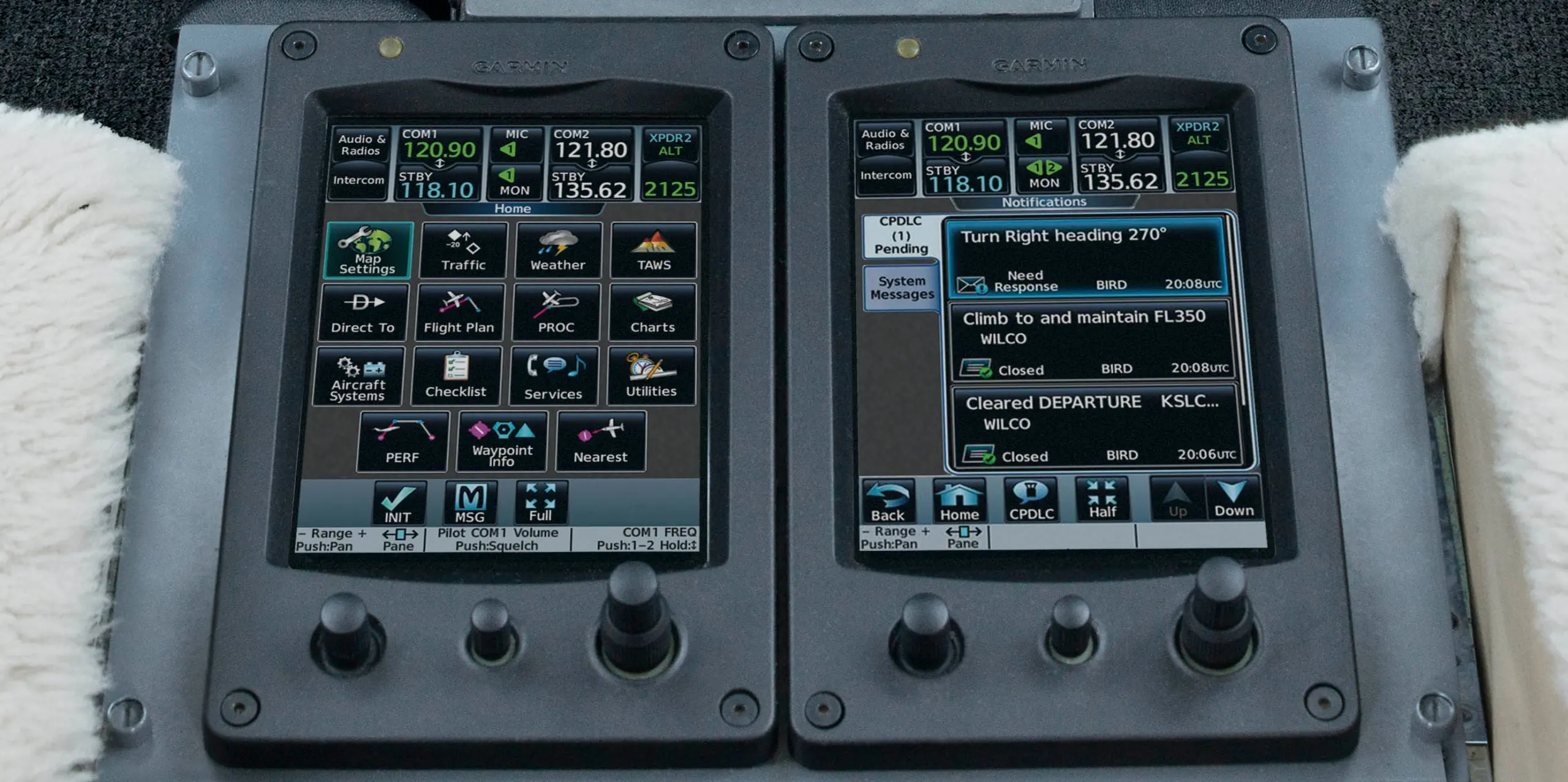
| Touchscreen Controllers | 2 × GTC 580, infrared touchscreen, glove compatible |
| Integrated Avionics Units | 2 × GIA 63W (SBAS GPS, VHF COM/NAV/GS, flight director) |
| Air Data Computer | GDC 74B, ARINC 429 output, RVSM capable |
| AHRS / Magnetometer | 2 × GRS 77 / 2 × GMU 44 |
| Audio Panel | GMA 36 remote audio unit |
| Engine/Airframe Units | 2 × GEA 71 (RS-485) |
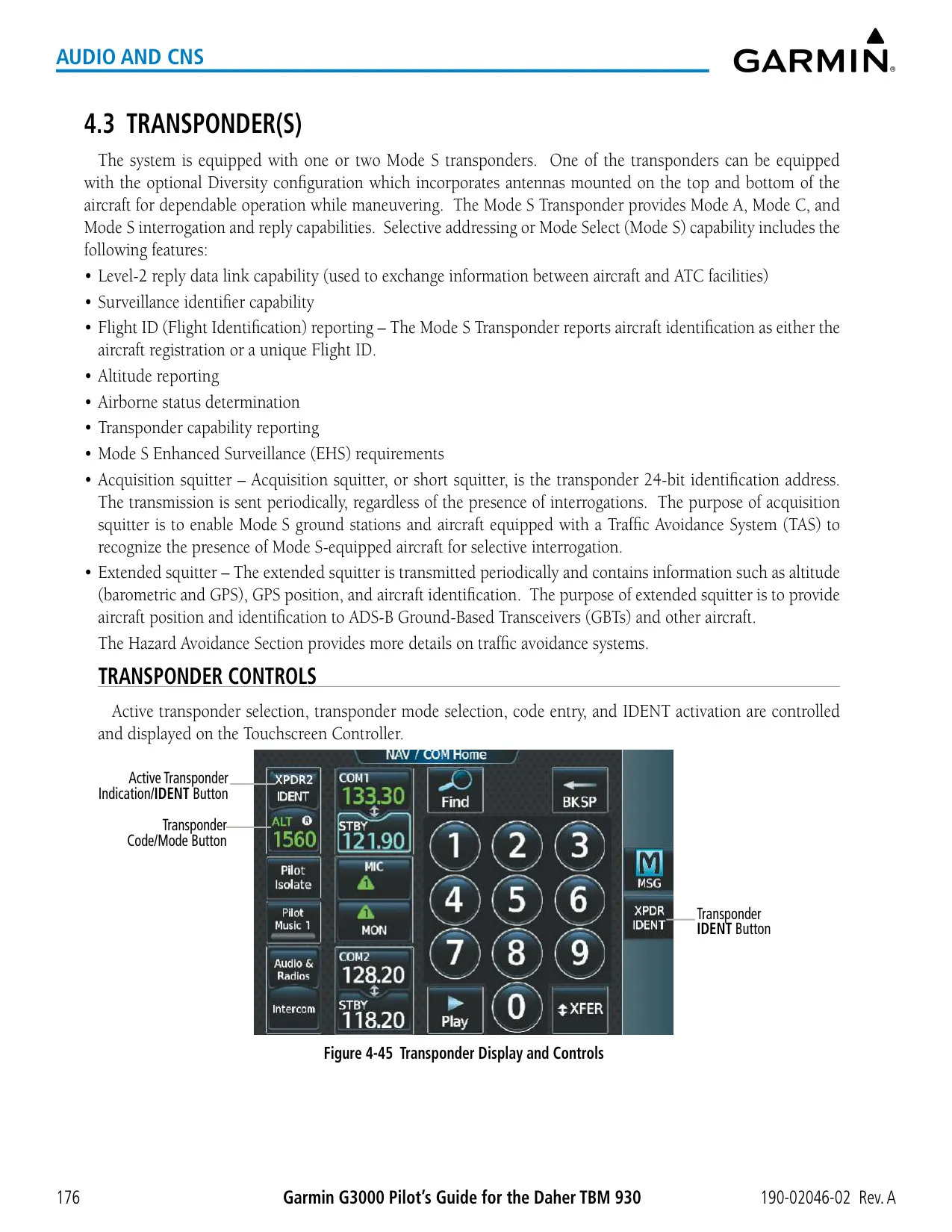
| Transponders | GTX 33 ES, GTX 345R or GTX 33D ES; Mode S Level 2, EHS, ADS-B Out |
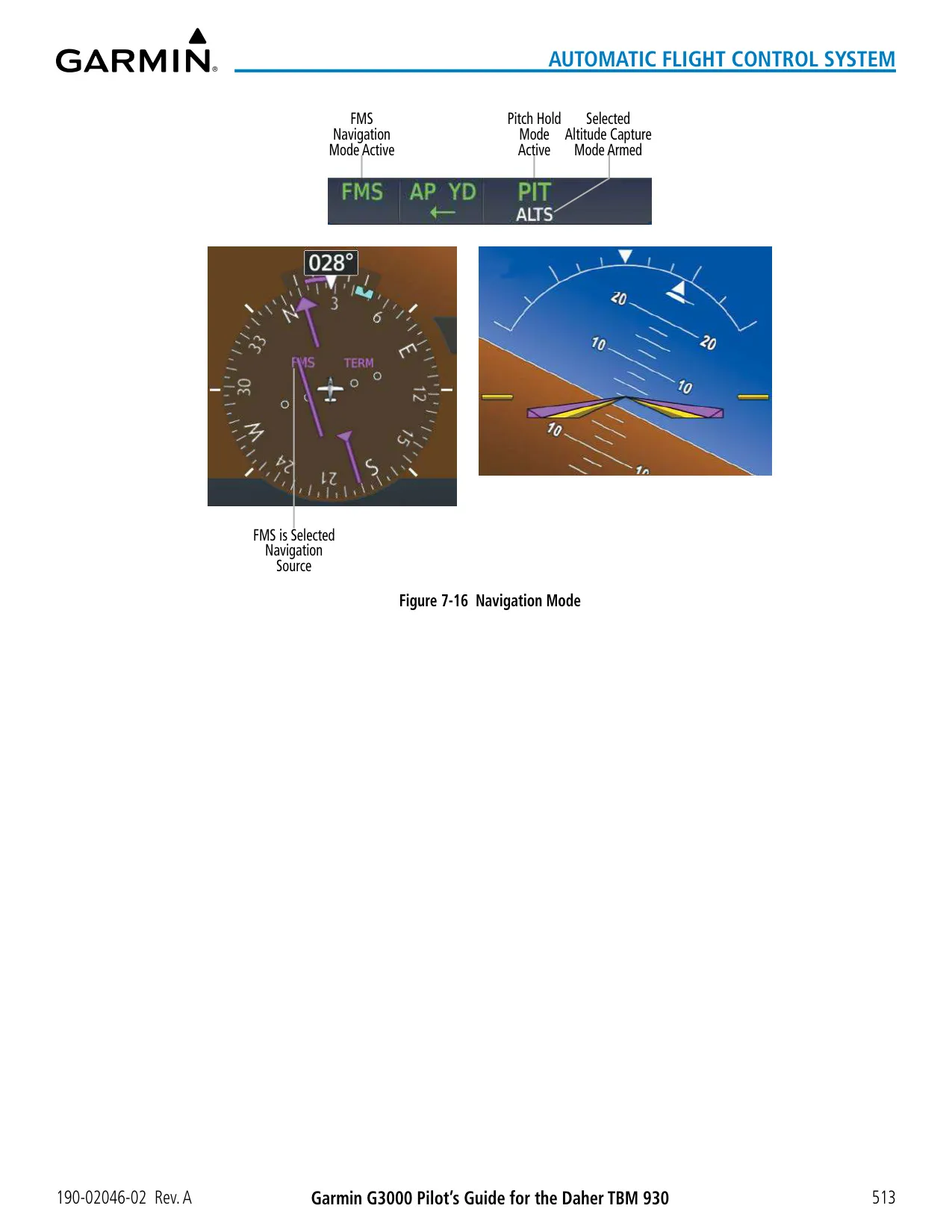
| AFCS Hardware | GMC 710 controller, 4 × GSA 81 servos, GTA 82 yaw trim adapter |
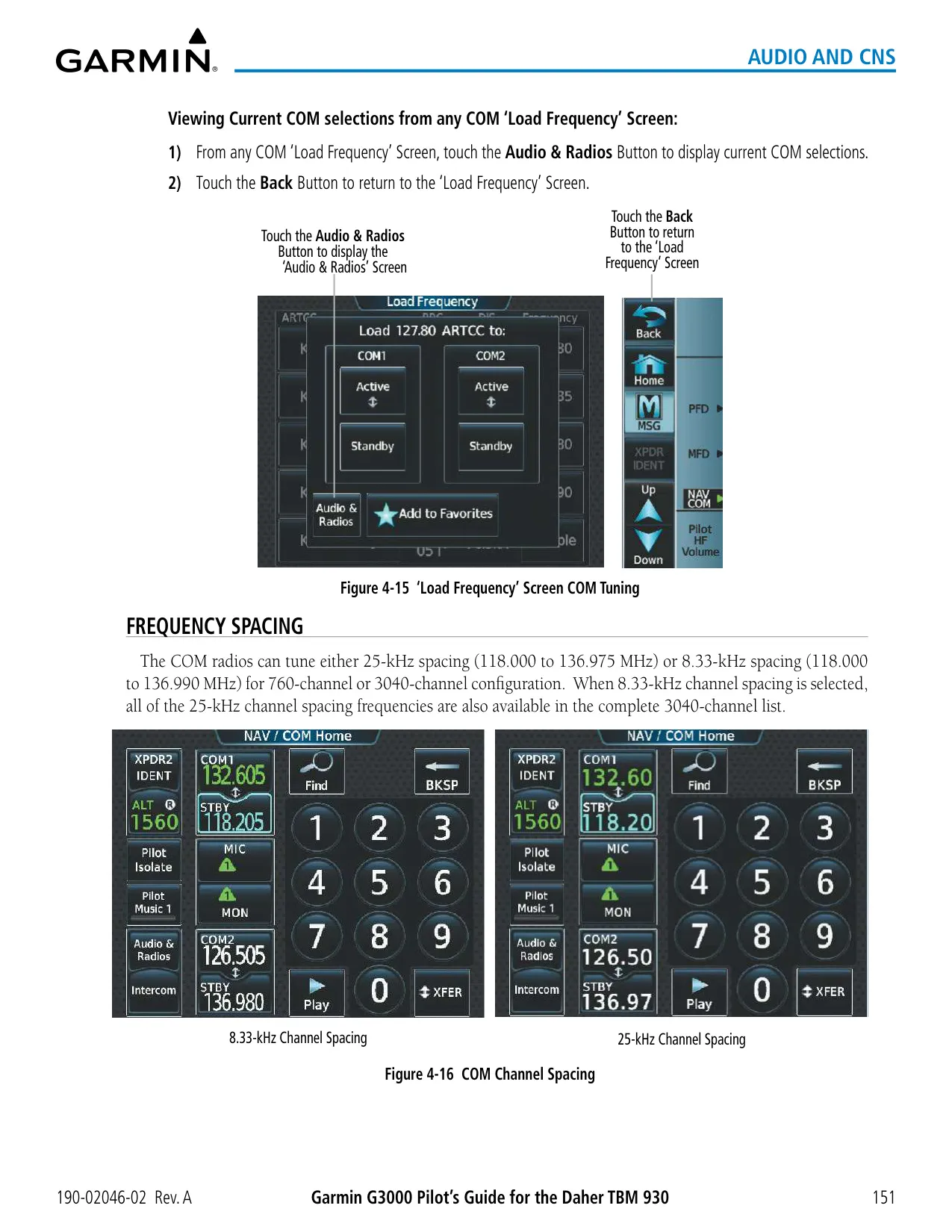
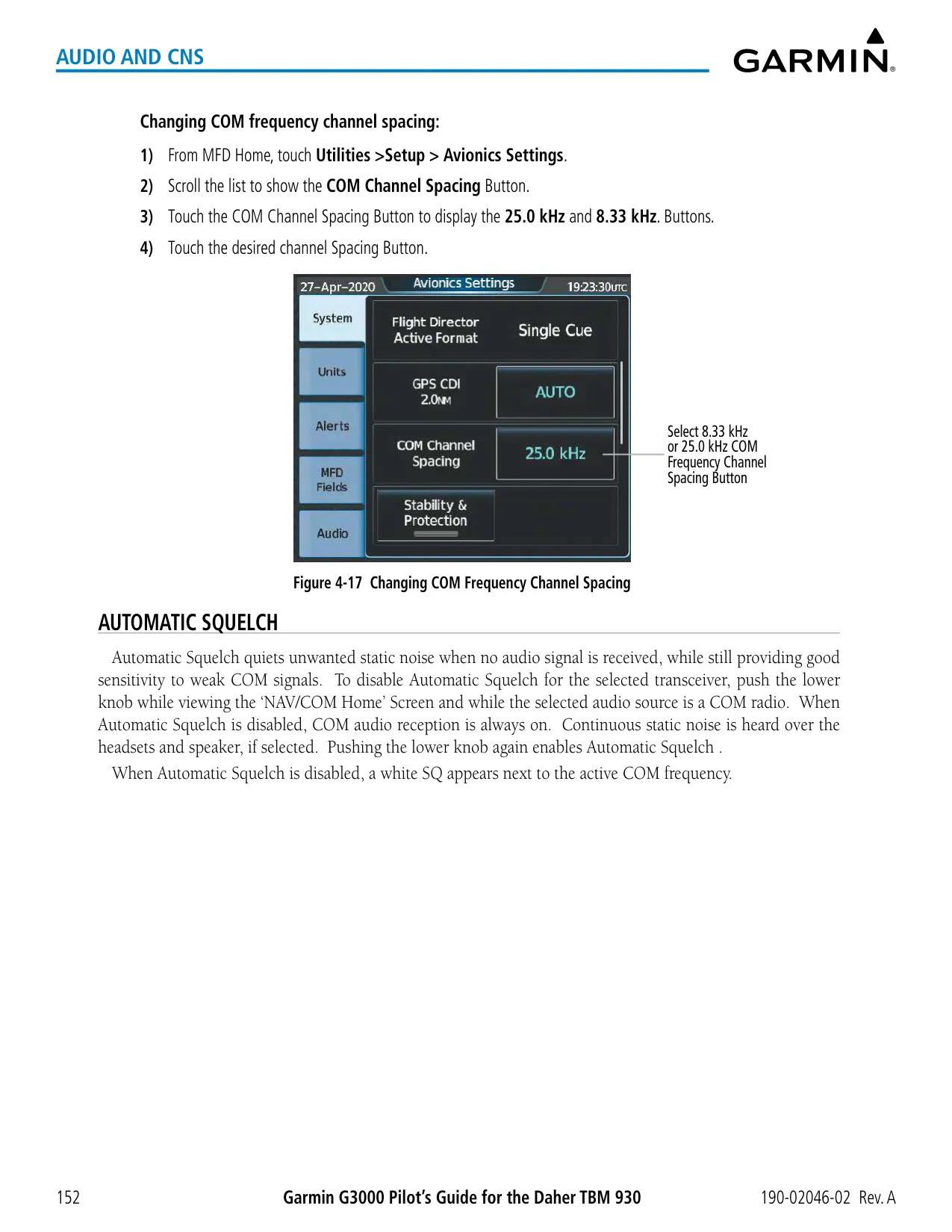
| COM Frequency Range | 118.000–136.975 MHz (760 ch, 25 kHz); 118.000–136.990 MHz (3040 ch, 8.33 kHz) |
| ADF Frequency Range | 190.0–1799.5 kHz (2182.0 kHz excluded) |
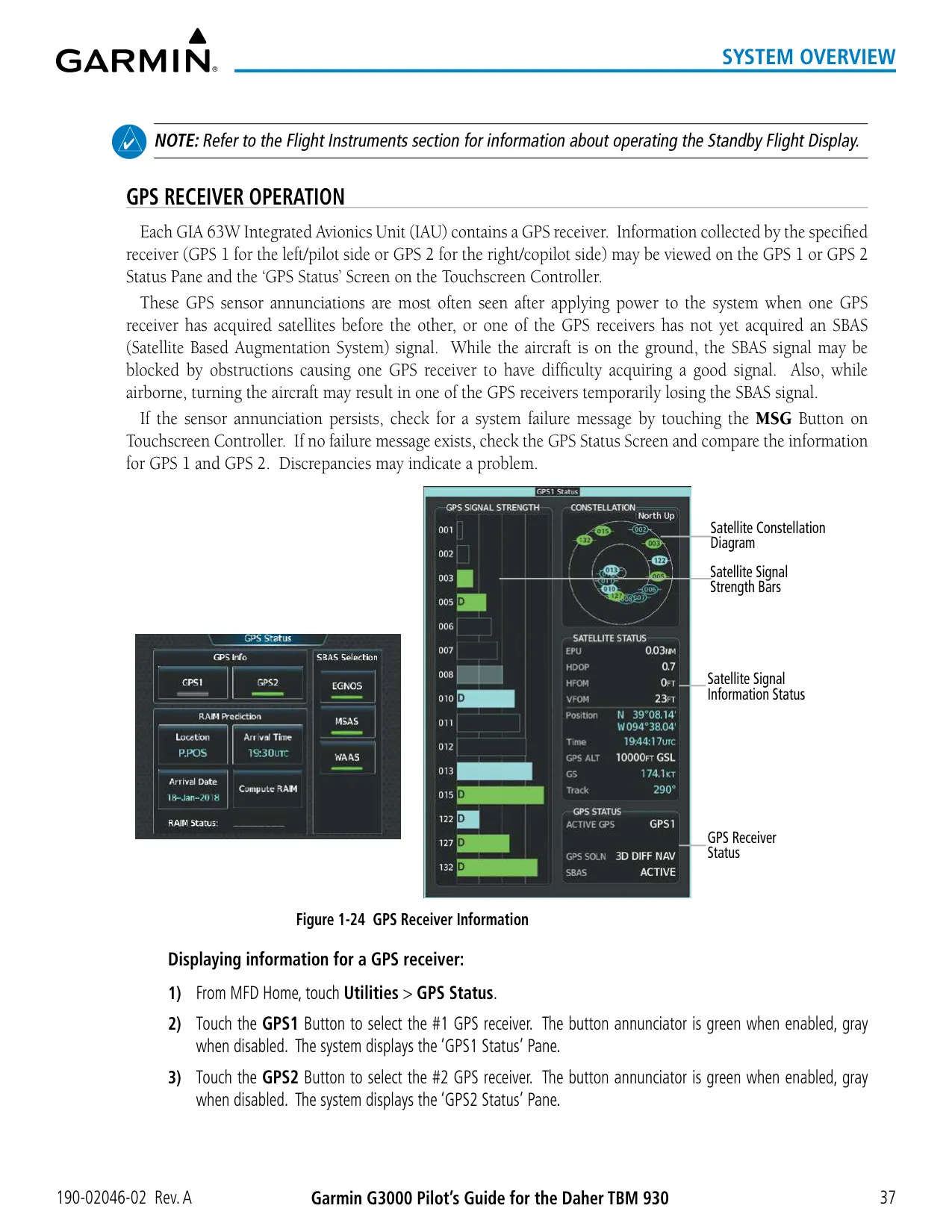
| SBAS Support | WAAS, EGNOS, MSAS |
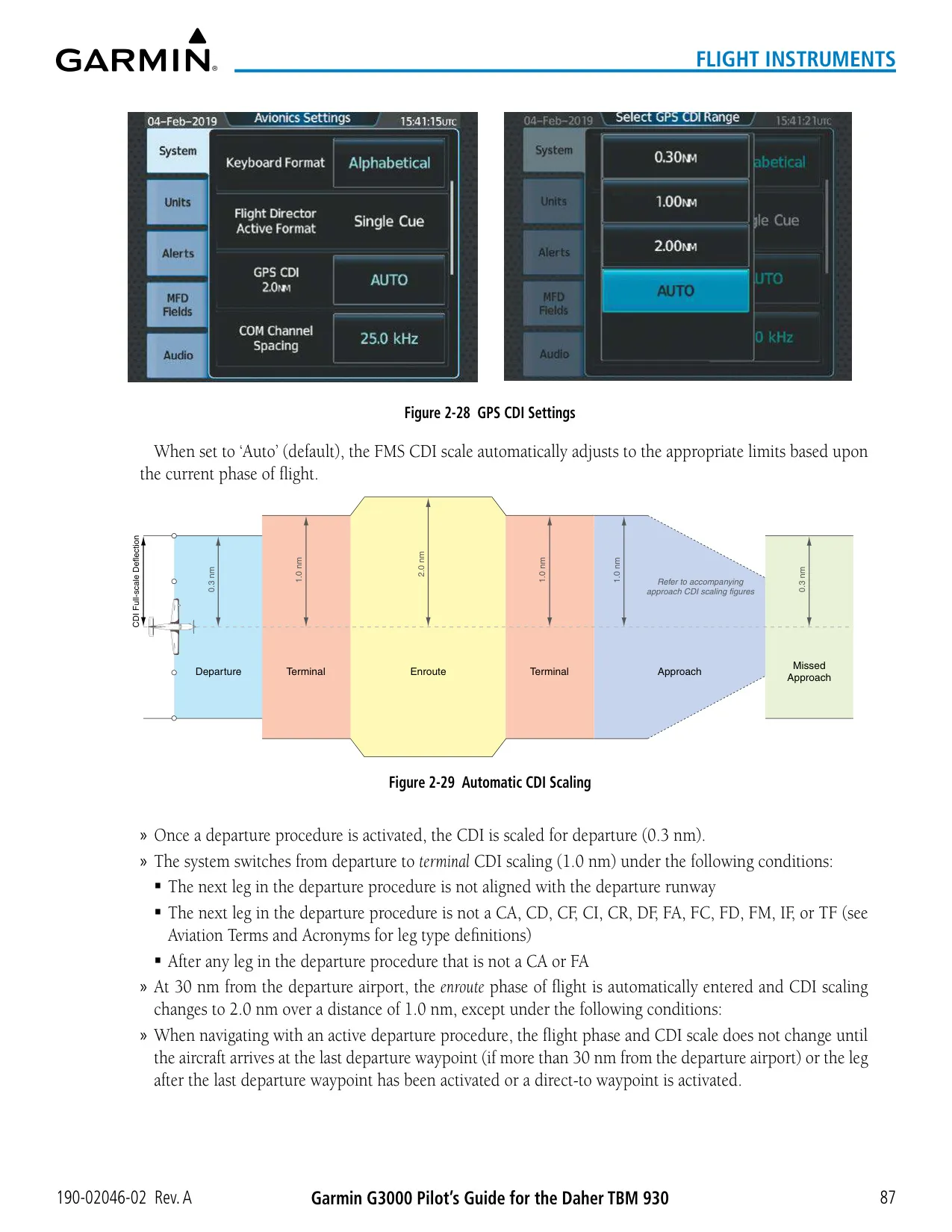
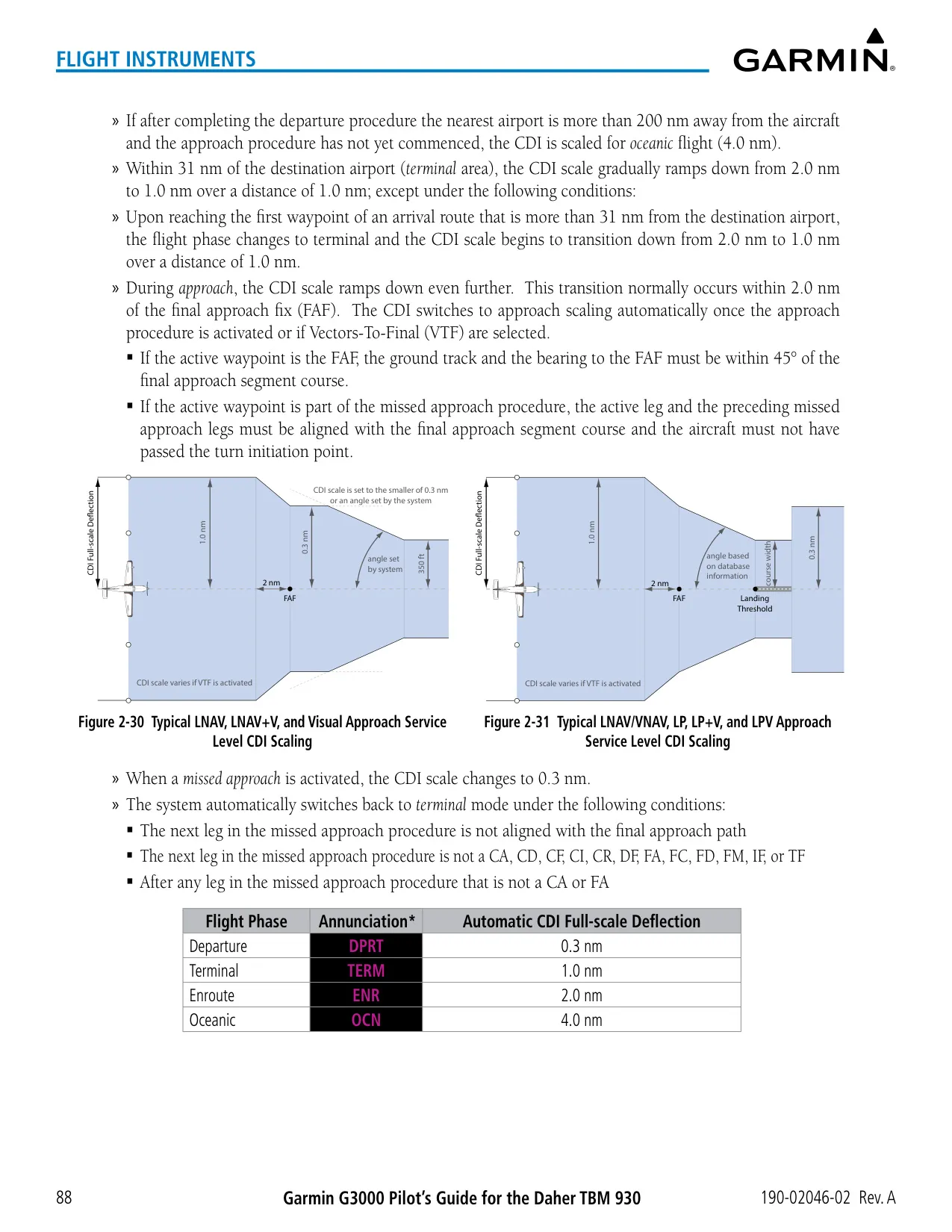
| RAIM Protection Limits | 2.0 nm oceanic/en route, 1.0 nm terminal, 0.3 nm non-precision approach |
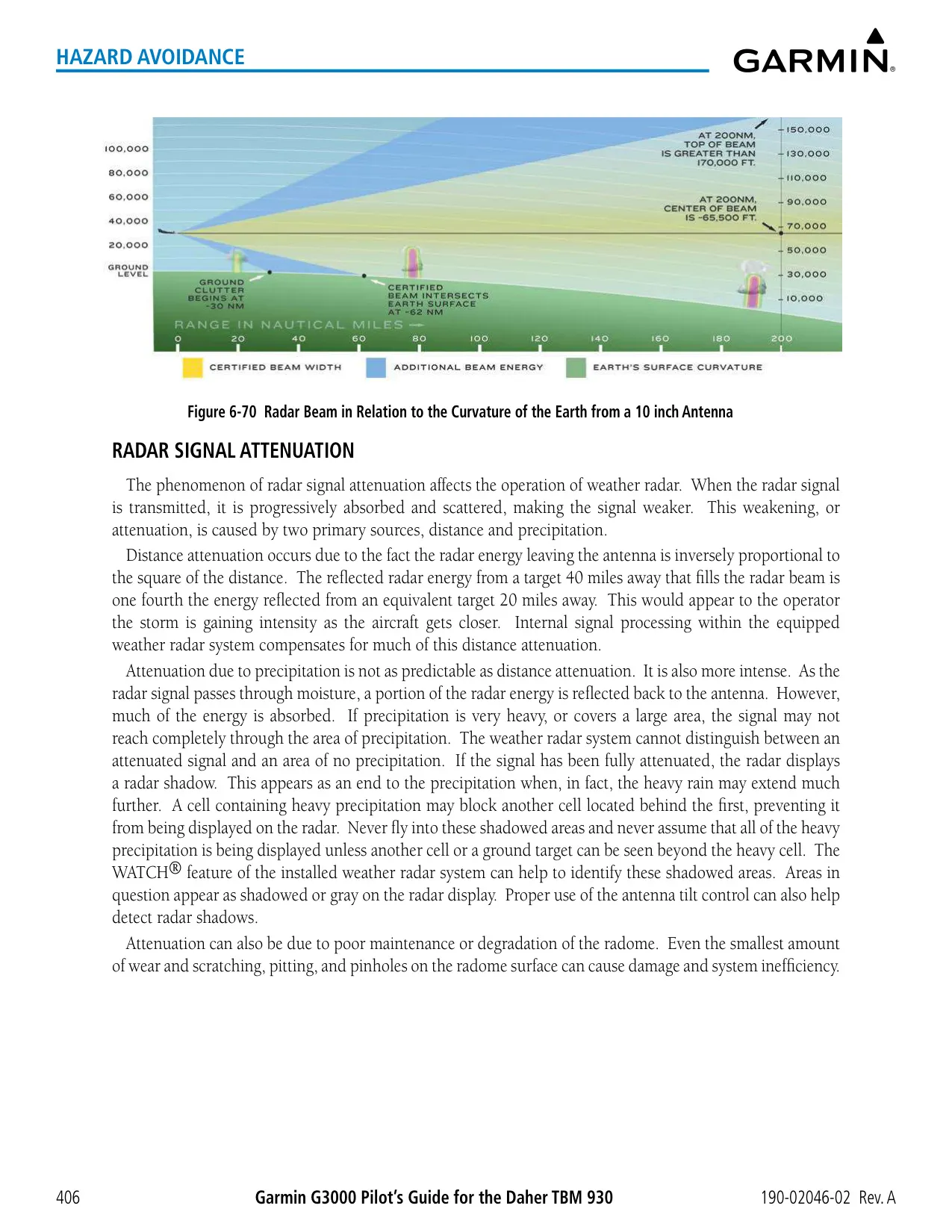
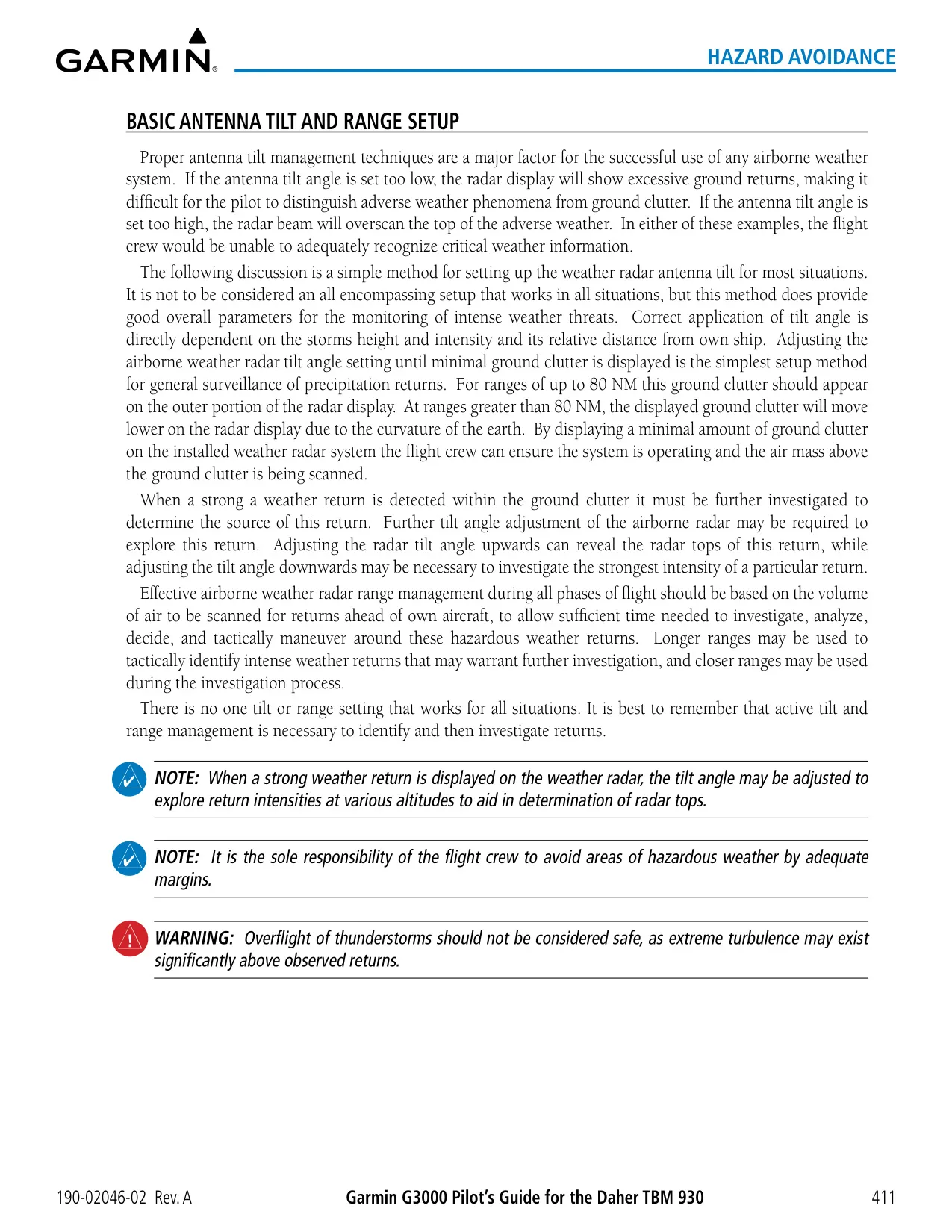
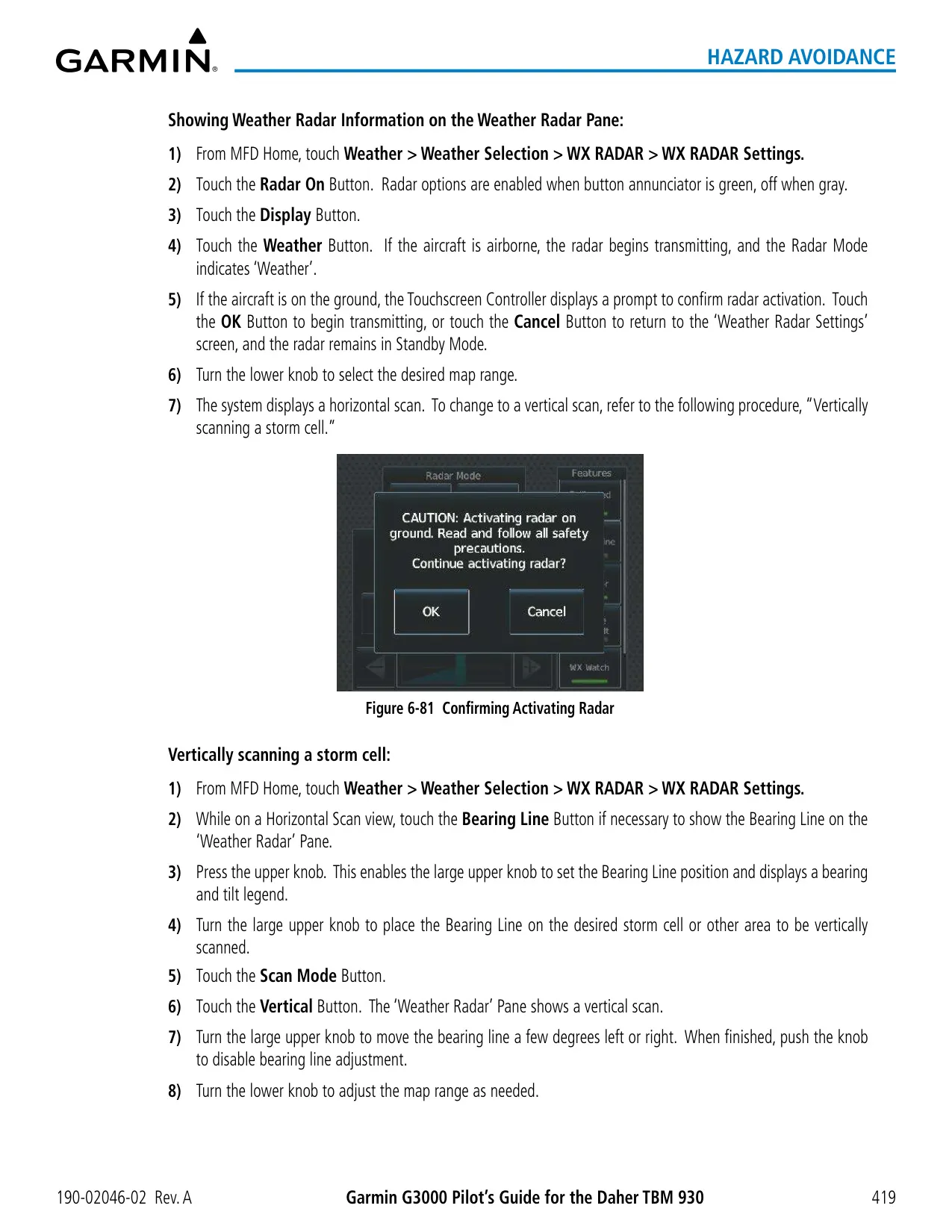
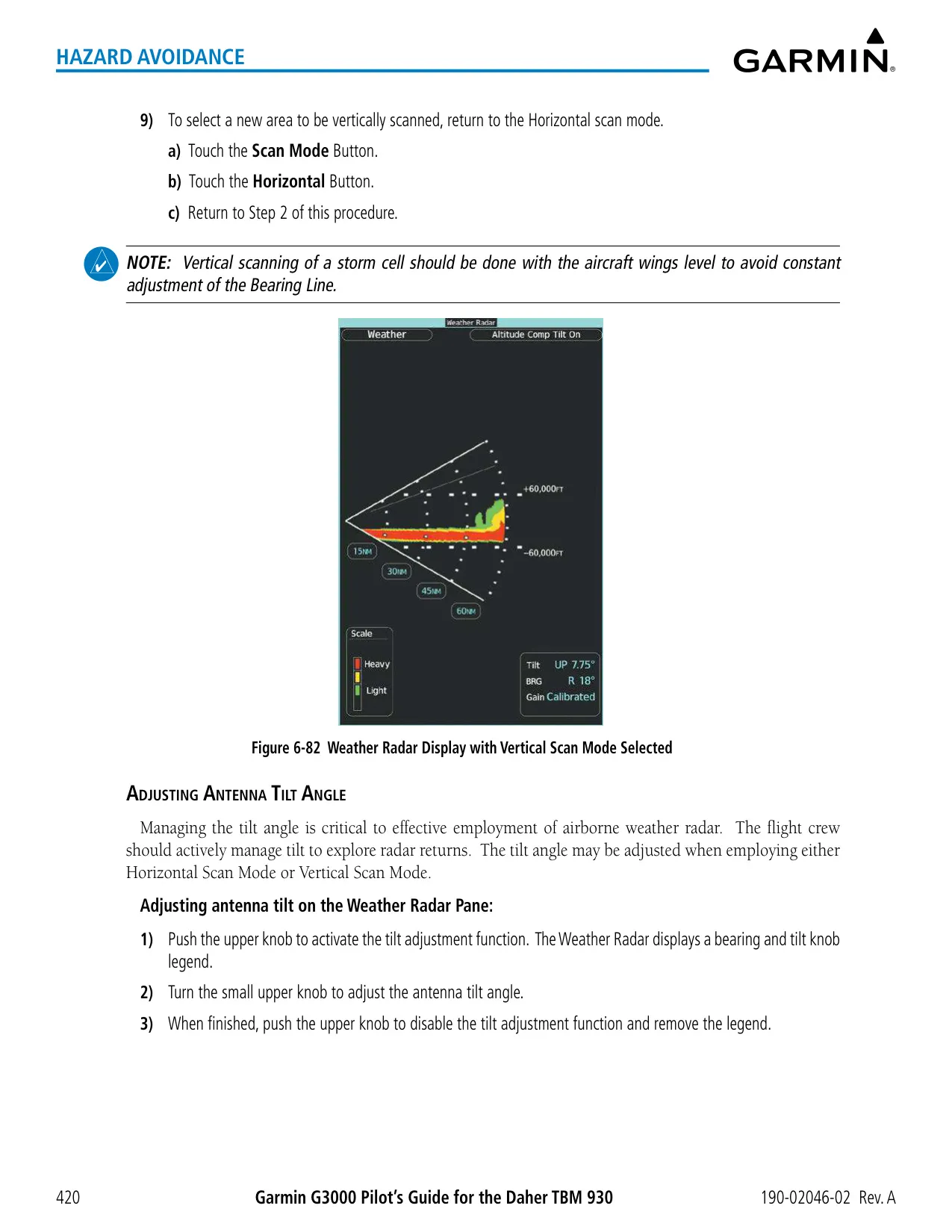
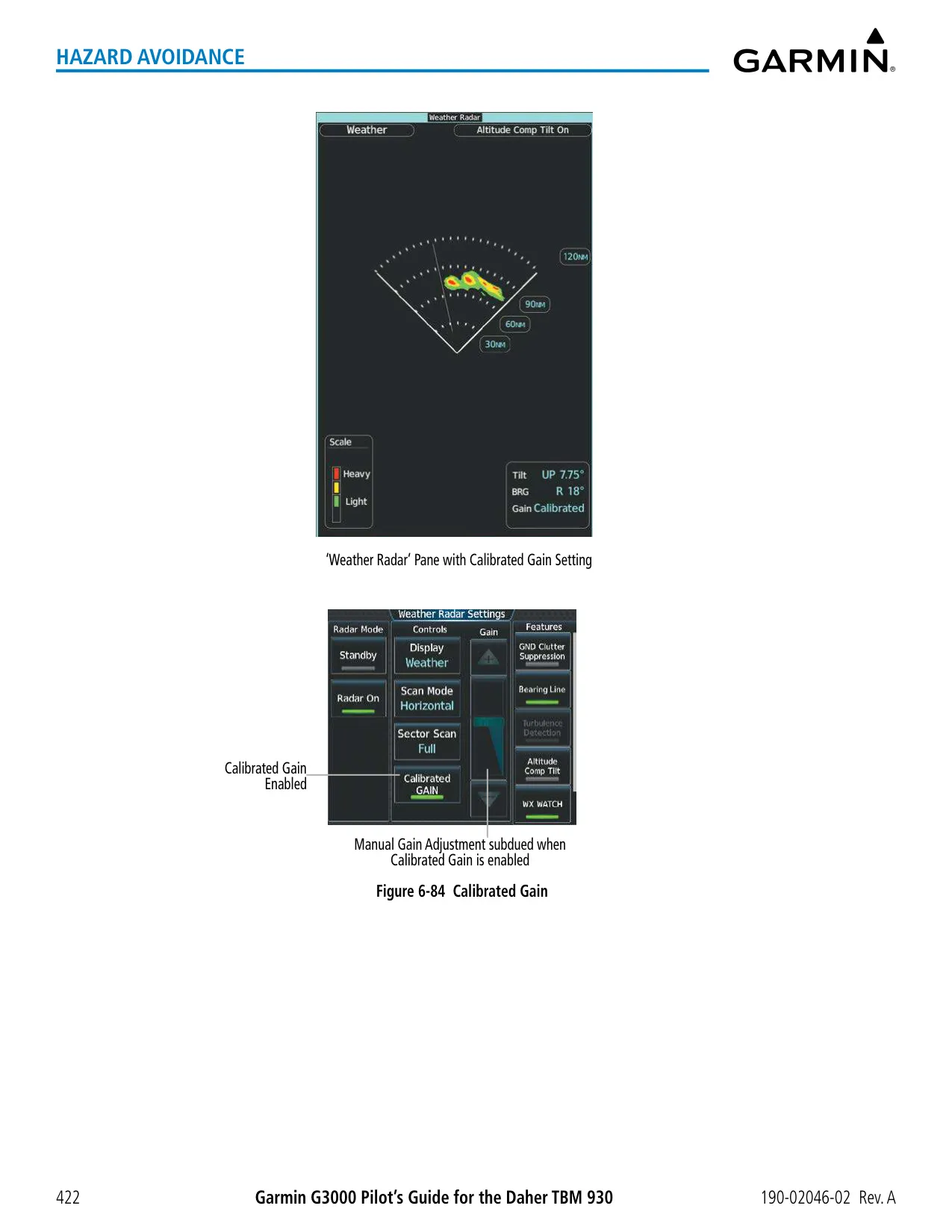
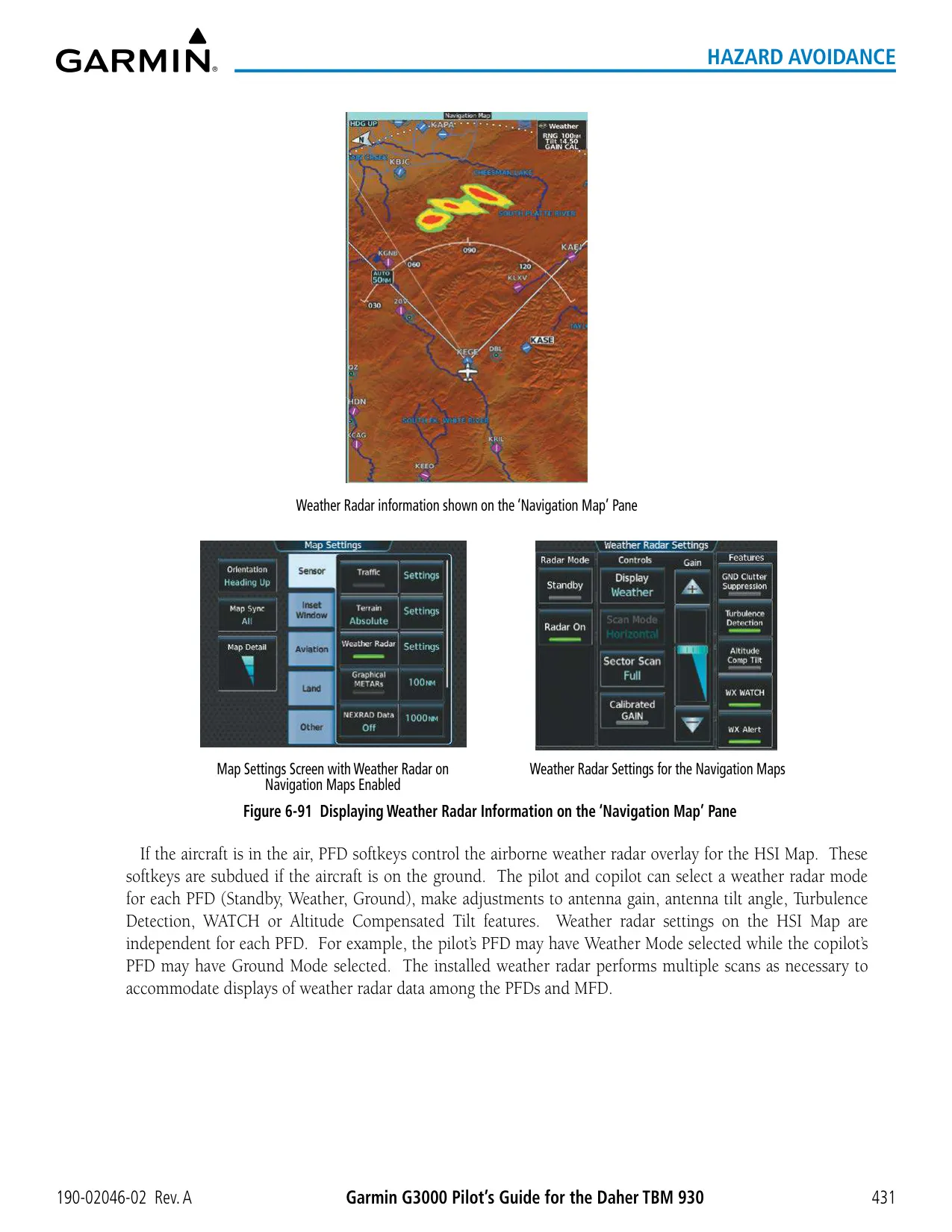
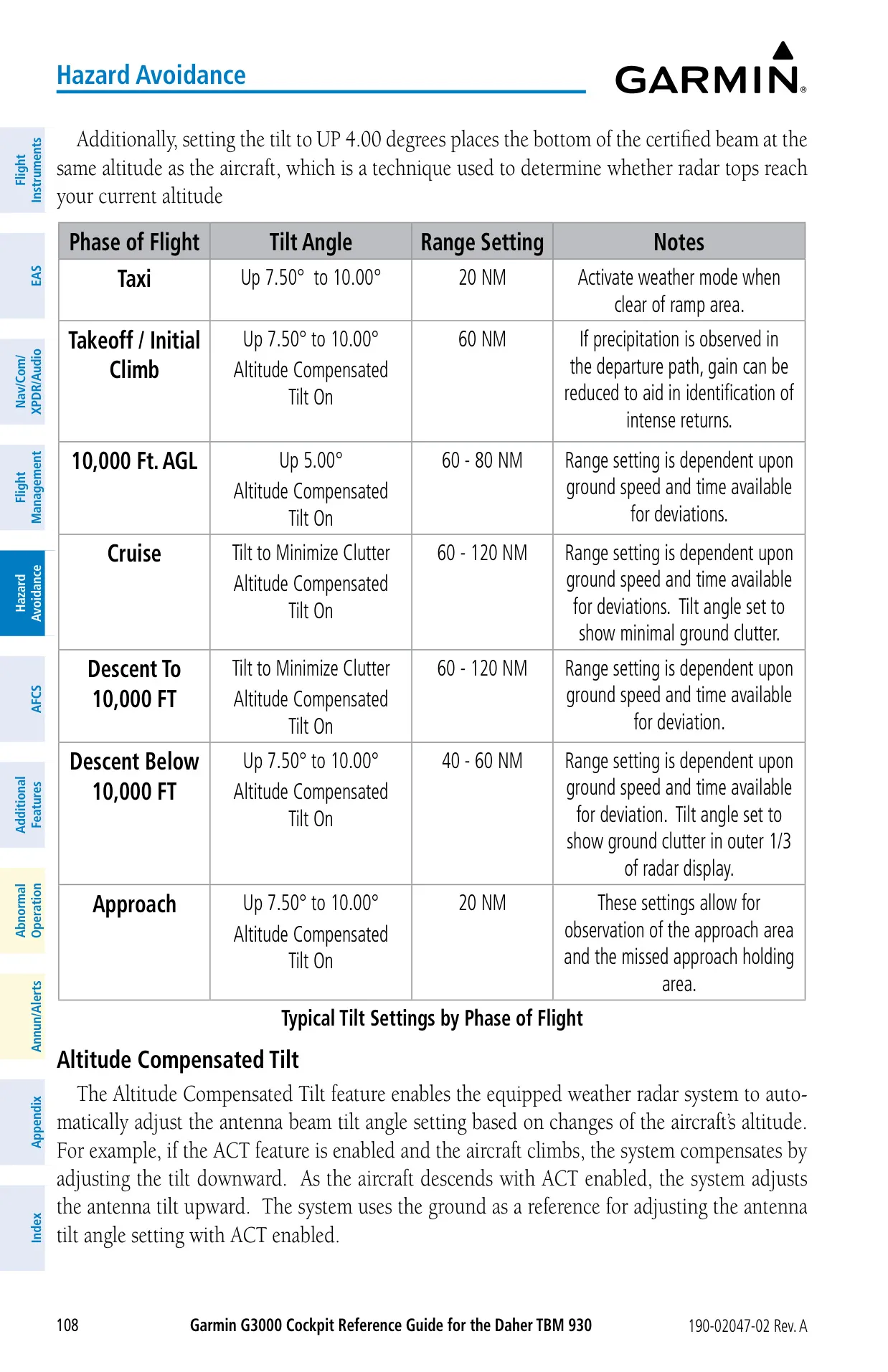
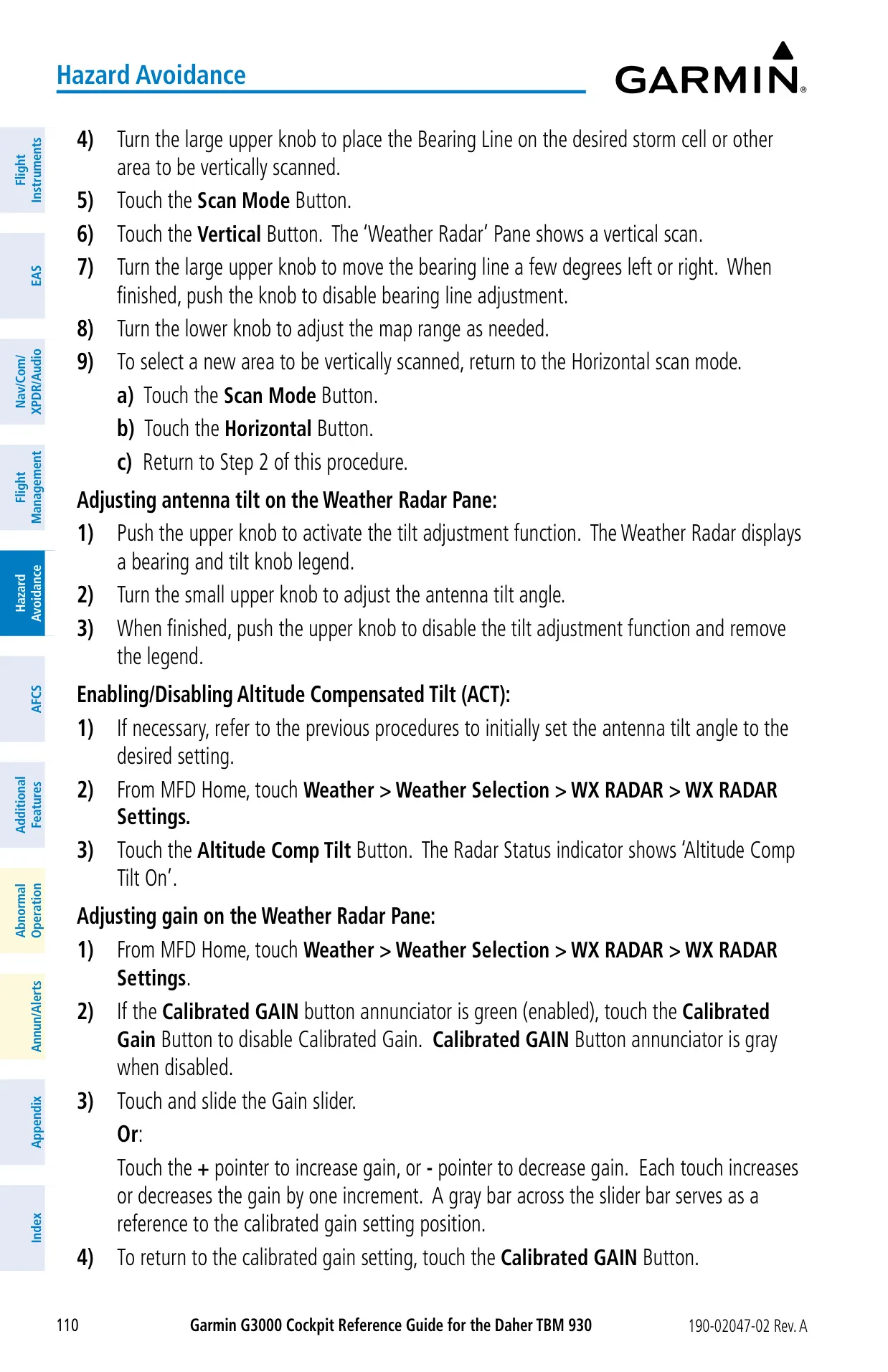
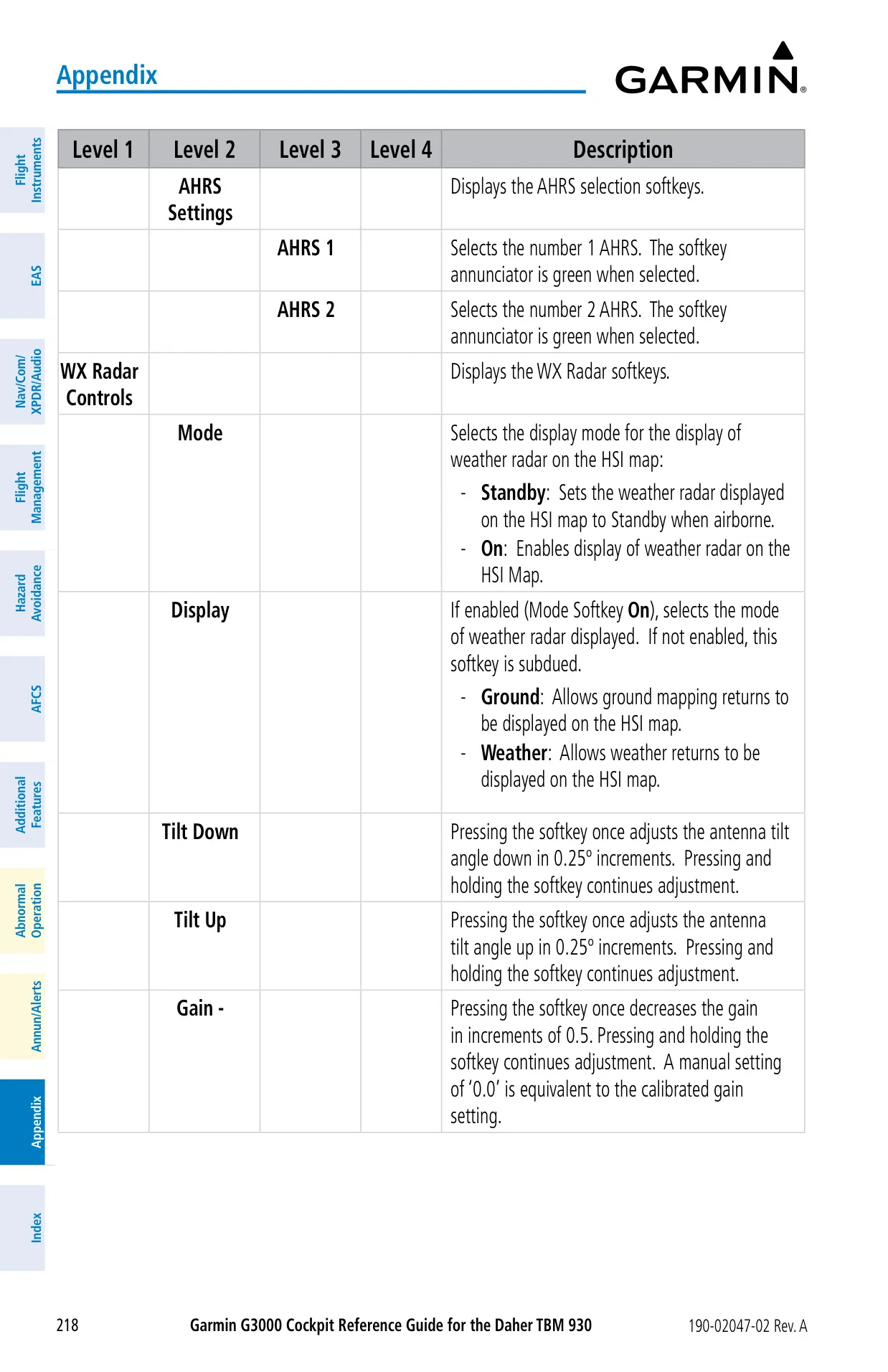
| Weather Radar | GWX 70, 40 W solid-state, 10 in antenna, ±30° pitch/roll stabilization |
| Radar Sector Scan | 20°, 40°, 60° or FULL 90° |
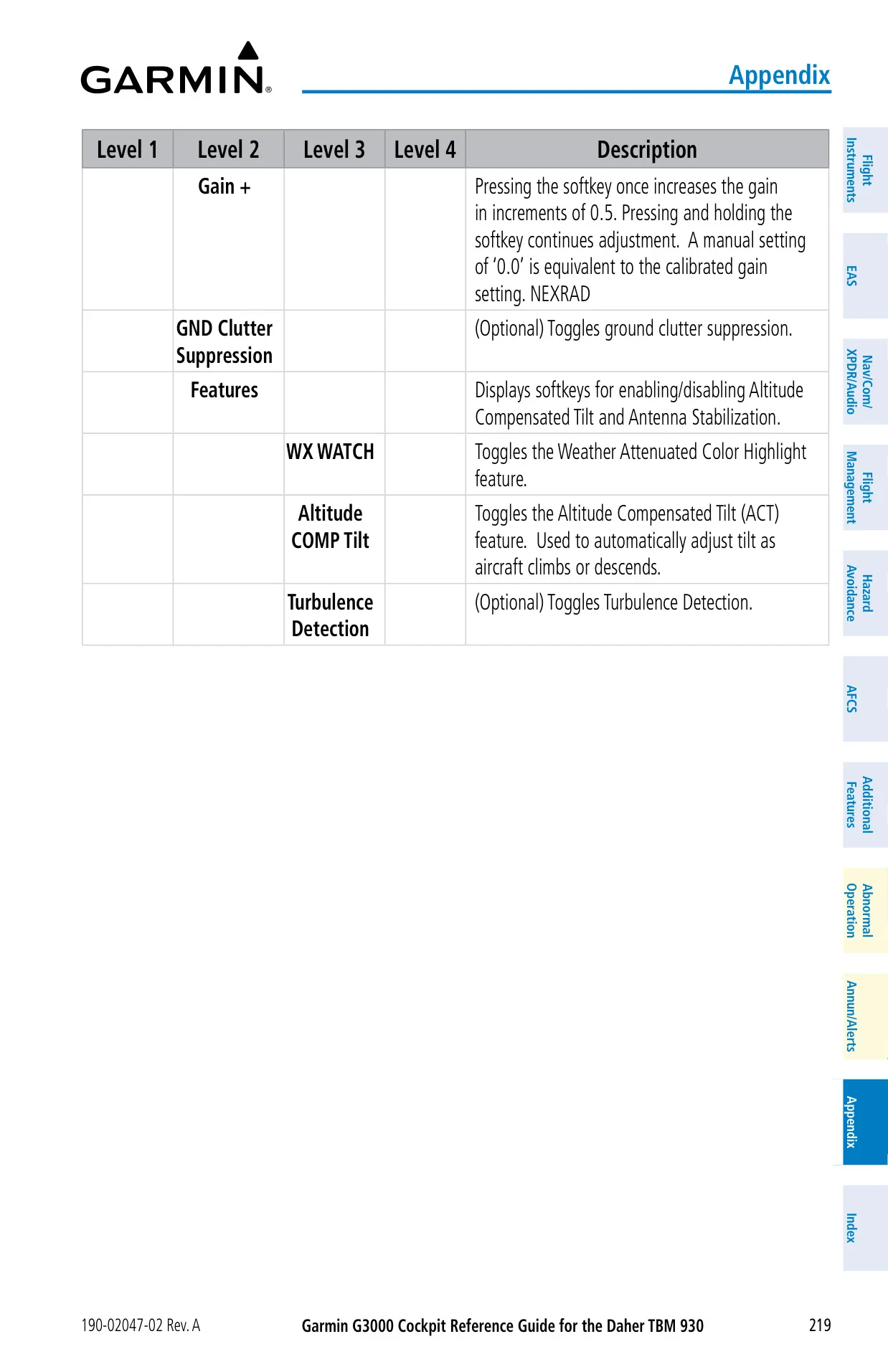
| Radar Tilt / Gain Steps | 0.25° / 0.5 (0.0 = calibrated gain) |
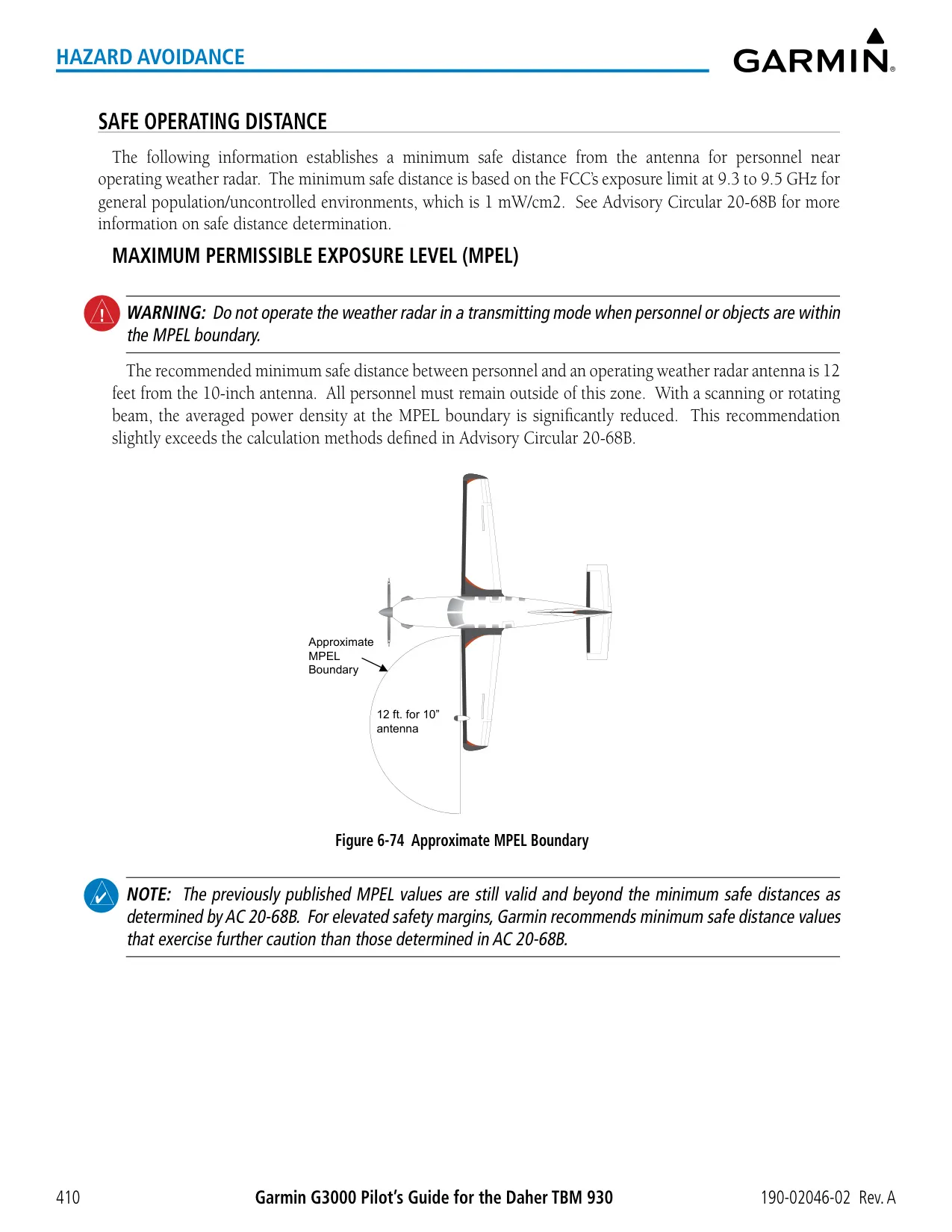
| Radar MPEL Distance | 12 ft (1 mW/cm² at 9.3–9.5 GHz) |
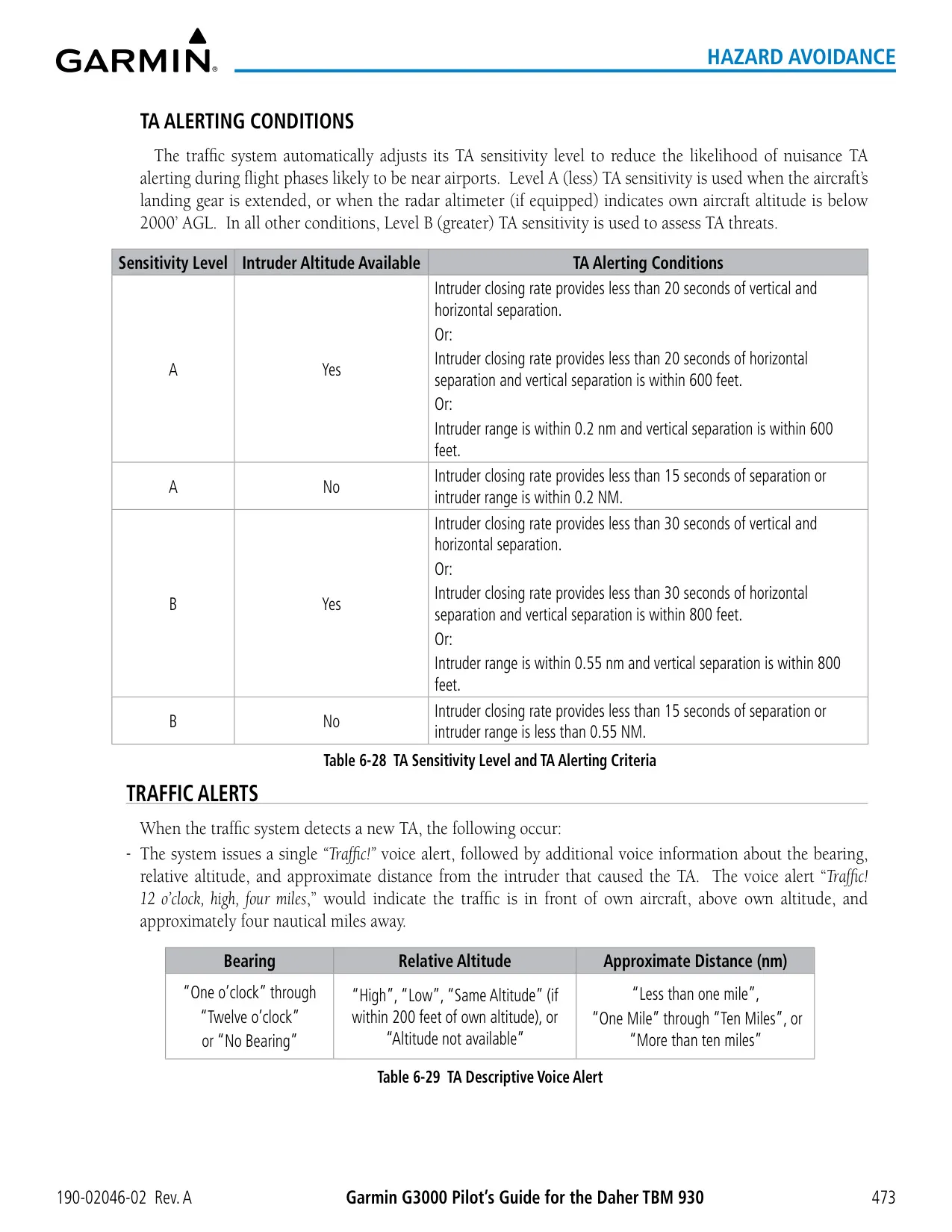
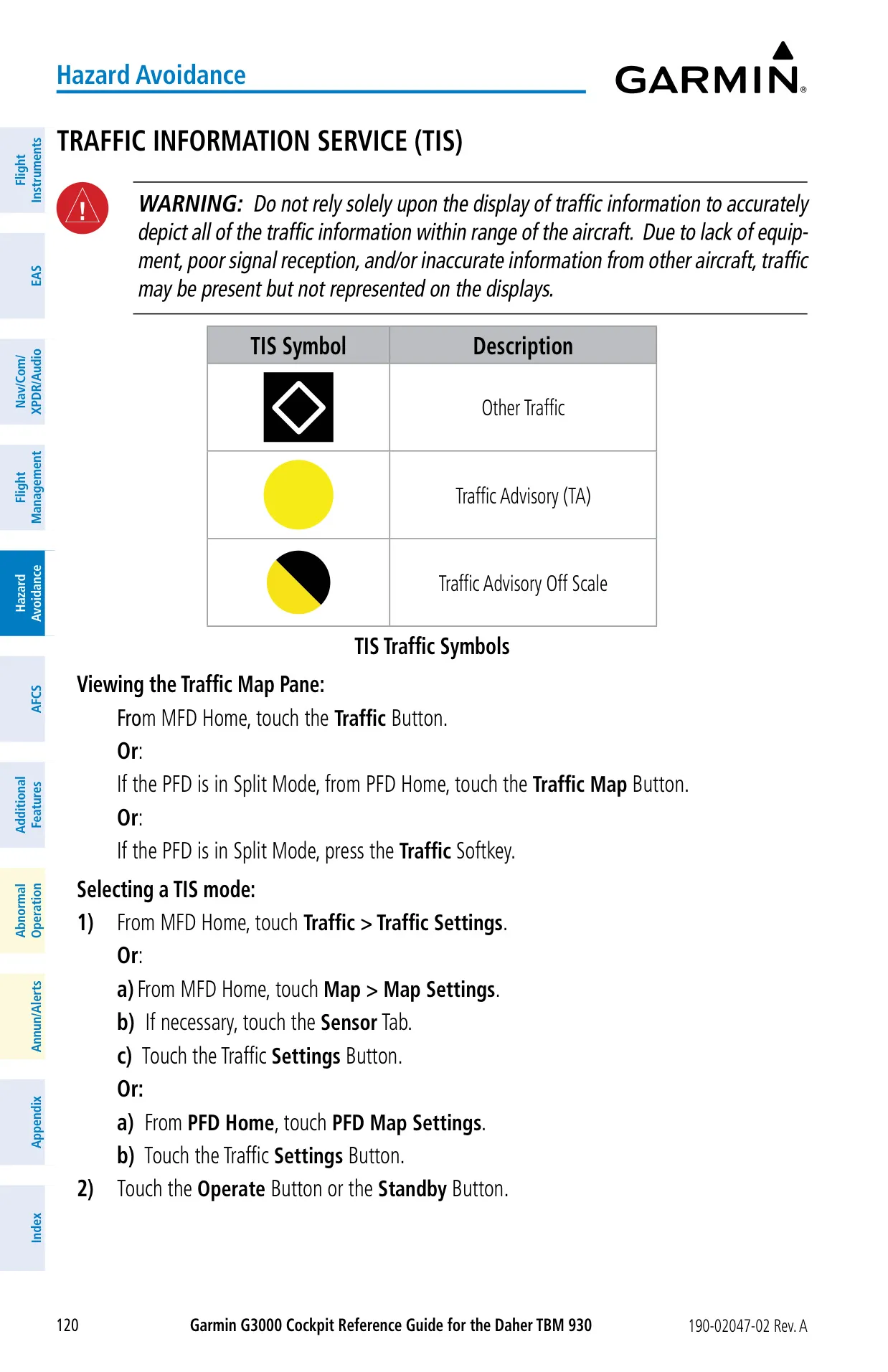
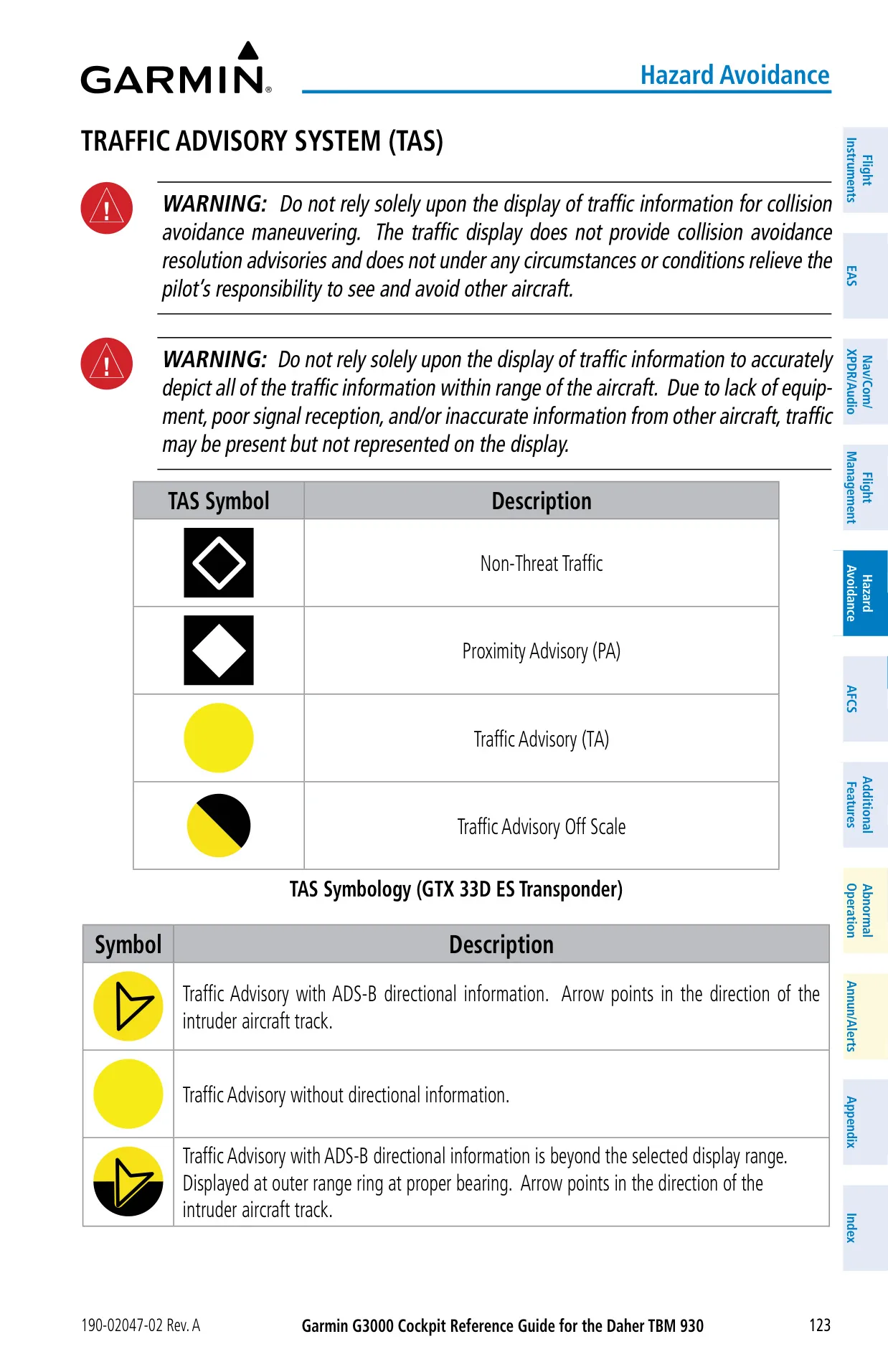
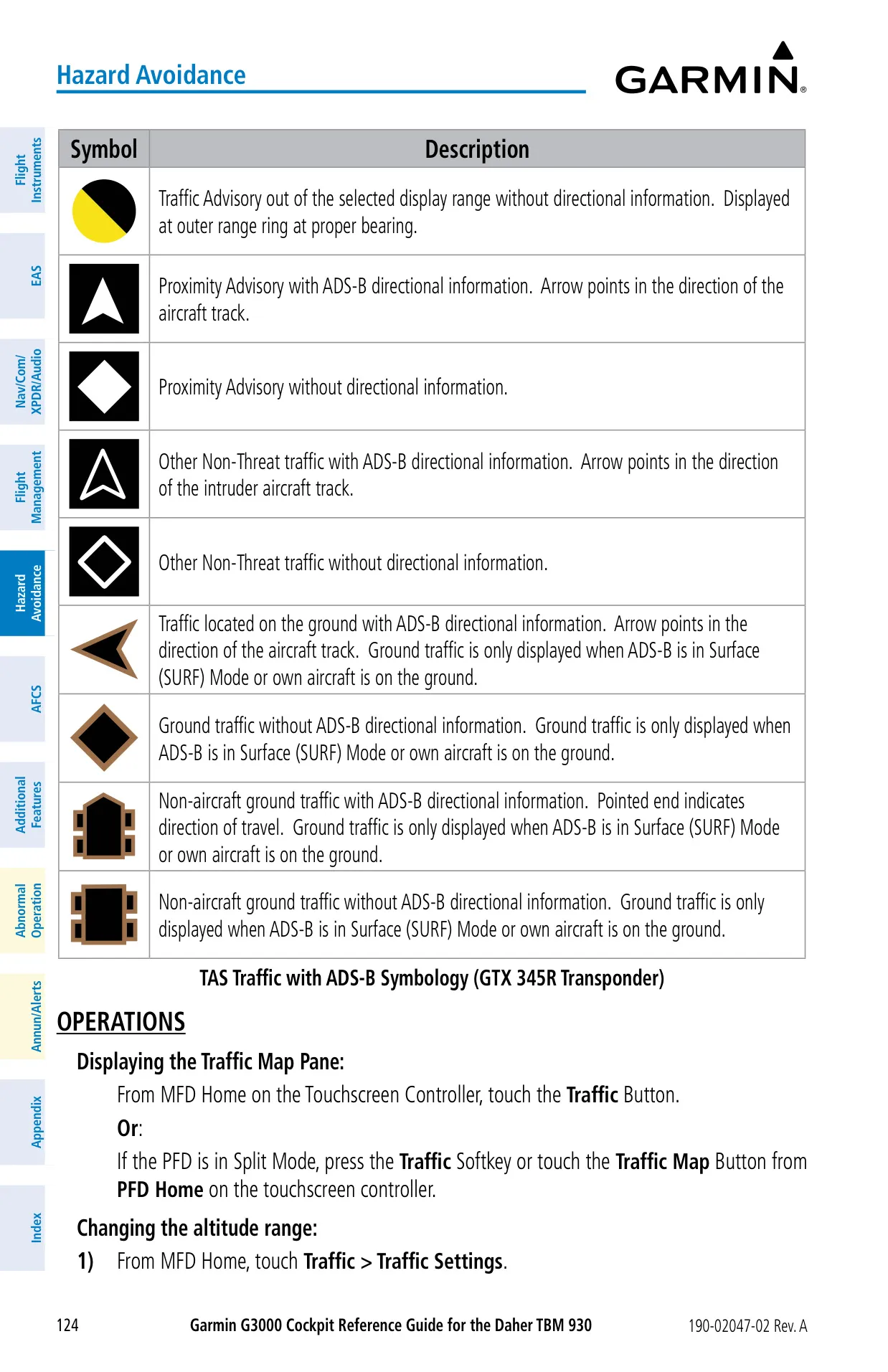
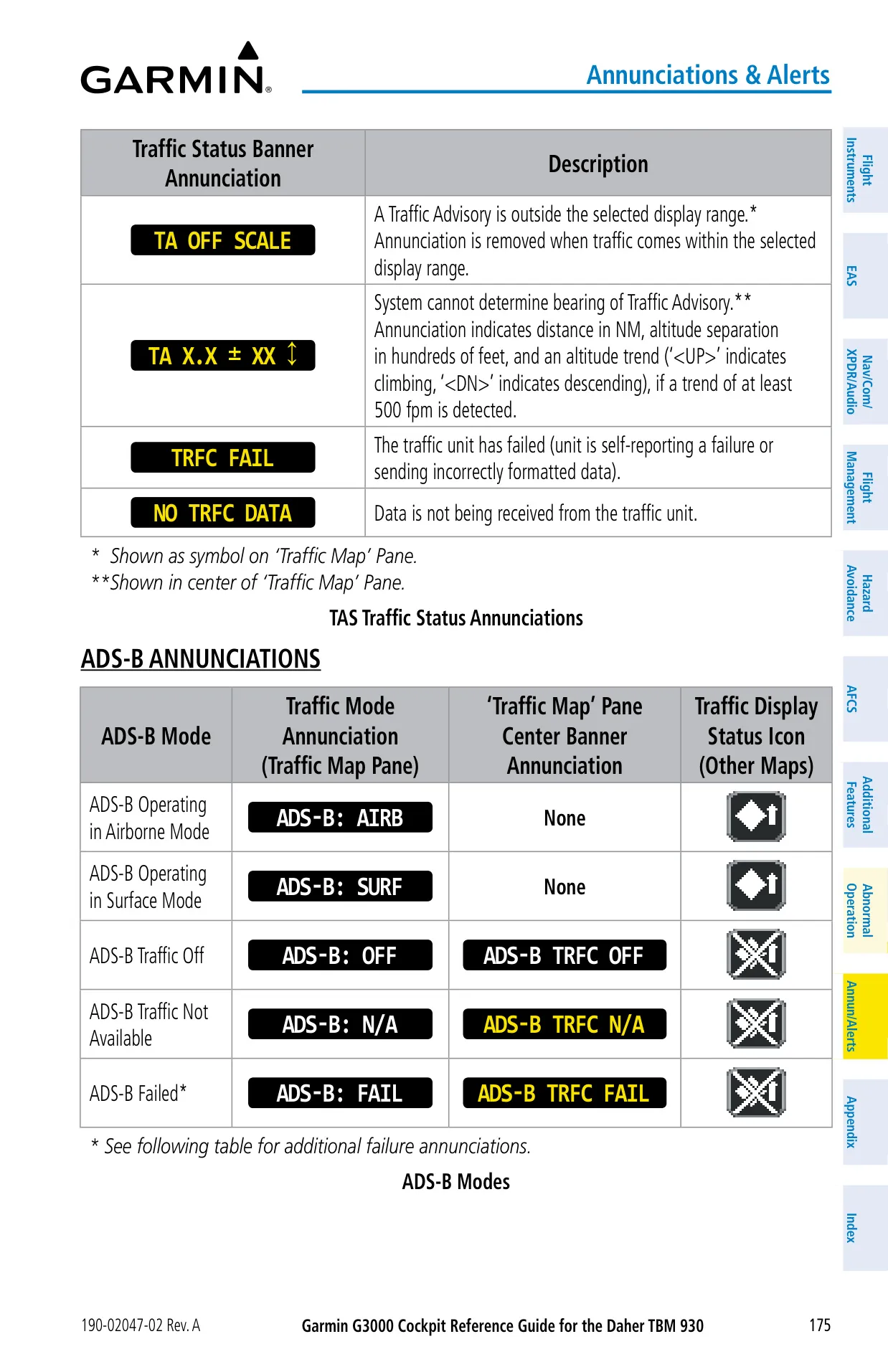
| Traffic Advisory System | GTS 820; tracks 45 Mode A/C and 30 Mode S intruders, ±10,000 ft, up to 40 nm |
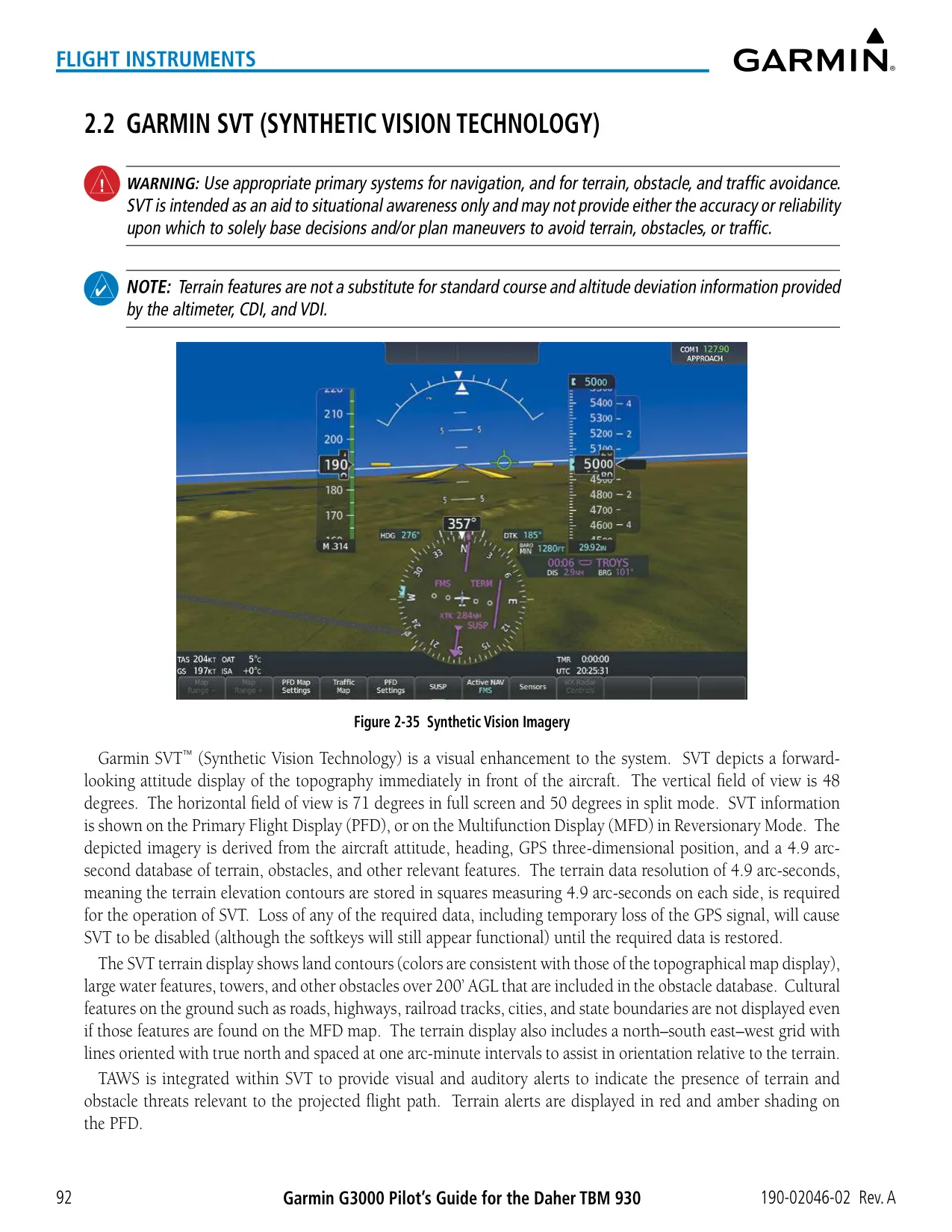
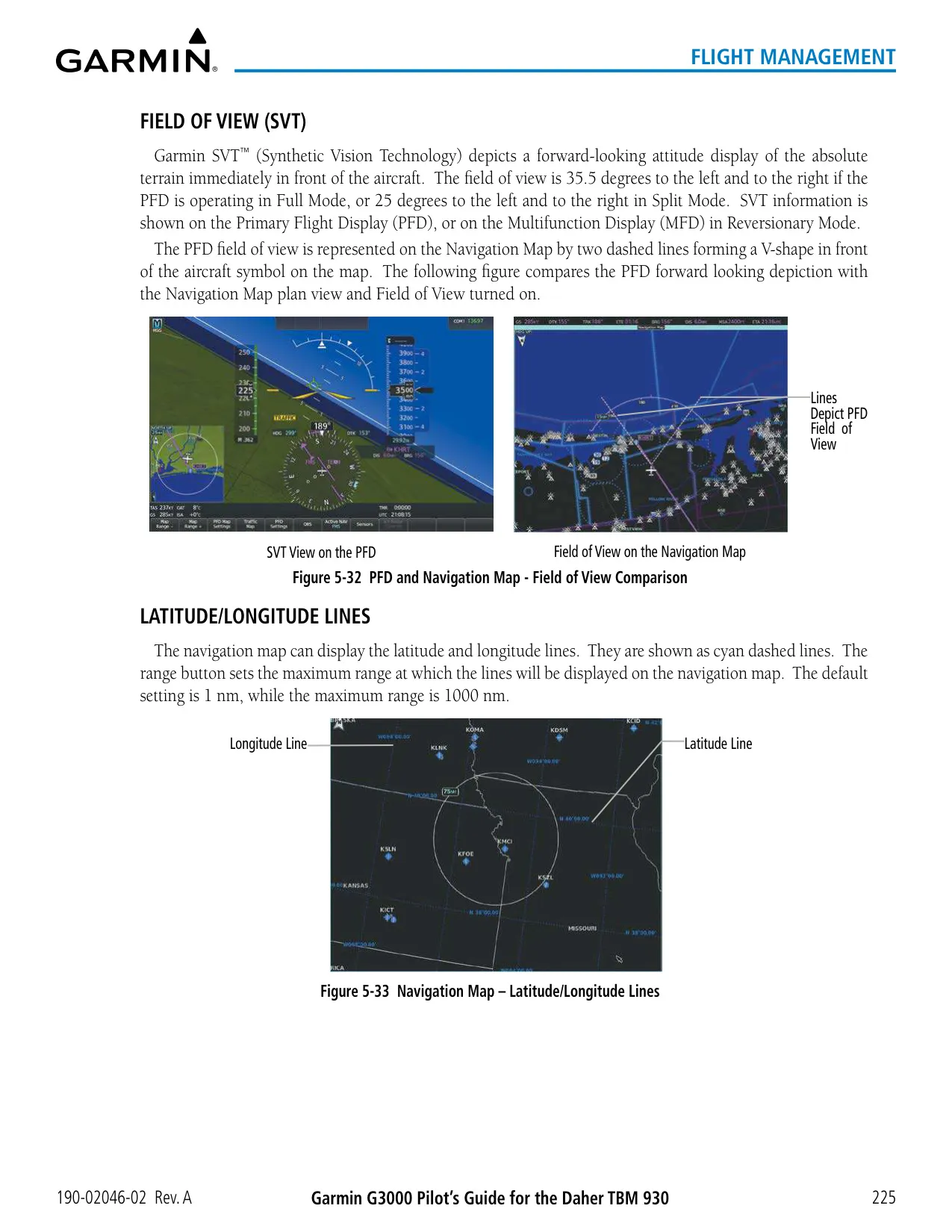
| SVT Field of View | 48° vertical; 71° horizontal (Full), 50° (Split) |
| Terrain Database Resolution | 4.9 arc-seconds |
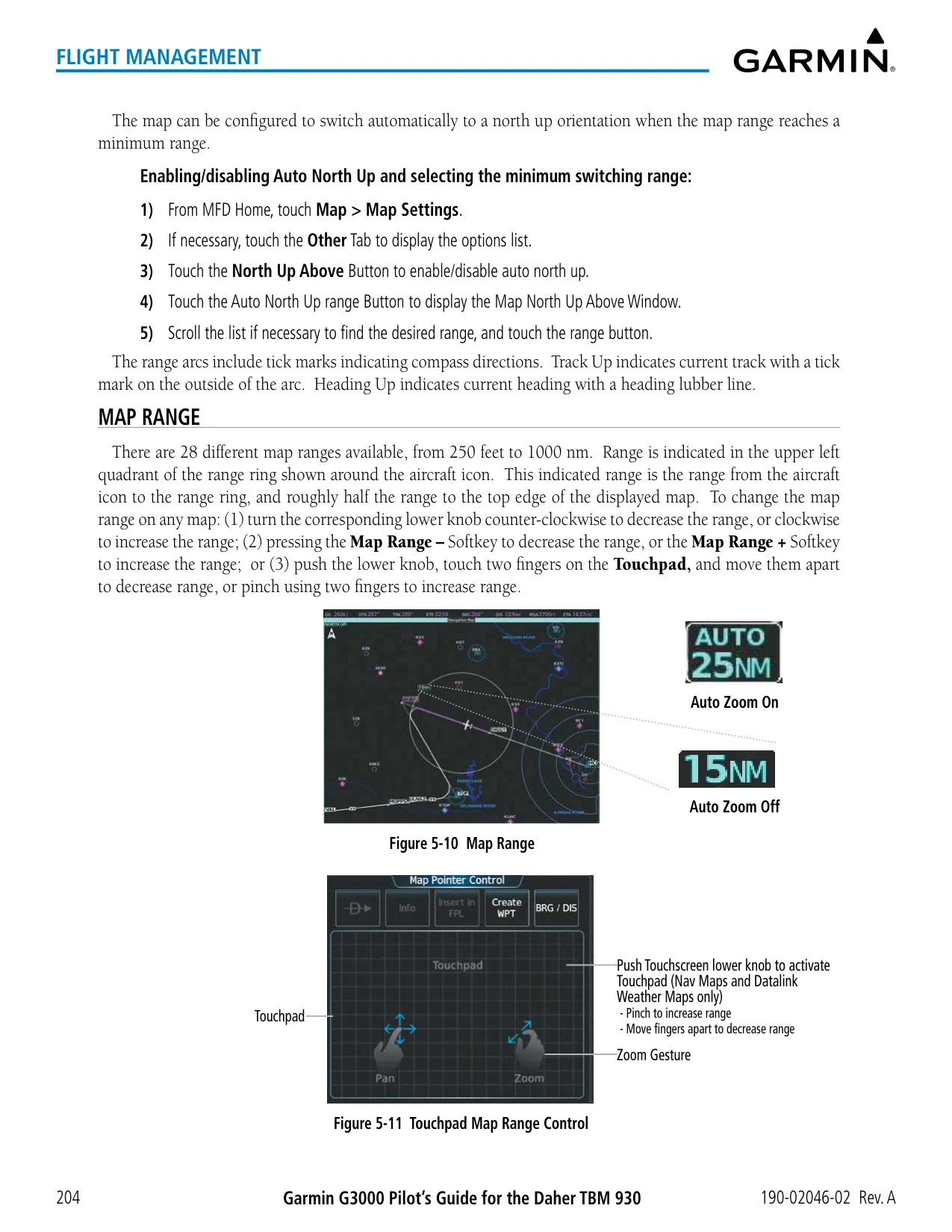
| Map Range | 28 scales, 250 ft to 1000 nm |
| Stored Flight Plans | 99 plans, 100 waypoints each |
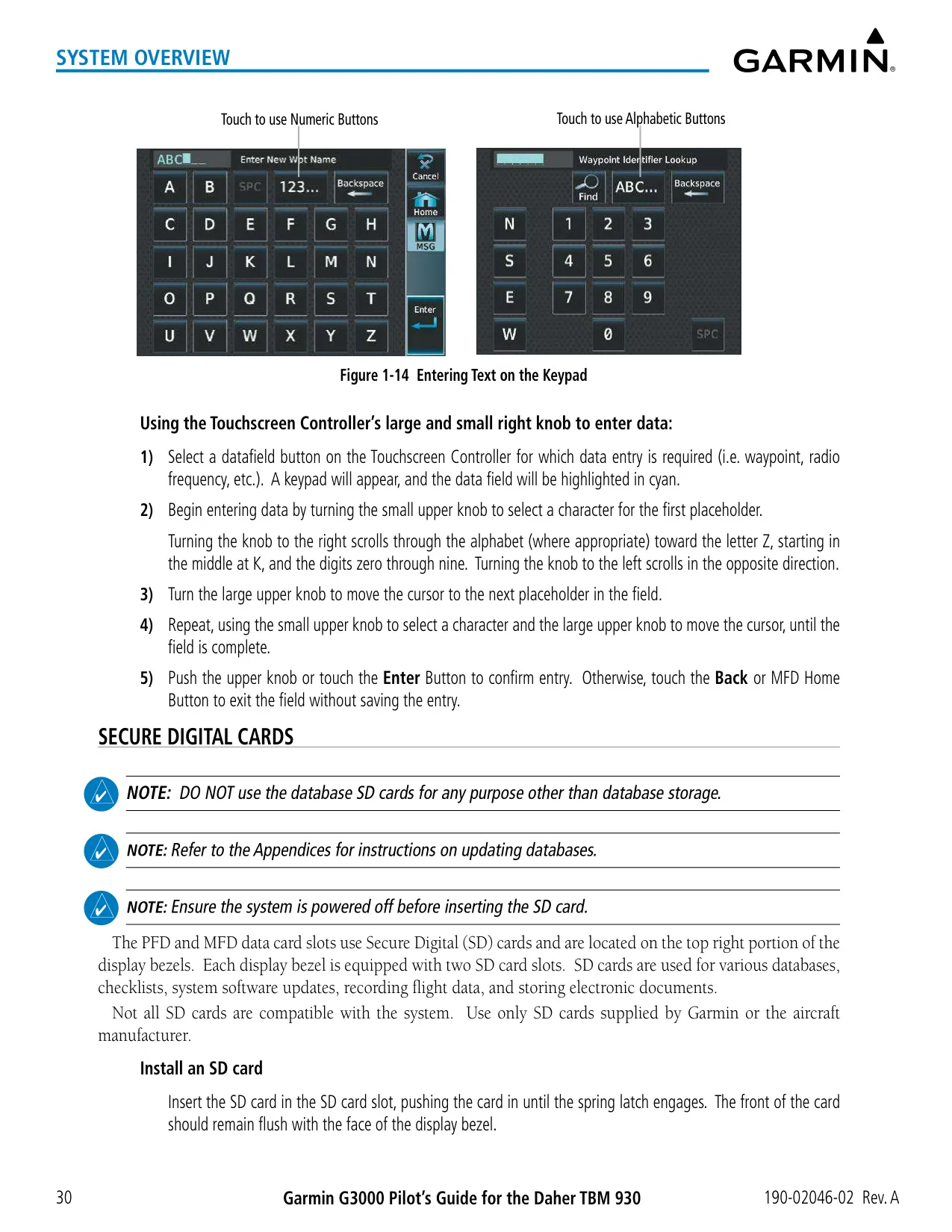
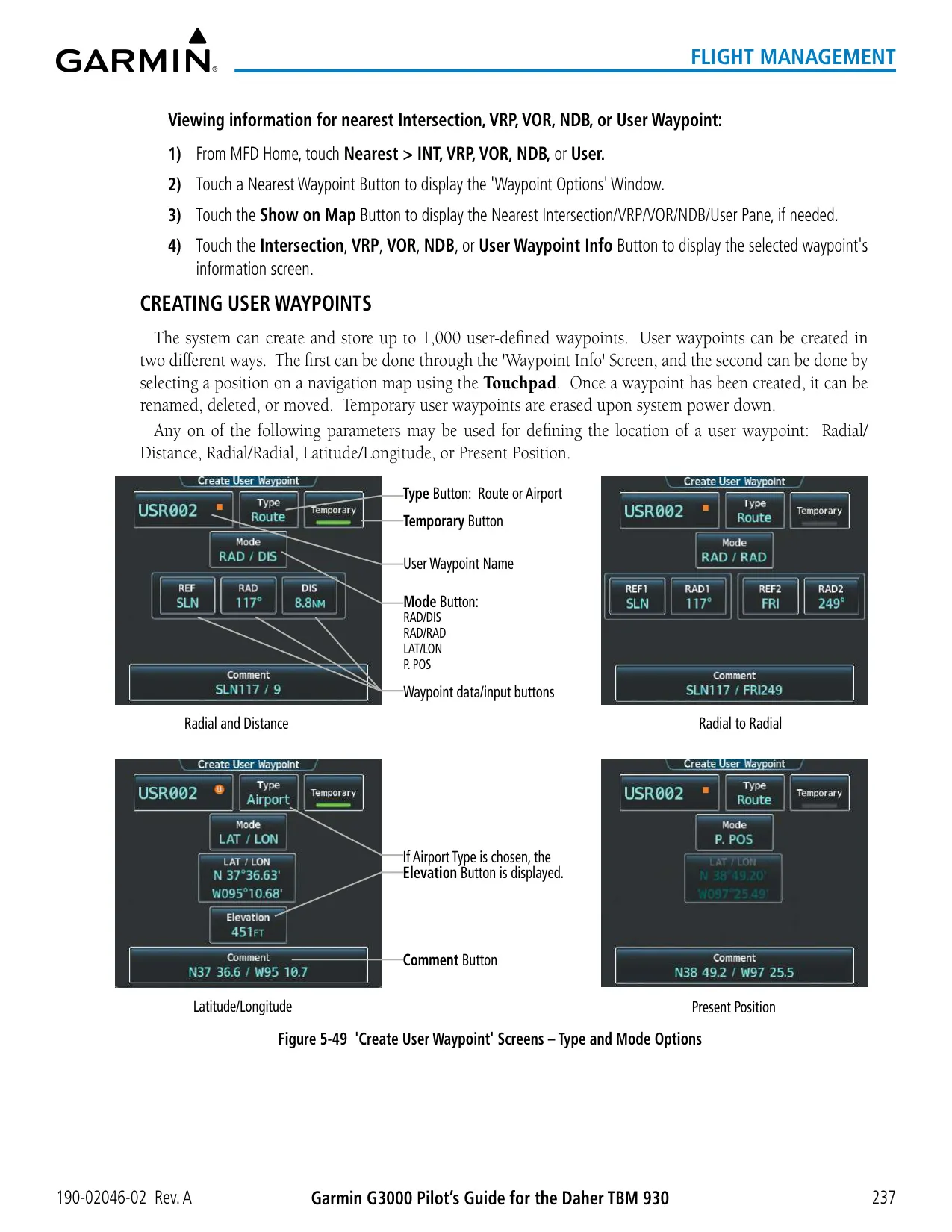
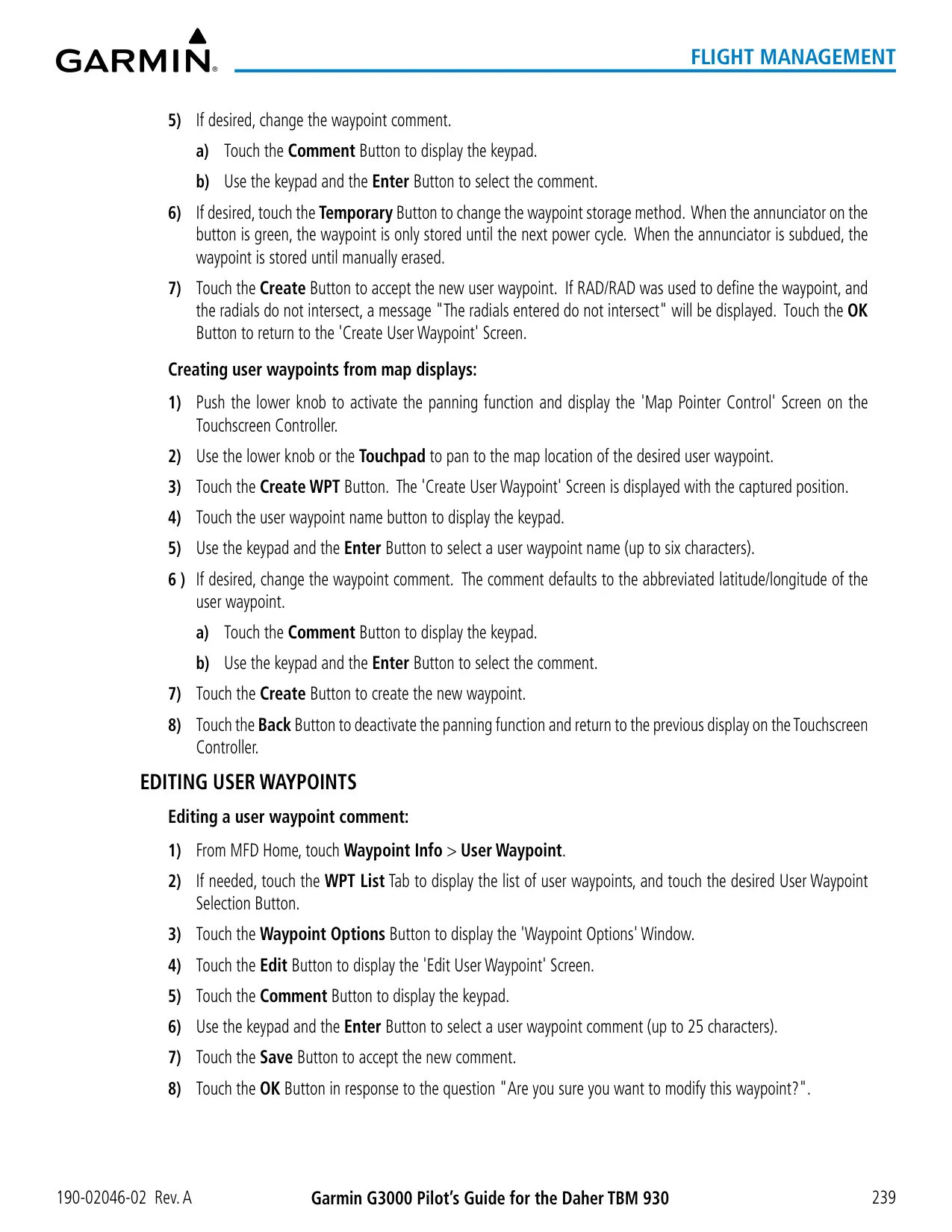
| User Waypoints | Up to 1000 (6-character name, 25-character comment) |
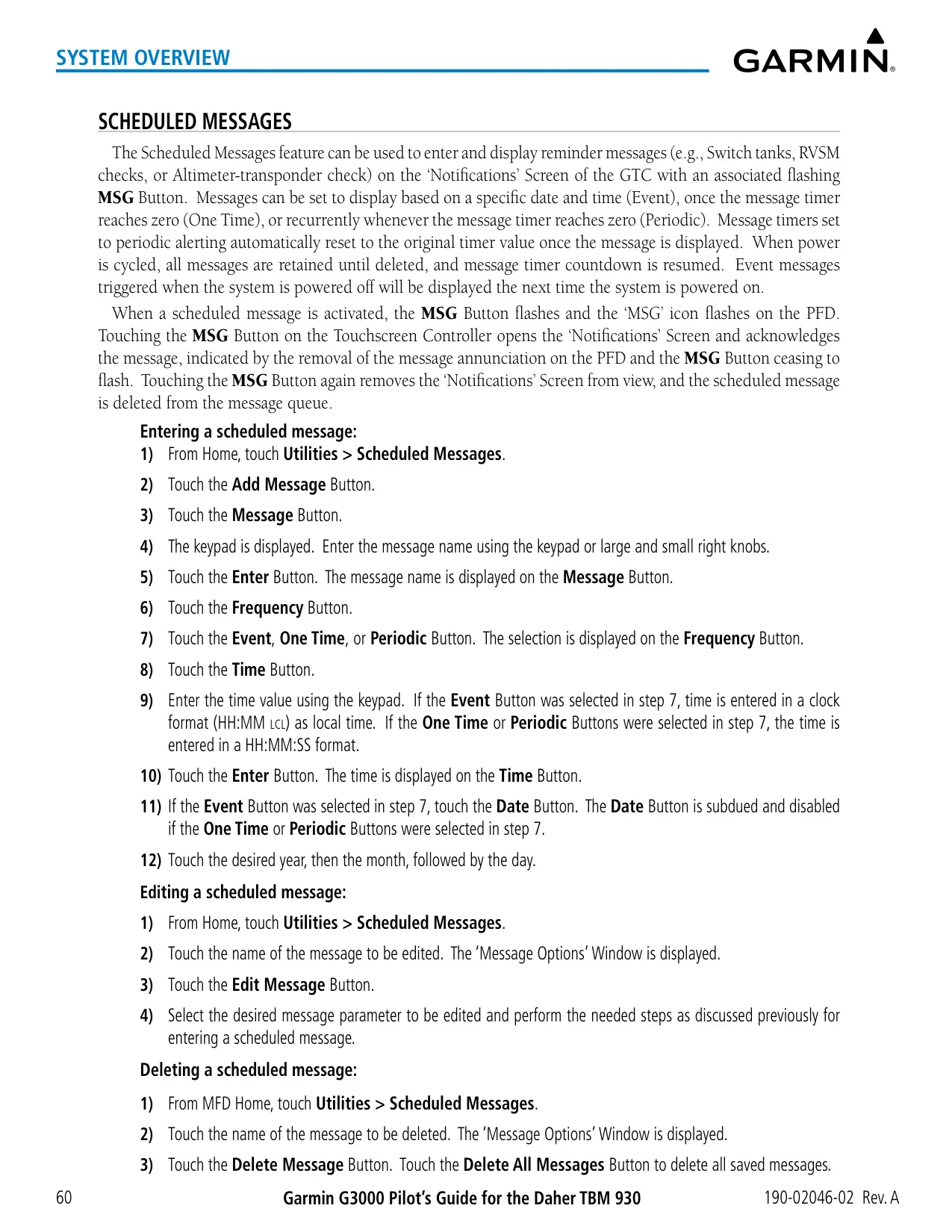
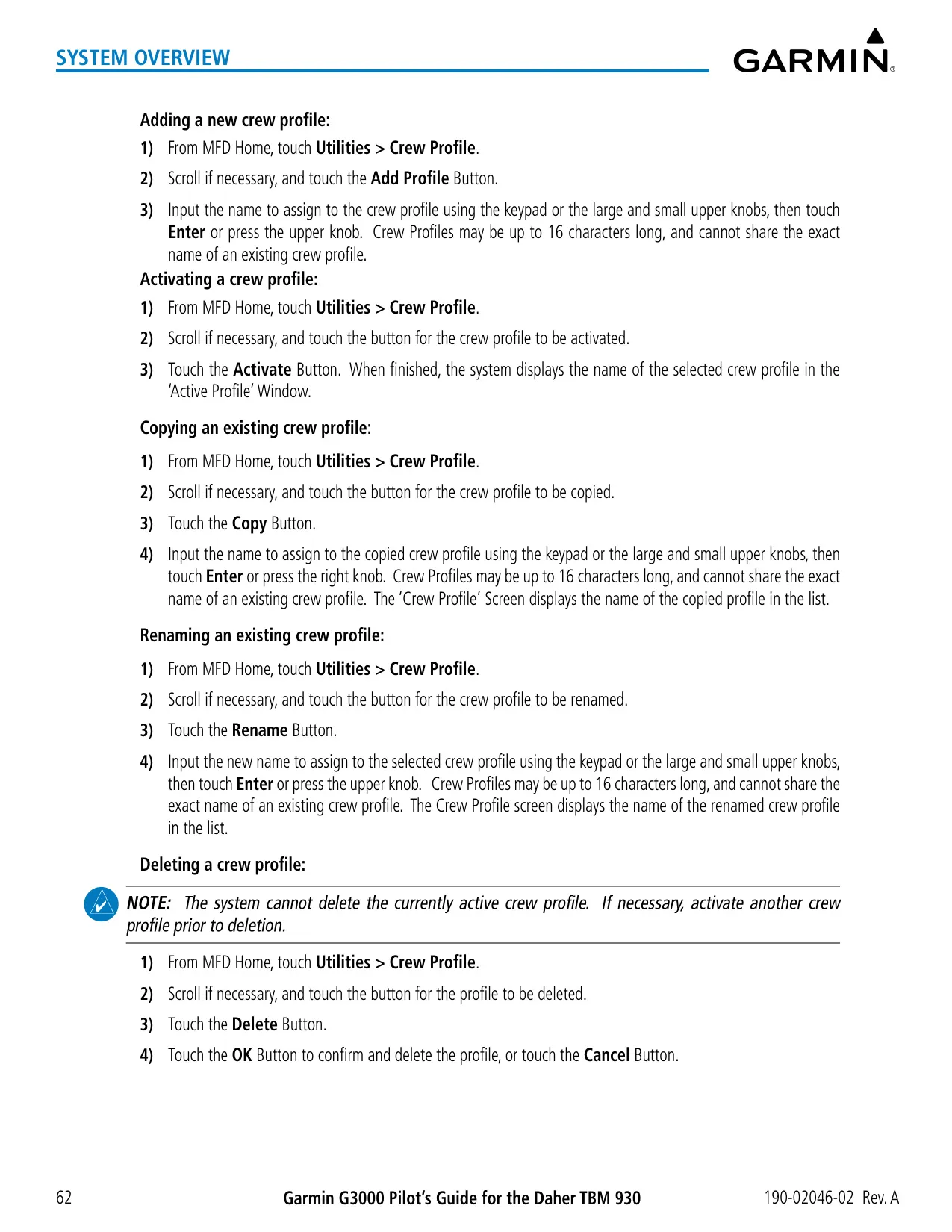
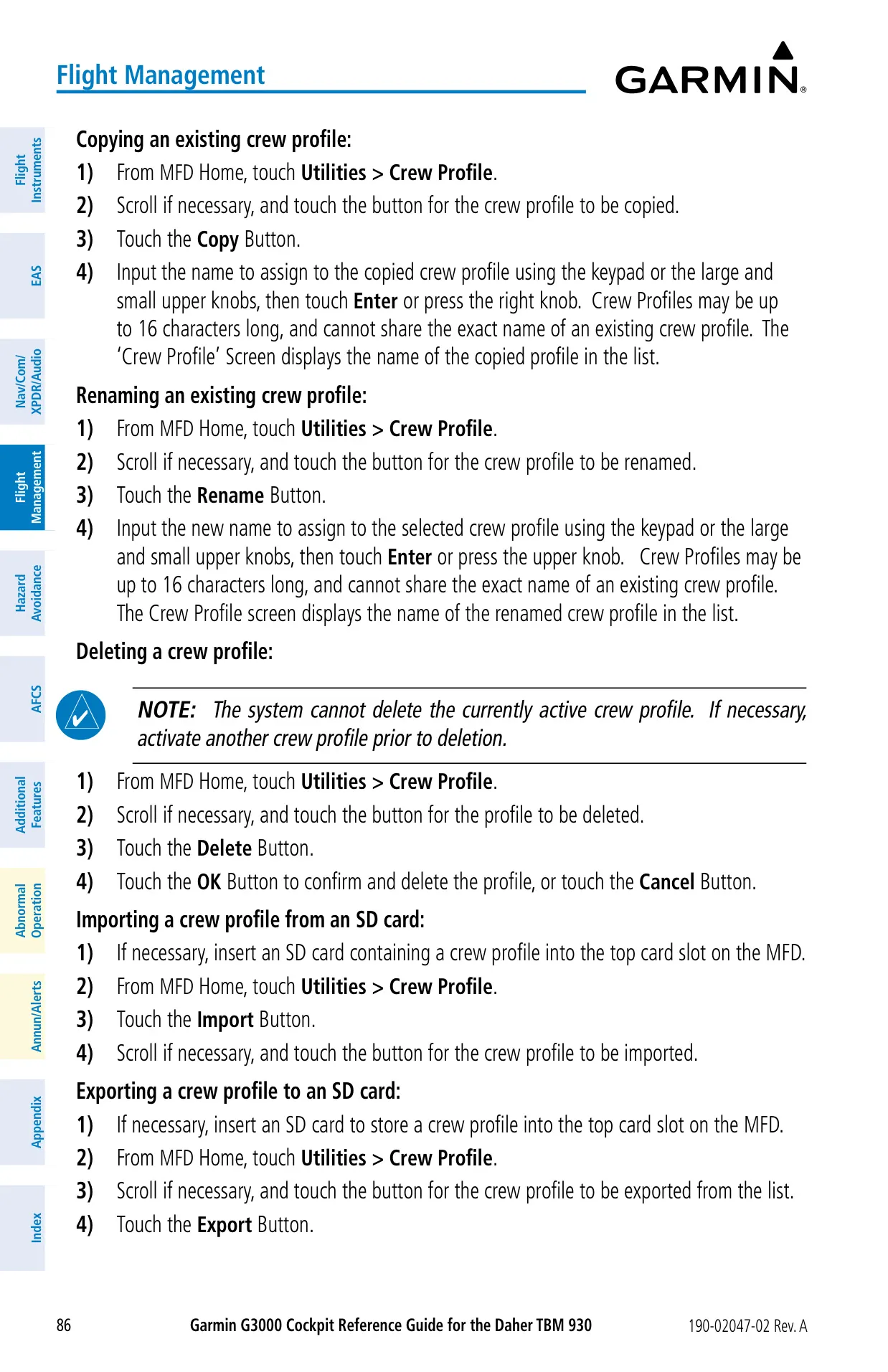
| Crew Profiles | Up to 25 (16-character names) |
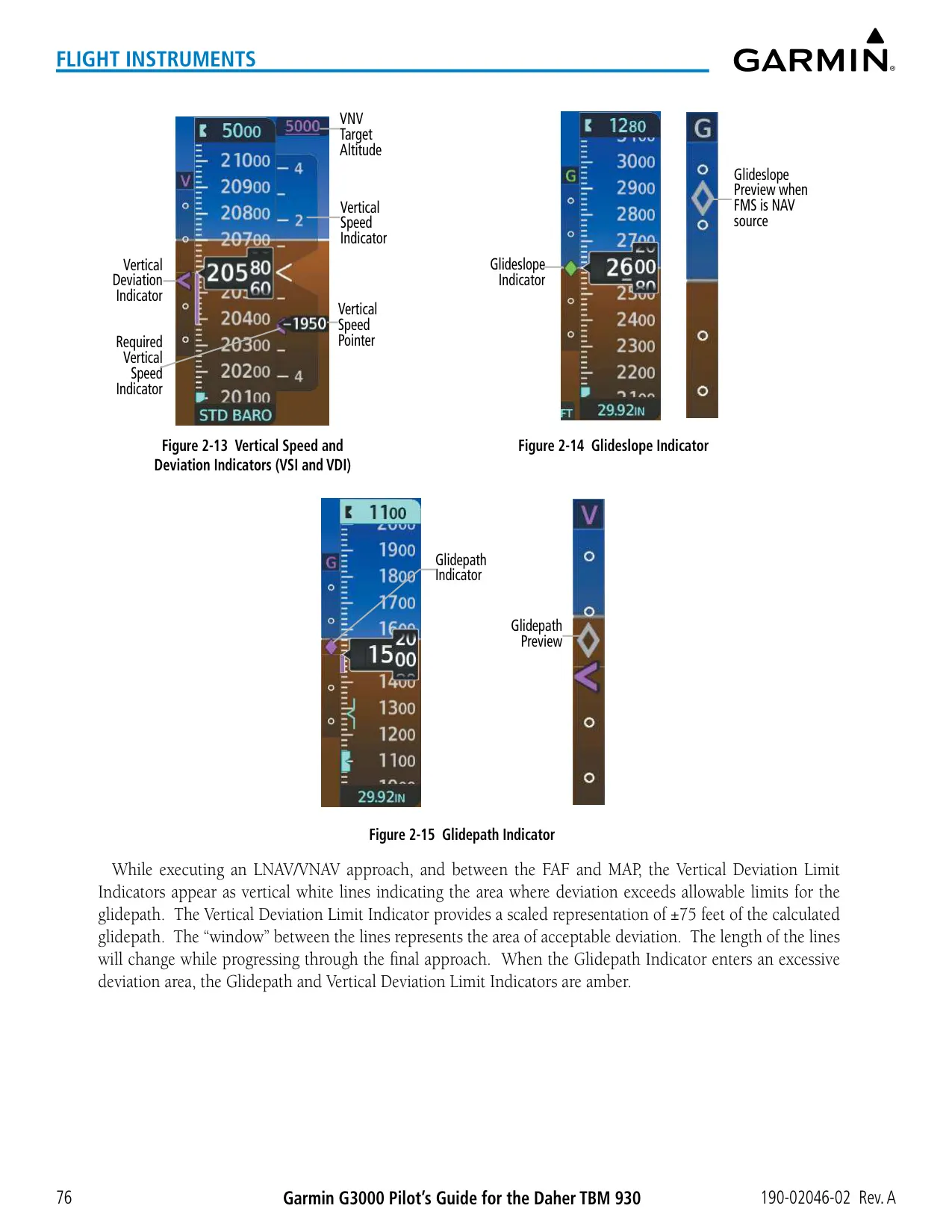
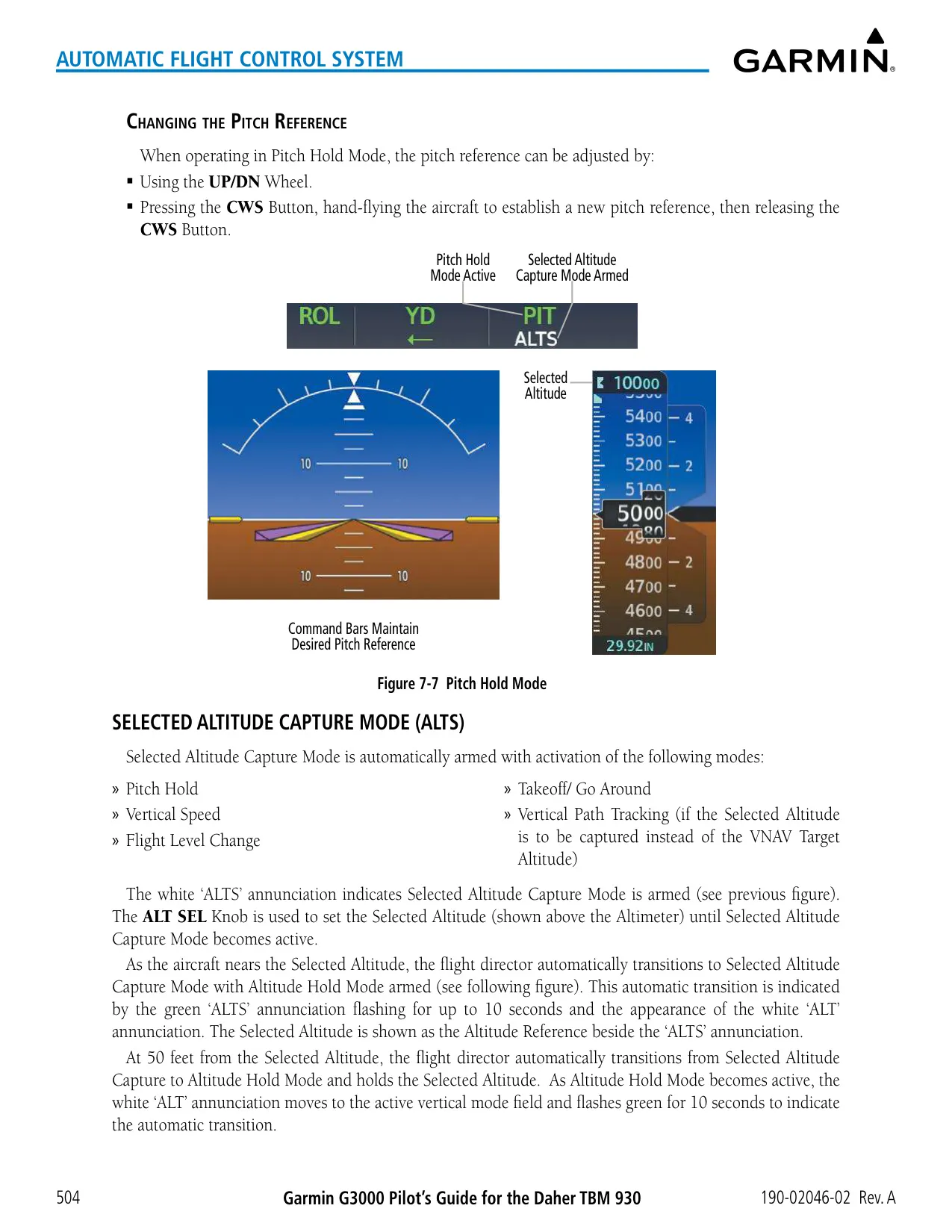
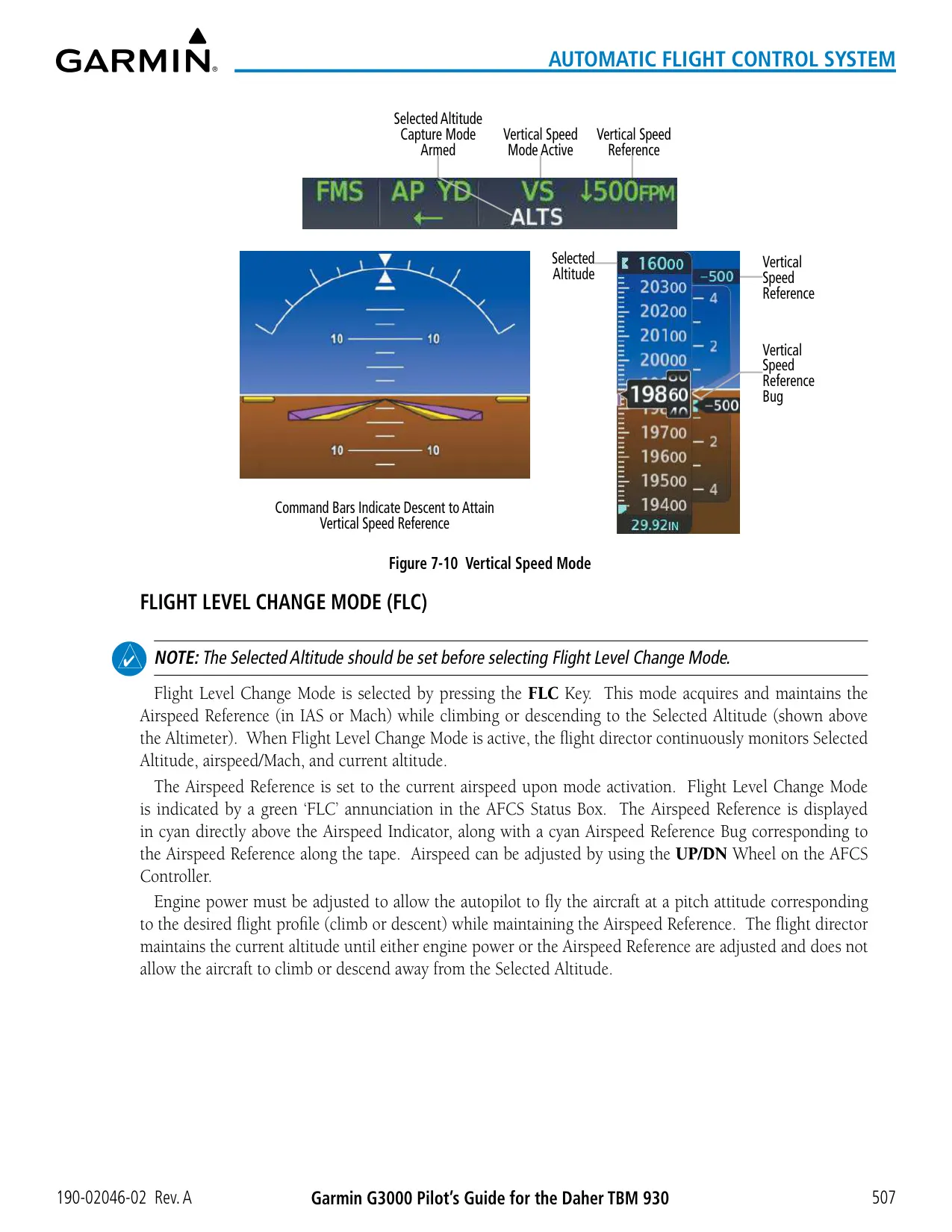
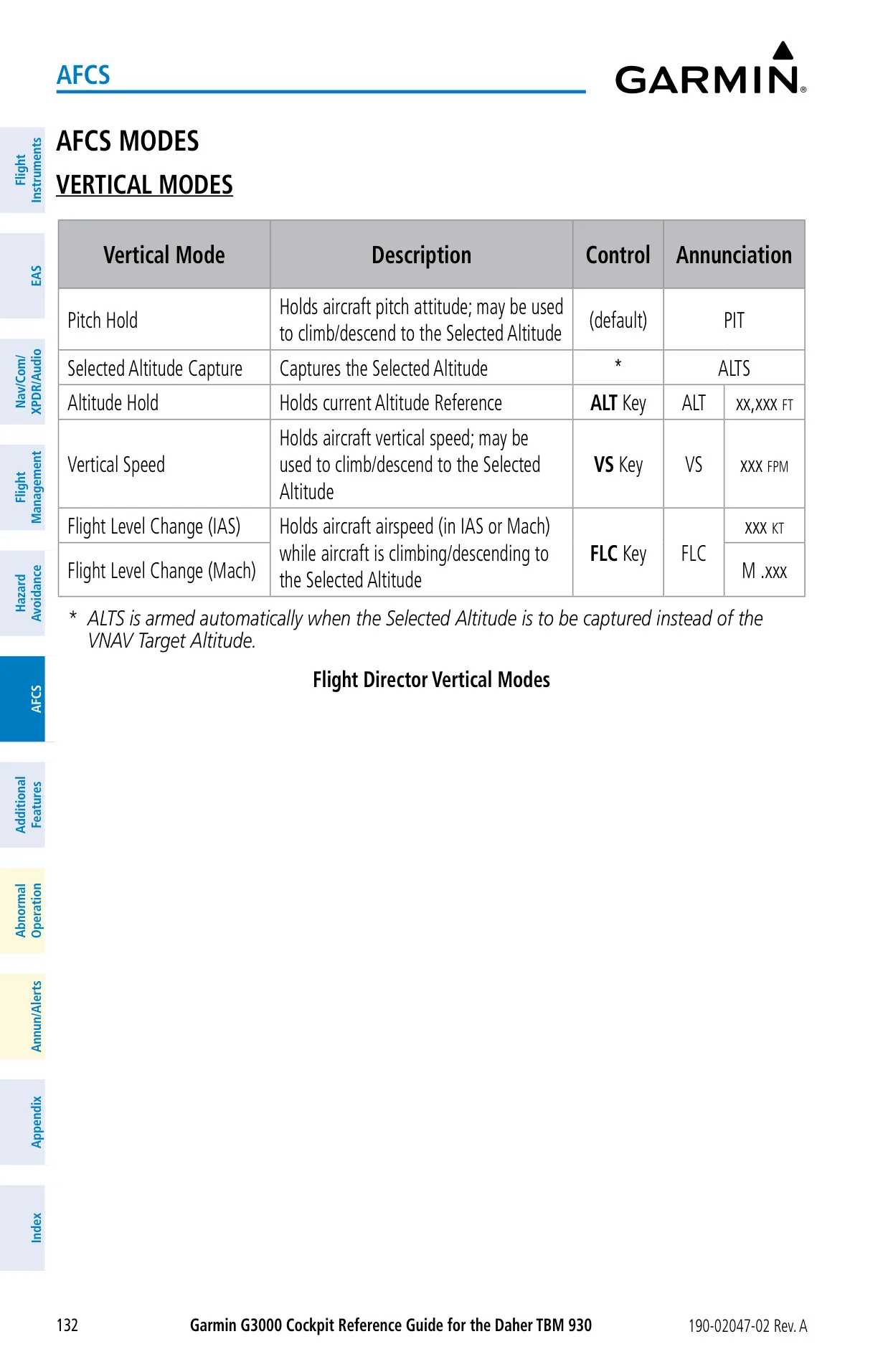
| Vertical Speed Mode Range | −4000 to +3000 fpm, 100 fpm steps |
| FLC Mode Range | 80–265 kt IAS; Mach 0.20–0.69 |
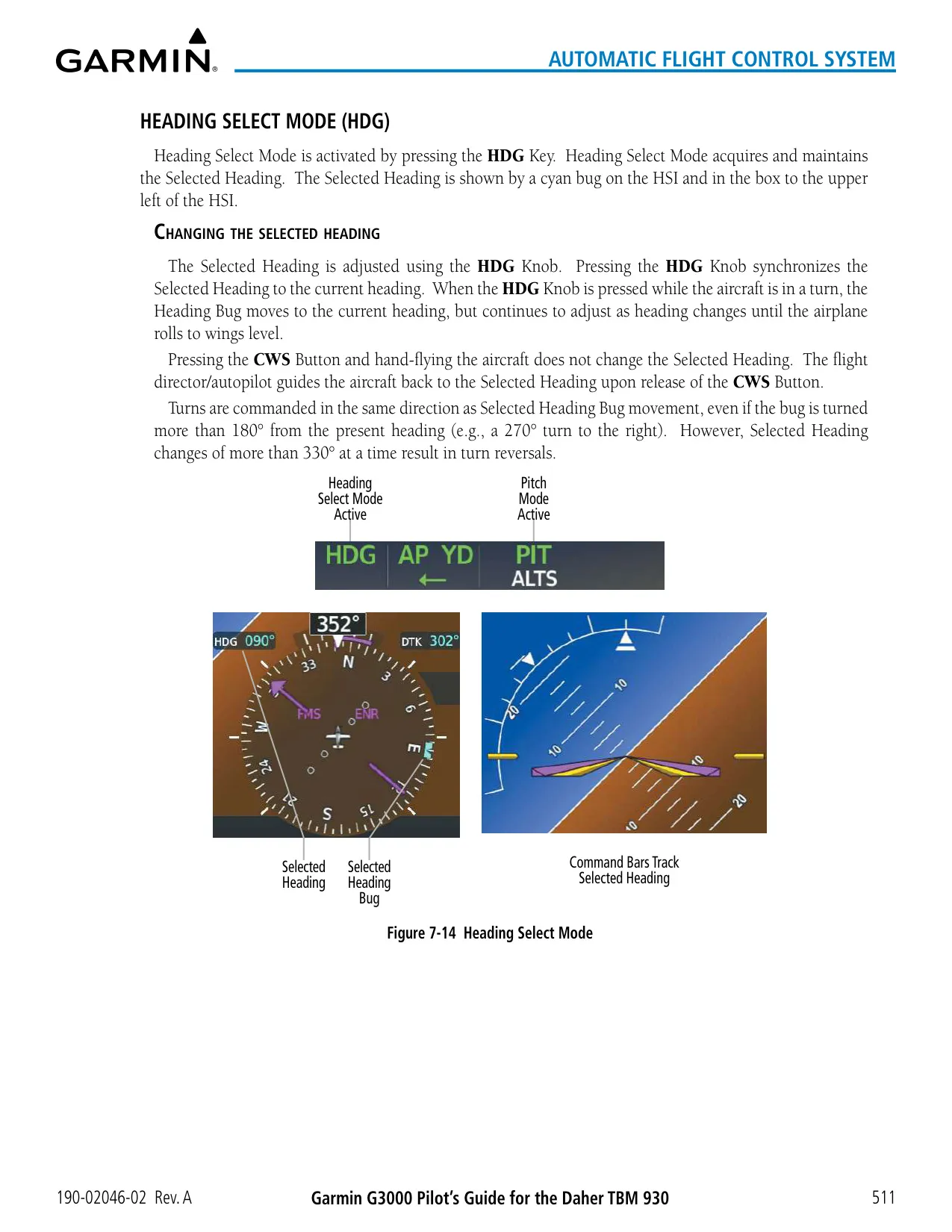
| Bank Limits | 25° normal; 15° Low Bank (automatic above 25,000 ft) |
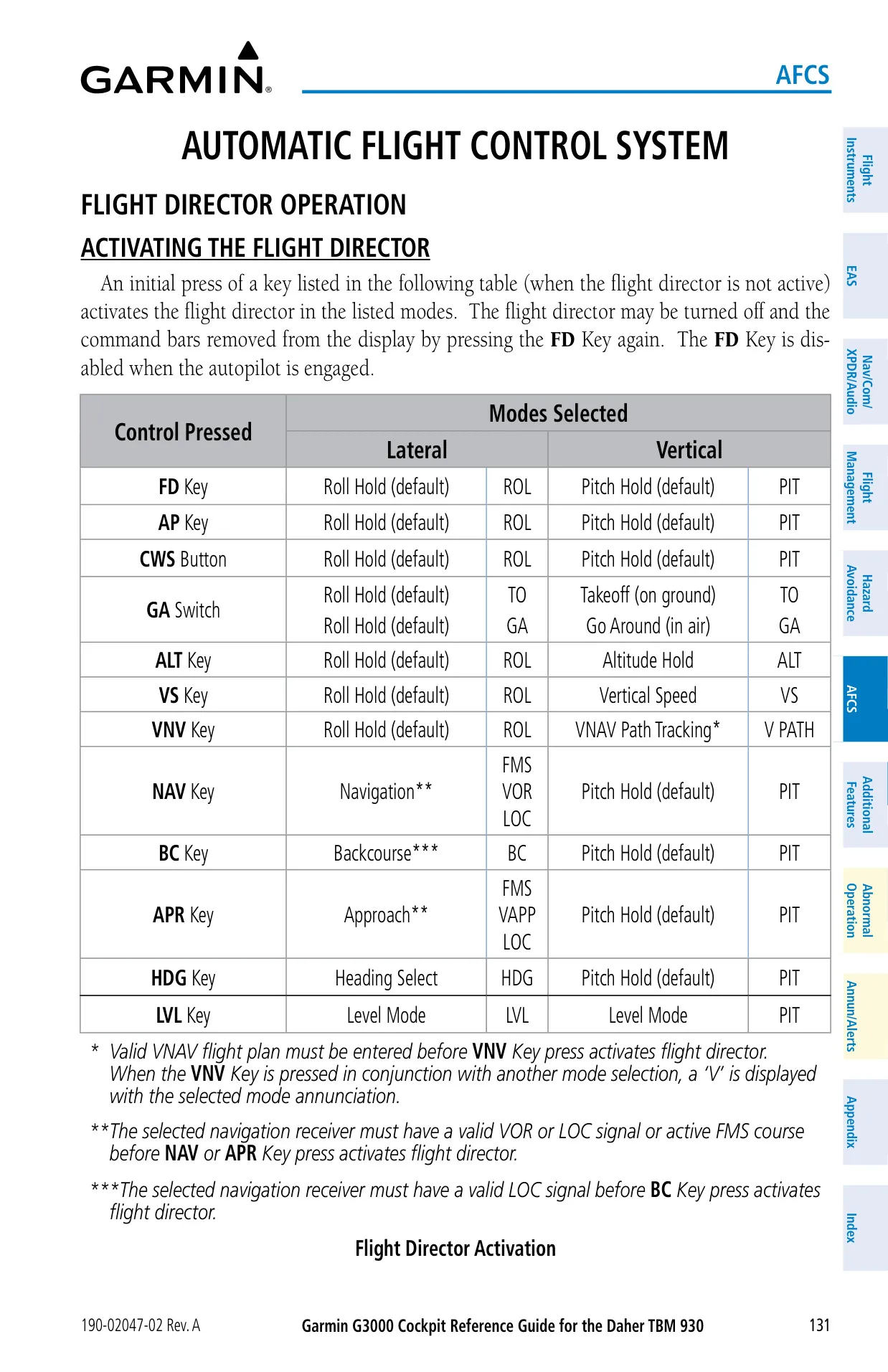
| Flight Director Limits | Pitch −15° to +25°; roll 25° |
| Database SD Cards | 32 GB Garmin-supplied cards |
| Flight Data Logging | SD up to 16 GB in upper MFD slot, 1 record per second |
| Navigation Database Cycle | 28 days (Obstacle, SafeTaxi, Airport Directory 56 days; ChartView 14 days) |
| Clearance Recorder | 2.5 minutes, erased at power-down |
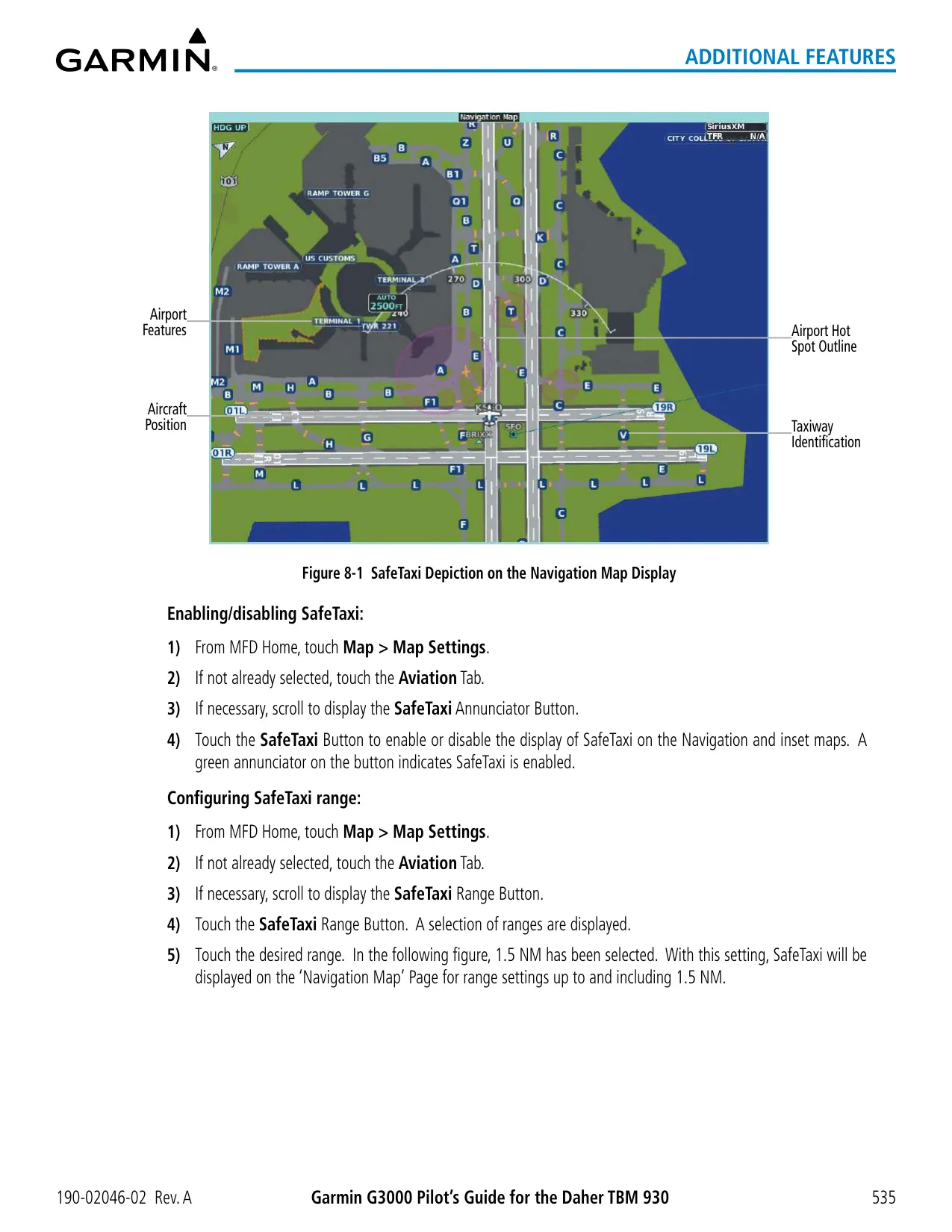
| SafeTaxi Coverage | More than 1,400 airports |
| SiriusXM Audio | More than 170 channels |
Garmin G3000 Panel Avionics Unit Details
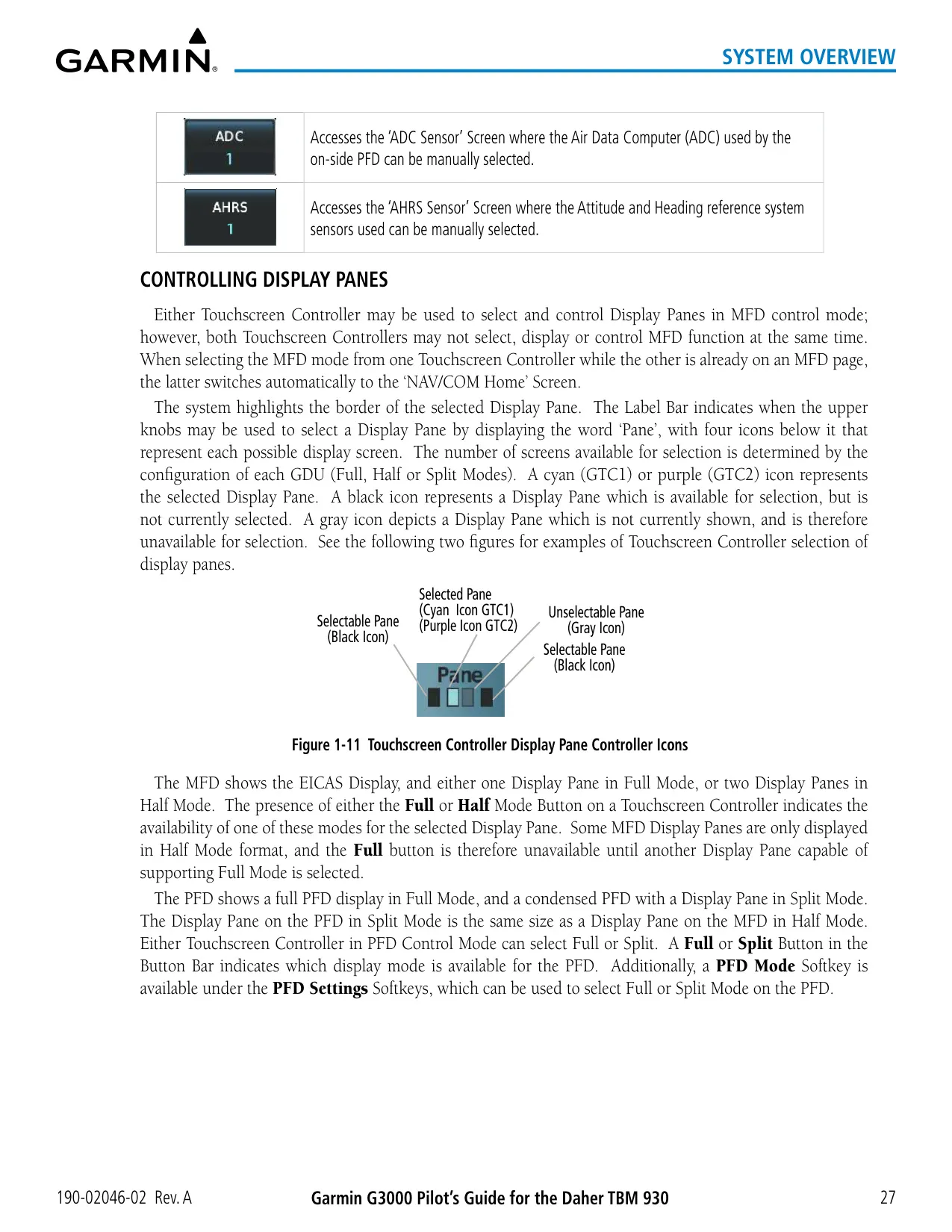
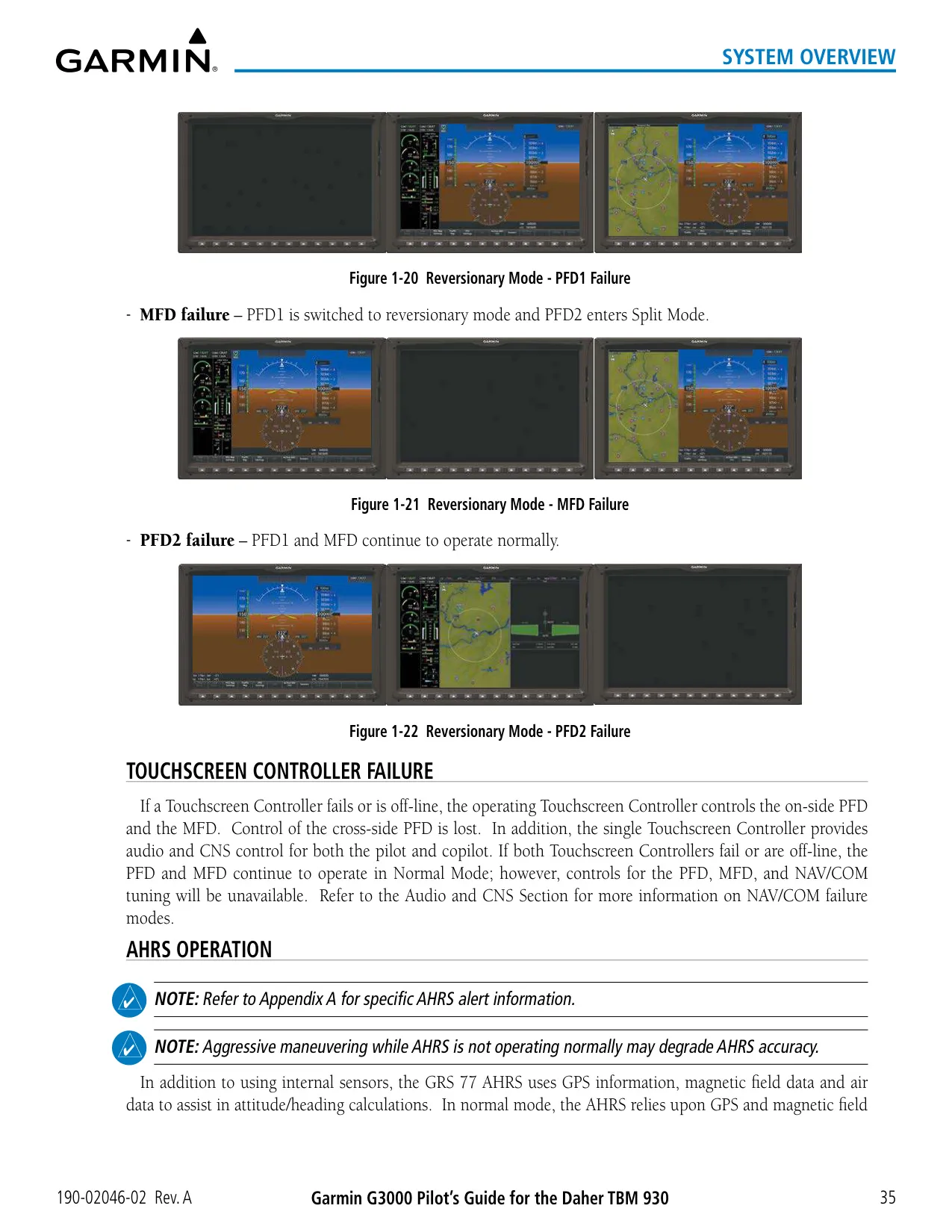
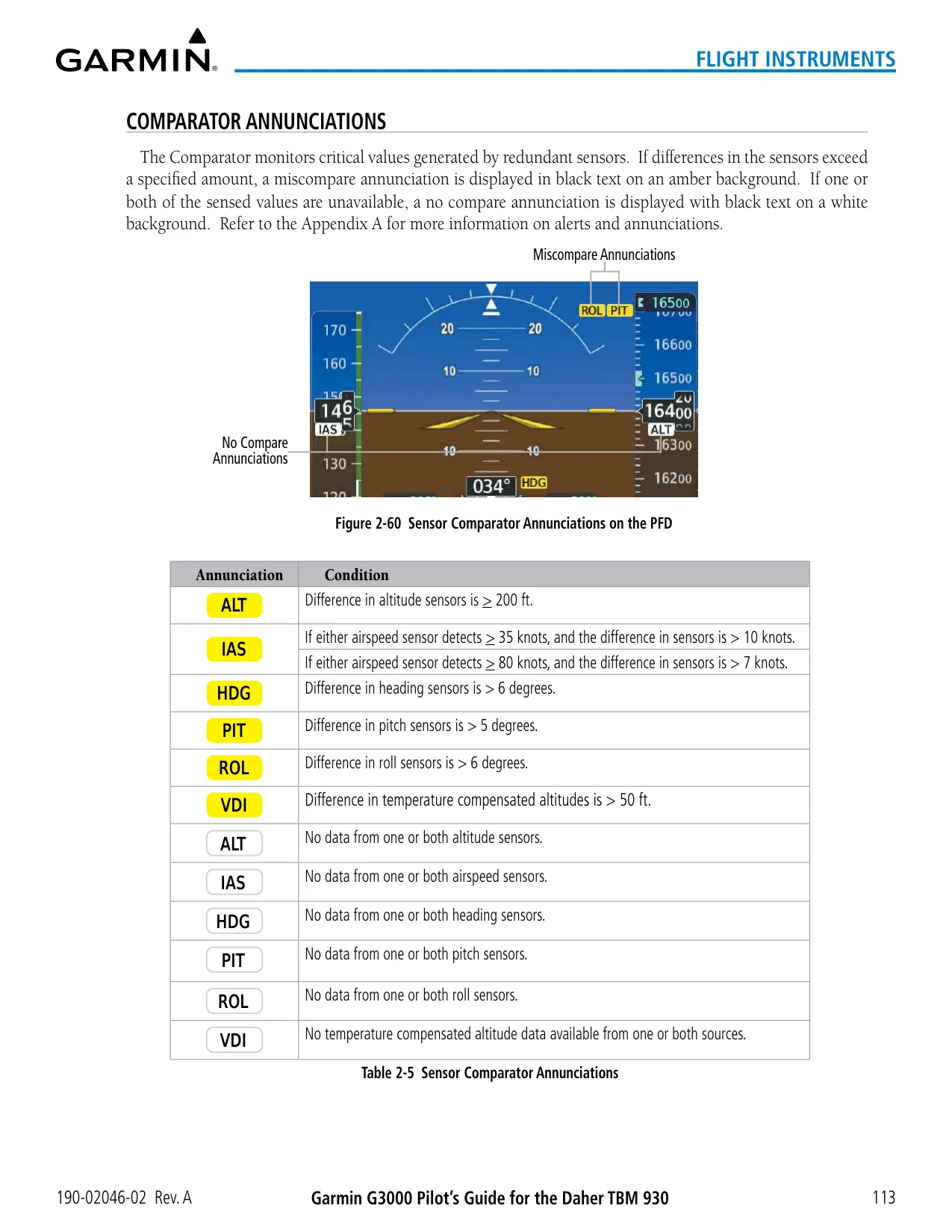
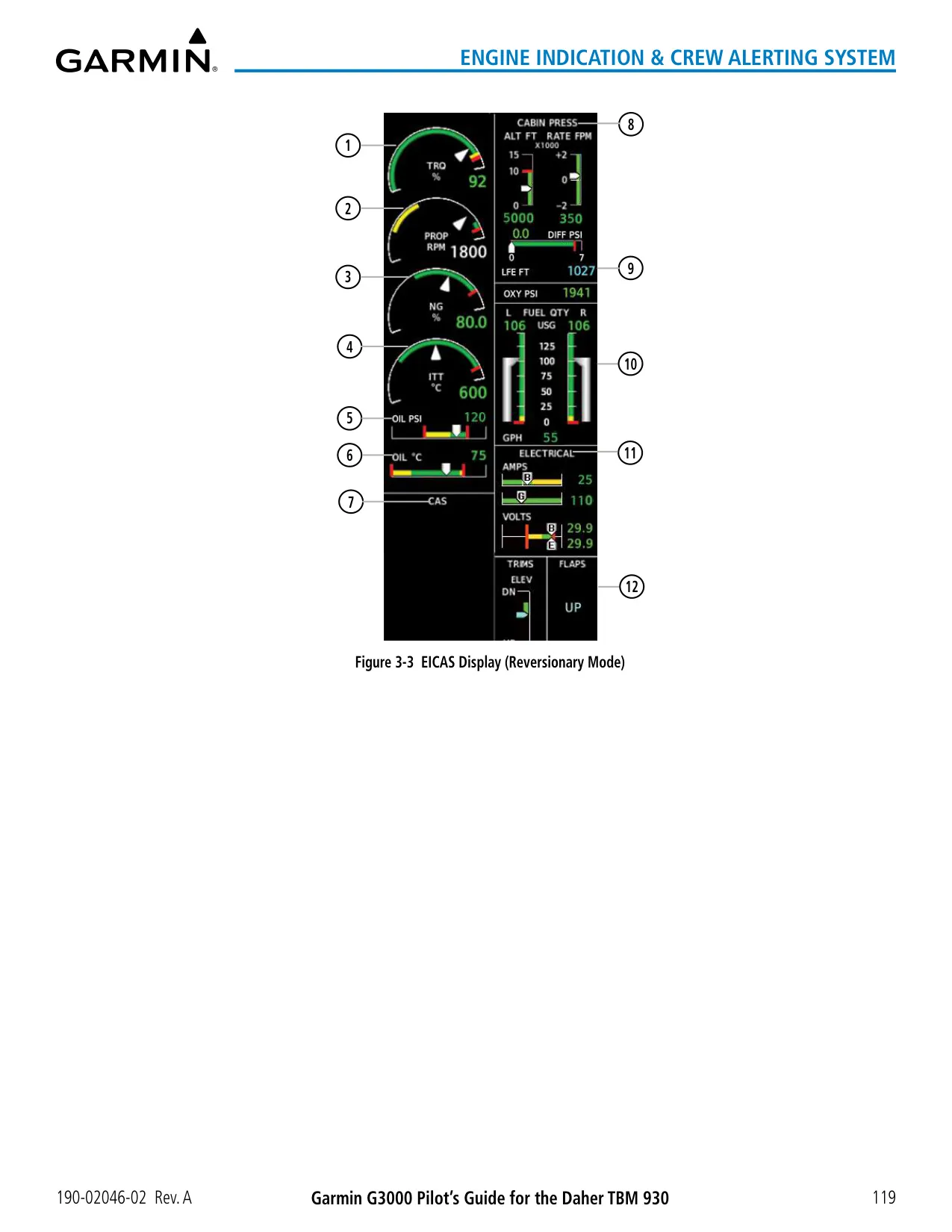
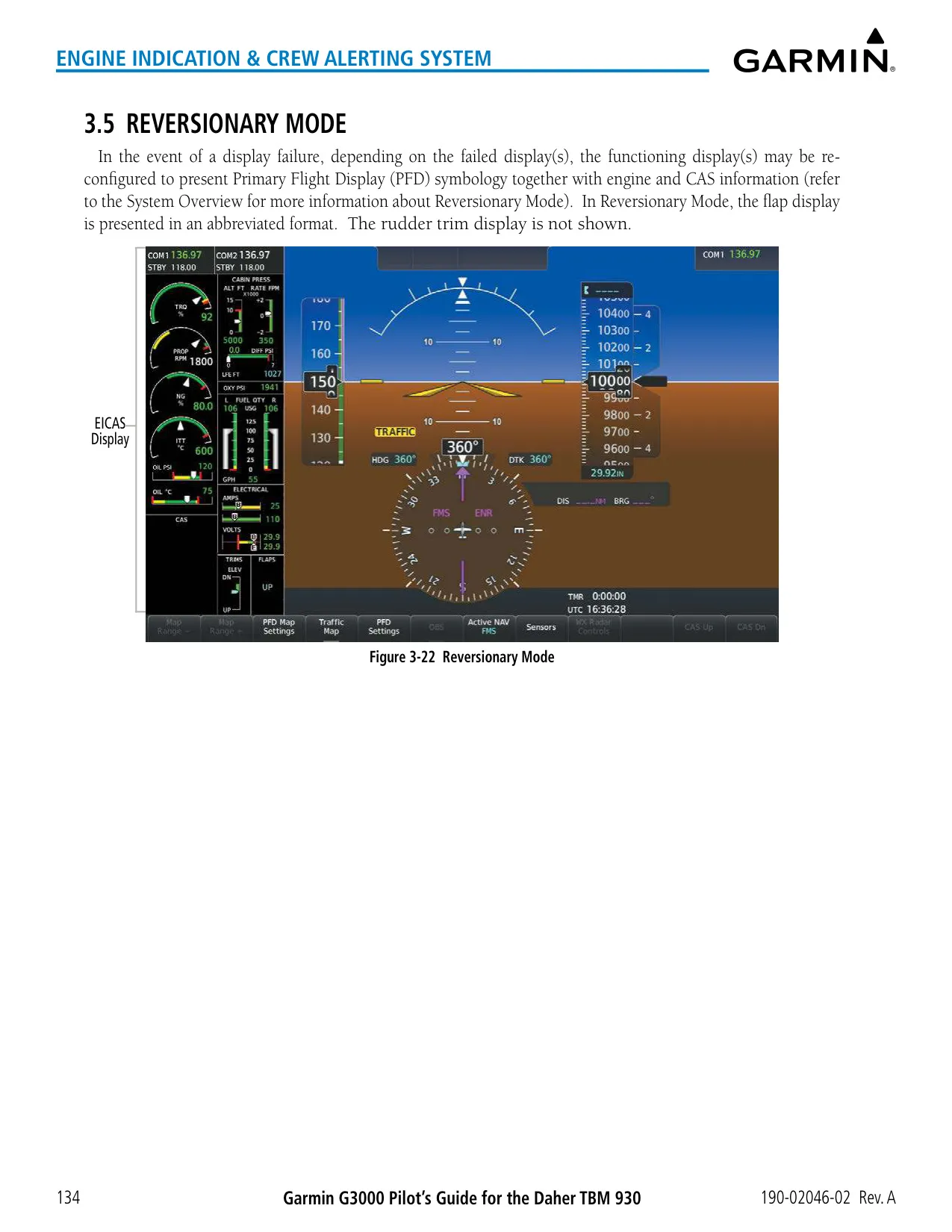
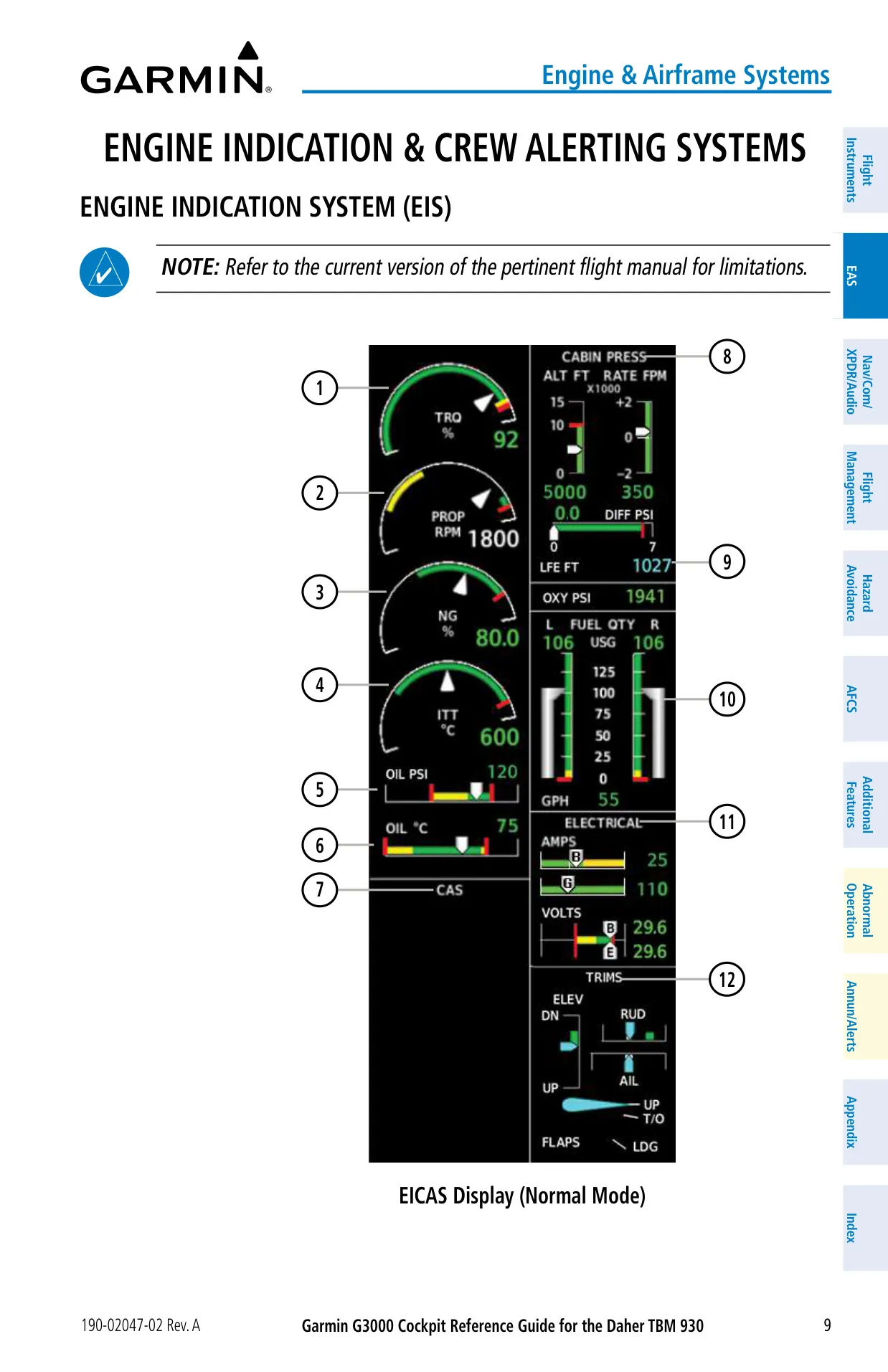
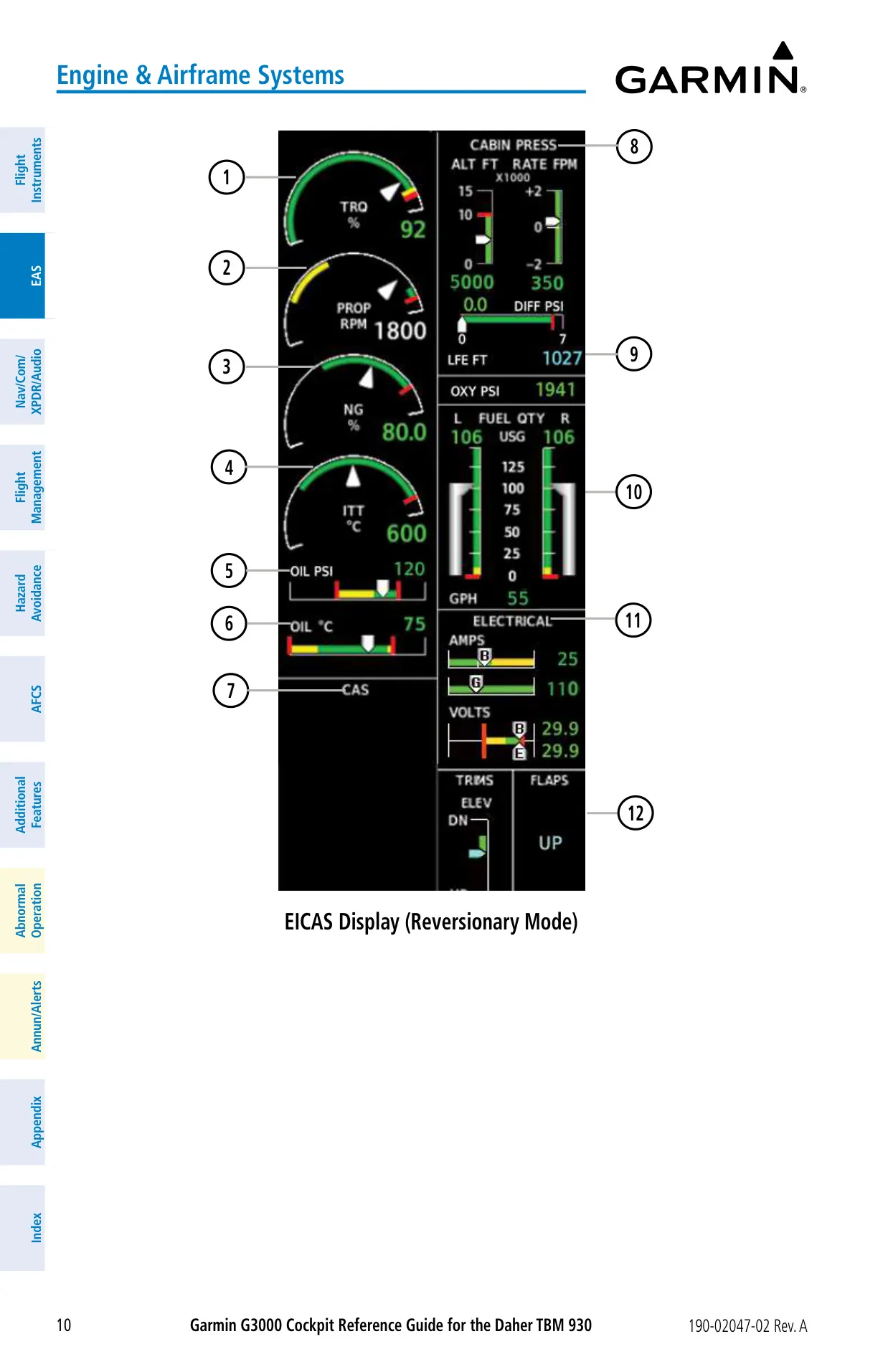
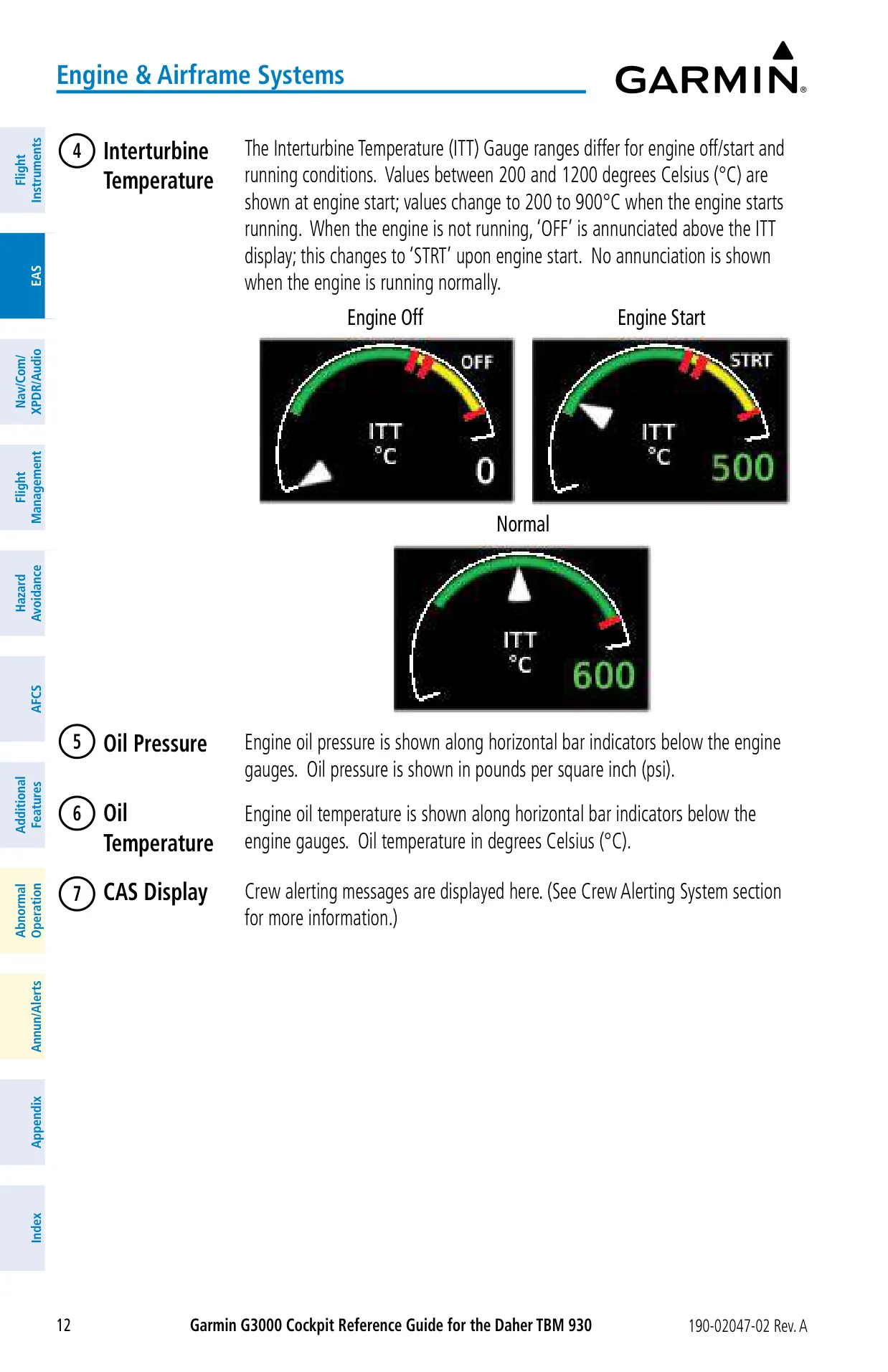
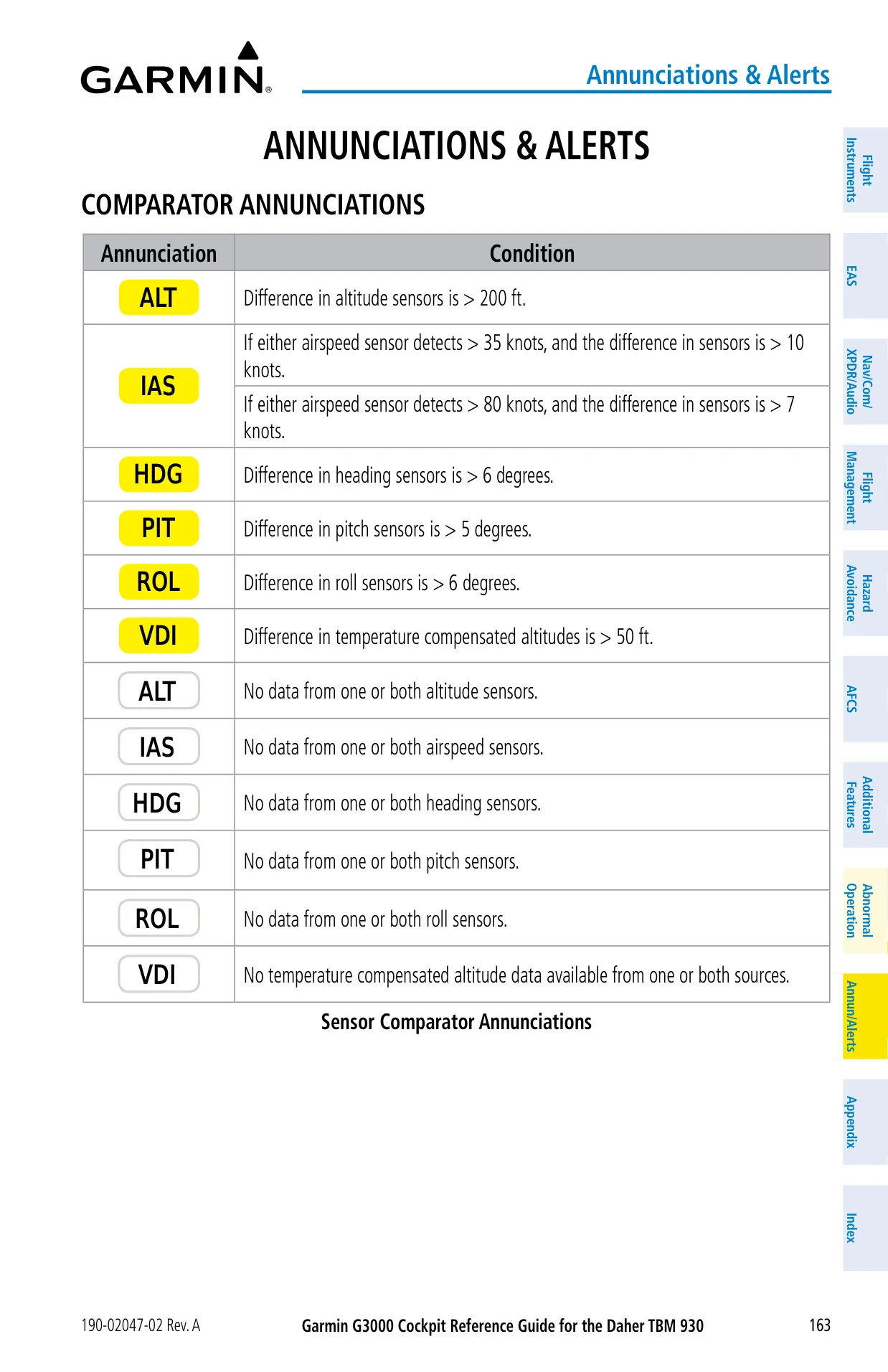
The Garmin G3000 in the Daher TBM 930 is built around redundancy. If PFD1 fails, the MFD switches to a full reversionary display and PFD2 goes to Split mode. If the MFD fails, PFD1 becomes reversionary. You can also force reversionary mode with the red DISPLAY BACKUP switch. If one touchscreen controller fails, the other one still controls its own PFD and the MFD. Sensor comparators flag disagreements between the two sensors, for example altitude differences greater than 200 ft or heading differences greater than 6°.
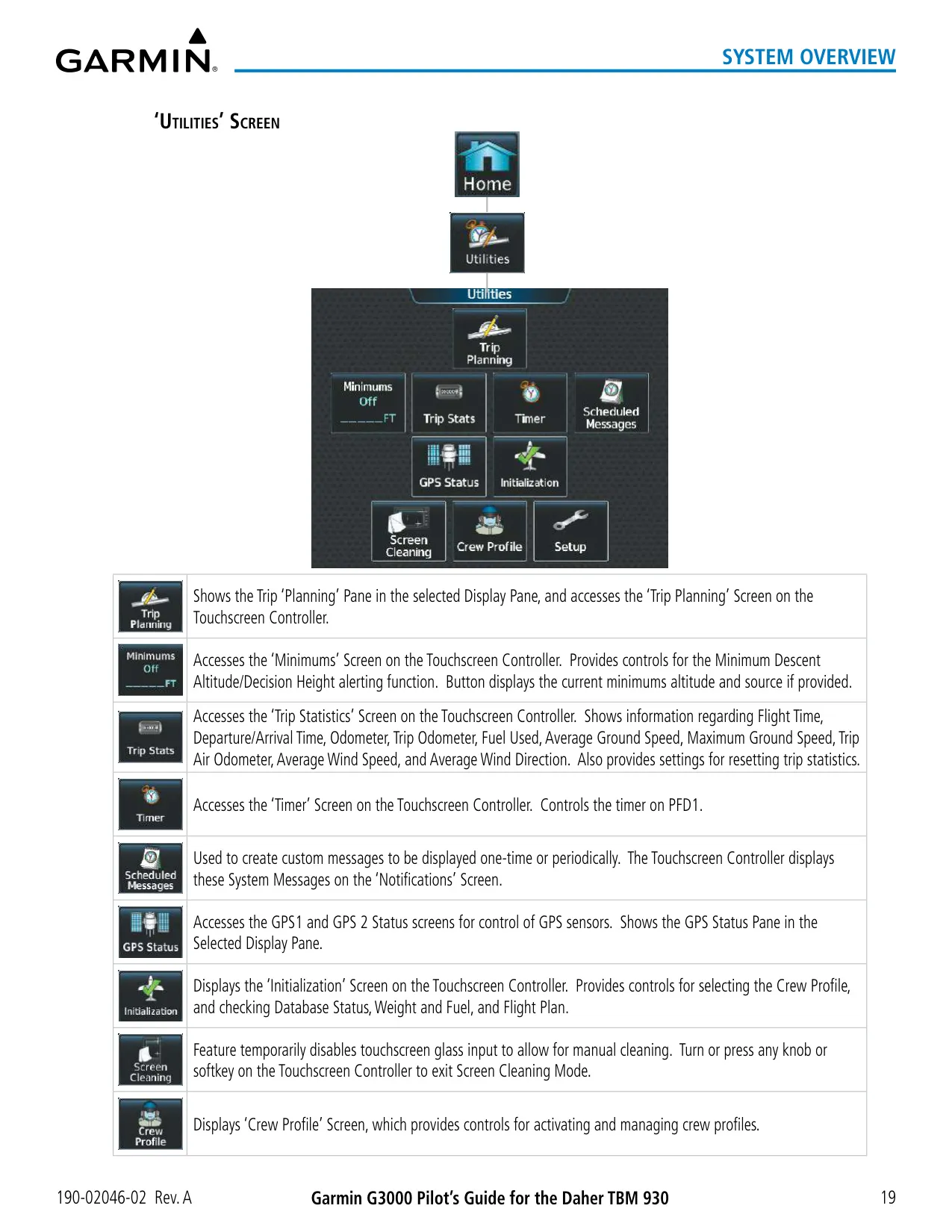
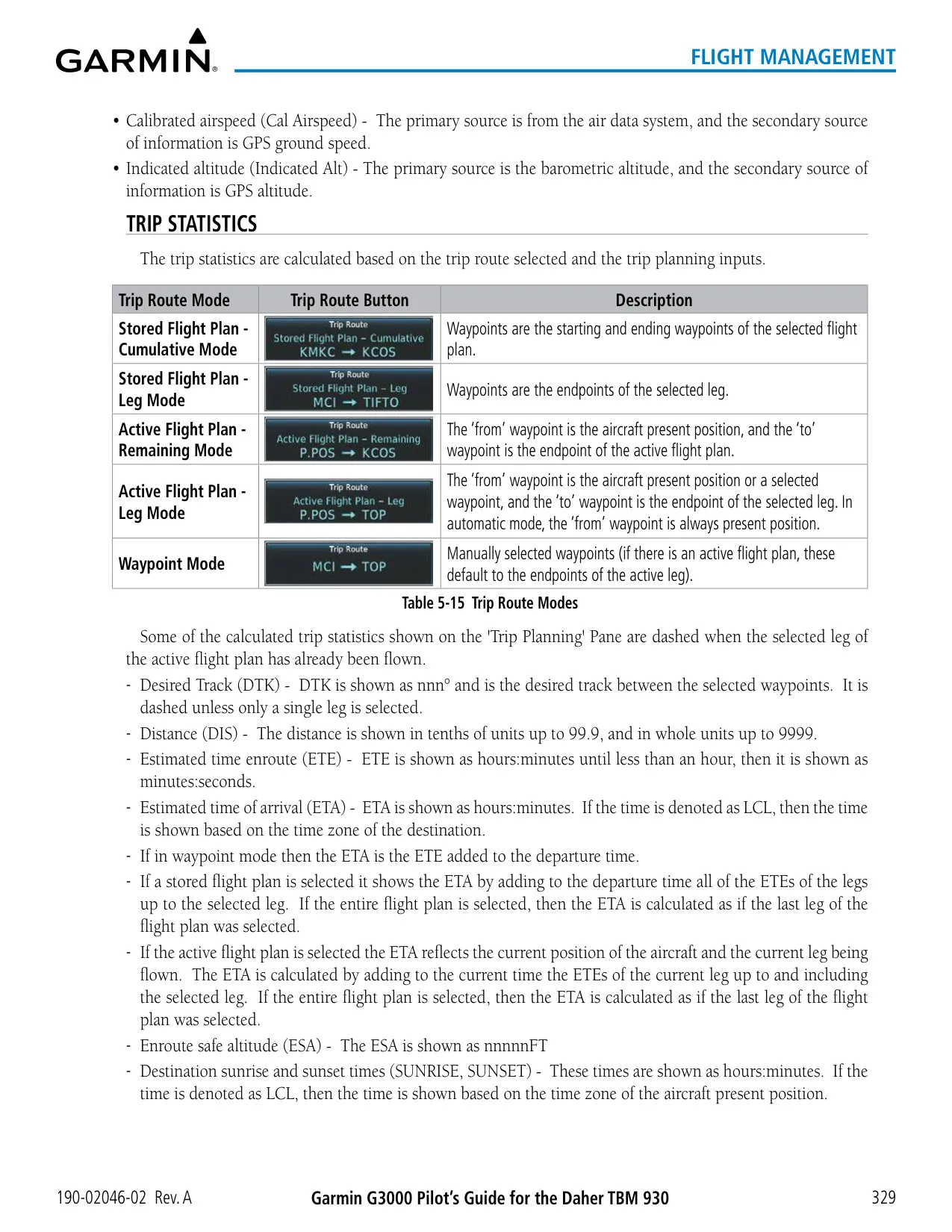
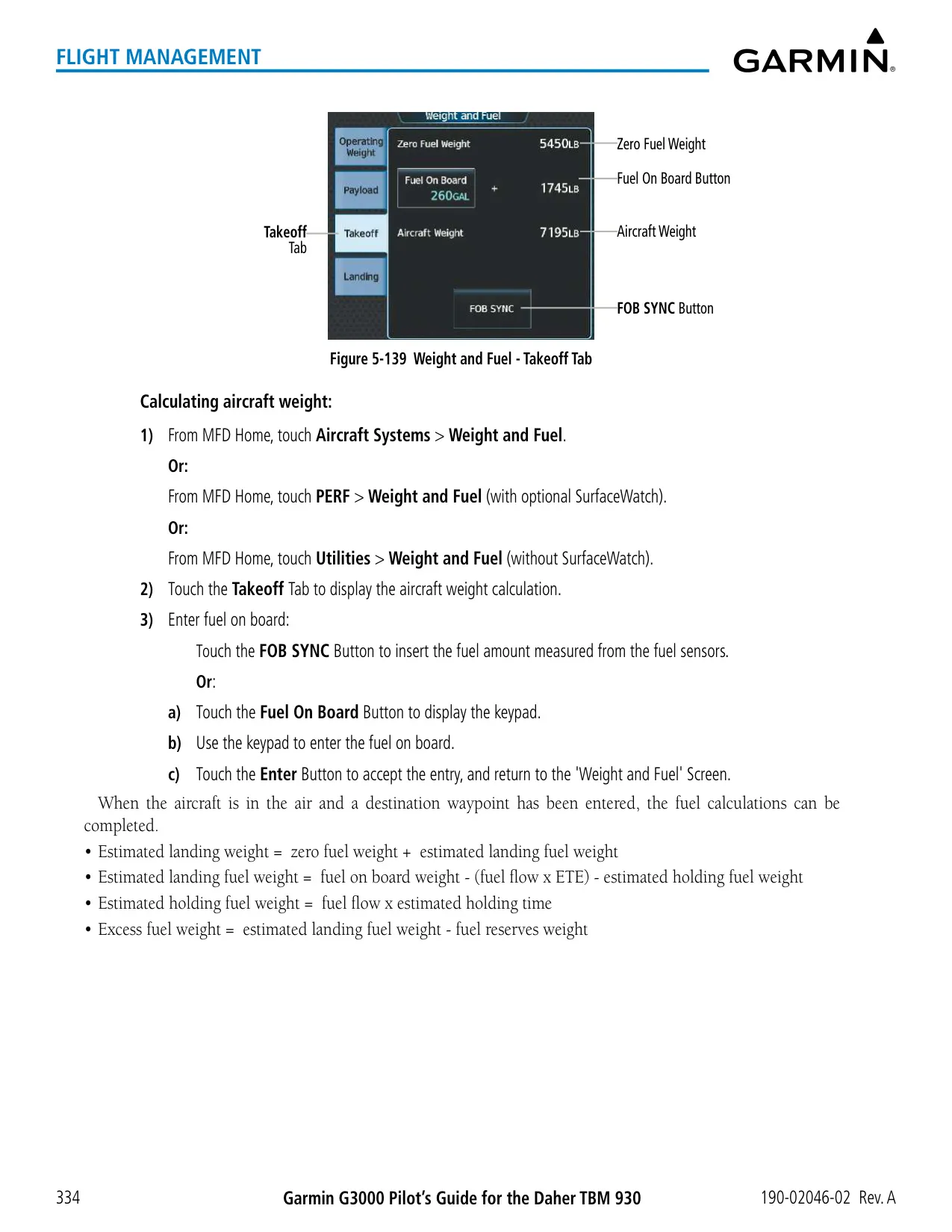
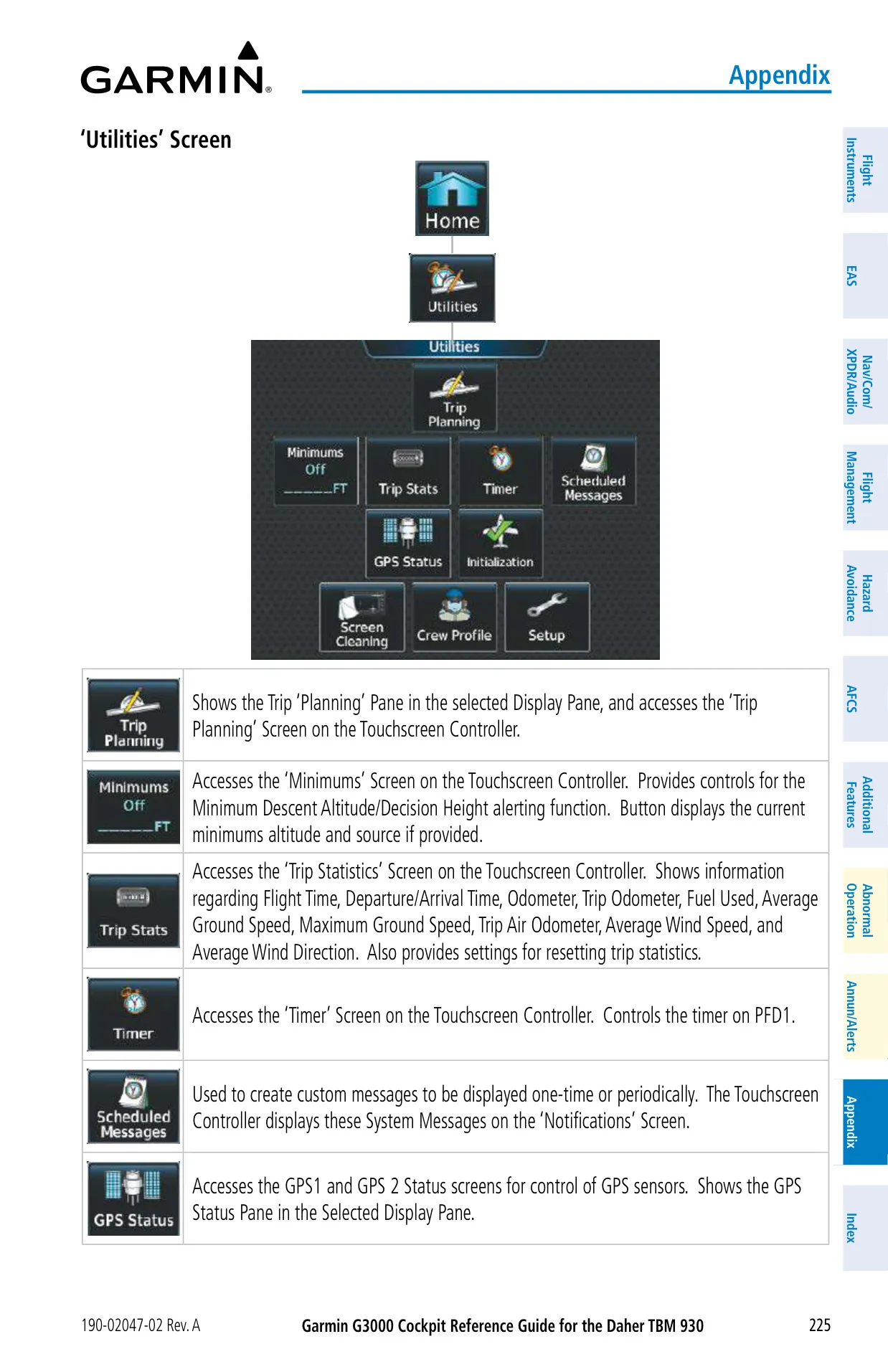
A guided initialization sequence takes the crew through four tasks: crew profile, flight plan, system tests, and weight and fuel. After those, the crew selects Accept Initialization. The weight and fuel page calculates zero-fuel weight, takeoff weight and estimated landing weight. Excess values are shown in amber. Trip Planning works in automatic or manual mode. It reports ETE, ETA, ESA, fuel efficiency, endurance, total range, density altitude and sunrise or sunset times for stored or active flight plans.
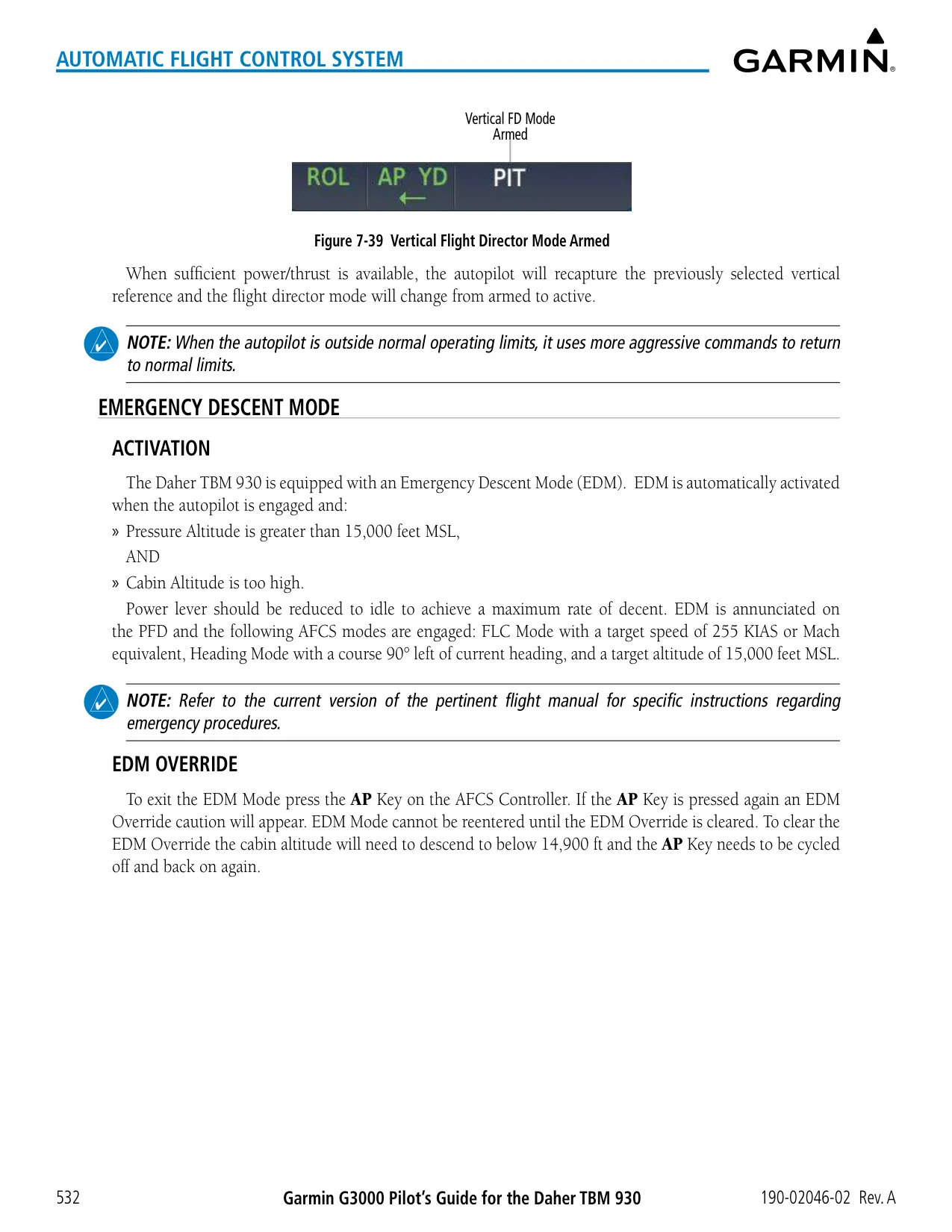
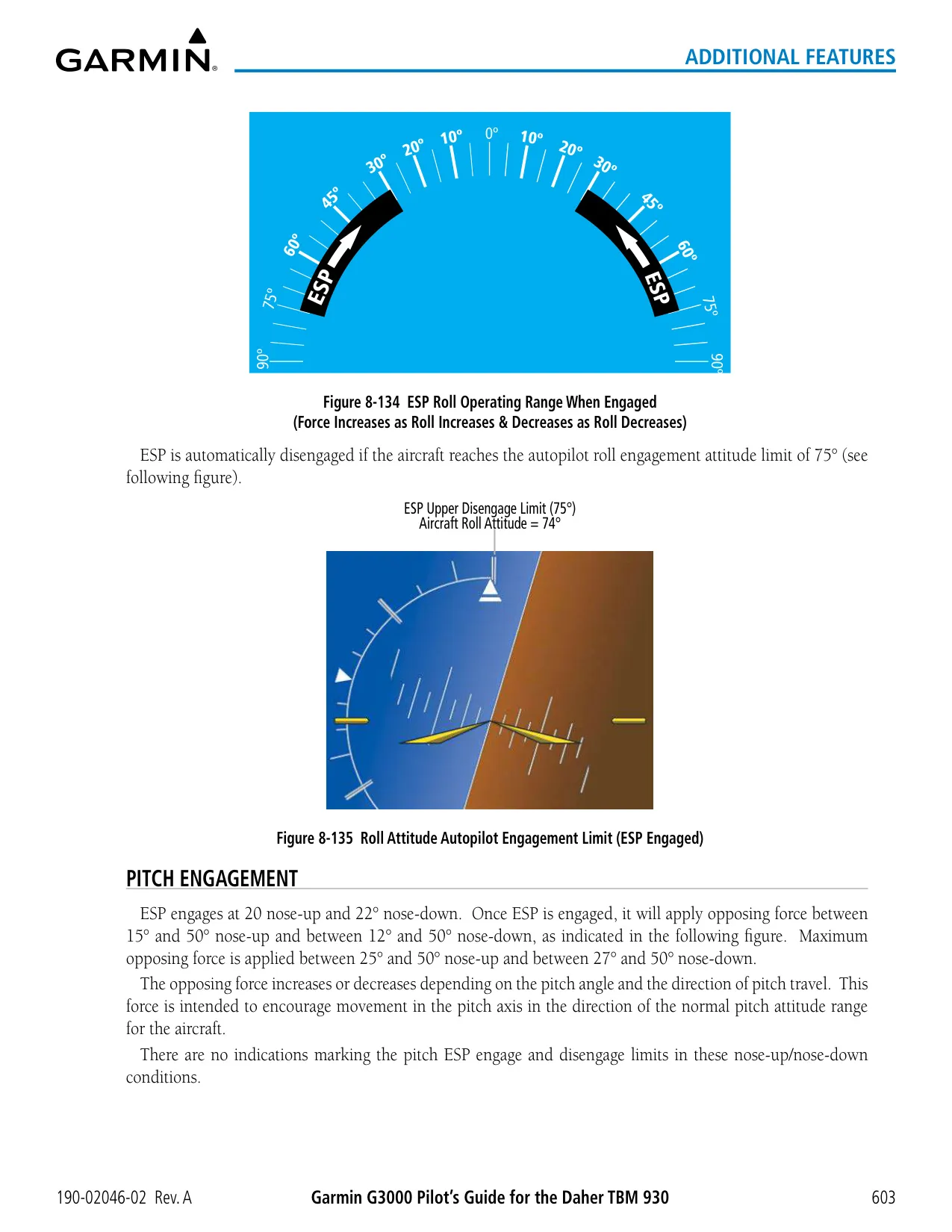
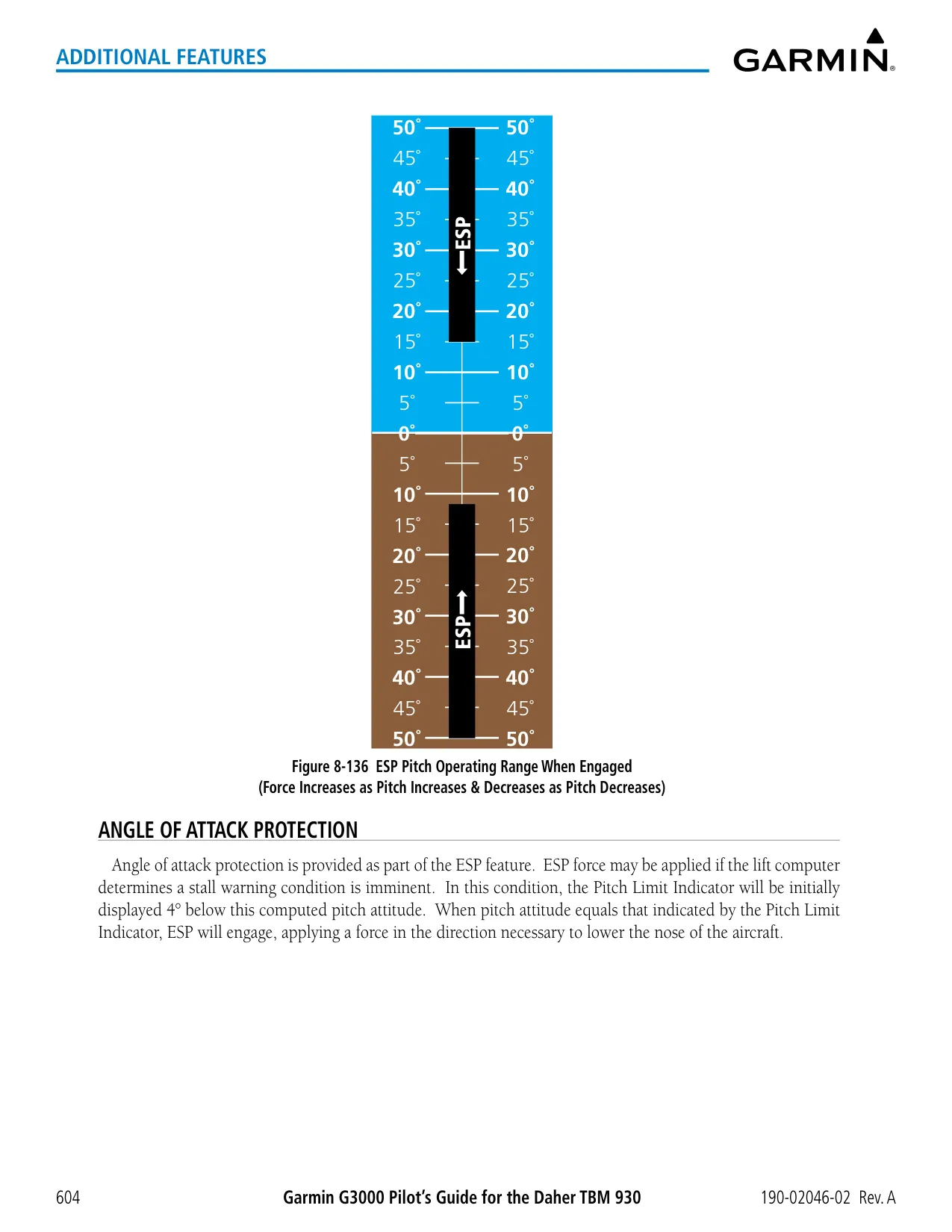
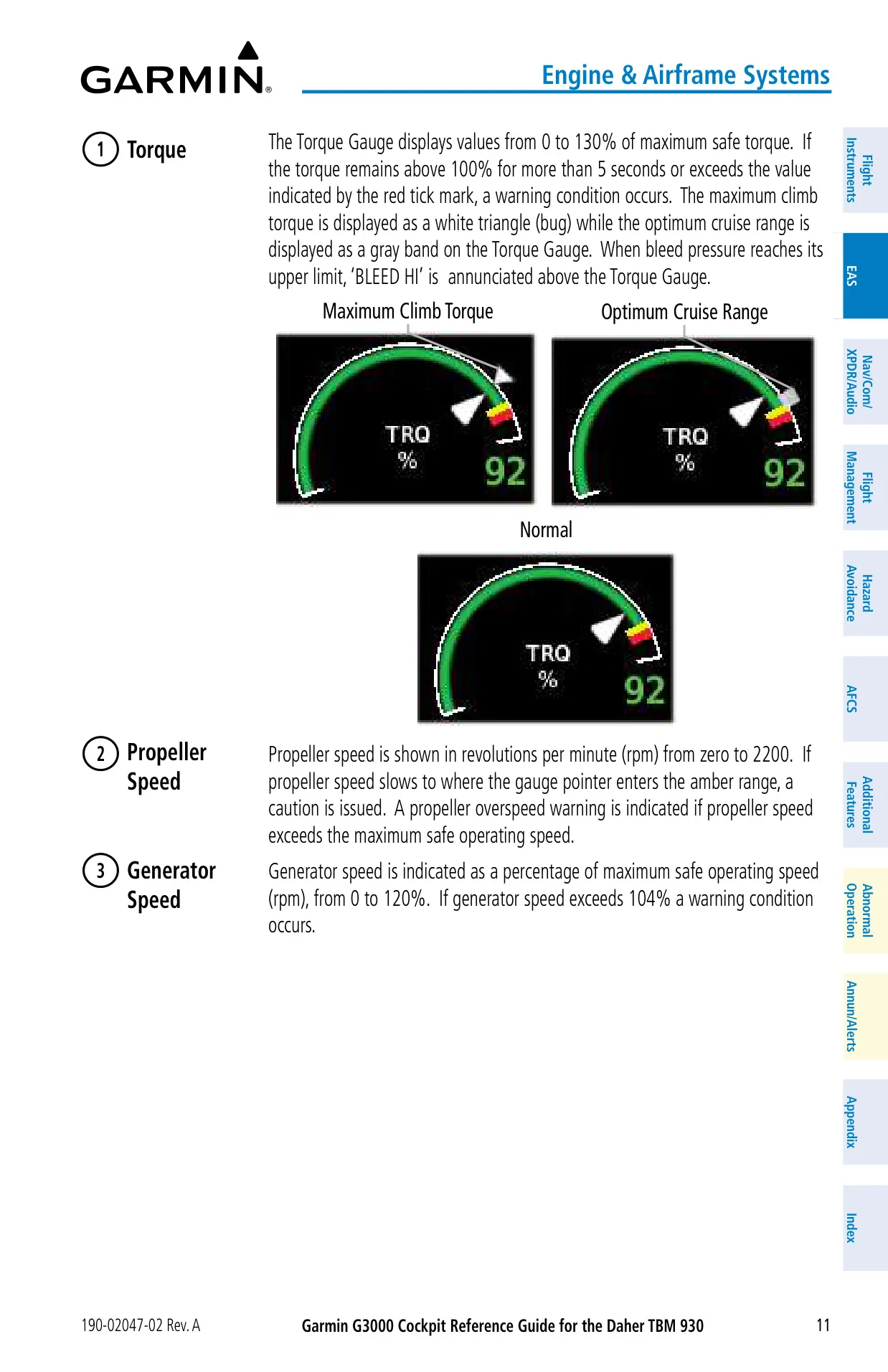
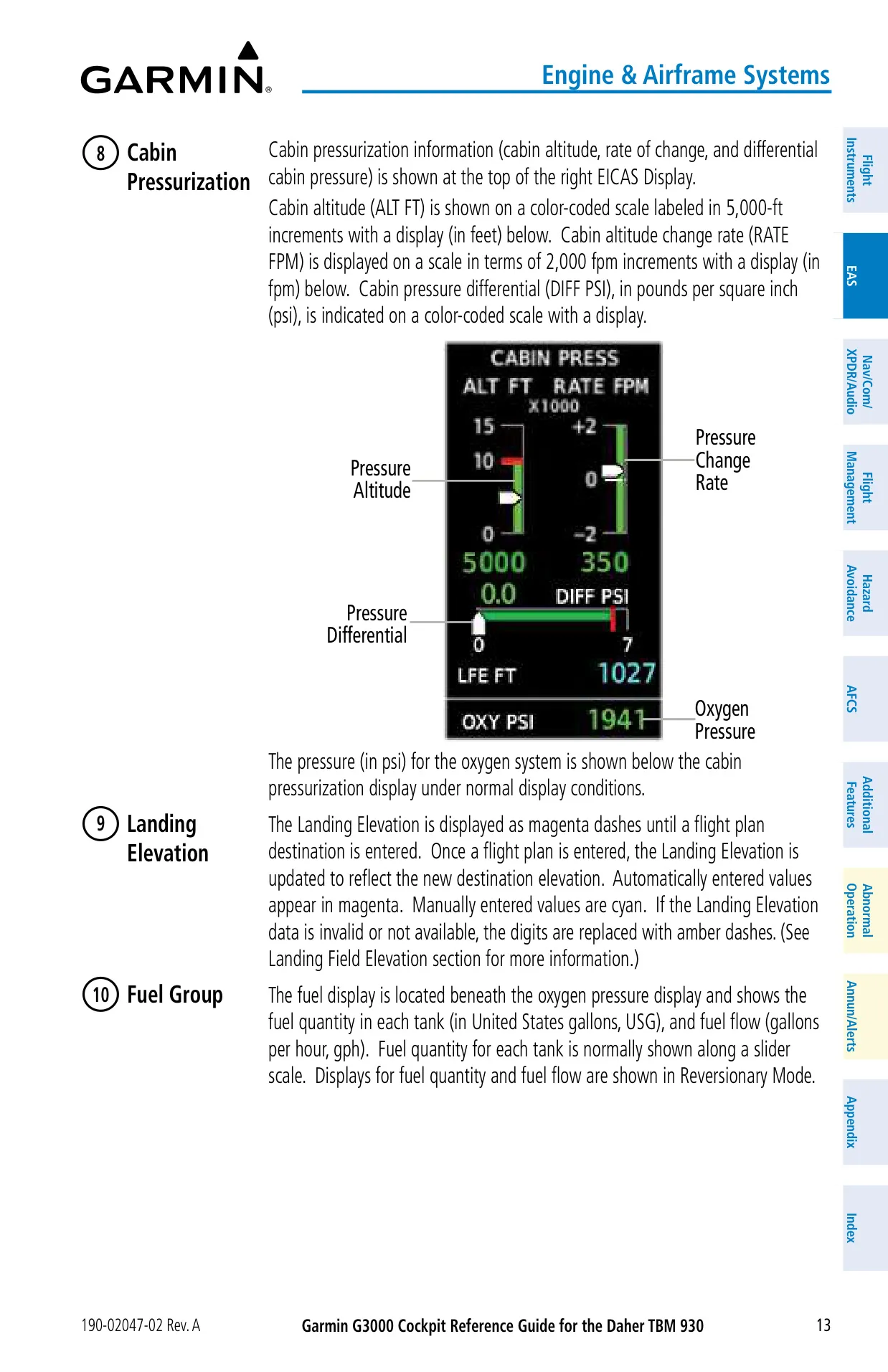
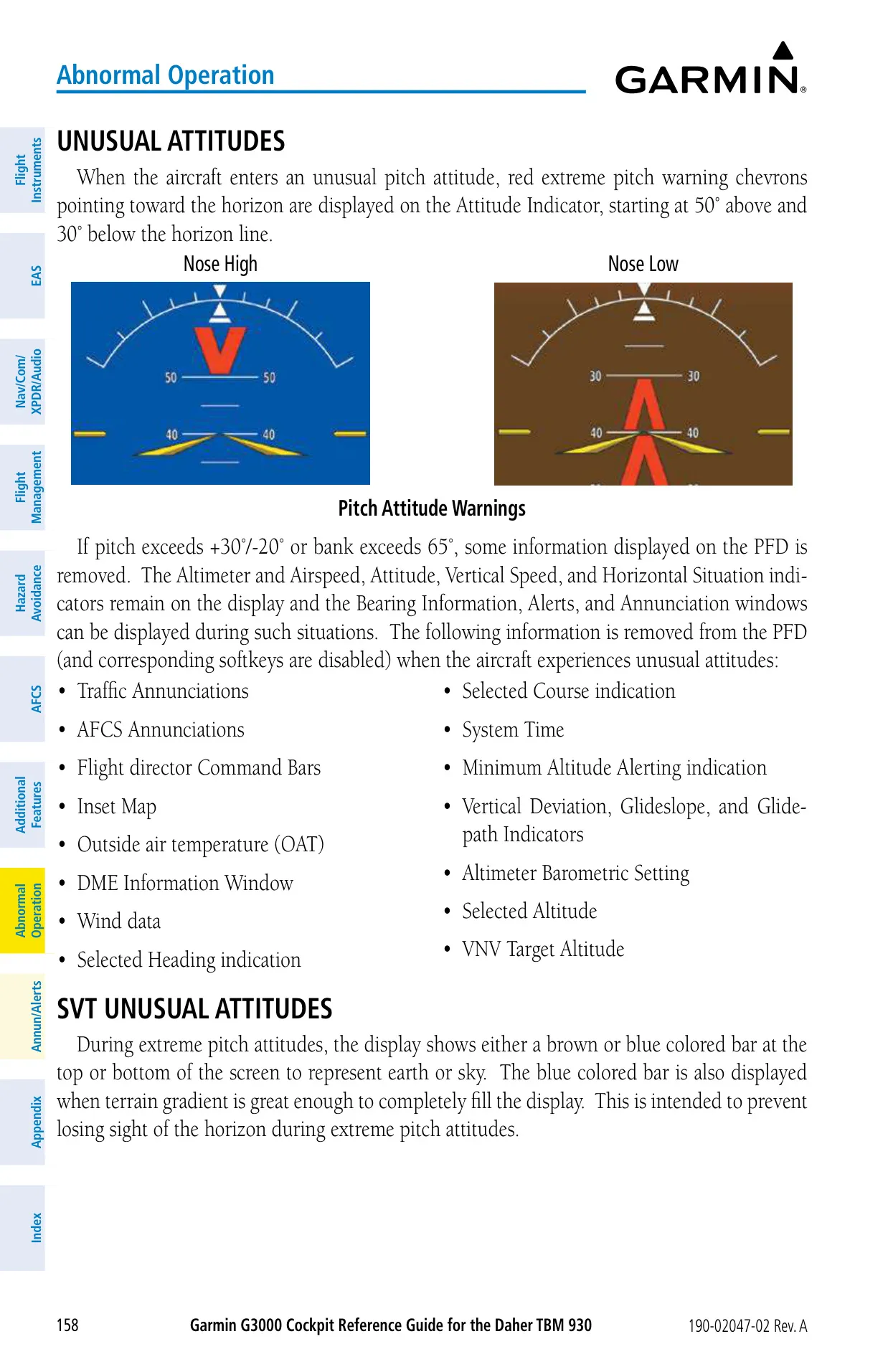
The Electronic Stability and Protection (ESP) system only works above 200 ft AGL with the autopilot disengaged. It starts to push back at 45° of bank, at +20°/−22° of pitch, or above 268 kt IAS. If ESP stays active for more than 10 seconds within a 20-second window, the system engages the autopilot in LVL mode. In Emergency Descent Mode, the autopilot descends at 255 KIAS, turns 90° to the left, and levels off at 15,000 ft whenever cabin altitude gets too high.
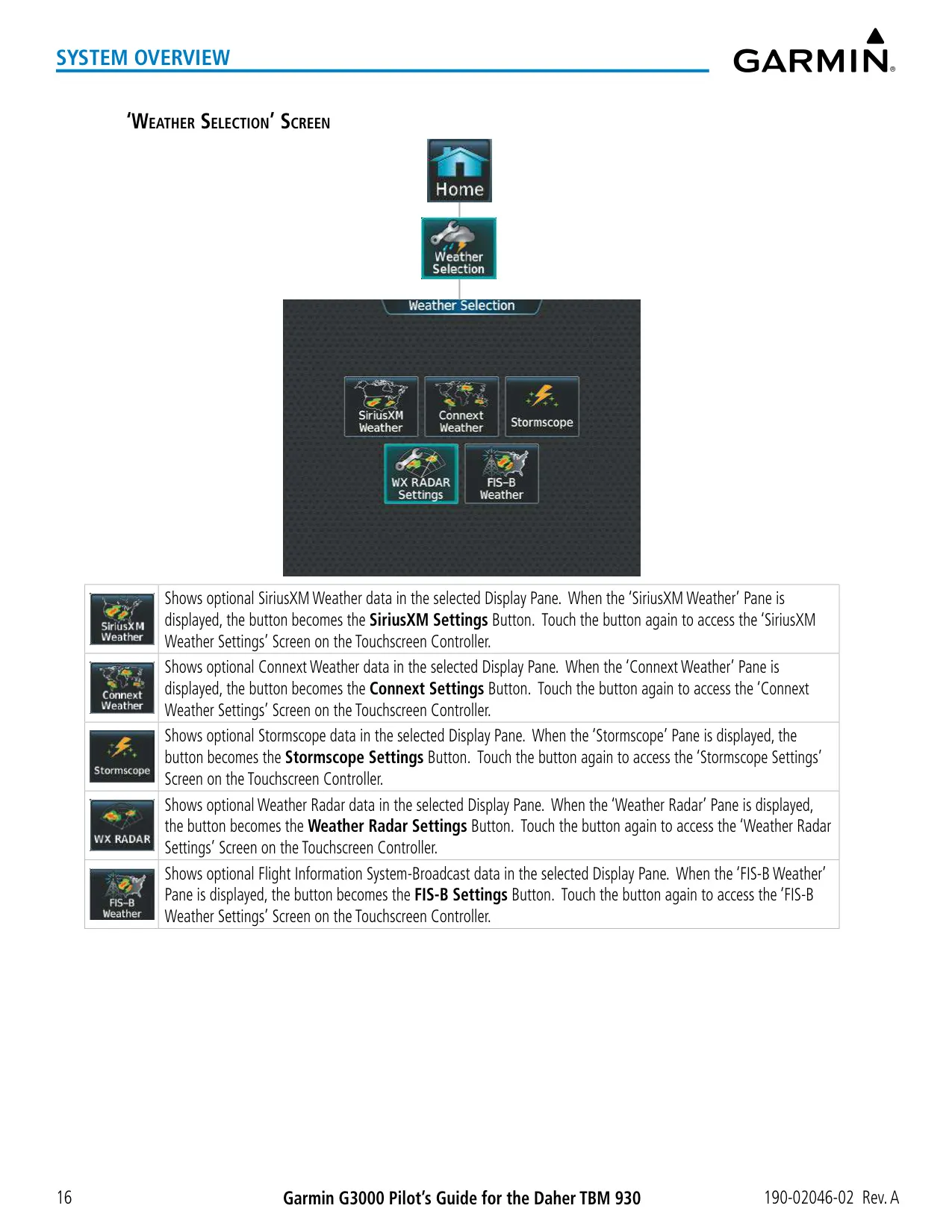
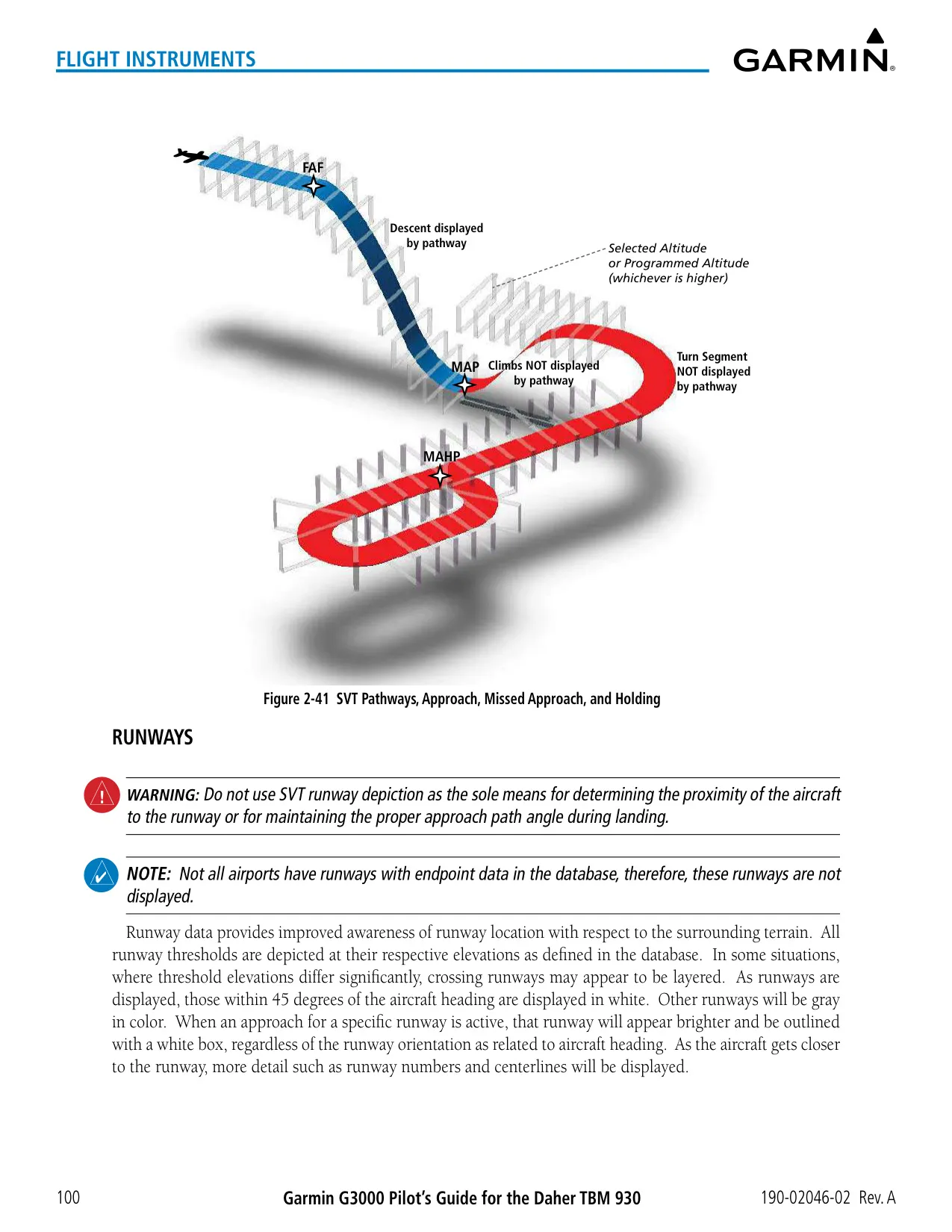
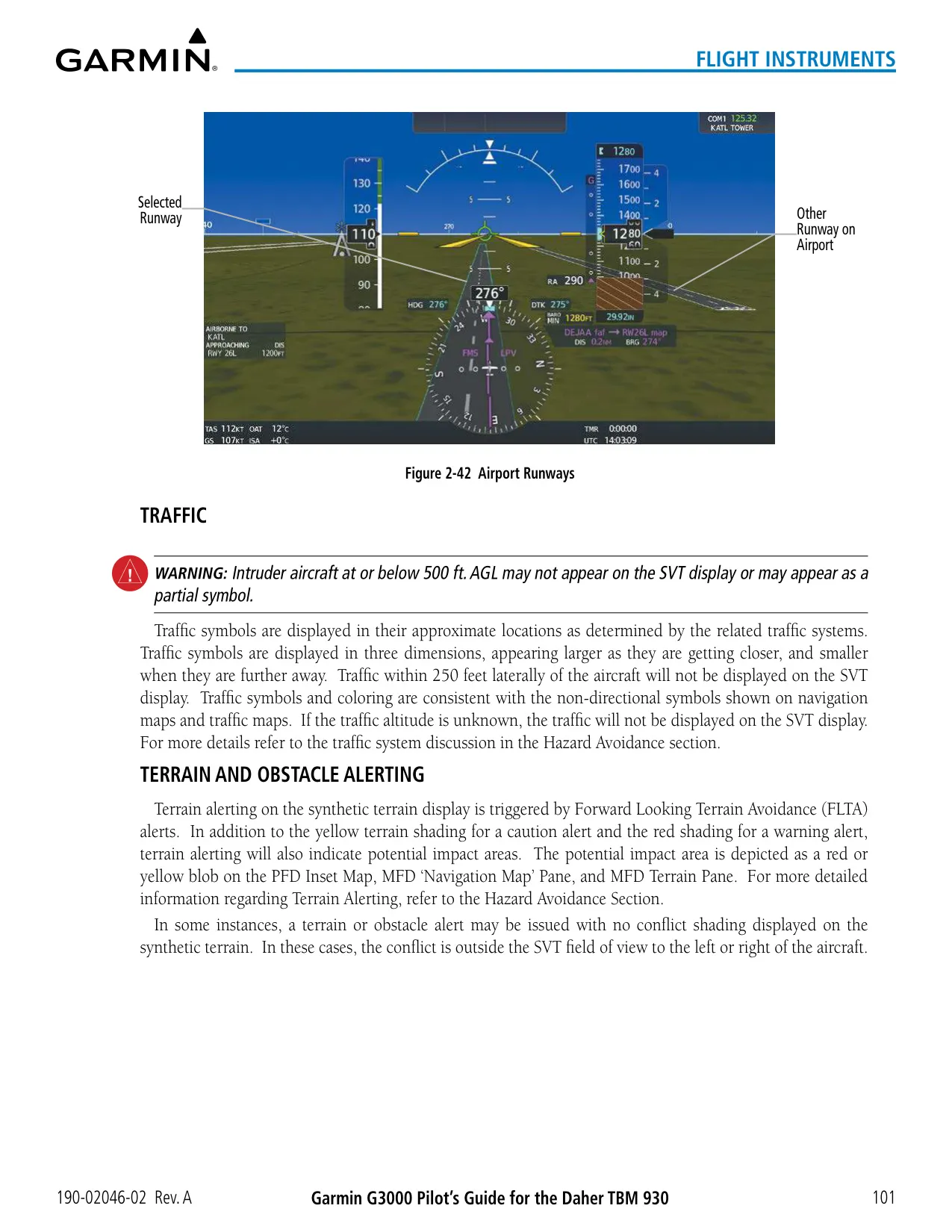
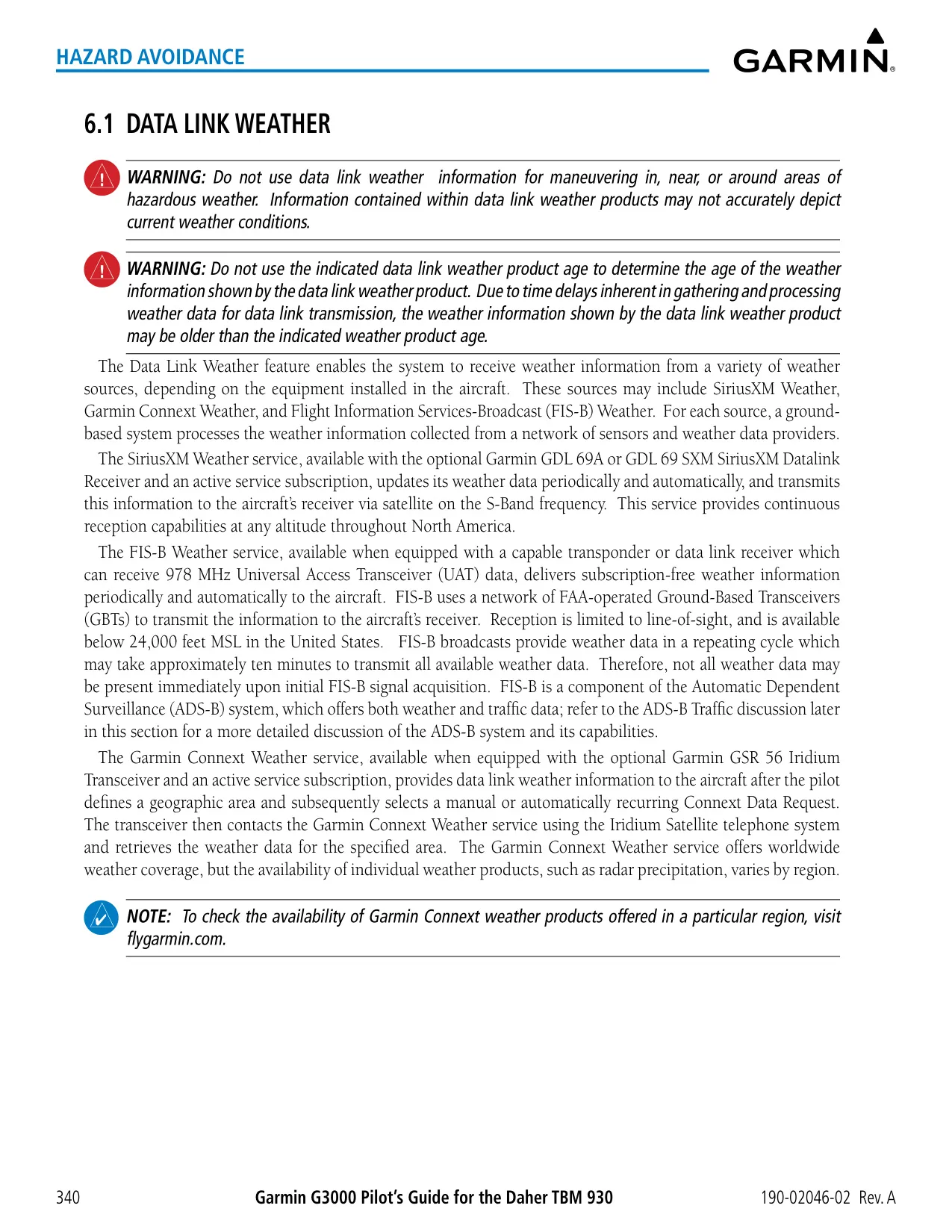
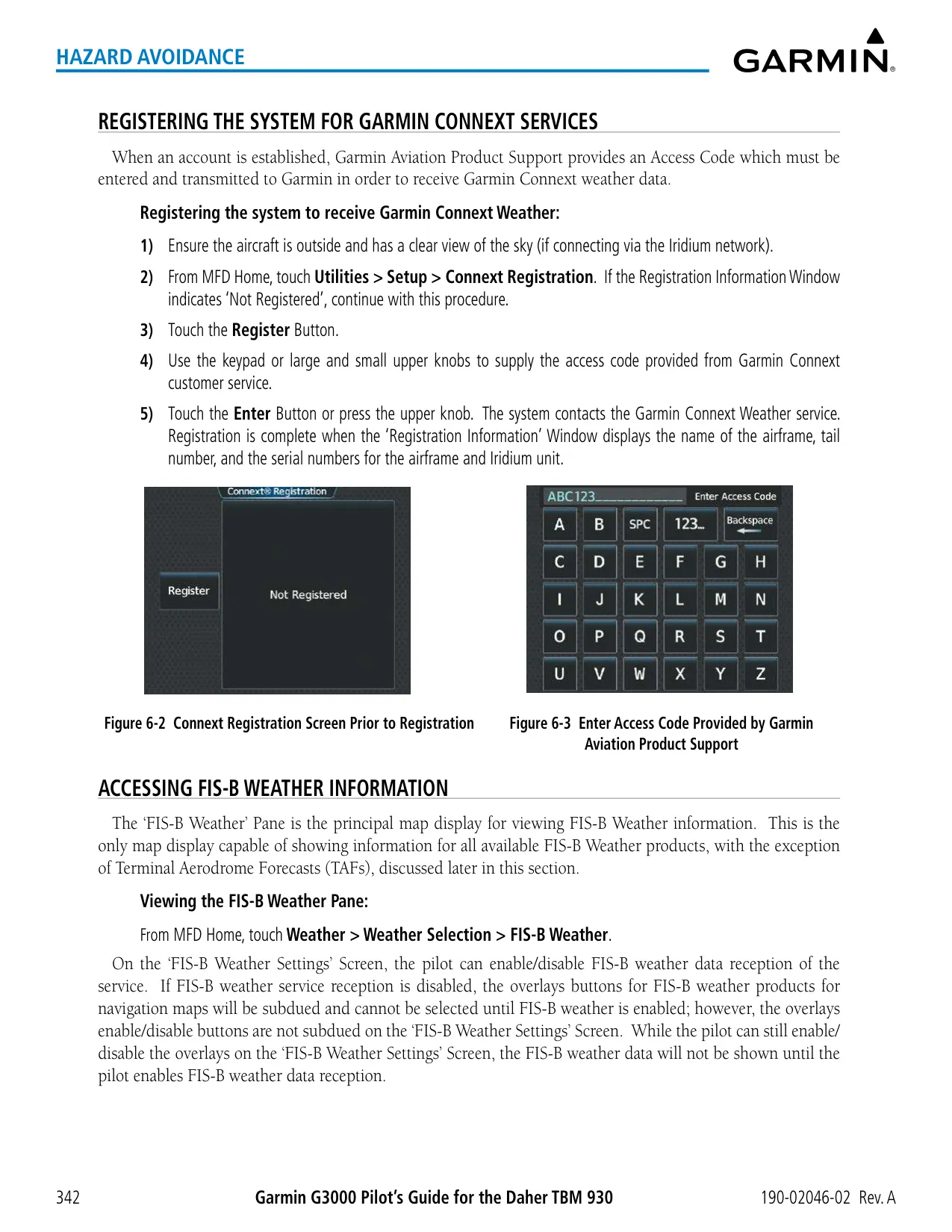
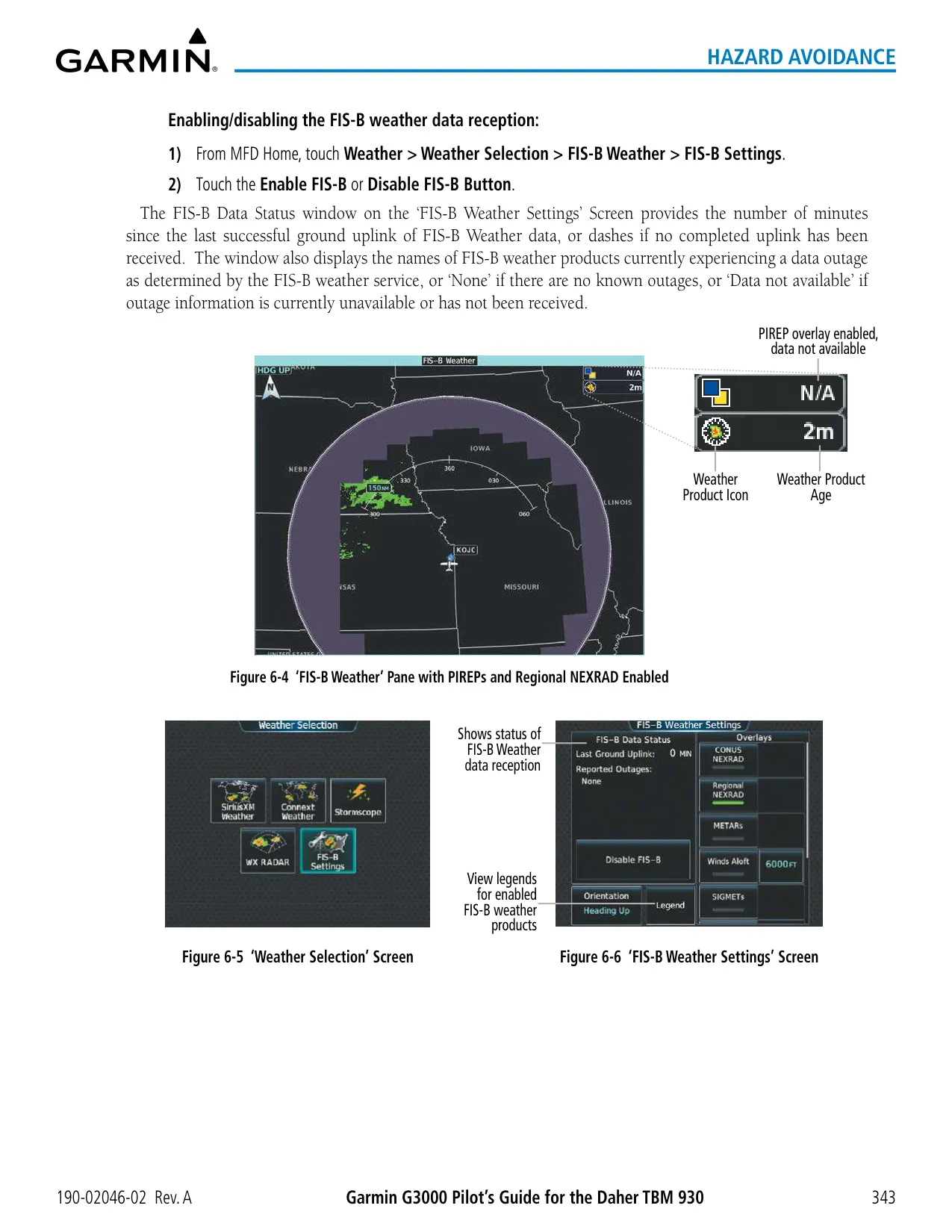
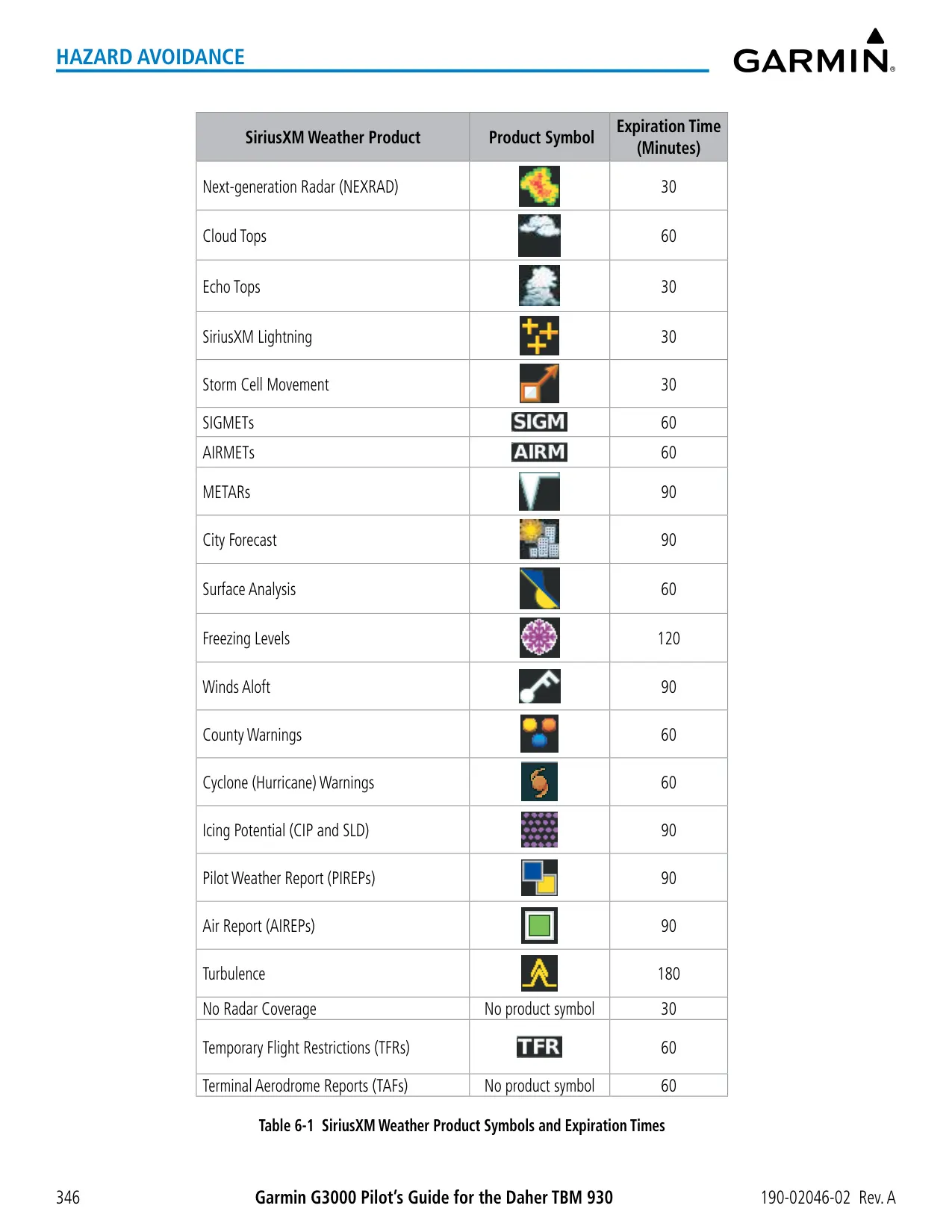
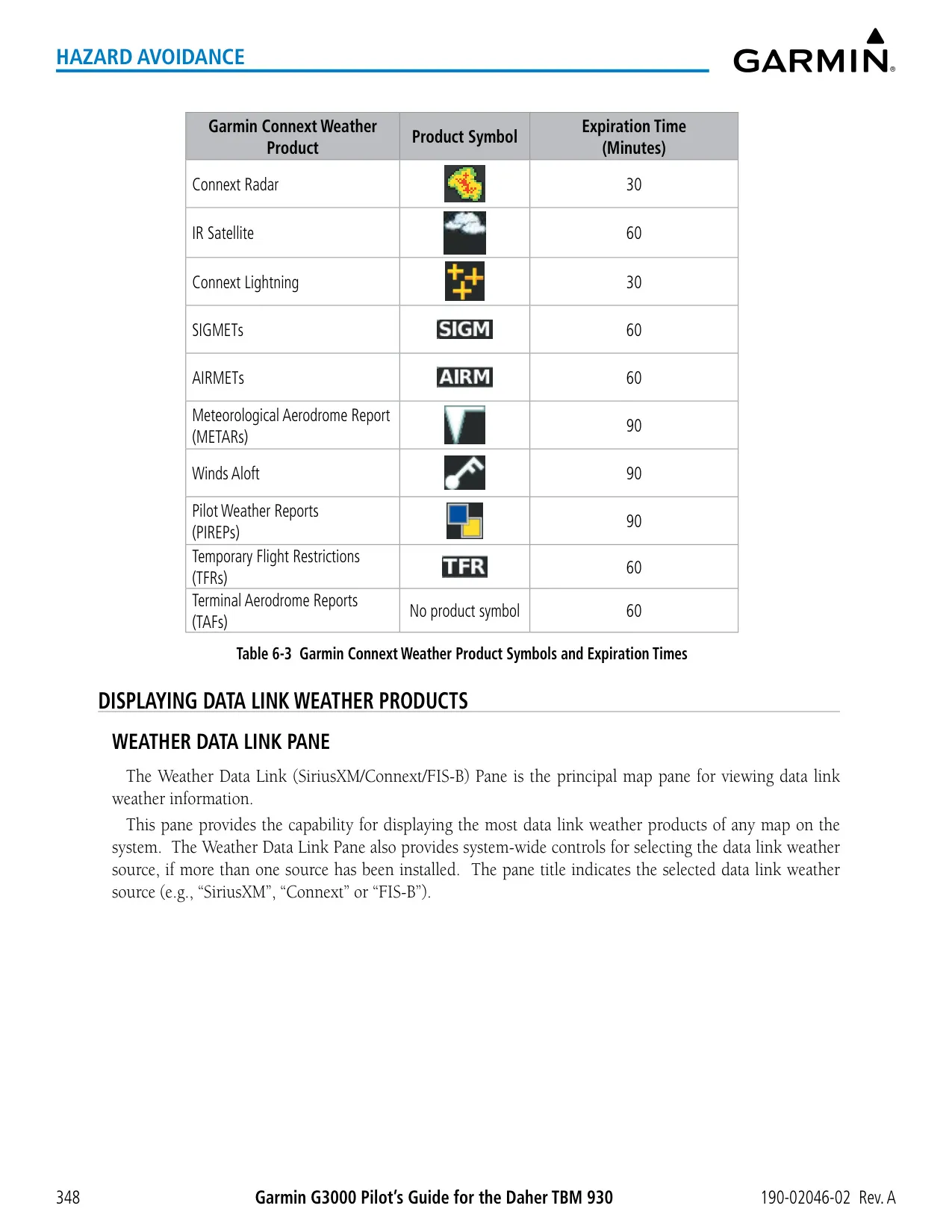
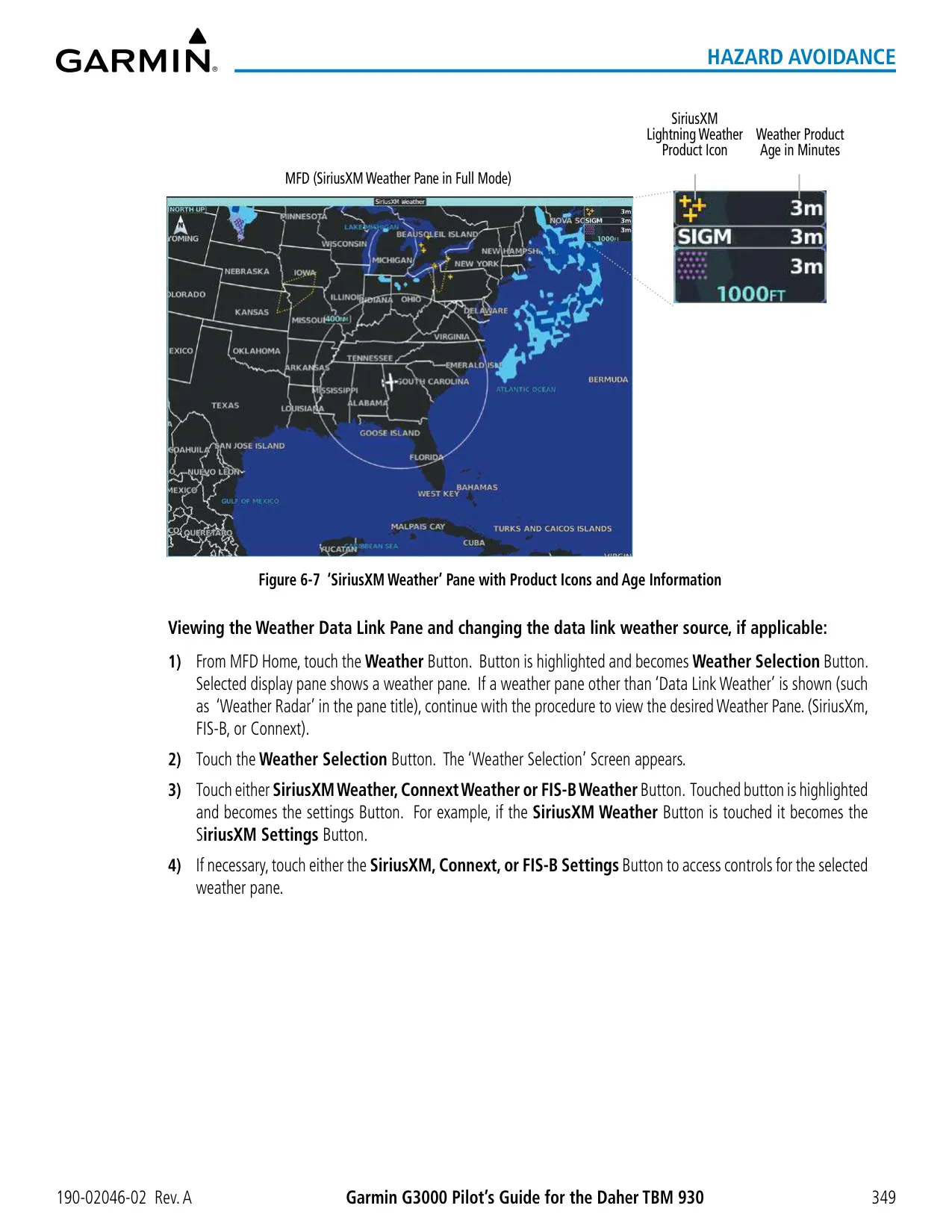
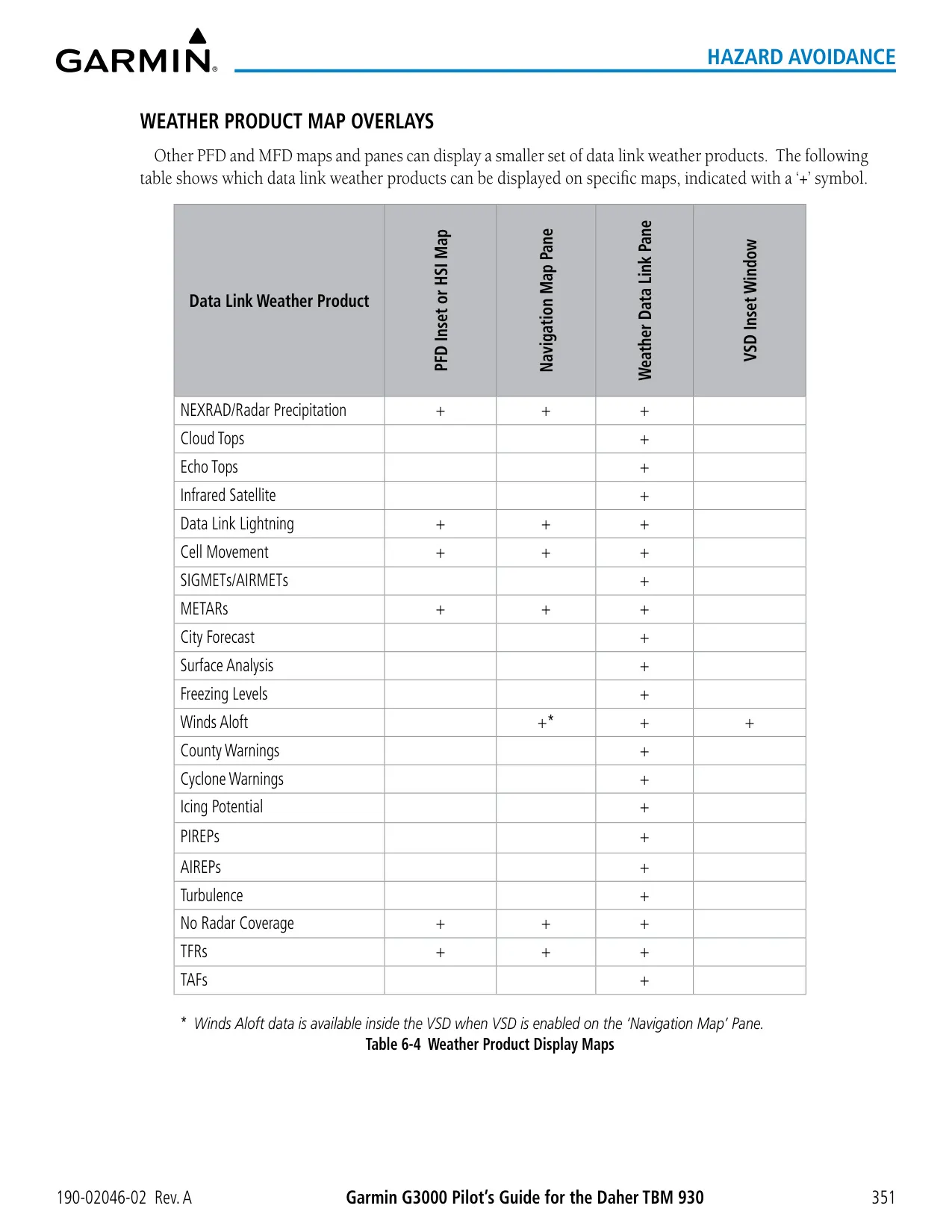
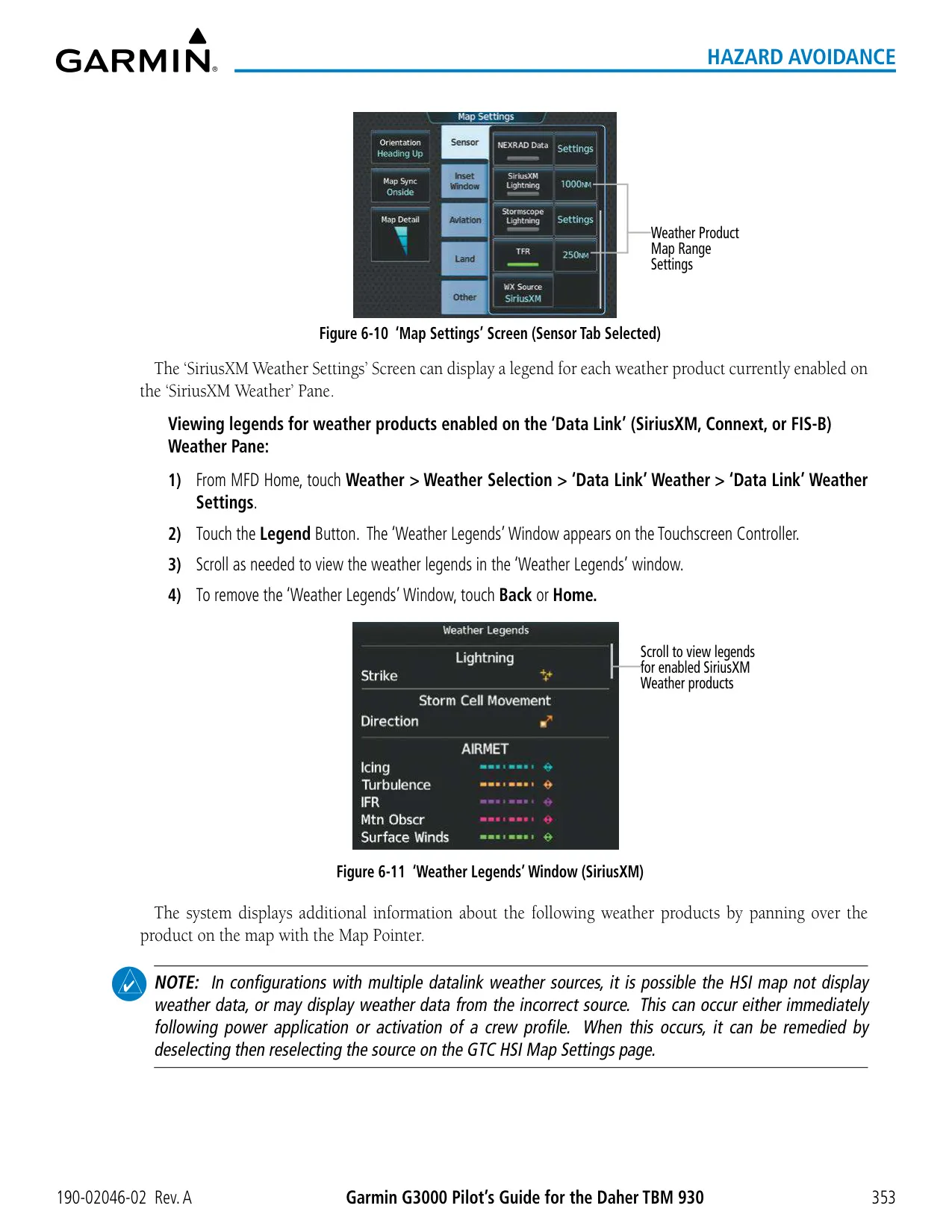
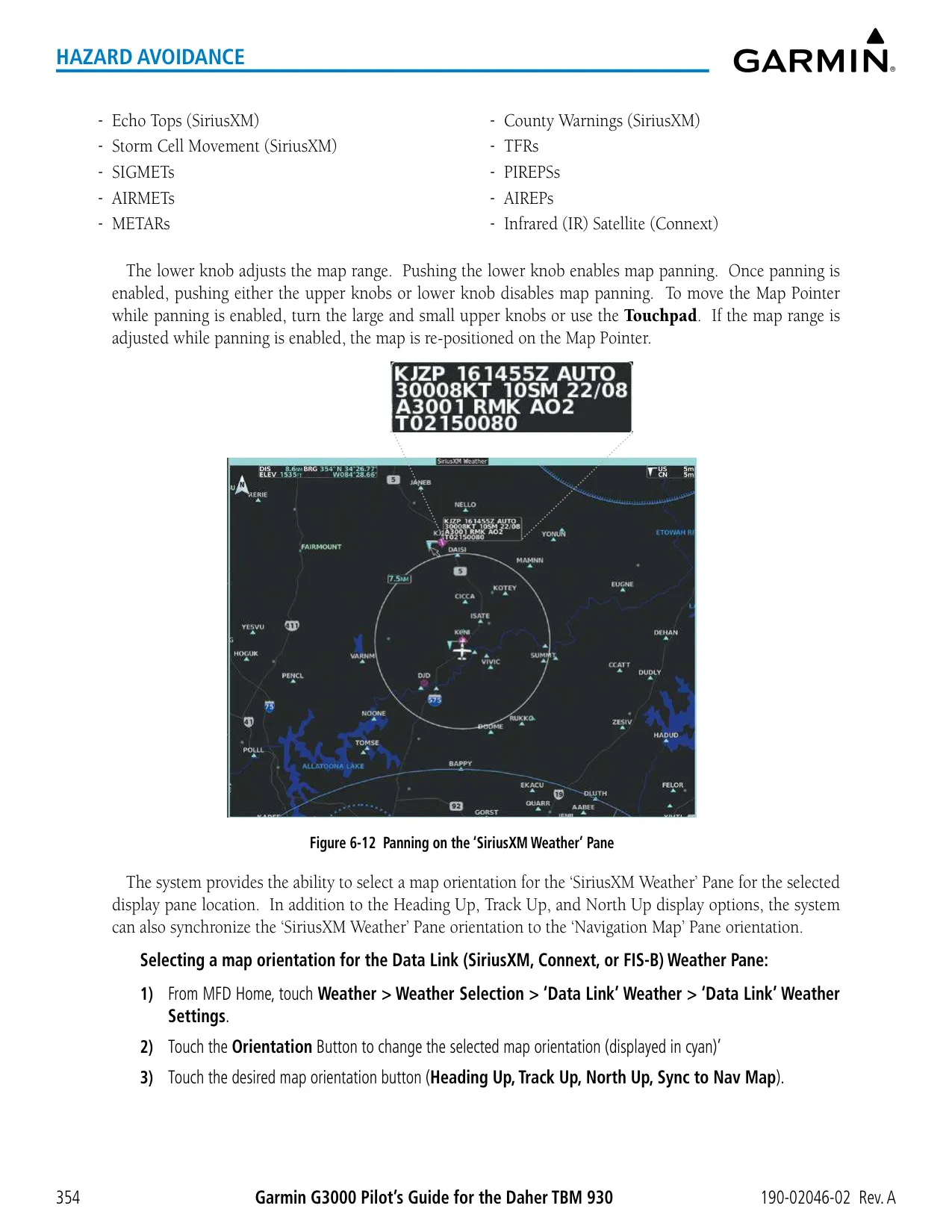
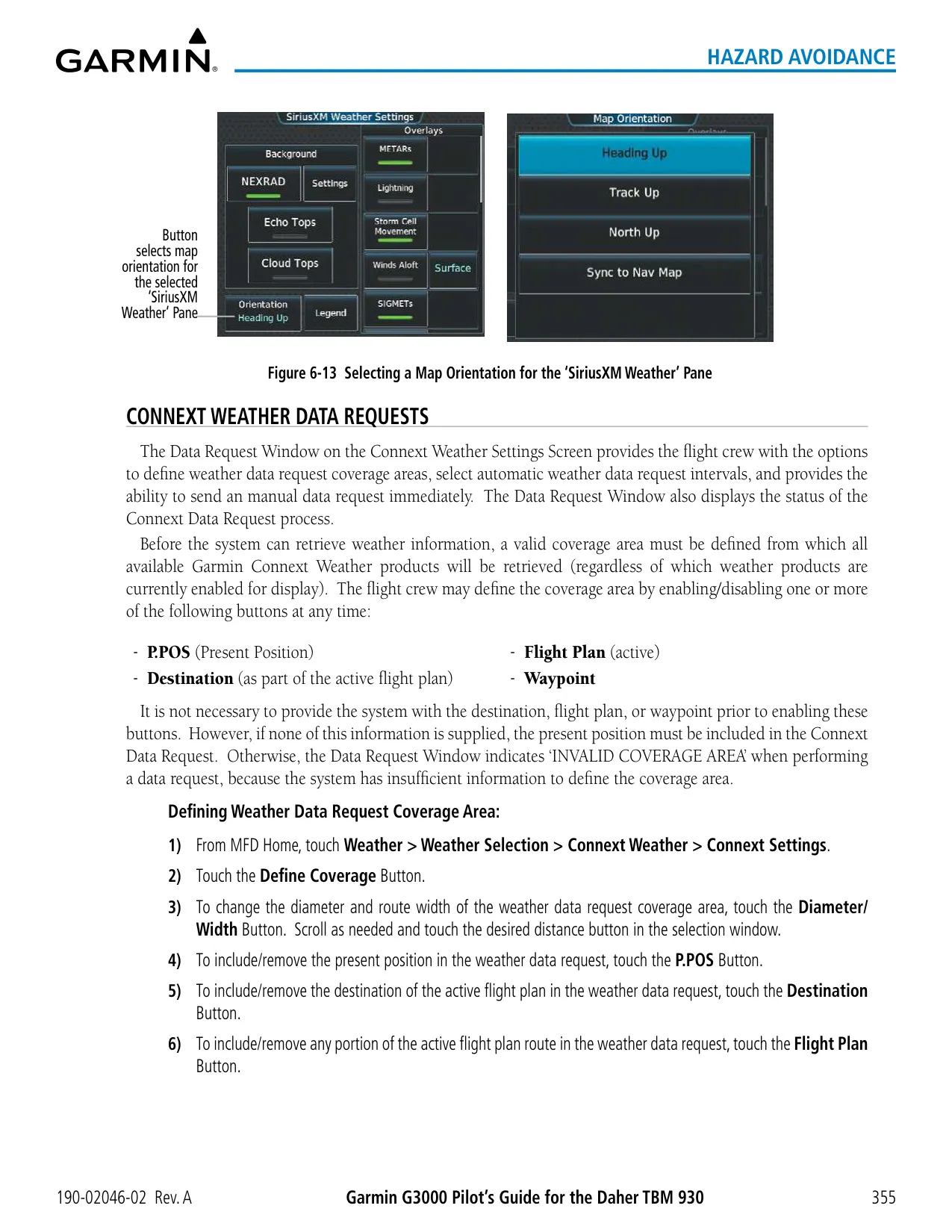
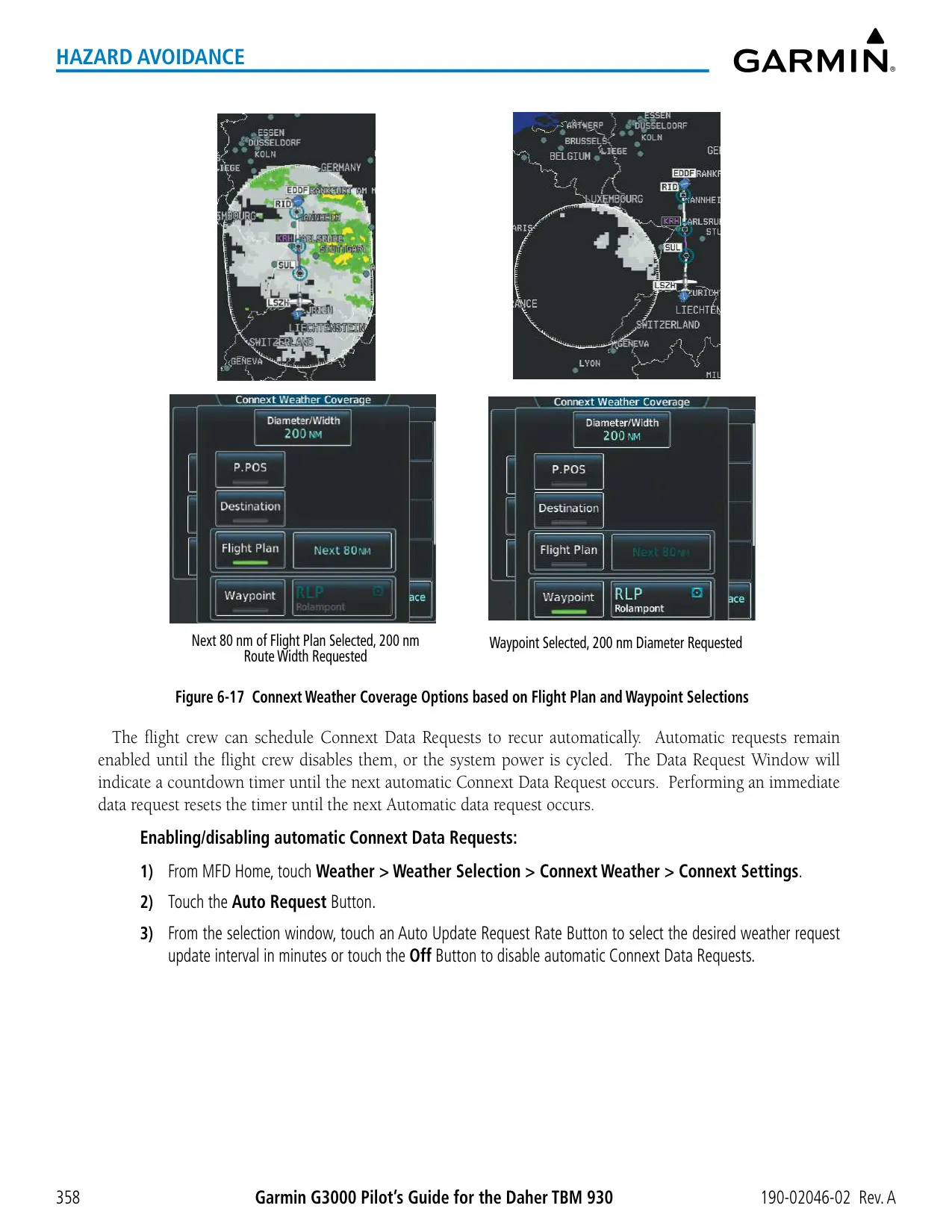
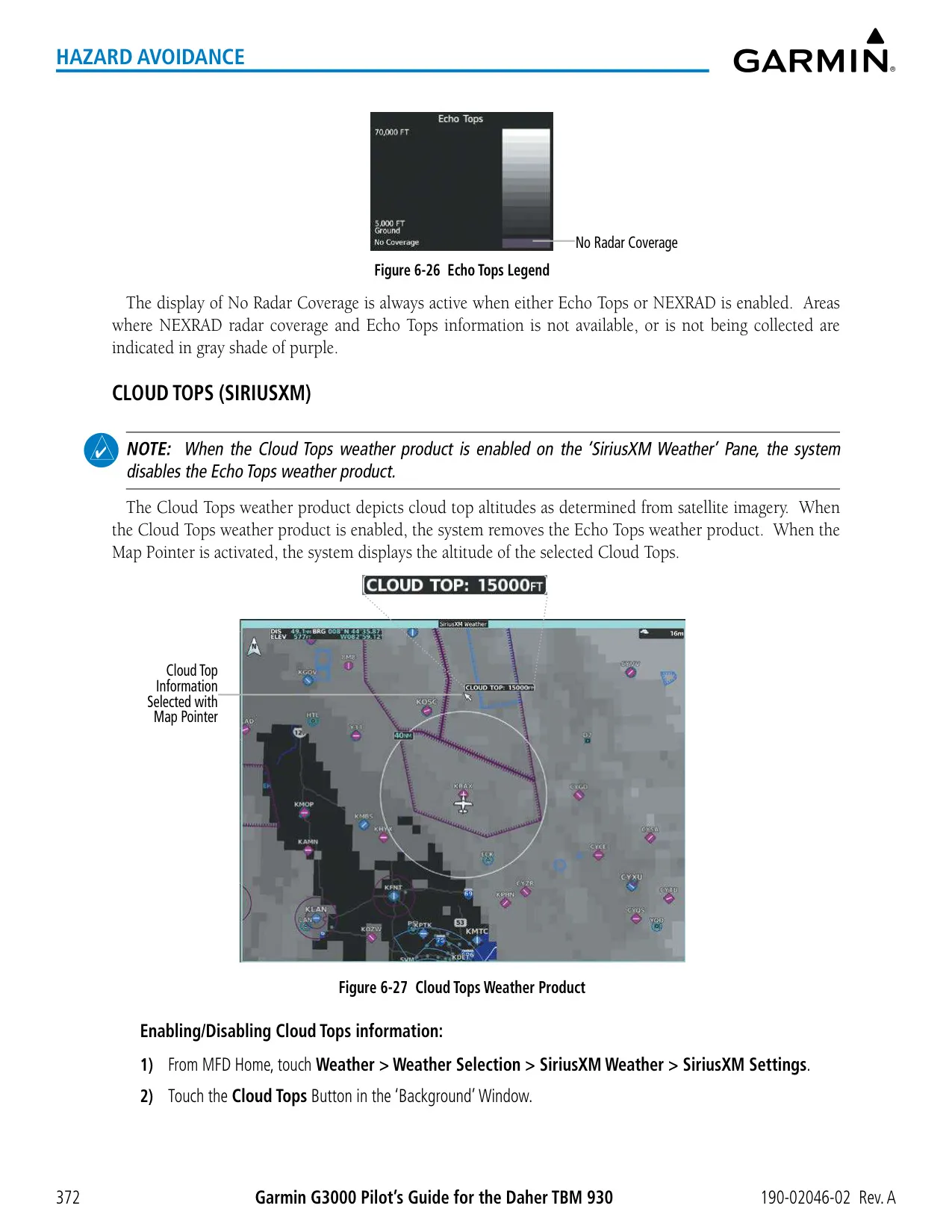
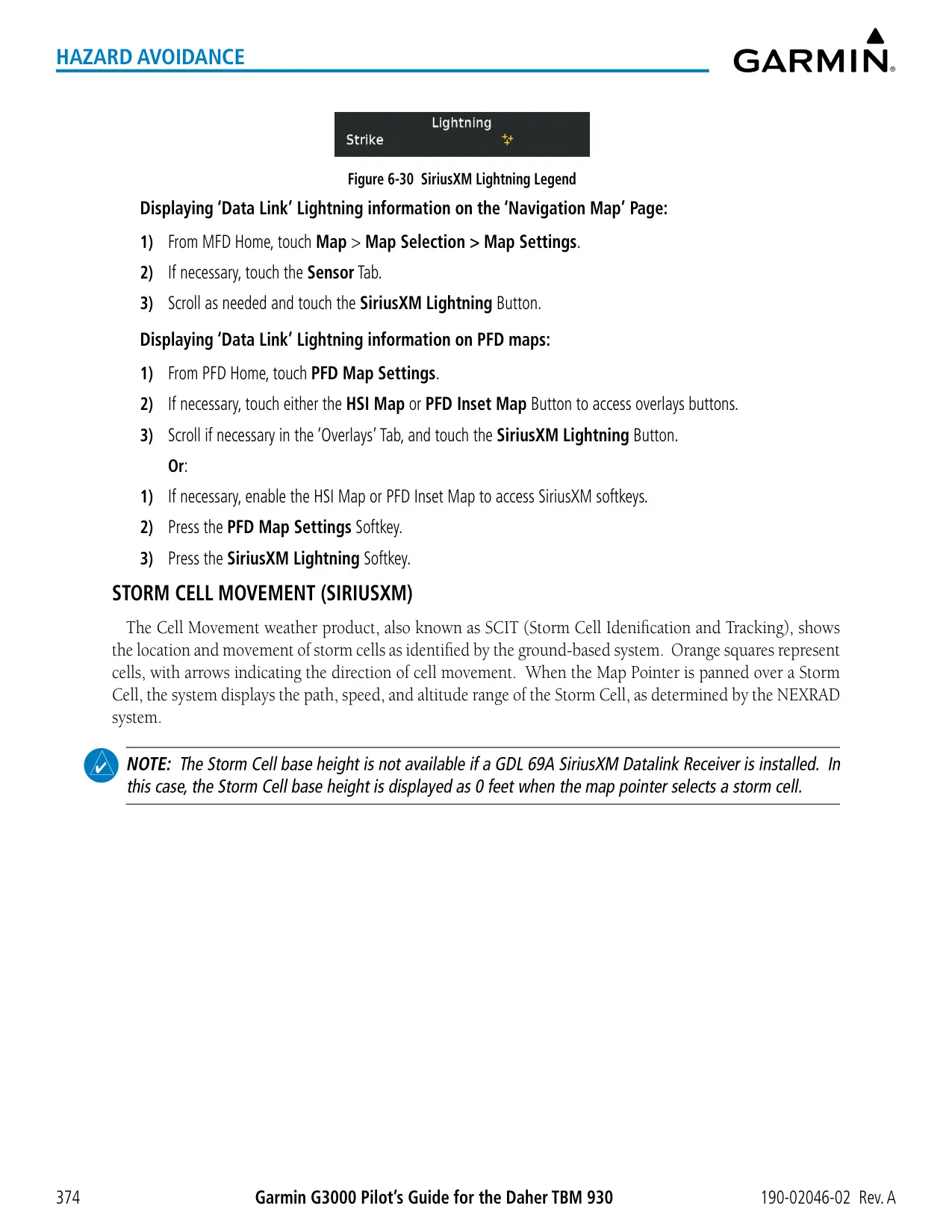
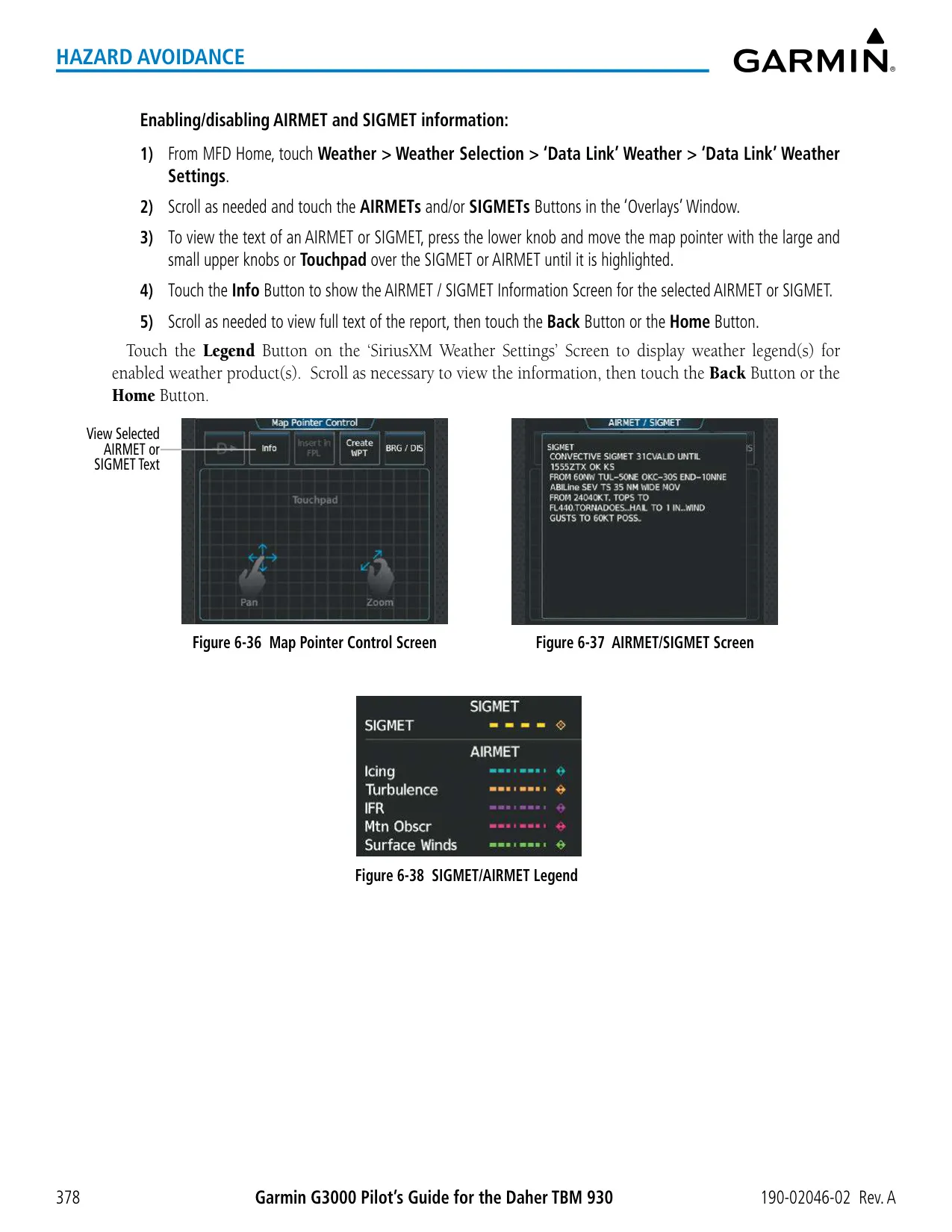
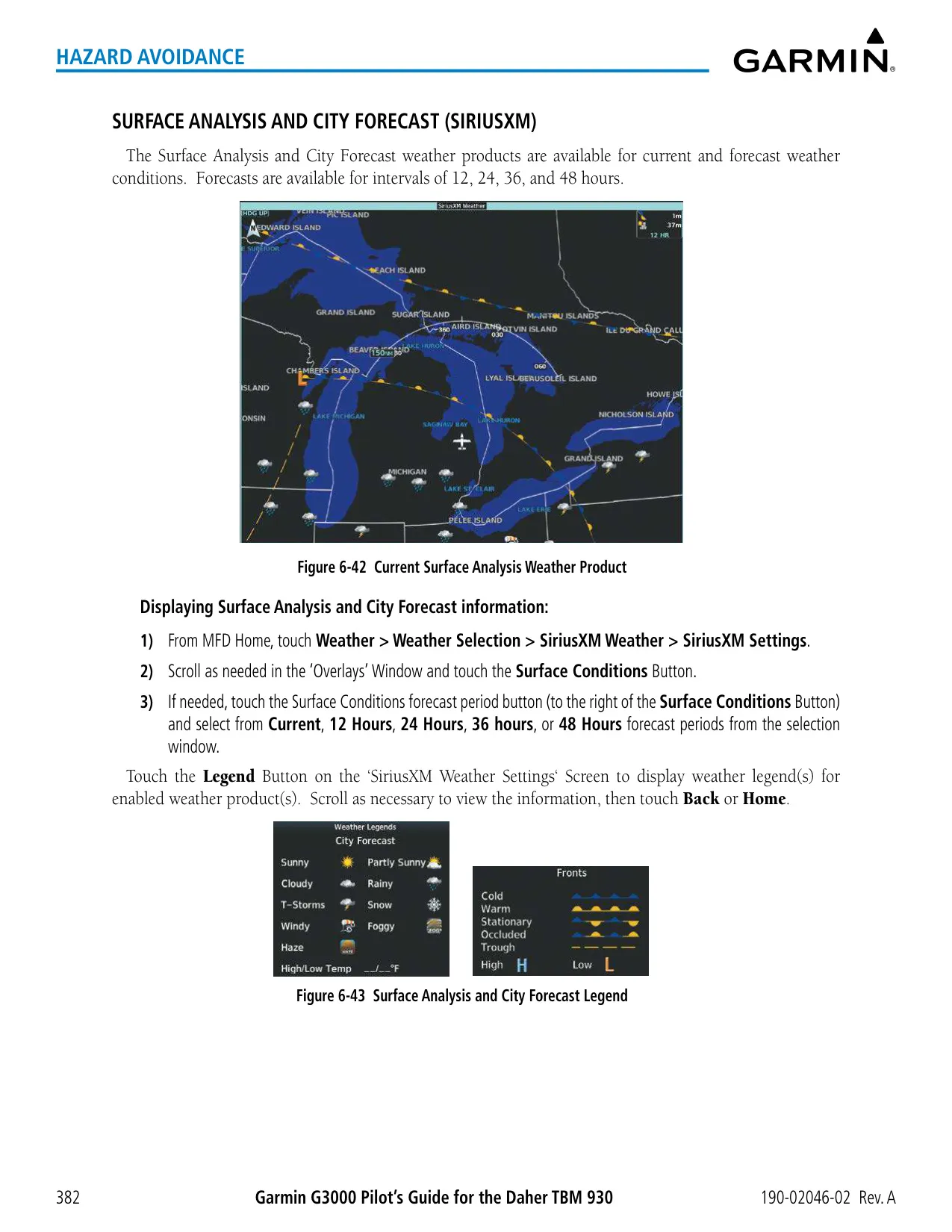
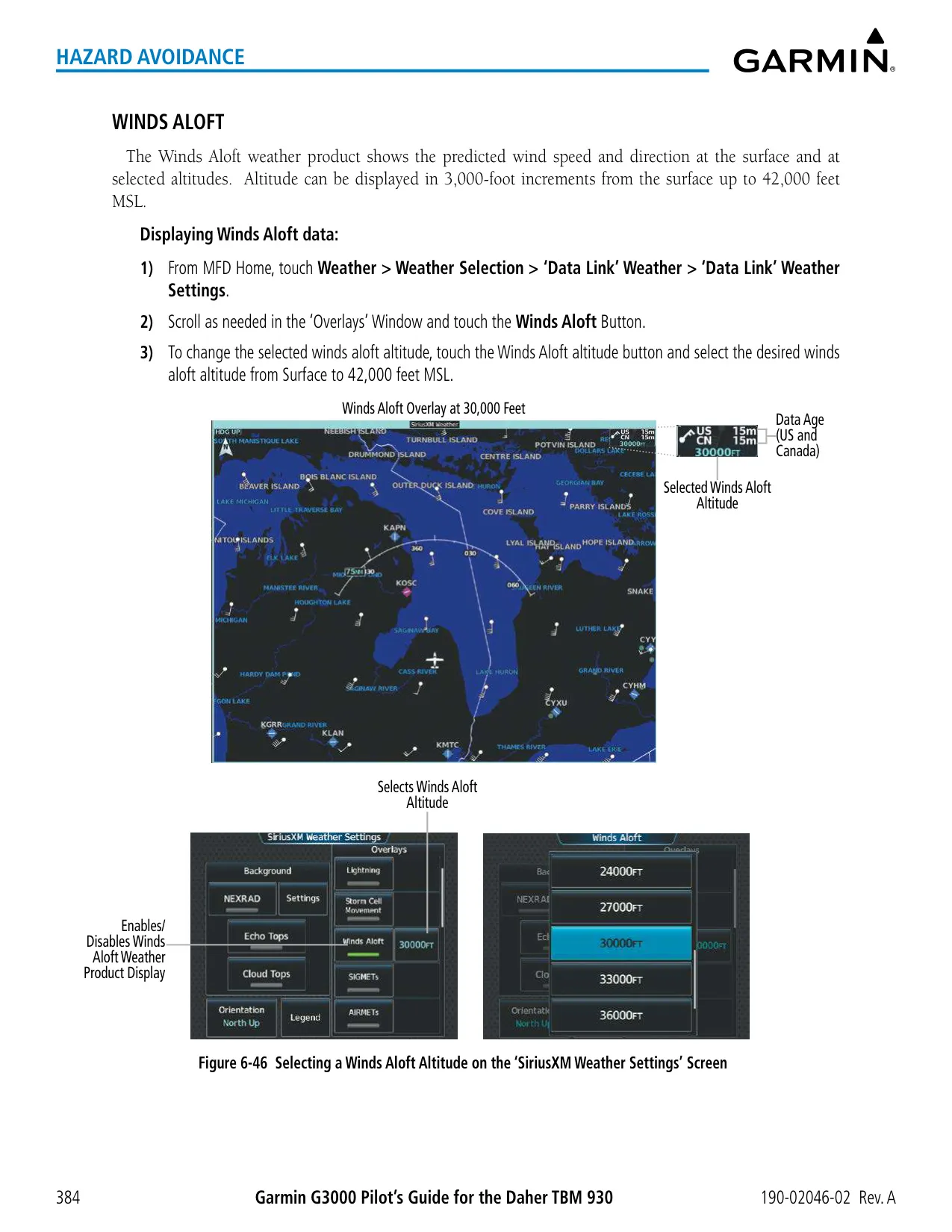
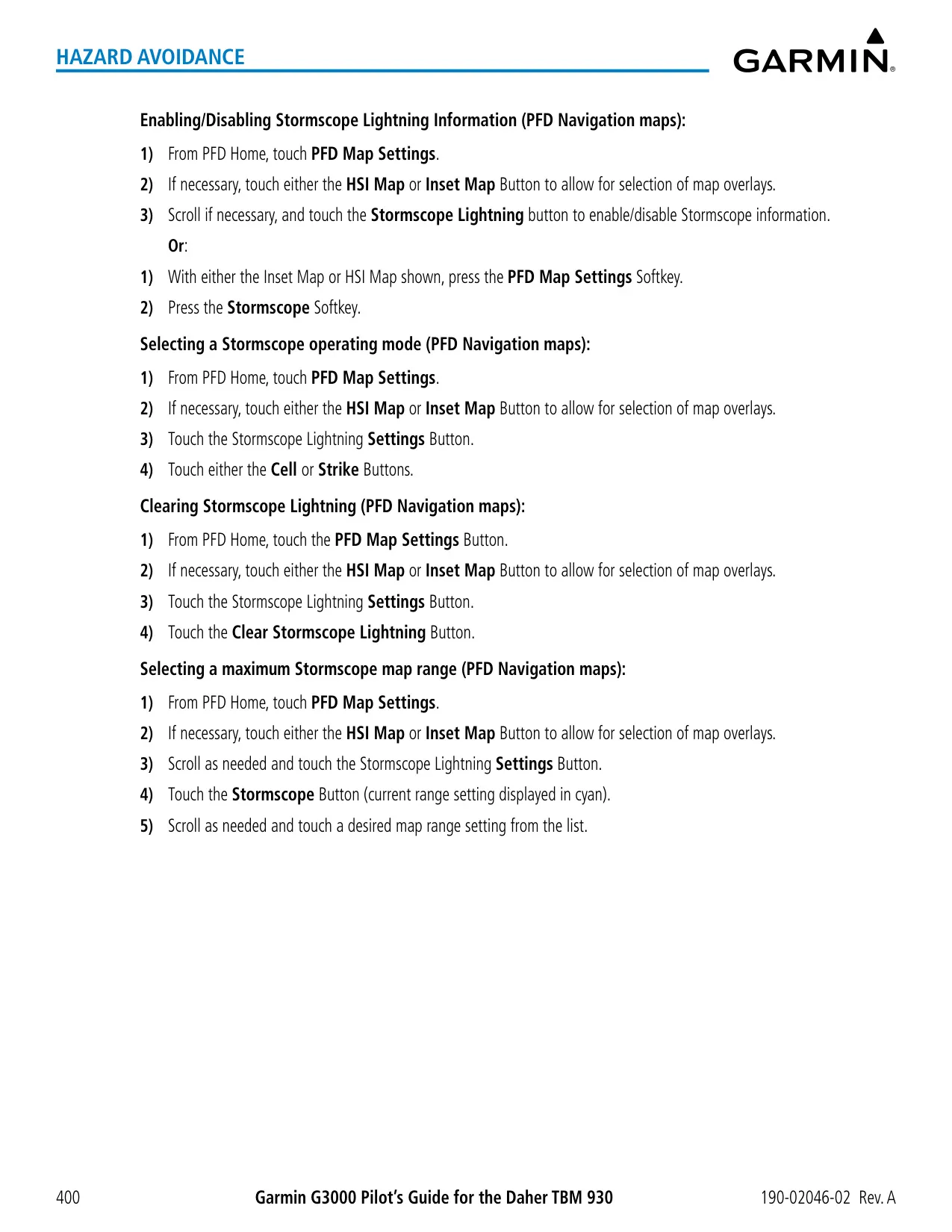
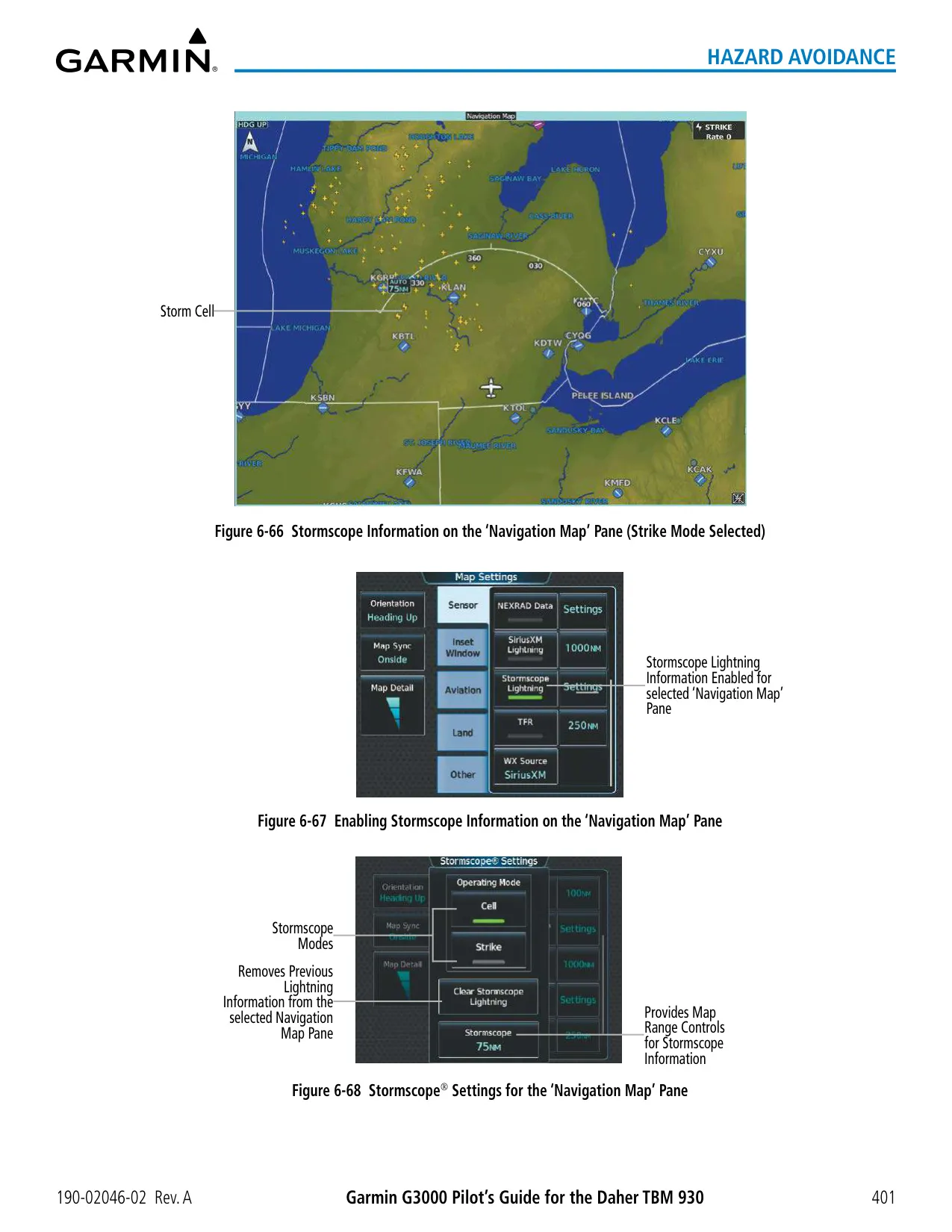
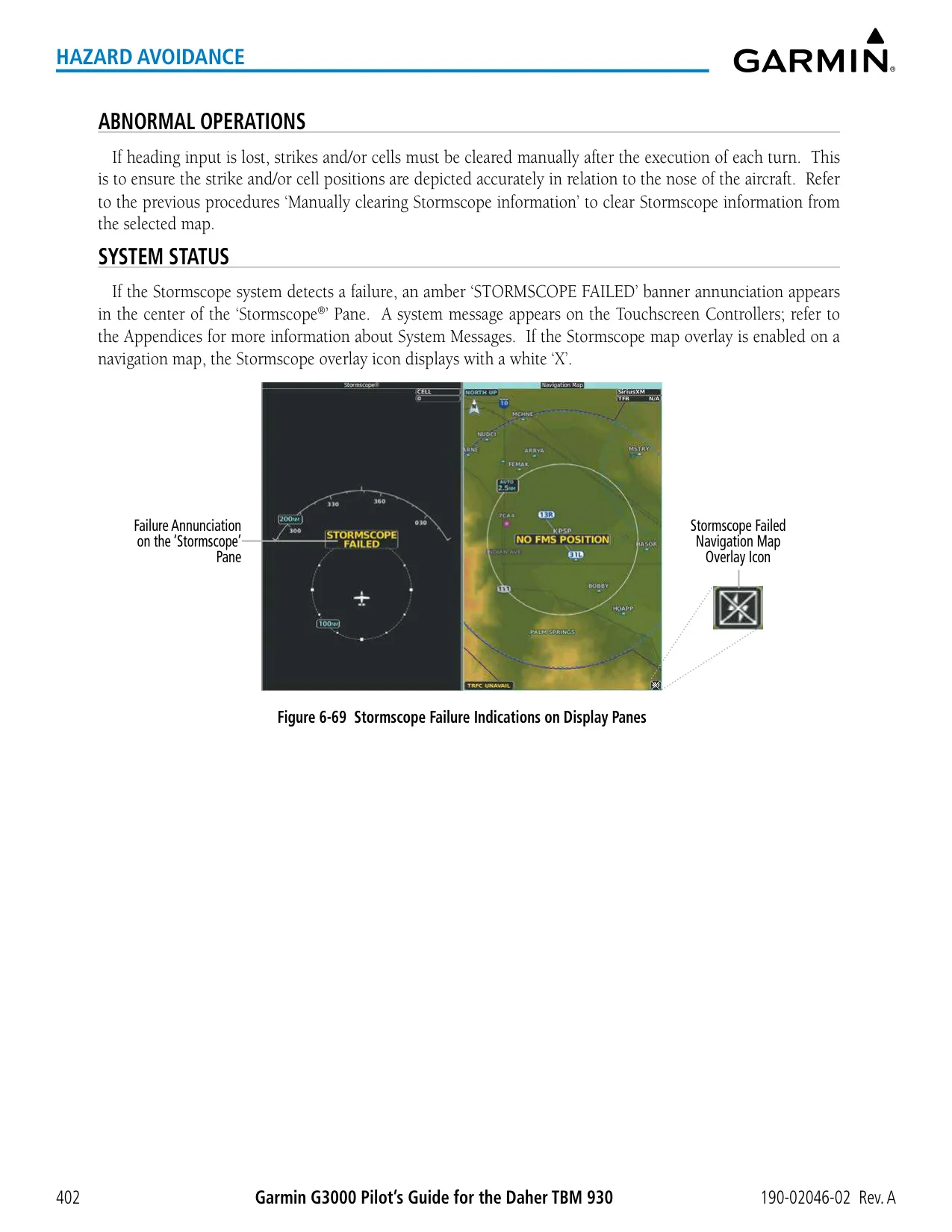
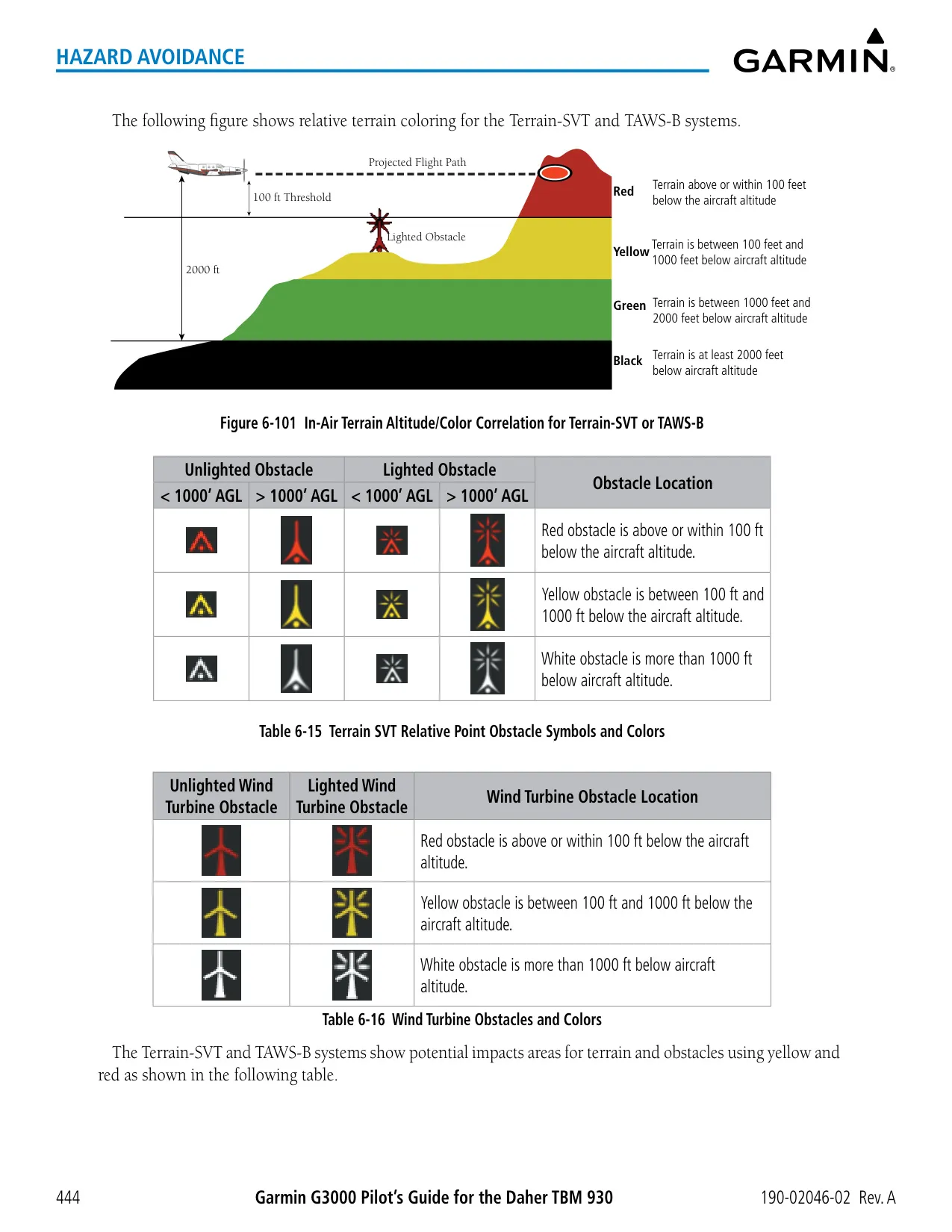
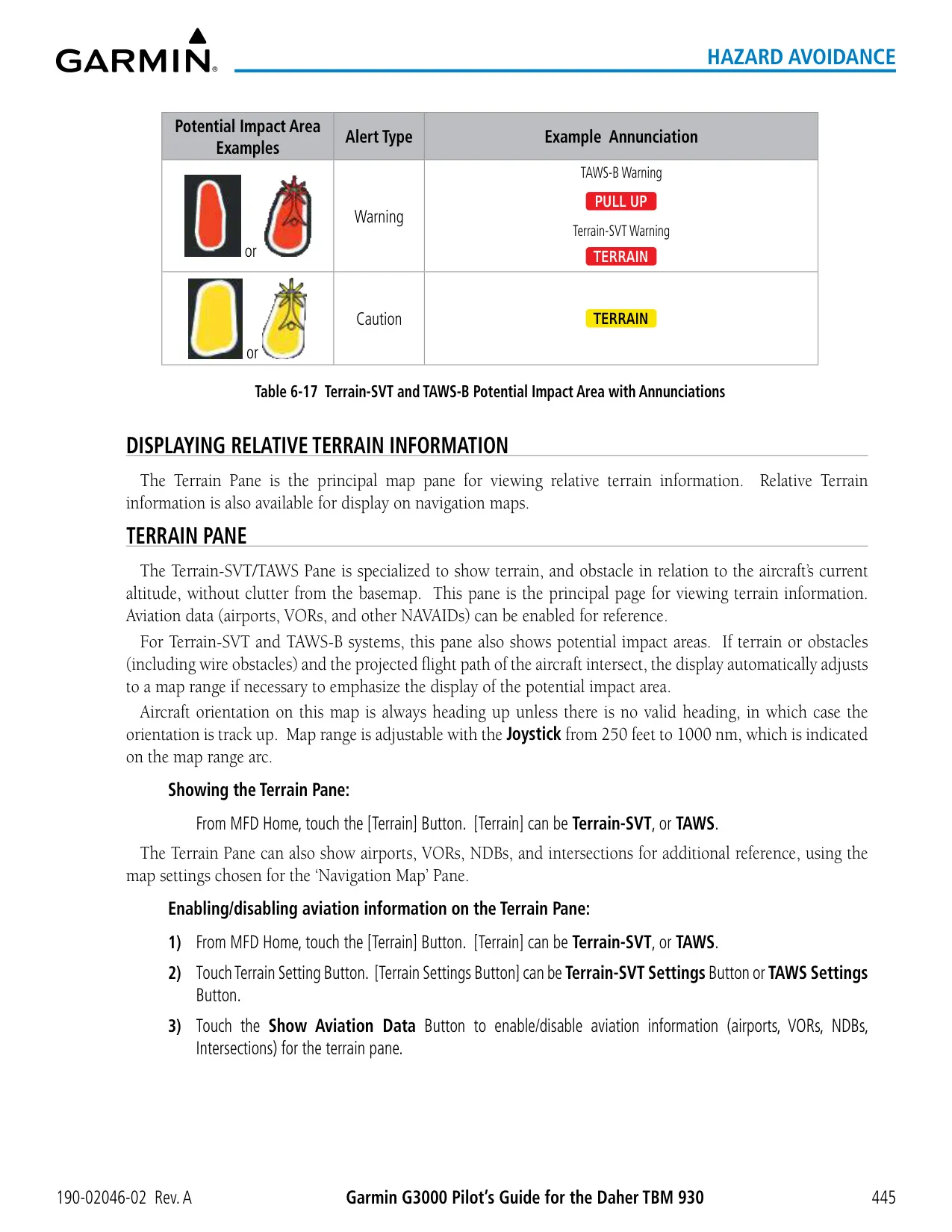
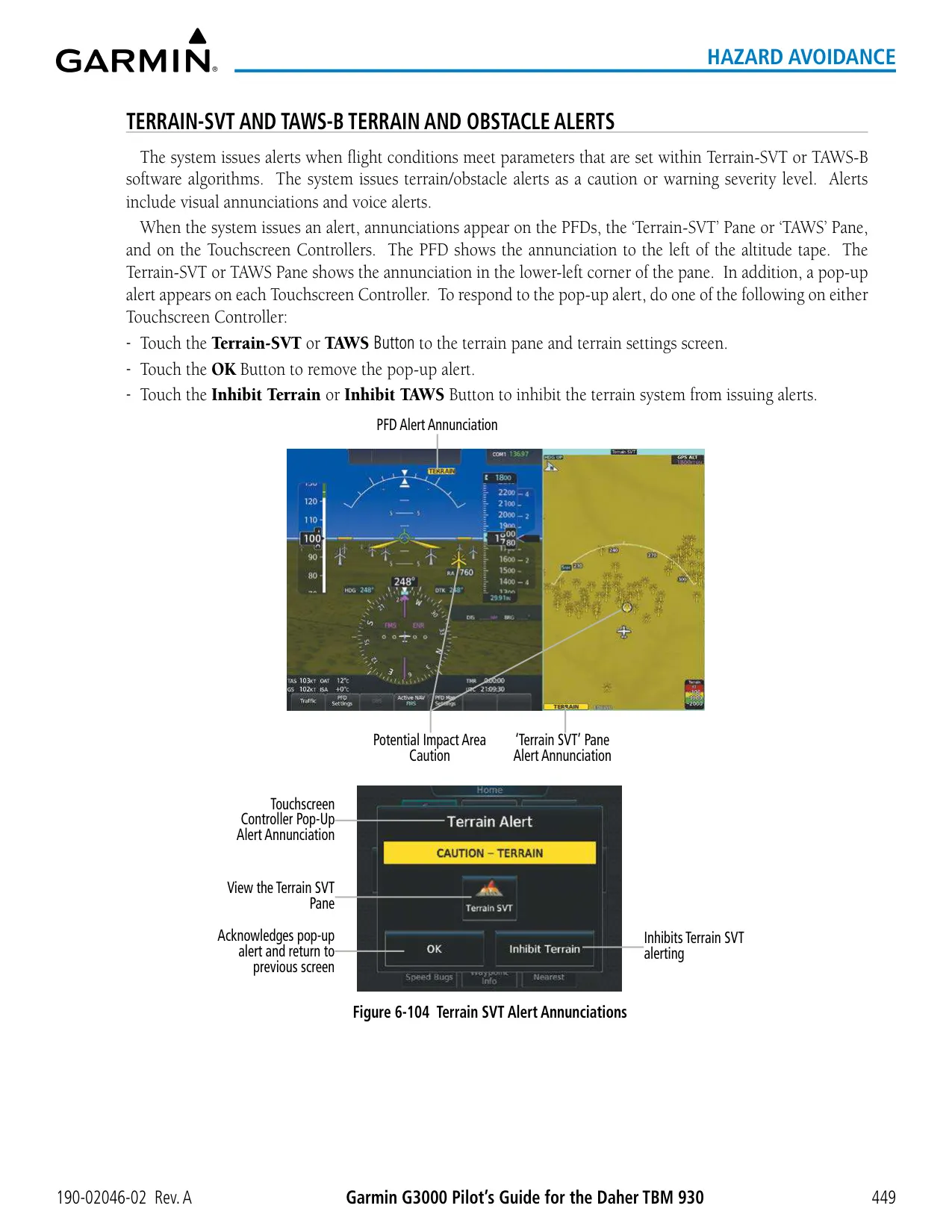
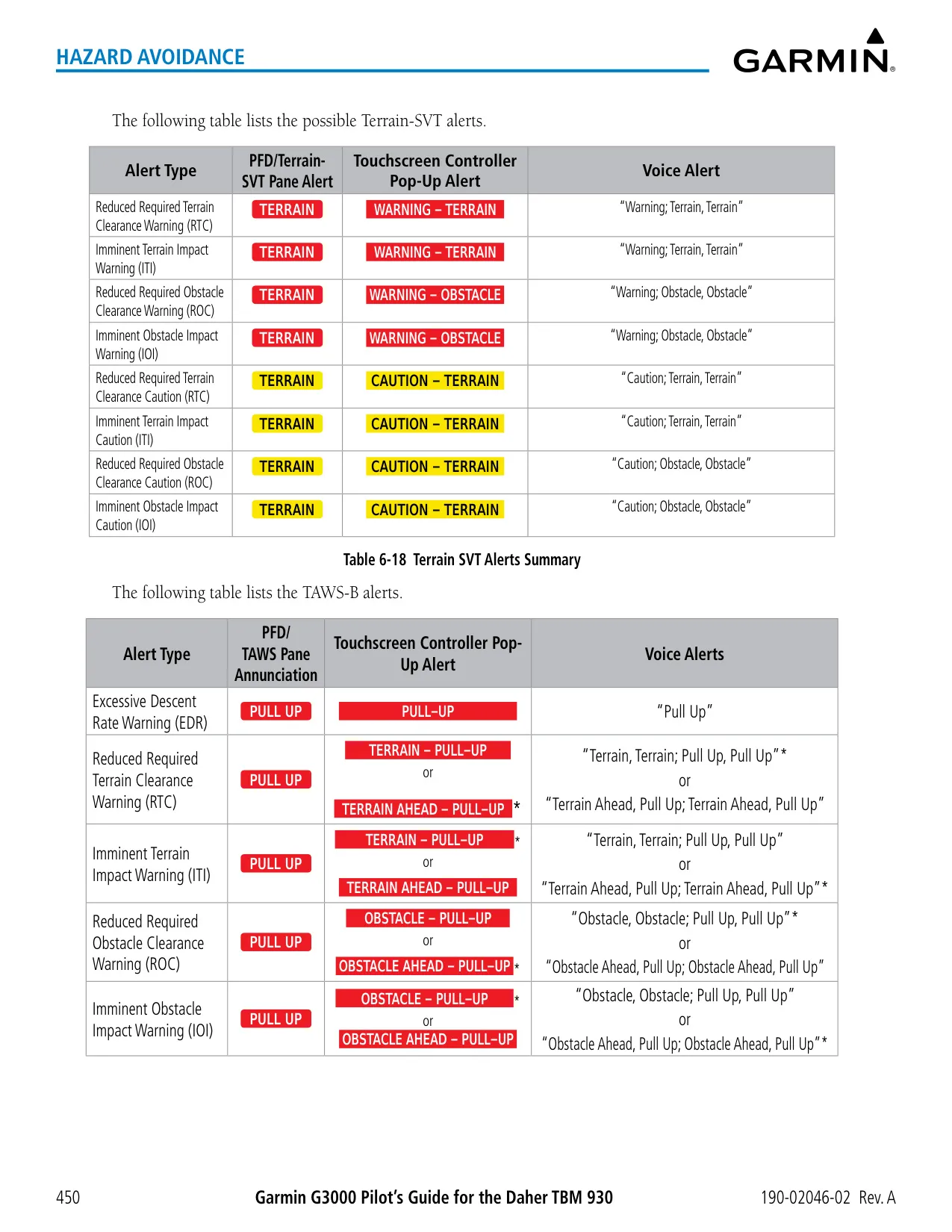
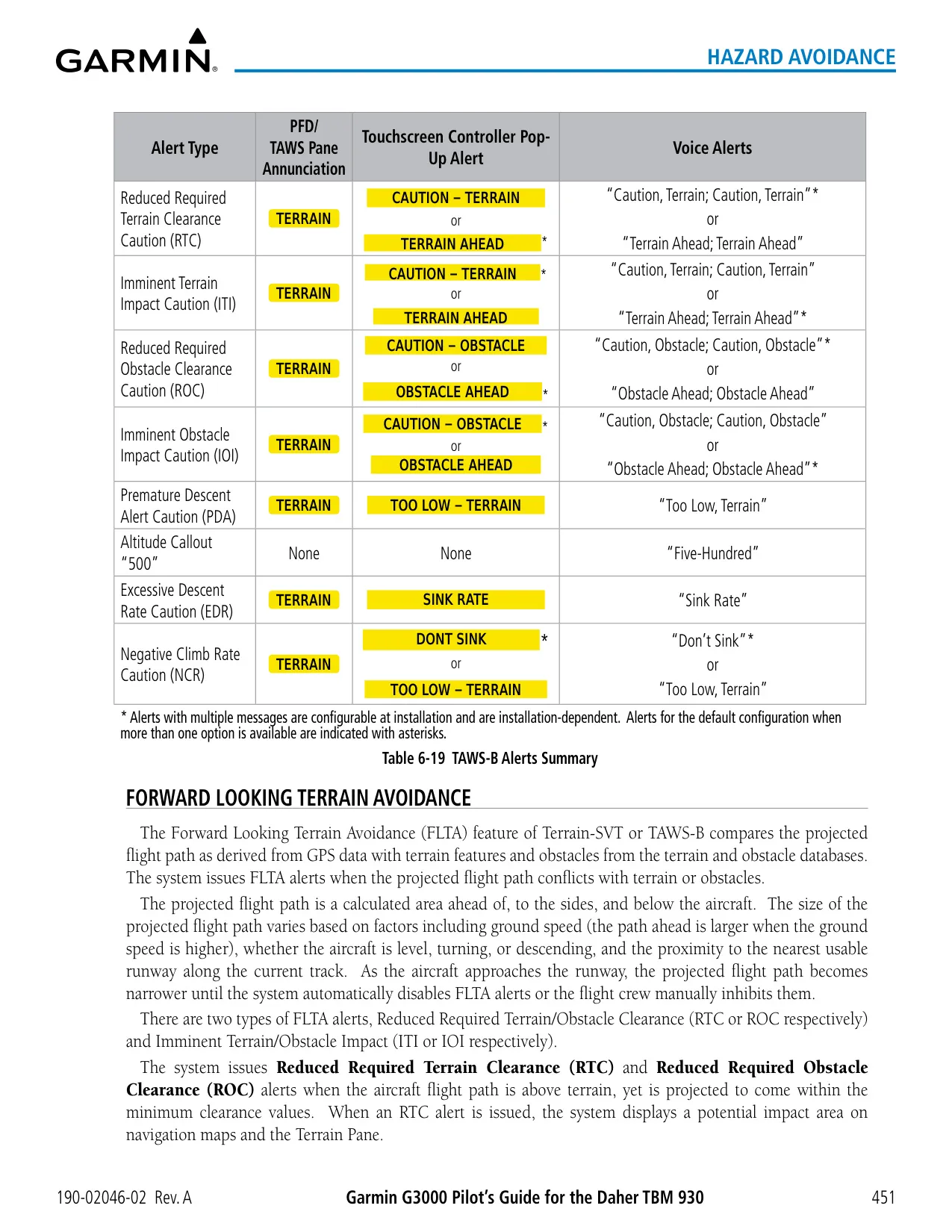
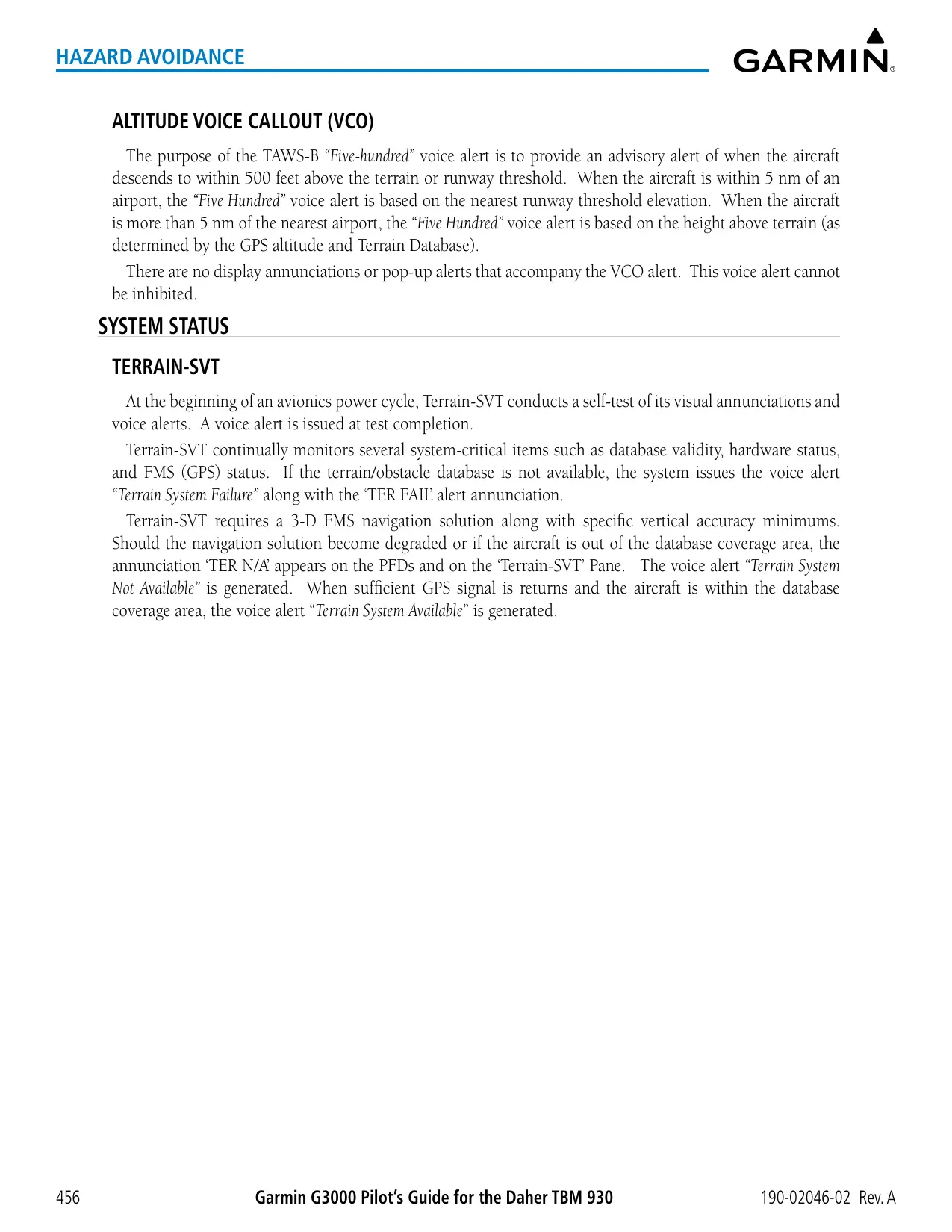
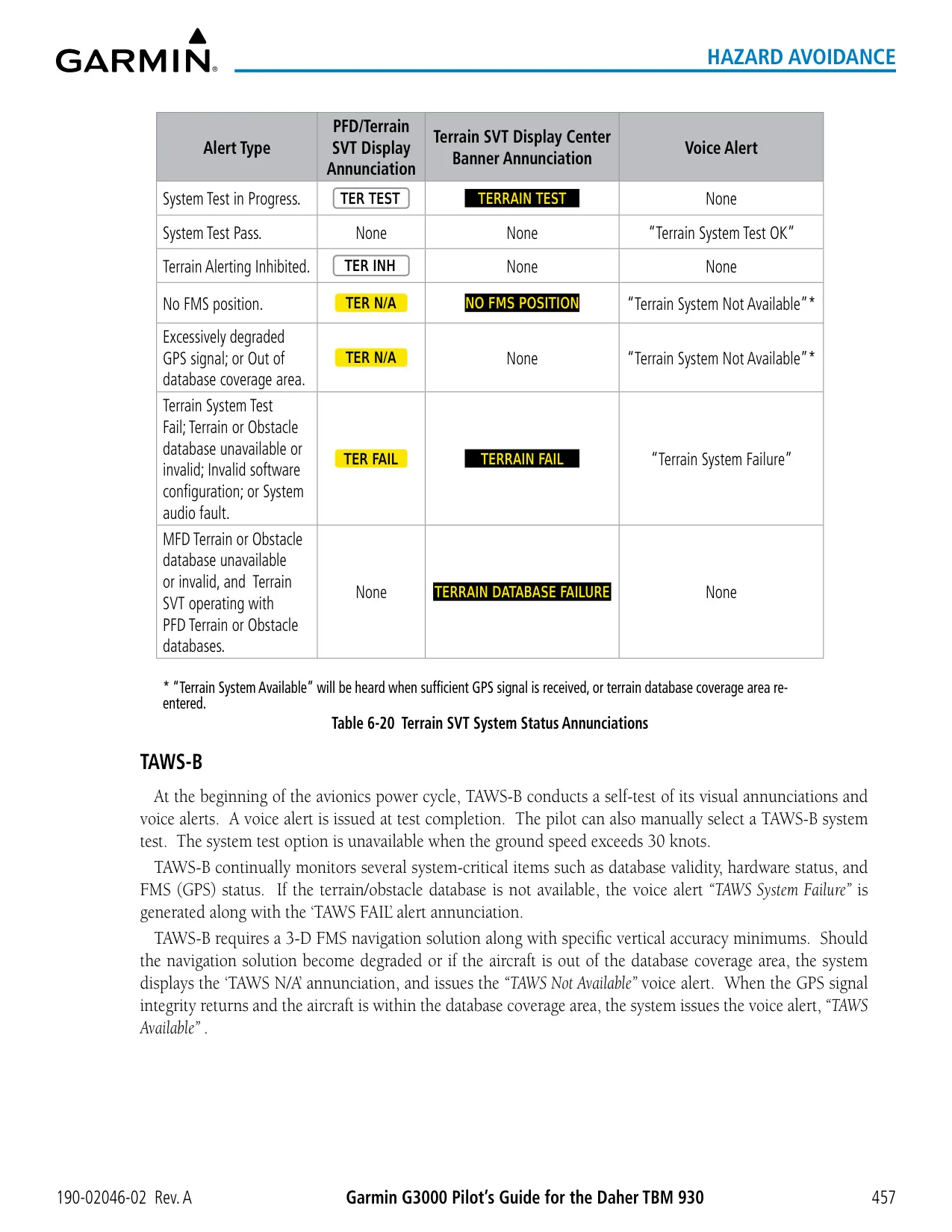
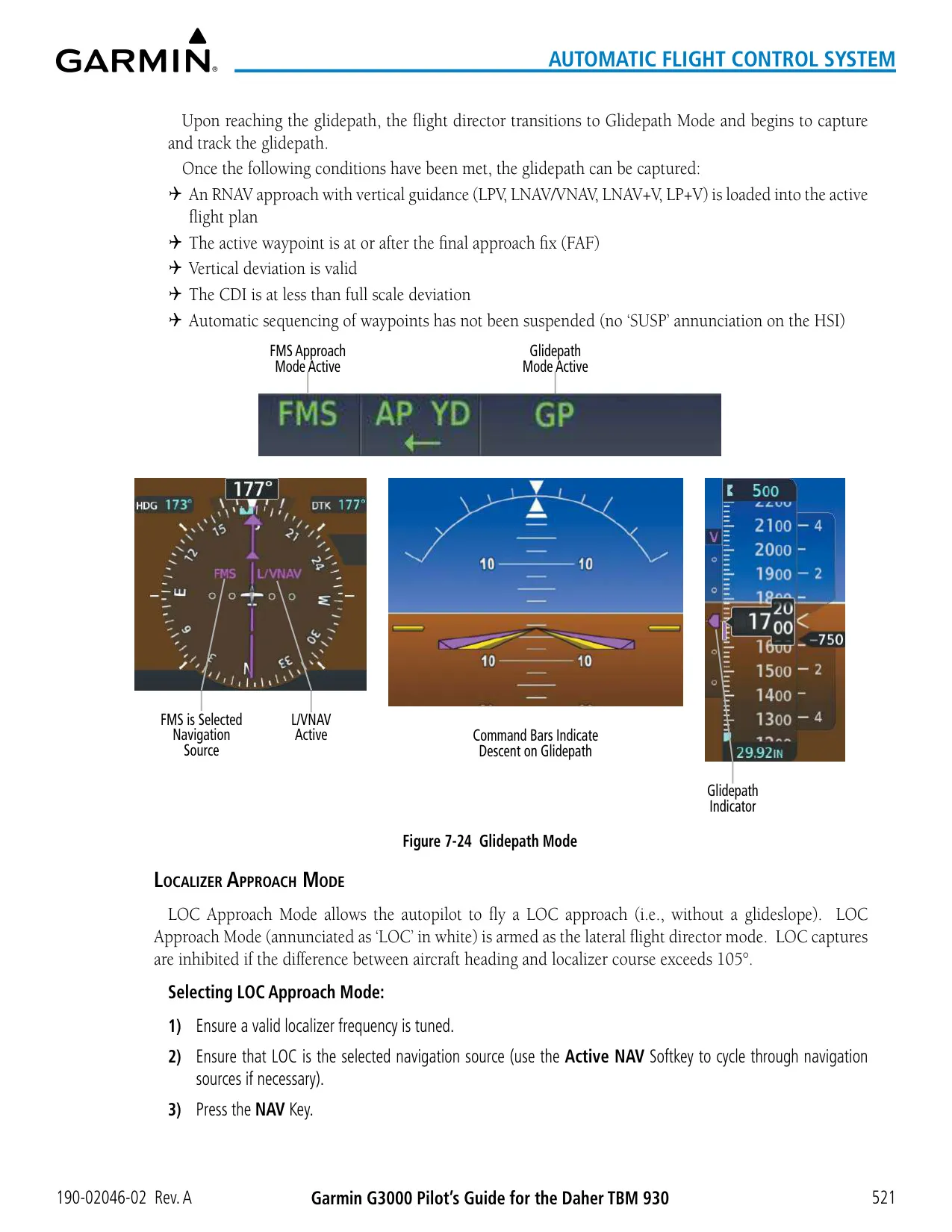
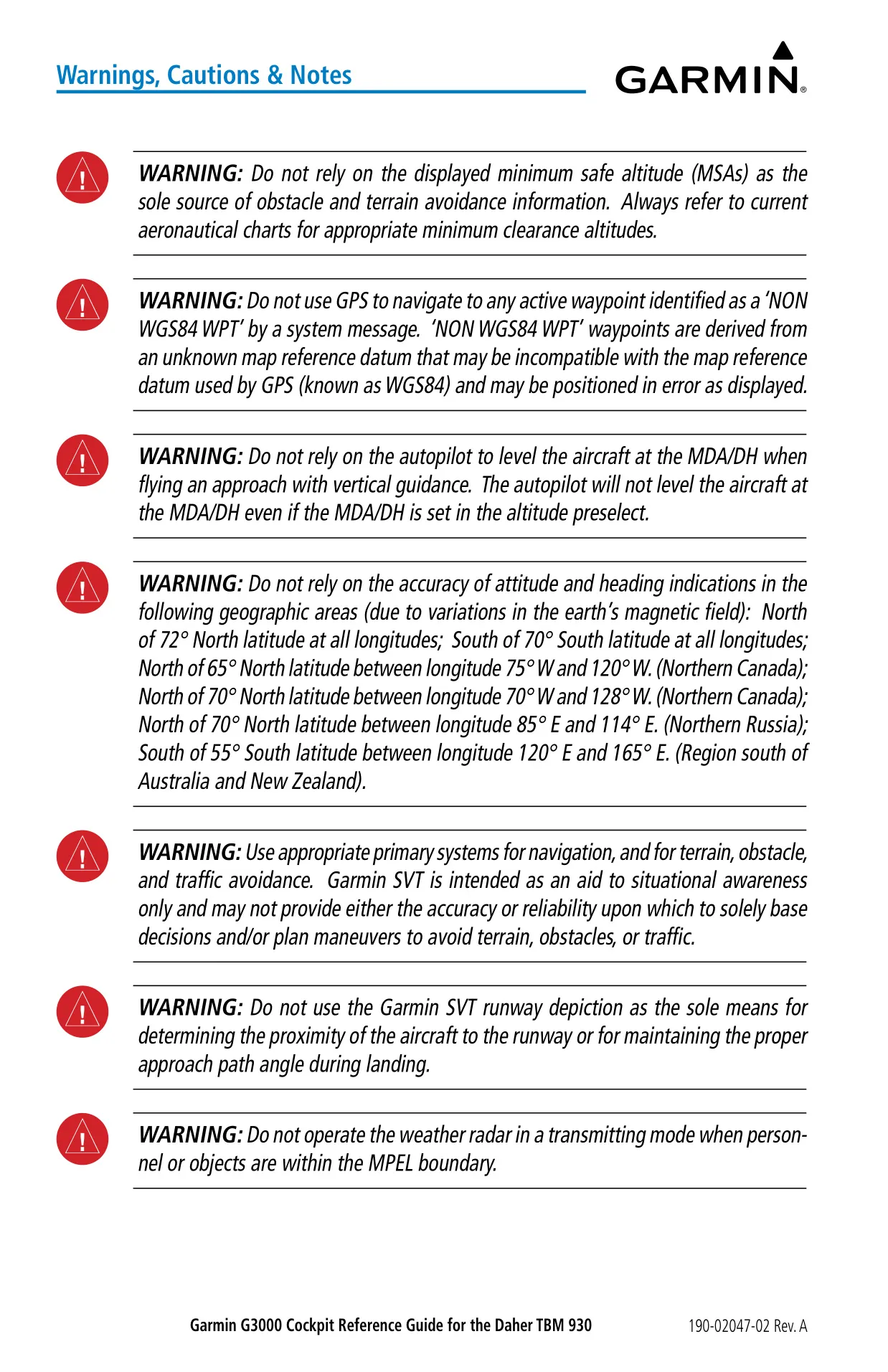
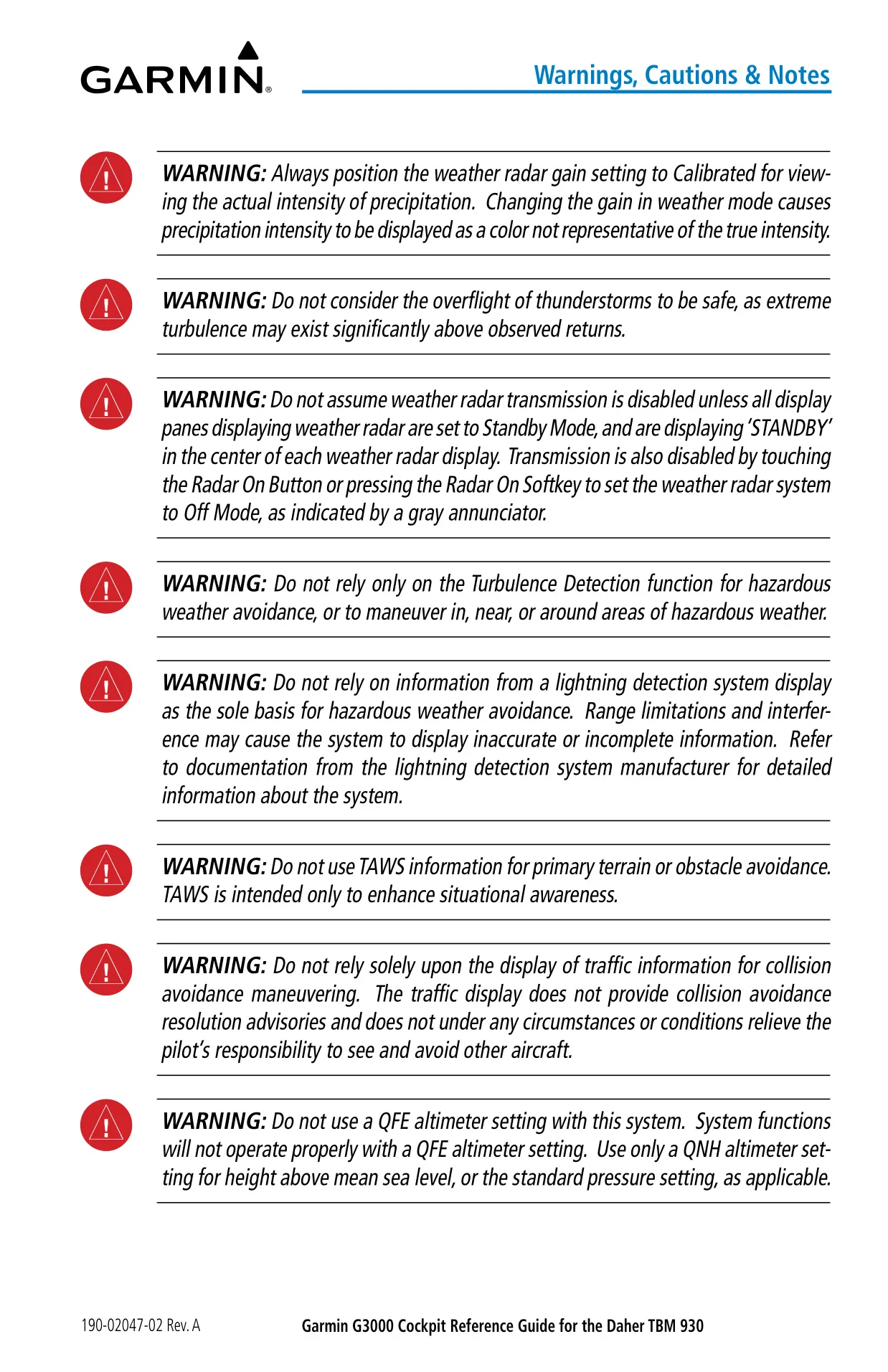
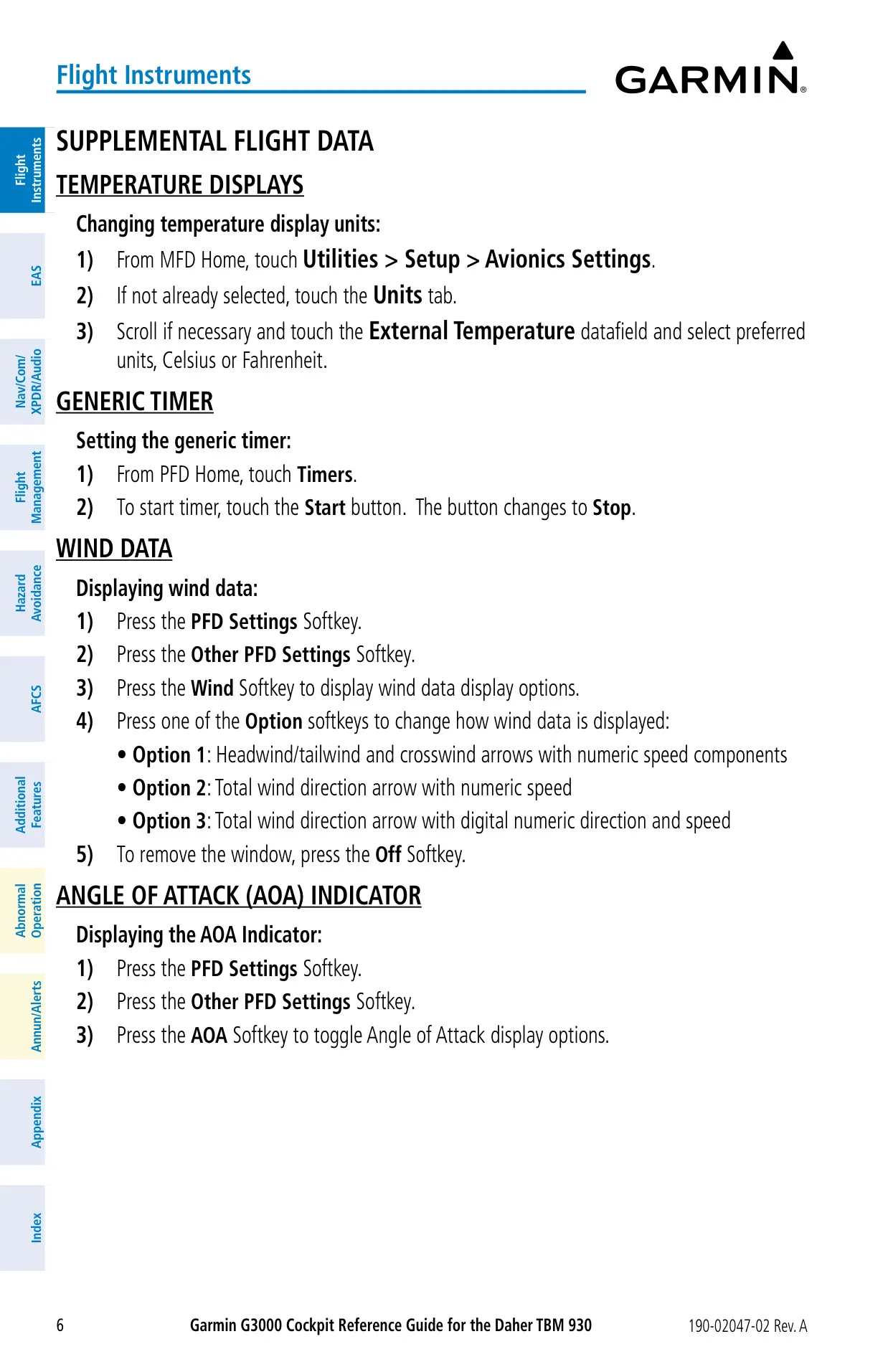
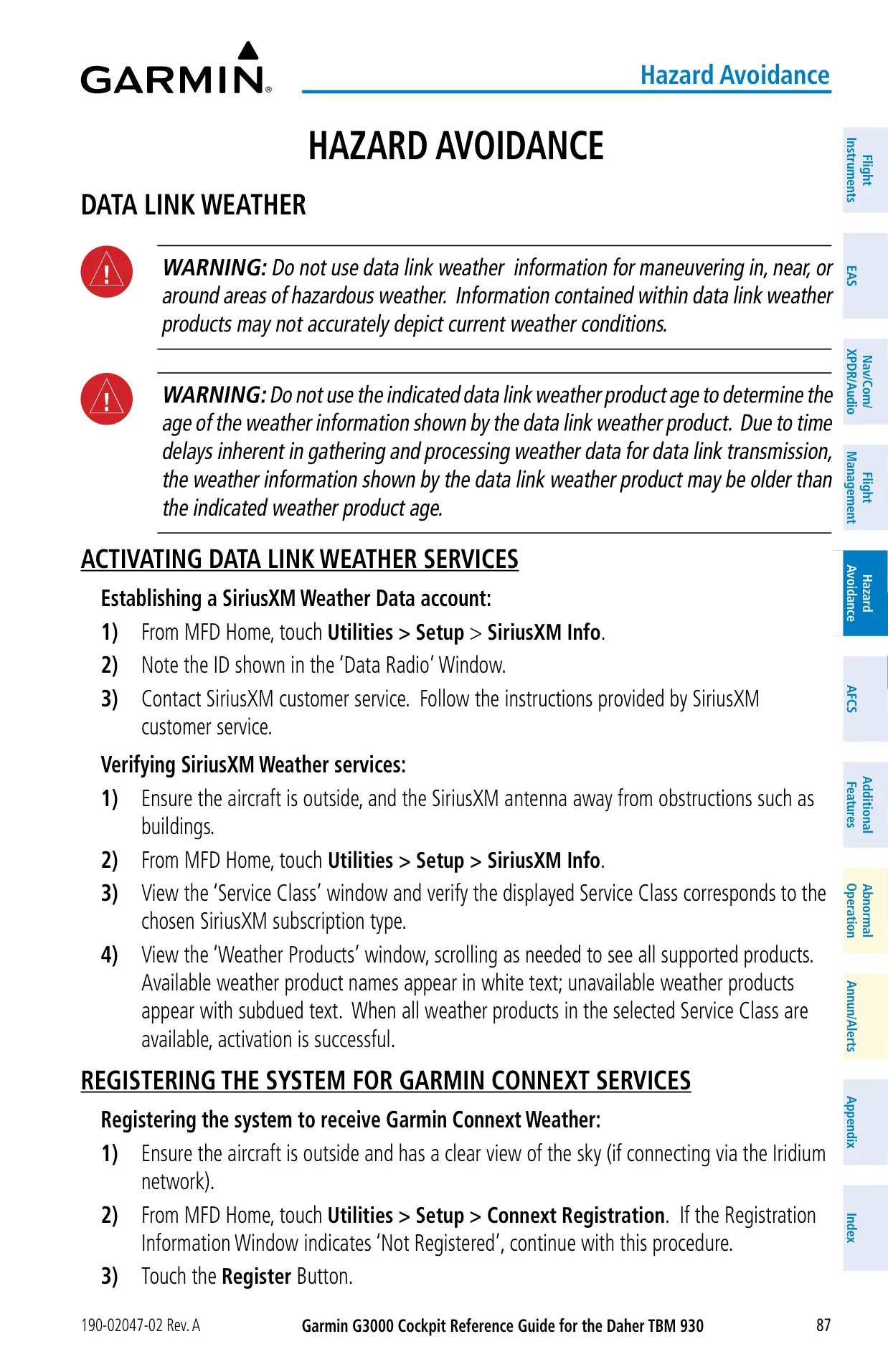
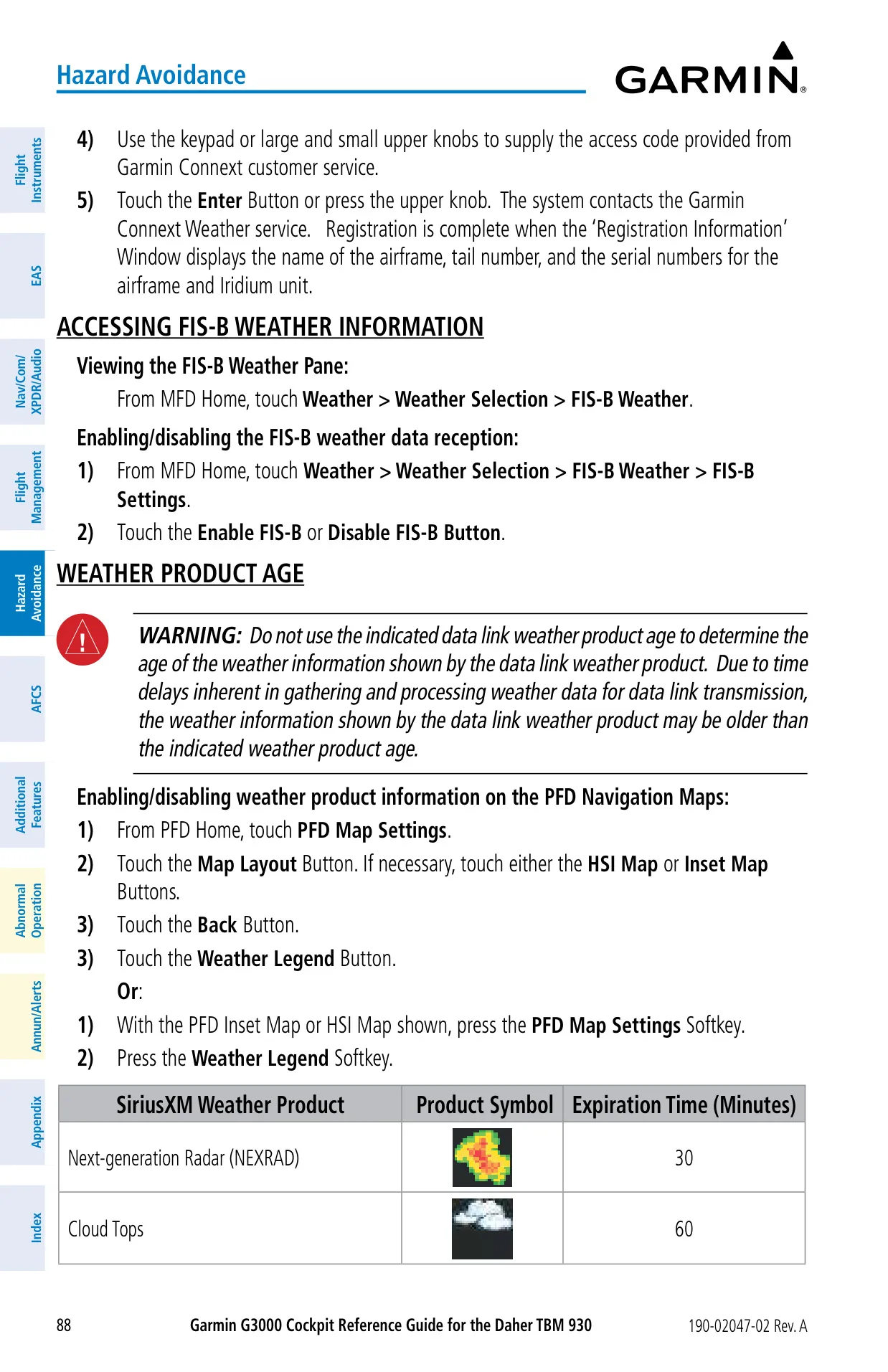
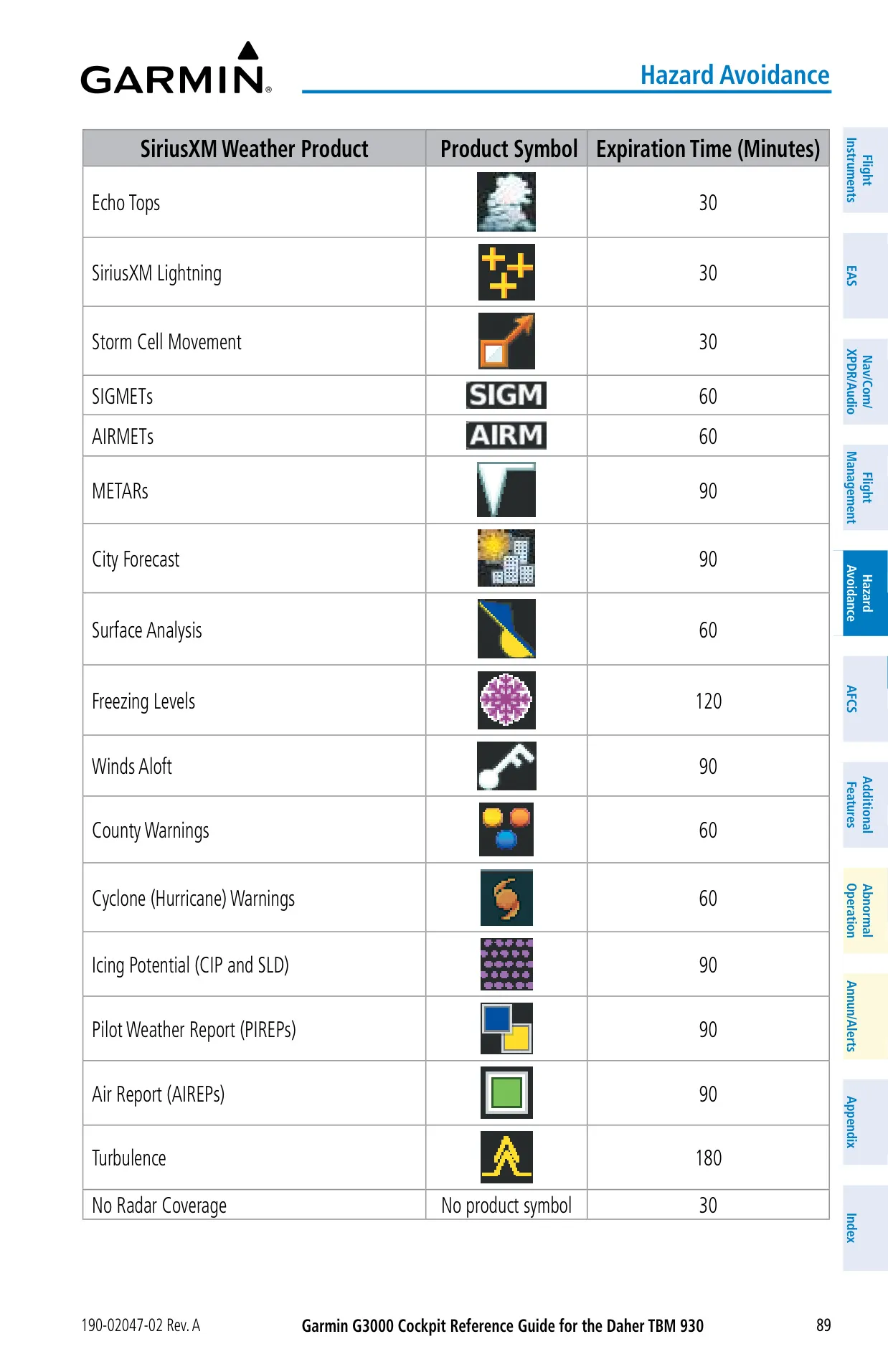
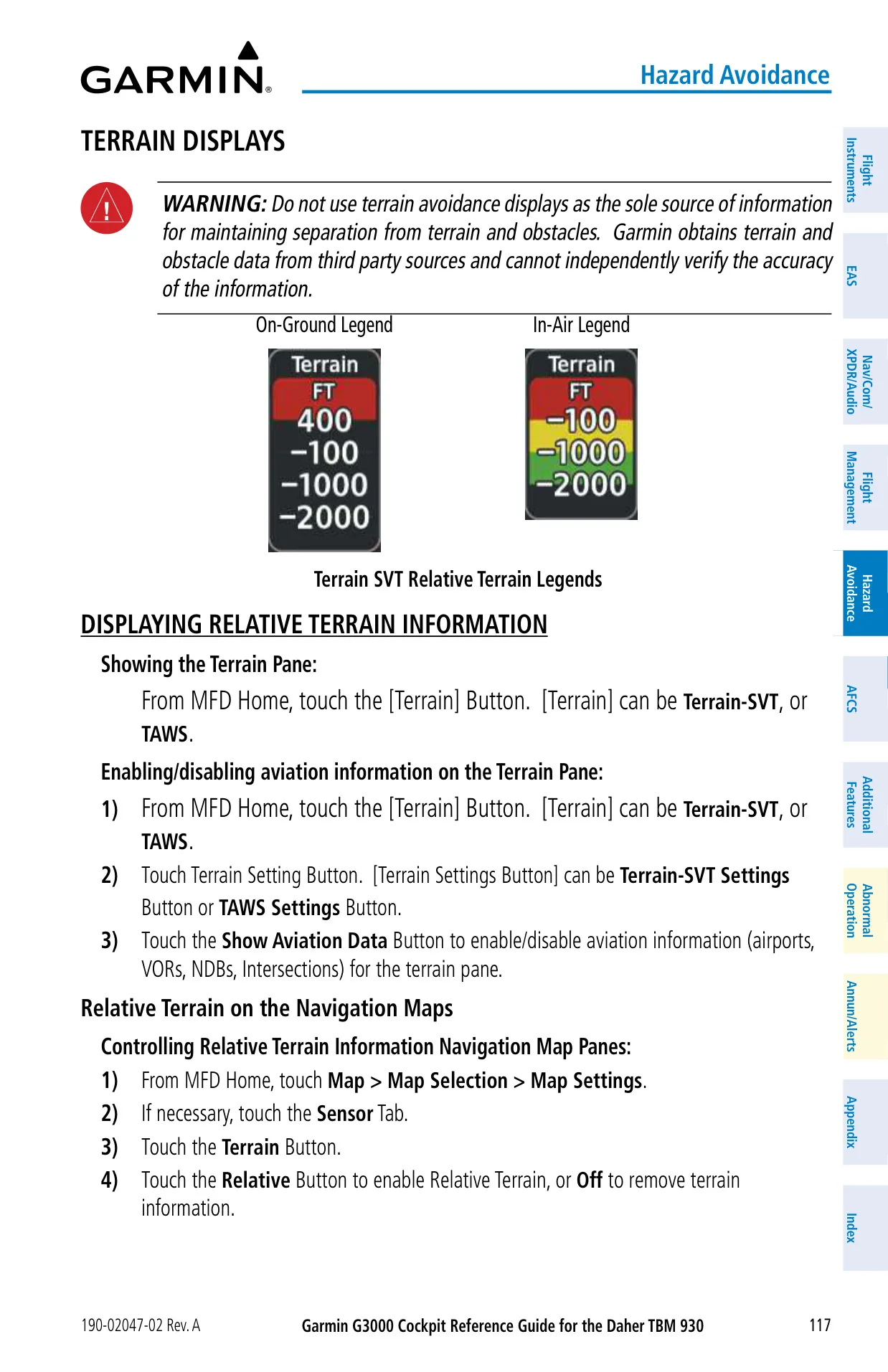
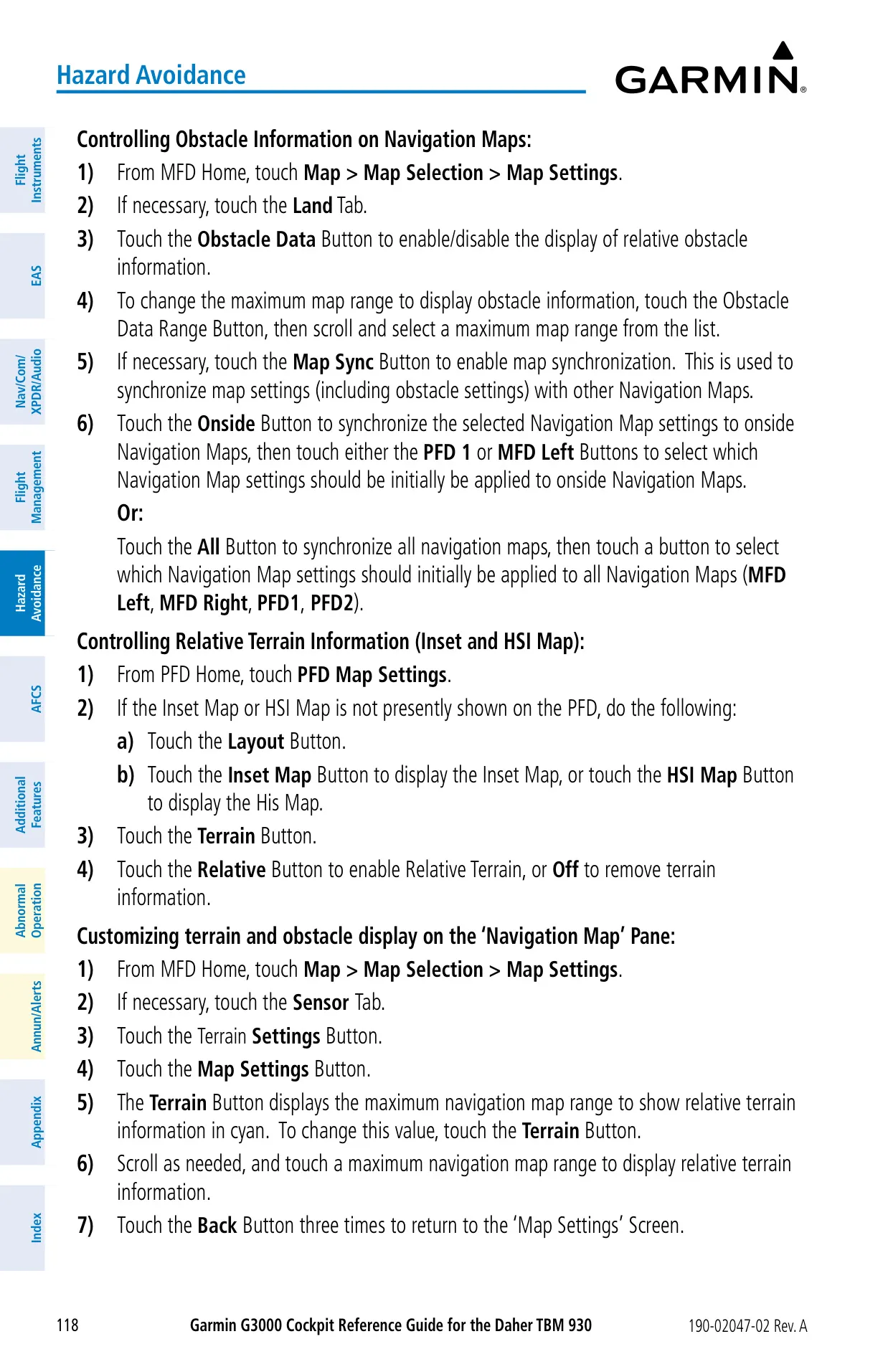
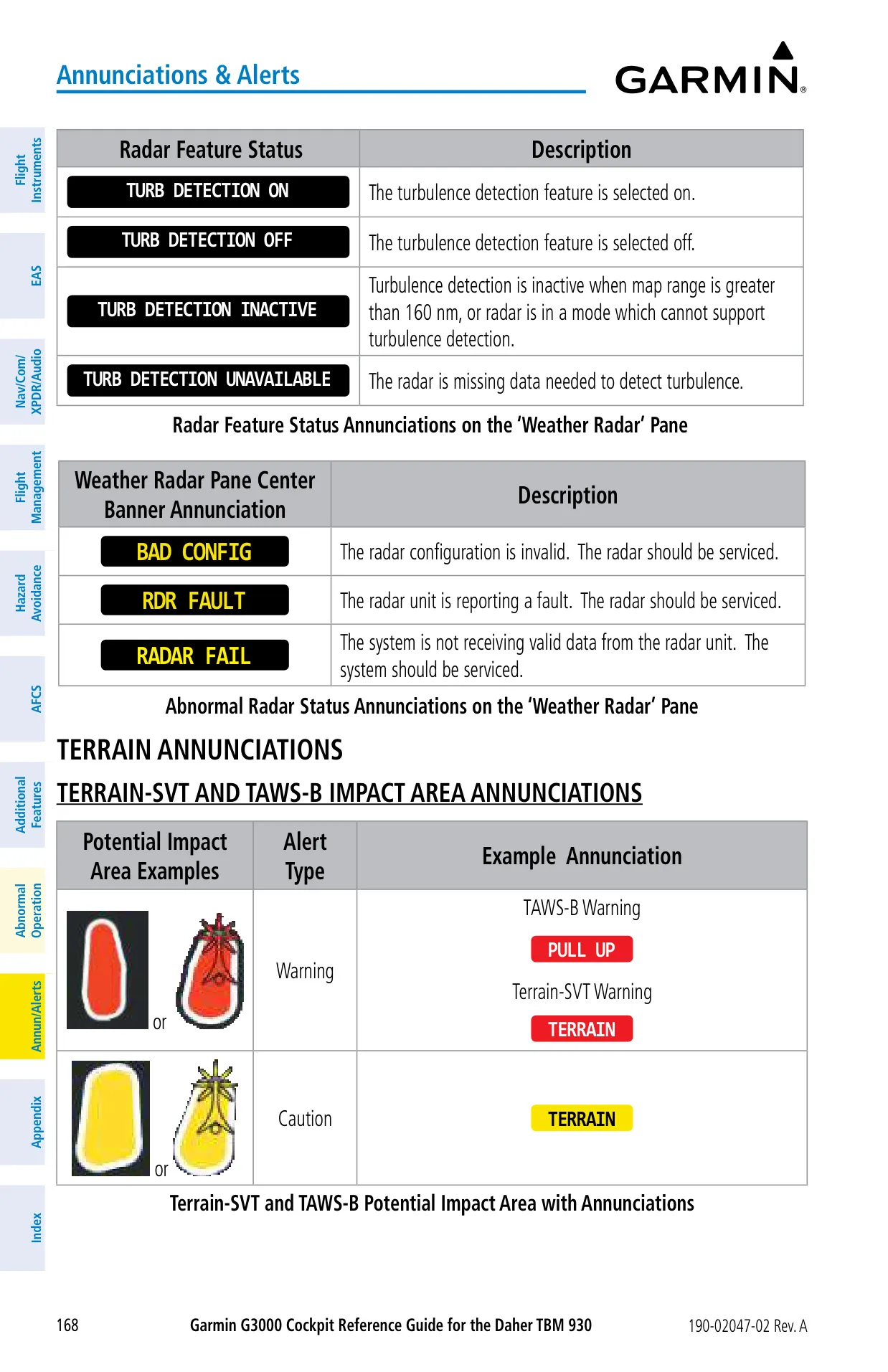
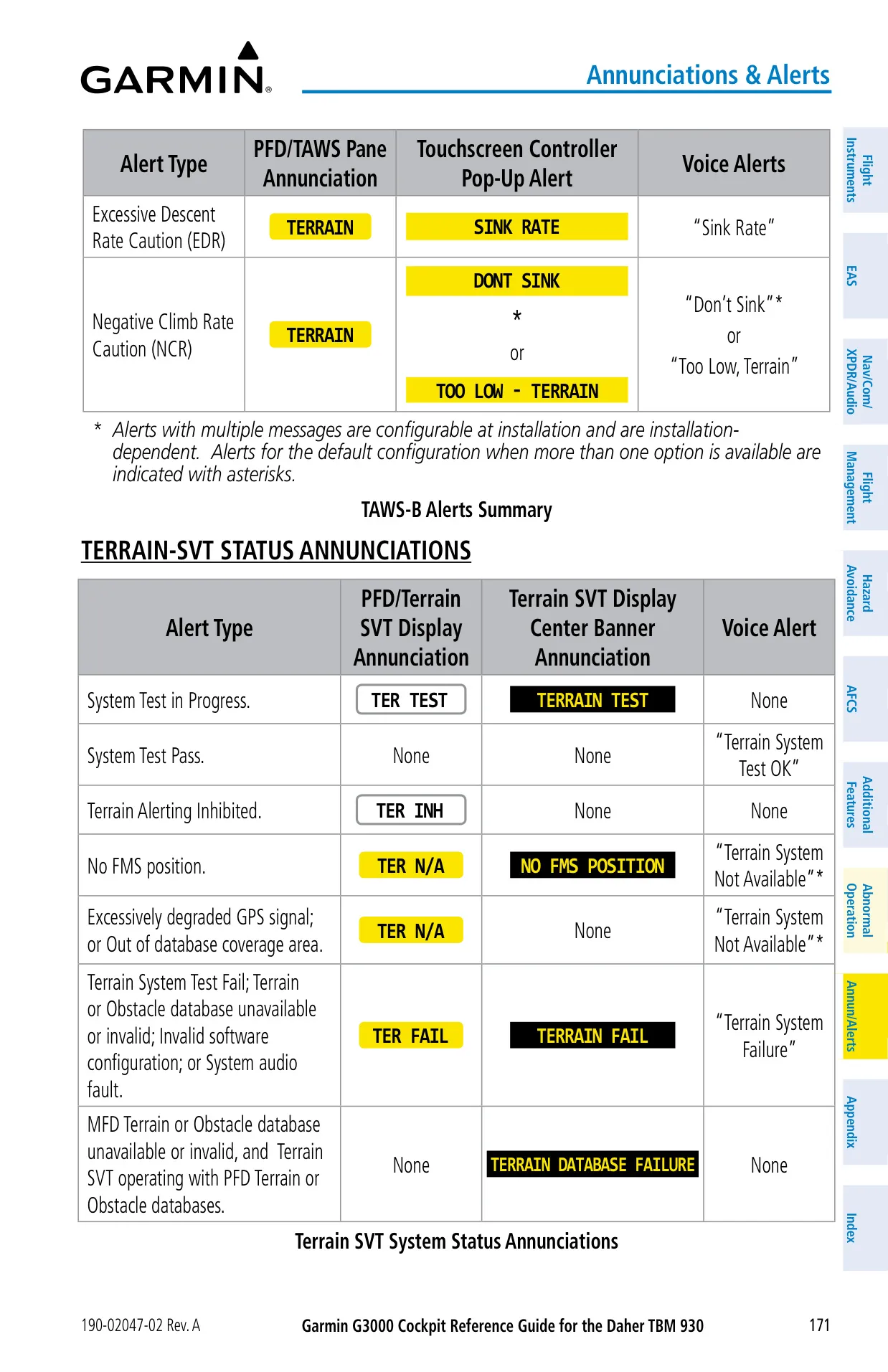
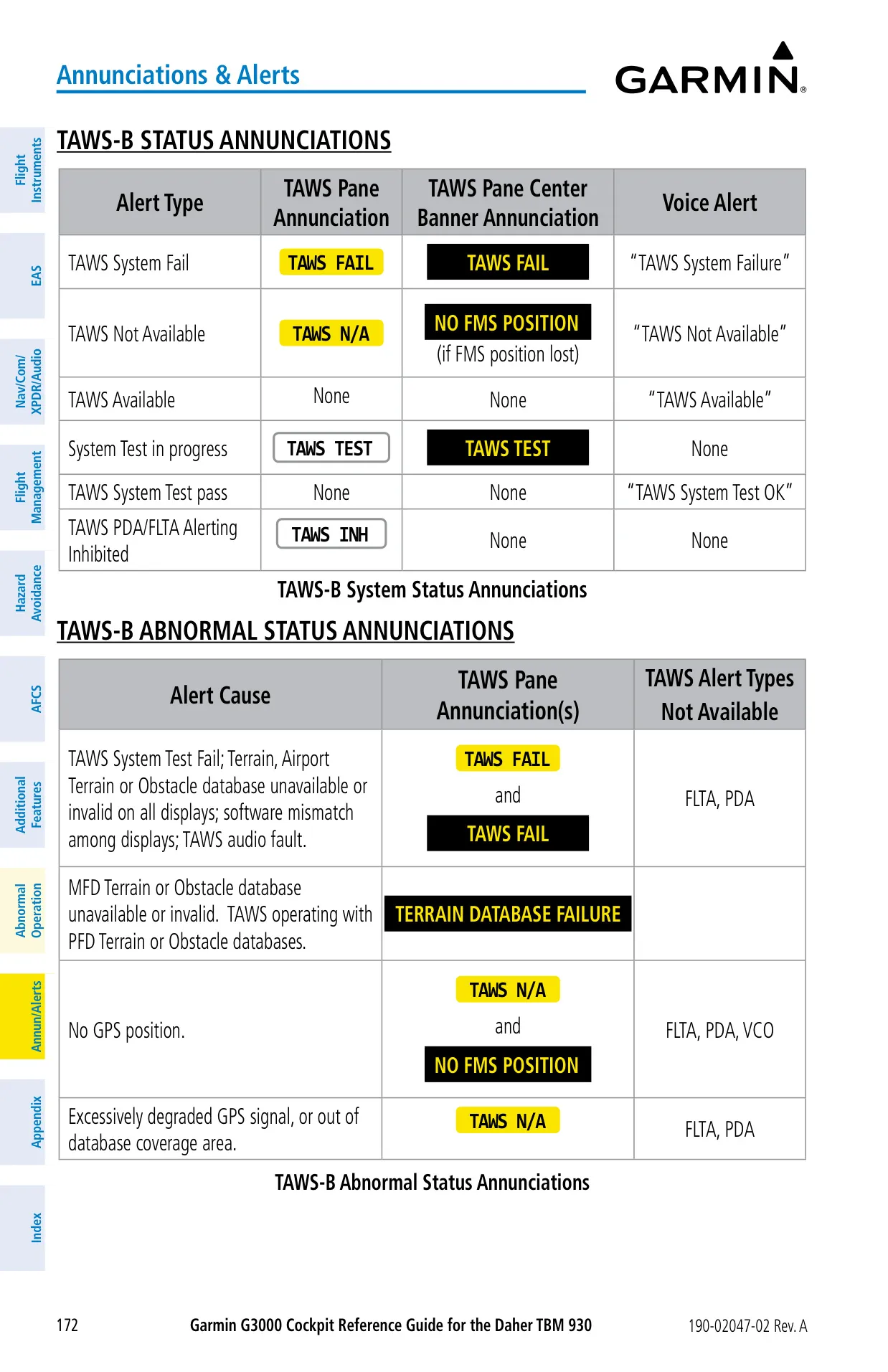
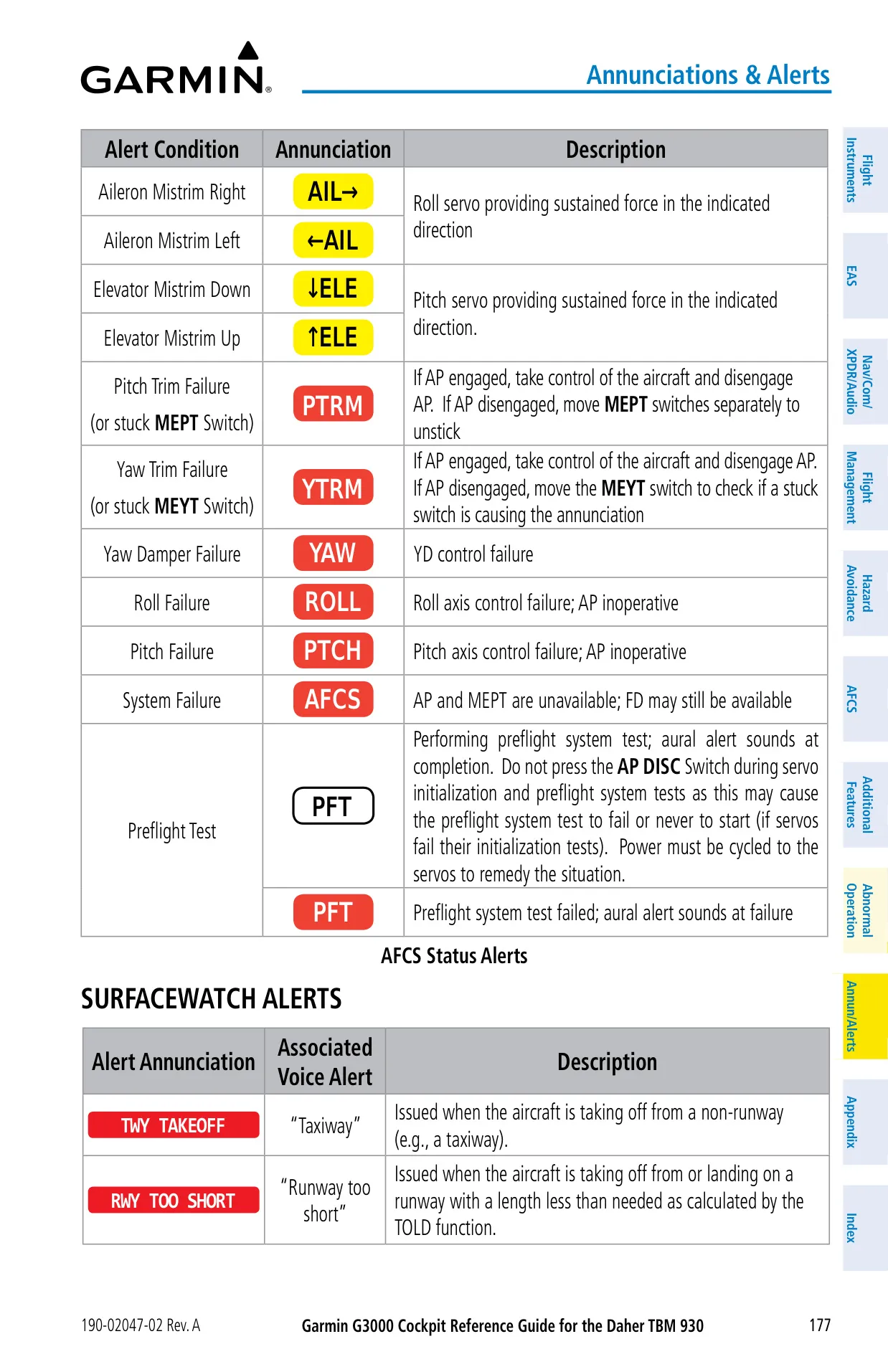
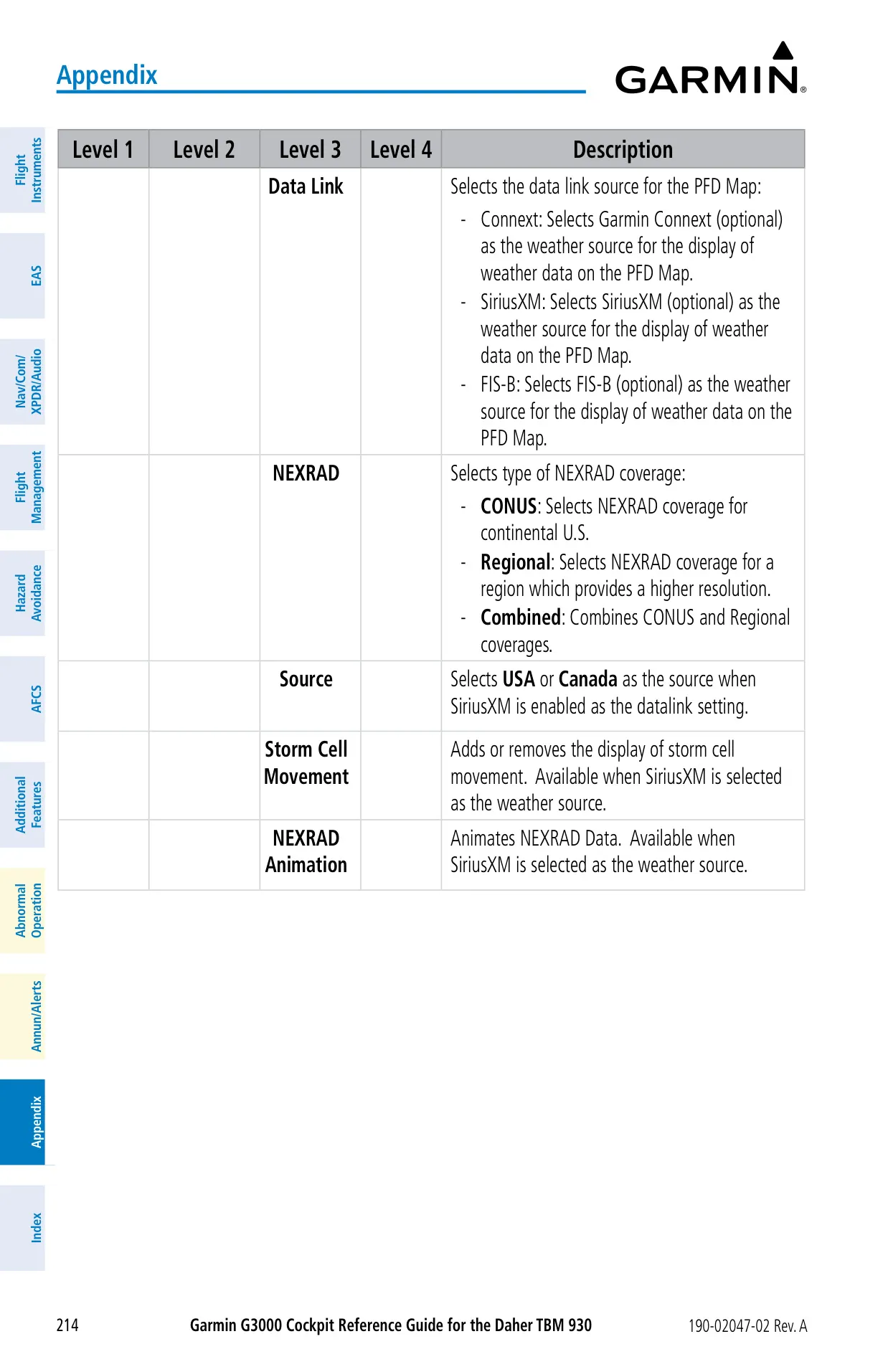
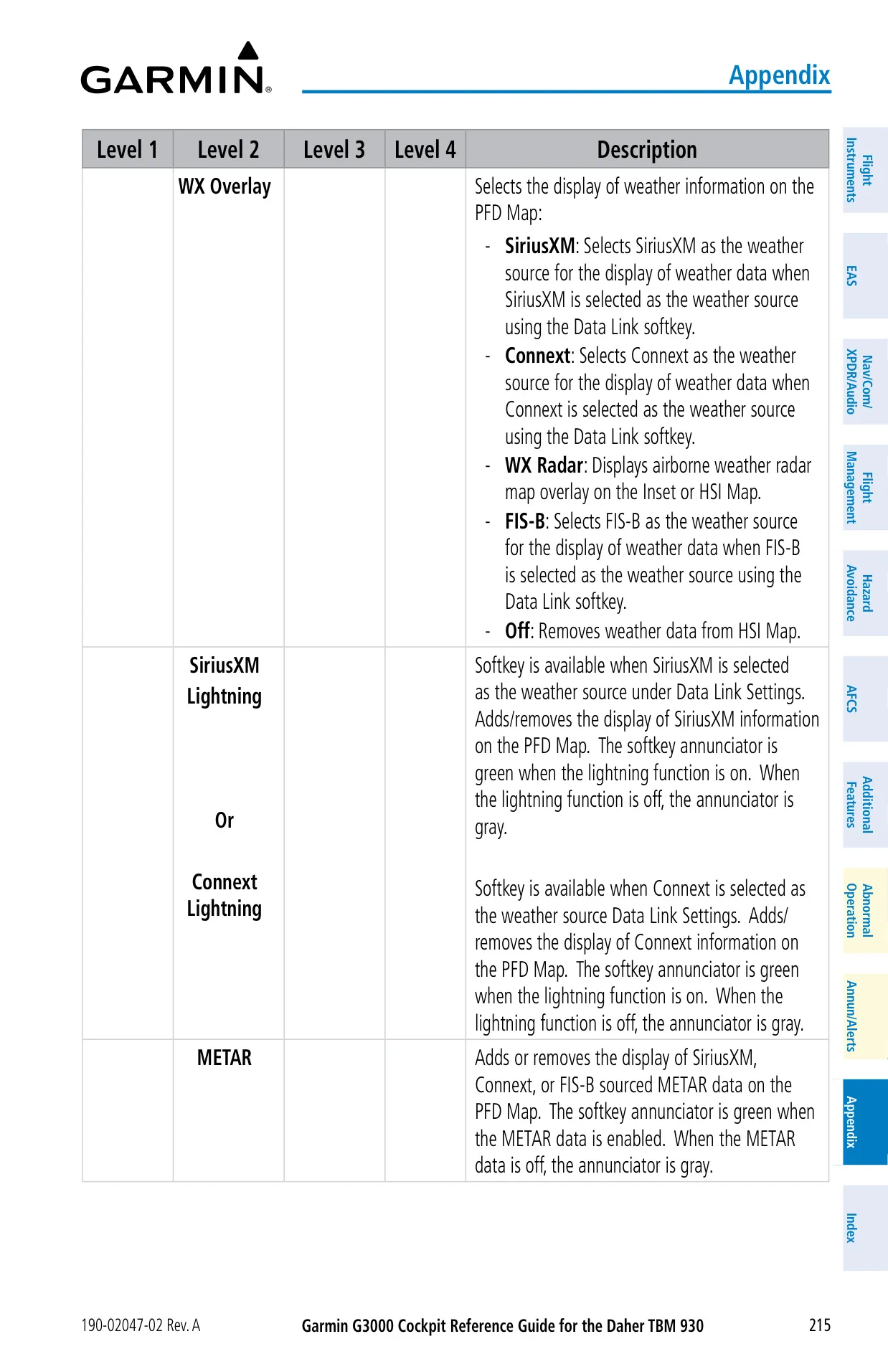
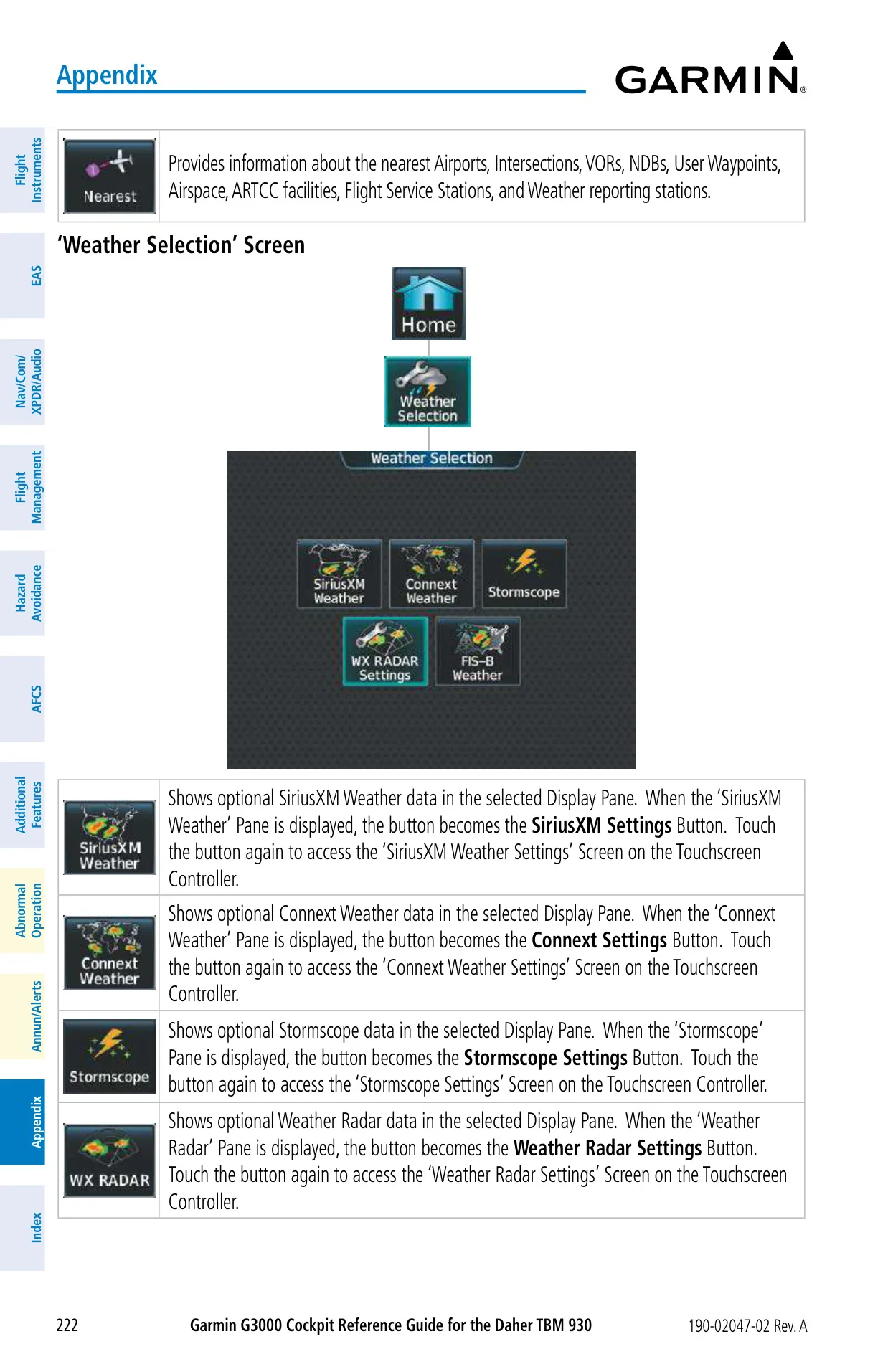
For situational awareness, the system combines several weather sources: SiriusXM, FIS-B, Iridium-based Connext, the WX-500 Stormscope and the onboard radar. Each data product shows its age, which turns amber as it approaches expiration. Terrain protection comes as Terrain-SVT or TAWS-B, with callouts such as "Pull Up", "Sink Rate", "Don't Sink" and "Five-Hundred". SurfaceWatch warns about taxiway takeoffs and landings, runways that are too short, and remaining runway distance from 5,000 ft down to 100 ft.
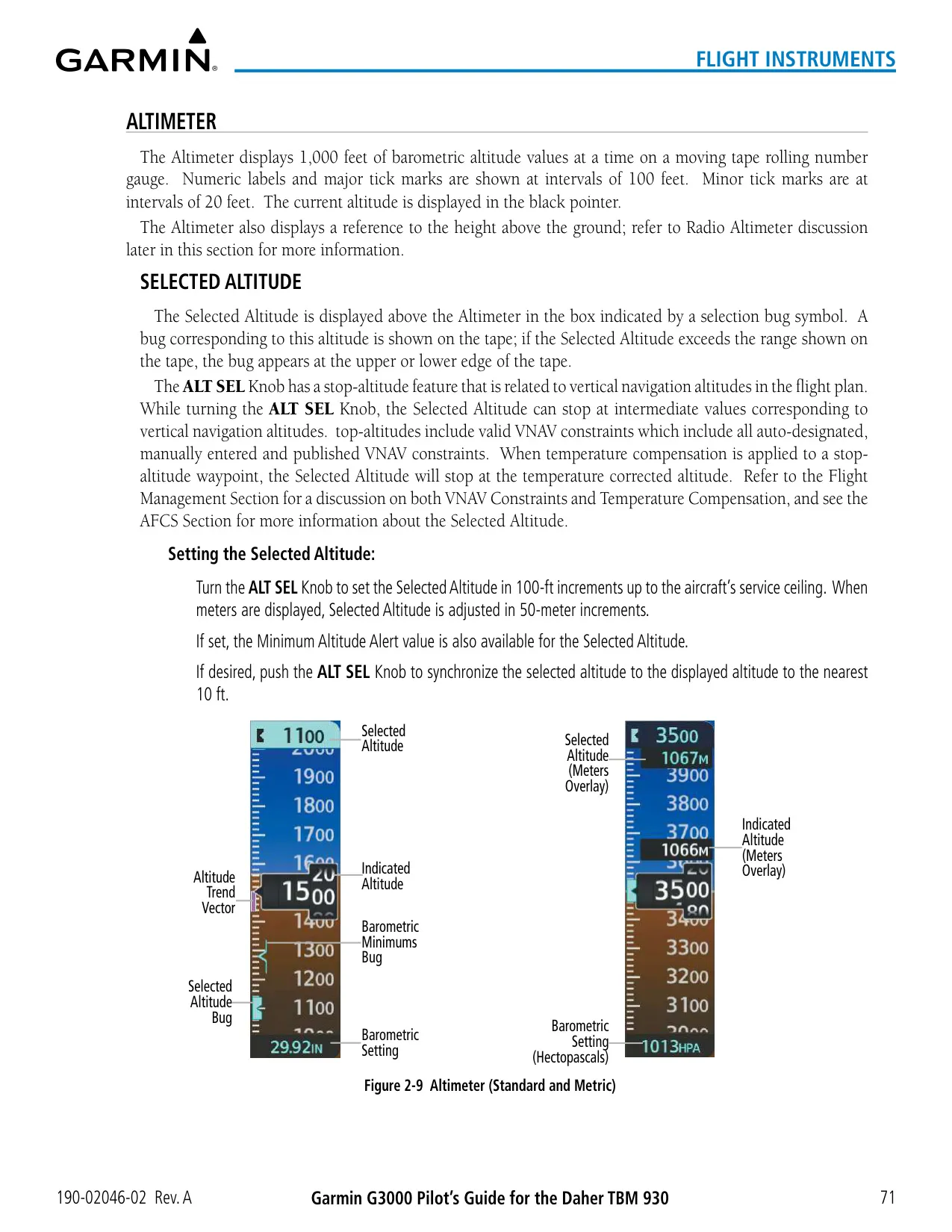
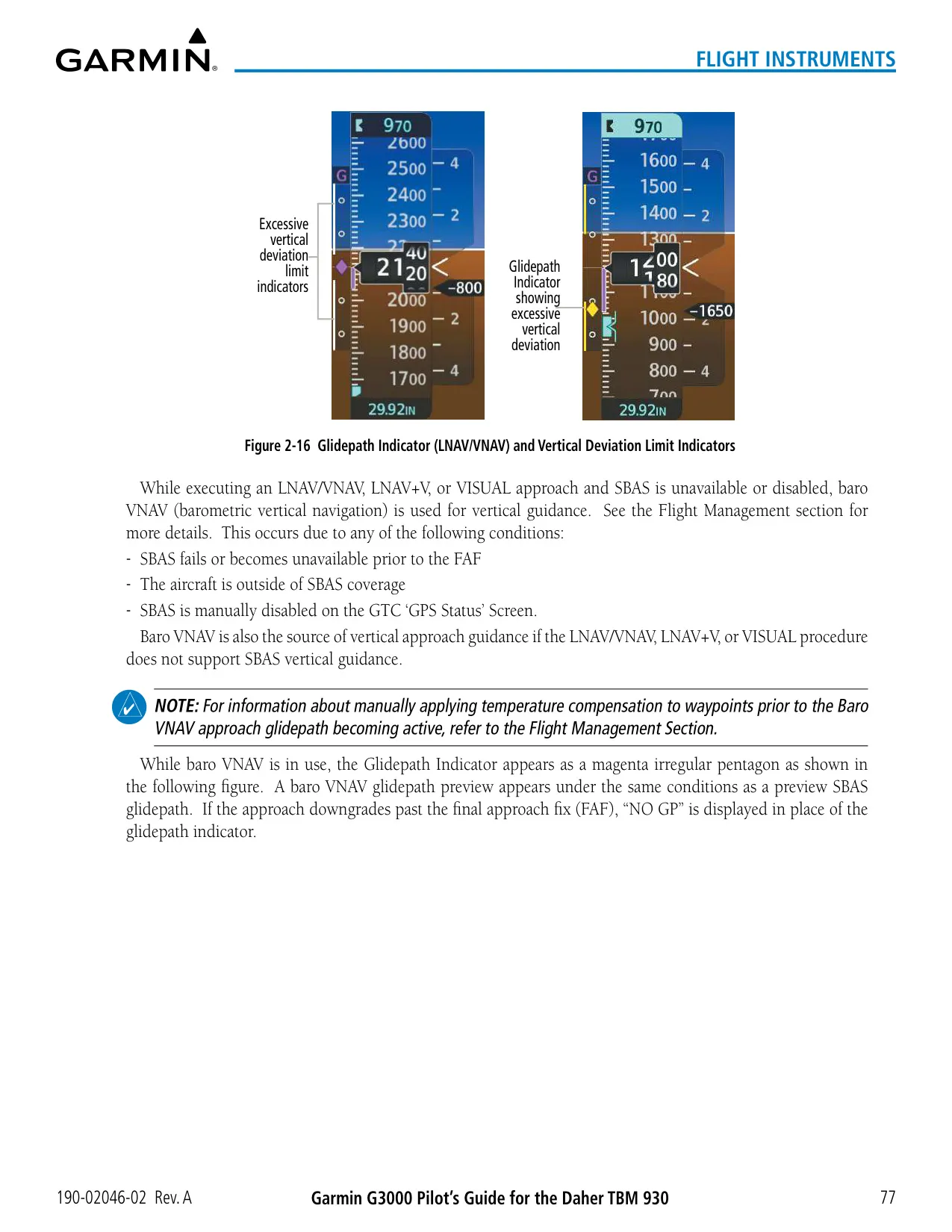
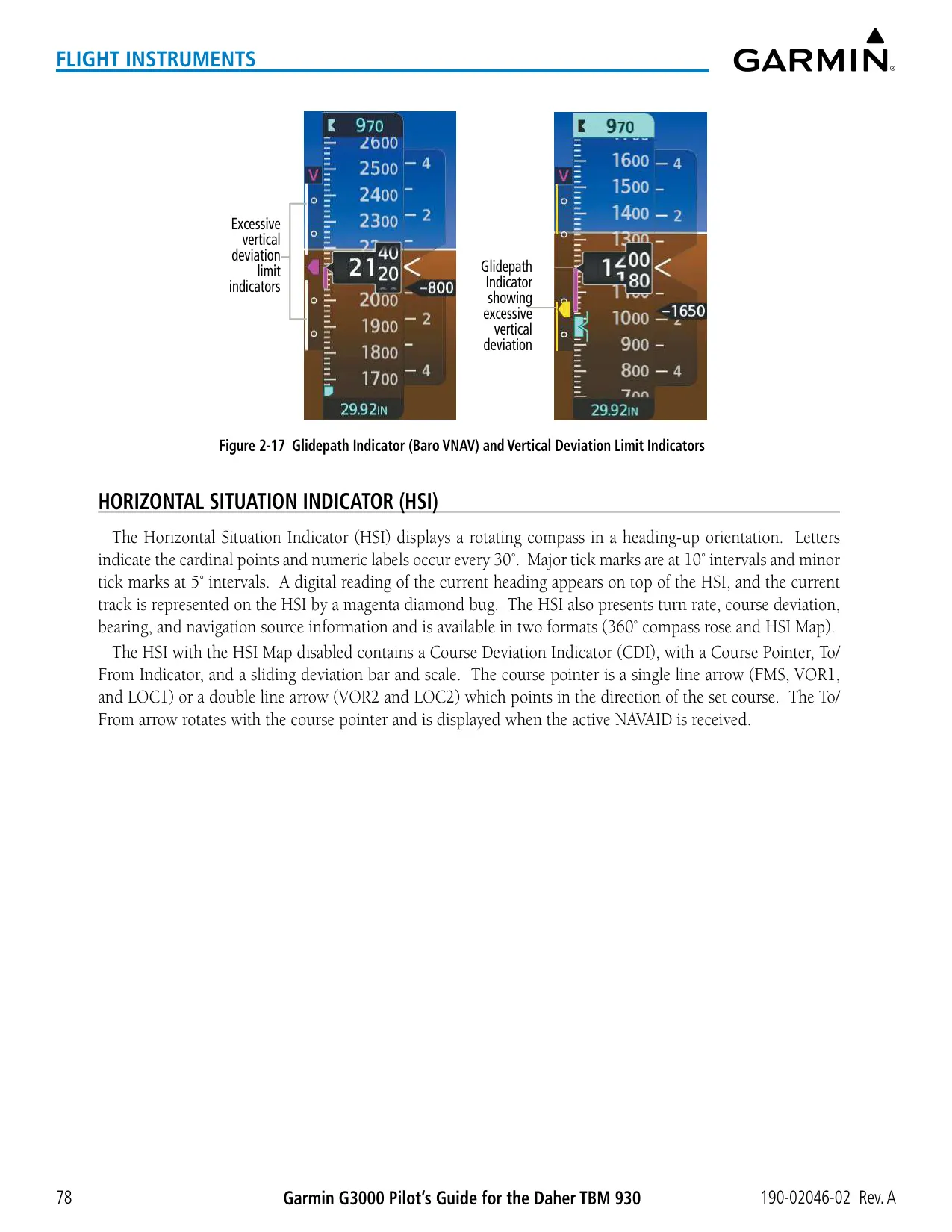
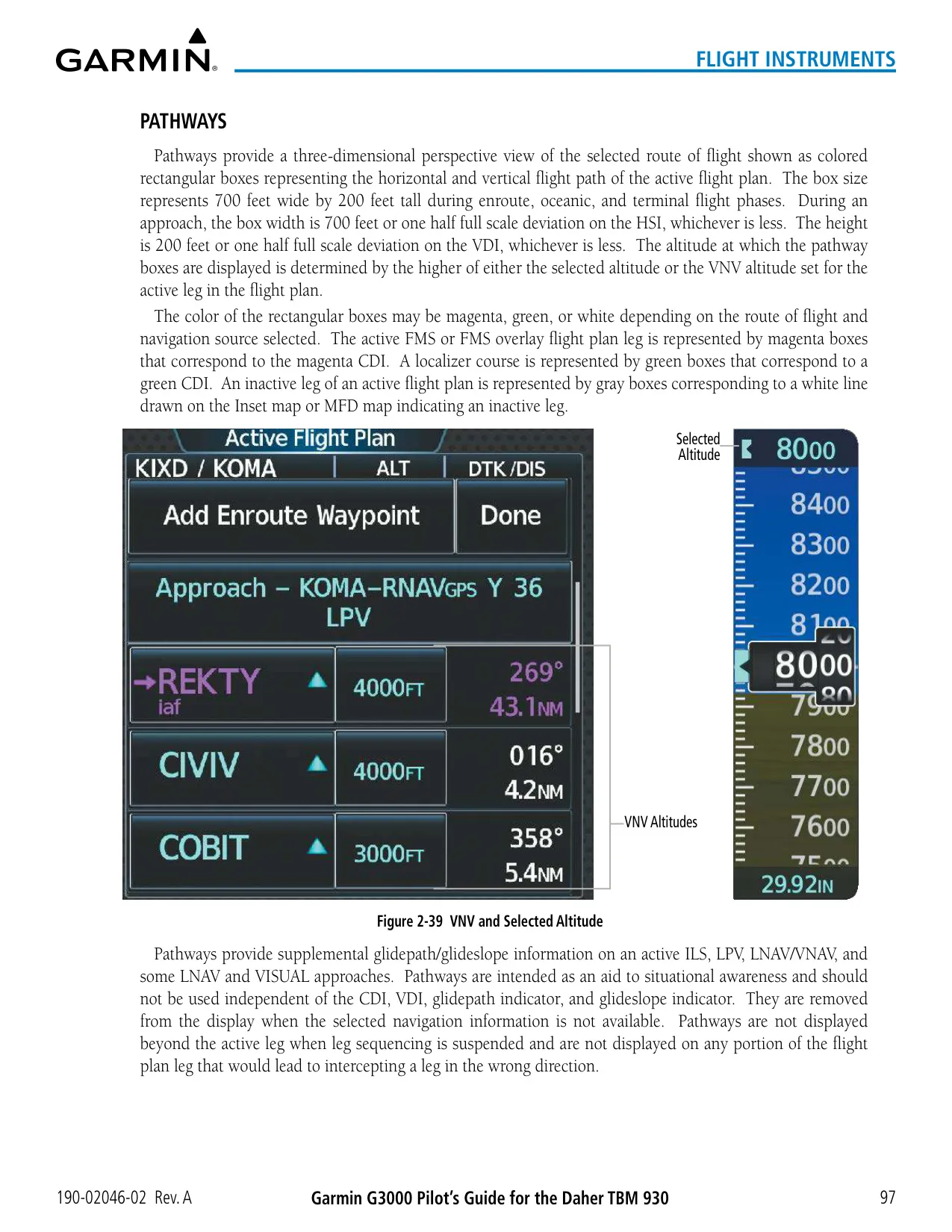
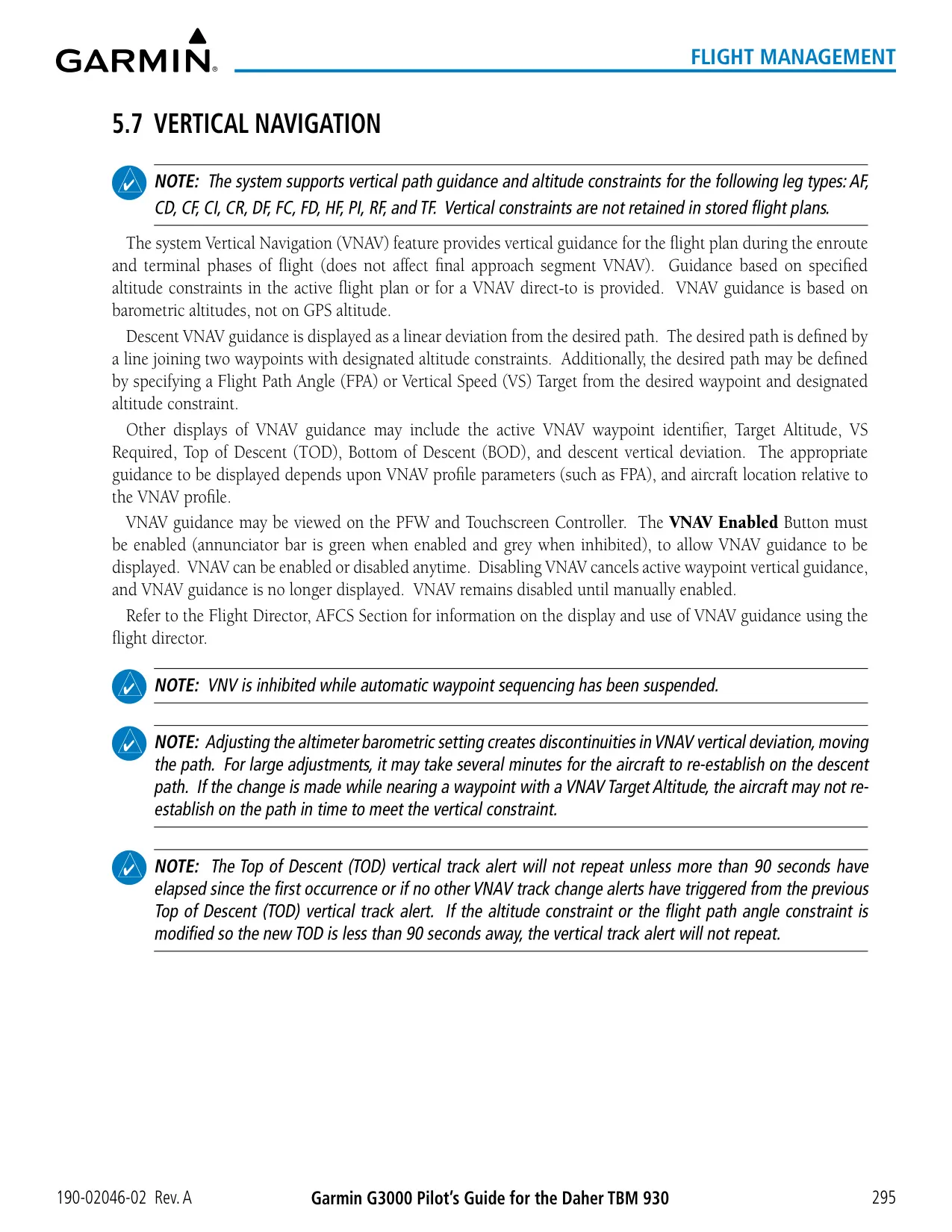
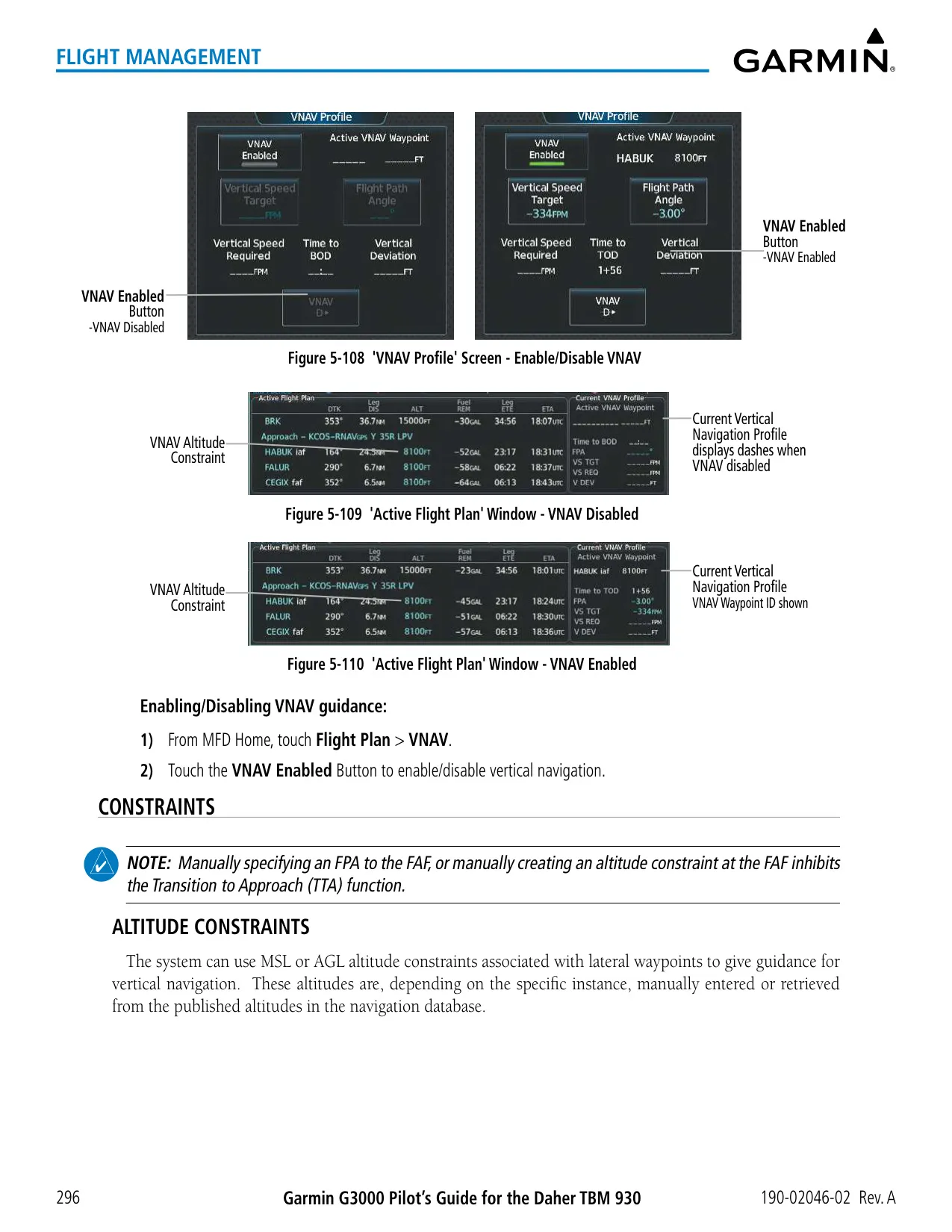
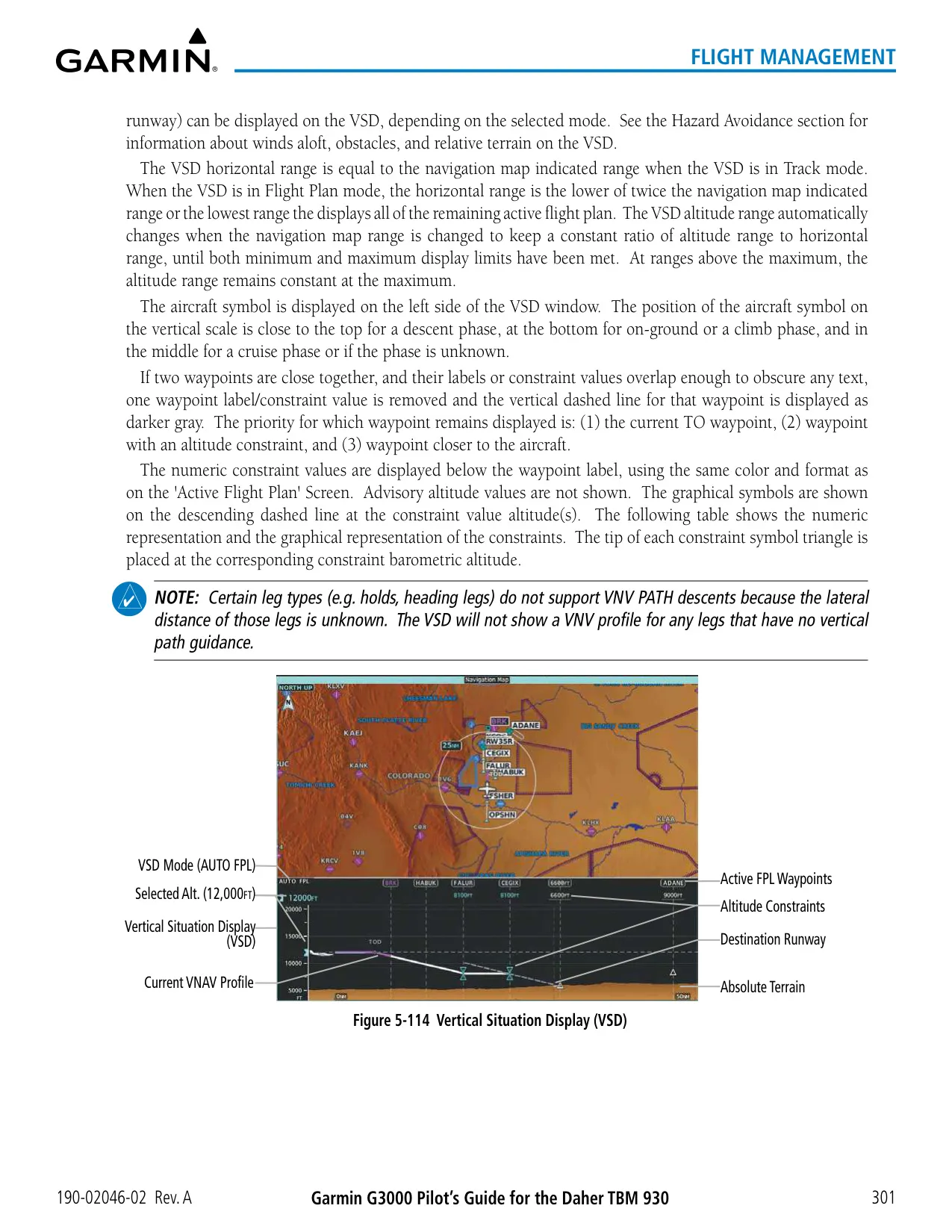
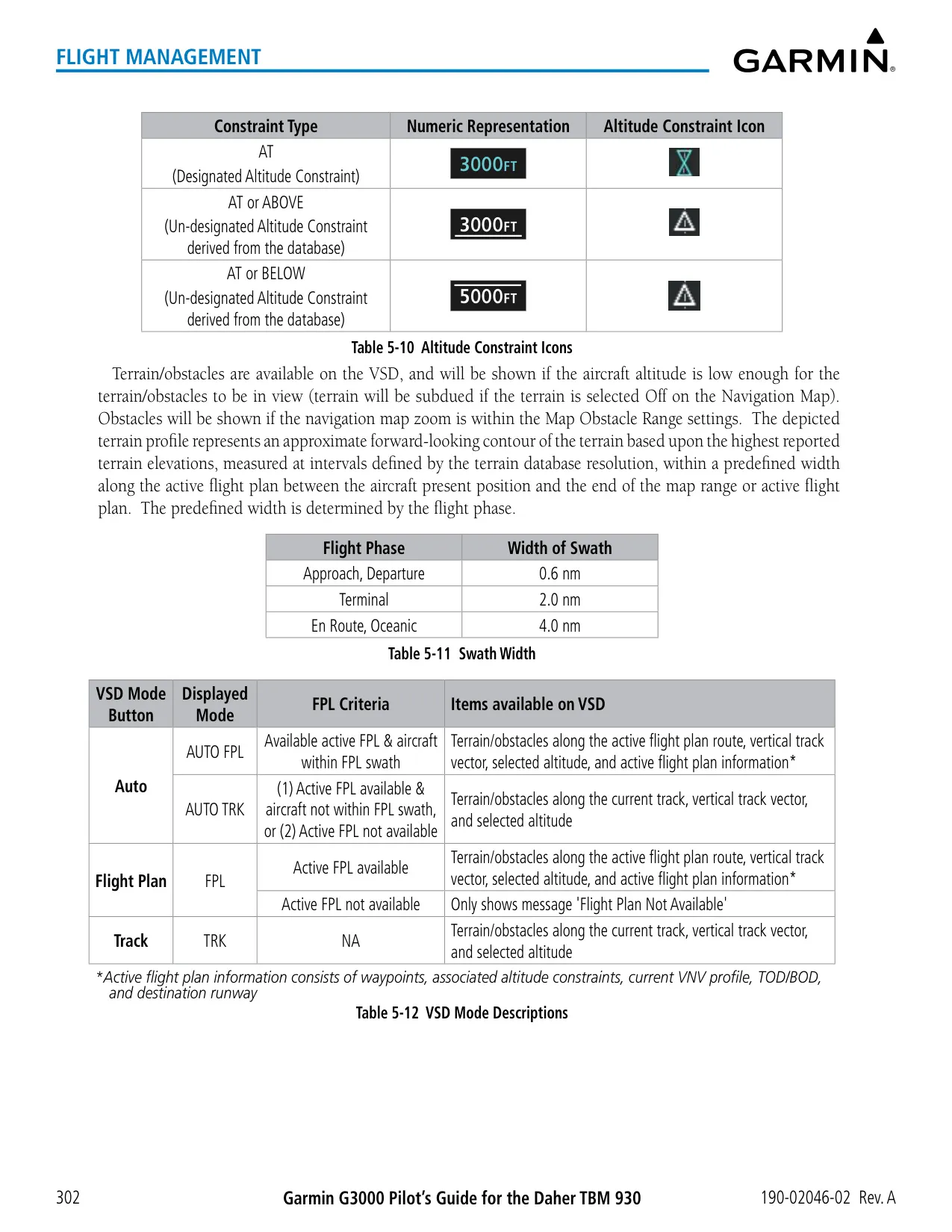
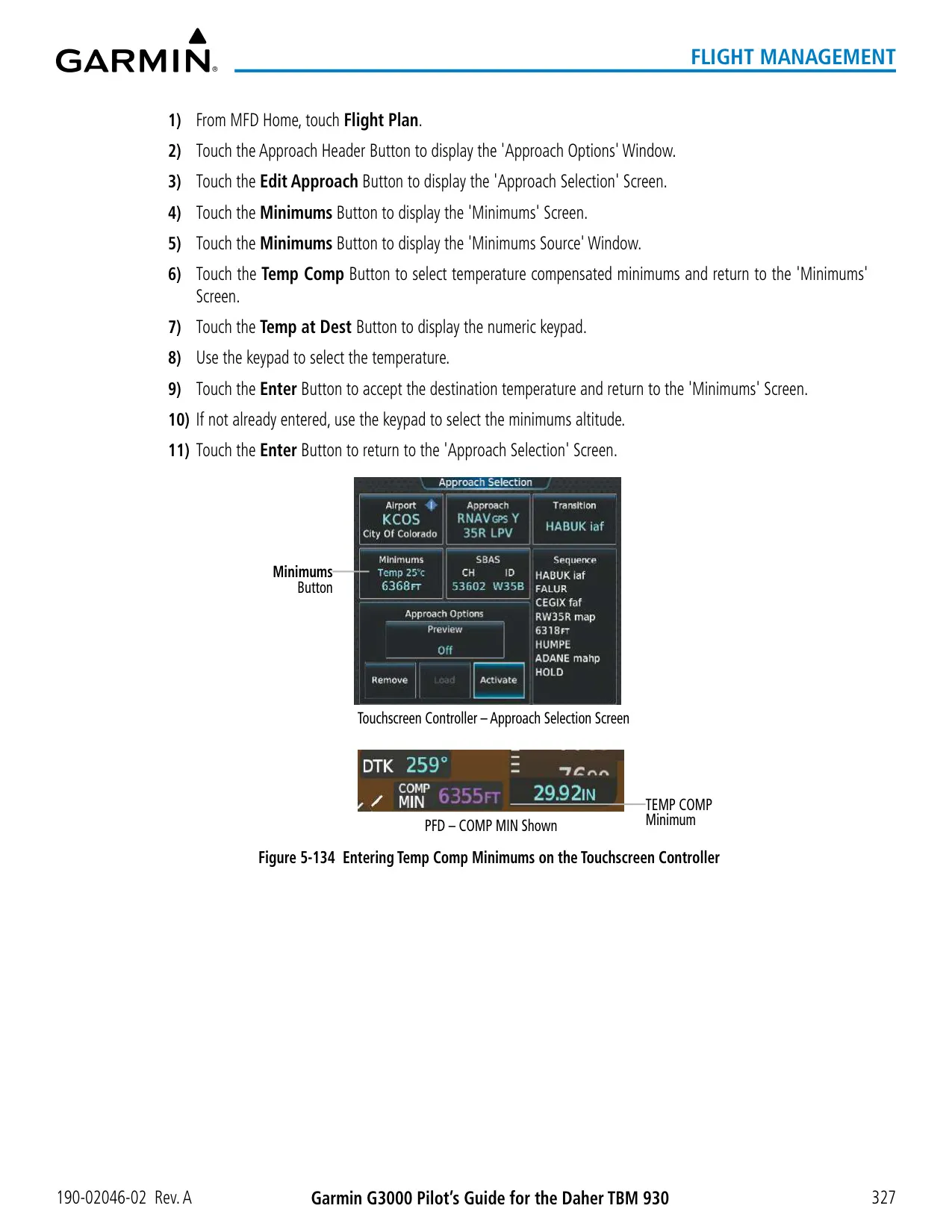
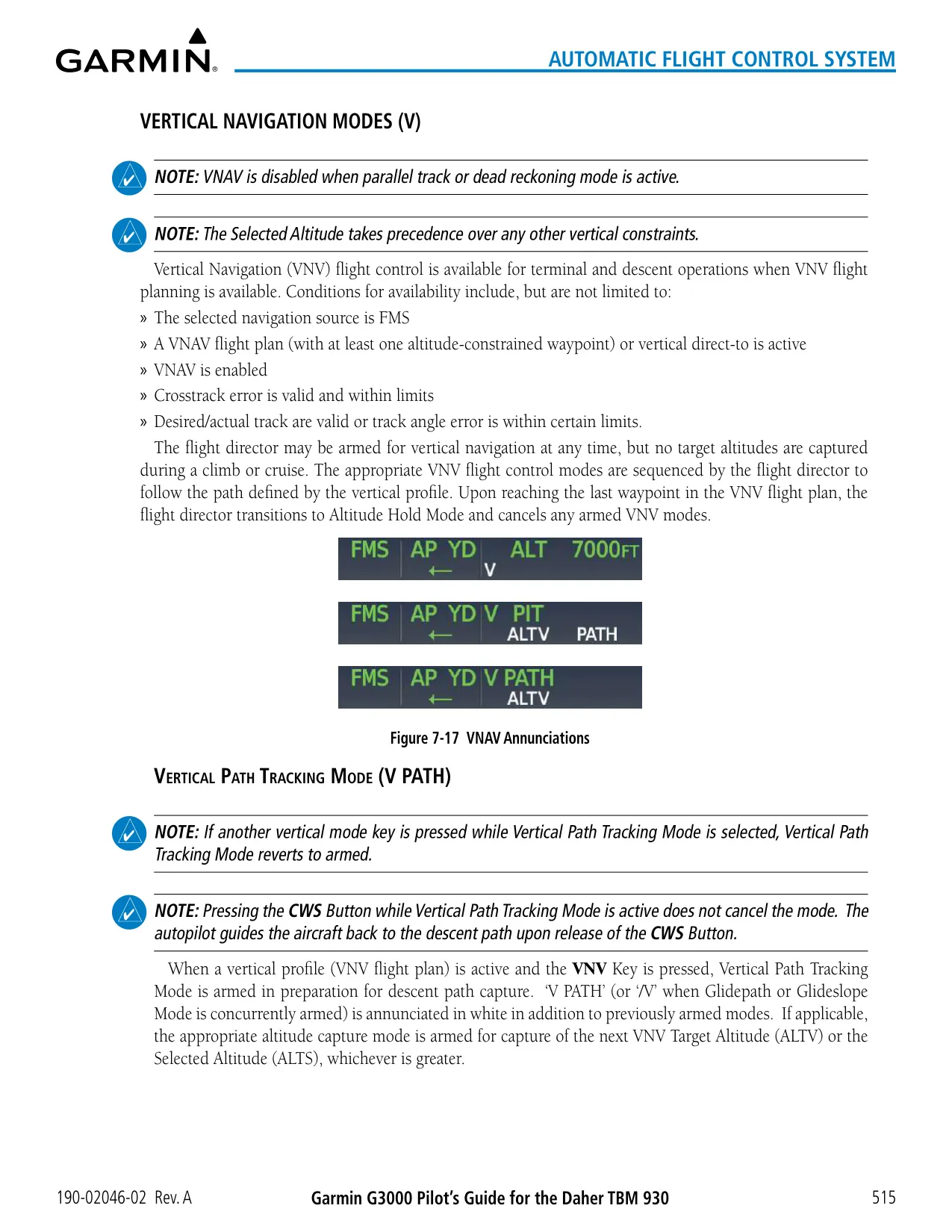
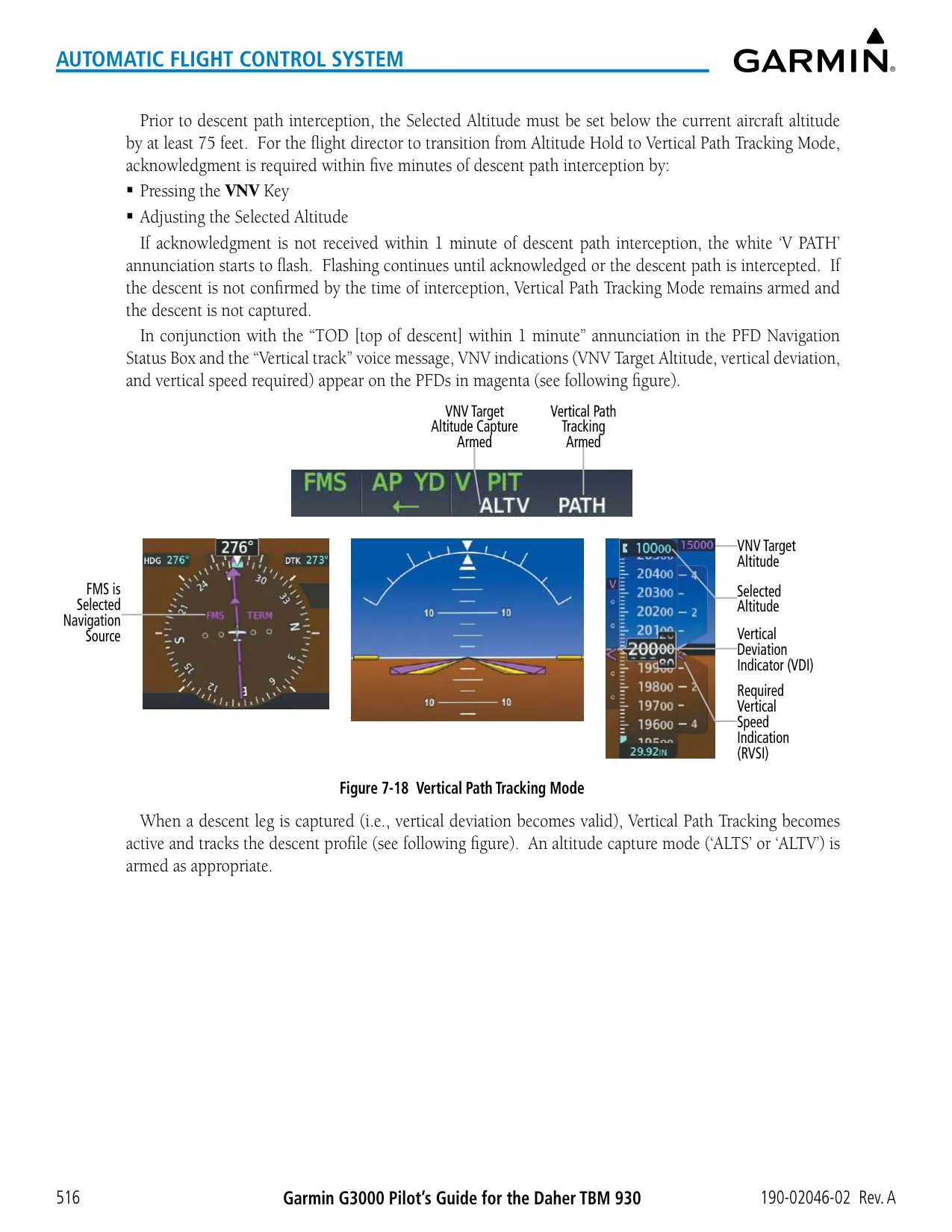
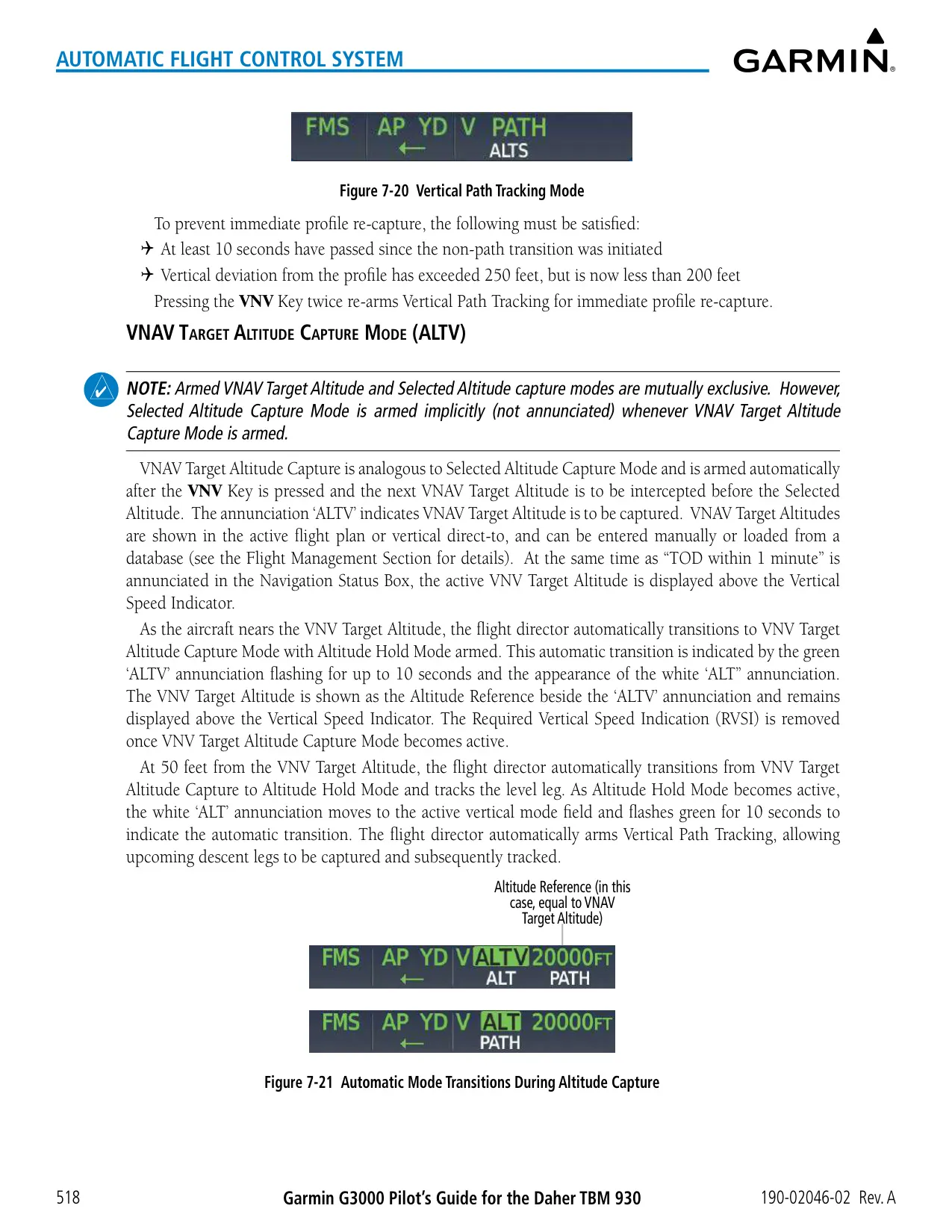
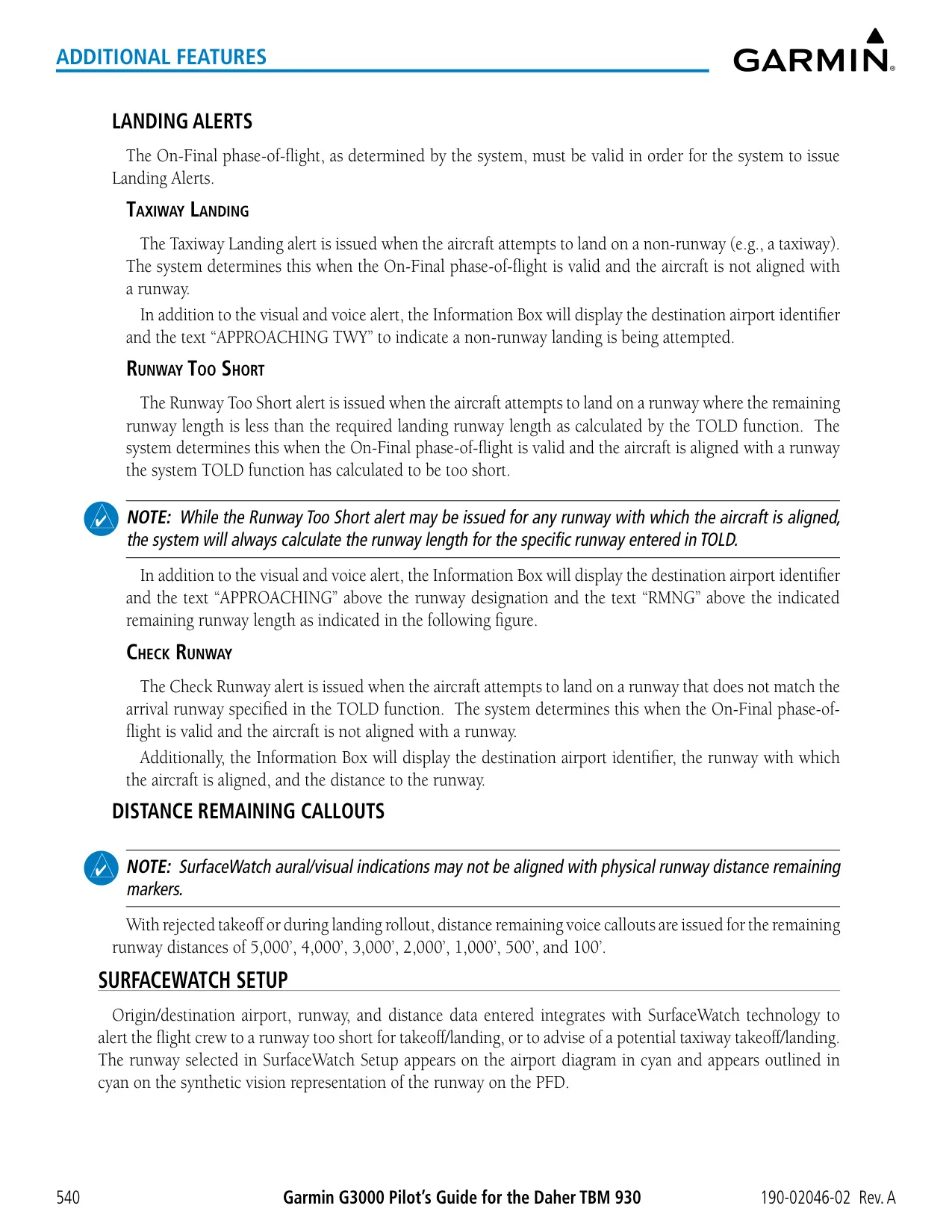
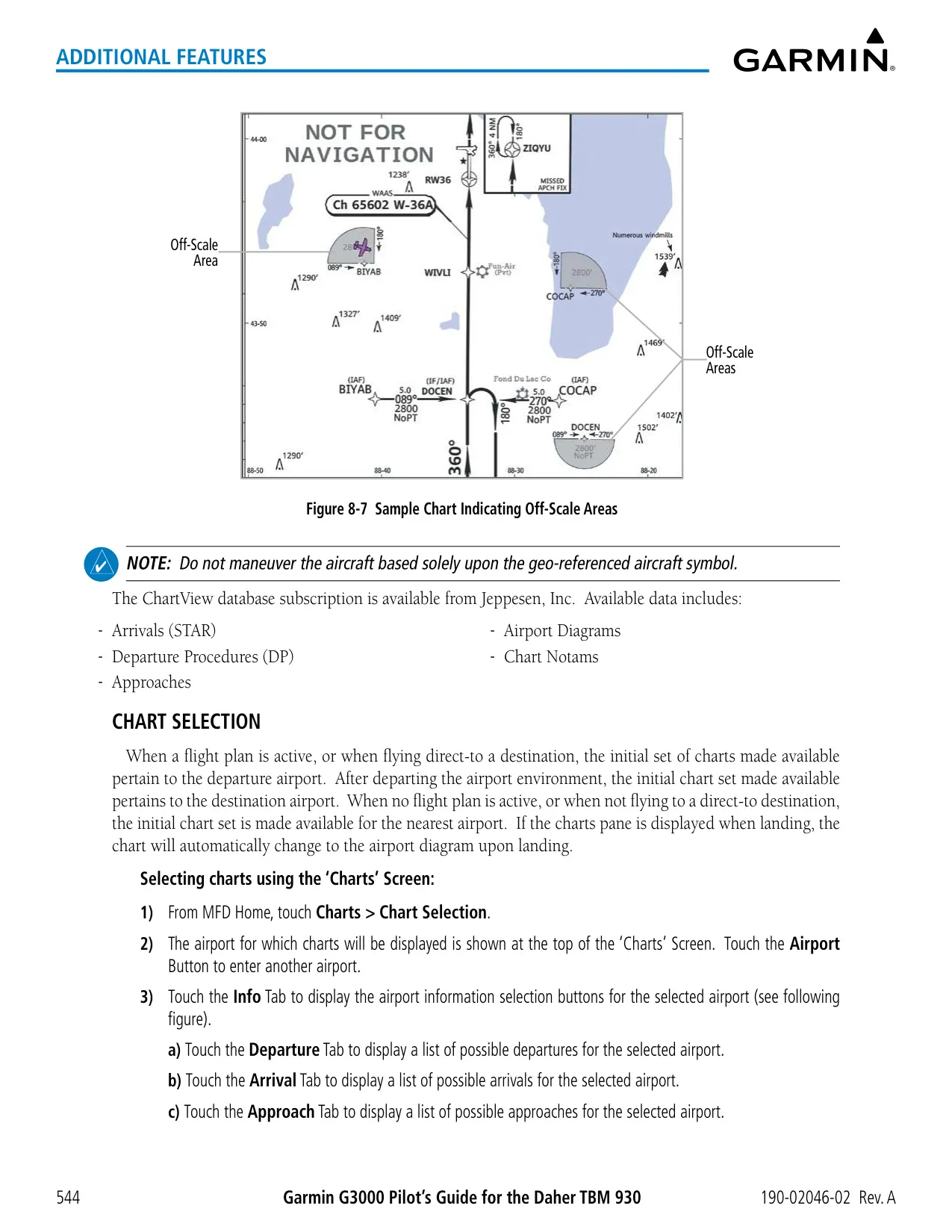
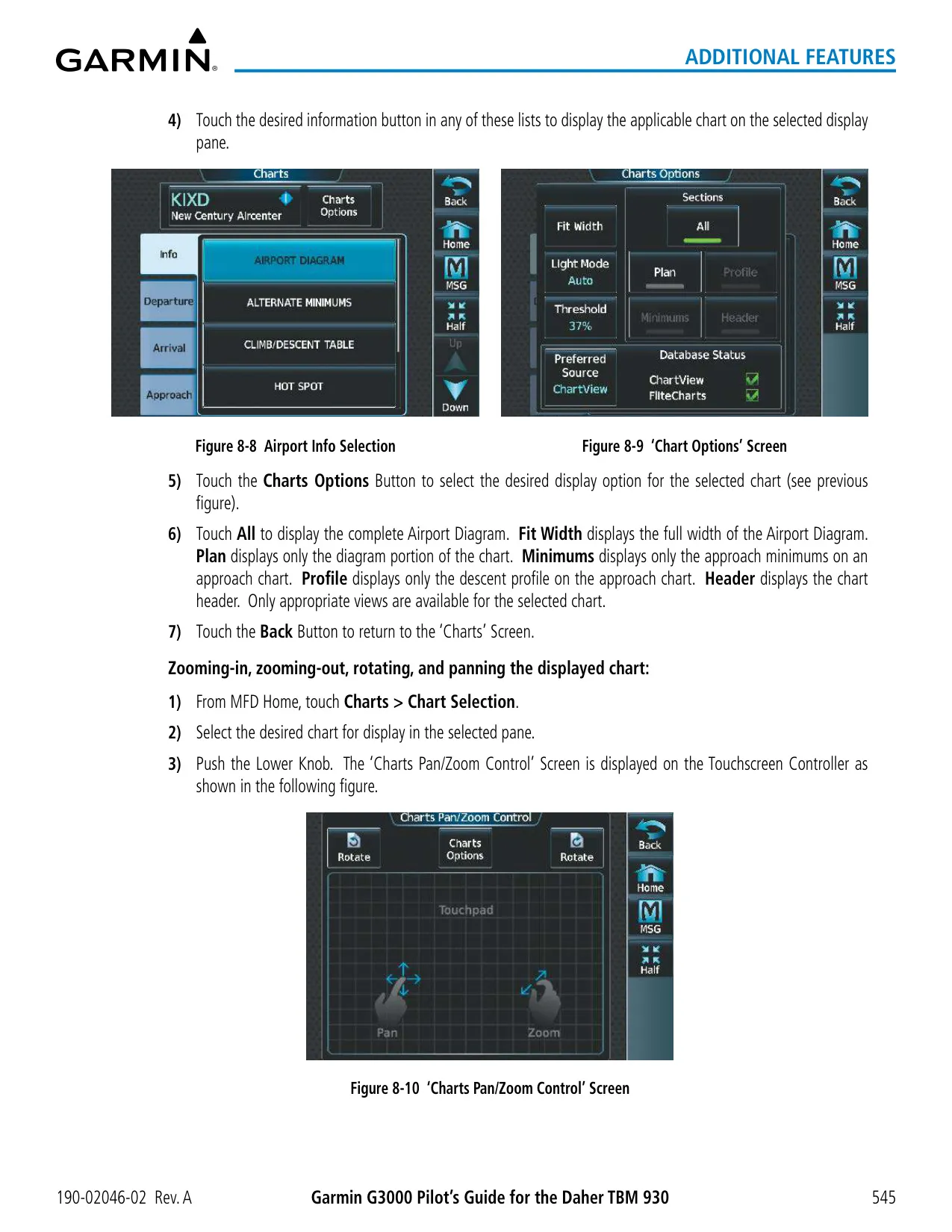
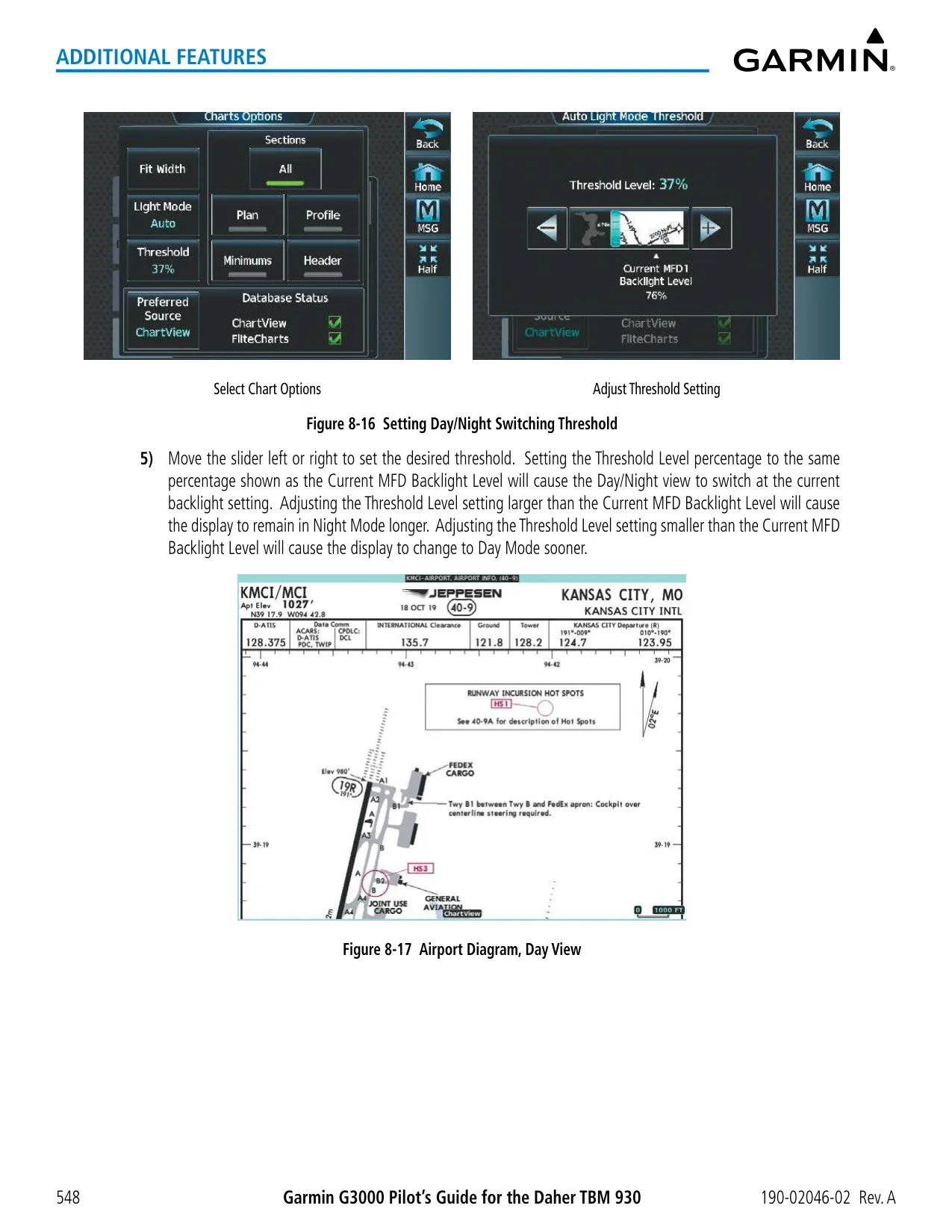
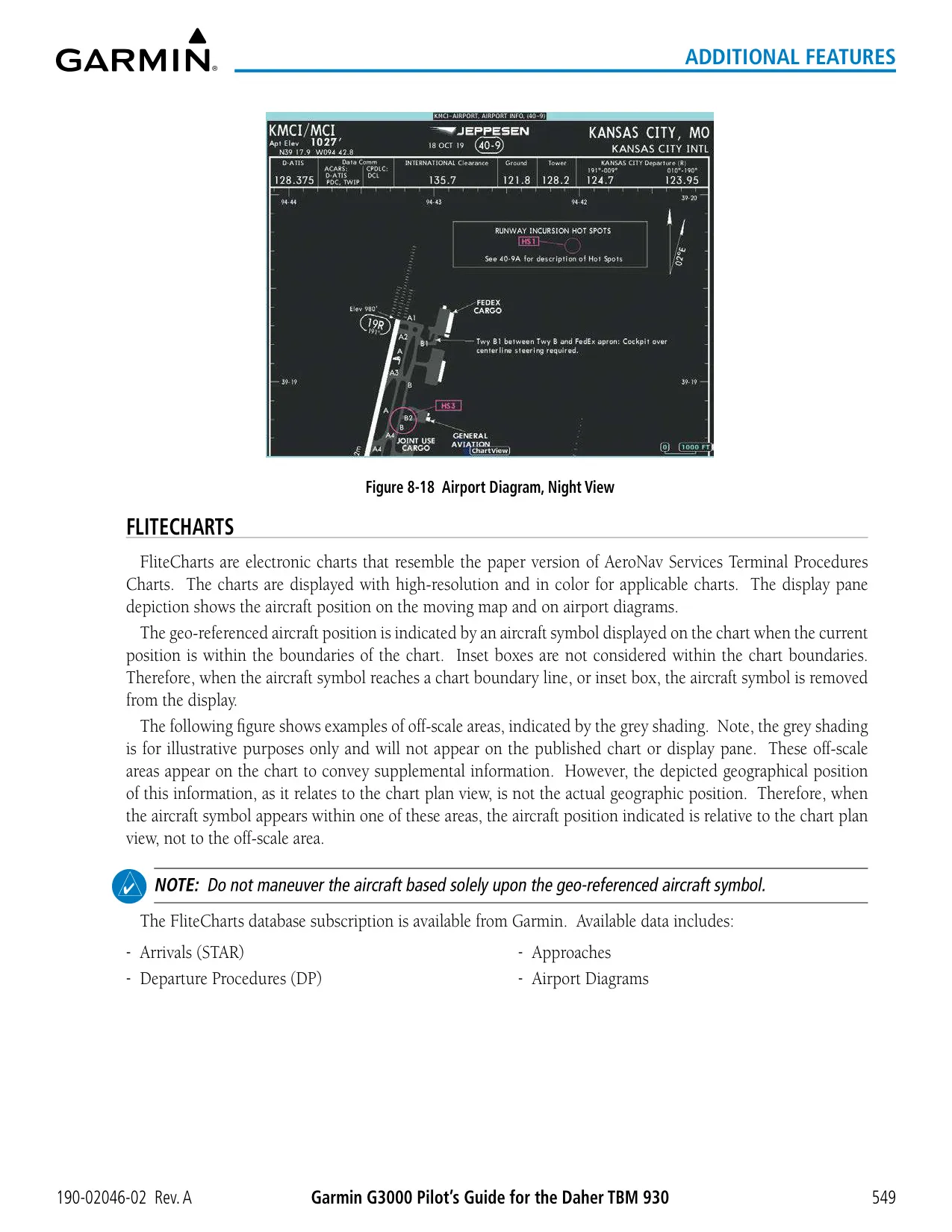
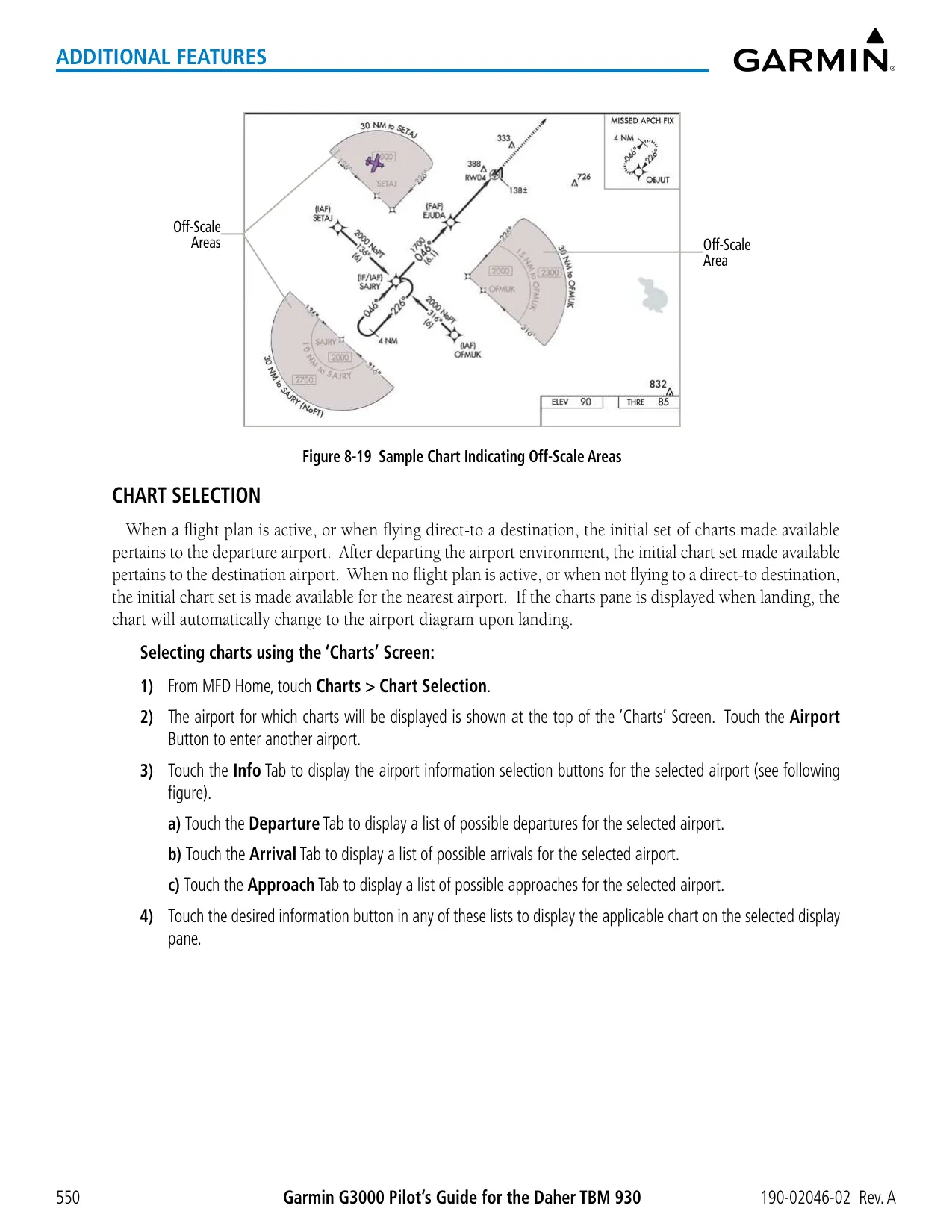
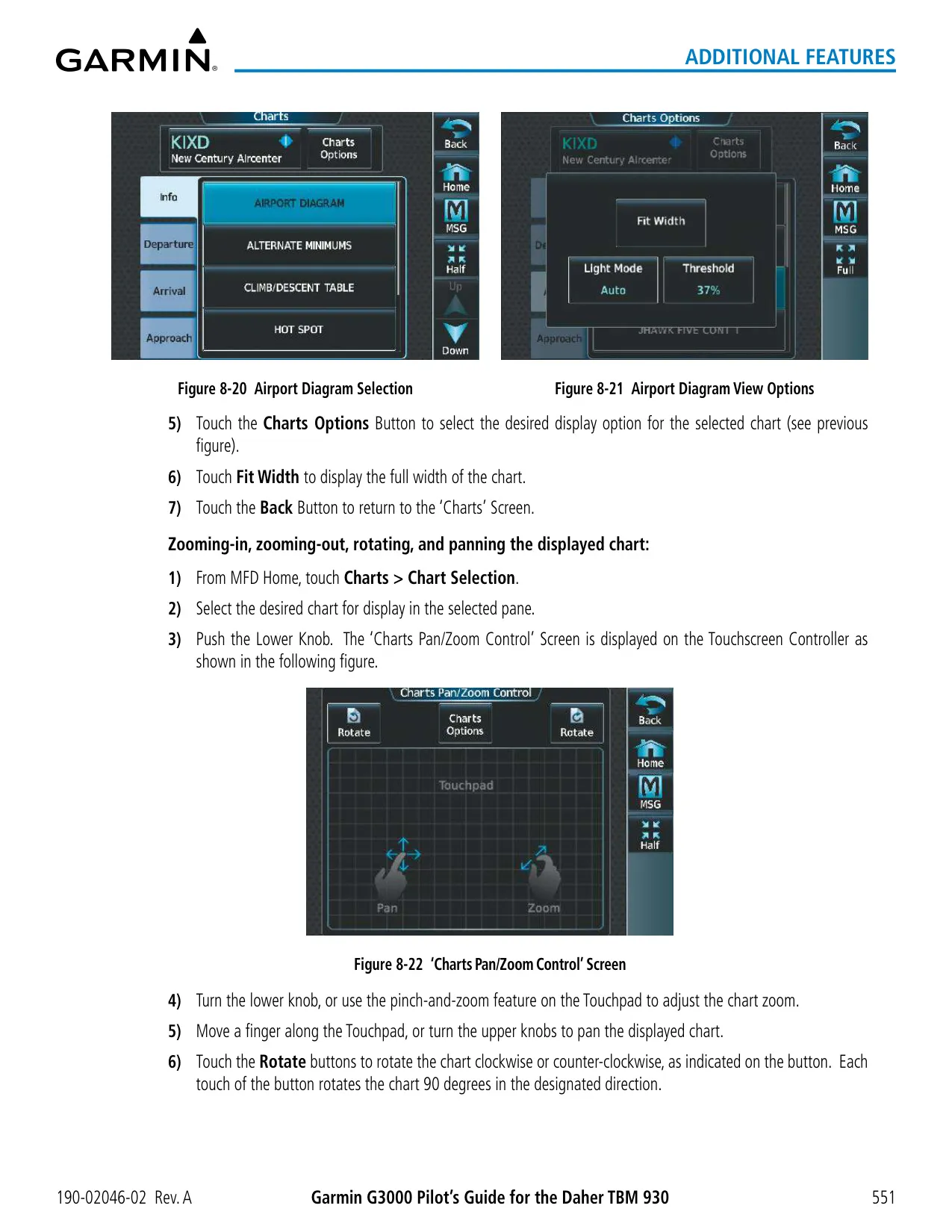
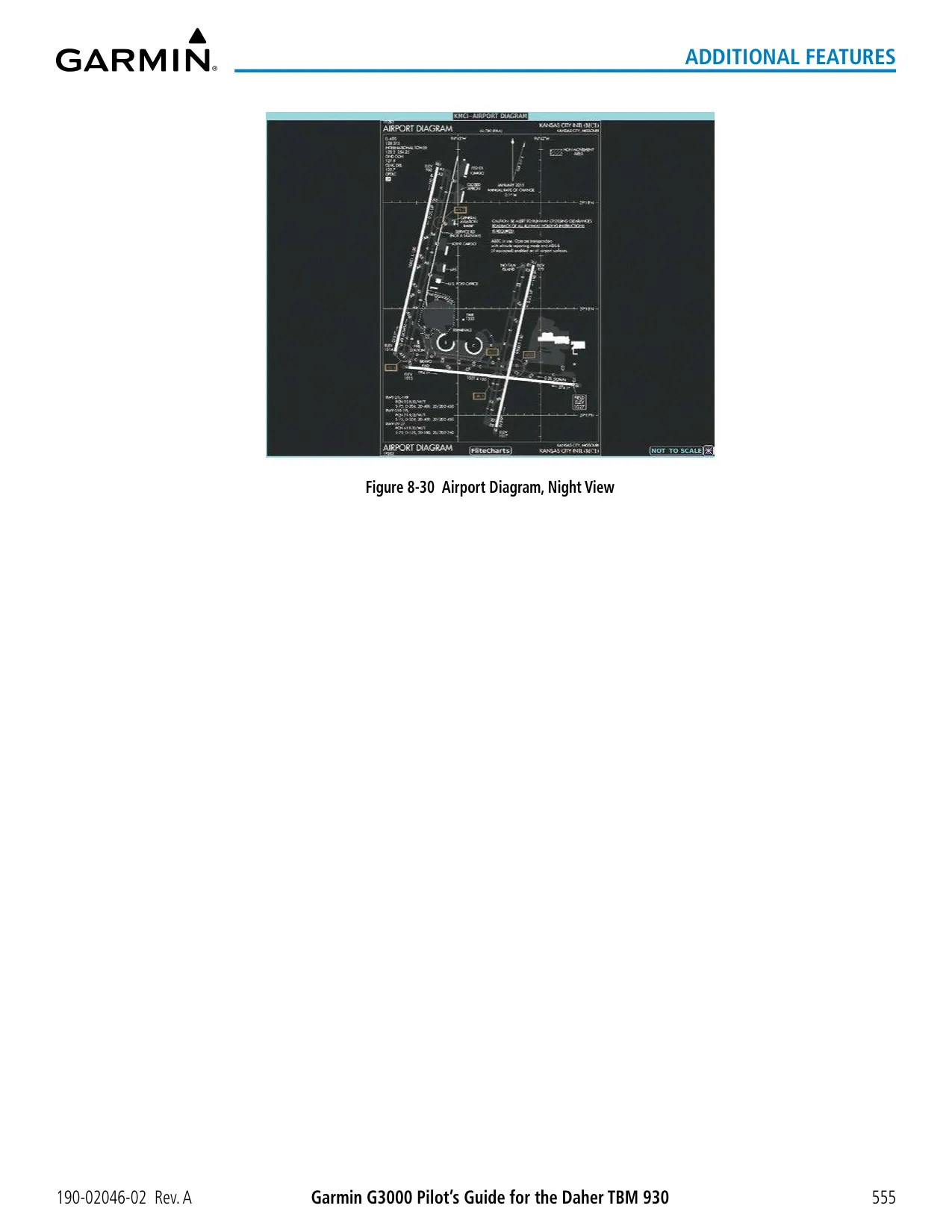
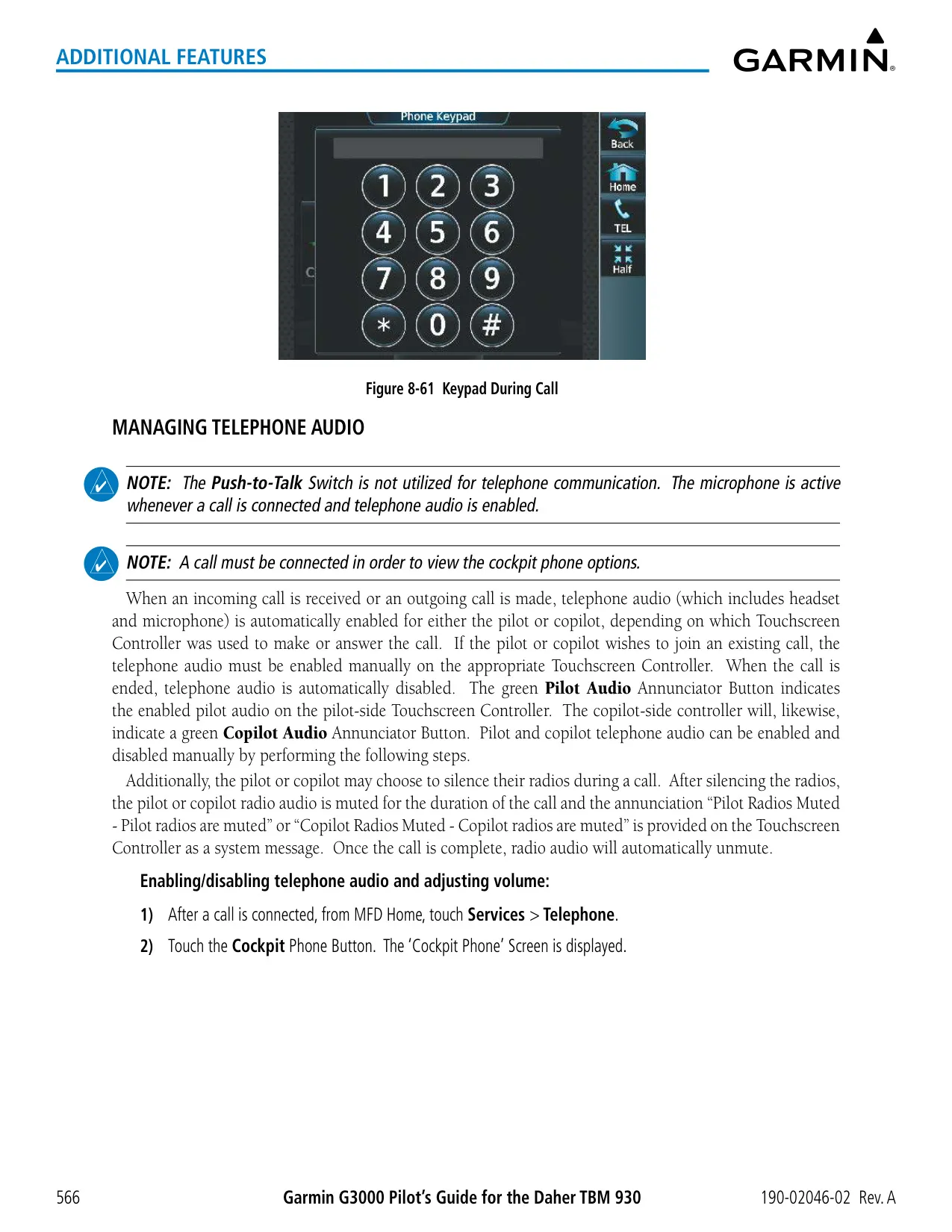
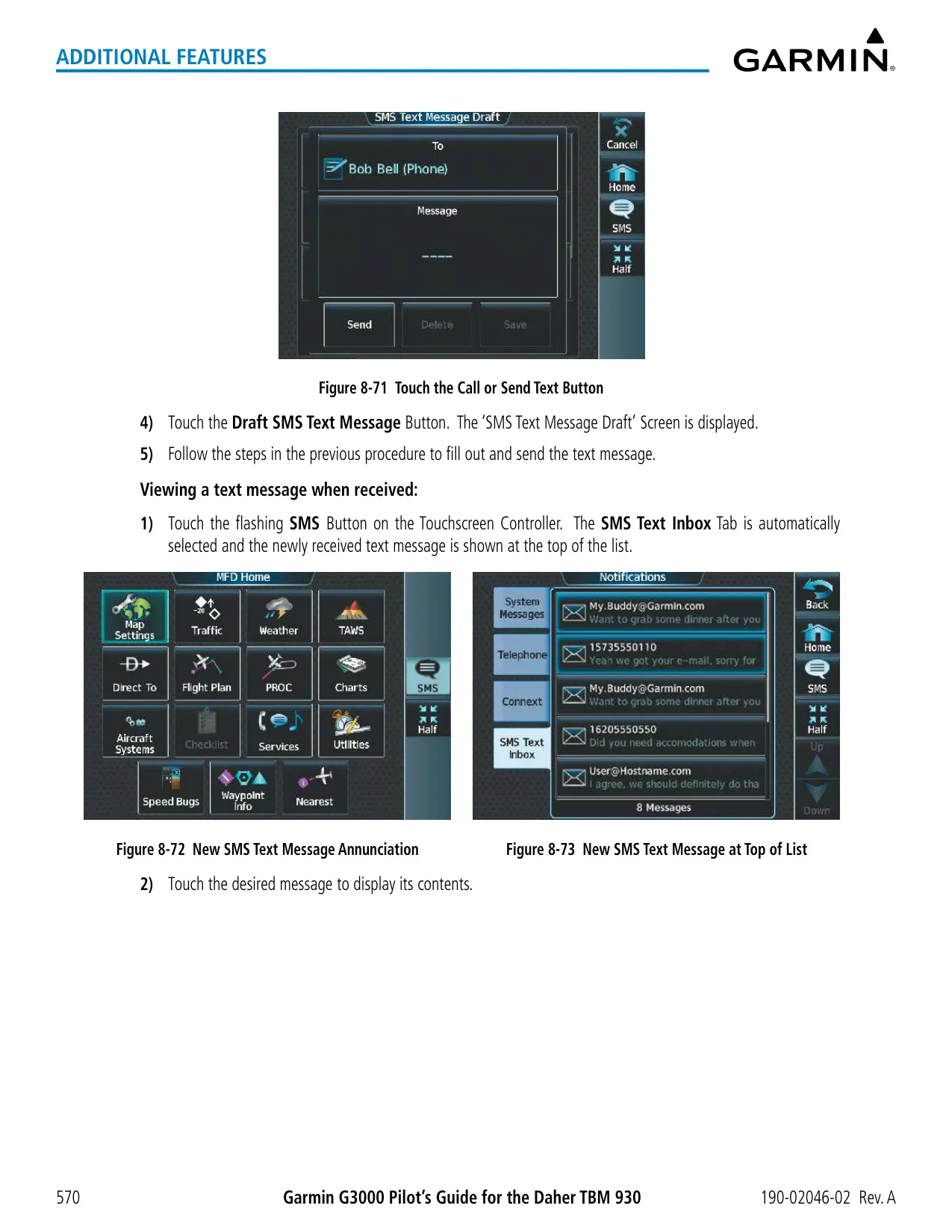
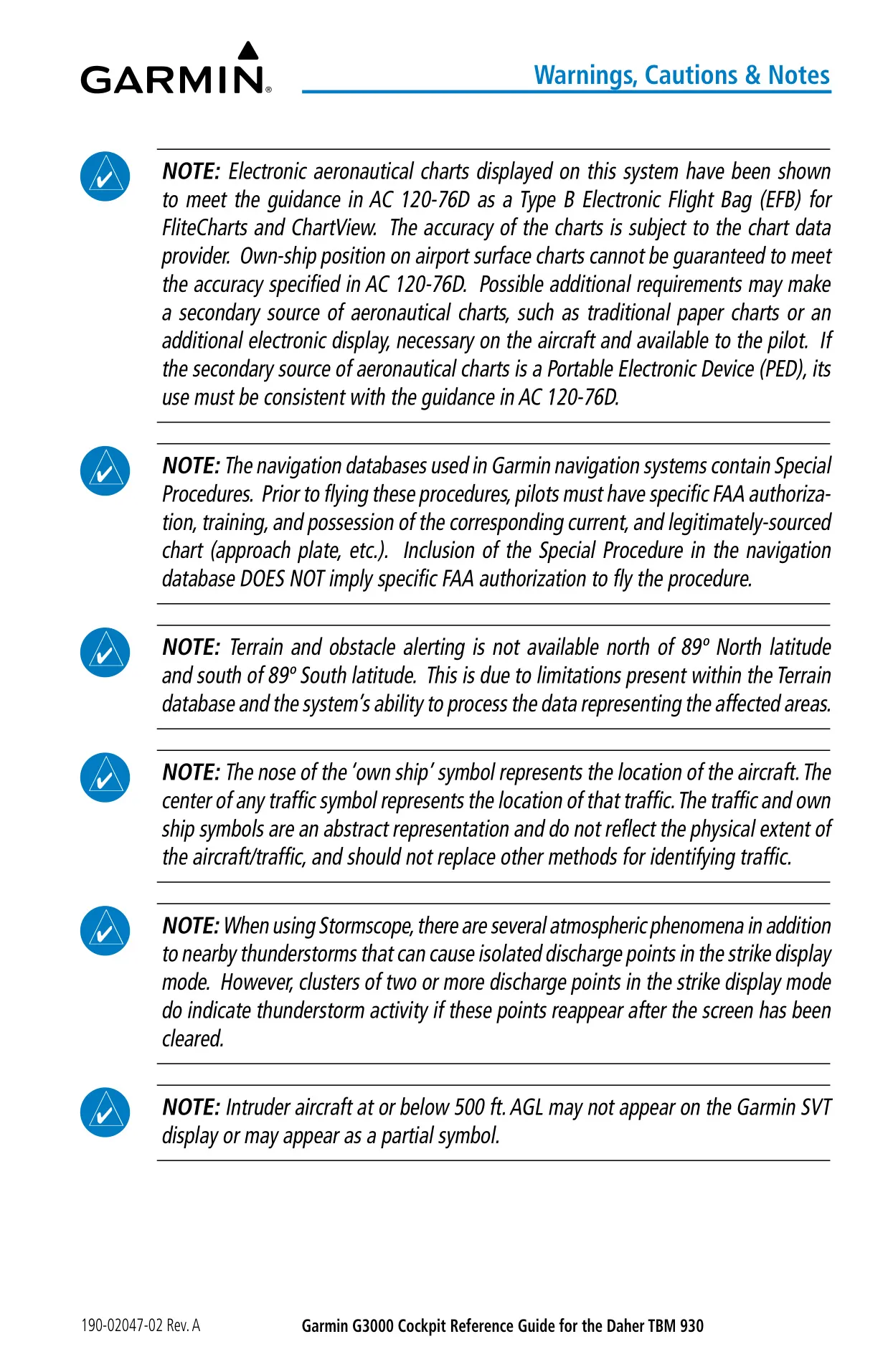
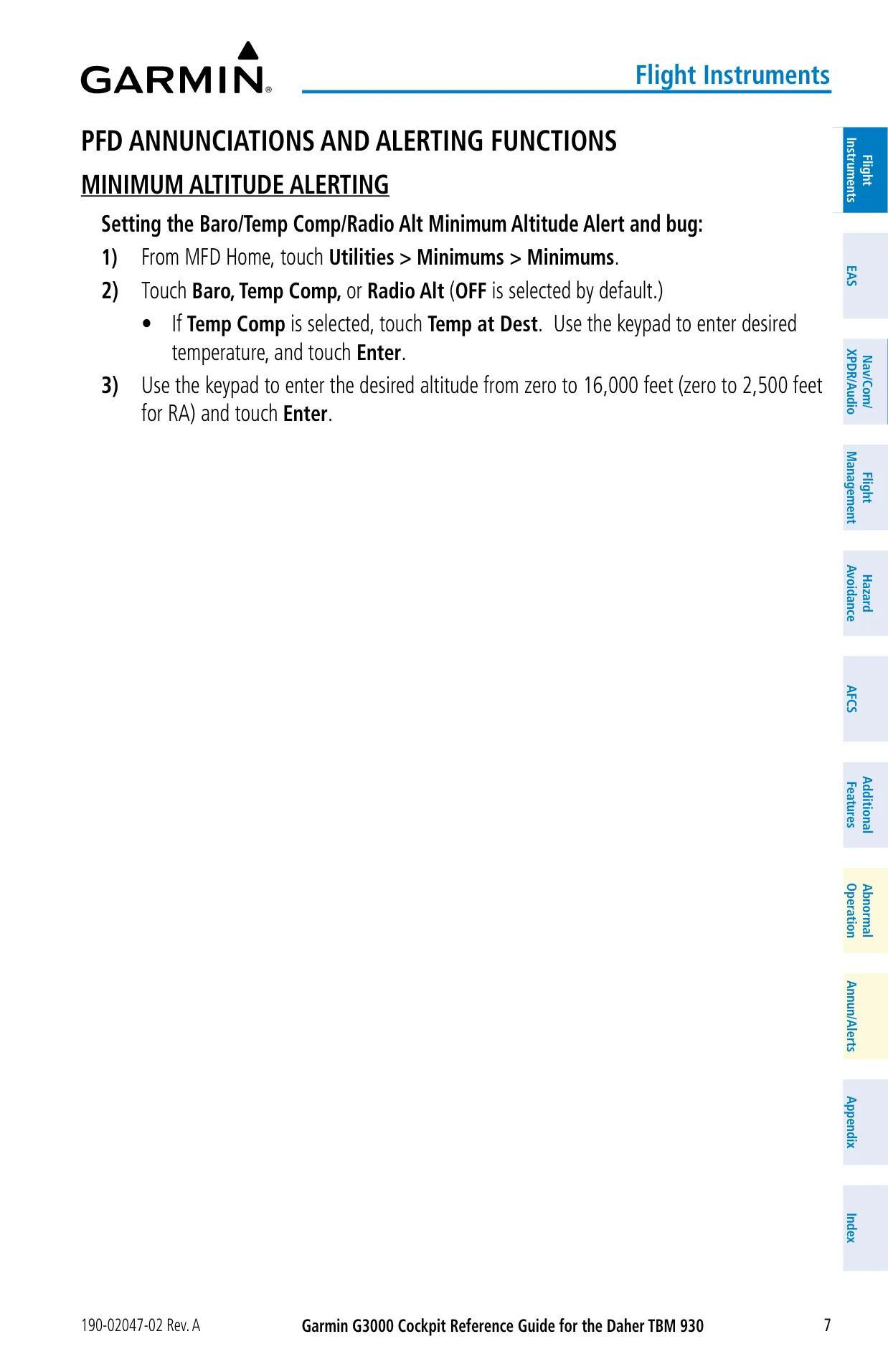
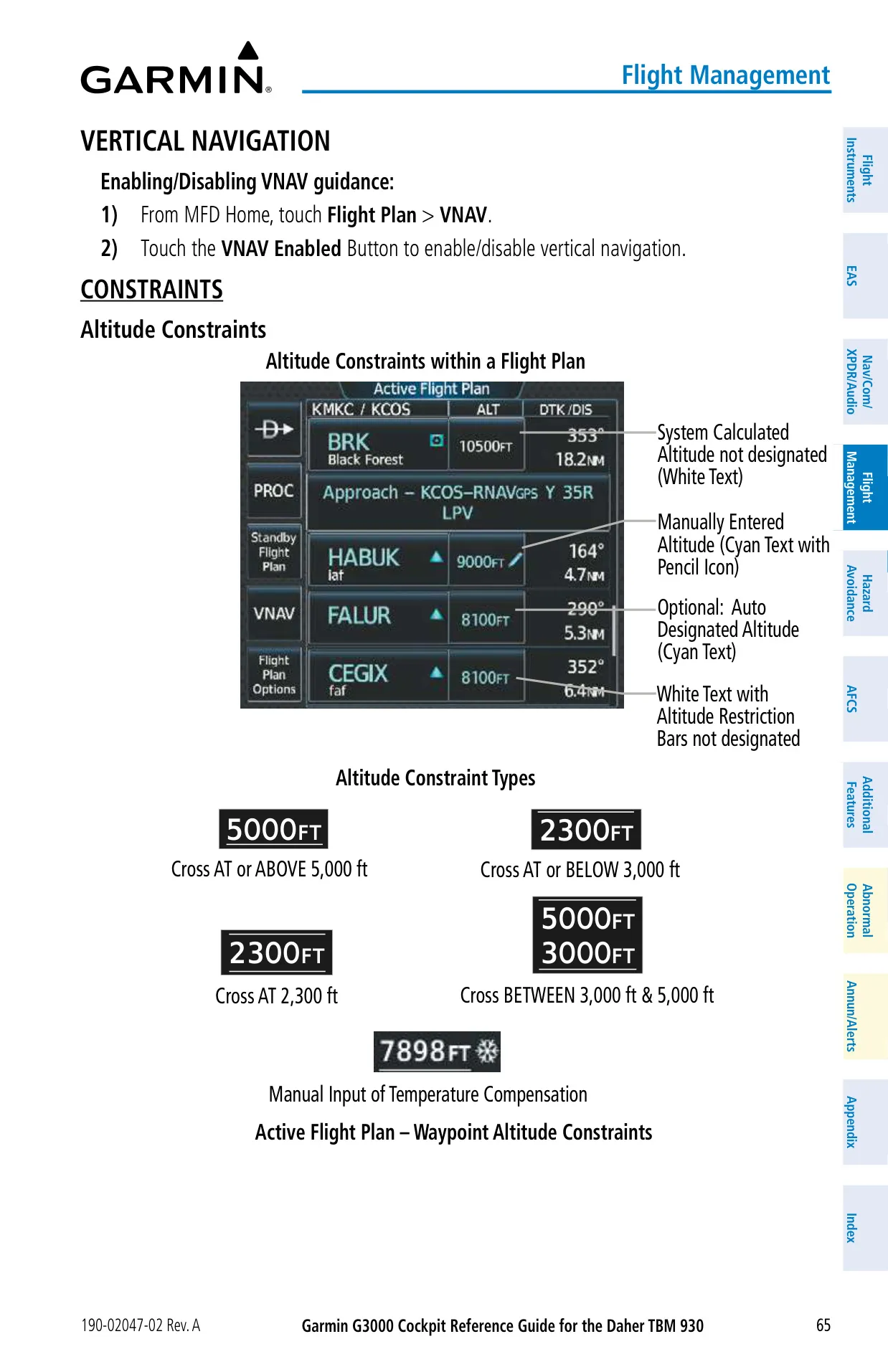
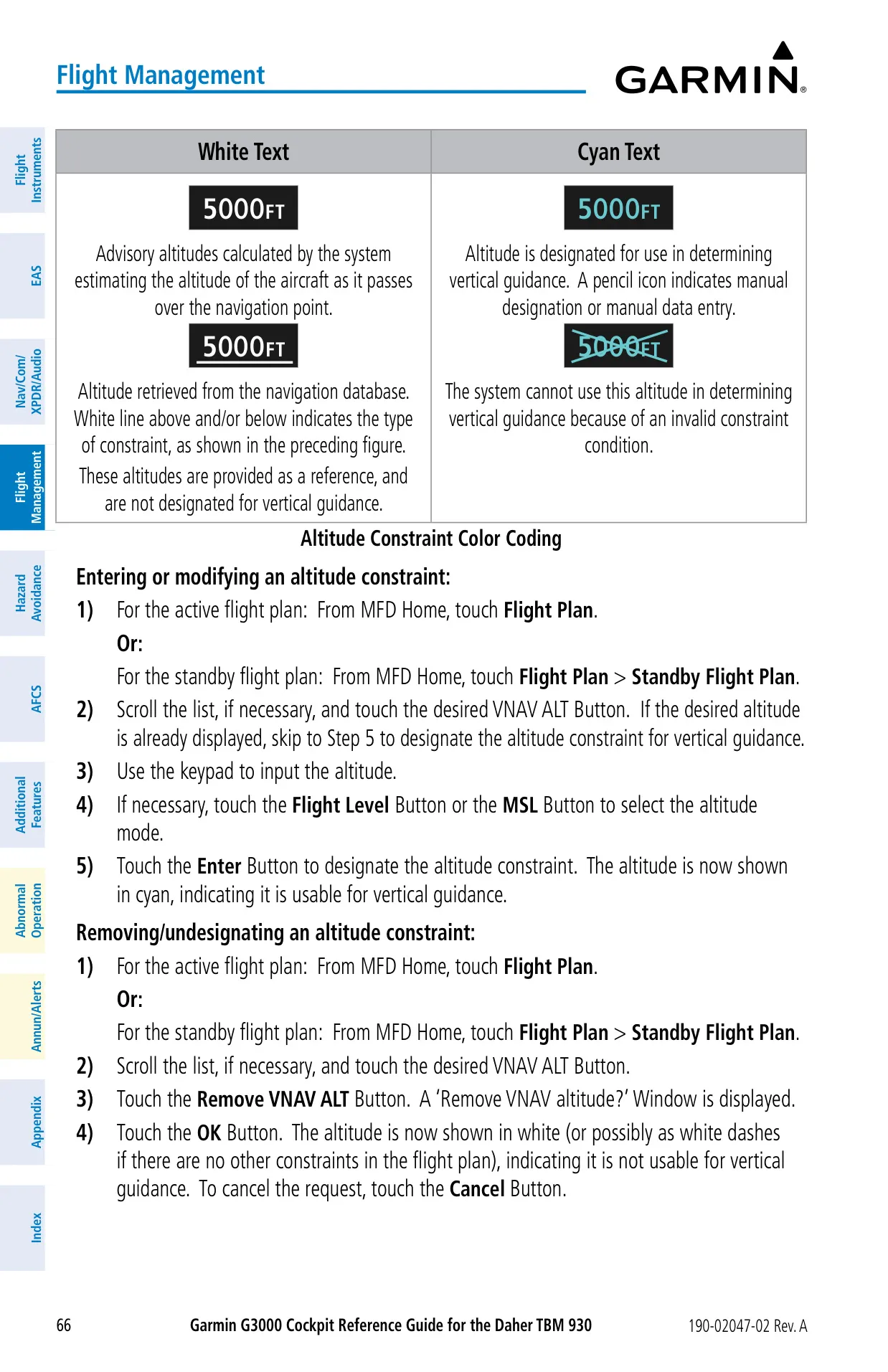
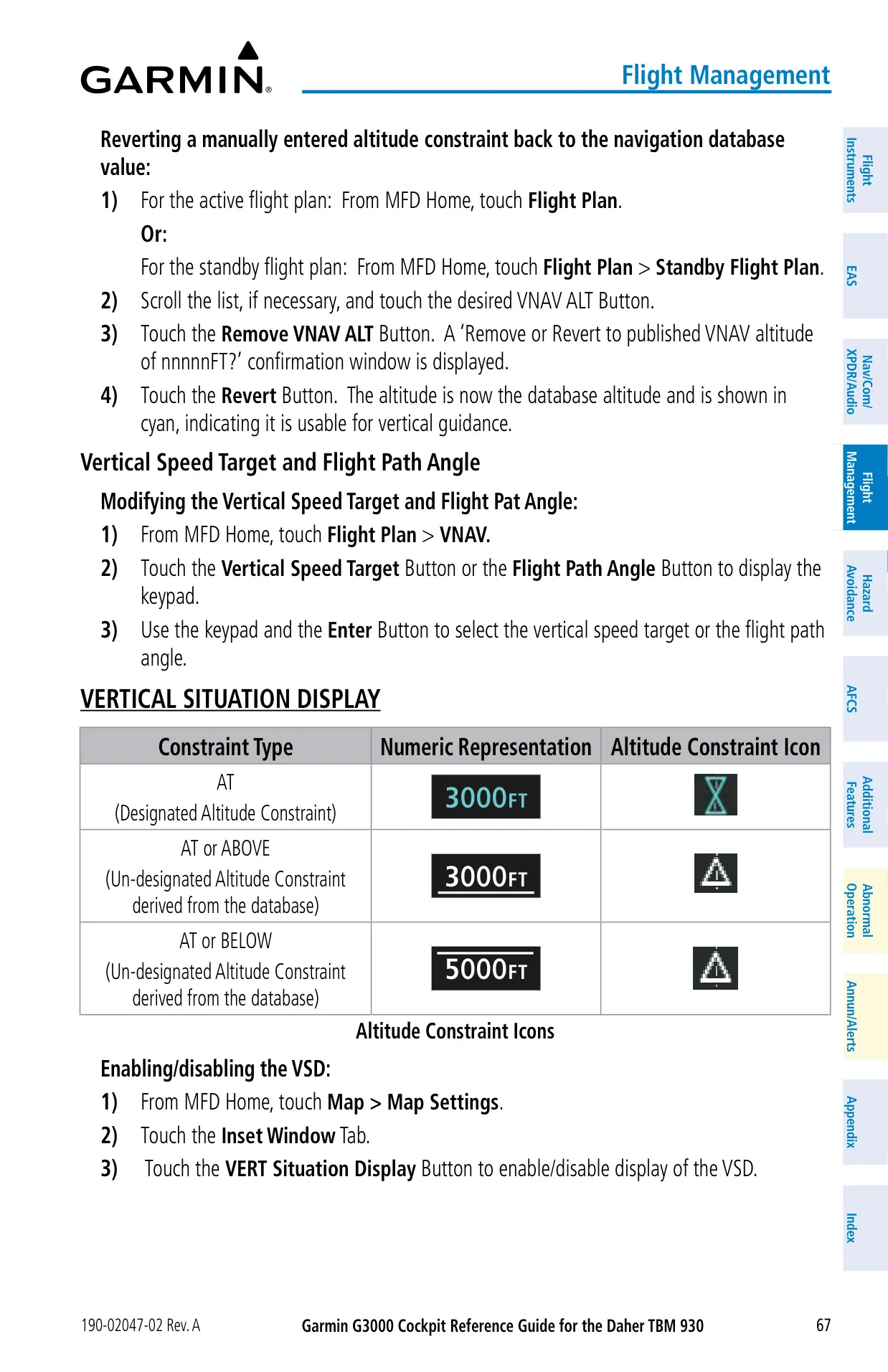
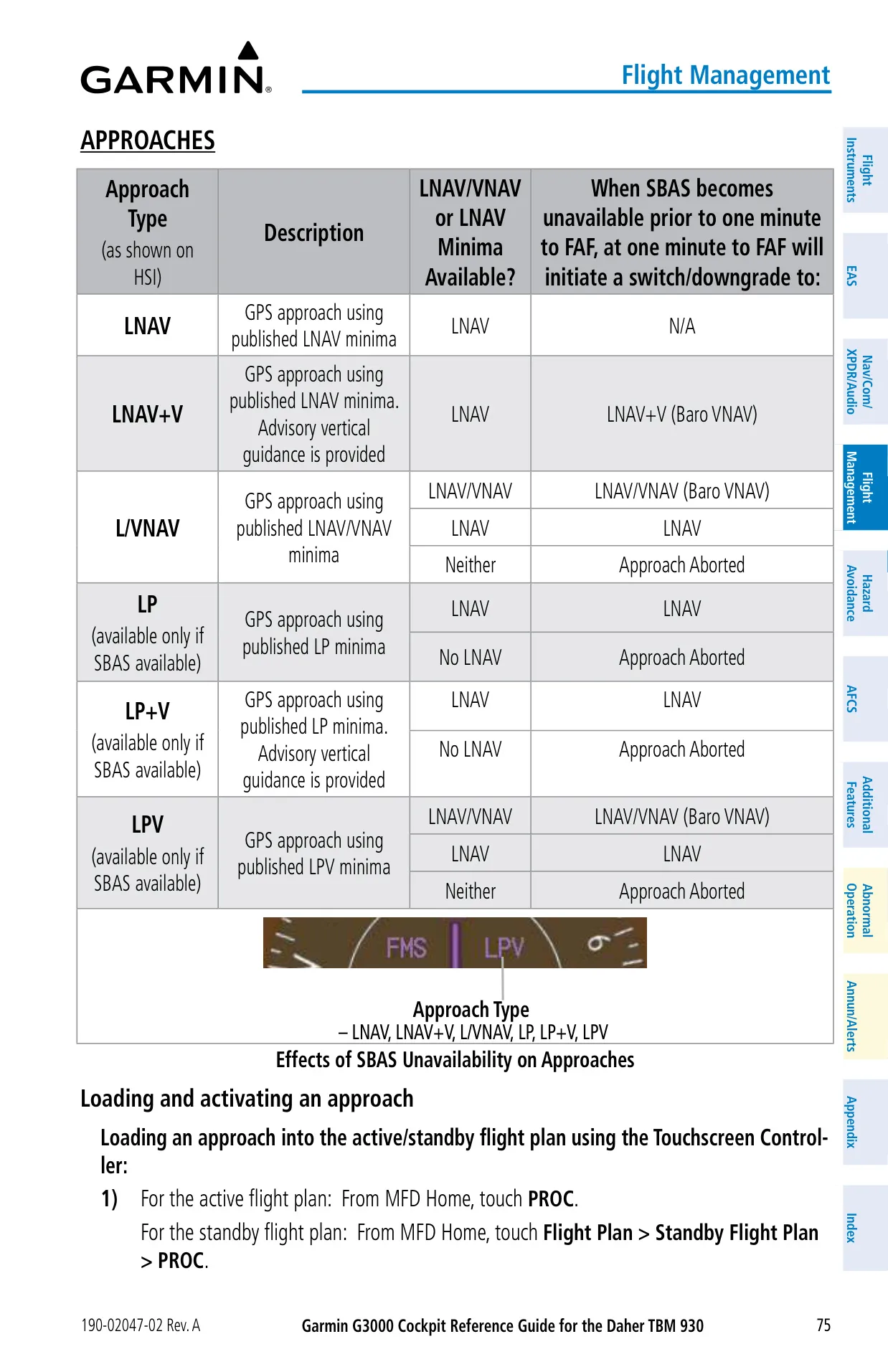
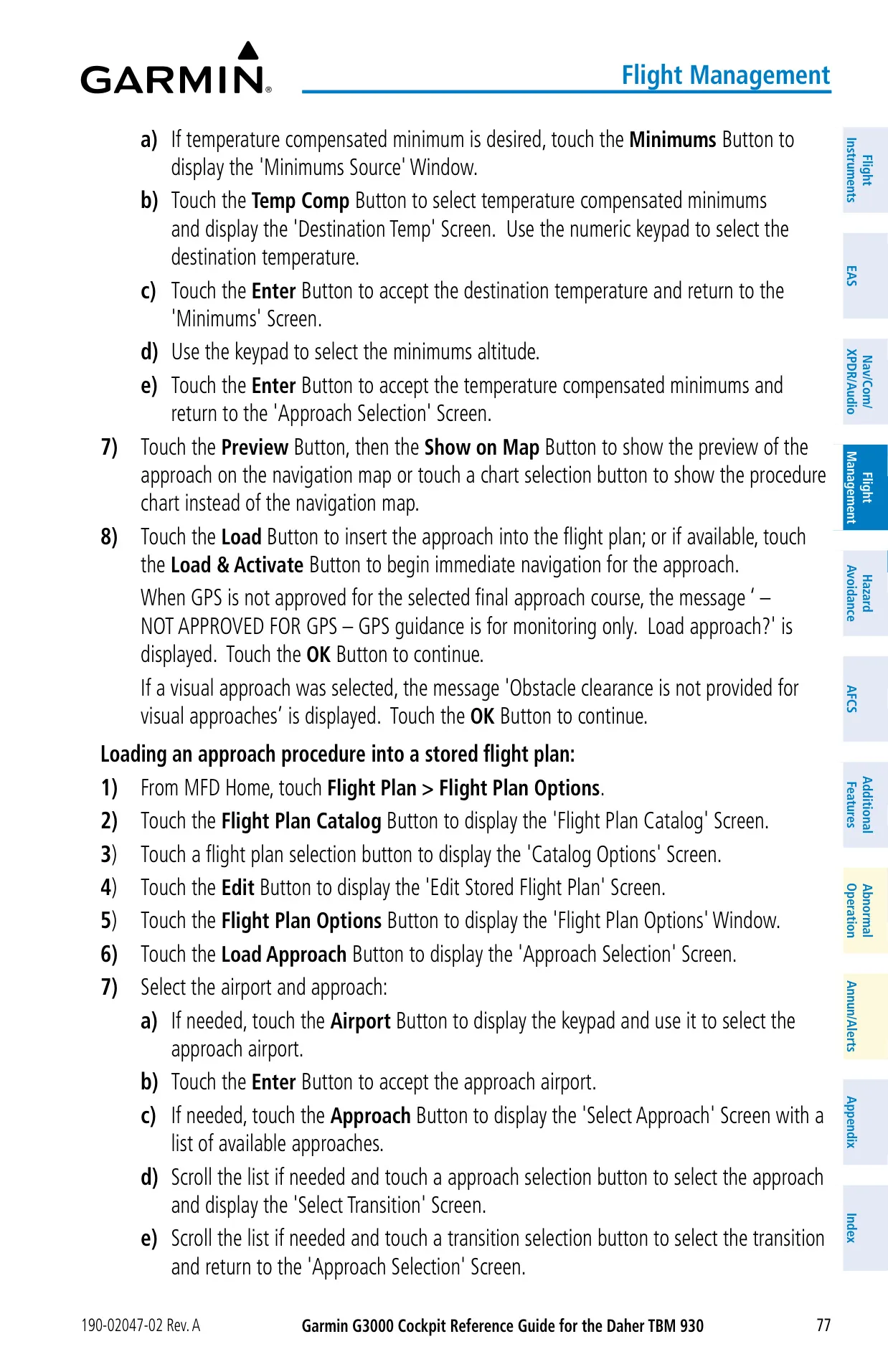
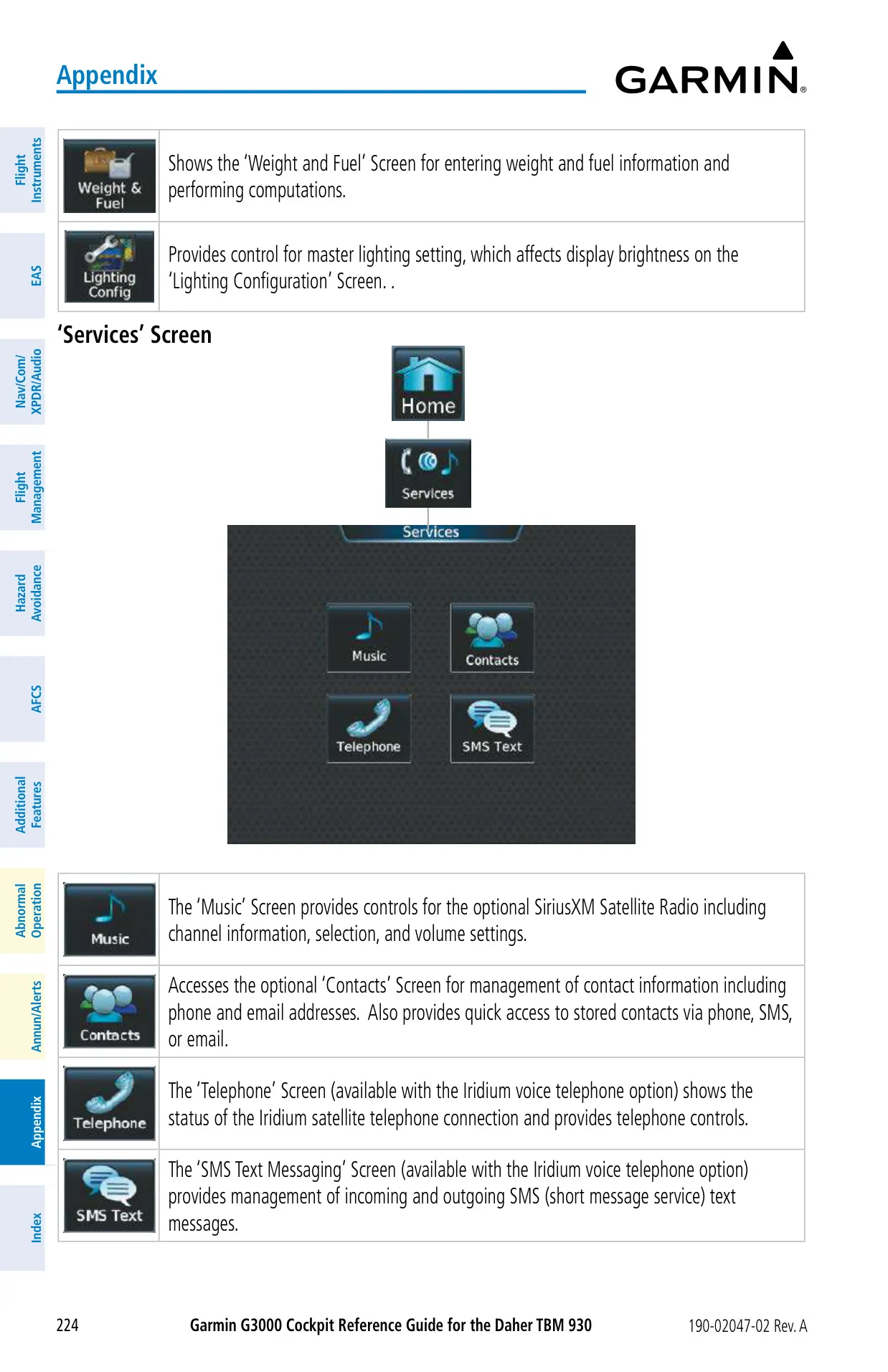
VNAV builds vertical paths from barometric altitude, using constraints that are designated, advisory or entered by the pilot. Temperature compensation raises approach altitudes in cold weather; adjusted altitudes carry a snowflake icon. Electronic charts from Jeppesen ChartView or FliteCharts meet the Type B EFB requirements of AC 120-76D. The system also handles electronic checklists in .gcl format, PDF documents of up to 9,999 pages, Iridium voice calls, and SMS messages of up to 160 characters.
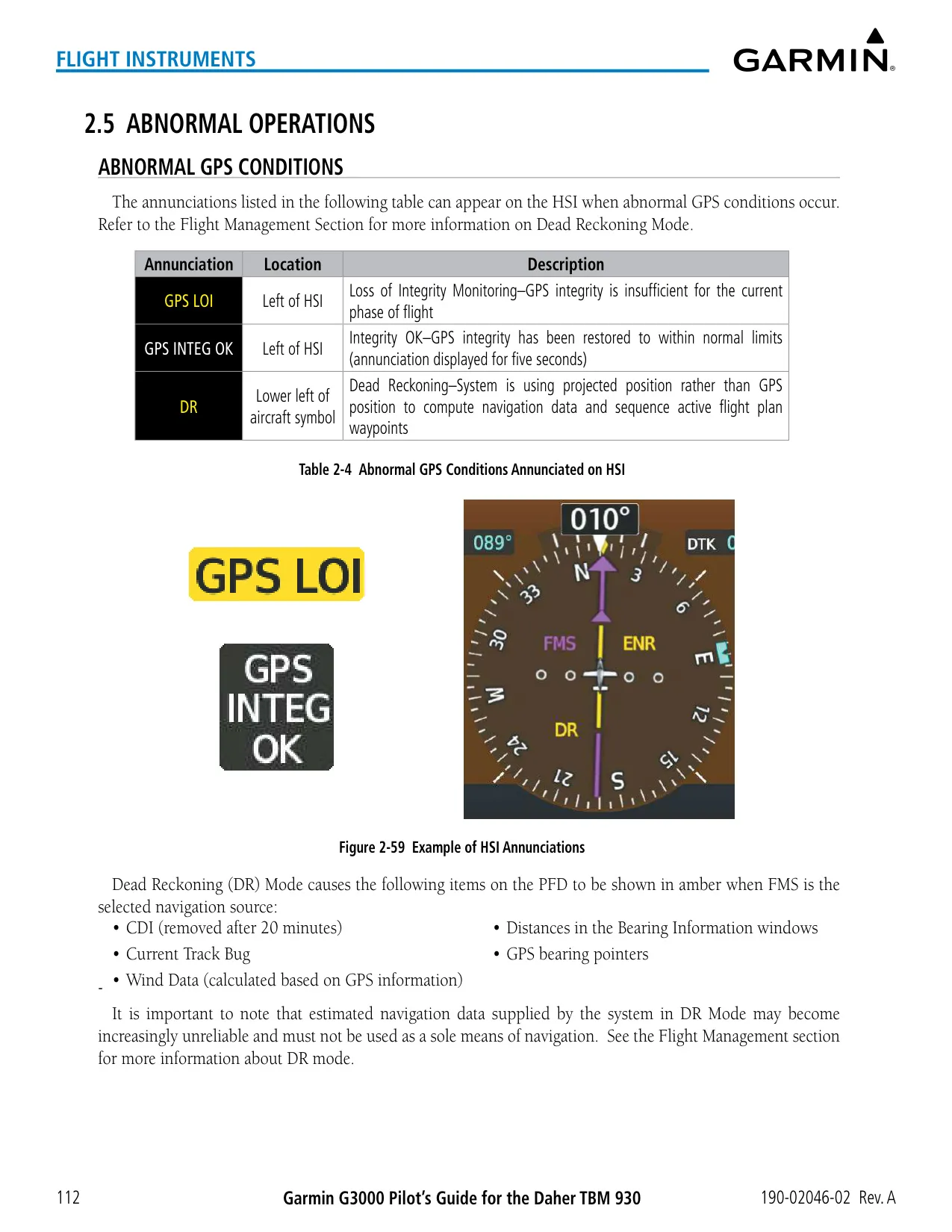
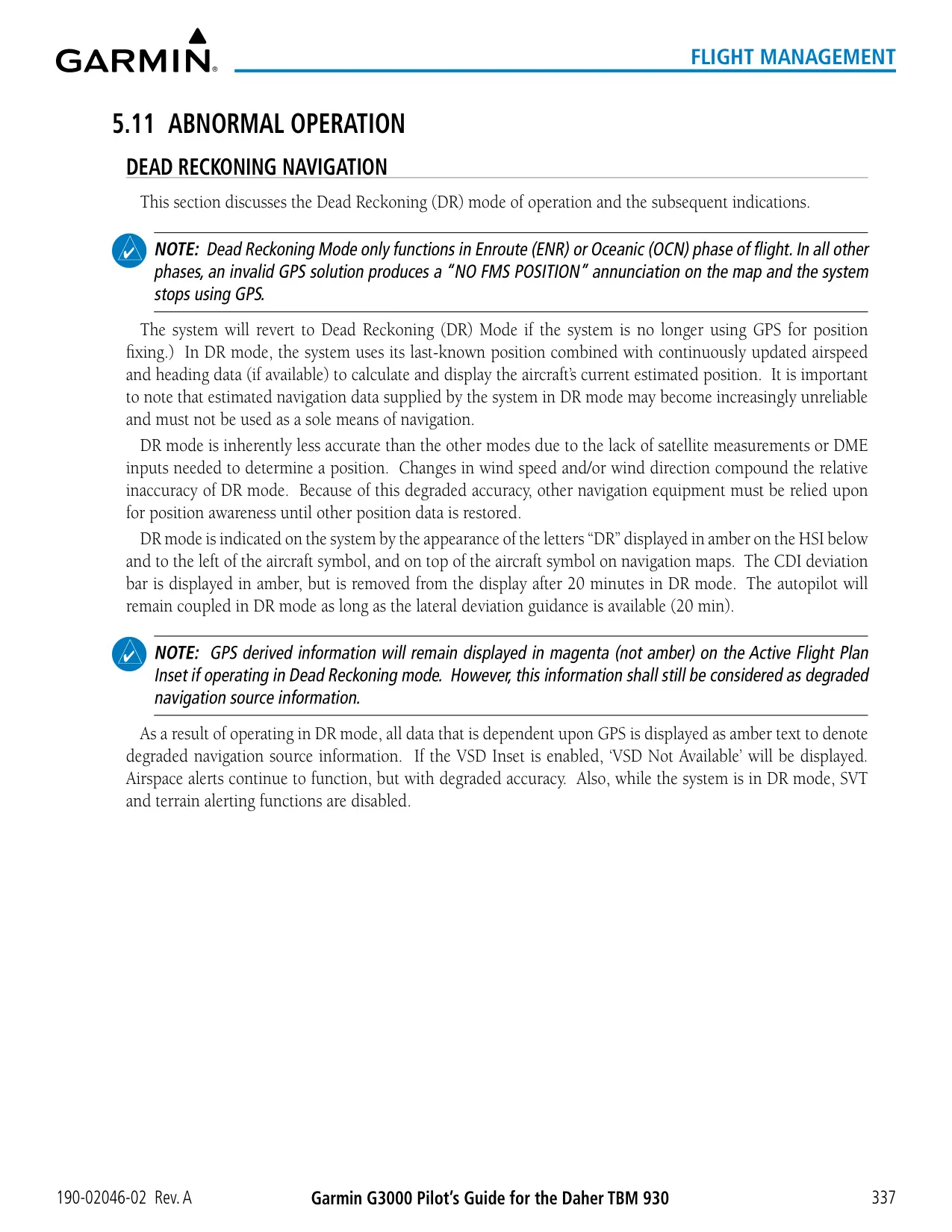
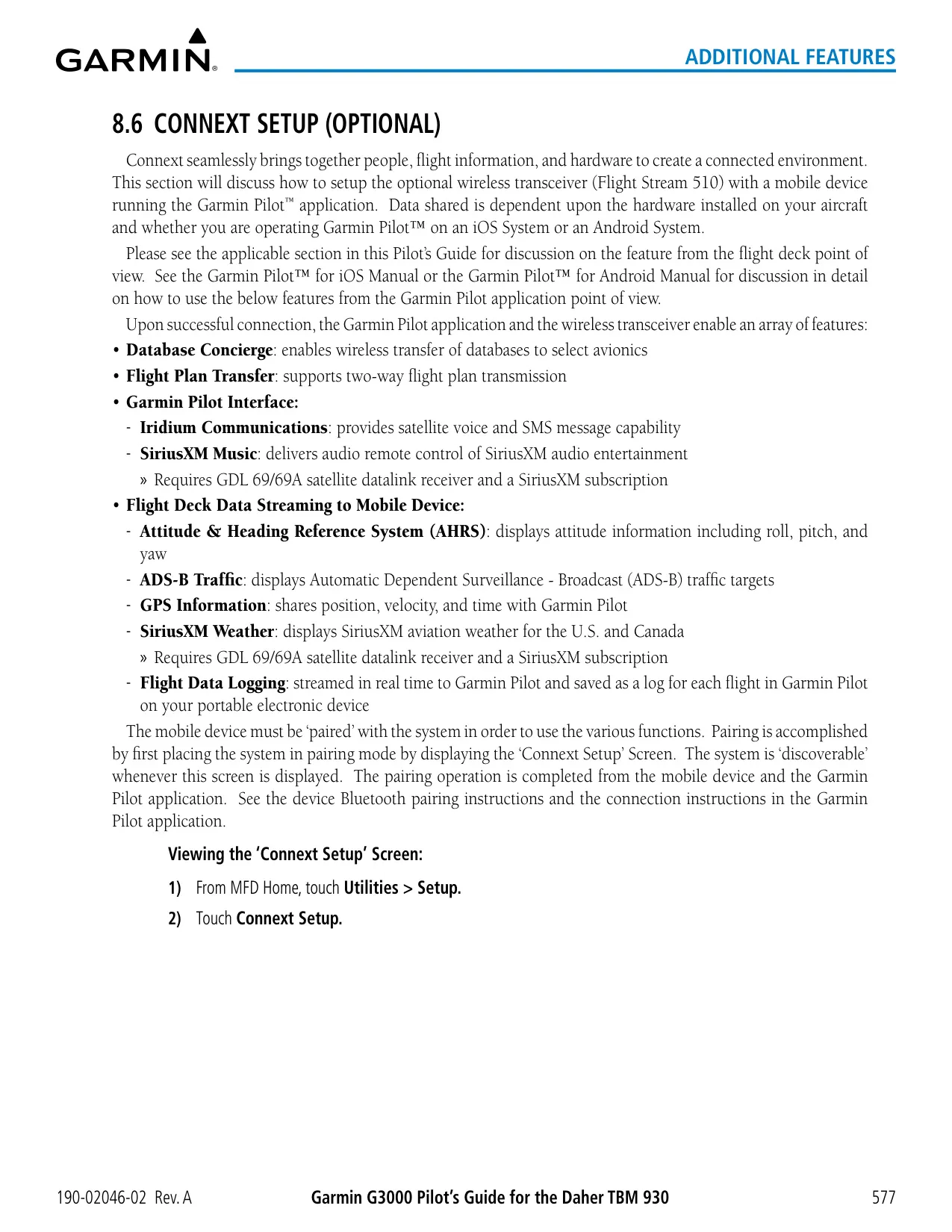
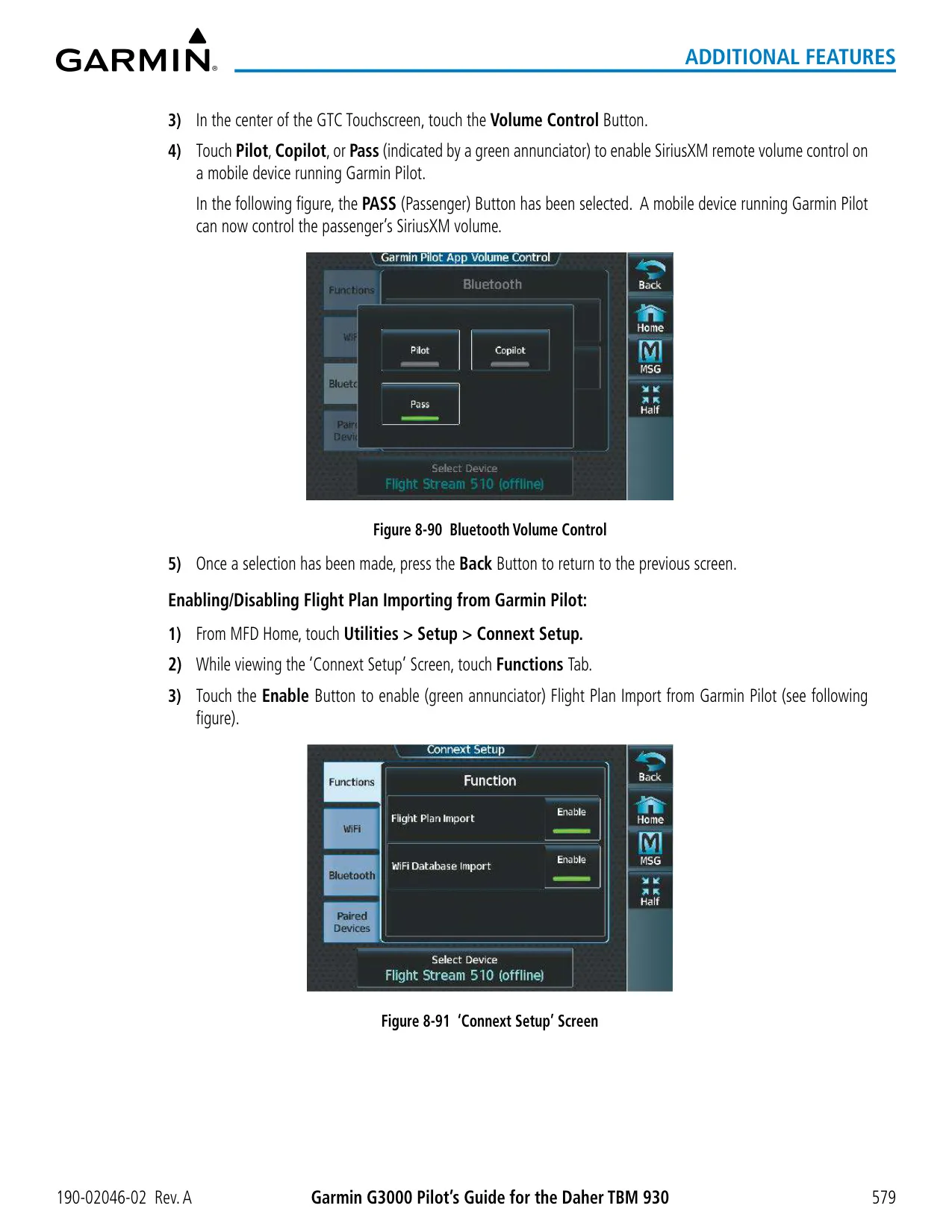
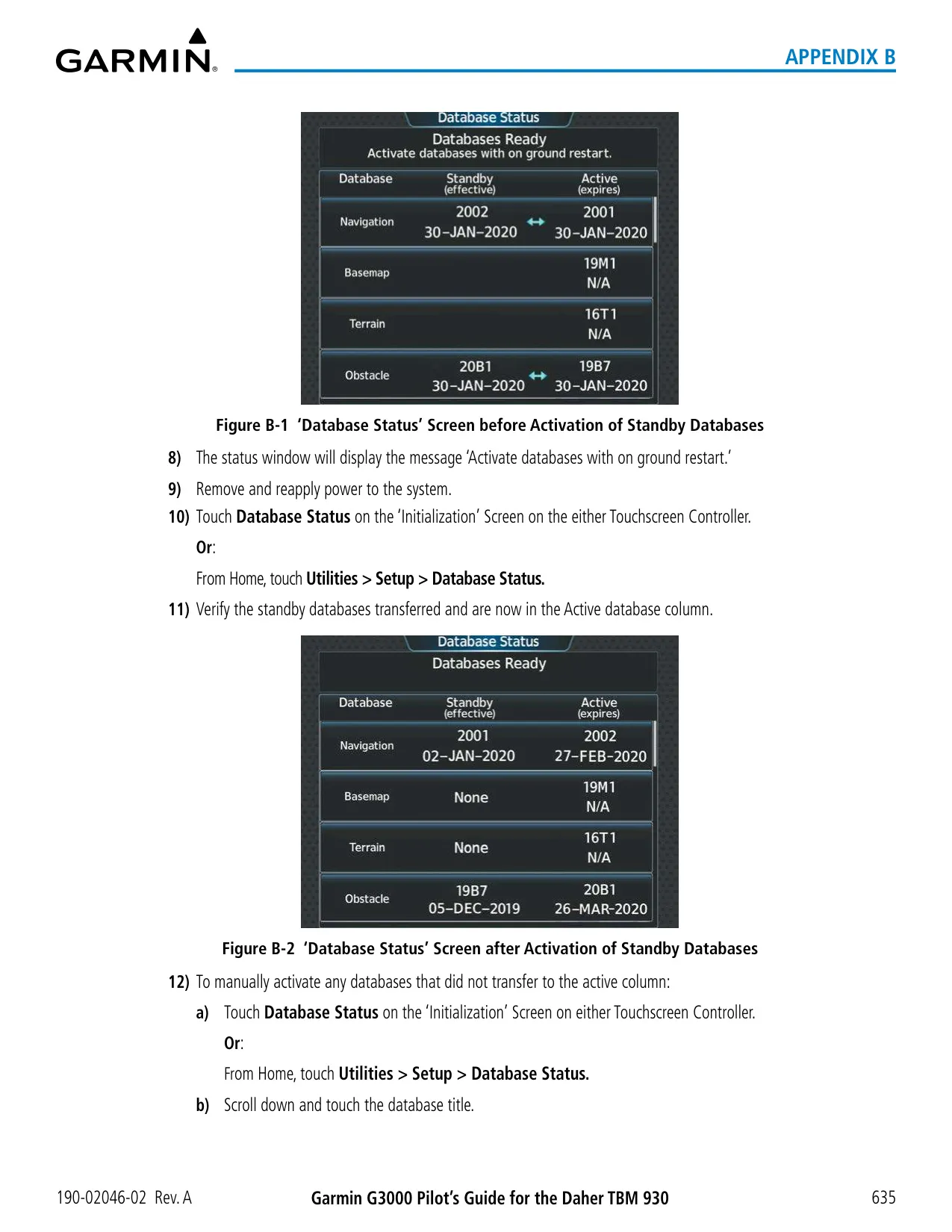
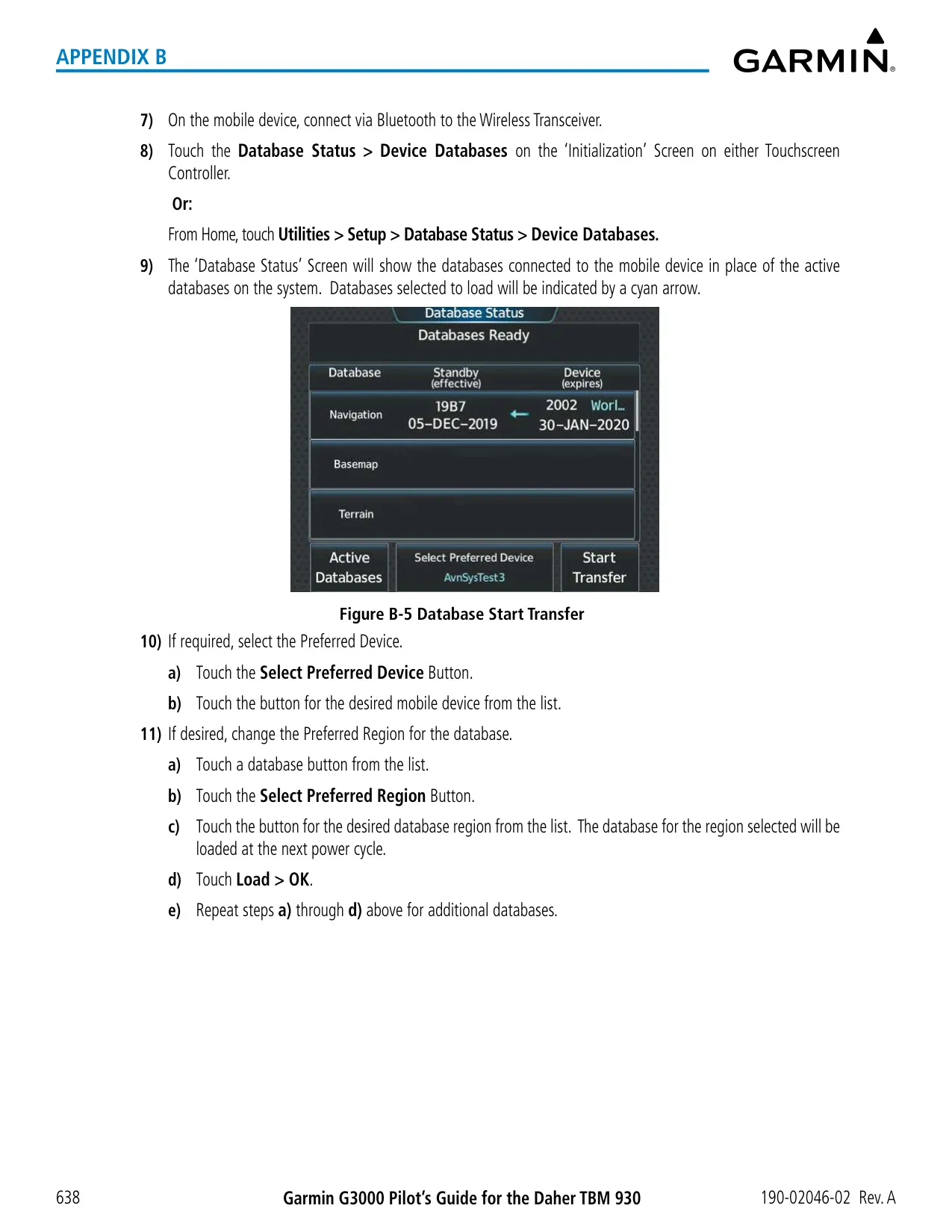
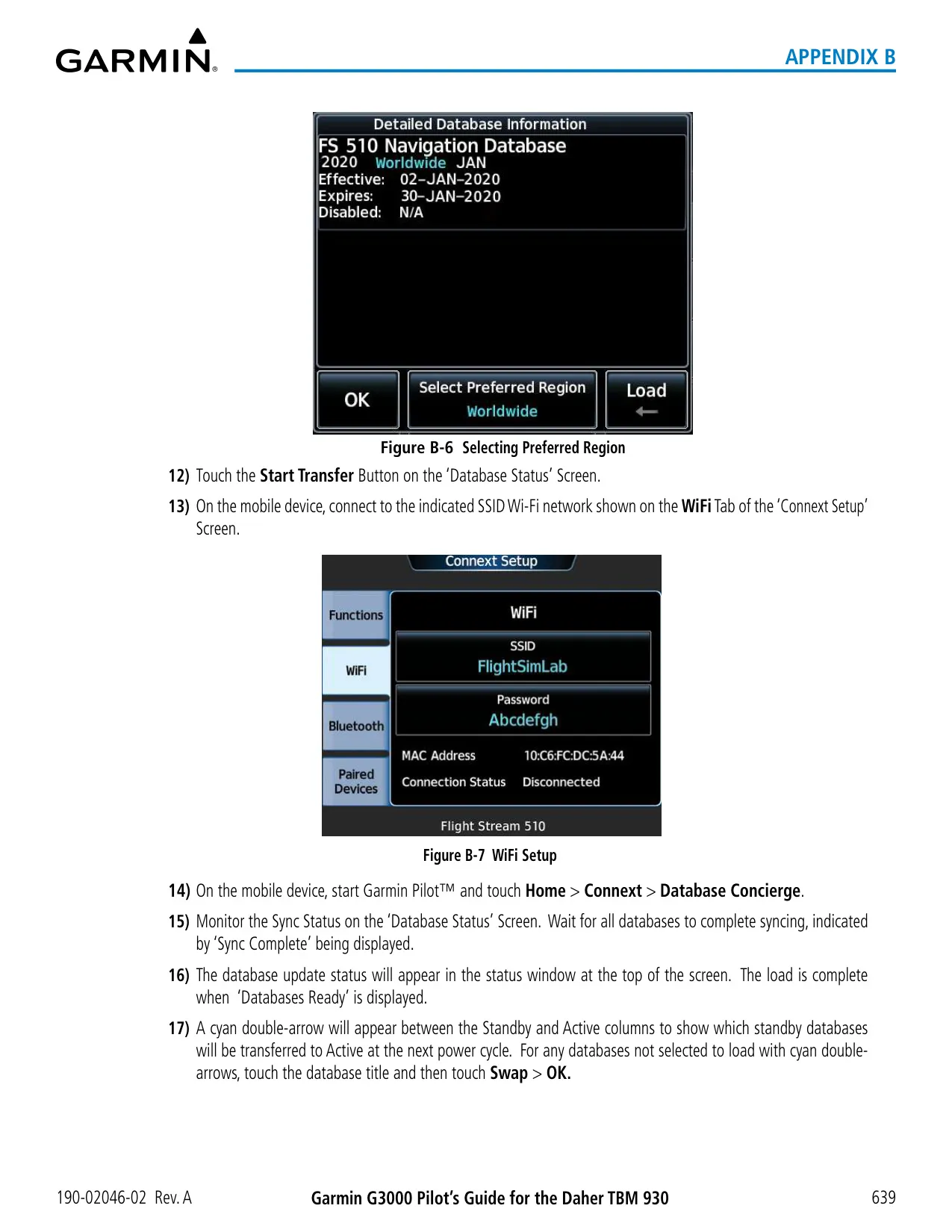
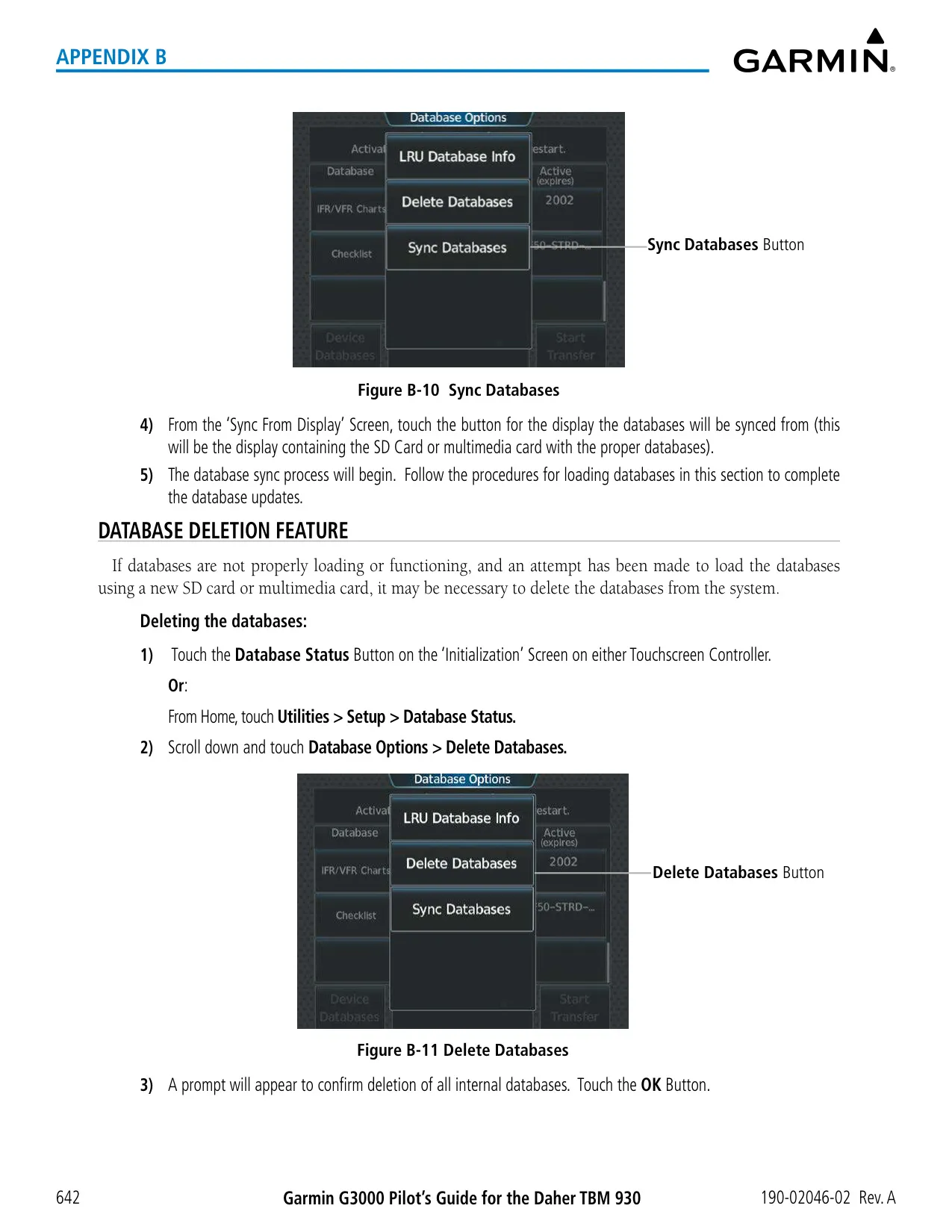
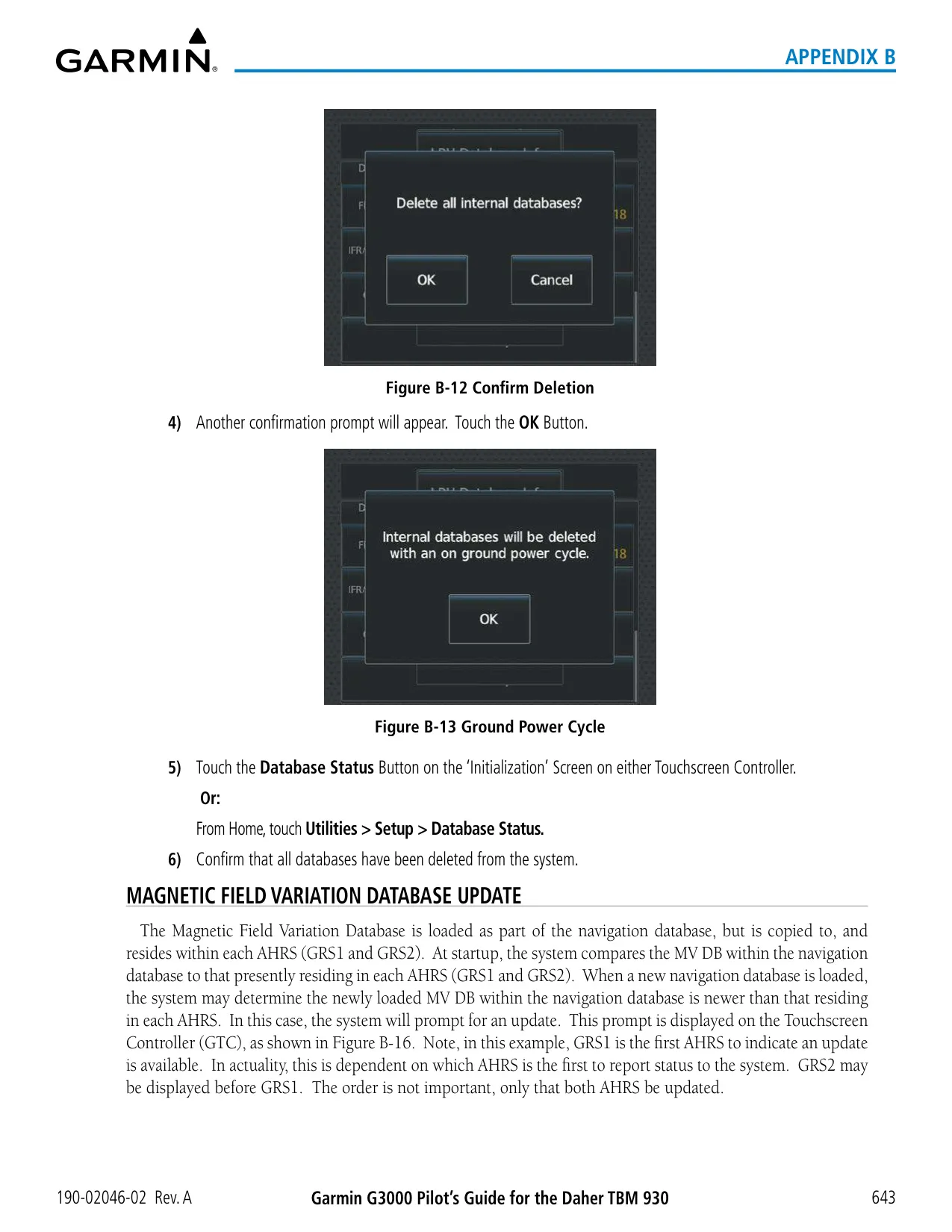
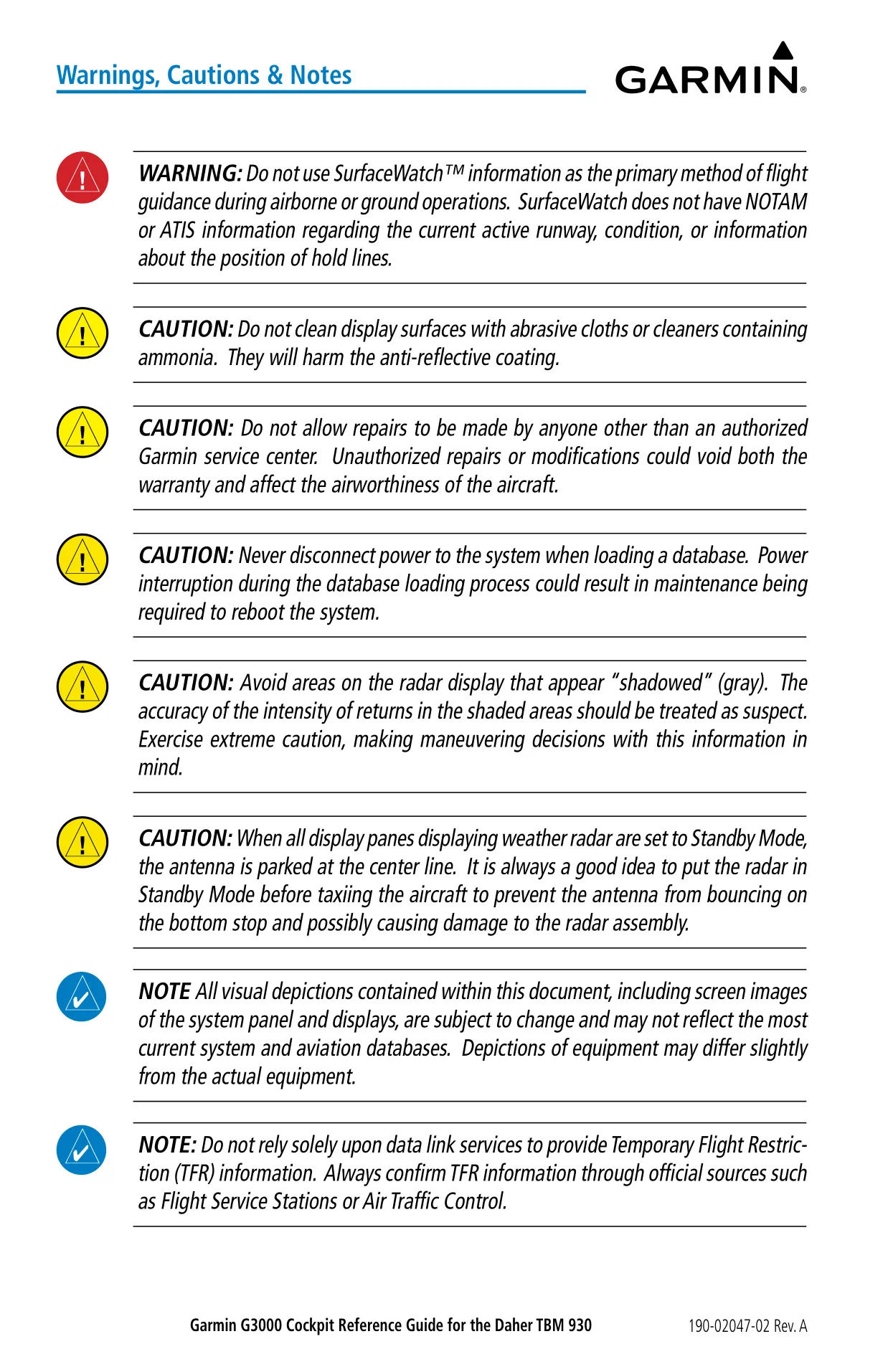
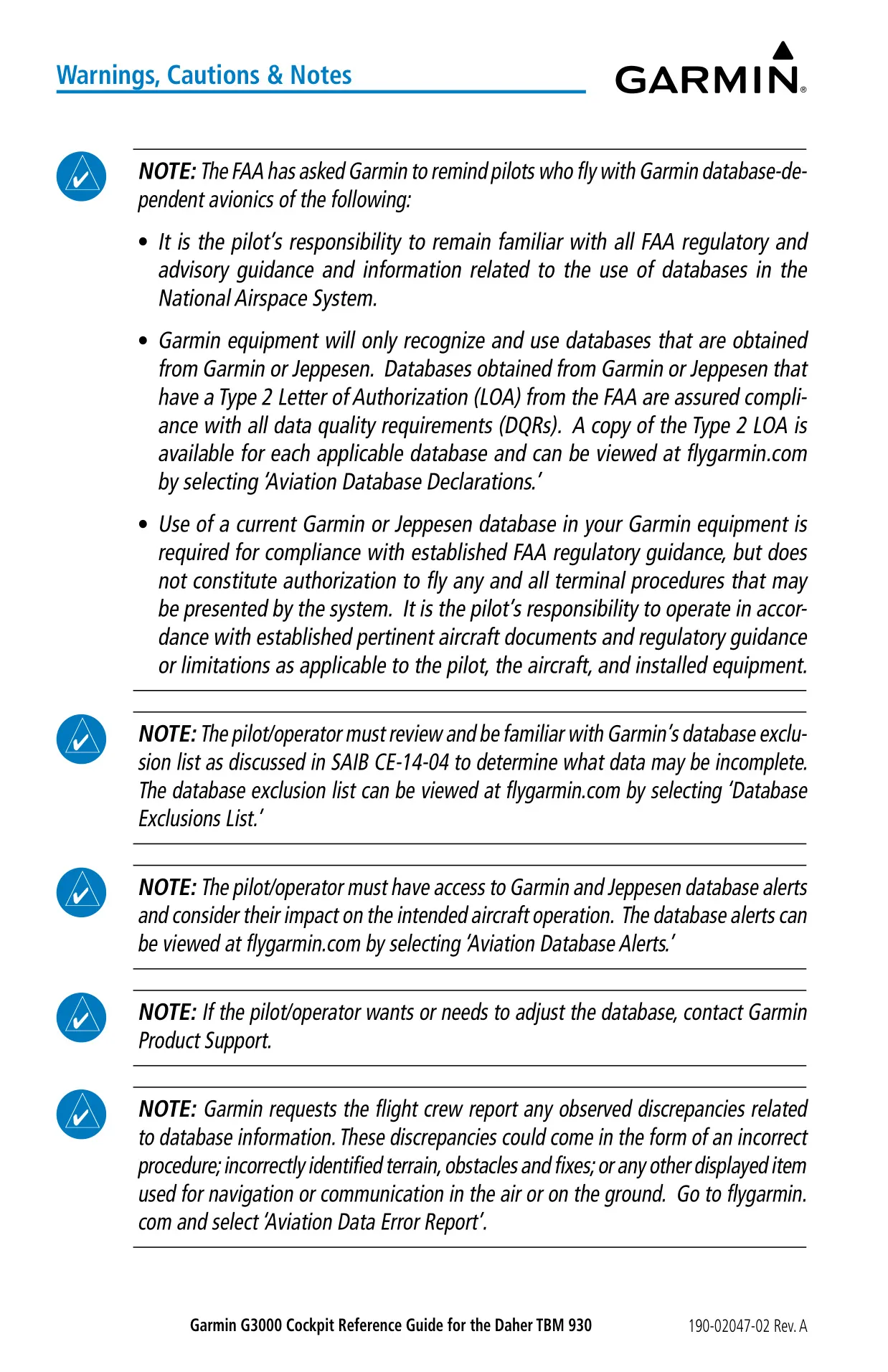
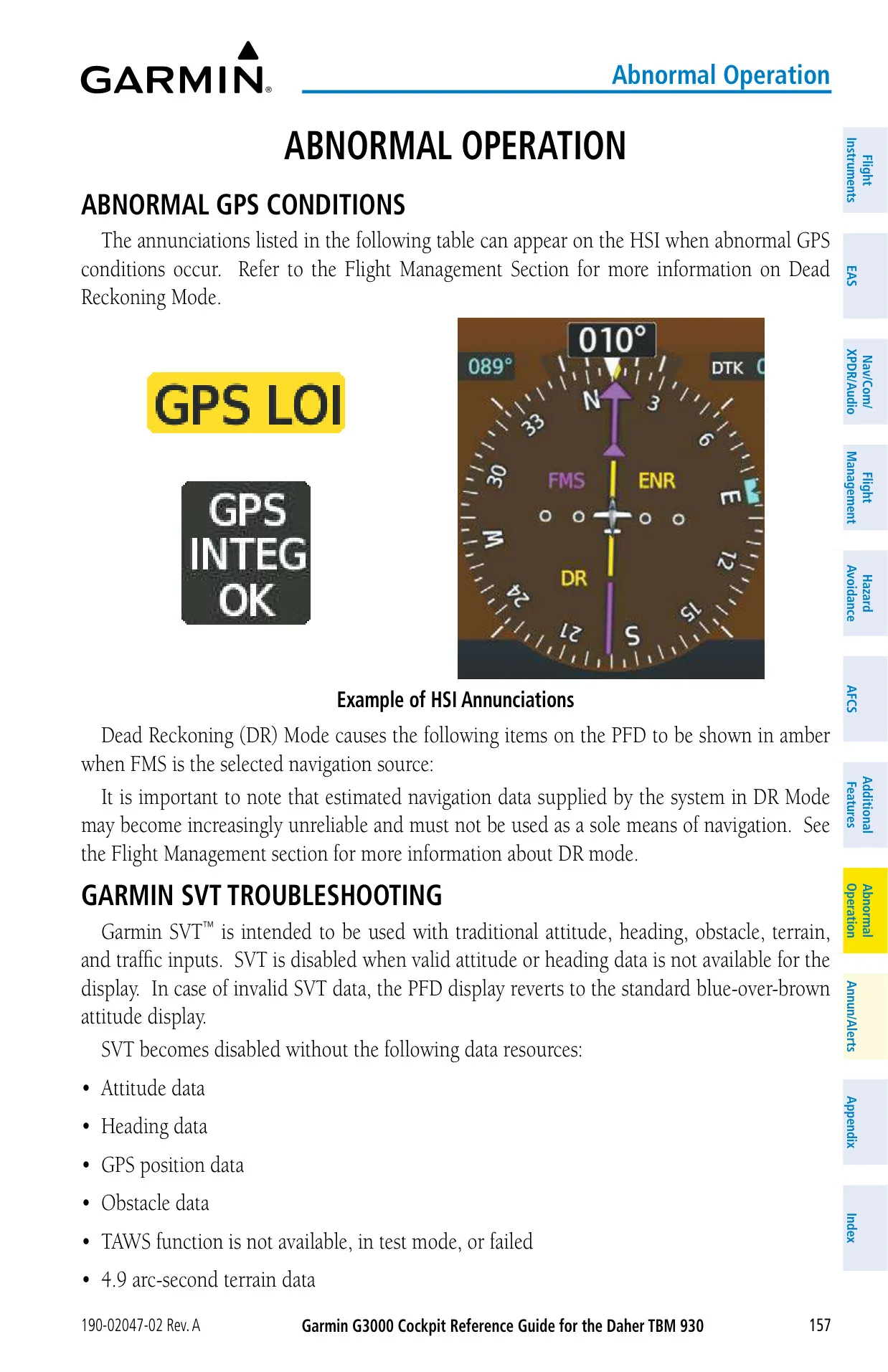
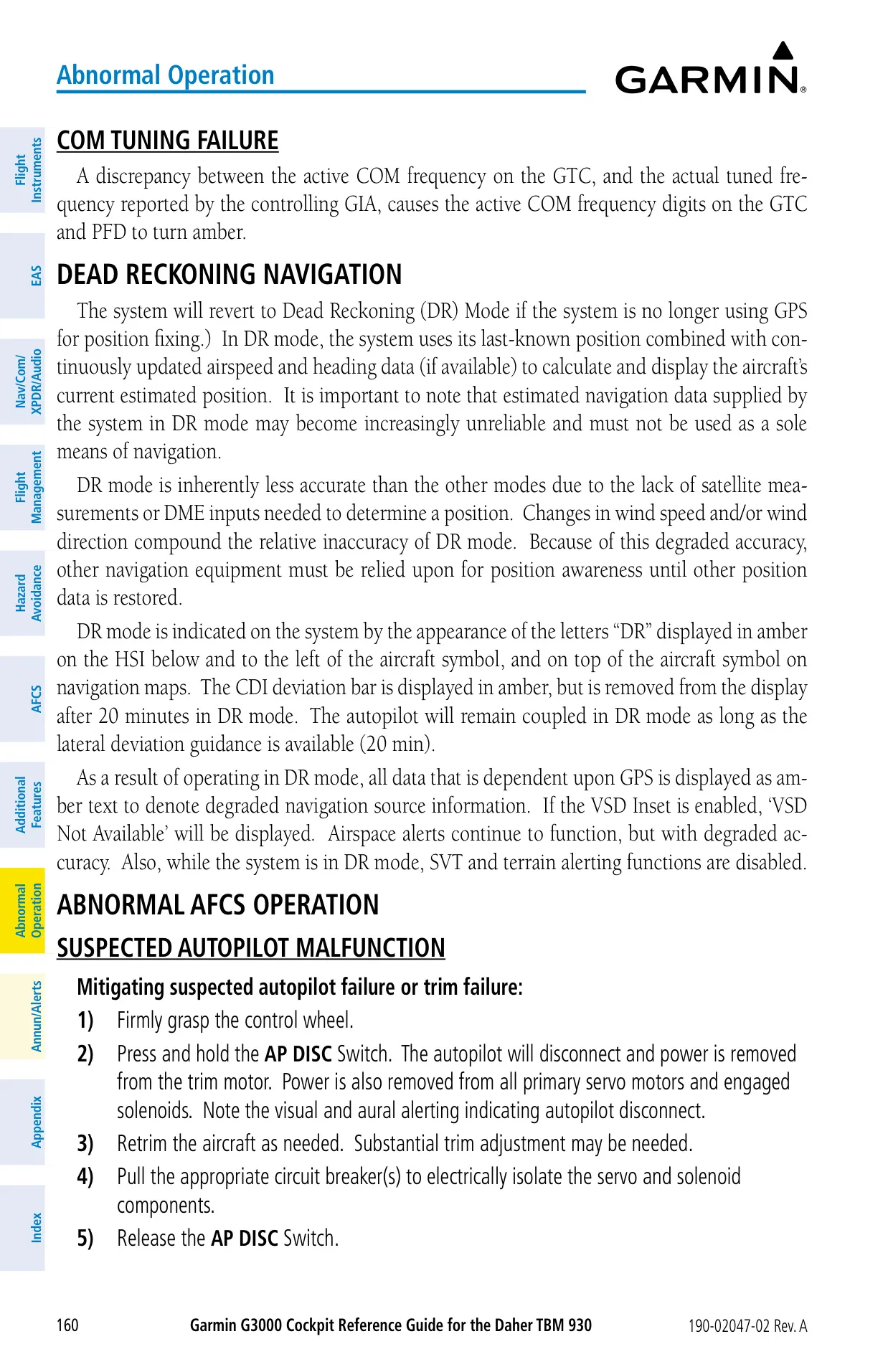
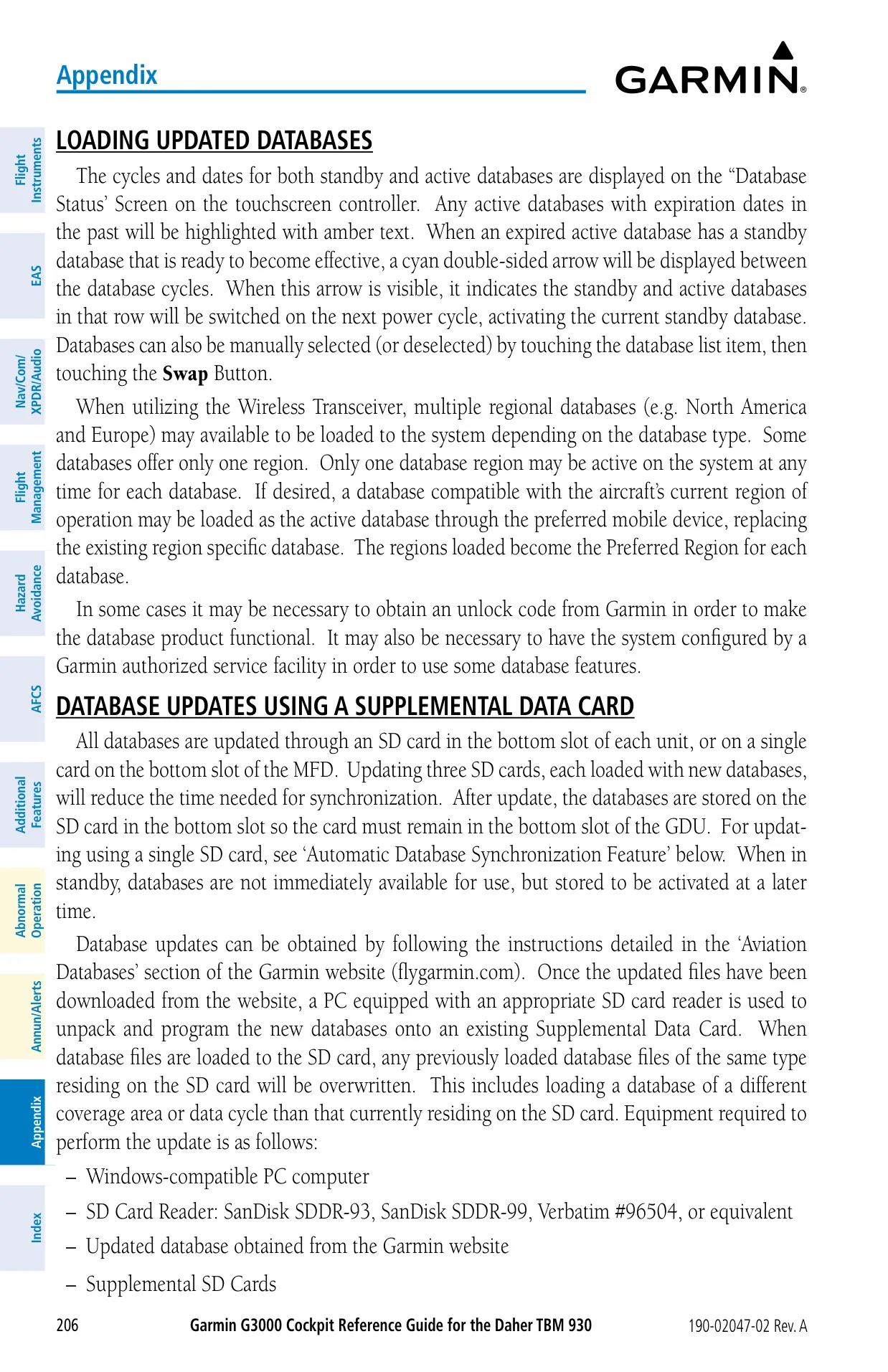
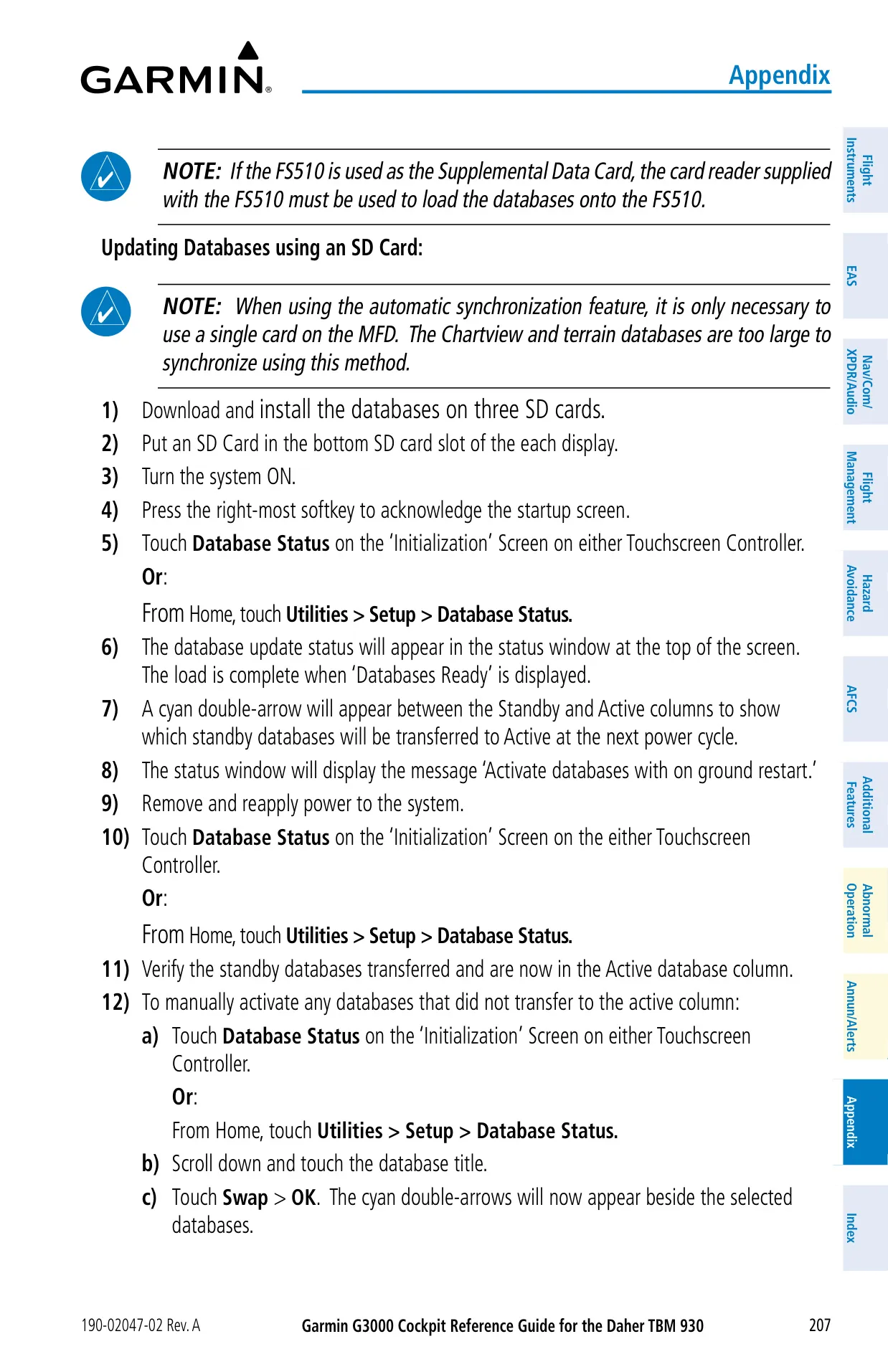
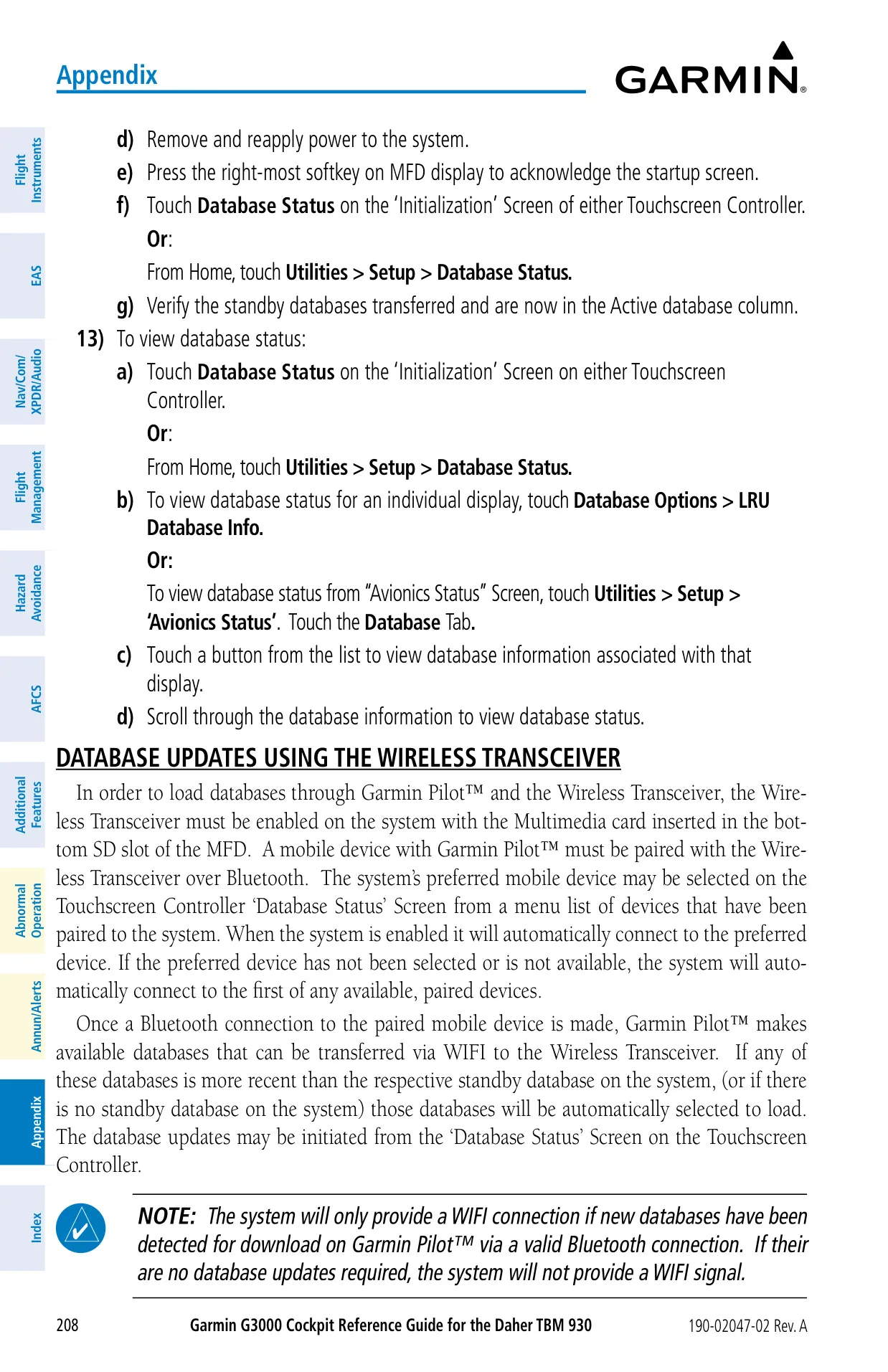
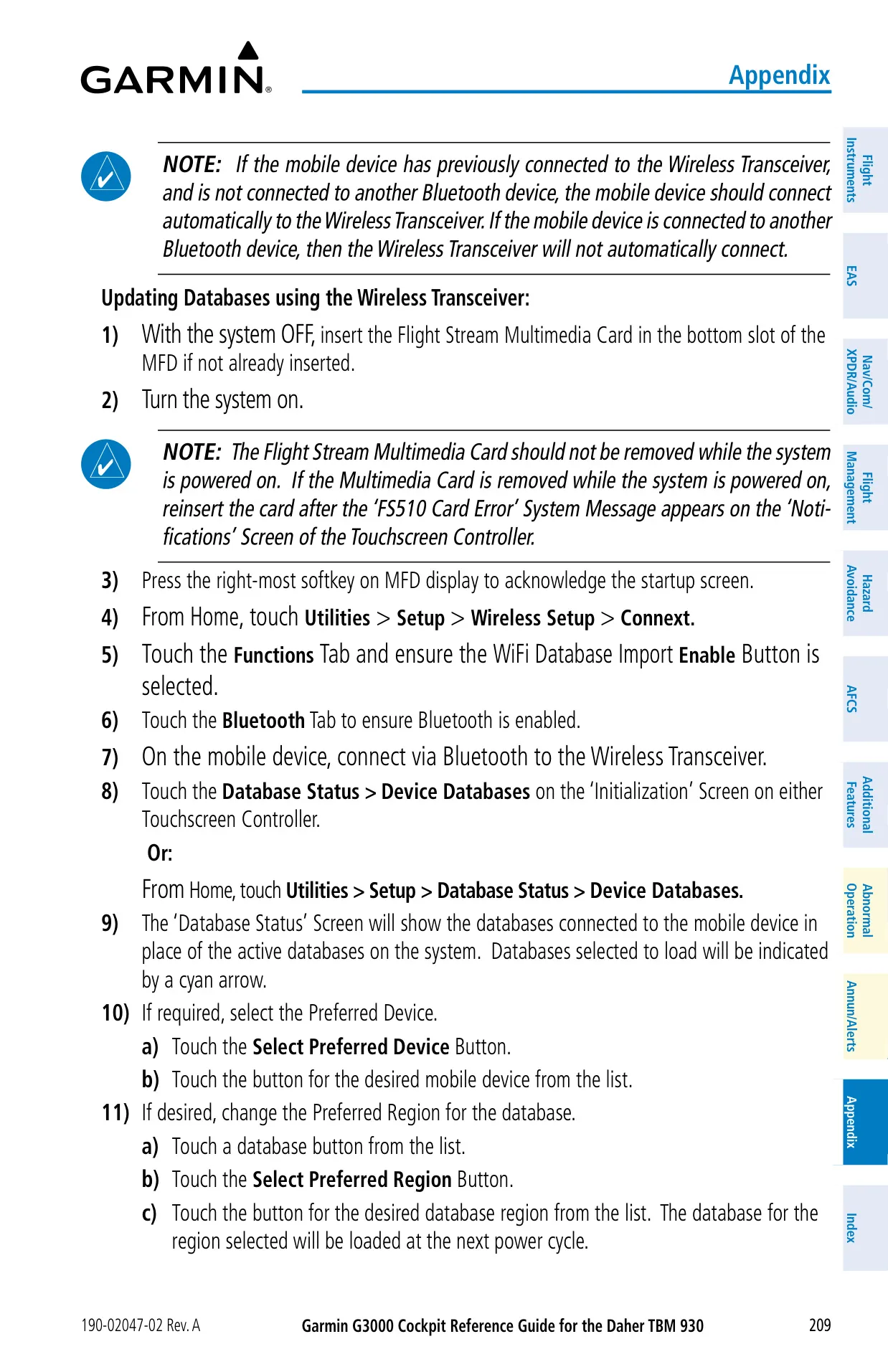
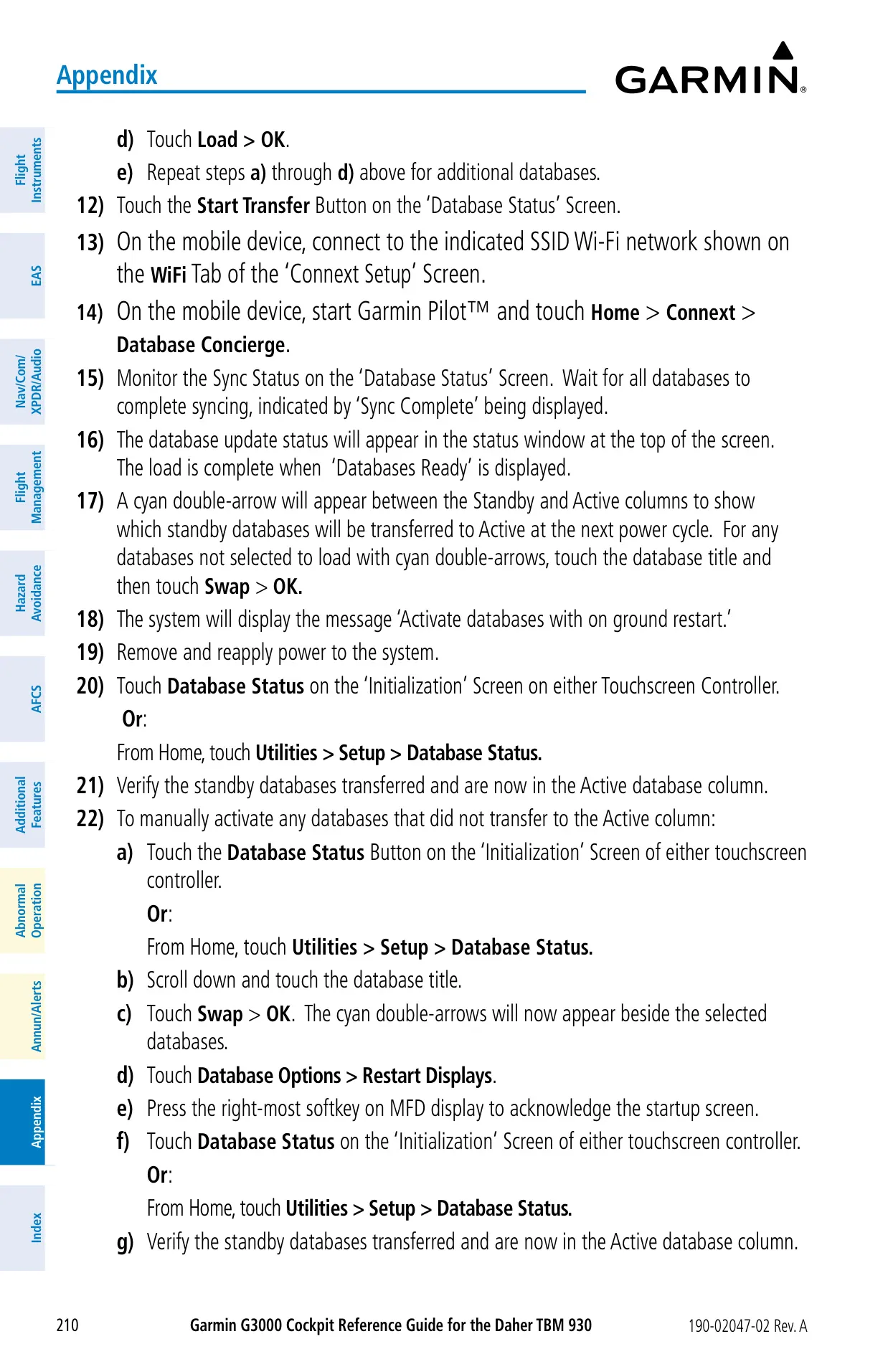
You can update the databases with SD cards or wirelessly. For wireless updates, the Flight Stream 510 connects to Garmin Pilot over Bluetooth and moves the files over WiFi using Database Concierge. Never cut power while a database is loading. Garmin recommends at least one power cycle for every 4 days of continuous operation, to avoid an autonomous restart. If GPS is lost, dead reckoning keeps guidance available for up to 20 minutes in en route and oceanic phases.
Frequently Asked Questions (FAQs)
Can't find the answer you need? Here are some frequently asked questions about the Garmin G3000 Panel Avionics Unit, and we answer them below.