Honeywell T3R Thermostat Instruction Manual

Honeywell T3R Thermostat
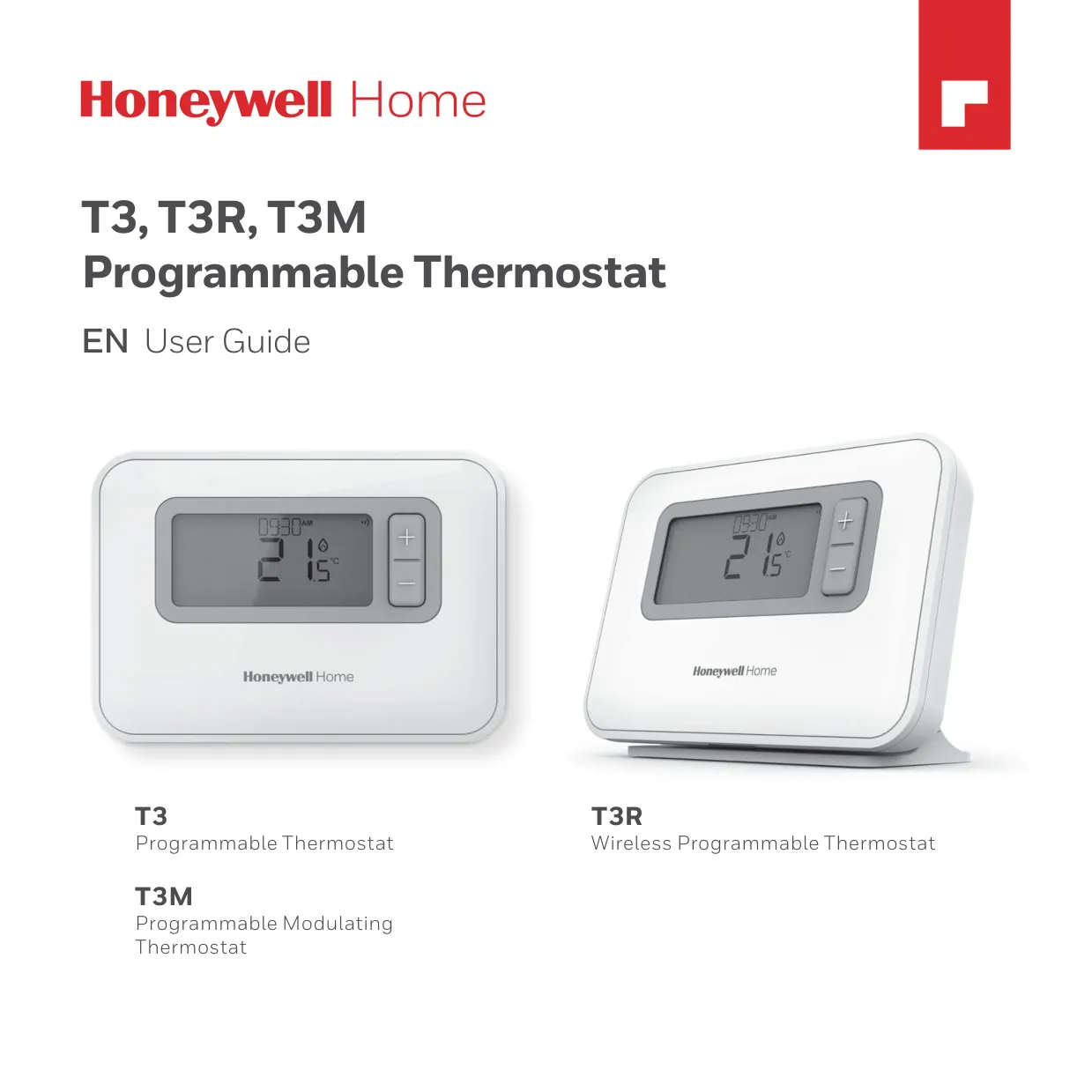






Honeywell T3R Thermostat
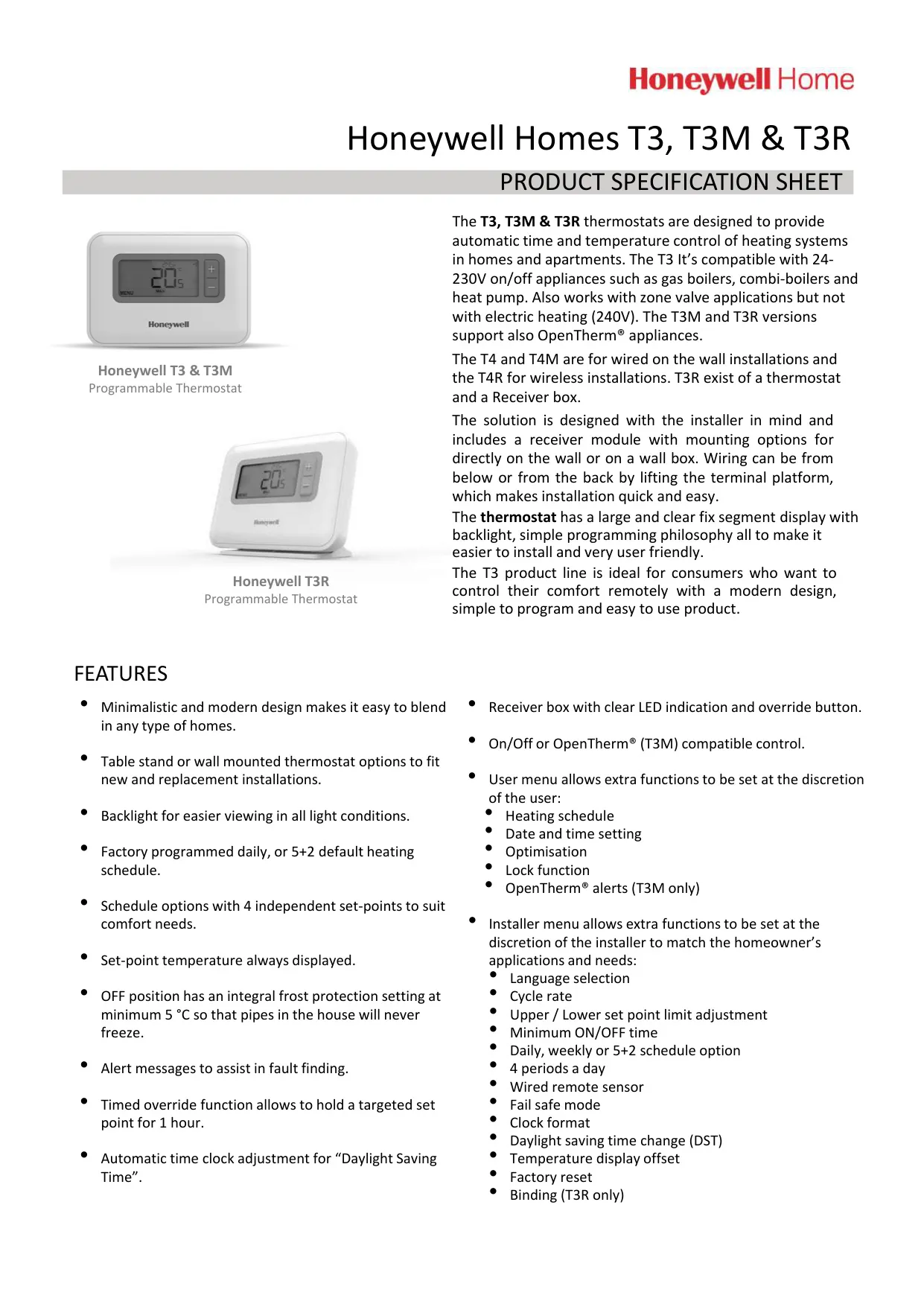






Honeywell T3R Thermostat Instructions
Here we offer the Honeywell T3R Thermostat manual completely free and in English. We have cataloged this manual in the Thermostats section on Manualverse, and it has been rated by 1 users with an average rating of 5. If you have any specific questions about Honeywell T3R Thermostat, we suggest checking the Frequently Asked Questions (FAQs) section of this manual.
Product Images


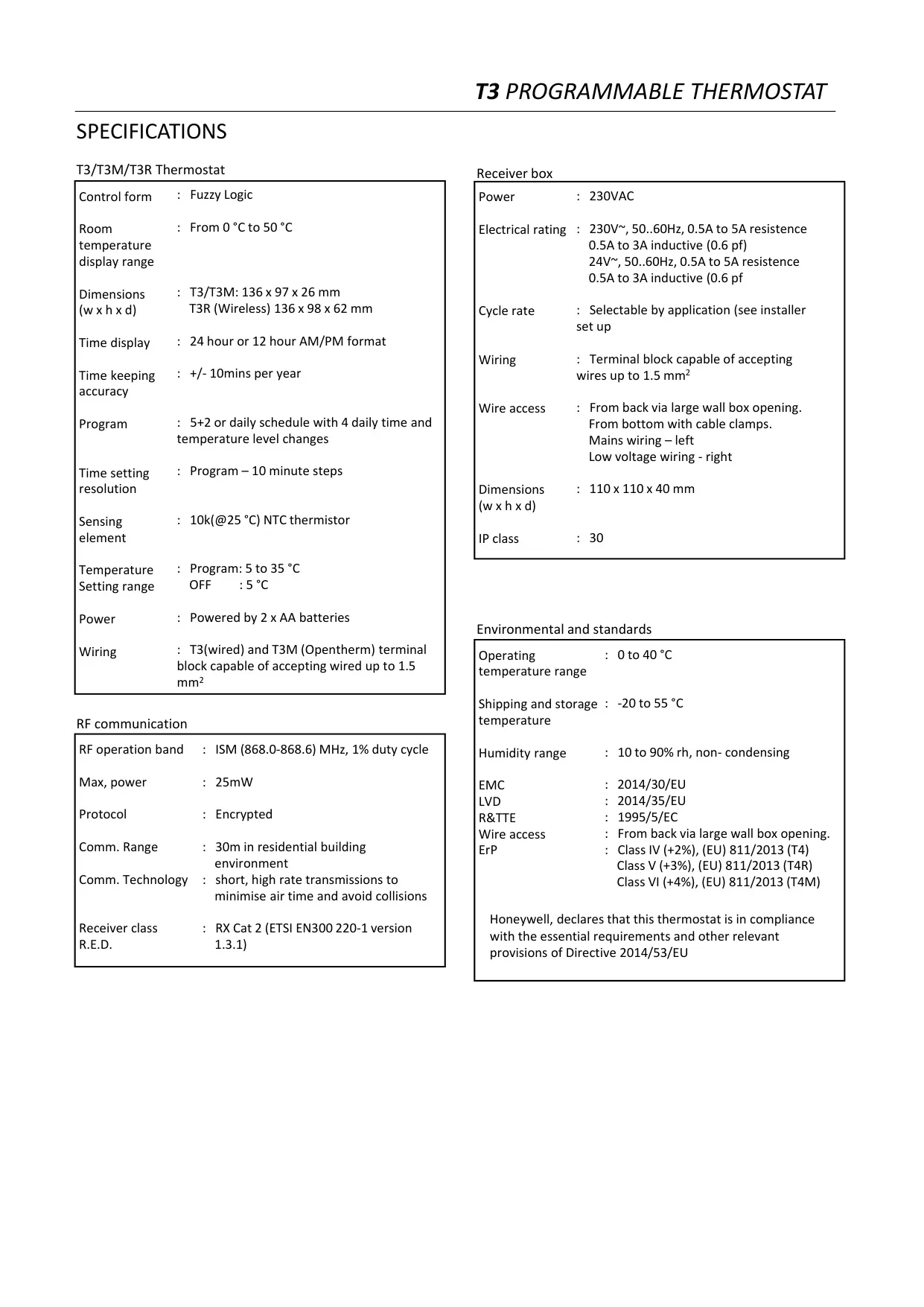
Honeywell T3R Thermostat Specifications
| Feature | Specification |
|---|---|
| Product Type | Wireless Programmable Thermostat with Receiver Box |
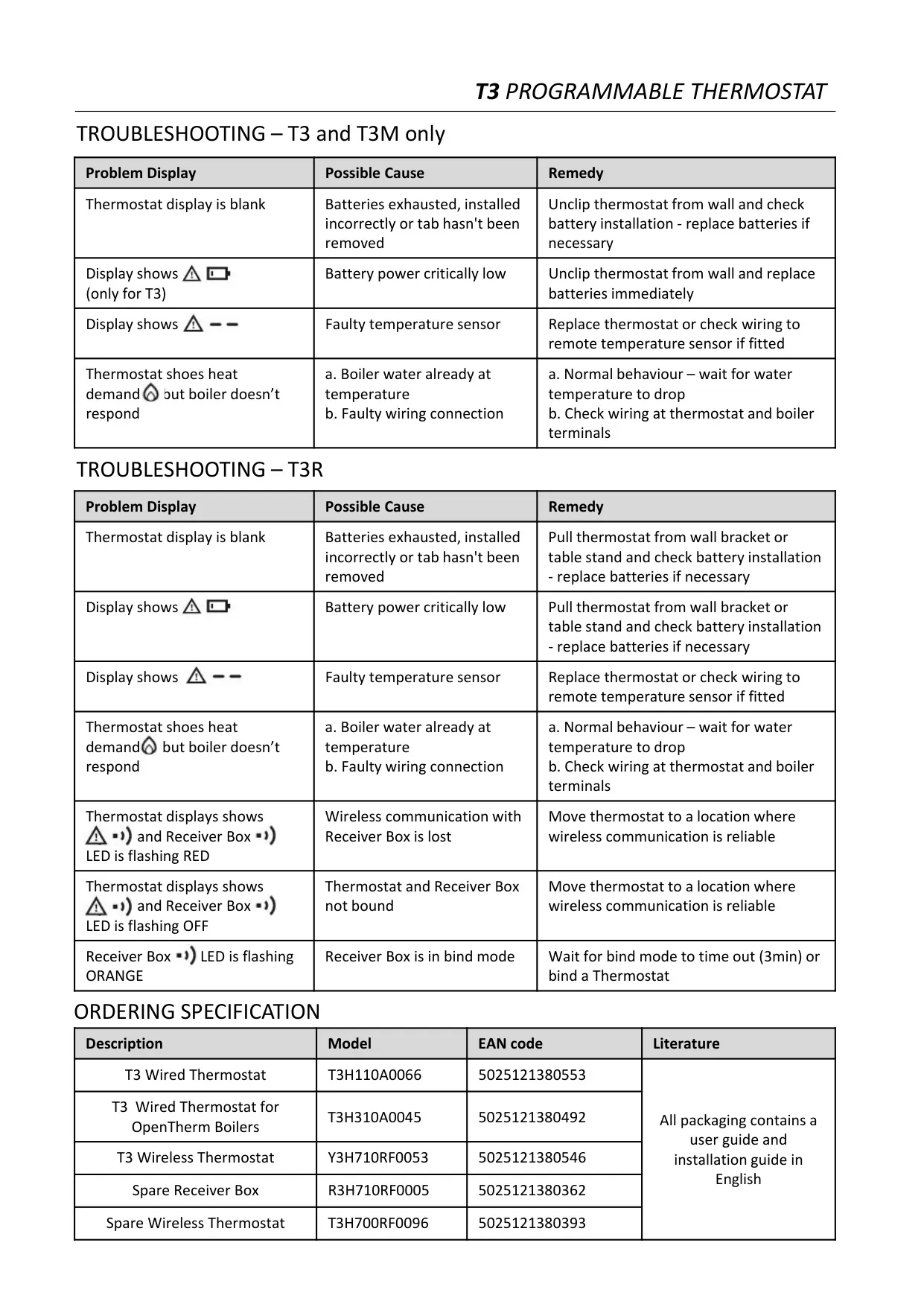
| Kit Model Number | Y3H710RF0053 (EAN 5025121380546) |
| Spare Wireless Thermostat | T3H700RF0096 (EAN 5025121380393) |
| Spare Receiver Box | R3H710RF0005 (EAN 5025121380362) |
| Compatible Appliances | 24–230 V on/off appliances (gas boilers, combi boilers, heat pumps), zone valves; not for 240 V electric heating |
| Control Form | Fuzzy Logic |
| Room Temperature Display Range | 0 °C to 50 °C |
| Setpoint Range | 5 °C to 35 °C |
| OFF / Frost Protection Setpoint | 5 °C |
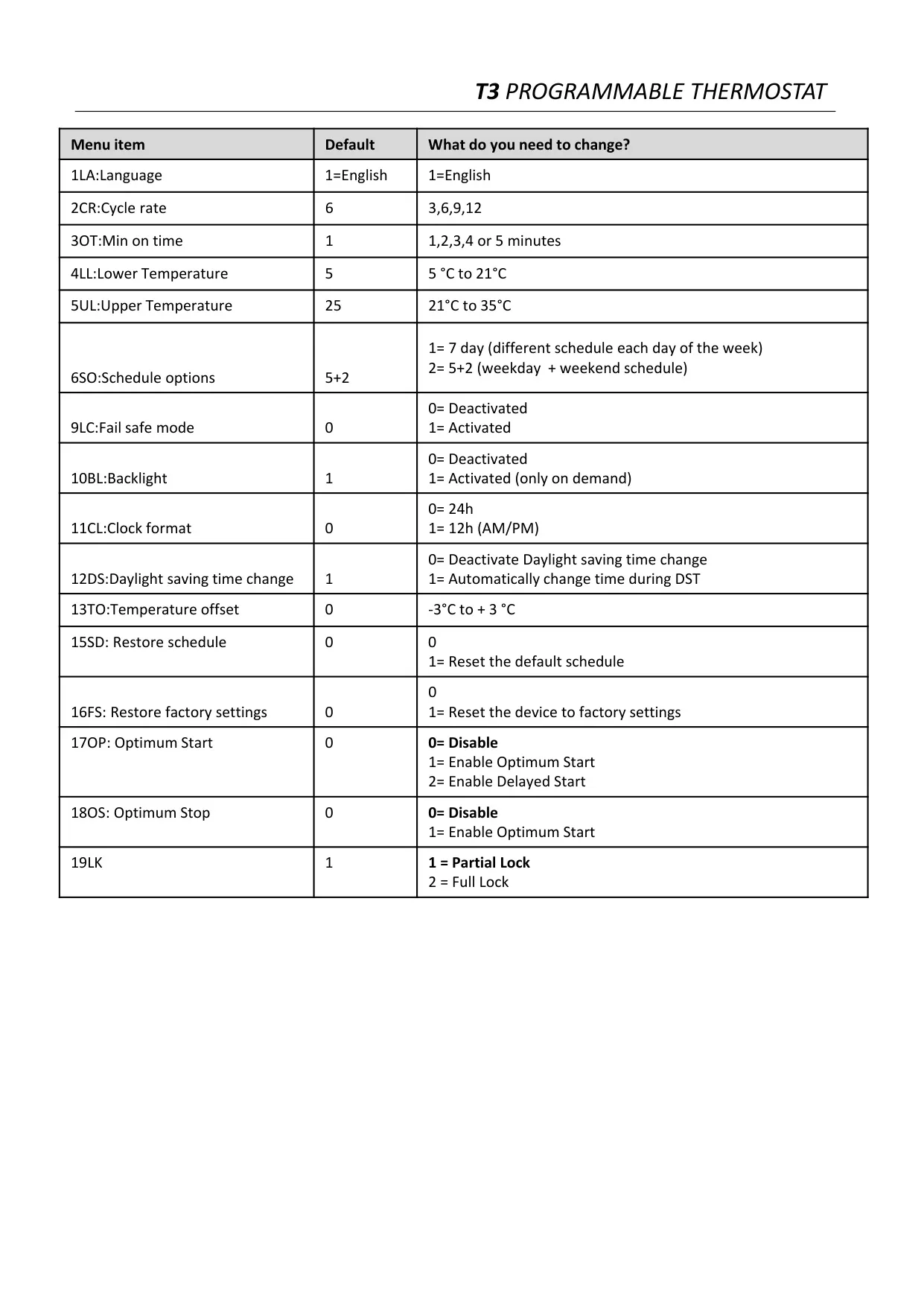
| Lower Temperature Limit (Installer) | 5 °C to 21 °C (default 5 °C) |
| Upper Temperature Limit (Installer) | 21 °C to 35 °C (default 25 °C) |
| Temperature Offset | -3 °C to +3 °C (default 0) |
| Sensing Element | 10 kΩ (@25 °C) NTC thermistor |
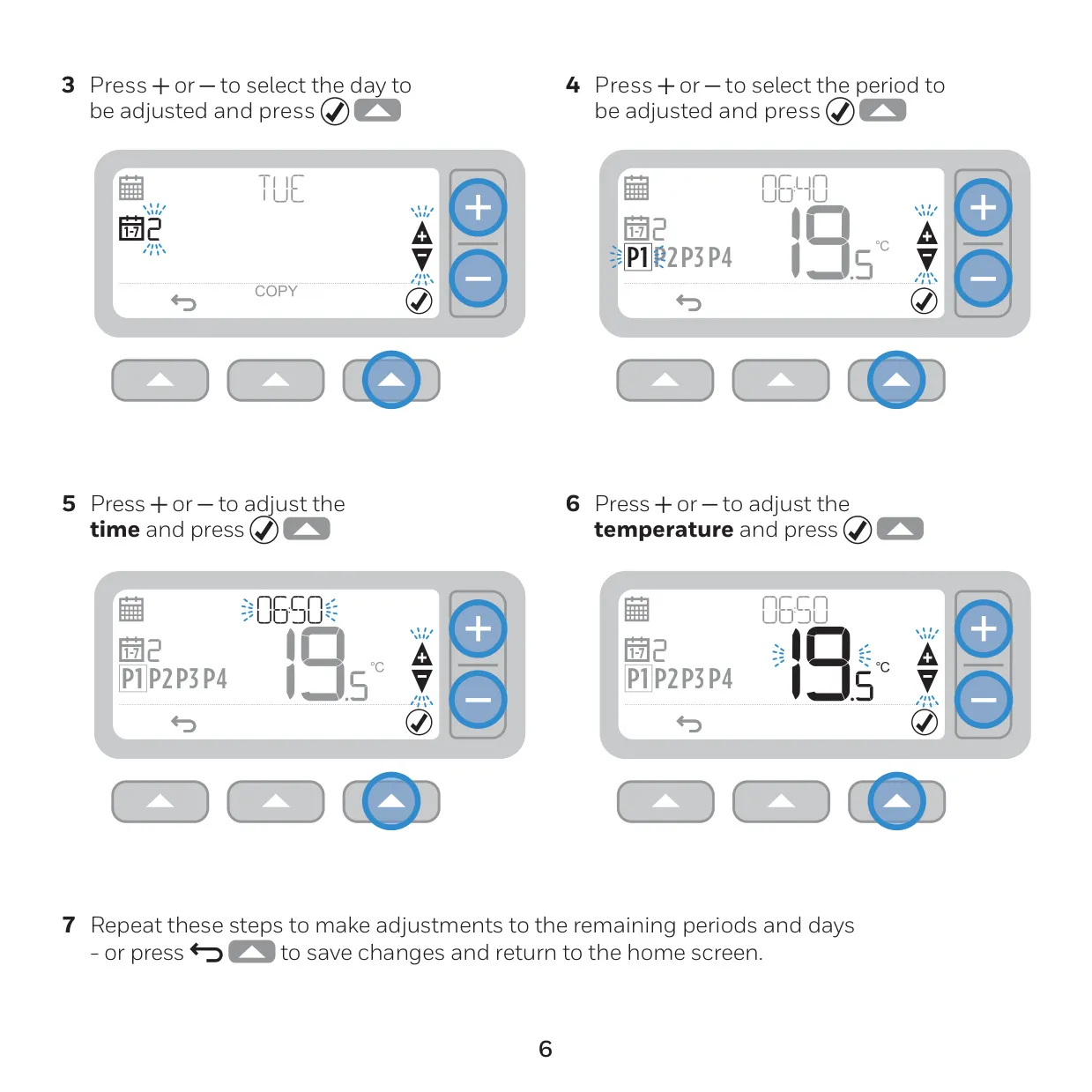
| Program Type | 5+2 or 7-day (daily) schedule, 4 time and temperature periods per day |
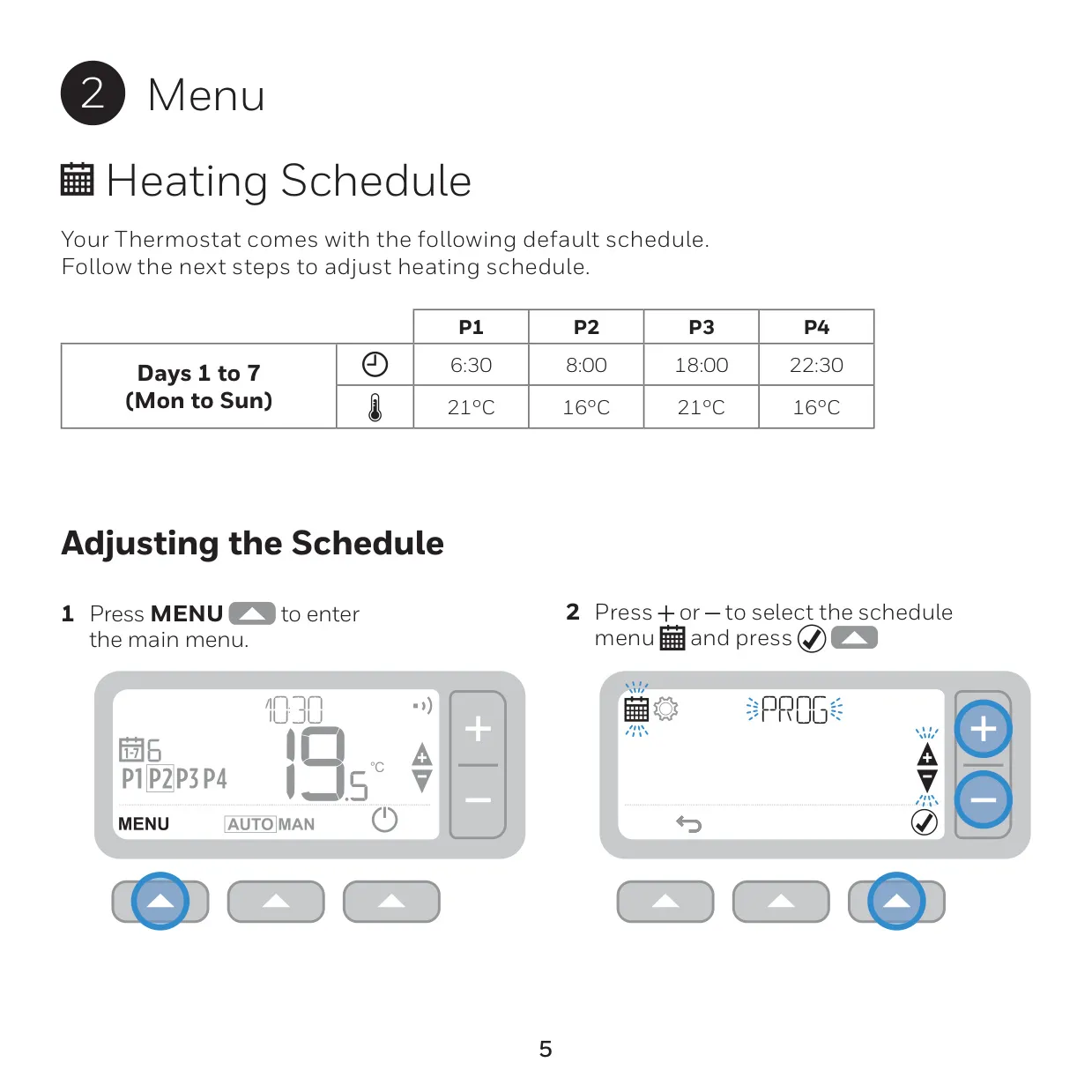
| Default Schedule | P1 6:30 21 °C, P2 8:00 16 °C, P3 18:00 21 °C, P4 22:30 16 °C (Mon–Sun) |
| Program Time Resolution | 10-minute steps |
| Time Display | 24-hour (default) or 12-hour AM/PM |
| Timekeeping Accuracy | ±10 minutes per year |
| Daylight Saving Time | Automatic change (enabled by default) |
| Cycle Rate | 3, 6, 9 or 12 cycles per hour (default 6) |
| Minimum ON Time | 1 to 5 minutes (default 1) |
| Thermostat Power Supply | 2 x 1.5 V LR6 AA alkaline batteries |
| Battery Life | Approximately 2 years (depending on use) |
| Low Battery Warning | At approximately 10% remaining power |
| Display | Fixed-segment display with backlight |
| Thermostat Dimensions (W x H x D) | 136 x 98 x 62 mm |
| Mounting Options | Table stand or wall mount |
| RF Operating Band | ISM 868.0–868.6 MHz, 1% duty cycle |
| Maximum RF Power | 25 mW |
| RF Protocol | Encrypted |
| Communication Range | 30 m in a residential building environment |
| Receiver Class | RX Cat 2 (ETSI EN 300 220-1) |
| Receiver Box Power | 230 VAC |
| Receiver Box Electrical Rating | 230 V~ or 24 V~, 50–60 Hz; 0.5–5 A resistive, 0.5–3 A inductive (0.6 pf) |
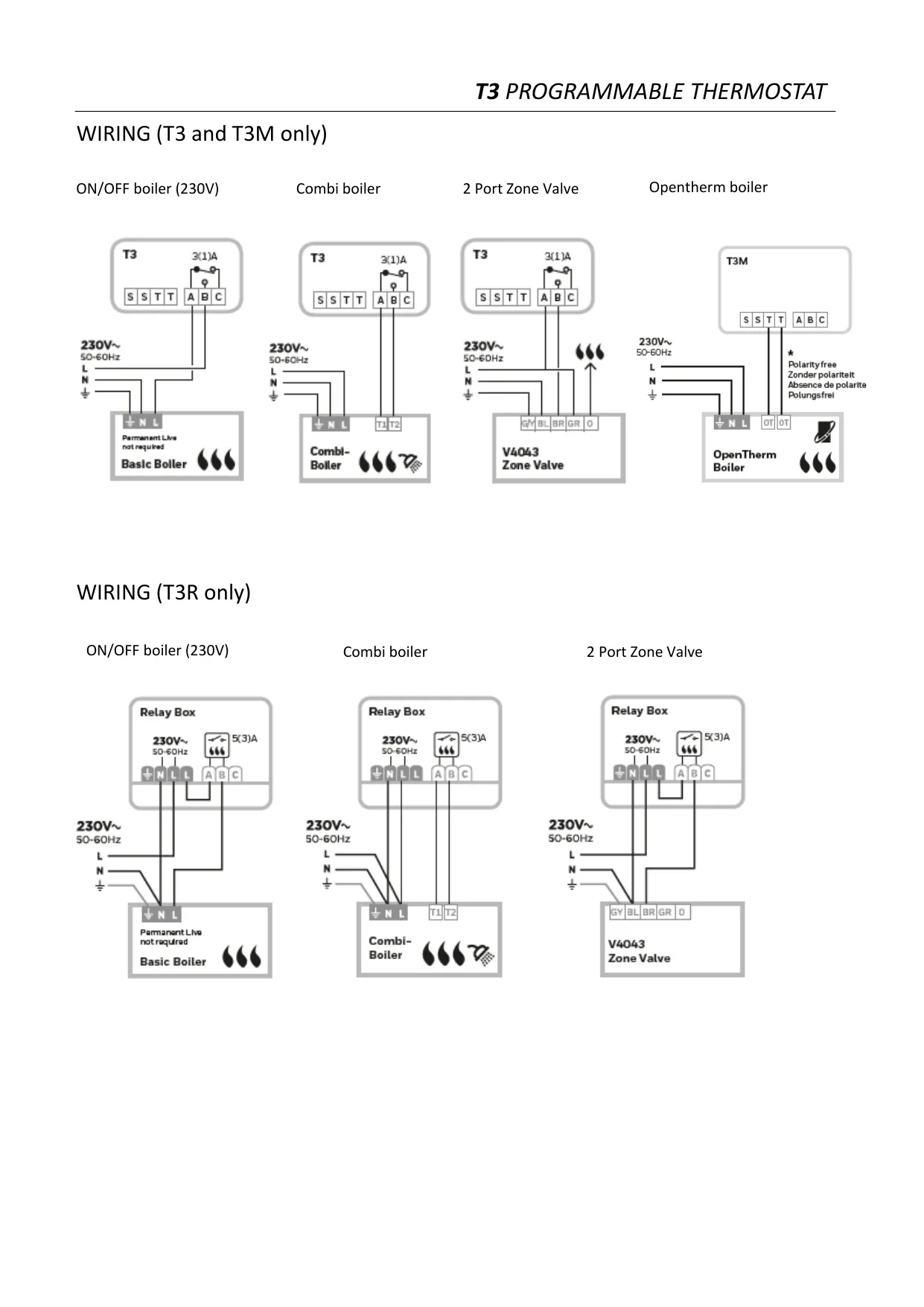
| Receiver Box Wiring | Terminal block for wires up to 1.5 mm²; mains wiring left, low voltage wiring right |
| Receiver Box Wire Access | From back via large wall box opening or from bottom with cable clamps |
| Receiver Box Dimensions (W x H x D) | 110 x 110 x 40 mm |
| Receiver Box IP Class | IP30 |
| Operating Temperature | 0 °C to 40 °C |
| Shipping and Storage Temperature | -20 °C to 55 °C |
| Humidity Range | 10 to 90% RH, non-condensing |
| ErP Class | Class V (+3%), (EU) 811/2013 |
| Standards | EMC 2014/30/EU, LVD 2014/35/EU, RED 2014/53/EU |
| Country of Origin | UK |
Honeywell T3R Thermostat Details
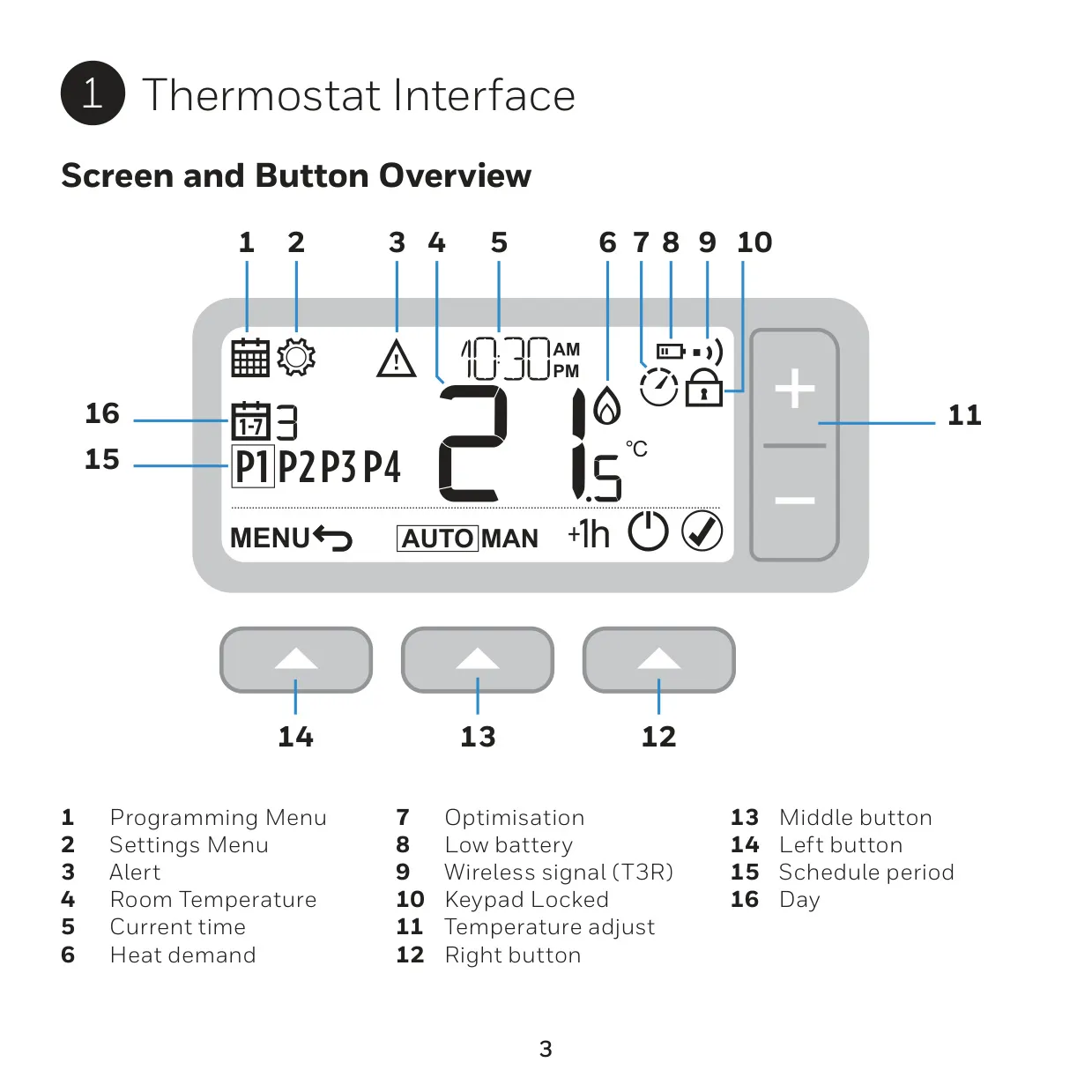
The Honeywell T3R is the wireless member of the Honeywell Home T3 family. It is made up of two units: a battery-powered thermostat and a Receiver Box wired to the boiler. The kit comes pre-bound from the factory, so the two parts are ready to talk to each other. A wireless signal icon on the thermostat shows a good connection, and the Receiver Box LED glows solid green. If the signal is lost, the icon flashes and the LED flashes red.
The Receiver Box has a manual override button. You can use it to switch the boiler on or off if the thermostat loses communication or stops working. When the boiler is on, the button LED is solid green. When the boiler is off, the LED is off. Leave at least 3 seconds between button presses. Do not press the small reset pinhole, because it erases the binding data. Install the box near the boiler, at least 30 cm away from metal objects such as wall boxes or the boiler housing.
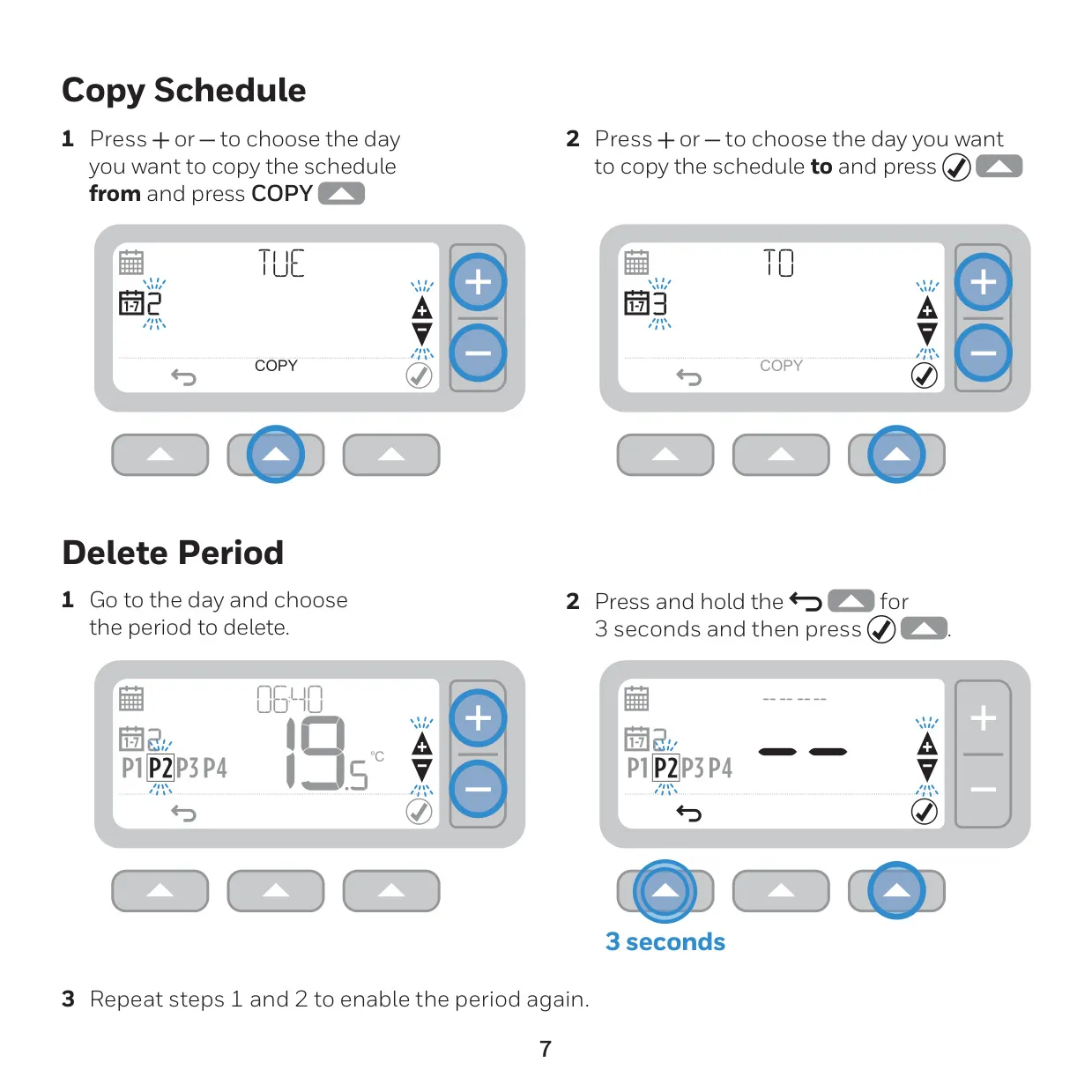
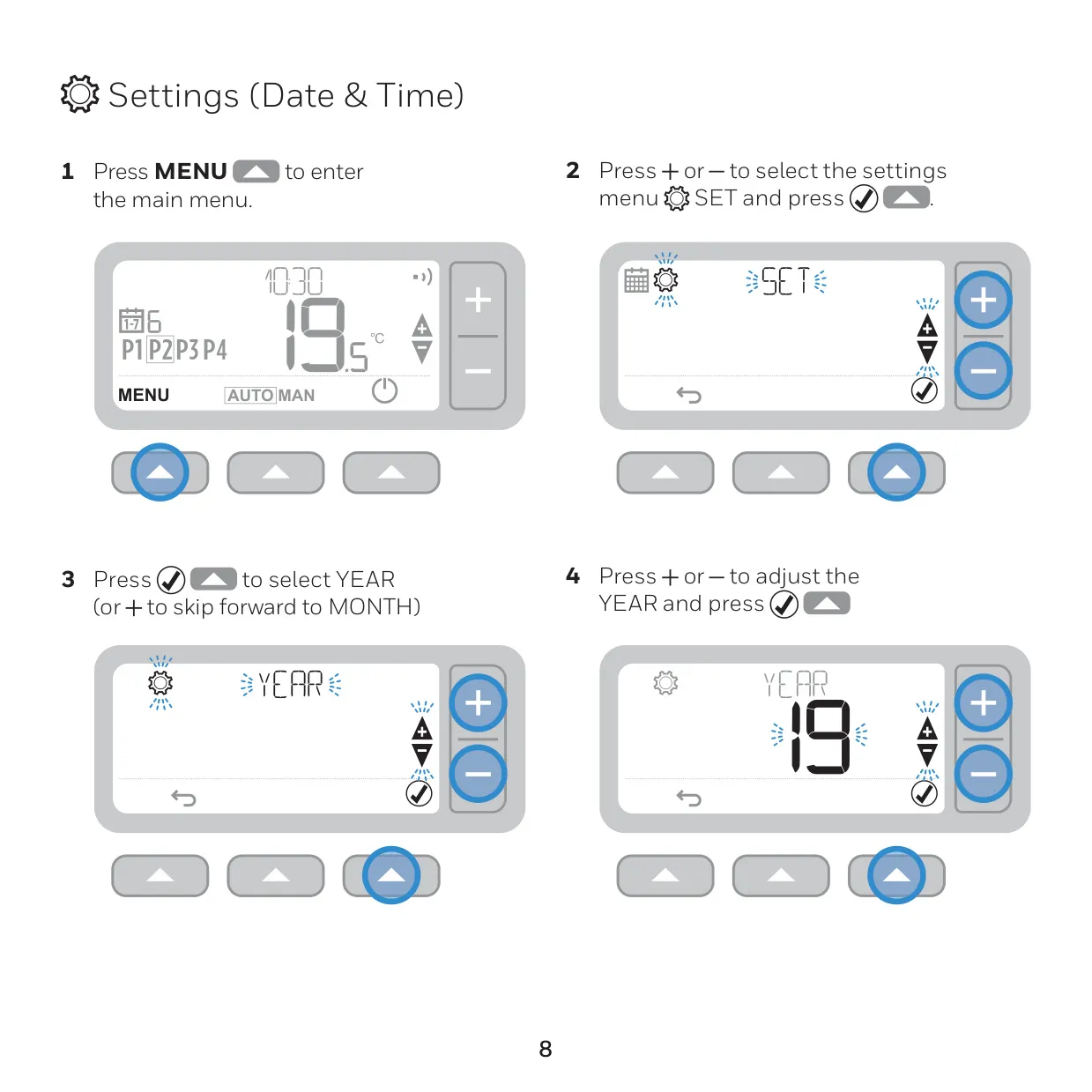
Programming happens through a simple menu with Left, Middle and Right buttons. You can change the time and temperature of each period for each day. The Copy Schedule function copies one day's settings to another day. To turn off a period you don't need, press and hold the confirm button for 3 seconds. Repeat the same steps to turn it back on. The date and time are set step by step: year, month, day, hour and minute.
There are several ways to override the schedule. A temporary override changes the setpoint until the next programmed period starts. The +1hr timed override holds a target temperature for one hour, and pressing the button again cancels it. In Manual mode, the thermostat holds one fixed setpoint until you change it. Standby mode turns heating off, for example in summer. Frost protection still turns the heating on if the room drops to 5 °C.
The installer can enable optimisation to save energy. Optimum Start learns how long your home takes to warm up and starts heating early so the room reaches the set temperature on time. Delayed Start starts heating a little later when the room is already close to the setpoint. Optimum Stop turns heating off slightly before the programmed time. When any of these is running, an optimisation icon appears on the screen.
The keypad lock is turned on or off by holding the Left and Right buttons together for 5 seconds. The installer chooses whether the lock is partial or full. In fail-safe mode, if the radio link is lost, the thermostat runs the heating at 20% on and 80% off. The battery icon only appears when the batteries are low. It flashes along with an alert symbol when the batteries are critically low and must be replaced right away.
If the thermostat or the Receiver Box is replaced, you need to bind them again. First, reset the Receiver Box with the pinhole. Then hold its button for 3 seconds until the LED flashes amber. On the thermostat, enter the binding menu and set parameter 14A to 1. If binding works, the signal icon appears and the LED turns steady green. Binding mode times out after 3 minutes.
Frequently Asked Questions (FAQs)
Can't find the answer you need? Here are some frequently asked questions about the Honeywell T3R Thermostat, and we answer them below.