Garmin Striker 4 Fishfinder Instruction Manual

Garmin Striker 4 Fishfinder












Garmin Striker 4 Fishfinder Instructions
Here we offer the Garmin Striker 4 Fishfinder manual completely free and in English. We have cataloged this manual in the Fishfinders section on Manualverse, and it has been rated by 1 users with an average rating of 5. If you have any specific questions about Garmin Striker 4 Fishfinder, we suggest checking the Frequently Asked Questions (FAQs) section of this manual.
Product Images


Garmin Striker 4 Fishfinder Specifications
| Feature | Specification |
|---|---|
| Product Series | Garmin STRIKER Series |
| Model | STRIKER 4 (4 in. model) |
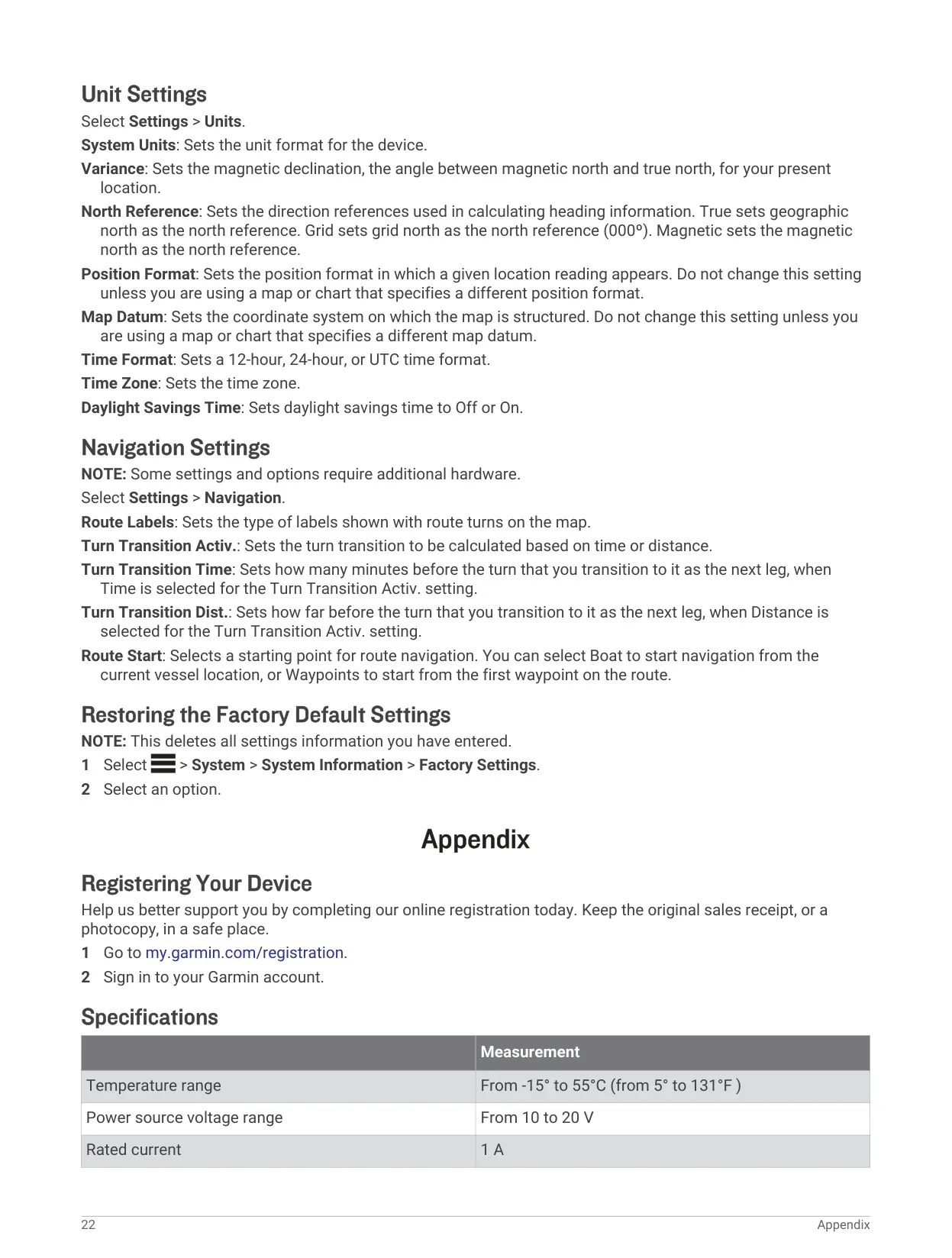
| Operating Temperature Range | From -15° to 55°C (from 5° to 131°F) |
| Power Source Voltage Range | From 10 to 20 V |
| Minimum Operating Voltage | 10 Vdc (device will not turn on below this value) |
| Recommended Supply Voltage | 12 Vdc |
| Rated Current | 1 A |
| Power Cable Fuse | Inline fuse holder on the red wire of the power cable |
| GPS | Built-in GPS receiver with satellite signal indicator |
| Compatible Transducers | Garmin ClearVü transducer and Garmin GT accessory transducers |
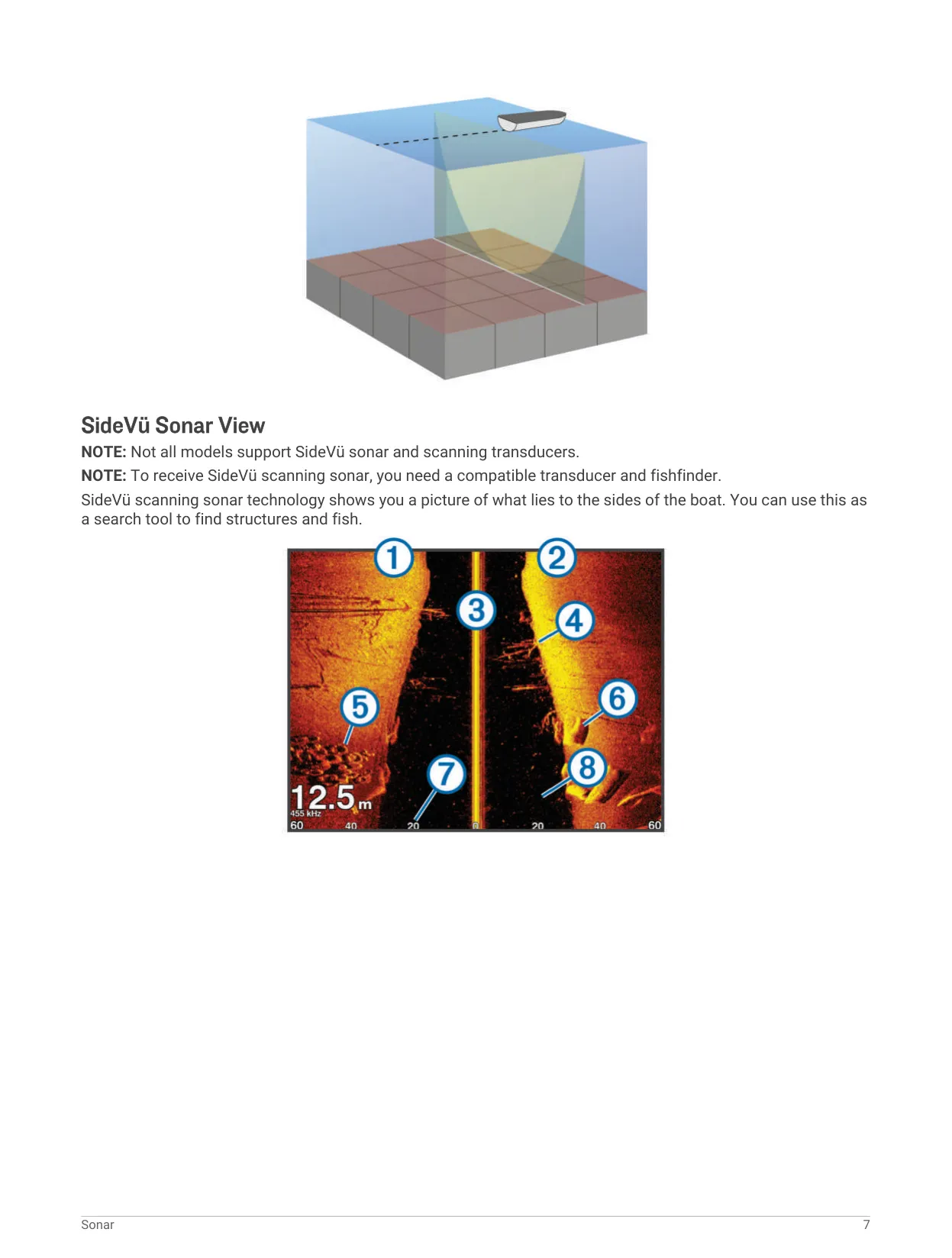
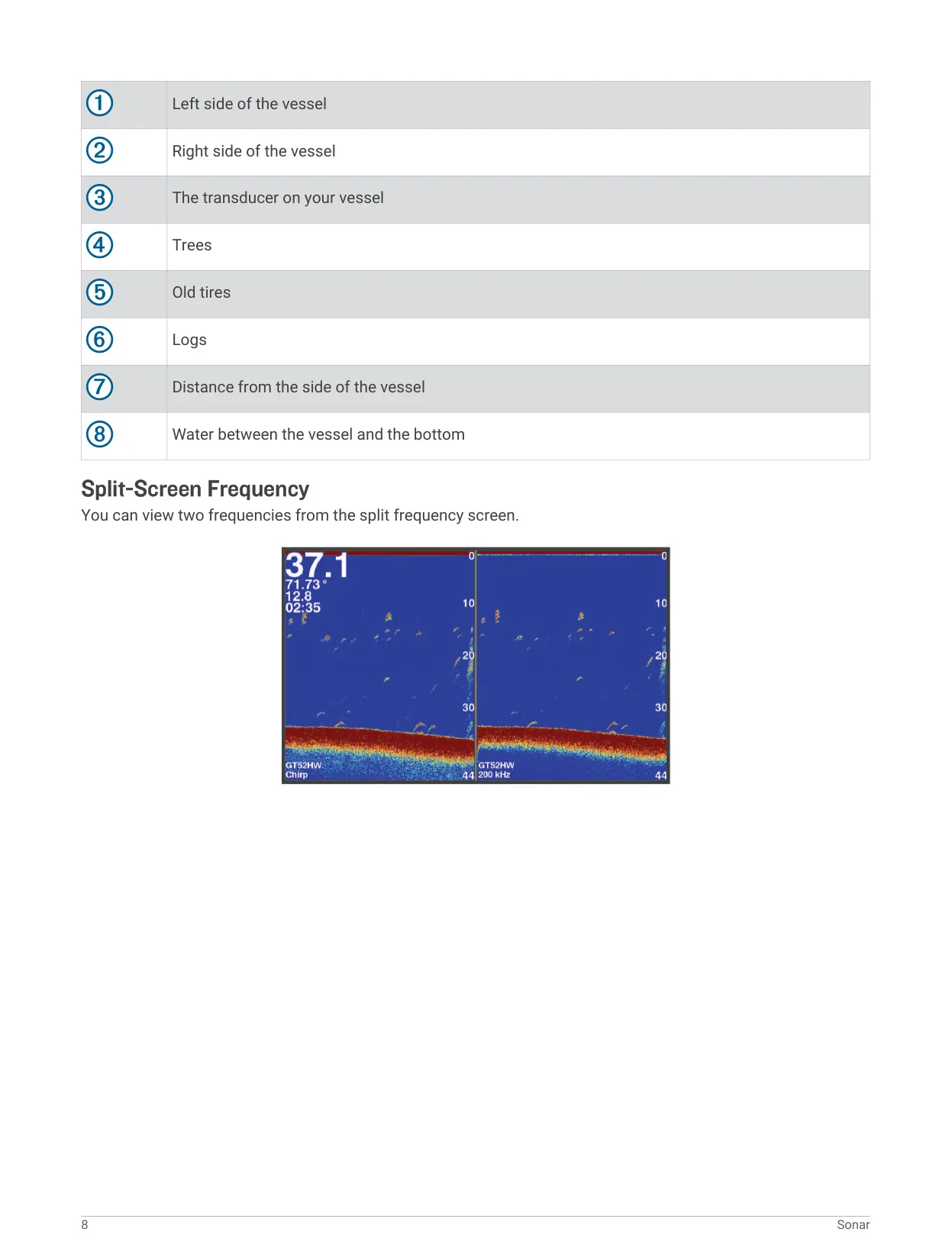
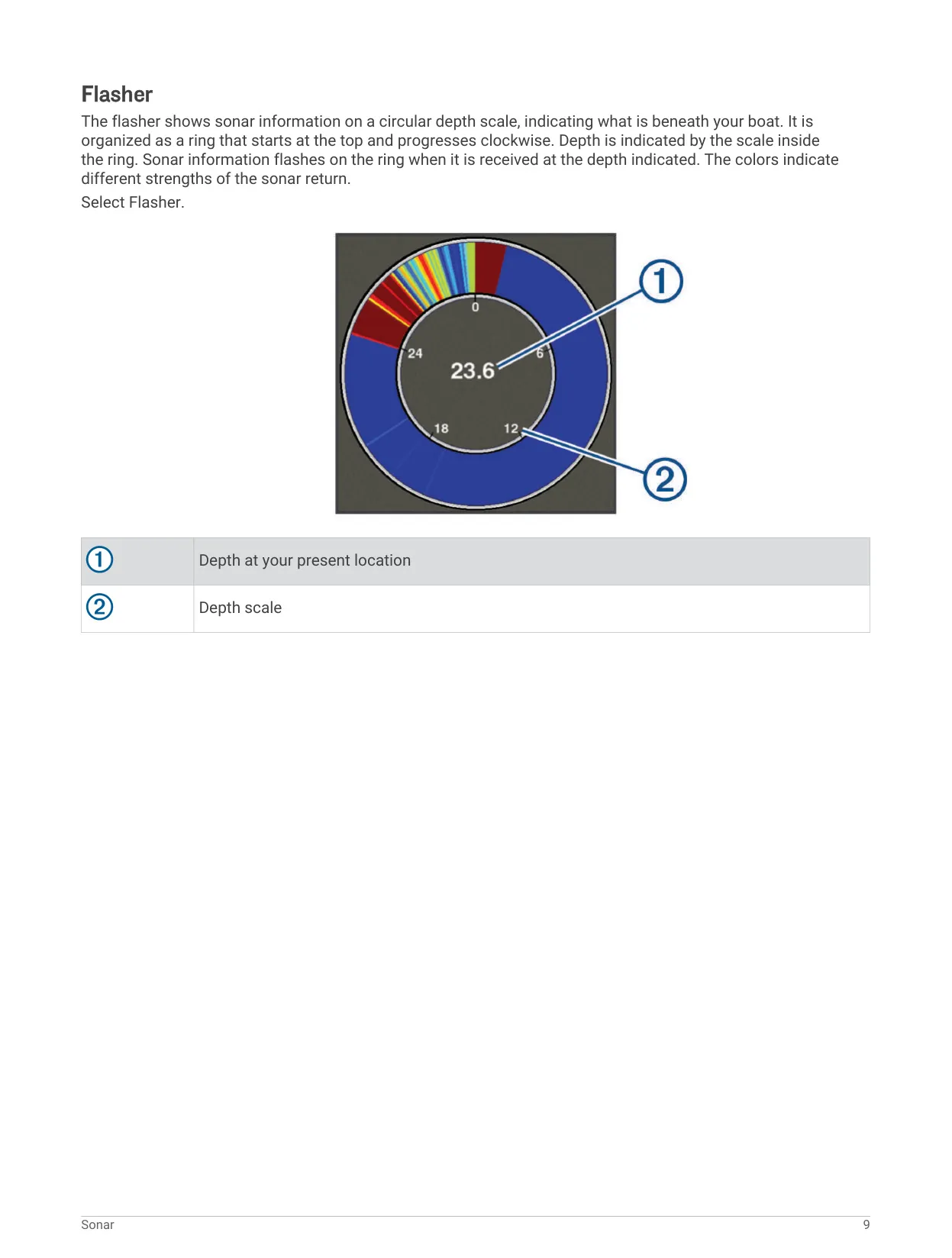
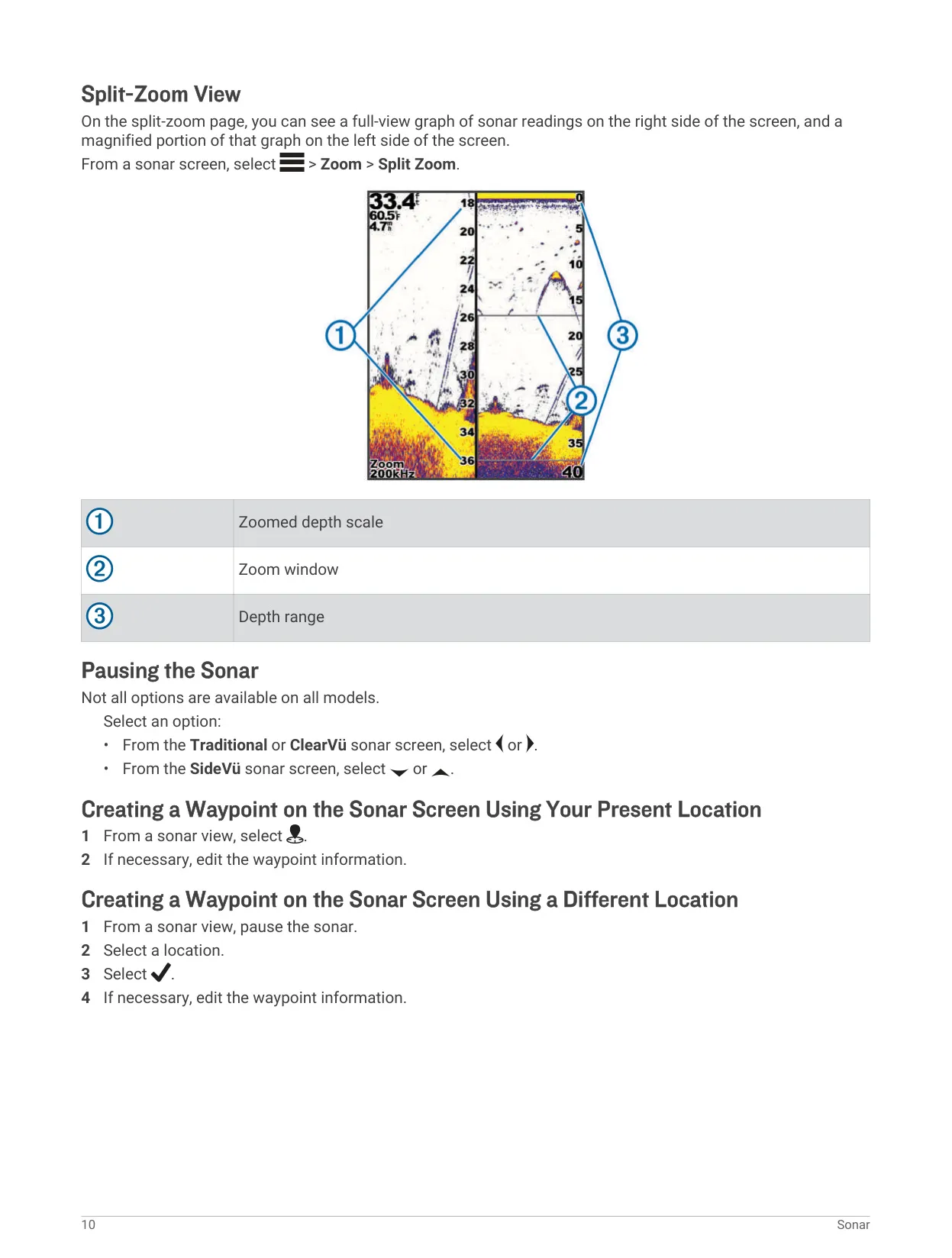
| Sonar Views | Traditional, Garmin ClearVü, Split-Screen Frequency, Flasher, Split-Zoom |
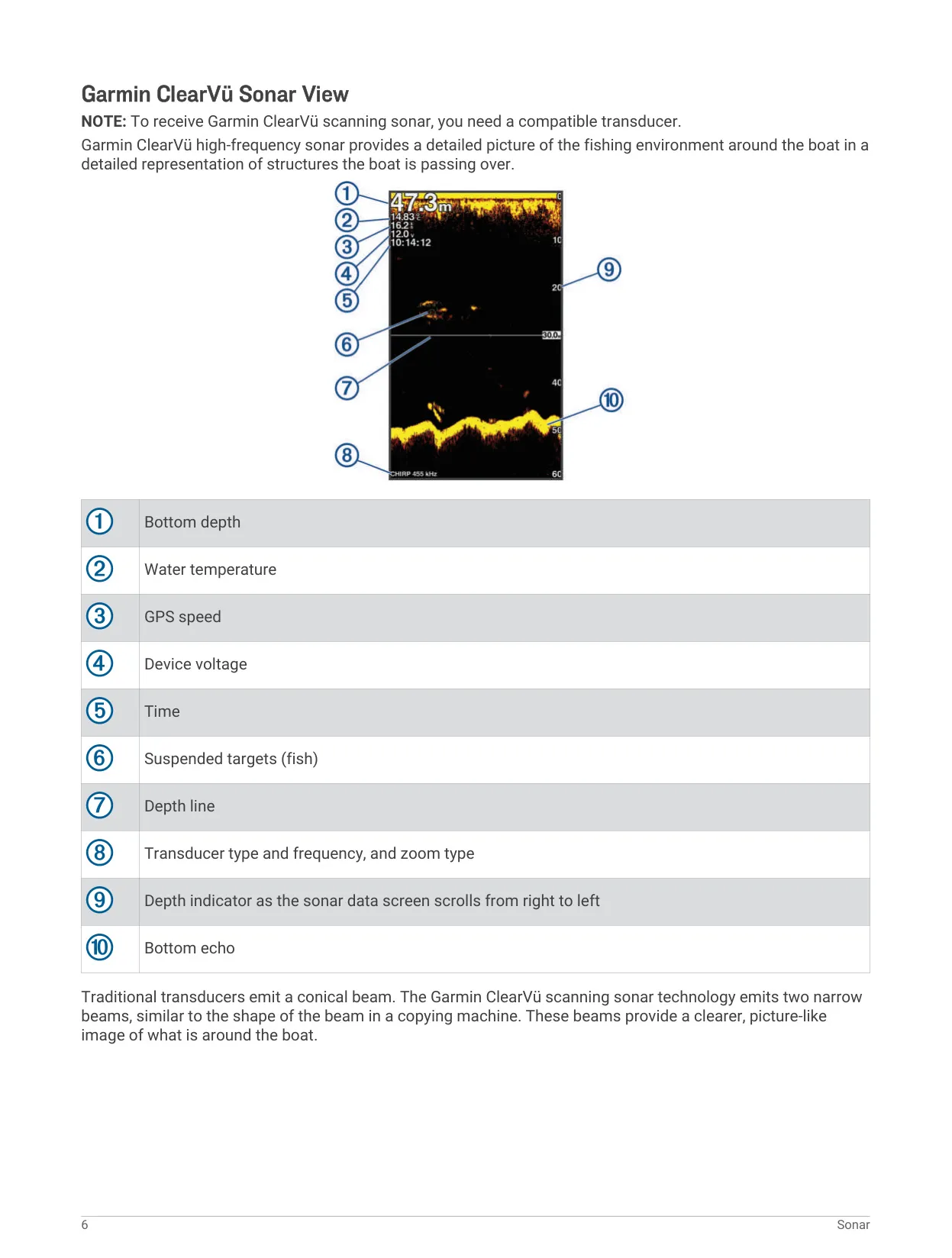
| ClearVü Beam Type | Two narrow high-frequency beams |
| Traditional Beam Type | Conical beam |
| Zoom Modes | Bottom Lock, Manual, Auto, Split Zoom |
| Auto Gain Modes | Auto High, Auto Med, Auto Low |
| Scroll Speed Options | Auto (speed-over-ground), Fast, Ultrascroll, and manual rates |
| Interference Rejection Levels | Off, Low, Medium, High |
| Additional Noise Controls | Surface Noise, TVG |
| Water Temperature Alarm Threshold | Variation greater than ± 2°F (± 1.1°C) |
| Fish Alarm Sensitivity | All sizes, medium and large, large only |
| Data Sharing Wiring | Blue wire Tx (Transmit), brown wire Rx (Receive) |
| Data Sharing Compatibility | Compatible STRIKER and echoMAP series devices |
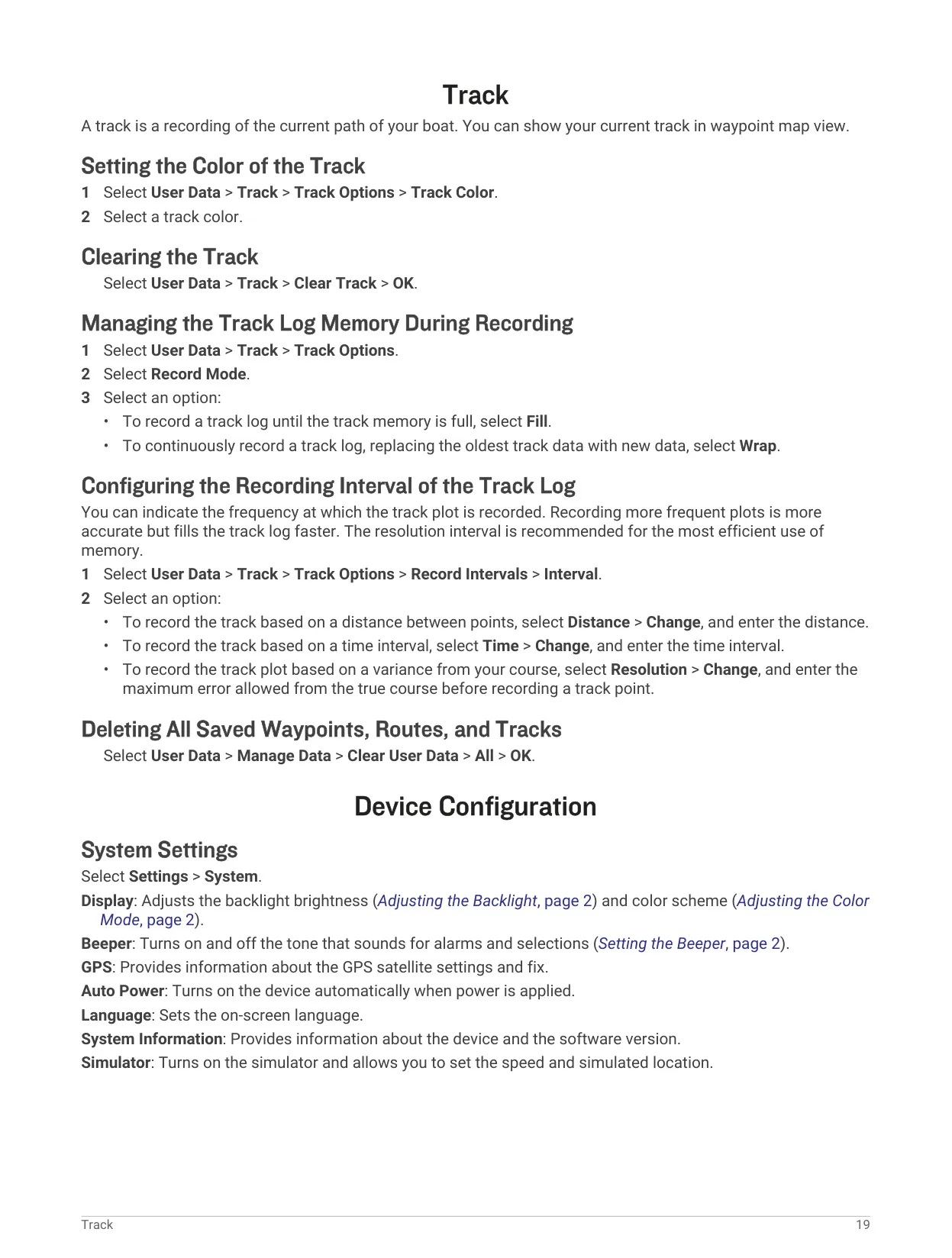
| Track Record Modes | Fill, Wrap |
| Track Recording Intervals | Distance, Time, Resolution |
| Time Formats | 12-hour, 24-hour, UTC |
| North Reference Options | True, Grid, Magnetic |
| Beeper Modes | On (Selections and Alarms), Alarms Only |
Garmin Striker 4 Fishfinder Details
The Garmin Striker 4 is controlled with a simple set of keys. You use them to go back to earlier screens, return home, move the cursor, open option menus and confirm selections. The power key also changes the backlight and color mode and turns the sonar on or off. A dedicated key saves your current position as a waypoint. Garmin warns that the connectors must be pressed firmly into the device. A loose cable can make the unit seem to lose power.
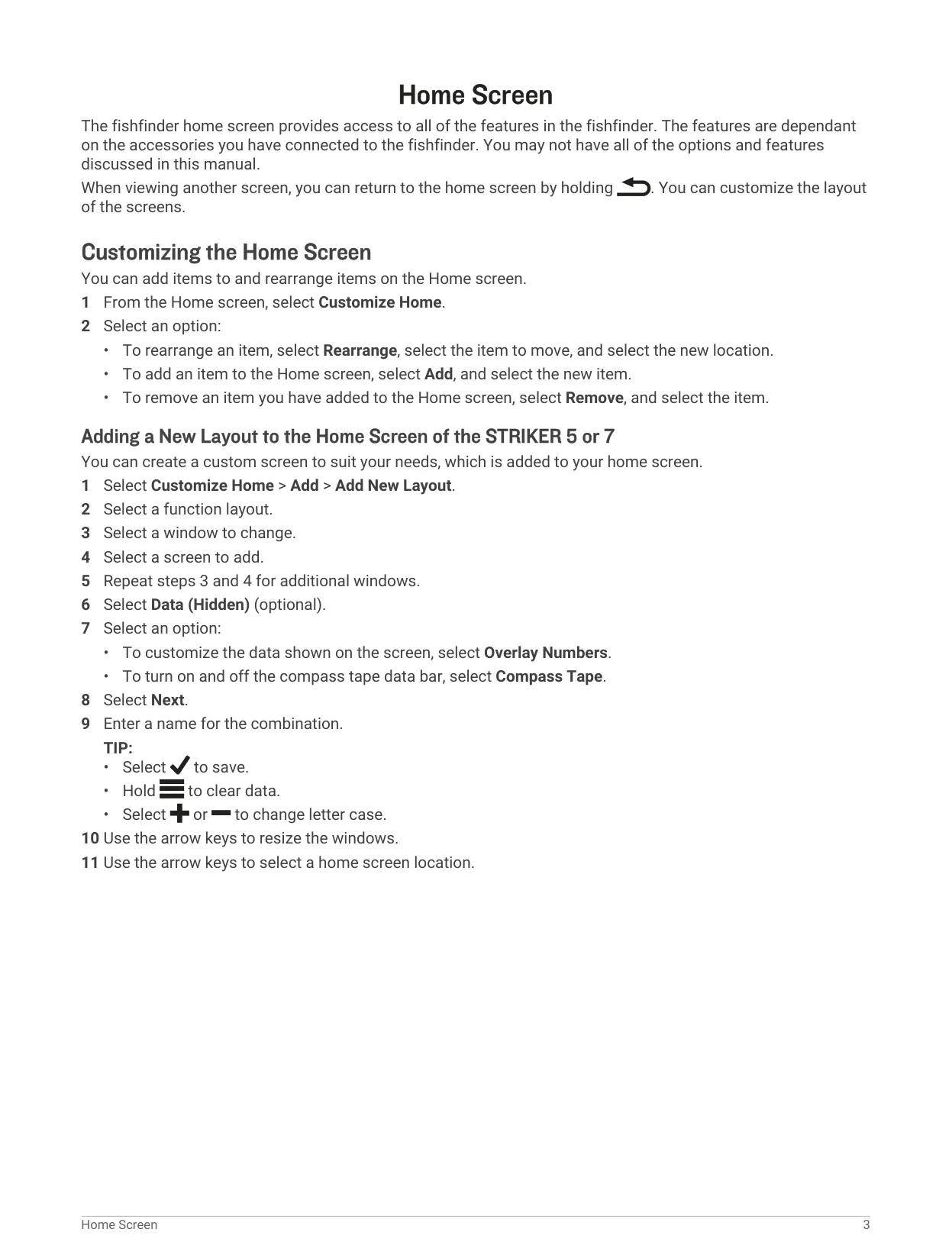
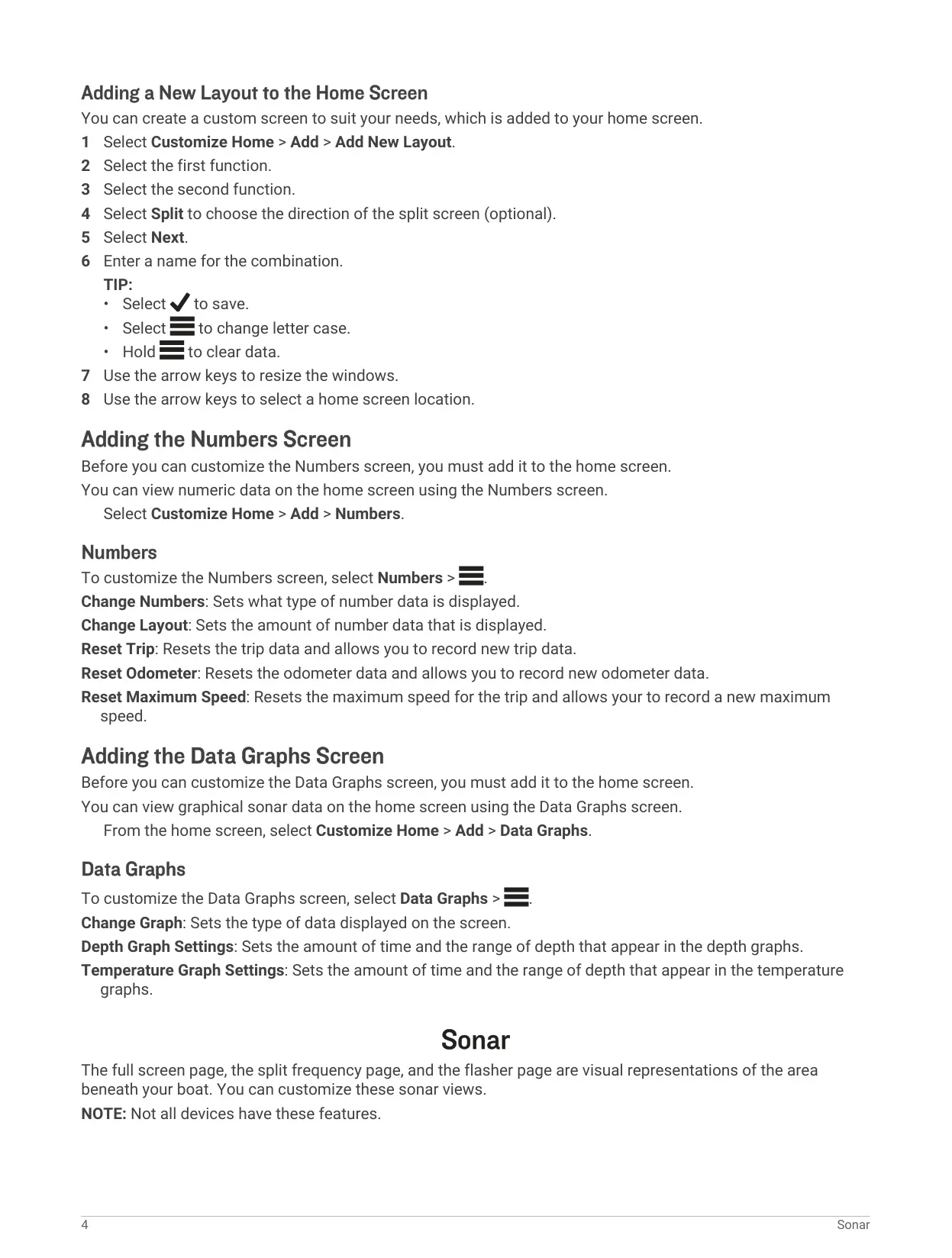
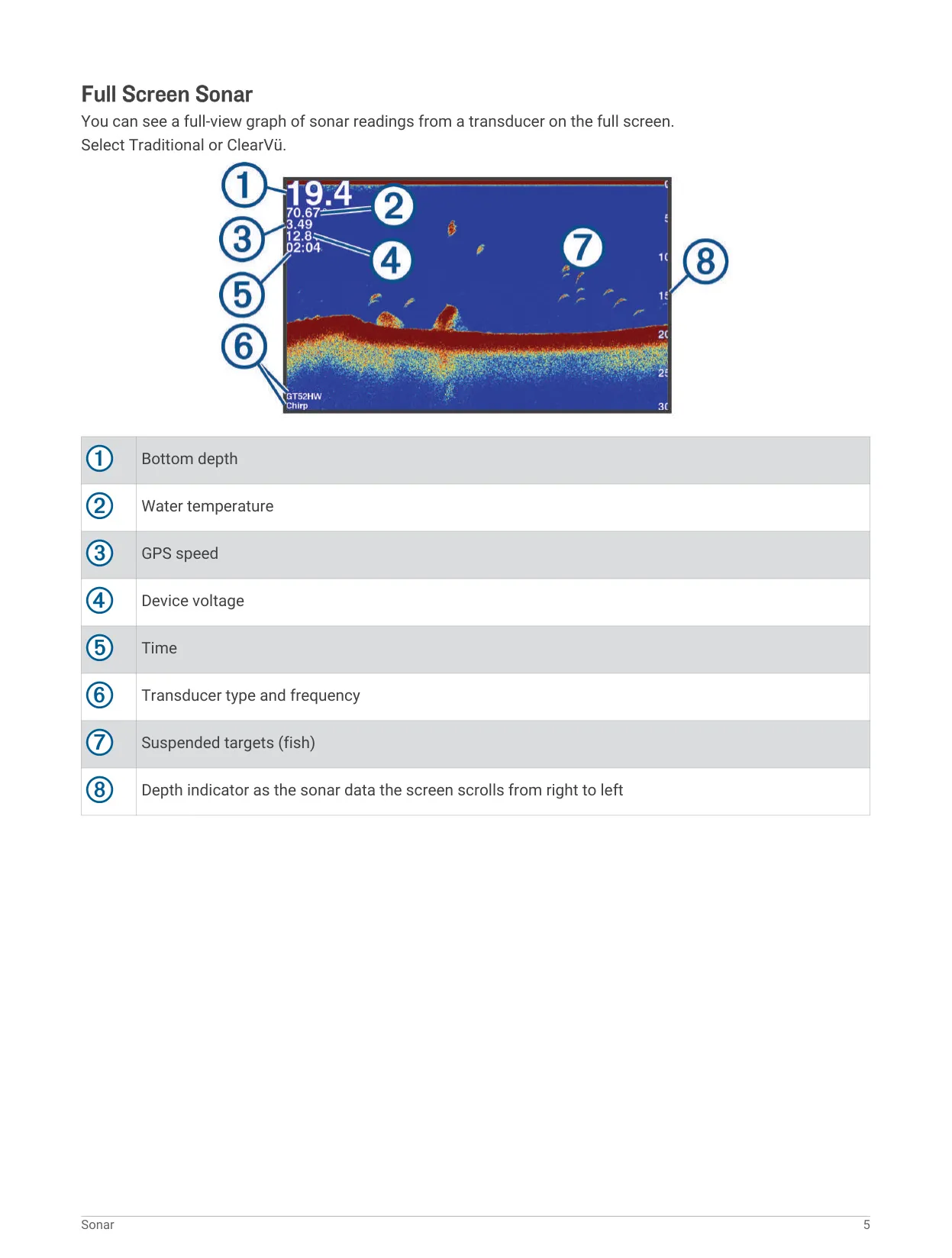
The home screen can be customized. You can rearrange, add or remove items, and build split-screen layouts that combine two functions. The Numbers screen shows numeric data and can reset the trip, odometer and maximum speed. The Data Graphs screen shows depth and temperature history over a time span and depth range you choose. On sonar screens, overlay numbers can show depth, speed, water temperature, device voltage, time of day, a compass tape and a navigation inset.
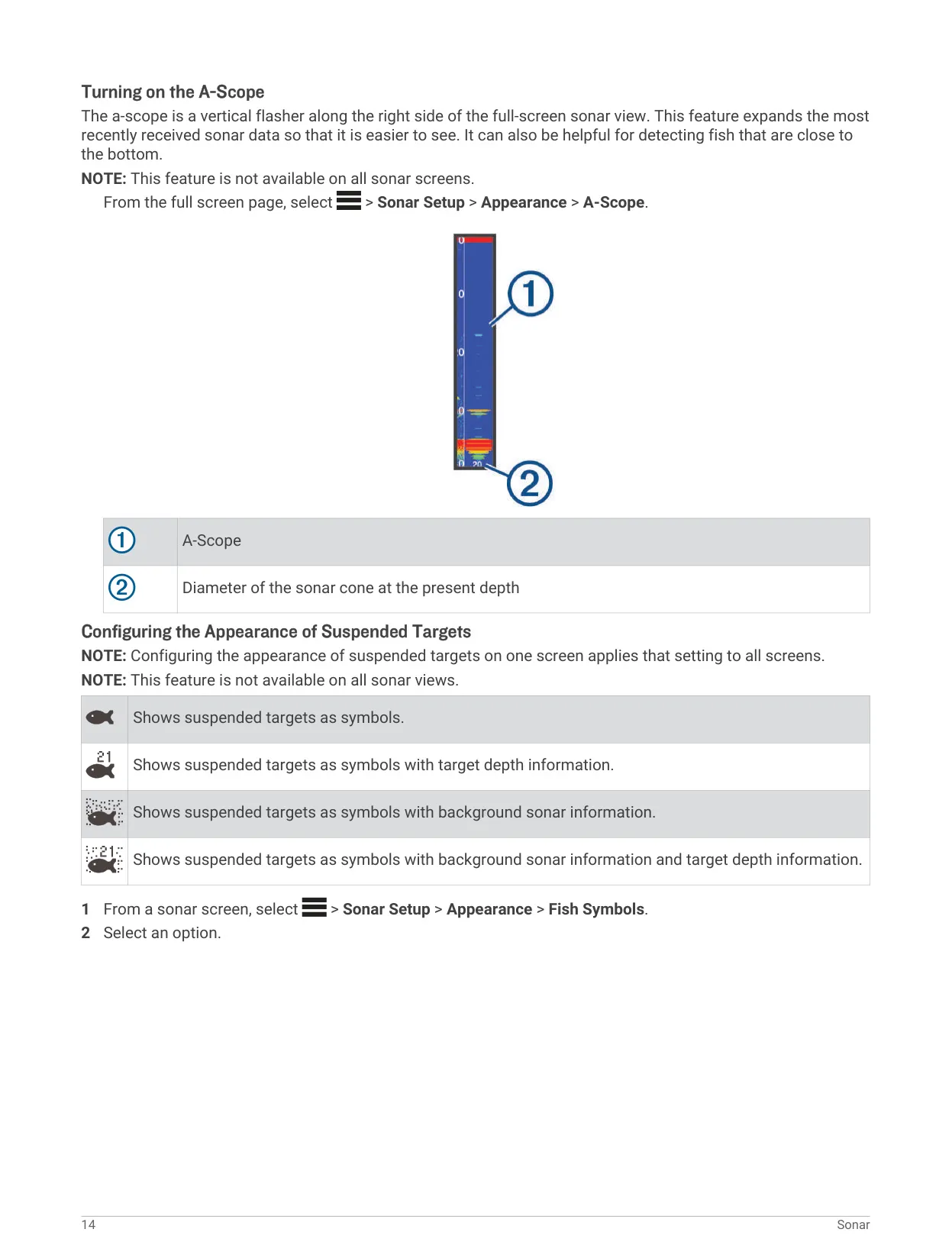
The sonar has several tools for reading targets. The A-Scope is a vertical flasher on the right side of the full-screen view. It enlarges the most recent returns, which helps you find fish holding close to the bottom. The Edge setting highlights the strongest bottom return so you can judge whether the bottom is hard or soft. Fish Symbols can show suspended targets as icons, with or without depth labels and background sonar data. You can also add a depth line and set a bottom search limit.
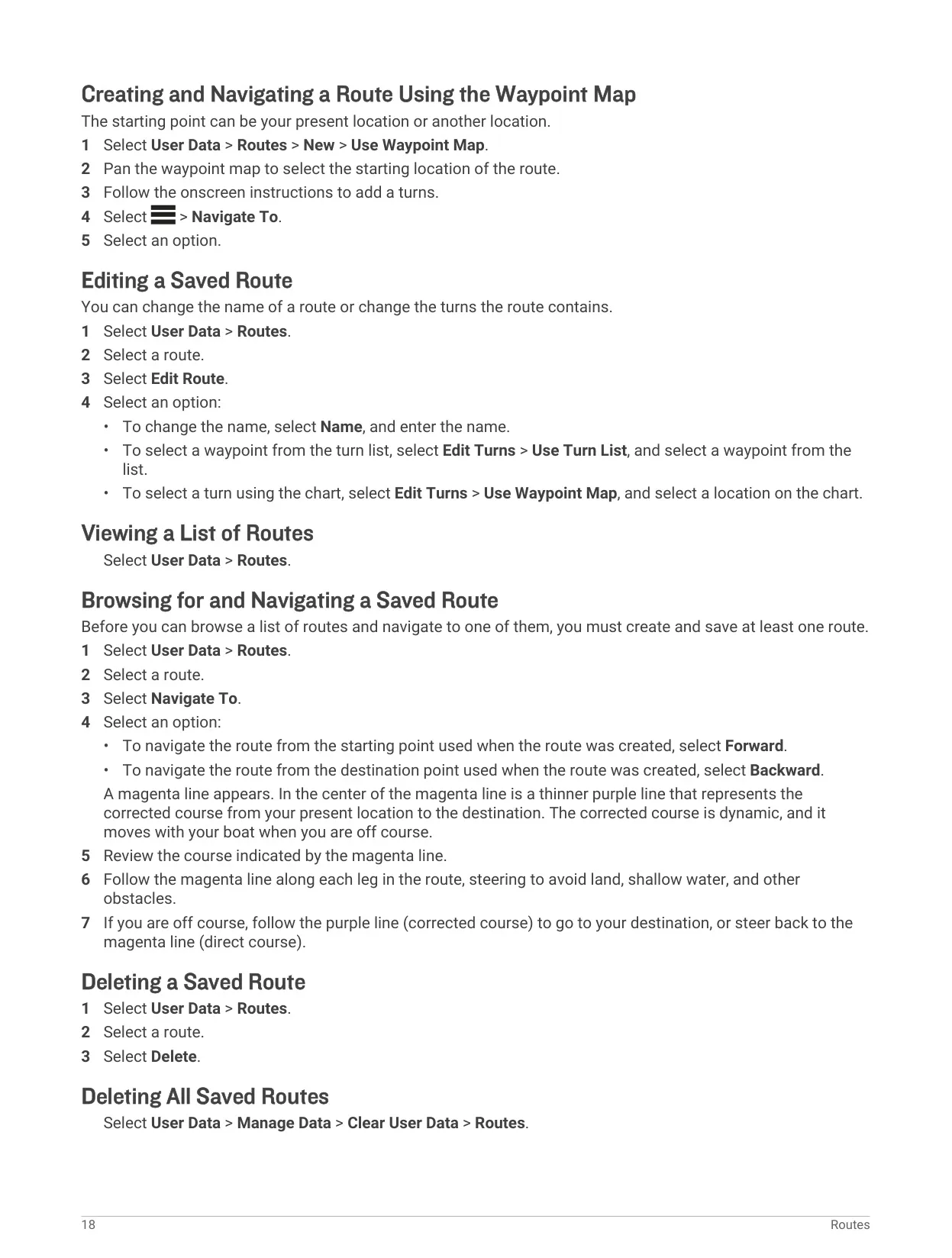
The navigation tools are useful for a compact unit. You can create waypoints by entering coordinates, picking a spot on the waypoint map or using your current position. Each waypoint can store a name, symbol, depth, water temperature and comment. The Man Overboard function marks your position and sets a direct course back to it. Routes can be followed forward or backward. A magenta line shows the direct course, and a thinner purple line shows a corrected course that updates as the boat drifts.
The Keel Offset lets the display show depth below the keel or total water depth instead of depth below the transducer. Enter a positive value if the transducer is at the waterline. Enter a negative value if it is mounted at the bottom of the keel. The Temp. Offset corrects the transducer's temperature reading. You calculate it by comparing the transducer's reading with a thermometer you know is accurate.
Alarms cover navigation, system and sonar events. Navigation alarms include arrival, anchor drag and off-course warnings. System alarms include an alarm clock, low device voltage and GPS accuracy. Sonar alarms warn you about shallow water, deep water, water temperature changes and detected fish. The system menu also has Auto Power, which turns the unit on when power is applied. It also has a Simulator for practice, an event log, language selection and a factory reset option.
The troubleshooting section lists simple checks. If the unit does not turn on, check that the cable is fully seated, that the power source works and that the fuse is good. A good fuse reads 0 ohm on a multimeter. If waypoints appear in the wrong place, the map datum and position format may not match the source the coordinates came from. Change both under Settings > Units, then create the waypoint again.
Frequently Asked Questions (FAQs)
Can't find the answer you need? Here are some frequently asked questions about the Garmin Striker 4 Fishfinder, and we answer them below.