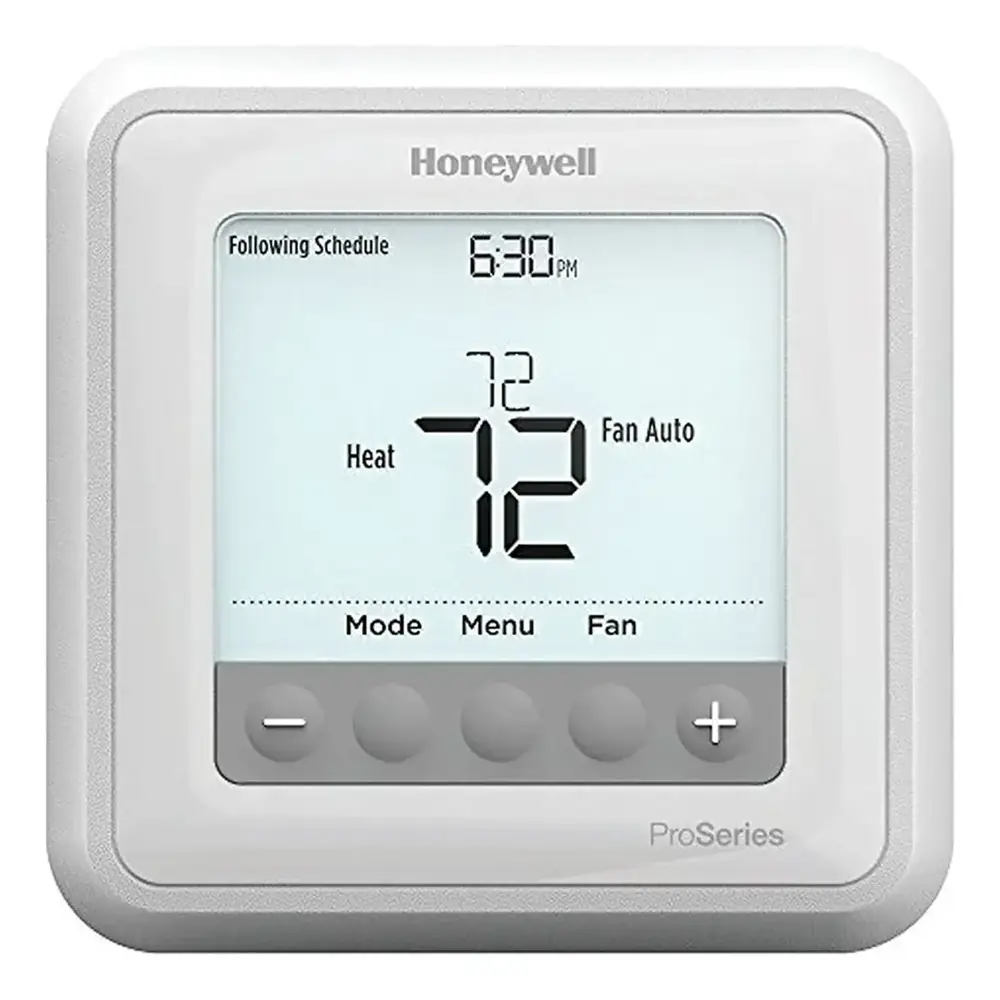
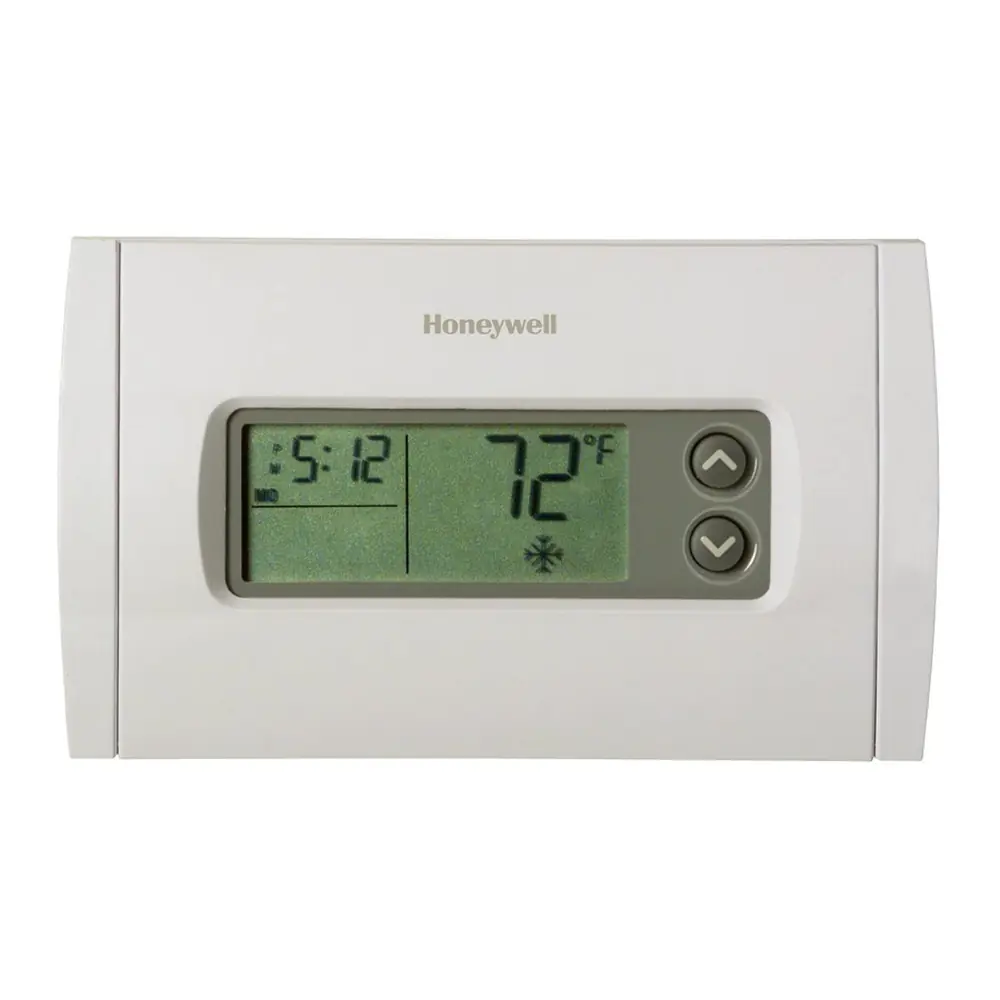
Honeywell RTH6360D1002 T3 Thermostat Instruction Manual
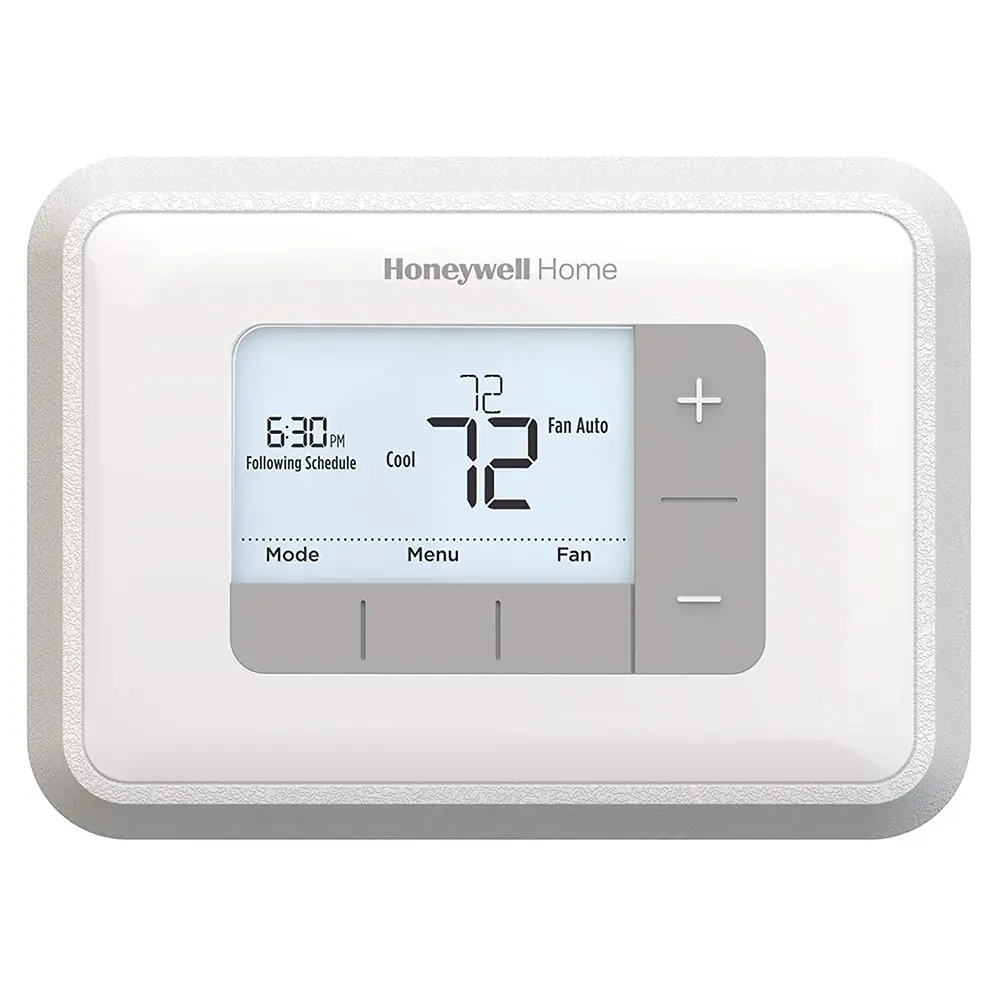
Honeywell RTH6360D1002 T3 Thermostat

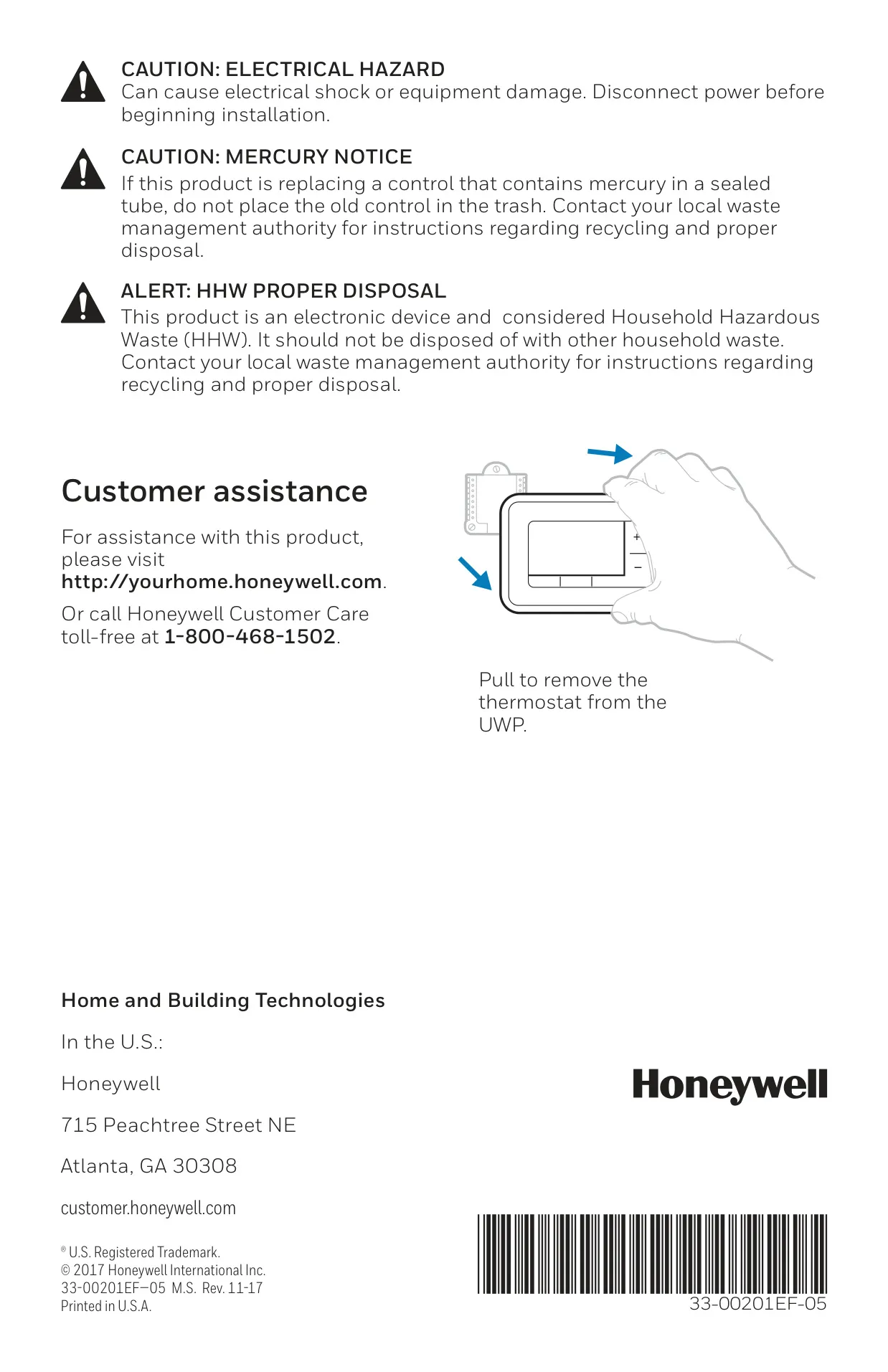


Honeywell RTH6360D1002 Instructions
Here we offer the Honeywell RTH6360D1002 T3 Thermostat manual completely free and in English. We have cataloged this manual in the Thermostats section on Manualverse, and it has been rated by 1 users with an average rating of 5. If you have any specific questions about Honeywell RTH6360D1002 T3 Thermostat, we suggest checking the Frequently Asked Questions (FAQs) section of this manual.
Product Images
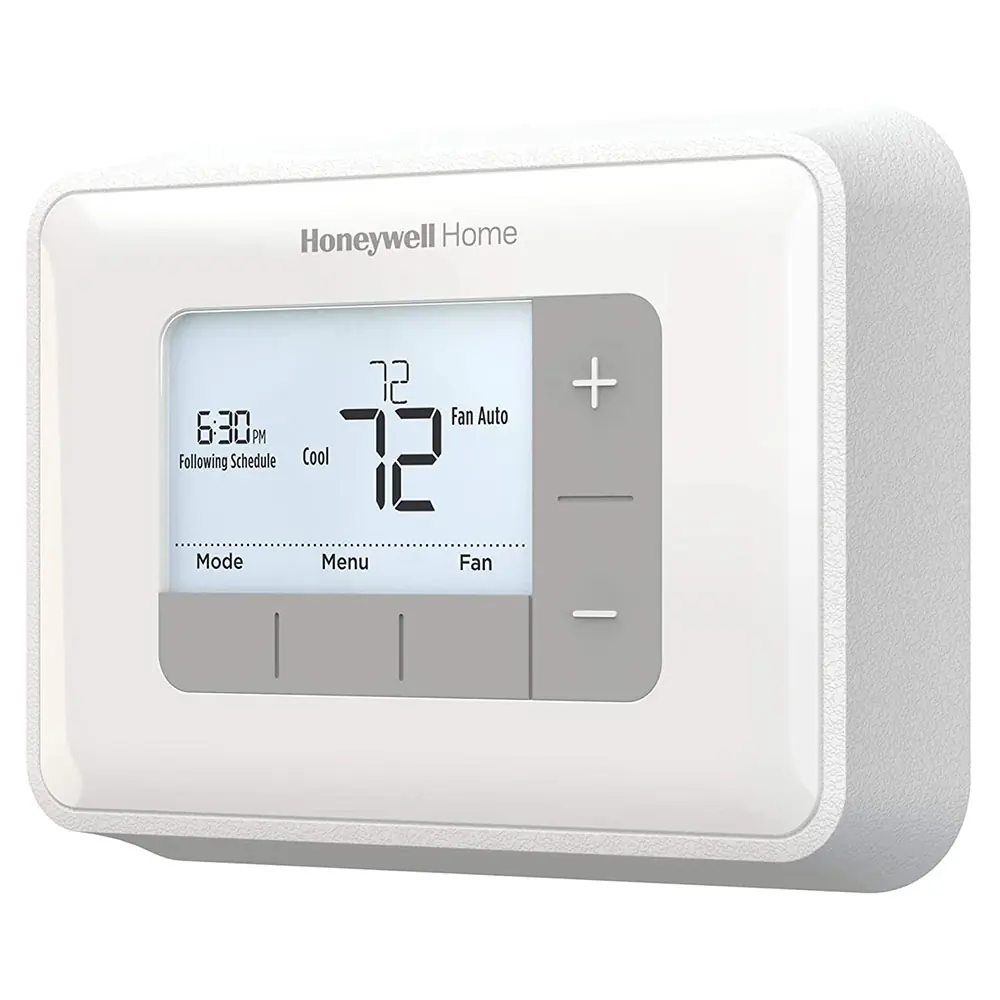
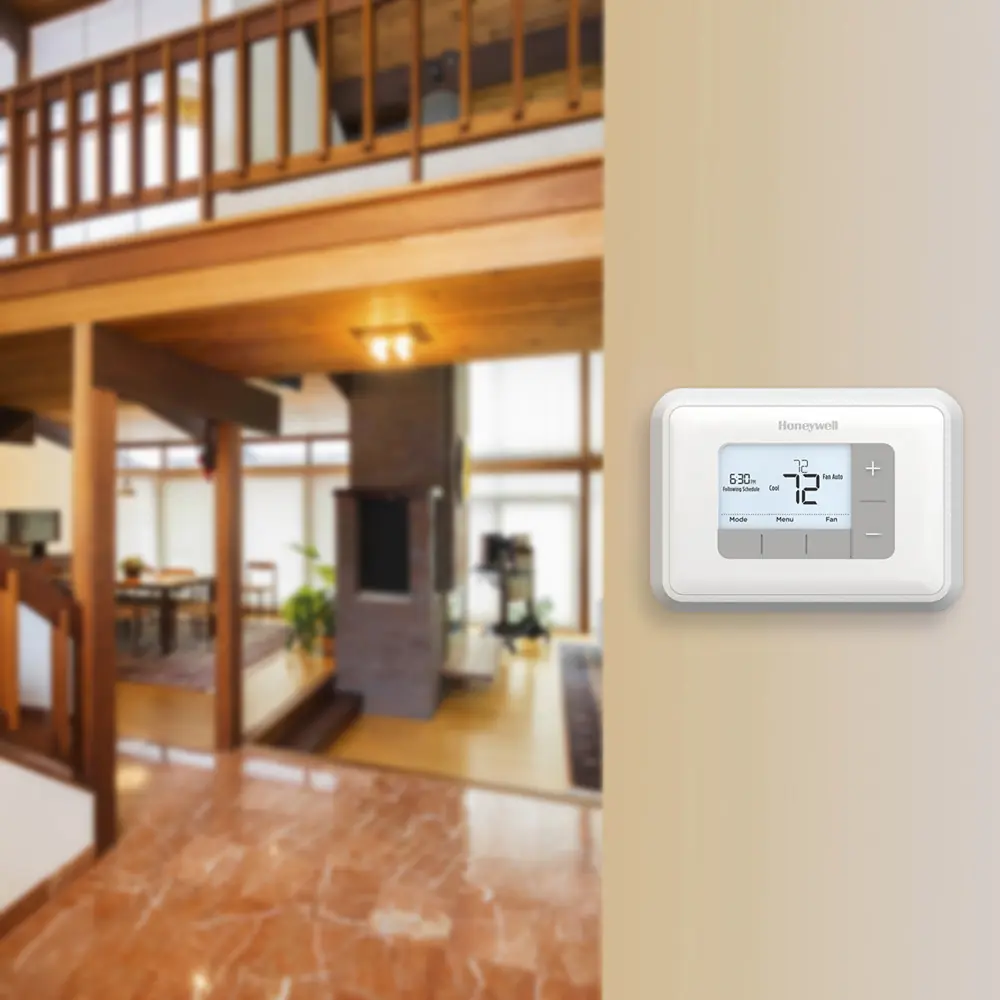
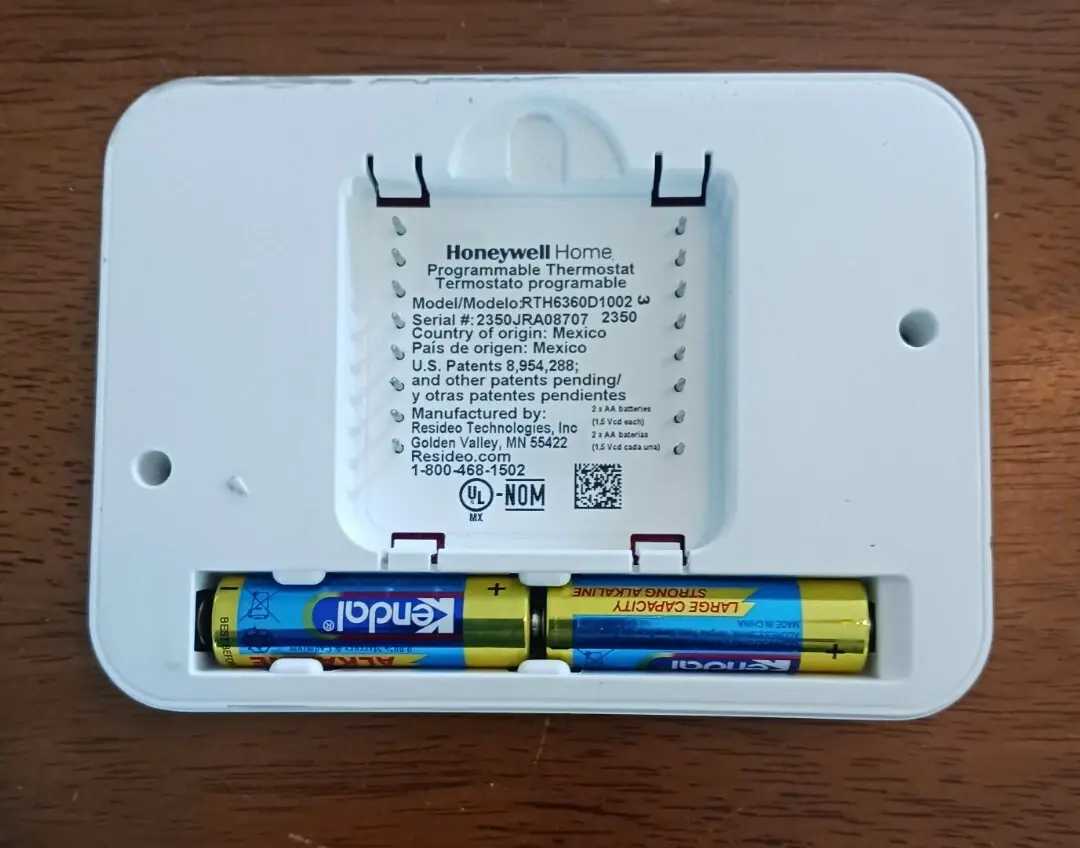
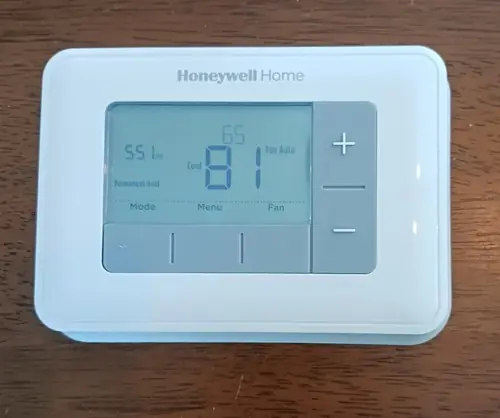
Honeywell RTH6360D1002 T3 Thermostat Specifications
| Feature | Specification |
|---|---|
| Model | Honeywell RTH6360D1002 T3 Thermostat |
| Power Source | 2 x AA Alkaline Batteries (Always required) |
| System Type Compatibility | Conventional Forced Air Heat, Heat Pump, Radiant Heat (Boiler), Cool Only |
| Voltage Compatibility | Low Voltage (24V systems); Not compatible with 120/240V line voltage systems |
| Programming Modes | Non-Programmable, 1-Week Programmable, 5-2 Programmable (Factory Default: 5-2 Programmable) |
| Temperature Scale | Fahrenheit (°F), Celsius (°C) (User Selectable) |
| Cooling Stages | Up to 2 (Conventional Systems); 1 (Heat Pump Compressor) |
| Heating Stages | Up to 2 (Conventional Systems); 1 (Heat Pump Auxiliary/Emergency Heat) |
| System Changeover | Manual or Automatic (User Selectable; Factory Default: Manual) |
| Smart Response Technology | Yes (Factory Default: Enabled) |
| Daylight Saving Time Adjustment | Automatic (Factory Default: Enabled) |
| Air Filter Reminder | Configurable (Run Time Days / Calendar Months; Factory Default: Off) |
| Reversing Valve (Heat Pump) | O (Energizes in Cool) or B (Energizes in Heat) (User Selectable; Factory Default: O) |
| Unsupported Terminals | L/A, S, U |
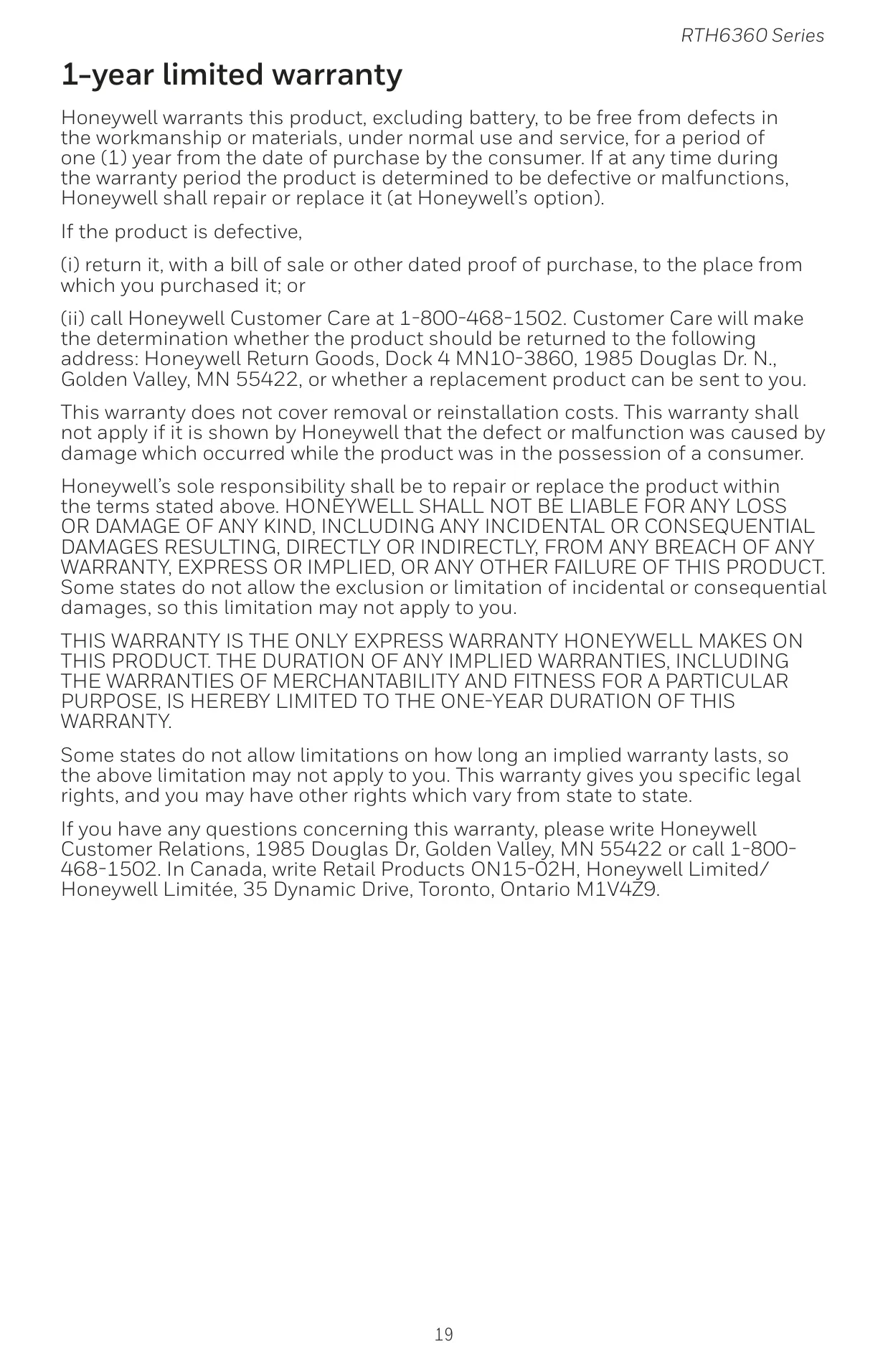
| Warranty | 1-Year Limited |
Honeywell RTH6360D1002 T3 Details
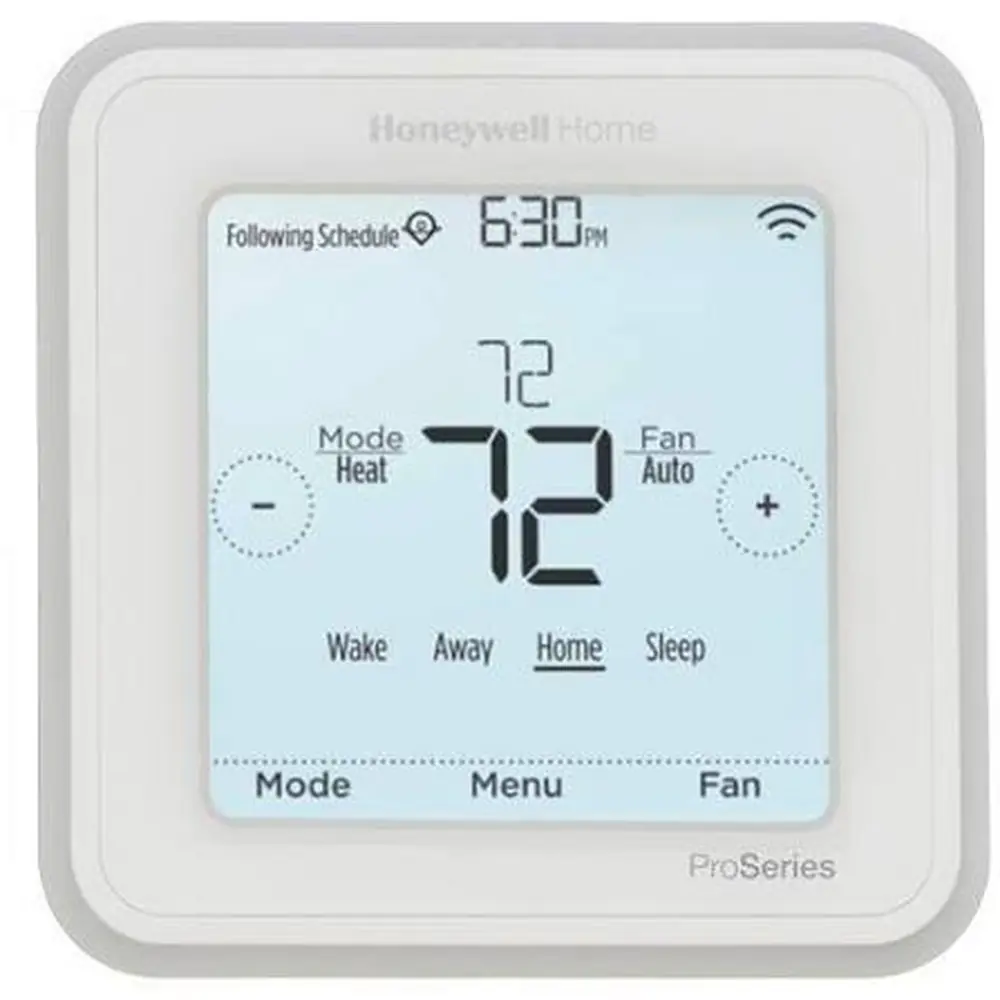
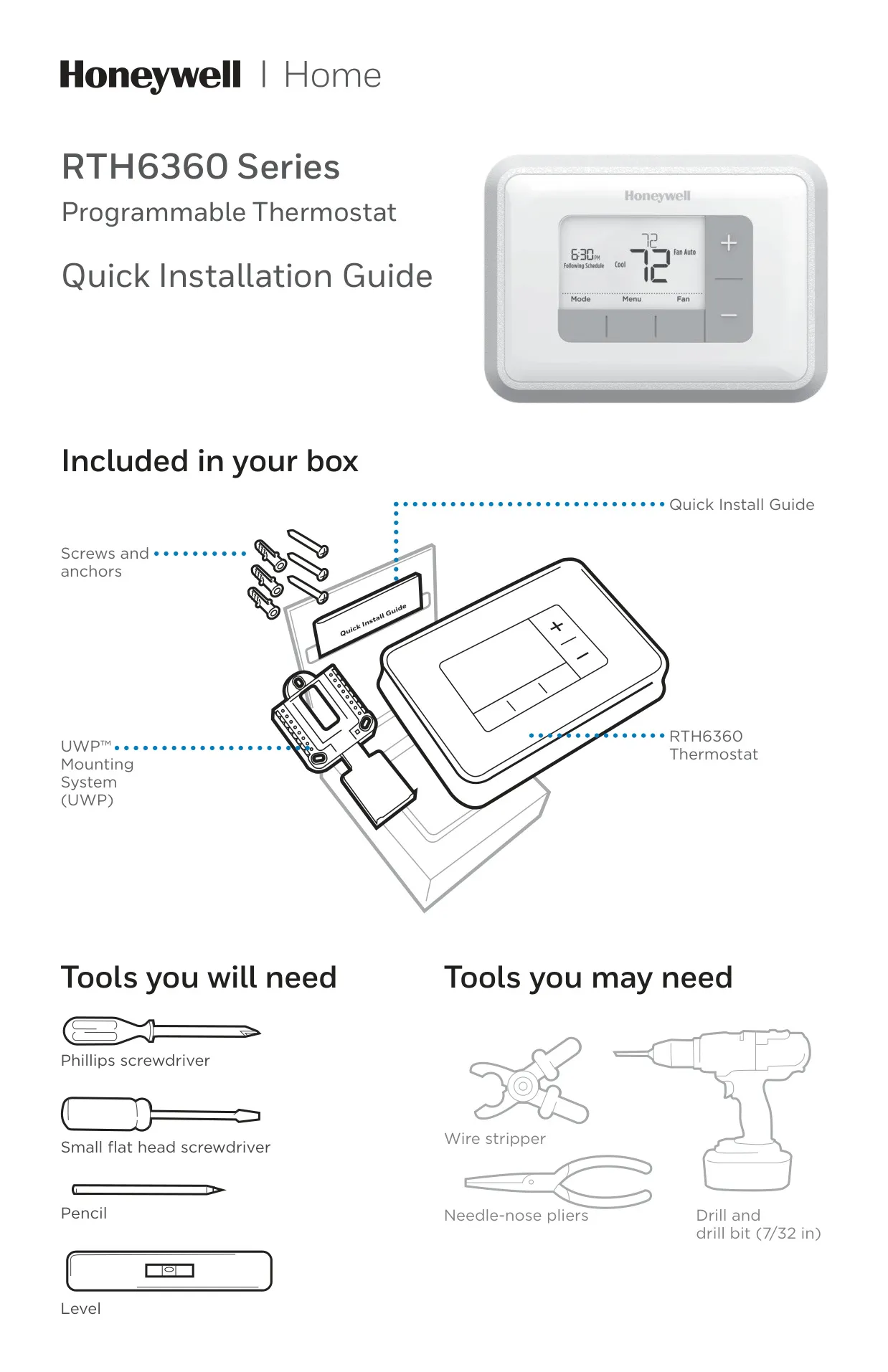
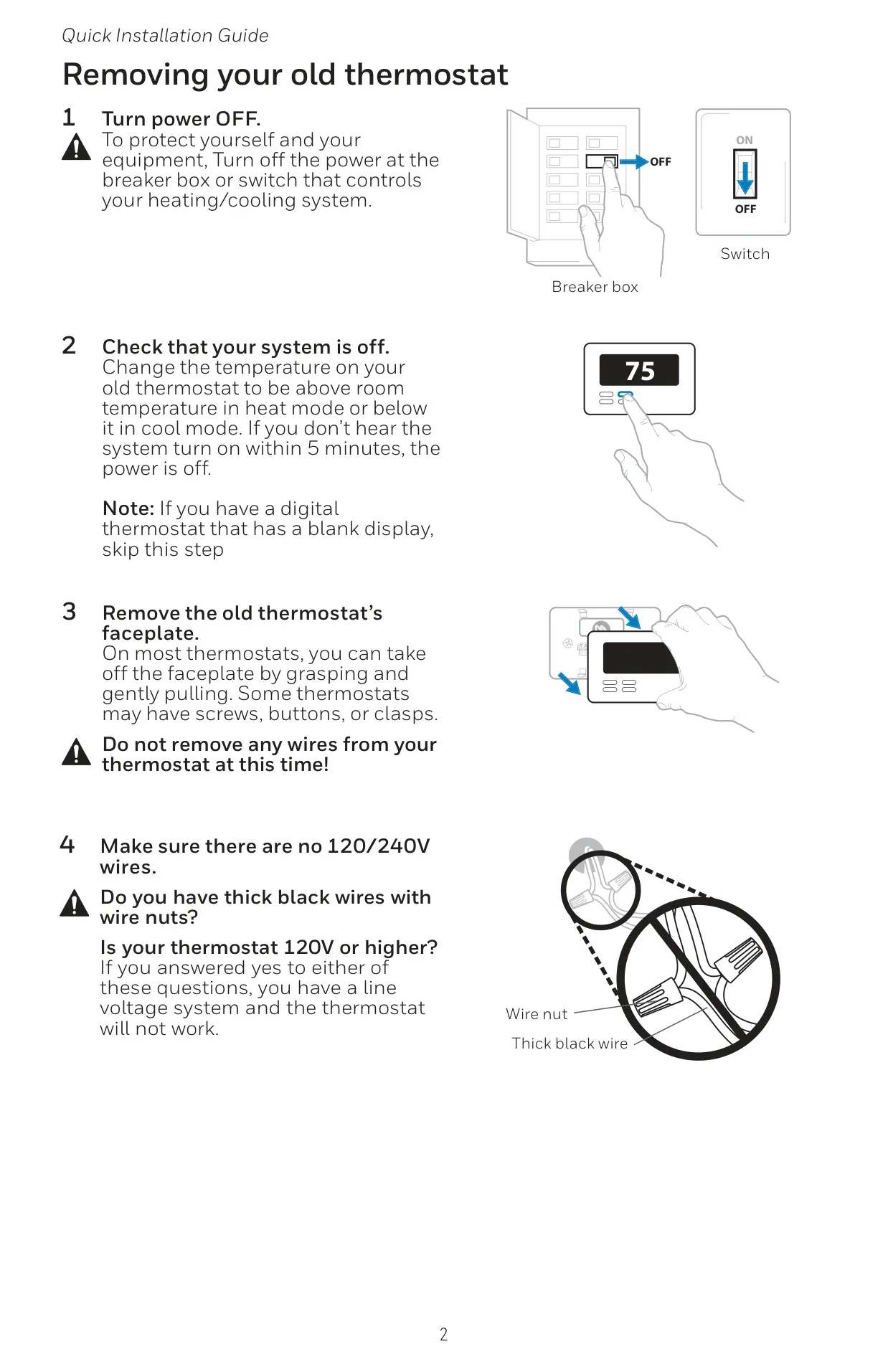
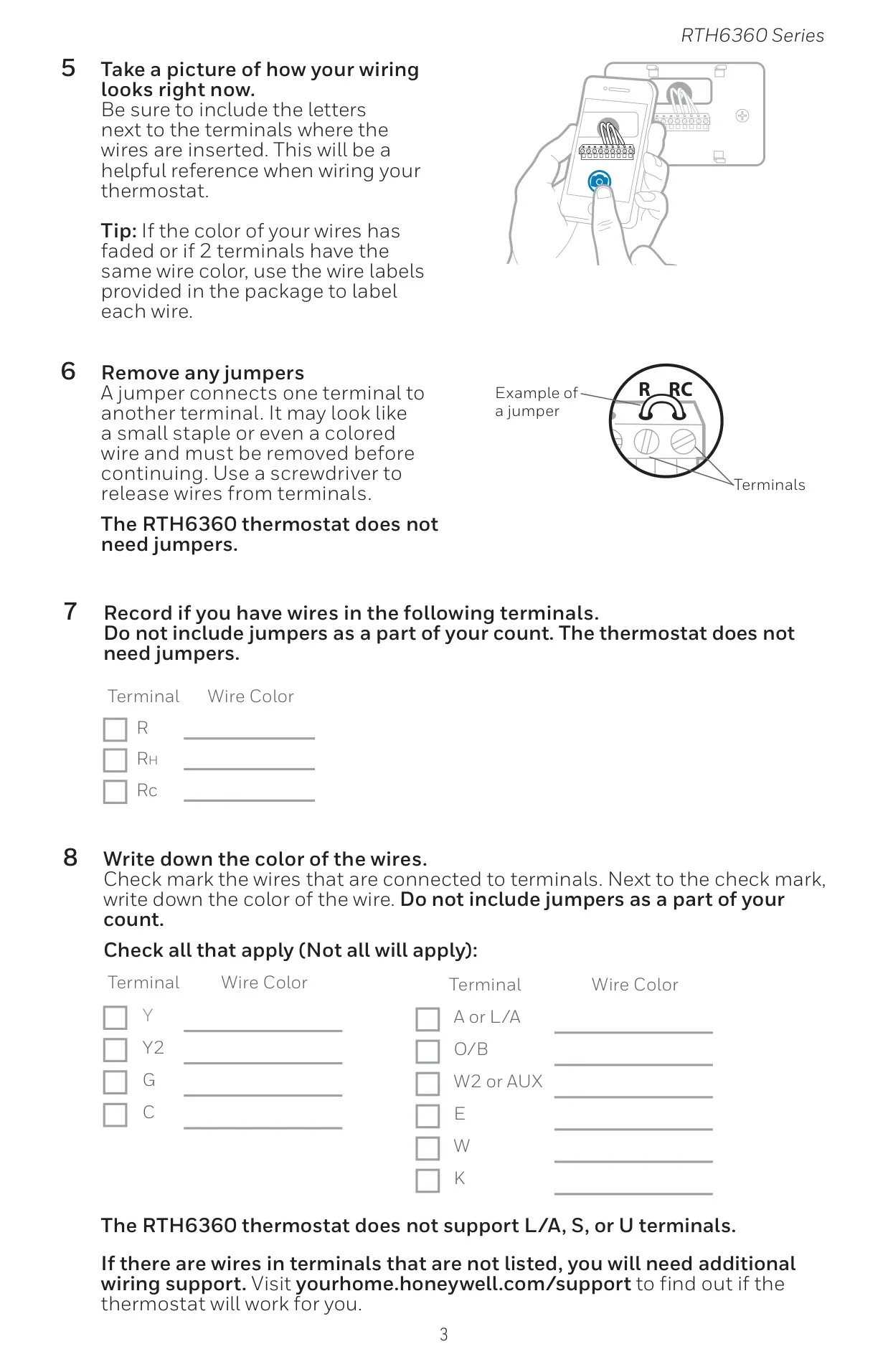
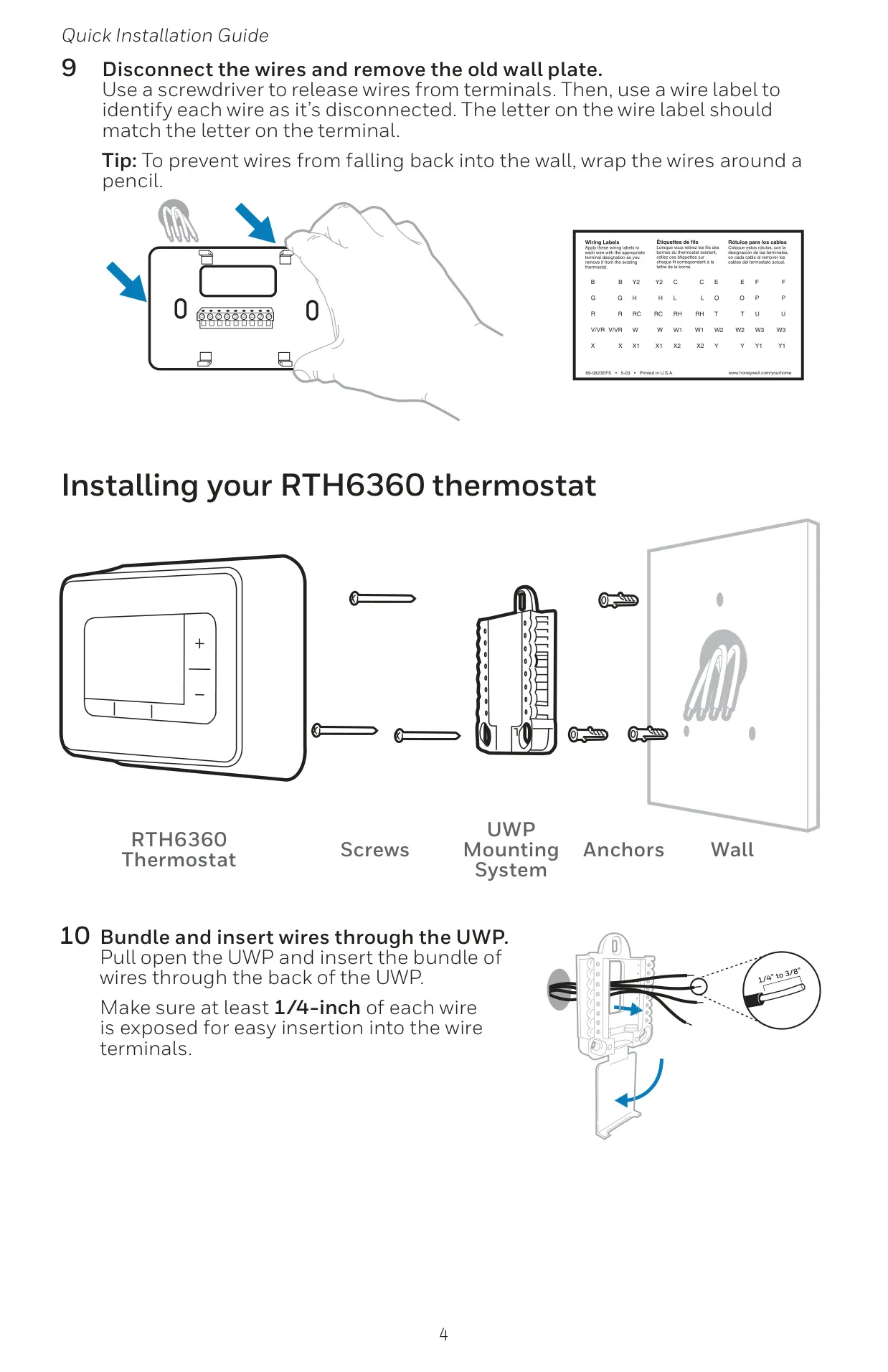
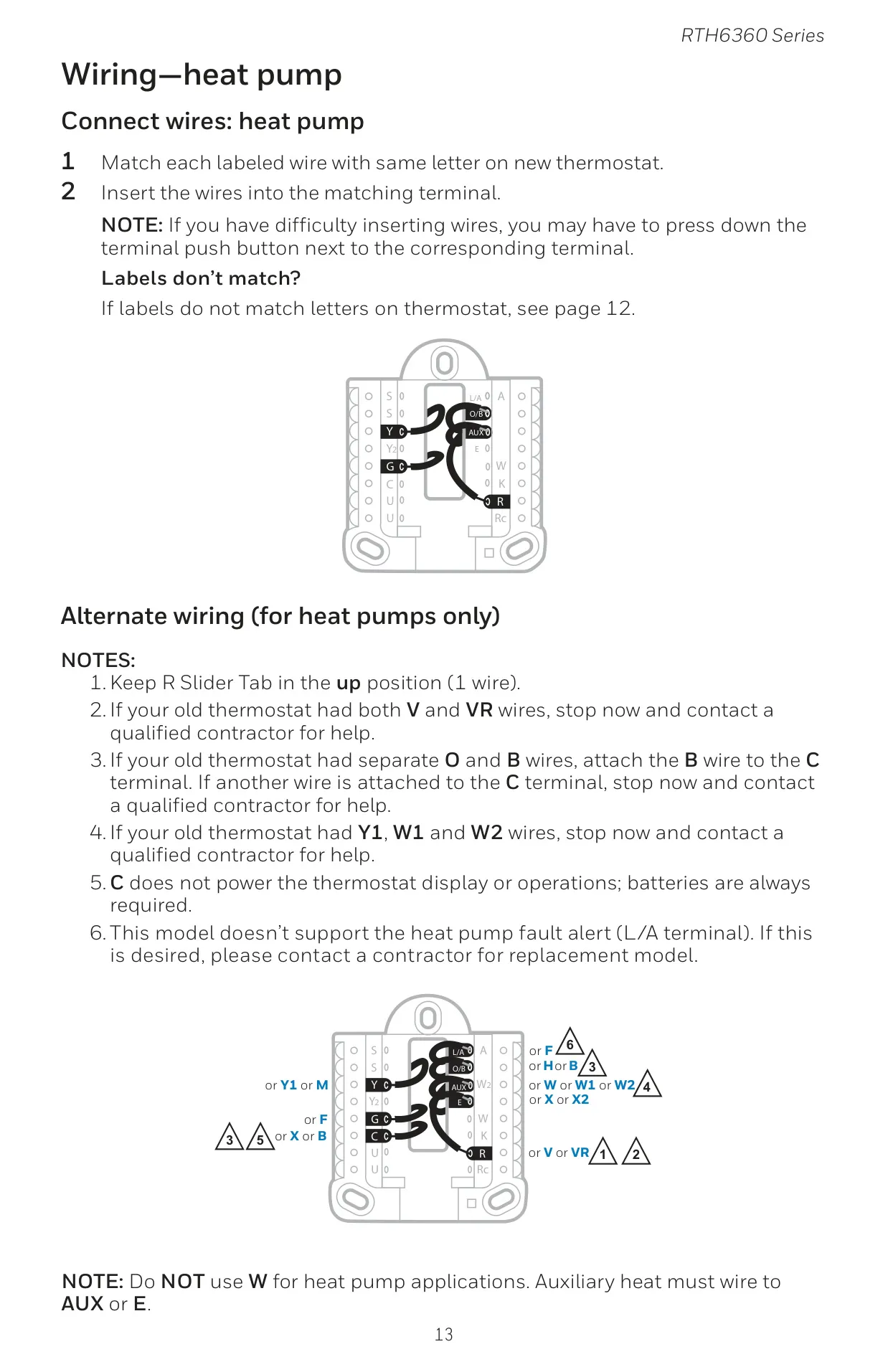
The Honeywell RTH6360D1002 T3 Thermostat is designed for straightforward installation and user-friendly operation. Its Quick Installation Guide emphasizes safety by instructing users to *turn off power* at the breaker box before beginning. Essential tools like Phillips and small flat head screwdrivers are recommended, with optional tools such as wire strippers, needle-nose pliers, and a drill for anchors. A critical step involves photographing existing wiring and ensuring no 120/240V line voltage wires are present, as this thermostat is incompatible with such systems. Jumpers on old thermostats must be removed.
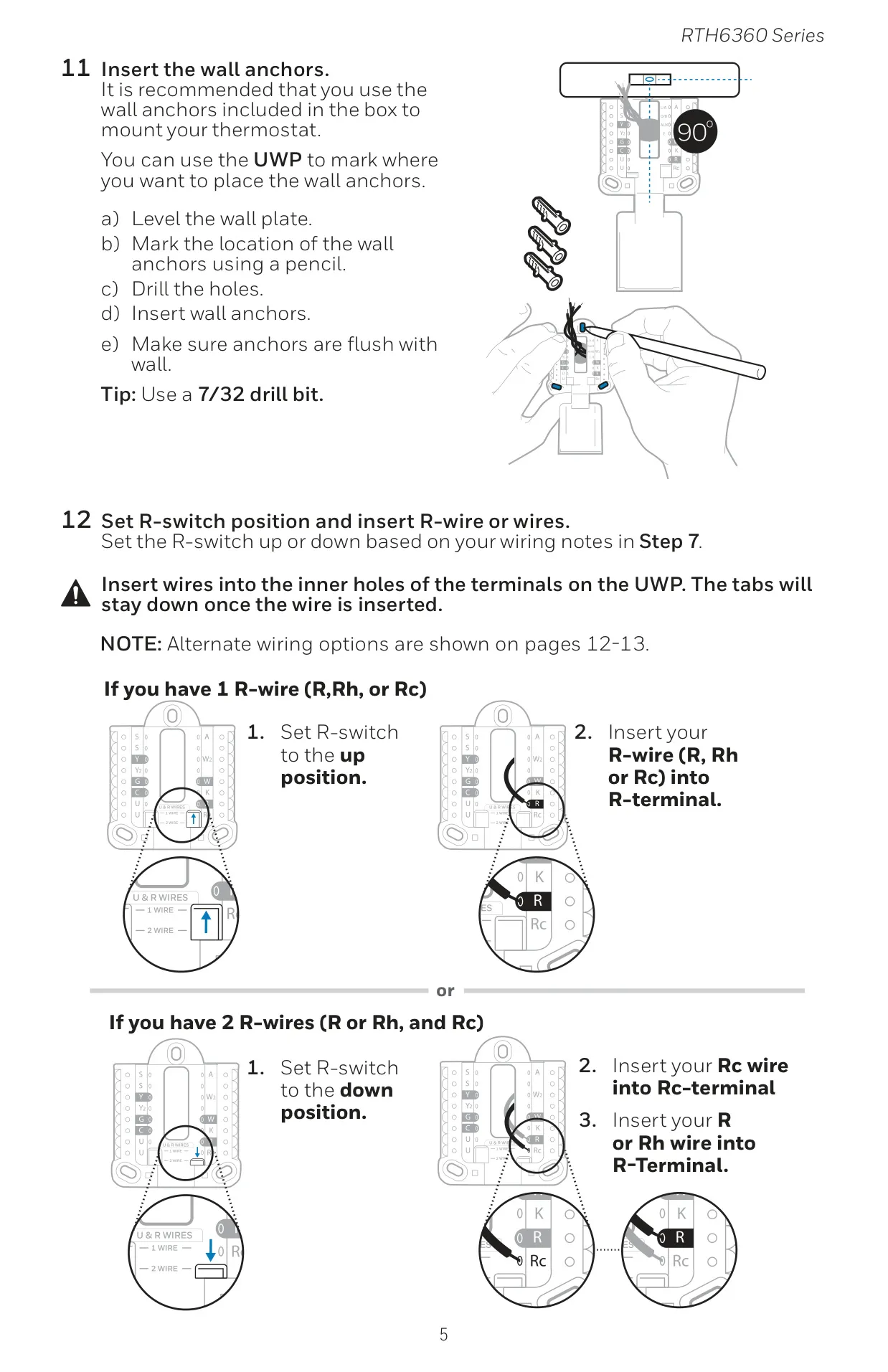
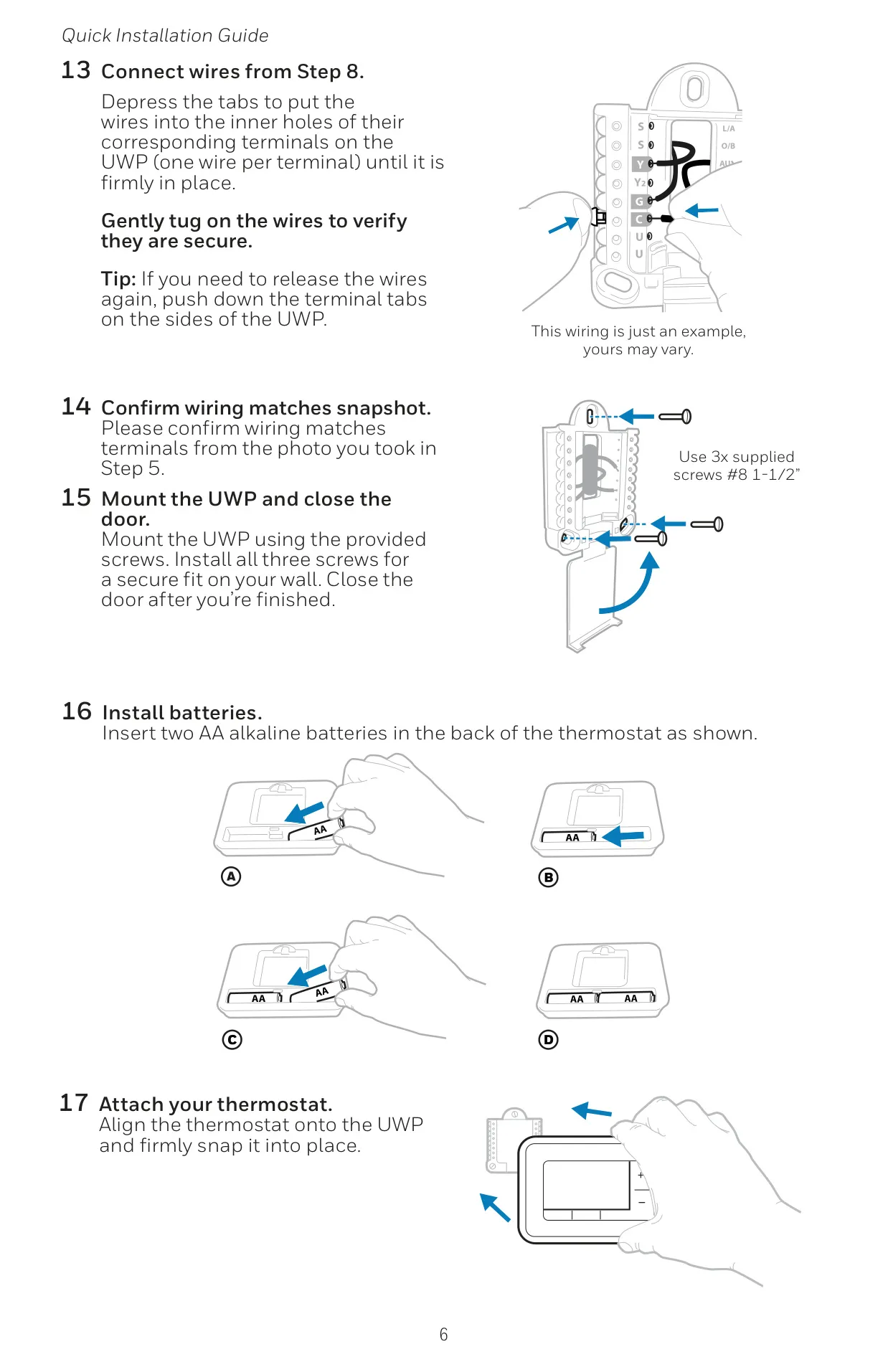
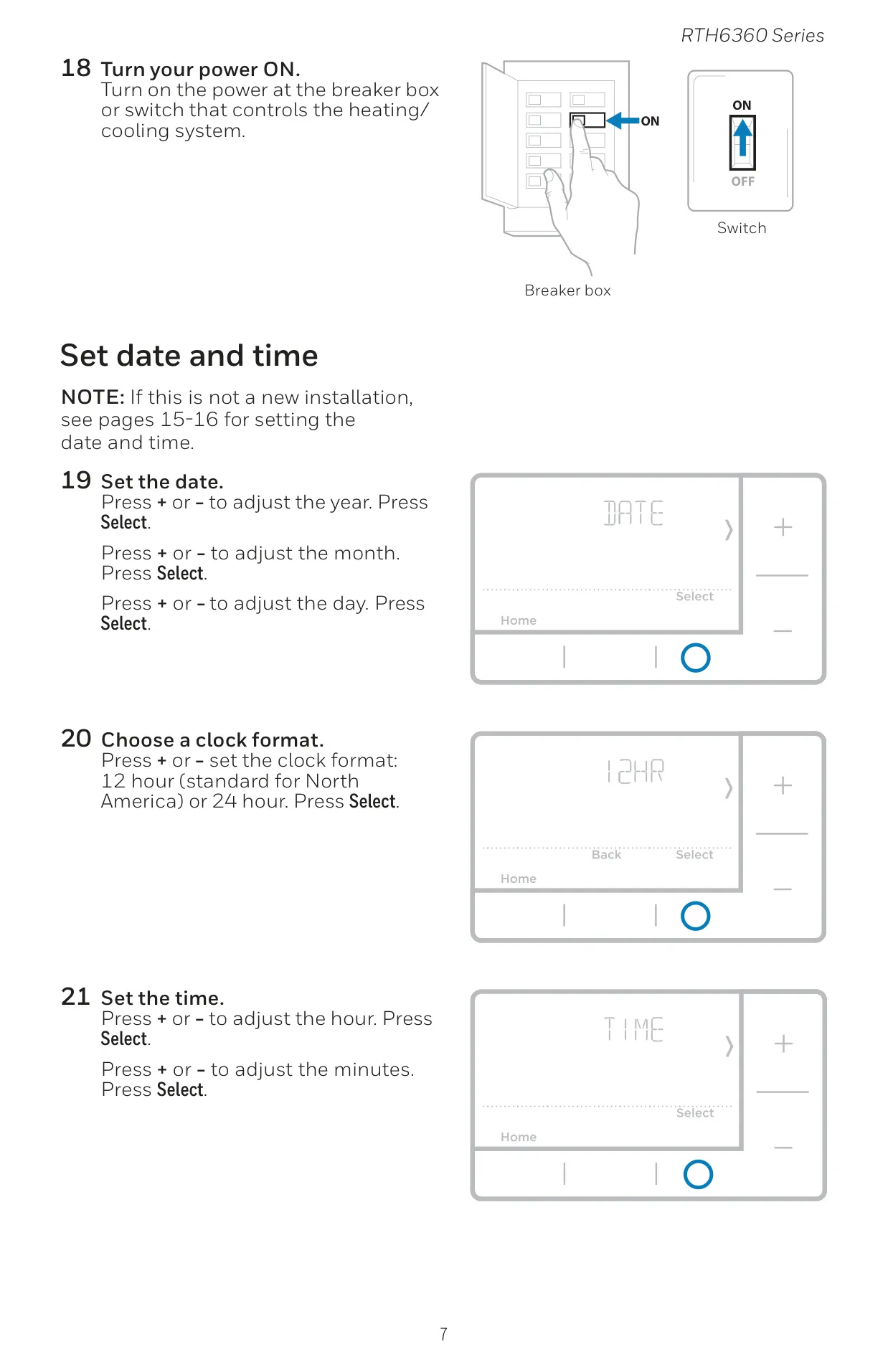
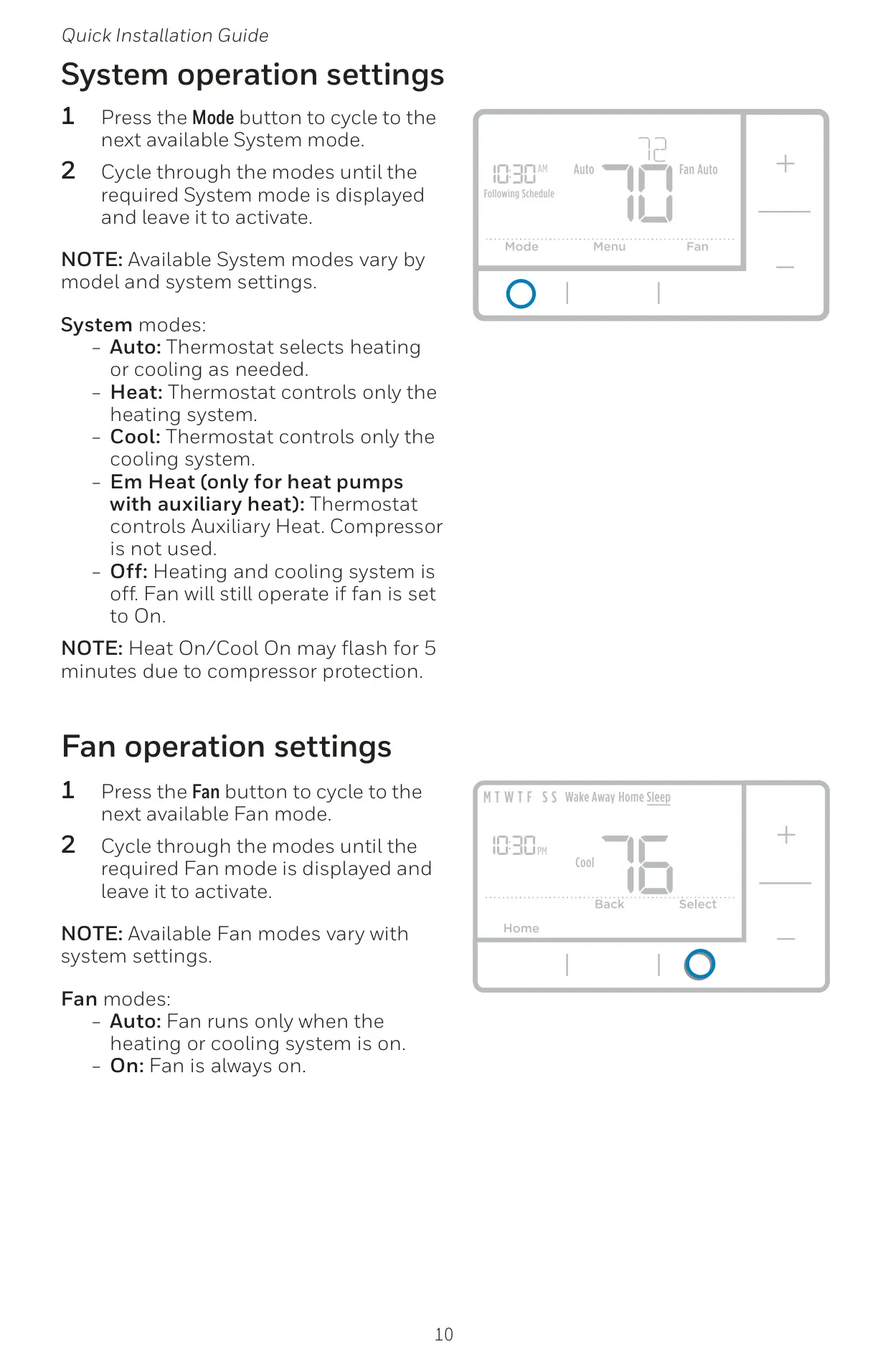
Once installed with the included UWP™ Mounting System and two AA alkaline batteries, the thermostat guides the user through initial setup. This includes setting the current date and time, with options for both 12-hour and 24-hour clock formats. Users can then select their desired System mode (Auto, Heat, Cool, Em Heat, Off) and Fan mode (Auto, On) for immediate climate control. A brief "Heat On/Cool On" flash indicates compressor protection, a normal 5-minute delay.
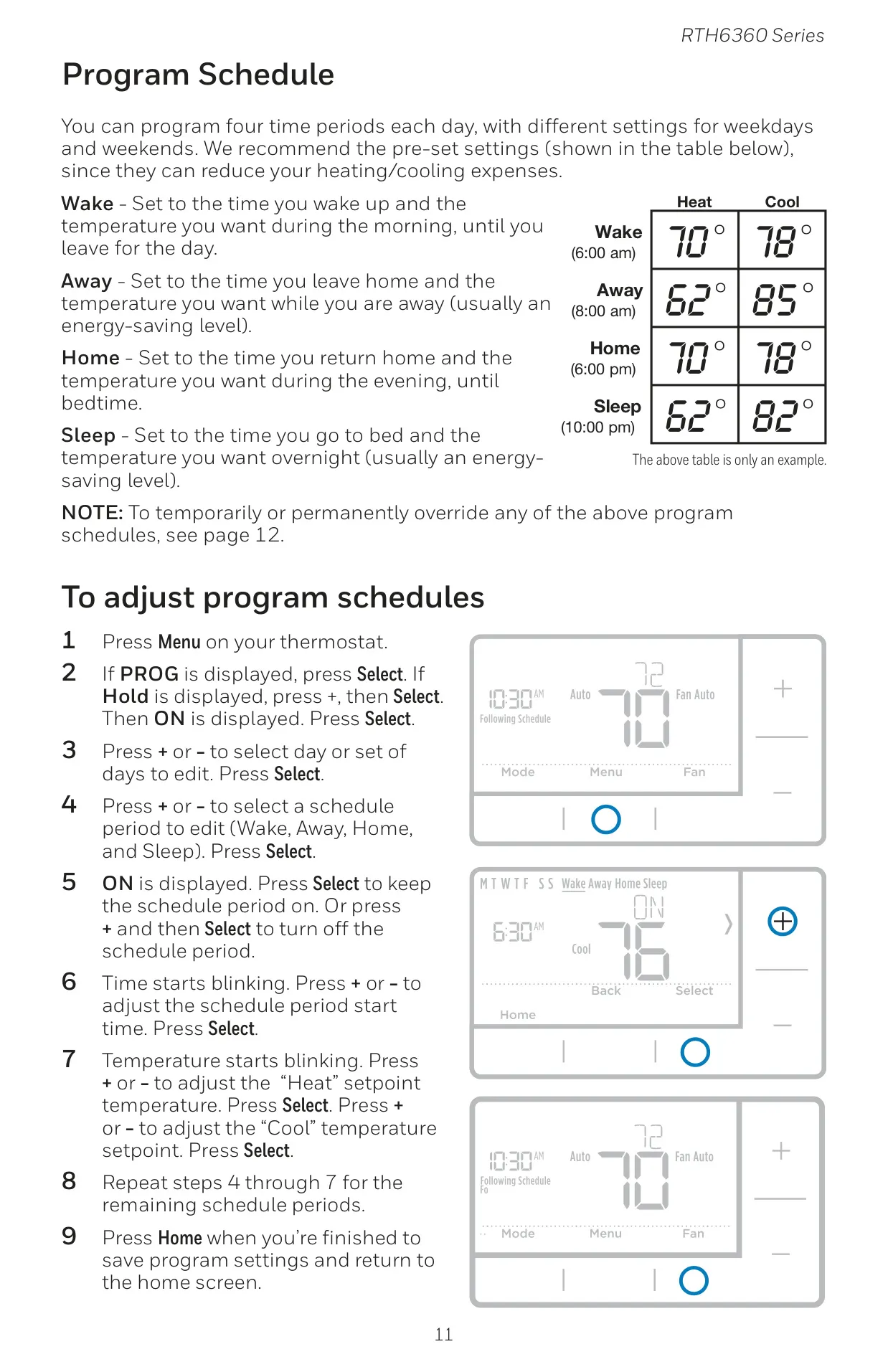
A key feature is its programmable schedule, offering 5-2 day programming with four distinct periods: Wake, Away, Home, and Sleep. Each period allows for customized start times and separate temperature setpoints for both heating and cooling, promoting energy savings. The thermostat comes with recommended pre-set schedules, though these are easily adjustable through the intuitive menu. Users can select specific days or groups of days to edit their schedules, ensuring tailored comfort.
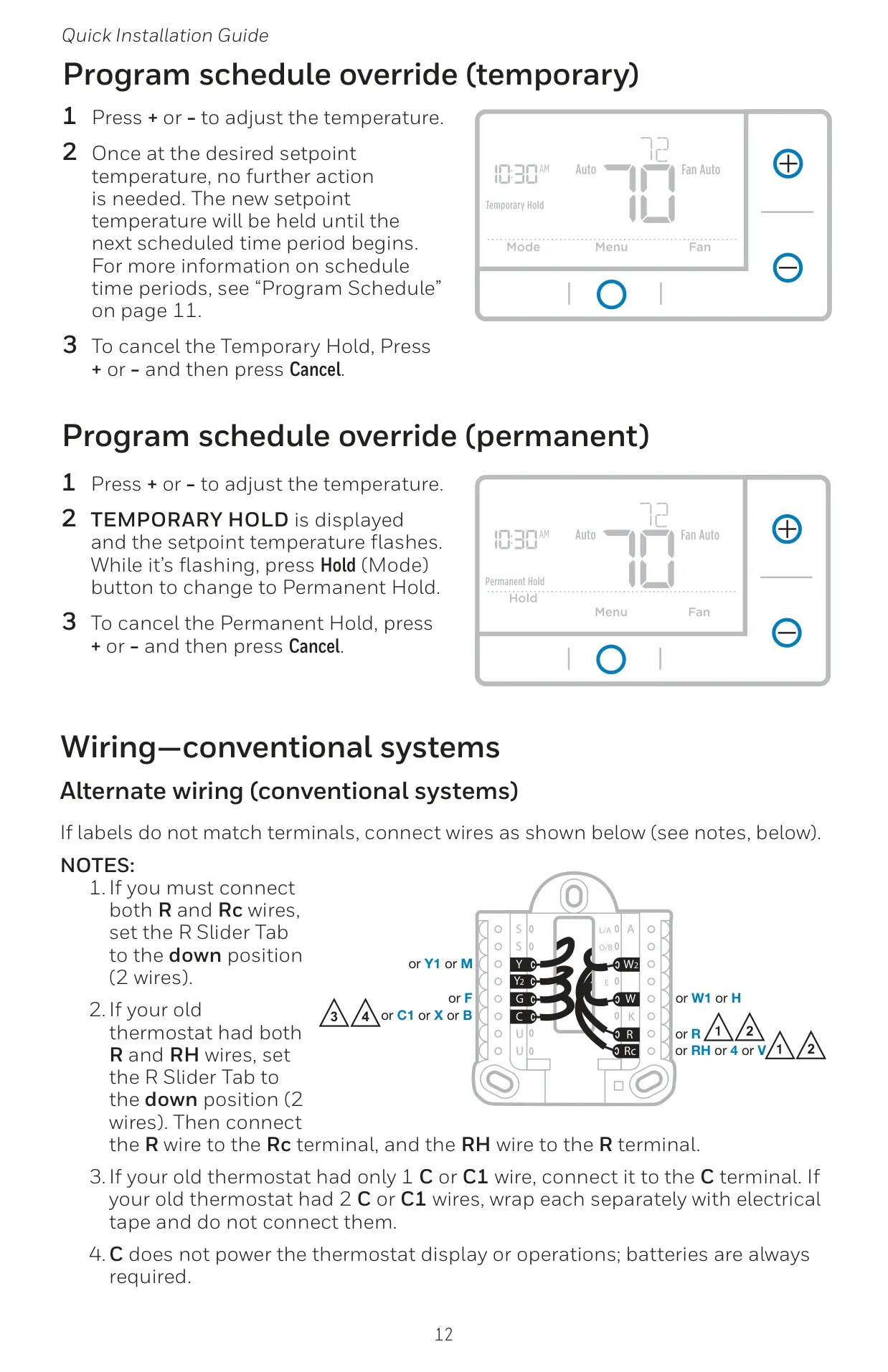
Flexibility is enhanced with both temporary and permanent schedule override options. A temporary hold maintains a desired temperature until the next scheduled period, easily canceled with a button press. For longer-term changes, a permanent hold can be activated, overriding all programmed schedules until manually canceled, providing convenience for vacations or extended periods away.
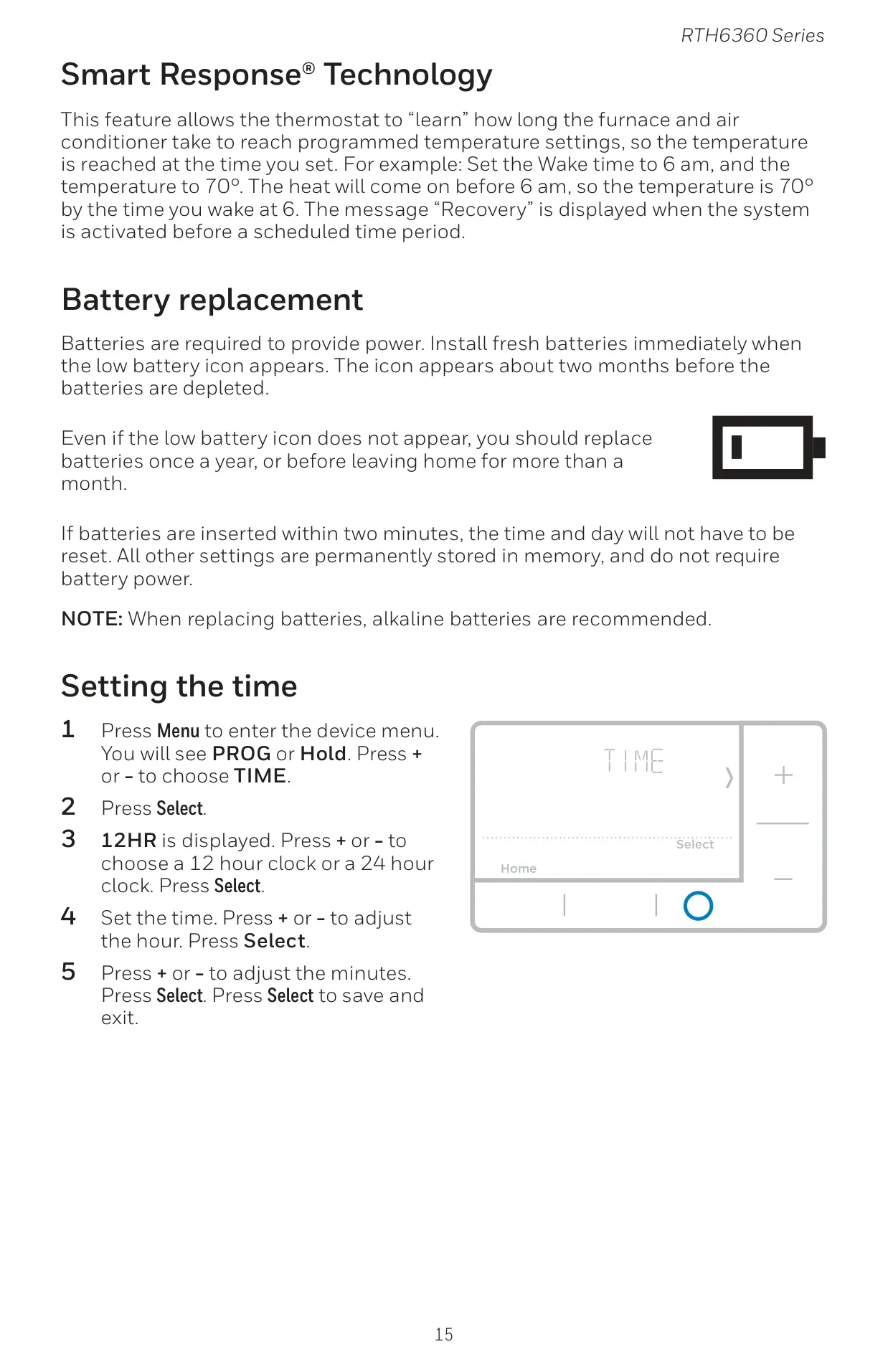
The RTH6360D1002 T3 incorporates Smart Response® Technology, a comfort-enhancing feature. This intelligent function allows the thermostat to "learn" how long your HVAC system takes to reach programmed temperature settings. Consequently, it activates the heating or cooling equipment earlier, ensuring that the desired temperature is achieved precisely by the scheduled time, rather than starting at the scheduled time. The display will show "Recovery" when this feature is active.
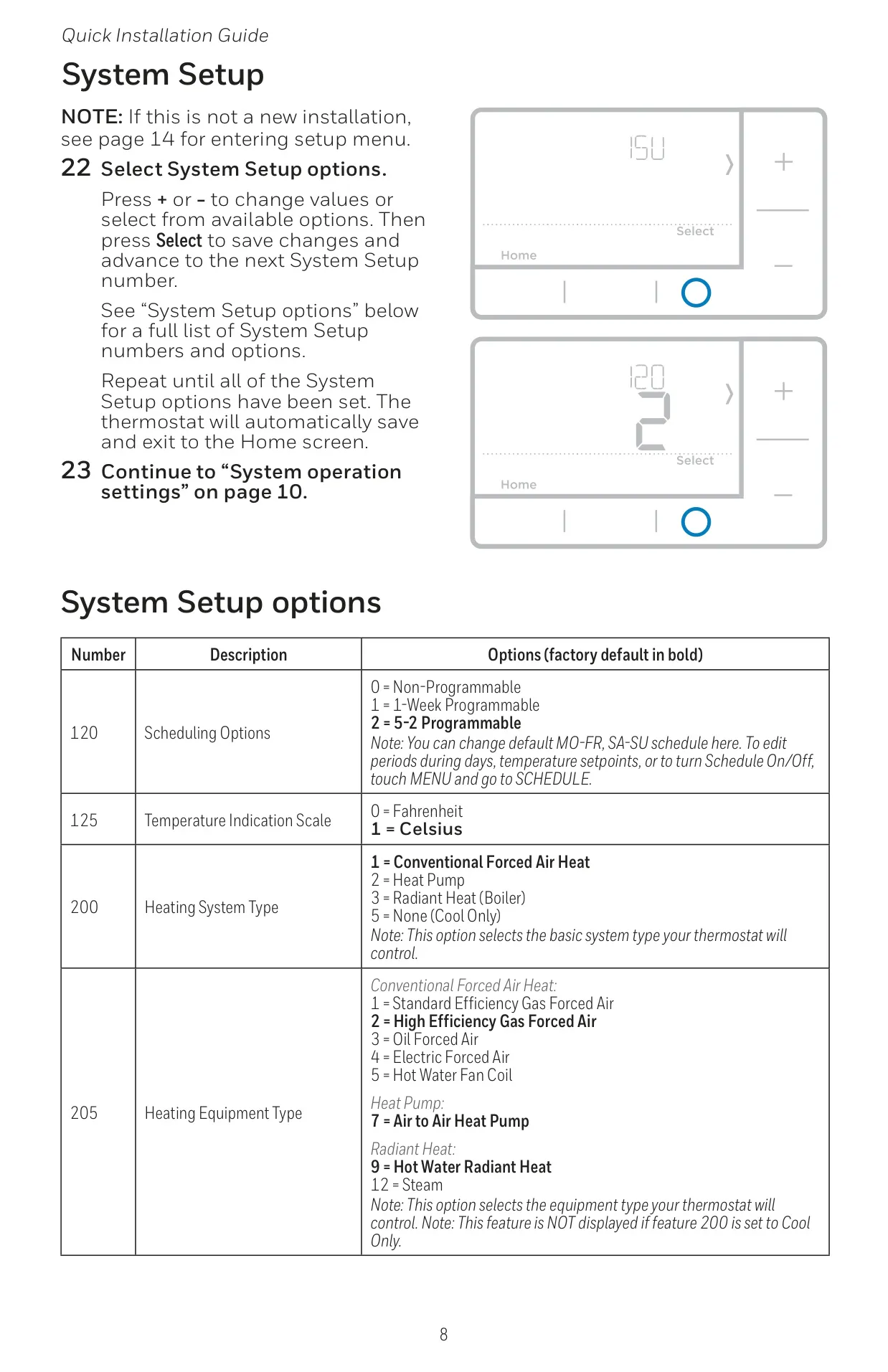
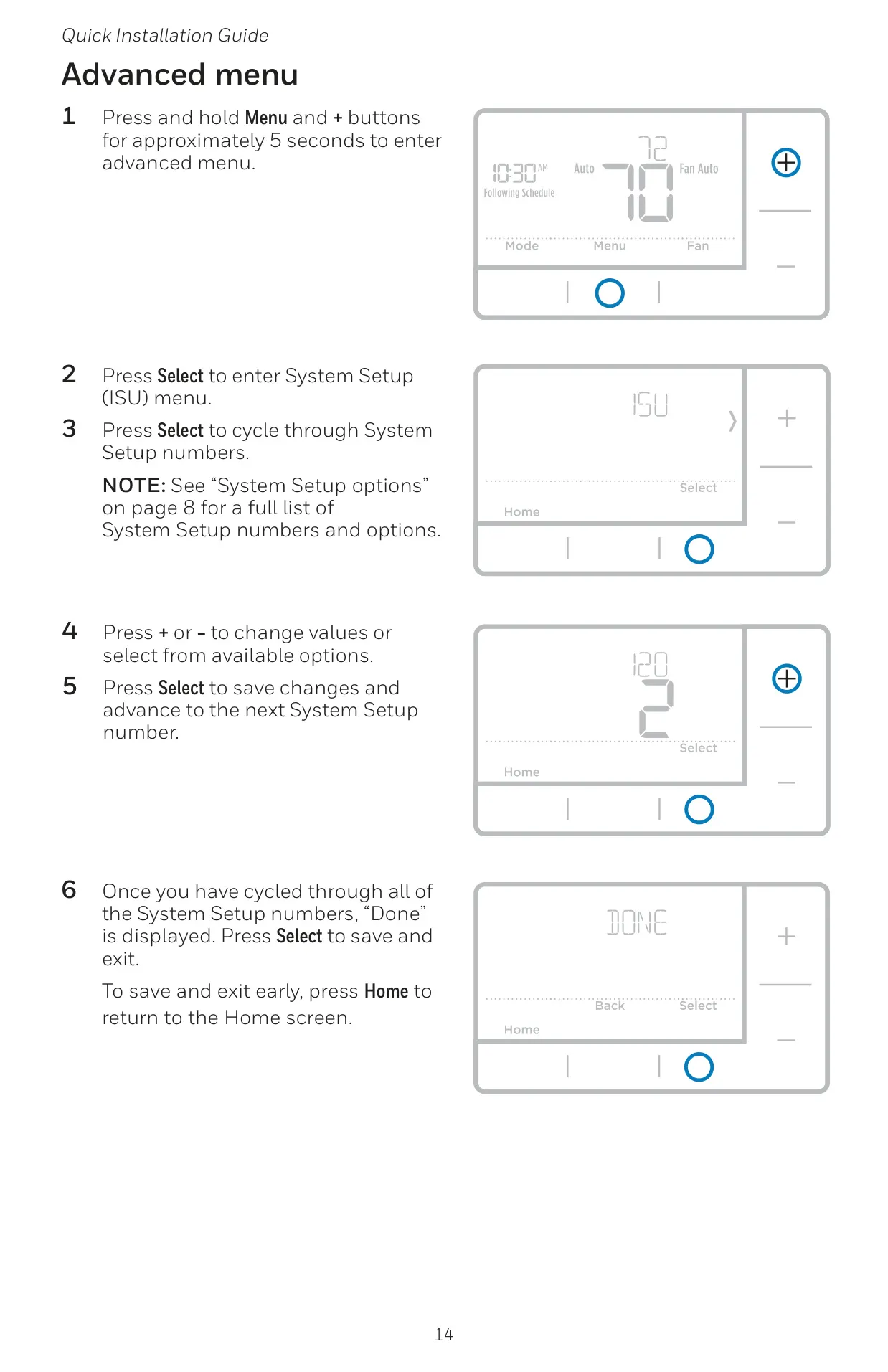
Beyond daily operation, the thermostat offers an Advanced Menu (System Setup or ISU) for comprehensive customization. This menu, accessible by holding down the Menu and + buttons, allows users to configure essential settings such as heating system type (conventional or heat pump), number of stages, reversing valve operation, and fan control. It also provides options for the air filter replacement reminder and Daylight Saving Time adjustment.
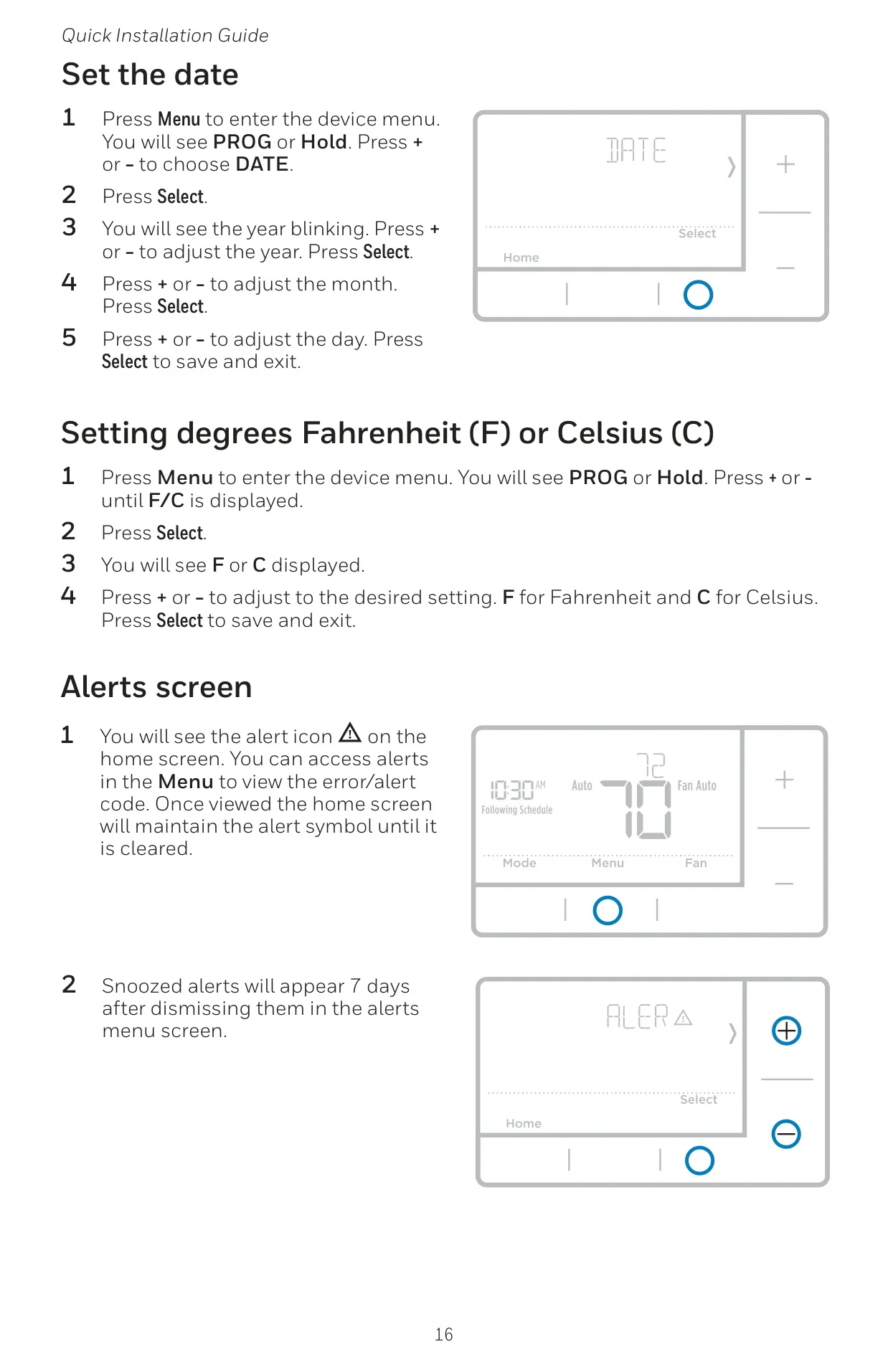
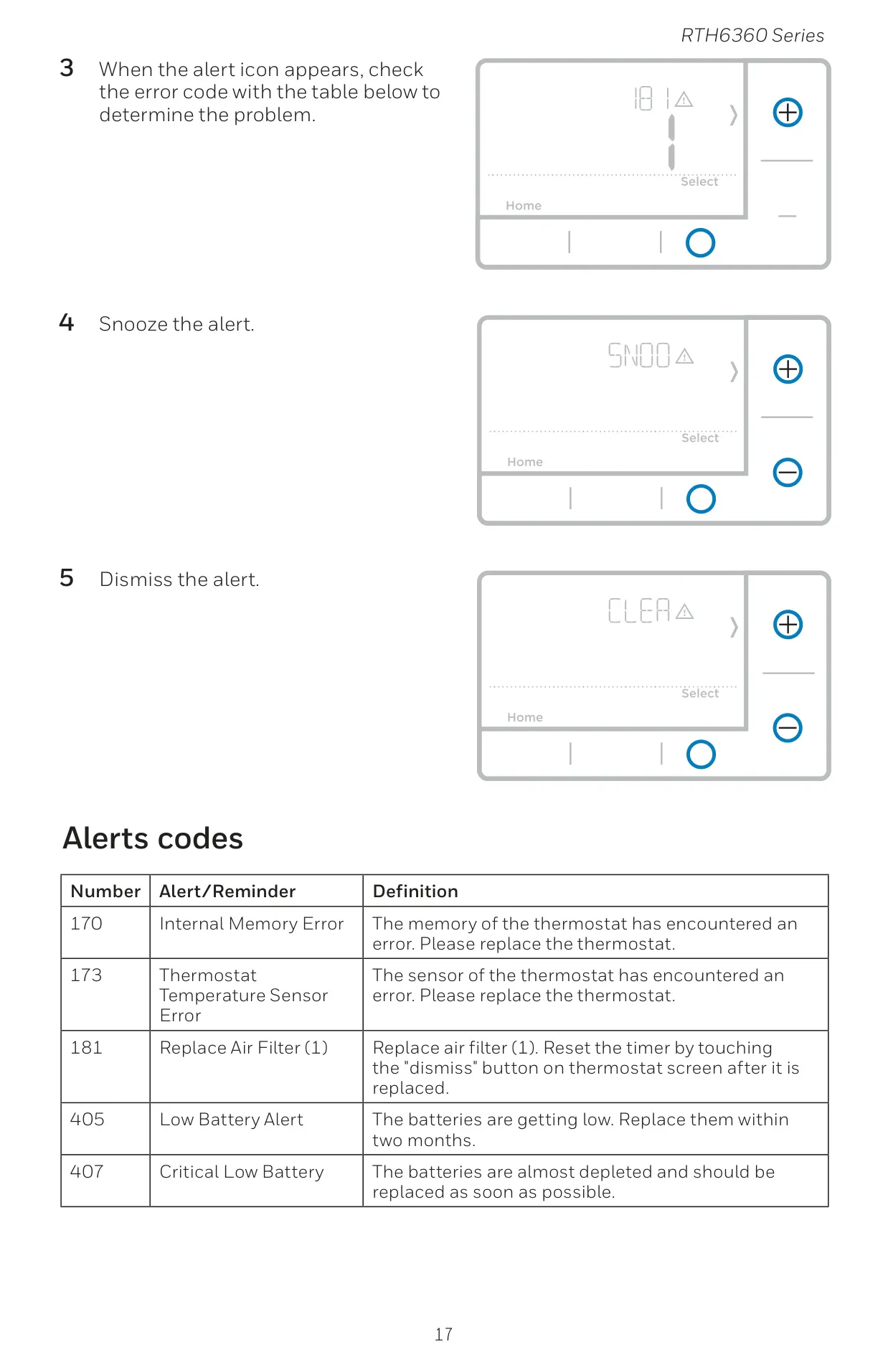
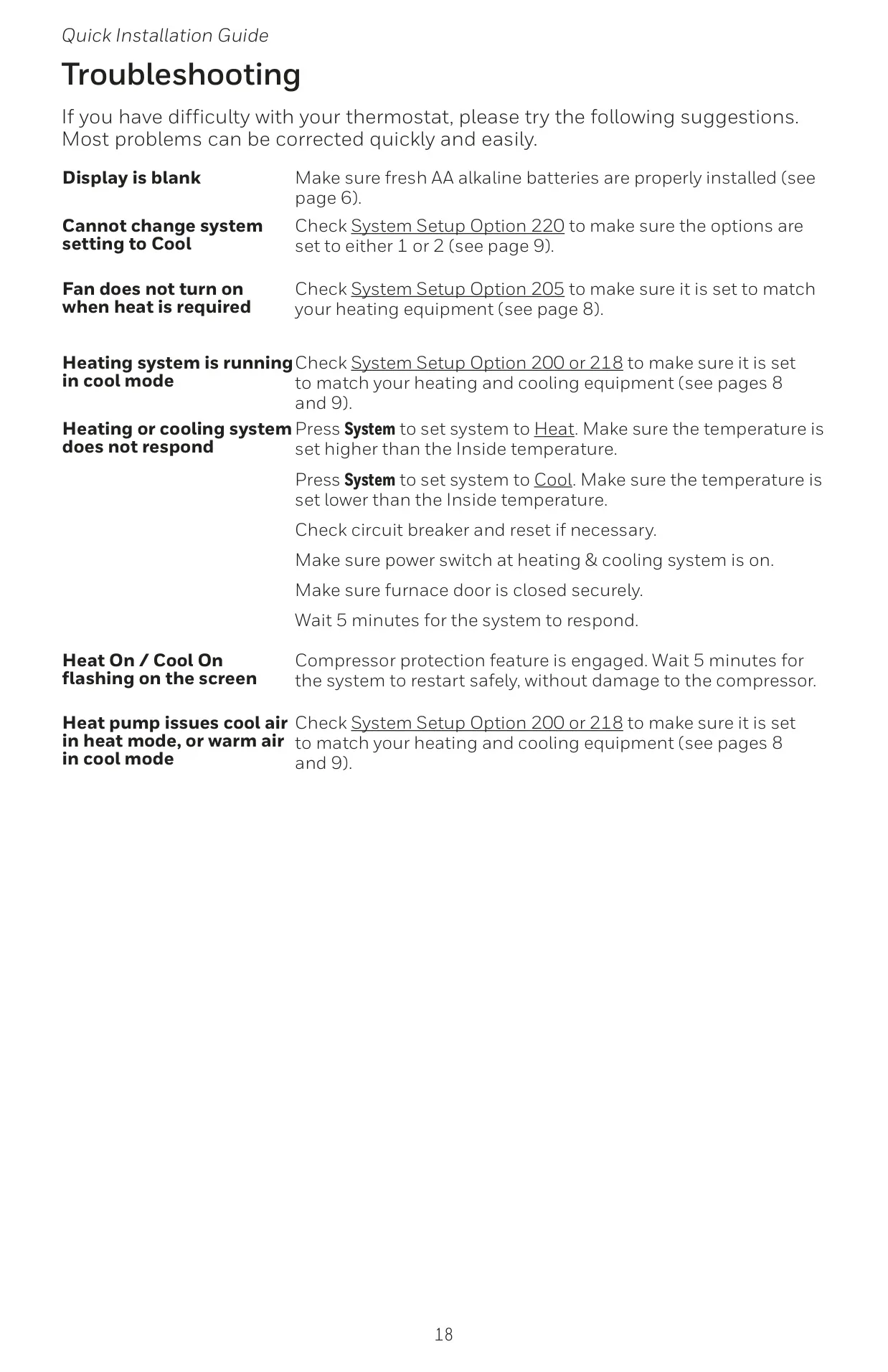
Maintenance is simplified with battery replacement alerts. The low battery icon appears approximately two months before depletion, prompting users to replace the two AA alkaline batteries. If batteries are swapped within two minutes, only the time and date typically need resetting, as other settings are stored in non-volatile memory. An Alerts screen provides specific codes for issues like internal memory errors, sensor malfunctions, or filter reminders, aiding in quick diagnosis and resolution. Basic troubleshooting tips are also provided for common problems like a blank display or unresponsive system. The product is backed by a 1-year limited warranty, offering peace of mind to consumers.
Frequently Asked Questions (FAQs)
Can't find the answer you need? Here are some frequently asked questions about the Honeywell RTH6360D1002 T3 Thermostat, and we answer them below.