Honeywell Vista 20p Security System Instruction Manual
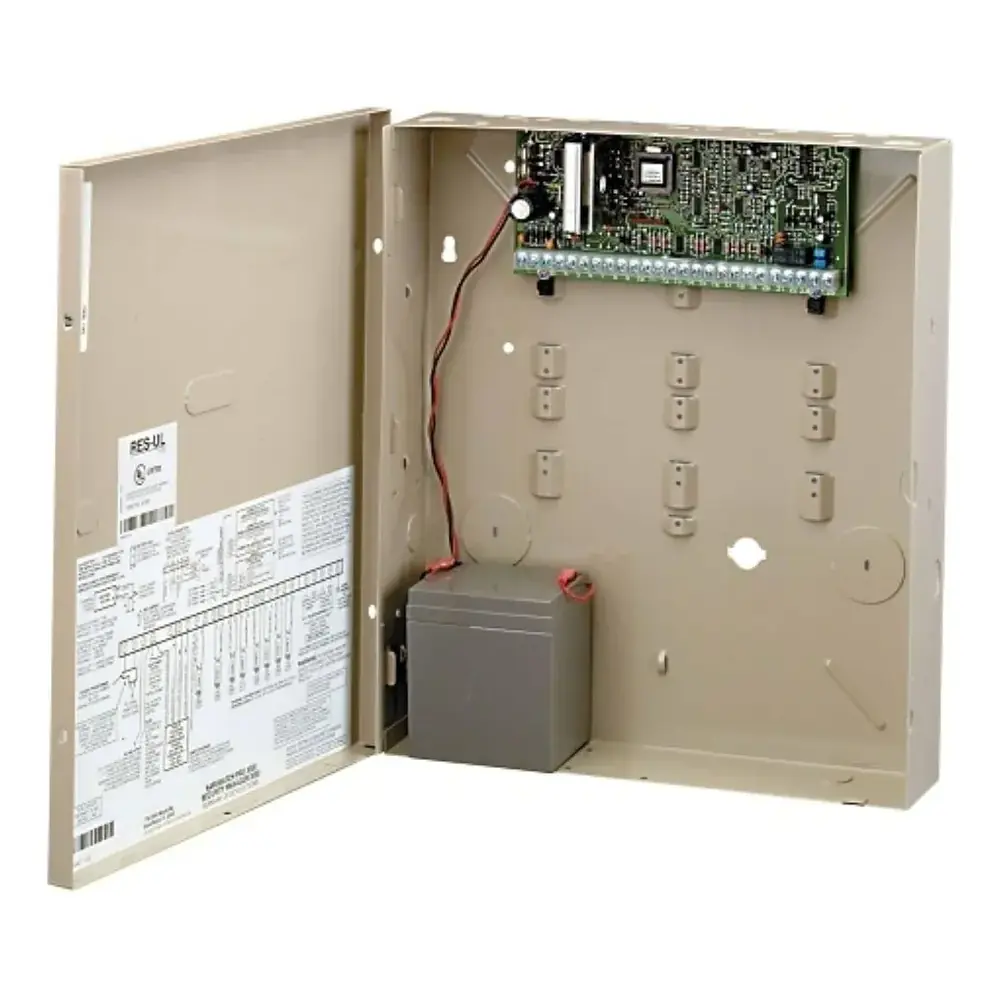
Honeywell Vista 20p Security System
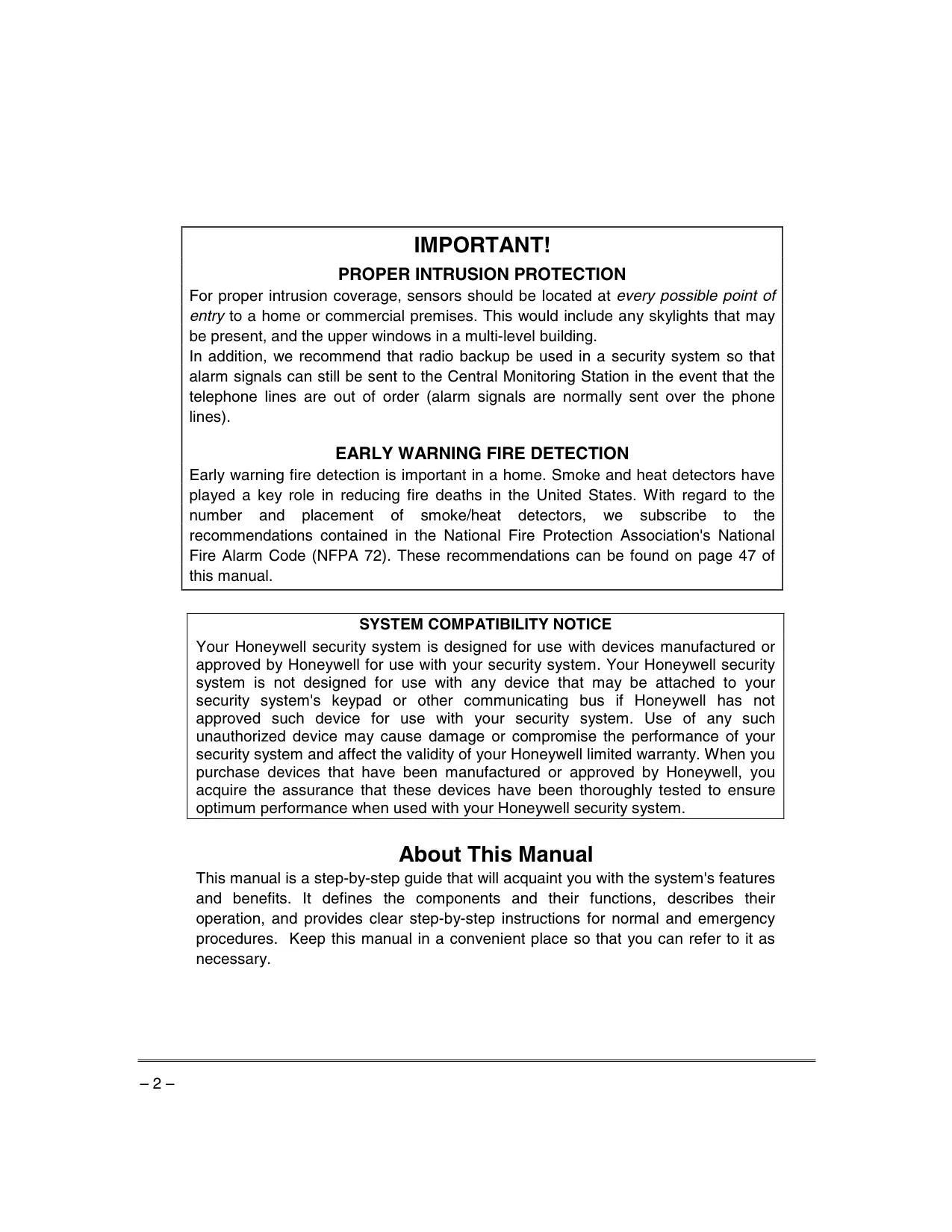
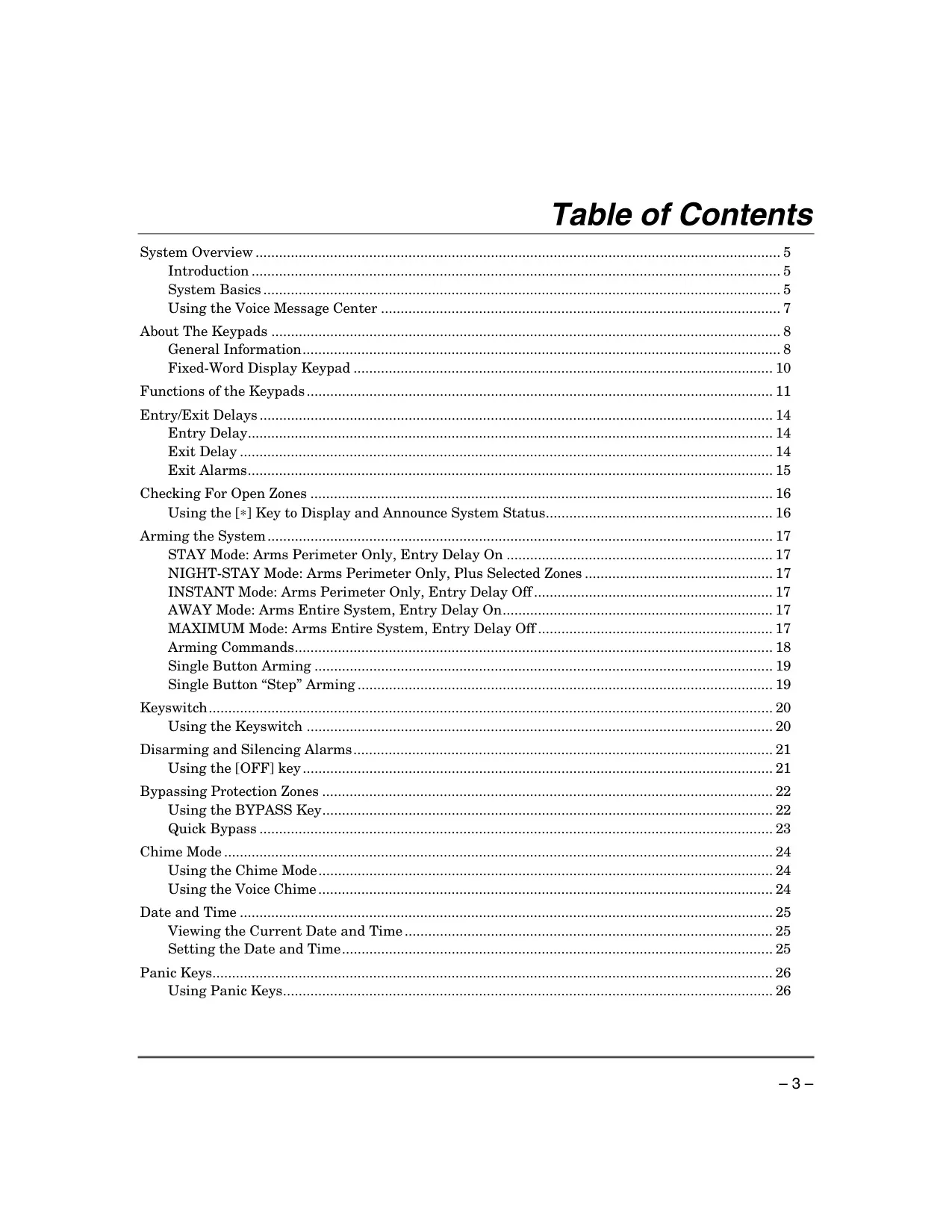
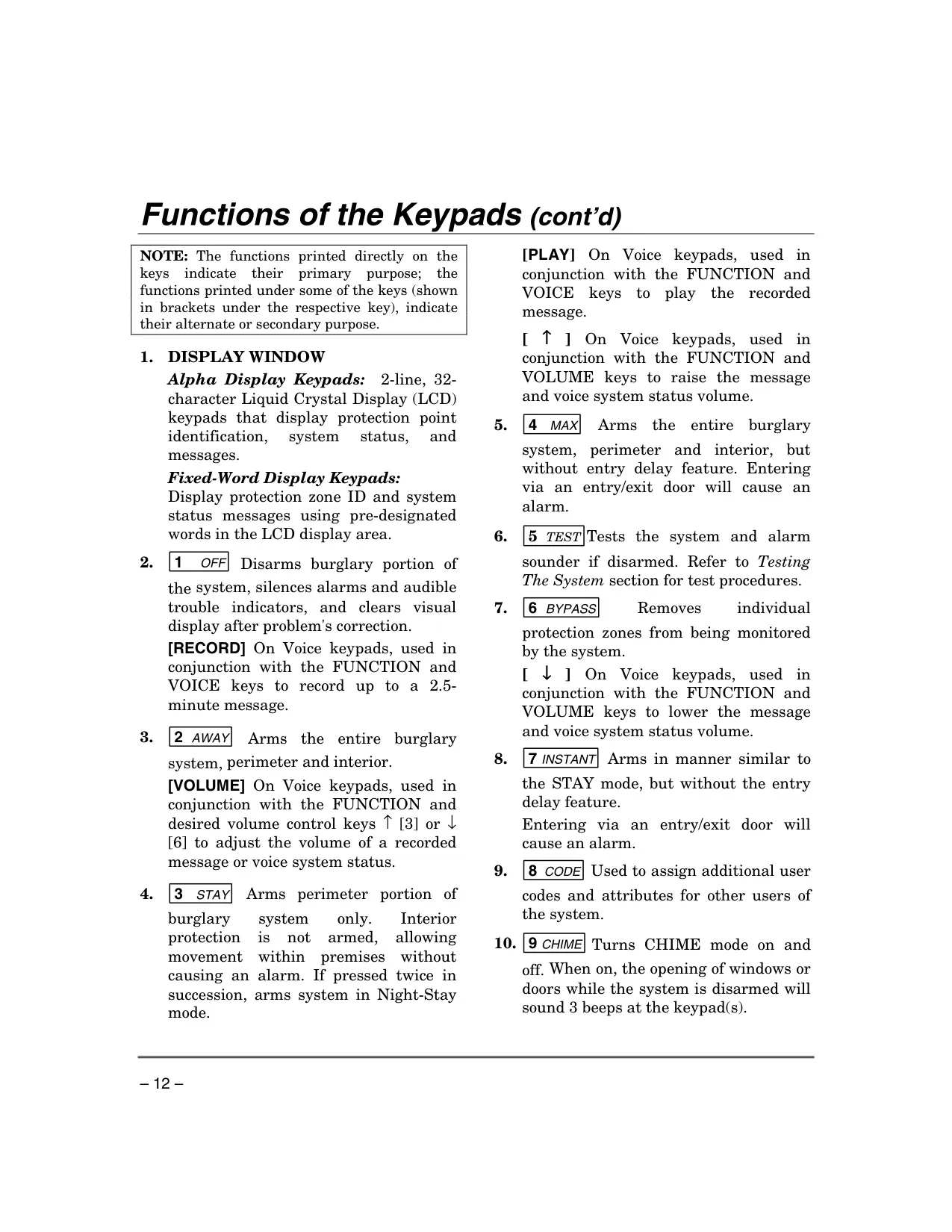
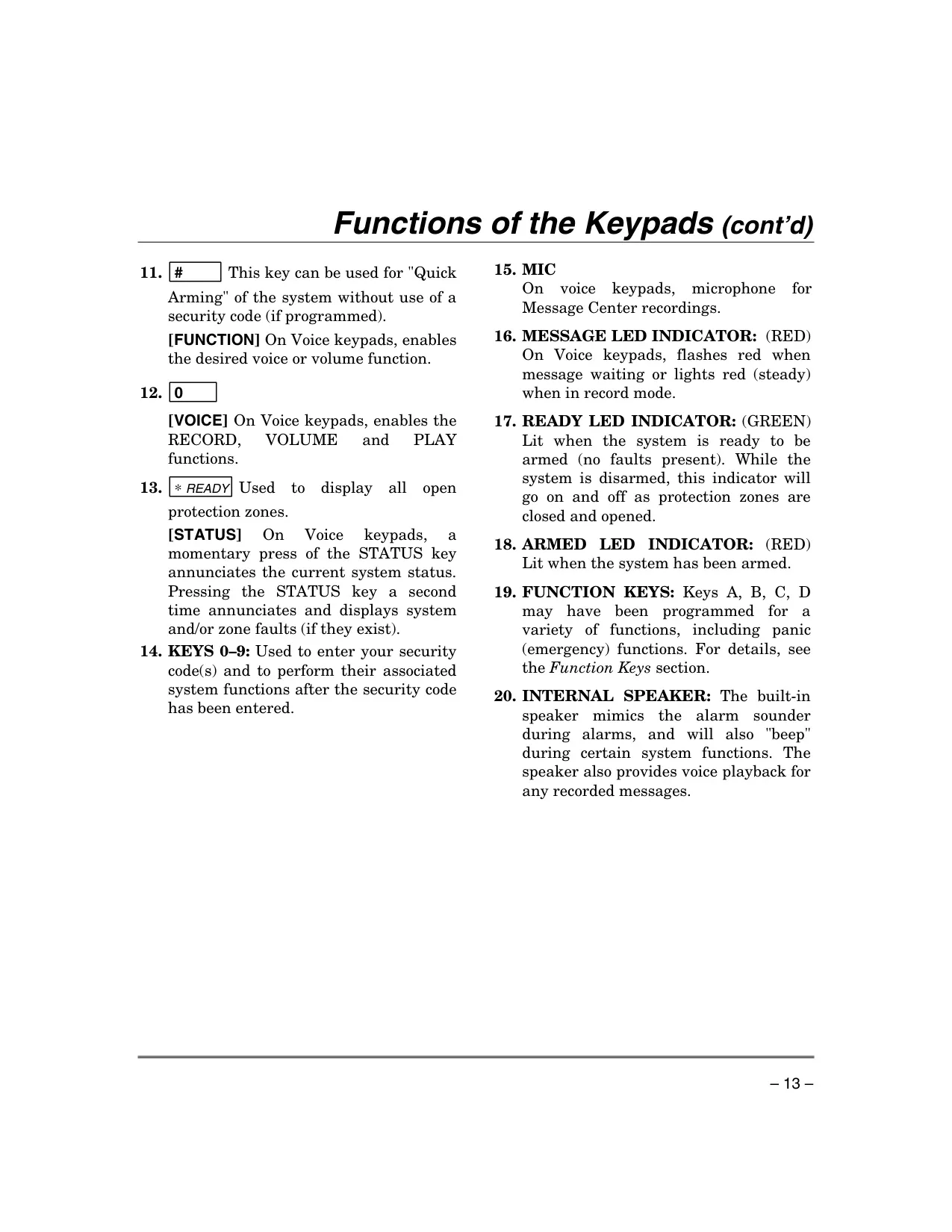
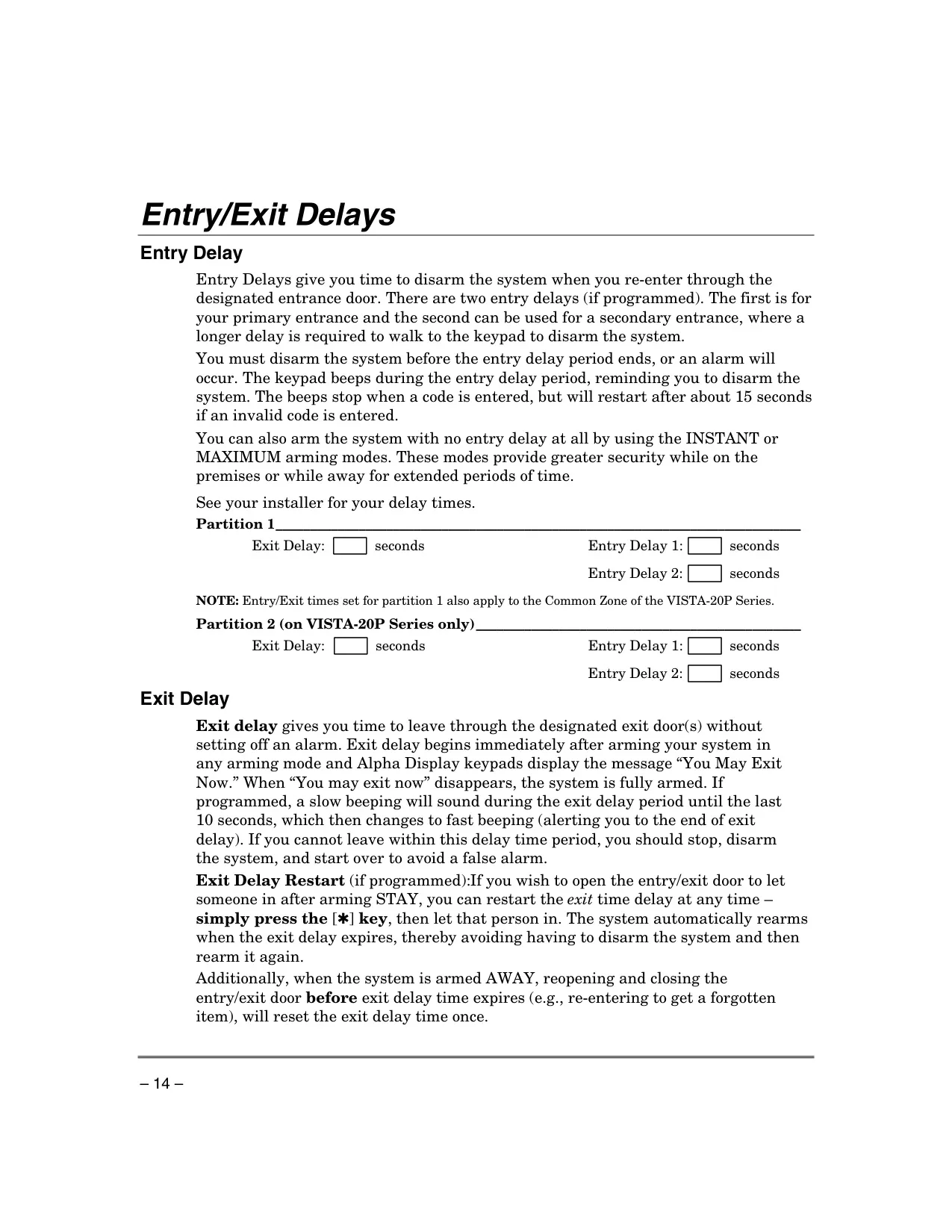
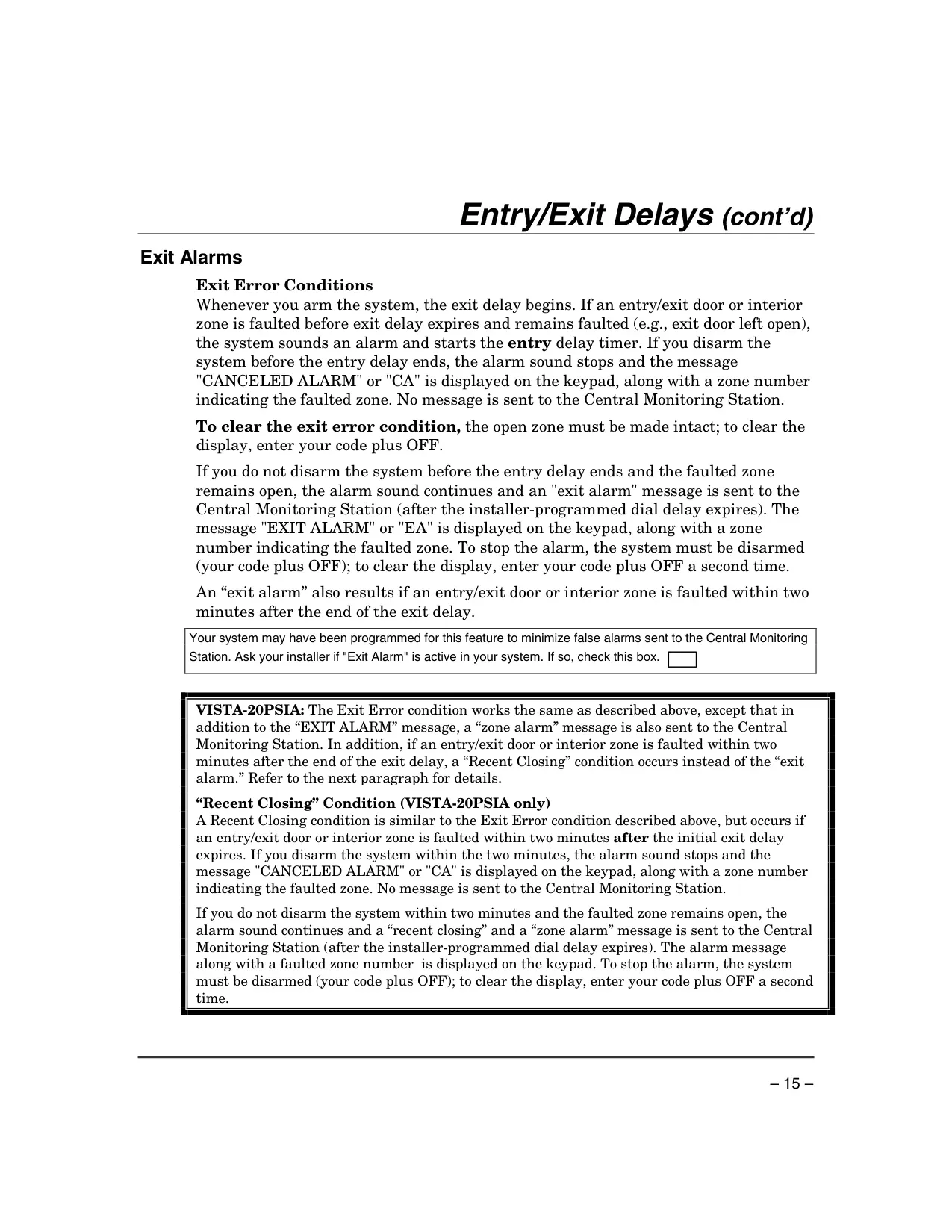
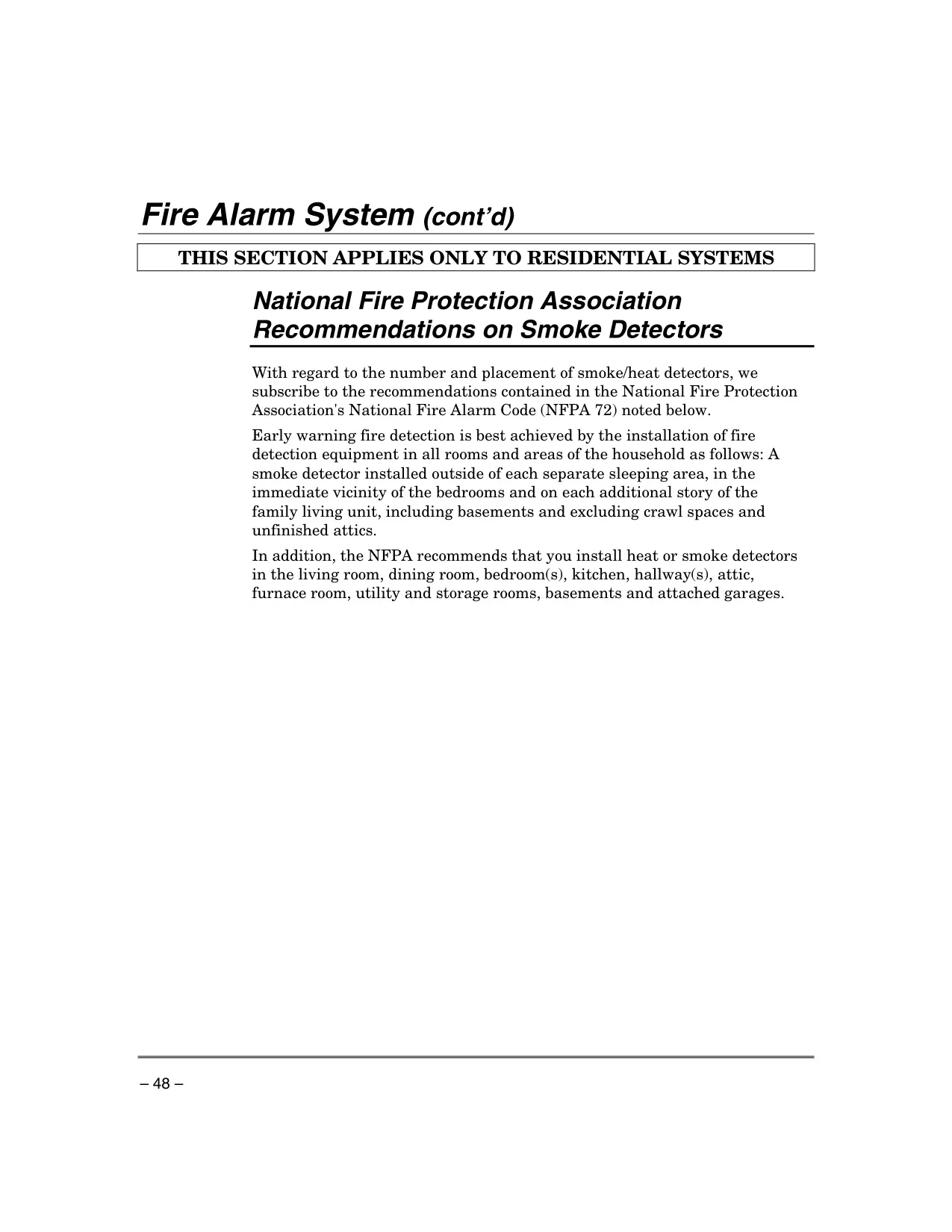
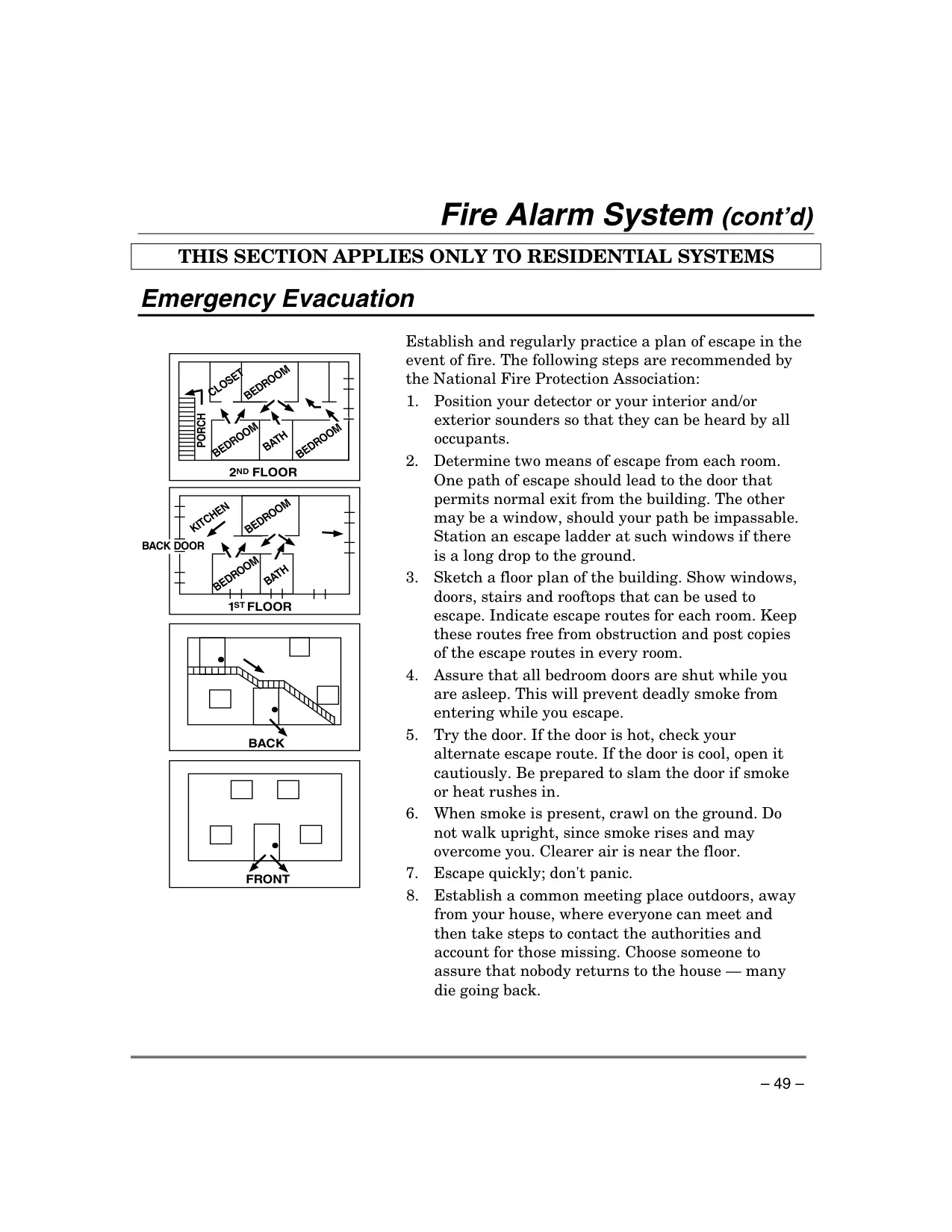
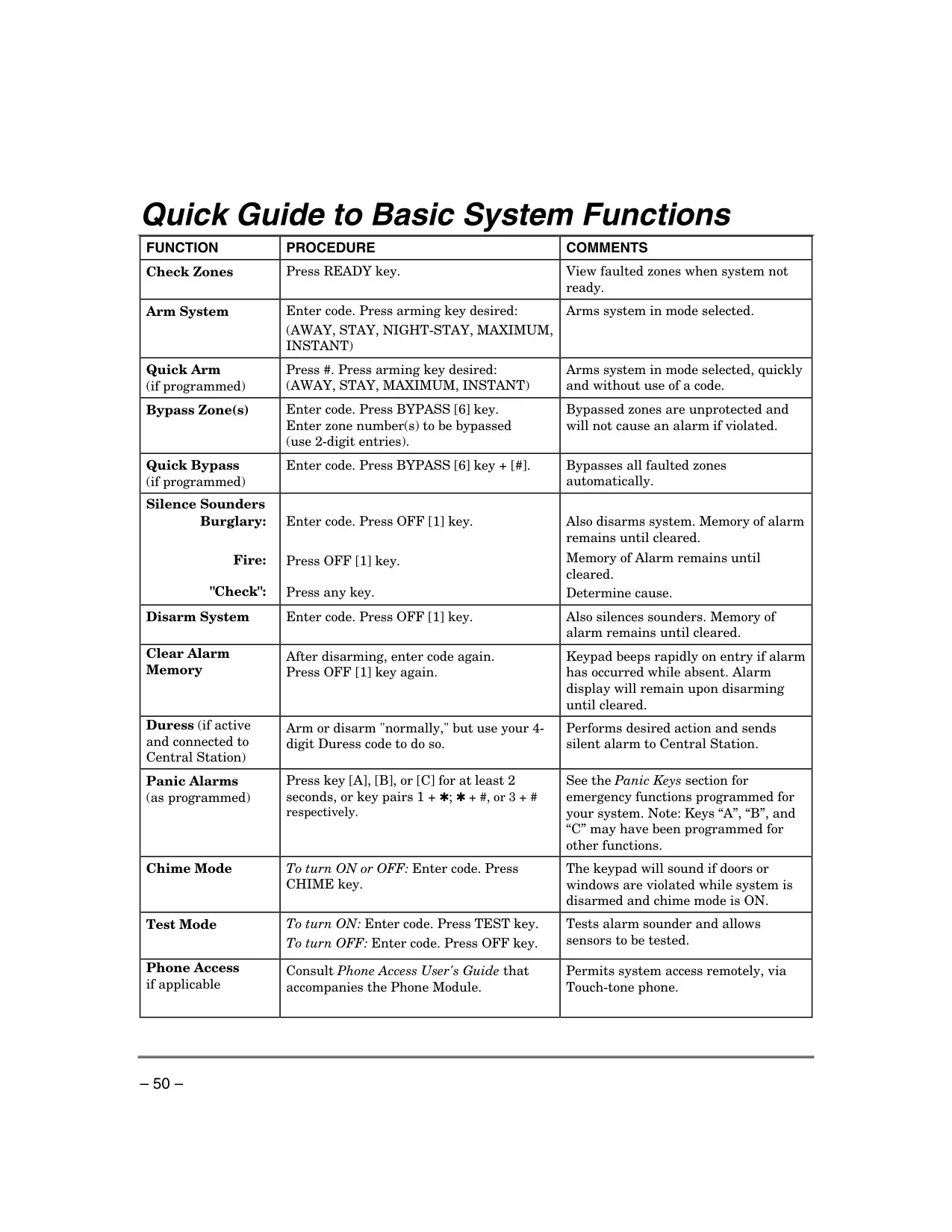
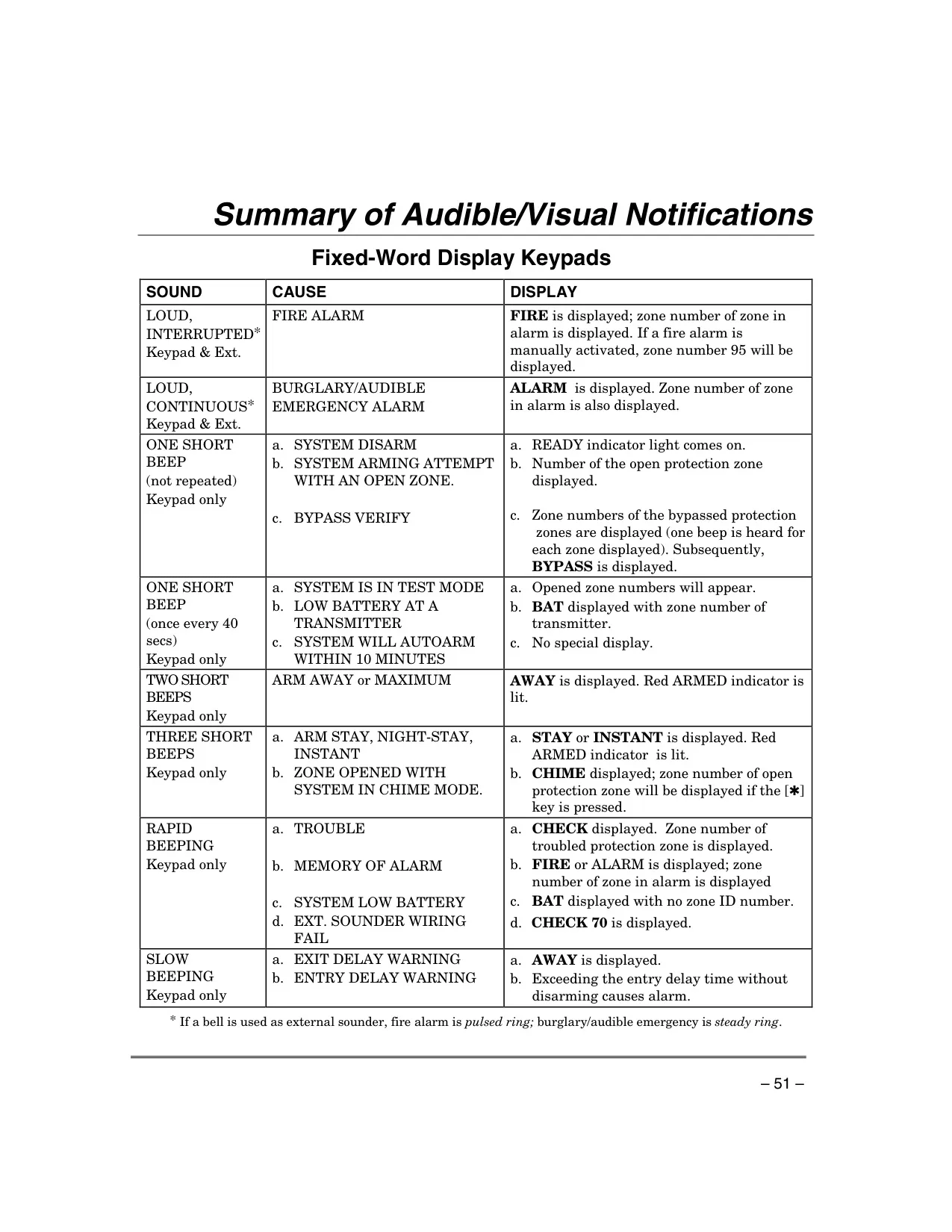




Honeywell Vista 20p Security System
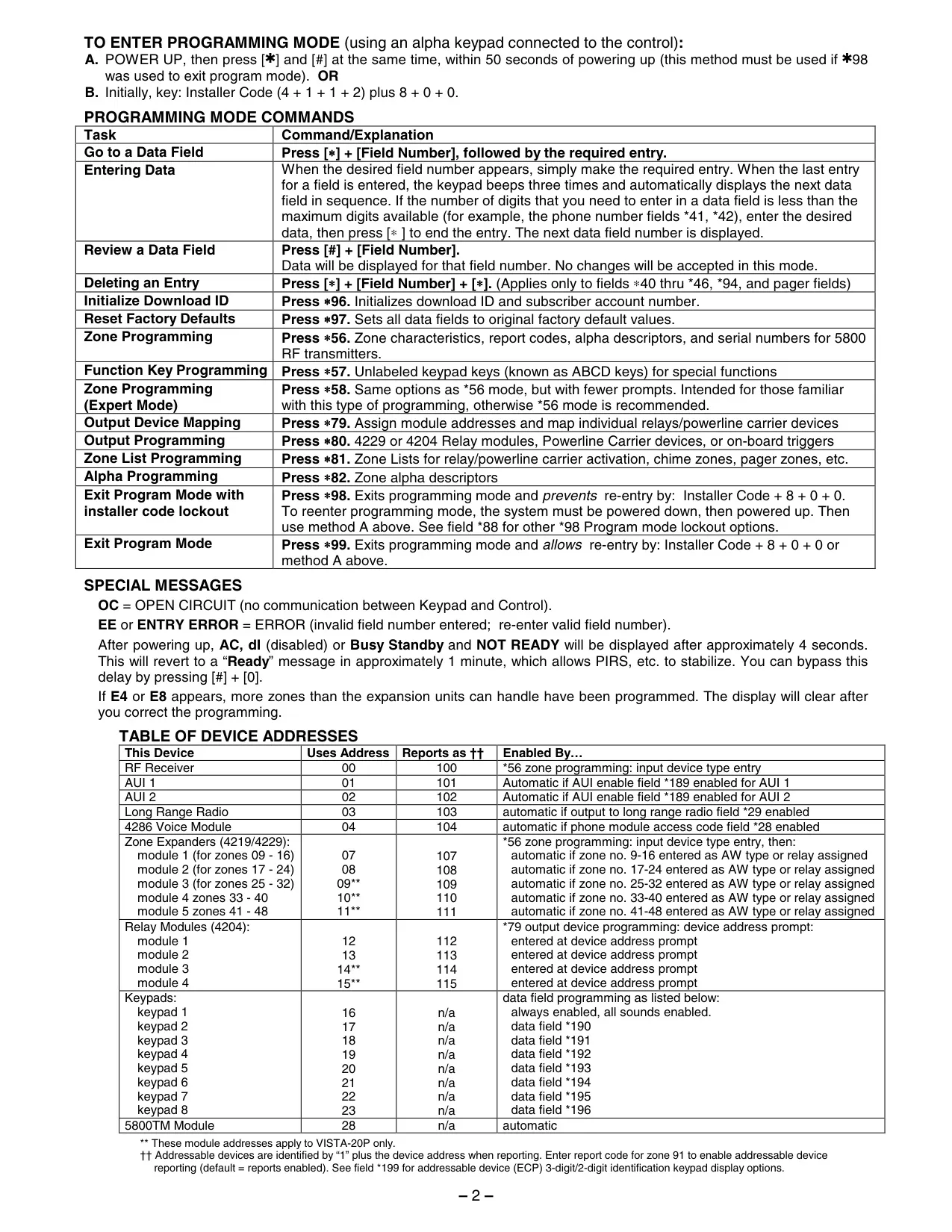
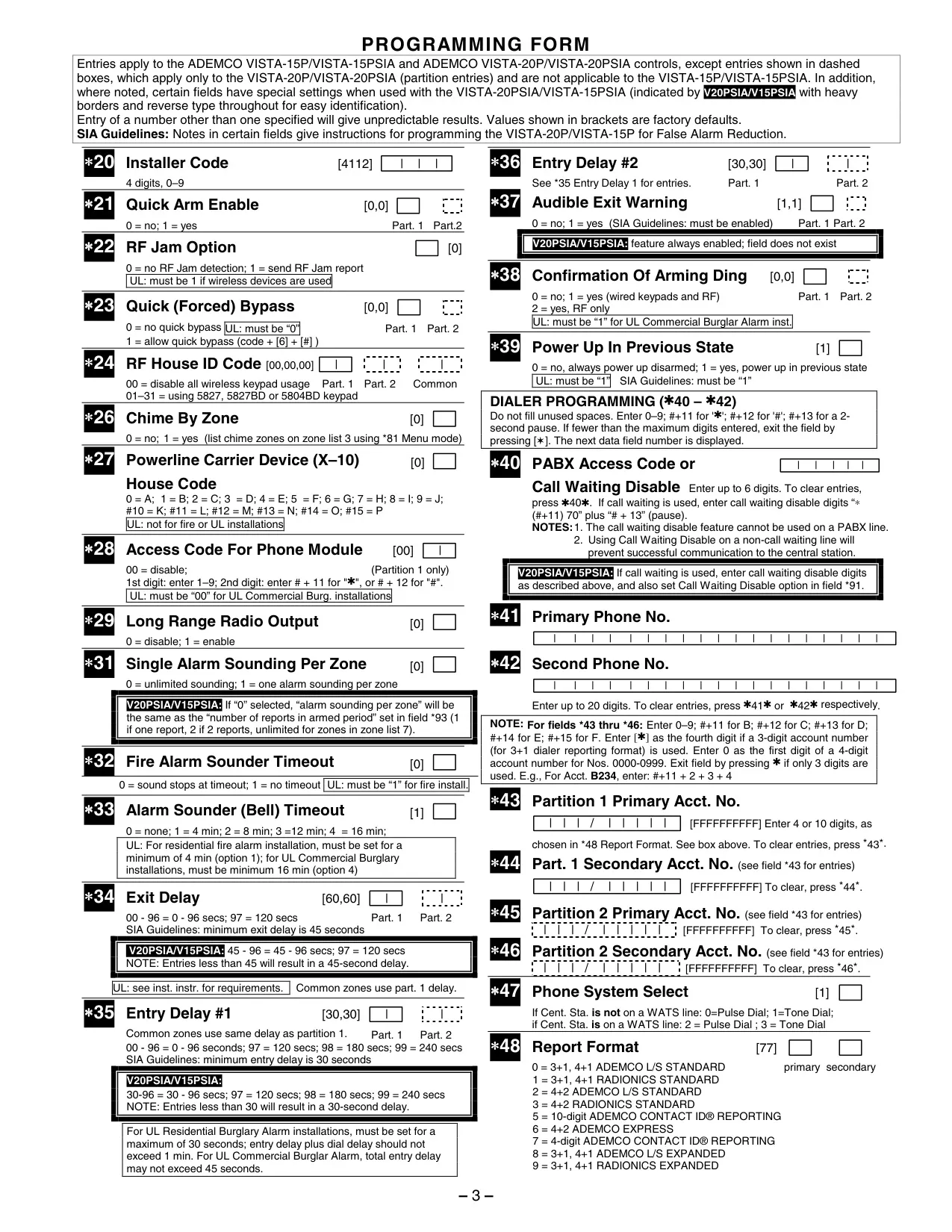
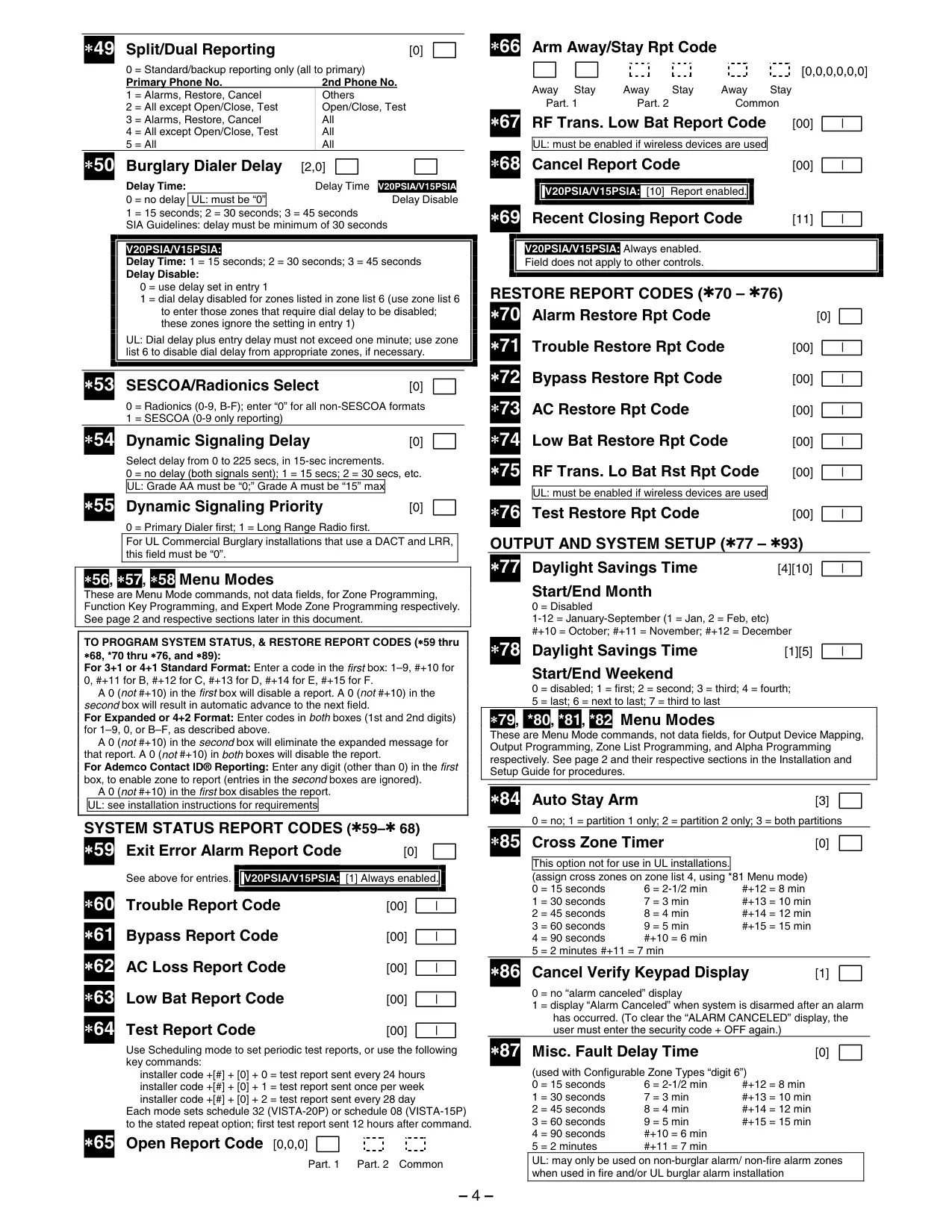
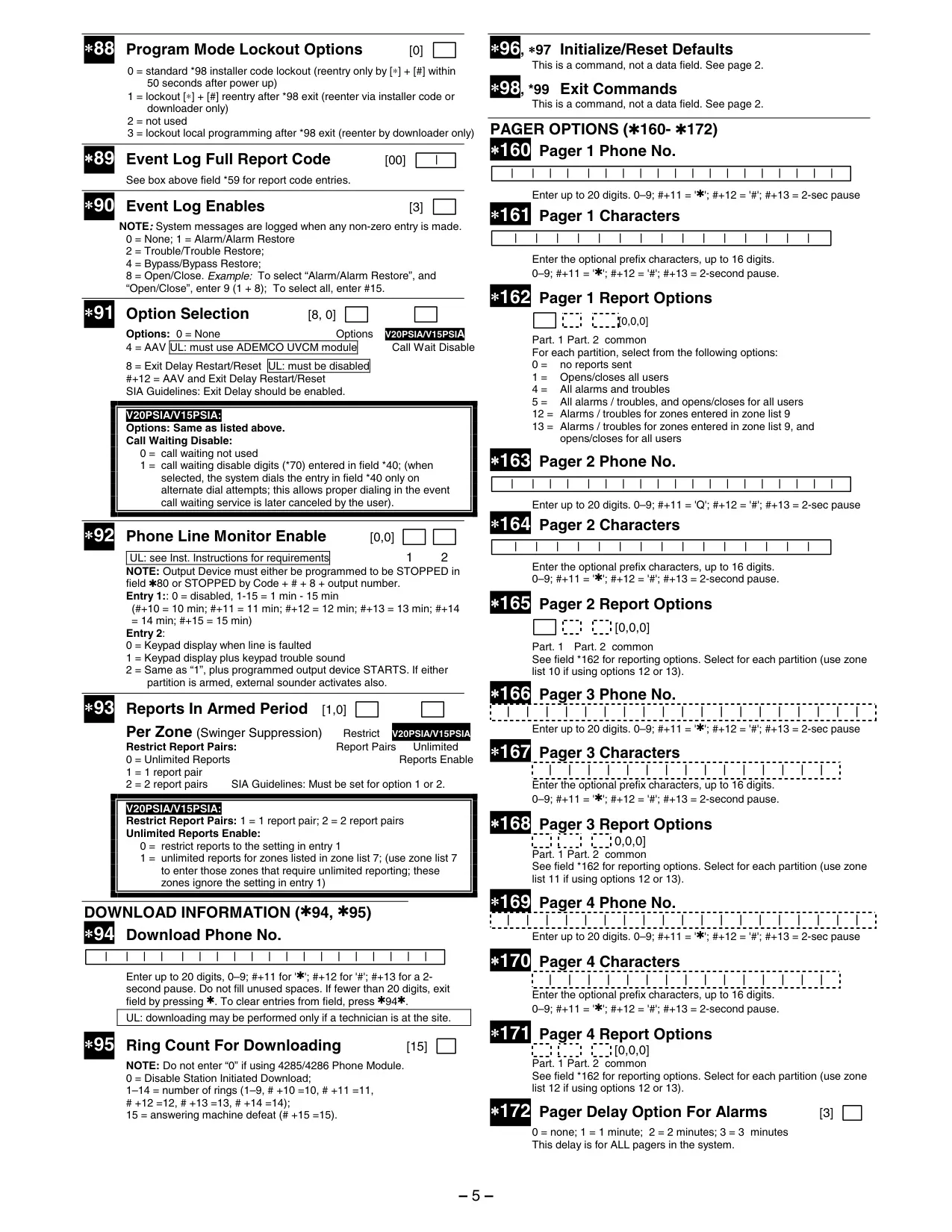
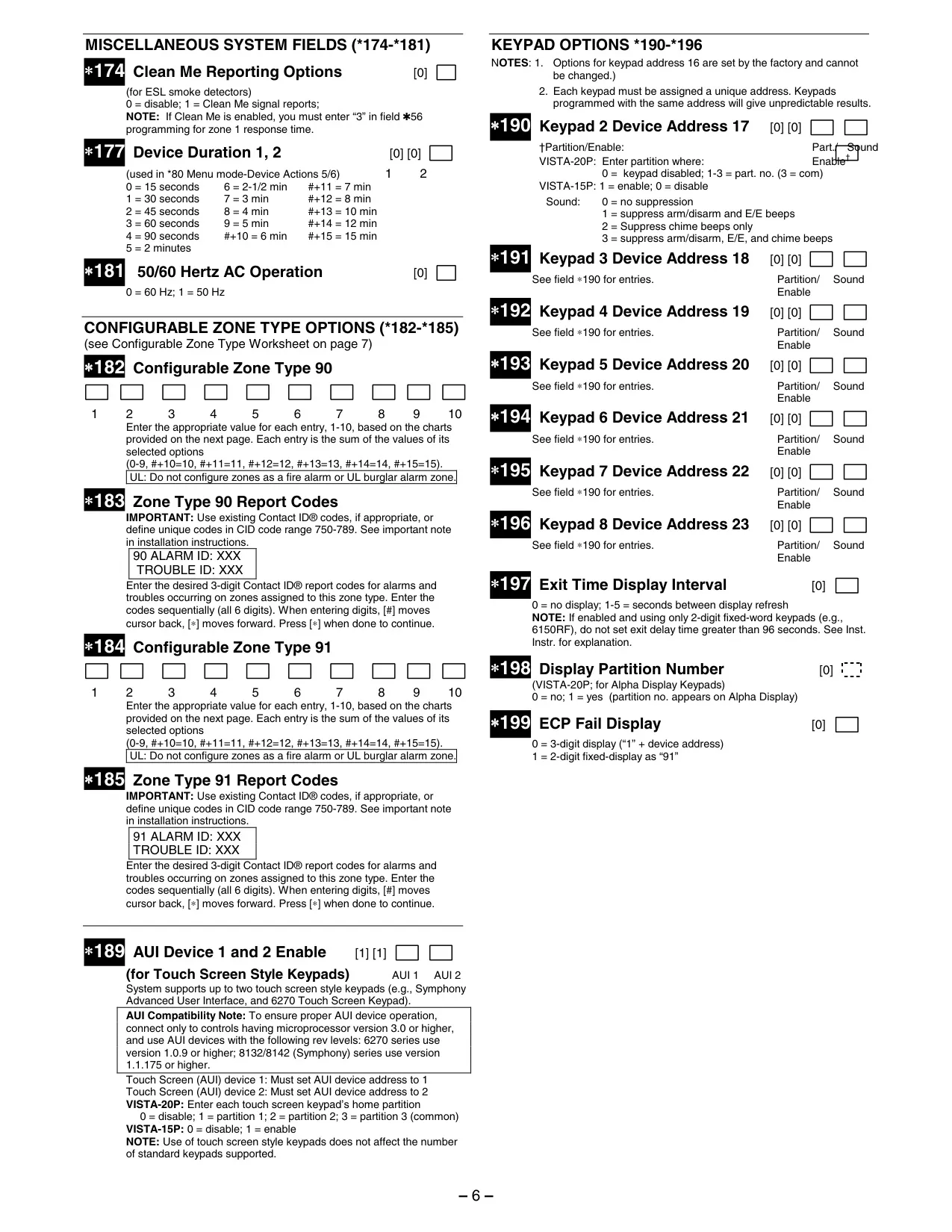
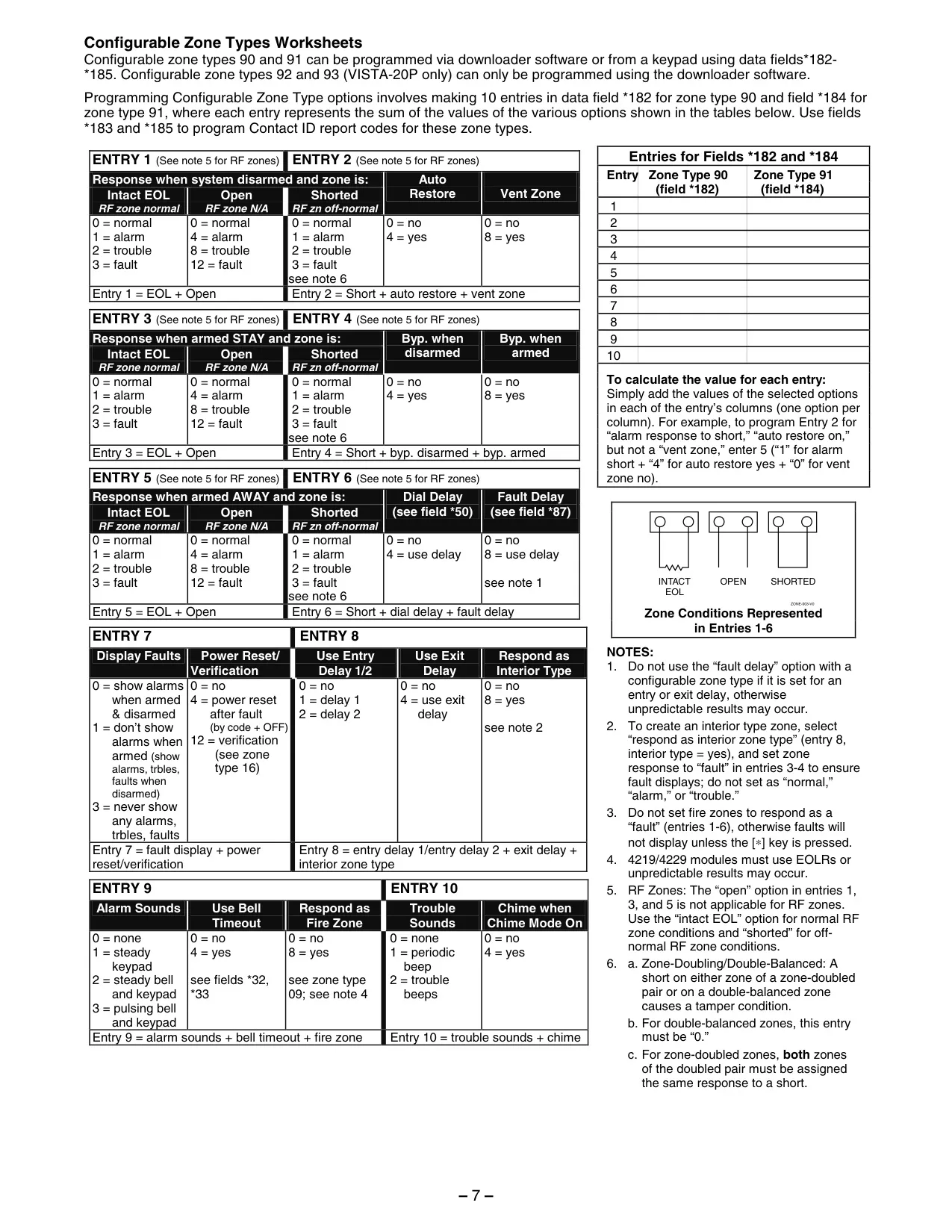
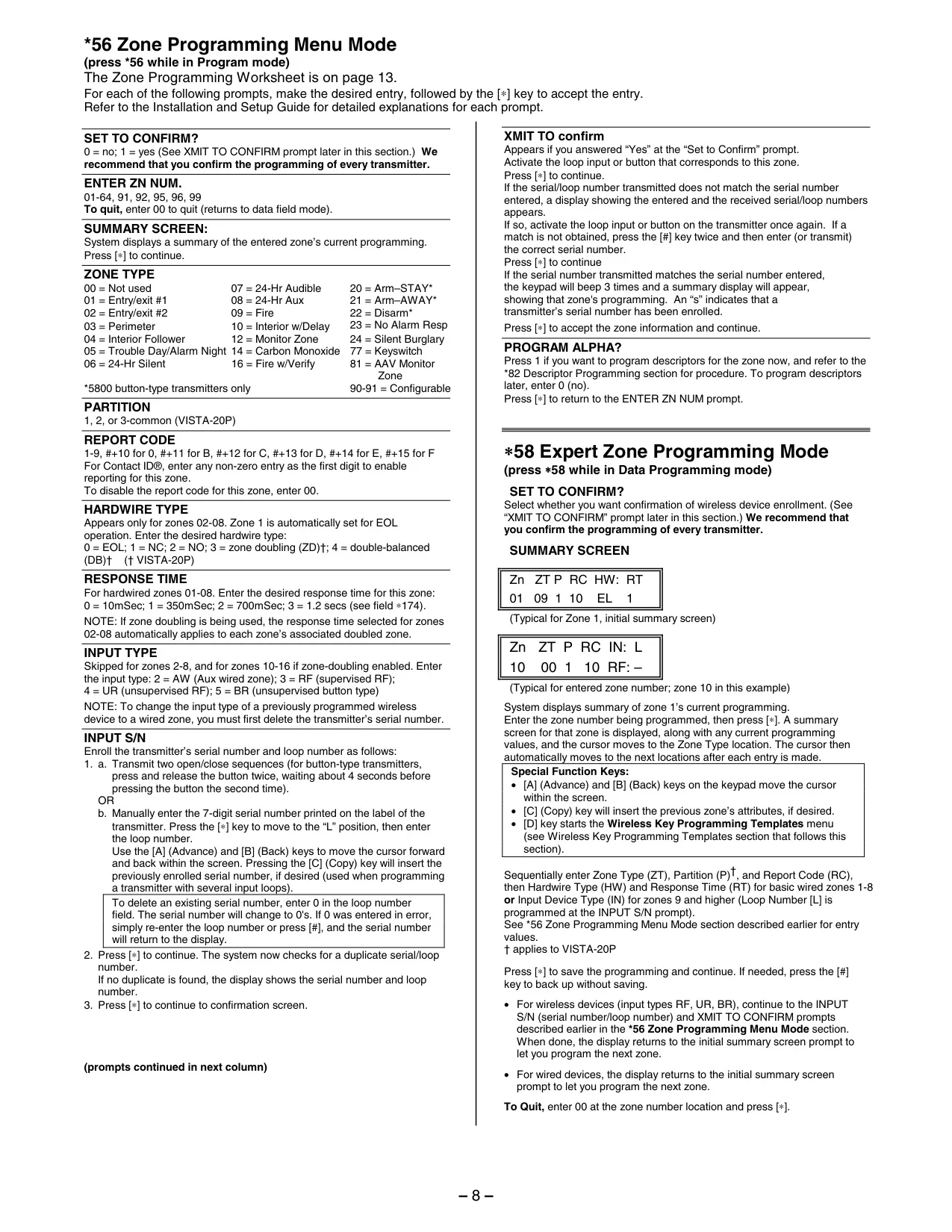
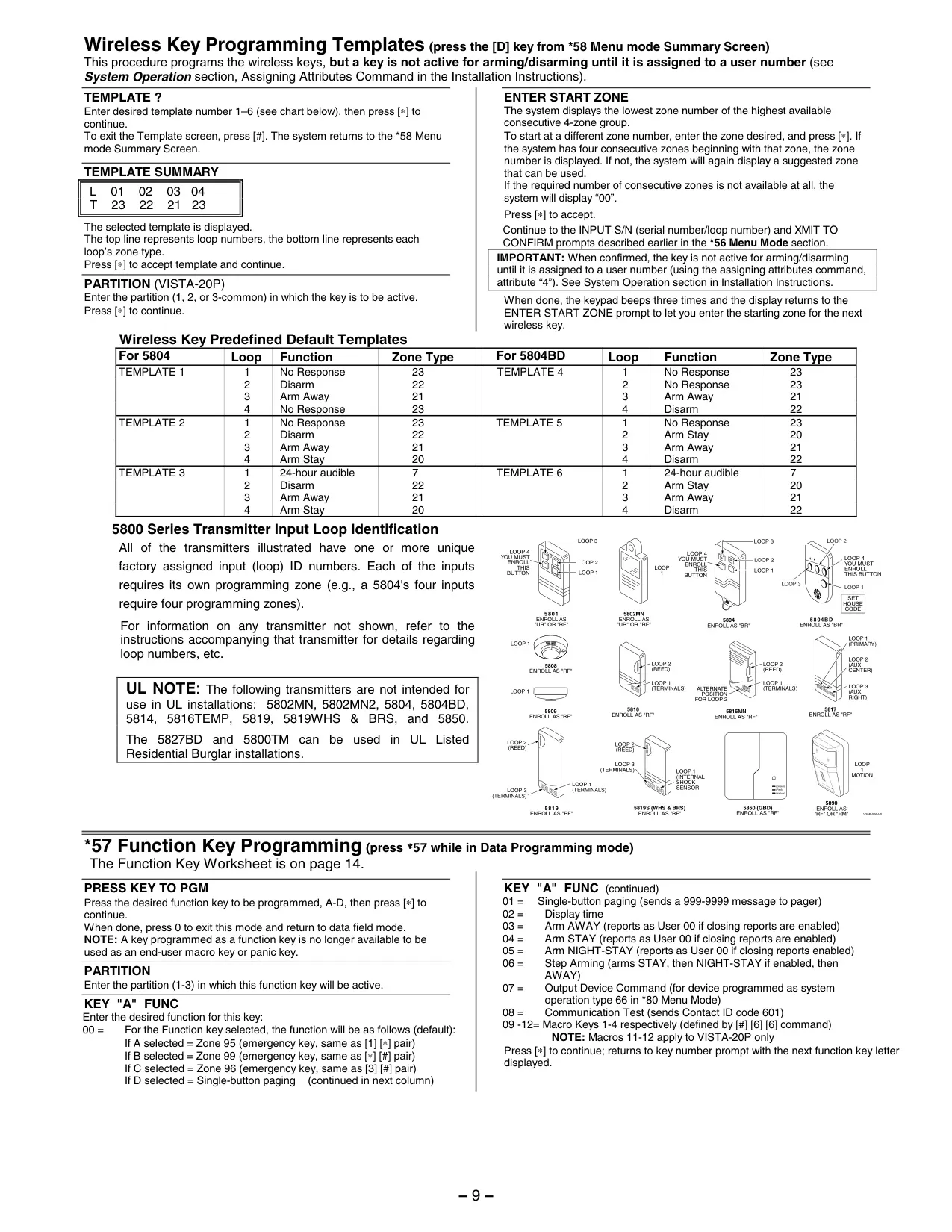
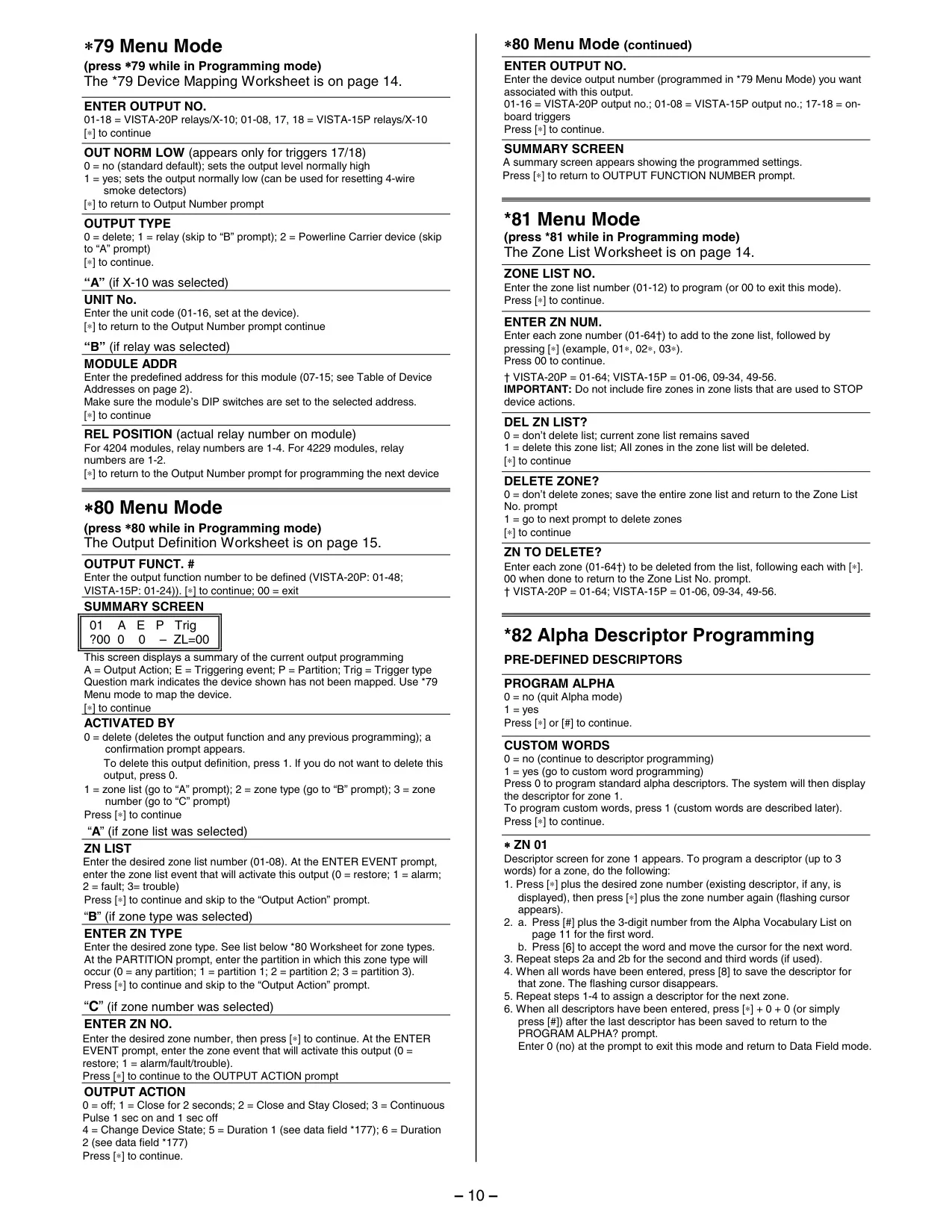
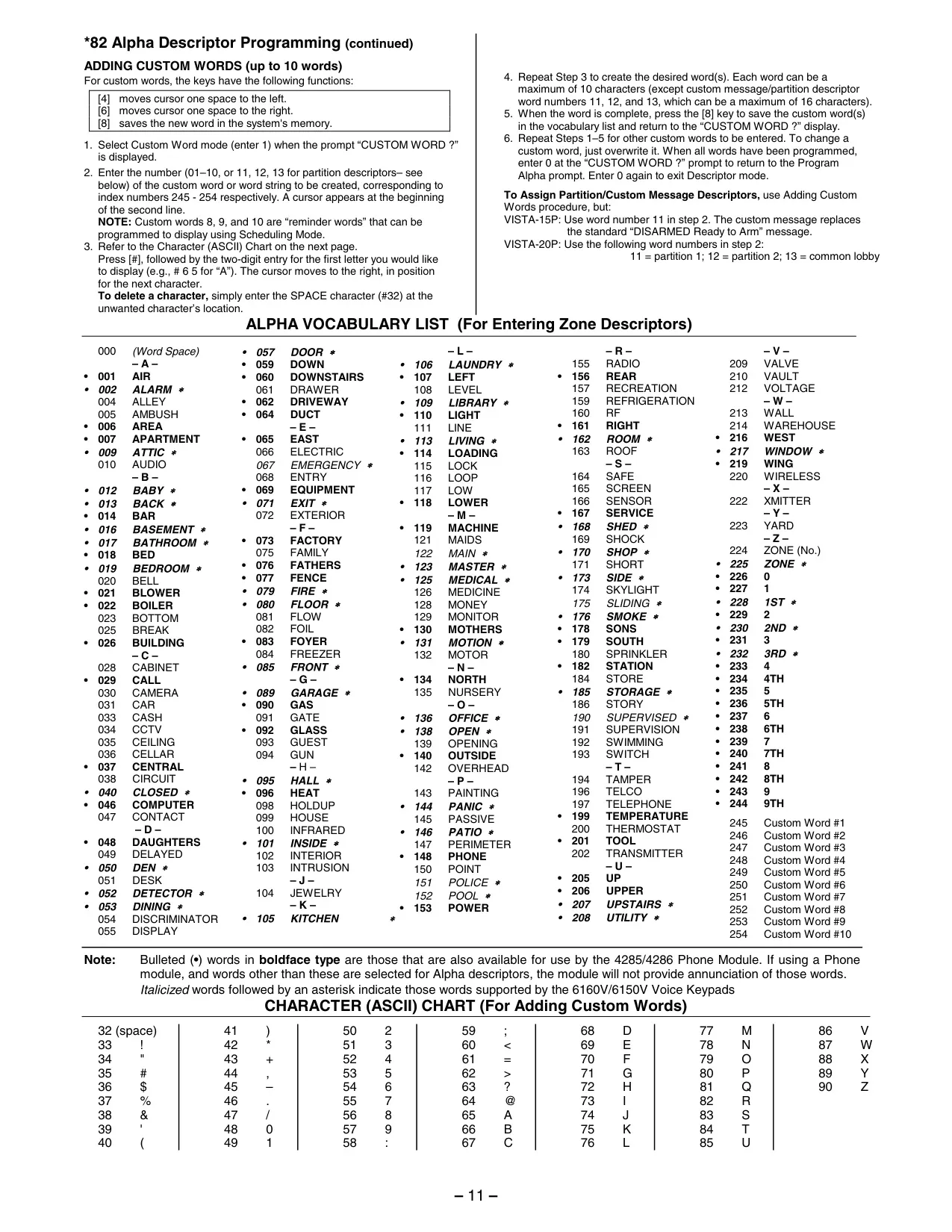
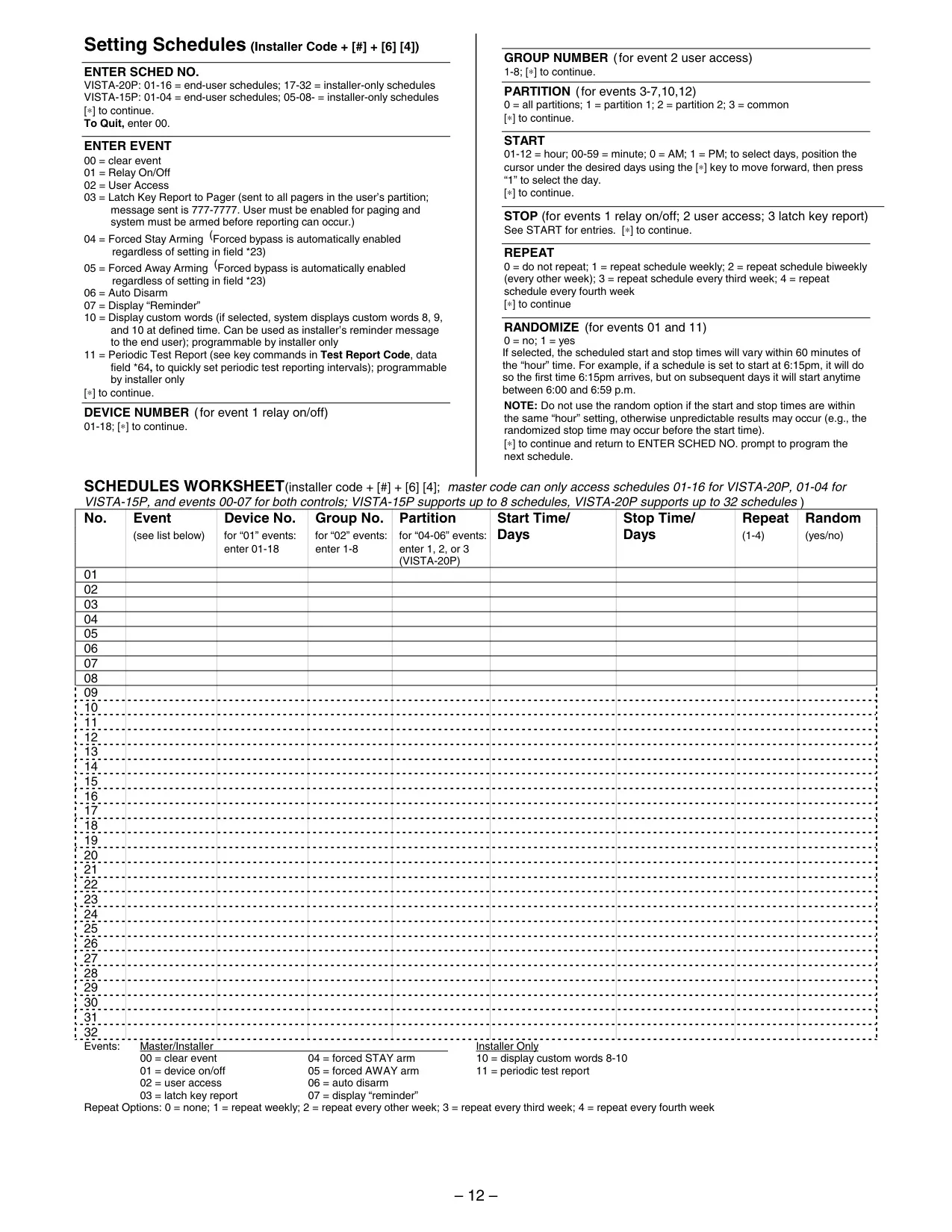
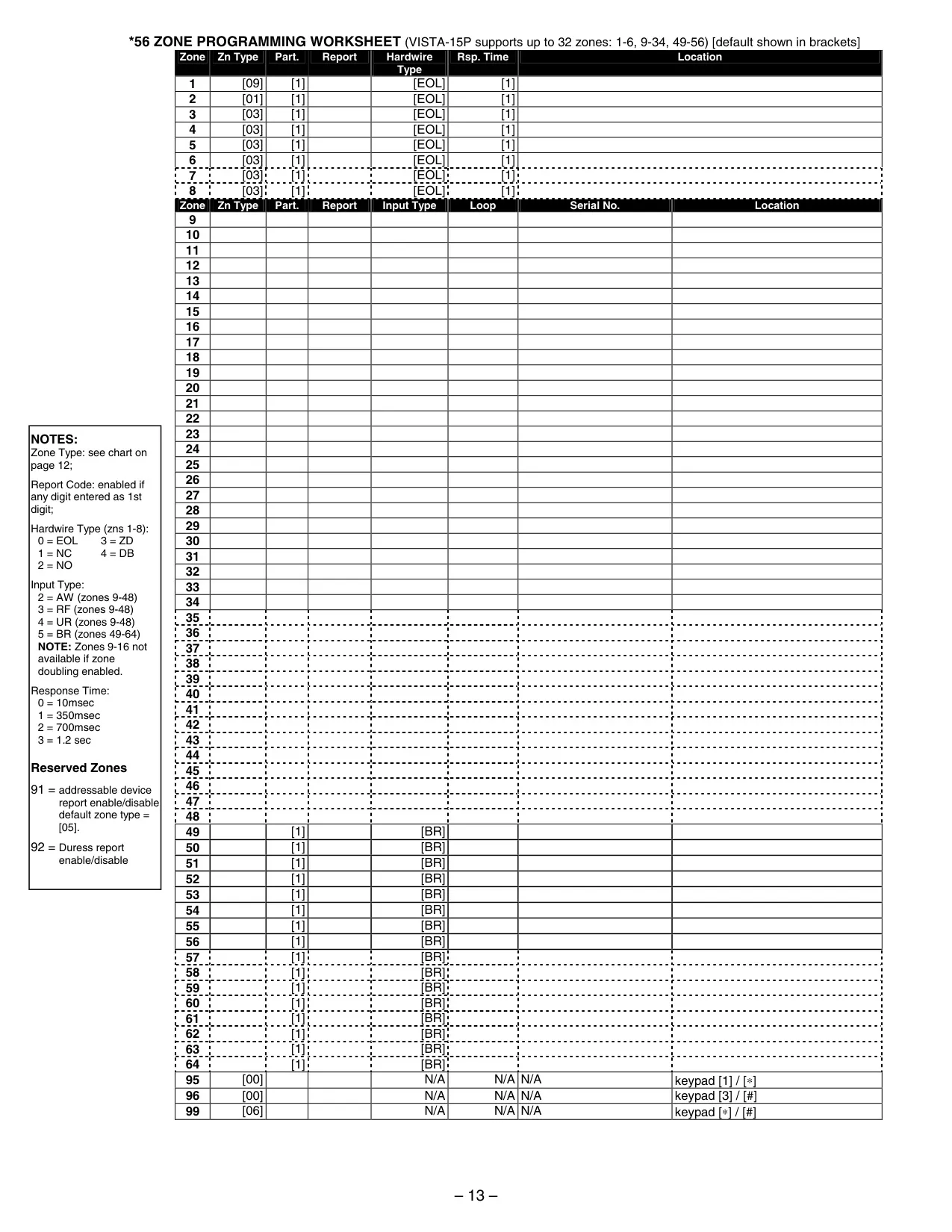
Honeywell Vista 20p Security System
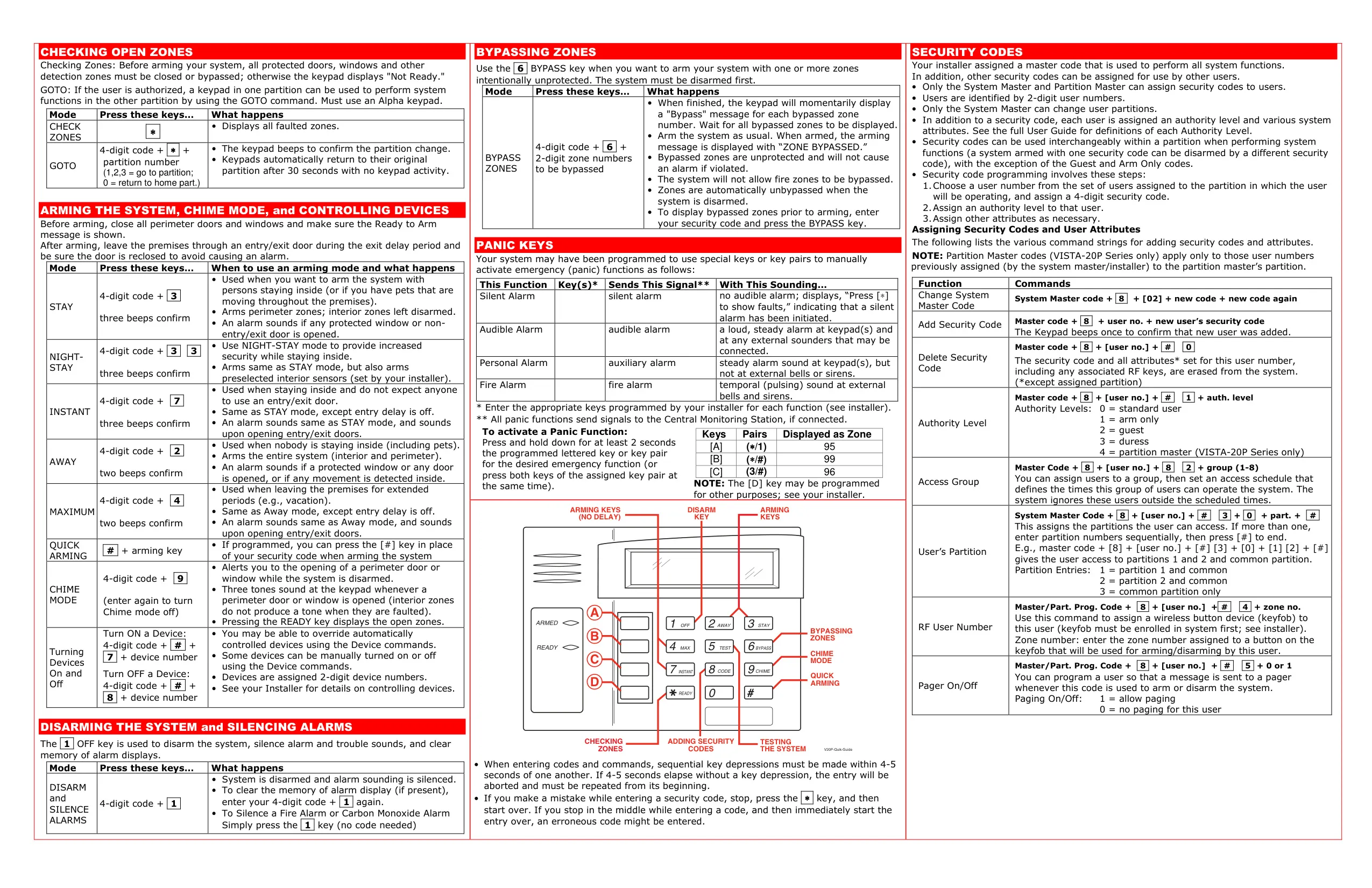
Honeywell Vista 20p Instructions
Here we offer the Honeywell Vista 20p Security System manual completely free and in English. We have cataloged this manual in the Security Systems section on Manualverse, and it has been rated by 1 users with an average rating of 5. If you have any specific questions about Honeywell Vista 20p Security System, we suggest checking the Frequently Asked Questions (FAQs) section of this manual.
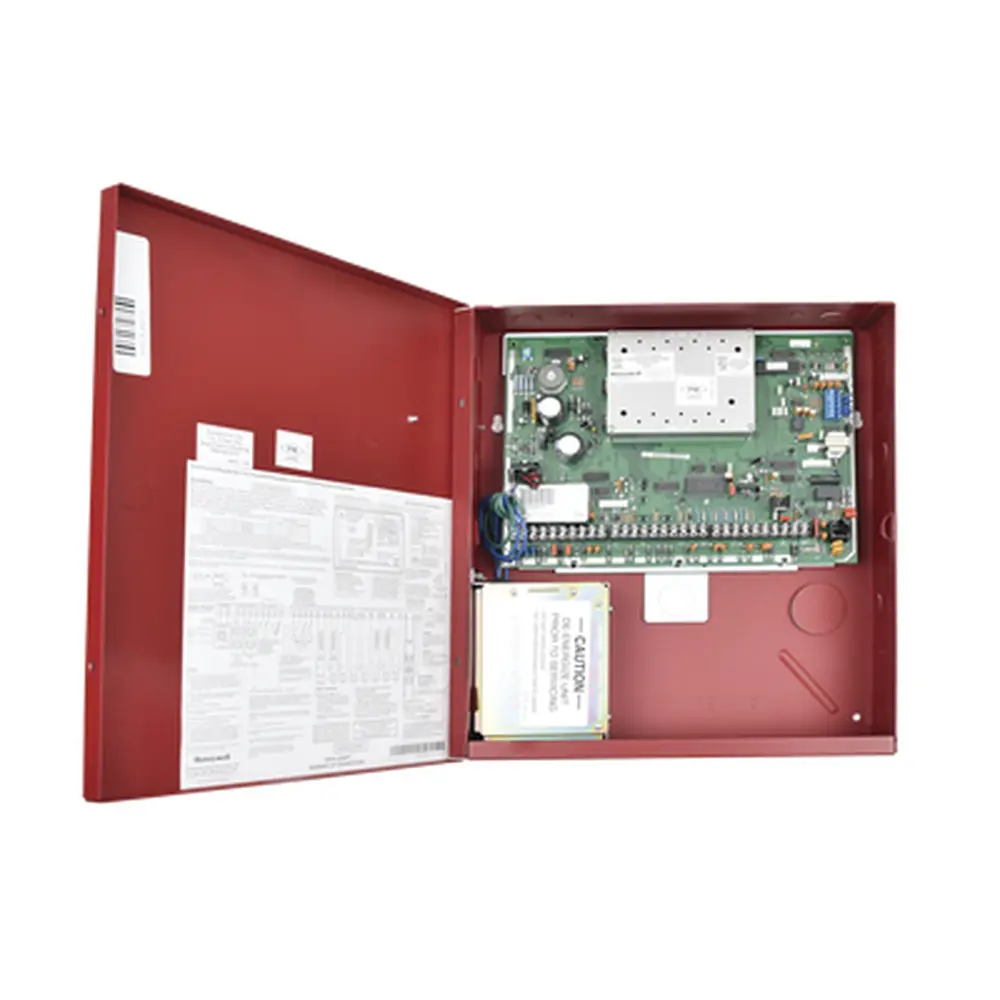
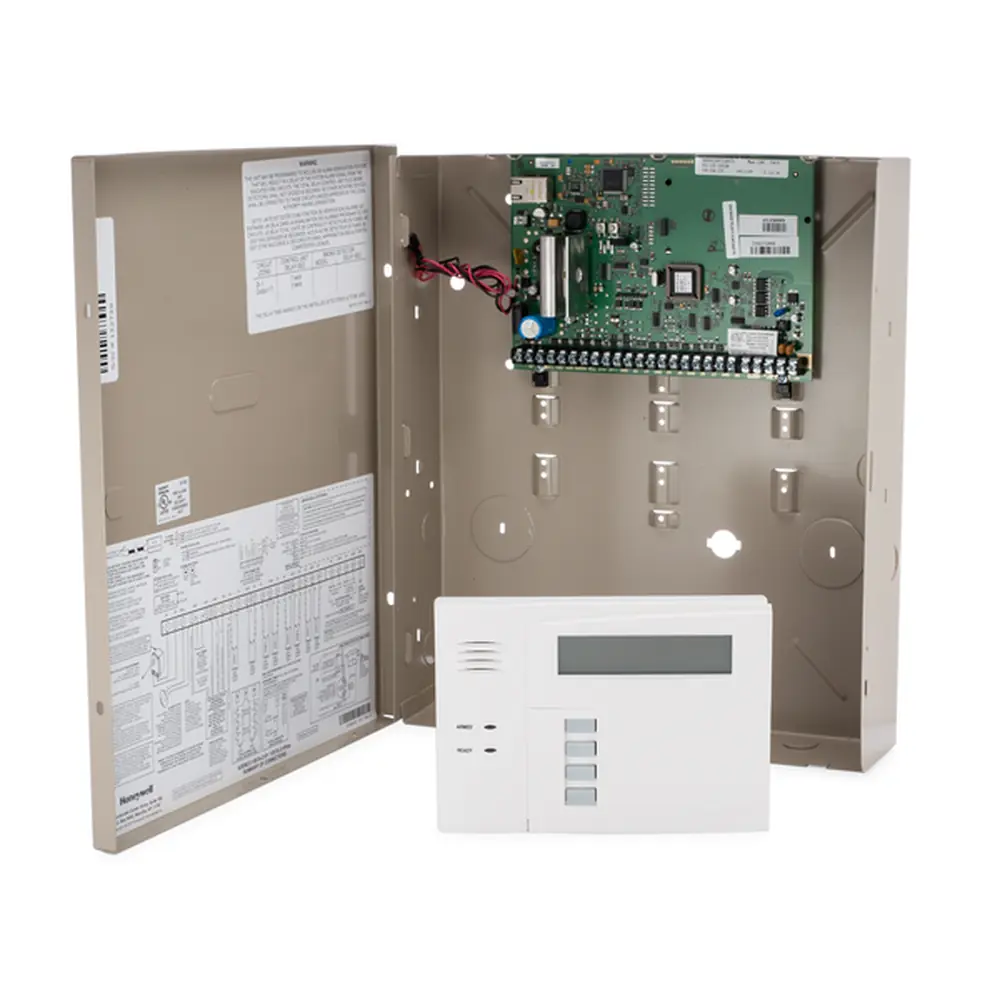
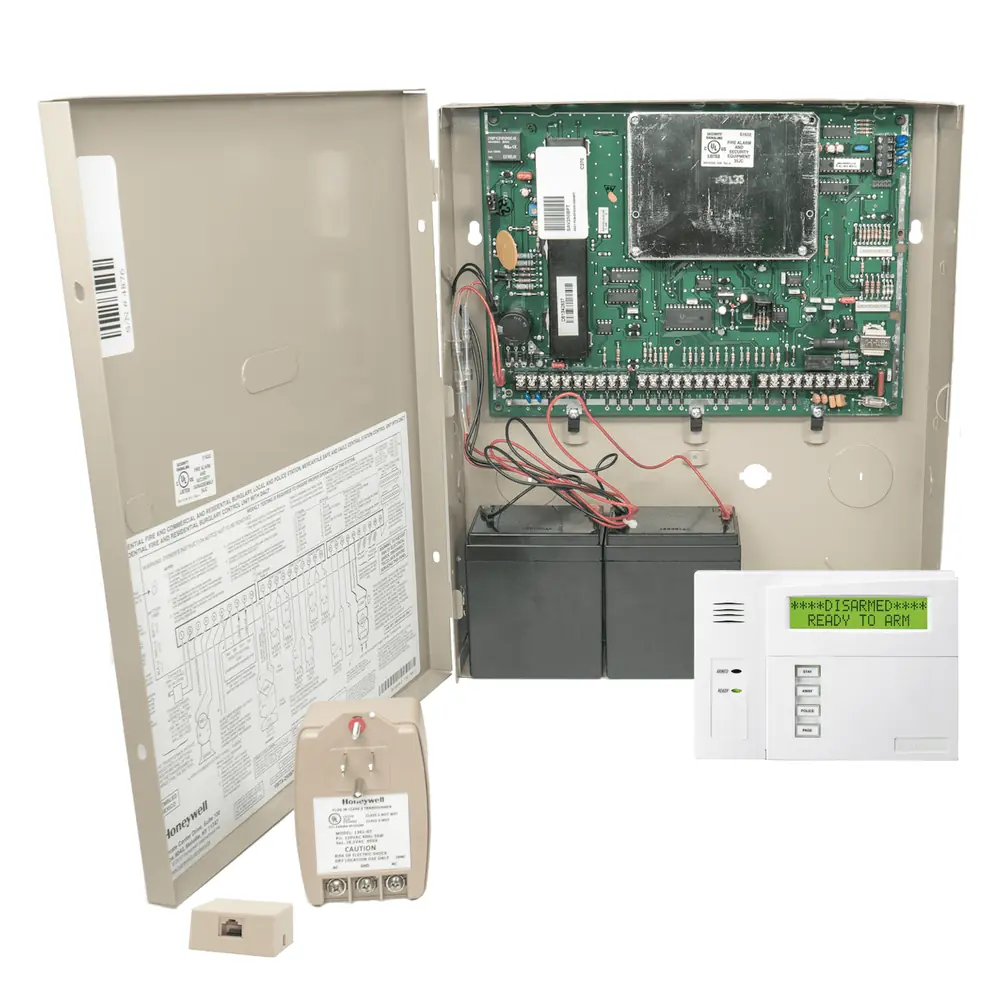
Product Images
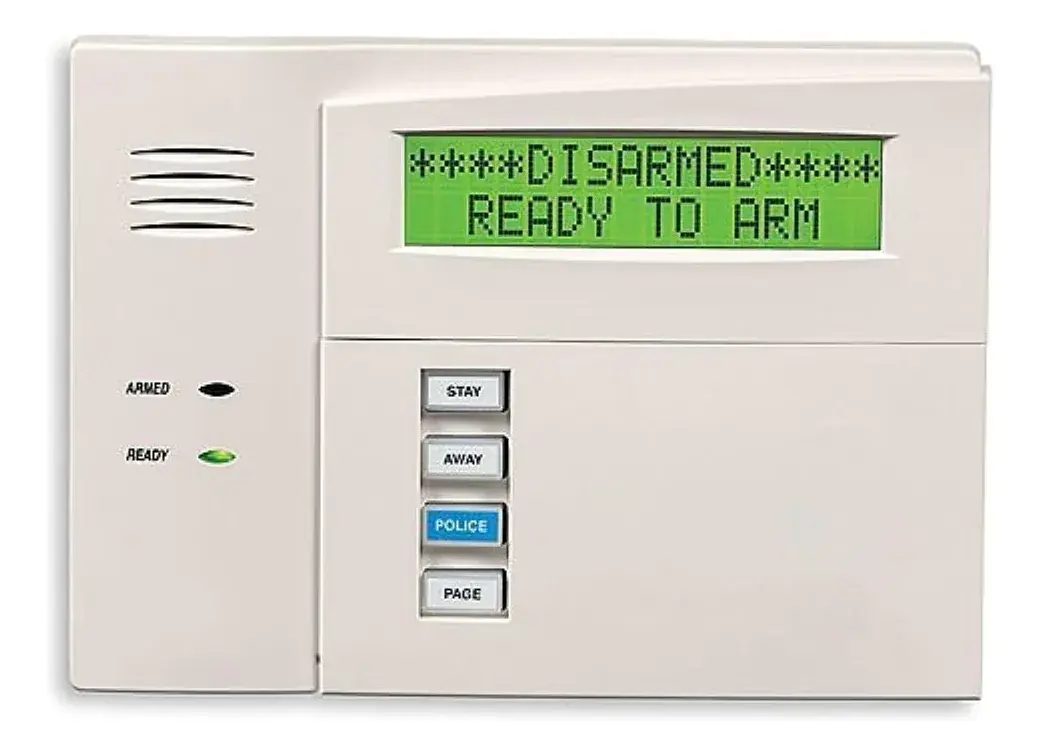
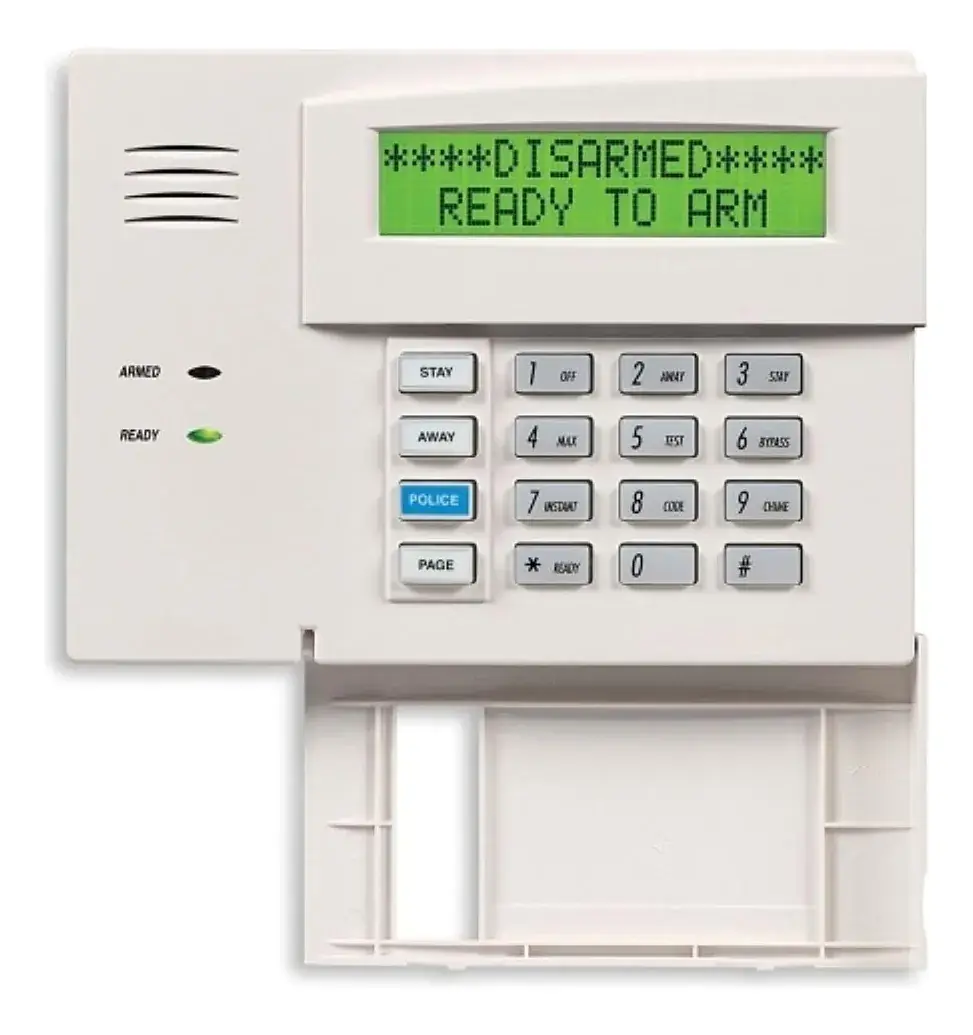
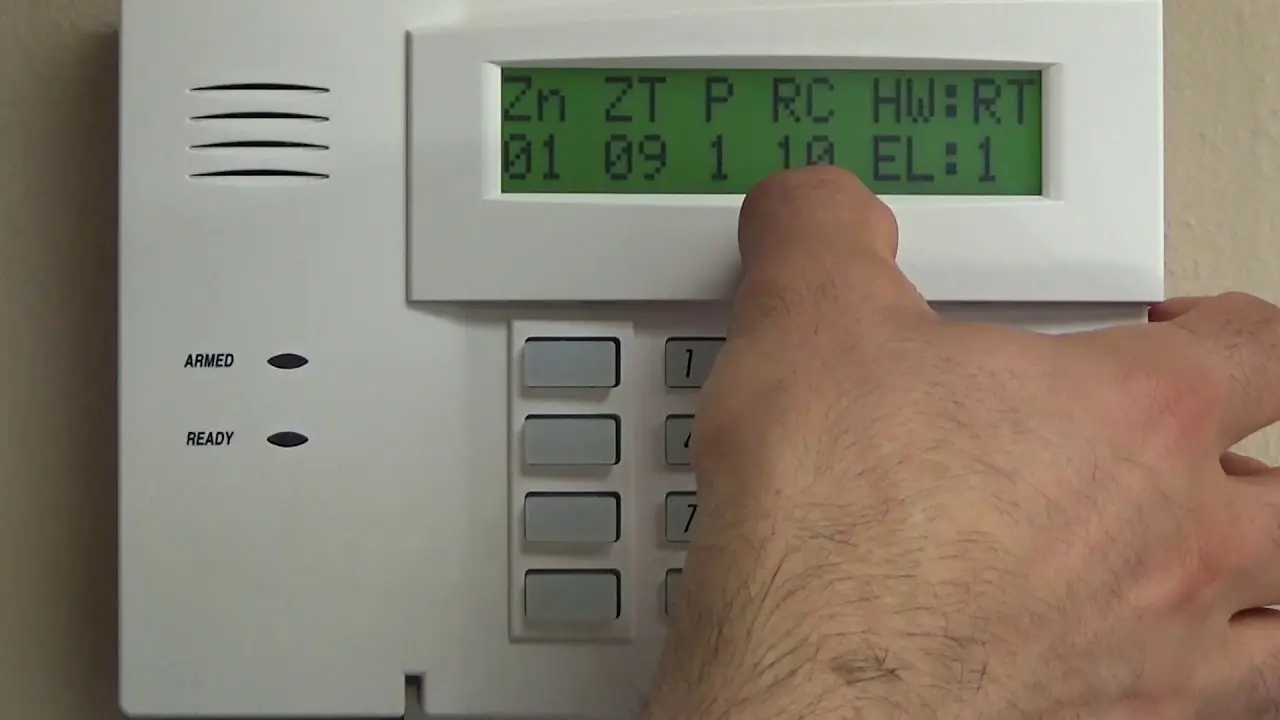
Honeywell Vista 20p Security System Specifications
| Feature | Specification |
|---|---|
| Models Covered | VISTA-20P, VISTA-20PSIA, VISTA-15P Series |
| Protection Types | Burglary, Fire, Emergency |
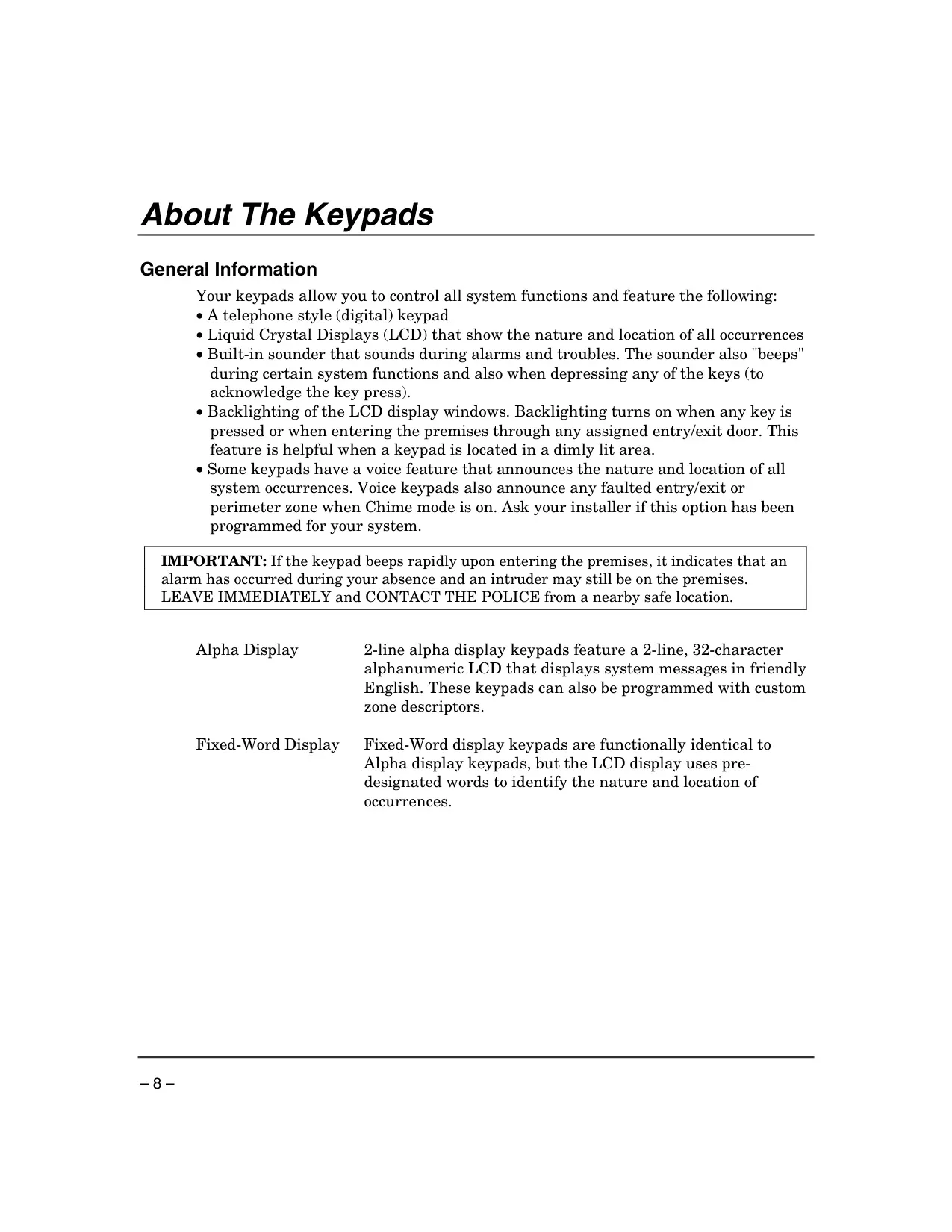
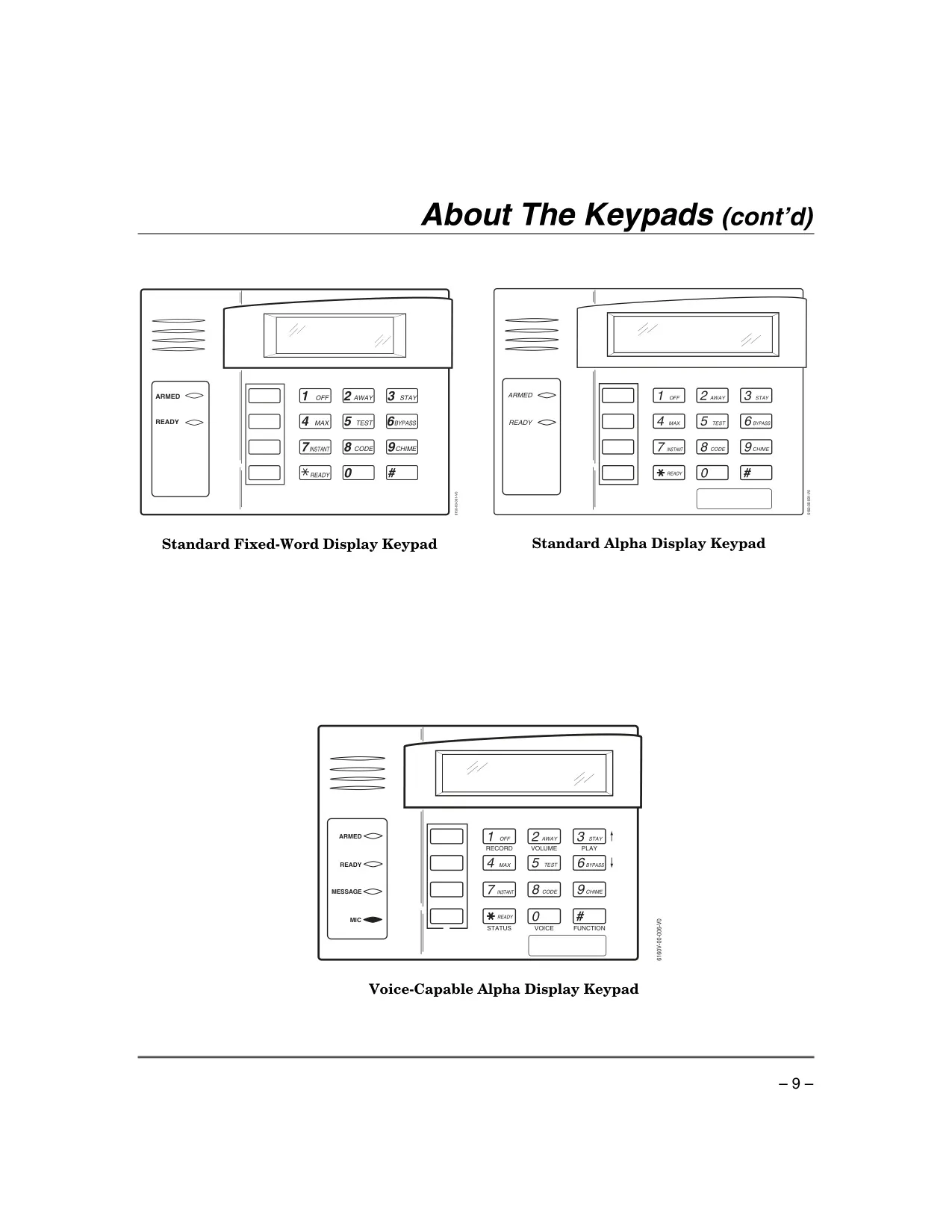
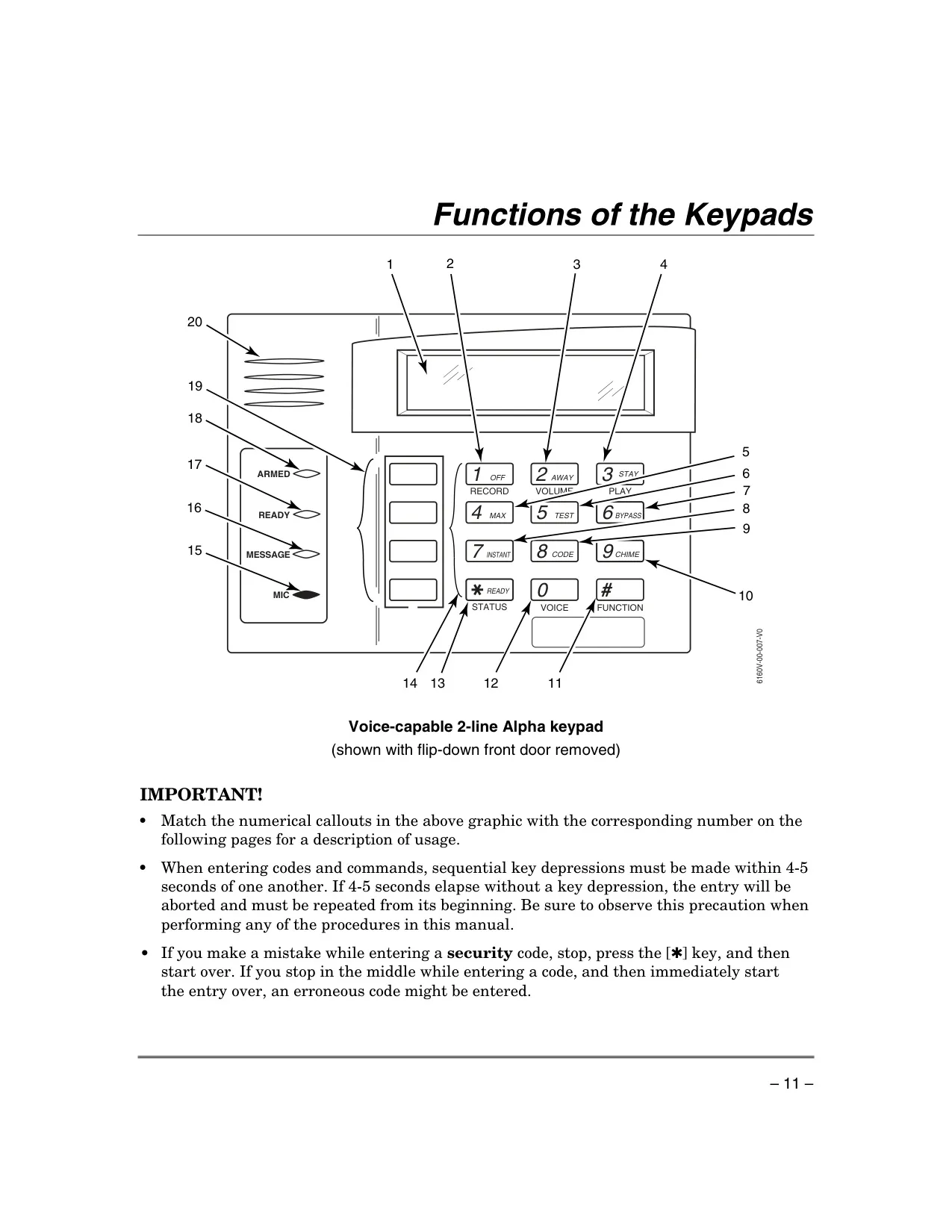
| Keypad Types | Alpha Display (2-line, 32-character alphanumeric), Fixed-Word Display (pre-designated words), Voice-Capable Alpha Display (optional) |
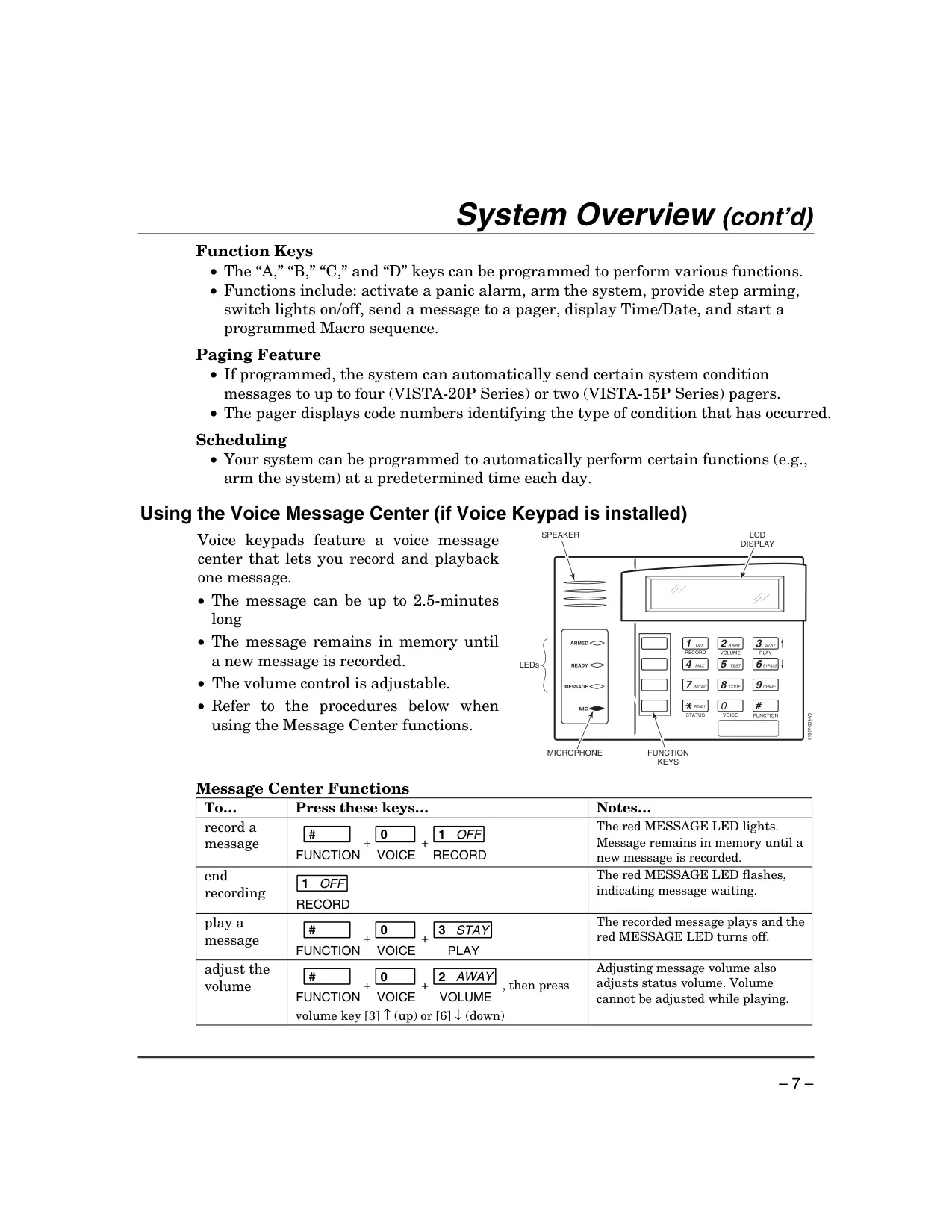
| Voice Message Center (Voice Keypad) | One message, up to 2.5 minutes length, adjustable volume |
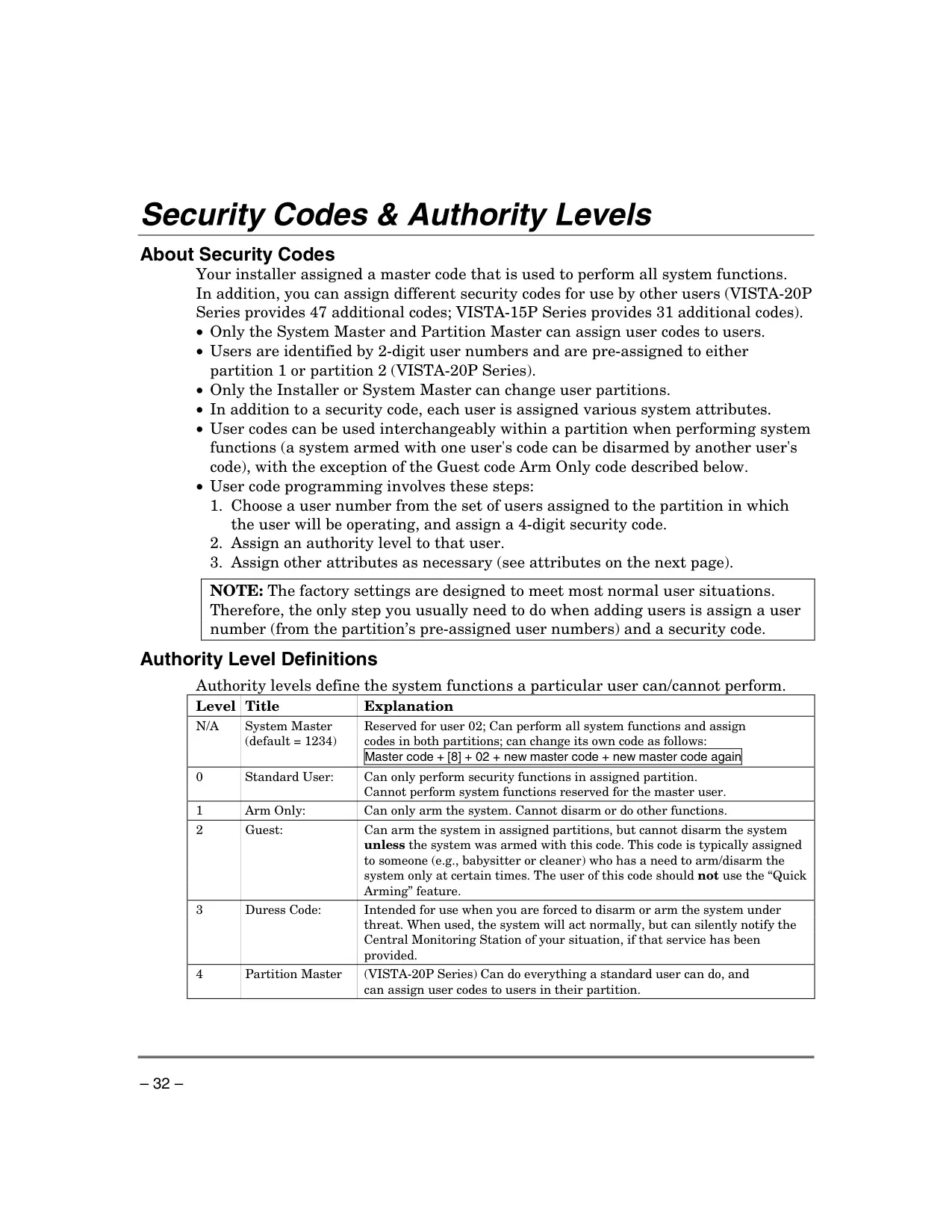
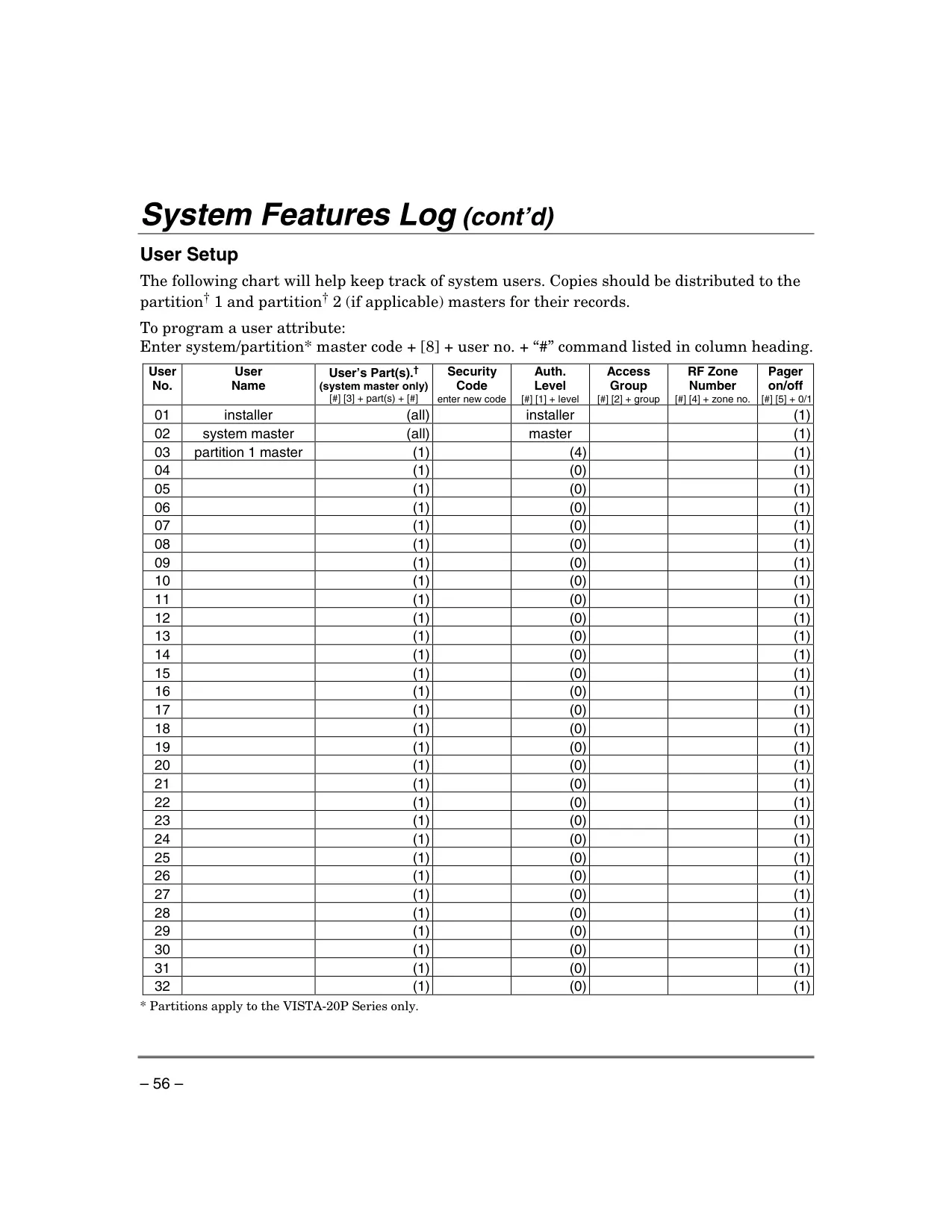
| Maximum Security Codes (VISTA-20P Series) | Master code + 47 additional user codes |
| Maximum Security Codes (VISTA-15P Series) | Master code + 31 additional user codes |
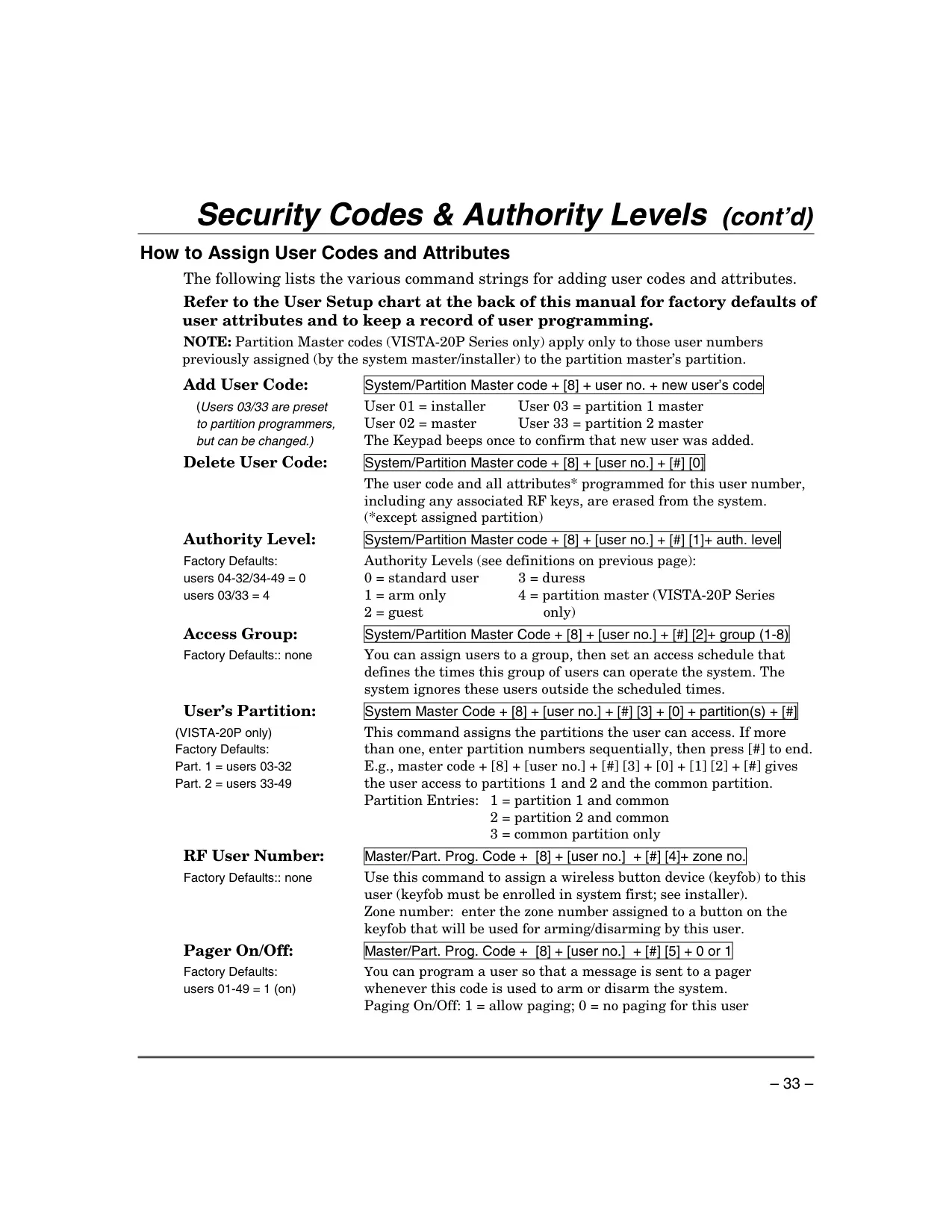
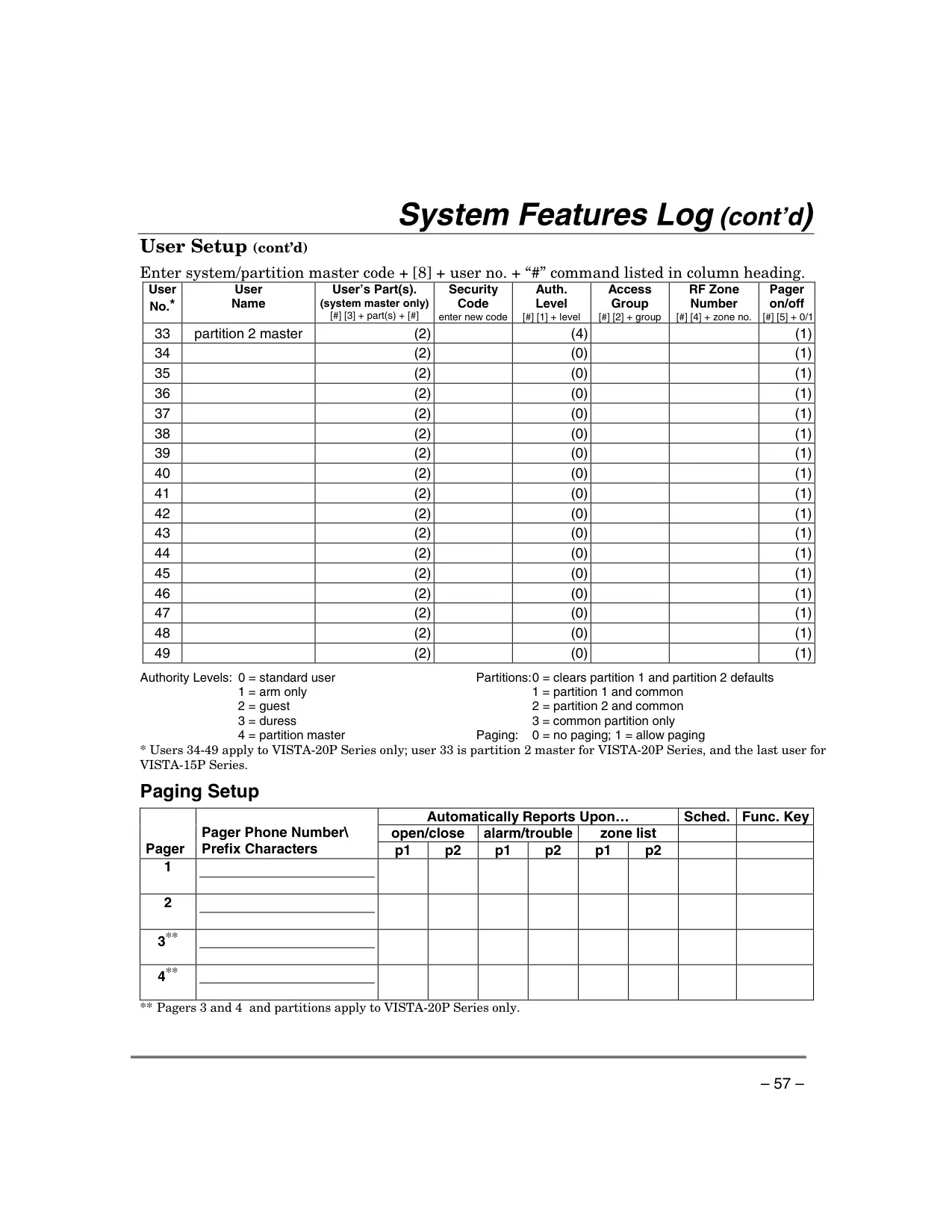
| Authority Levels | System Master, Standard User, Arm Only, Guest, Duress, Partition Master (VISTA-20P Series only) |
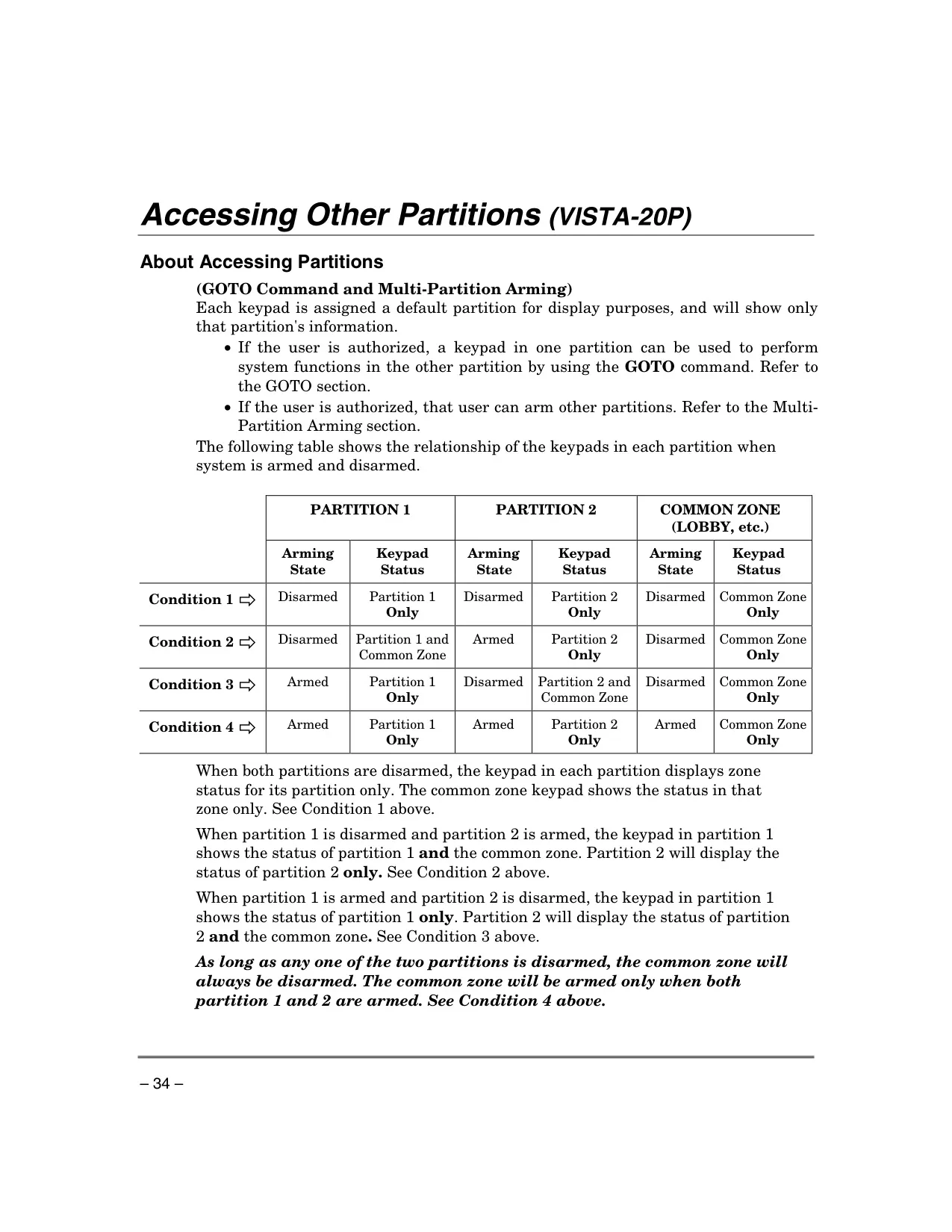
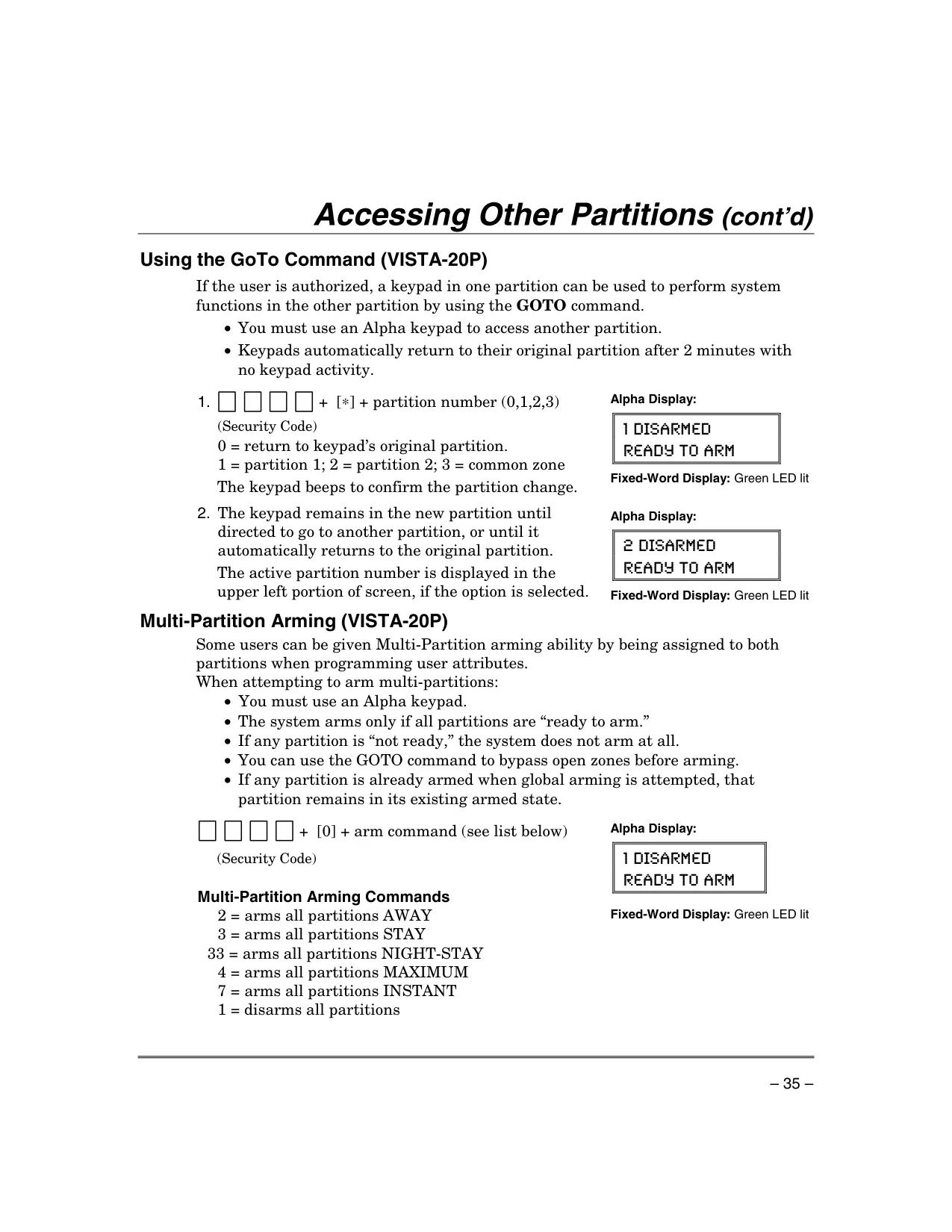
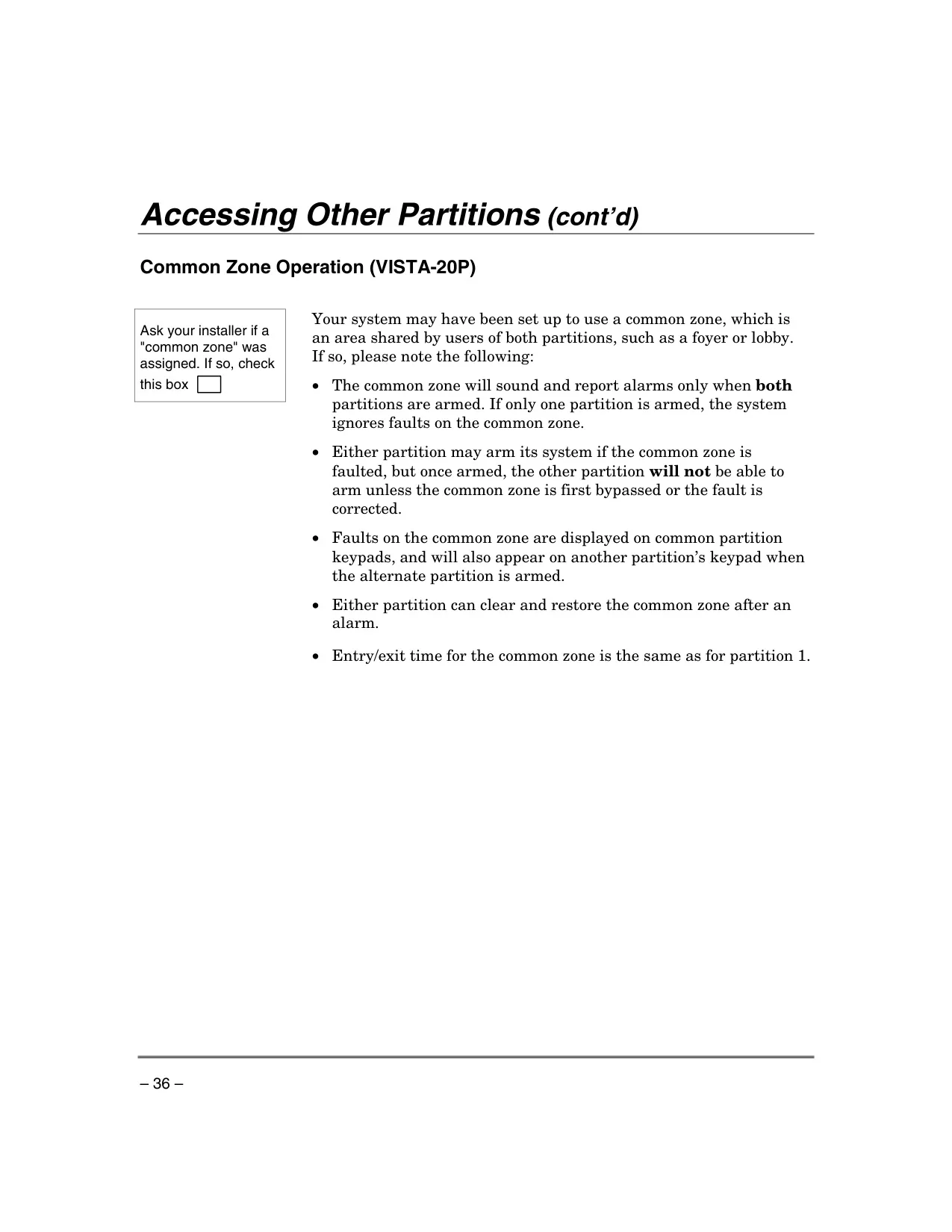
| Number of Partitions (VISTA-20P Series) | Two independent areas of protection with common zone capability |
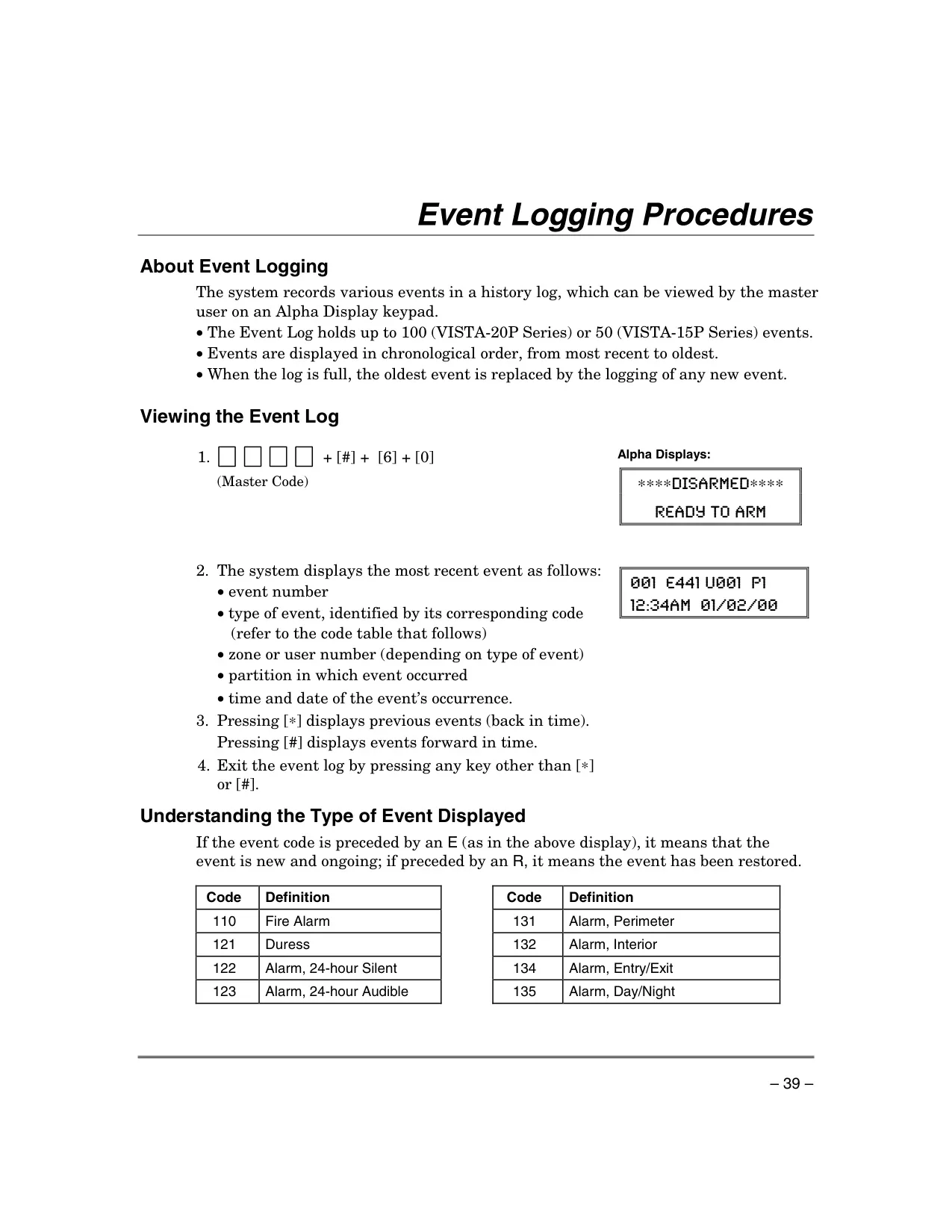
| Event Log Capacity (VISTA-20P Series) | Up to 100 events |
| Event Log Capacity (VISTA-15P Series) | Up to 50 events |
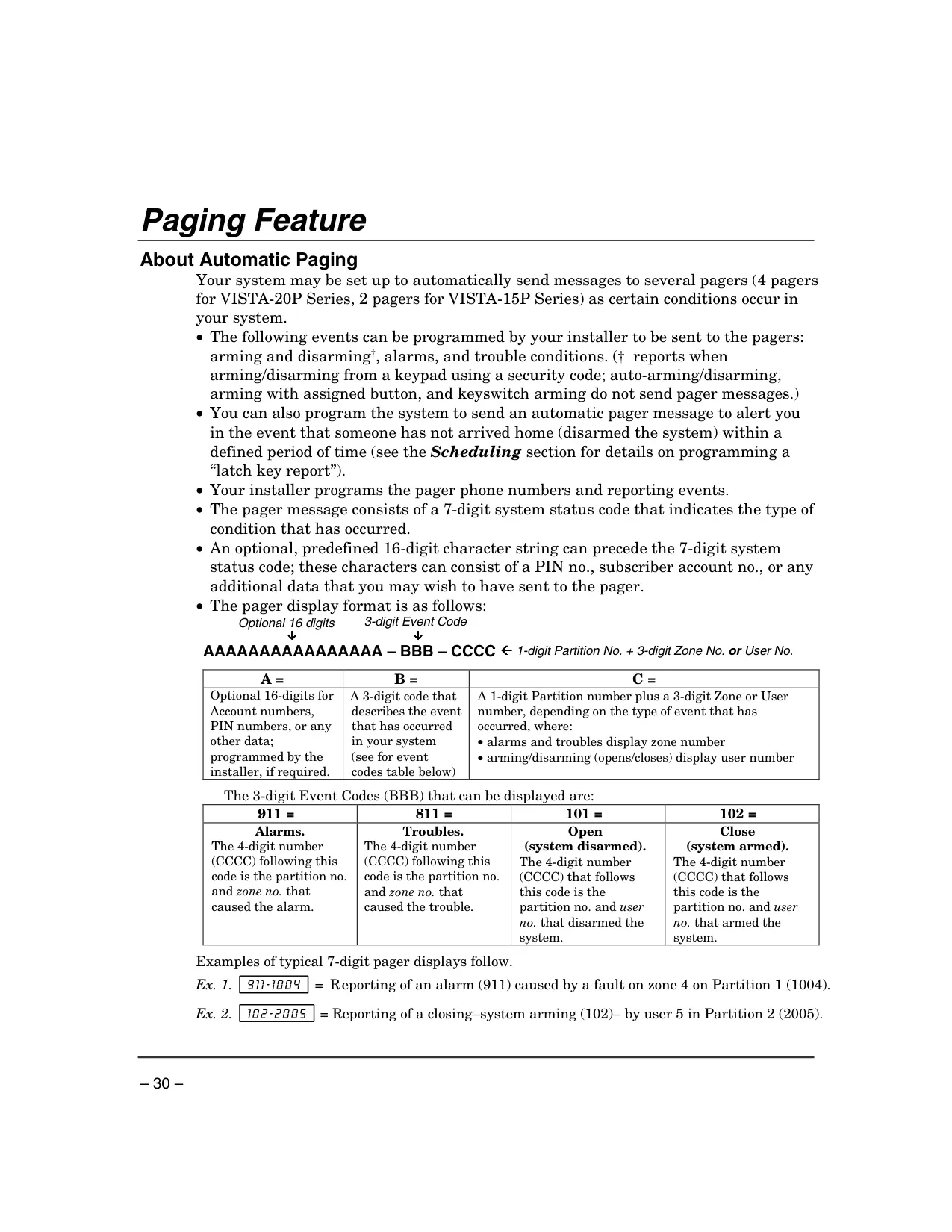
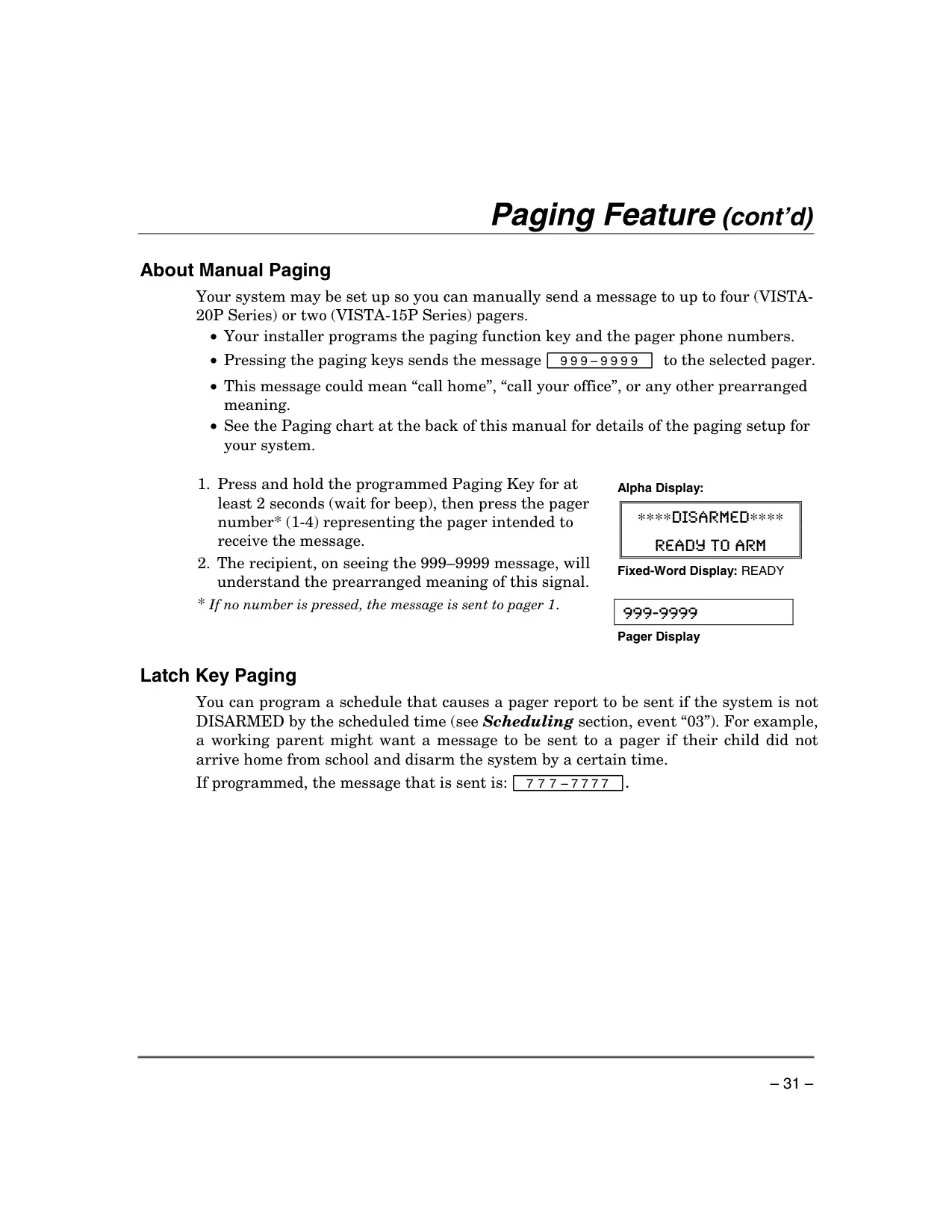
| Paging Feature (VISTA-20P Series) | Up to 4 pagers, 7-digit system status code with optional 16-digit prefix |
| Paging Feature (VISTA-15P Series) | Up to 2 pagers, 7-digit system status code with optional 16-digit prefix |
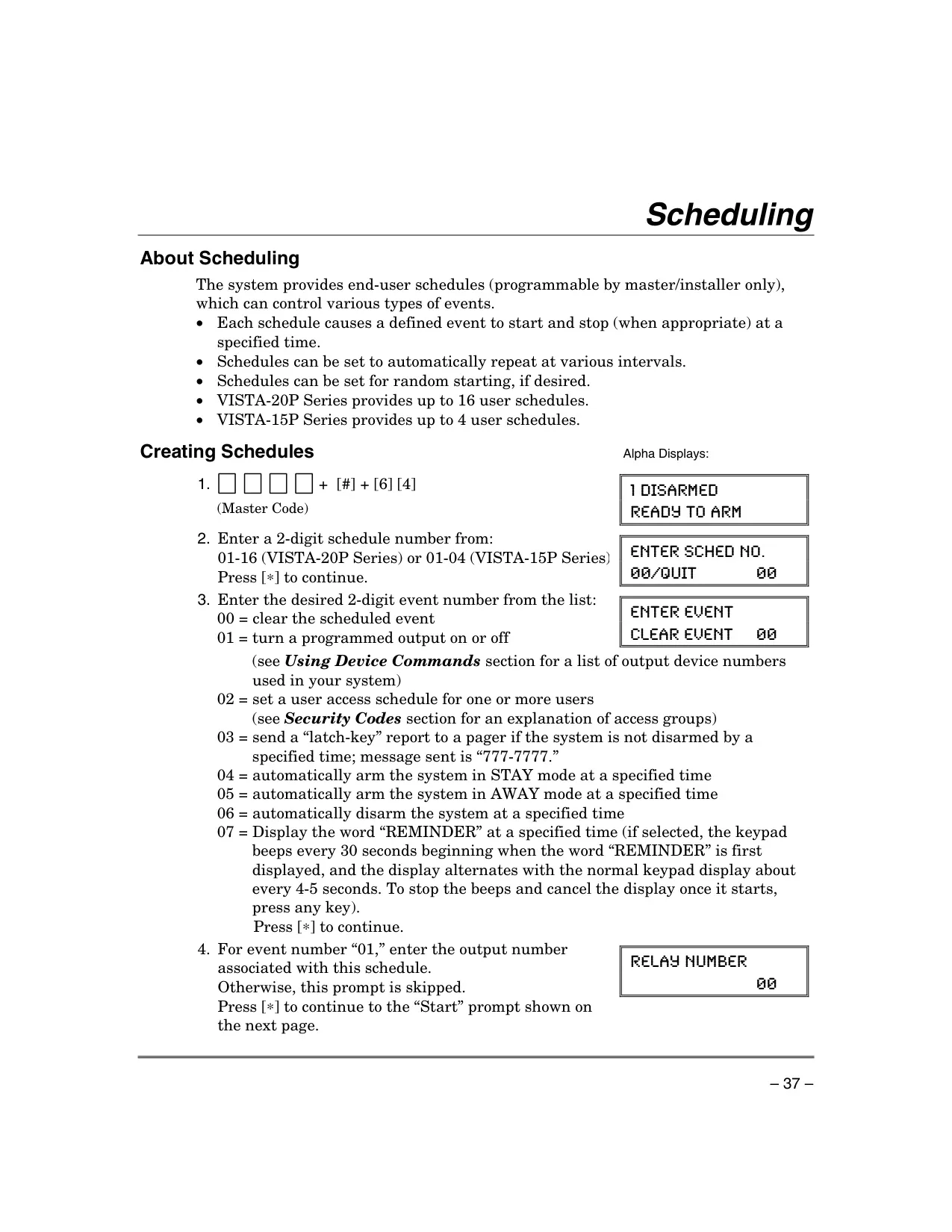
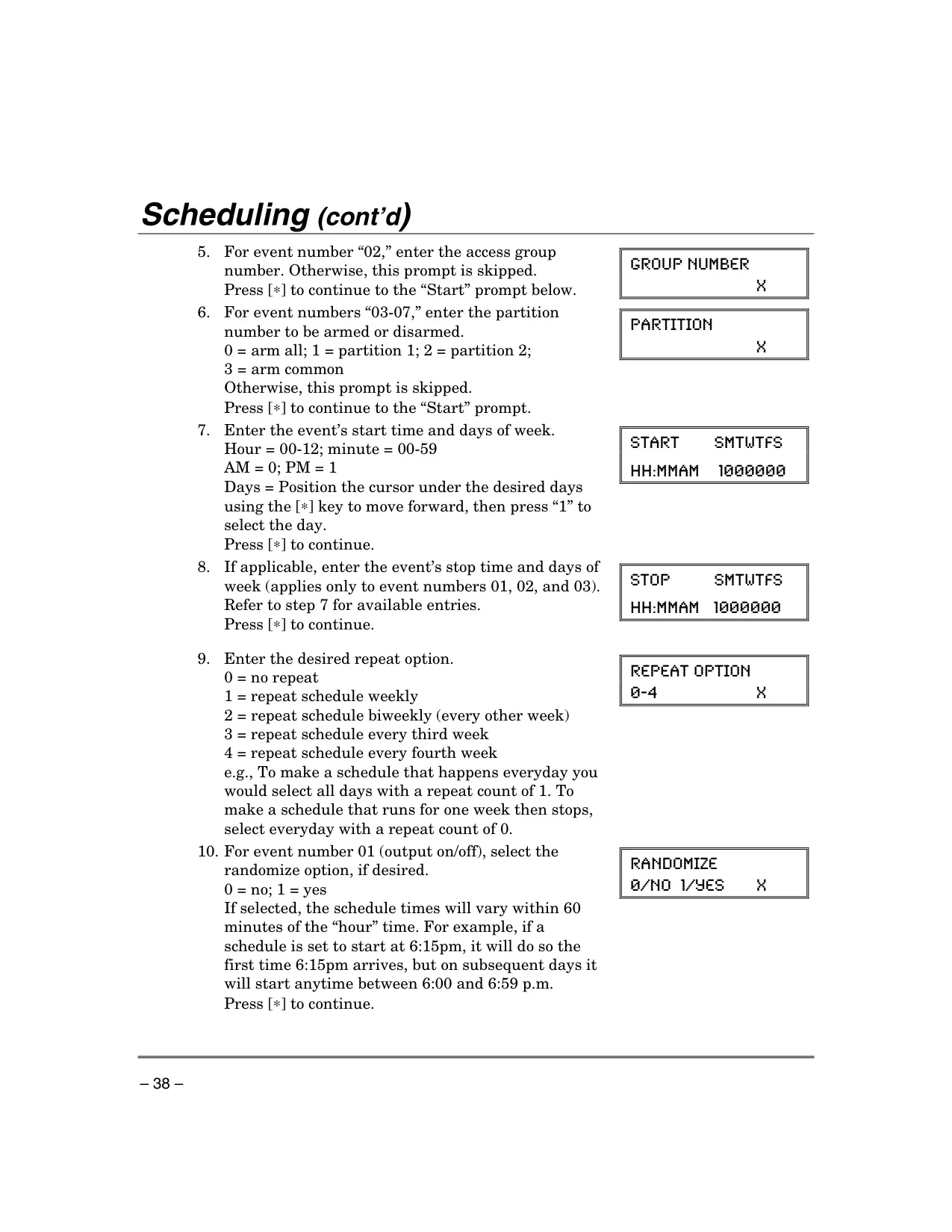
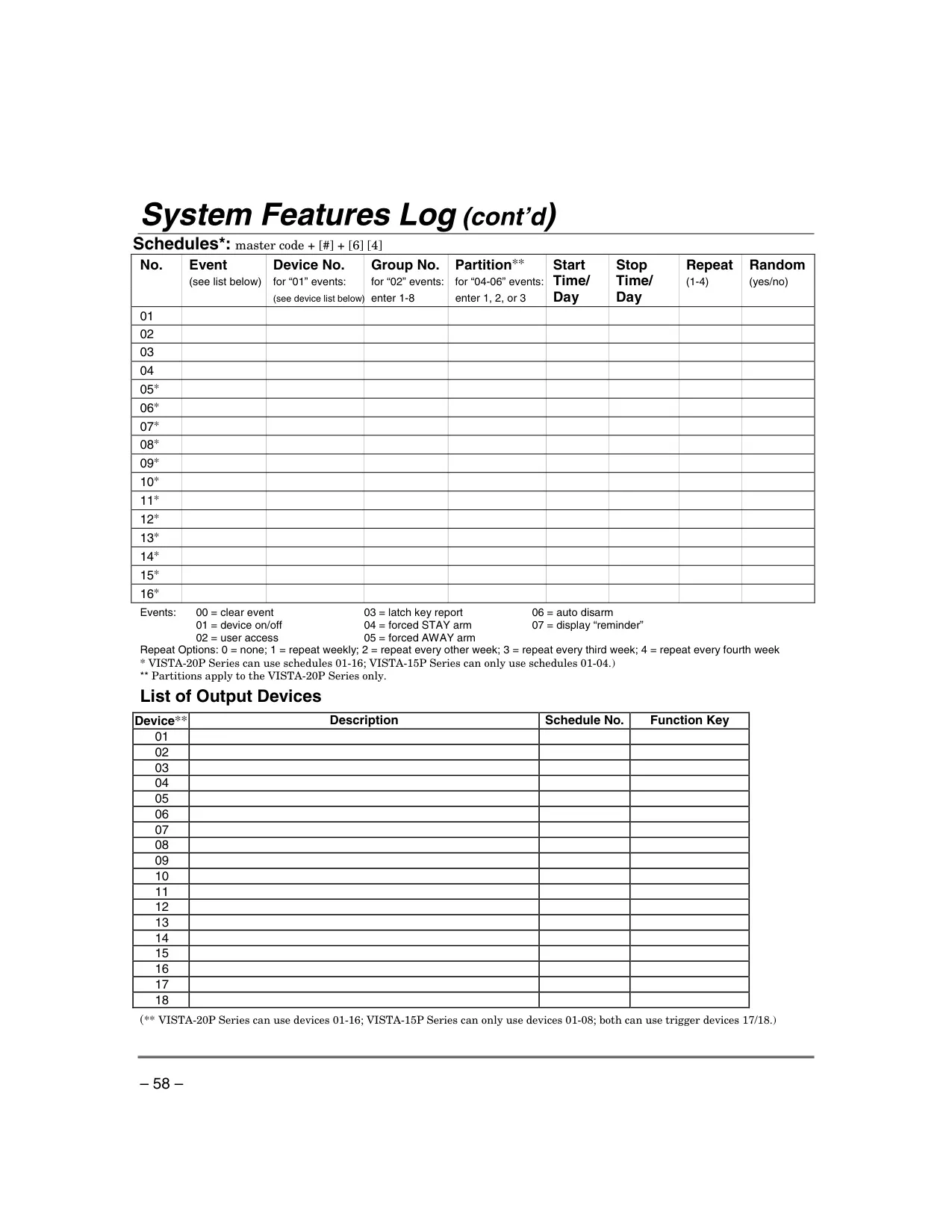
| Maximum Schedules (VISTA-20P Series) | Up to 16 user schedules |
| Maximum Schedules (VISTA-15P Series) | Up to 4 user schedules |
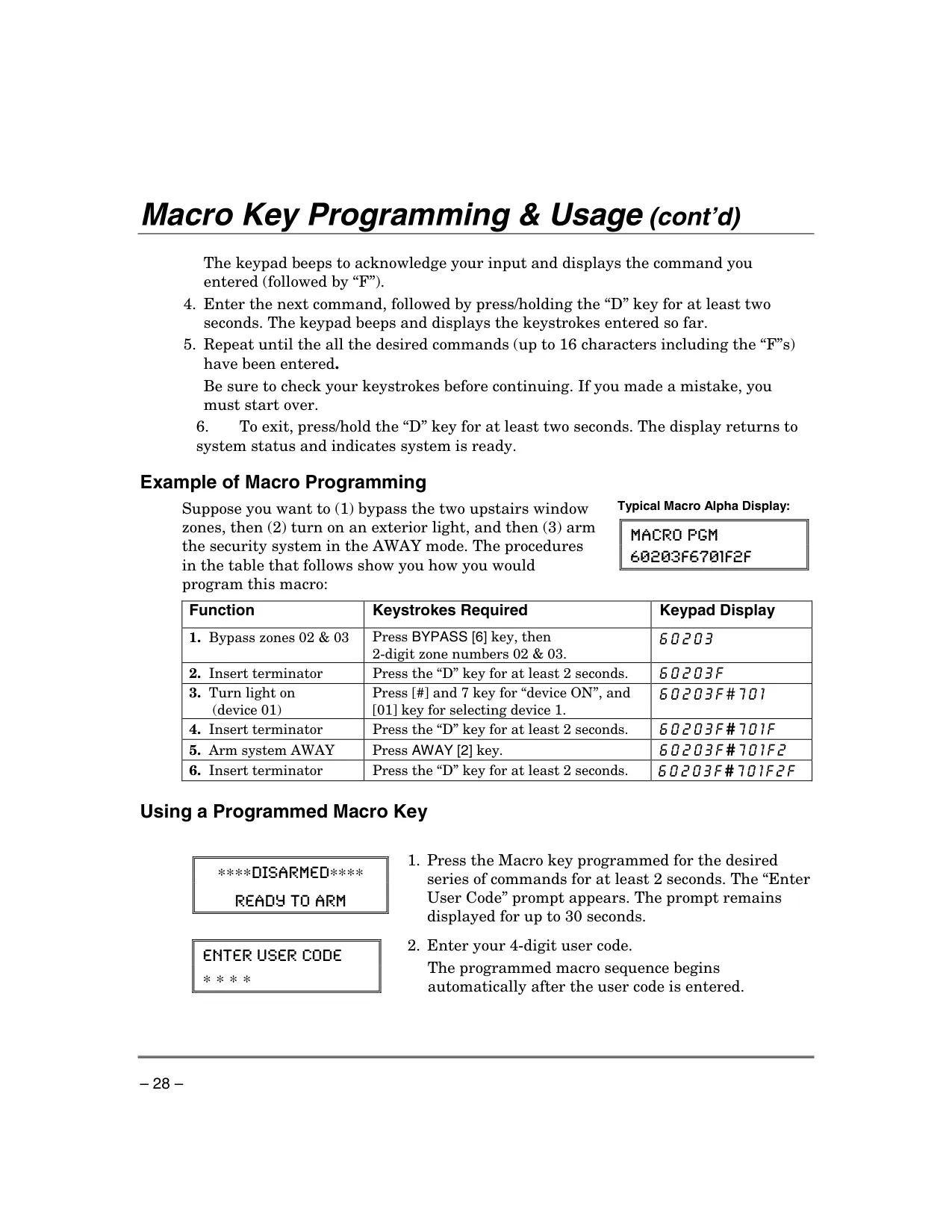
| Macro Keys (VISTA-20P Series) | Up to 4 macros, each up to 16 keystrokes |
| Macro Keys (VISTA-15P Series) | Up to 2 macros, each up to 16 keystrokes |
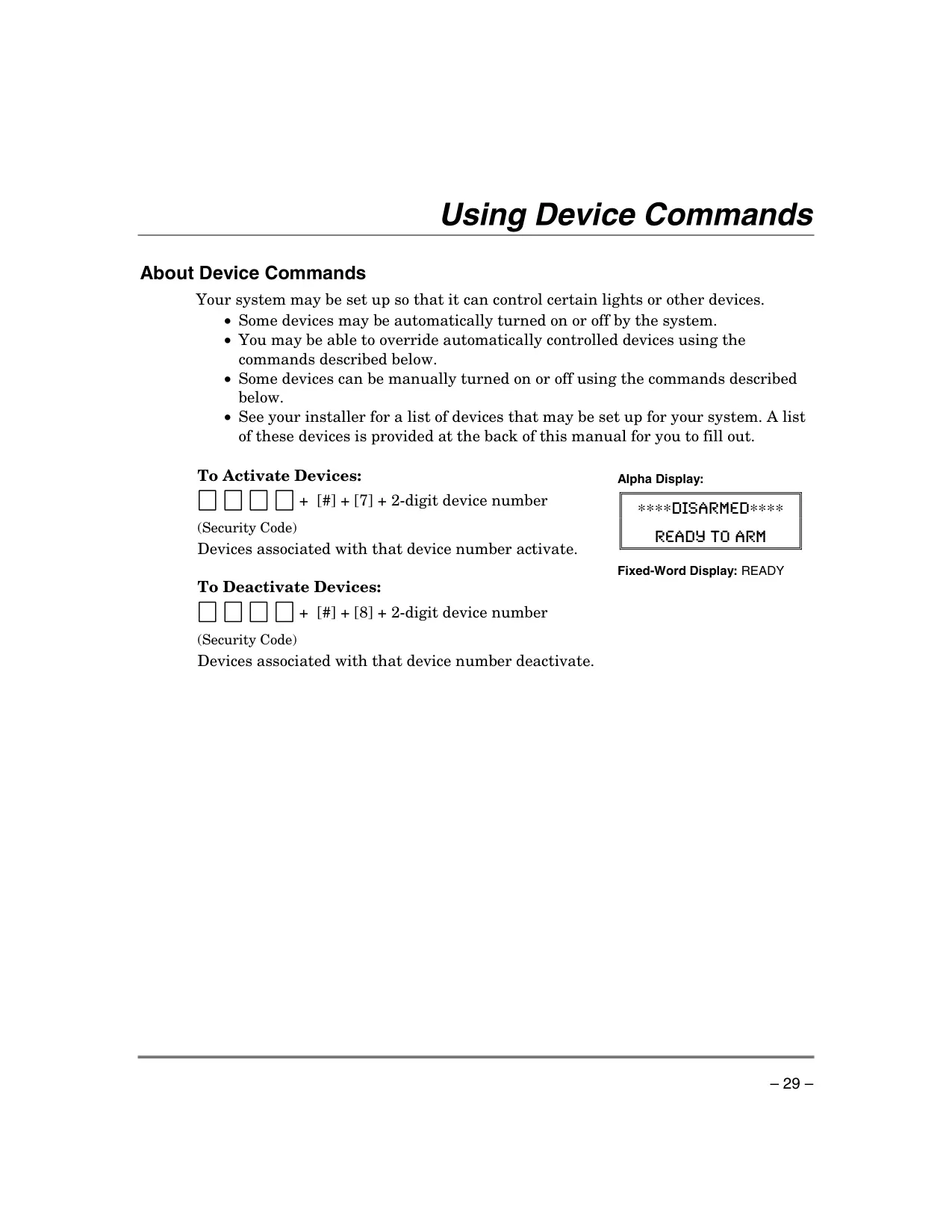
| Output Devices (VISTA-20P Series) | 01-16 (plus trigger devices 17/18) |
| Output Devices (VISTA-15P Series) | 01-08 (plus trigger devices 17/18) |
| Wireless Sensor Battery Life | Alkaline: minimum 1 year (typically 2-4 years); 3-volt lithium: up to 4+ years |
| Entry Delay Reporting | Delayed reporting to Central Monitoring Station (30 seconds default, adjustable) |
Honeywell Vista 20p Security System Details
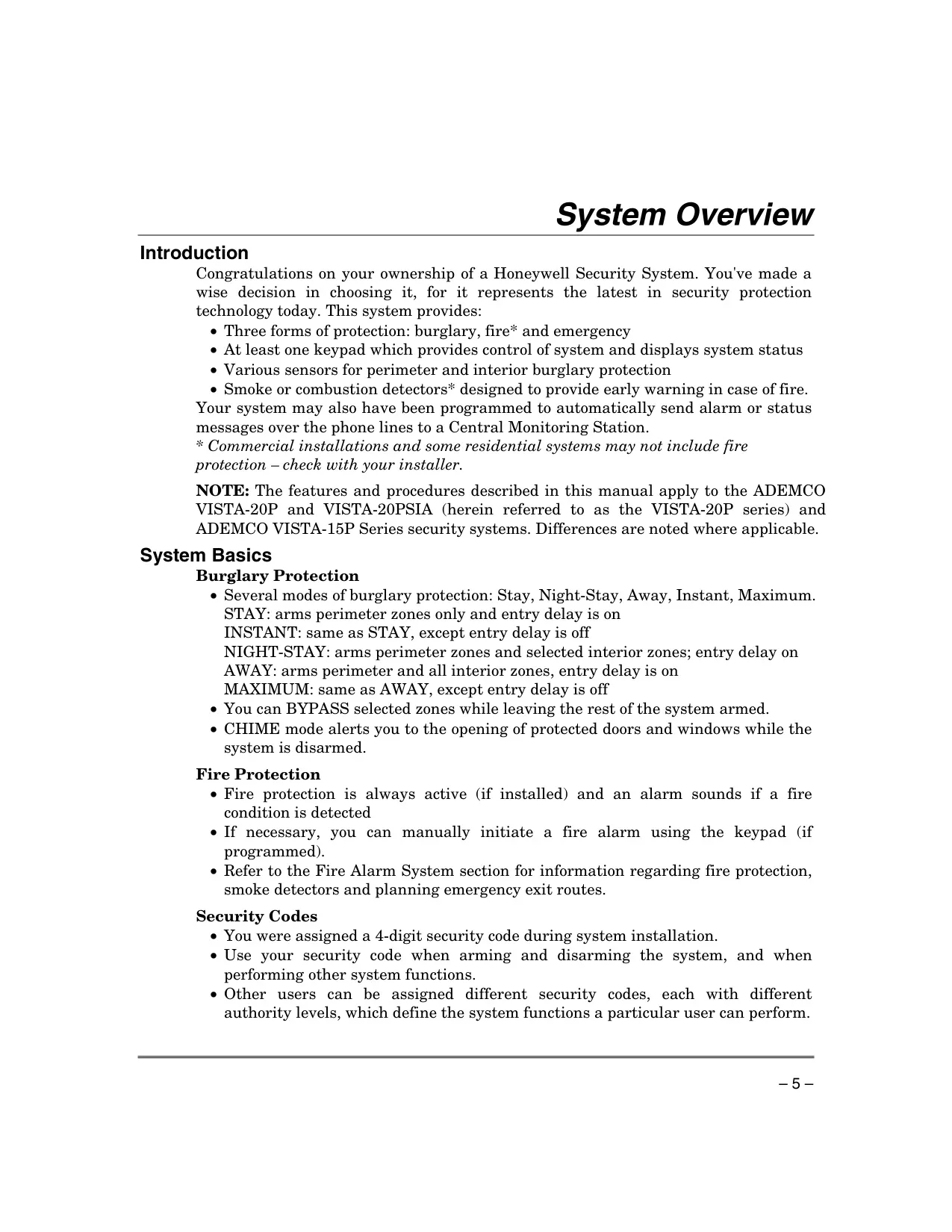
The Honeywell VISTA-20P Security System offers comprehensive protection across burglary, fire, and emergency scenarios, providing peace of mind for both residential and commercial users. Beyond its core specifications, the system incorporates numerous user-friendly features designed for effective management and control.
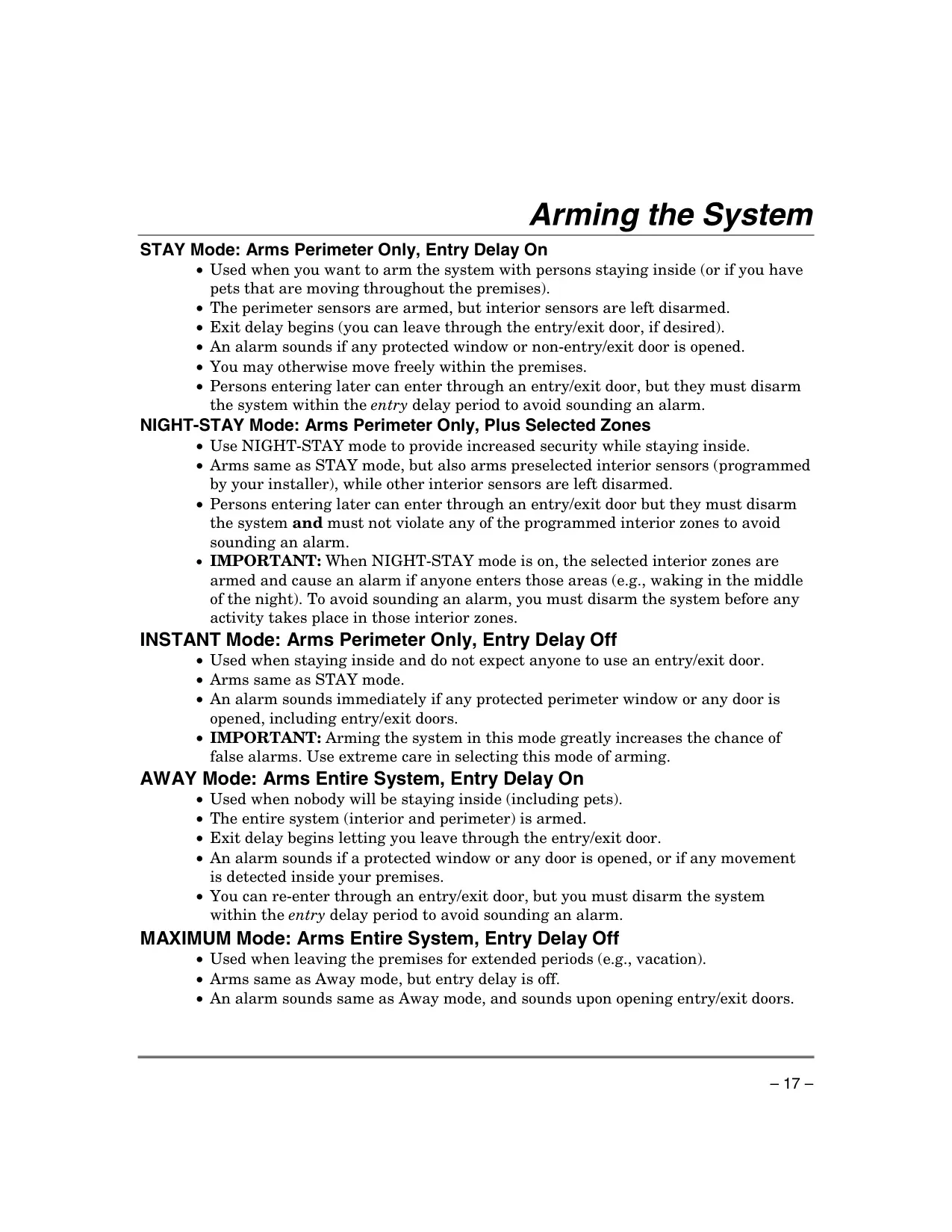
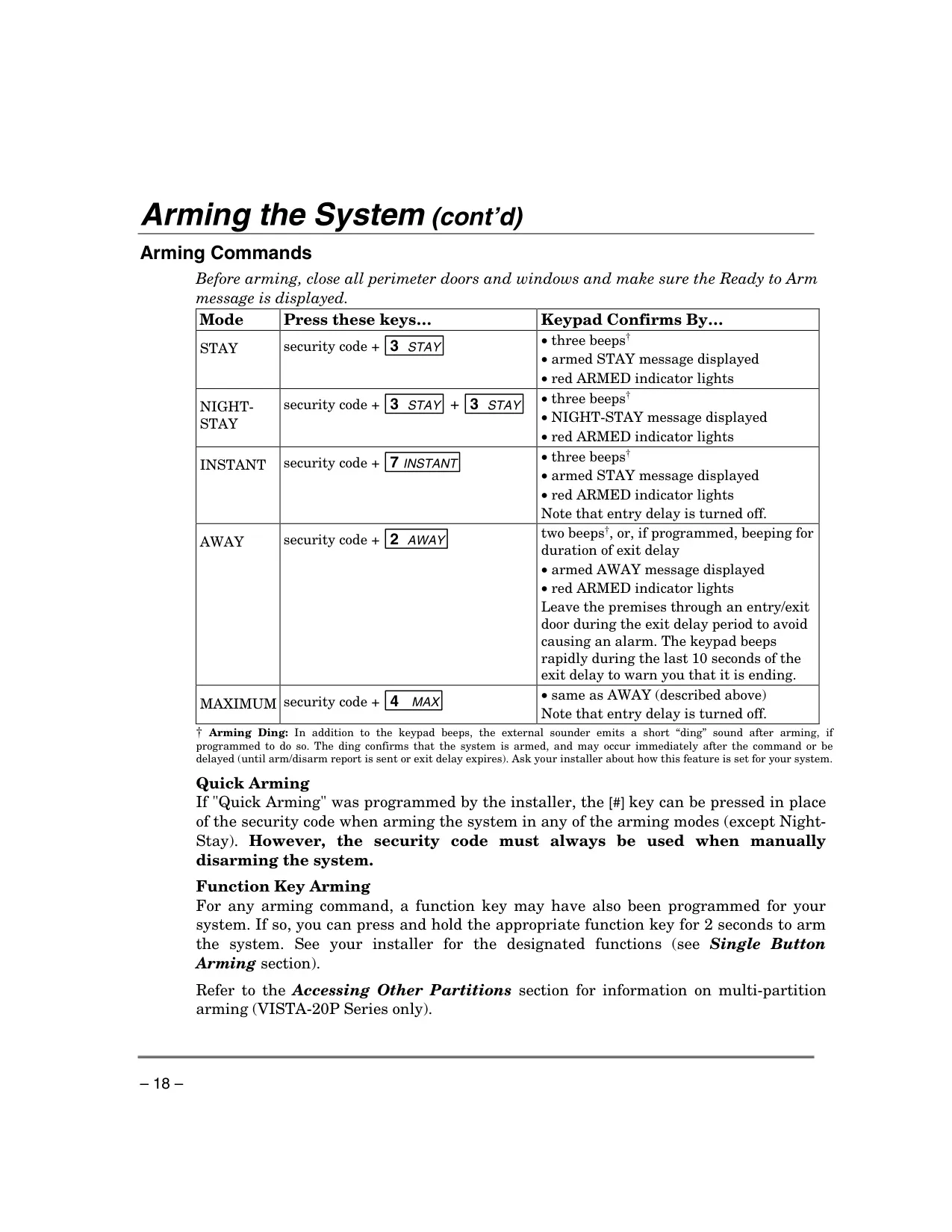
For burglary protection, the system provides several flexible arming modes. STAY mode arms only perimeter zones, allowing free movement within the premises, while INSTANT mode offers the same but eliminates entry delay for immediate alarms. For enhanced security during the night, NIGHT-STAY mode arms perimeter zones plus specific interior sensors. When leaving the premises, AWAY mode arms the entire system with an entry delay, and MAXIMUM mode arms everything but without any entry delay.
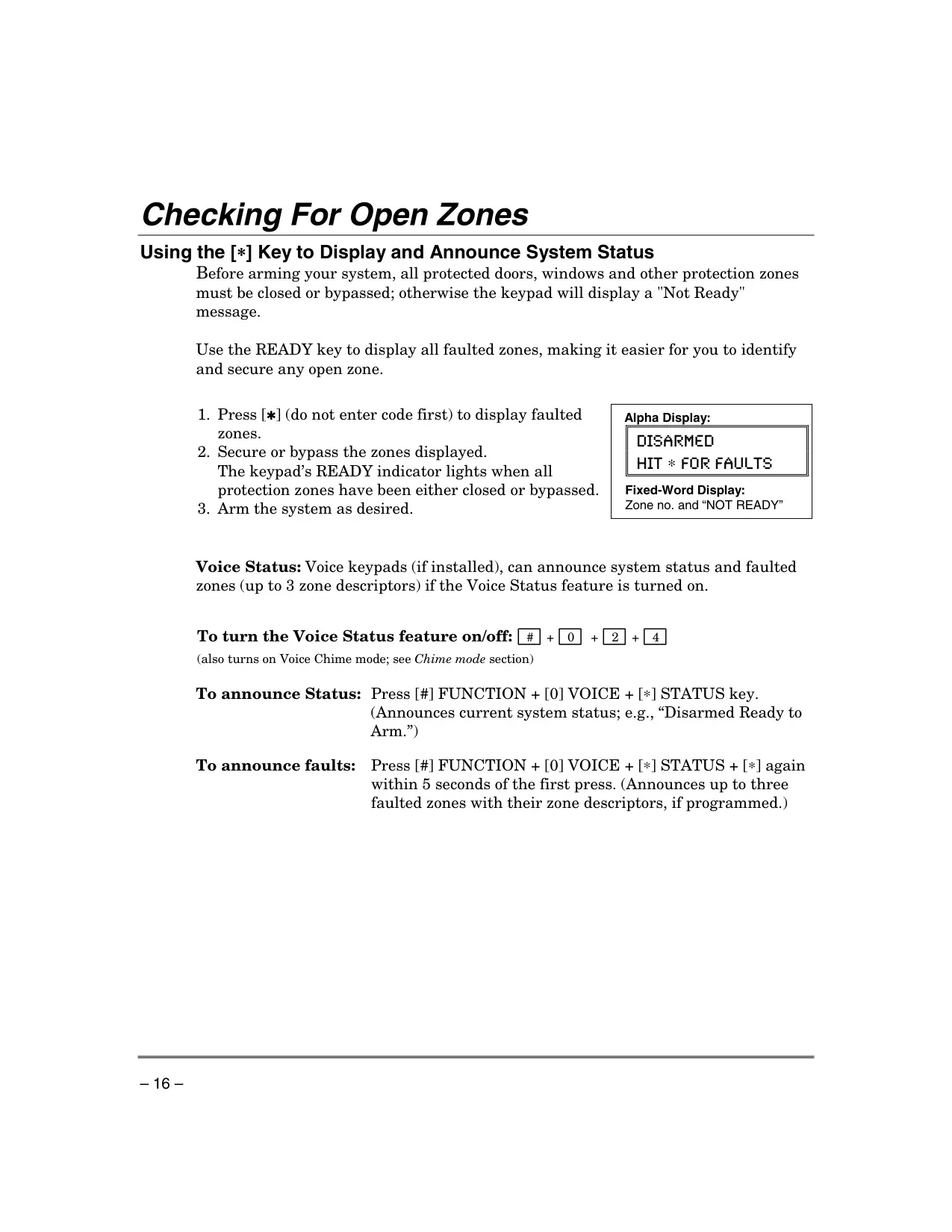
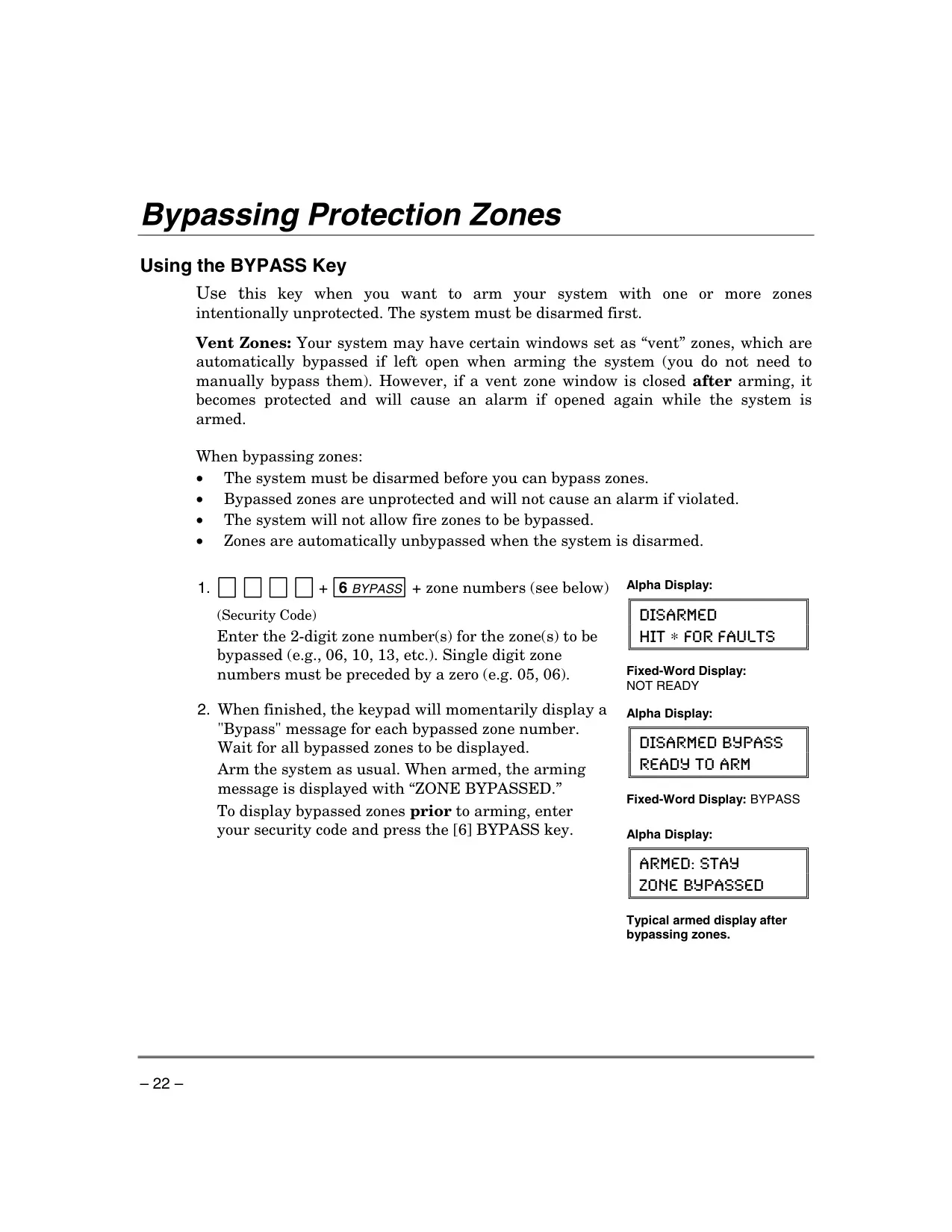
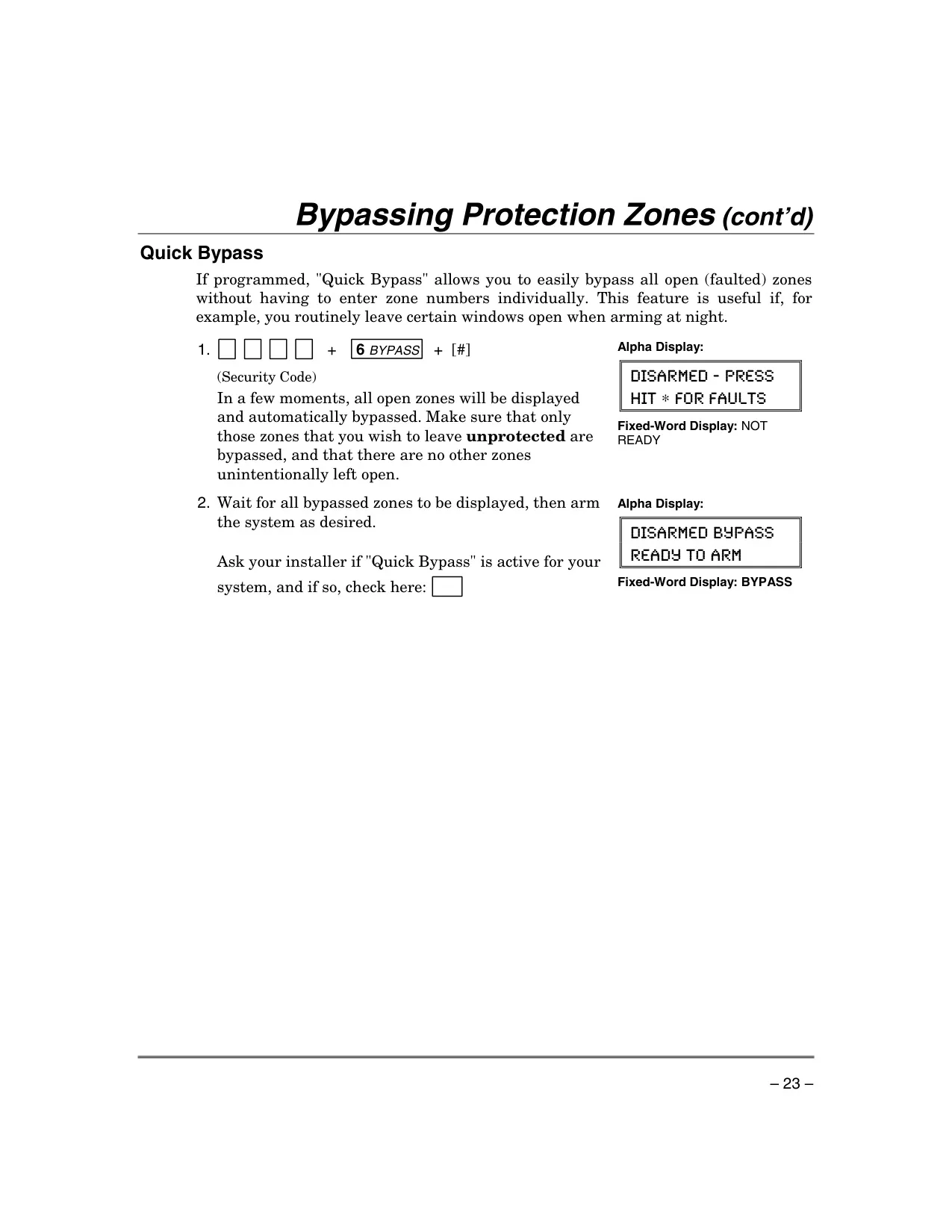
The system also includes a robust bypassing feature, allowing users to intentionally exclude specific zones from monitoring. This is particularly useful for areas like open windows or temporary access points. A Quick Bypass function further simplifies this by automatically bypassing all open zones with a single command.
Entry and exit delays are crucial for preventing false alarms. Exit delay provides time to leave after arming, often accompanied by a slow beeping that accelerates in the final seconds. Entry delay allows time to disarm upon re-entry. The system can even restart the exit delay if someone needs to briefly re-enter after arming in STAY mode, simply by pressing the ✱ key.
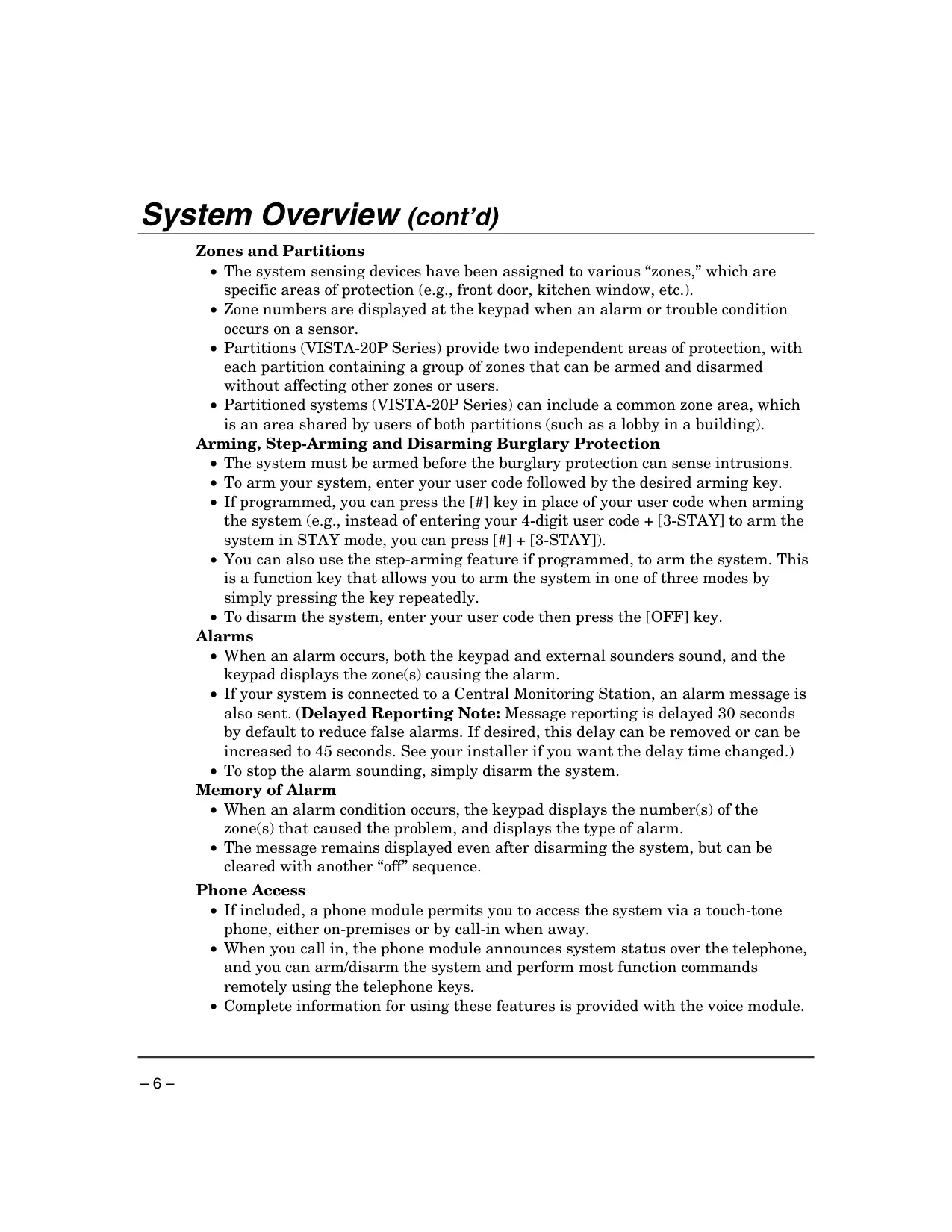
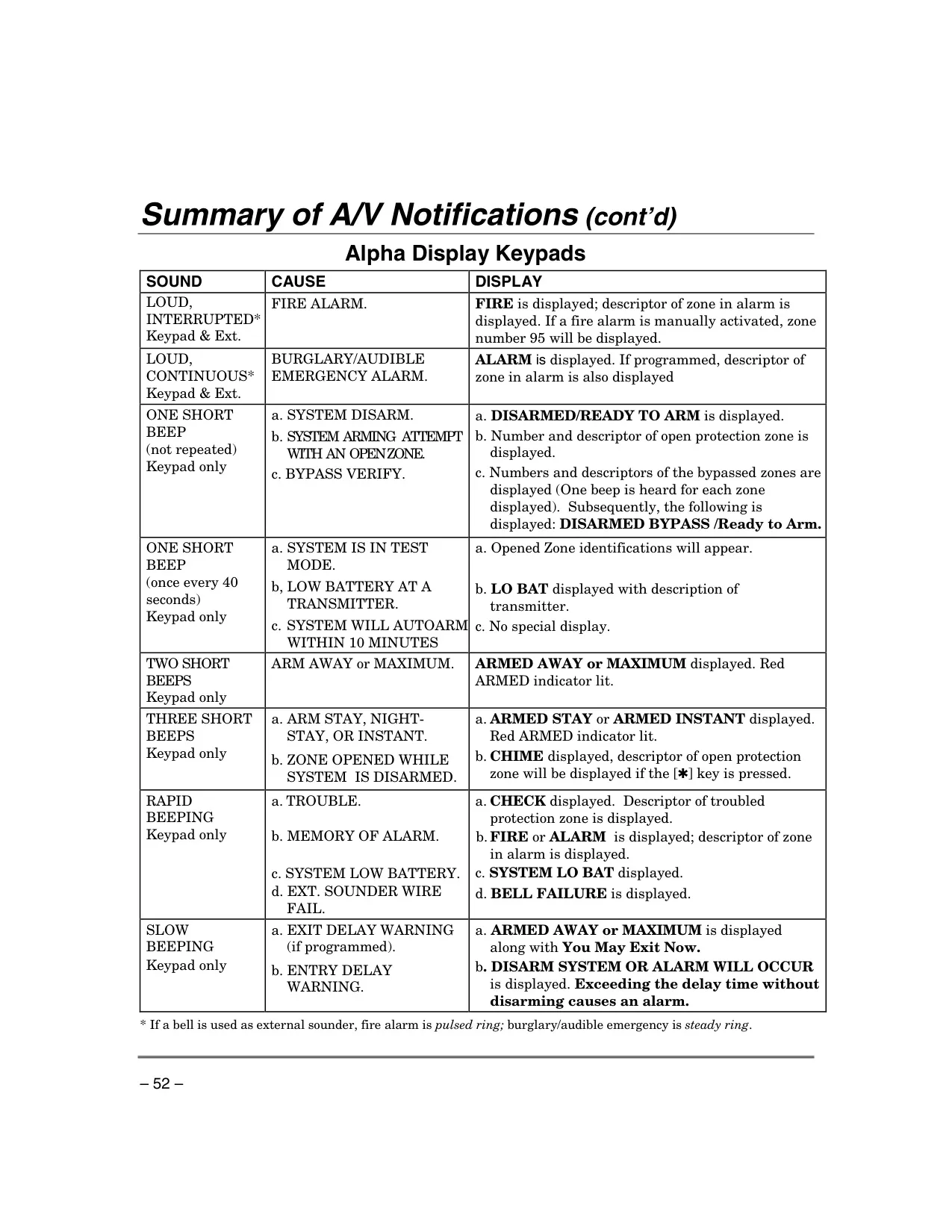
Alarm events are clearly communicated through both audible alerts from the keypad and external sounders, and visual displays indicating the alarmed zone. The "Memory of Alarm" feature ensures that even after silencing, the keypad displays the source of a prior alarm until a second disarm sequence is entered, aiding in troubleshooting. If an optional phone module is installed, users can remotely access and control the system via a touch-tone phone, receiving status updates or arming/disarming from afar.
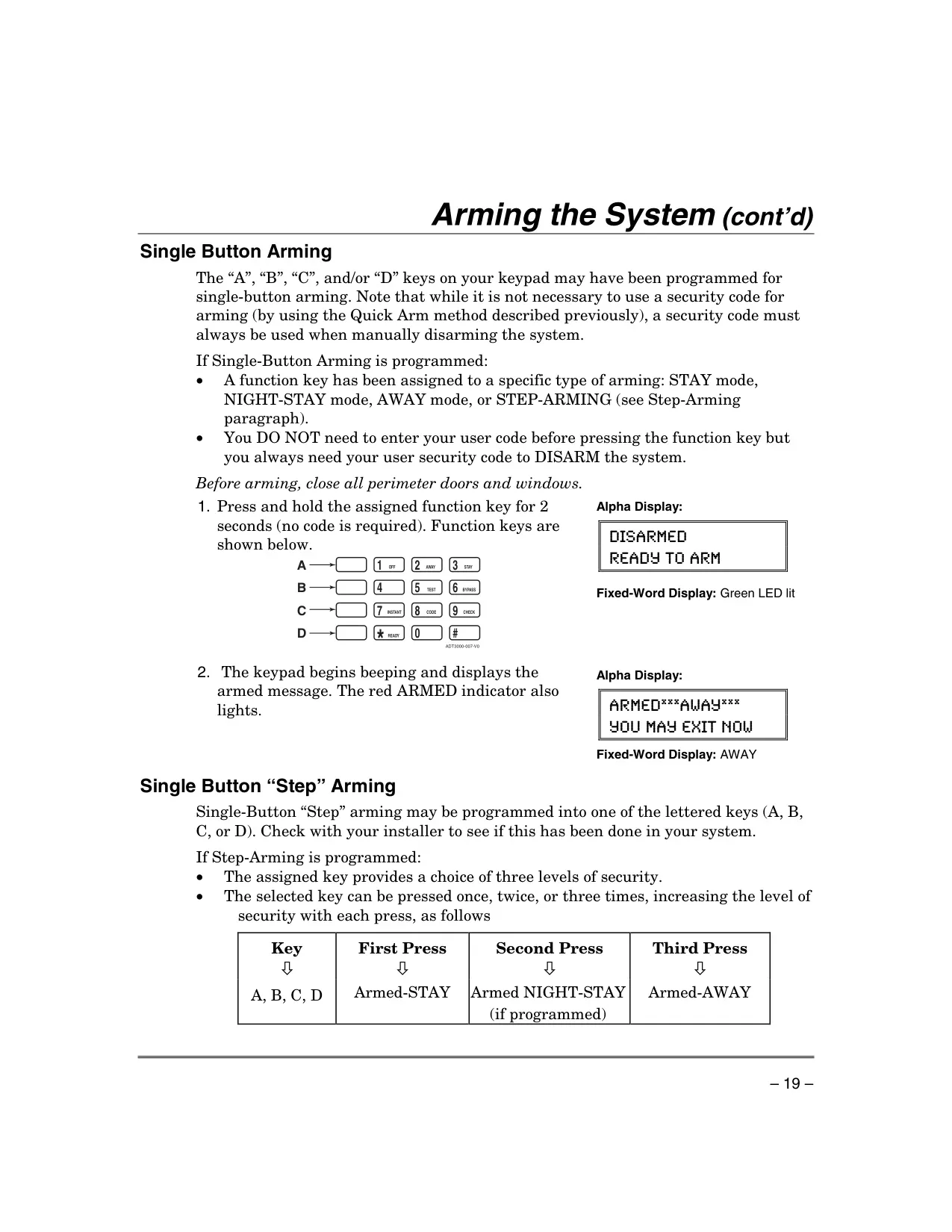
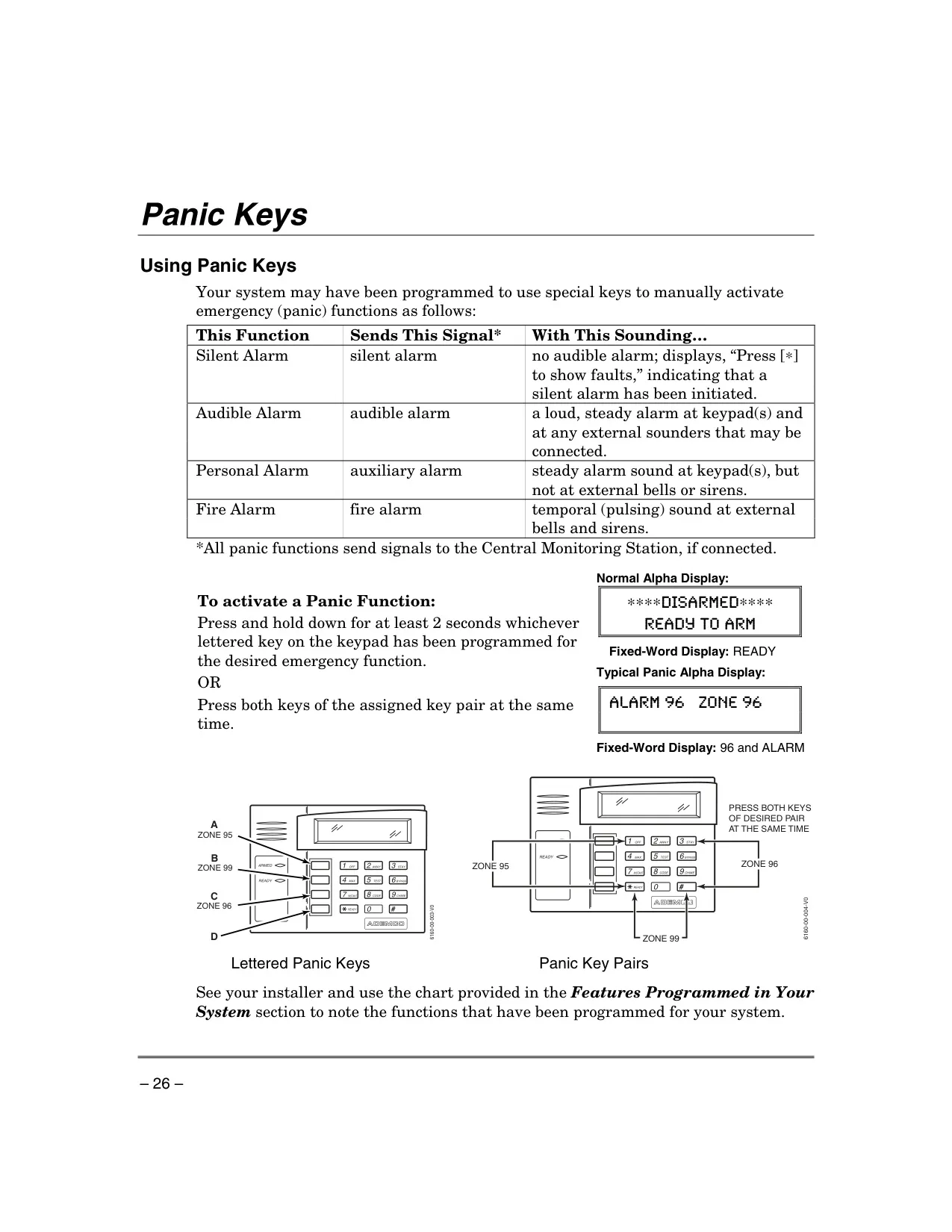
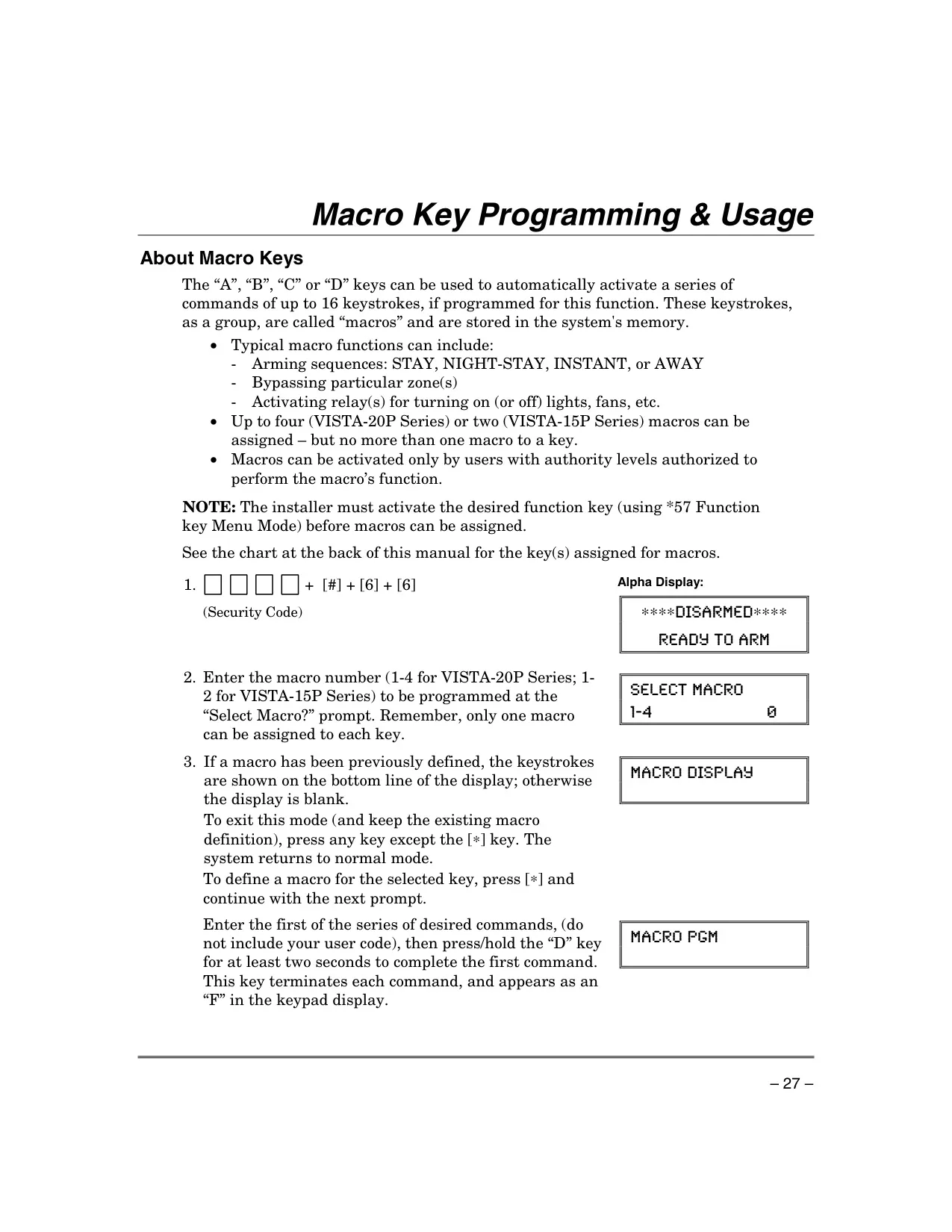
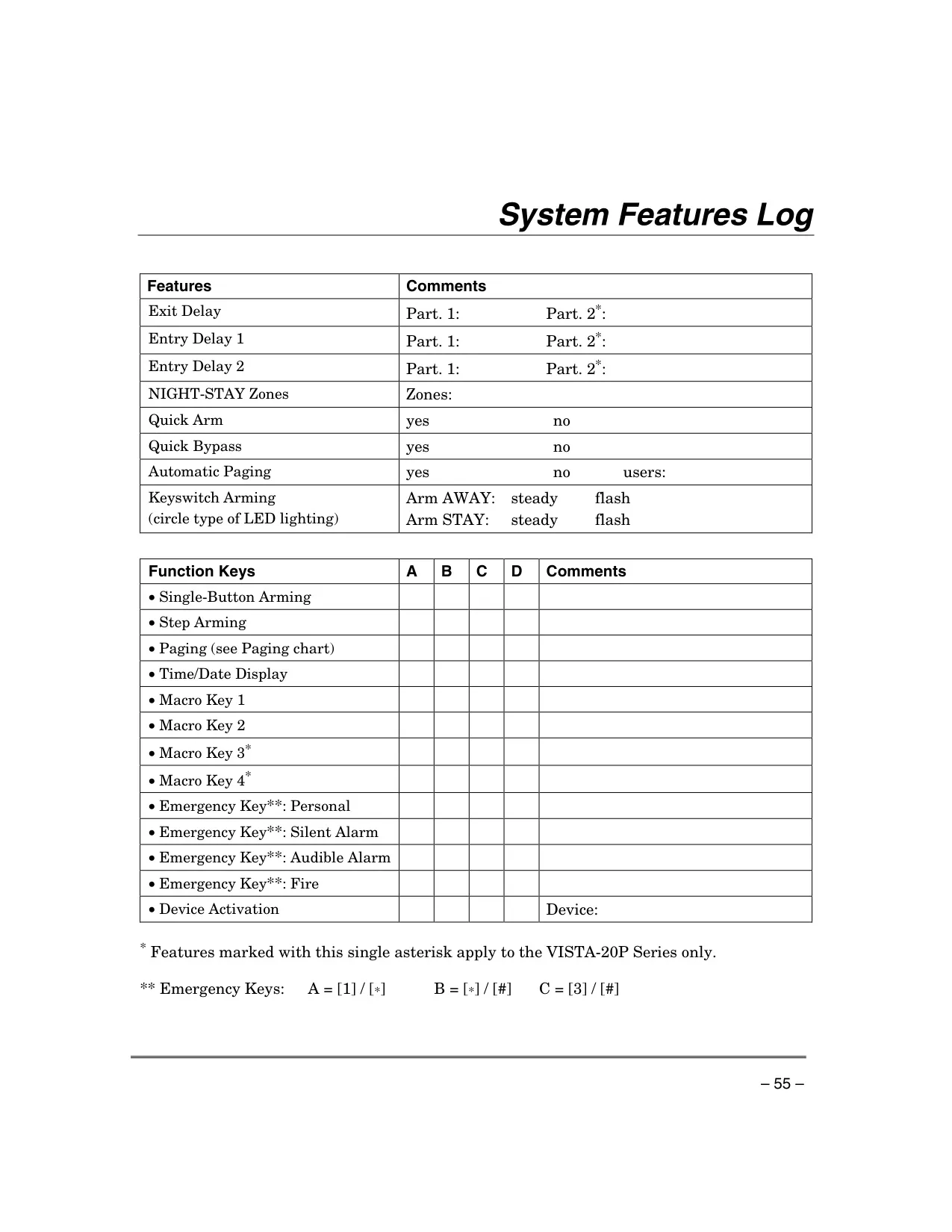
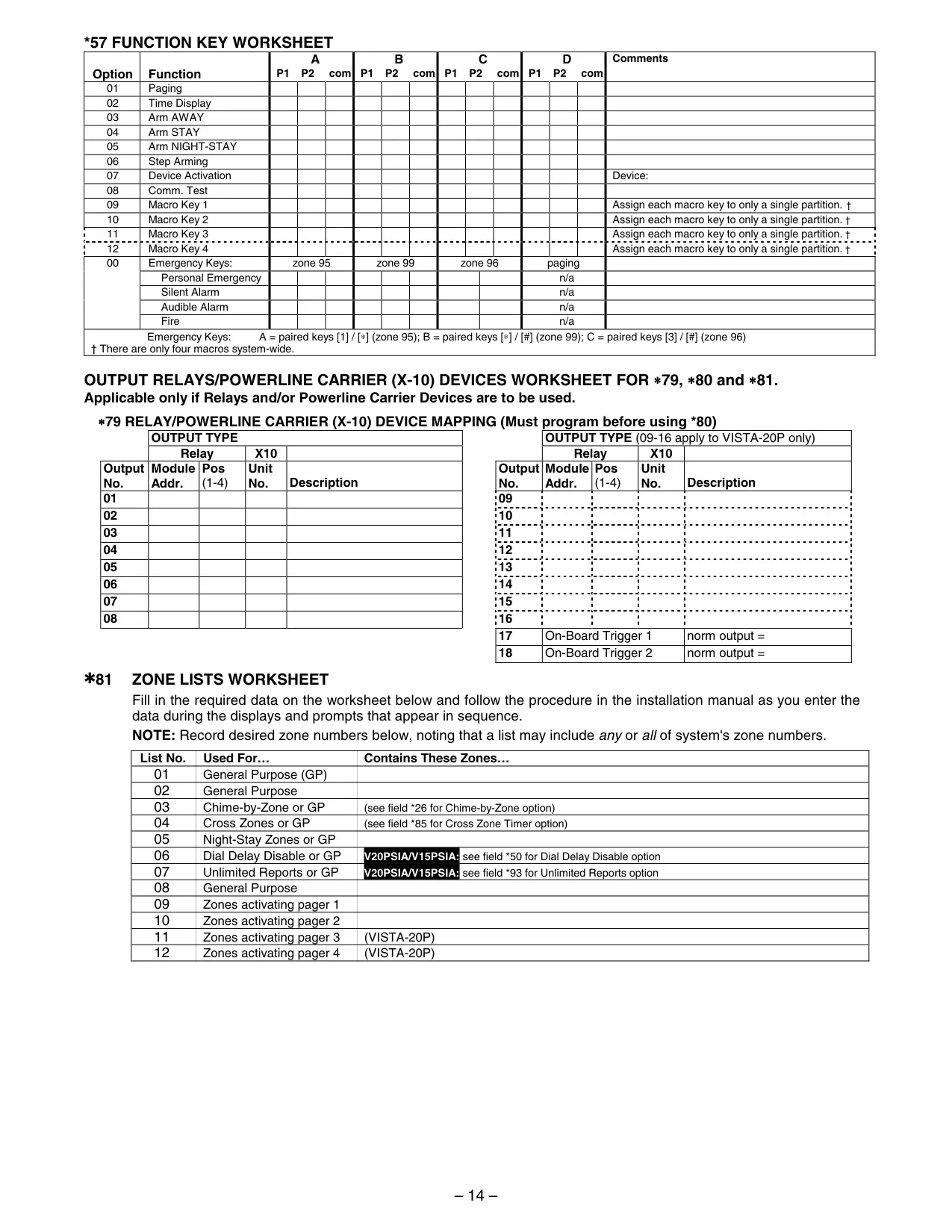
Convenient Function Keys (A, B, C, D) can be programmed for various quick actions, such as initiating panic alarms, activating specific arming modes, or displaying the time and date. These keys can also be configured to trigger complex "macro" sequences, automating multiple commands with a single button press. This allows for highly customized system operation.
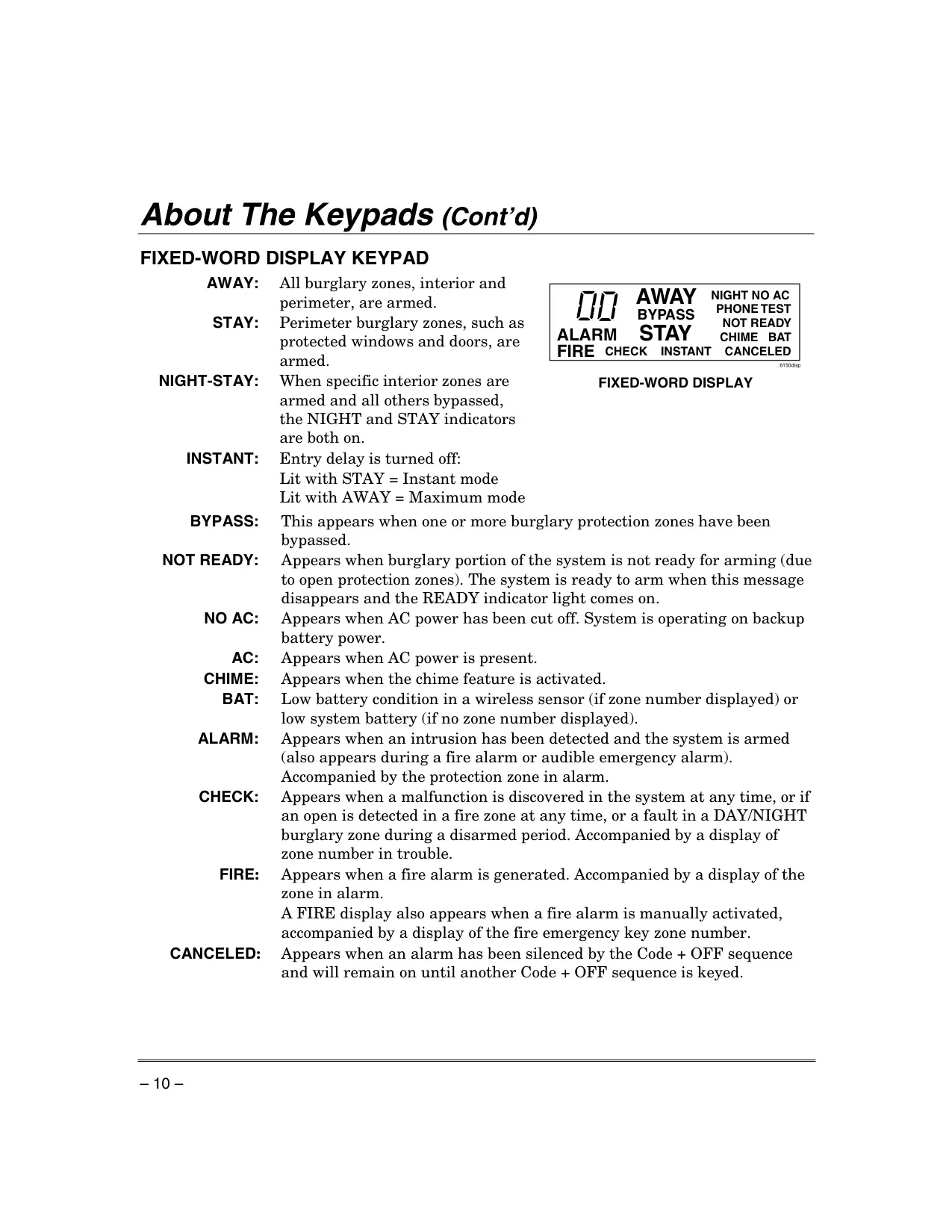
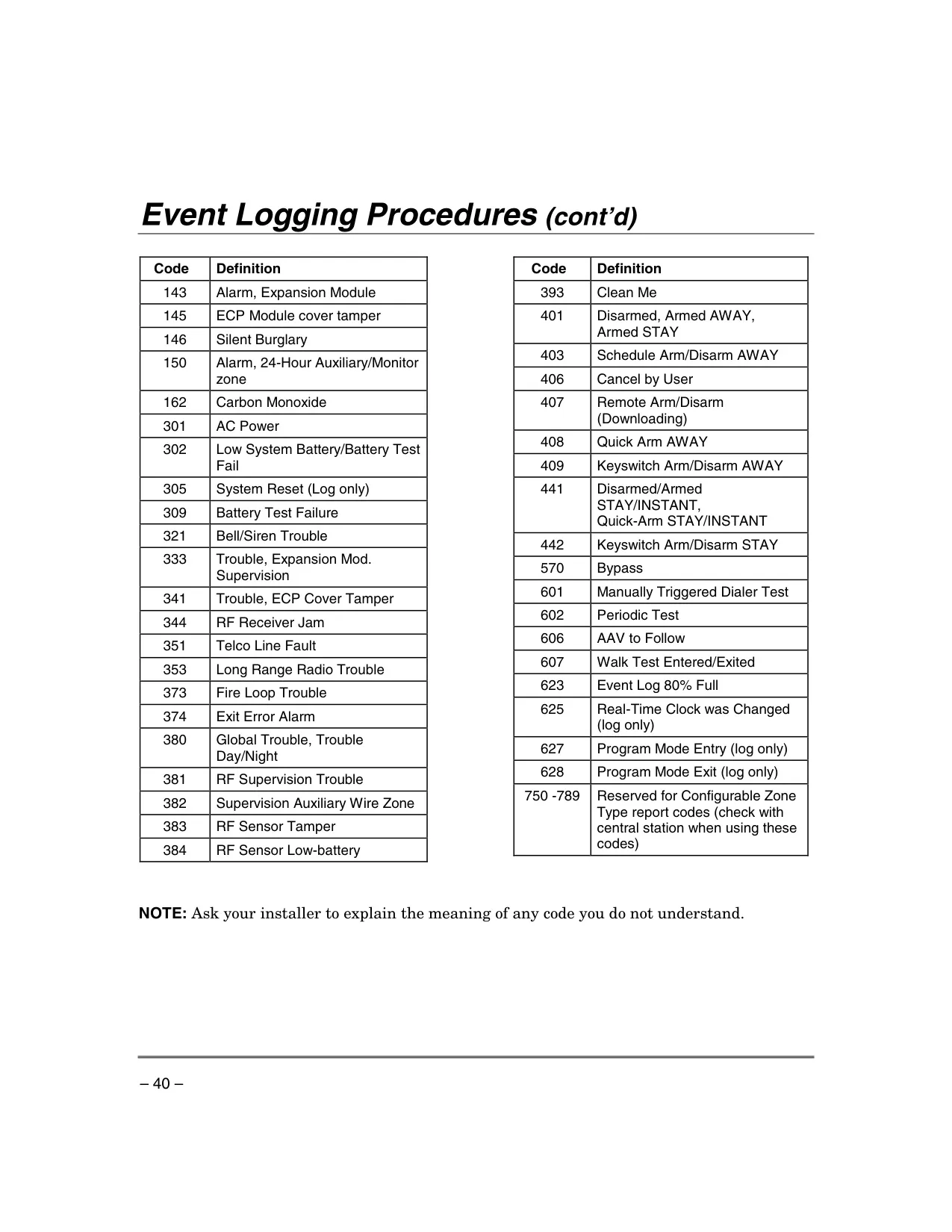
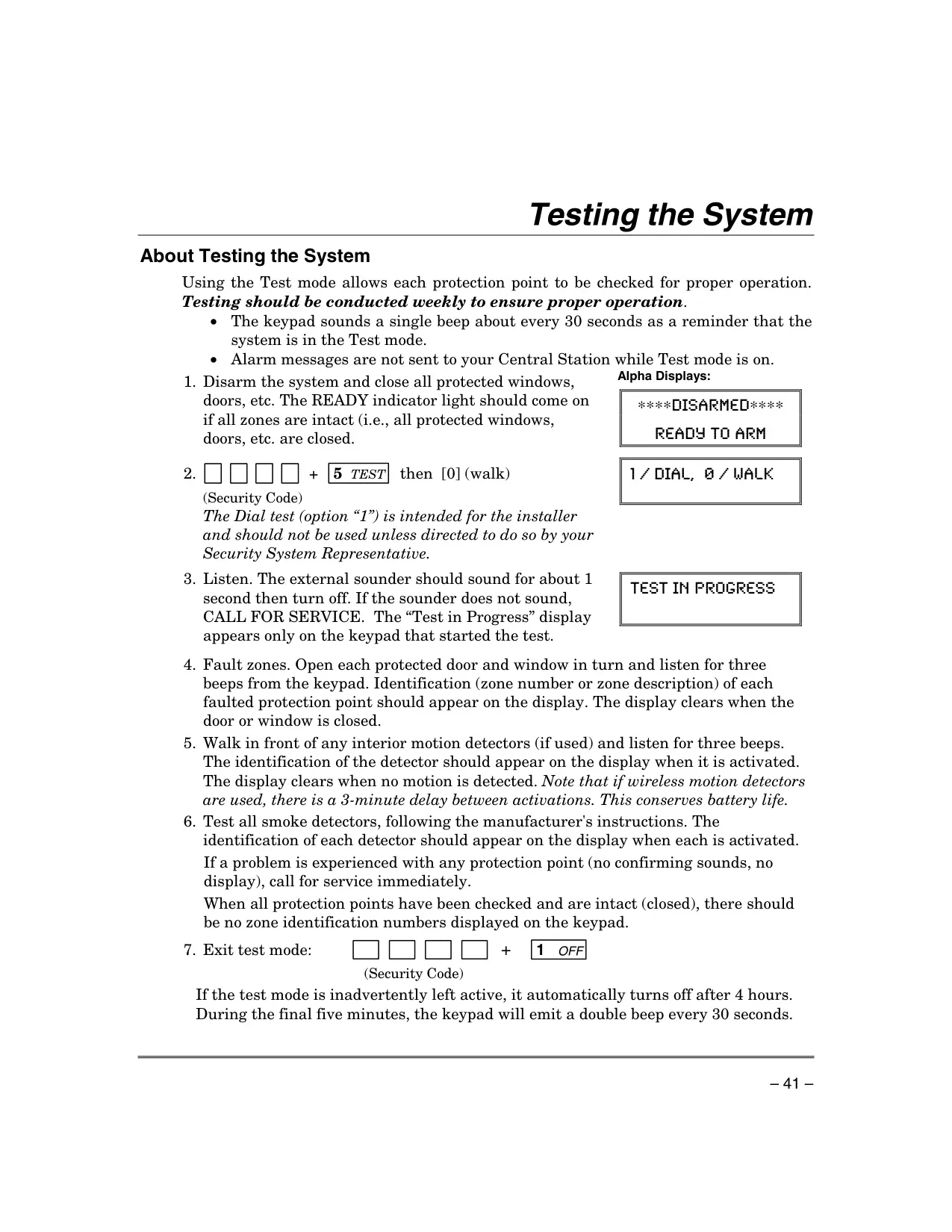
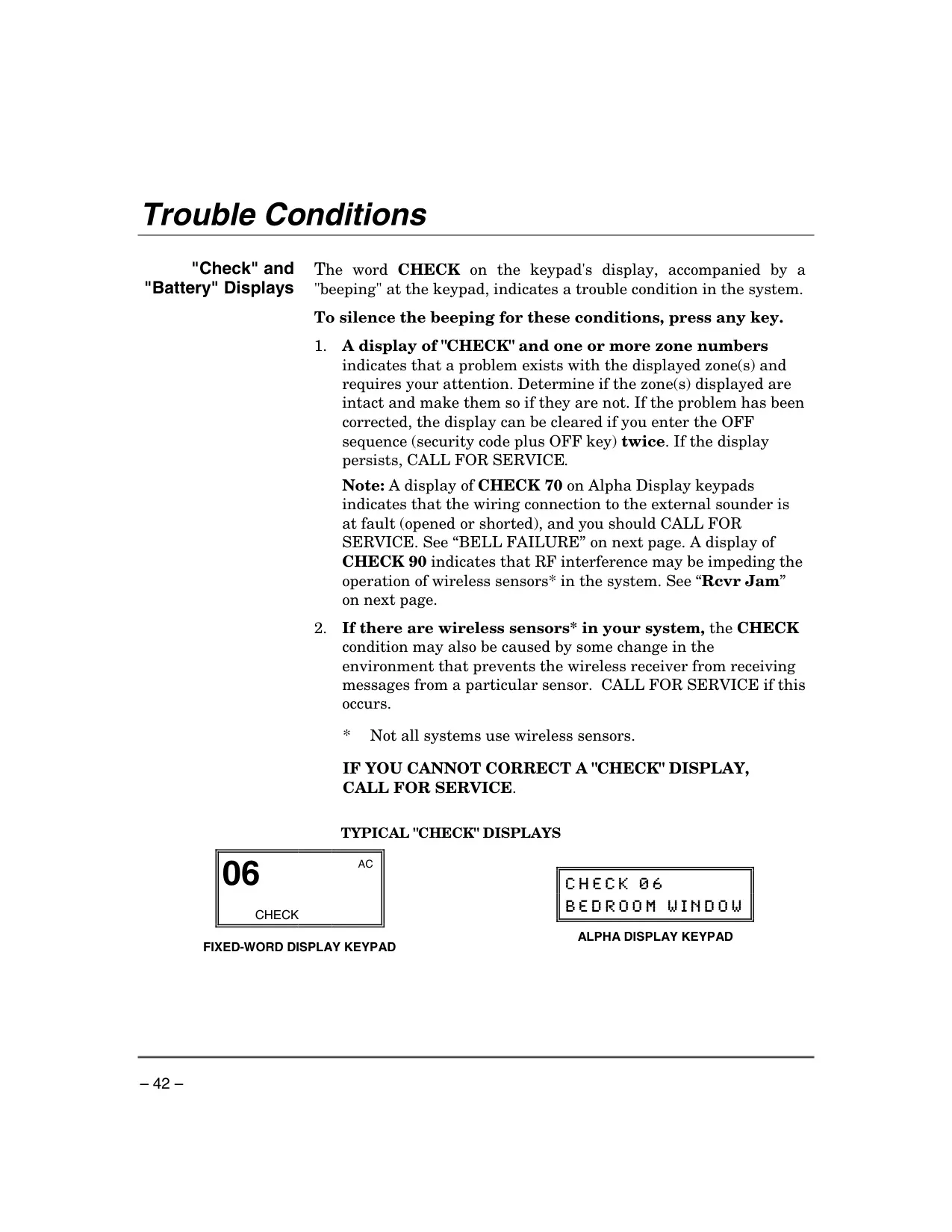
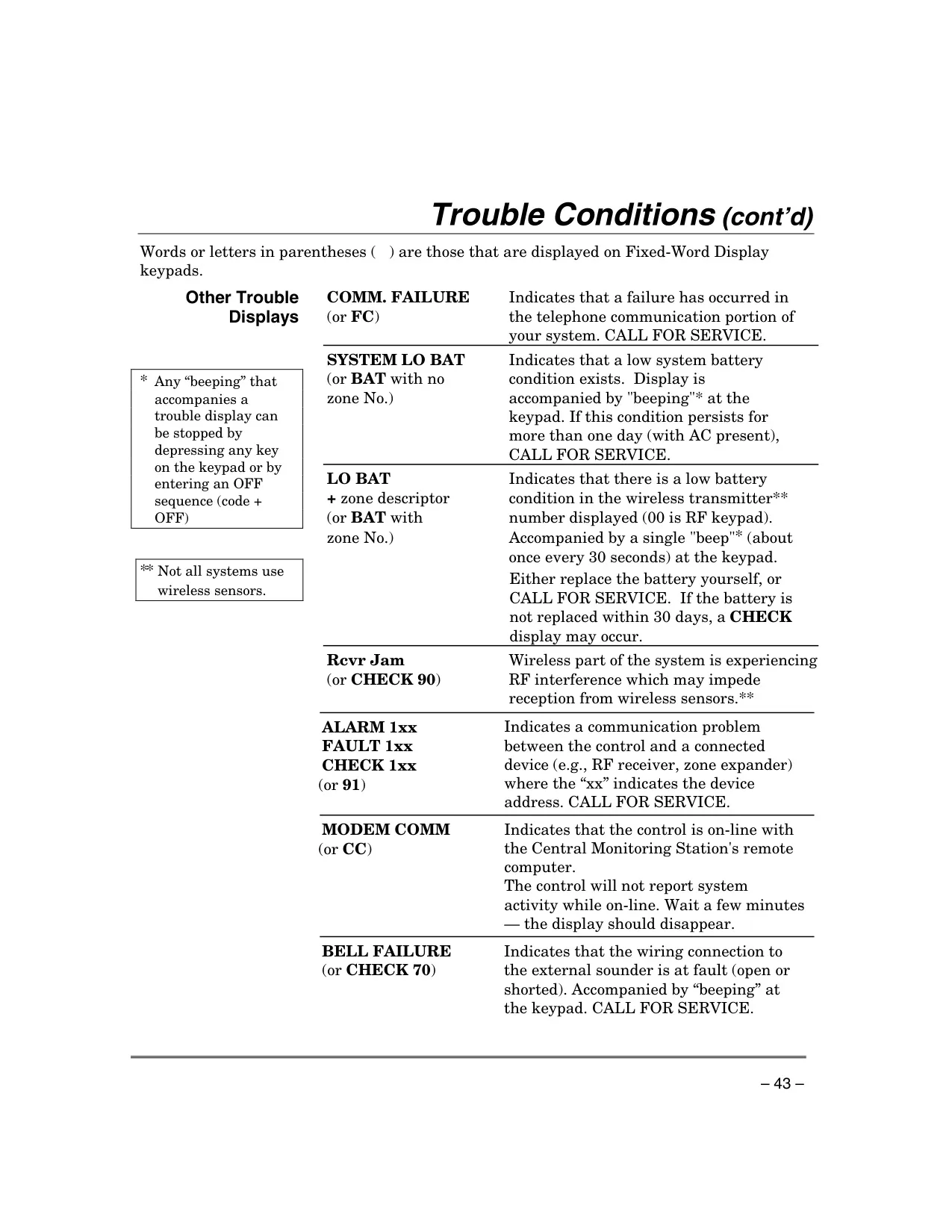
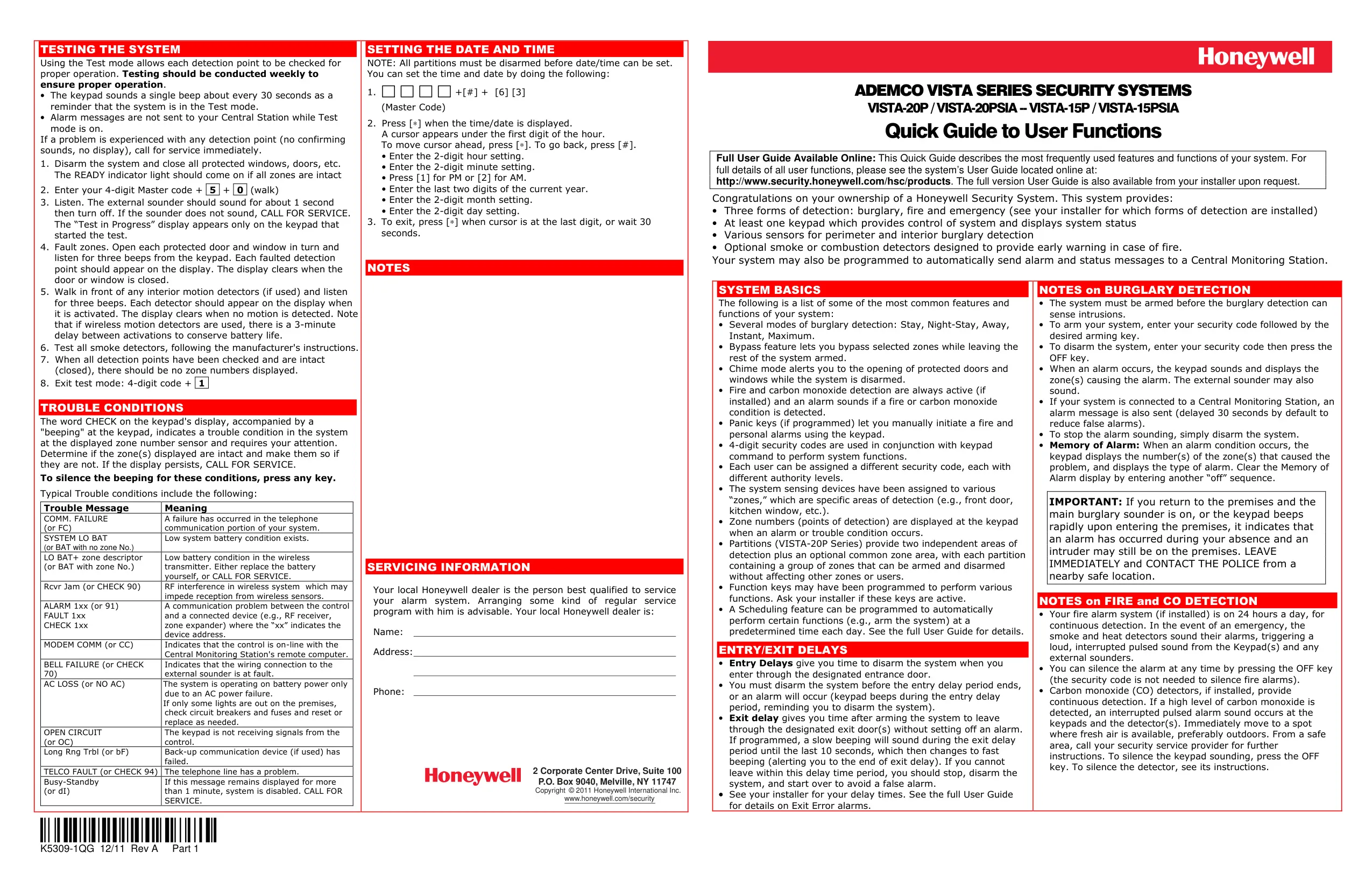
Regular system testing is highly recommended, ideally on a weekly basis, to ensure all protection points are functioning correctly. During Test mode, alarm signals are intentionally not sent to the central monitoring station. The system also monitors its own health, displaying "CHECK" messages for trouble conditions like zone malfunctions, low batteries in wireless sensors, communication failures, or power loss, guiding users to address potential issues promptly.
Frequently Asked Questions (FAQs)
Can't find the answer you need? Here are some frequently asked questions about the Honeywell Vista 20p Security System, and we answer them below.