Nikon D70 DSLR Camera Instruction Manual
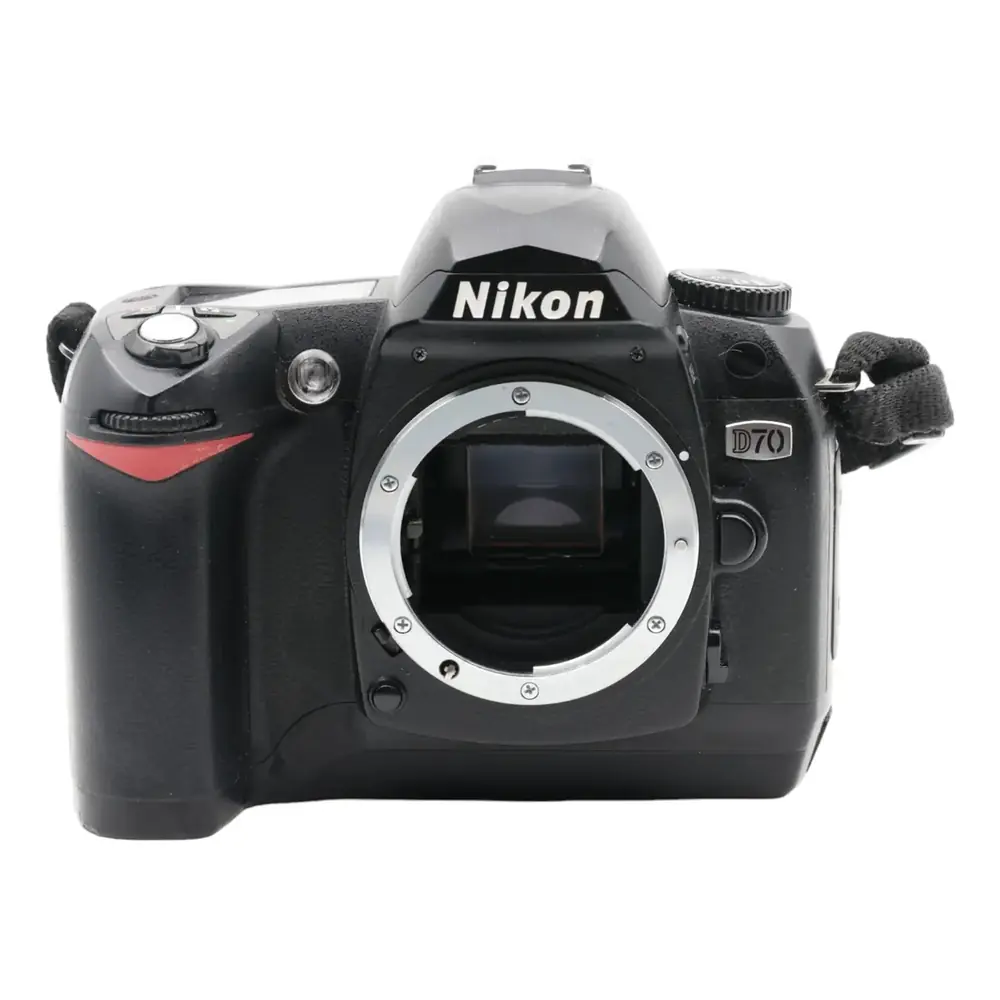
Nikon D70 DSLR Camera
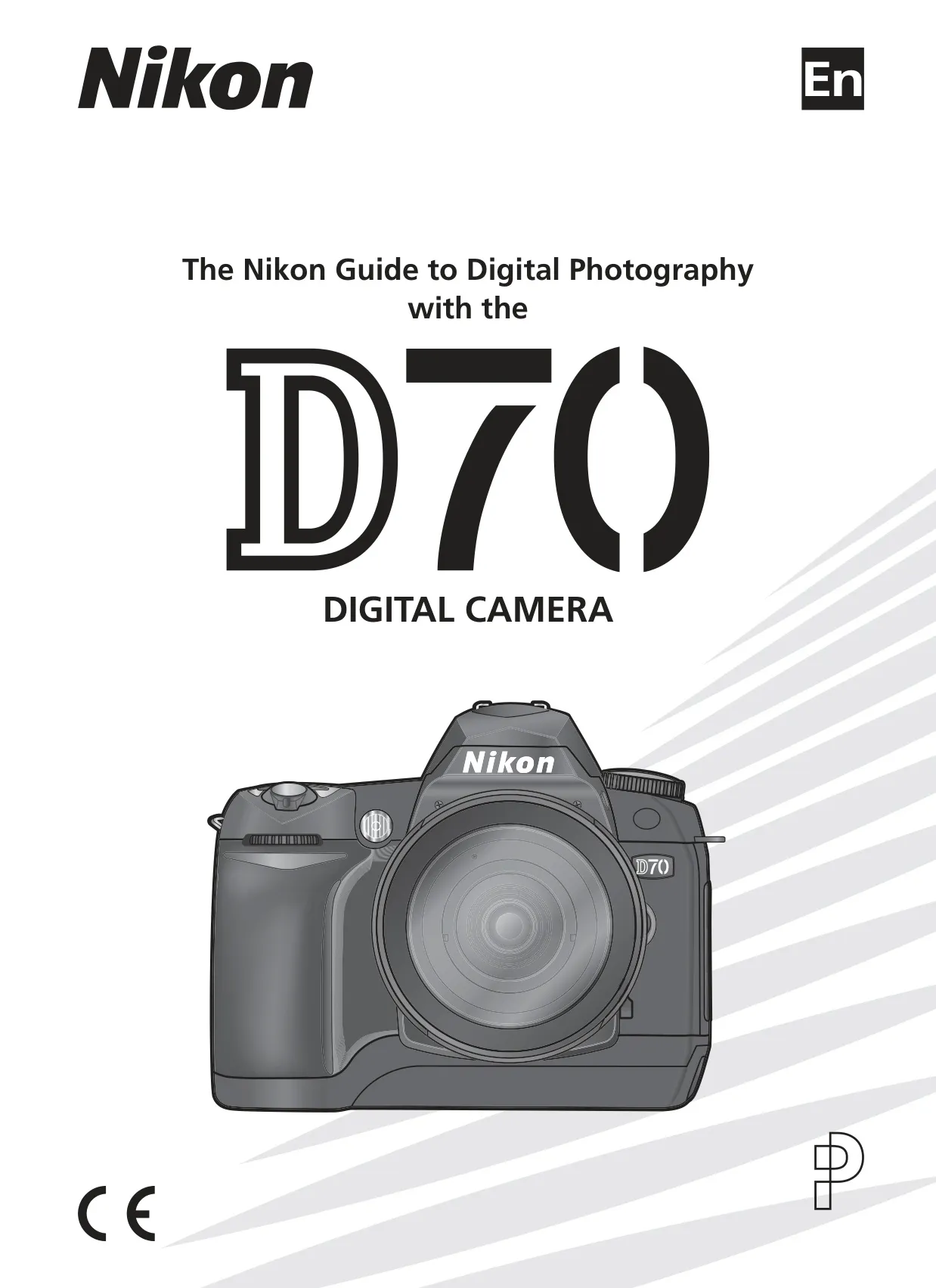



























































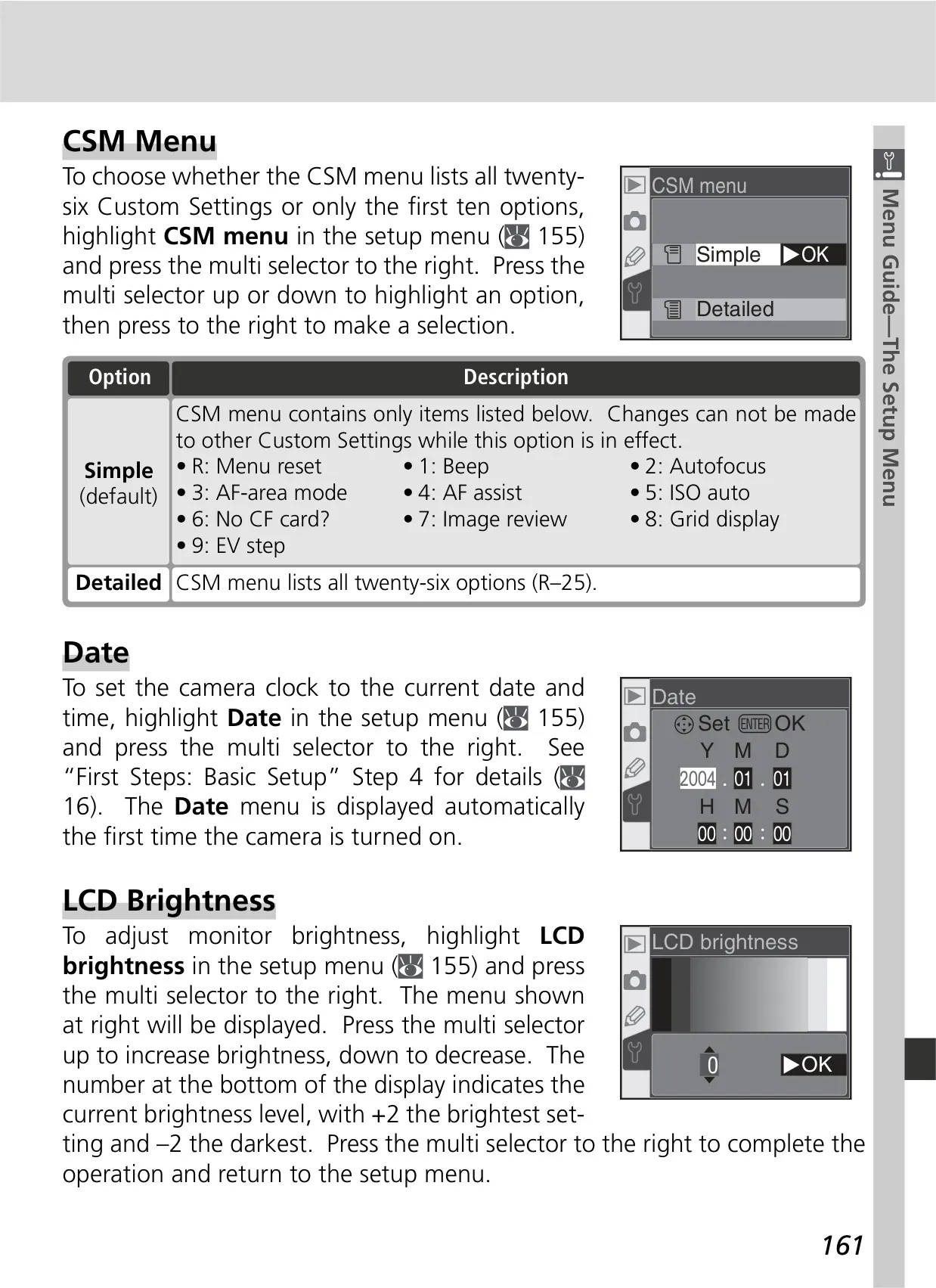


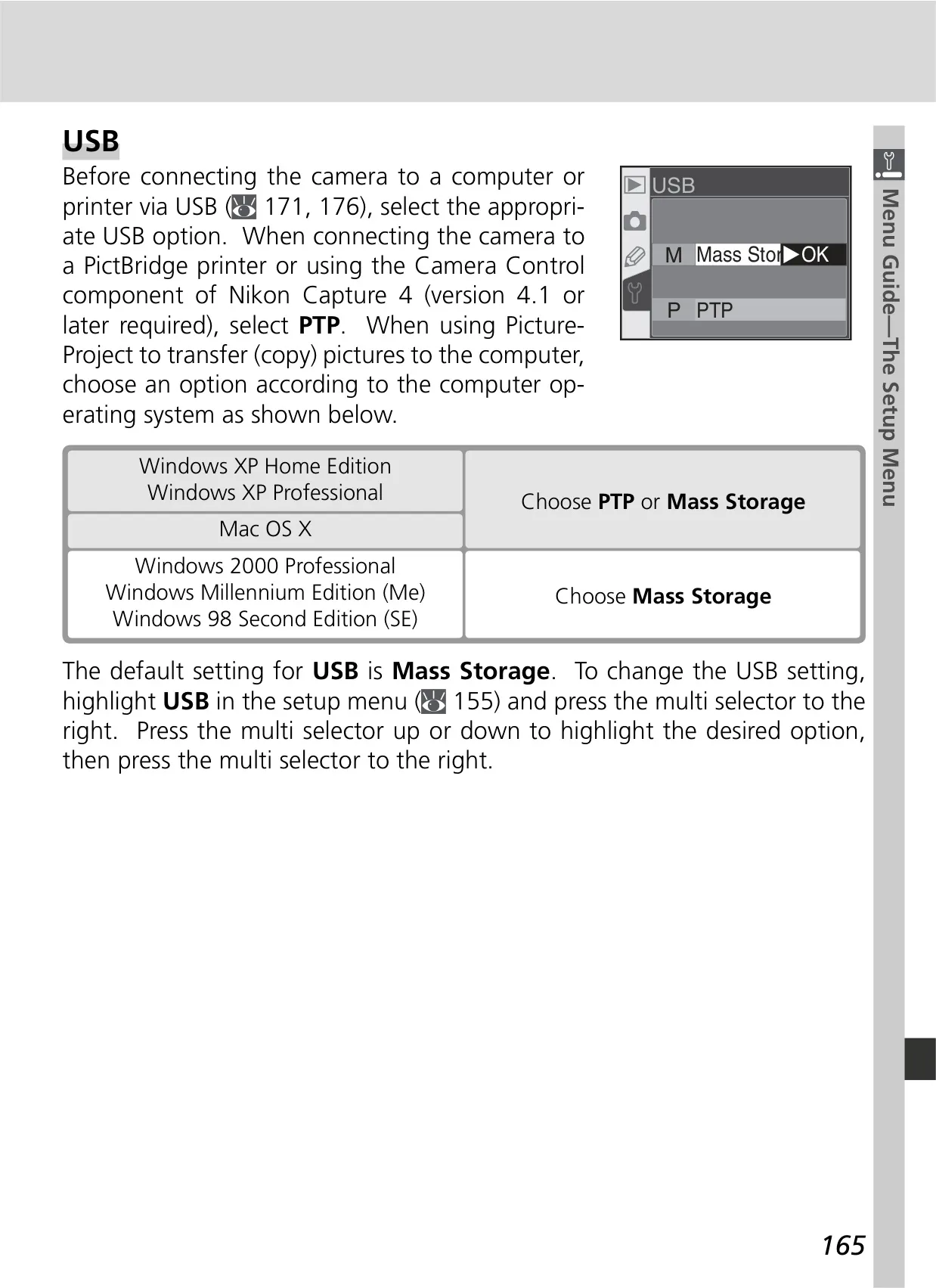
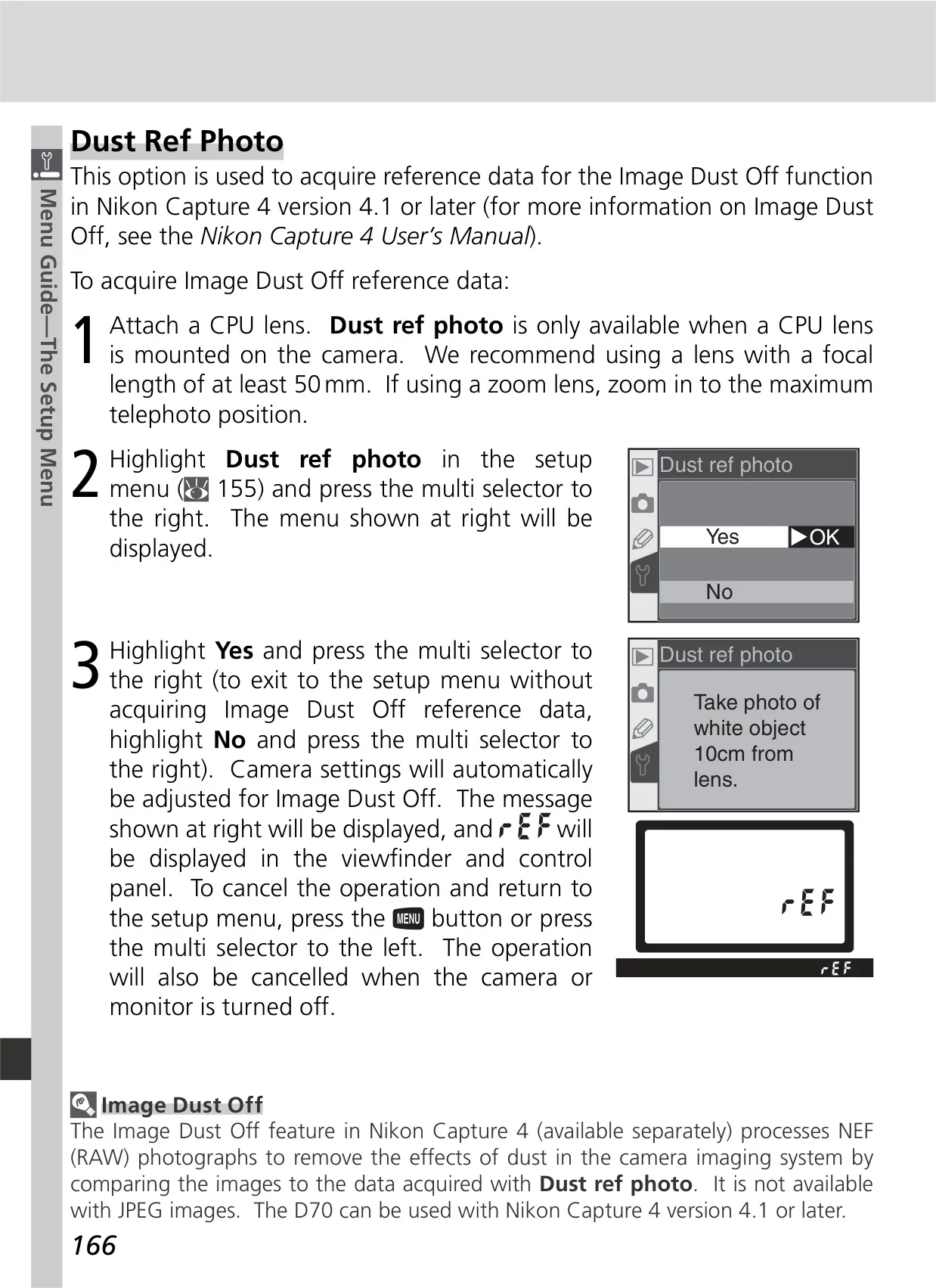

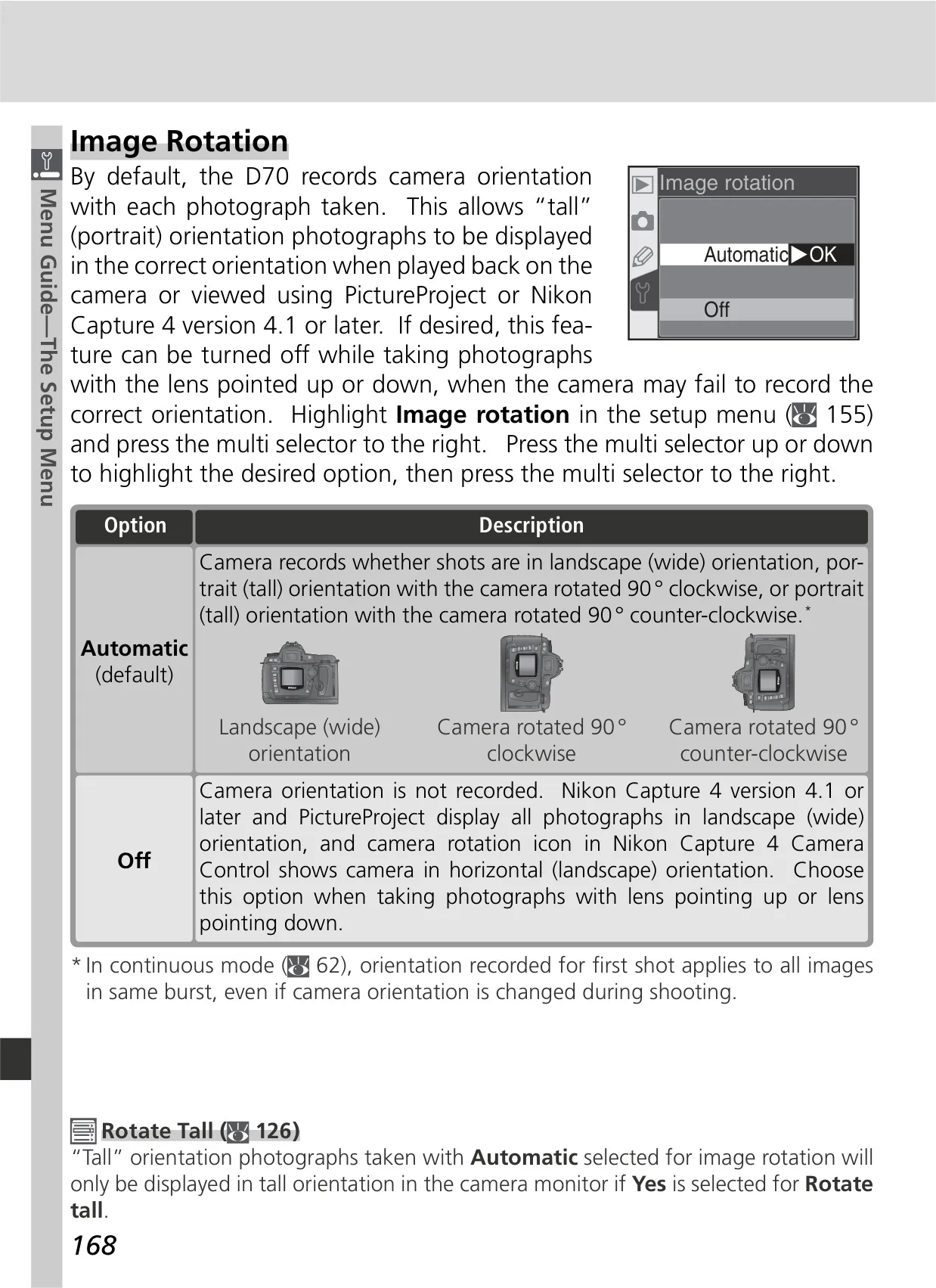

















Nikon D70 DSLR Camera Instructions
Here we offer the Nikon D70 DSLR Camera manual completely free and in English. We have cataloged this manual in the SLR Cameras section on Manualverse, and it has been rated by 1 users with an average rating of 5. If you have any specific questions about Nikon D70 DSLR Camera, we suggest checking the Frequently Asked Questions (FAQs) section of this manual.
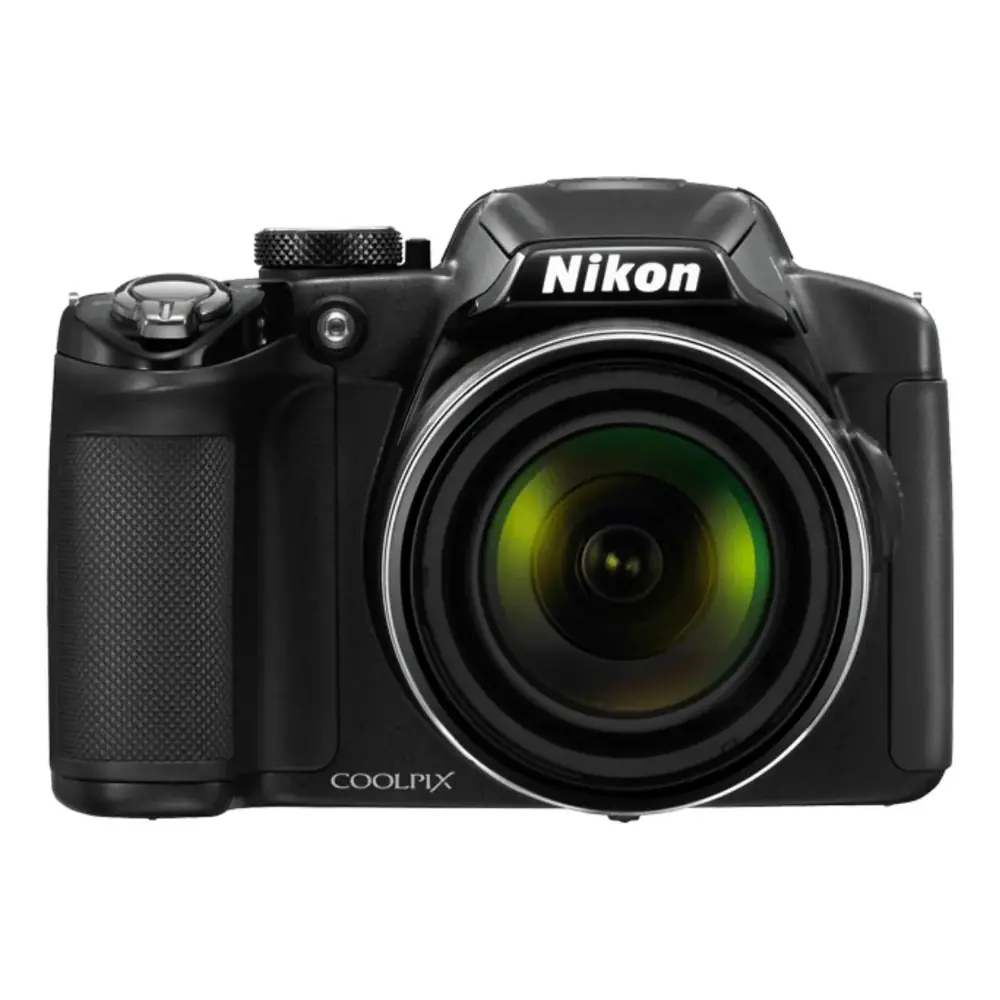
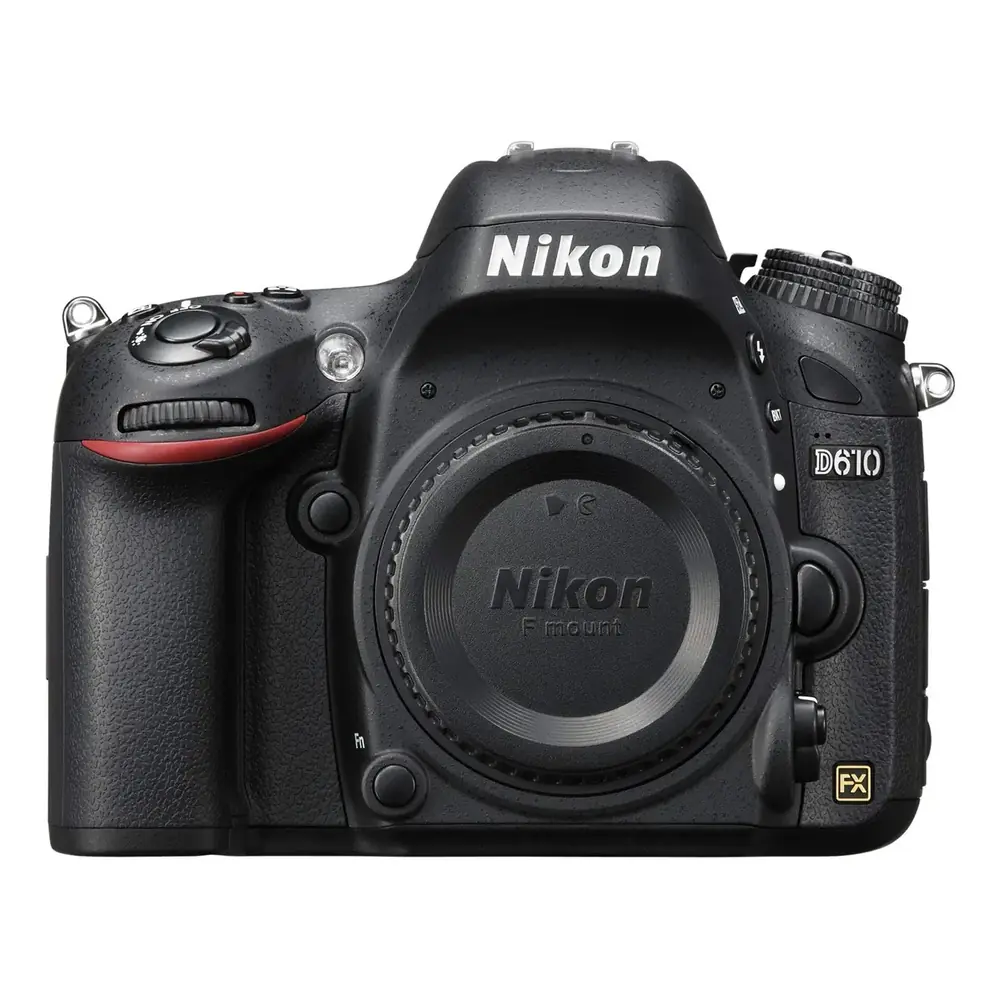
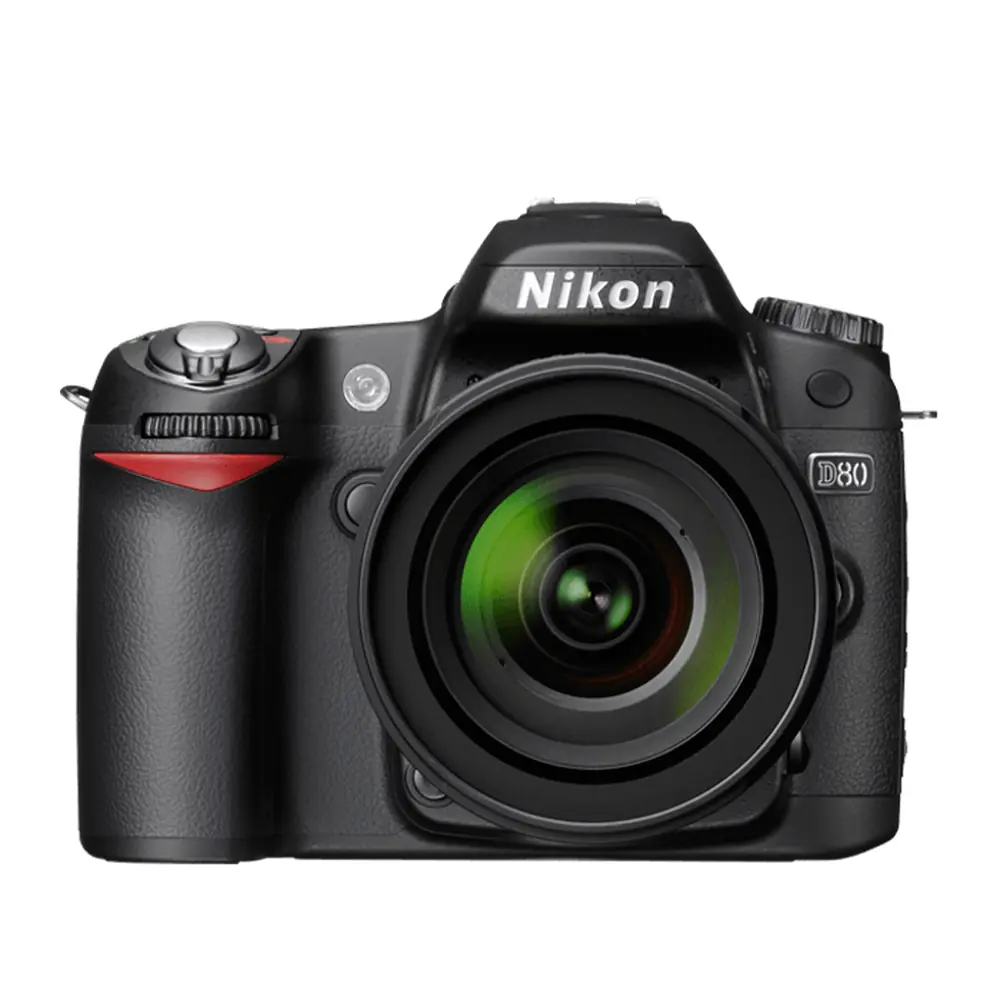
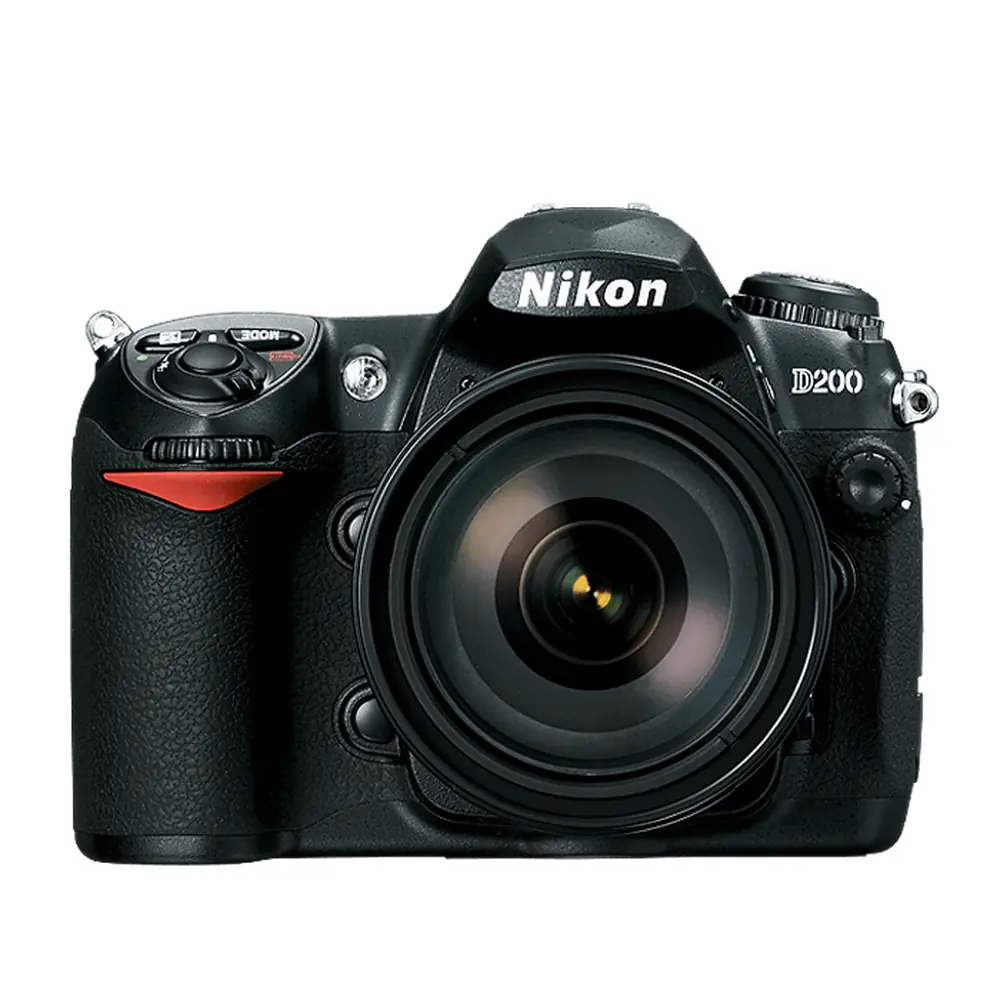
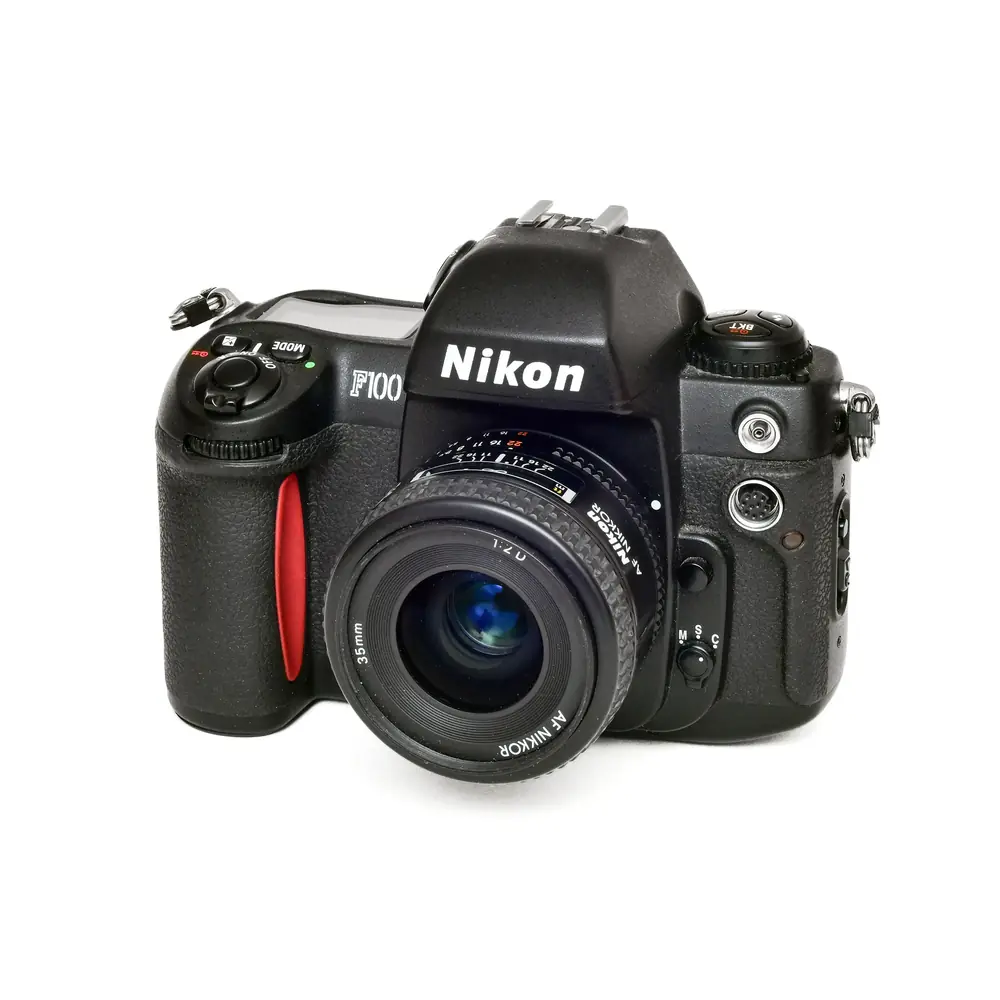
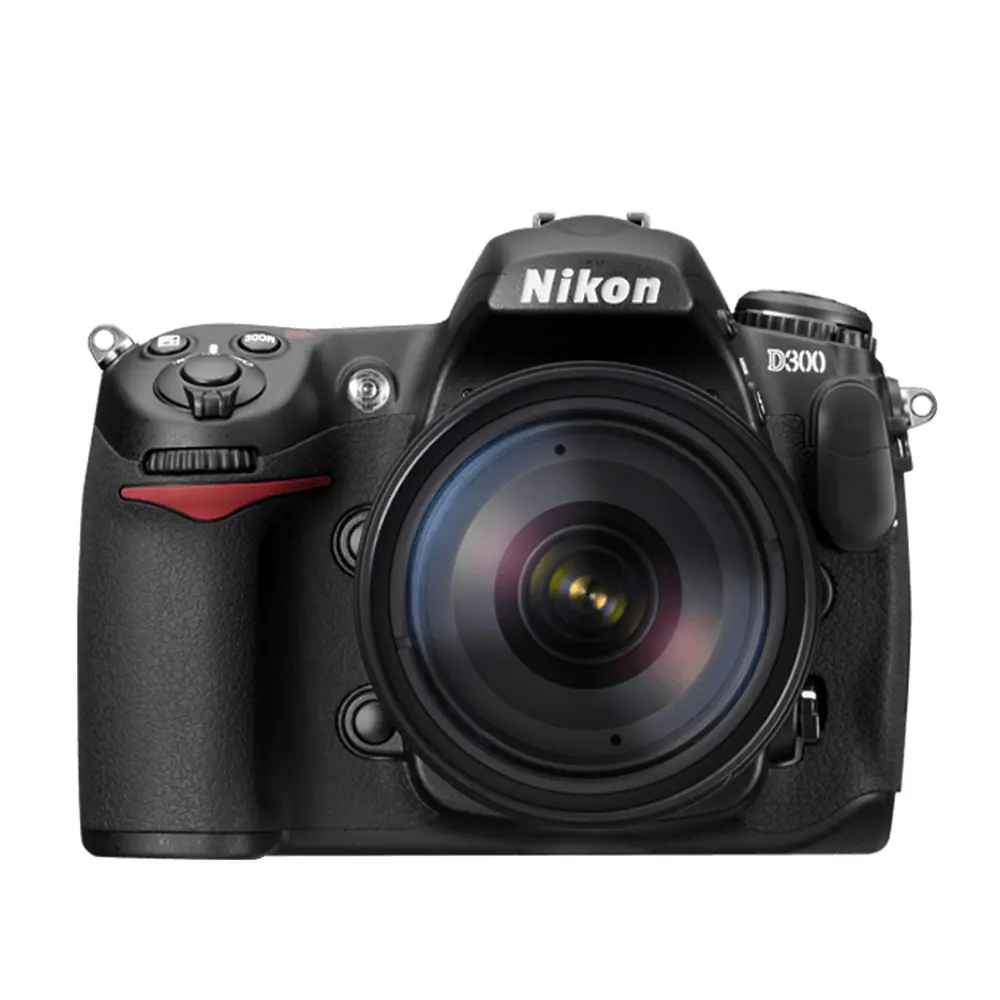
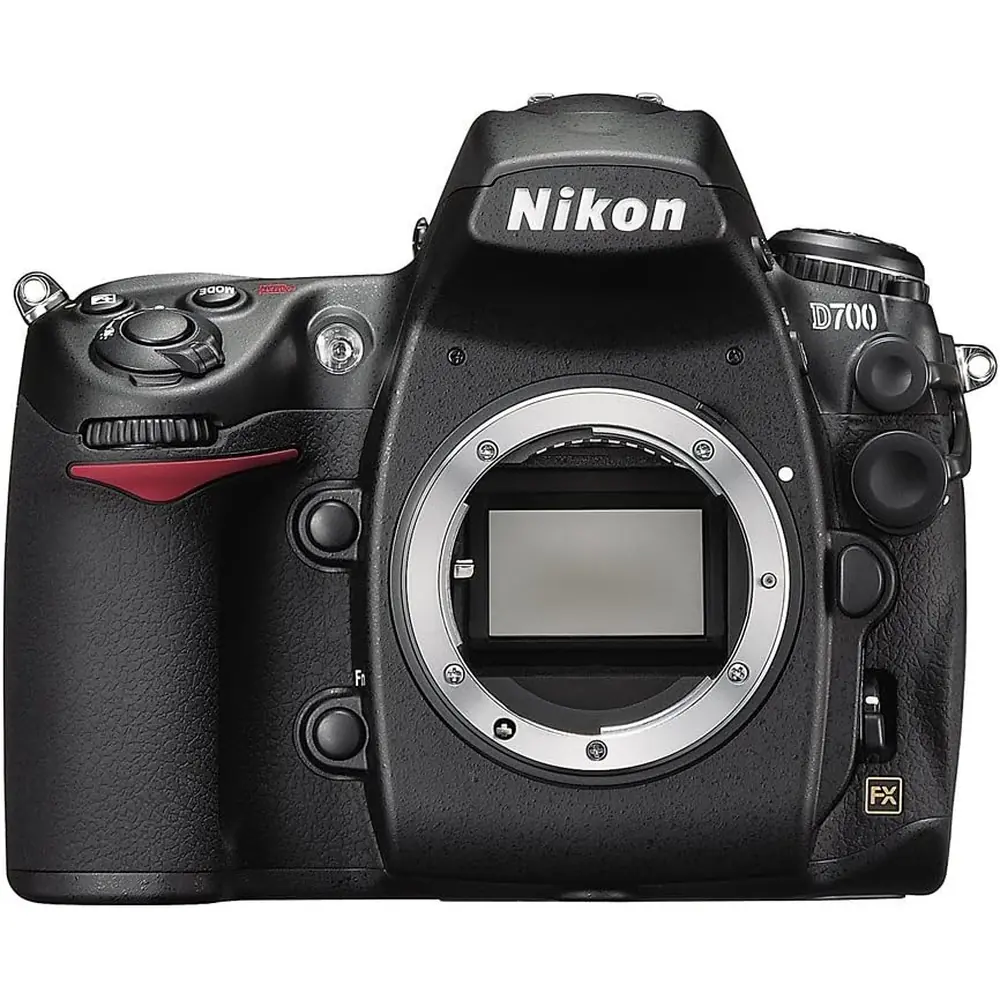
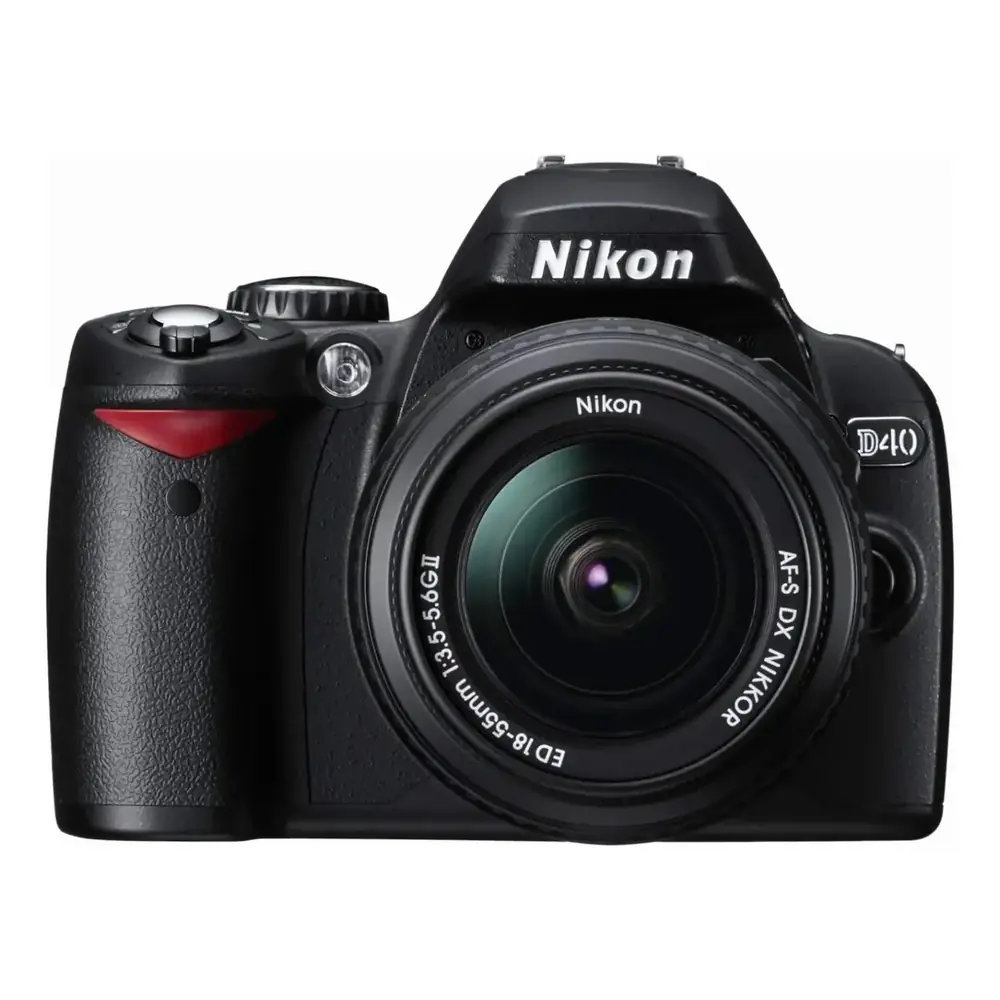
Product Images
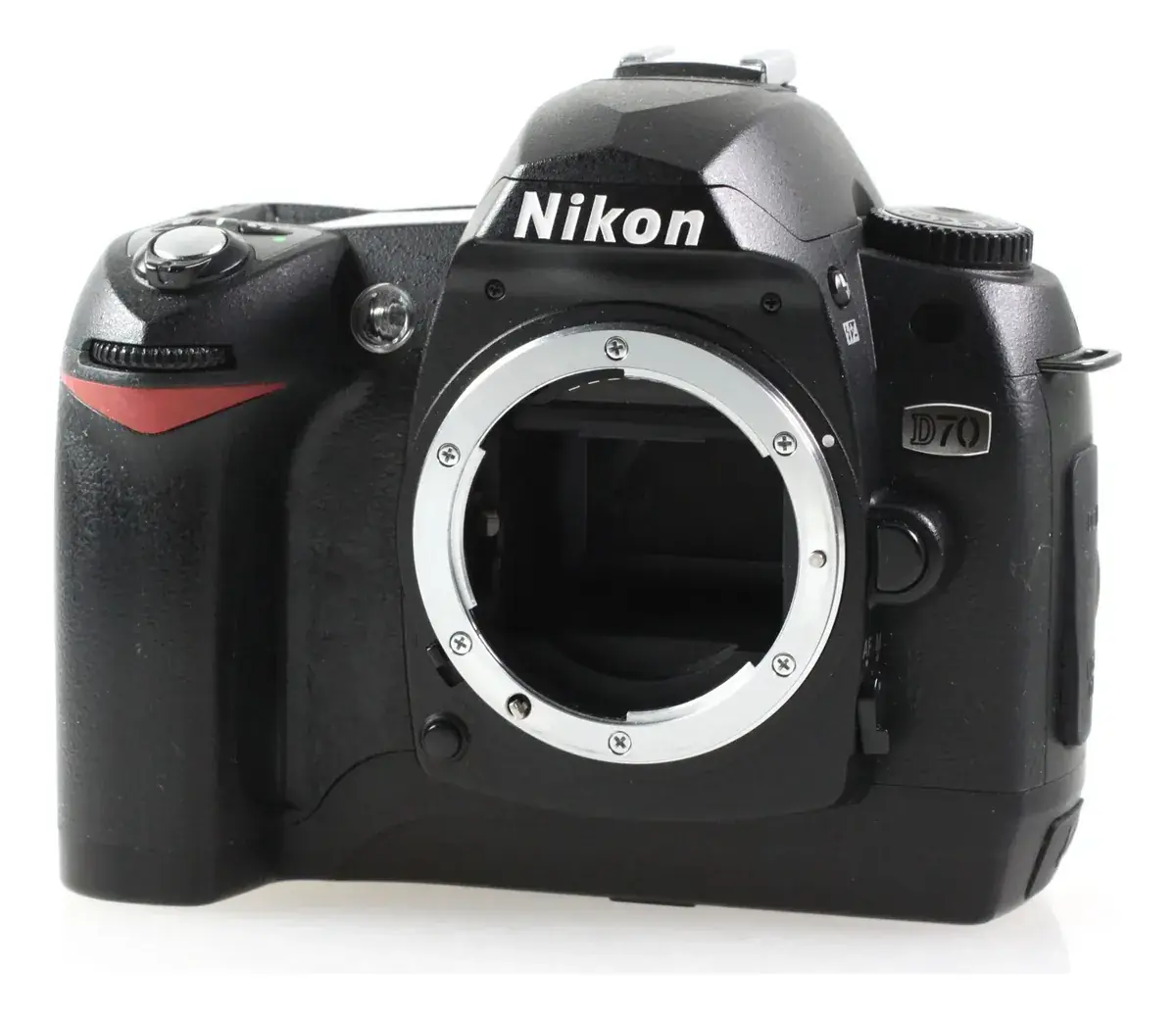
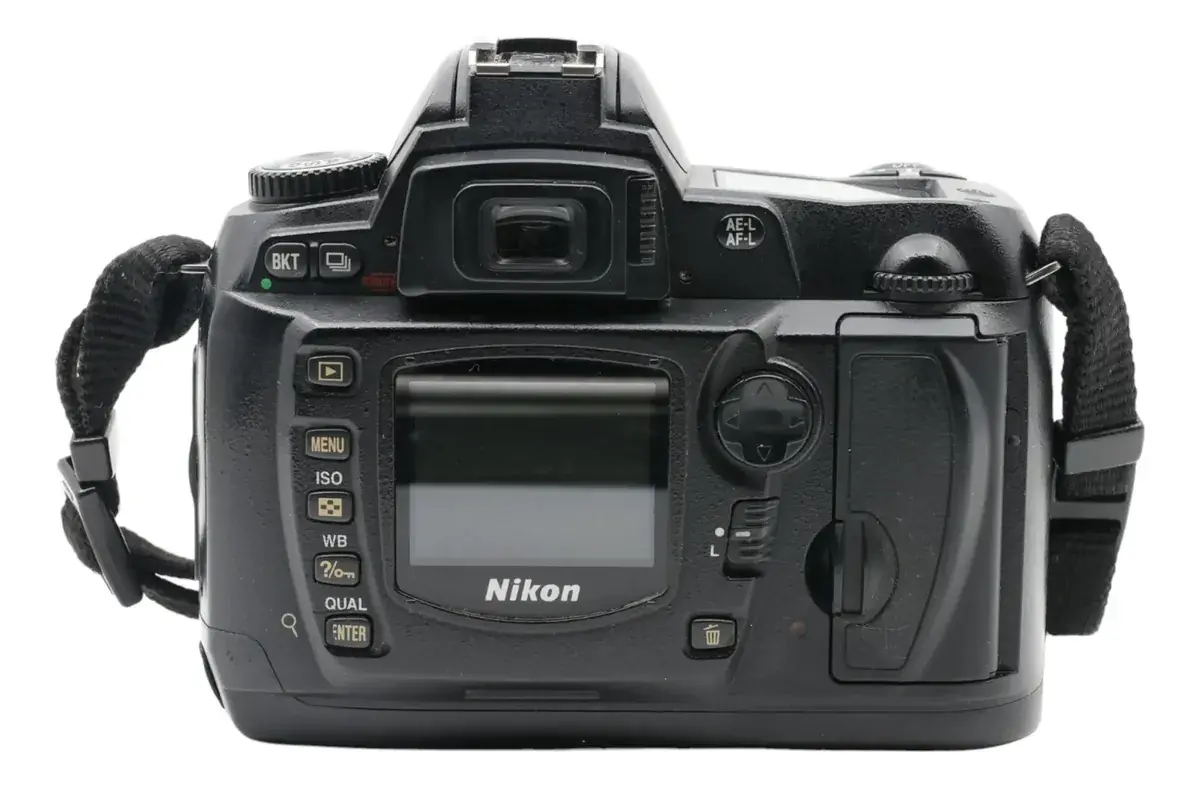
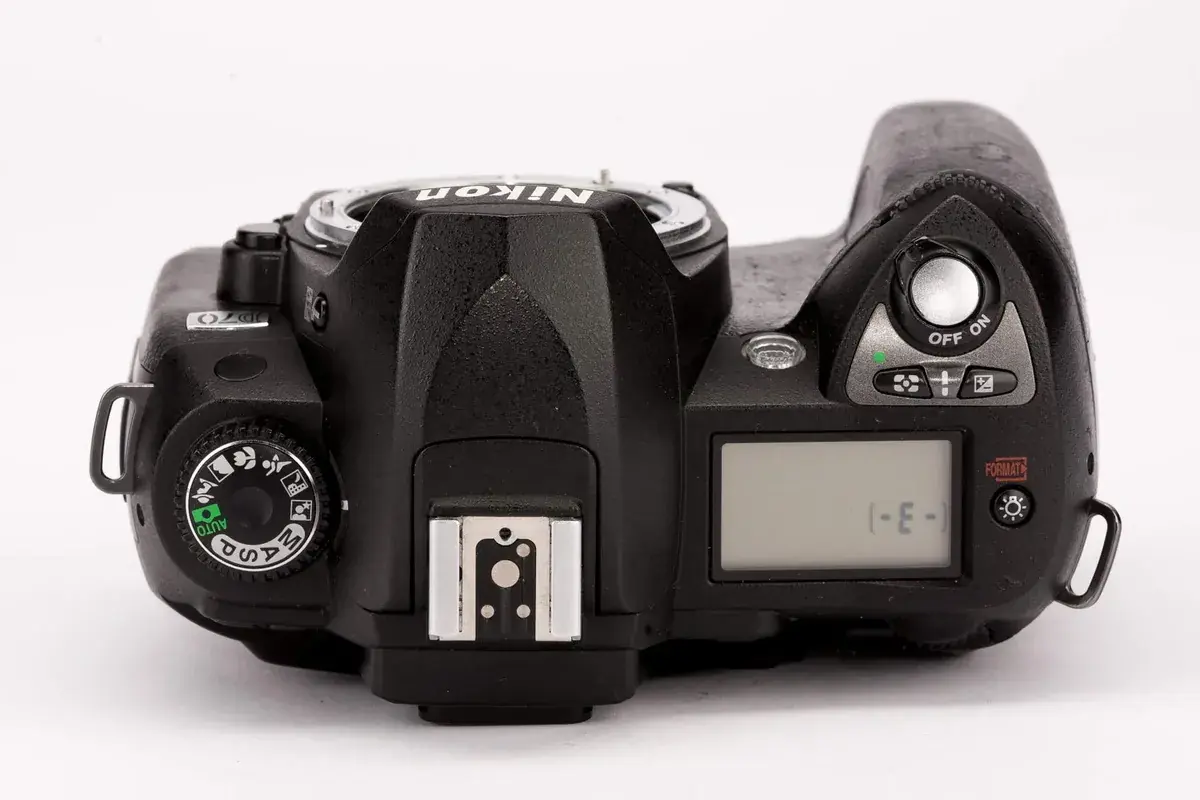
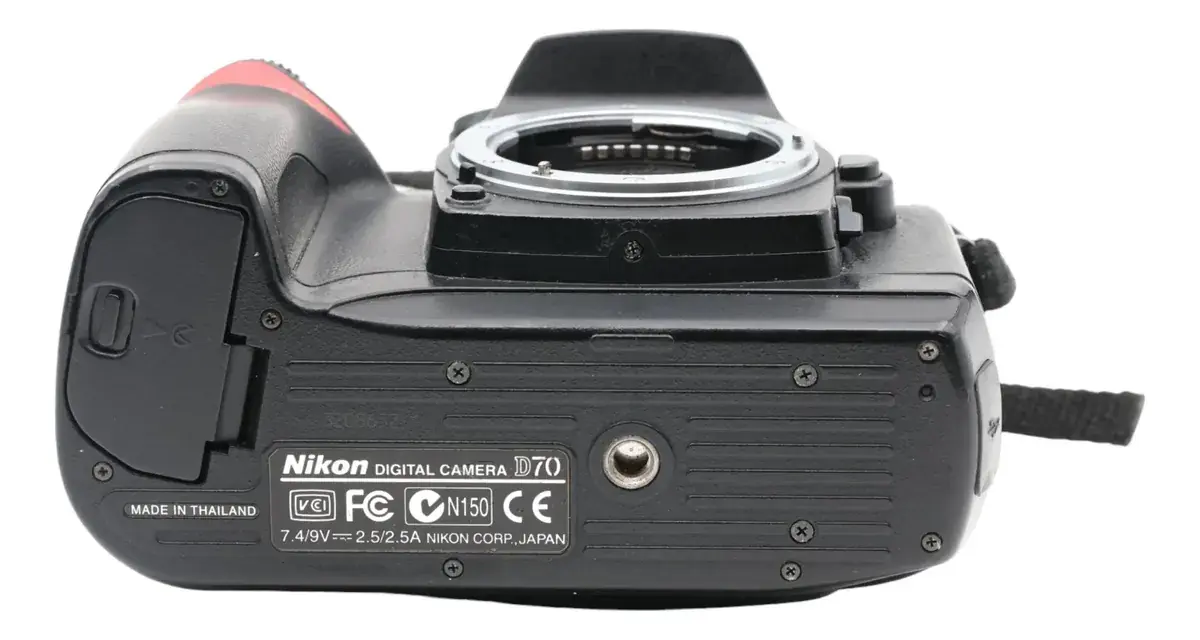
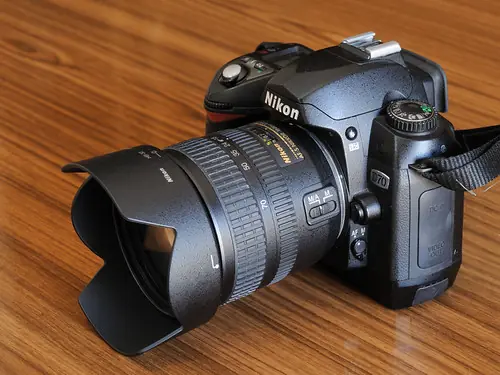
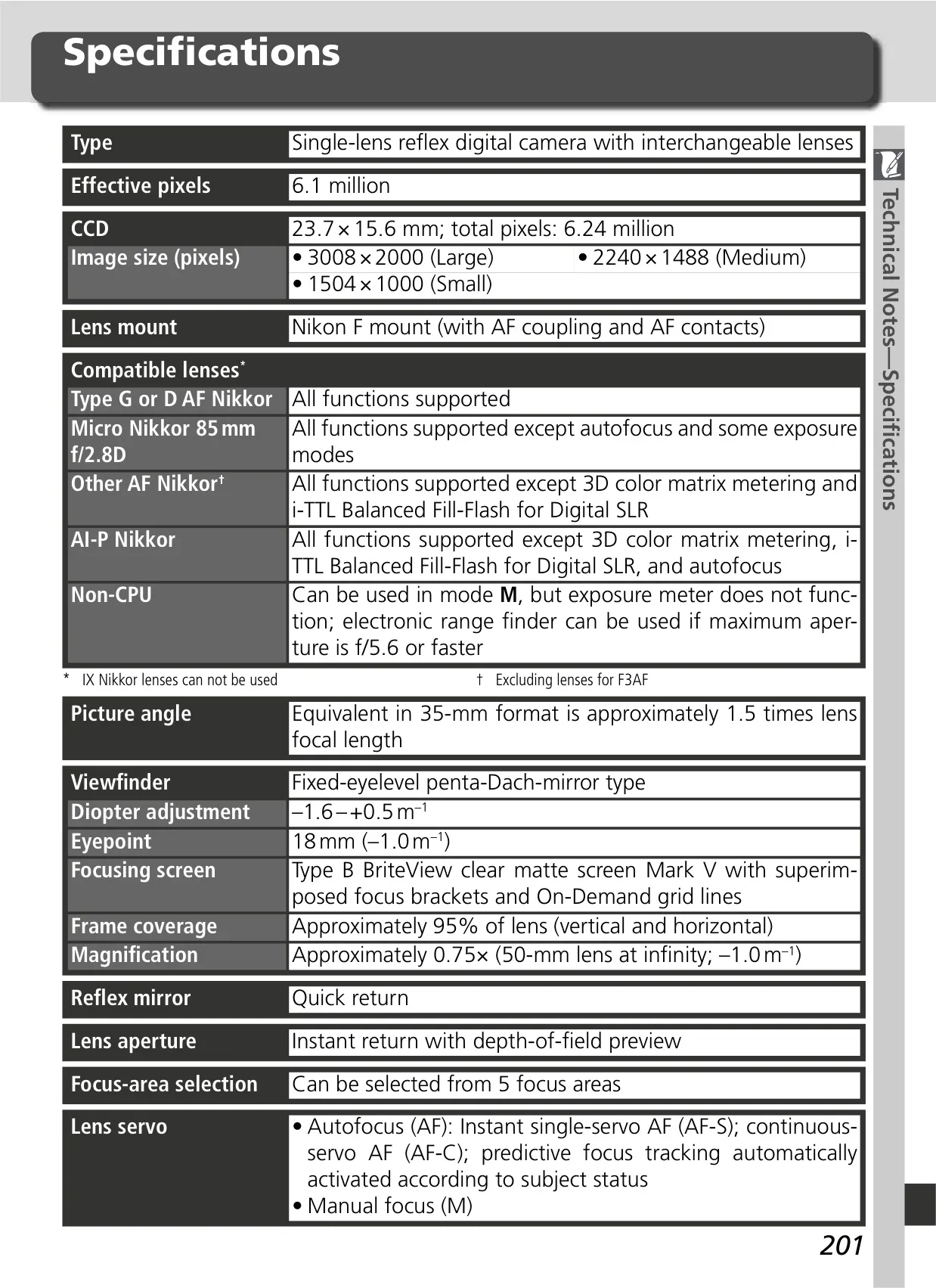
Nikon D70 DSLR Camera Specifications
| Feature | Specification |
|---|---|
| Camera Type | Single-lens reflex digital camera with interchangeable lenses |
| Image Sensor | 23.7 × 15.6 mm CCD; 6.24 million total pixels |
| Effective Pixels | 6.1 million |
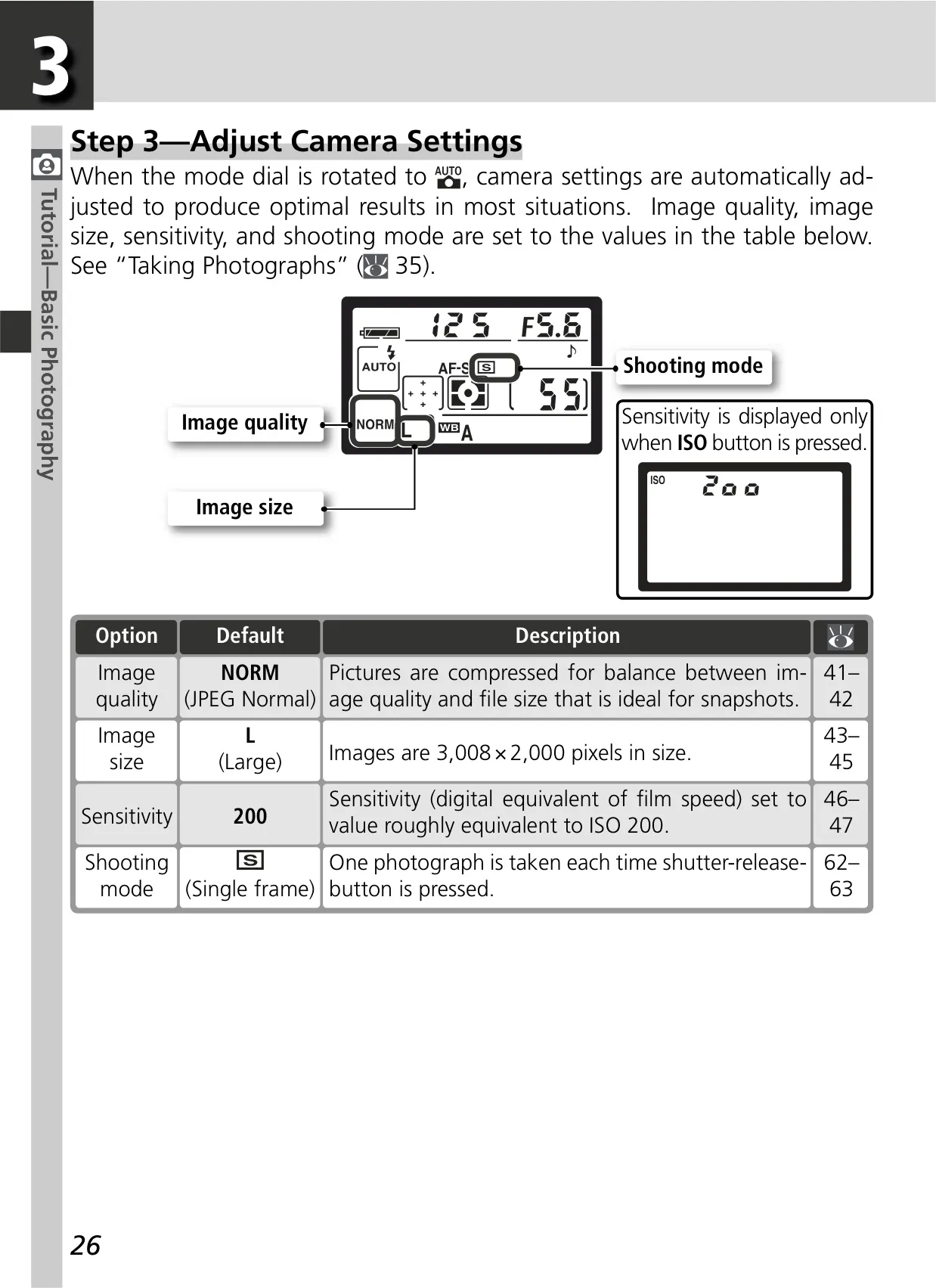
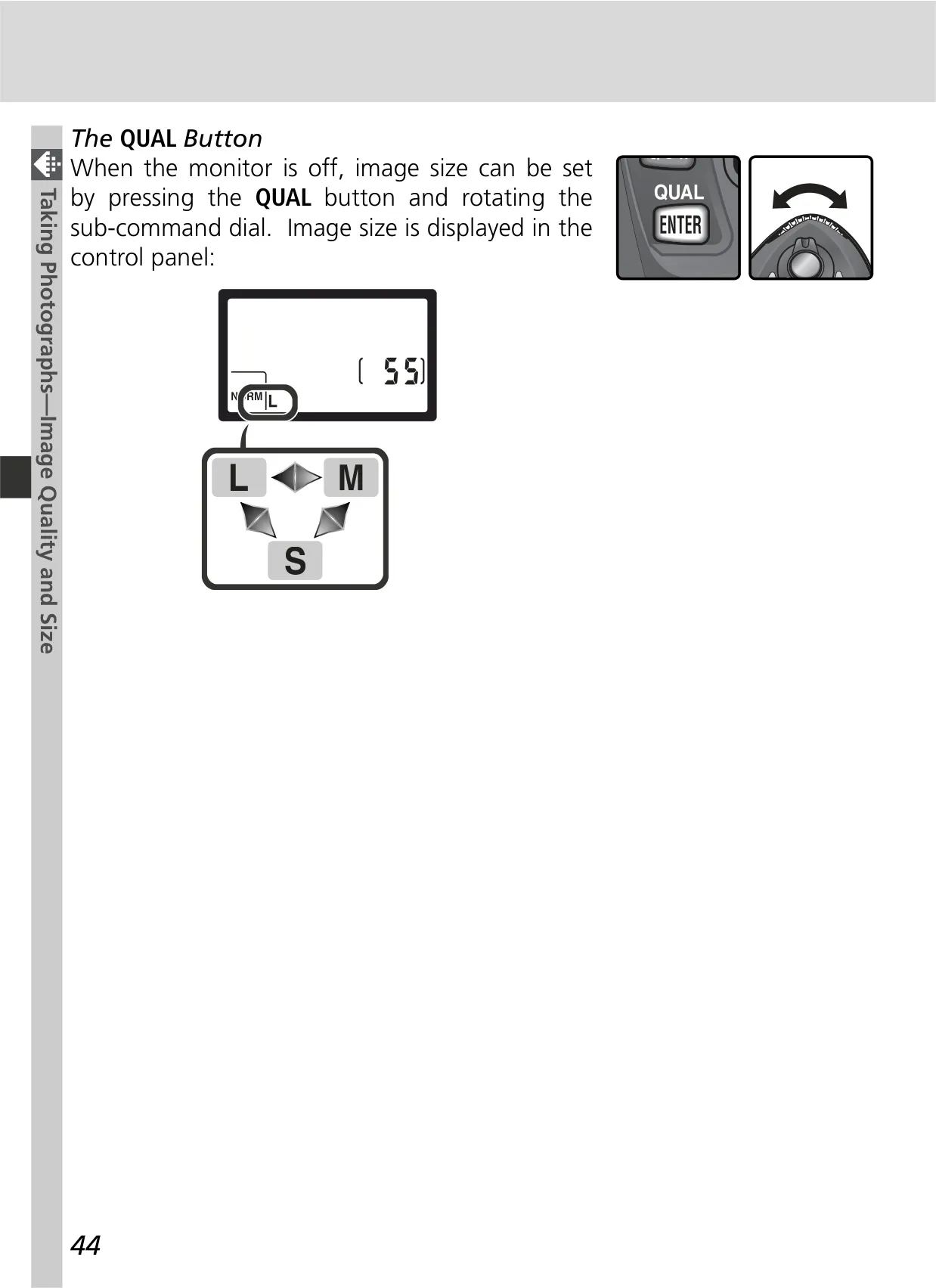
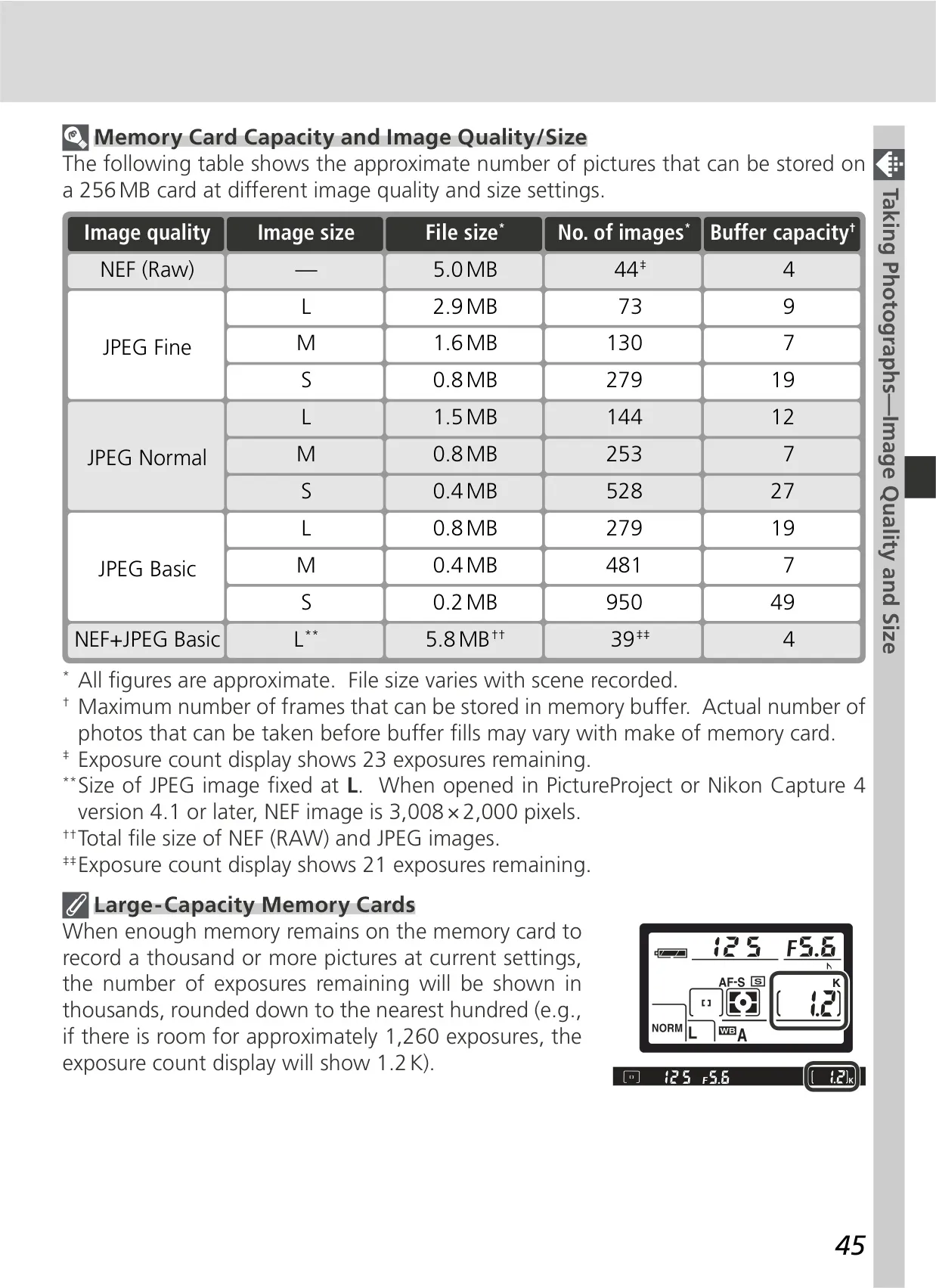
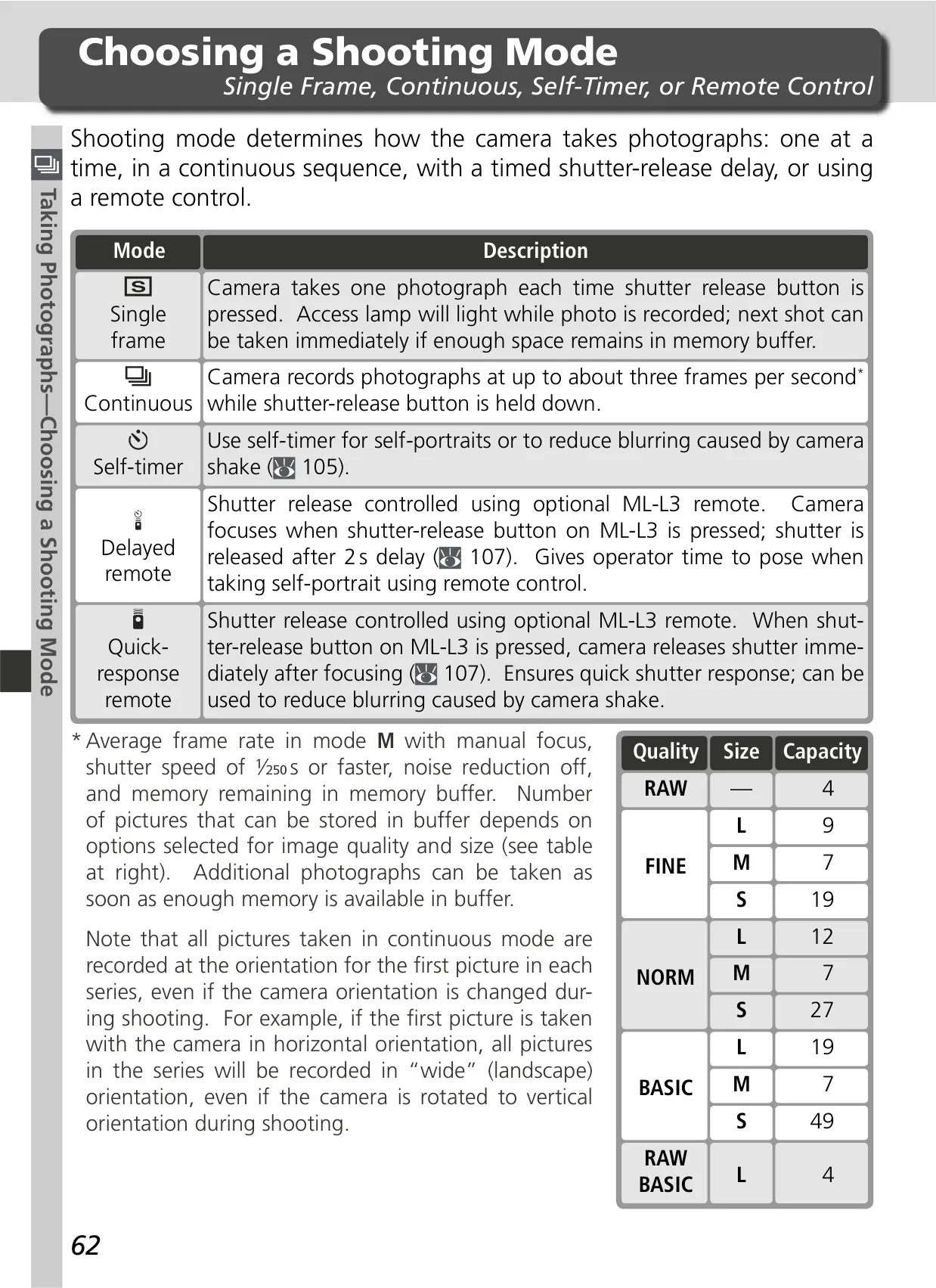
| Image Size (Pixels) | Large (3008 × 2000), Medium (2240 × 1488), Small (1504 × 1000) |
| Lens Mount | Nikon F mount (with AF coupling and AF contacts) |
| Picture Angle | Approx. 1.5× lens focal length (35-mm format equivalent) |
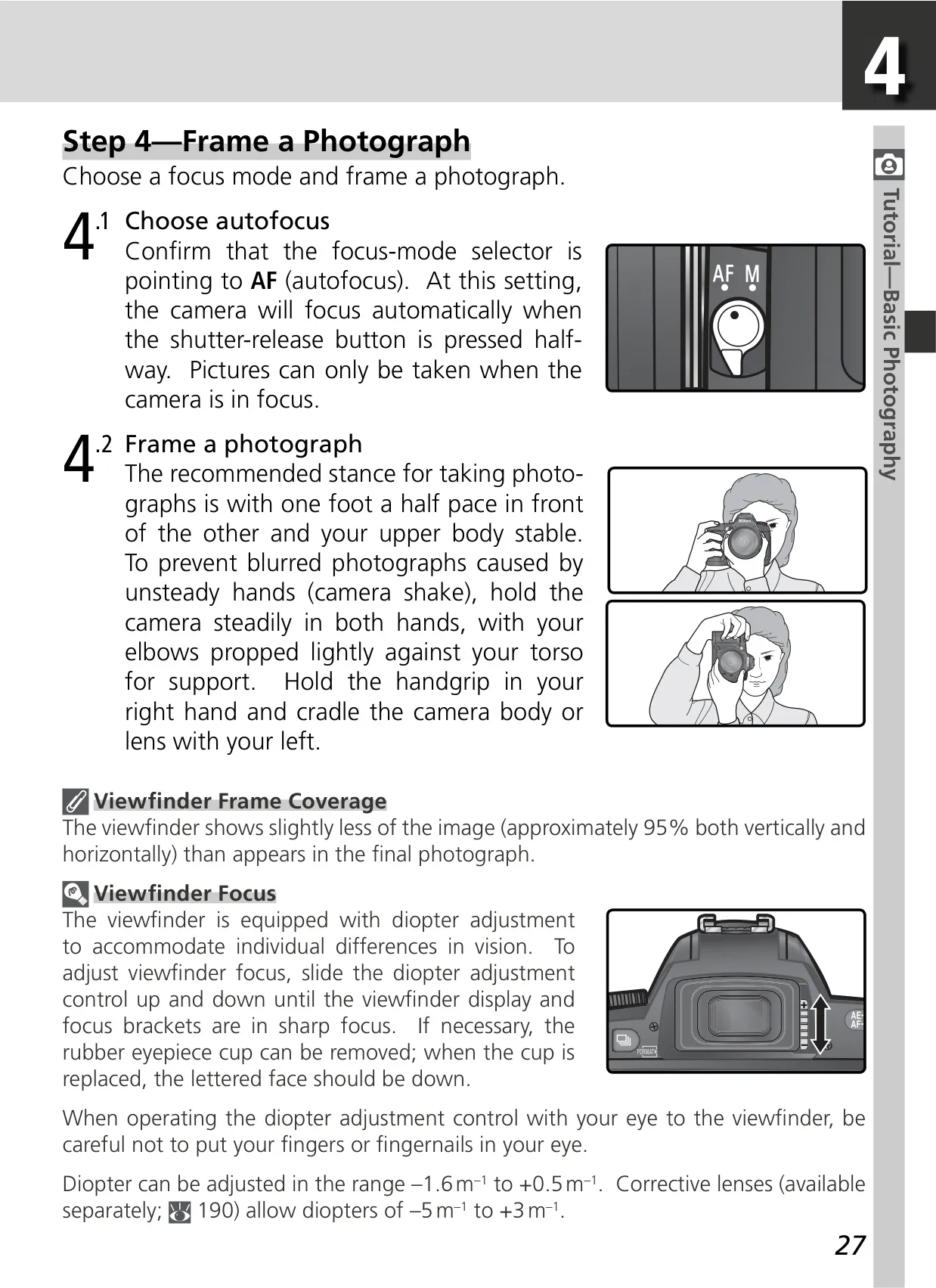
| Viewfinder | Fixed-eyelevel penta-Dach-mirror type, 95% frame coverage (vertical and horizontal) |
| Diopter Adjustment | –1.6 – +0.5 m⁻¹ |
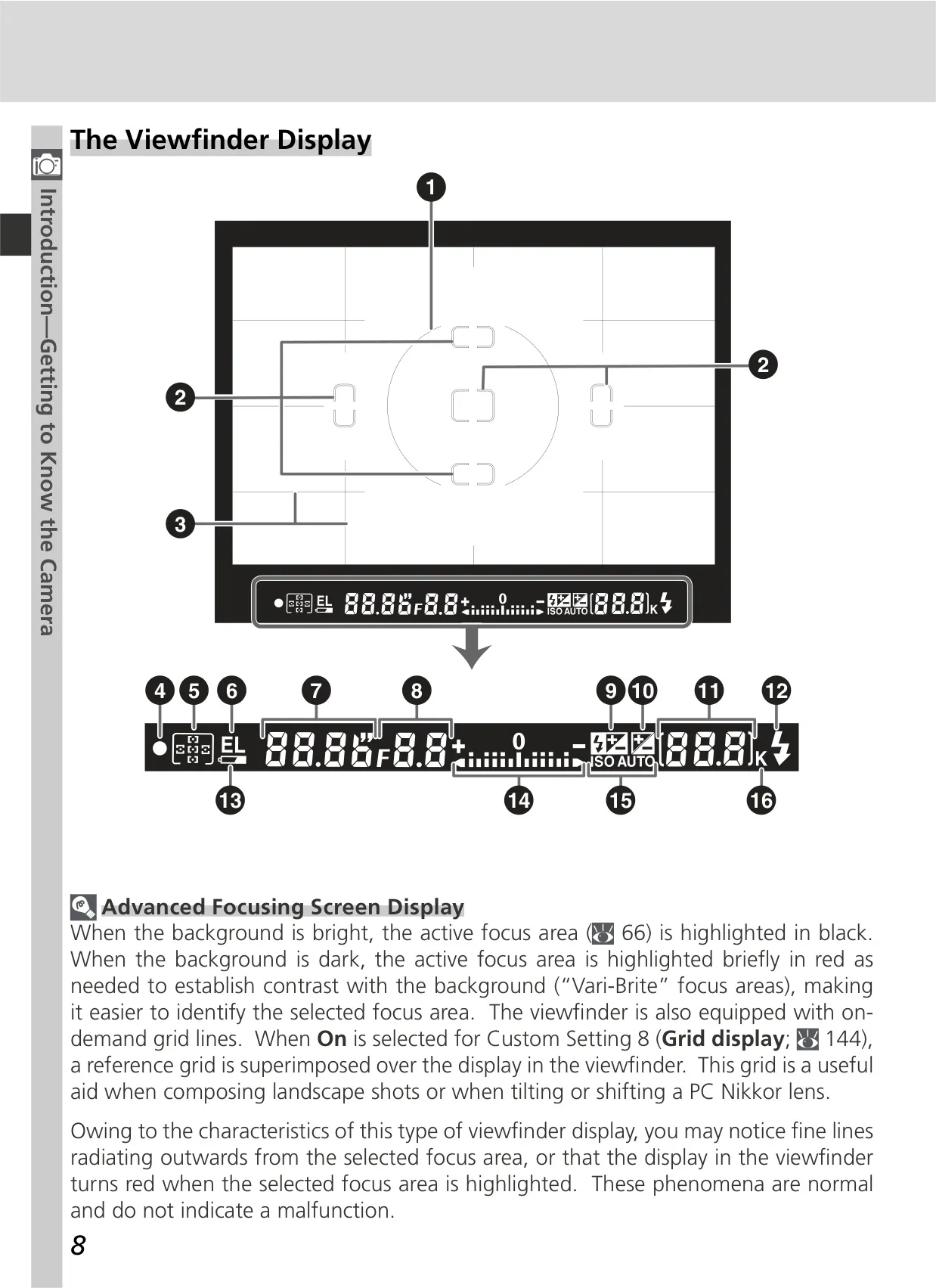
| Focusing Screen | Type B BriteView clear matte screen Mark V with superimposed focus brackets and On-Demand grid lines |
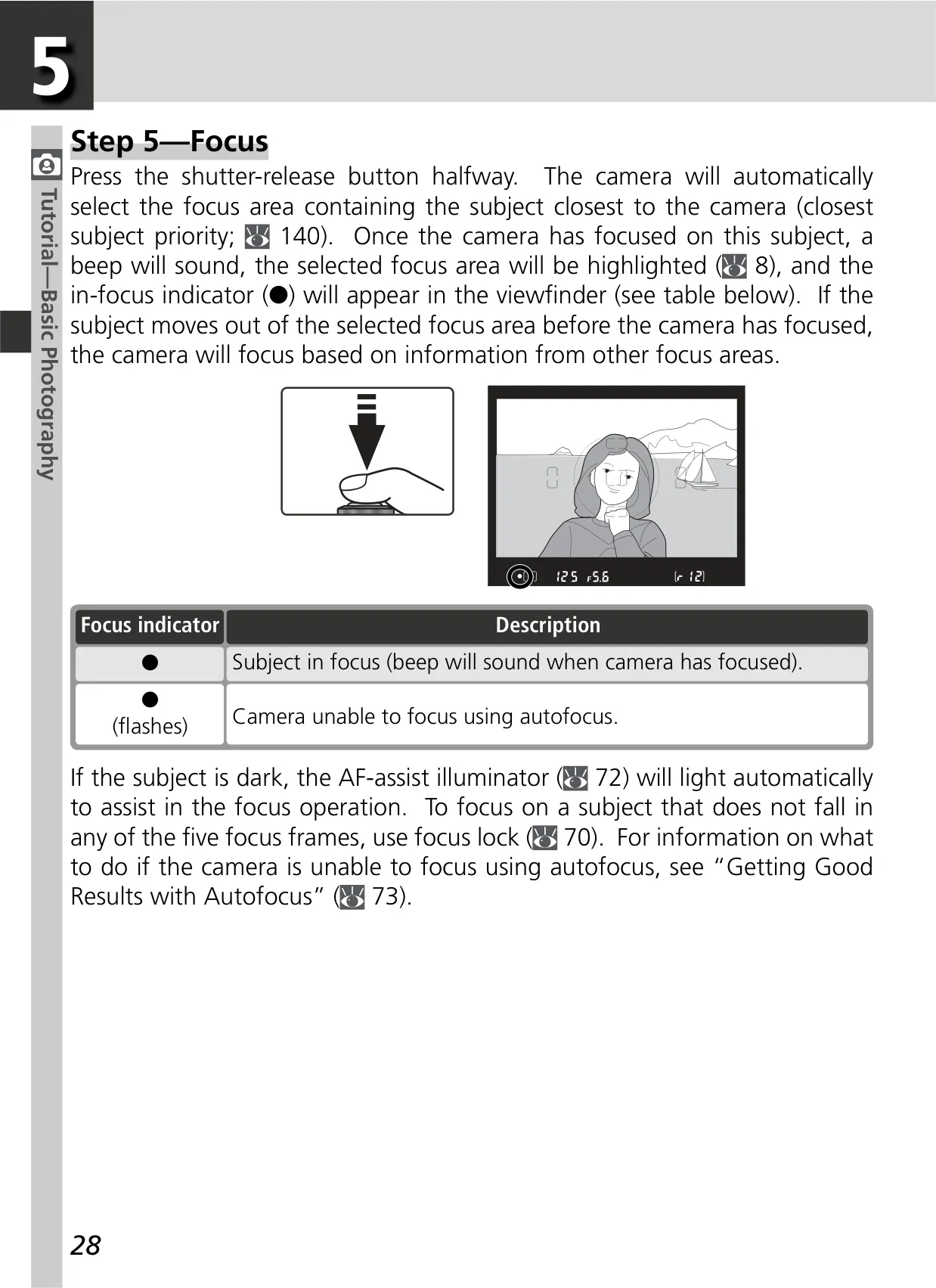
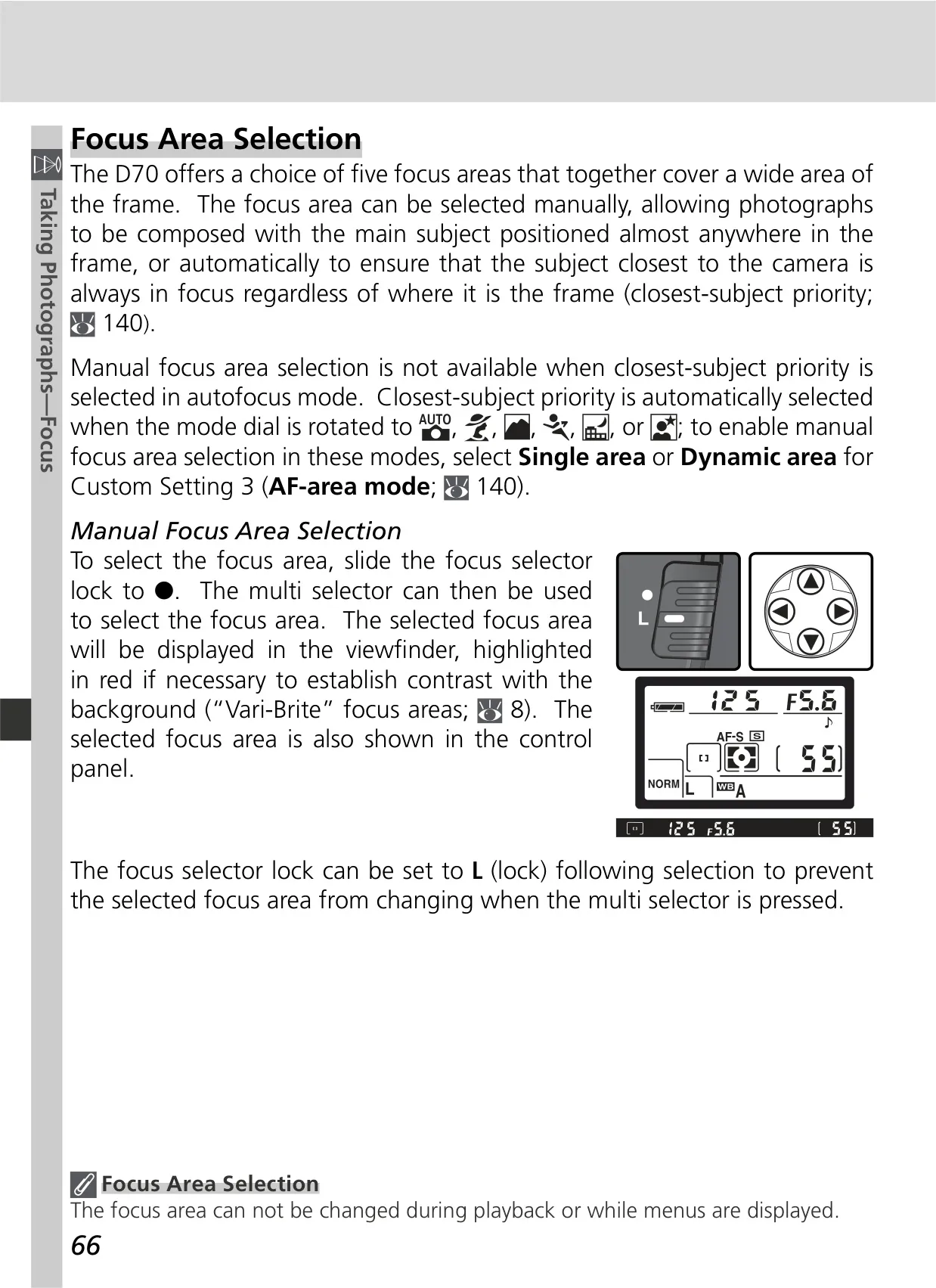
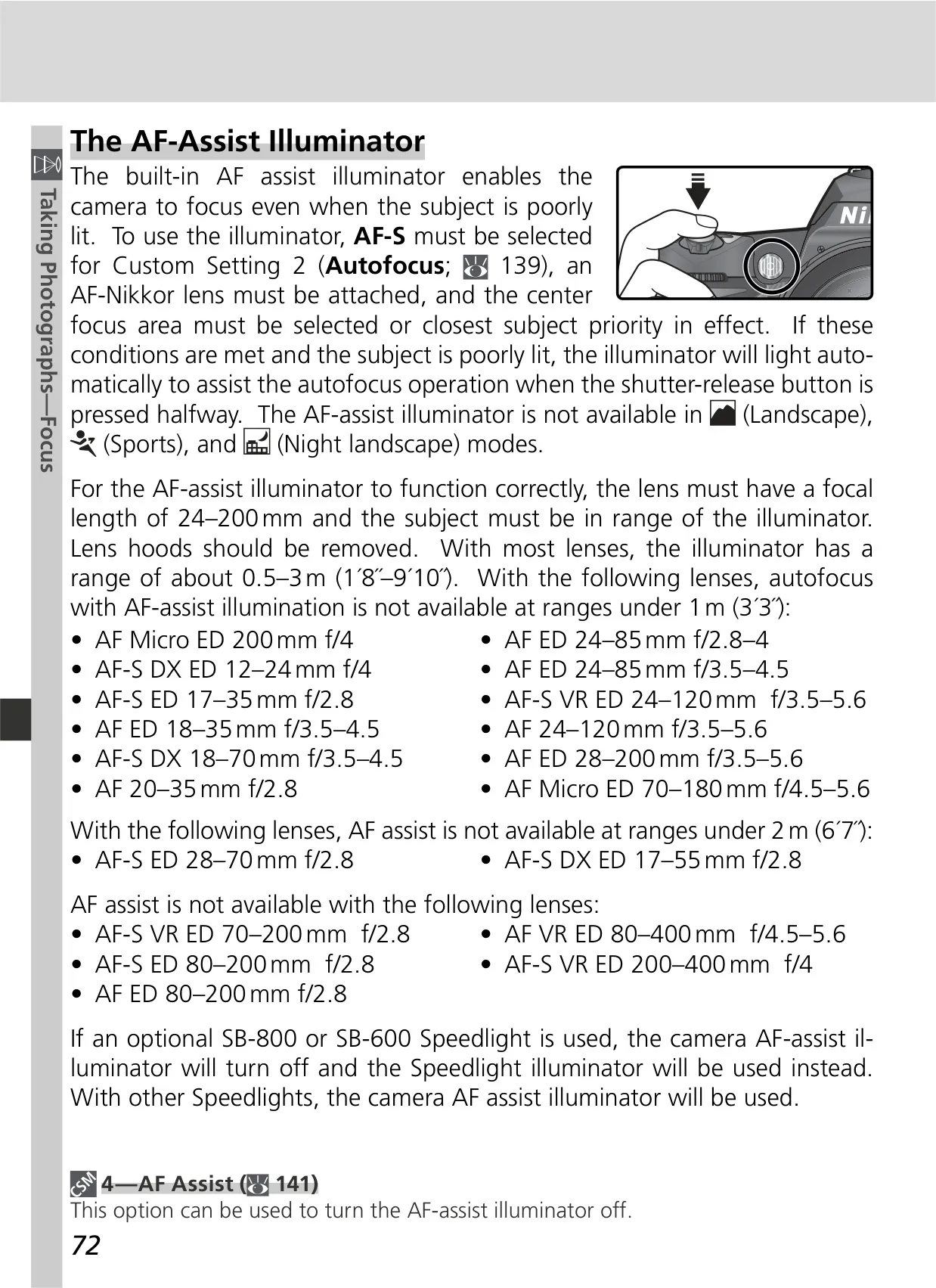
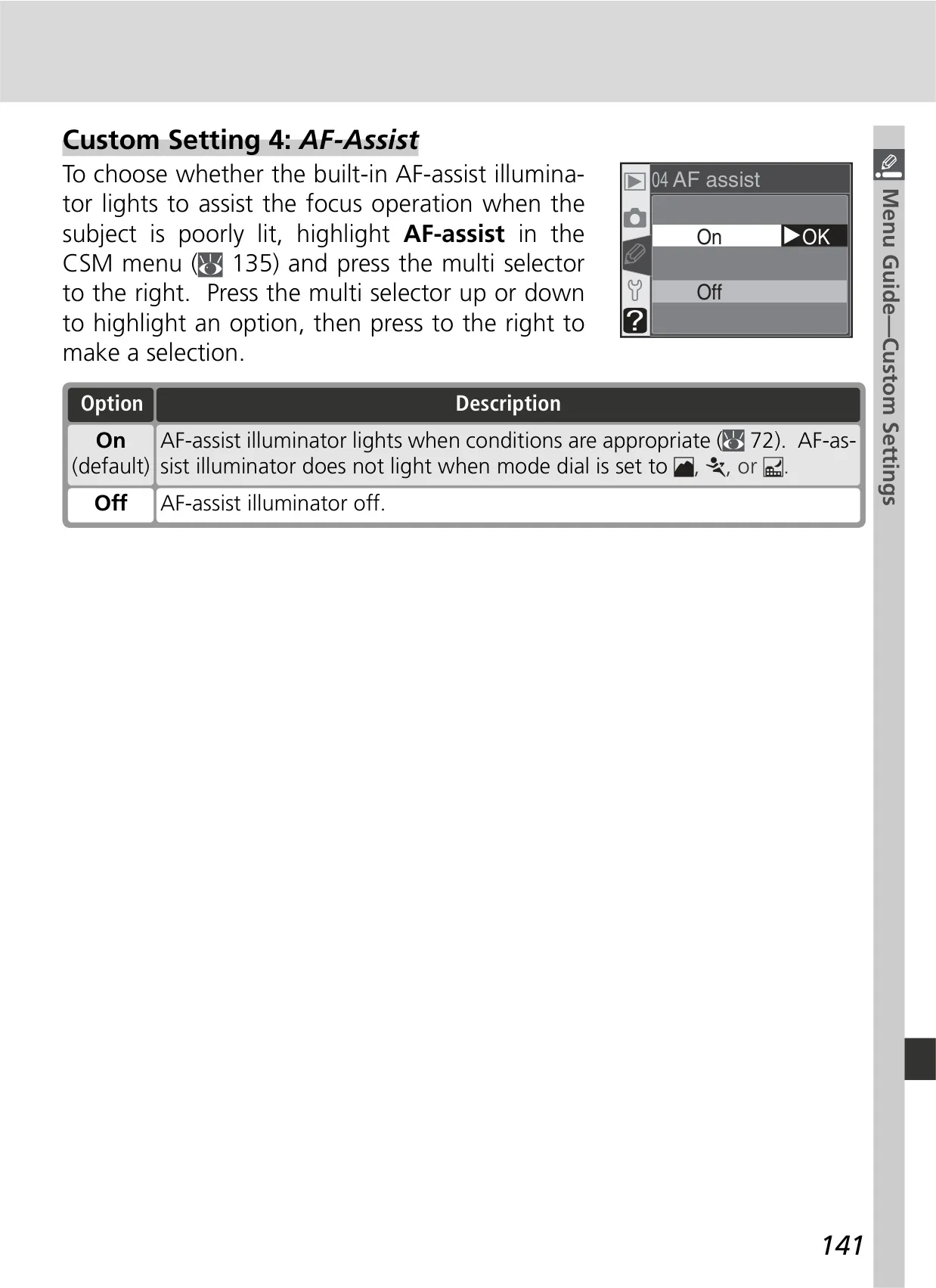
| Focus System | Nikon Multi-CAM900 autofocus module; TTL phase detection with AF-assist illuminator (0.5–3.0 m range) |
| Focus Areas | 5 selectable focus areas |
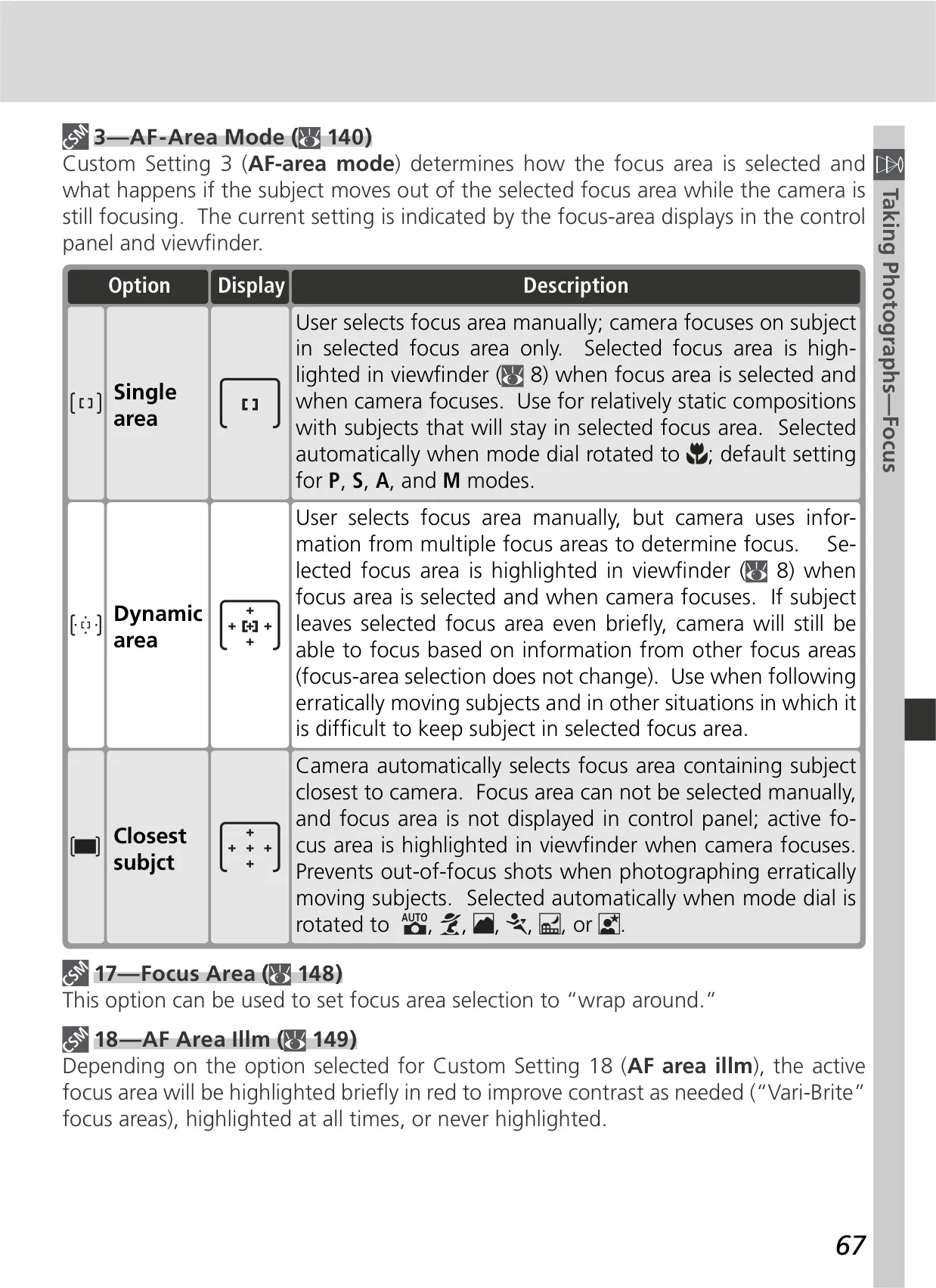
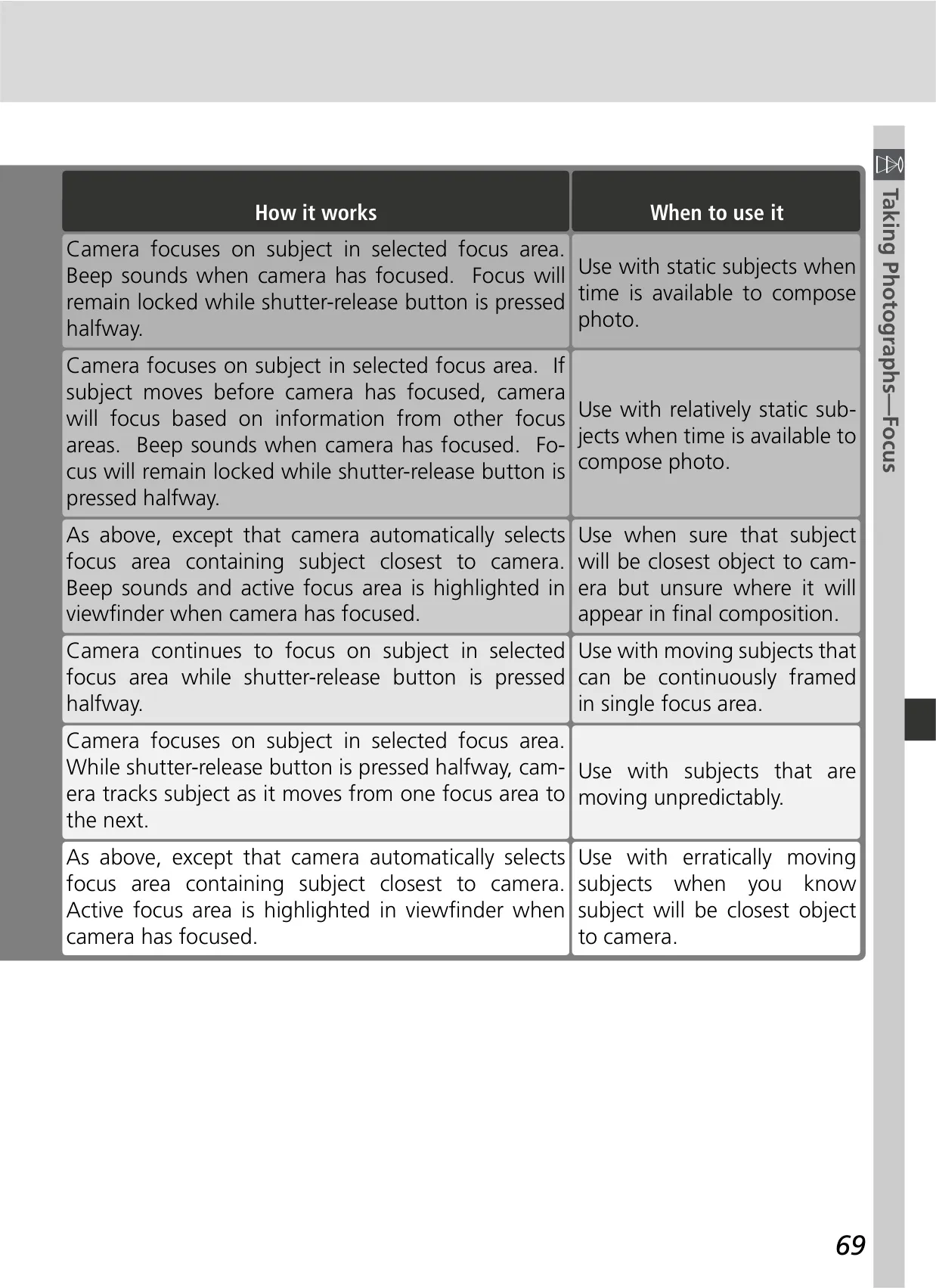
| AF-Area Modes | Single-area AF, dynamic-area AF, dynamic-area AF with closest subject priority |
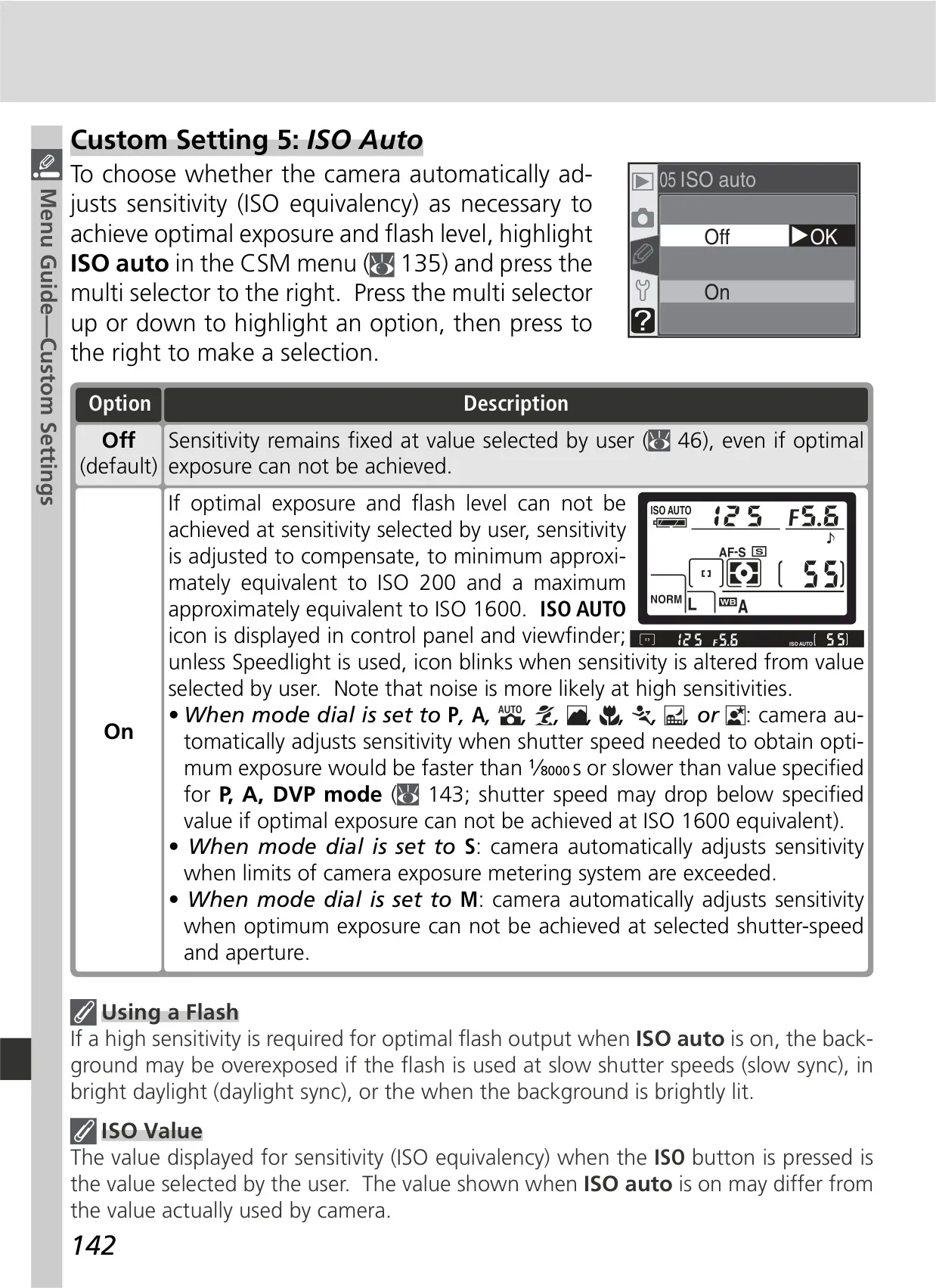
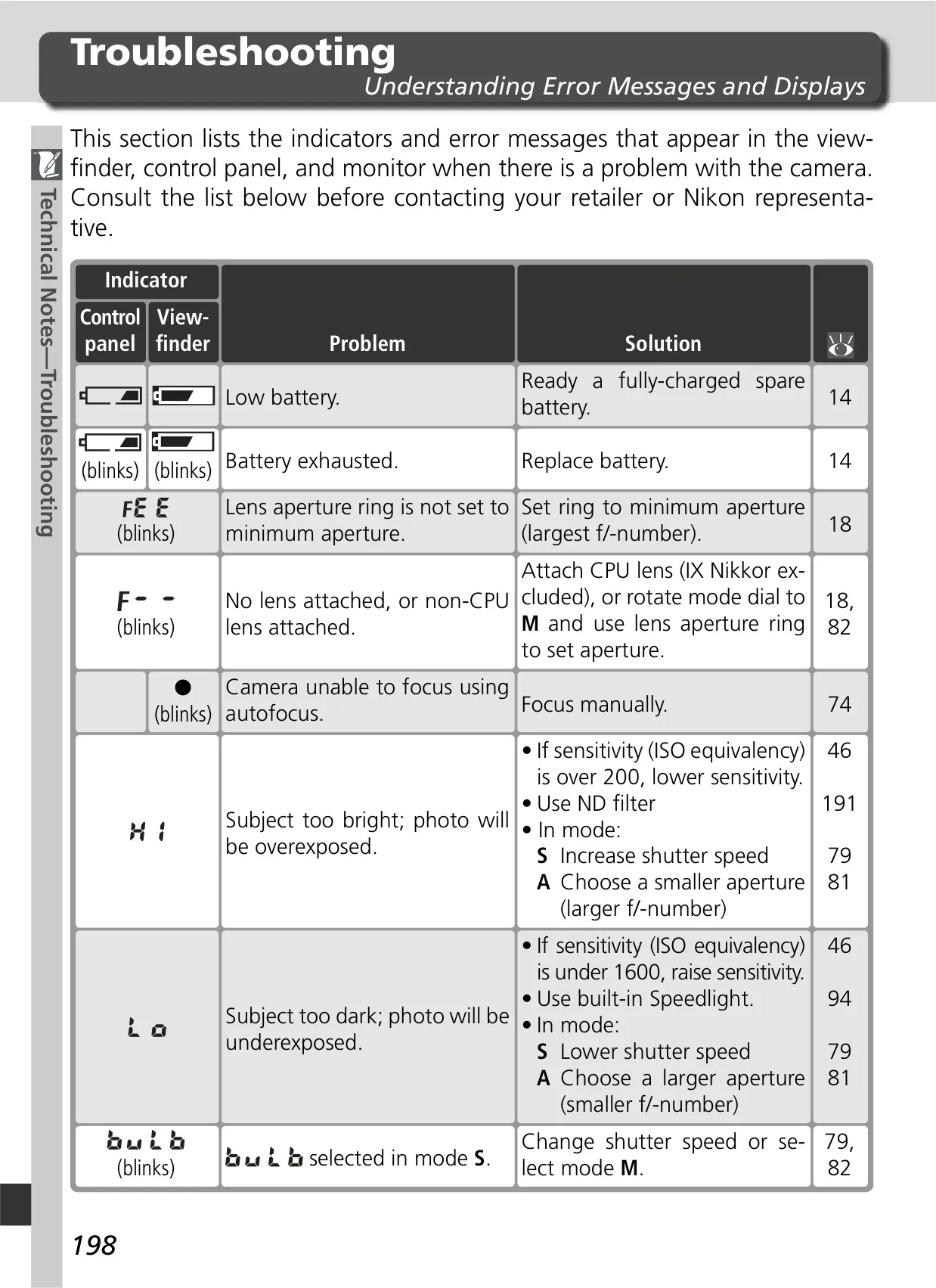
| Sensitivity (ISO) | 200 – 1600 (ISO equivalent) in steps of 1/3 EV |
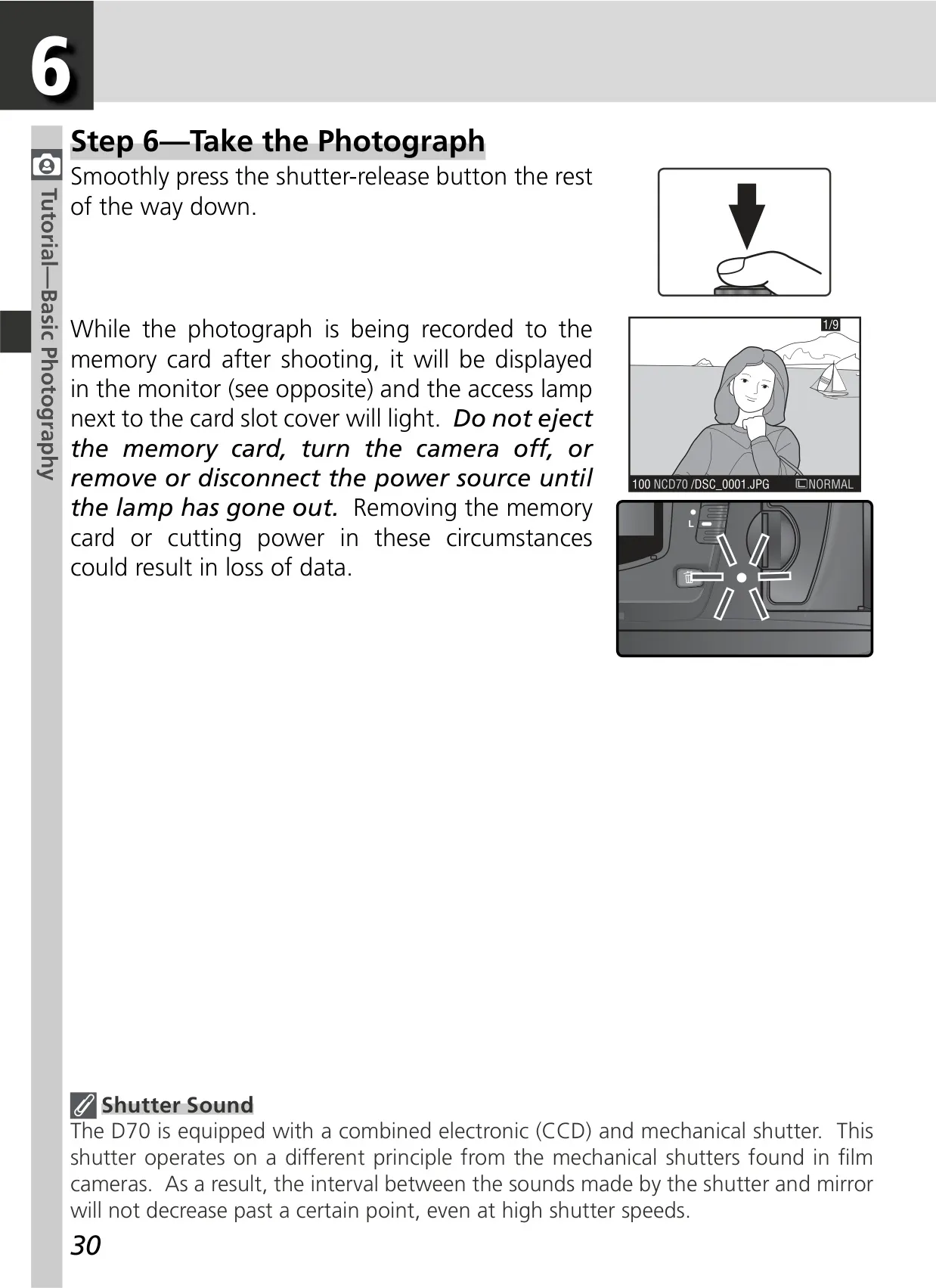
| Shutter Type | Combined mechanical and CCD electronic shutter |
| Shutter Speed | 30 – 1/8000s in steps of 1/3 or ½ EV, Bulb, Remote |
| Metering System | Three-mode TTL exposure metering (3D color matrix, Color matrix, Center-weighted, Spot) |
| Exposure Modes | Digital Vari-Program (7 modes), P, S, A, M |
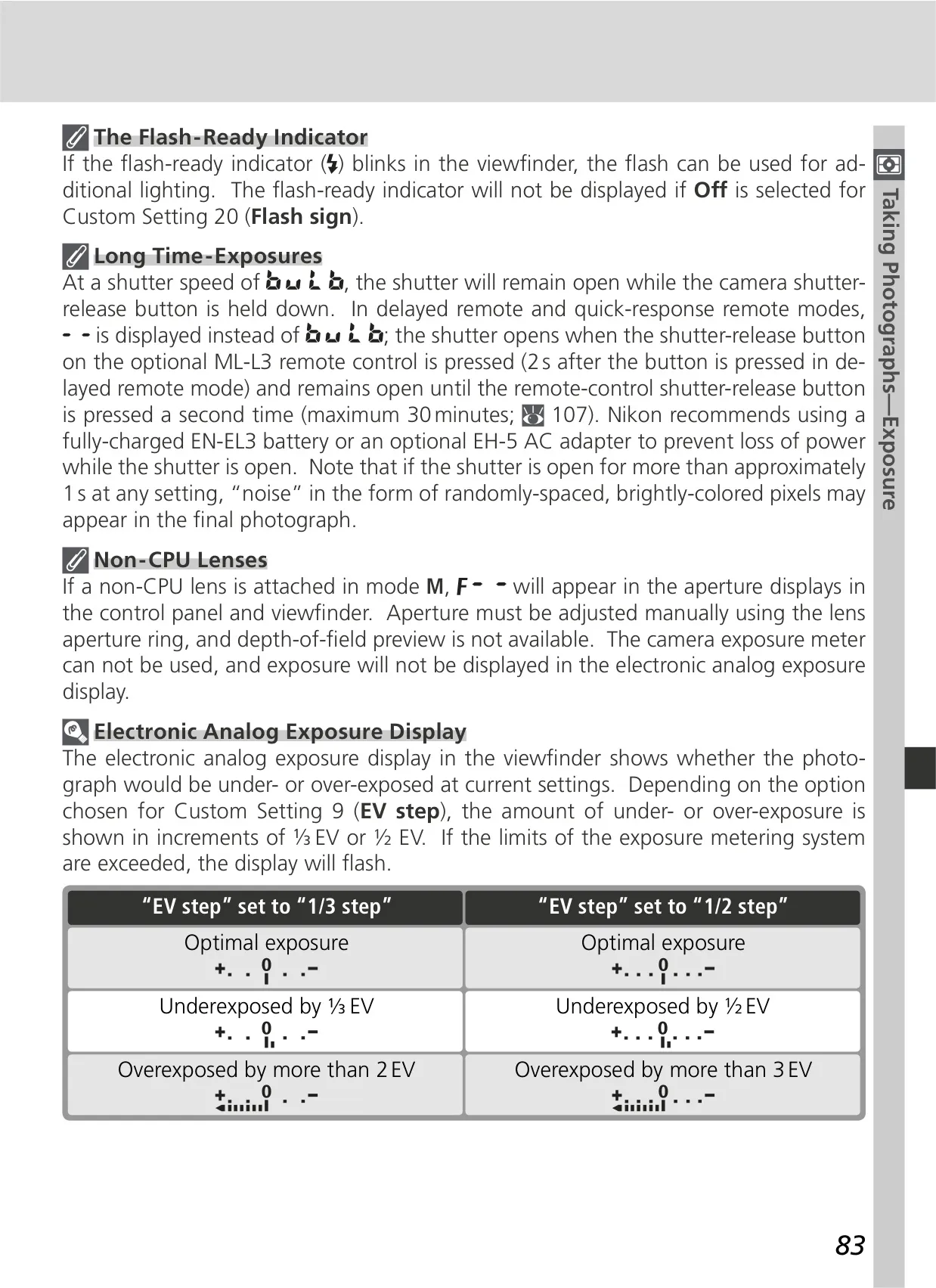
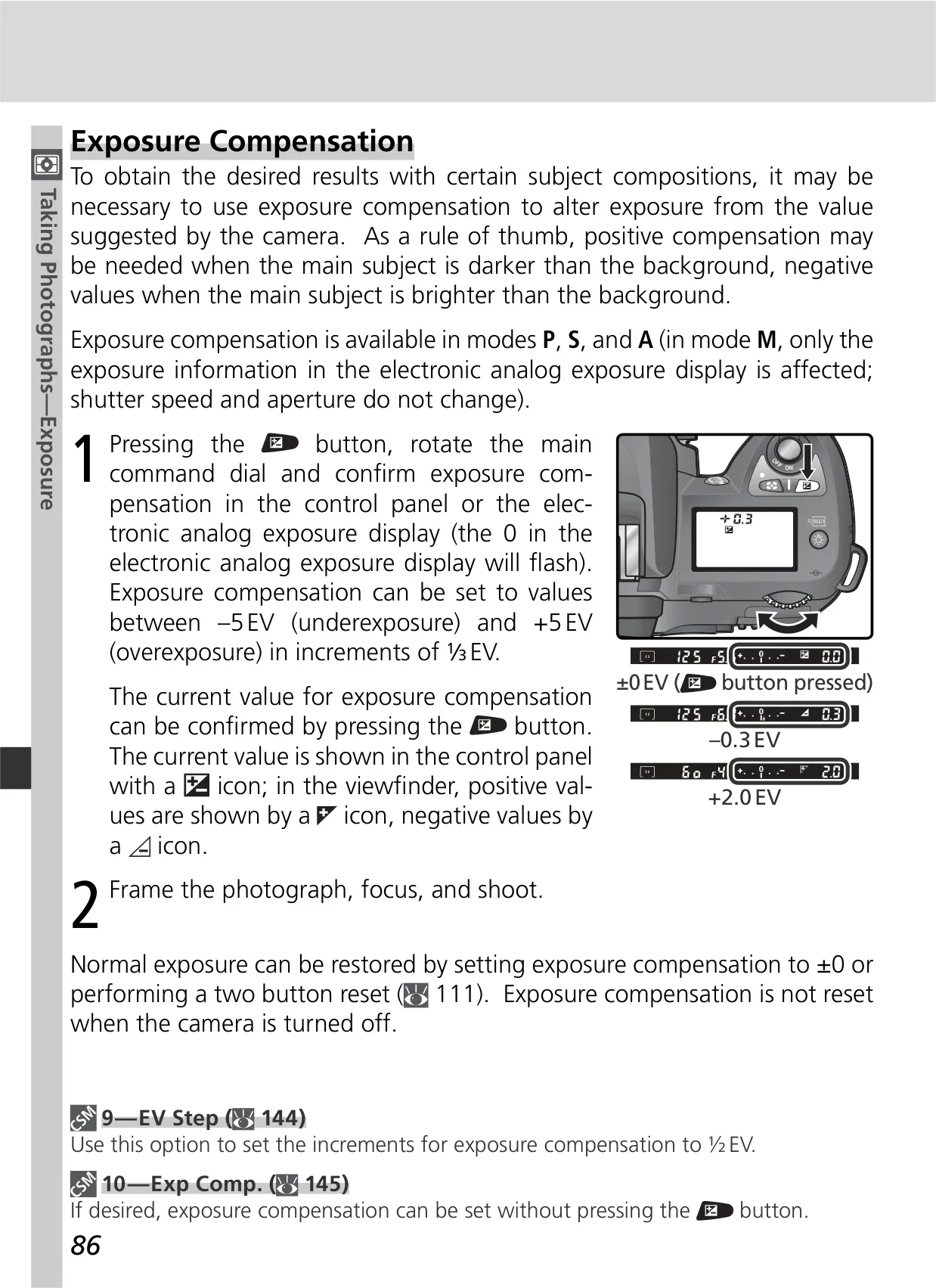
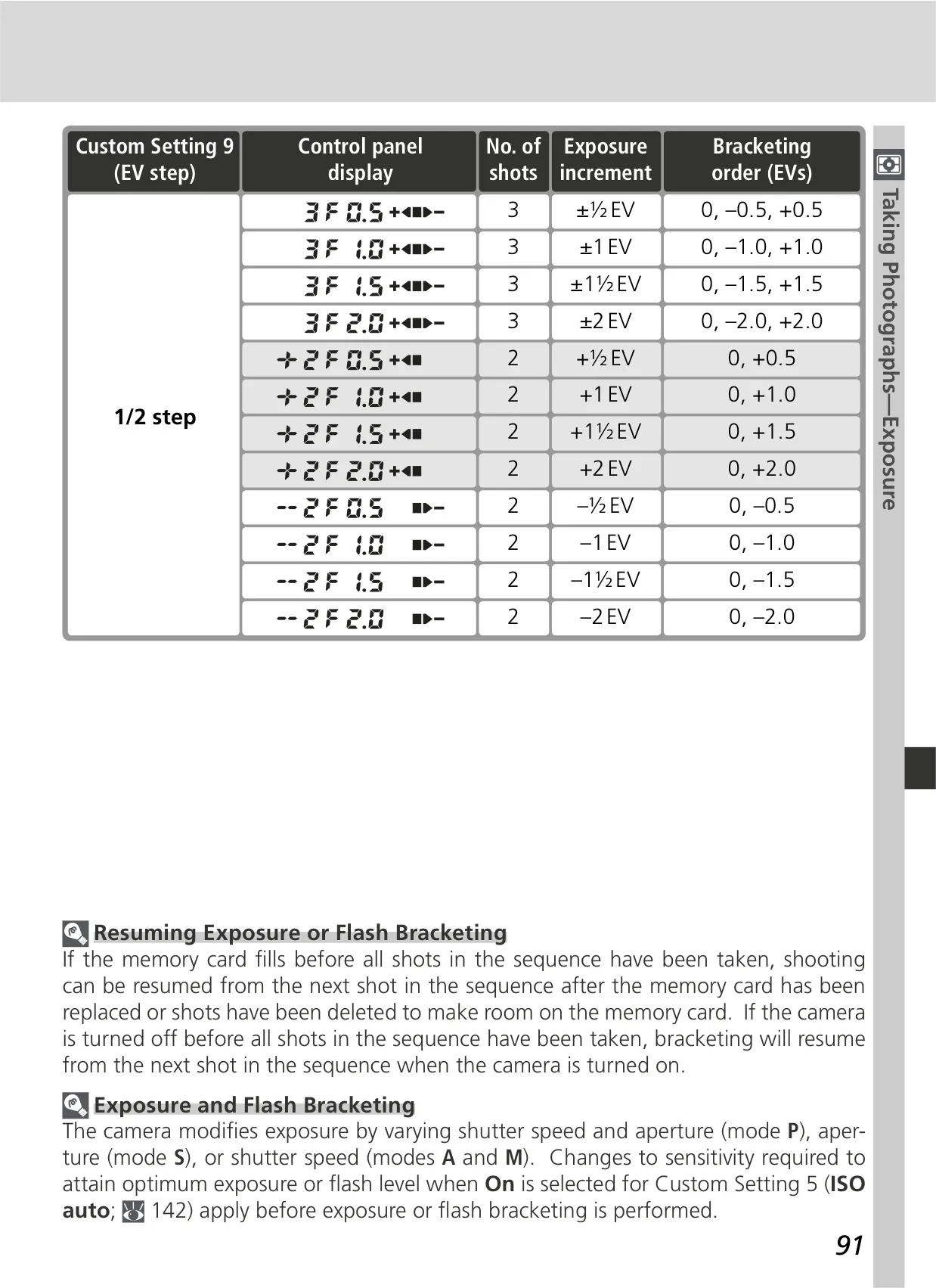
| Exposure Compensation | –5 – +5 EV in increments of 1/3 or ½ EV |
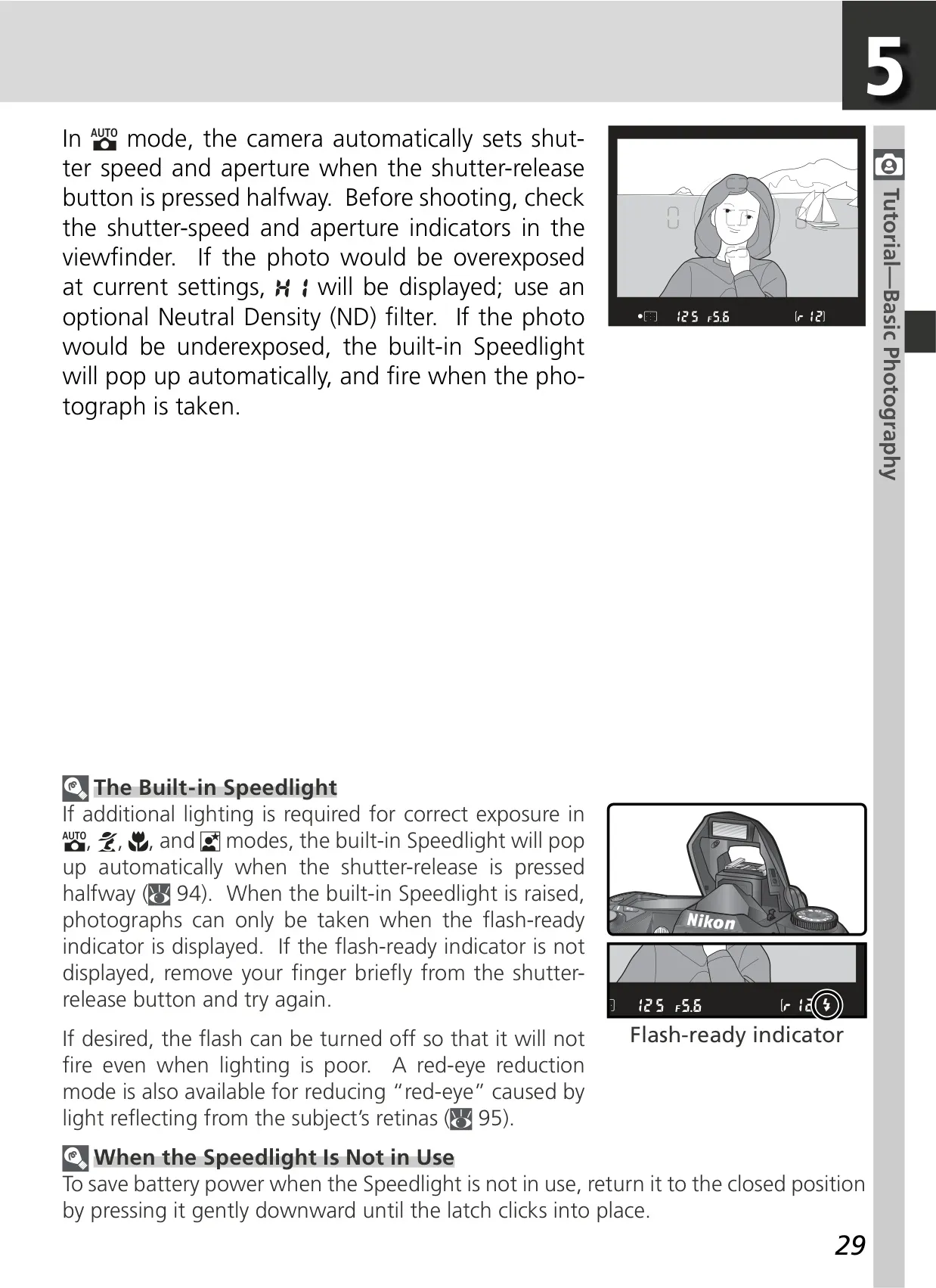
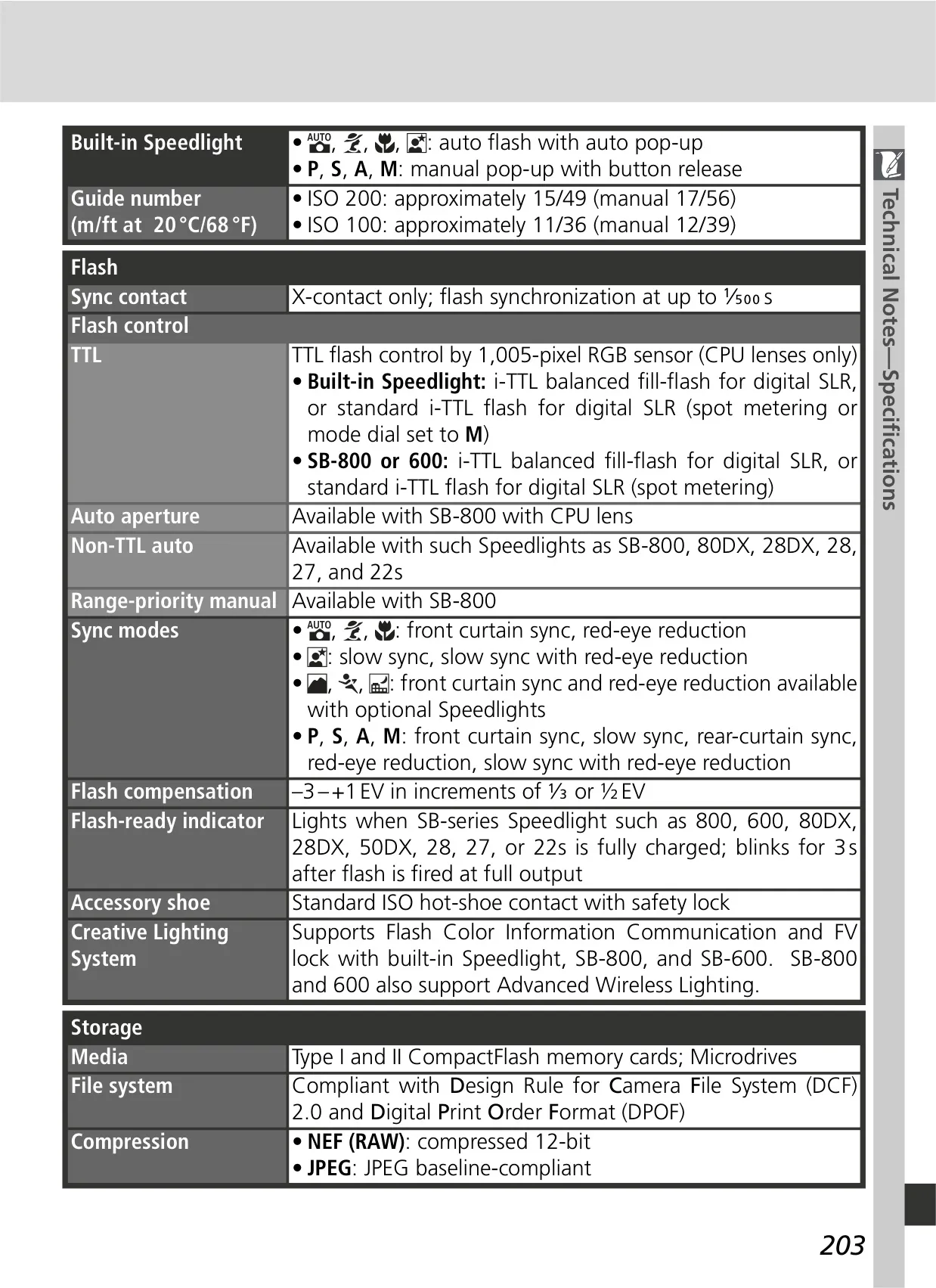
| Built-in Speedlight Guide Number | ISO 200: approx. 15/49 m/ft (manual 17/56); ISO 100: approx. 11/36 m/ft (manual 12/39) |
| Flash Sync Speed | Up to 1/500s |
| Flash Control | i-TTL flash control (Balanced Fill-Flash, Standard i-TTL) |
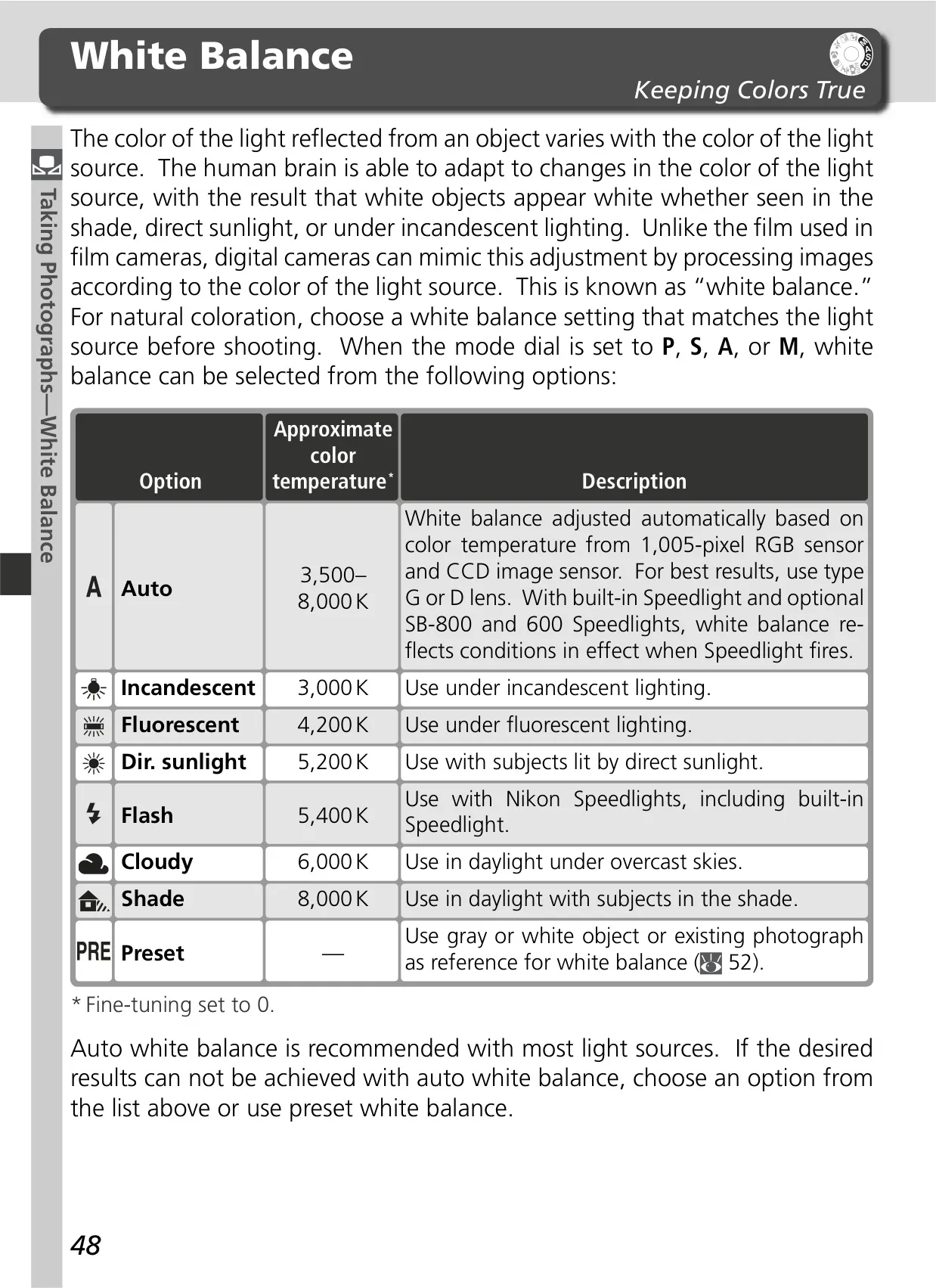
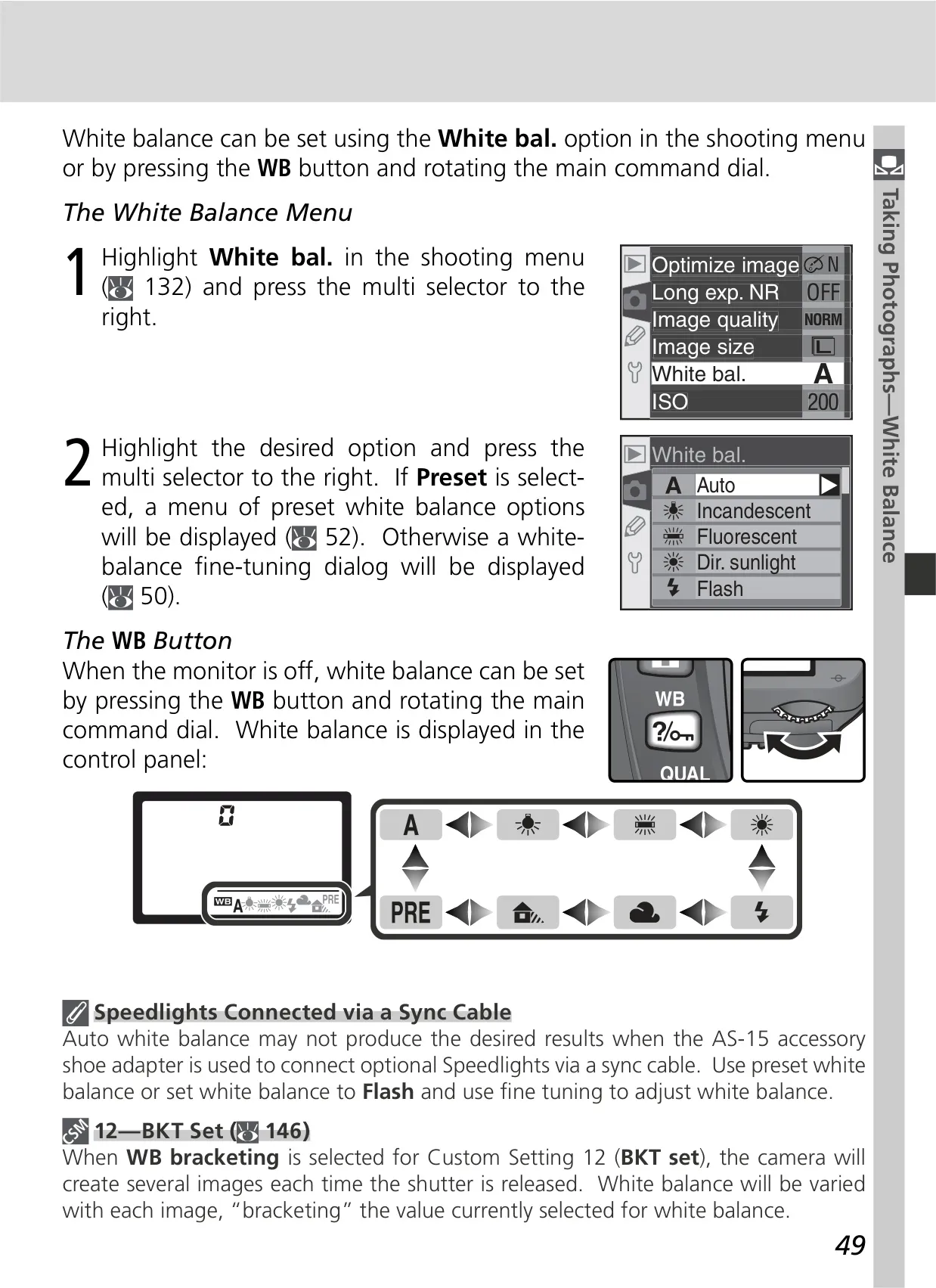
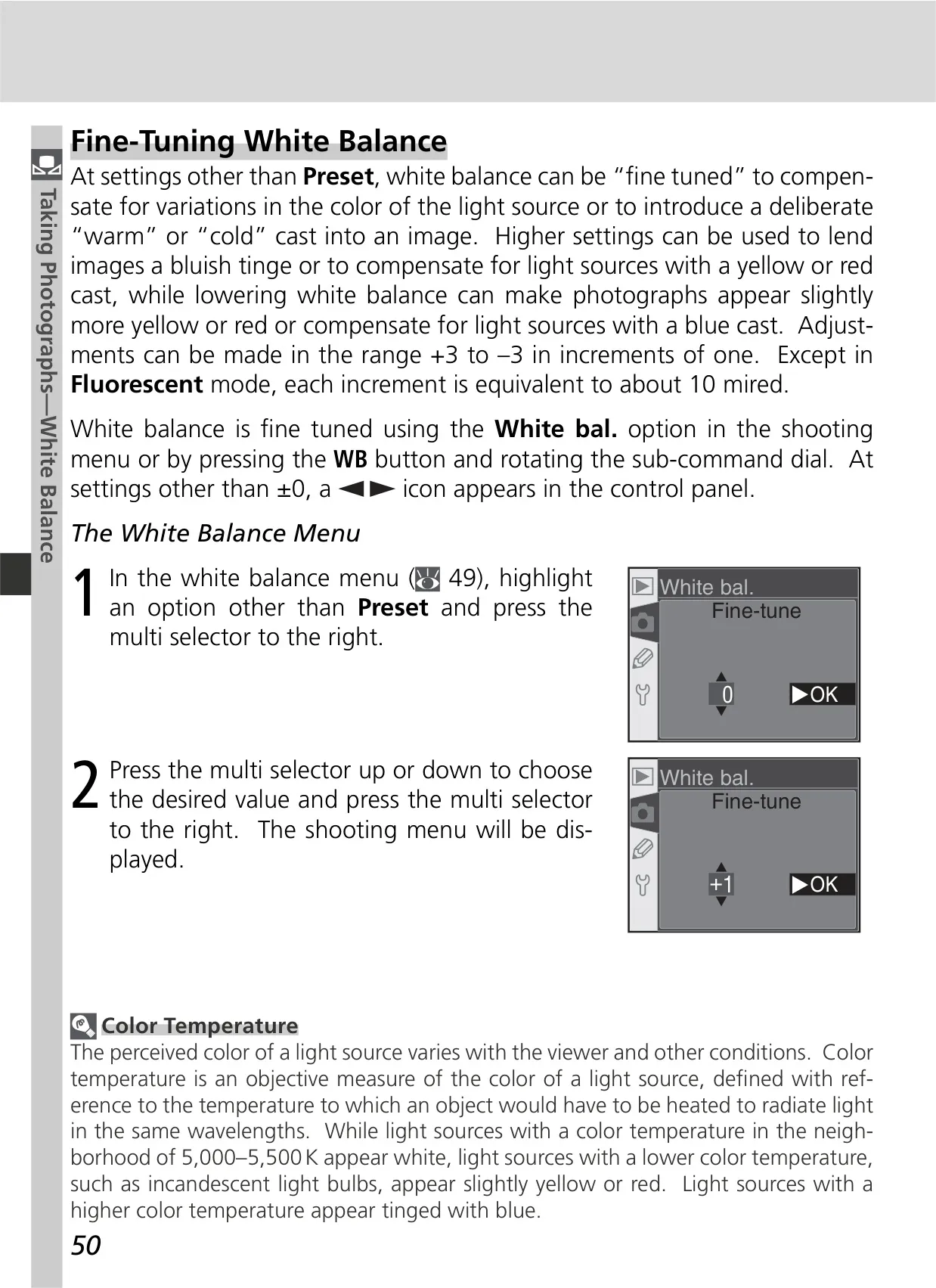
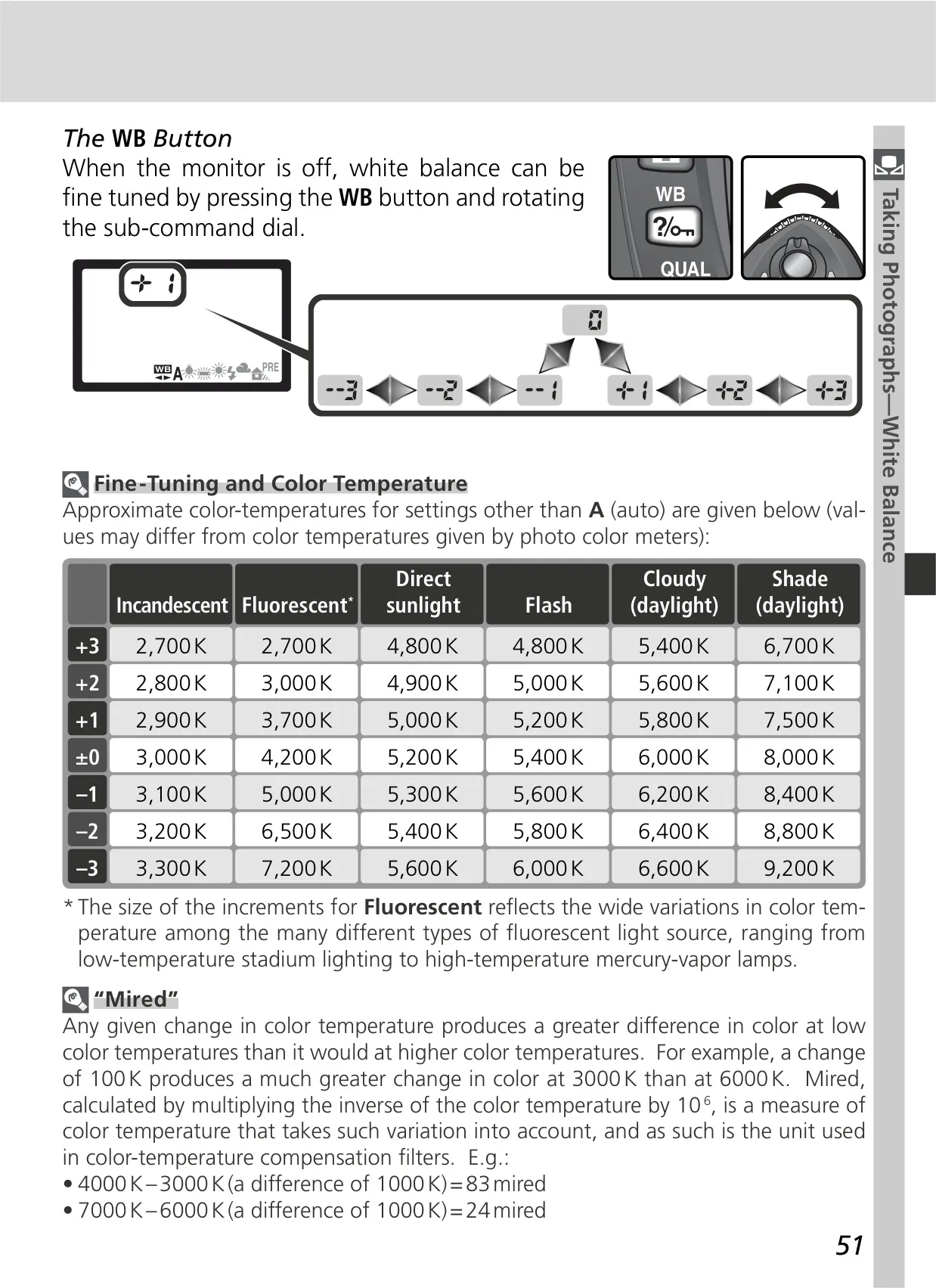
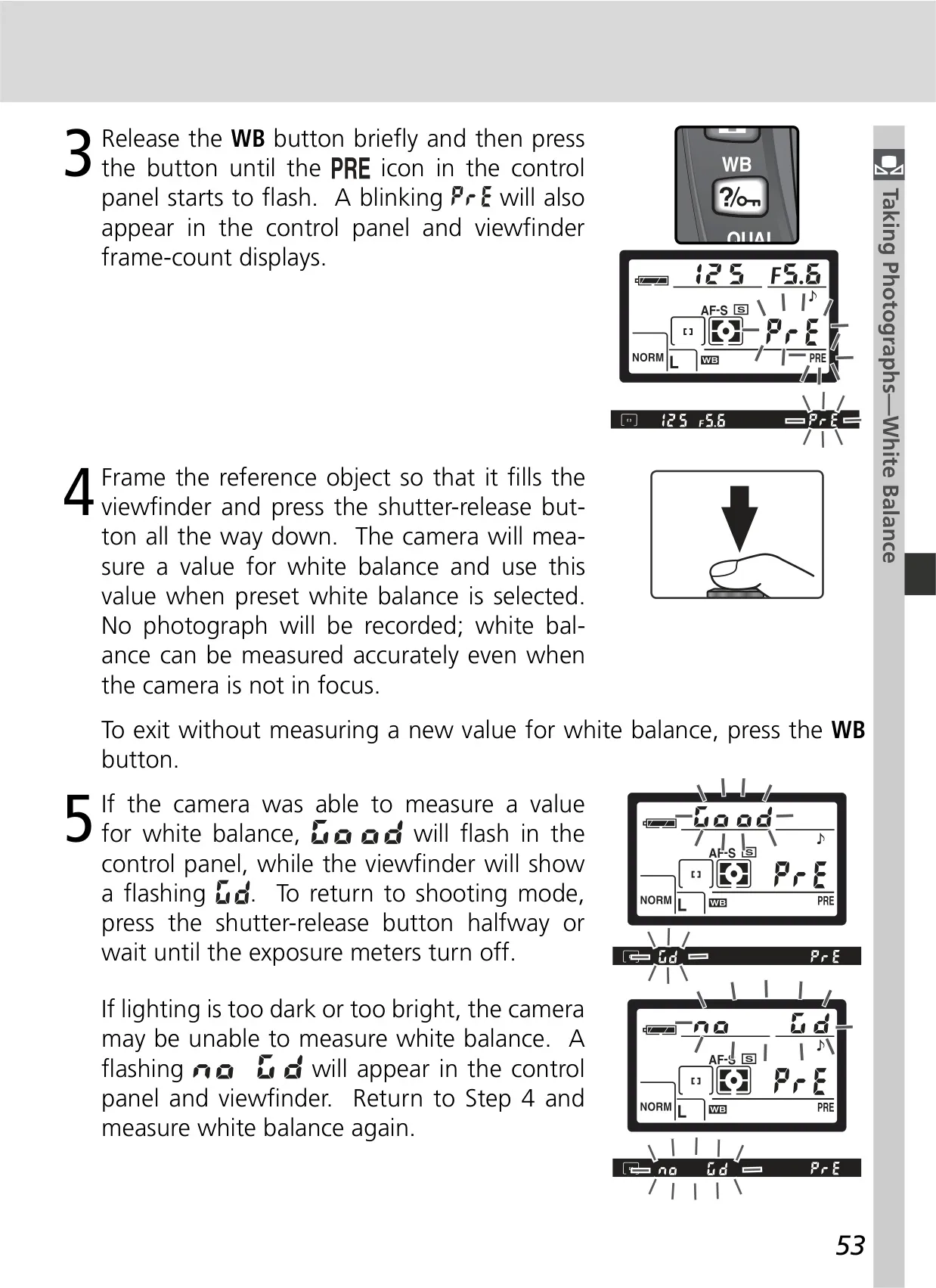
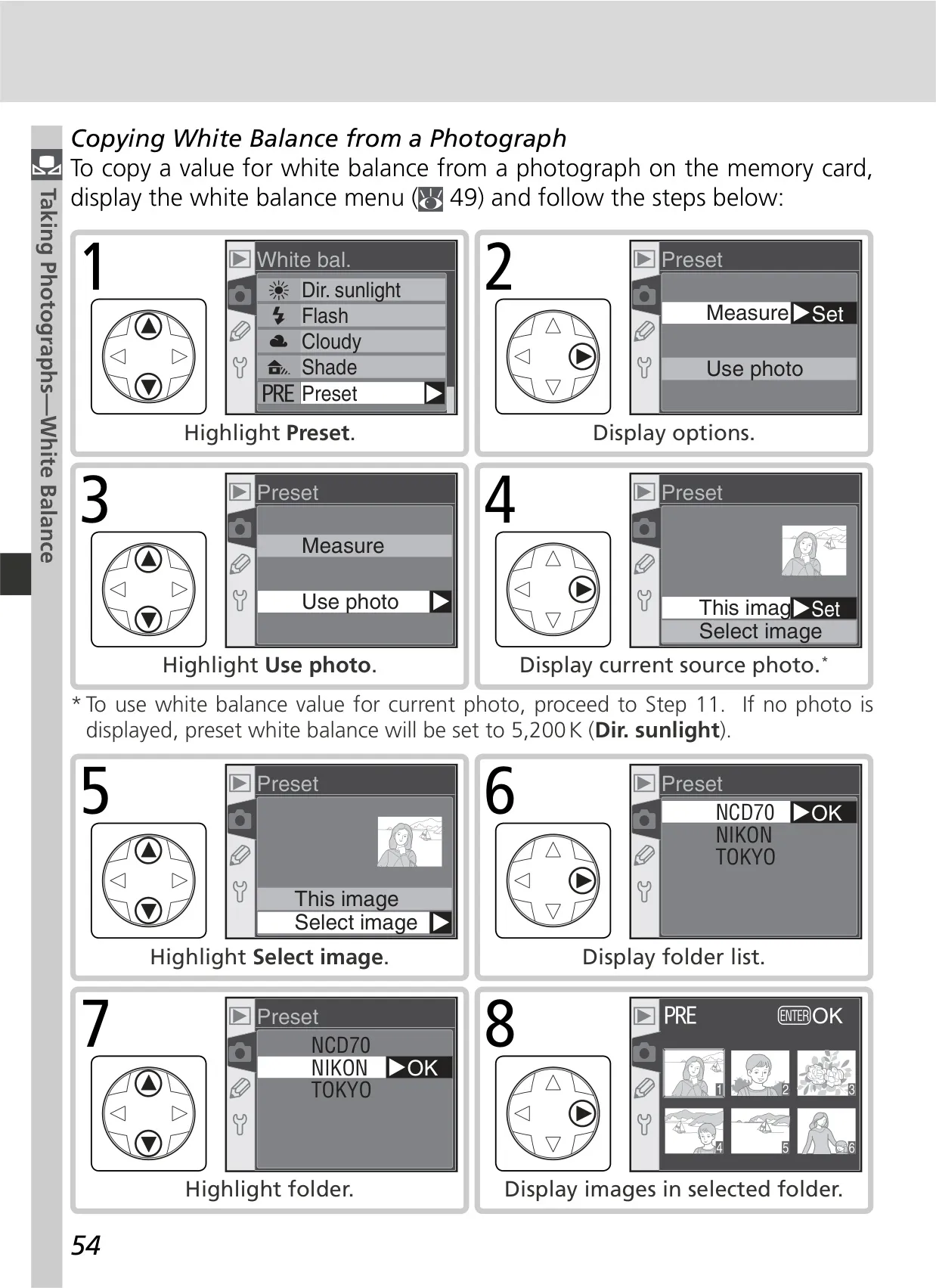
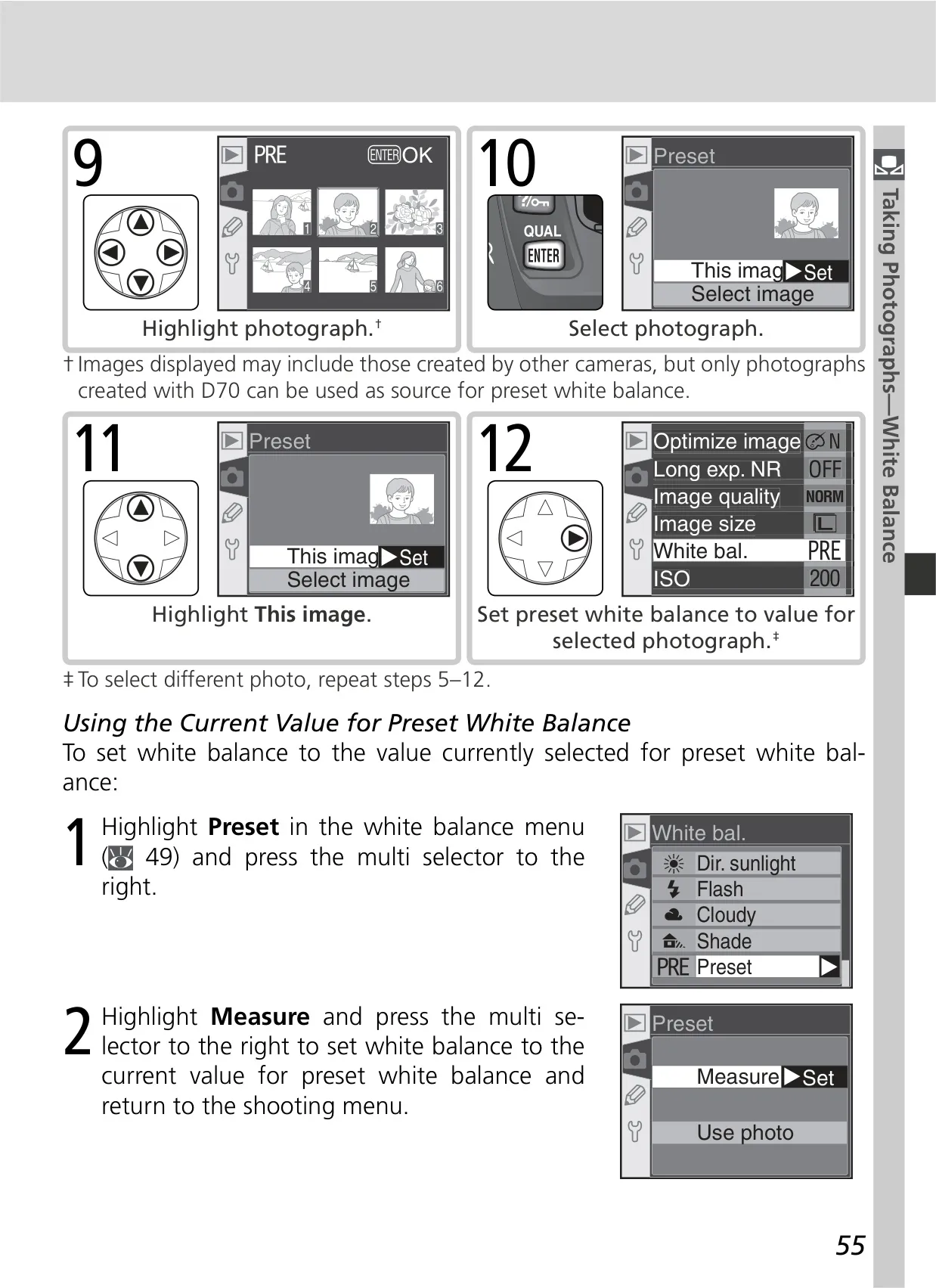
| White Balance | Auto (TTL with 1,005 pixels RGB sensor), 6 manual modes with fine-tuning, preset WB |
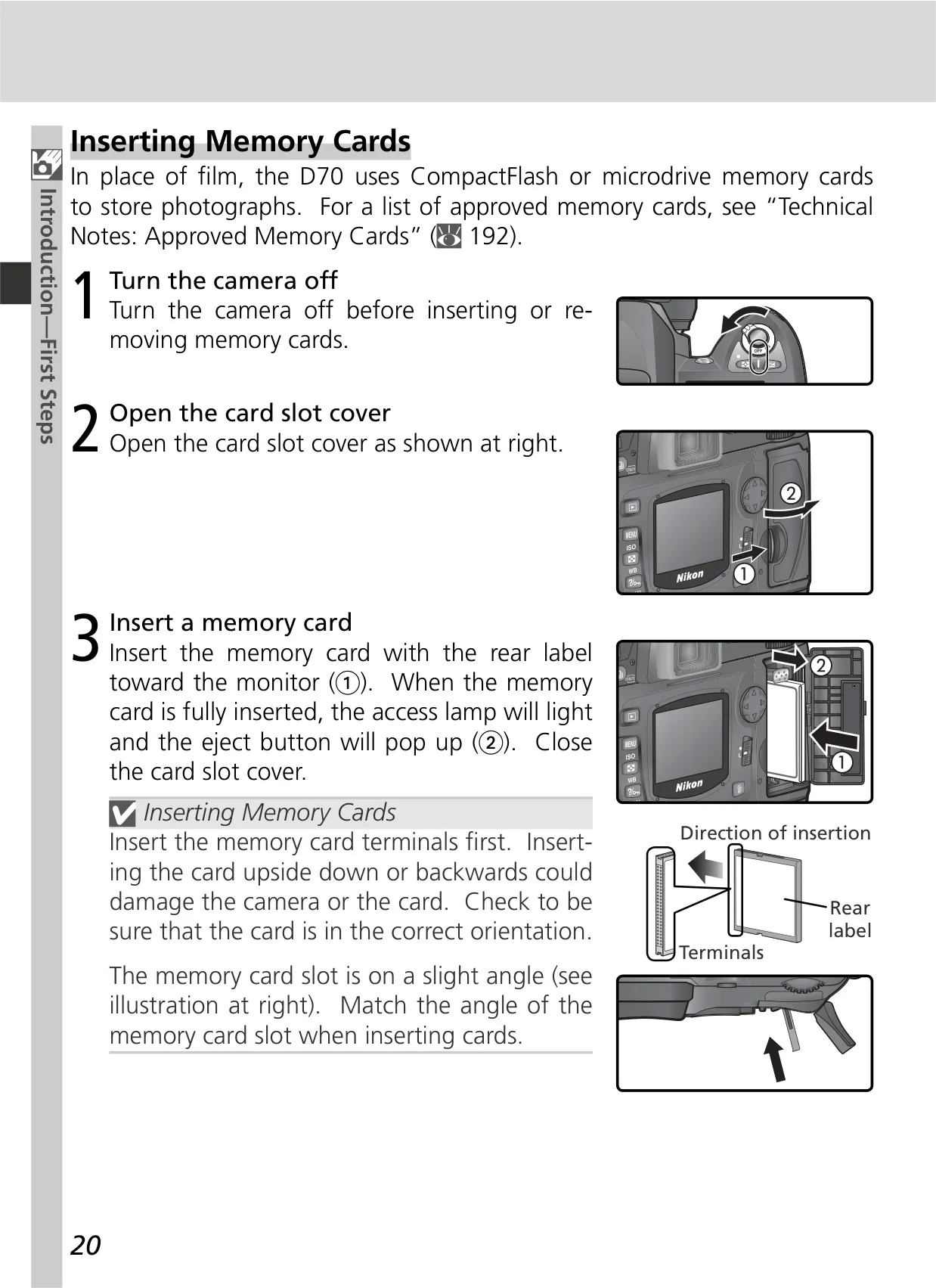
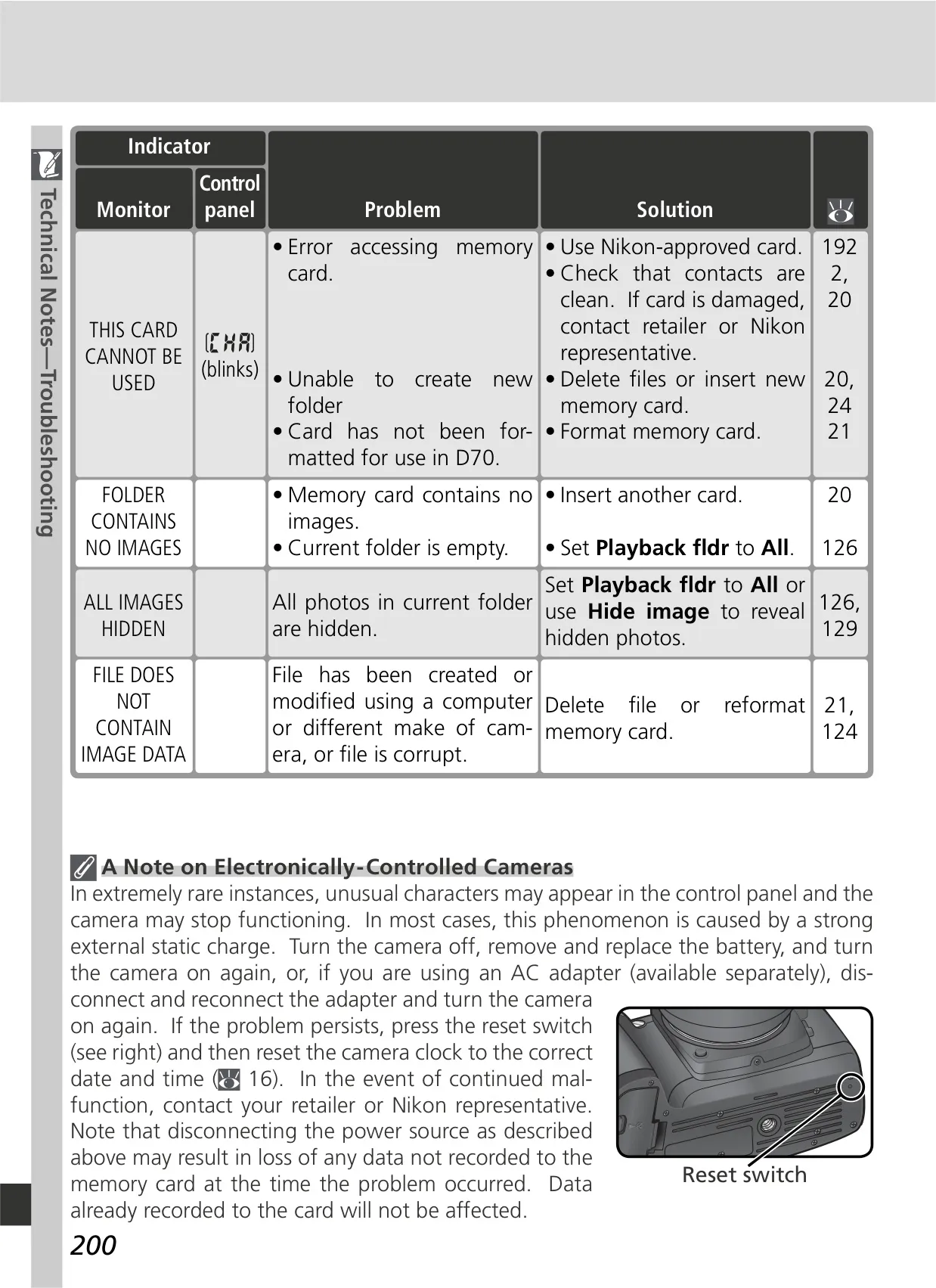
| Storage Media | Type I and II CompactFlash memory cards; Microdrives |
| File System | Compliant with DCF 2.0 and DPOF |
| File Formats | NEF (RAW): compressed 12-bit; JPEG: JPEG baseline-compliant |
| Monitor | 1.8˝, 130,000-dot, low-temperature polysilicon TFT LCD with brightness adjustment |
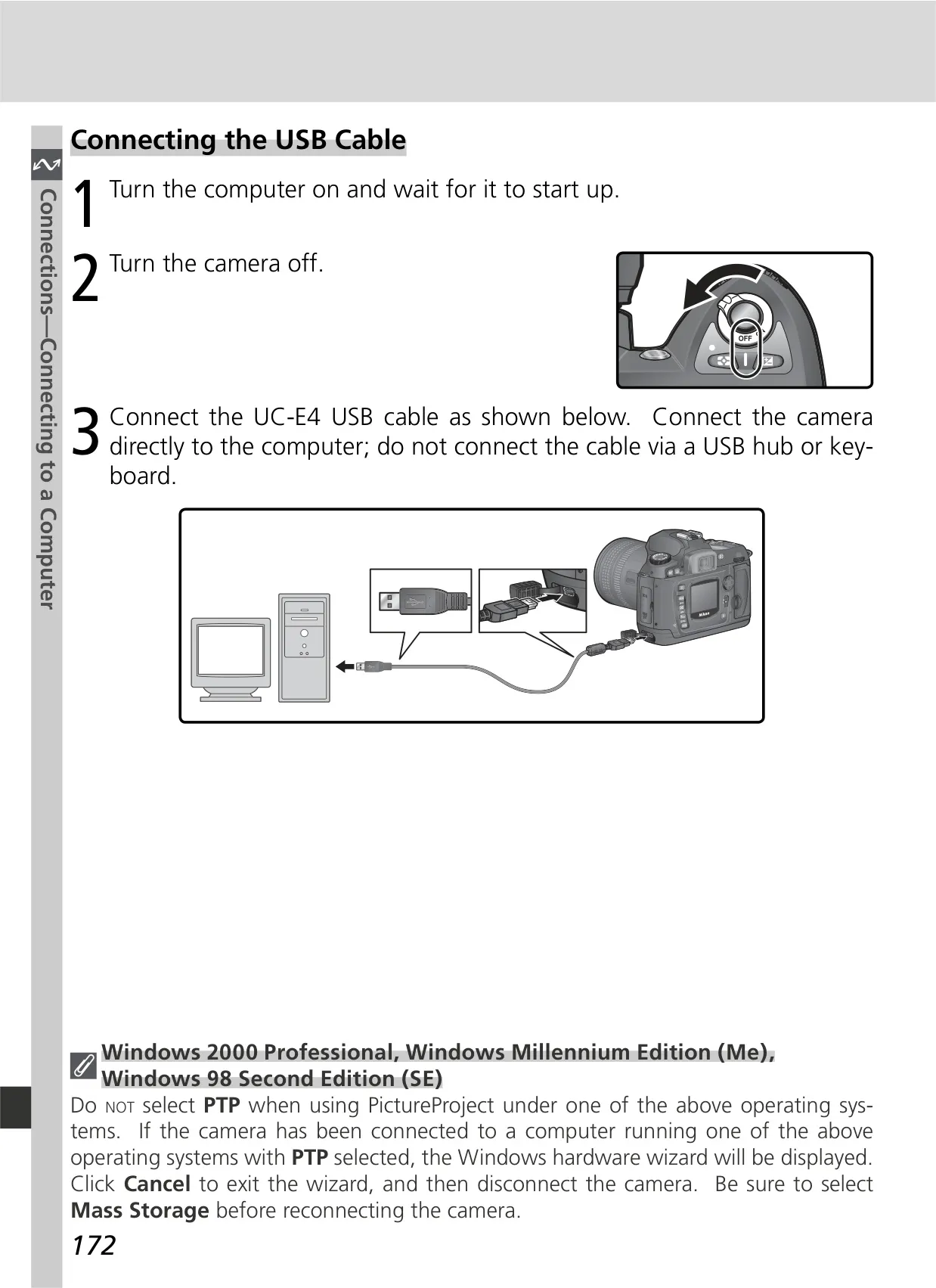
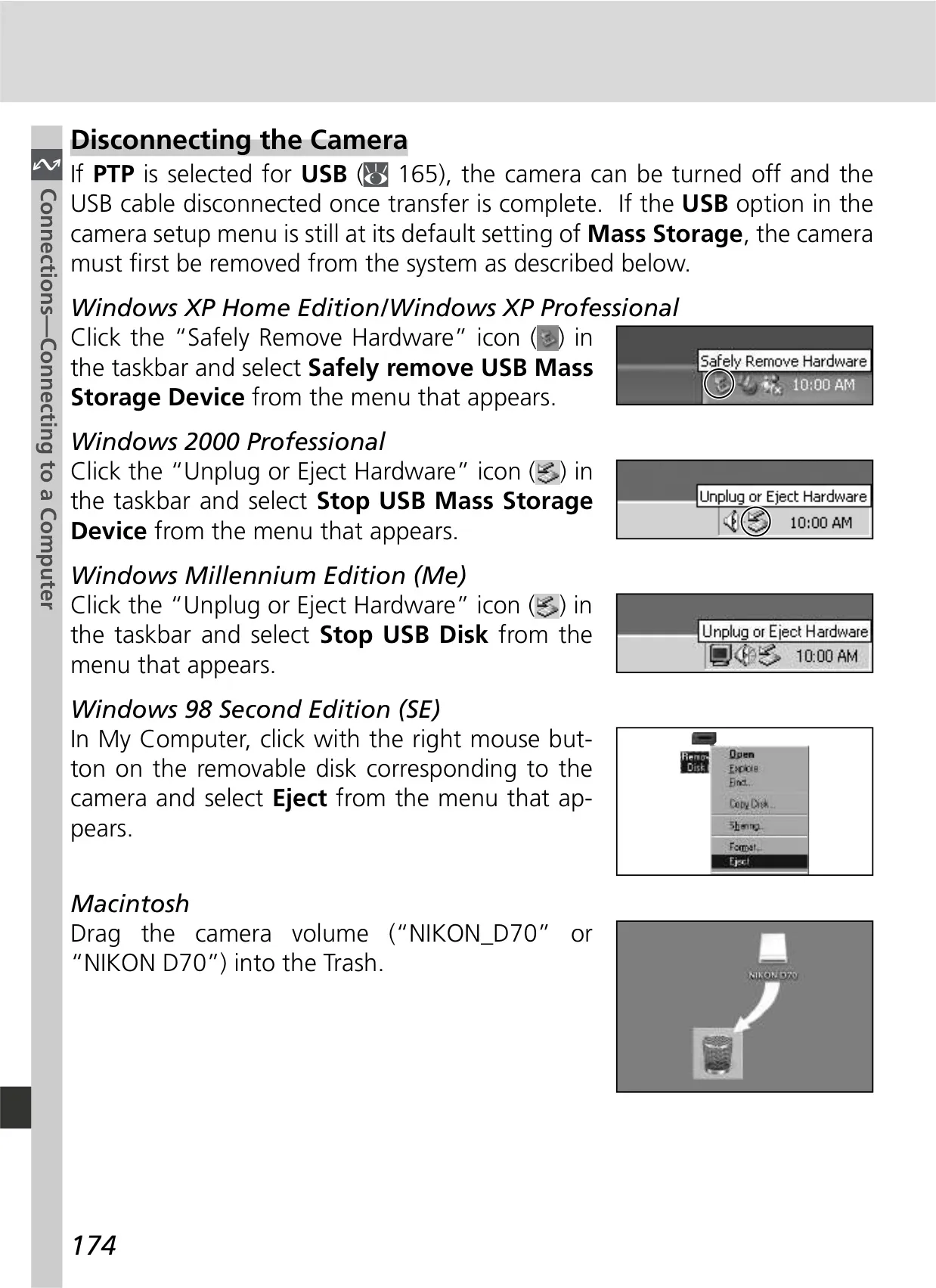
| External Interface | USB (PTP/Mass Storage), Video output (NTSC/PAL) |
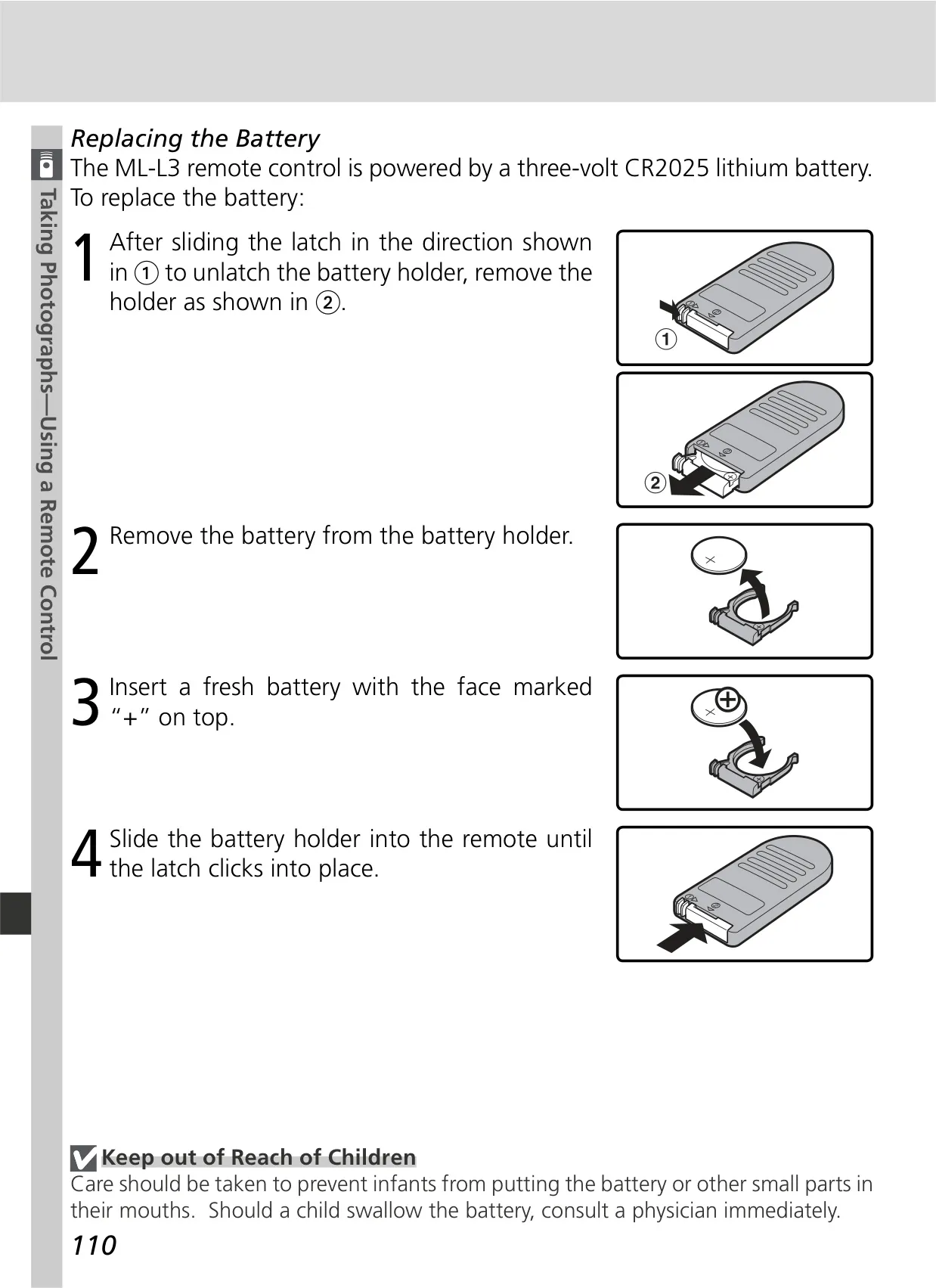
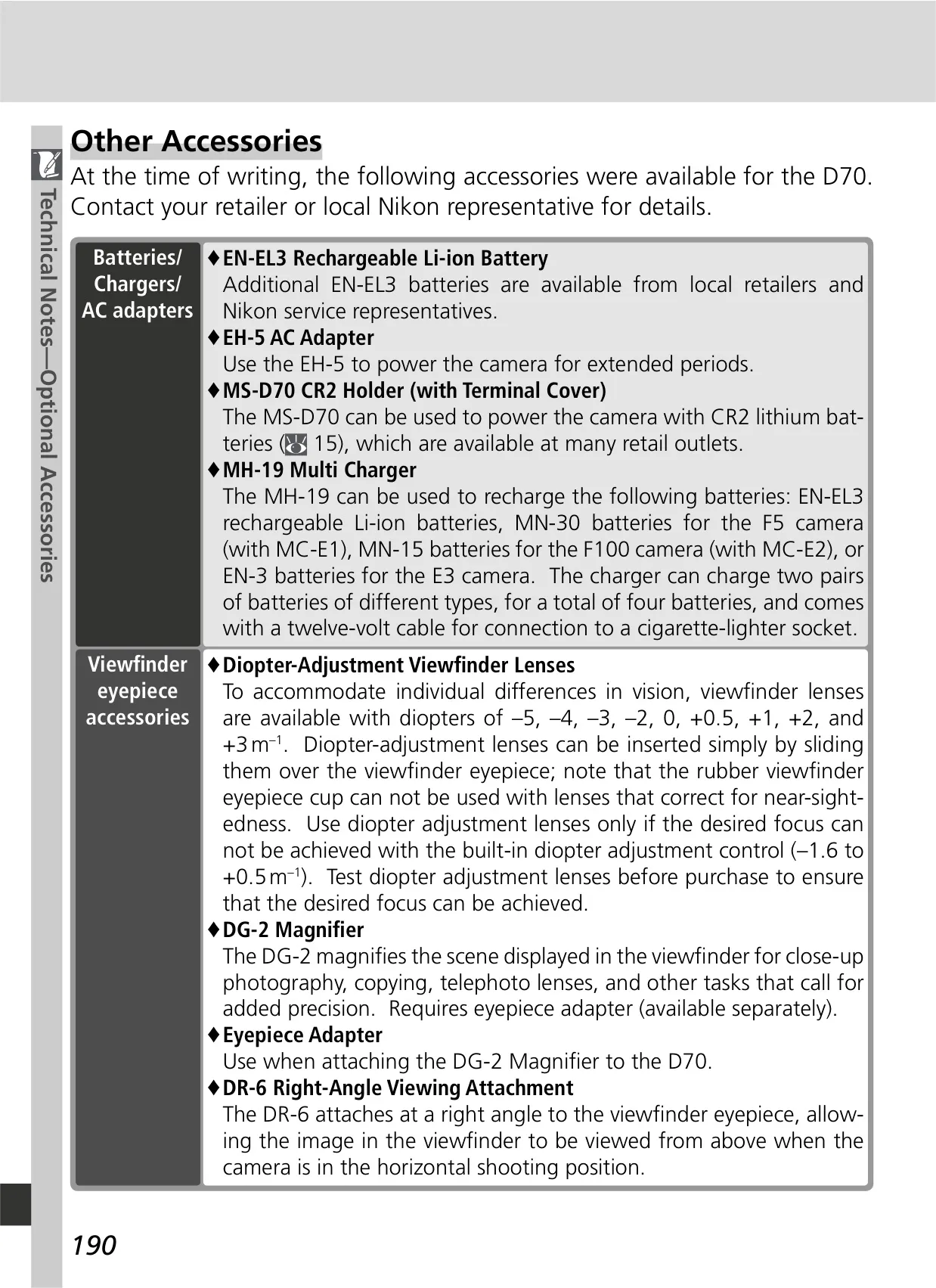
| Power Source | Nikon EN-EL3 Li-ion battery (7.4 V DC); 3 CR2 lithium batteries (with MS-D70 holder); EH-5 AC adapter |
| Dimensions (W × H × D) | Approx. 140 × 111 × 78 mm (5.5˝ × 4.4˝ × 3.1˝) |
| Weight | Approx. 595 g (1 lb 5 oz) without battery, memory card, body cap, or monitor cover |
| Operating Temperature | 0 – 40 °C (32 – 104 °F) |
Nikon D70 DSLR Camera Details
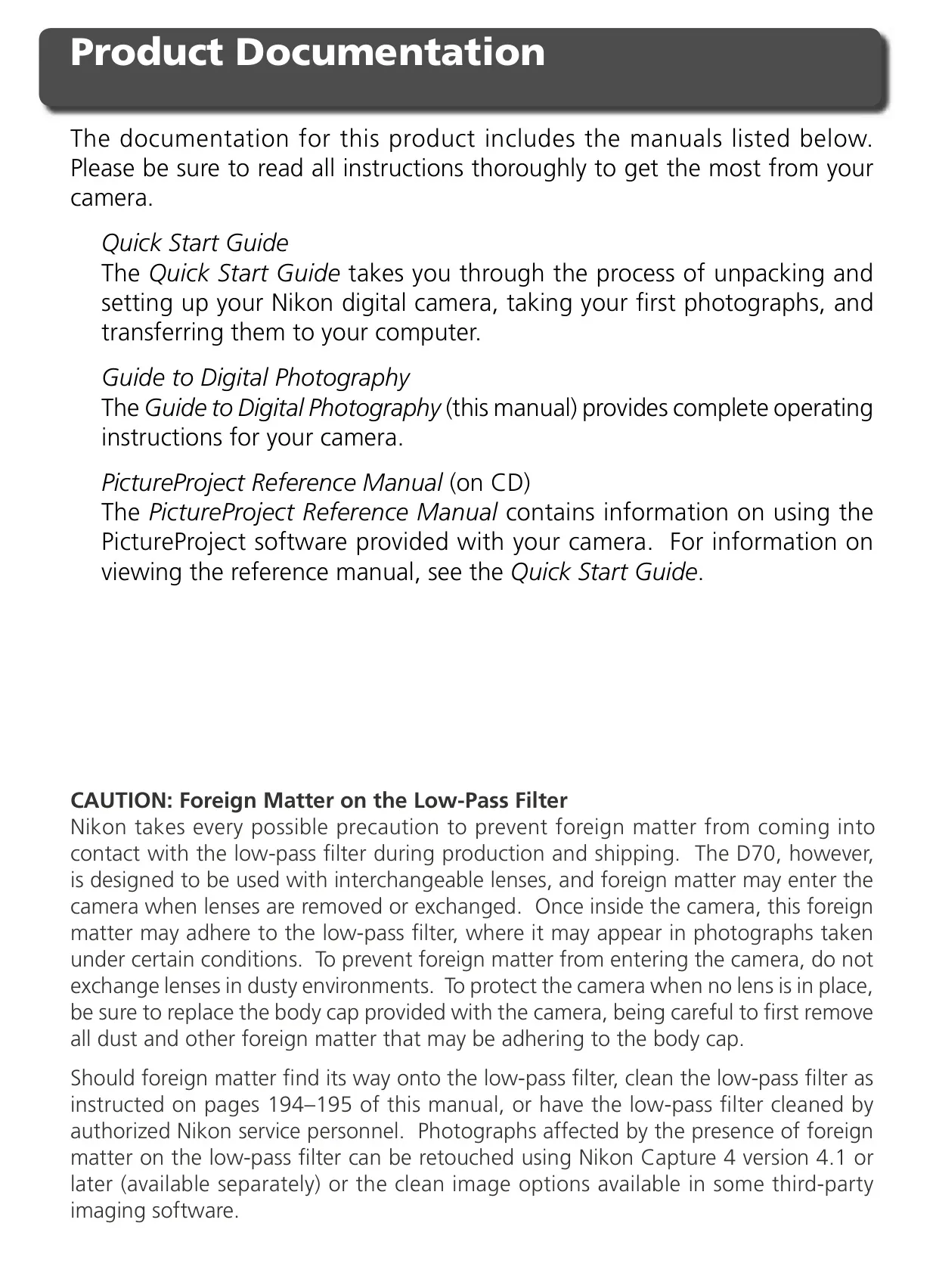
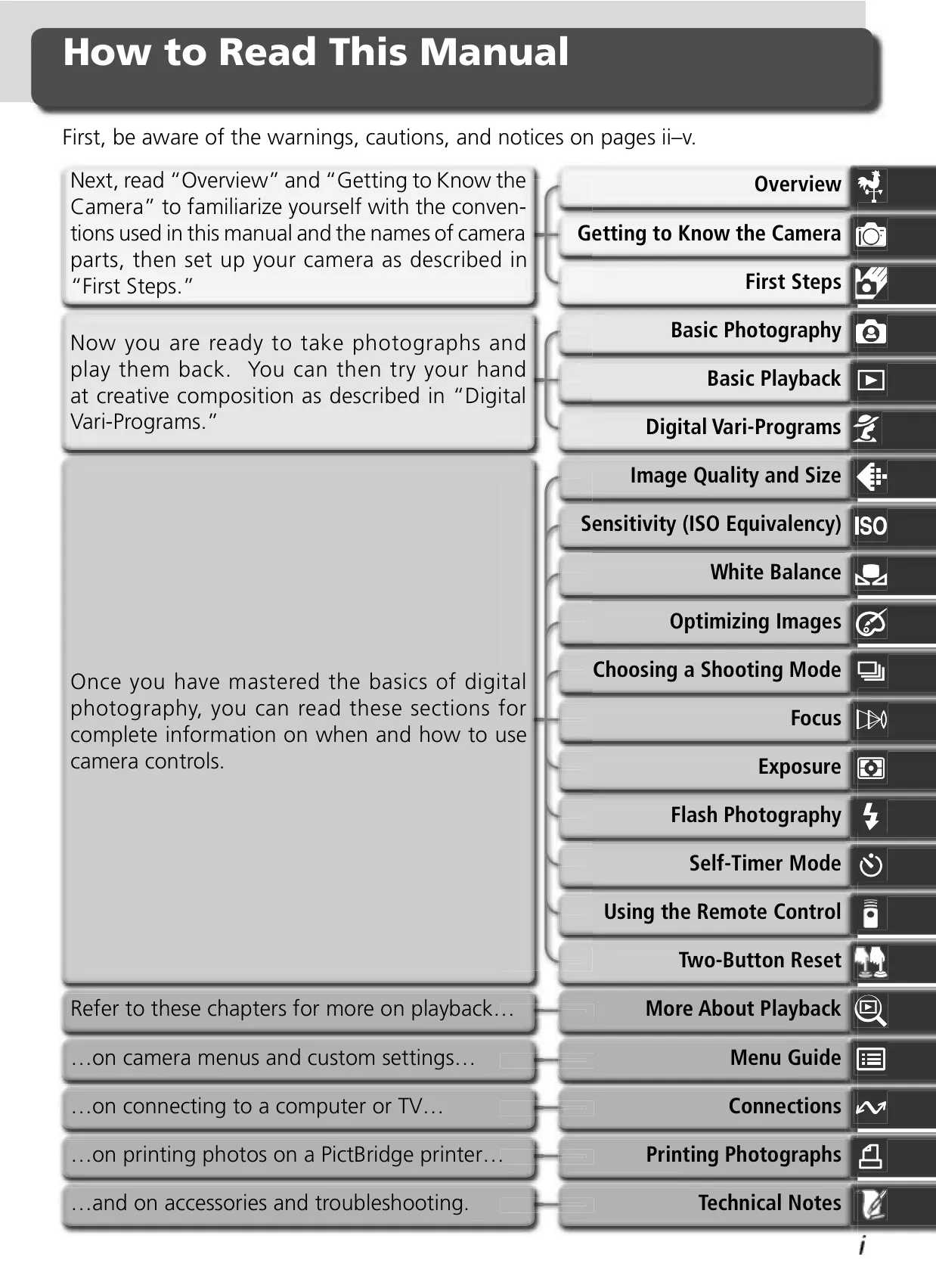
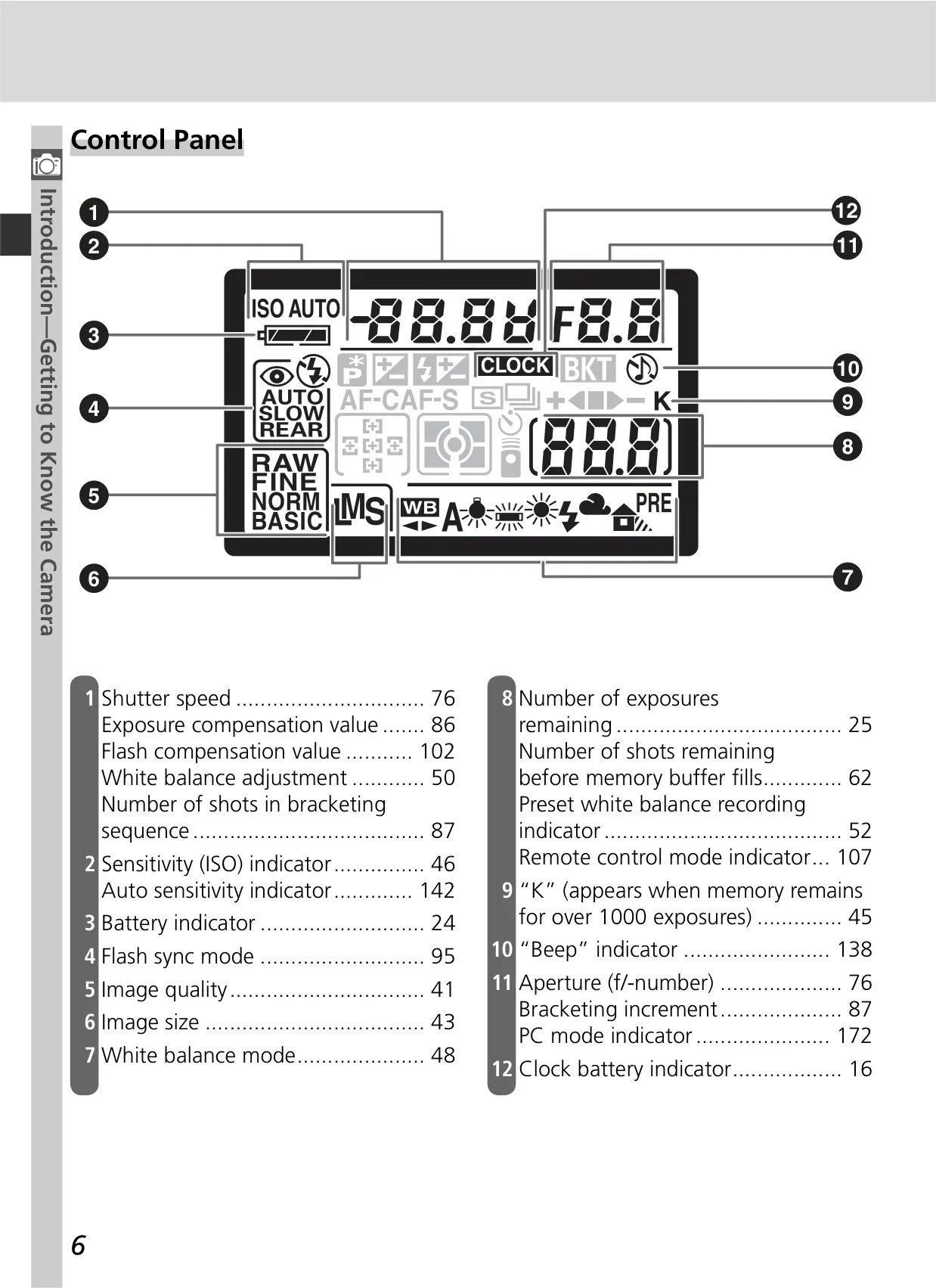
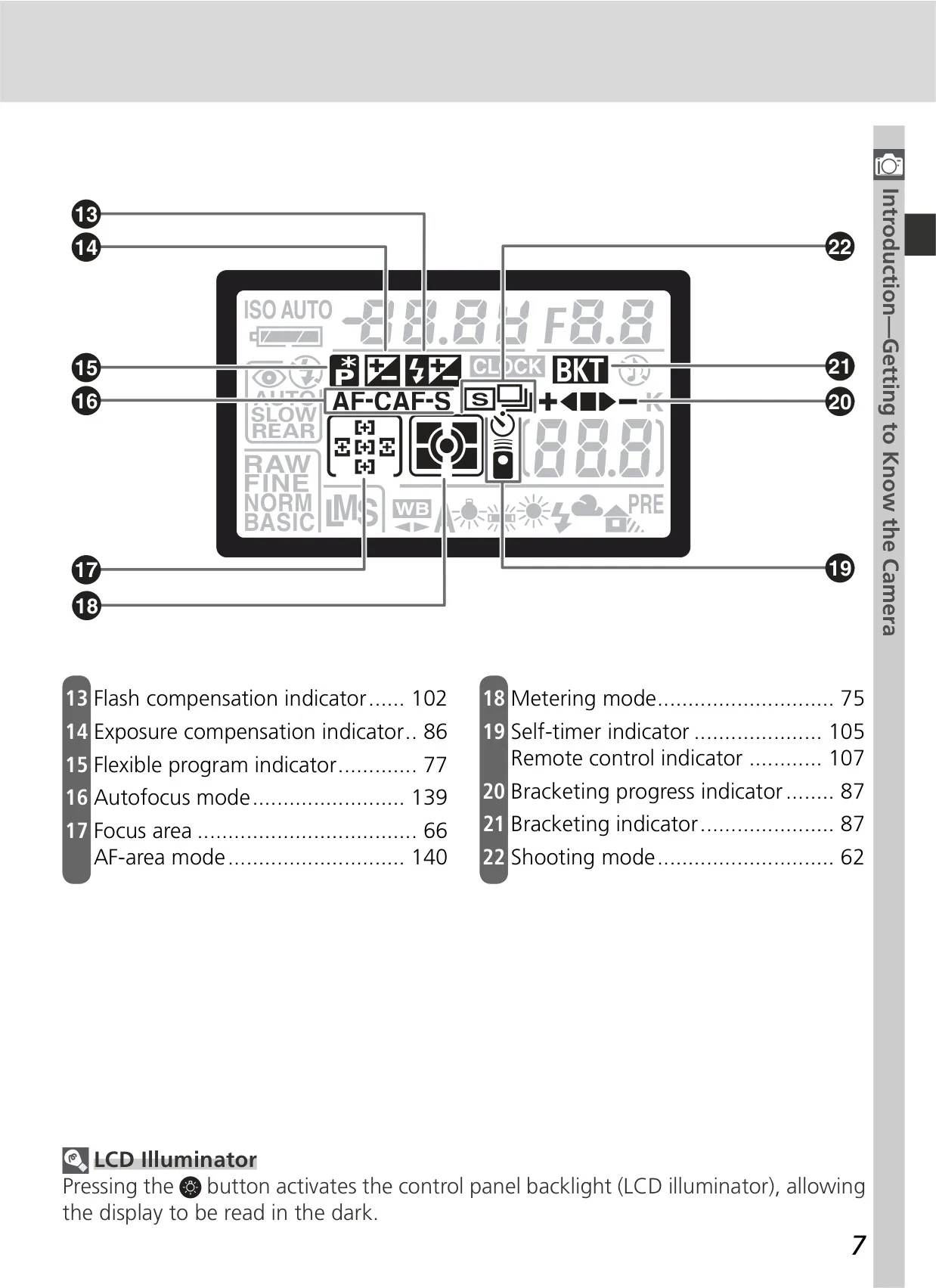
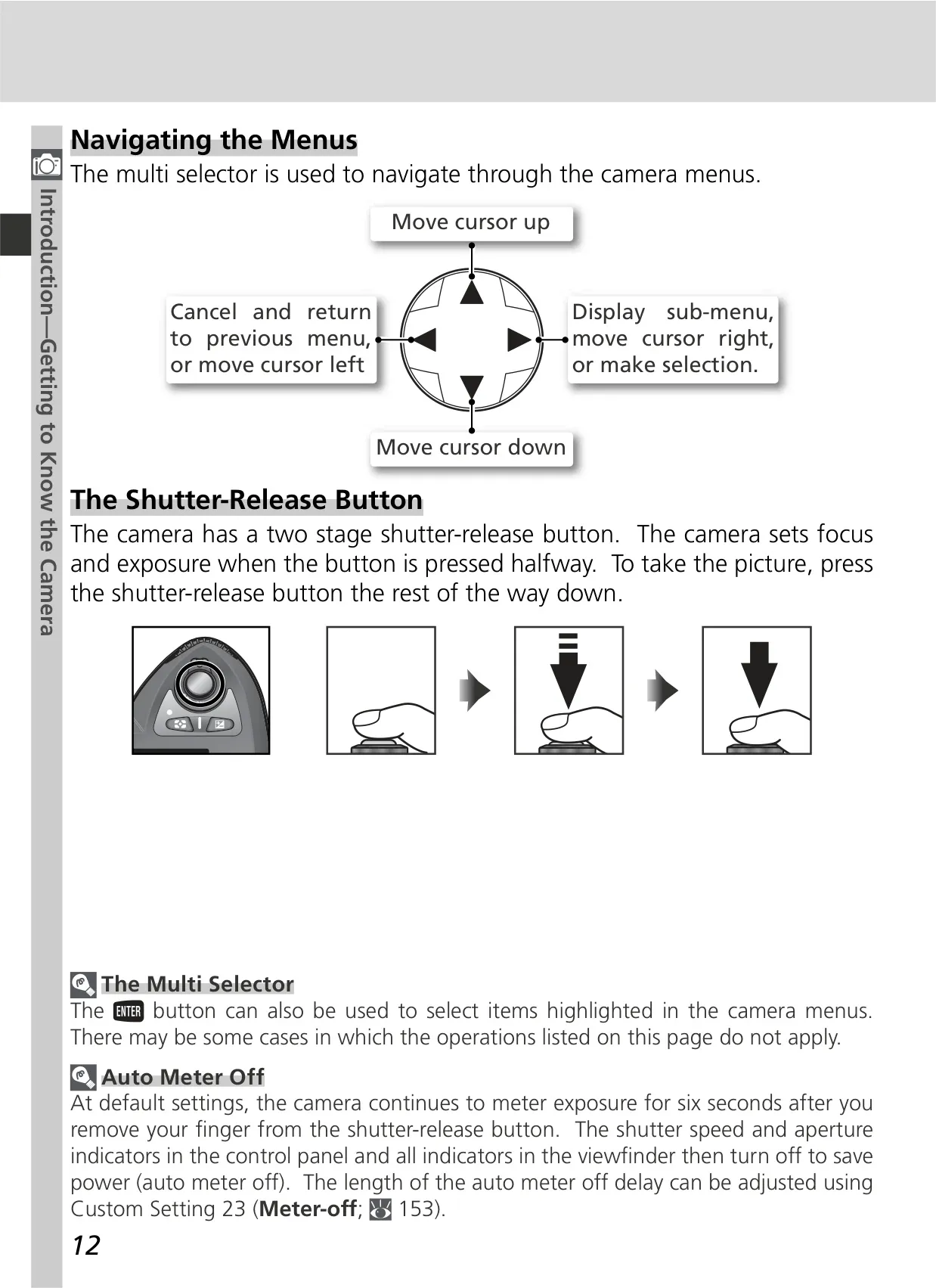
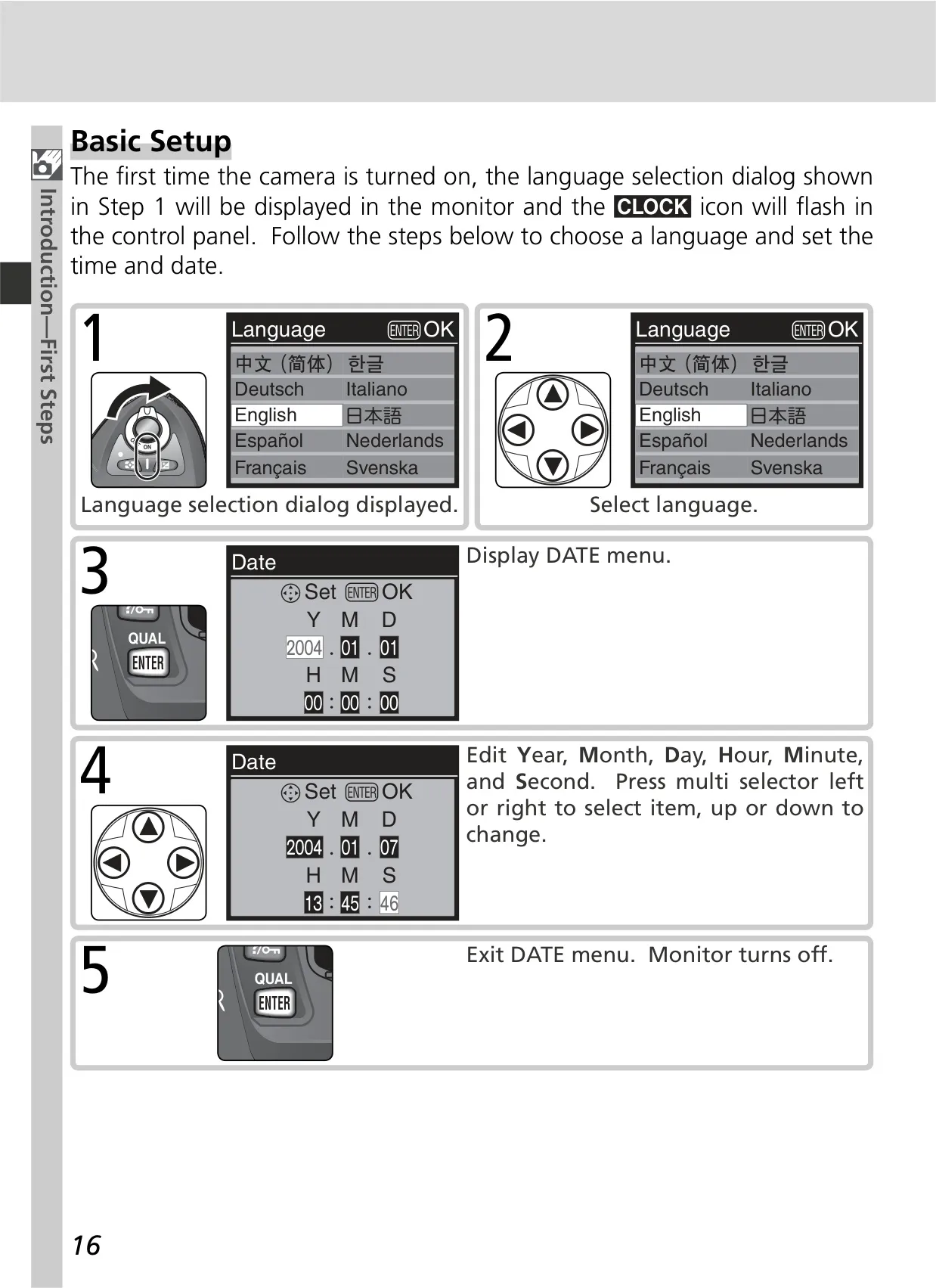
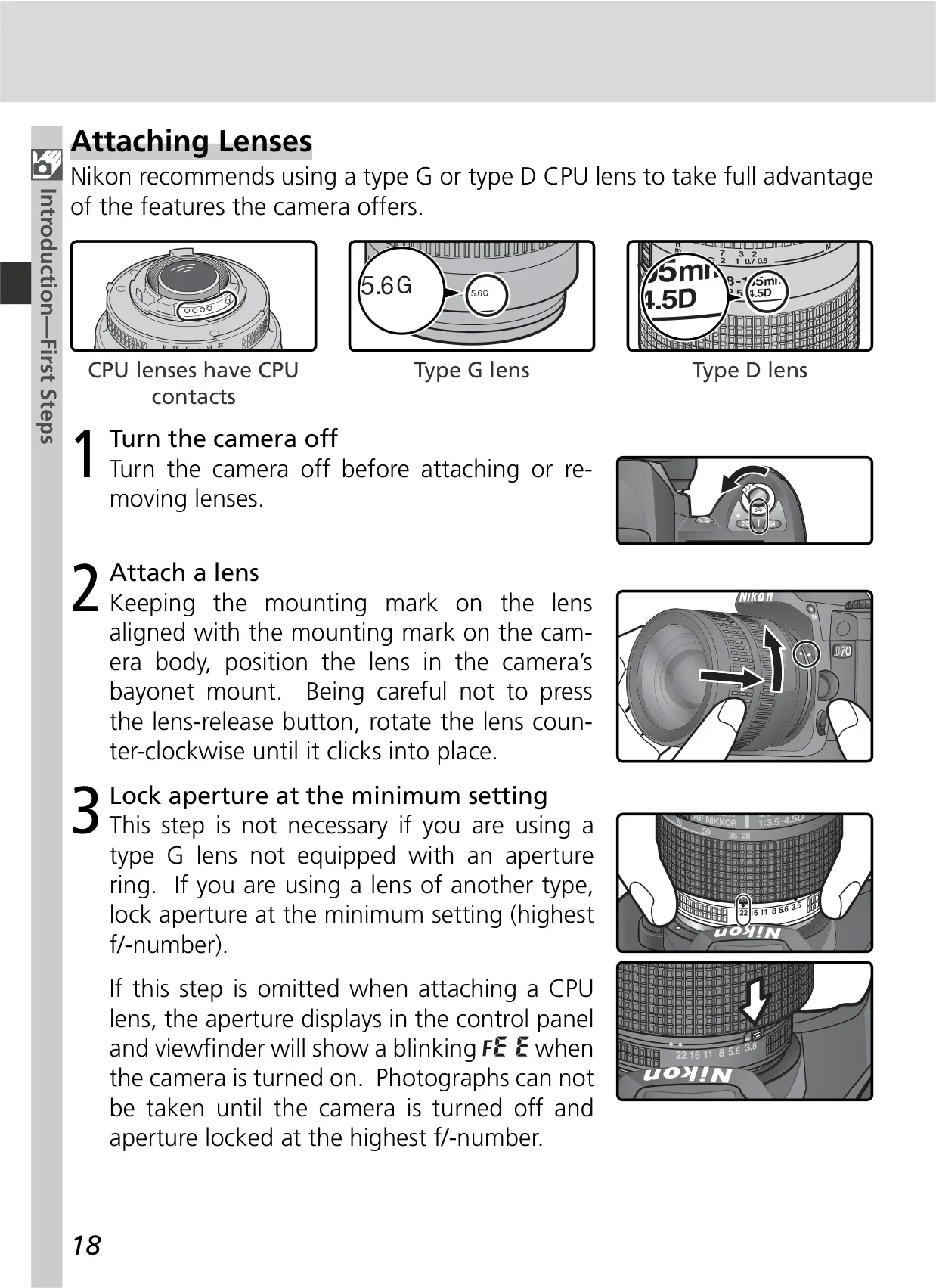
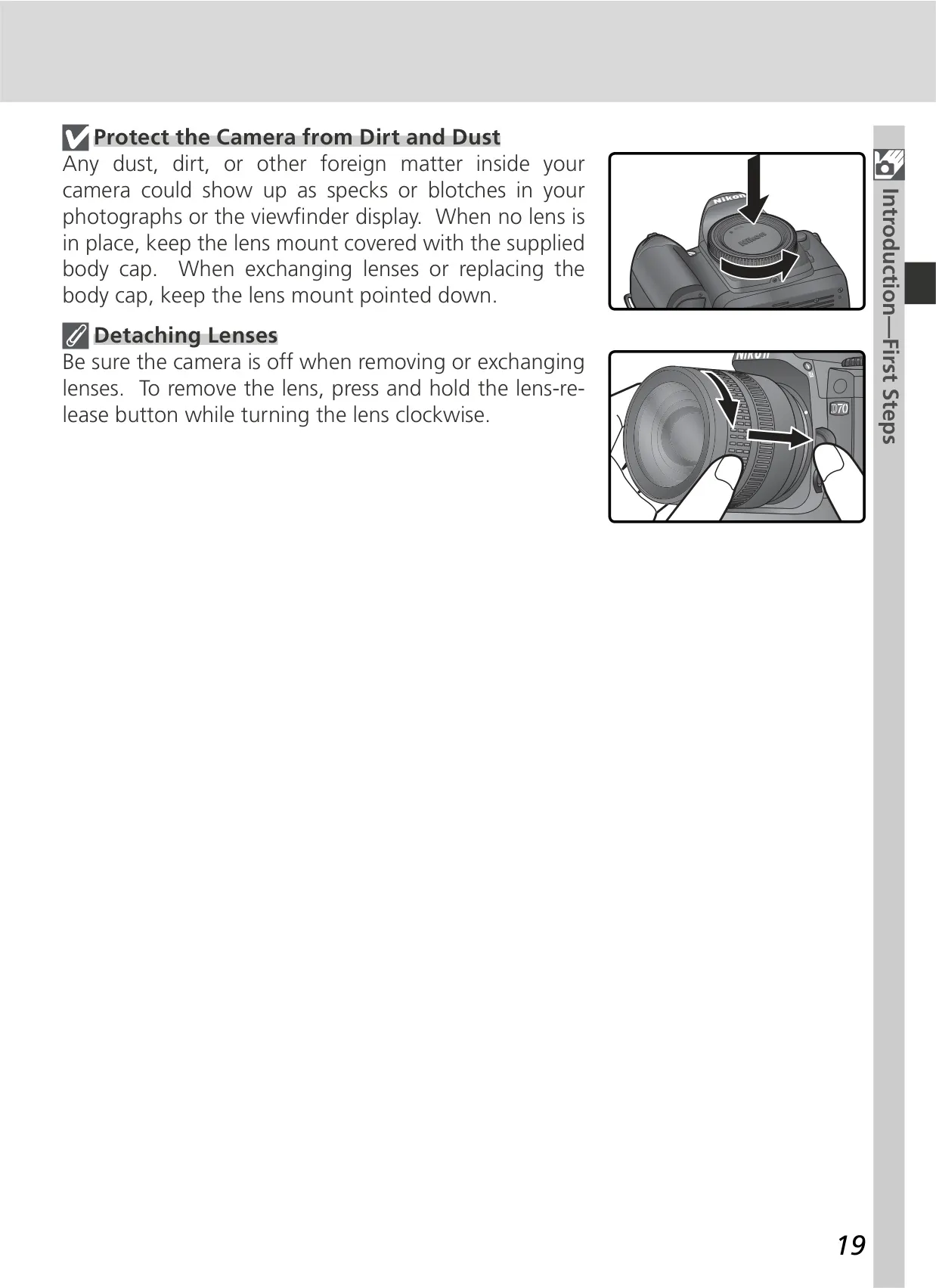
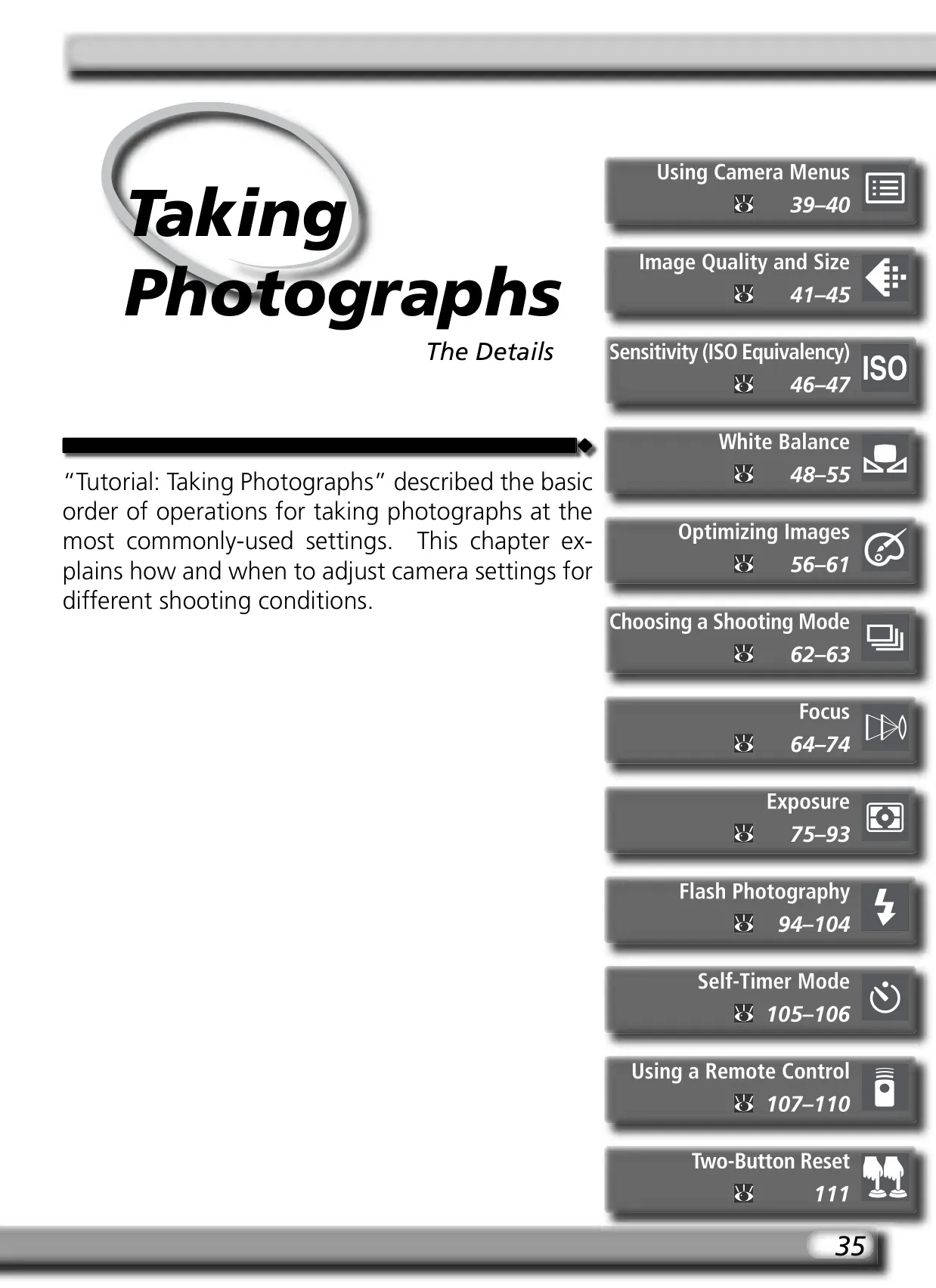
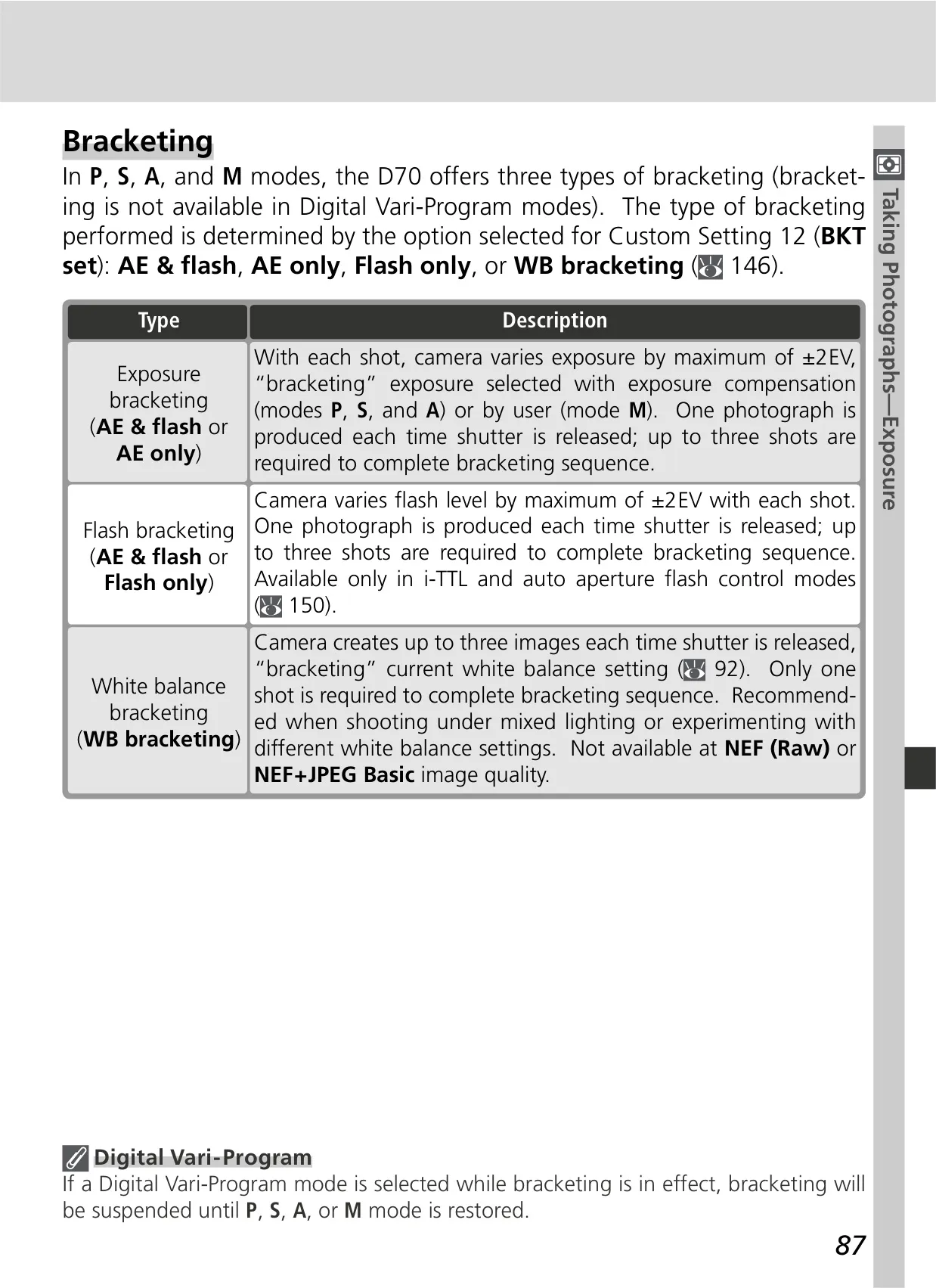
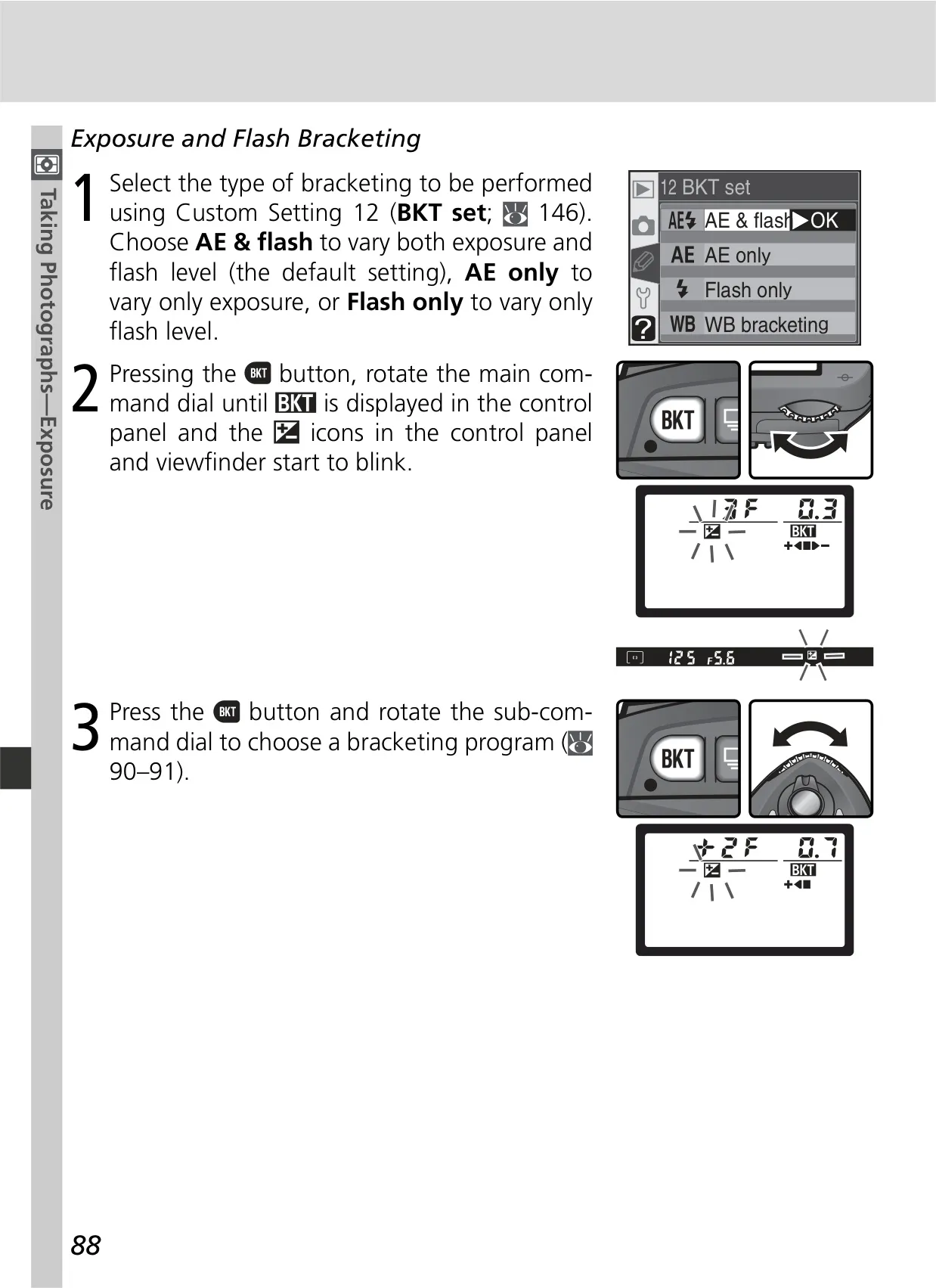
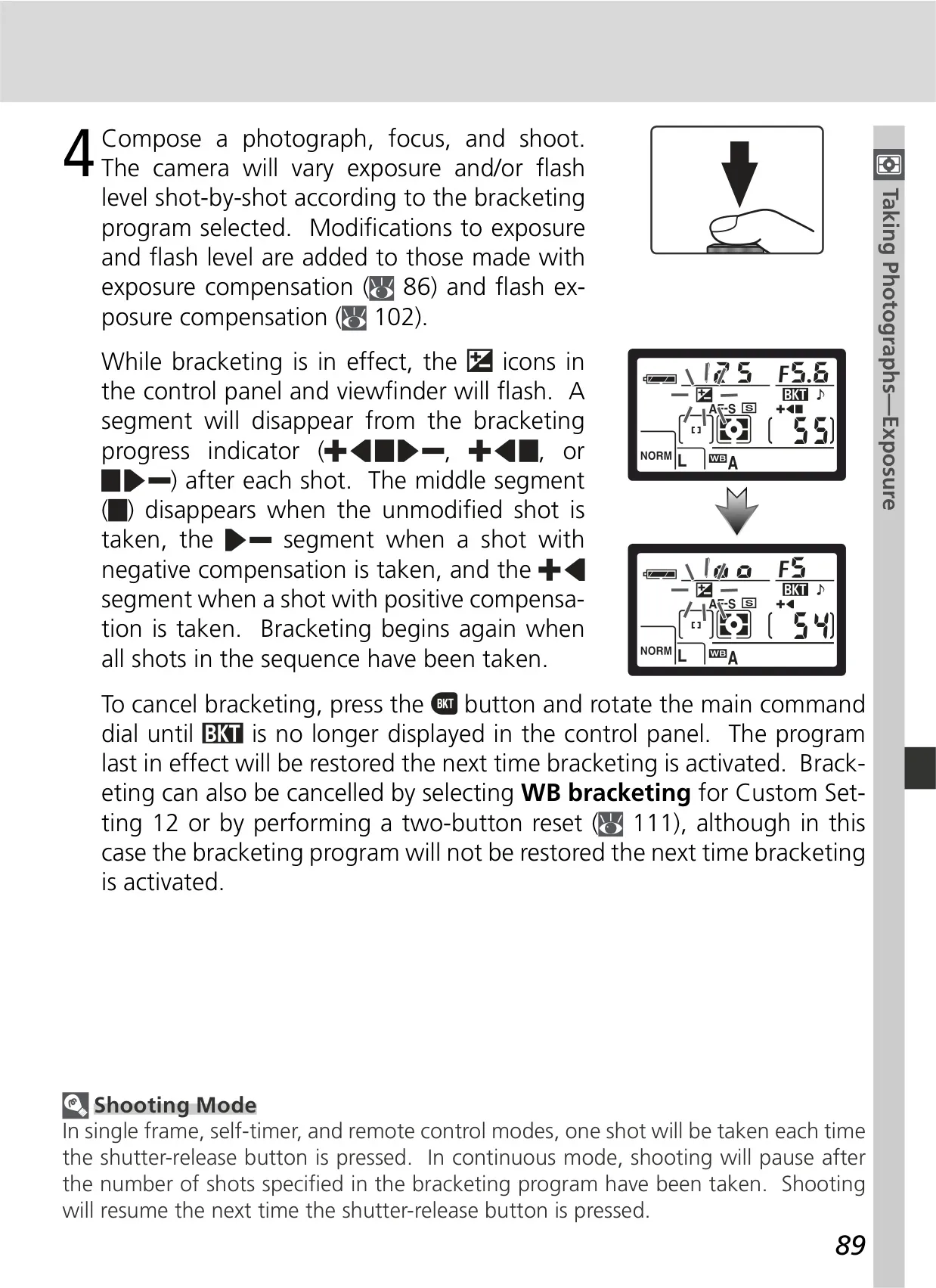
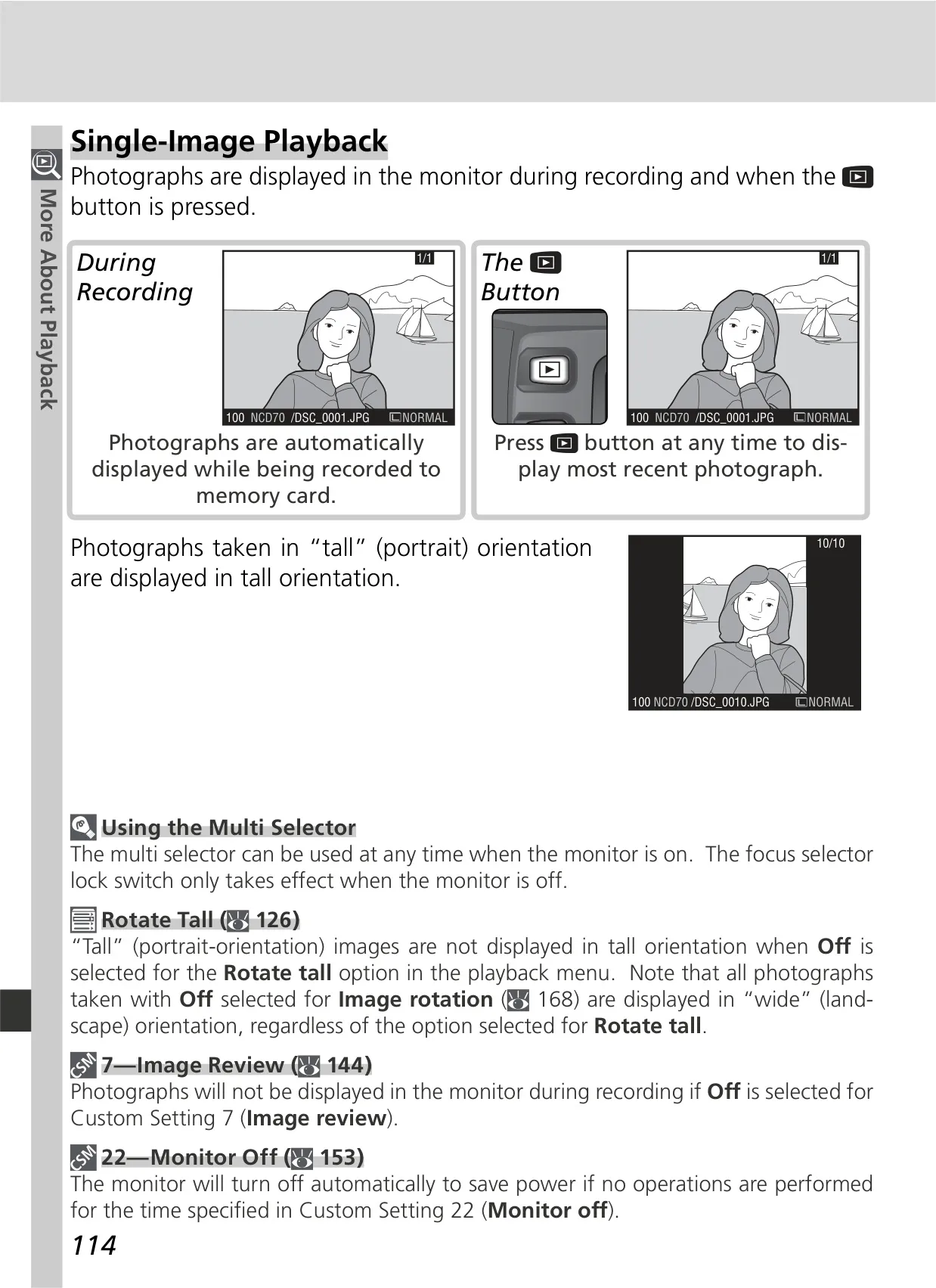
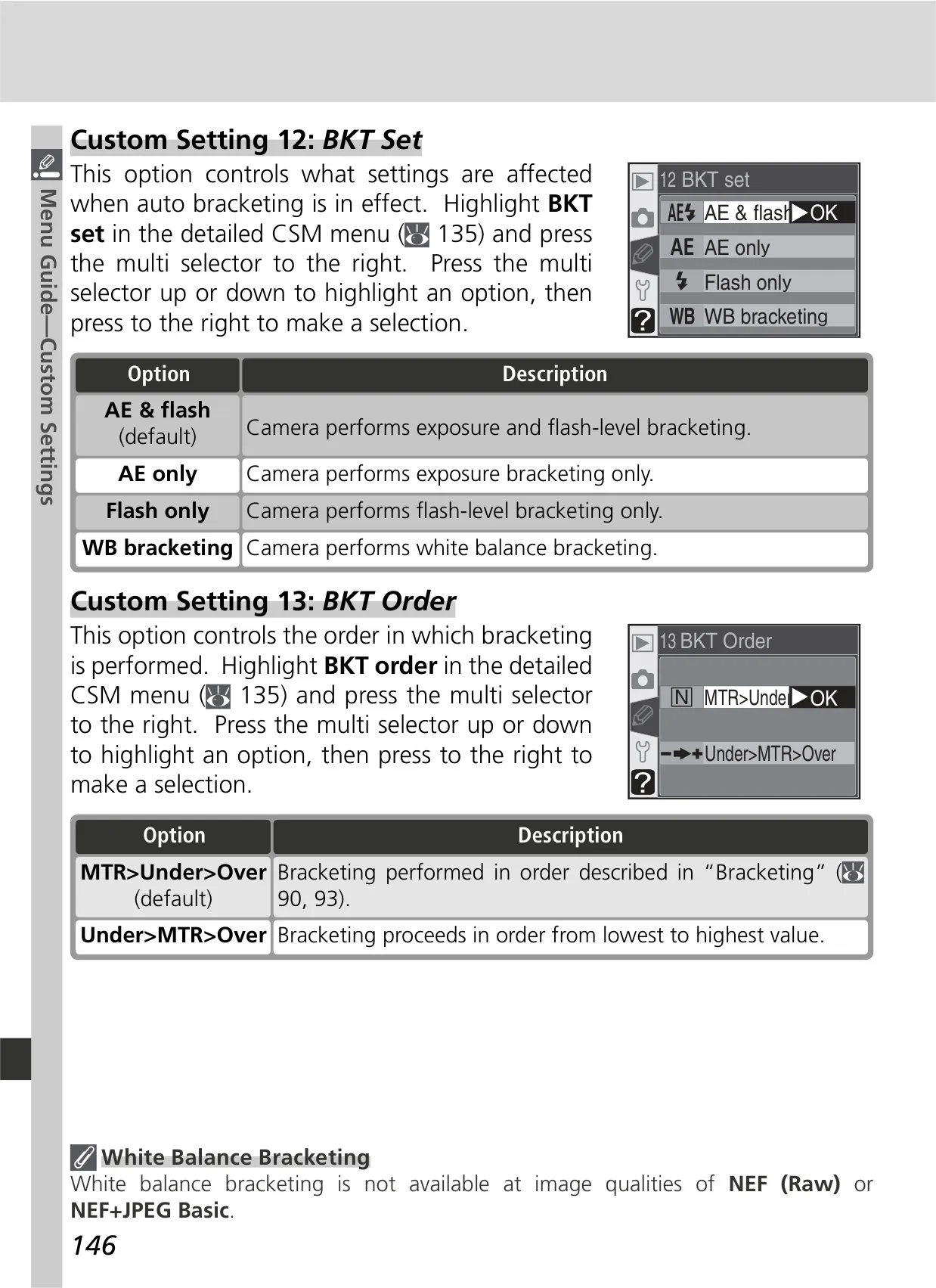
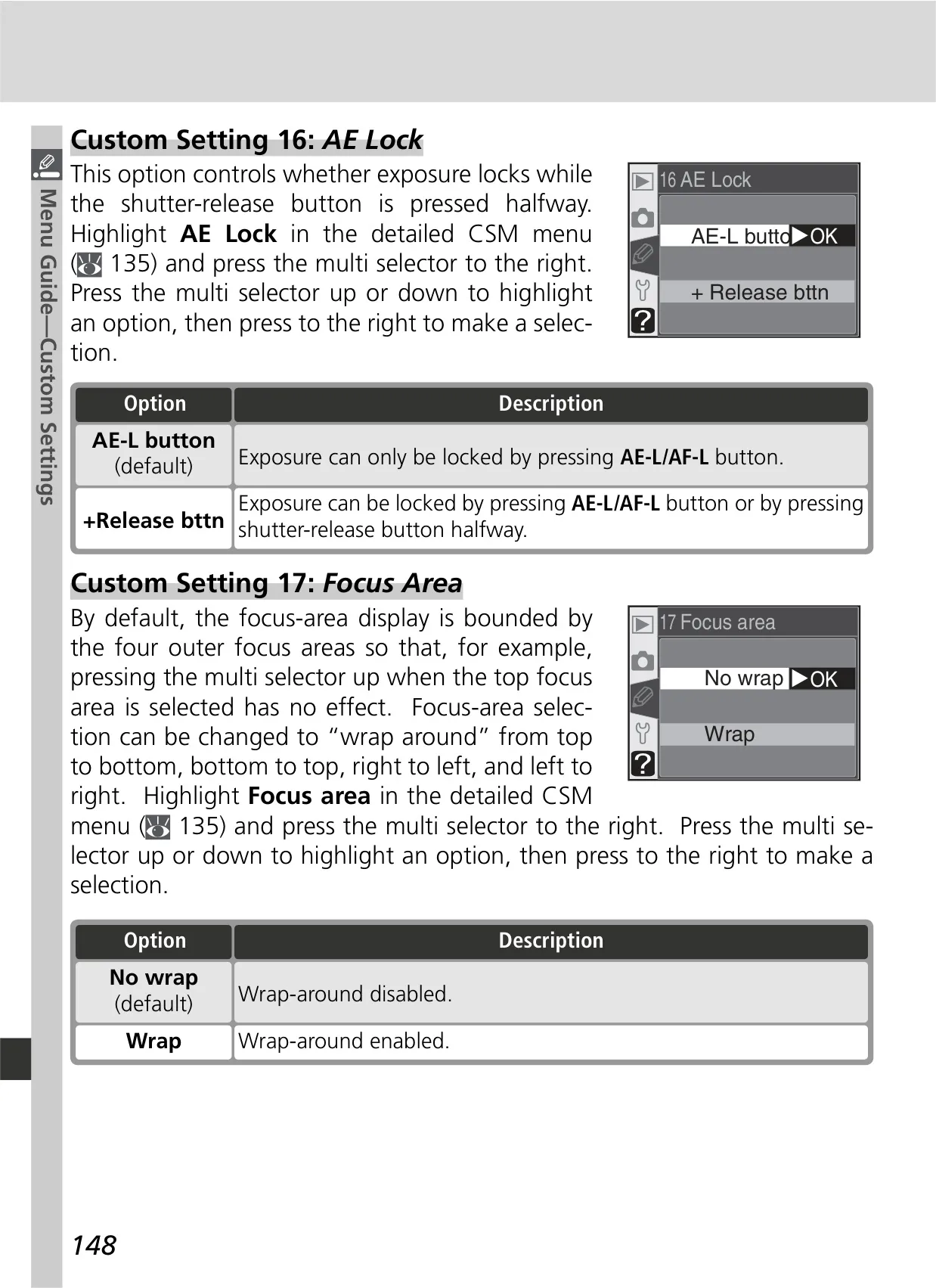
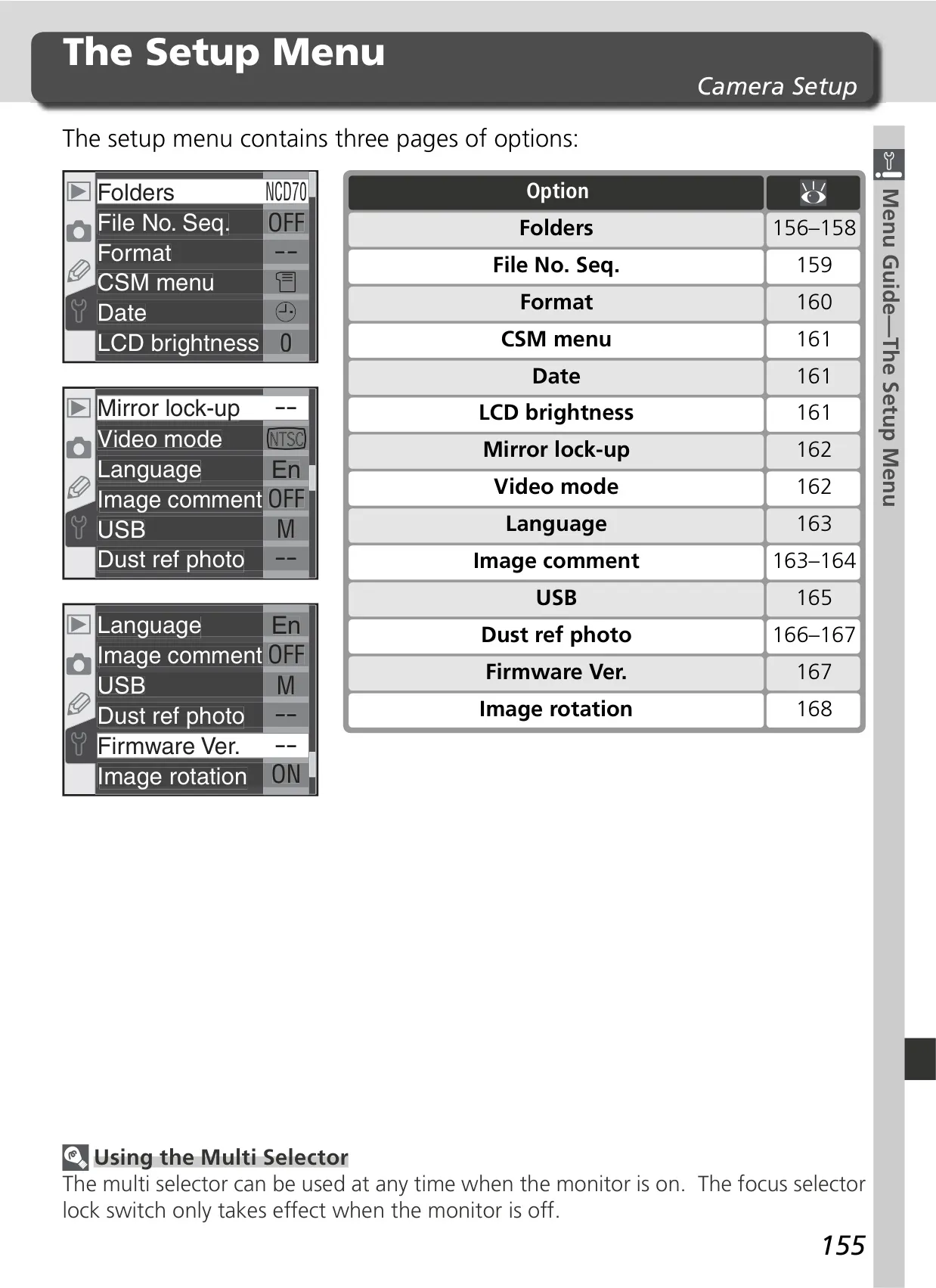
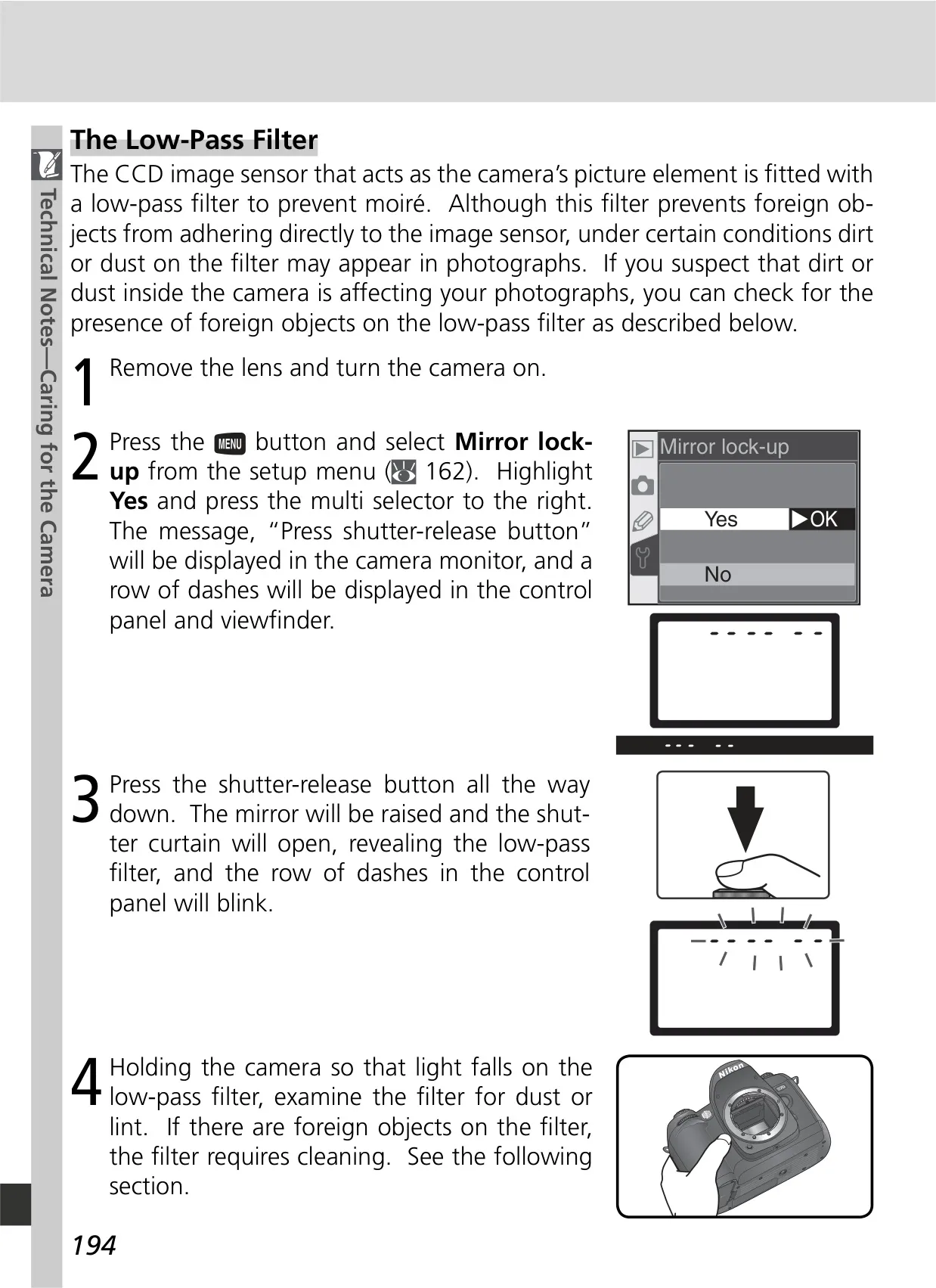
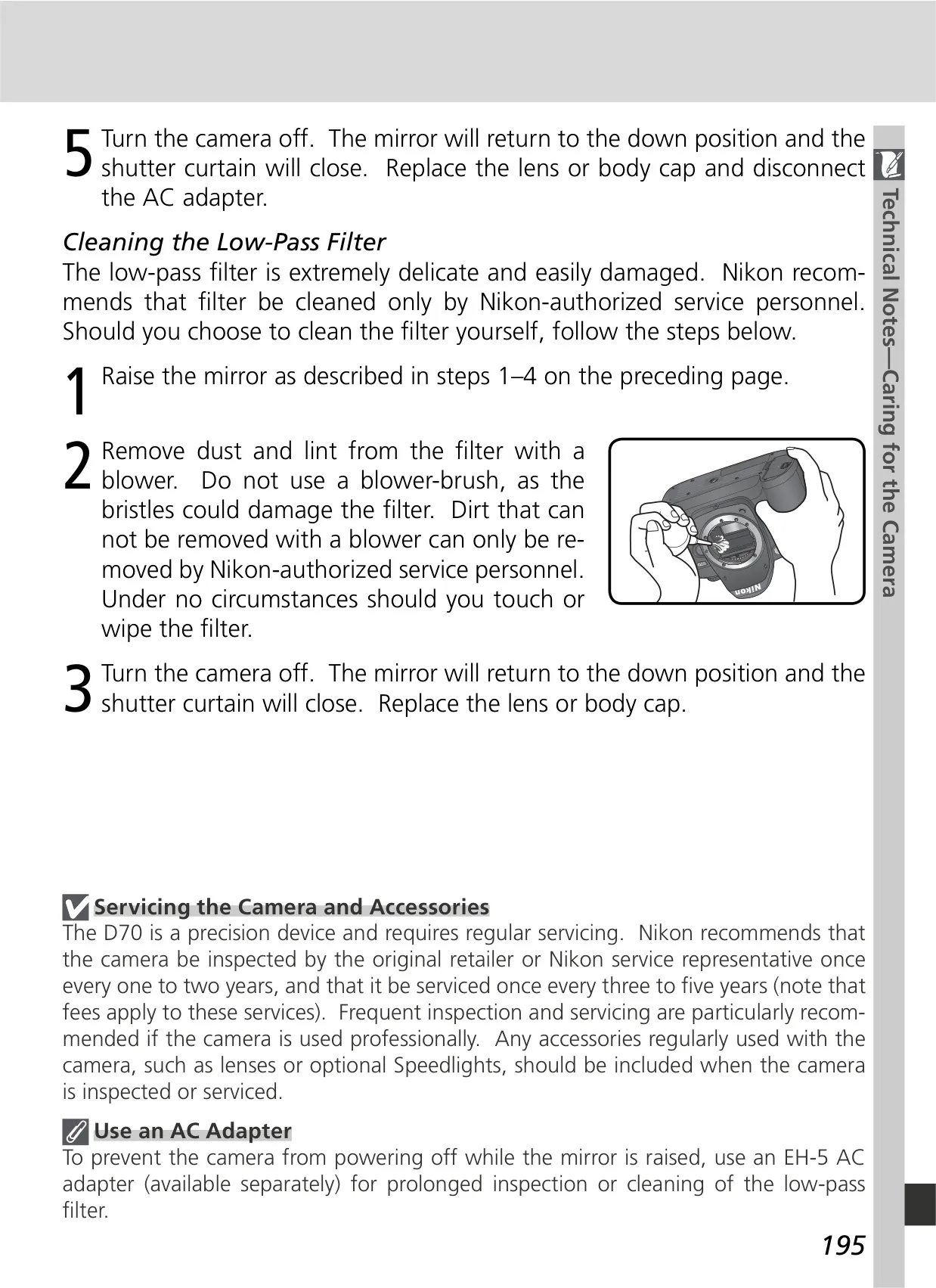
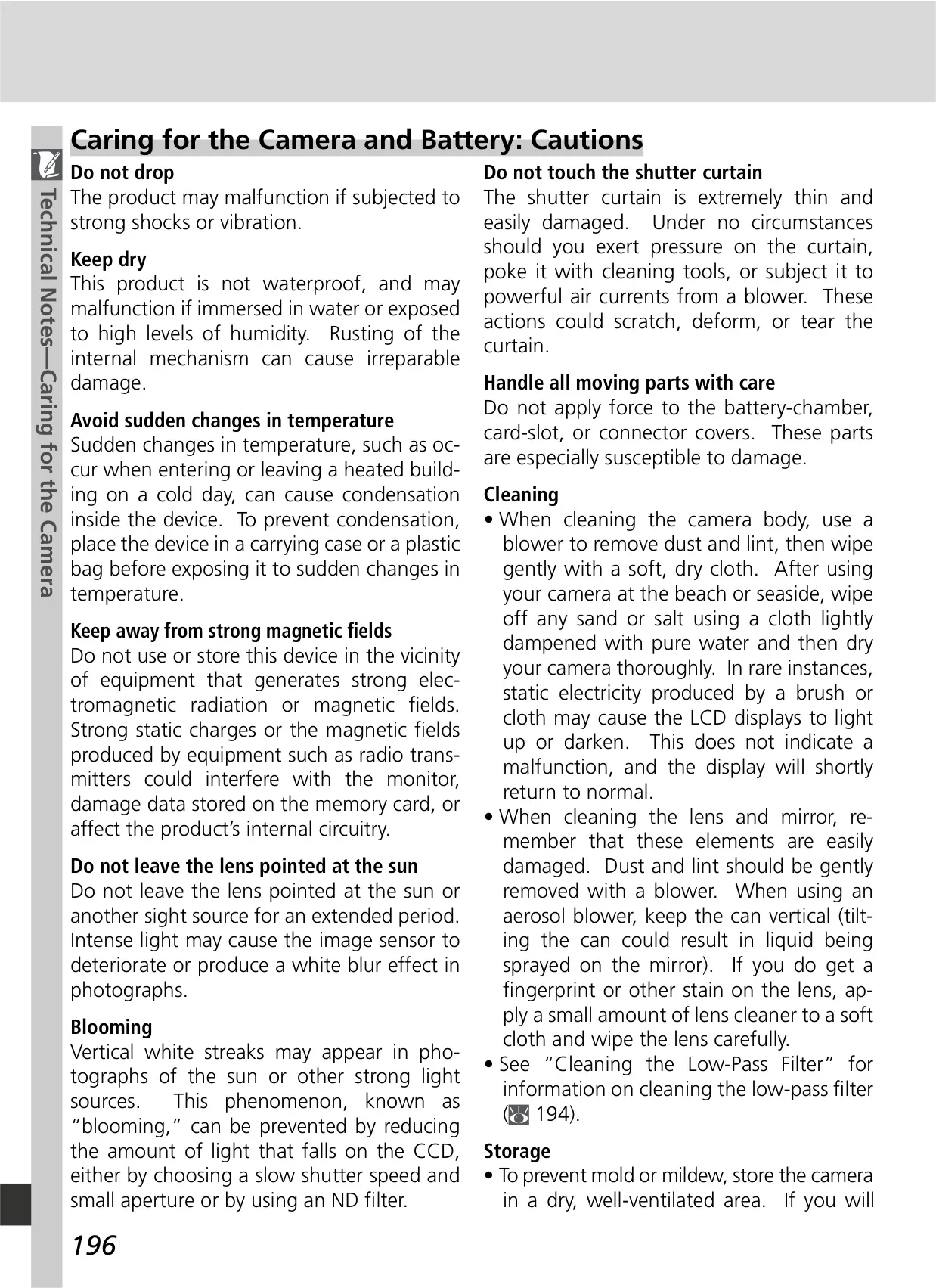
The Nikon D70 DSLR Camera manual serves as a comprehensive guide, starting with essential documentation like the Quick Start Guide and the detailed Guide to Digital Photography. It also references the PictureProject Reference Manual on CD for software usage. A significant caution highlights the risk of foreign matter on the low-pass filter due to interchangeable lenses, providing instructions for self-cleaning or authorized service, and suggesting retouching with Nikon Capture 4.1+ for affected images.
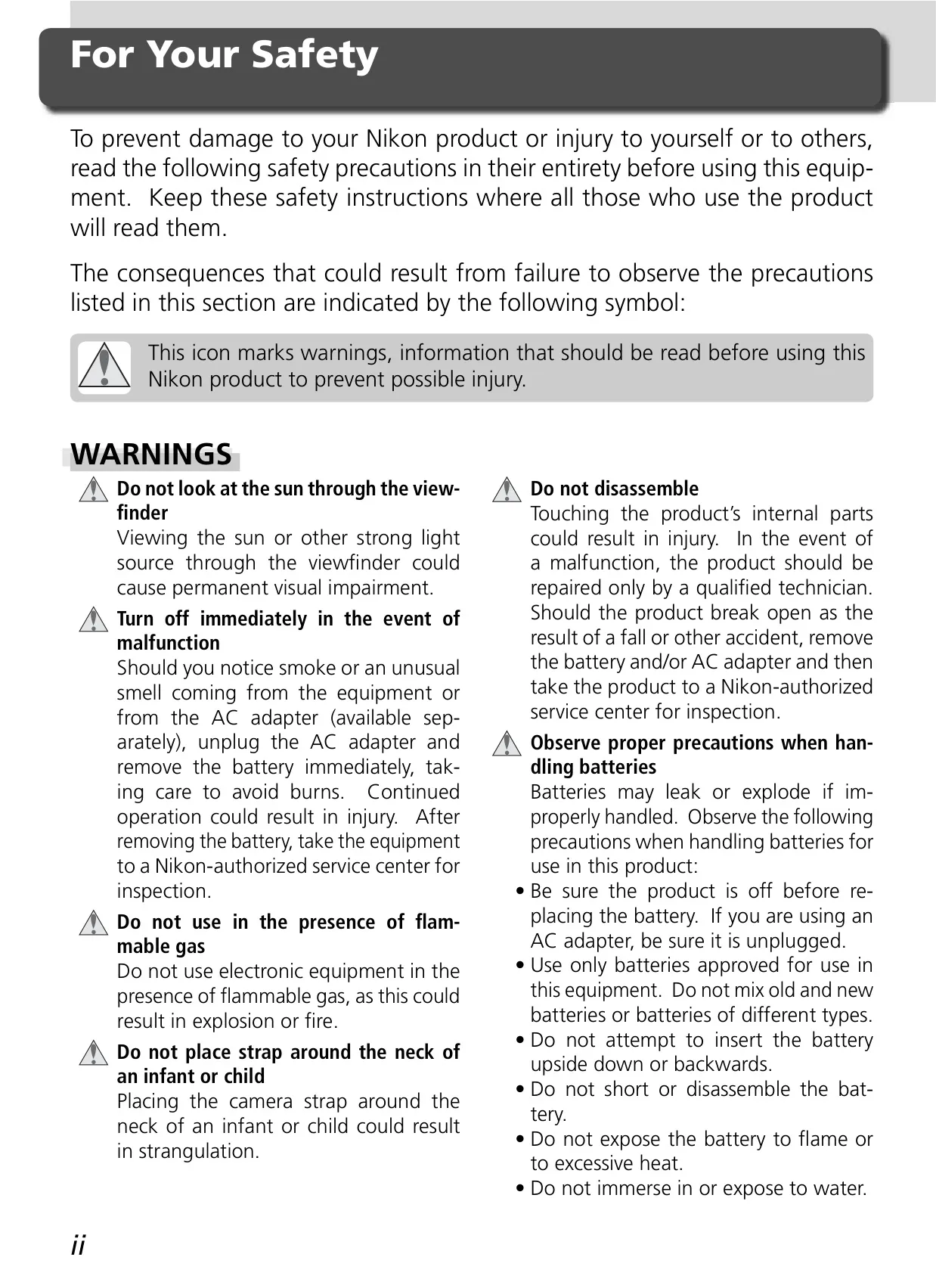
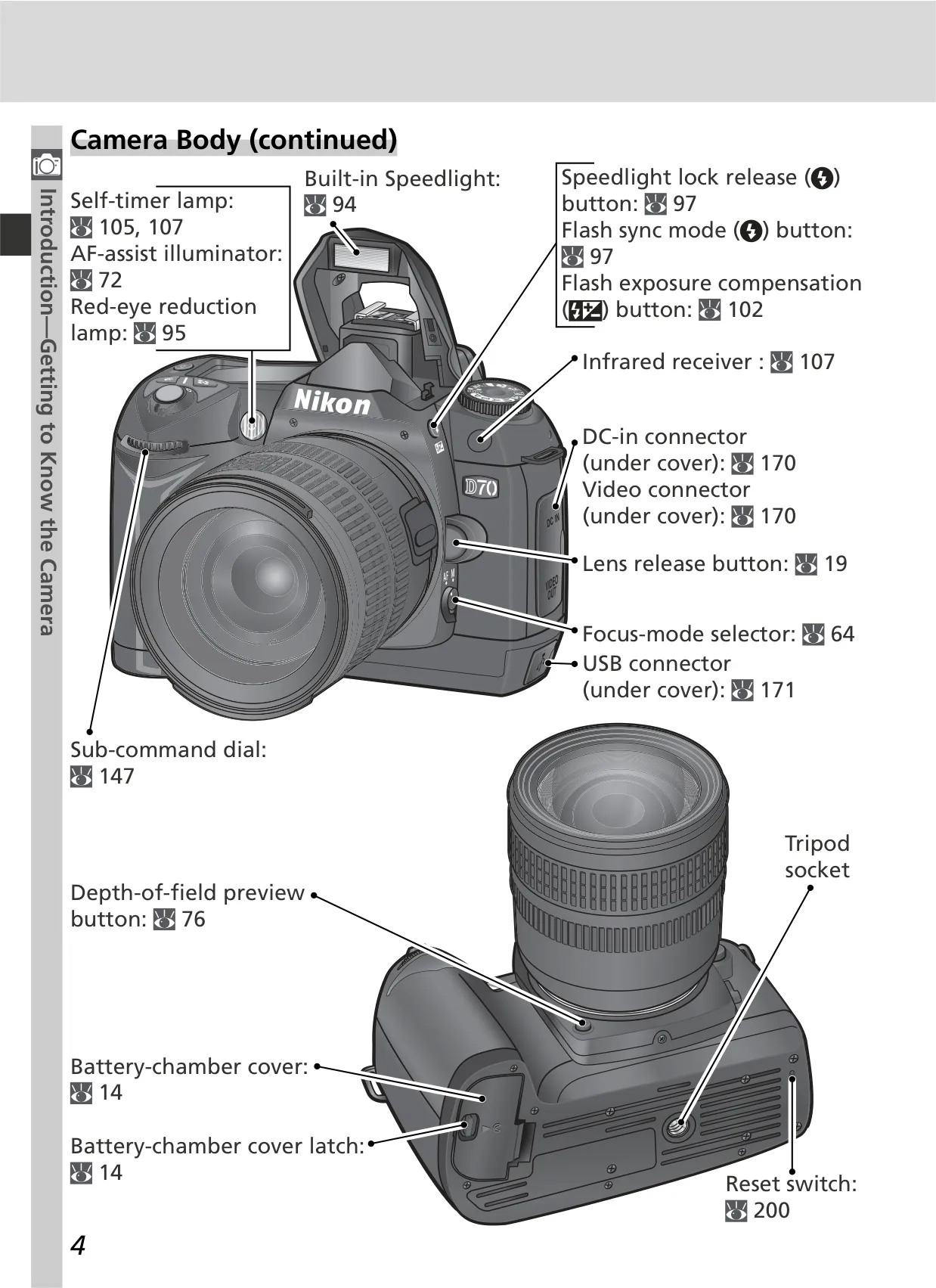
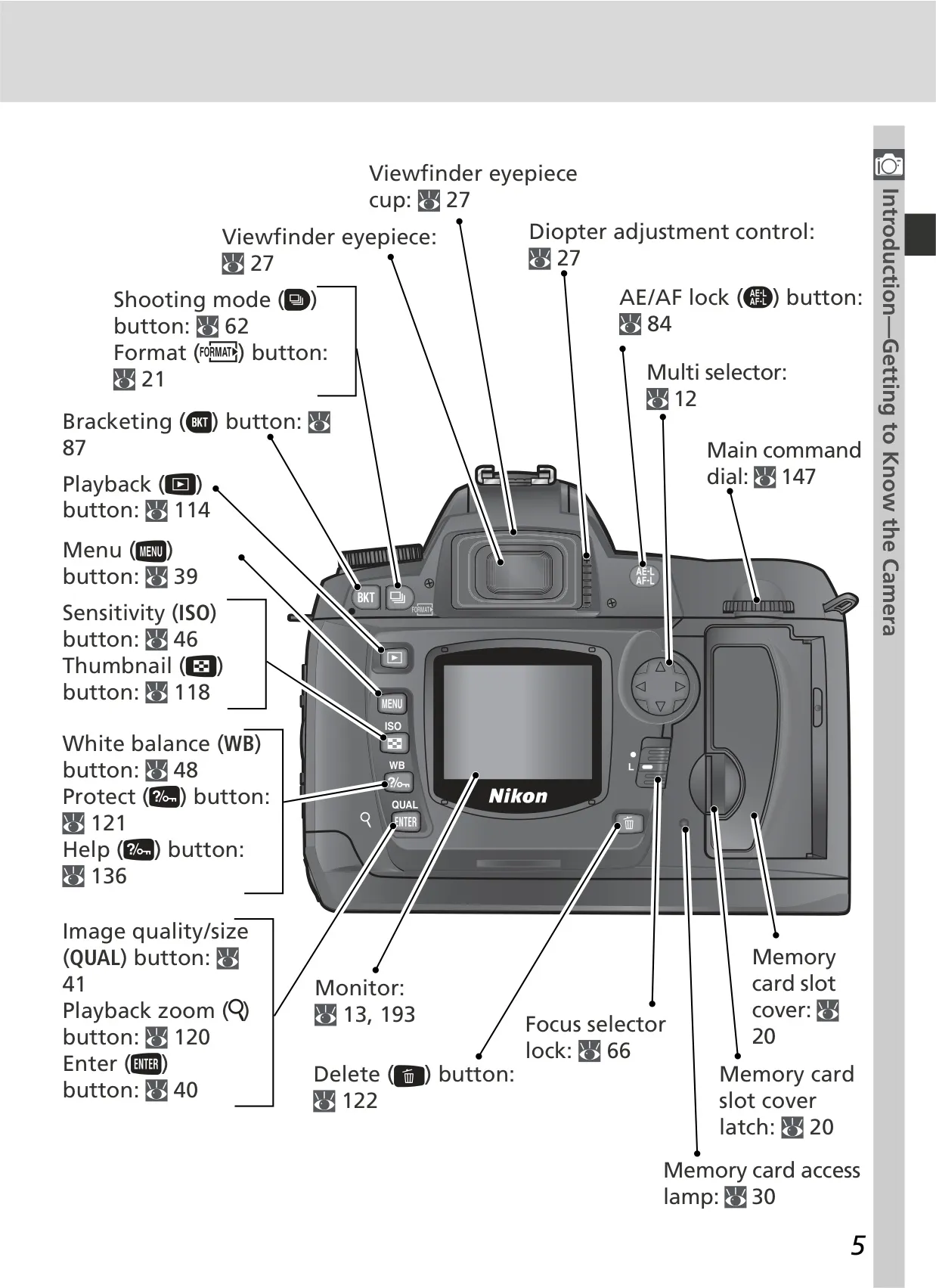
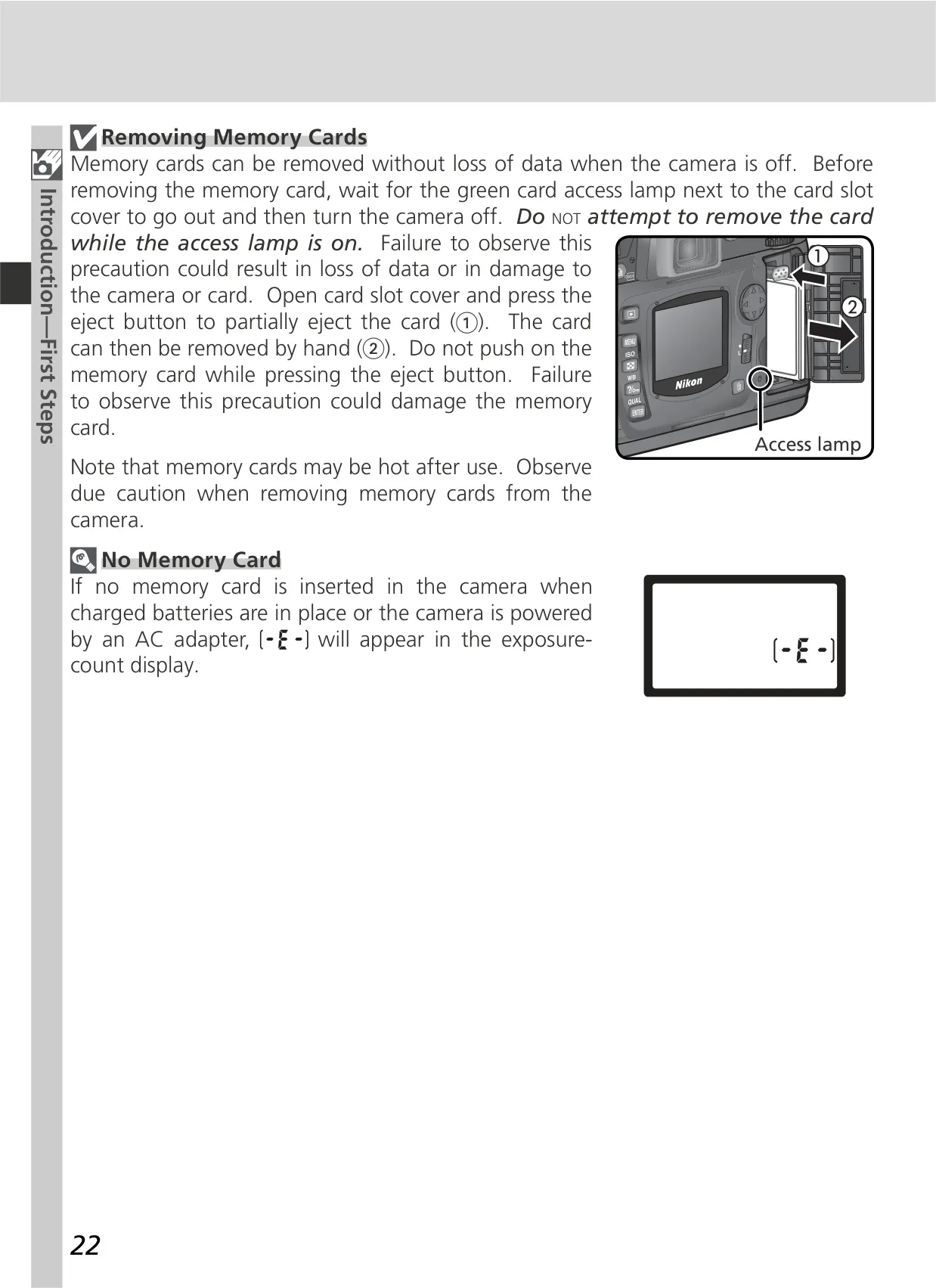
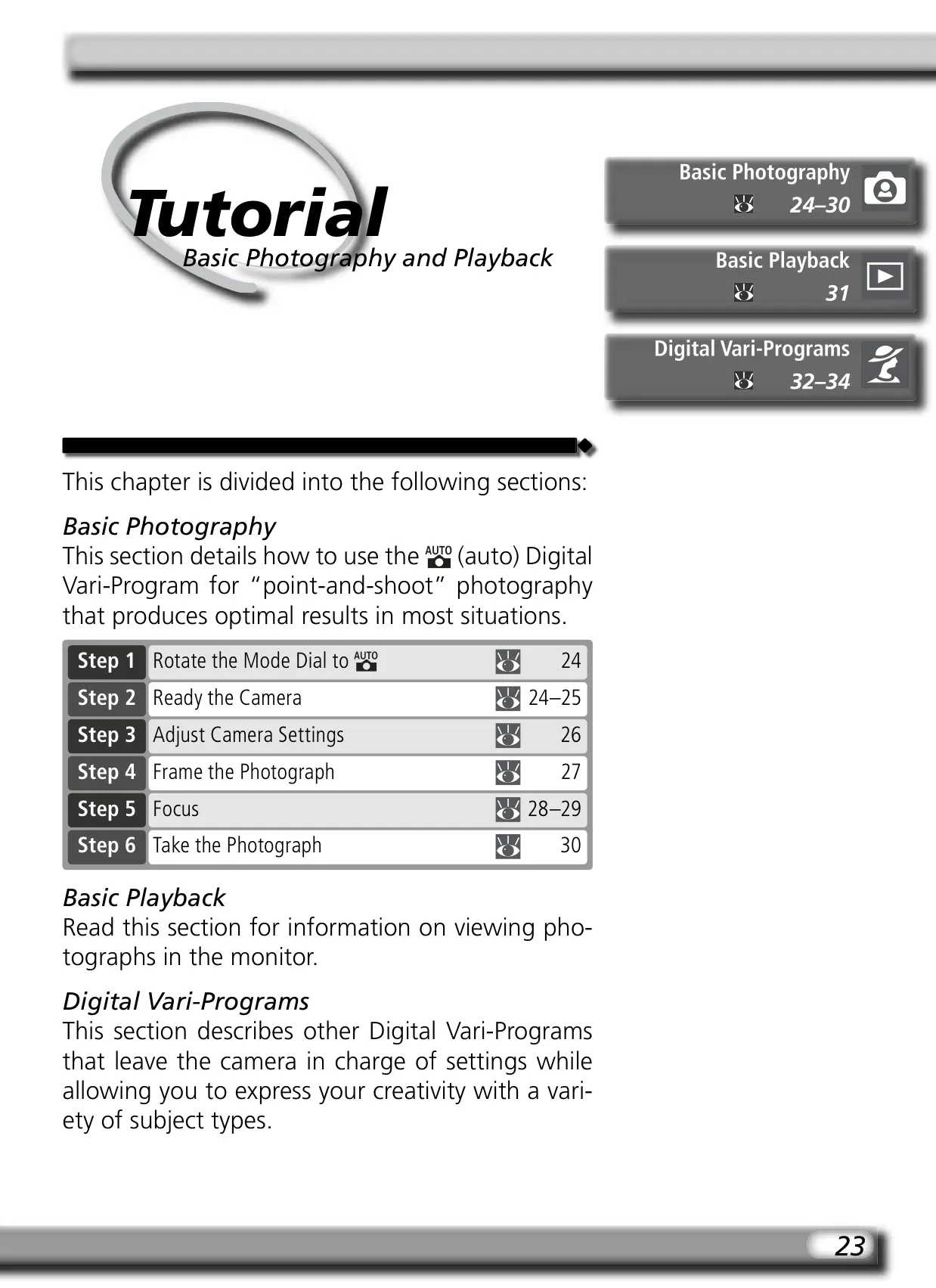
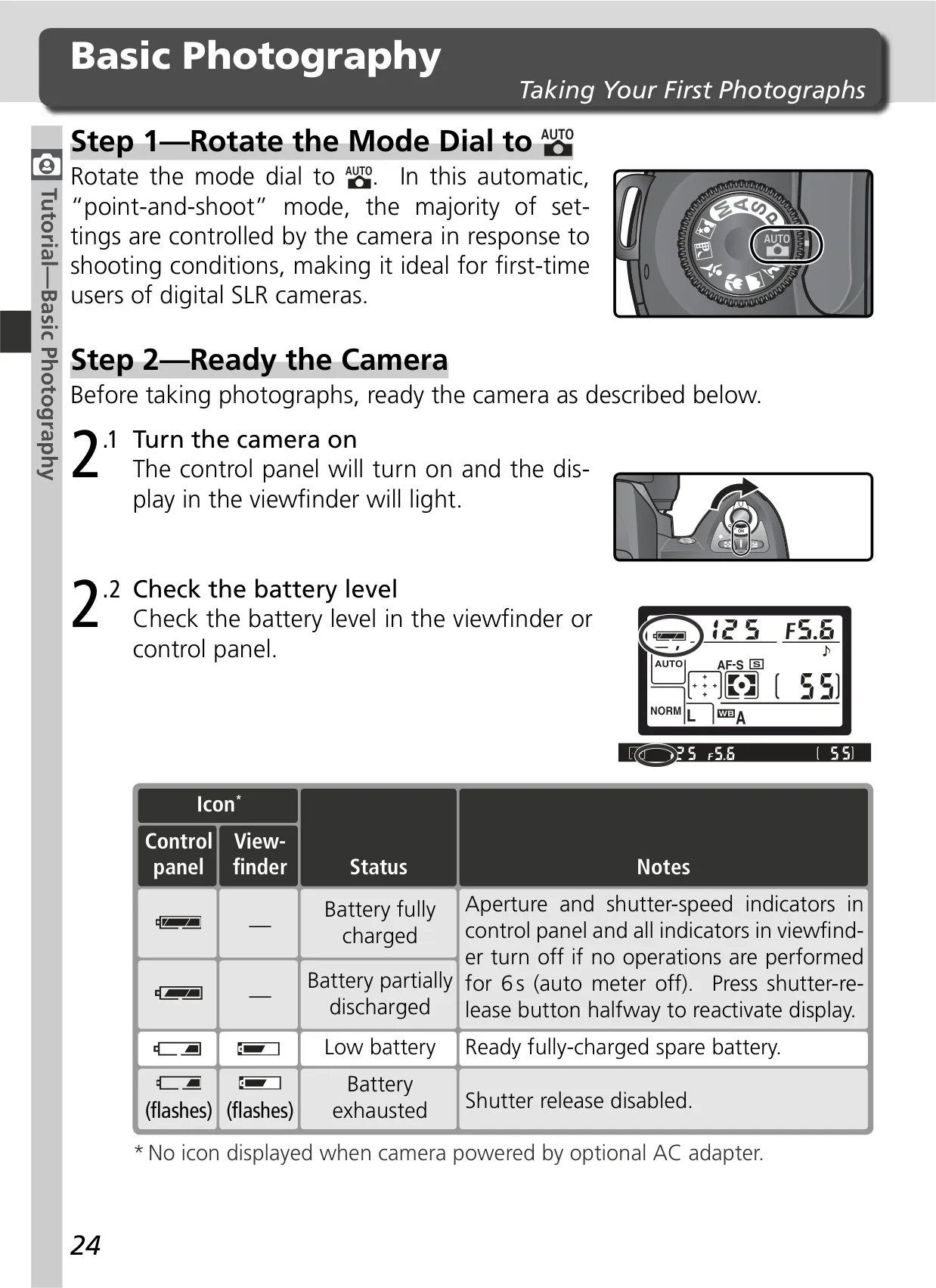
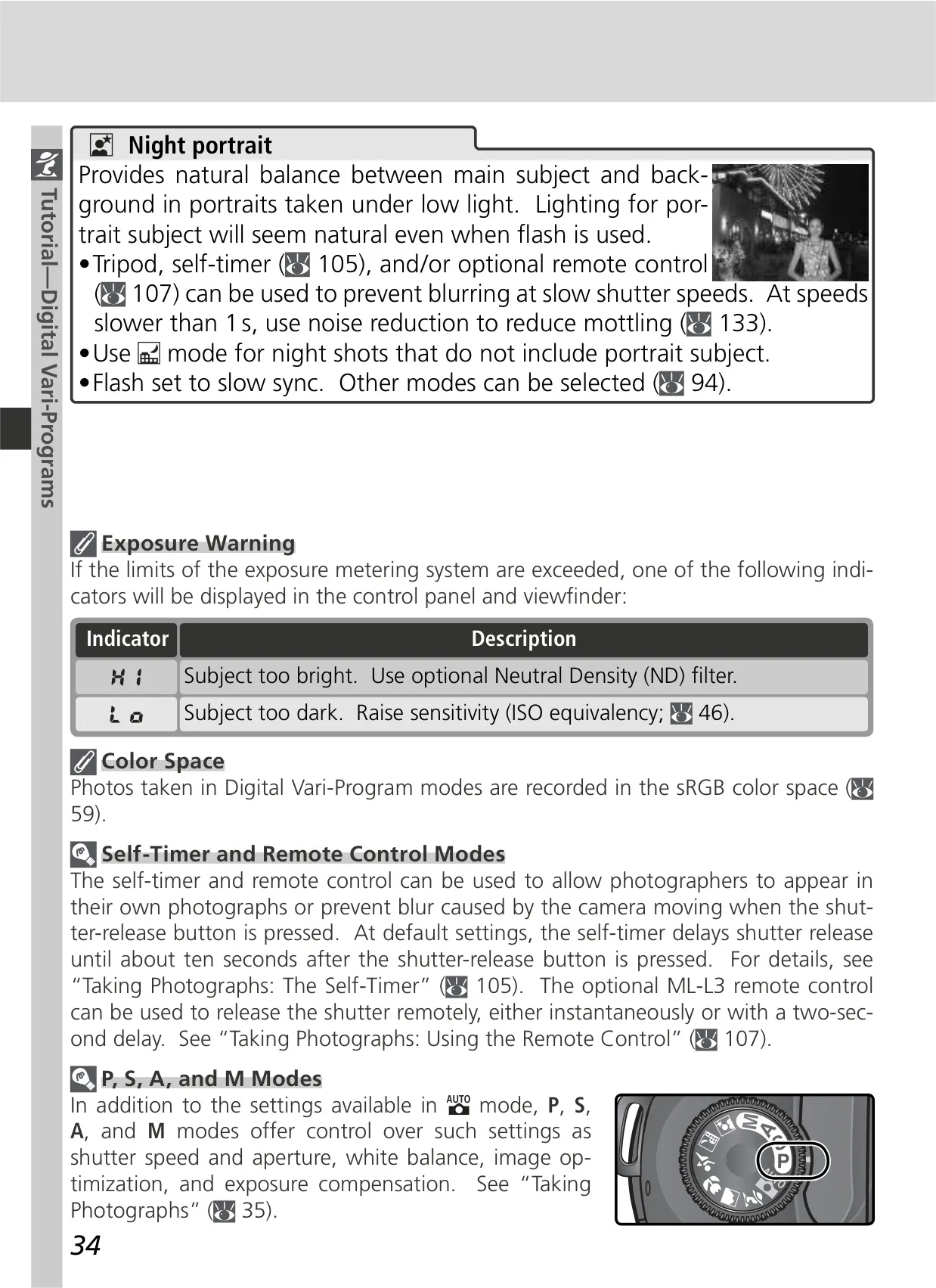
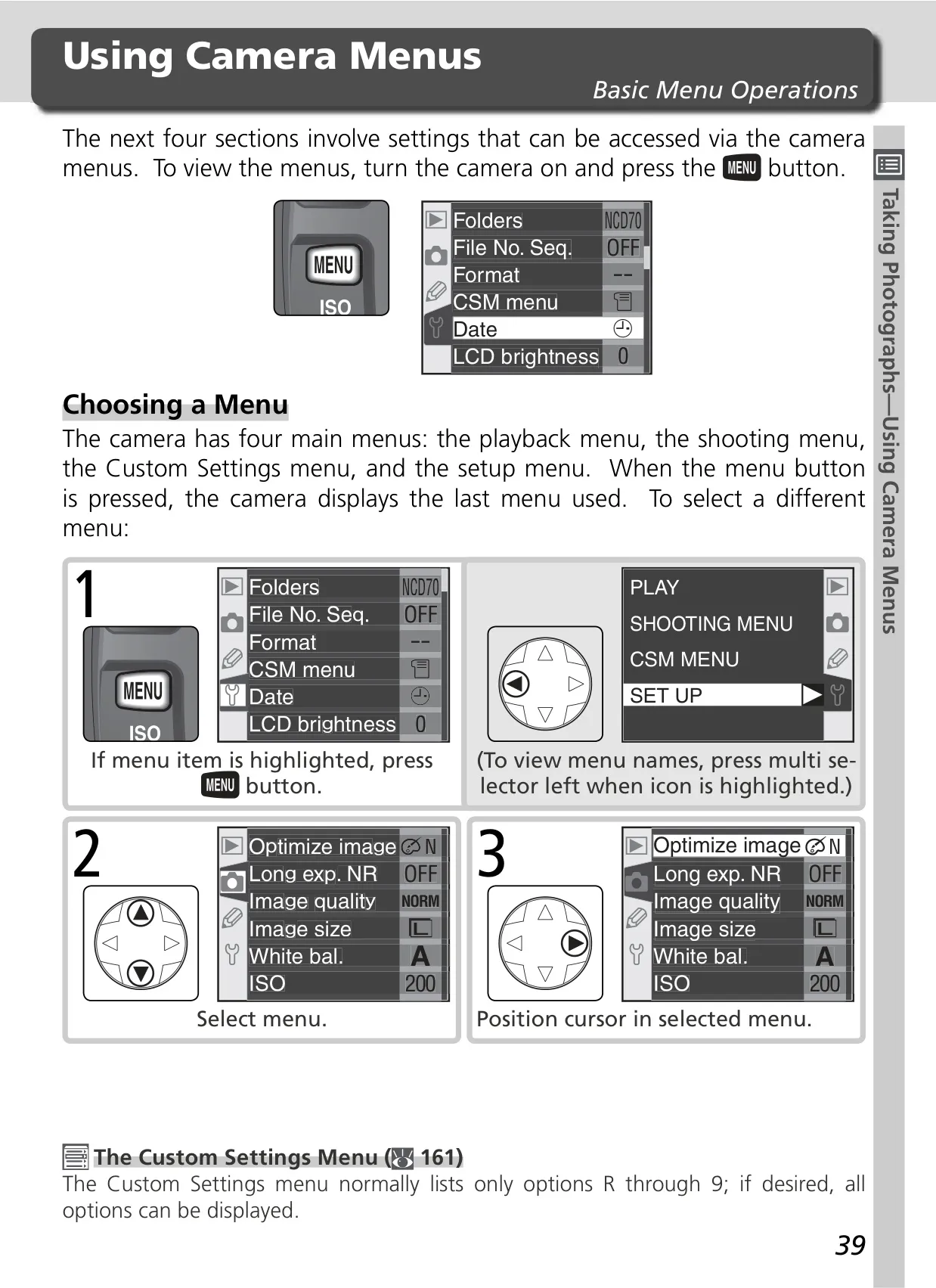
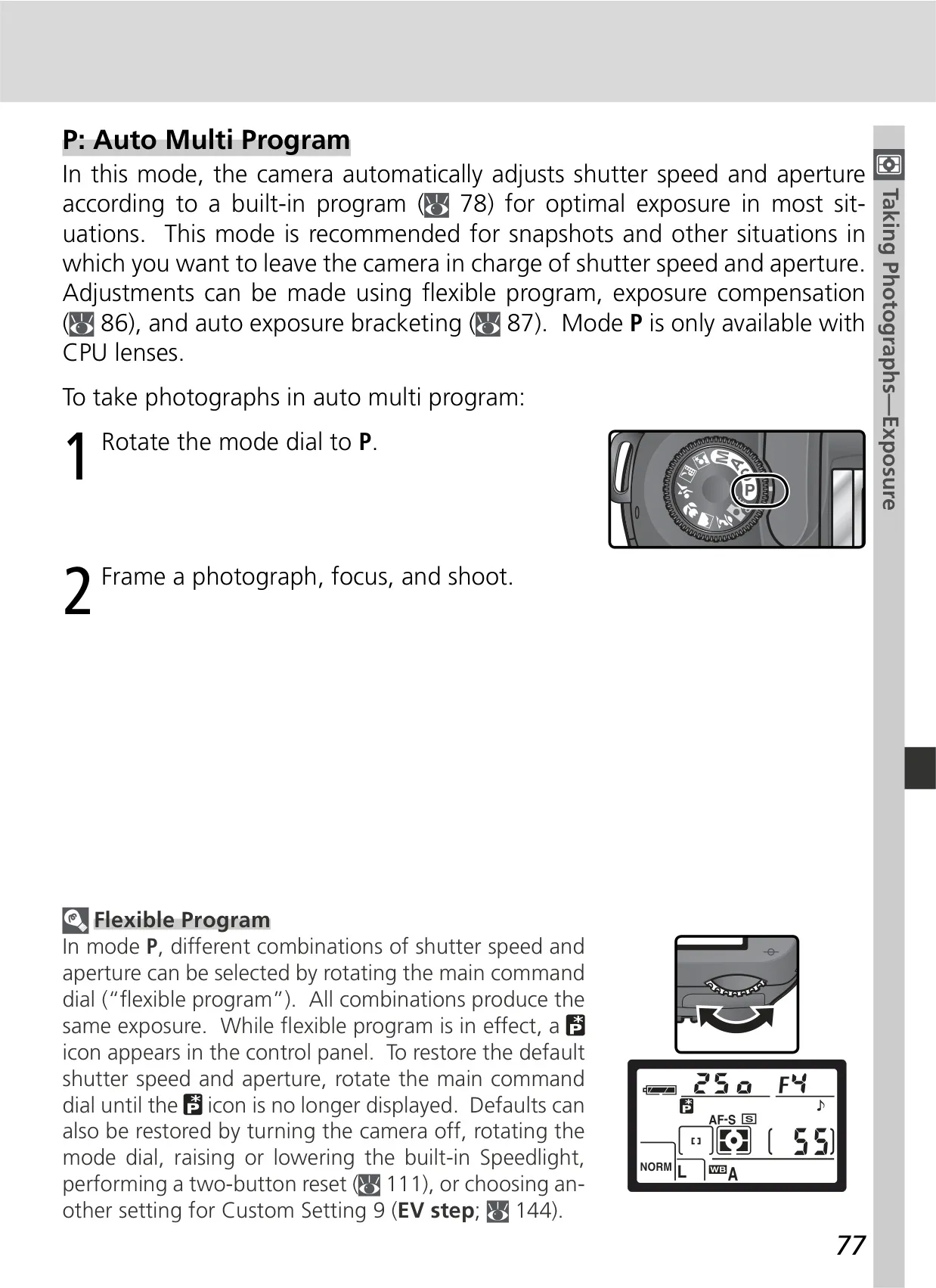
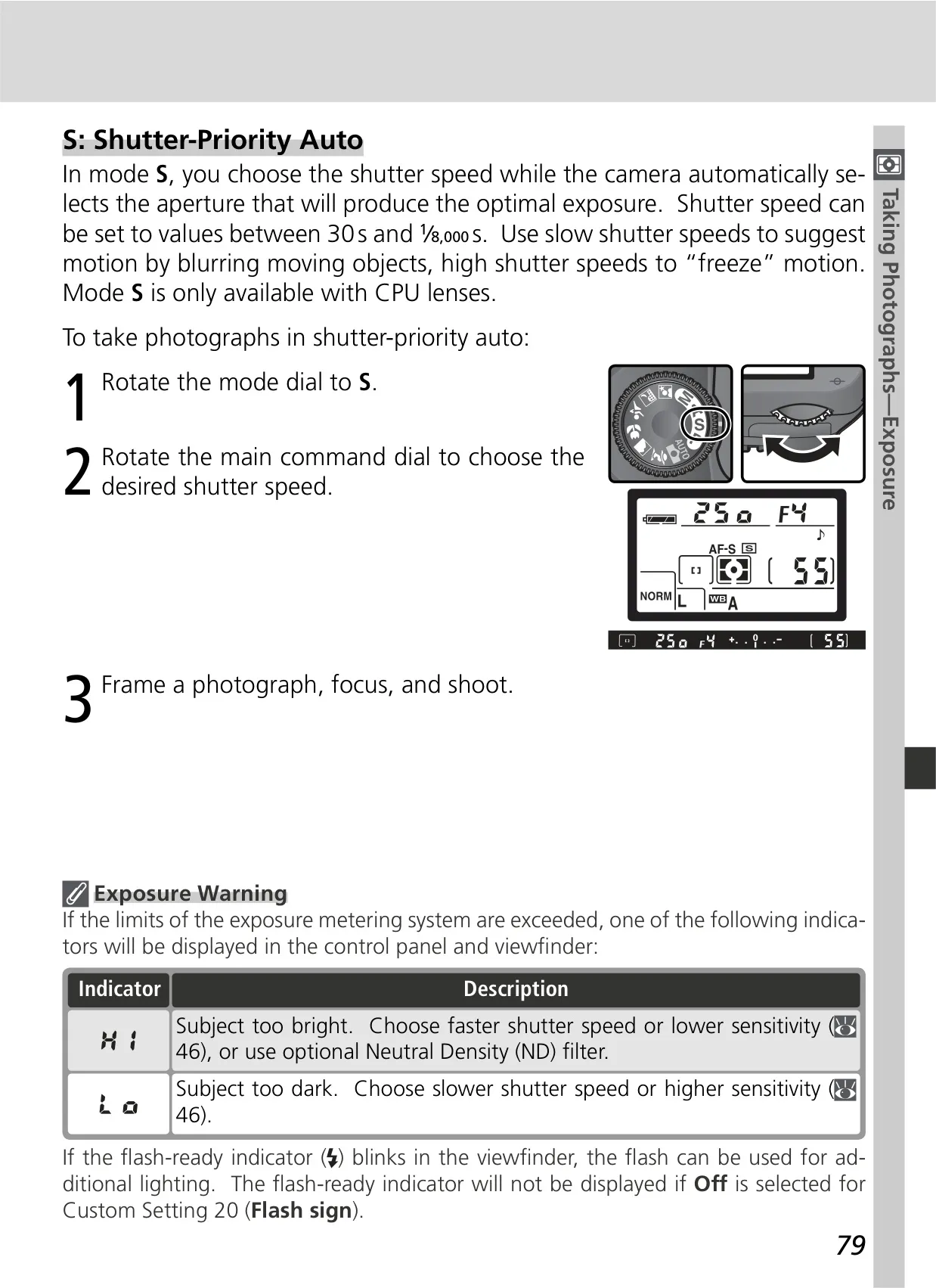
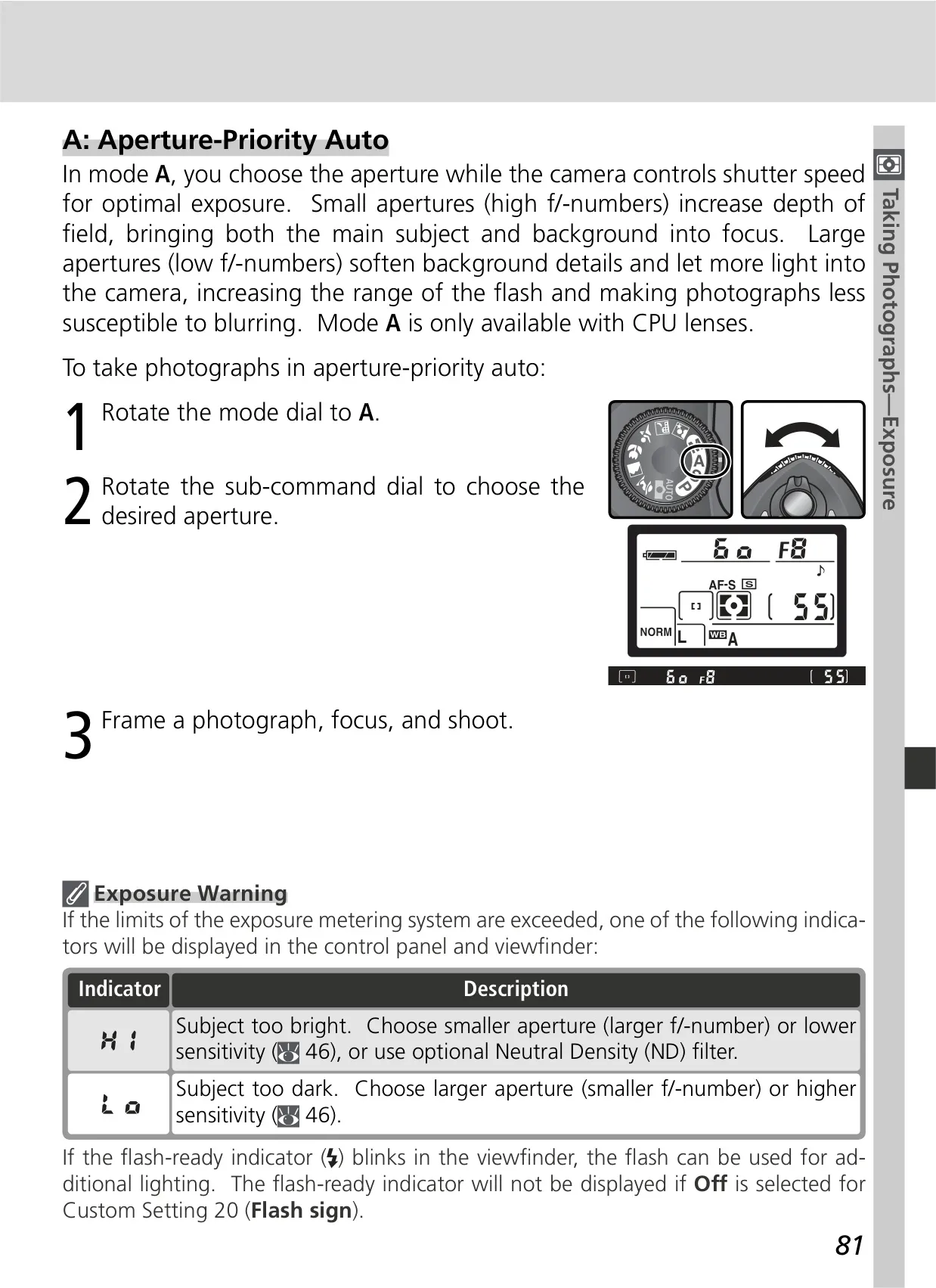
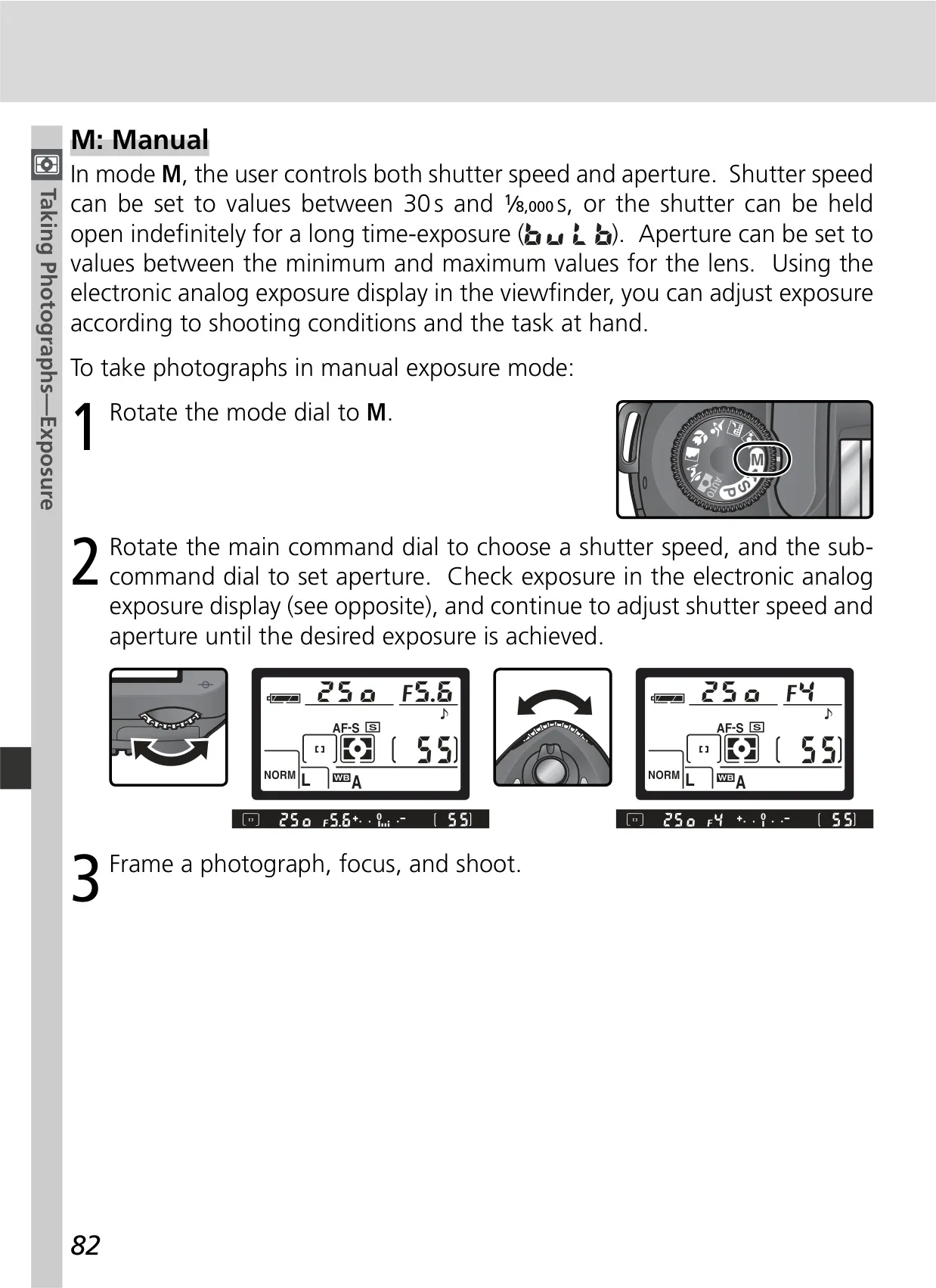
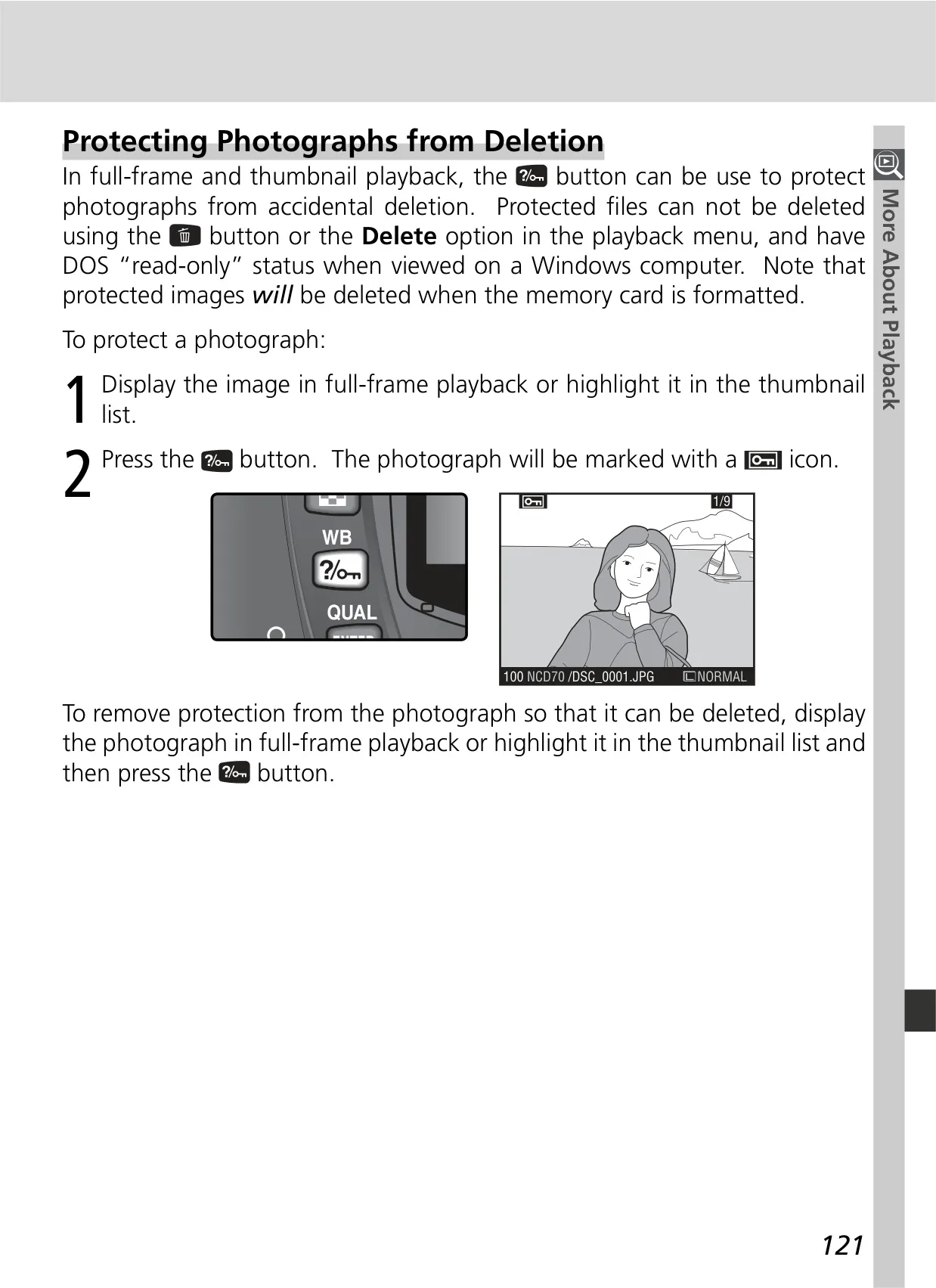
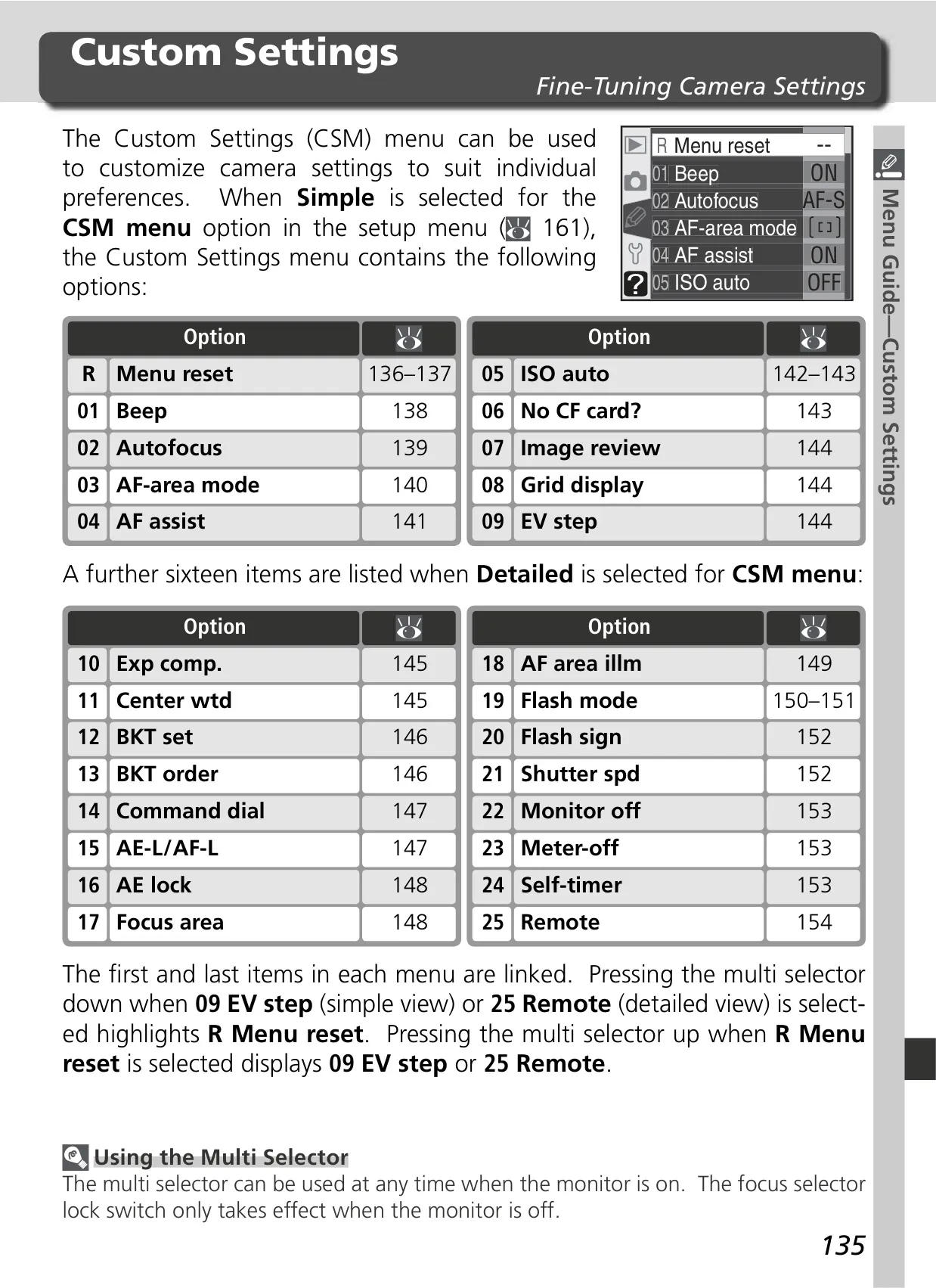
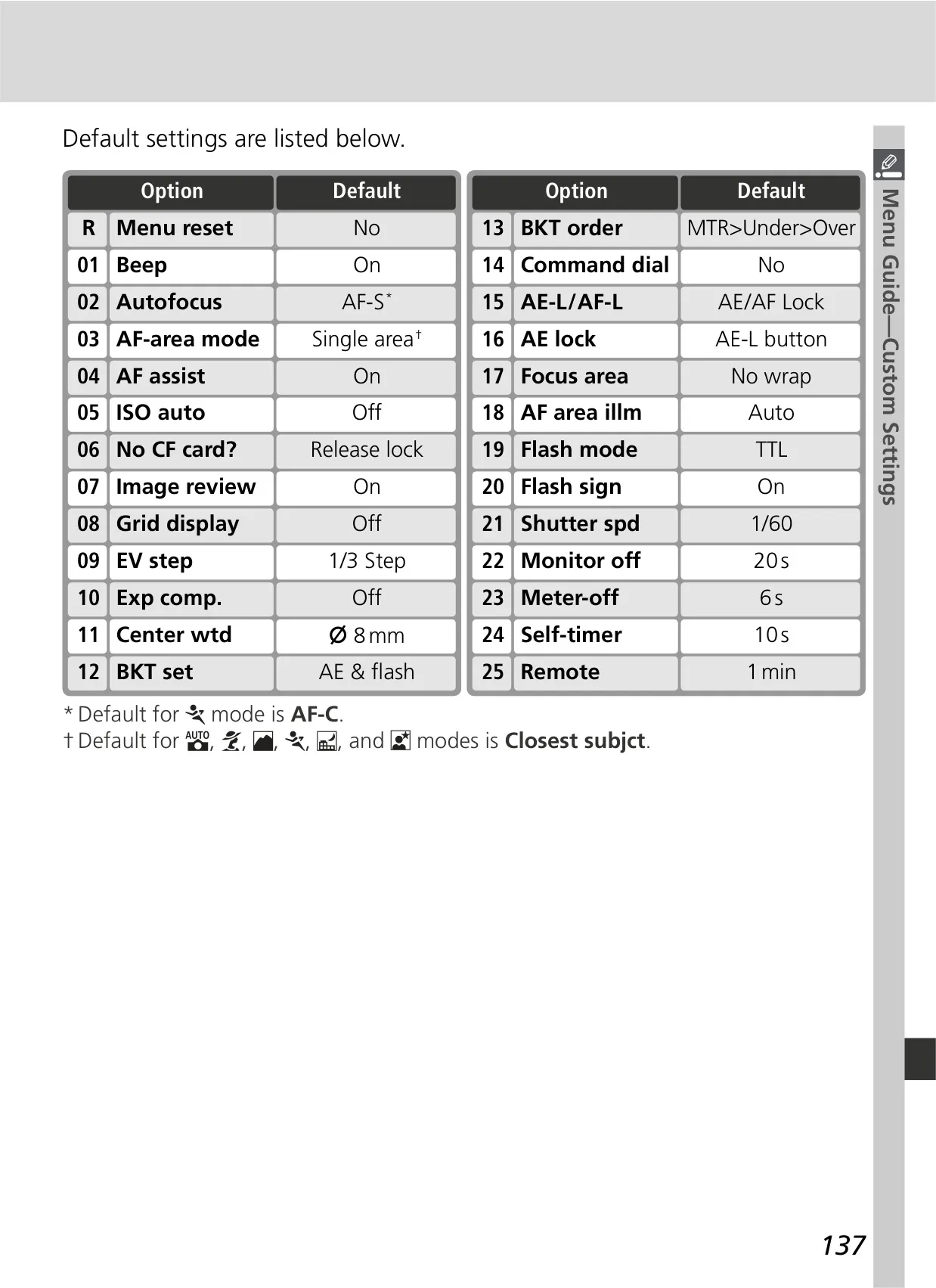
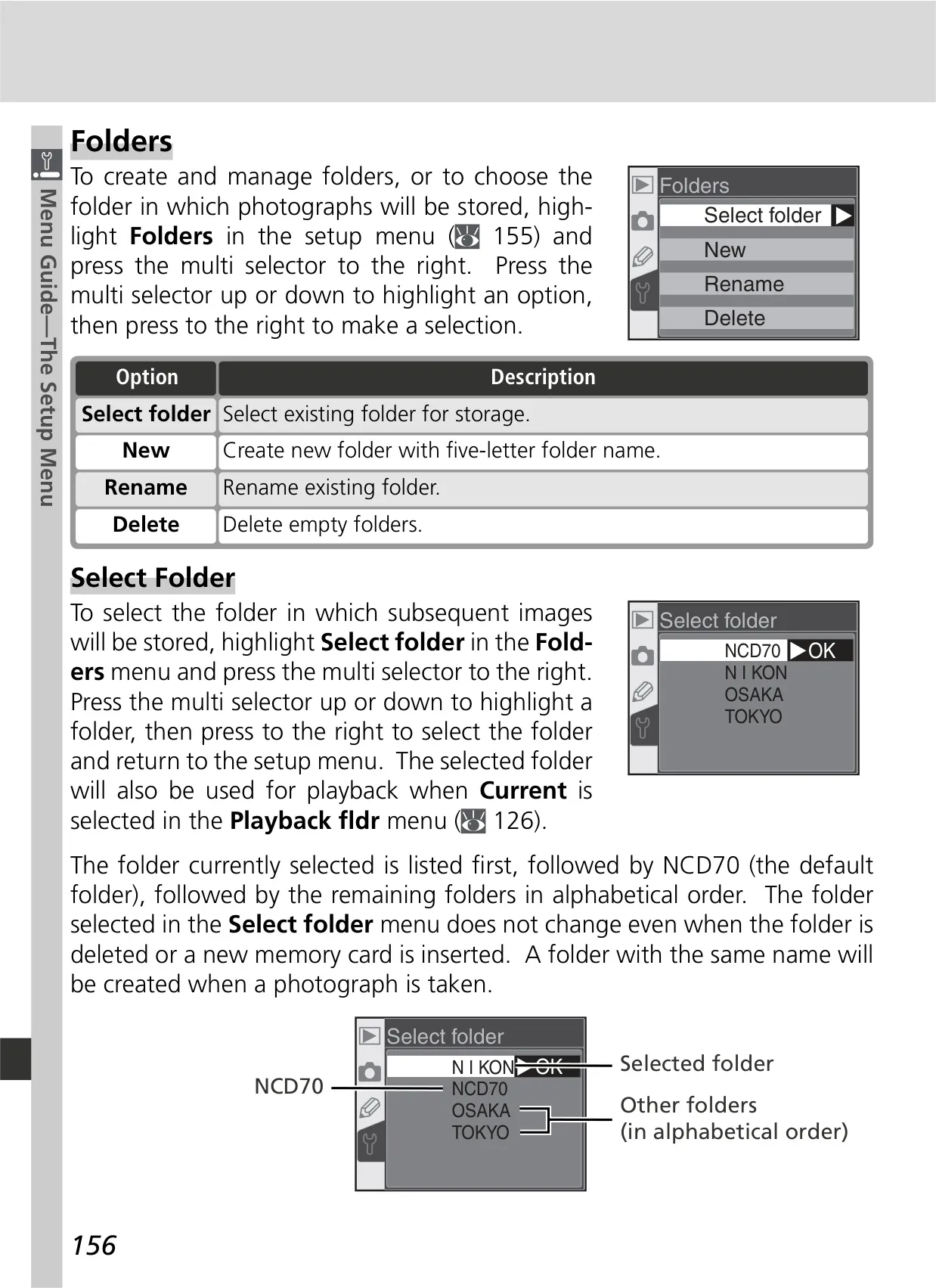
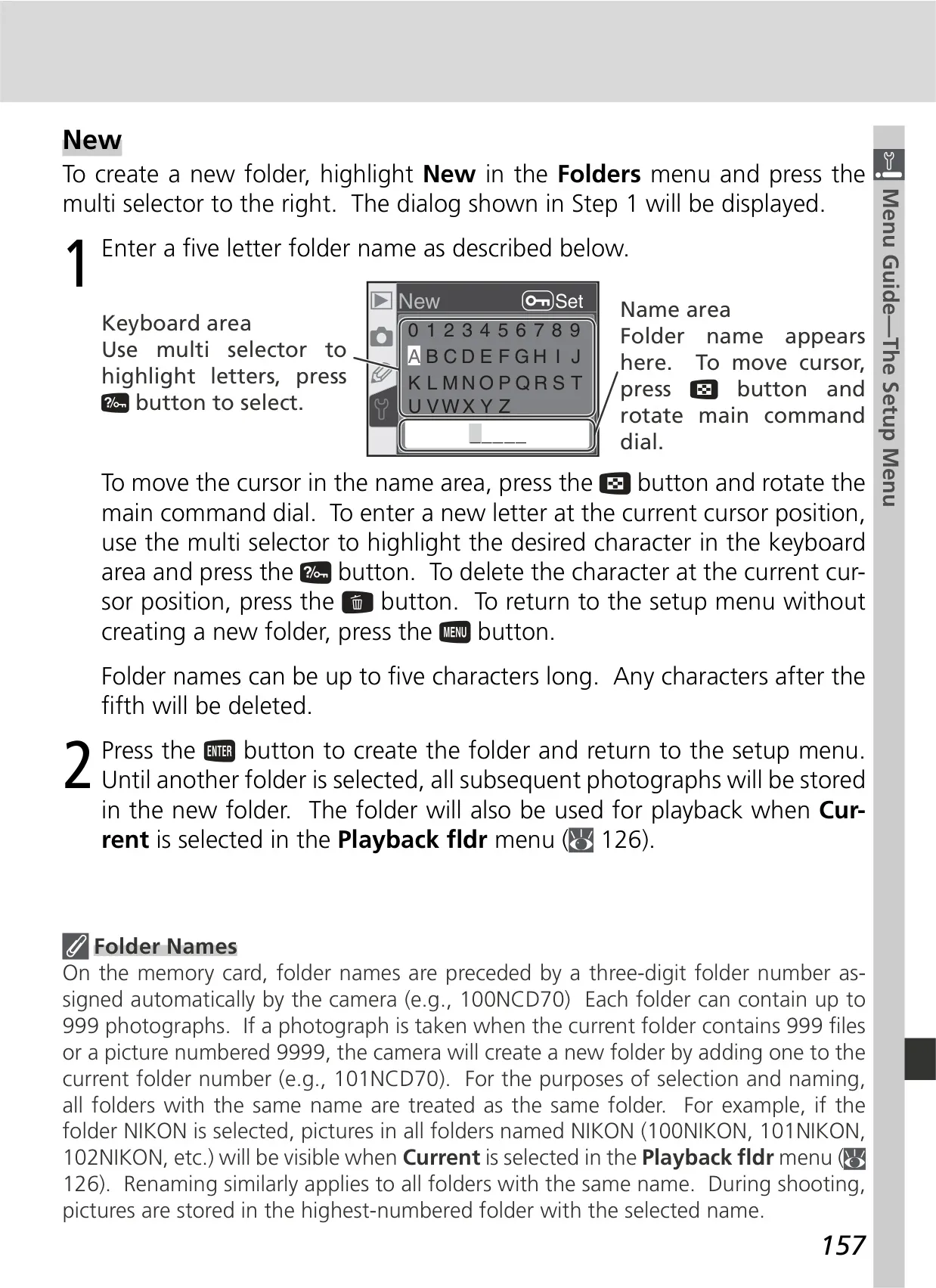
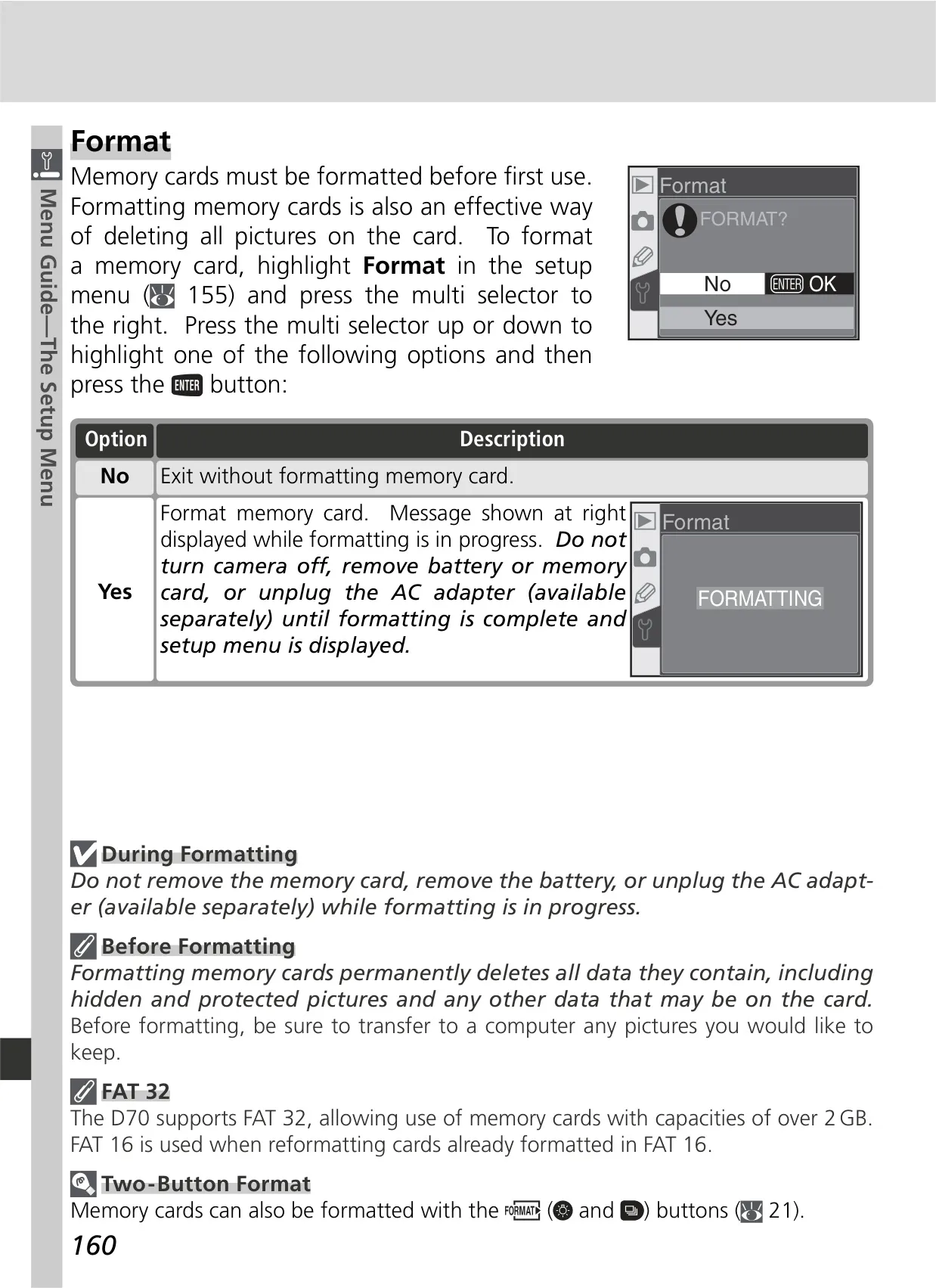
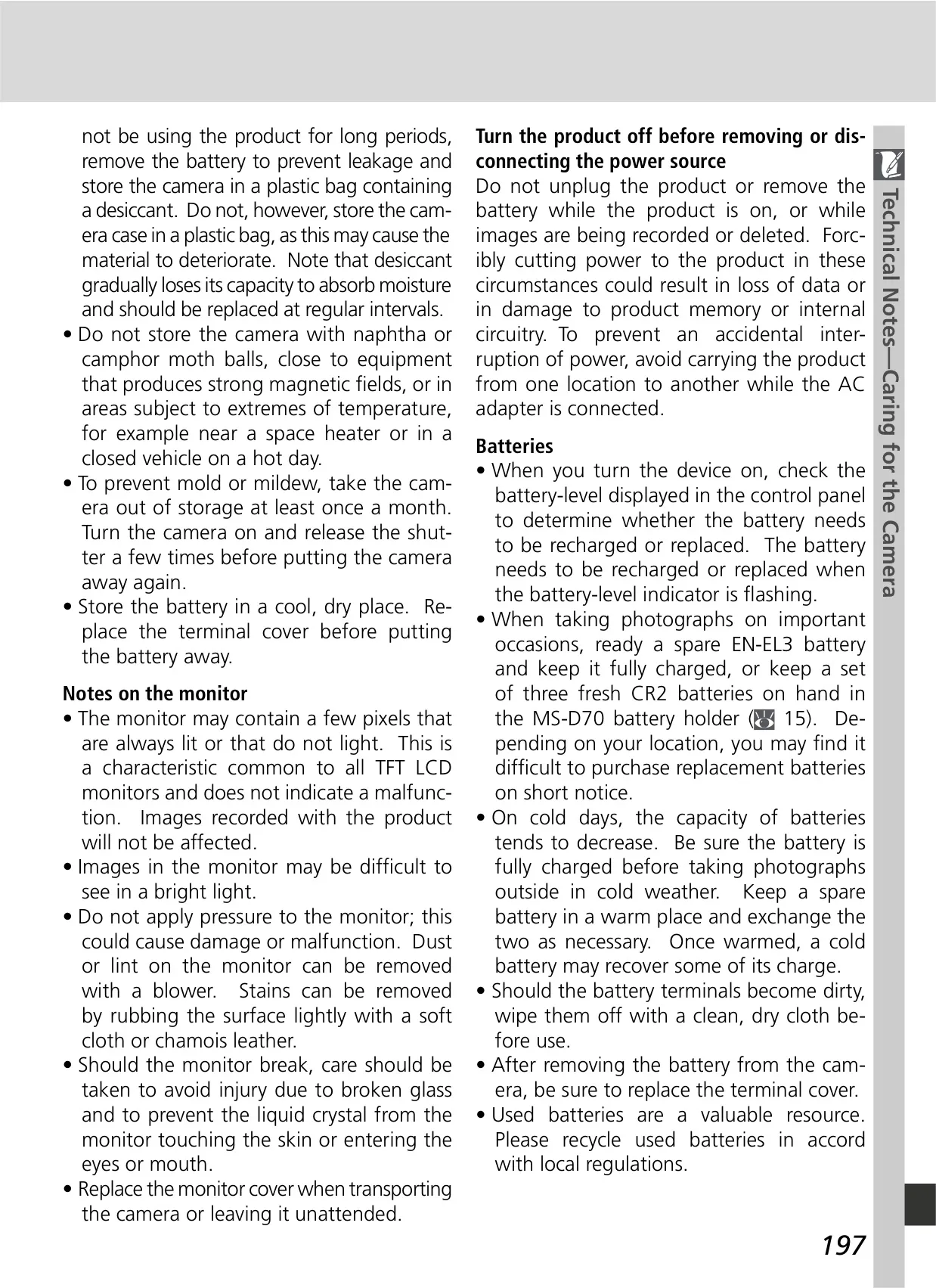
User safety is paramount, with warnings against looking at the sun through the viewfinder, immediate shutdown in case of malfunction, and proper handling of batteries and memory cards. The manual details the camera's physical controls, including the mode dial for selecting between seven Digital Vari-Programs (e.g., Portrait, Landscape, Sports) for automated scene-specific optimizations, and advanced P, S, A, M exposure modes for full creative control over settings like shutter speed and aperture.
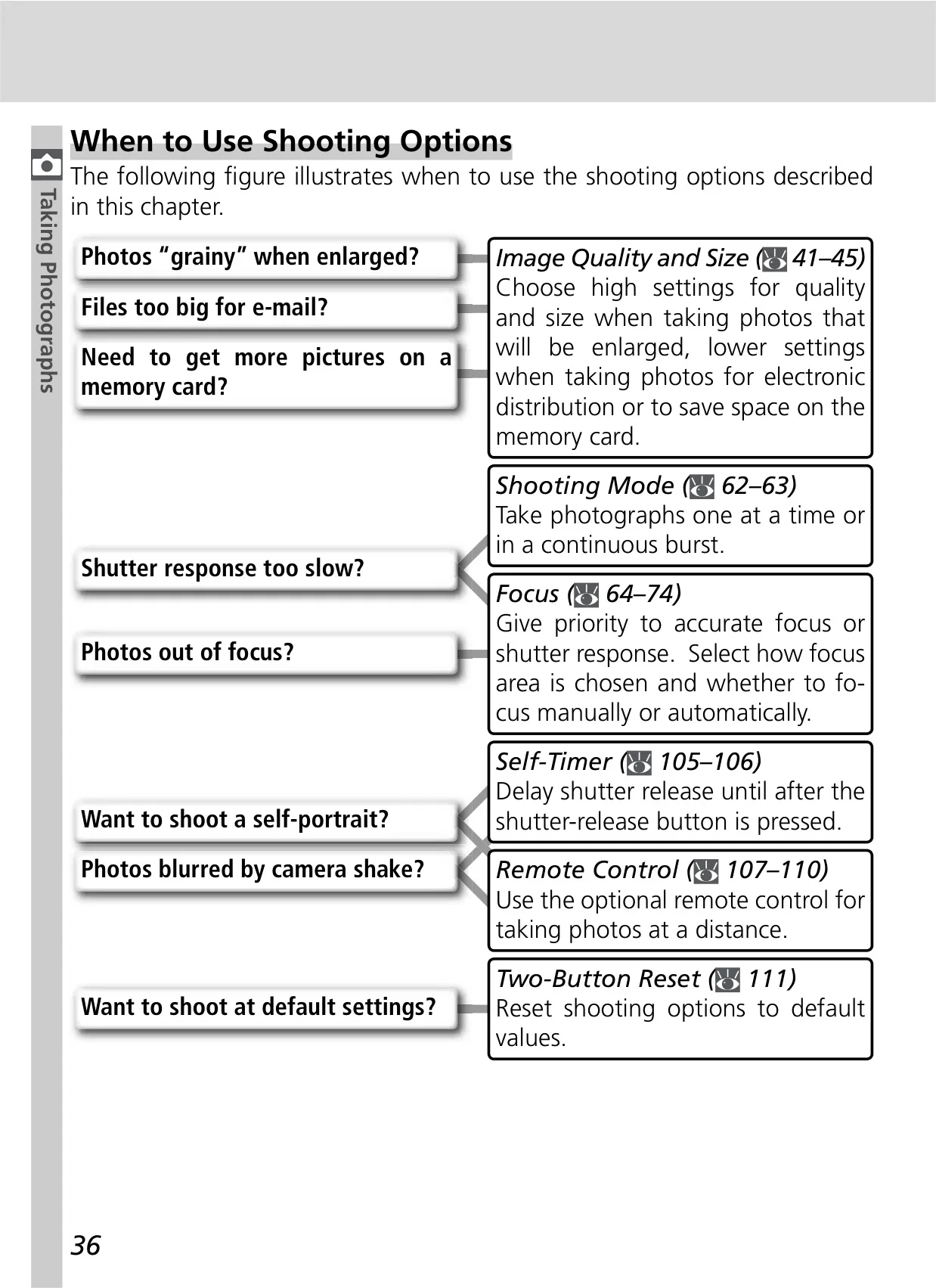
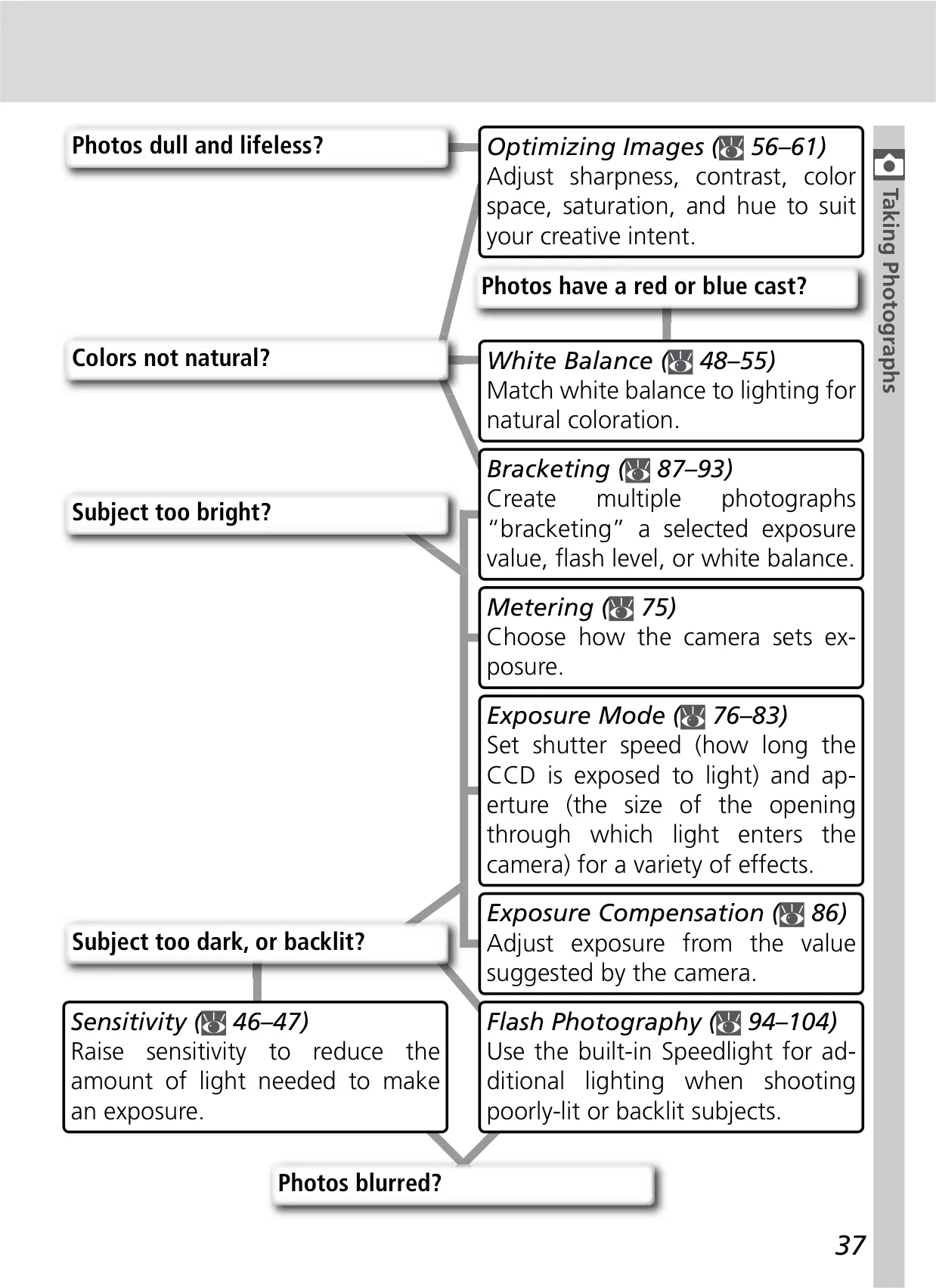
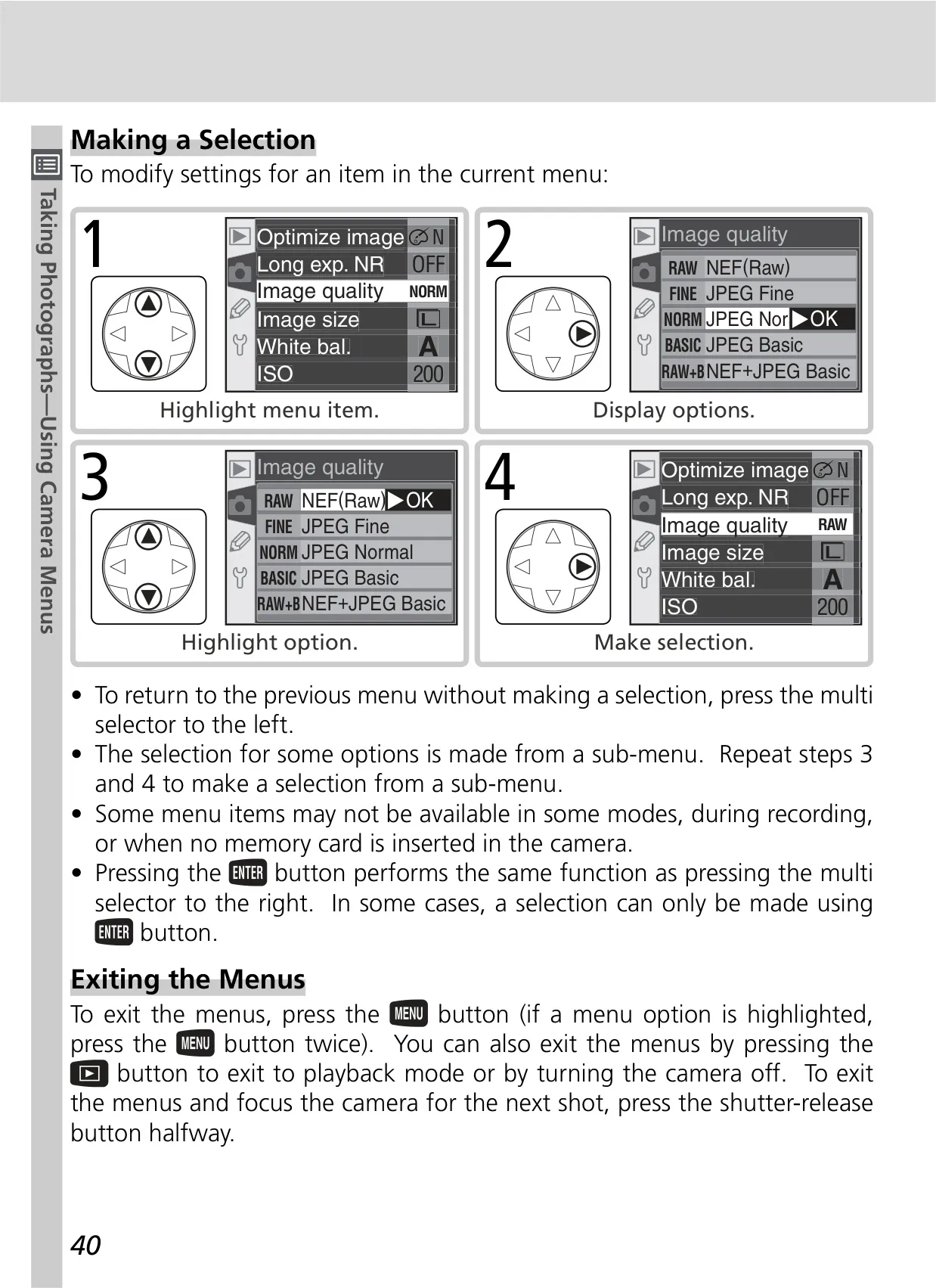
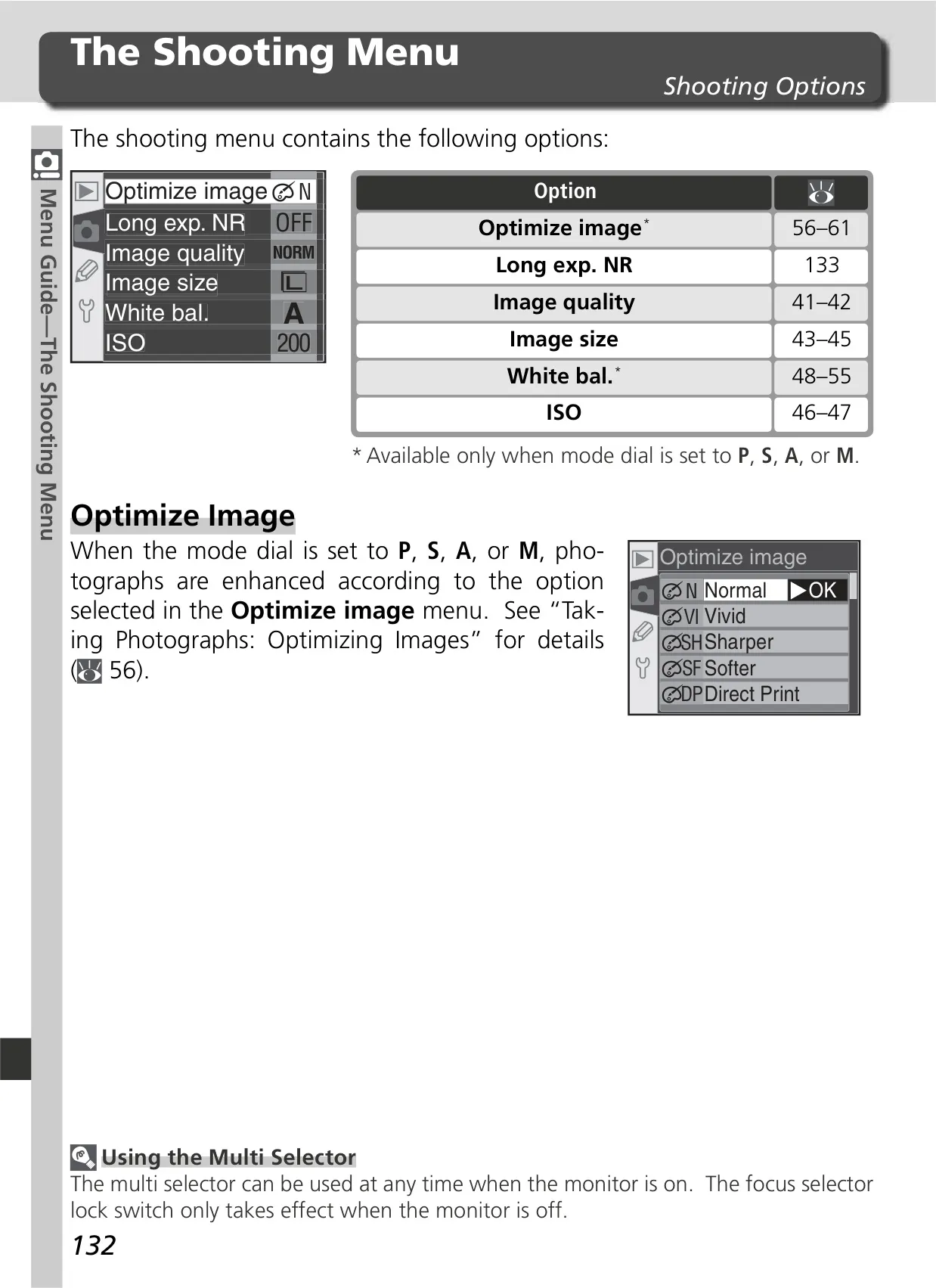
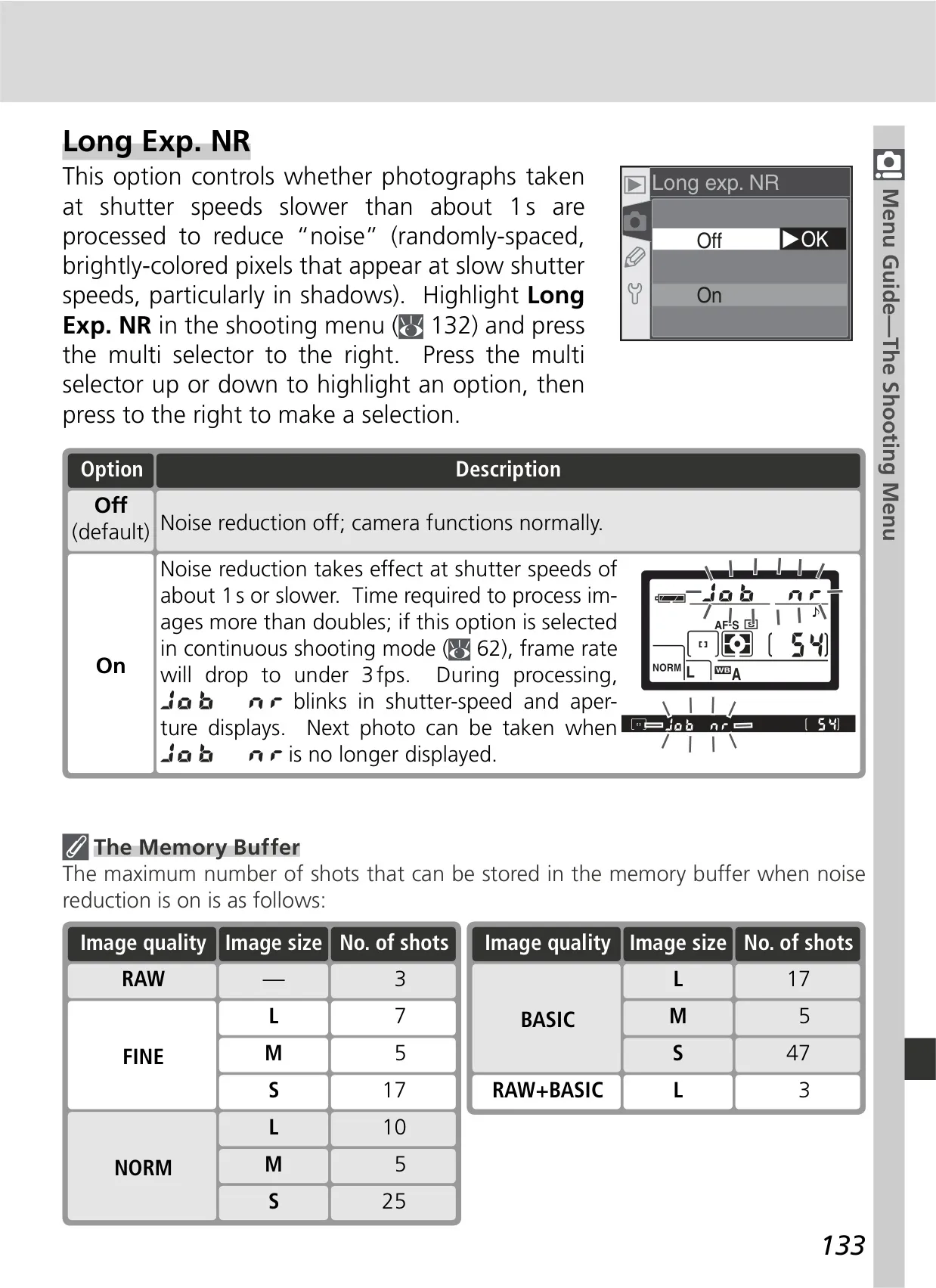
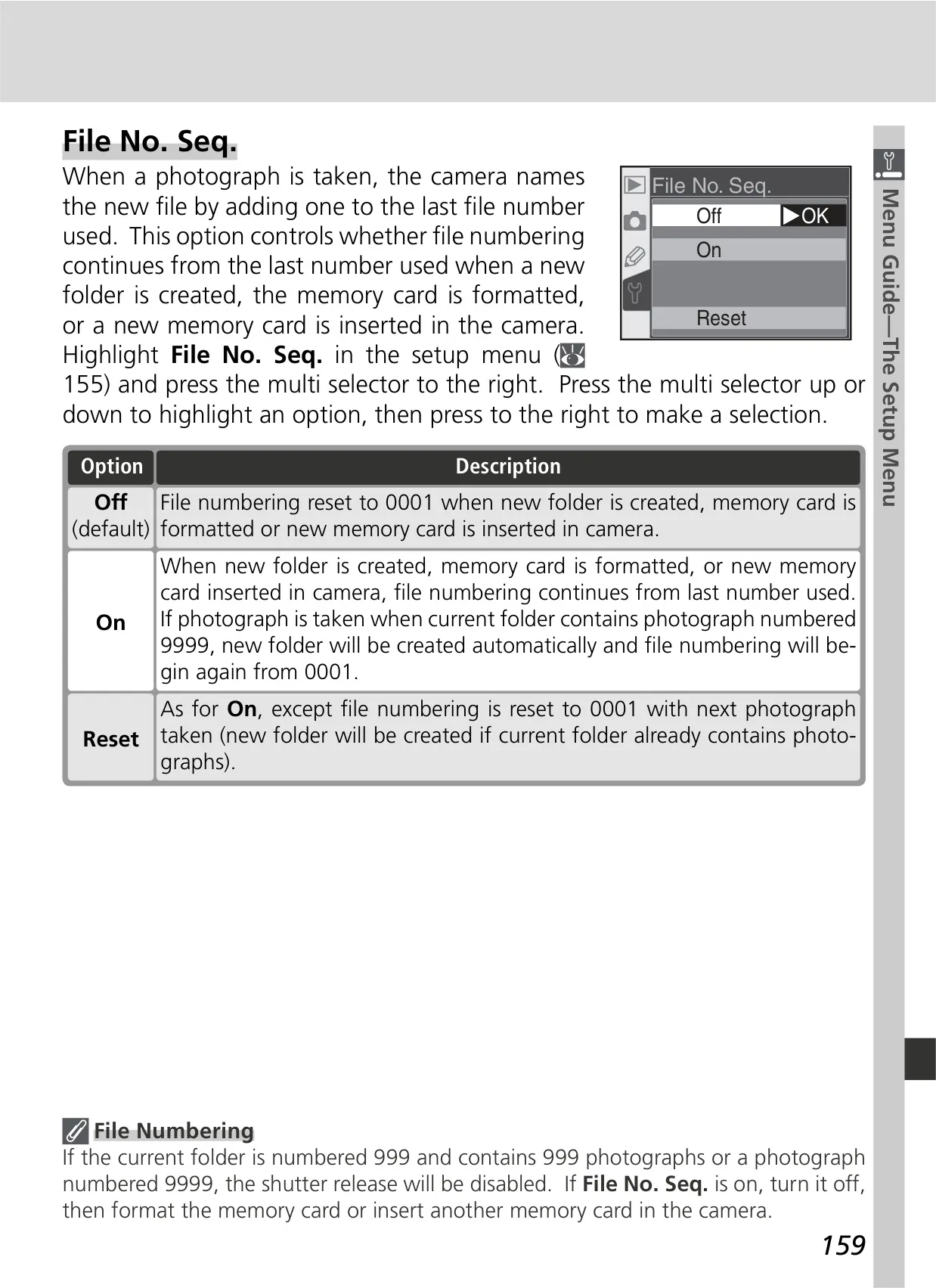
For image control, the D70 offers flexible options for Image Quality (NEF Raw, JPEG Fine/Normal/Basic, or a combination) and Image Size, directly impacting file size and print quality. Users can adjust Sensitivity (ISO Equivalency) from 200 to 1600, with an ISO Auto function to assist in achieving optimal exposure. The comprehensive White Balance settings include auto, six manual modes with fine-tuning, and a preset option, ensuring accurate color reproduction under varied lighting conditions.
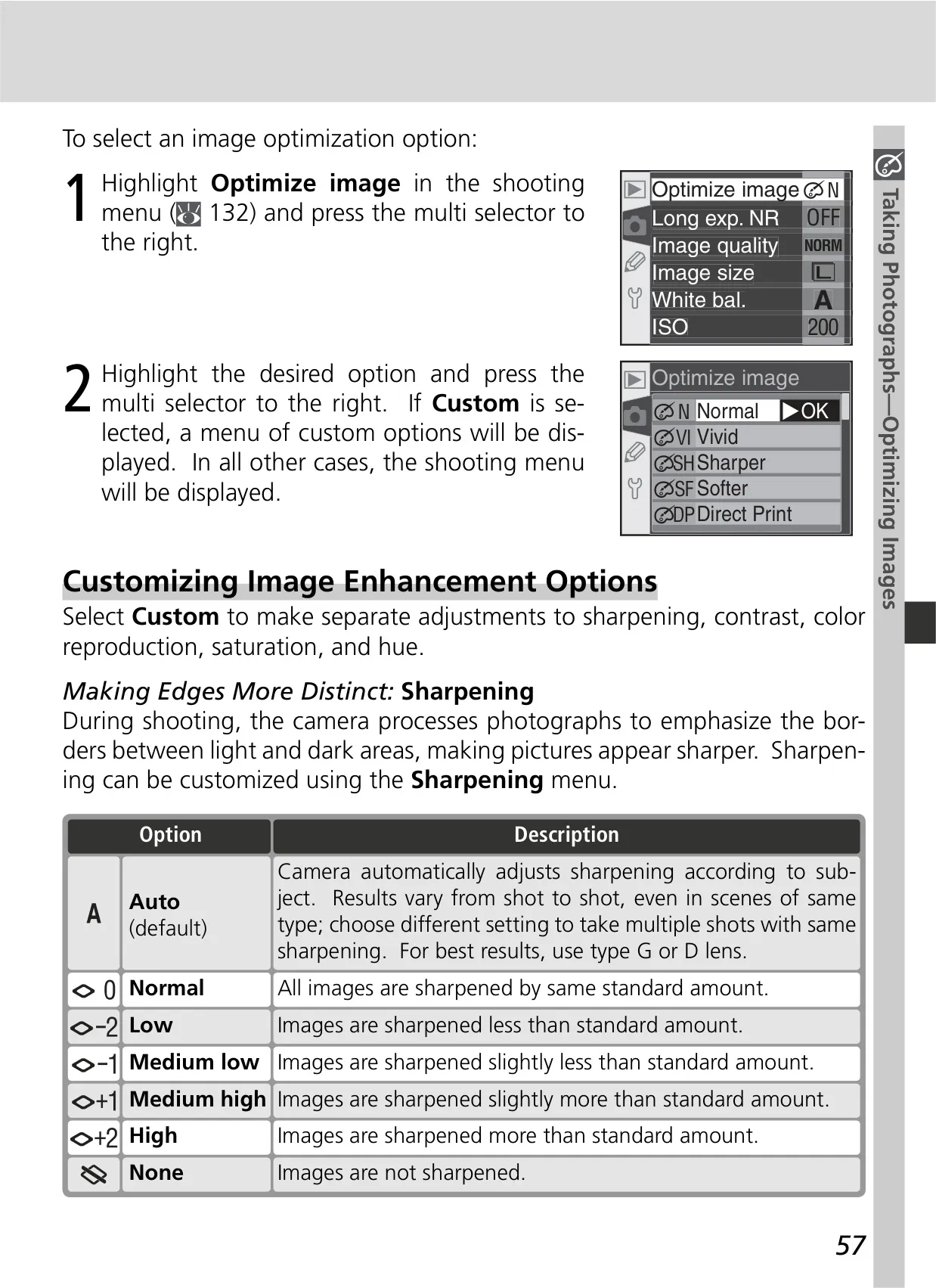
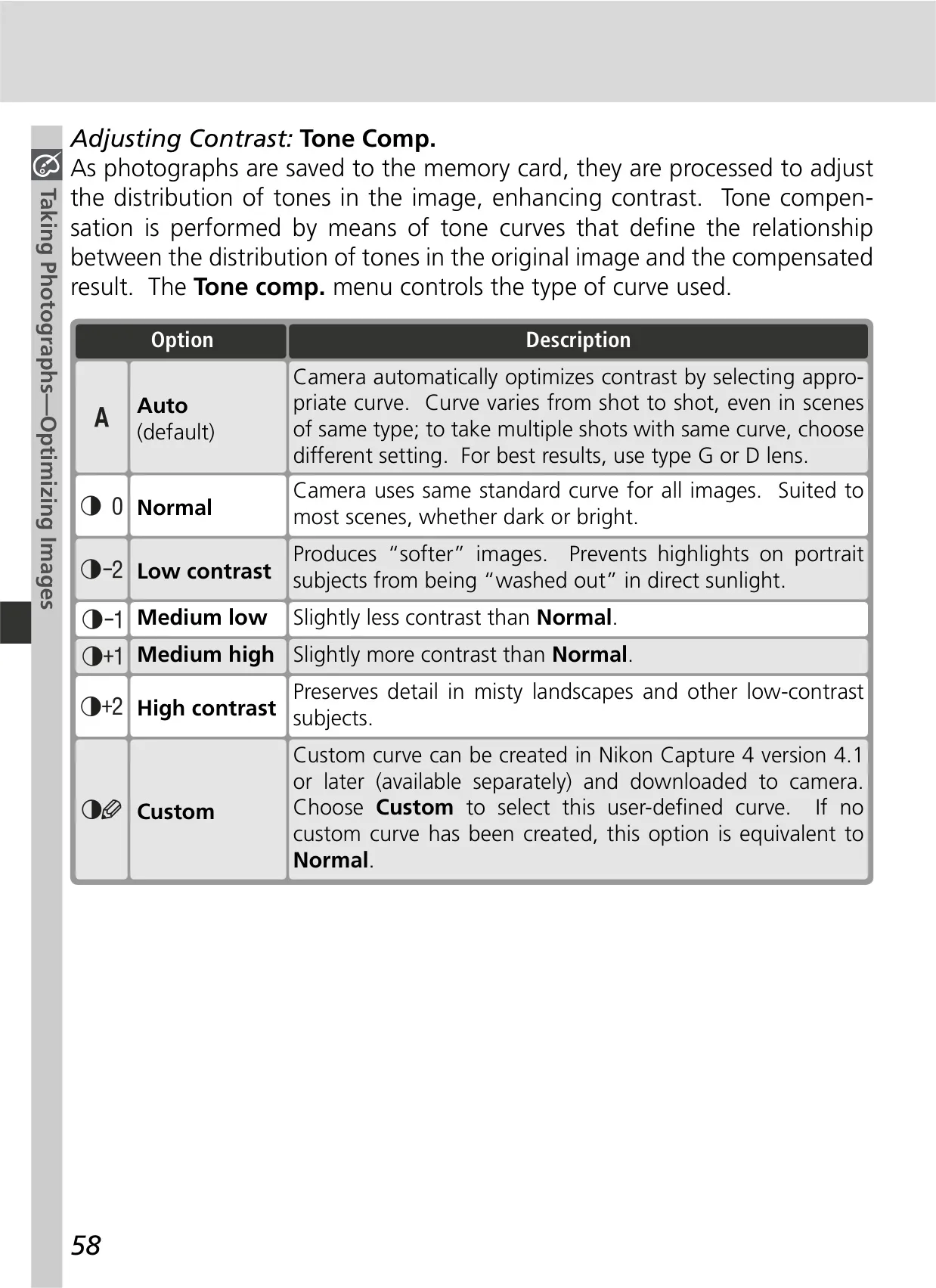
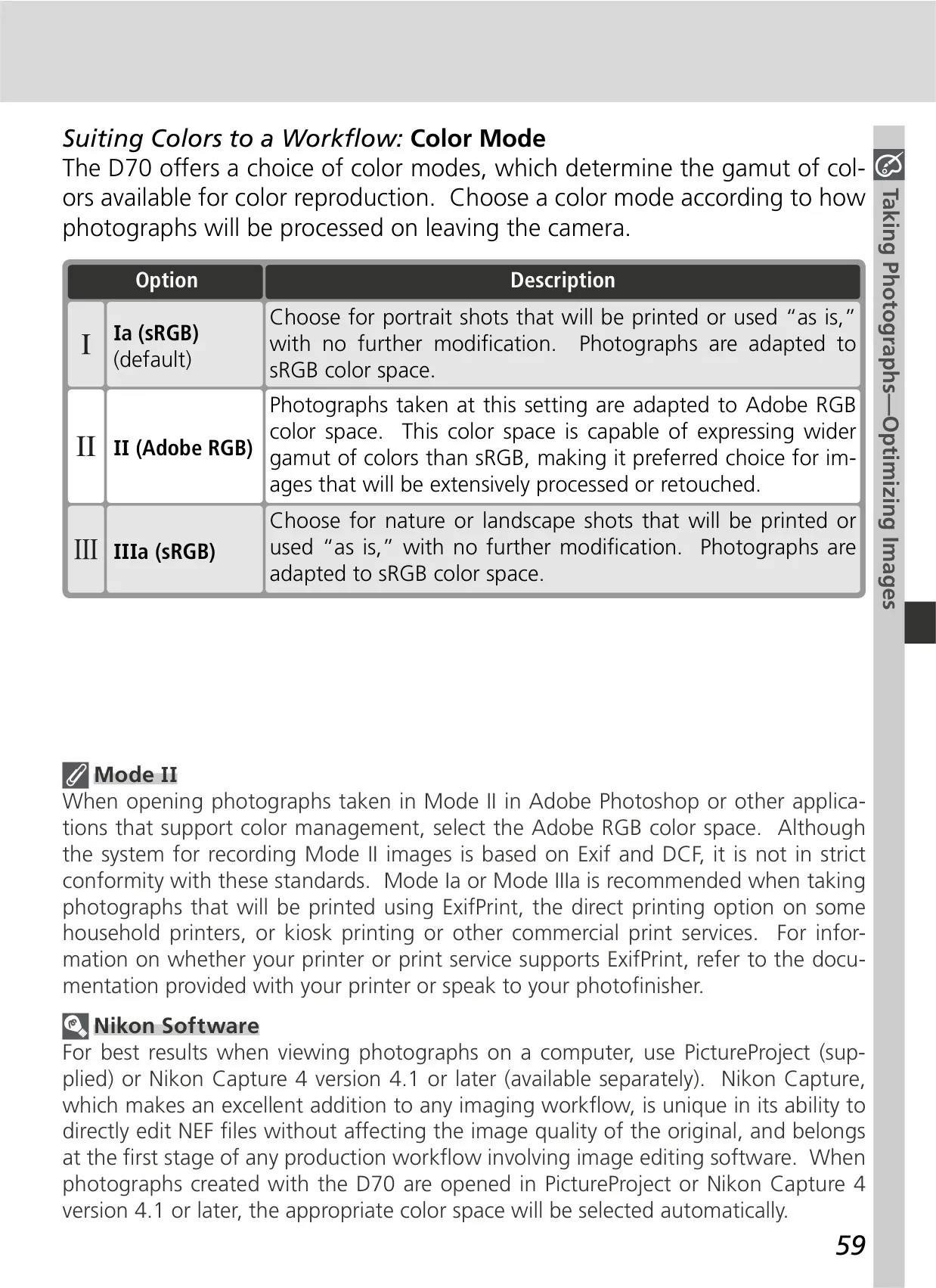
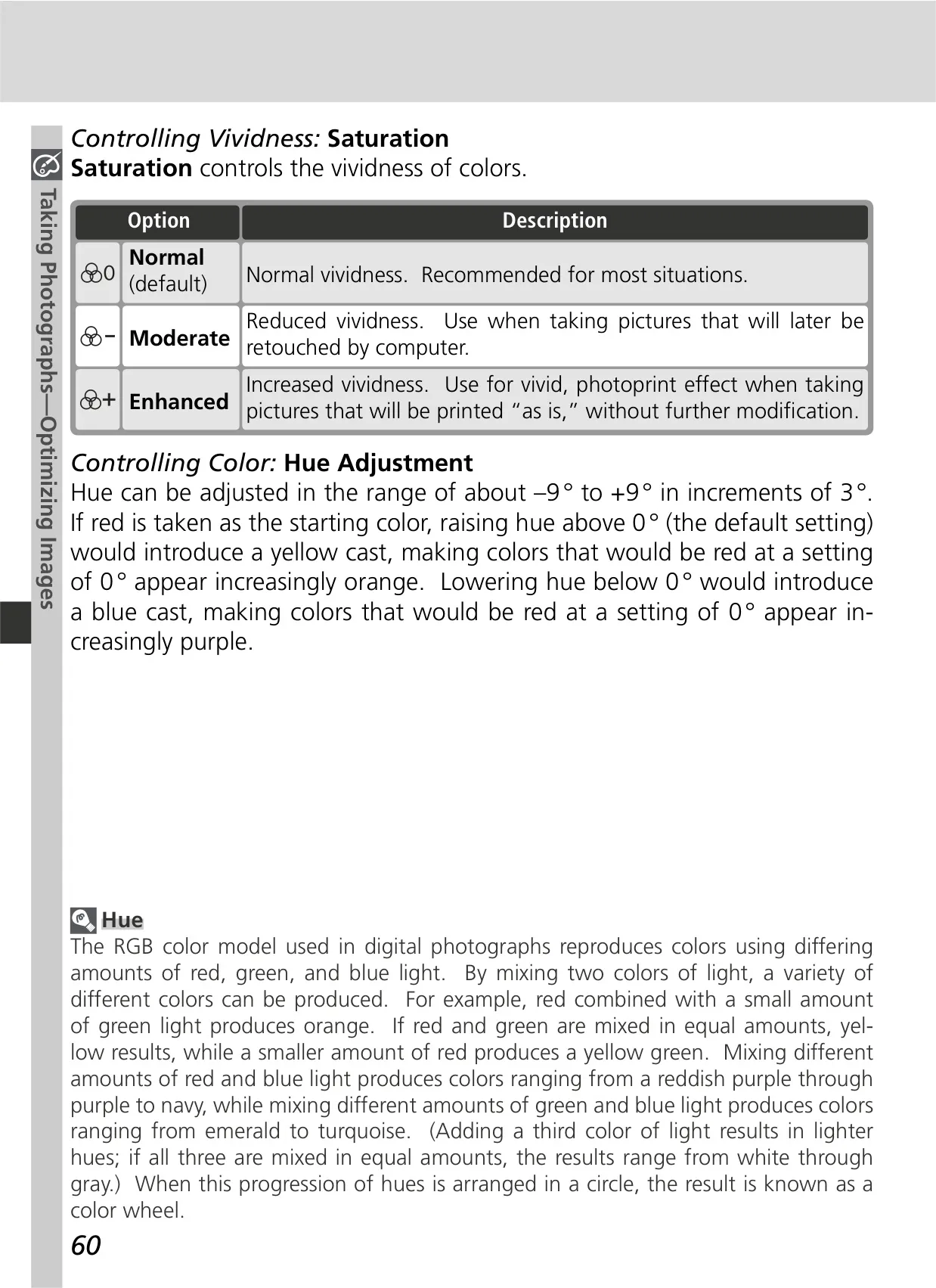
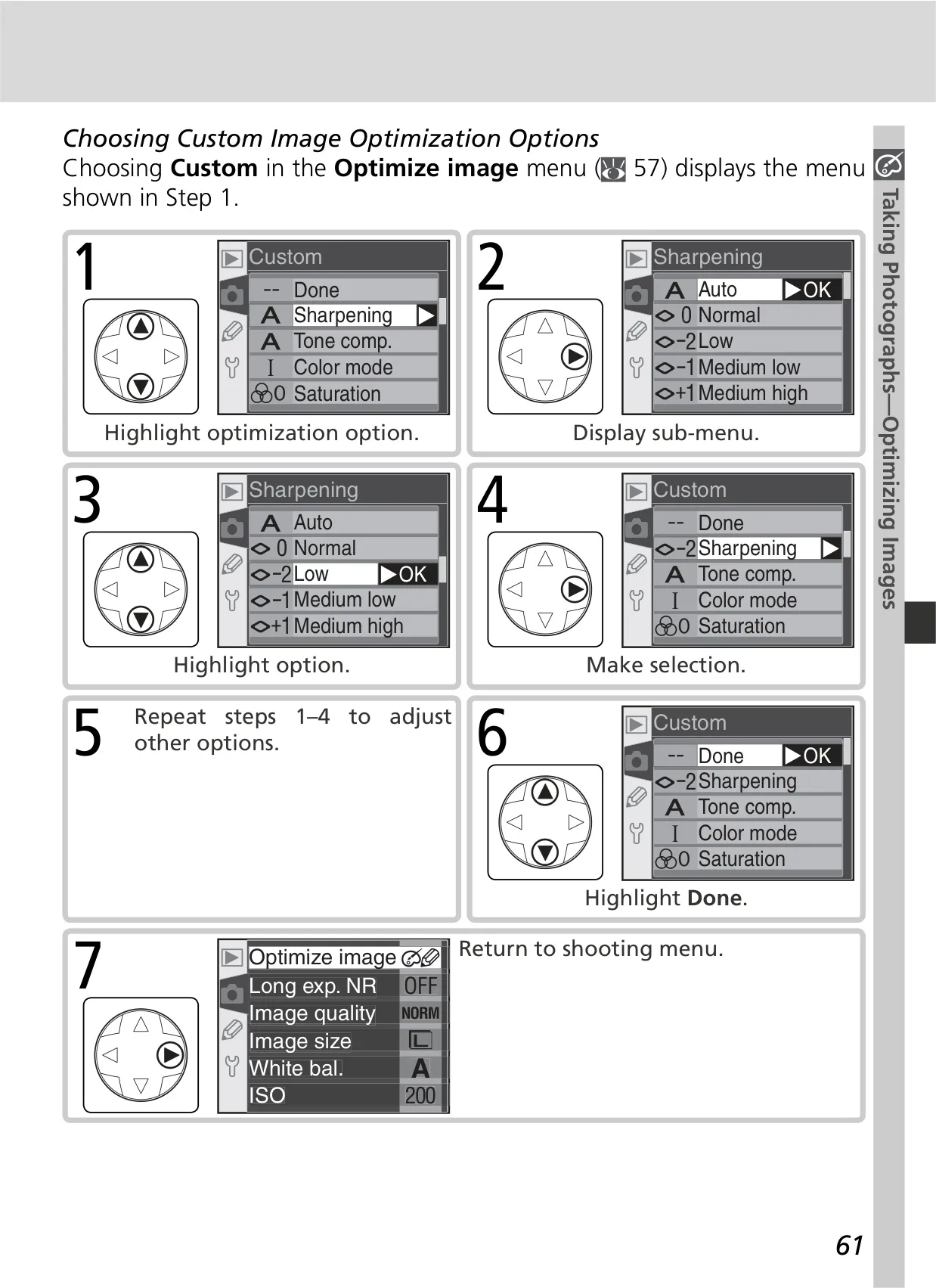
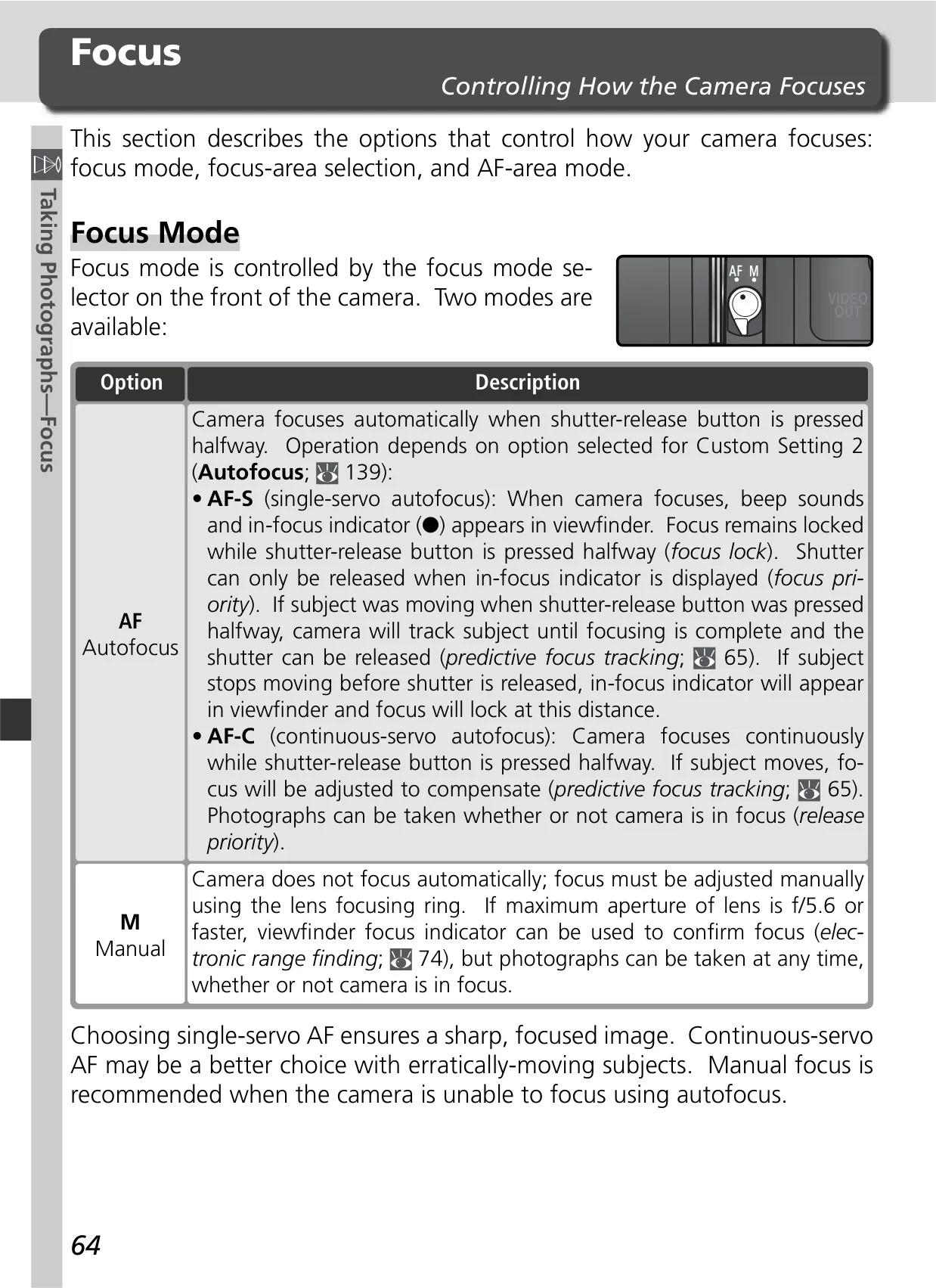
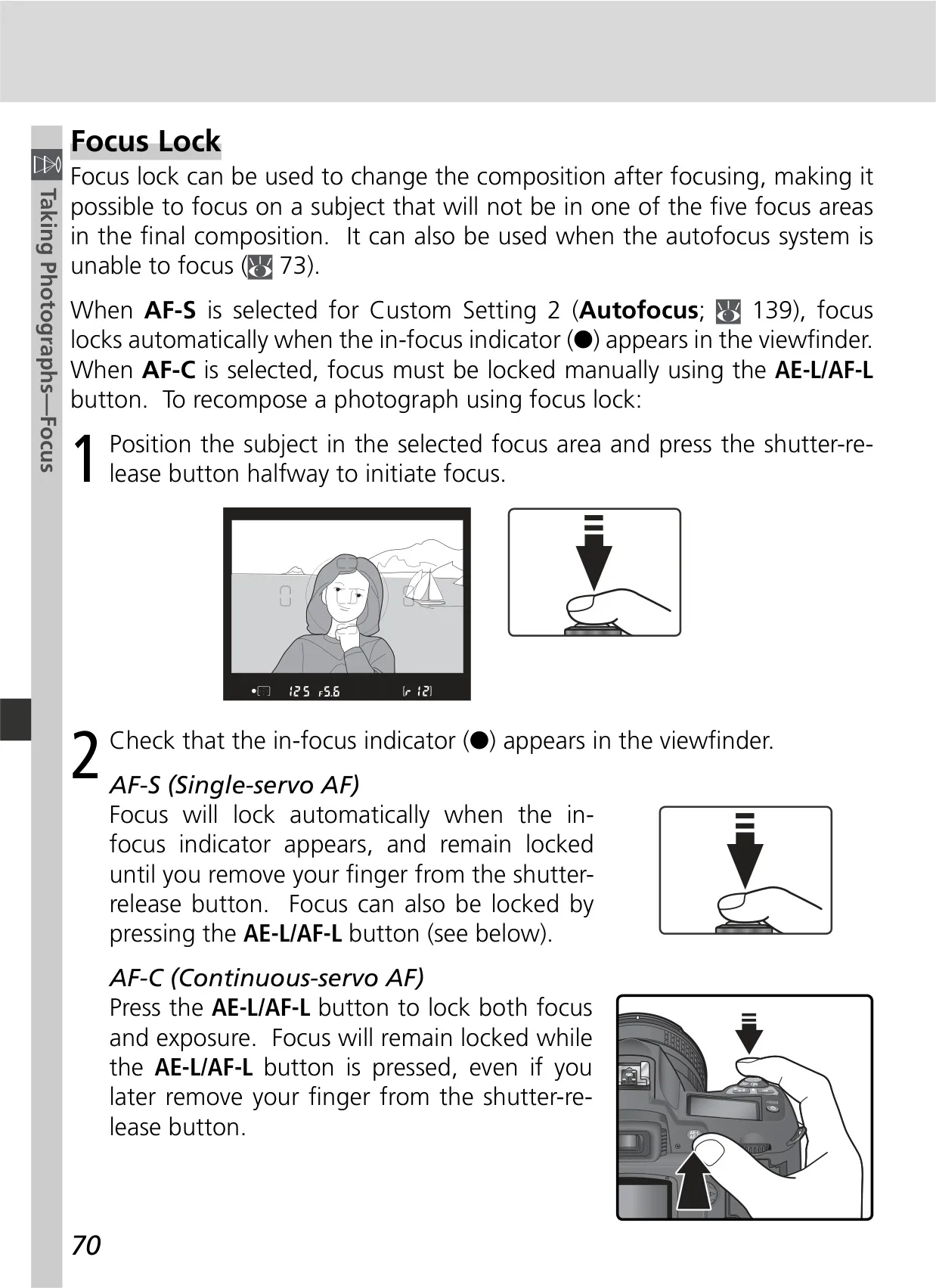
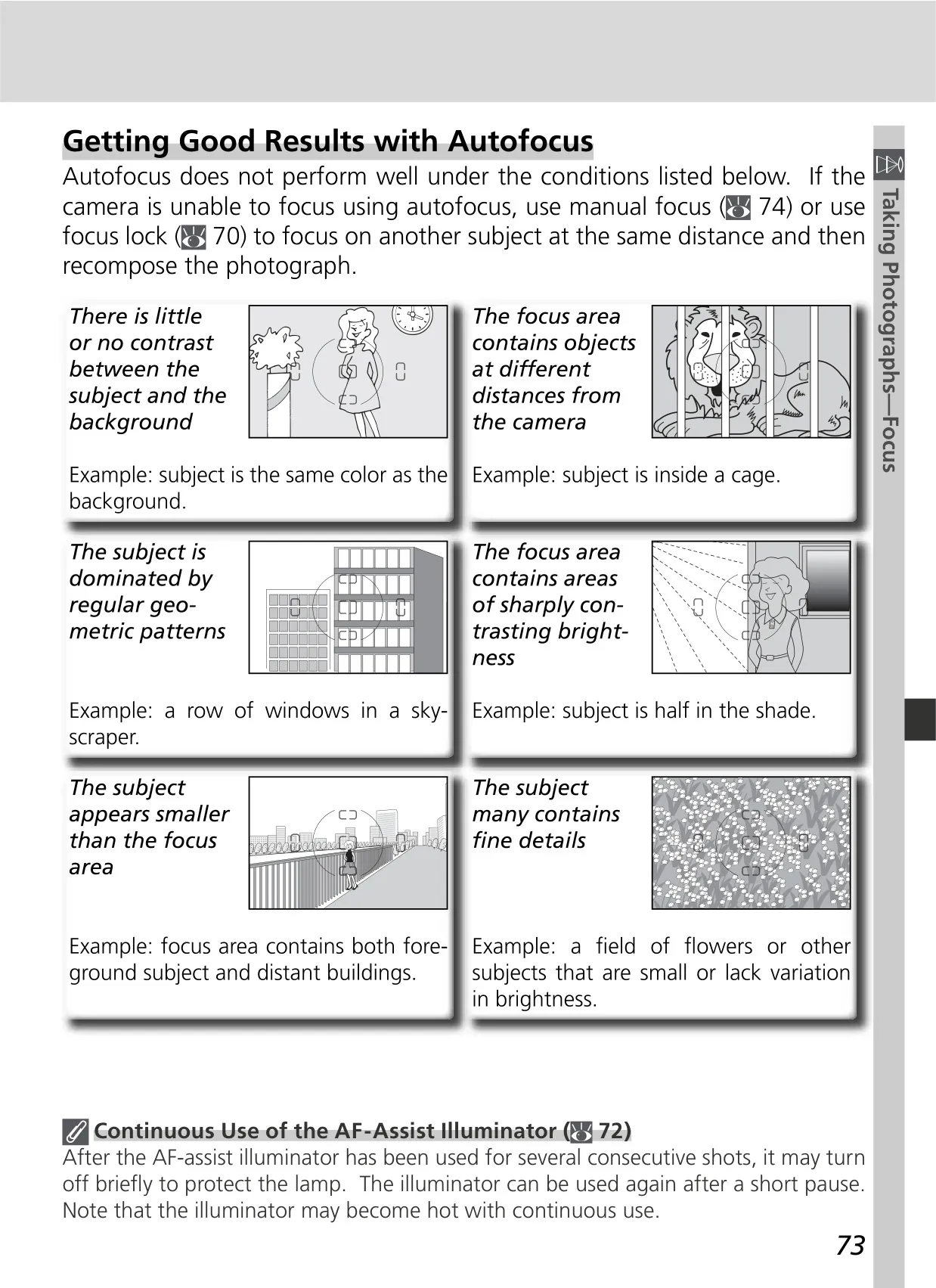
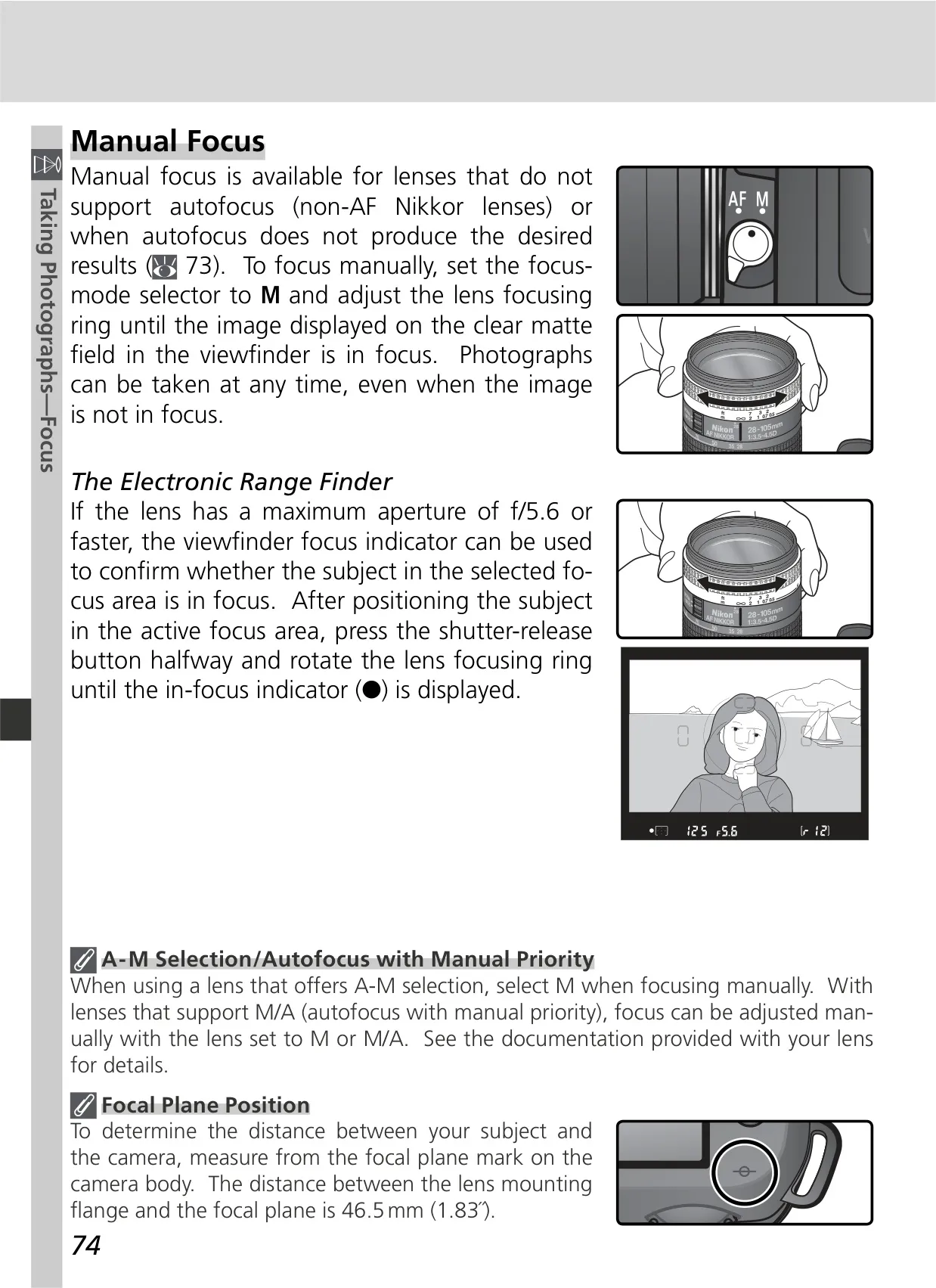
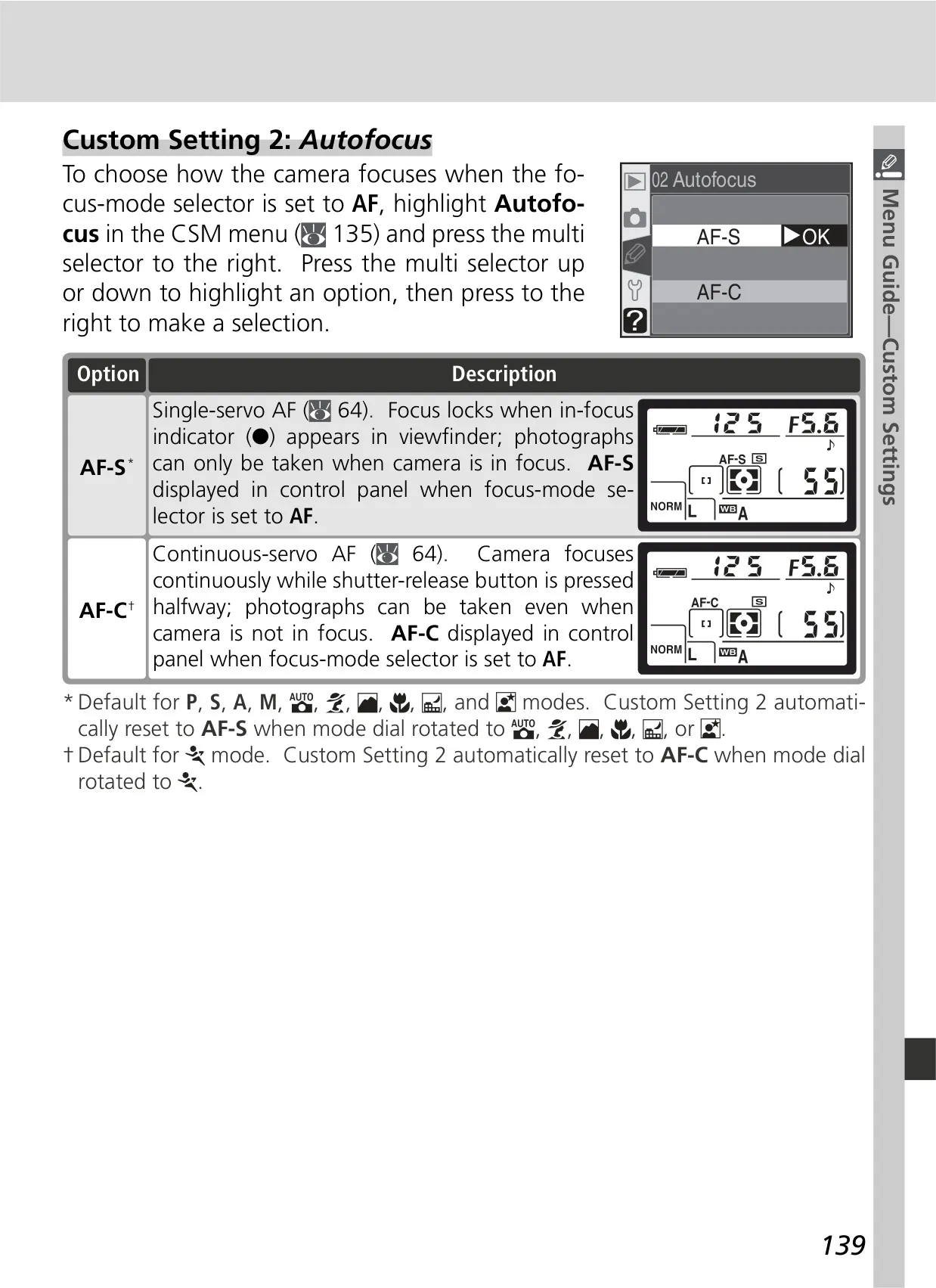
Creative image enhancement is available through various Optimize Image settings like Normal, Vivid, Sharper, and custom adjustments for sharpening, contrast (Tone Comp.), Color Mode (sRGB or Adobe RGB), saturation, and hue. The camera's autofocus system, with its Multi-CAM900 module, supports single-servo (AF-S) and continuous-servo (AF-C) modes, along with different AF-area modes such as dynamic-area AF for tracking moving subjects and closest subject priority.
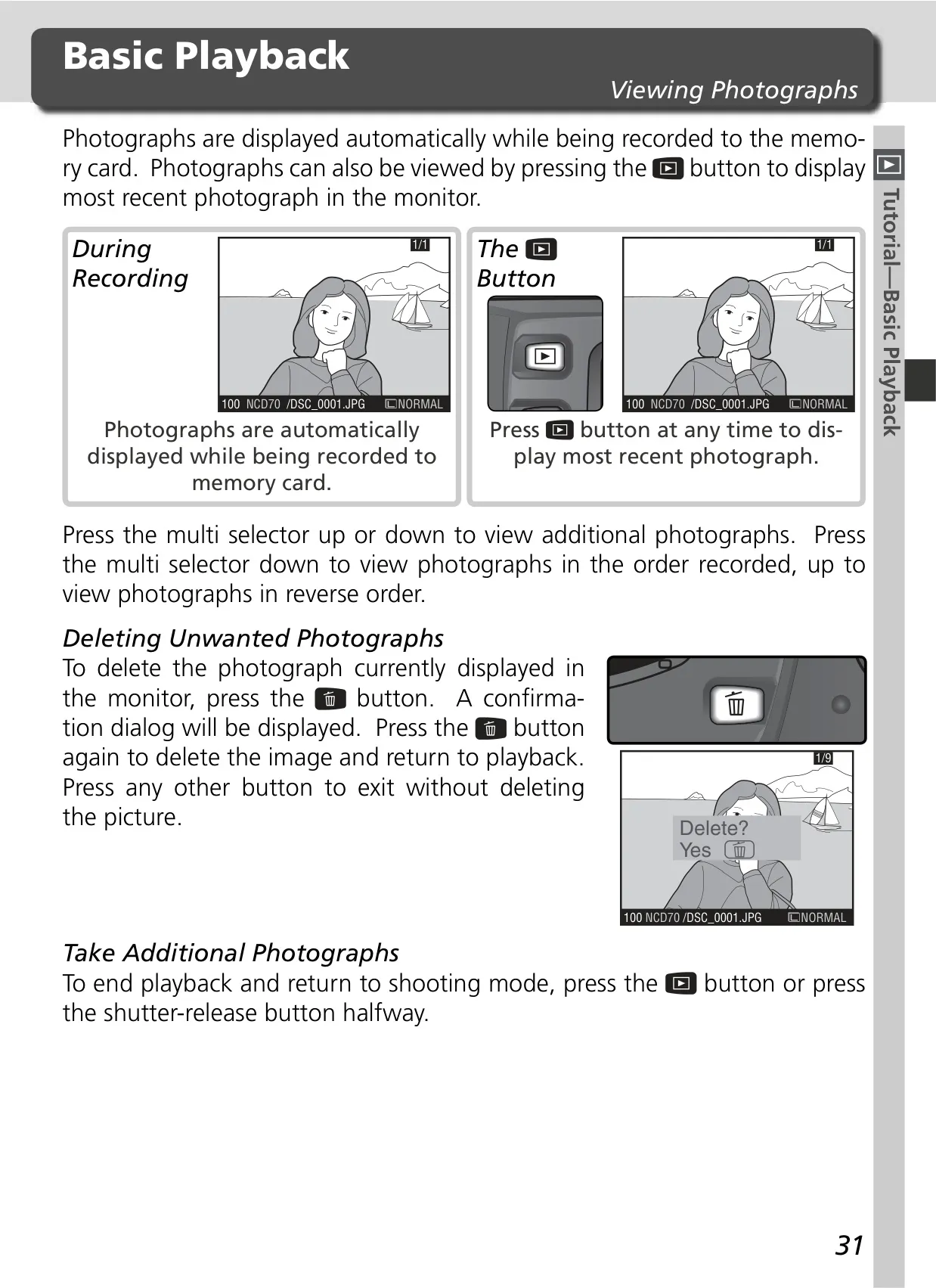
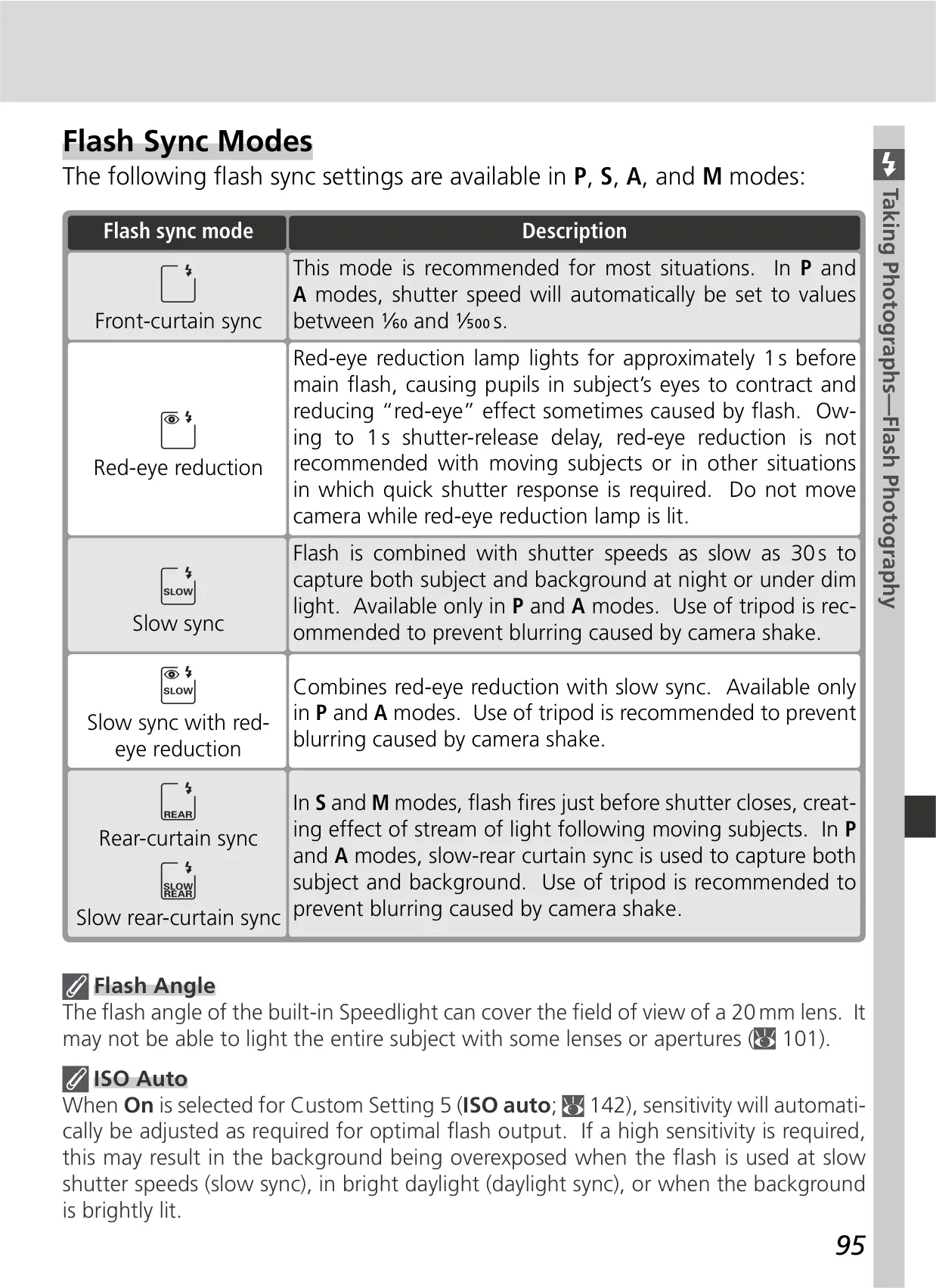
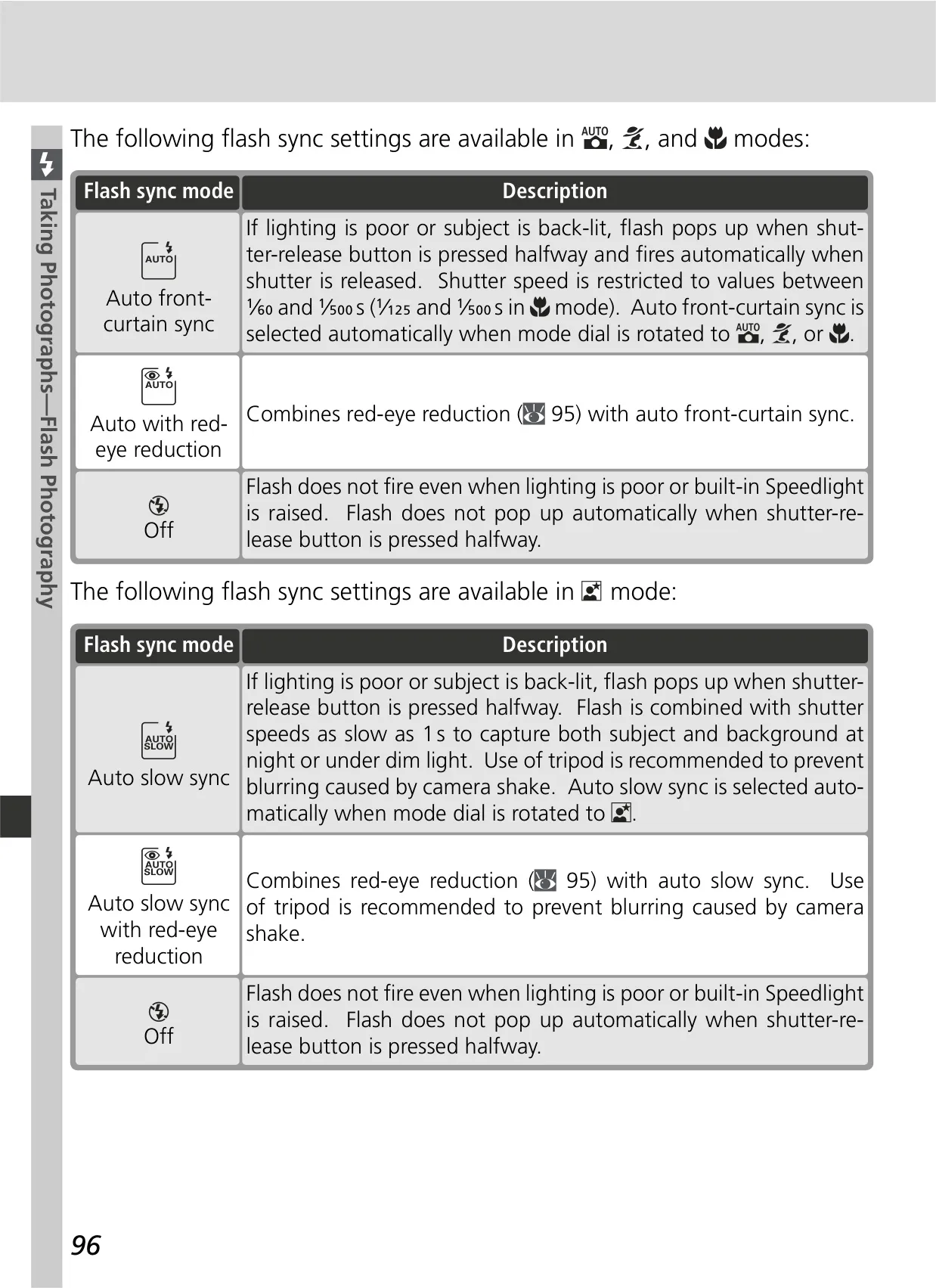
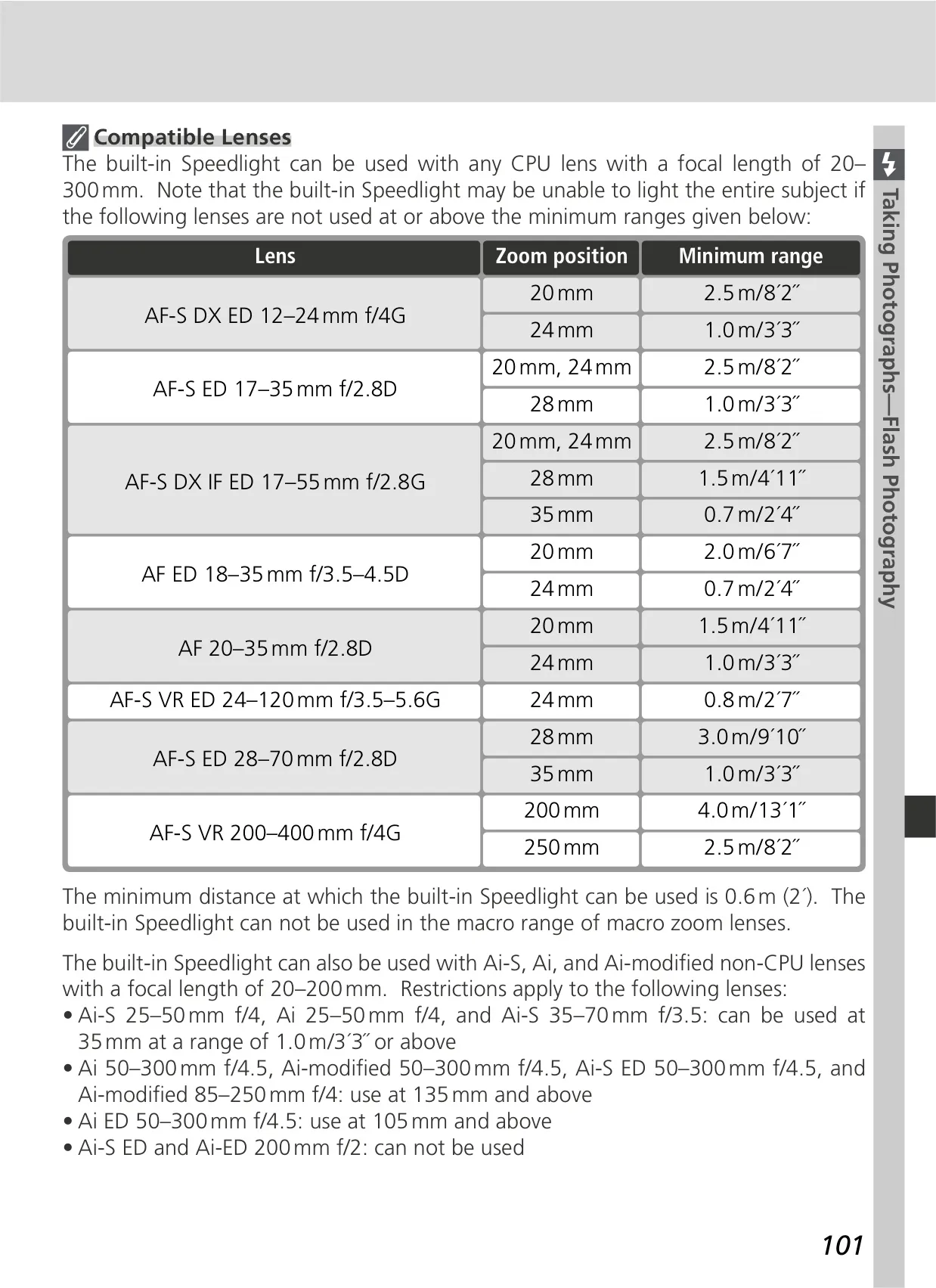
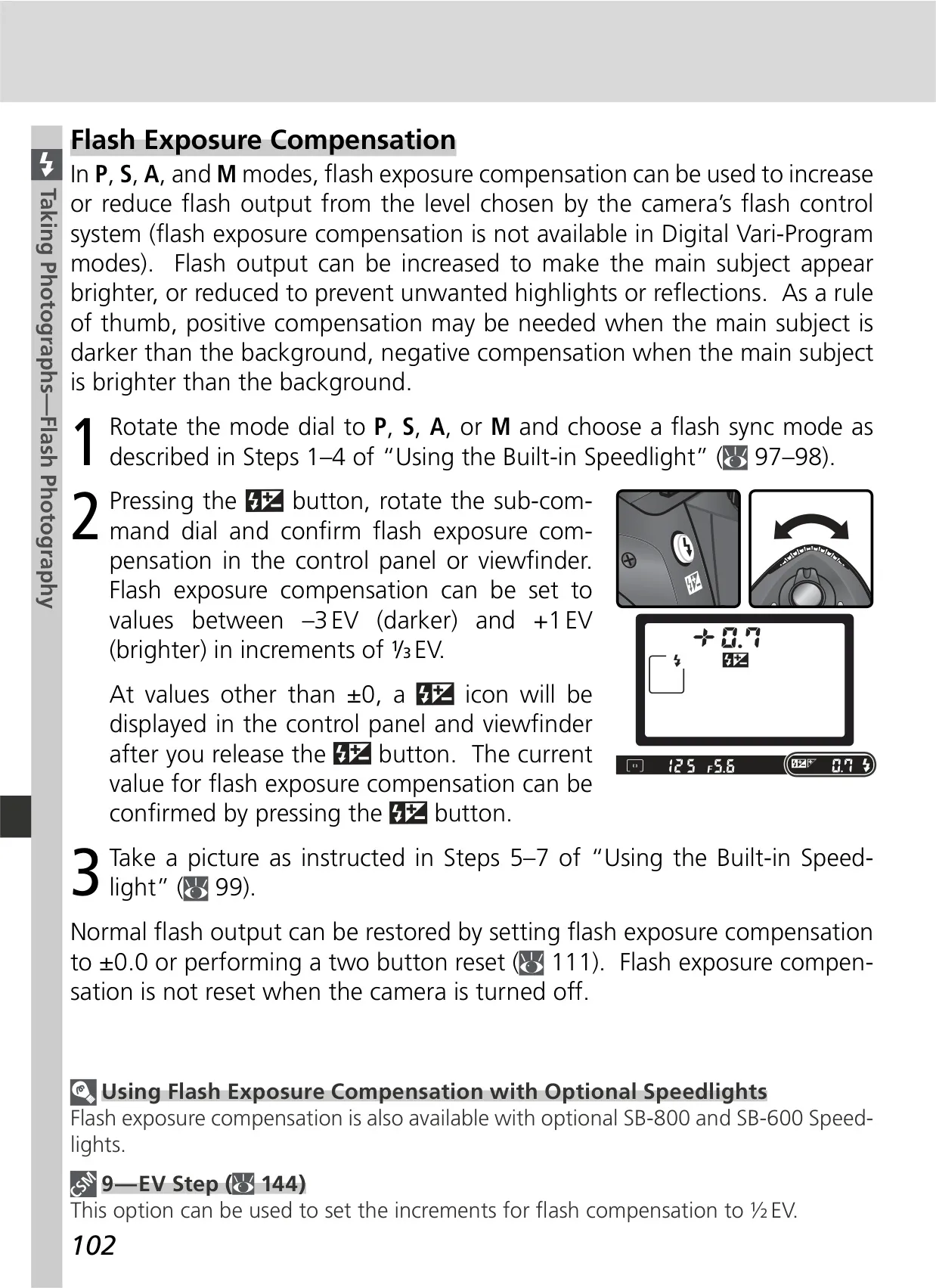
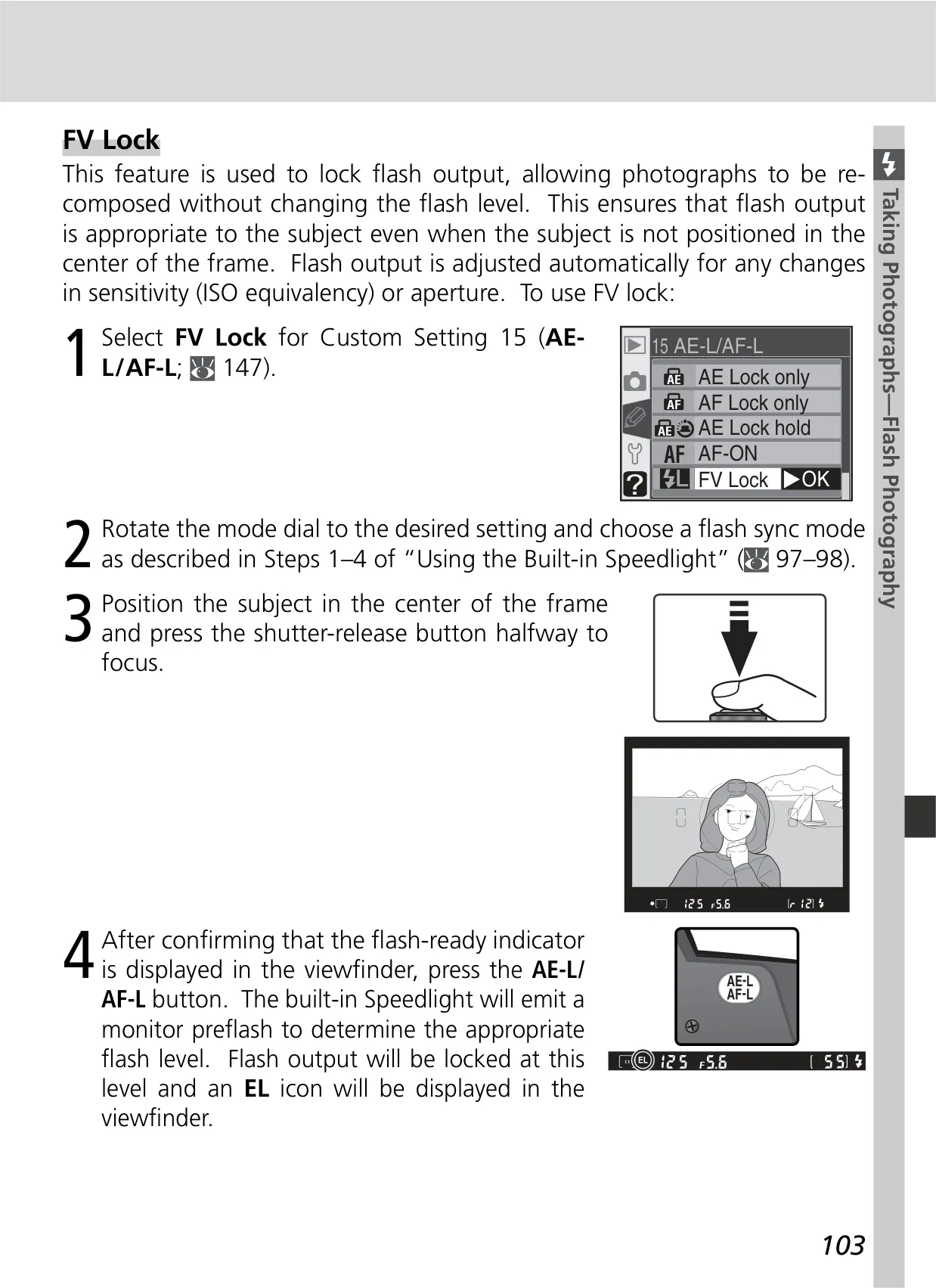
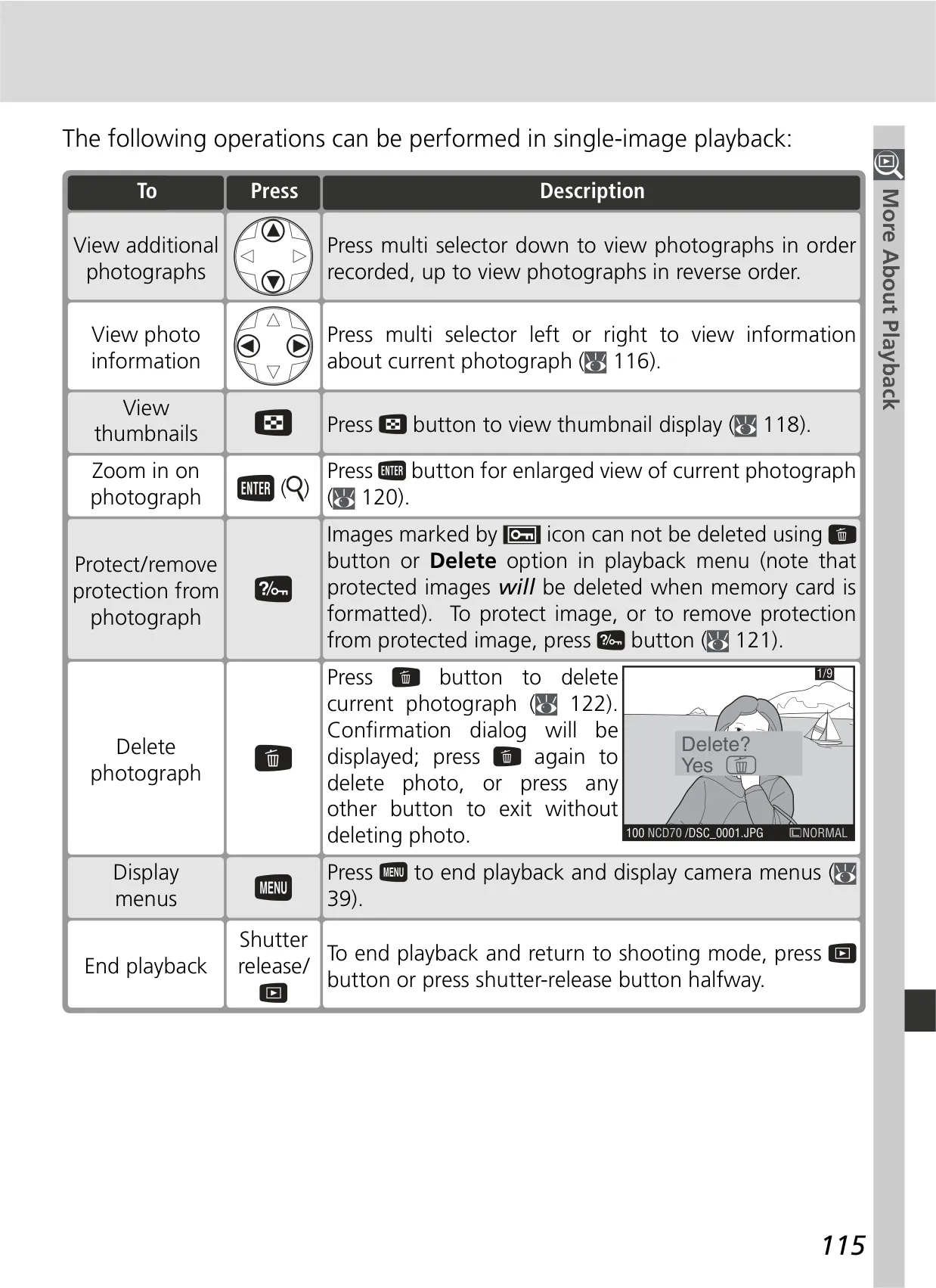
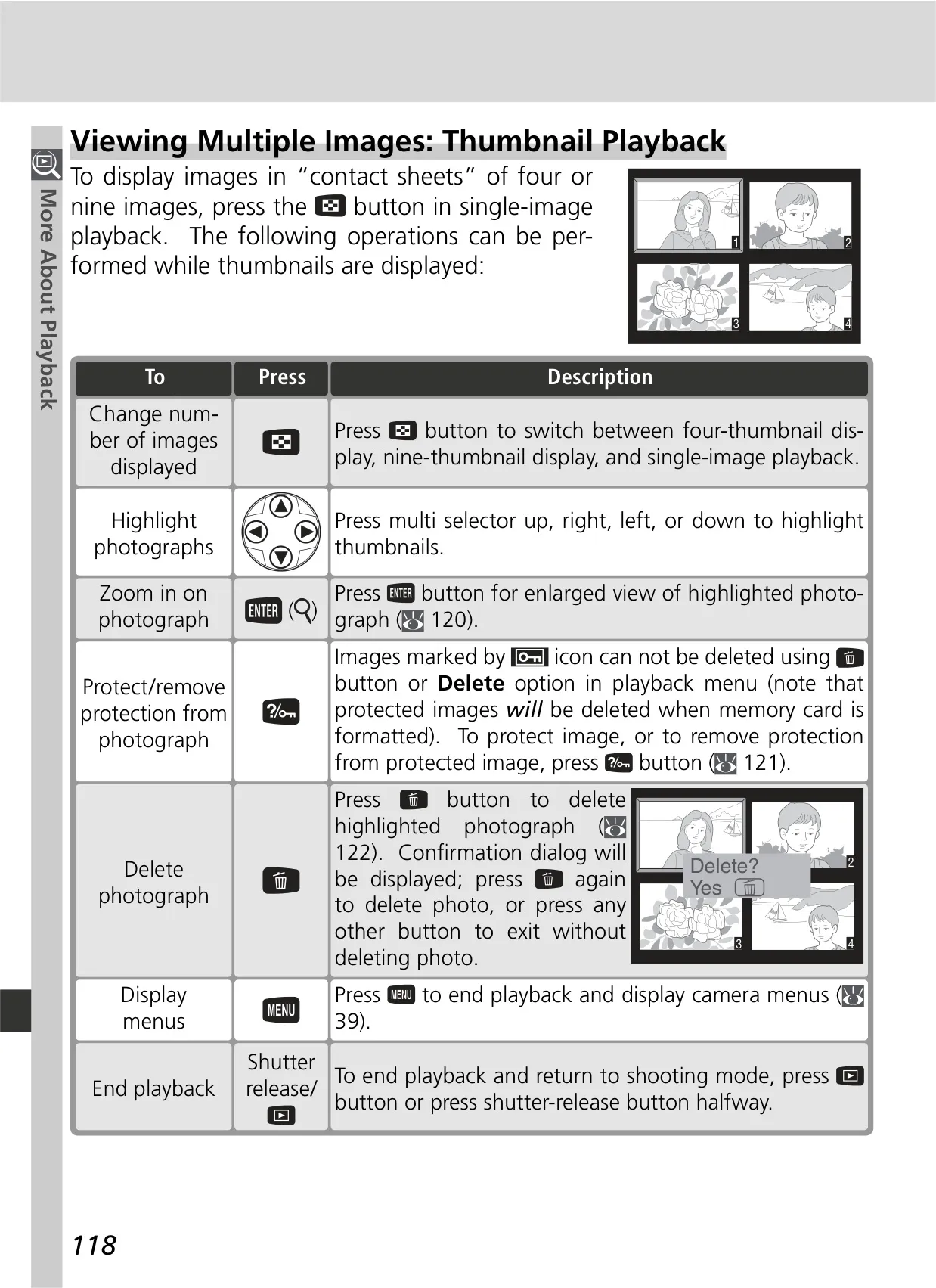
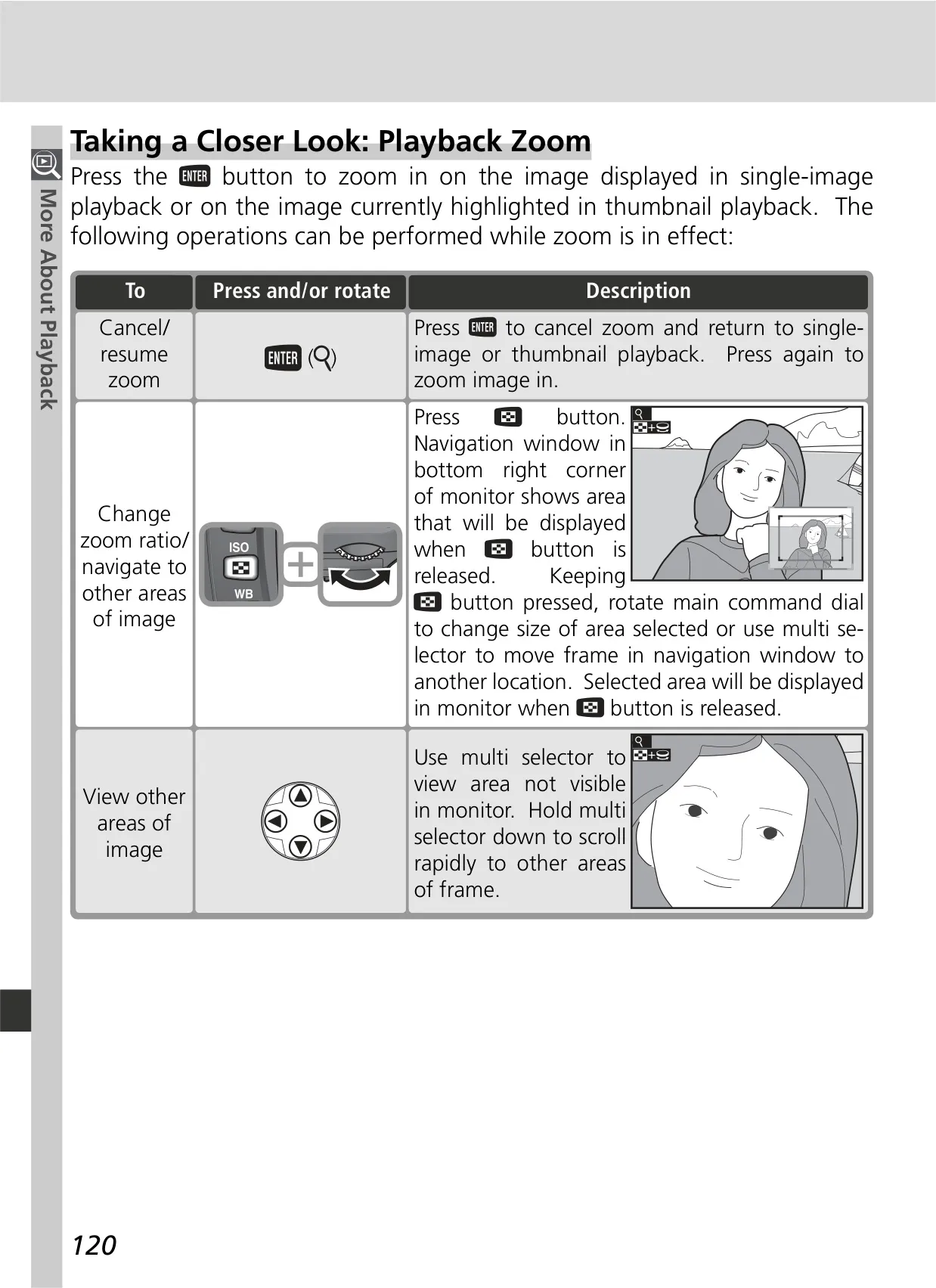
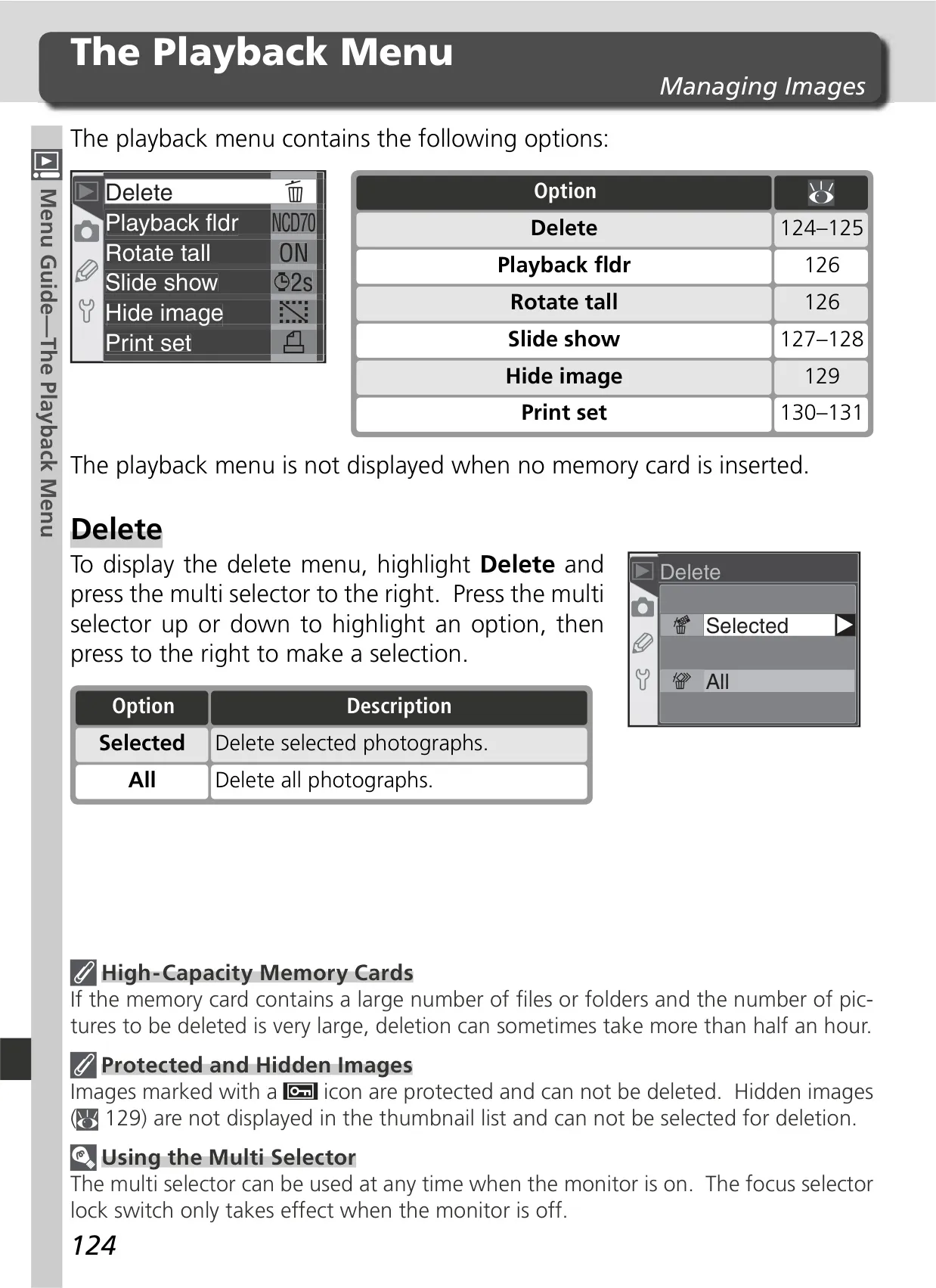
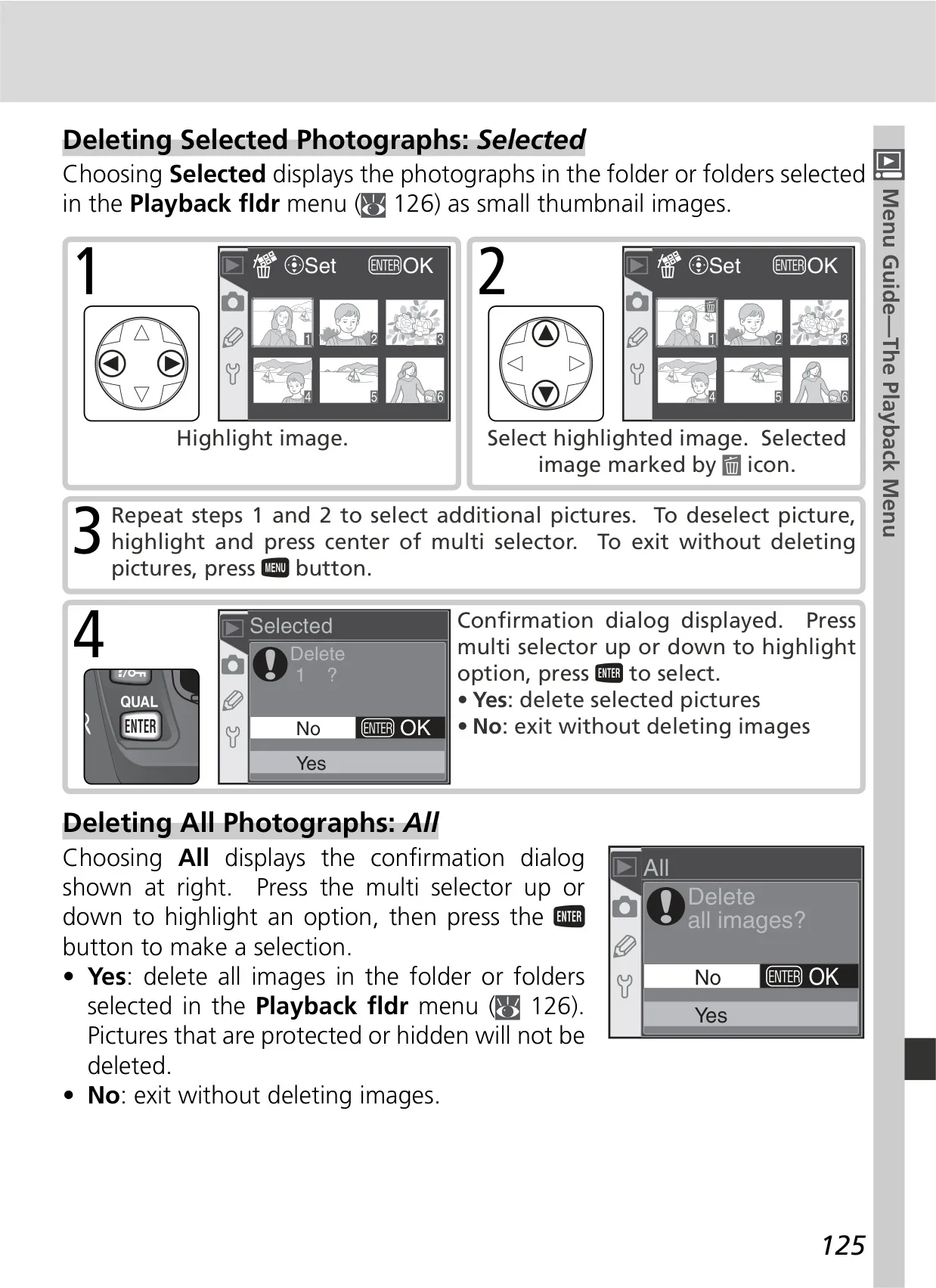
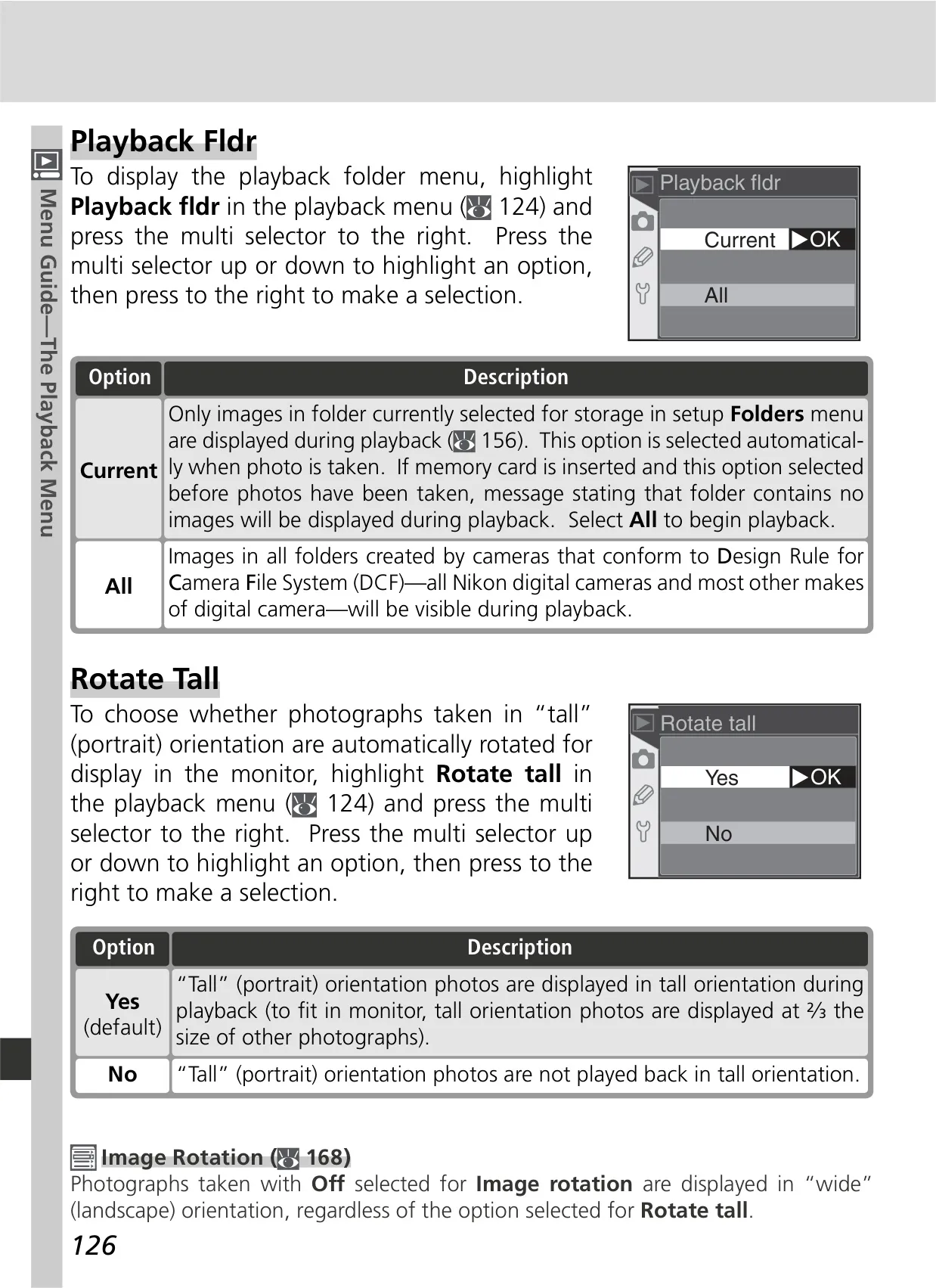
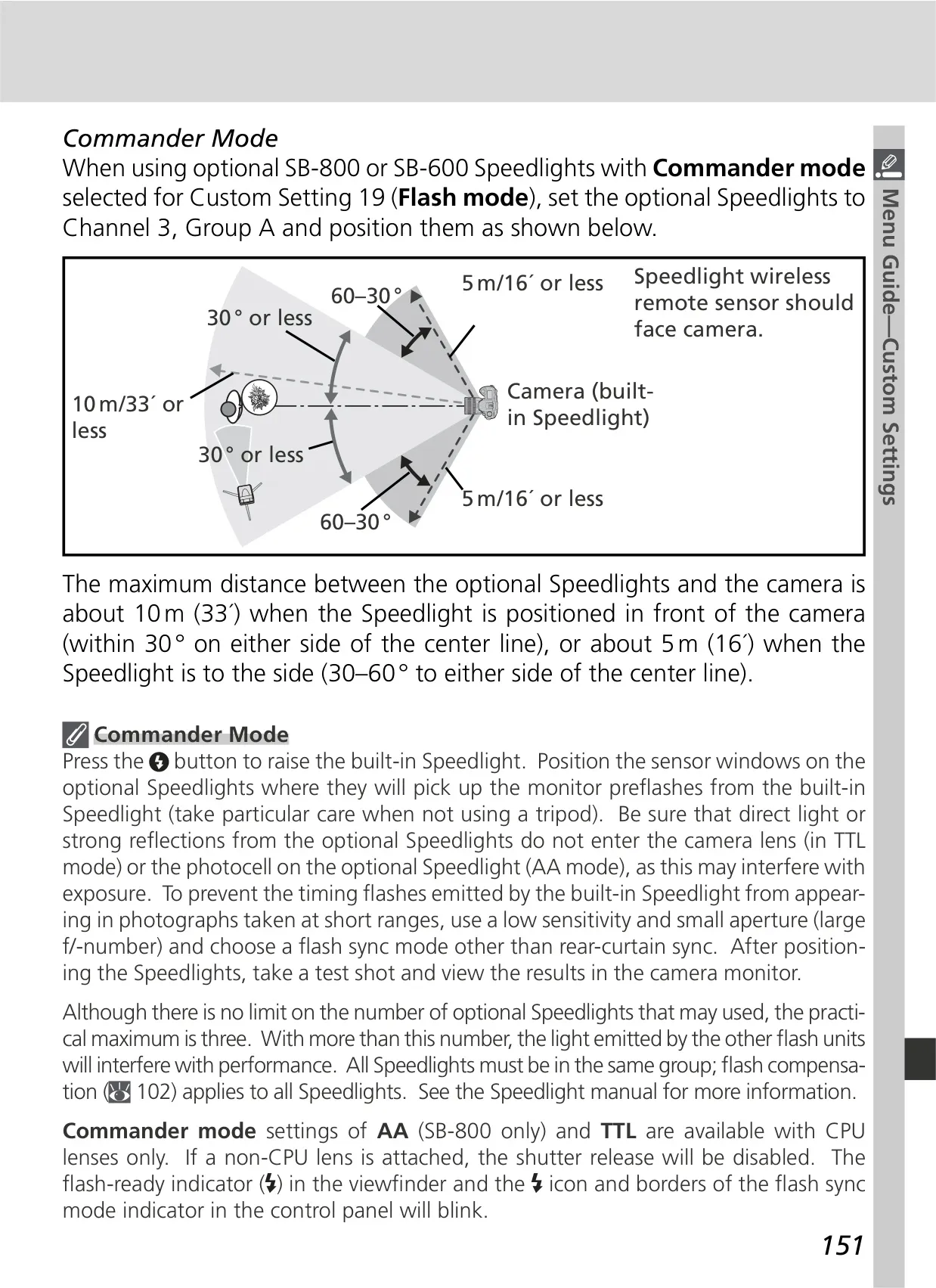
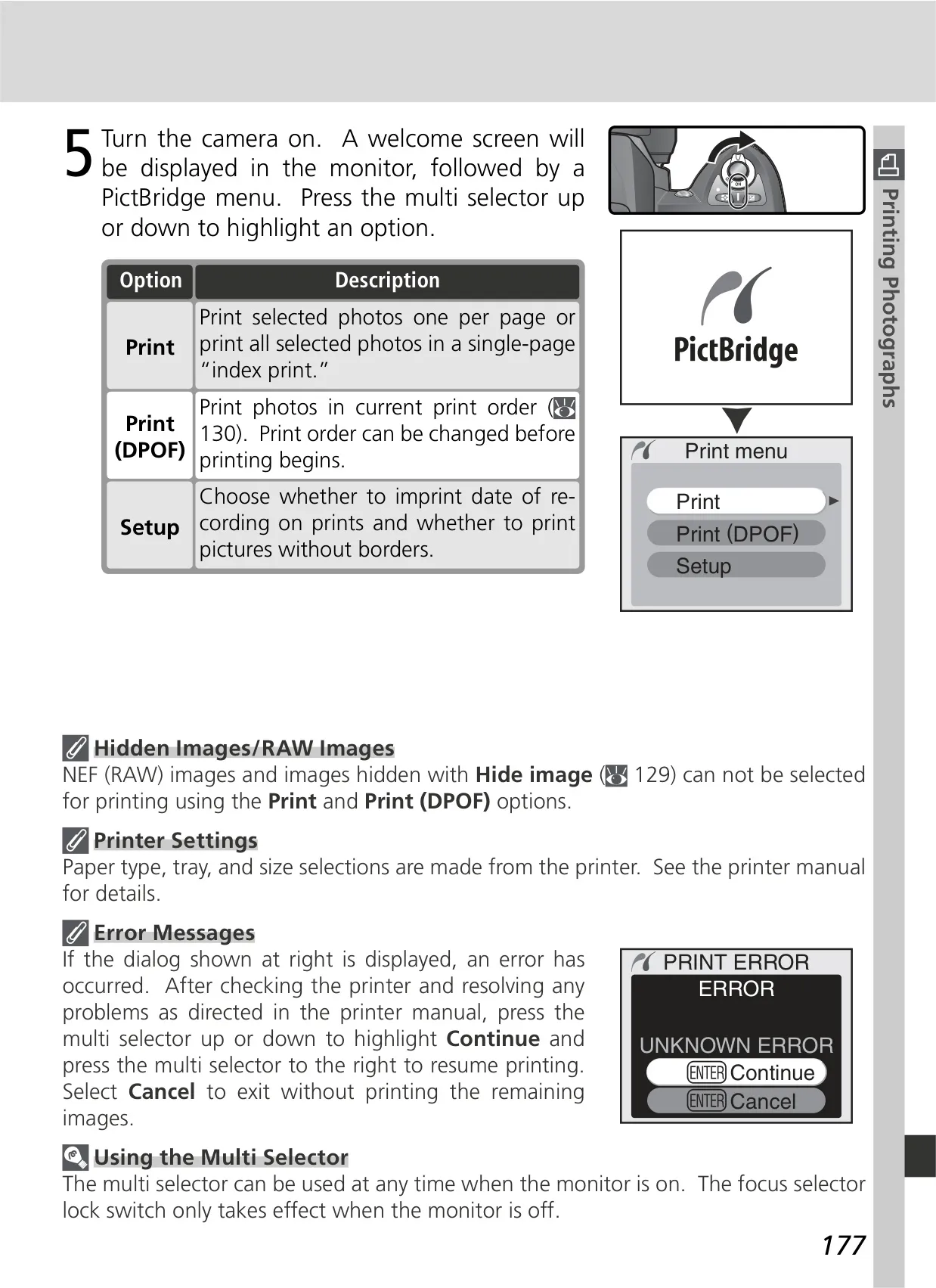
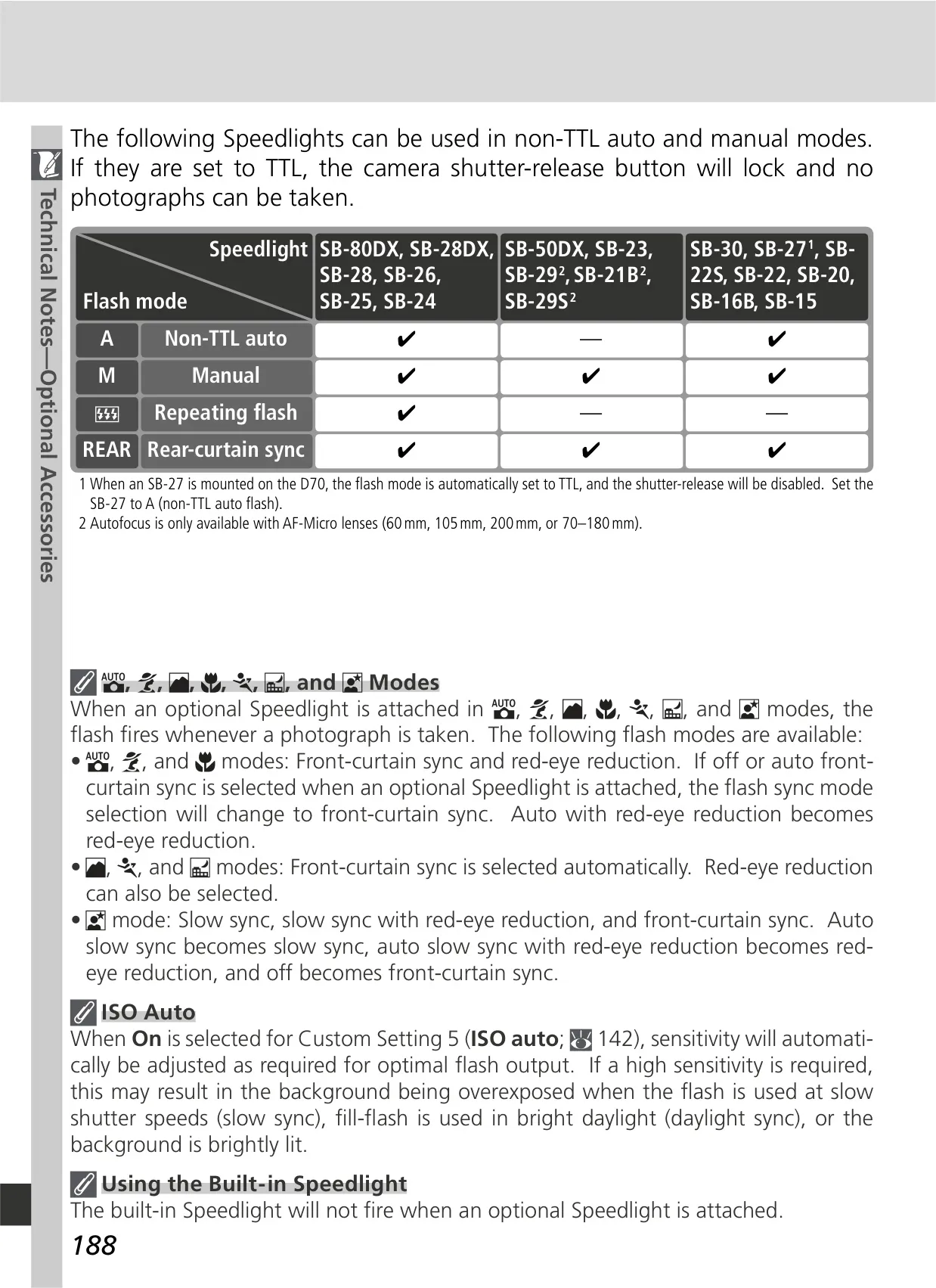
The manual extensively covers Flash Photography, featuring the built-in Speedlight with i-TTL flash control and various sync modes, including red-eye reduction and slow sync for creative effects. External flash units like the SB-800 and SB-600 are also supported, integrating with Nikon's Creative Lighting System. Beyond capturing images, the D70 facilitates Television Playback and direct connection to computers for data transfer via USB, compatible with PictureProject or Nikon Capture 4.1+. It also supports PictBridge-compatible printers for direct photo printing.
Frequently Asked Questions (FAQs)
Can't find the answer you need? Here are some frequently asked questions about the Nikon D70 DSLR Camera, and we answer them below.