Drayton Digistat 3RF Thermostat Instruction Manual
Drayton Digistat 3RF Thermostat


Drayton Digistat 3RF Thermostat
Drayton Digistat 3RF Instructions
Here we offer the Drayton Digistat 3RF Thermostat manual completely free and in English. We have cataloged this manual in the Thermostats section on Manualverse, and it has been rated by 1 users with an average rating of 5. If you have any specific questions about Drayton Digistat 3RF Thermostat, we suggest checking the Frequently Asked Questions (FAQs) section of this manual.
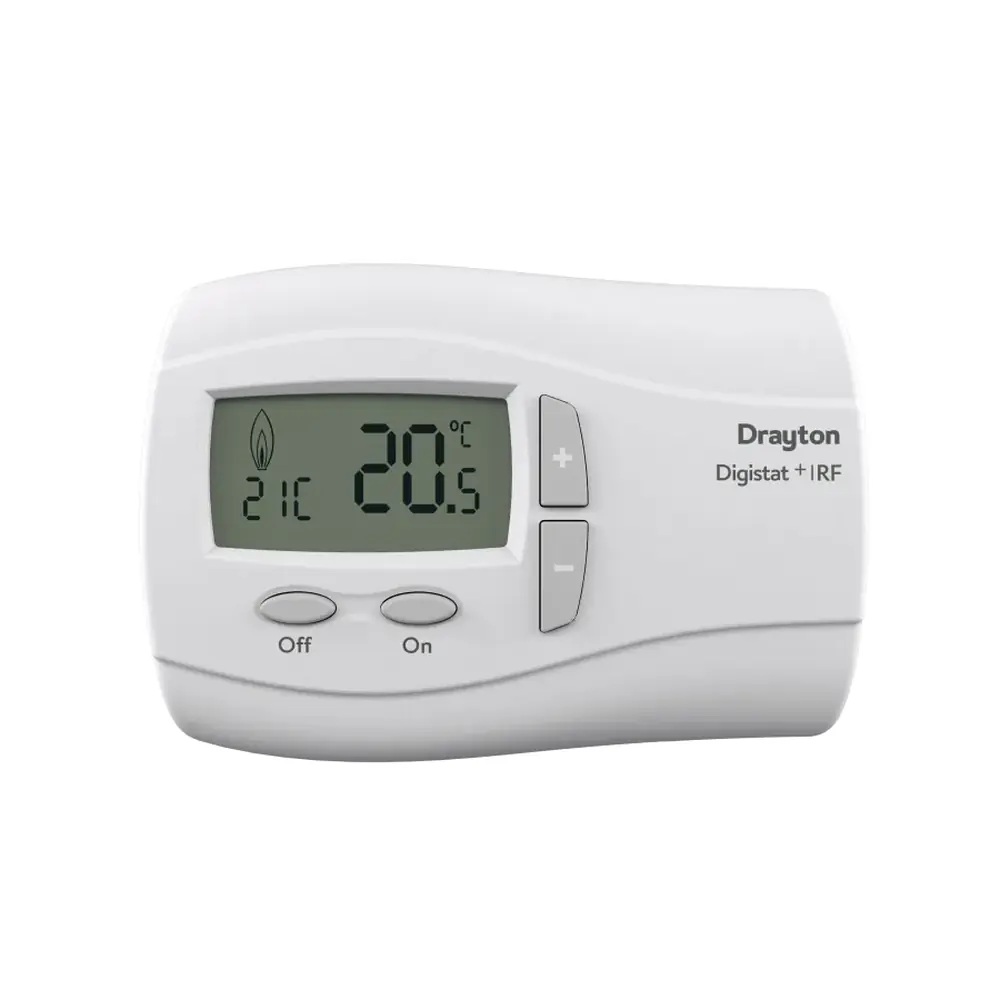
Product Images
Drayton Digistat 3RF Thermostat Specifications
| Feature | Specification |
|---|---|
| Product name | Drayton Digistat +3RF Programmable Room Thermostat (Wireless) |
| Model number | RF701 / 22092 |
| Related wired version | Digistat +3 (Models 22083, 22087) |
| Thermostat type | Wireless programmable room thermostat (combined programmer and room thermostat) |
| Programming modes | 5-2 Day (weekdays / weekend) or full 7 Day (separate program for each day) |
| Time/temperature events per day | Up to 6 (selectable 2, 4 or 6 via User Option 03; default 6) |
| Thermostat power supply | Battery: 2 x 1.5V IEC LR6 (AA) Alkaline |
| Receiver power supply | Mains: Digistat SCR |
| Low battery warning | Flashing battery icon (unit keeps working normally); battery icon alone shown = batteries exhausted, unit stops working |
| Battery cover | Opened using a coin |
| Clock | Real-time clock, factory set, turns on by itself at first installation |
| Summer/winter time change | Automatic GMT/BST changeover (User Option 04; default On) |
| Clock format | 12 h or 24 h (User Option 01; default 24 h) |
| Built-in pre-set programs | 3 (1 = 9 til 5, 2 = Home for lunch, 3 = Home Worker; default Program 1) |
| Temperature offset | -5 to +5 °C (User Option 06; default 0) |
| Frost protection set point | 7 °C (works when the thermostat is switched OFF) |
| Holiday mode range | 1 to 23 hours or 1 to 199 days |
| Operating modes | Auto, Override, Manual, Holiday, Off |
| Override / Manual activation delay | New set point starts controlling after 5 seconds |
| Holiday temperature auto-start | 10 seconds without key press |
| Switch OFF method | Hold + and – together for 5 seconds (can be disabled with User Option 08) |
| Access protection lock | Keypad lock (User Option 09; default Off) |
| User Options menu access | Hold < and > together for 3 seconds; returns to Auto after 2 minutes with no key press |
| Restore factory programs | User Option 07 (default Off) |
| Energy saving feature | Intelligent Delayed Start (installer-enabled) |
| User guide reference | 06490098001 Iss C |
| Technical helpline | 0333 7000 622 |
Drayton Digistat 3RF Thermostat Details
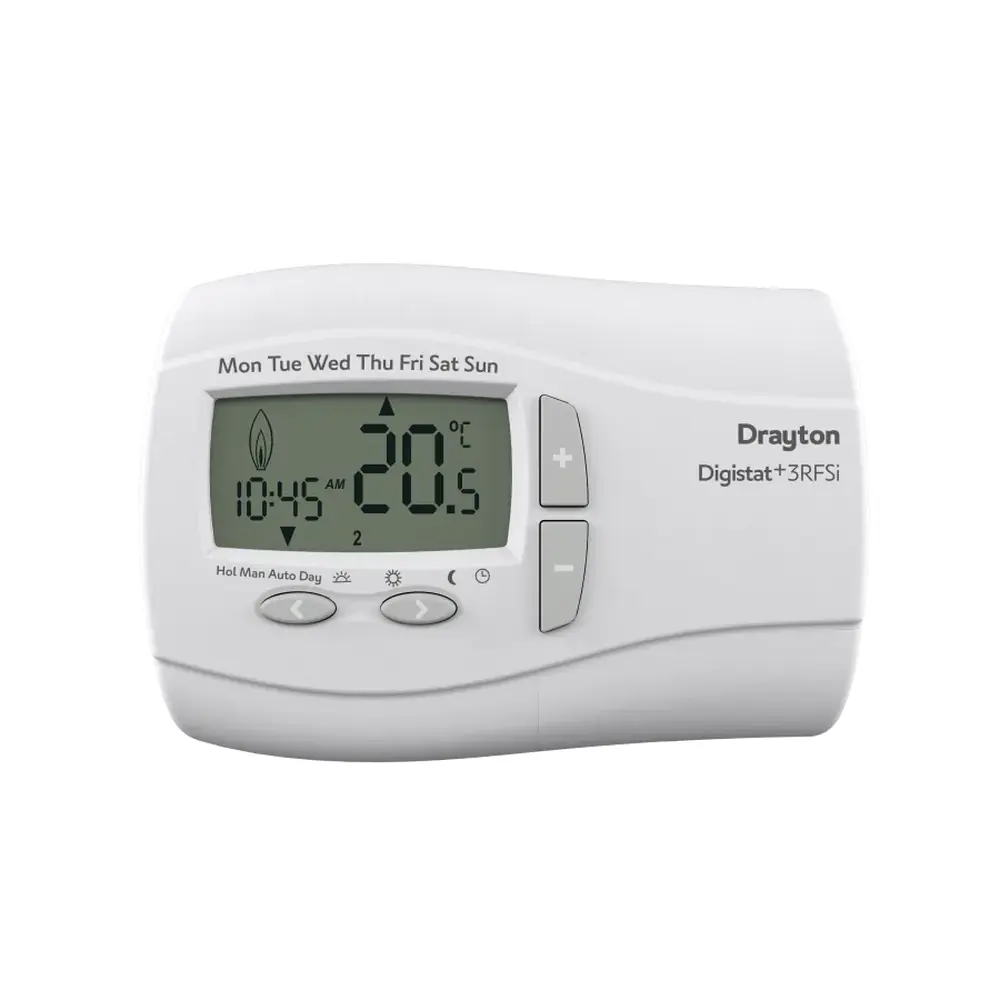
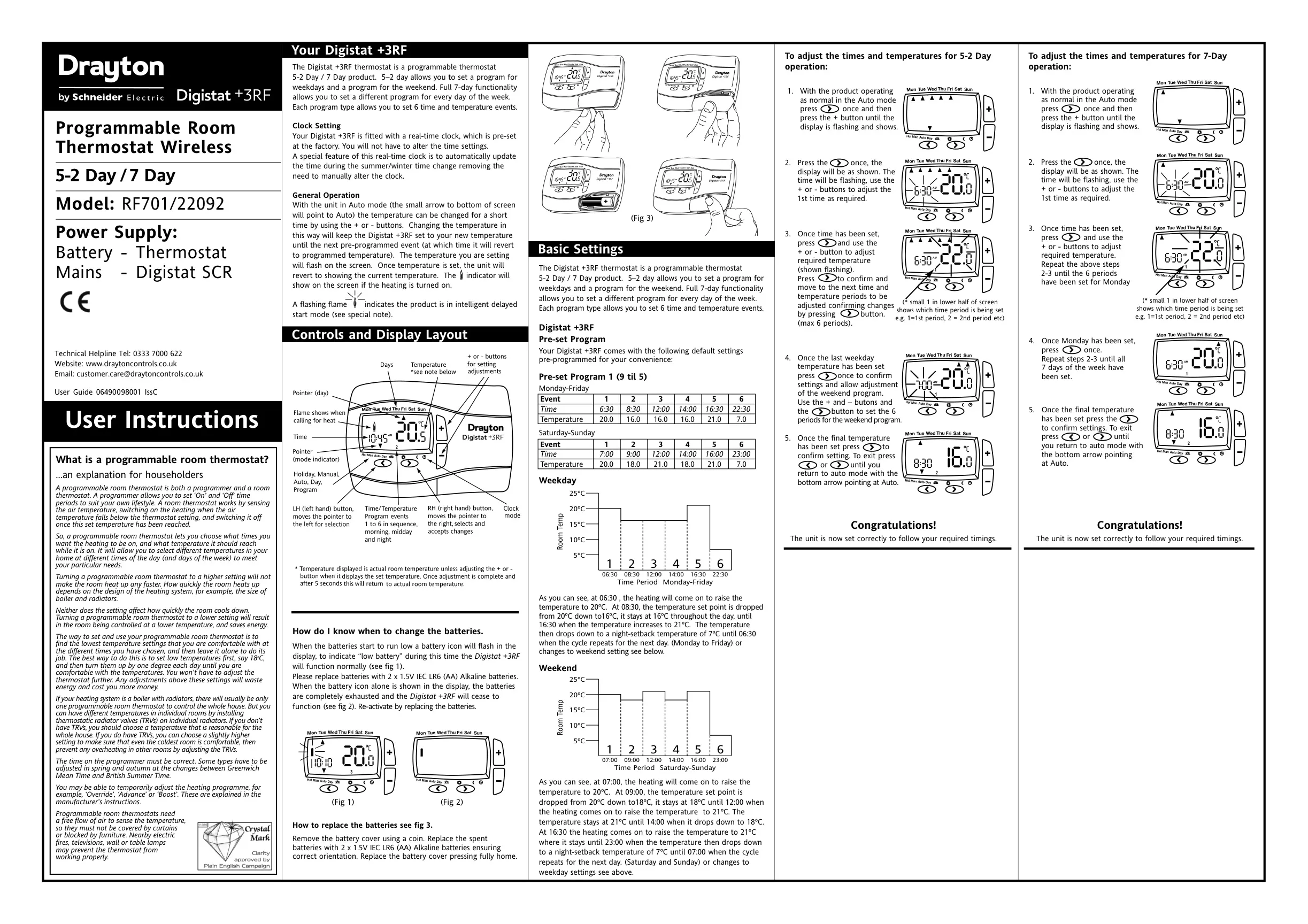
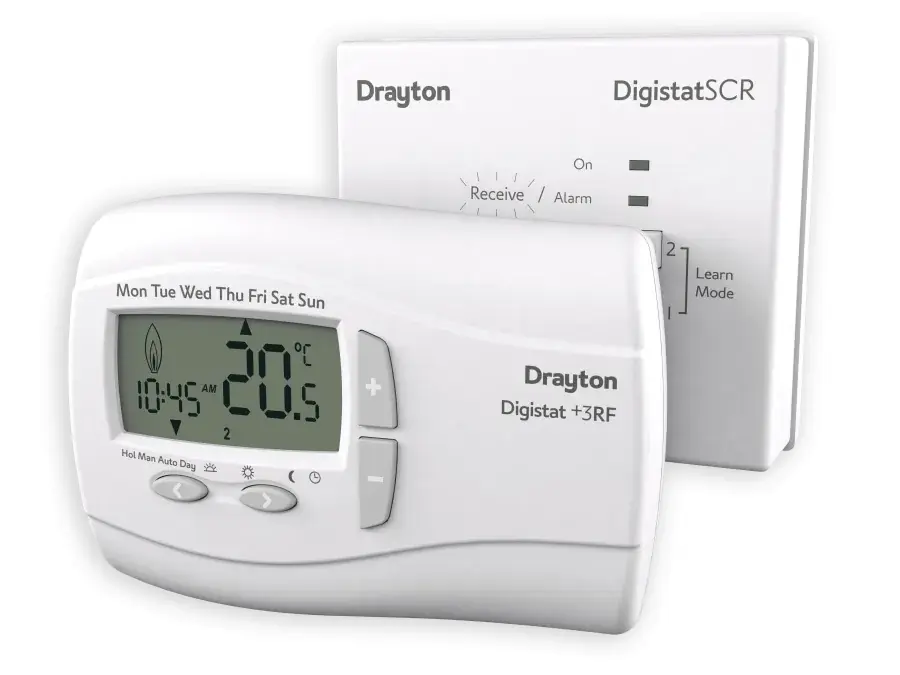
The Drayton Digistat +3RF is a programmer and a room thermostat in one wireless unit. It does not use simple "On" and "Off" times like a traditional timer. Instead, you set a target temperature for each part of the day, so the home is controlled both day and night. The battery-powered thermostat sends its commands to the mains-powered Digistat SCR receiver, so you can mount it wherever it reads room temperature best.
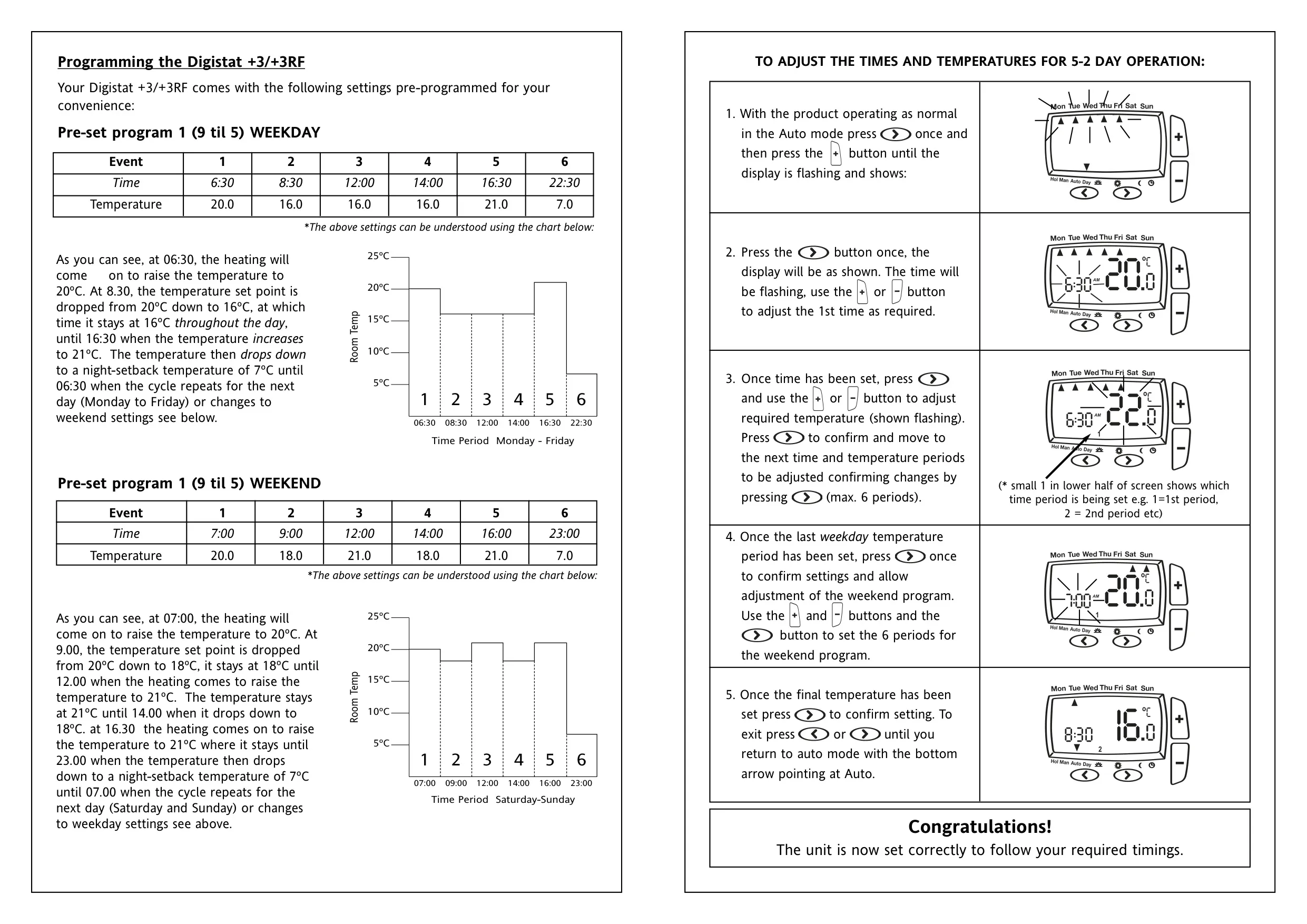
The default Program 1 (9 til 5) heats to 20 °C at 06:30 on weekdays. It drops to 16 °C at 08:30, rises to 21 °C at 16:30 and falls to a 7 °C night setback at 22:30. At weekends it reaches 20 °C at 07:00, holds 18 °C or 21 °C through the day and sets back at 23:00. Note: for weekend event 5, the manual's table gives 16:00 but its text describes 16:30.
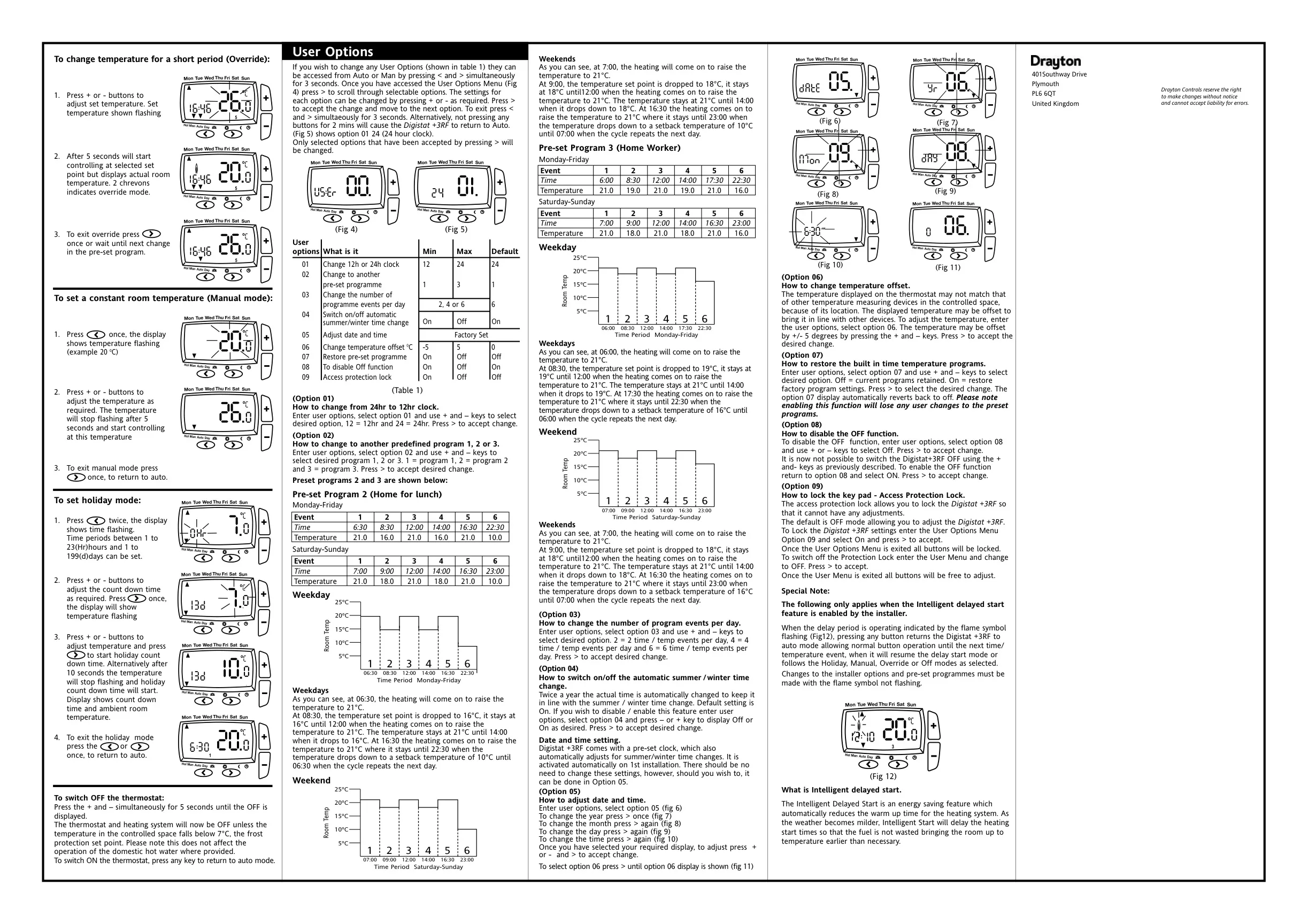
Program 2 (Home for lunch) adds a 21 °C period from 12:00 to 14:00 on weekdays, with a 10 °C setback overnight. Program 3 (Home Worker) keeps the house warmer for people working at home. On weekdays it starts at 06:00 and switches between 21 °C and 19 °C during the day. Its evening comfort period starts at 17:30, and its night setback is 16 °C. You can still edit any program, period by period, with the + and – buttons.
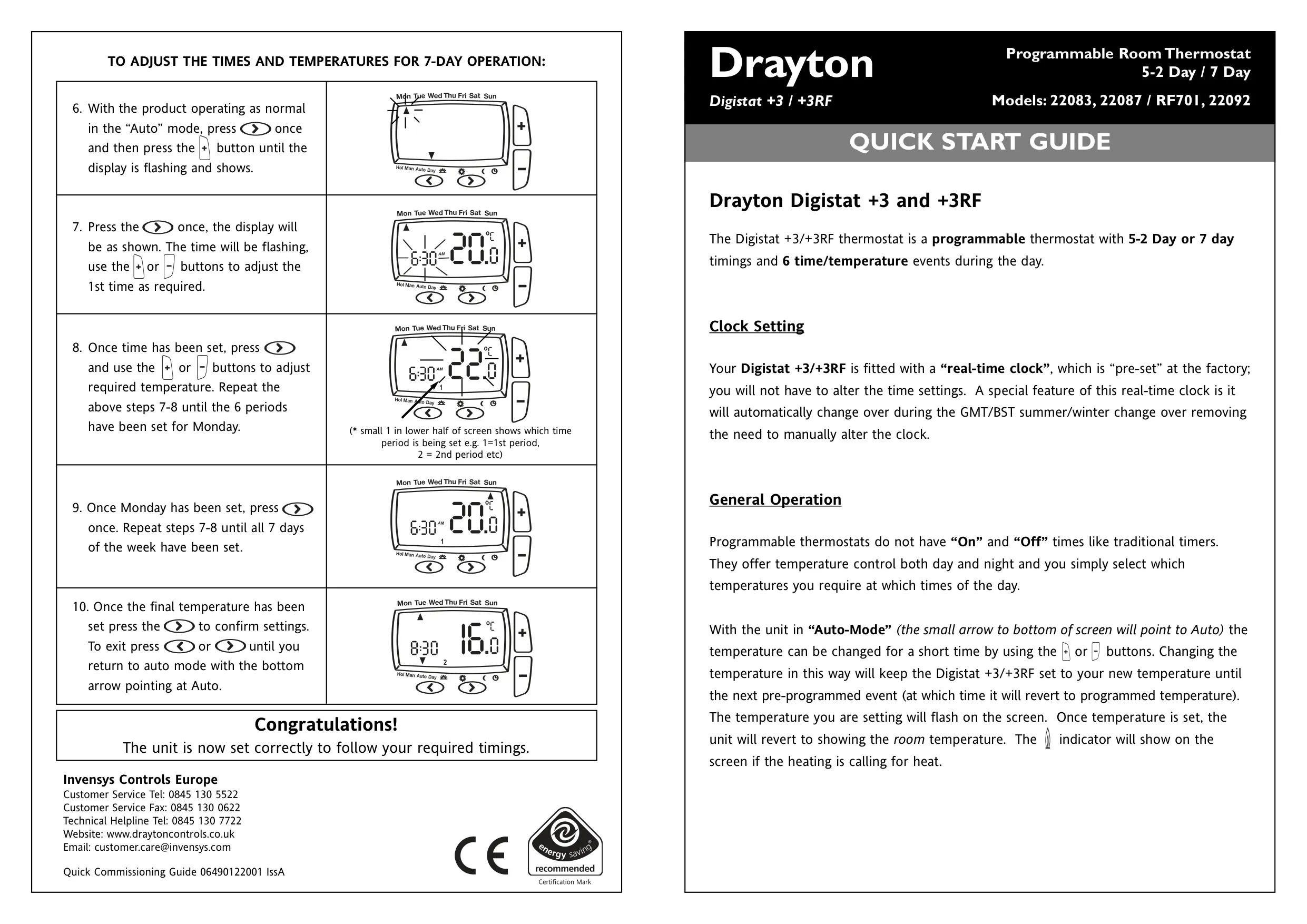
When programming, a small number in the lower half of the screen shows which of the six periods you are editing. In 5-2 Day mode you set the weekday block first and then the weekend block. In 7 Day mode you set Monday first and repeat the steps for each remaining day. Once finished, step back until the bottom arrow points to Auto again.
For a temporary change, Override lets you press + or – in Auto. Two chevrons appear on the display, and the setting lasts until the next programmed event. Manual mode holds one constant temperature until you return to Auto. Holiday mode runs a countdown at a temperature you choose. While it runs, the display shows the remaining time and the current room temperature. A flame icon shows when heating is being called for.
Switching the unit OFF stops the heating, but frost protection still applies. It does not affect domestic hot water, where your system has it. Press any key to switch the thermostat back on. The User Options menu also lets you restore the factory programs, which deletes your own changes. The keypad lock blocks all buttons once you leave the menu.
Intelligent Delayed Start is an energy-saving feature that the installer must turn on. In milder weather it delays the heating start time, so fuel is not used to warm the room earlier than needed. A flashing flame shows that the delay is active. Pressing any button returns the unit to Auto until the next event. Change installer options and programs only when the flame is not flashing.
For the best results, start with low settings, such as 18 °C. Raise them by one degree a day until you are comfortable. Keep the thermostat clear of curtains, furniture, lamps, televisions and electric fires. If you have thermostatic radiator valves, use them to adjust the temperature in individual rooms.
Frequently Asked Questions (FAQs)
Can't find the answer you need? Here are some frequently asked questions about the Drayton Digistat 3RF Thermostat, and we answer them below.