Drayton Digistat 2 Thermostat Instruction Manual

Drayton Digistat 2 Thermostat


Drayton Digistat 2 Thermostat Instructions
Here we offer the Drayton Digistat 2 Thermostat manual completely free and in English. We have cataloged this manual in the Thermostats section on Manualverse, and it has been rated by 1 users with an average rating of 5. If you have any specific questions about Drayton Digistat 2 Thermostat, we suggest checking the Frequently Asked Questions (FAQs) section of this manual.
Product Images
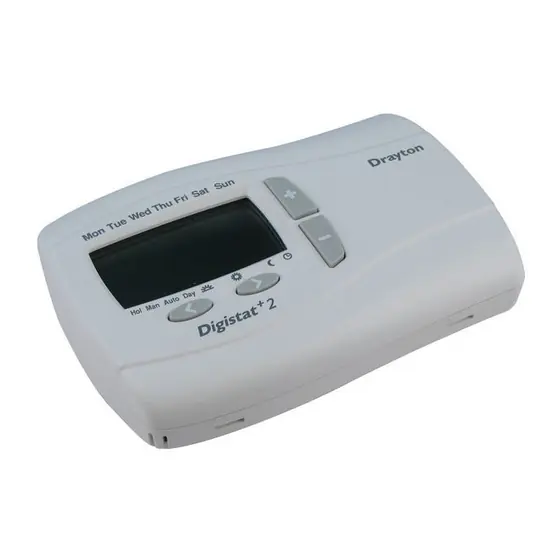
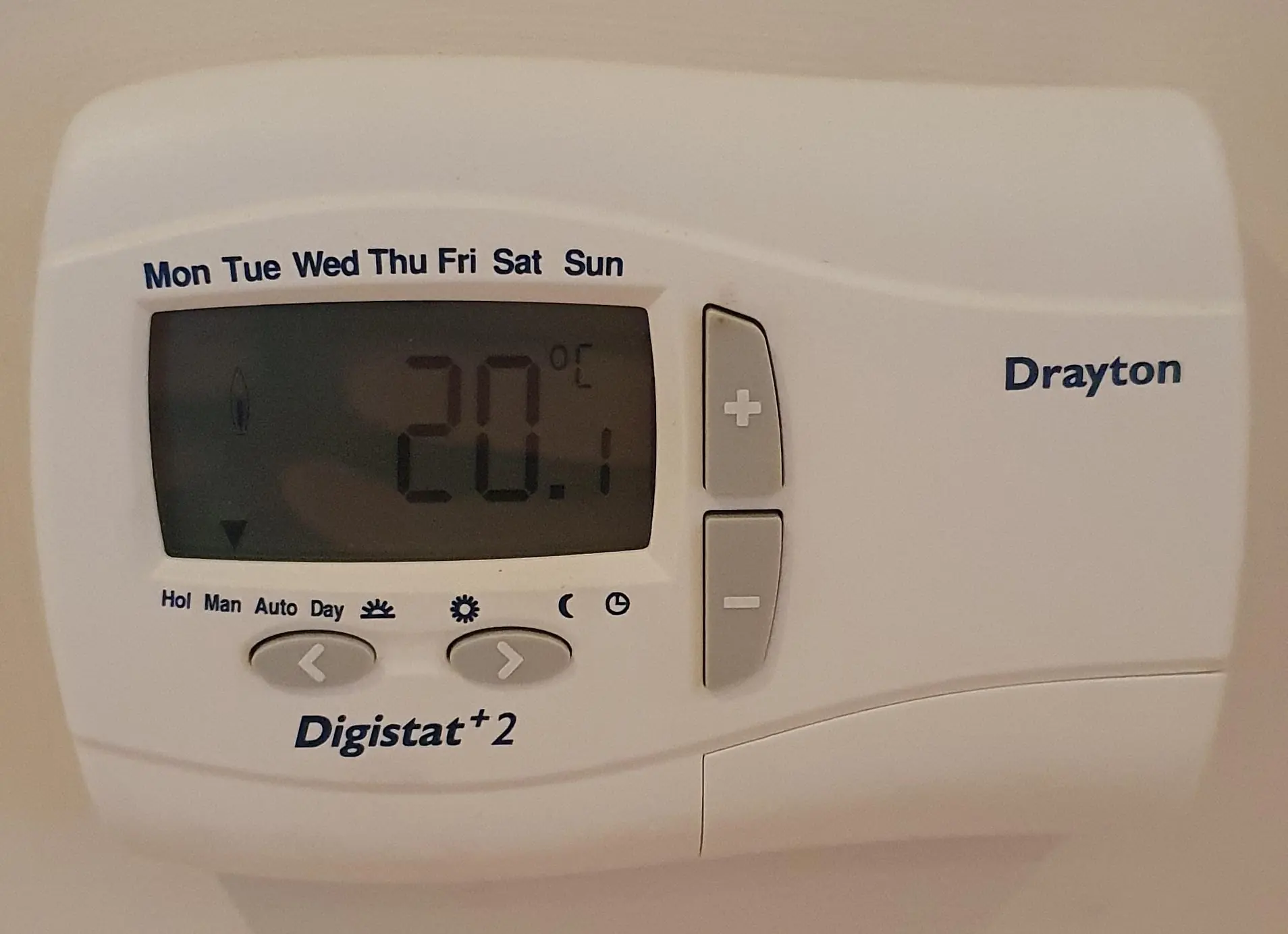
Drayton Digistat 2 Thermostat Specifications
| Feature | Specification |
|---|---|
| Product type | Digistat+2 24 Hour Programmable Room Thermostat |
| Models | 22084 (battery) / 22088 (mains) |
| Power supply – 22084 | 2 x AA 1.5V alkaline batteries |
| Power supply – 22088 | 230V ac 50Hz |
| Battery life (22084) | 3 years typical |
| Switch rating (heating, switch N.O.) | 16(2)A 230 Vac |
| Switch type | SPDT (voltage-free contacts) |
| Minimum recommended current | 10mA @ 24Vac (inductive) |
| Operating ambient temperature | 0°C to 50°C |
| Storage ambient temperature | -20°C to 85°C |
| Operating ambient humidity | 25% to 85% (non-condensing) |
| Storage ambient humidity | 15% to 95% (non-condensing) |
| Temperature setting range | 7°C to 32°C |
| Accuracy (between 7°C and 32°C) | 0.5°C |
| Temperature resolution | 0.5°C |
| Timing resolution | 1 minute |
| Program type | 24 hour, same program every day (Monday to Sunday) |
| Time/temperature events per day | 2, 4 or 6 (default 6) |
| Pre-set programs in memory | 3 |
| Holiday period range | 1 to 24 hours, then 1 to 199 days |
| Temperature offset range | -5°C to +5°C (default 0) |
| Valve protection time | 1 to 5 minutes (default 3) |
| Rated impulse voltage | 2.5kV |
| Ball pressure test | 75°C |
| Pollution situation | Degree 2 |
| Protection level | IP30 |
| Insulation | Double insulated (no Neutral or Earth connection required) |
| Wiring | Designed for fixed wiring only, to comply with IEE wiring regulations |
| Energy class | IV = 2% (according to EU 811/2013, 812/2013, 813/2013, 814/2013) |
| Relevant EC Directives | 2006/95/EC Low Voltage; 2004/108/EC Electromagnetic Compatibility; 2011/65/EU RoHS; 2006/66/EC Battery Directive |
| Standards | EN60730-1; EN60730-2-7; EN60730-2-9 |
| Document reference | Installation / User Guide 06490045001 Iss E |
Drayton Digistat 2 Thermostat Details
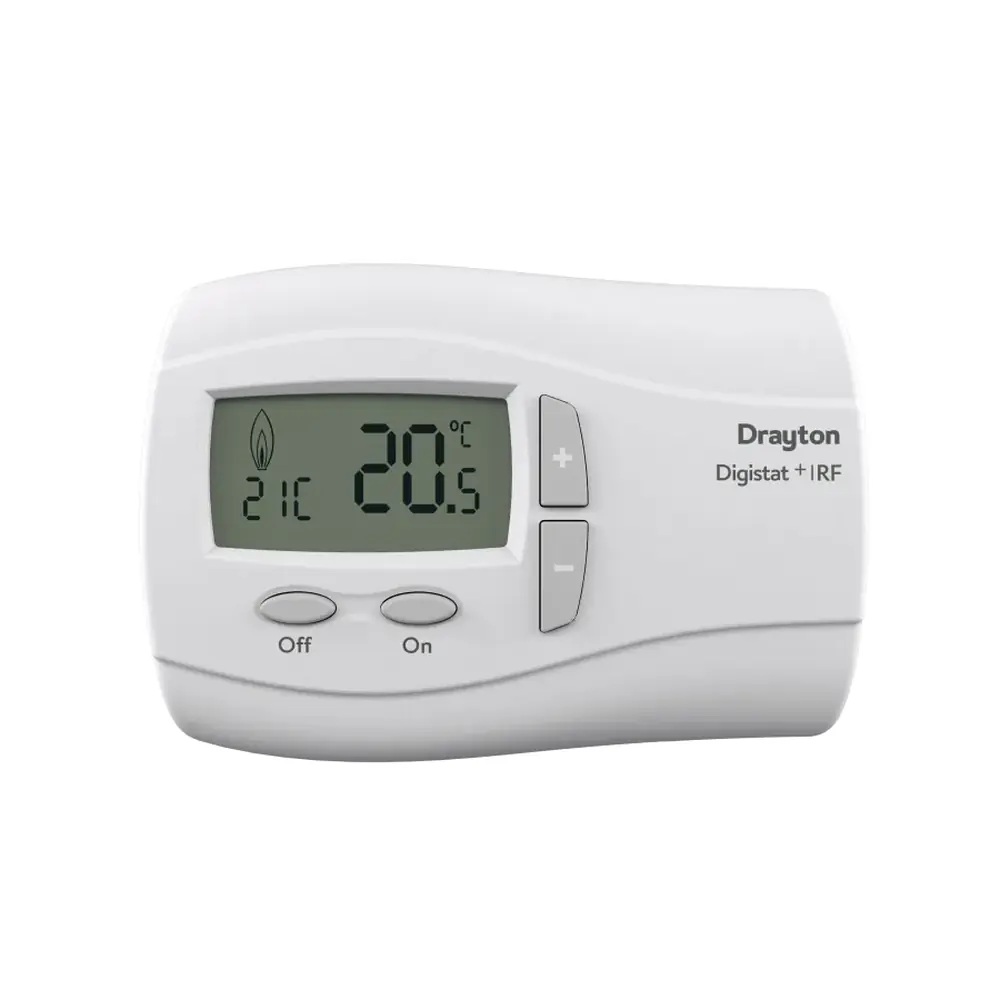
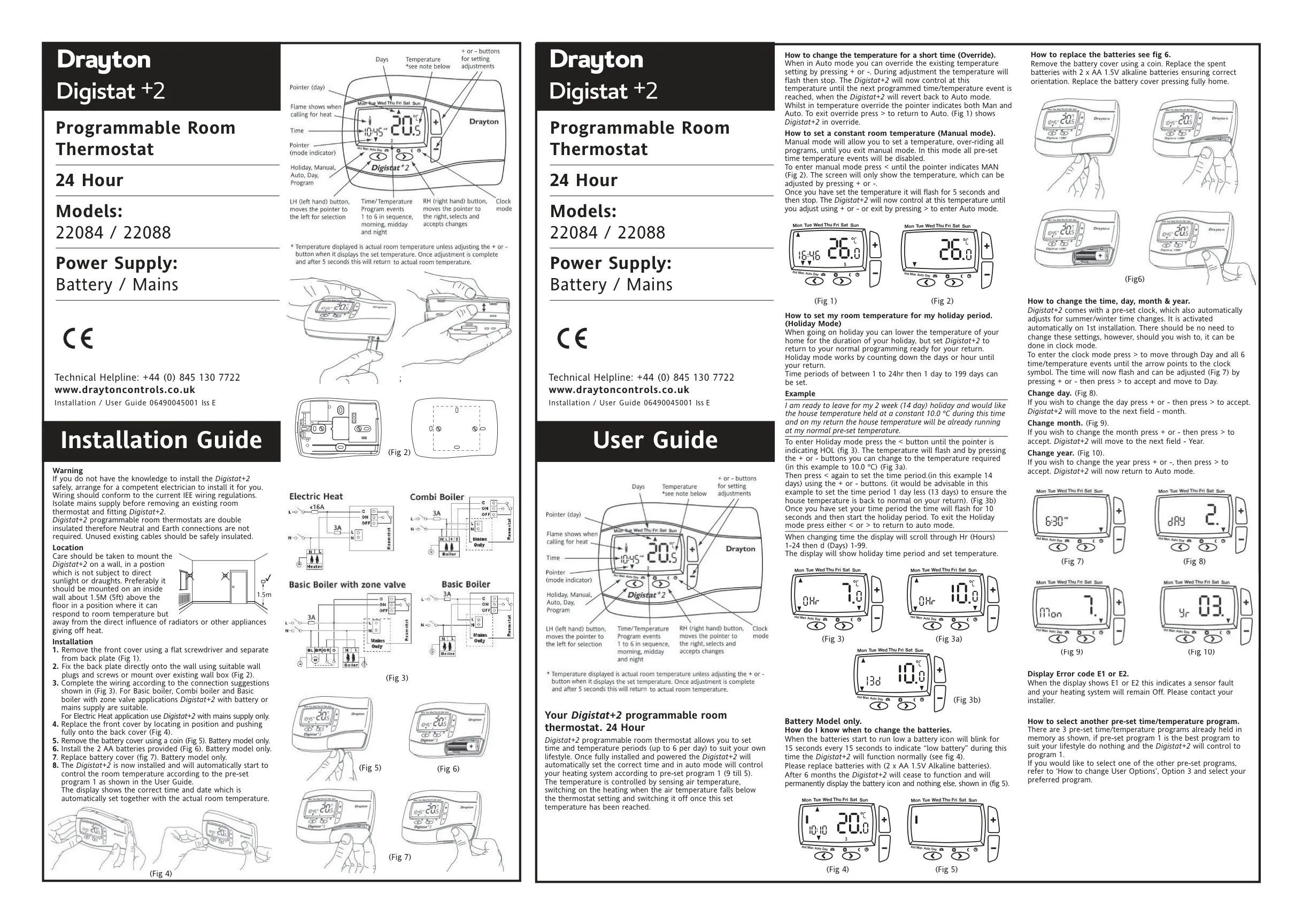
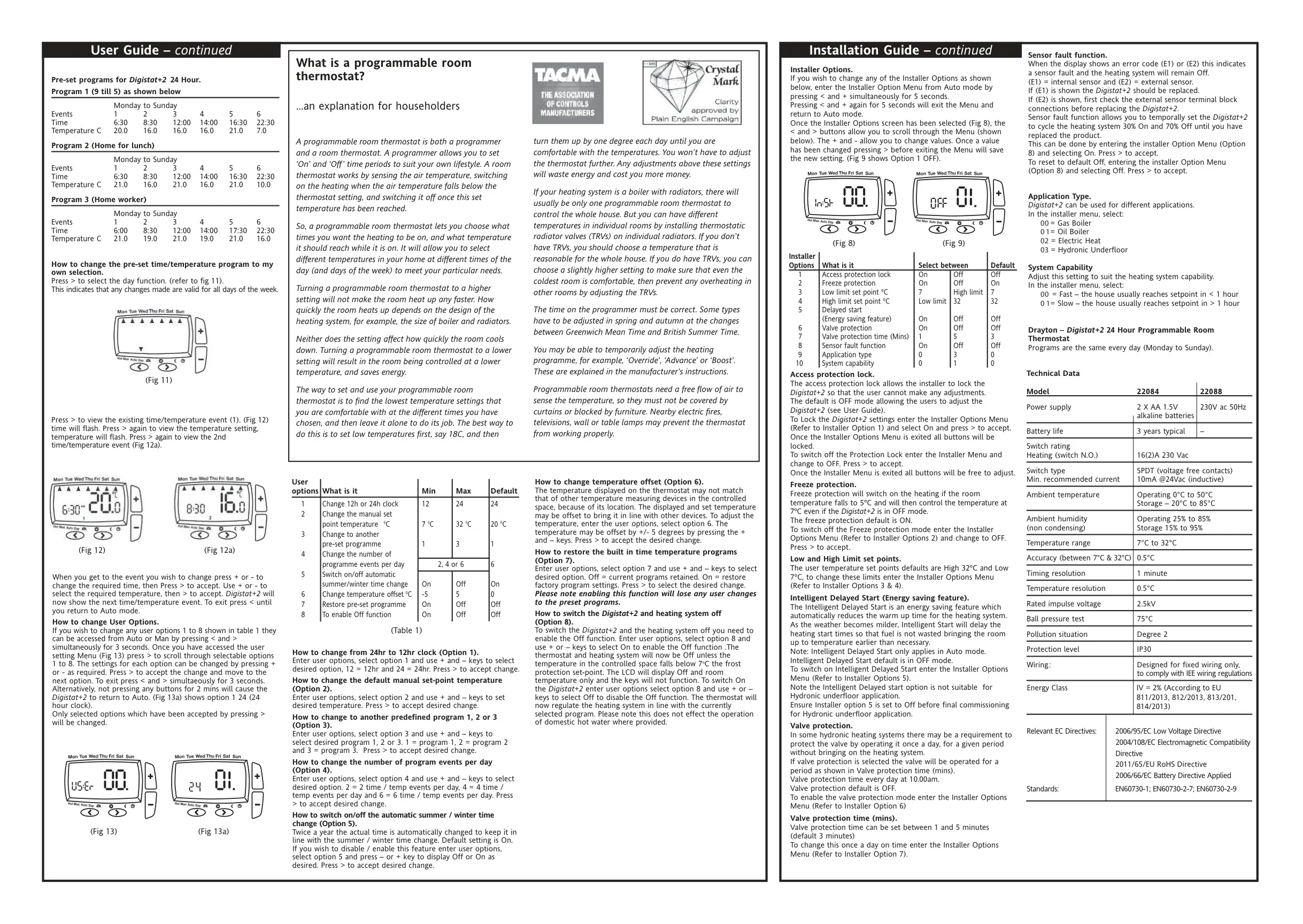
The Drayton Digistat+2 works as both a programmer and an air-sensing room thermostat. It turns the heating on when the room falls below the set temperature and off once that temperature is reached. After installation and power-up, it sets the correct time and date by itself and starts running pre-set program 1 (9 till 5). Two other factory programs are stored in memory: Program 2 (Home for lunch) and Program 3 (Home worker). You can choose either one with user option 3, or edit any event to make your own schedule.
For short-term changes, press + or - in Auto mode to start an override. The new temperature stays in place until the next programmed event, and while it is active the pointer shows both Man and Auto. Manual mode is selected with the < button. It turns off every programmed event and holds one constant temperature until you press >. The default manual set point is 20°C, and you can change it with user option 2.
Holiday mode keeps the home at a lower temperature while you are away and then goes back to normal programming. You choose a temperature, such as 10°C, and a countdown in hours or days. Drayton suggests setting one day less than the full trip so the house is already warm when you get back. Press < or > to leave Holiday mode at any time.
To open the user options menu, hold < and > together for 3 seconds. Here you can choose a 12h or 24h clock, turn the automatic summer/winter time change on or off, offset the displayed temperature, and restore the factory programs. The menu closes on its own after 2 minutes with no button presses. Option 8 turns on the Off function. The screen then shows only Off and the room temperature, and the buttons stop working, but frost protection at 7°C stays active. Domestic hot water is not affected.
The installer menu opens when you hold < and + together for 5 seconds. It includes an access protection lock that stops users from changing settings. It also has freeze protection, which is on by default: it turns the heating on at 5°C and holds 7°C even in Off mode. Installers can also set low and high limit set points (7°C and 32°C by default). The application type can be gas boiler, oil boiler, electric heat or hydronic underfloor. Electric heating needs the mains model.
The System Capability setting tells the thermostat how fast the house heats up: Fast if it reaches the set point in under one hour, Slow if it takes longer. Intelligent Delayed Start saves energy by starting the heating later when the weather is milder. It works only in Auto mode and must be switched off for underfloor heating systems. Valve protection runs the valve once a day at 10:00am without turning on the heating.
On the battery model, a low battery icon flashes for 15 seconds every 15 seconds while the thermostat keeps working normally. If the batteries are not replaced within 6 months, the unit stops working and shows only the battery icon. Error code E1 means the internal sensor has failed and the thermostat must be replaced. E2 means the external sensor has failed, so check its wiring first. The optional Sensor fault function runs the heating 30% on and 70% off until the unit is replaced.
Mount the thermostat on an inside wall about 1.5 m (5 ft) above the floor. Keep it out of direct sunlight and draughts, and away from radiators and other heat sources. Do not cover it with curtains or block it with furniture. The back plate can be fixed straight to the wall or over an existing wall box. Remove the front cover with a flat screwdriver and the battery cover with a coin.
Frequently Asked Questions (FAQs)
Can't find the answer you need? Here are some frequently asked questions about the Drayton Digistat 2 Thermostat, and we answer them below.