Honeywell Vista 250BPT Security System Instruction Manual
Honeywell Vista 250BPT Security System
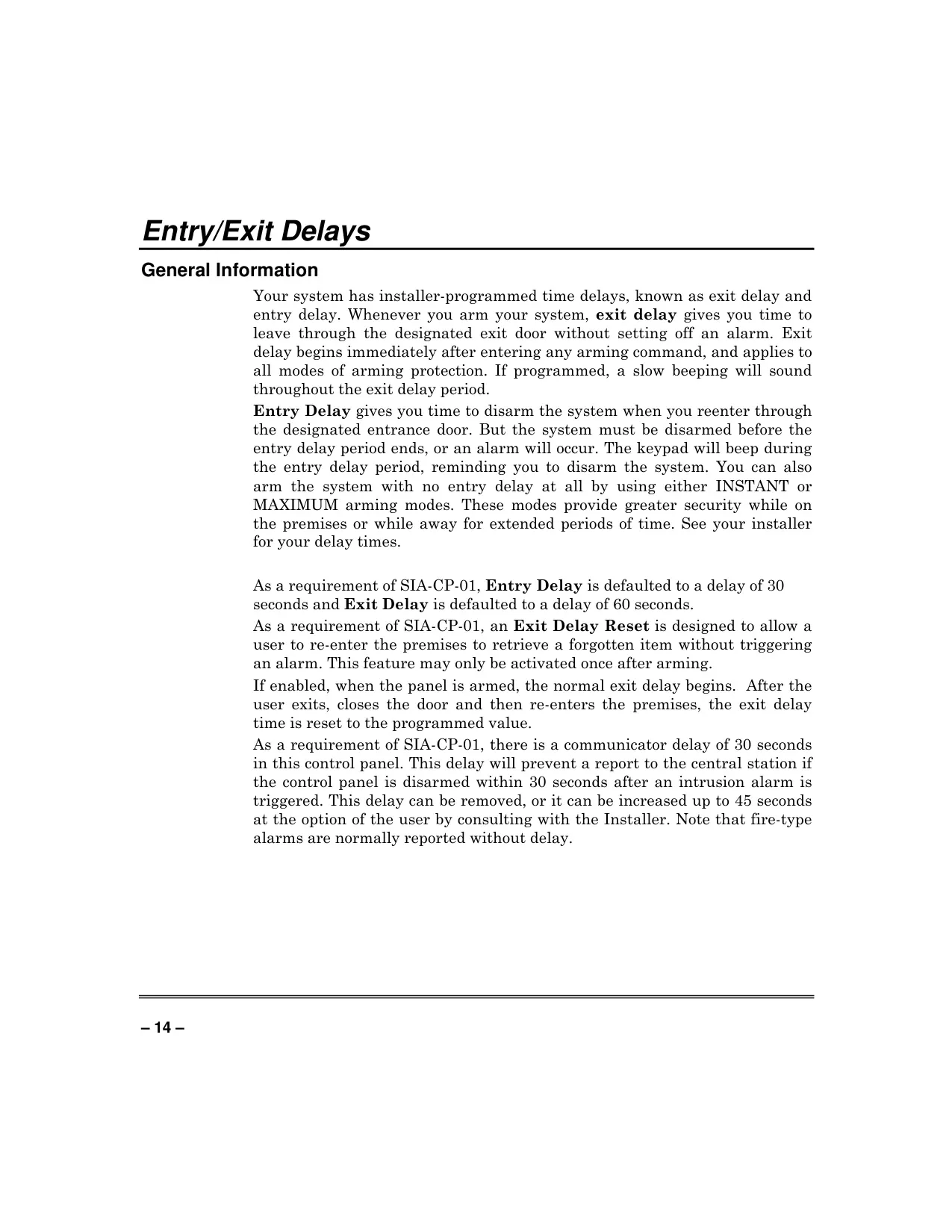

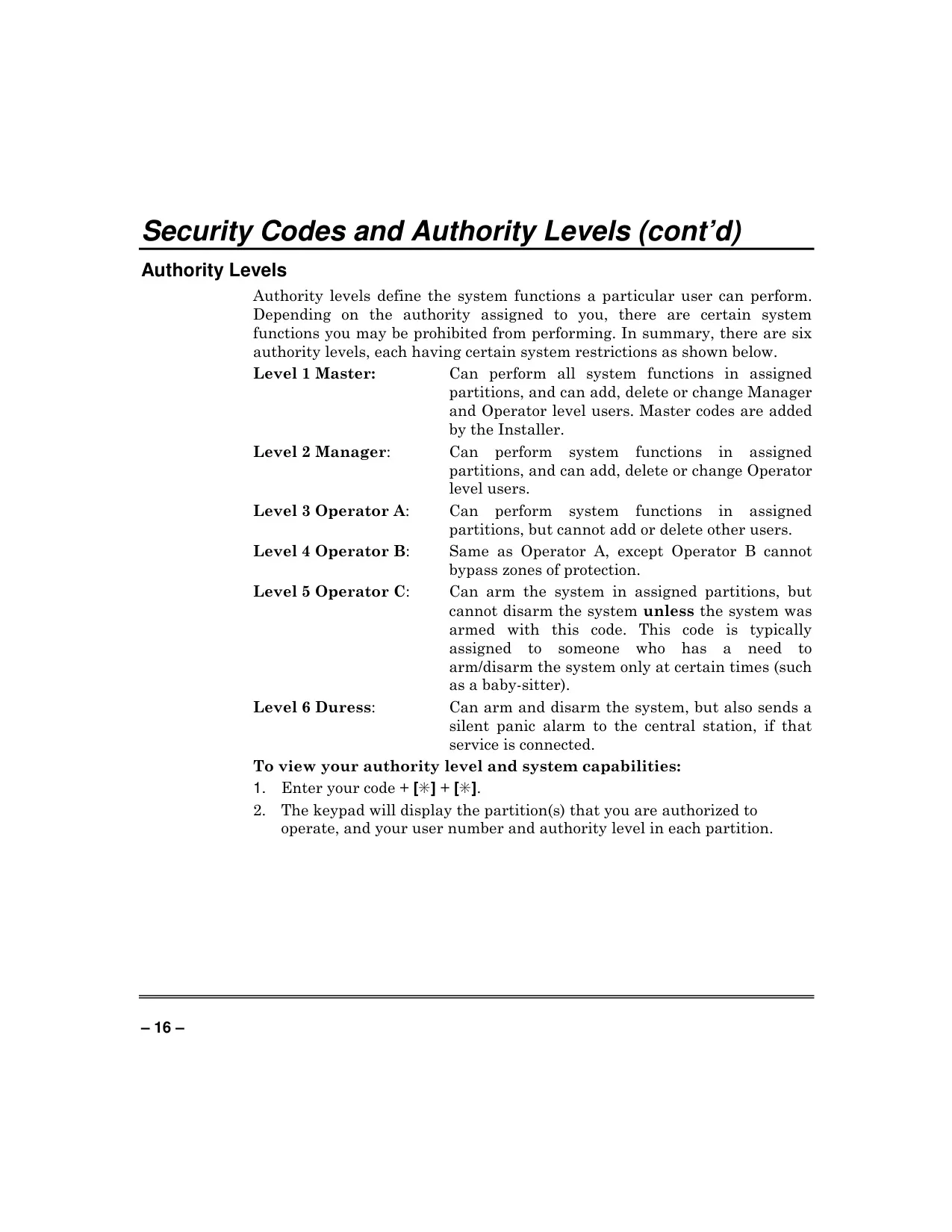
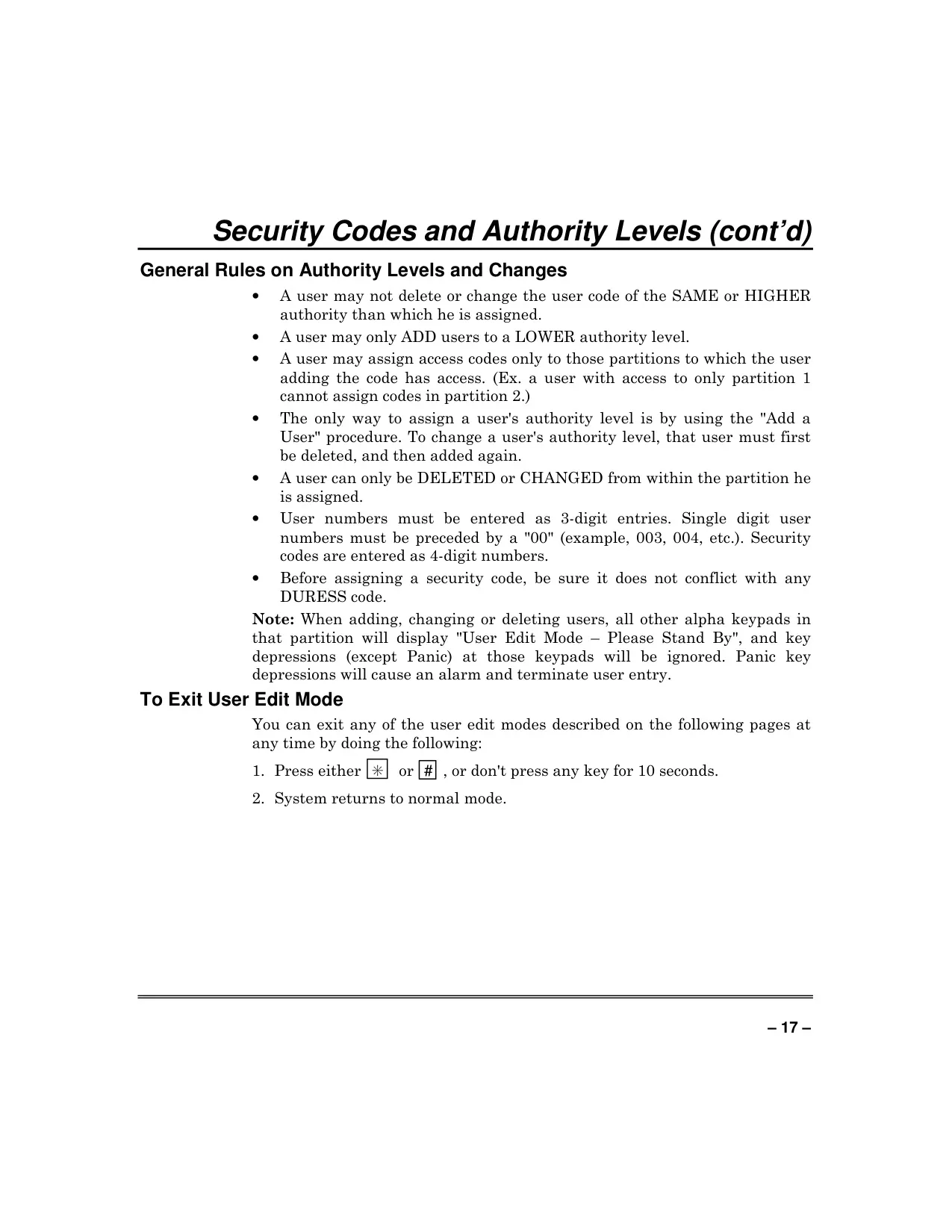
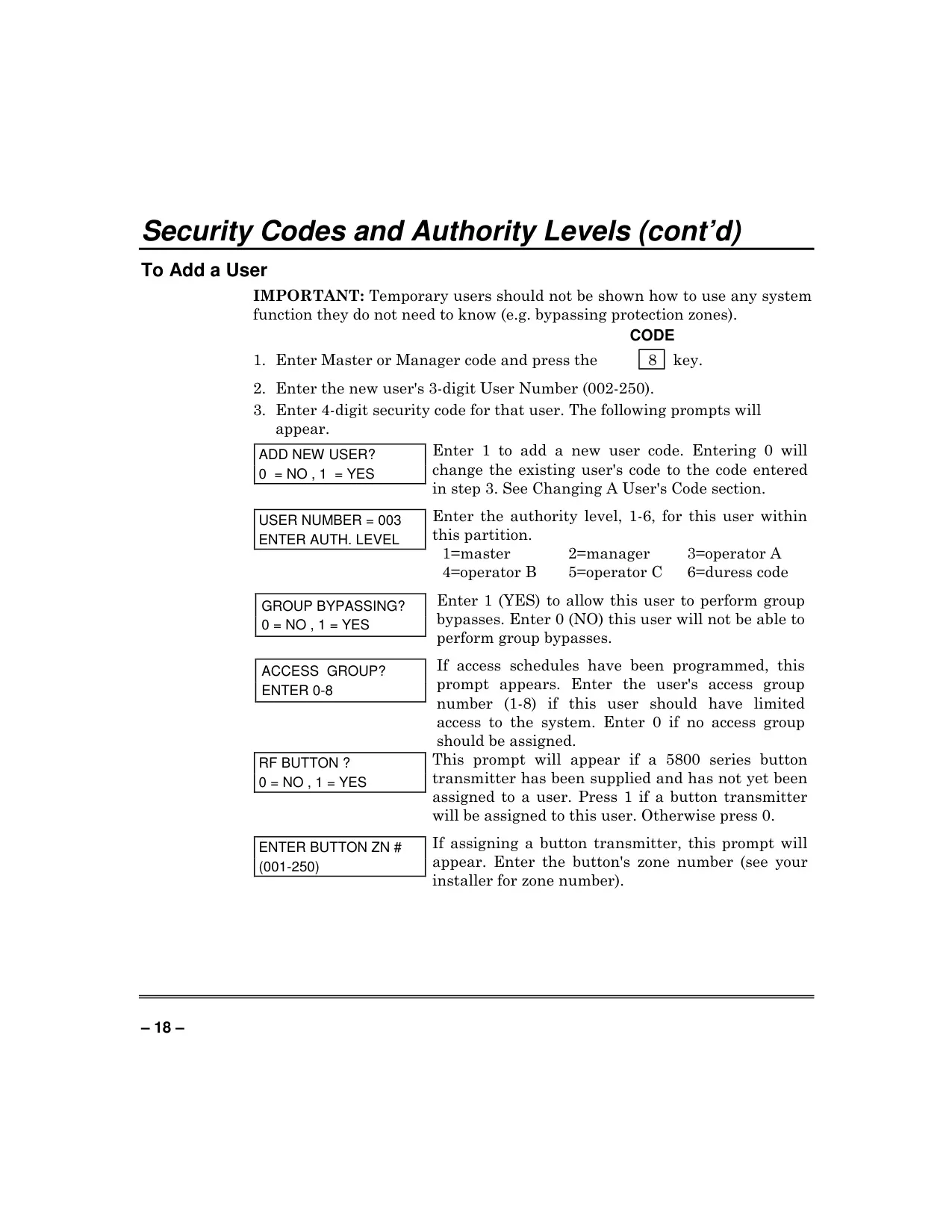

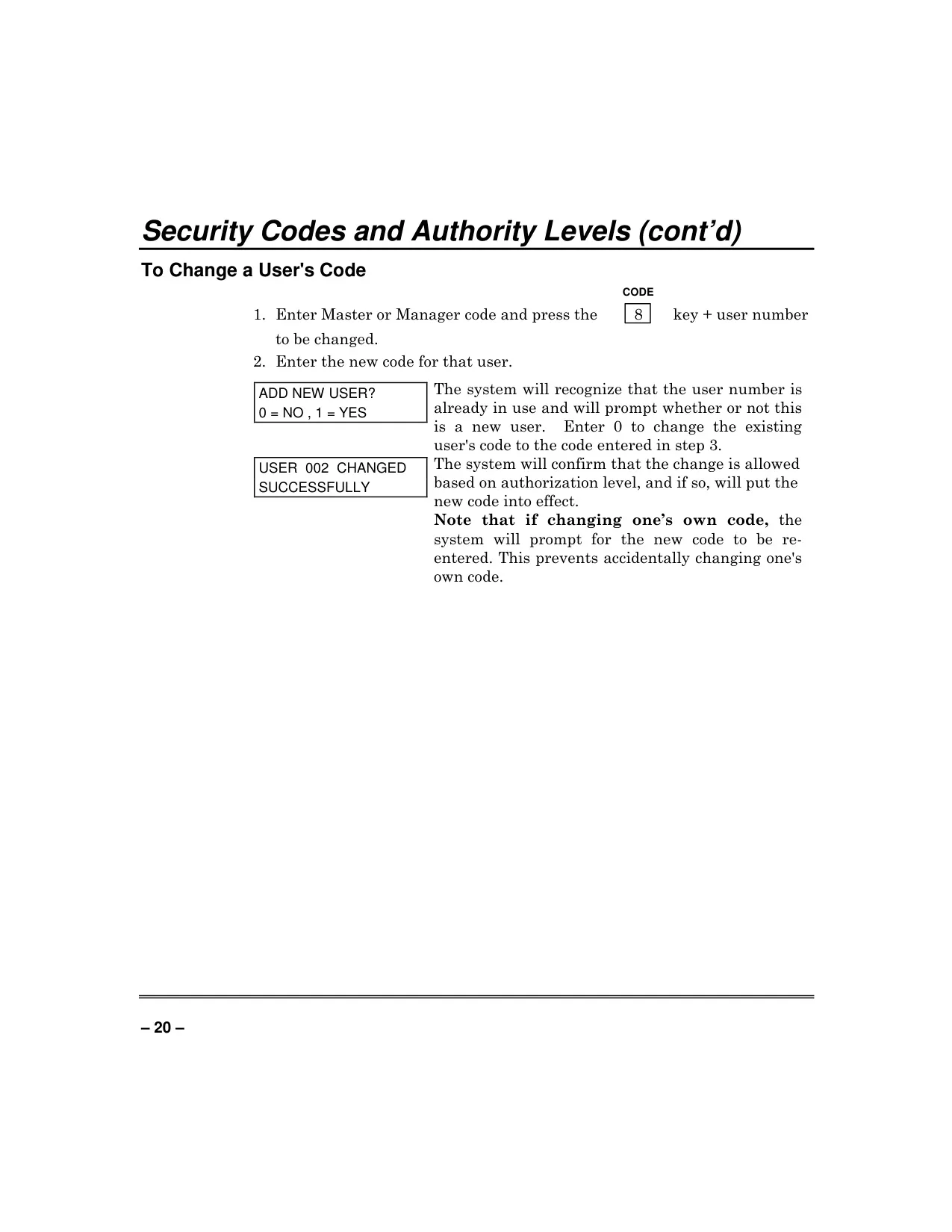
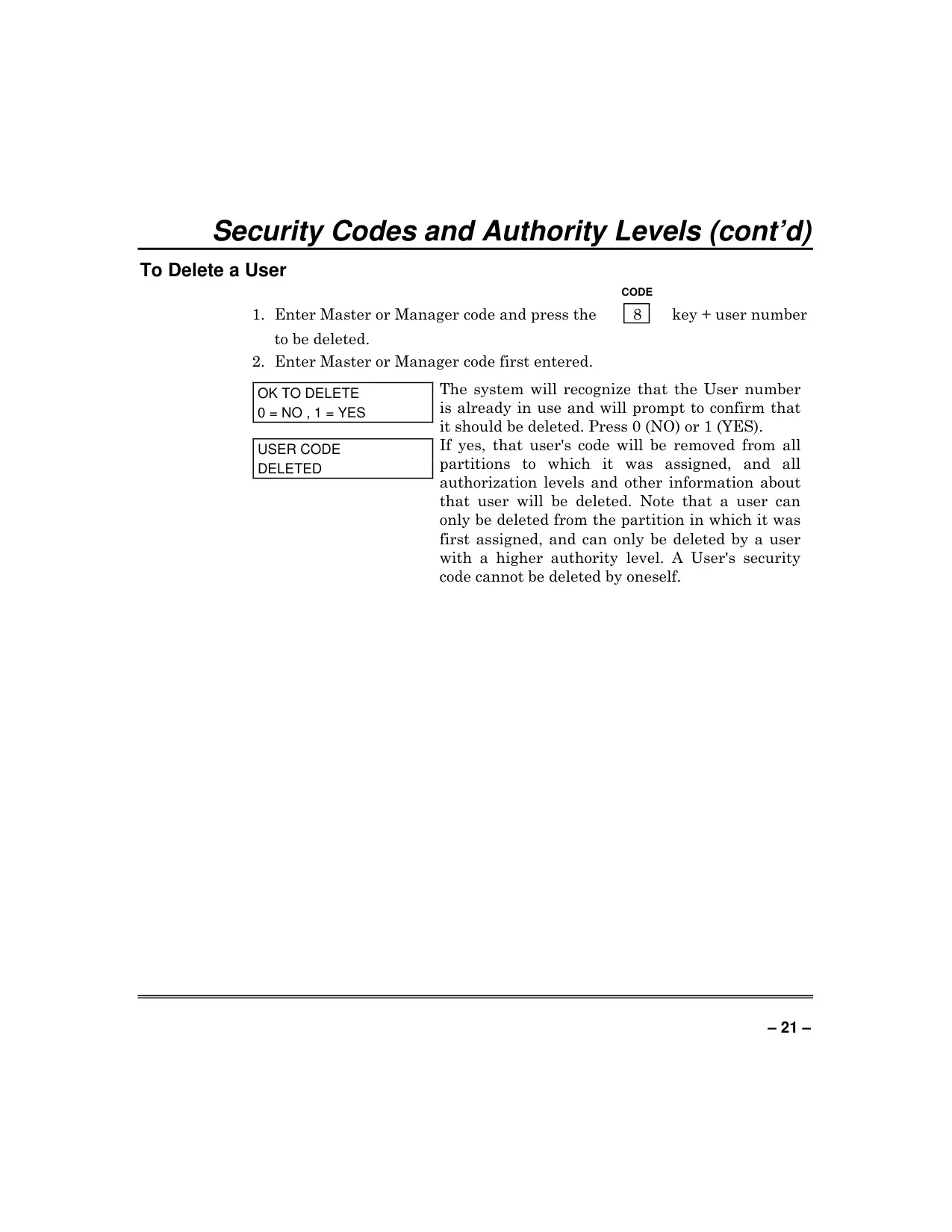
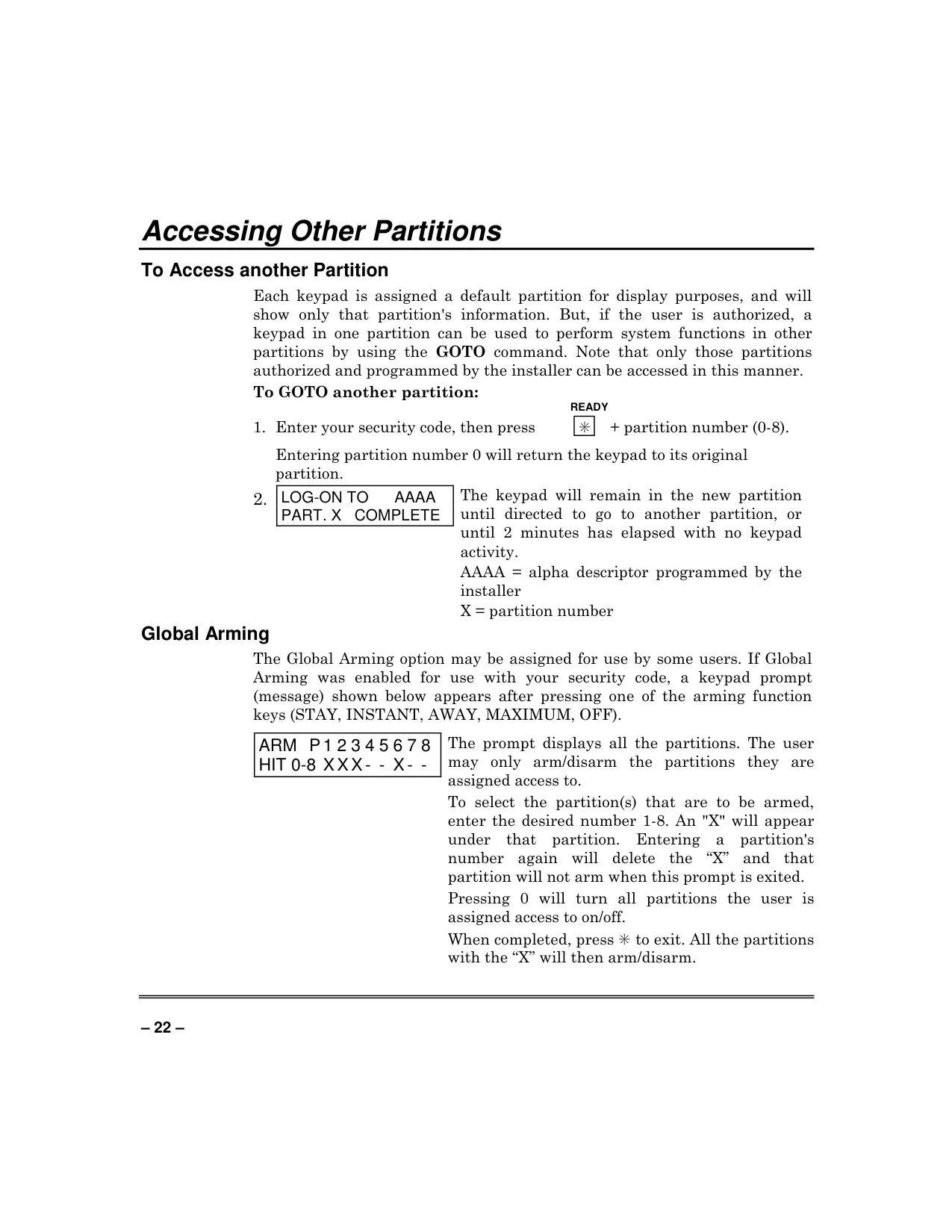
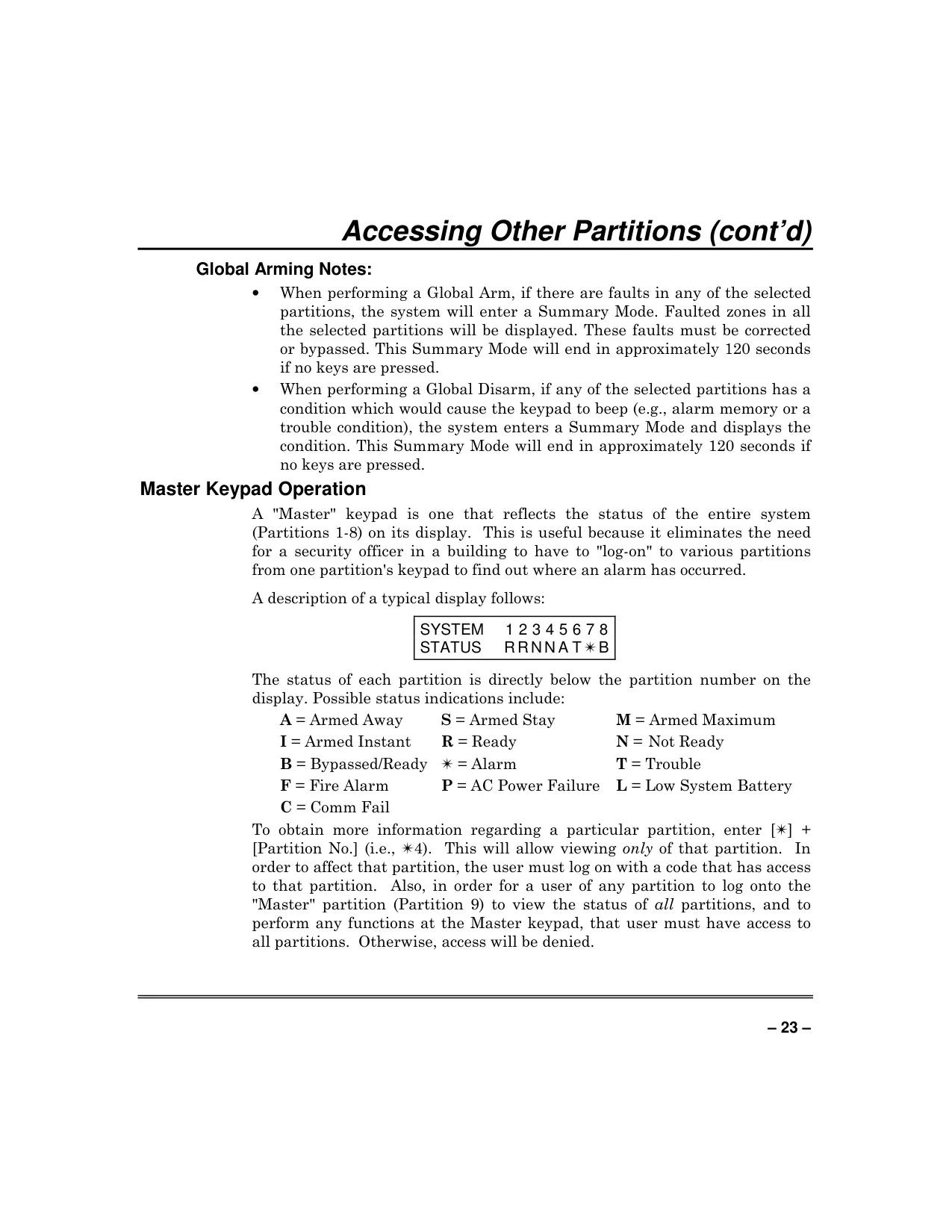


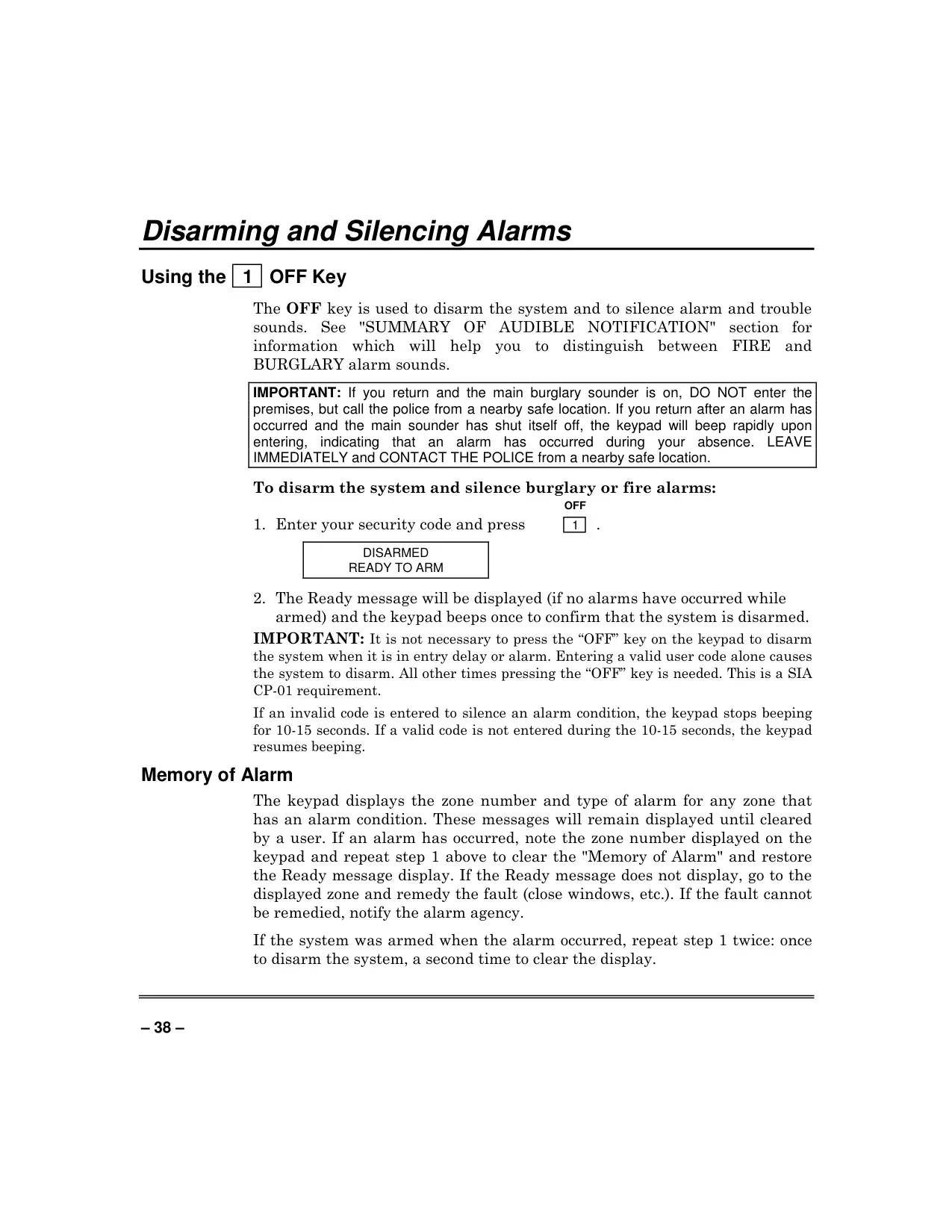
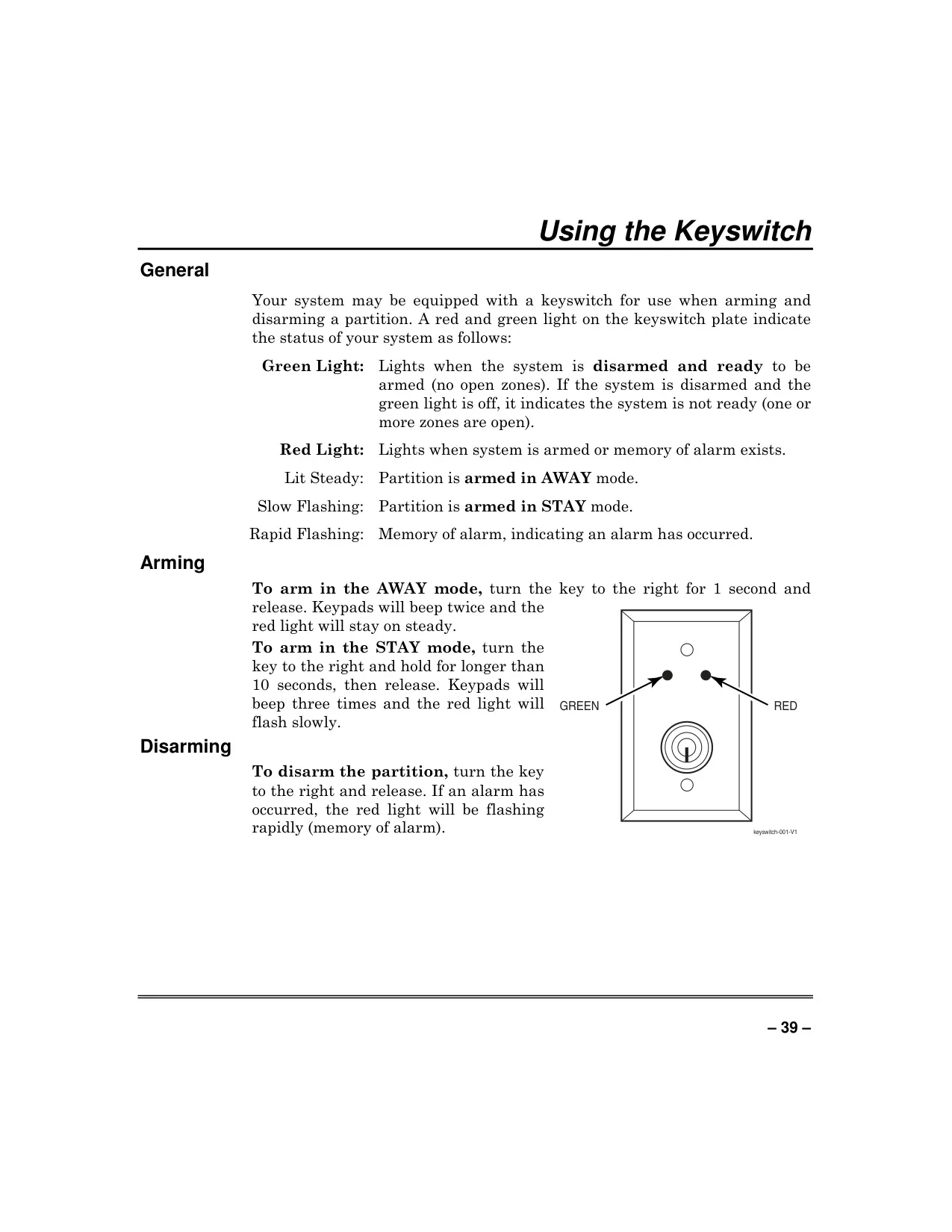
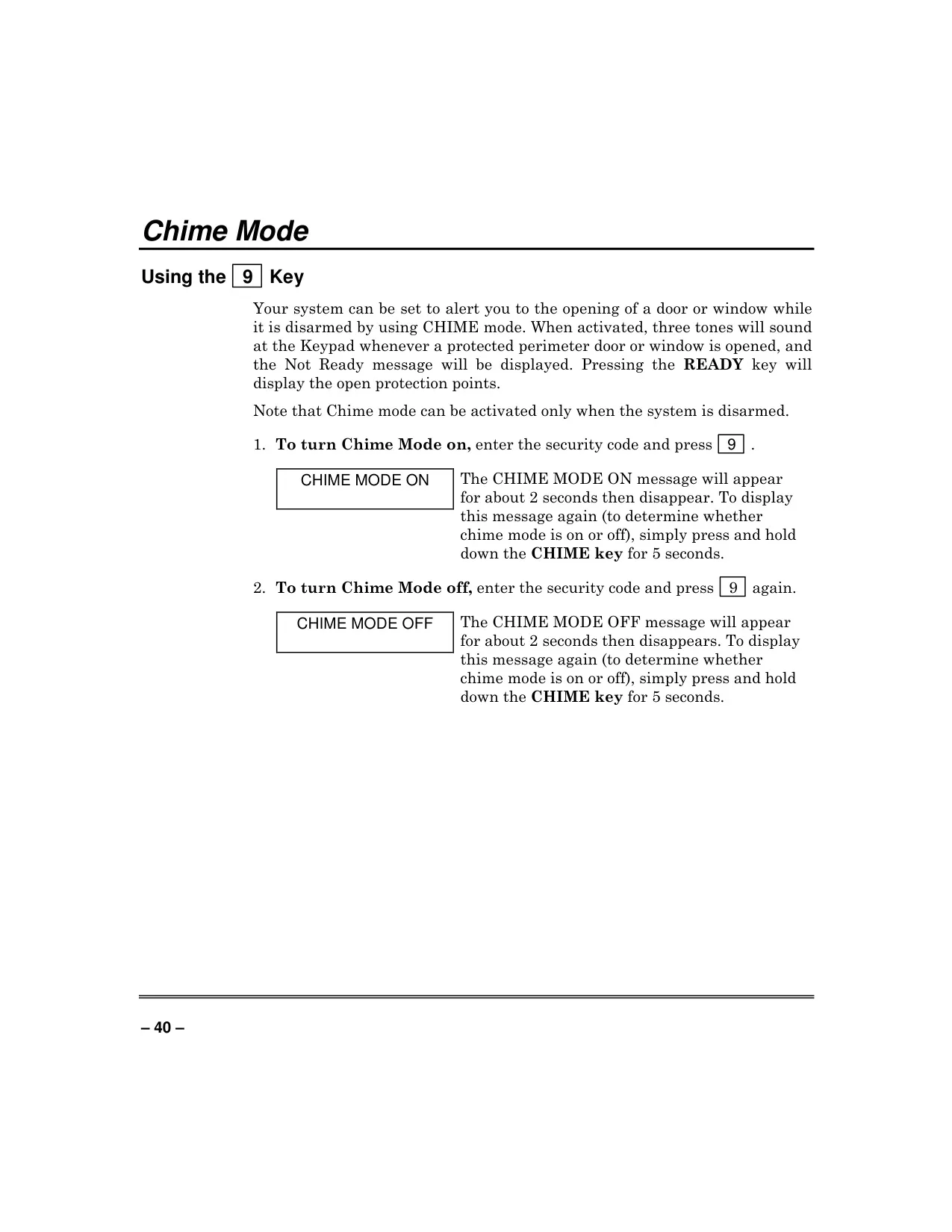
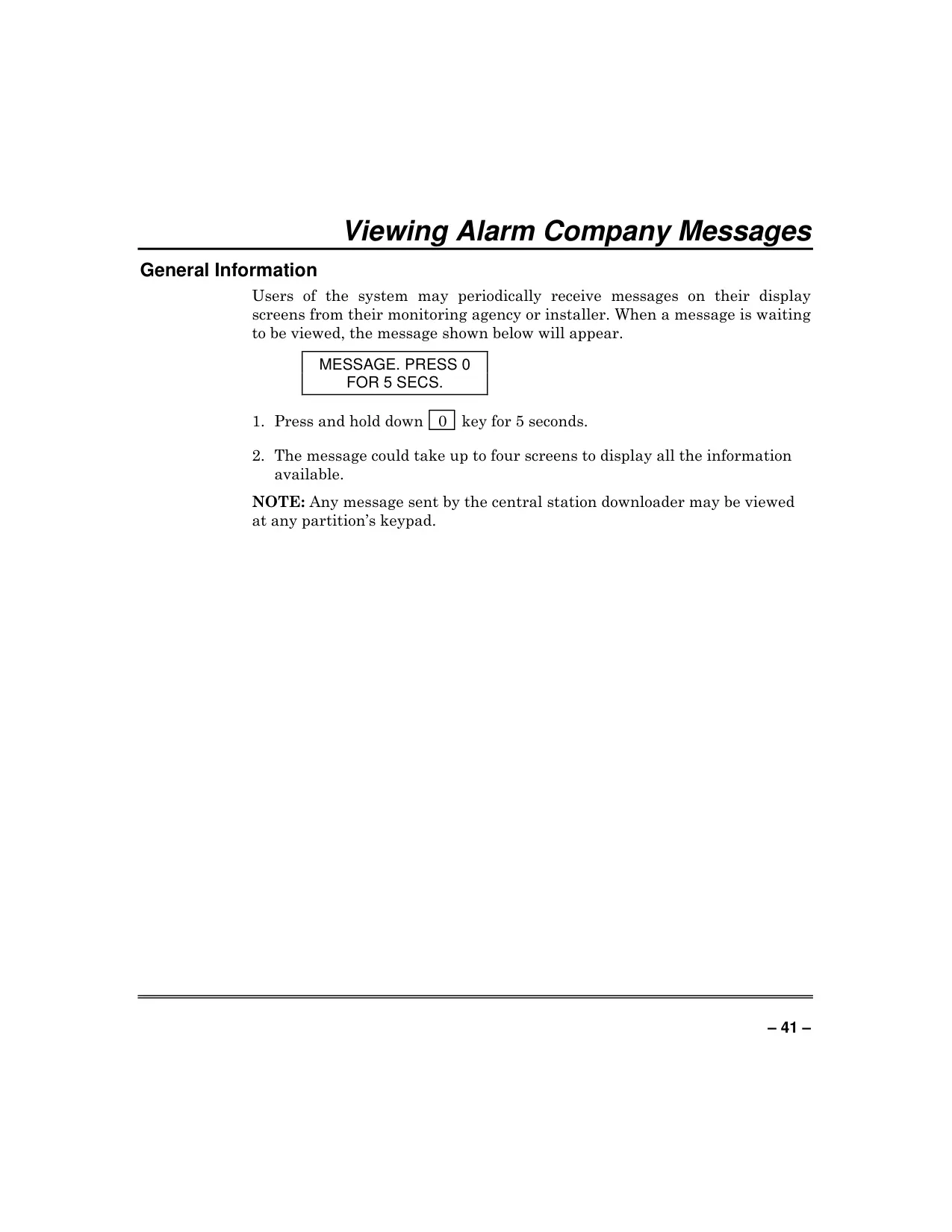



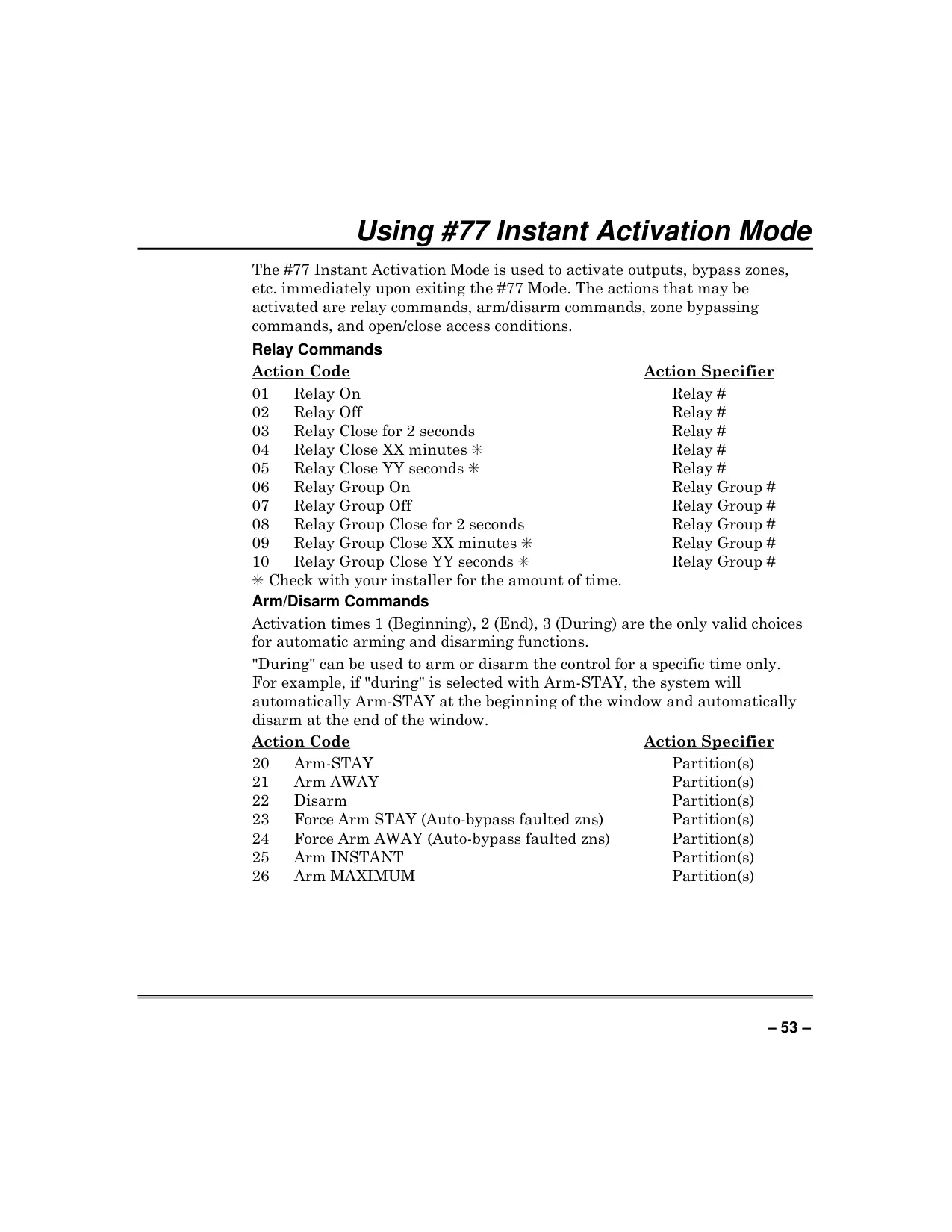
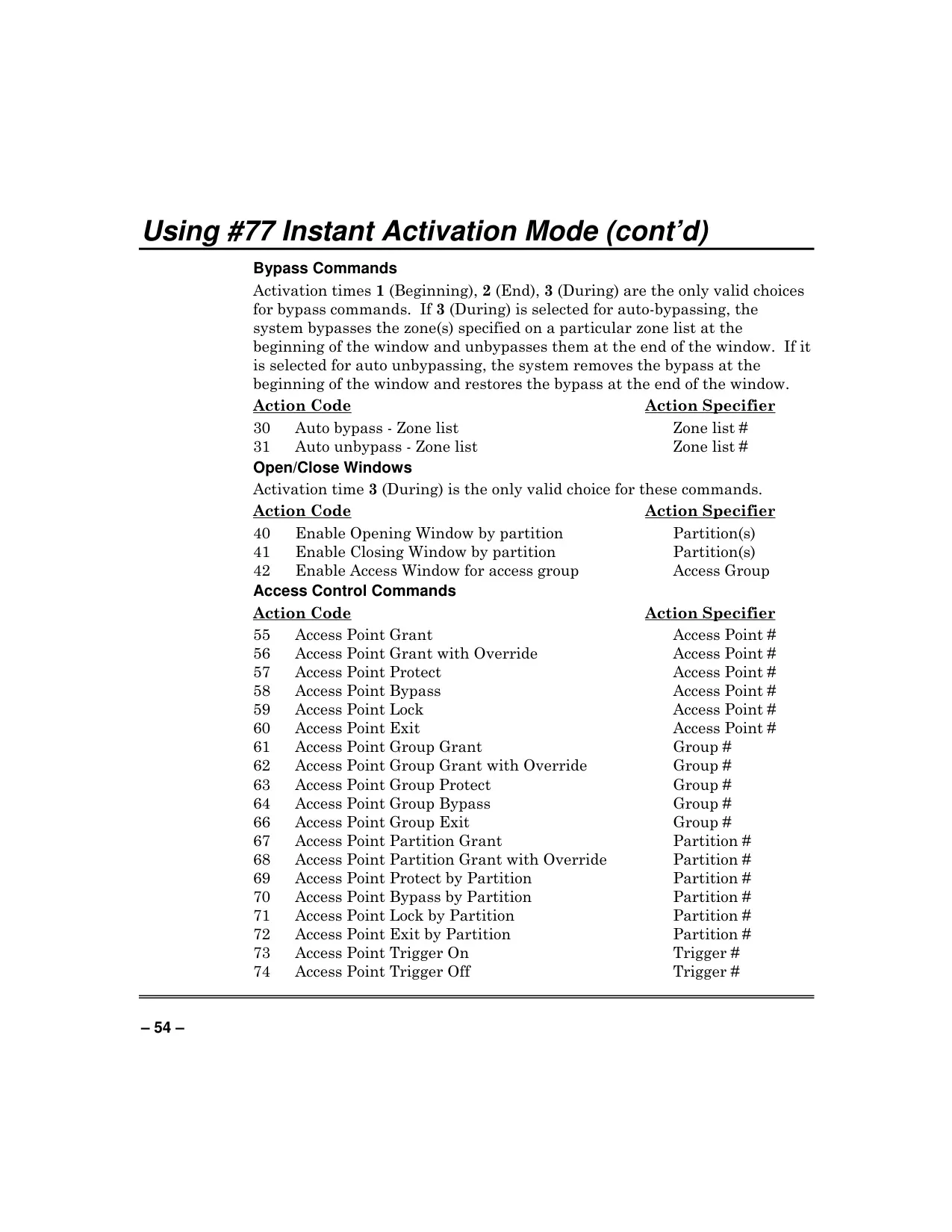

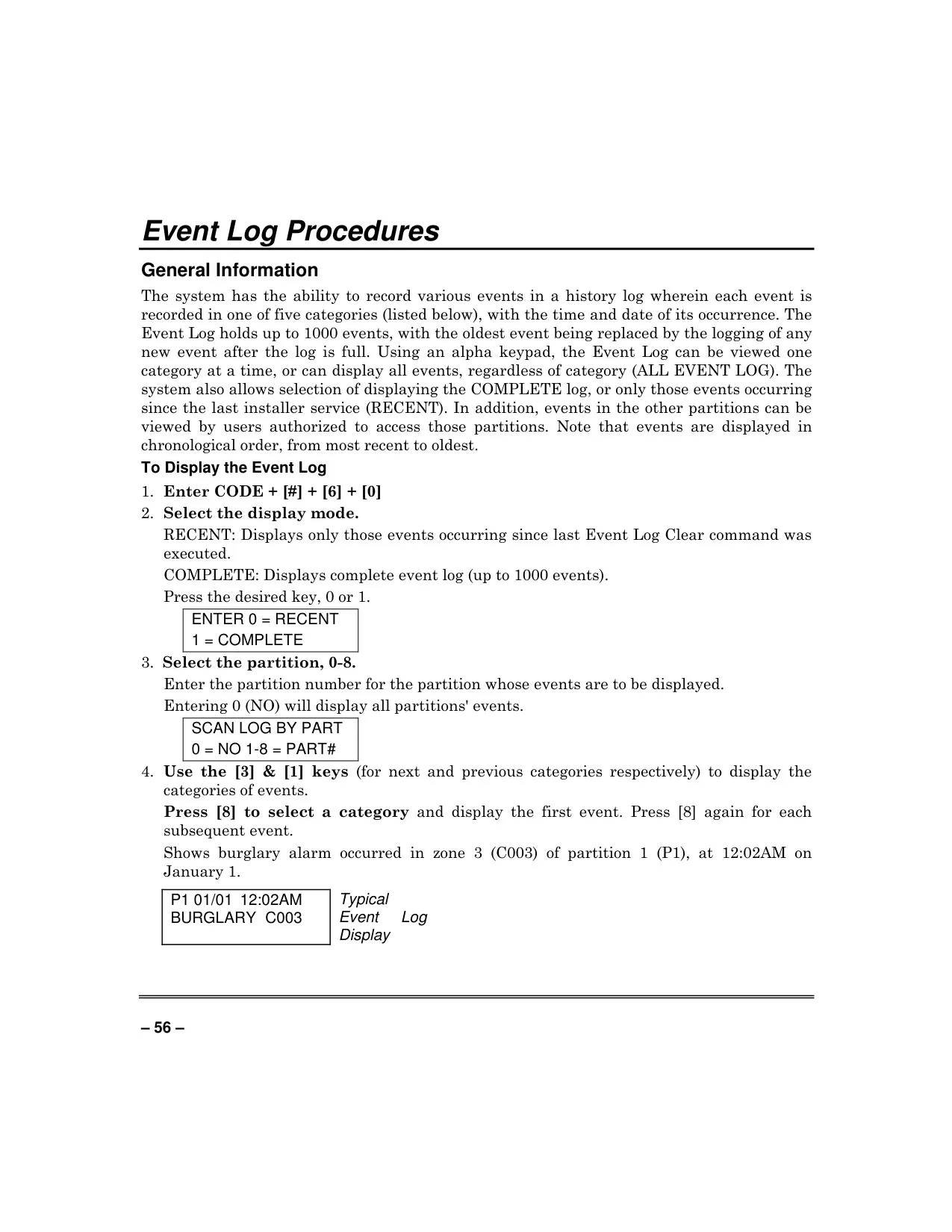
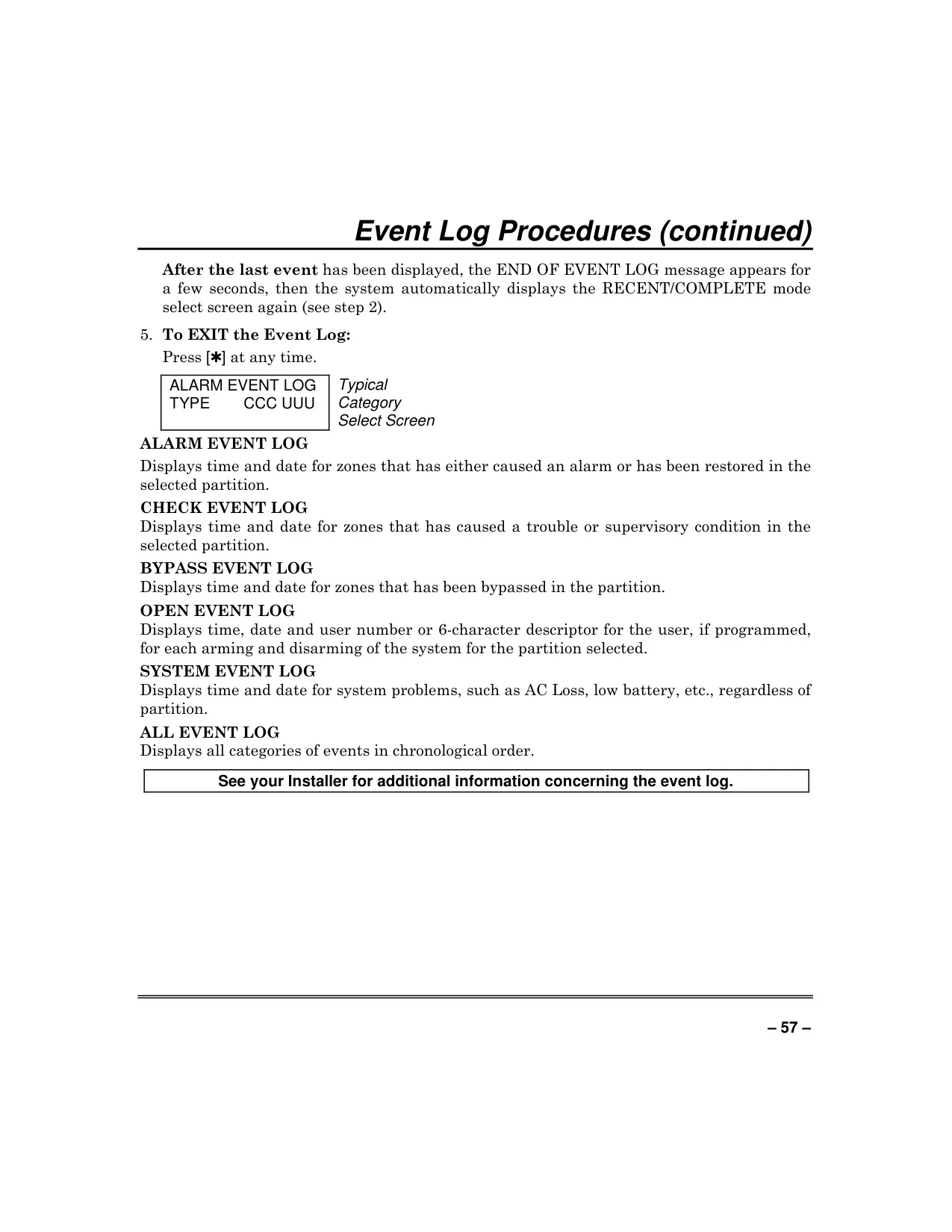
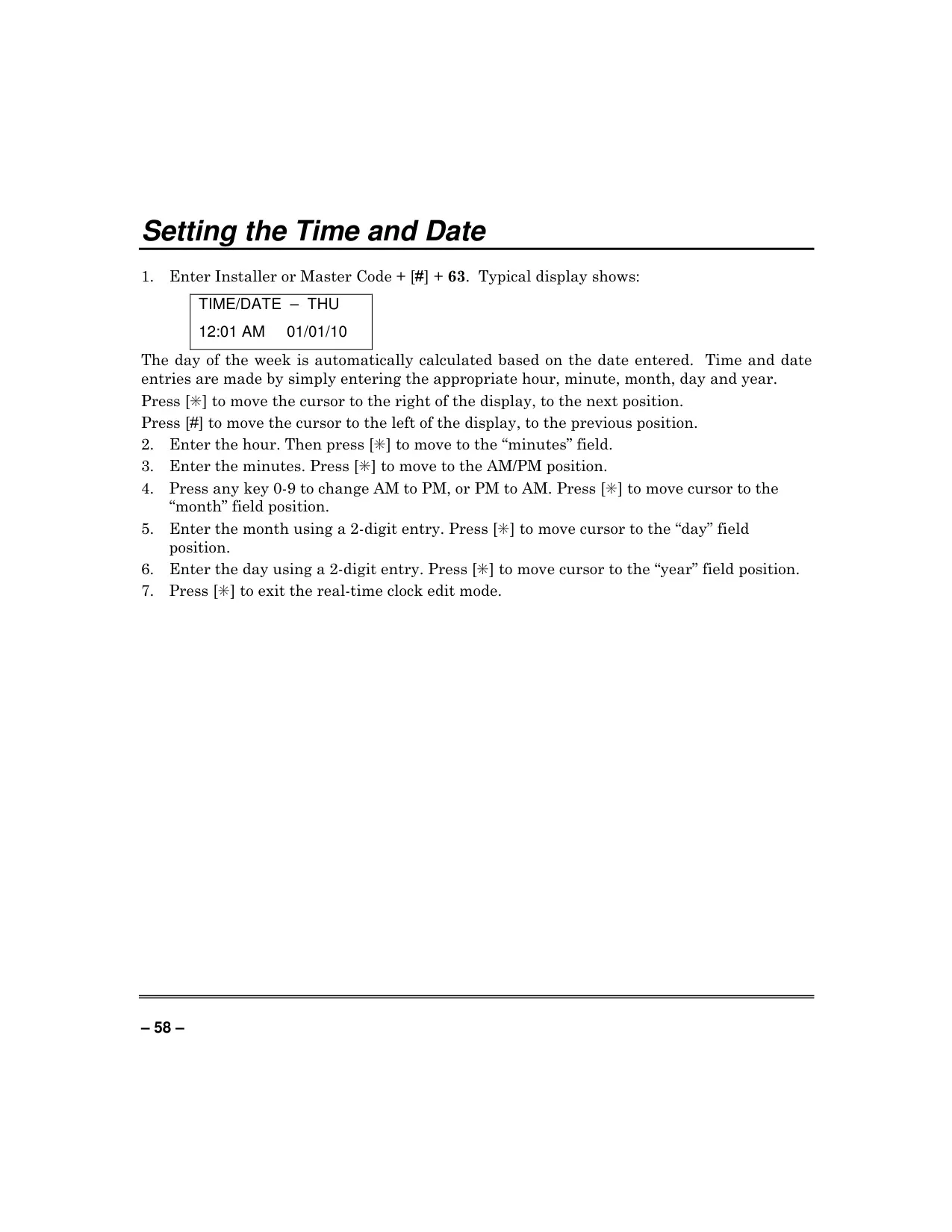
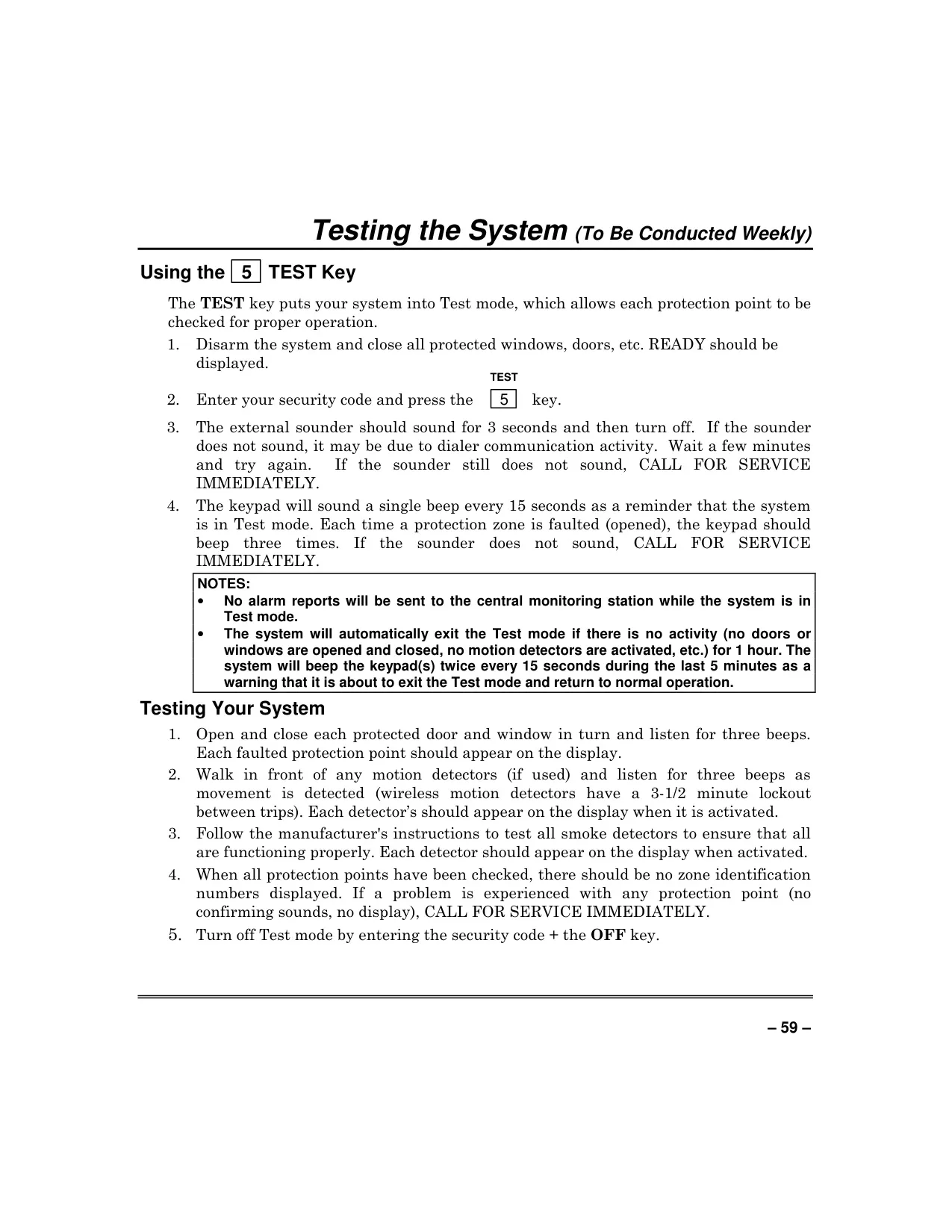
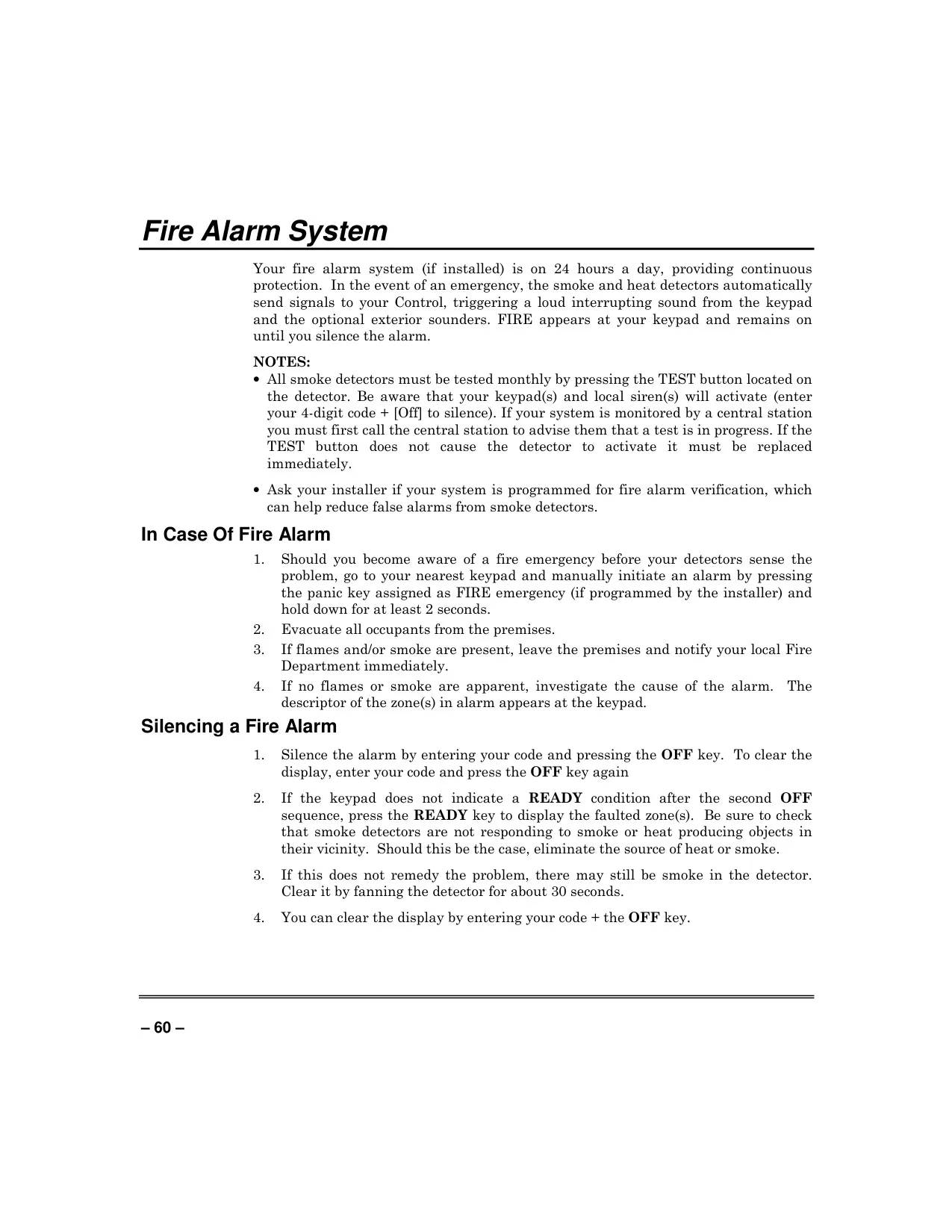
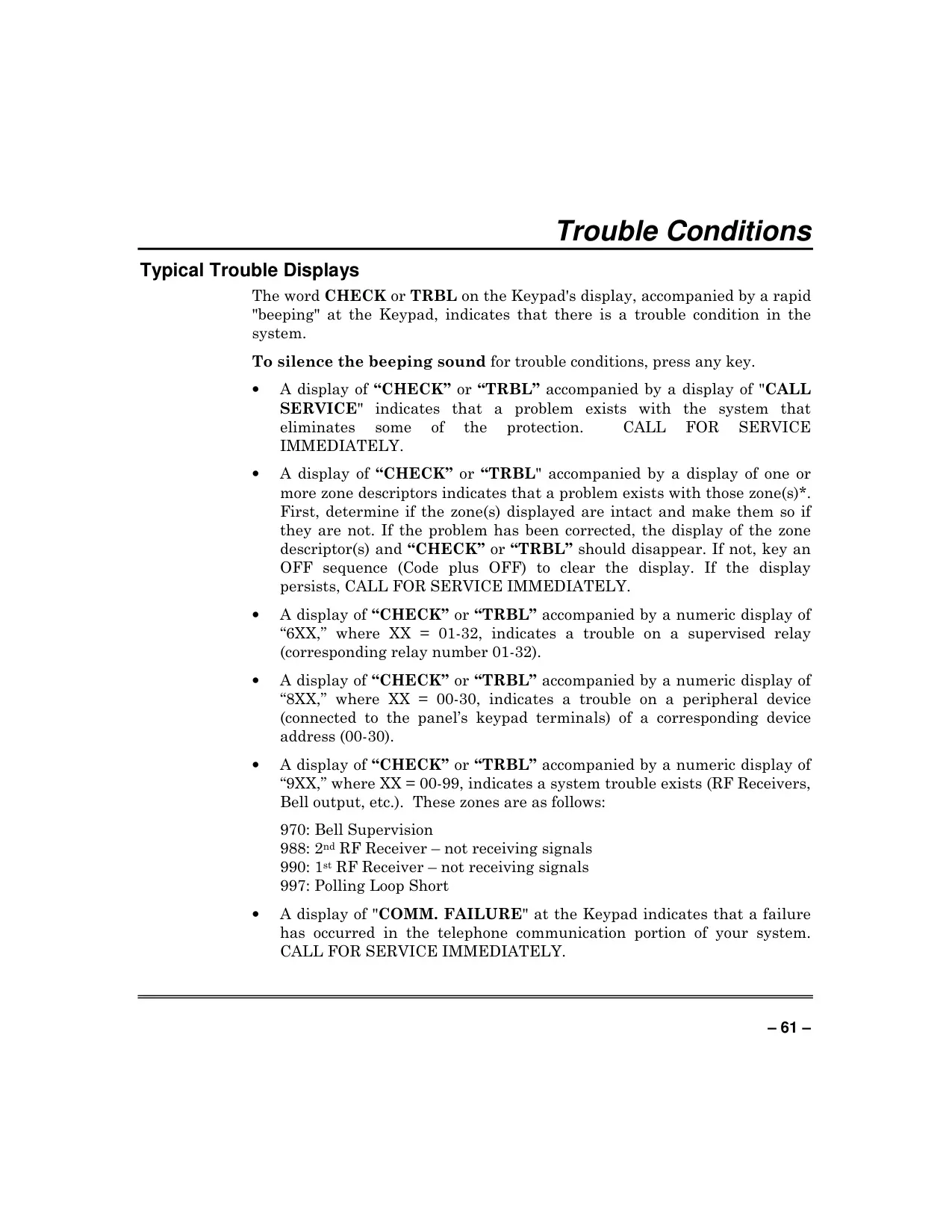
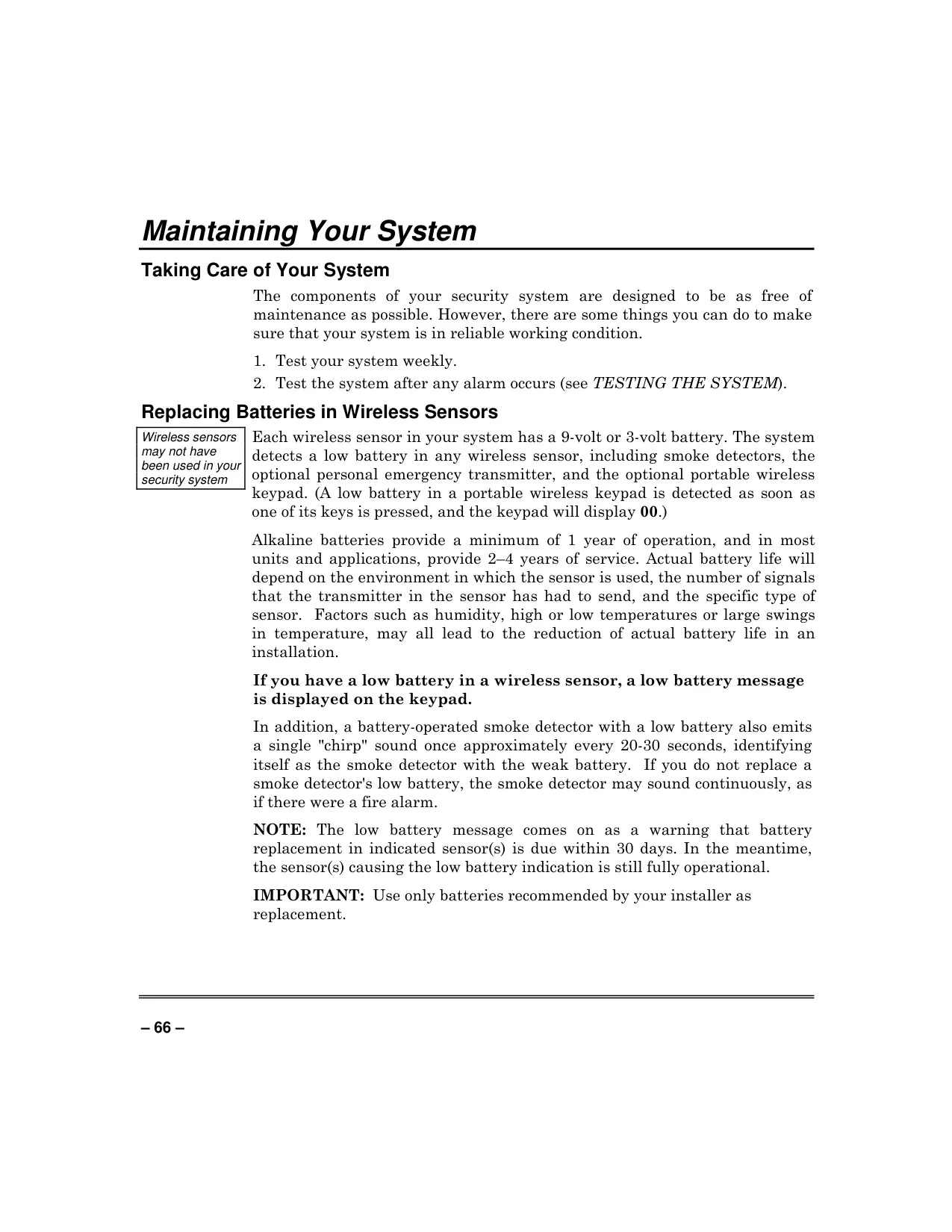
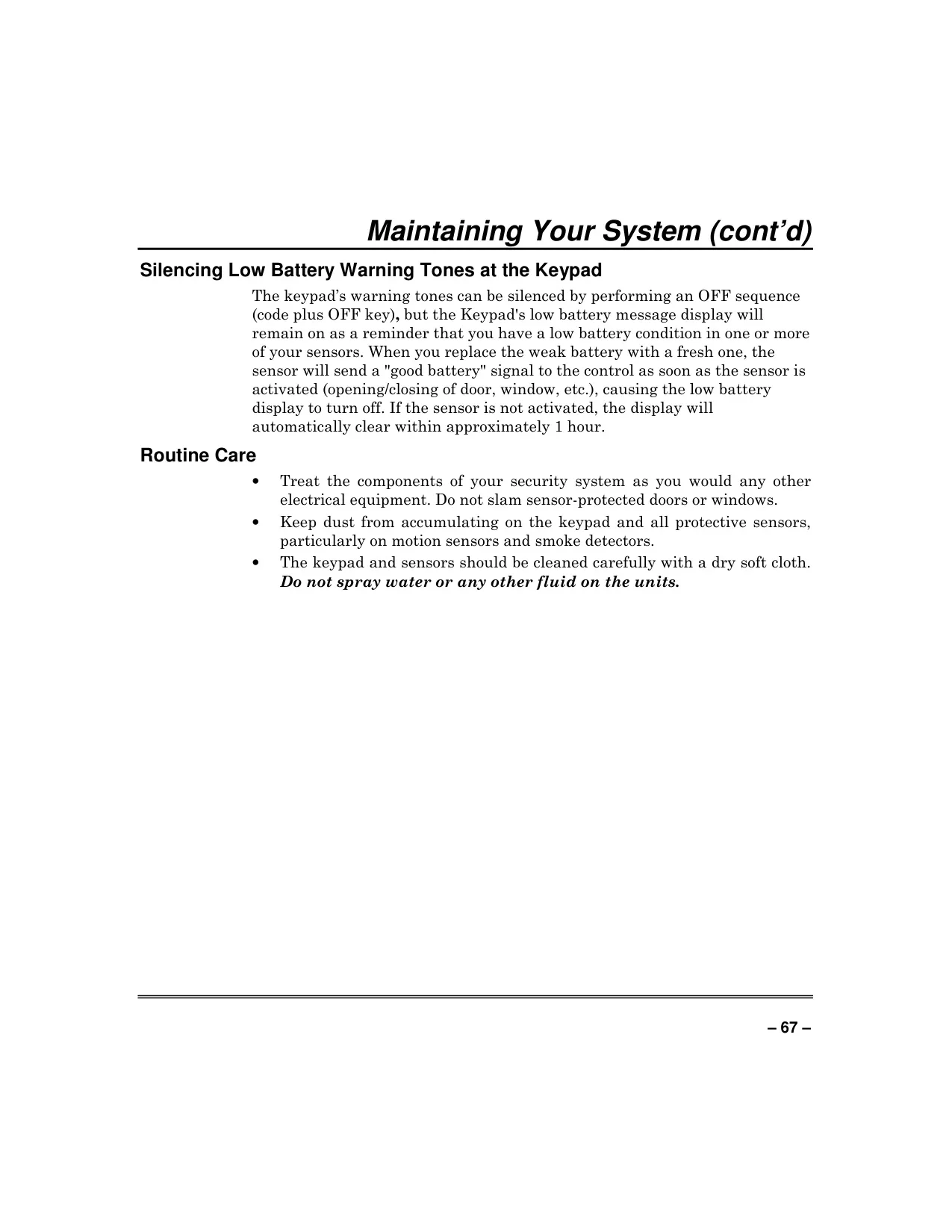
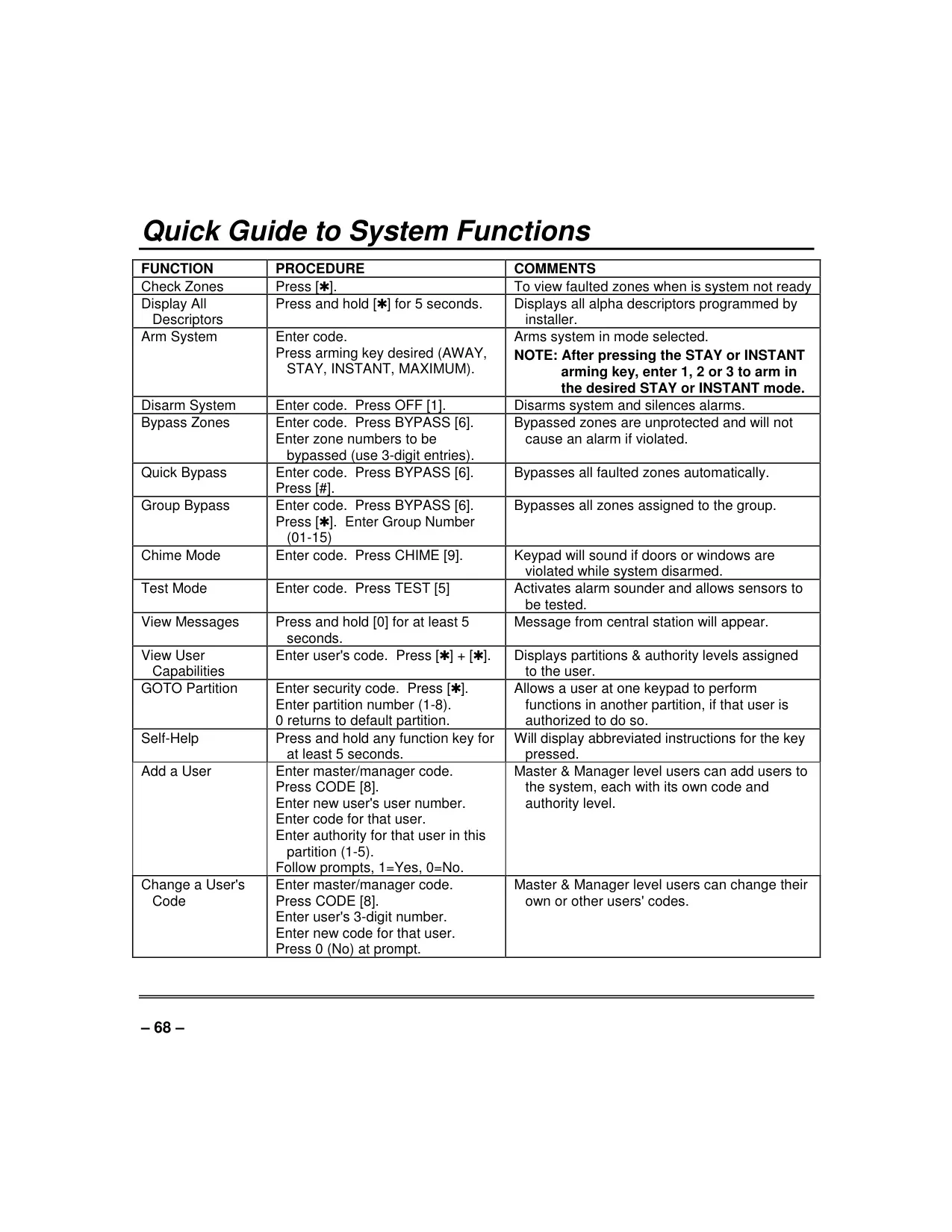

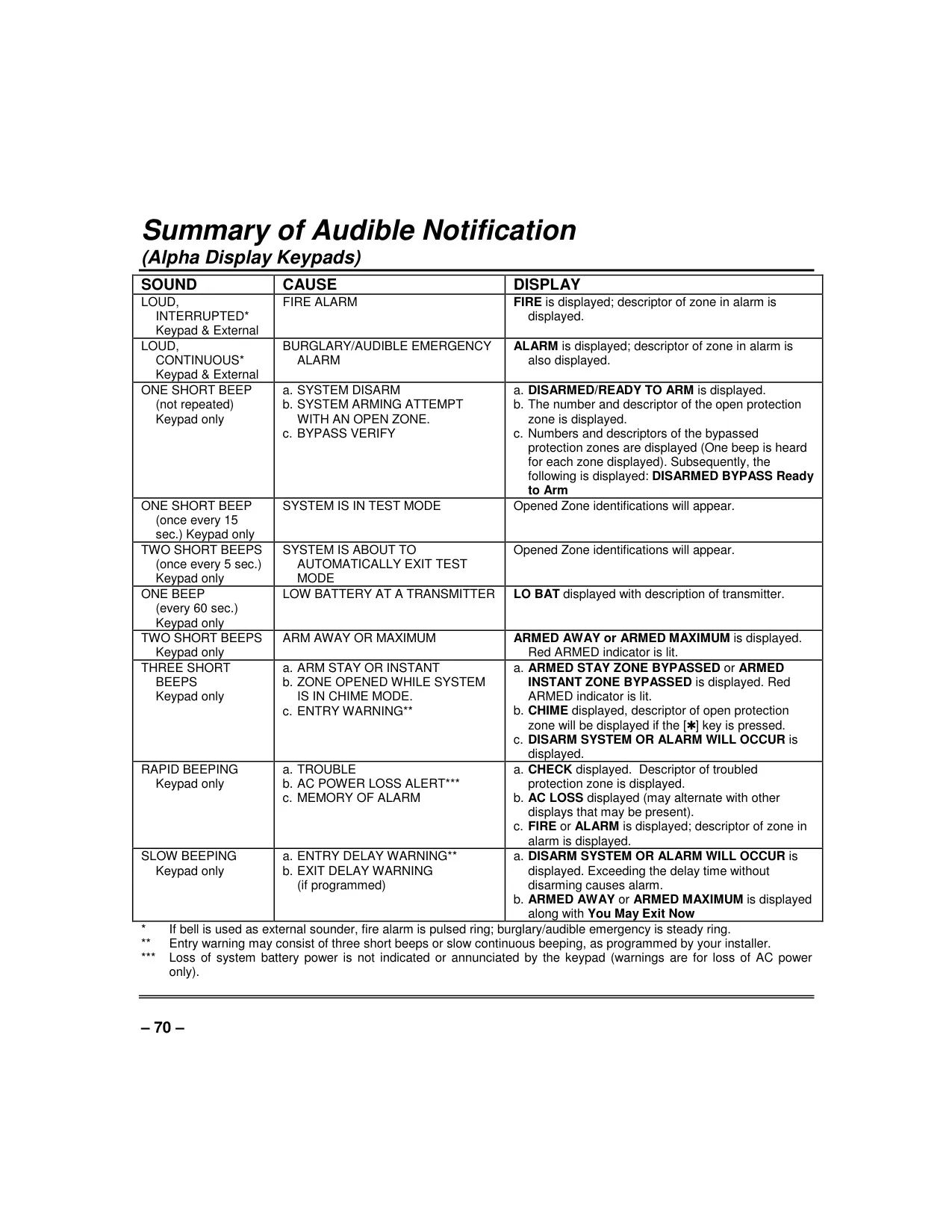
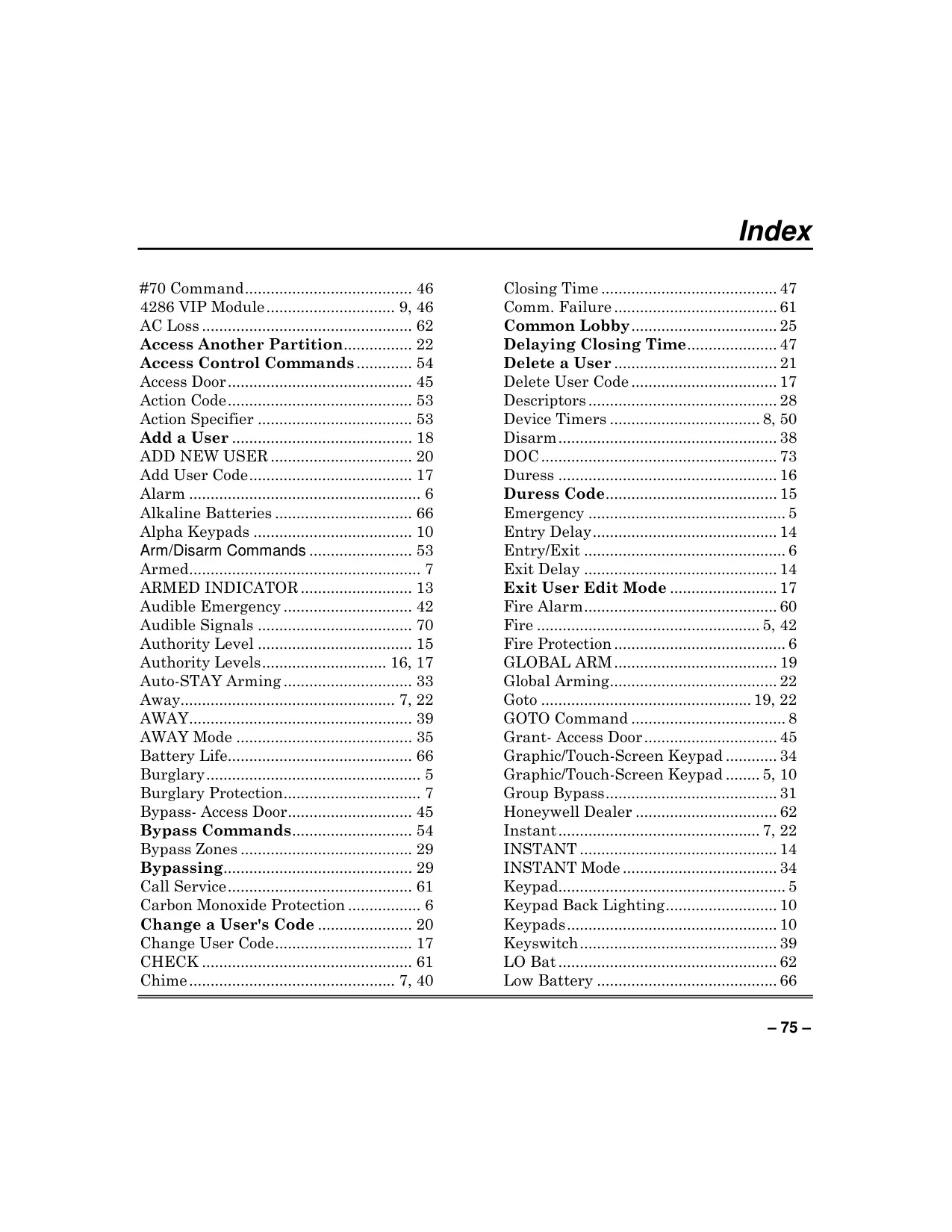
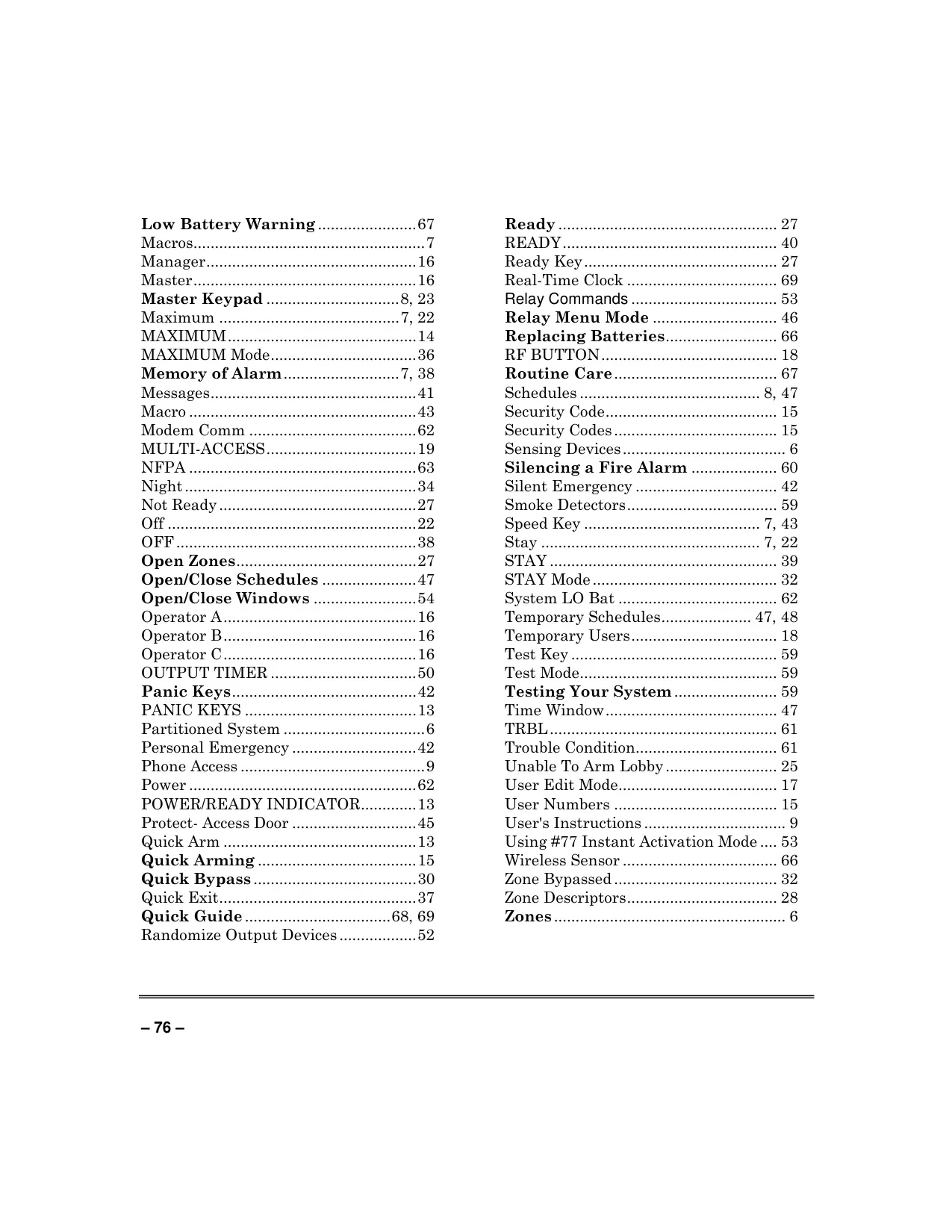





Honeywell Vista 250BPT Security System

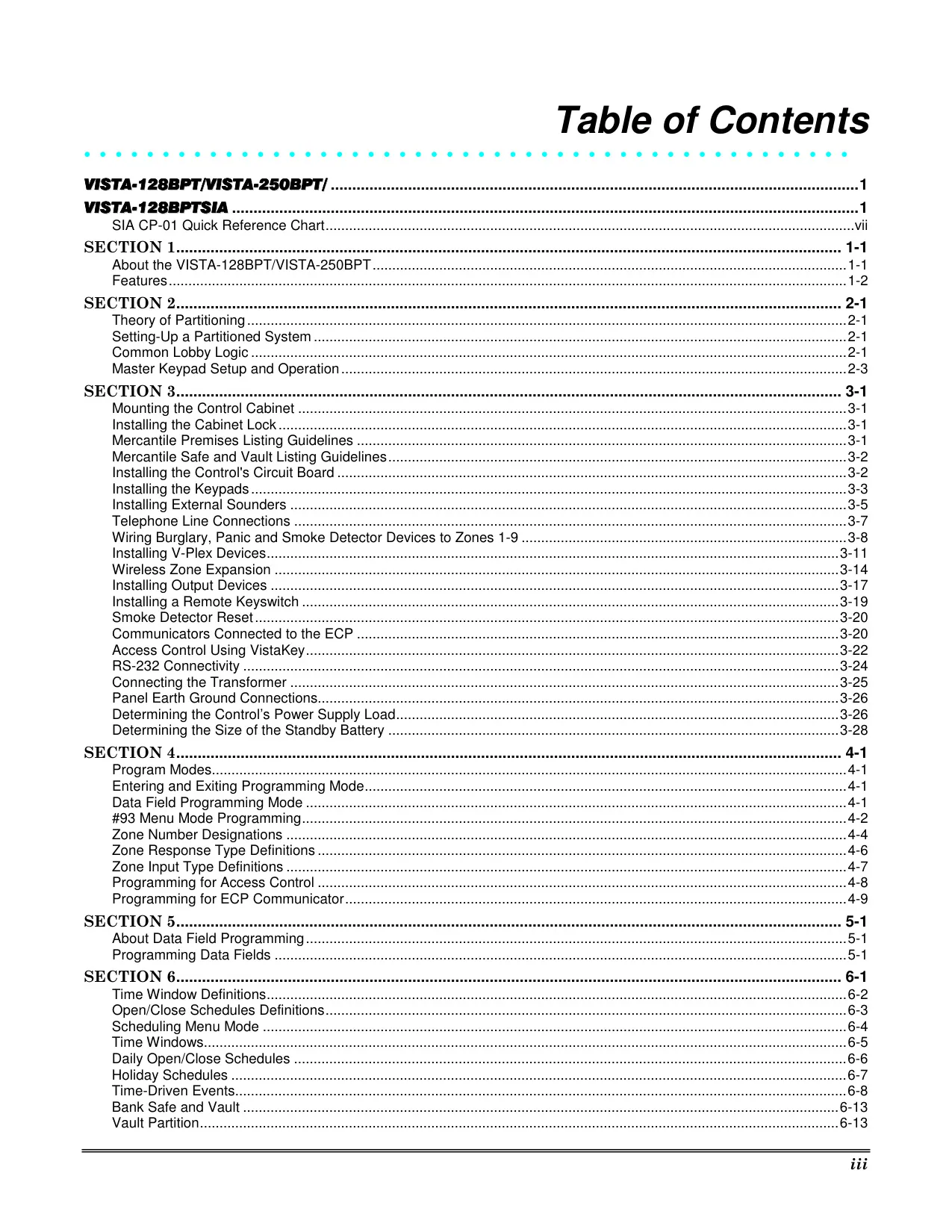
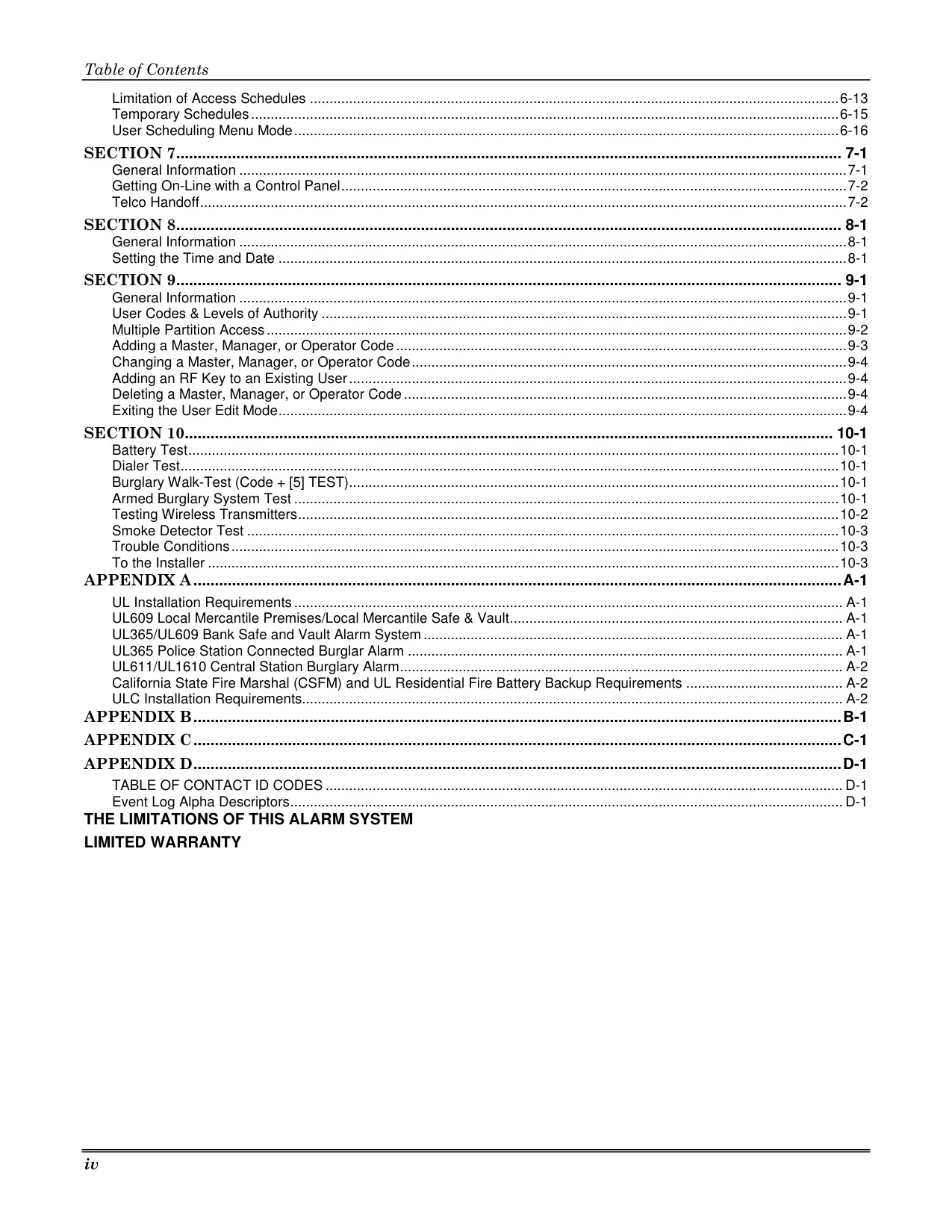
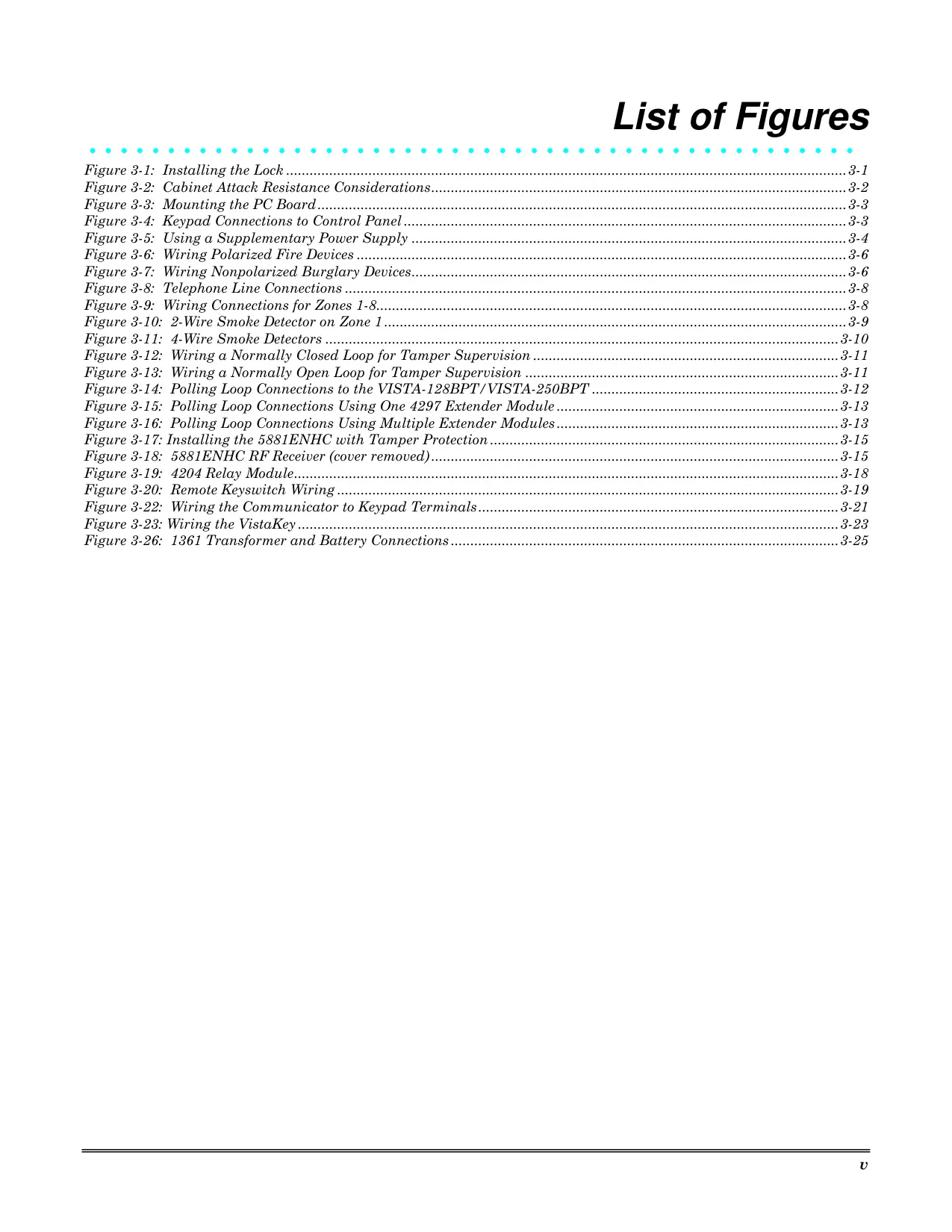
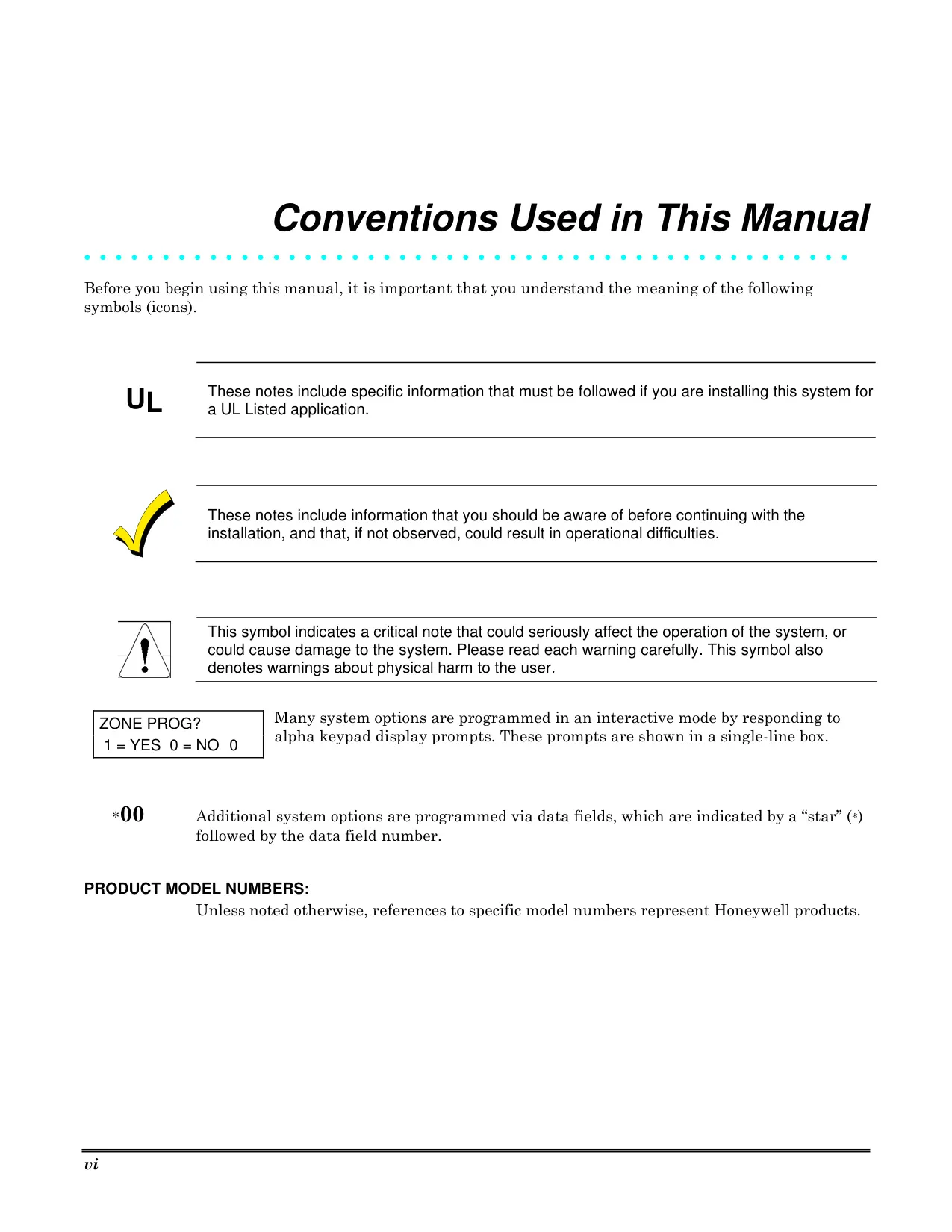
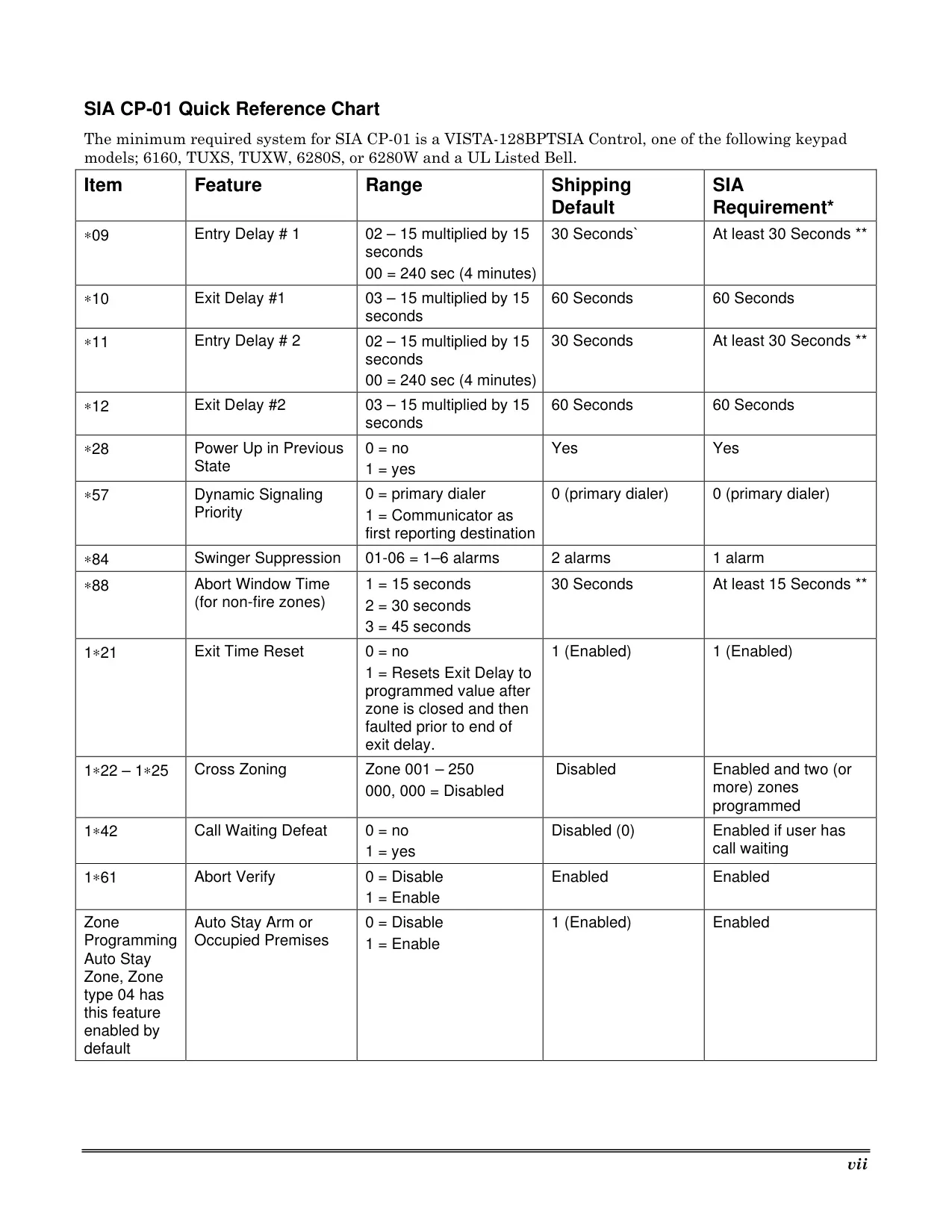
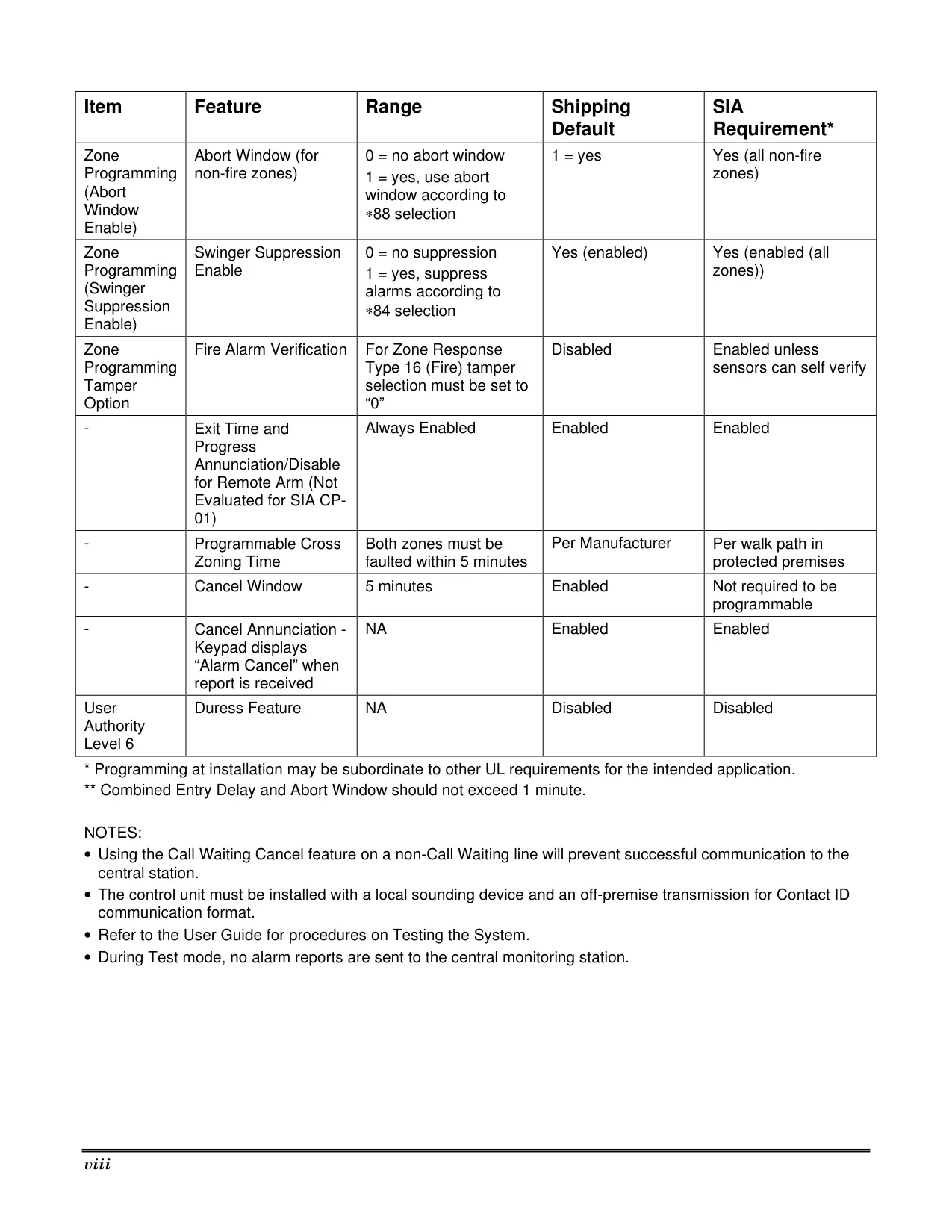
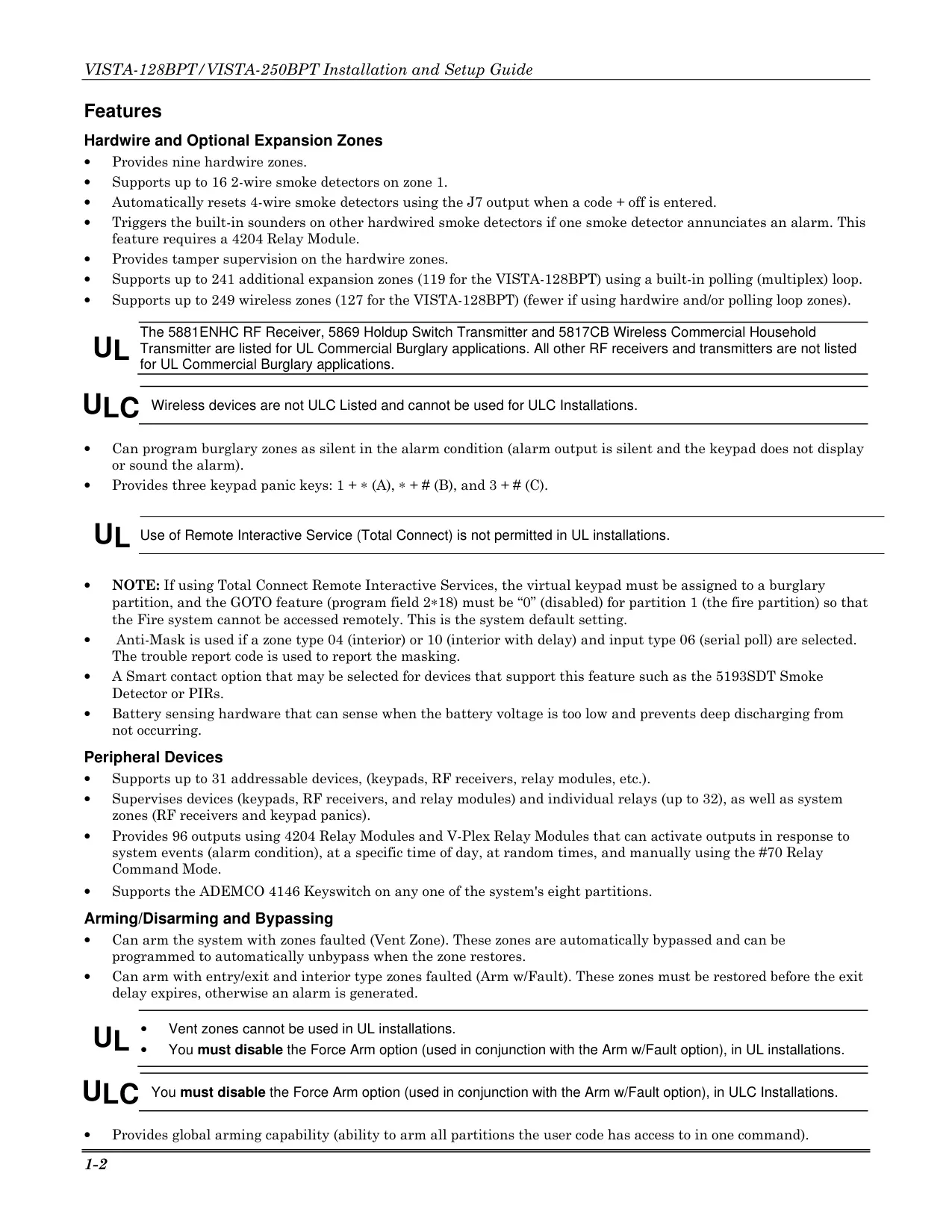
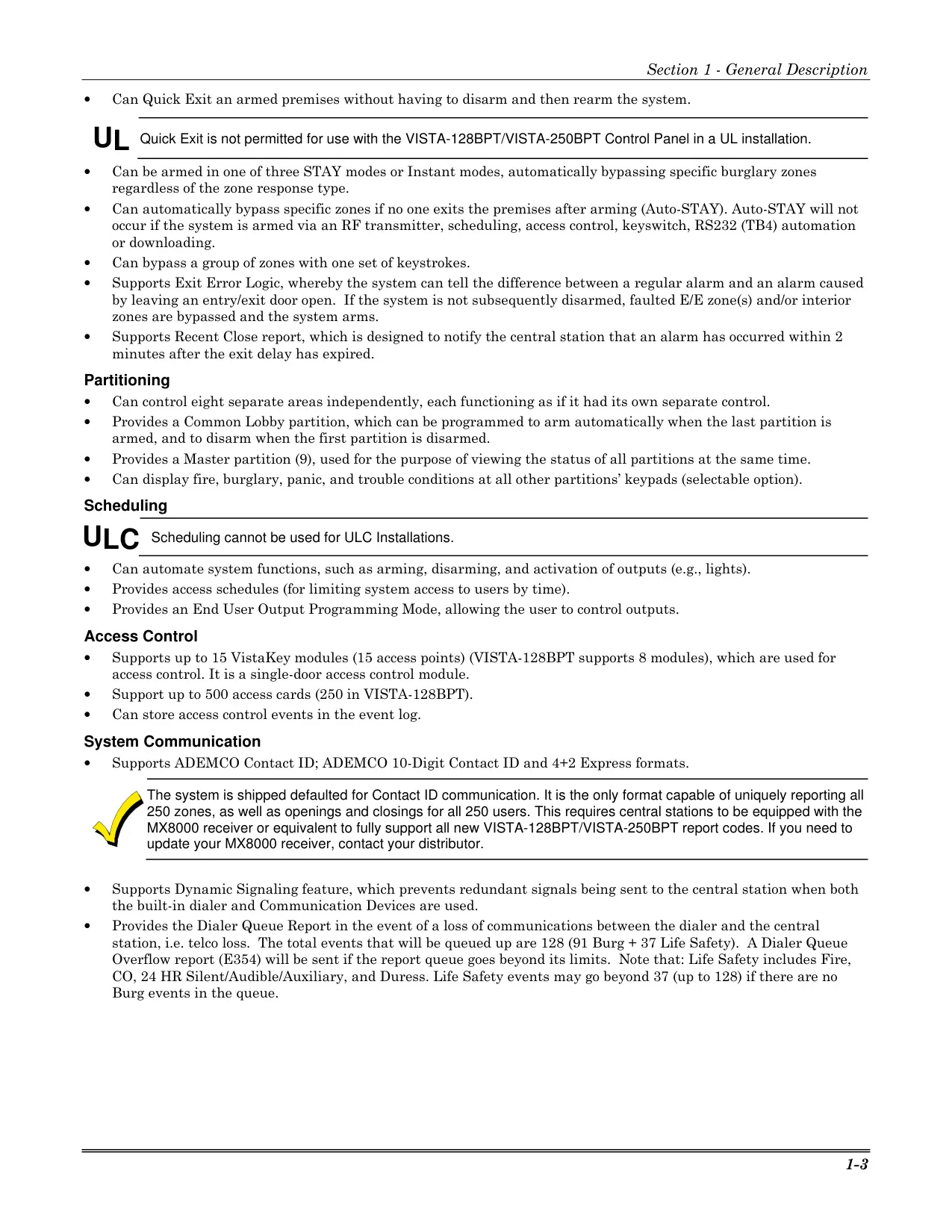
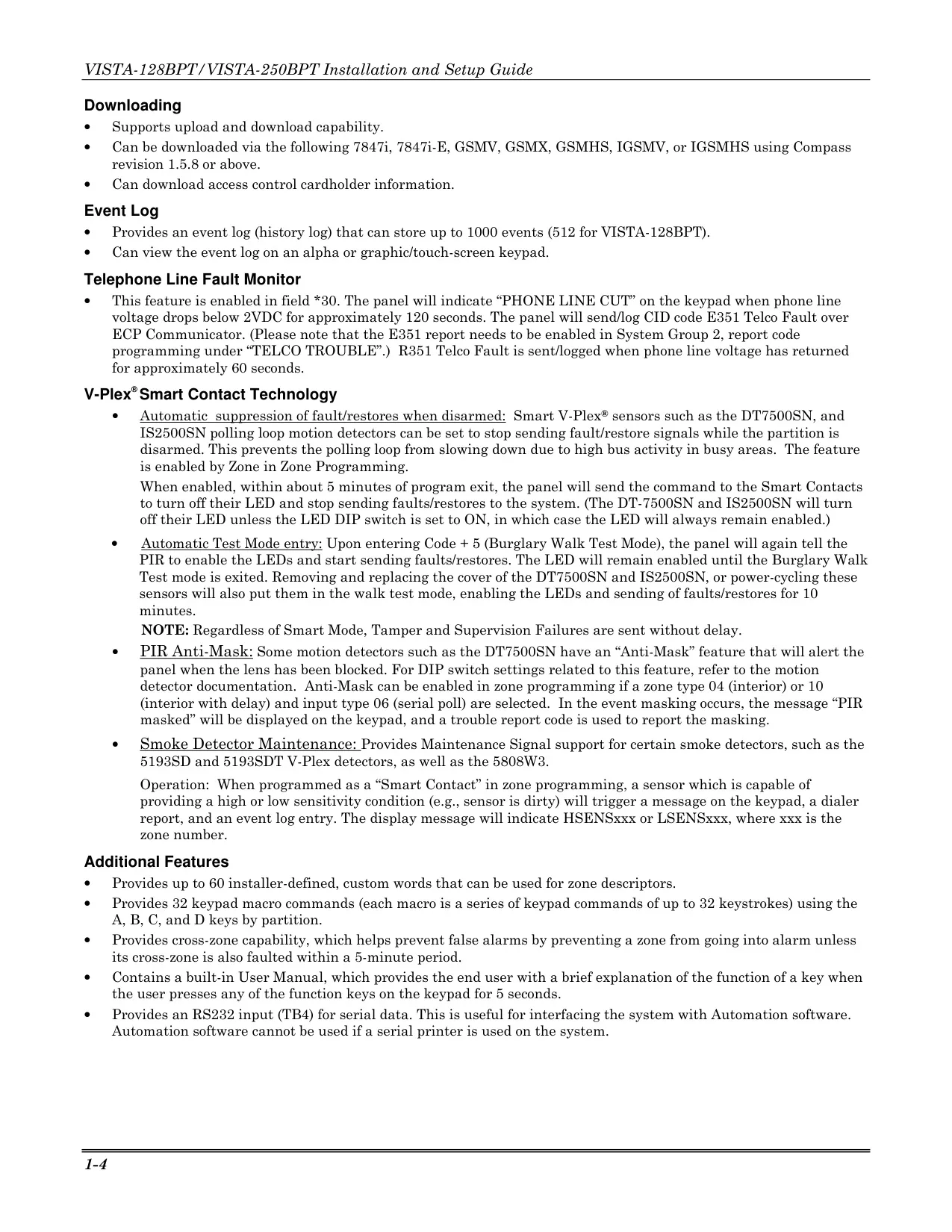
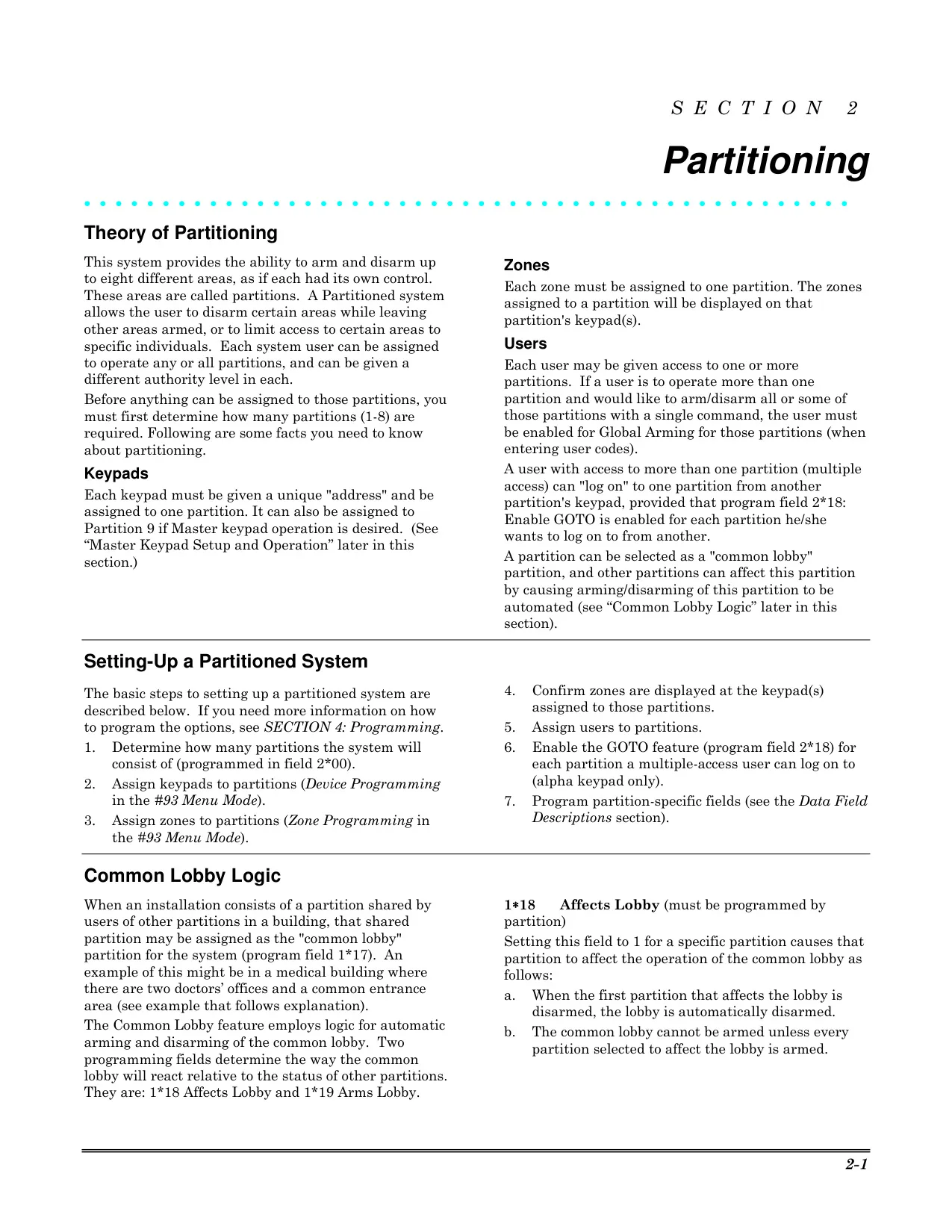
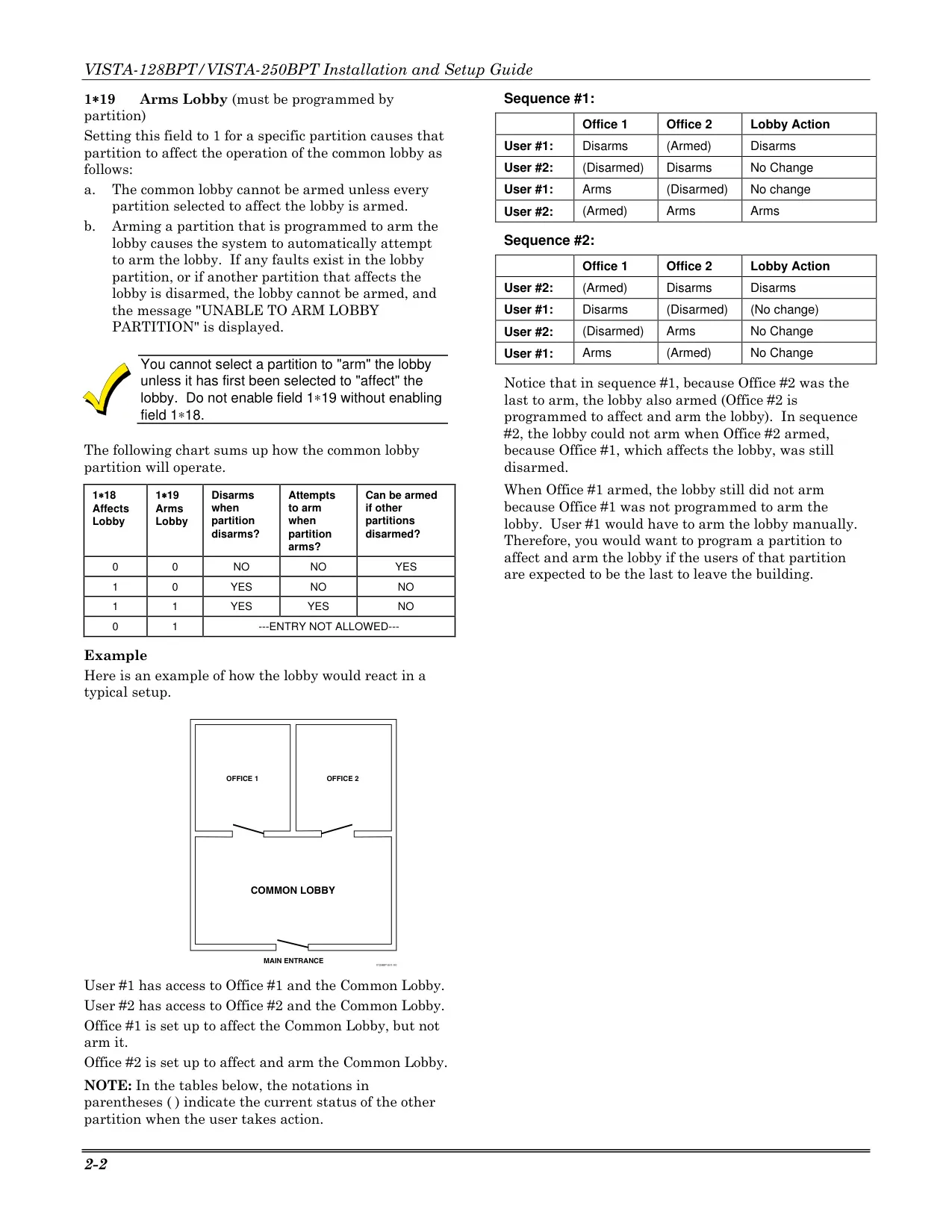
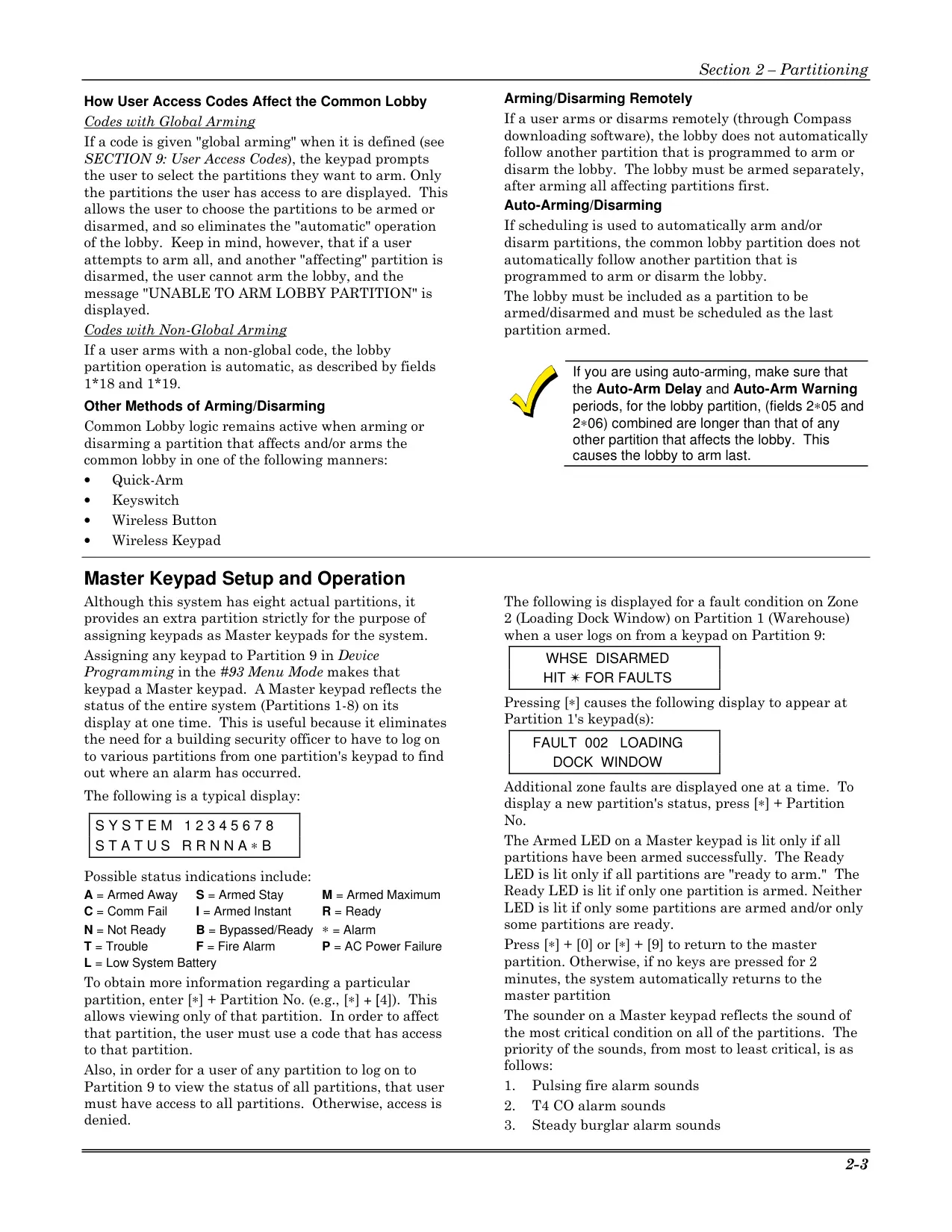
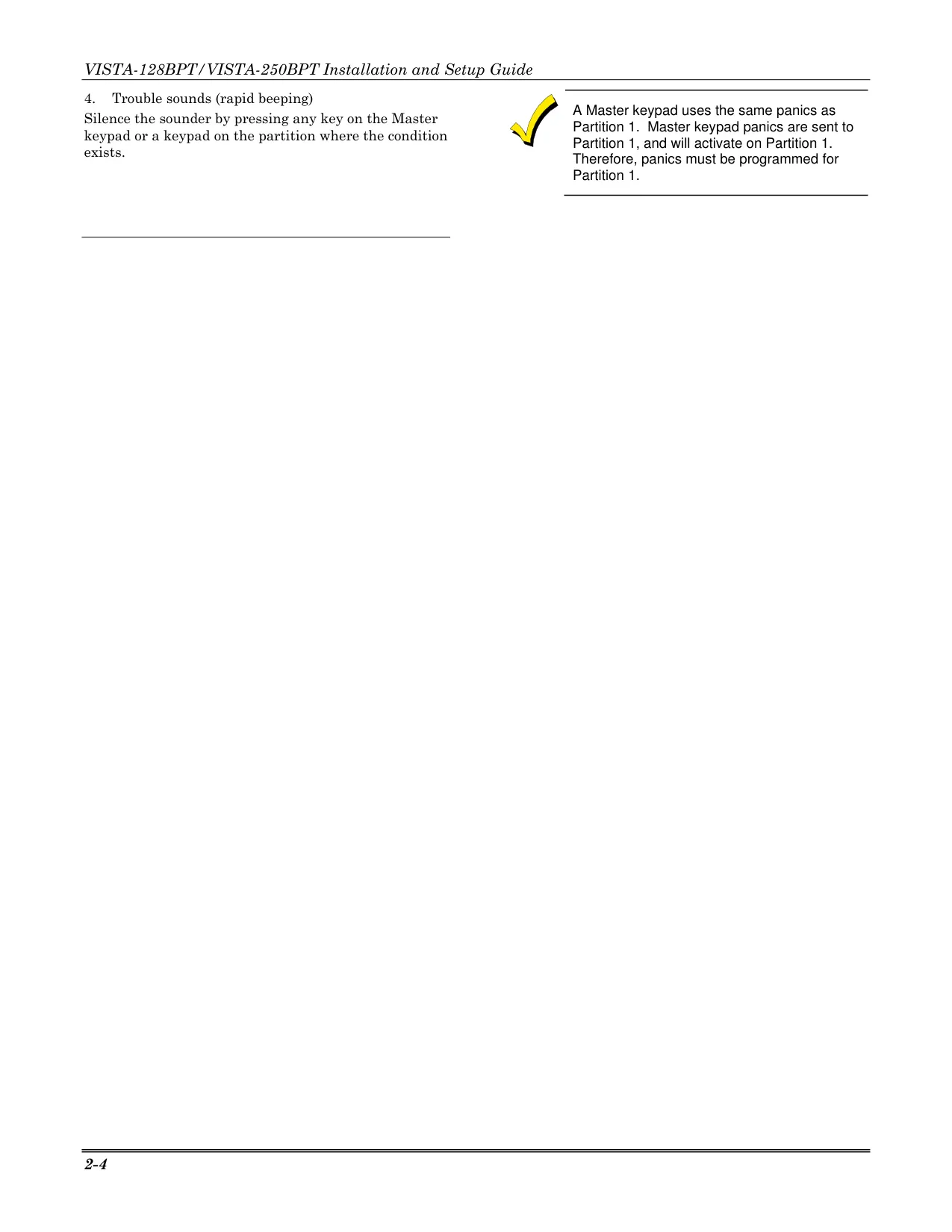
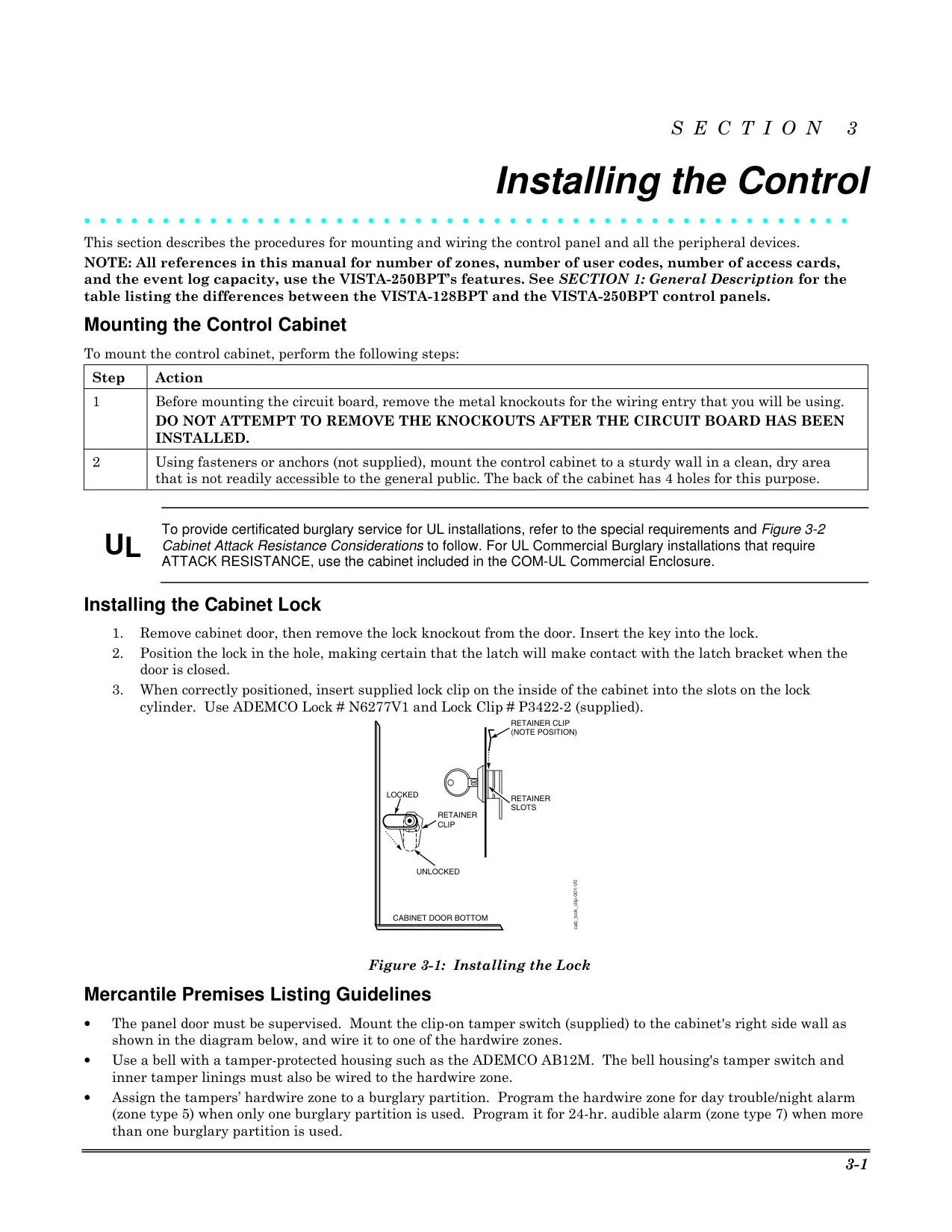
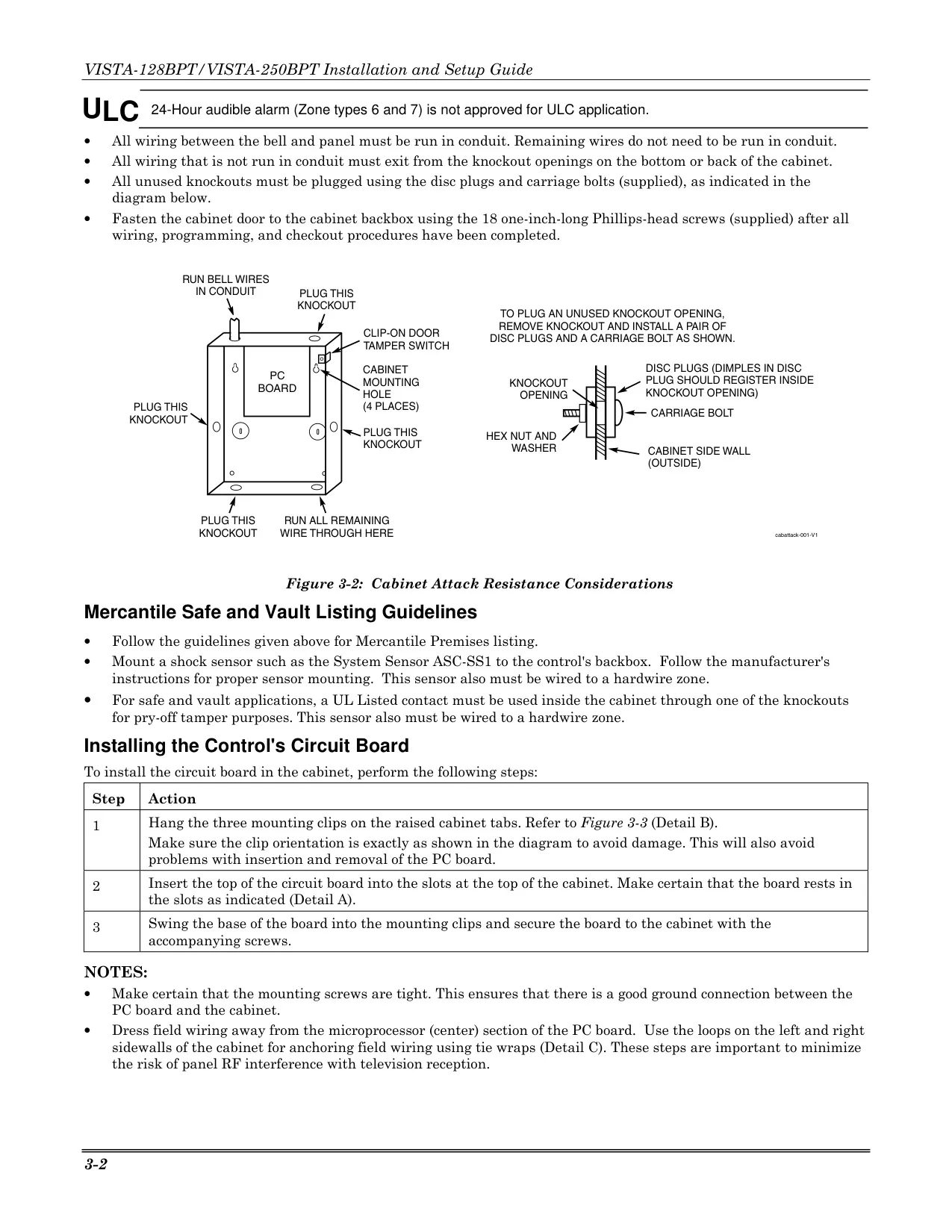
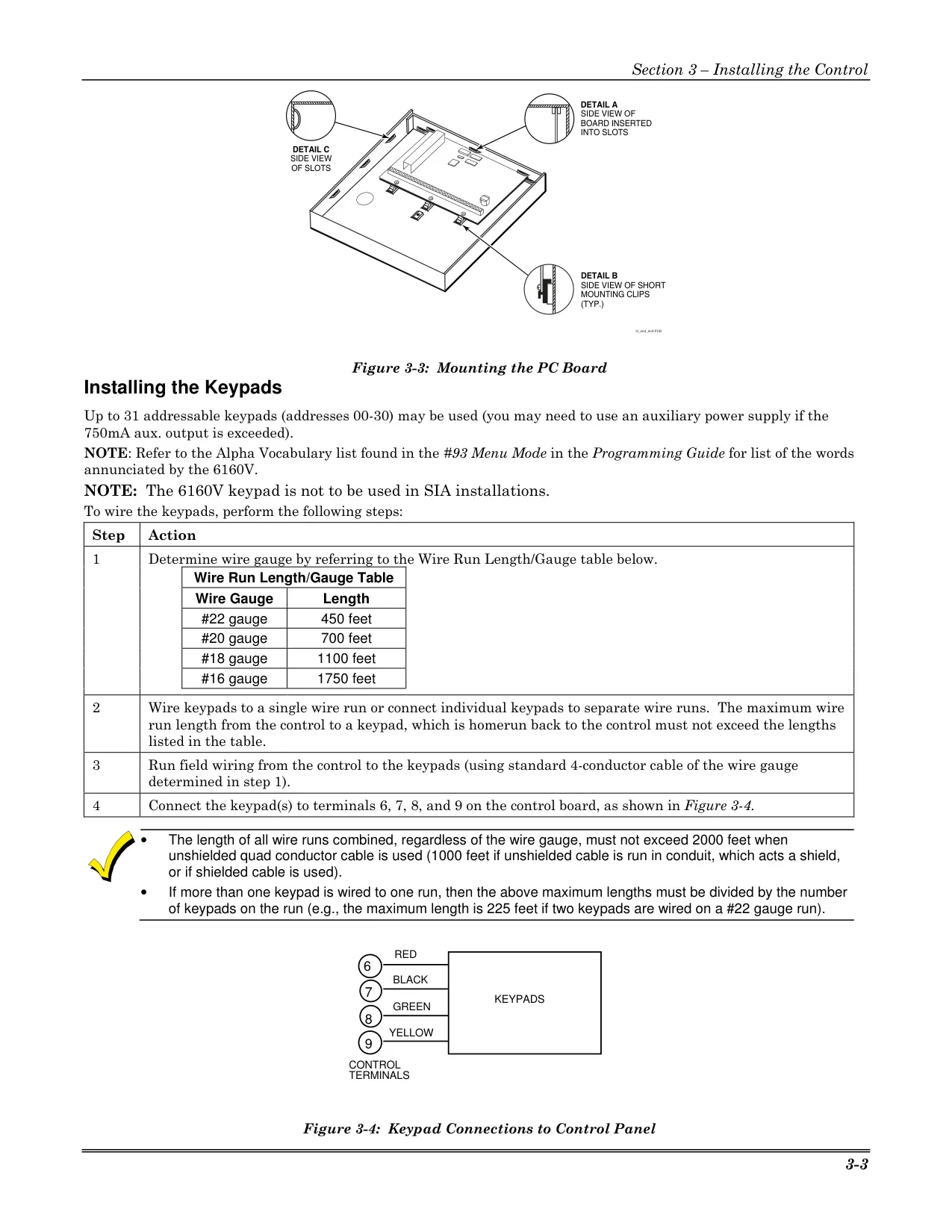
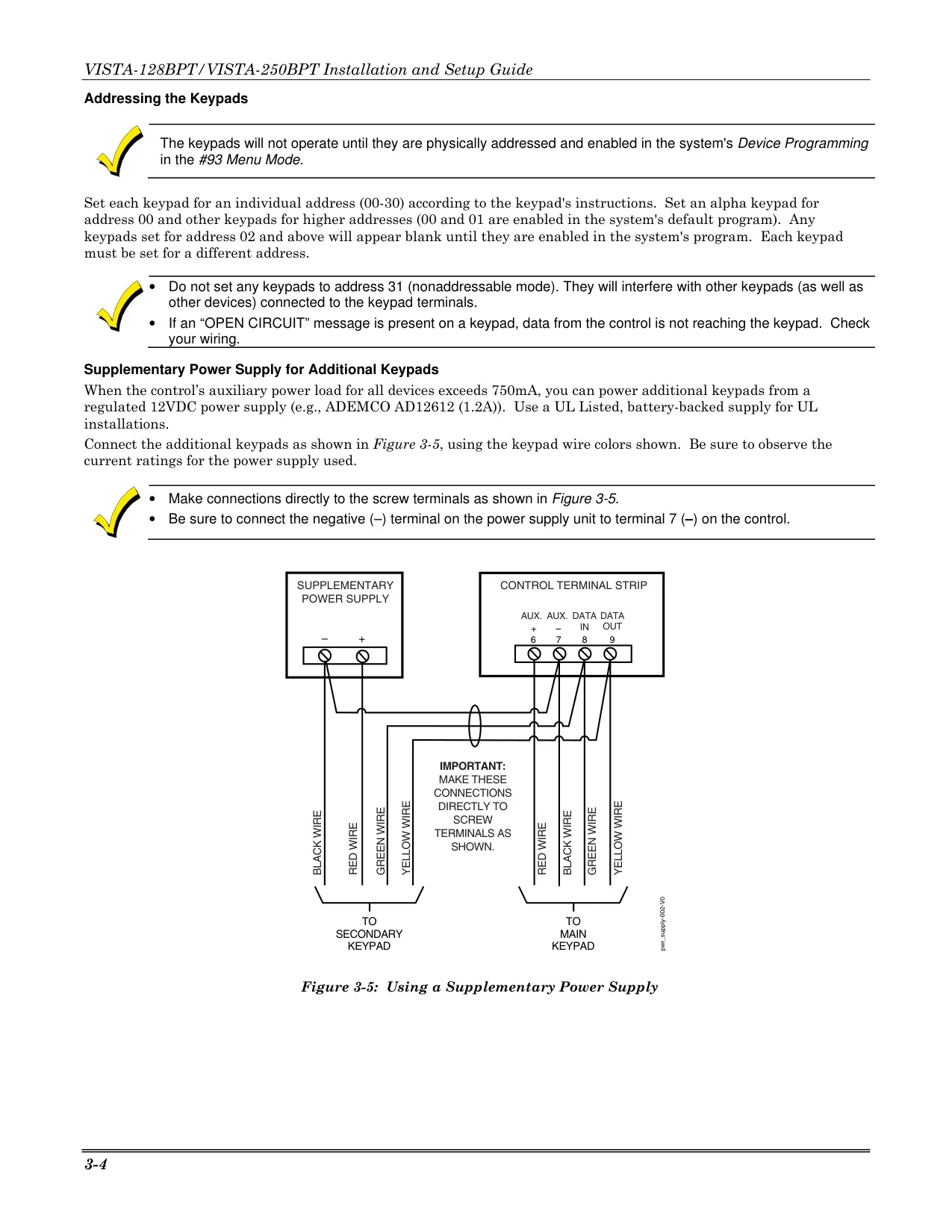
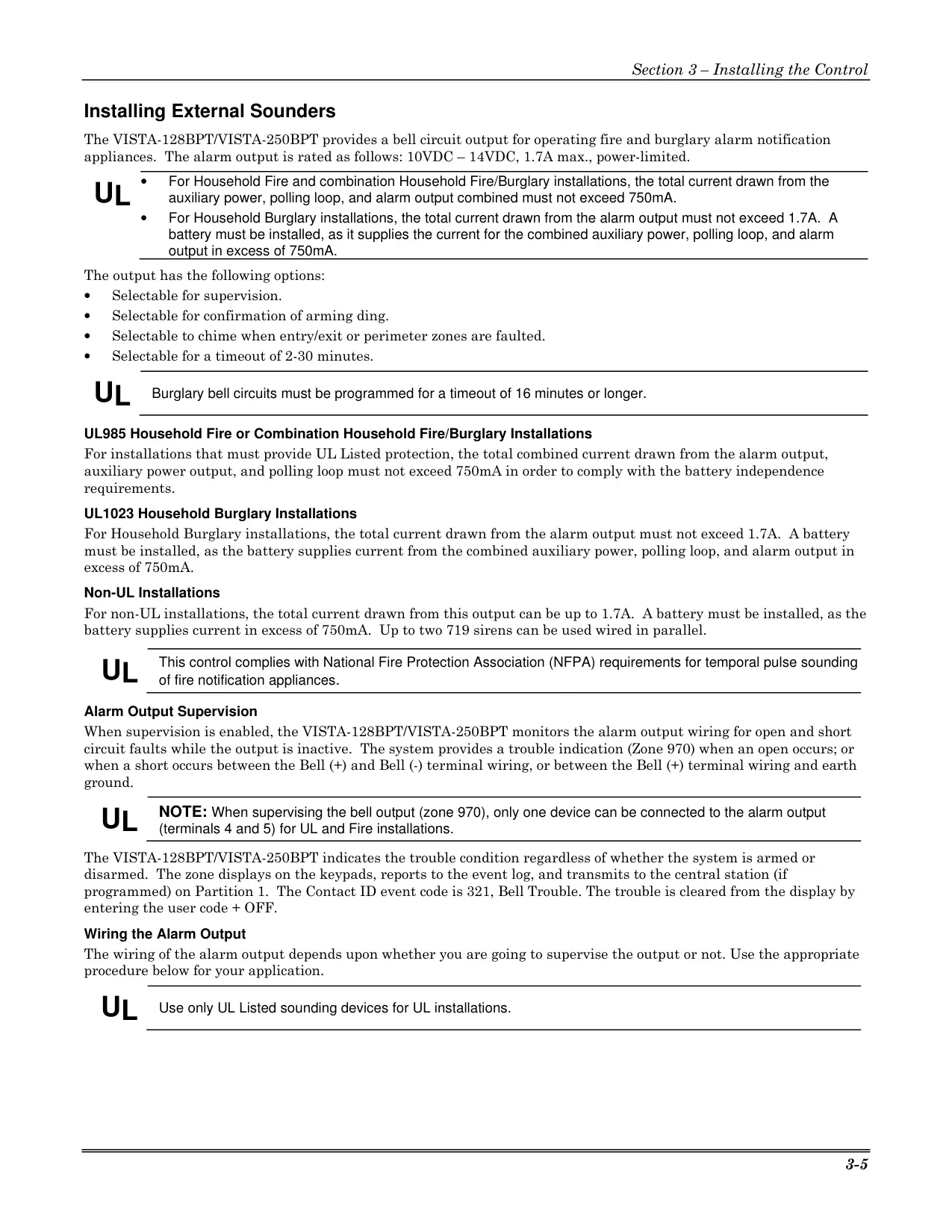
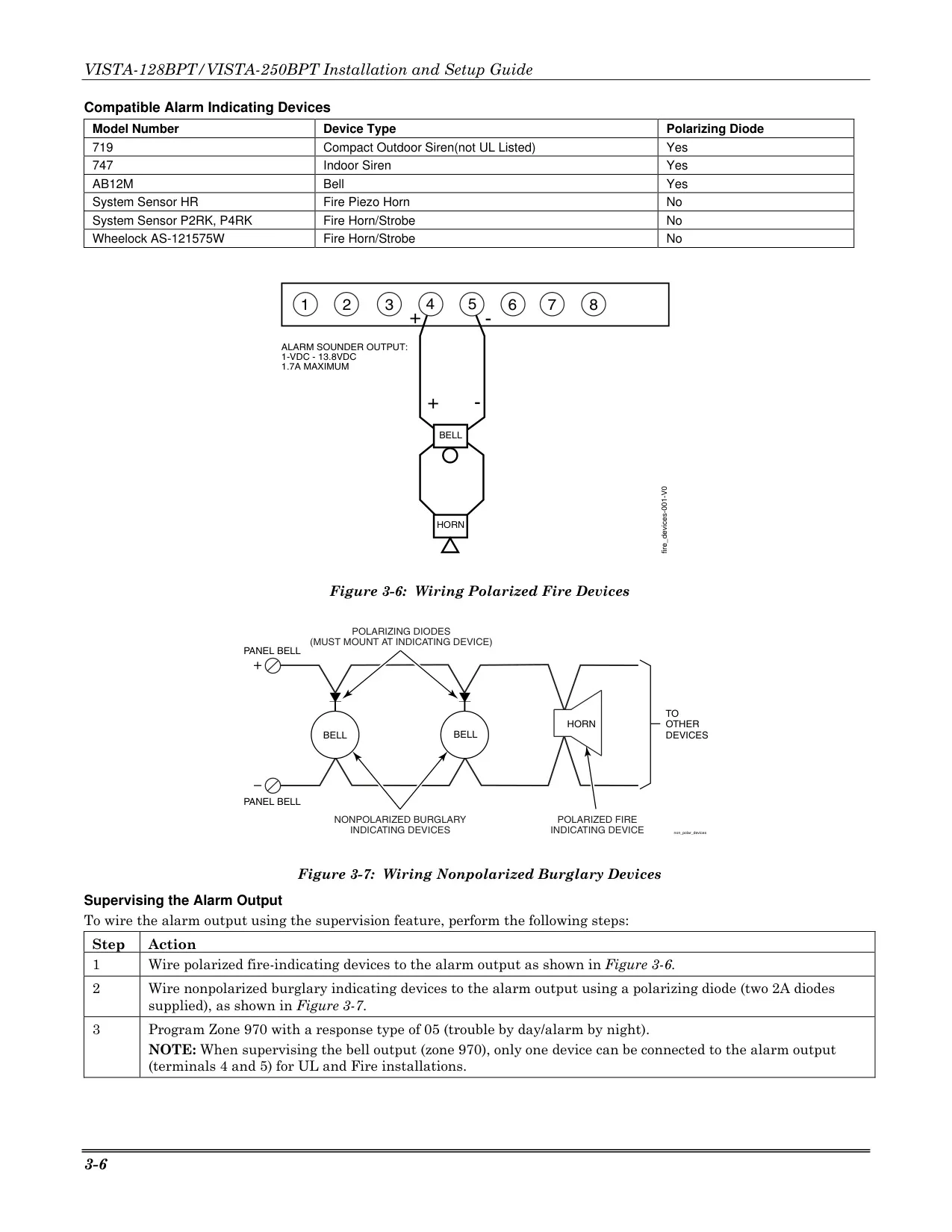
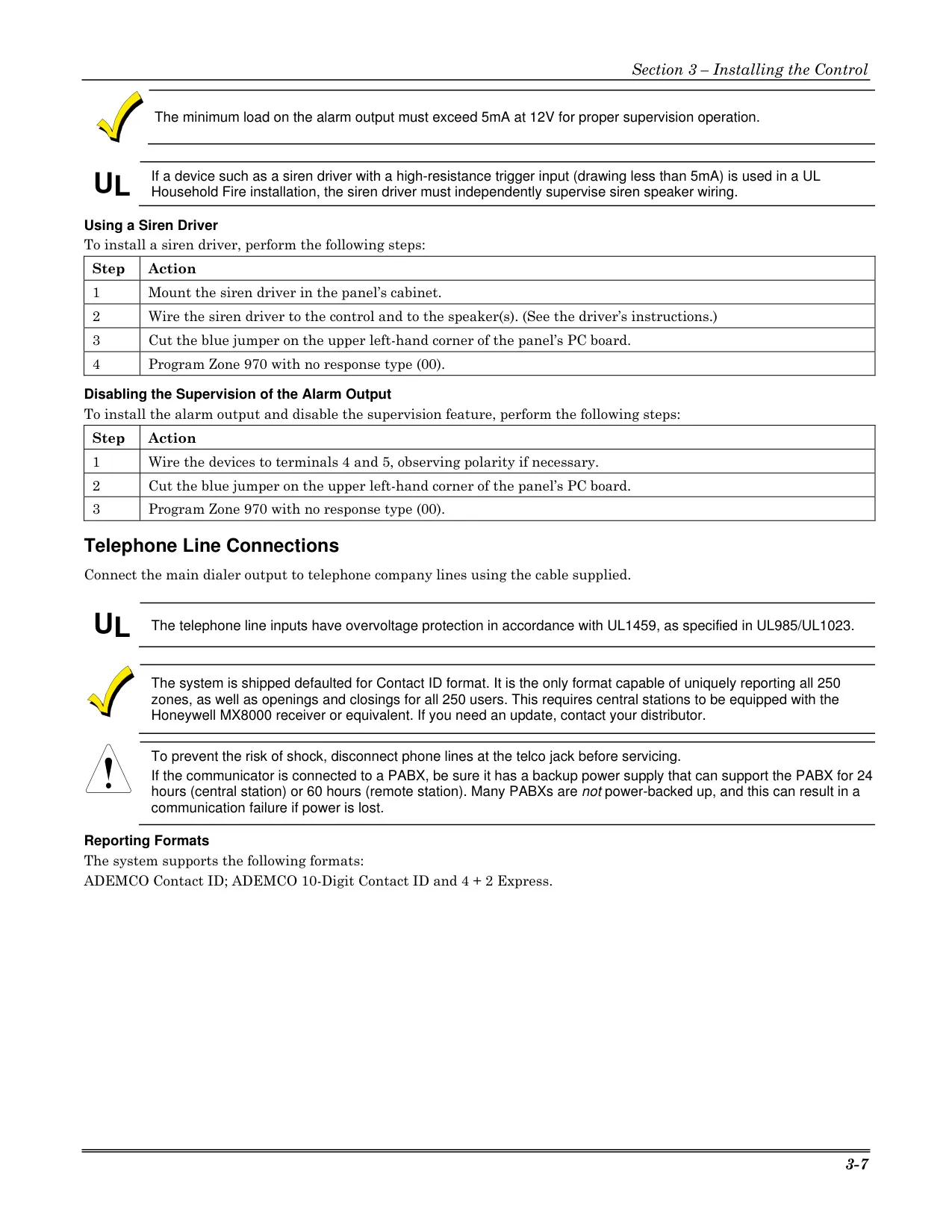
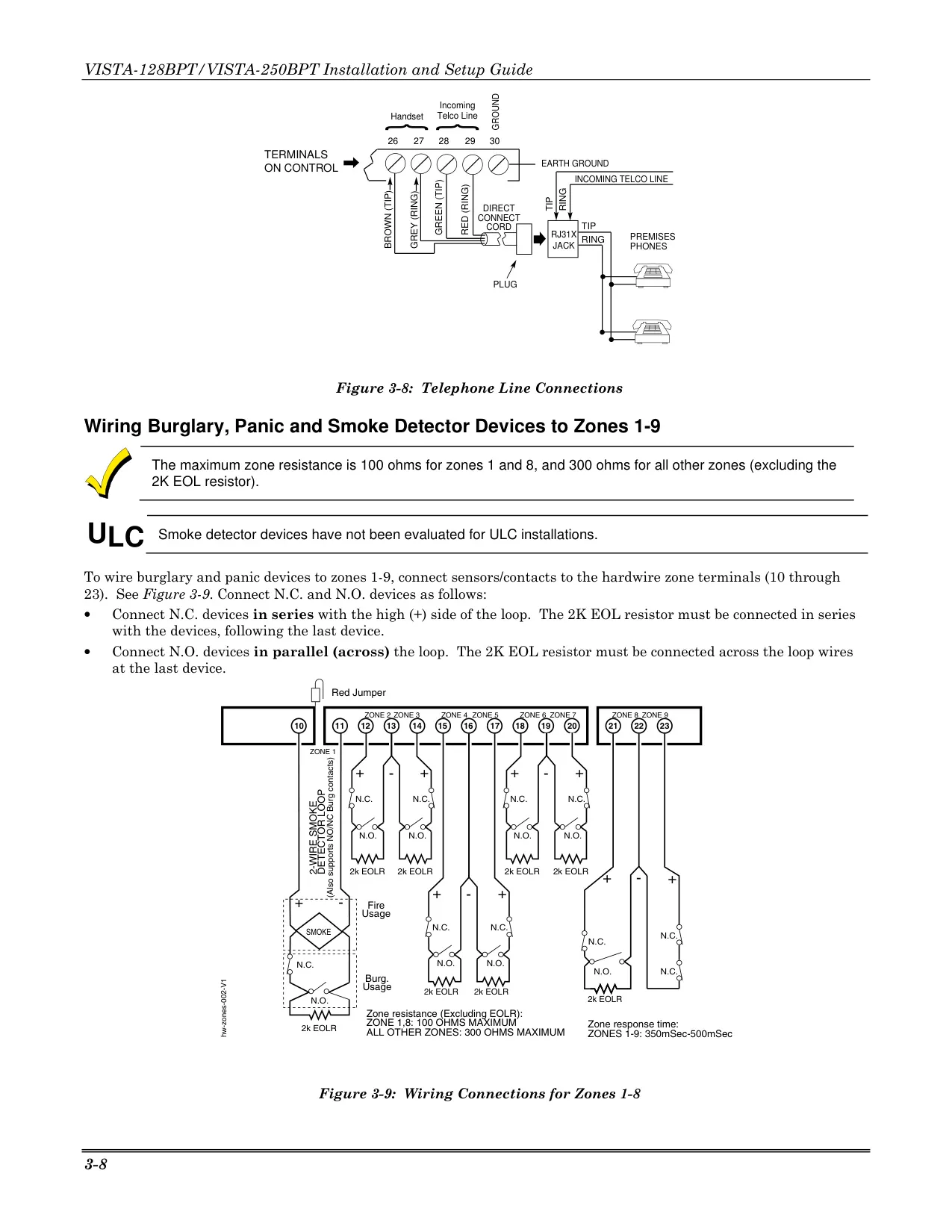
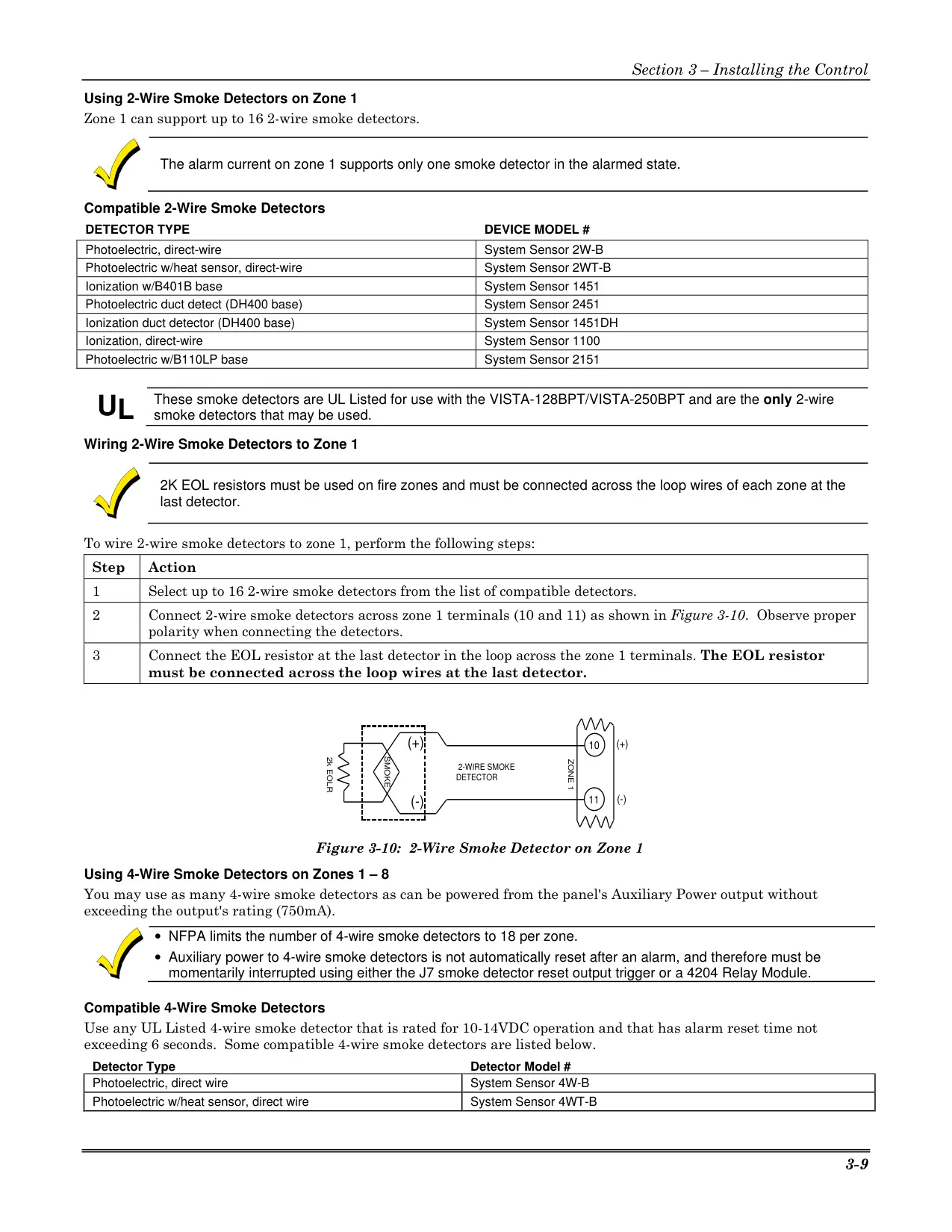
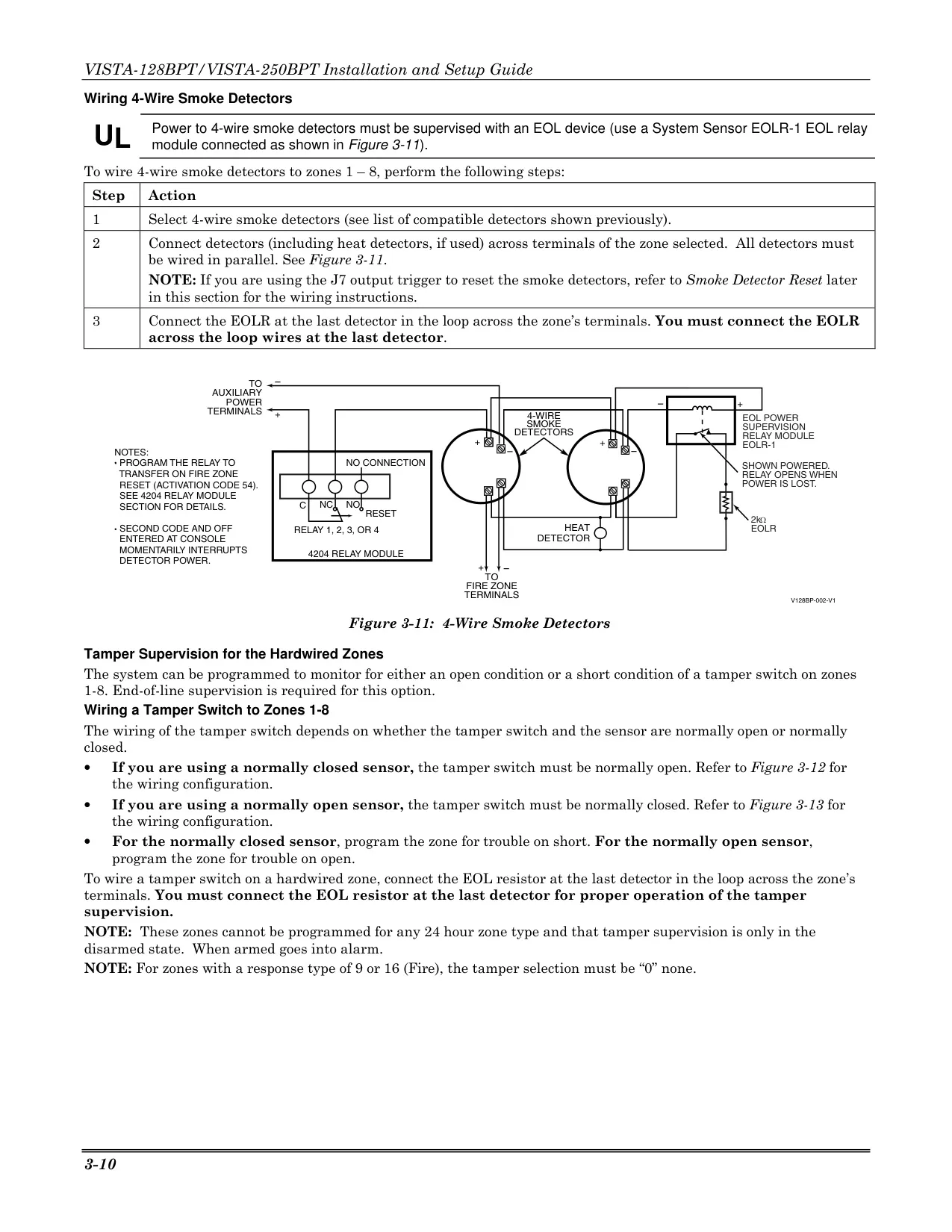
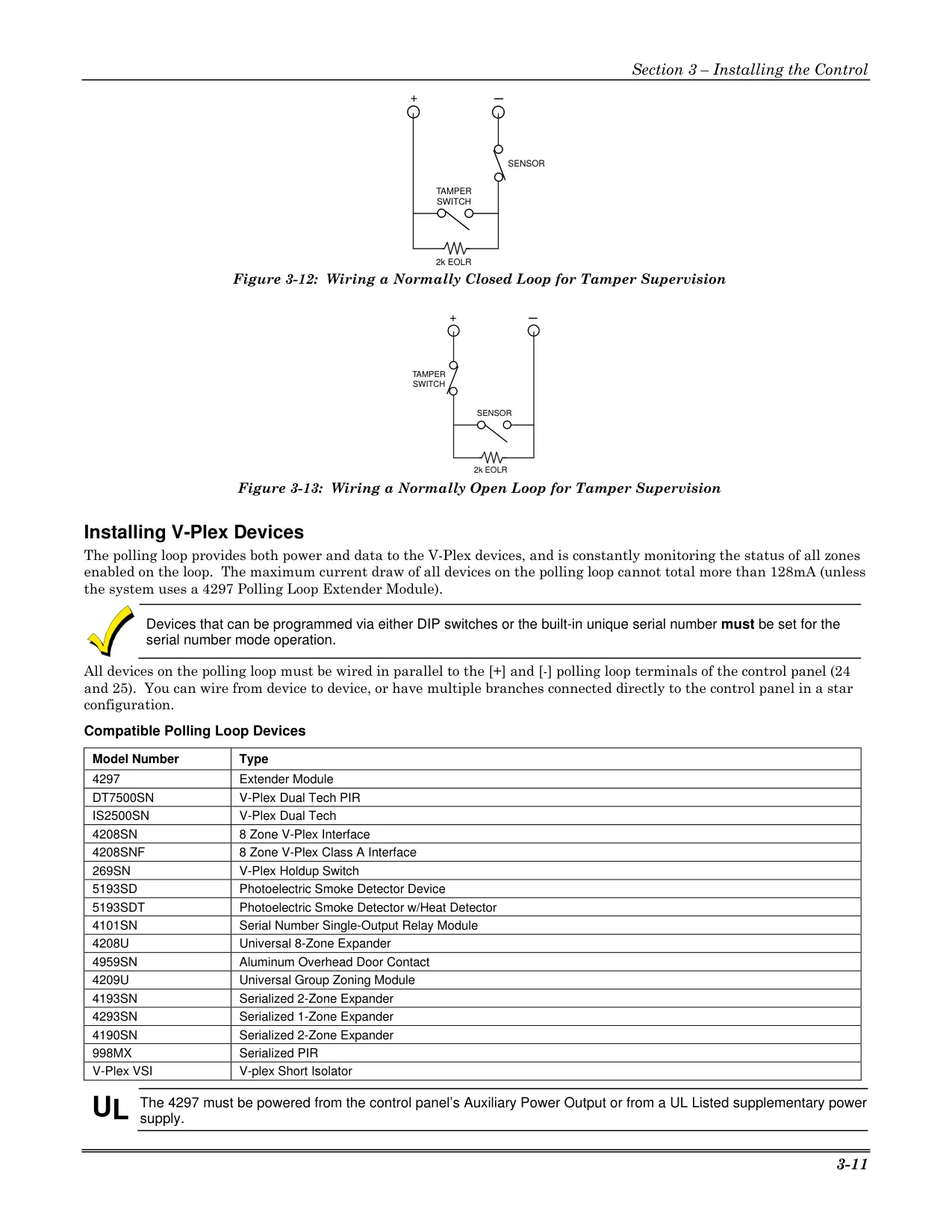
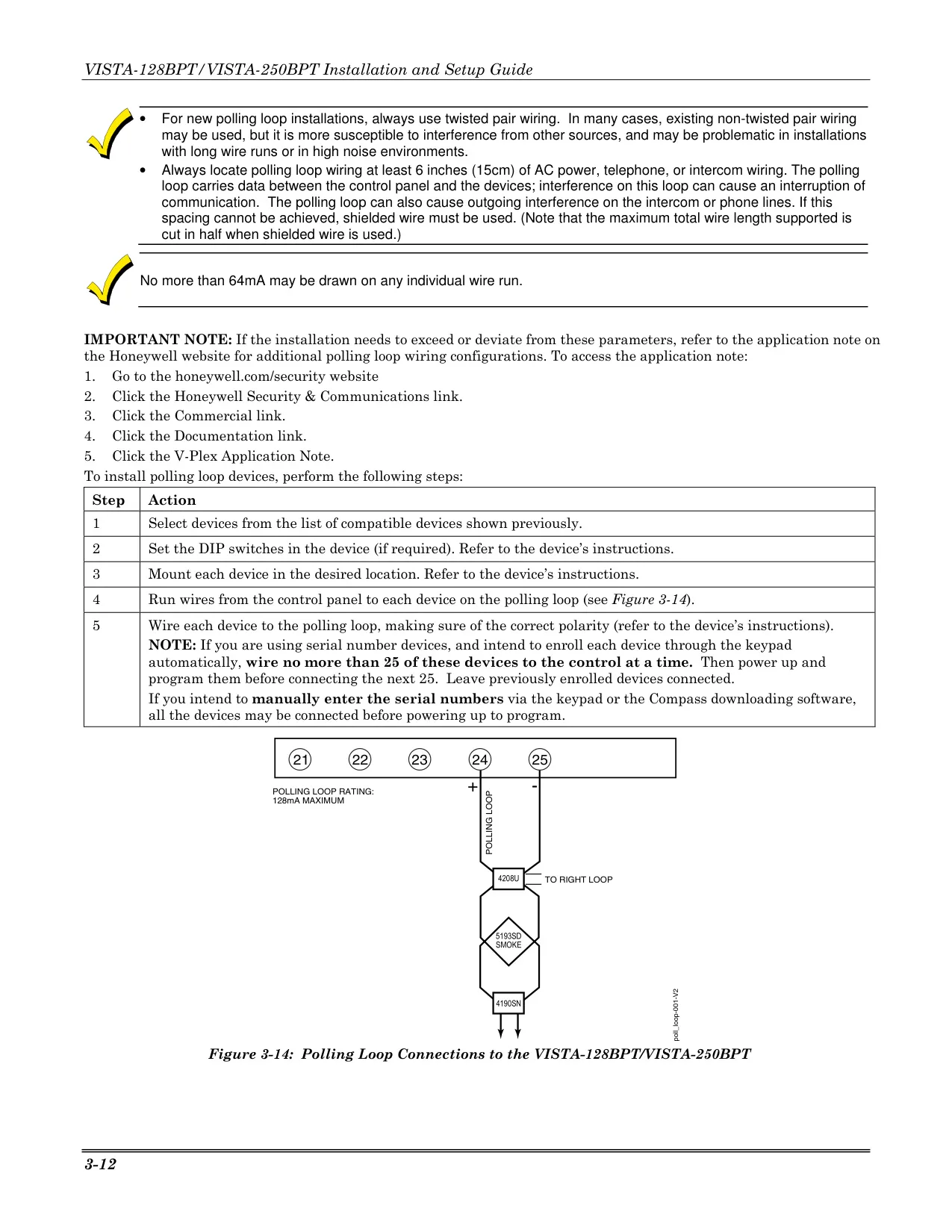
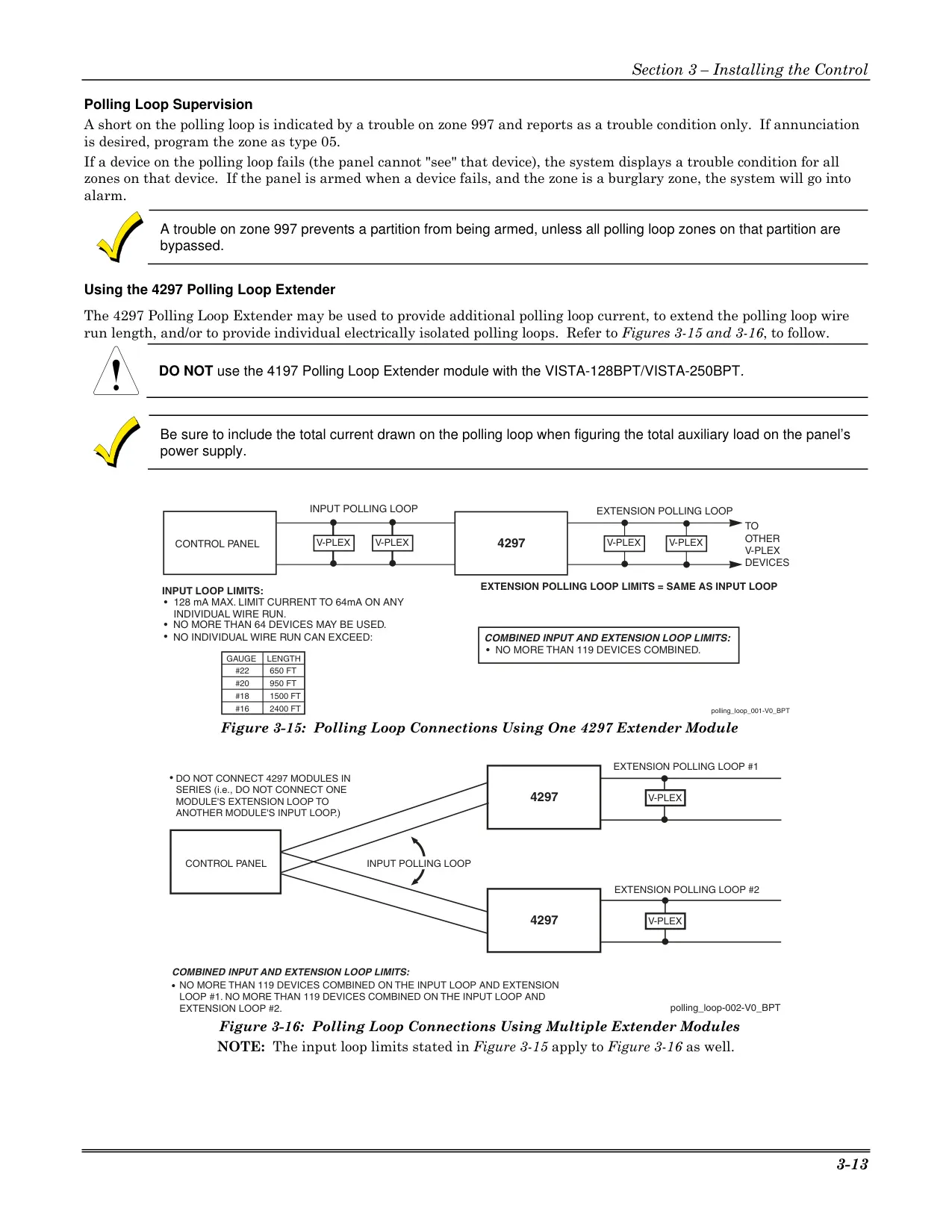
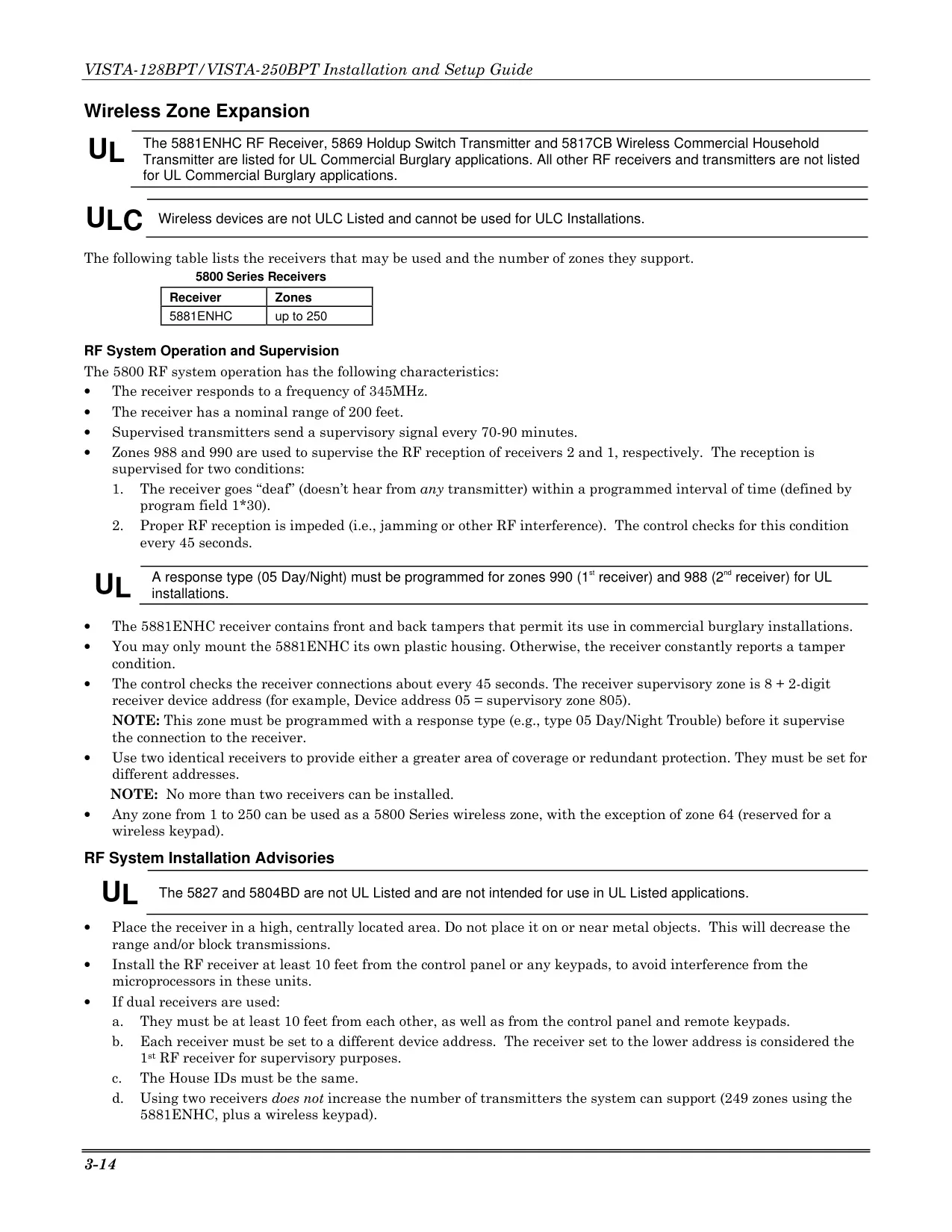
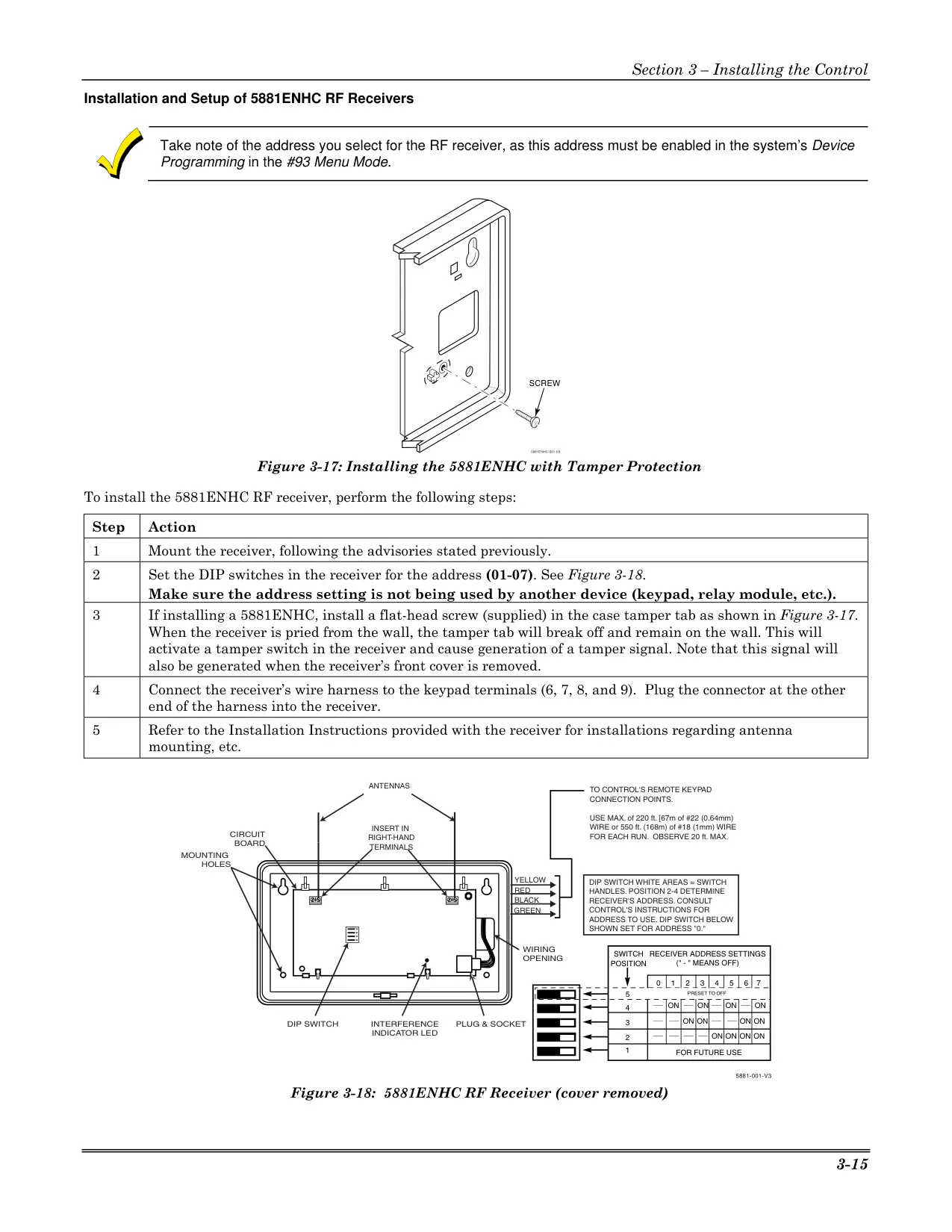
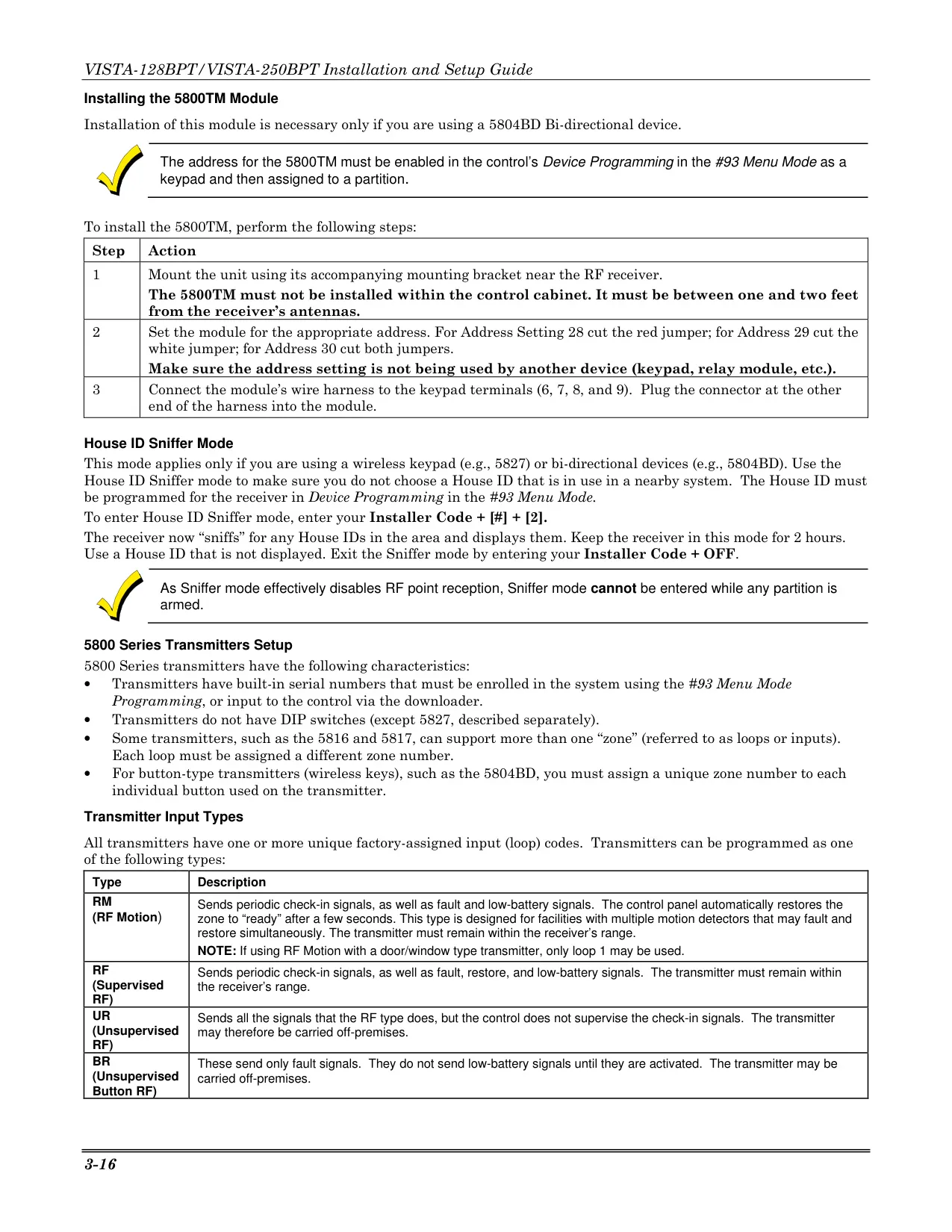
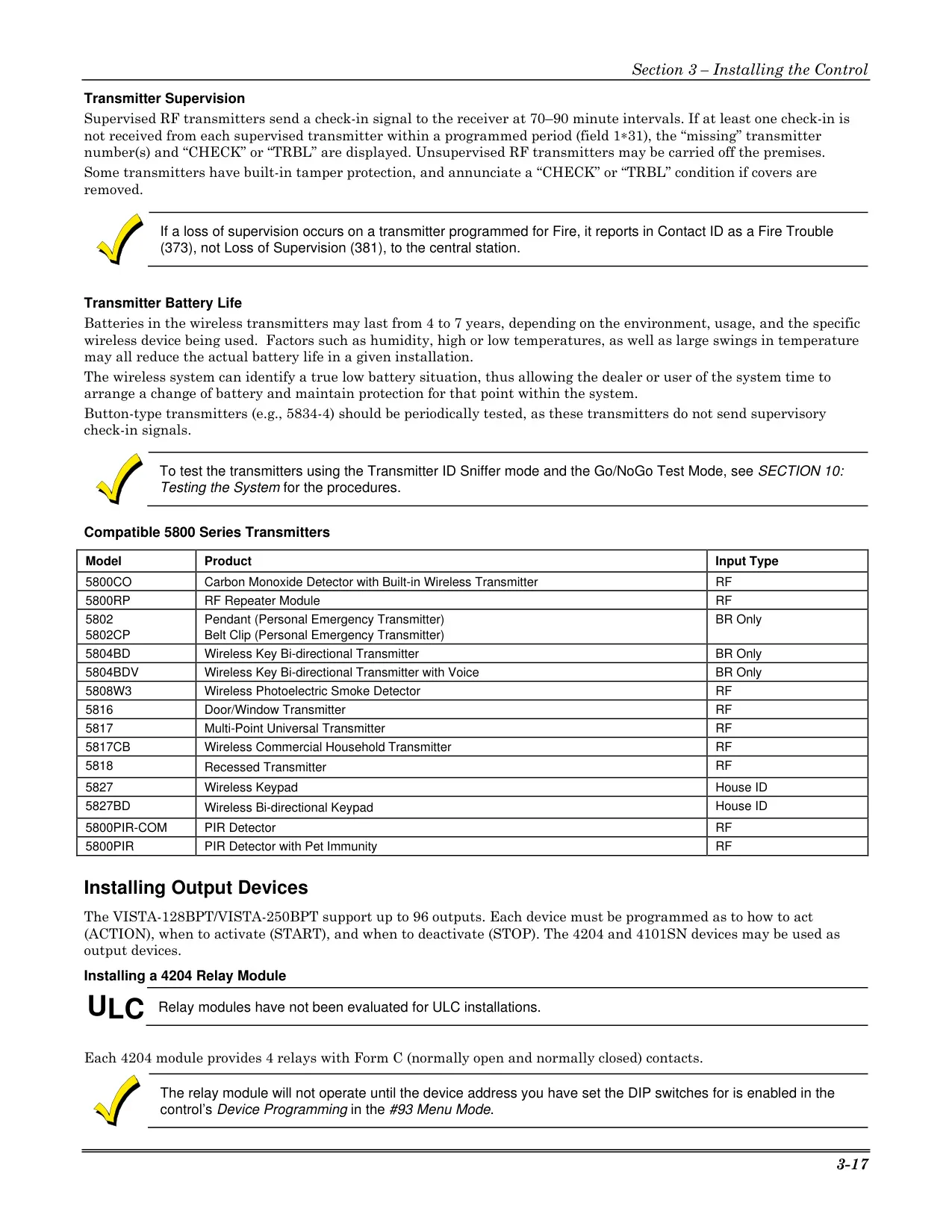
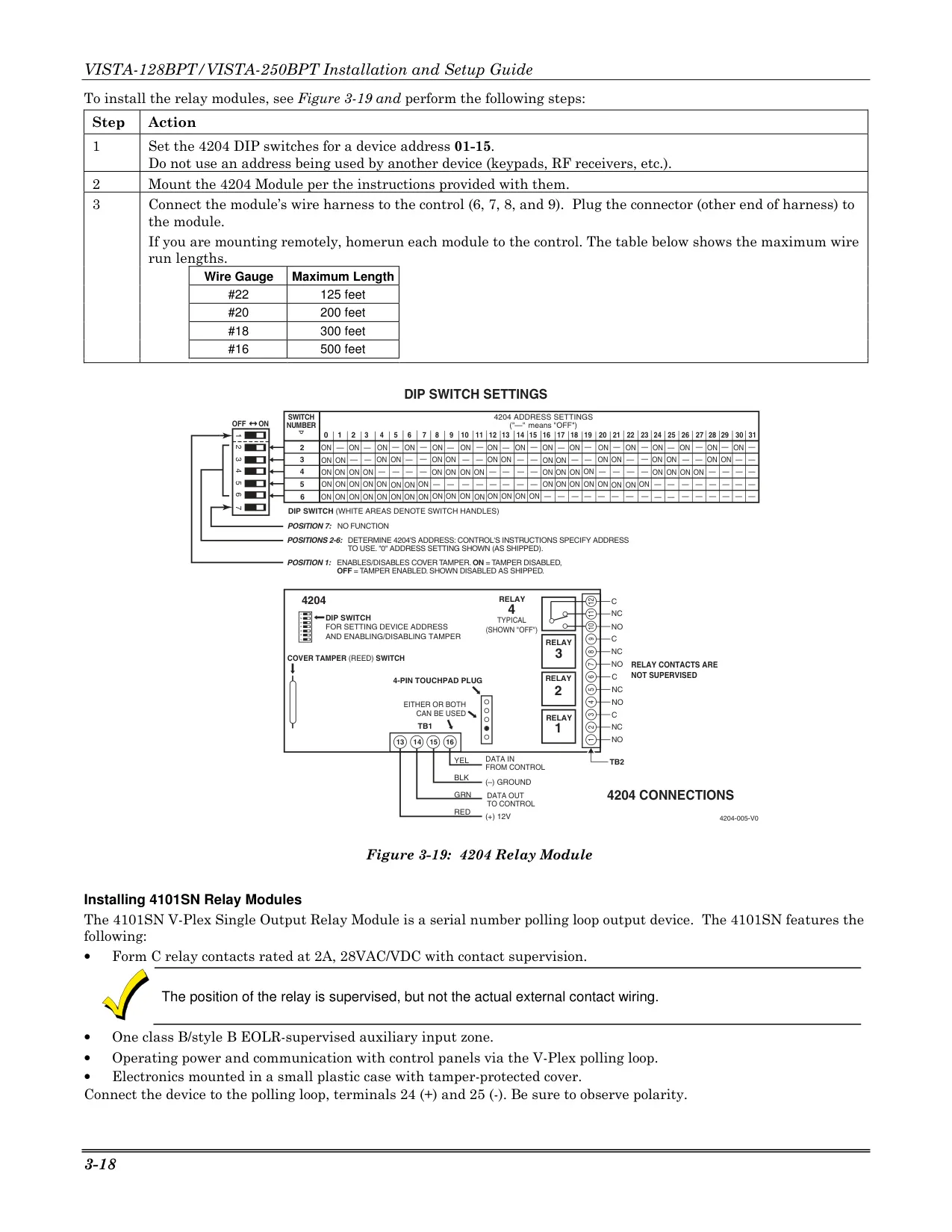

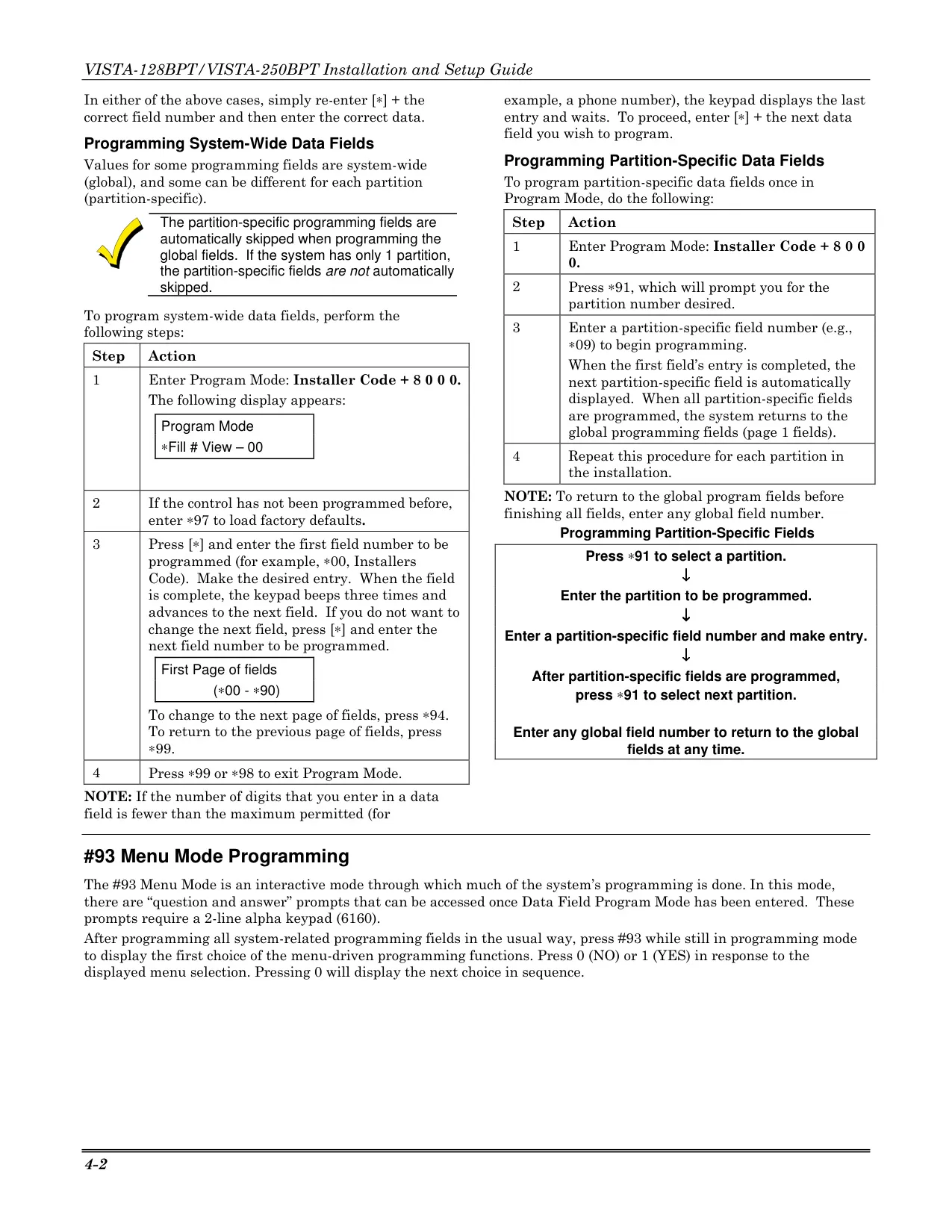
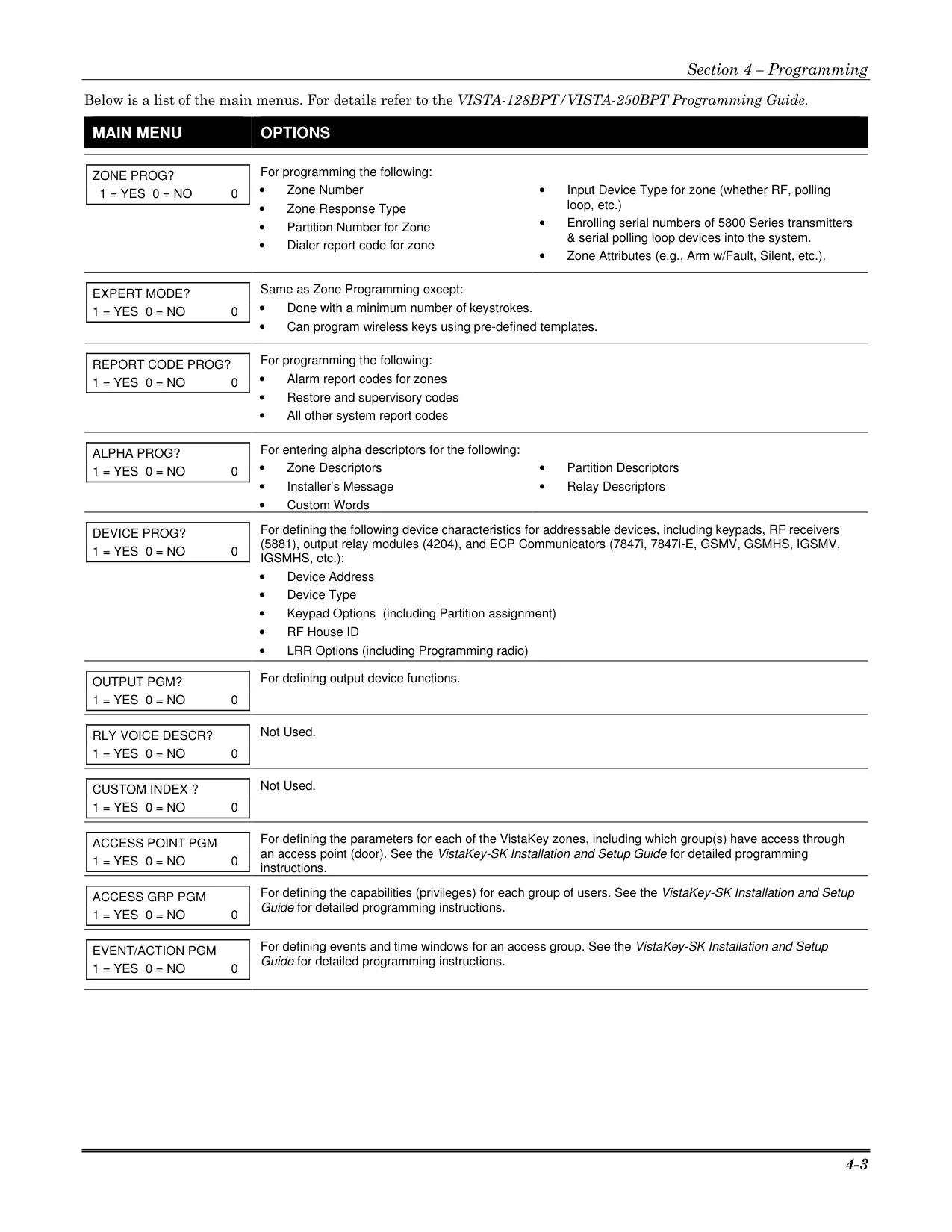
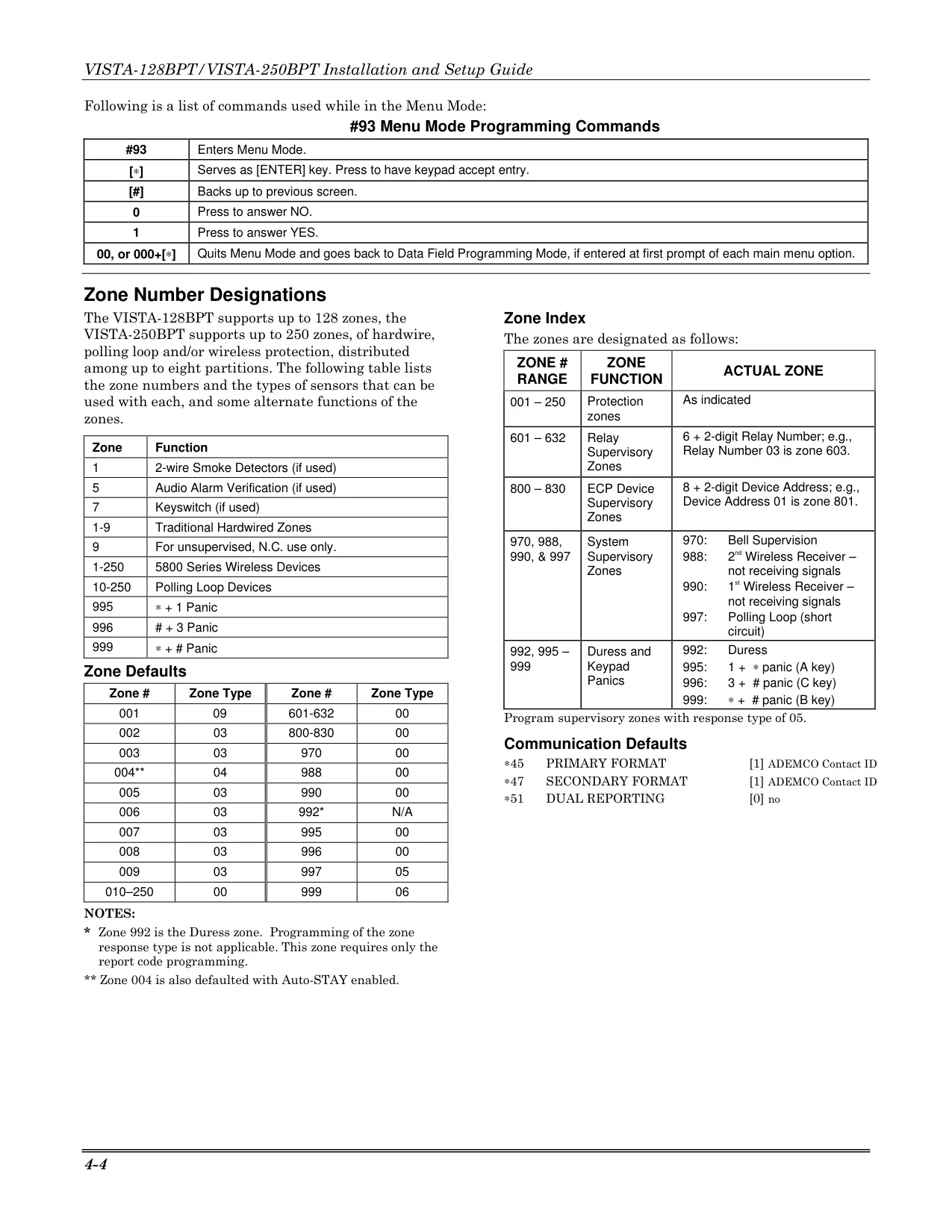
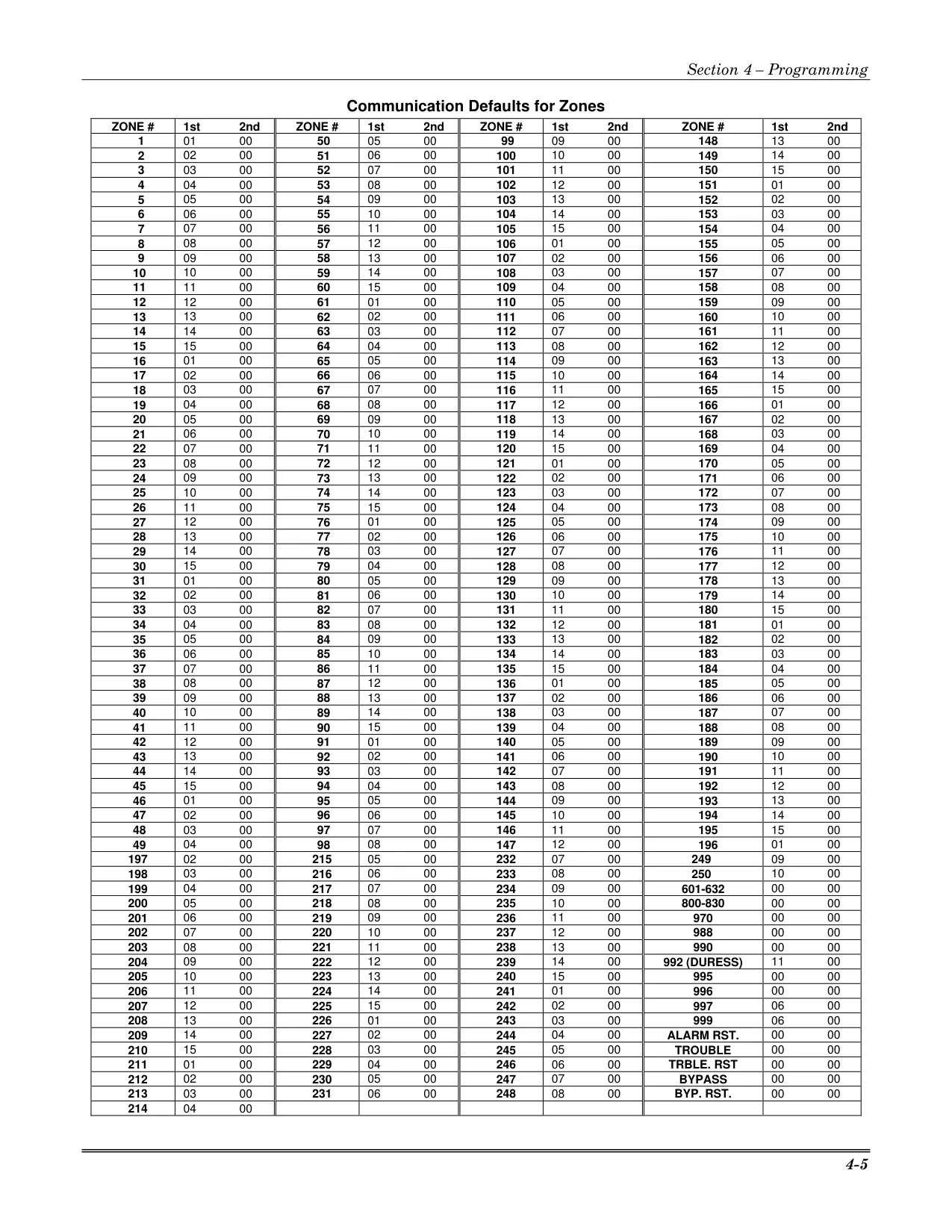
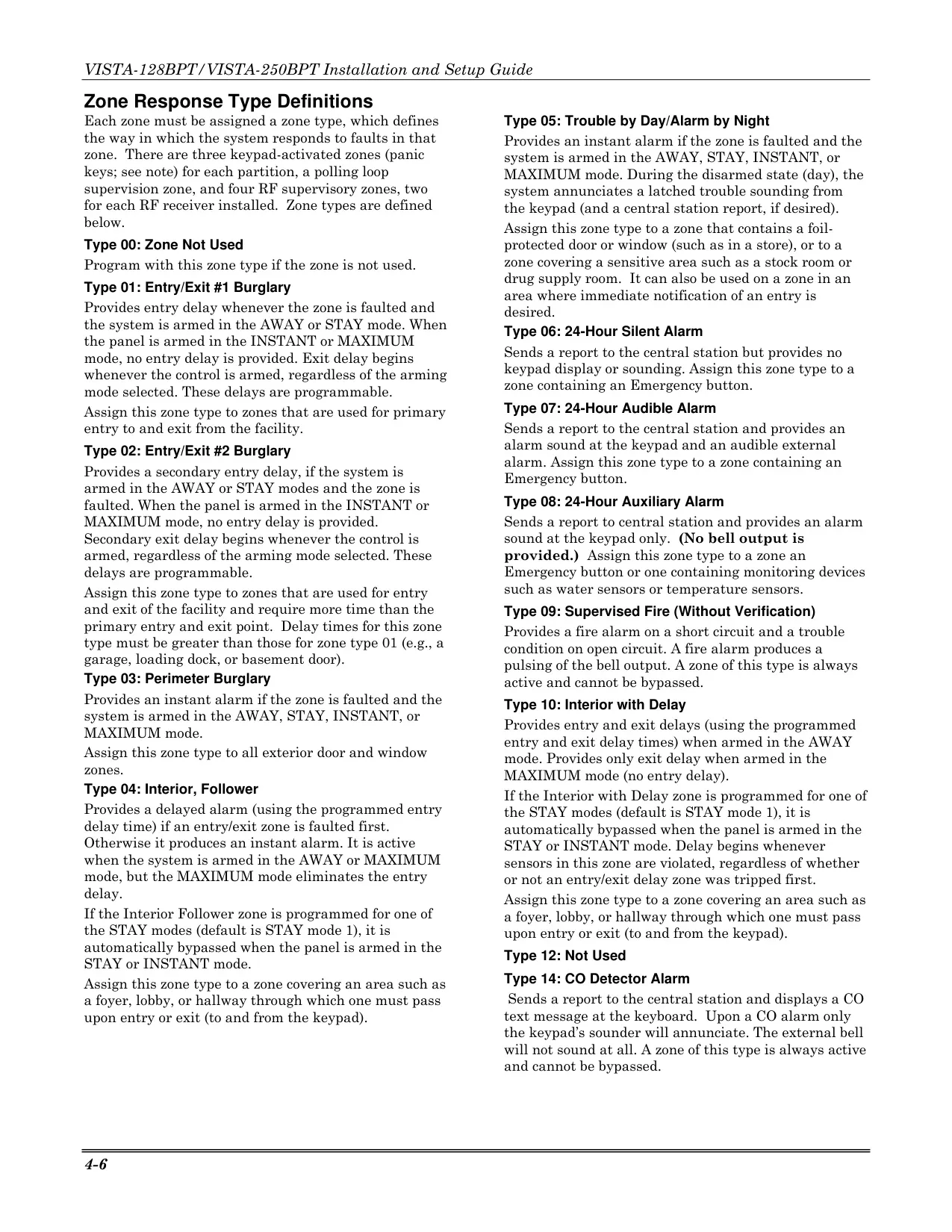
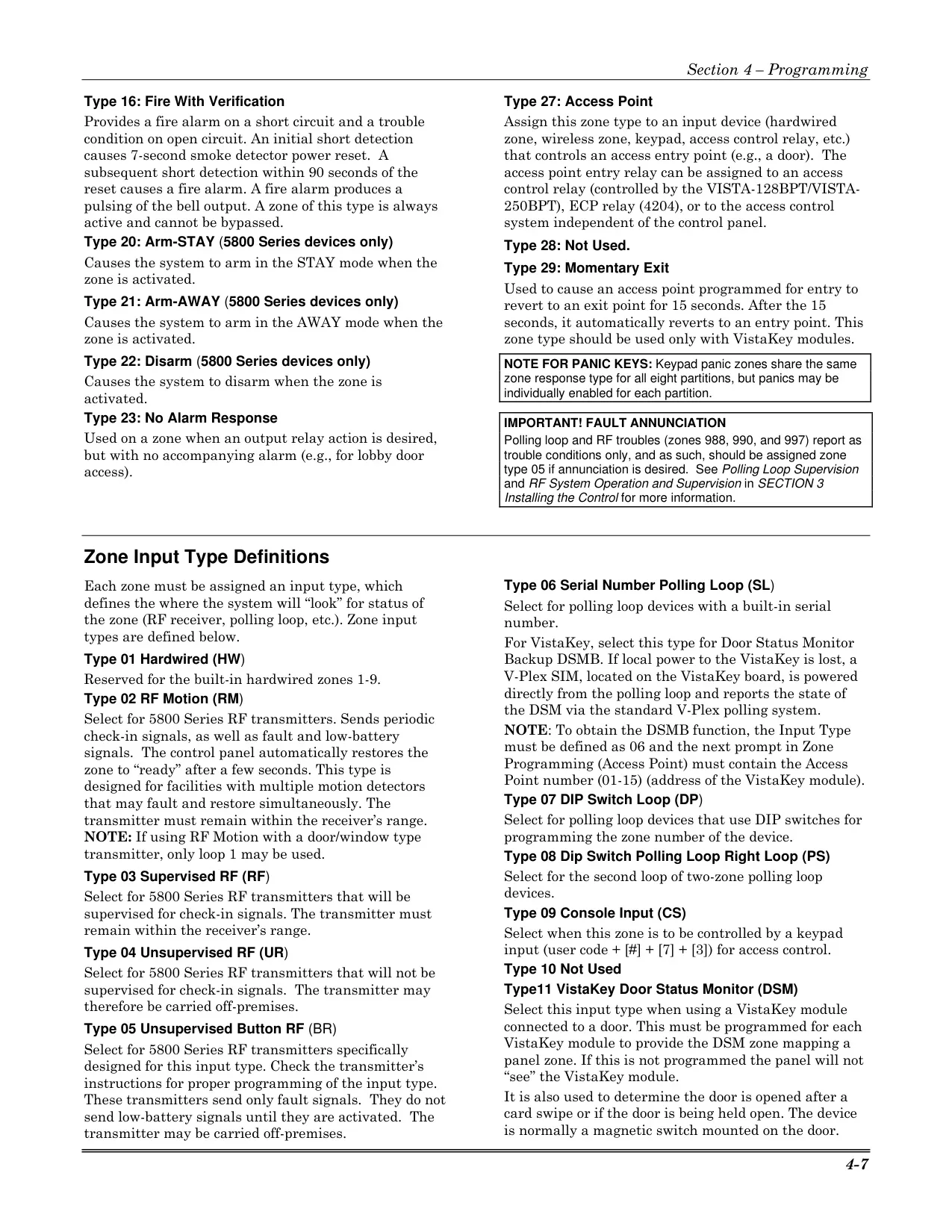
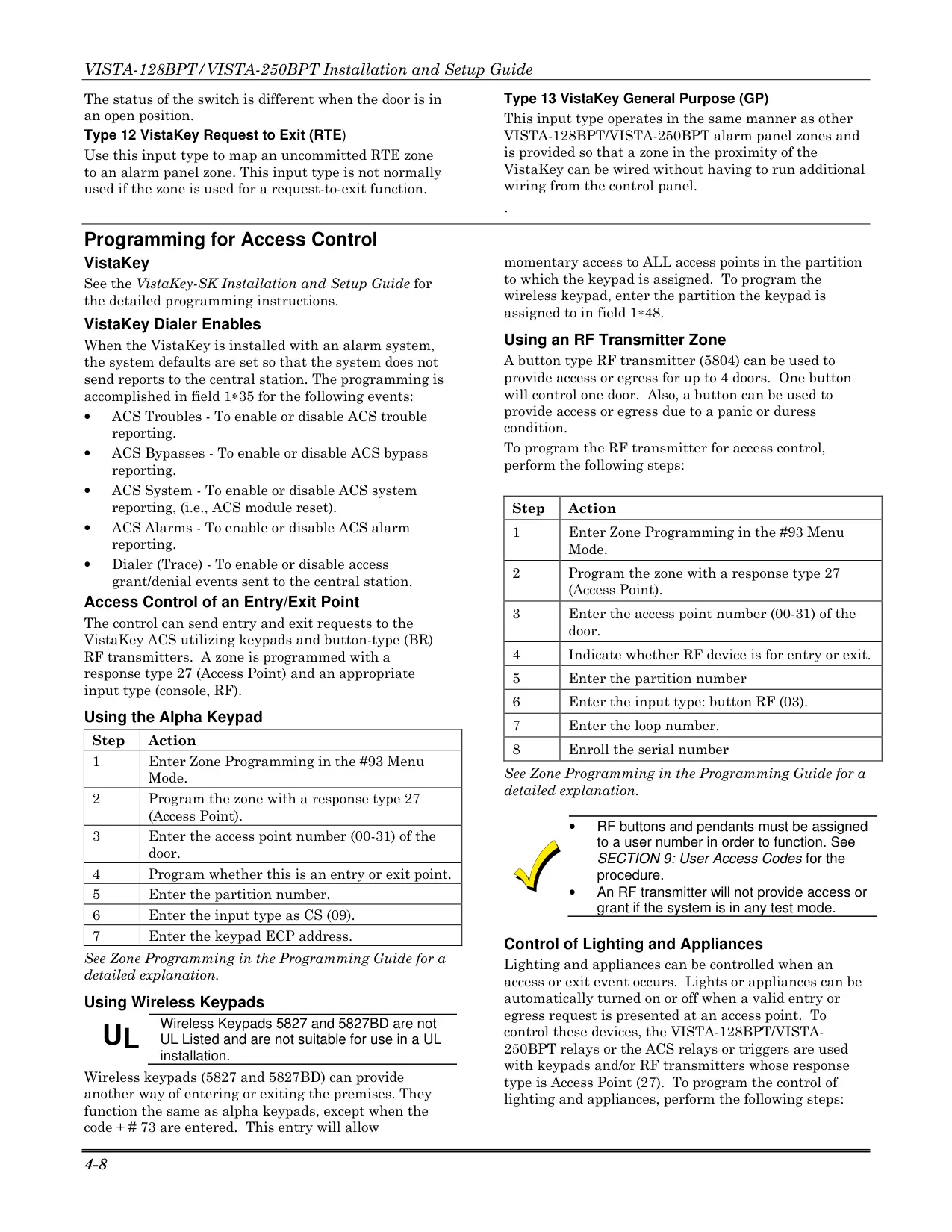
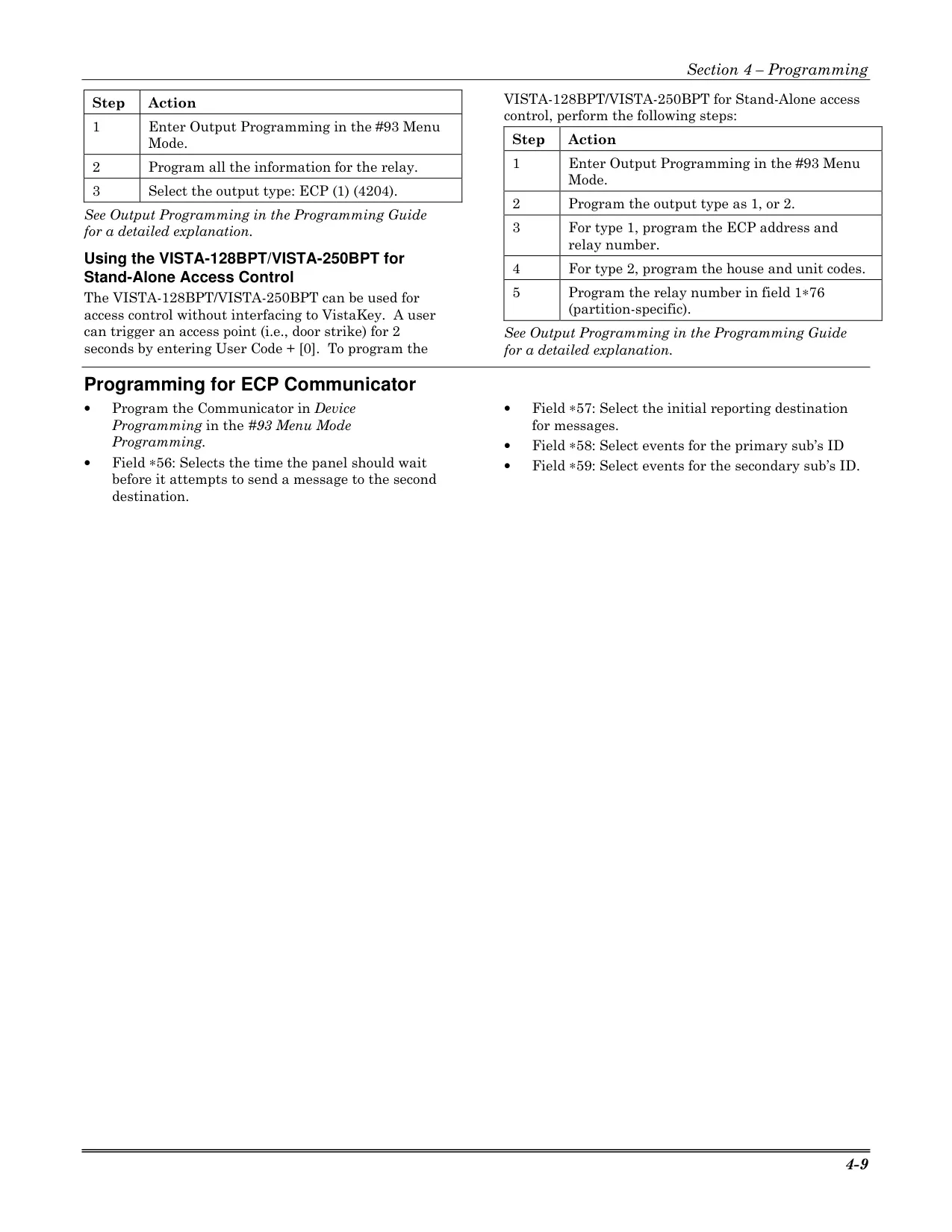
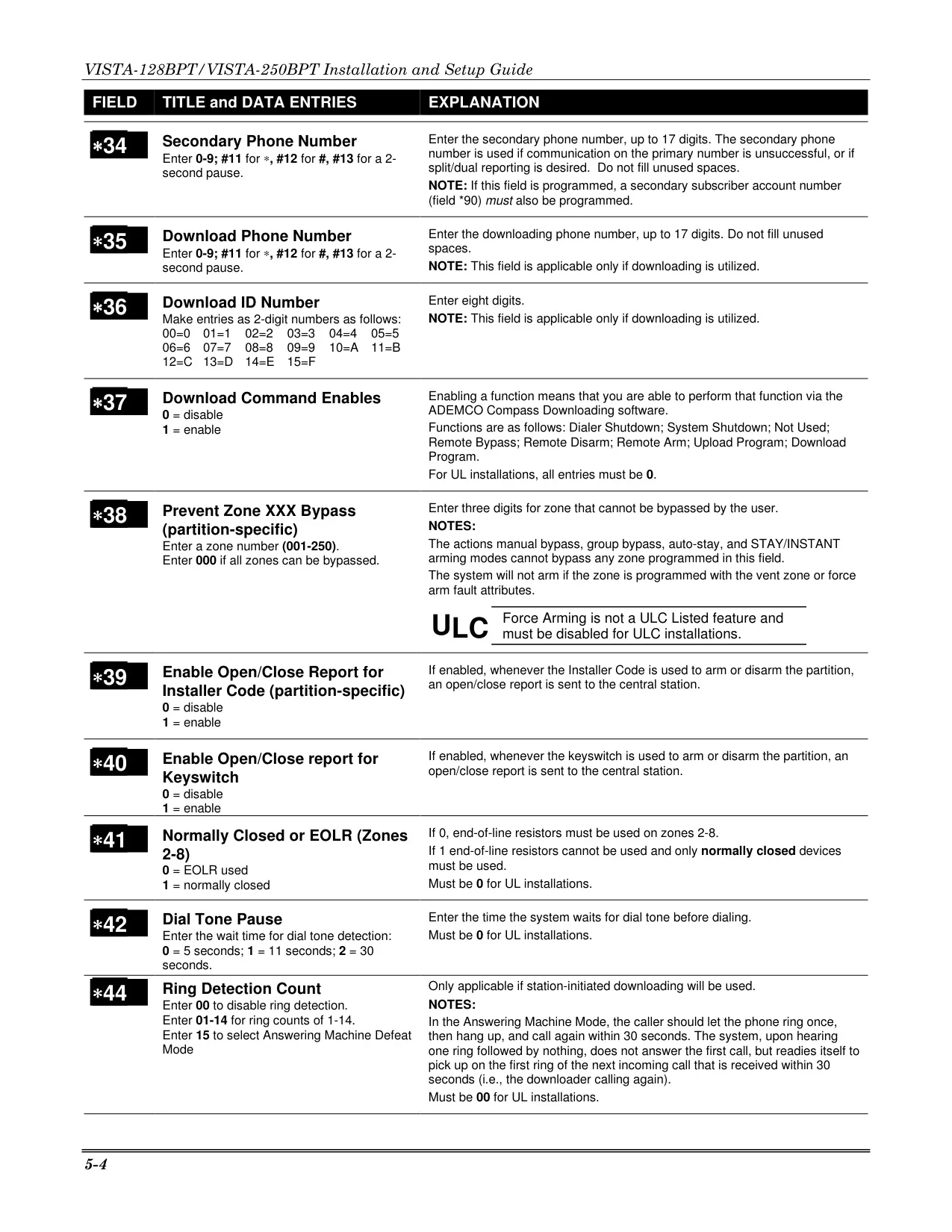
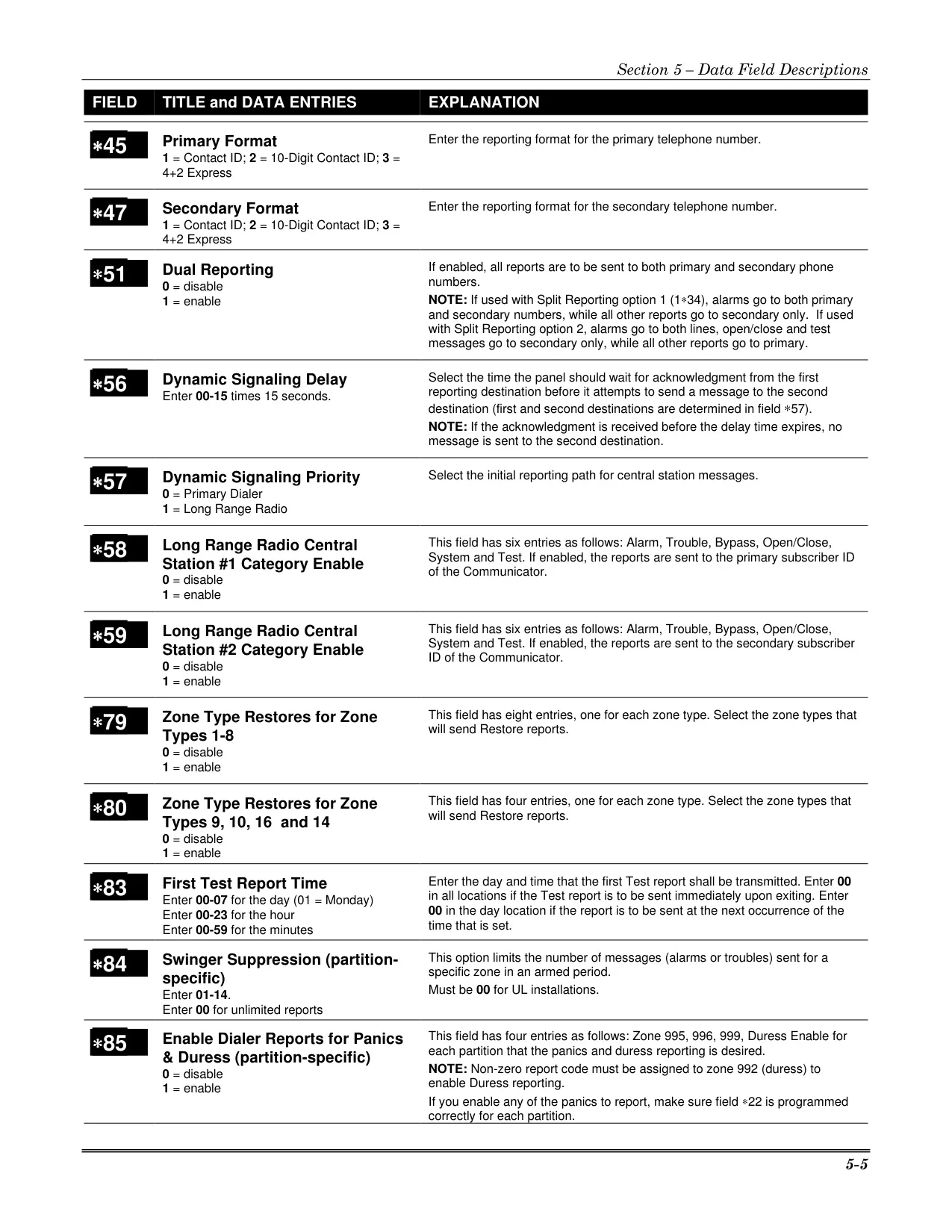
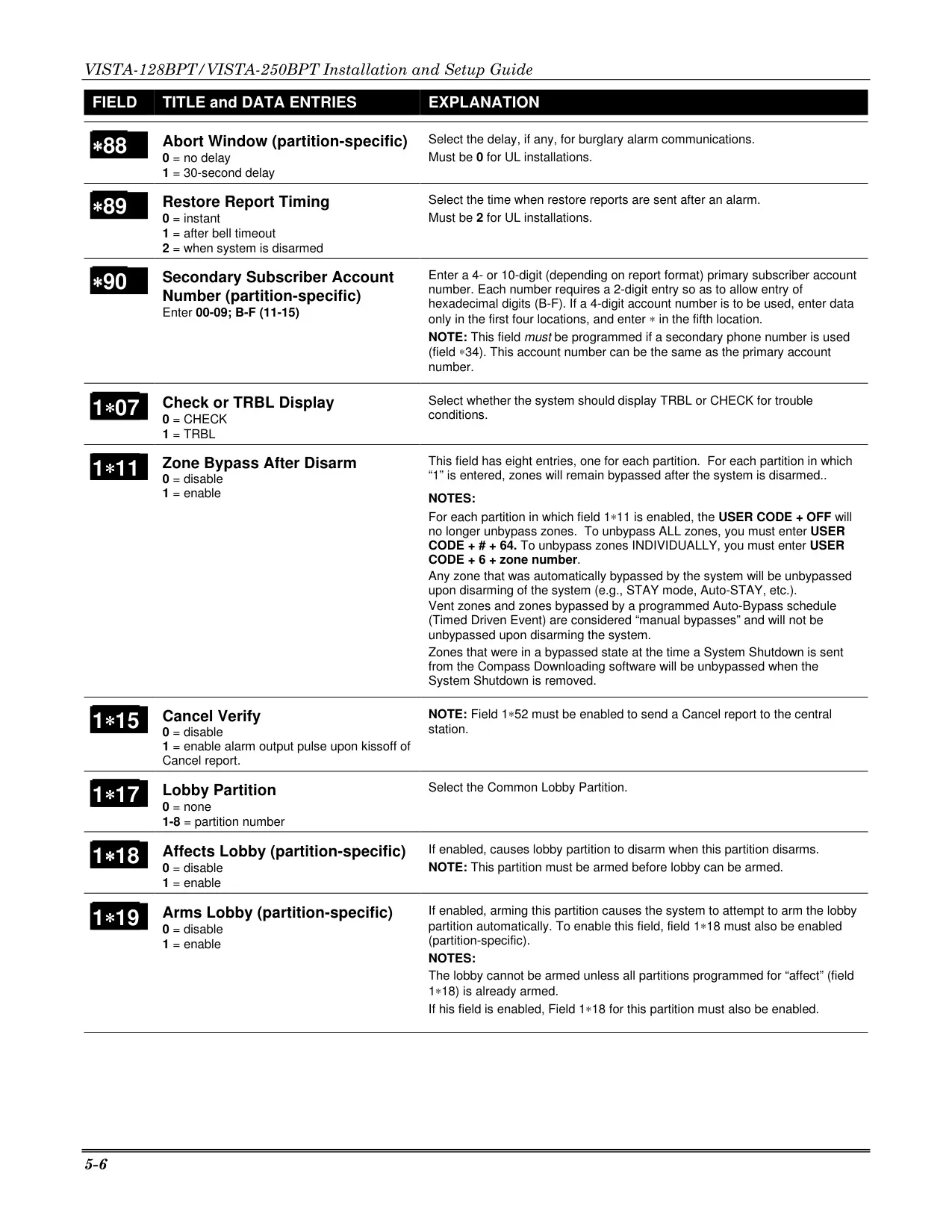
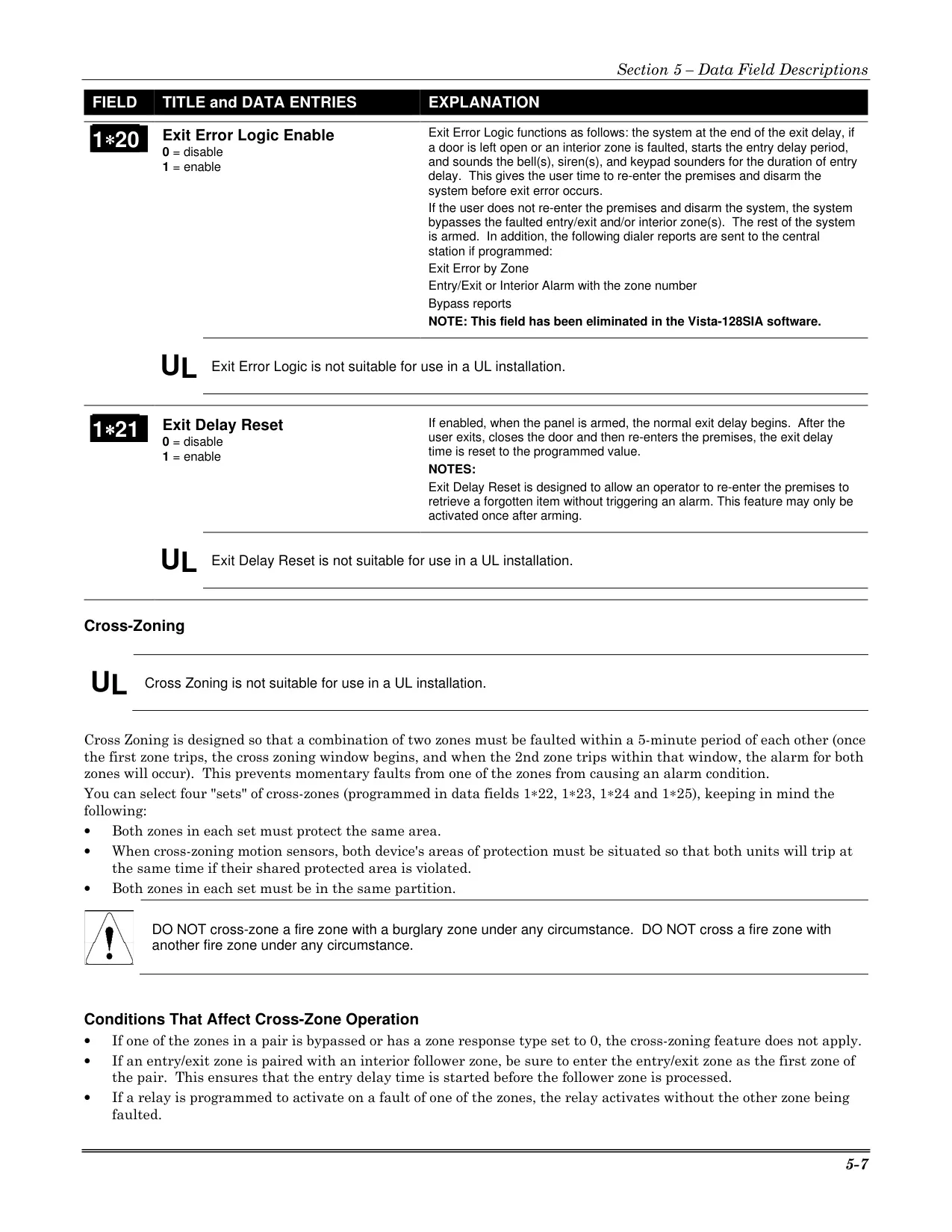
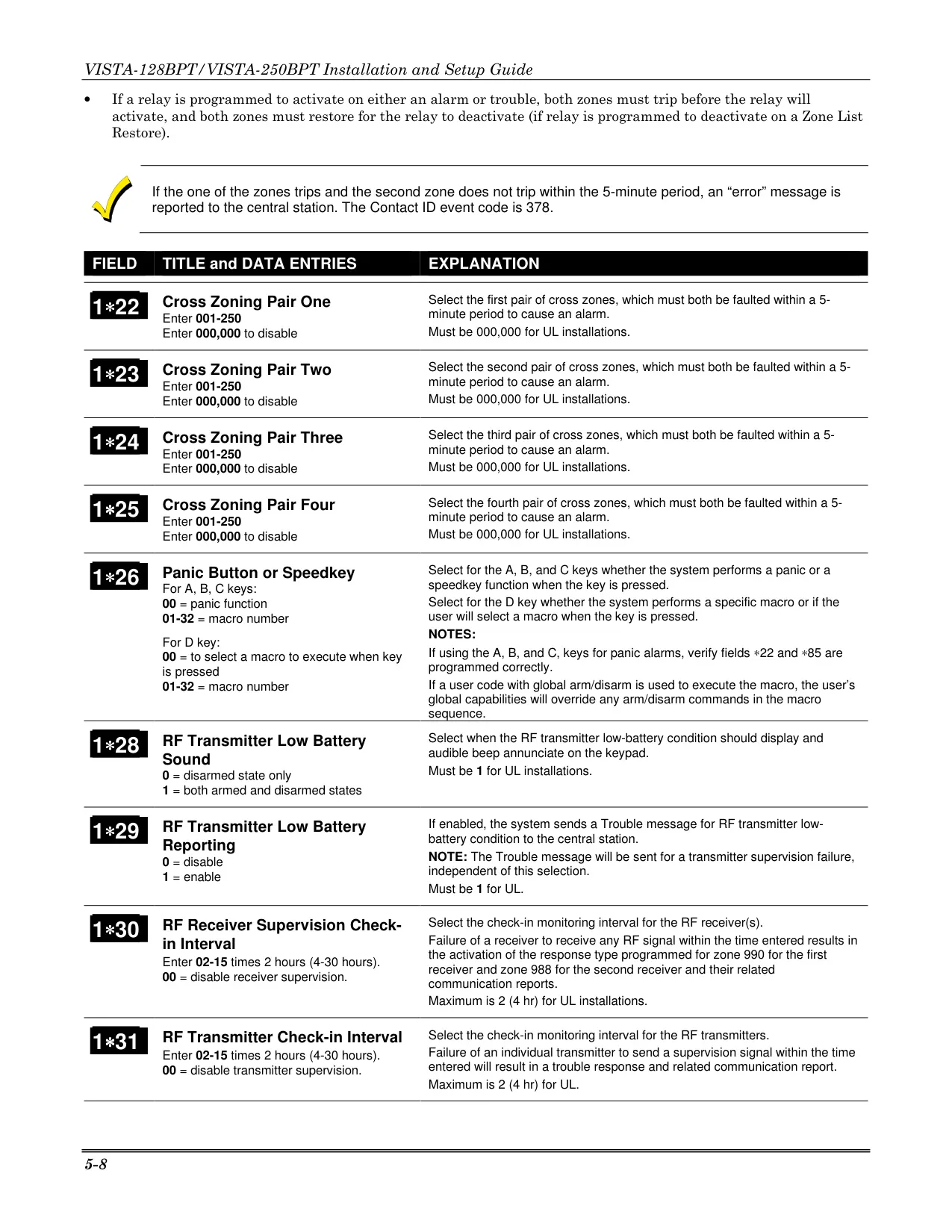
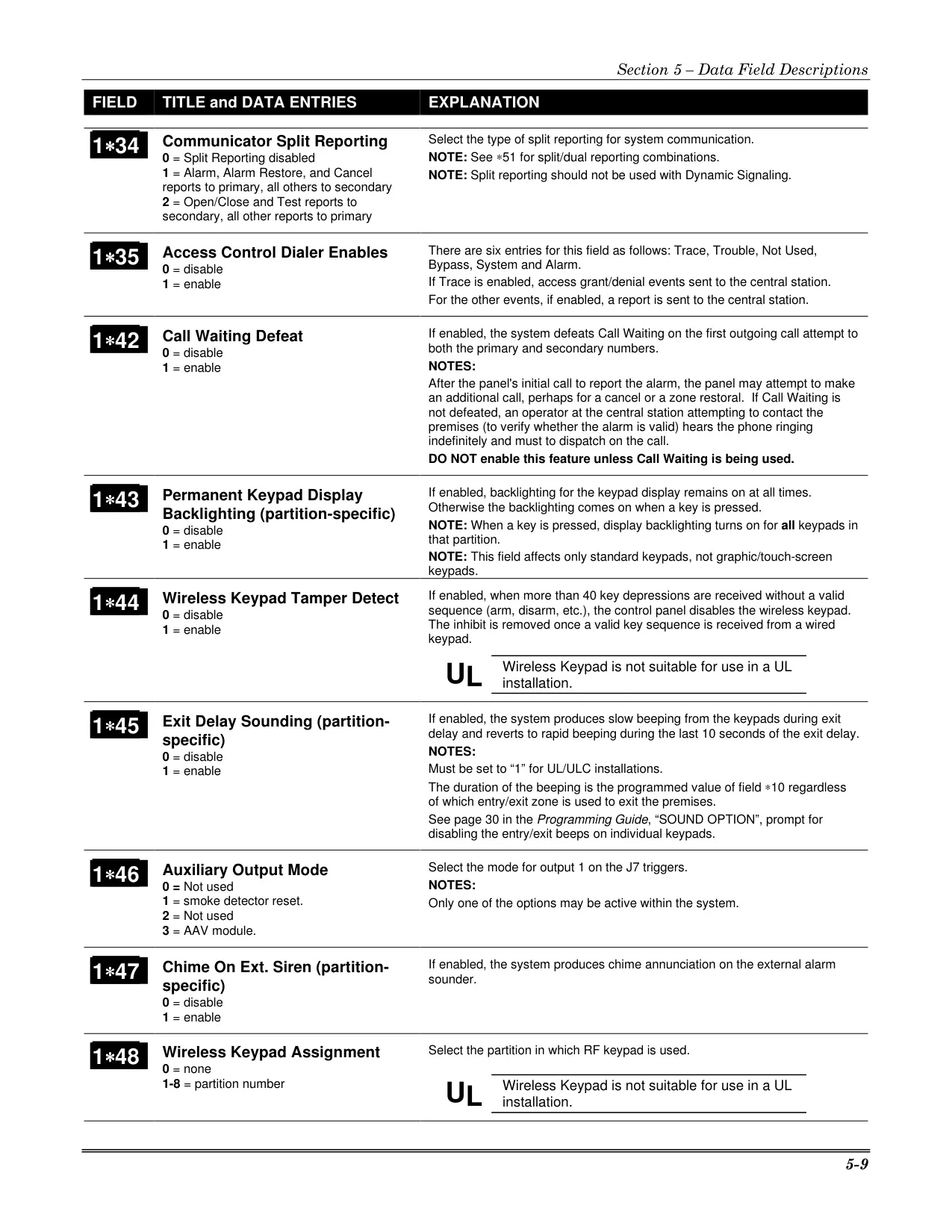
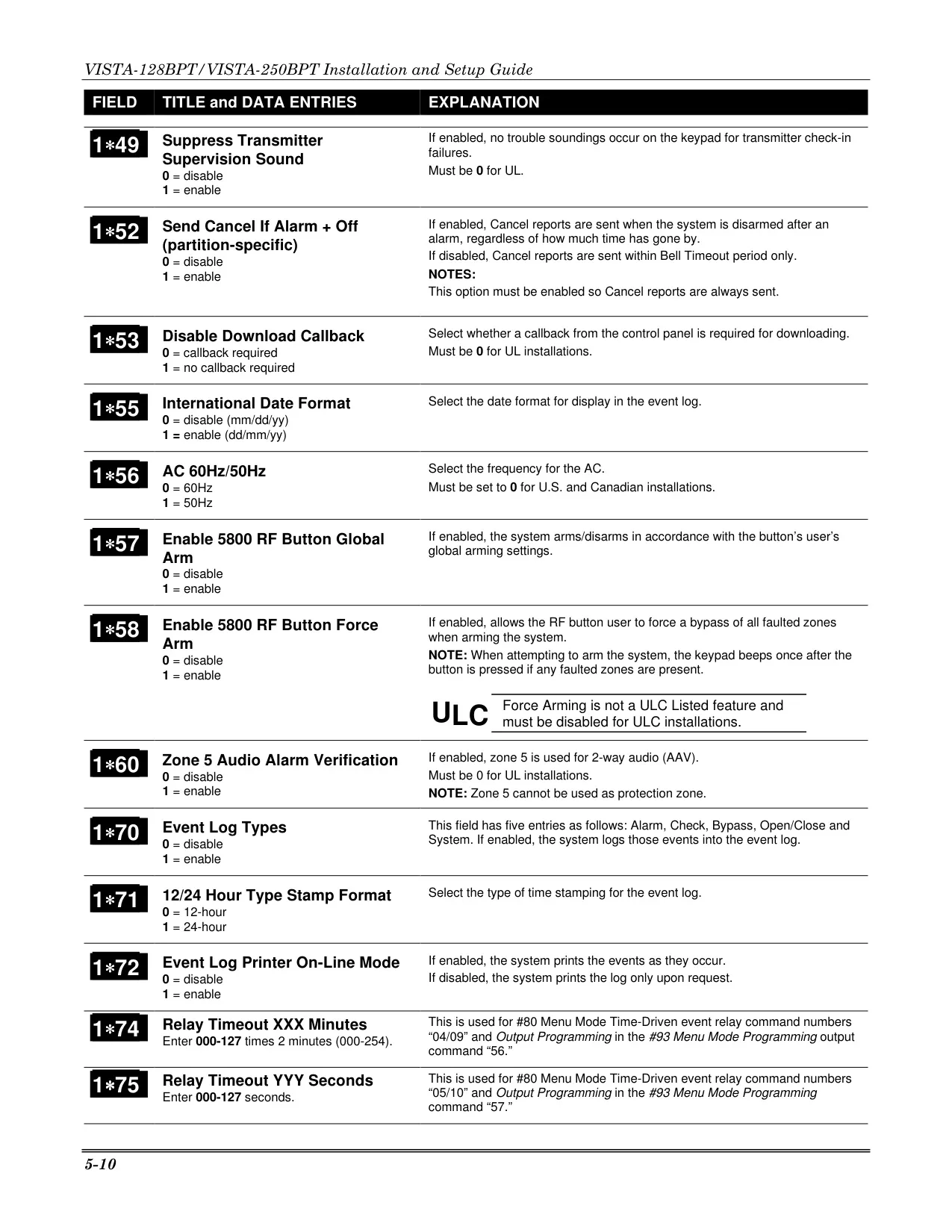
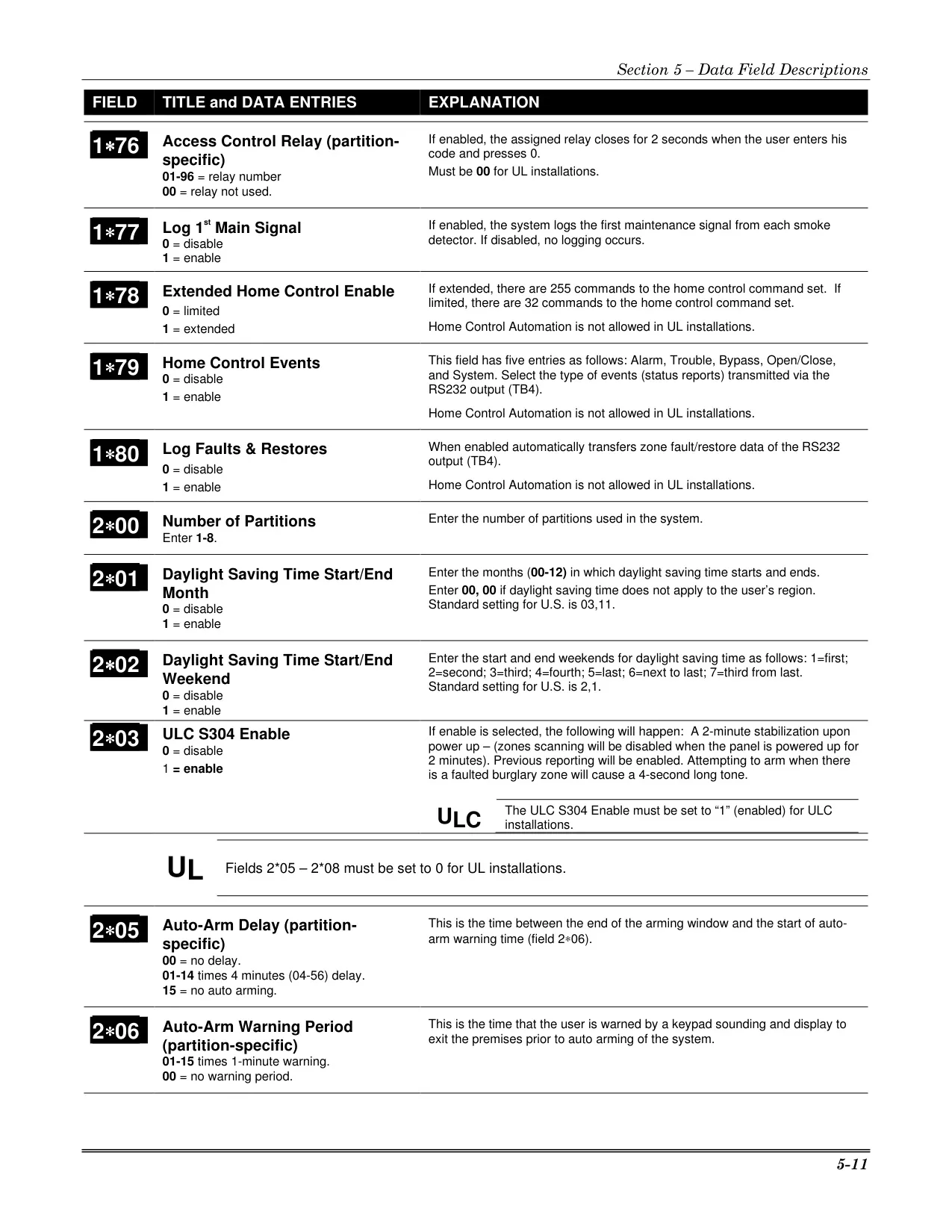
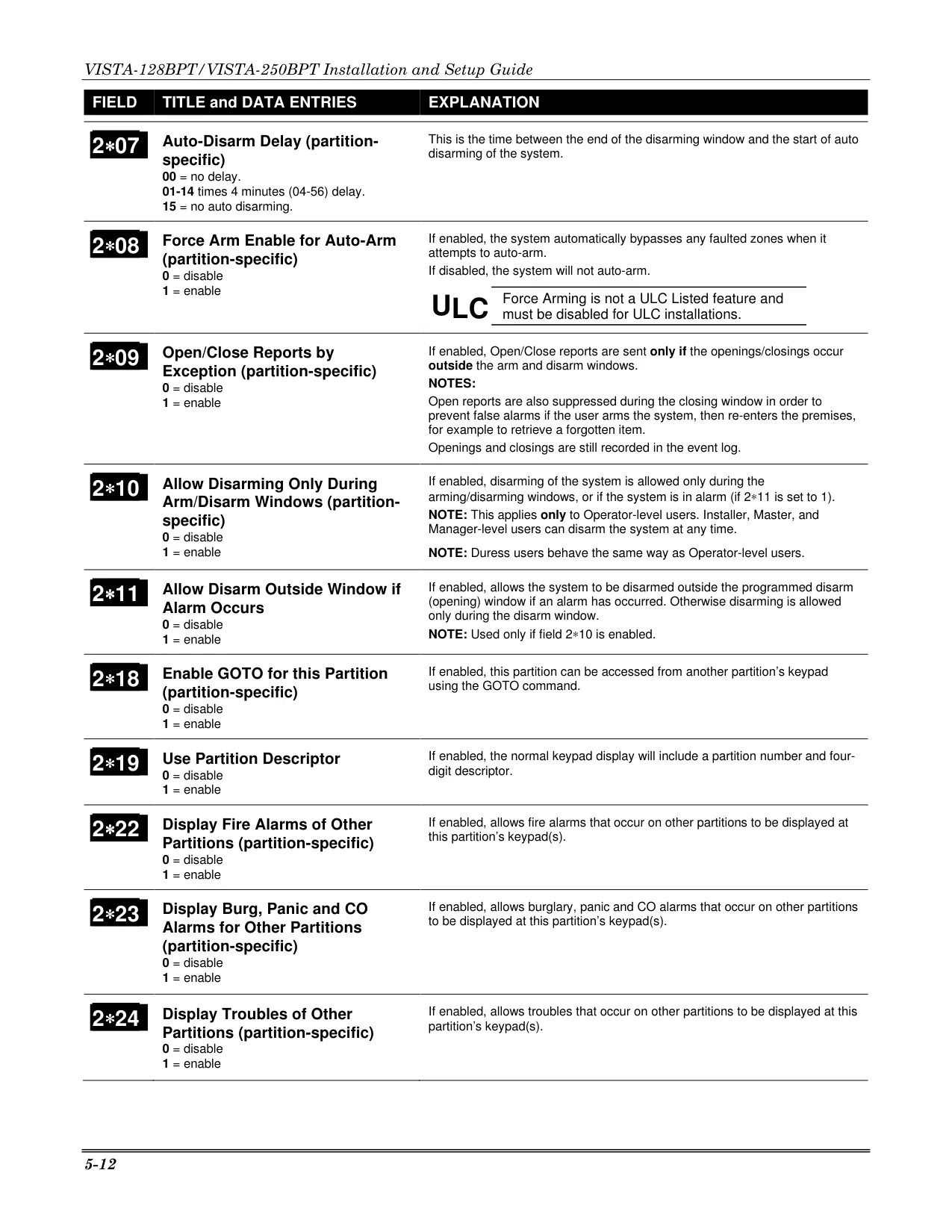
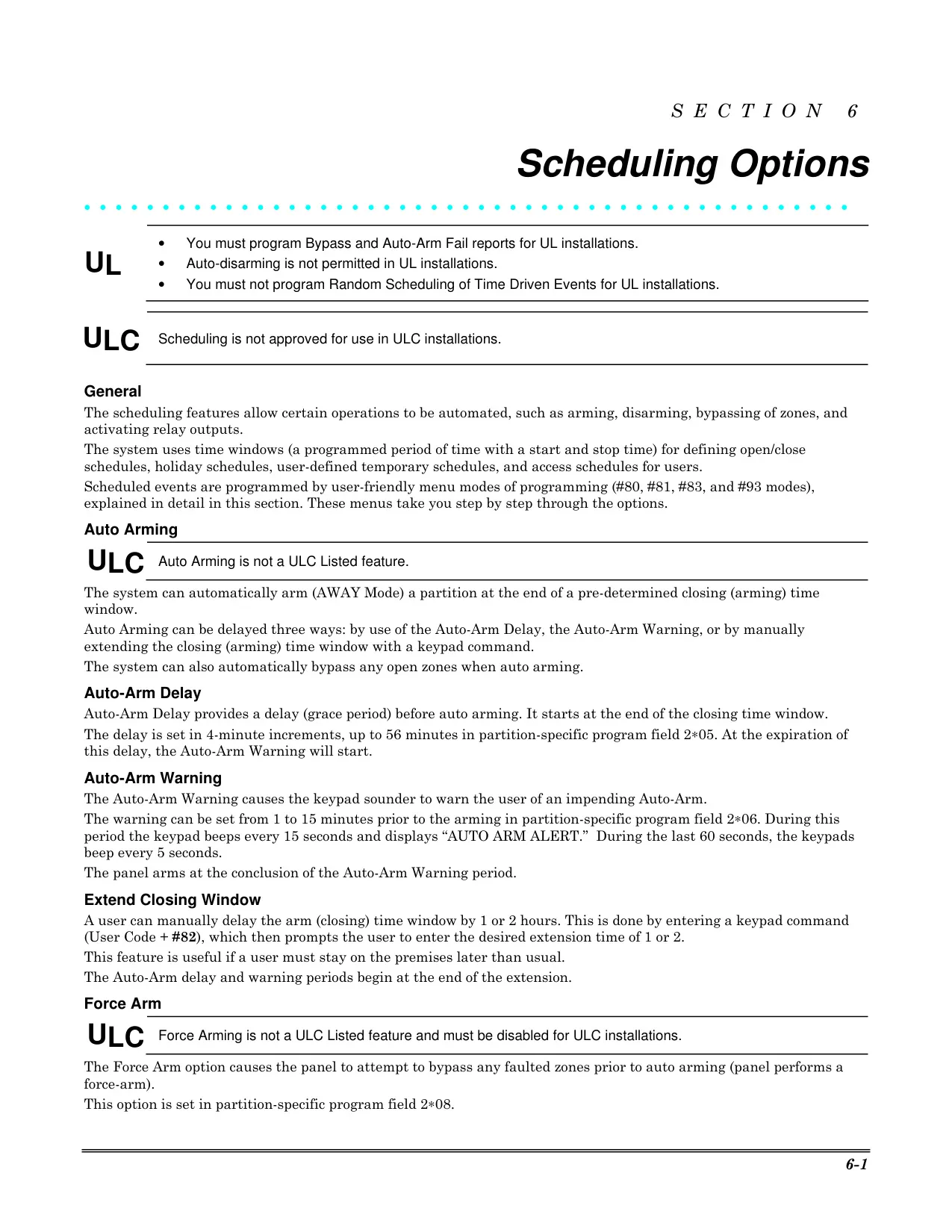
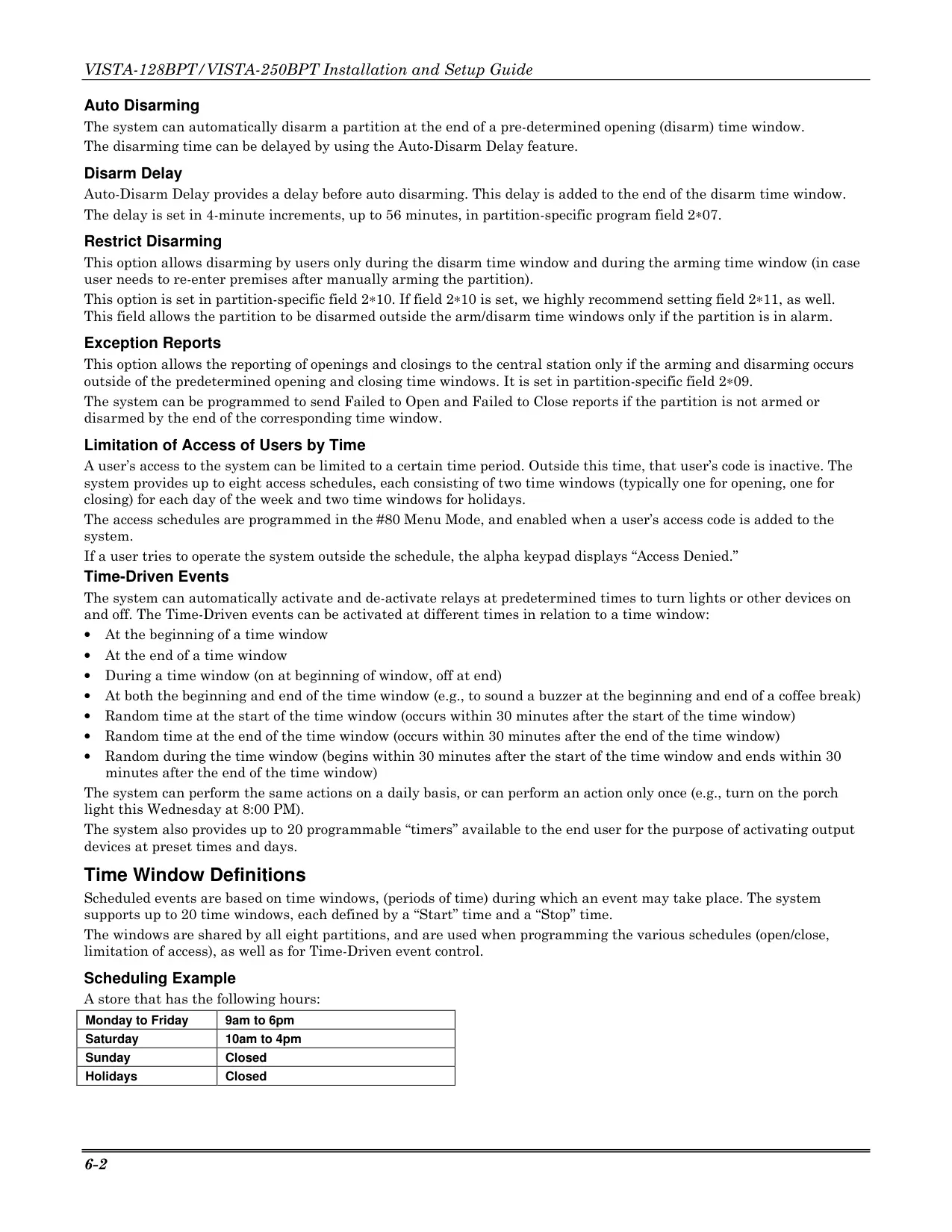

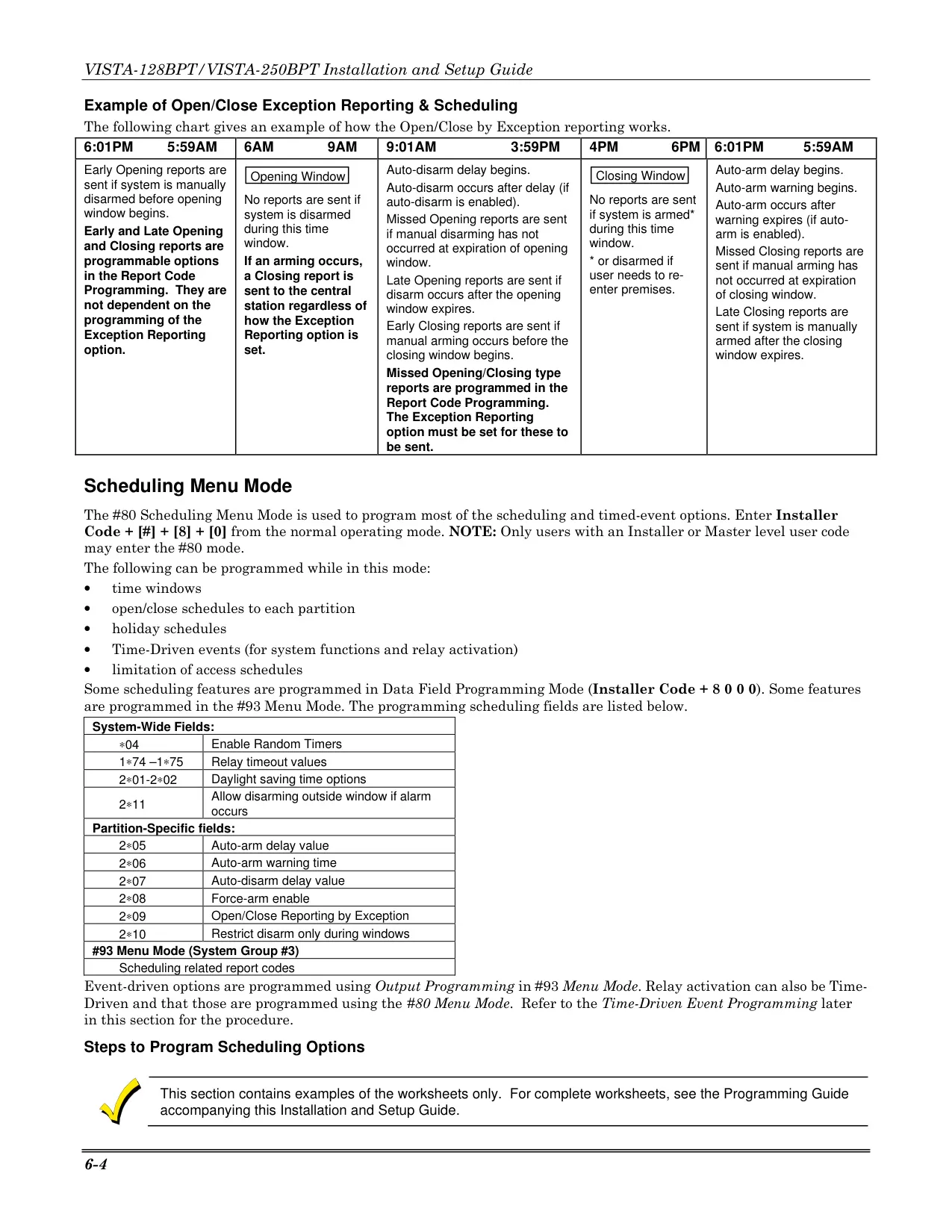
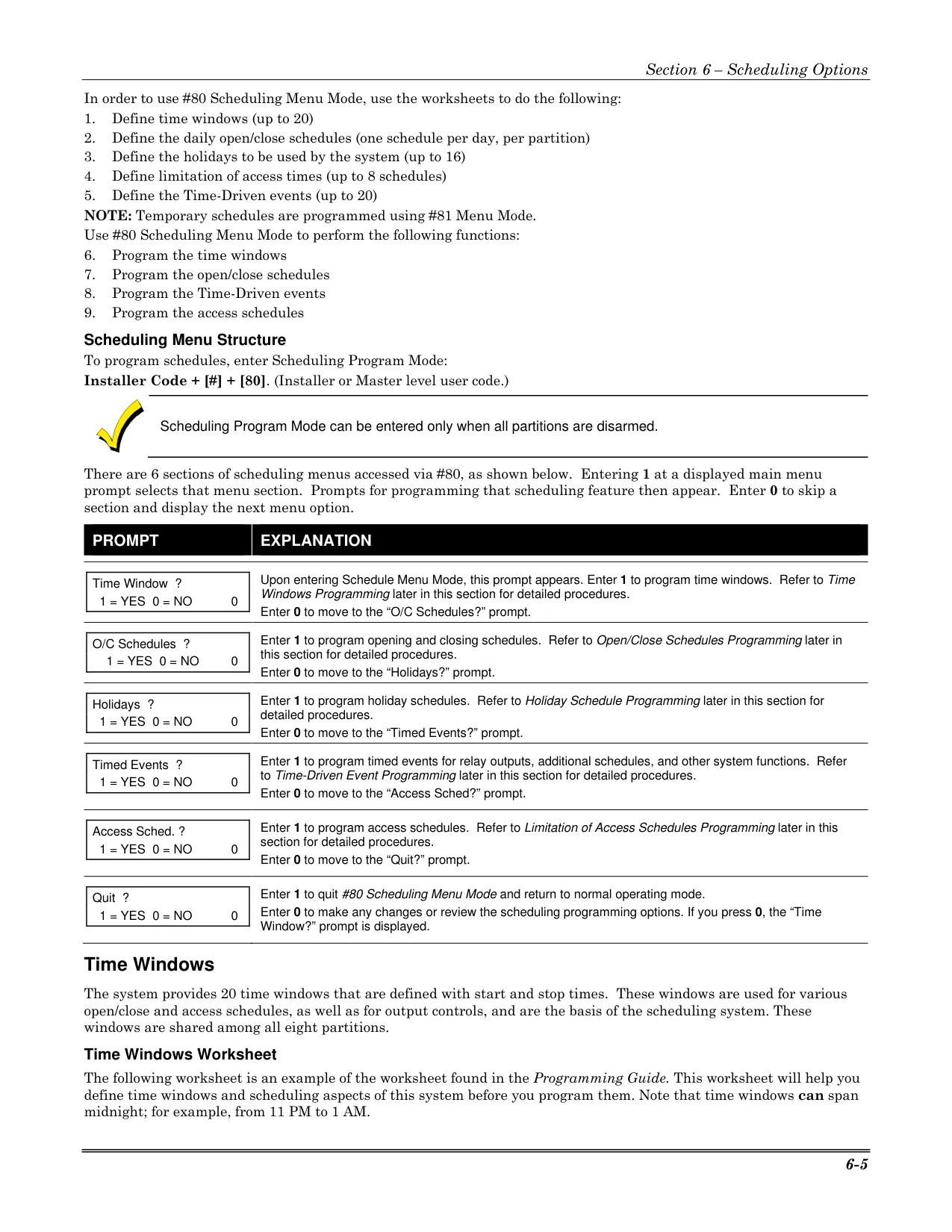
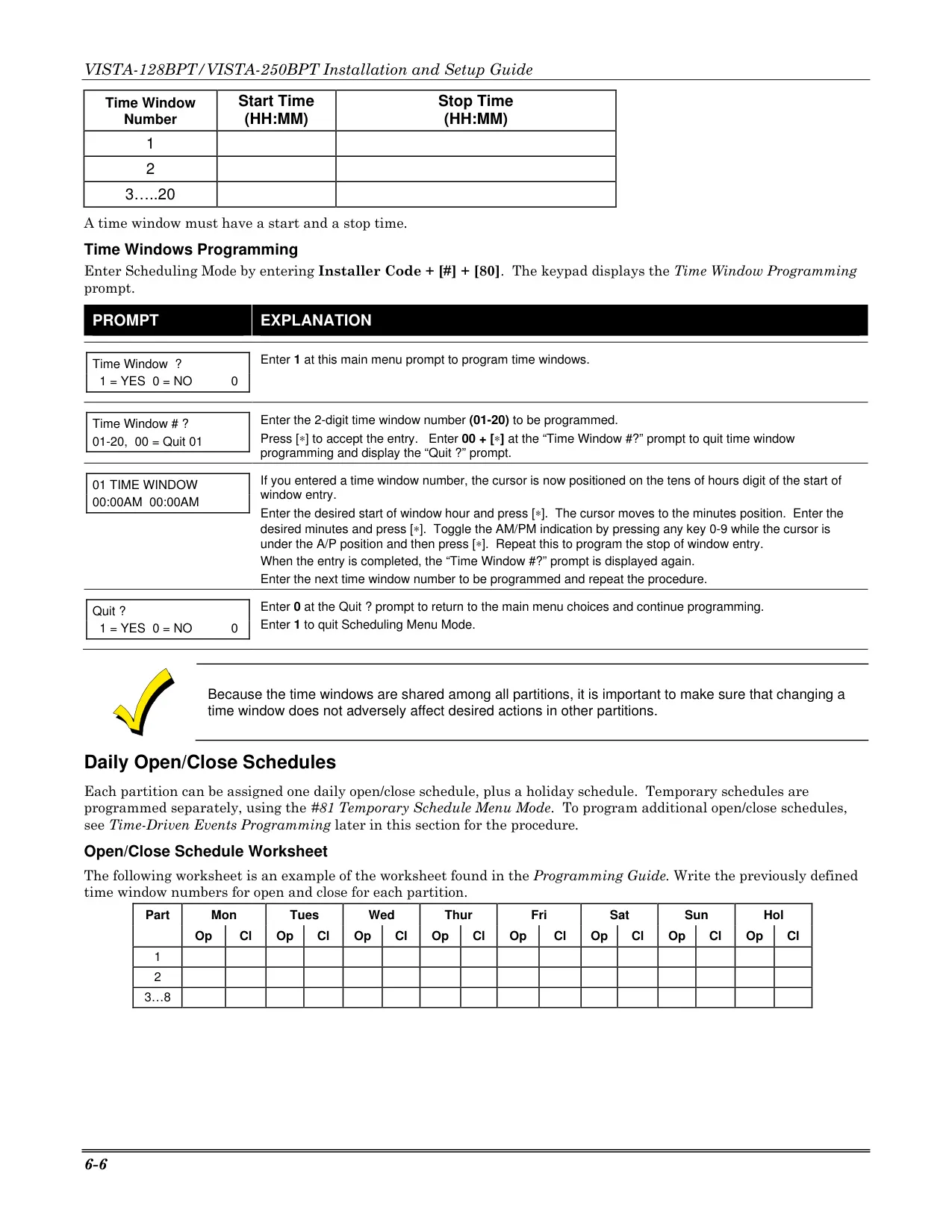
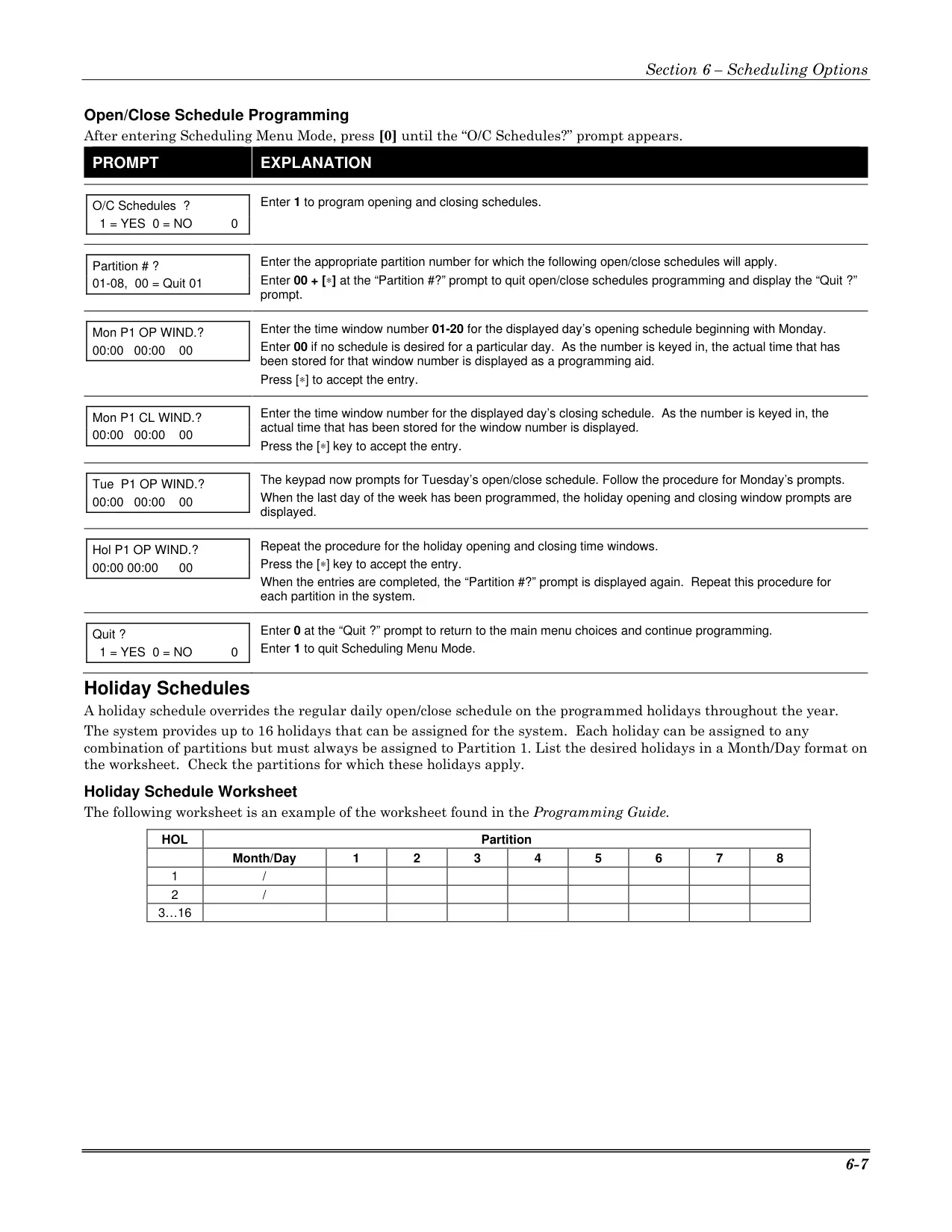
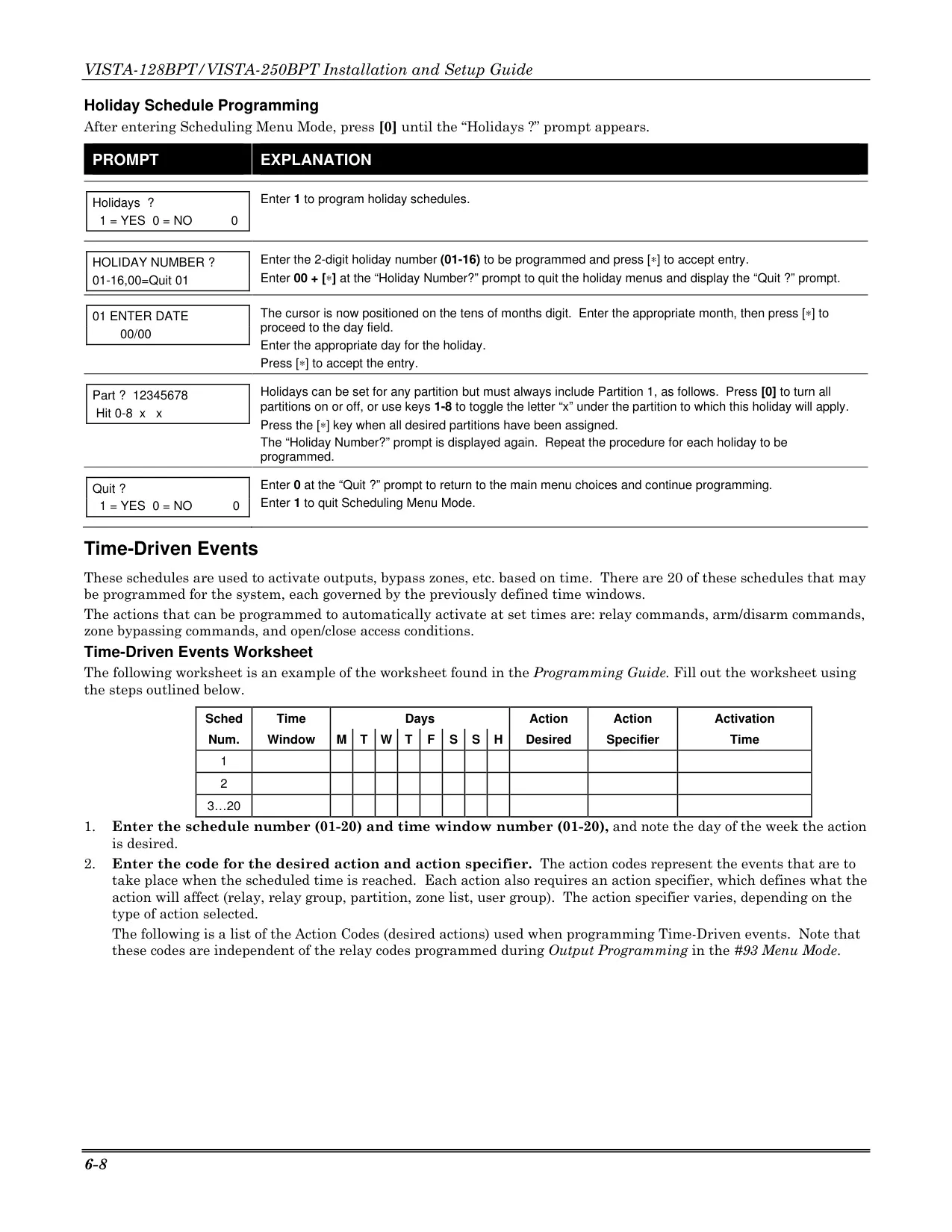
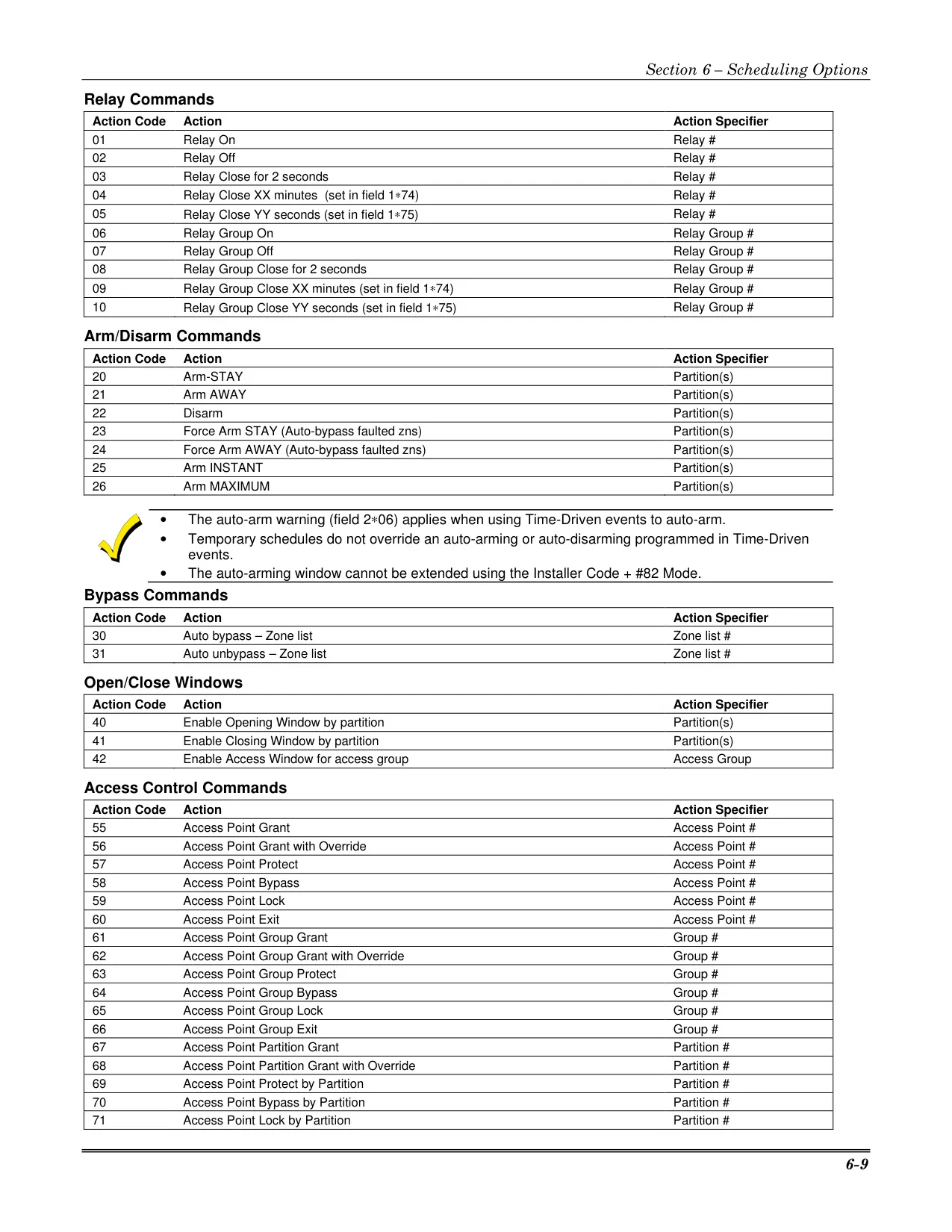
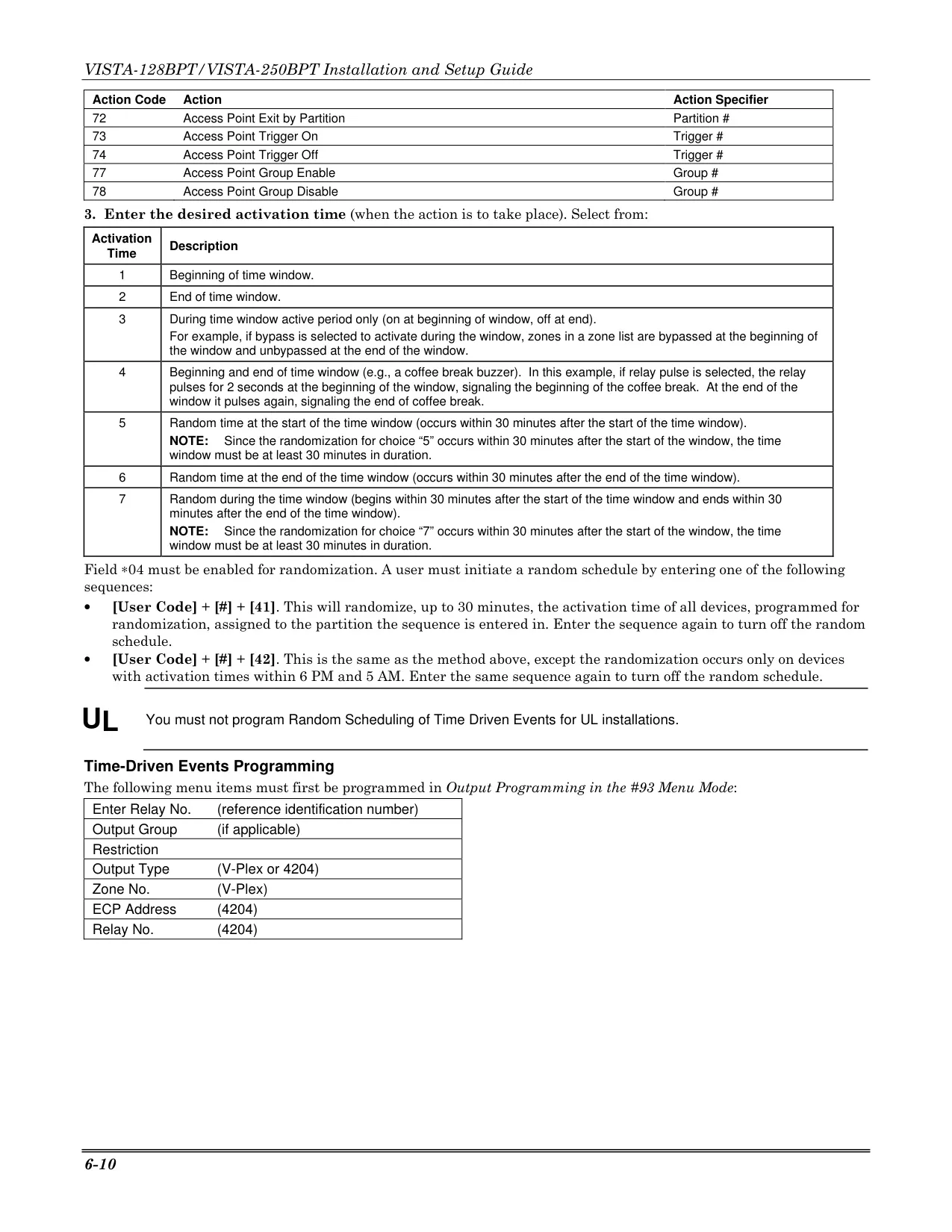
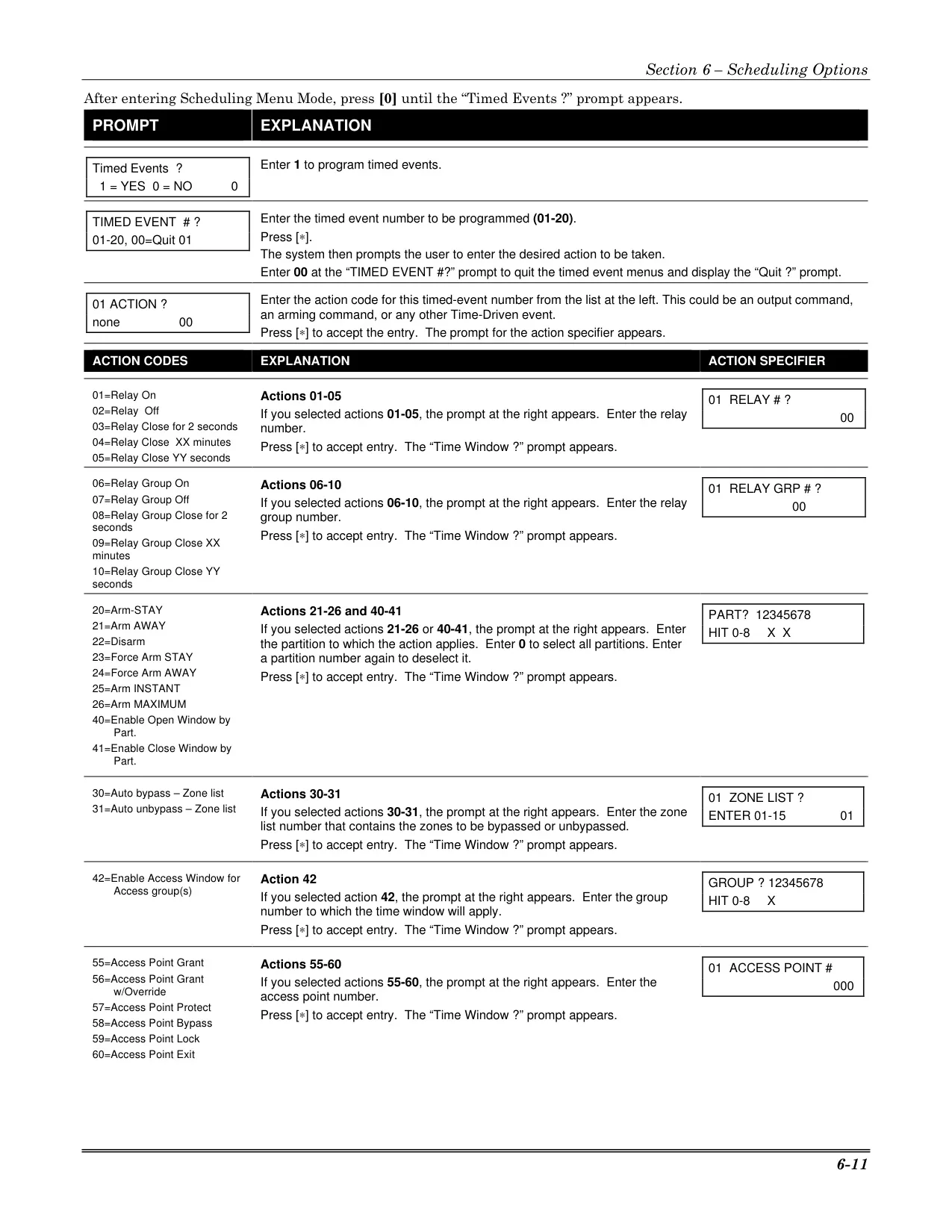
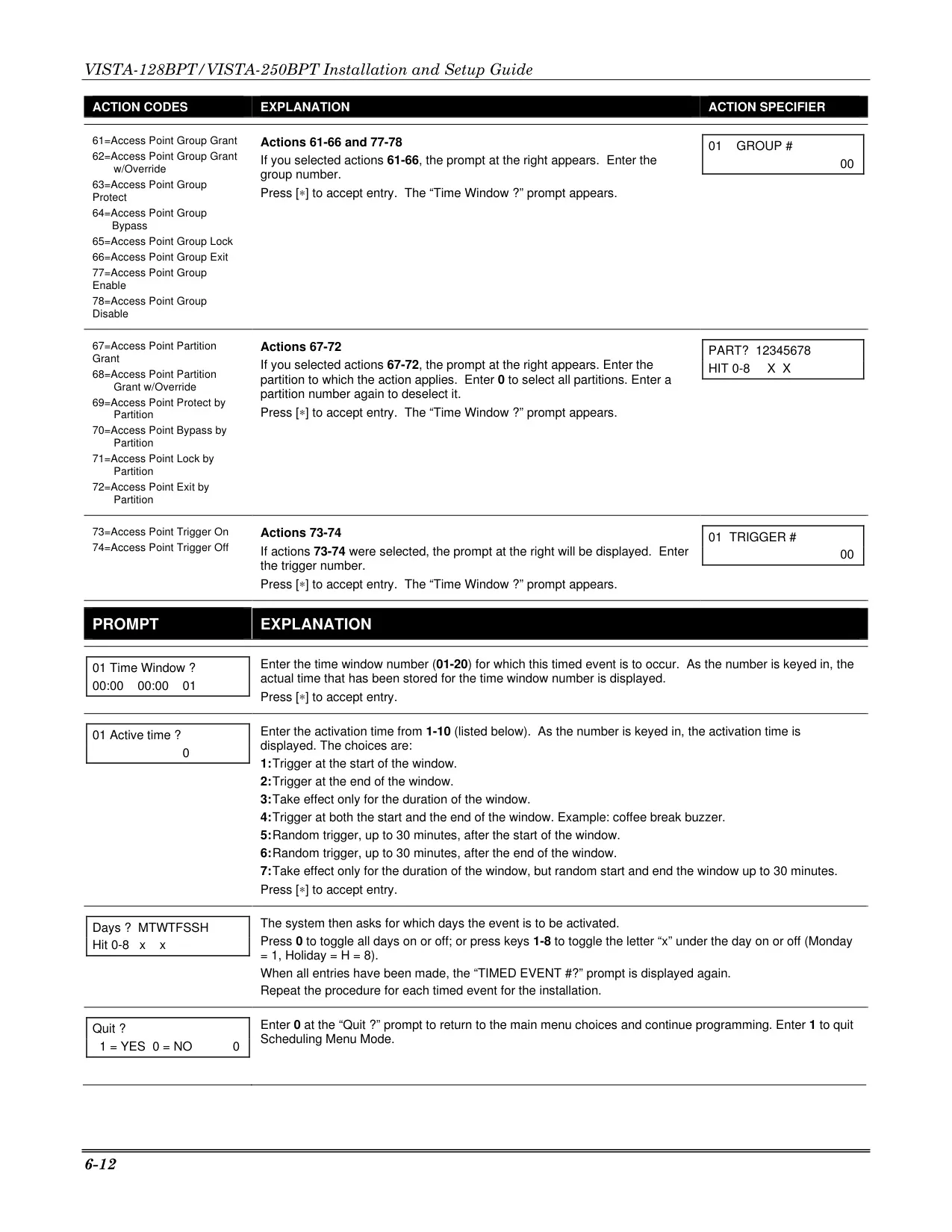

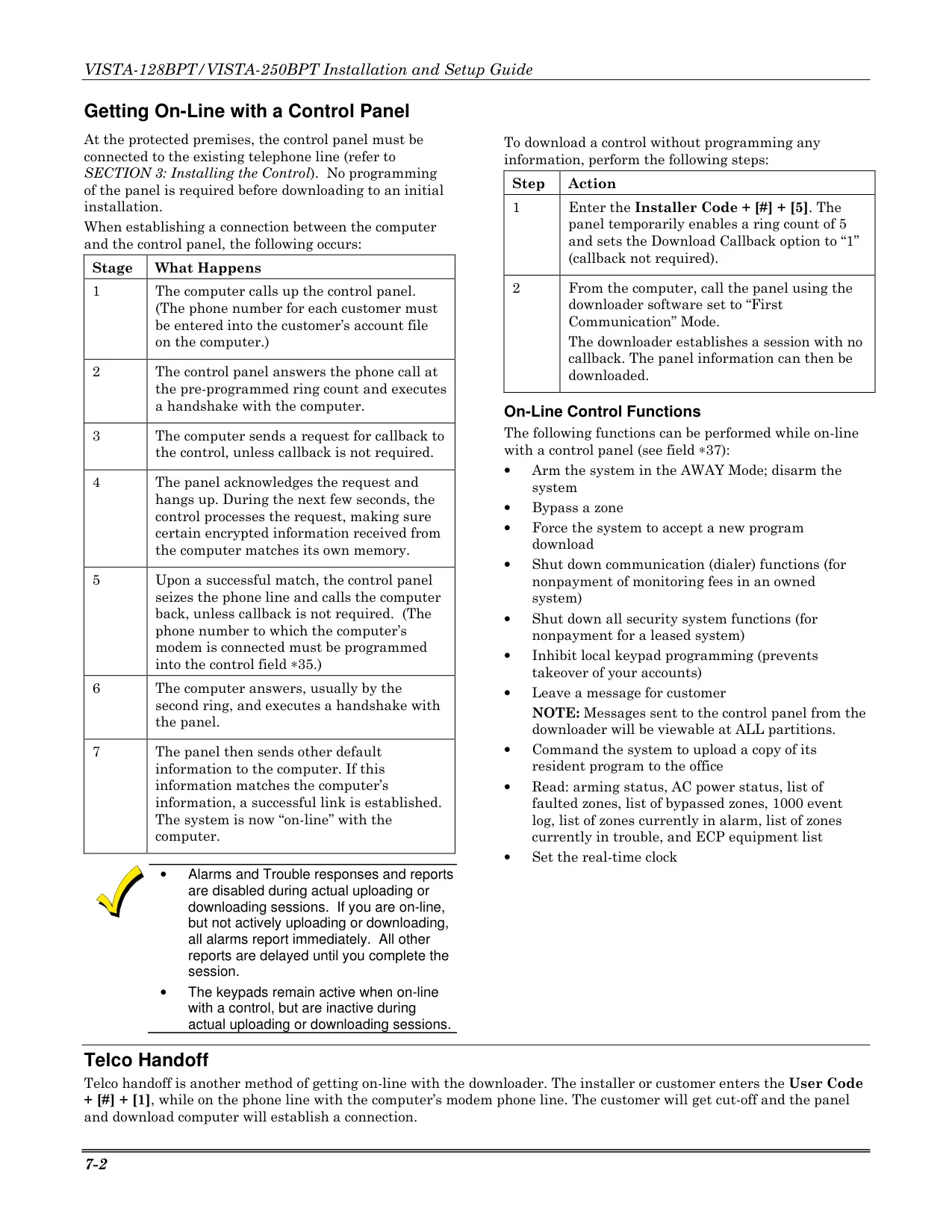
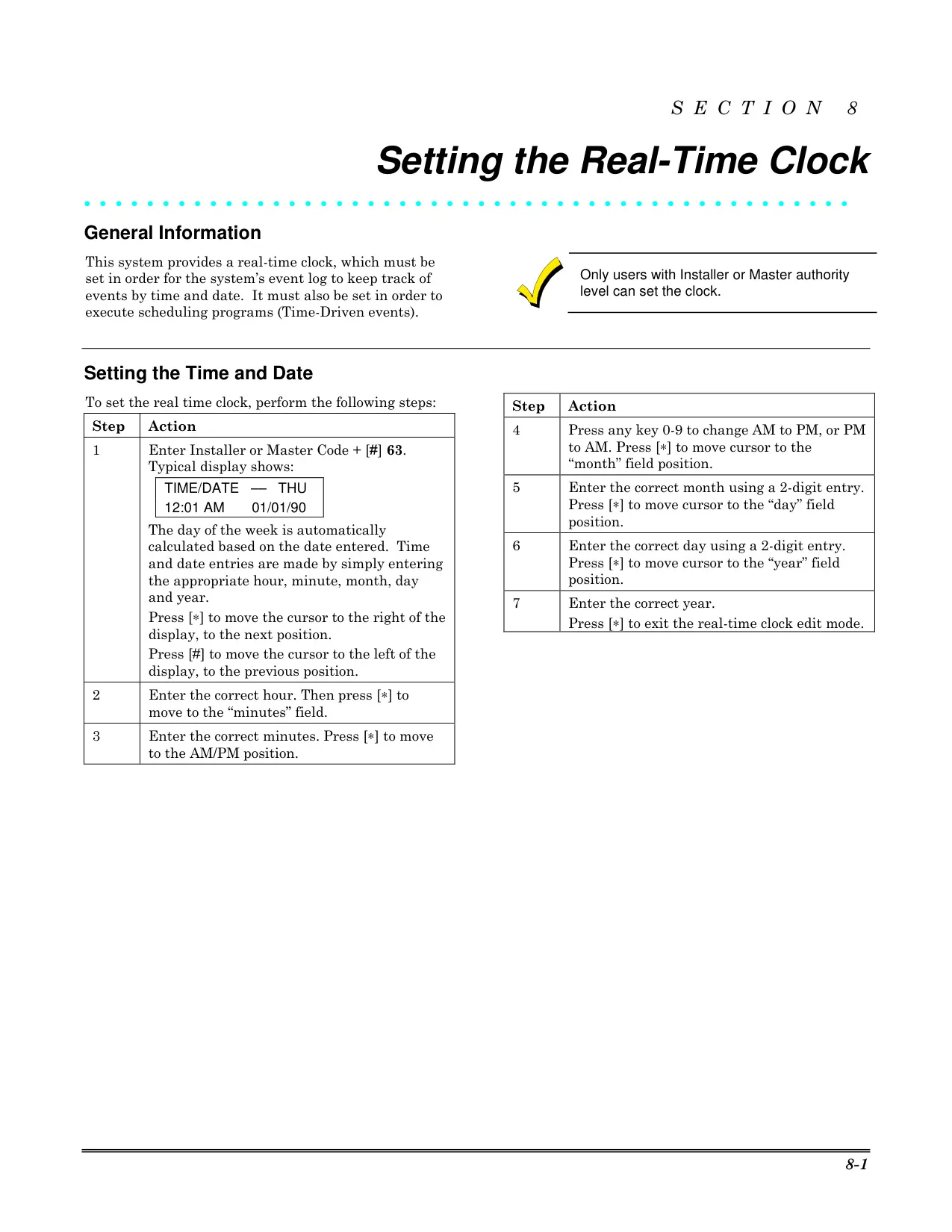
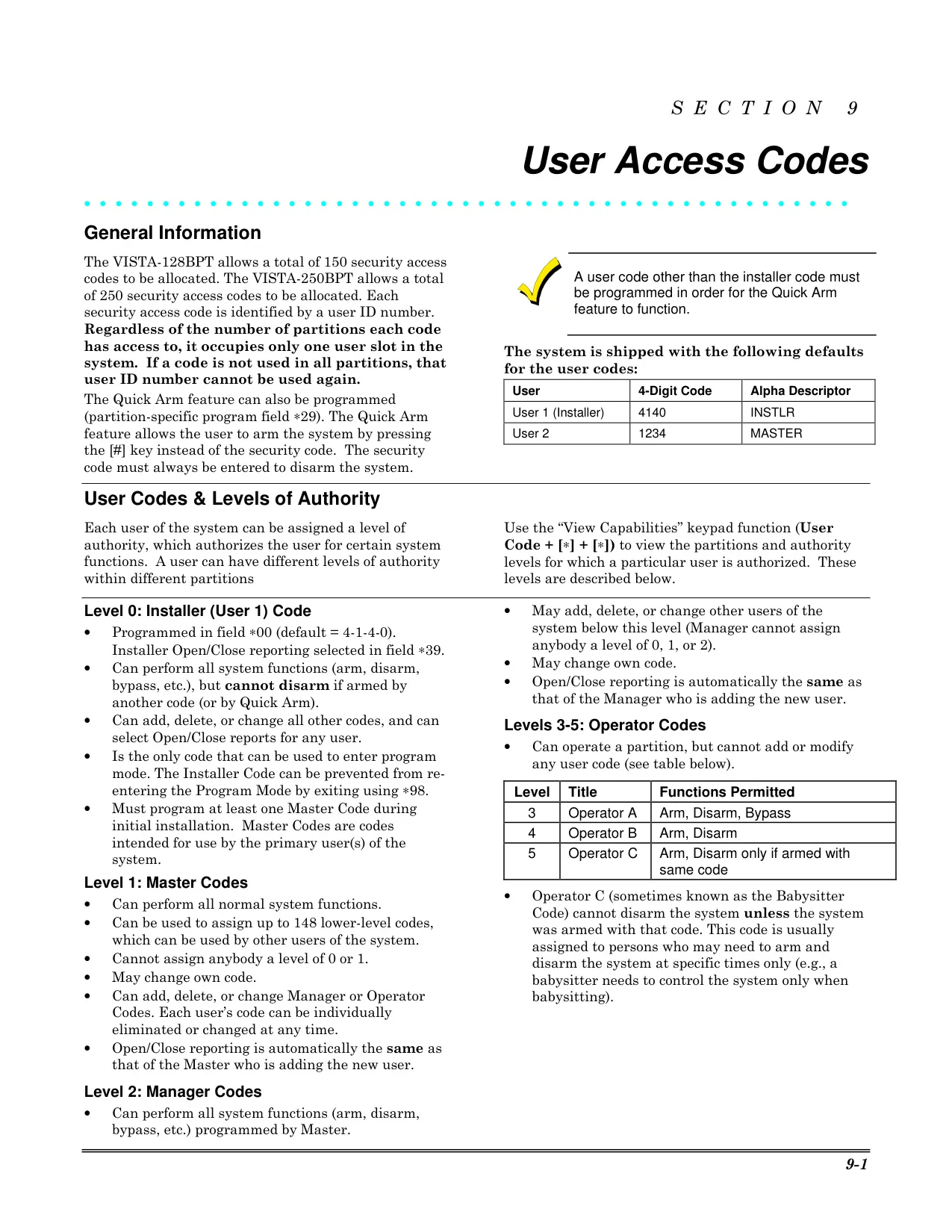
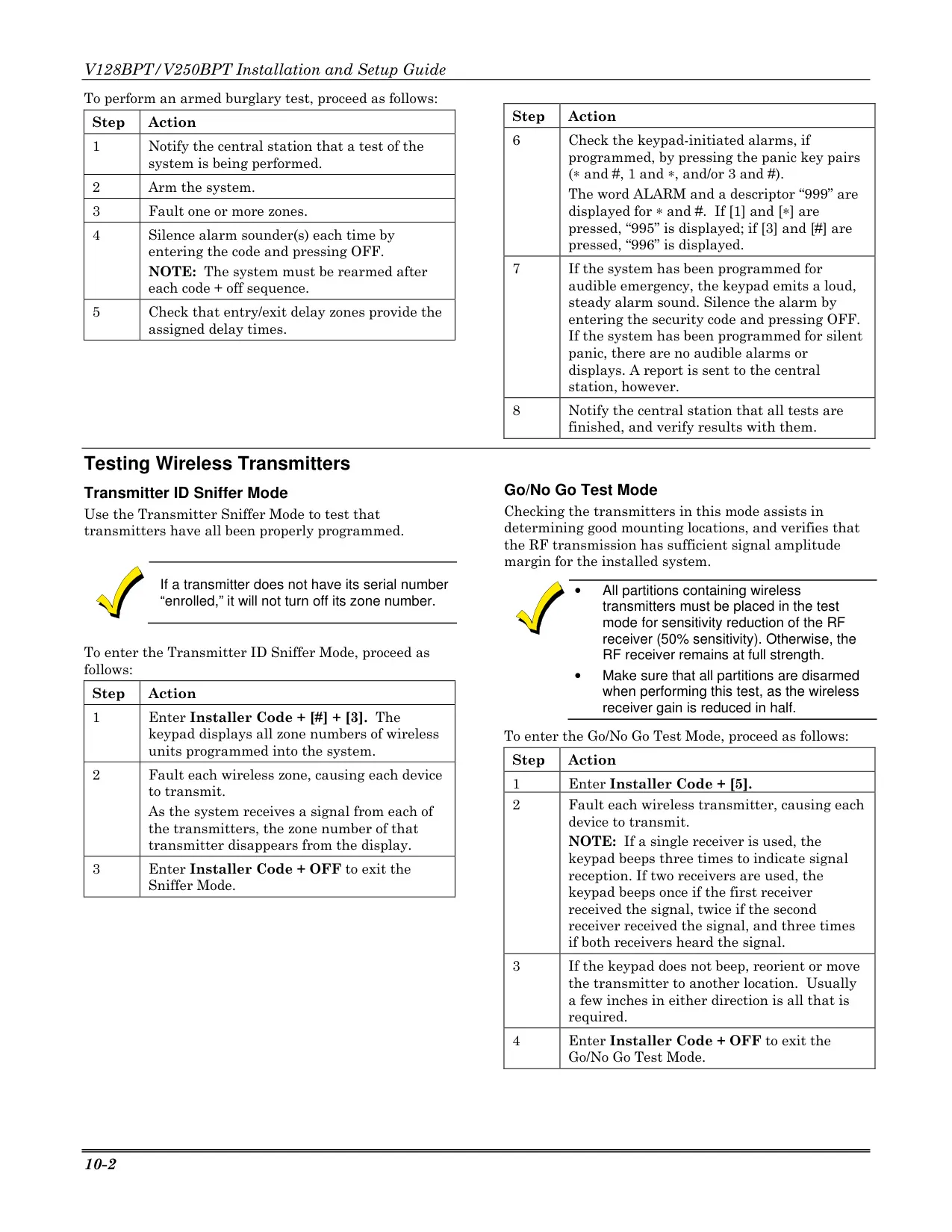
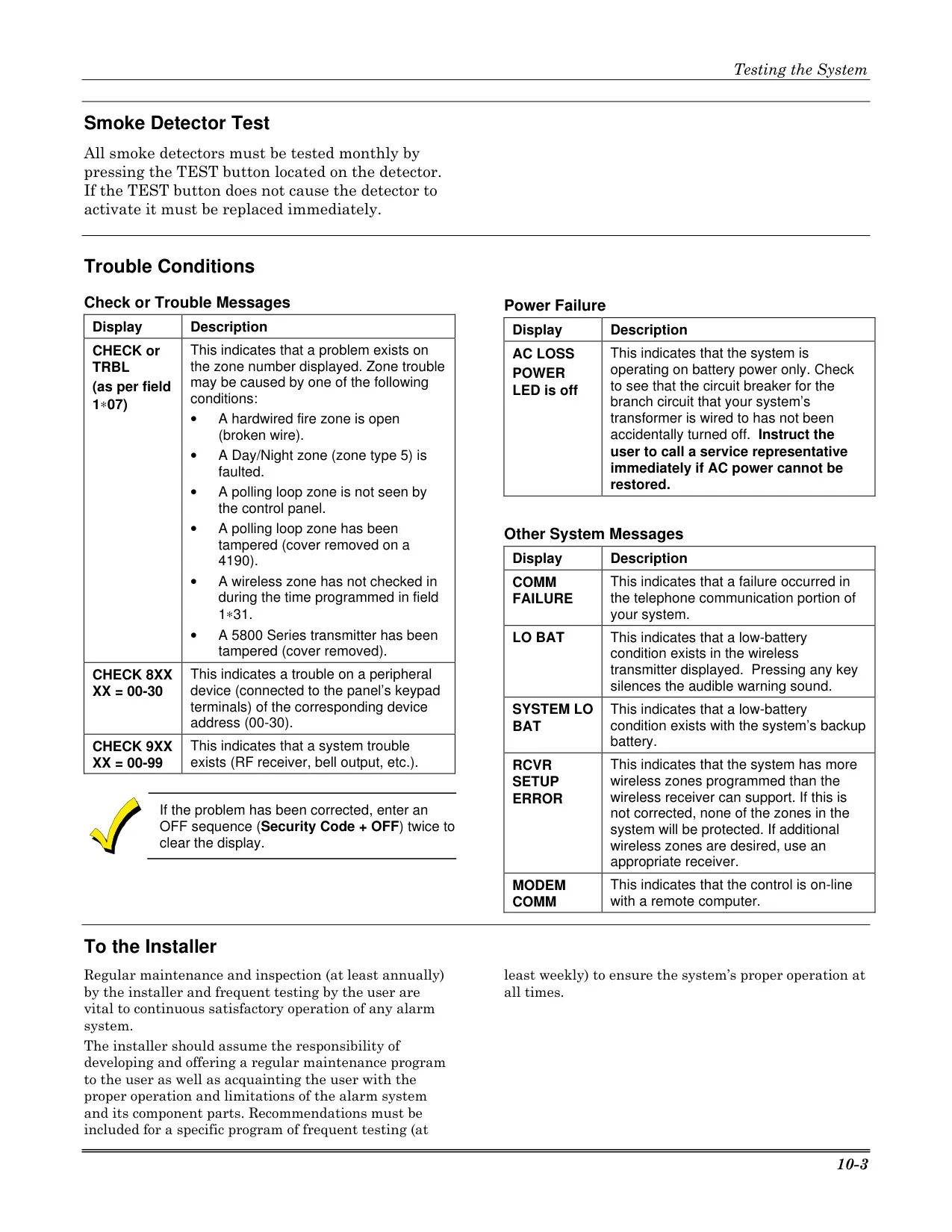
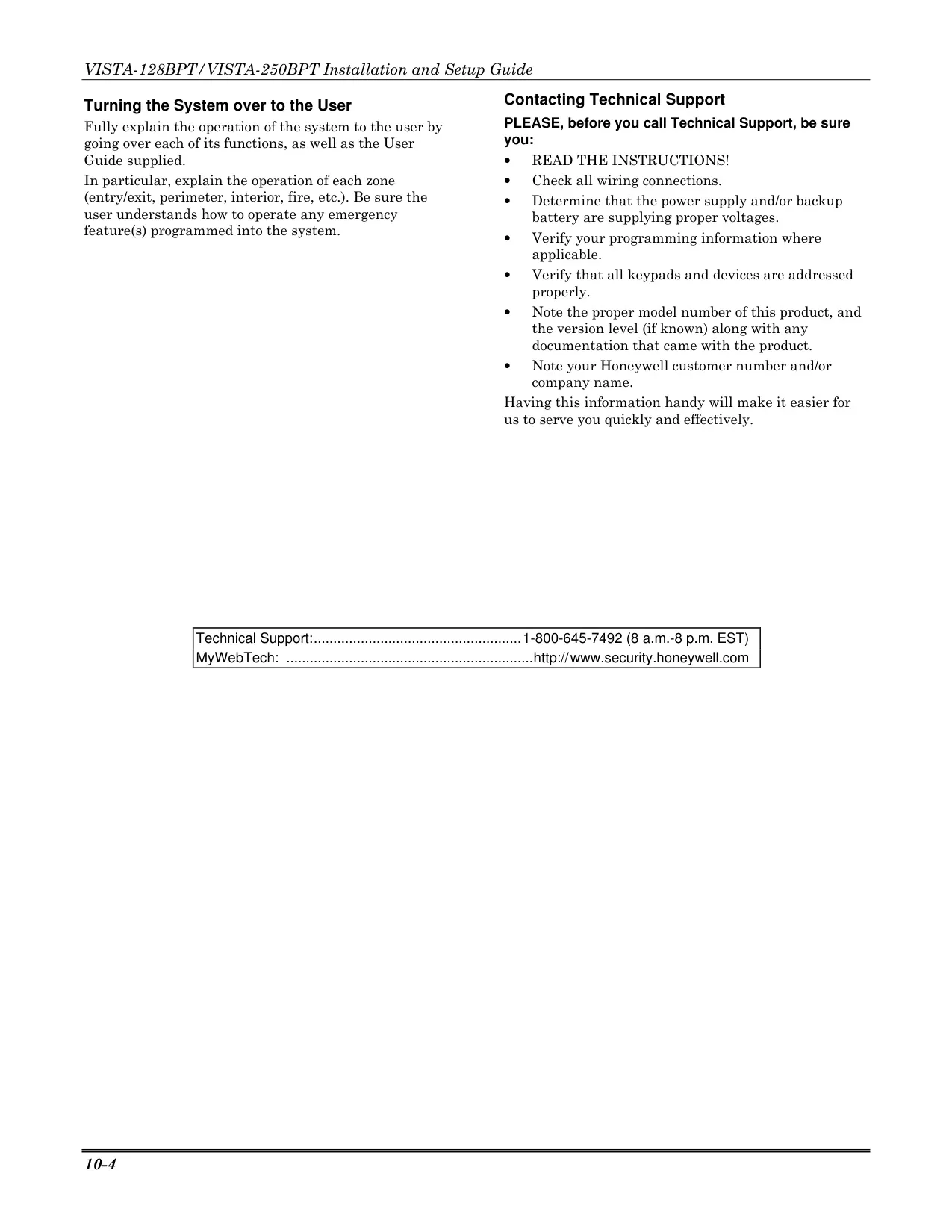
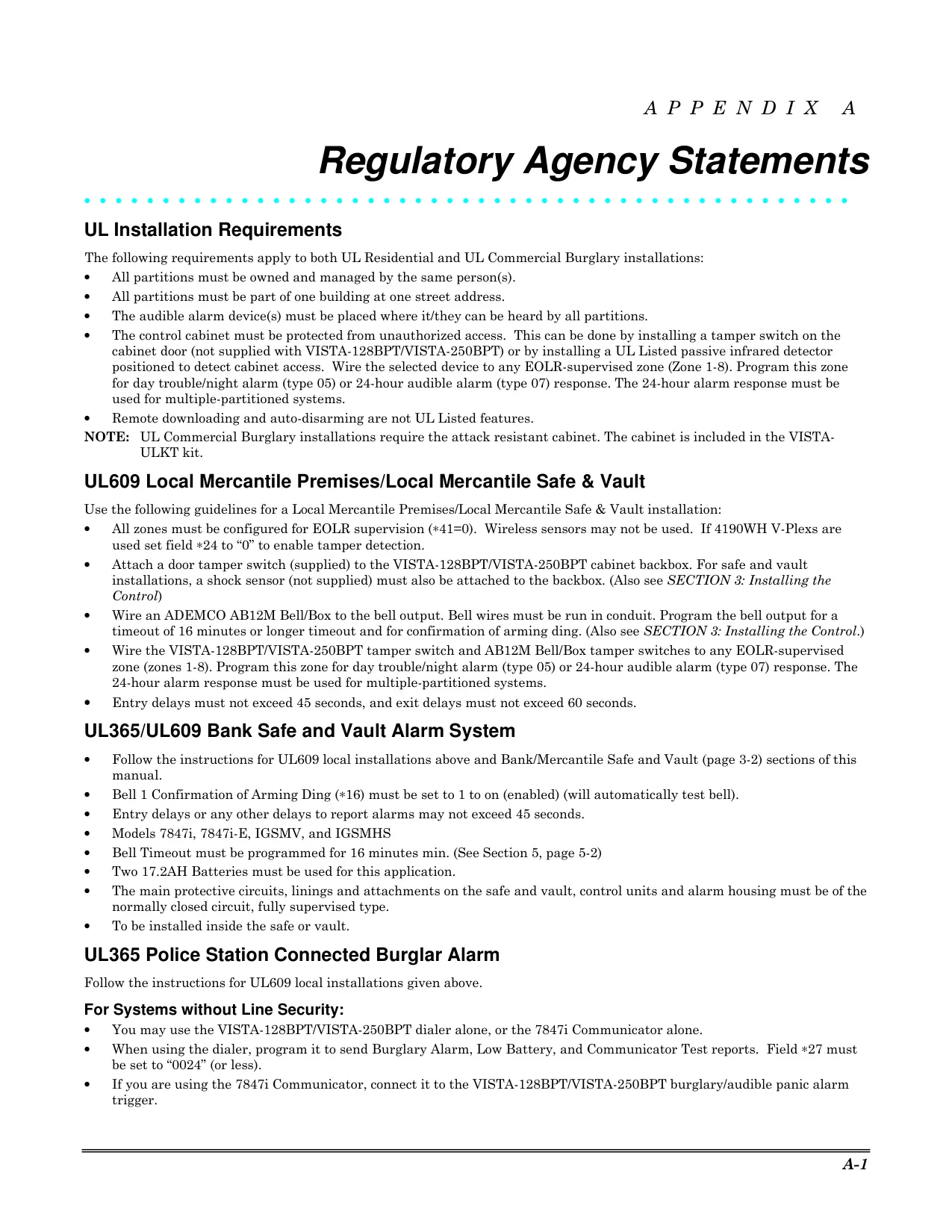
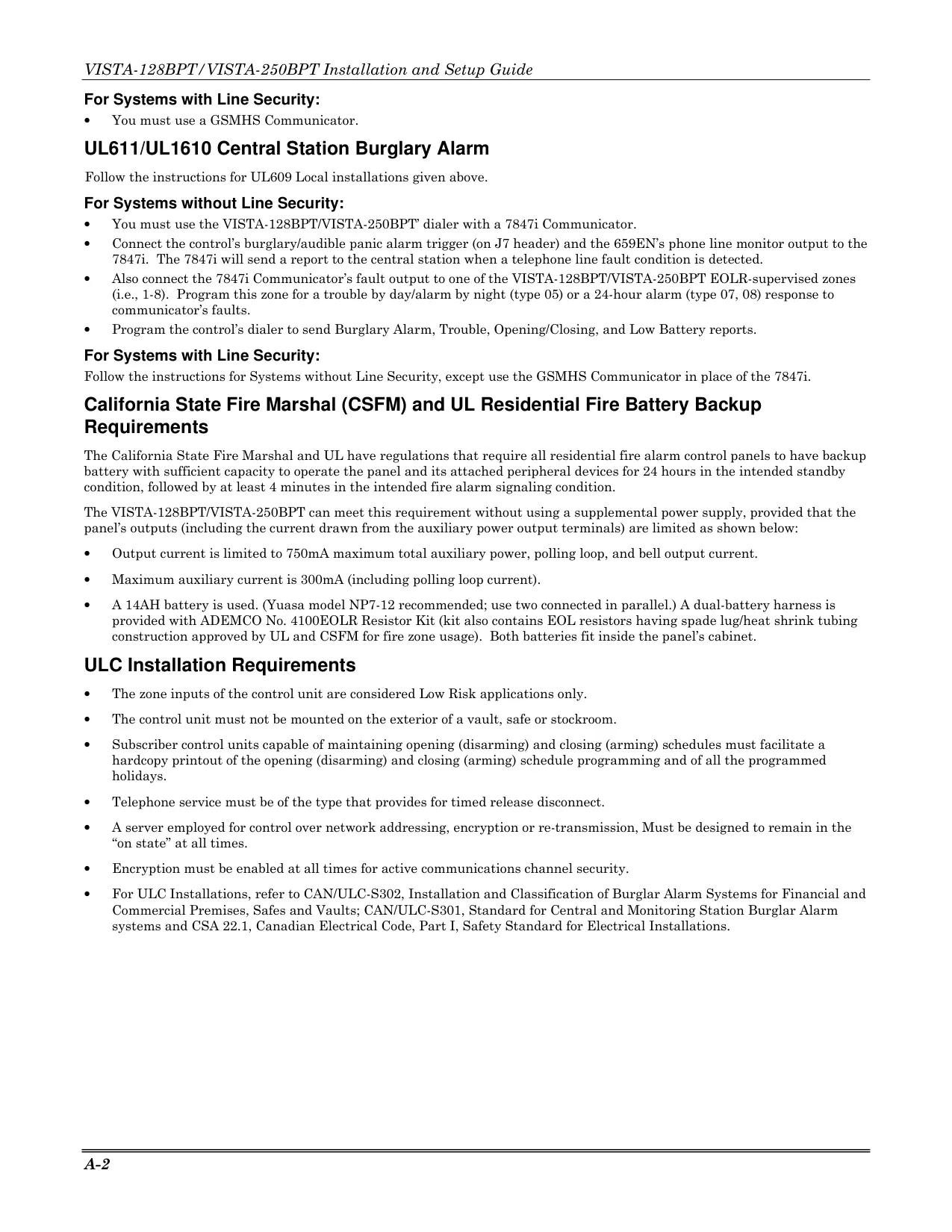
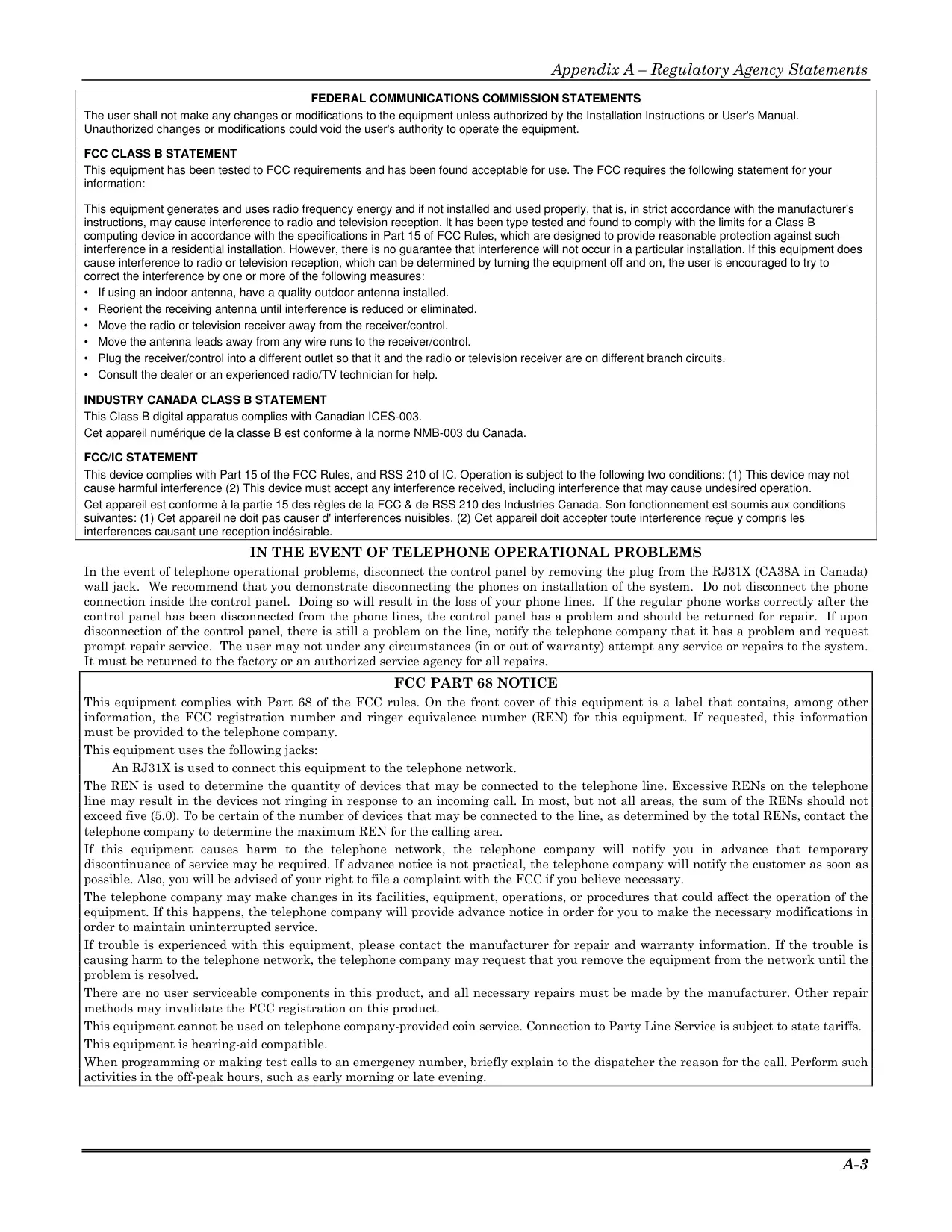
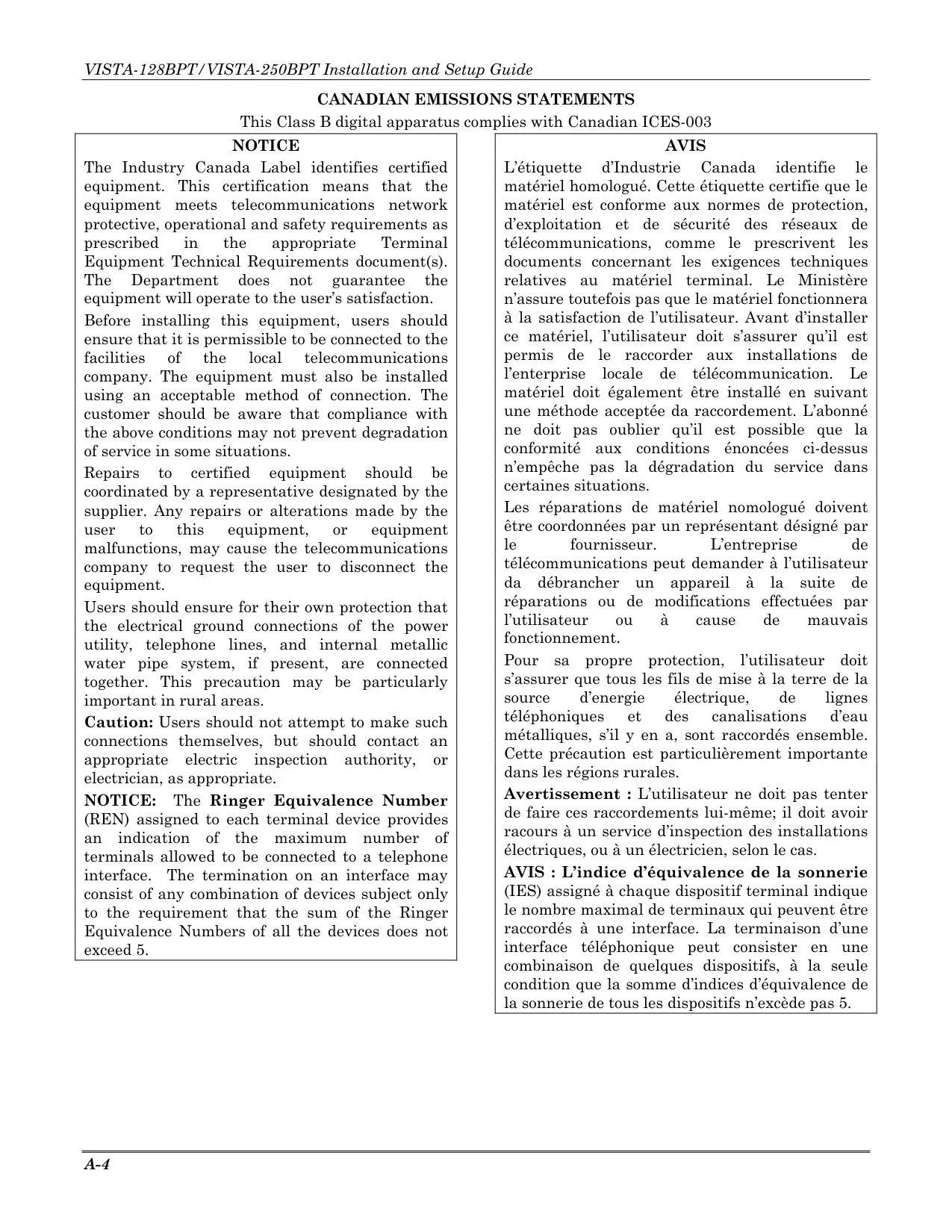
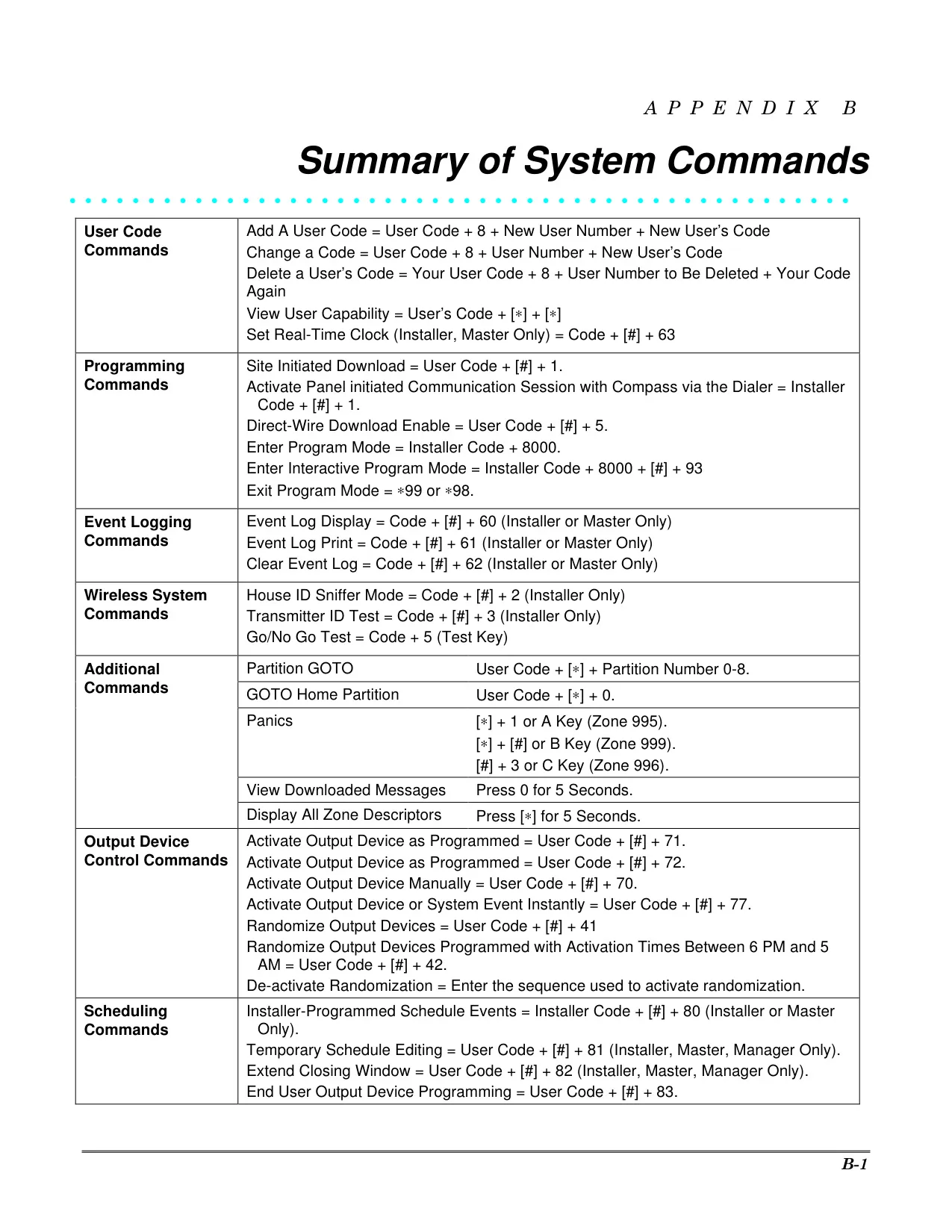
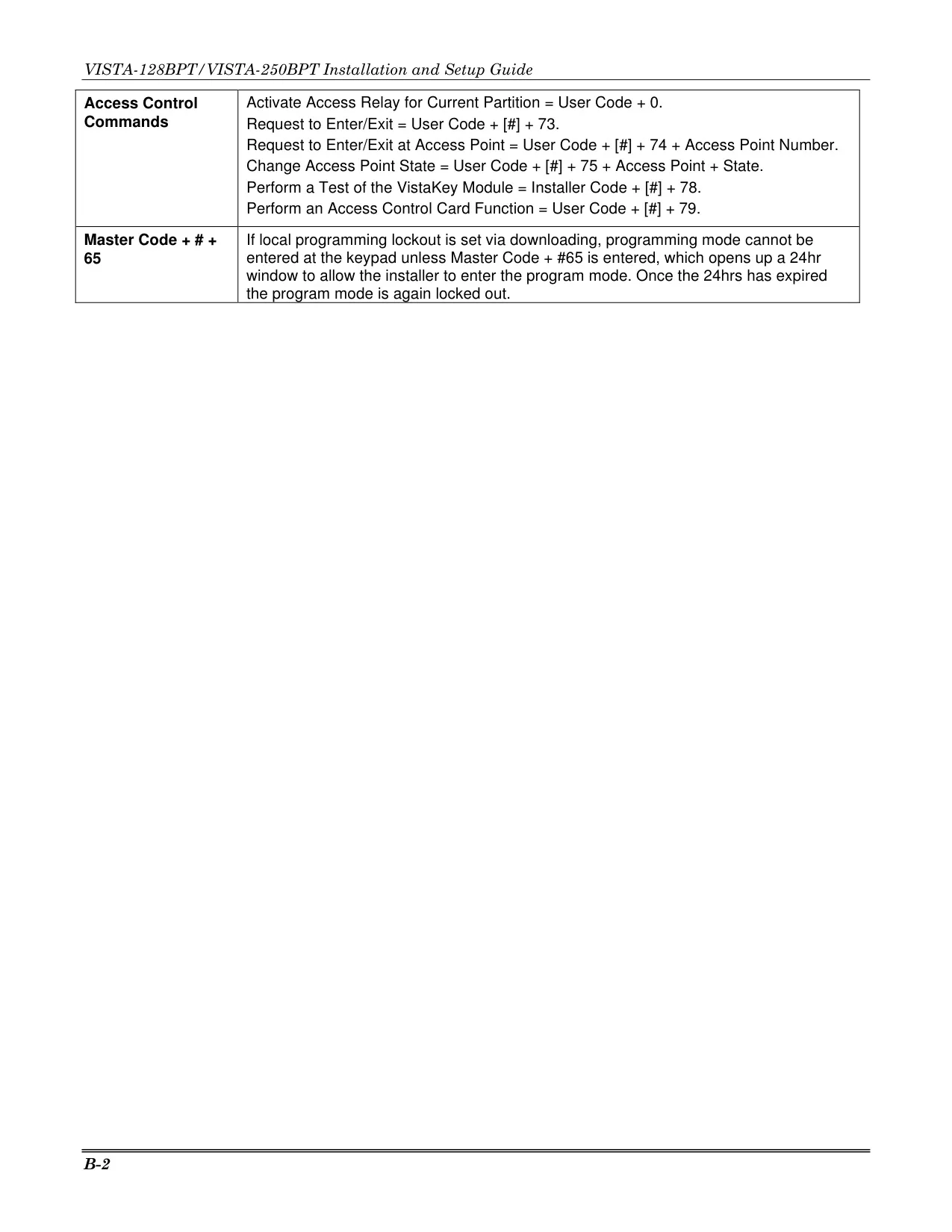
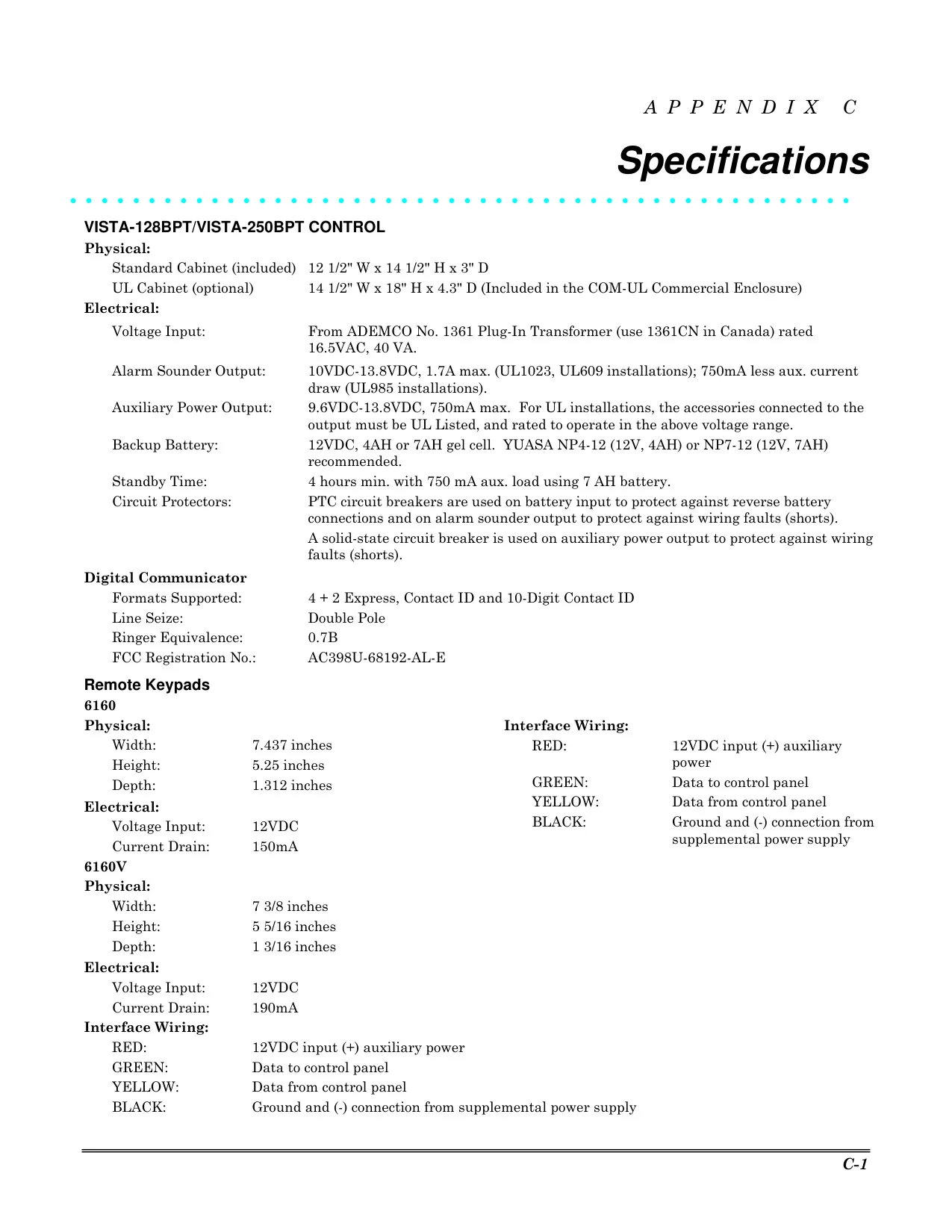
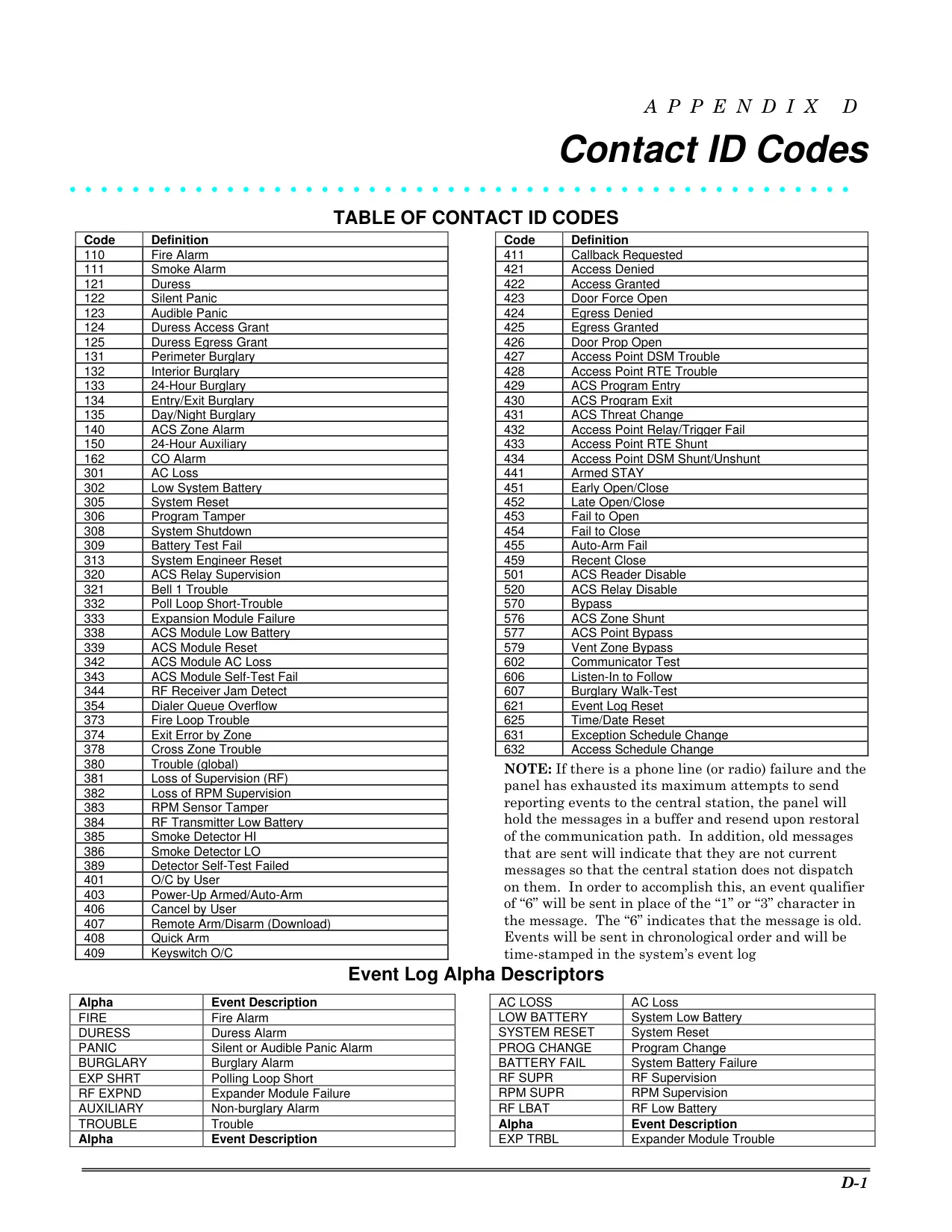
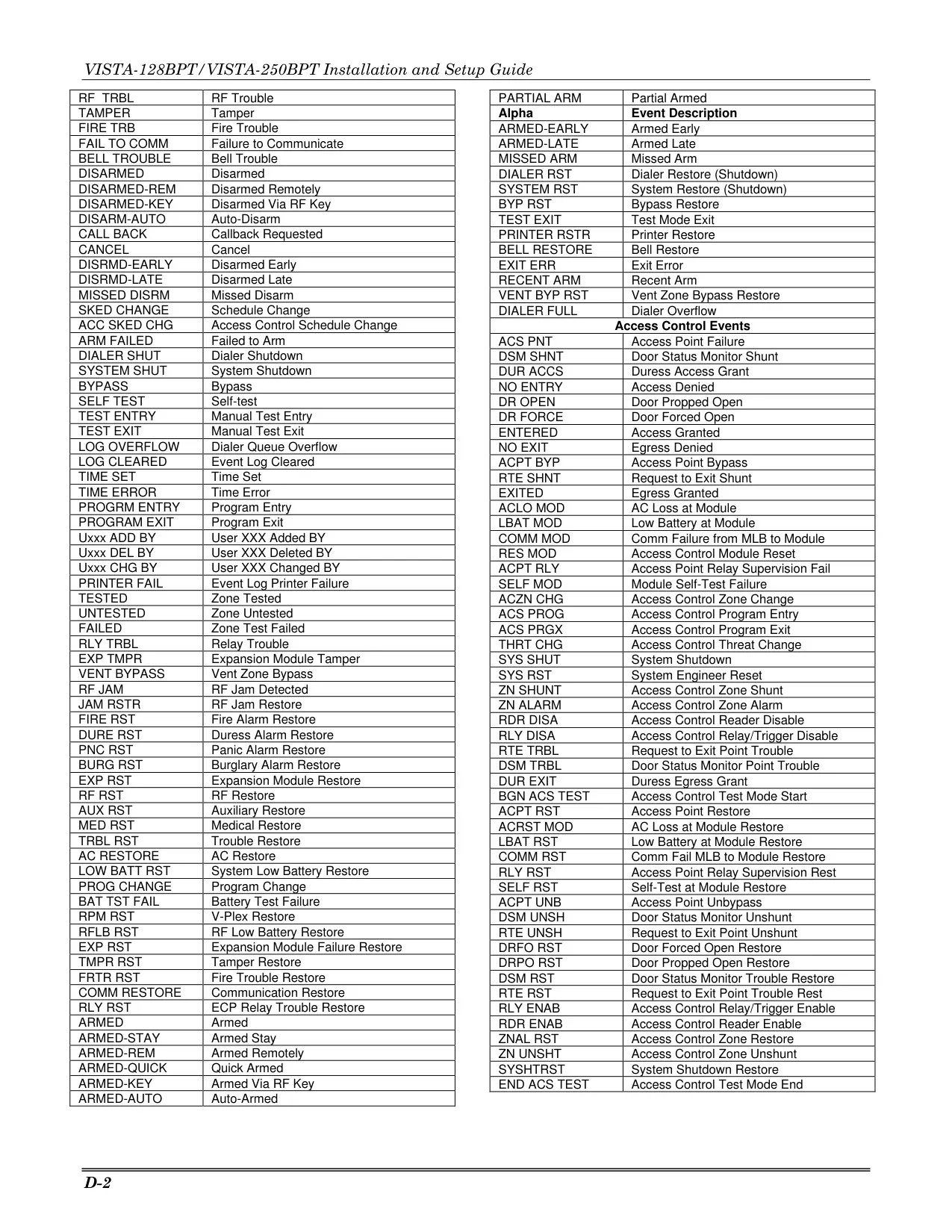
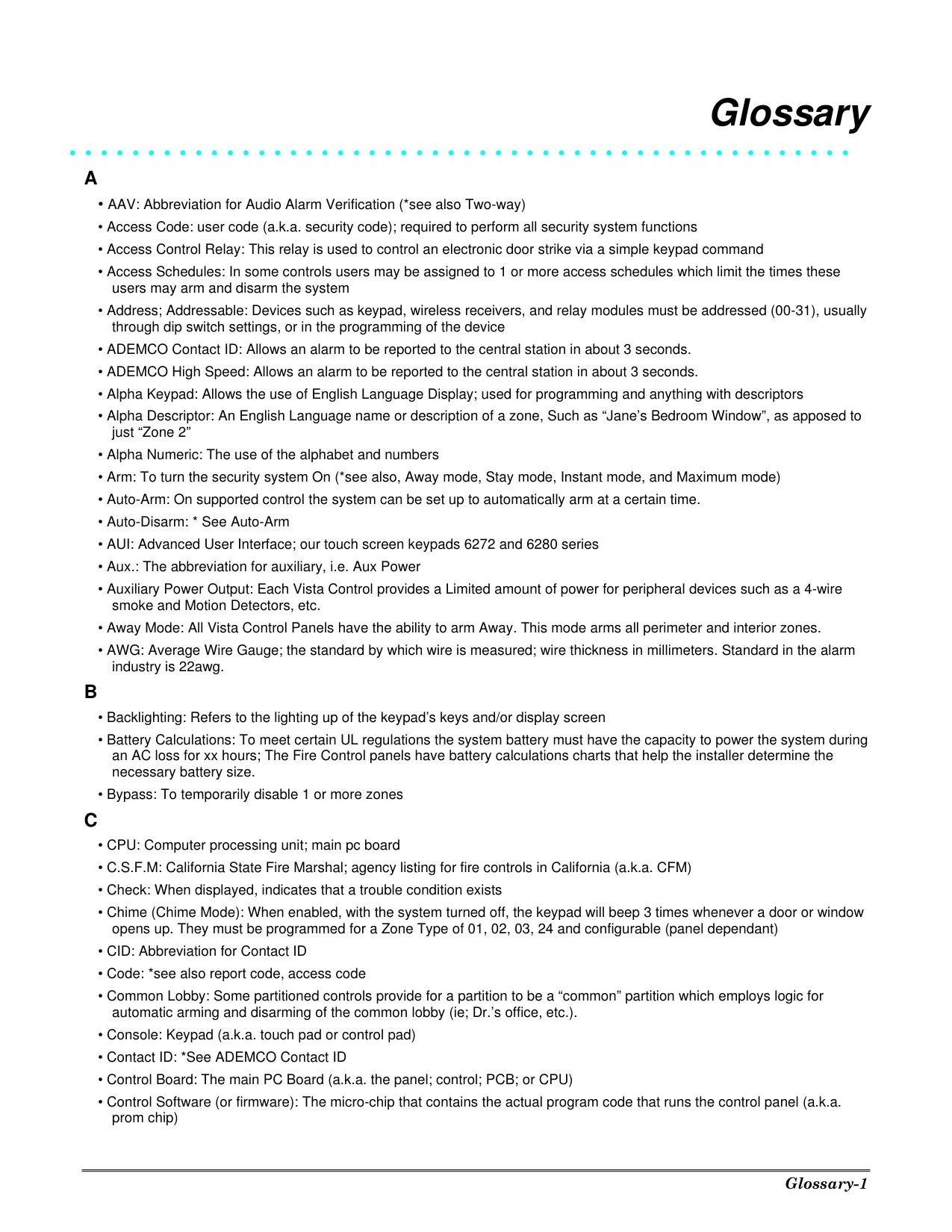
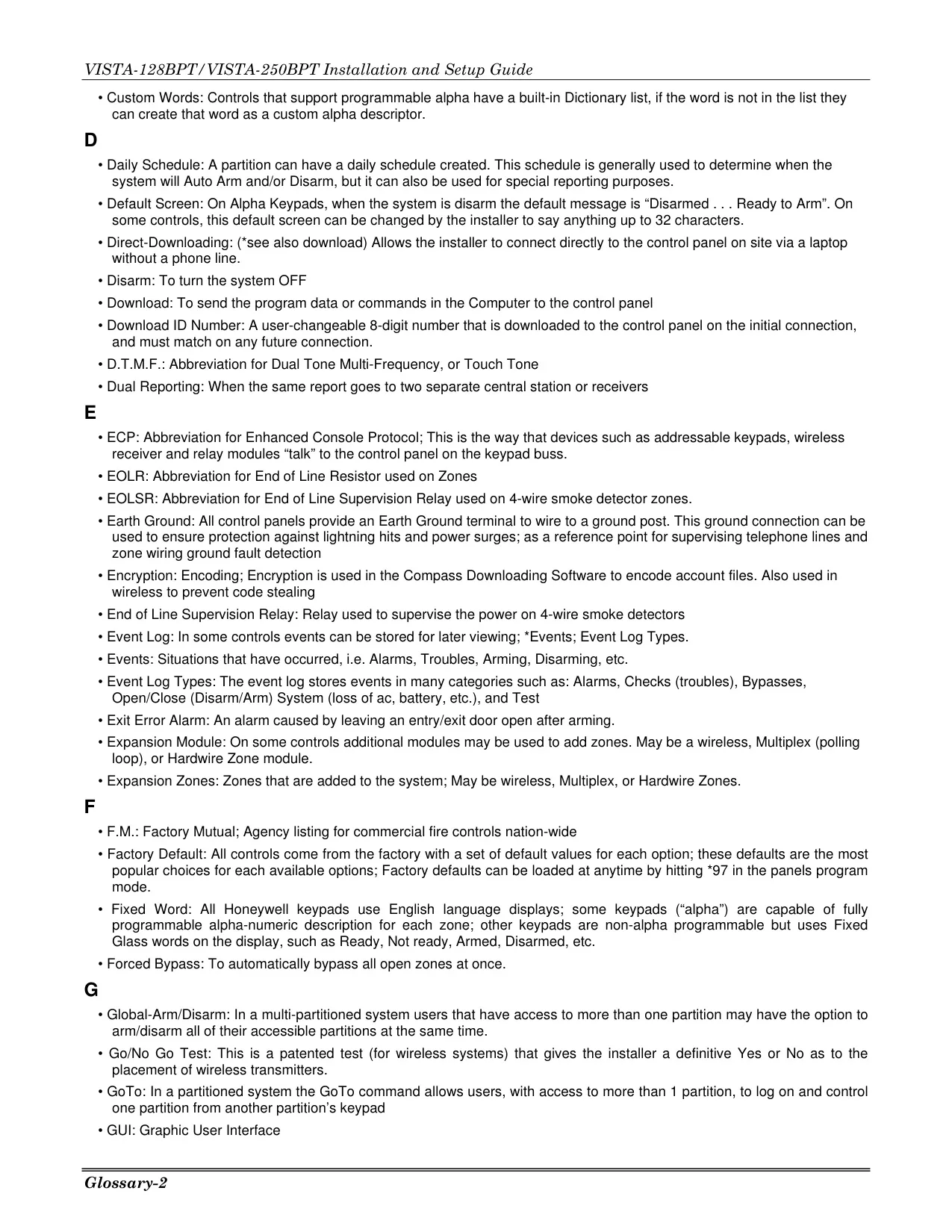
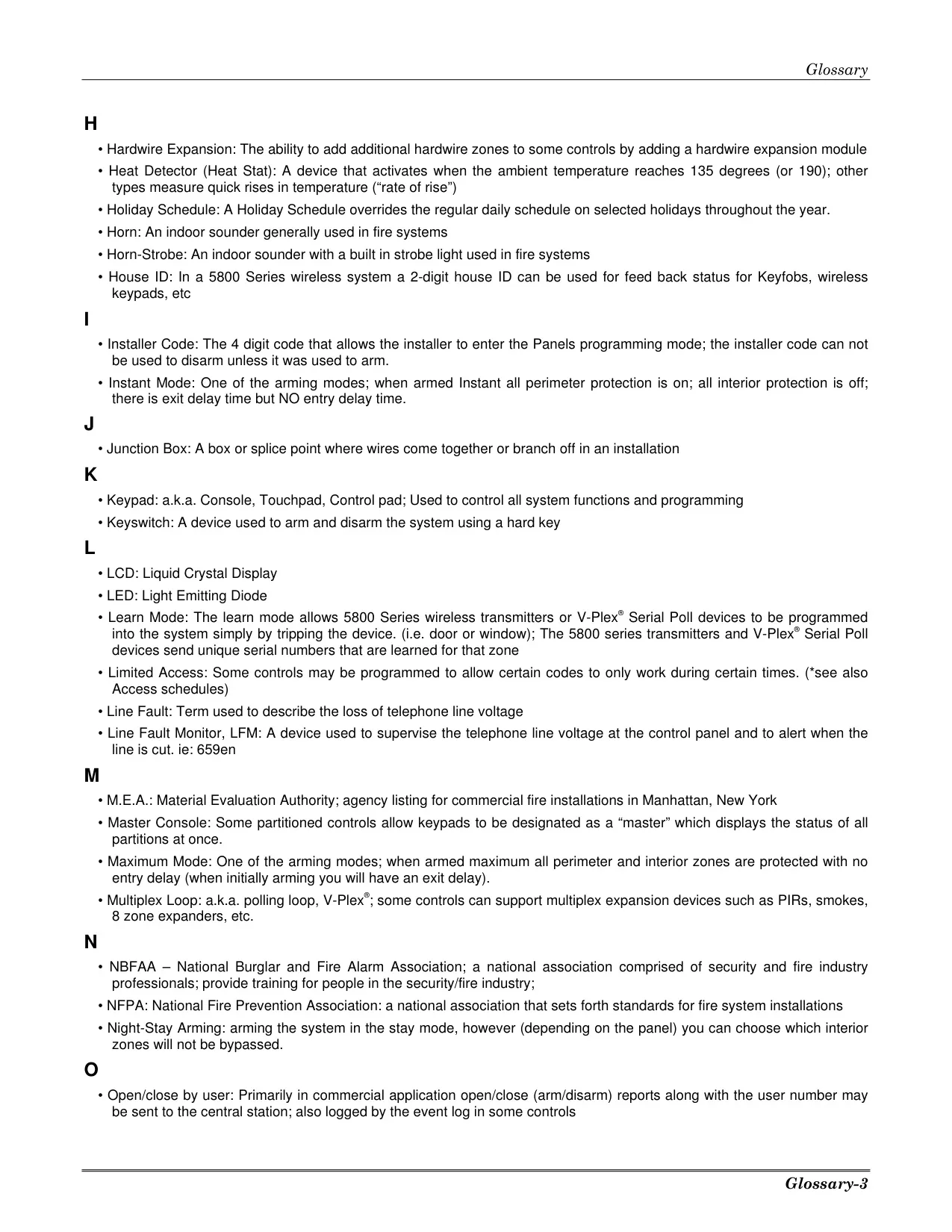
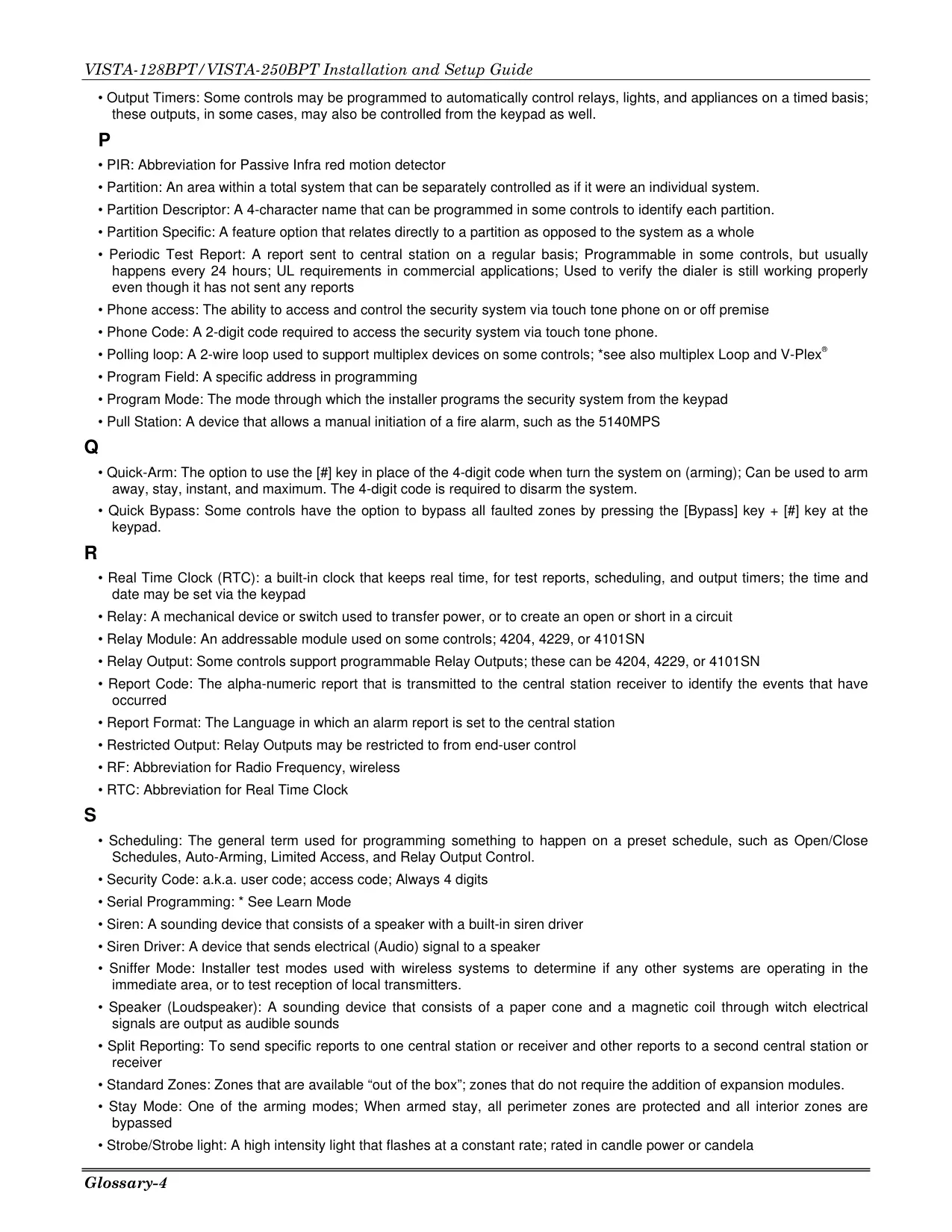
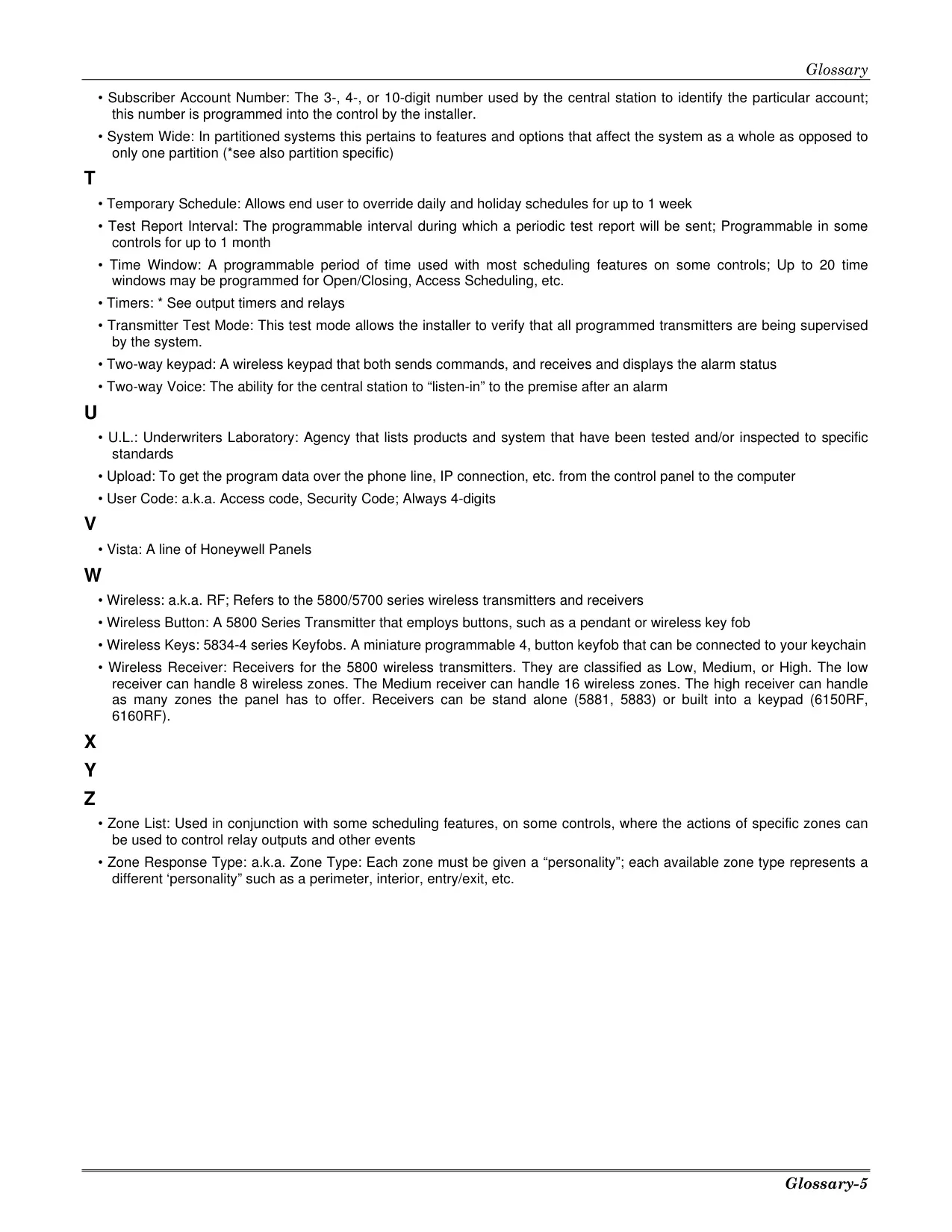
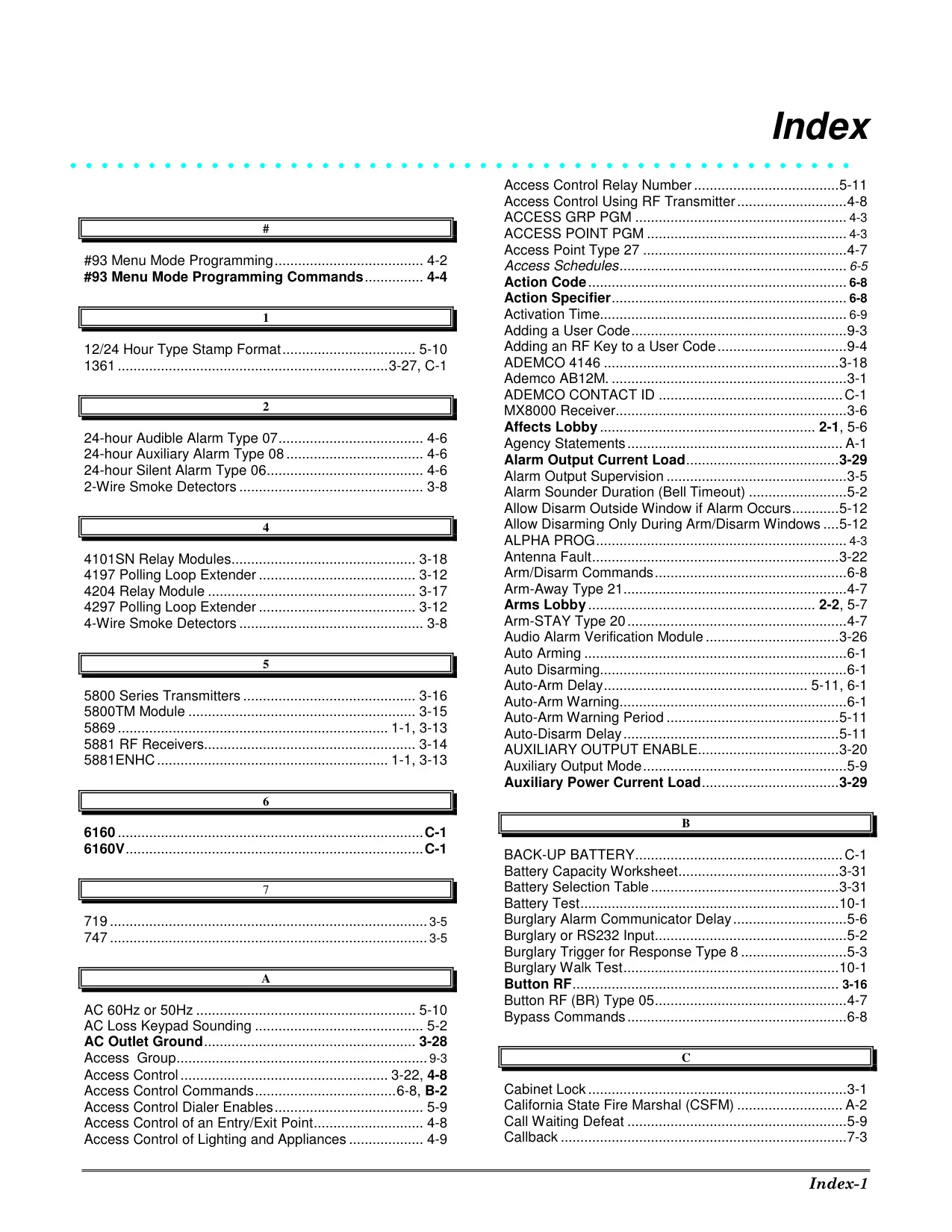
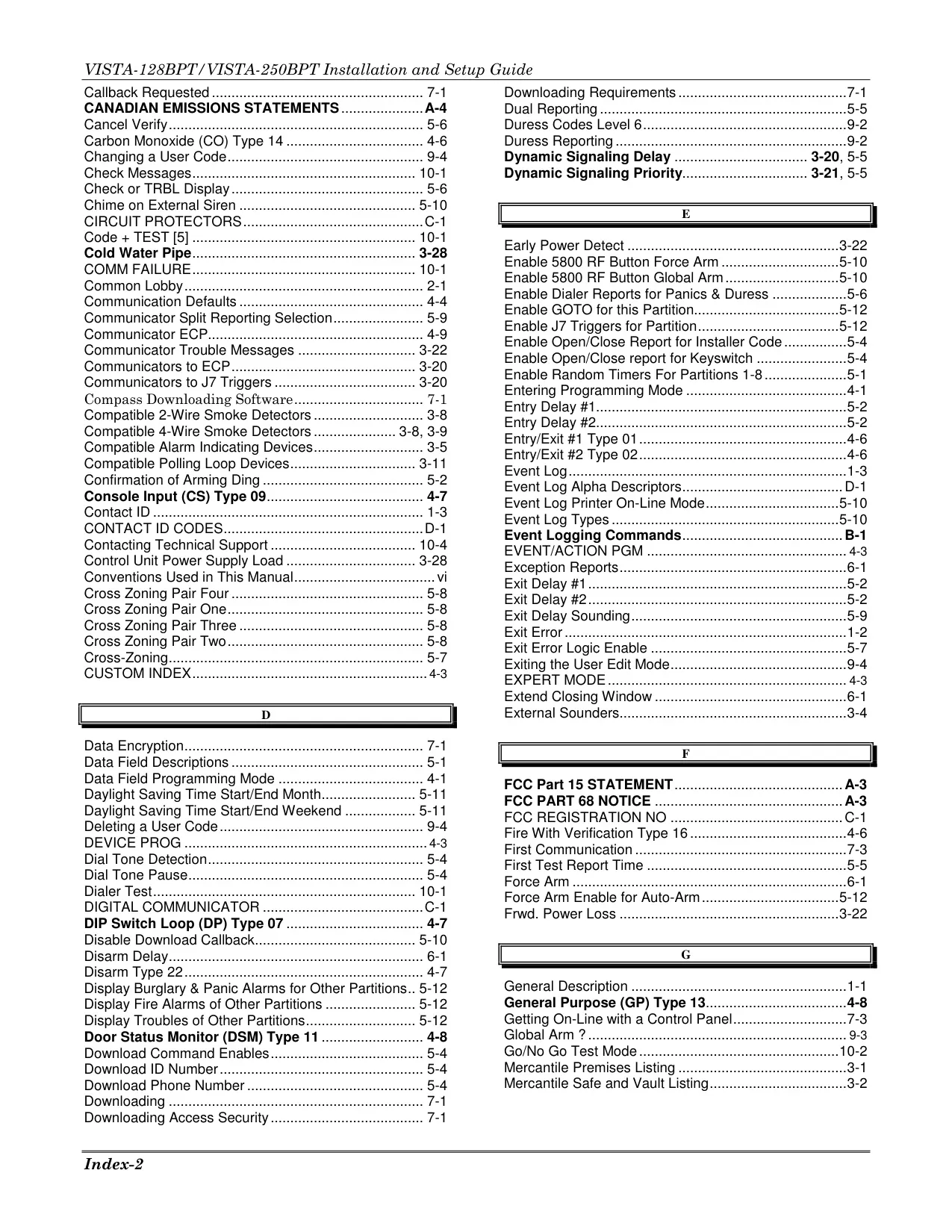
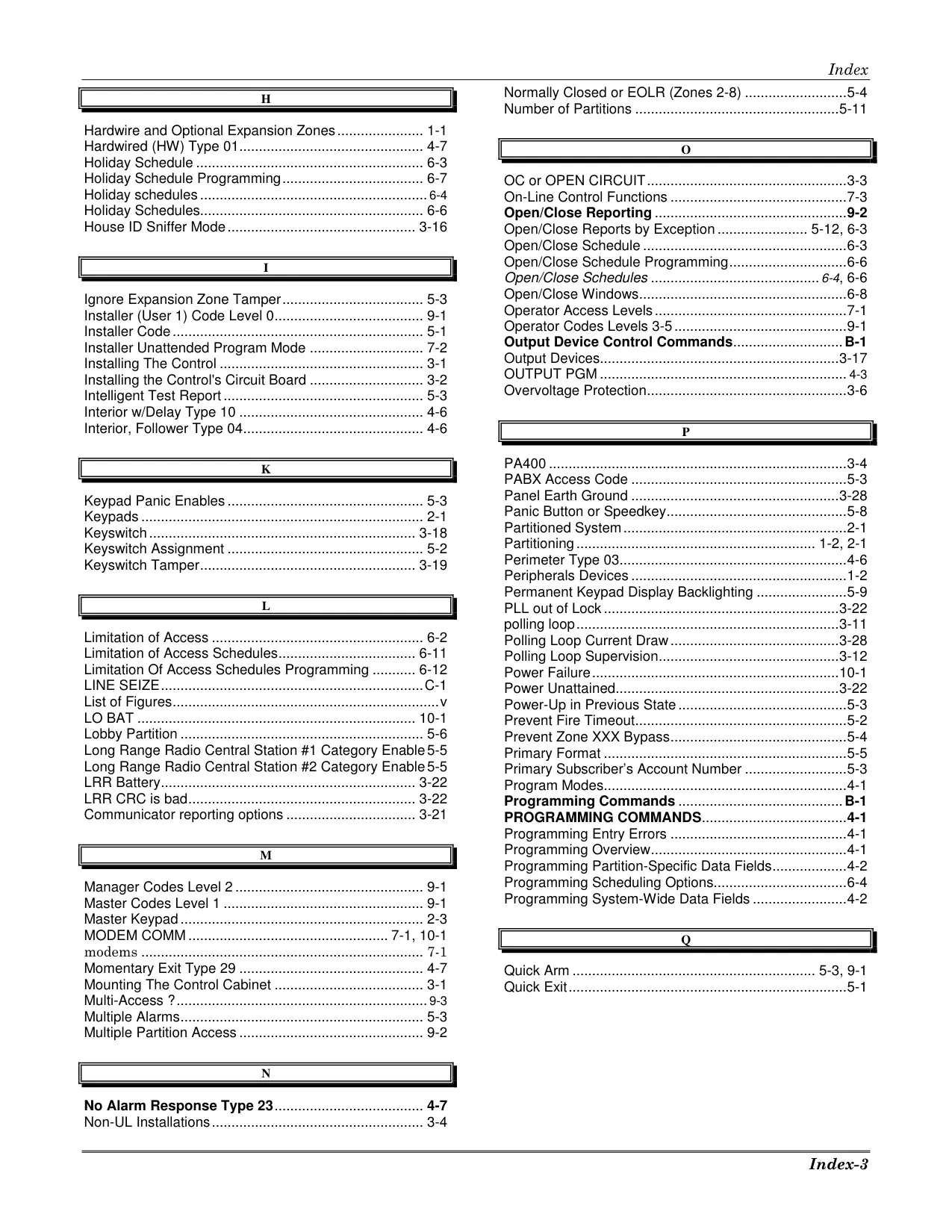
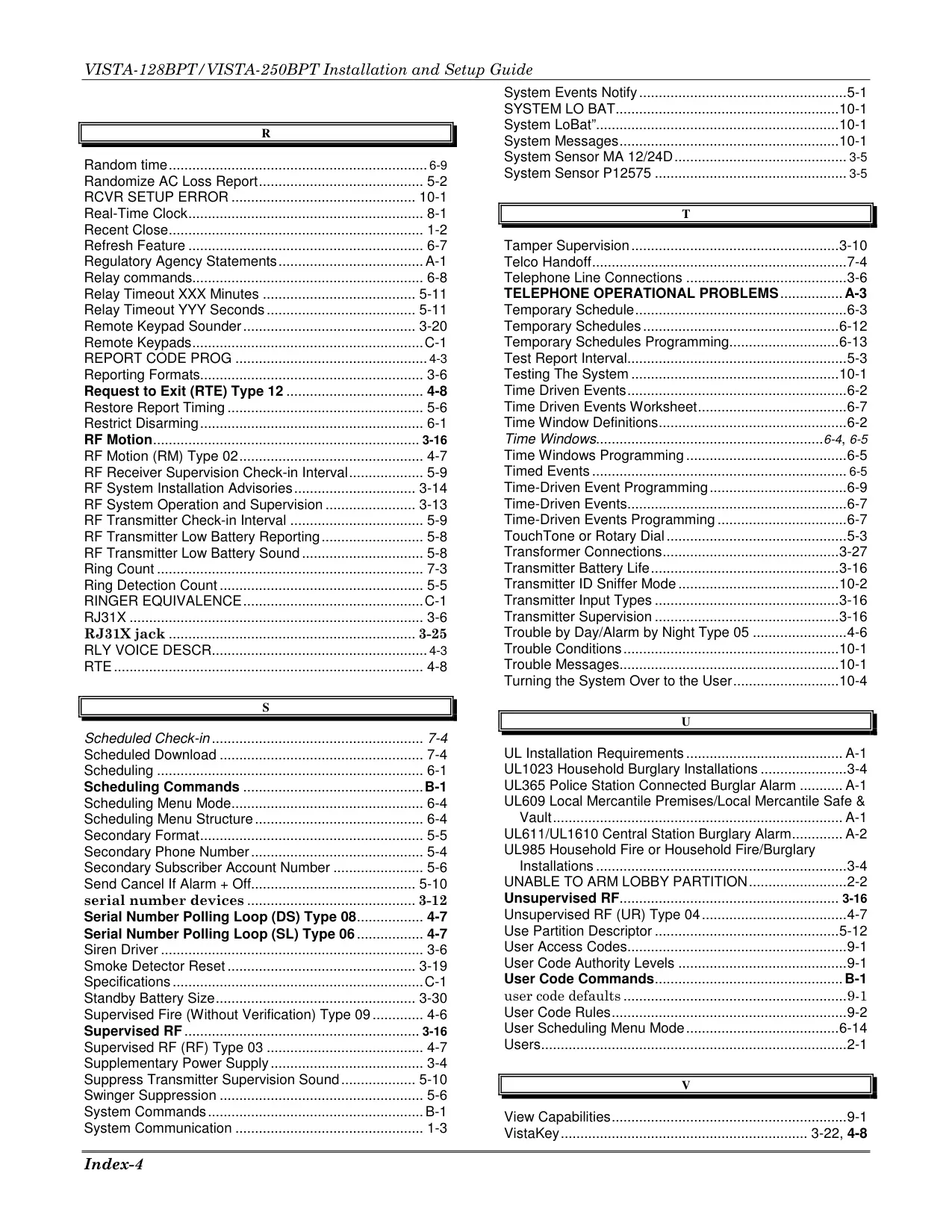
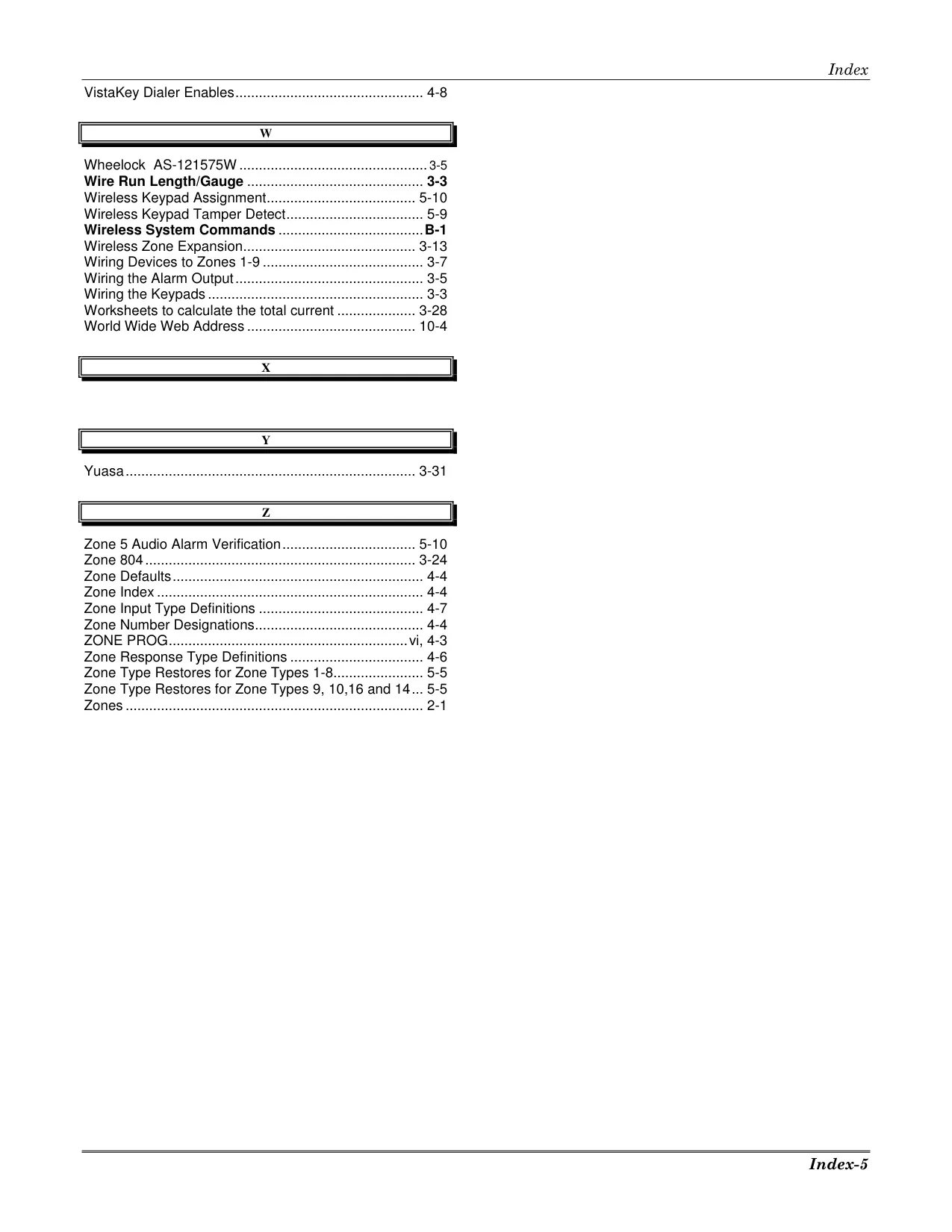




Honeywell Vista 250BPT Security System
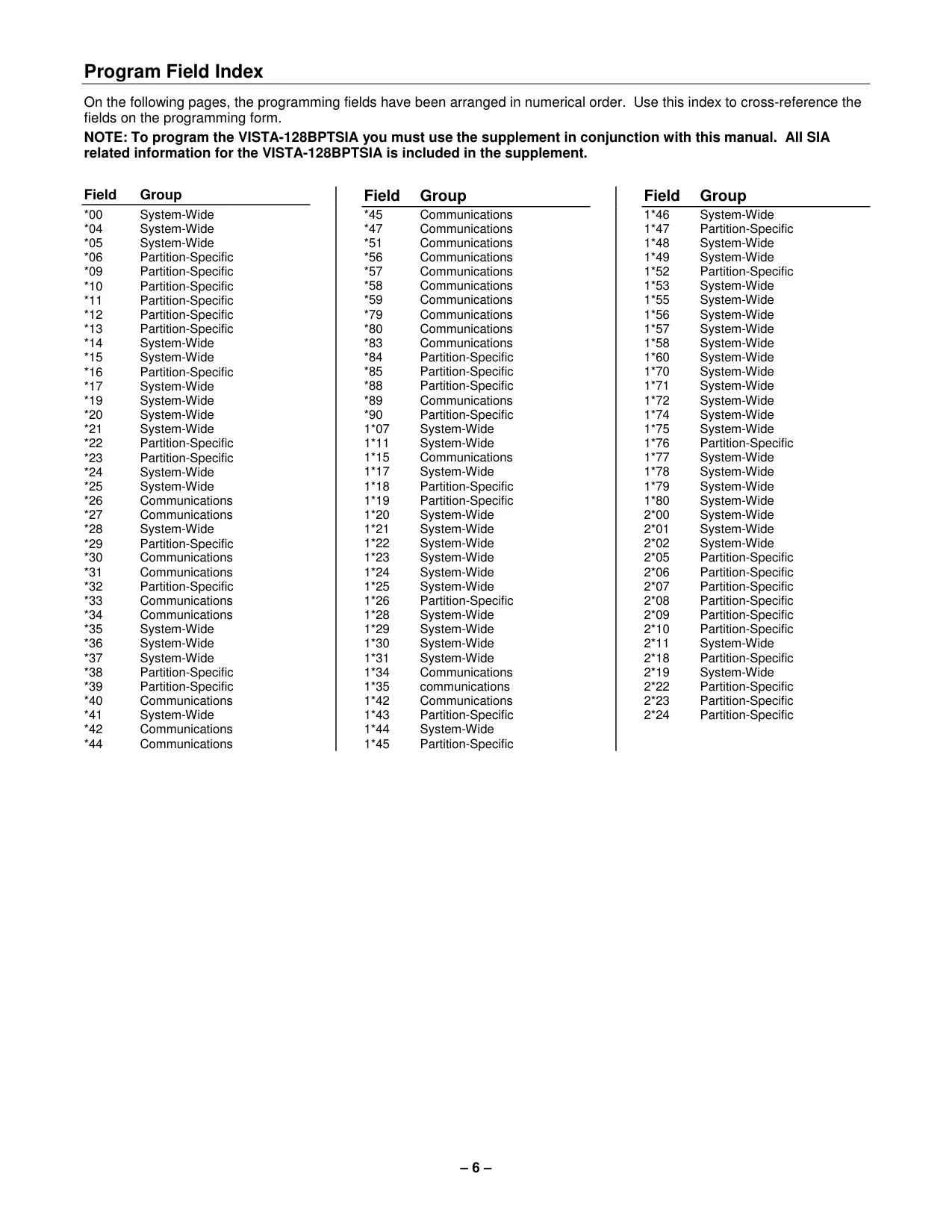
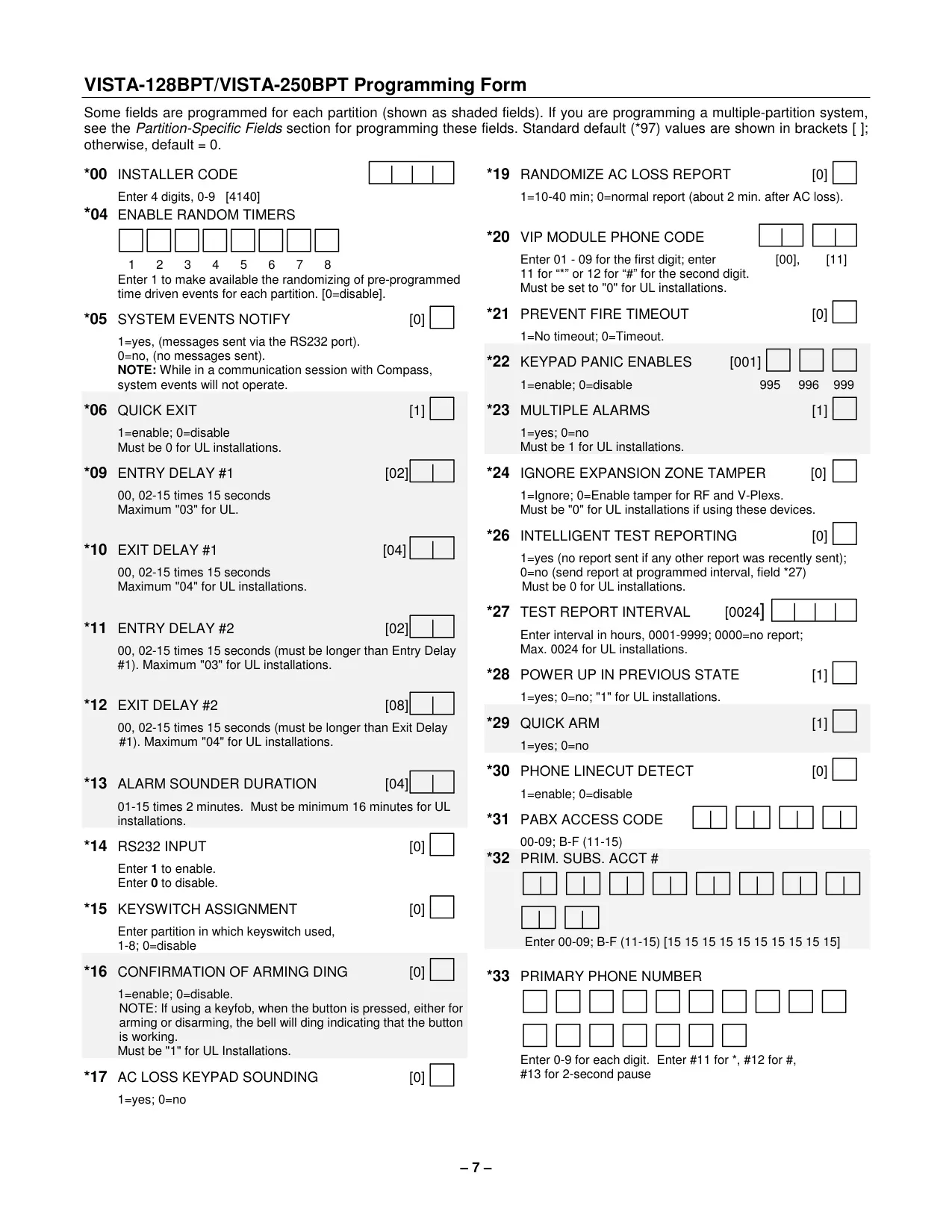
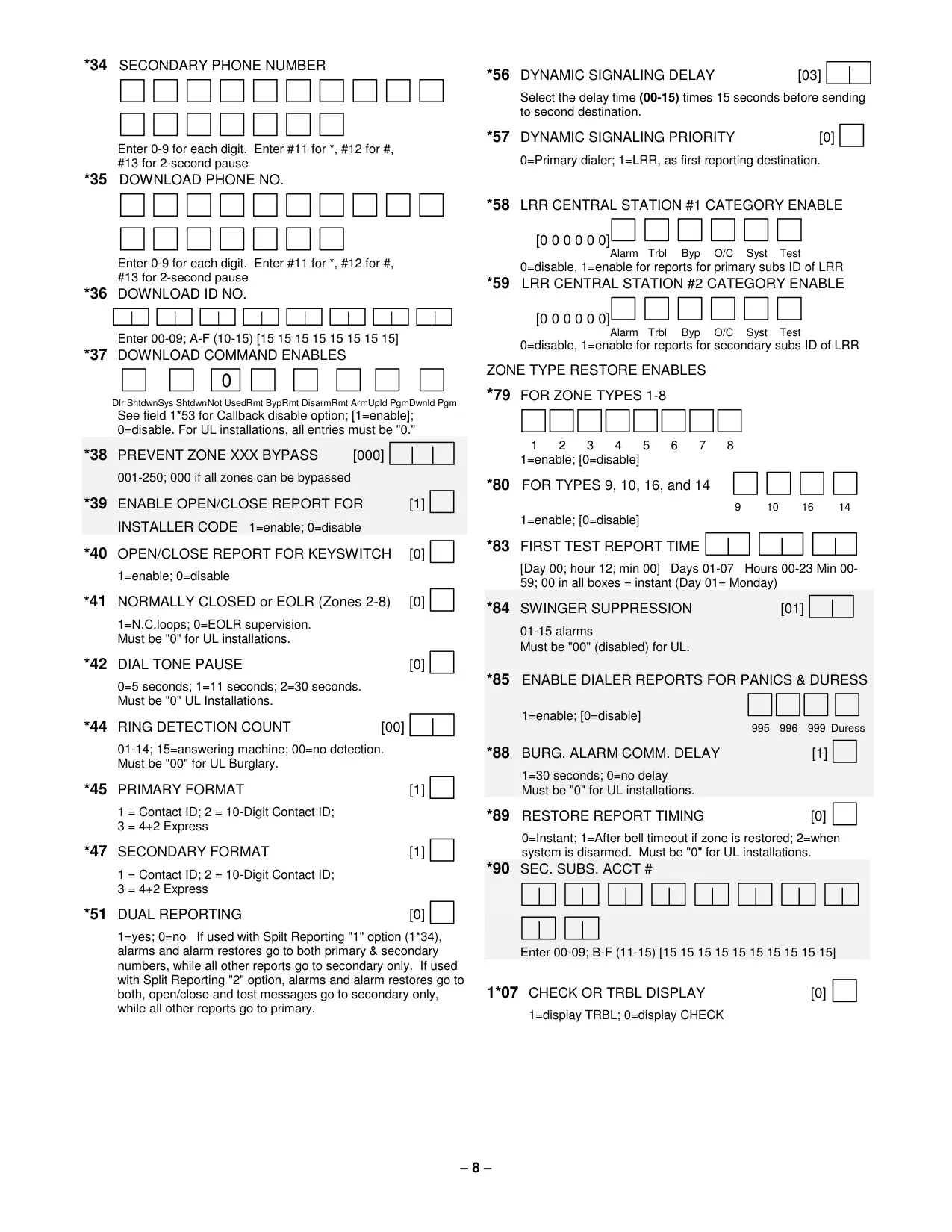
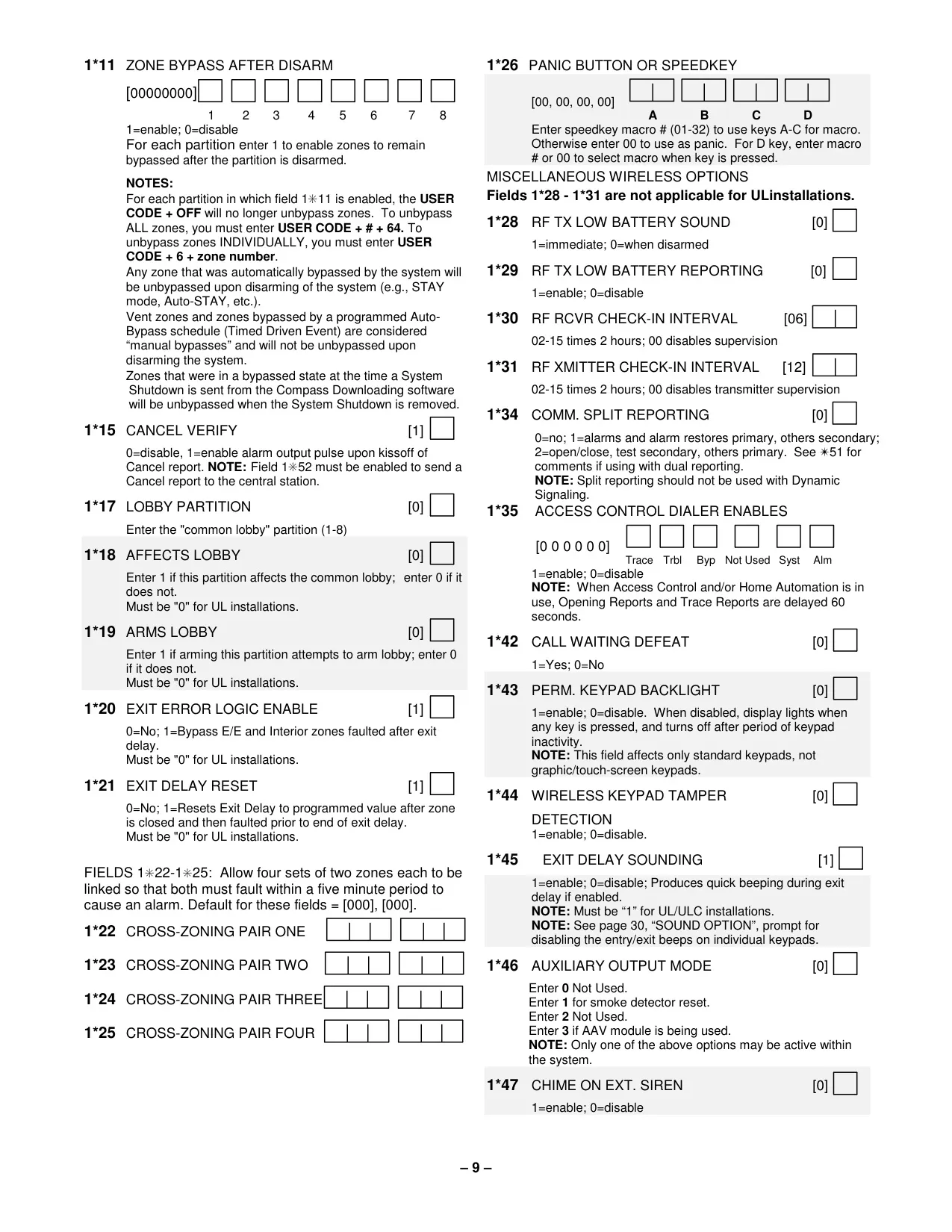
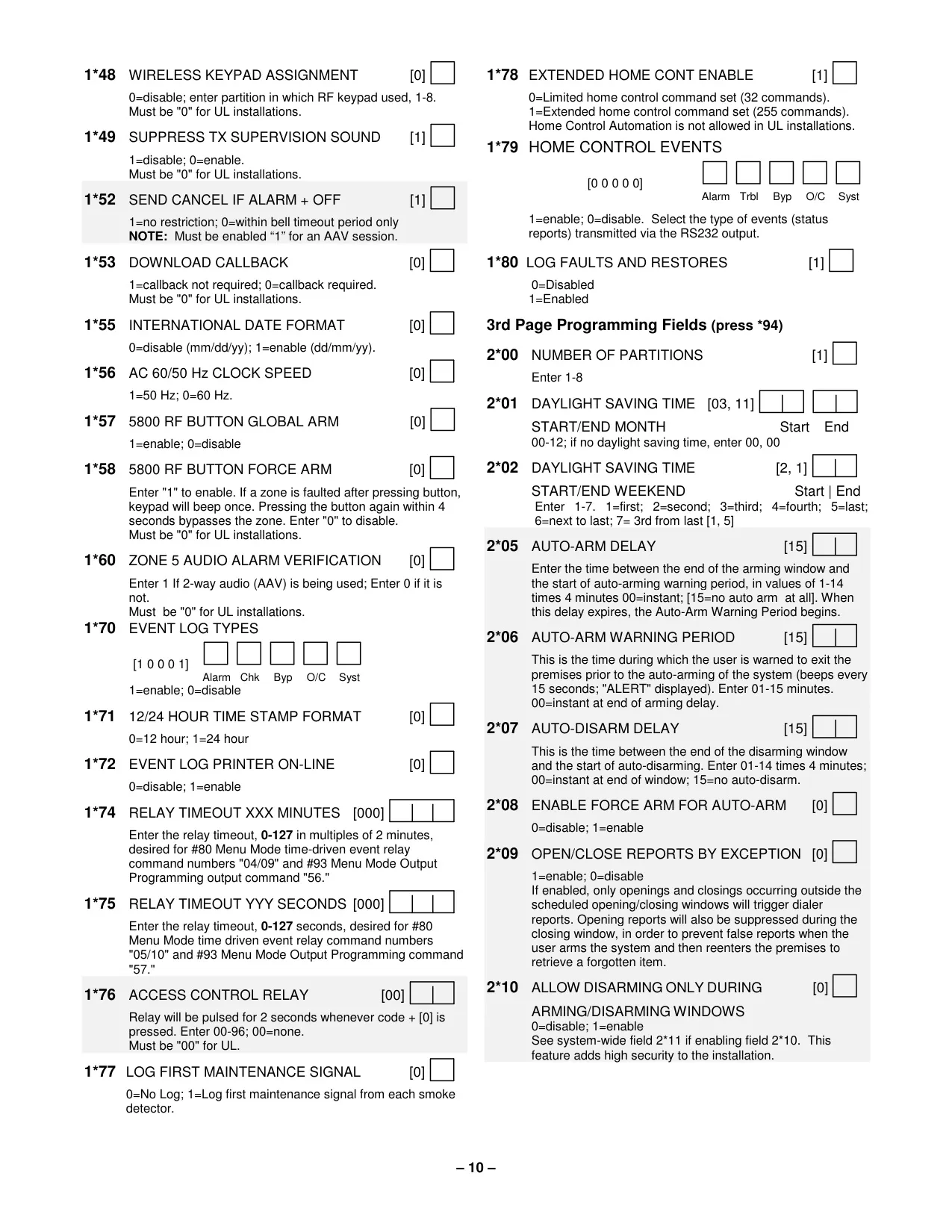
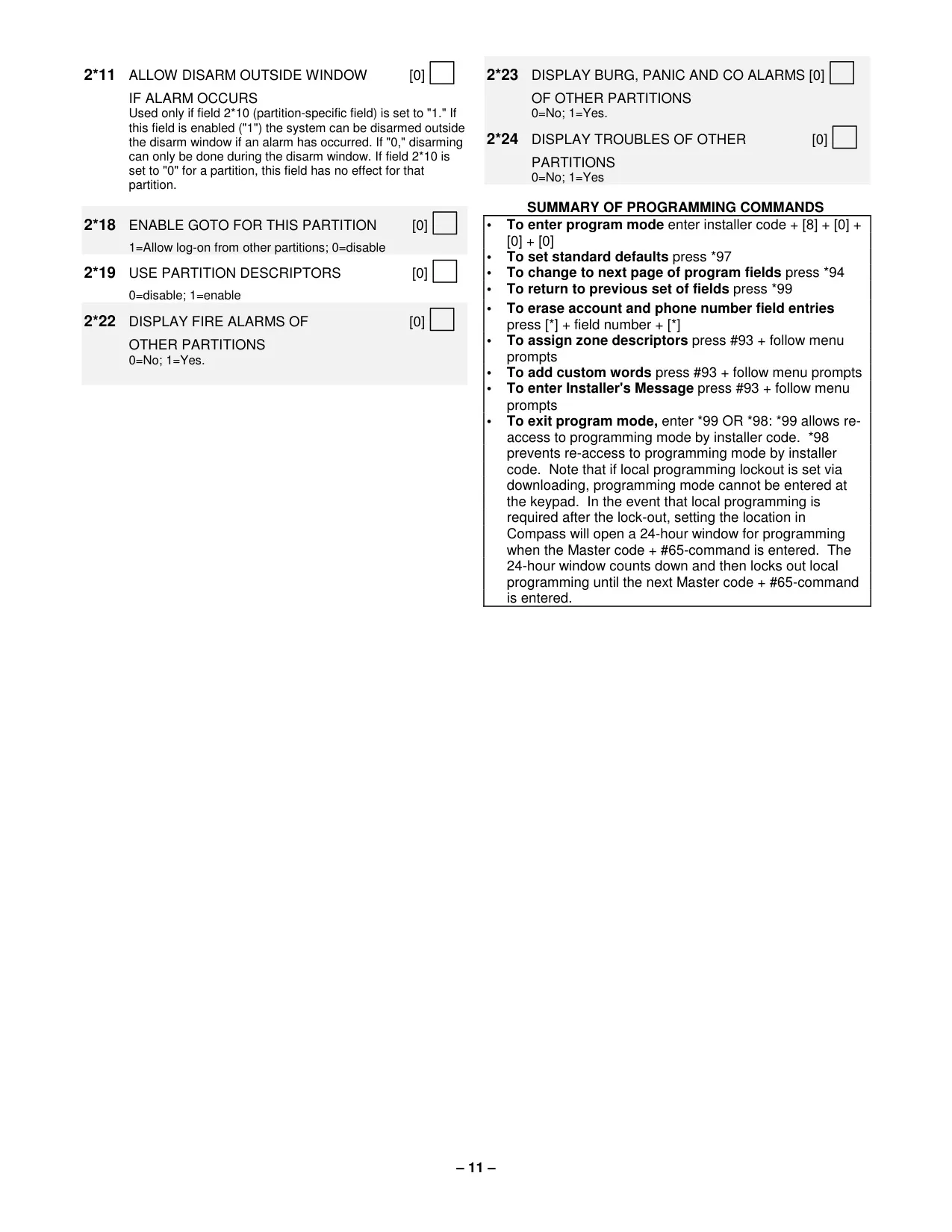
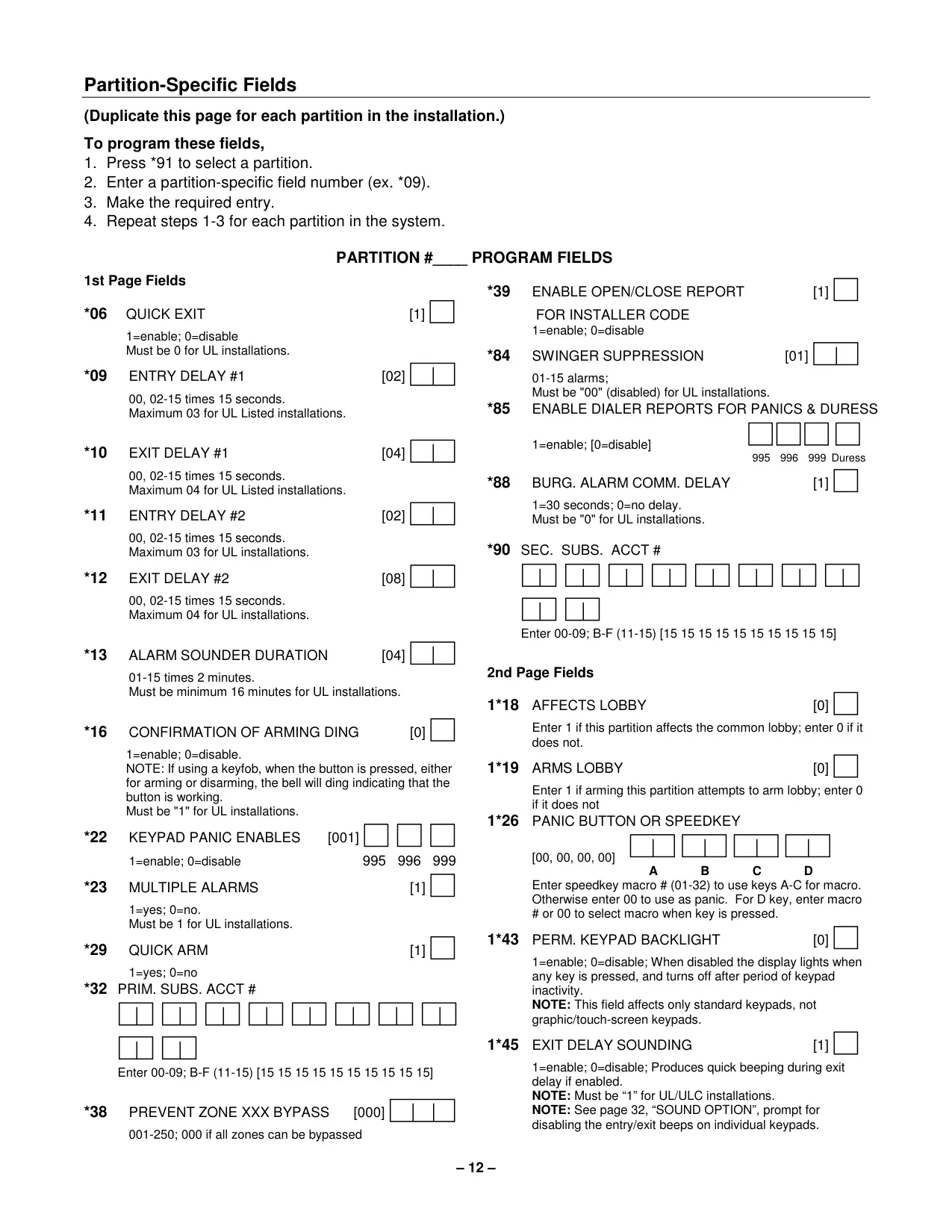
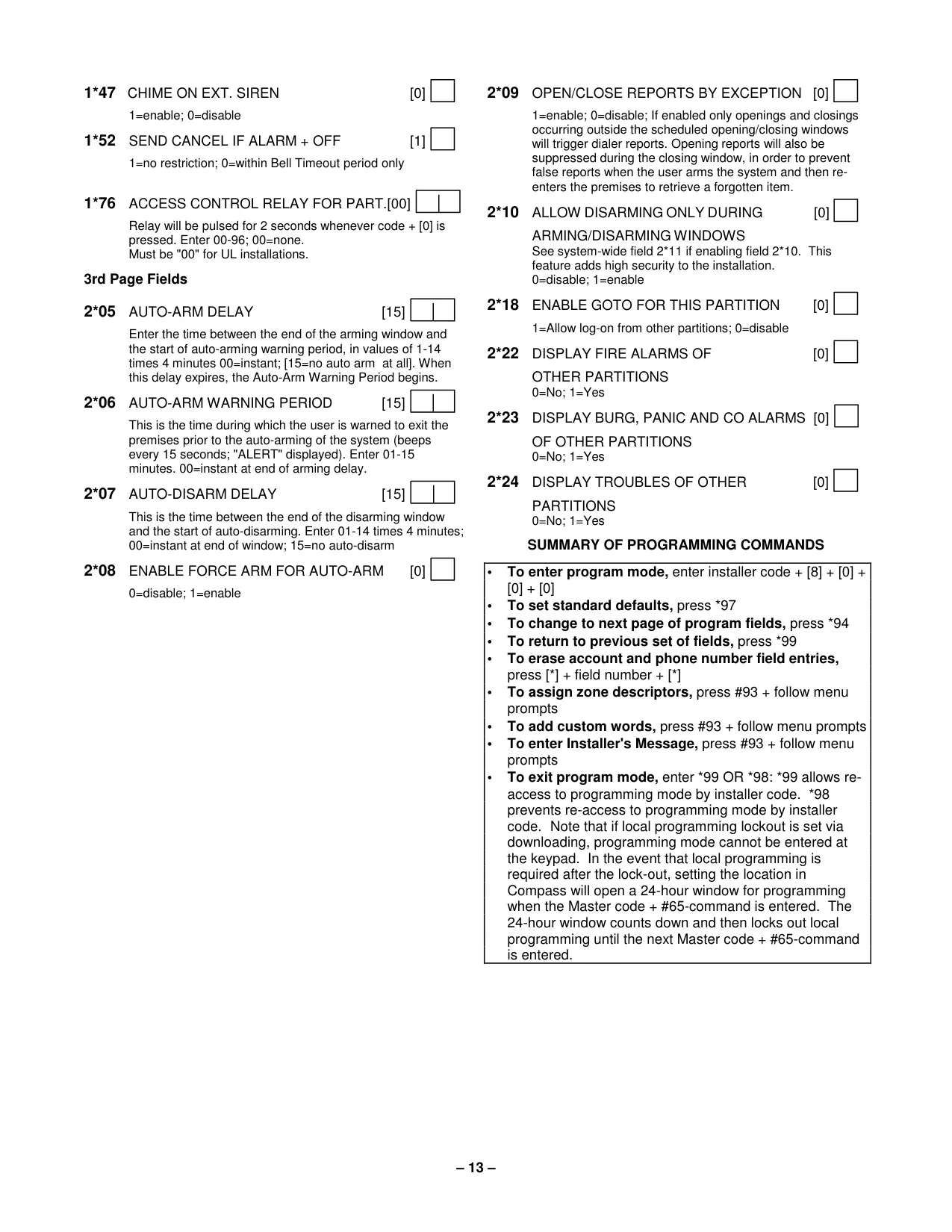
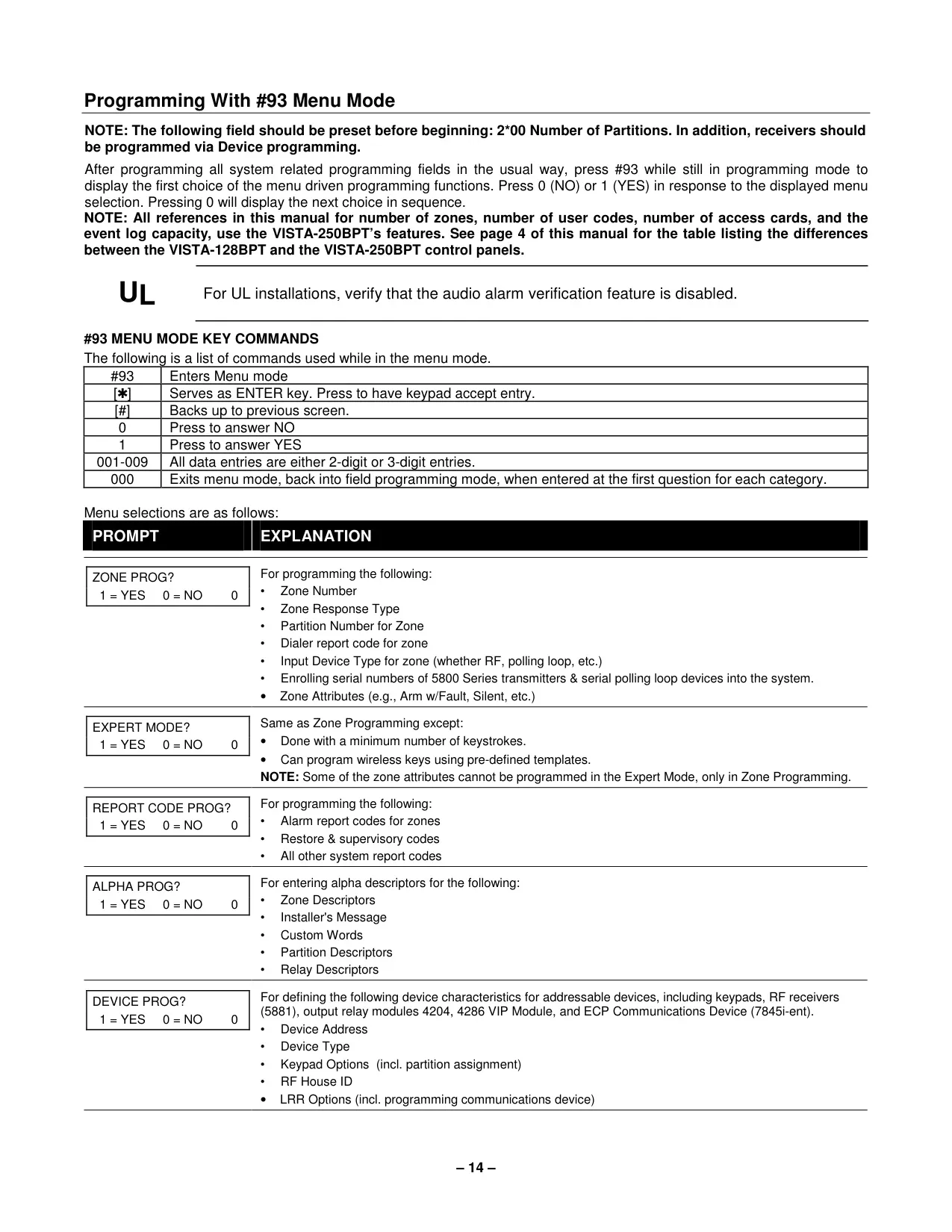
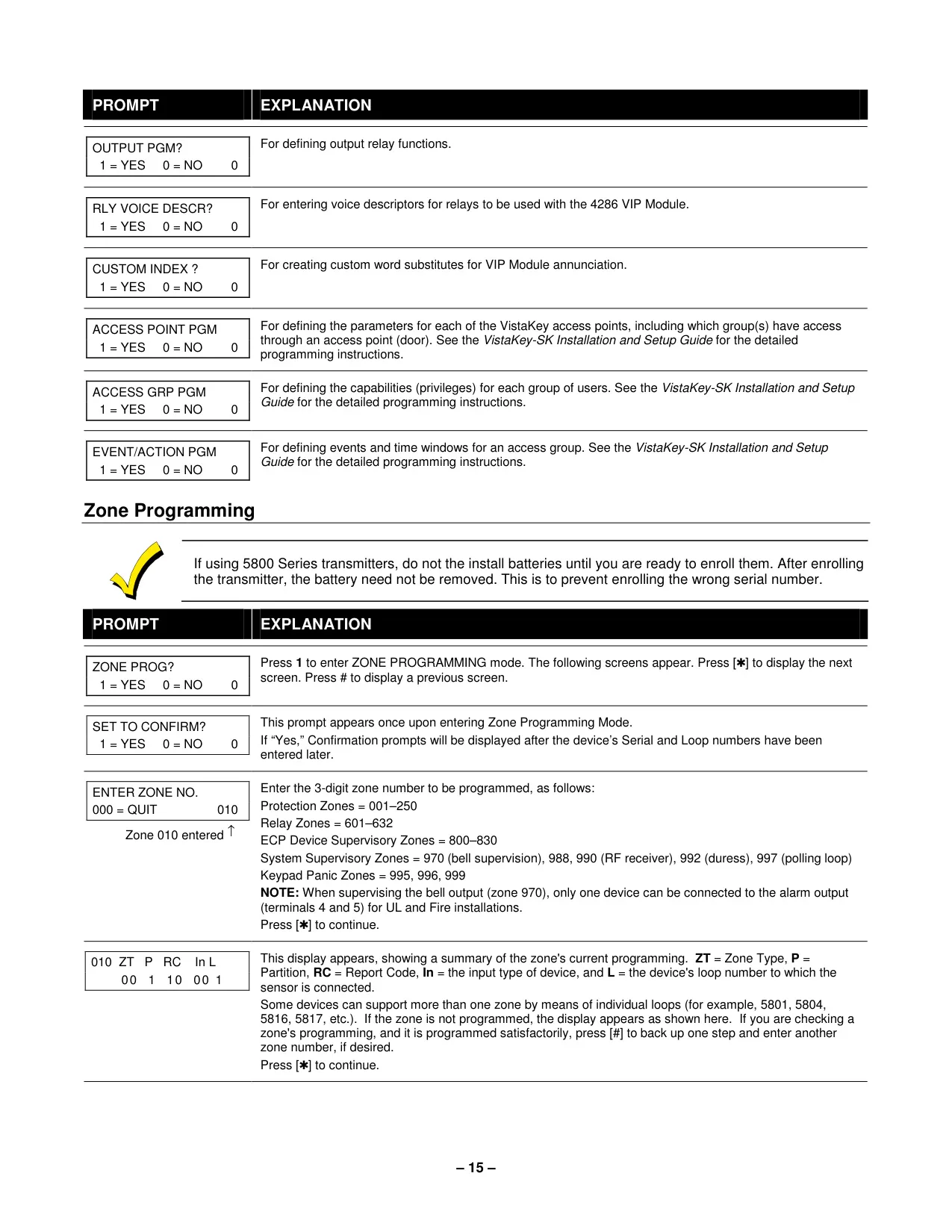
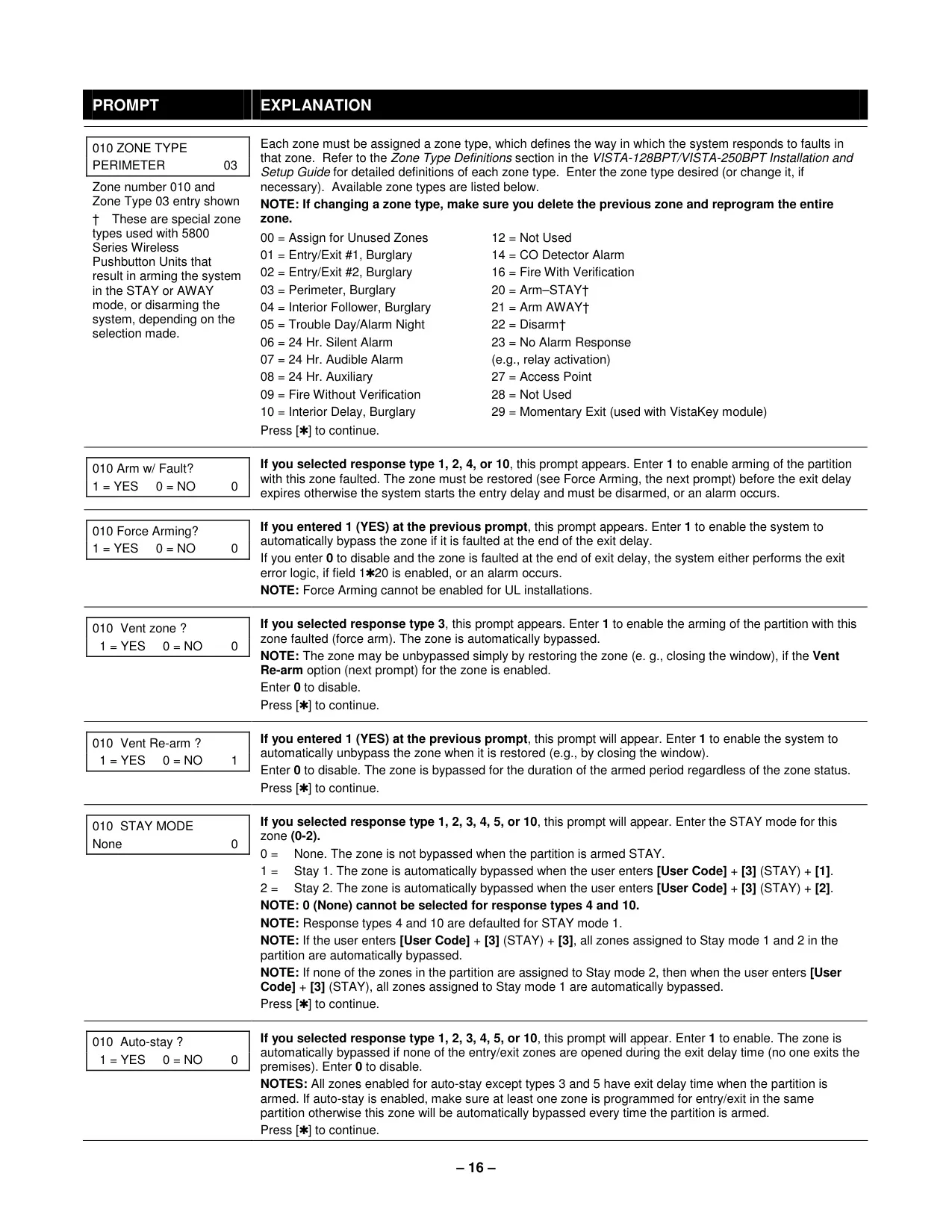
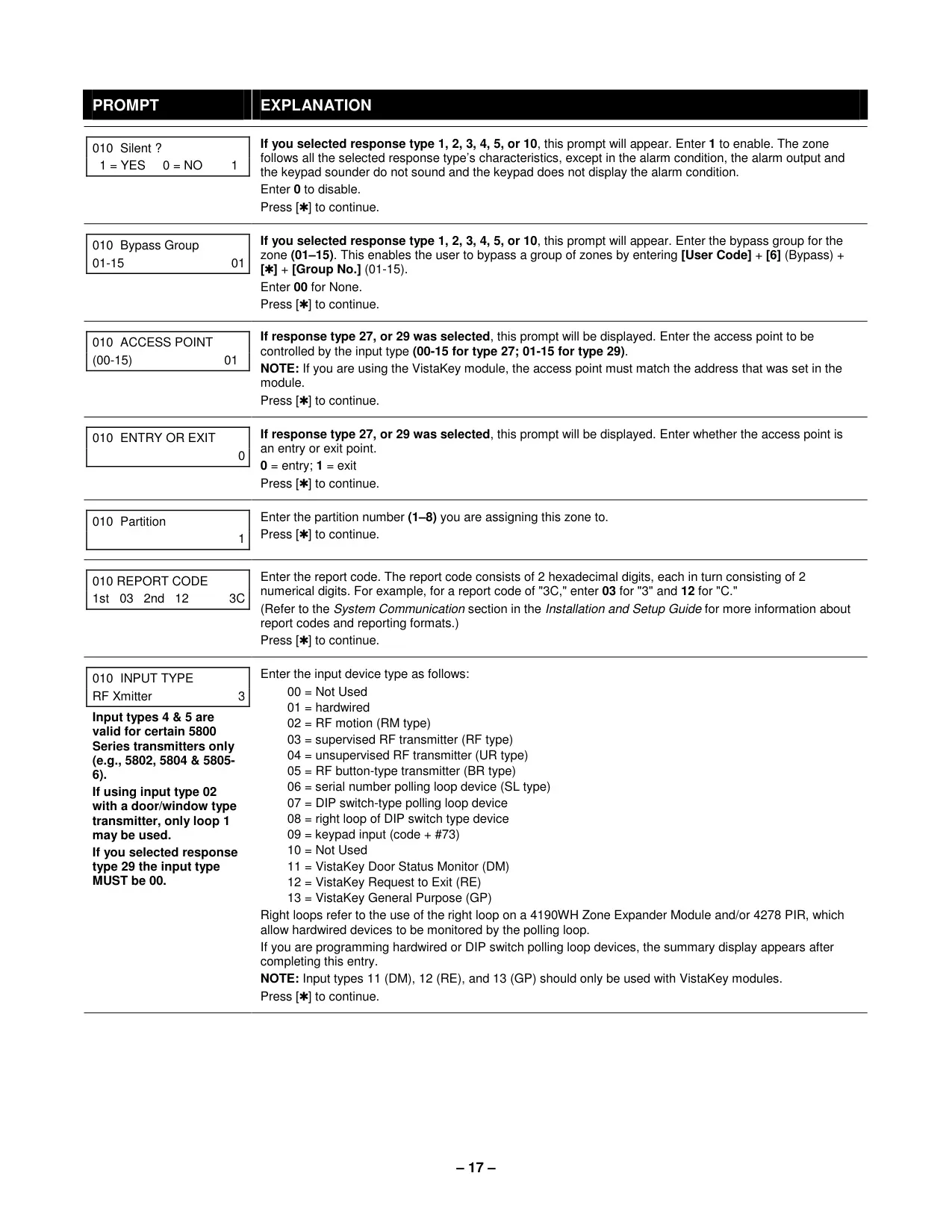
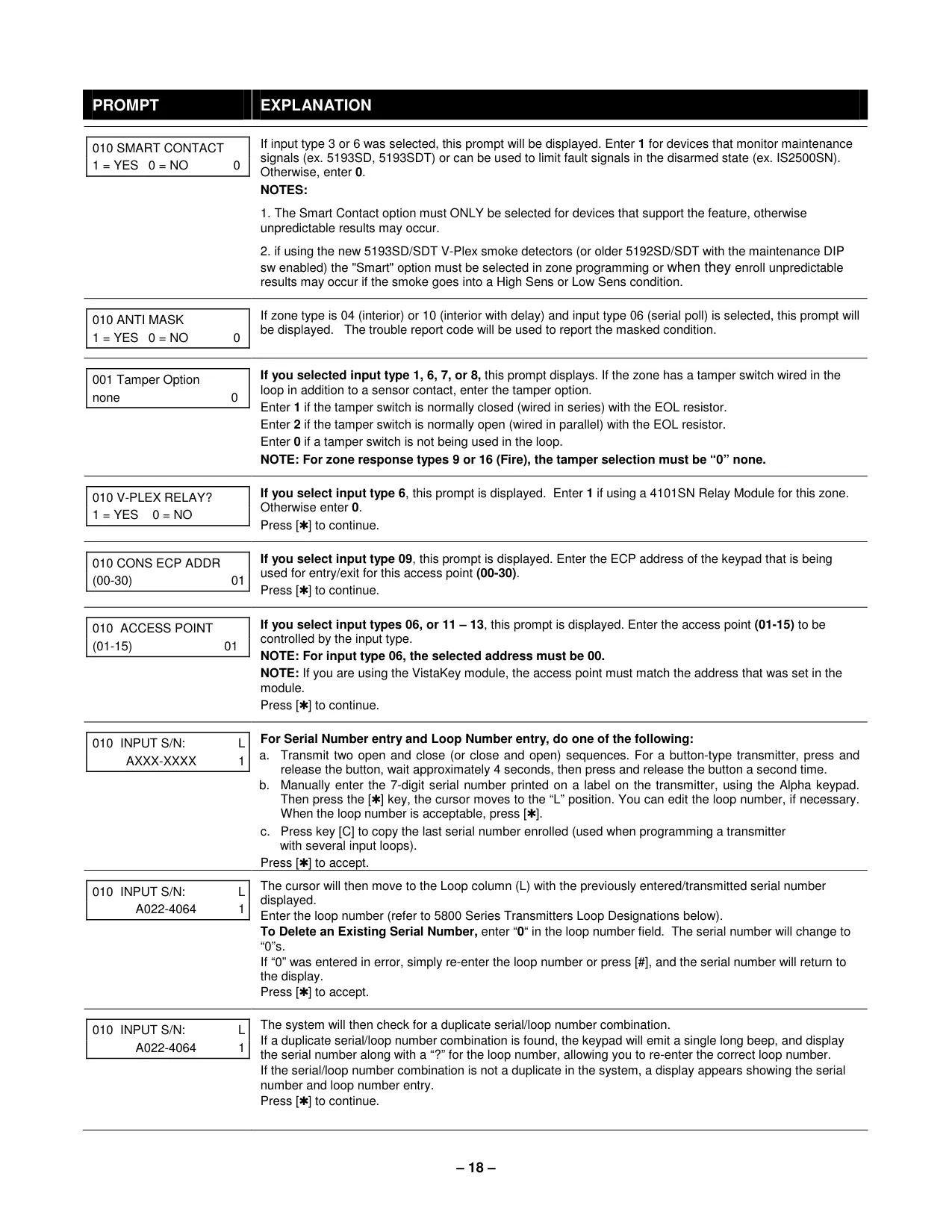
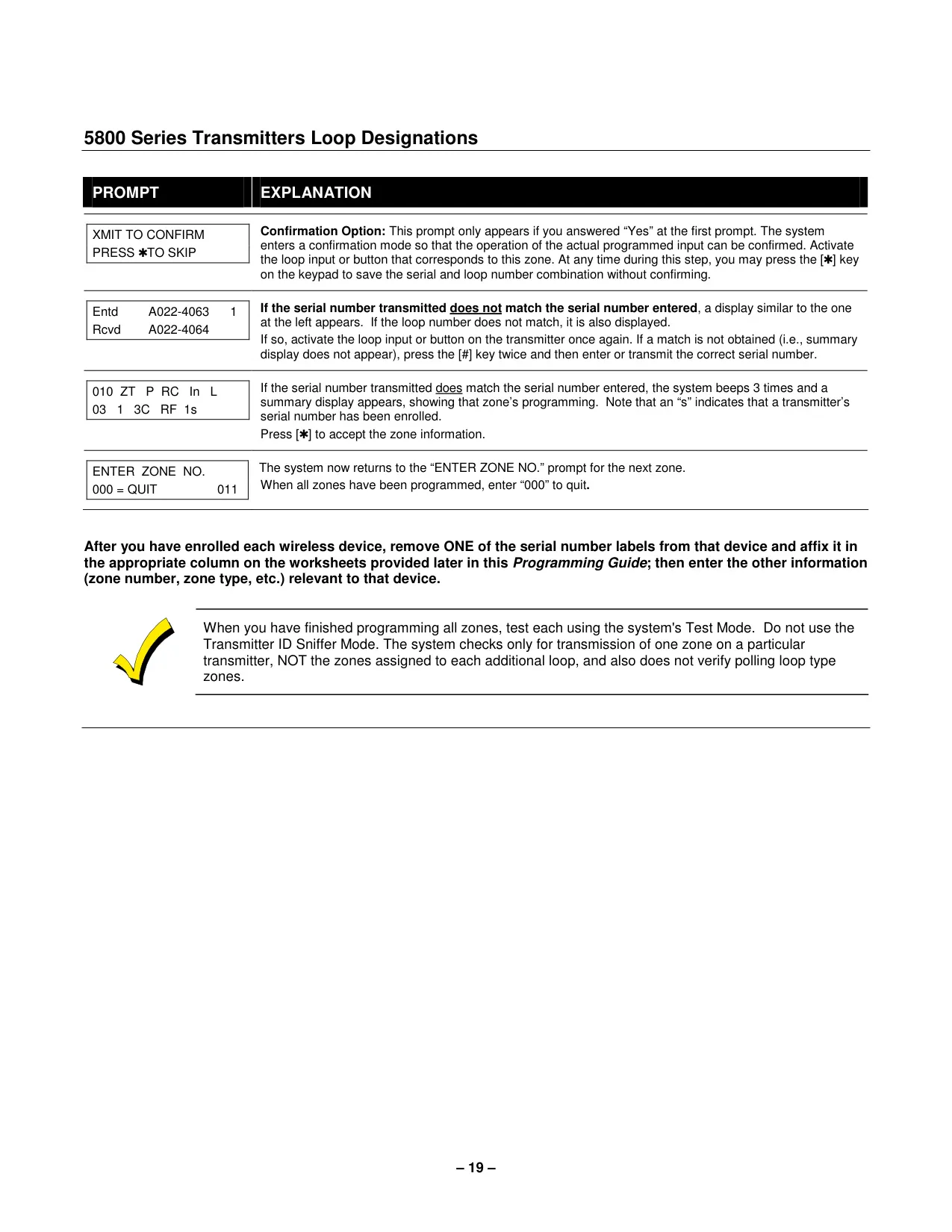
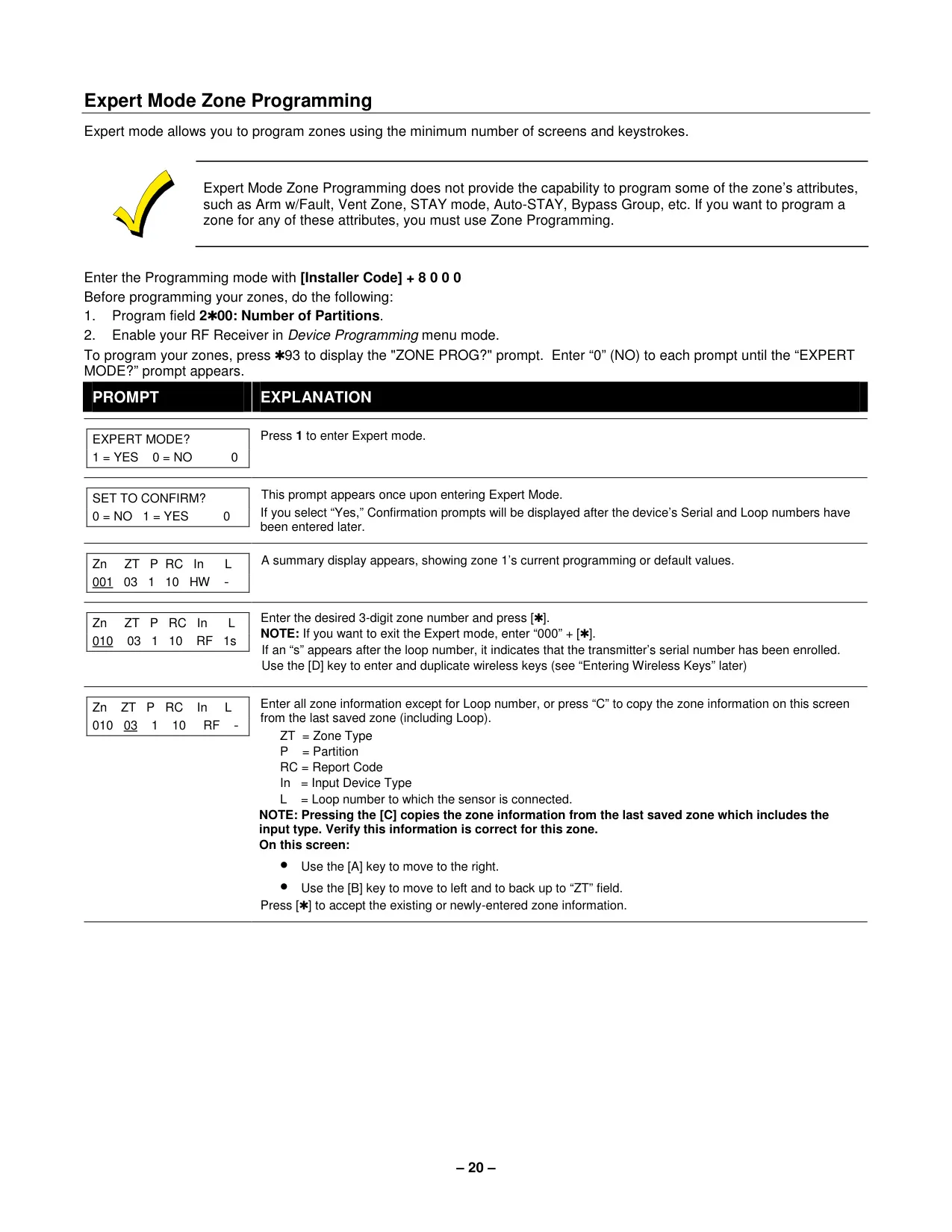
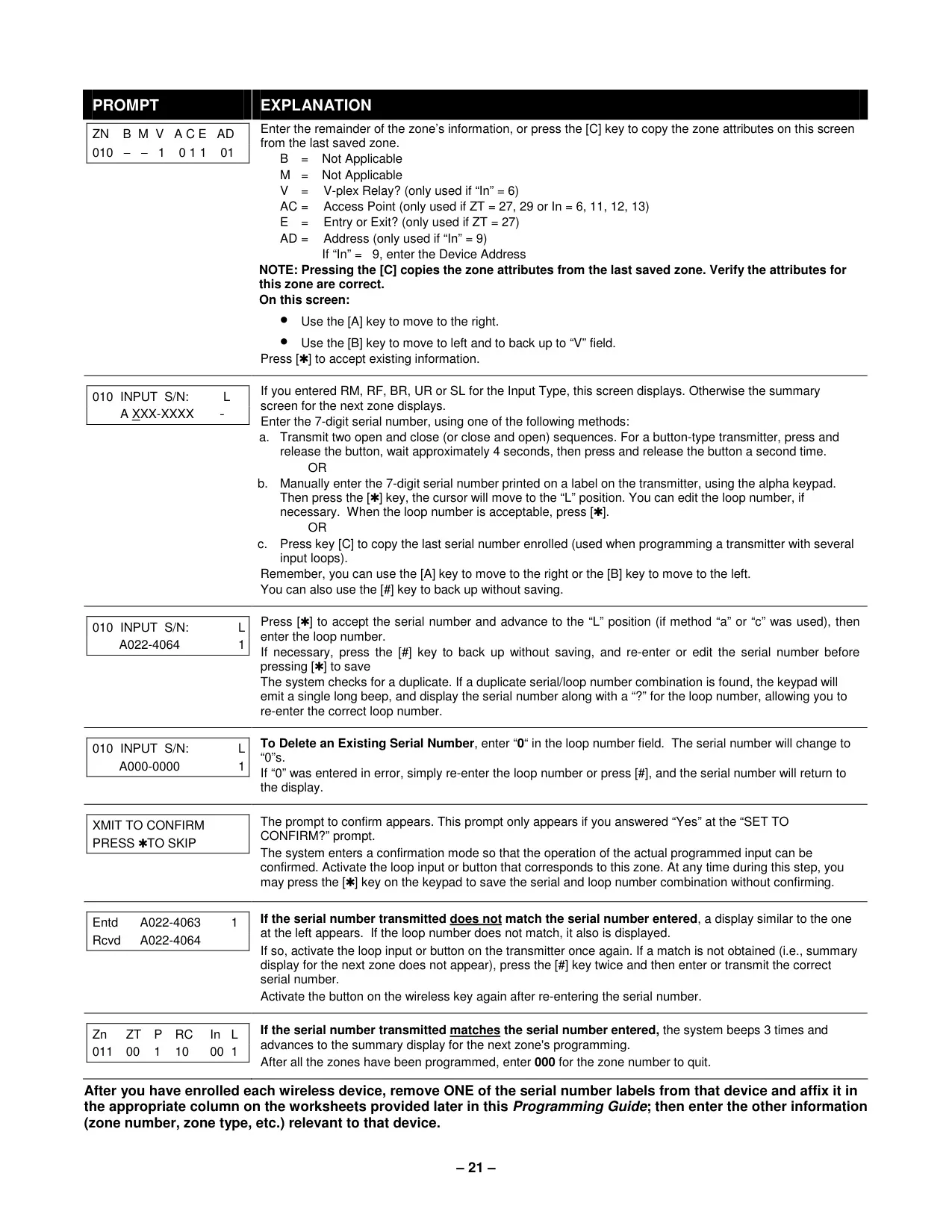
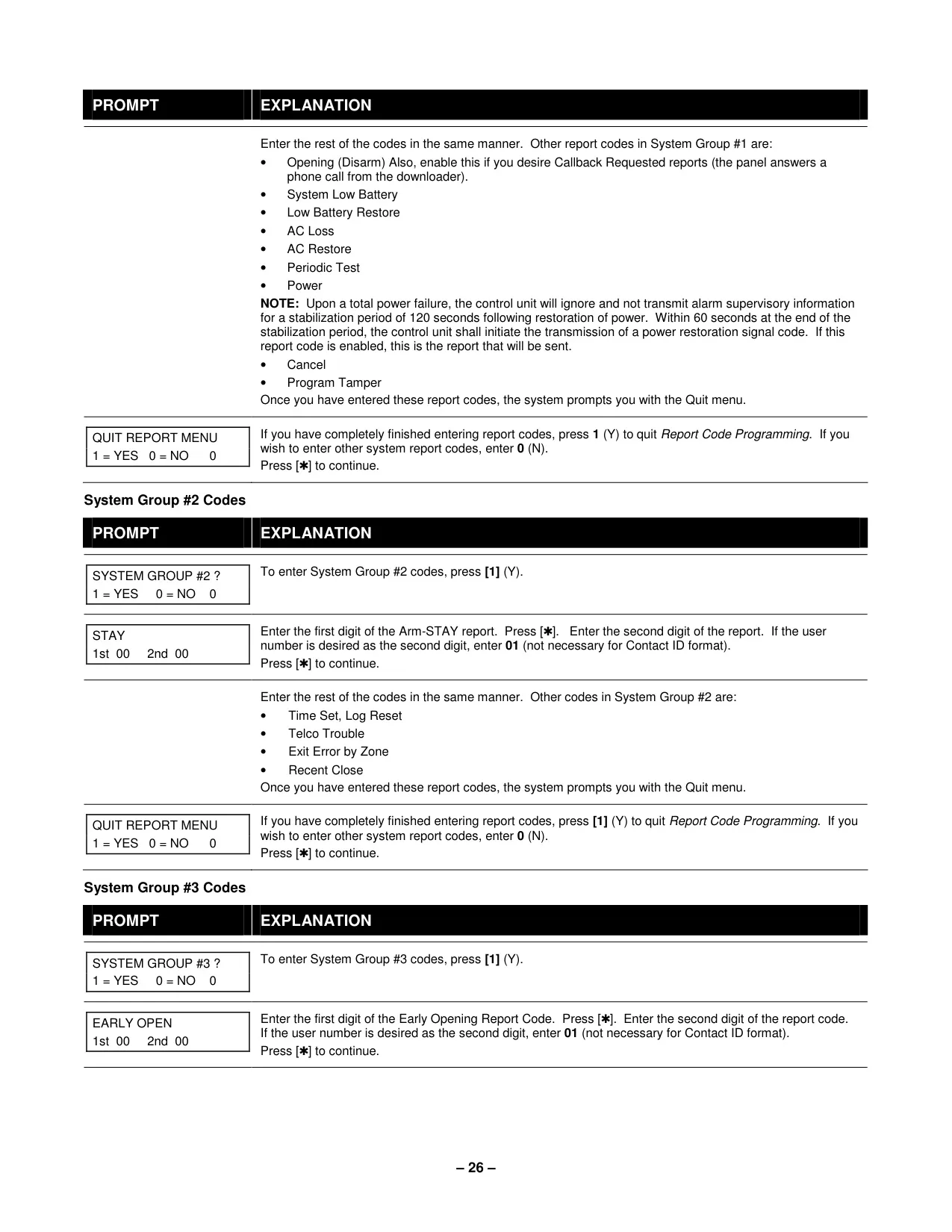
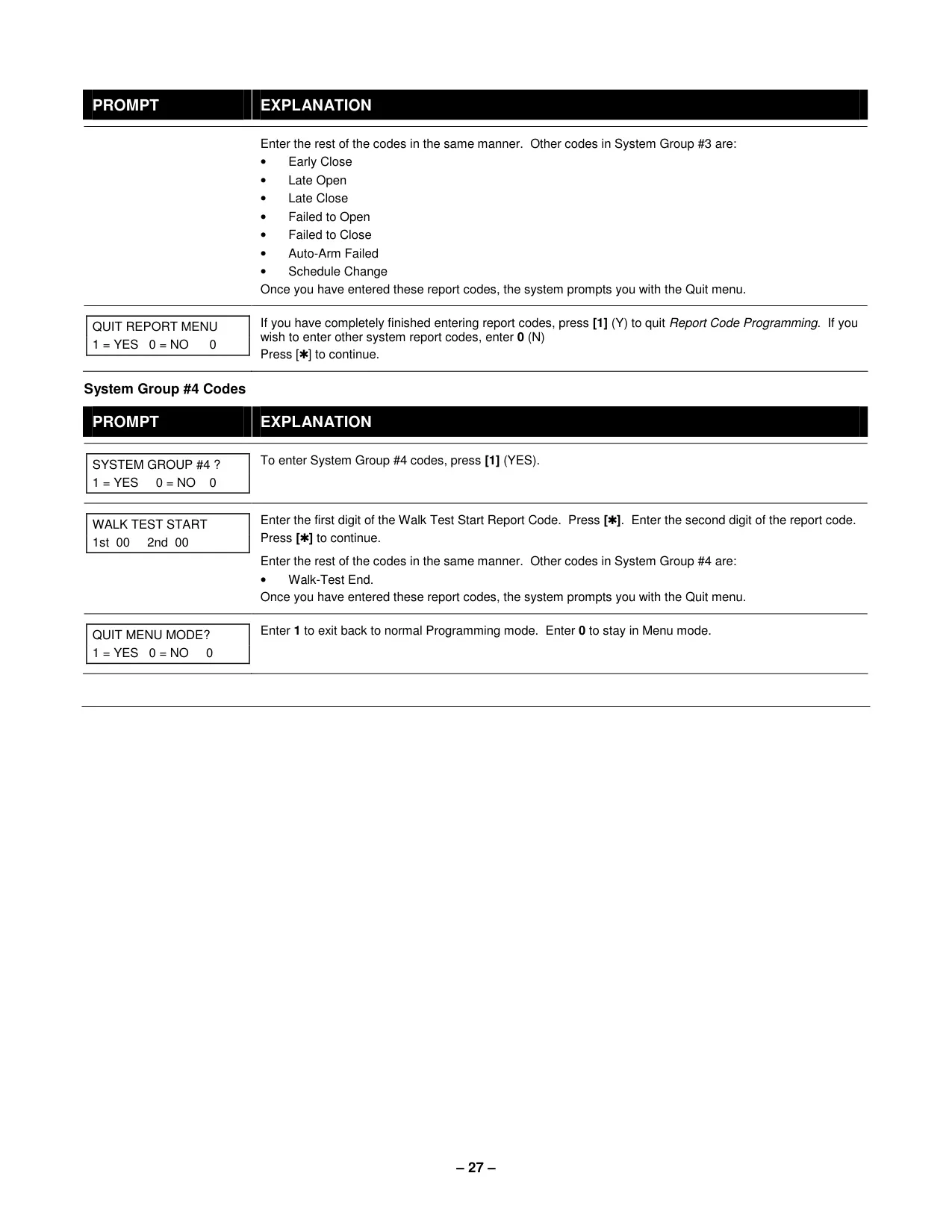
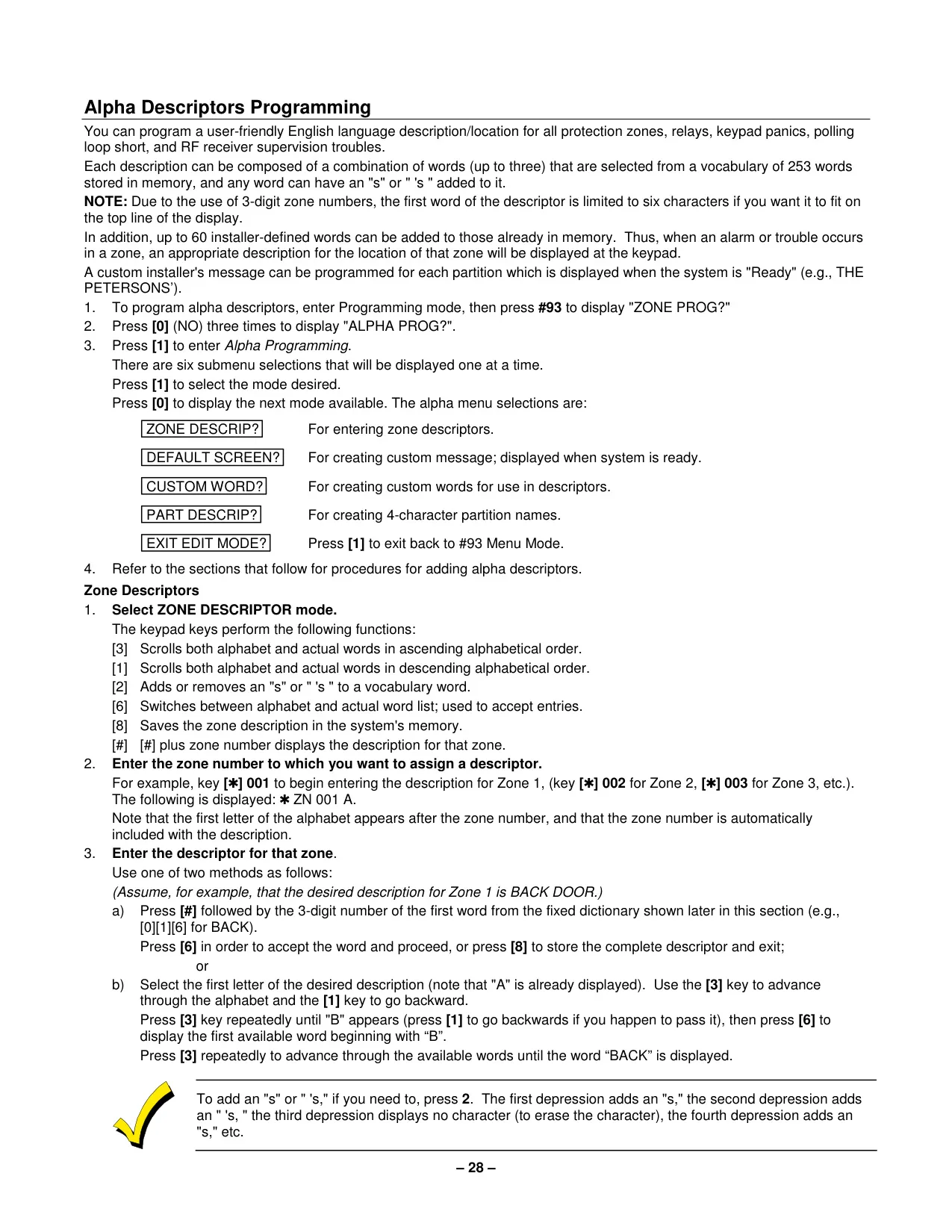
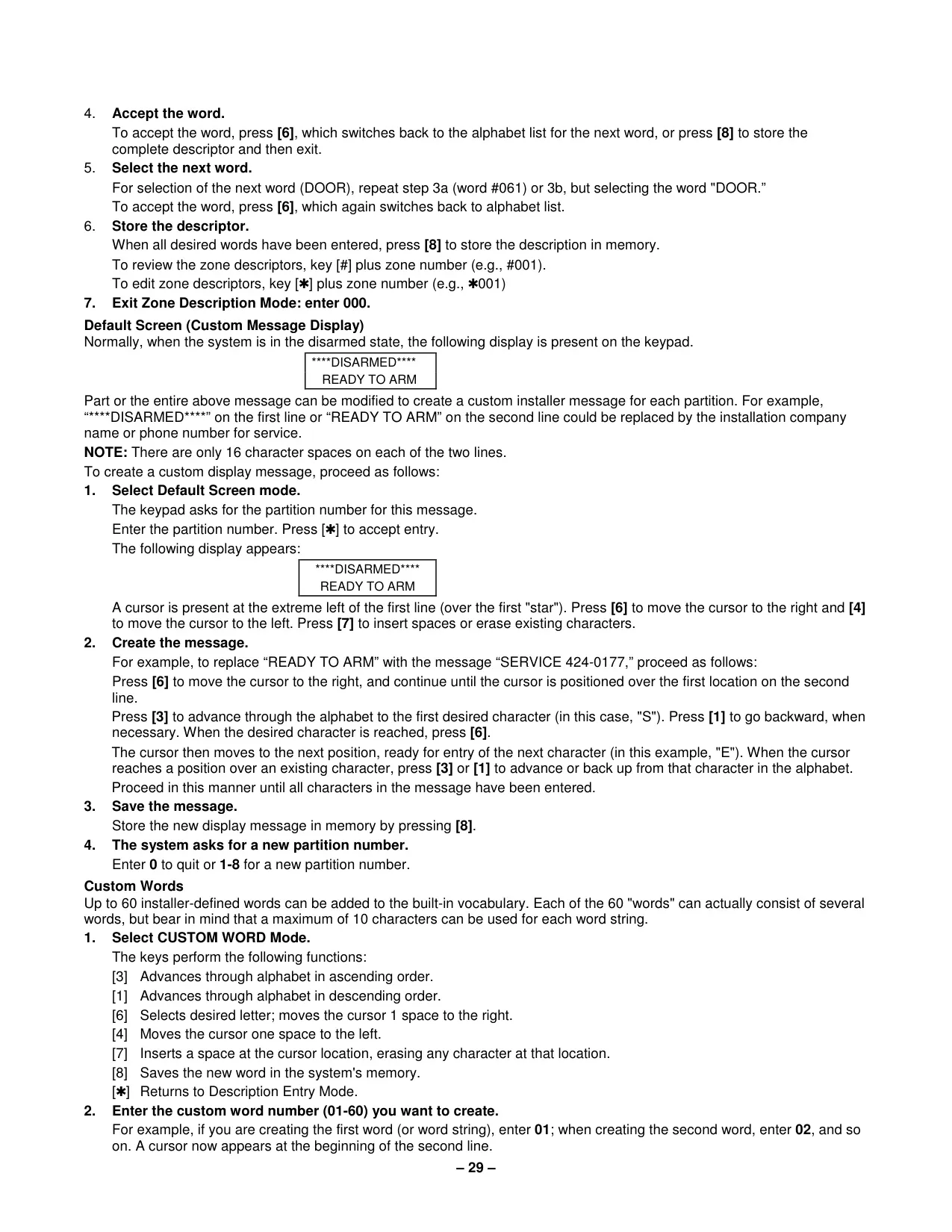
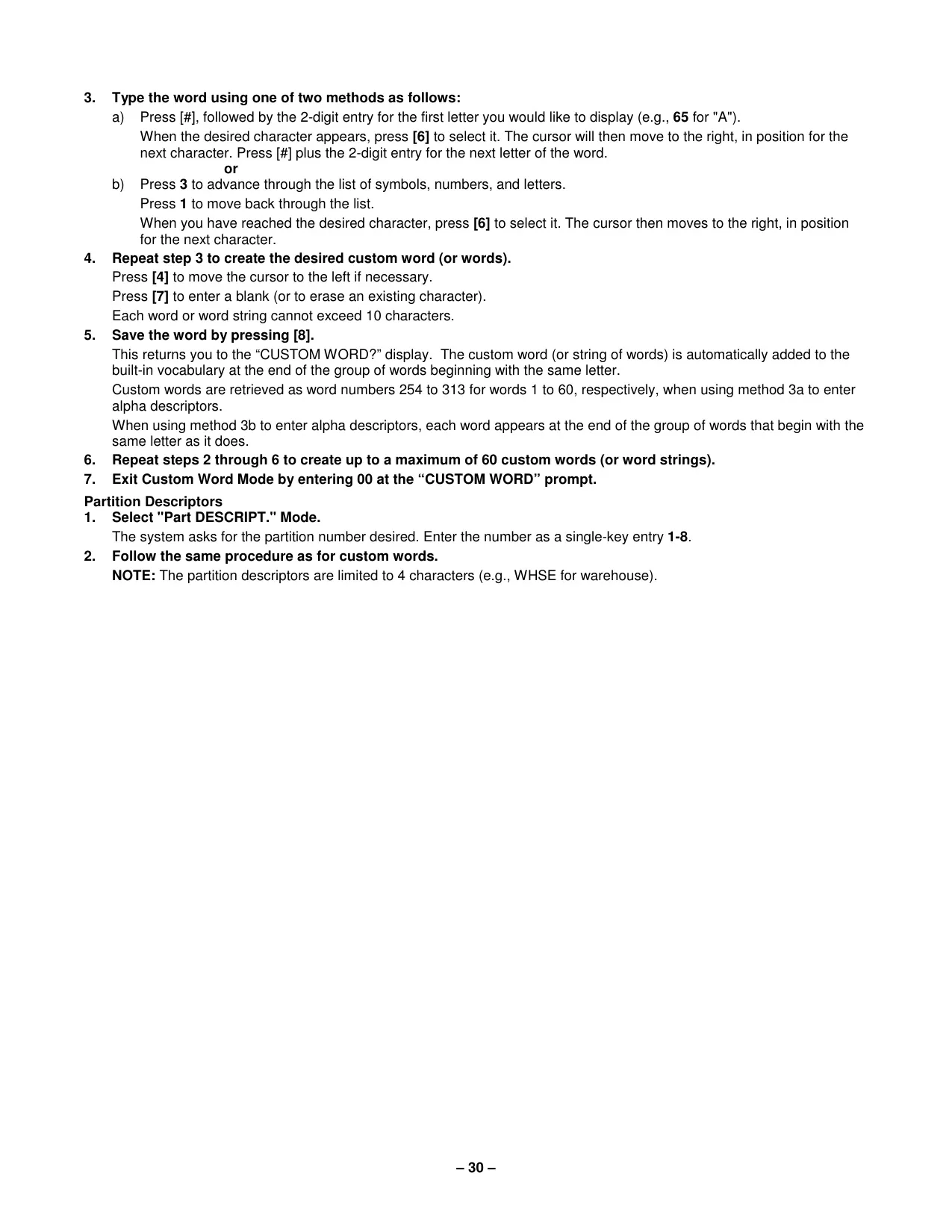
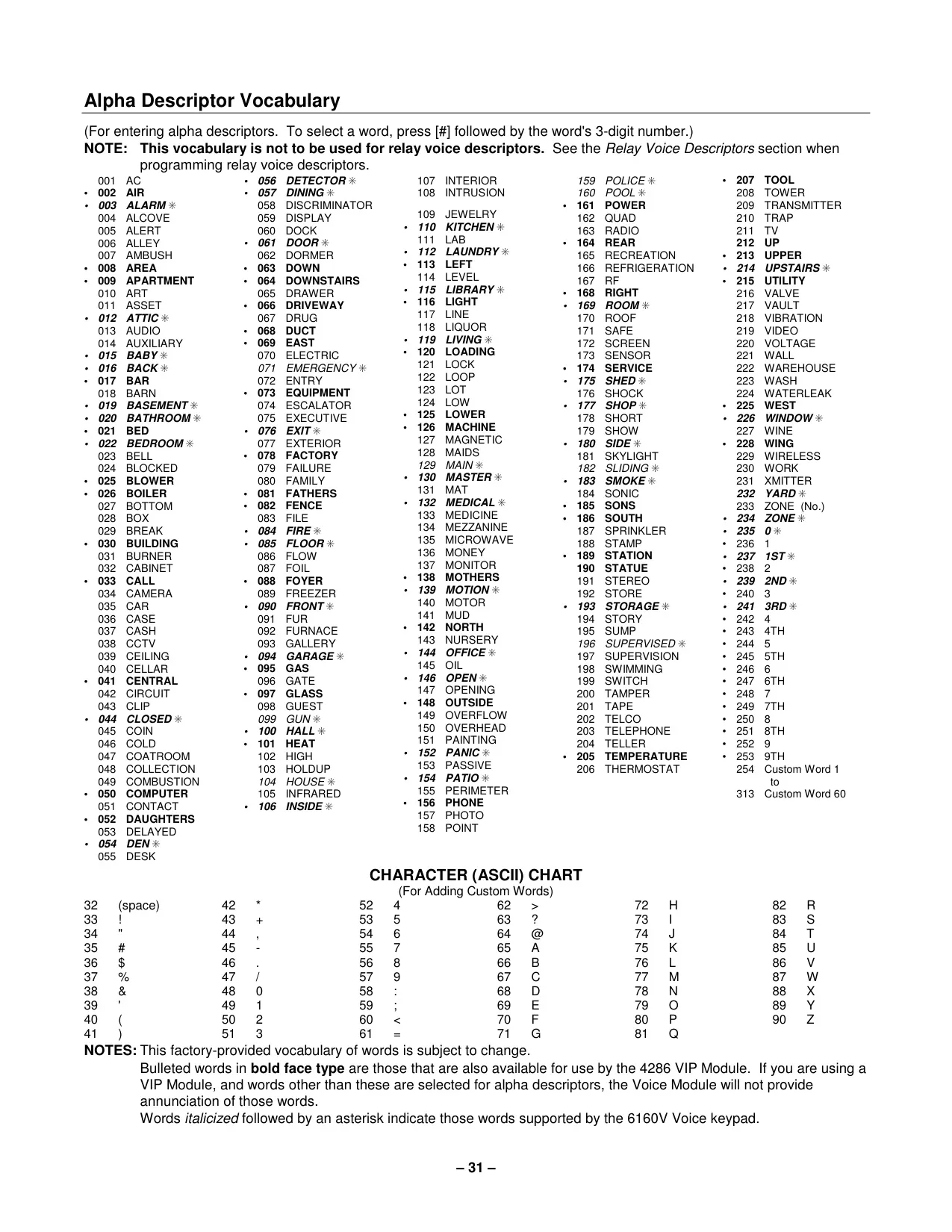
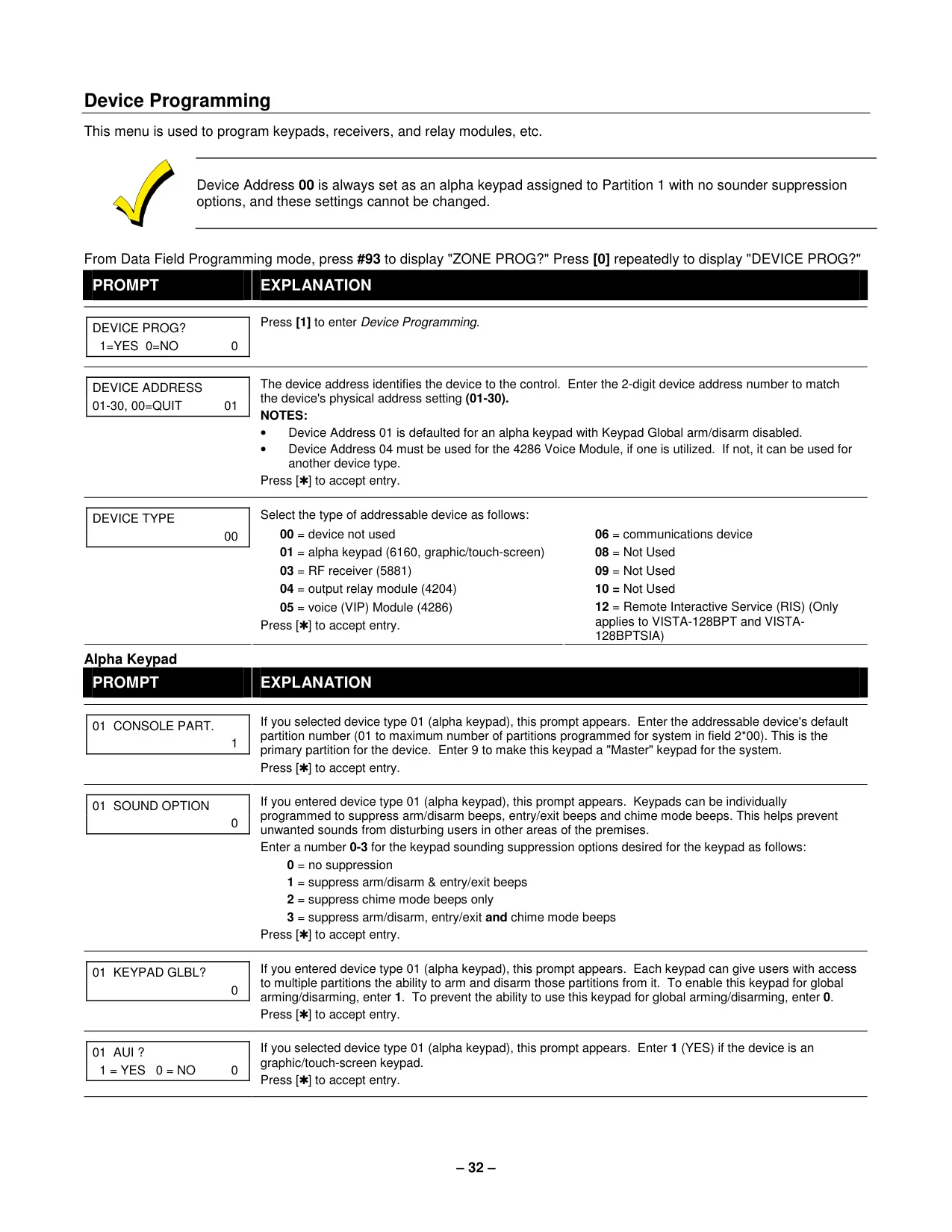
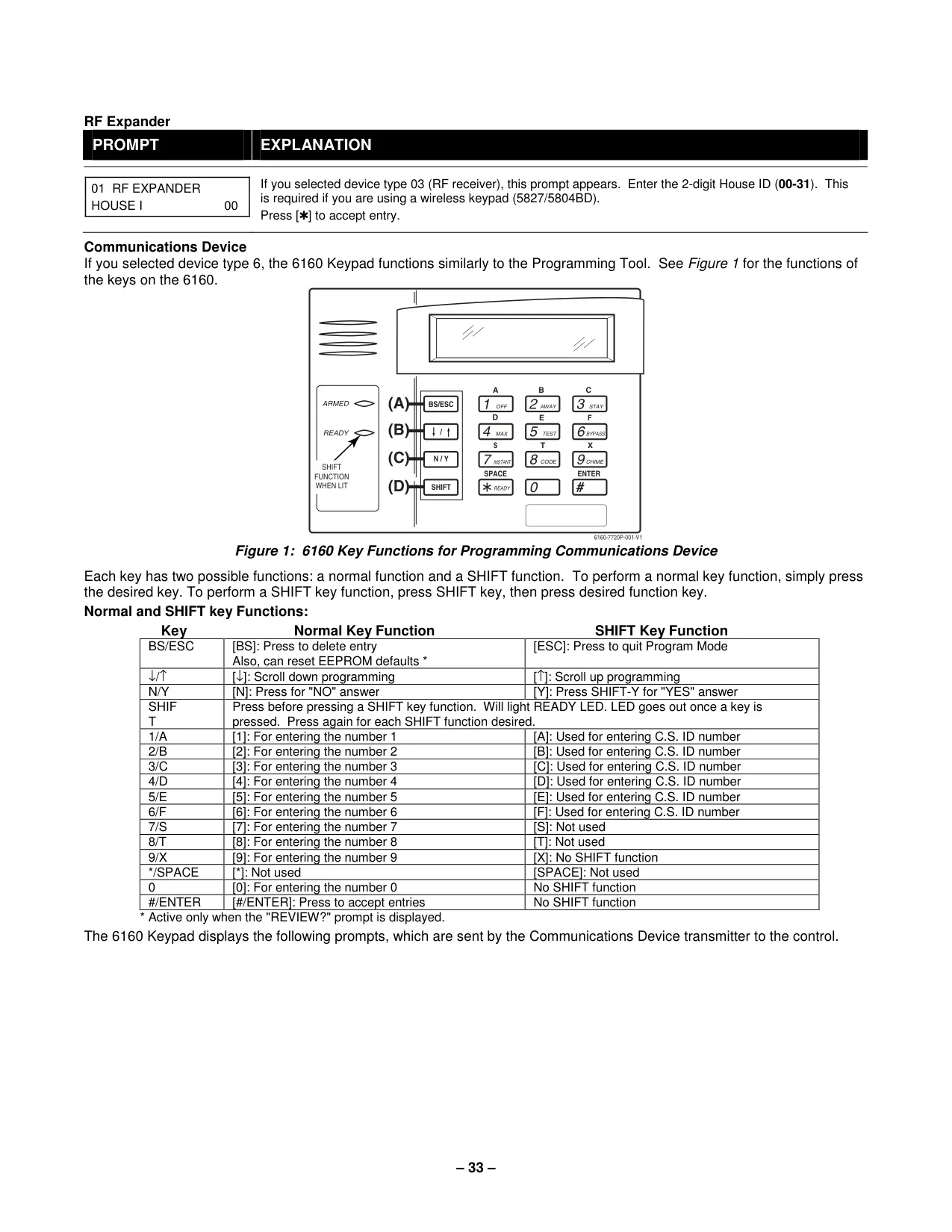
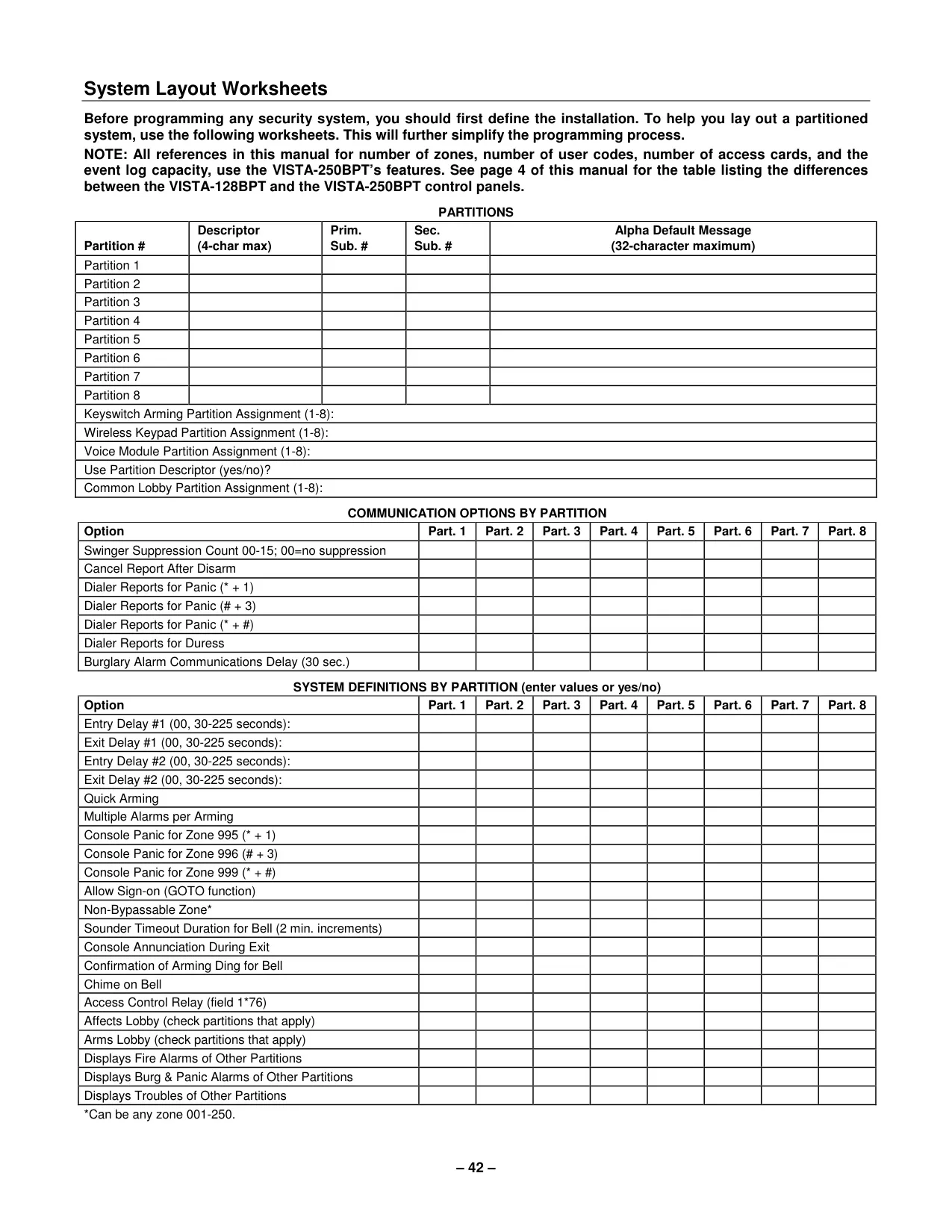
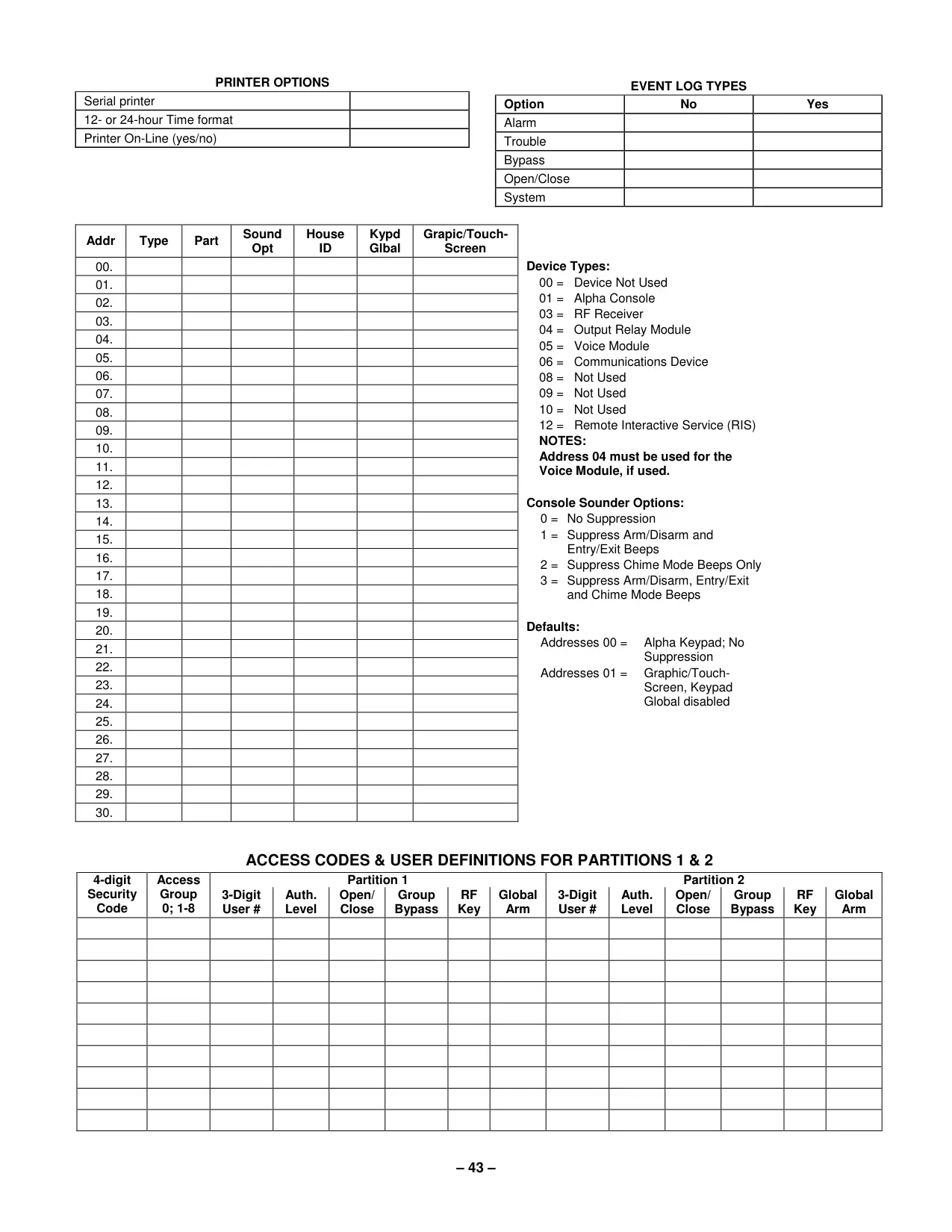
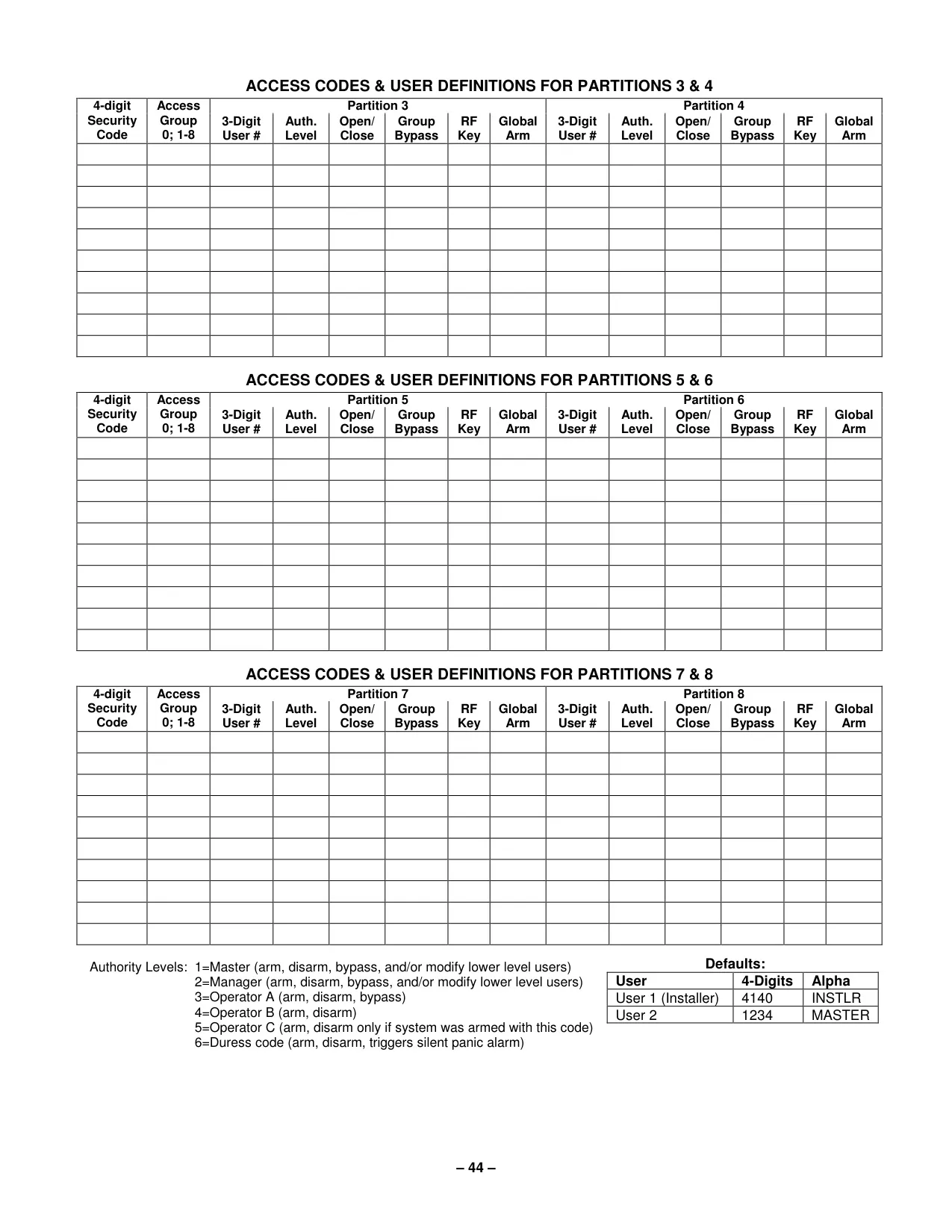
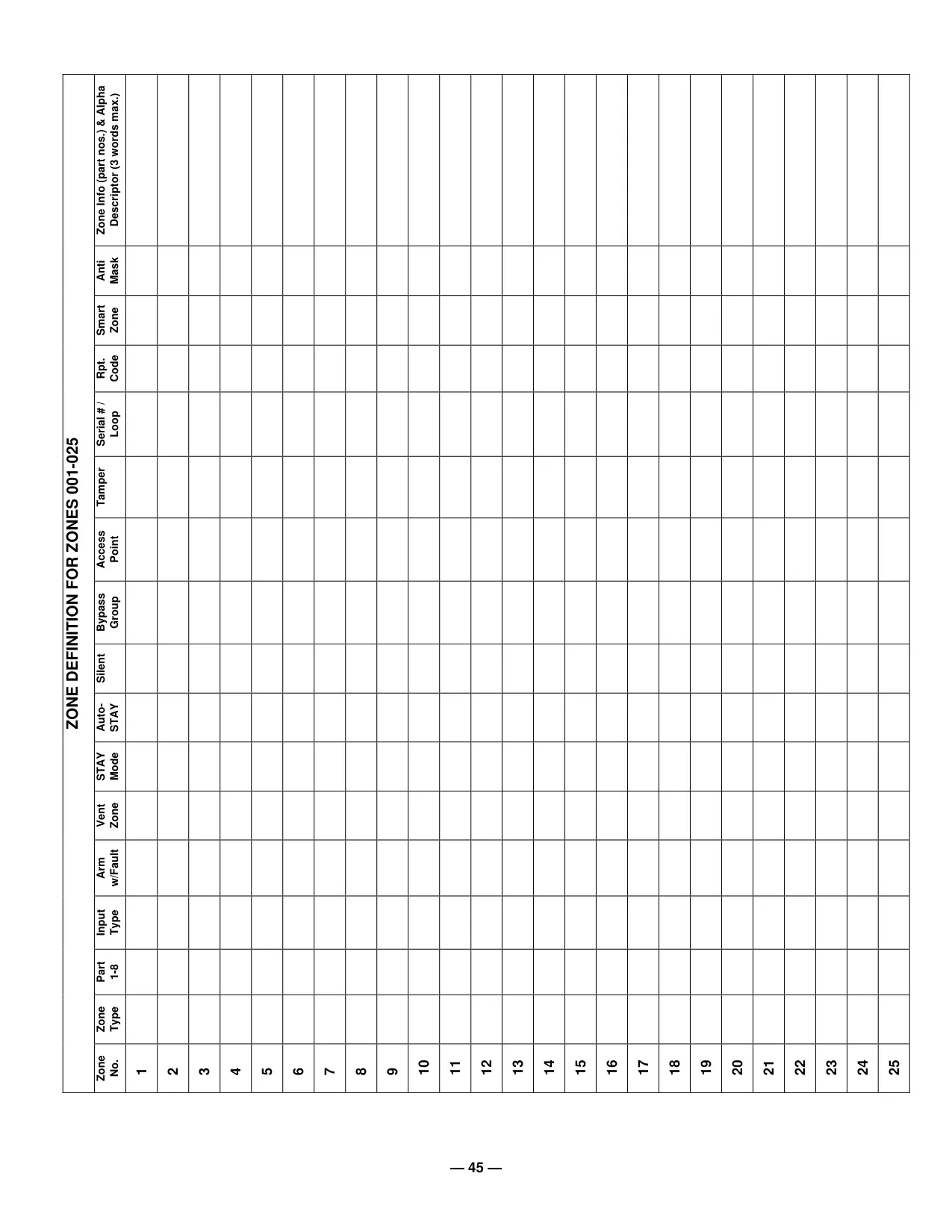
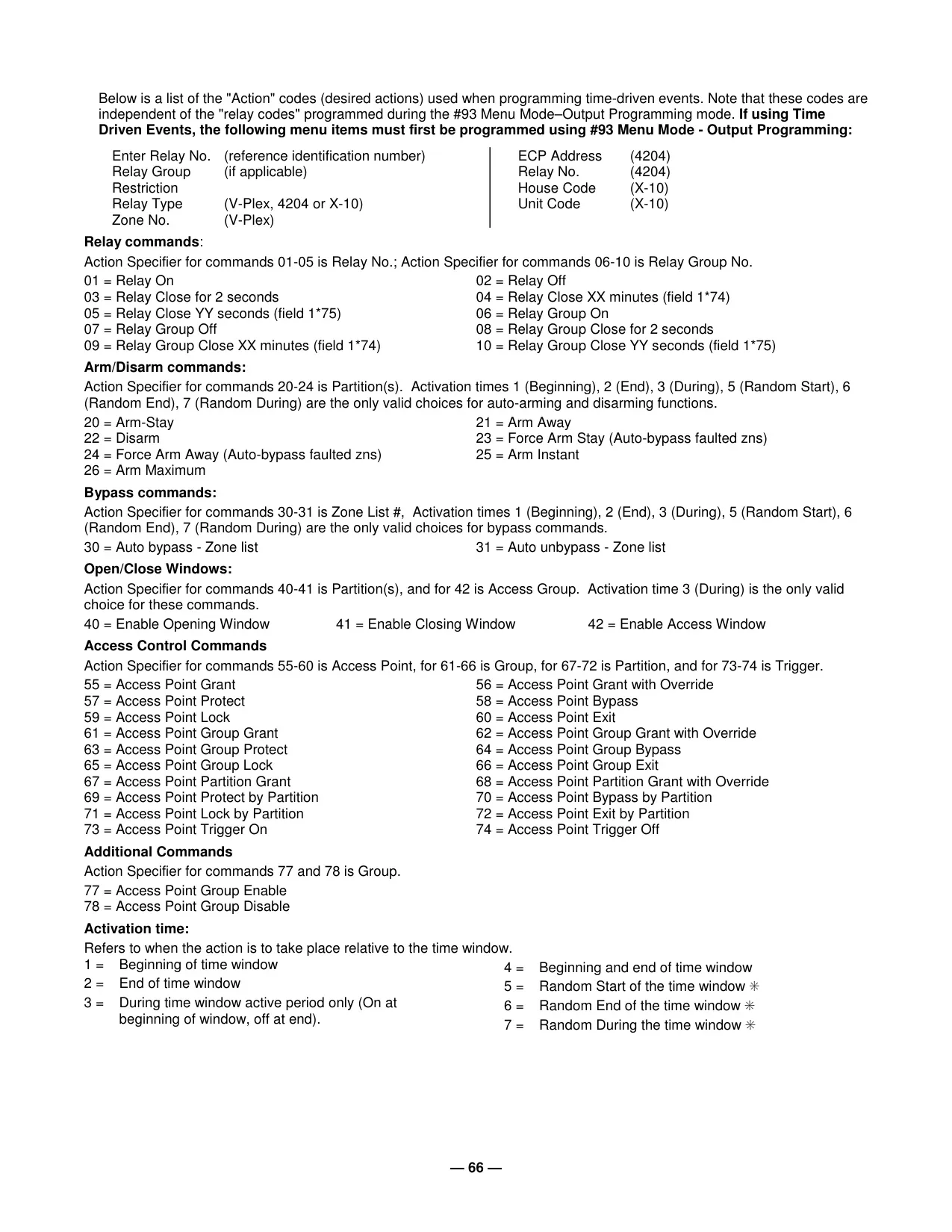
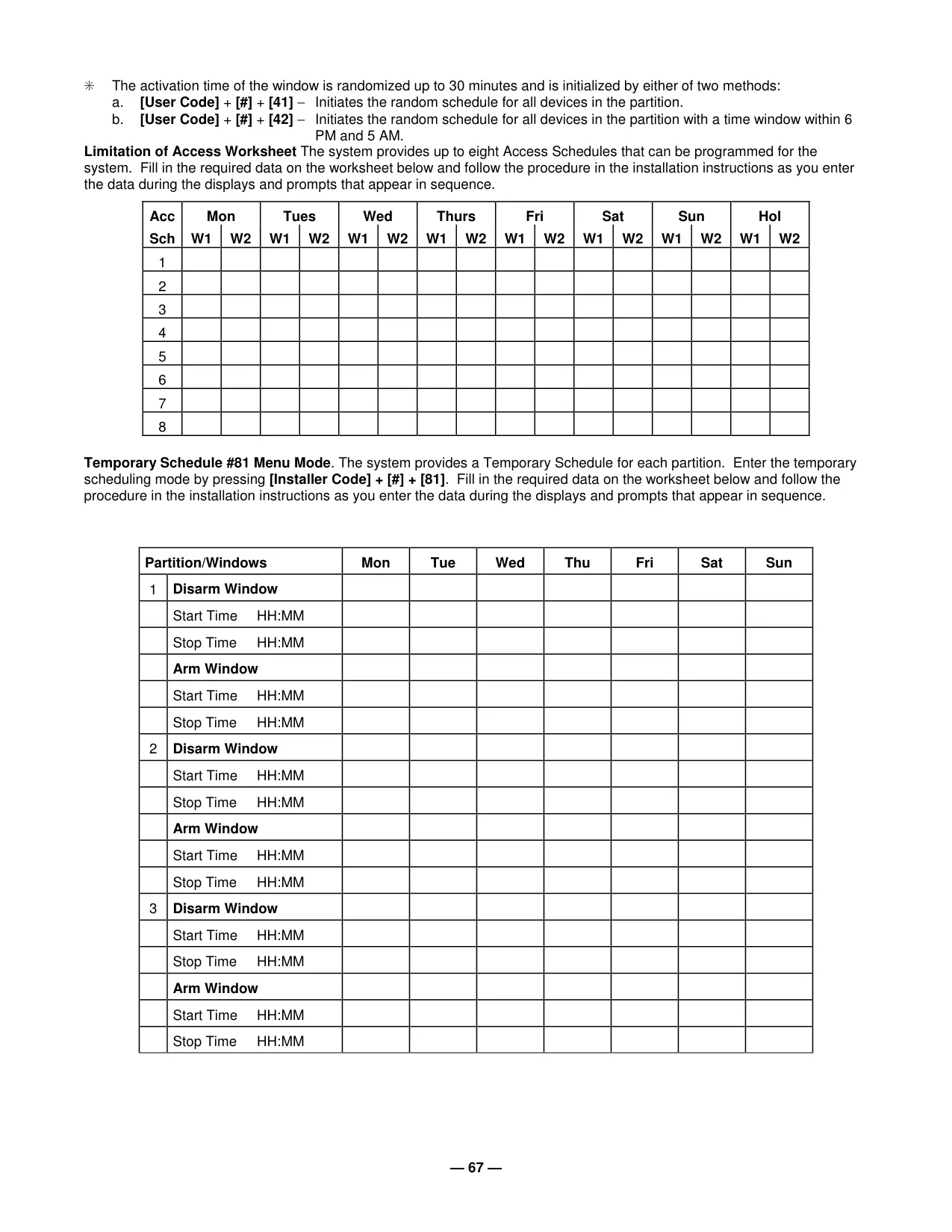
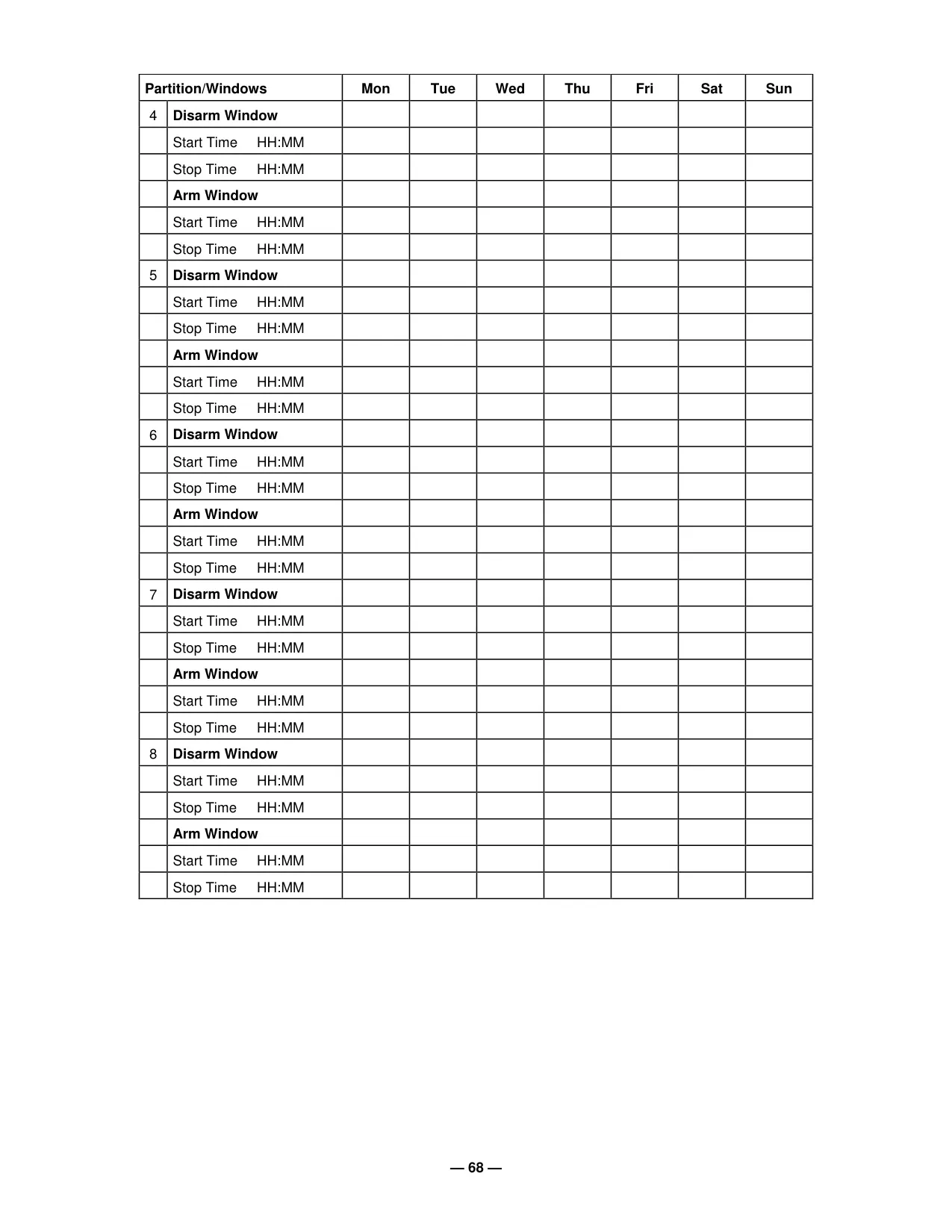
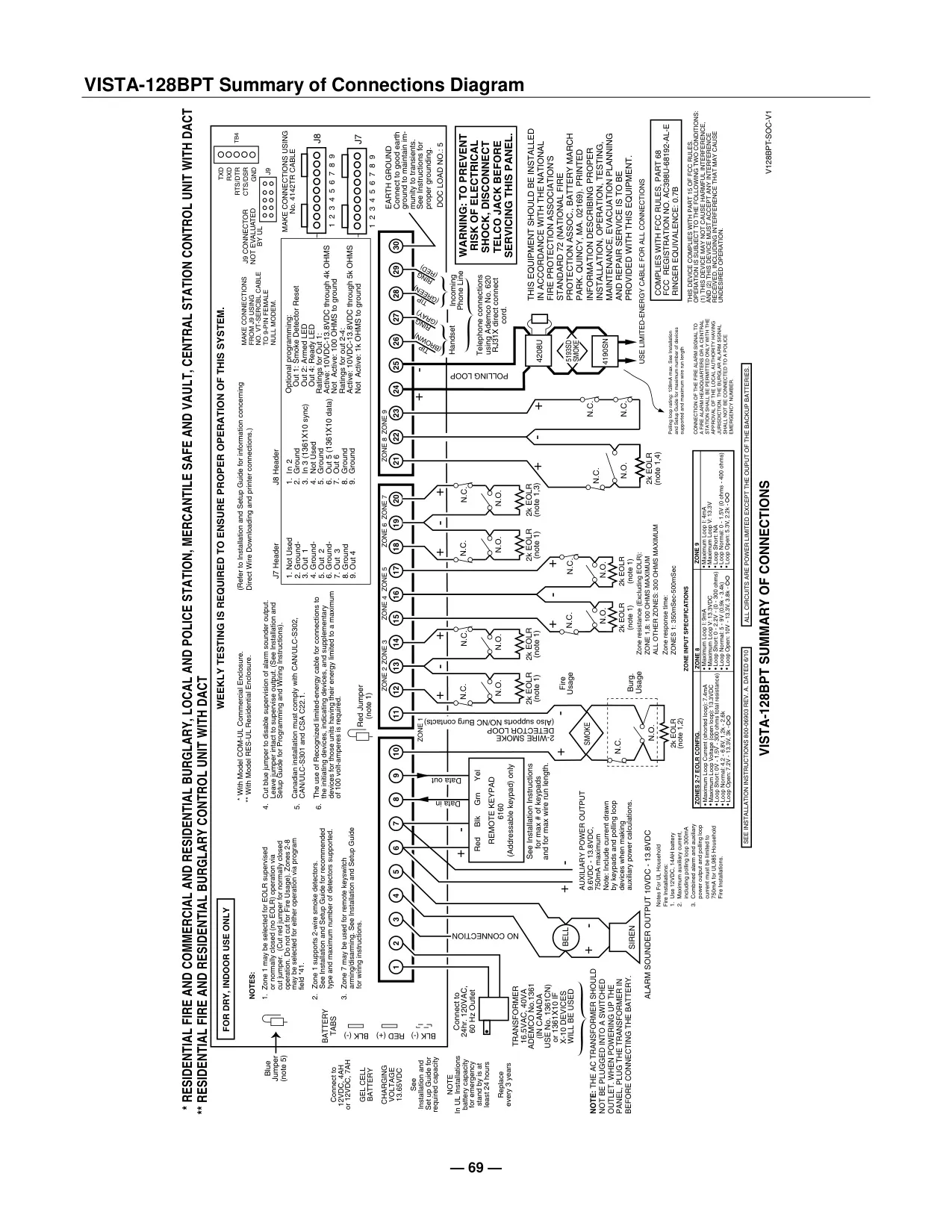
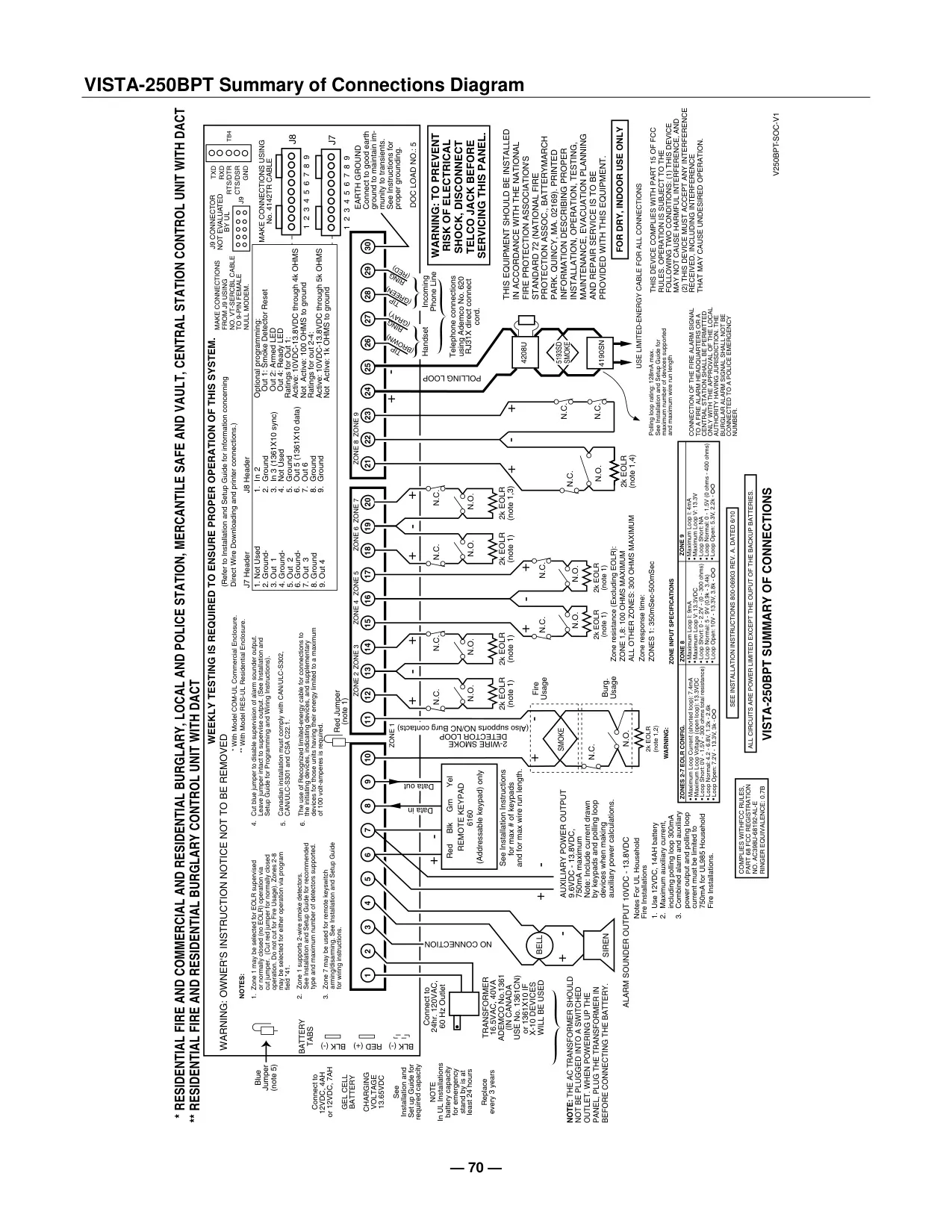
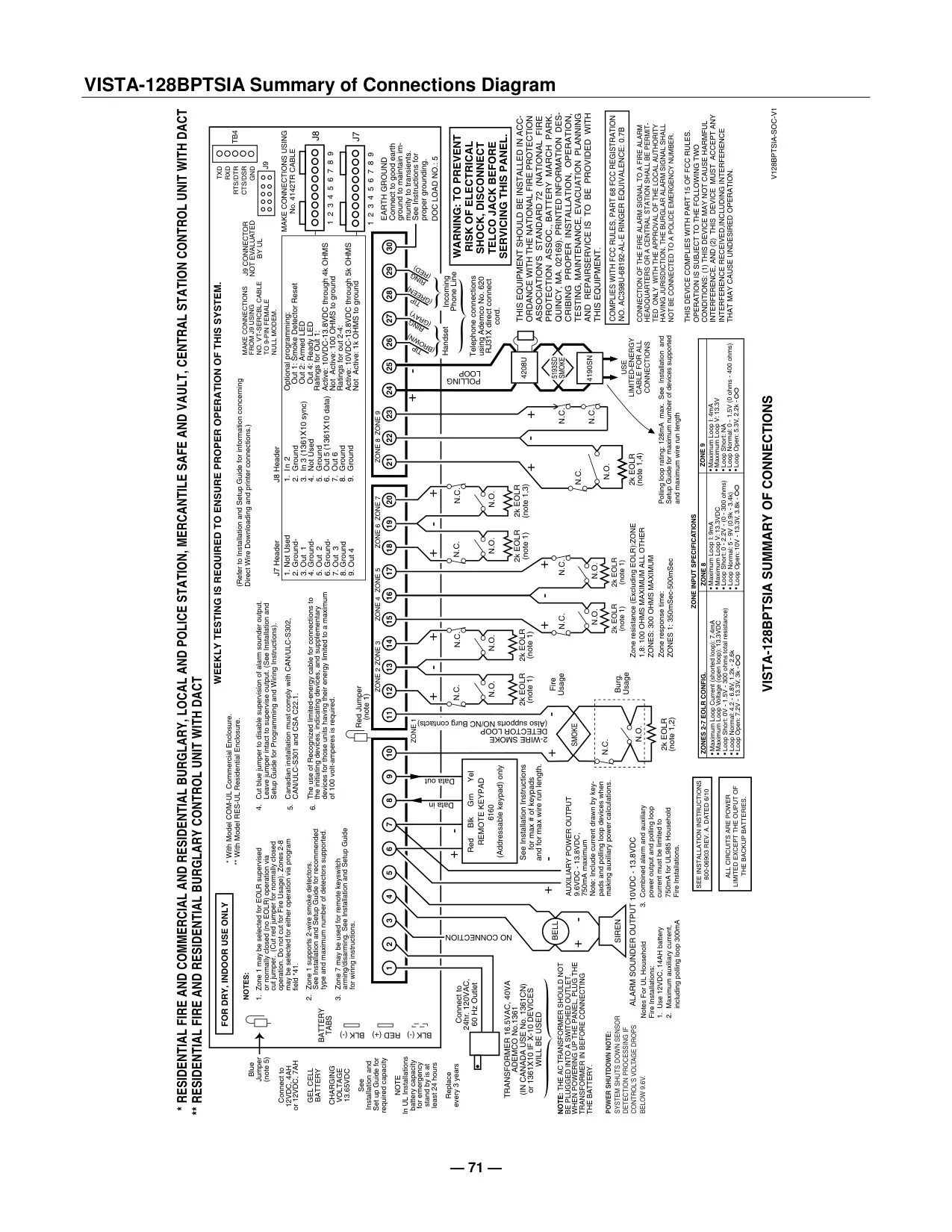
Honeywell Vista 250BPT Security System
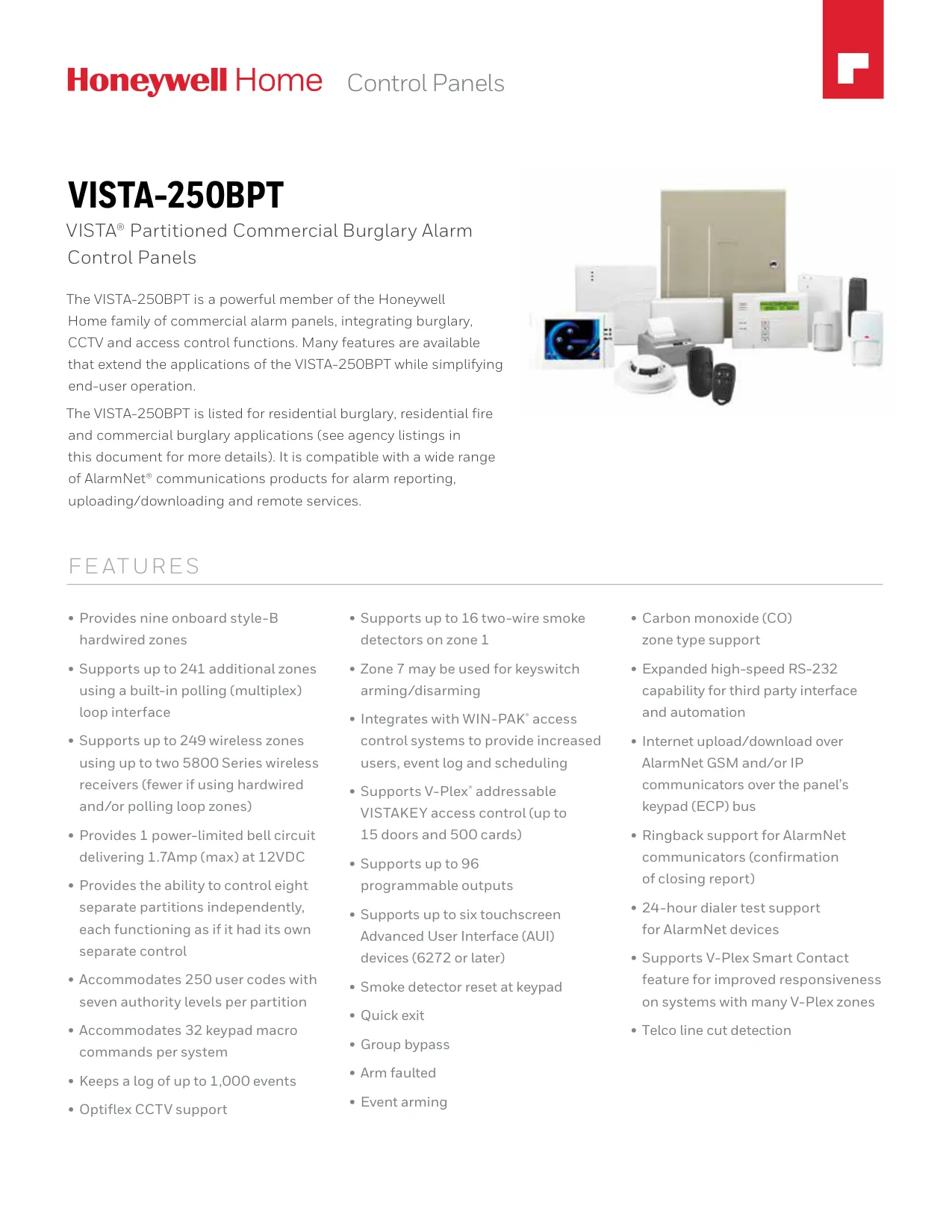
Honeywell Vista 250BPT Instructions
Here we offer the Honeywell Vista 250BPT Security System manual completely free and in English. We have cataloged this manual in the Security Systems section on Manualverse, and it has been rated by 1 users with an average rating of 5. If you have any specific questions about Honeywell Vista 250BPT Security System, we suggest checking the Frequently Asked Questions (FAQs) section of this manual.
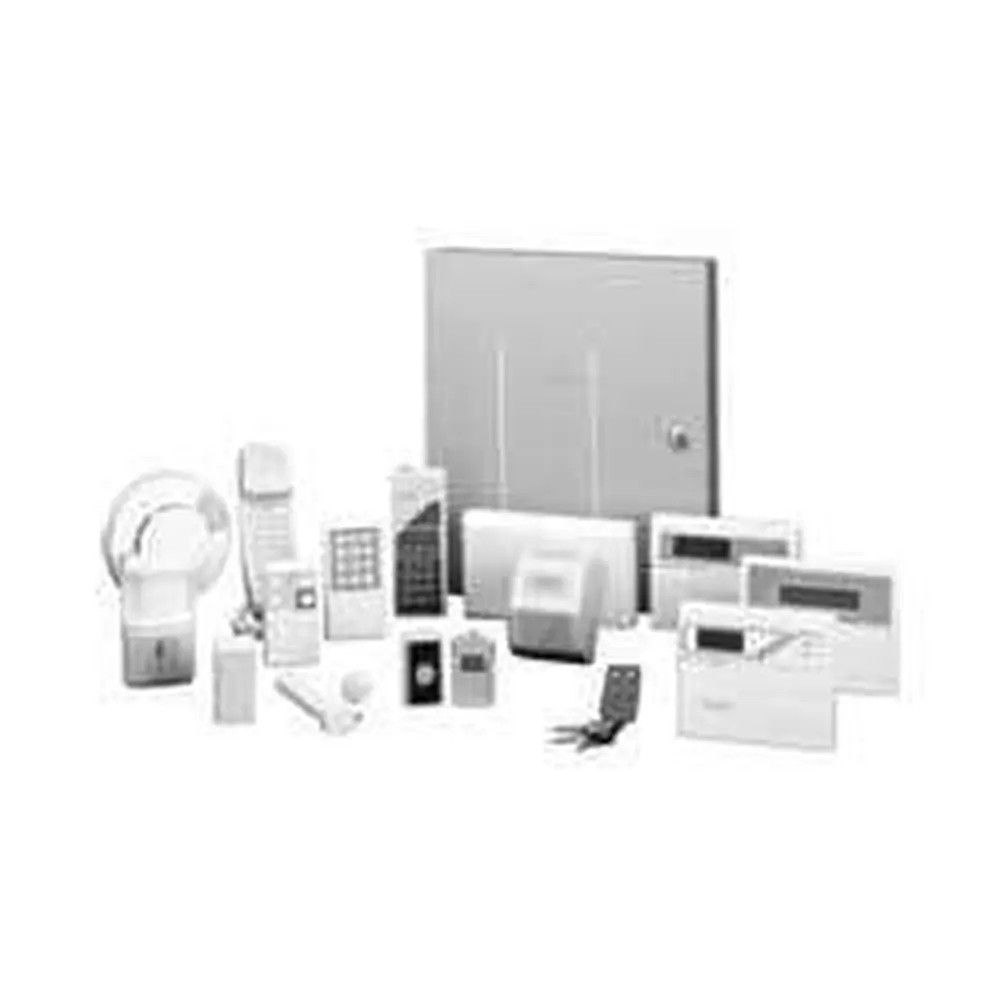
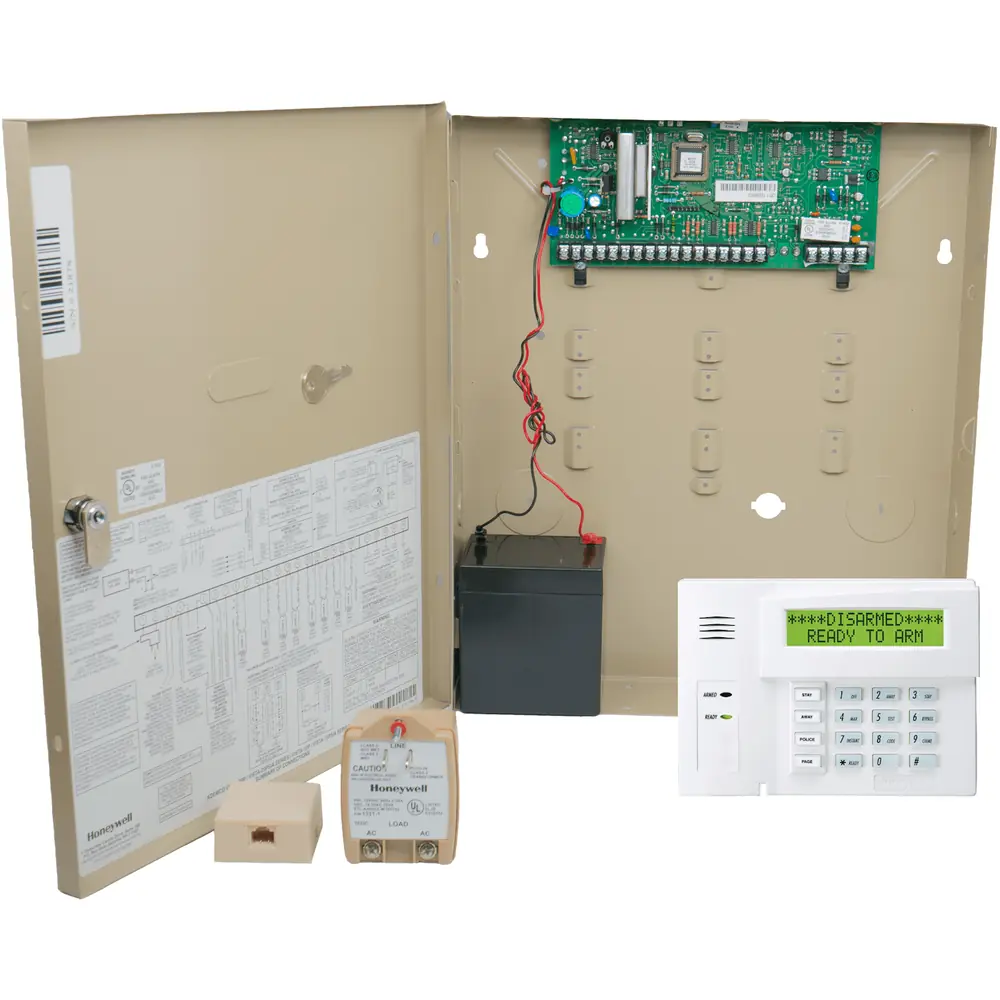
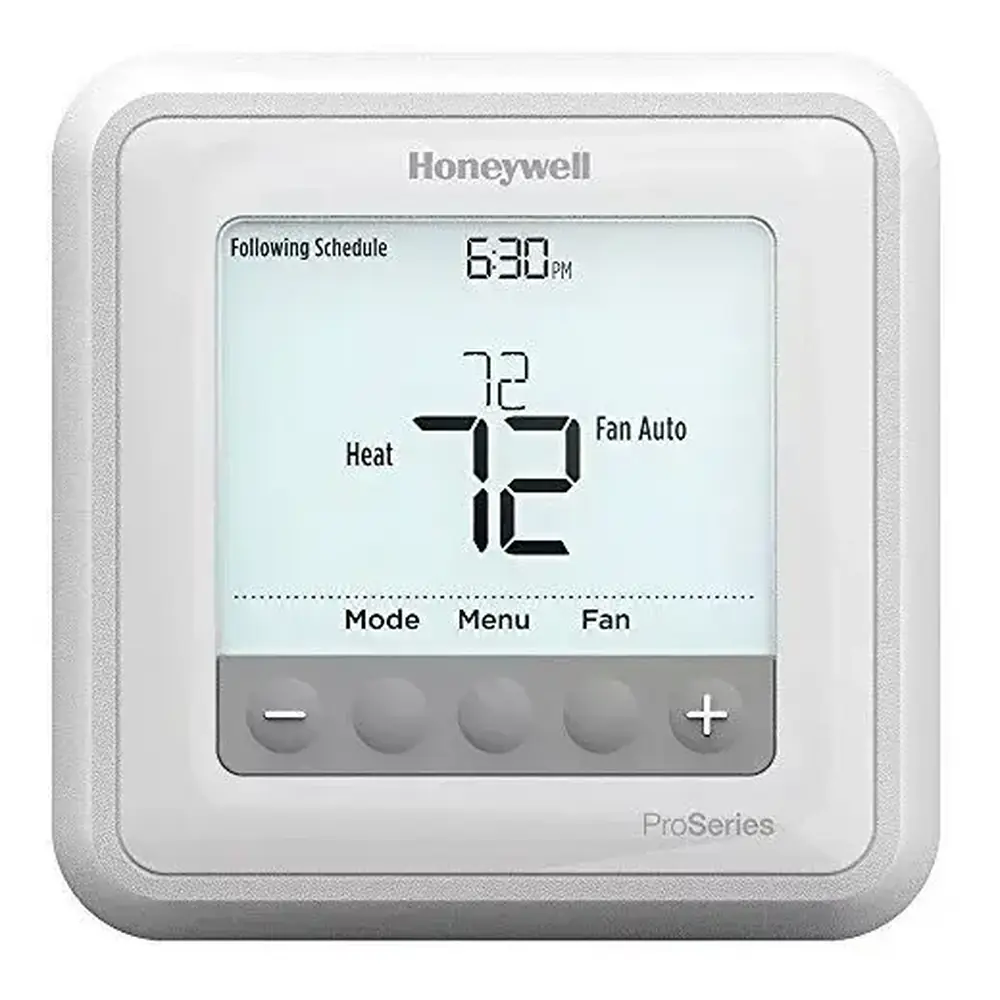
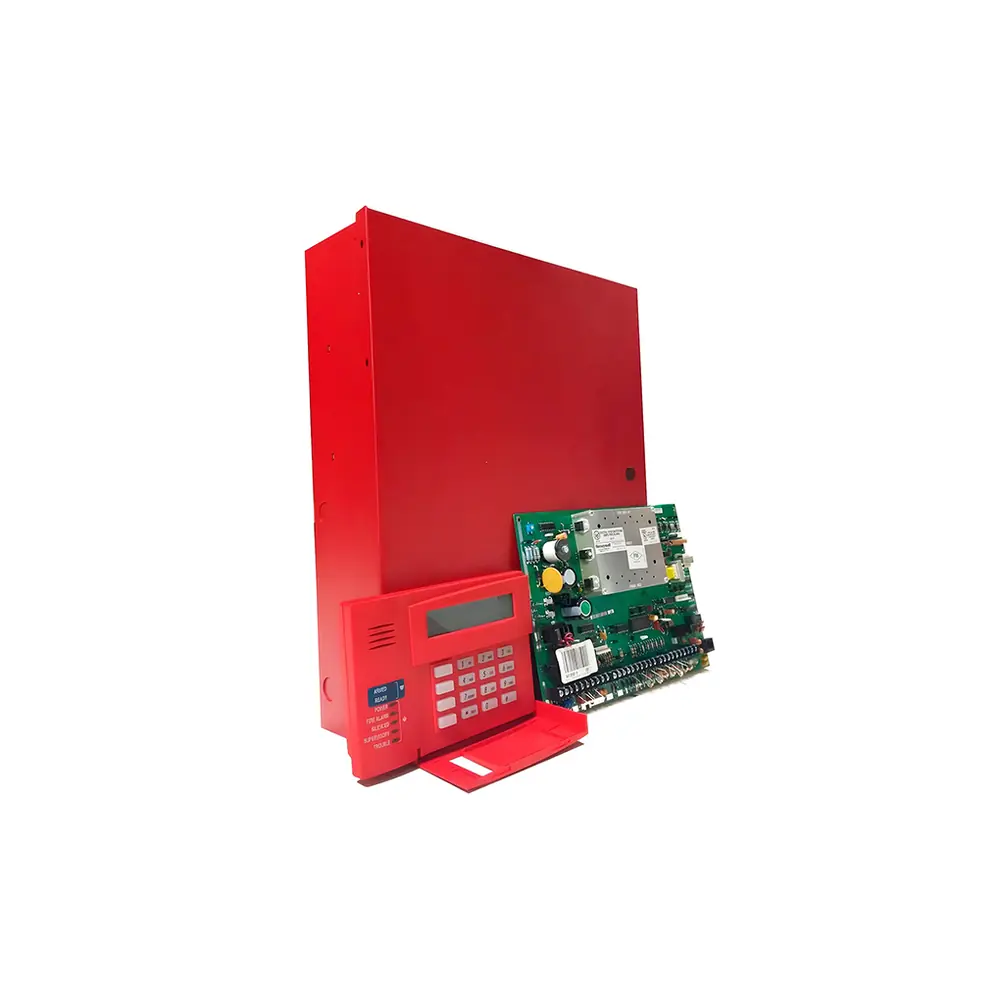
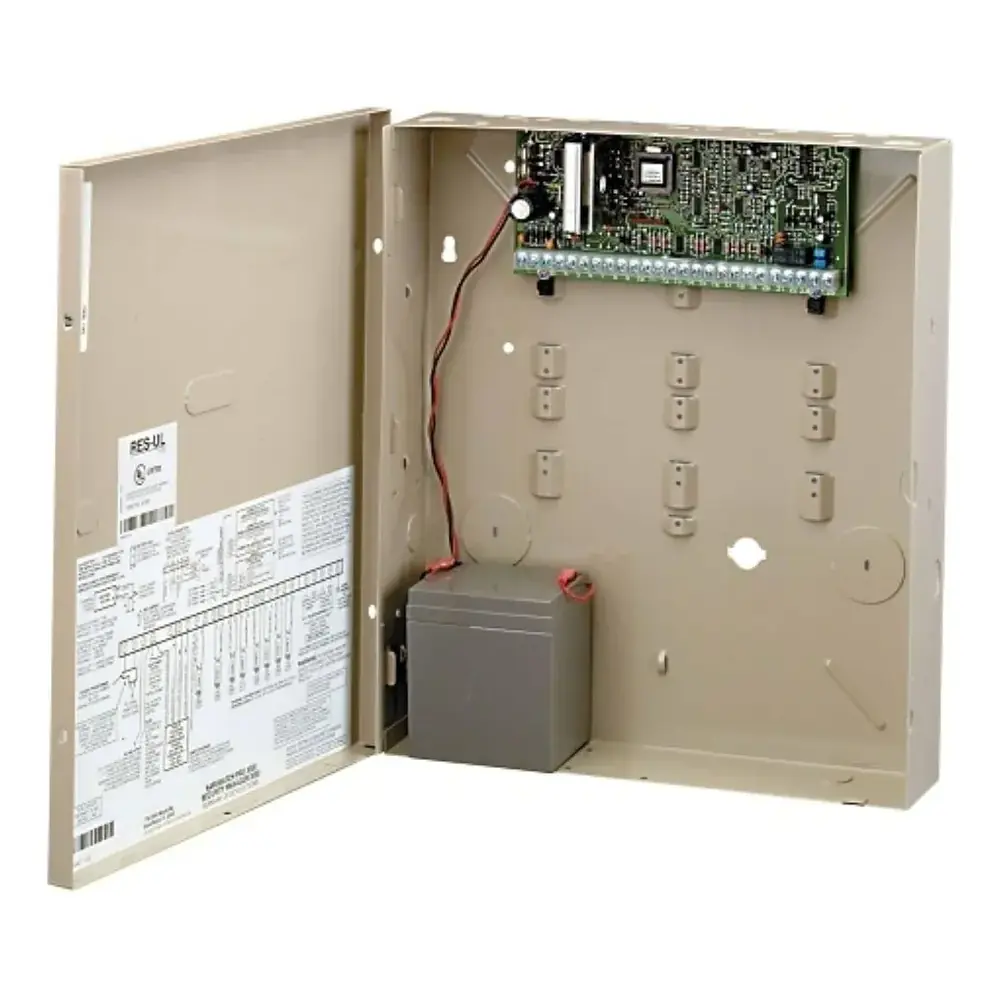
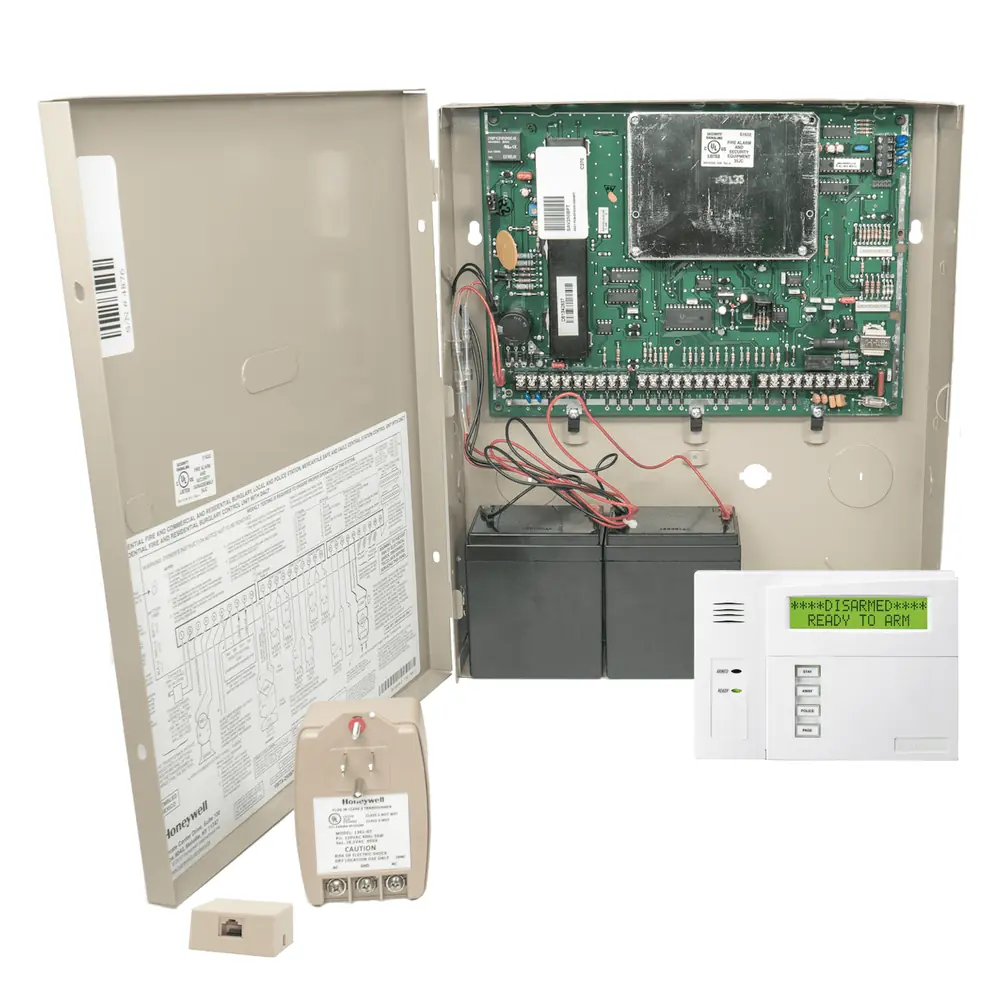
Product Images
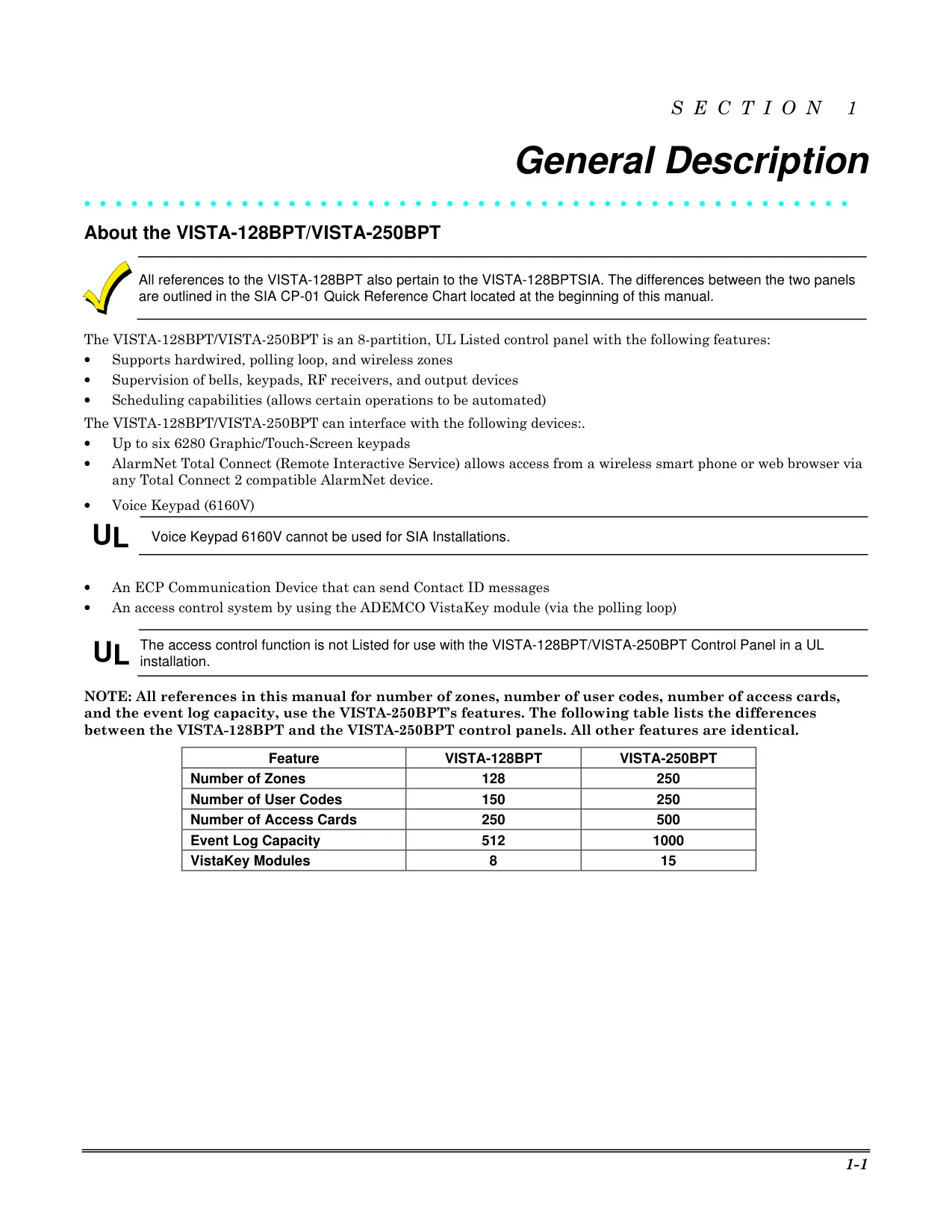
Honeywell Vista 250BPT Security System Specifications
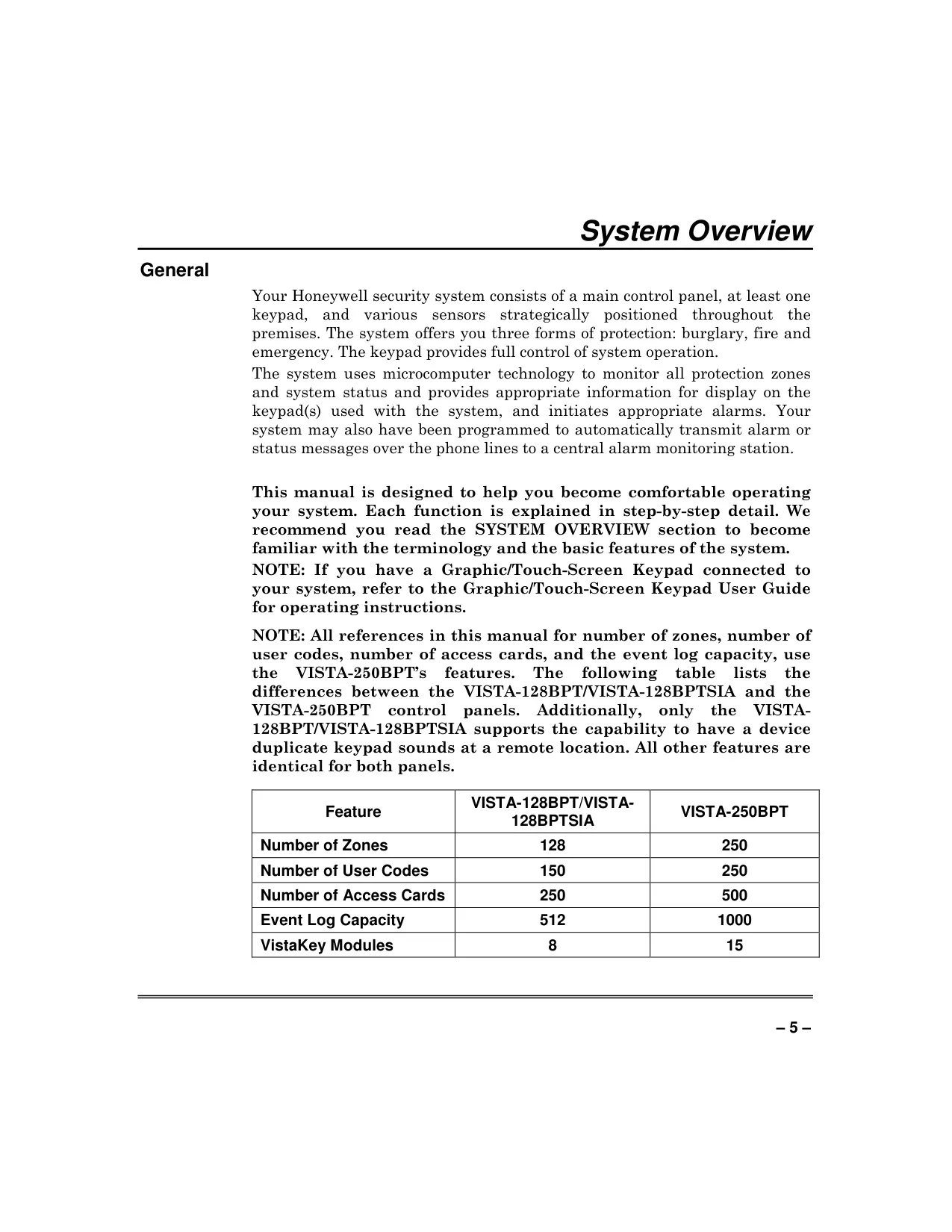
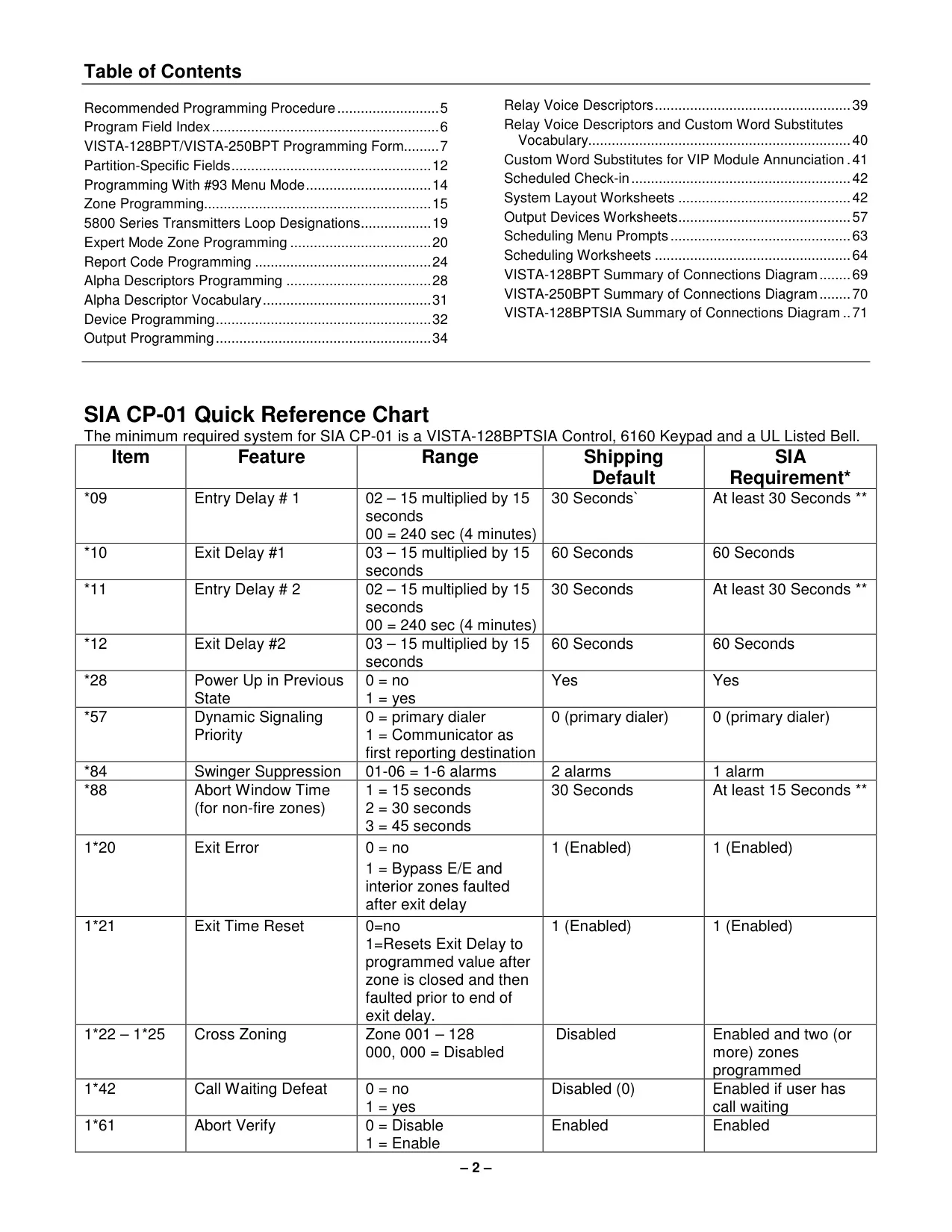
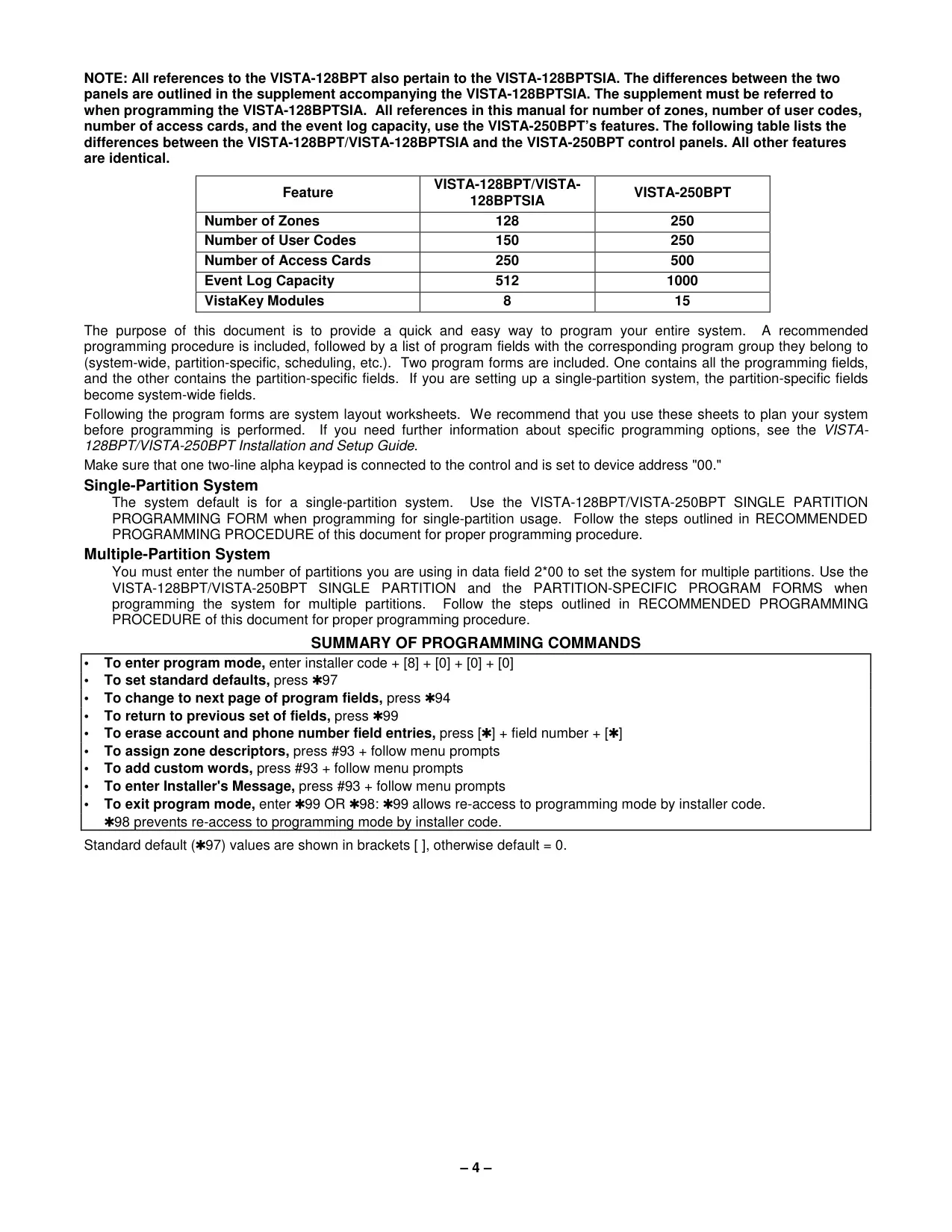
| Feature | Specification (VISTA-250BPT) |
|---|---|
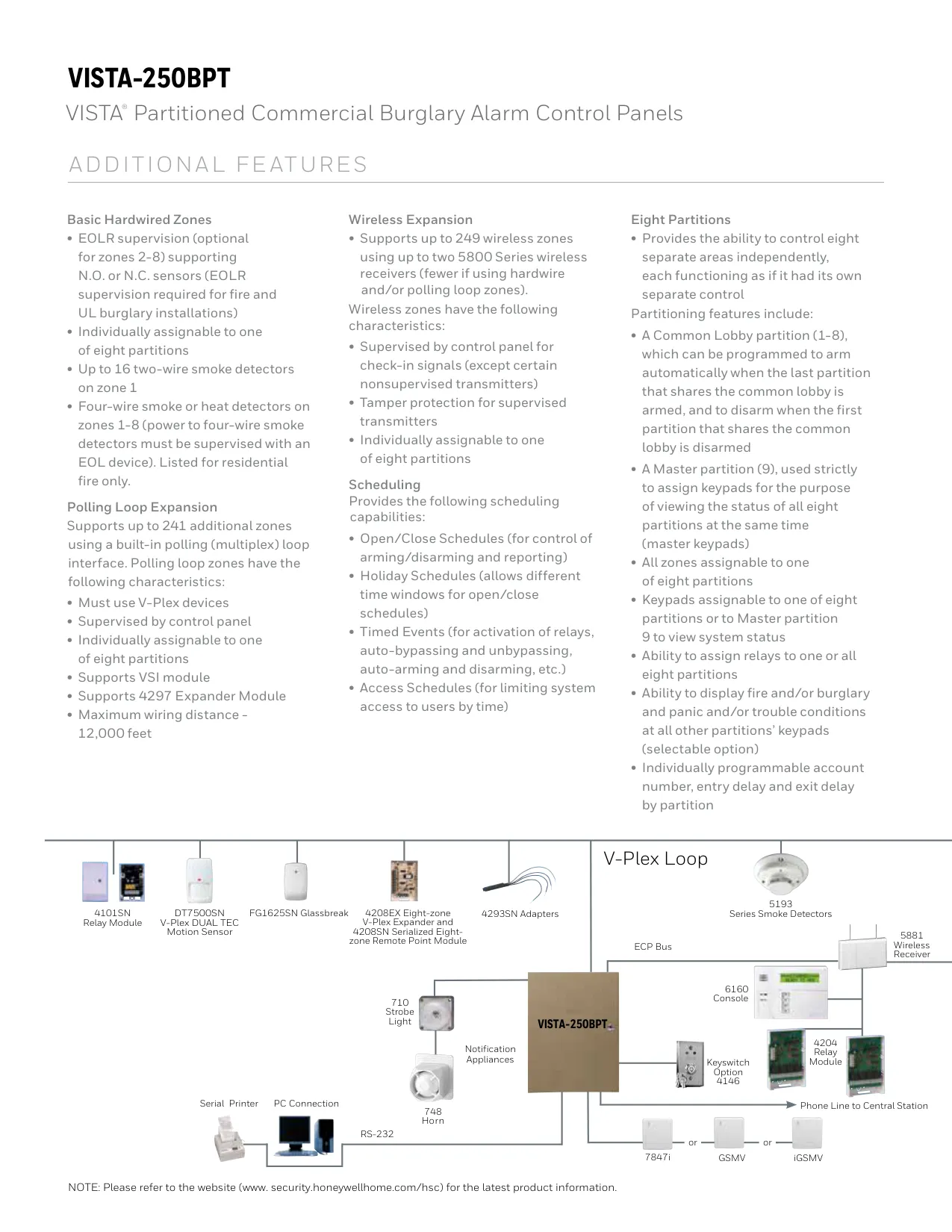
| Number of Zones | 250 |
| Number of User Codes | 250 |
| Number of Access Cards | 500 |
| Event Log Capacity | 1000 |
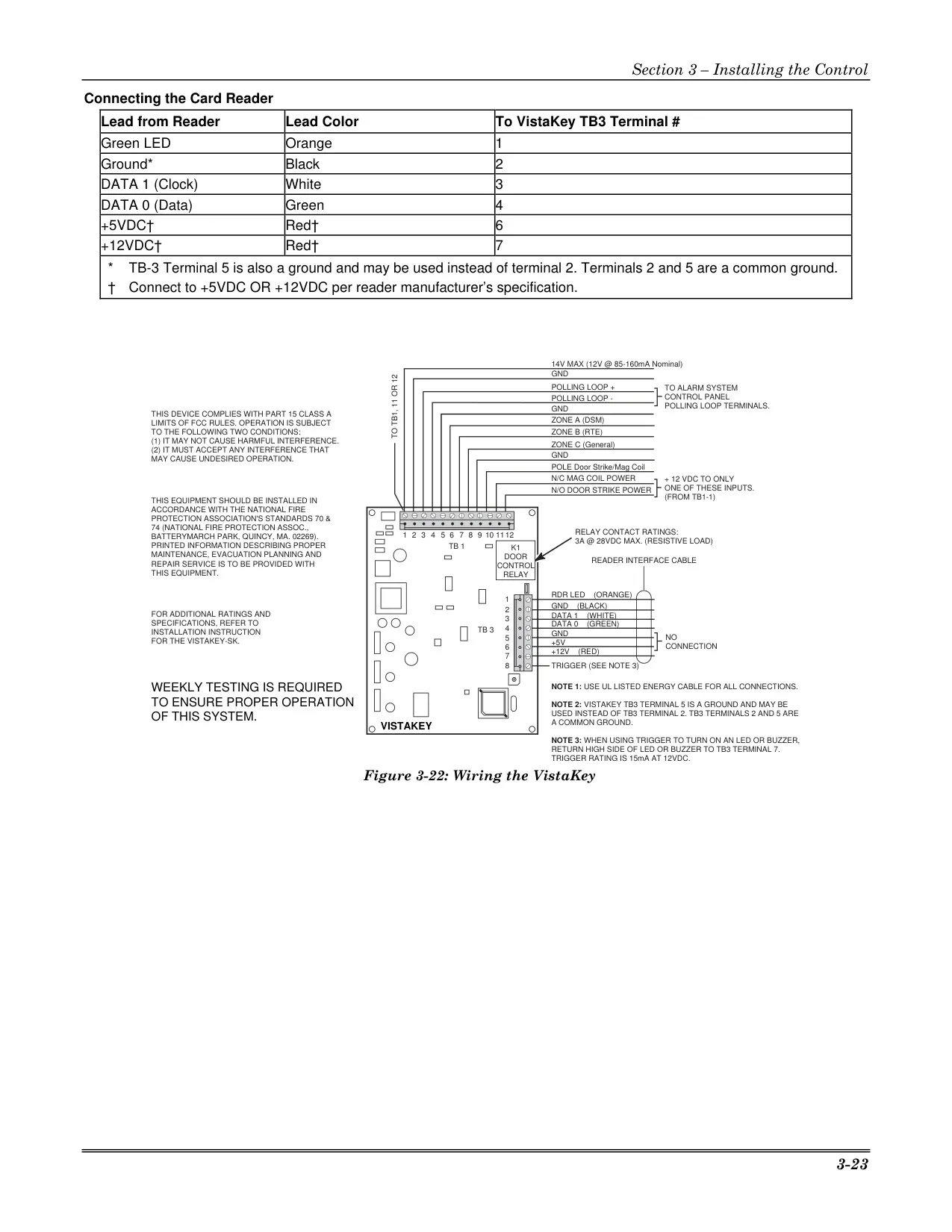
| VistaKey Modules Supported | 15 |
Honeywell Vista 250BPT Details
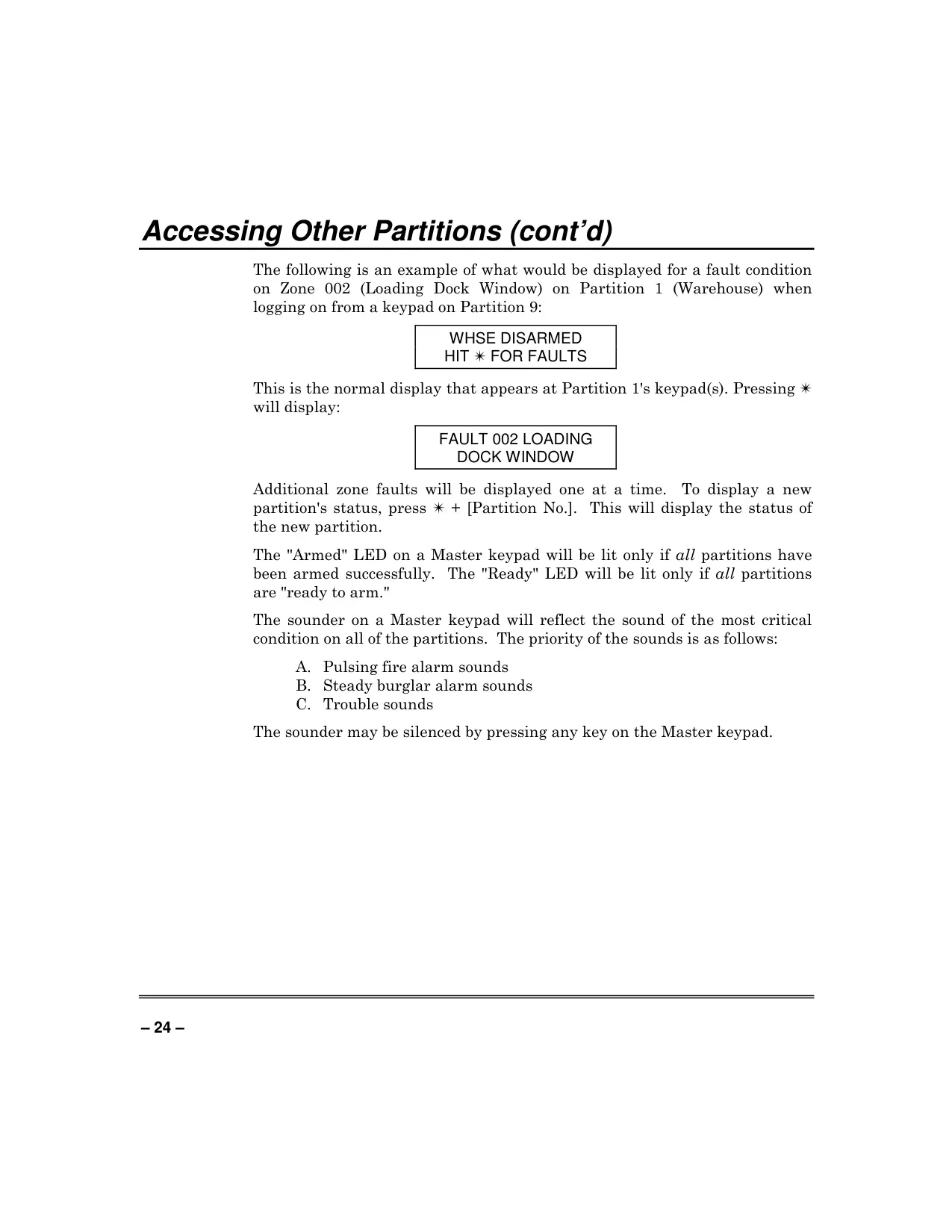
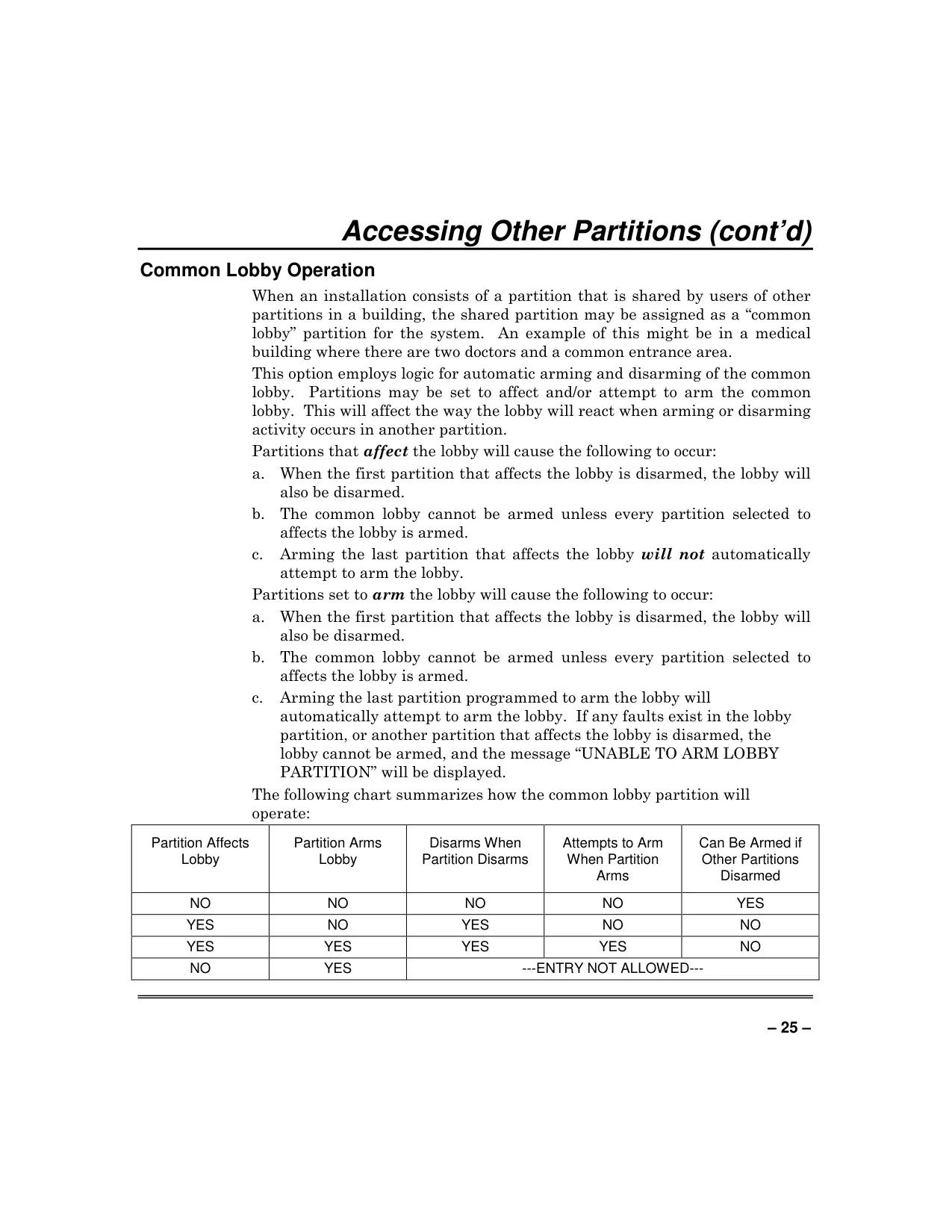
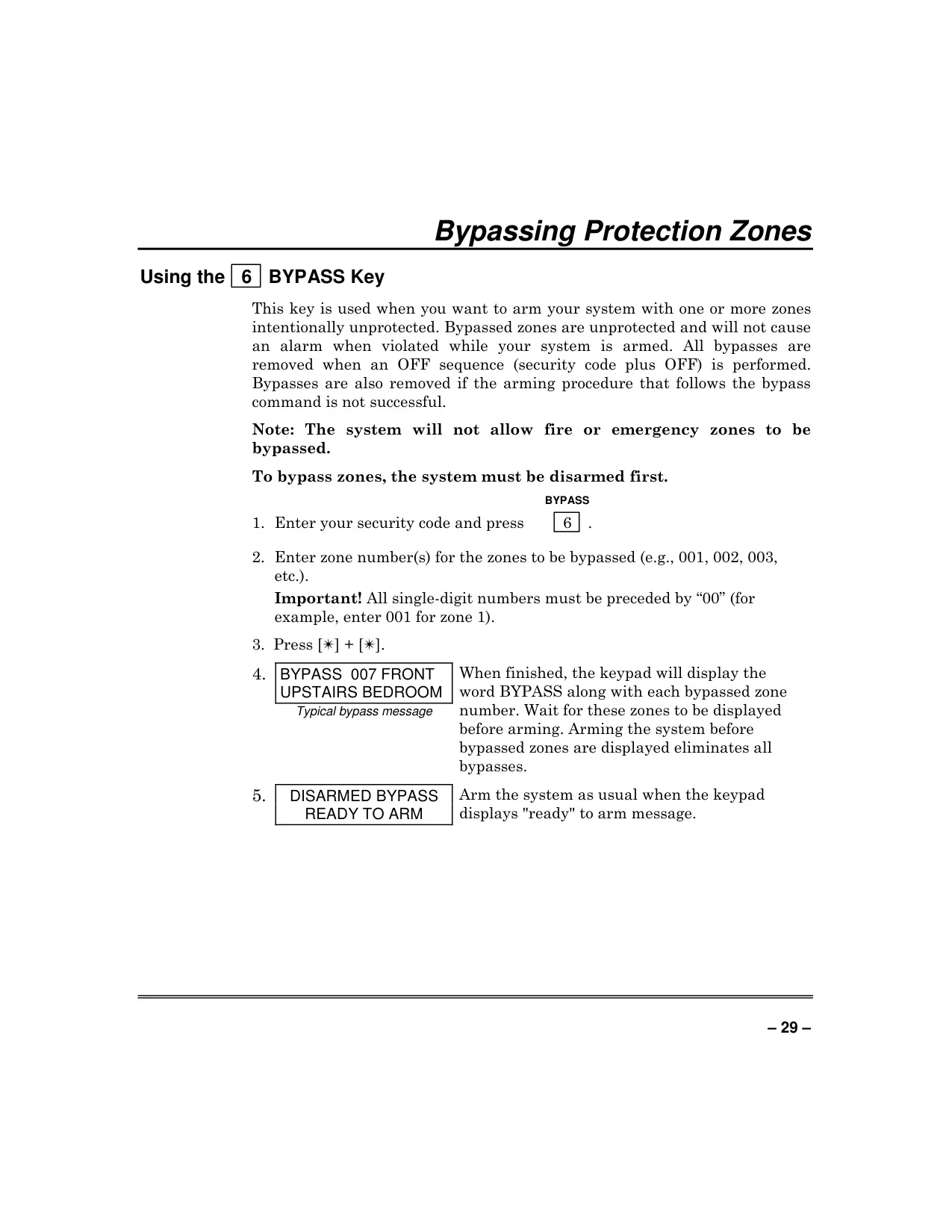
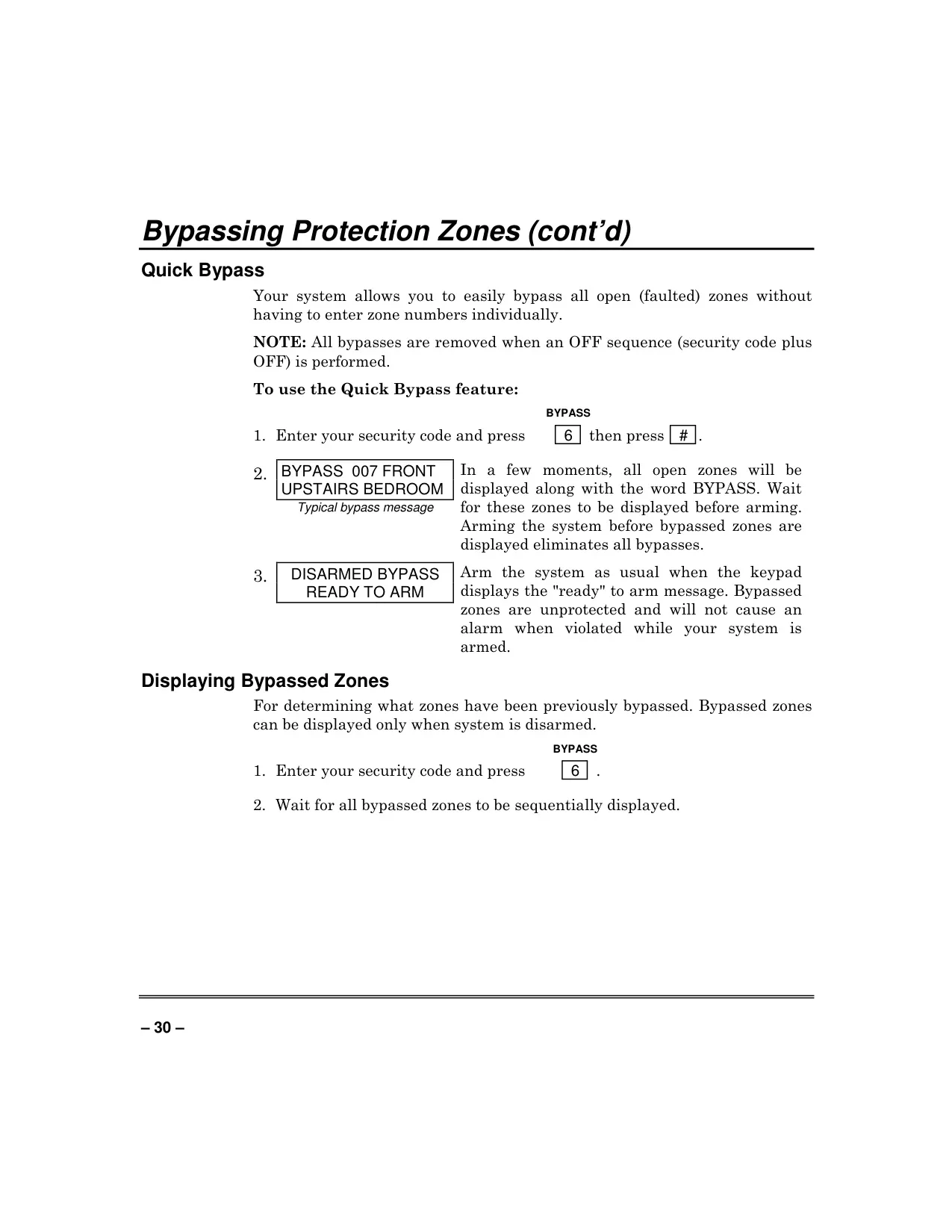
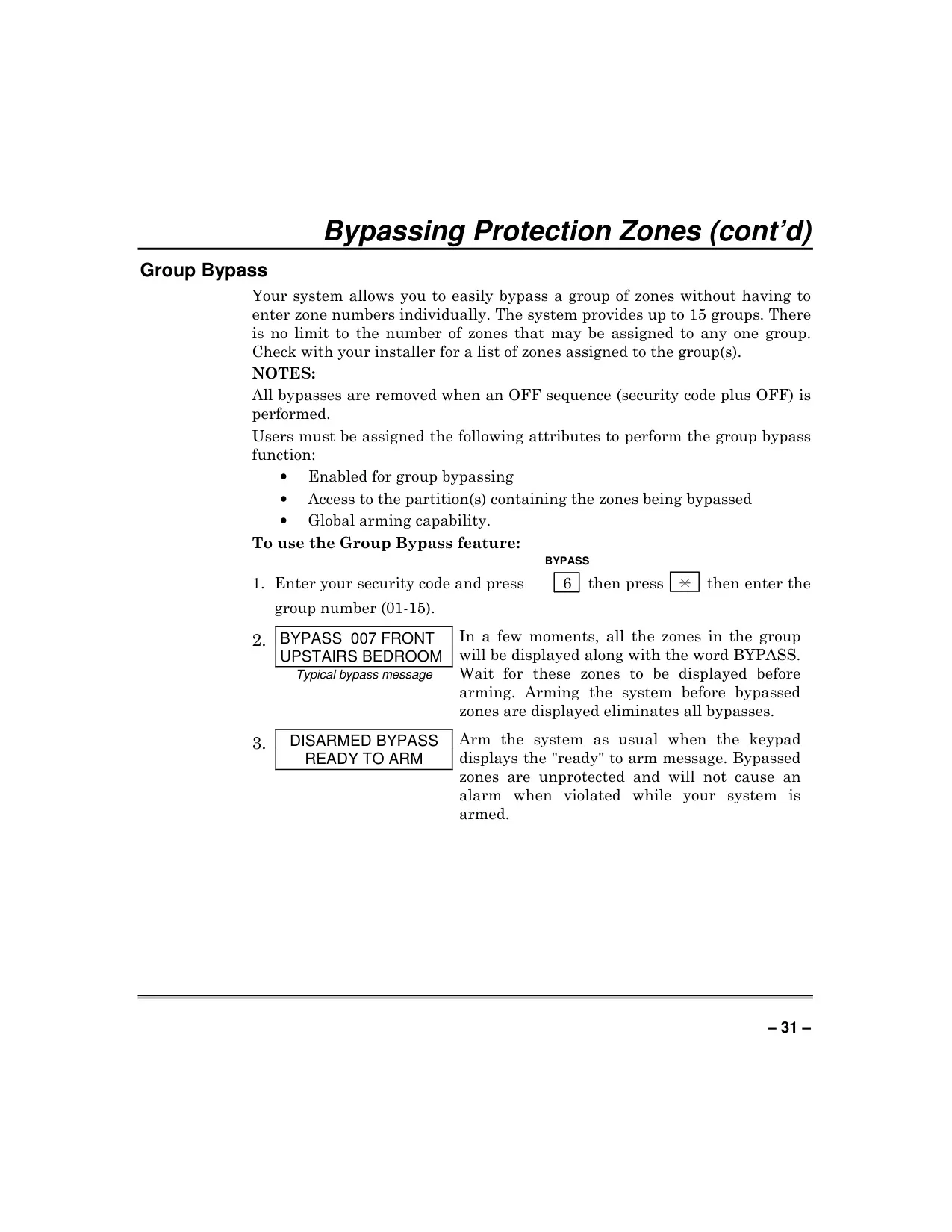
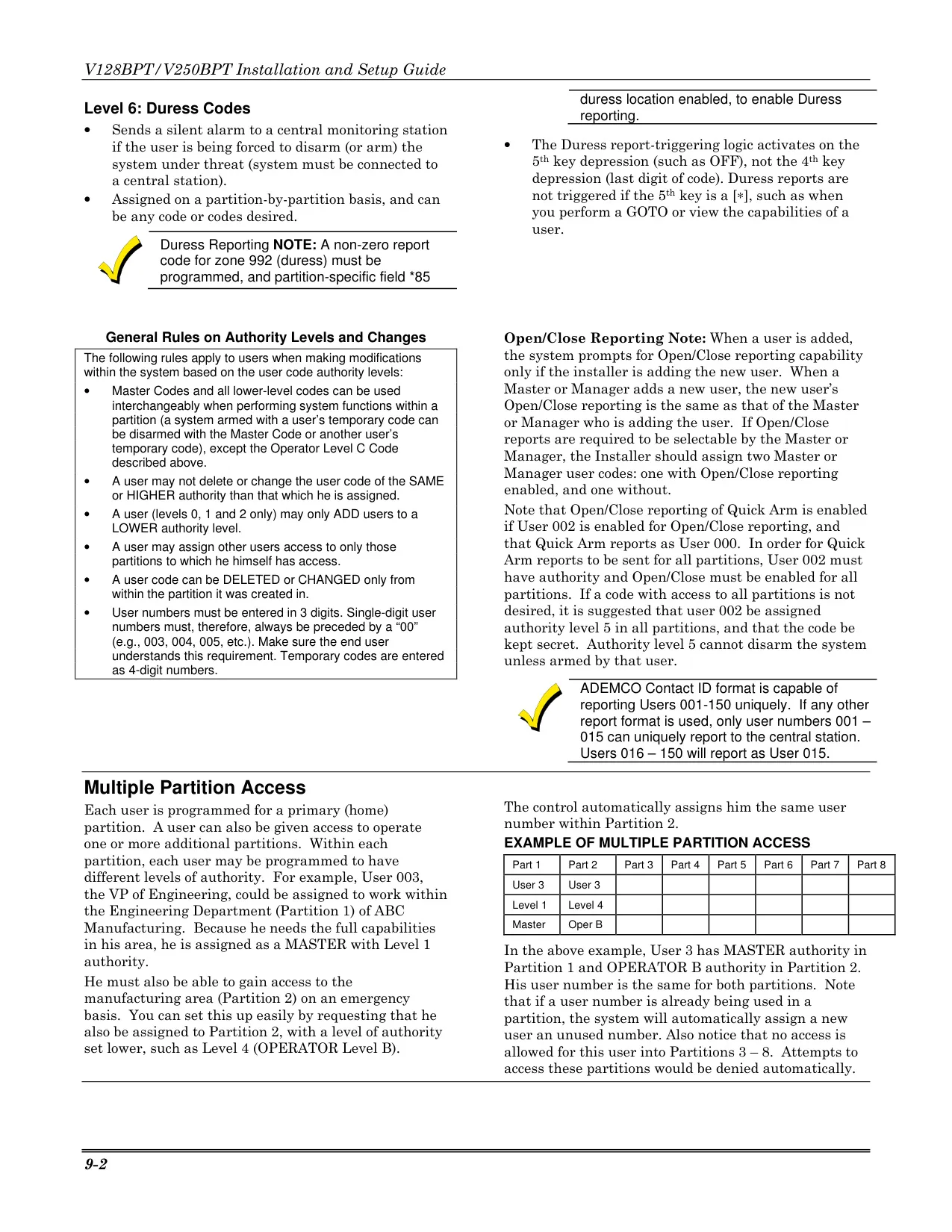
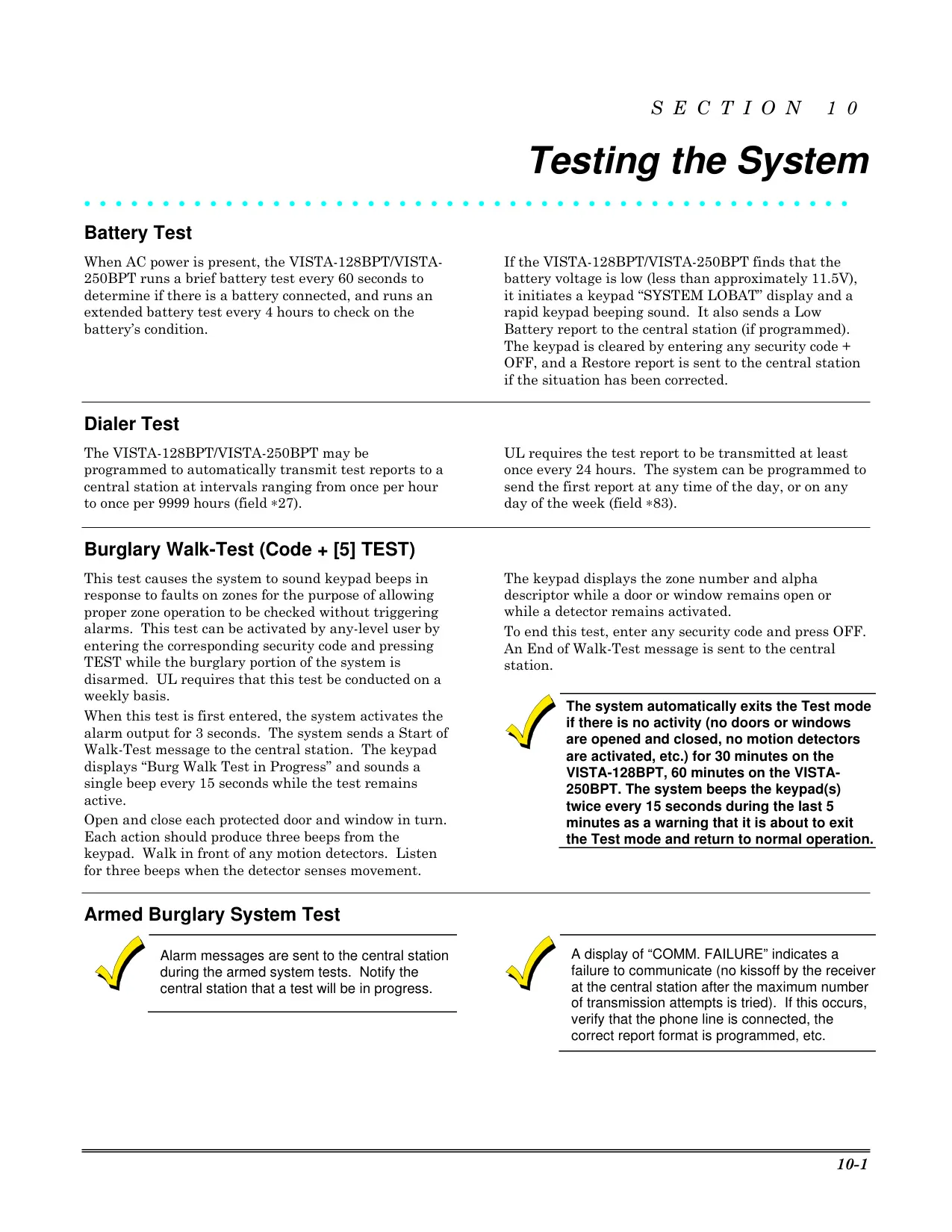
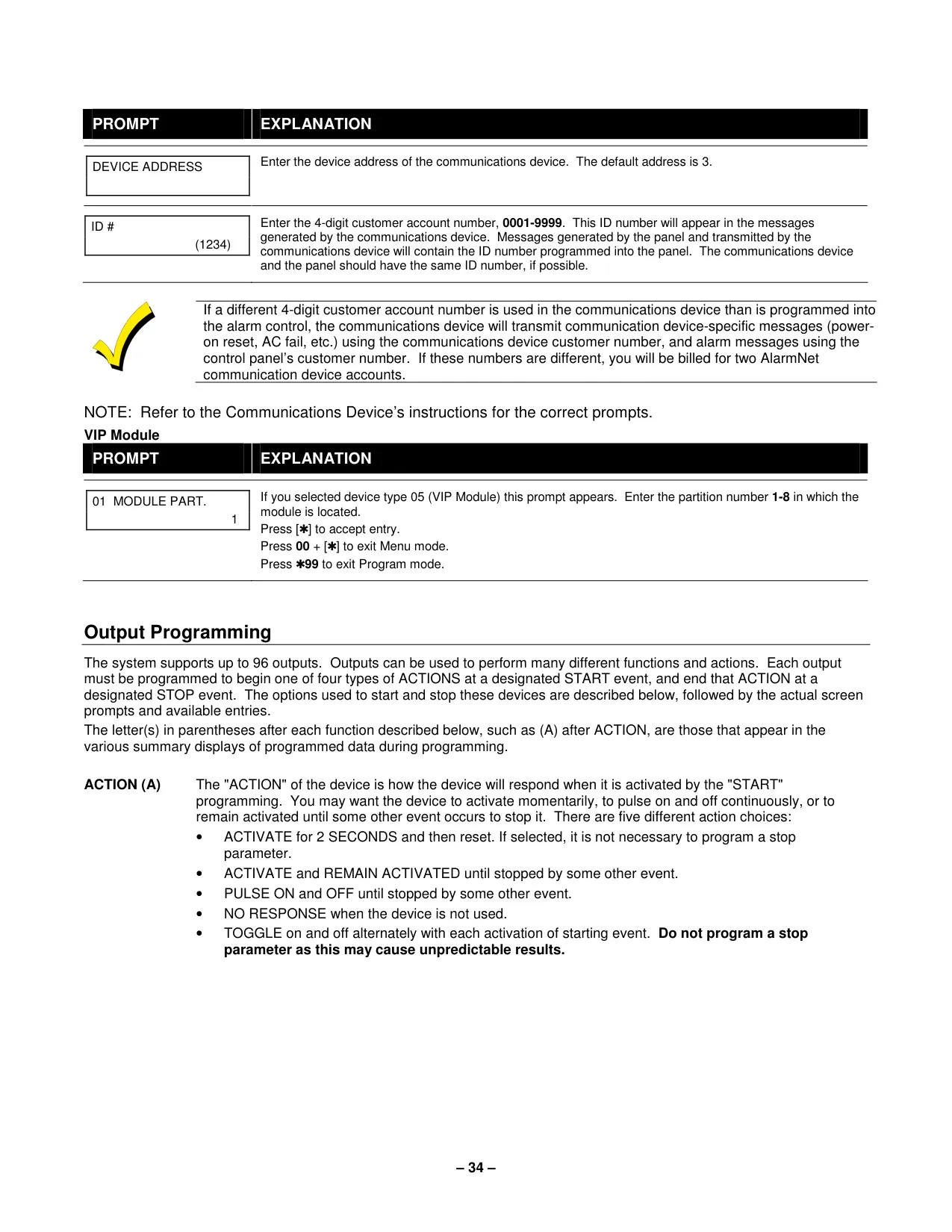
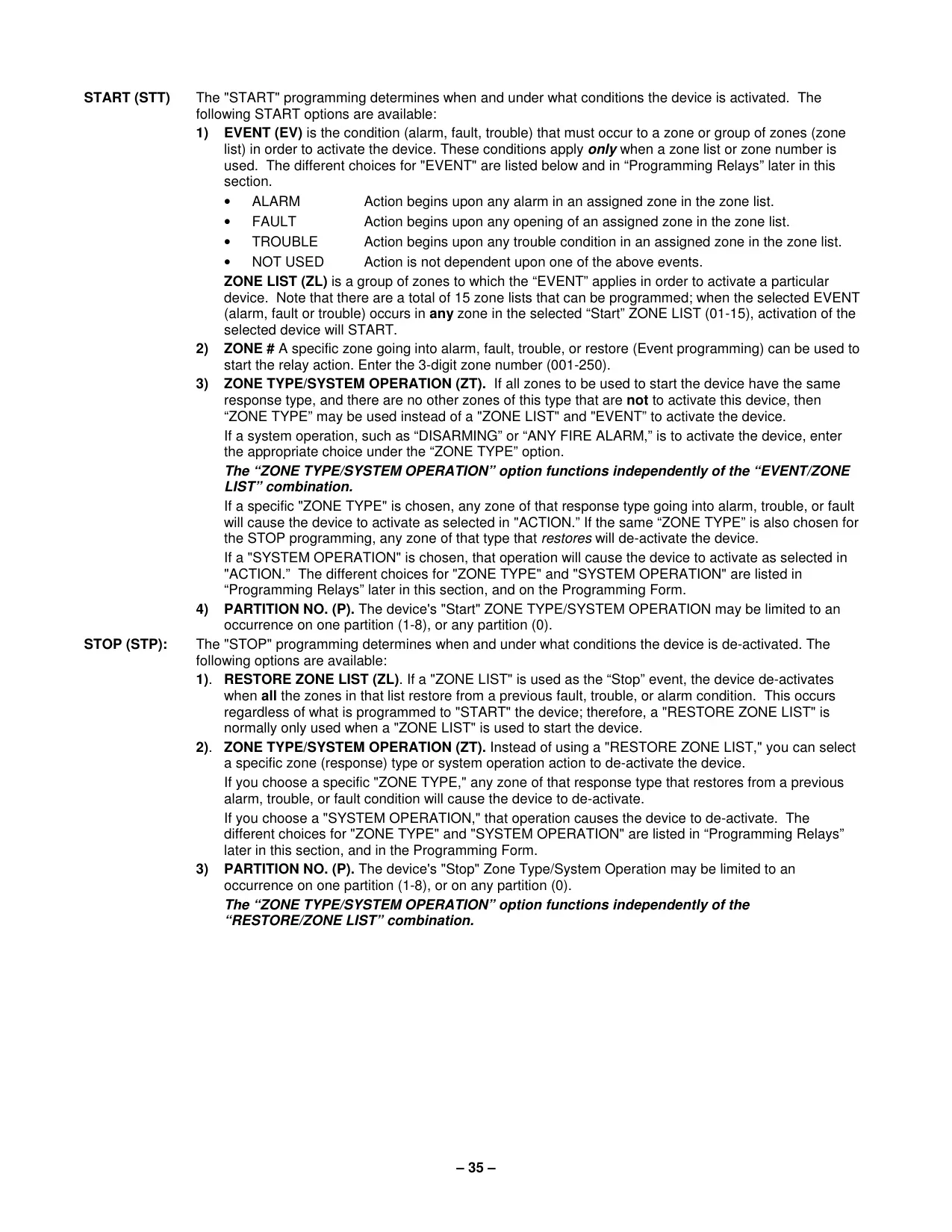
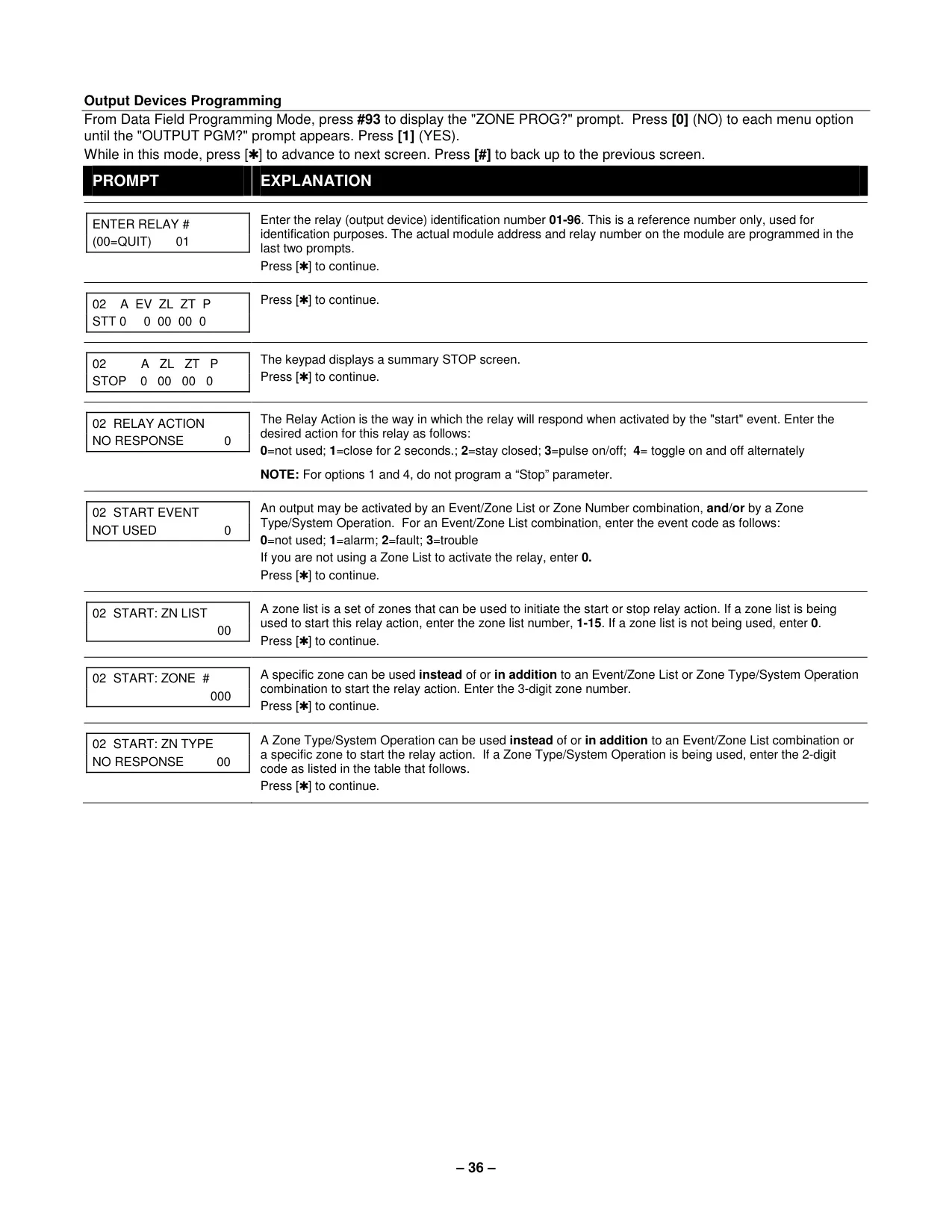
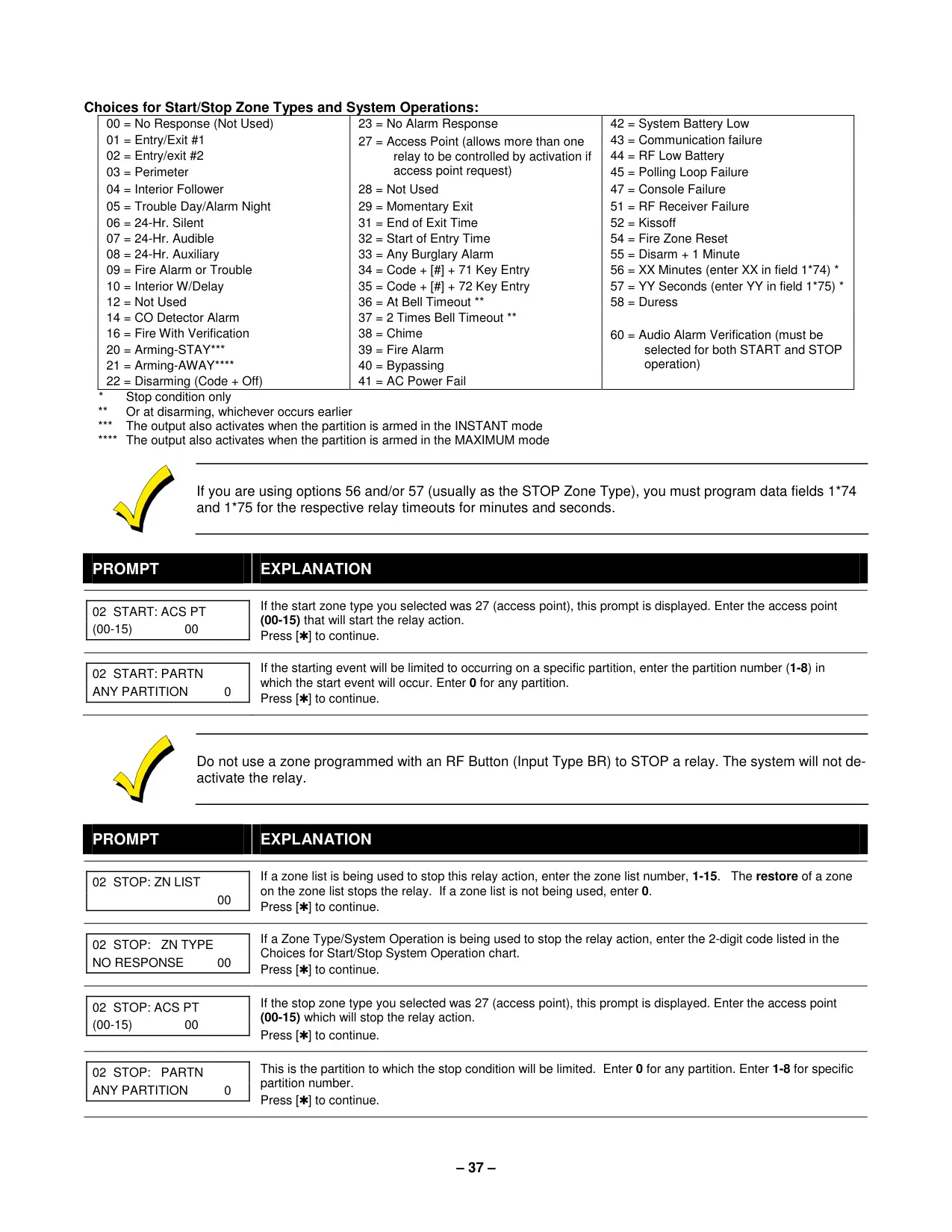
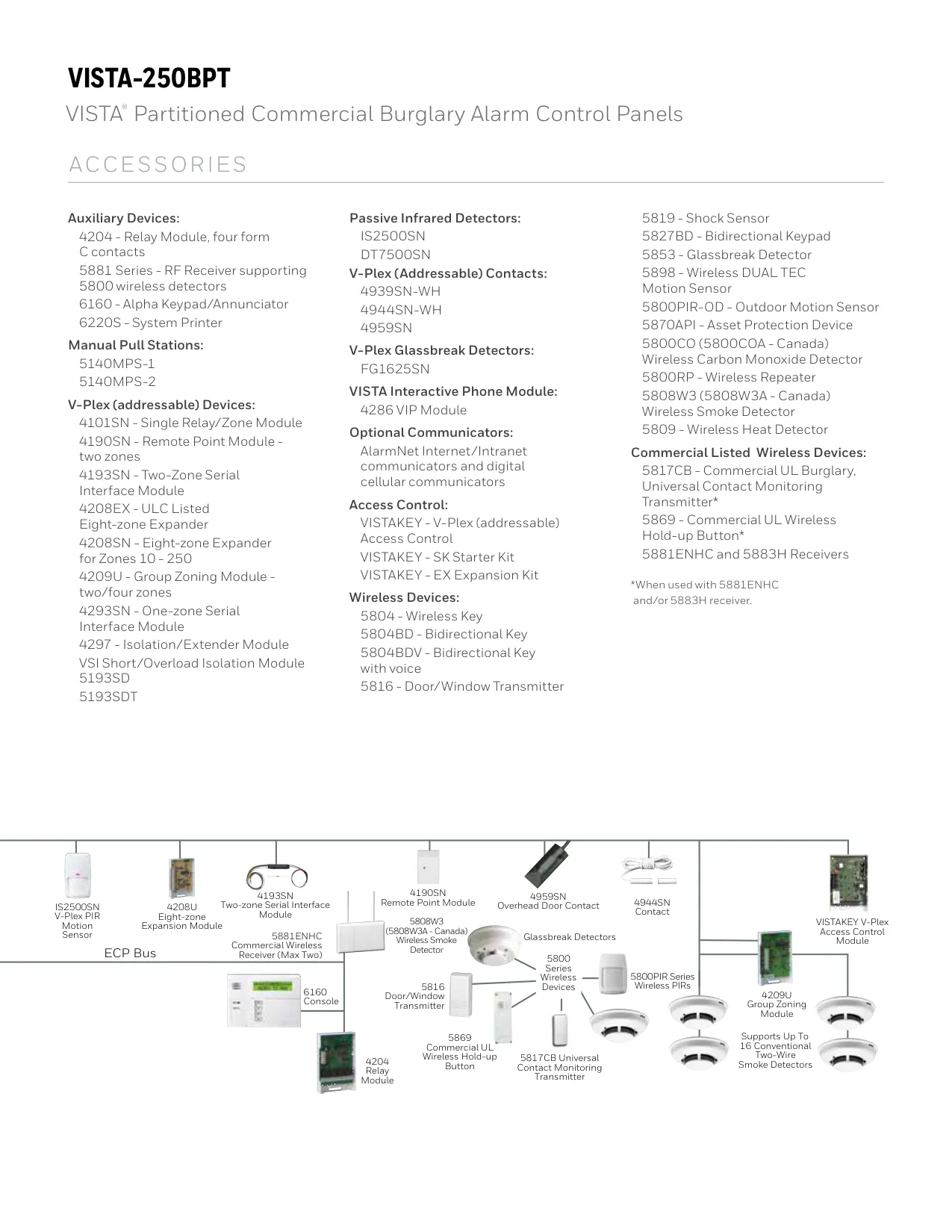
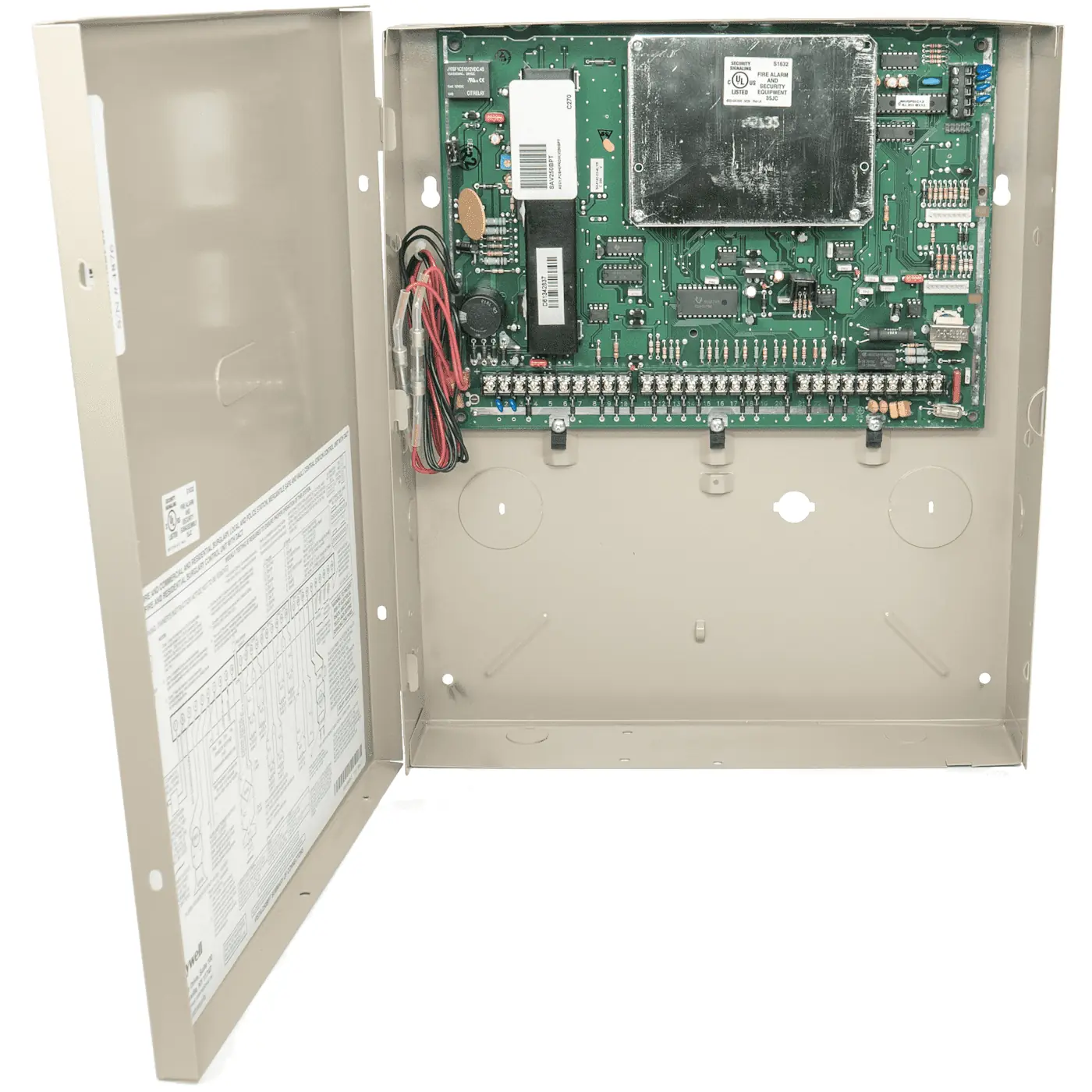
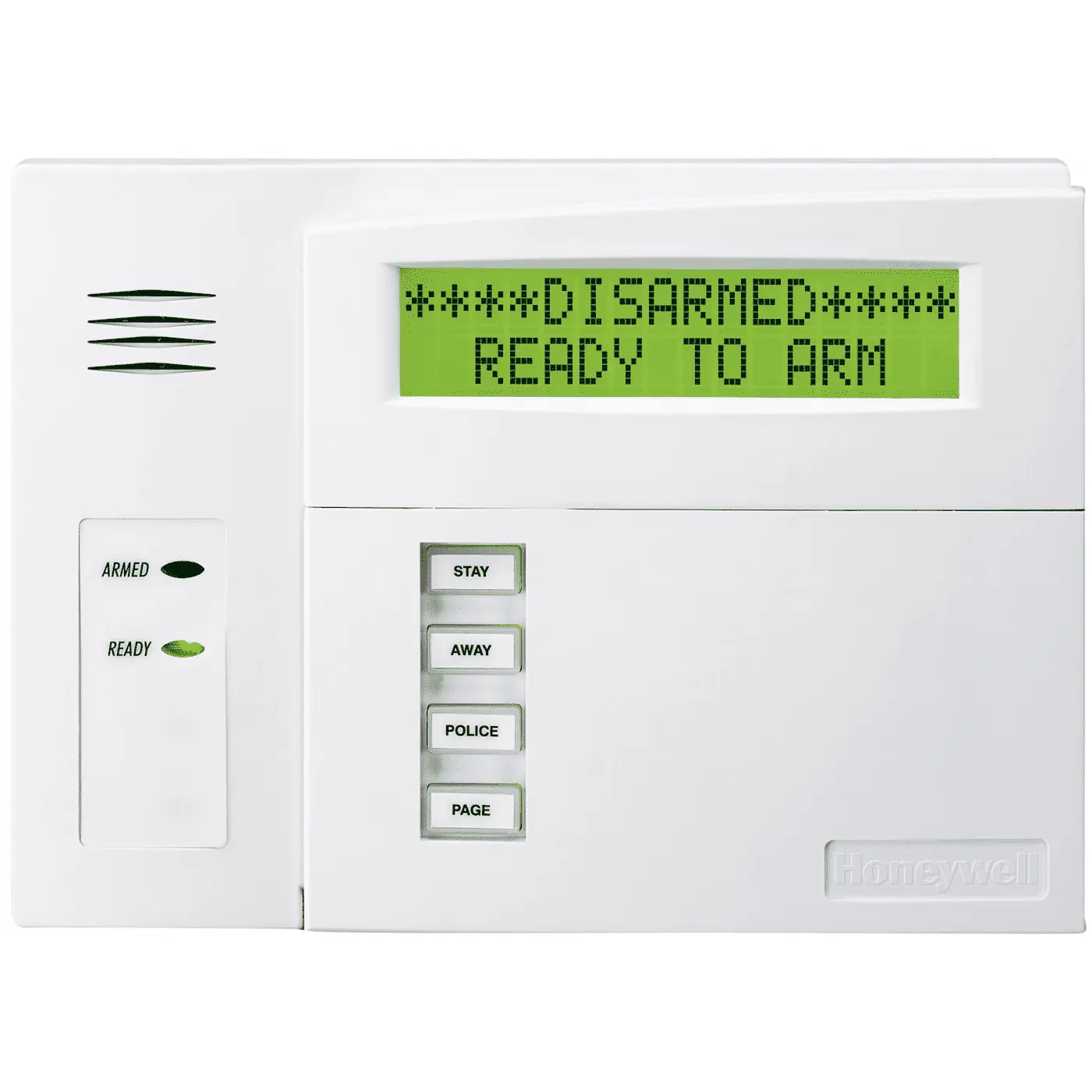
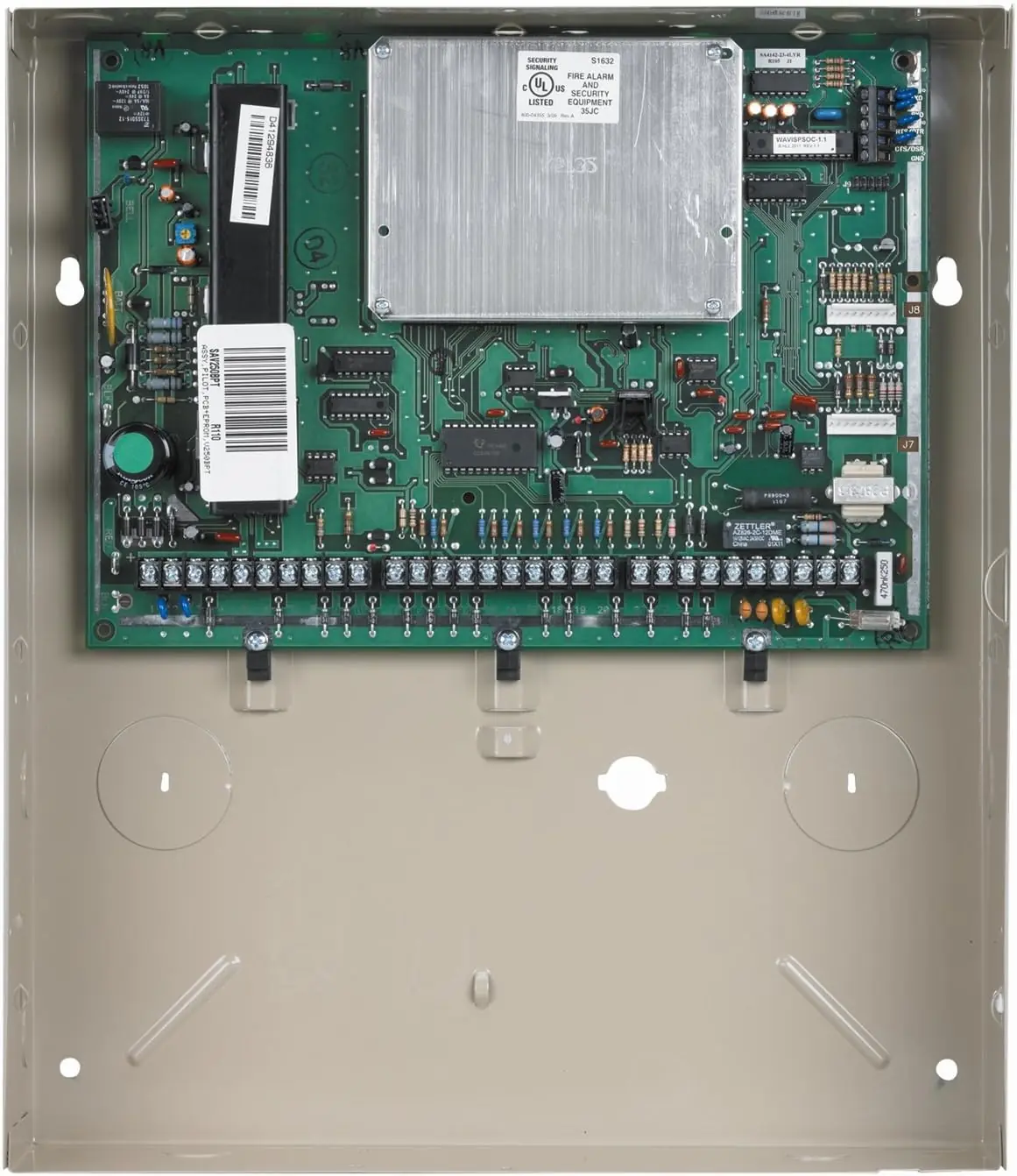
The Honeywell Vista 250BPT is a sophisticated security system, comprising a main control panel, keypads, and various sensors, offering comprehensive burglary, fire, and emergency protection. Leveraging microcomputer technology, it continuously monitors all protection zones and system status, displaying relevant information and initiating alarms. A core feature is its partitioned system design, allowing a single physical alarm setup to be shared among multiple users with distinct requirements. Keypads, while assigned to a default partition, can access others via the GOTO command, providing flexible management. The system also supports automatic transmission of alarm and status messages to a central monitoring station.
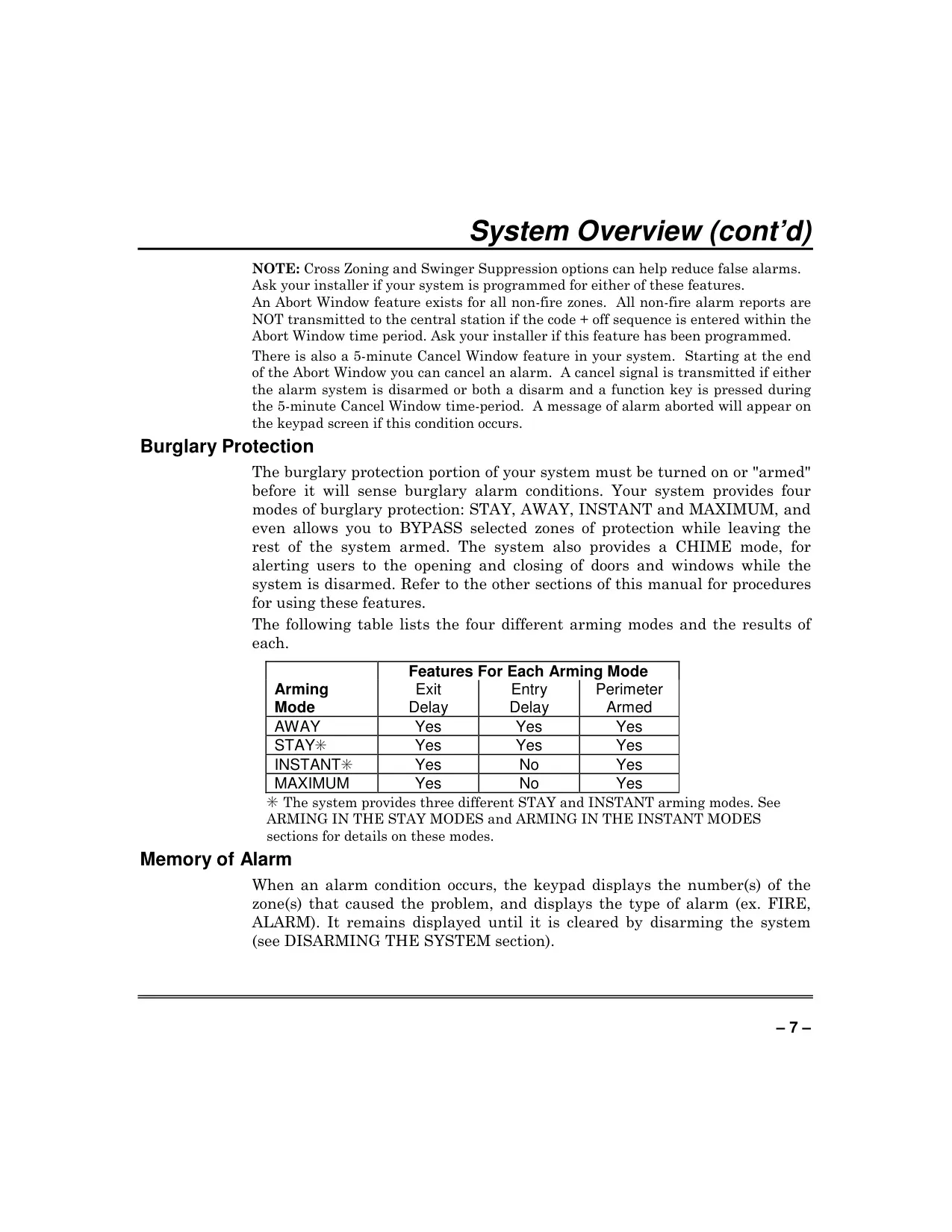
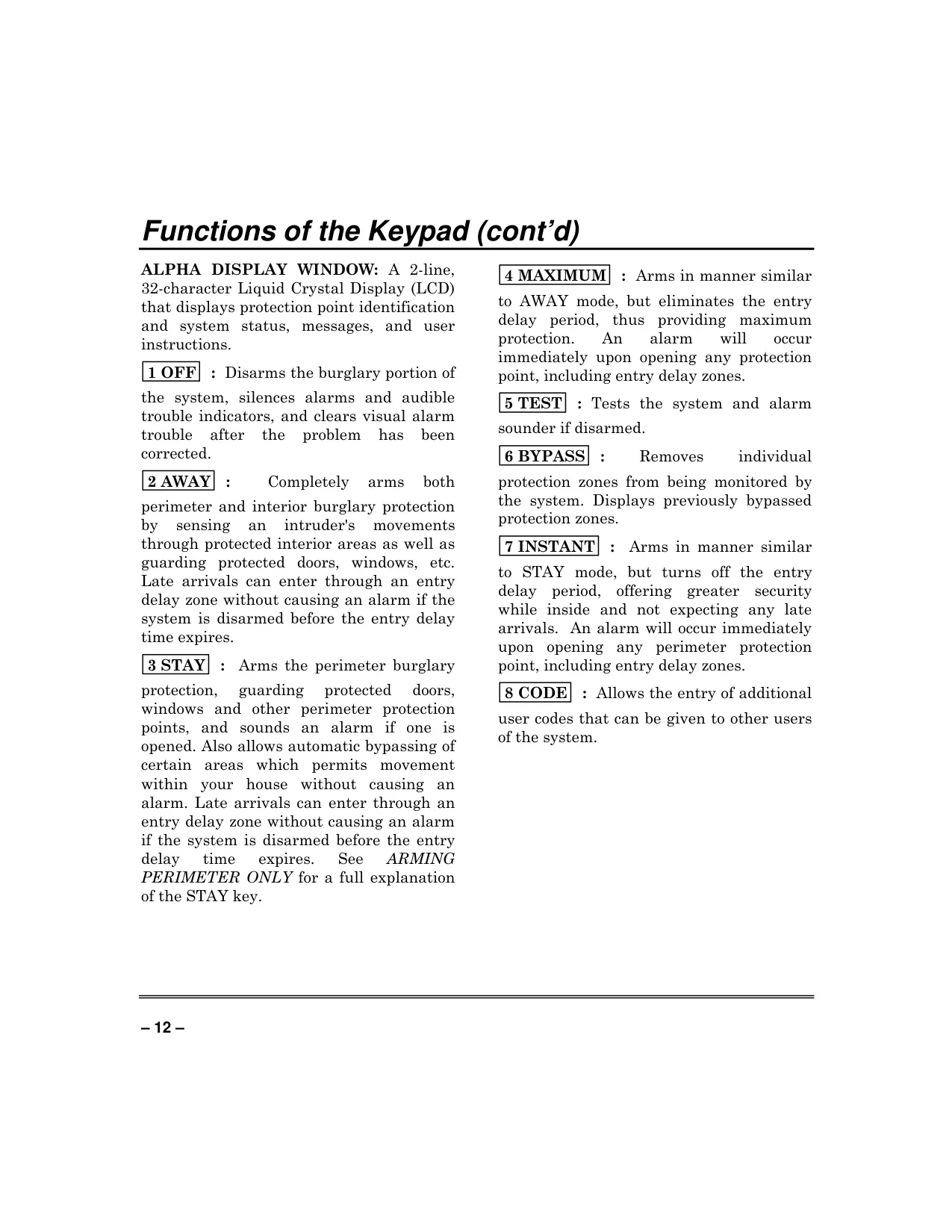
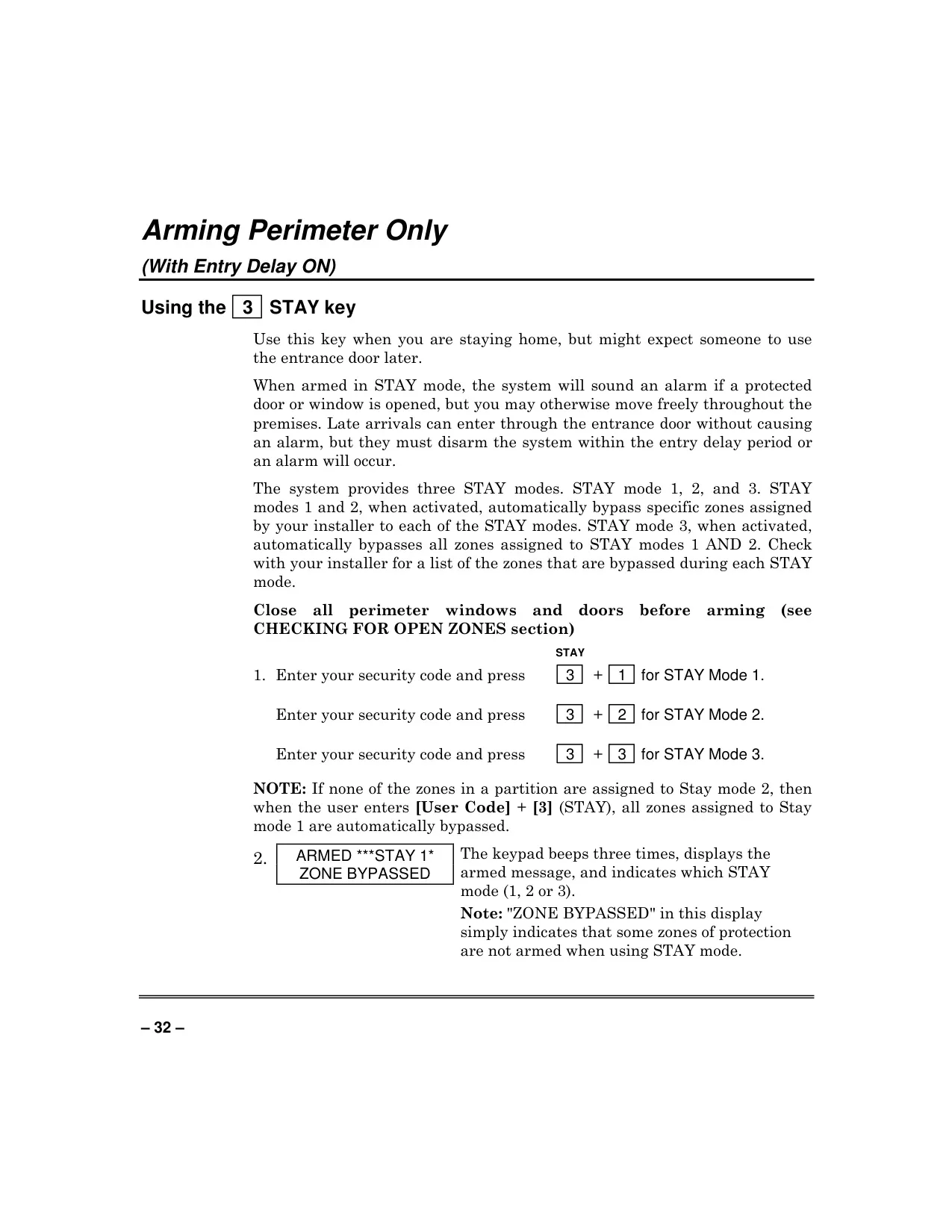
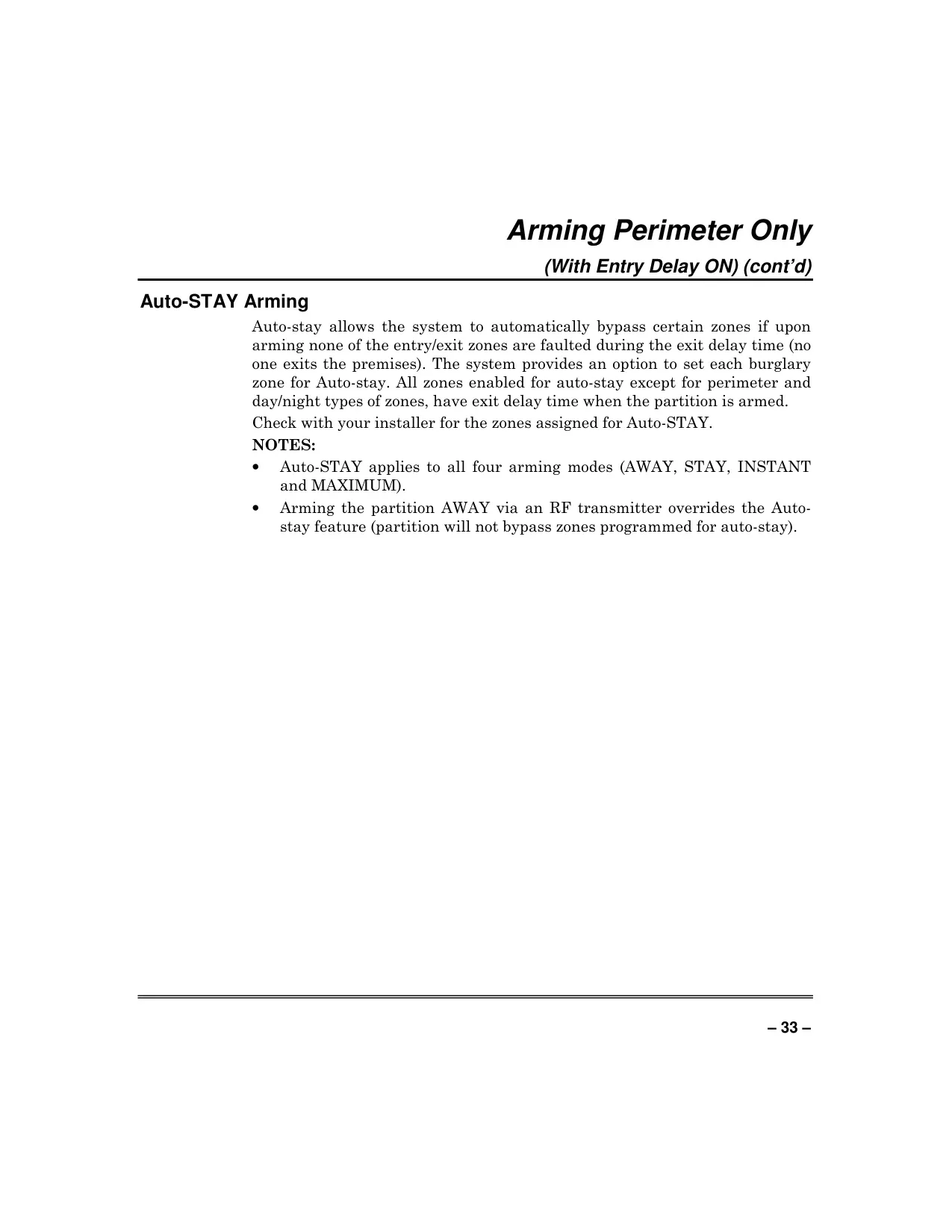
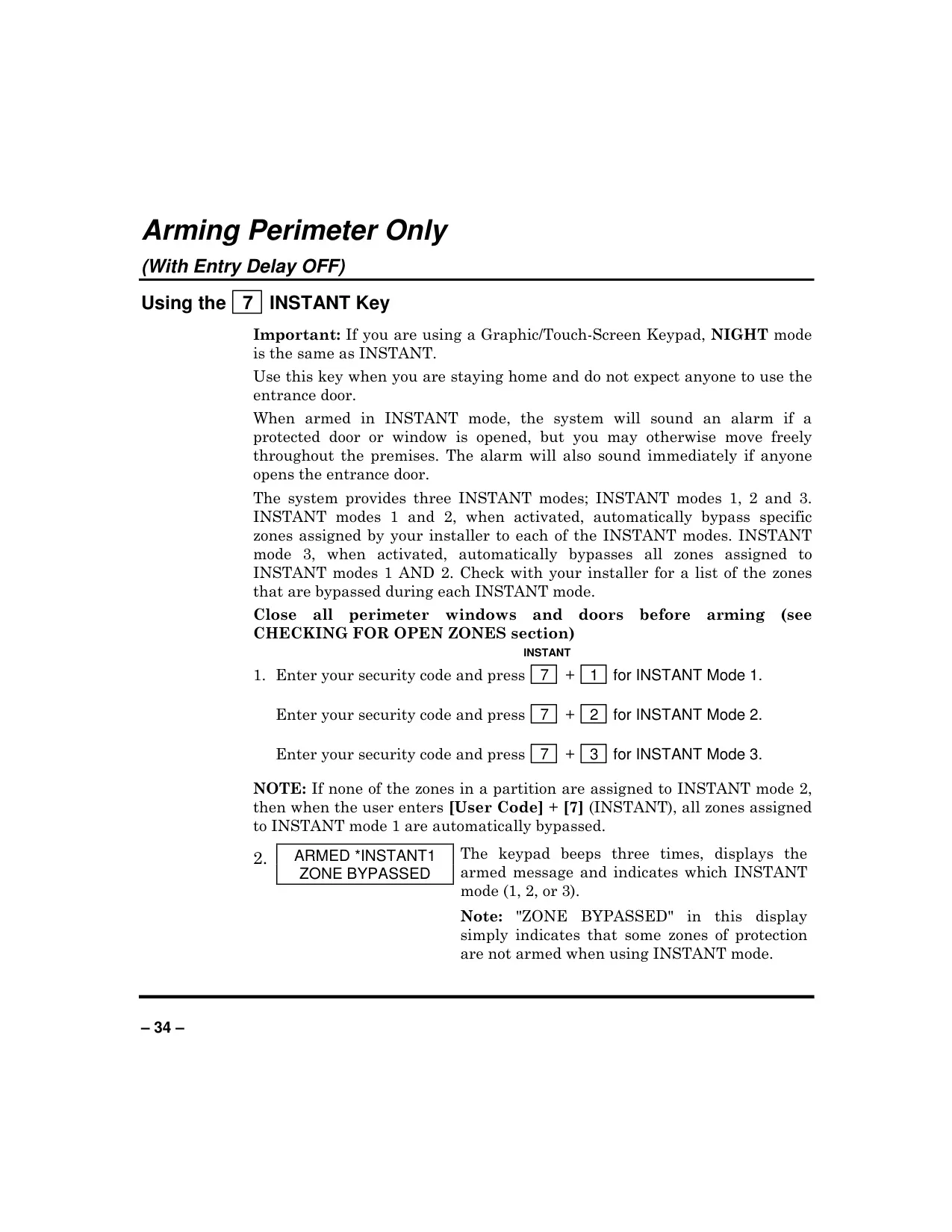
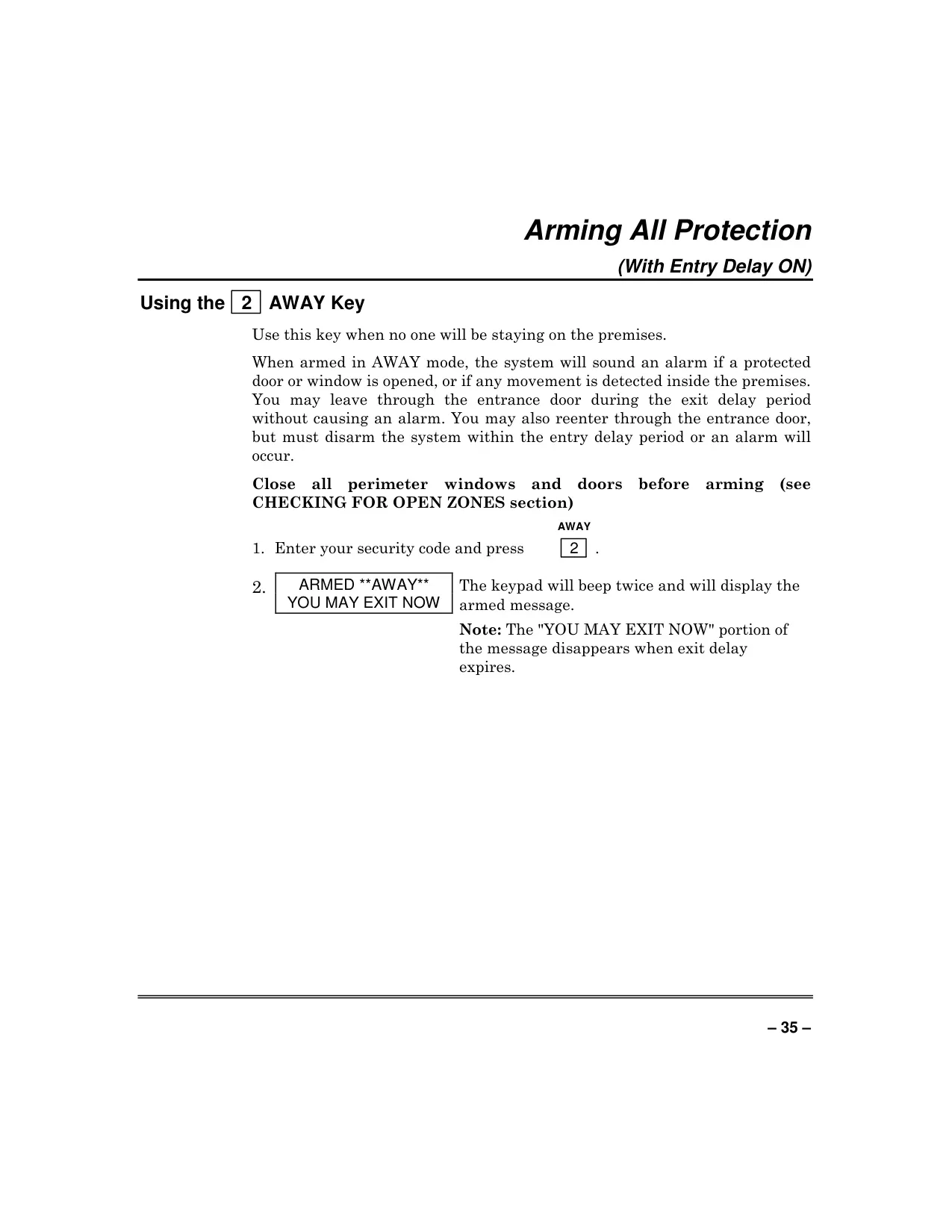
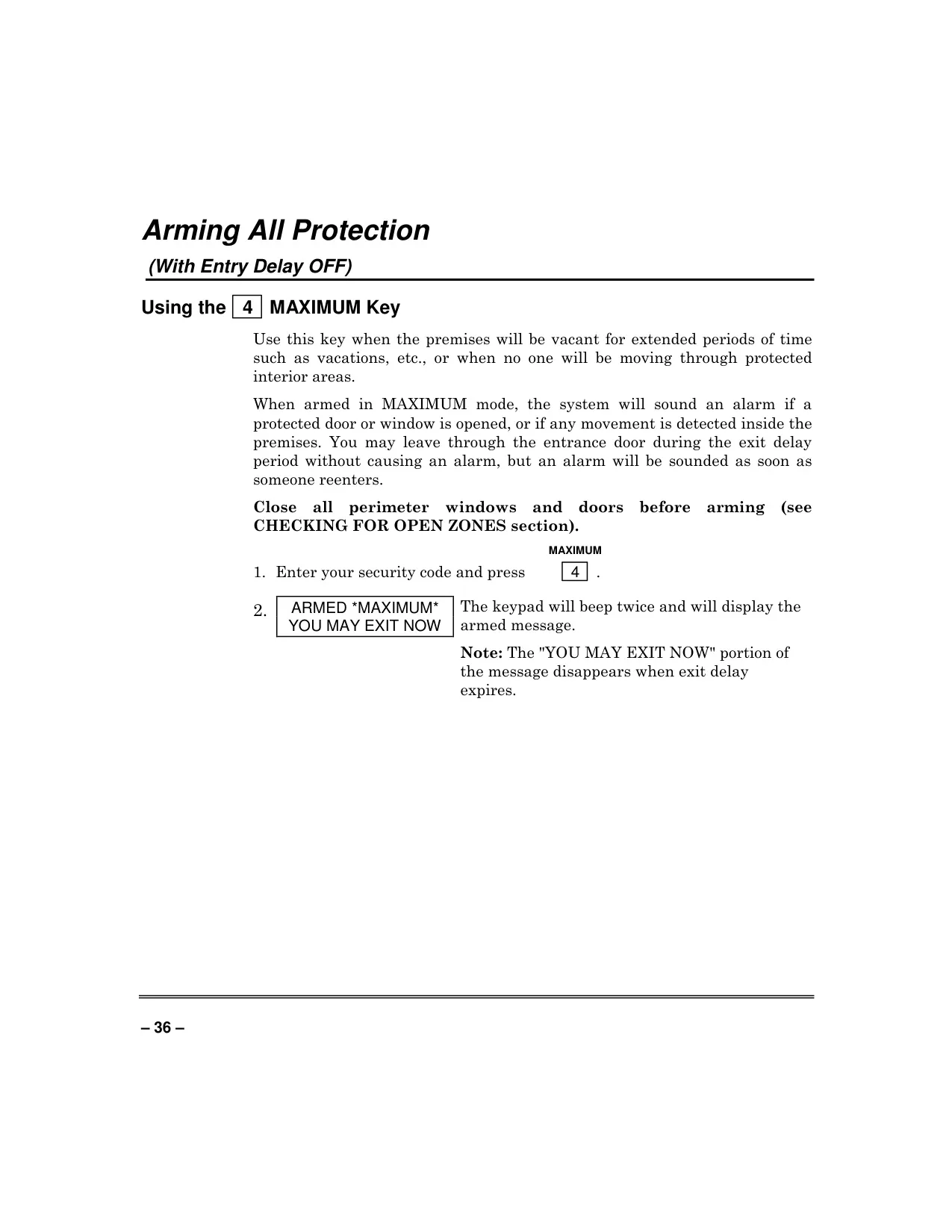
Beyond its robust partitioning, the system offers diverse protection modes. Burglary protection, which must be actively "armed," includes STAY, AWAY, INSTANT, and MAXIMUM settings, each tailored for different occupancy scenarios, with options for bypassing specific zones. For example, STAY mode arms the perimeter while allowing free movement indoors. Carbon Monoxide protection is available via dedicated 5800CO detectors, offering crucial safety against this invisible threat. The system also includes a CHIME mode that audibly alerts users when disarmed if a protected door or window is opened, and features an important Memory of Alarm function, retaining alarm event details until cleared.
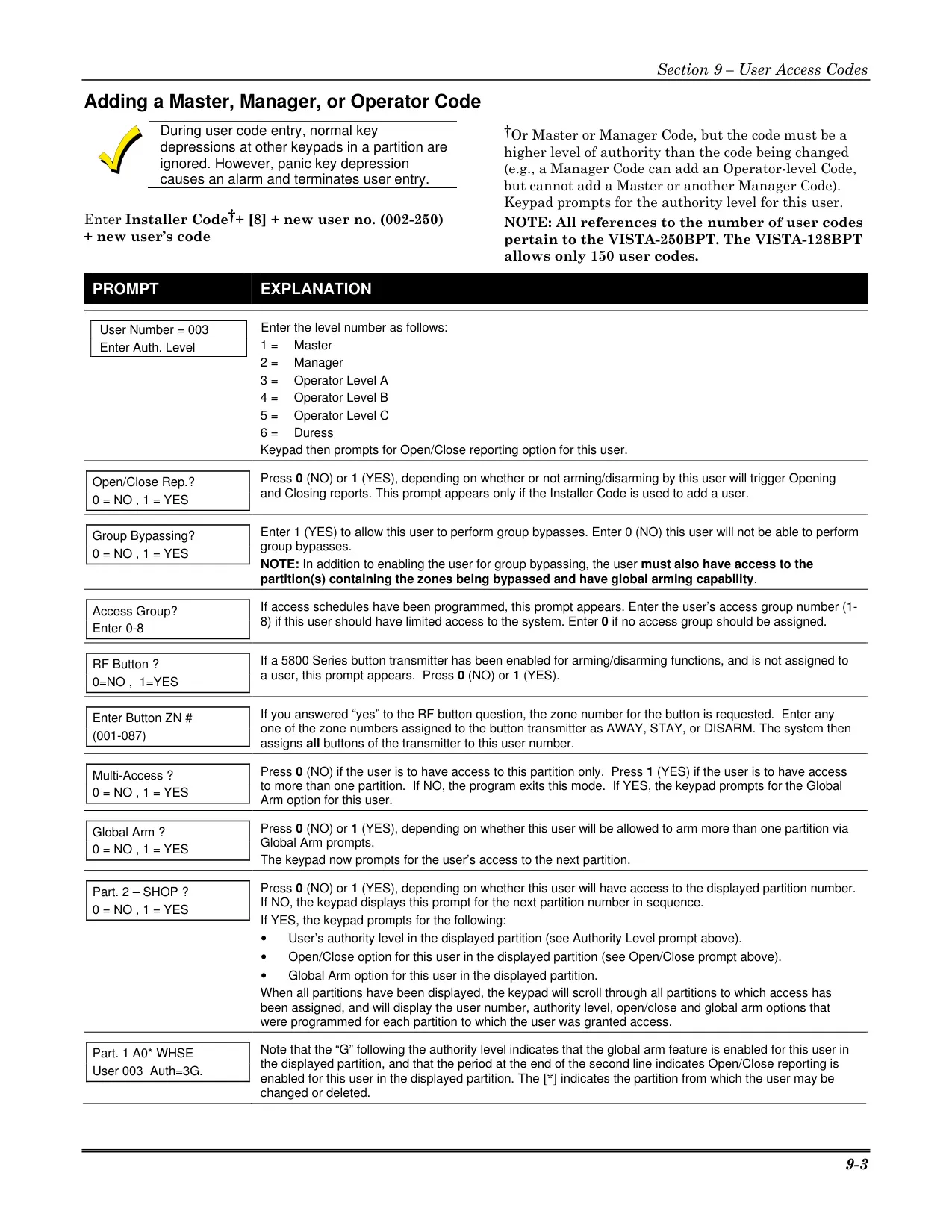
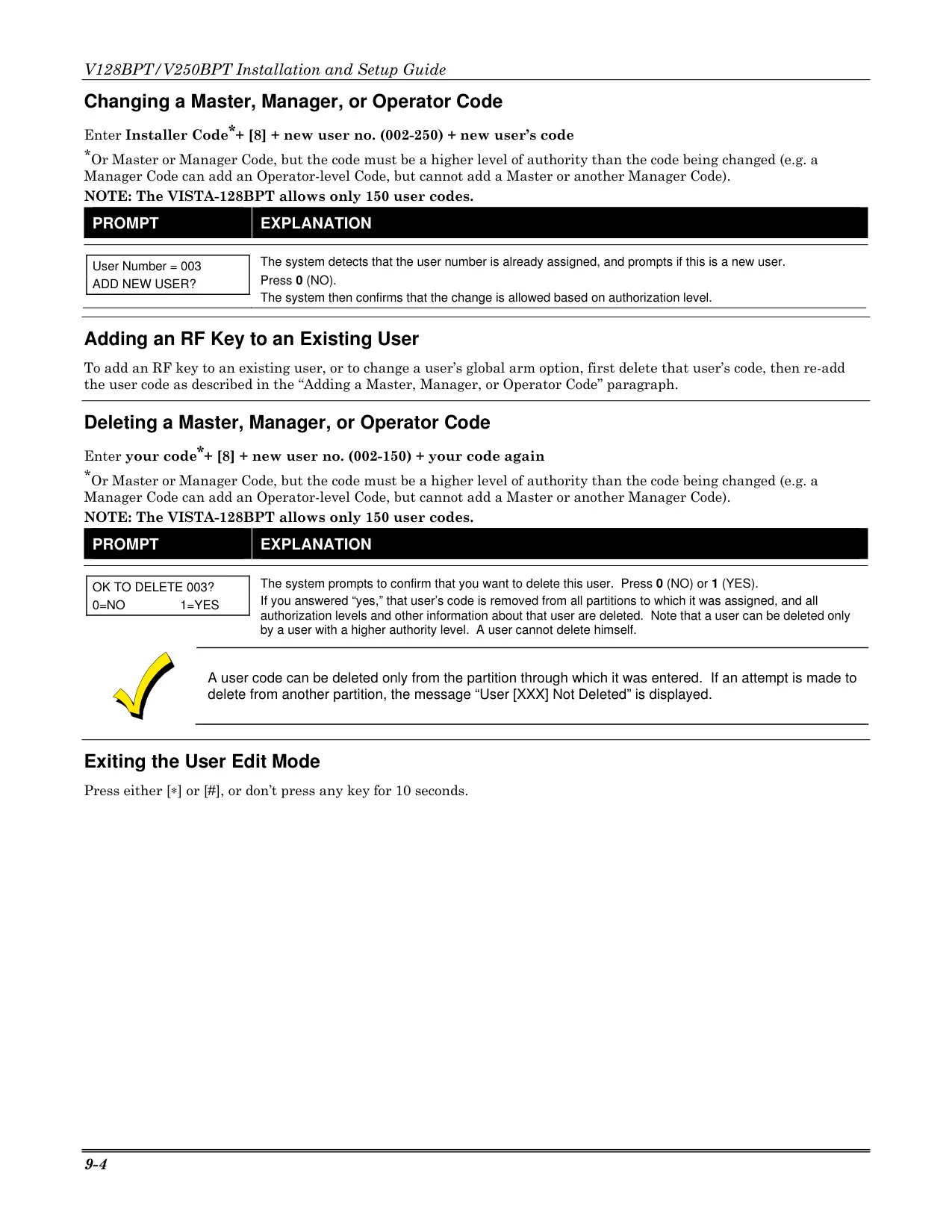
User management is highly granular, featuring distinct authority levels (Master, Manager, Operator A/B/C, Duress) that define permissible system functions. The system supports Quick Arming using a dedicated [#] key for convenience, though disarming always requires a security code. A unique Duress Code provides a silent panic alert to the central station if an individual is forced to operate the system under threat. Furthermore, the Installer Code Lockout enhances security by limiting an installer's programming access to a 24-hour window, requiring Master user authorization for extensions, ensuring tight control over system configuration.
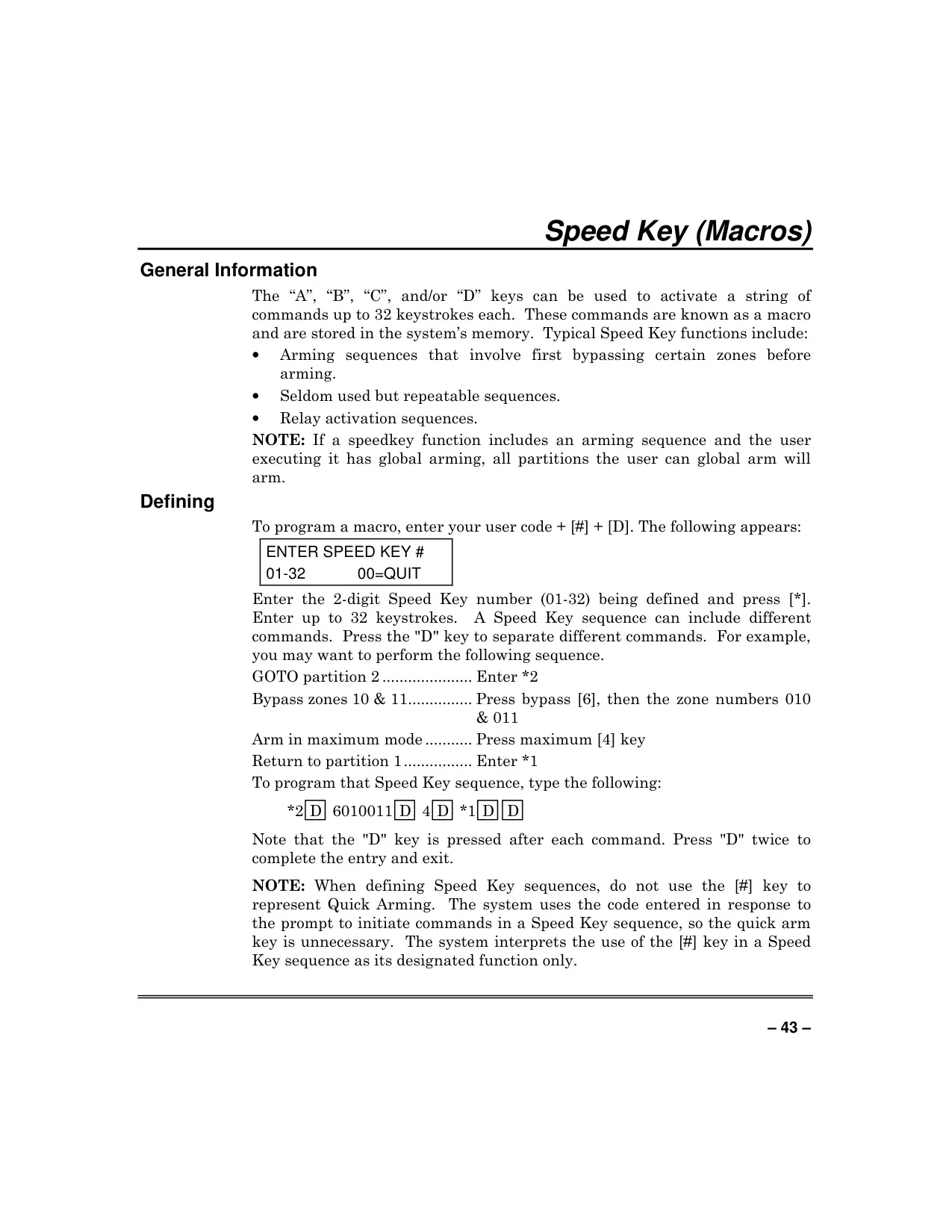
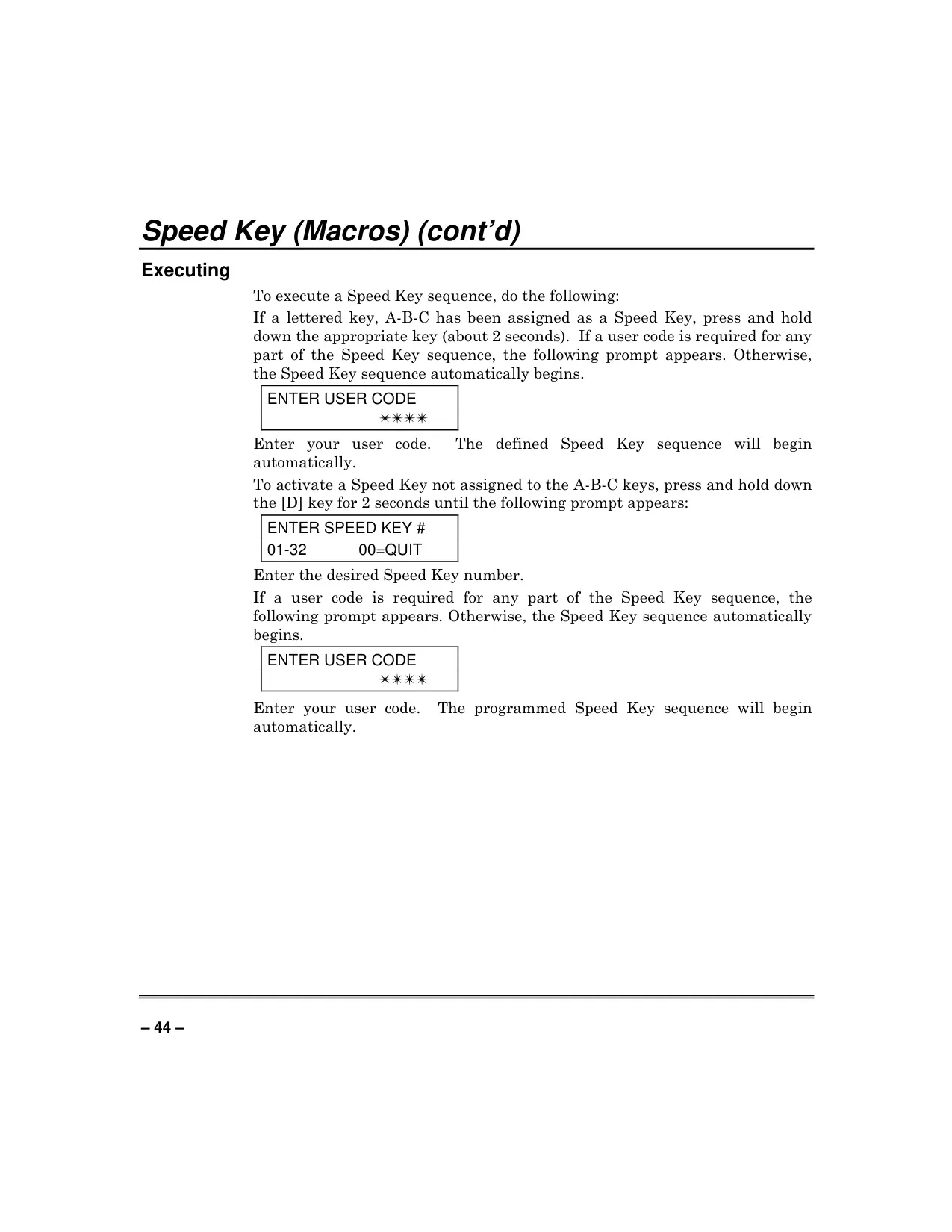
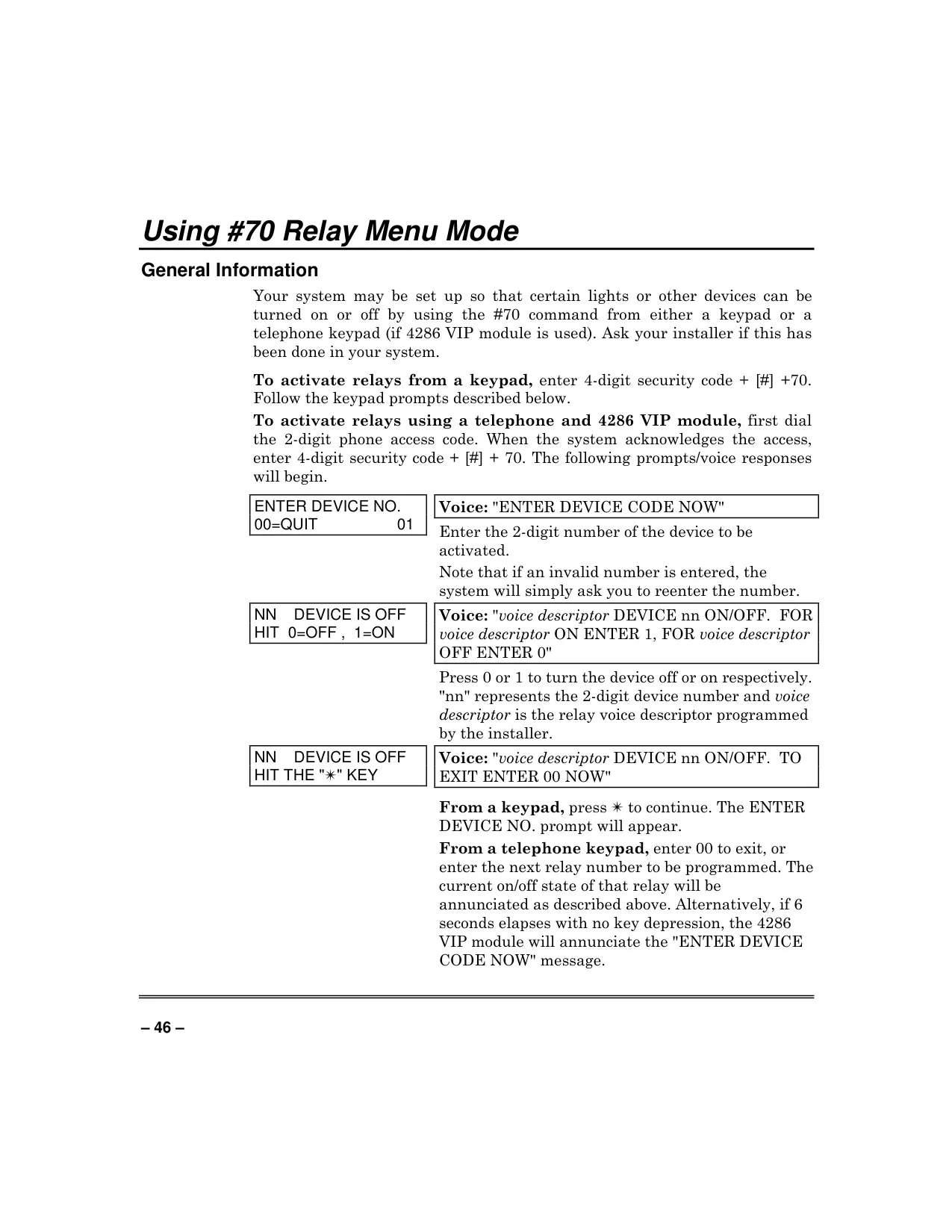
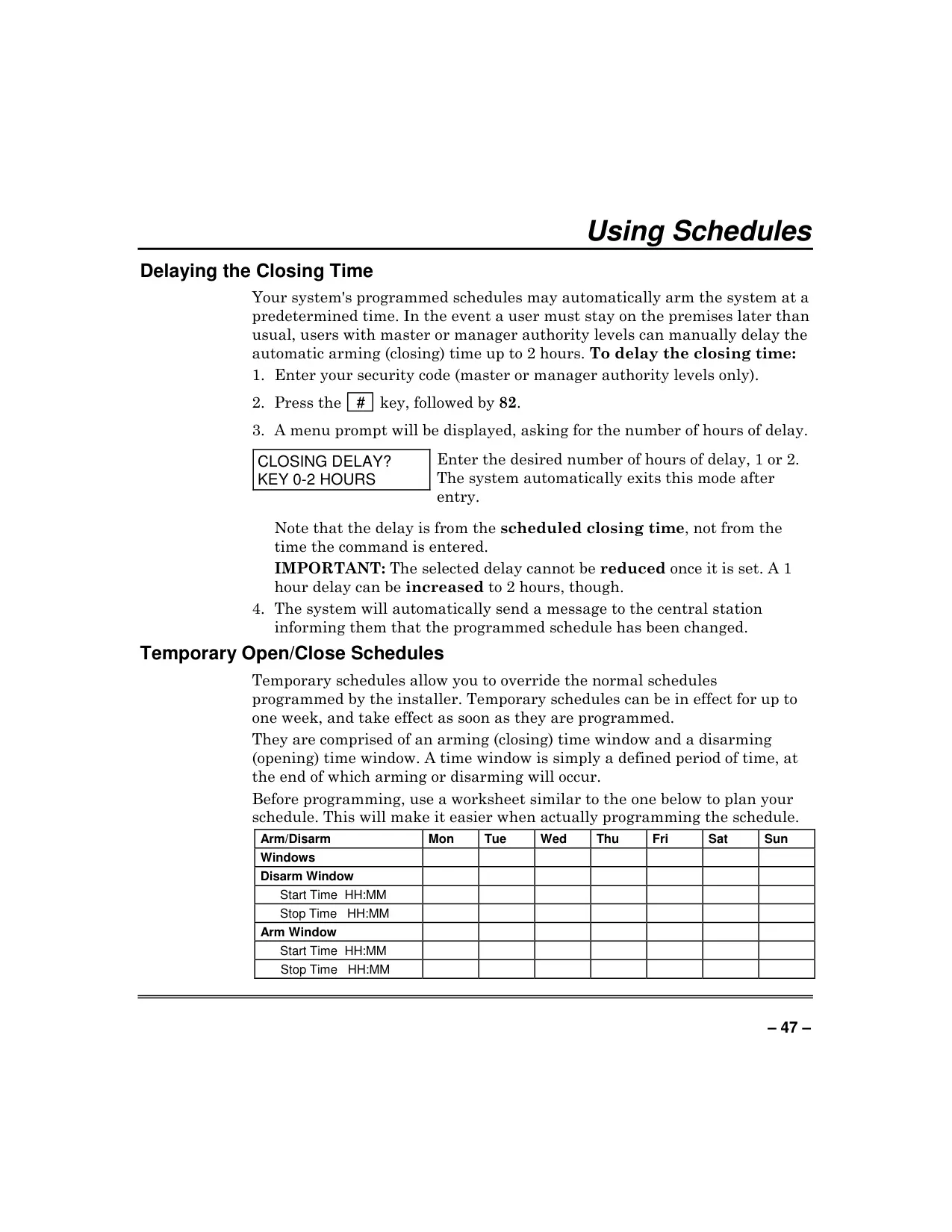
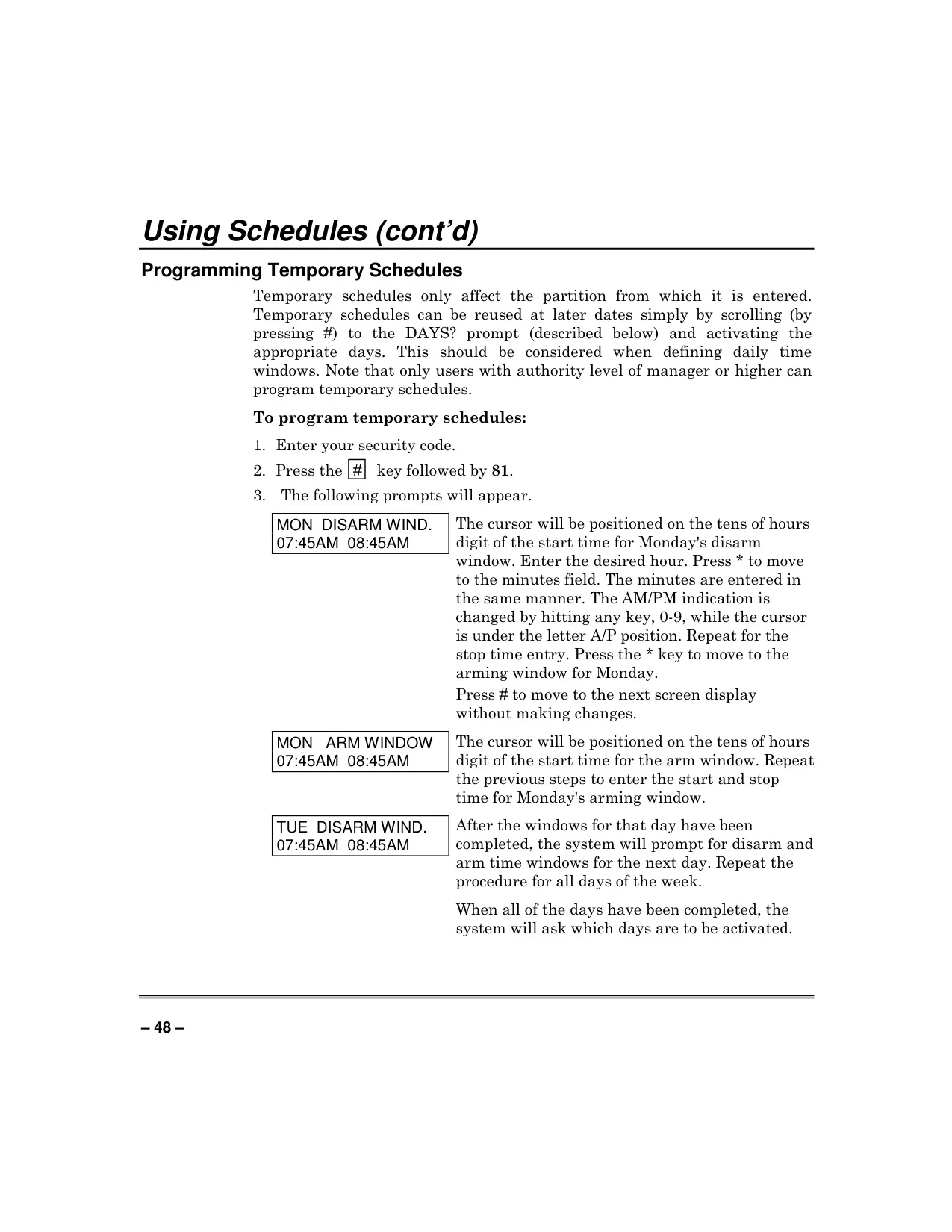
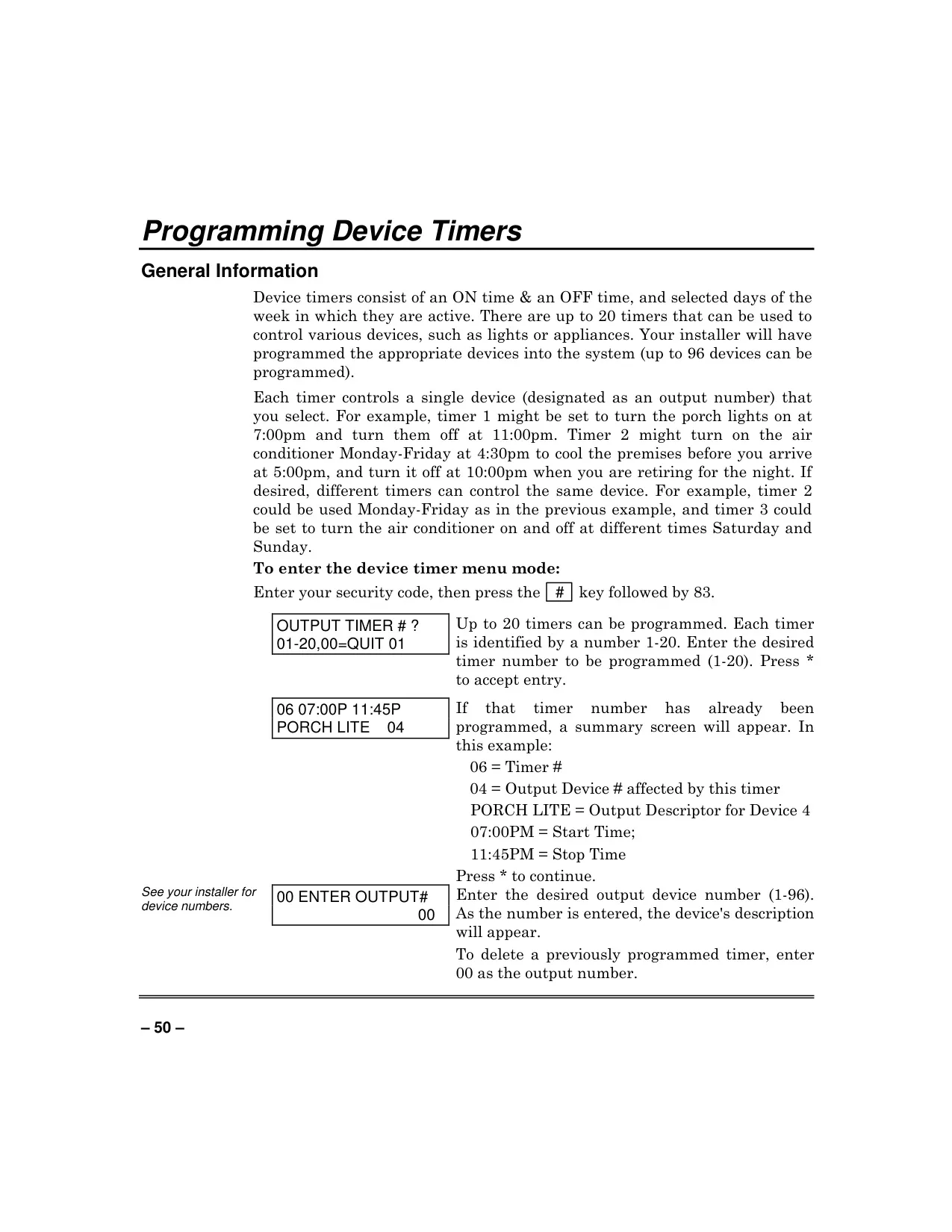
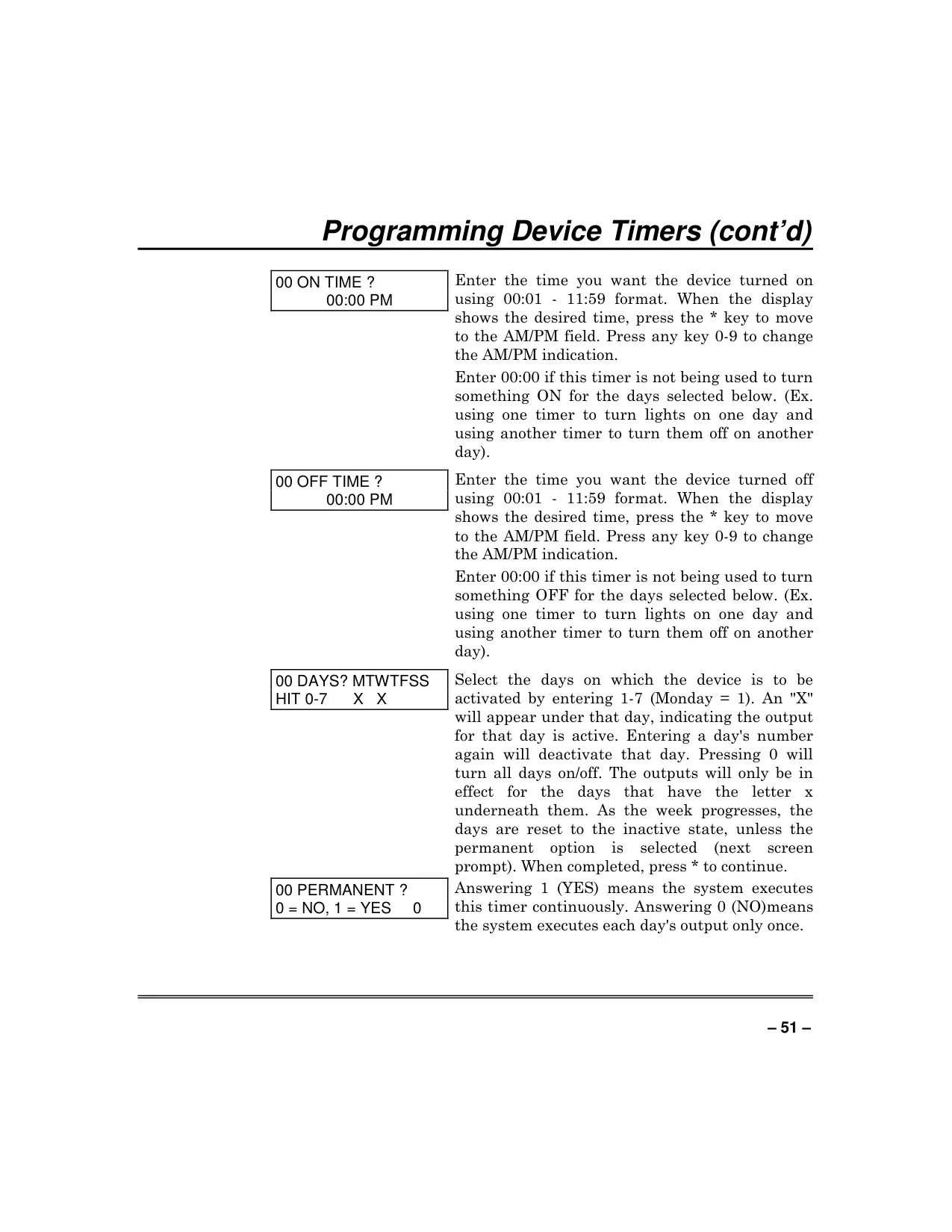
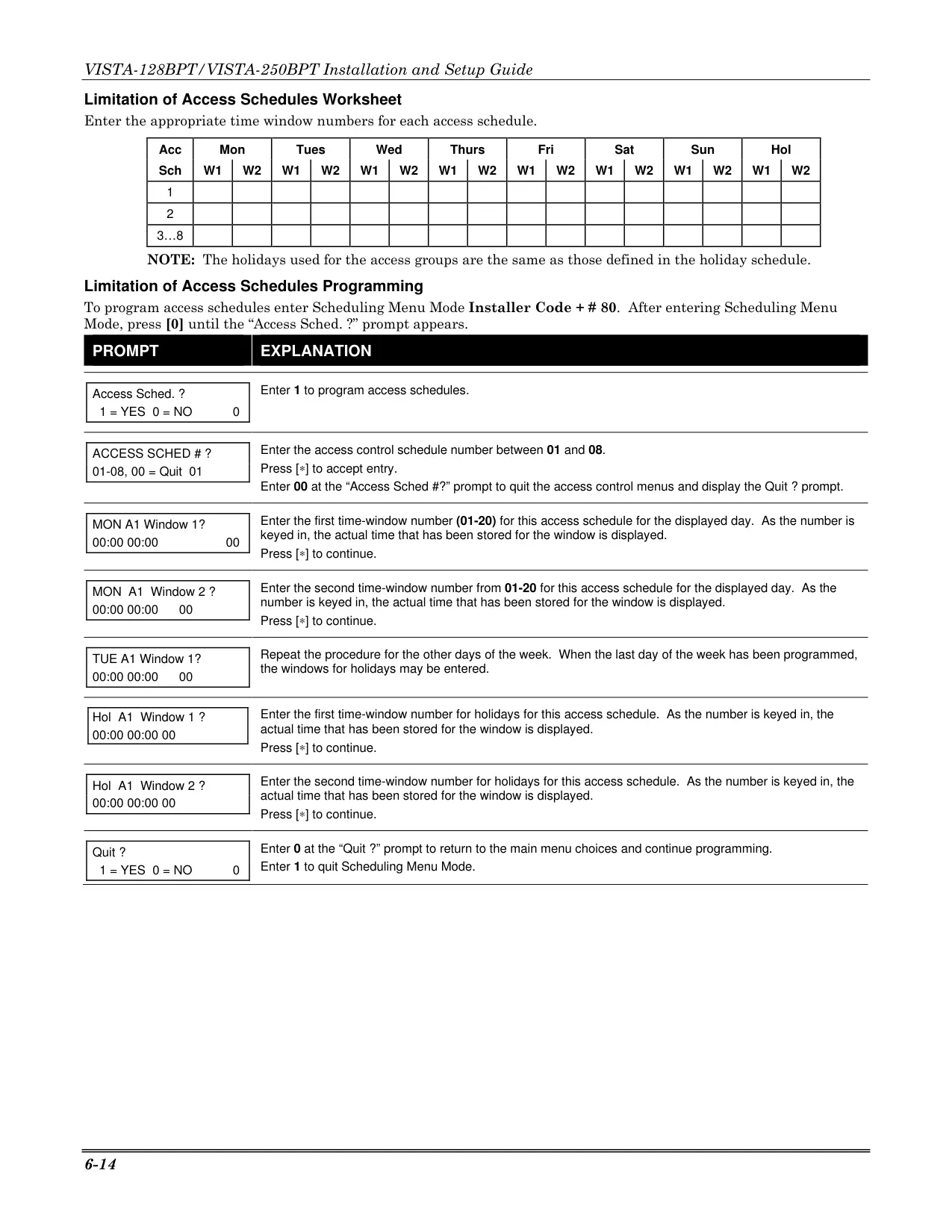
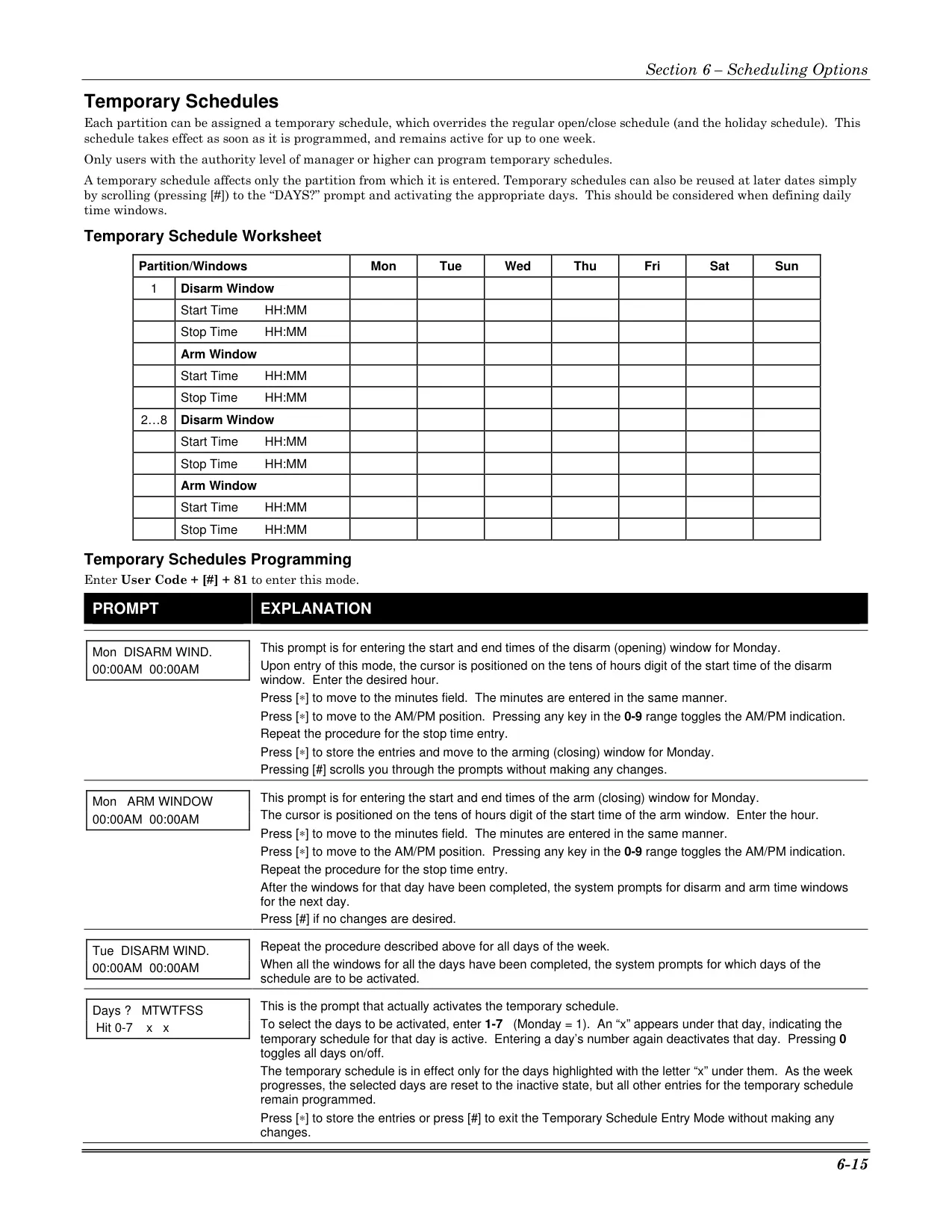
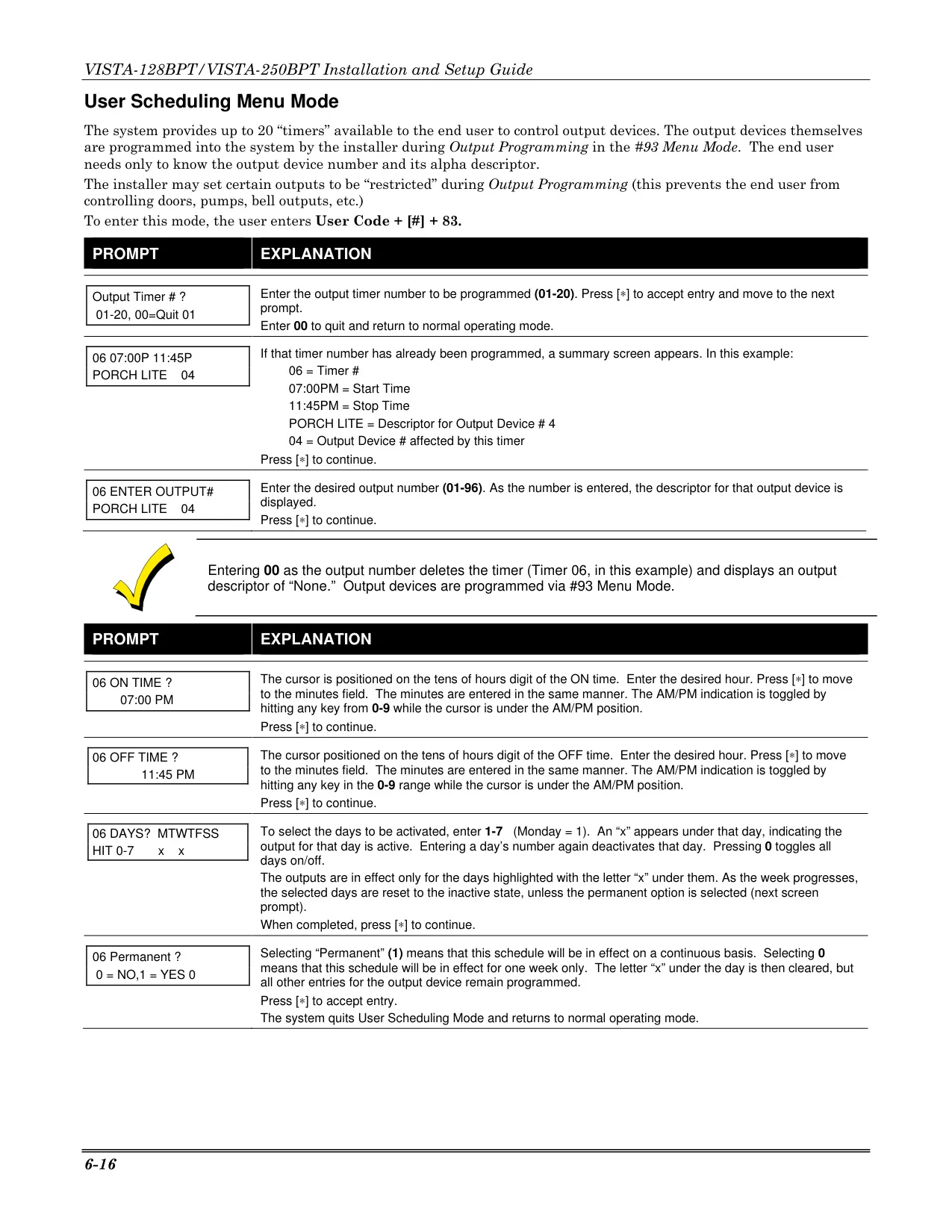
The Vista 250BPT offers advanced automation capabilities, including Device Timers for scheduling the activation and deactivation of up to 96 connected lights or appliances based on specific times and days. These timers can even be randomized to simulate occupancy, ideal for deterring intruders while away. The Speed Key (Macros) feature allows users to program up to 32 keystrokes into a single button press, simplifying complex or repetitive sequences like bypassing zones before arming. Users can also configure Temporary Schedules to override normal arming/disarming times for up to a week, providing adaptable control over the system's operational hours.
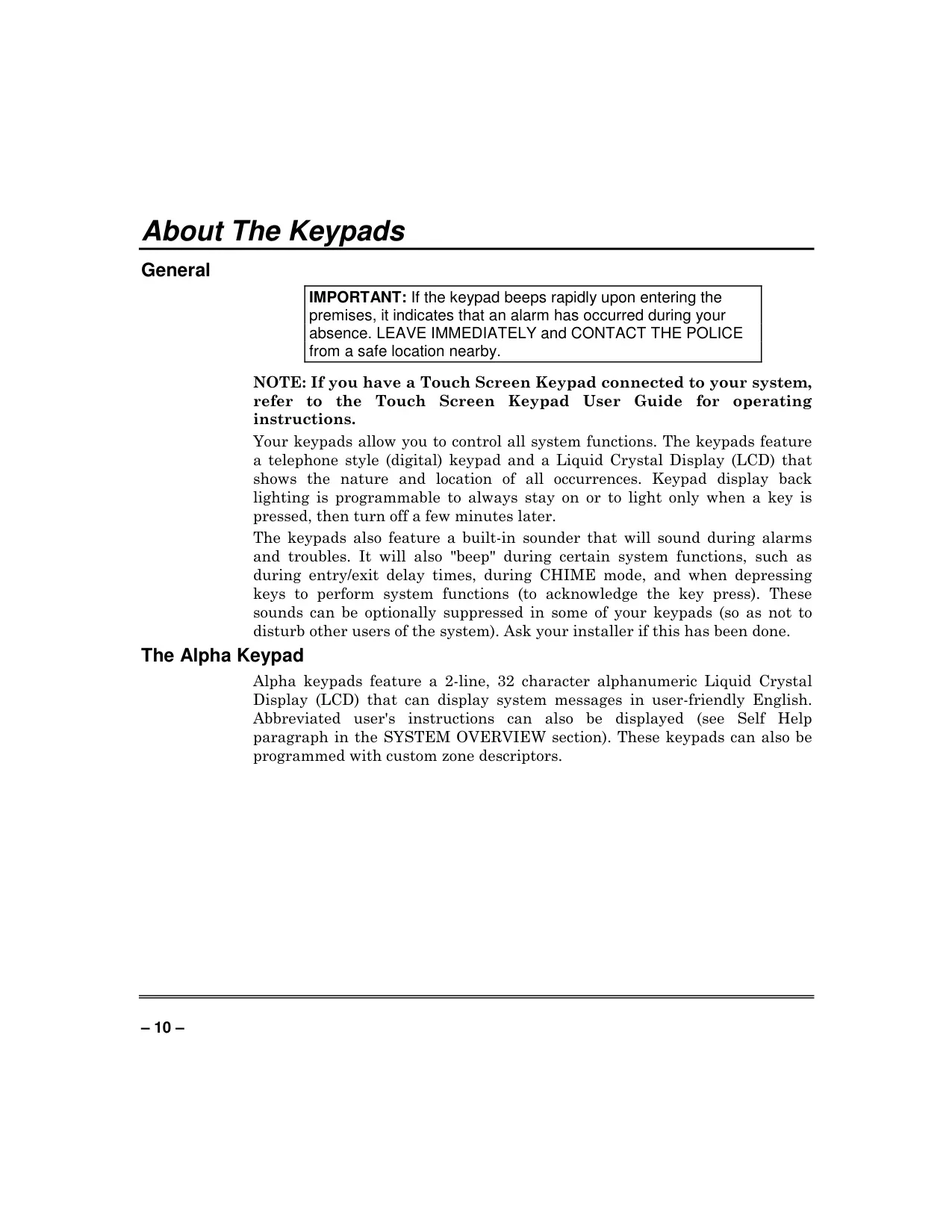
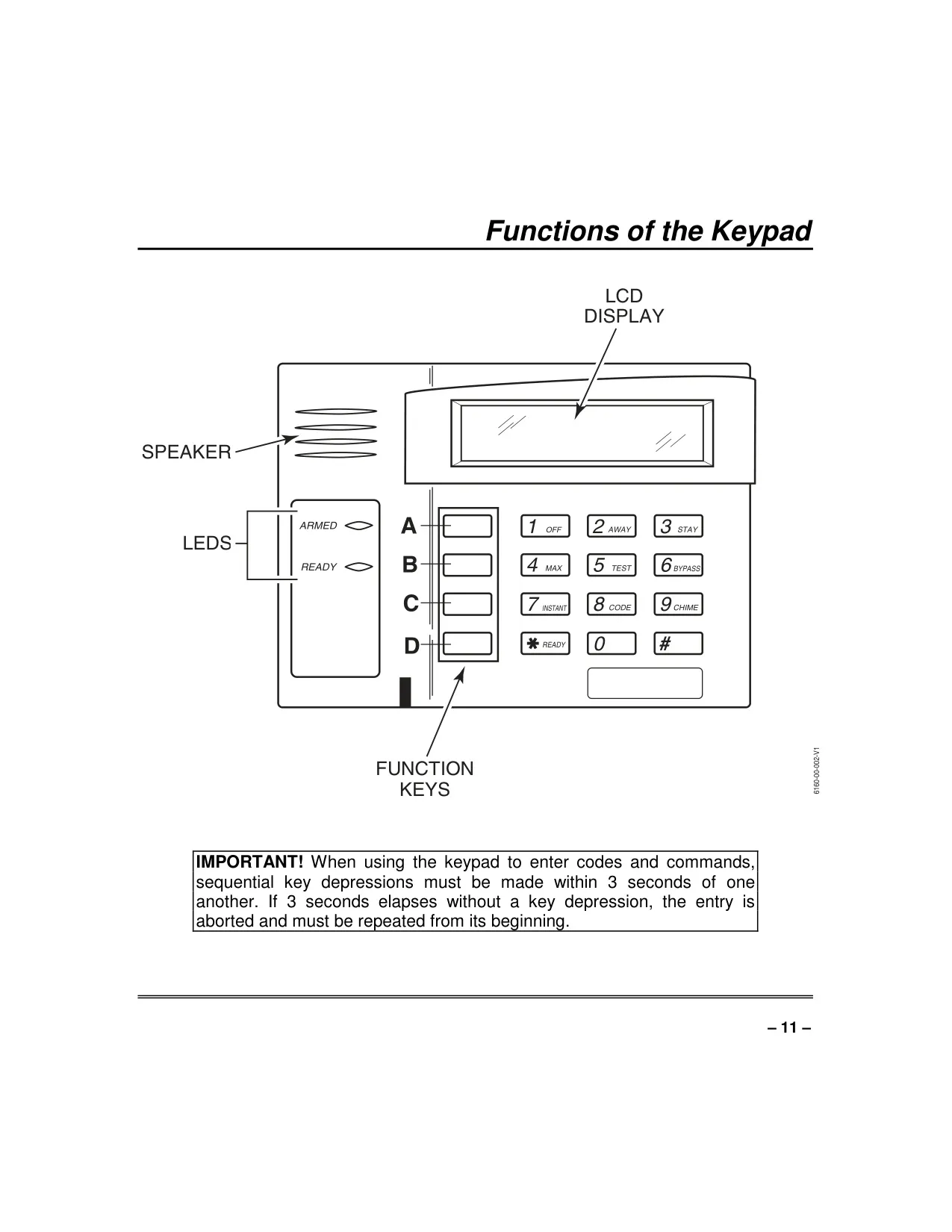
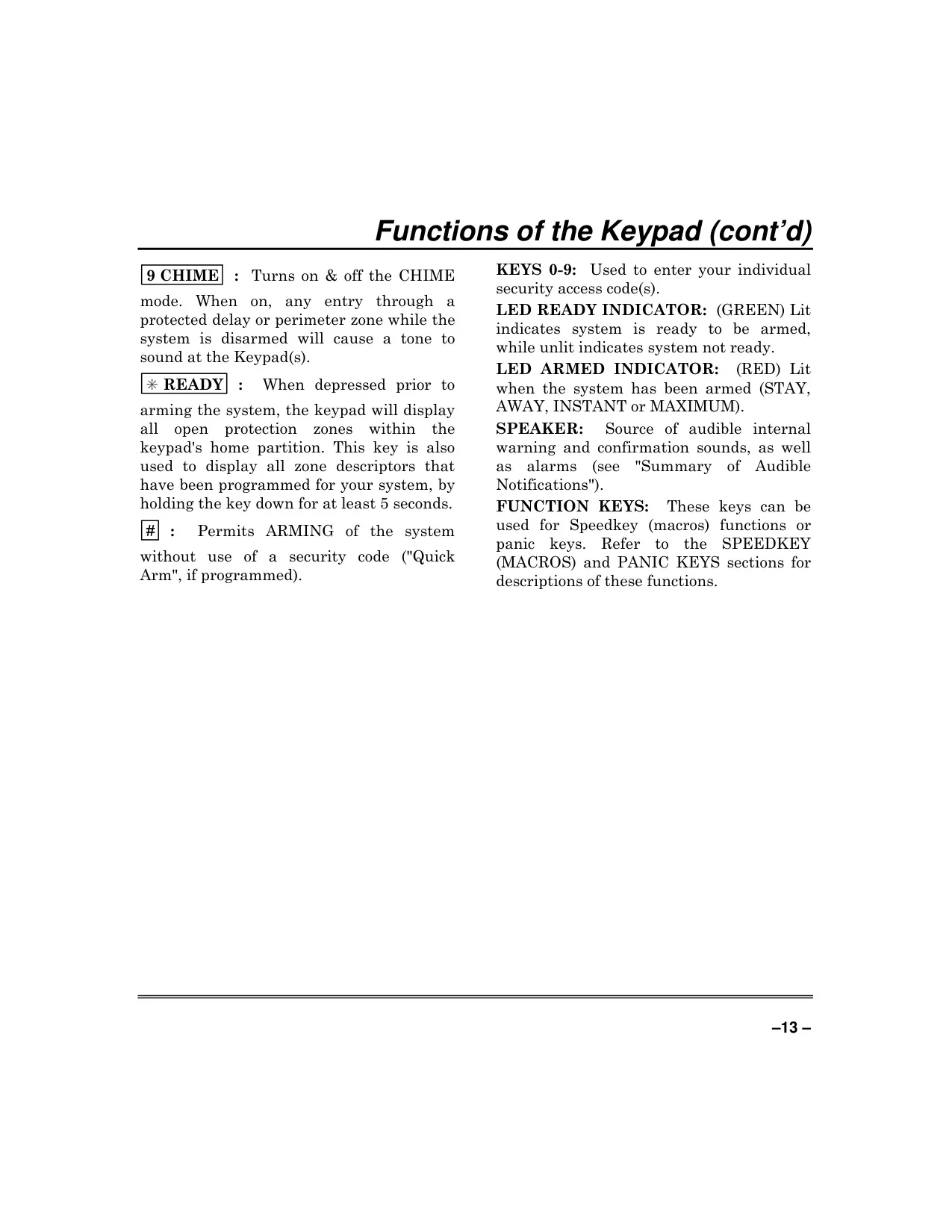
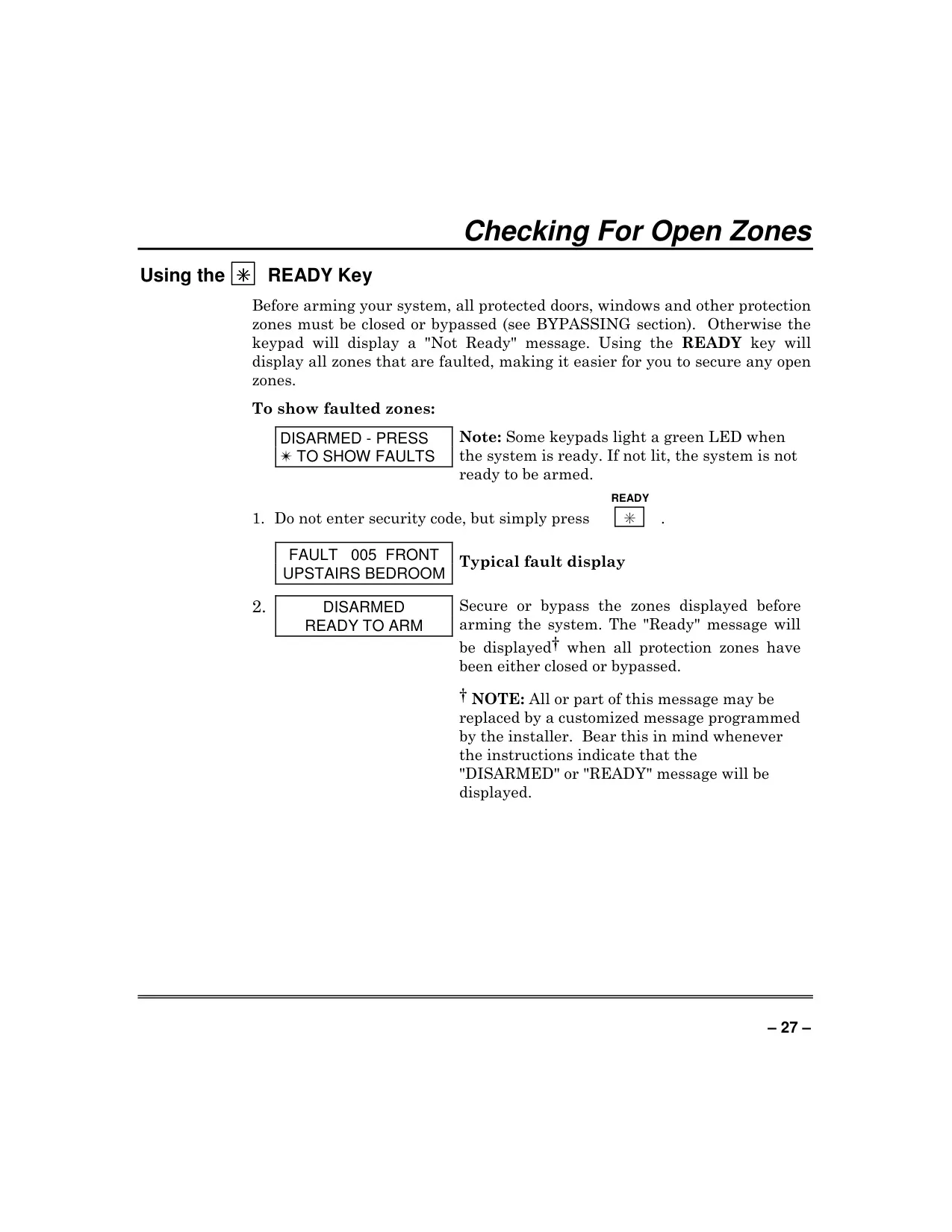
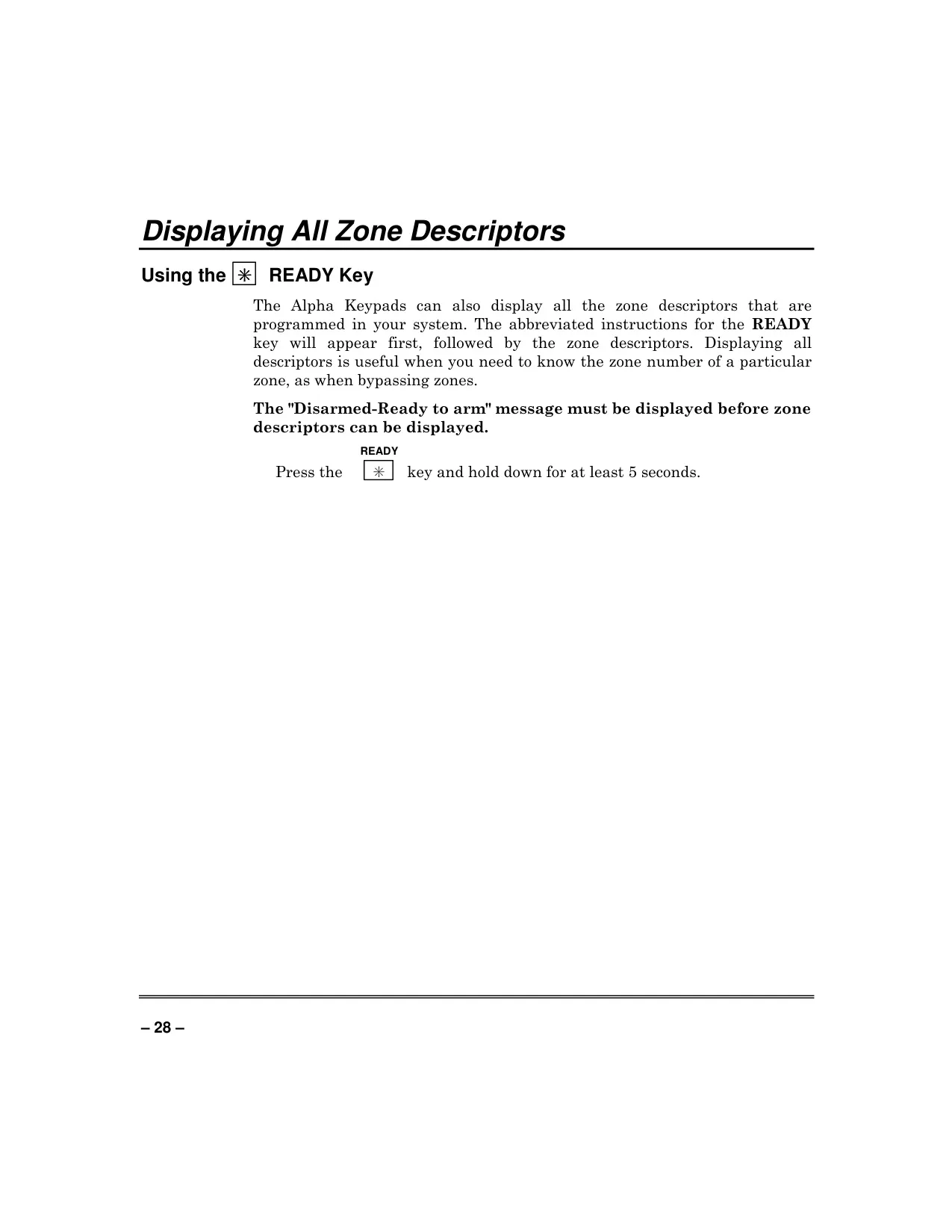
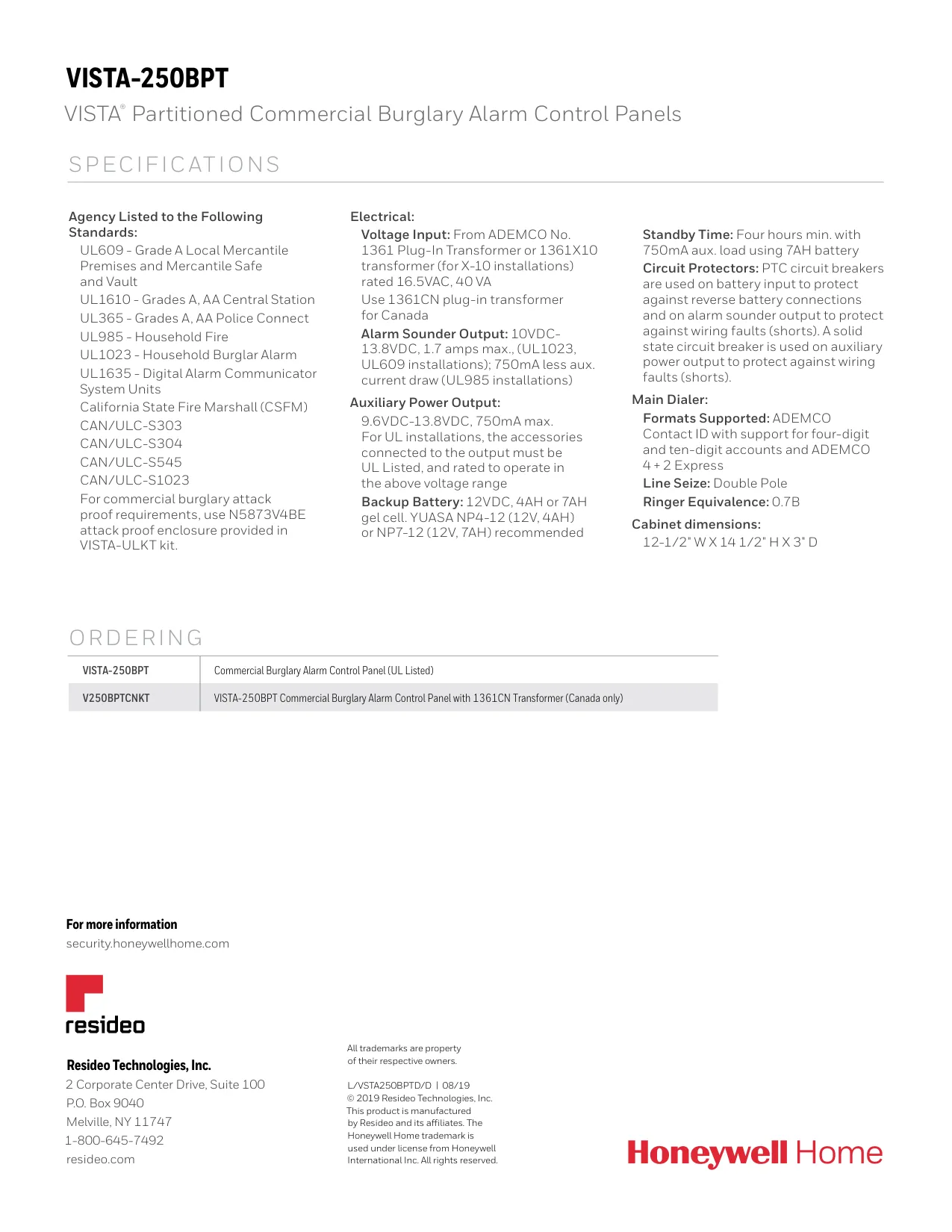
Interaction with the system is primarily through its advanced keypads, featuring a 2-line, 32-character alphanumeric LCD for user-friendly English messages, including custom zone descriptors. Keypads integrate a built-in sounder providing distinct audible notifications for alarms, troubles, and delays, with optional suppression. A convenient Self-Help feature is built-in, allowing users to view abbreviated instructions directly on the keypad display by holding a function key. For remote control, the optional 4286 VIP module enables full phone access with voice response, facilitating arming, disarming, and device control from any touch-tone phone.
Frequently Asked Questions (FAQs)
Can't find the answer you need? Here are some frequently asked questions about the Honeywell Vista 250BPT Security System, and we answer them below.