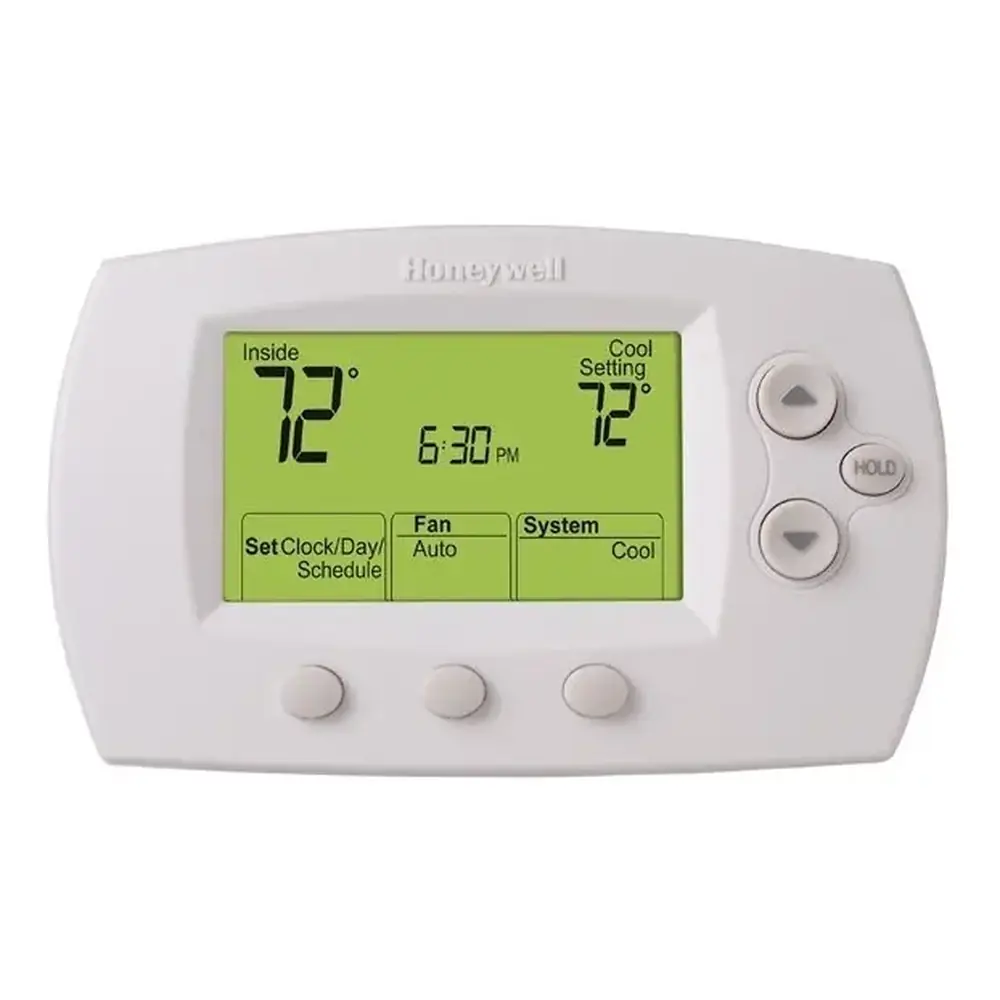
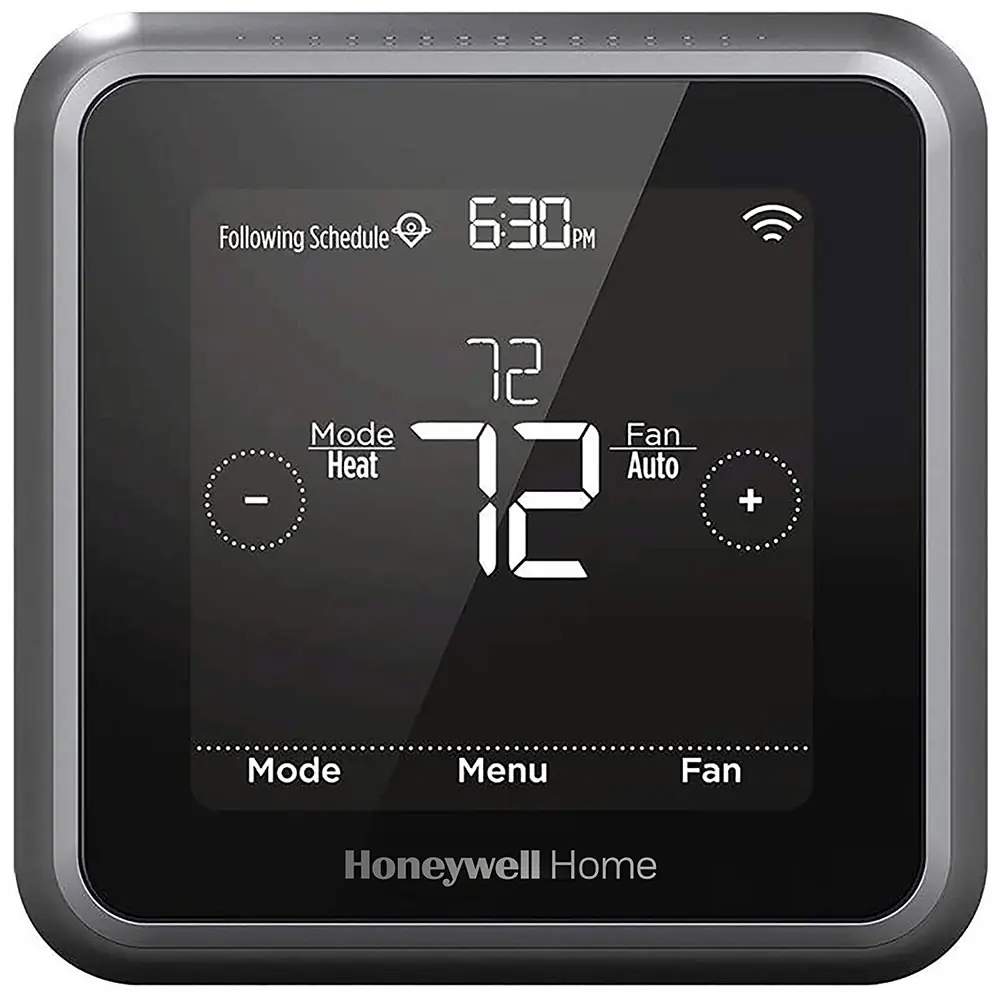
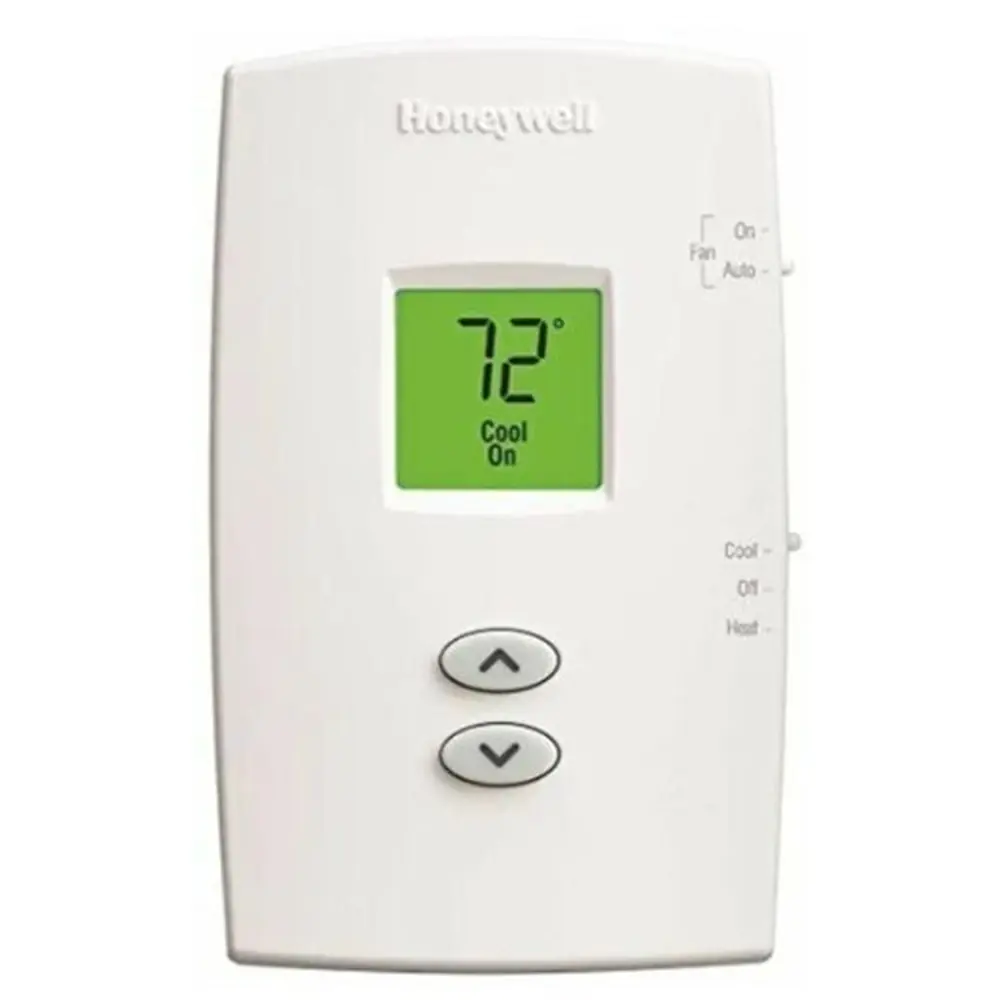
Honeywell TH8320U1008 VisionPRO TH8000 Instruction Manual
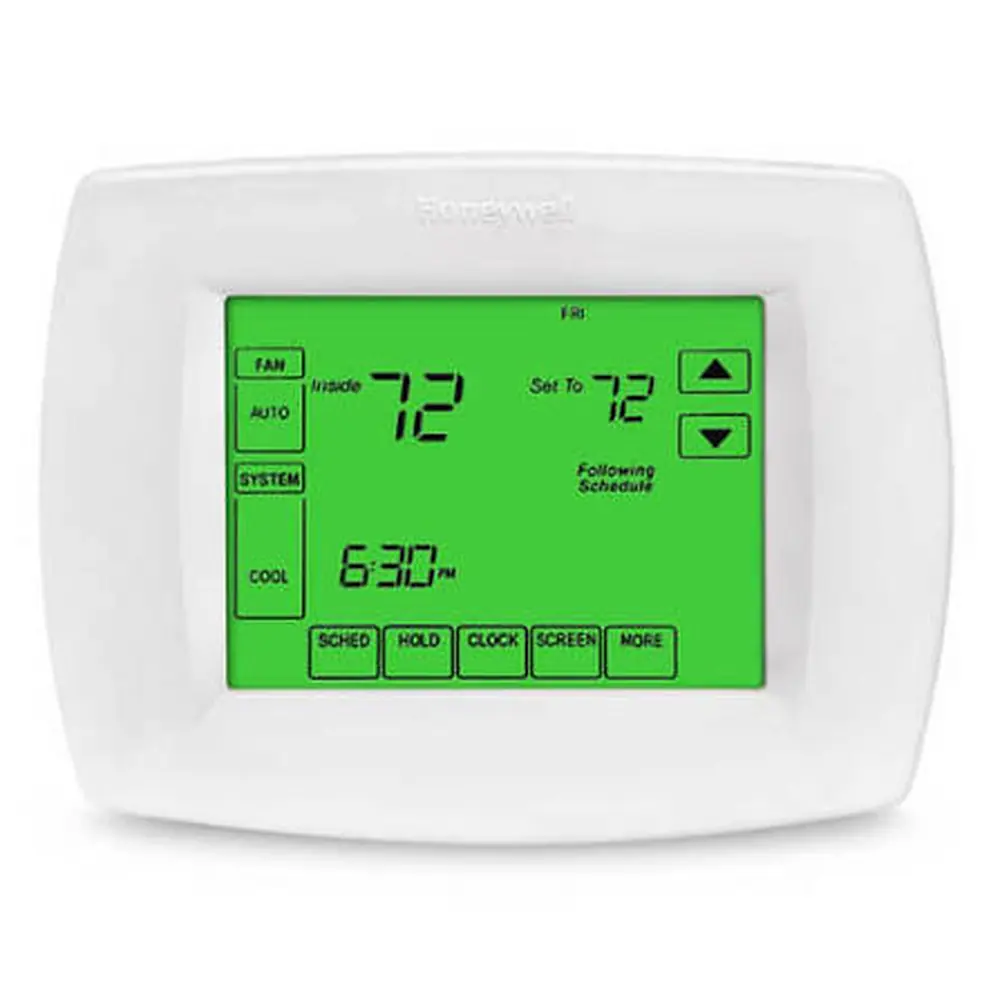
Honeywell TH8320U1008 VisionPRO TH8000



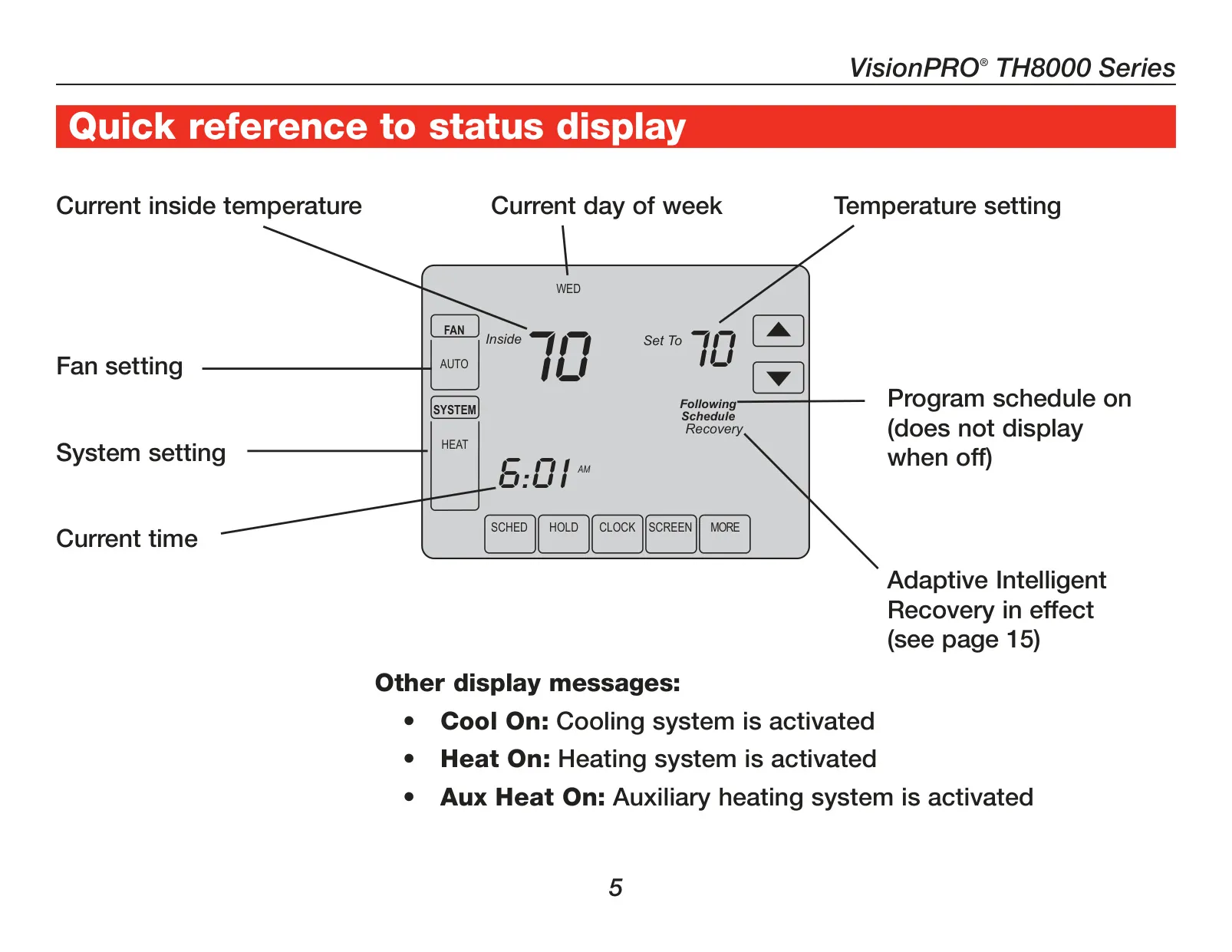

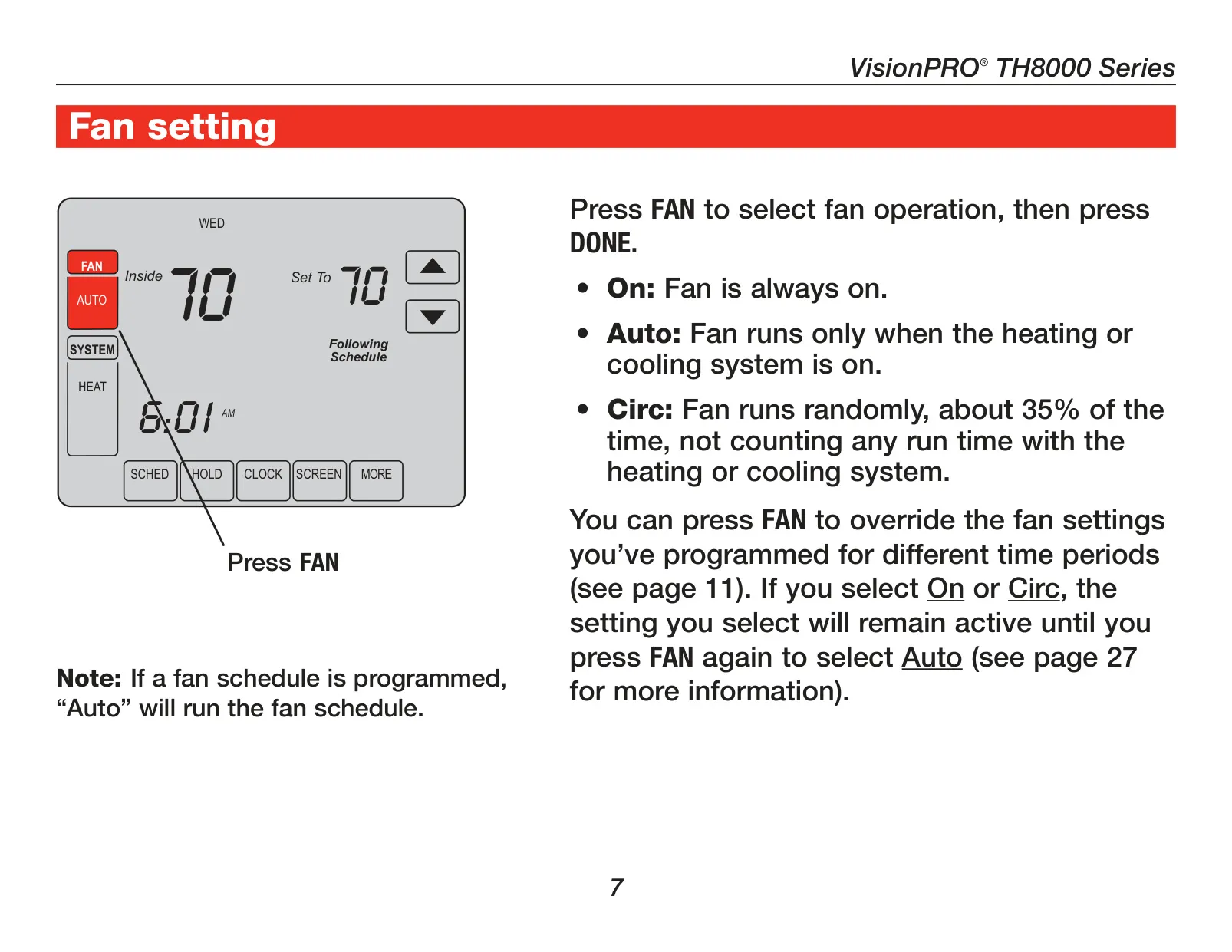
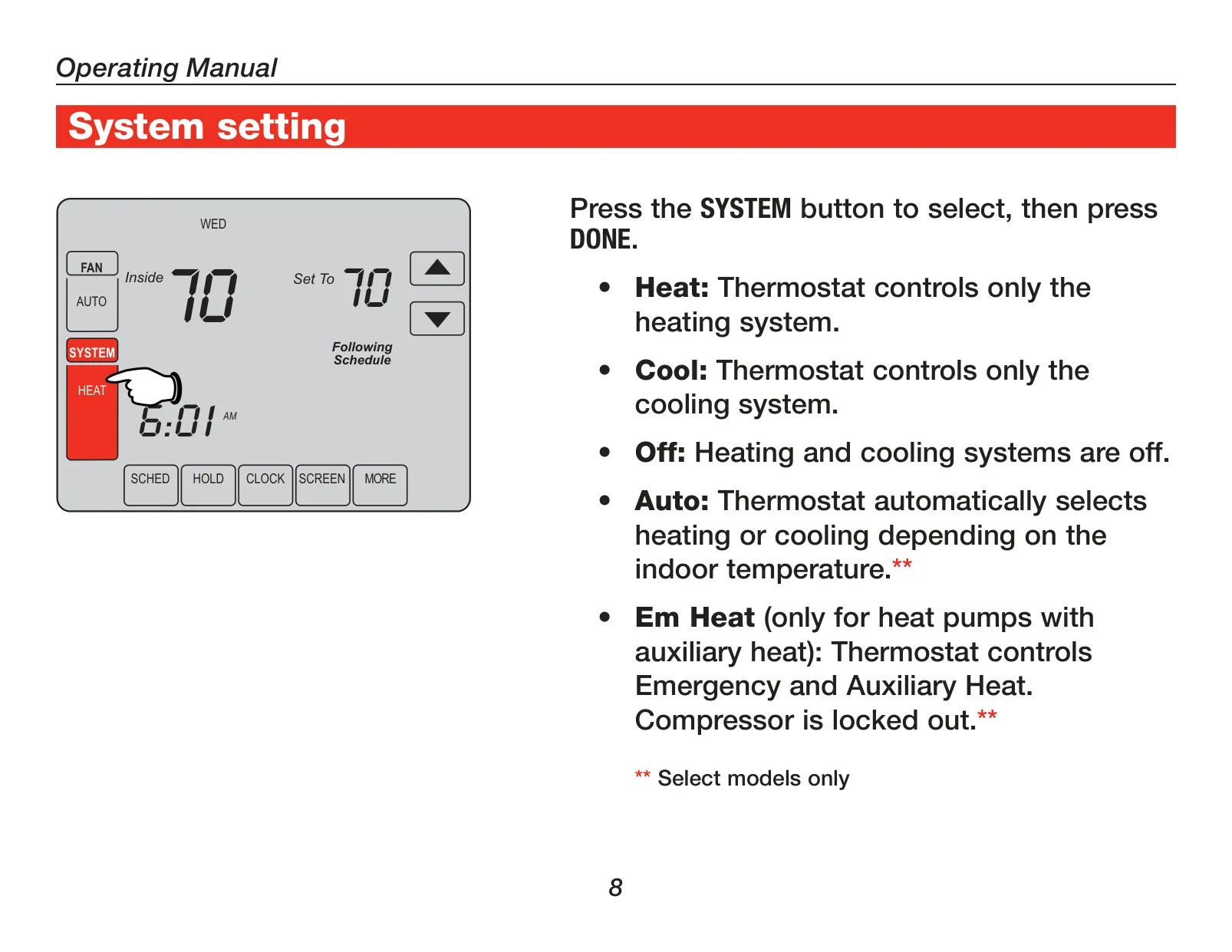
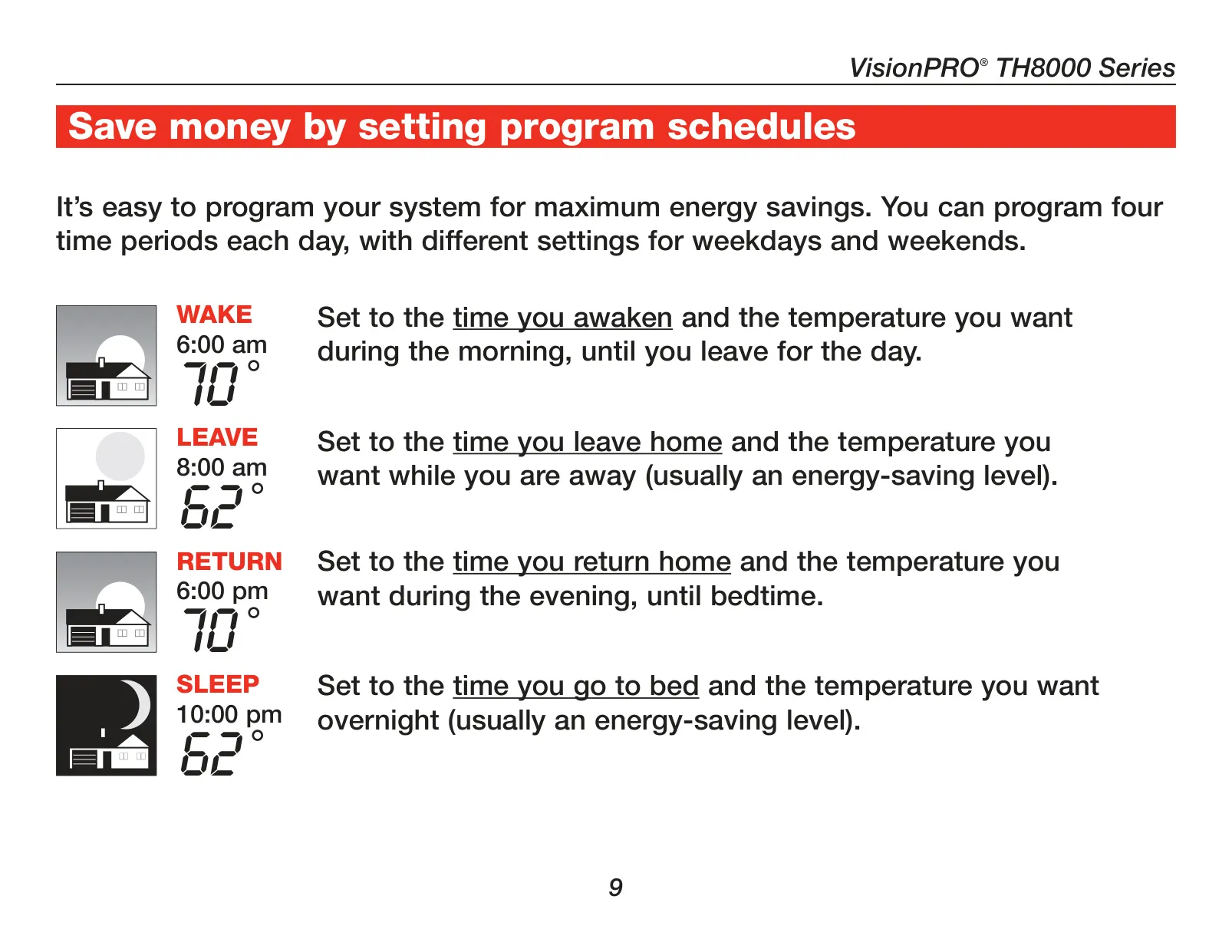





Honeywell TH8320U1008 VisionPRO TH8000
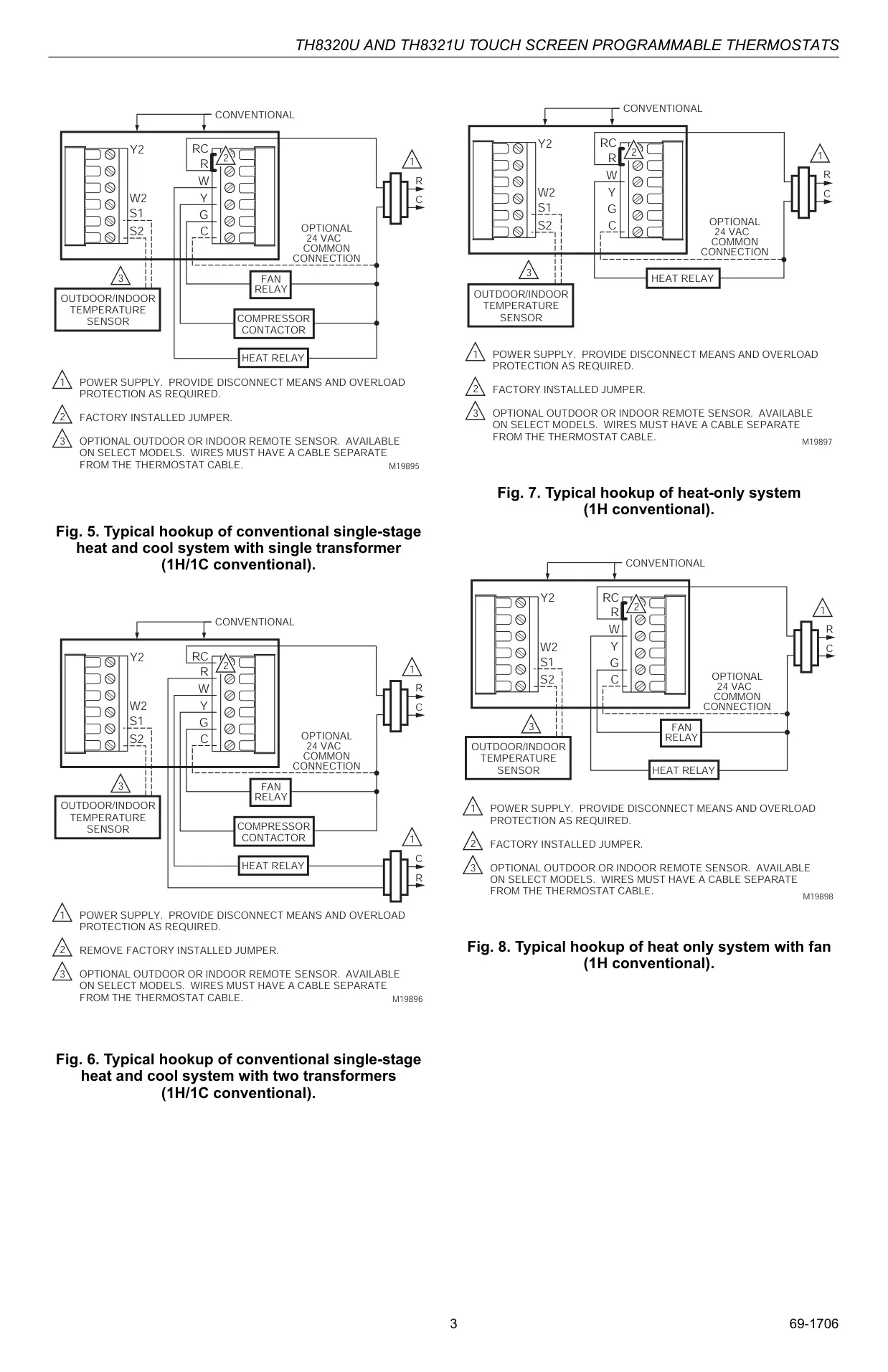
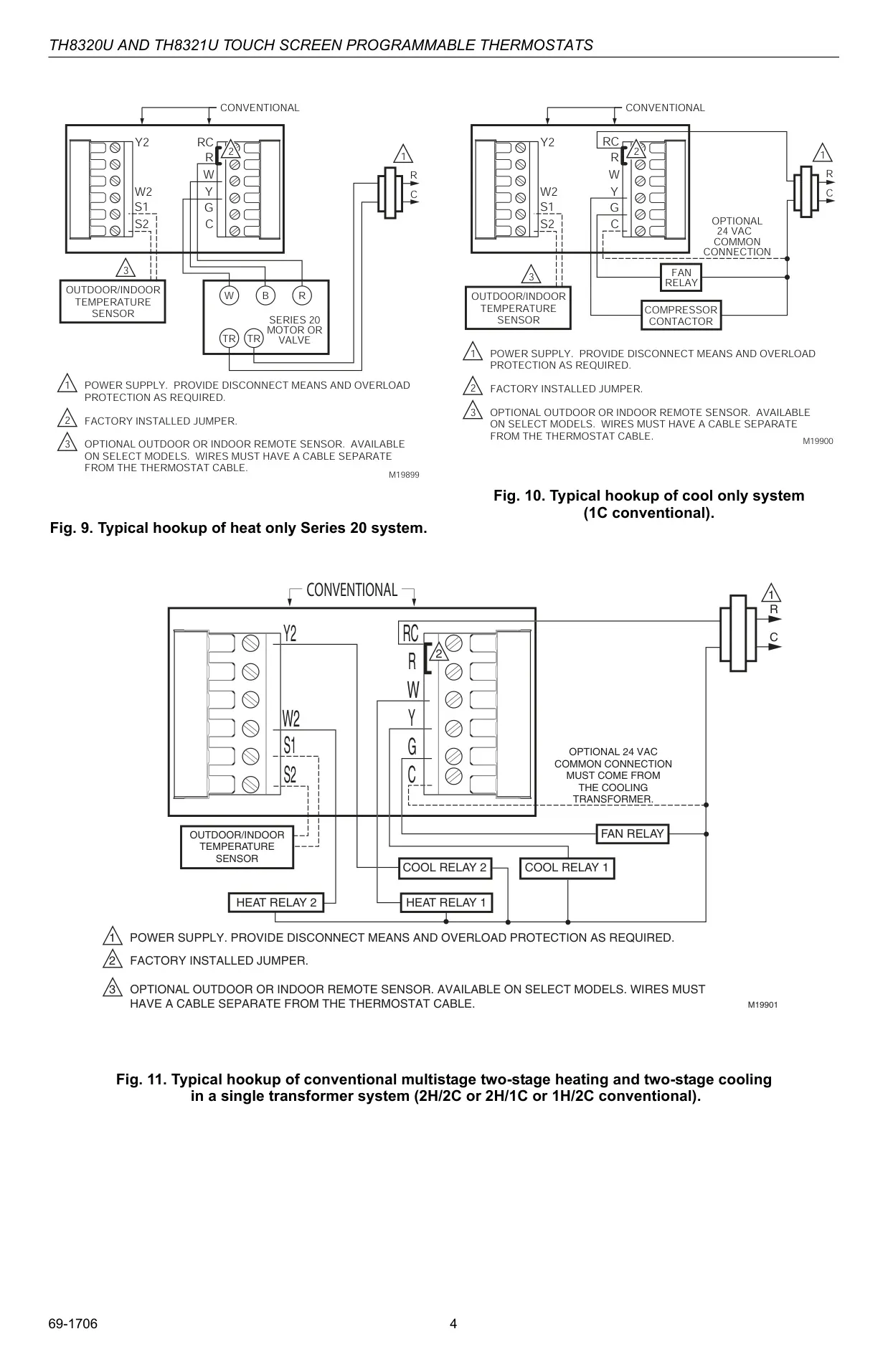
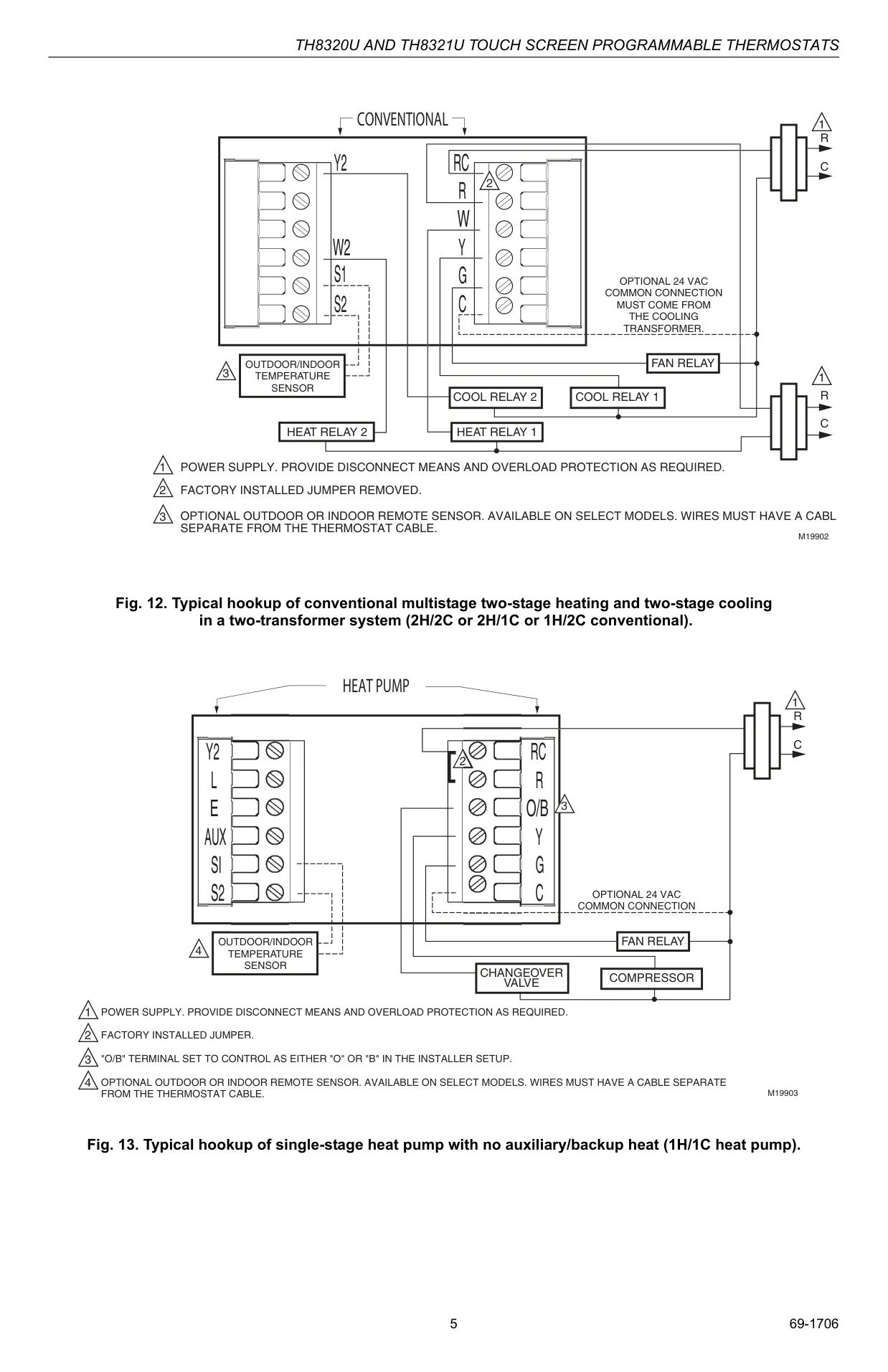
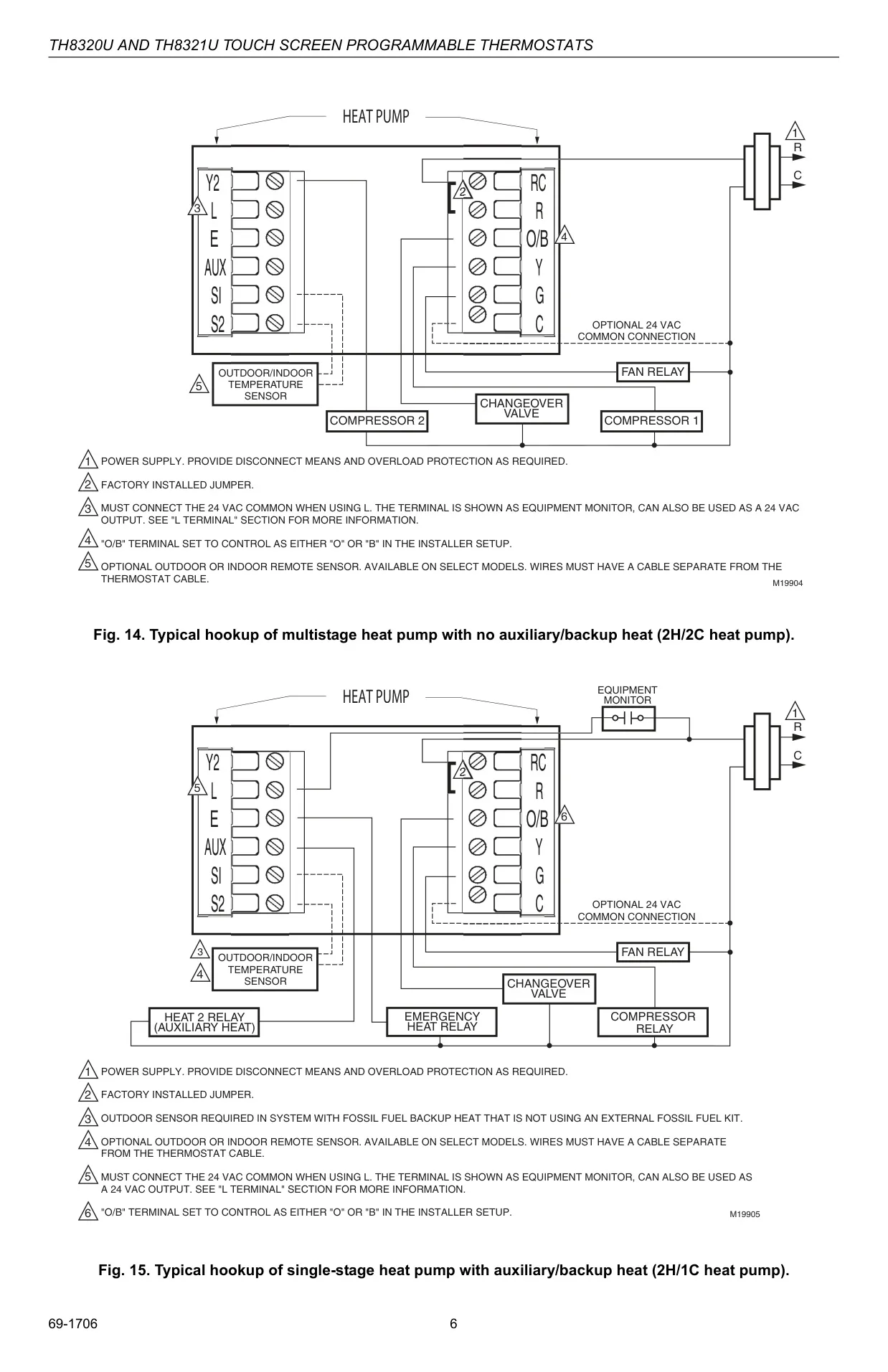
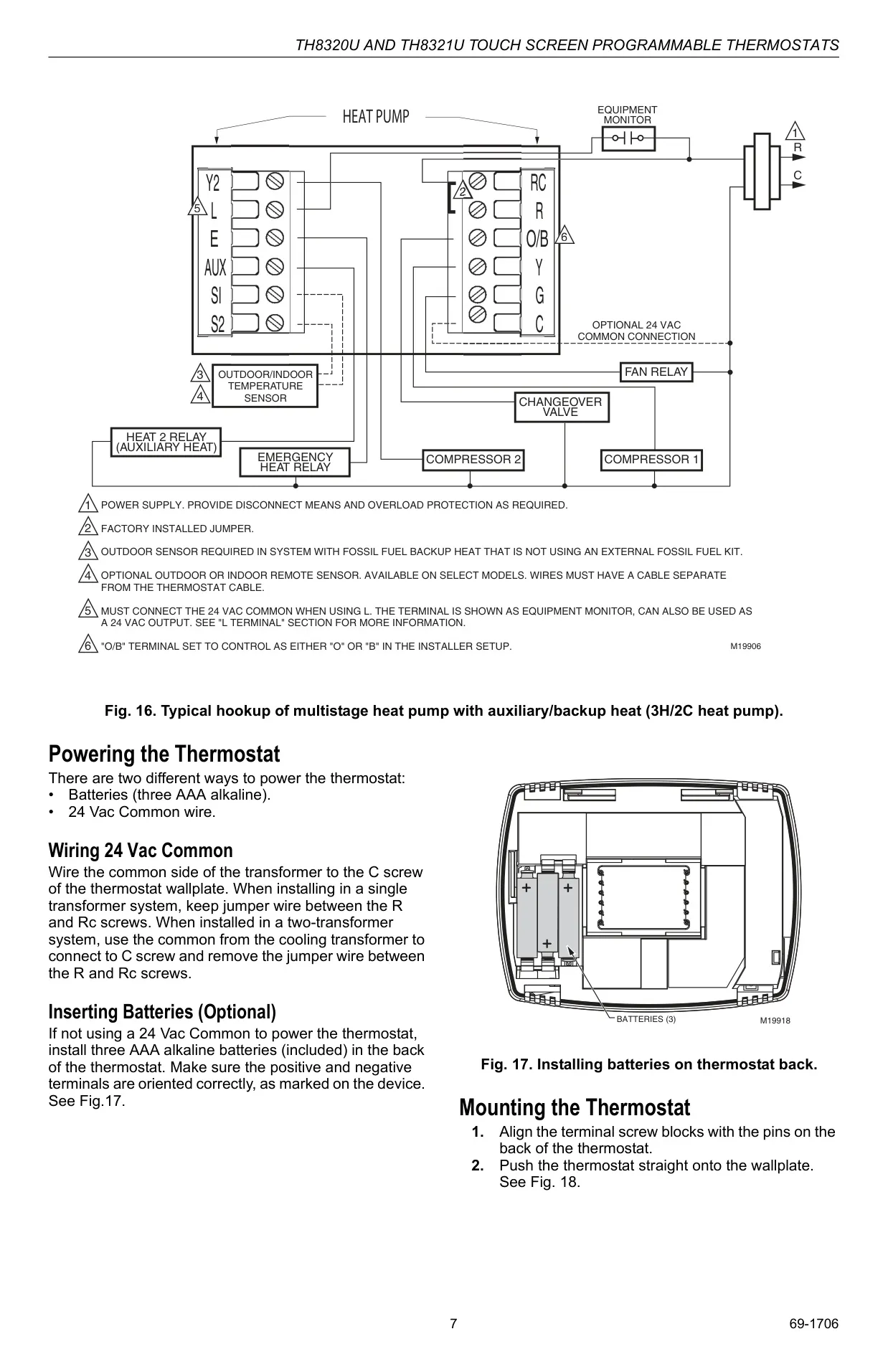
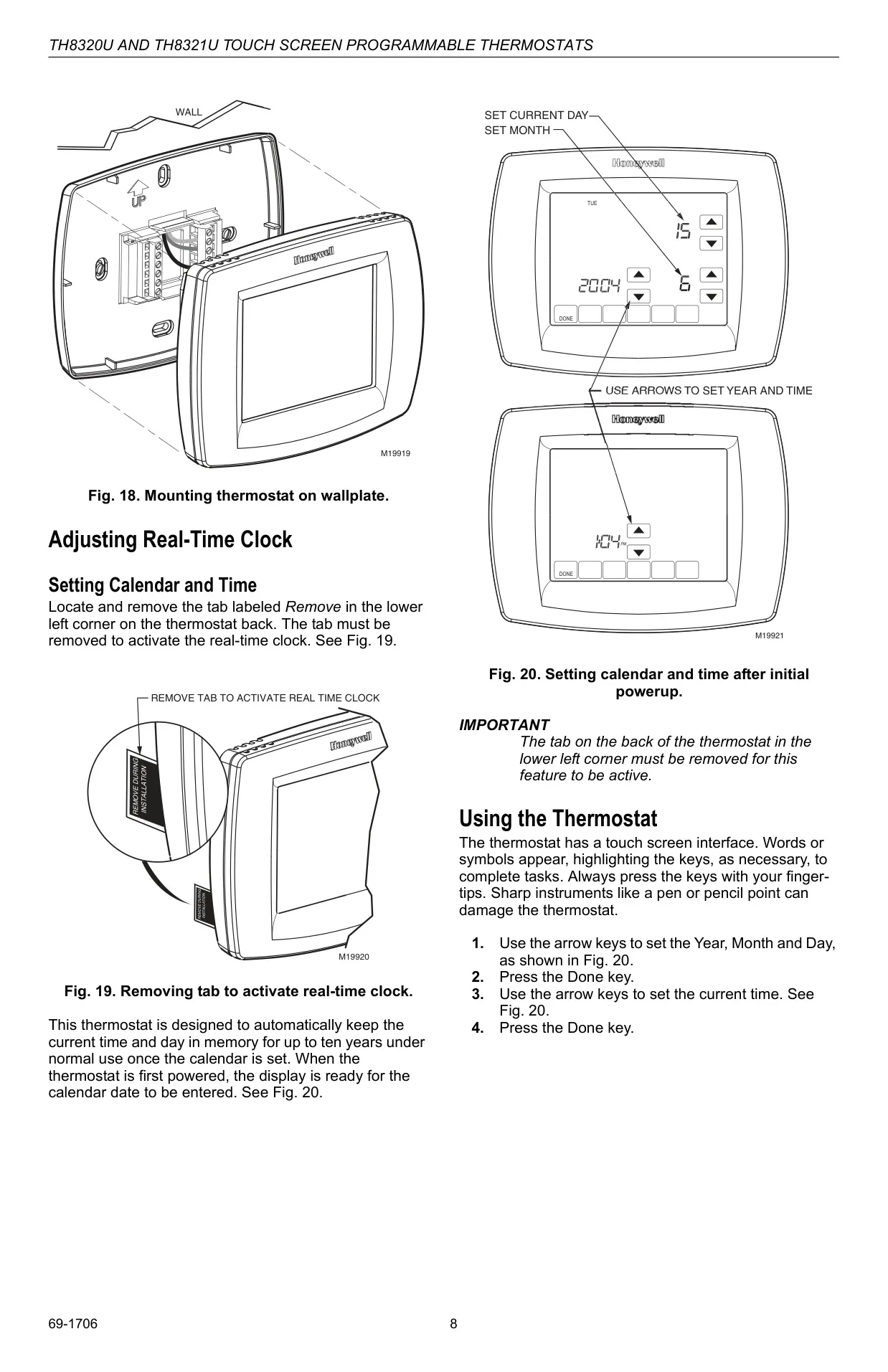
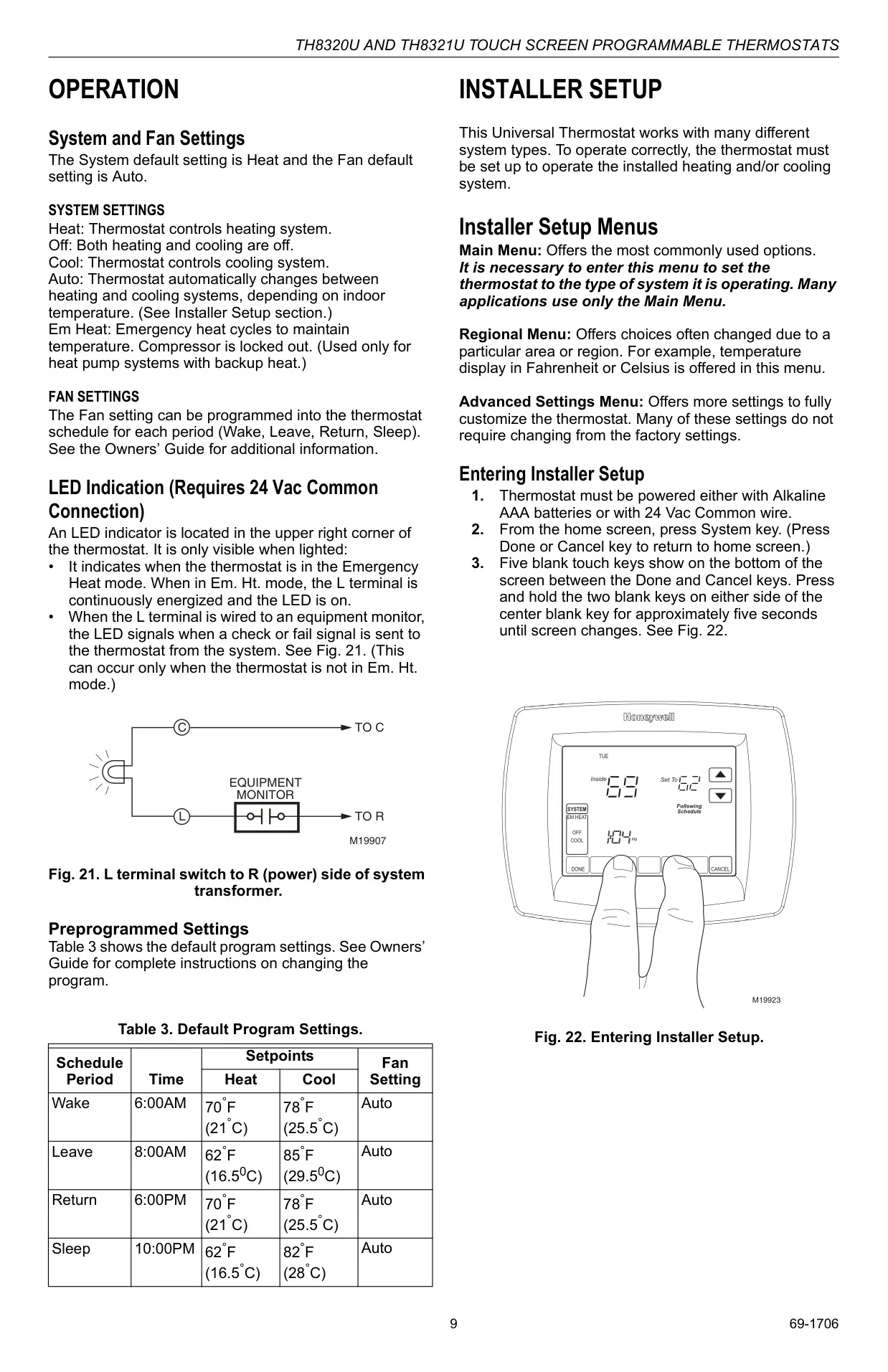
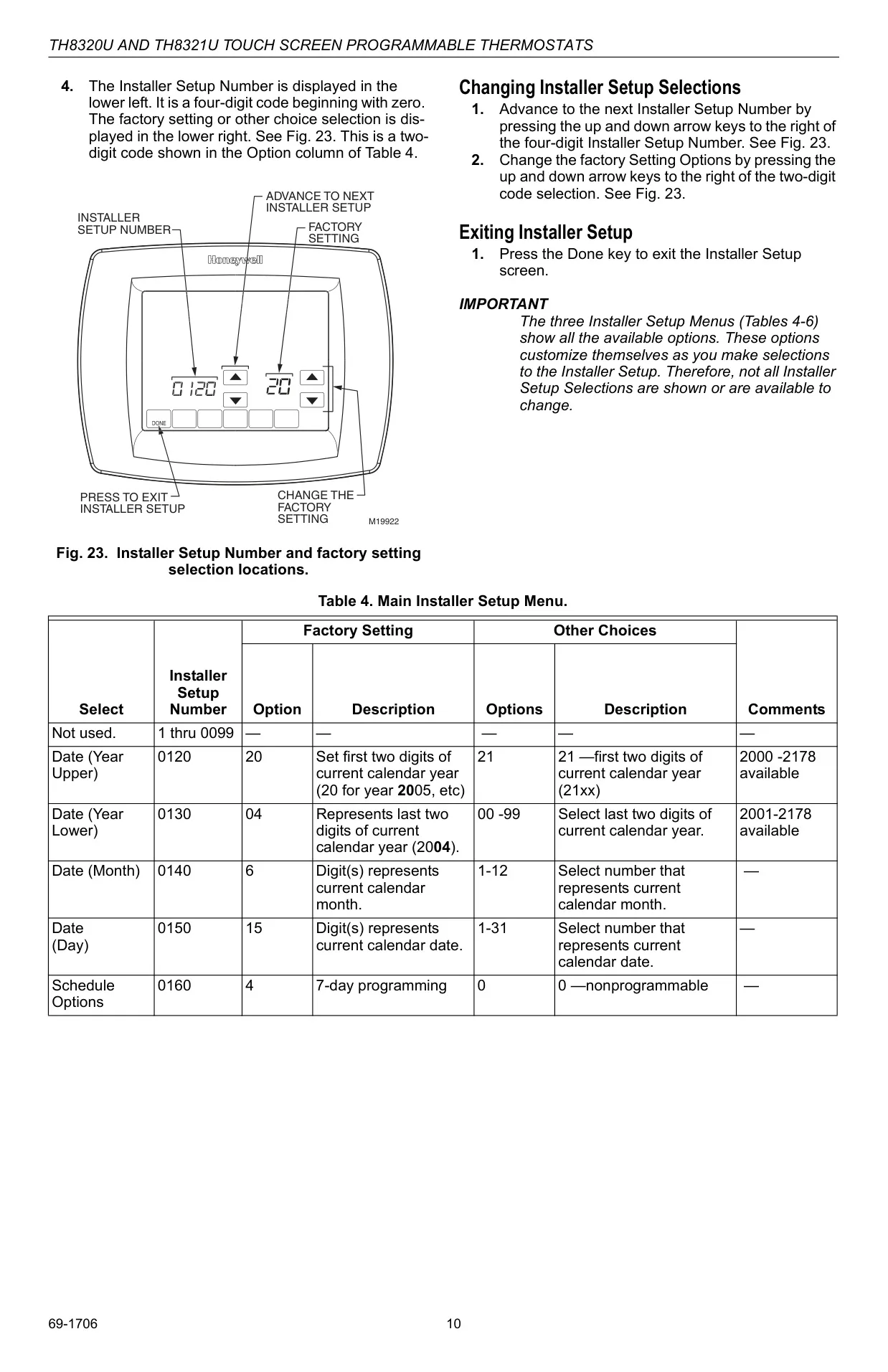

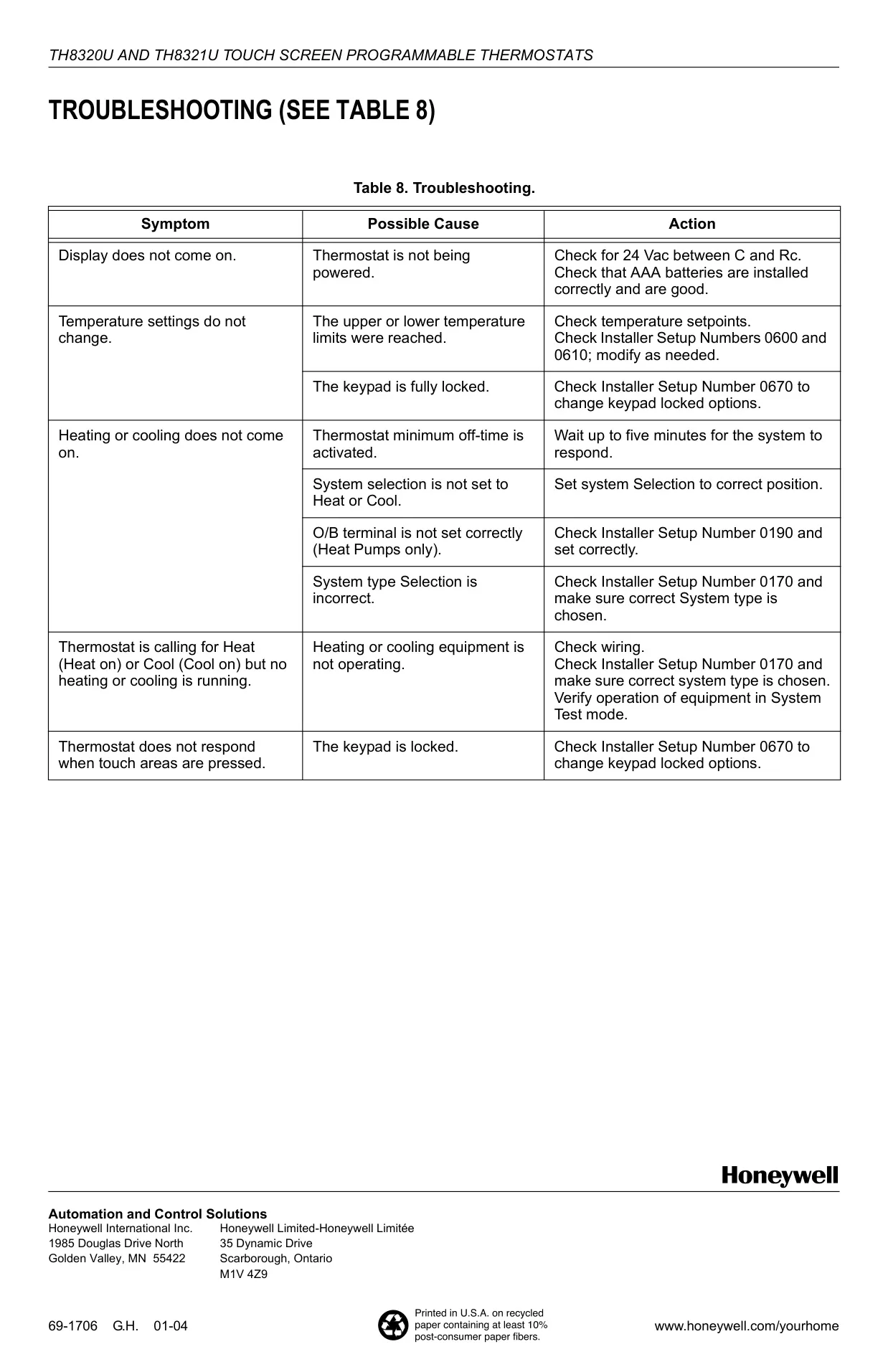
Honeywell TH8320U1008 Instructions
Here we offer the Honeywell TH8320U1008 VisionPRO TH8000 manual completely free and in English. We have cataloged this manual in the Thermostats section on Manualverse, and it has been rated by 1 users with an average rating of 5. If you have any specific questions about Honeywell TH8320U1008 VisionPRO TH8000, we suggest checking the Frequently Asked Questions (FAQs) section of this manual.
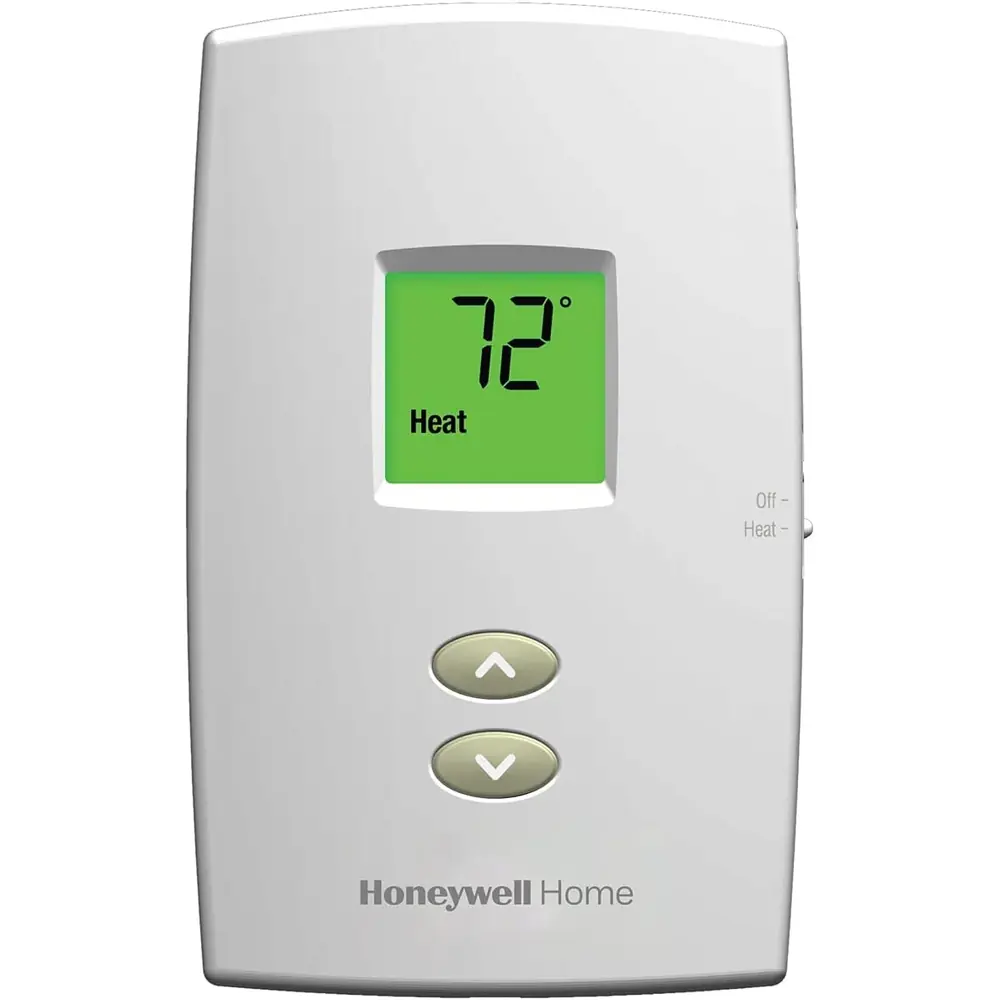
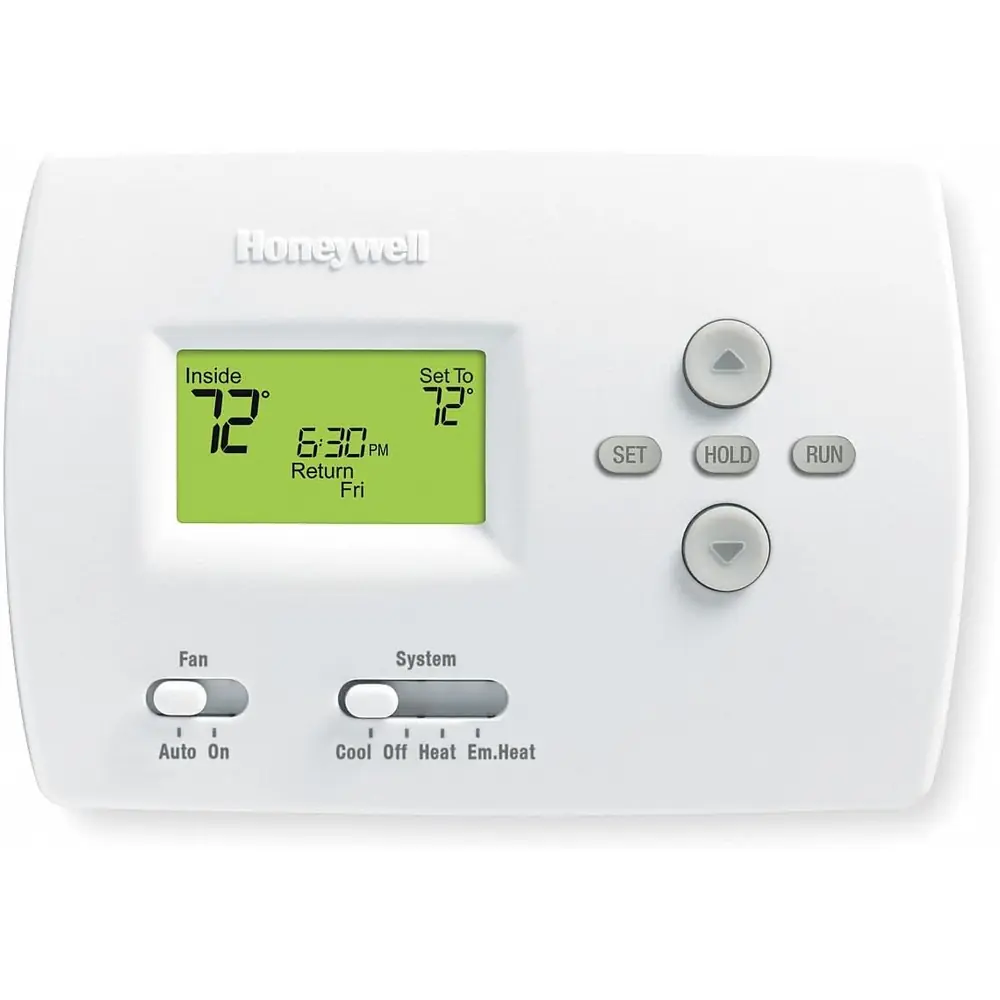
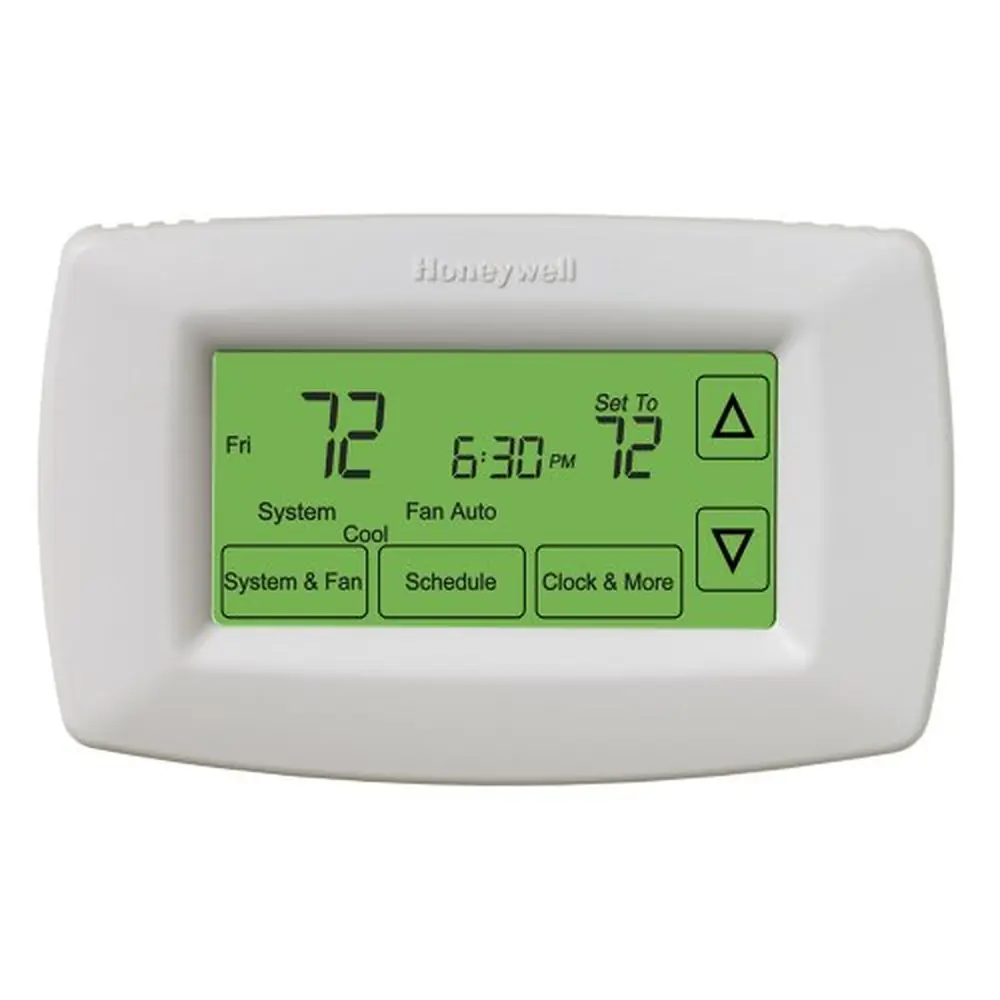
Product Images
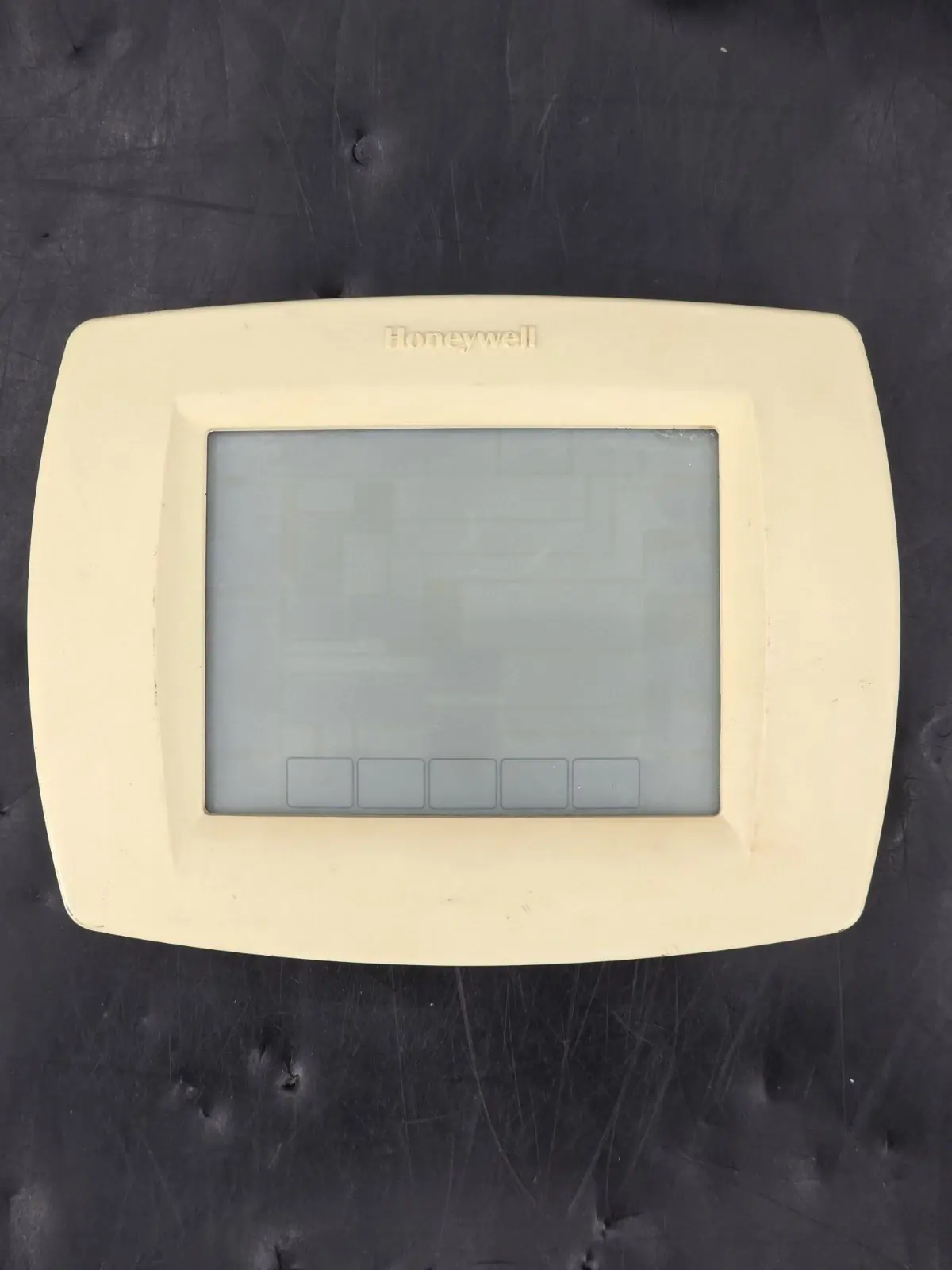
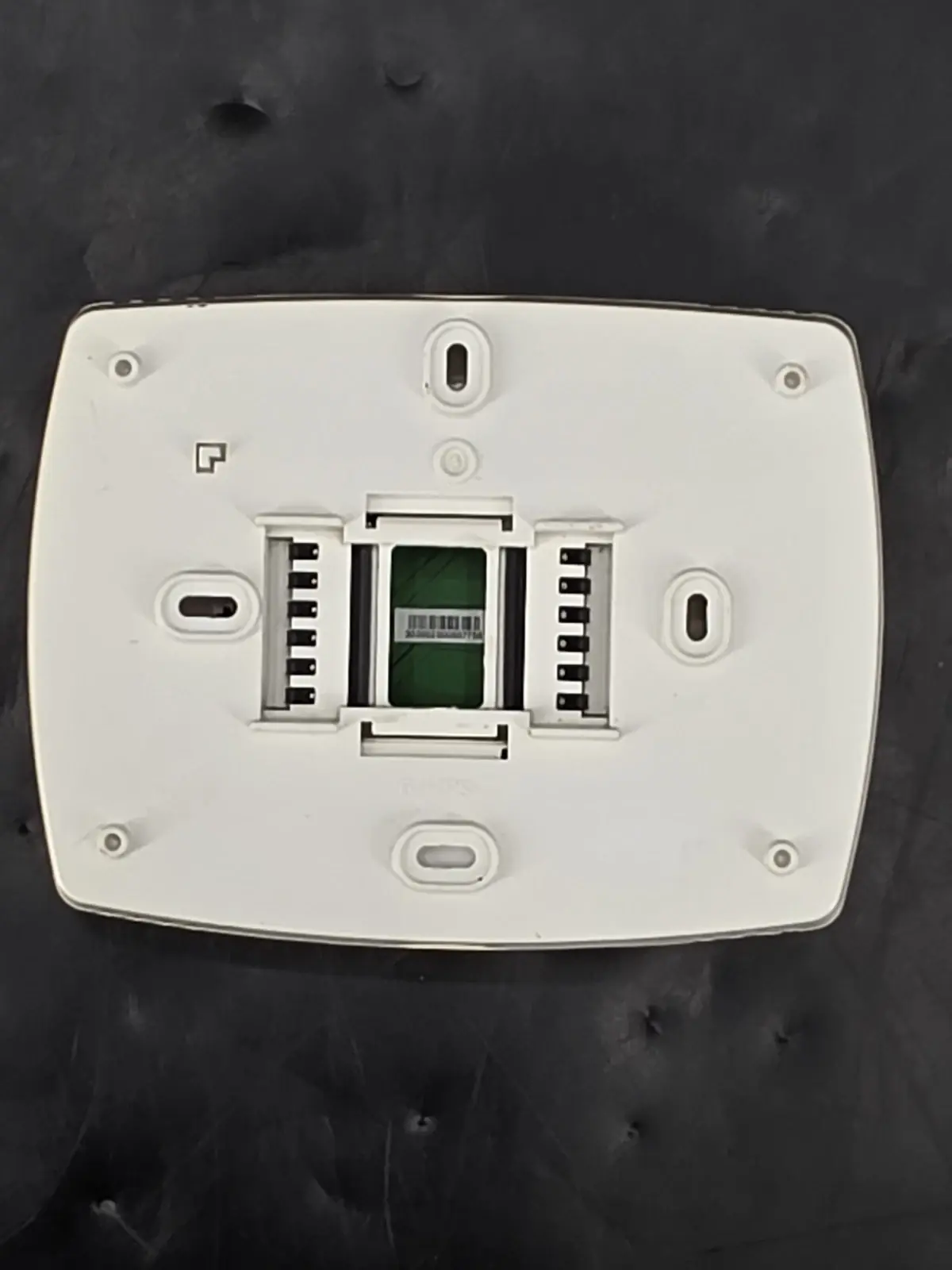
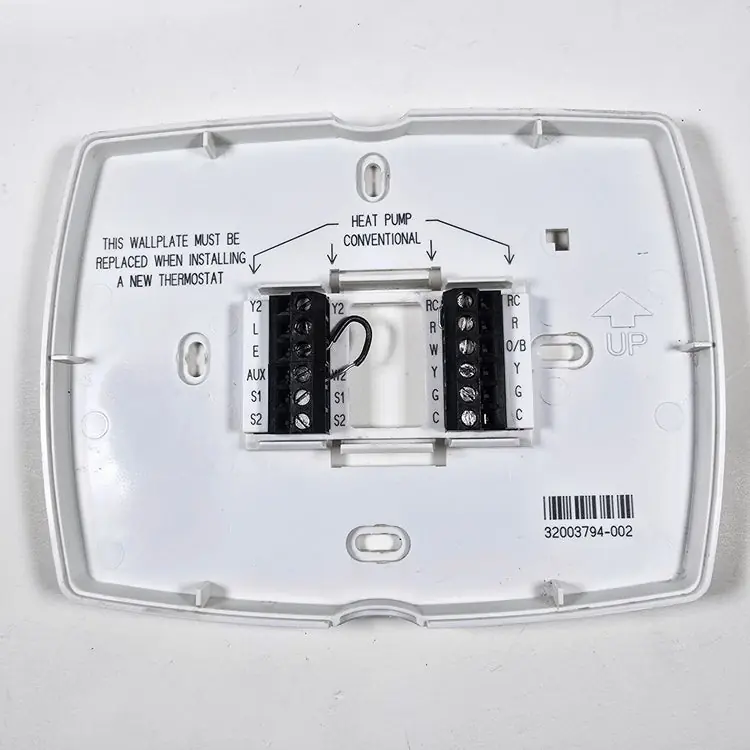
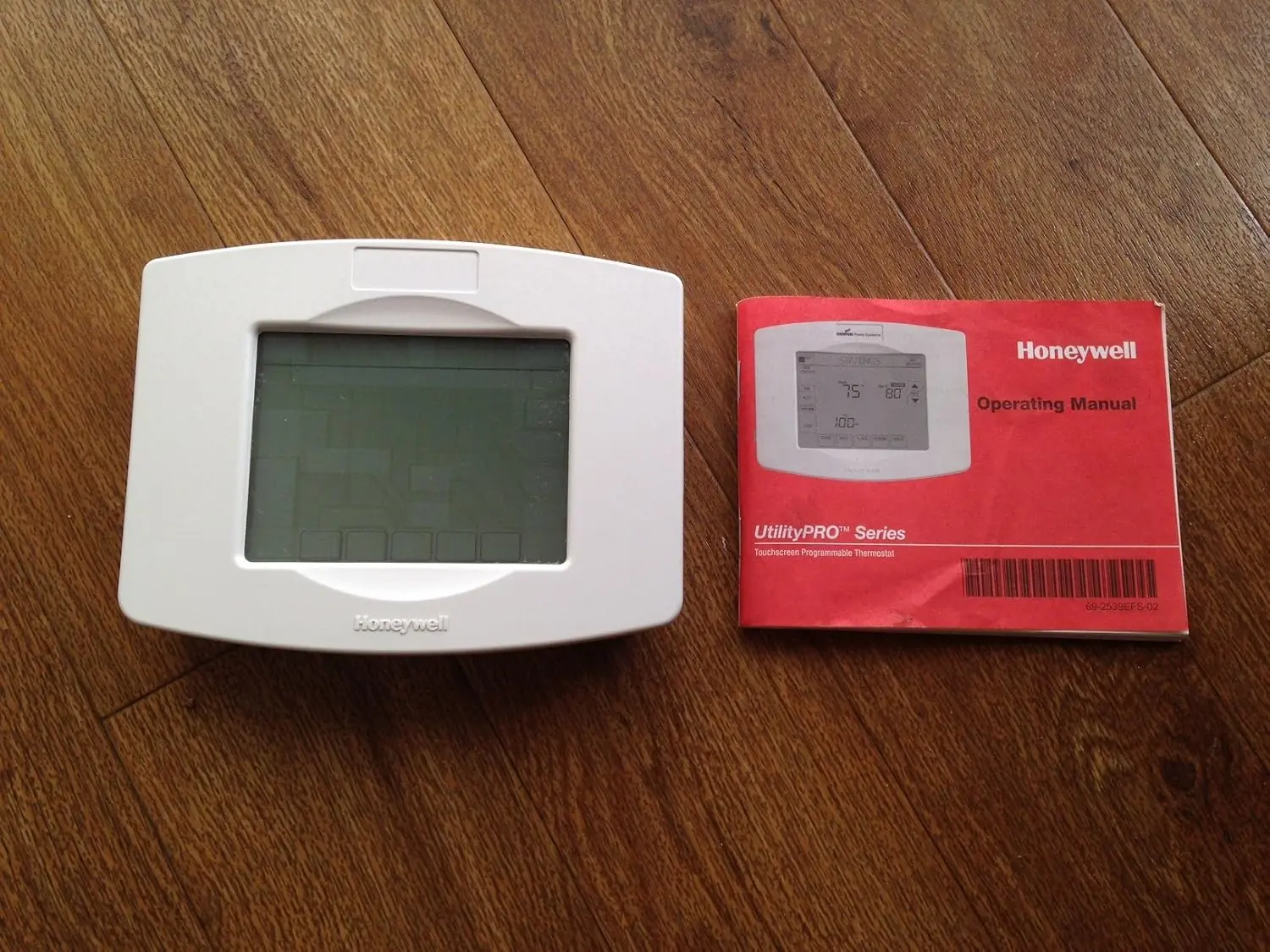
Honeywell TH8320U1008 VisionPRO TH8000 Thermostat Specifications
| Feature | Specification |
|---|---|
| Model | Honeywell VisionPRO® TH8320U1008 |
| System Compatibility | Up to 3 Heat / 2 Cool Systems (Conventional & Heat Pump) |
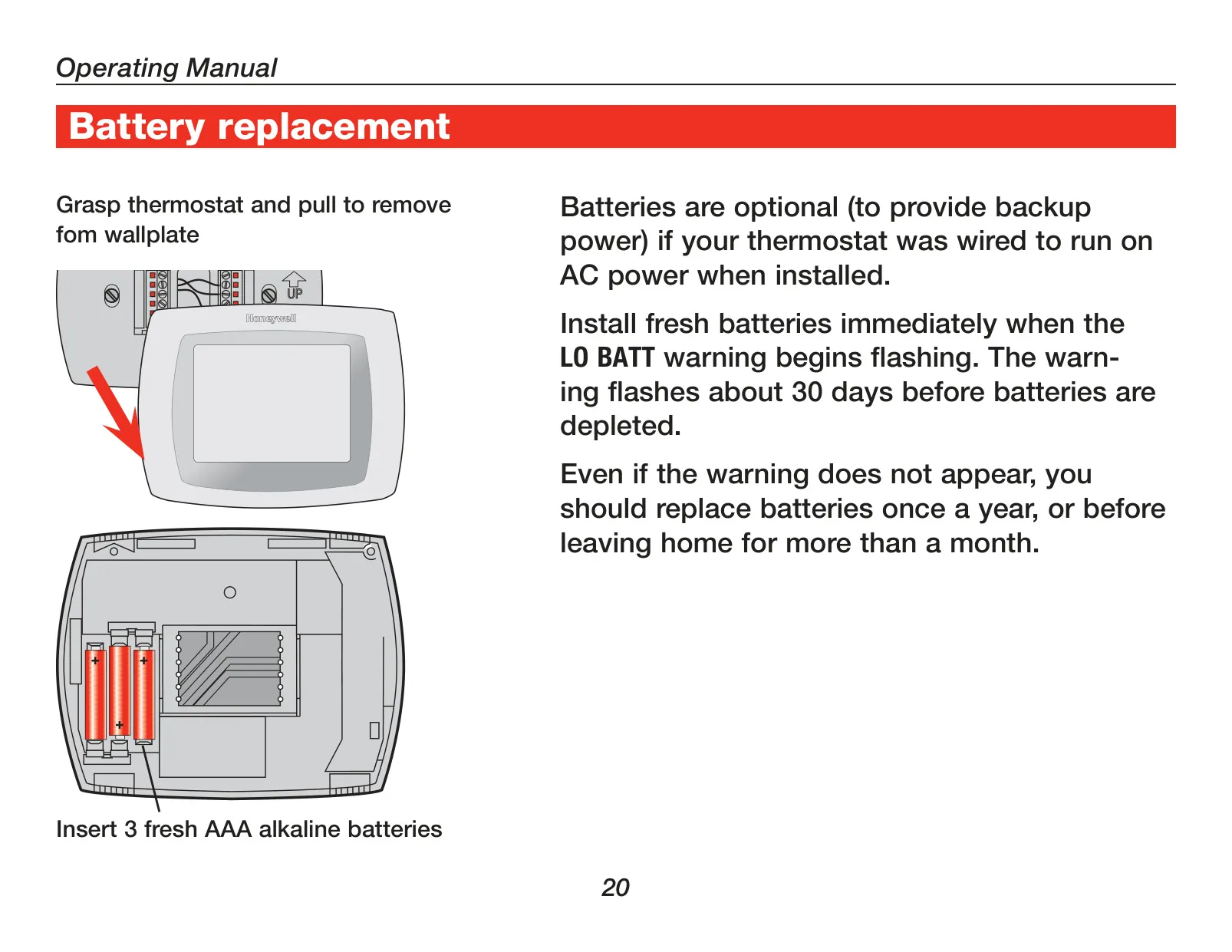
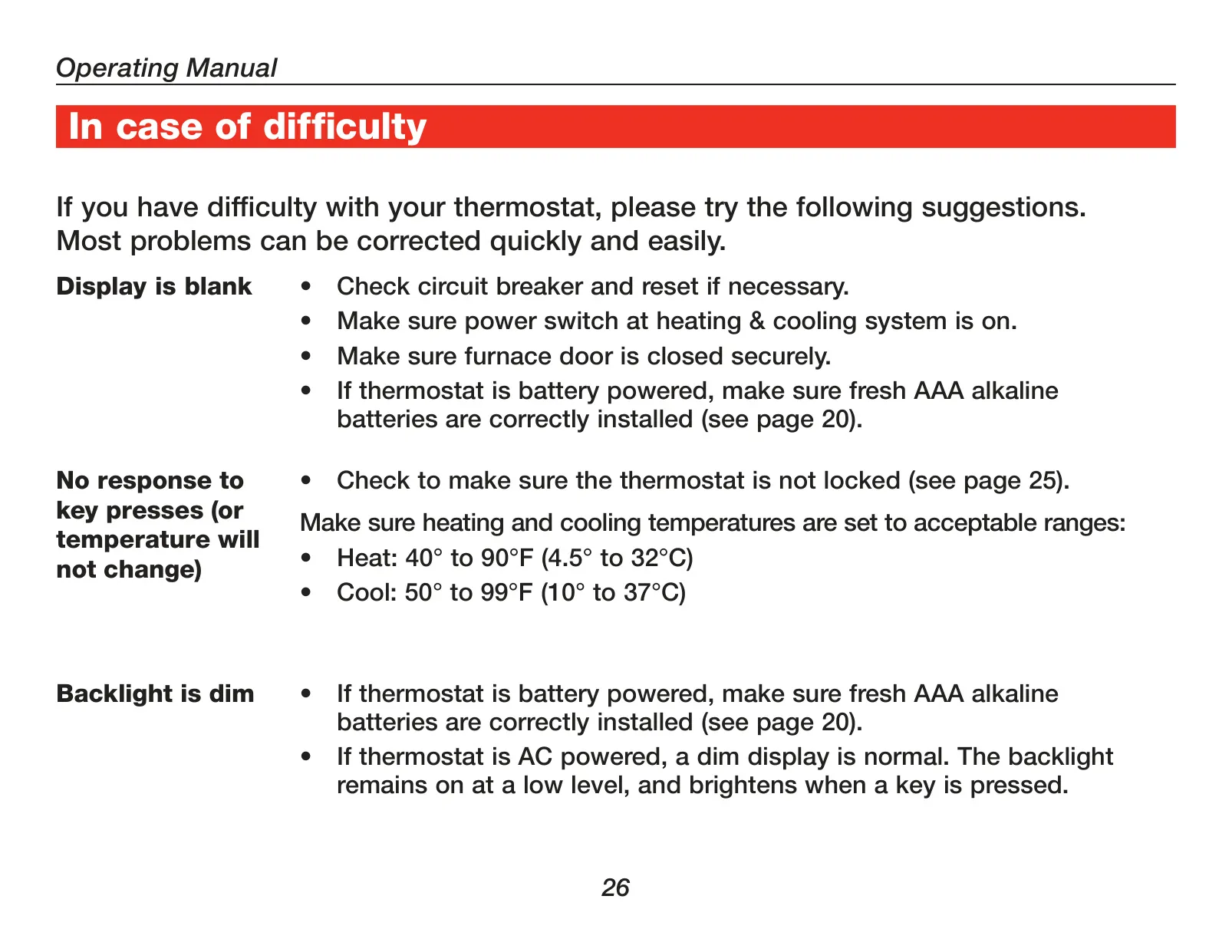
| Power Method | 3 AAA Alkaline Batteries (optional backup) or 24 Vac Common Wire |
| Temperature Control Range (Heat) | 40°F to 90°F (4.5°C to 32°C) |
| Temperature Control Range (Cool) | 50°F to 99°F (10°C to 37°C) |
| Control Precision | ±1°F |
| Programmability | 7-Day Programmable (4 periods per day: Wake, Leave, Return, Sleep) |
| Fan Settings | Auto, On, Circulate (Circ) |
| System Modes | Heat, Off, Cool, Auto, Em Heat (Emergency Heat for heat pumps) |
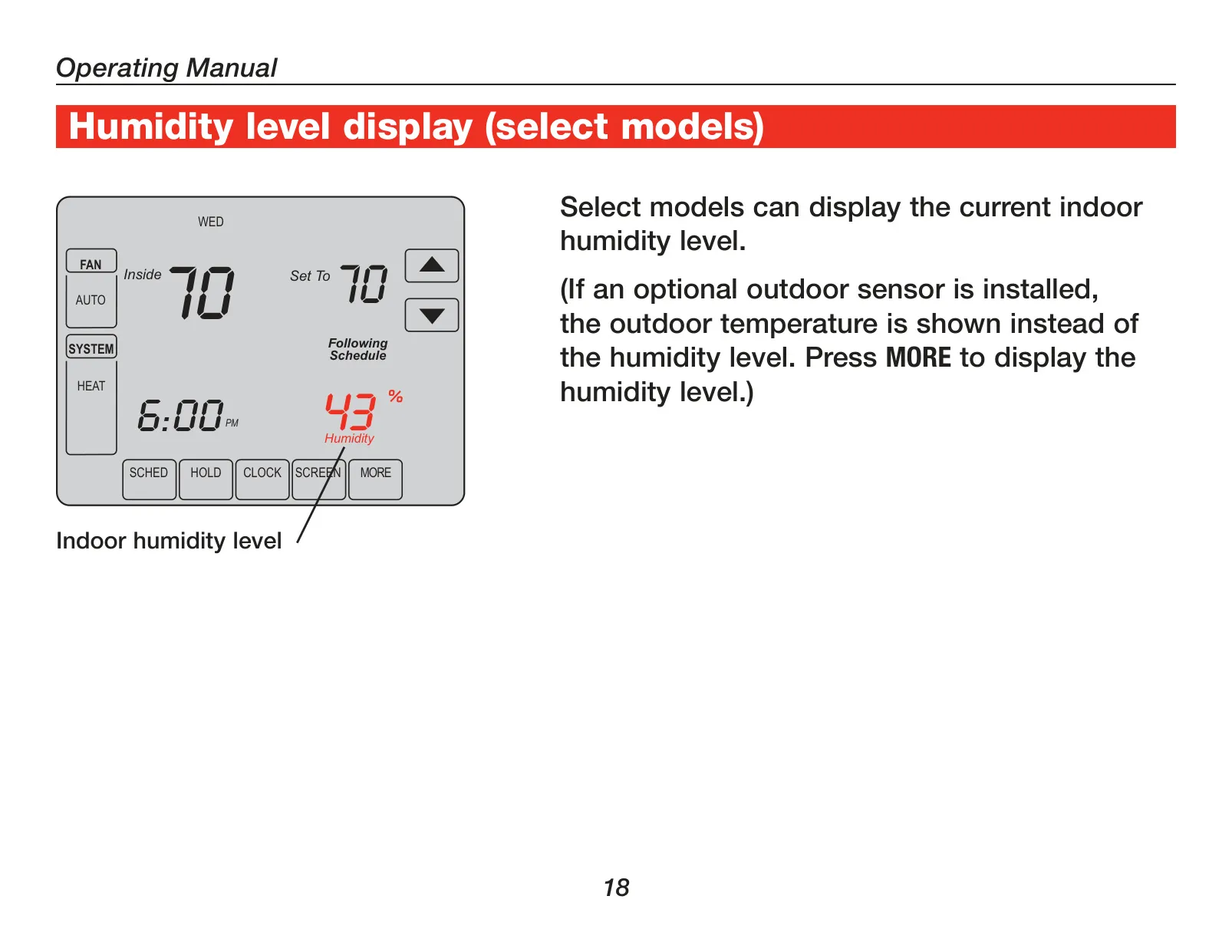
| Display | Large Touchscreen with Backlight |
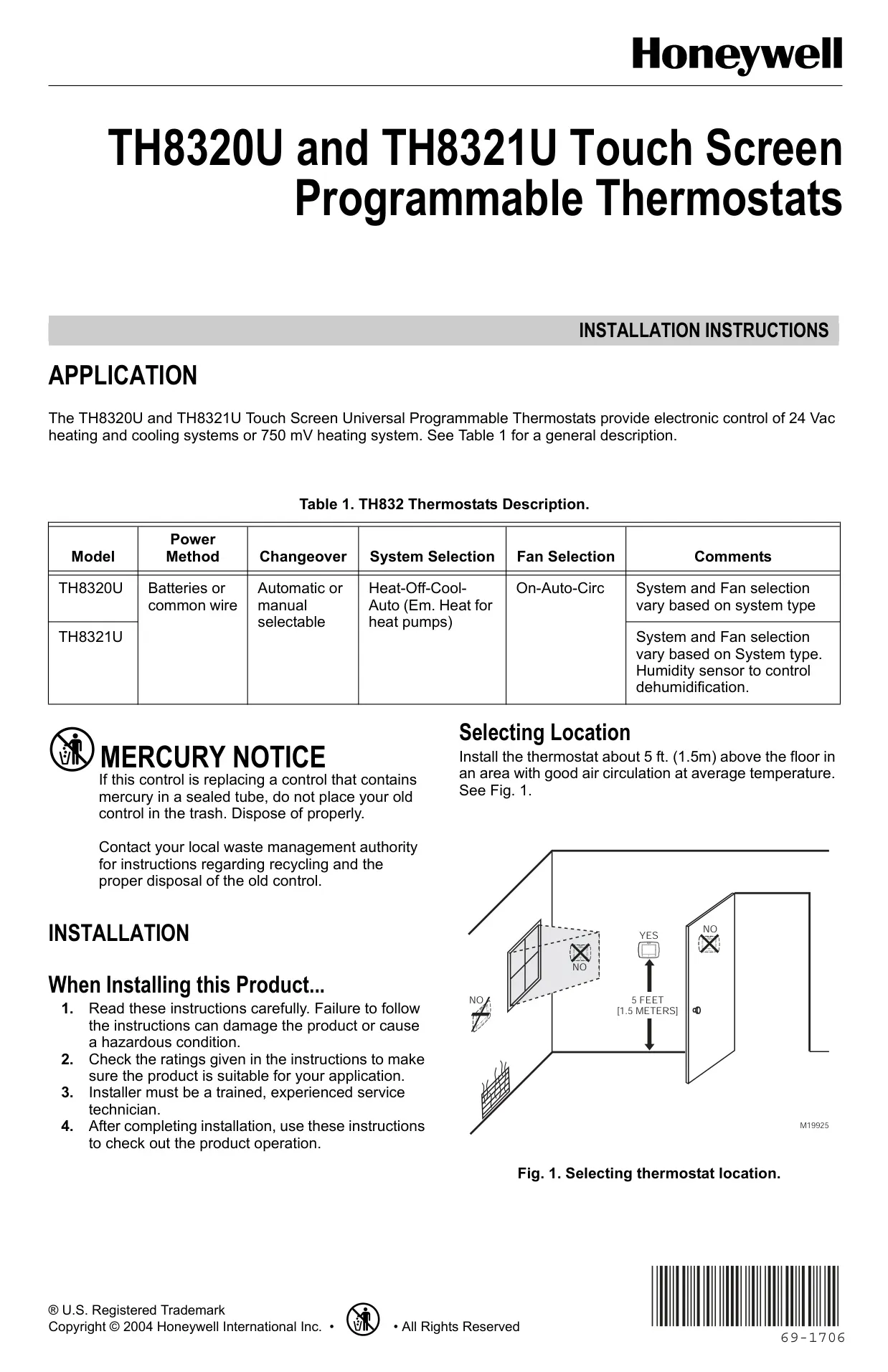
| Installation Height | Approximately 5 ft (1.5 m) above floor |
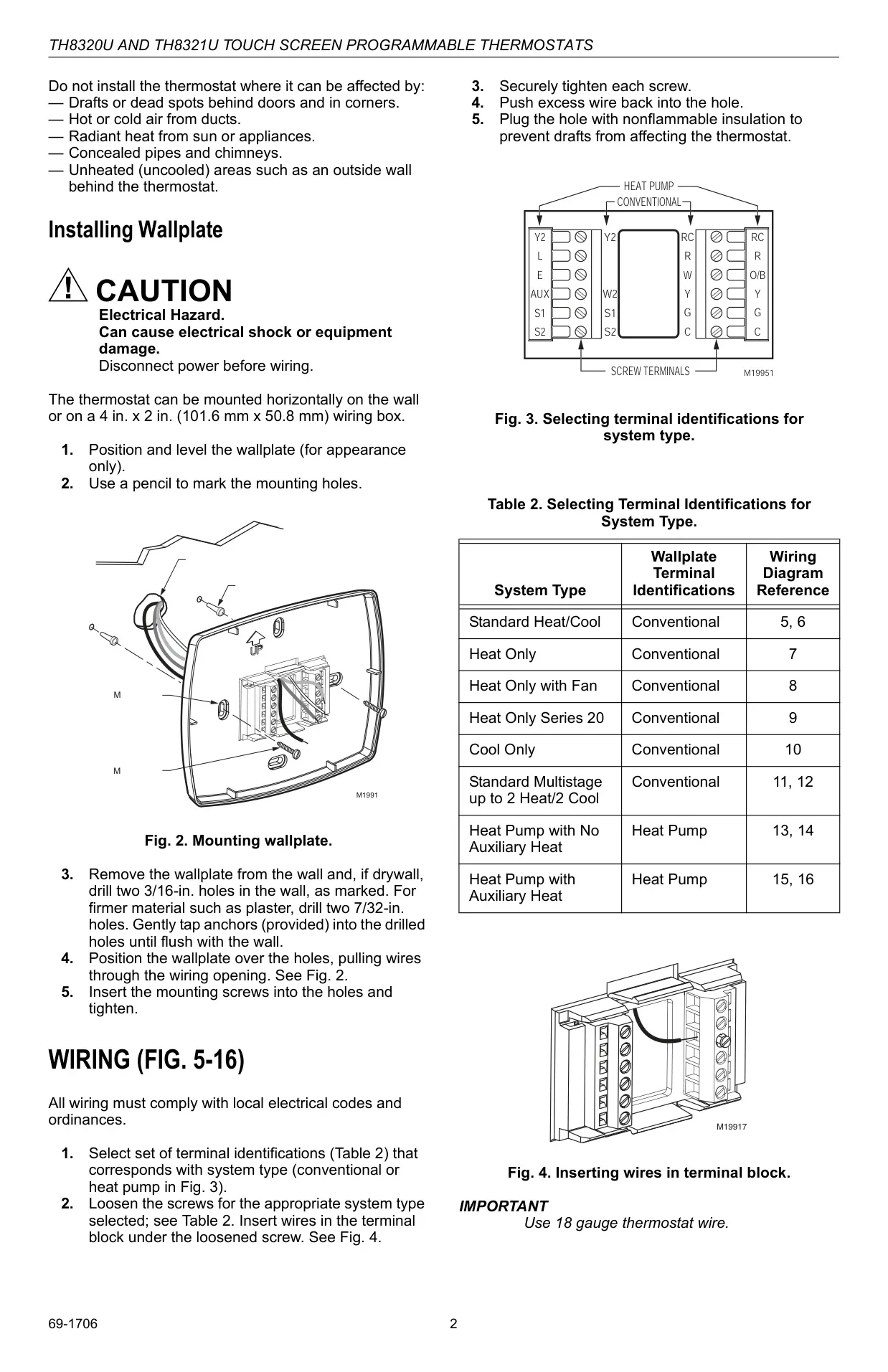
| Recommended Wiring Gauge | 18 Gauge Thermostat Wire |
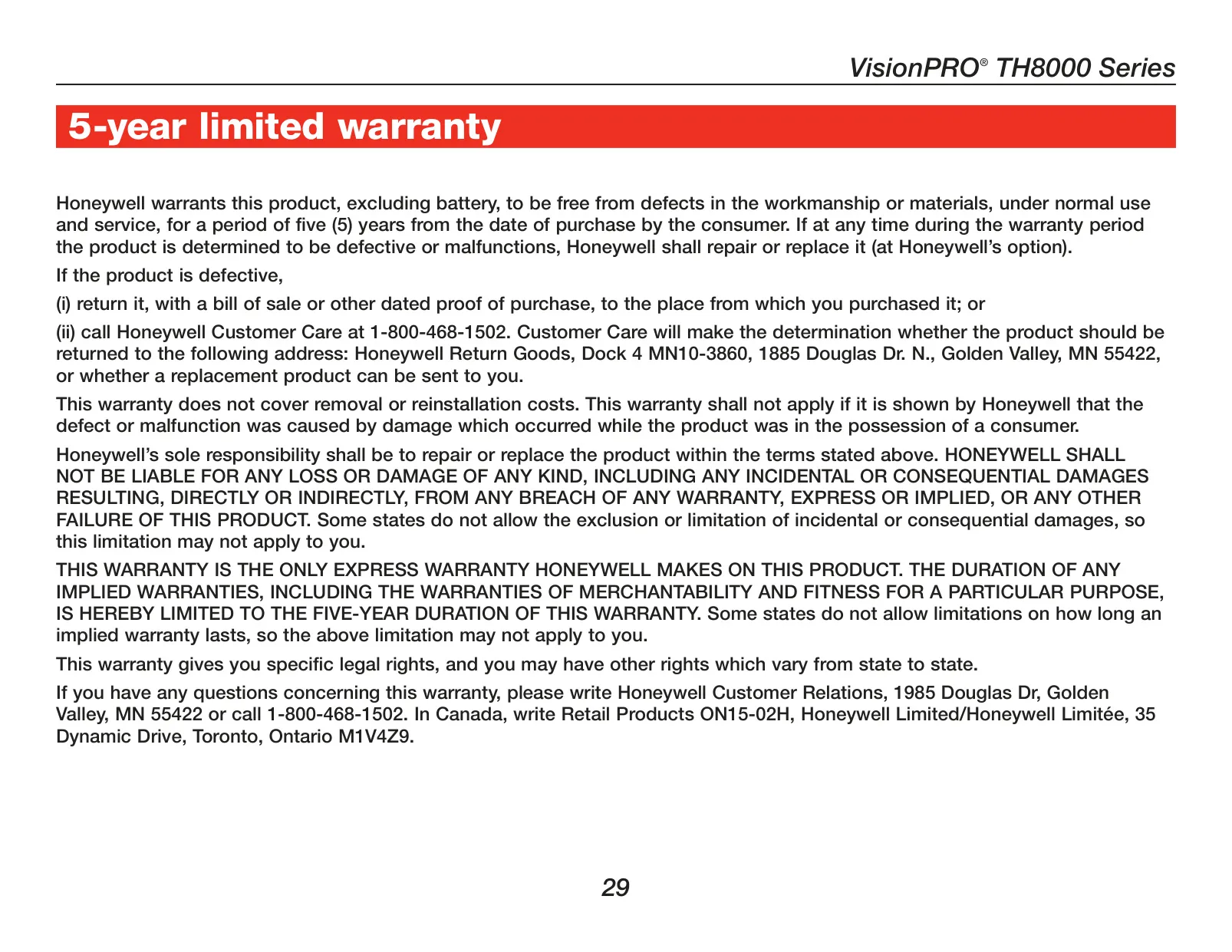
| Warranty | 5-Year Limited Warranty |
Honeywell TH8320U1008 Details
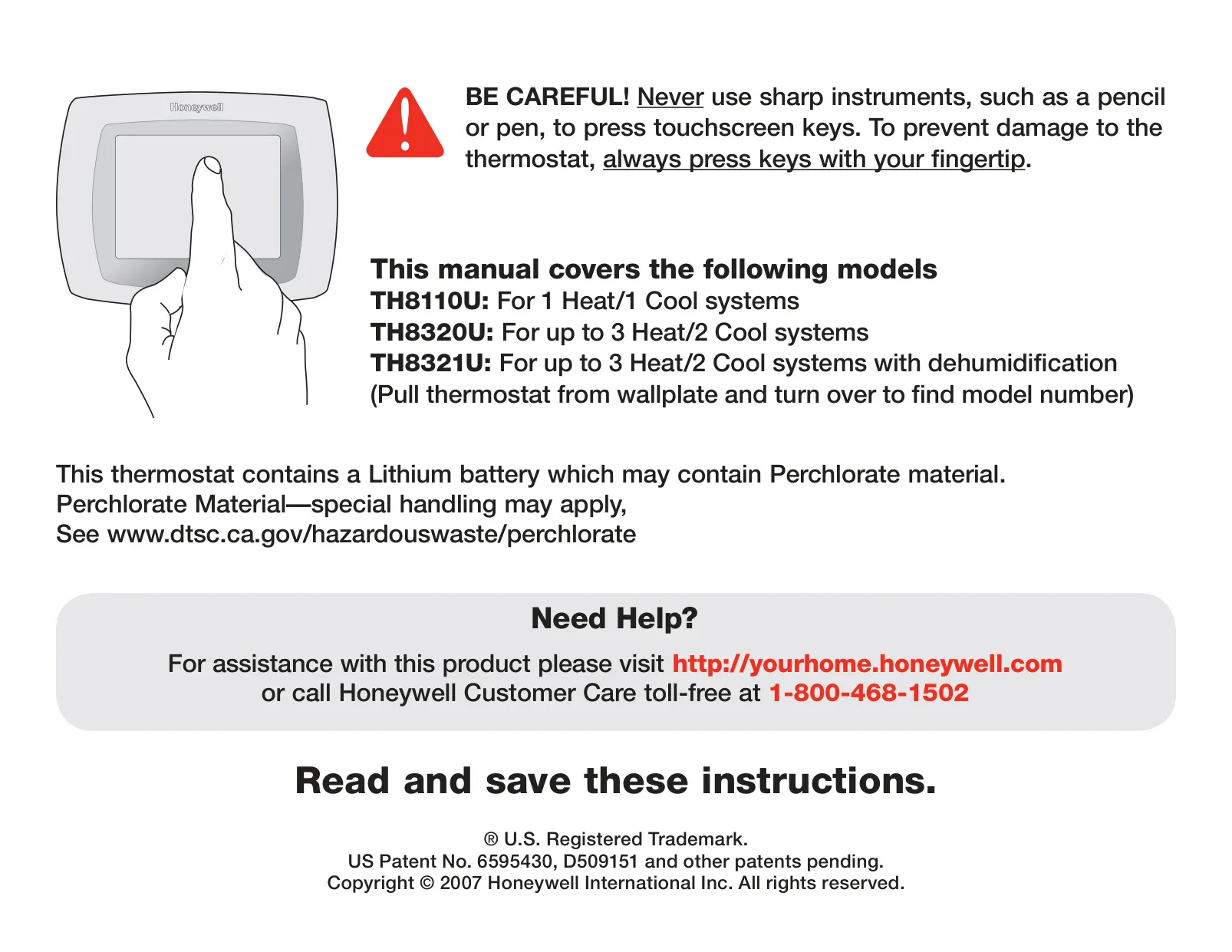
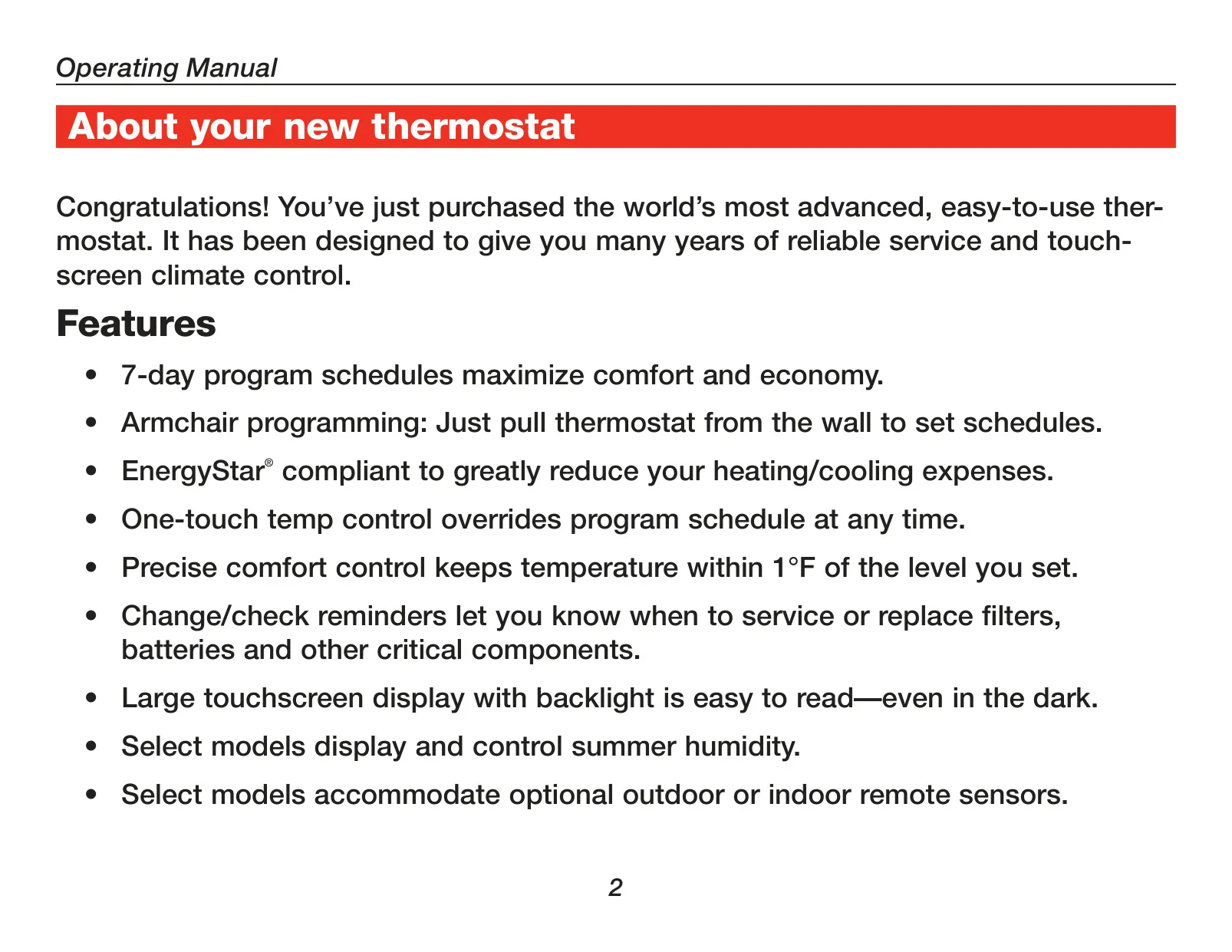
The Honeywell TH8320U1008 VisionPRO® thermostat elevates home climate control with its advanced touchscreen interface. Designed for intuitive use, it allows fingertip interaction for effortless adjustments. Users are advised to avoid sharp instruments like pens to prevent screen damage, ensuring the longevity and responsiveness of the display. Its large, backlit screen guarantees easy readability, even in low-light conditions, enhancing user convenience at any time of day. This emphasis on user-friendly design makes climate management straightforward and accessible.
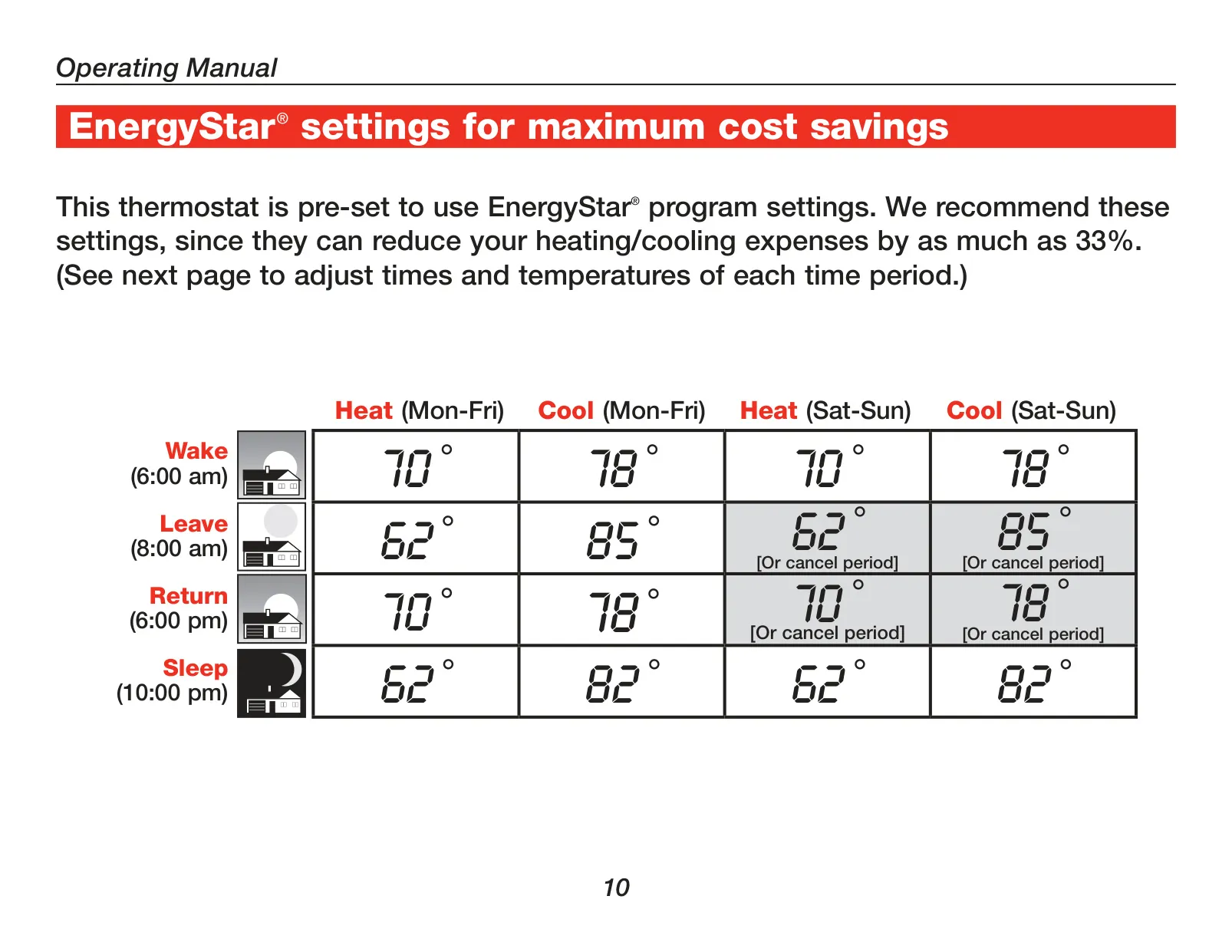
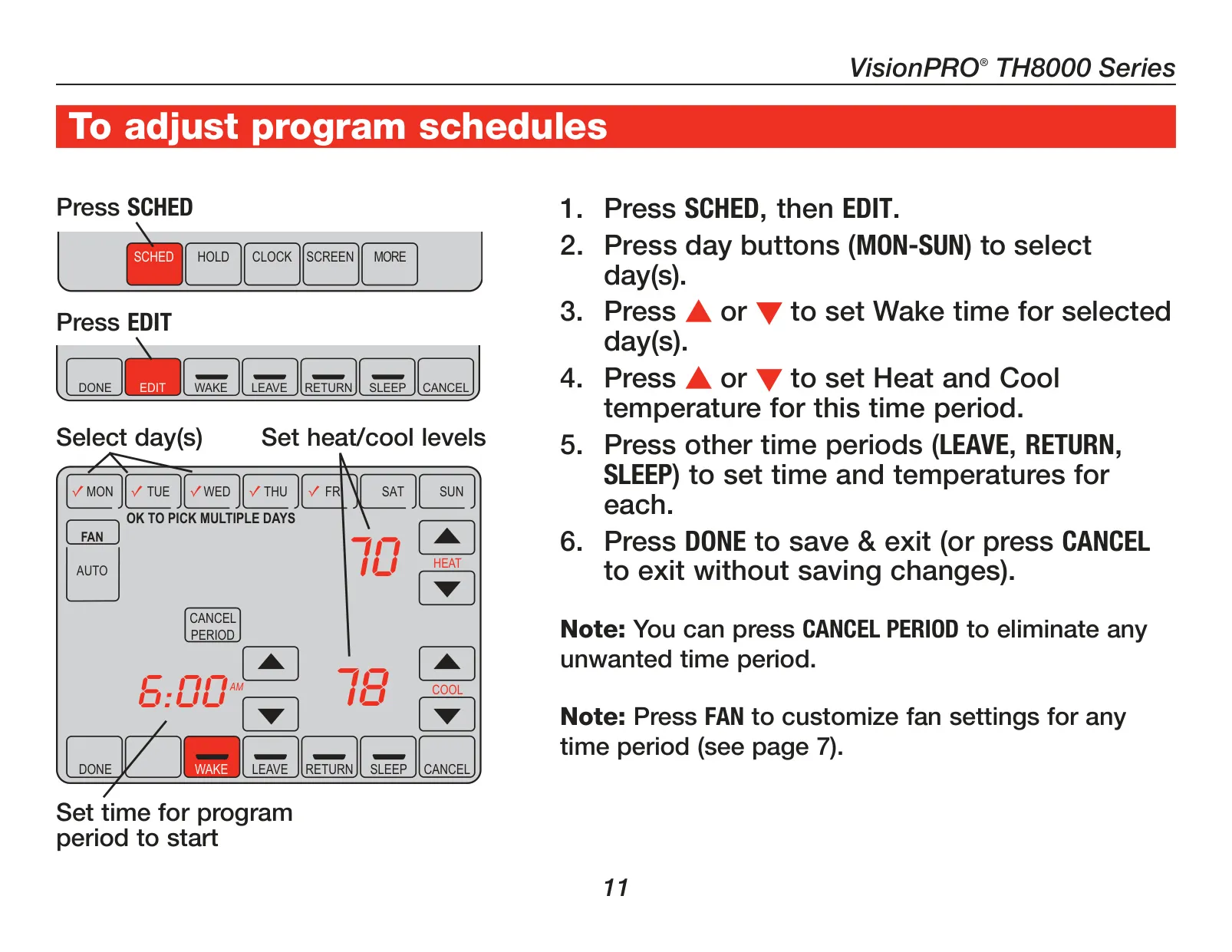
Beyond its immediate controls, the TH8320U1008 comes pre-programmed with EnergyStar® compliant settings, designed to maximize energy savings right out of the box. While these default settings offer a significant reduction in heating and cooling expenses—potentially up to 33%—they are fully customizable. Users can tailor four distinct time periods each day (Wake, Leave, Return, Sleep) to suit individual schedules, with options for different weekday and weekend programming, providing optimal comfort and efficiency tailored to their lifestyle.
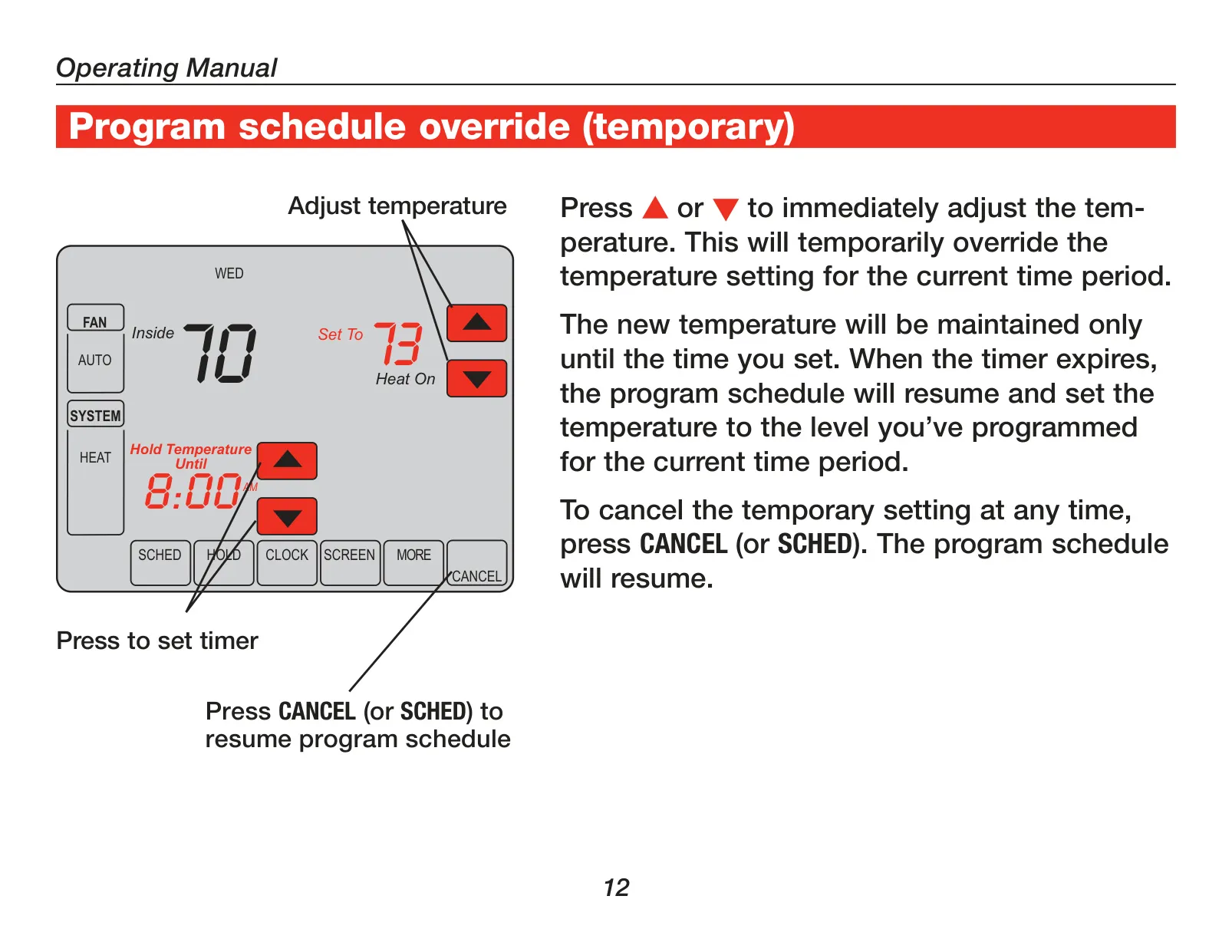
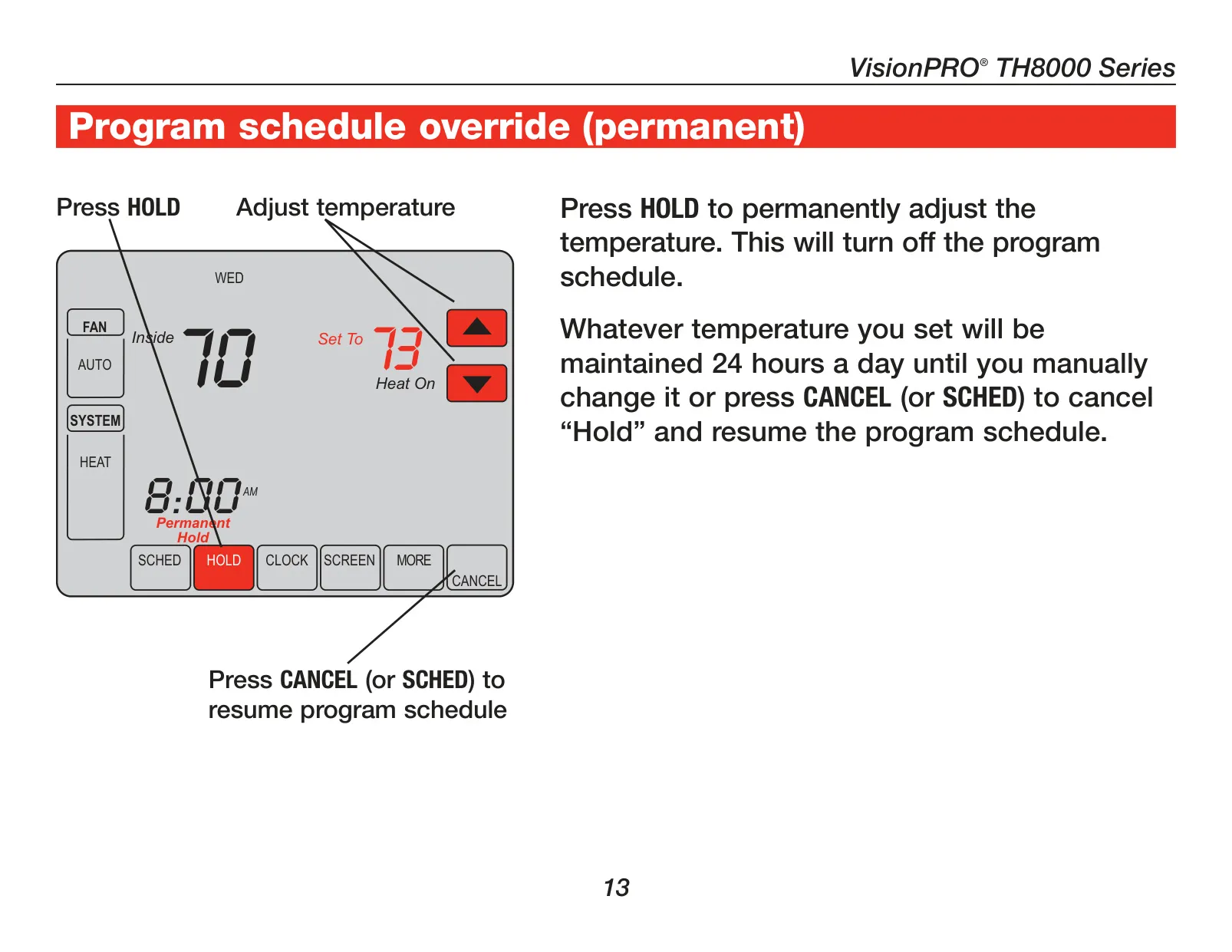
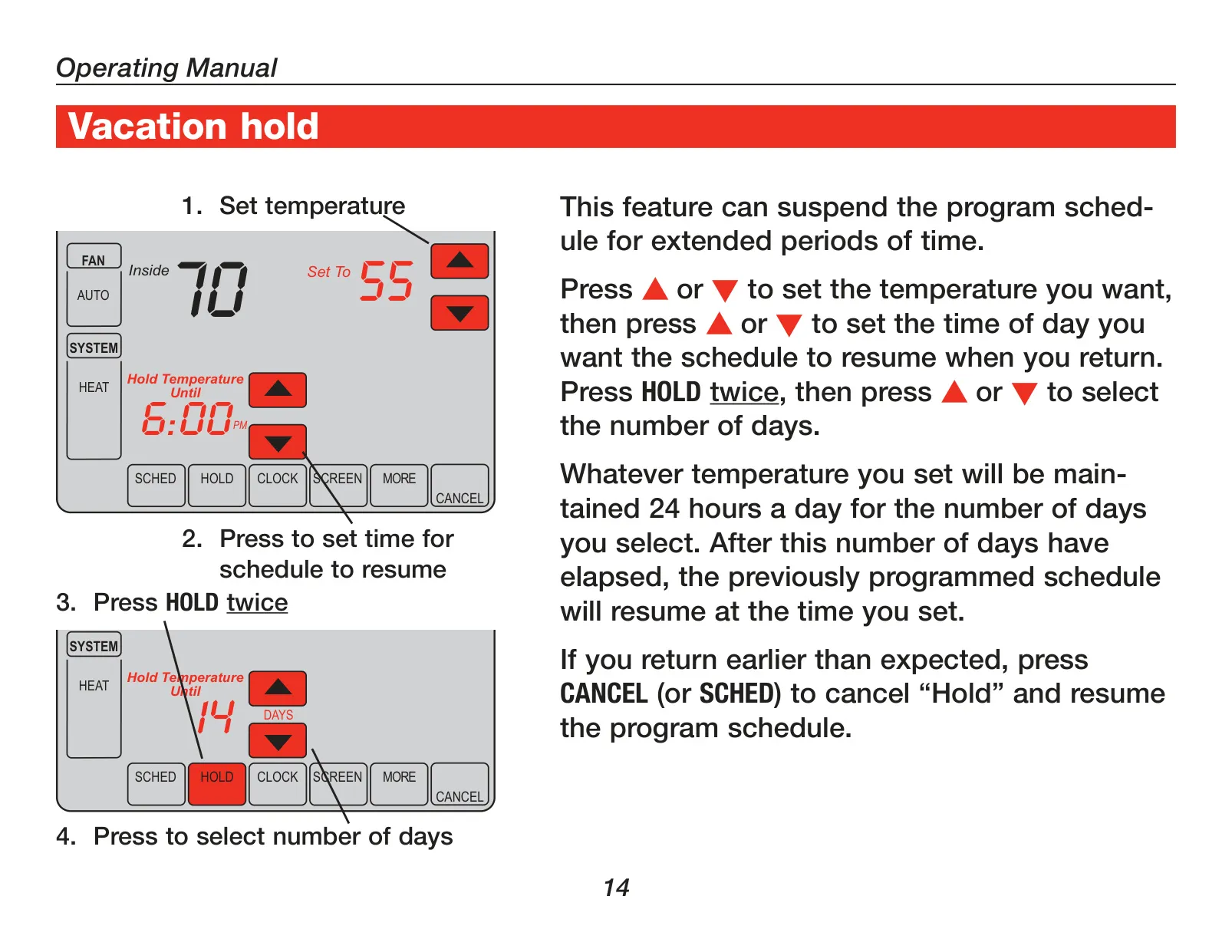
The thermostat provides remarkable flexibility in temperature control through various override options. A one-touch temporary override allows for immediate temperature adjustments that last until the next scheduled program period. For longer deviations, the permanent hold feature maintains a set temperature indefinitely, effectively pausing the program schedule. Additionally, the Vacation Hold function caters to extended absences, allowing users to set a specific temperature for a chosen number of days before the regular schedule automatically resumes, ensuring both savings and convenience.
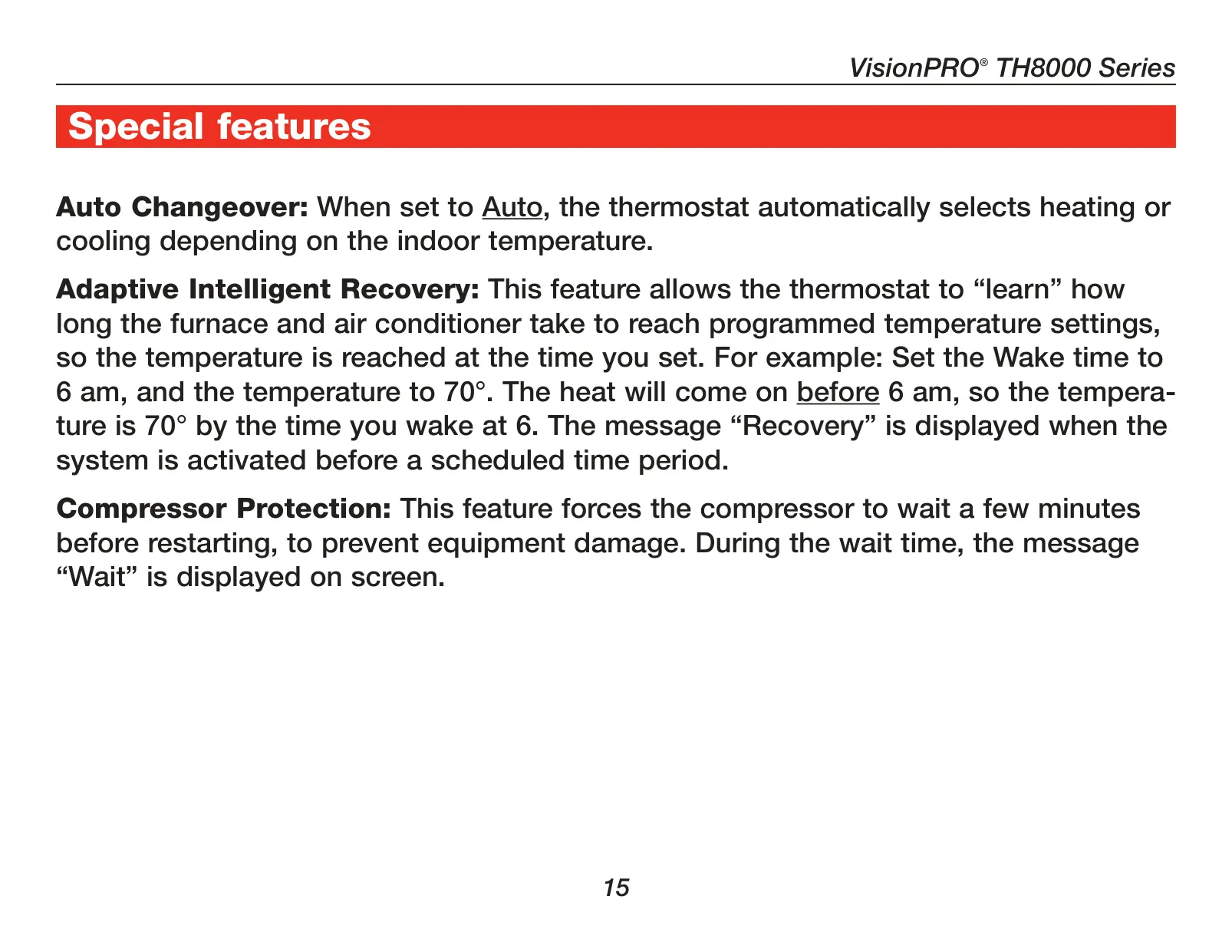
Equipped with Adaptive Intelligent Recovery™, the TH8320U1008 learns how long your HVAC system takes to reach desired temperatures. This intelligent feature ensures your home is comfortable precisely when you expect it to be, activating heating or cooling ahead of schedule so the setpoint is met by the program start time. Furthermore, Compressor Protection is built-in, forcing the compressor to wait a few minutes between cycles. This crucial delay prevents potential equipment damage, displaying a "Wait" message during this protective interval, safeguarding your HVAC system.
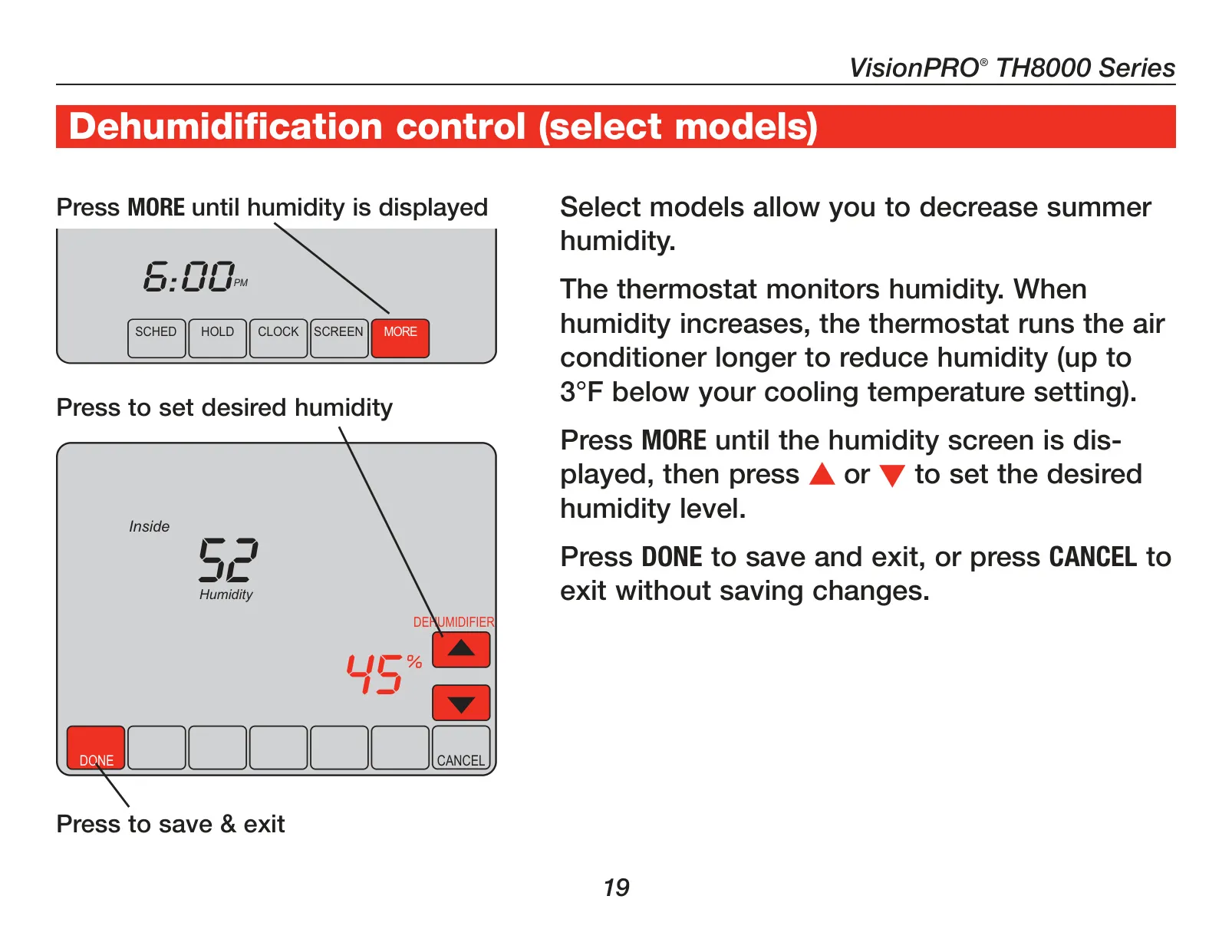
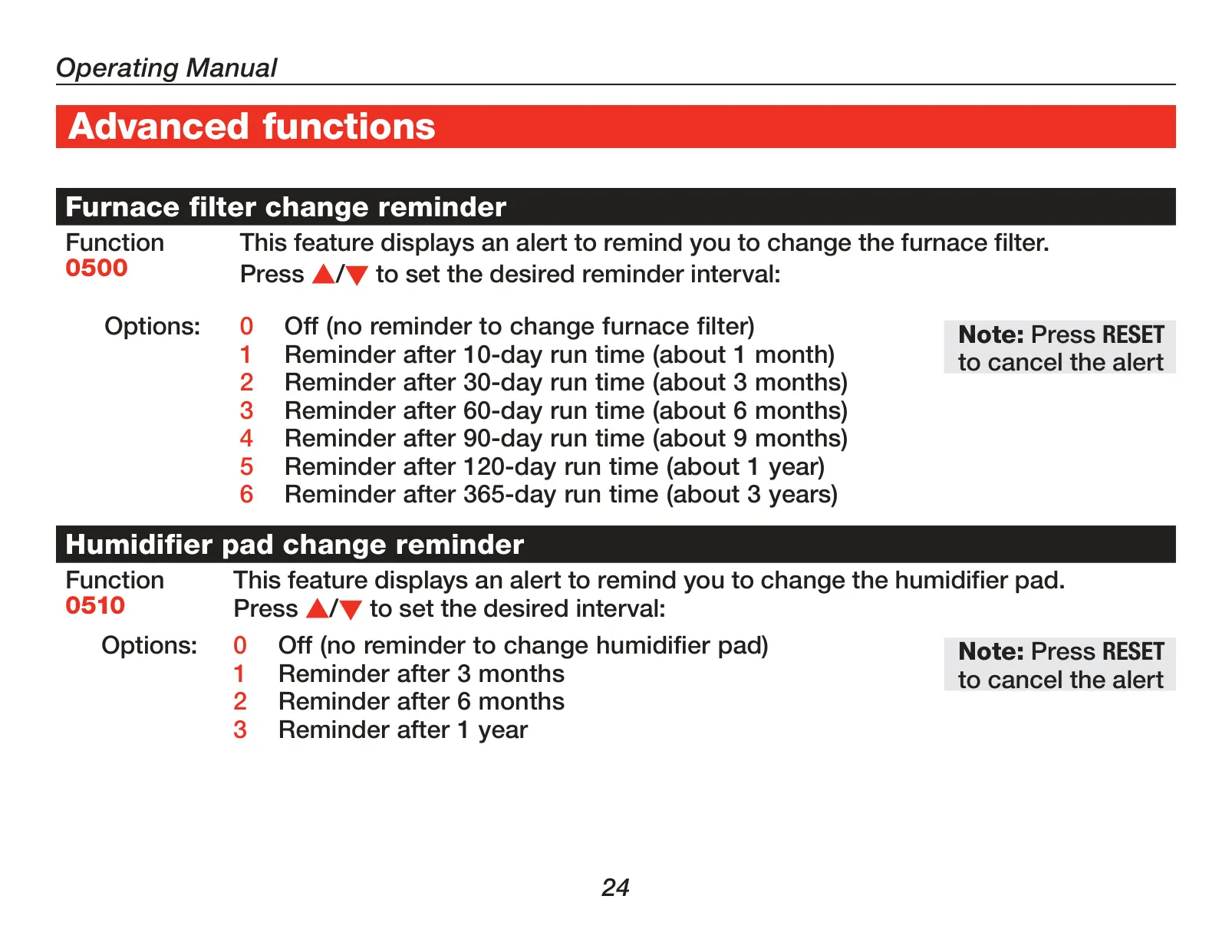
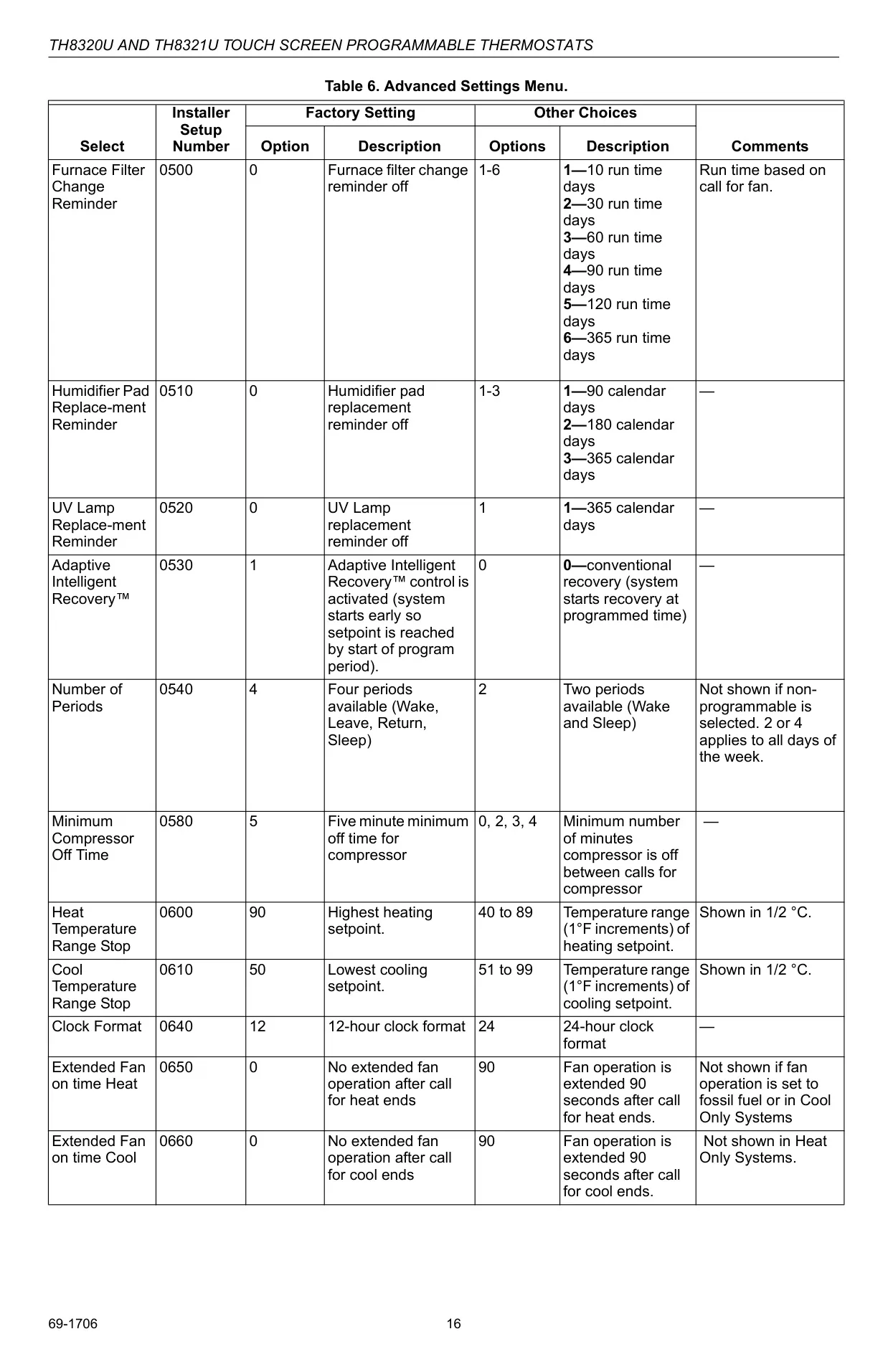
To help maintain system efficiency and longevity, the thermostat incorporates convenient change/check reminders. These alerts notify users when it's time to service or replace critical components such as furnace filters, humidifier pads, and UV lamps. Such timely prompts ensure that the HVAC system operates at its best, preventing costly breakdowns and maintaining healthy indoor air quality. Users can customize the intervals for these reminders through the advanced settings, aligning them with their specific maintenance routines.
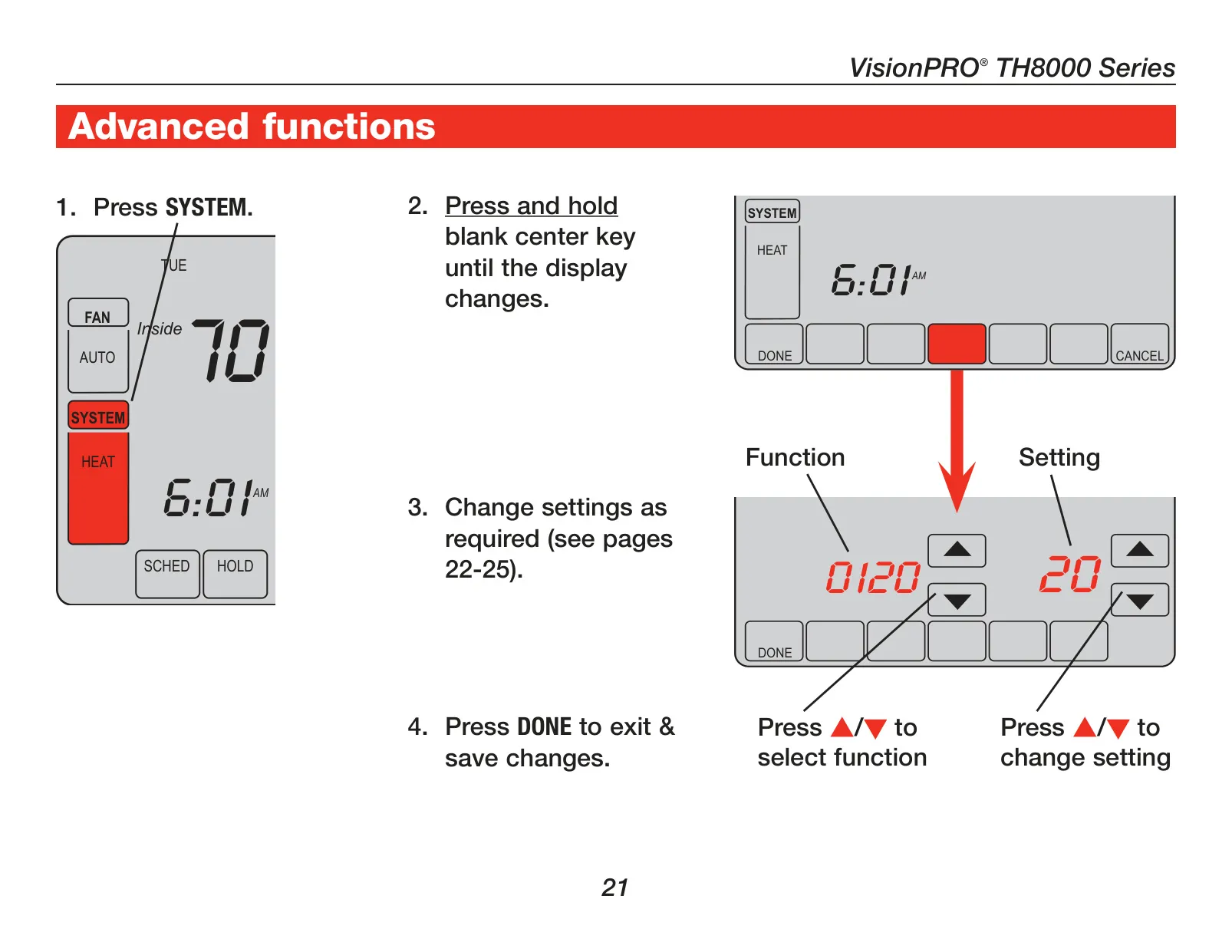
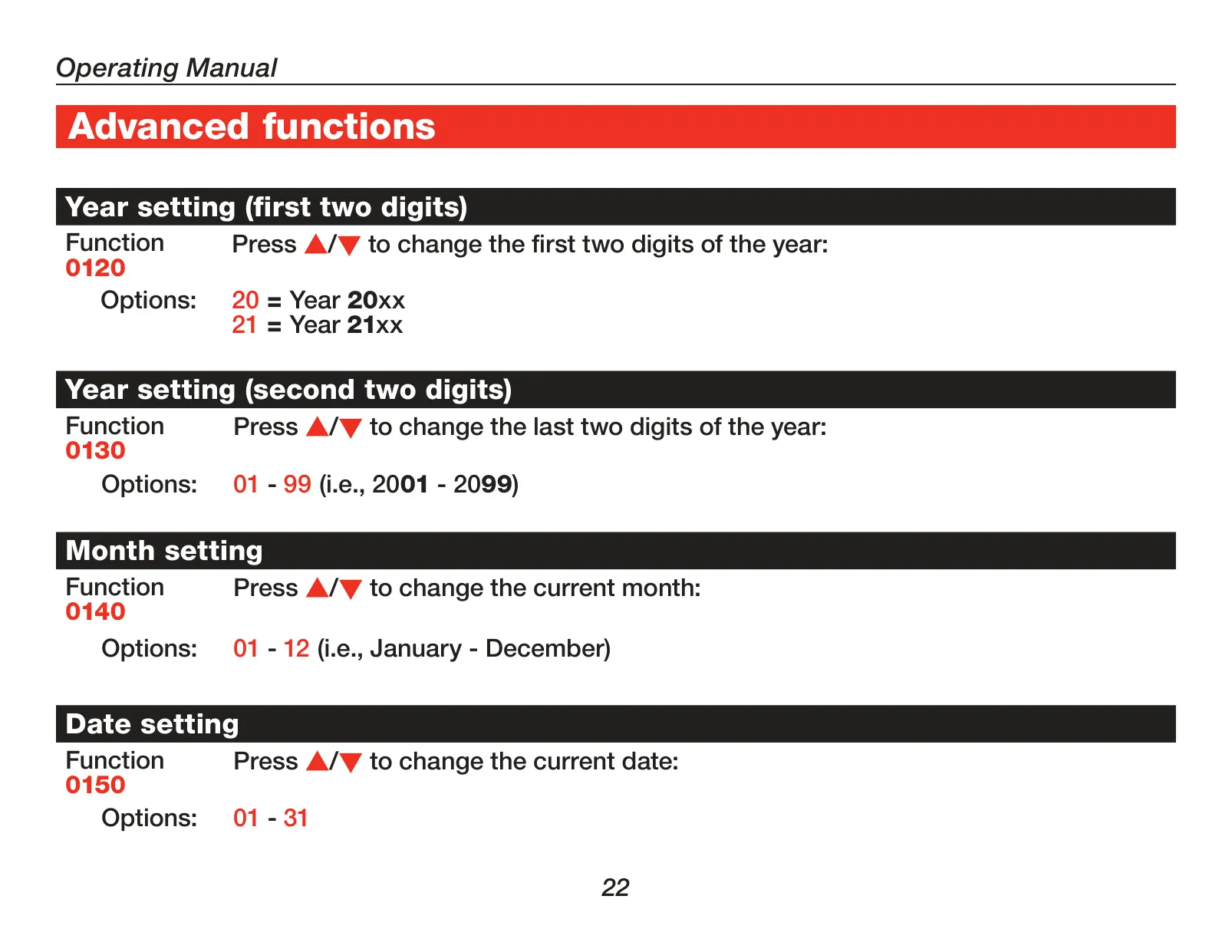
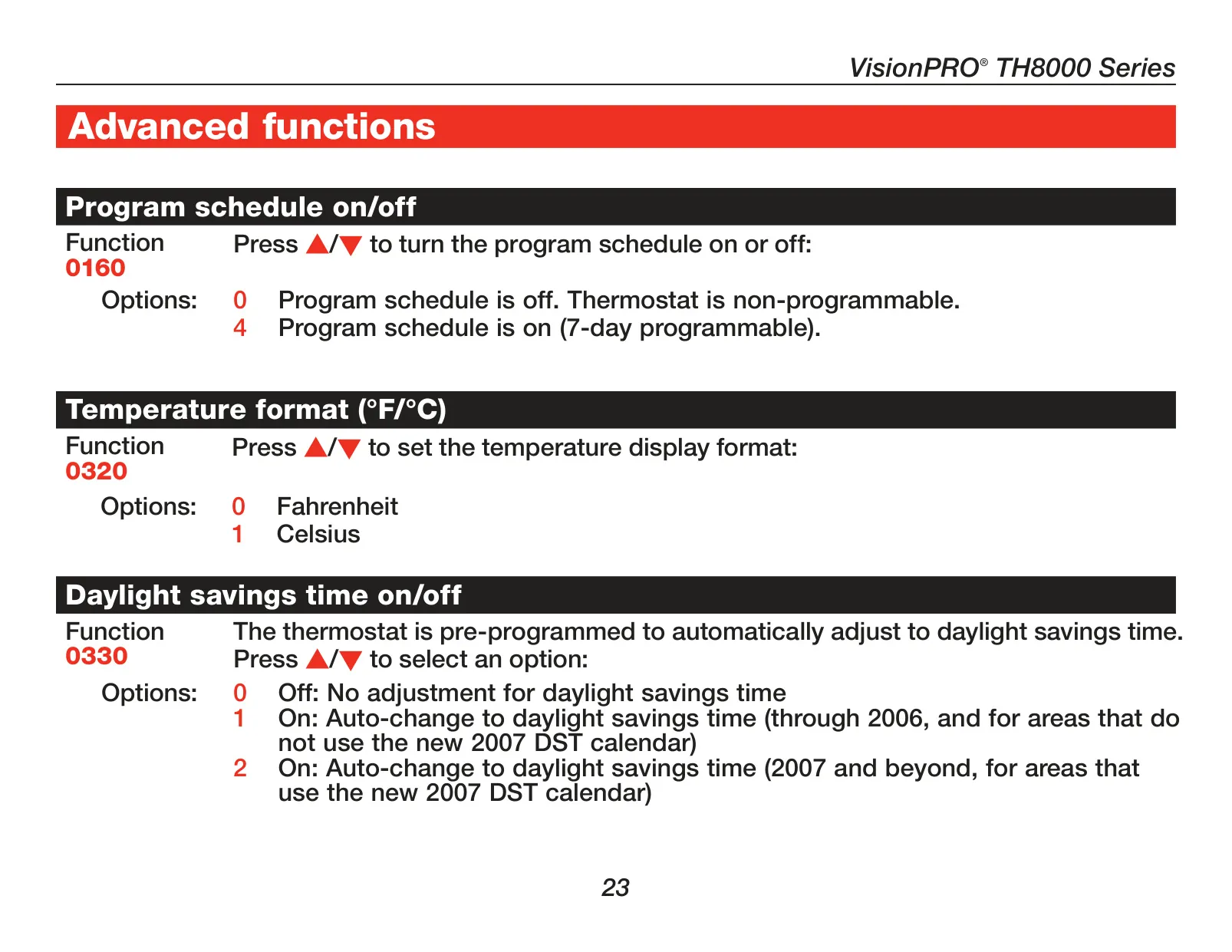
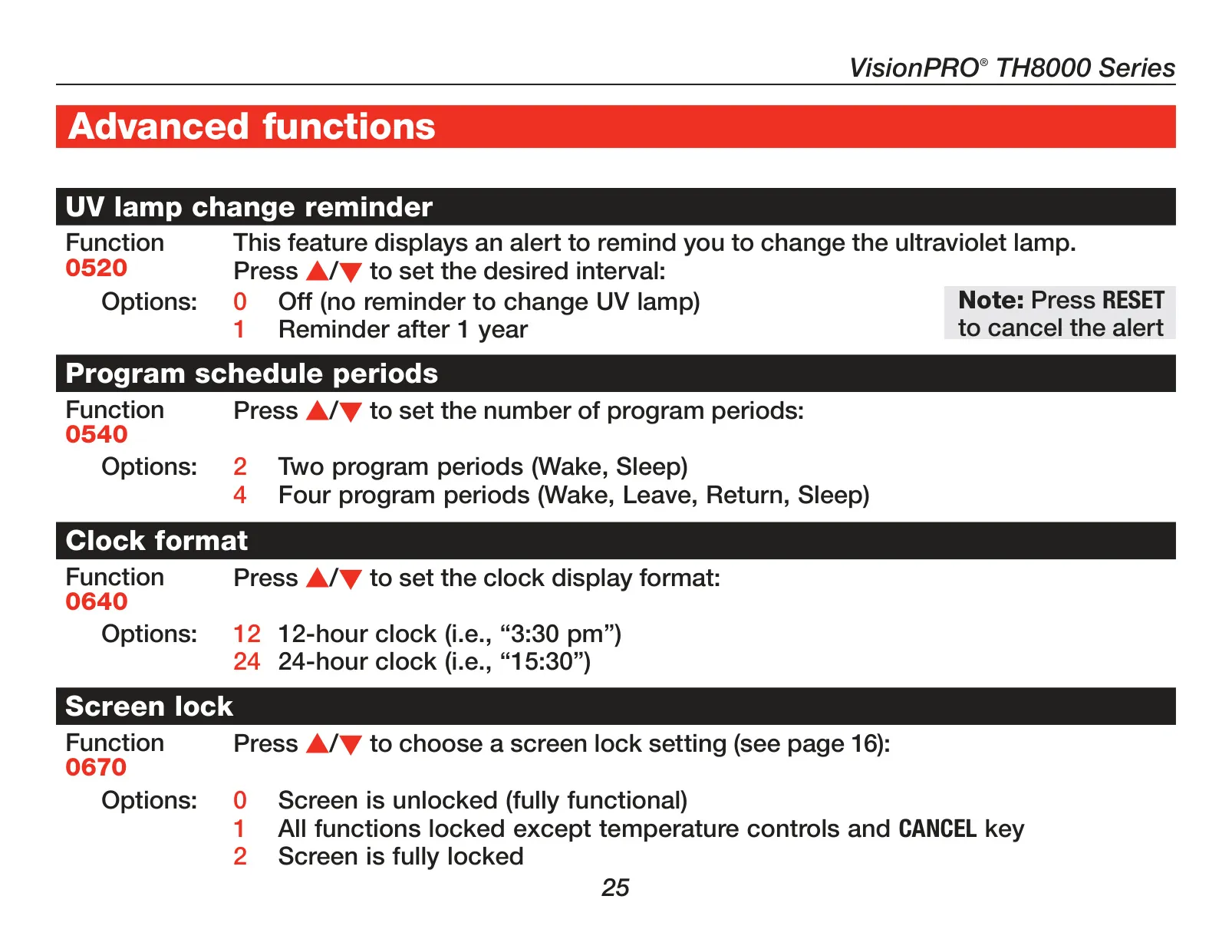
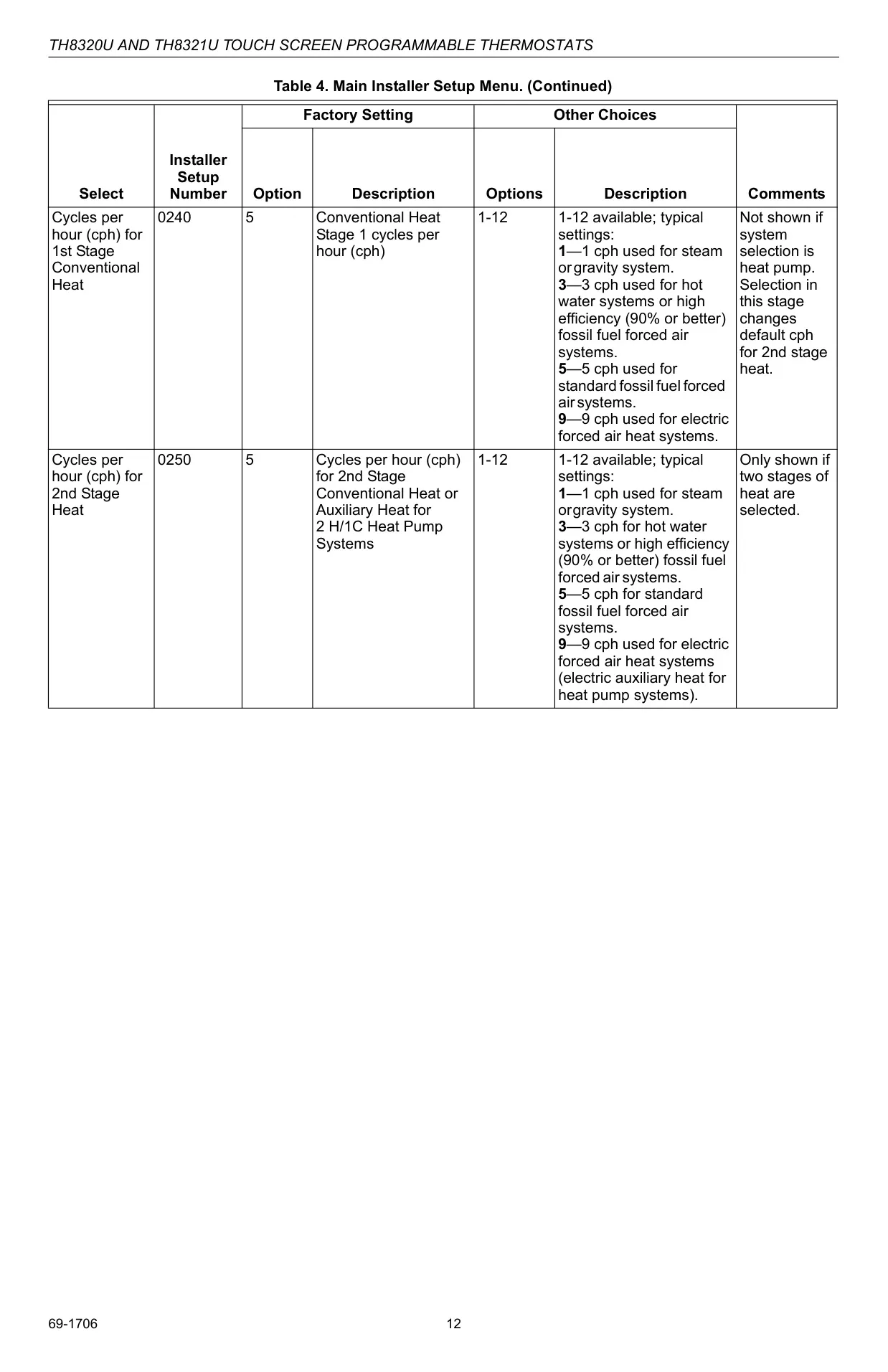
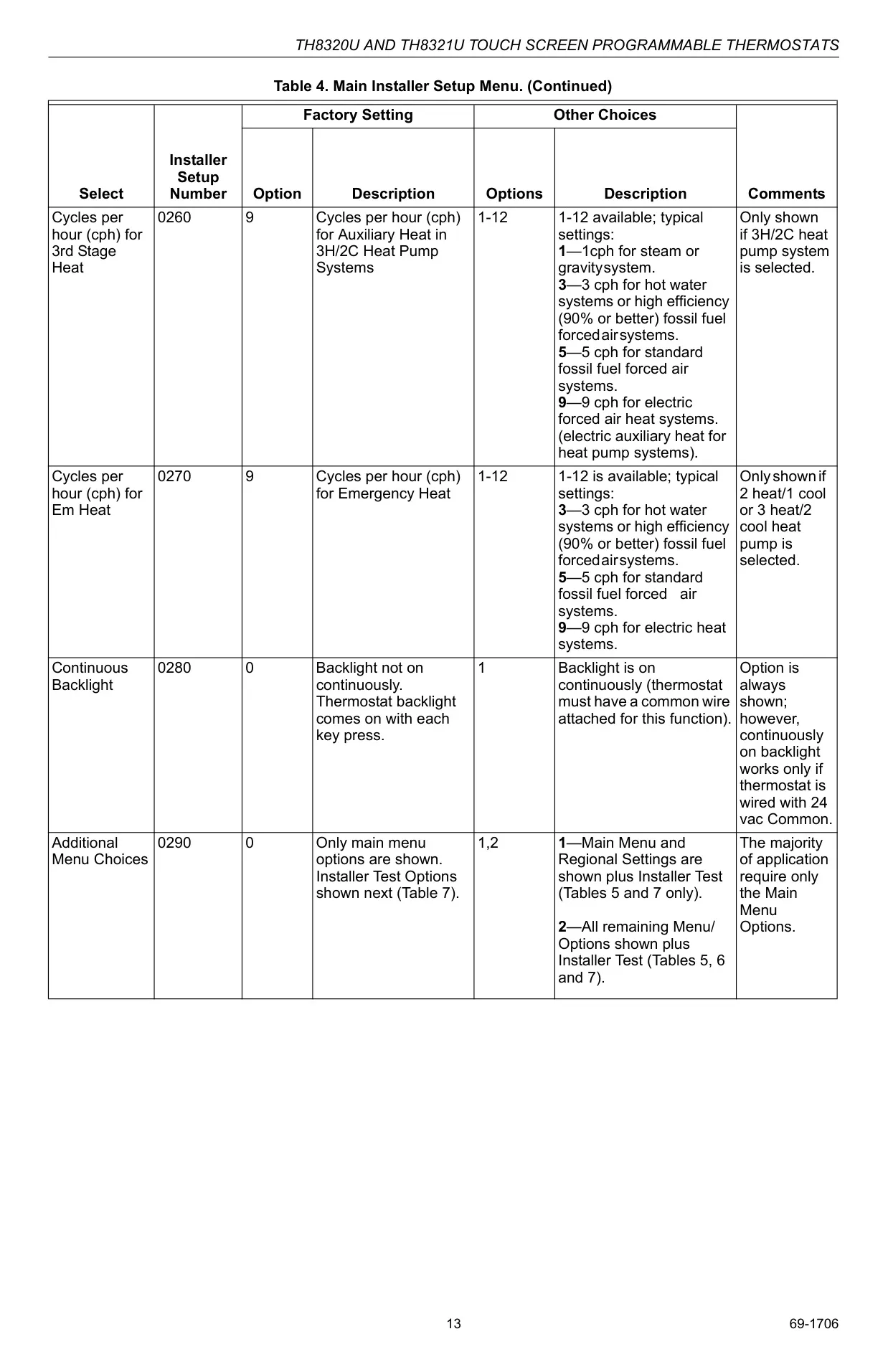
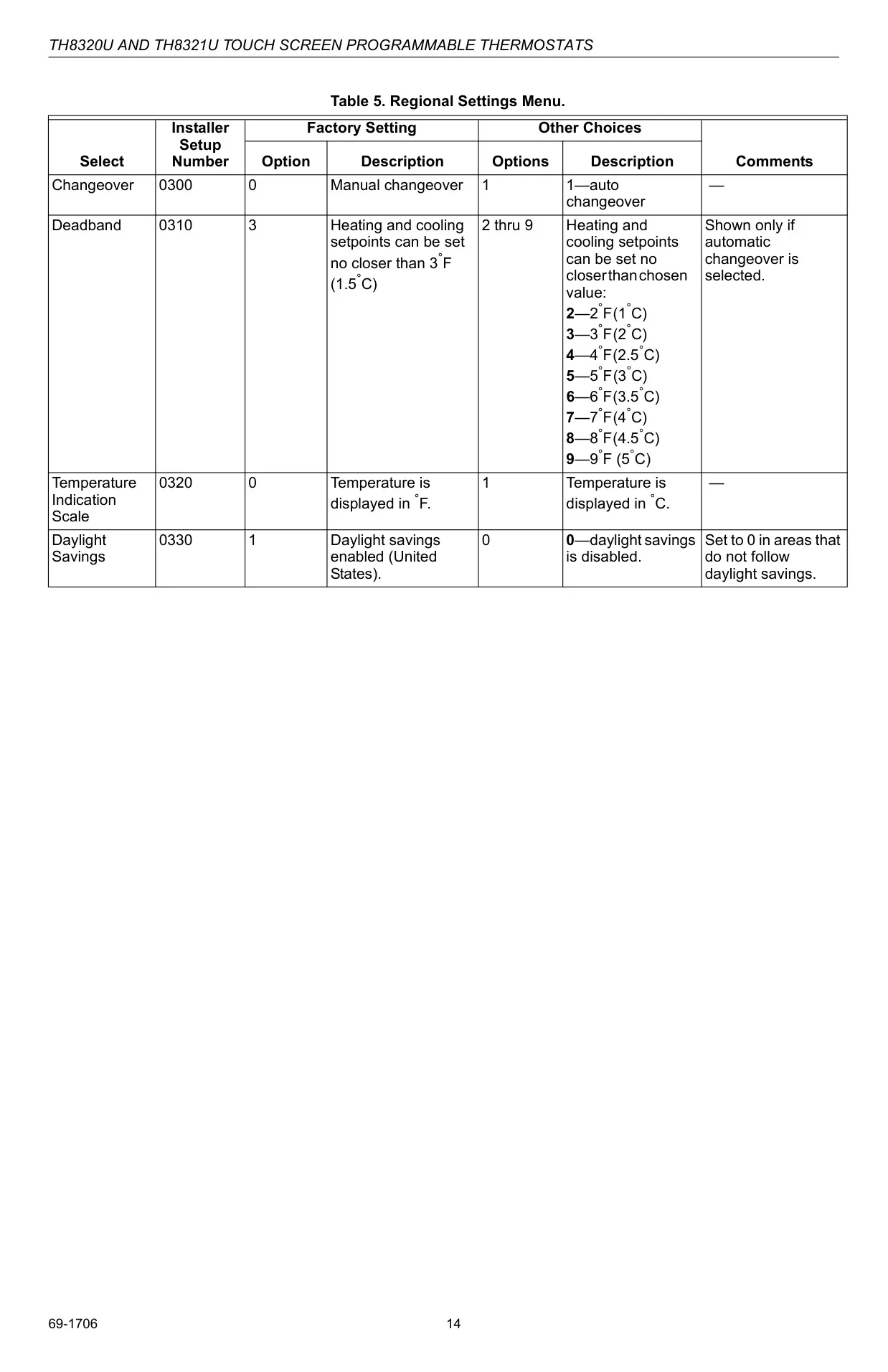
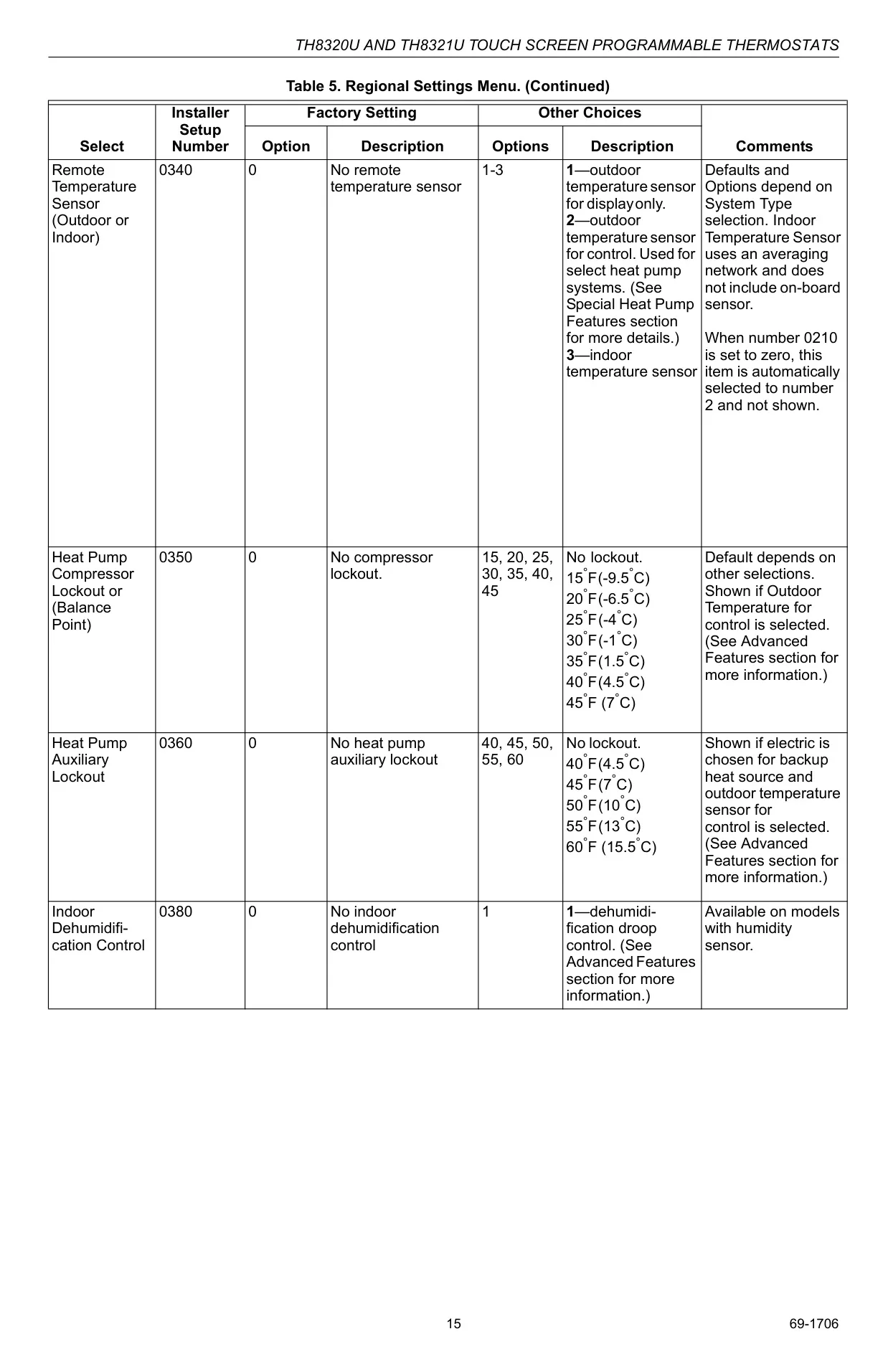
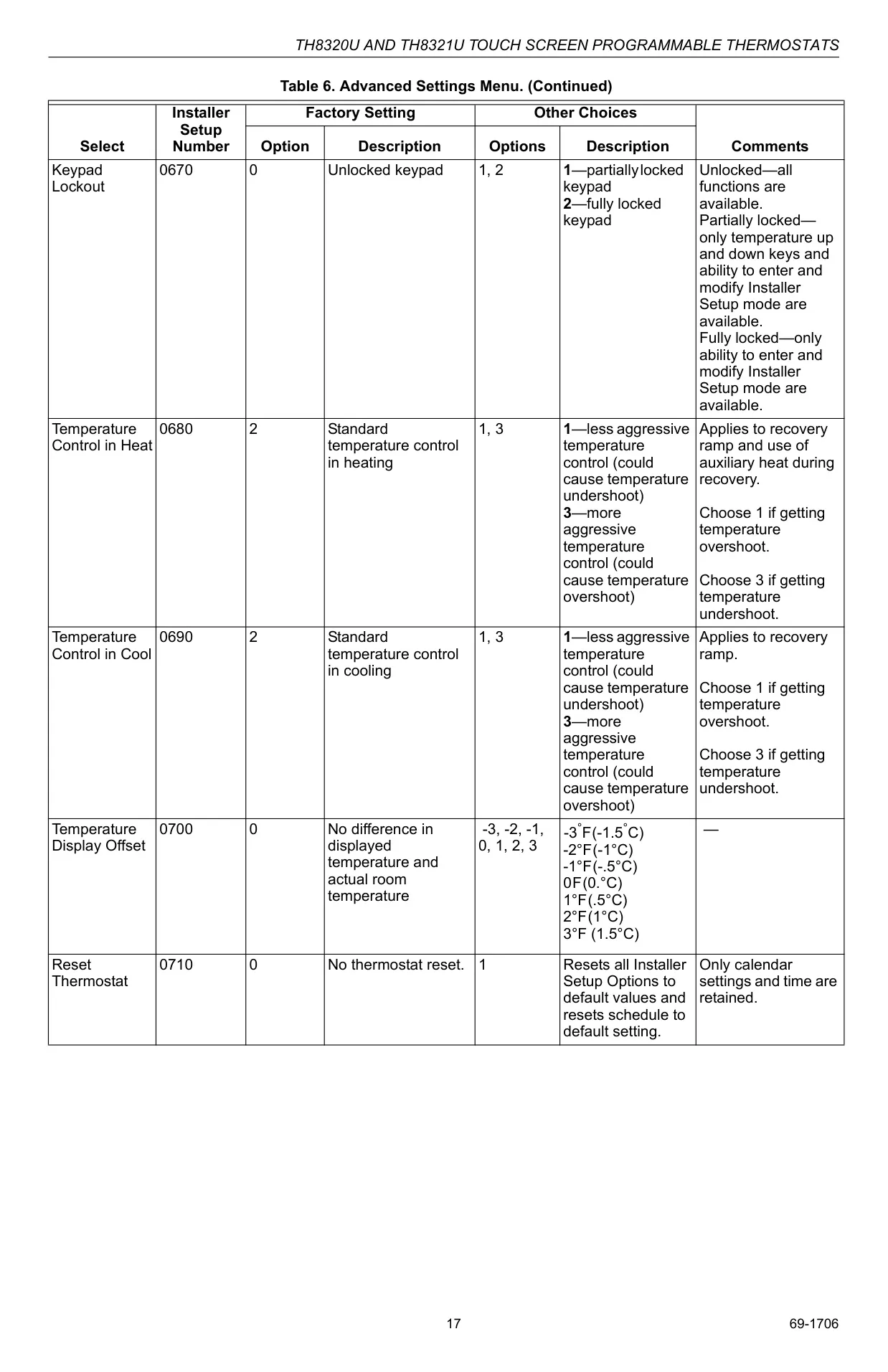
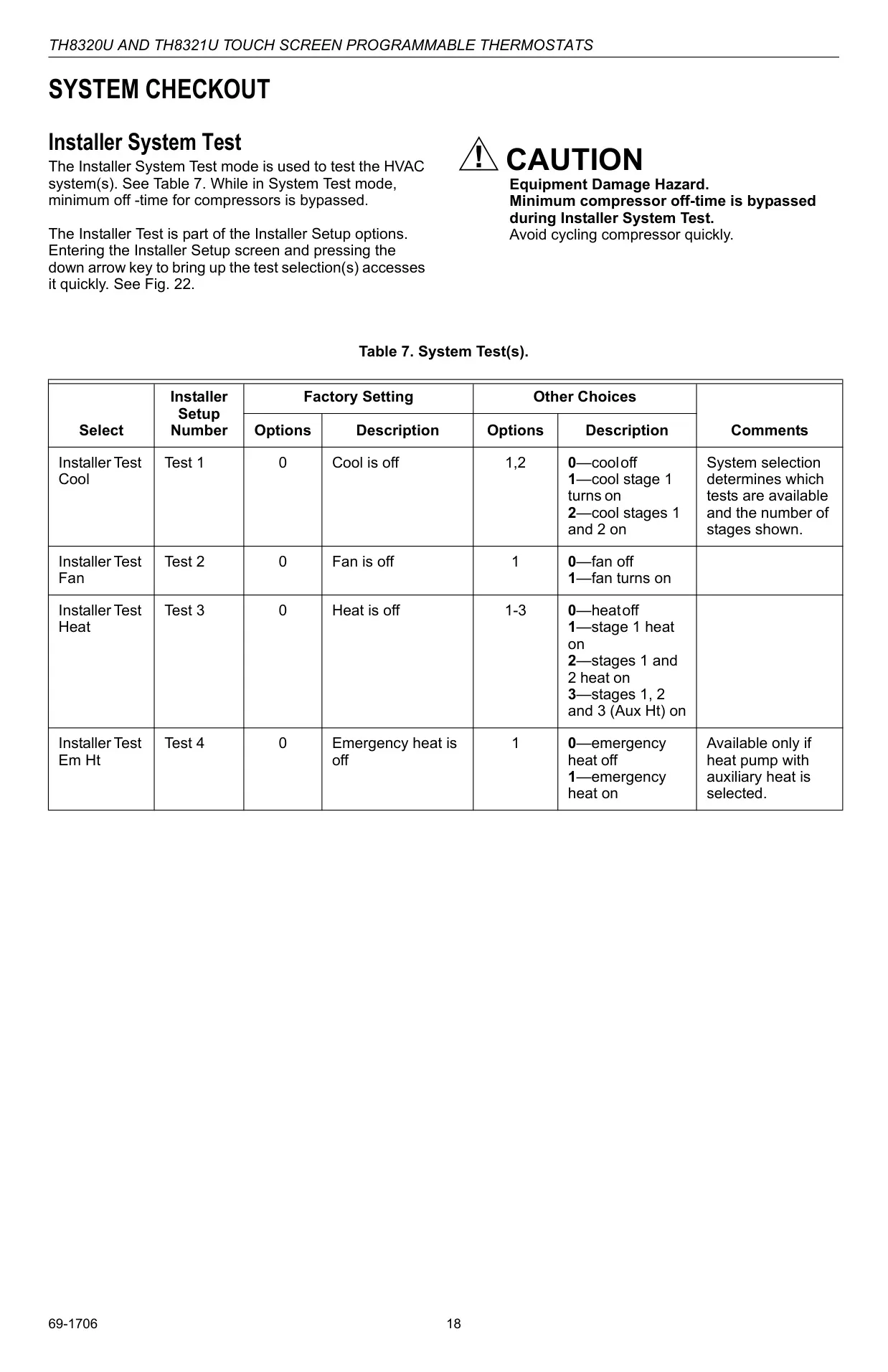
For those seeking deeper customization, the TH8320U1008 offers access to advanced functions via an Installer Setup menu. This allows for fine-tuning various operational parameters, including cycles per hour (CPH) for different heating and cooling stages, temperature formats (°F/°C), and clock display preferences (12/24-hour). It also enables activation of features like auto changeover, which automatically switches between heating and cooling based on indoor temperature, providing a truly adaptable climate control experience for diverse system types.
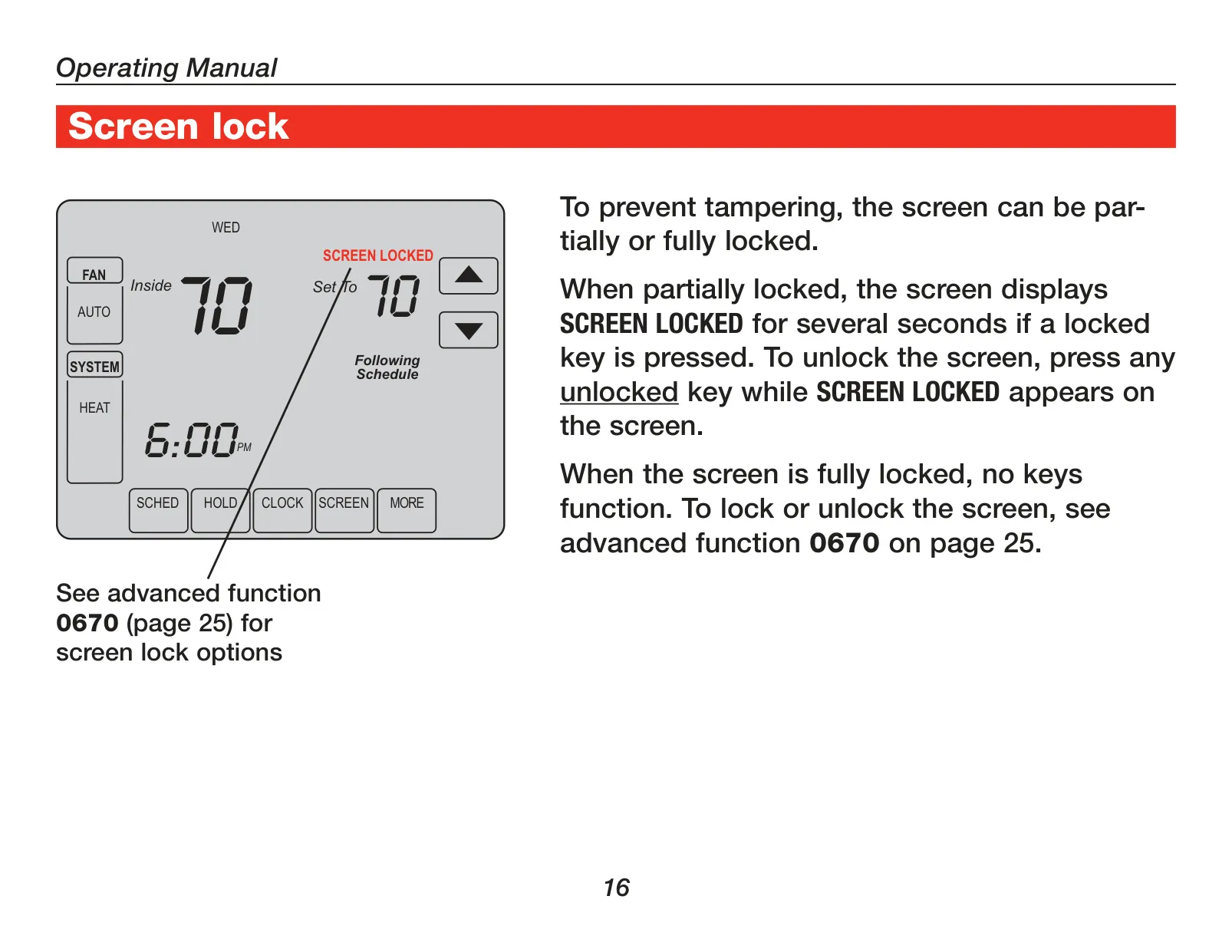
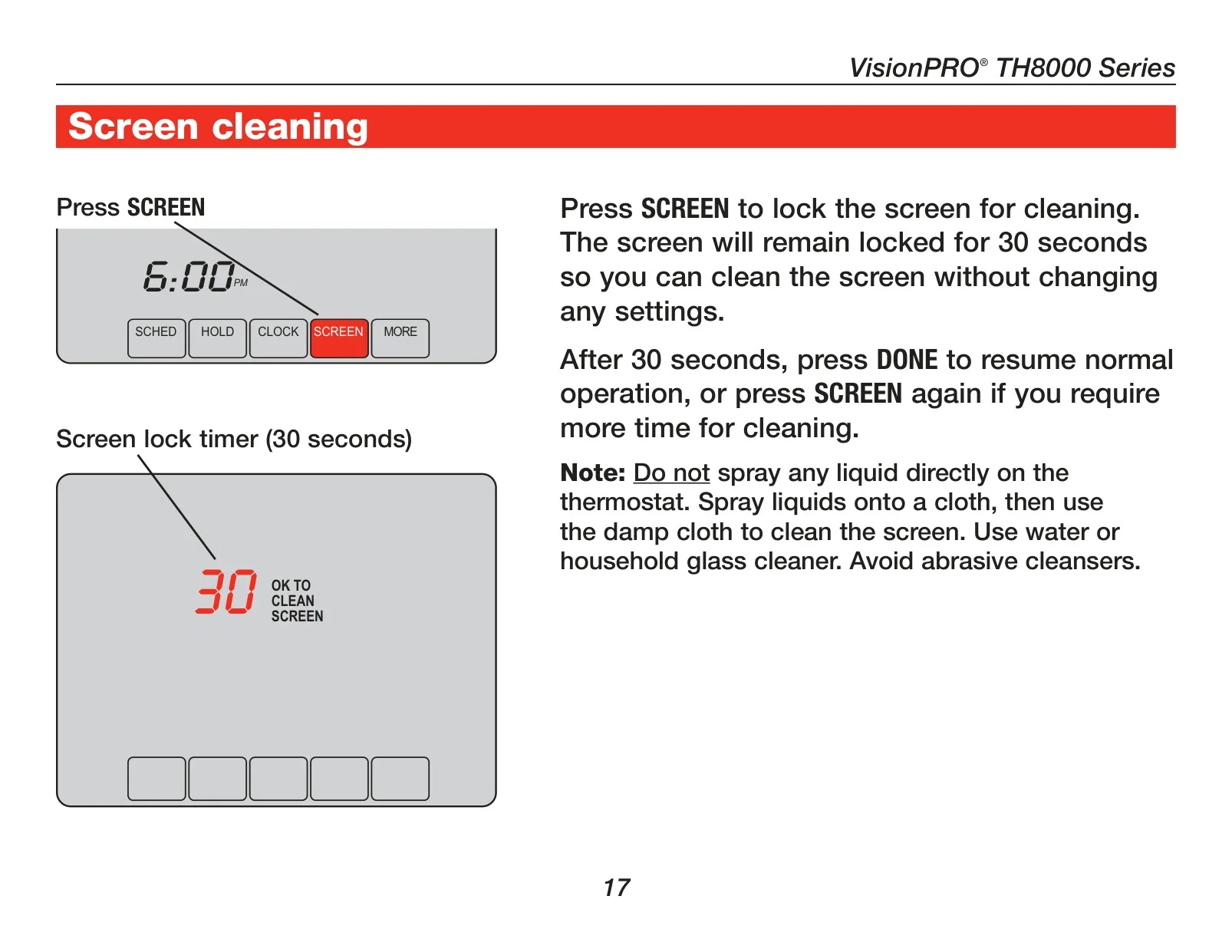
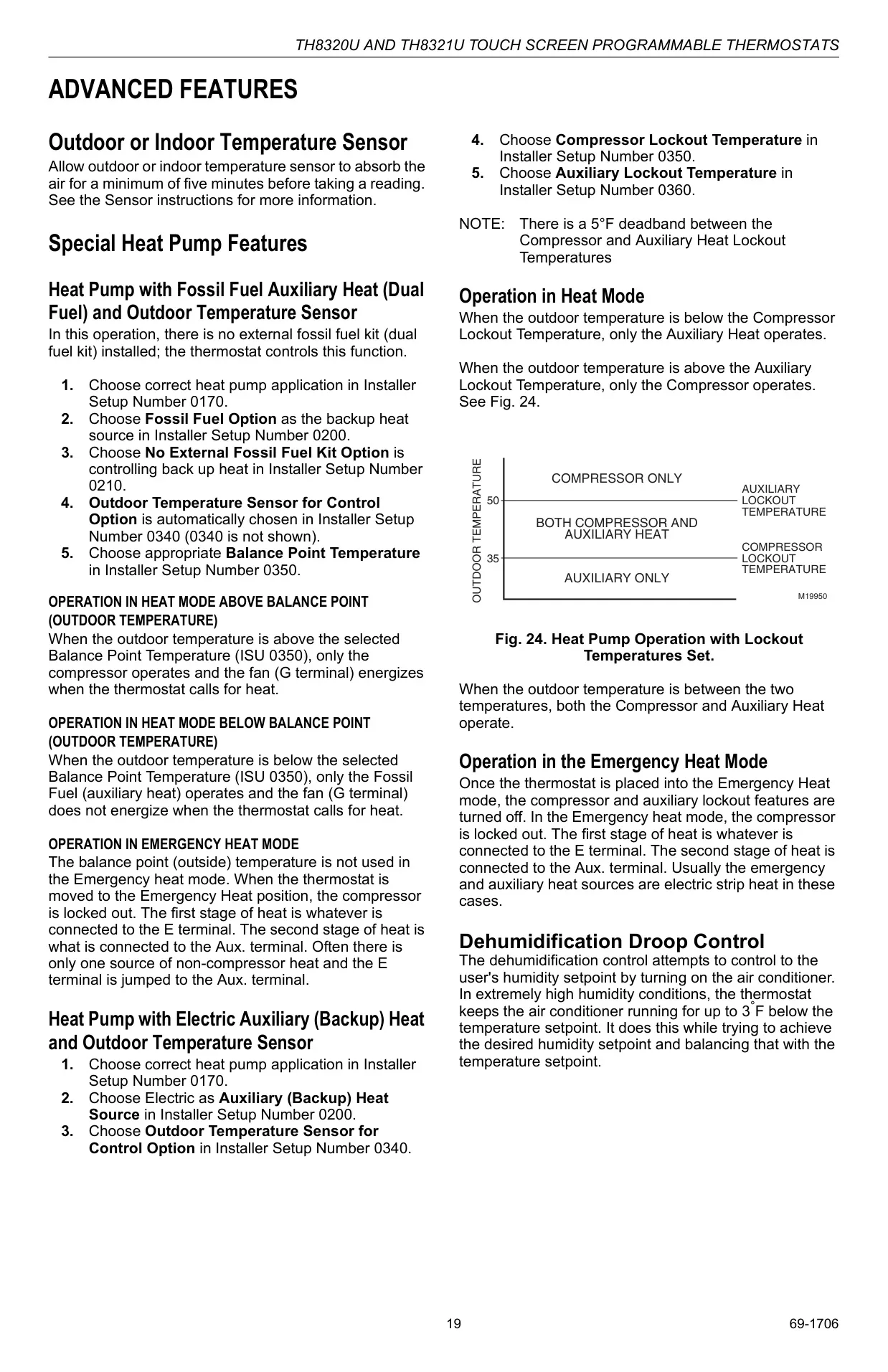
The thermostat also offers practical screen management options, including a screen lock specifically for cleaning. This feature temporarily disables input for 30 seconds, preventing accidental setting changes while the display is being wiped. For users with specific needs, the thermostat supports optional outdoor or indoor remote sensors. When an outdoor sensor is installed, it can display the external temperature. An indoor remote sensor can either control the temperature from an alternative location or provide an average temperature reading from multiple sensors for more consistent comfort across larger spaces.
Frequently Asked Questions (FAQs)
Can't find the answer you need? Here are some frequently asked questions about the Honeywell TH8320U1008 VisionPRO TH8000 Thermostat, and we answer them below.