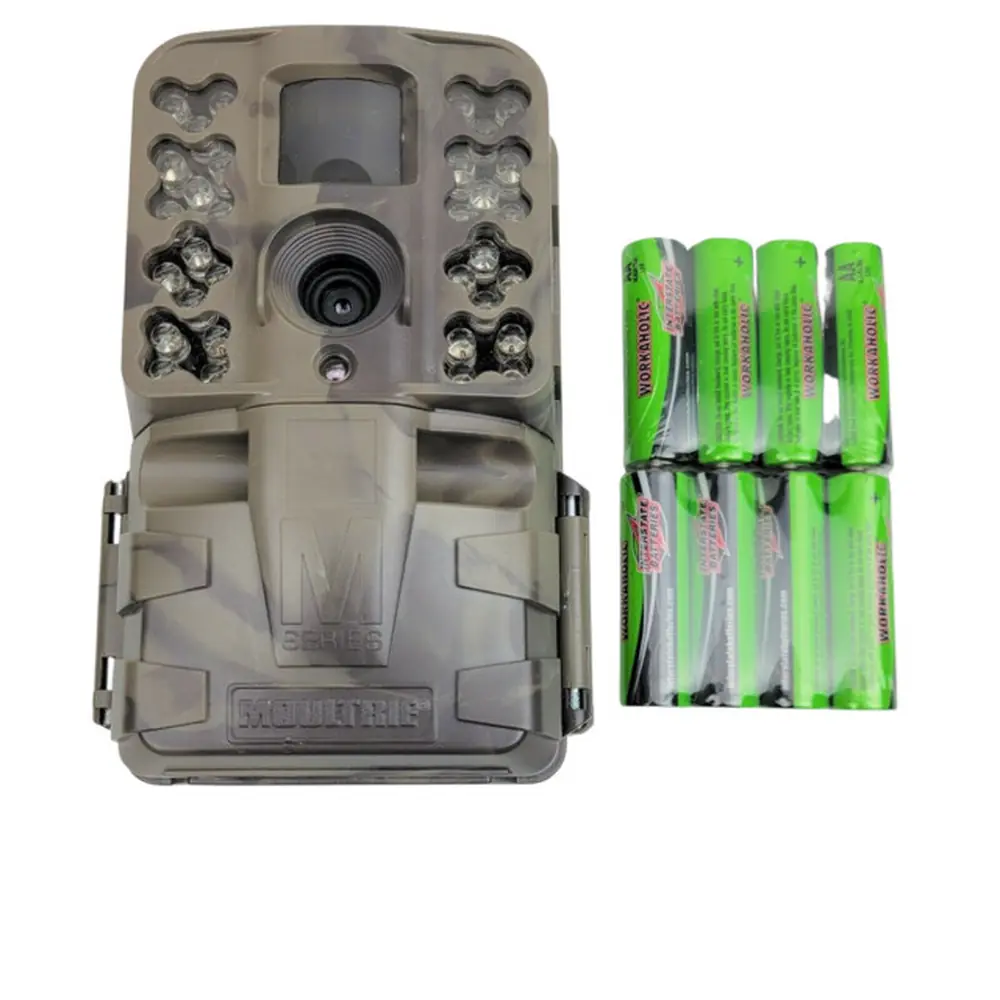
Moultrie A-20i (MCG-13202) Digital Game Camera Instruction Manual

Moultrie A-20i (MCG-13202) Digital Game Camera





Moultrie A-20i (MCG-13202) Digital Game Camera

Moultrie A-20i (MCG-13202) Instructions
Here we offer the Moultrie A-20i (MCG-13202) Digital Game Camera manual completely free and in English. We have cataloged this manual in the Digital Game Cameras section on Manualverse, and it has been rated by 1 users with an average rating of 5. If you have any specific questions about Moultrie A-20i (MCG-13202) Digital Game Camera, we suggest checking the Frequently Asked Questions (FAQs) section of this manual.
Product Images


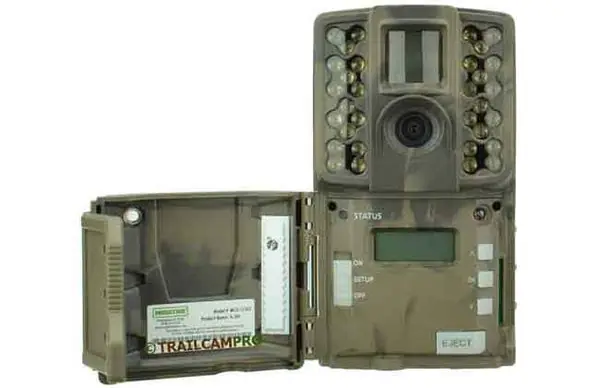
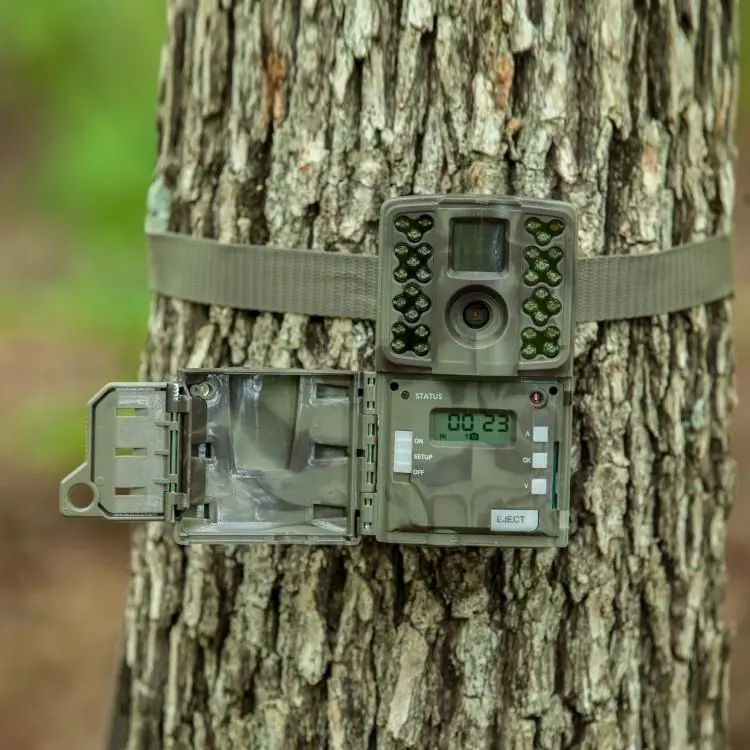
Moultrie A-20i (MCG-13202) Digital Game Camera Specifications
| Feature | Specification |
|---|---|
| Operational Modes | Game Detect/Video |
| Resolution | 12.0 MP |
| Still Resolutions | JPEG Low (1600x1200), High (4000x3000) |
| Video Resolutions | AVI - 640x480 |
| SD Memory Card Support | Up to 32 GB (not included) |
| Power Supply | 8 AA lithium or alkaline batteries (not included) |
| Flash Type | 940nm iNVISIBLE infrared |
Moultrie A-20i (MCG-13202) Details
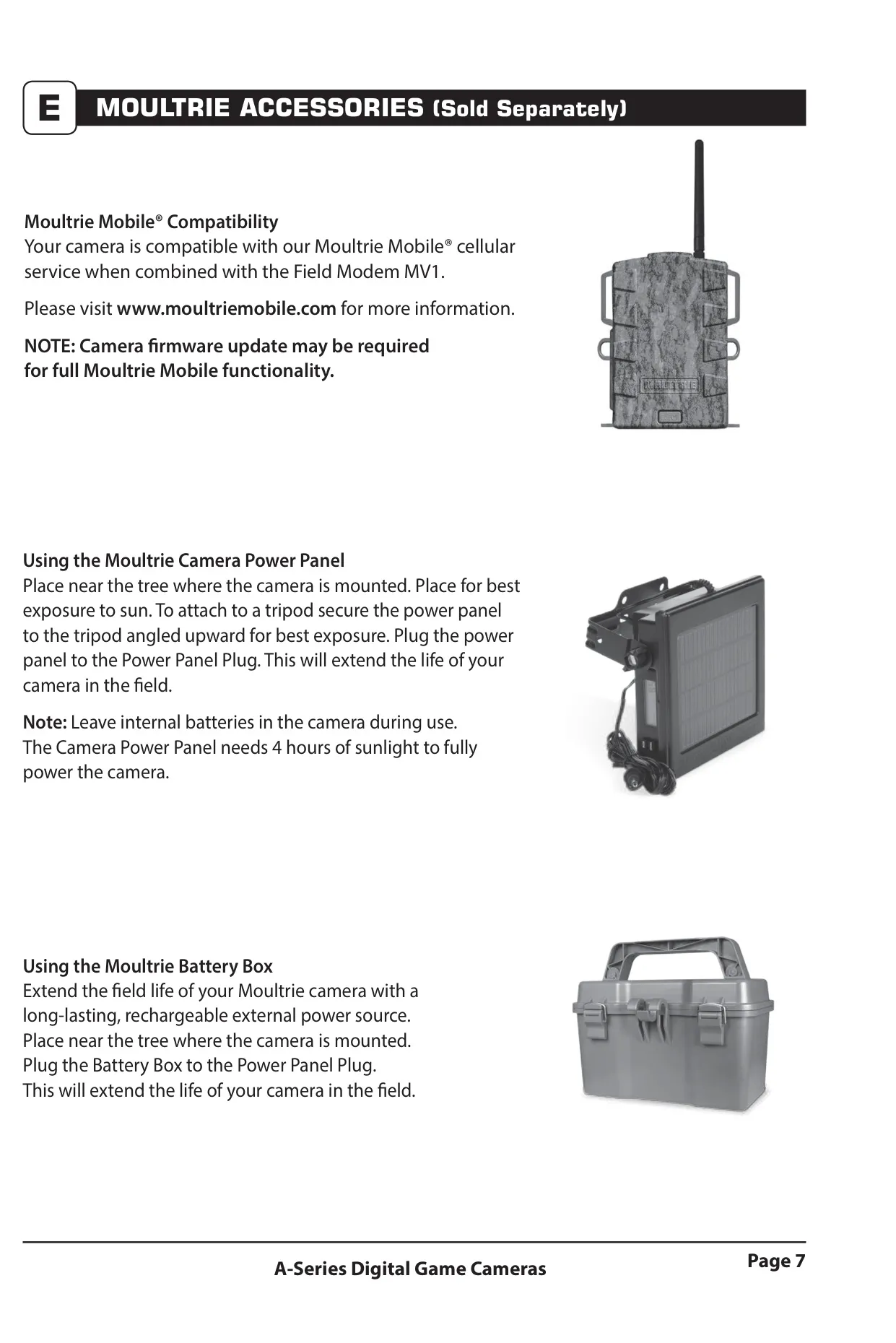
The Moultrie A-20i Digital Game Camera, model MCG-13202, is designed for reliable field surveillance, capturing both still images and videos. Before use, it's essential to install 8 AA alkaline or lithium batteries, ensuring correct polarity. The camera must be off when inserting or removing batteries to prevent damage. For enhanced longevity, the camera supports external power options like the Moultrie Camera Power Panel or Battery Box, though internal batteries should remain installed when using these accessories.
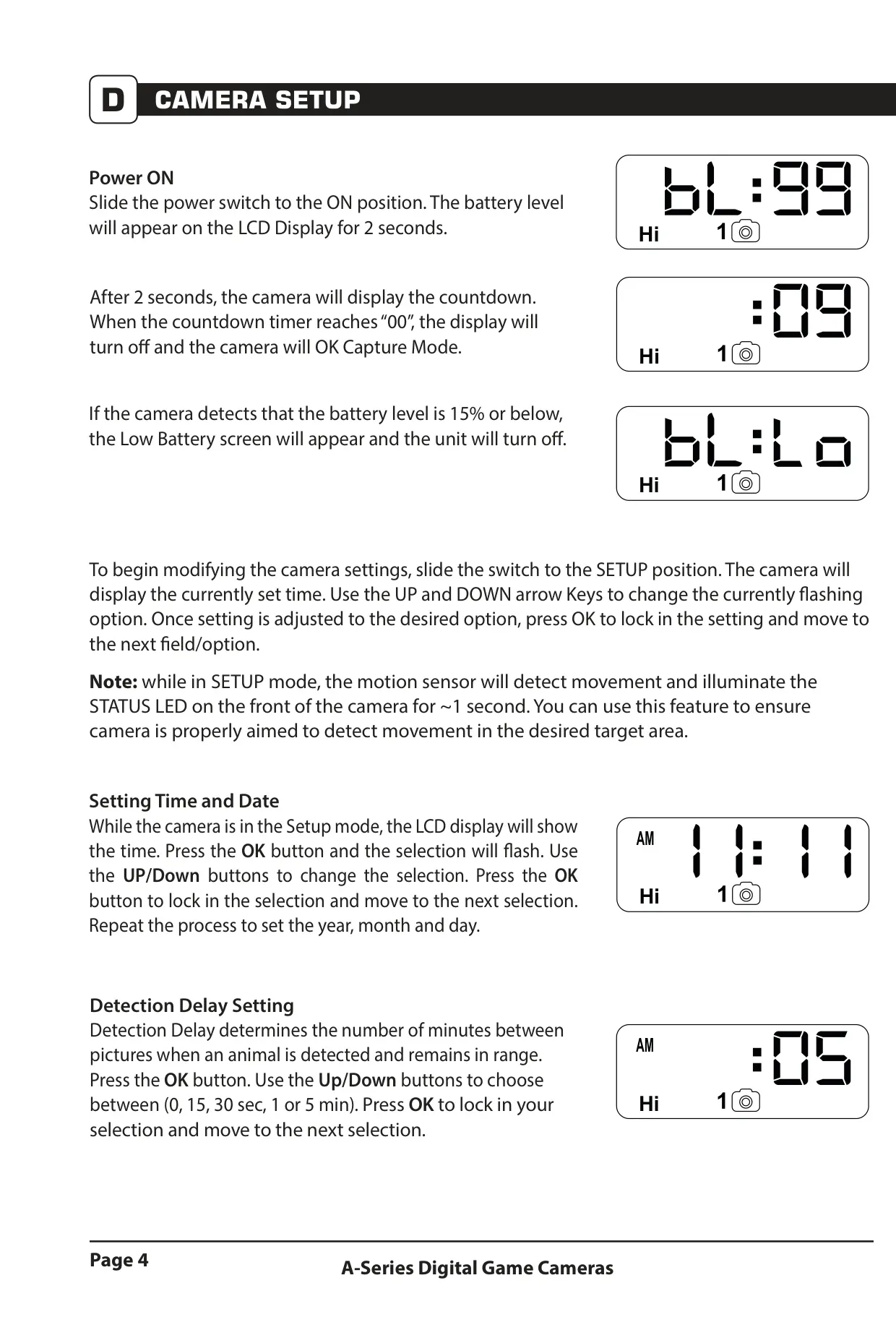
An SD memory card, up to 32 GB, is required for the camera to operate and store media. Always insert the card until an audible click is heard, with the camera in the OFF position. Upon powering ON, the LCD briefly displays battery level before initiating a countdown. Once the countdown reaches zero, the display turns off, and the camera enters capture mode, ready to detect activity.
For optimal placement, mount the camera approximately 3 feet high on a tree or pole, using the provided strap. When covering a trail, angling the camera slightly downward is recommended. To avoid overexposure from direct sunlight, it is best to face the camera North or South. Clearing any brush from the camera's front can prevent false triggers caused by wind or swaying vegetation, ensuring accurate captures.
Camera settings can be adjusted in SETUP mode. This mode allows users to set the time and date, which is crucial for accurate timestamping of captured media. The "Detection Delay" setting determines the interval between consecutive captures when movement persists, with options ranging from 0 to 5 minutes. This helps manage storage and avoid redundant images of the same subject.
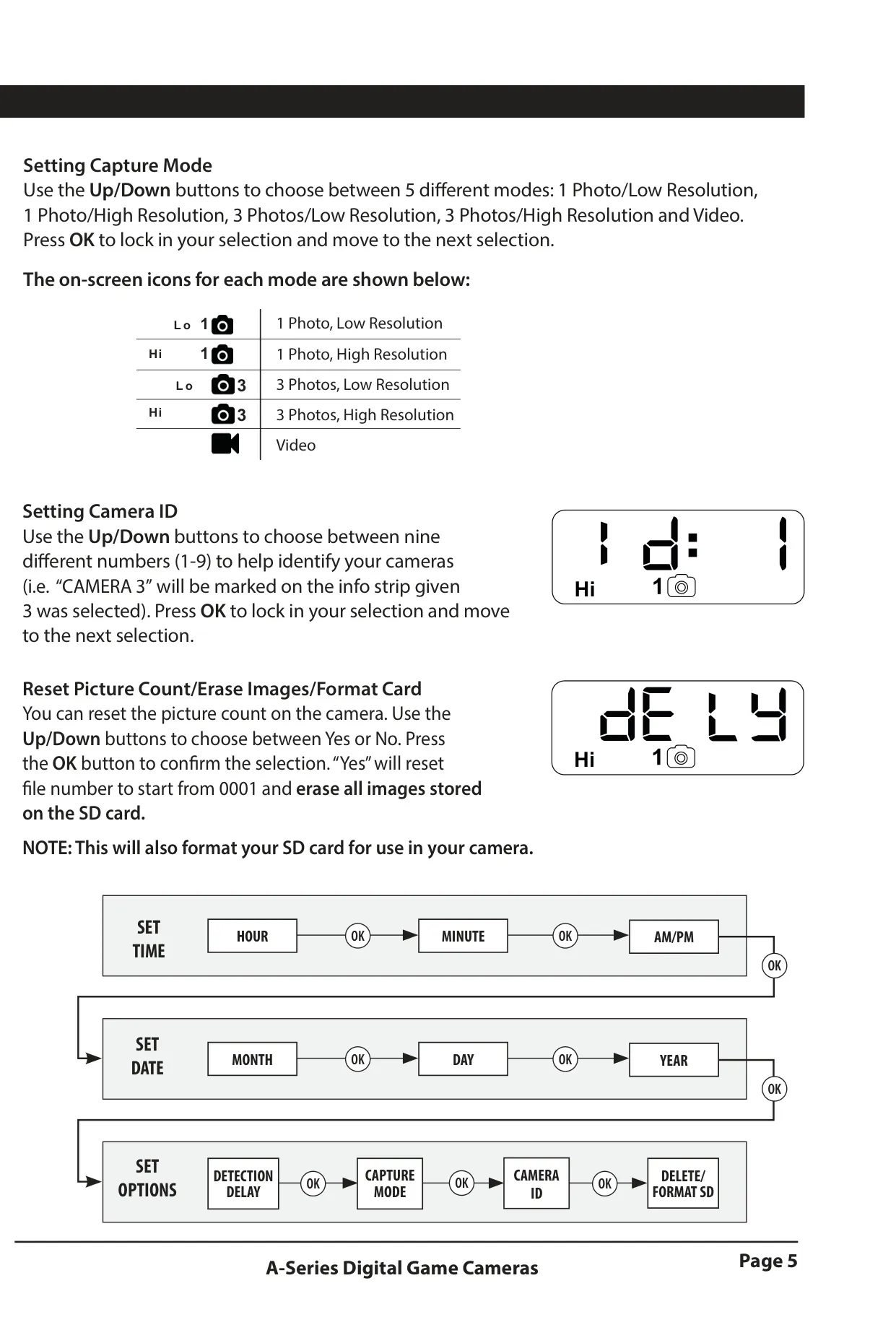
The A-20i offers versatile capture modes to suit various needs. Users can select between "1 Photo, Low Resolution," "1 Photo, High Resolution," "3 Photos, Low Resolution," "3 Photos, High Resolution," or "Video." An on-screen icon corresponding to each mode is displayed, making selection intuitive. Additionally, a Camera ID feature allows for numbering cameras (1-9), which is helpful when deploying multiple units.
Users can manage their media directly through the camera's setup options. The "Reset Picture Count/Erase Images/Format Card" function allows for resetting the file numbering, but notably, selecting "Yes" for this action will erase all images currently stored on the SD card and format it for optimal camera use. This is an important step to perform when preparing a new or used SD card.
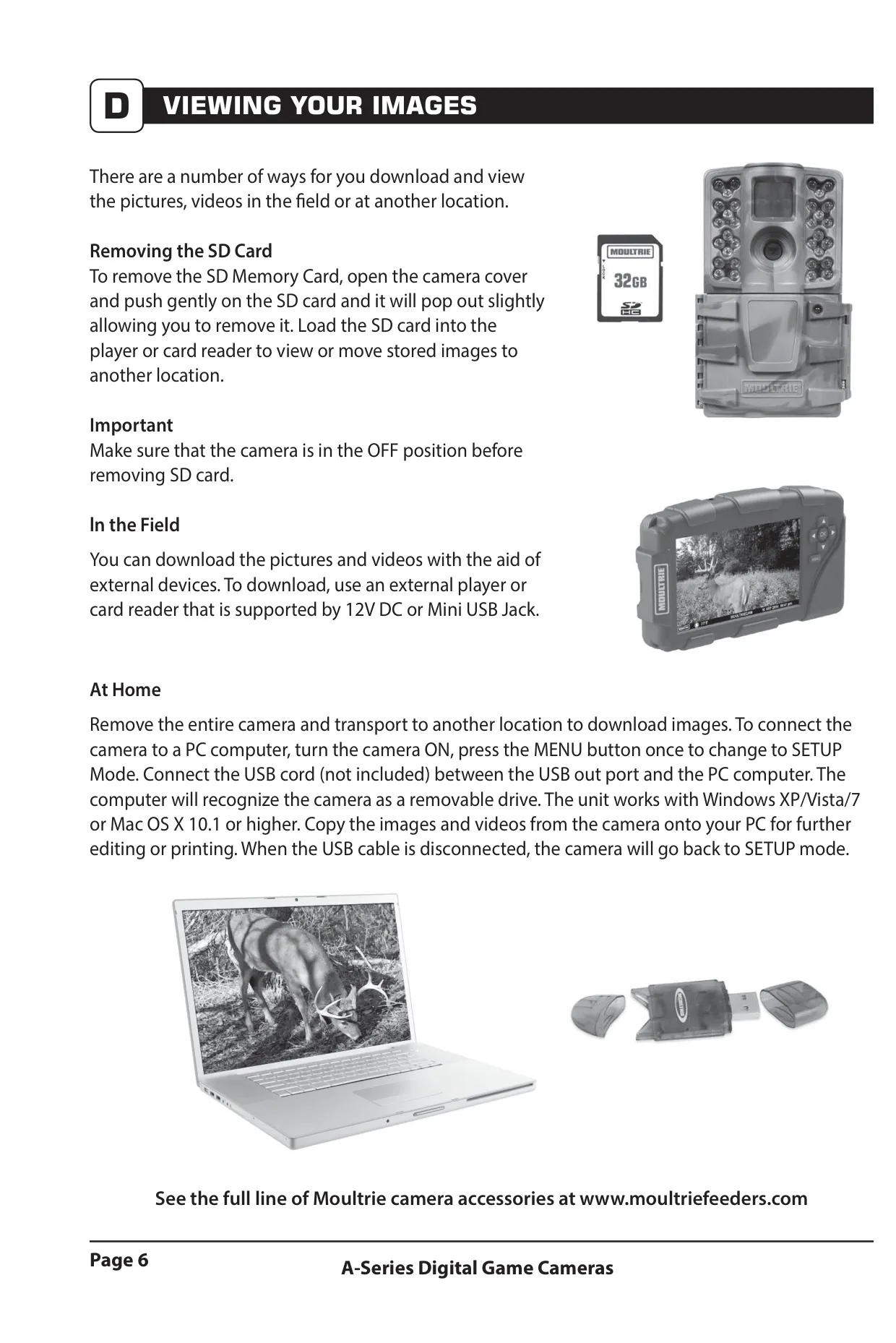
Viewing captured images and videos is flexible. The SD card can be removed and inserted into a compatible player or card reader. For field viewing, external devices supporting 12V DC or a Mini USB Jack can be utilized. At home, the camera can connect directly to a PC (Windows XP/Vista/7 or Mac OS X 10.1+) via a USB cable (not included), functioning as a removable drive for easy file transfer and management.
The Moultrie A-20i is compatible with Moultrie Mobile® cellular service when paired with the Field Modem MV1. This integration allows for remote access and management of camera data, although a firmware update may be necessary for full functionality. Always ensure the latest firmware is installed for the best performance and compatibility with accessories and services.
Frequently Asked Questions (FAQs)
Can't find the answer you need? Here are some frequently asked questions about the Moultrie A-20i (MCG-13202) Digital Game Camera, and we answer them below.