Moultrie M-880c (MCG-12632) Instruction Manual

Moultrie M-880c (MCG-12632)










Moultrie M-880c (MCG-12632)

Moultrie M-880c (MCG-12632) Instructions
Here we offer the Moultrie M-880c (MCG-12632) manual completely free and in English. We have cataloged this manual in the Digital Game Cameras section on Manualverse, and it has been rated by 1 users with an average rating of 5. If you have any specific questions about Moultrie M-880c (MCG-12632), we suggest checking the Frequently Asked Questions (FAQs) section of this manual.
Product Images


Moultrie M-880c (MCG-12632) Digital Game Camera Specifications
| Feature | Specification |
|---|---|
| Model Identifier | MCG-12632 |
| Flash Type | White LED Flash |
| Resolution | 8.0 MP |
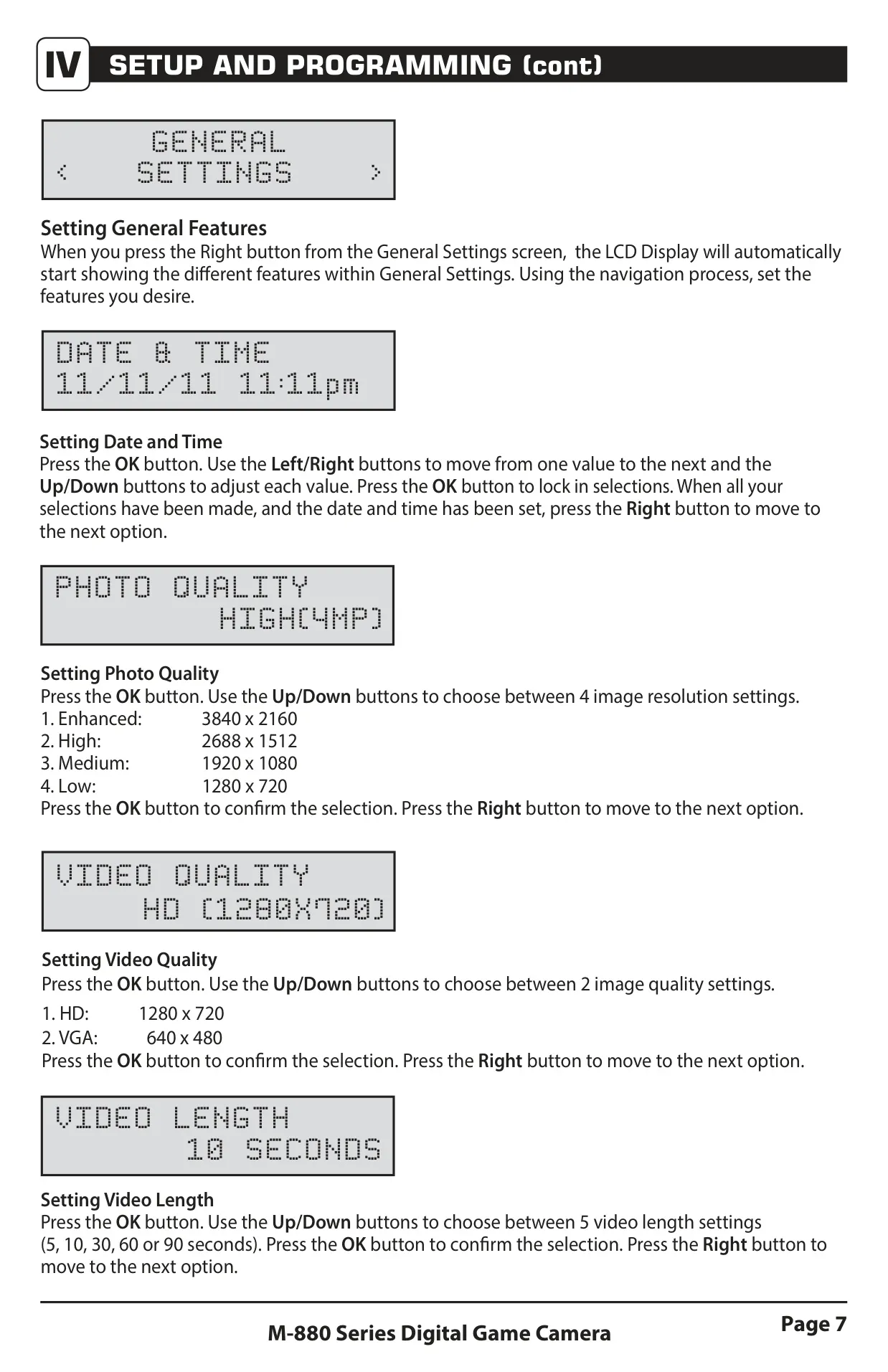
| Still Image Resolutions | Enhanced (3840 x 2160), High (2688 x 1512), Medium (1920 x 1080), Low (1280 x 720) |
| Video Resolutions | HD (1280 x 720), VGA (640 x 480) |
| SD Memory Card Support | Up to 32 GB, Class 4 or higher (not included) |
| Still Image Format | JPEG |
| Video Format | AVI |
| Power Supply | 8 AA Alkaline or Lithium batteries (not included) |
| Operational Modes | Motion Detect, Time Lapse, Motion + Time Lapse |
| Motion Freeze Feature | Not Available on M-880c |
| External Power Port | Compatible with Moultrie PowerPanel, AC Adapter, or Battery Box (sold separately) |
Moultrie M-880c (MCG-12632) Details
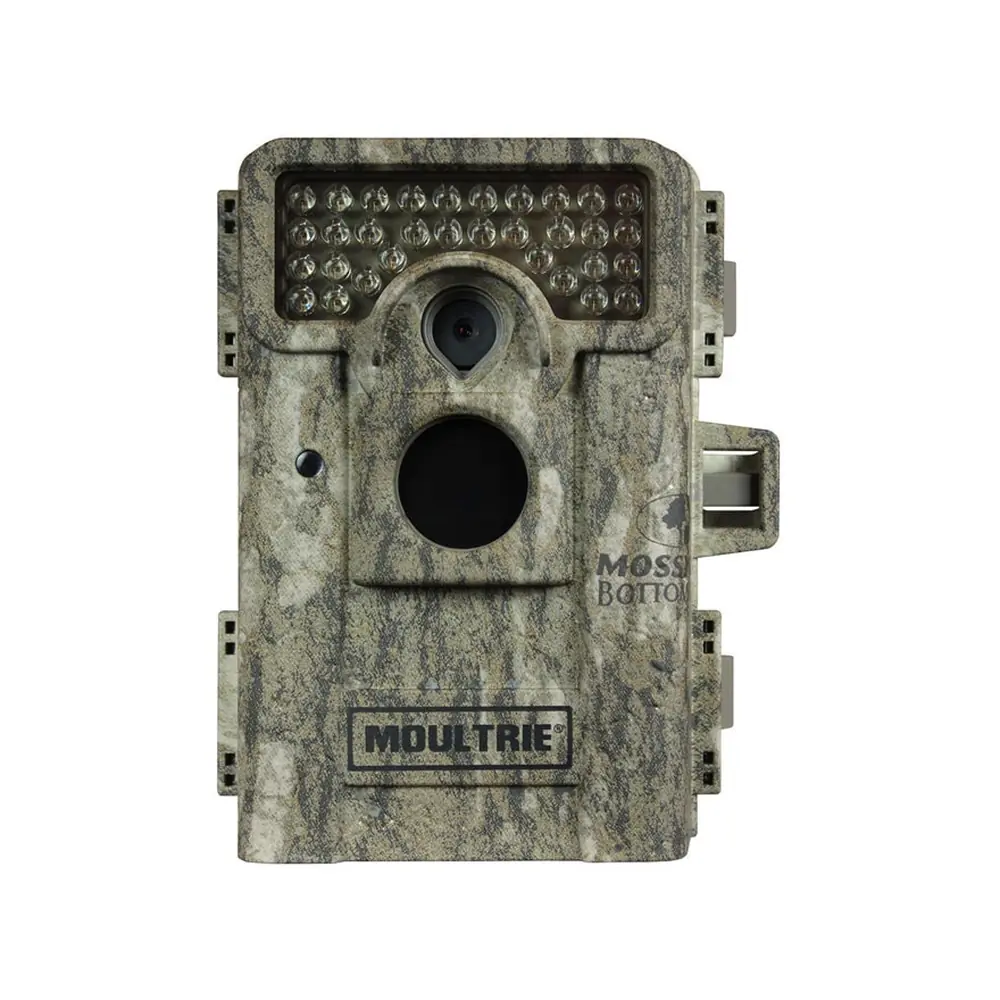
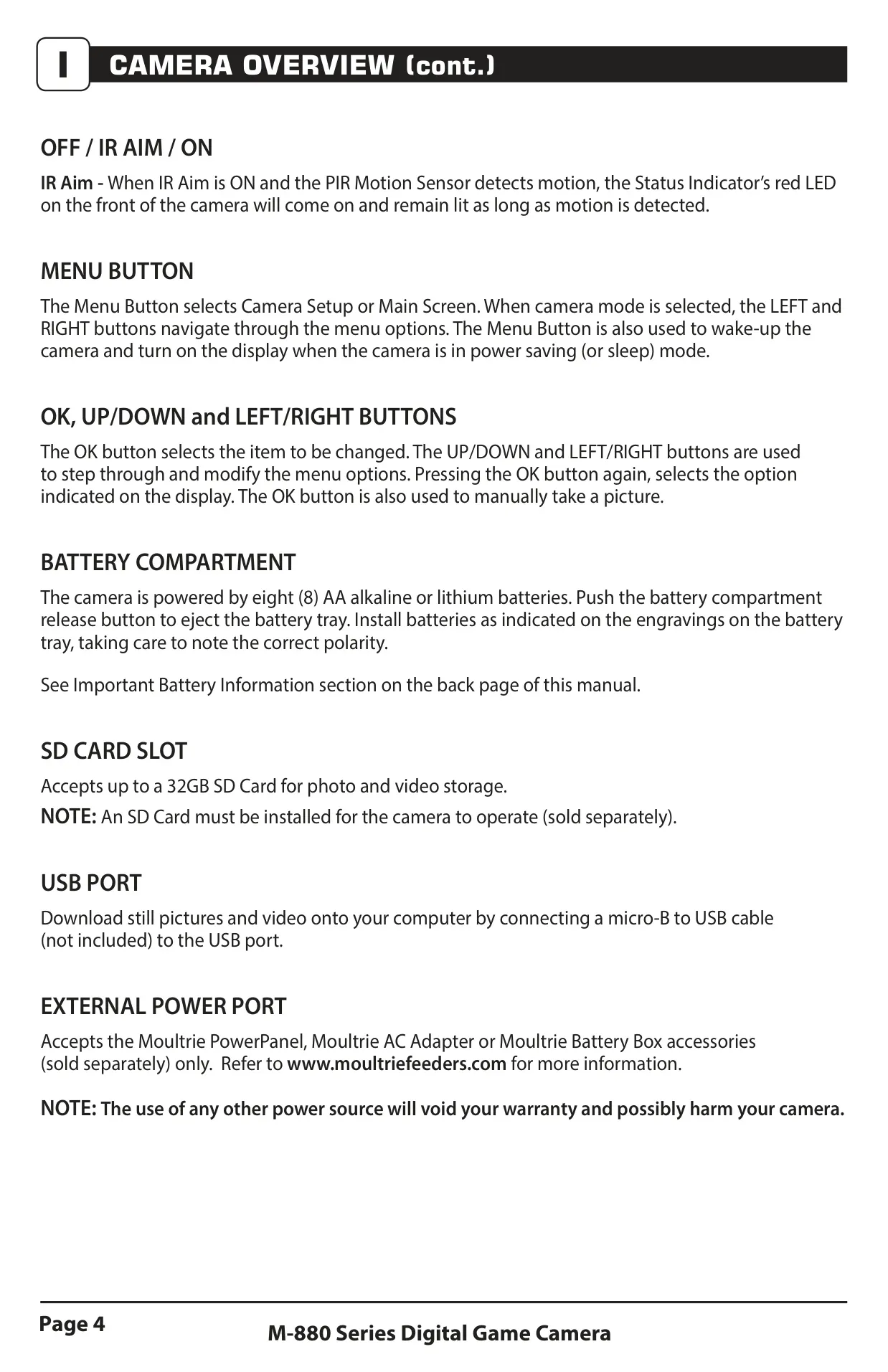
The Moultrie M-880c (MCG-12632) digital game camera boasts a user-friendly design with a clear front view featuring a White LED Flash, camera lens, status indicator, and a motion sensor. Navigation is intuitive with OK/Select, Menu, and directional buttons (Up/Down/Left/Right). The bottom view includes an external power port, USB port, and a 1/4" 20 mount for versatile placement. Accessing the battery compartment is made easy with a push-button release, accommodating eight AA batteries, while an SD card slot supports up to 32GB cards for image and video storage.
Setting up the camera is straightforward: after installing batteries and an SD card, users can slide the power switch to ON. The IR Aim feature is particularly useful for precise camera positioning. When activated, the red LED status indicator lights up upon motion detection, allowing users to walk through the target area and confirm coverage before switching to ON. This ensures optimal placement for capturing wildlife. The camera operates in three distinct capture modes: Motion Detect for triggered photos or videos, Time Lapse for interval-based photography, and a combined Motion + Time Lapse mode for comprehensive monitoring throughout the day.
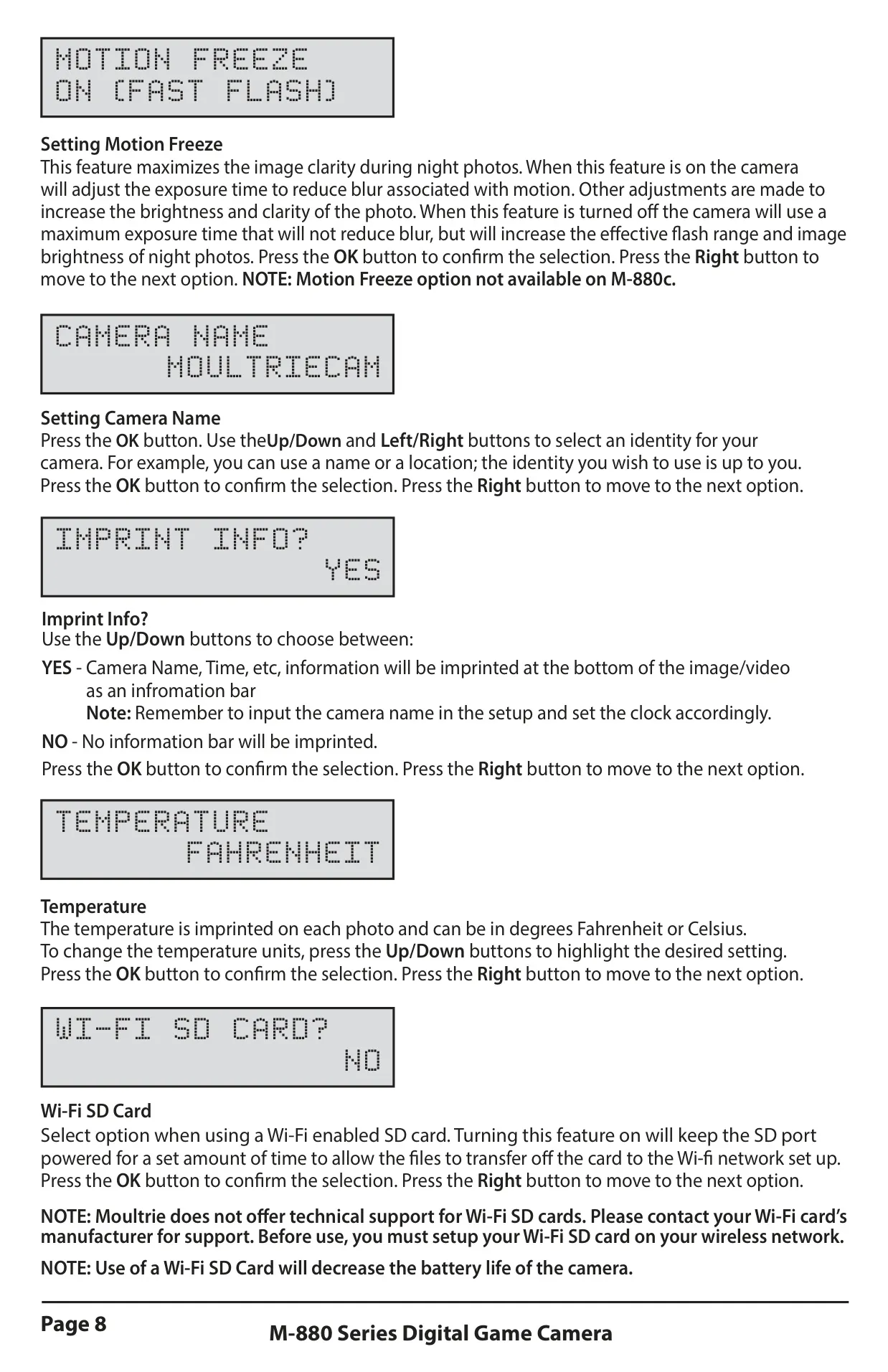
General settings offer extensive customization. Users can set the date and time, choose from four photo quality options (Enhanced, High, Medium, Low), and select between HD or VGA video quality, with video lengths configurable from 5 to 90 seconds. A unique aspect of the M-880c is that the Motion Freeze feature, designed to enhance image clarity during night photos by adjusting exposure, is explicitly stated as not available on this particular model. Other configurable settings include camera name, imprinting information on images, temperature units (Fahrenheit or Celsius), and managing Wi-Fi SD card functionality (note: this may decrease battery life).
Further programming options enhance the camera's utility. A 5-digit security code can protect settings, and firmware can be upgraded if needed. The Managed Memory setting allows users to choose between overwriting the oldest files when the SD card is full or stopping image capture once capacity is reached. For motion detection, users can select predefined reset options (Recommended, Max Battery, Max Performance setups) or customize detection delay and multi-shot settings, including a "3 BURST" option for rapid captures and "3 TRIGGERED" for sequential shots with individual triggers. Time lapse programs can be configured with specific intervals and up to two distinct daily start and stop times.
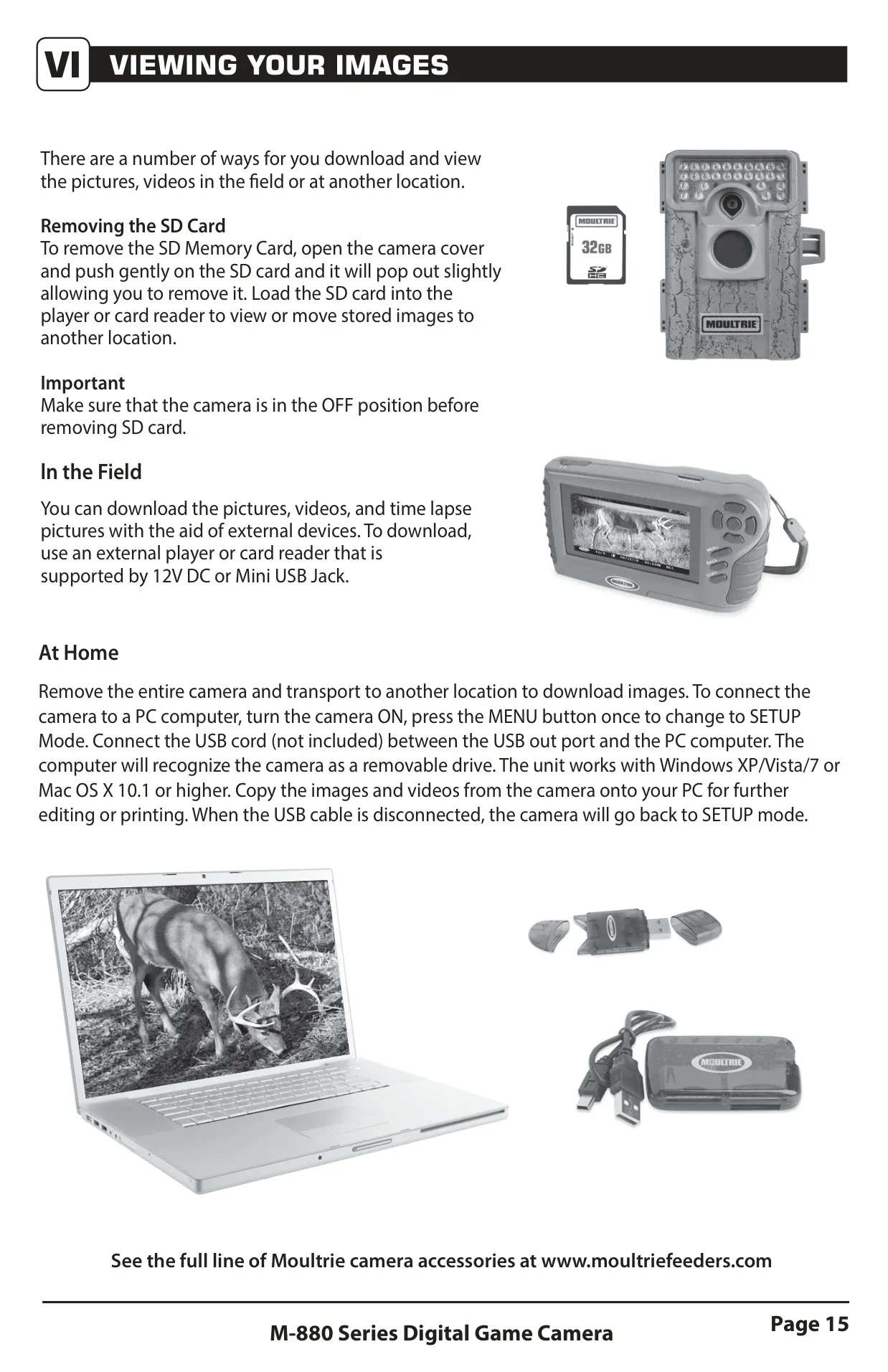
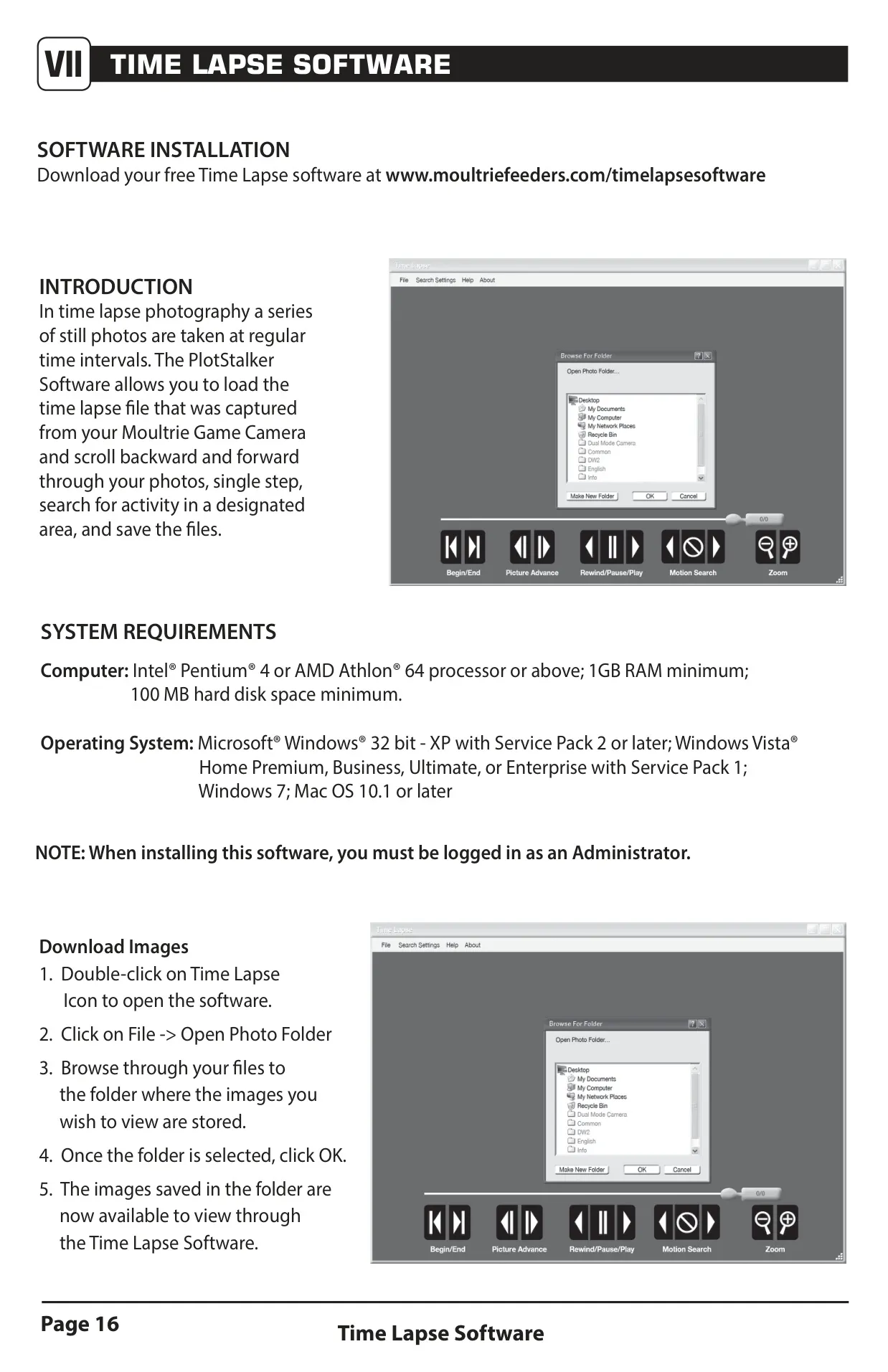
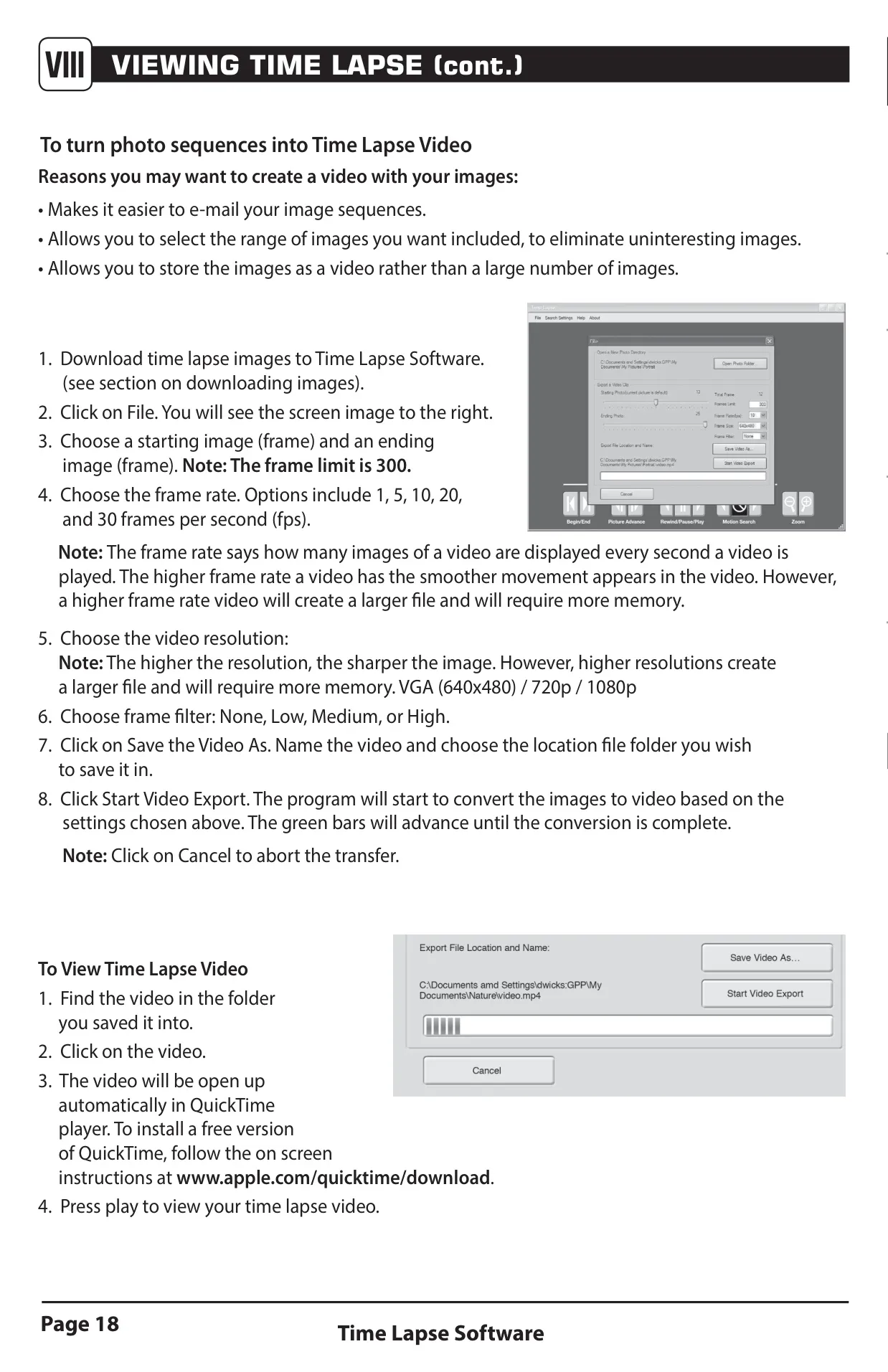
Viewing captured media is flexible. Users can remove the SD card and use an external card reader, or connect the camera directly to a PC via a micro-B to USB cable for easy file transfer. Moultrie also offers dedicated Time Lapse Software for Windows and Mac, enabling users to view, search, and even convert photo sequences into videos, with options for frame rate, resolution, and filters. A range of accessories, including tree mounts, AC adapters, solar power panels, and external battery boxes, are available separately to extend the camera's field life and mounting versatility. Remember to use only alkaline or lithium batteries and replace all batteries simultaneously when needed.
Frequently Asked Questions (FAQs)
Can't find the answer you need? Here are some frequently asked questions about the Moultrie M-880c (MCG-12632), and we answer them below.