Keychron K3 Pro Keyboard Instruction Manual

Keychron K3 Pro Keyboard






Keychron K3 Pro Keyboard Instructions
Here we offer the Keychron K3 Pro Keyboard manual completely free and in English. We have cataloged this manual in the Keyboards section on Manualverse, and it has been rated by 1 users with an average rating of 5. If you have any specific questions about Keychron K3 Pro Keyboard, we suggest checking the Frequently Asked Questions (FAQs) section of this manual.
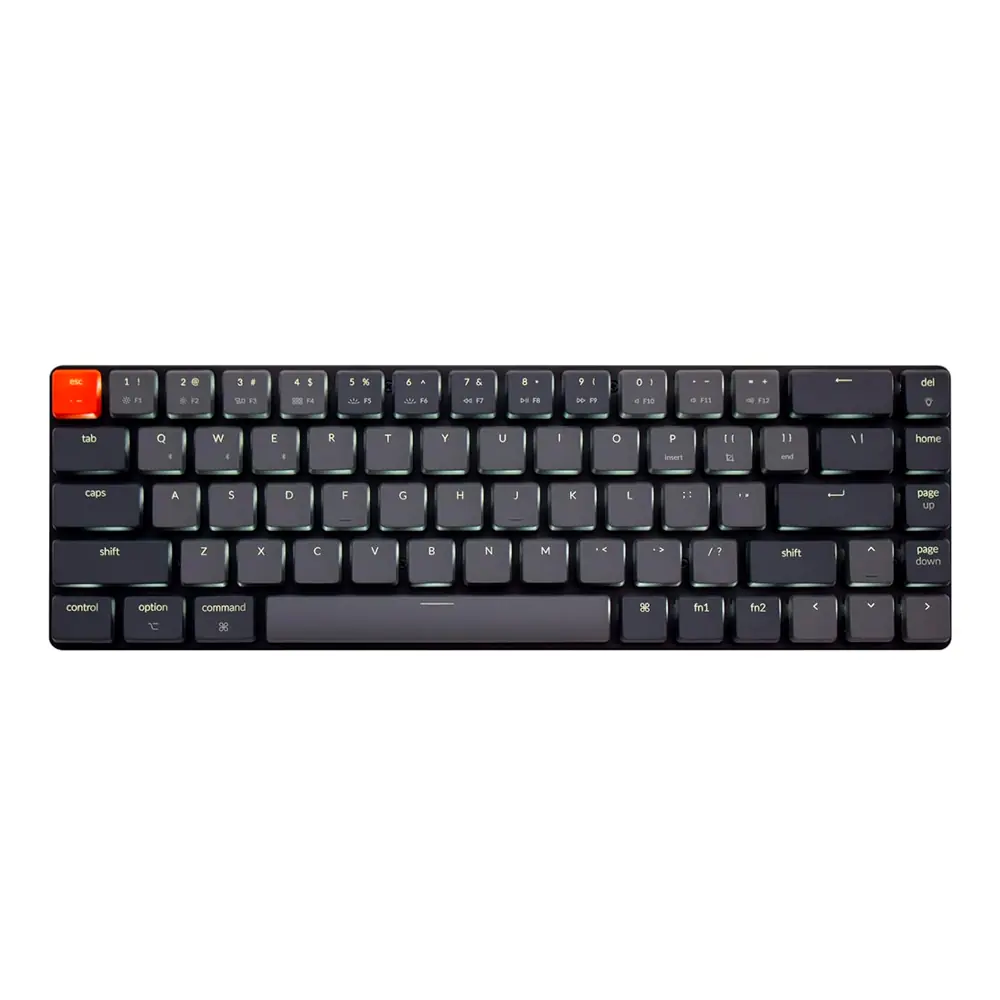
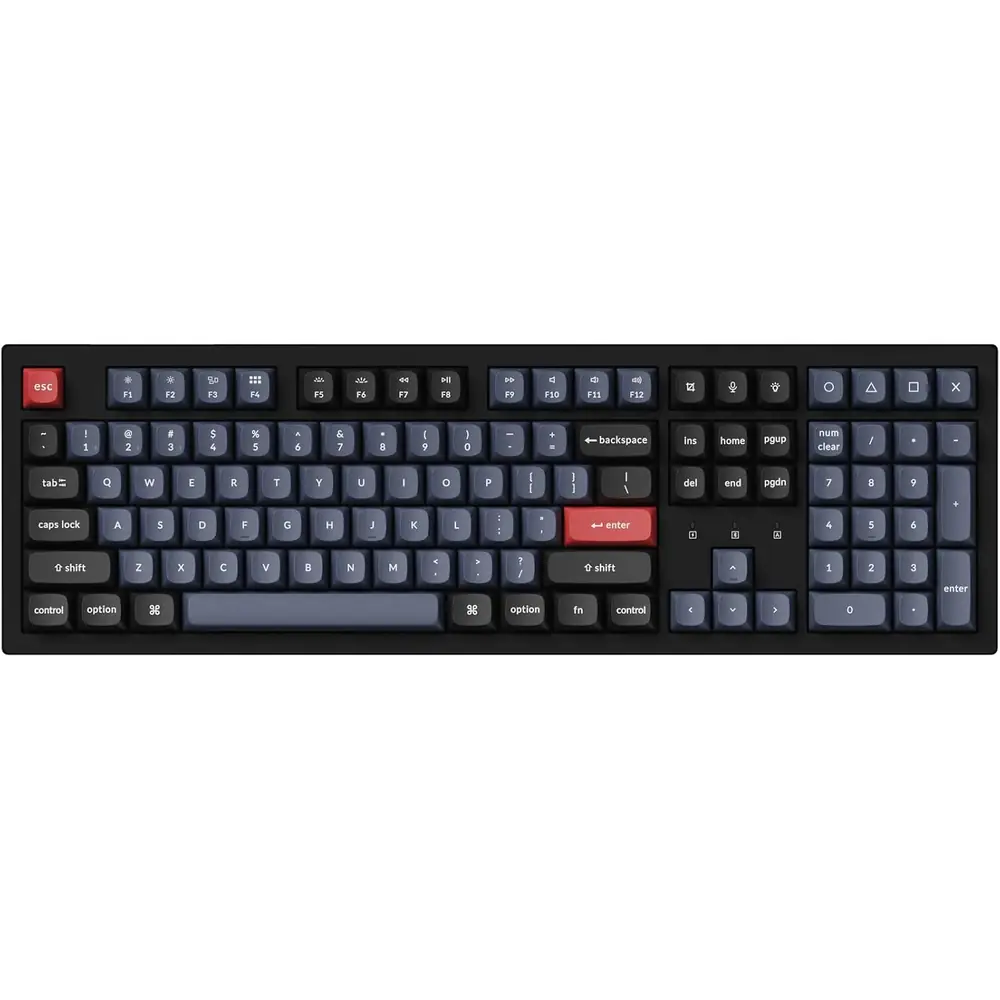
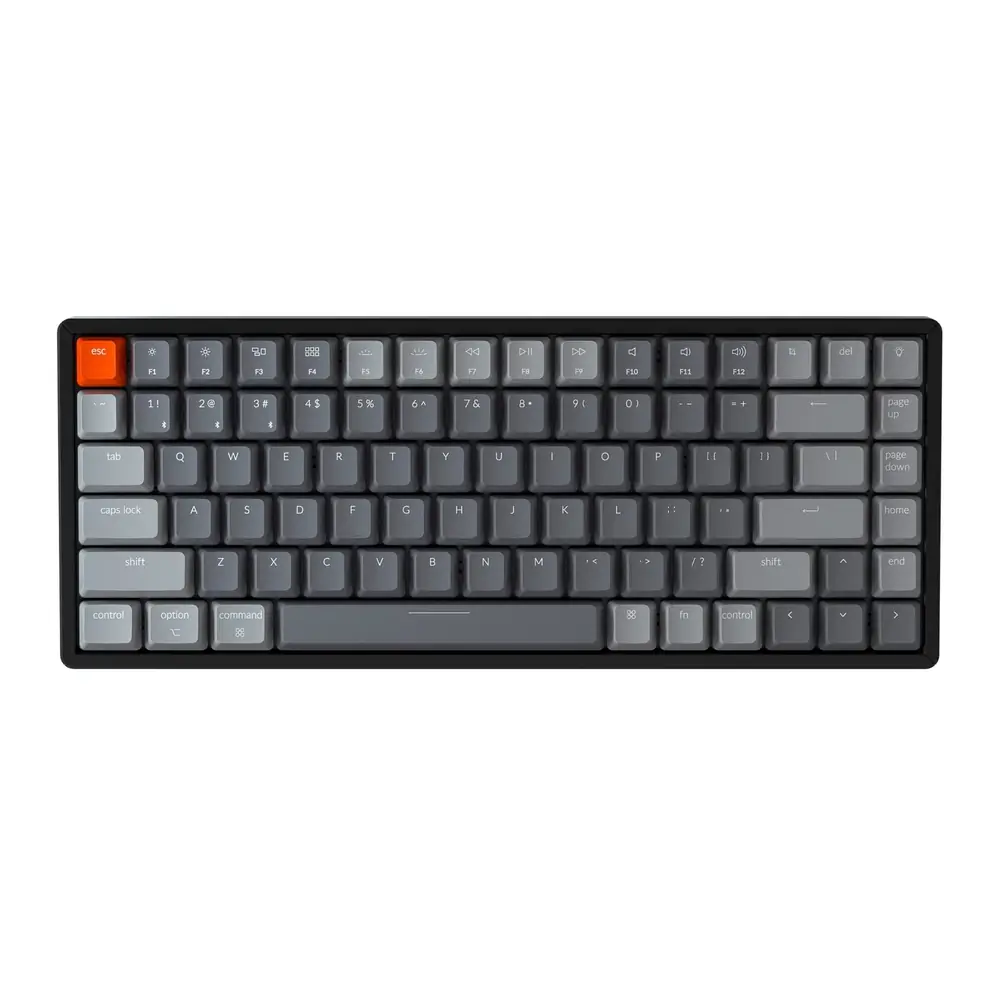
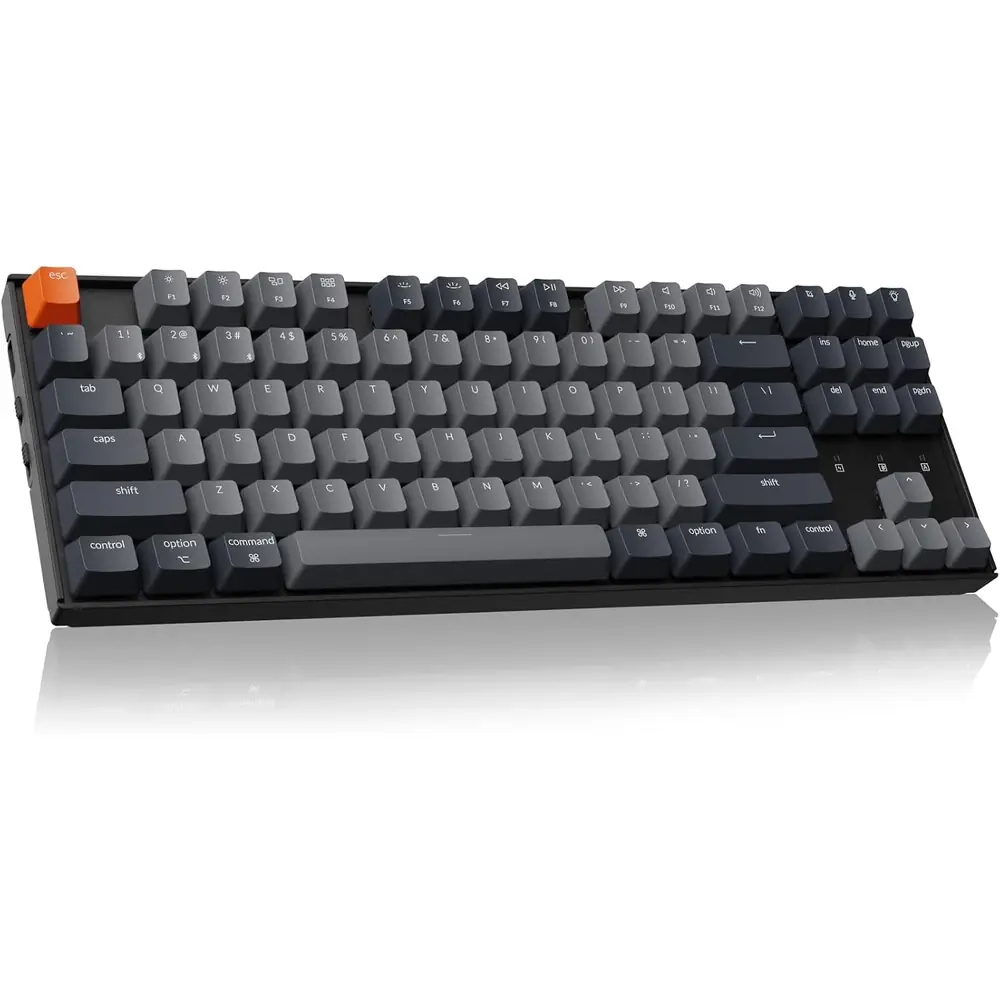
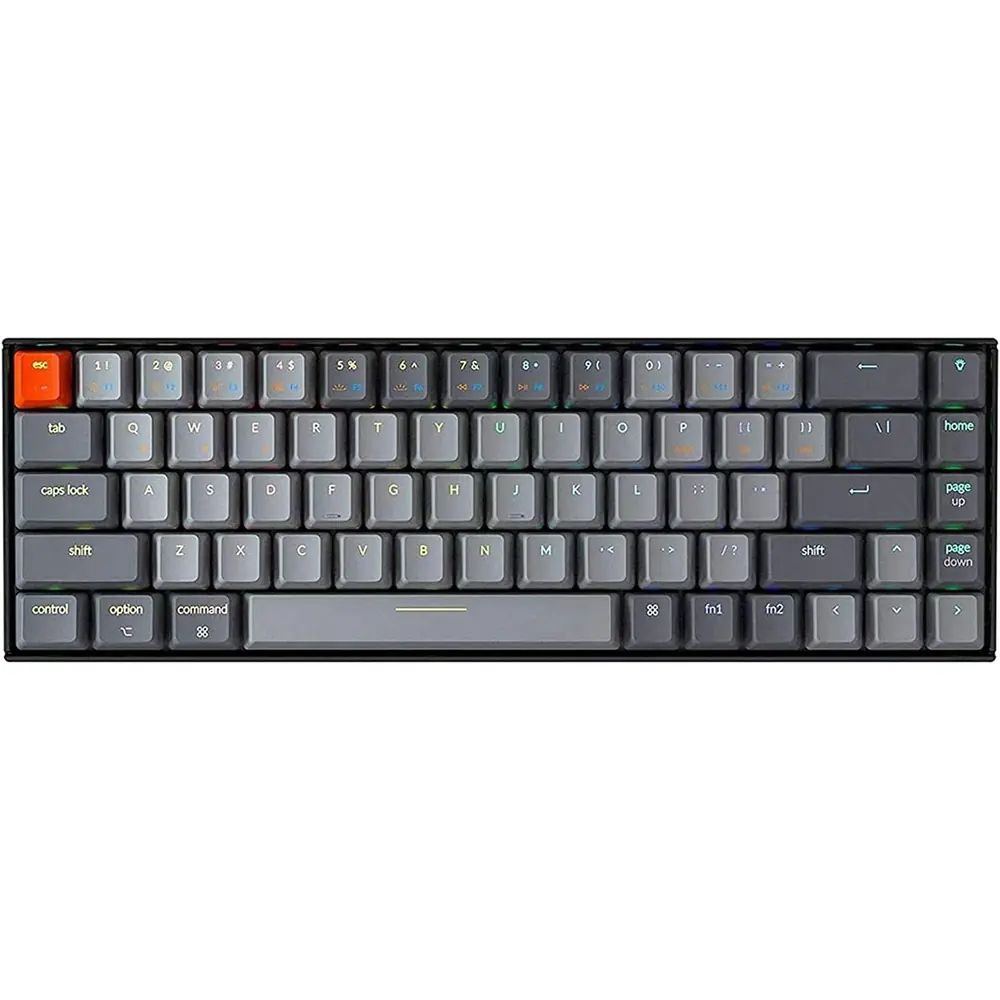
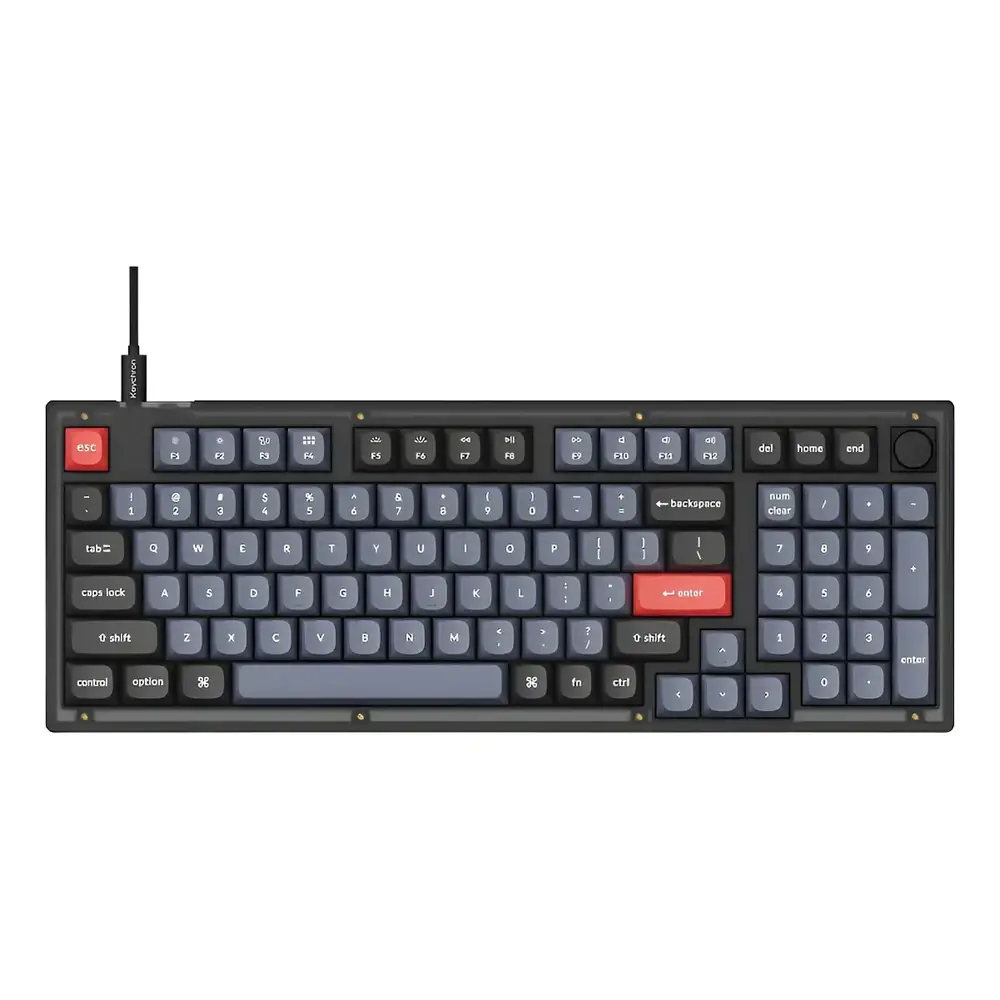
Product Images
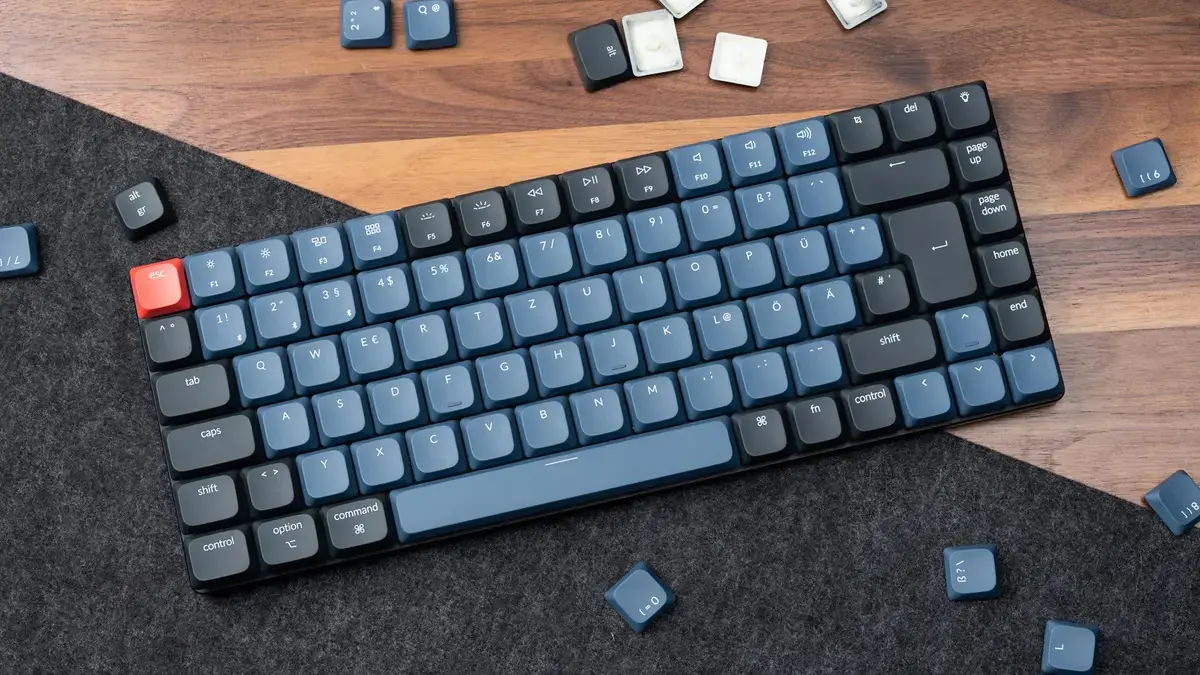

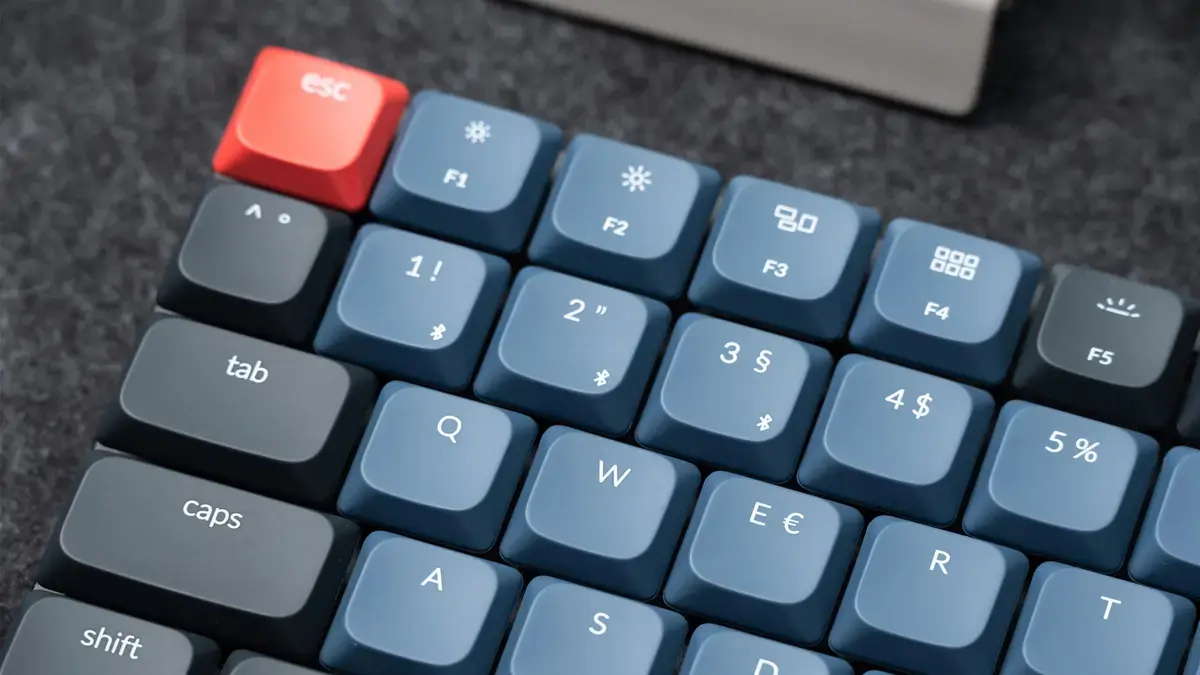
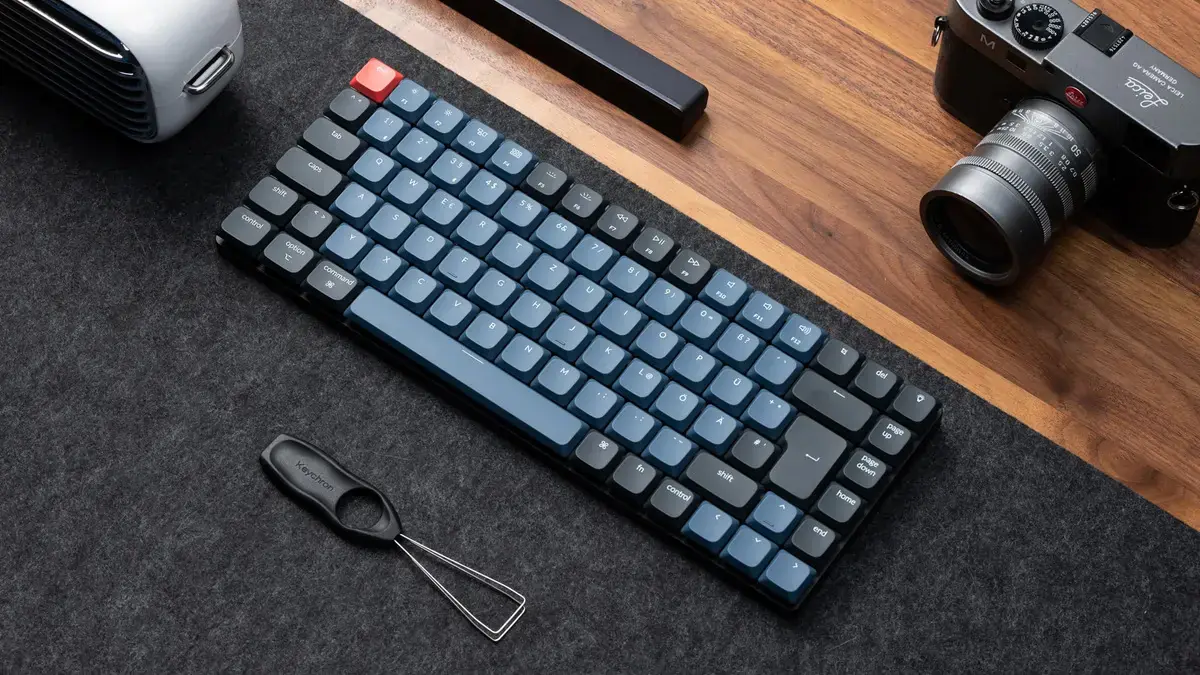
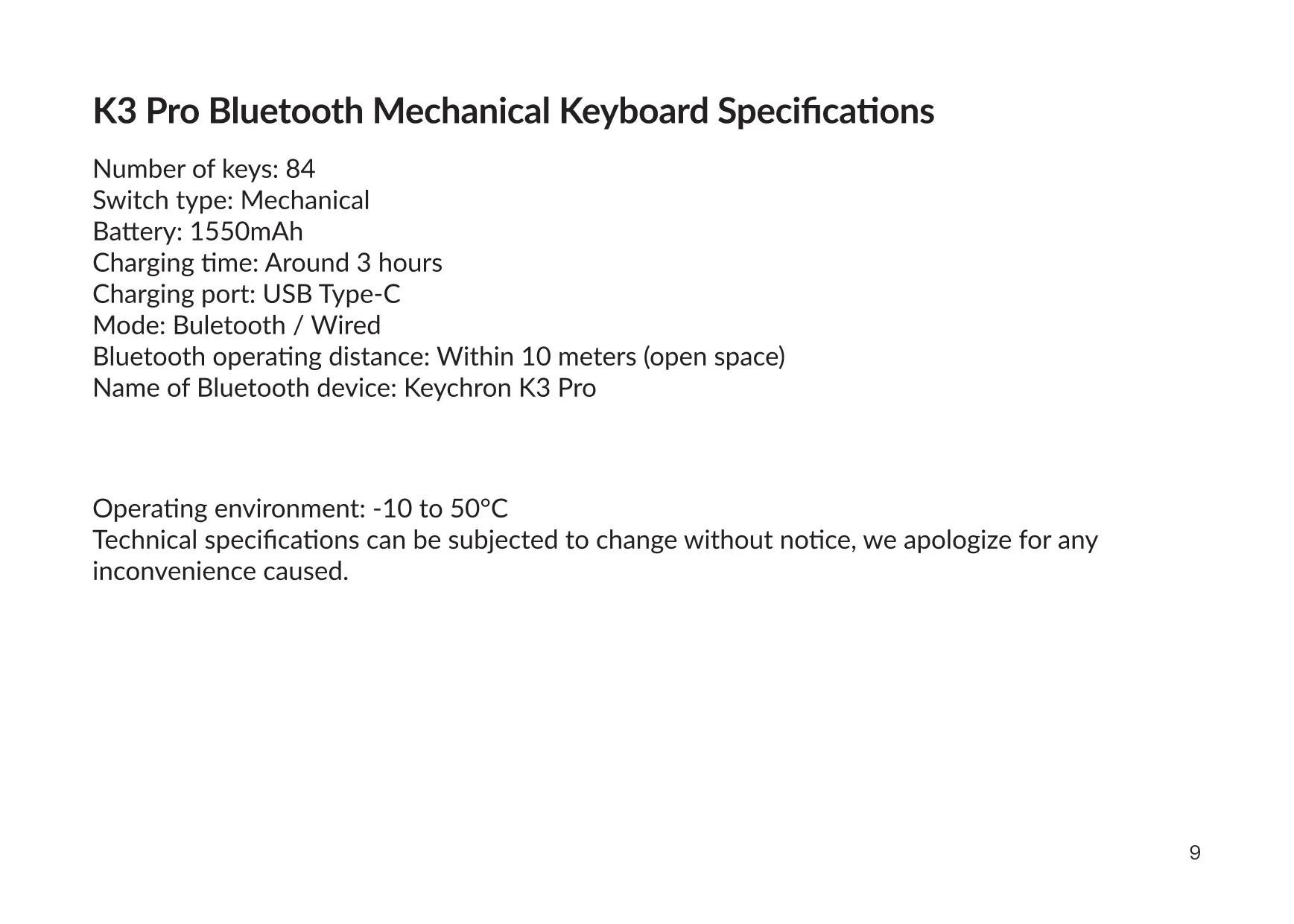
Keychron K3 Pro Keyboard Specifications
| Feature | Specification |
|---|---|
| Model | Keychron K3 Pro Bluetooth Mechanical Keyboard |
| Number of Keys | 84 |
| Switch Type | Mechanical |
| Battery Capacity | 1550 mAh |
| Charging Time | Around 3 hours |
| Charging Port | USB Type-C |
| Charging Input | Up to 5 V / 1 A (5 V 1 A adapter or USB 3.0 recommended) |
| Connection Modes | Bluetooth / Wired |
| Bluetooth Operating Distance | Within 10 meters (open space) |
| Bluetooth Device Name | Keychron K3 Pro |
| Multi-Device Pairing | Up to 3 devices (fn + 1 / fn + 2 / fn + 3) |
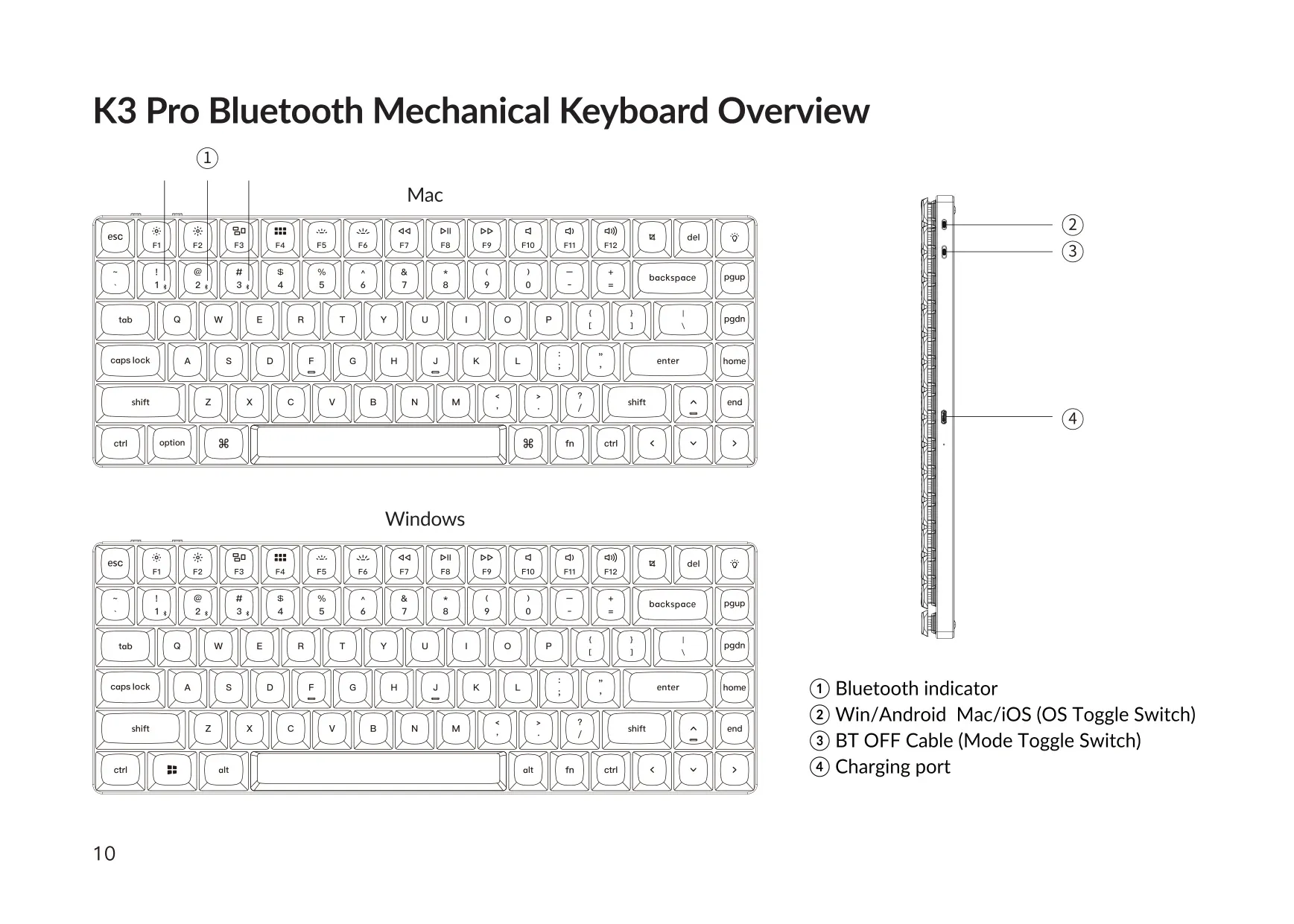
| Operating System Toggle | Mac/iOS and Windows/Android |
| Mode Toggle Switch | BT / OFF / Cable |
| Key Layers | 4 (Layers 0–1 for Mac, Layers 2–3 for Windows) |
| Key Remapping Software | VIA (wired connection only) |
| Firmware Flashing Tool | QMK Toolbox |
| Operating Environment | -10 to 50 °C (5 to 131 °F) |
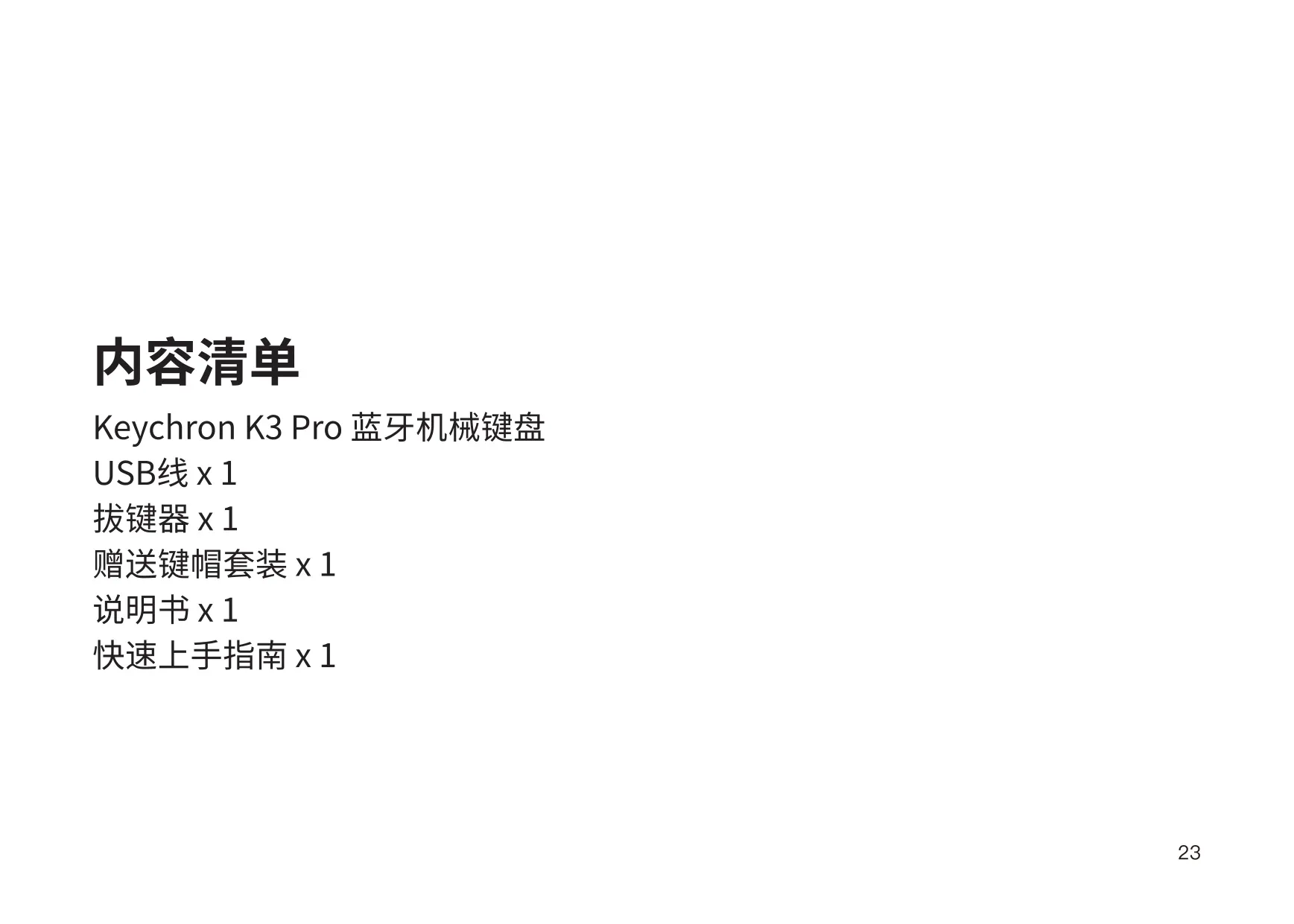
| In the Box | Keyboard, Type-C cable, manual, quick start guide, extra keycap set |
| Manufacturer | Keychron, Inc., Dover, DE 19901, United States |
| Country of Manufacture | China |
Keychron K3 Pro Keyboard Details
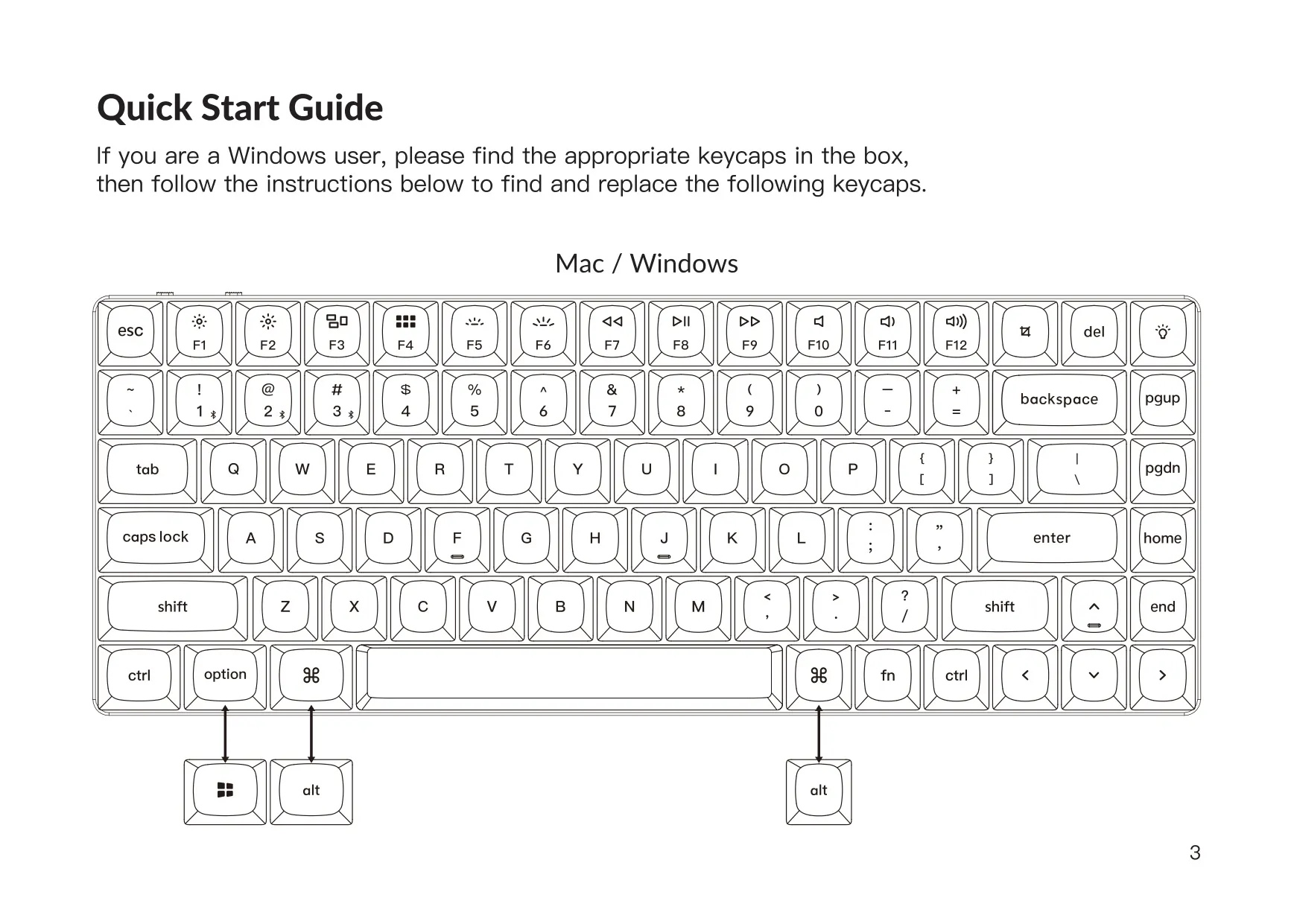
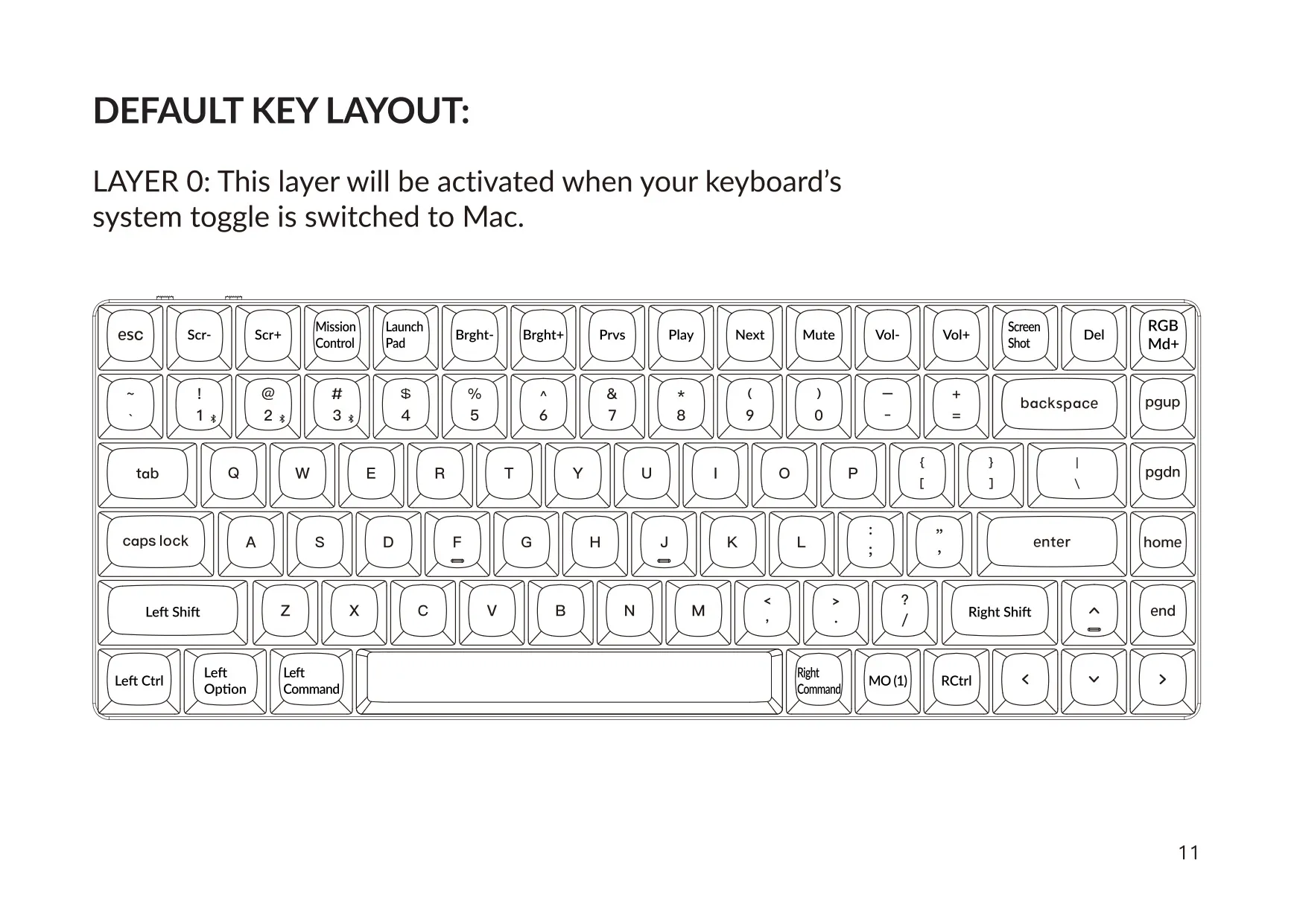
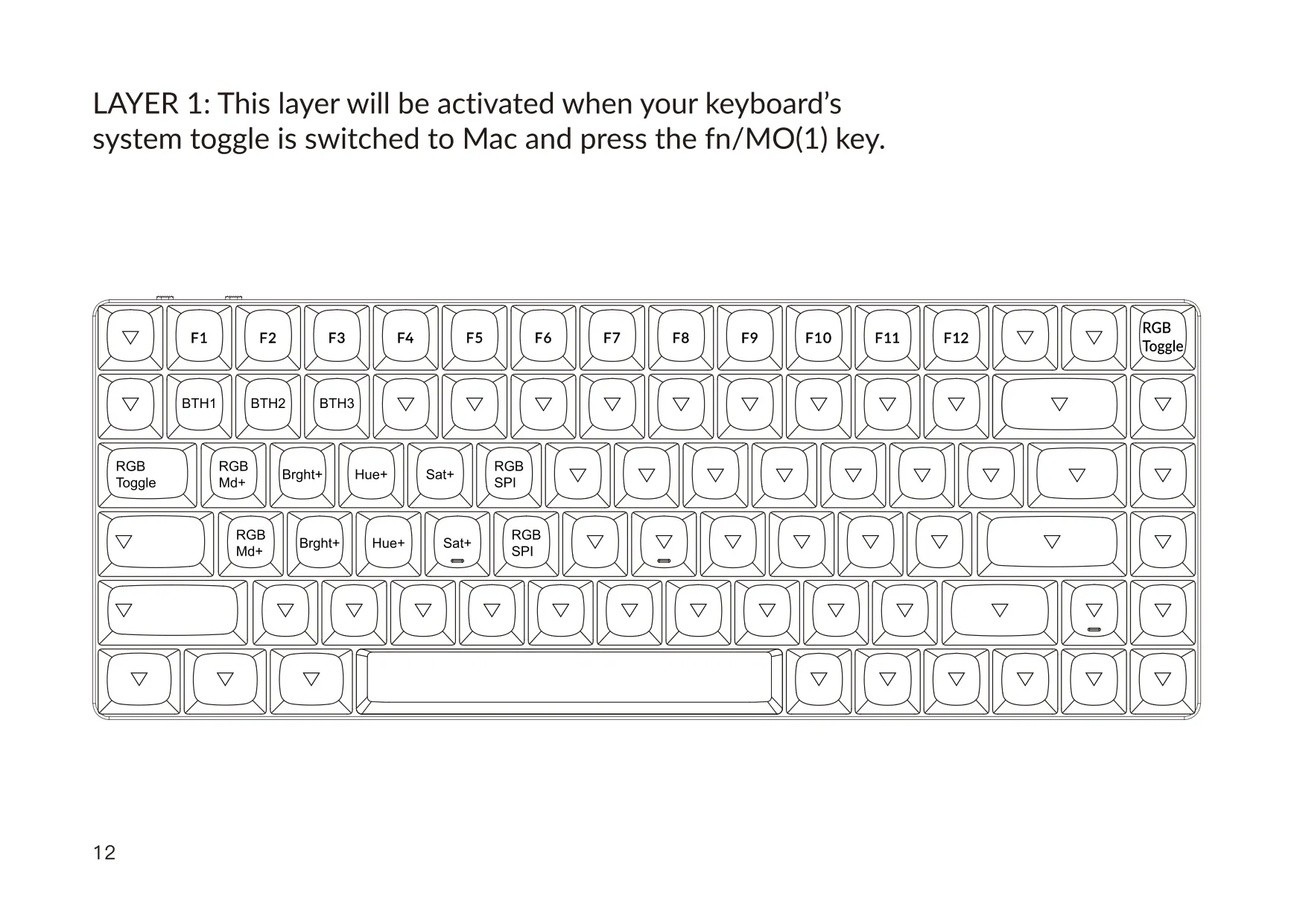
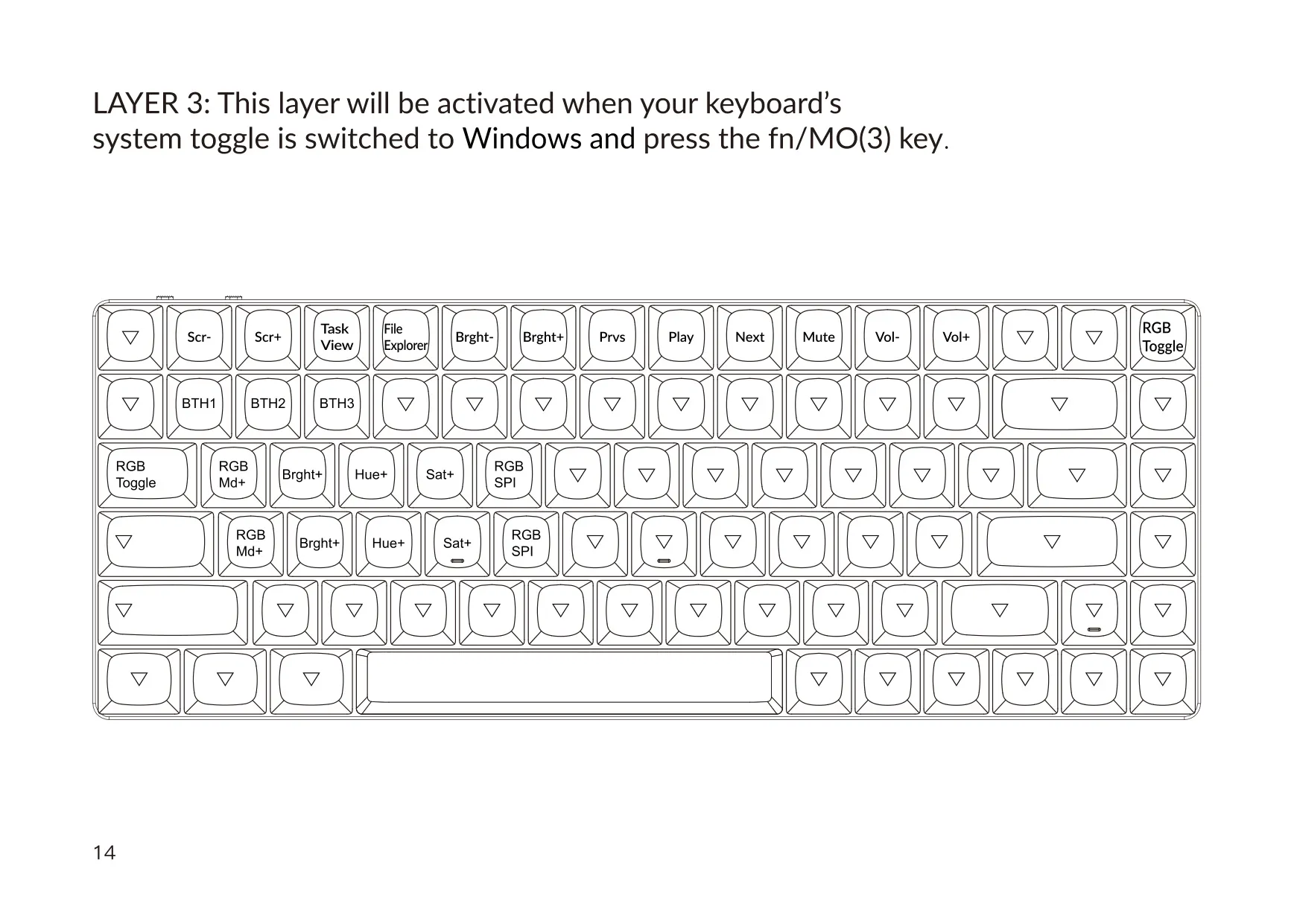
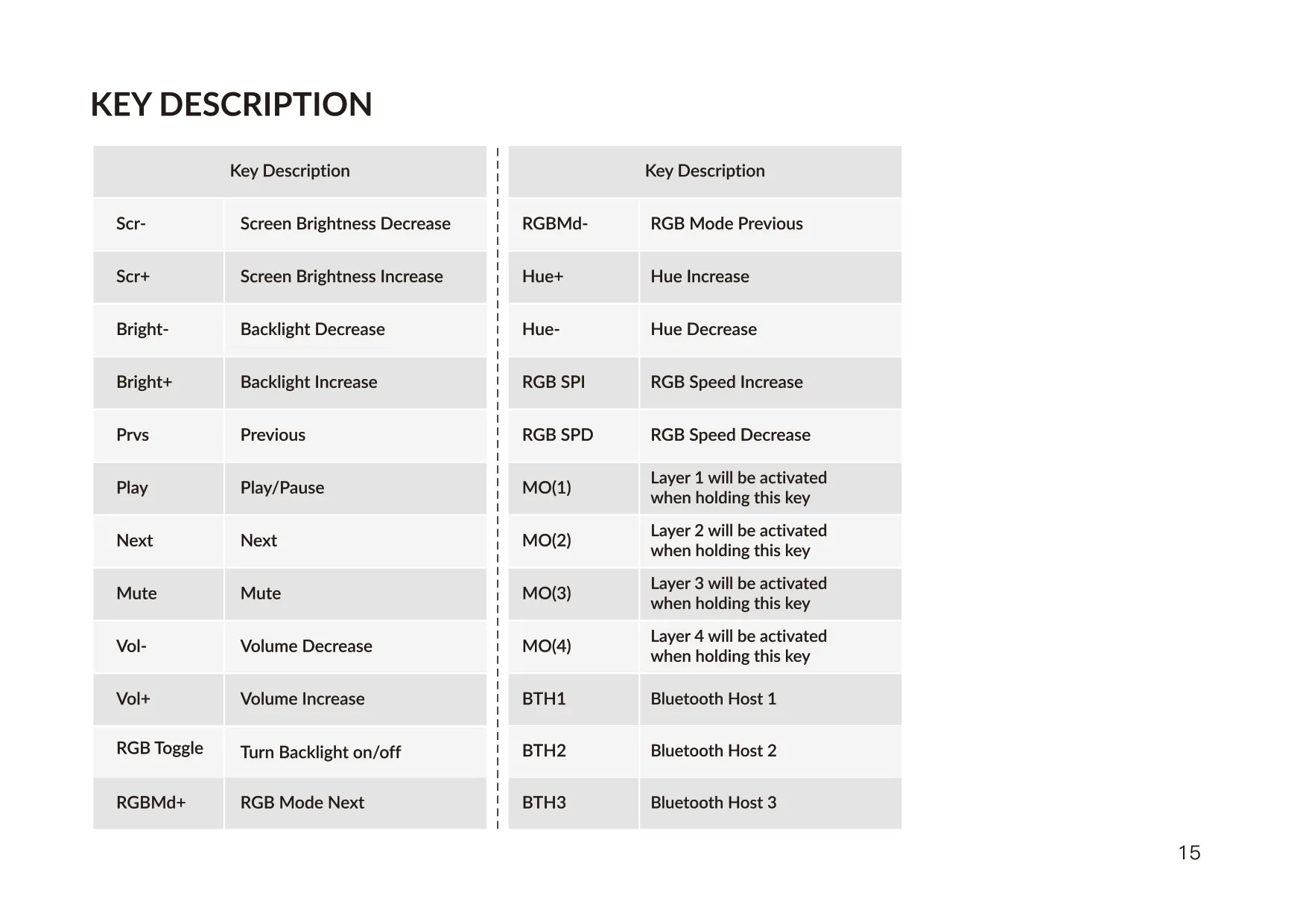
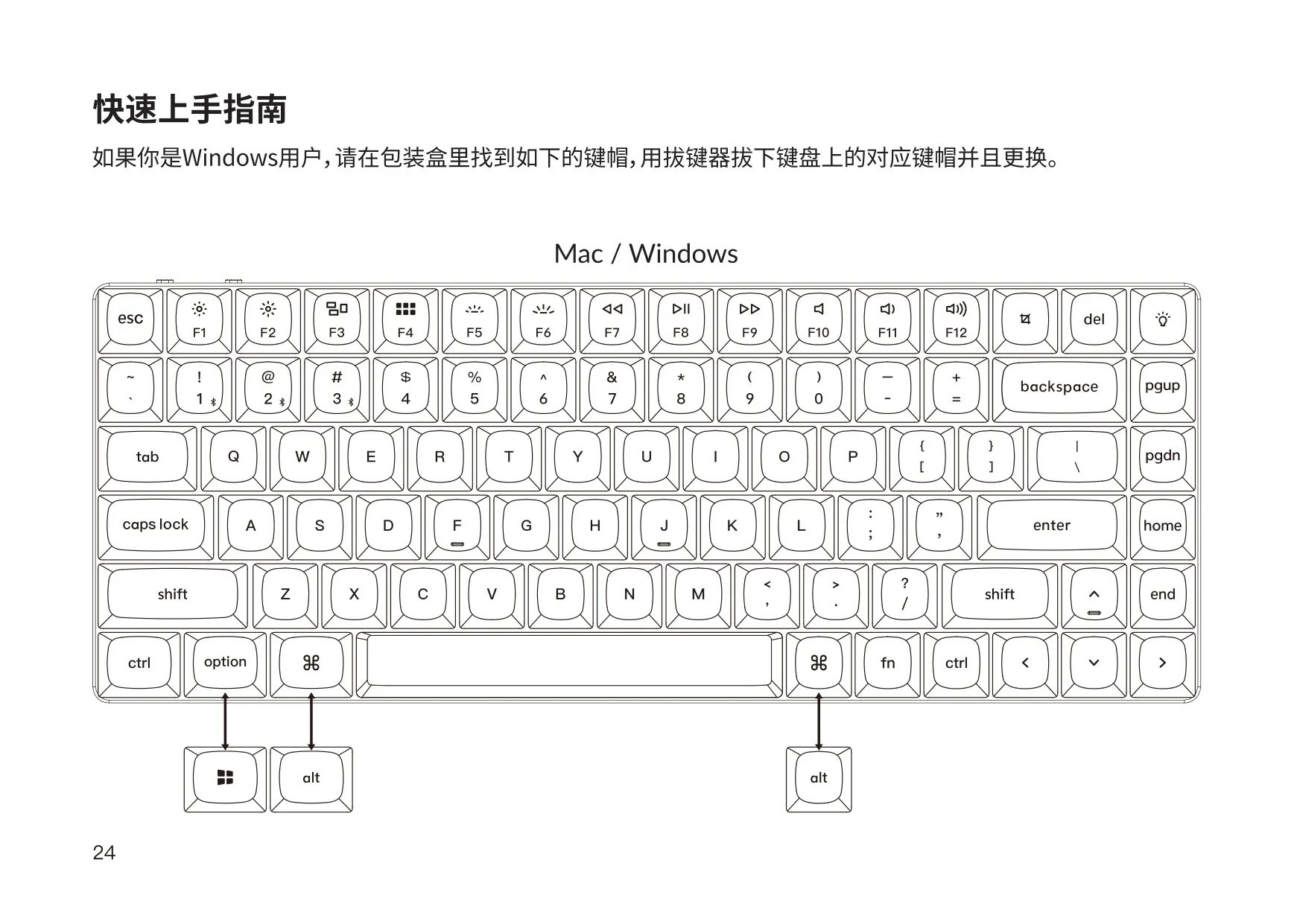
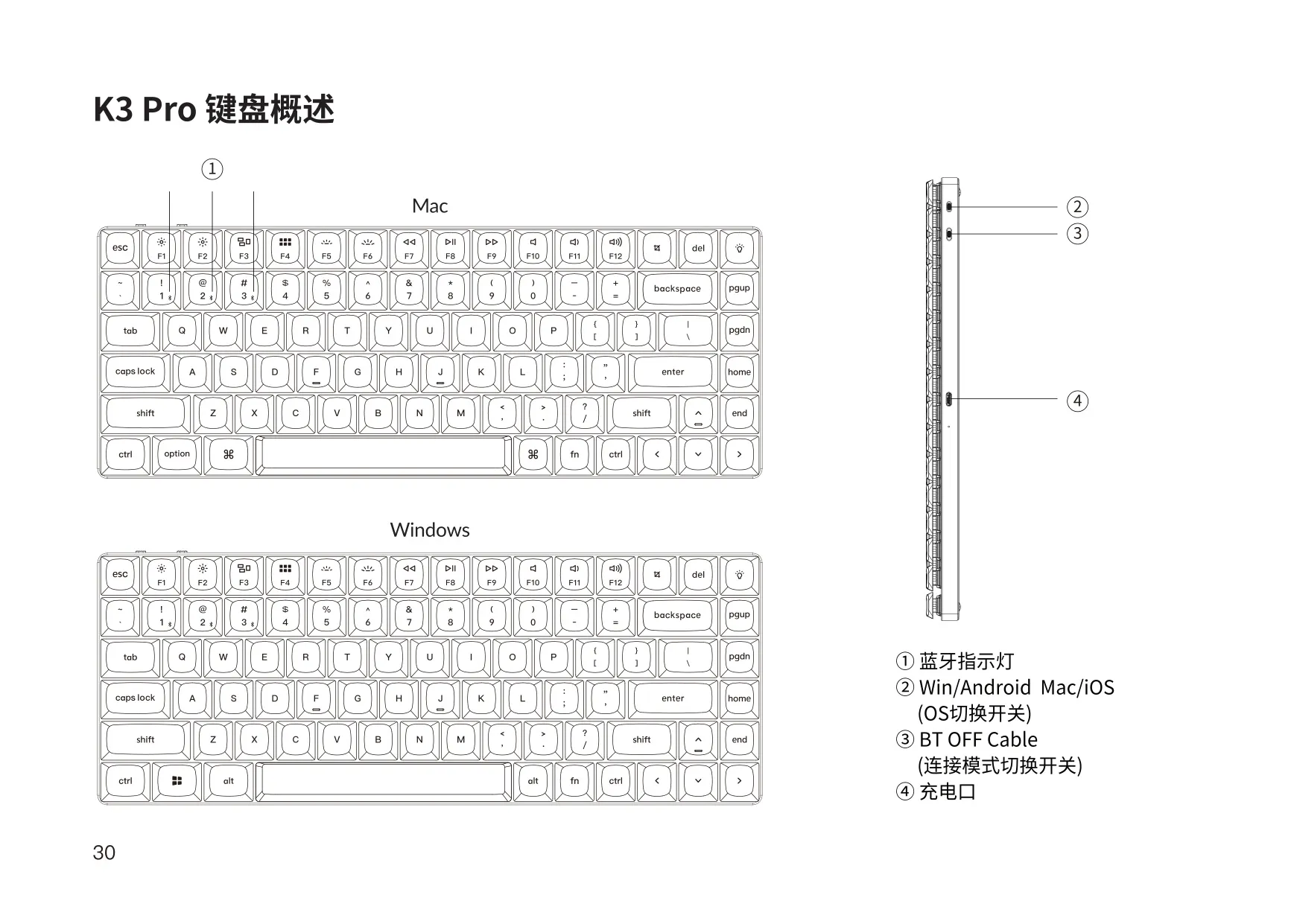
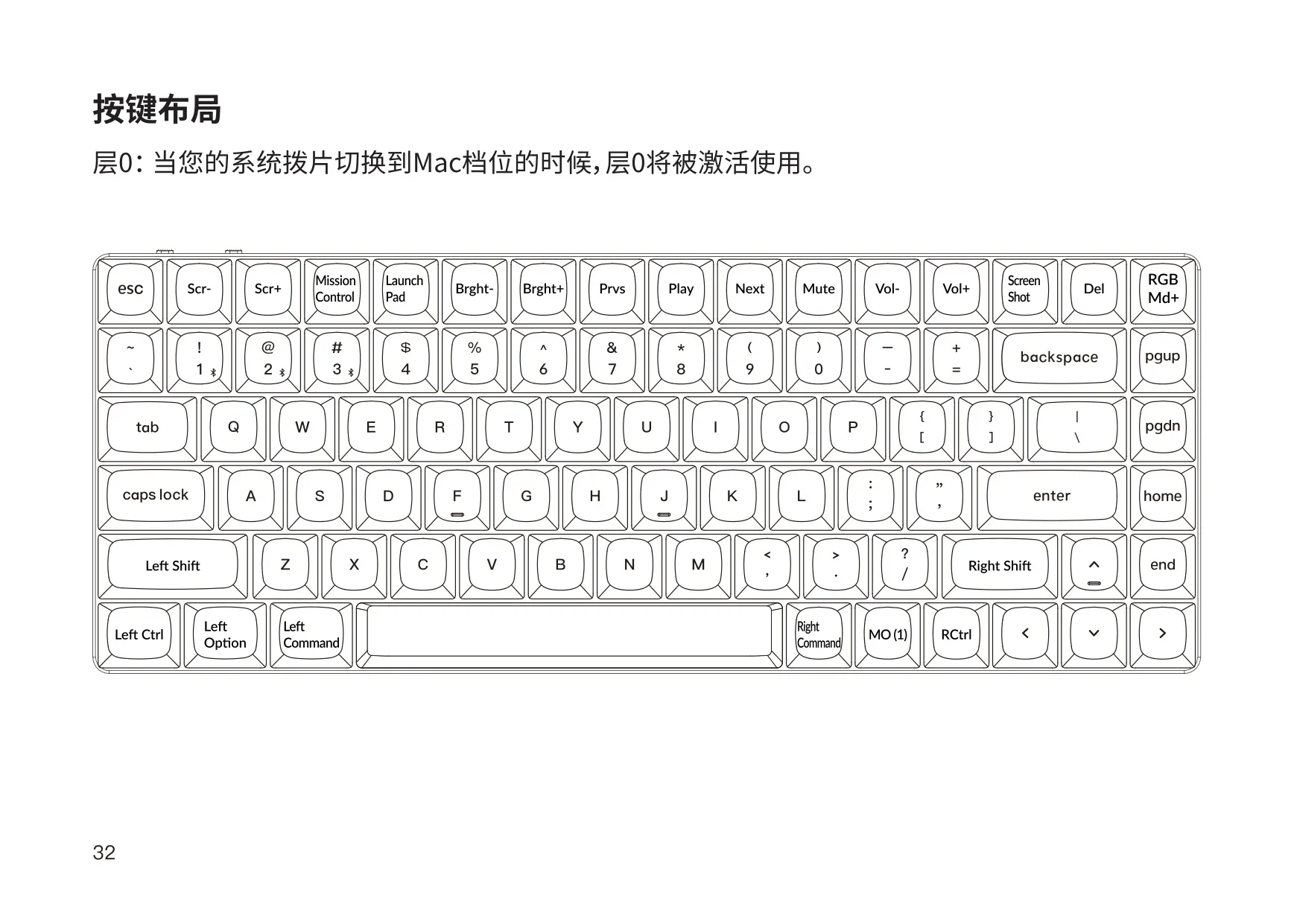
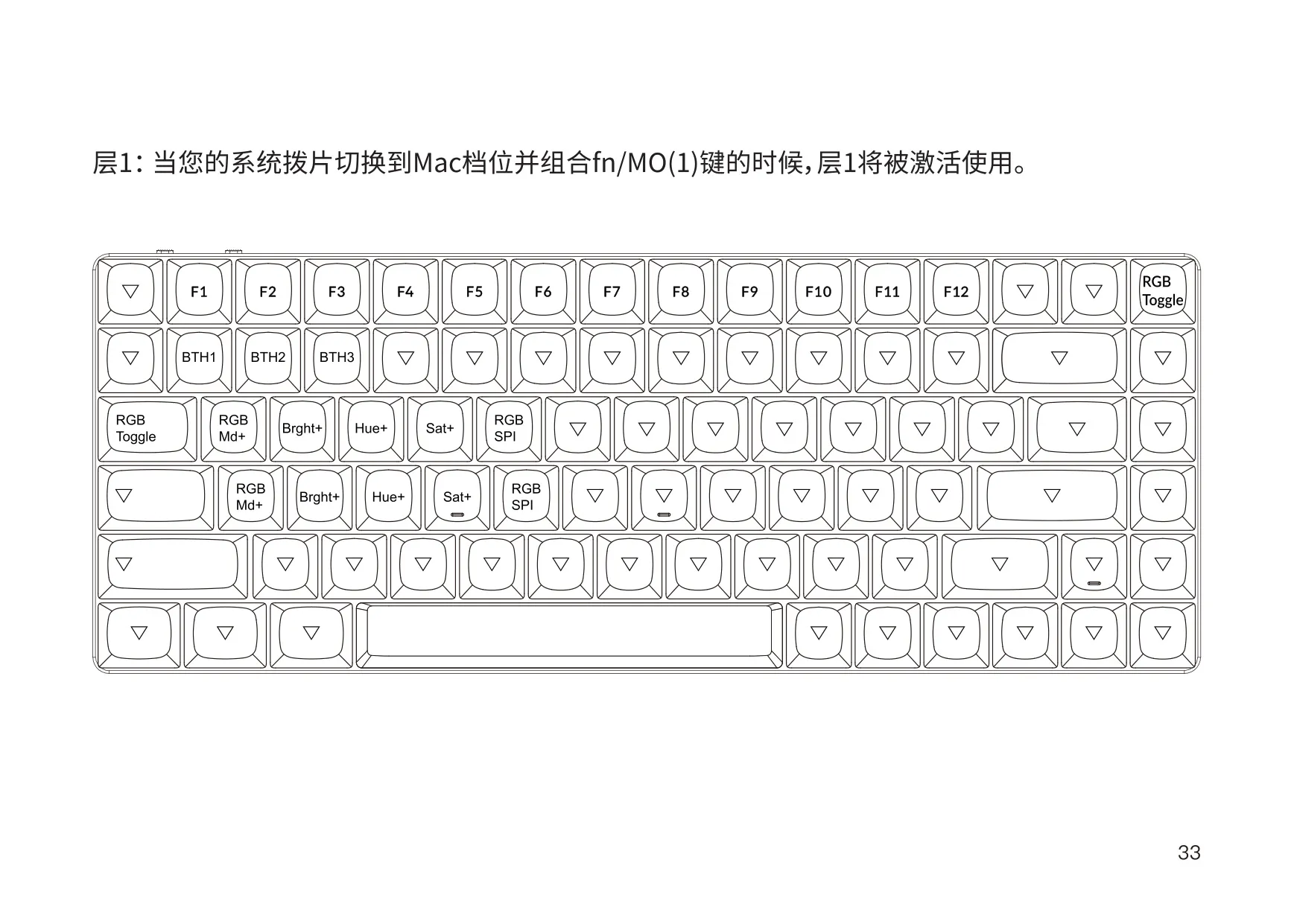
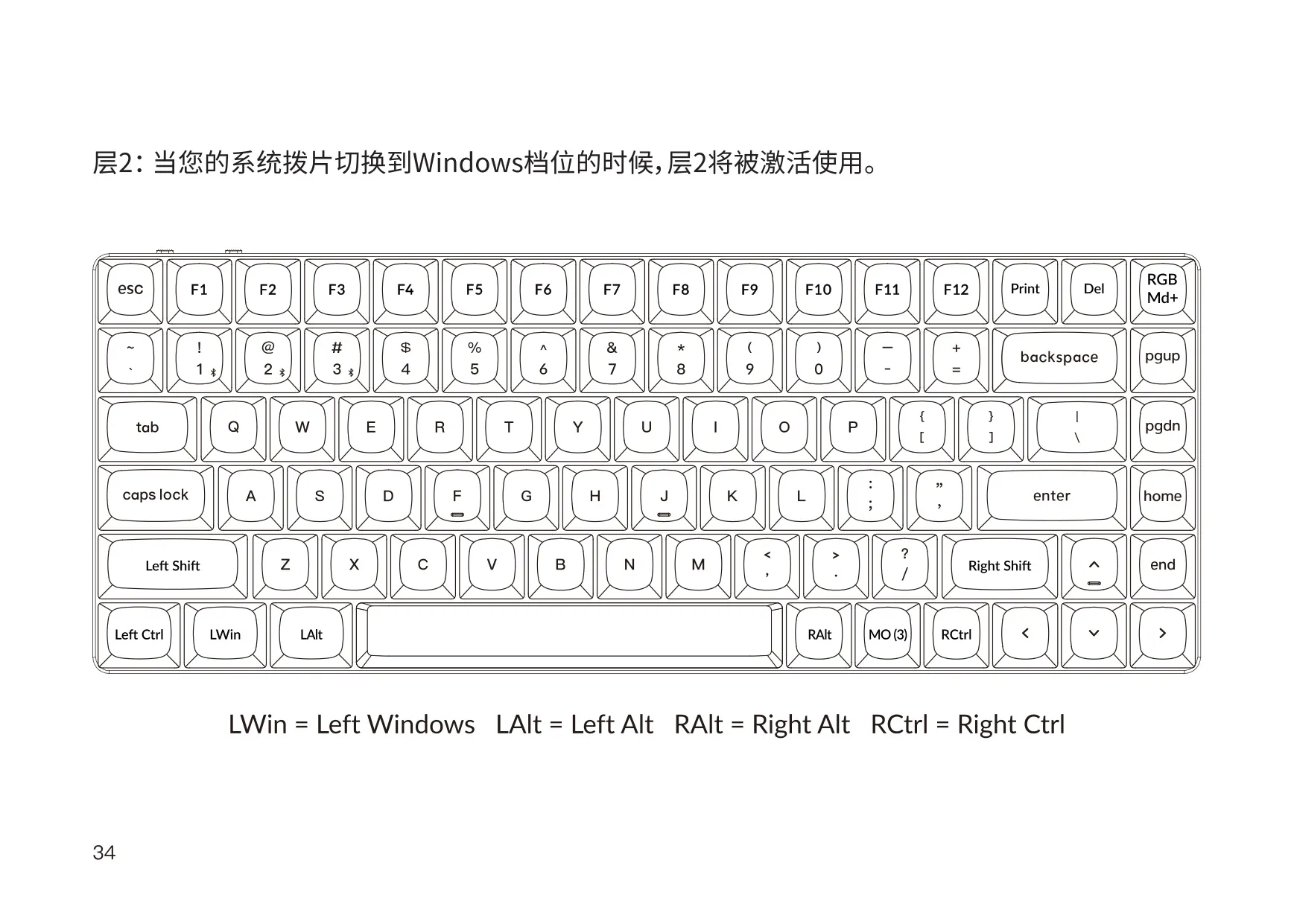
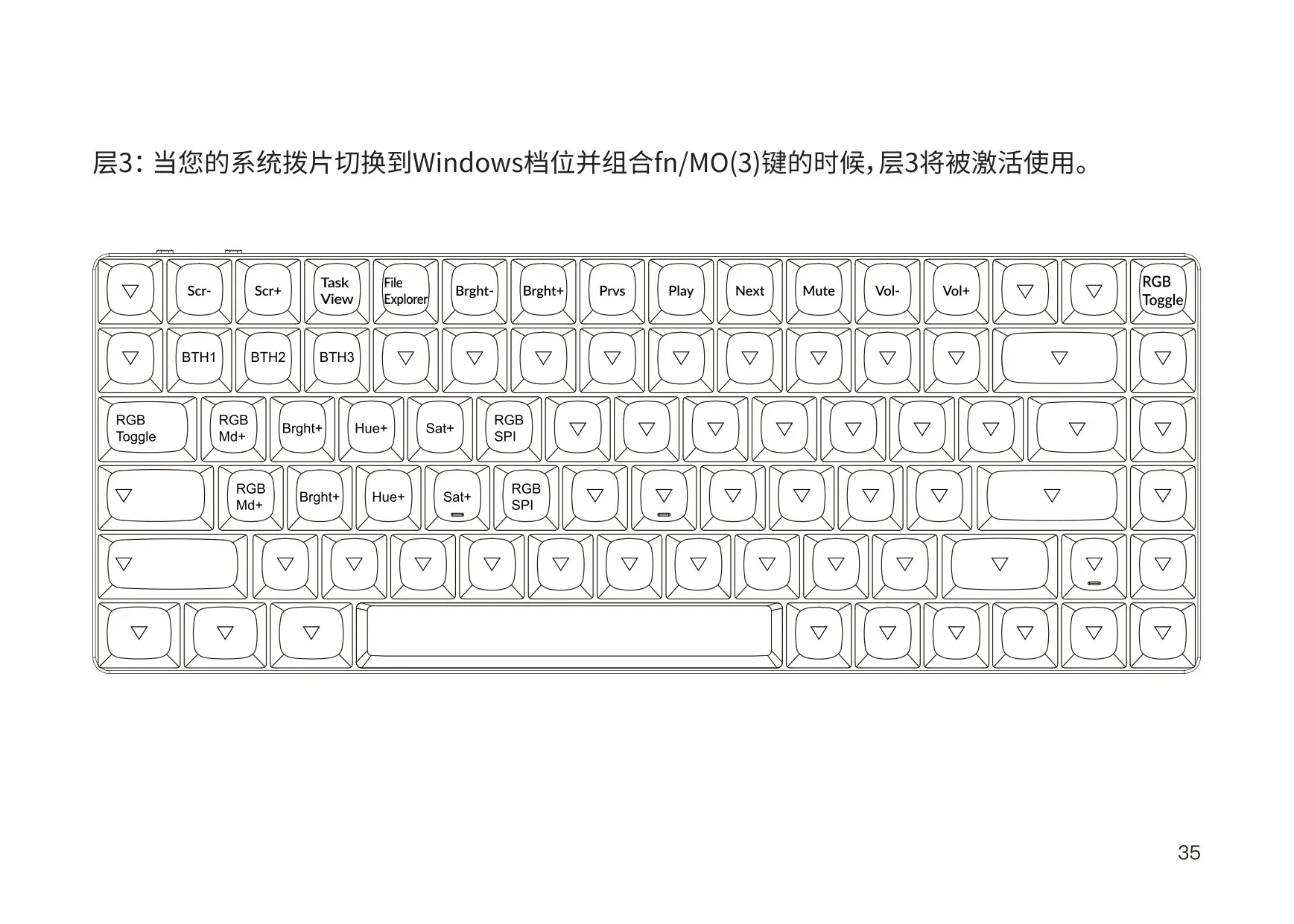
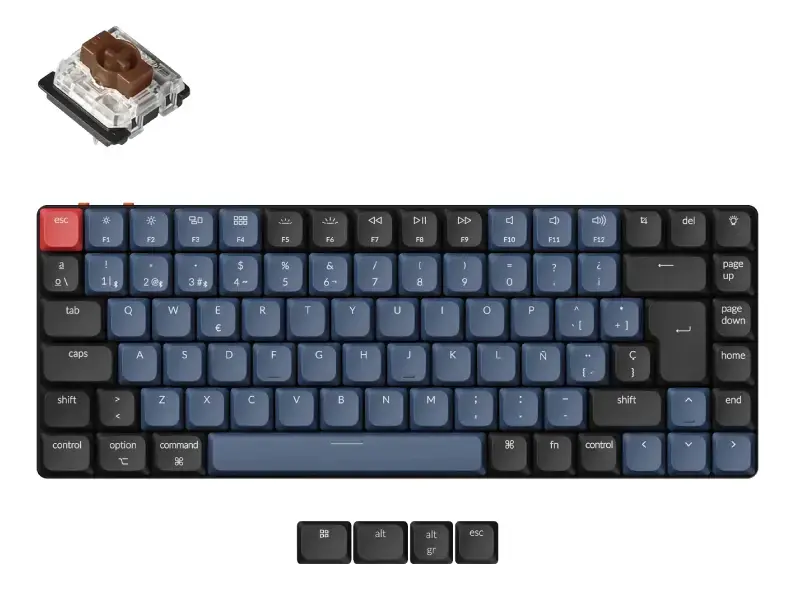
The Keychron K3 Pro is built to be highly customizable and easy to rebuild. The top-row media functions on Mac include Mission Control, Launch Pad, screenshot, previous, play/pause, next, mute and volume control. On Windows, the Fn layer gives access to Task View, File Explorer, screen brightness, media controls and the F1–F12 function keys. A key description chart explains every shortcut, including RGB mode, hue, speed and the Bluetooth host keys BTH1 to BTH3.
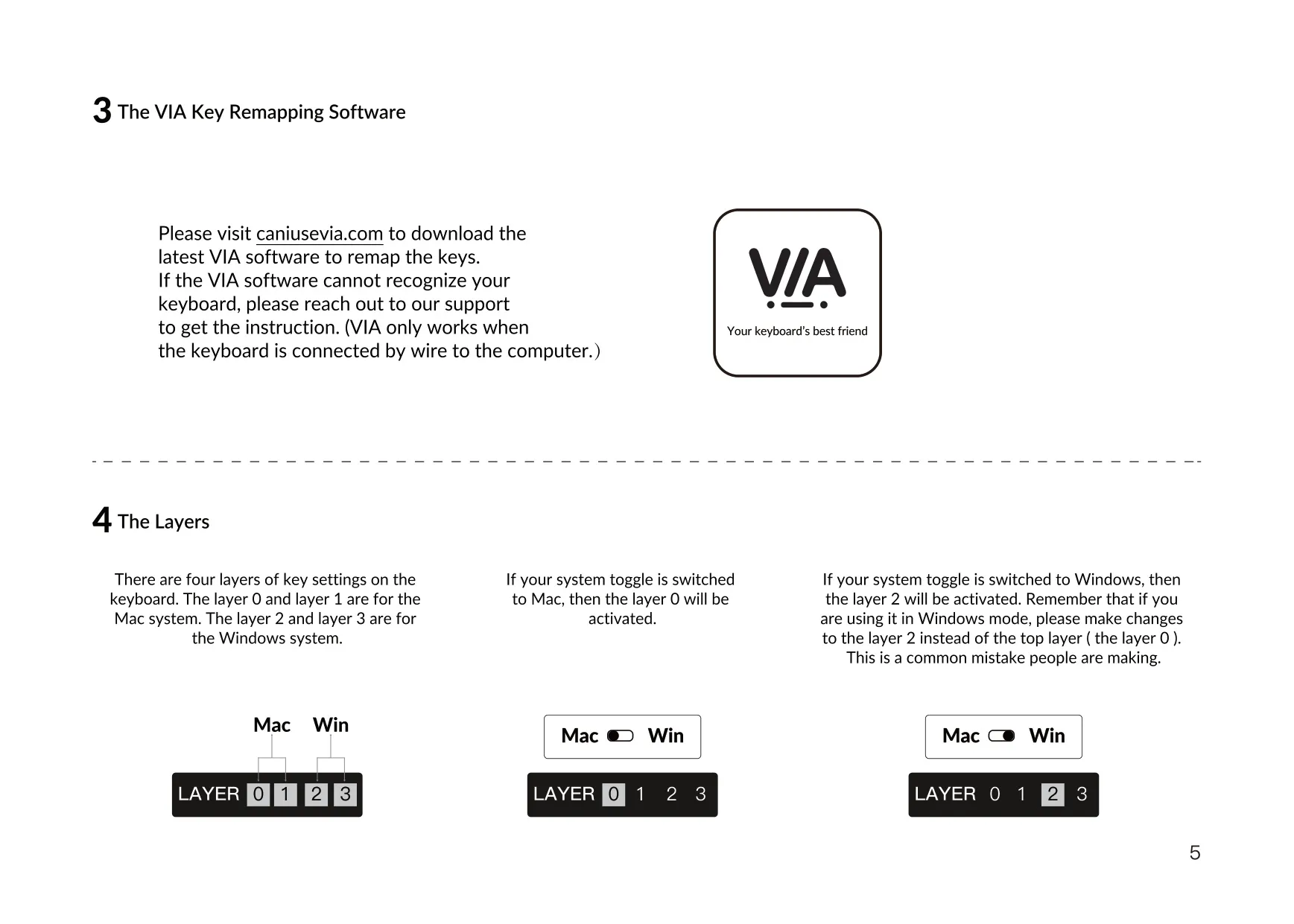
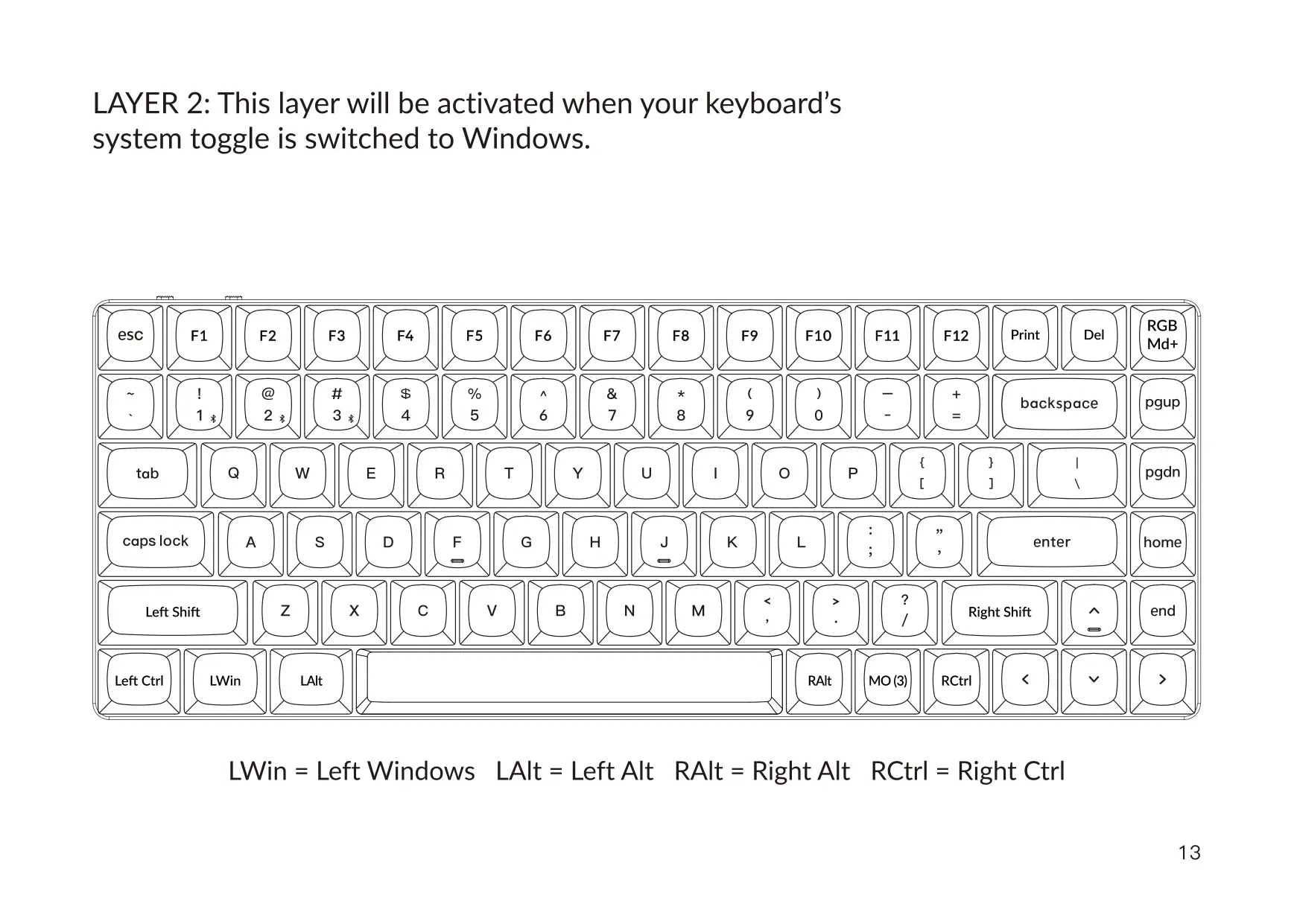
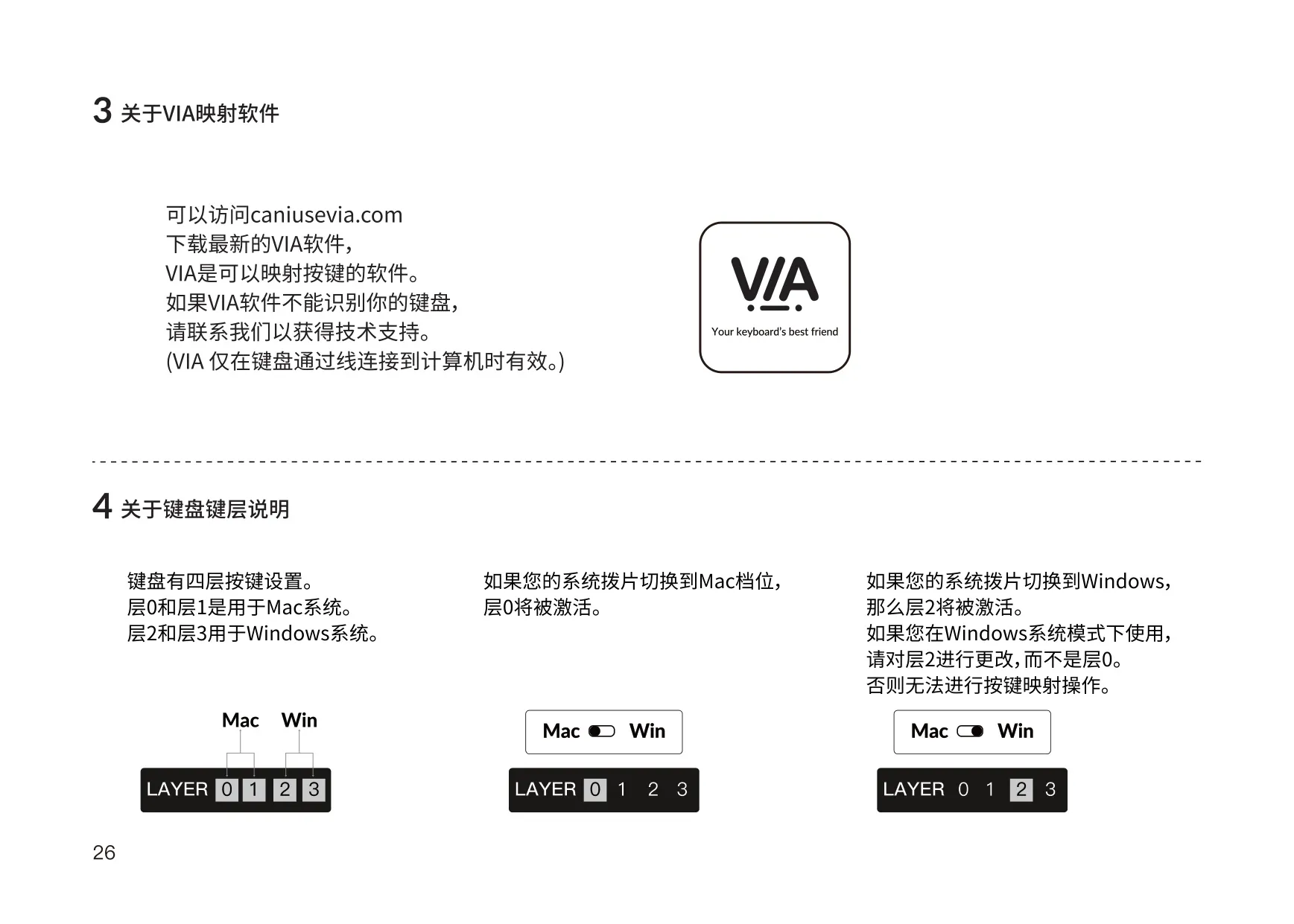
The four layers are tied to the OS toggle switch. With the toggle on Mac, layer 0 is active and layer 1 is reached by holding fn/MO(1). With the toggle on Windows, layer 2 is active and layer 3 is reached by holding fn/MO(3). Keychron warns about a common mistake: in Windows mode, you should remap keys in layer 2, not in the top layer (layer 0). If VIA does not recognize the keyboard, contact Keychron support.
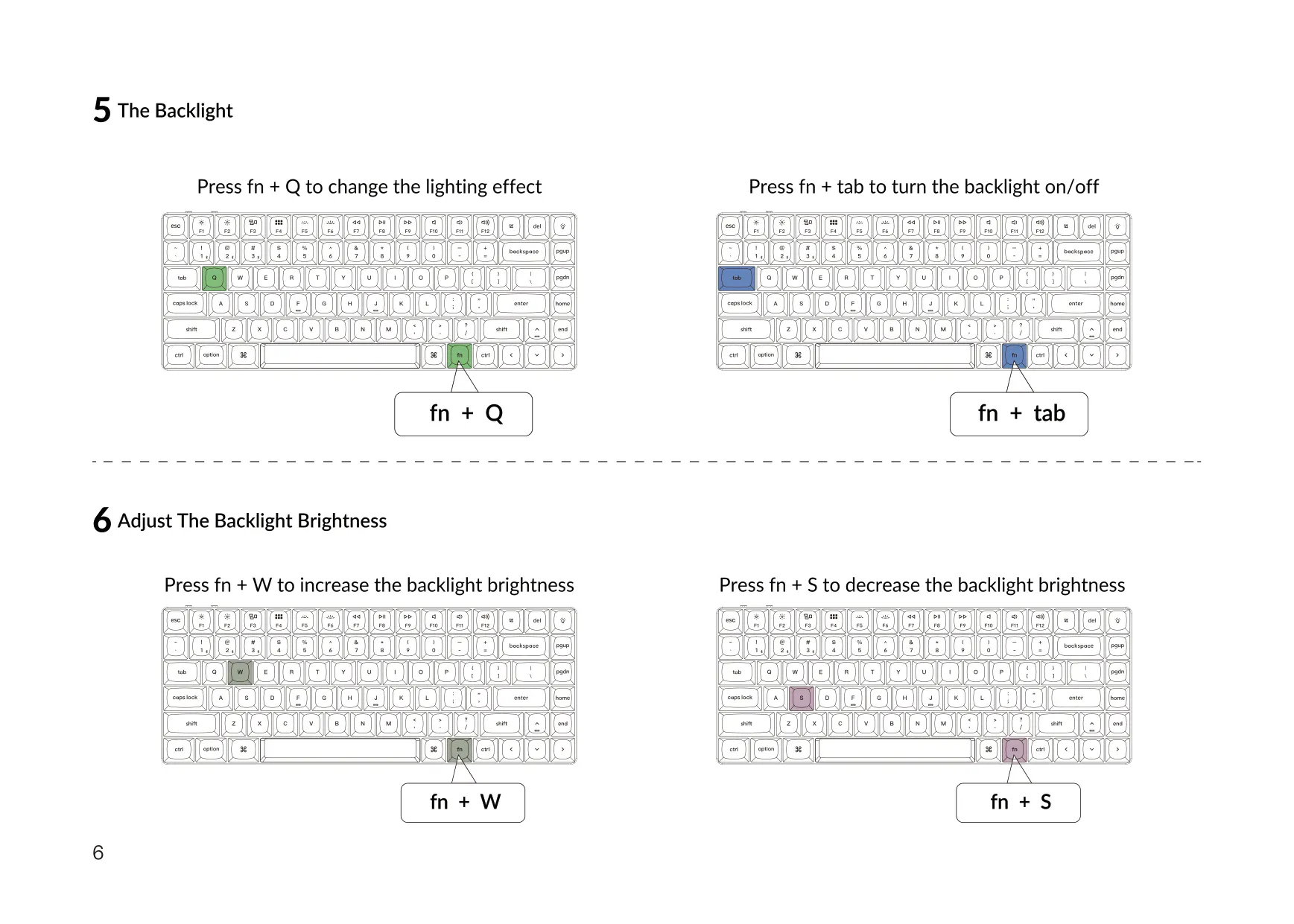
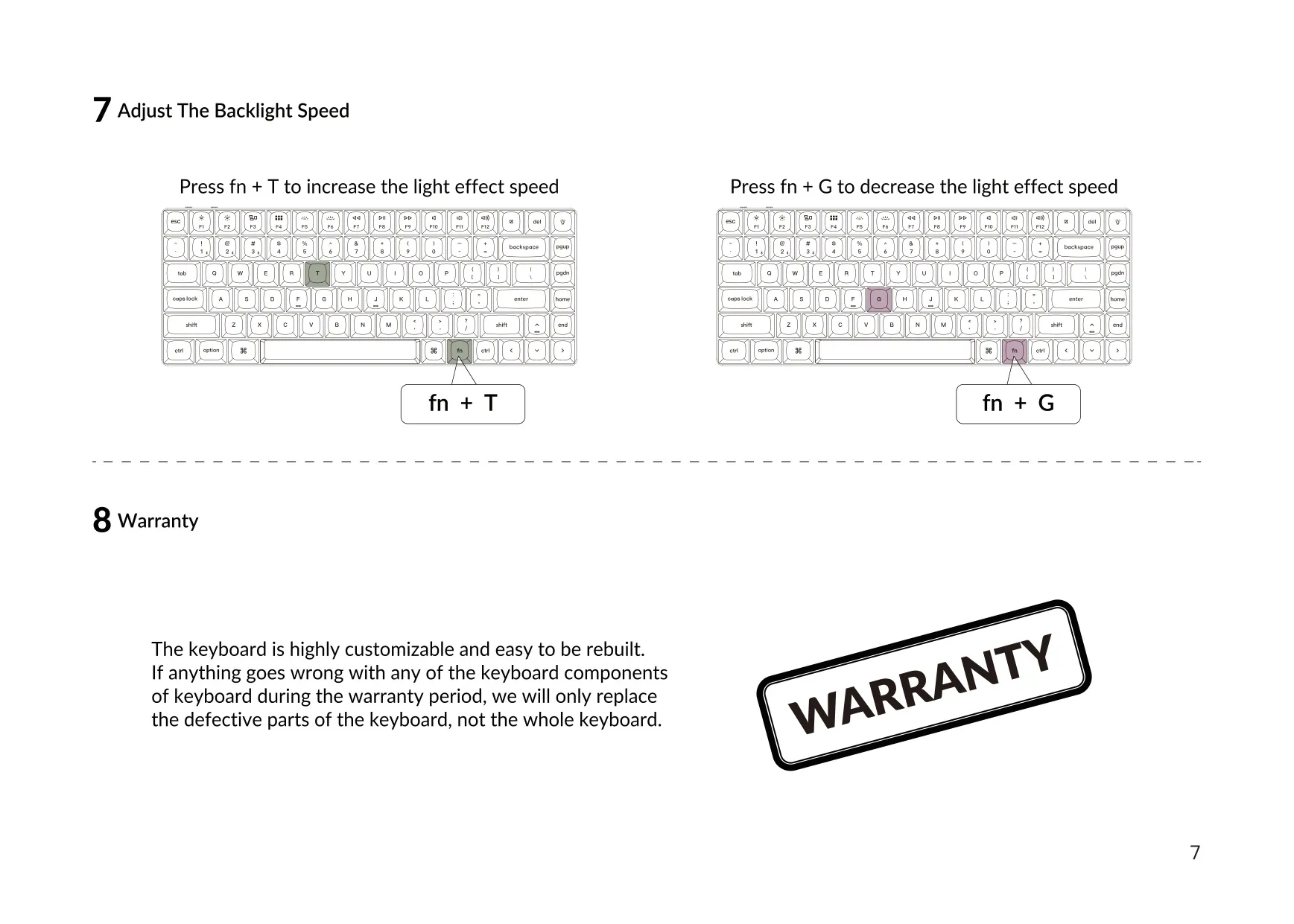
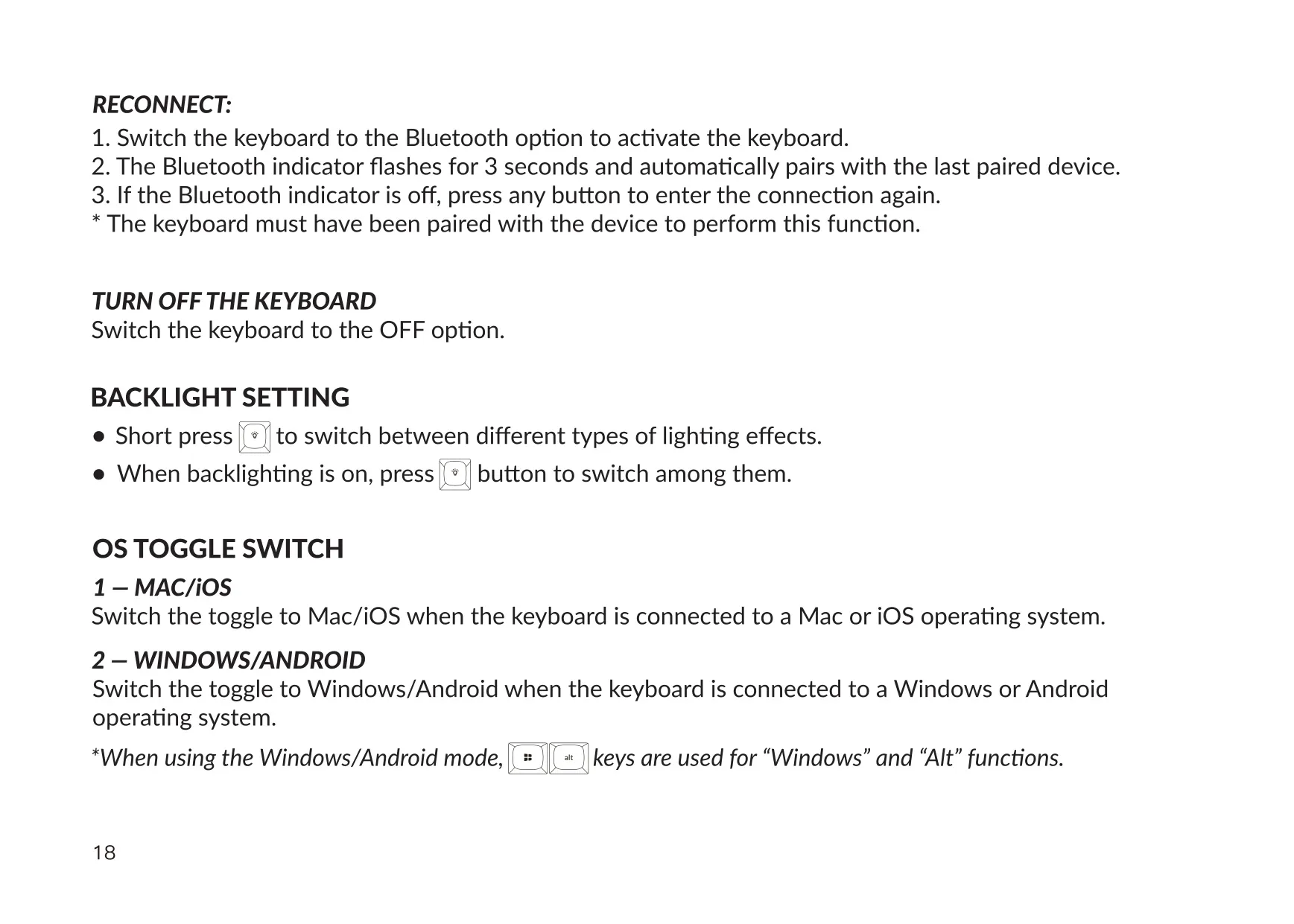
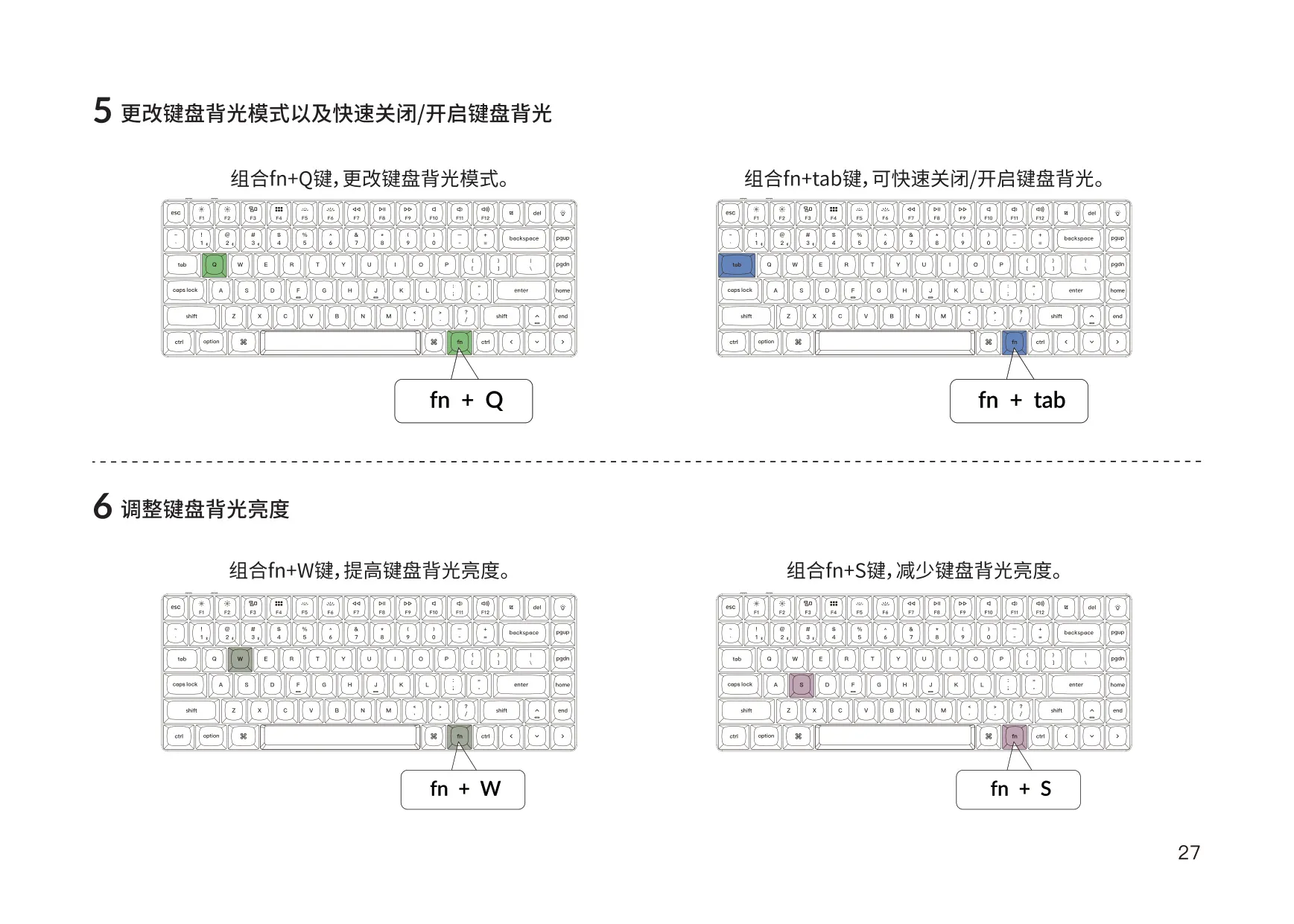
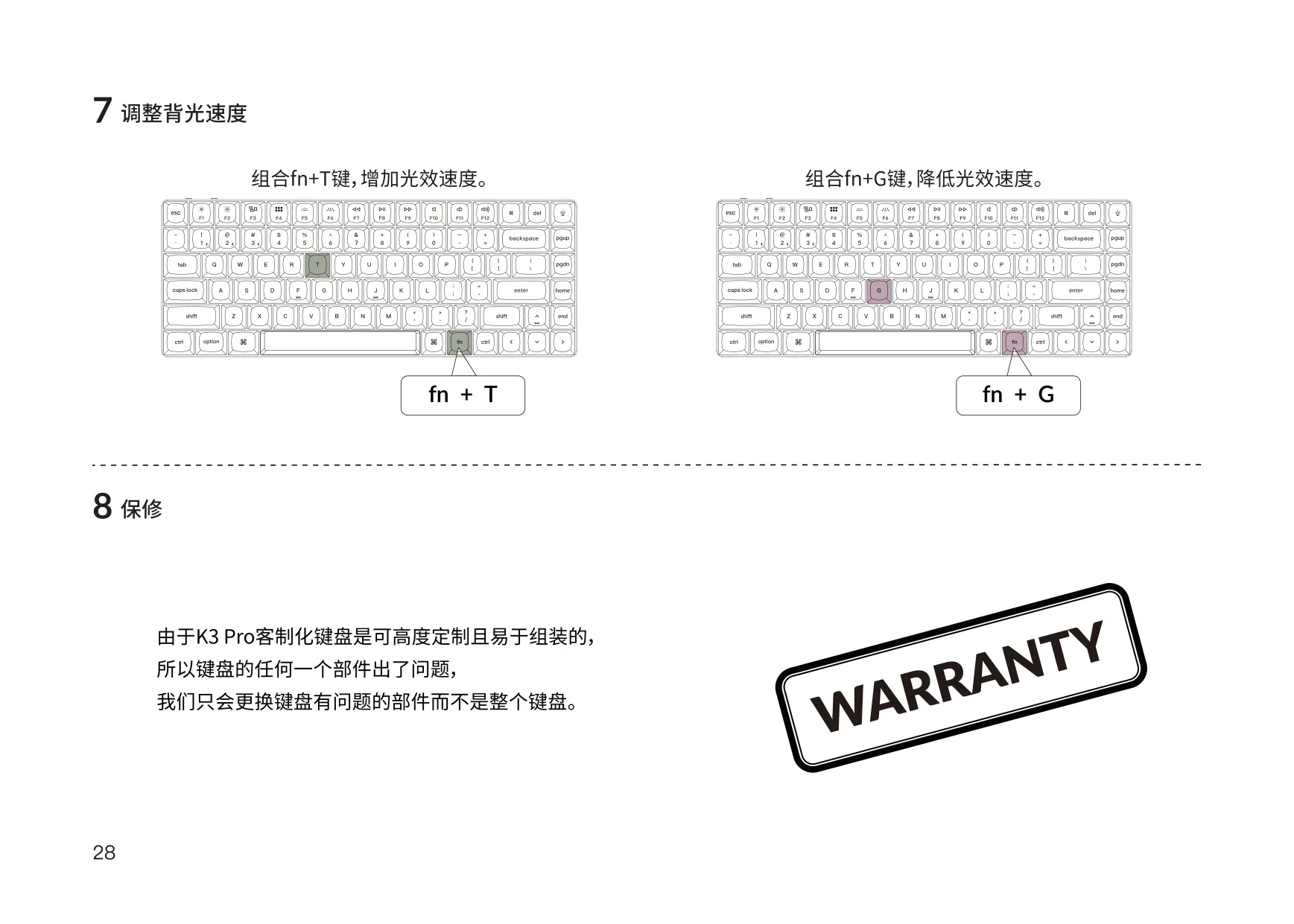
The backlight is controlled from the keyboard. Press fn + Q to cycle through lighting effects and fn + Tab to turn the backlight on or off. Brightness goes up with fn + W and down with fn + S. Effect speed goes up with fn + T and down with fn + G. The backlight turns on automatically when you choose Bluetooth or Cable mode. In wired mode, the keyboard never enters battery saver mode.
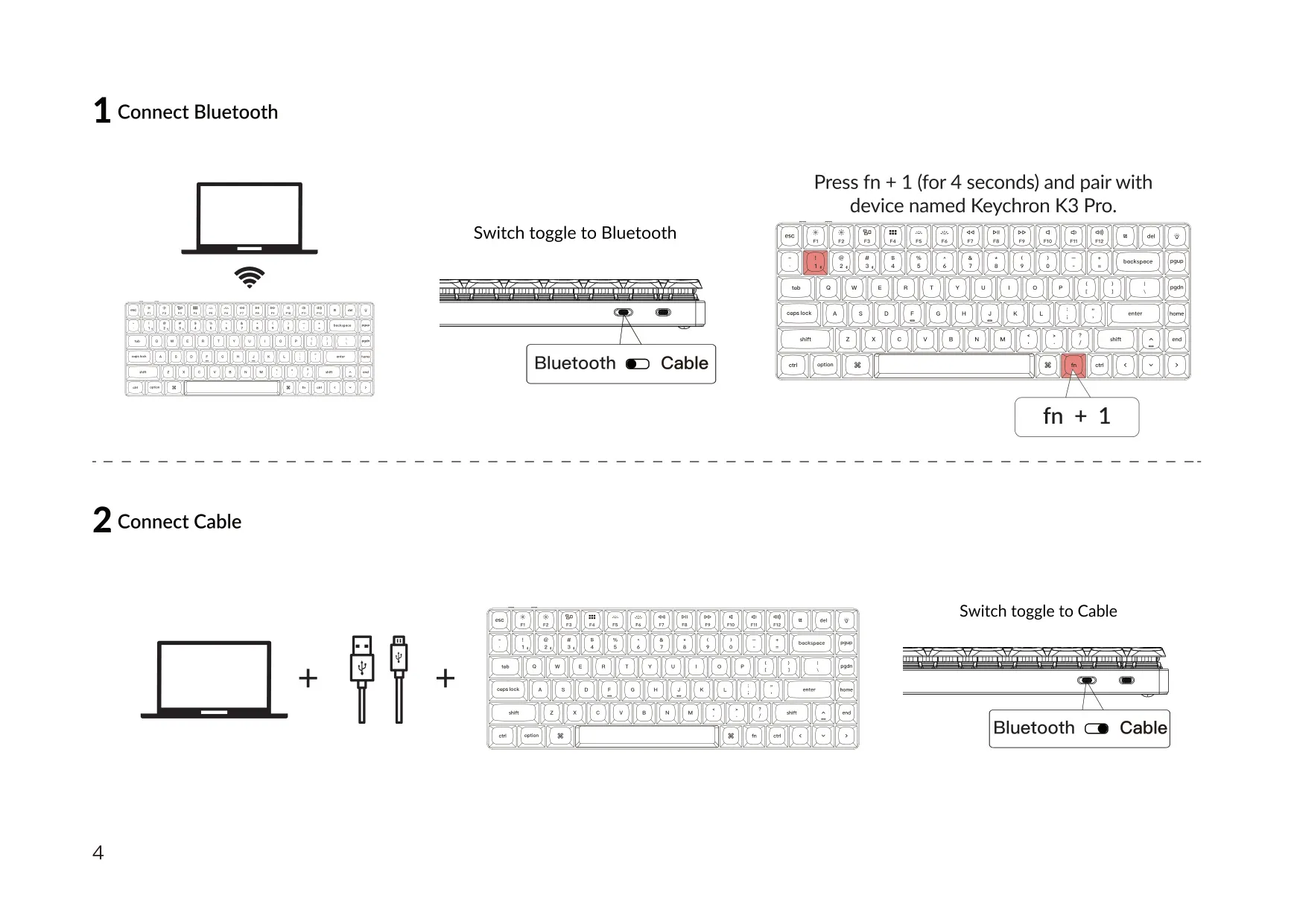
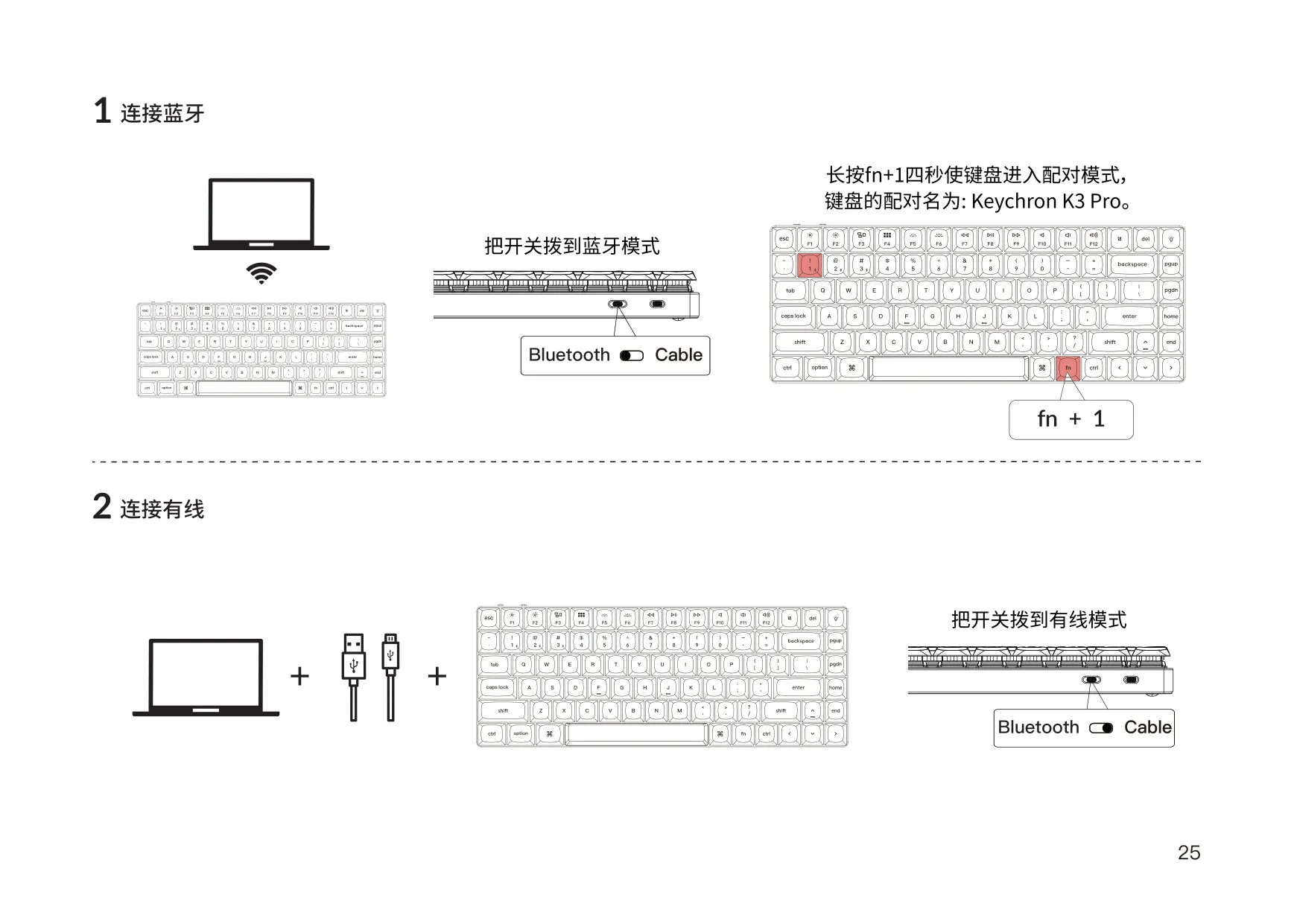
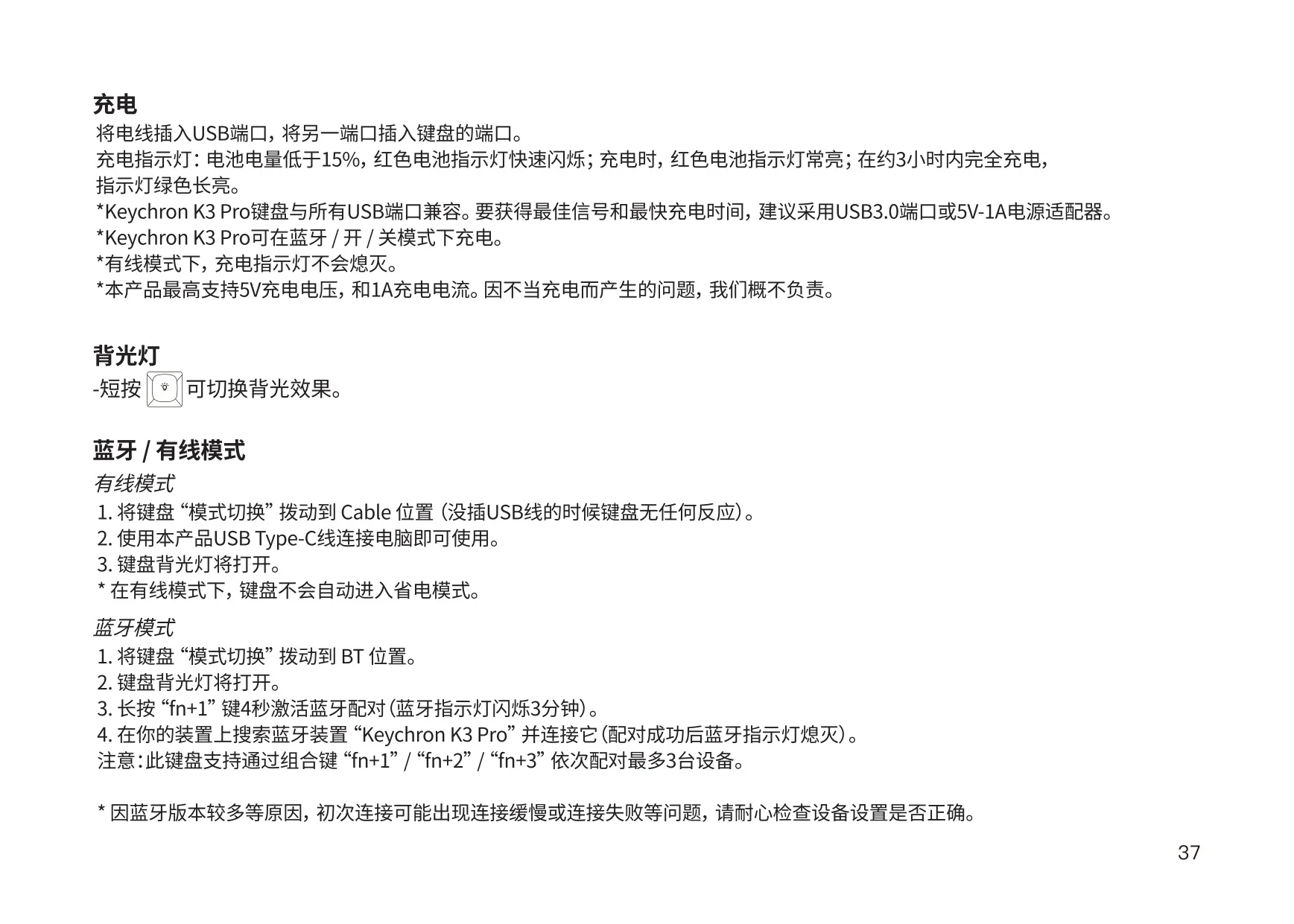
To pair over Bluetooth, move the switch to Bluetooth and hold fn + 1 for 4 seconds. The indicator blinks while the keyboard searches for a device for up to 3 minutes. Select "Keychron K3 Pro" on your device, and the light goes off once pairing succeeds. A short press of fn + 1, 2 or 3 switches between saved hosts. When you turn Bluetooth on again, the keyboard reconnects to the last paired device automatically. If the indicator is off, press any key to reconnect.
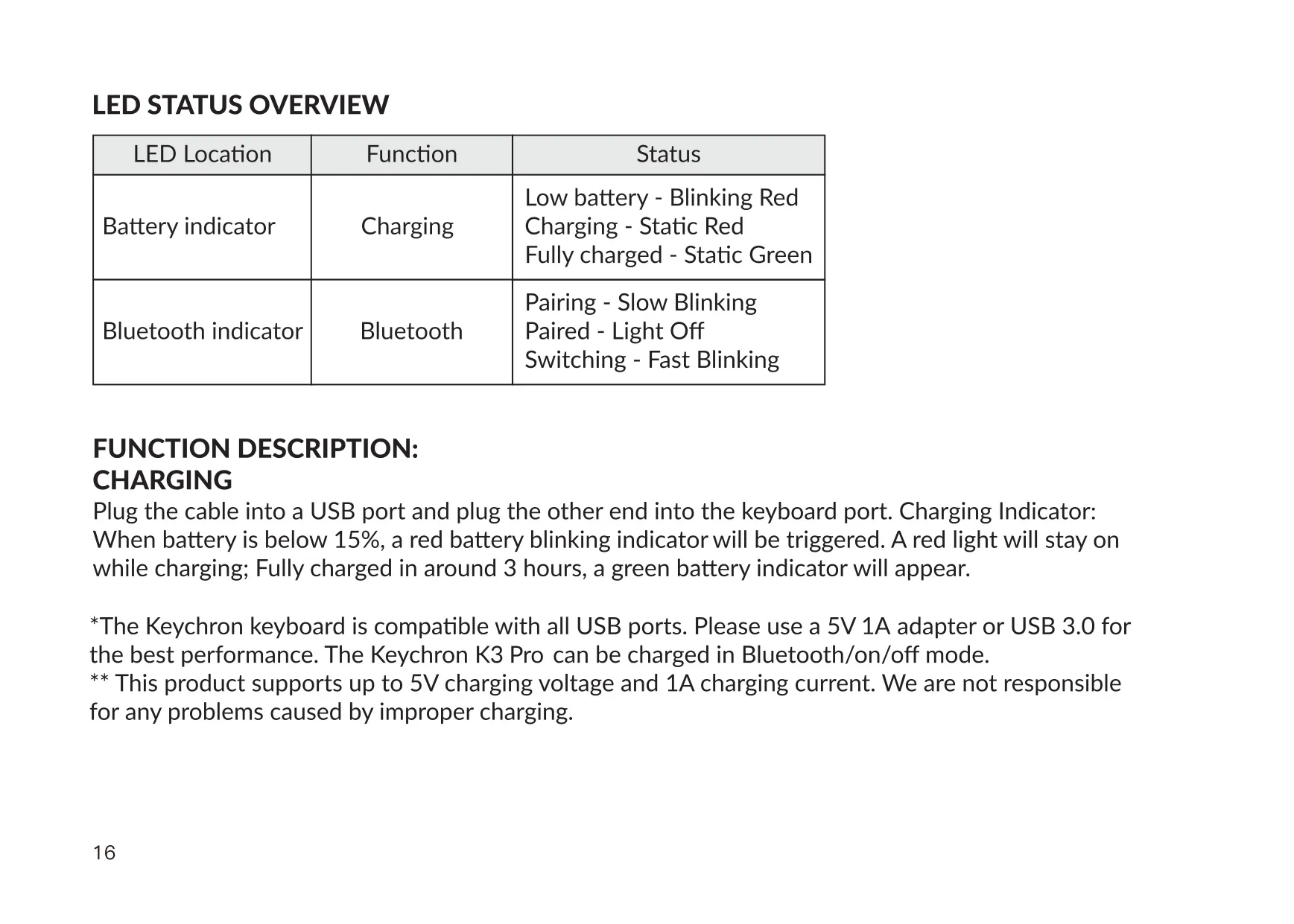
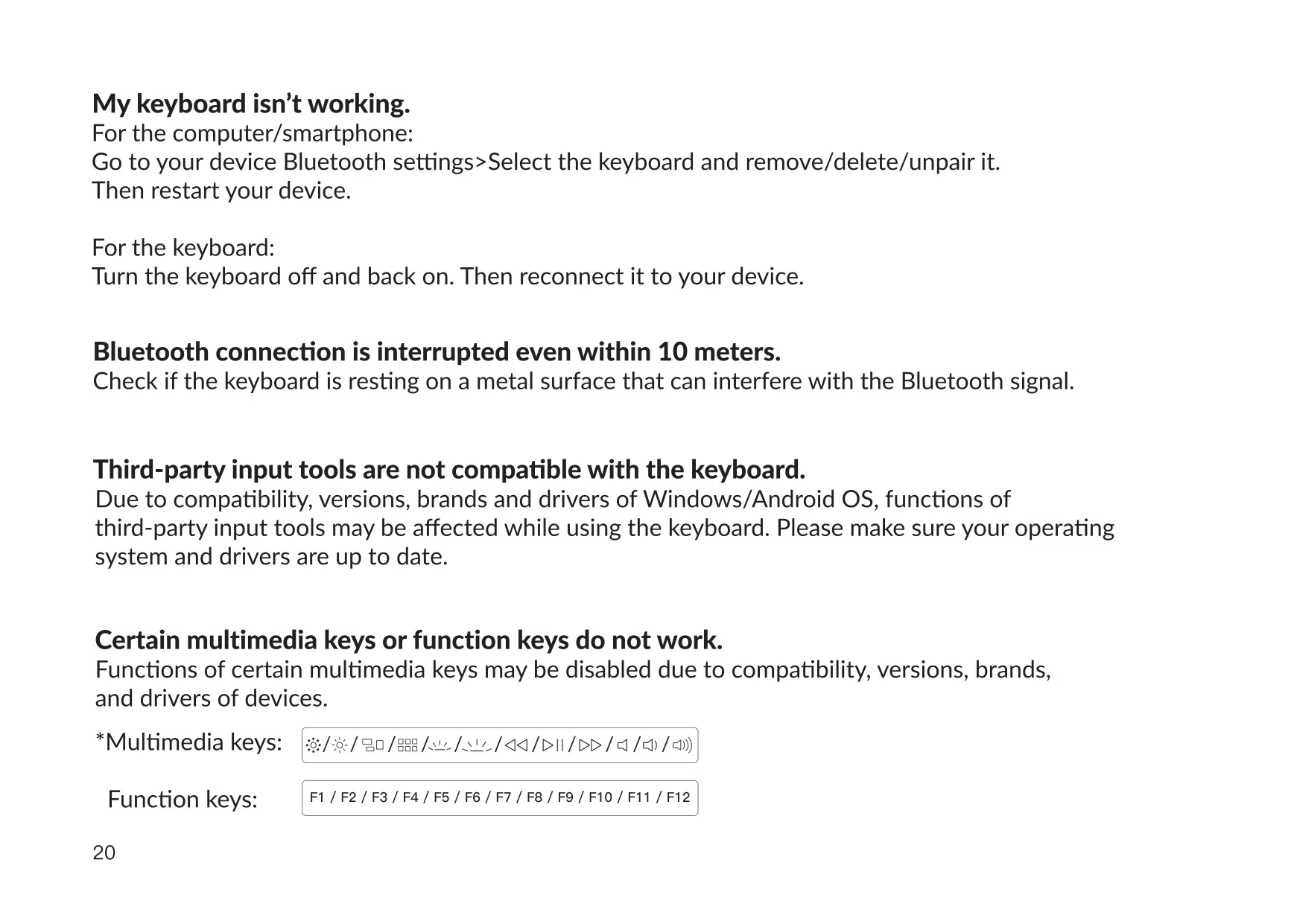
The LED indicators show the keyboard's status. The battery indicator blinks red when the charge falls below 15%, stays solid red while charging, and turns green when fully charged. The Bluetooth indicator blinks slowly while pairing, blinks quickly while switching devices, and goes off once paired. The keyboard can be charged in Bluetooth, Cable or OFF mode. Keychron says it is not responsible for problems caused by improper charging.
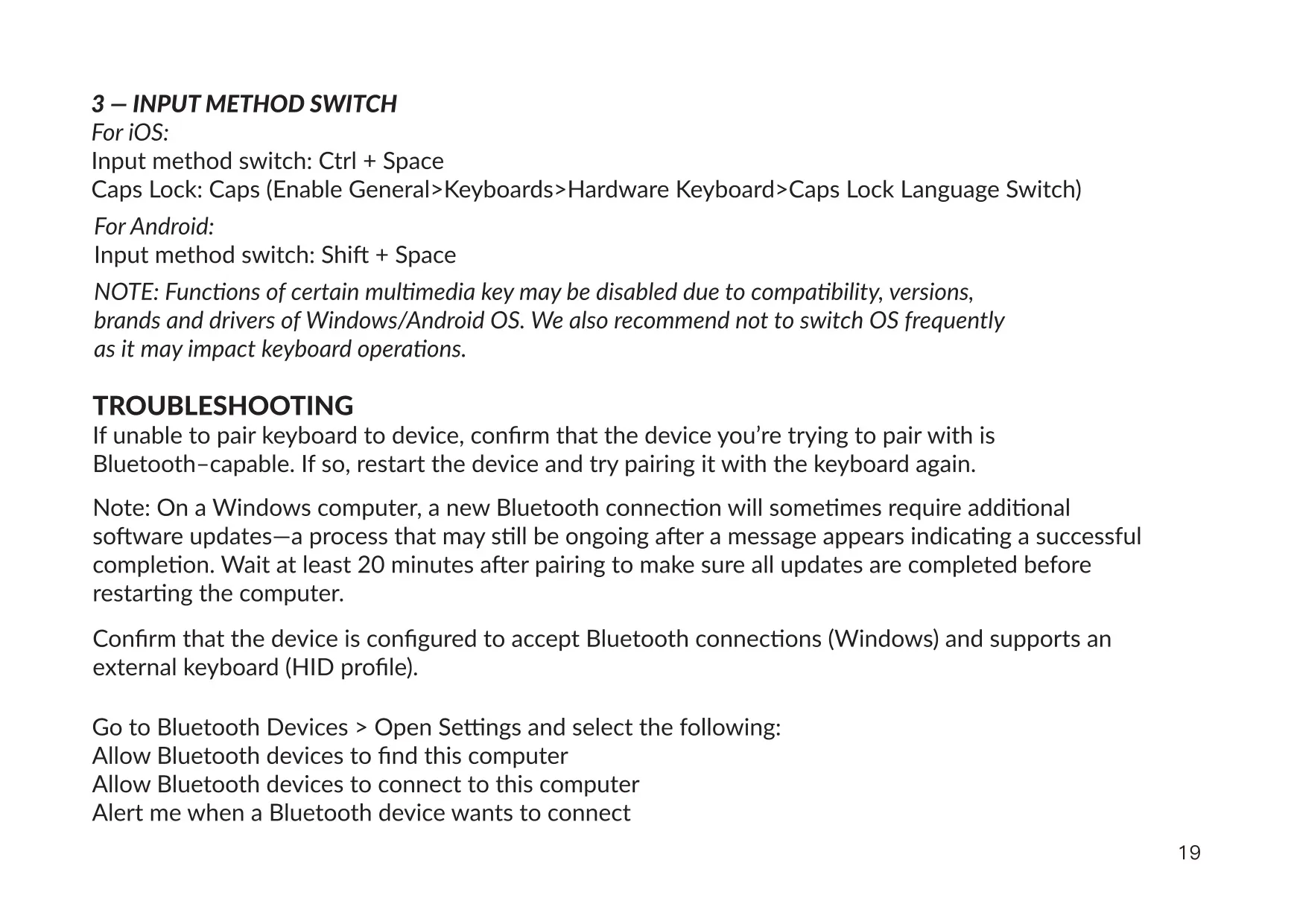
For input methods, use Ctrl + Space on iOS and Shift + Space on Android. On iOS, Caps Lock language switching must be turned on under General > Keyboards > Hardware Keyboard. Some multimedia keys may not work because of differences in OS versions, brands or drivers. Keychron also advises against switching the OS toggle often. In Windows/Android mode, dedicated keys handle the Windows and Alt functions.
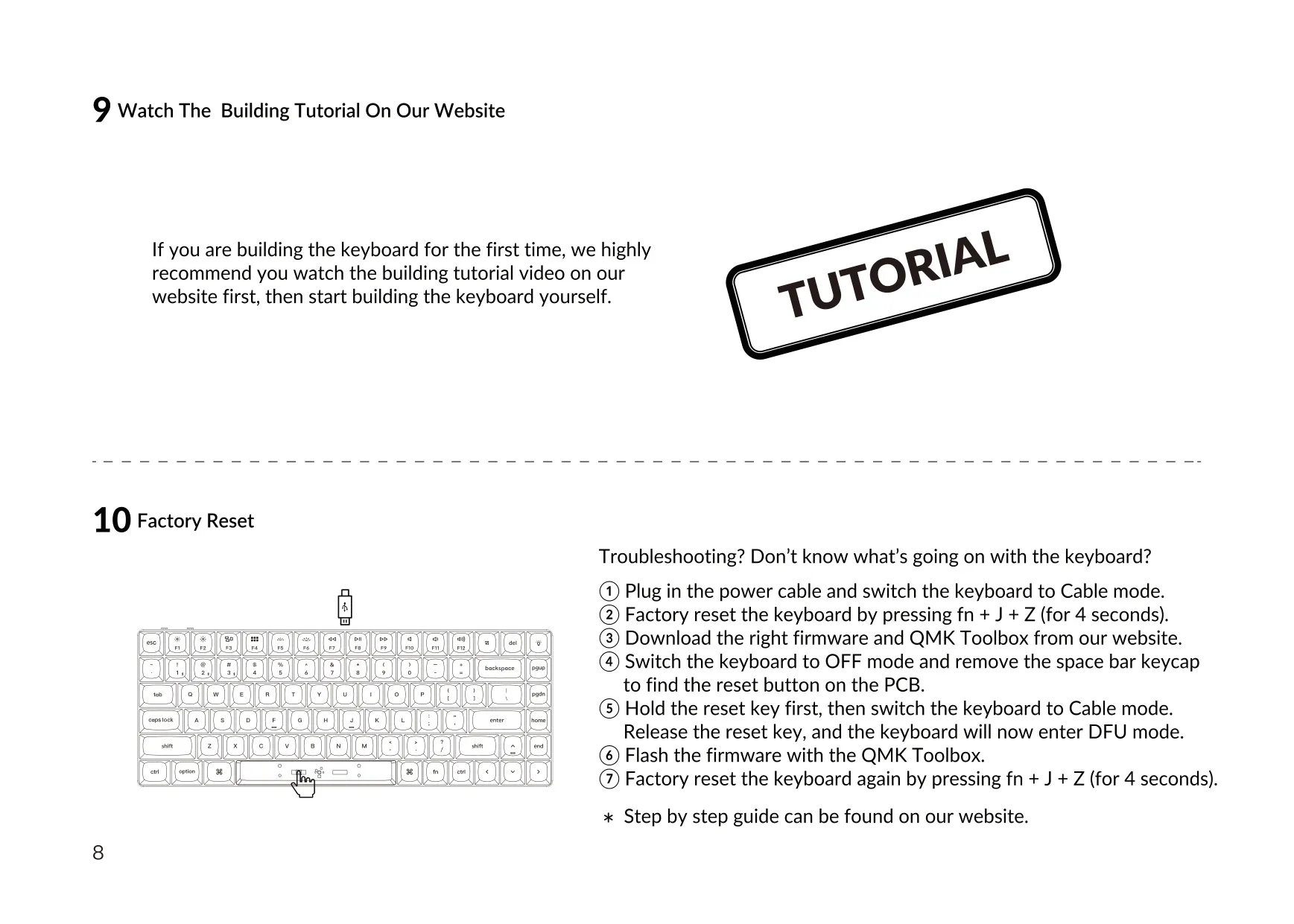
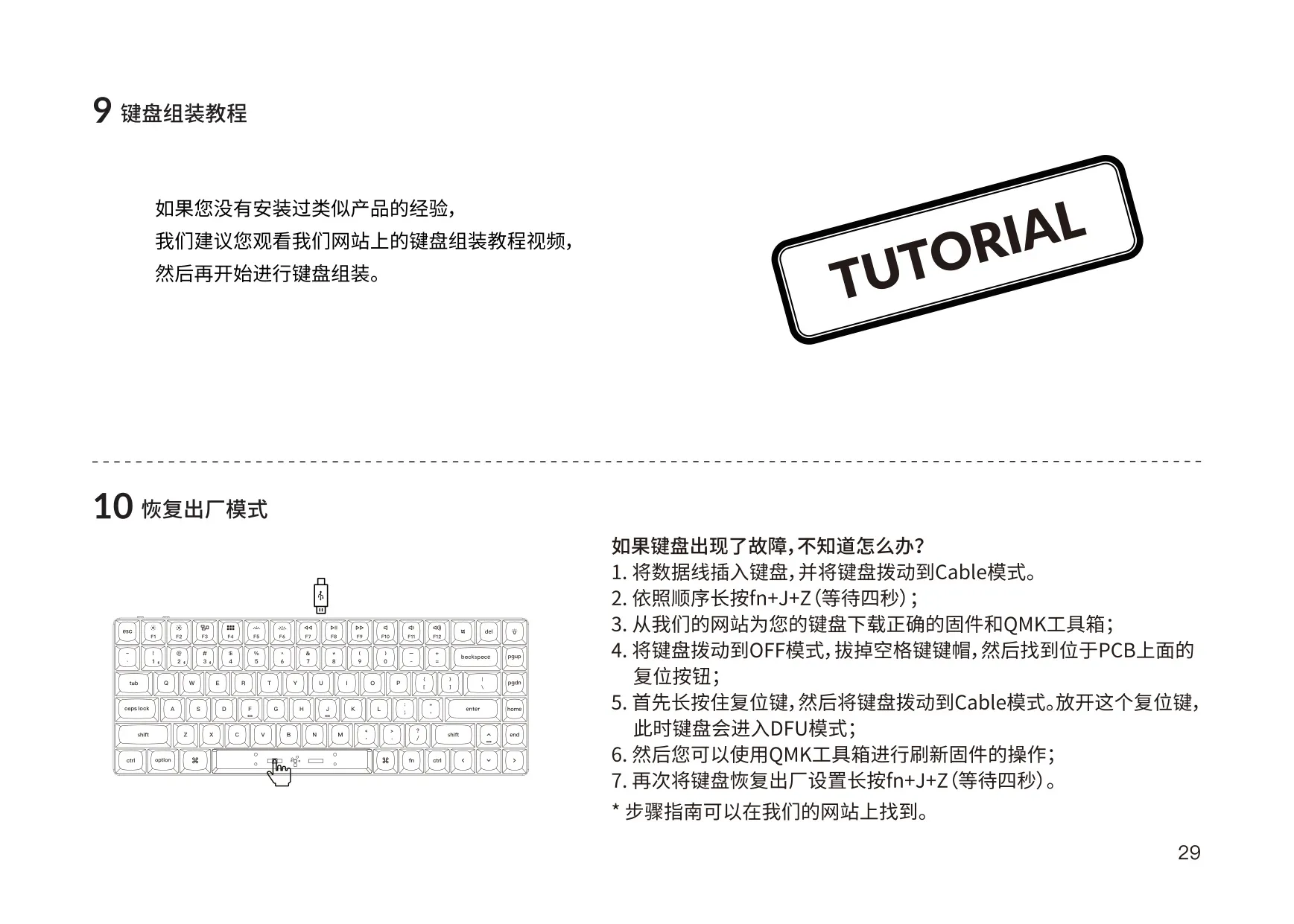
To recover the firmware, connect the cable and use Cable mode. Factory reset with fn + J + Z (4 seconds), then download the firmware and QMK Toolbox. Switch to OFF, remove the space bar keycap and hold the PCB reset button while switching to Cable mode. This puts the keyboard into DFU mode. Flash the firmware and reset again. Under the warranty, Keychron replaces only defective parts, not the whole keyboard. Keep the keyboard dry and away from children.
Frequently Asked Questions (FAQs)
Can't find the answer you need? Here are some frequently asked questions about the Keychron K3 Pro Keyboard, and we answer them below.