Honeywell TH8110U1003 VisionPRO TH8000 Instruction Manual

Honeywell TH8110U1003 VisionPRO TH8000




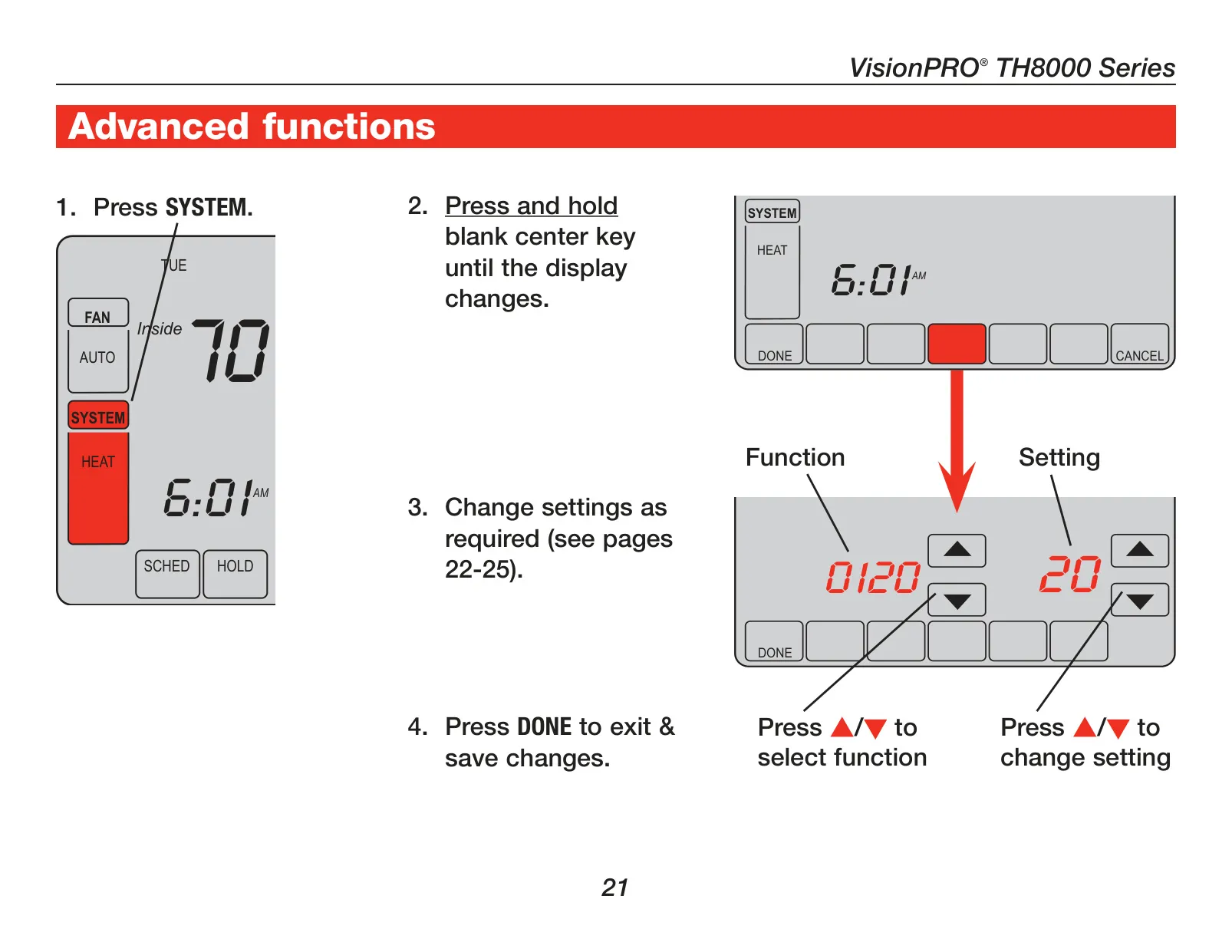
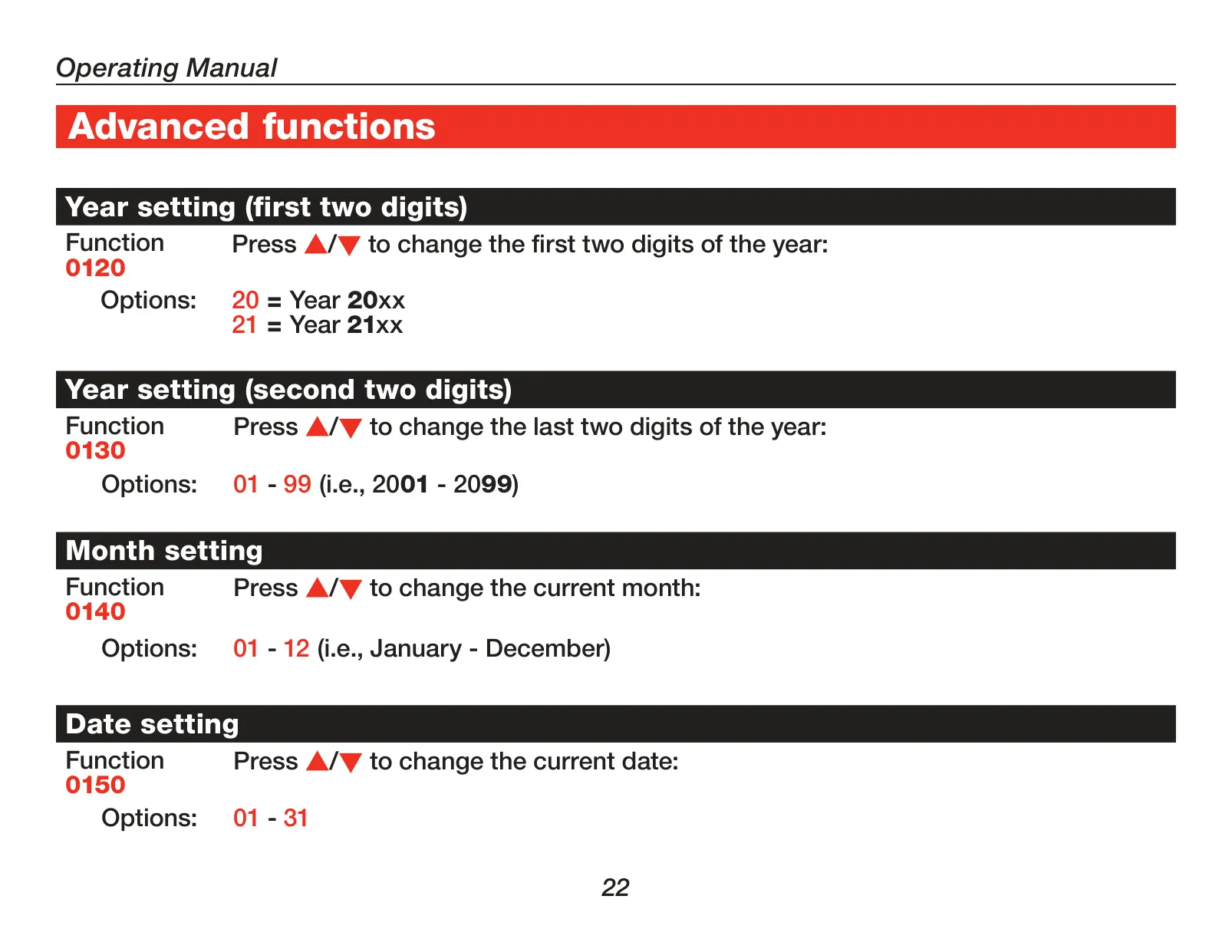
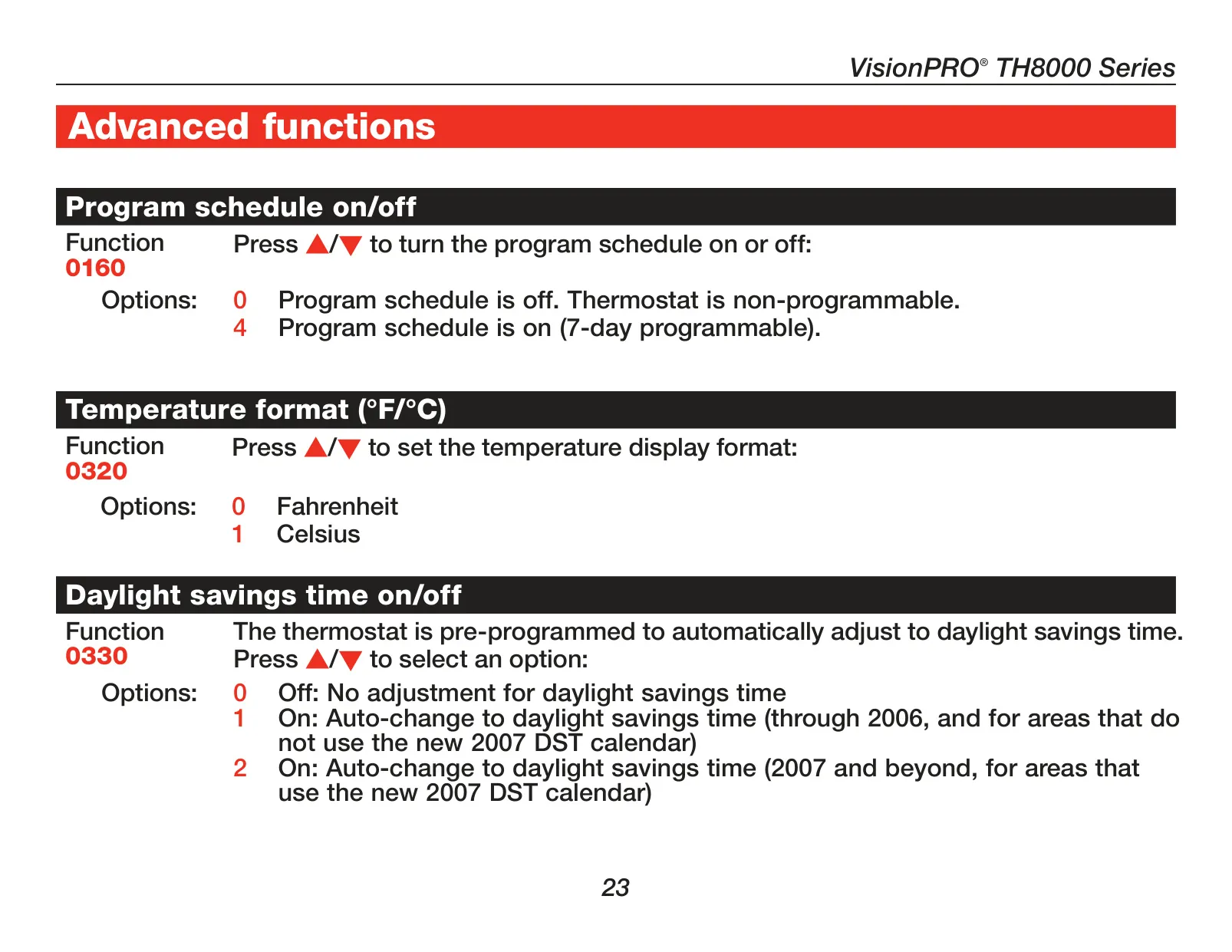
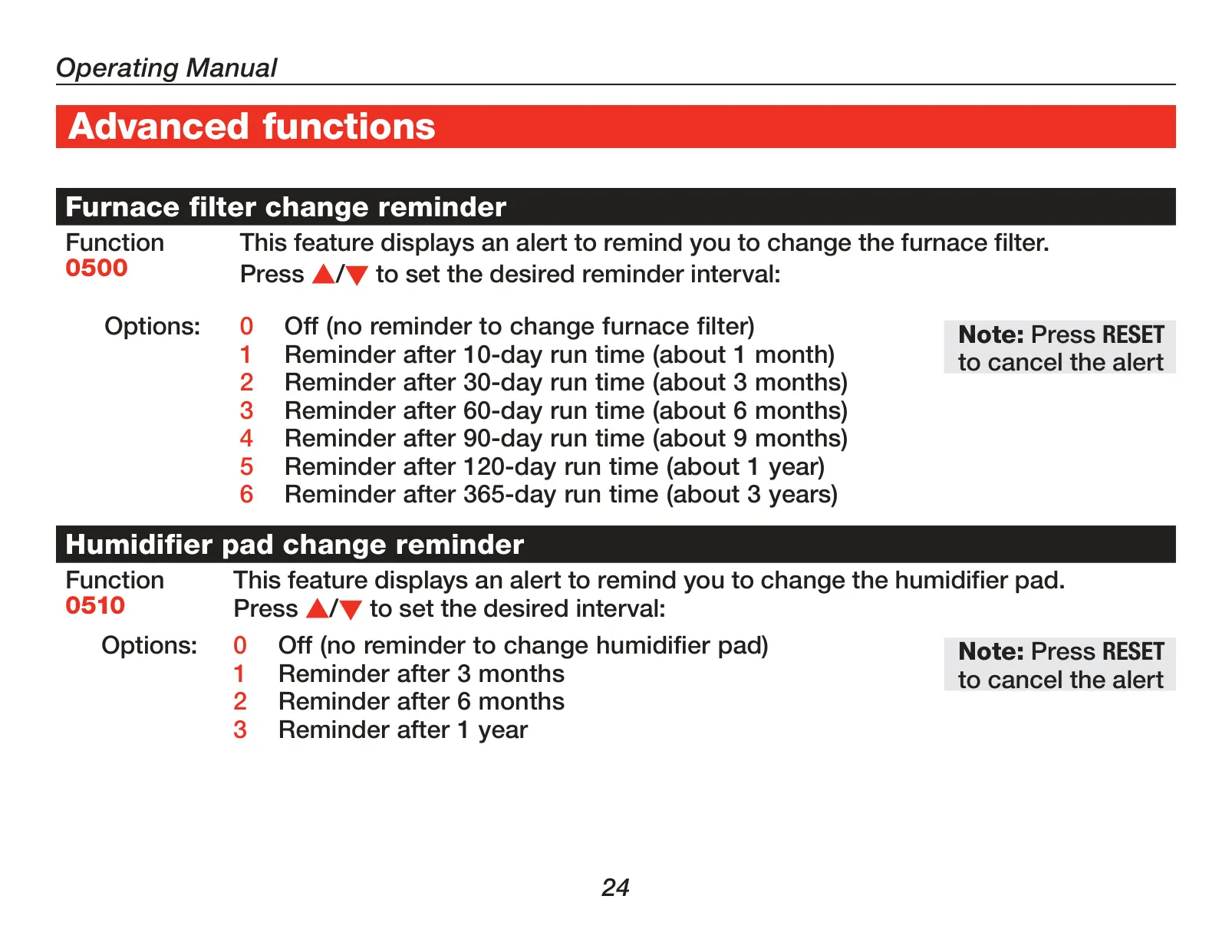





Honeywell TH8110U1003 VisionPRO TH8000
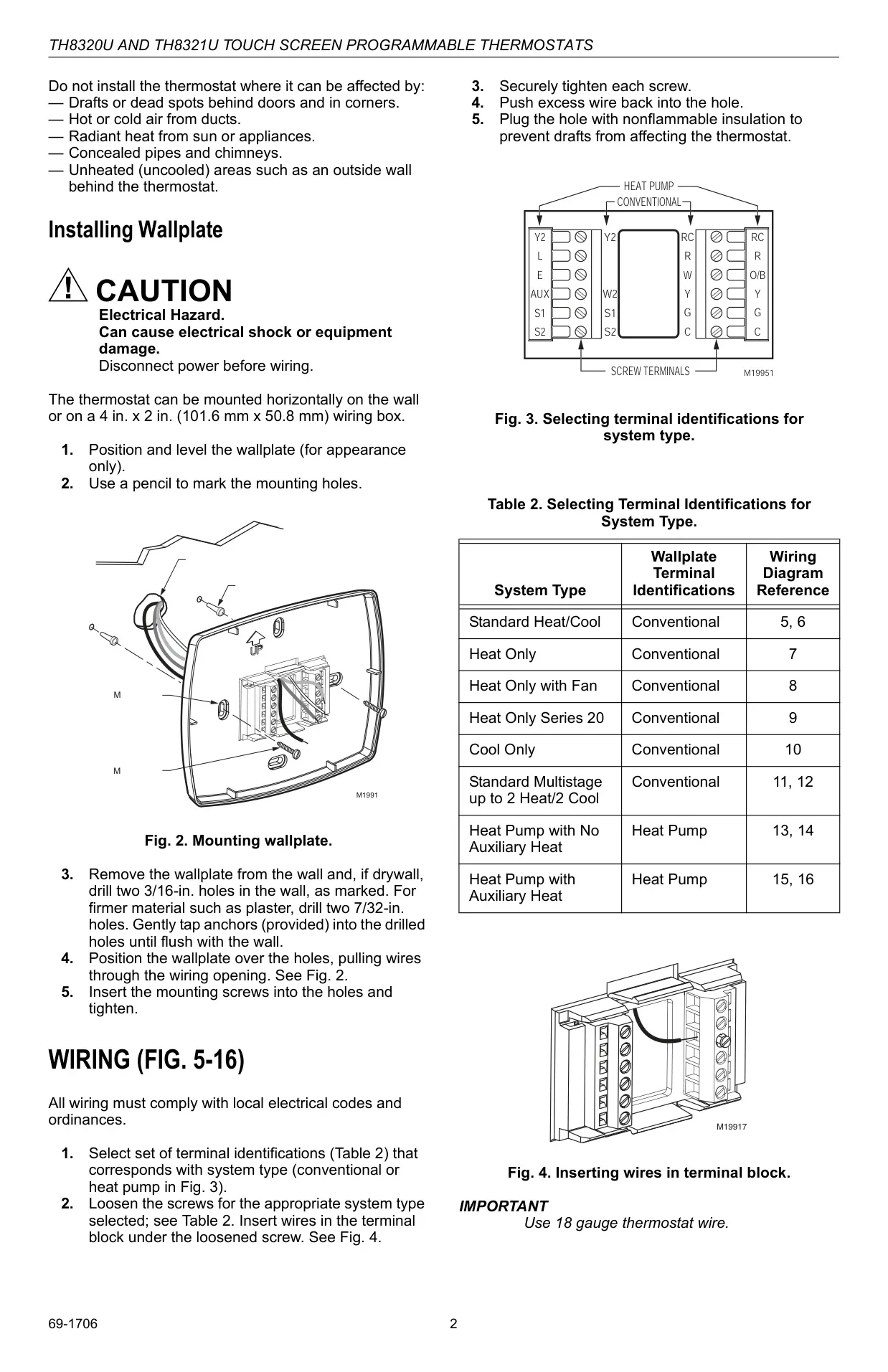
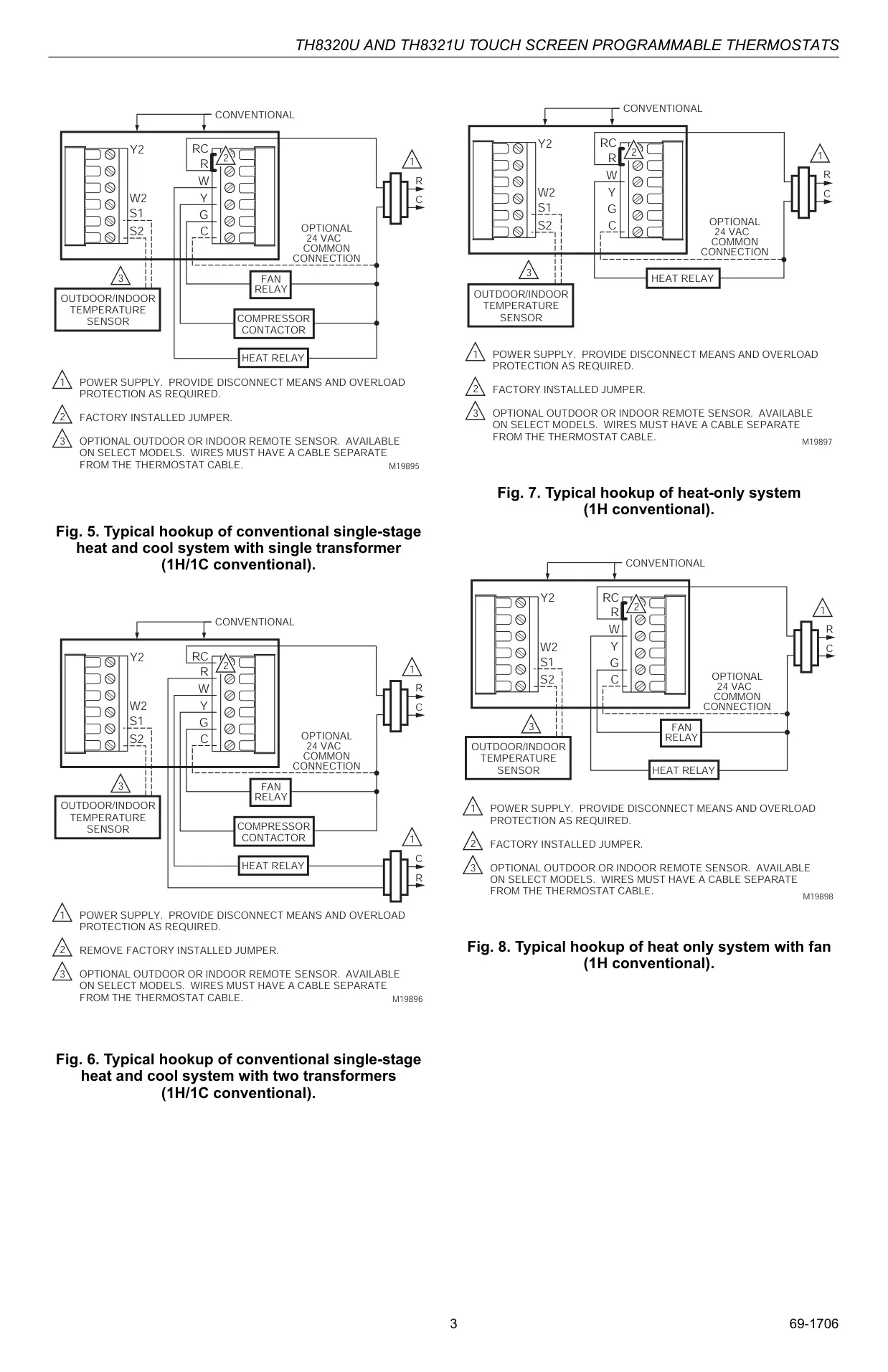
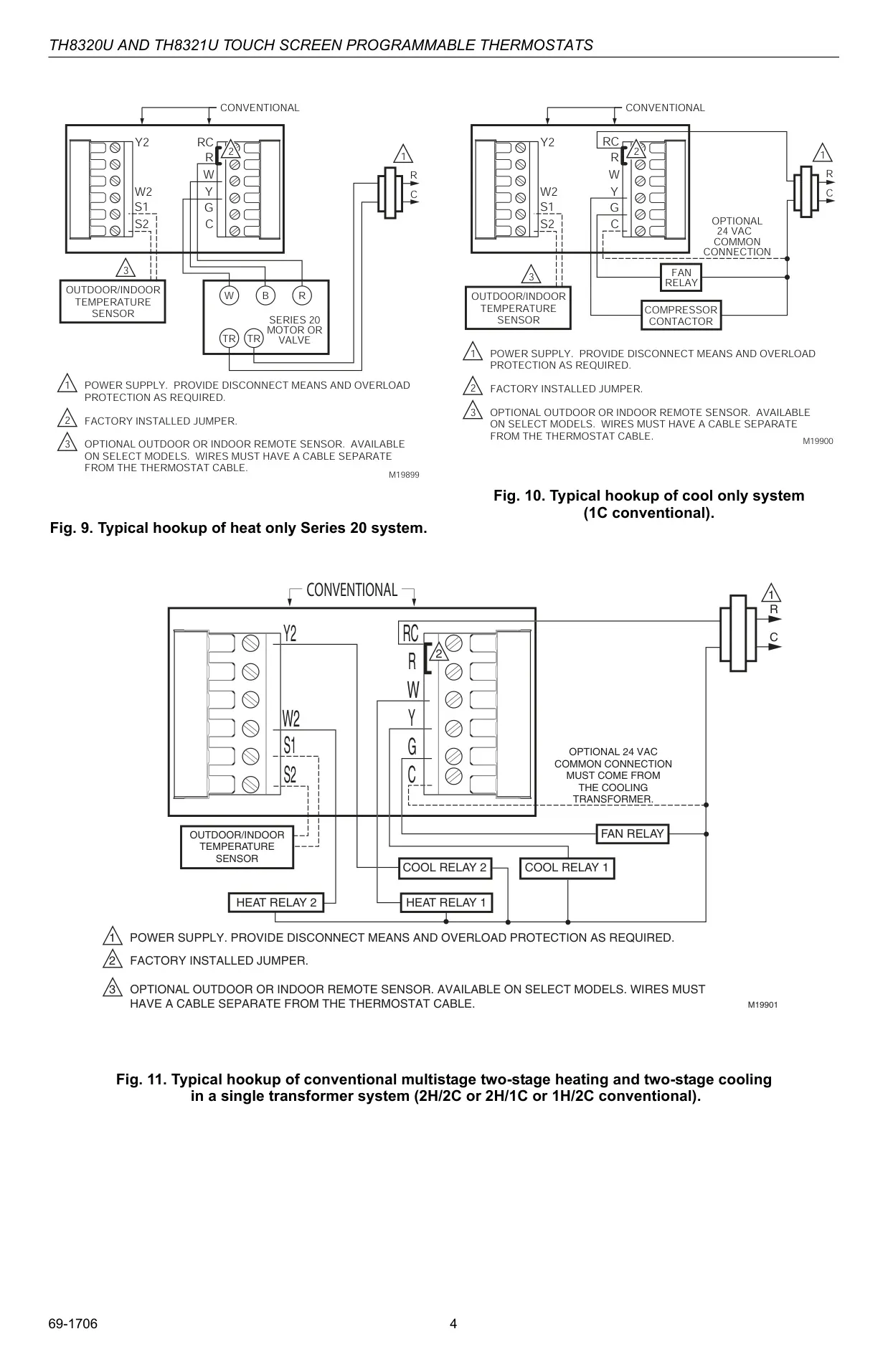
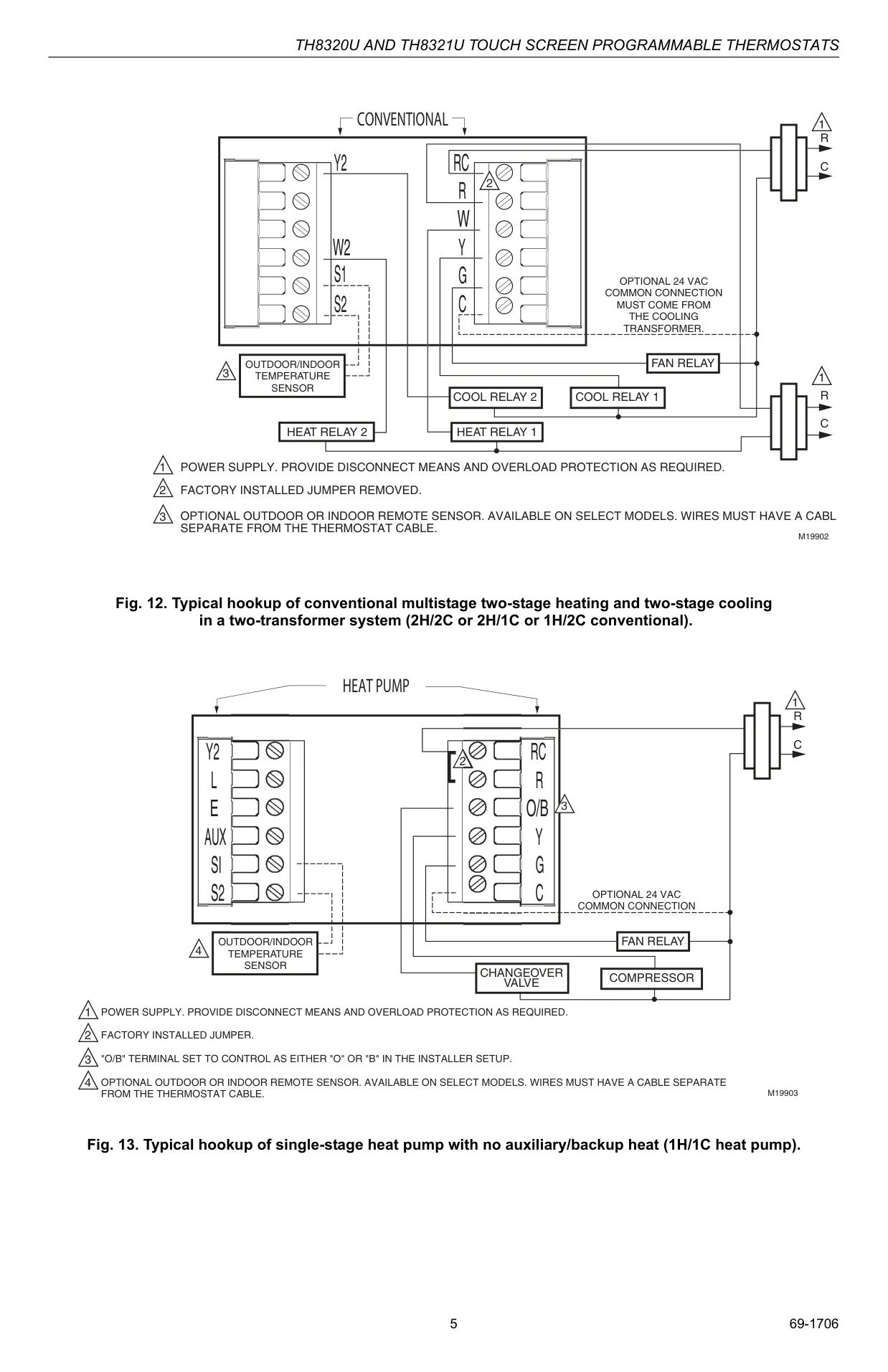
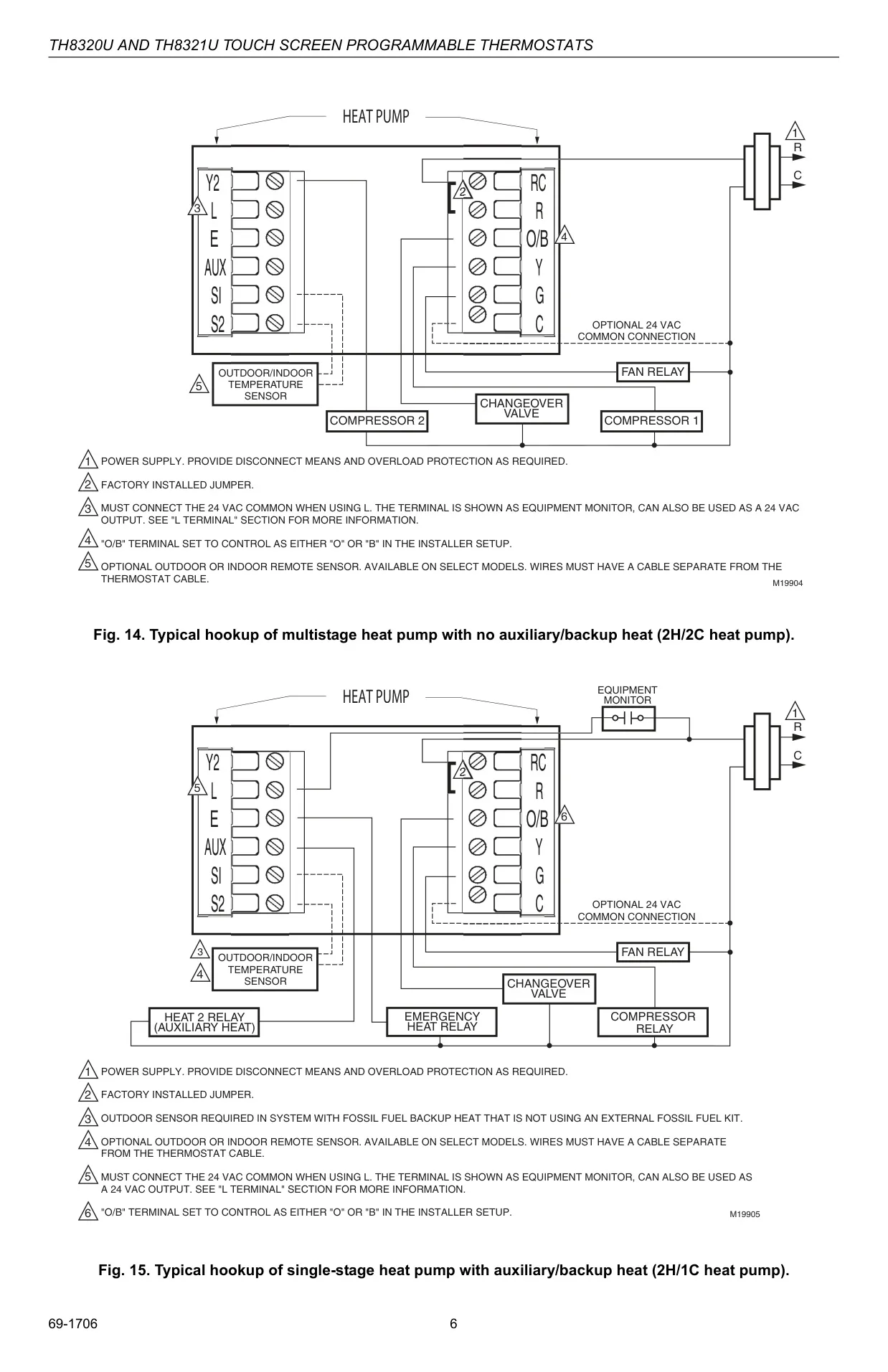
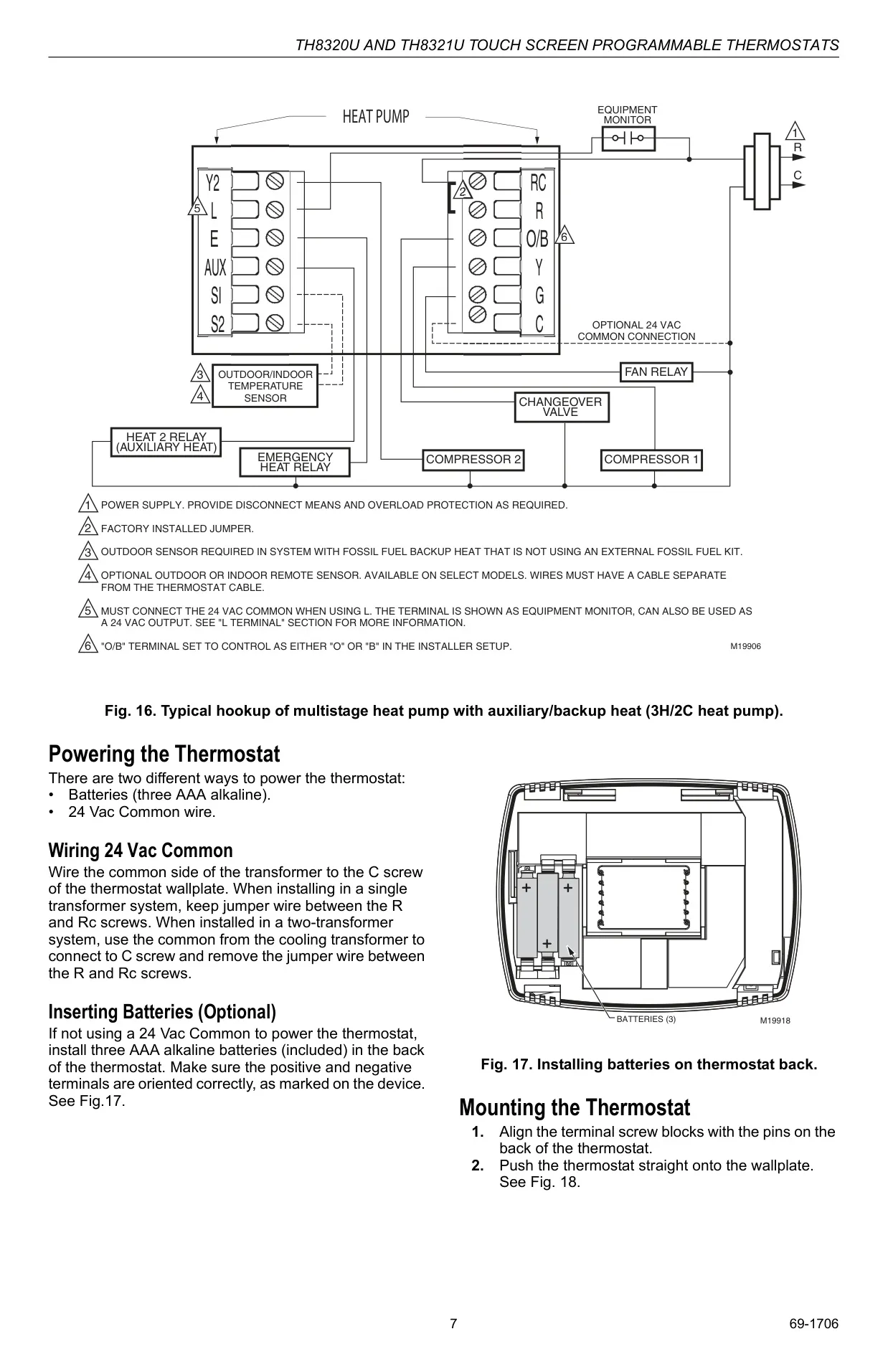
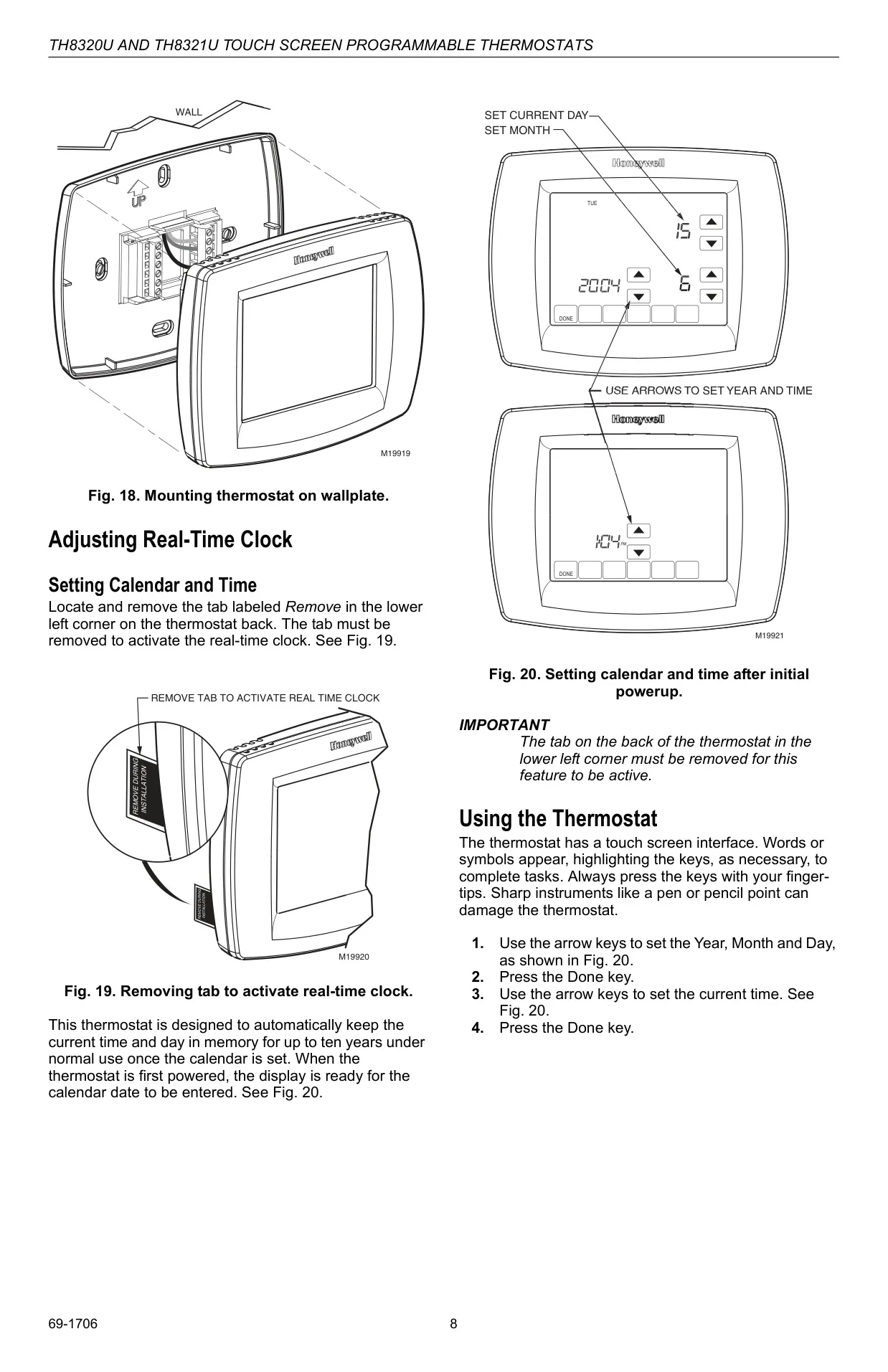
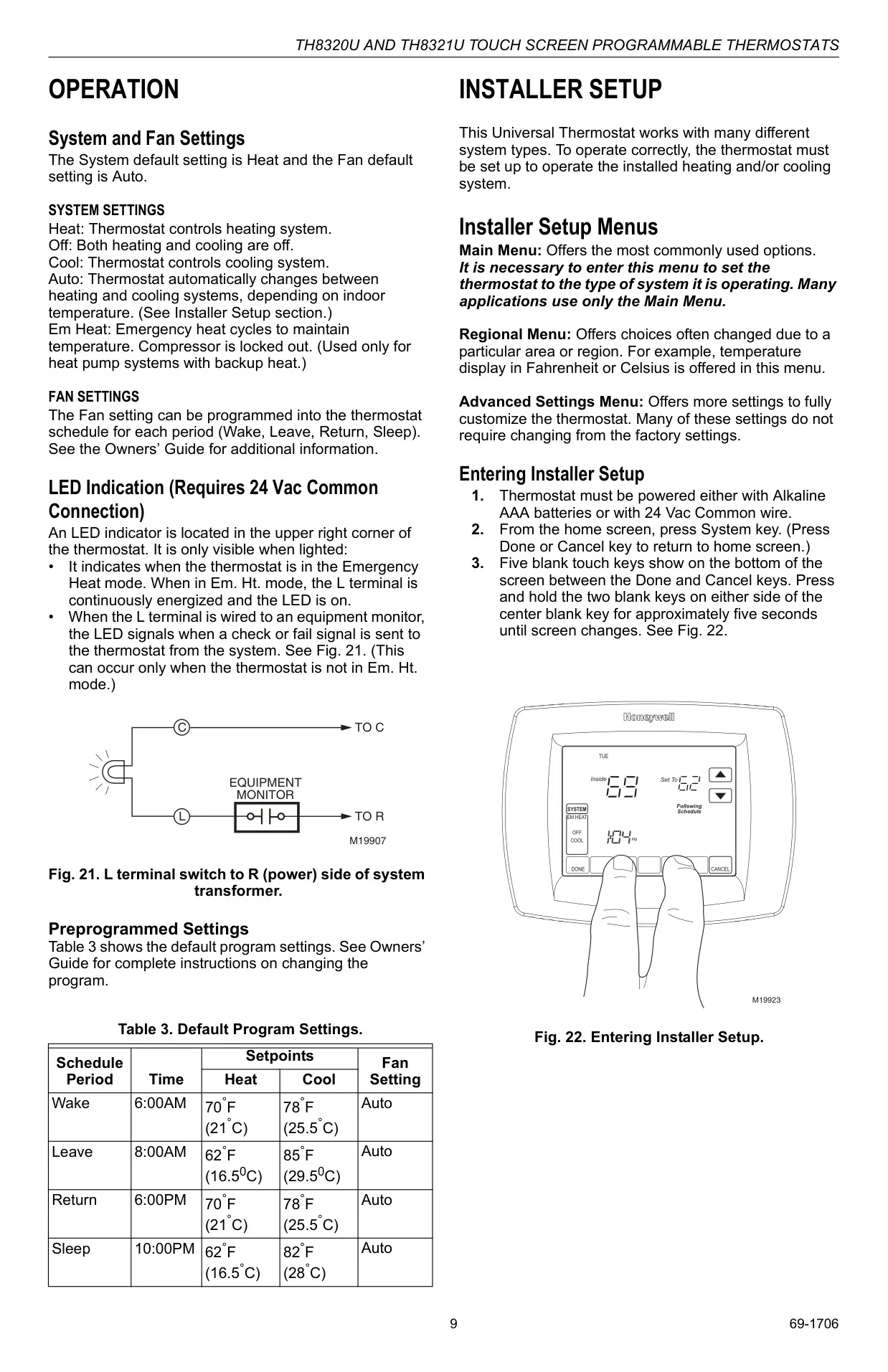

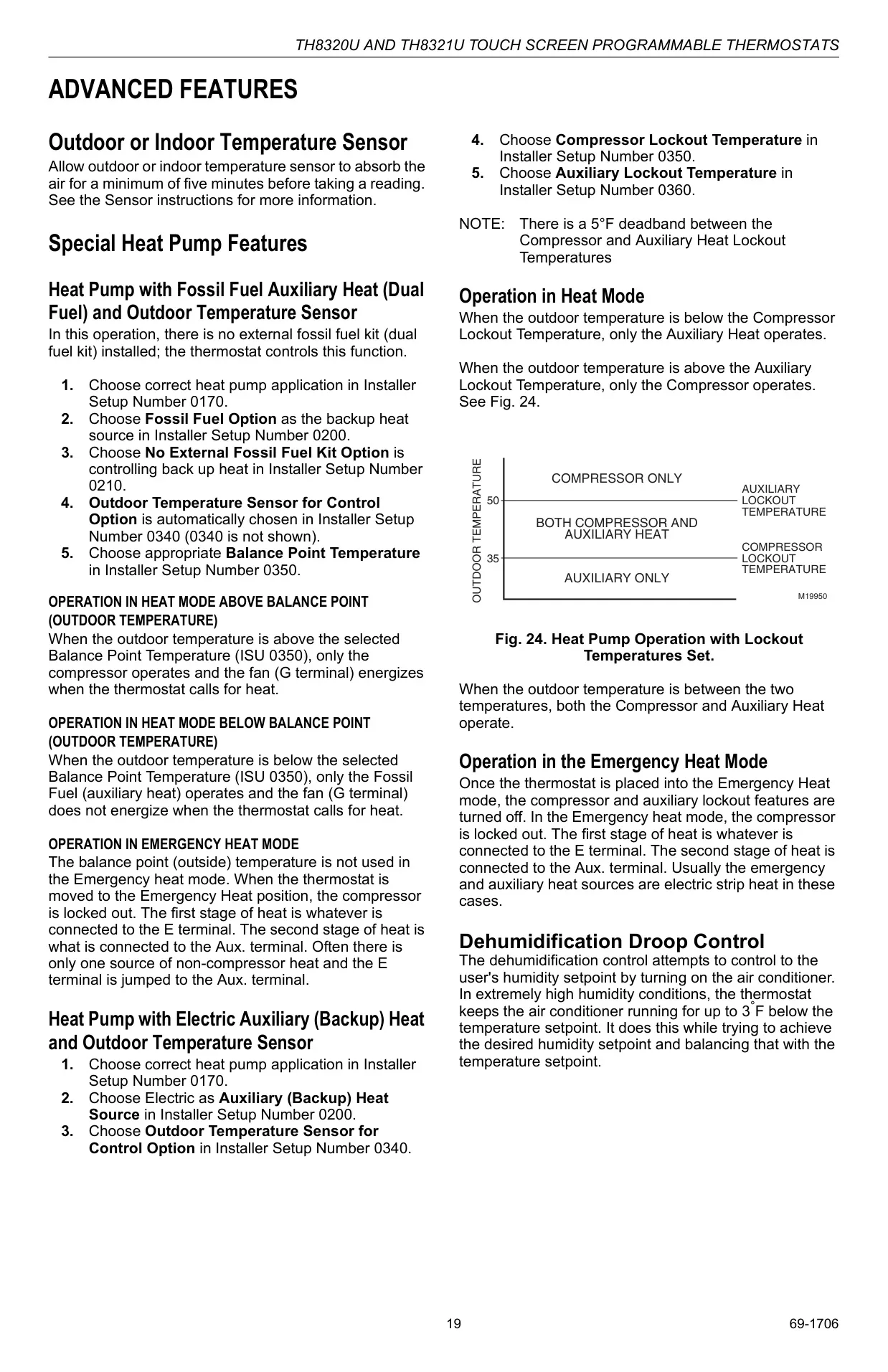
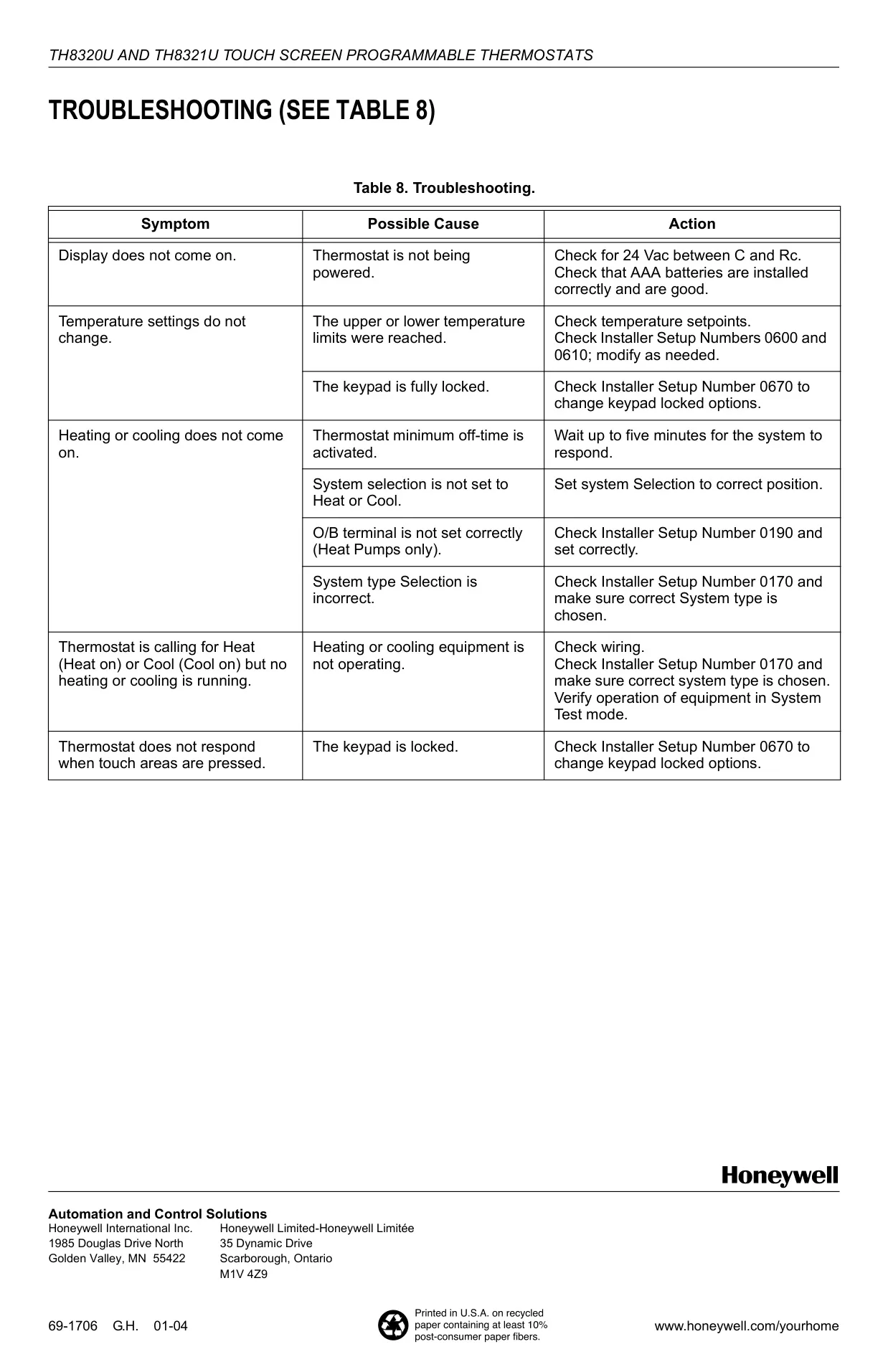
Honeywell TH8110U1003 Instructions
Here we offer the Honeywell TH8110U1003 VisionPRO TH8000 manual completely free and in English. We have cataloged this manual in the Thermostats section on Manualverse, and it has been rated by 1 users with an average rating of 5. If you have any specific questions about Honeywell TH8110U1003 VisionPRO TH8000, we suggest checking the Frequently Asked Questions (FAQs) section of this manual.
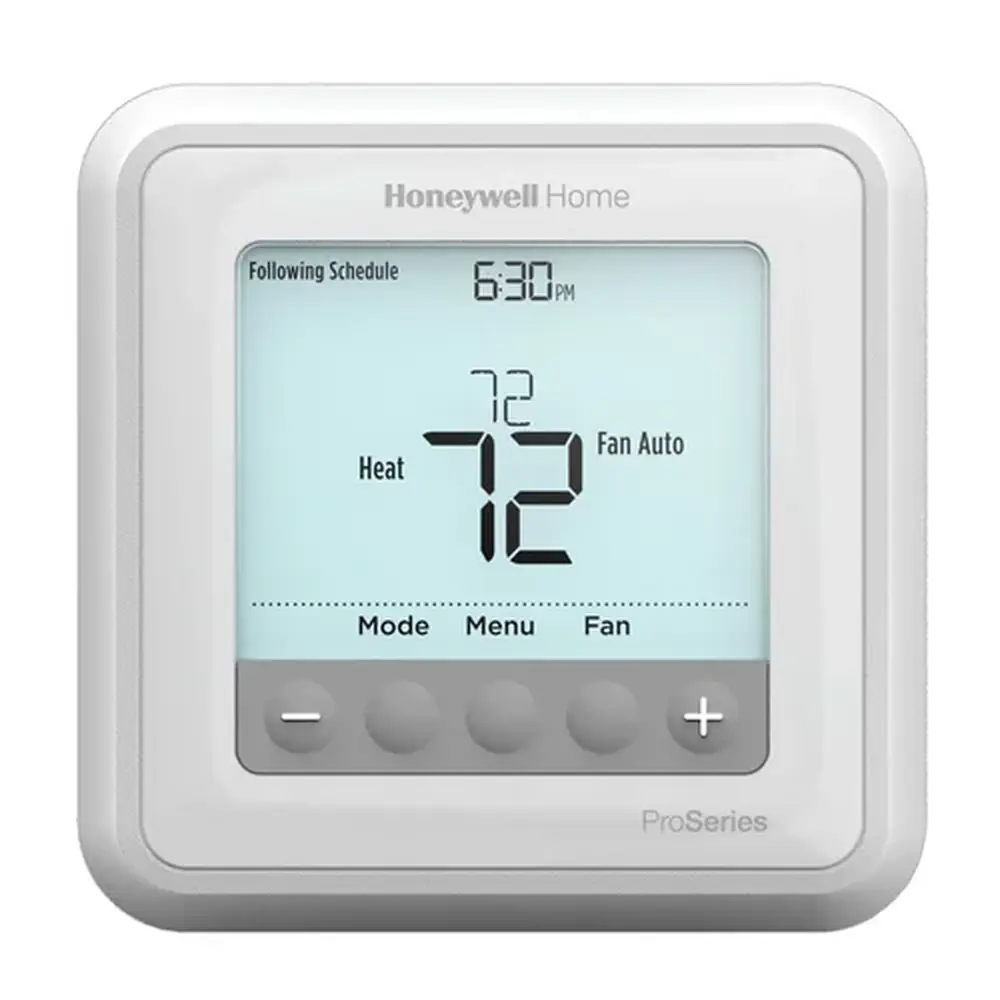
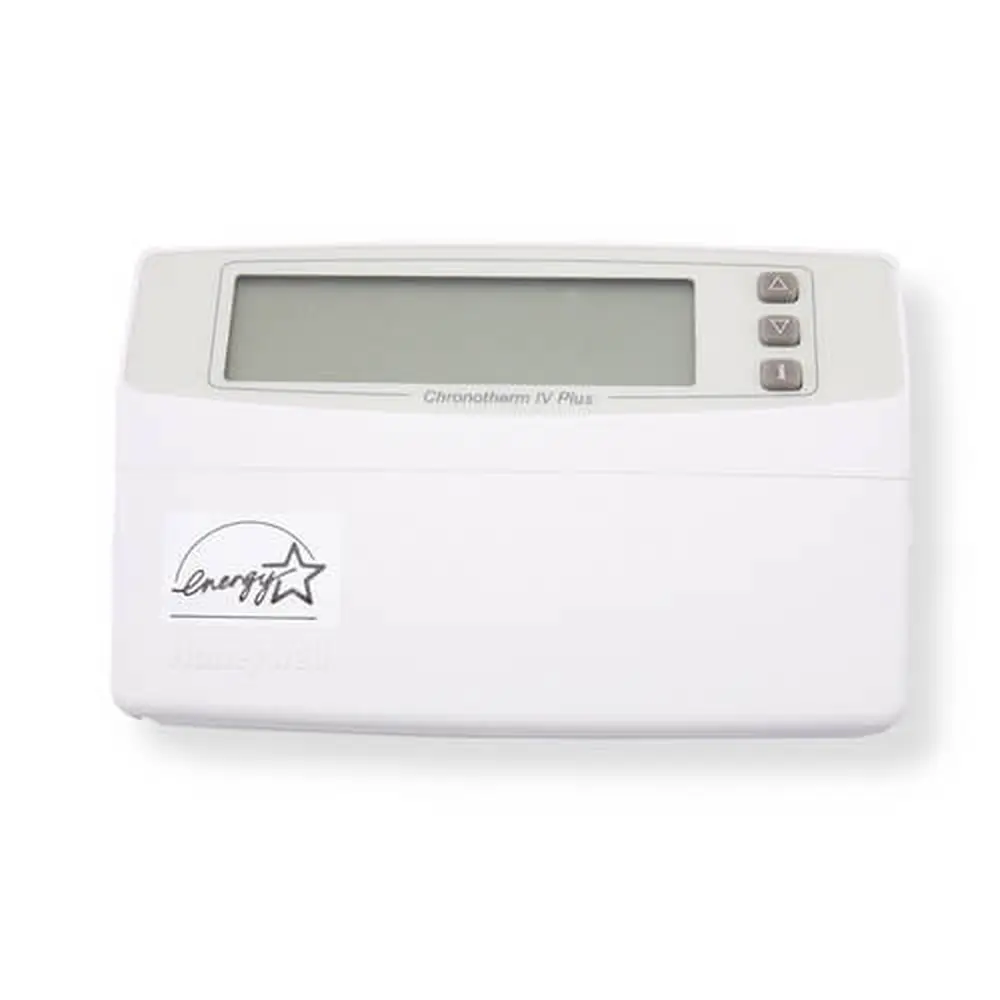
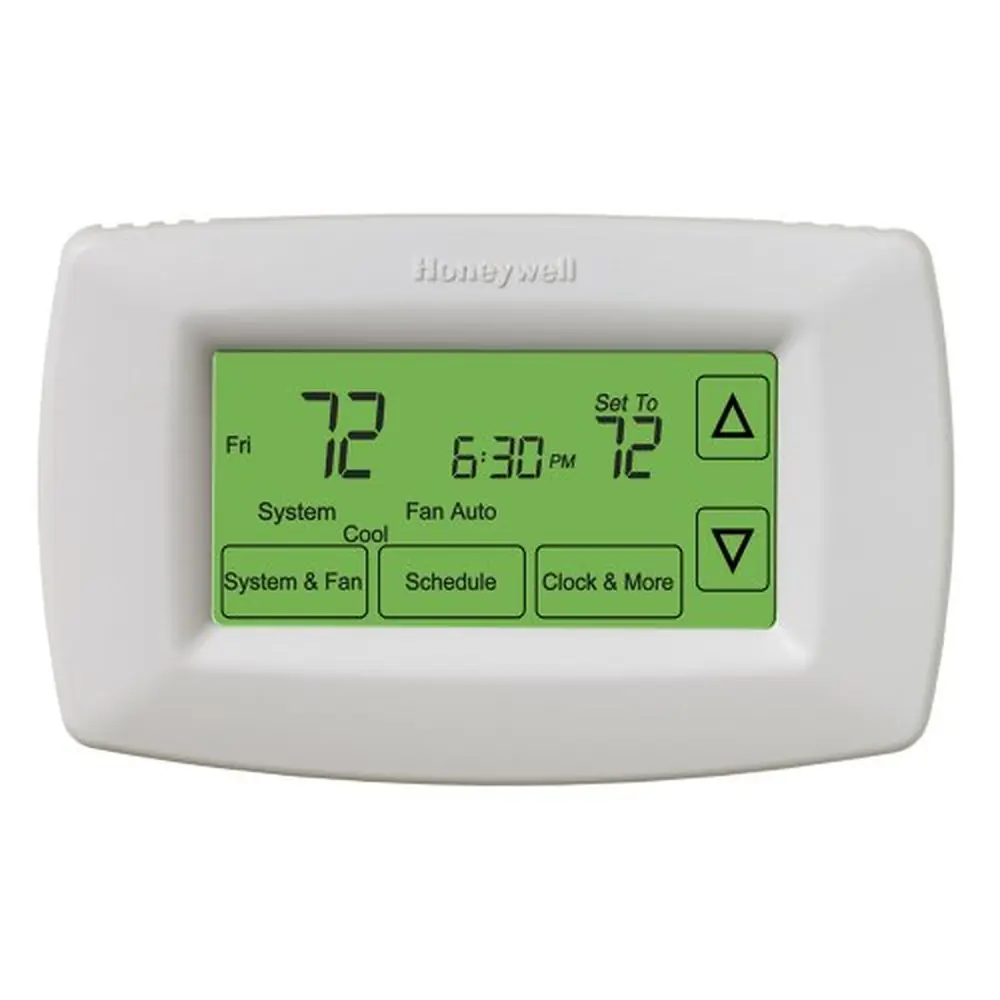
Product Images
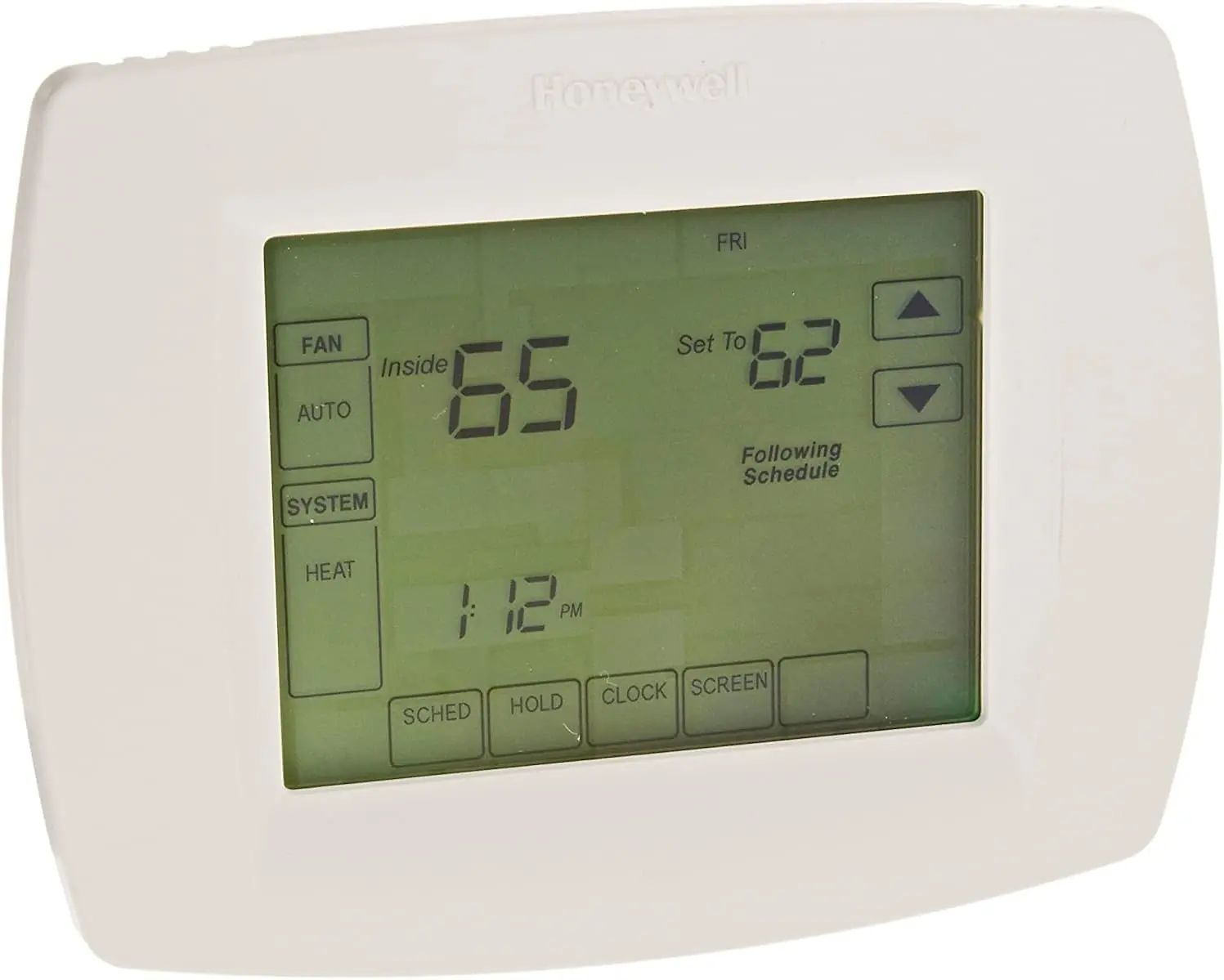
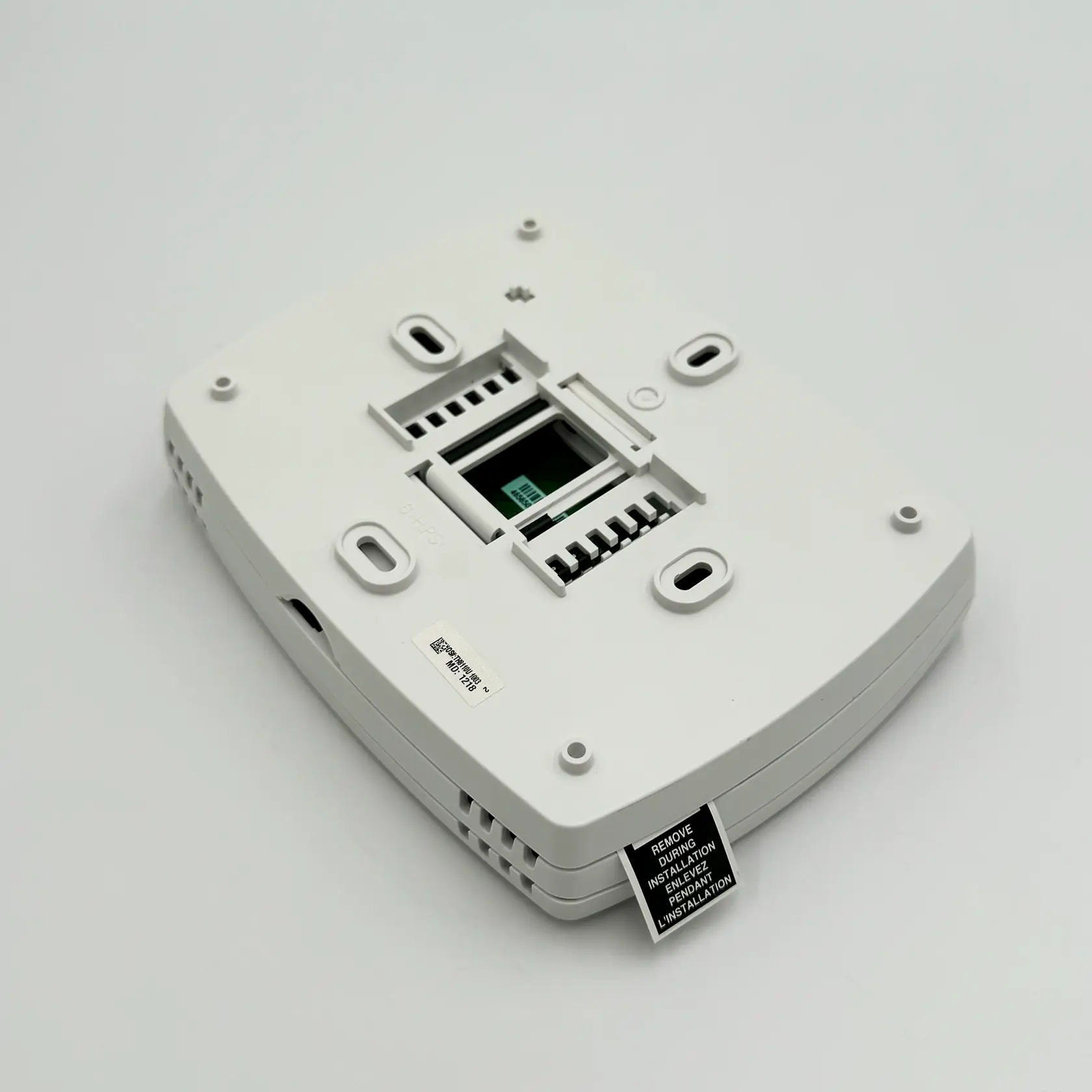
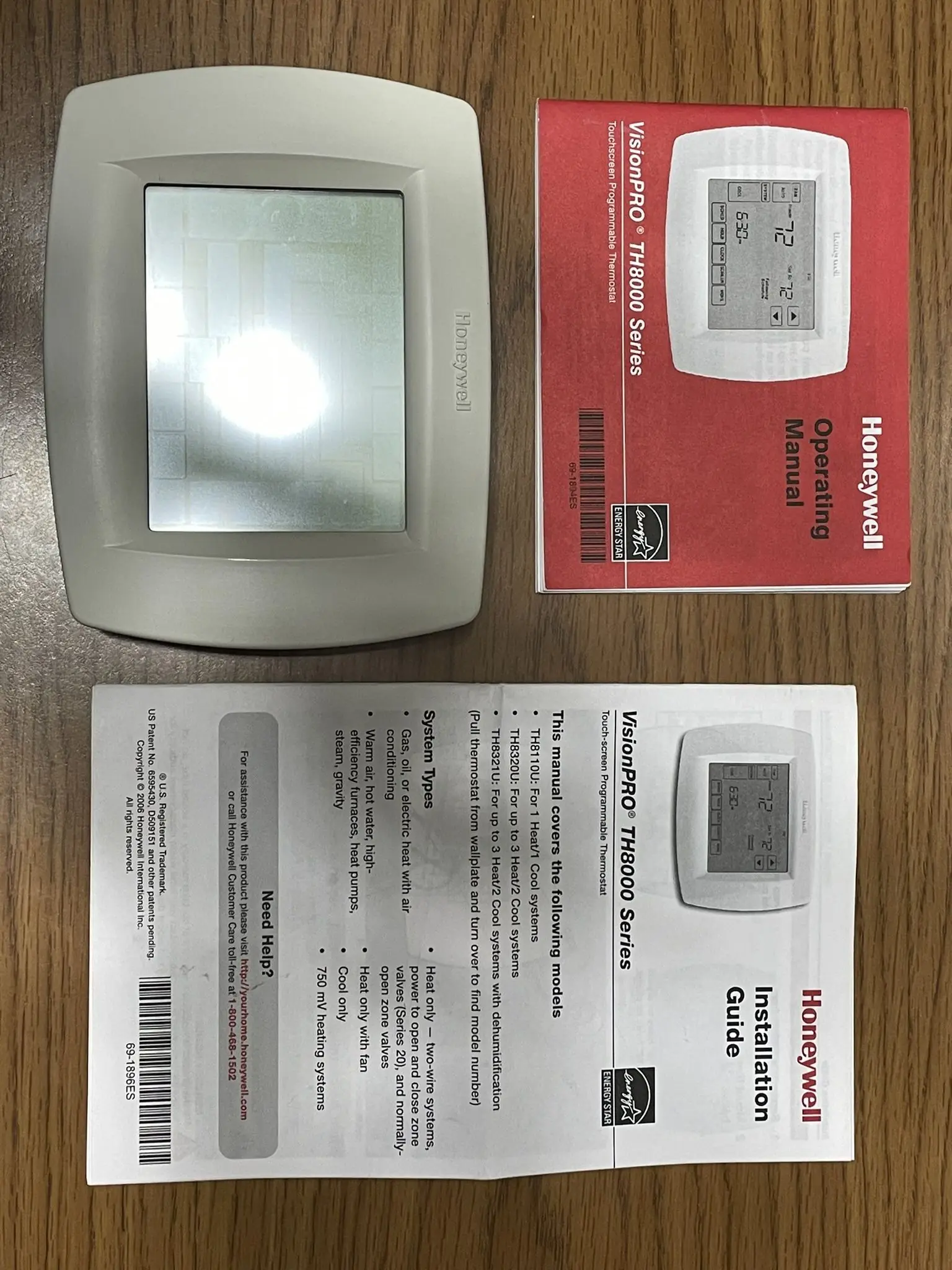
Honeywell TH8110U1003 VisionPRO TH8000 Thermostat Specifications
| Specification | Detail for TH8110U1003 |
|---|---|
| Model | TH8110U1003 VisionPRO® Series Touchscreen Programmable Thermostat |
| System Compatibility | 1 Heat / 1 Cool Conventional Systems |
| Control Type | Touchscreen Programmable |
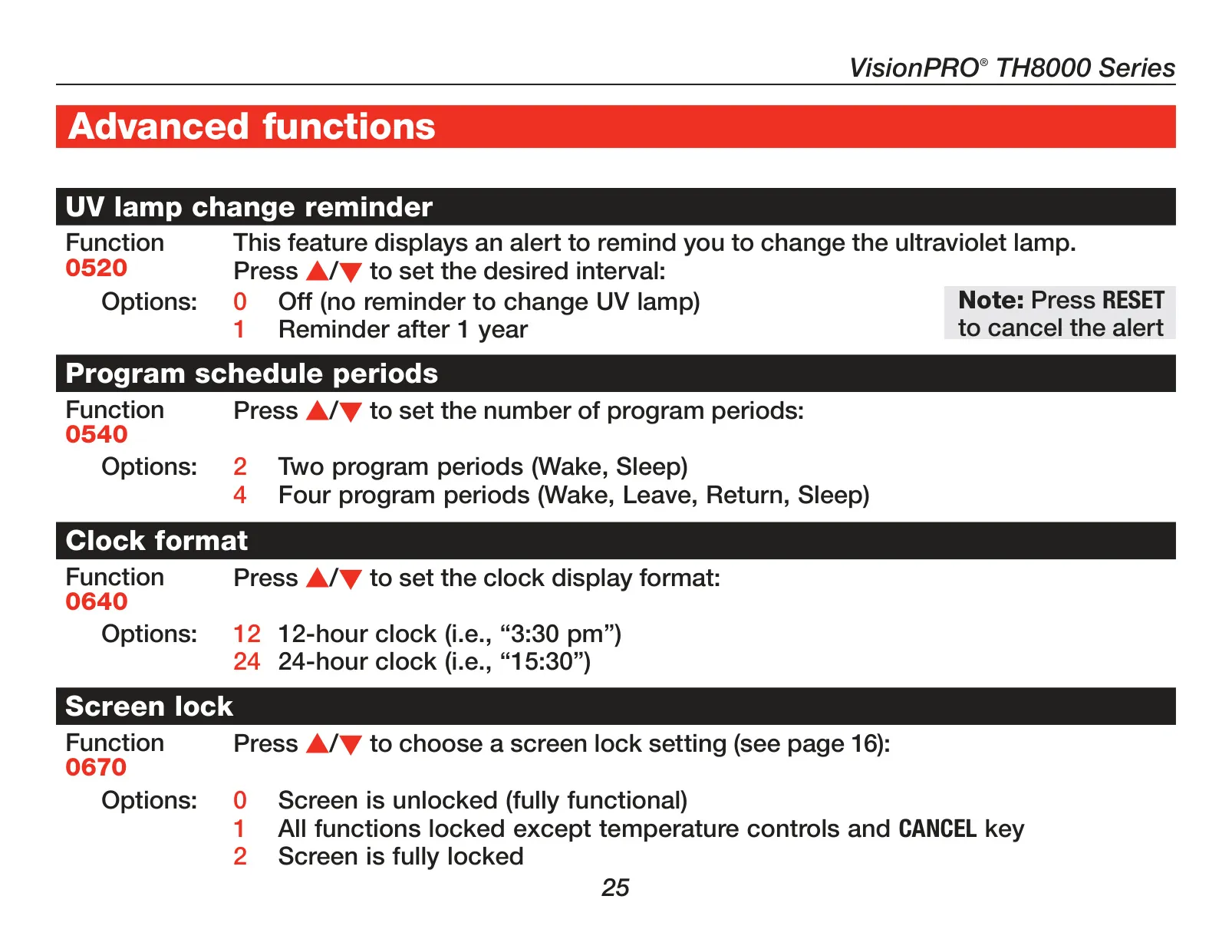
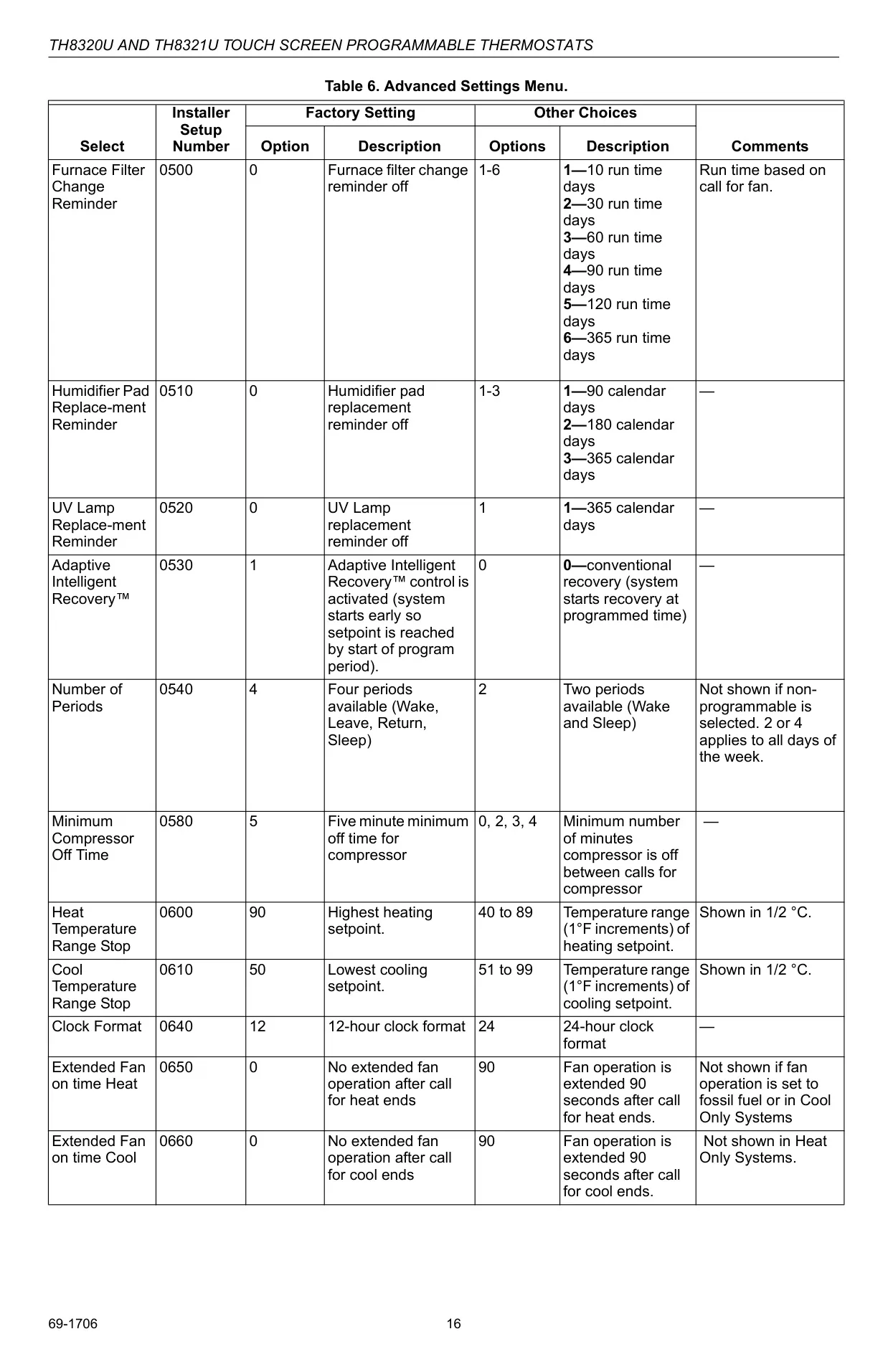
| Programming | 7-Day Programmable Schedule (4 periods: Wake, Leave, Return, Sleep; configurable to 2 periods or non-programmable) |
| Power Method | 3x AAA Alkaline Batteries (optional backup) or 24 Vac Common wire (C-wire) |
| Temperature Accuracy | ±1°F (0.5°C) |
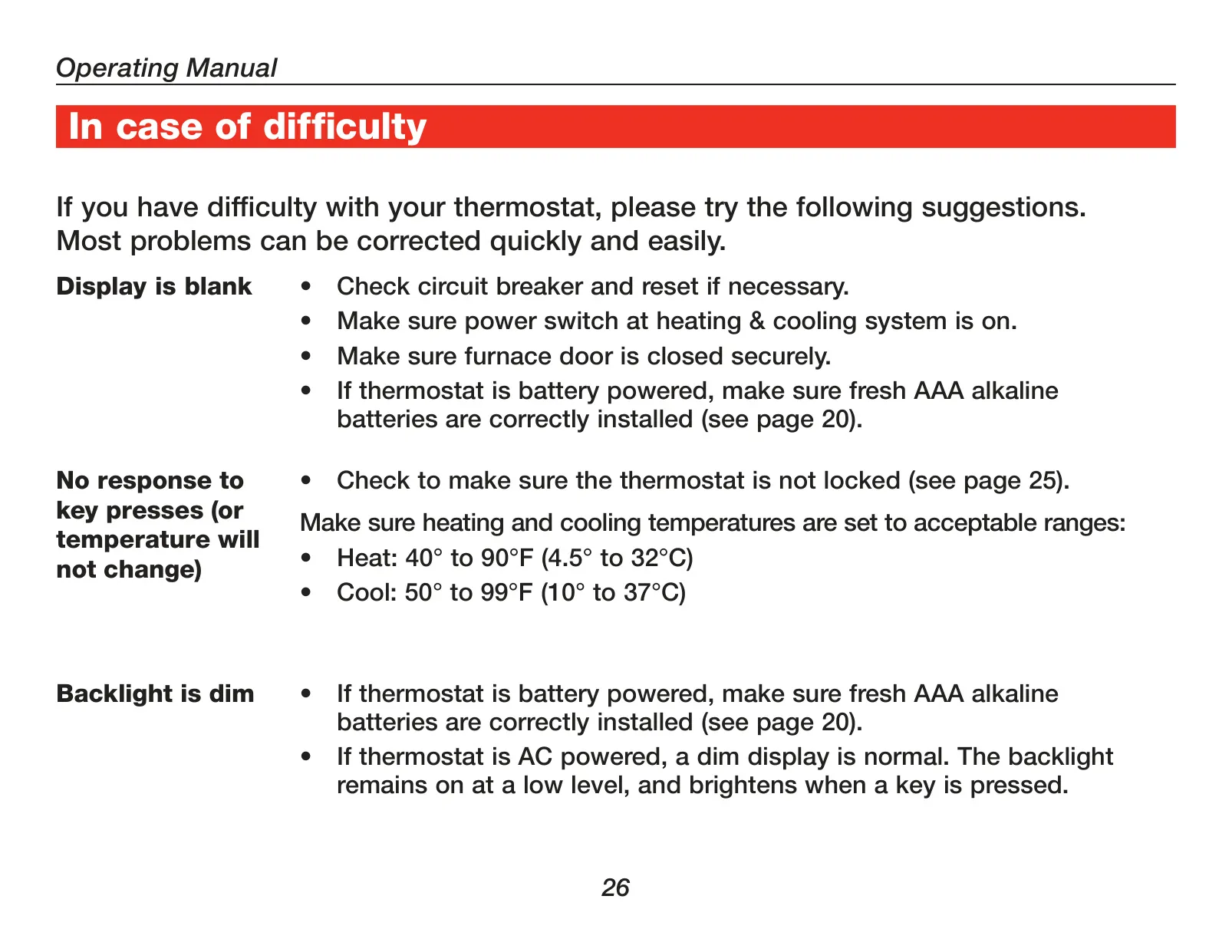
| Temperature Range (Heat) | 40°F to 90°F (4.5°C to 32°C) |
| Temperature Range (Cool) | 50°F to 99°F (10°C to 37°C) |
| Display | Large Backlit Touchscreen |
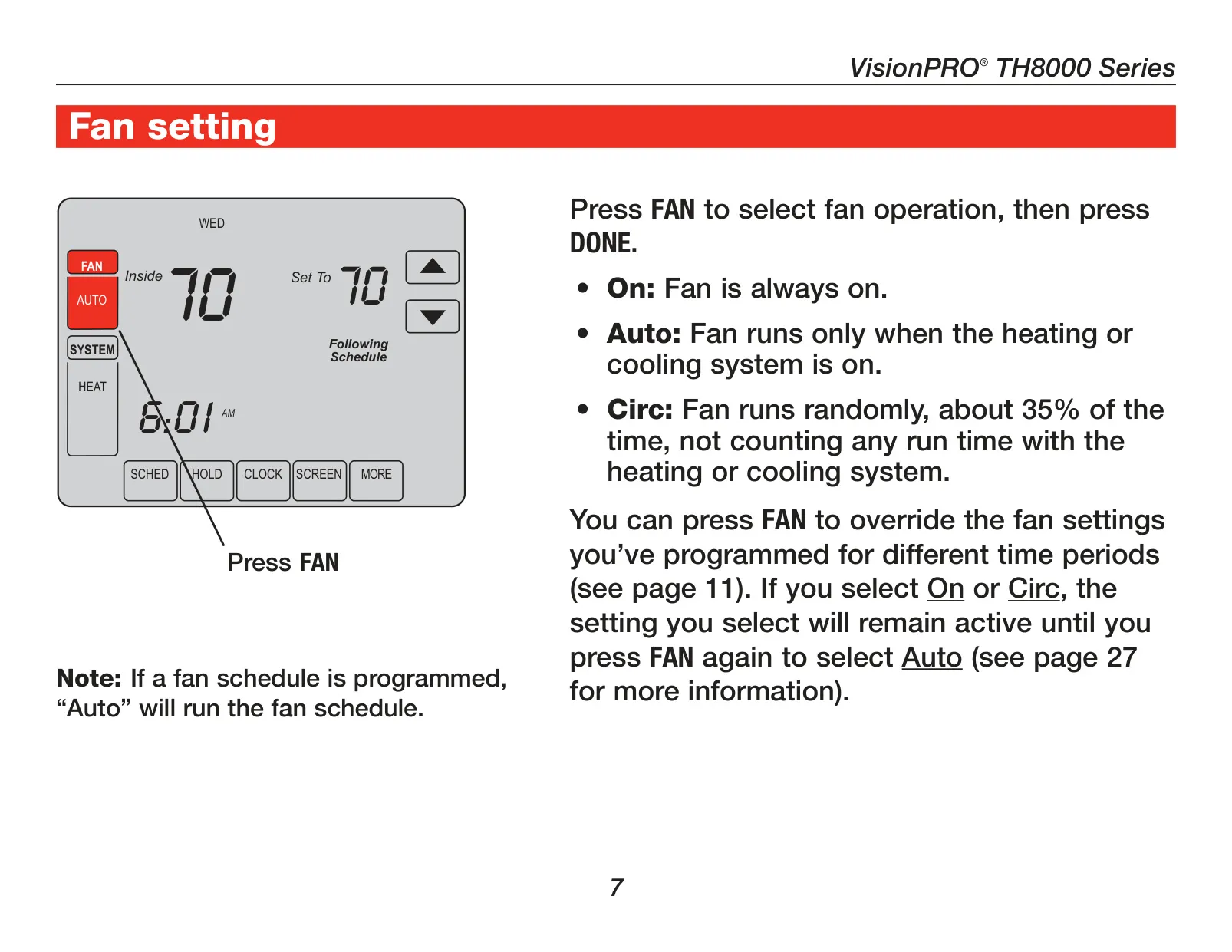
| Fan Settings | Auto, On, Circ |
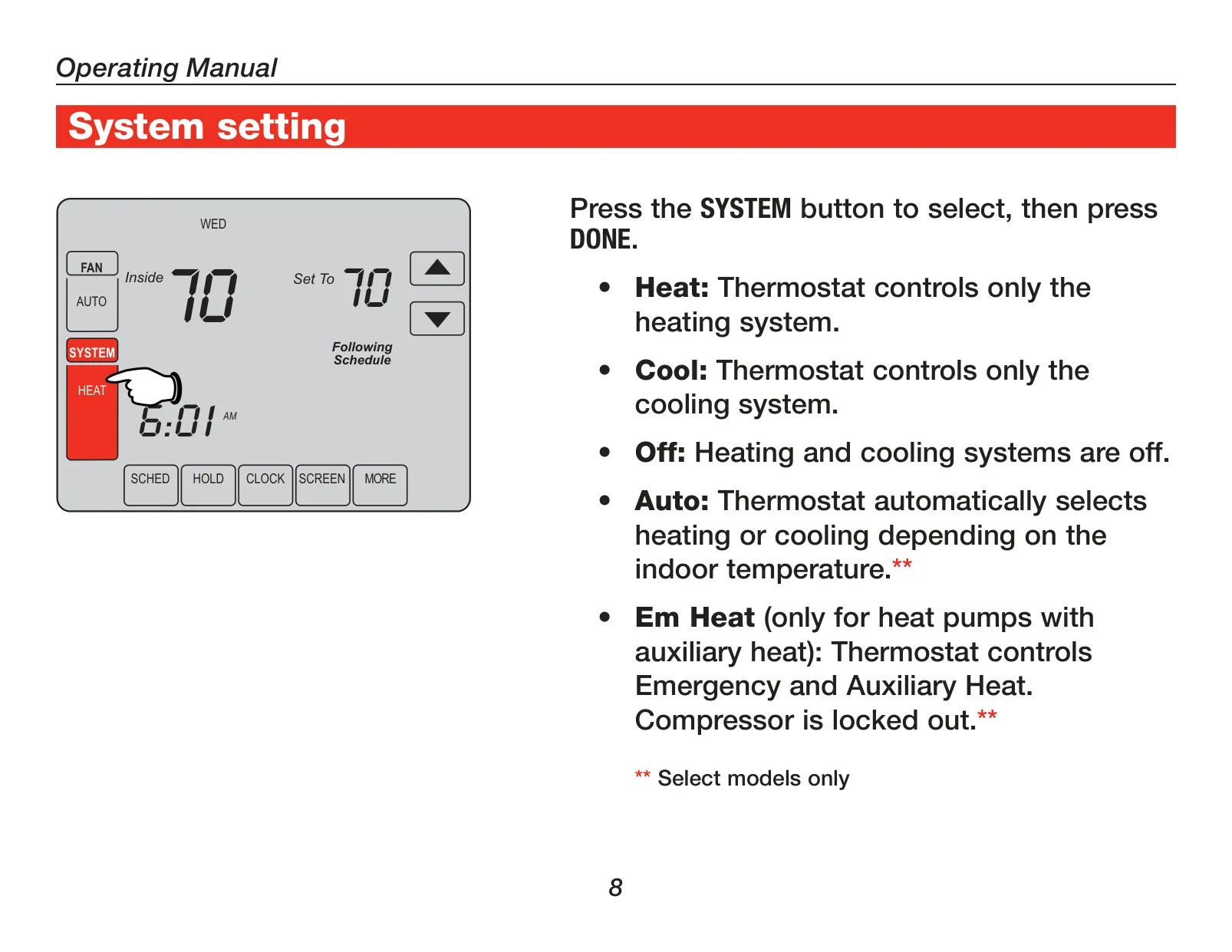
| System Settings | Heat, Cool, Off, Auto |
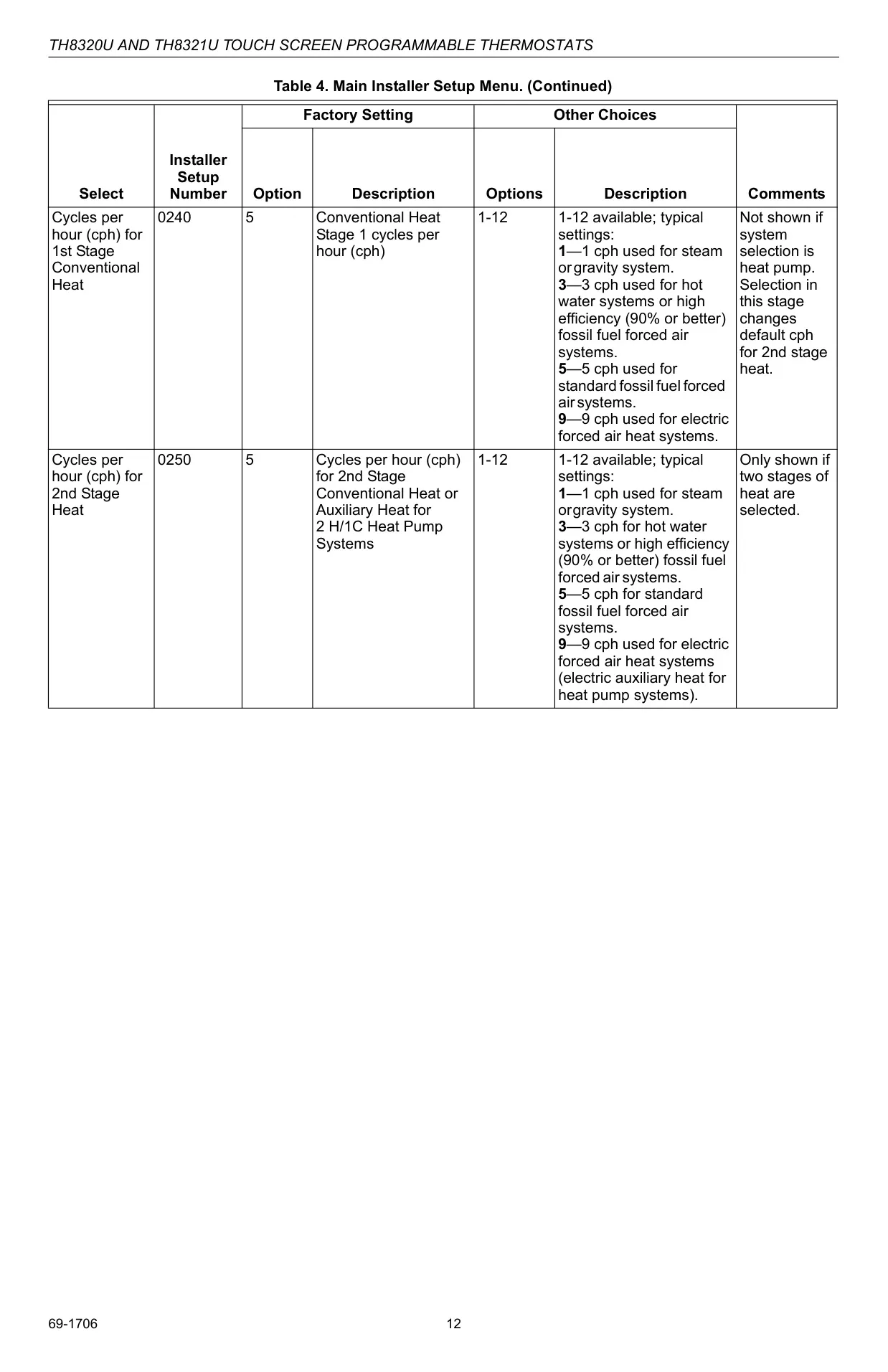
| Cycles Per Hour (cph) - 1st Stage Compressor | 3 cph (adjustable 1-6) |
| Cycles Per Hour (cph) - 1st Stage Conventional Heat | 5 cph (adjustable 1-12, default for standard fossil fuel forced air) |
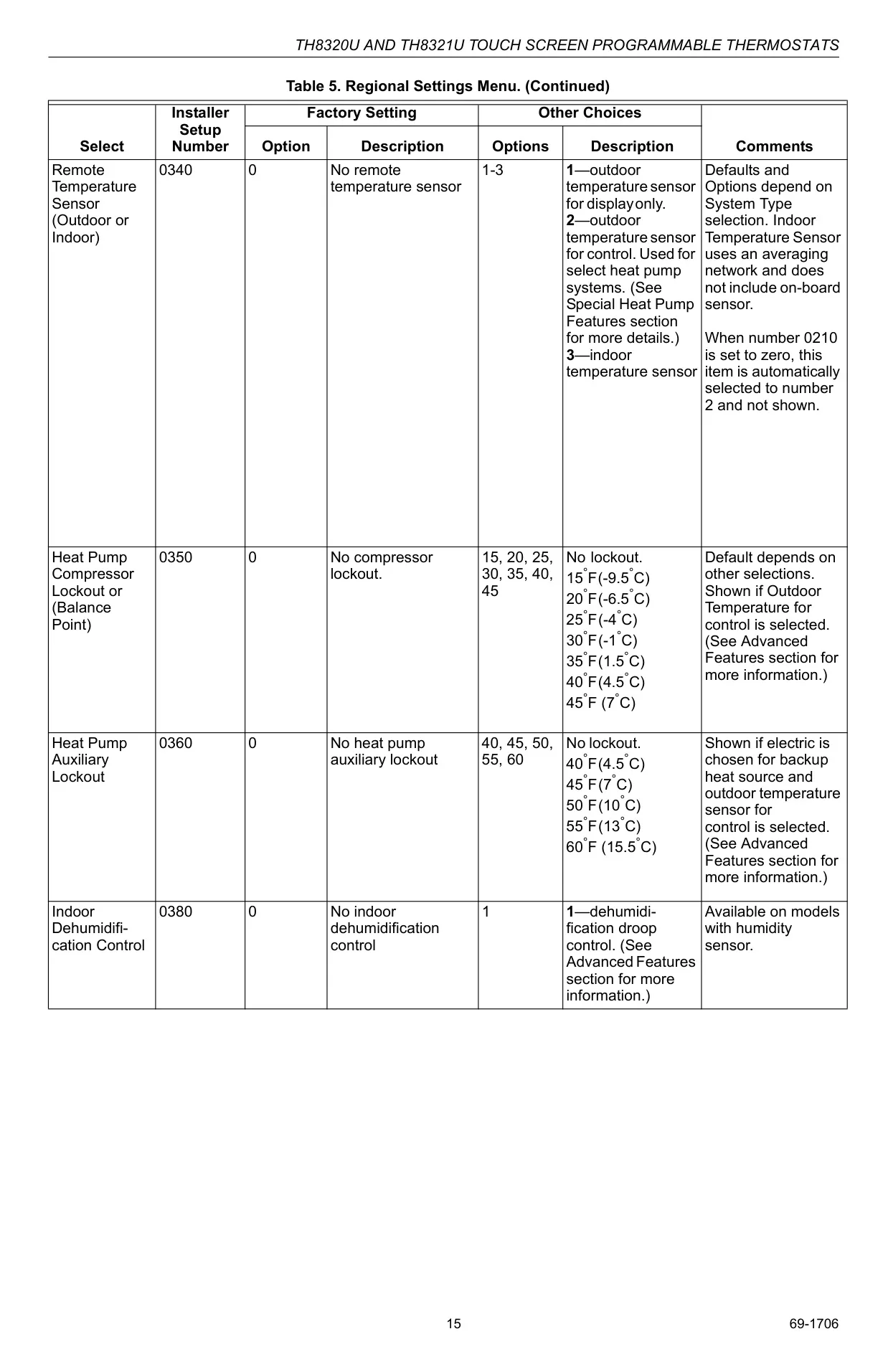
| Minimum Compressor Off-Time | 5 minutes (adjustable 0, 2, 3, 4 minutes) |
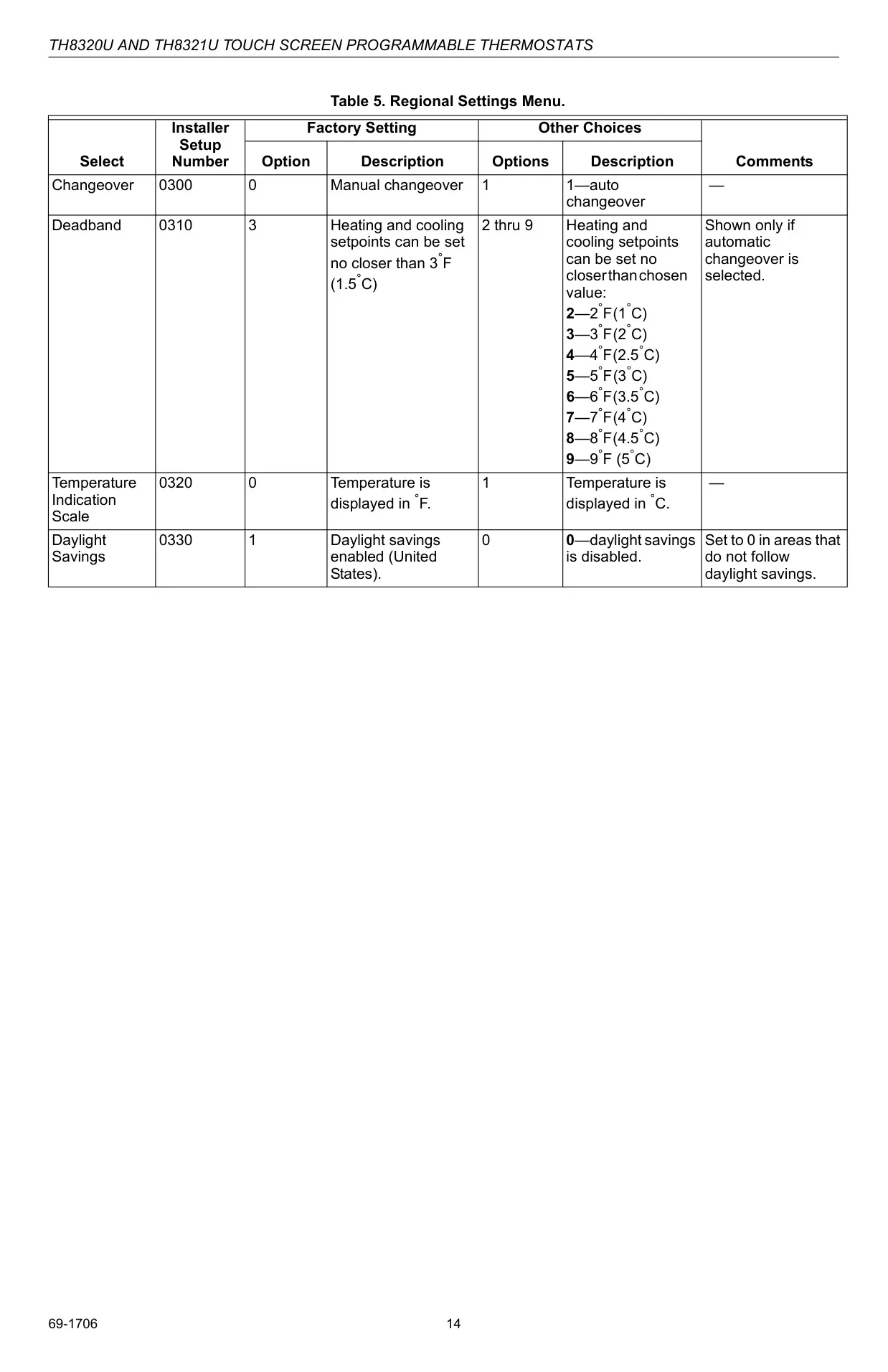
| Daylight Savings Adjustment | Automatic (configurable for 2006 or 2007+ DST calendars, or off) |
| Clock Format | 12-hour (default) or 24-hour |
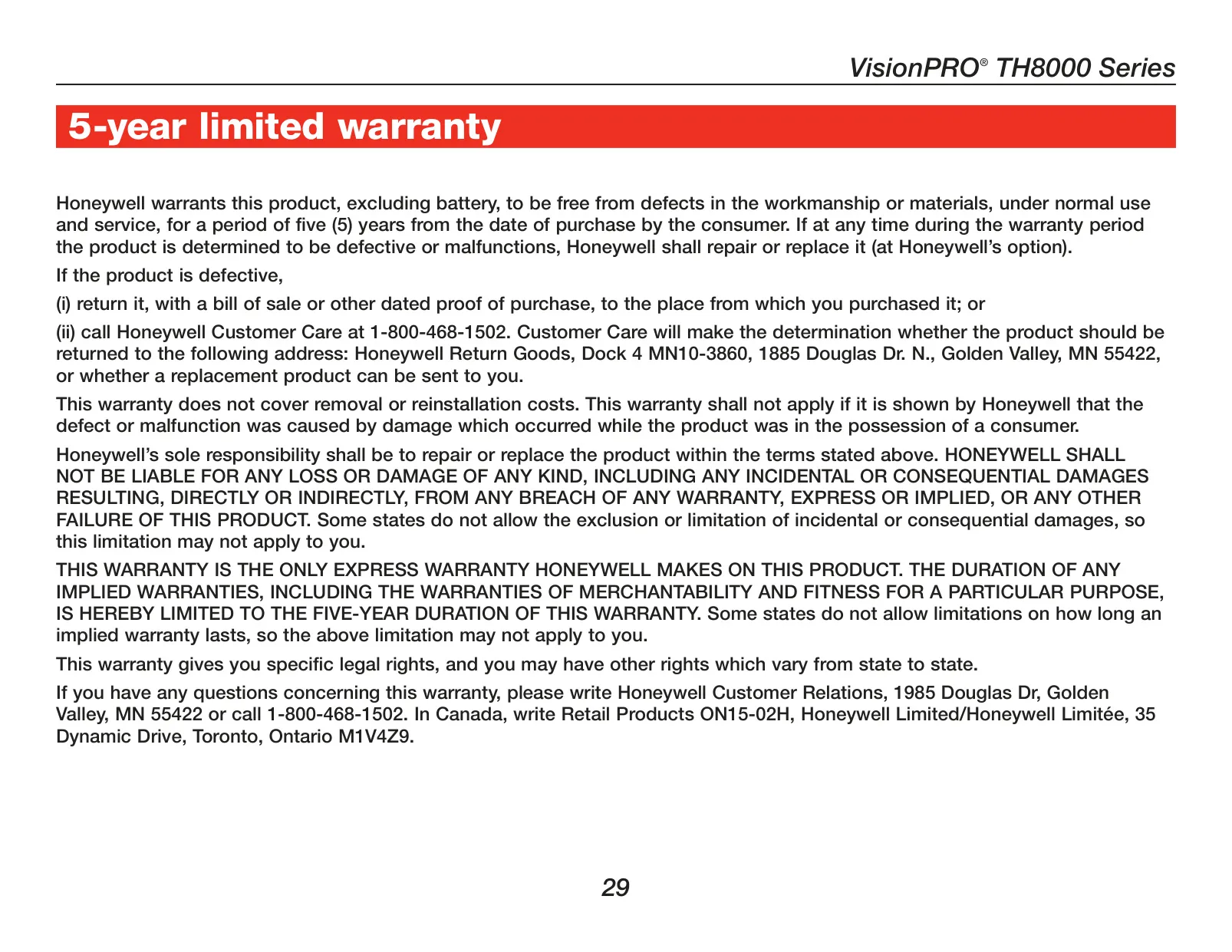
| Warranty | 5-Year Limited (excluding battery) |
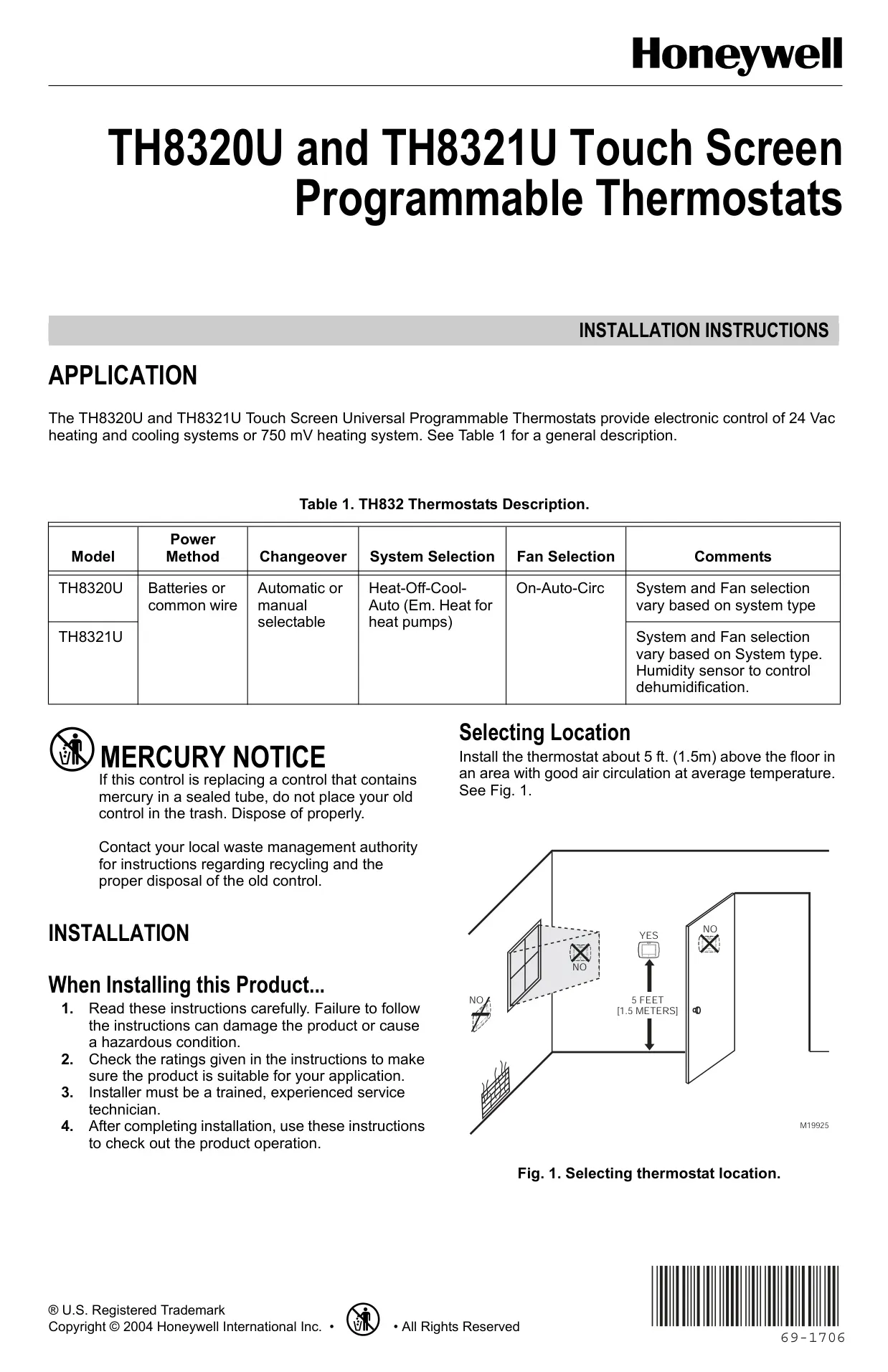
| Mounting Height | Approx. 5 ft (1.5 m) above floor |
| Recommended Wire Gauge | 18 gauge thermostat wire |
Honeywell TH8110U1003 Thermostat Details
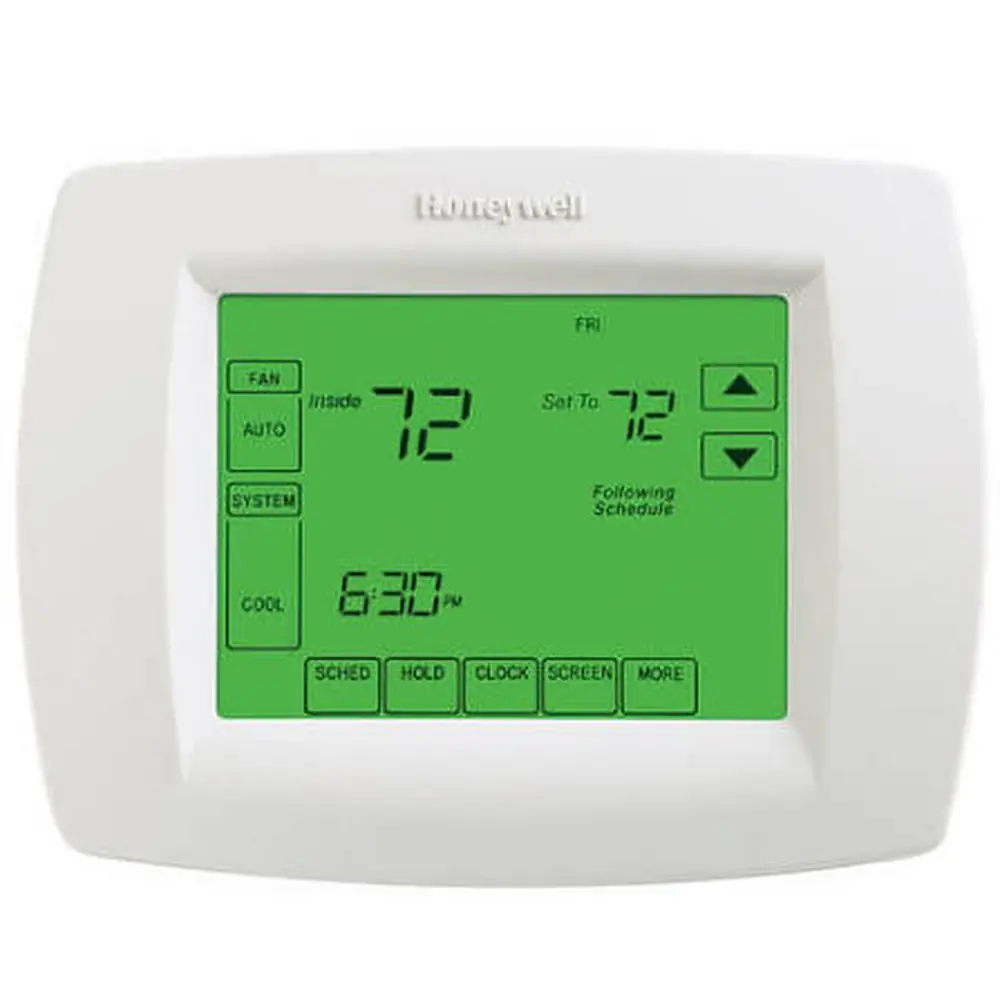
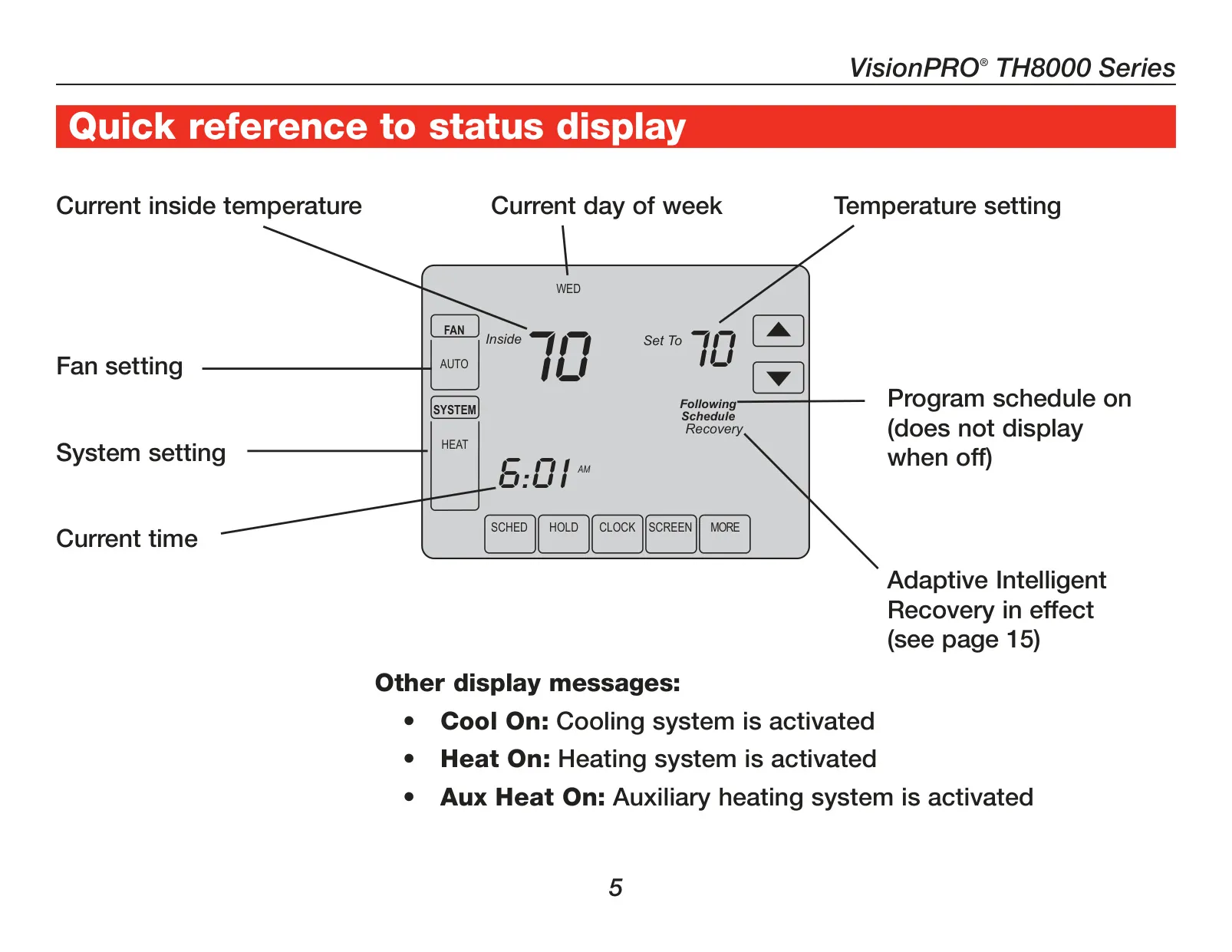
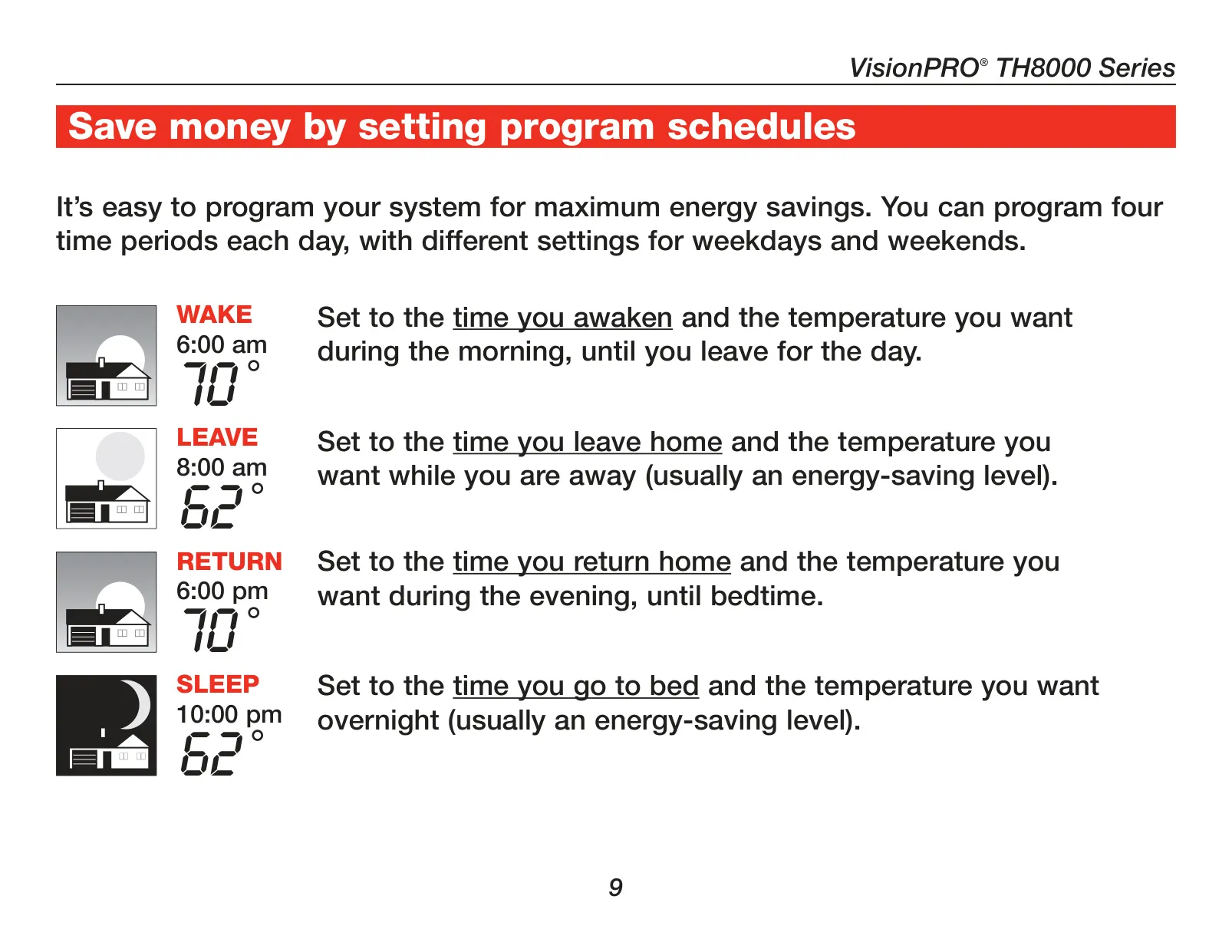
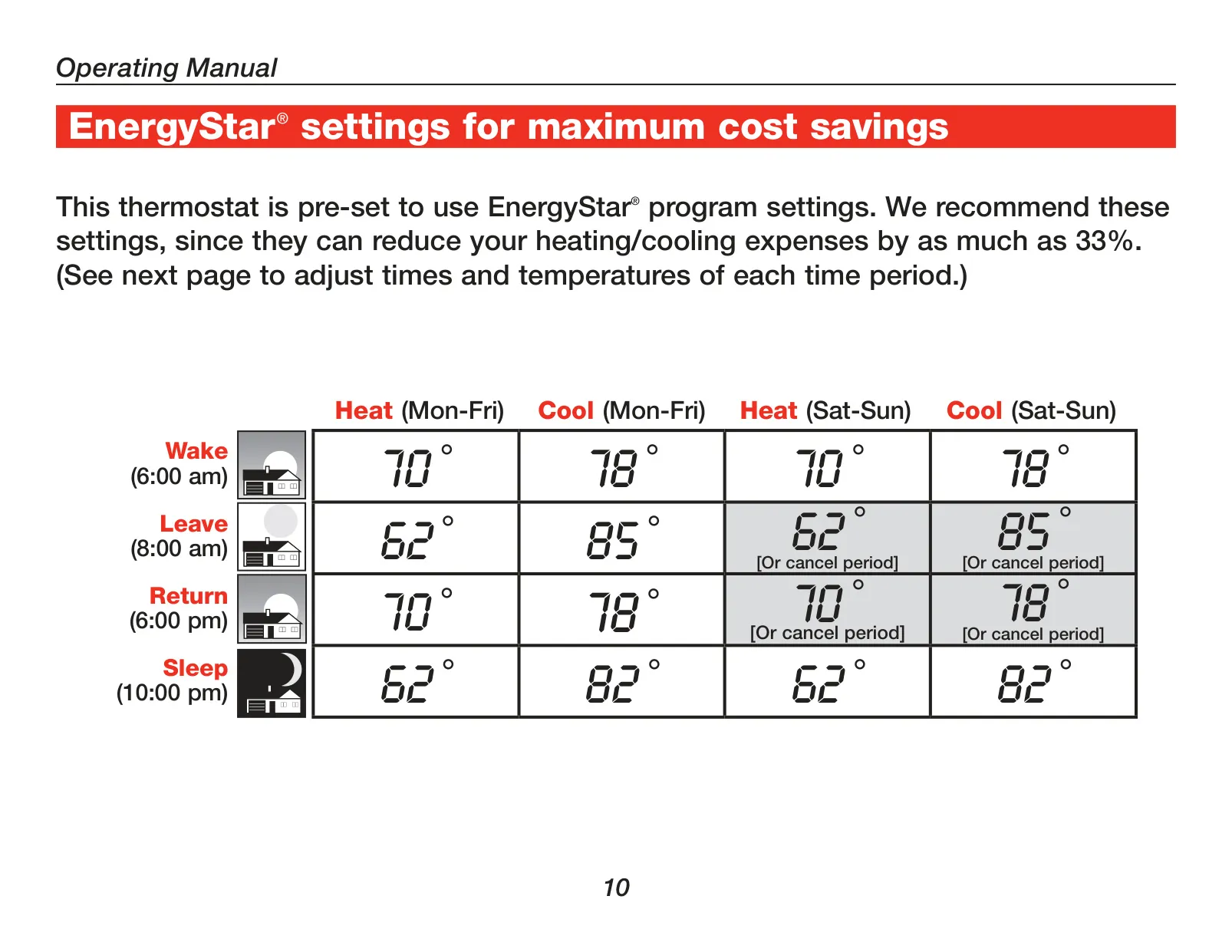
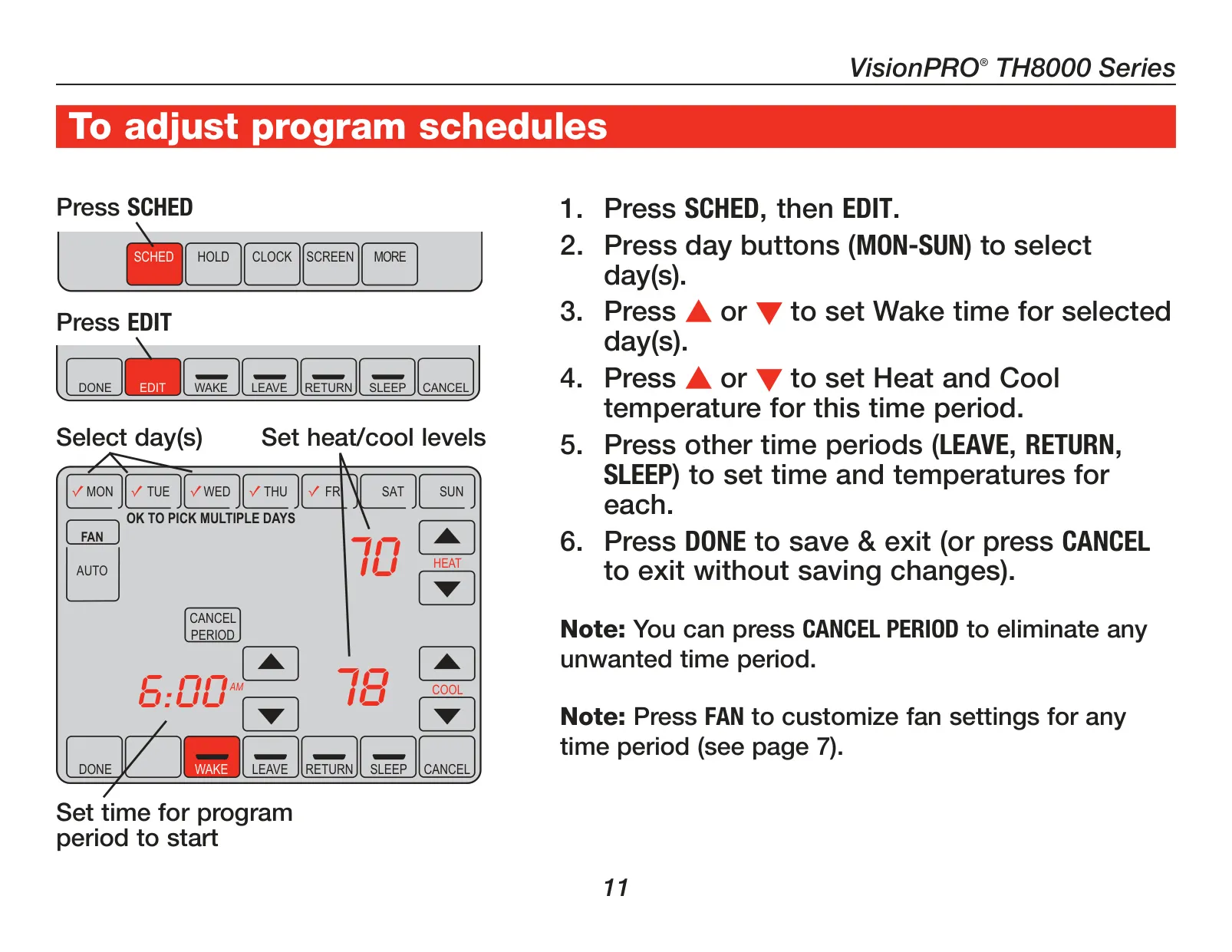
The Honeywell TH8110U1003 VisionPRO thermostat is engineered for both comfort and economy, offering a sophisticated solution for climate control. It is notably EnergyStar® compliant, a certification that signifies its design to significantly reduce heating and cooling expenses, contributing to lower utility bills. This model arrives pre-programmed with energy-saving schedules, based on a typical daily routine—Wake at 6 am, Leave at 8 am, Return at 6 pm, and Sleep at 10 pm. Users simply need to set the current time and day, and the thermostat is immediately ready to optimize energy usage. Its large, user-friendly backlit touchscreen ensures ease of reading, even in dimly lit environments, greatly enhancing overall user convenience and interaction.
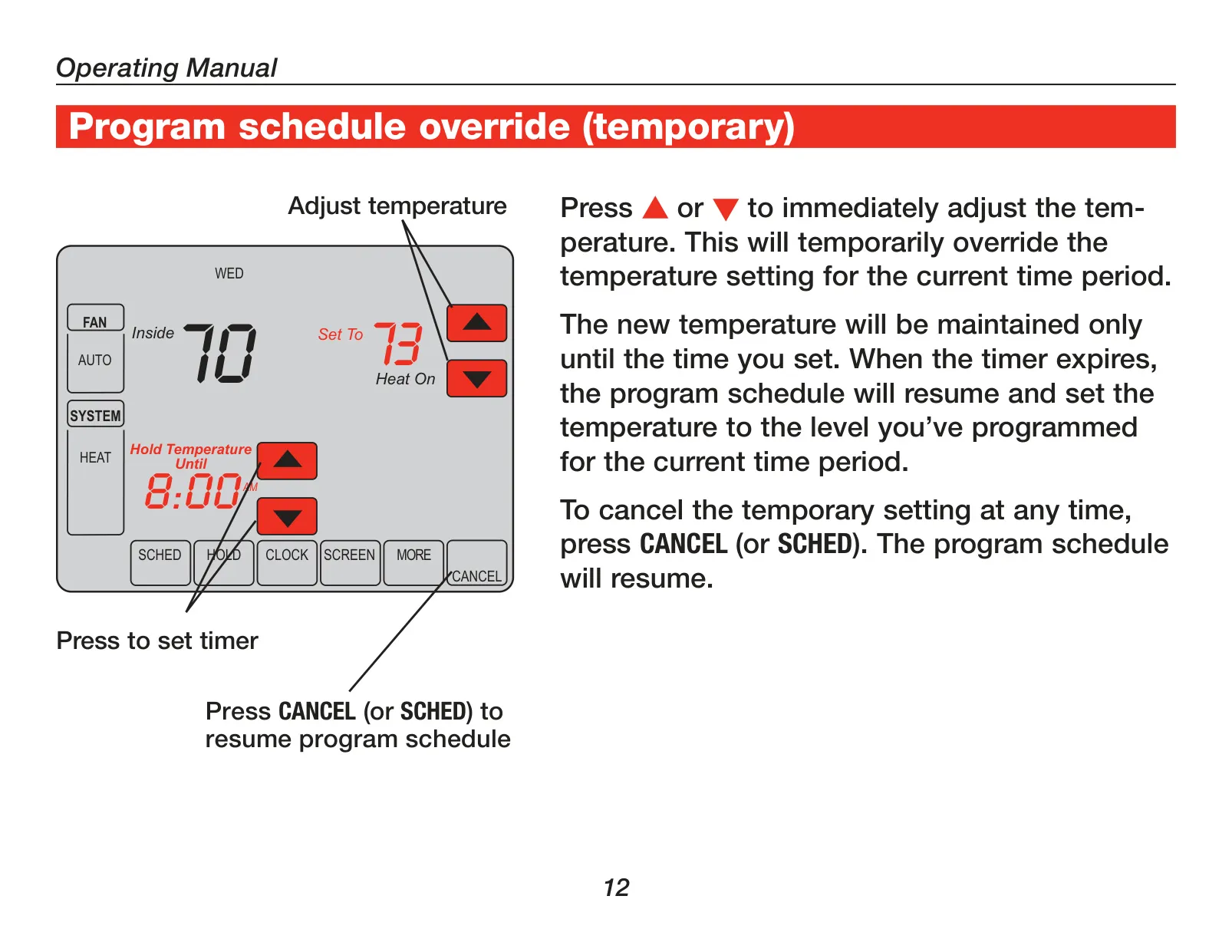
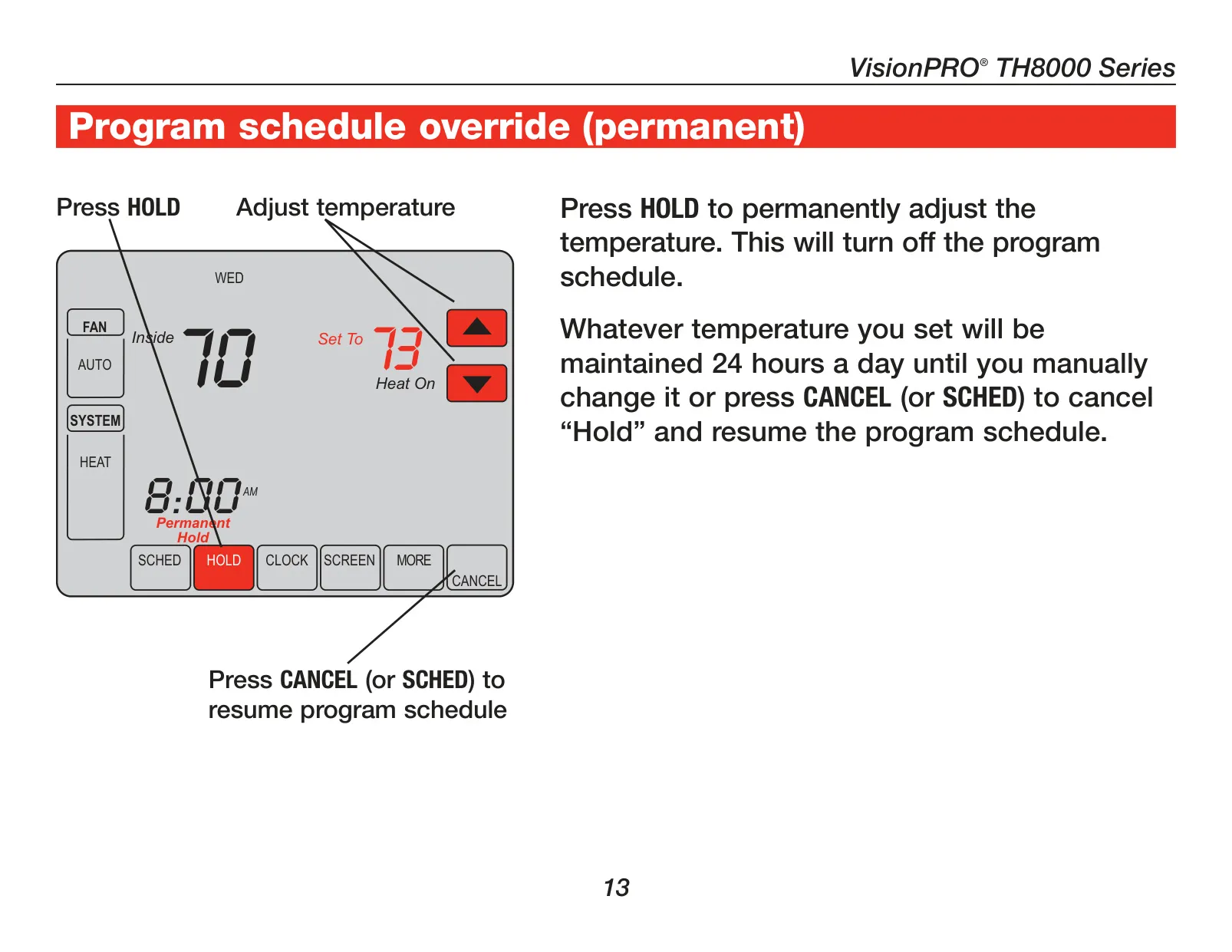
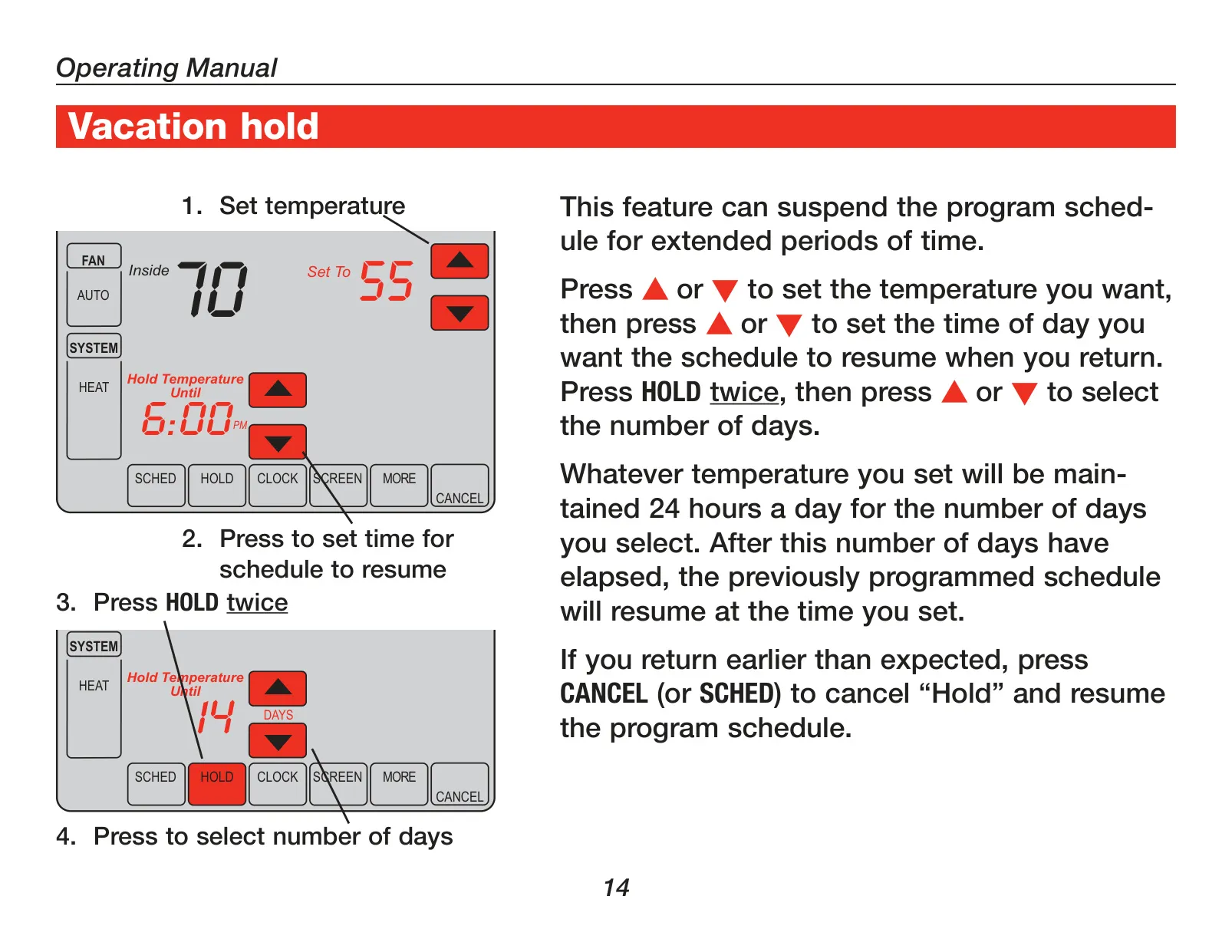
Beyond its efficient preset schedules, the TH8110U1003 provides highly flexible temperature management capabilities to suit dynamic lifestyles. A convenient one-touch temperature control allows for immediate, temporary adjustments, effortlessly overriding the active program schedule without permanent changes. For longer periods away or consistent temperature needs, the "Hold" function enables a permanent override, maintaining the set temperature 24 hours a day, seven days a week, until manually canceled. Furthermore, the Vacation Hold feature is ideal for extended absences, allowing users to suspend the program for a specific number of days at a chosen temperature, with the system automatically resuming the regular schedule upon their return. This comprehensive versatility ensures personalized comfort for any situation.
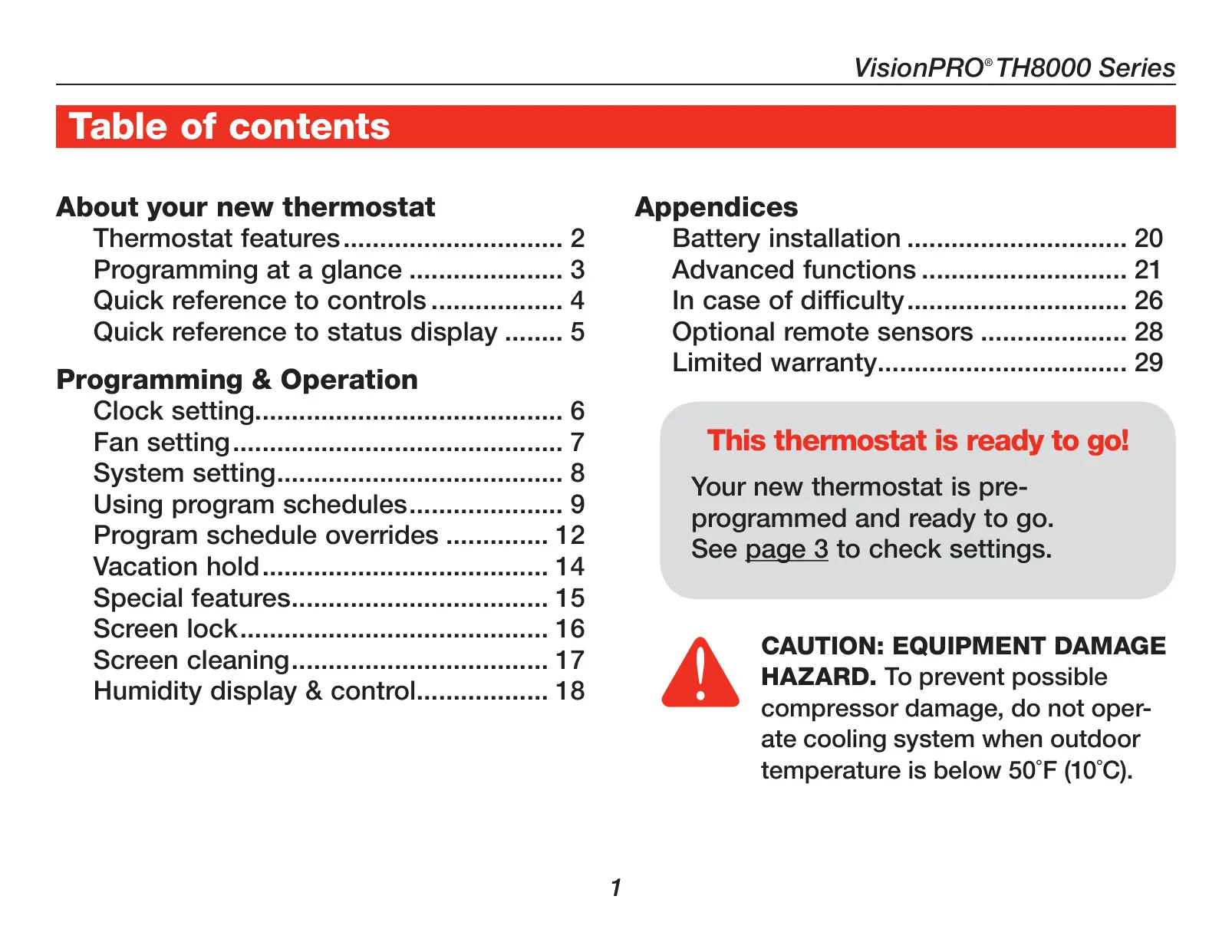
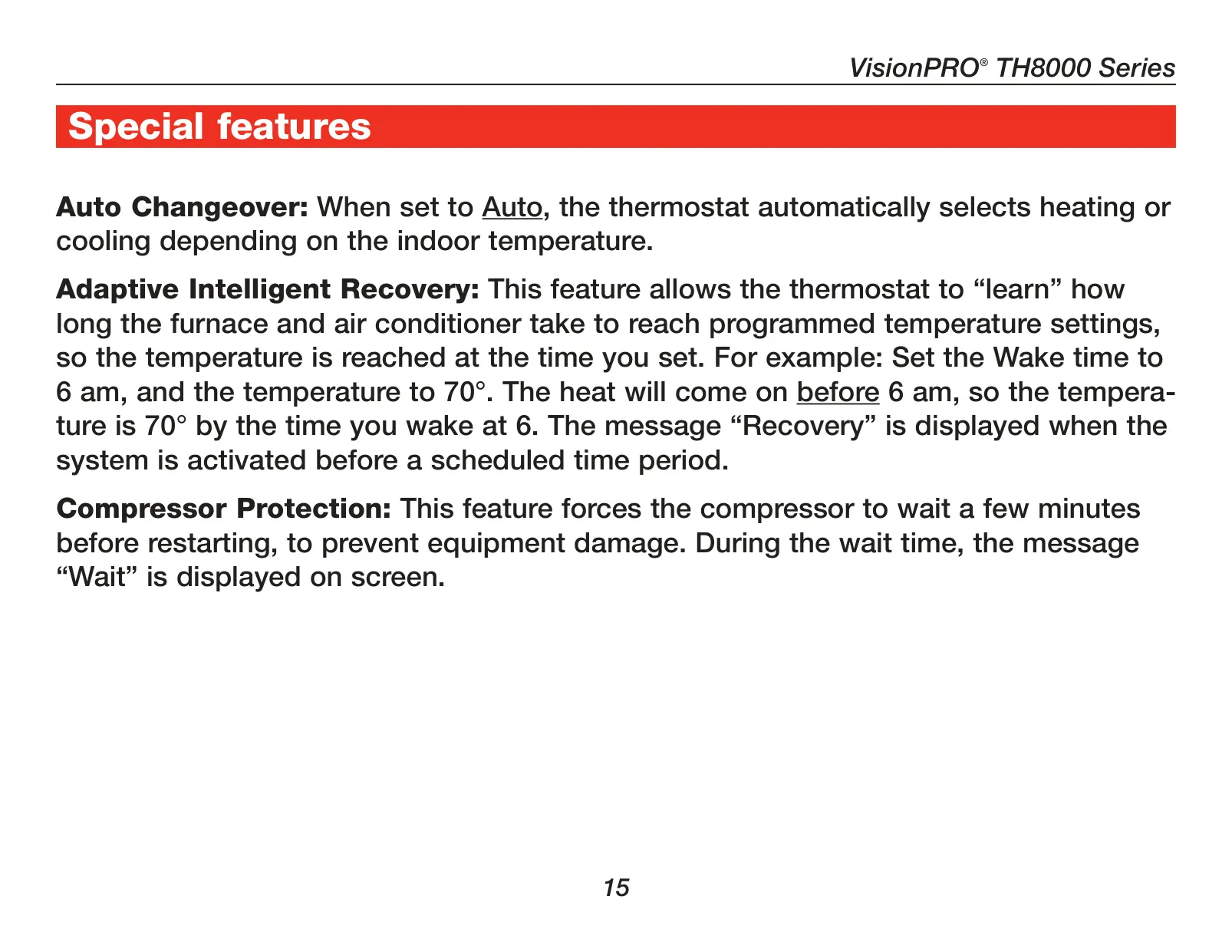
This advanced thermostat incorporates intelligent features designed to enhance both system performance and longevity. Adaptive Intelligent Recovery™ stands out as a key benefit, allowing the thermostat to "learn" the optimal run times required for heating or cooling systems to reach desired temperatures. This ensures the programmed temperature is achieved precisely at the scheduled time, preventing any uncomfortable temperature lags. Additionally, a crucial Compressor Protection feature safeguards your valuable HVAC equipment by enforcing a brief, necessary delay before restarting the compressor, thereby preventing potential damage from short-cycling and prolonging the overall lifespan of the system. These smart technologies collectively contribute to sustained comfort and robust equipment operation.
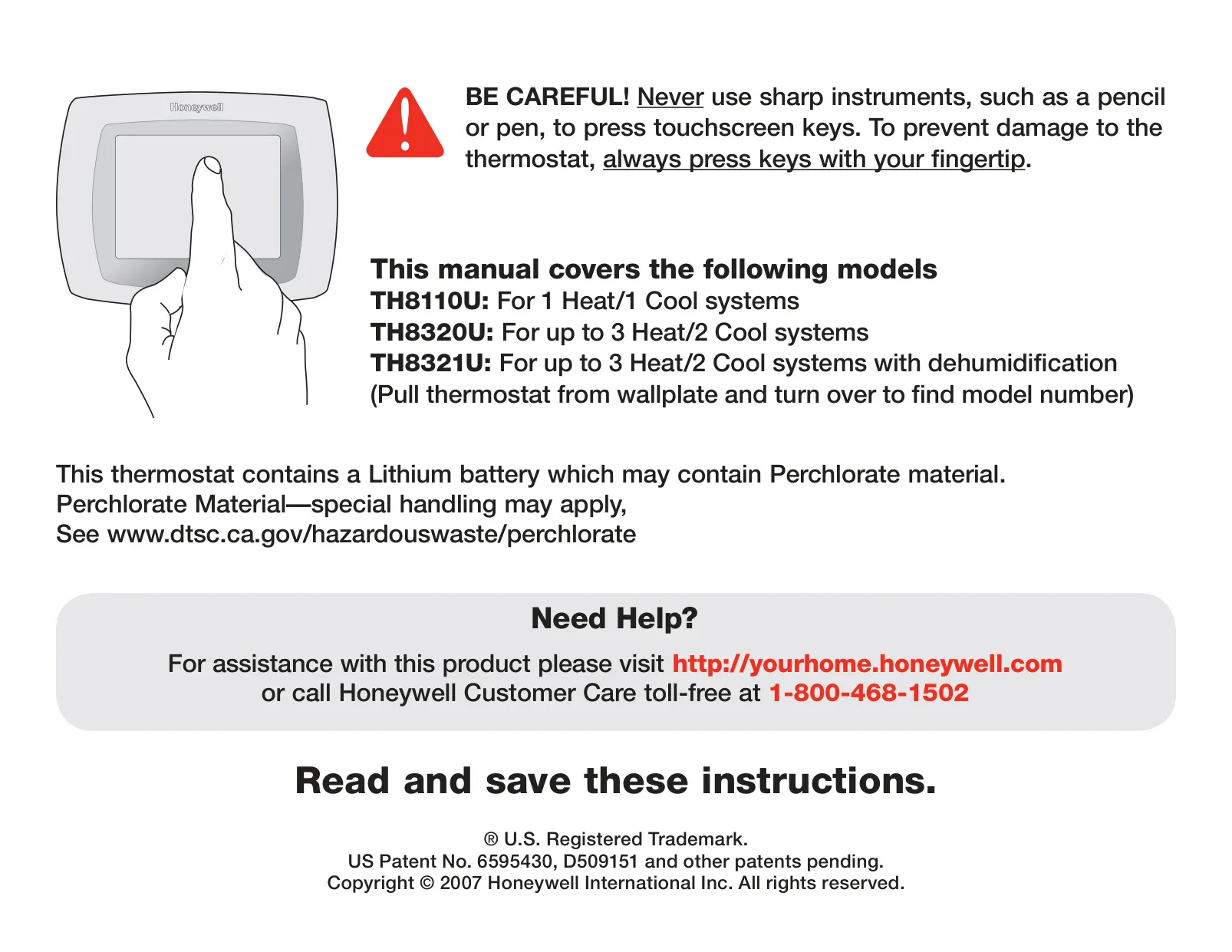
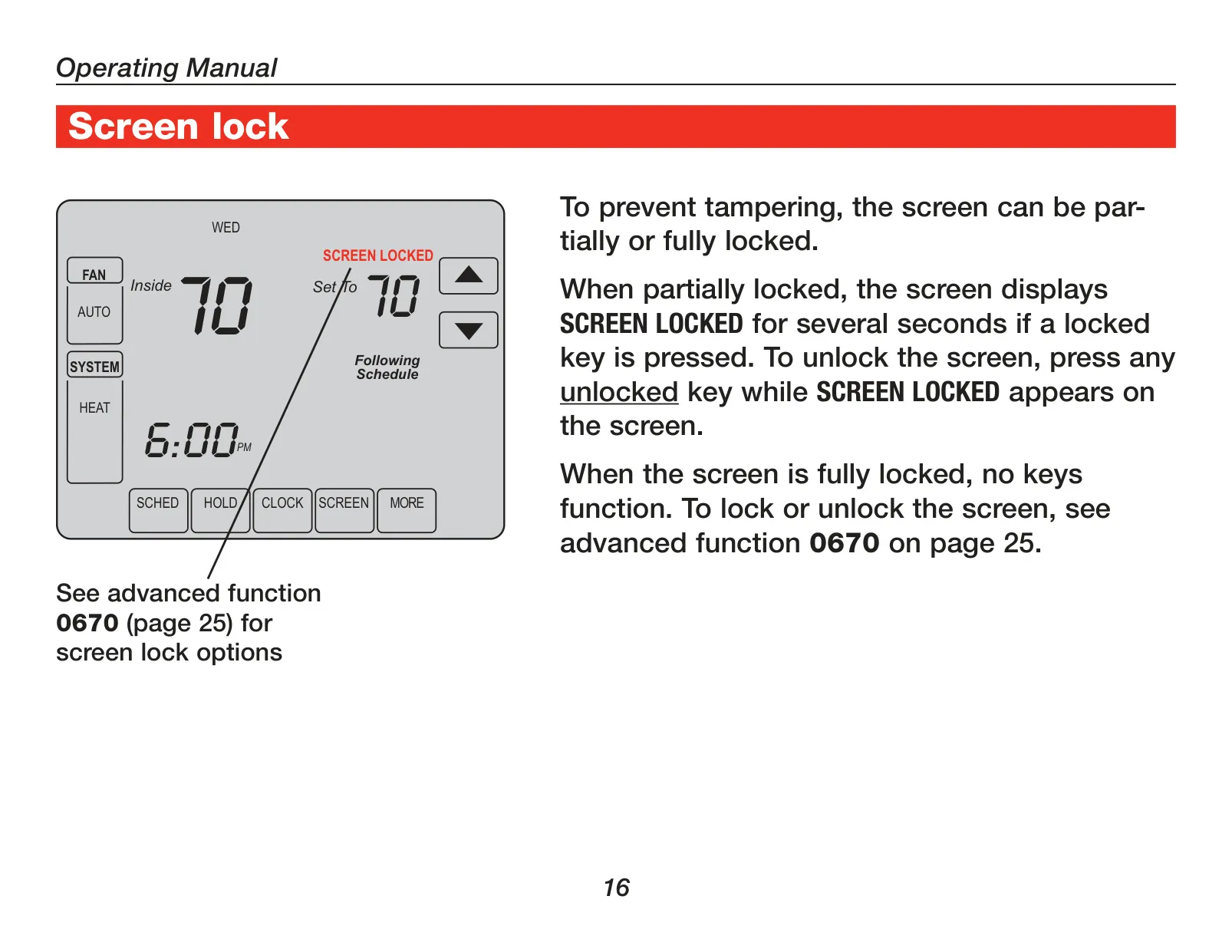
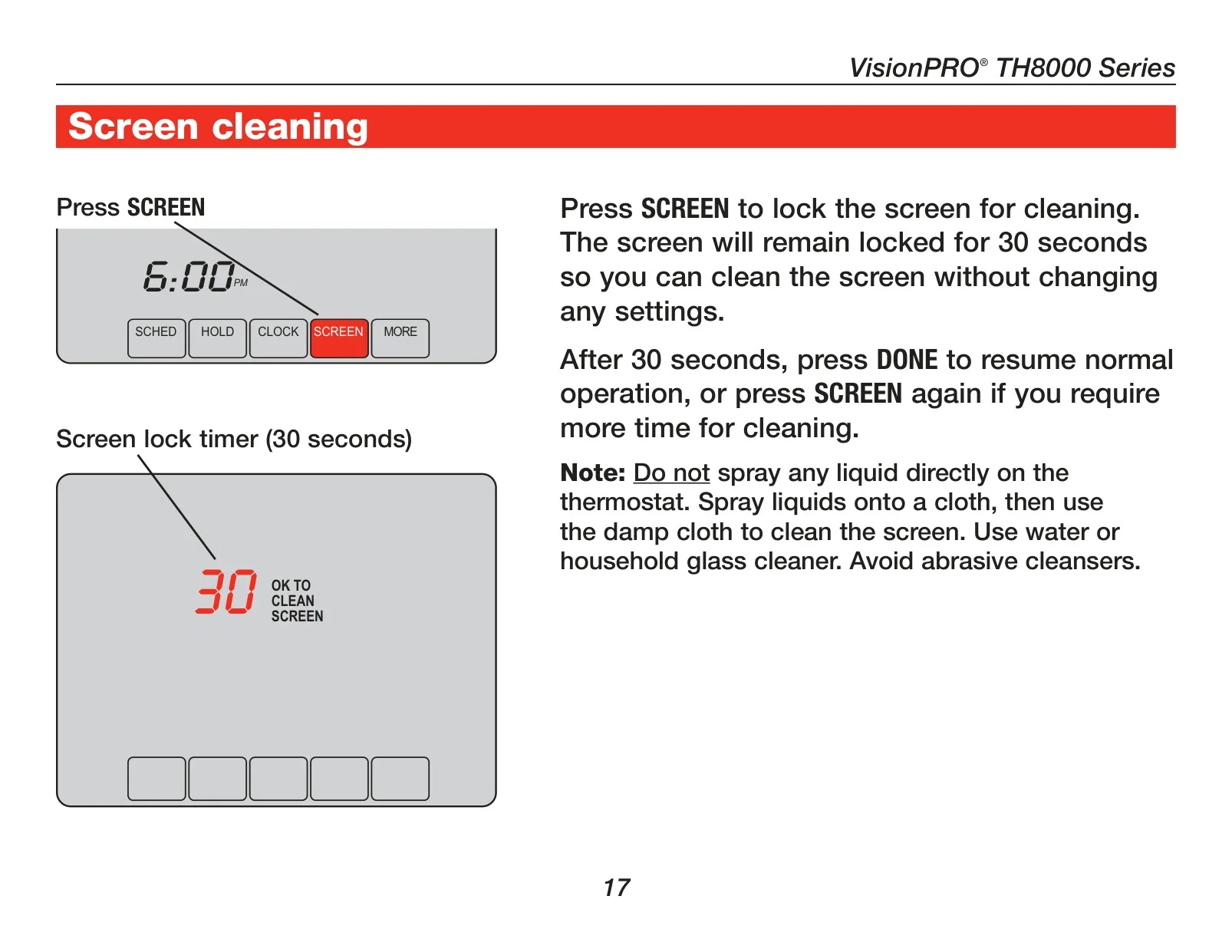
The TH8110U1003 extends its utility beyond basic climate control by providing valuable change/check reminders. These alerts proactively notify users when it's time to service or replace critical components such as furnace filters or batteries, ensuring continuous optimal system performance and contributing to healthier indoor air quality. For device maintenance, a dedicated screen cleaning mode offers convenience; it temporarily locks the touchscreen for 30 seconds, allowing for easy and safe cleaning without any accidental setting changes. Users are strongly advised to always press keys with a fingertip and to strictly avoid using sharp instruments, such as pens or pencils, to prevent irreparable damage to the responsive touchscreen interface.
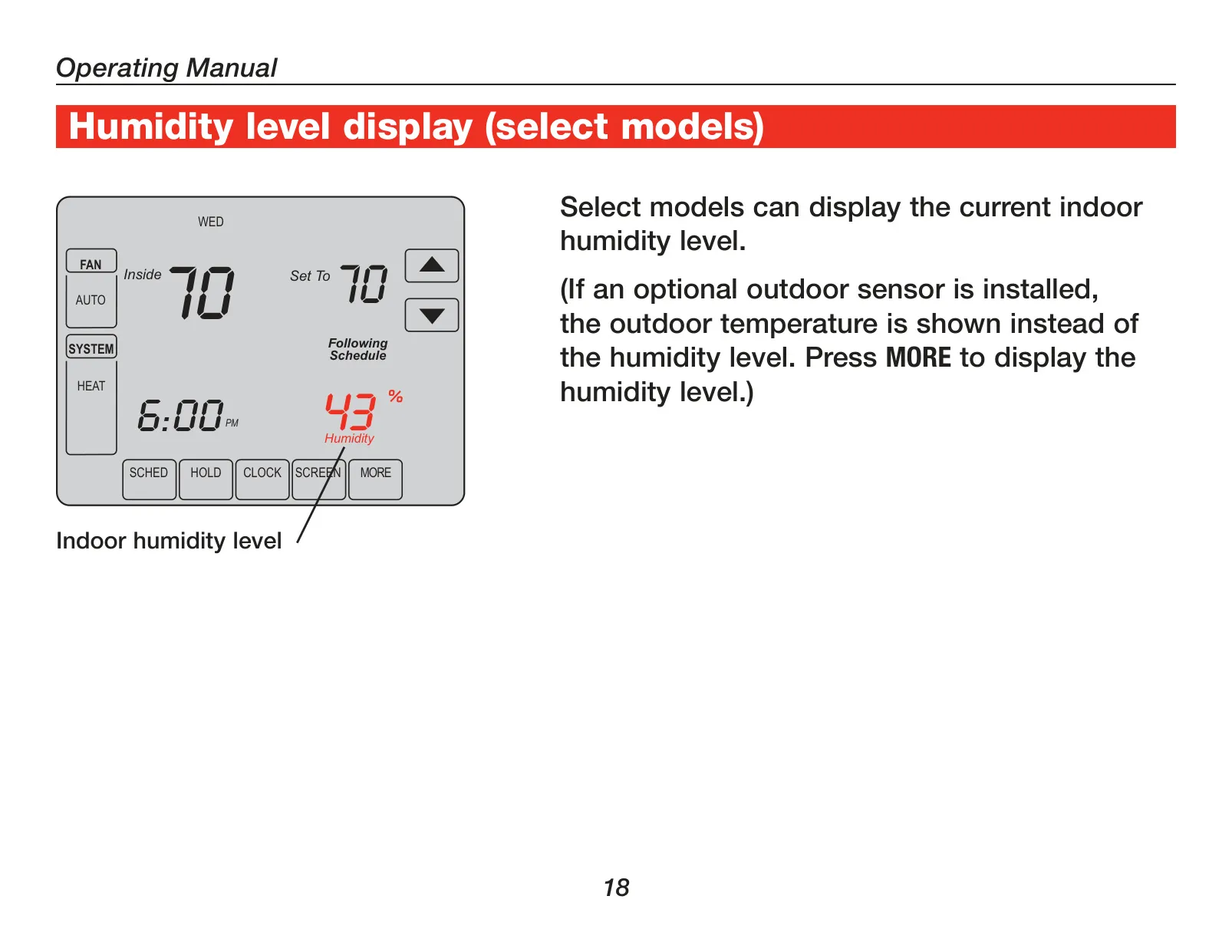
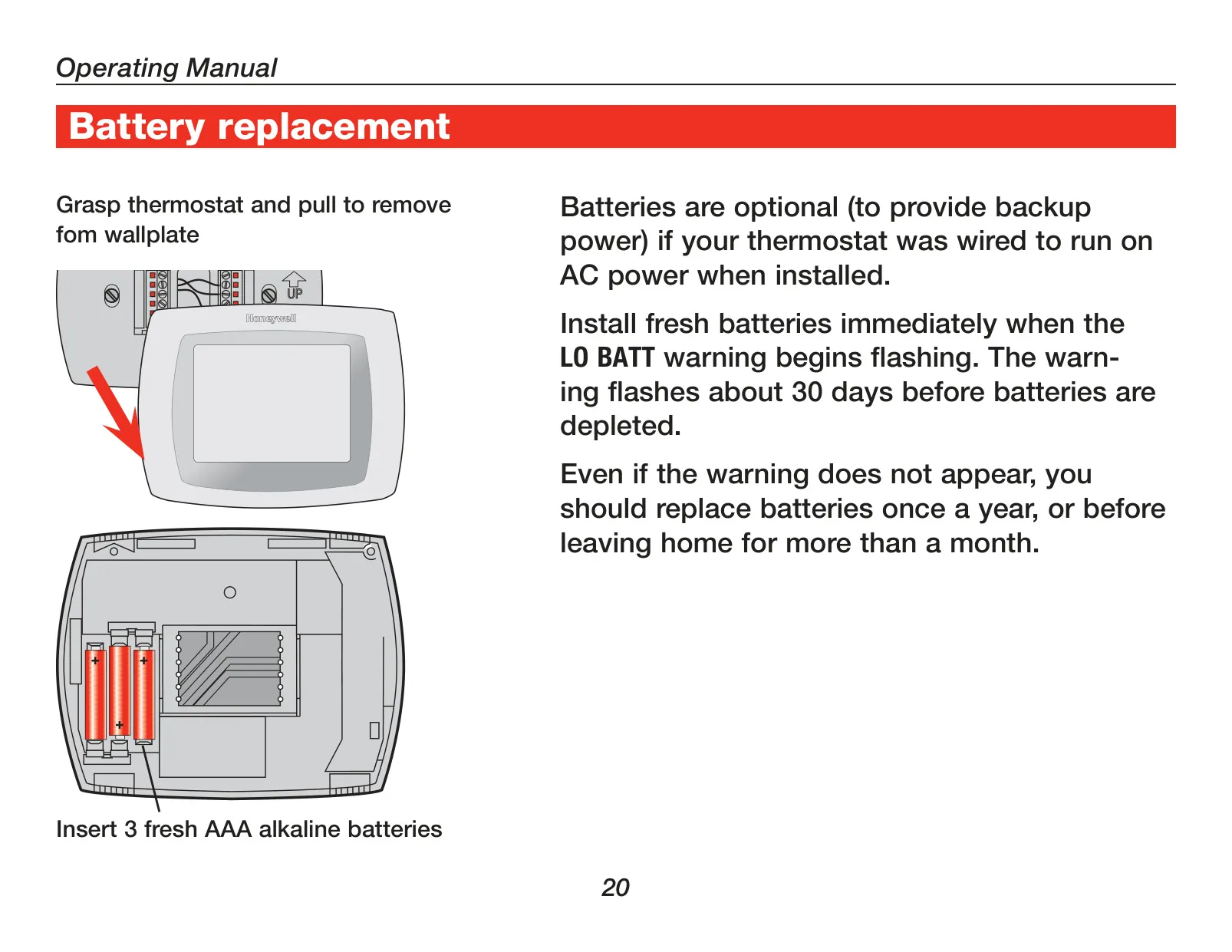
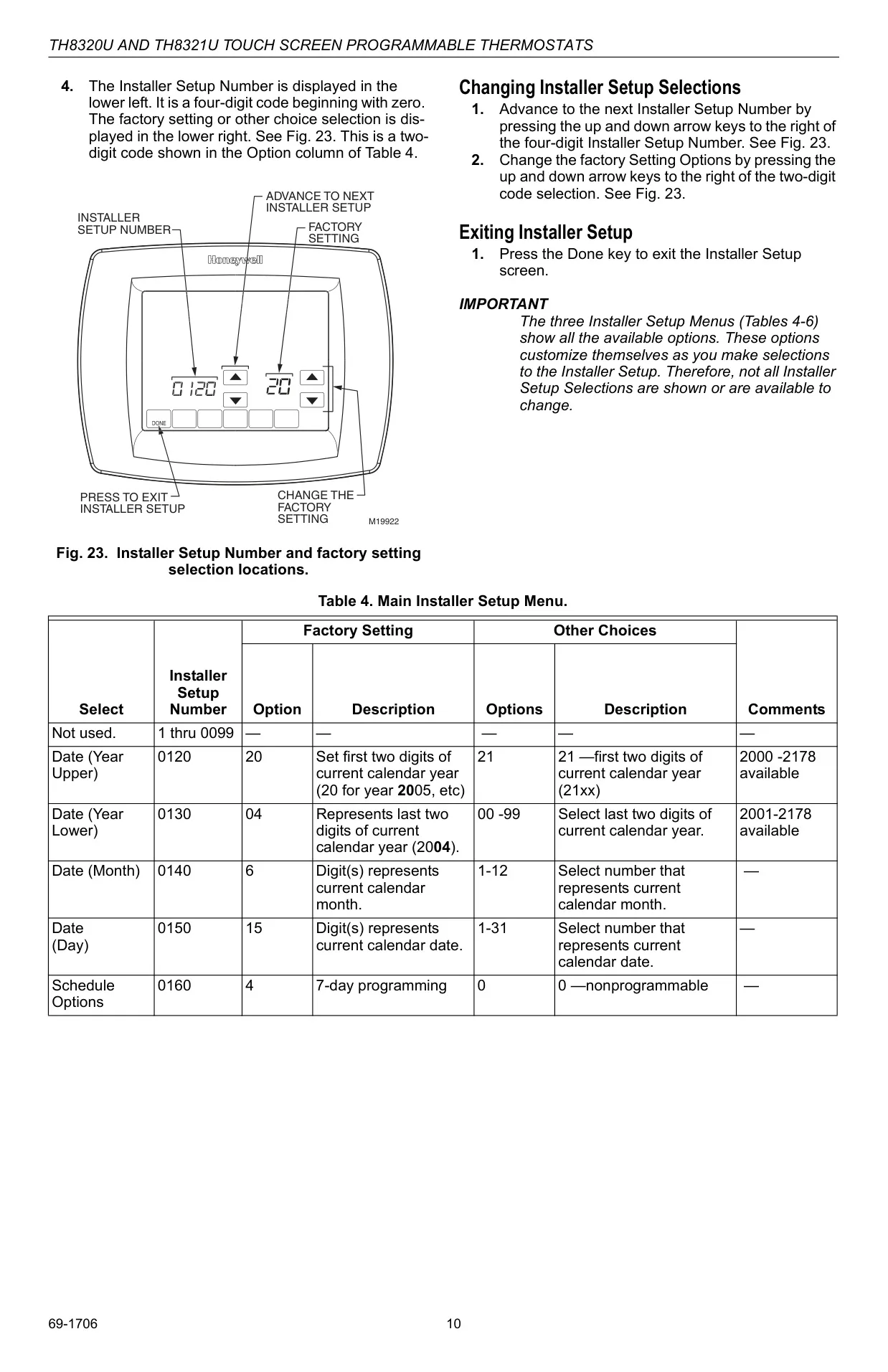
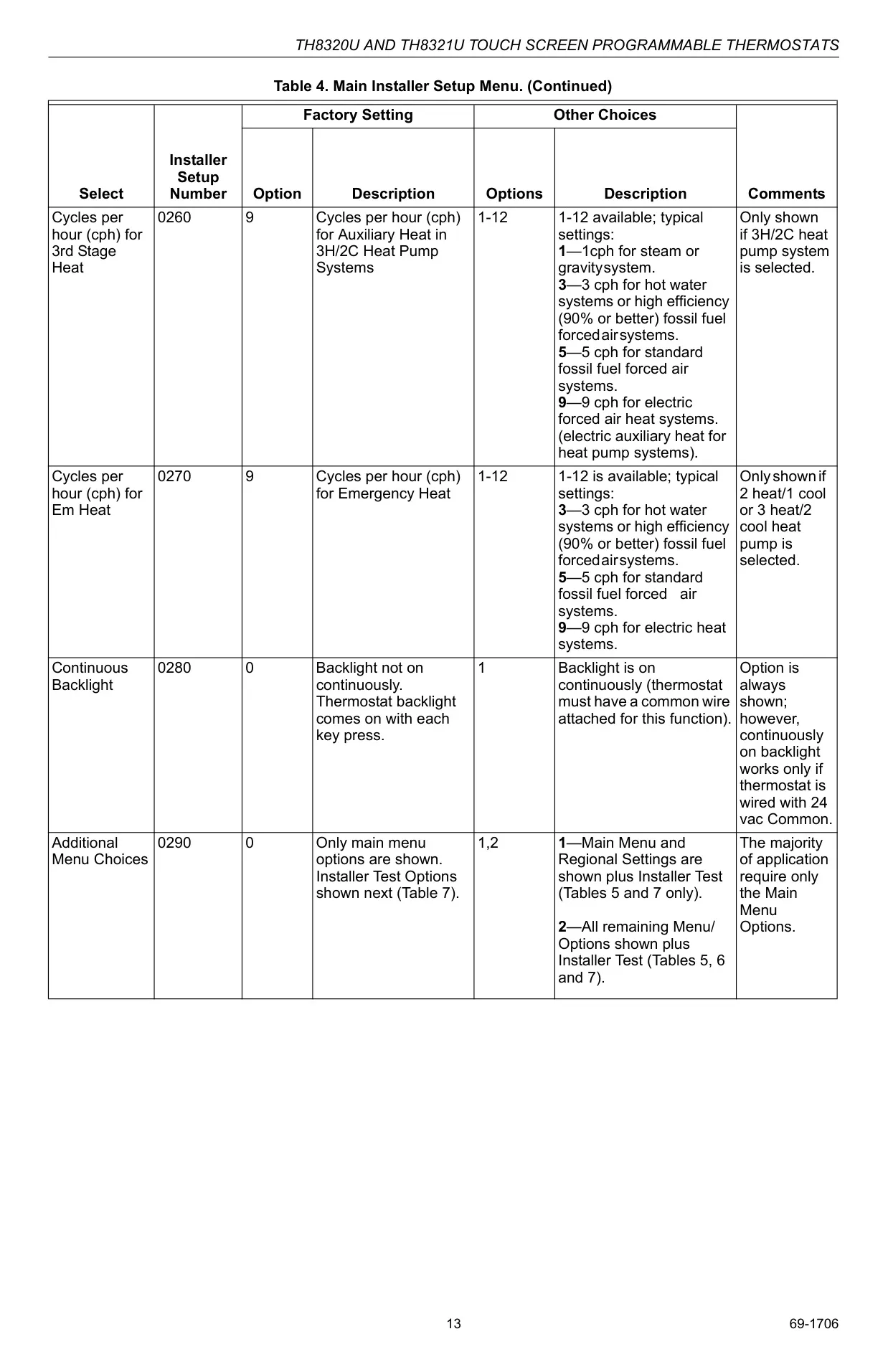
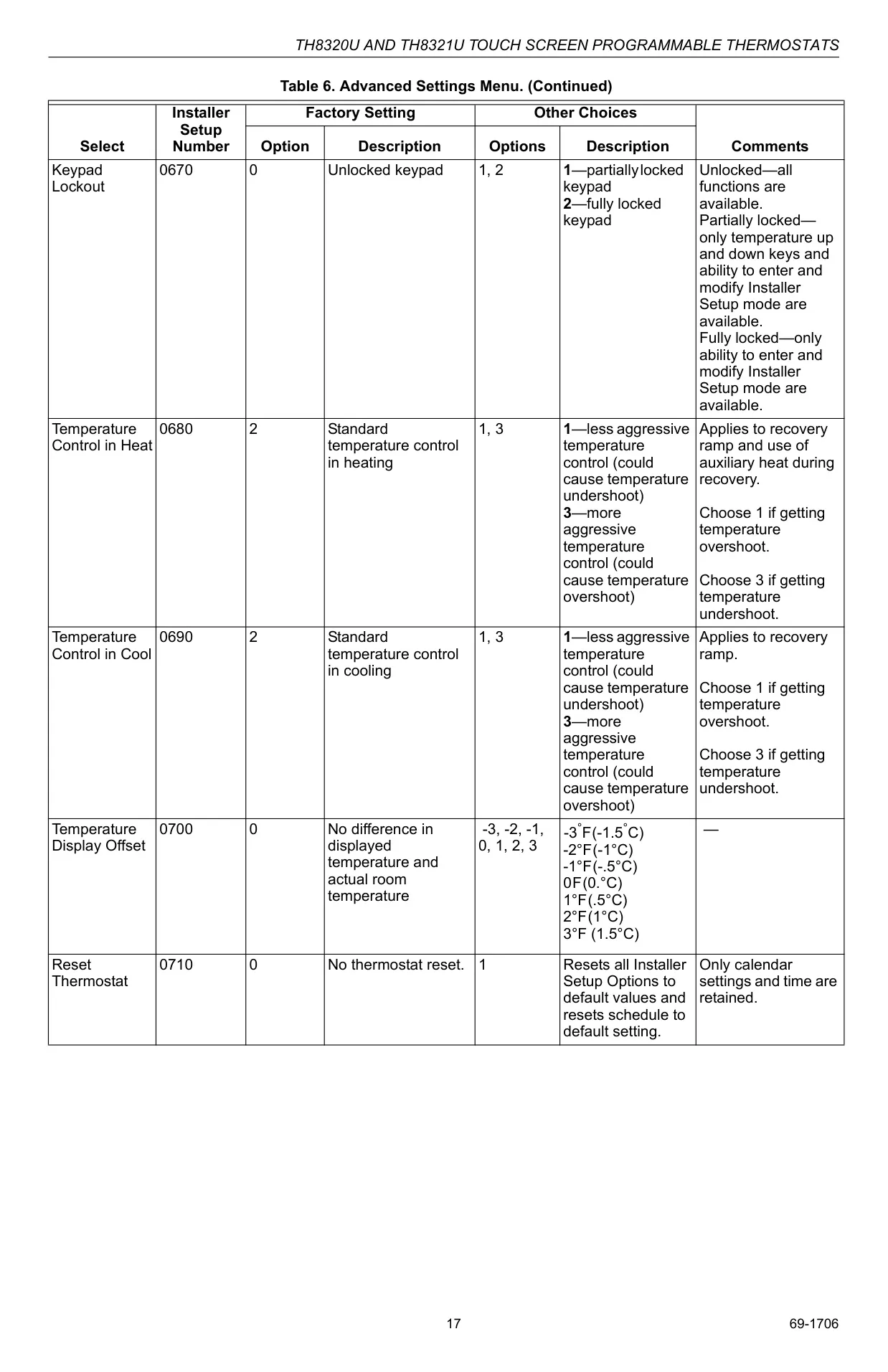
Powering the TH8110U1003 is notably versatile, offering operation either via three AAA alkaline batteries or through a reliable 24 Vac common wire. Opting for the common wire connection enables a desirable continuously backlit display, enhancing visibility. The thermostat’s internal real-time clock is designed for minimal user intervention, automatically adjusting for daylight savings time according to selected regional settings. While primarily configured for 1 Heat/1 Cool conventional systems, it also supports the integration of optional remote sensors for displaying accurate outdoor temperatures or sensing indoor temperatures from a different location. Furthermore, an extensive suite of advanced installer settings allows for meticulous fine-tuning of fan operations, precise temperature range limitations, and even comprehensive keypad lockout levels, ensuring the thermostat precisely matches specific household needs and preferences.
Frequently Asked Questions (FAQs)
Can't find the answer you need? Here are some frequently asked questions about the Honeywell TH8110U1003 VisionPRO TH8000 Thermostat, and we answer them below.