Orbit 83521 Thermostat Instruction Manual

Manual Orbit 83521 Thermostat Instruction Manual

Orbit 83521 Thermostat Instruction Manual

5/5 (1👤)
📕 Manual PDF 📄 22 Pages
★Rate It★

How many stars do you give this manual?

Orbit 83521 Thermostat
Full Screen

Orbit 83521 Thermostat Instructions
Here we offer the Orbit 83521 Thermostat manual completely free and in English. We have cataloged this manual in the Thermostats section on Manualverse, and it has been rated by 1 users with an average rating of 5. If you have any specific questions about Orbit 83521 Thermostat, we suggest checking the Frequently Asked Questions (FAQs) section of this manual.

Product Images

Imagen 1
Imagen 2
Imagen 3
Imagen 4
Imagen 5
Miniatura 1
Miniatura 2
Miniatura 3
Miniatura 4
Miniatura 5

Orbit 83521 Thermostat Specifications
Feature Specification
Model Number 83521
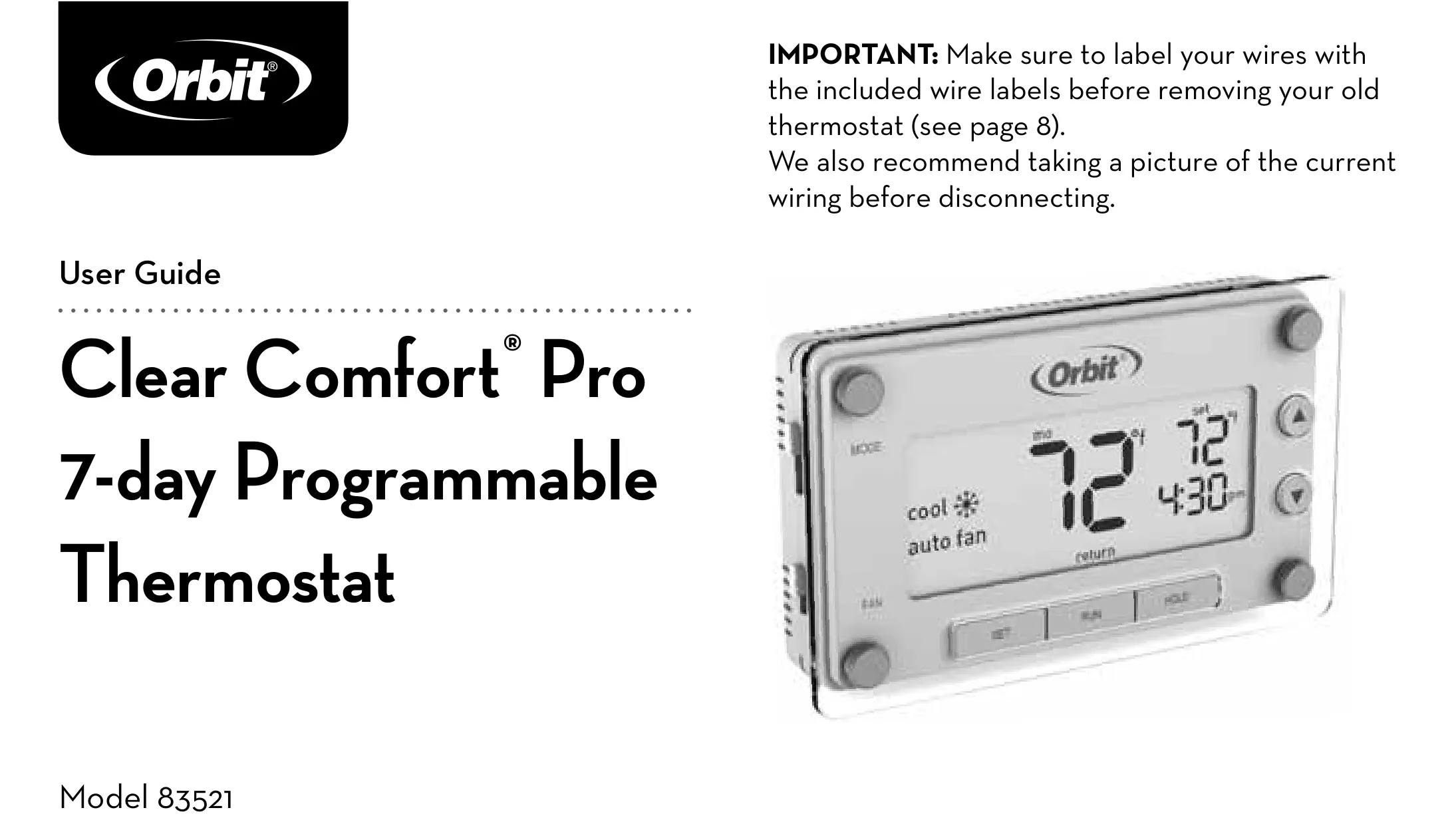
Product Name Clear Comfort® Pro 7-day Programmable Thermostat
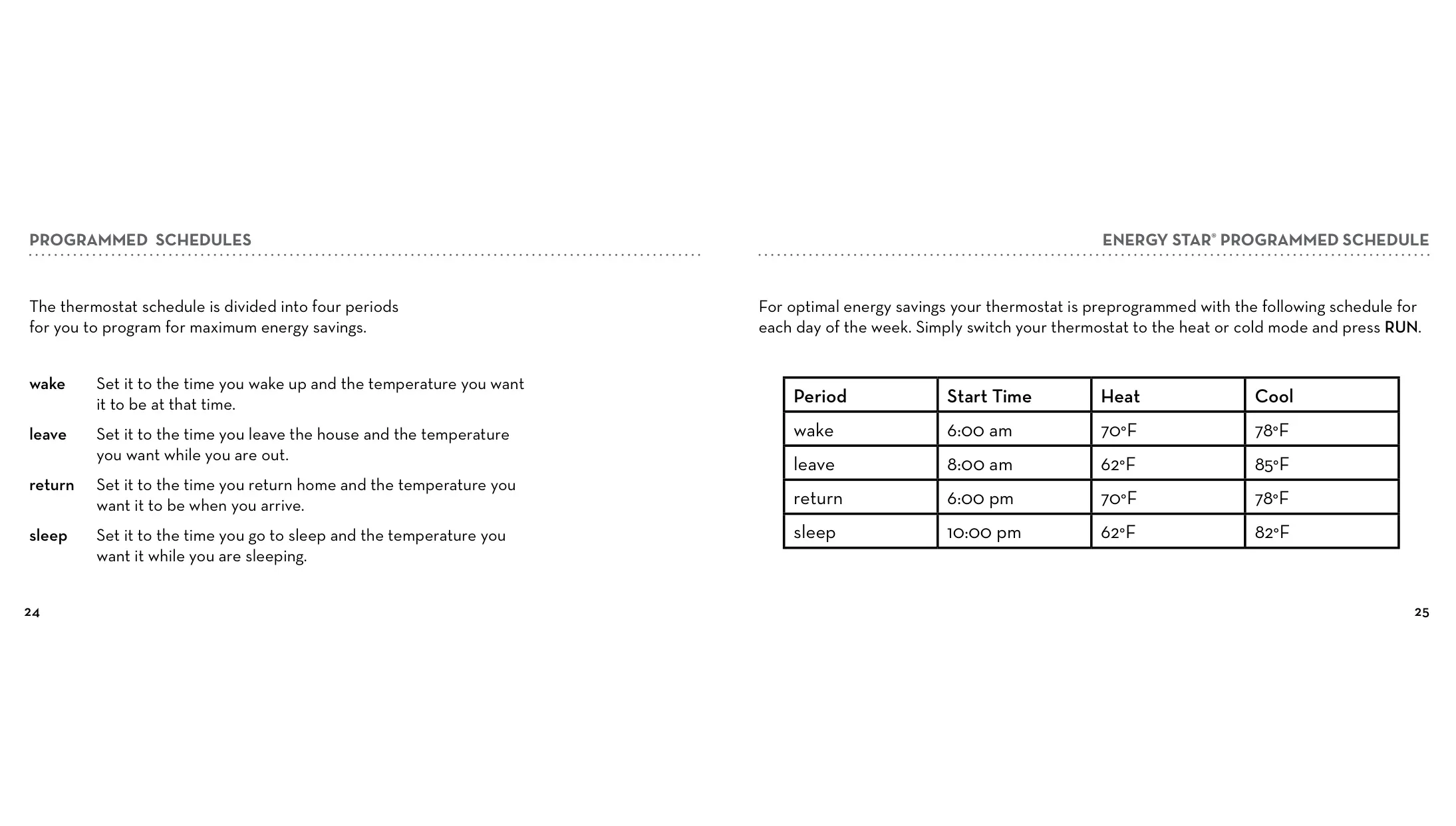
Programming Capabilities 7 individual days, copy feature, pre-programmed Energy Star® settings
Temperature Control Precision Within 1°F of set level
Display Type Large backlit display
Power Source 3 AAA alkaline batteries (Energizer® or Duracell® recommended)
Temperature Format Options Fahrenheit (°F) / Celsius (°C) selectable
Temperature Offset Adjustment +/- 9°F (+/- 4.5°C)
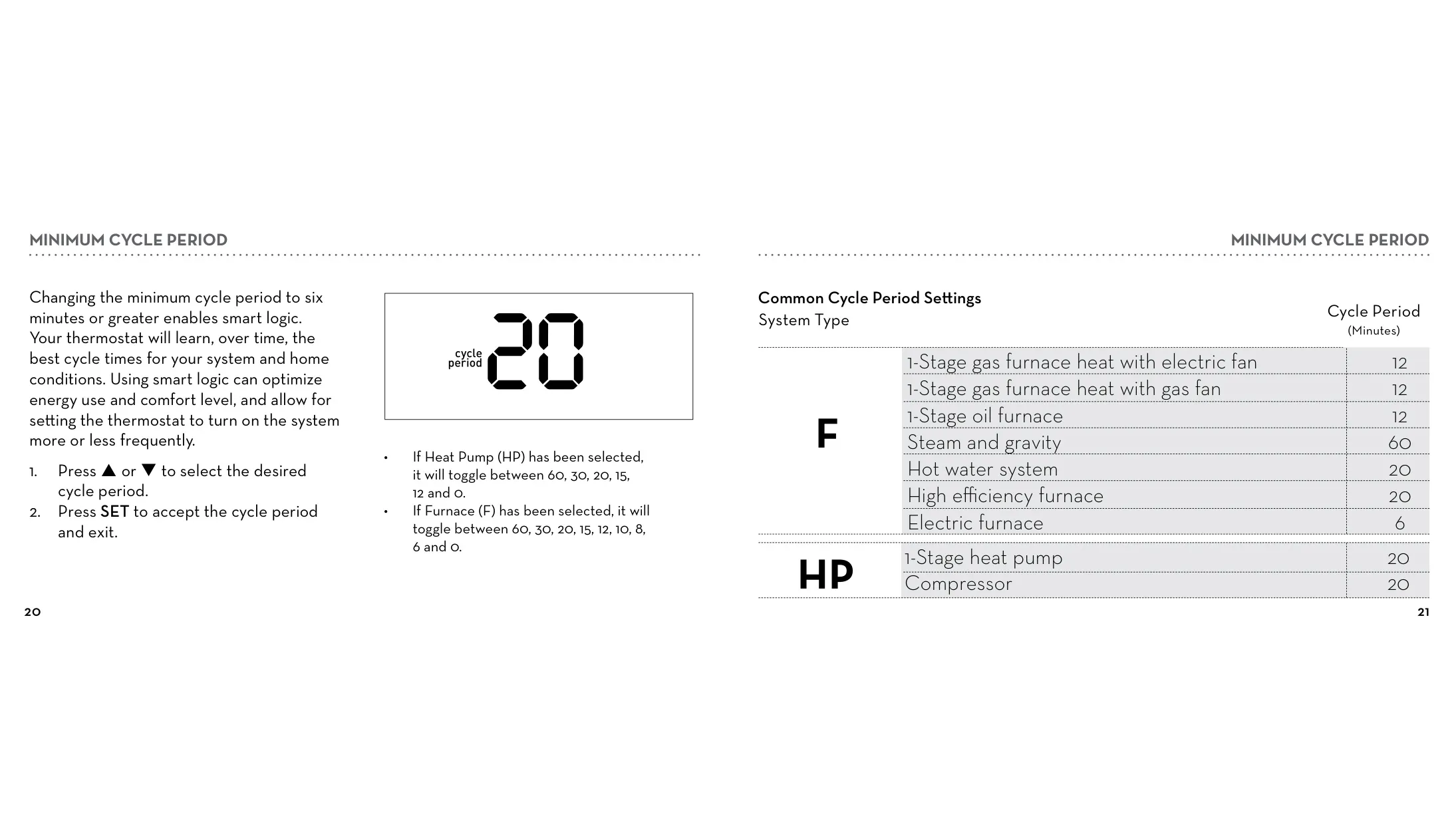
Minimum Cycle Period (Heat Pump) 0, 12, 15, 20, 30, 60 minutes
Minimum Cycle Period (Furnace) 0, 6, 8, 10, 12, 15, 20, 30, 60 minutes
Compatible System Types Gas, oil, electric furnace; Central air conditioner; 2-wire hot water (with/without pump); Millivolt system; Central heating/cooling; Heat pump without auxiliary/backup heat
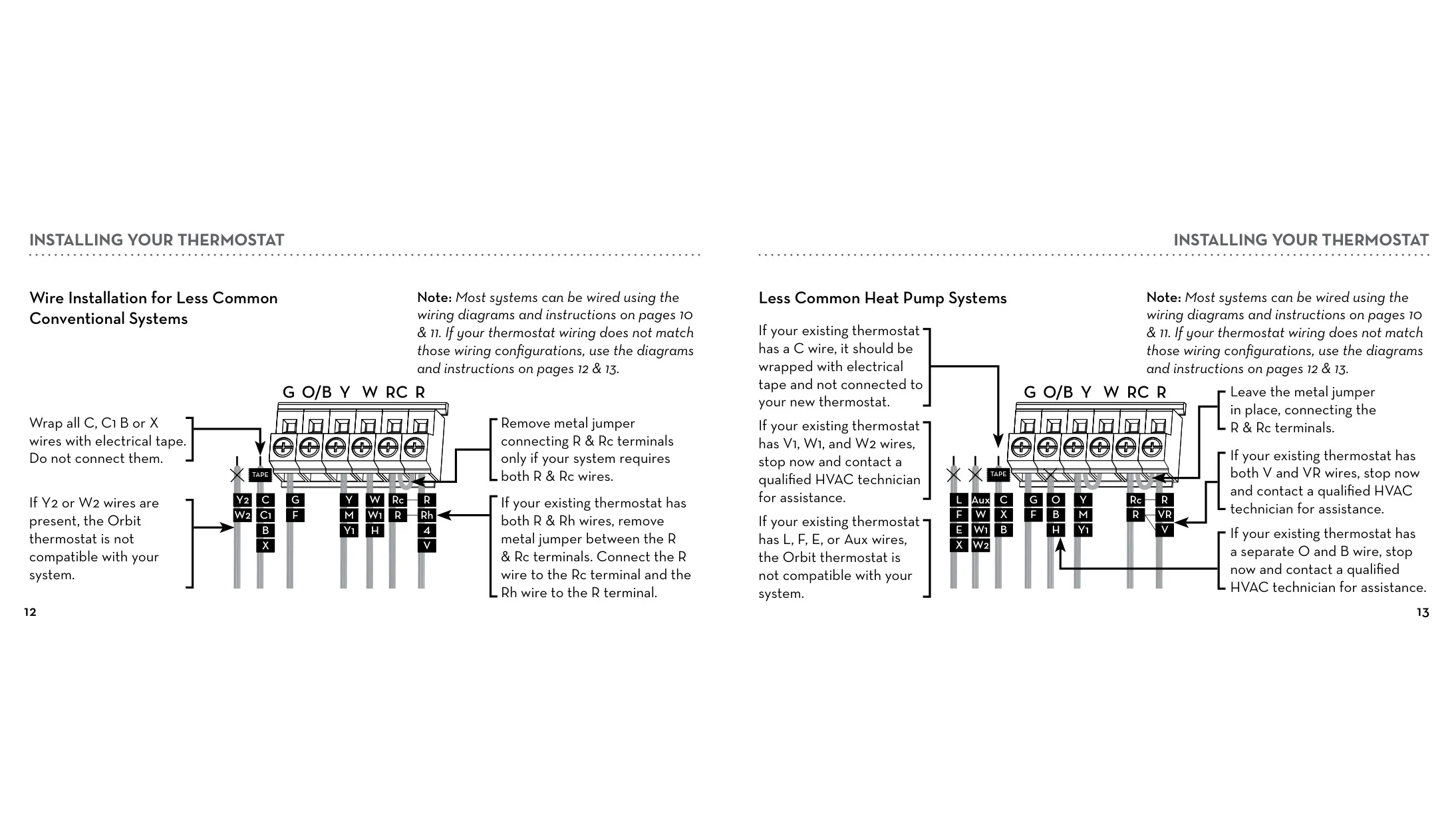
Incompatible System Types Baseboard/line voltage heating; Multi-stage heating/cooling; 3-wire hydronic systems; Systems with Y2, W2, L, F, E, Aux, V1, W1, W2 wires; Separate O & B wires for heat pumps
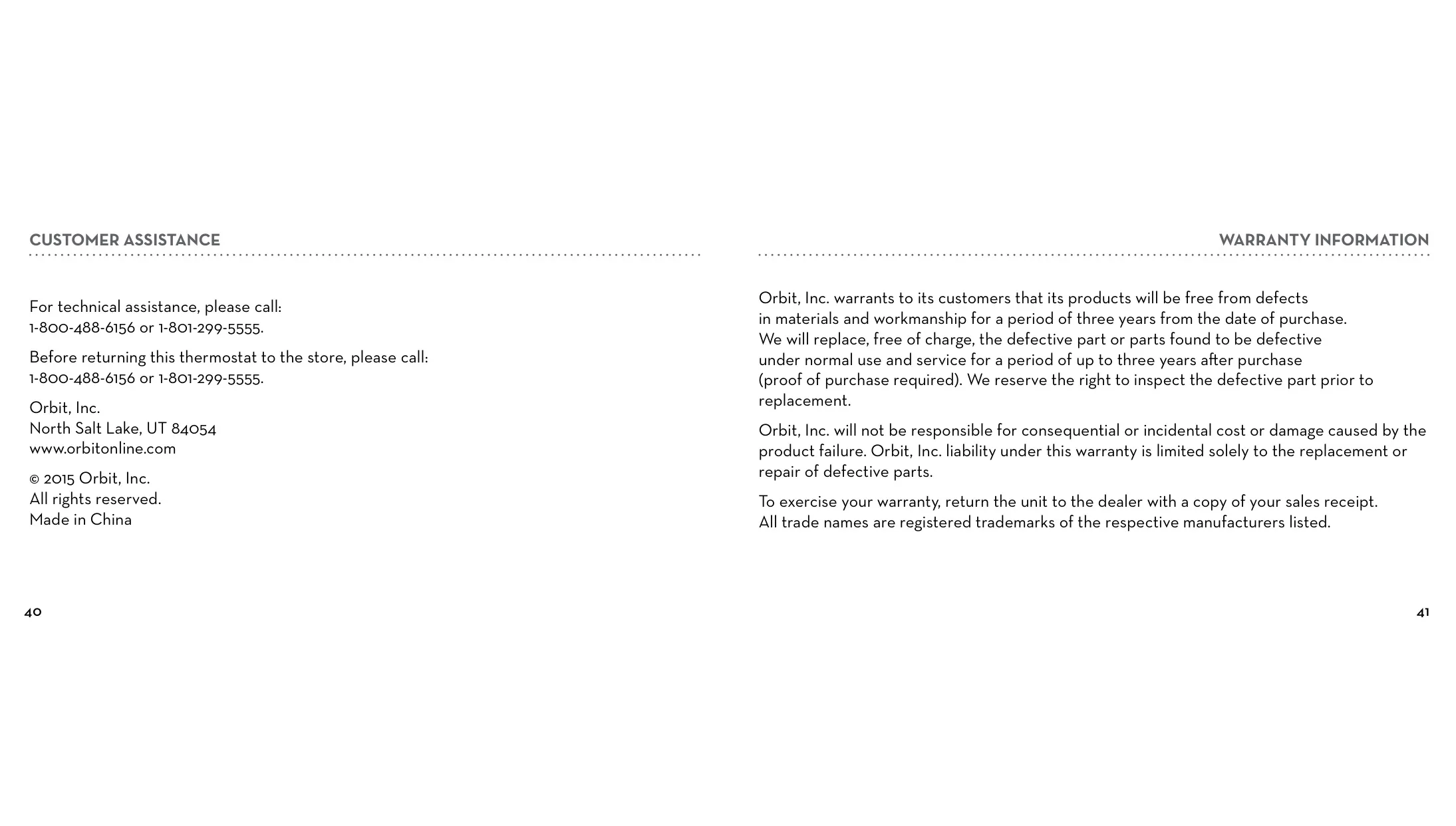
Warranty 3 years from date of purchase
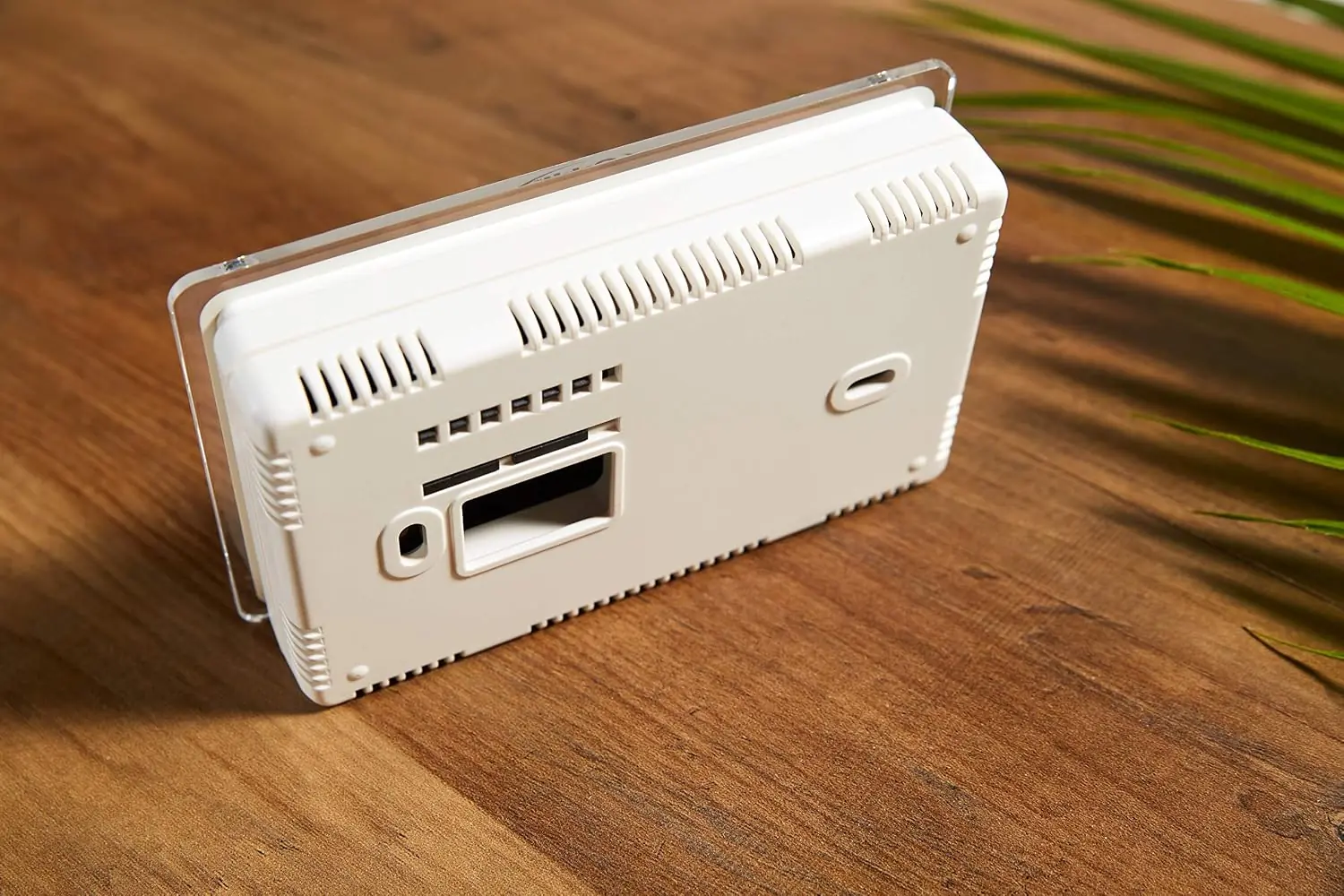
Installation Tools Required Phillips screwdriver, wire cutters/strippers, drill with 3/16" (4.8 mm) bit, level
Recommended Installation Height Approximately 5' (1.52 m) from floor
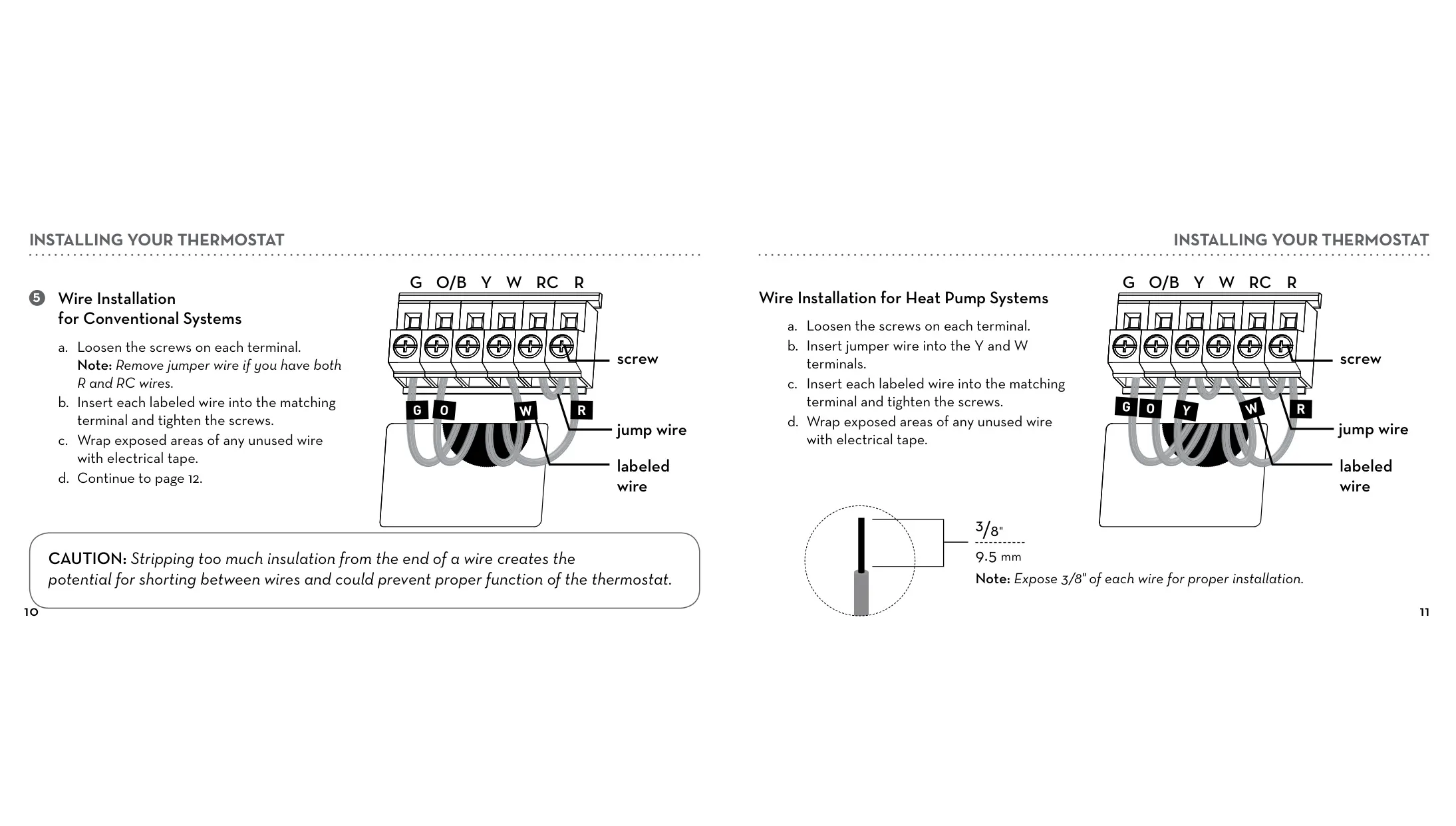
Recommended Wire Stripping Length 3/8" (9.5 mm)

Orbit 83521 Thermostat Details
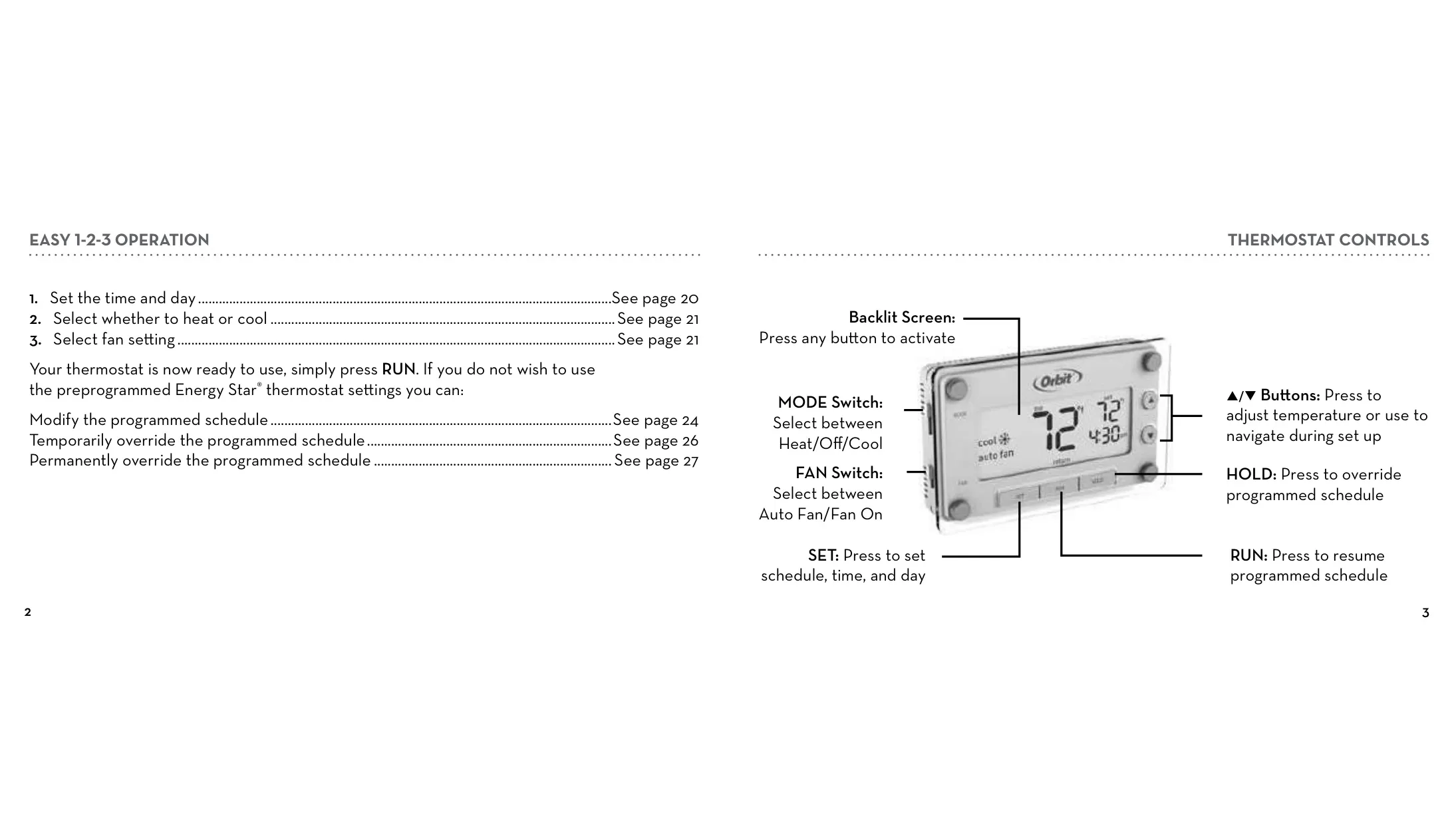
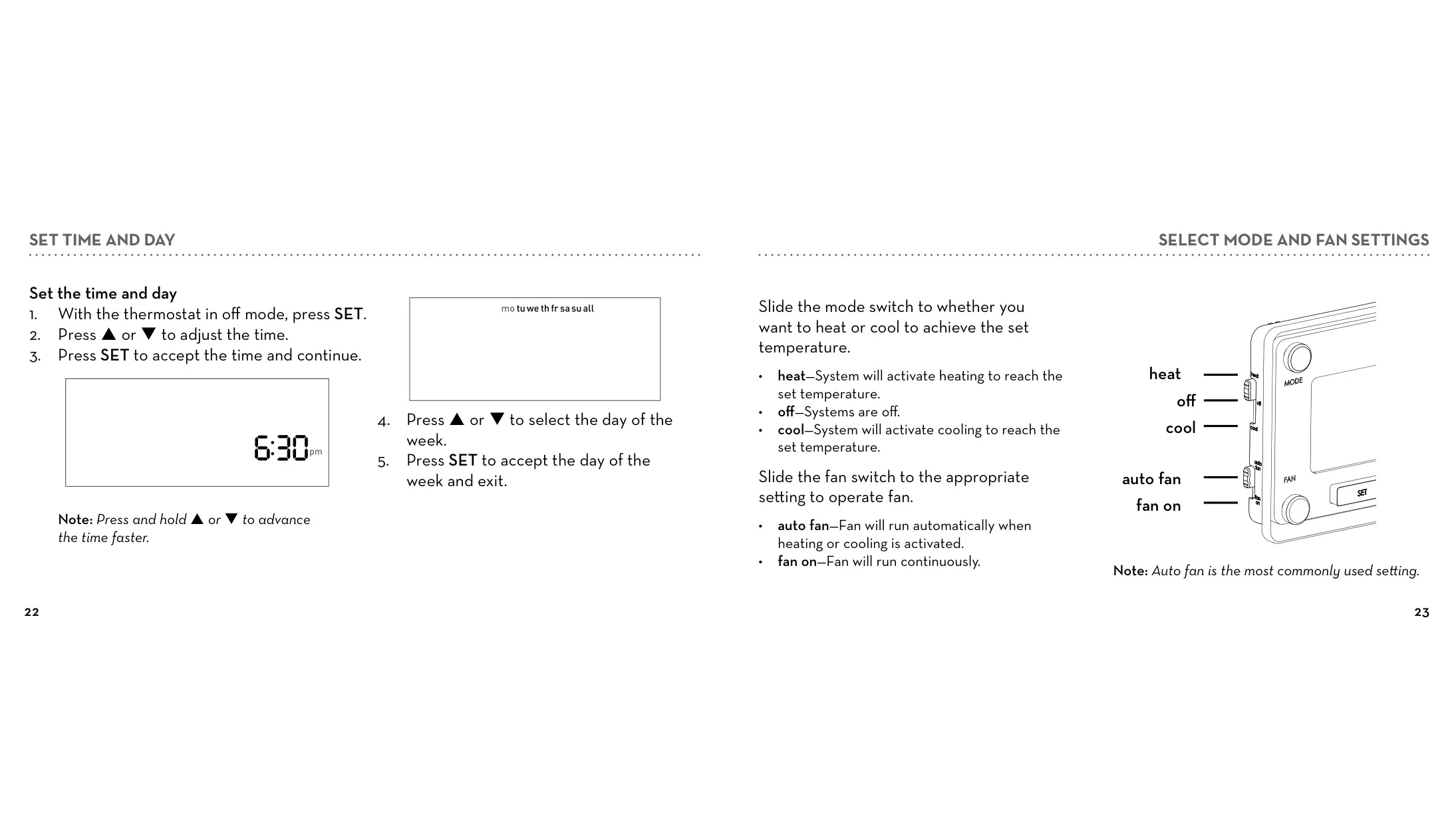
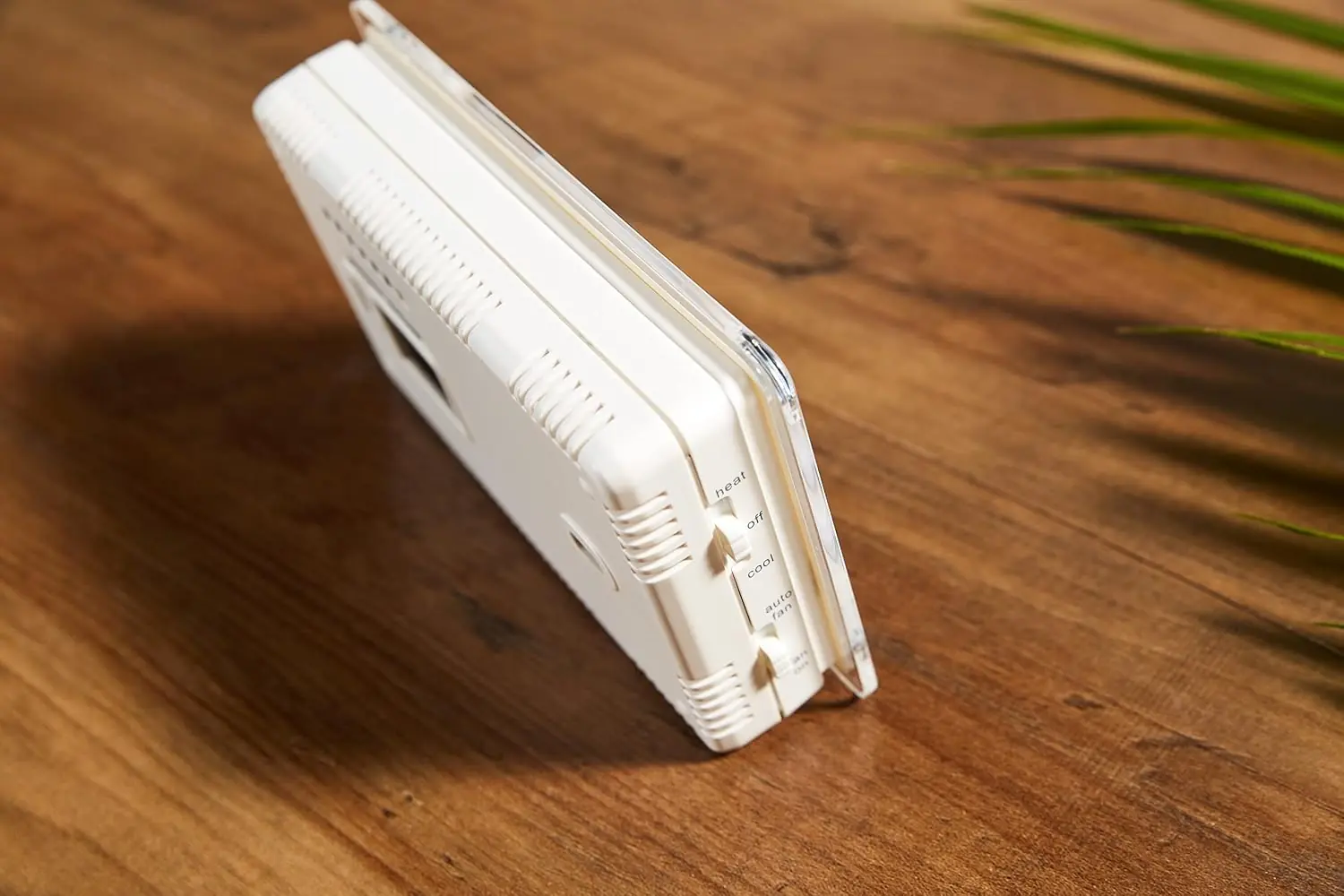
The Orbit 83521 Thermostat is designed for straightforward operation, featuring an "Easy 1-2-3" guide for initial setup. Users can quickly set the time and day, select either heating or cooling, and choose their fan preference between "auto fan" or "fan on." This intuitive process ensures the thermostat is ready for use with minimal fuss, making it ideal for those who prefer quick configuration.
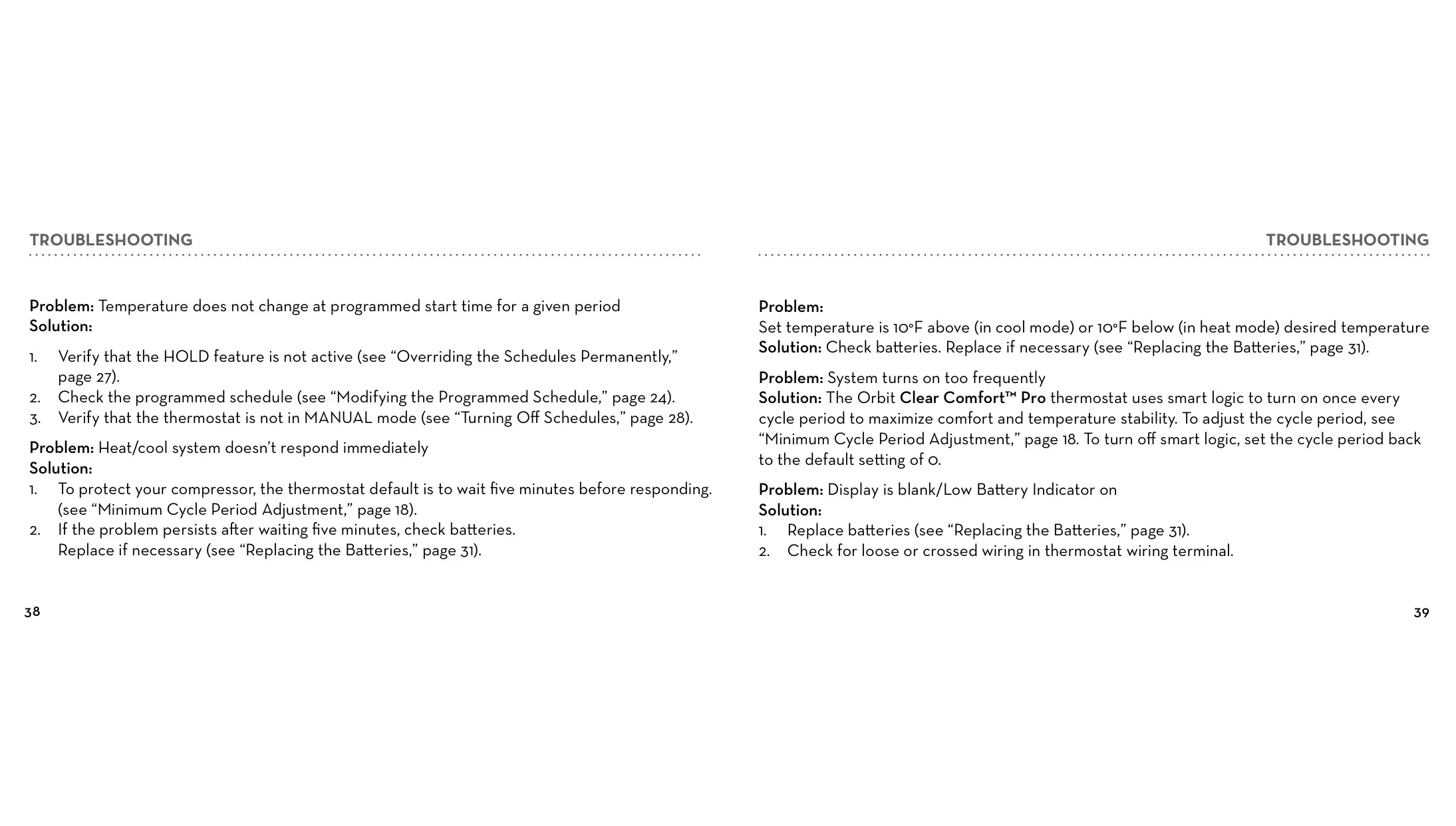
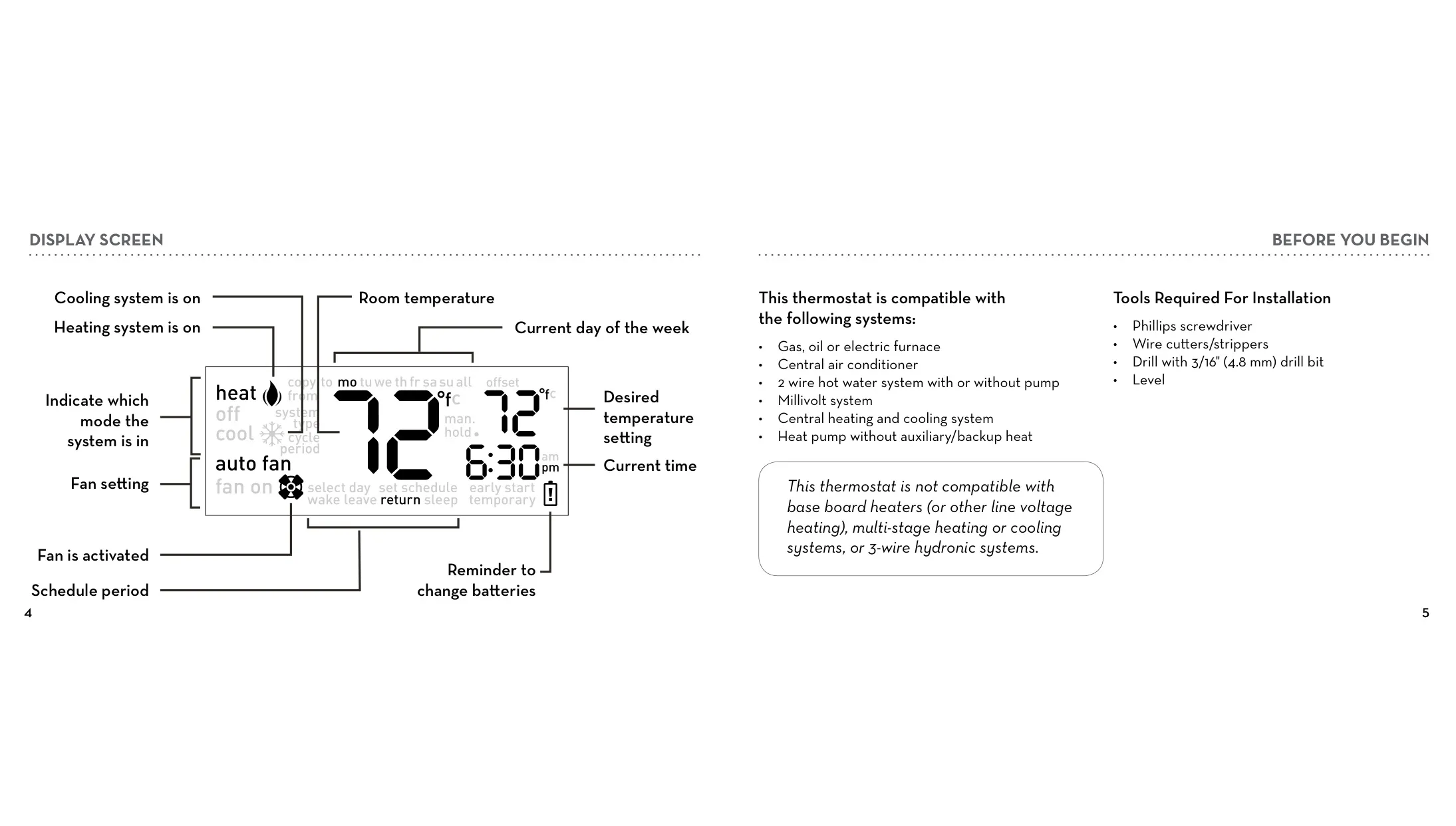
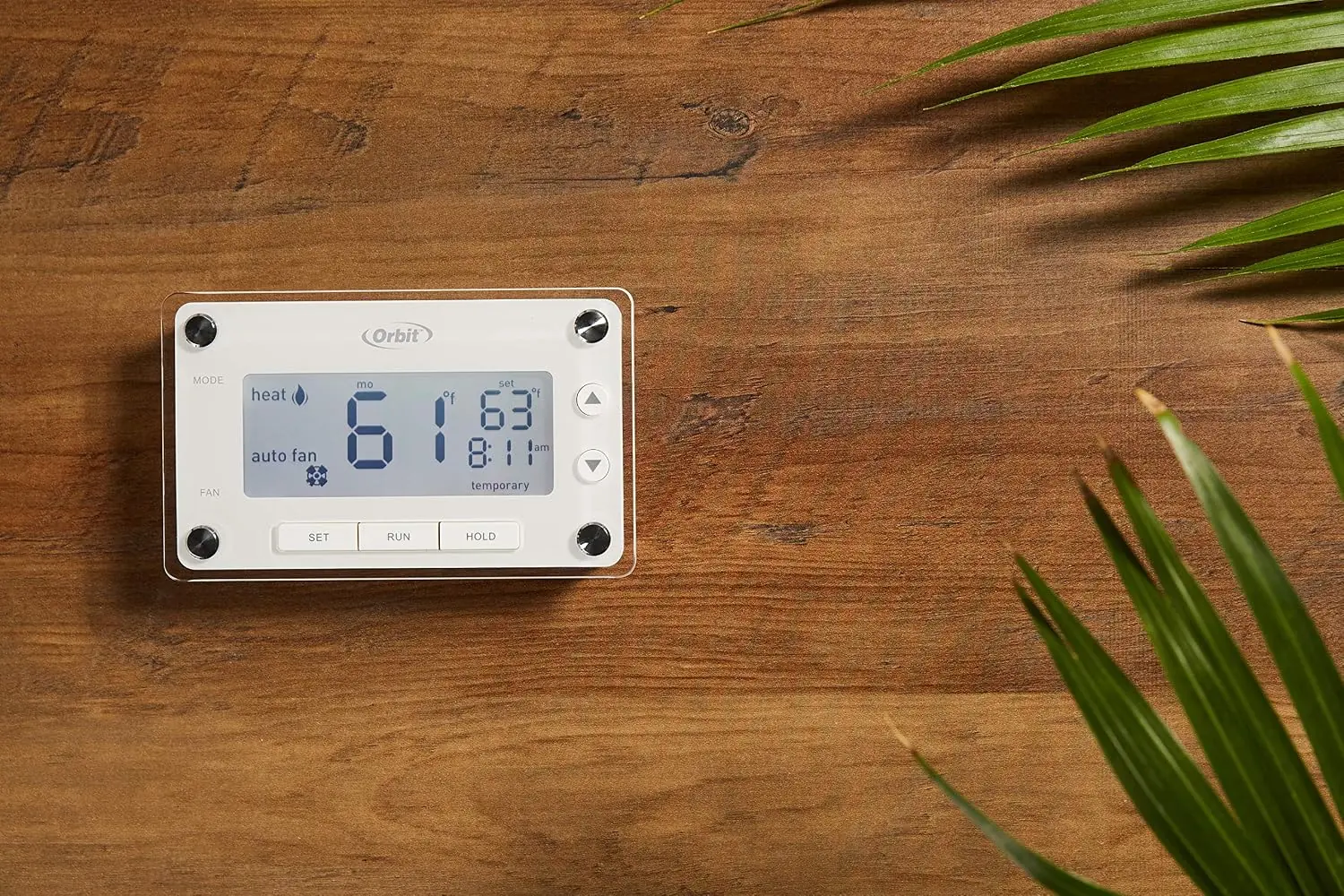
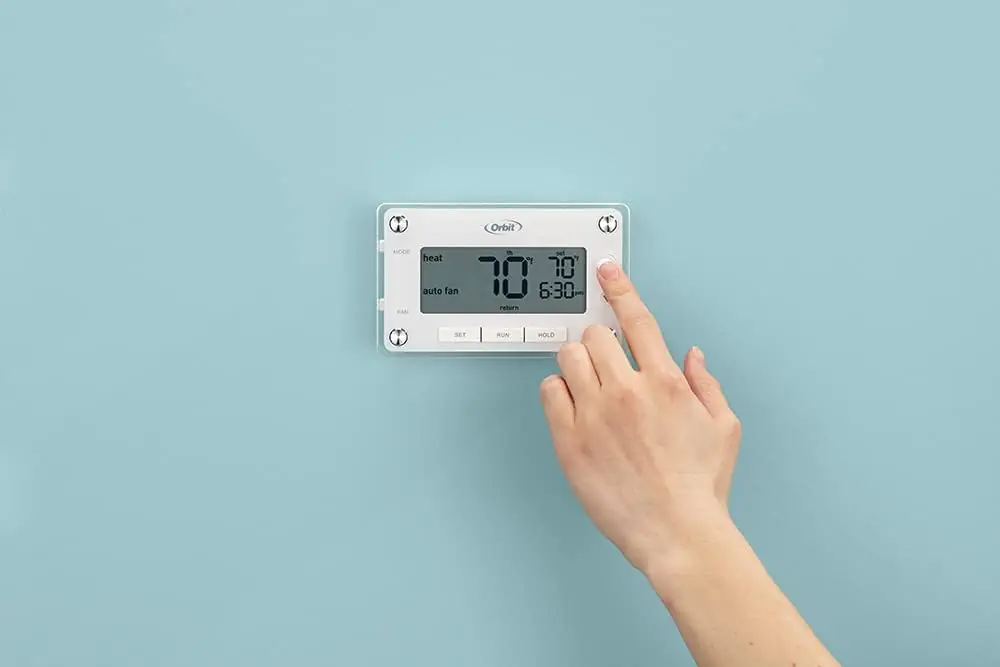
Its large backlit screen enhances readability, activating with a simple press of any button. The display provides essential information at a glance, including the current room temperature, desired setpoint, time, day of the week, and system status (heating/cooling active). Clear icons indicate the fan setting, active schedule period, and a convenient reminder for battery replacement, ensuring users are always informed.

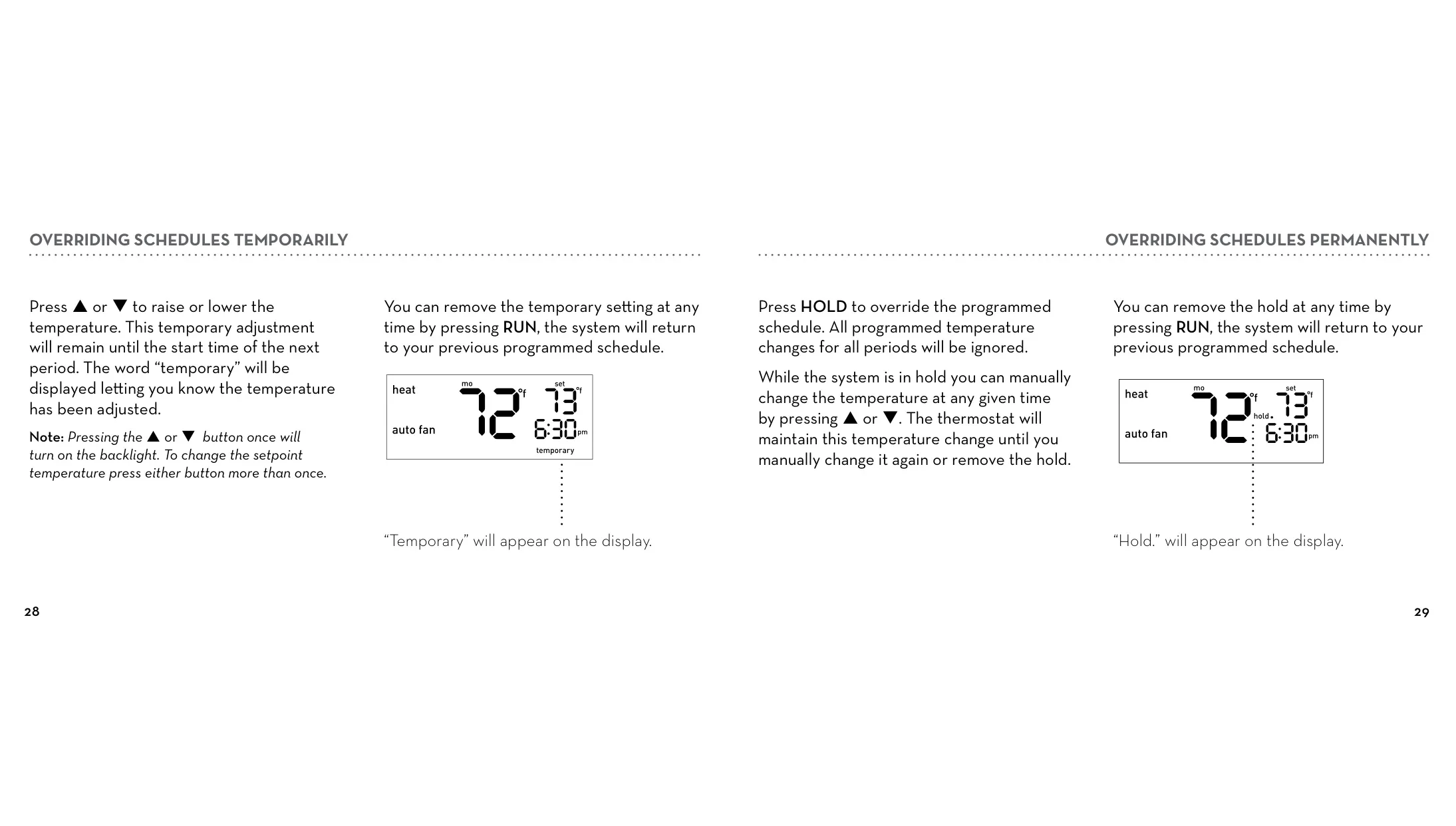
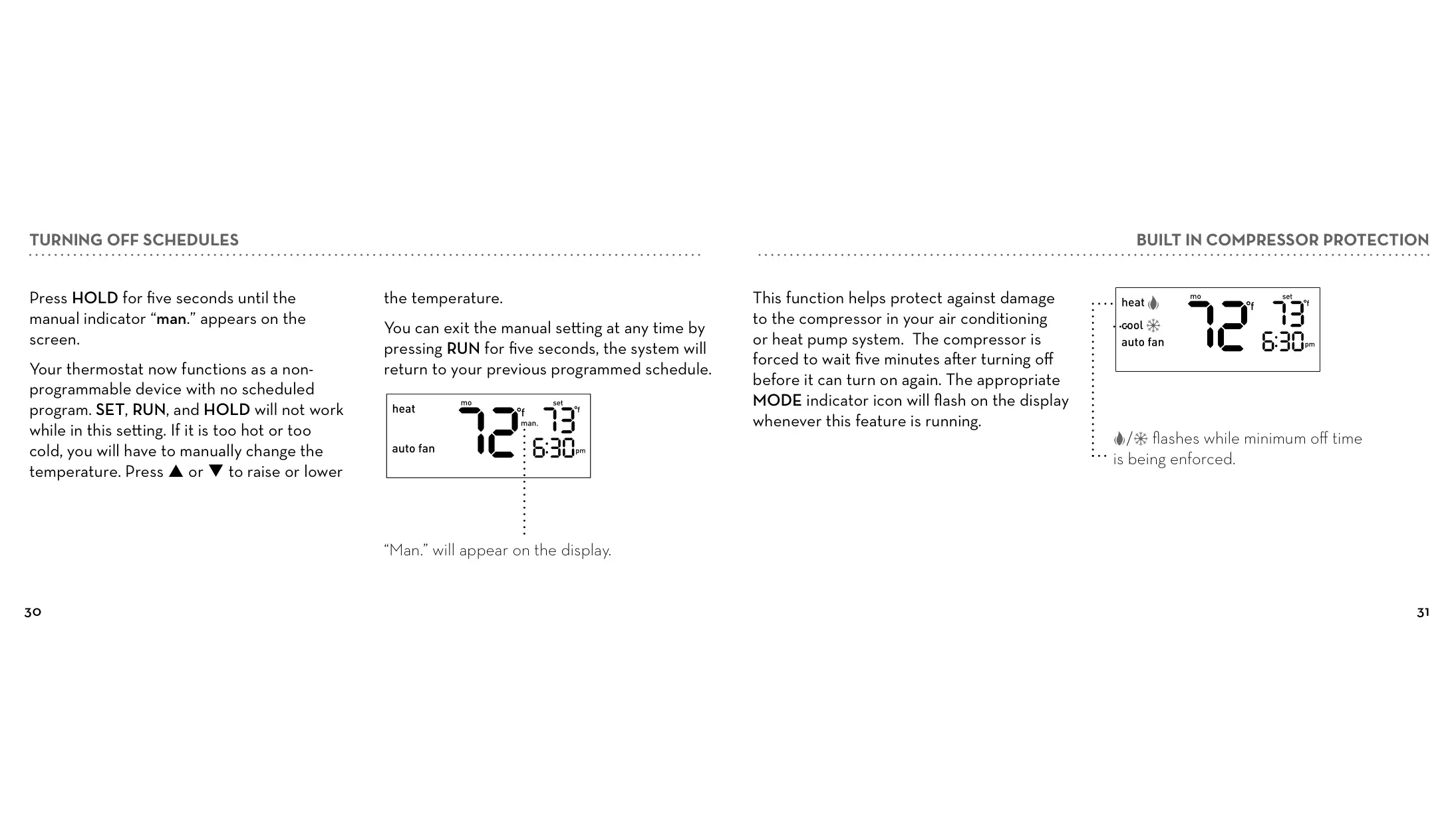
Beyond basic programming, the thermostat offers flexible schedule override options. A temporary override allows adjustments until the next scheduled period, perfect for unexpected changes in routine. For longer-term needs, the HOLD feature enables a permanent override, maintaining a set temperature indefinitely until manually changed or released, offering significant flexibility to adapt to varying home needs.

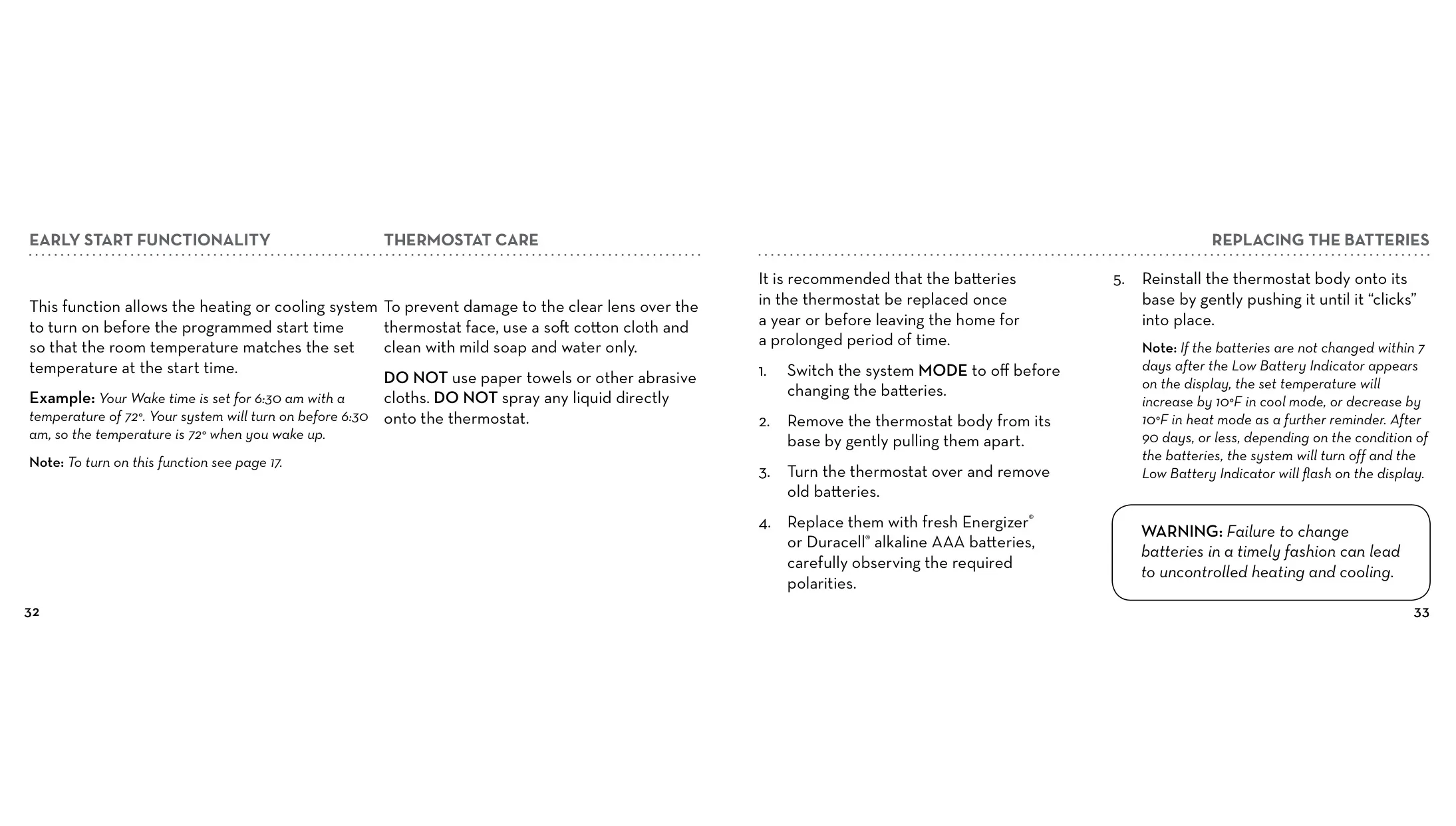
The "Early Start" function is a notable feature, enhancing comfort by ensuring the desired temperature is reached precisely at the scheduled time. For instance, if you set your wake-up time to 6:30 am with a temperature of 72°F, the system will intelligently activate before 6:30 am to achieve 72°F right when you start your day. This eliminates the discomfort of waiting for your home to warm up or cool down.

Safety and system longevity are also prioritized with built-in compressor protection. This feature enforces a five-minute delay before the compressor can restart after shutting off, safeguarding the air conditioning or heat pump system from potential damage due to rapid cycling. This brief waiting period helps extend the lifespan of your HVAC equipment, contributing to long-term reliability.

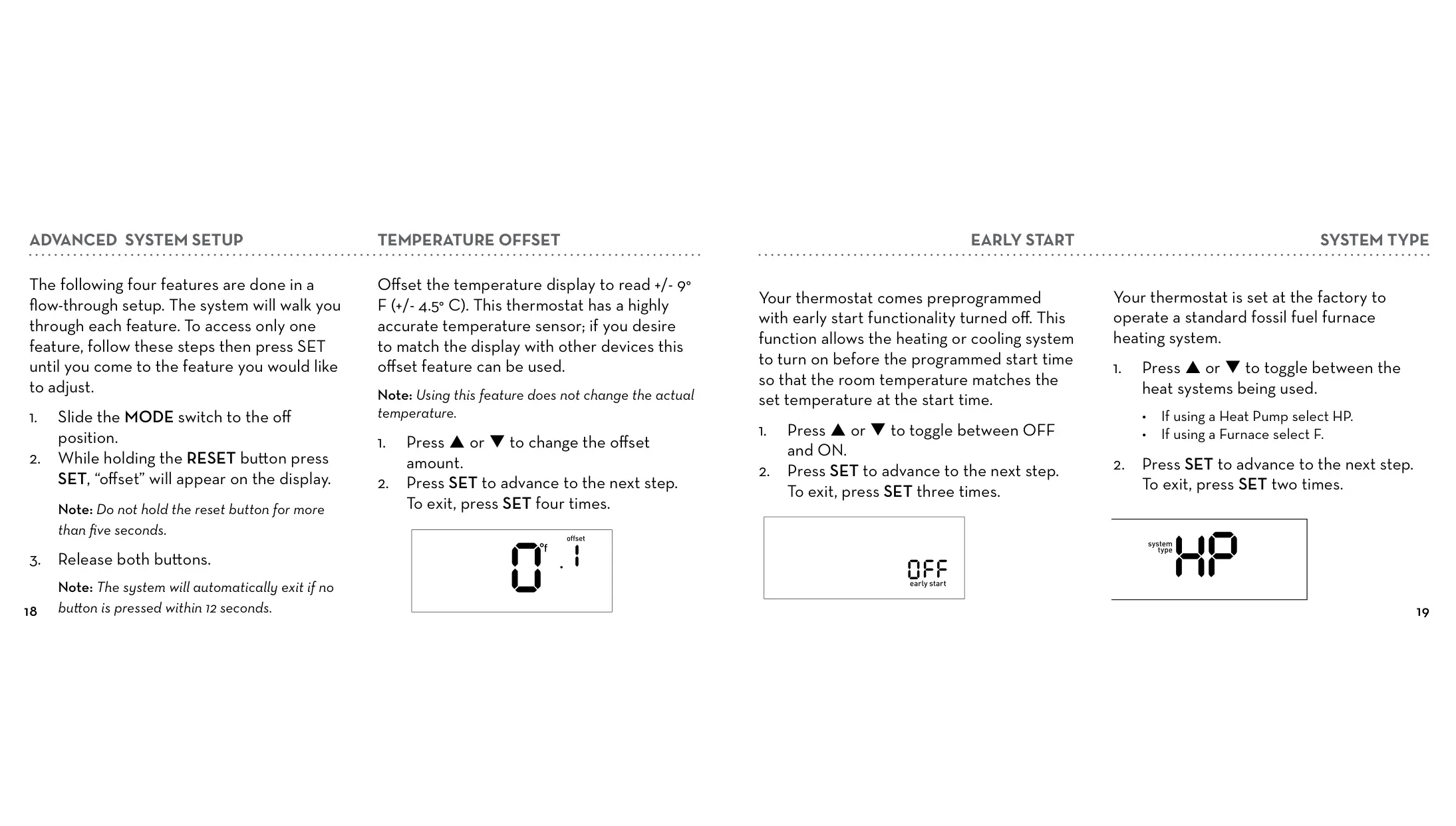
The thermostat also includes an "Advanced System Setup" for fine-tuning performance. This allows users to adjust settings like temperature offset, system type (Heat Pump or Furnace), and minimum cycle period. The minimum cycle period, when set to six minutes or greater, activates smart logic, enabling the thermostat to learn optimal cycle times for energy efficiency and consistent comfort, adapting to your home’s unique conditions.

Maintaining your Orbit 83521 is simple. For cleaning, only use a soft cotton cloth with mild soap and water on the clear lens to prevent damage. Never spray liquid directly onto the thermostat and avoid abrasive materials. Regular battery replacement, recommended annually, is crucial; the thermostat provides visual warnings and eventually adjusts temperatures or shuts down if batteries are critically low, preventing uncontrolled heating or cooling.

Frequently Asked Questions (FAQs)

Can't find the answer you need? Here are some frequently asked questions about the Orbit 83521 Thermostat, and we answer them below.
Why is my heating or cooling system not activating?
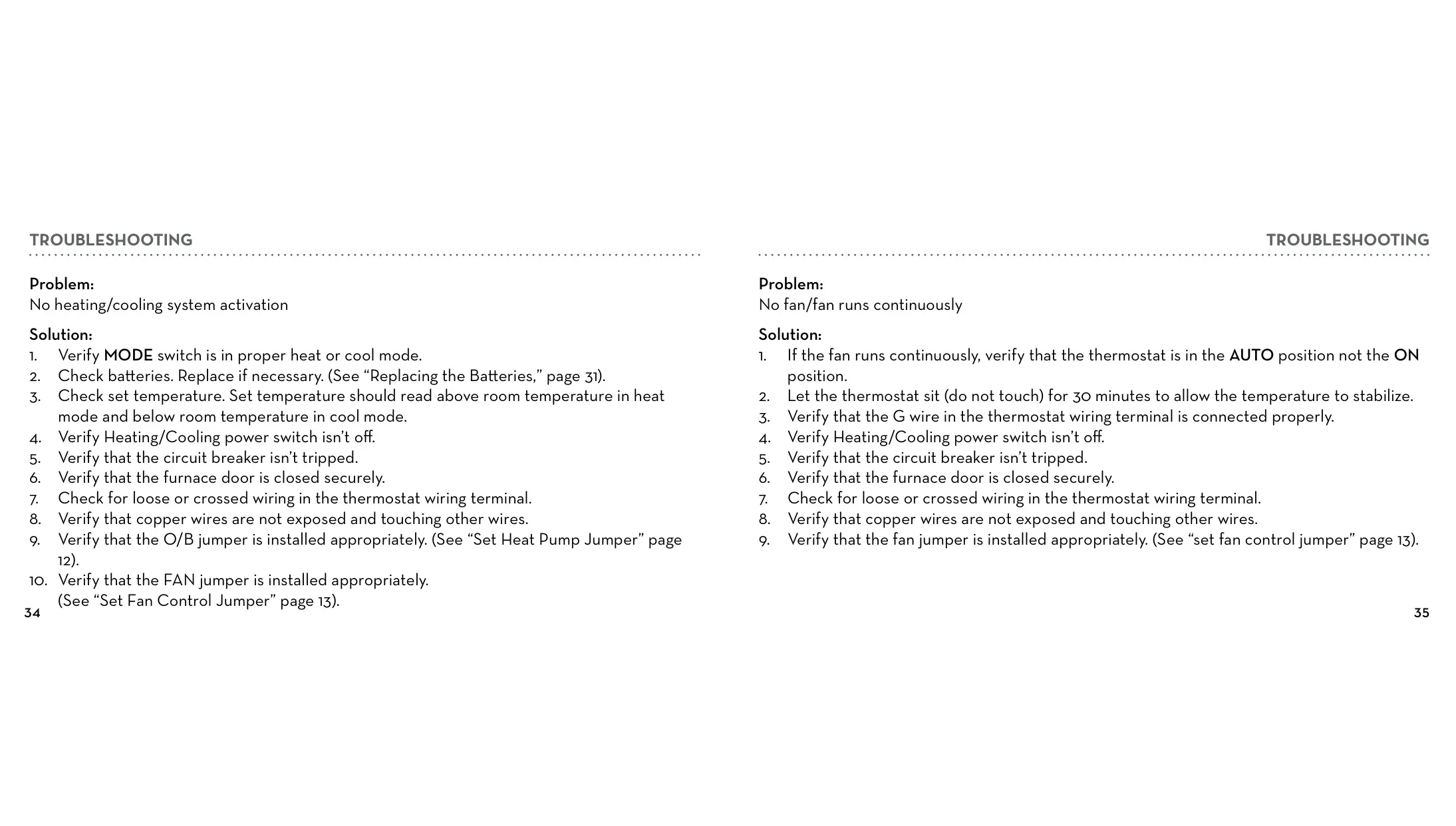
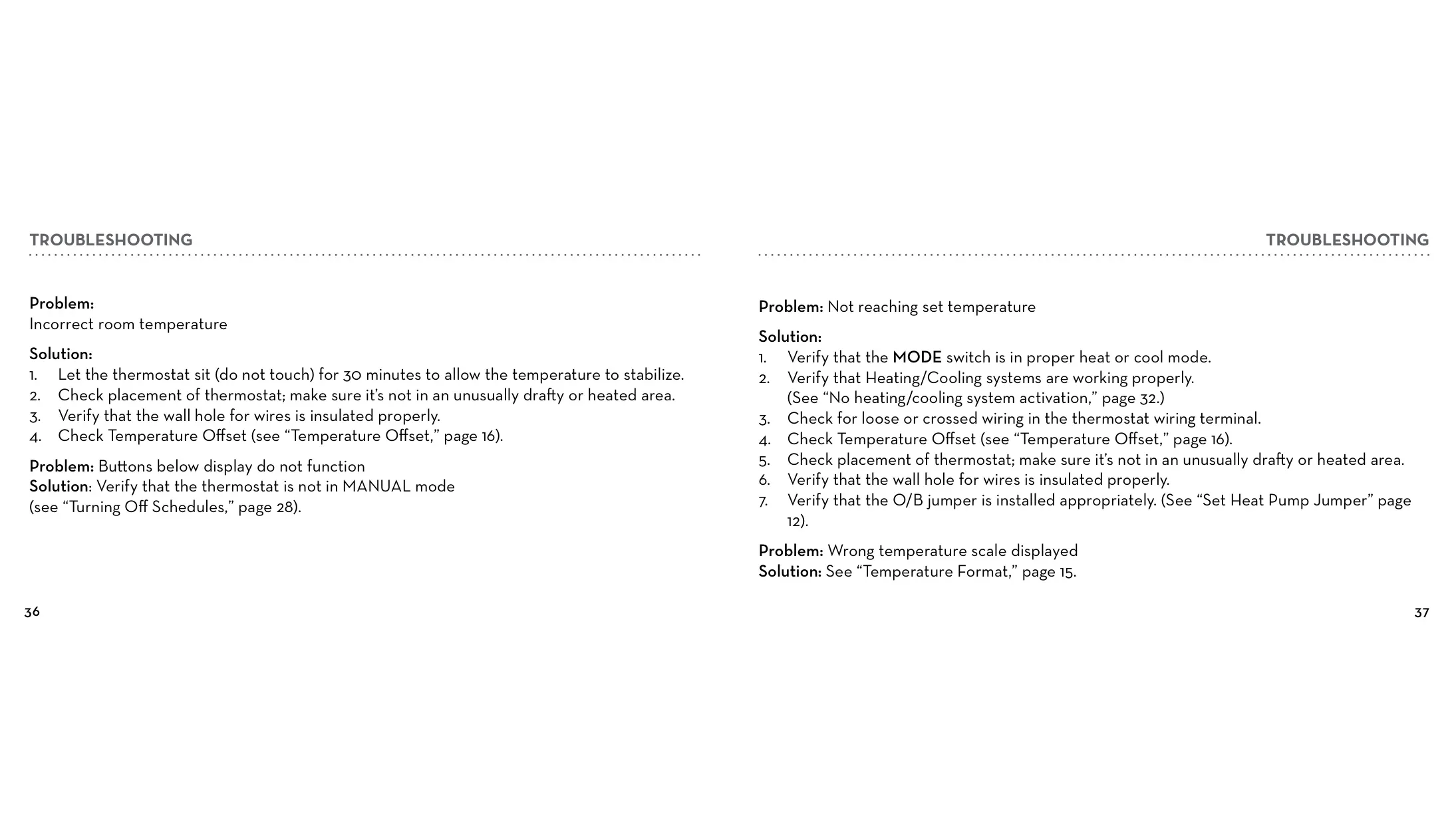
First, verify the MODE switch is set to the correct heat or cool mode. Check and replace batteries if necessary. Ensure the set temperature is appropriate (above room temp for heat, below for cool). Confirm the heating/cooling power switch is on and the circuit breaker hasn't tripped. Also, check for securely closed furnace doors and verify wiring connections are tight and correct at the thermostat terminal.

My fan runs continuously, or does not run at all. What should I do?
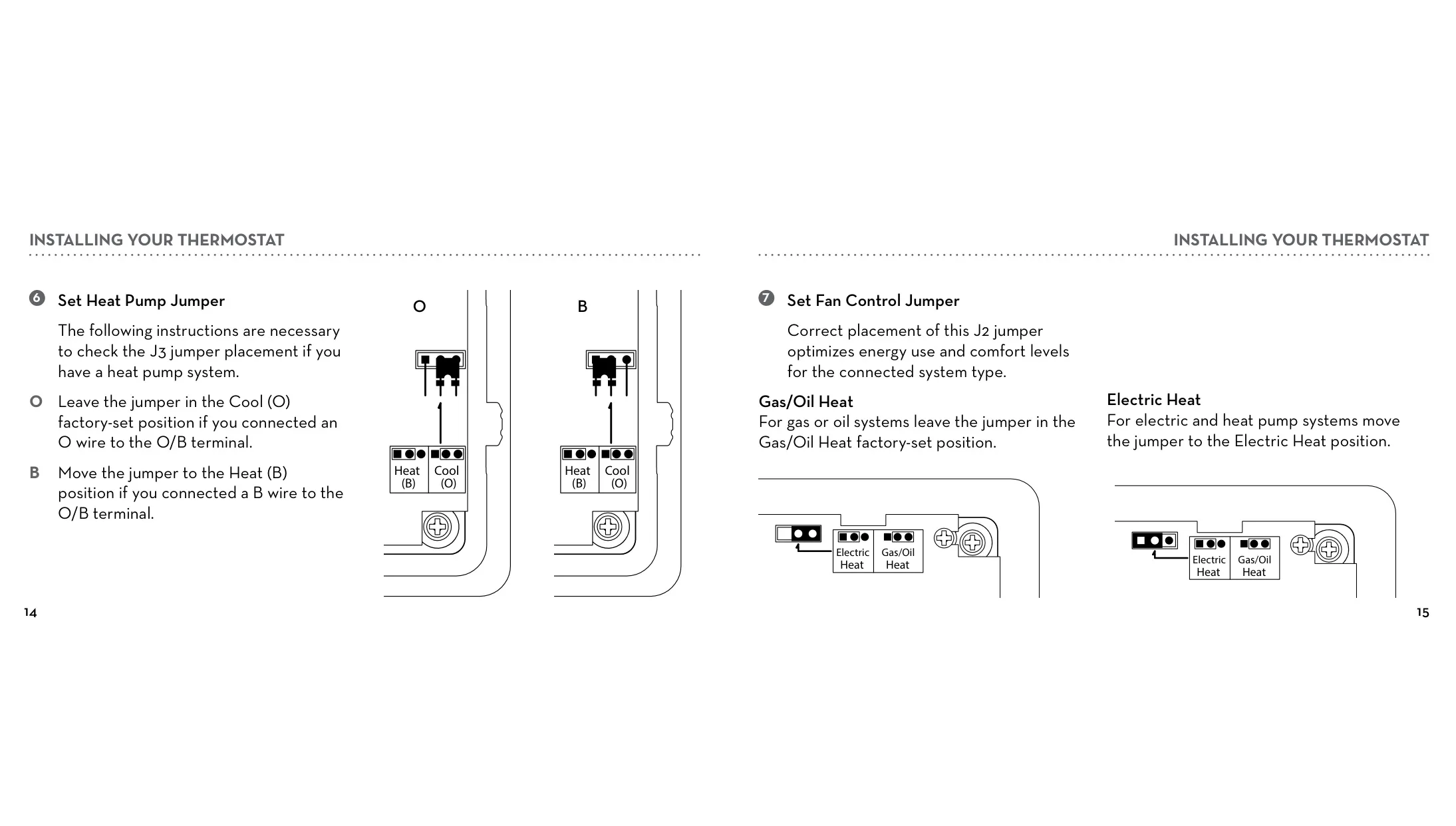
If the fan runs continuously, ensure the FAN switch is in the AUTO position, not ON. If there's no fan, allow the thermostat to stabilize for 30 minutes. Check the G wire connection. Verify power, circuit breaker, and furnace door are all okay. Inspect thermostat wiring for loose or crossed connections and confirm the fan jumper (J2) is correctly placed (Gas/Oil Heat vs. Electric Heat).

The displayed room temperature seems incorrect. How can I fix this?
Let the thermostat sit undisturbed for 30 minutes to allow its sensor to stabilize. Check the thermostat's placement to ensure it's not in an unusually drafty, overheated, or chilled area. Verify that the wall hole behind the thermostat is properly insulated. If the issue persists, you can use the Temperature Offset feature in Advanced System Setup to calibrate the display.

My thermostat buttons are not responding. What's wrong?
This usually indicates the thermostat is in MANUAL mode, which disables SET, RUN, and HOLD functions. To exit manual mode and restore button functionality, press and hold the RUN button for five seconds. If it's not in manual mode, ensure the batteries are not critically low, as a blank display or low battery indicator can cause unresponsive buttons.

My system isn't reaching the set temperature. What are the common causes?
Ensure the MODE switch is set for the desired operation (heat or cool) and that your HVAC systems are functioning correctly. Inspect the thermostat wiring for loose or crossed connections. Review the Temperature Offset setting. Re-evaluate the thermostat's placement for environmental interferences (drafts, direct heat). Also, confirm the O/B jumper (J3) is appropriately set for heat pump systems.

How do I switch the temperature display between Fahrenheit and Celsius?
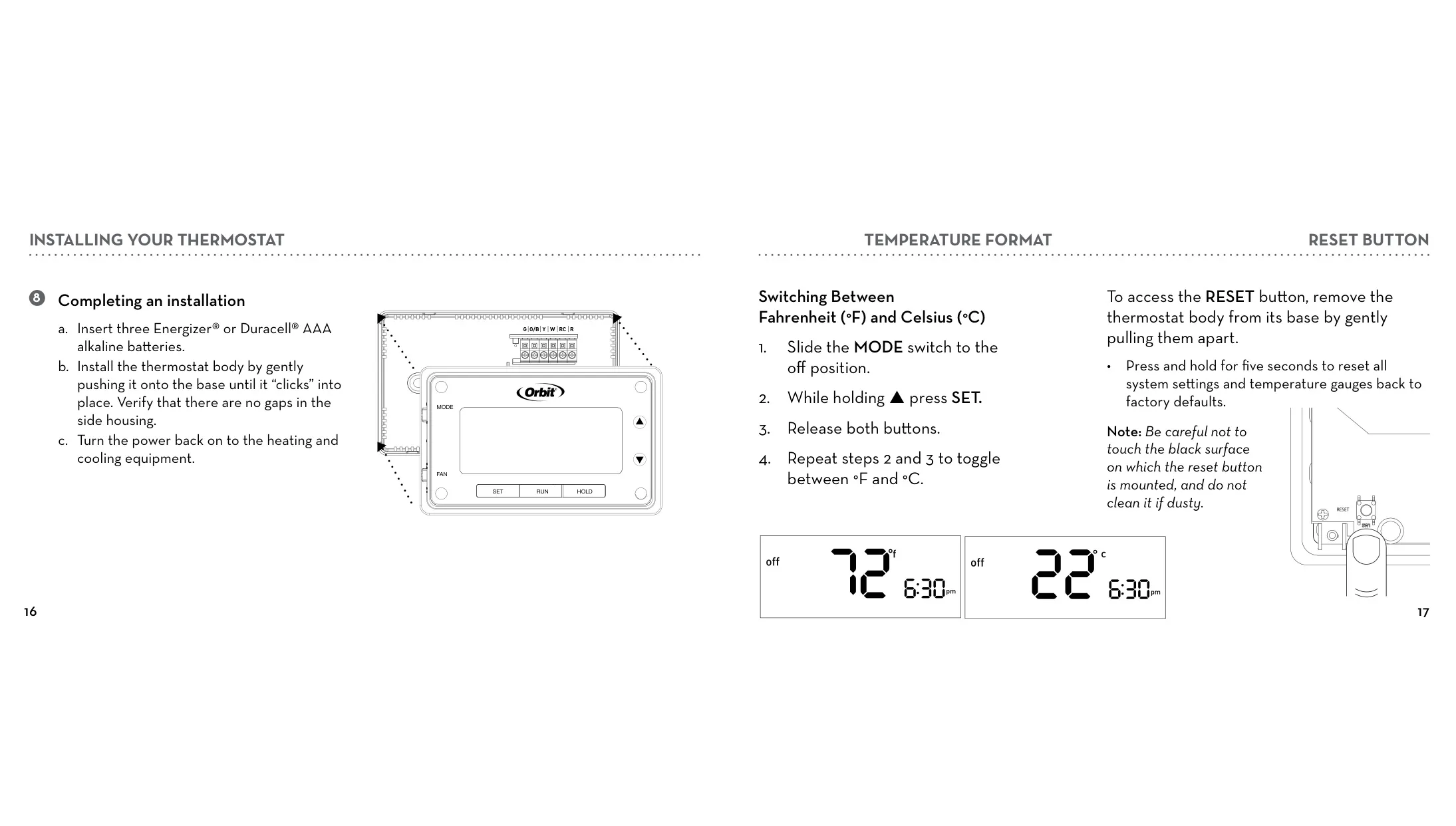
To switch the temperature format, slide the MODE switch to the "off" position. While holding the "p" (up arrow) button, press SET. Release both buttons. Repeat these steps (hold "p", press SET, release) to toggle between °F and °C.

Why isn't the temperature changing at my programmed schedule times?
First, check if the HOLD feature is active, as this overrides programmed schedules permanently. If "Hold" is displayed, press RUN to cancel it. Next, verify your programmed schedule settings are correct. Finally, confirm the thermostat is not in MANUAL mode; if it is, press RUN for five seconds to exit this mode.

My heating/cooling system doesn't respond immediately. Is this normal?
Yes, it can be normal. To protect your compressor from damage, the thermostat has a built-in compressor protection feature that enforces a five-minute waiting period before the system can restart. The appropriate MODE indicator icon will flash while this delay is active. If the issue persists beyond five minutes, check your batteries.

My system turns on too frequently. How can I adjust this?
The Orbit Clear Comfort™ Pro thermostat uses smart logic to optimize comfort and temperature stability, typically cycling once per cycle period. To adjust how frequently your system turns on, modify the "Minimum Cycle Period" in the Advanced System Setup. You can choose a longer cycle period (e.g., 20 or 30 minutes) to reduce frequency. To turn off smart logic, set the cycle period back to 0.

The display is blank, or the Low Battery Indicator is on. What should I do?
This indicates the batteries are low or depleted. You need to replace the three AAA alkaline batteries (Energizer® or Duracell® recommended). If not changed within 7 days of the indicator appearing, the thermostat will adjust temperatures as a further reminder or eventually shut down the system. After replacing, also check for any loose or crossed wiring if the display remains blank.

How do I reset the thermostat to factory defaults?
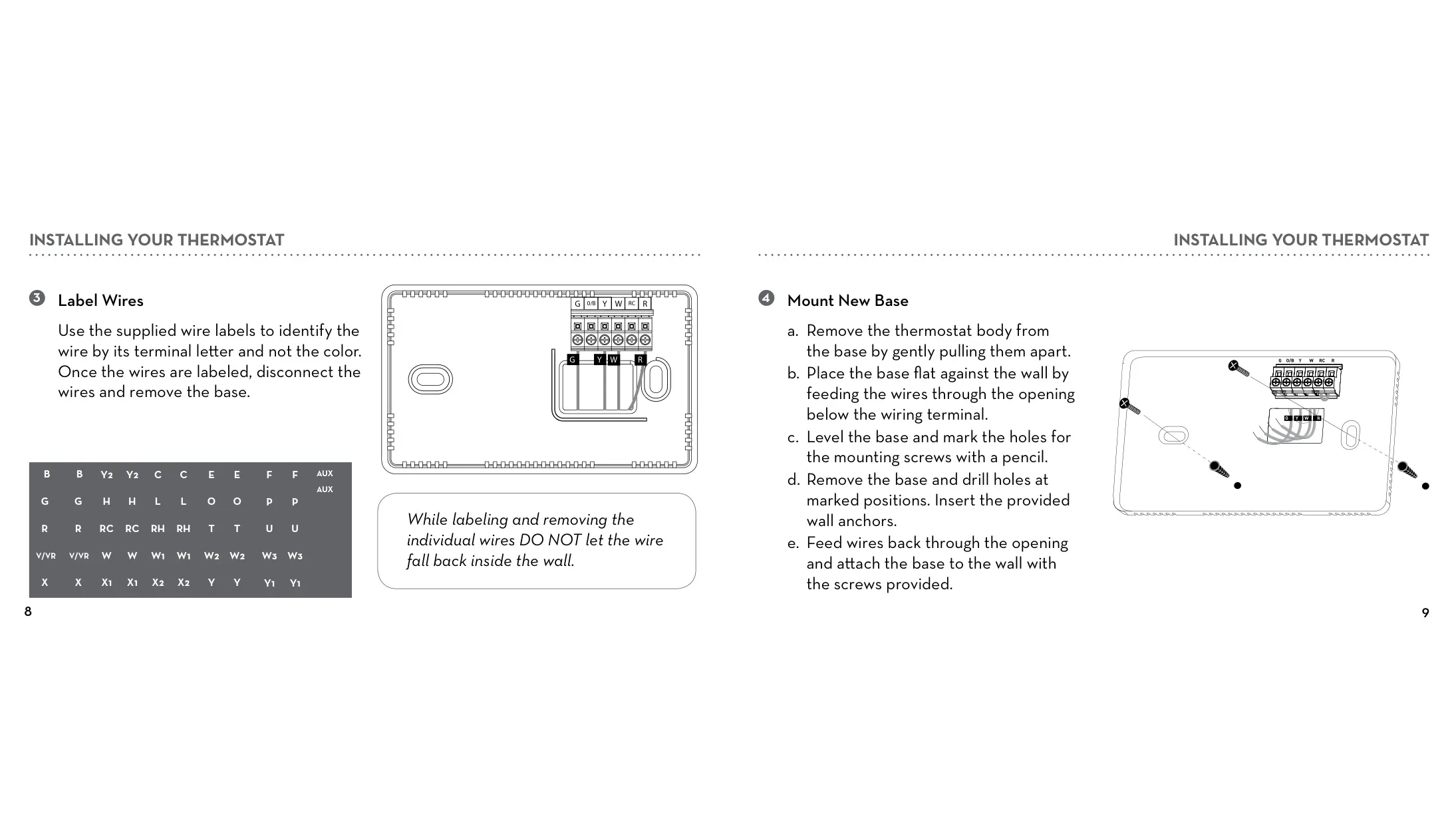
To reset all system settings and temperature gauges back to factory defaults, first remove the thermostat body from its base by gently pulling them apart. Locate the RESET button. Press and hold this button for five seconds. Be careful not to touch the black surface the button is mounted on.

Is the Orbit 83521 thermostat compatible with multi-stage heating or cooling systems?
No, the Orbit 83521 thermostat is explicitly *not compatible* with multi-stage heating or cooling systems. It is also incompatible with baseboard heaters, 3-wire hydronic systems, and systems with specific wires like Y2, W2, L, F, E, Aux, or separate O and B wires for heat pumps.

Related product manuals

Go up