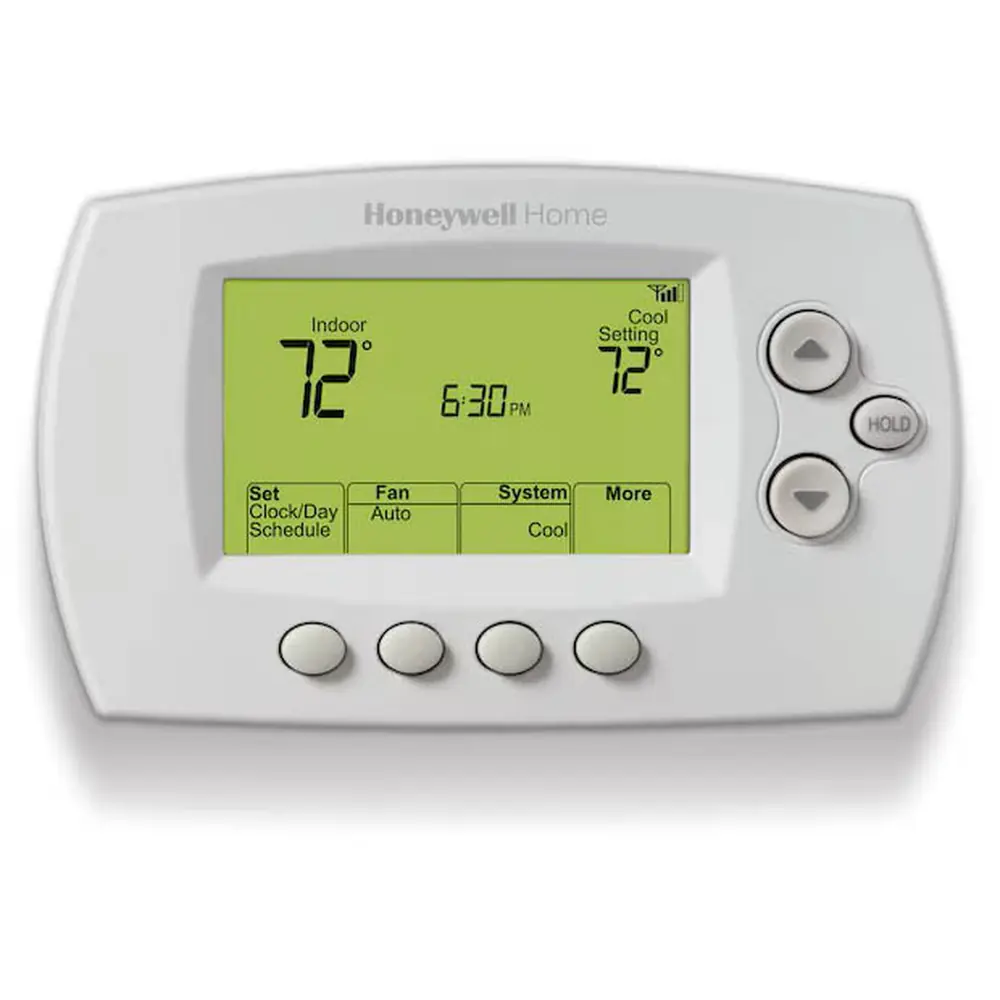
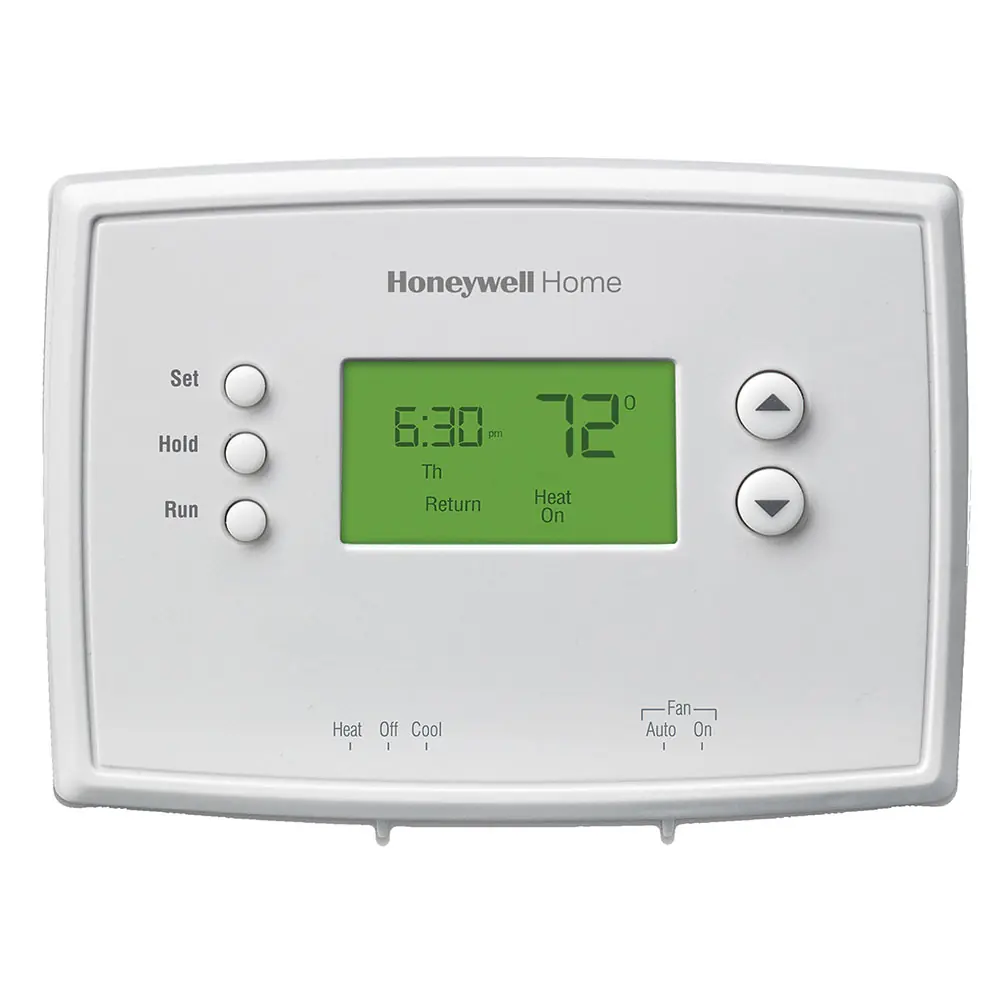
Honeywell Lyric T5 RCHT8610WF2006 Instruction Manual
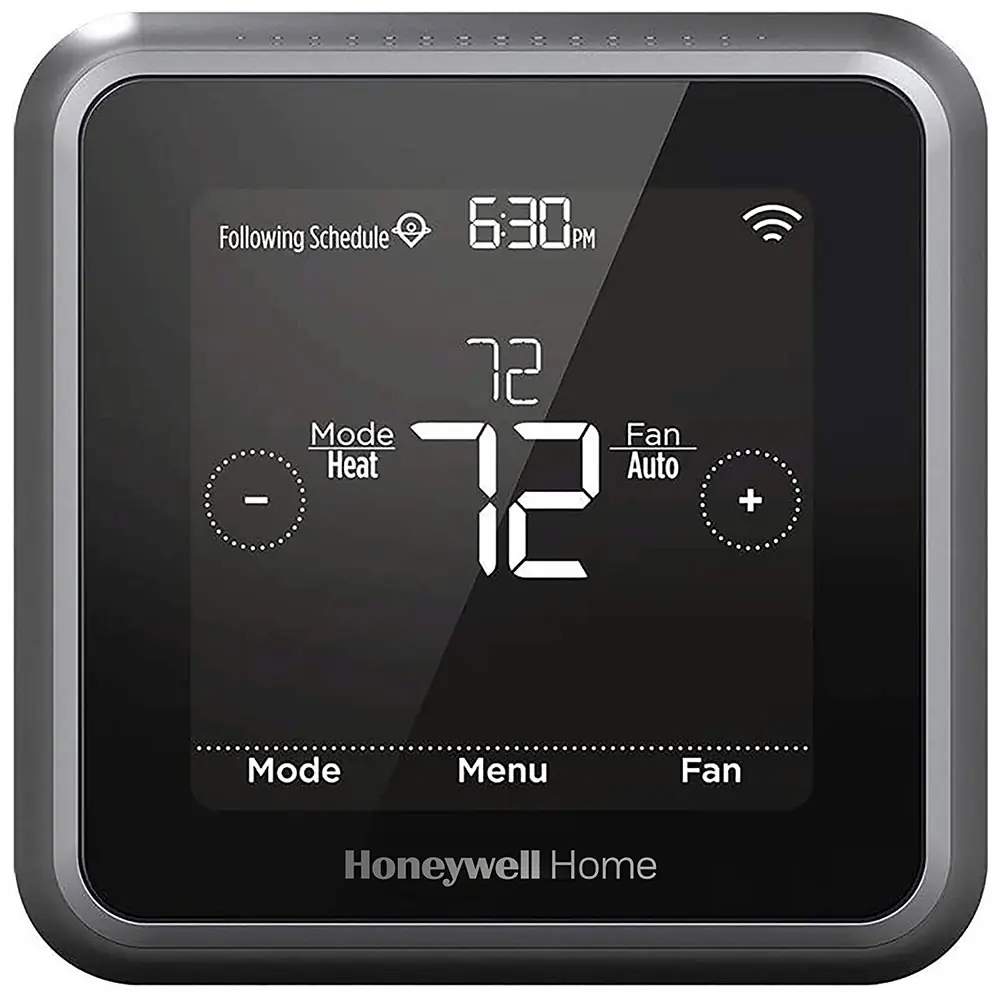
Honeywell Lyric T5 RCHT8610WF2006
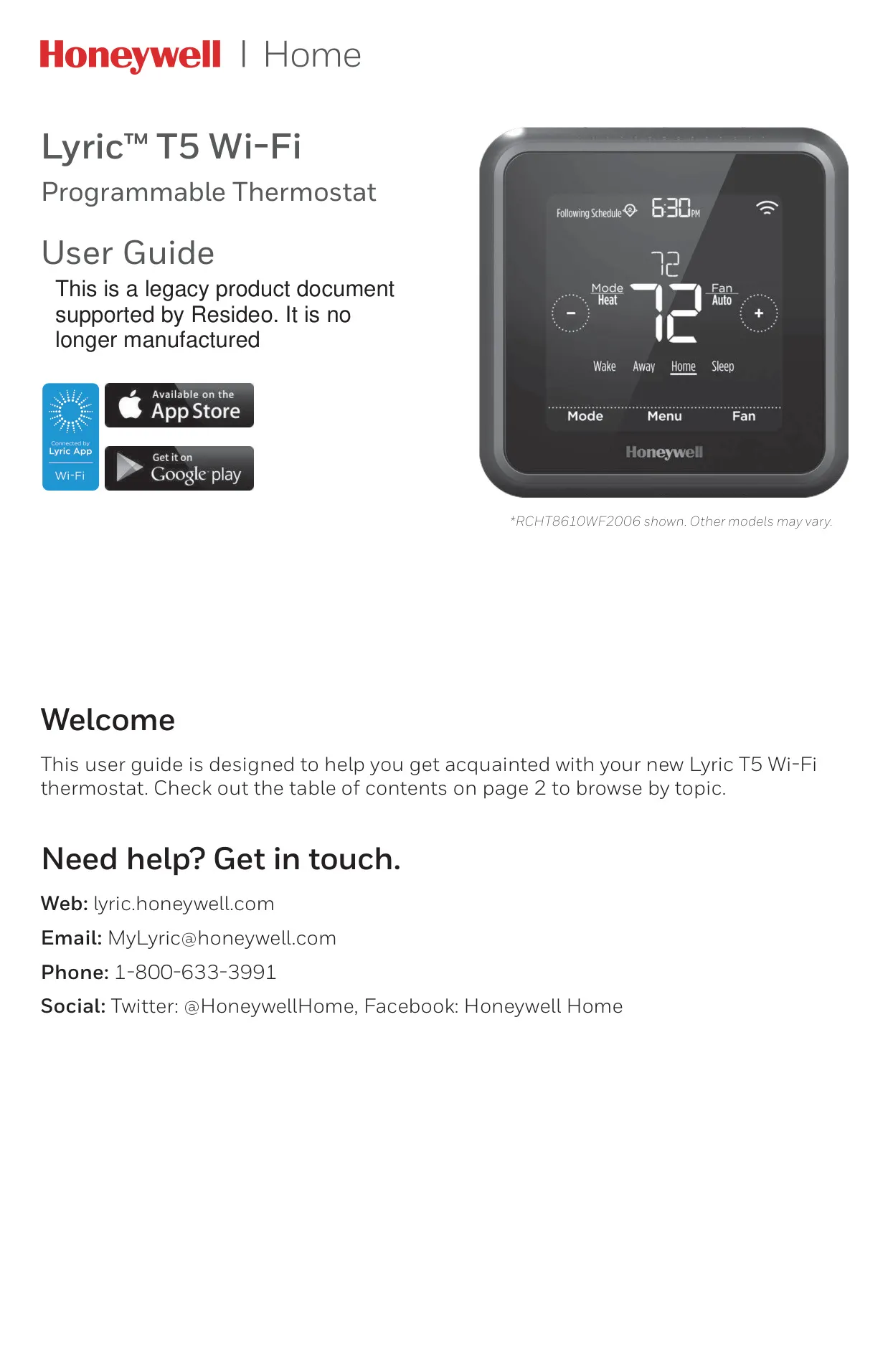






Honeywell Lyric T5 RCHT8610WF2006
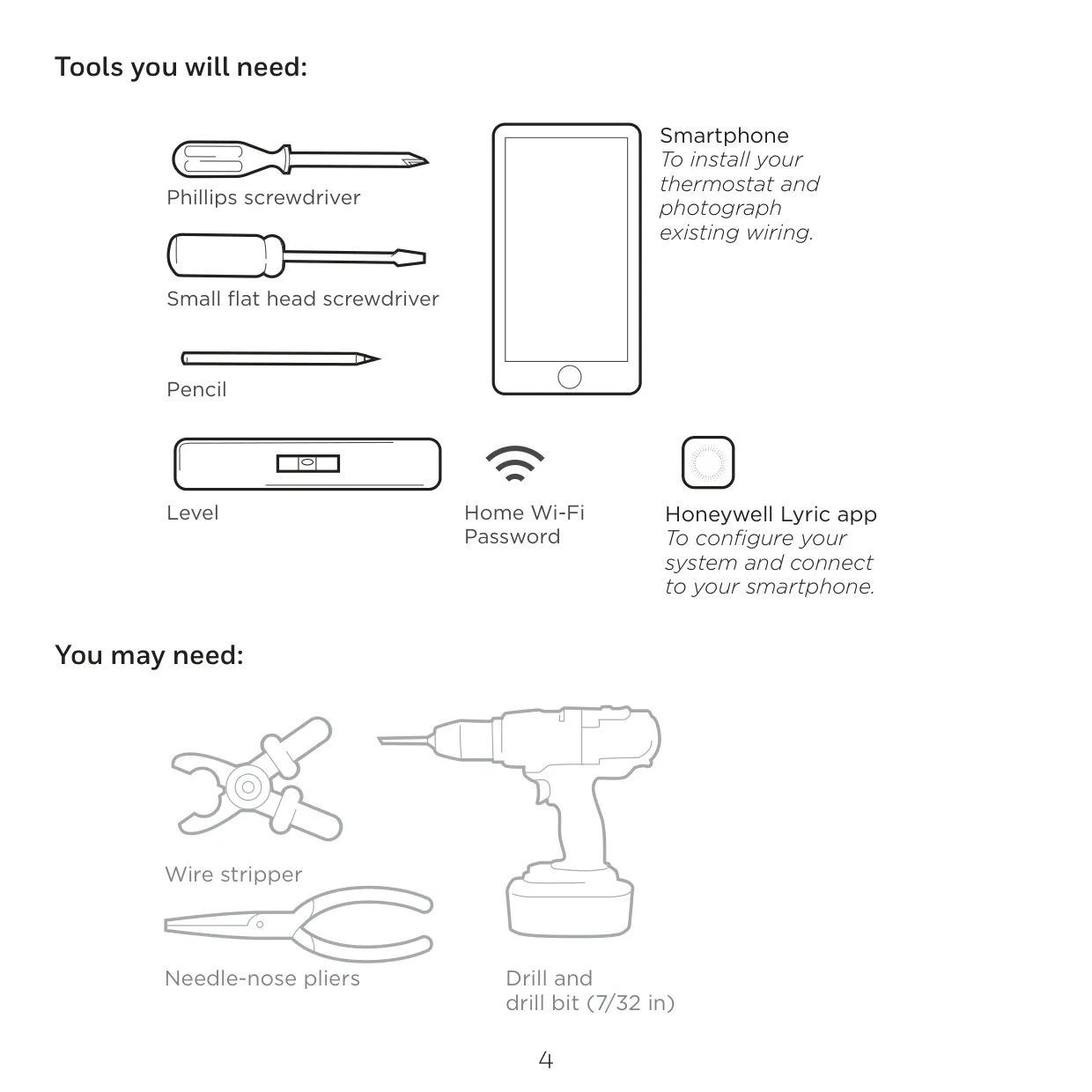
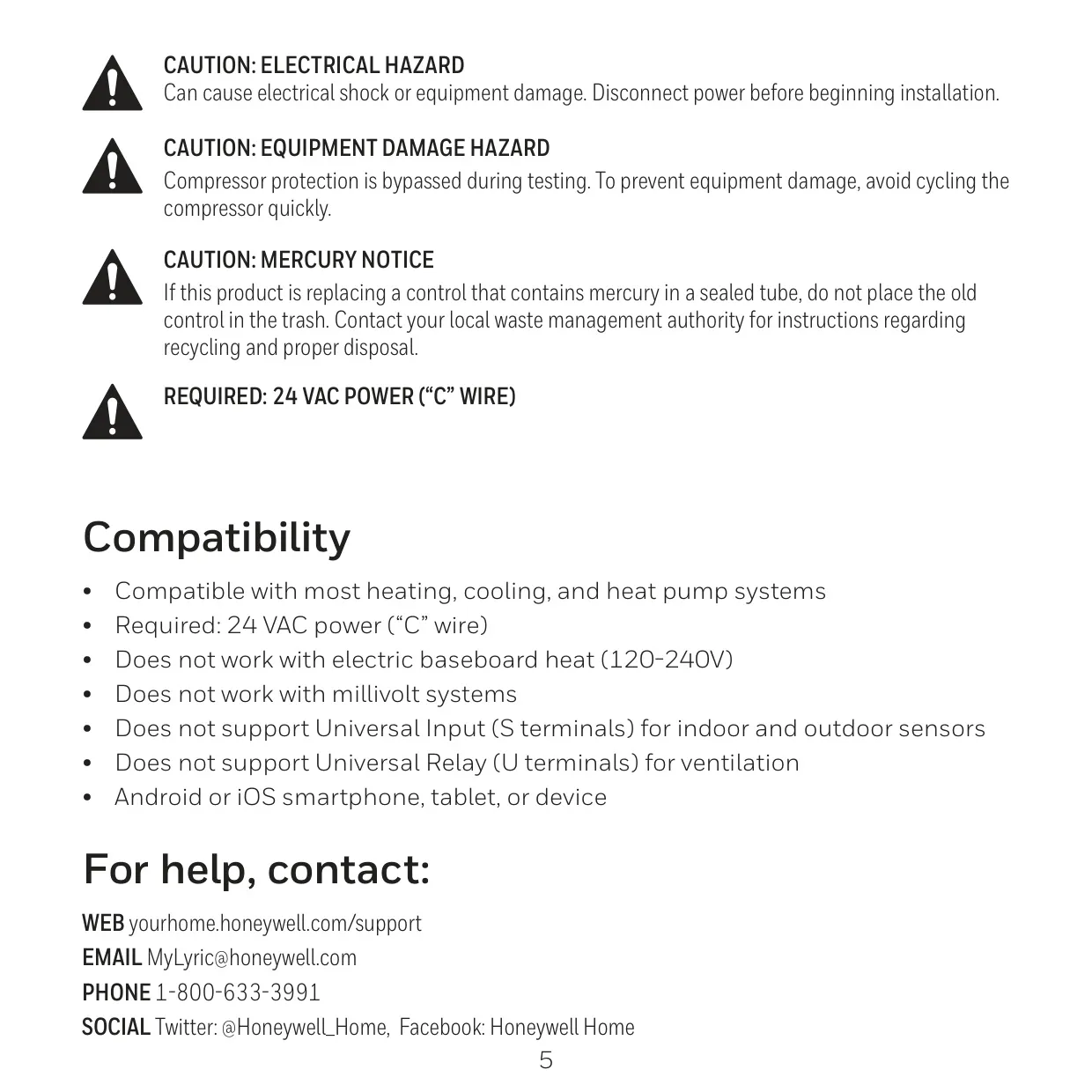
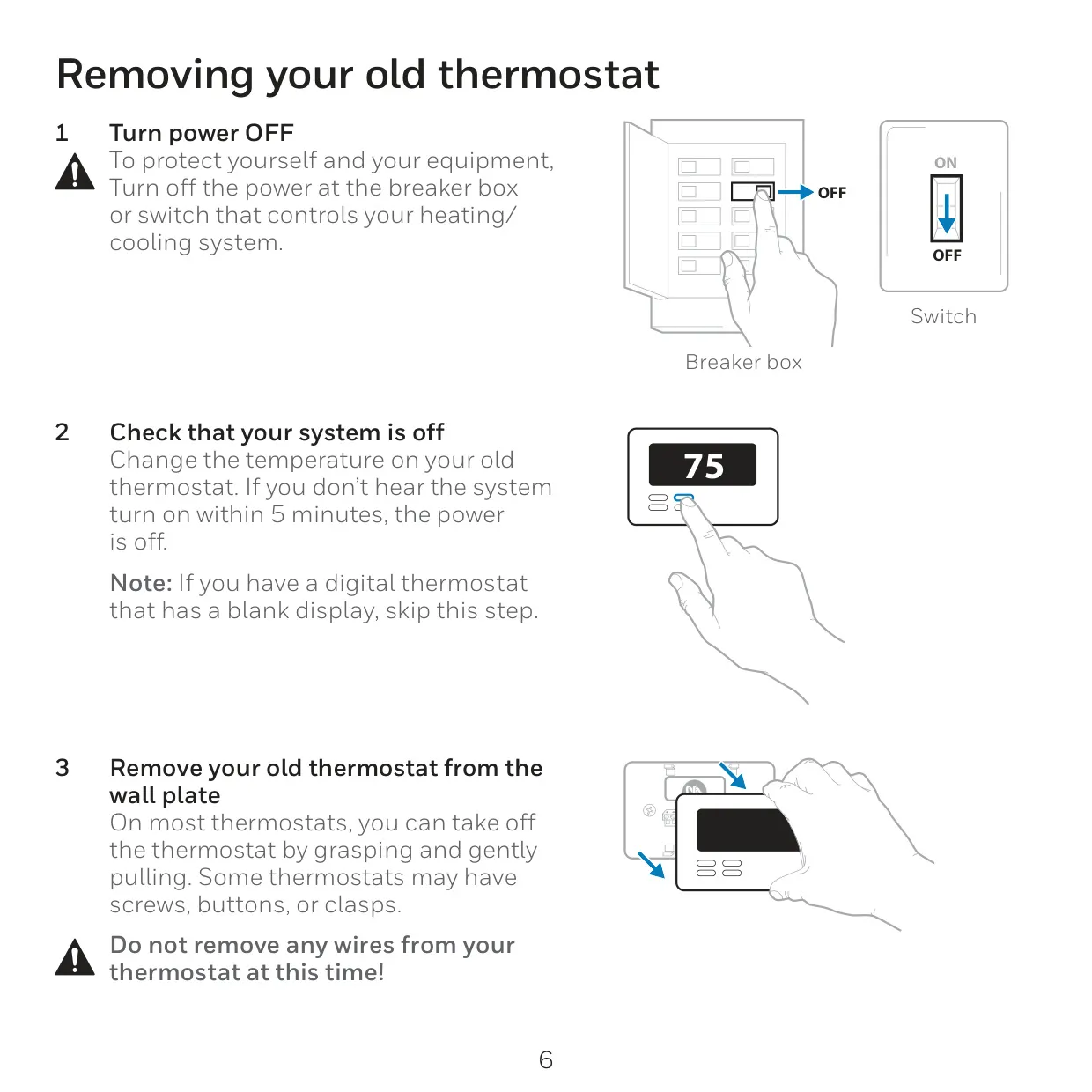
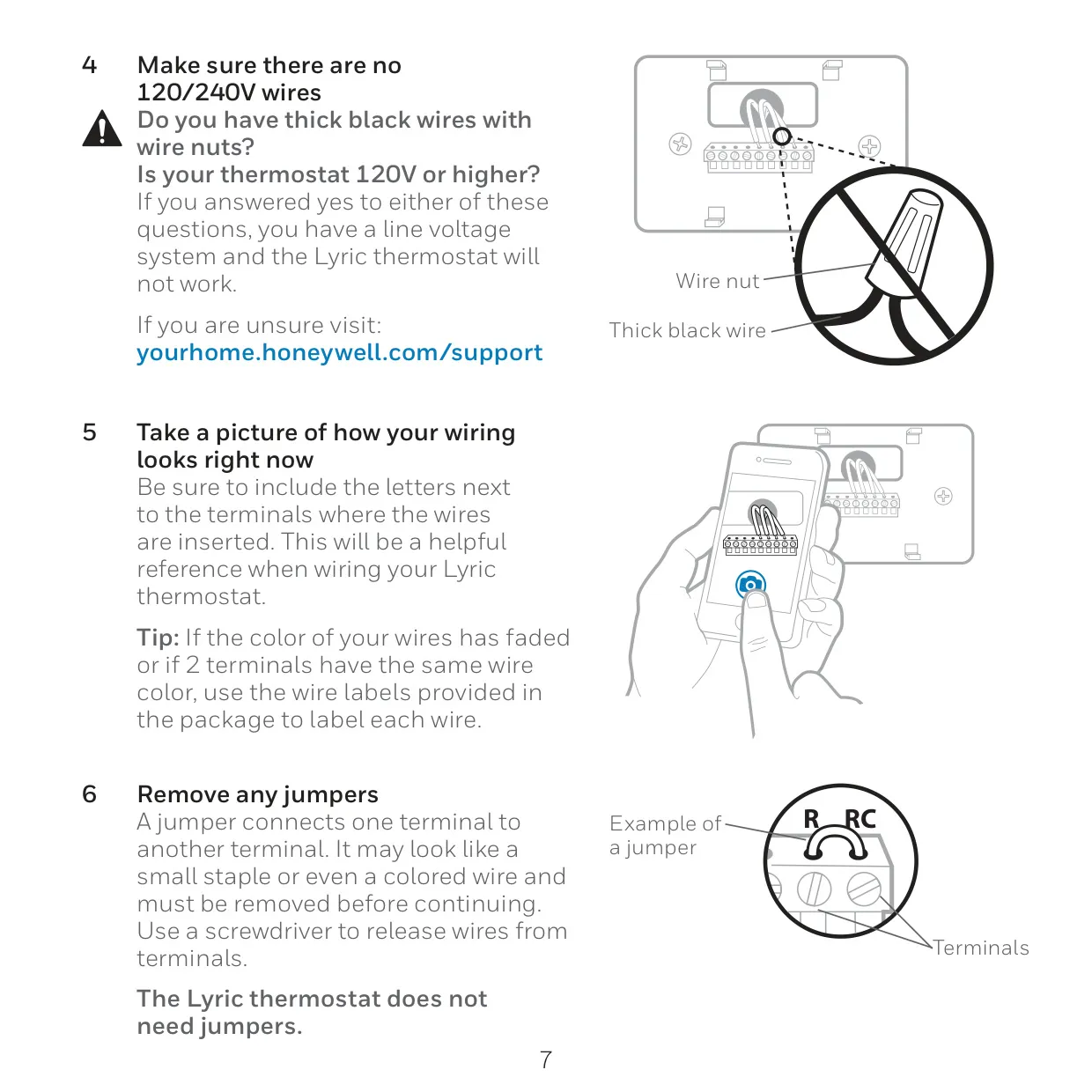
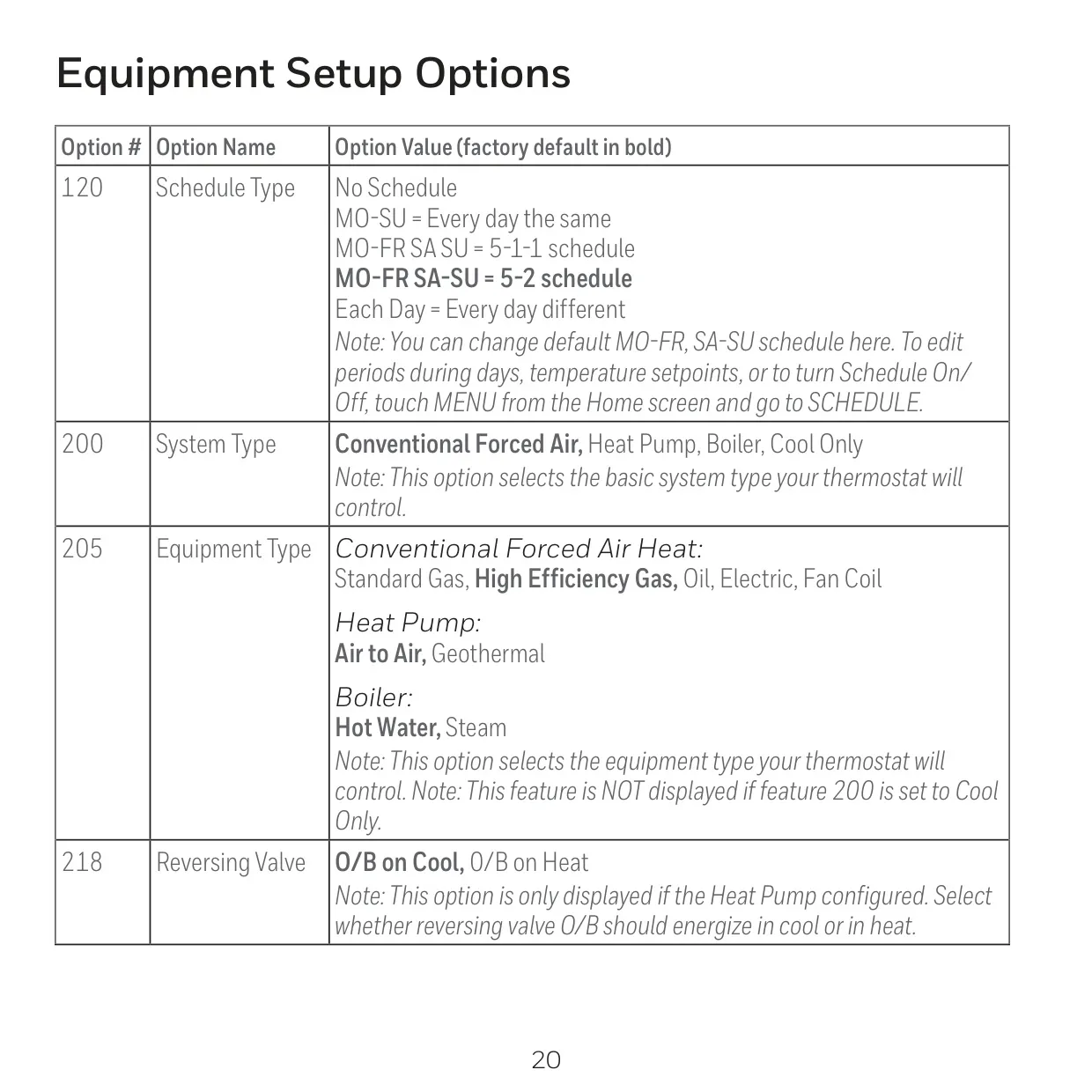
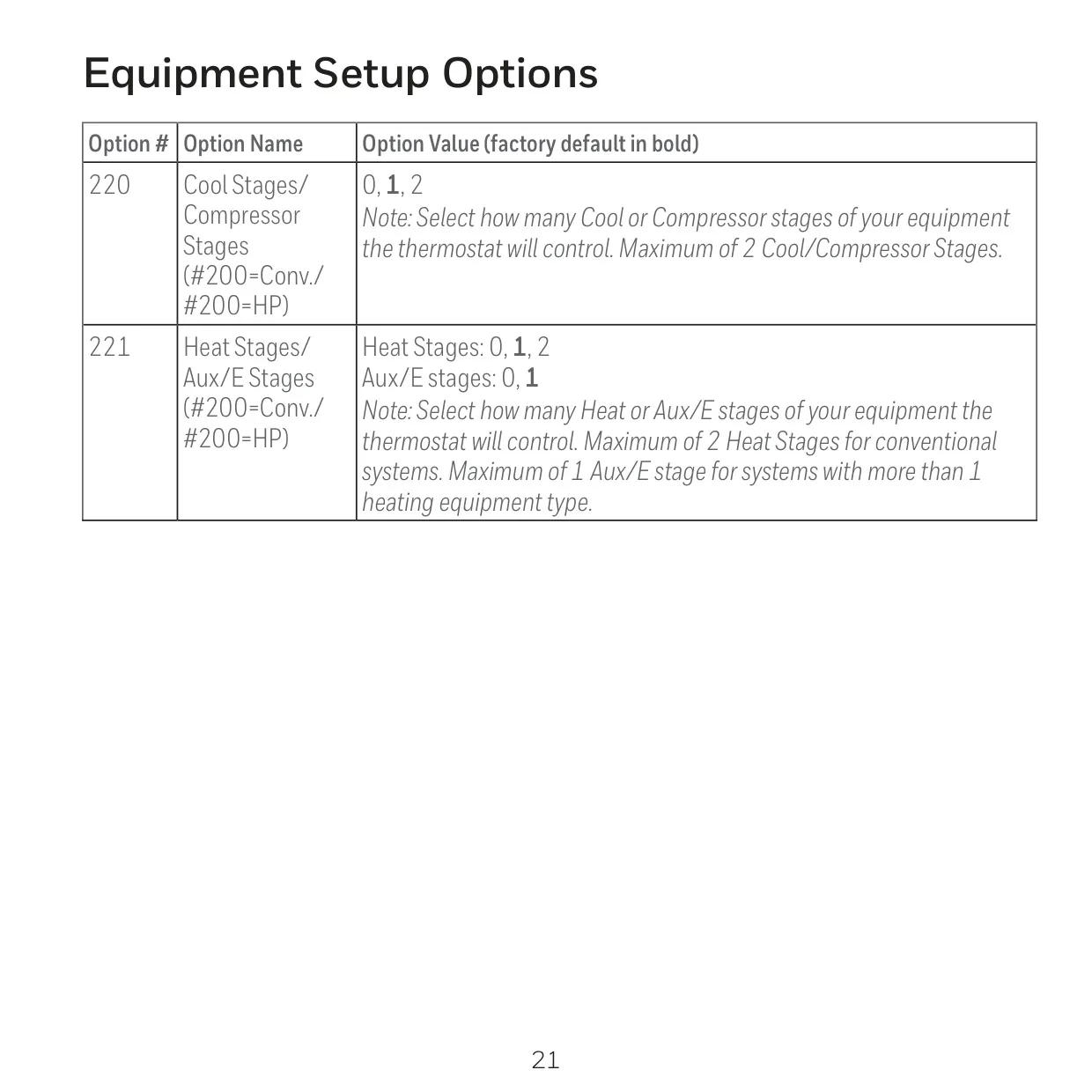
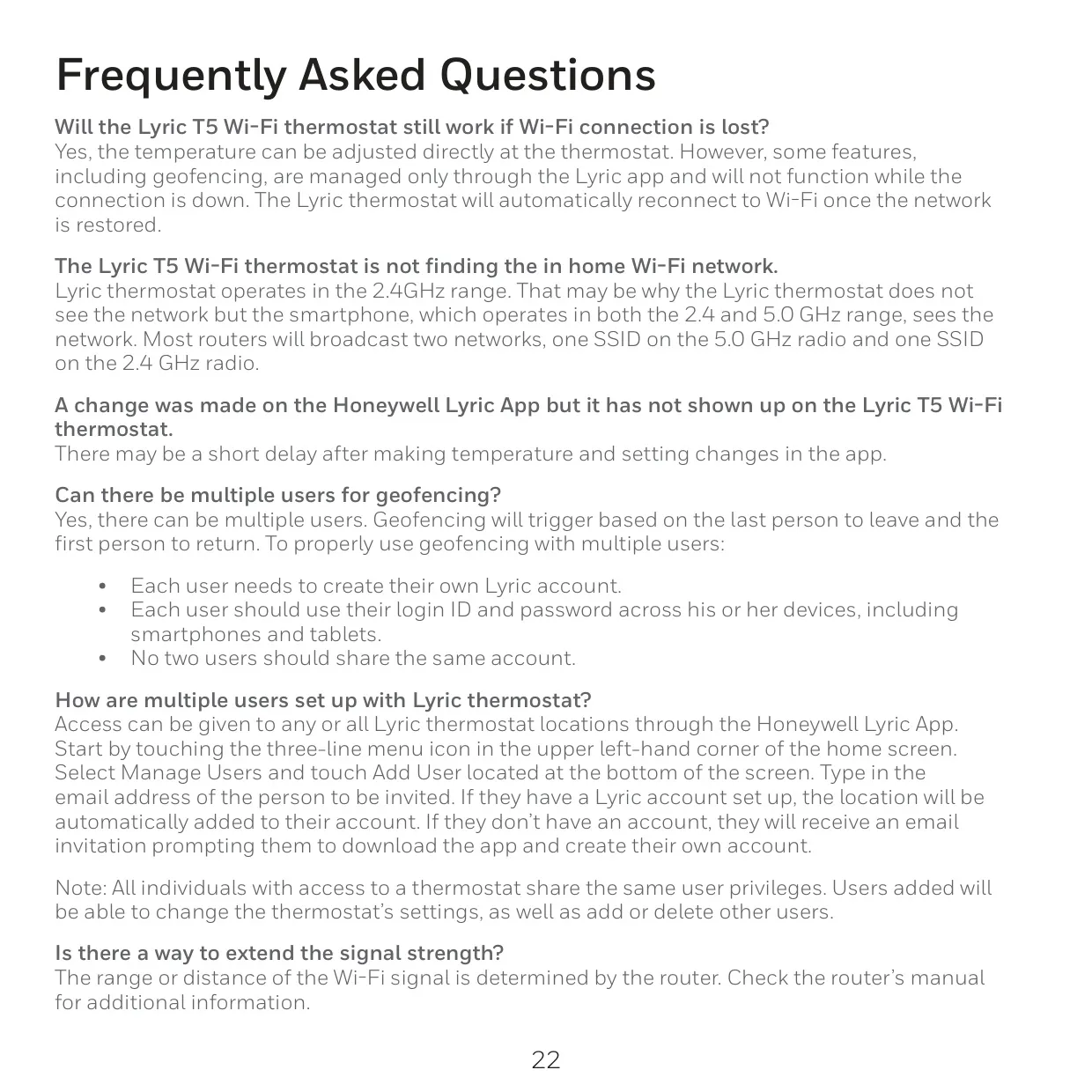
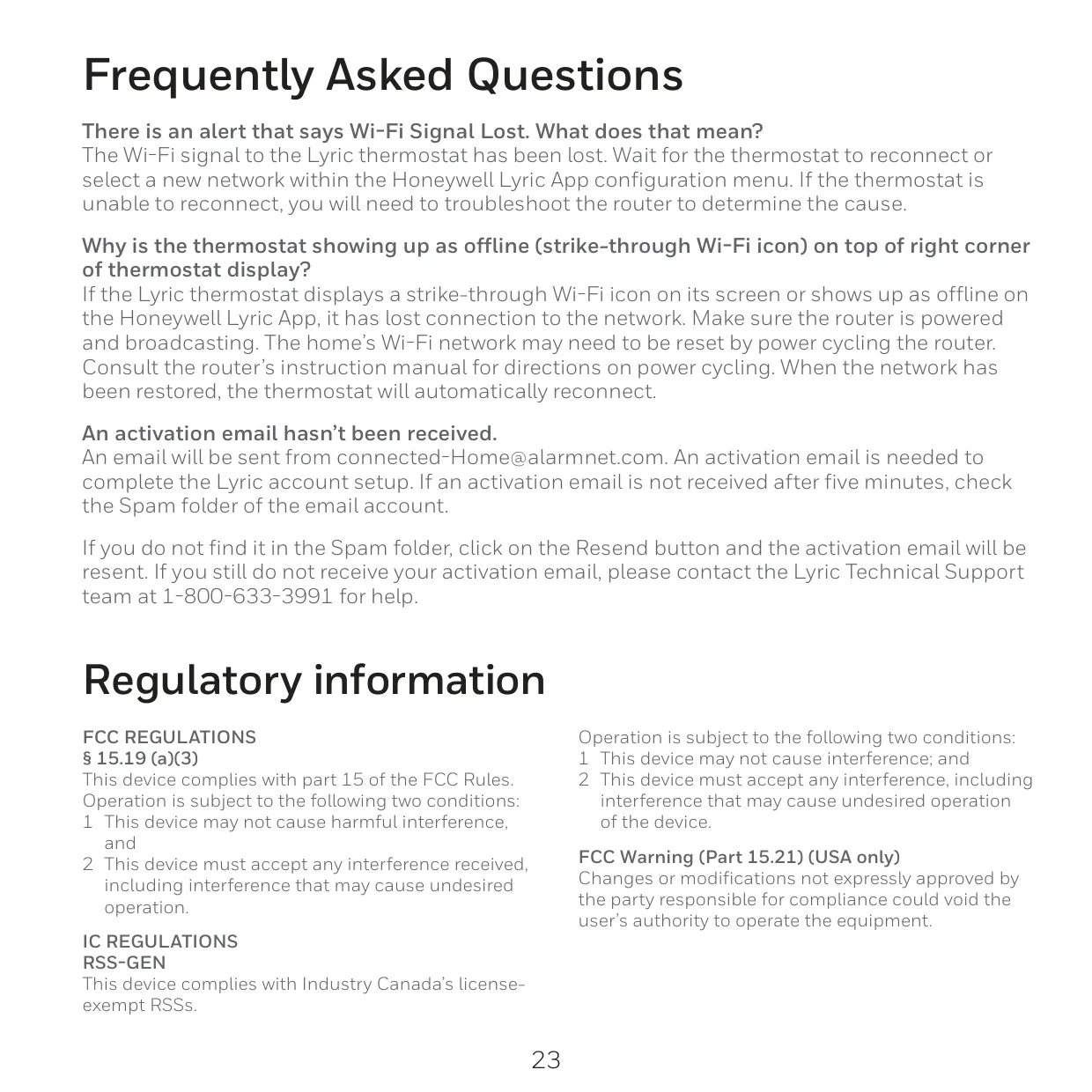
Honeywell RCHT8610WF2006 Instructions
Here we offer the Honeywell Lyric T5 RCHT8610WF2006 manual completely free and in English. We have cataloged this manual in the Thermostats section on Manualverse, and it has been rated by 1 users with an average rating of 5. If you have any specific questions about Honeywell Lyric T5 RCHT8610WF2006, we suggest checking the Frequently Asked Questions (FAQs) section of this manual.
Product Images
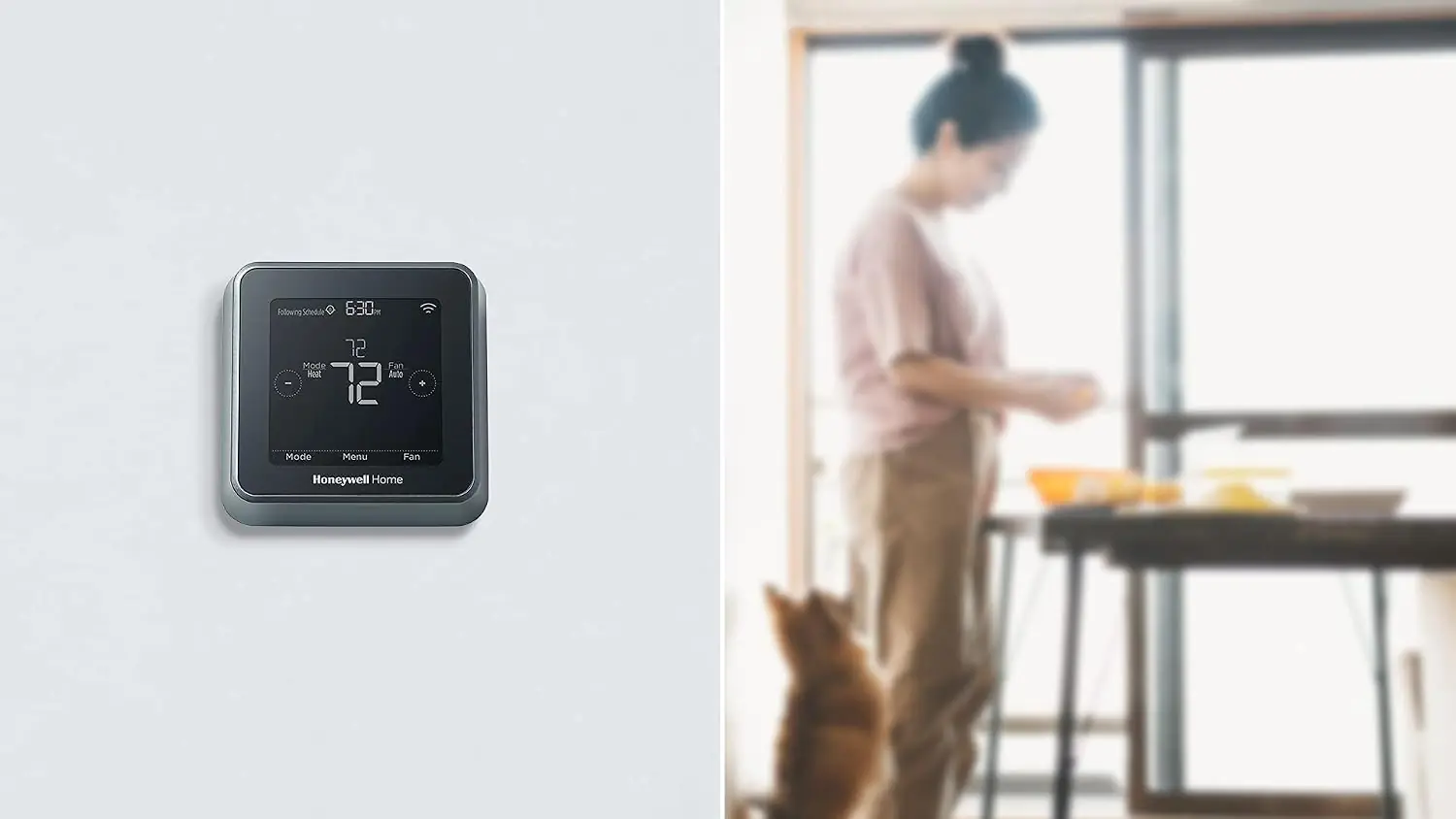
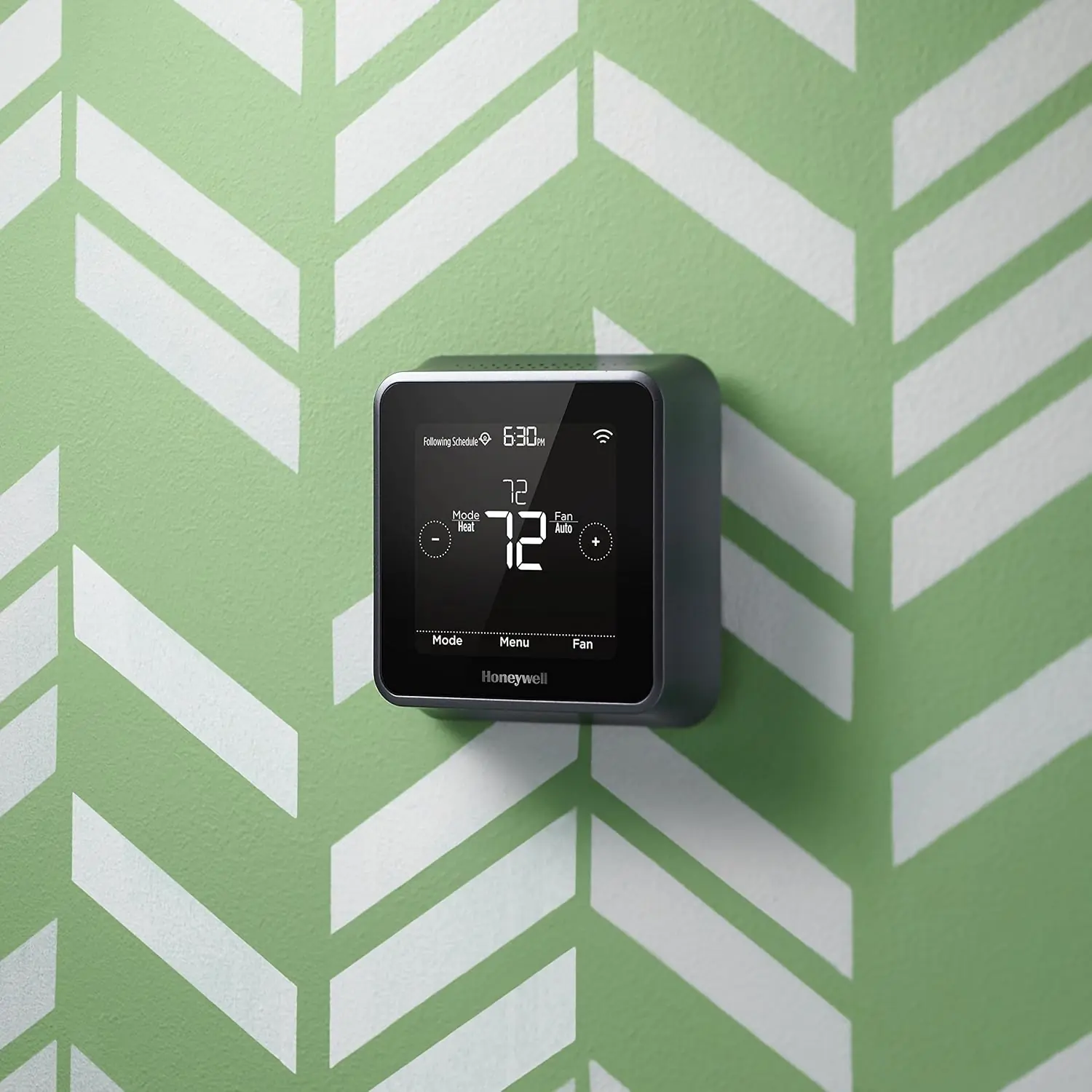
Honeywell Lyric T5 RCHT8610WF2006 Thermostat Specifications
| Feature | Specification |
|---|---|
| Model Number | RCHT8610WF2006 |
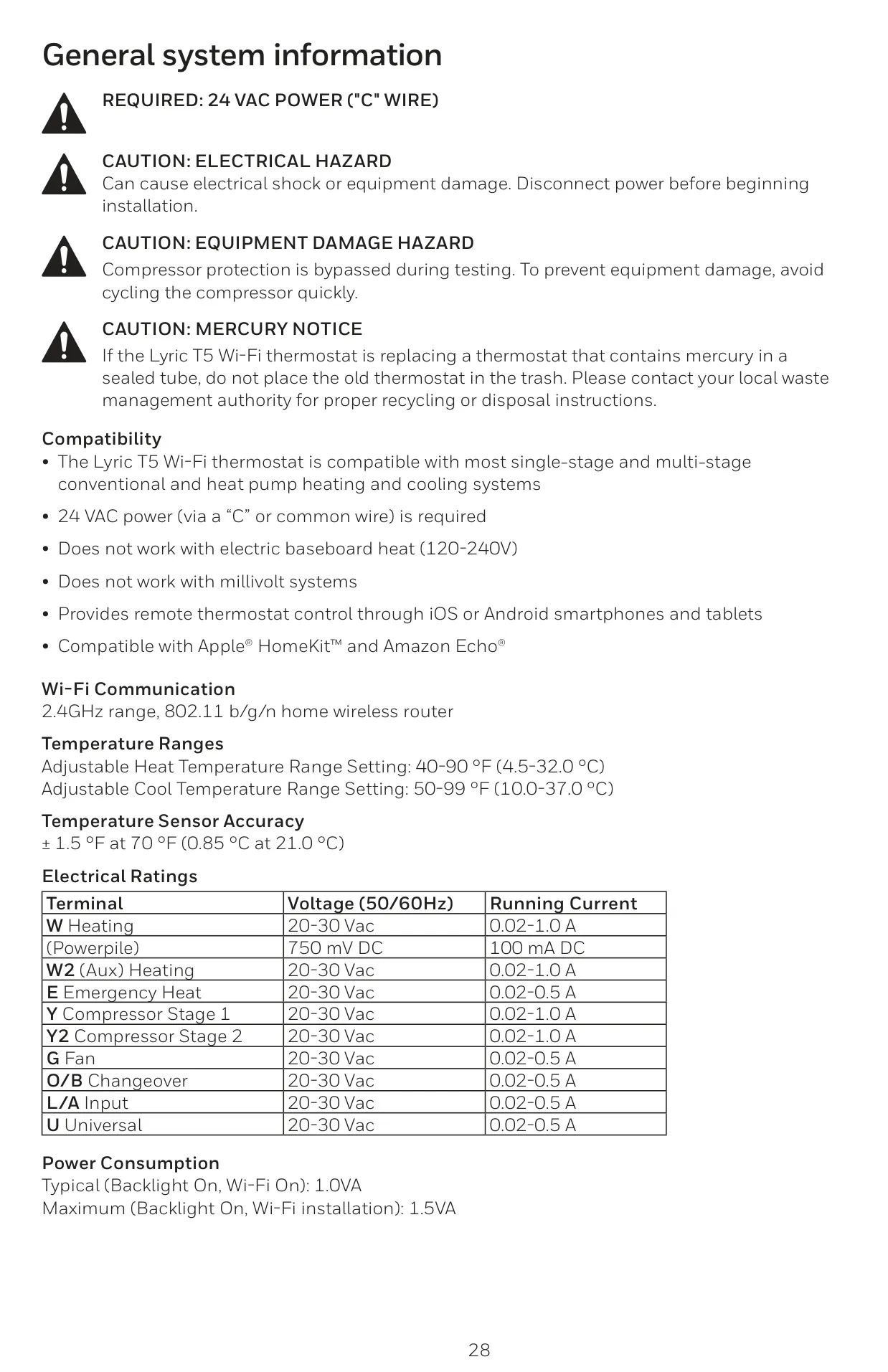
| System Compatibility | Most single-stage and multi-stage conventional and heat pump heating and cooling systems. |
| Power Requirement | 24 VAC power (via a "C" or common wire). |
| Incompatibility | Electric baseboard heat (120-240V), Millivolt systems. |
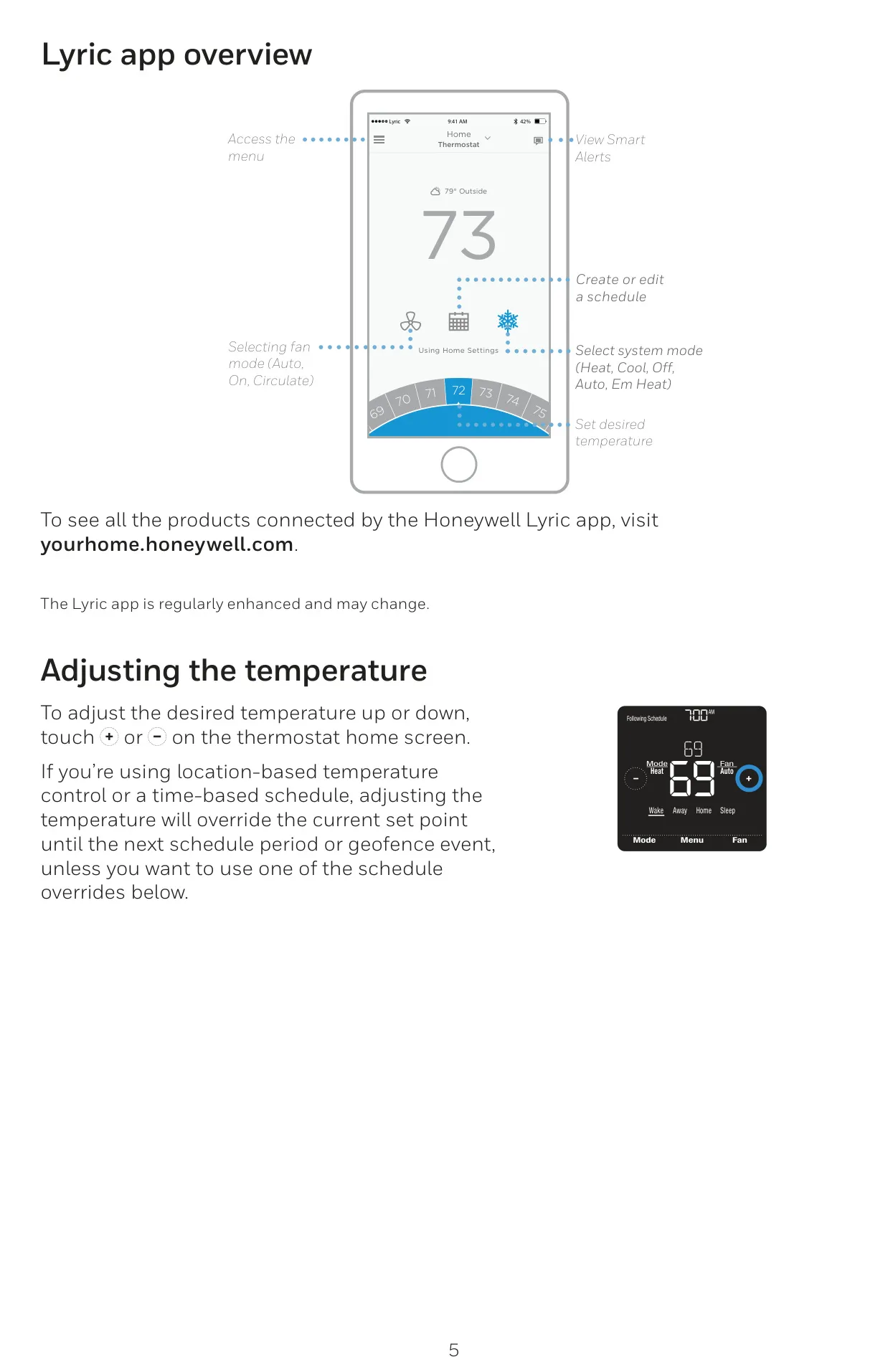
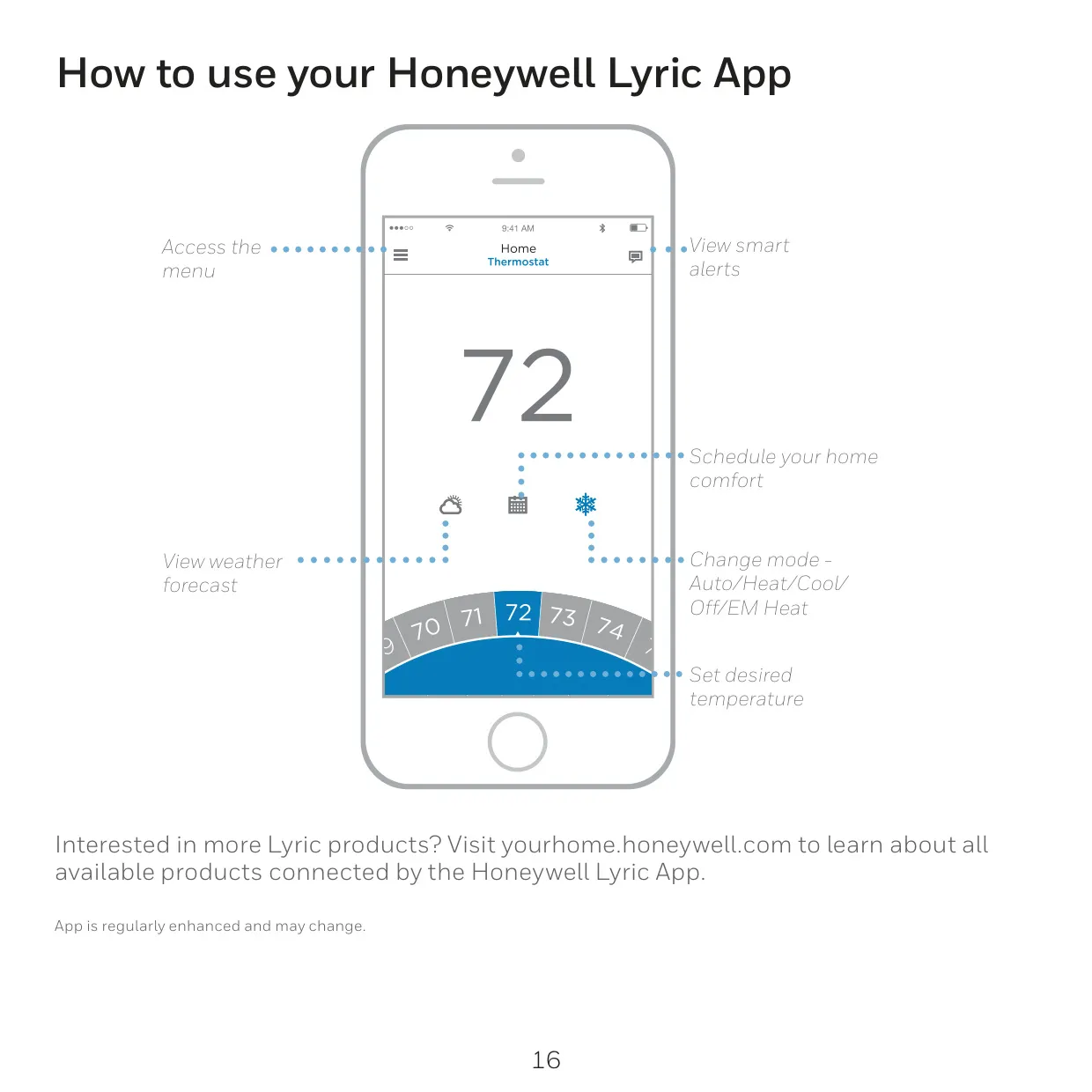
| Remote Control | iOS or Android smartphones and tablets via the Lyric app. |
| Smart Home Integration | Apple® HomeKit™ and Amazon Echo®. |
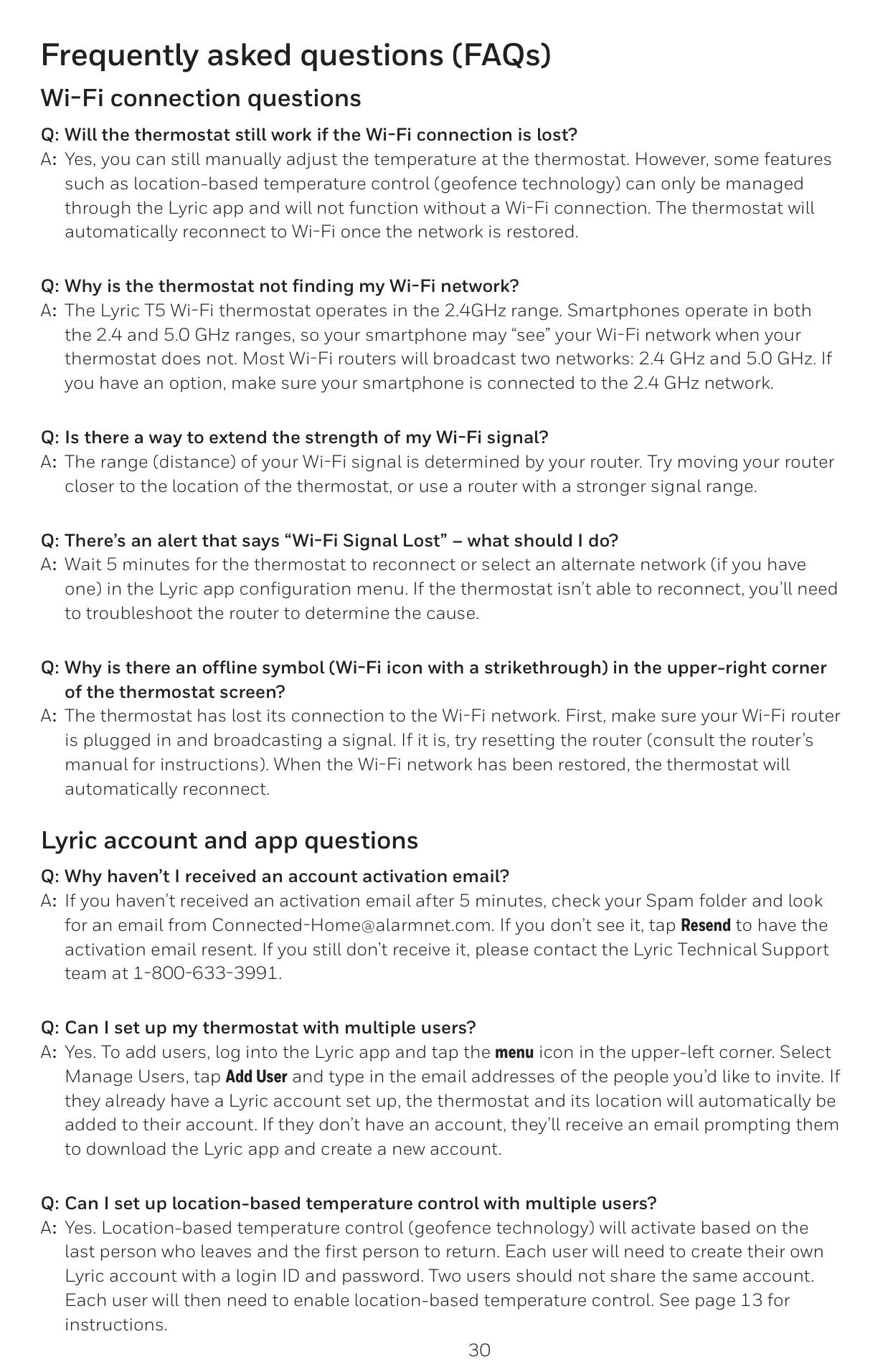
| Wi-Fi Communication | 2.4GHz range, 802.11 b/g/n home wireless router. |
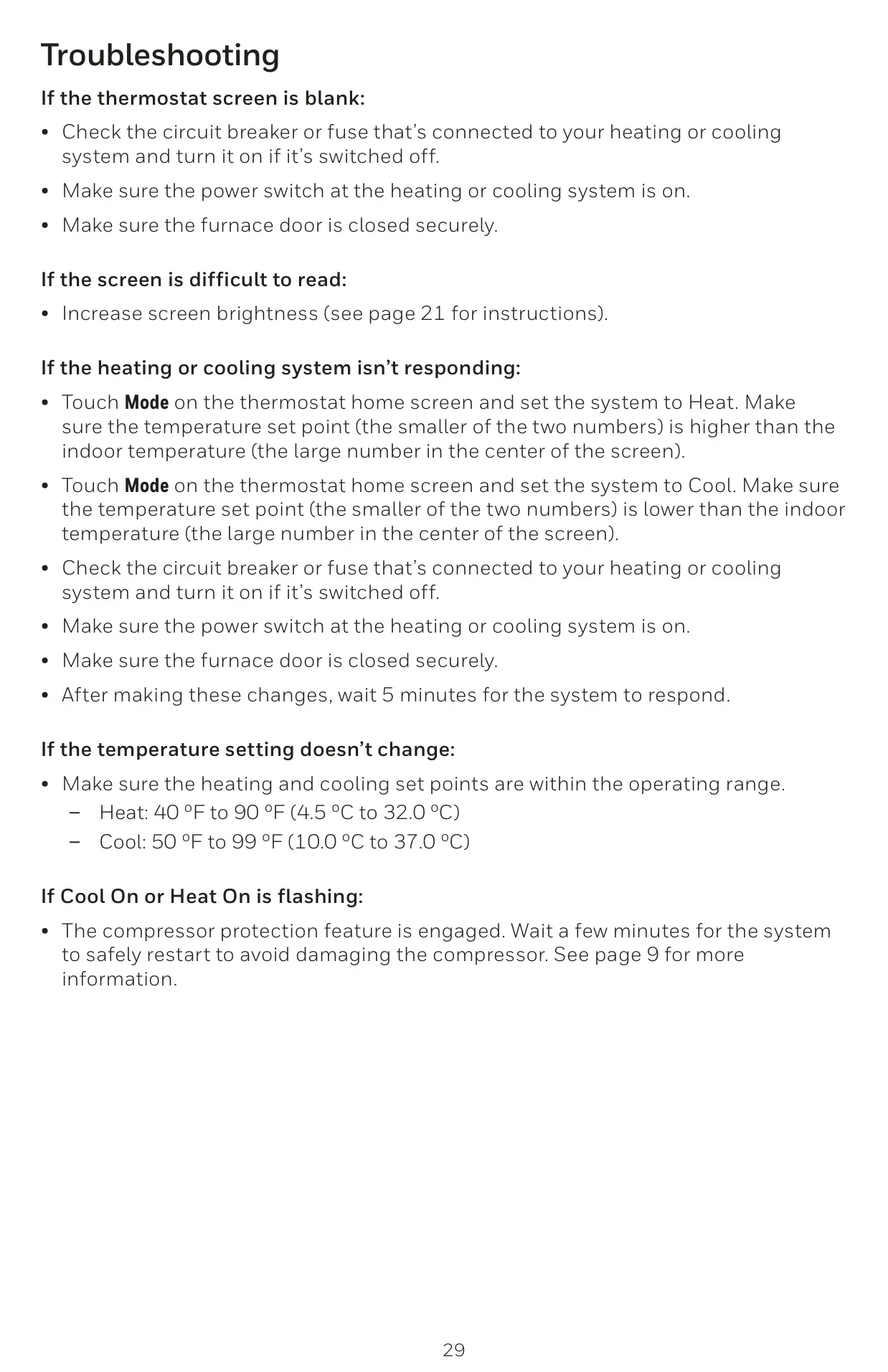
| Adjustable Heat Temperature Range | 40-90 °F (4.5-32.0 °C). |
| Adjustable Cool Temperature Range | 50-99 °F (10.0-37.0 °C). |
| Temperature Sensor Accuracy | ± 1.5 °F at 70 °F (0.85 °C at 21.0 °C). |
| Electrical Ratings (Voltage @ 50/60Hz, Running Current) |
W Heating: 20-30 Vac, 0.02-1.0 A W2 (Aux) Heating: 20-30 Vac, 0.02-1.0 A E Emergency Heat: 20-30 Vac, 0.02-0.5 A Y Compressor Stage 1: 20-30 Vac, 0.02-1.0 A Y2 Compressor Stage 2: 20-30 Vac, 0.02-1.0 A G Fan: 20-30 Vac, 0.02-0.5 A O/B Changeover: 20-30 Vac, 0.02-0.5 A L/A Input: 20-30 Vac, 0.02-0.5 A U Universal: 20-30 Vac, 0.02-0.5 A (Powerpile): 750 mV DC, 100 mA DC |
| Power Consumption | Typical (Backlight On, Wi-Fi On): 1.0VA; Maximum (Backlight On, Wi-Fi installation): 1.5VA. |
Honeywell Lyric T5 Thermostat Details
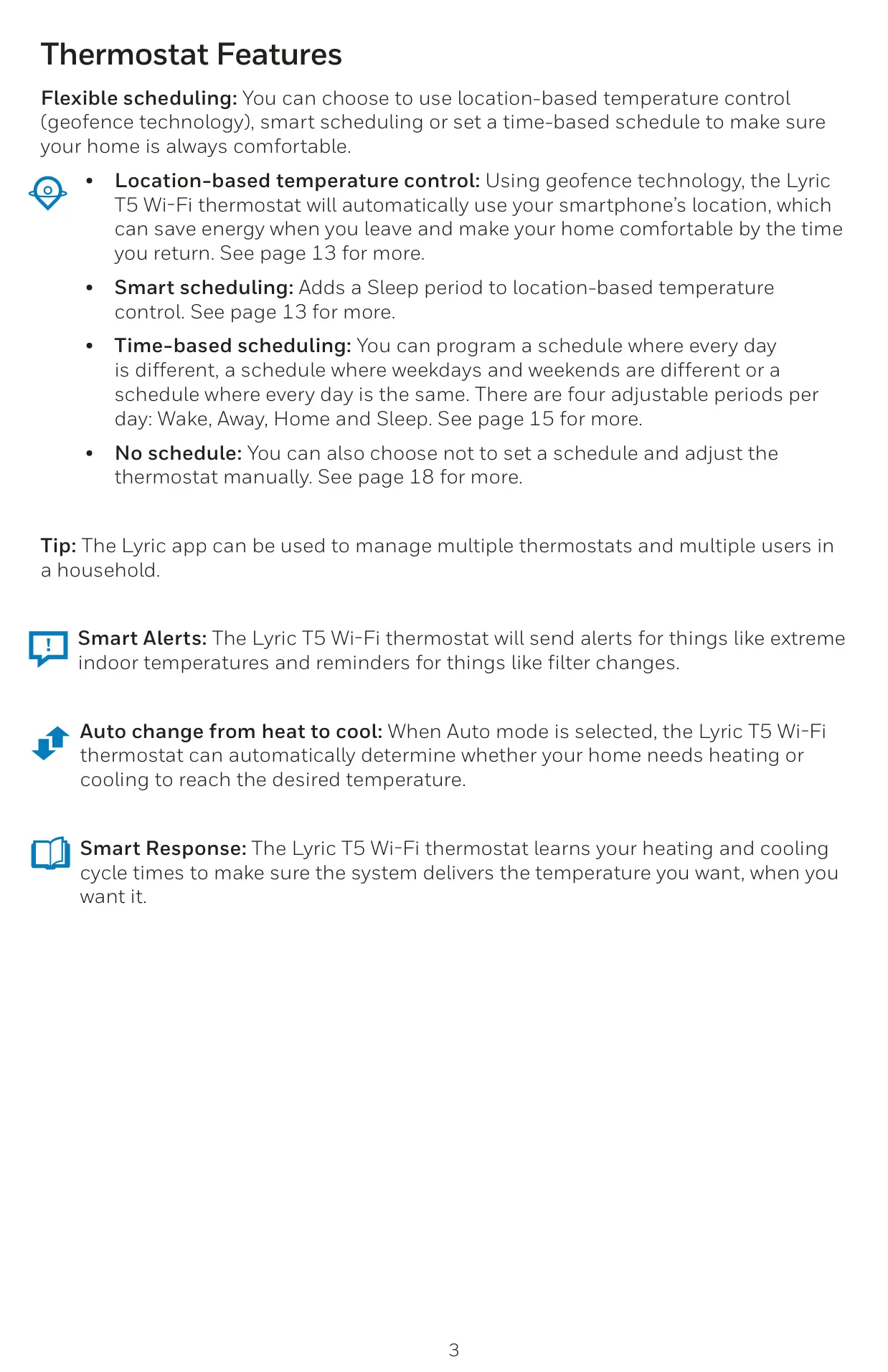
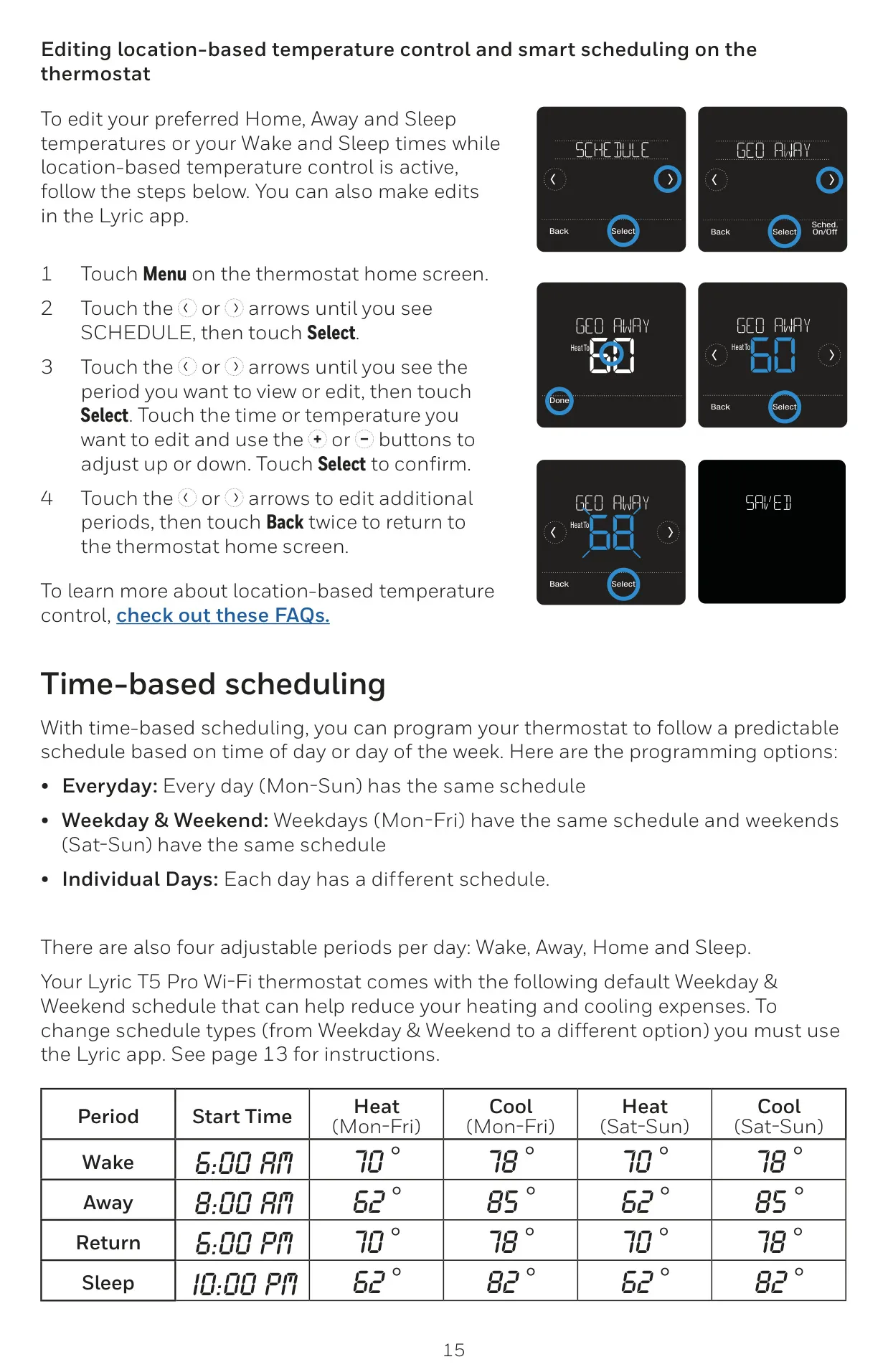
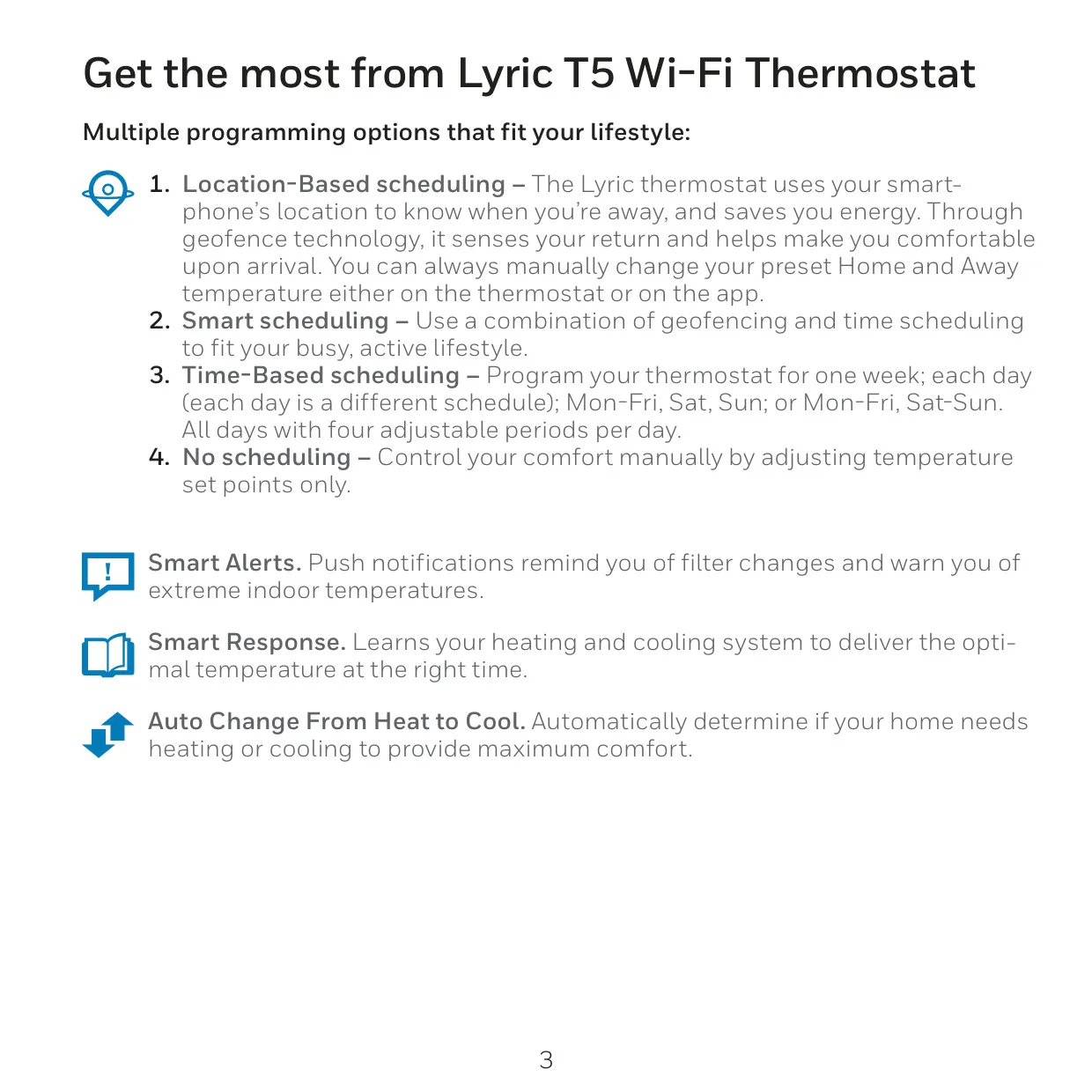
The Honeywell Lyric T5 RCHT8610WF2006 Wi-Fi thermostat offers a sophisticated approach to home climate control, focusing on user convenience and energy efficiency. Its core strength lies in its diverse flexible scheduling options. Users can choose between location-based temperature control (geofence technology), smart scheduling, time-based scheduling, or simply no schedule for manual adjustments. This adaptability ensures comfort whether you follow a strict routine or have an unpredictable lifestyle.
Utilizing your smartphone's GPS, the geofence technology automatically detects when you leave, switching to an energy-saving "Away" temperature. As you return, it preemptively adjusts to your preferred "Home" setting, ensuring your living space is comfortable upon arrival. For added flexibility, smart scheduling enhances this by incorporating a customizable "Sleep" period, further optimizing energy usage without sacrificing evening comfort.
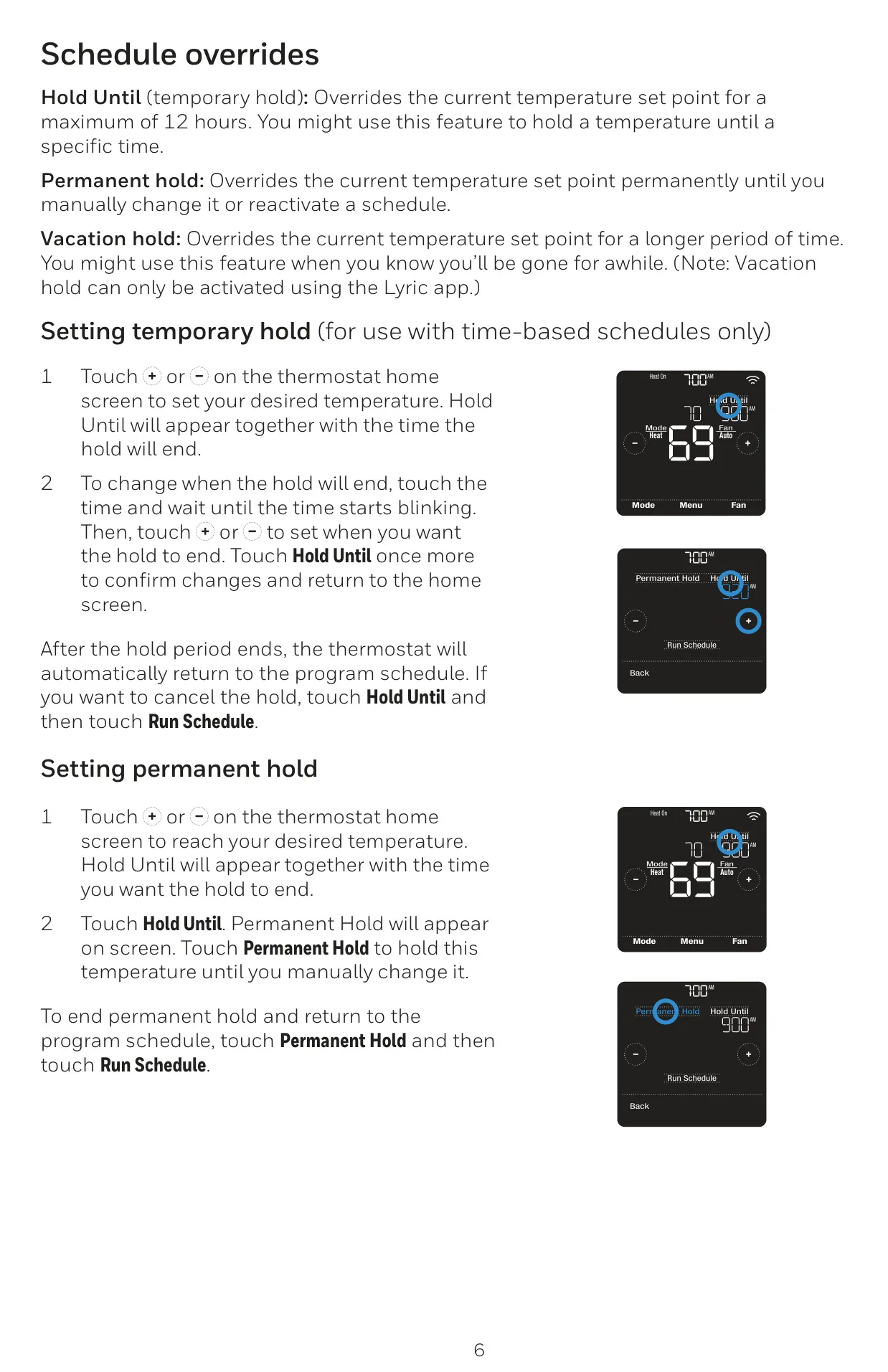
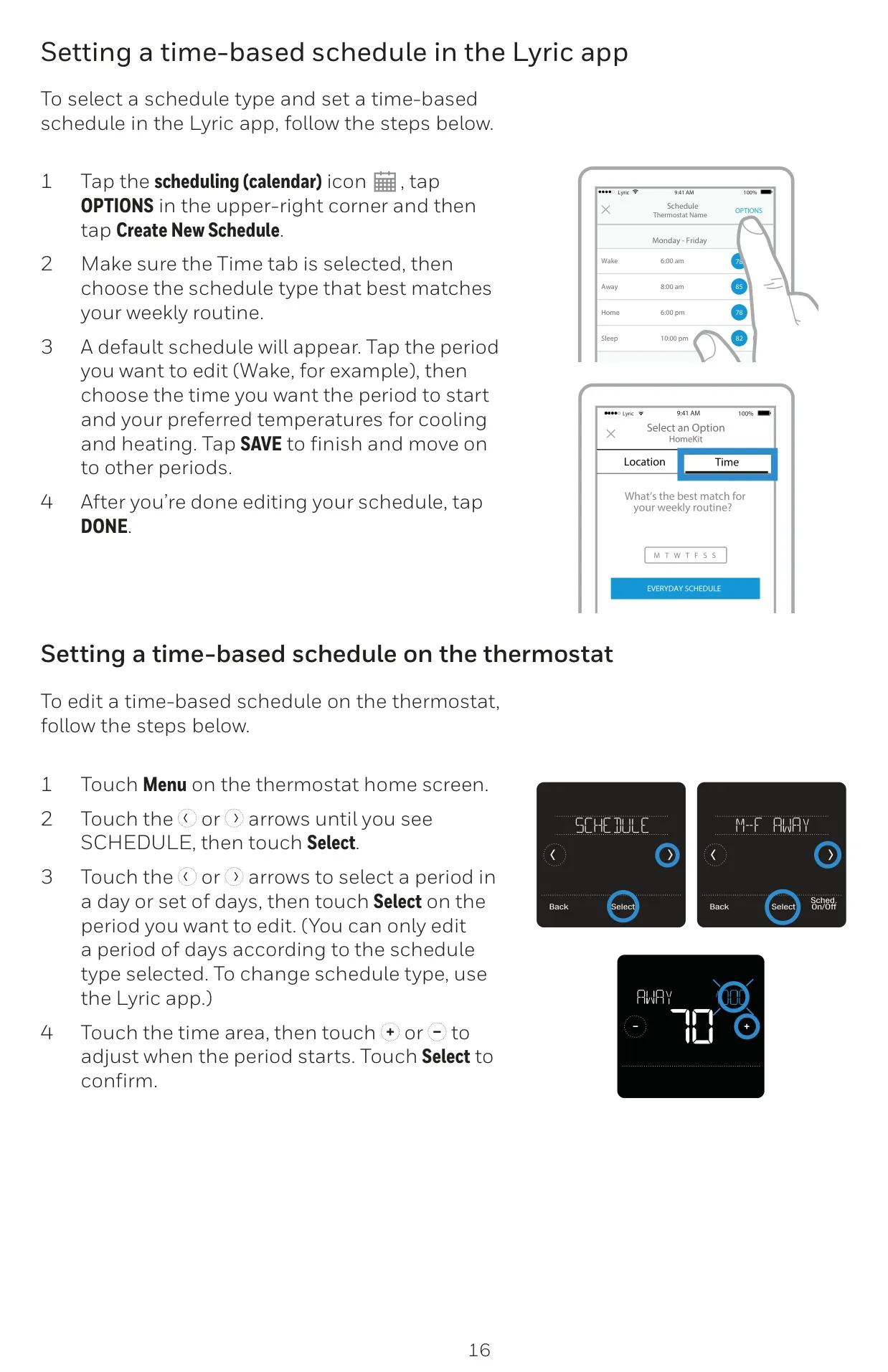
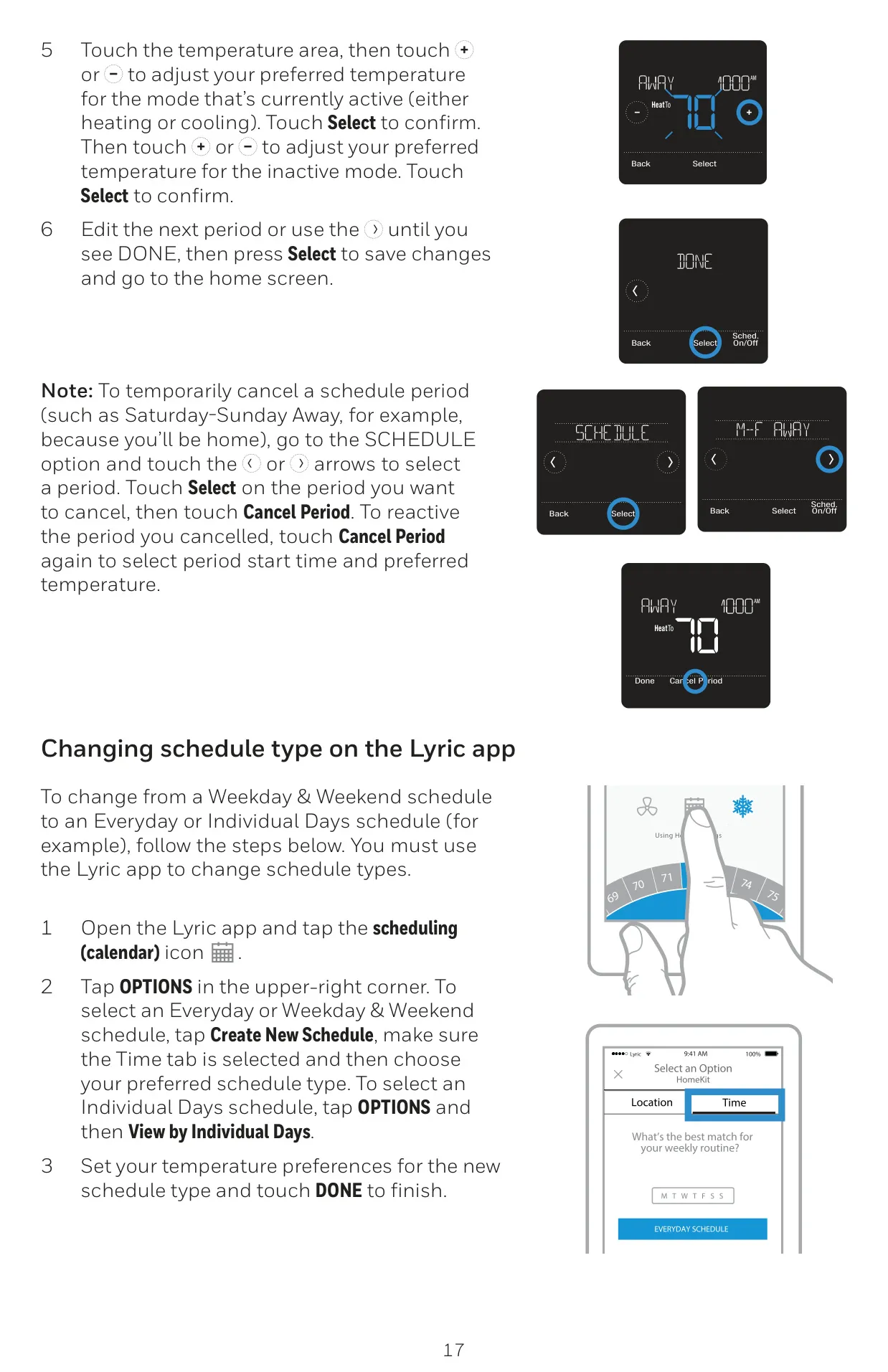
Beyond location awareness, the thermostat supports robust time-based scheduling. You can program distinct routines for every day, weekdays/weekends, or a consistent daily schedule. Each day can be segmented into four adjustable periods: Wake, Away, Home, and Sleep, allowing for granular control over your heating and cooling preferences throughout the week. For those who prefer direct control, a "No schedule" option enables purely manual temperature management.
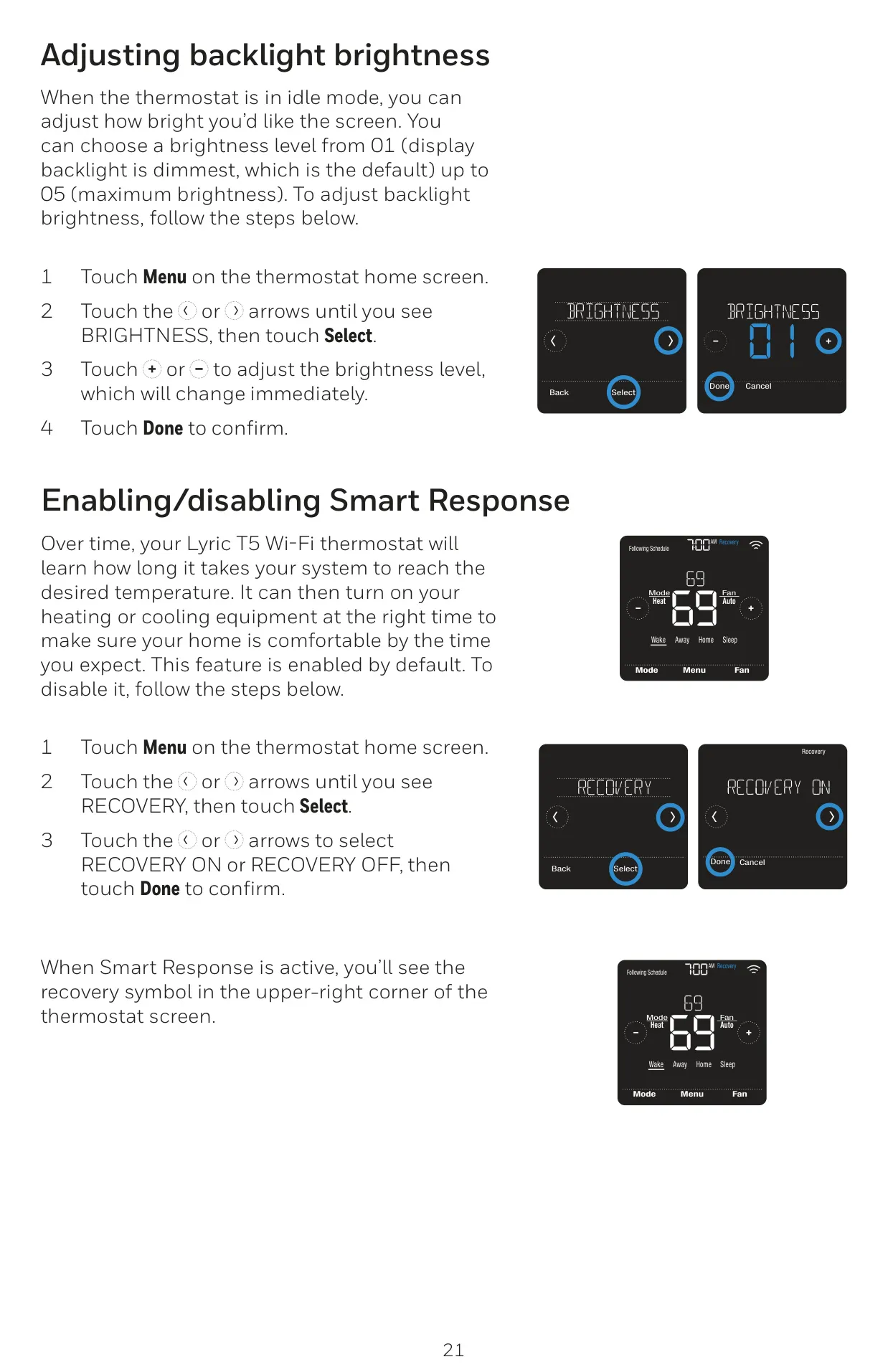
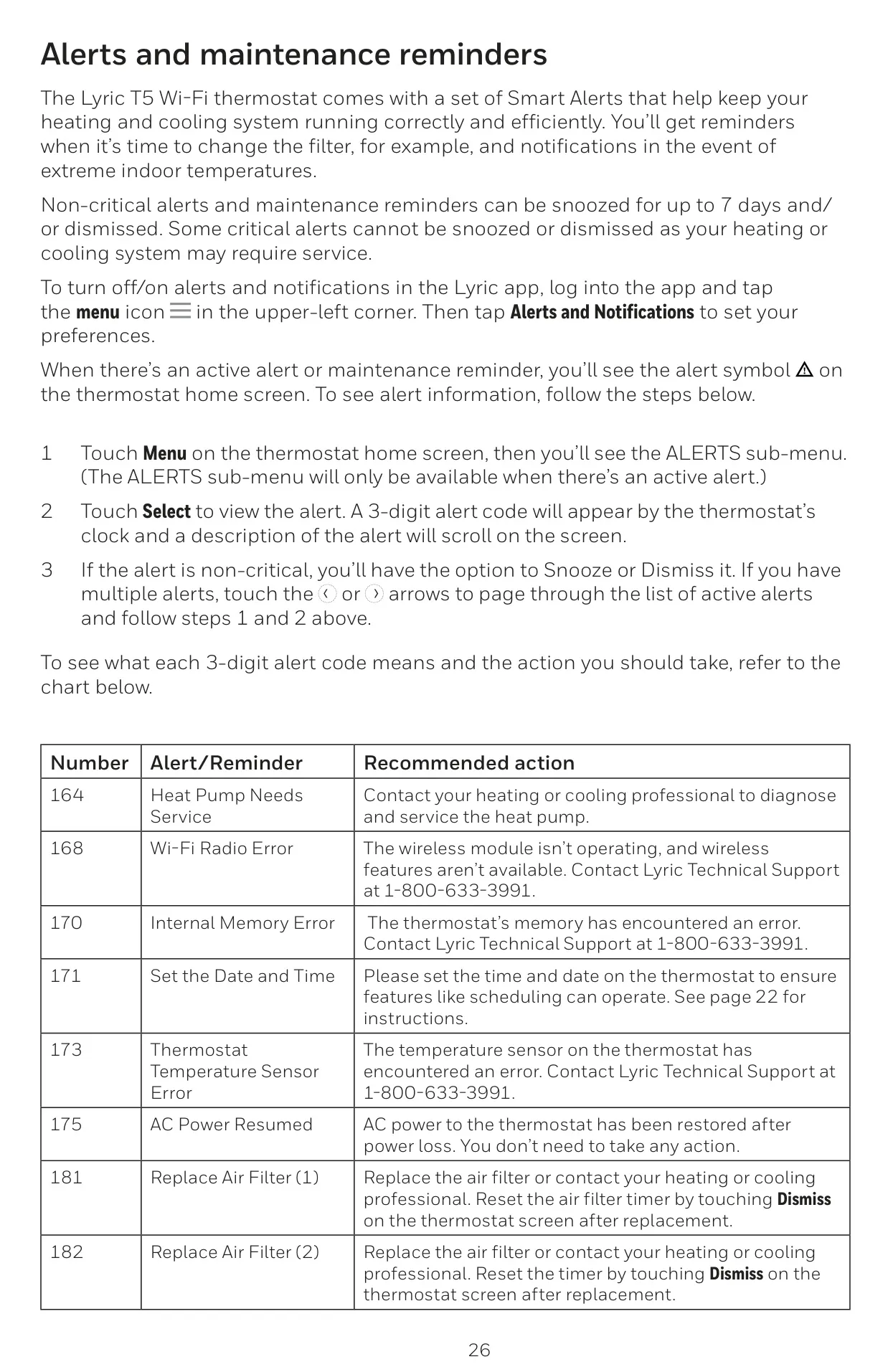
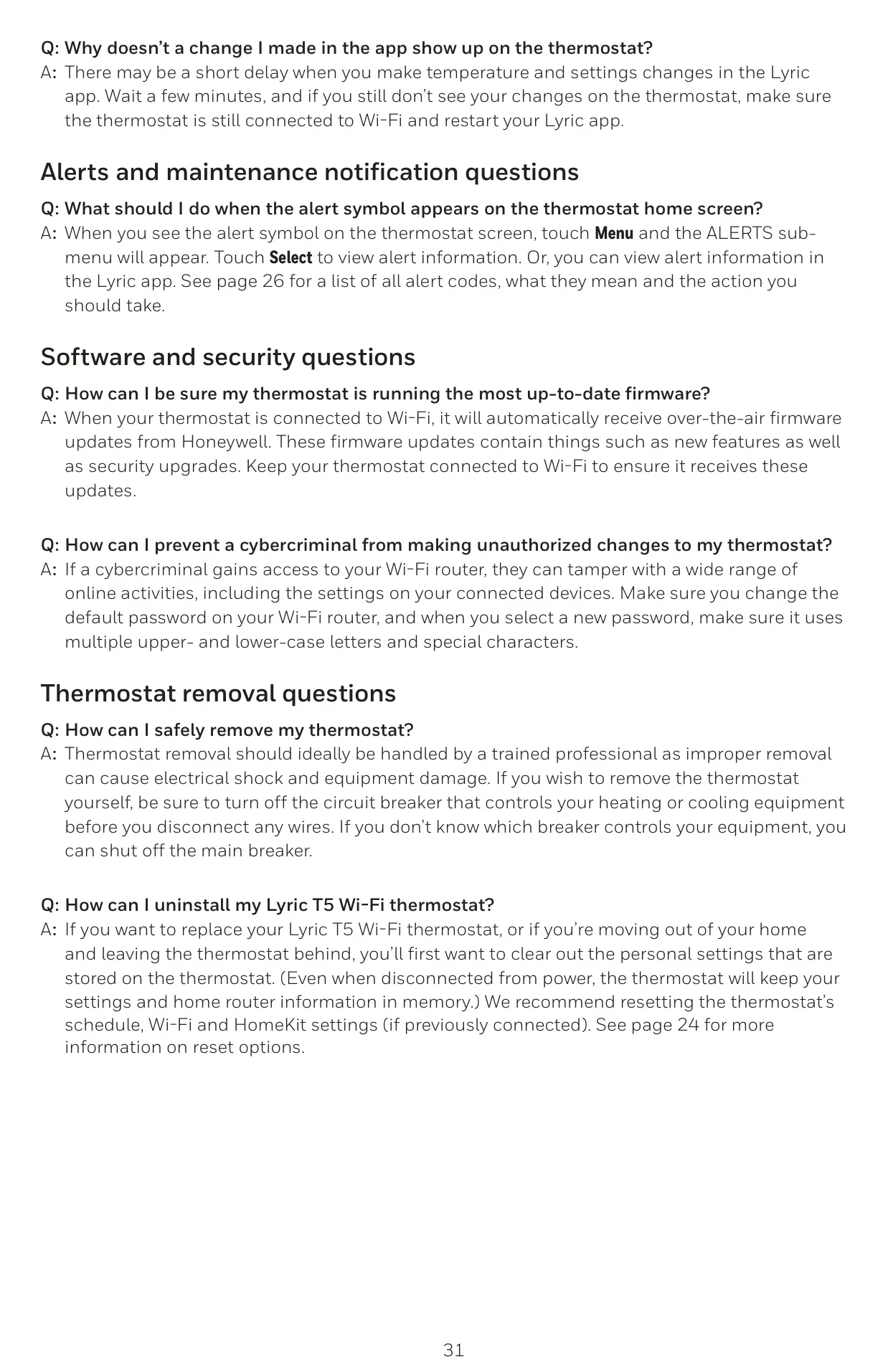
The Lyric T5 goes beyond basic temperature adjustments with its intelligent features. Smart Alerts provide essential push notifications, reminding you of routine maintenance like filter changes and warning you of extreme indoor temperatures or potential system malfunctions. Furthermore, the Smart Response feature learns your heating and cooling system's cycle times, ensuring that your desired temperature is achieved precisely when you want it, rather than just starting at that time.
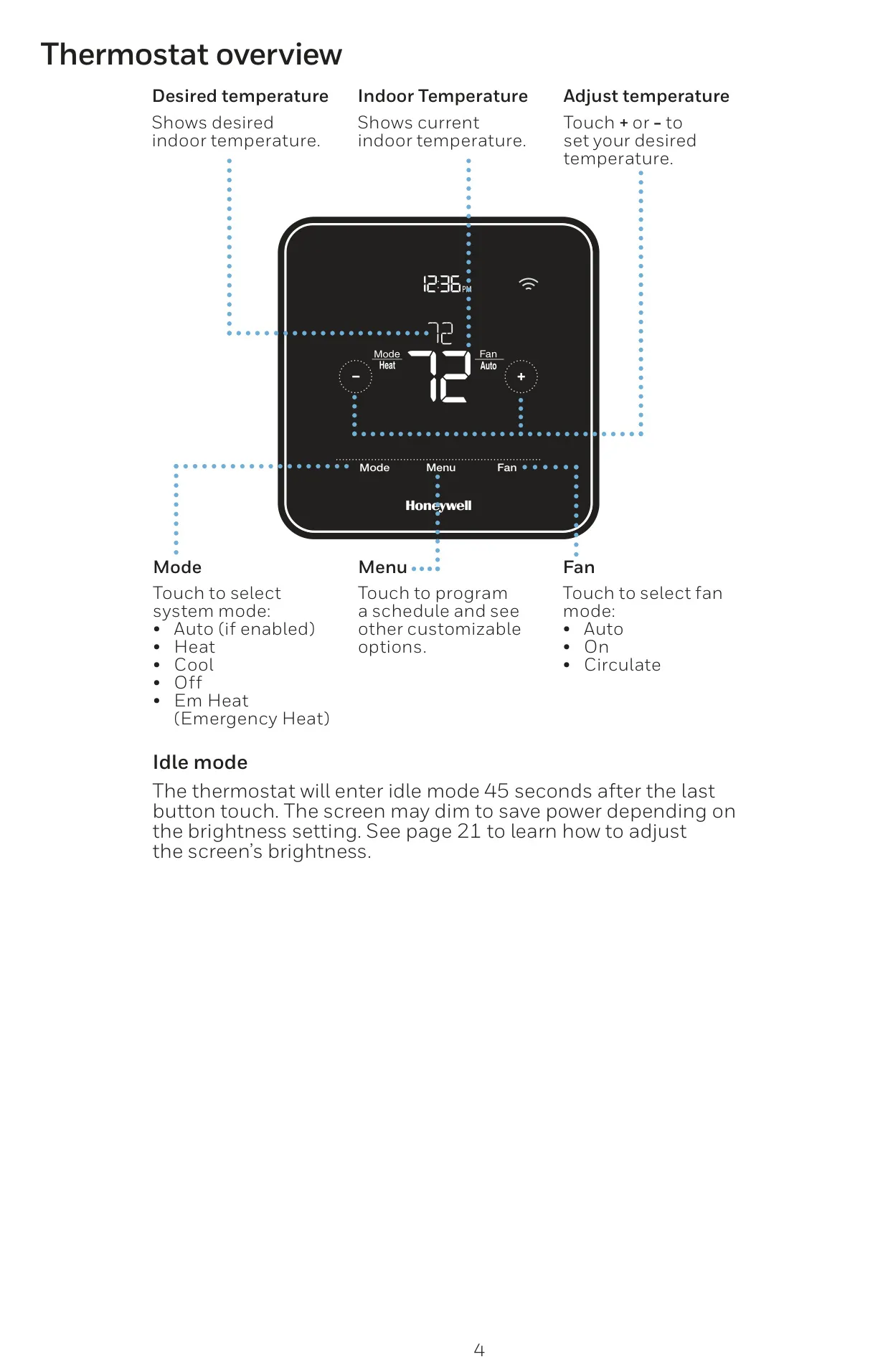
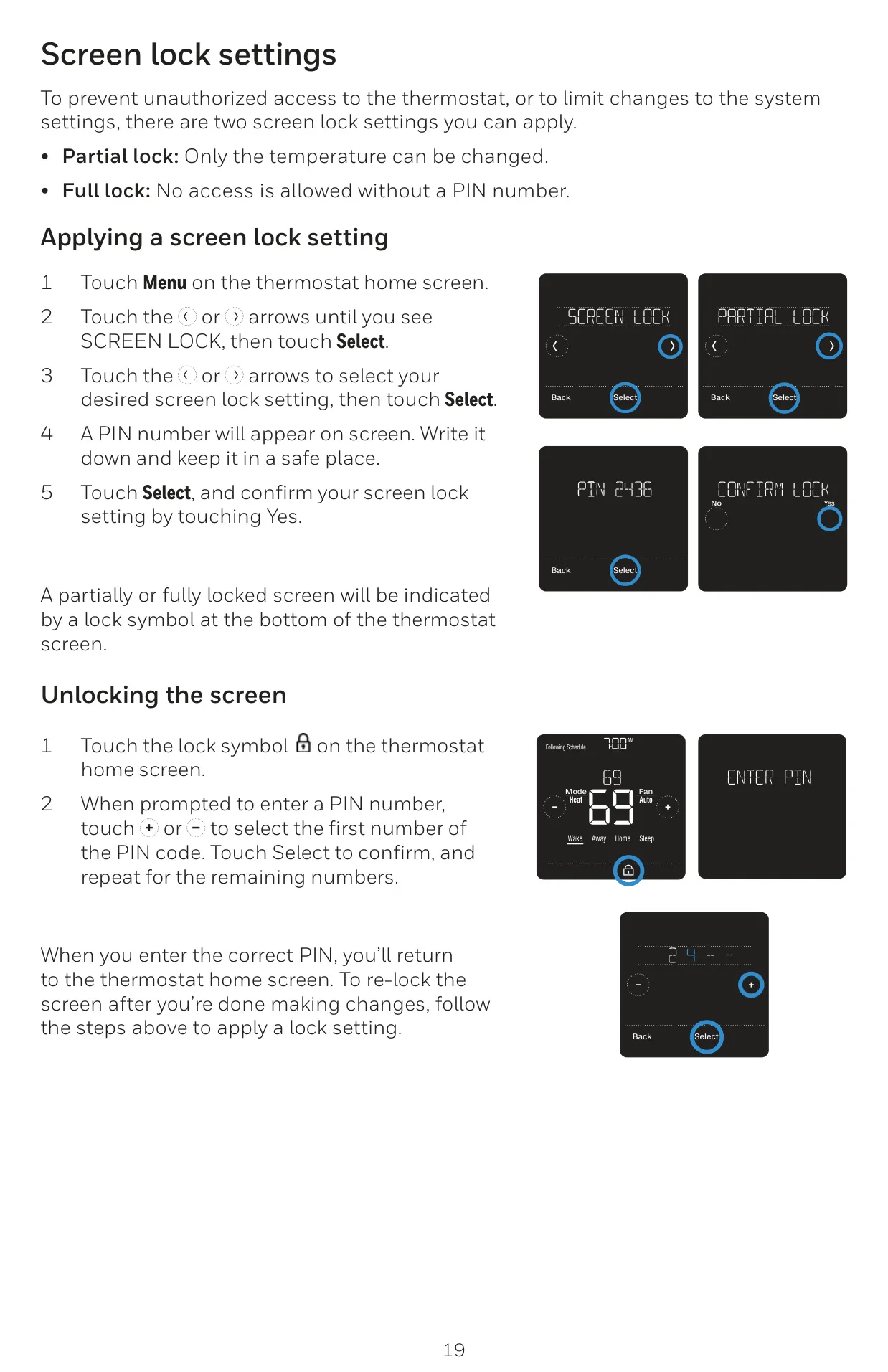
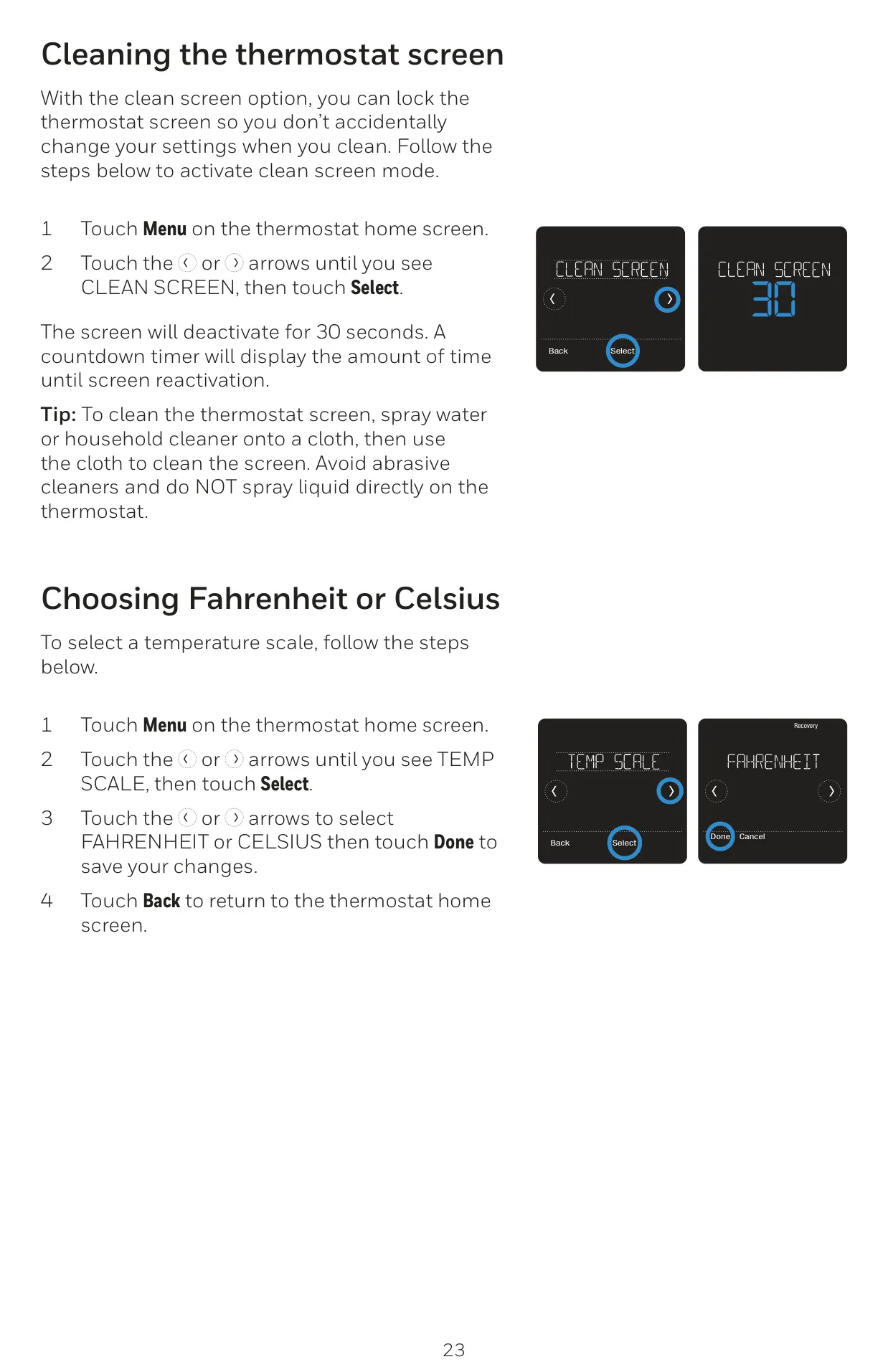
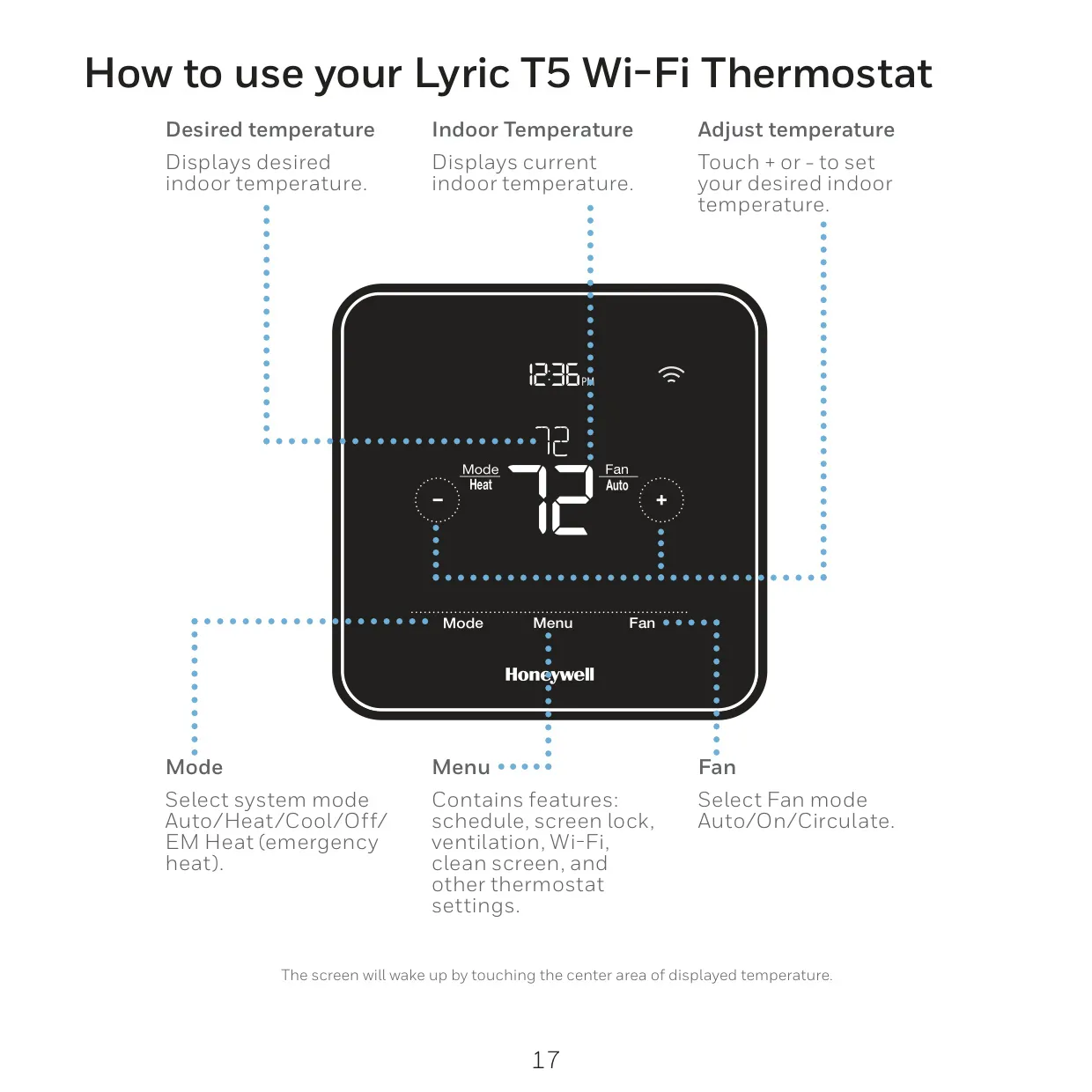
User control and system protection are paramount. The thermostat includes screen lock settings (partial or full with a PIN) to prevent unauthorized changes, an adjustable backlight brightness for optimal visibility, and a convenient clean screen mode that temporarily deactivates the touchscreen for easy cleaning. It also allows for quick selection between Fahrenheit and Celsius, catering to individual preferences.
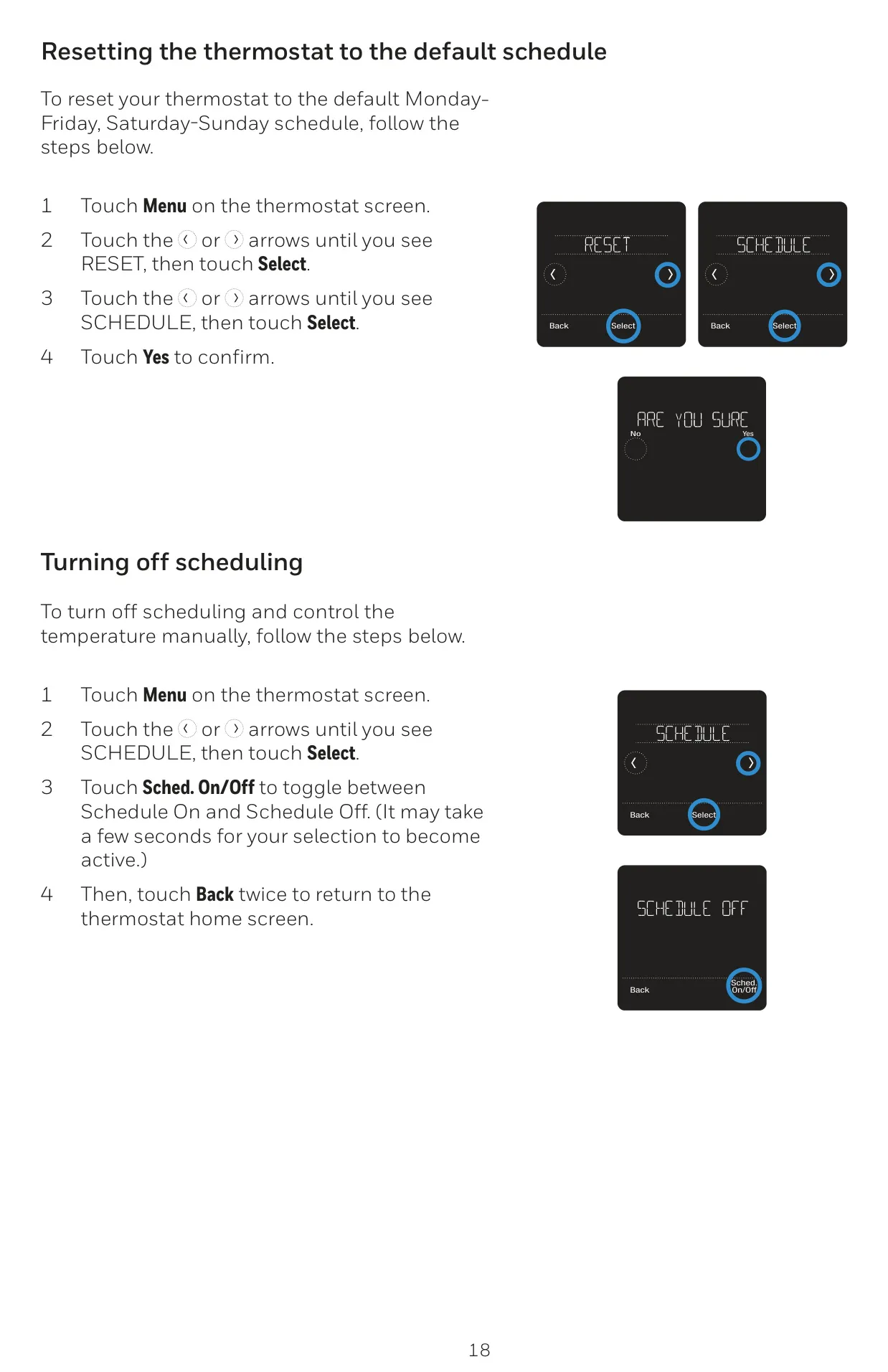
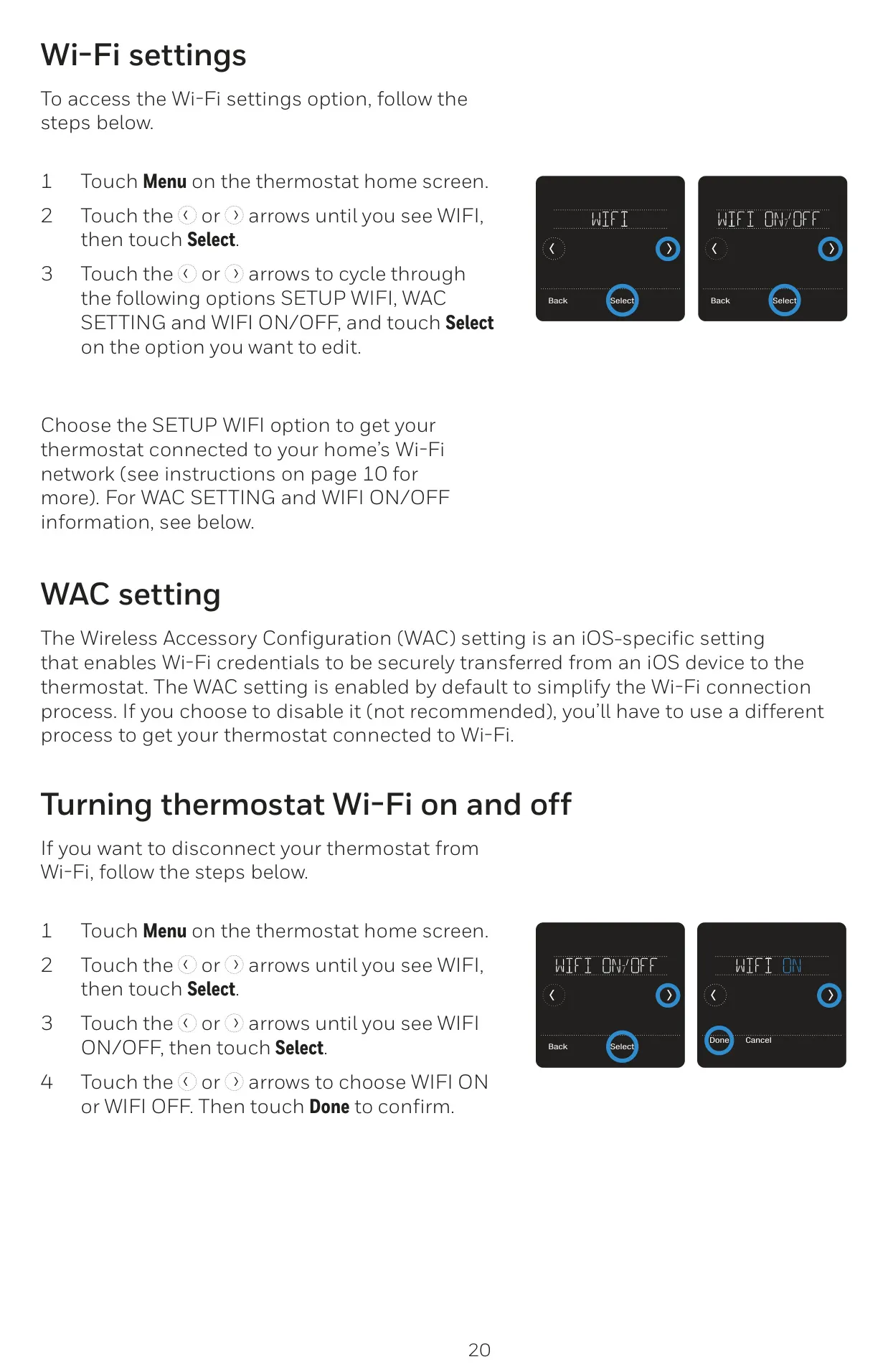
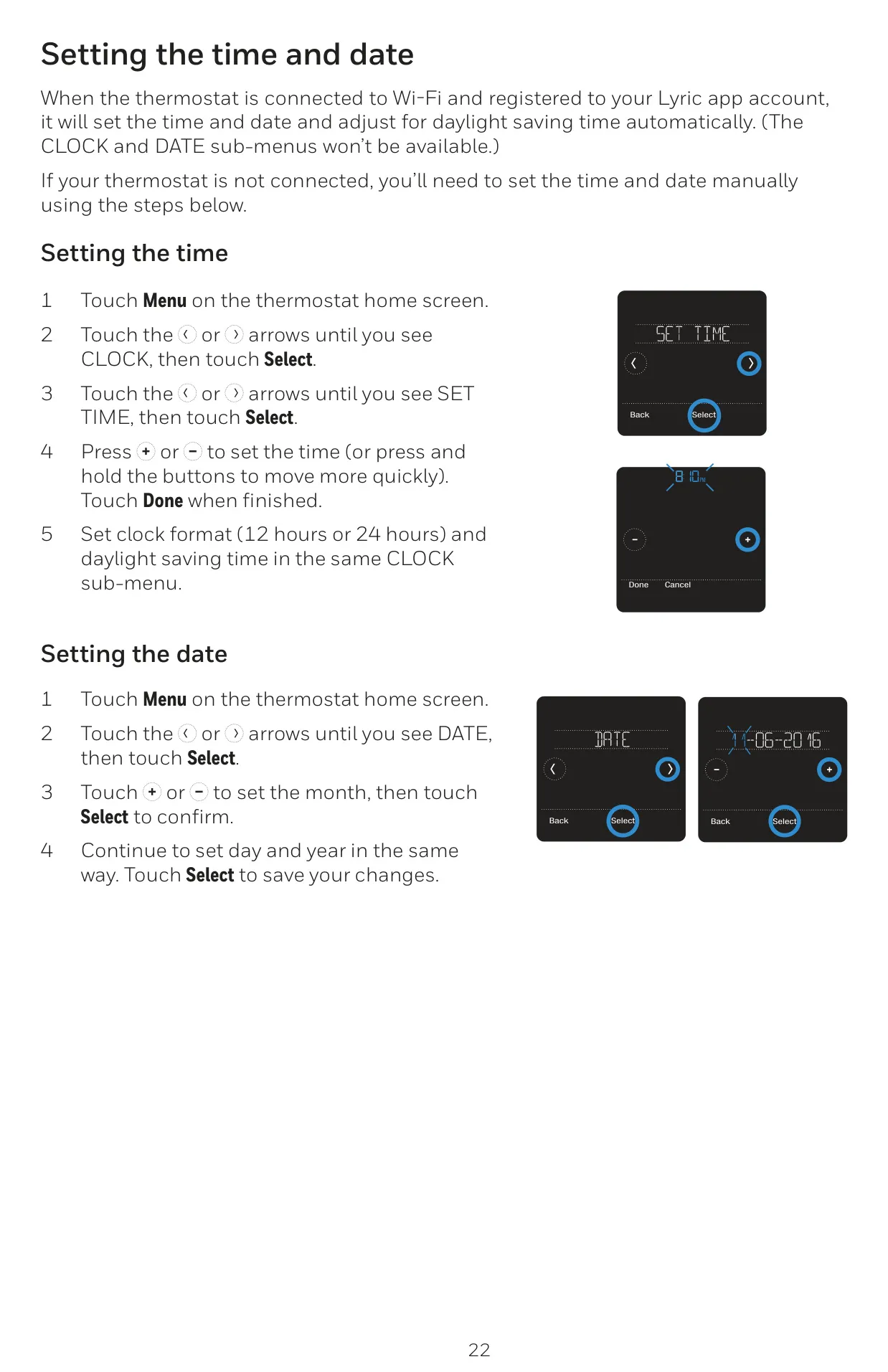
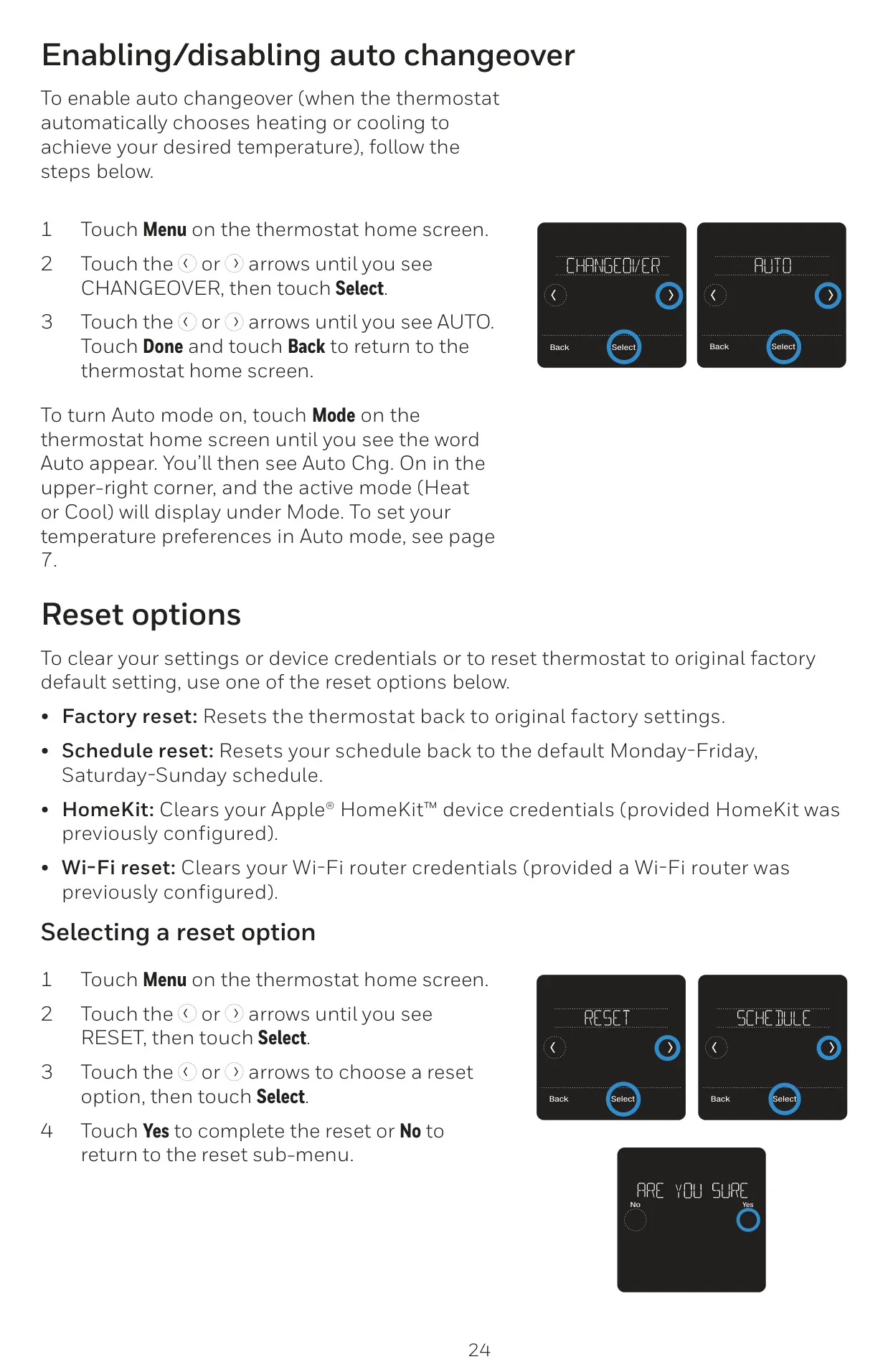
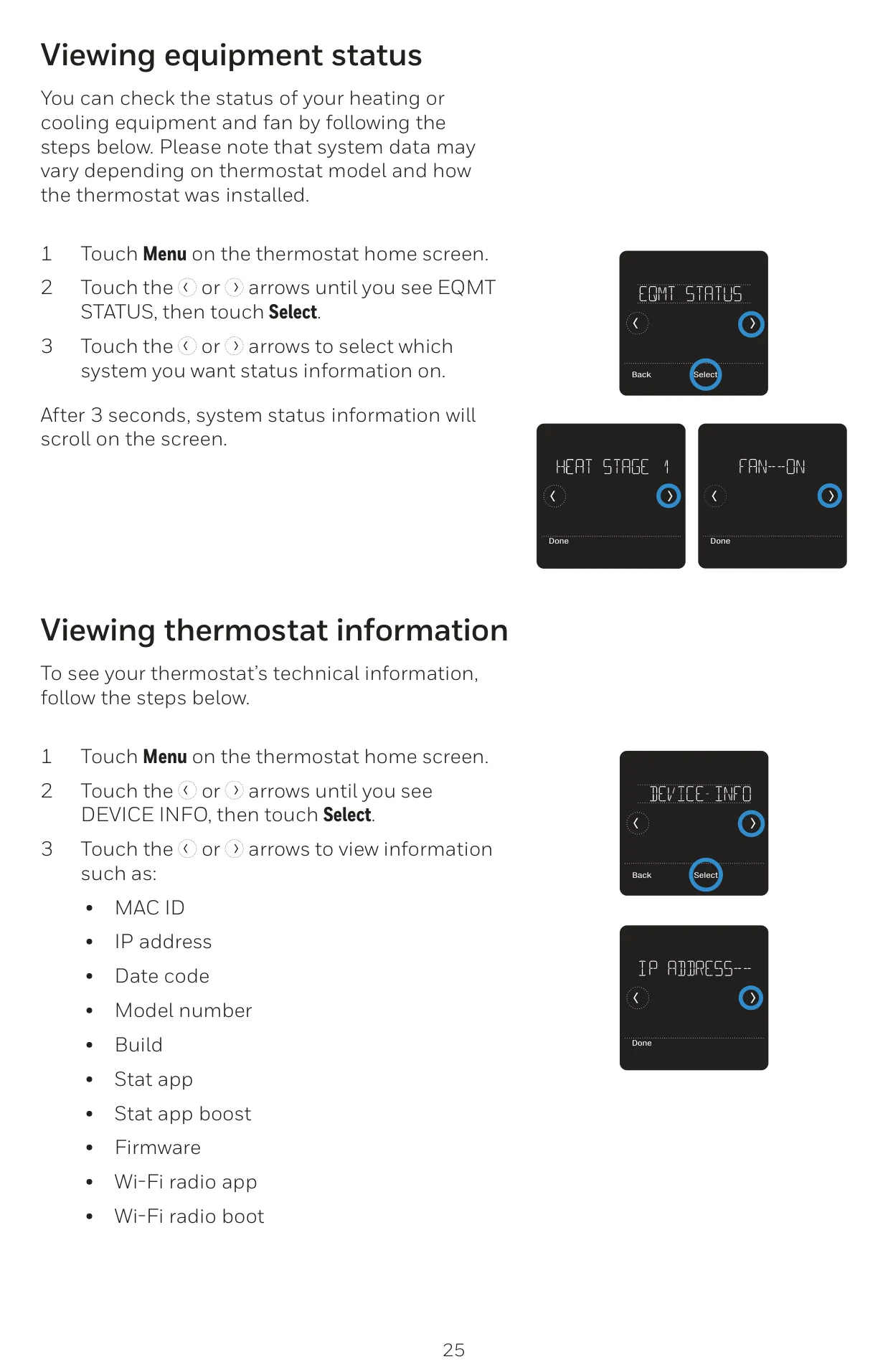
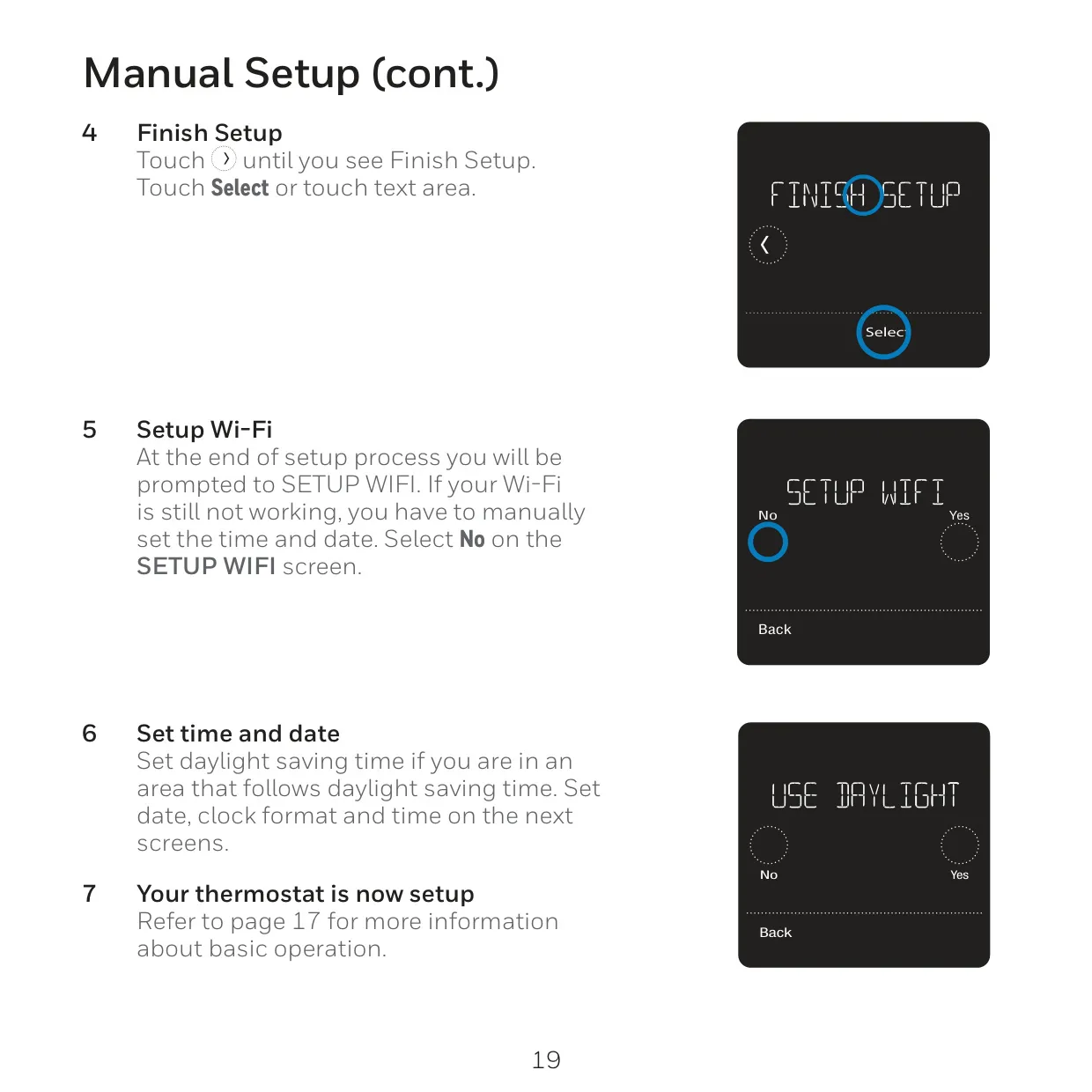
Connectivity is seamless, with the thermostat automatically setting the time and date when connected to Wi-Fi. It also features built-in compressor protection, which forces a brief wait period before restarting the compressor, safeguarding your HVAC system from potential damage. Comprehensive reset options (factory, schedule, Wi-Fi, HomeKit) provide flexibility for system configuration and maintenance, while equipment status and device information menus keep you informed about your system's health and thermostat specifics.
Frequently Asked Questions (FAQs)
Can't find the answer you need? Here are some frequently asked questions about the Honeywell Lyric T5 RCHT8610WF2006, and we answer them below.