Honeywell TH8321WF1001 VisionPRO 8000 Instruction Manual
Honeywell TH8321WF1001 VisionPRO 8000
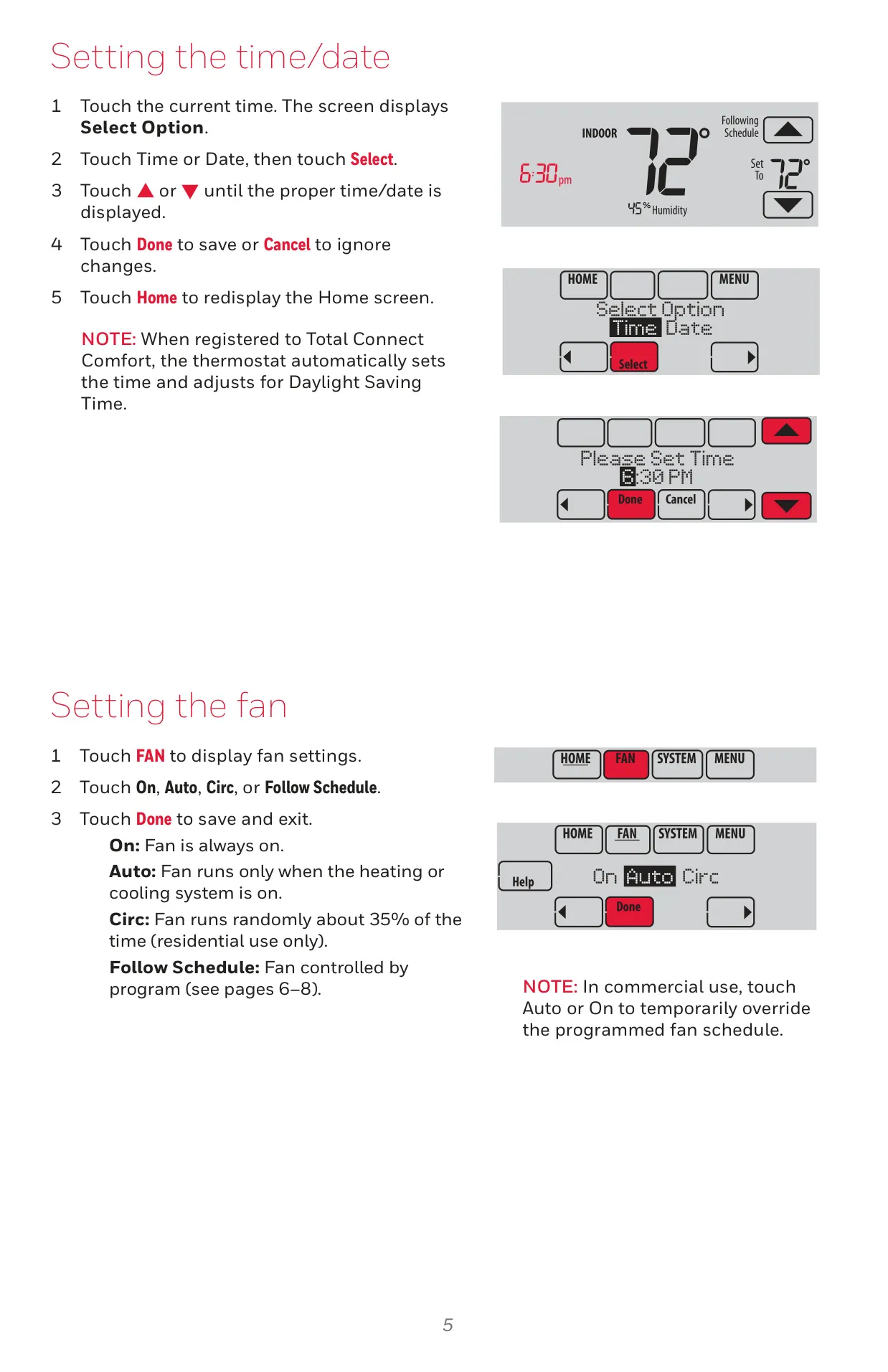

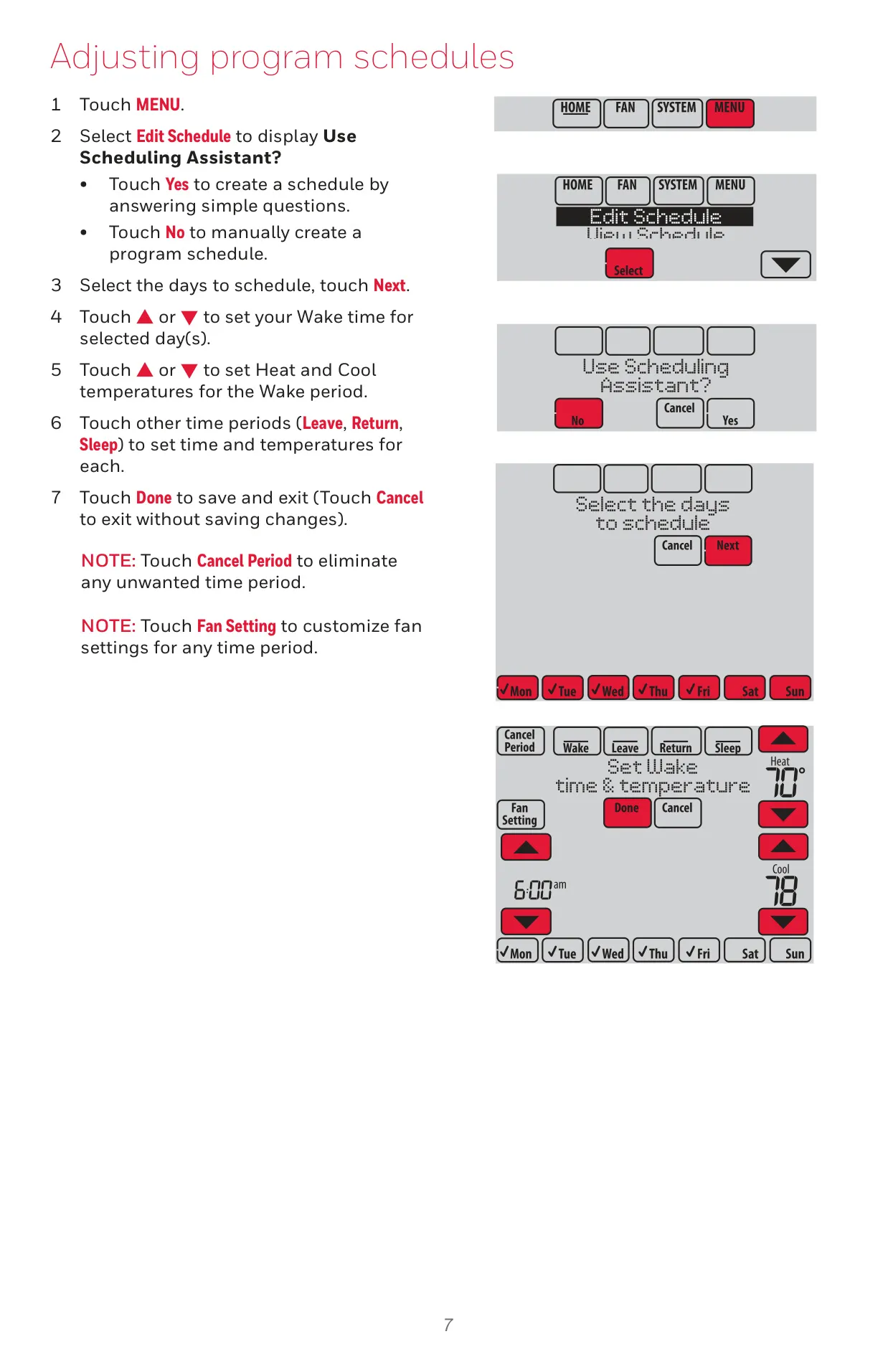
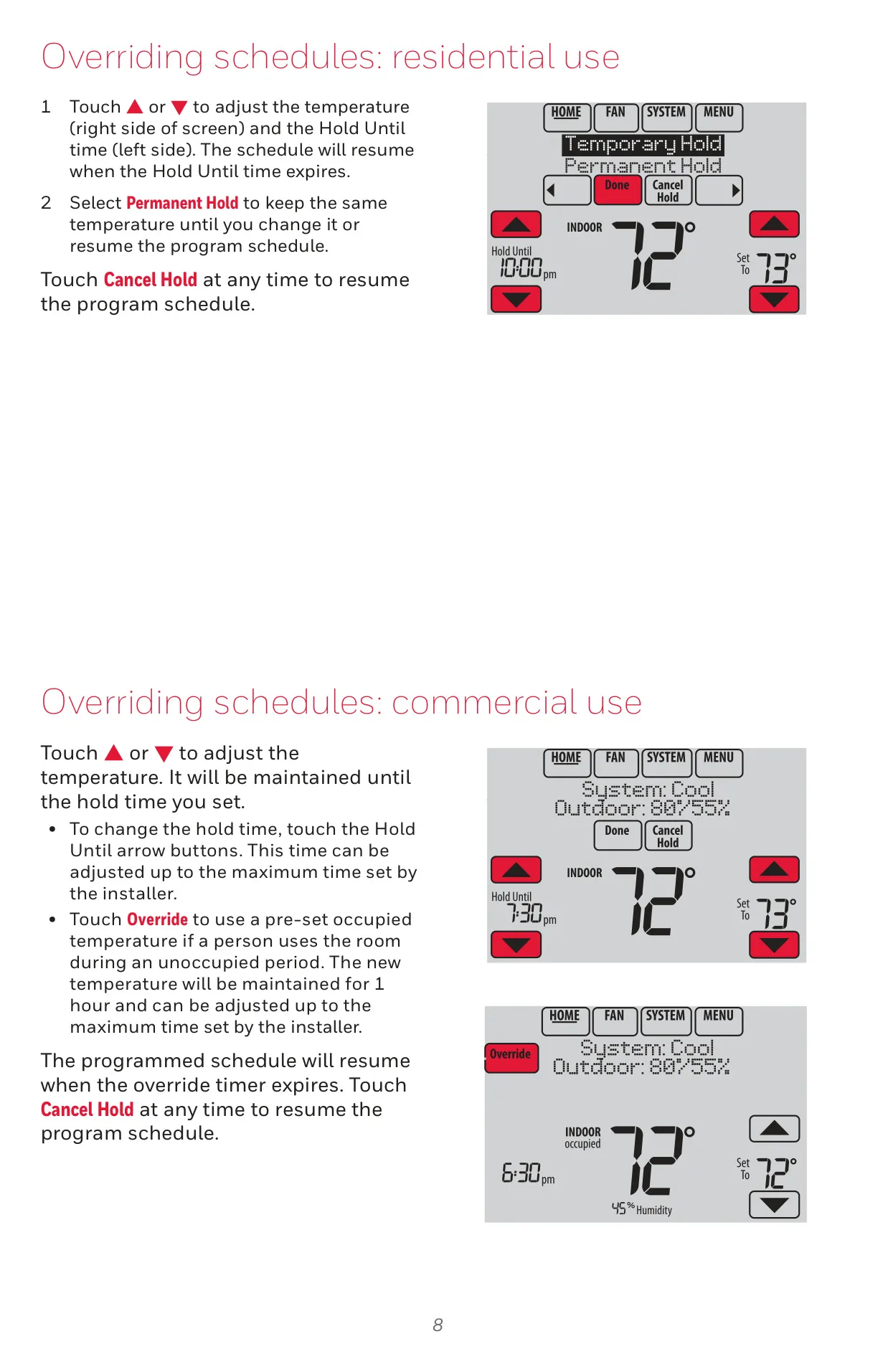
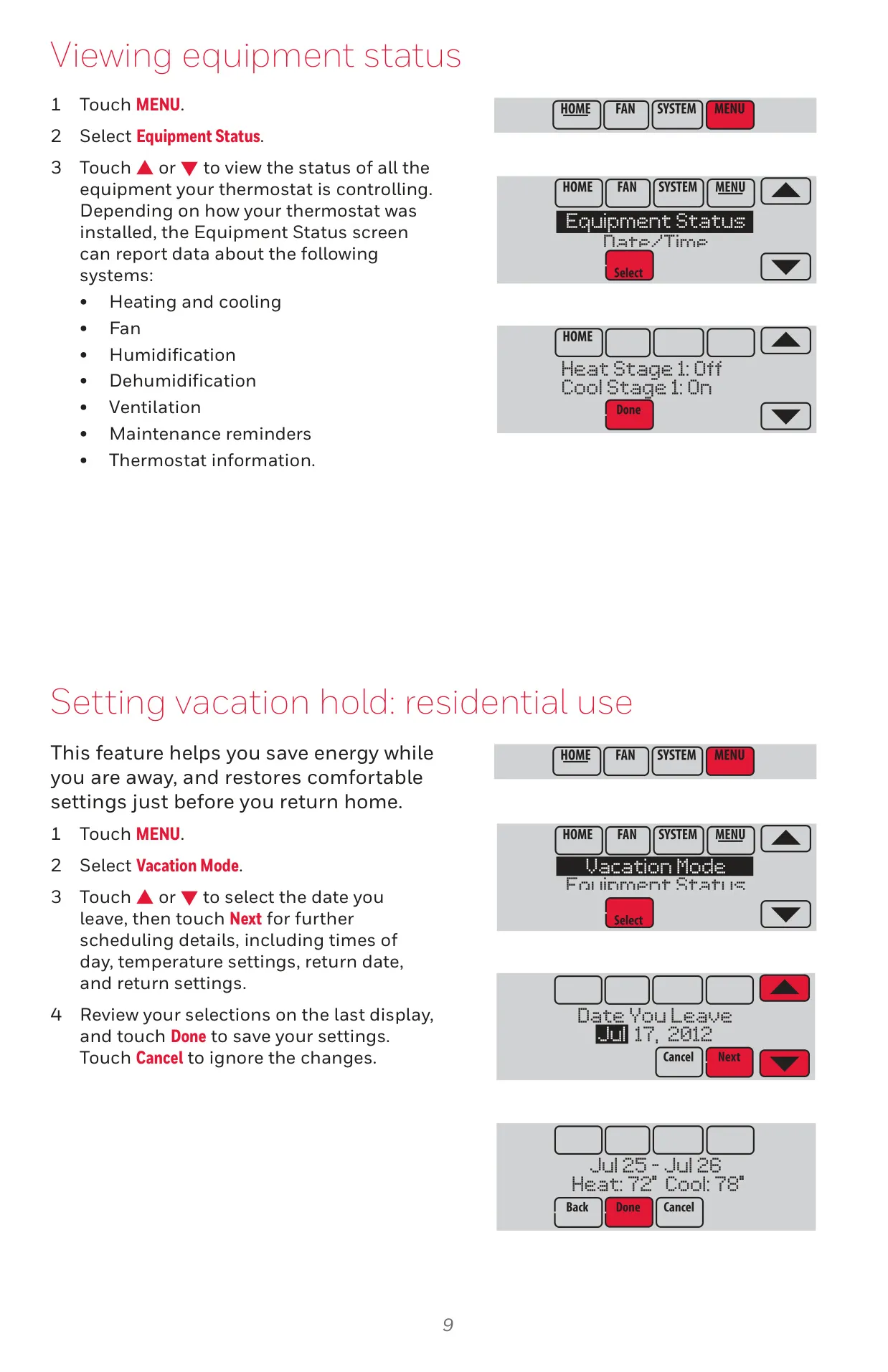


Honeywell TH8321WF1001 VisionPRO 8000


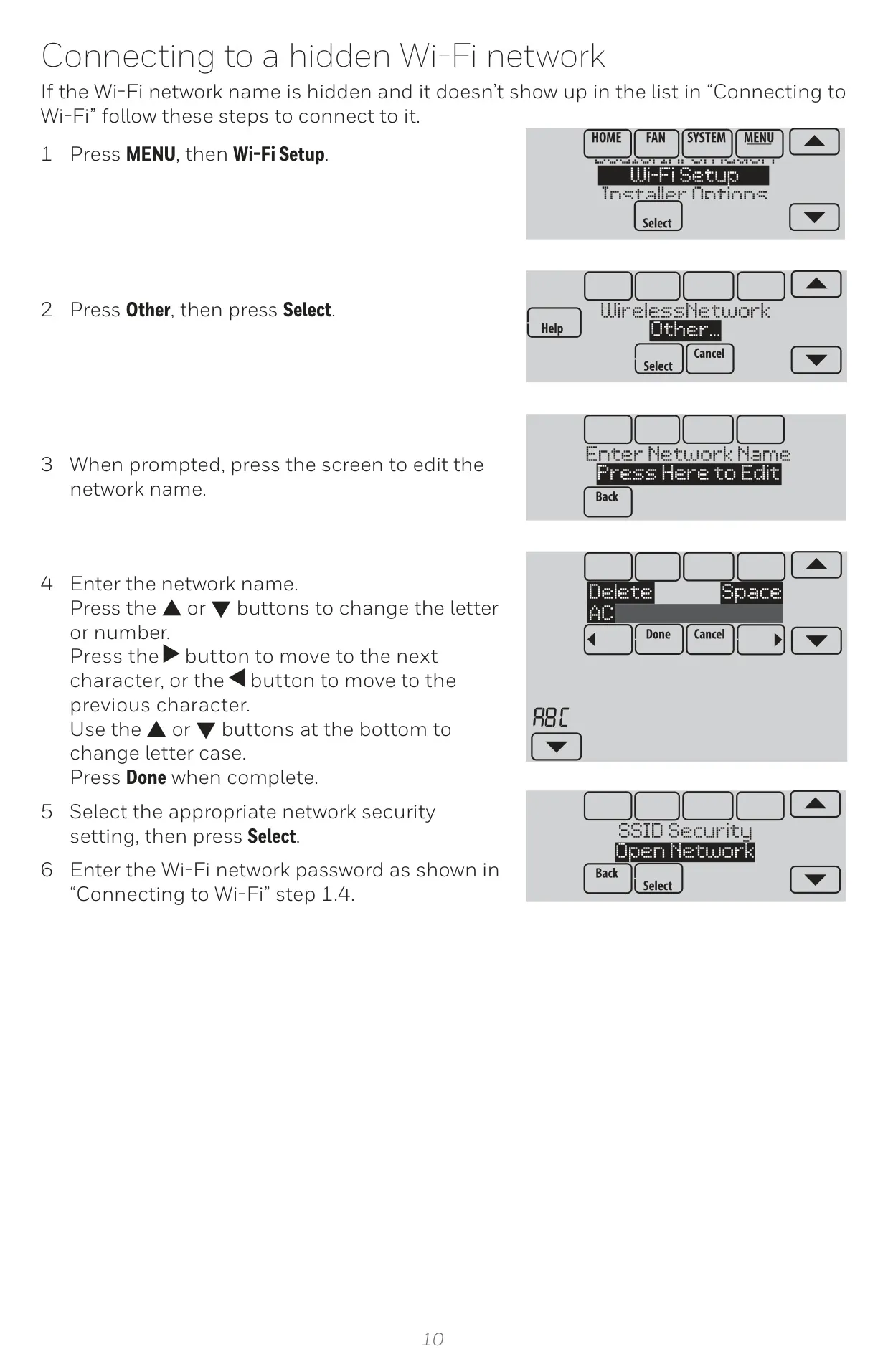
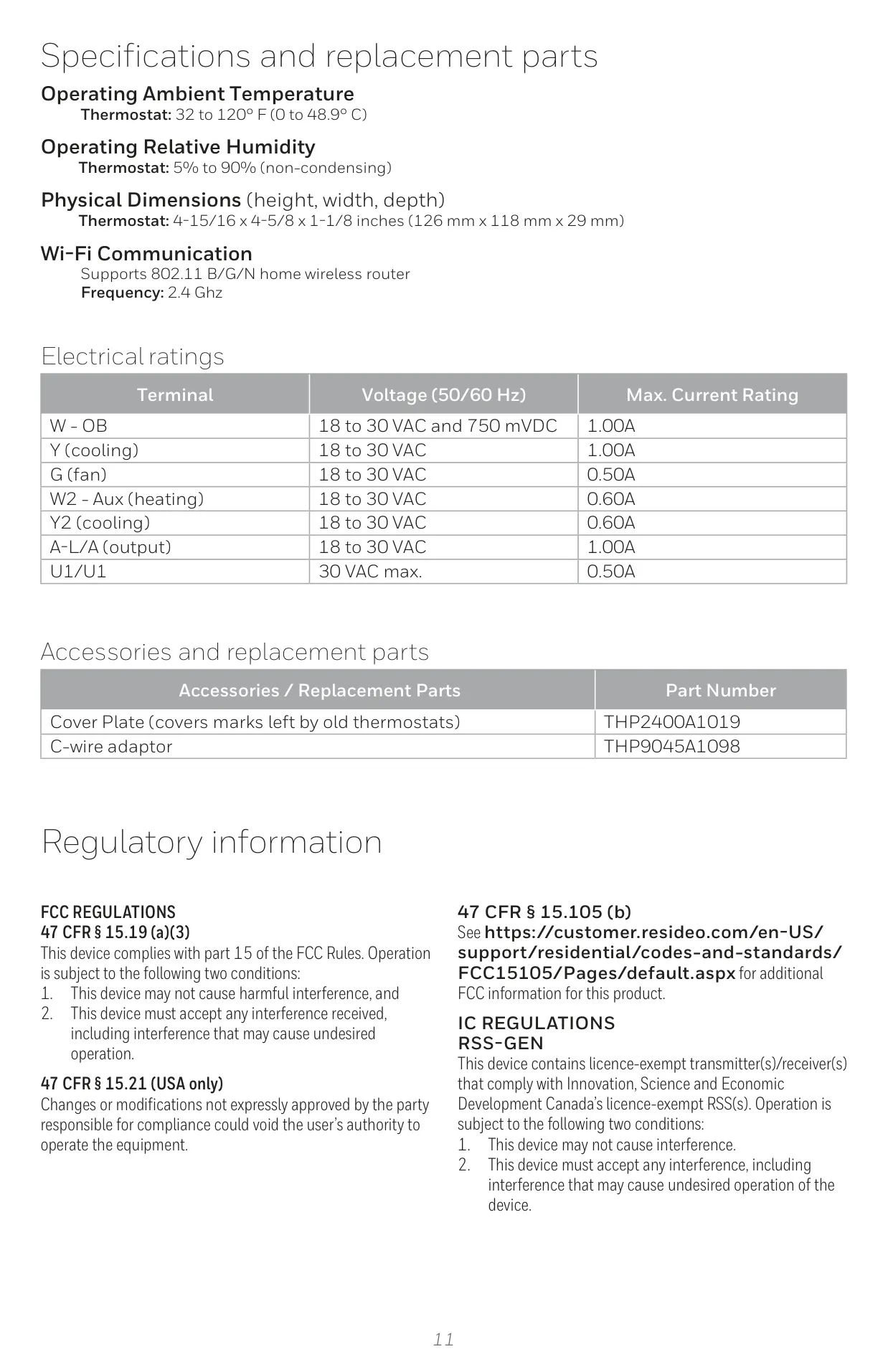
Honeywell TH8321WF1001 Instructions
Here we offer the Honeywell TH8321WF1001 VisionPRO 8000 manual completely free and in English. We have cataloged this manual in the Thermostats section on Manualverse, and it has been rated by 1 users with an average rating of 5. If you have any specific questions about Honeywell TH8321WF1001 VisionPRO 8000, we suggest checking the Frequently Asked Questions (FAQs) section of this manual.
Product Images
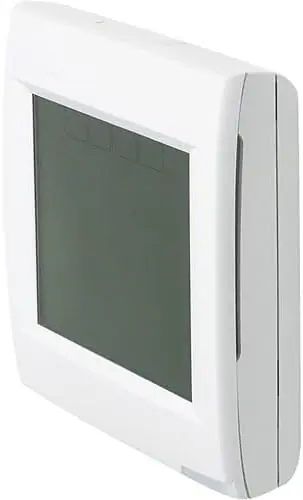
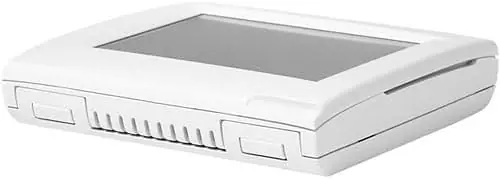
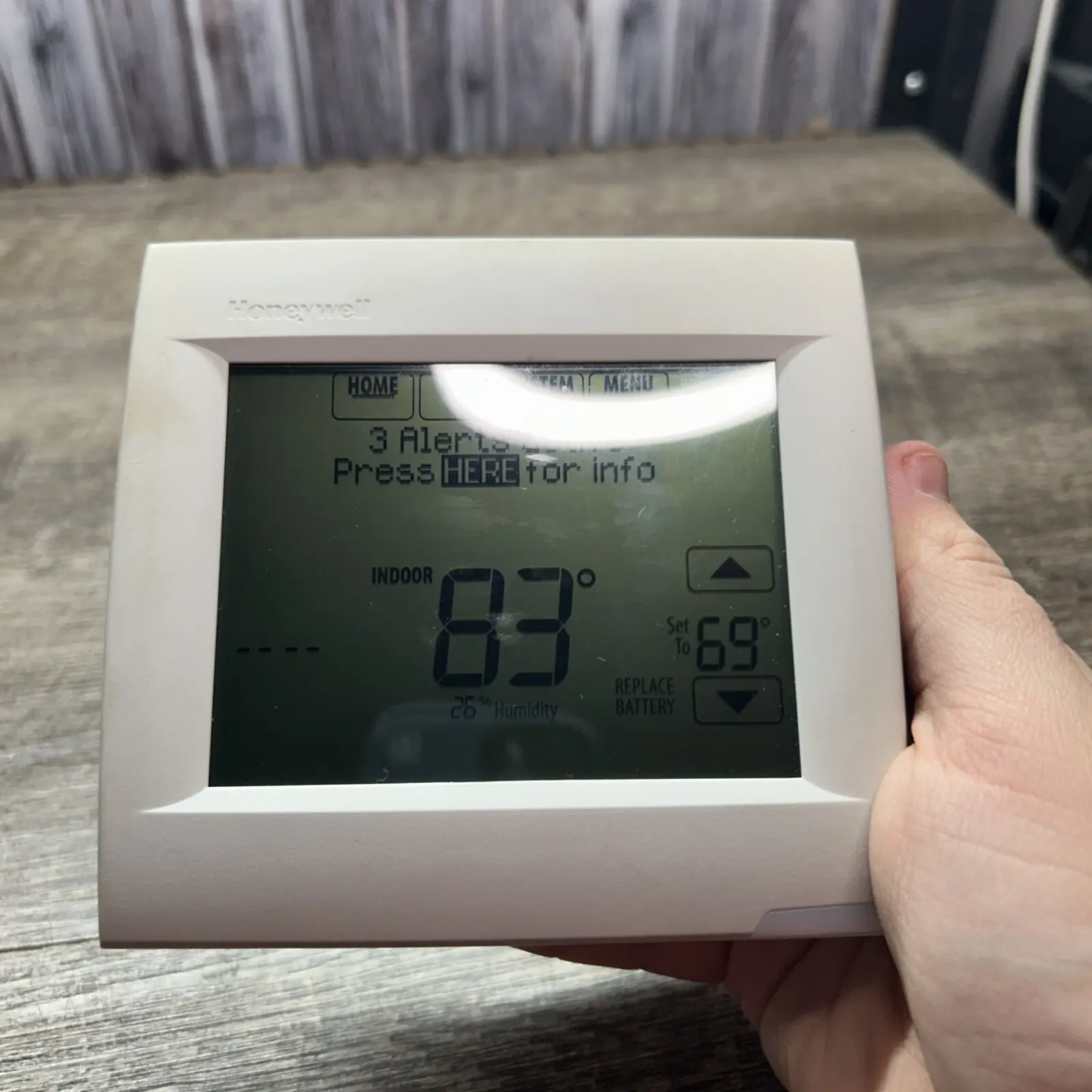
Honeywell TH8321WF1001 VisionPRO 8000 Specifications
| Feature | Specification |
|---|---|
| Model Number | TH8321WF1001 VisionPRO 8000 |
| Operating Ambient Temperature | 32 to 120° F (0 to 48.9° C) |
| Operating Relative Humidity | 5% to 90% (non-condensing) |
| Physical Dimensions (H x W x D) | 4-15/16 x 4-5/8 x 1-1/8 inches (126 mm x 118 mm x 29 mm) |
| Wi-Fi Communication | Supports 802.11 B/G/N home wireless router |
| Wi-Fi Frequency | 2.4 GHz |
| Terminal Voltage (W - OB) | 18 to 30 VAC and 750 mVDC |
| Max. Current Rating (W - OB) | 1.00A |
| Terminal Voltage (Y - cooling) | 18 to 30 VAC |
| Max. Current Rating (Y - cooling) | 1.00A |
| Terminal Voltage (G - fan) | 18 to 30 VAC |
| Max. Current Rating (G - fan) | 0.50A |
| Terminal Voltage (W2 - Aux heating) | 18 to 30 VAC |
| Max. Current Rating (W2 - Aux heating) | 0.60A |
| Terminal Voltage (Y2 - cooling) | 18 to 30 VAC |
| Max. Current Rating (Y2 - cooling) | 0.60A |
| Terminal Voltage (A-L/A - output) | 18 to 30 VAC |
| Max. Current Rating (A-L/A - output) | 1.00A |
| Terminal Voltage (U1/U1) | 30 VAC max. |
| Max. Current Rating (U1/U1) | 0.50A |
| Power Requirement | 24VAC (C-wire) required |
| Warranty | 3-year limited (5-year when registered online) |
Honeywell VisionPRO 8000 Details
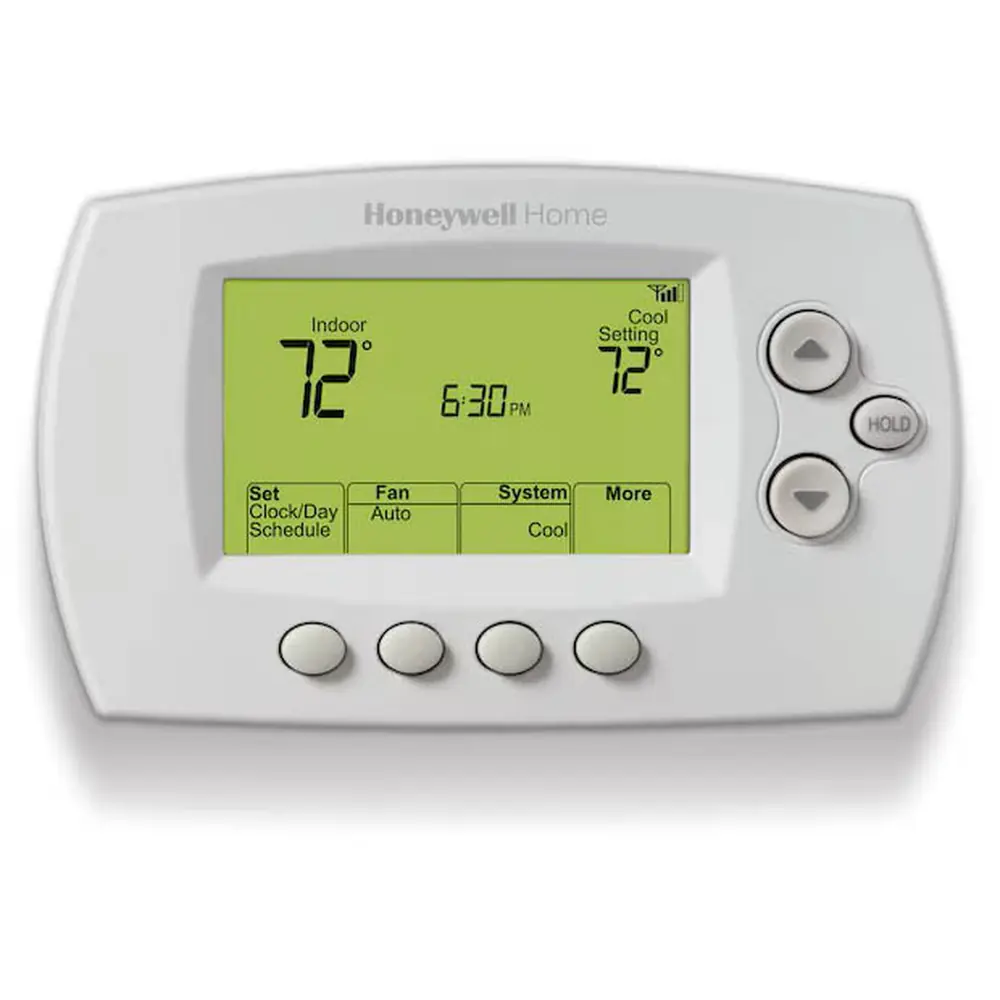
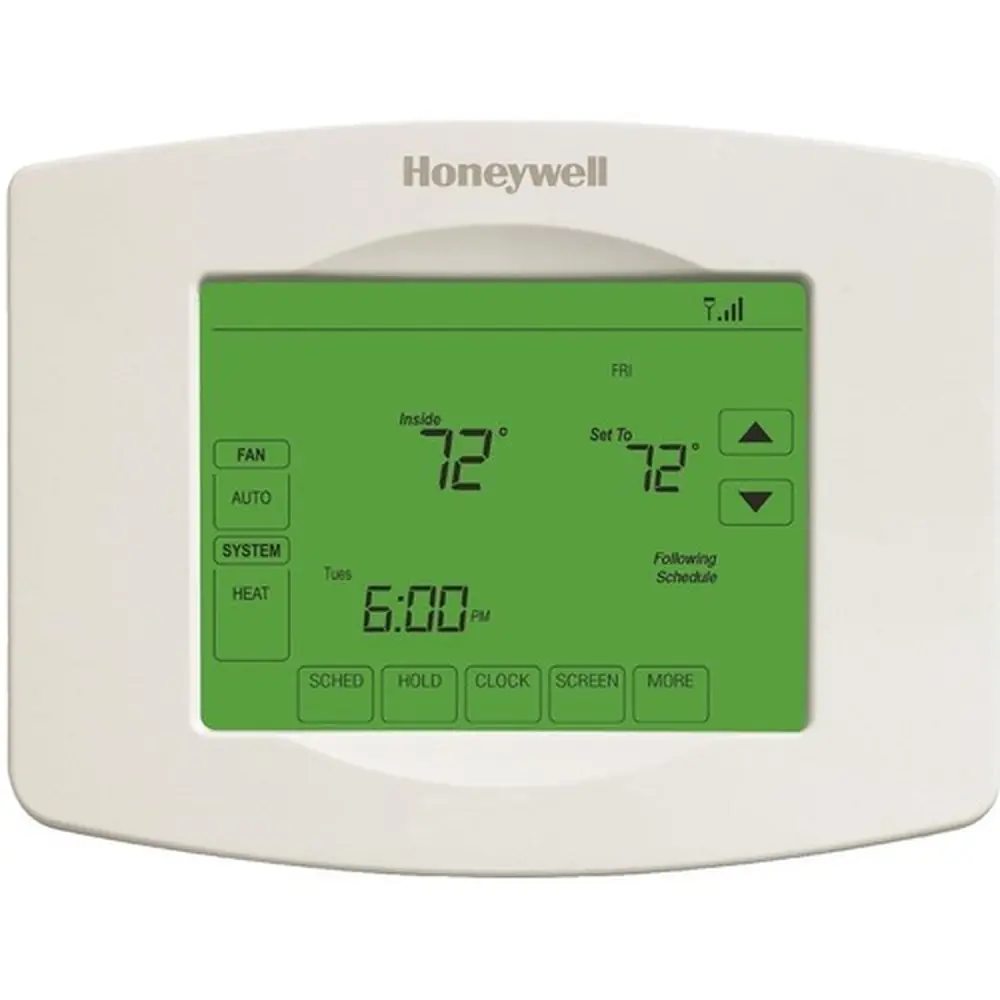
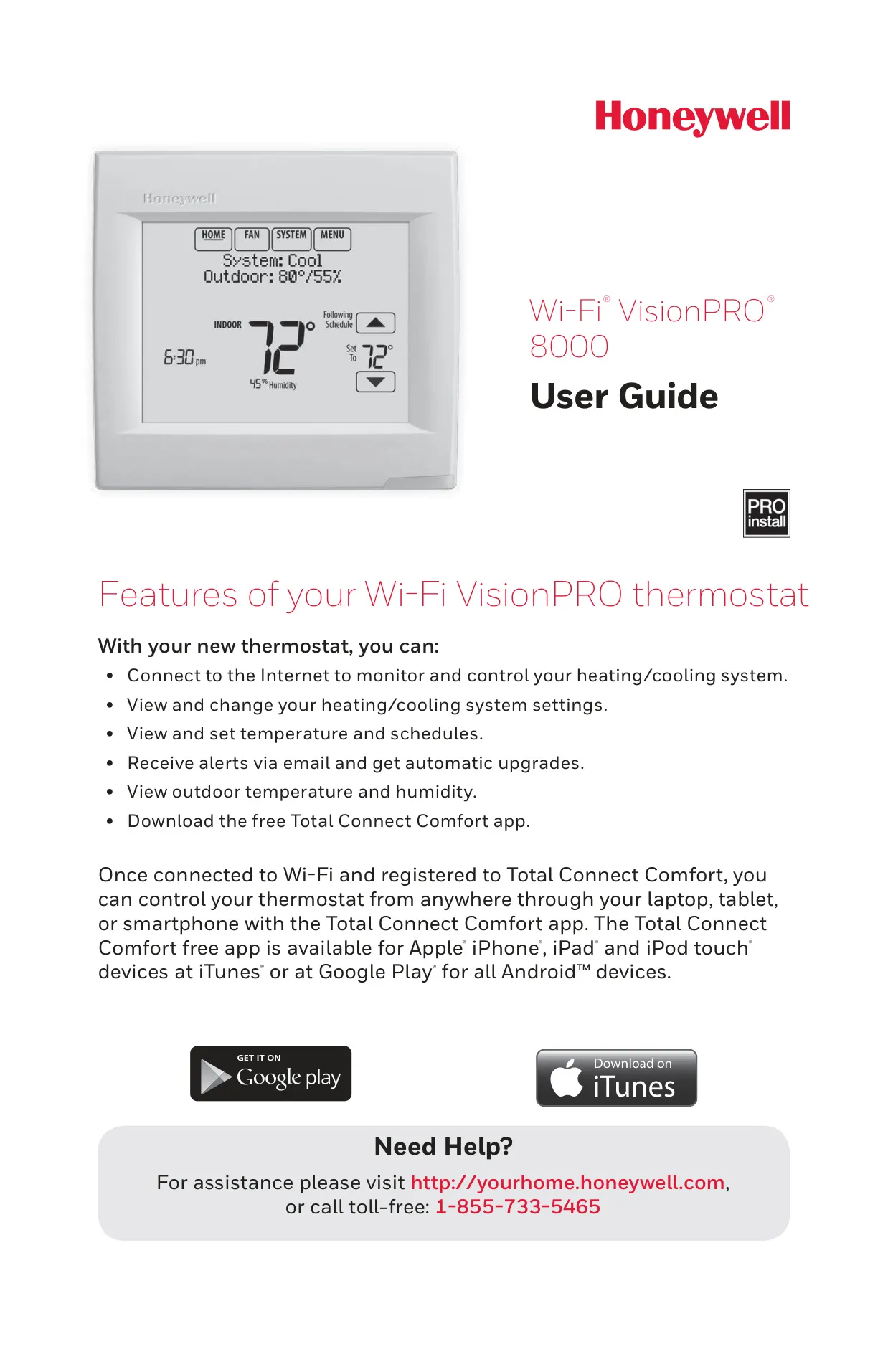
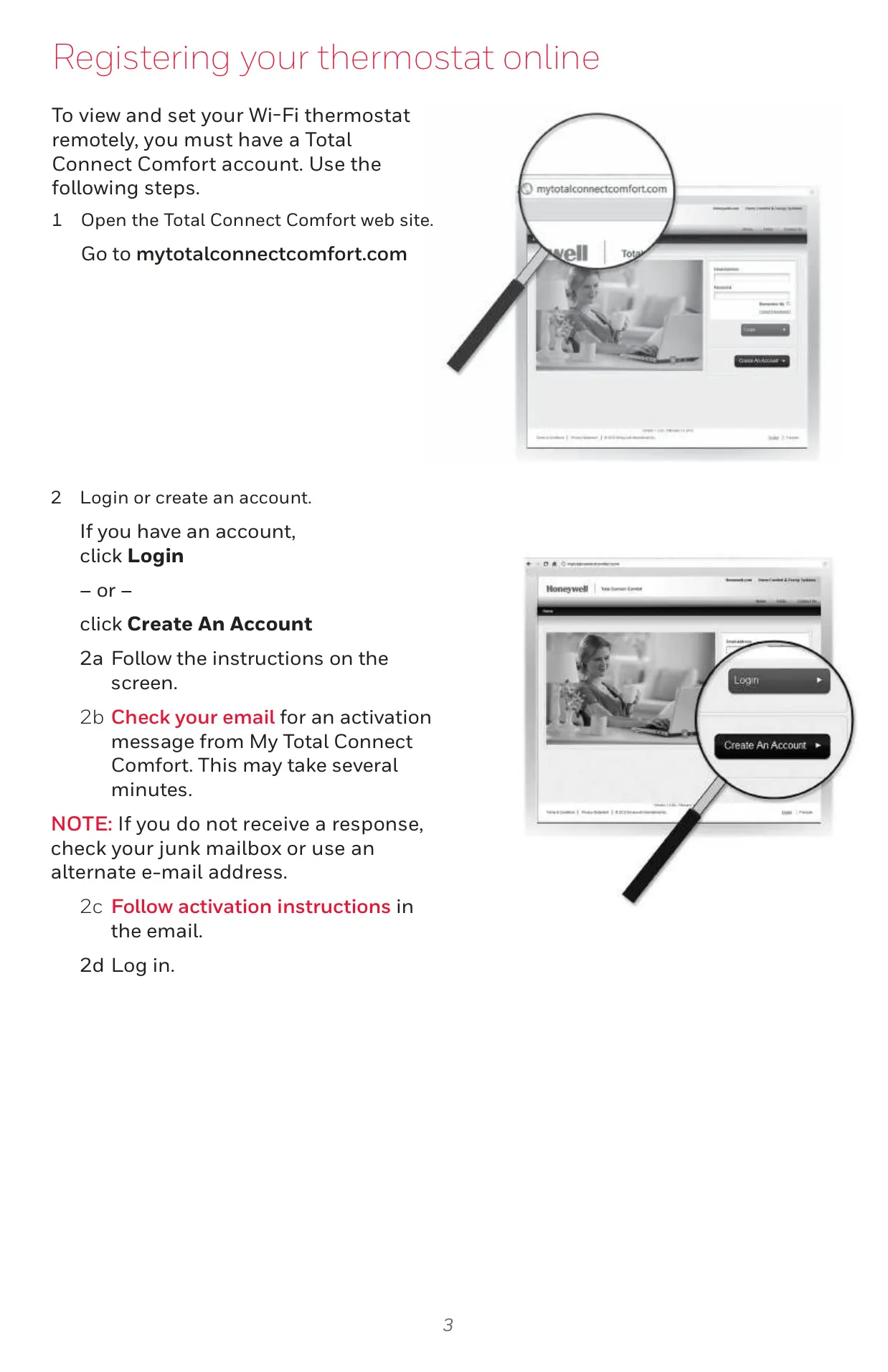
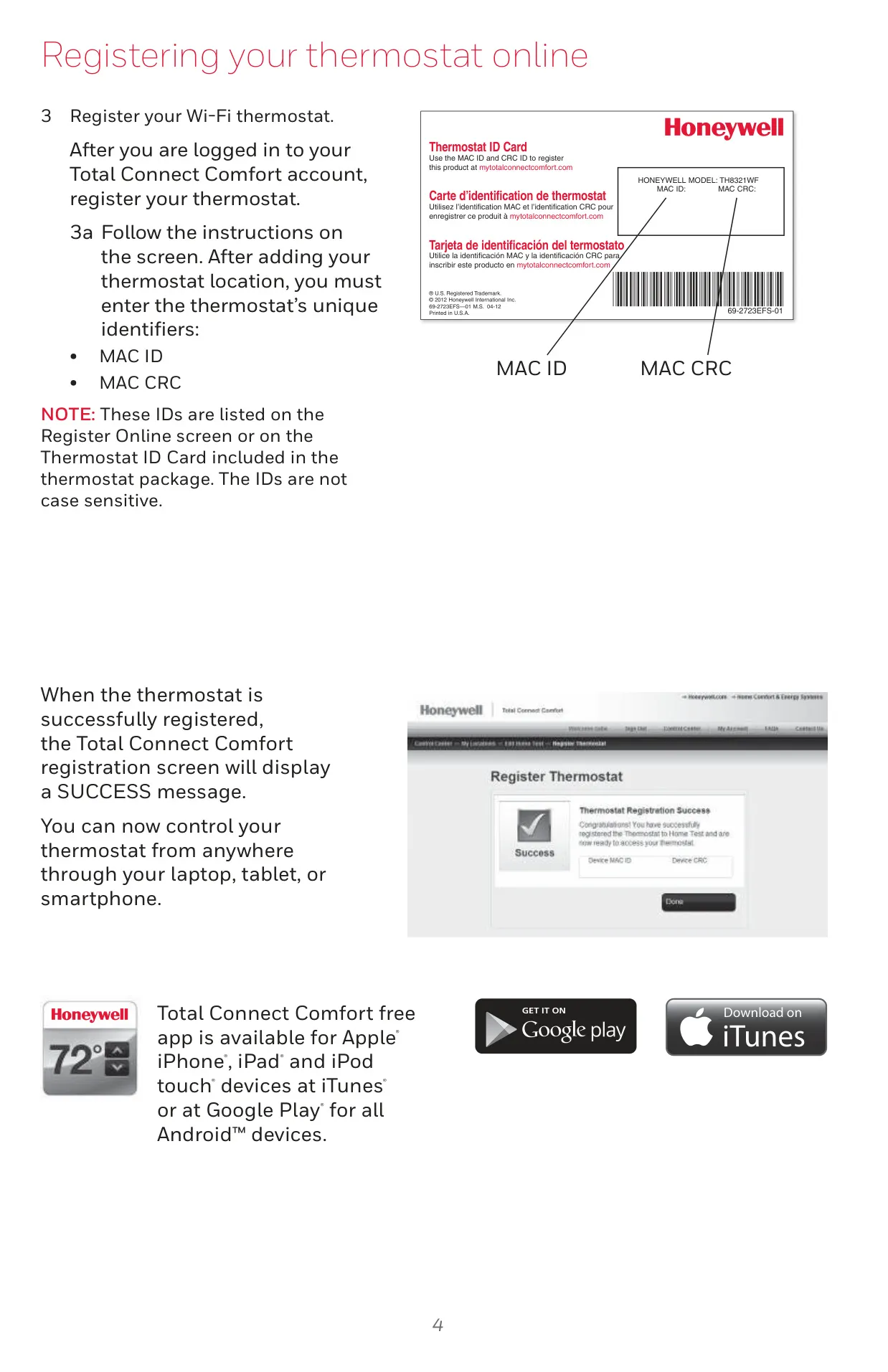
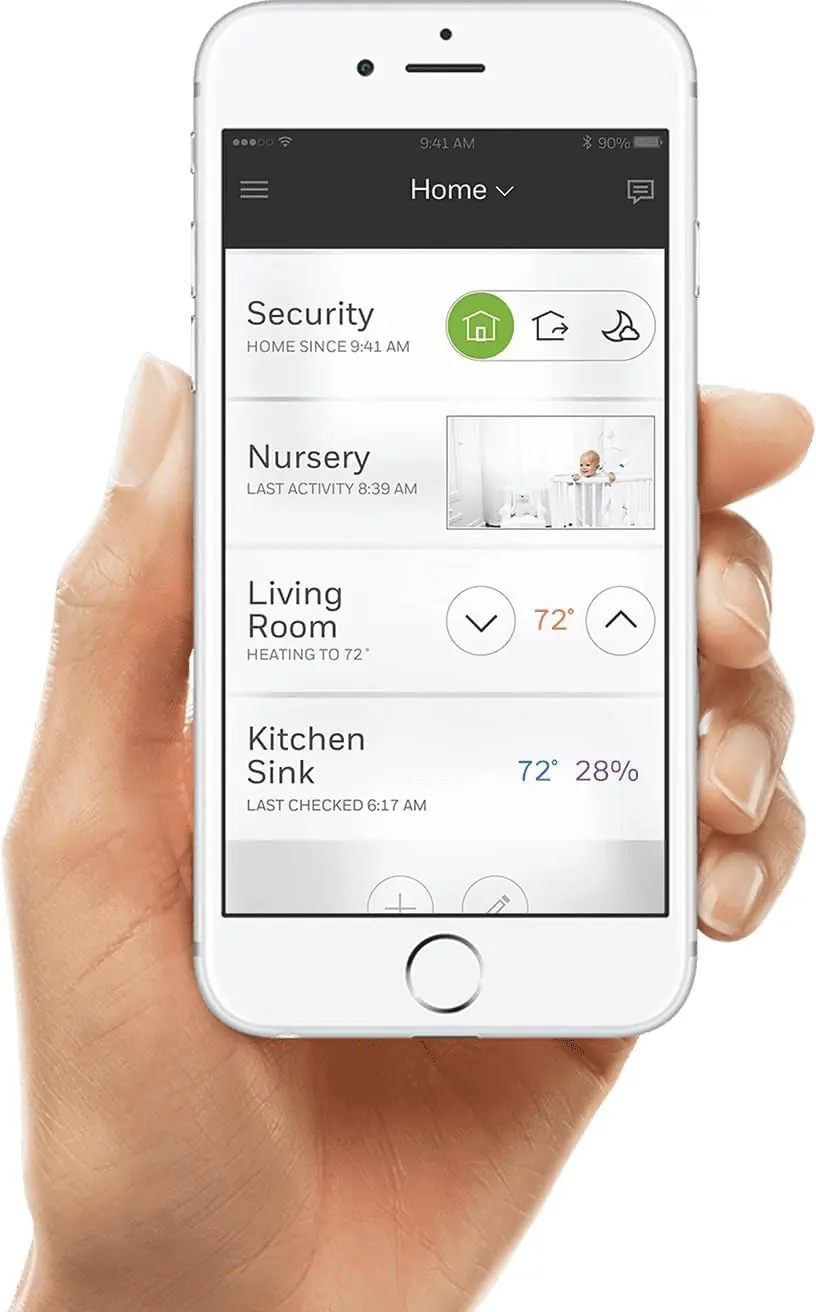
The Honeywell TH8321WF1001 VisionPRO 8000 thermostat offers extensive remote control and smart home integration capabilities. Users can monitor and control their heating/cooling systems from anywhere using a laptop, tablet, or smartphone via the free Total Connect Comfort app, available for Apple and Android devices. This connectivity allows for unparalleled convenience and system management.
Beyond basic temperature control, the thermostat enables users to view and change system settings, set precise temperatures, and adjust heating/cooling schedules remotely. It also provides email alerts for system events and receives automatic software upgrades, ensuring the device always operates with the latest features and optimal performance.
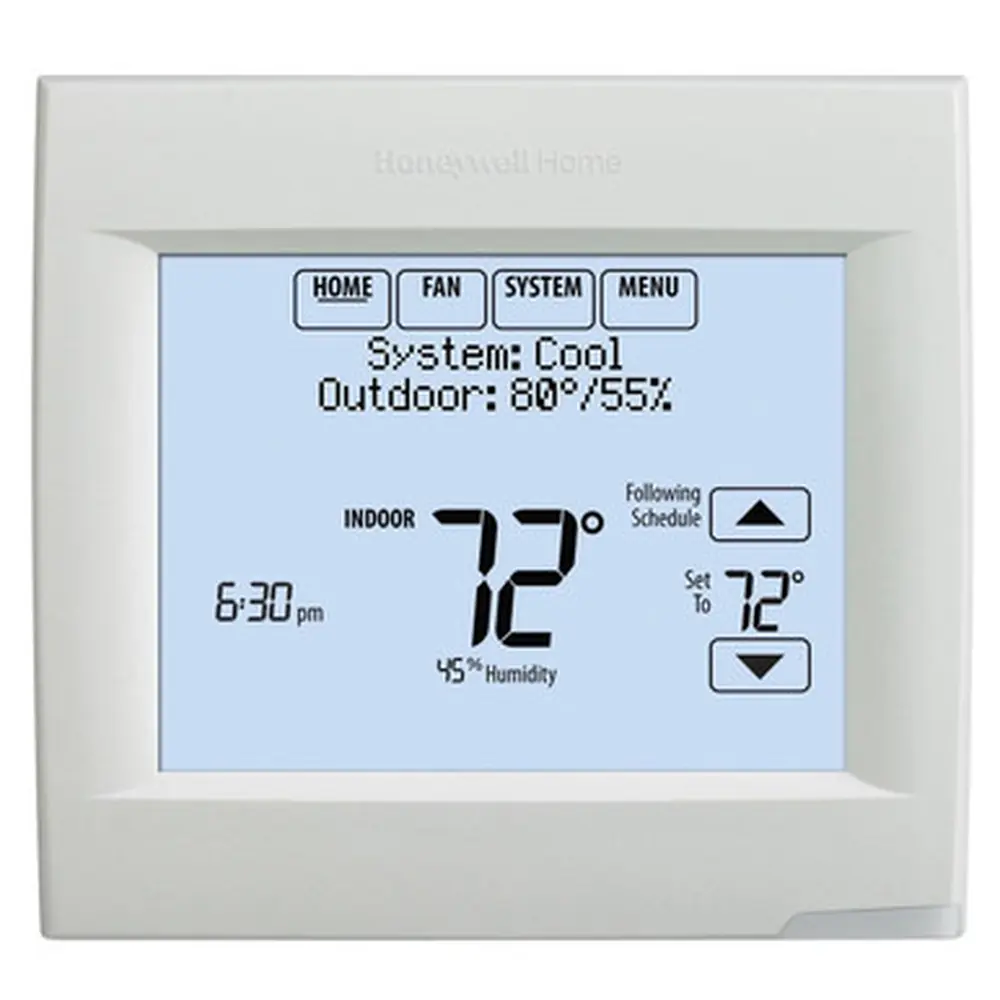
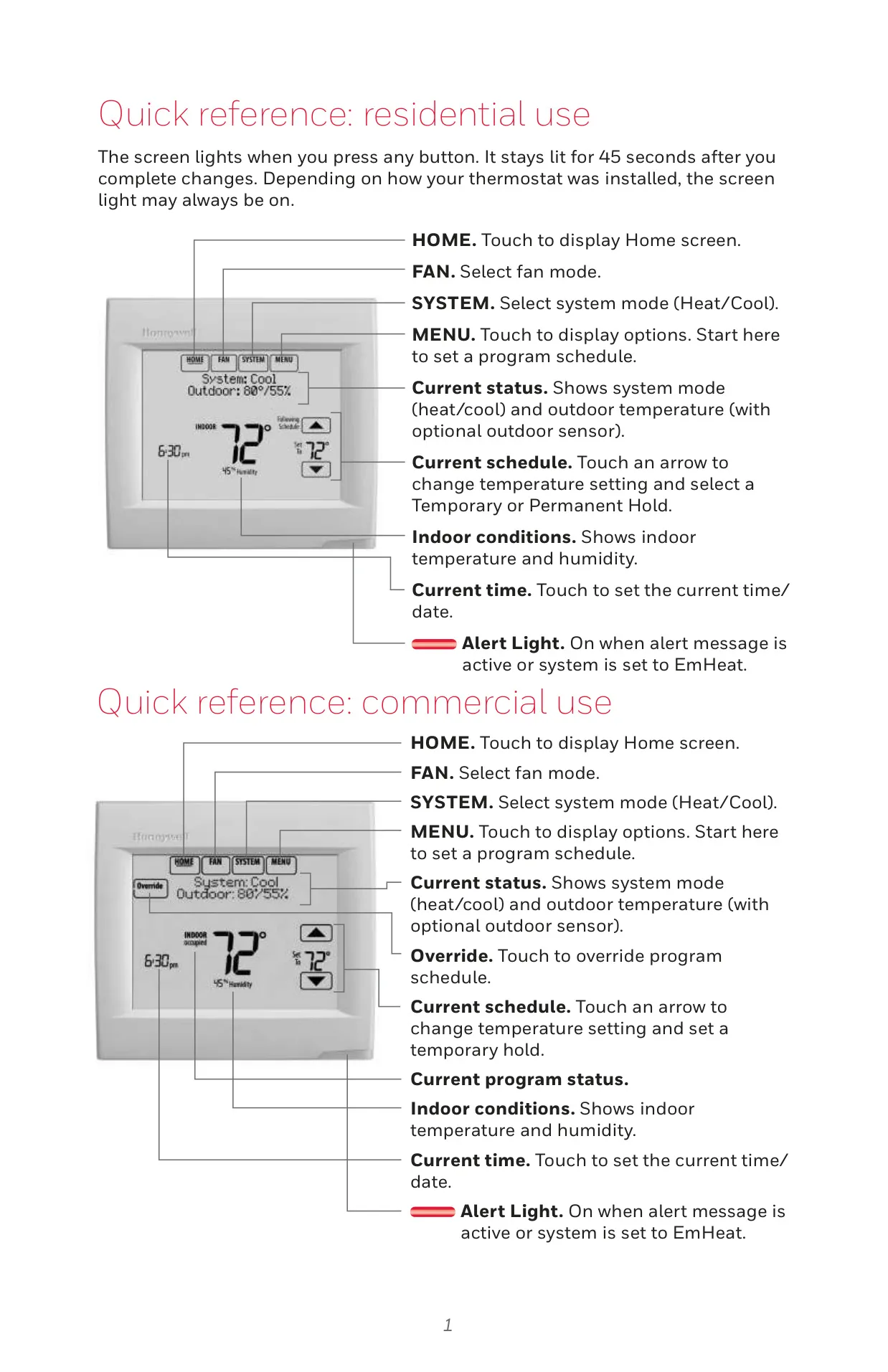
A notable feature is the ability to view outdoor temperature and humidity directly on the thermostat screen, especially when an optional outdoor sensor is installed or if the Wi-Fi connection provides local weather data. This offers valuable environmental context for better home comfort management.
The VisionPRO 8000 includes sophisticated programming options. Users can choose from preset energy-saving schedules or customize their own. It supports "Wake," "Leave," "Return," and "Sleep" periods for residential use, or "Occupied" and "Unoccupied" for commercial applications, allowing for tailored comfort and energy efficiency.
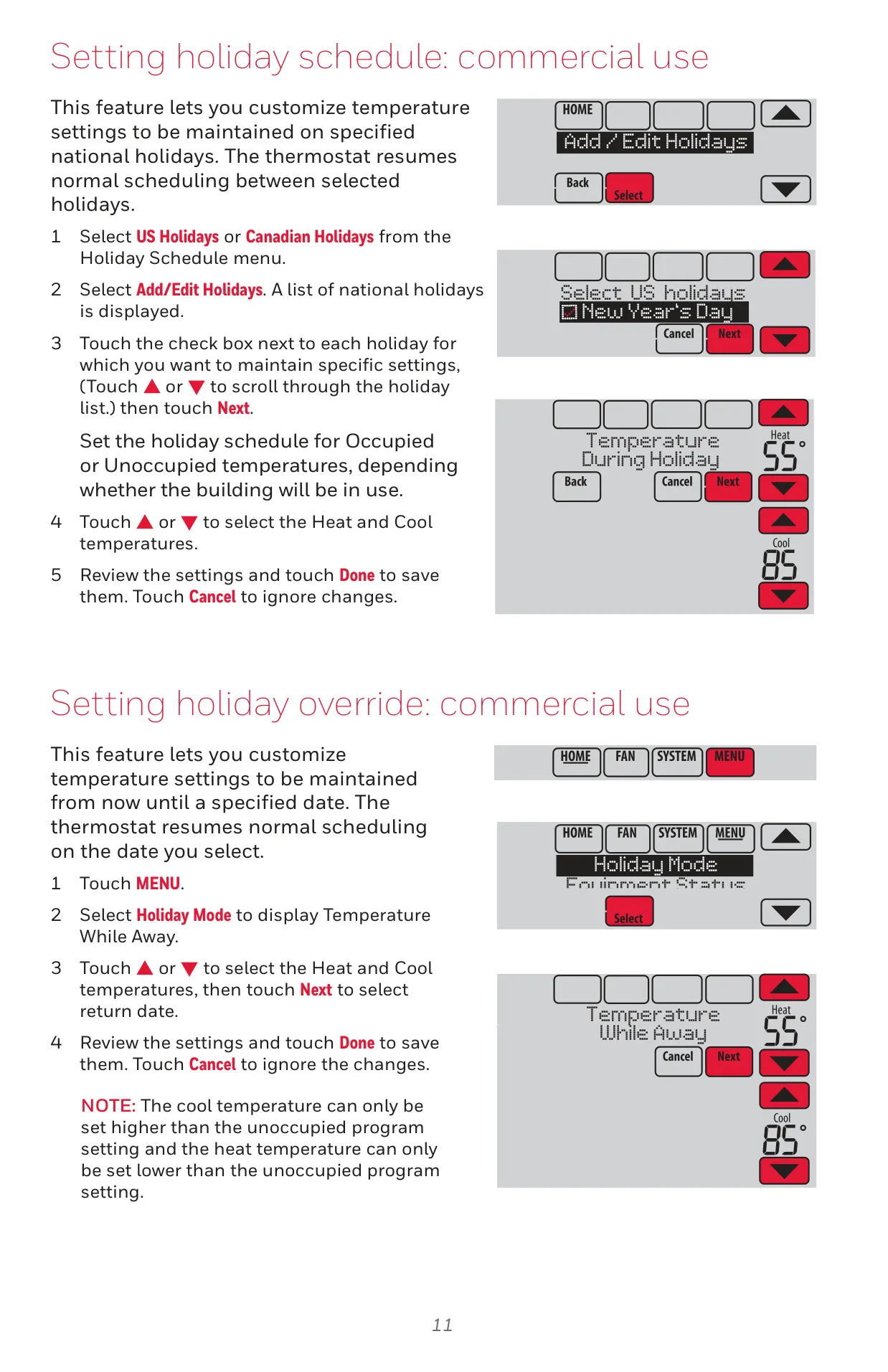
For temporary changes, users can implement a Temporary Hold until a specific time or a Permanent Hold to maintain a temperature indefinitely. Commercial users benefit from an Override option for short-term occupied periods, ensuring flexibility for varied schedules.
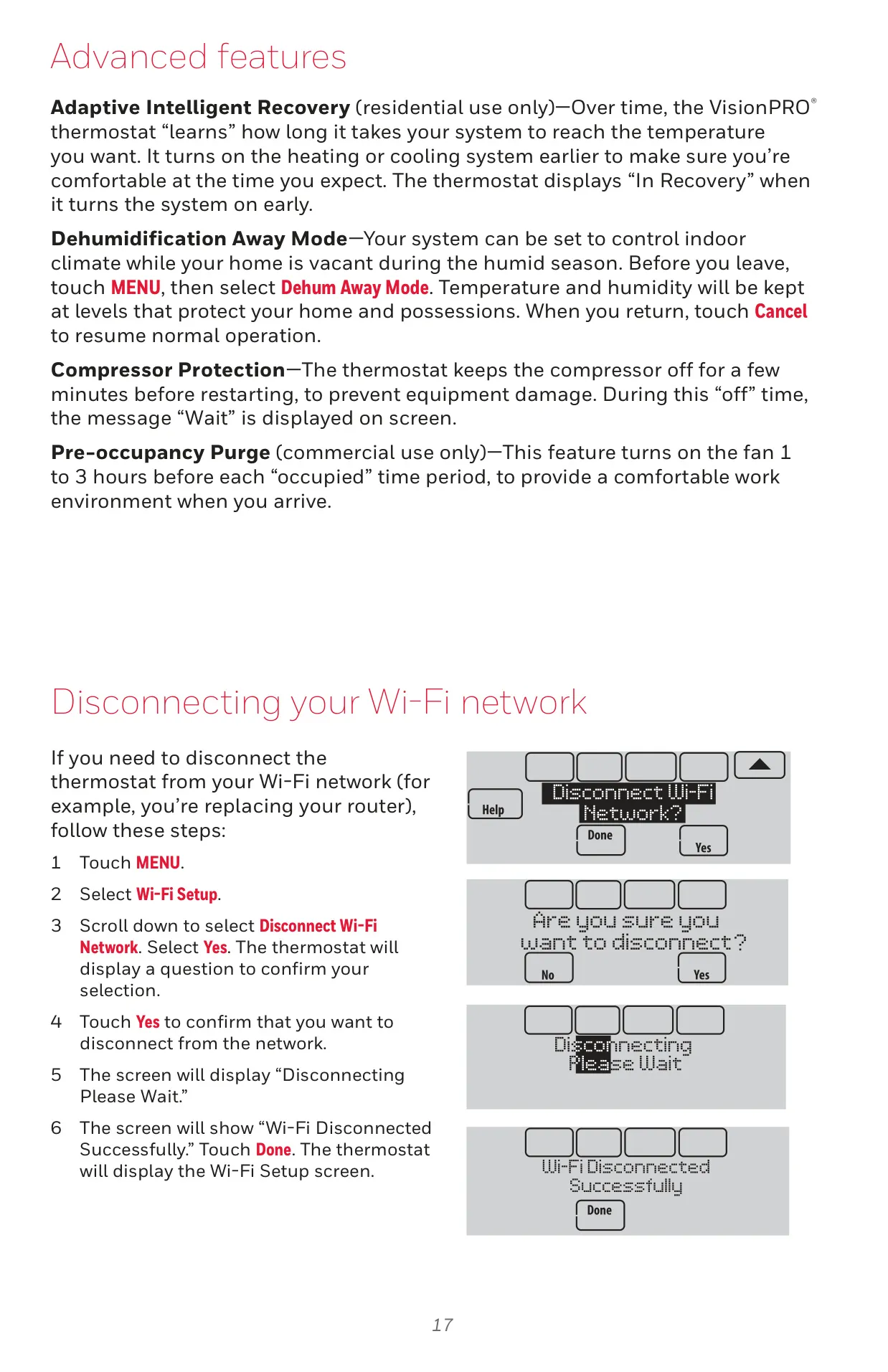
Advanced features enhance system intelligence and protection. Adaptive Intelligent Recovery "learns" system run times to reach desired temperatures precisely when expected. Compressor Protection prevents equipment damage by delaying restarts, displaying "Wait" during this period.
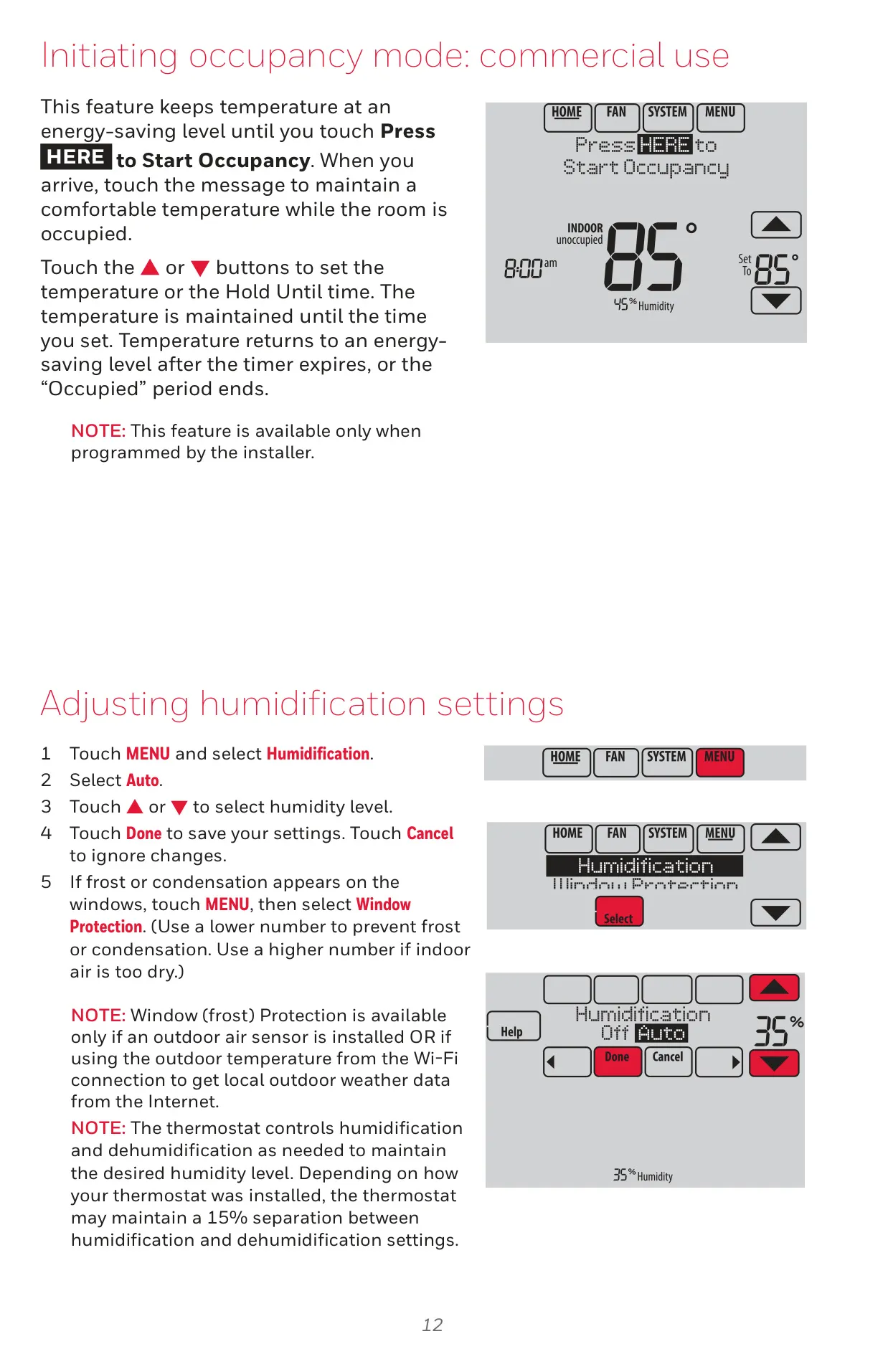
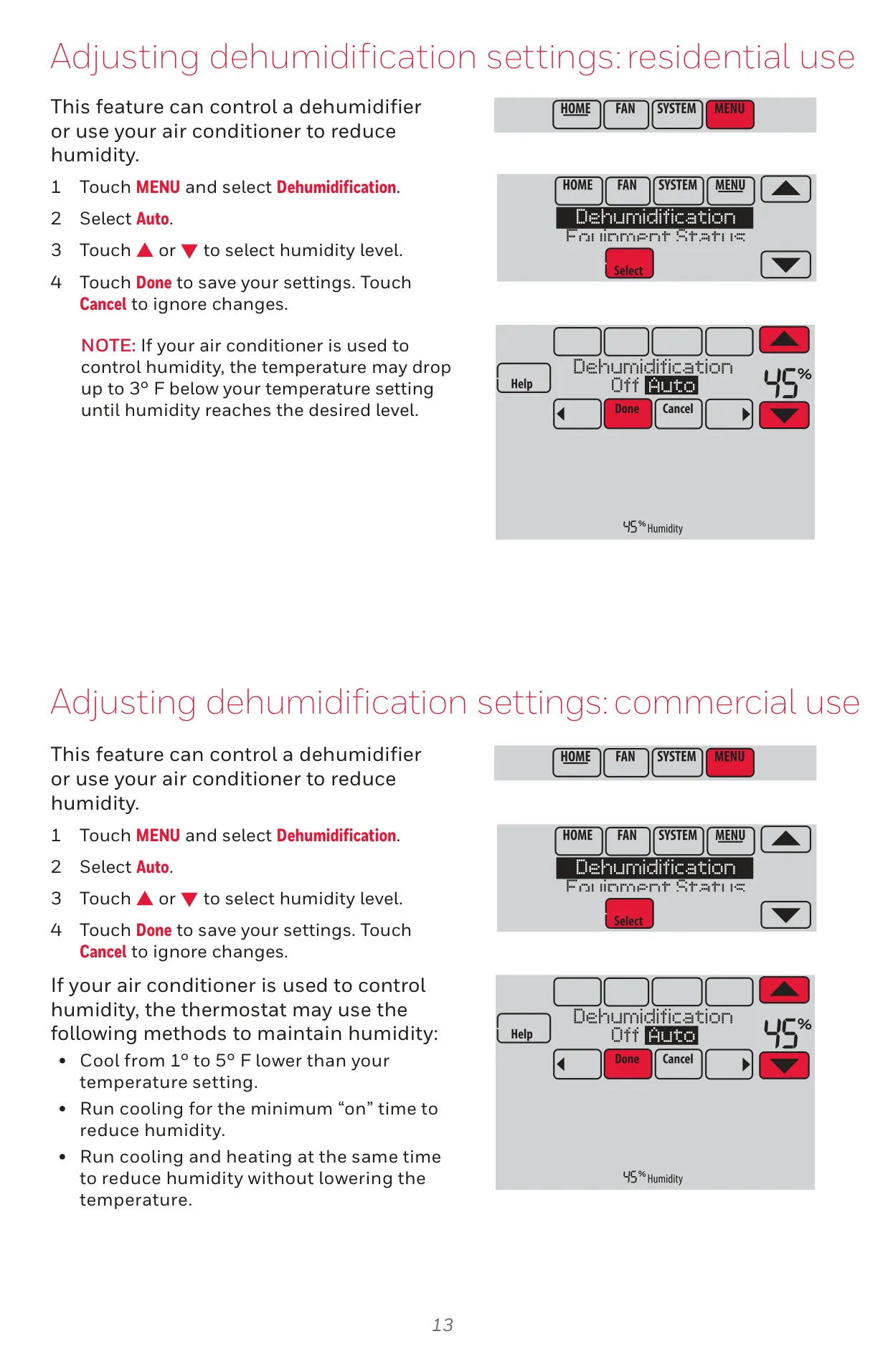
The thermostat also manages humidification and dehumidification, offering options to automatically maintain desired humidity levels. For residential users, a Dehumidification Away Mode can protect homes from excessive humidity during vacant periods. Window Protection helps prevent frost or condensation.
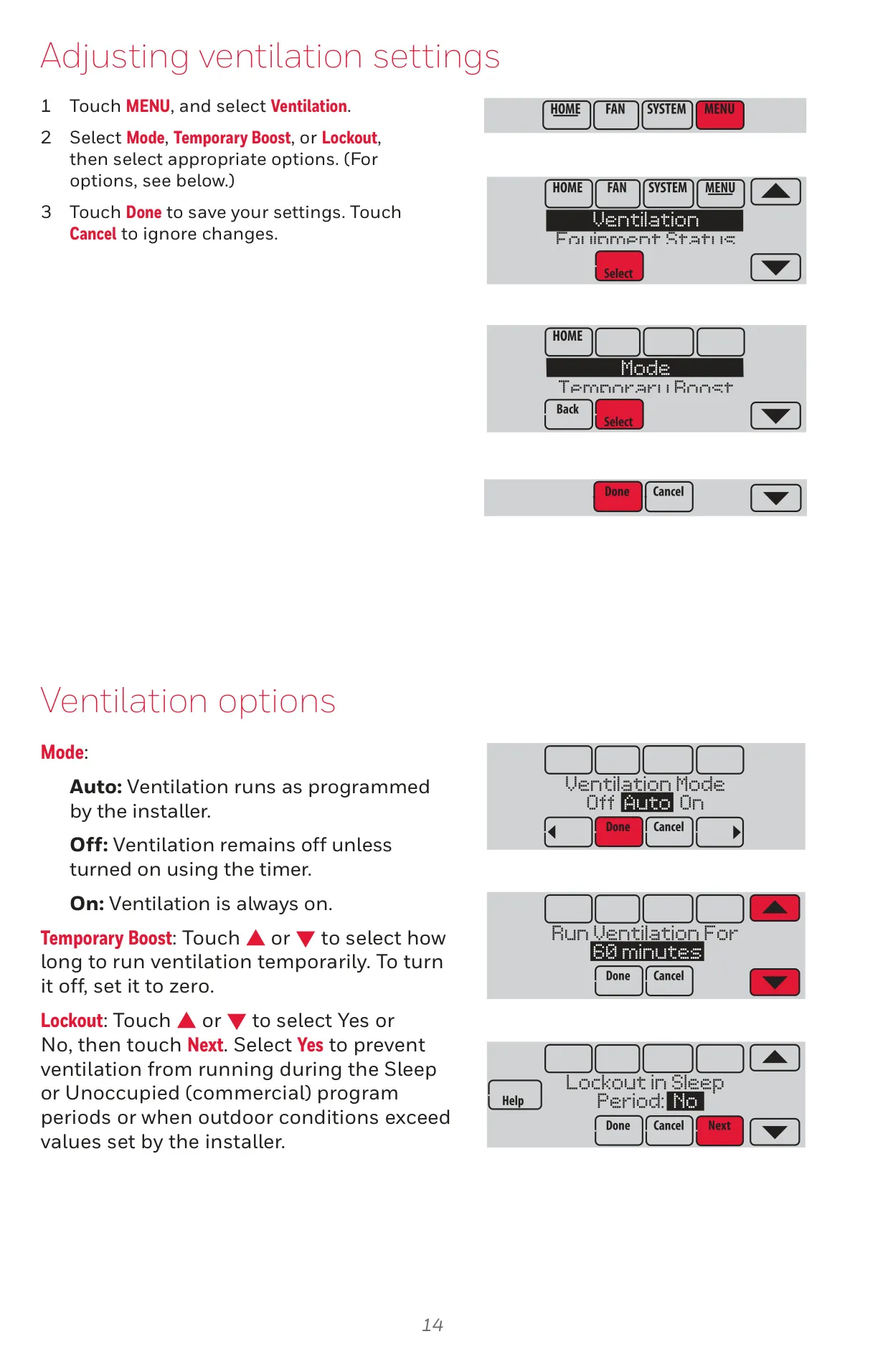
Ventilation settings are adjustable with "Auto," "Off," or "On" modes, alongside a Temporary Boost function. A Lockout option can prevent ventilation during sleep or unoccupied periods, or when outdoor conditions are unfavorable, optimizing air quality and energy use.
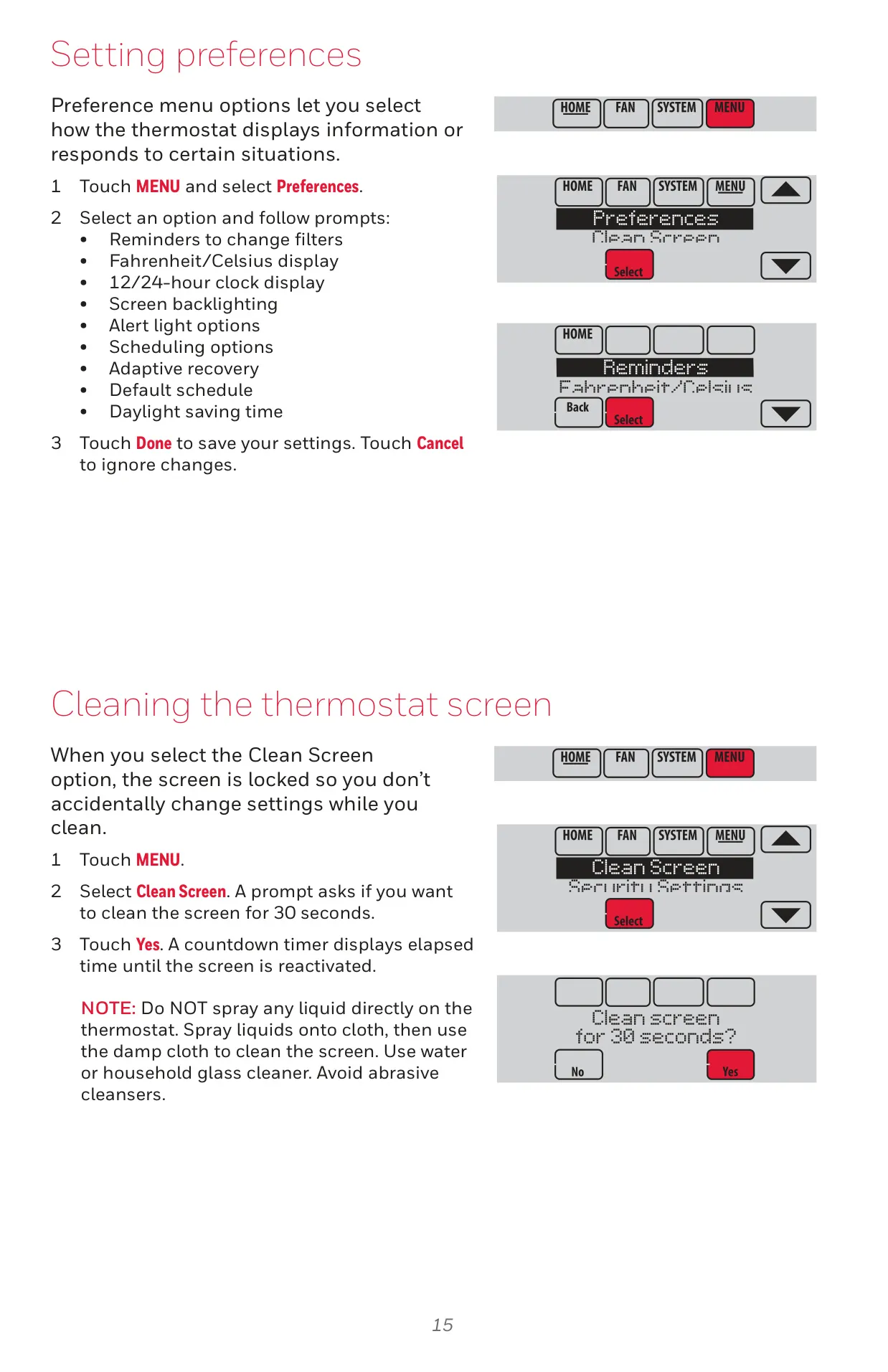
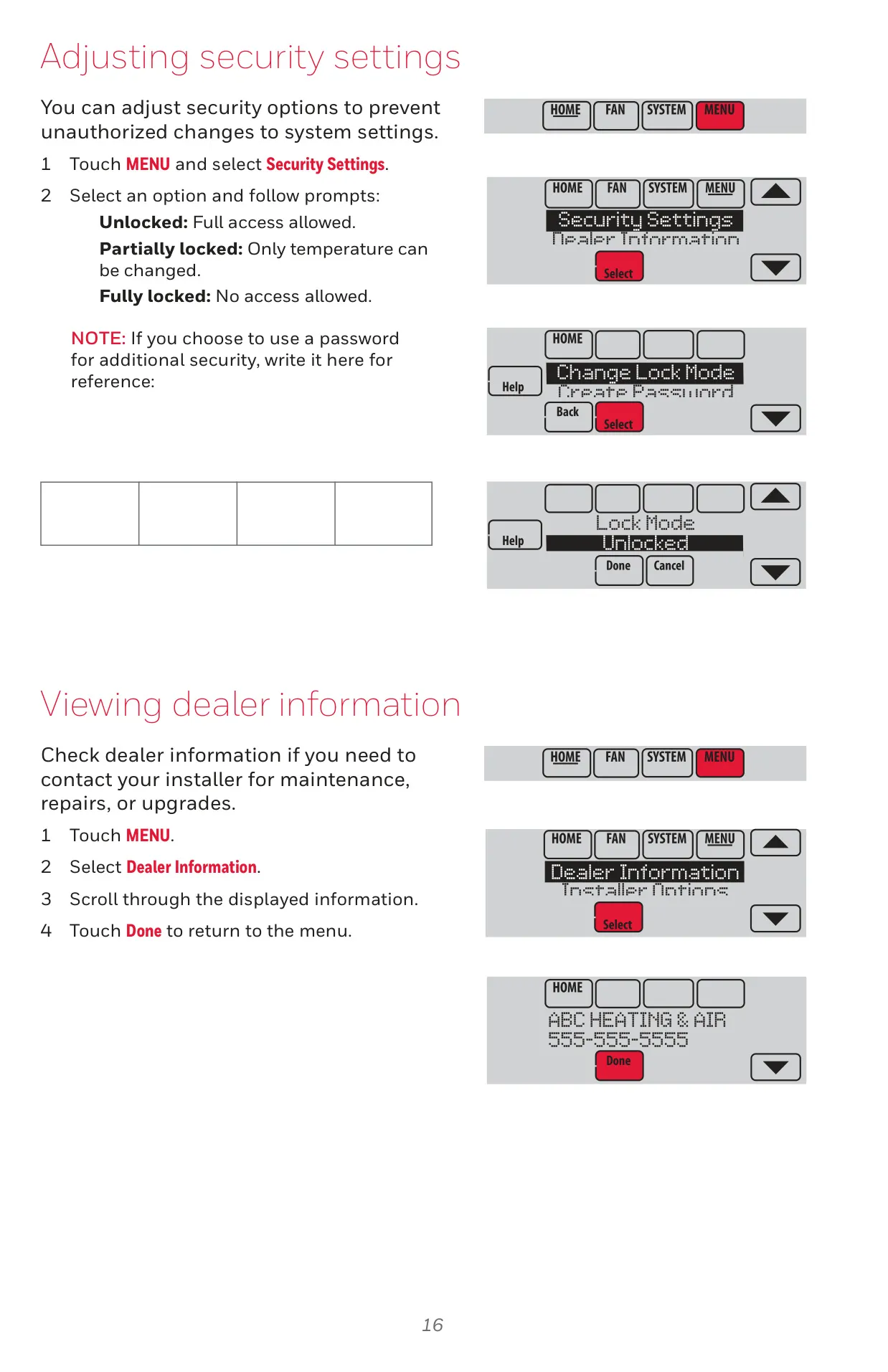
Security settings allow users to lock the thermostat partially or fully, preventing unauthorized changes. Users can also set preferences for reminders (e.g., filter changes), temperature display units (Fahrenheit/Celsius), clock format (12/24-hour), screen backlighting, and alert light options.
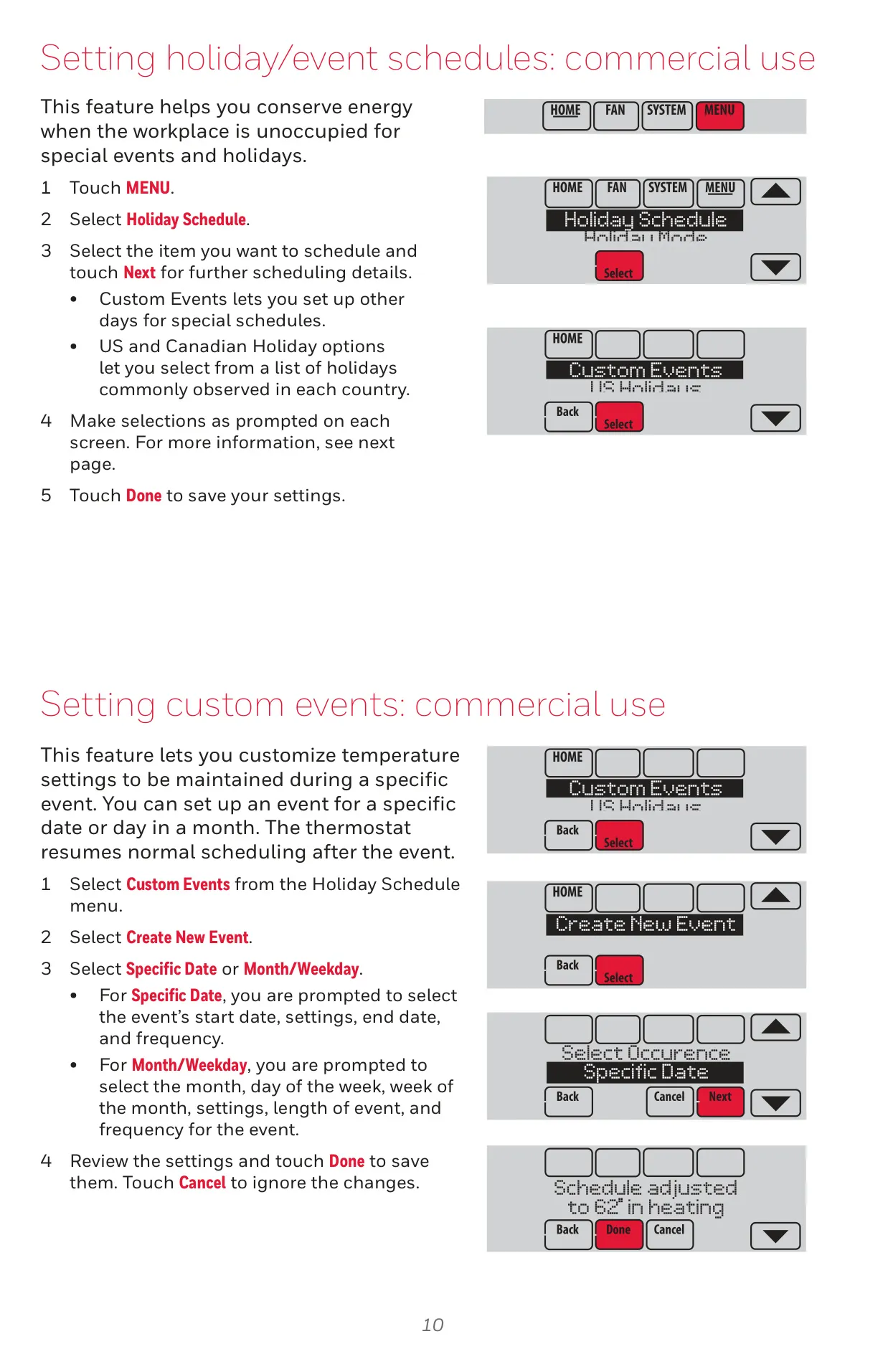
The commercial application benefits from features like Holiday/Event Schedules, enabling energy conservation during non-working days. The Pre-occupancy Purge feature turns on the fan before occupied periods to ensure a comfortable work environment upon arrival.
The thermostat’s screen cleaning function temporarily locks the display for 30 seconds, facilitating safe and easy maintenance. Overall, the Honeywell TH8321WF1001 VisionPRO 8000 delivers comprehensive control, smart features, and customization options for both residential and commercial heating and cooling needs.
Frequently Asked Questions (FAQs)
Can't find the answer you need? Here are some frequently asked questions about the Honeywell TH8321WF1001 VisionPRO 8000, and we answer them below.