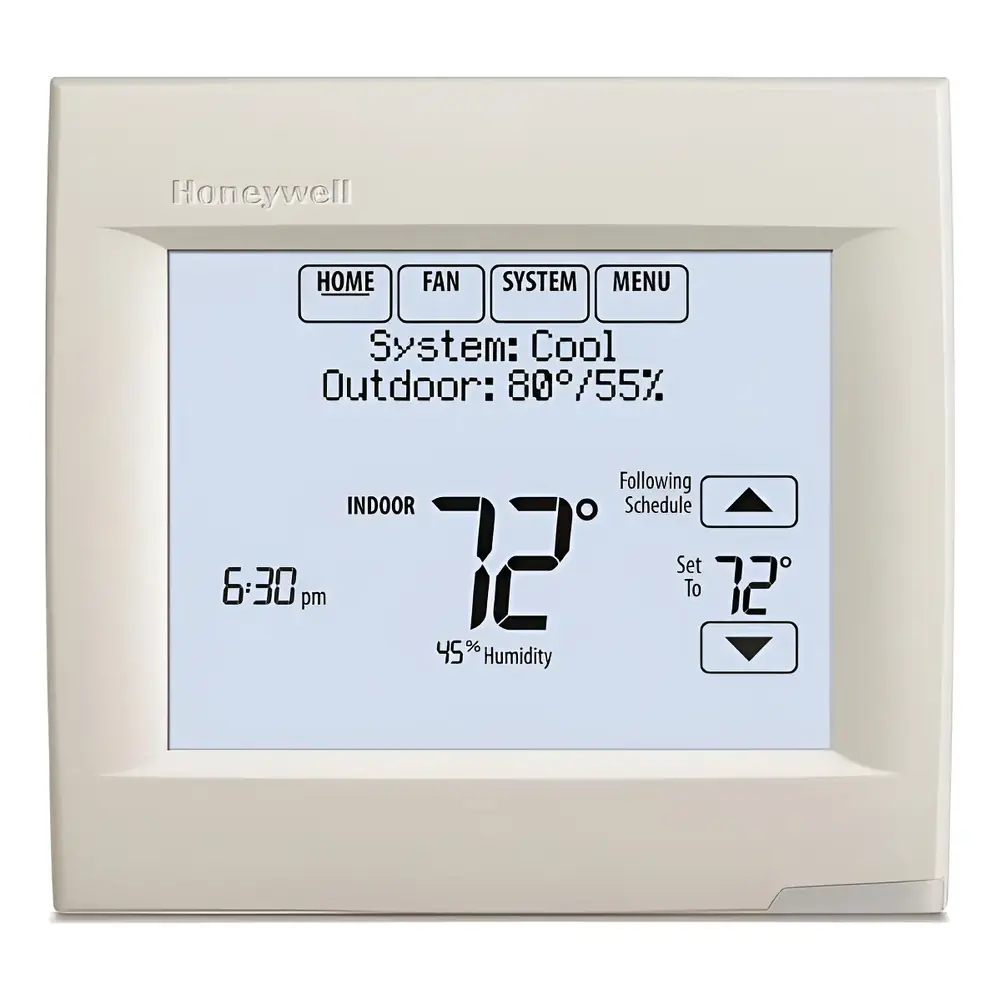
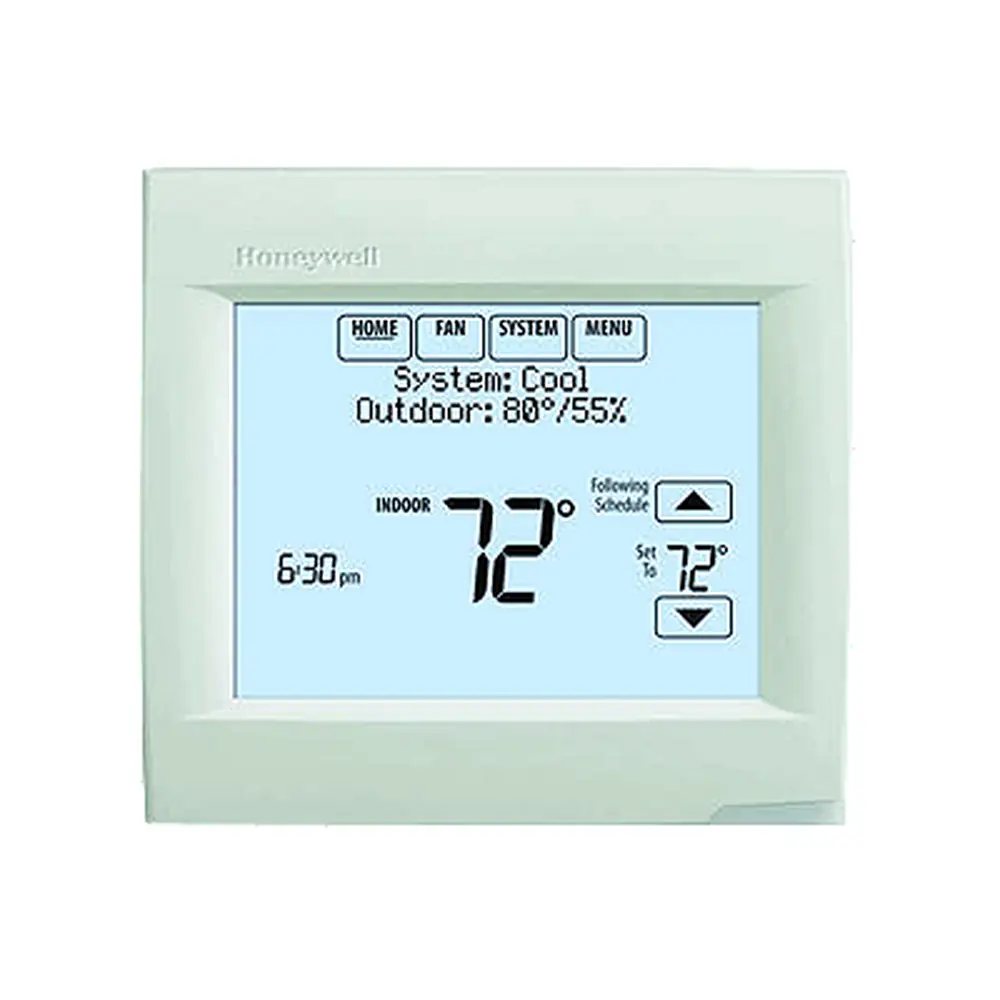
Honeywell TH8321U1055 VisionPRO TH8000 Instruction Manual
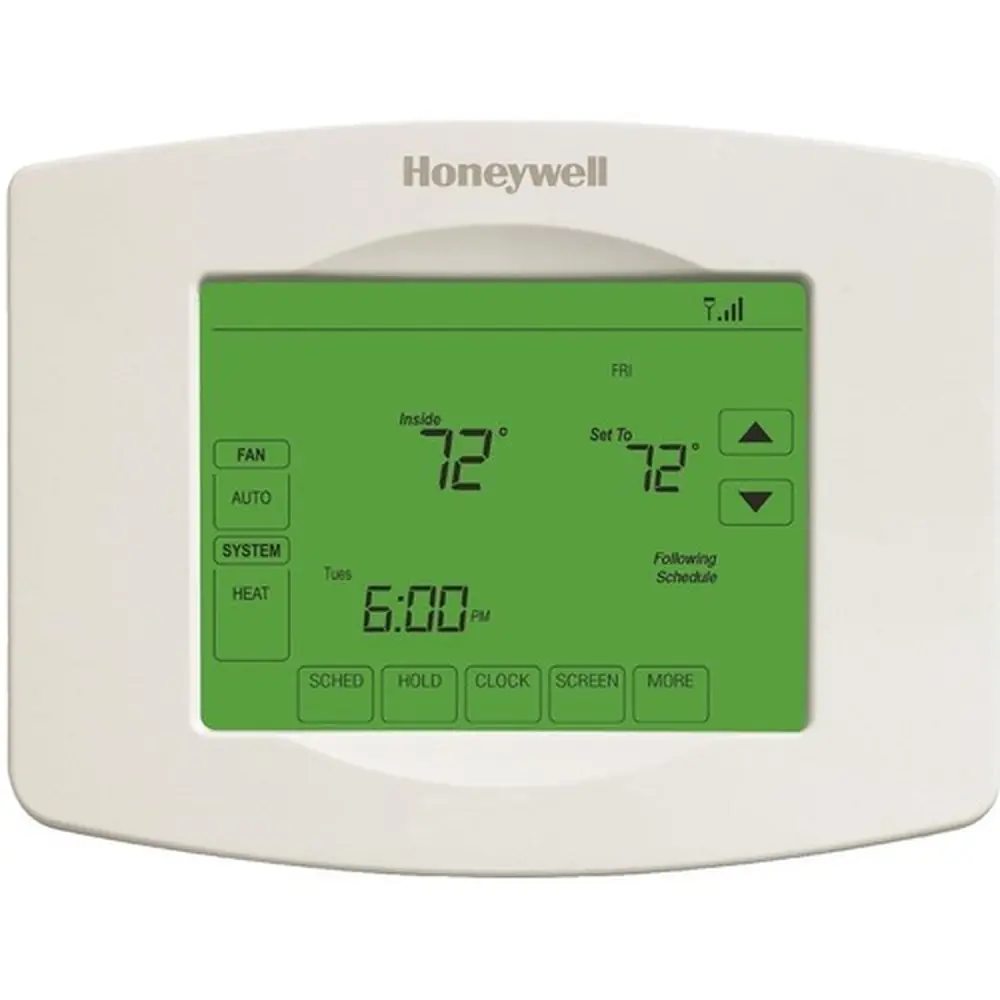
Honeywell TH8321U1055 VisionPRO TH8000

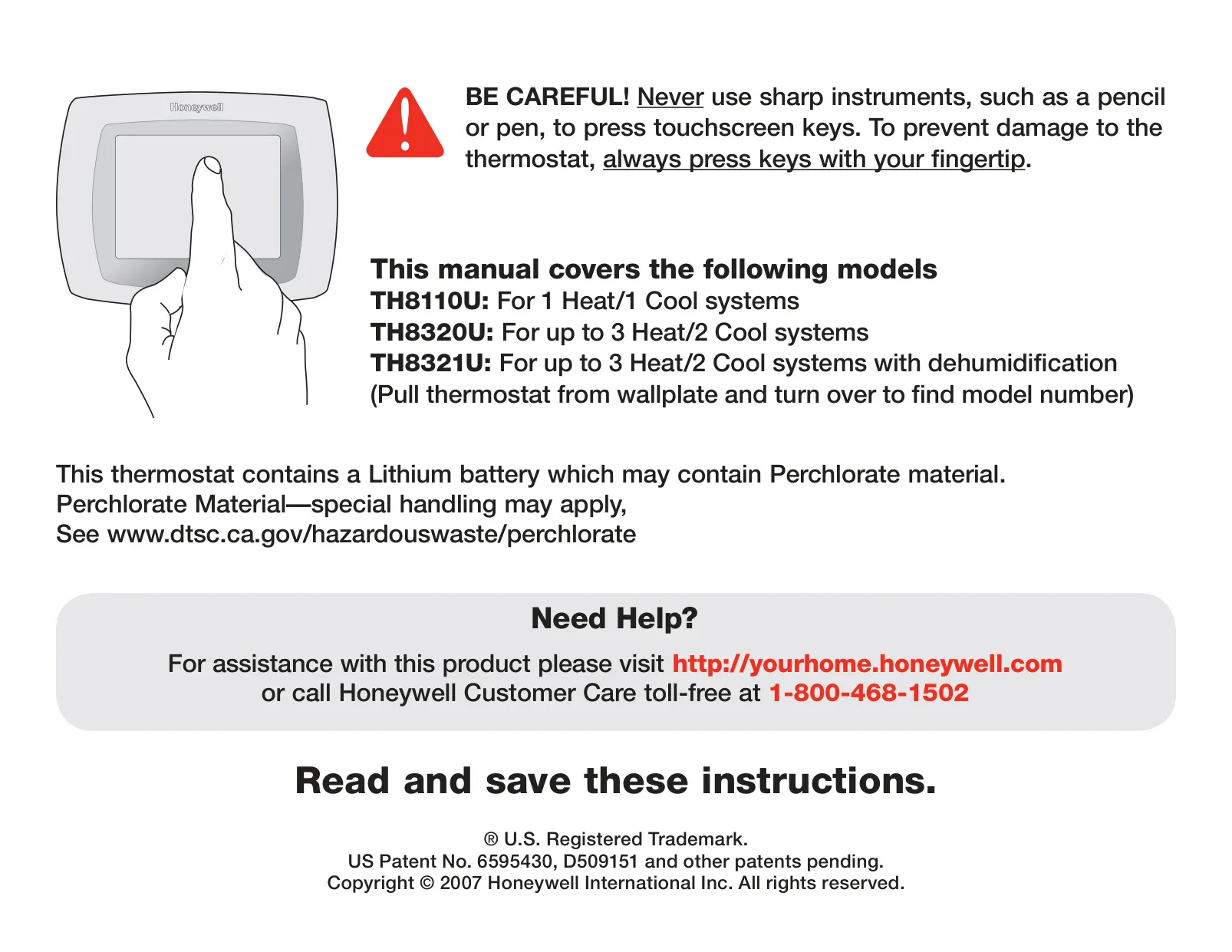


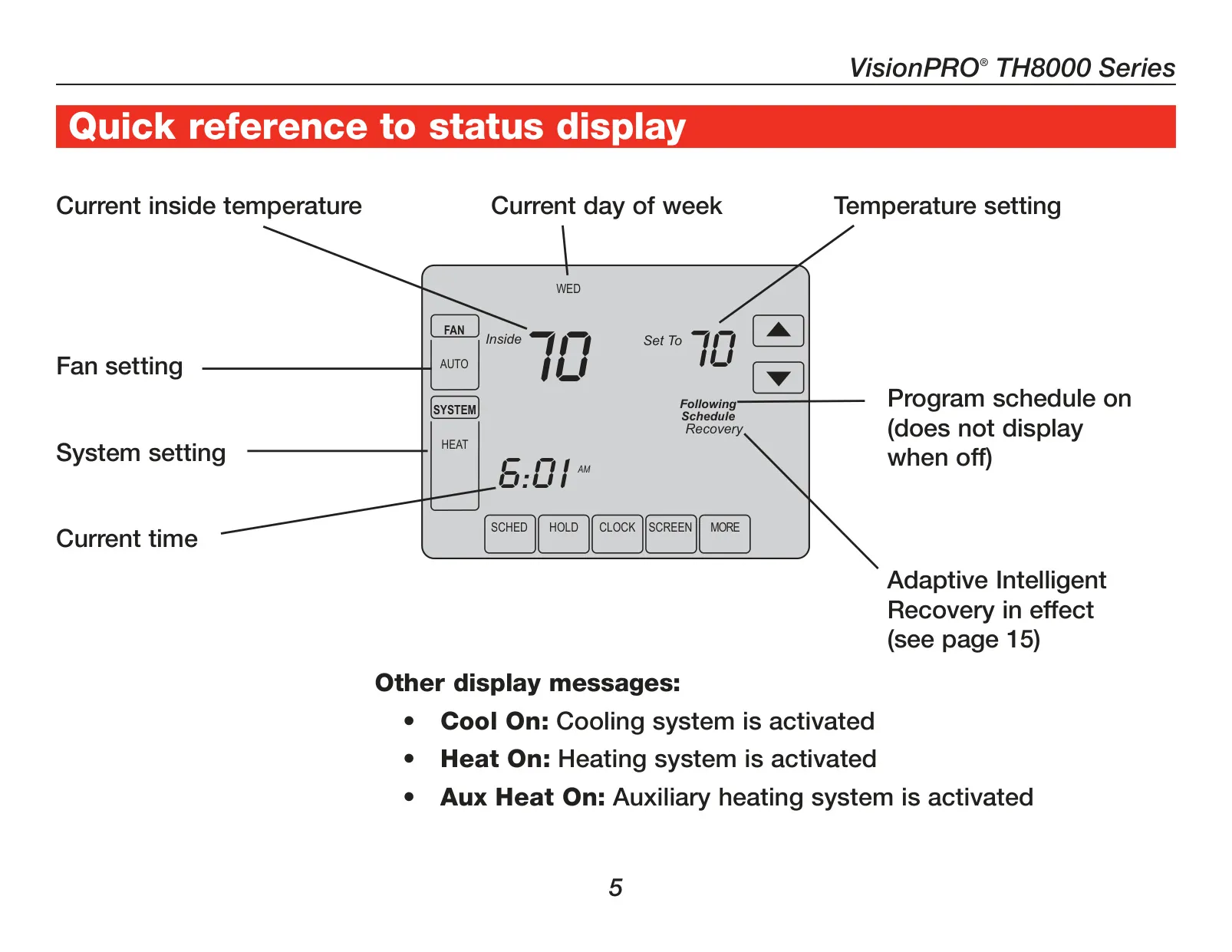

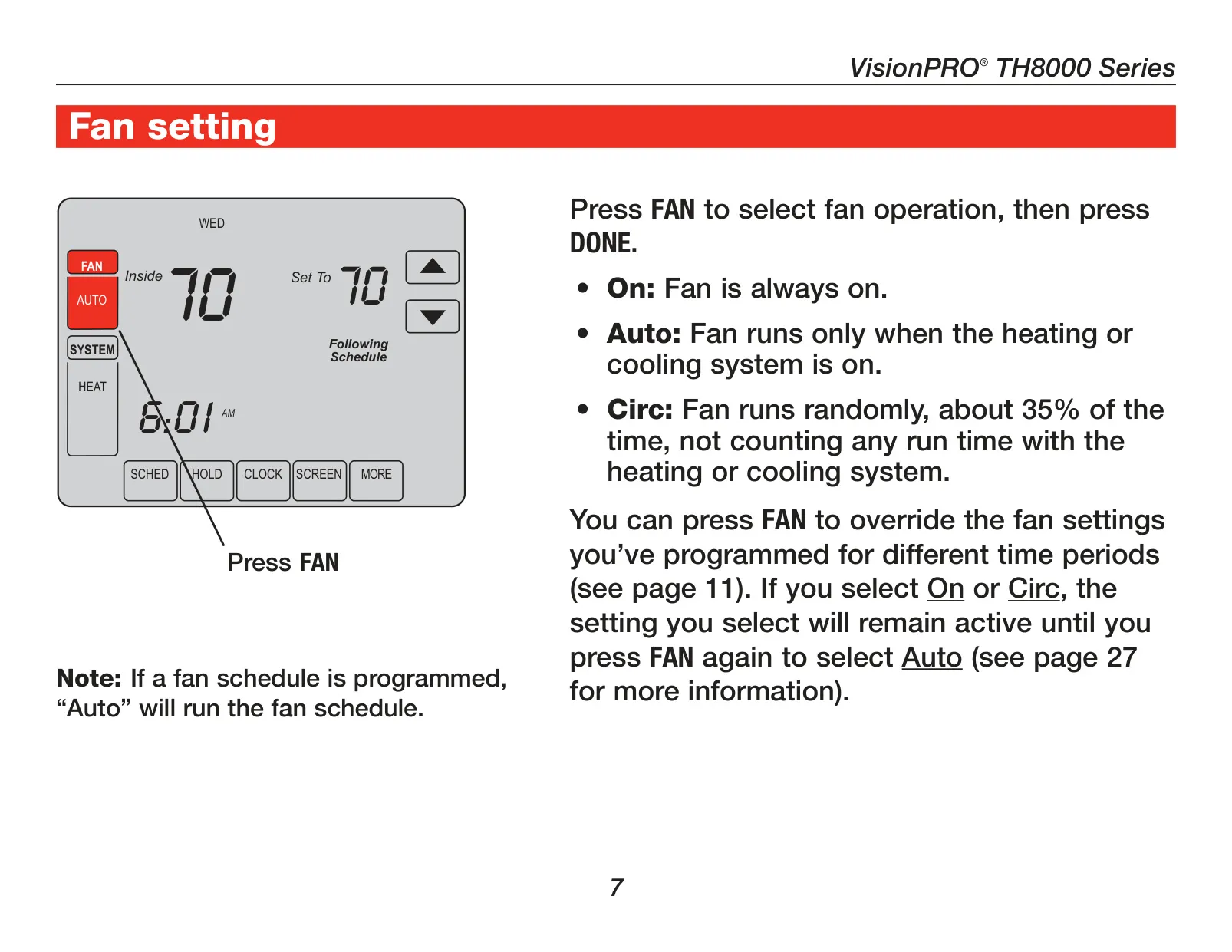
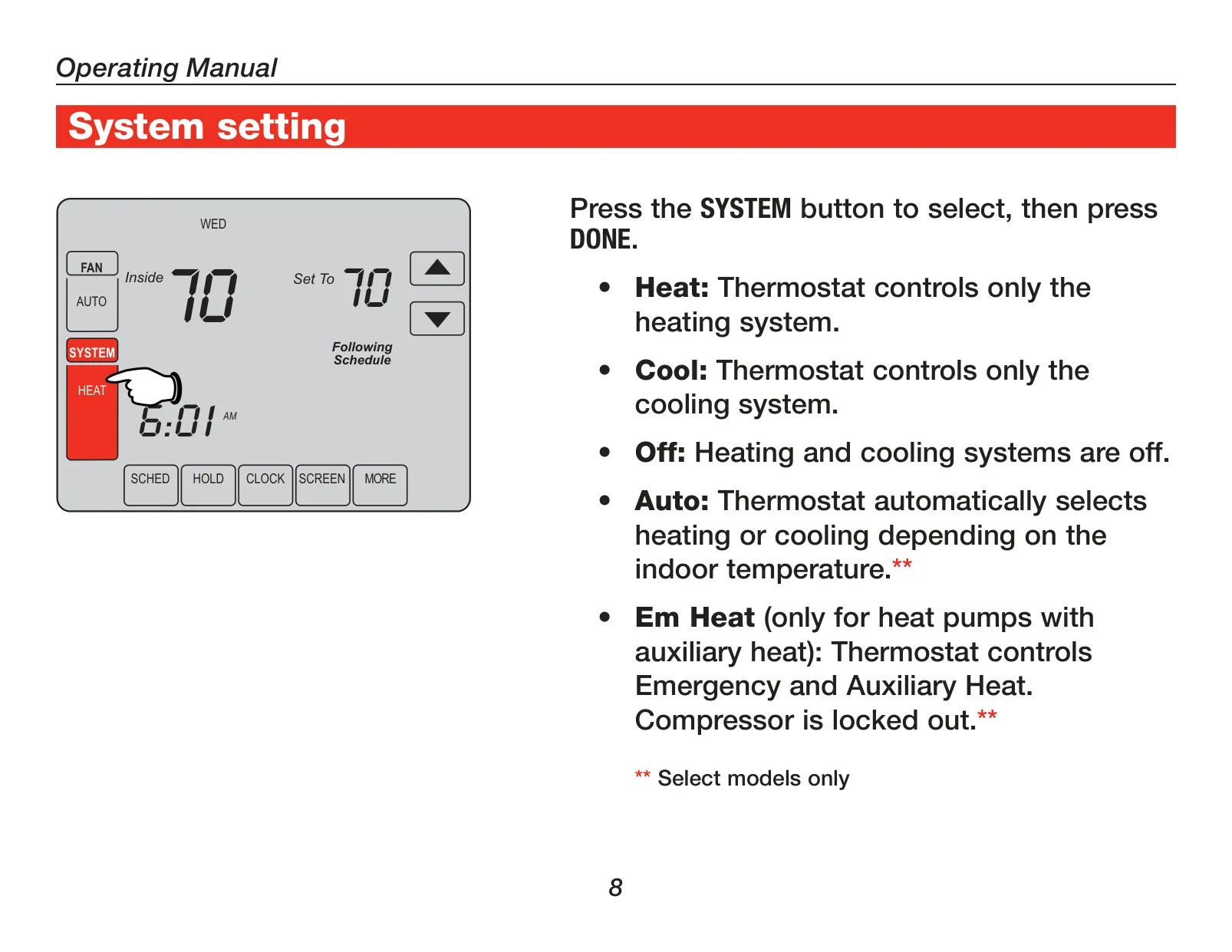
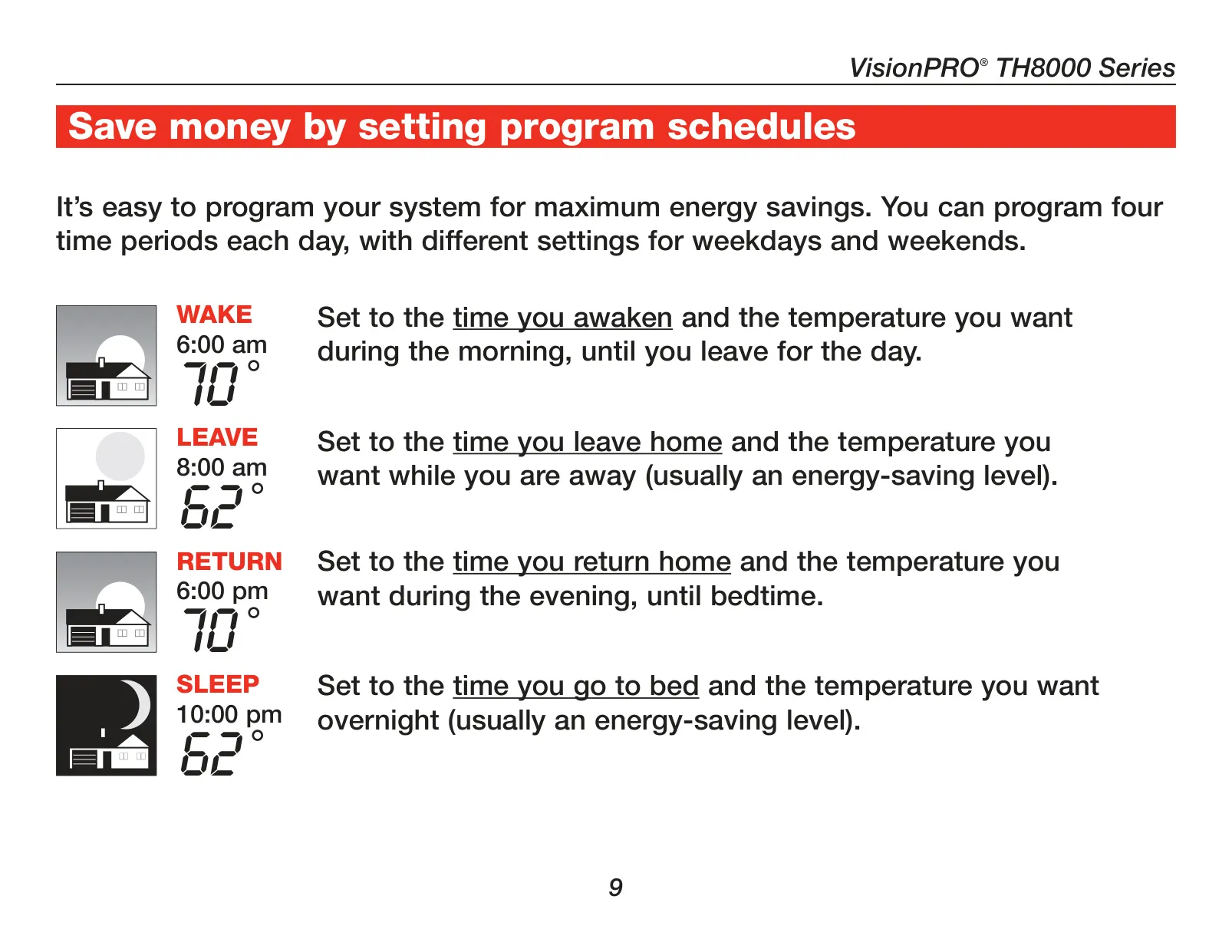





Honeywell TH8321U1055 VisionPRO TH8000
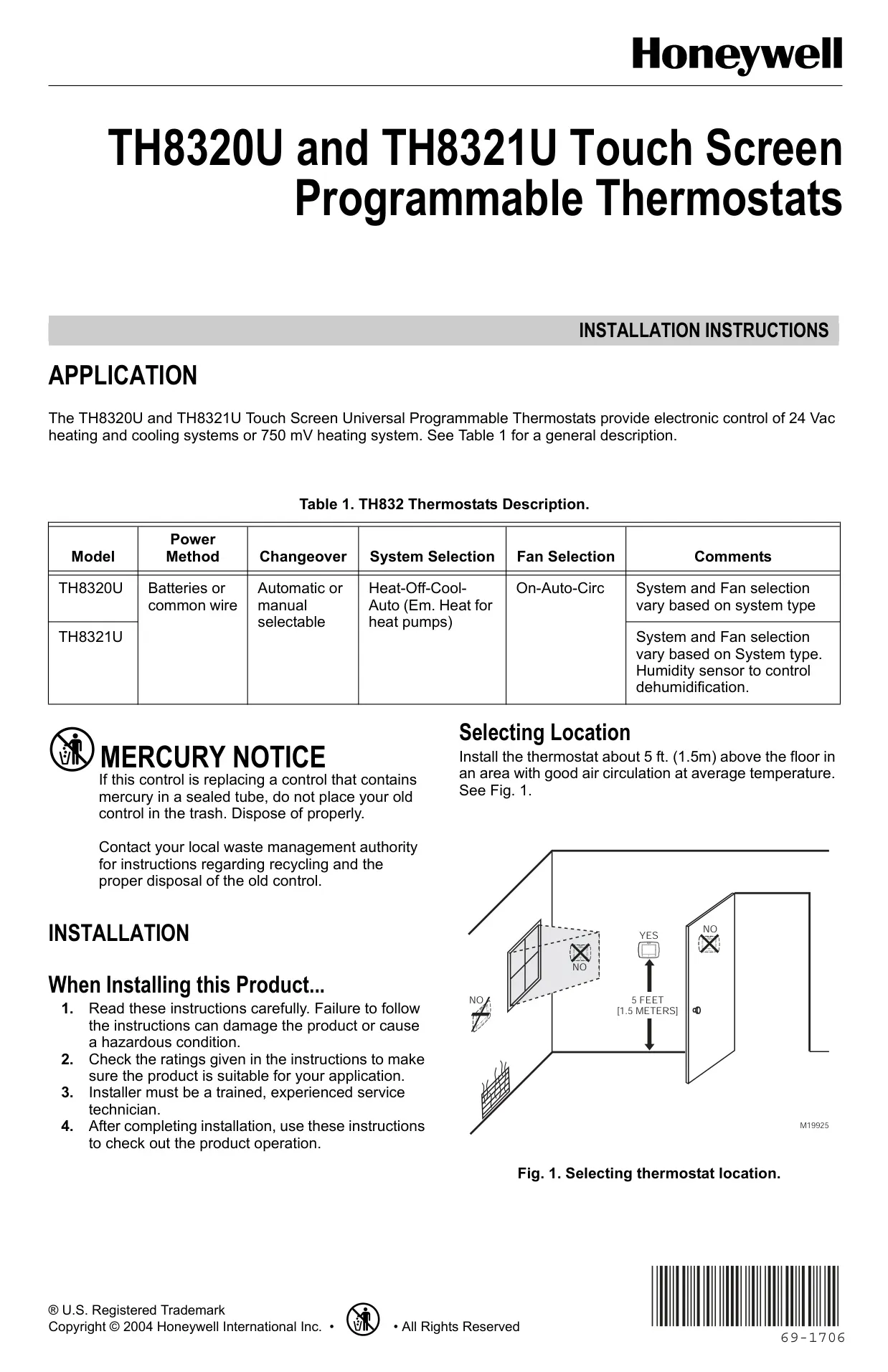
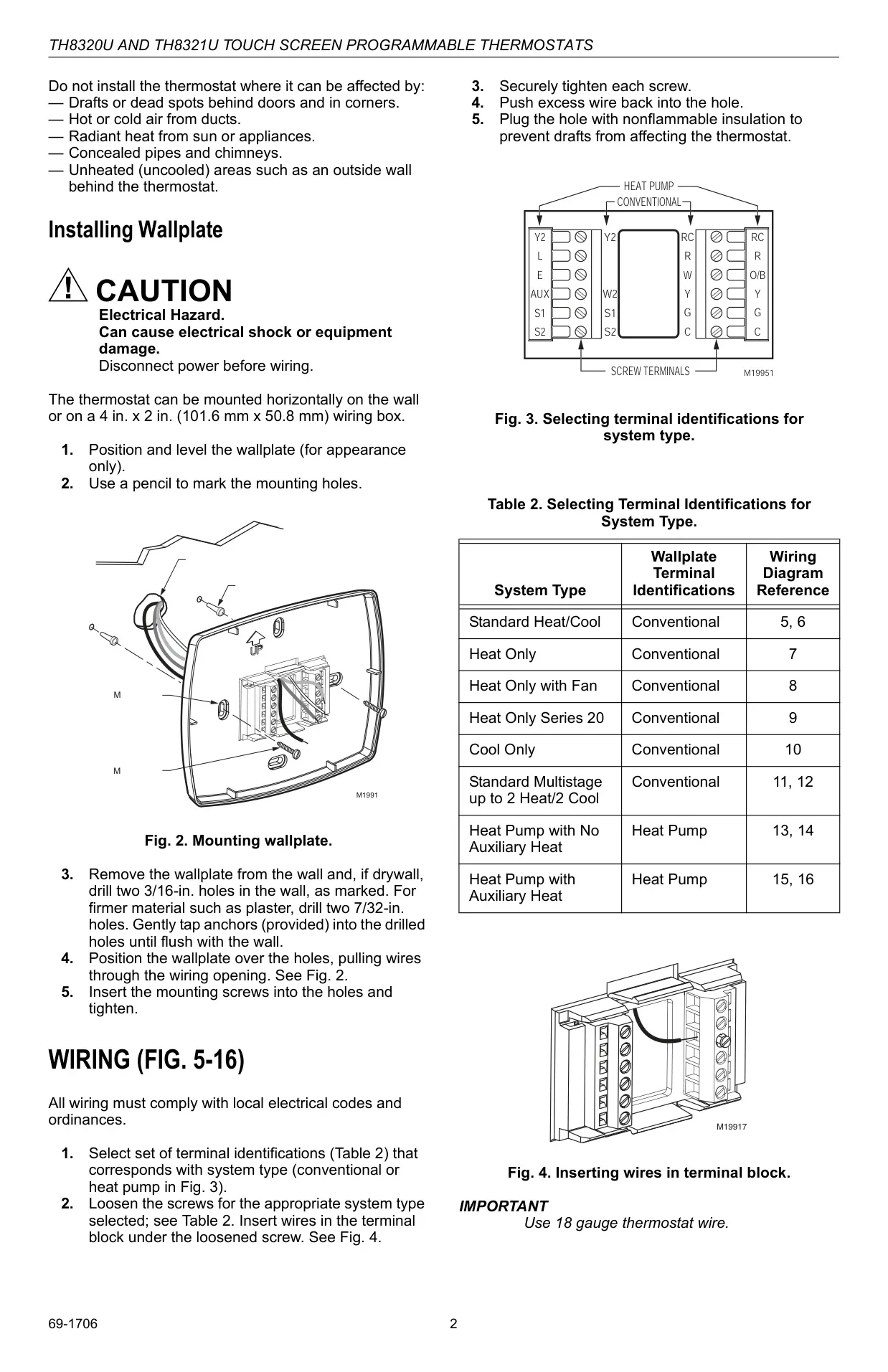
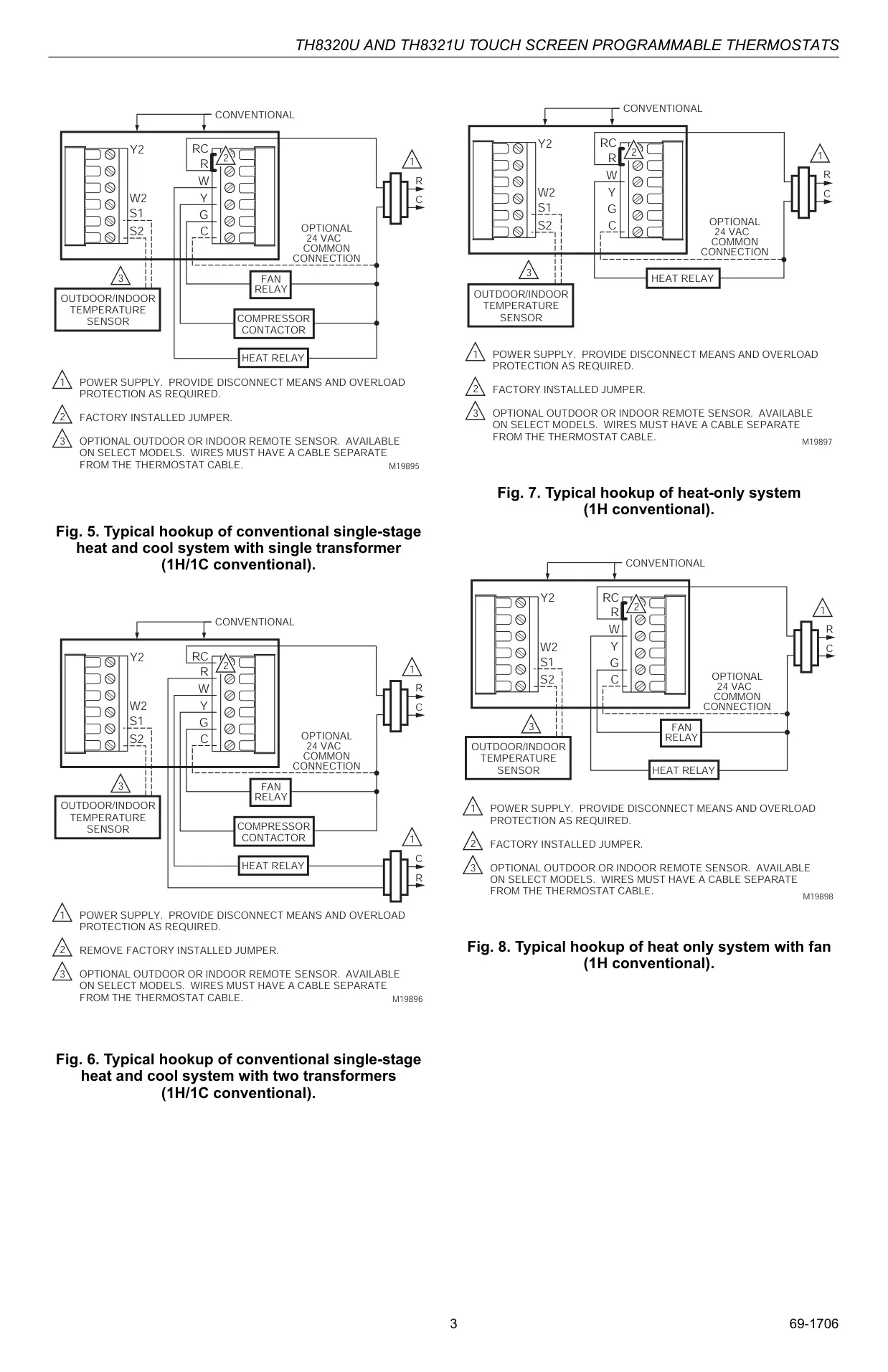
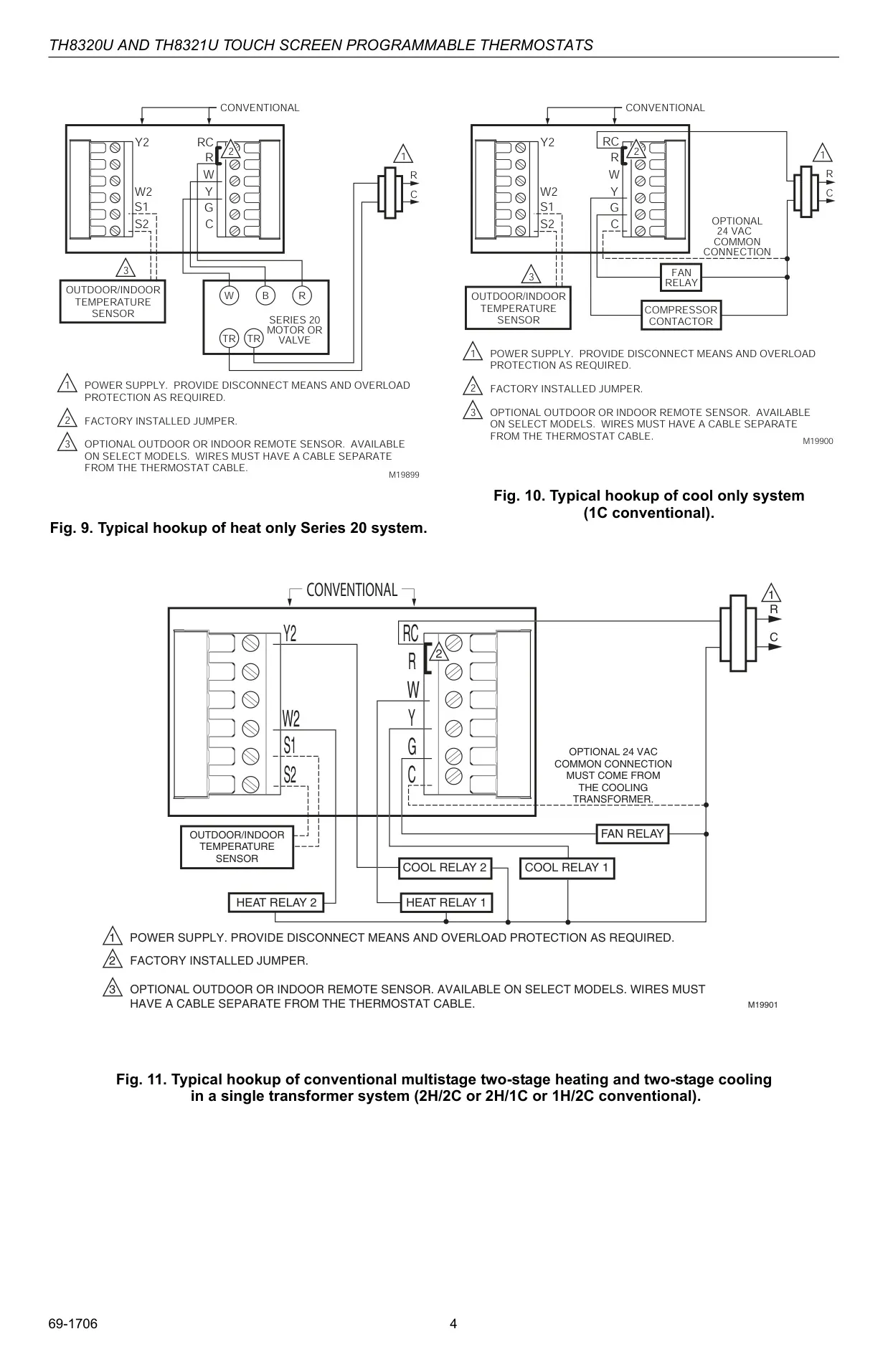
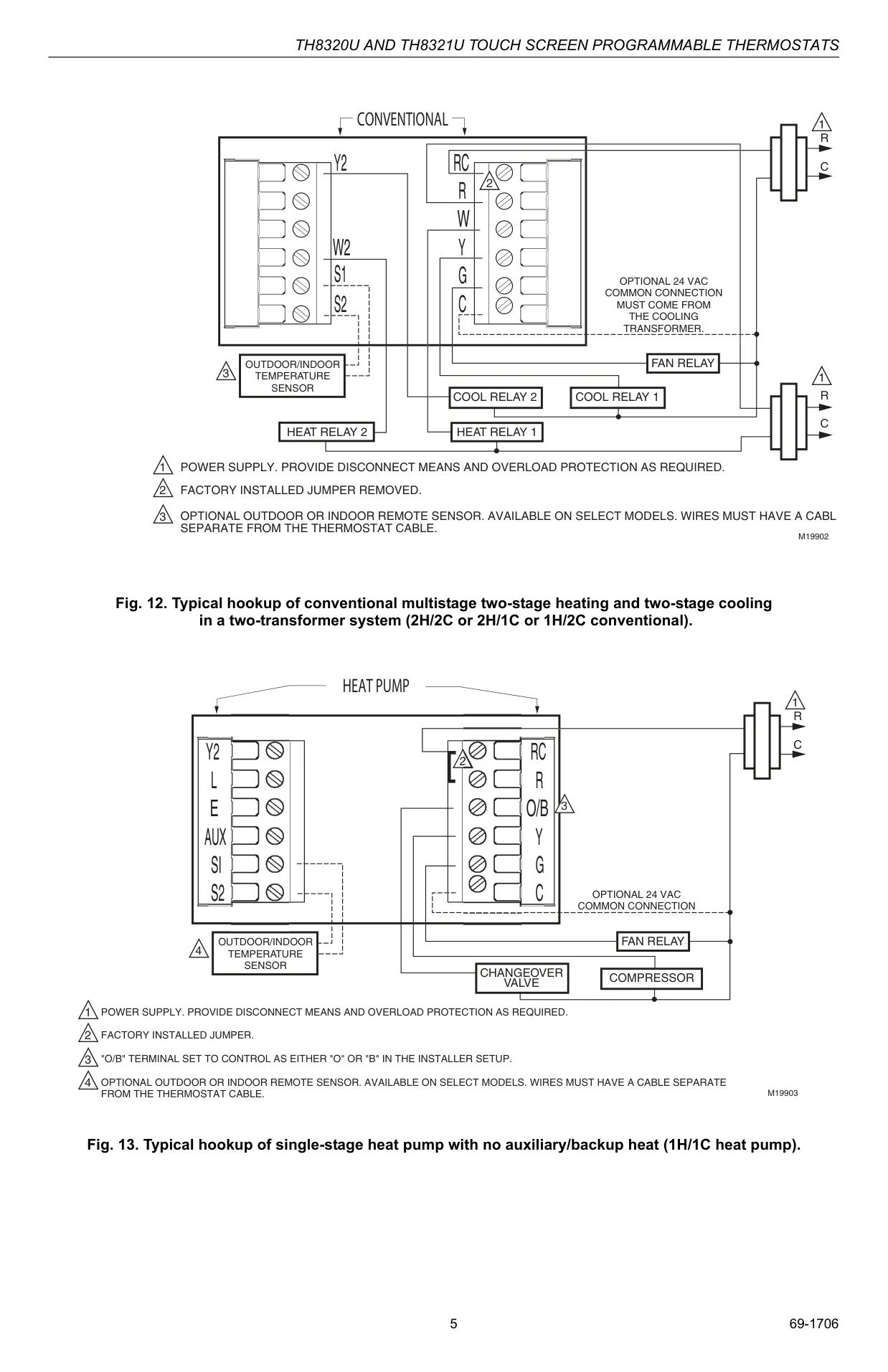
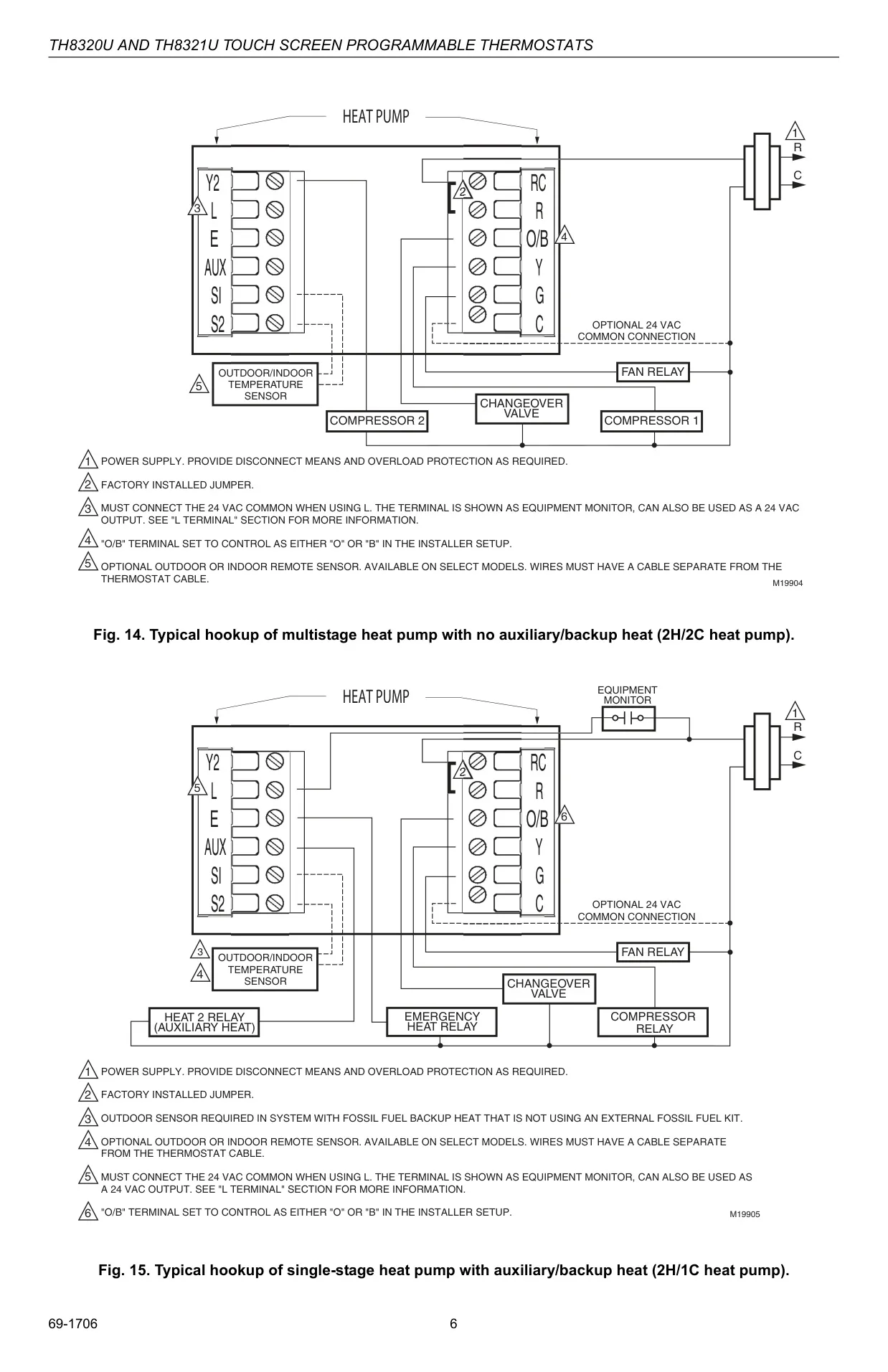

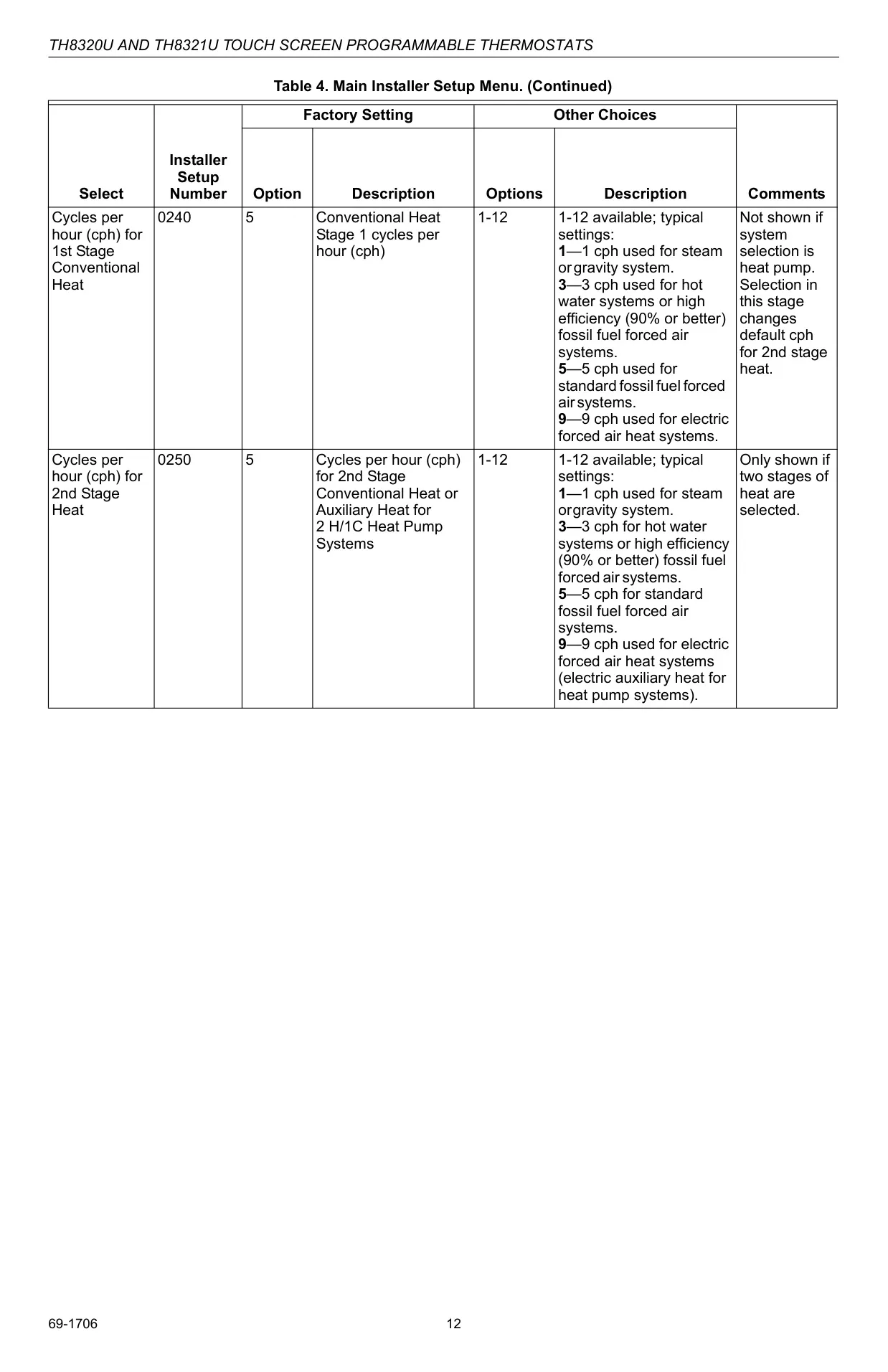
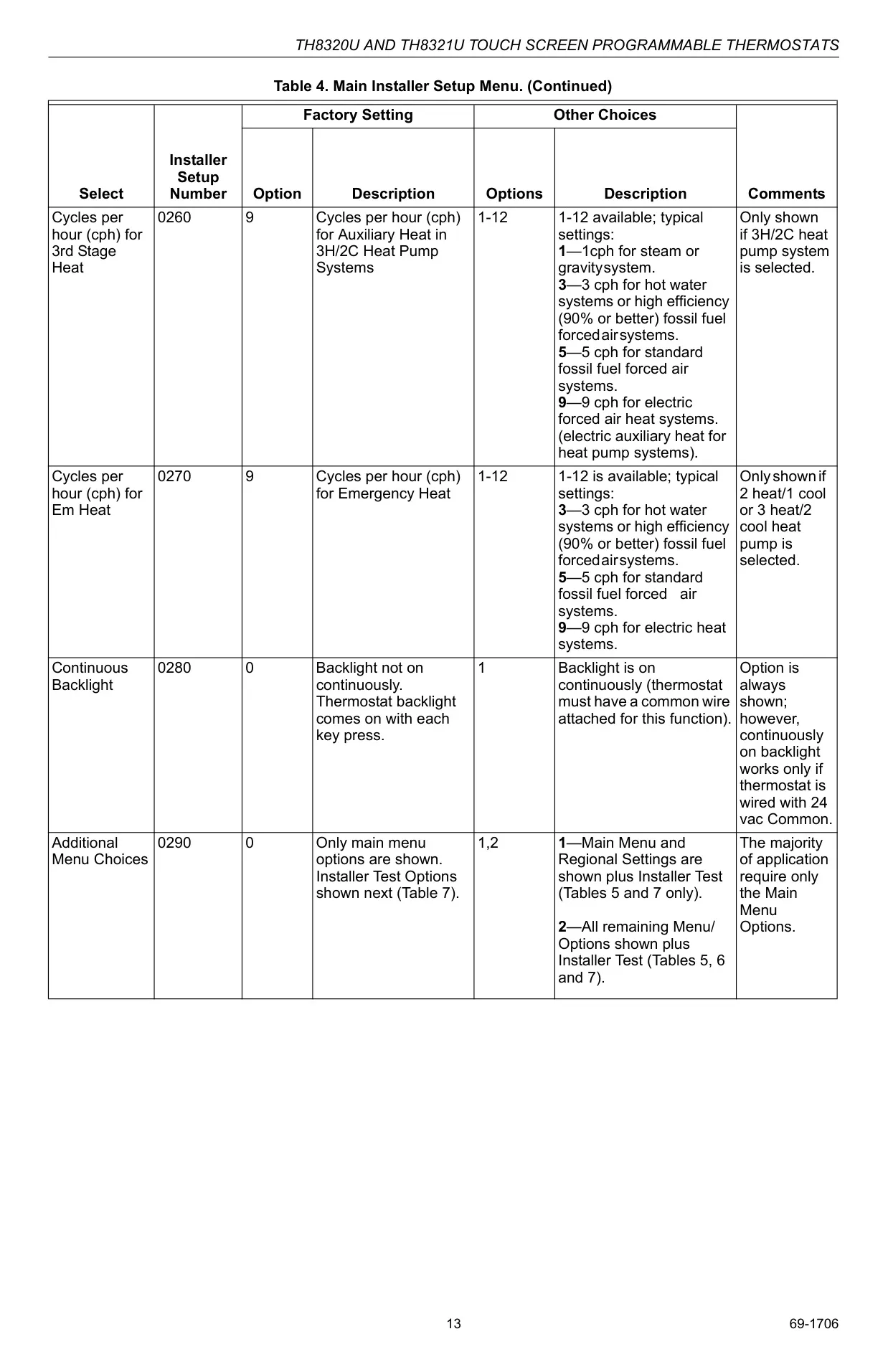
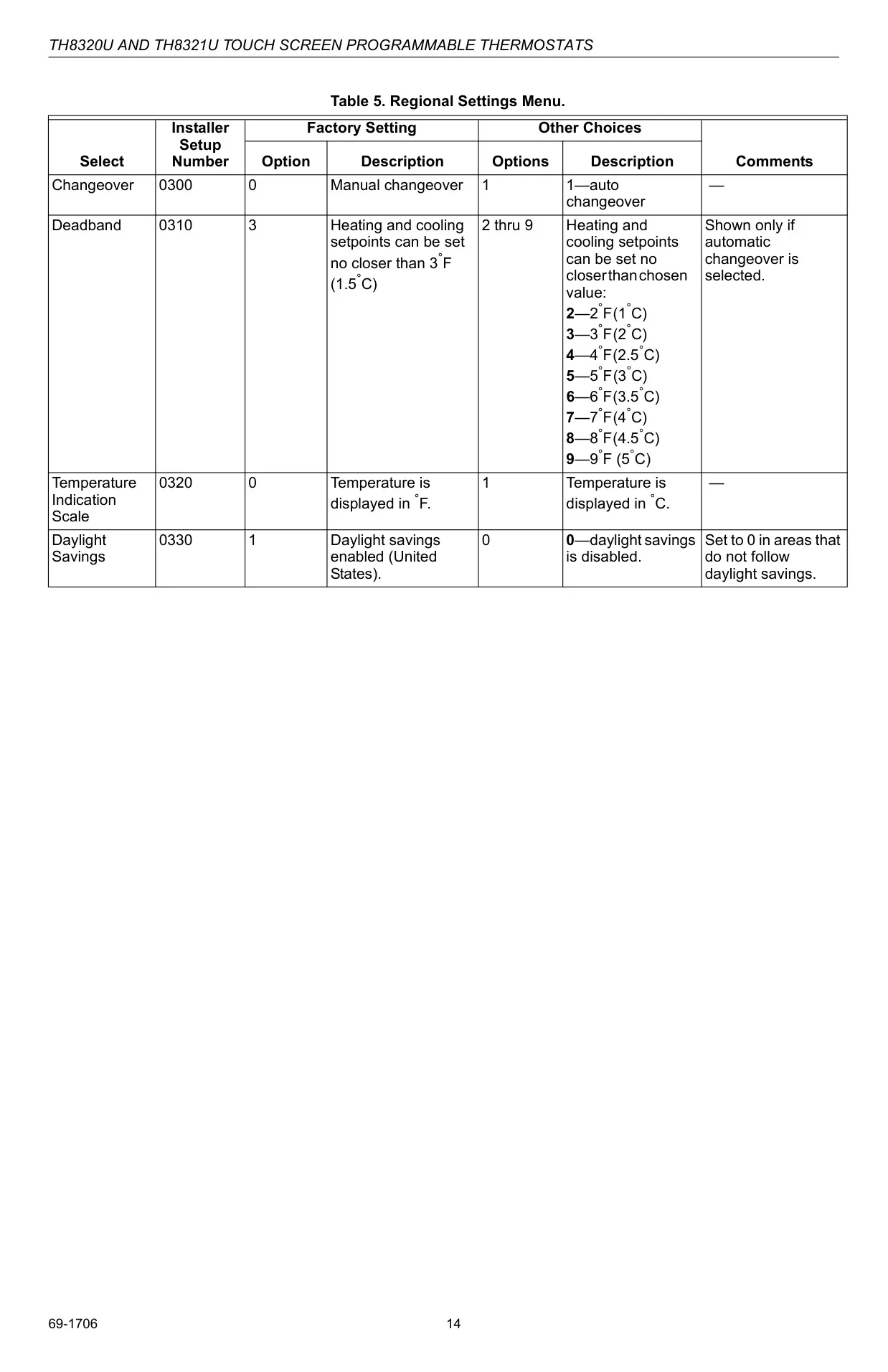
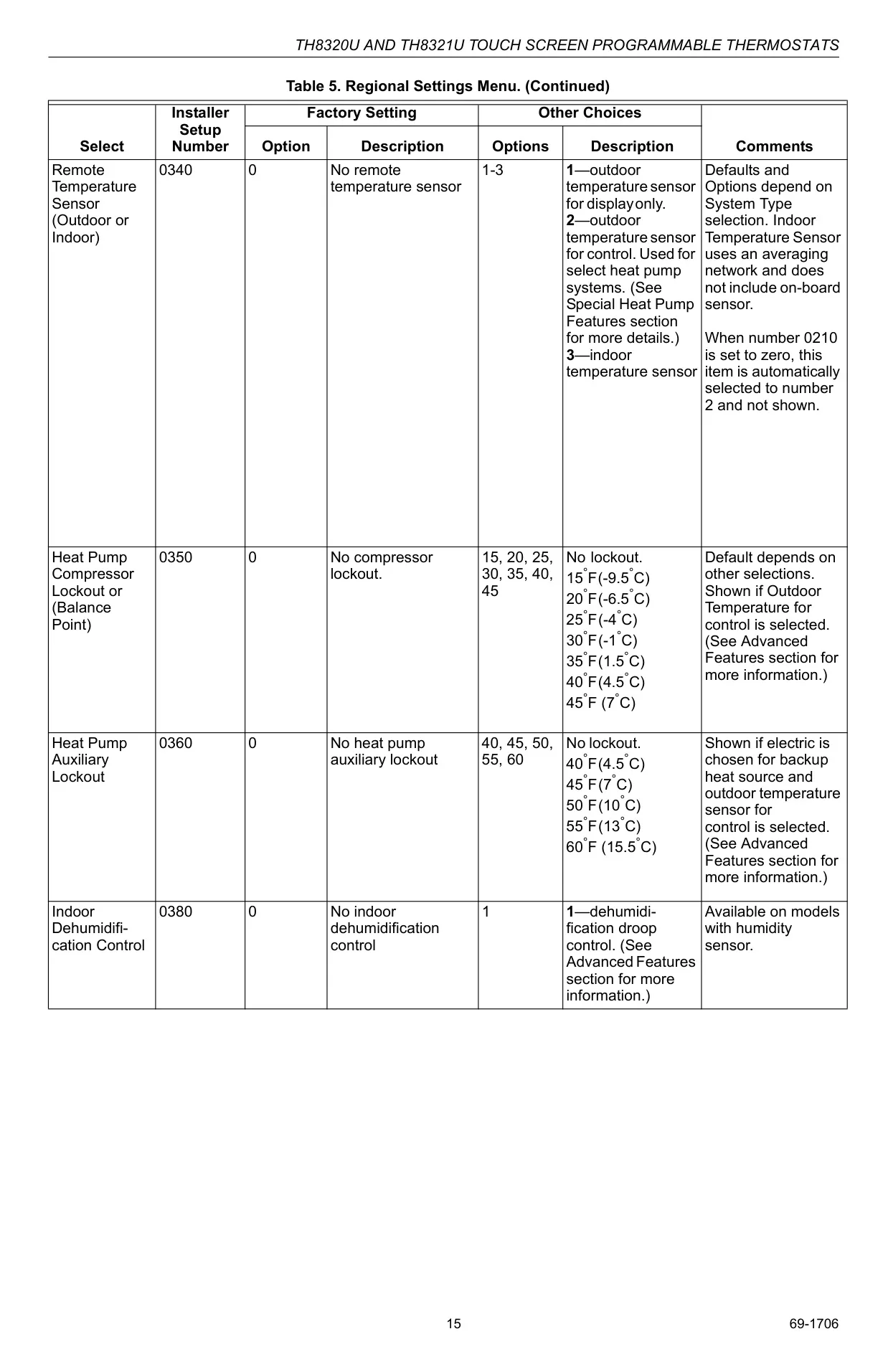
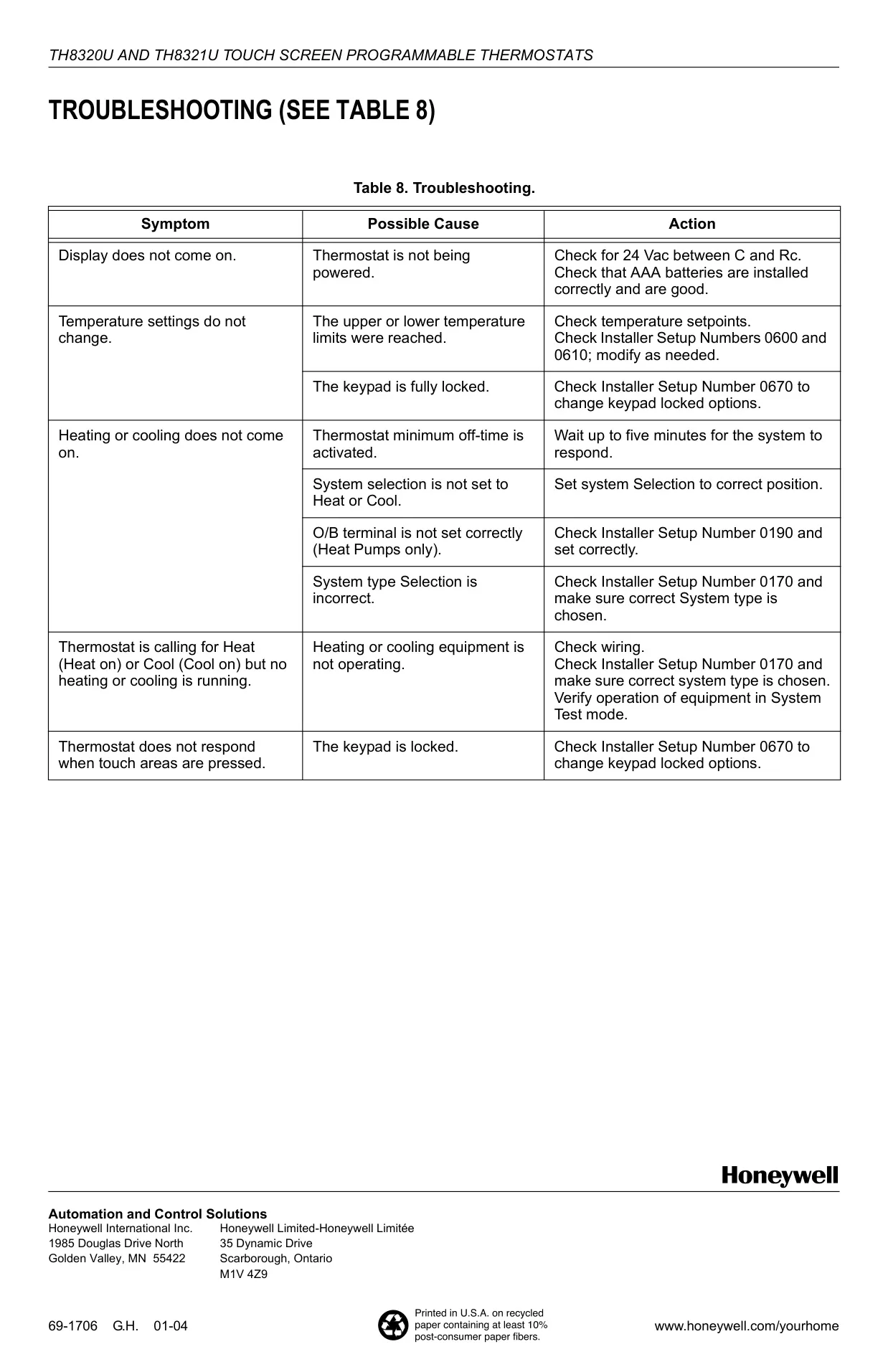
Honeywell TH8321U1055 Instructions
Here we offer the Honeywell TH8321U1055 VisionPRO TH8000 manual completely free and in English. We have cataloged this manual in the Thermostats section on Manualverse, and it has been rated by 1 users with an average rating of 5. If you have any specific questions about Honeywell TH8321U1055 VisionPRO TH8000, we suggest checking the Frequently Asked Questions (FAQs) section of this manual.
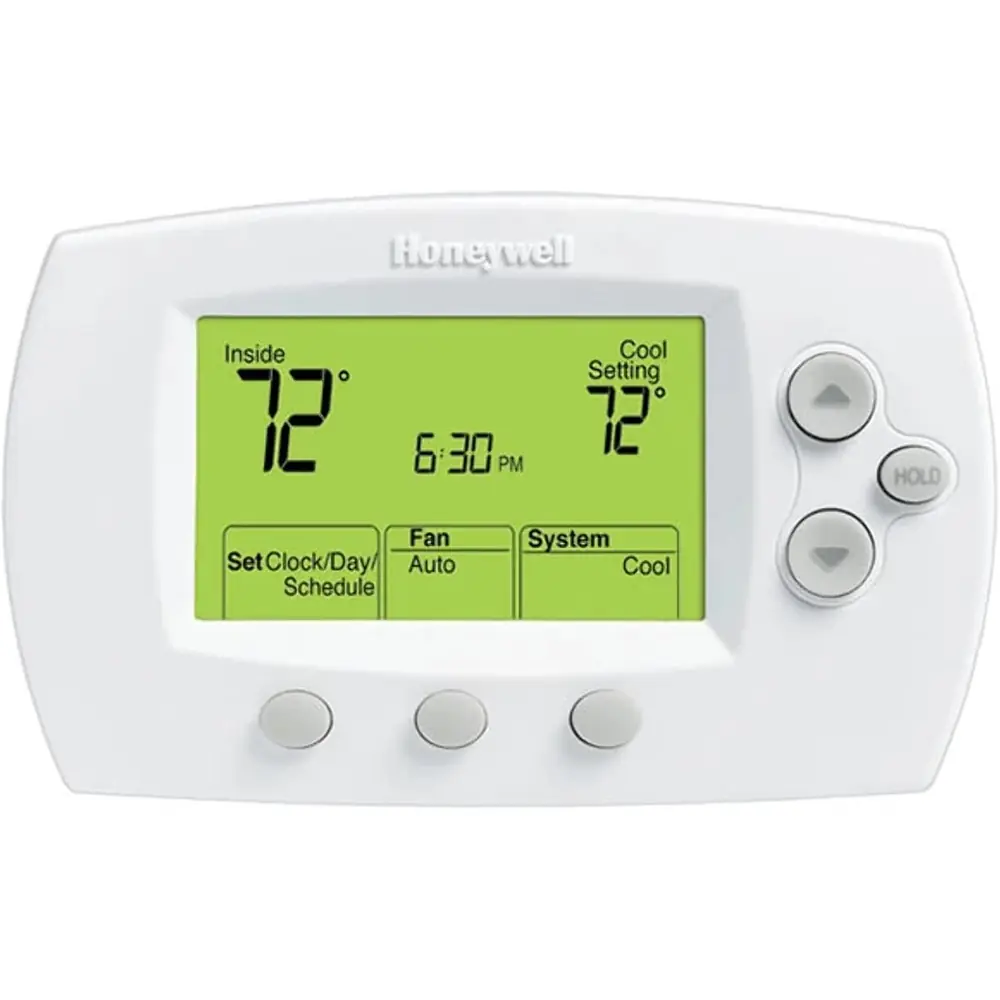
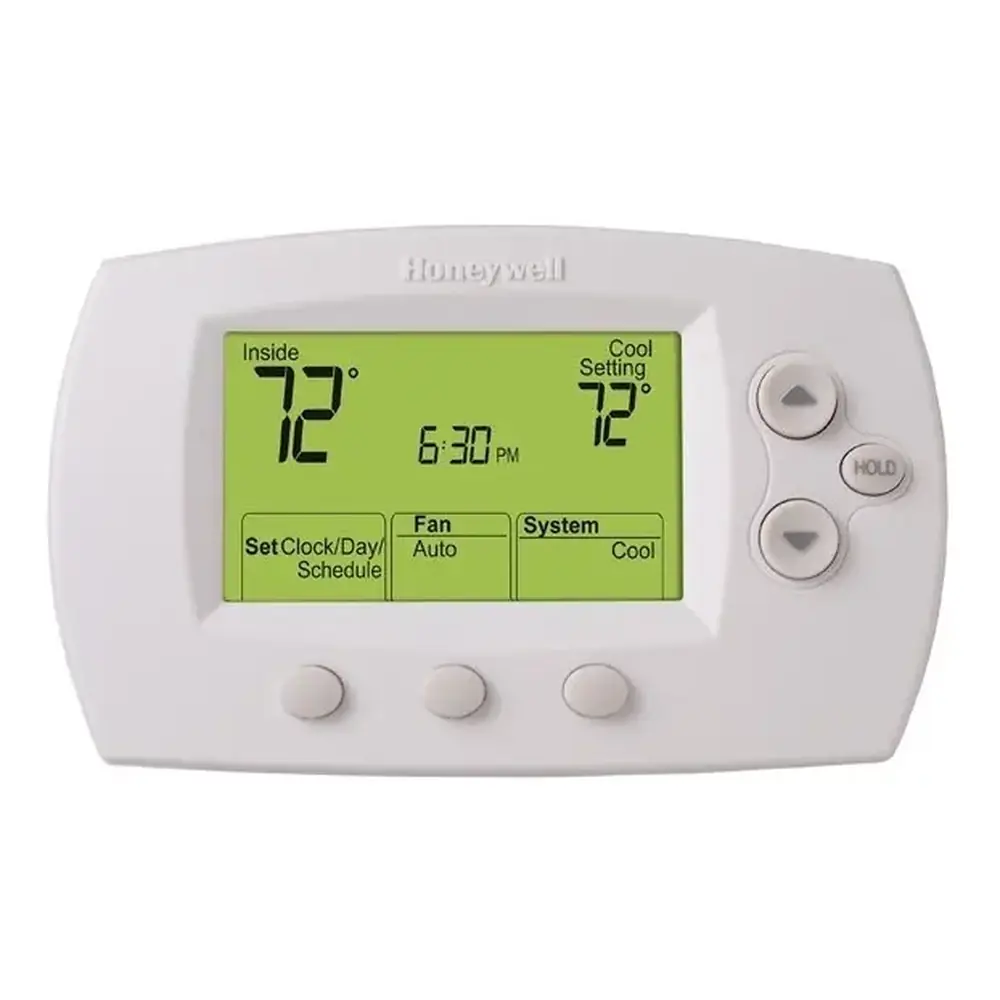
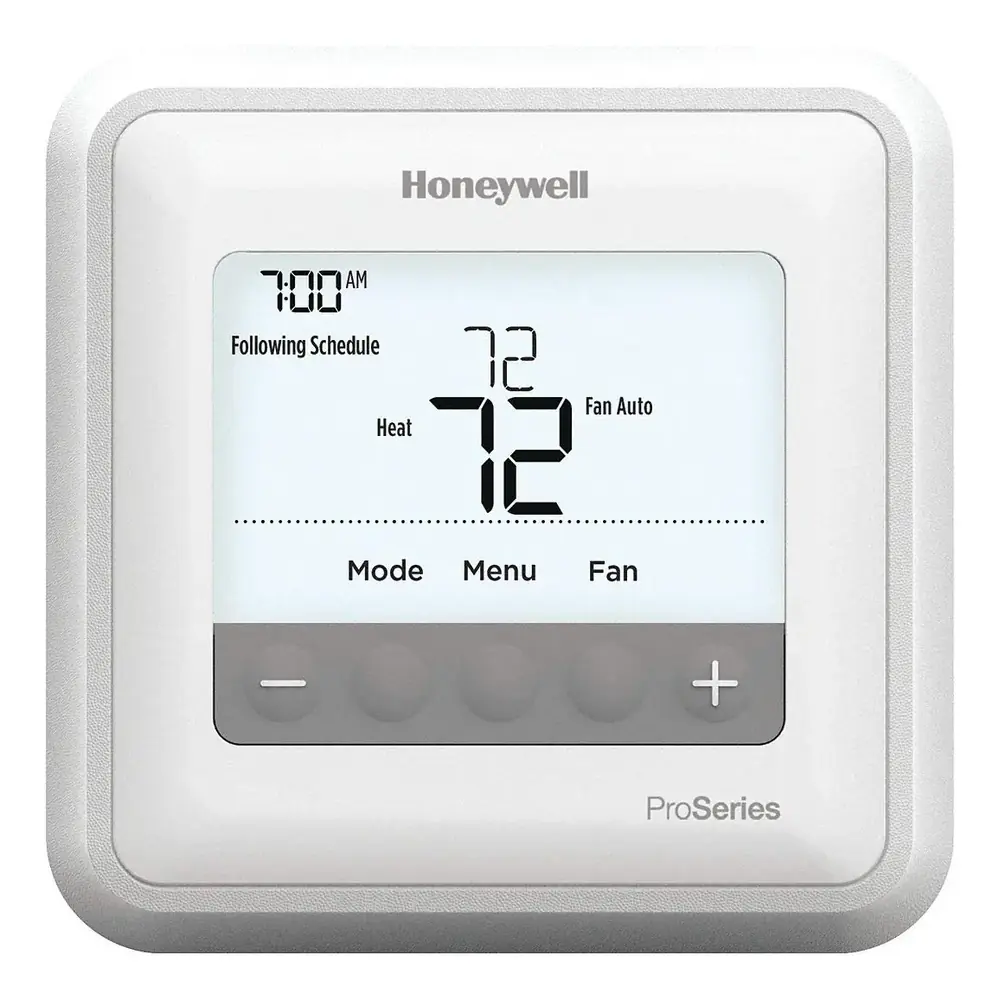
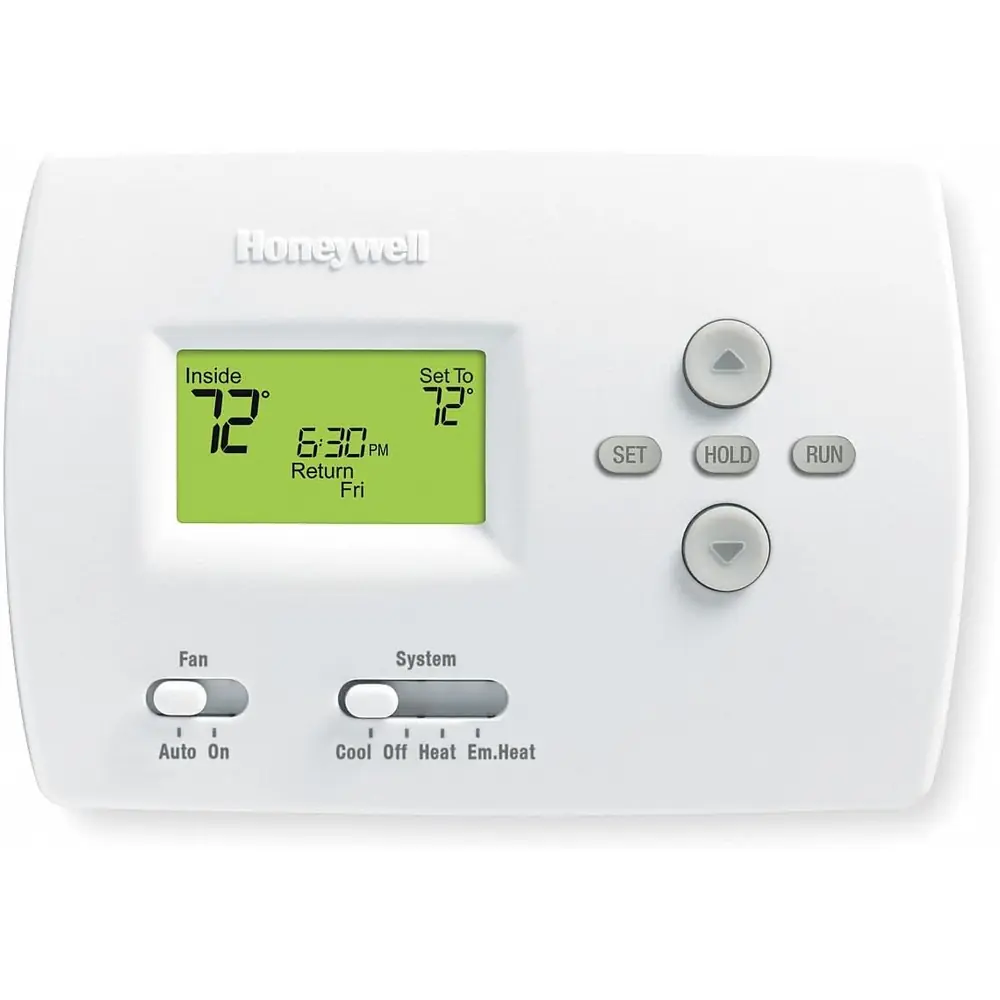
Product Images

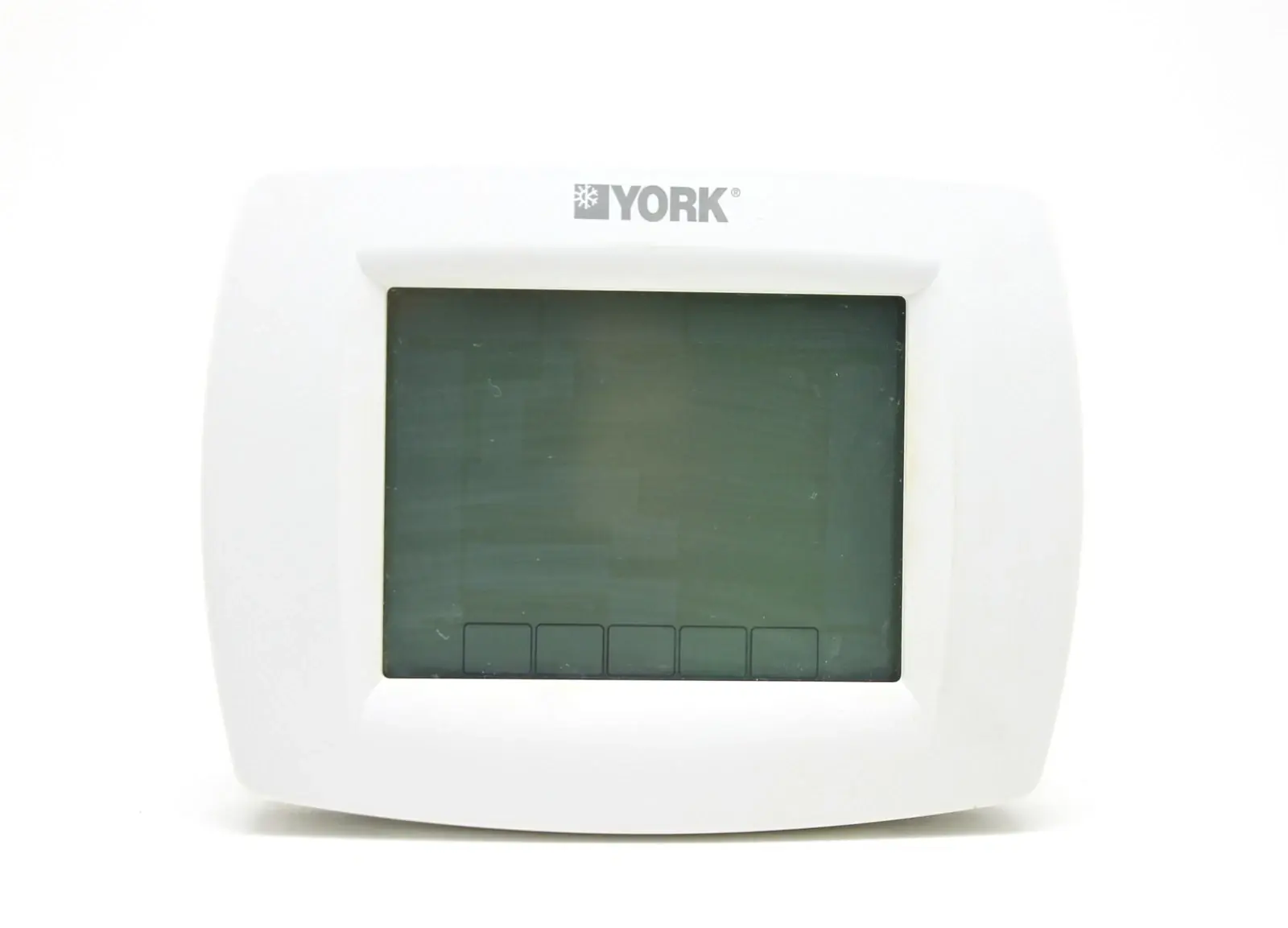

Honeywell TH8321U1055 VisionPRO TH8000 Thermostat Specifications
| Feature | Specification |
|---|---|
| Model | TH8321U1055 VisionPRO® TH8000 Series |
| System Compatibility | Up to 3 Heat/2 Cool systems (Conventional & Heat Pump) |
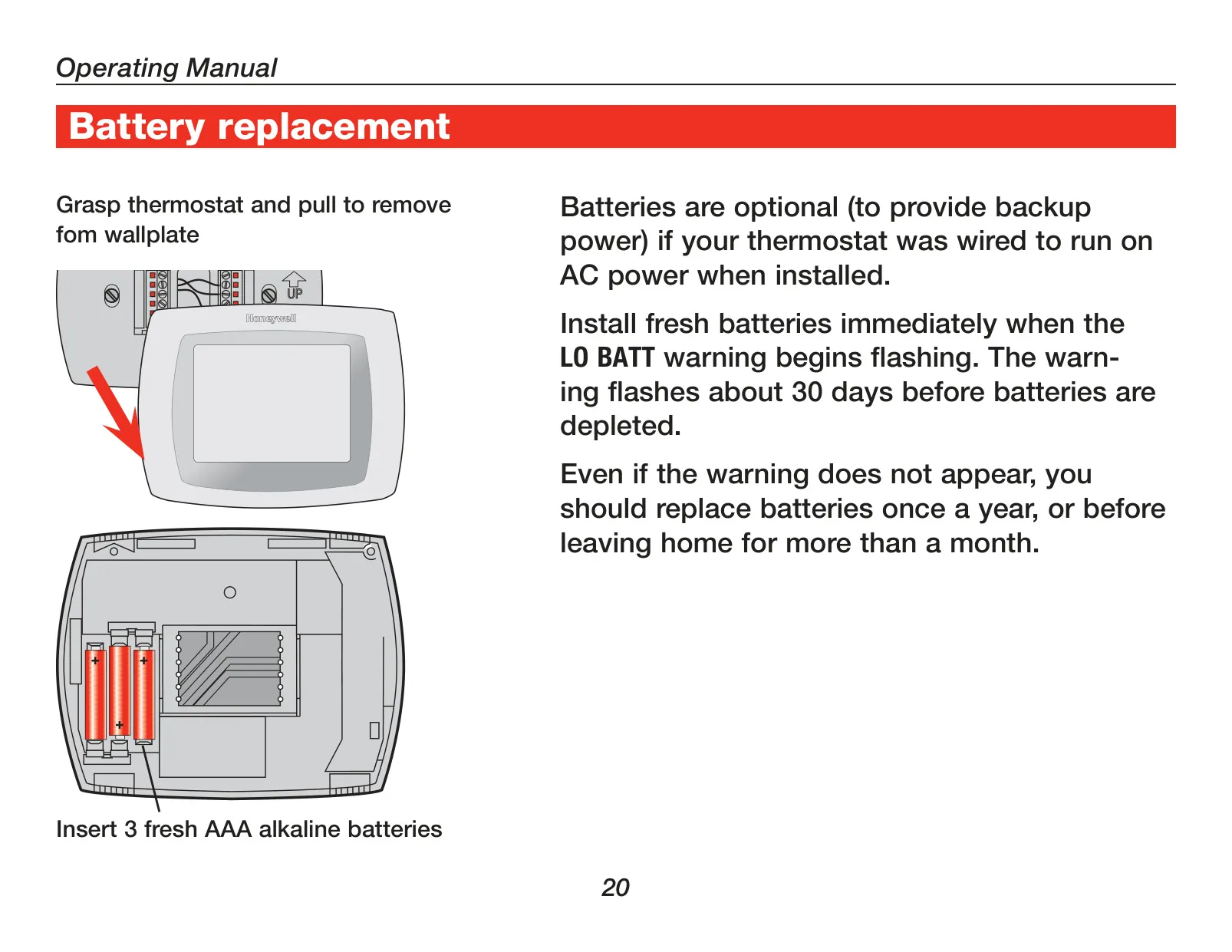
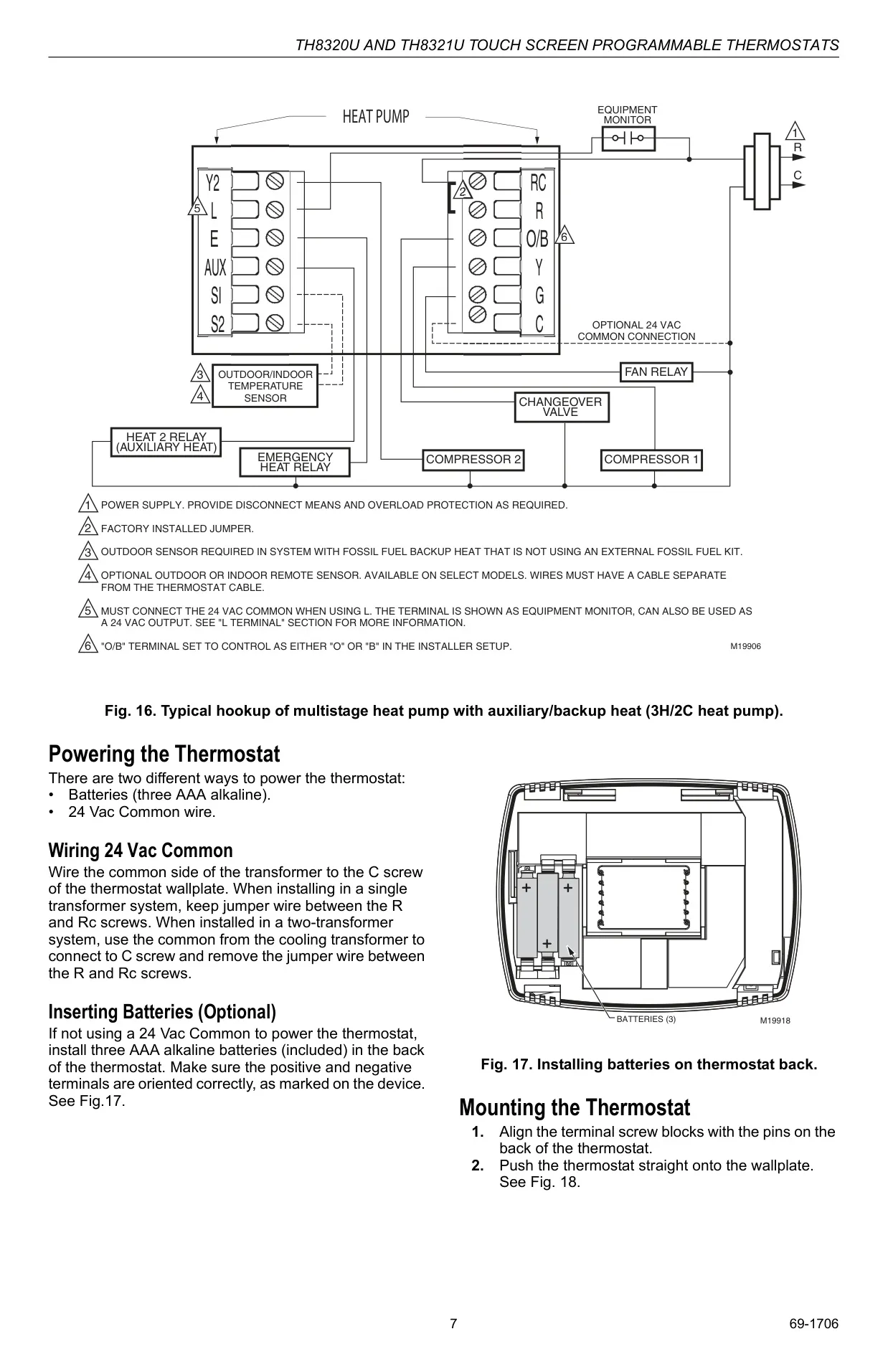
| Power Method | 24 Vac Common wire or 3 AAA Alkaline batteries (optional for backup) |
| Voltage | 24 Vac or 750 mV heating systems |
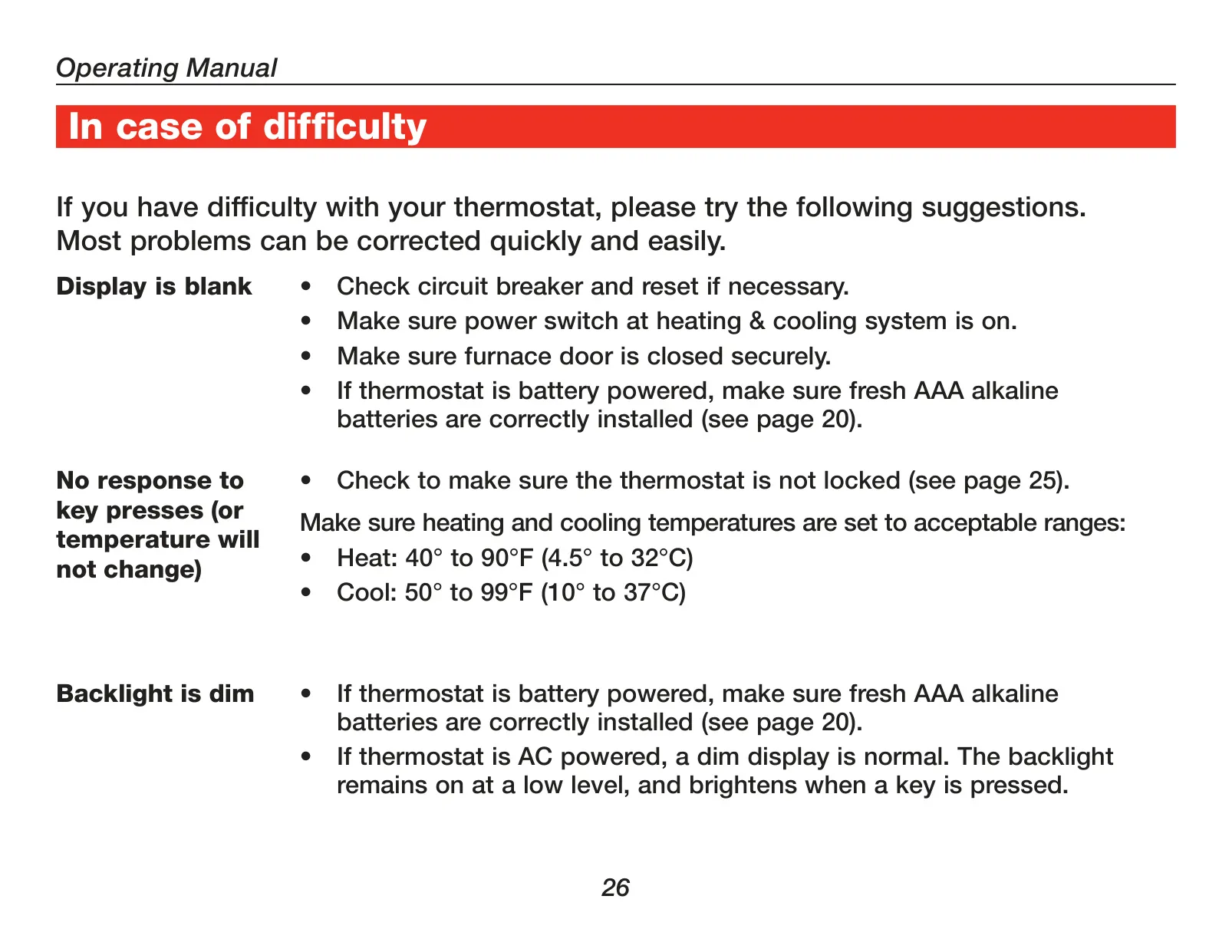
| Temperature Range (Heat) | 40°F to 90°F (4.5°C to 32°C) |
| Temperature Range (Cool) | 50°F to 99°F (10°C to 37°C) |
| Temperature Accuracy | ±1°F (0.5°C) |
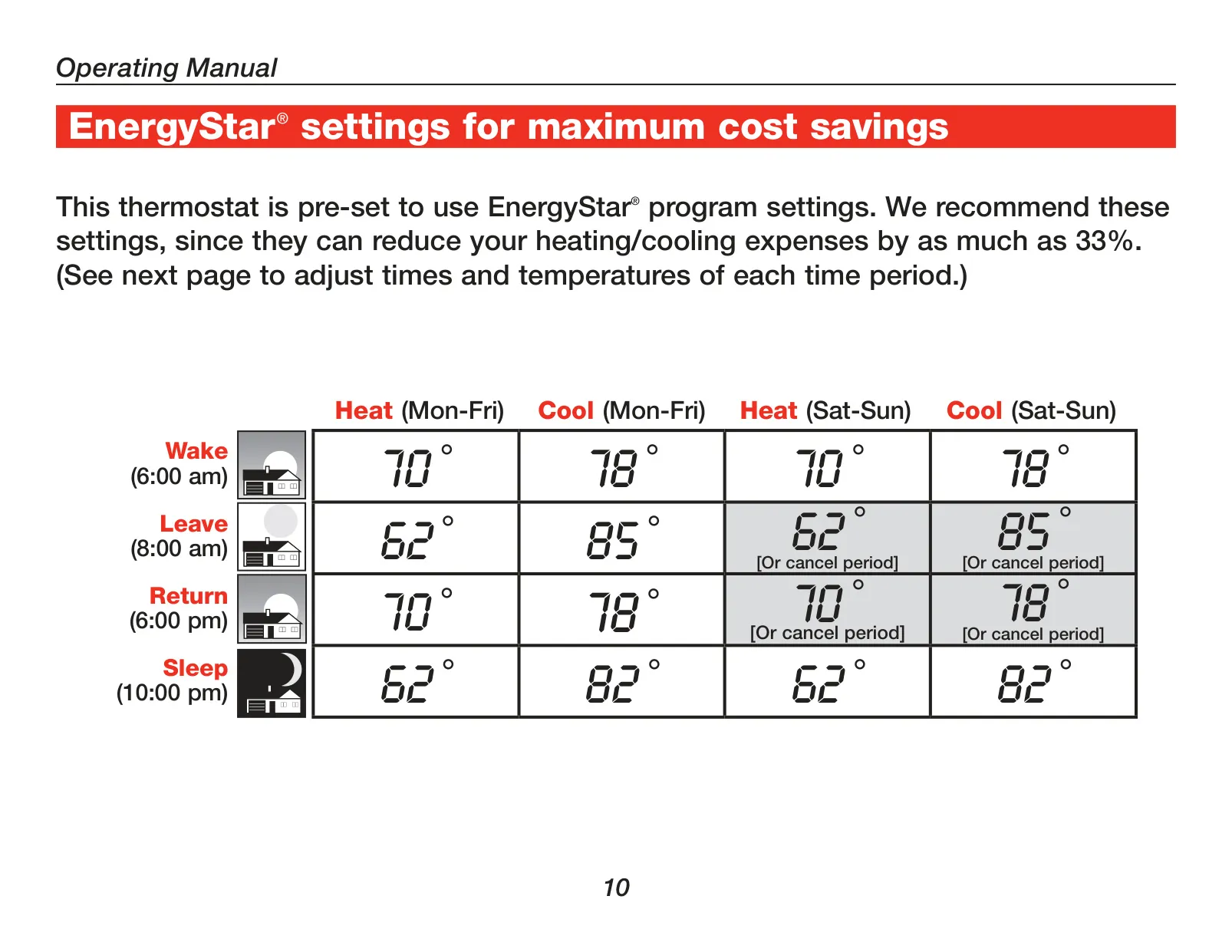
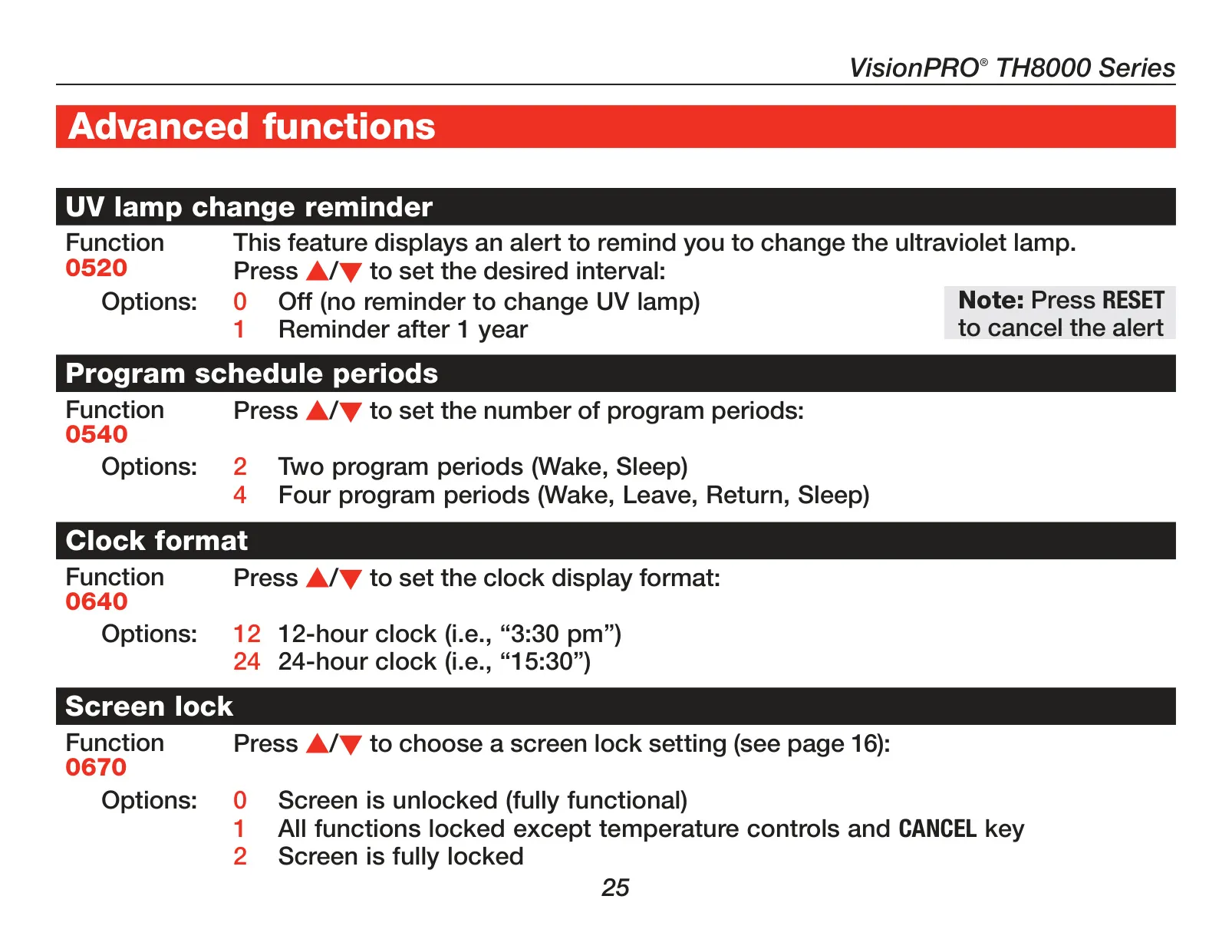
| Programmability | 7-day programmable (4 periods: Wake, Leave, Return, Sleep; or 2 periods: Wake, Sleep) |
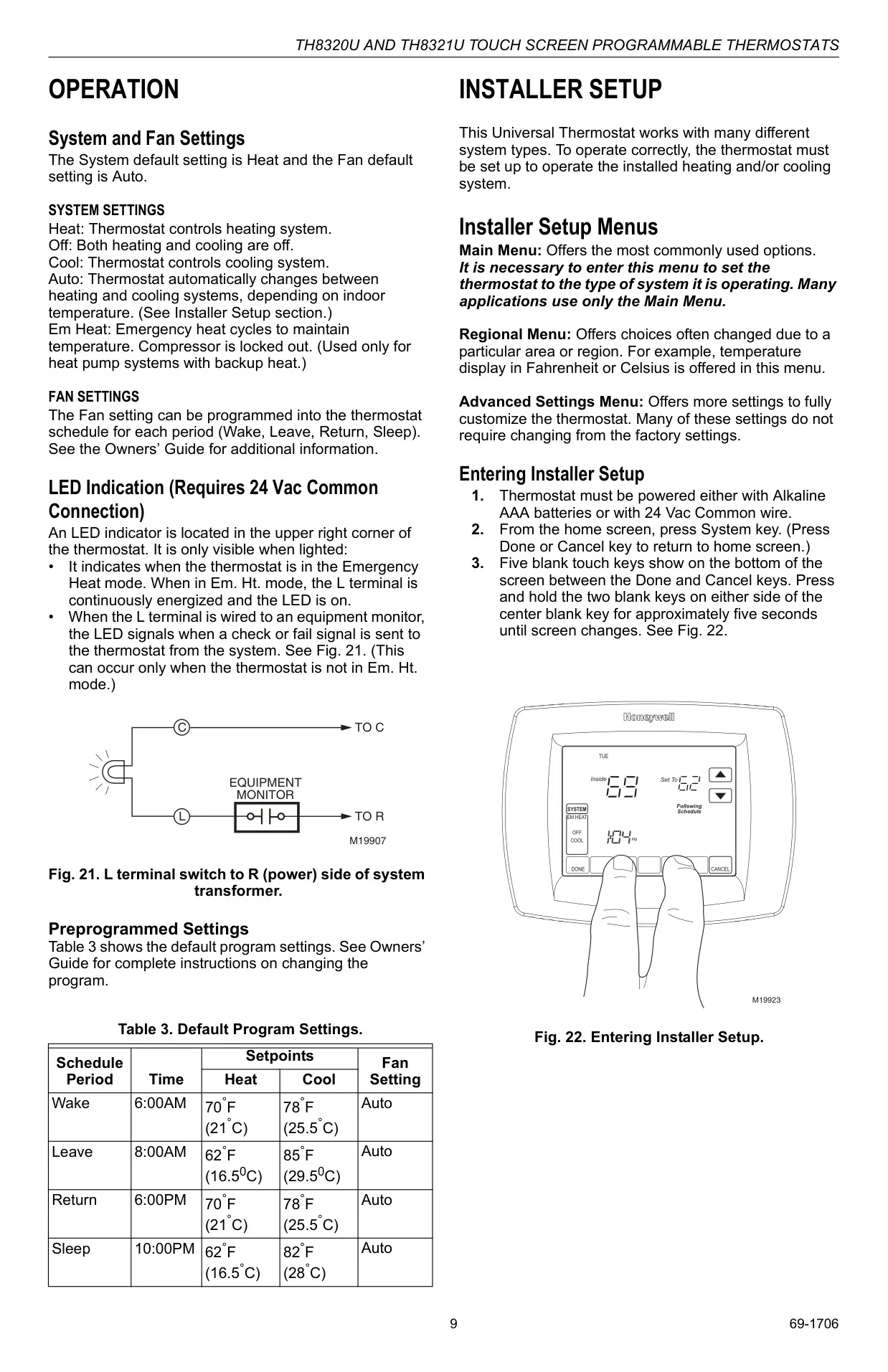
| System Selection | Heat-Off-Cool-Auto (Em. Heat for heat pumps) |
| Fan Selection | On-Auto-Circ |
| Changeover | Automatic or Manual selectable |
| Humidity Control | Built-in Humidity Sensor with Dehumidification Droop Control |
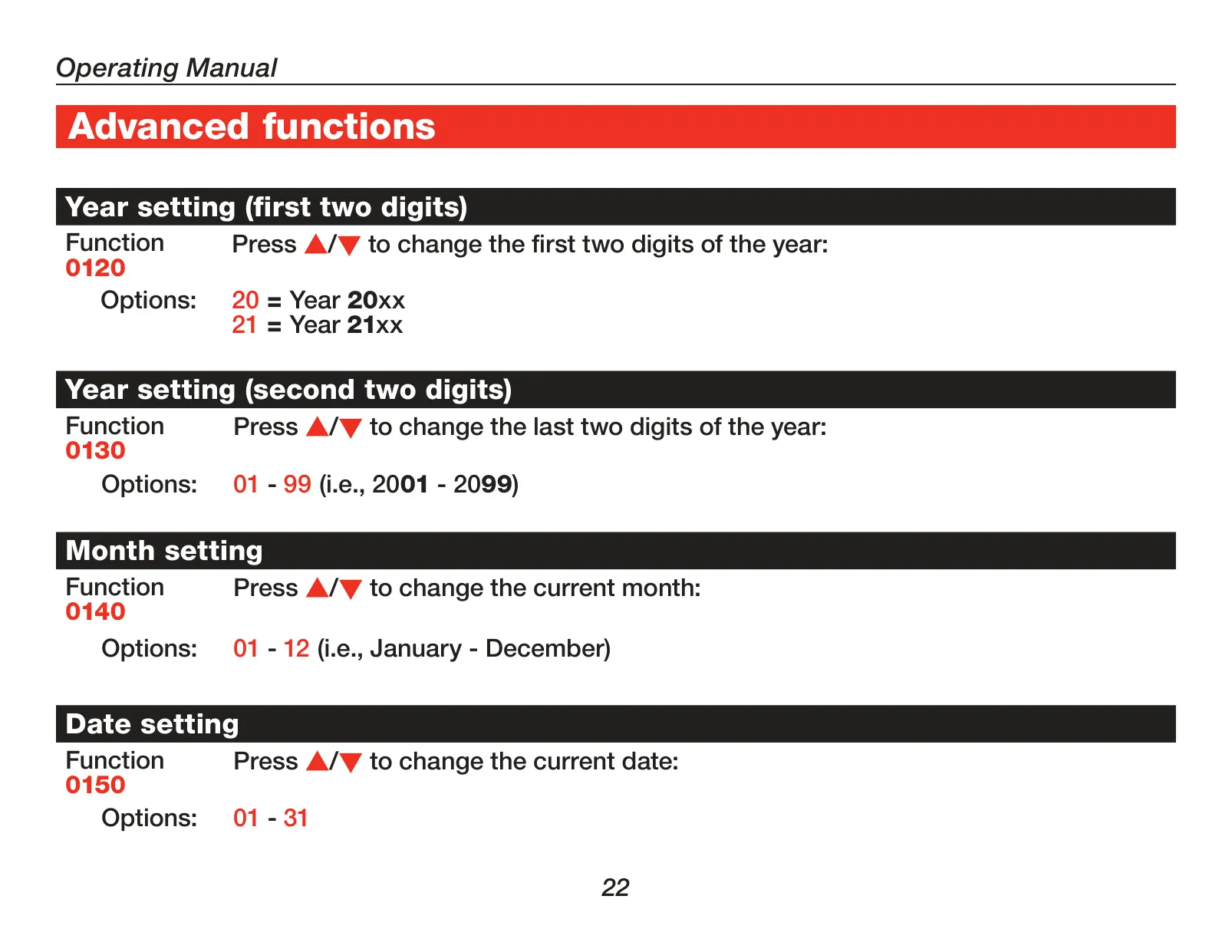
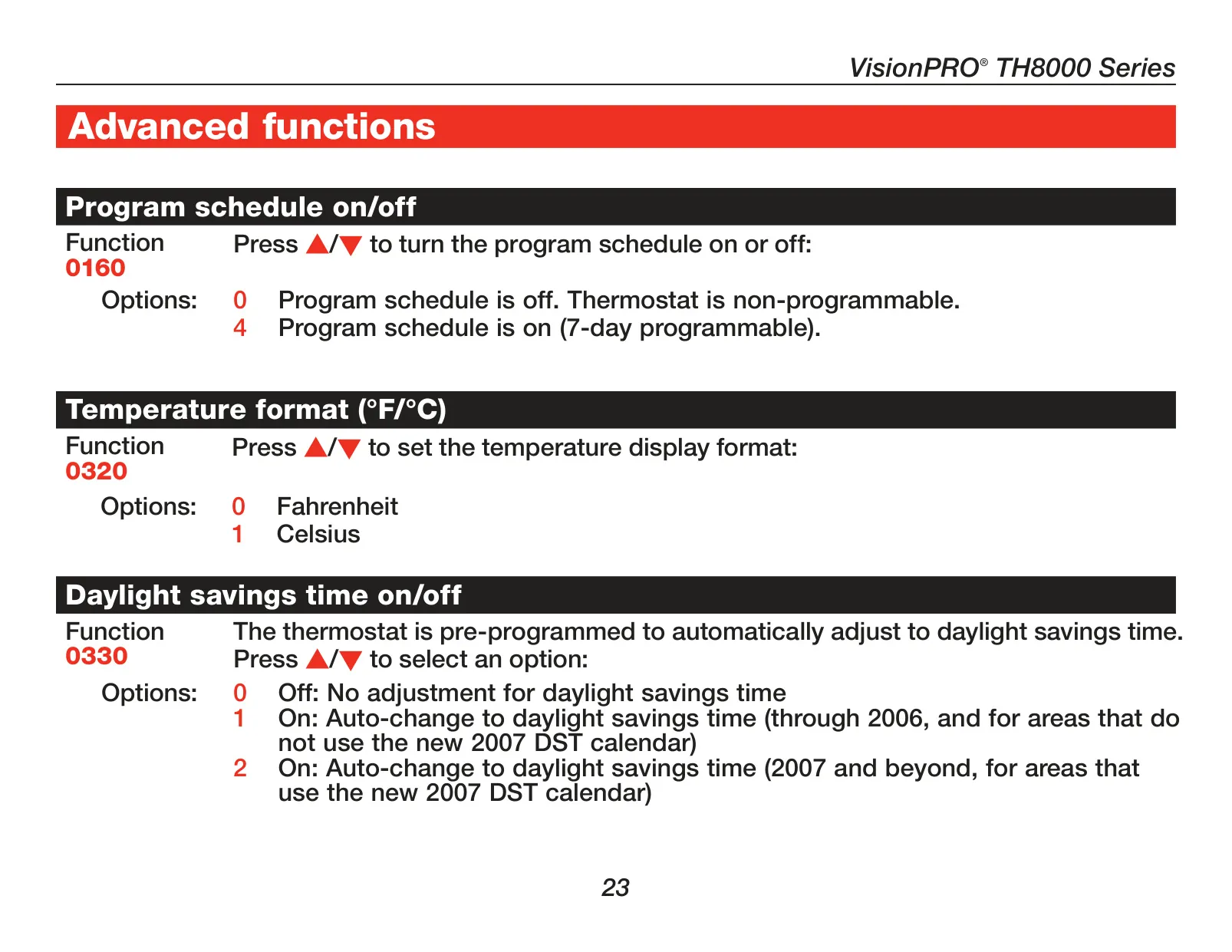
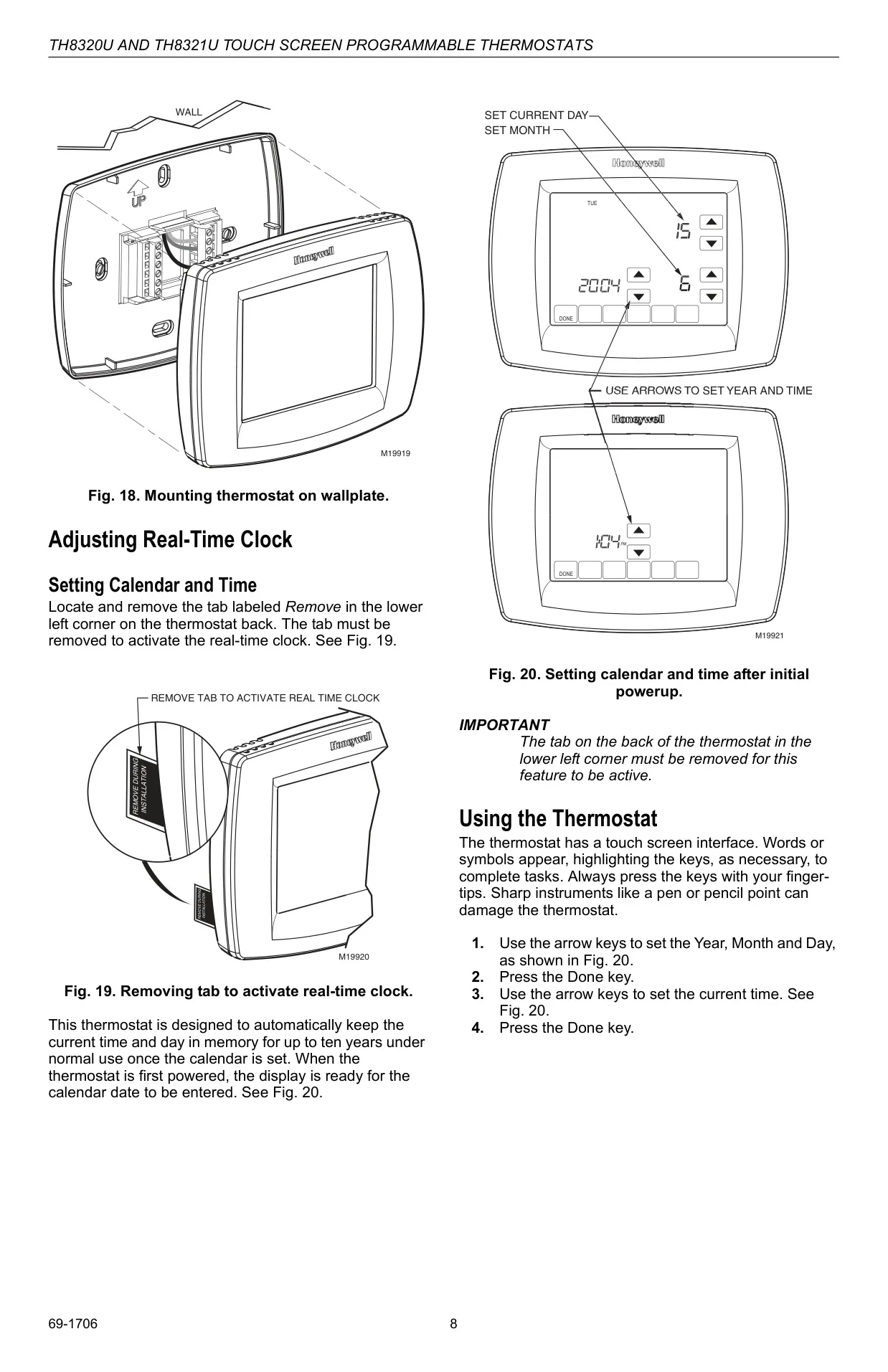
| Clock | Real-time clock with automatic Daylight Saving Time adjustment, 12/24-hour format |
| Memory Backup | Retains settings and time for up to ten years (internal clock) |
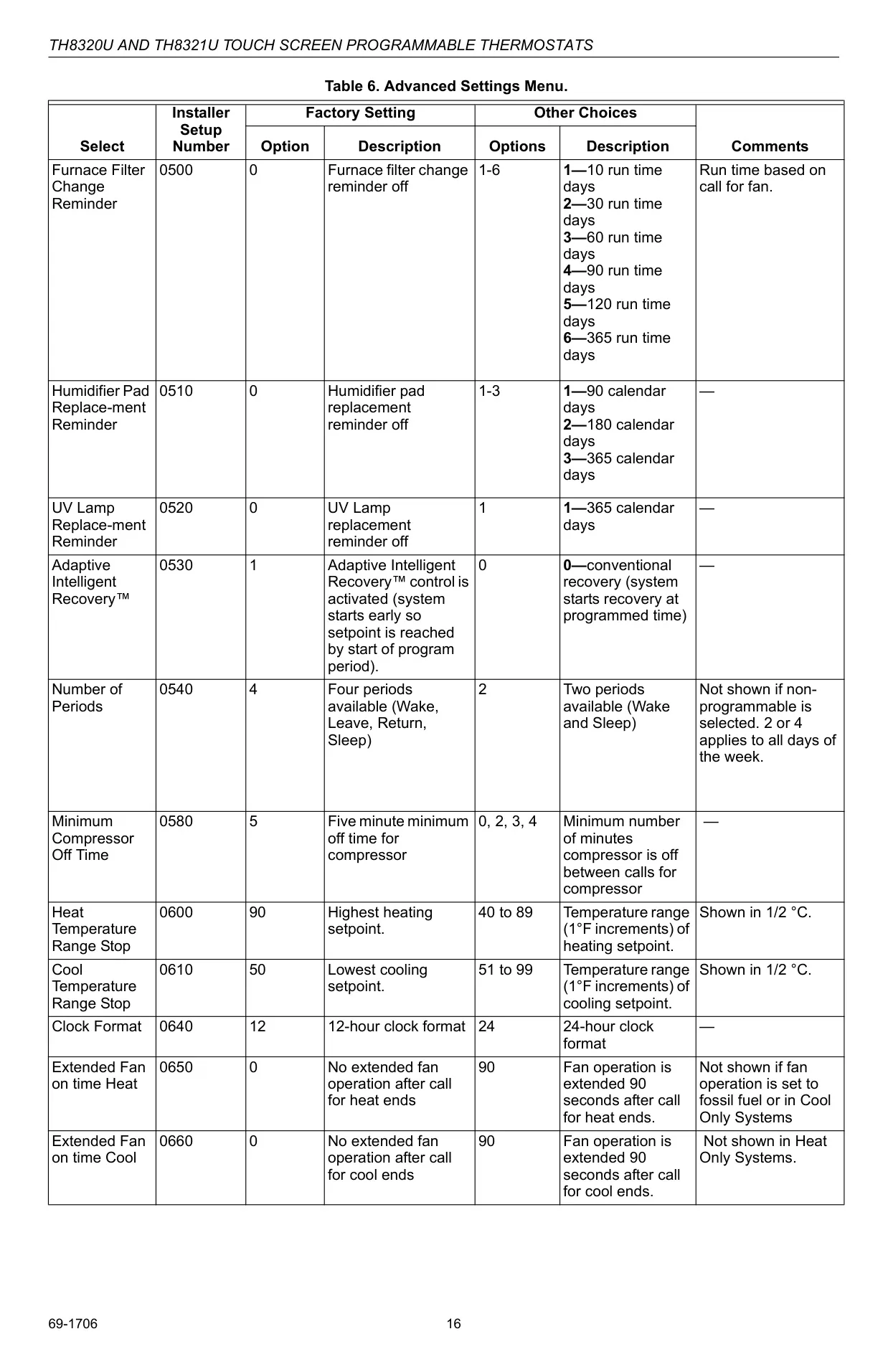
| Compressor Protection | 5-minute minimum off time (configurable) |
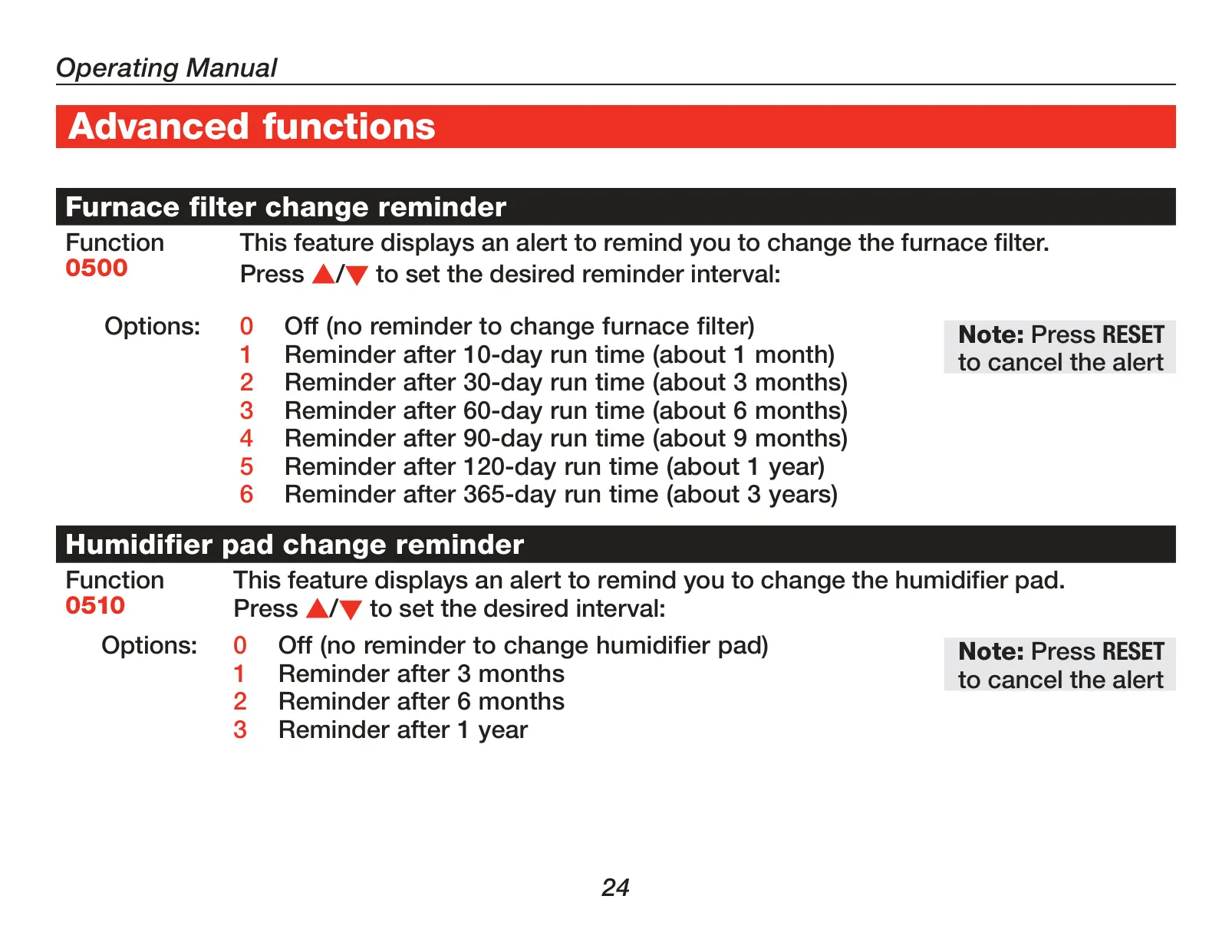
| Maintenance Reminders | Furnace filter, humidifier pad, UV lamp change reminders (configurable intervals) |
| Remote Sensors | Supports optional outdoor or indoor remote sensors (C7089U) |
| Display | Large touchscreen with backlight |
| Certifications | EnergyStar® compliant |
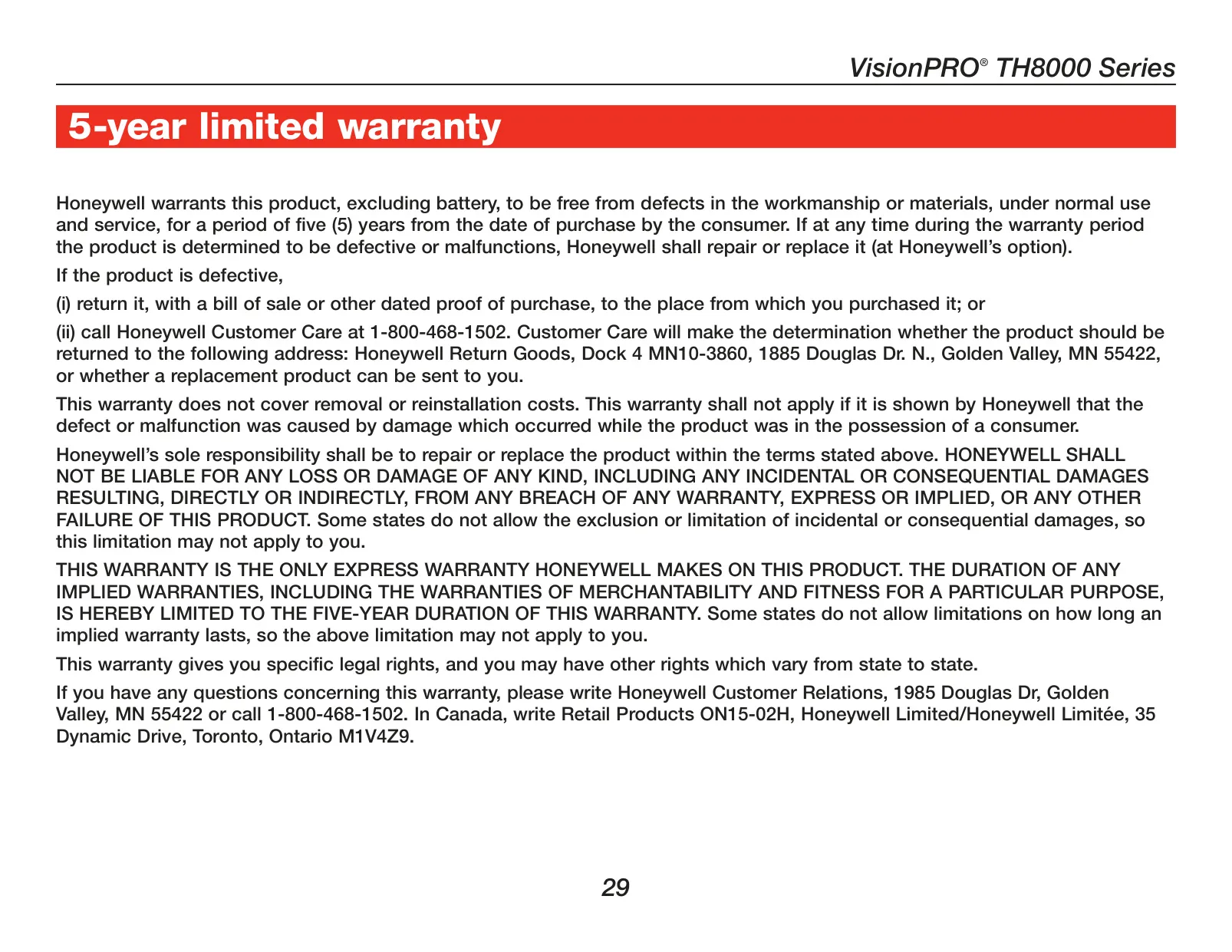
| Warranty | 5-year limited warranty |
Honeywell TH8321U1055 Thermostat Details
The Honeywell TH8321U1055 is a VisionPRO® TH8000 Series touchscreen programmable thermostat designed for intuitive and comprehensive climate control. Its large, backlit touchscreen display ensures excellent readability, even in low-light conditions. Users interact with the device using fingertips, as the manufacturer explicitly warns against using sharp instruments like pens to prevent damage to the screen.
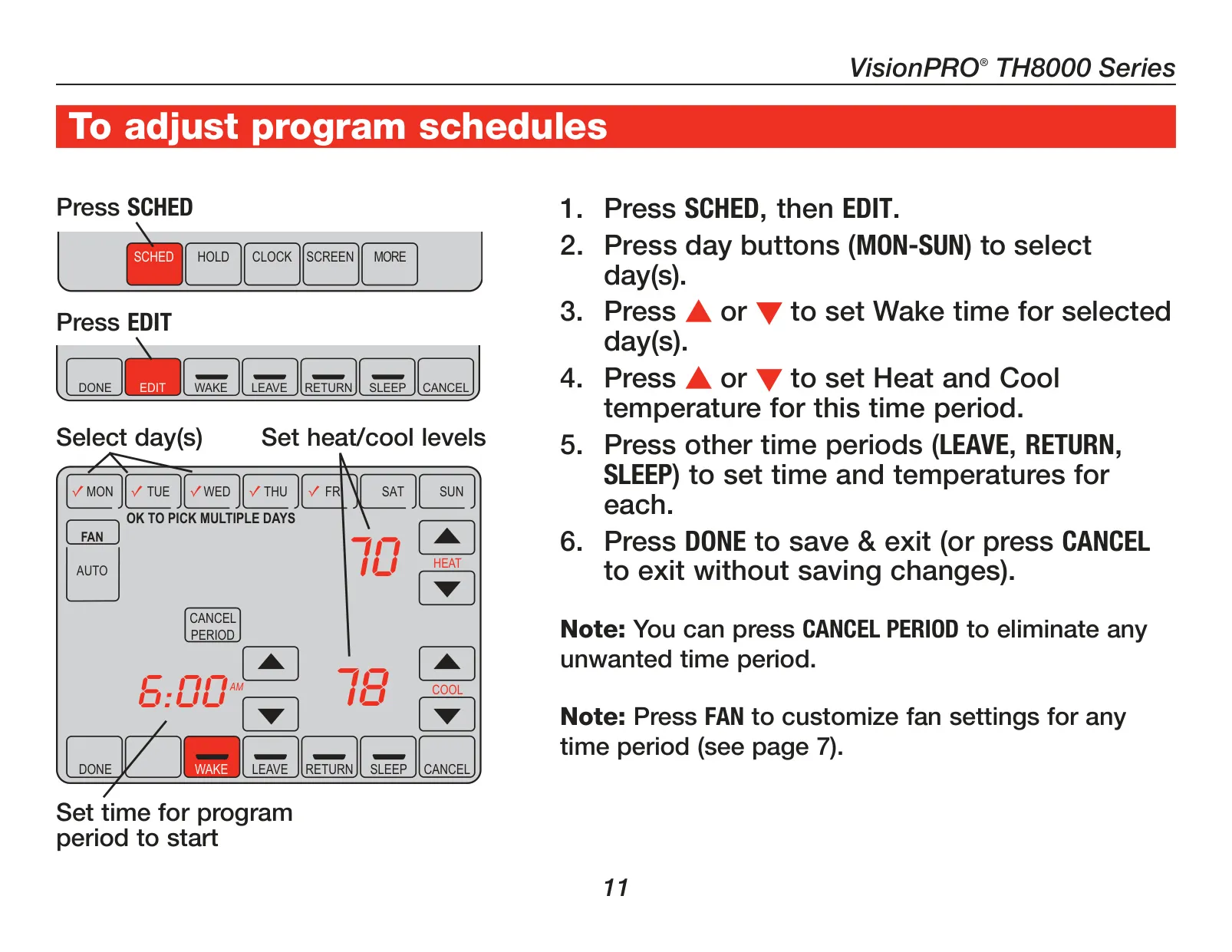
This model offers robust 7-day programming, allowing for flexible scheduling with up to four distinct time periods each day: Wake, Leave, Return, and Sleep. This detailed scheduling capability helps optimize energy usage. A convenient "armchair programming" feature enables users to detach the thermostat from the wall plate for easier schedule adjustments, enhancing user comfort.
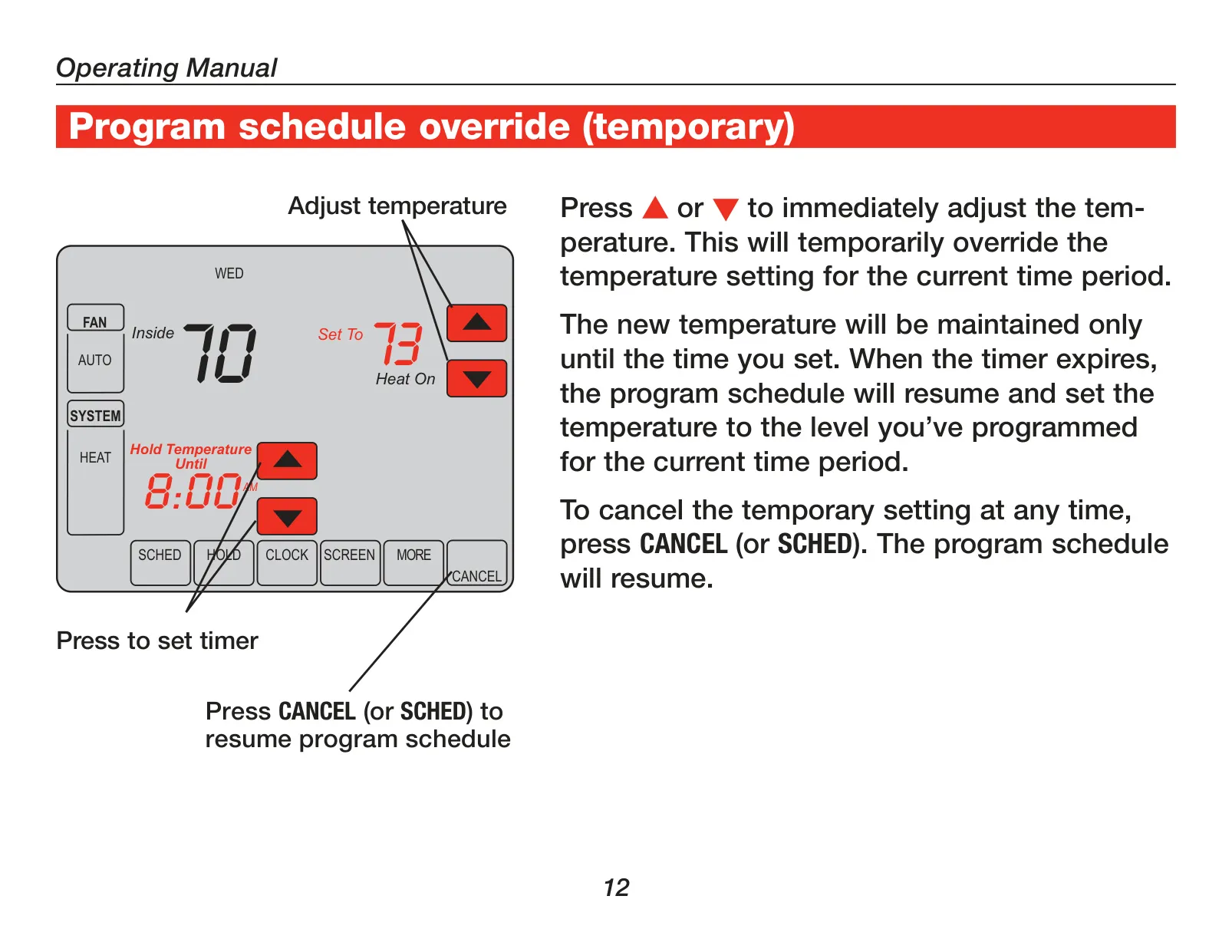
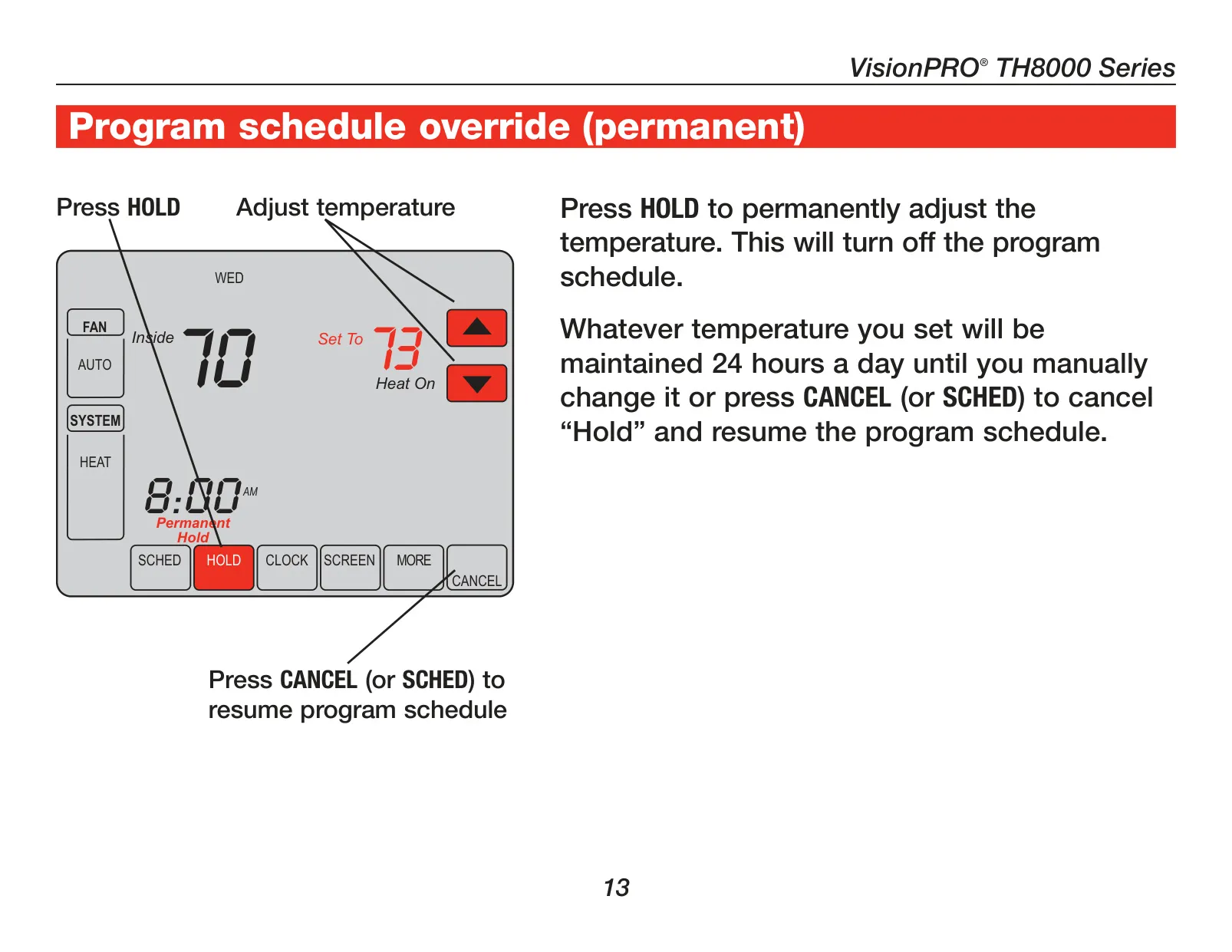
Beyond standard programming, the TH8321U1055 provides several override options. A one-touch temporary override allows immediate temperature adjustments that last until the next scheduled program period. For longer deviations, a "Hold" function can permanently maintain a set temperature, effectively pausing the program schedule until manually cancelled.
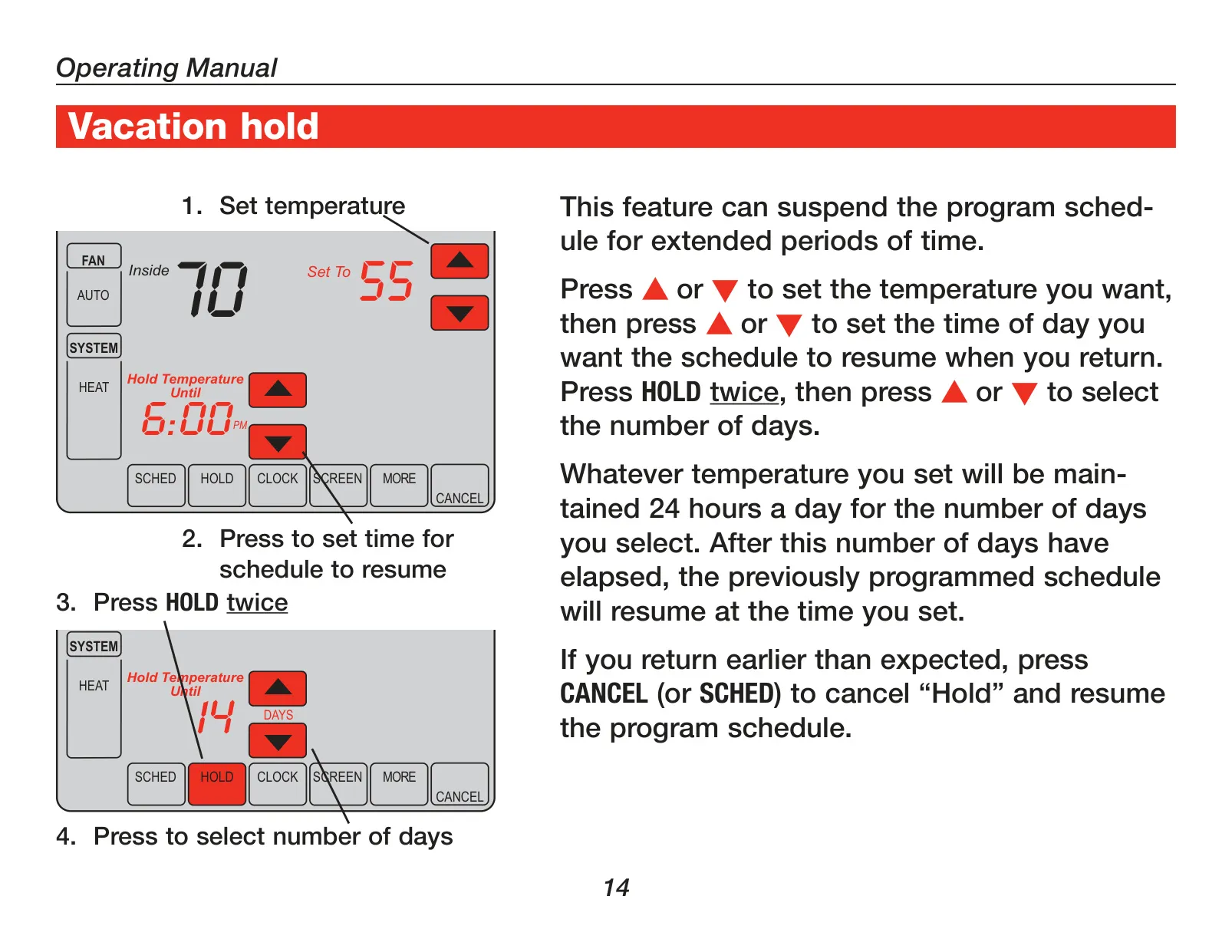
For extended absences, the Vacation Hold feature permits setting a desired temperature for a specified number of days, automatically resuming the regular schedule upon the return date. This prevents unnecessary energy consumption while ensuring comfort is restored by the time occupants arrive back home.
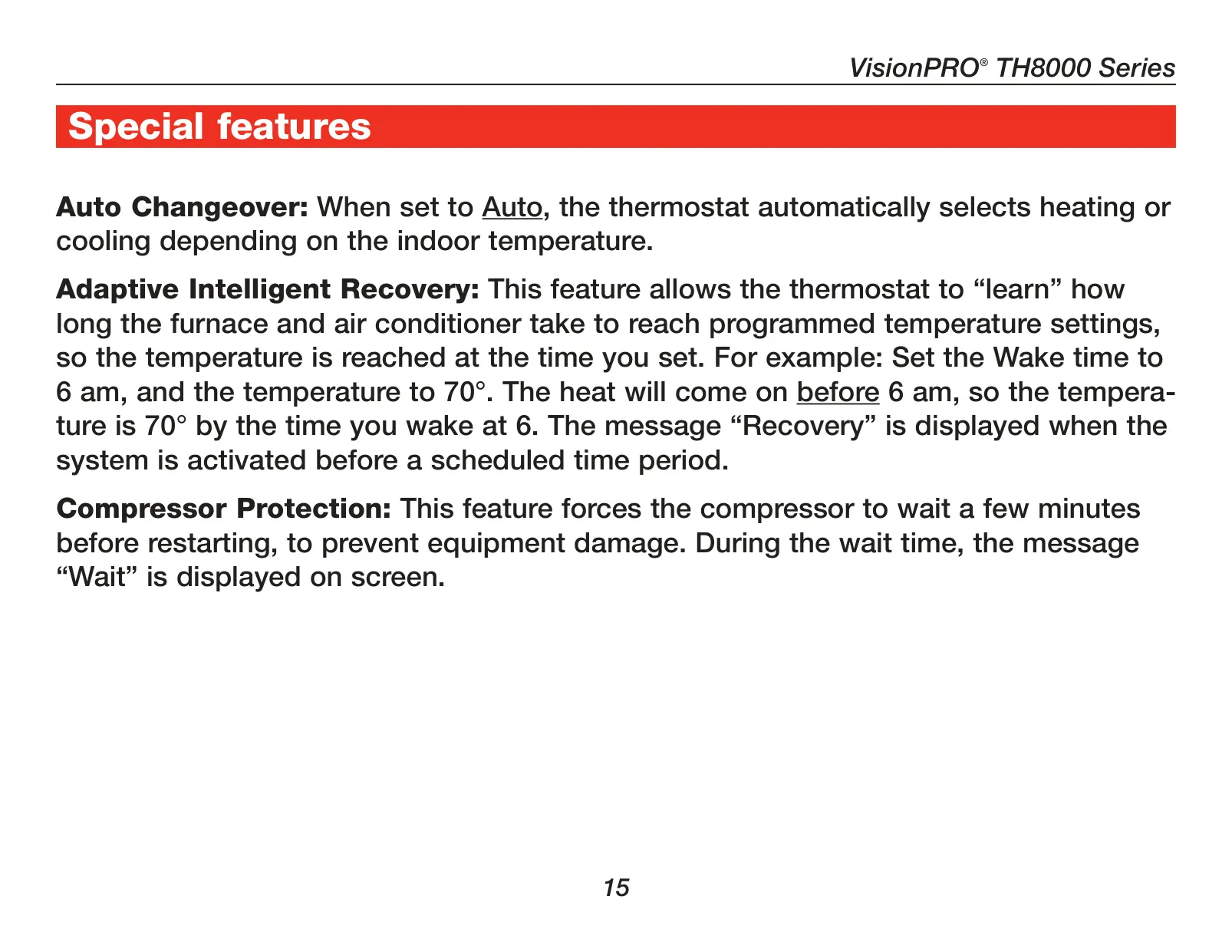
An advanced feature known as Adaptive Intelligent Recovery™ allows the thermostat to "learn" the time required for the HVAC system to reach a programmed temperature. This means the system will activate earlier, ensuring the desired temperature is achieved precisely at the start of each scheduled period, like having your home warm by 6 AM.
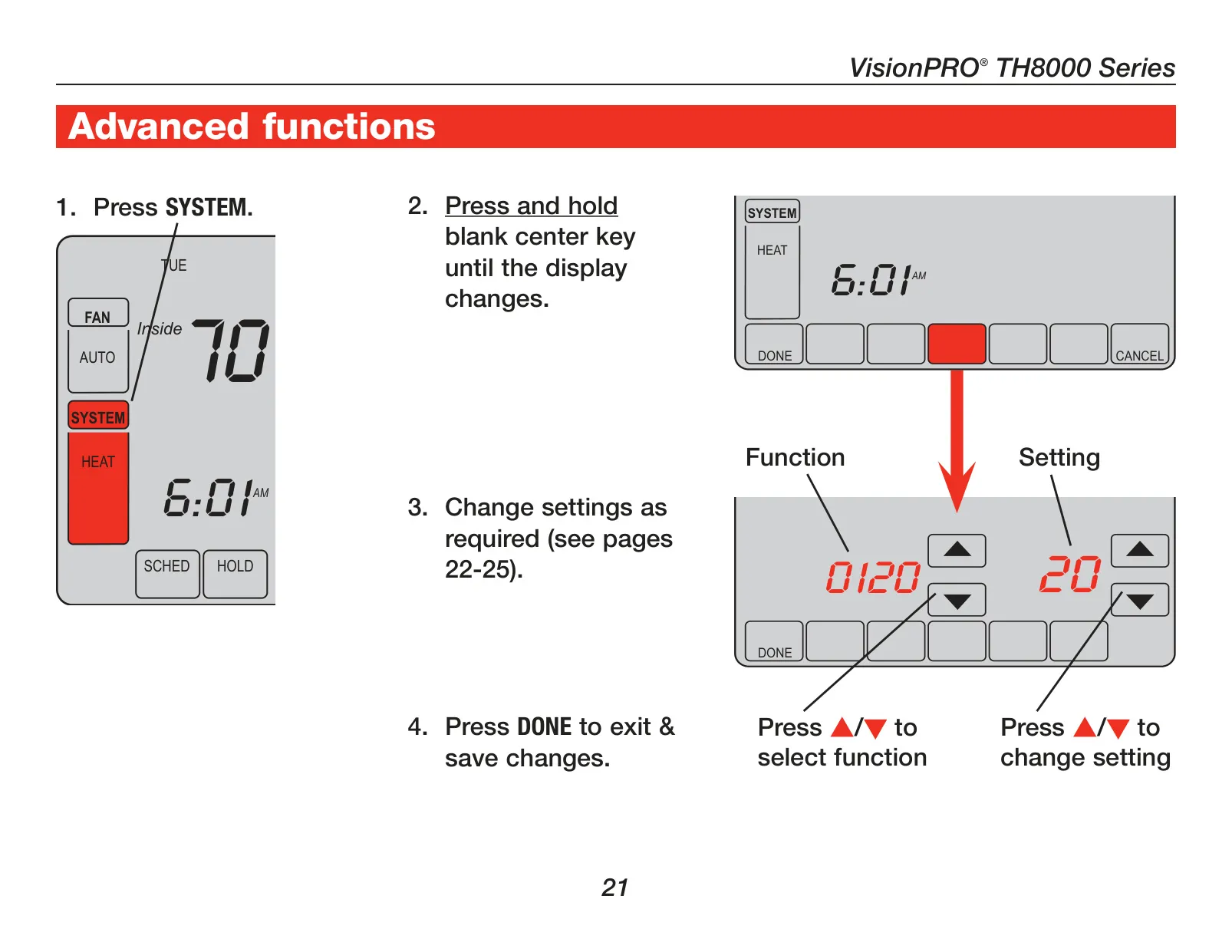
The TH8321U1055 also incorporates specific maintenance reminders. Users can configure alerts for changing furnace filters, humidifier pads, and UV lamps, based on run time or calendar days. These proactive notifications help ensure optimal system performance and indoor air quality.
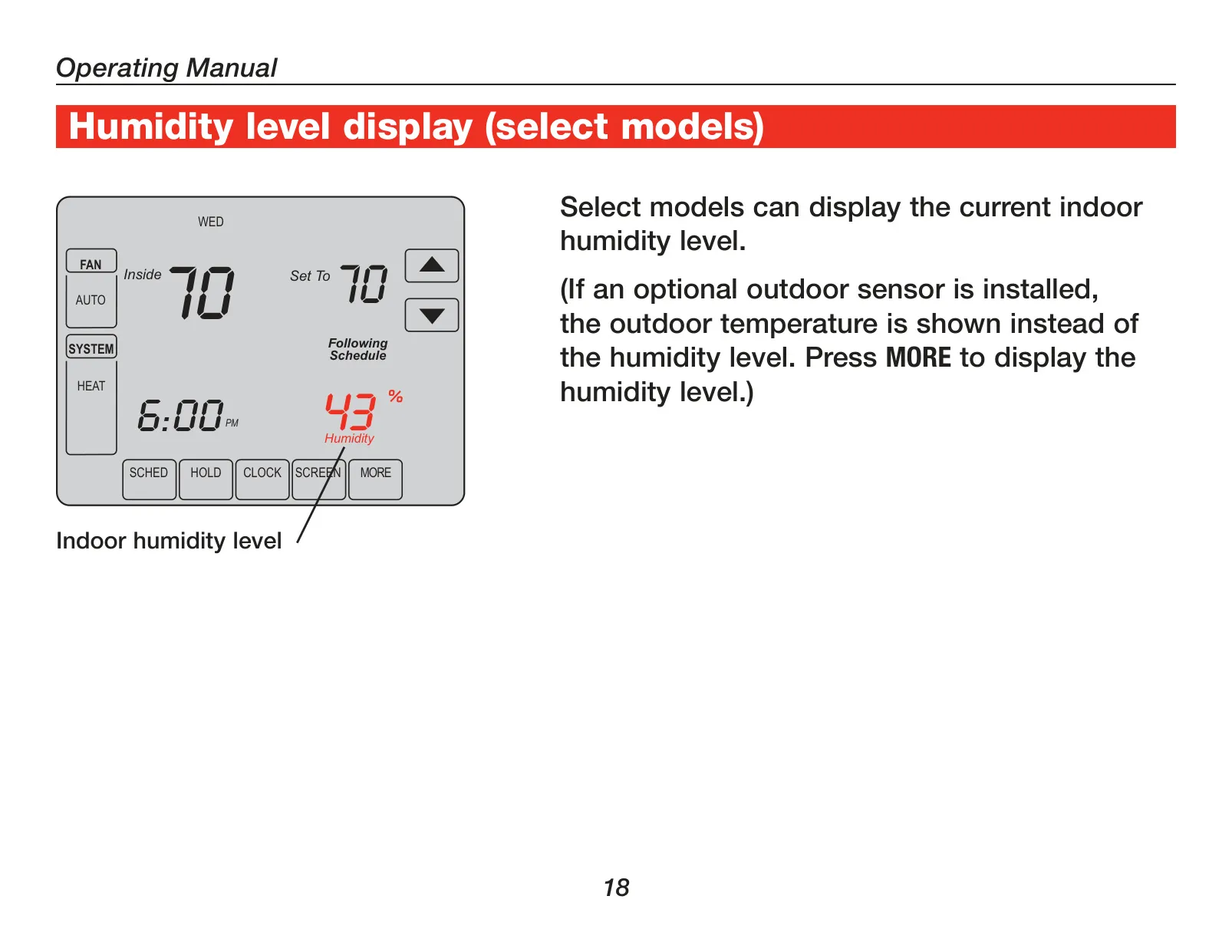
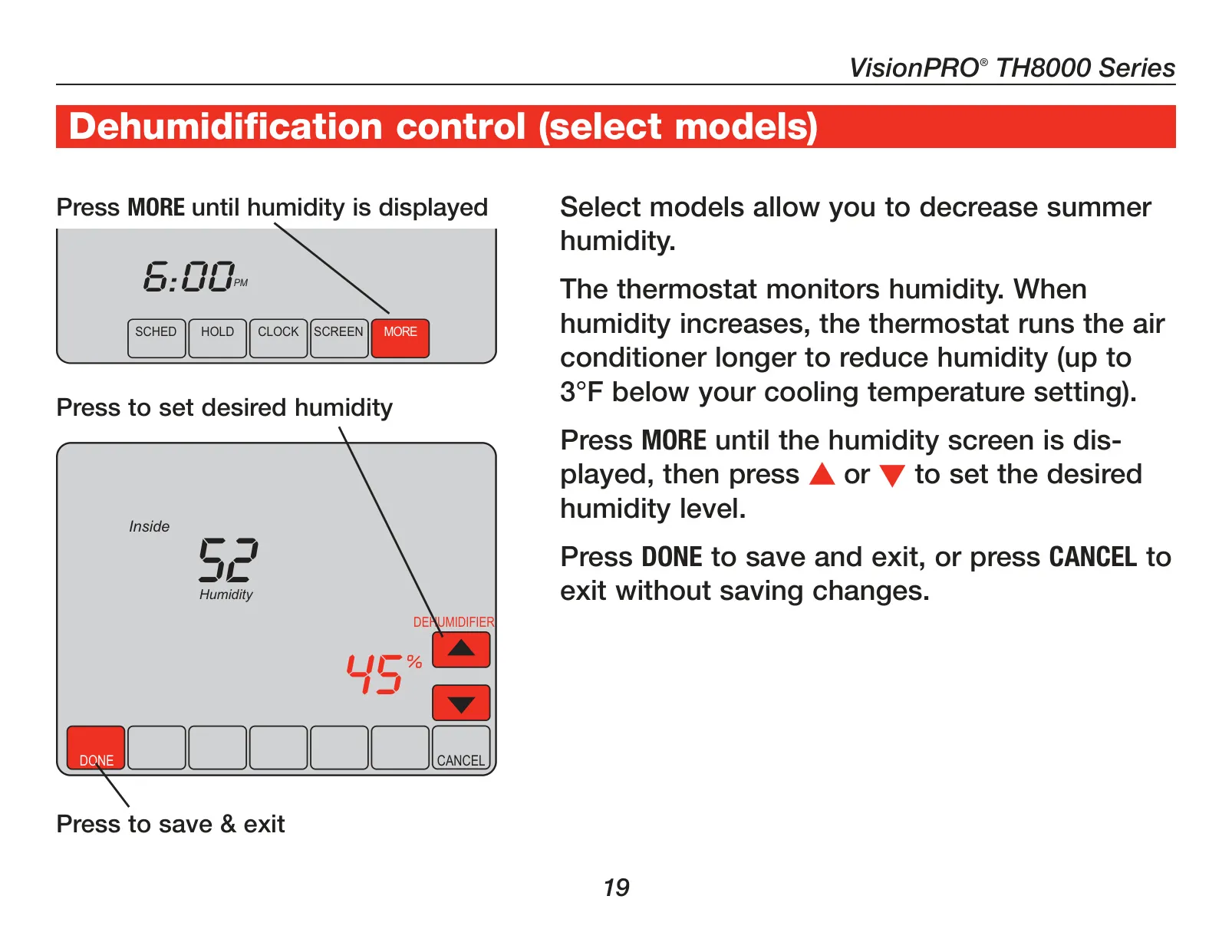
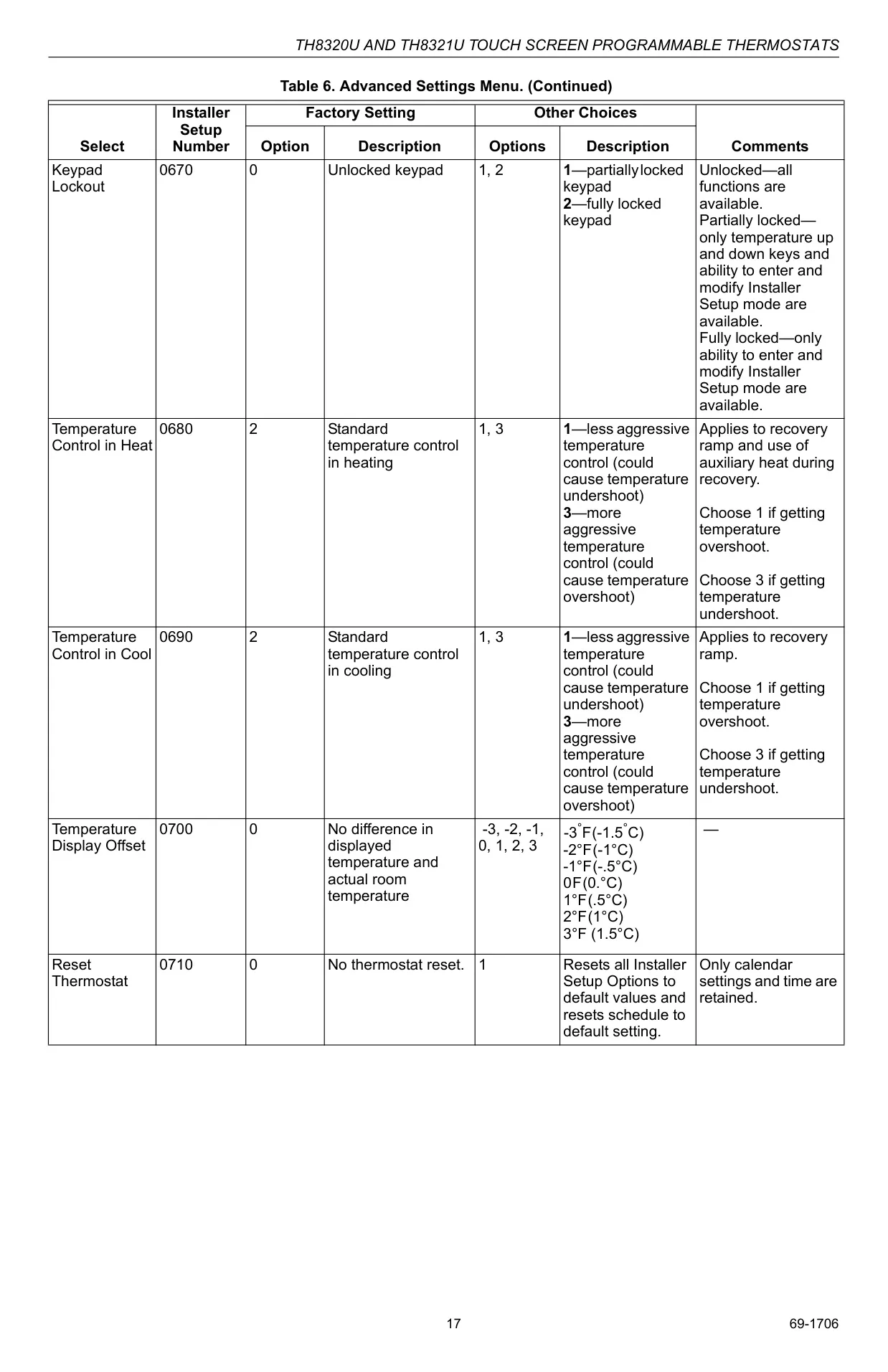
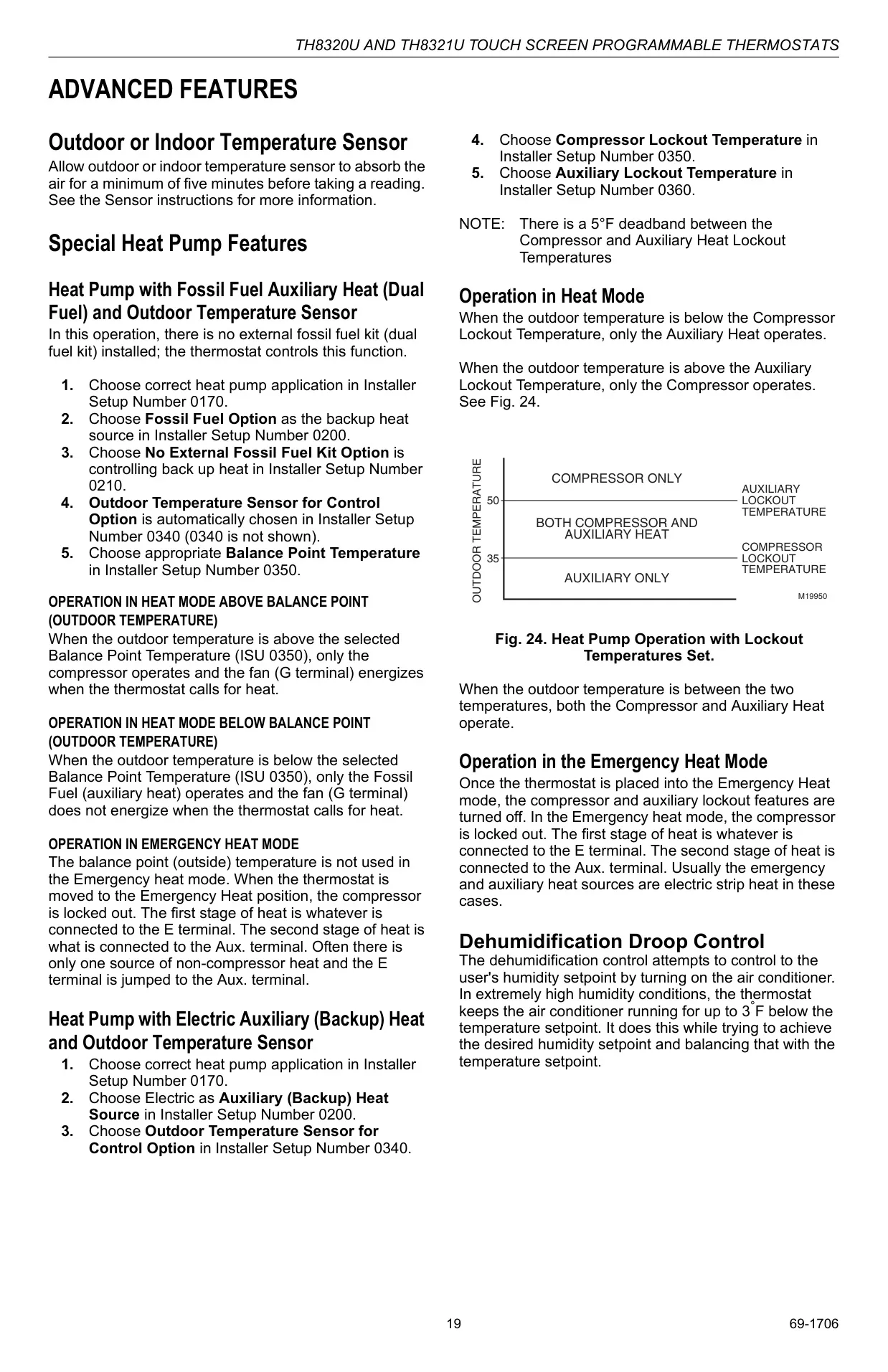
A key differentiator for the TH8321U model is its integrated humidity sensor and Dehumidification Droop Control. This allows the thermostat to actively monitor and reduce indoor humidity during warmer months by running the air conditioner slightly longer, even if it means lowering the temperature up to 3°F below the cooling setpoint.
The thermostat supports optional remote sensors, which can be either outdoor for external temperature display and control functions, or indoor for temperature averaging across multiple locations. This provides greater flexibility in sensing and maintaining comfort in specific areas.
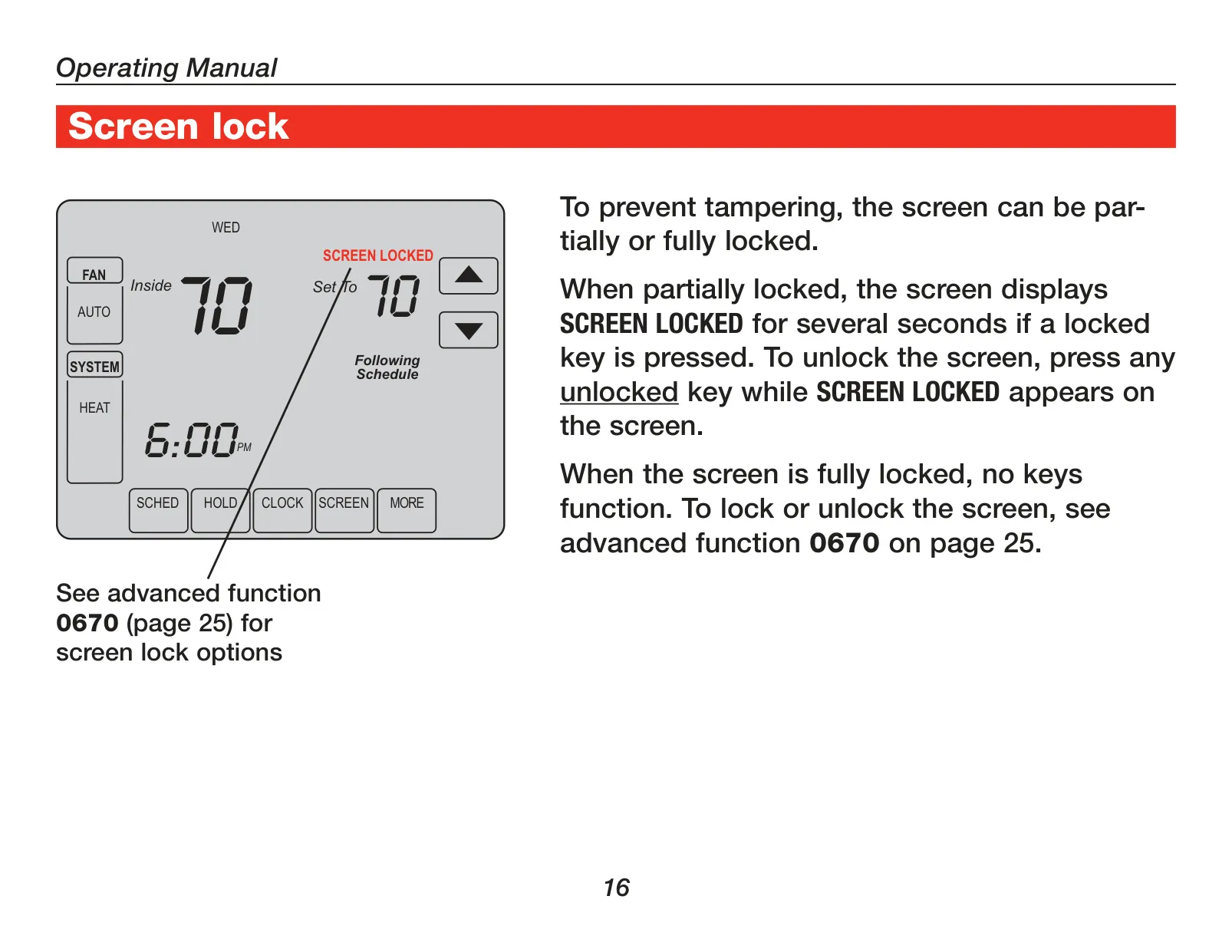
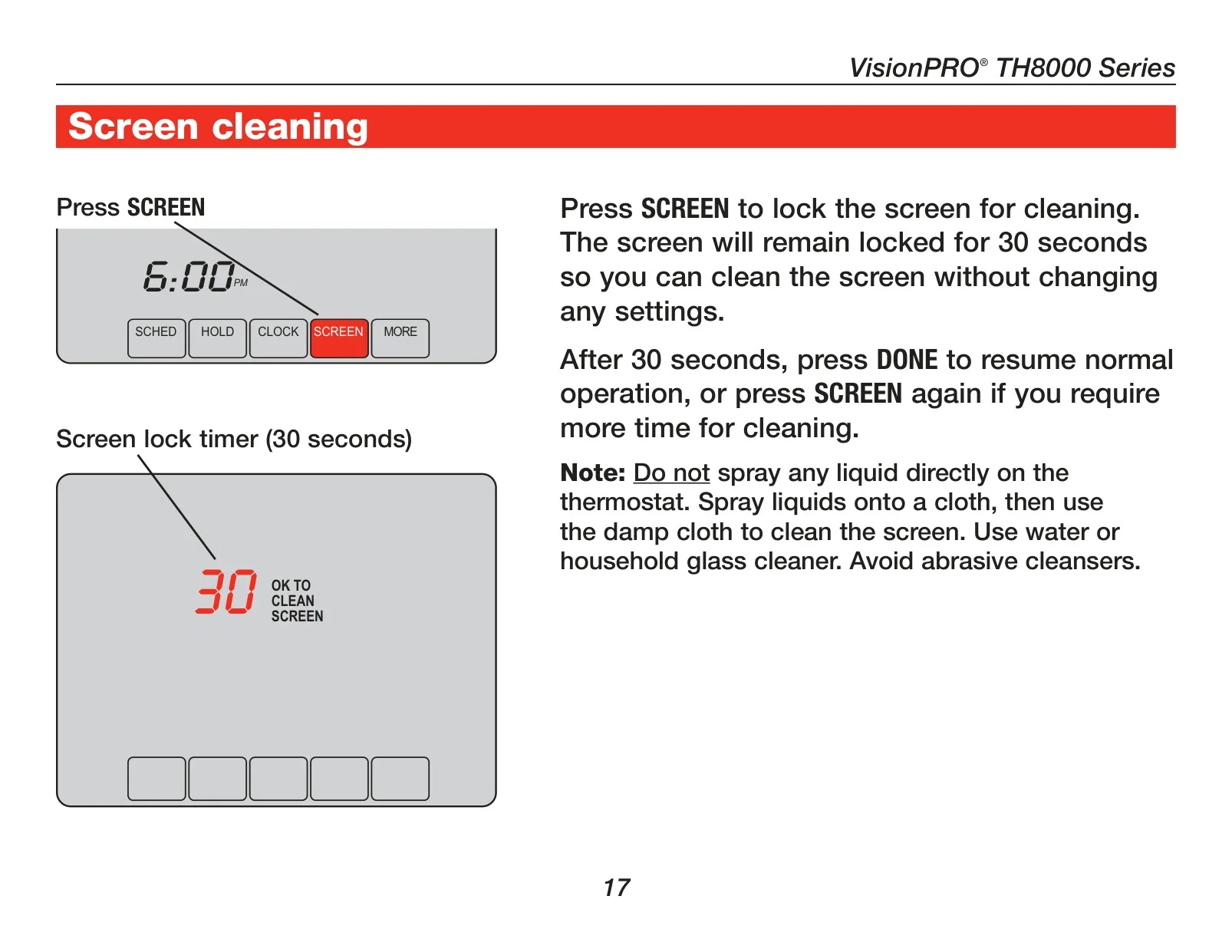
To prevent unauthorized tampering, the thermostat offers screen lock options, ranging from partially locked (temperature adjustment and Cancel key remain active) to fully locked (only installer setup accessible). A dedicated "Screen" button also provides a 30-second lock for safe and easy screen cleaning without altering settings.
Equipped with a real-time clock, the TH8321U1055 automatically adjusts for daylight saving time and maintains accurate time and date information for up to ten years without requiring manual intervention, even during power outages.
Frequently Asked Questions (FAQs)
Can't find the answer you need? Here are some frequently asked questions about the Honeywell TH8321U1055 VisionPRO TH8000 Thermostat, and we answer them below.