Lowrance Hook Reveal 7 TS Fishfinder Instruction Manual

Lowrance Hook Reveal 7 TS Fishfinder








Lowrance Hook Reveal 7 TS Fishfinder




Lowrance Hook Reveal 7 TS Fishfinder

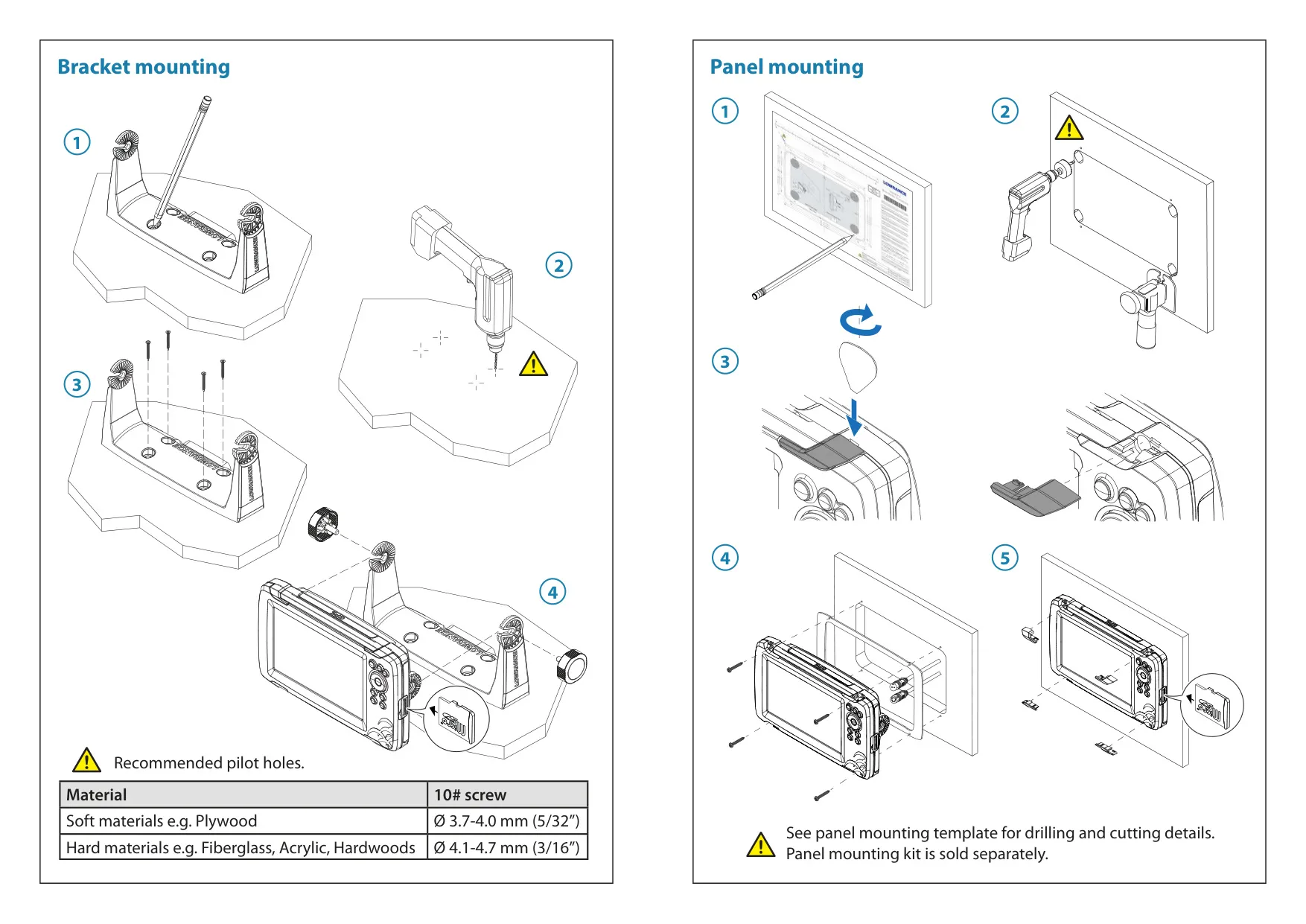
Lowrance Hook Reveal 7 TS Instructions
Here we offer the Lowrance Hook Reveal 7 TS Fishfinder manual completely free and in English. We have cataloged this manual in the Fishfinders section on Manualverse, and it has been rated by 1 users with an average rating of 5. If you have any specific questions about Lowrance Hook Reveal 7 TS Fishfinder, we suggest checking the Frequently Asked Questions (FAQs) section of this manual.
Product Images


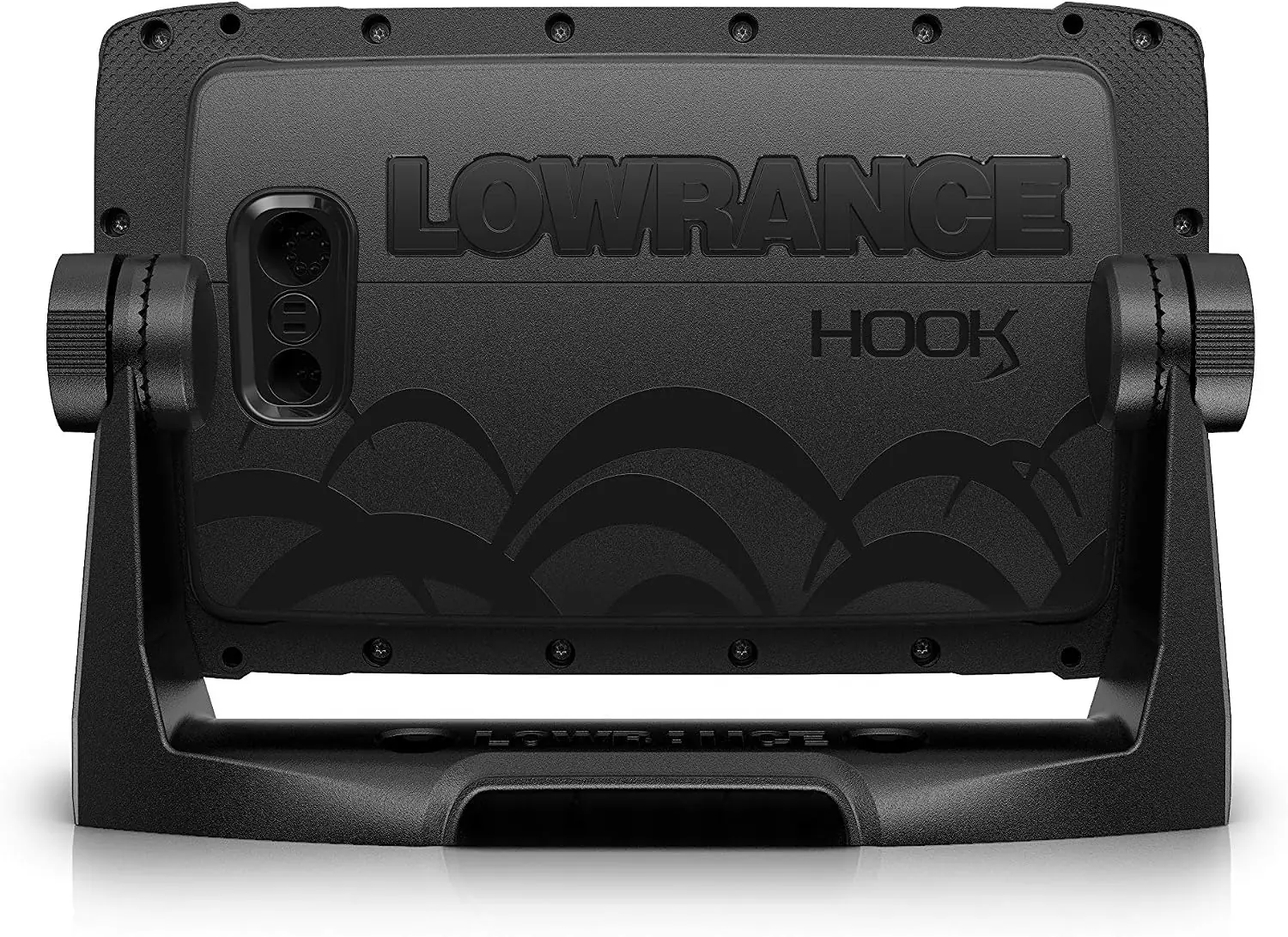

Lowrance Hook Reveal 7 TS Fishfinder Specifications
| Feature | Specification |
|---|---|
| Product series | Lowrance Hook Reveal Series |
| Model | Hook Reveal 7 TS (TripleShot) |
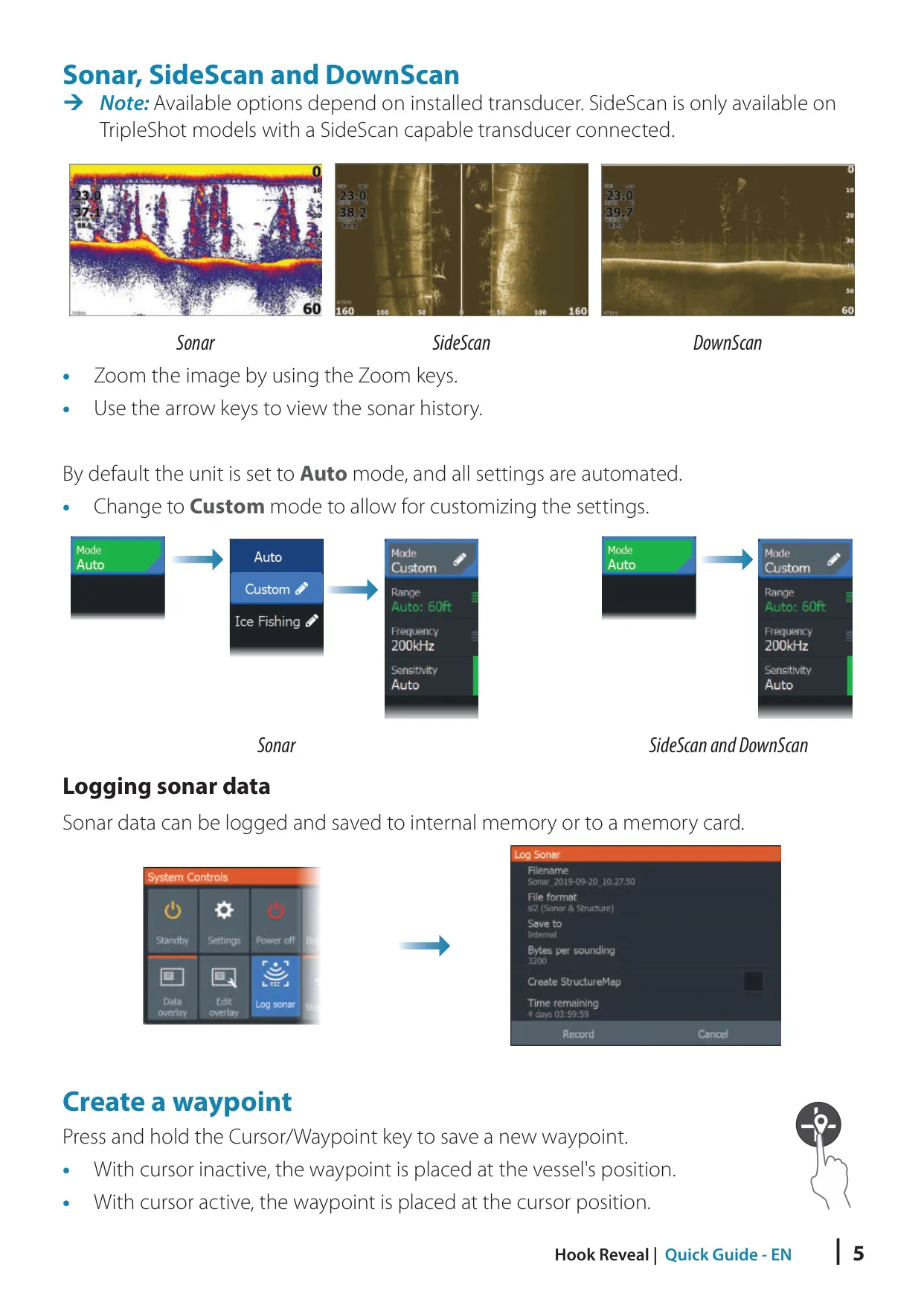
| Sonar views | Traditional Sonar, DownScan Imaging, SideScan (with a SideScan-capable TripleShot transducer) |
| SideScan frequencies | 455 kHz (range and image quality) and 800 kHz (higher detail in shallow water) |
| DownScan frequencies | 800 kHz (highest resolution, less range) and 455 kHz (best range, lower resolution) |
| SideScan view modes | Left side, right side, or both sides together |
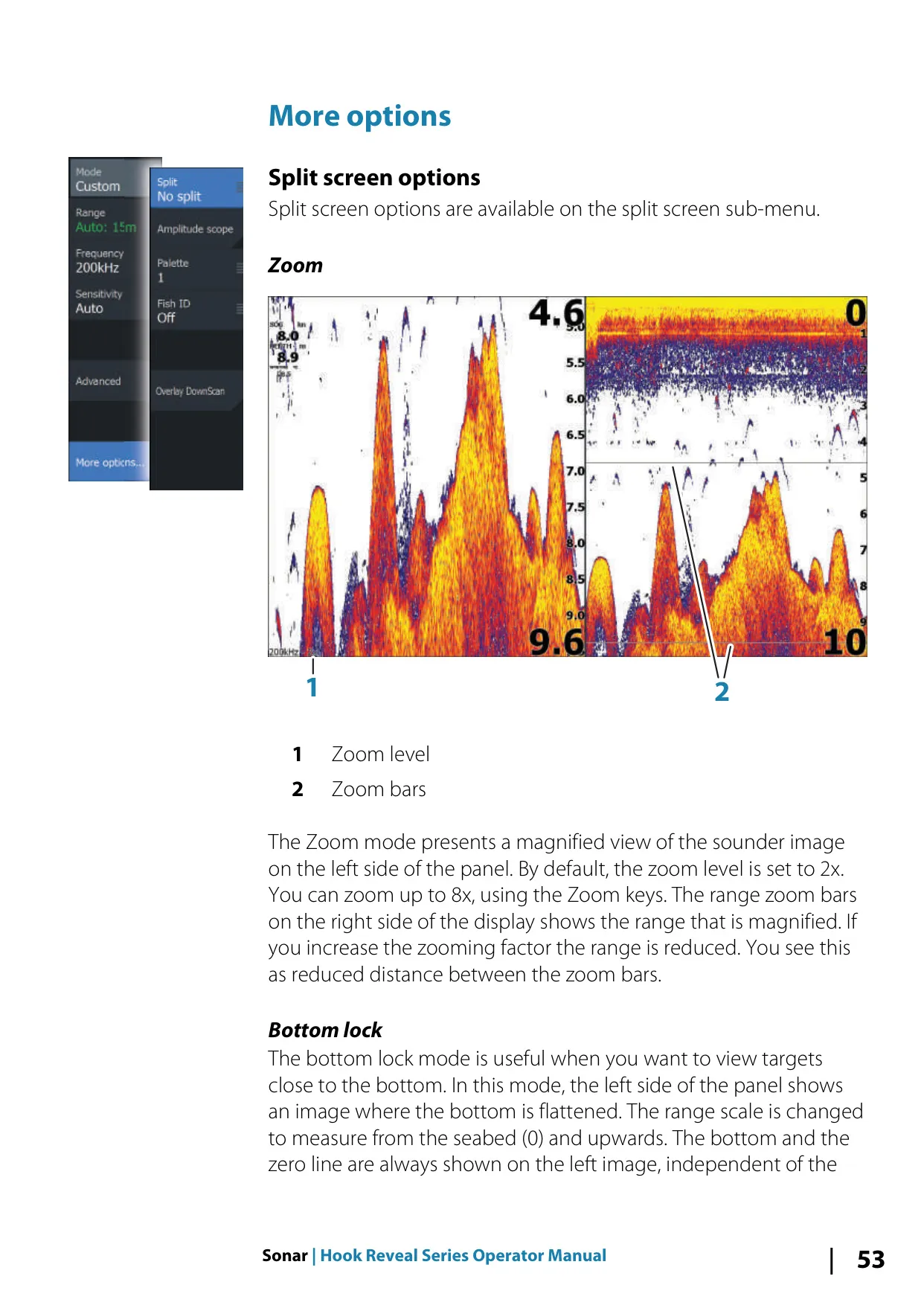
| Sonar split-screen zoom | 2x by default, up to 8x |
| Split-screen sonar modes | Zoom, Bottom lock, Flasher |
| Sonar operating modes | Auto (default), Custom, Ice Fishing |
| Fish identification | FishReveal, traditional fish arches, fish symbols, fish symbols with depth, Fish ID beeps |
| Sonar log file formats | .slg (Sonar only), .xtf (Structure only), .sl2 (Sonar and Structure) |
| StructureMap file format | .smf, standard or high resolution |
| Recommended StructureMap log size | 100 MB or less, for faster conversion |
| Water temperature calibration | -9.9° to +9.9° (default 0°) |
| Depth offset | Negative value for the keel or lowest point, positive value for the waterline, 0 for depth below the transducer |
| Live mapping | Genesis Live (accurate up to 20 knots) and Navionics SonarChart Live |
| Supported chart sources | Preloaded cartography, C-MAP, Navionics and compatible third-party chart cards |
| Chart orientation | North up, Course up, Look ahead |
| Navionics shallow water highlight | From 0 up to 10 m (30 ft) |
| Storage | Internal memory and microSD card reader |
| Custom pages | Maximum of 9 pages, up to 4 panels per page |
| Front controls | 7: Pages, Zoom in/out, Arrows, Exit (X), Menu/Enter, Cursor/Waypoint, Power |
| Wallpaper image formats | .jpg and .png |
| Export formats | User Data File versions 2, 3, 4, 5 and 6, and GPX |
| Trail logging types | Auto, Distance, Time |
| Alarm levels | Red (critical), Orange (important), Yellow (standard), Blue (warning), Green (lite warning) |
| Default datum | WGS84 (other datums can be selected) |
| Service report attachment limit | 20 MB |
| Compliance | CE RED Directive 2014/53/EU; Australian and New Zealand EMC and Short Range Devices standards (level 2) |
| Quick Guide part number | 988-12656-001 |
Lowrance Hook Reveal 7 TS Details
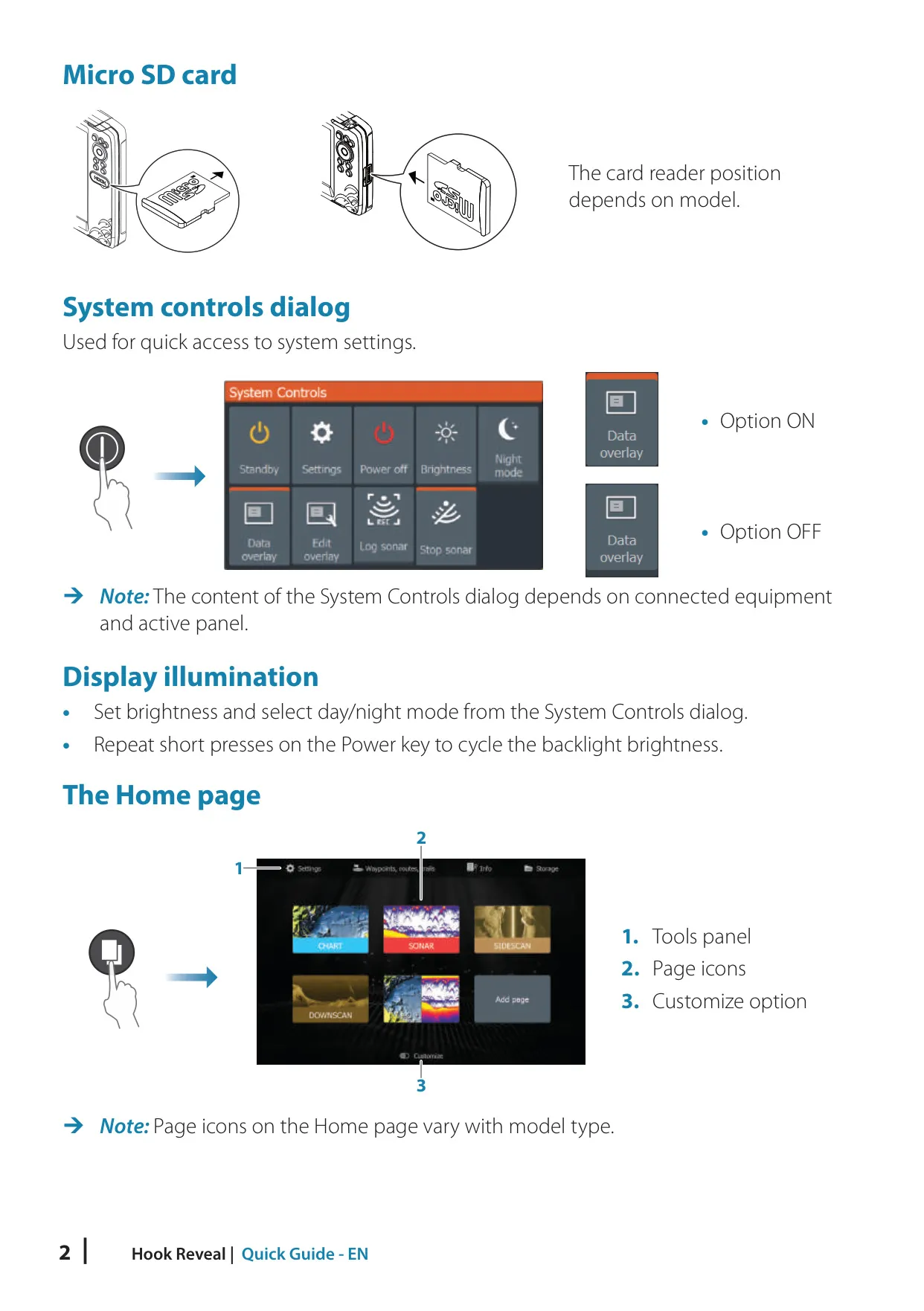
The Lowrance Hook Reveal 7 TS runs on a keypad-driven interface built around a central Home page. From it you open application pages, the Tools panel, and a Customize mode for editing or deleting your own pages. You can open the System Controls dialog from anywhere with a short press of the Power key. It gives quick access to backlight levels, night mode, Standby mode, data overlays, split adjustment and sonar logging.
Standby mode saves power by turning off the sonar and the screen backlight while the system keeps running in the background. Repeated short presses on the Power key cycle through the preset brightness levels. Night mode changes the color palette for low-light conditions. To take a screen capture, press the Pages and Power keys at the same time.
Safety is part of the design. Pressing both Zoom keys at once creates a Man Overboard waypoint. The unit then switches to a zoomed chart centered on the vessel and shows navigation data back to that point. The alarm system constantly checks for dangerous situations and system faults. You can enable an optional siren, and each alarm stays active until you acknowledge it or its cause is resolved.
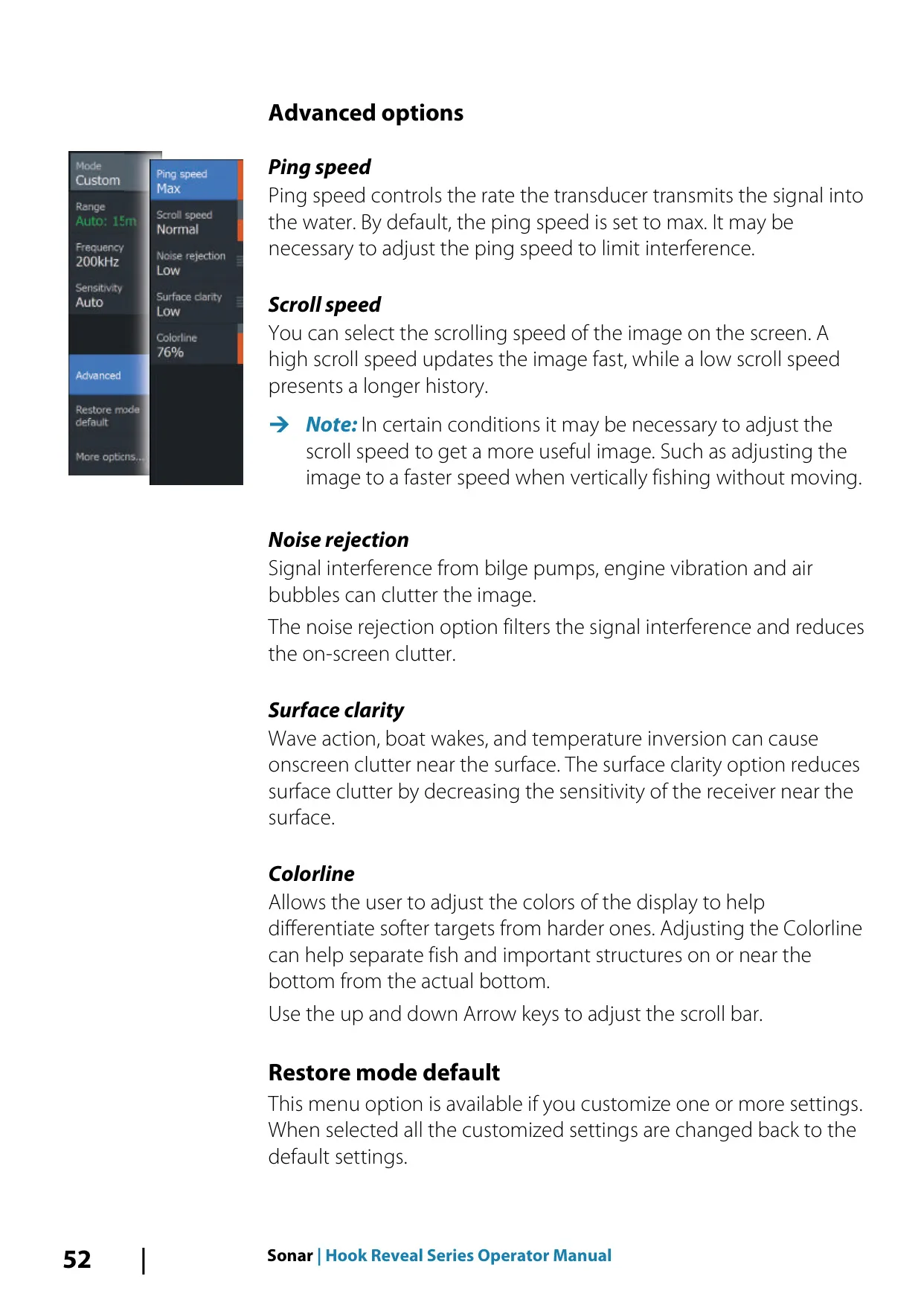
The sonar has manual controls in Custom and Ice Fishing modes. These include Ping speed, Scroll speed, Noise rejection to filter interference from bilge pumps and engines, Surface clarity to reduce clutter from waves and wakes, and Colorline to separate soft targets from hard ones. An Amplitude scope shows echo strength by width and color intensity. DownScan images can also be overlaid on the traditional sonar view.
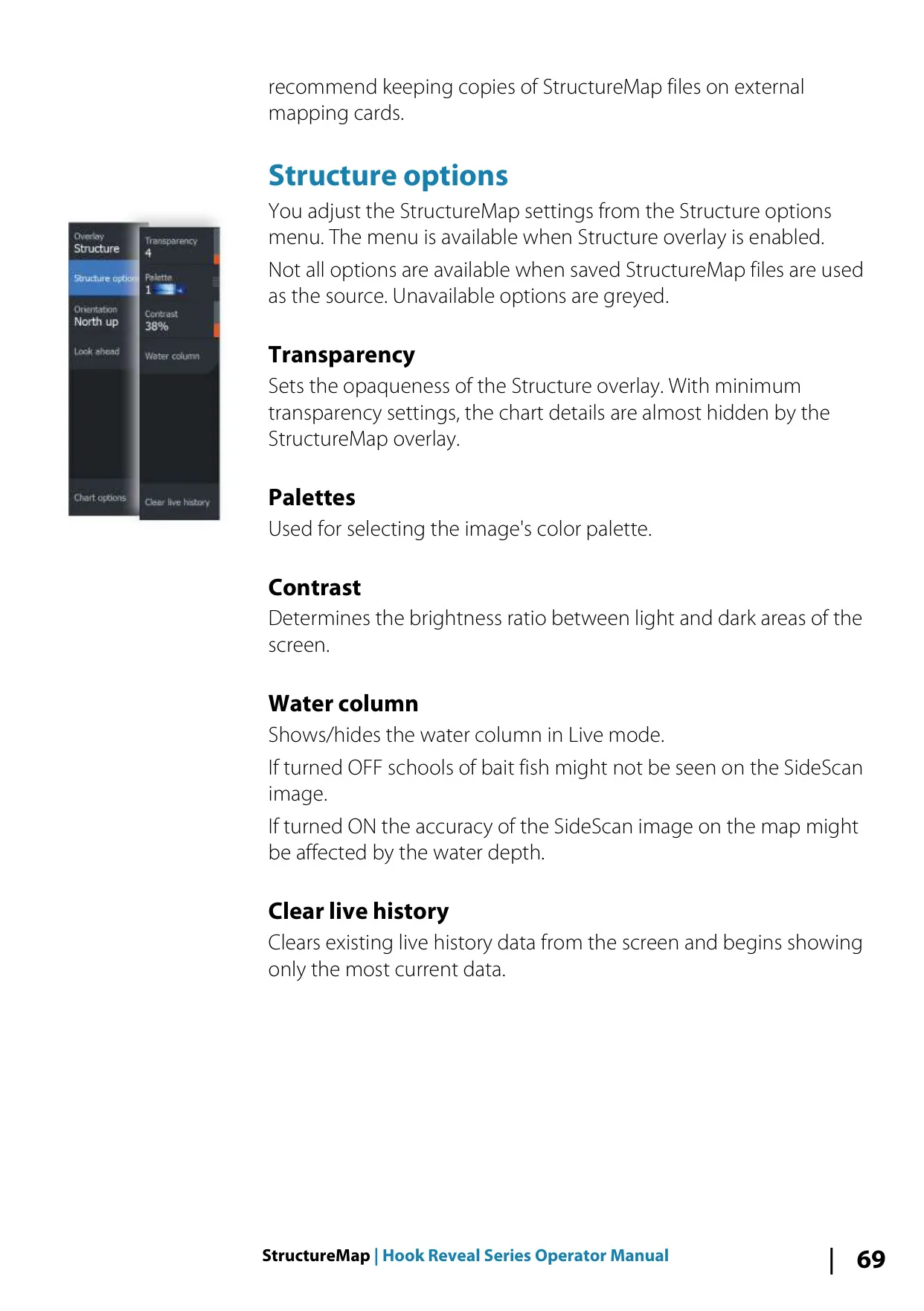
StructureMap places SideScan images on the chart so you can see the bottom in relation to your position. Options include transparency, palettes, contrast, showing or hiding the water column, and clearing live history. The manual recommends steering beside tall structures such as wrecks rather than driving over them. It also advises against overlapping history trails when scanning an area side by side.
The unit can record your vessel's path as trails, which can be colored and converted into routes. Routes are drawn point by point on the chart or built from saved waypoints. Navigation settings include an arrival radius, an XTE limit and an XTE alarm. Each waypoint can have its own alarm radius. The Info tool shows sun and moon times, tides from the nearest station, and trip data.
With Navionics cards, the unit adds Community edits, Dynamic tides and currents shown as animated arrows and gauges, Easy View magnification, and Fishing range depth highlighting. With C-MAP cards you can select chart detail levels and turn on the Genesis Layer, which shows high-resolution contours from other users that have passed a quality check. A depth filter and safety shading help show shallow water.
Maintenance is simple because the unit has no field-serviceable parts. Clean the screen with fresh water and a microfiber cloth, and fit the optional sun cover when the unit is not in use. The built-in service assistant creates a support report on a memory card. Software updates are installed from a non-mapping microSD card. A Simulator and Retail mode let you practice with built-in sonar files or your own recordings.
Frequently Asked Questions (FAQs)
Can't find the answer you need? Here are some frequently asked questions about the Lowrance Hook Reveal 7 TS Fishfinder, and we answer them below.