Honeywell TC500A-N Thermostat Instruction Manual
Honeywell TC500A-N Thermostat









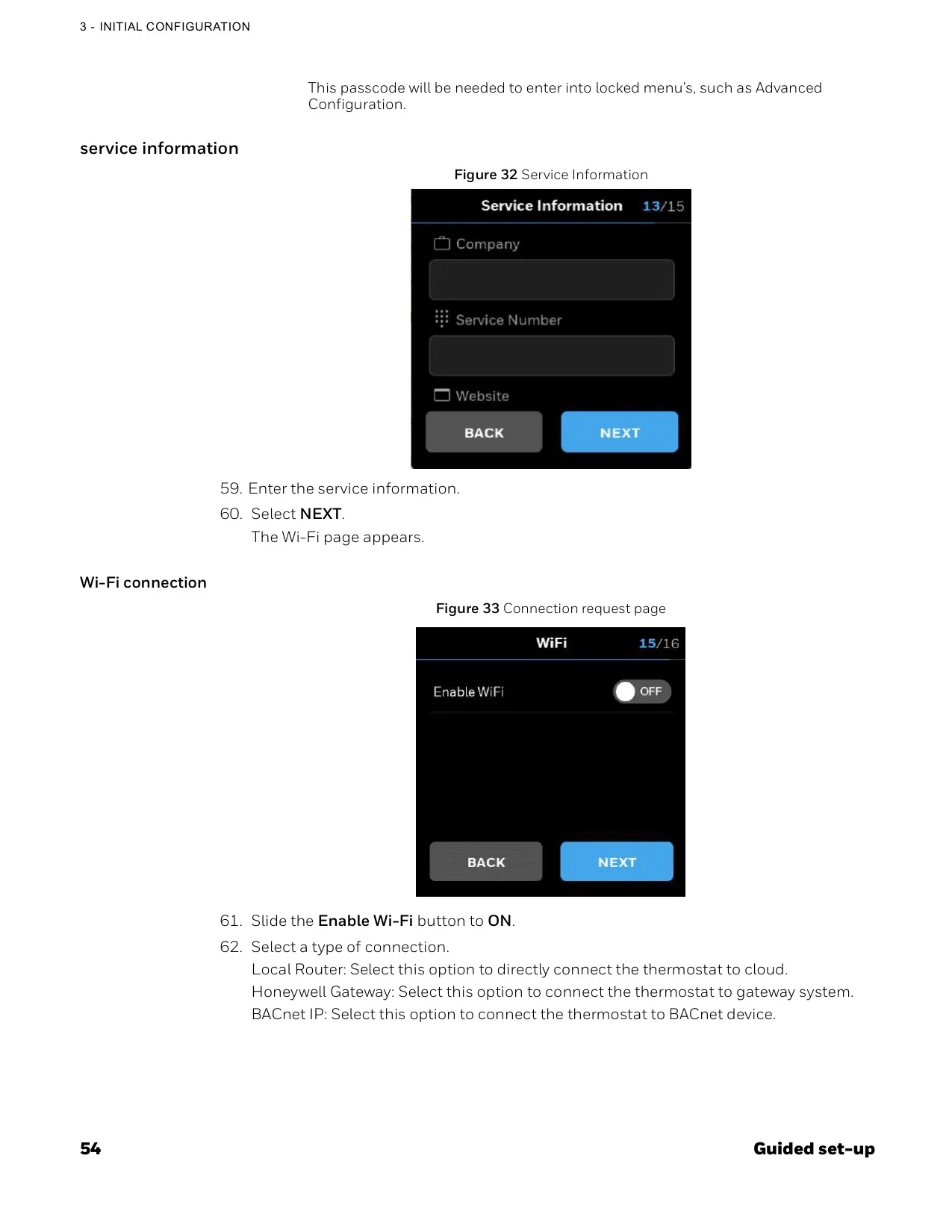
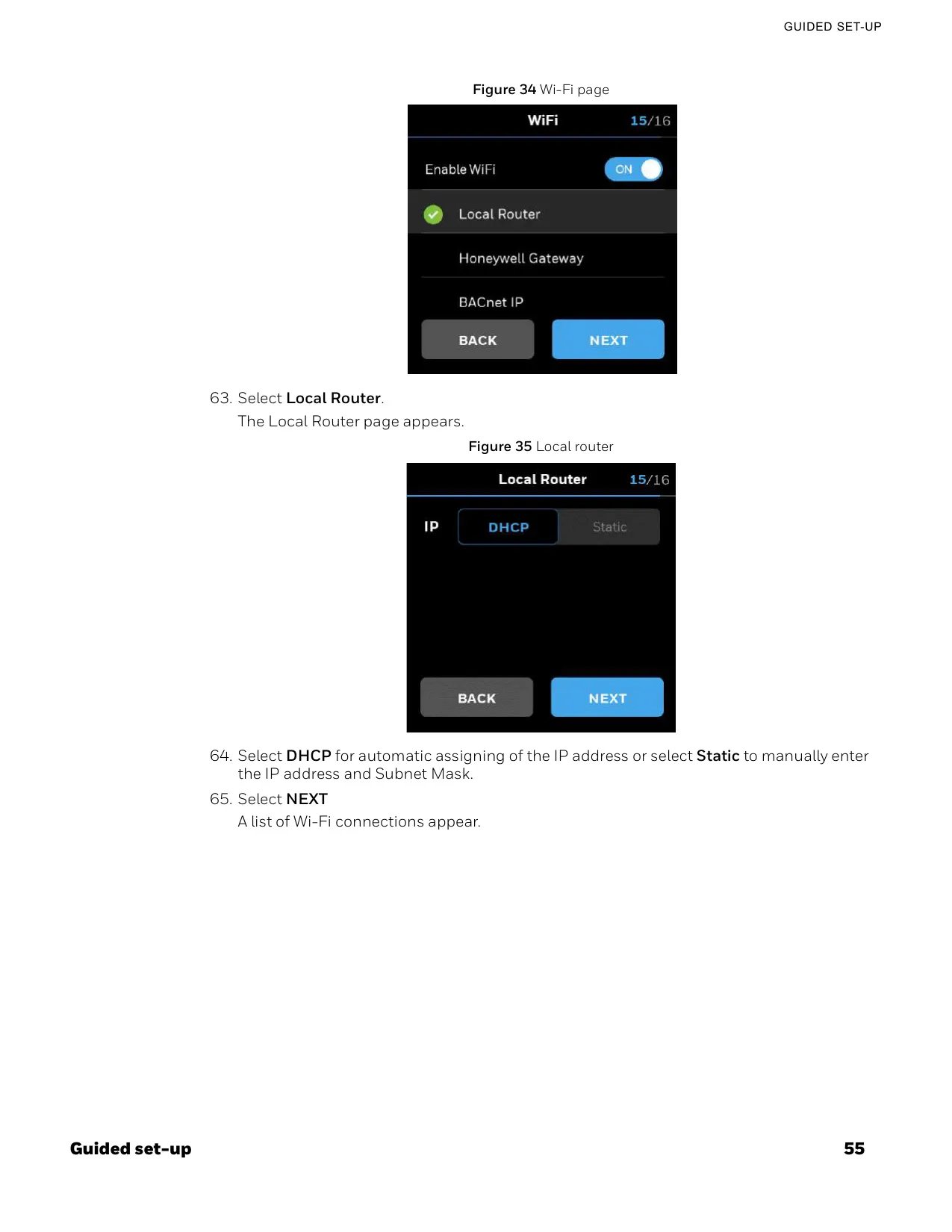
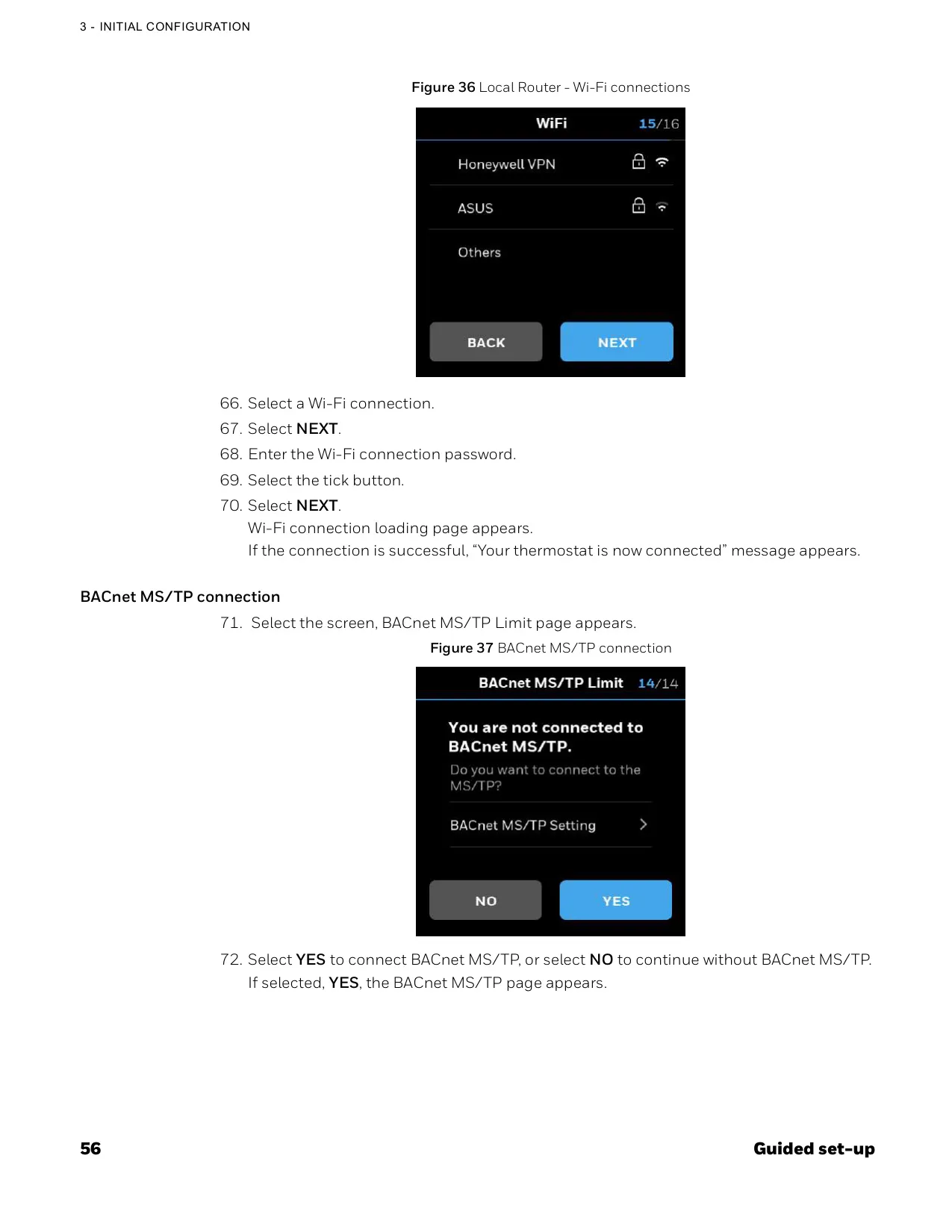
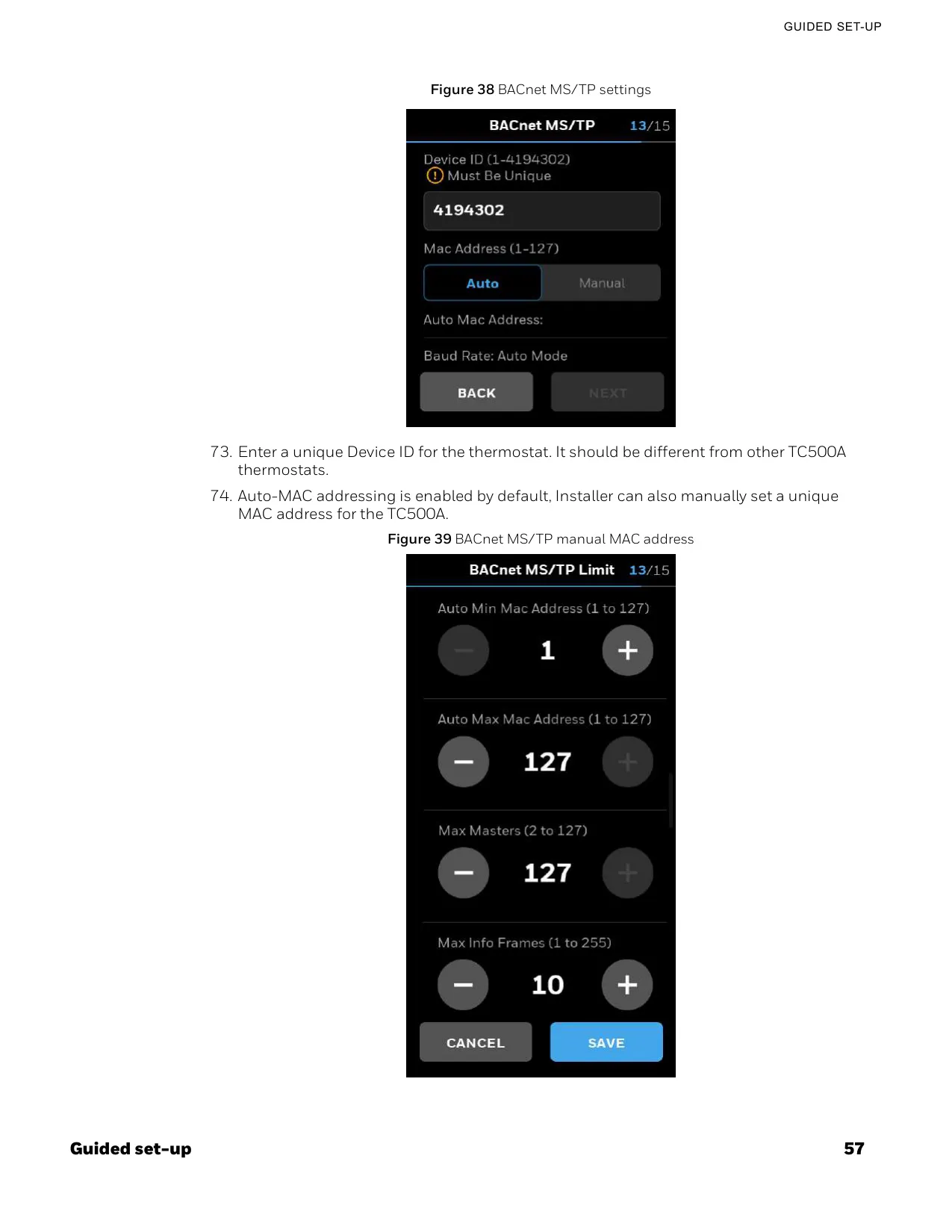









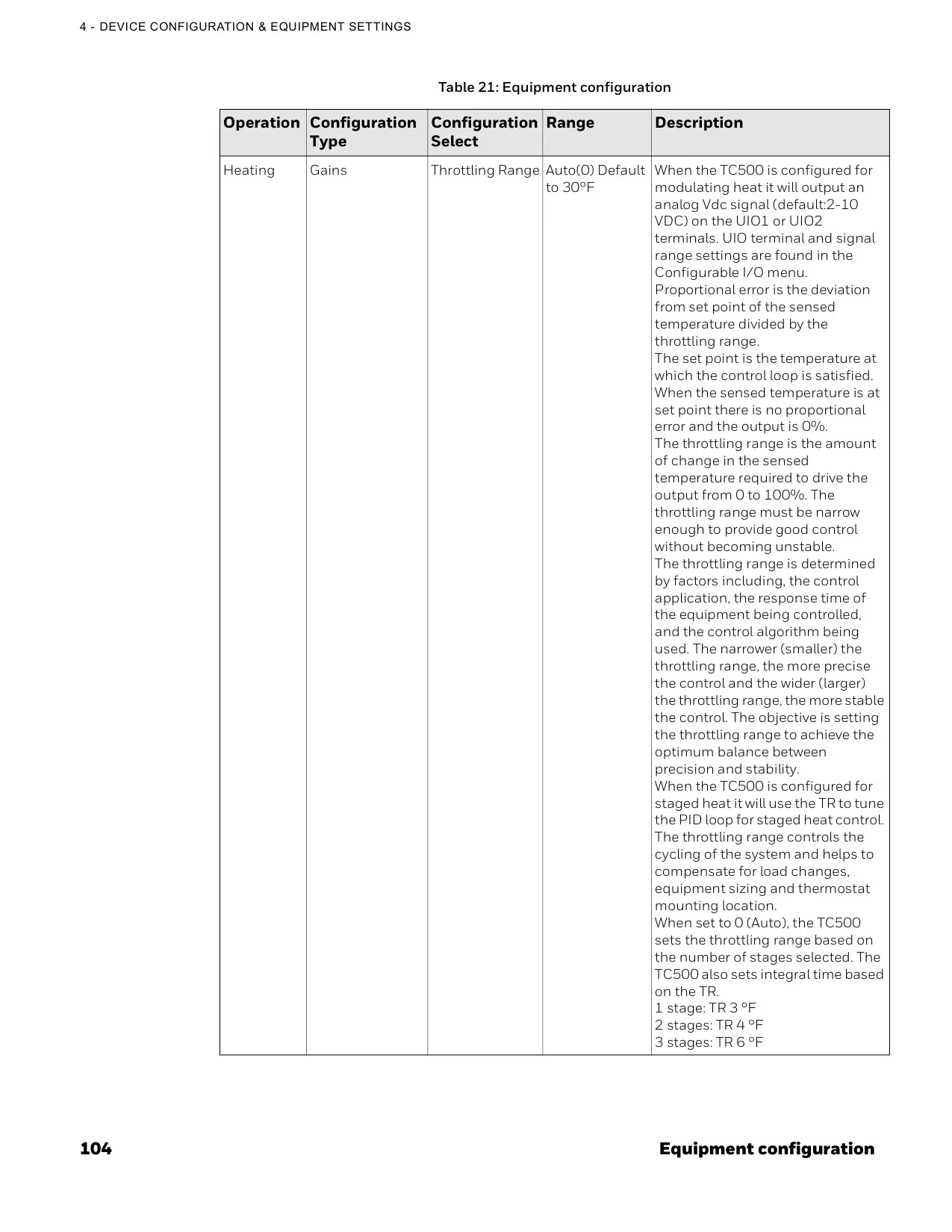
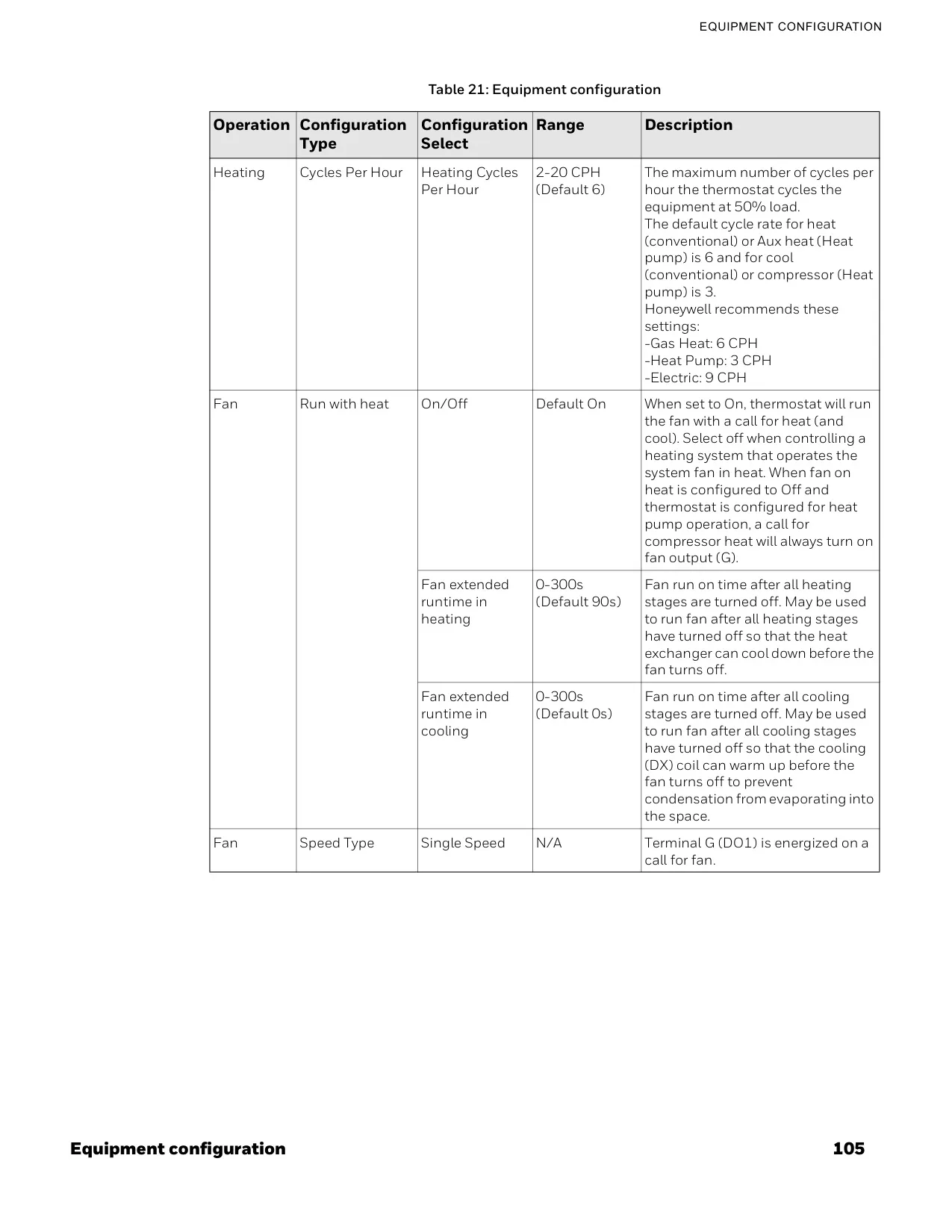
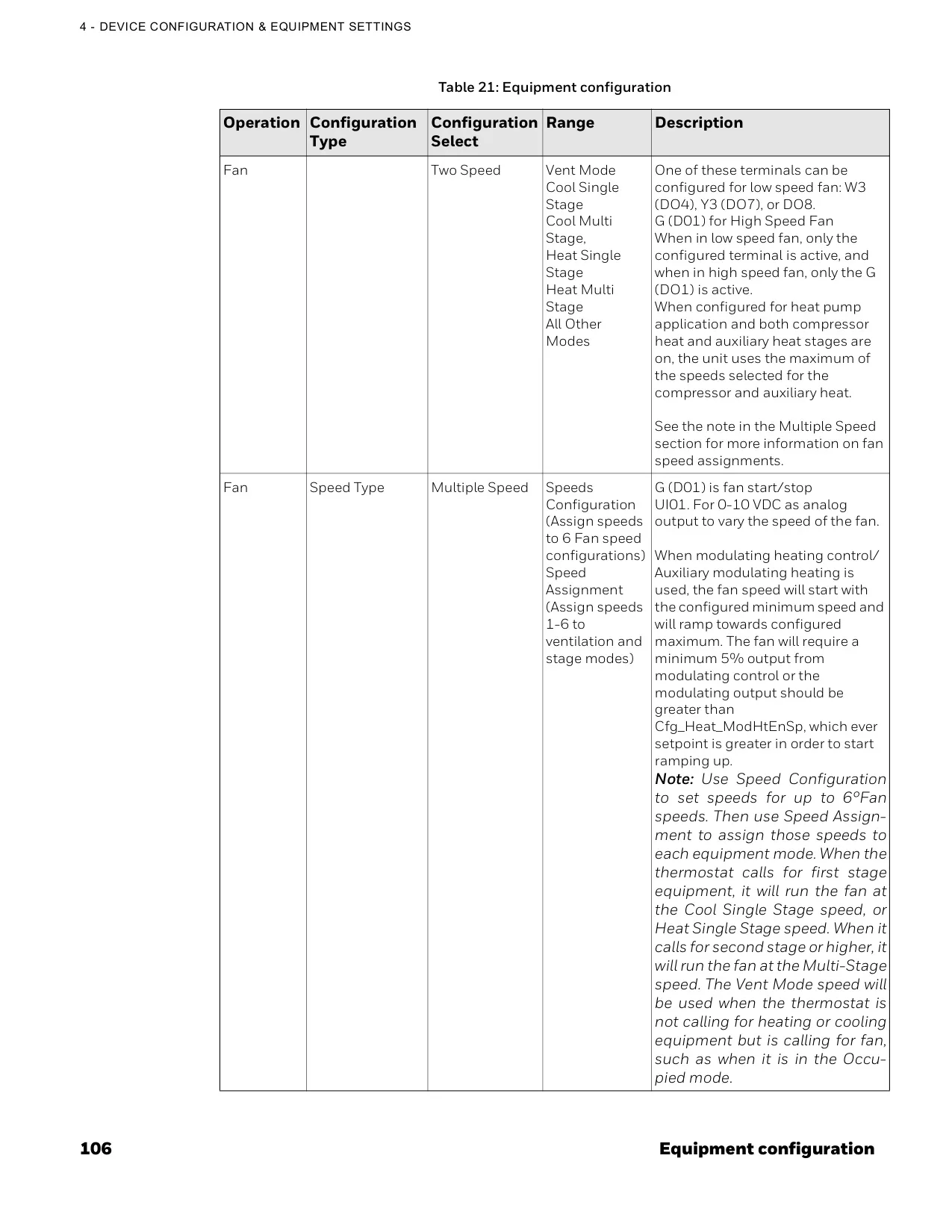
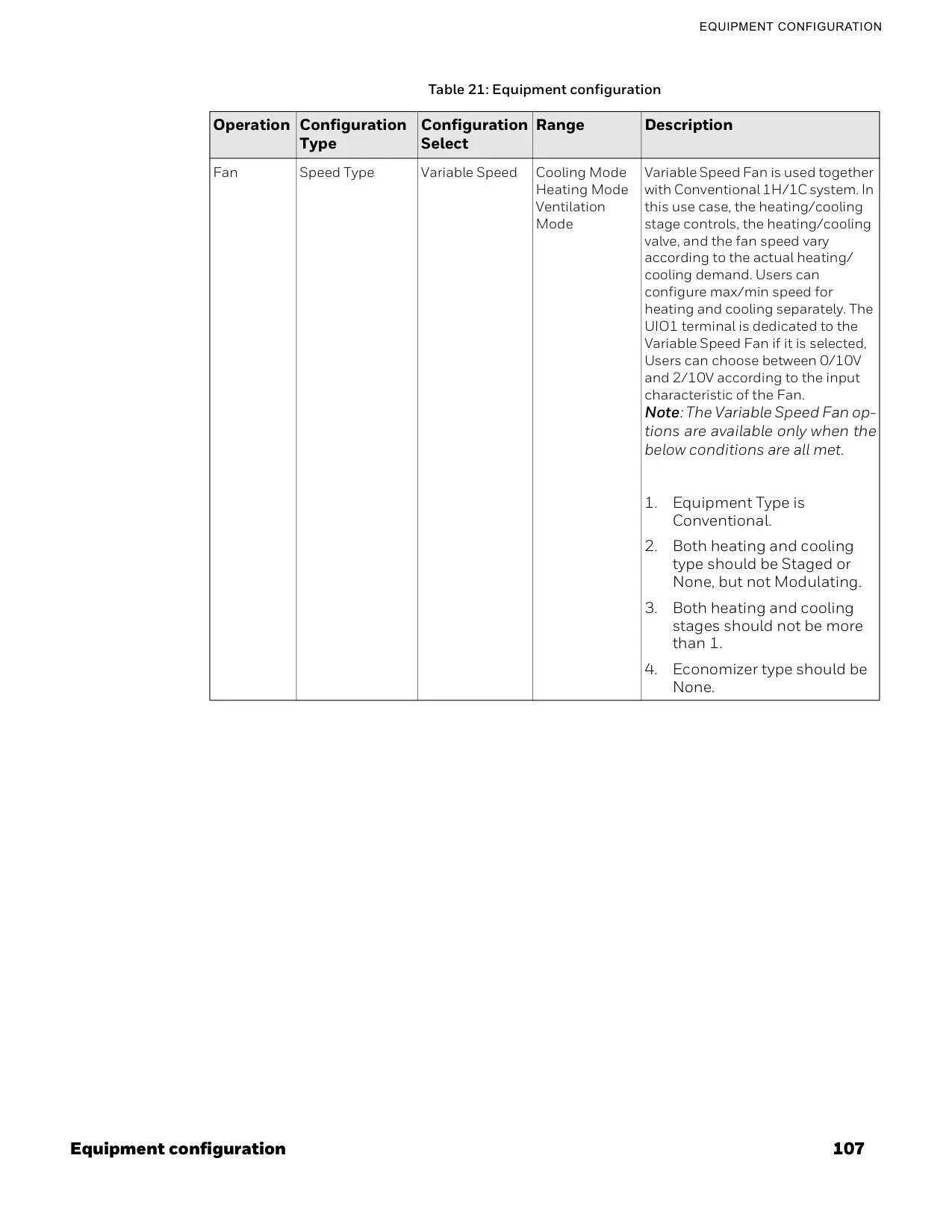




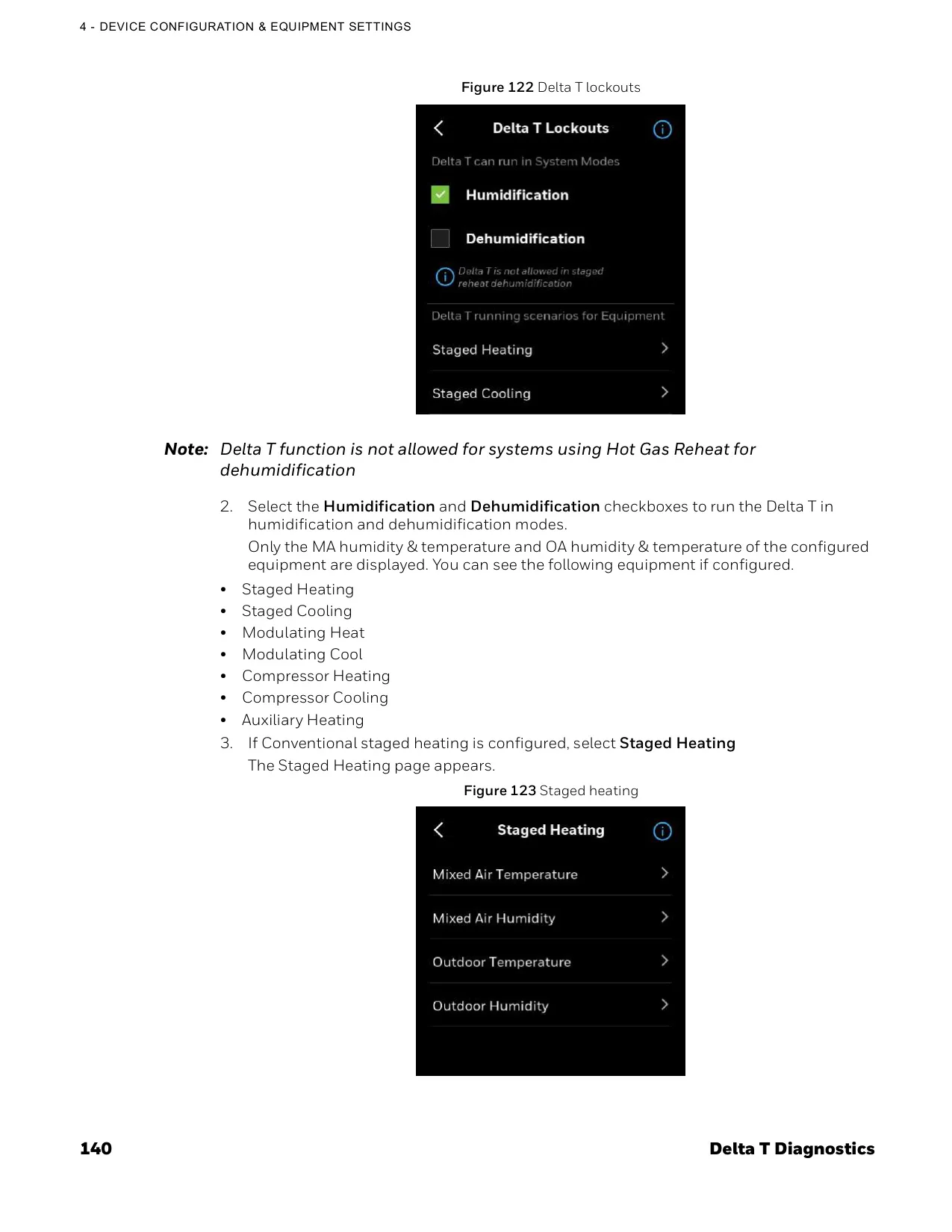
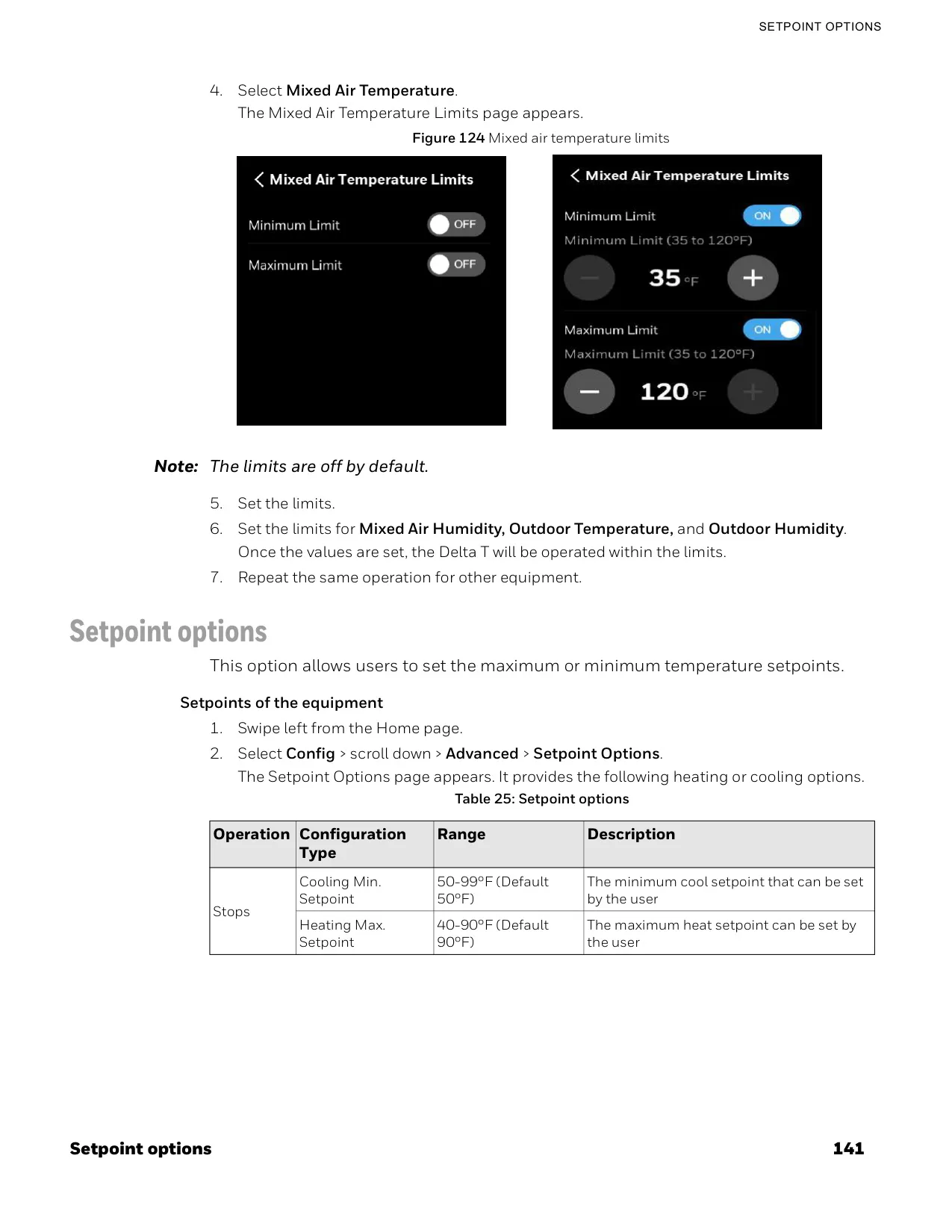
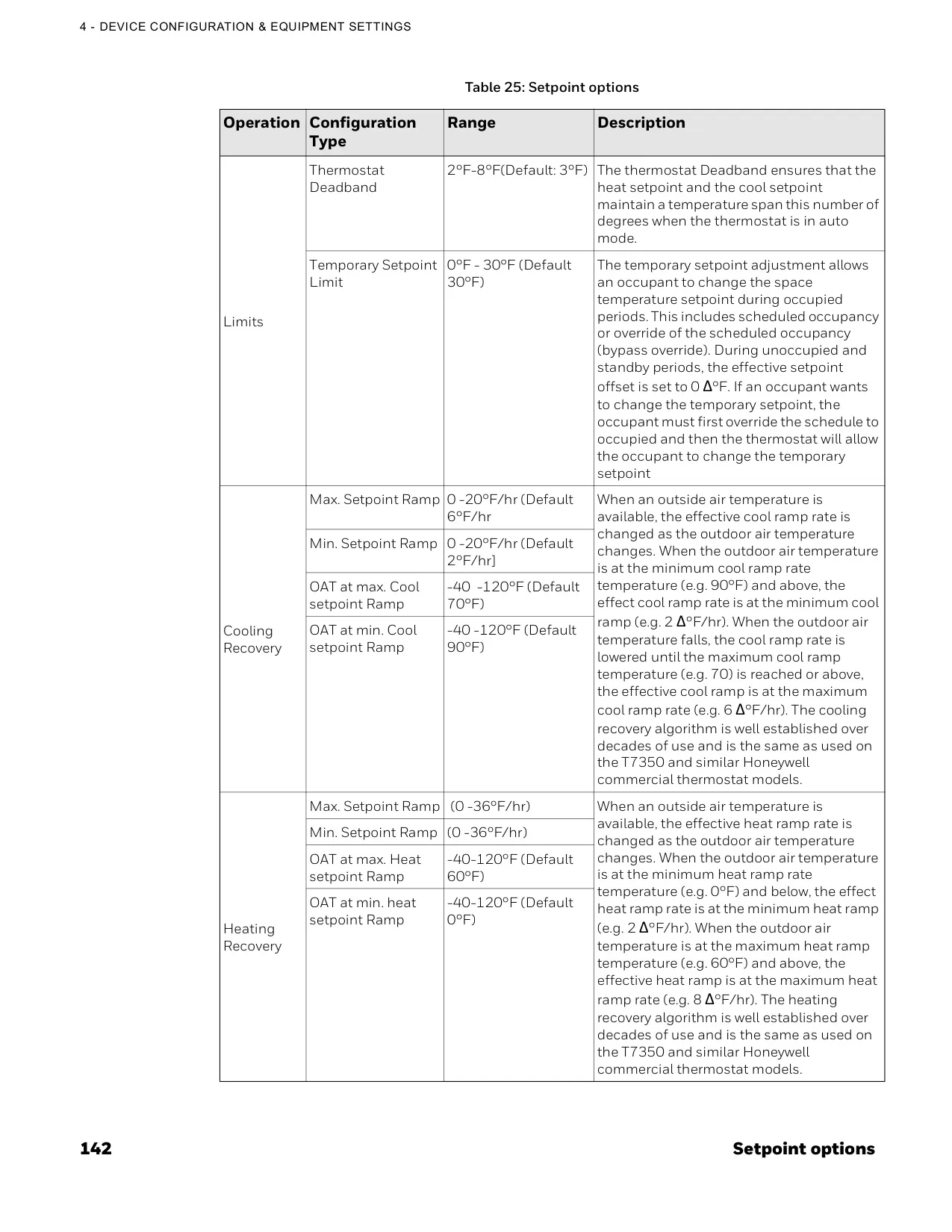
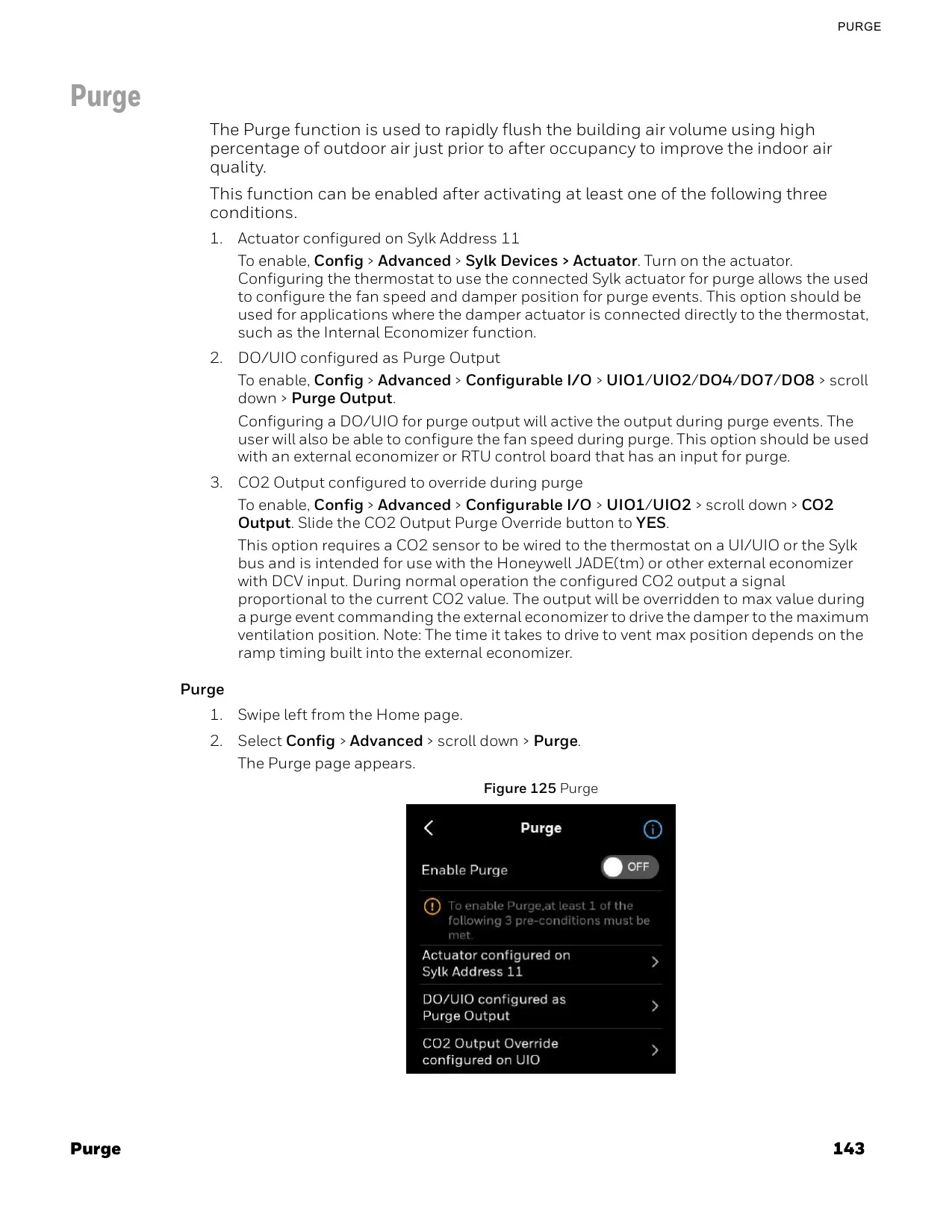

















Honeywell TC500A-N Thermostat






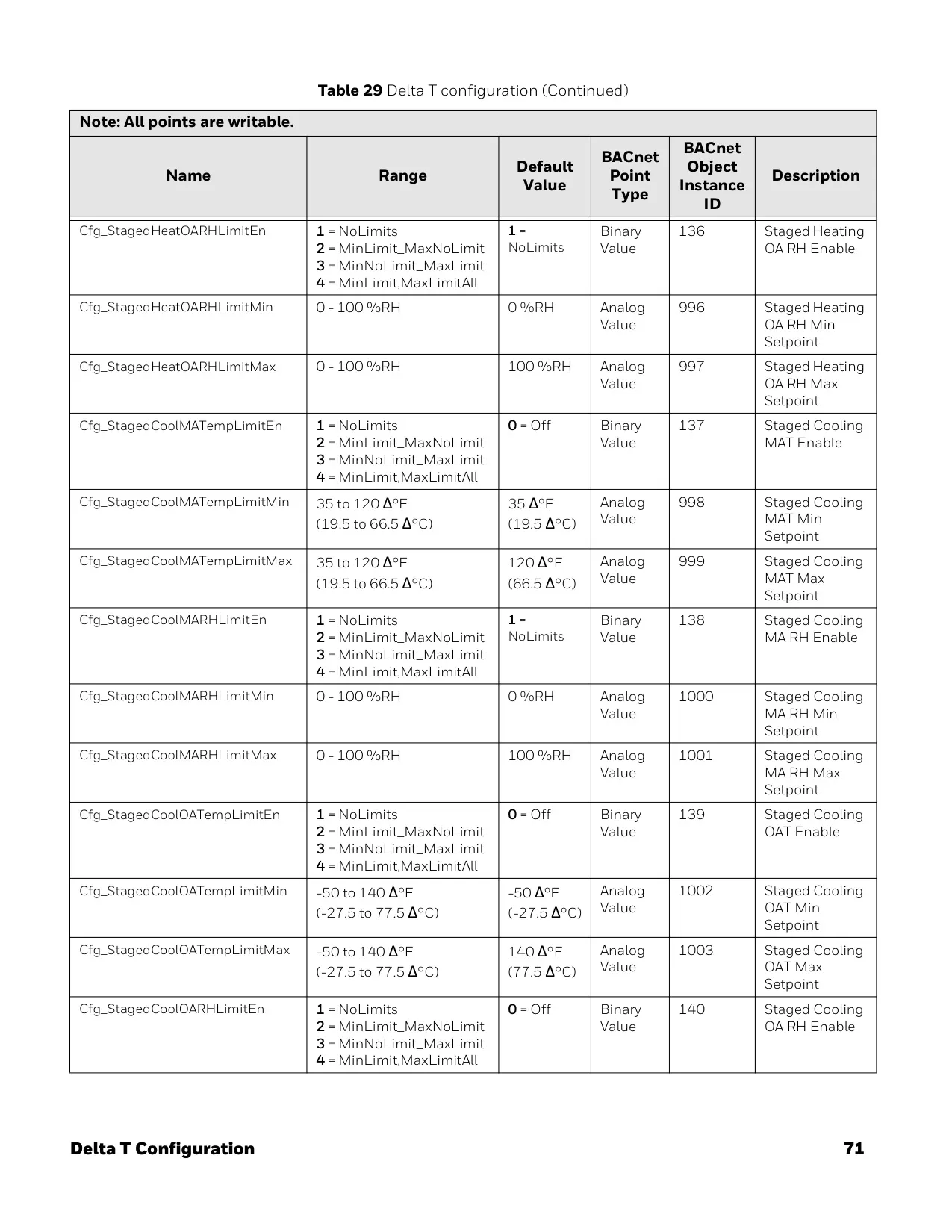
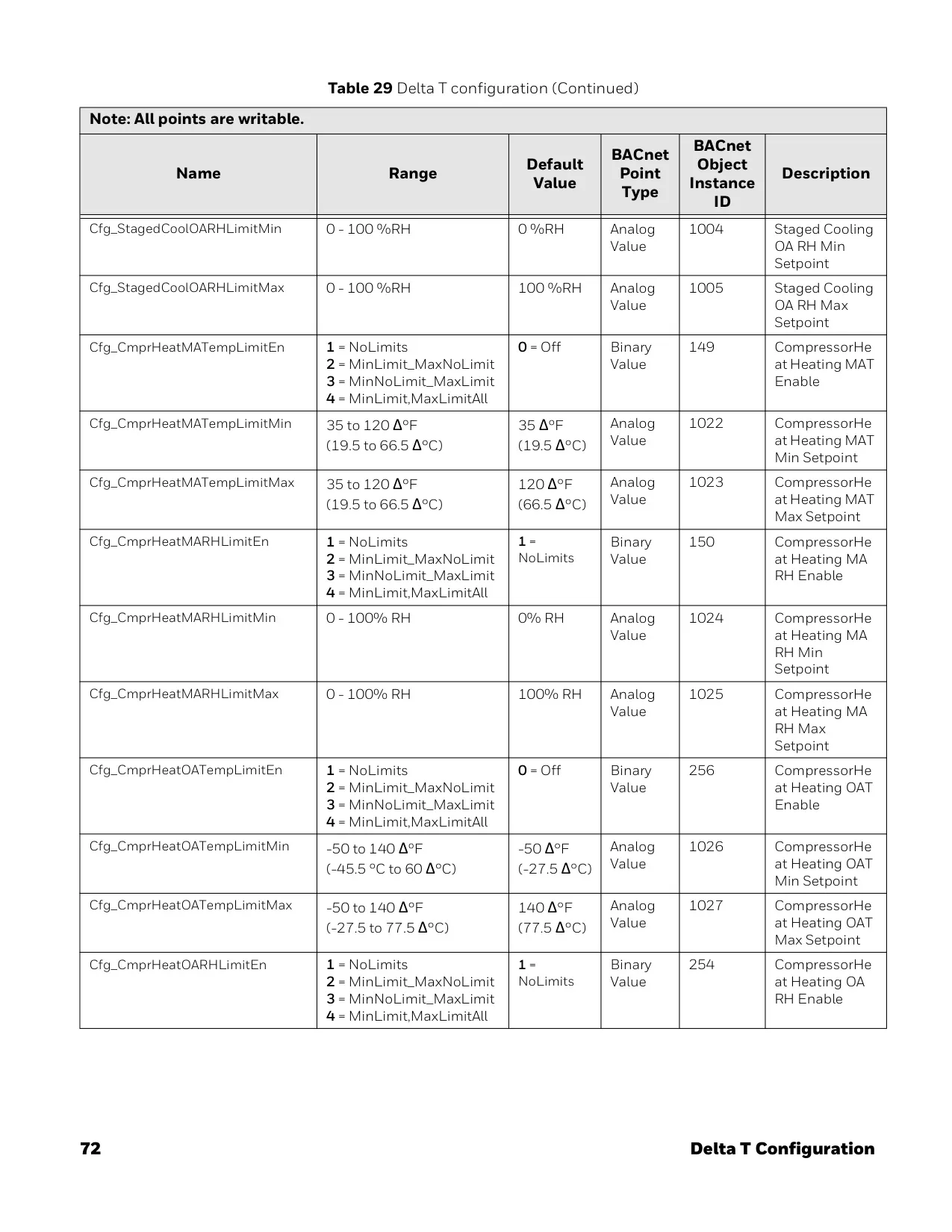
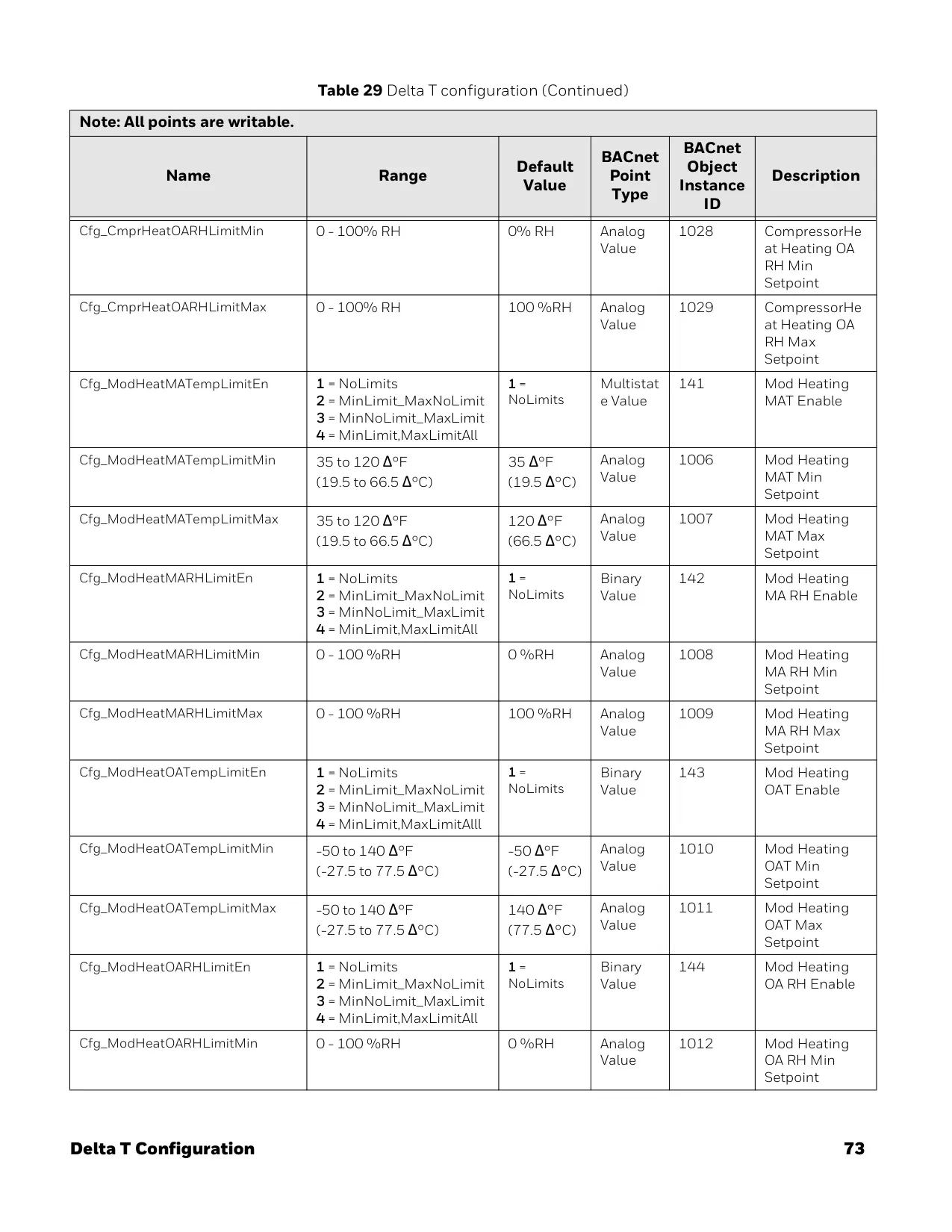
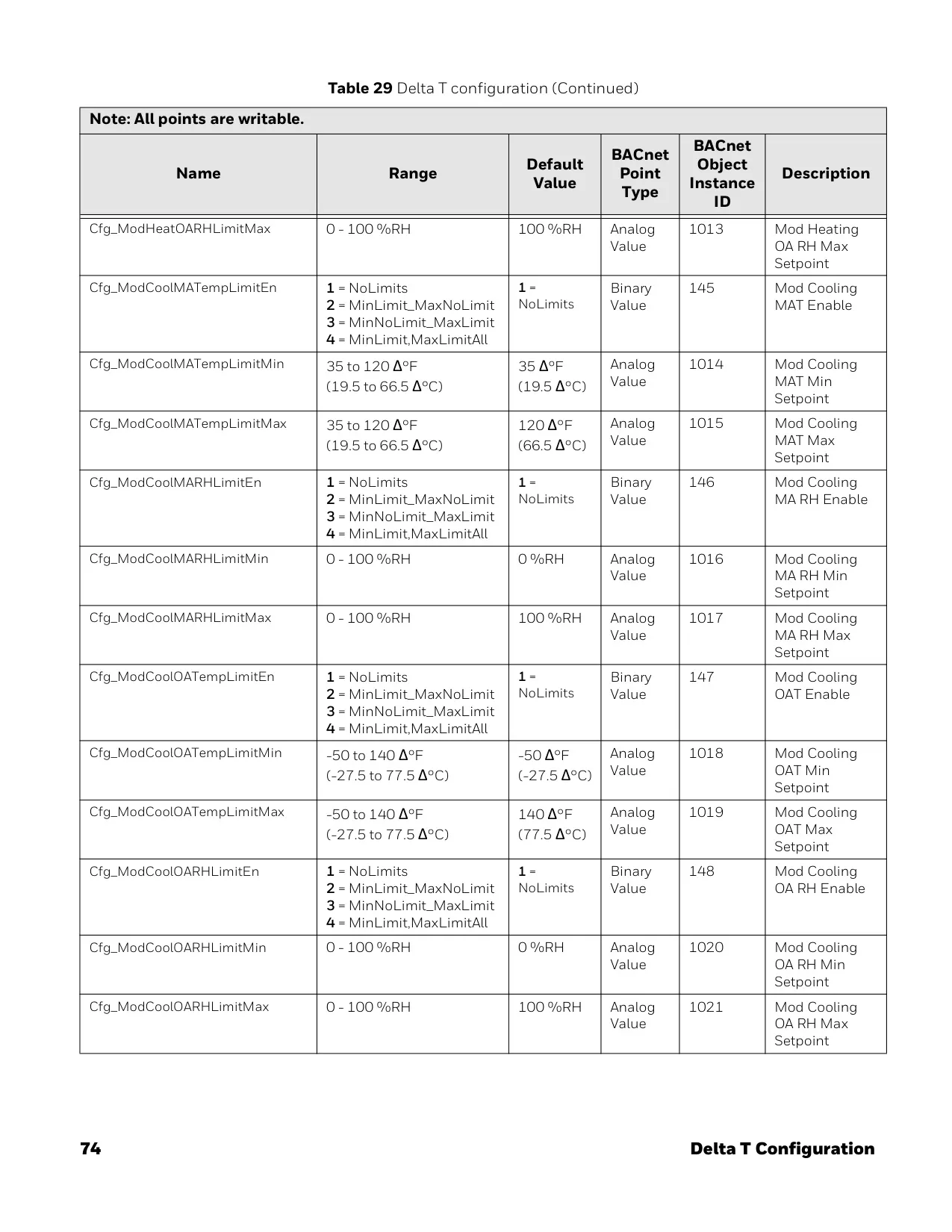














Honeywell TC500A-N Thermostat




Honeywell TC500A-N Thermostat
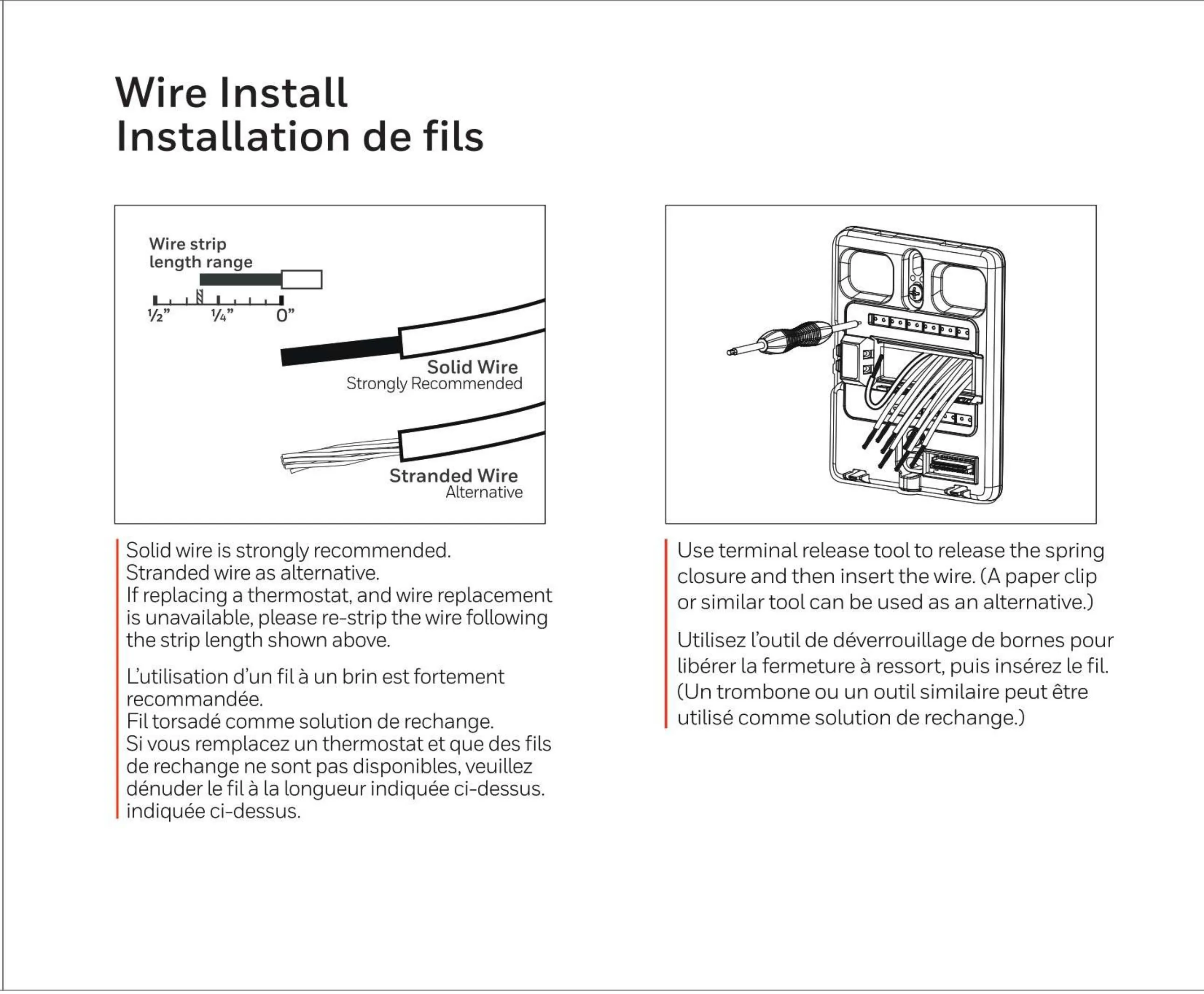

Honeywell TC500A-N Thermostat
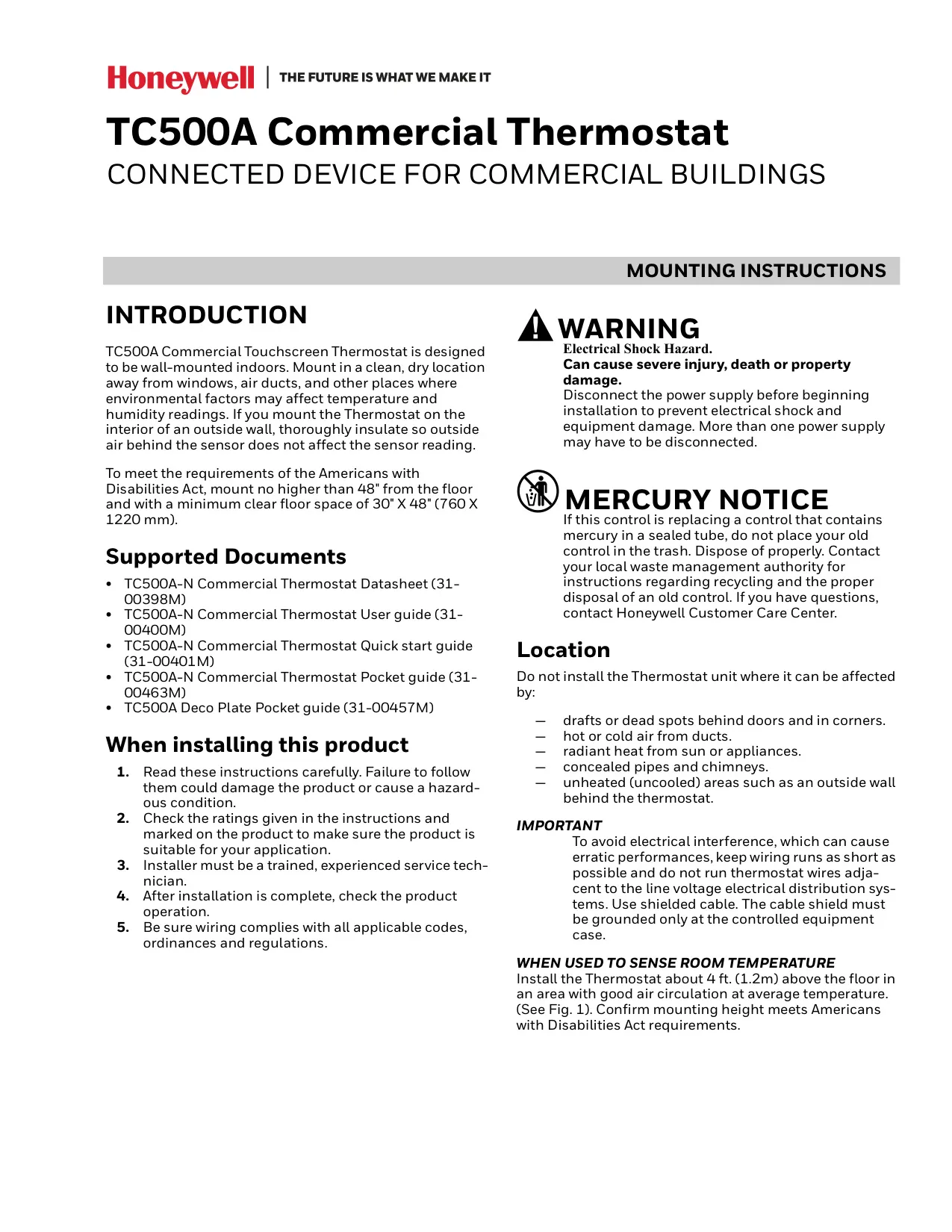
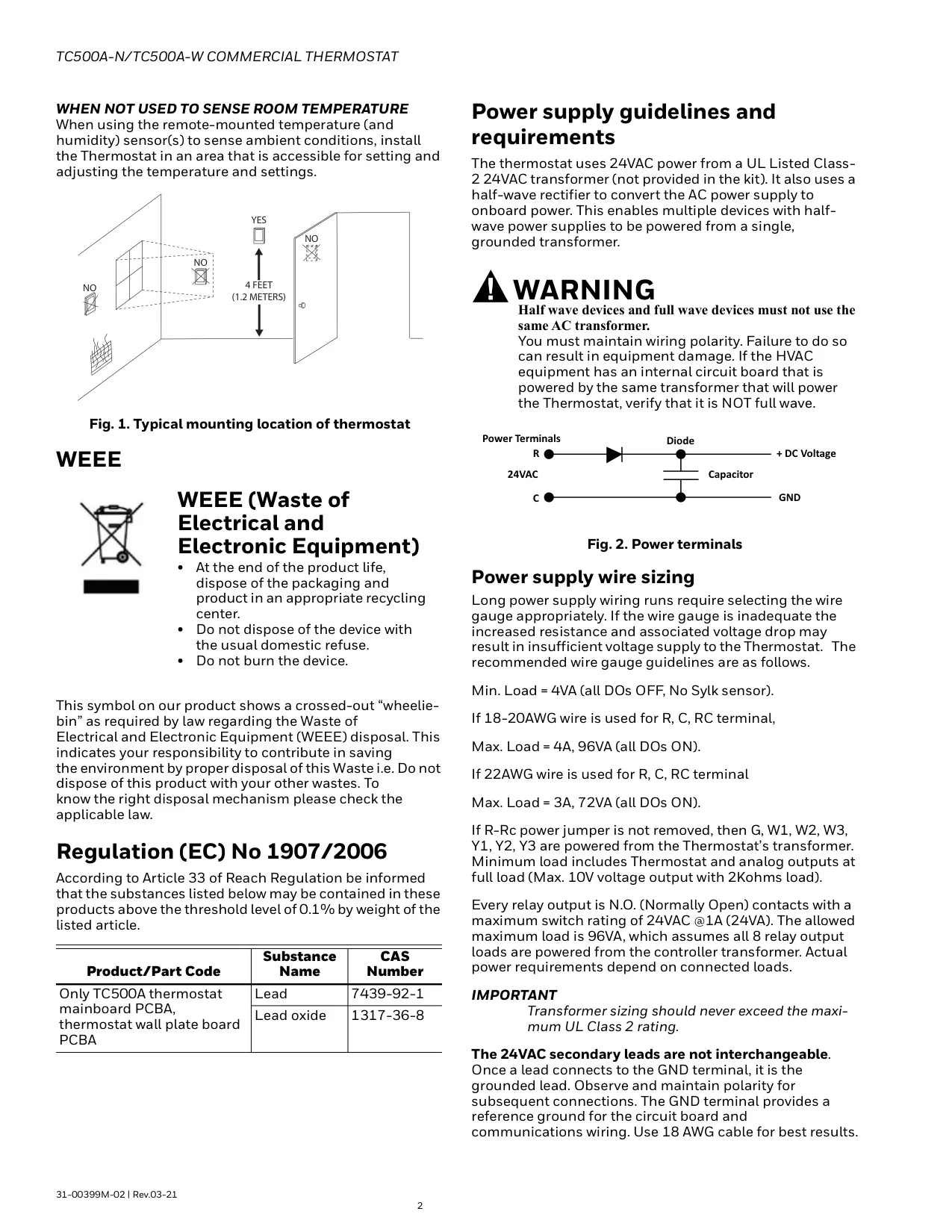

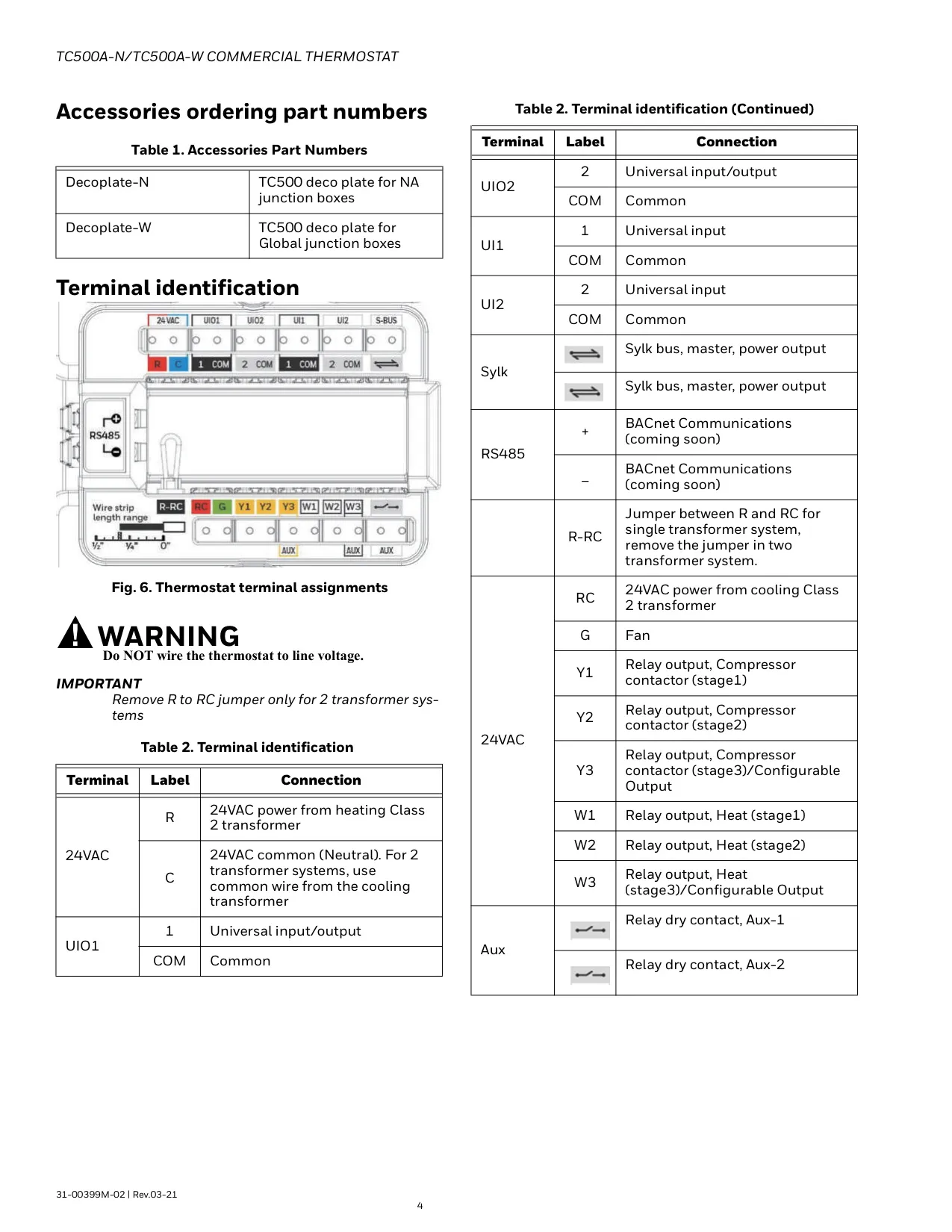

Honeywell TC500A-N Instructions
Here we offer the Honeywell TC500A-N Thermostat manual completely free and in English. We have cataloged this manual in the Thermostats section on Manualverse, and it has been rated by 1 users with an average rating of 5. If you have any specific questions about Honeywell TC500A-N Thermostat, we suggest checking the Frequently Asked Questions (FAQs) section of this manual.
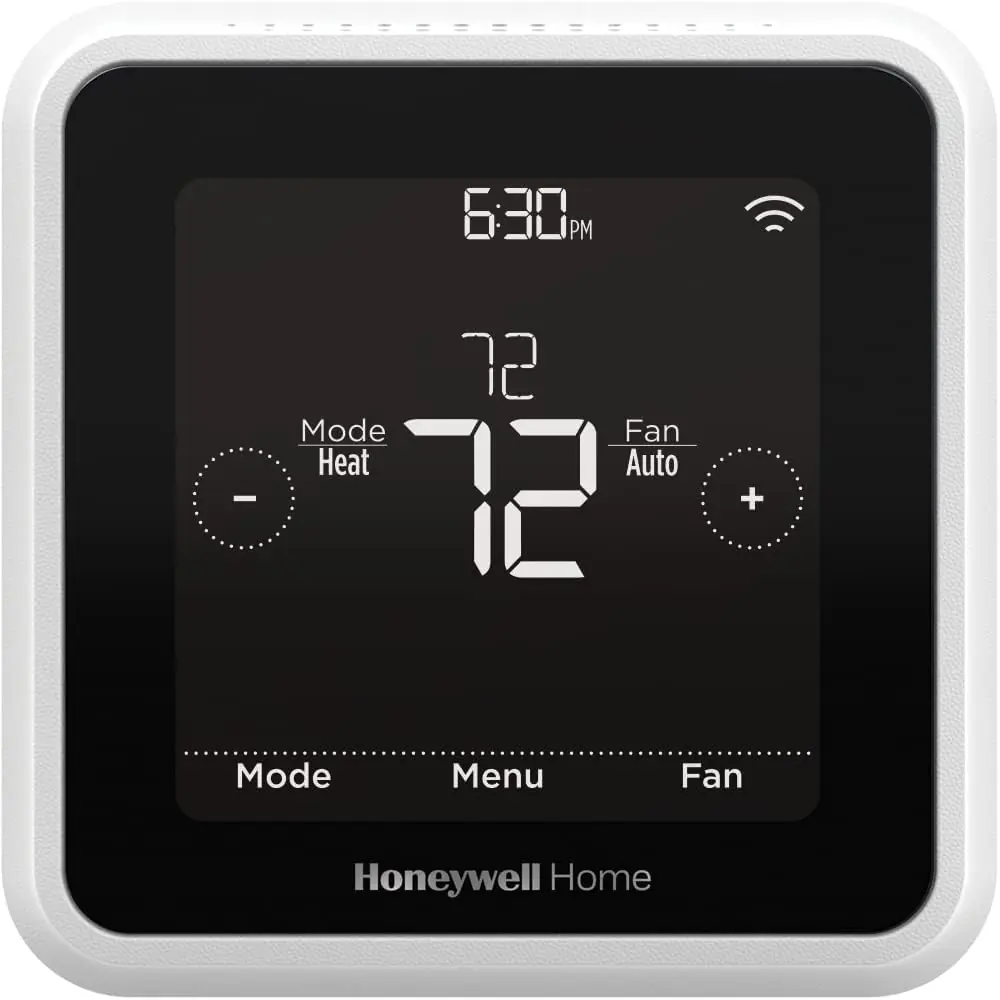
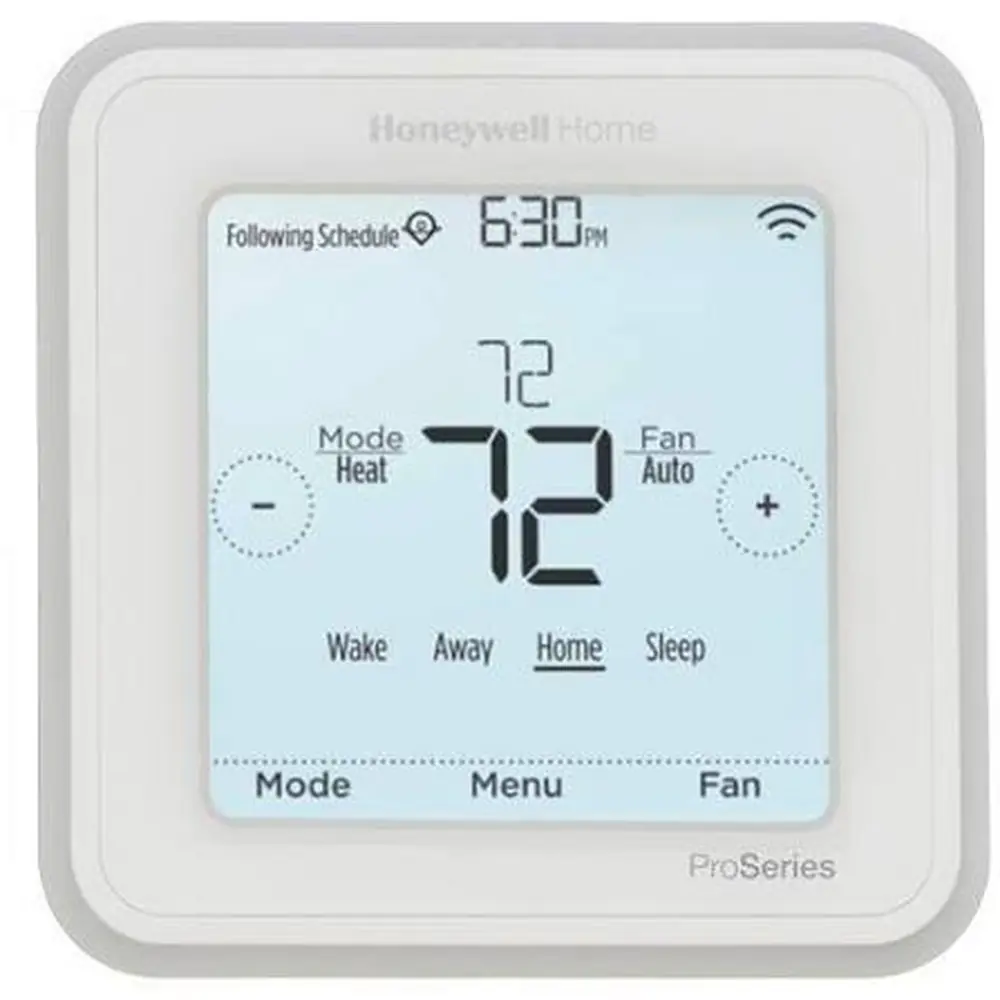
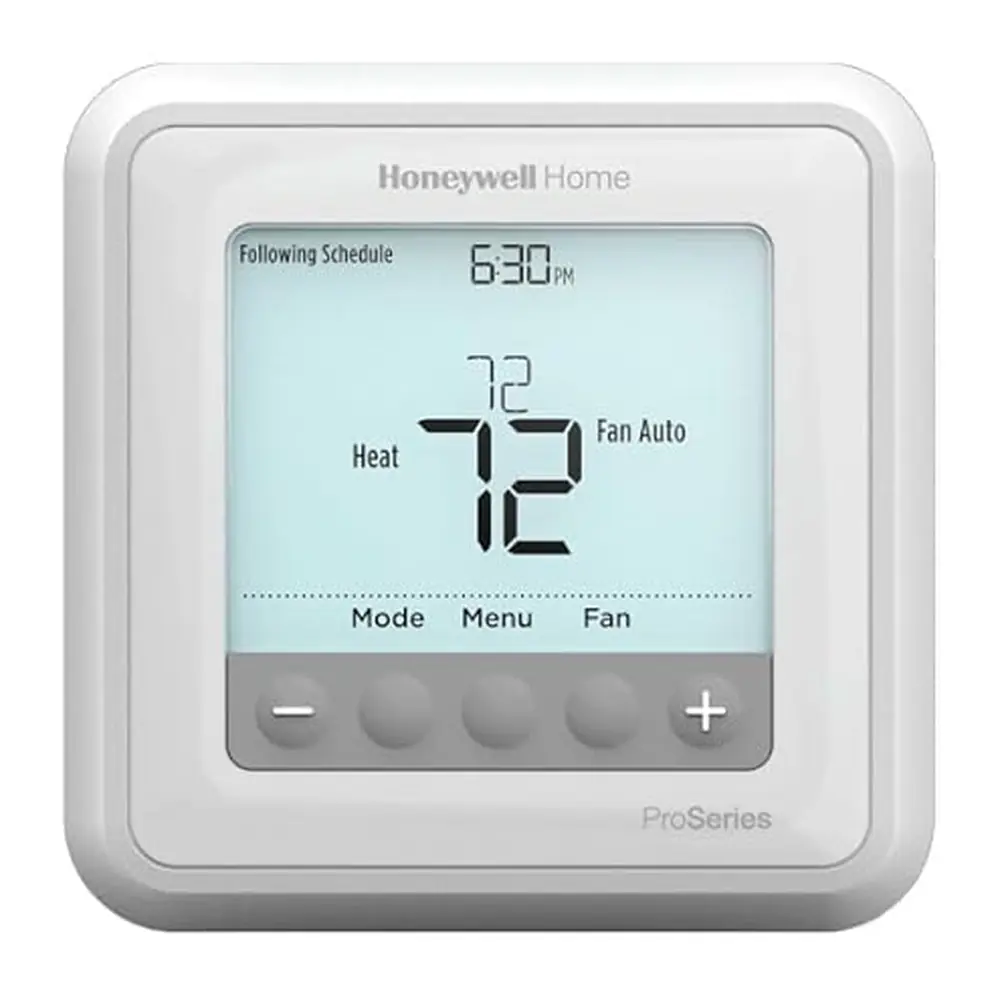
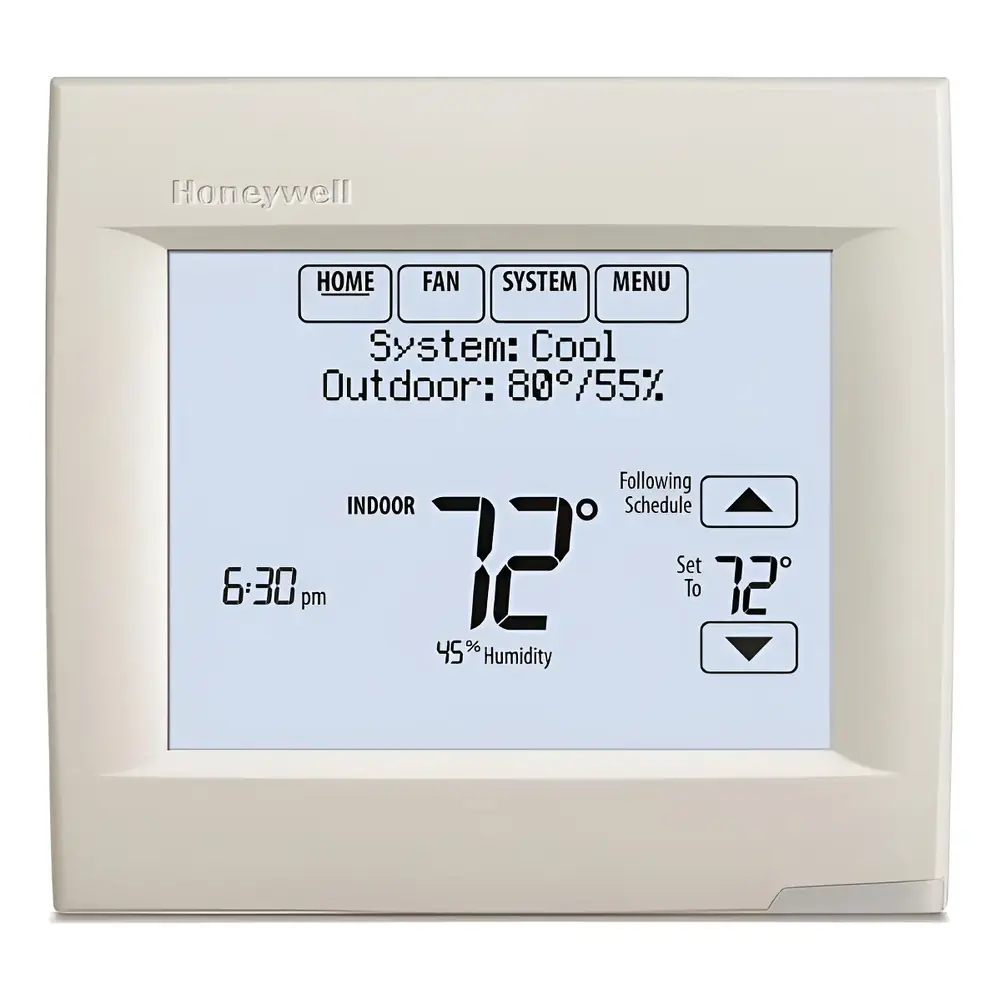
Product Images

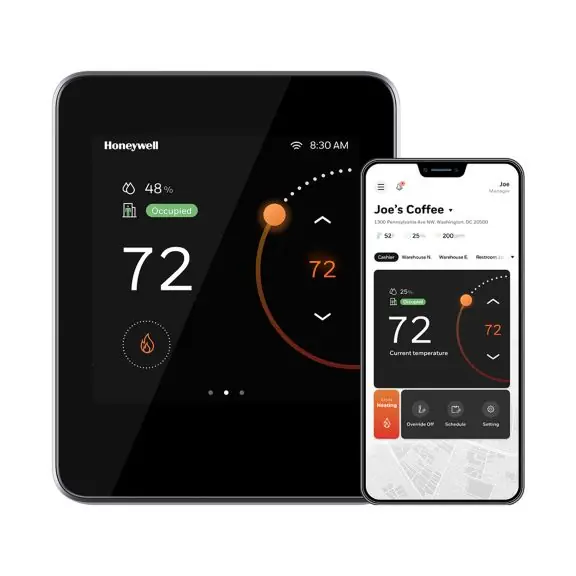
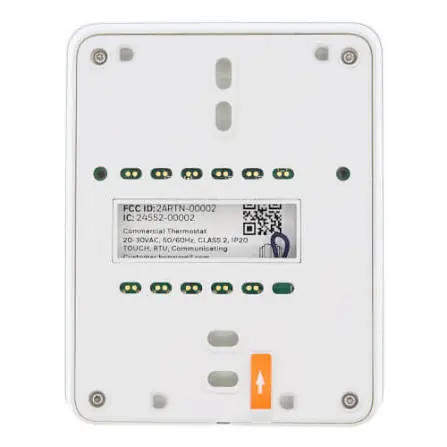
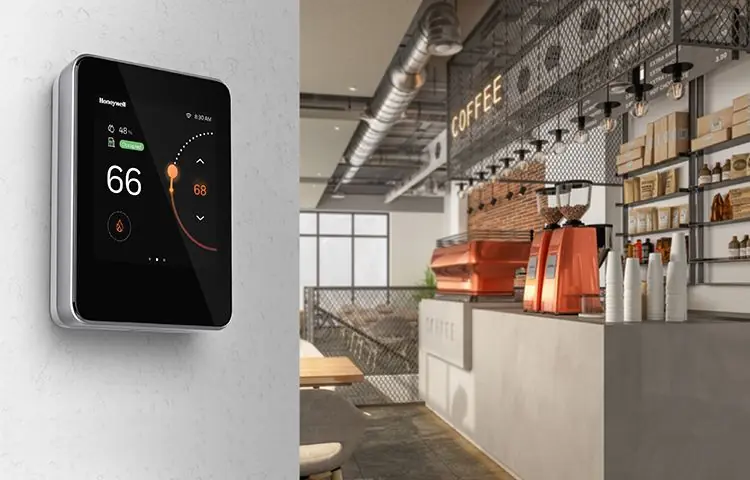
Honeywell TC500A-N Thermostat Specifications
| Feature | Specification | |
|---|---|---|
| Model Number | TC500A-N | |
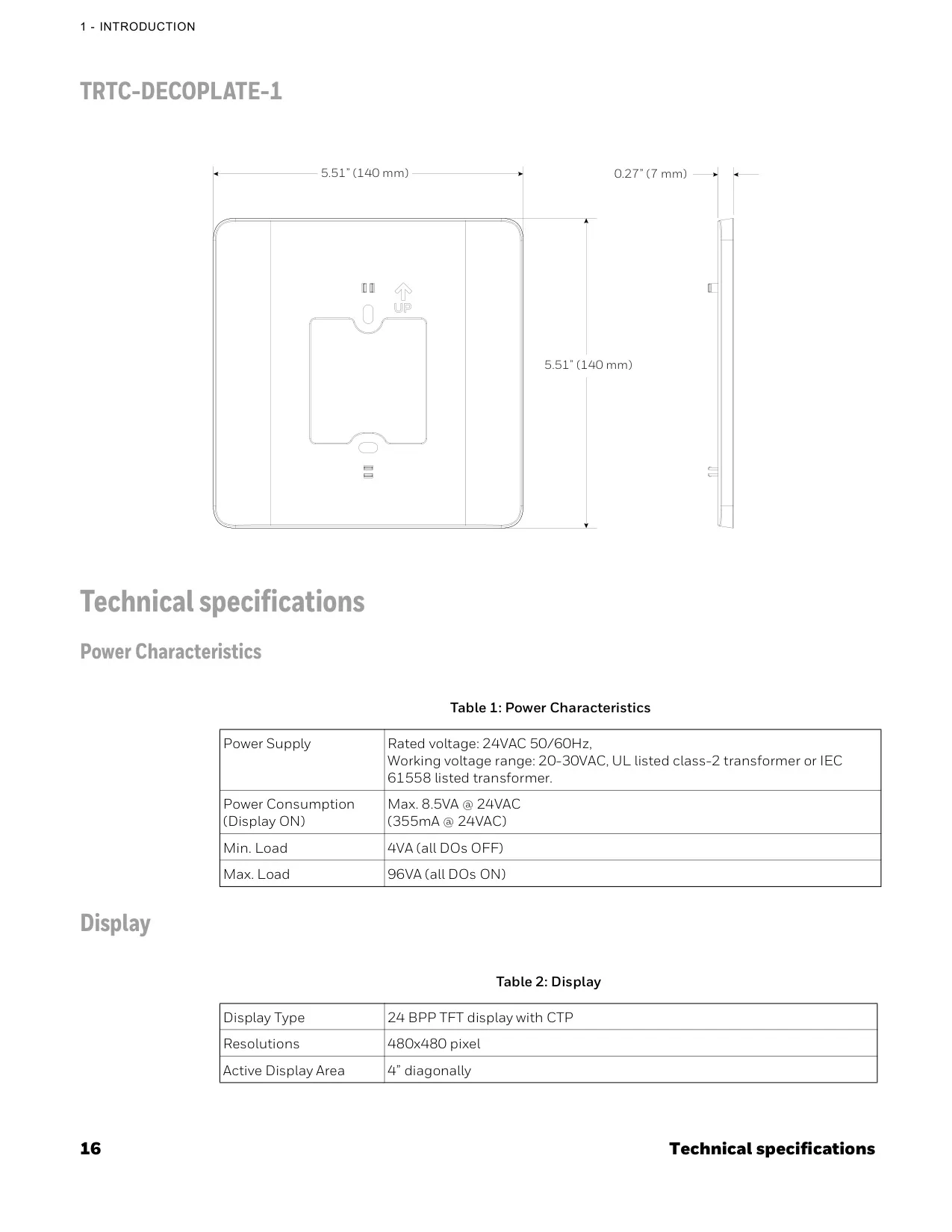
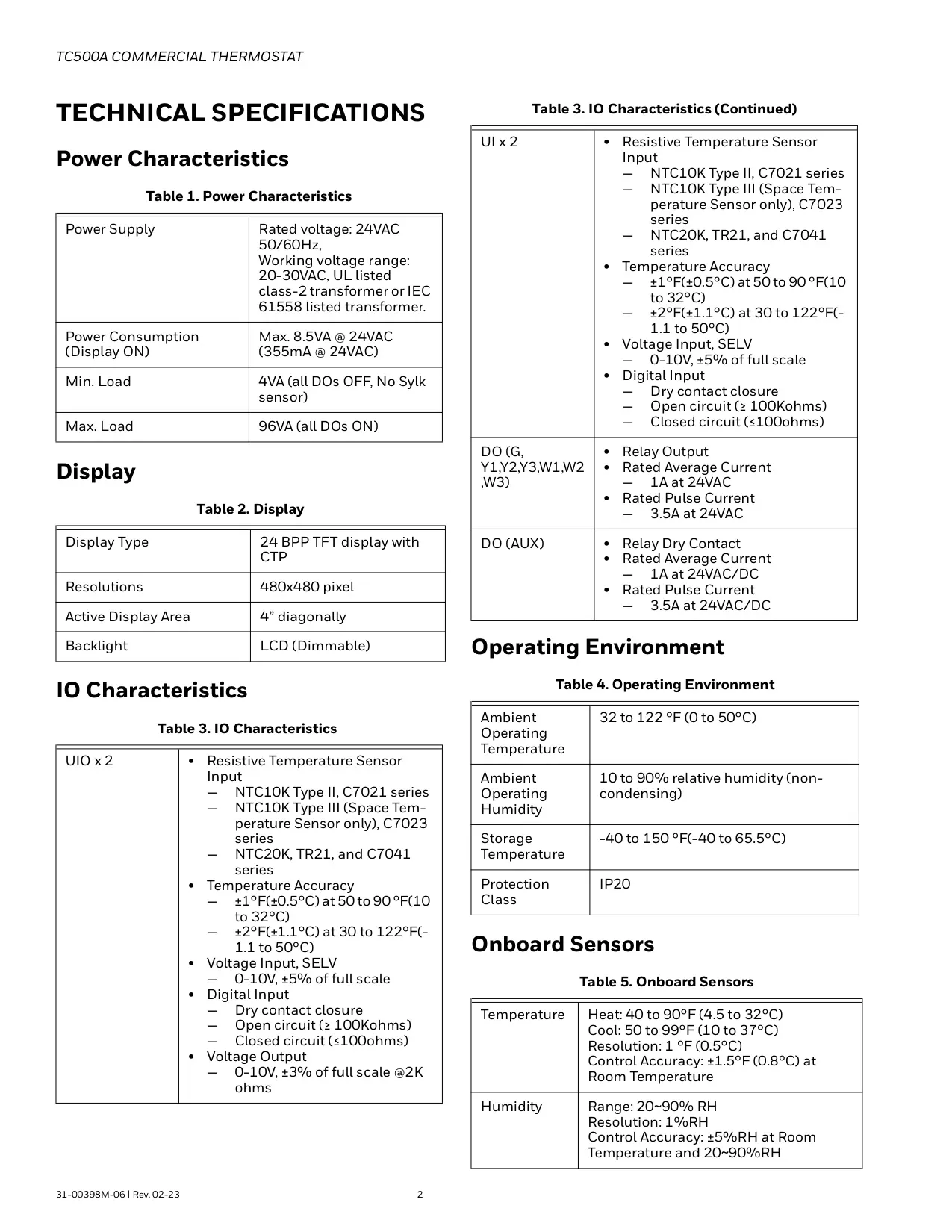
| Power Characteristics | Power Supply | Rated voltage: 24VAC 50/60Hz, Working voltage range: 20-30VAC, UL listed class-2 transformer or IEC 61558 listed transformer. |
| Power Consumption (Display ON) | Max. 8.5VA @ 24VAC (355mA @ 24VAC) | |
| Min. Load | 4VA (all DOs OFF) | |
| Max. Load | 96VA (all DOs ON) | |
| Display | Display Type | 24 BPP TFT display with CTP |
| Resolutions | 480x480 pixel | |
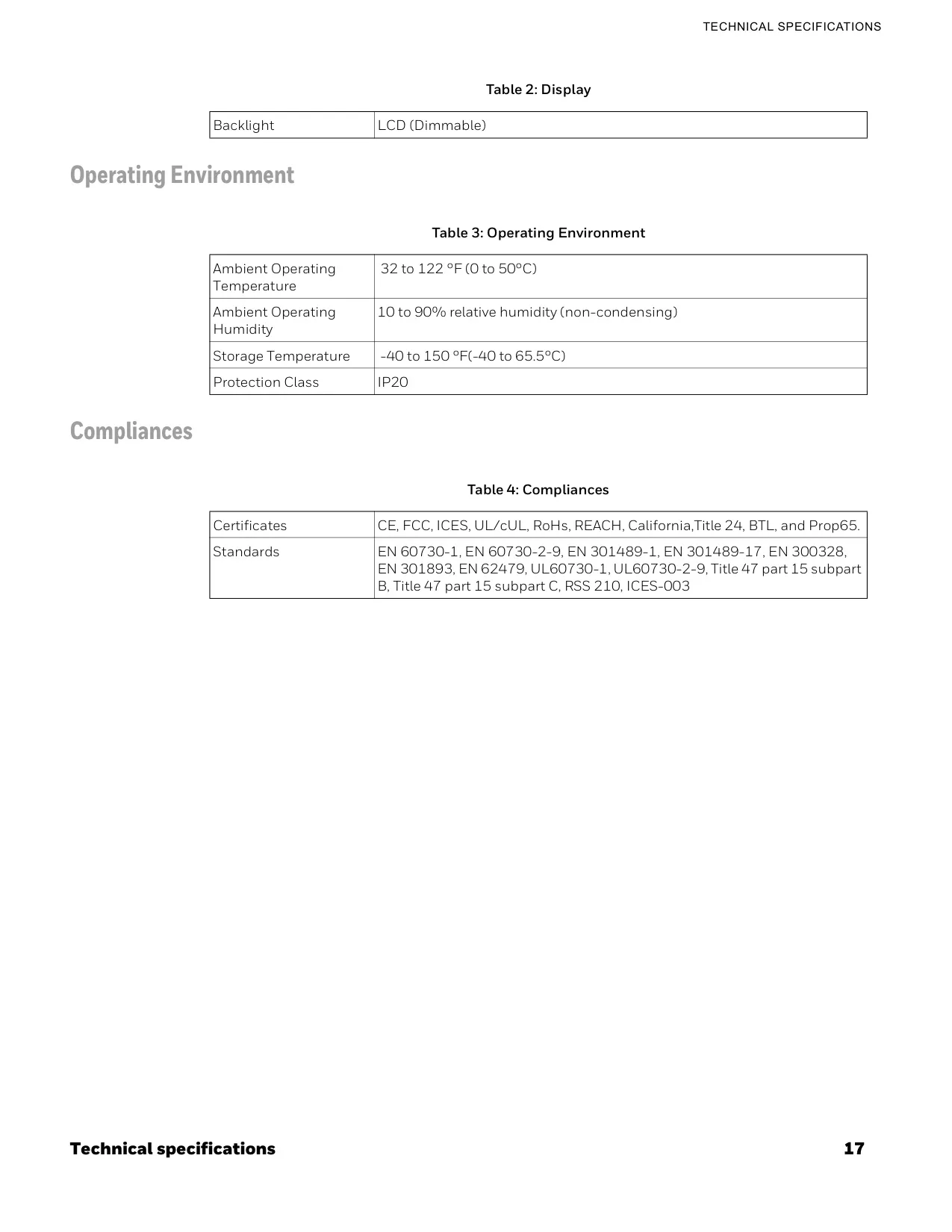
| Active Display Area | 4” diagonally, Backlight LCD (Dimmable) | |
| Operating Environment | Ambient Operating Temperature | 32 to 122 °F (0 to 50°C) |
| Ambient Operating Humidity | 10 to 90% relative humidity (non-condensing) | |
| Storage Temperature | -40 to 150 °F (-40 to 65.5°C) | |
| Protection Class | IP20 | |
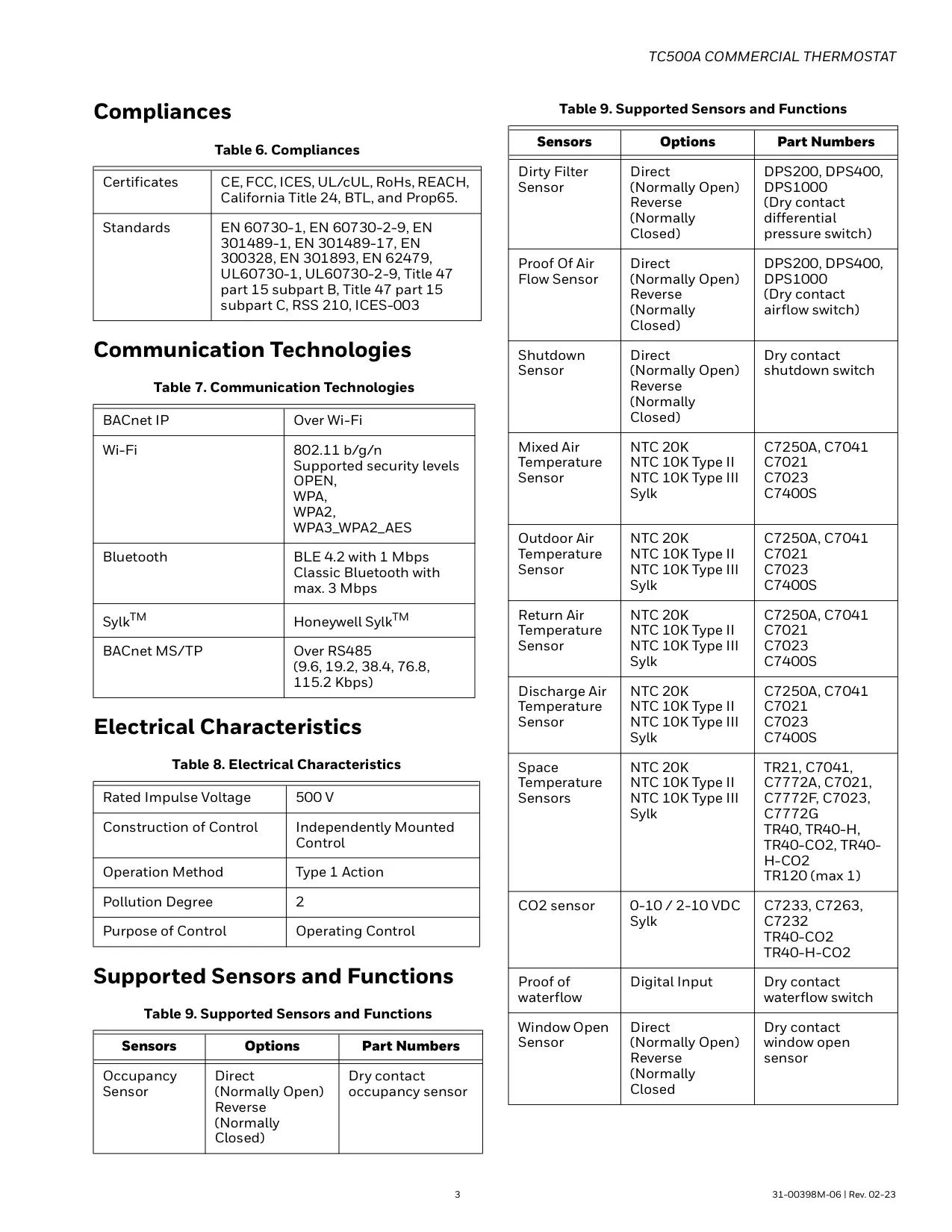
| Certificates & Standards | Certificates | CE, FCC, ICES, UL/cUL, RoHs, REACH, California, Title 24, BTL, and Prop65. |
| Standards | EN 60730-1, EN 60730-2-9, EN 301489-1, EN 301489-17, EN 300328, EN 301893, EN 62479, UL60730-1, UL60730-2-9, Title 47 part 15 subpart B, Title 47 part 15 subpart C, RSS 210, ICES-003 | |
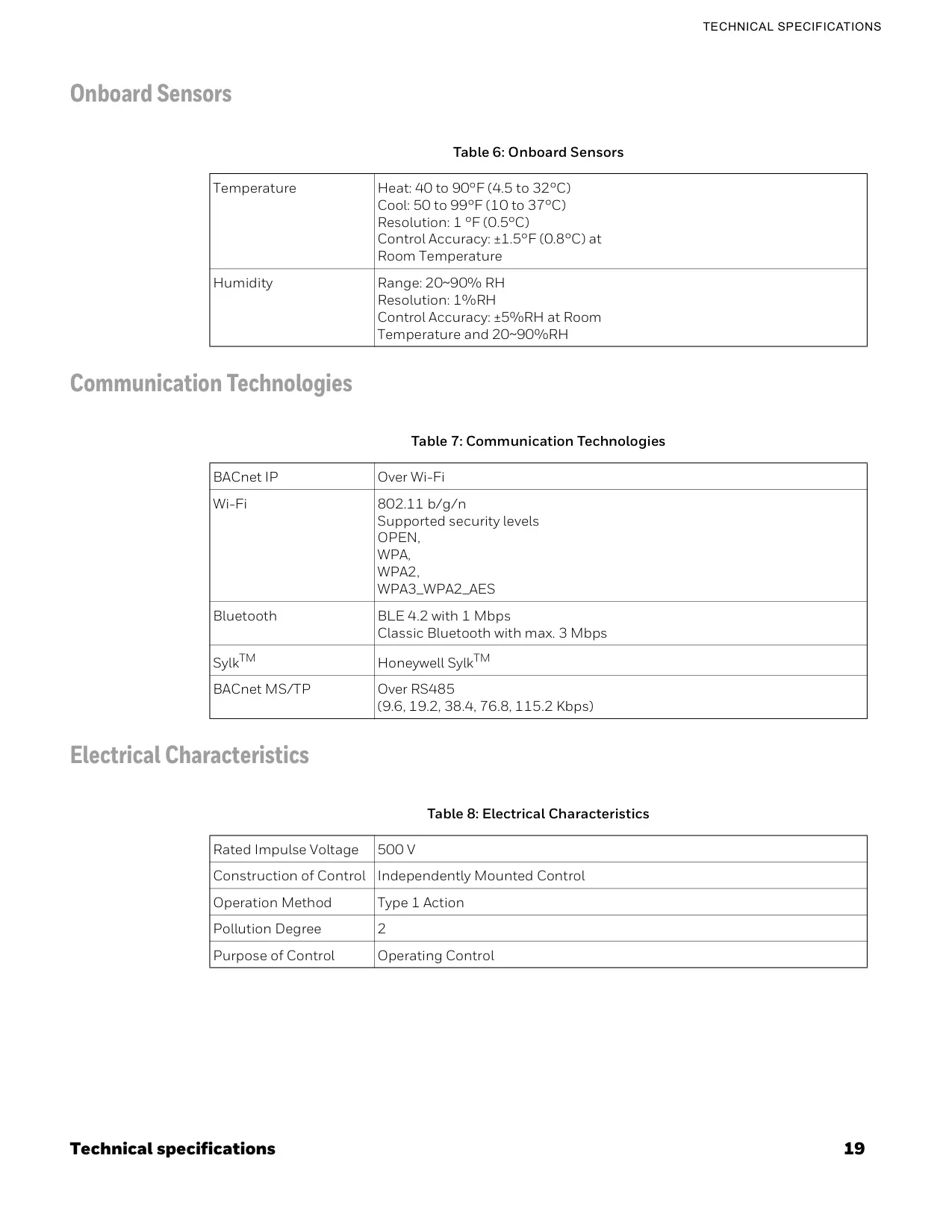
| Onboard Sensors | Temperature Range (Heat) | 40 to 90°F (4.5 to 32°C) |
| Temperature Range (Cool) | 50 to 99°F (10 to 37°C) | |
| Temperature Resolution & Accuracy | Resolution: 1 °F (0.5°C), Control Accuracy: ±1.5°F (0.8°C) at Room Temperature | |
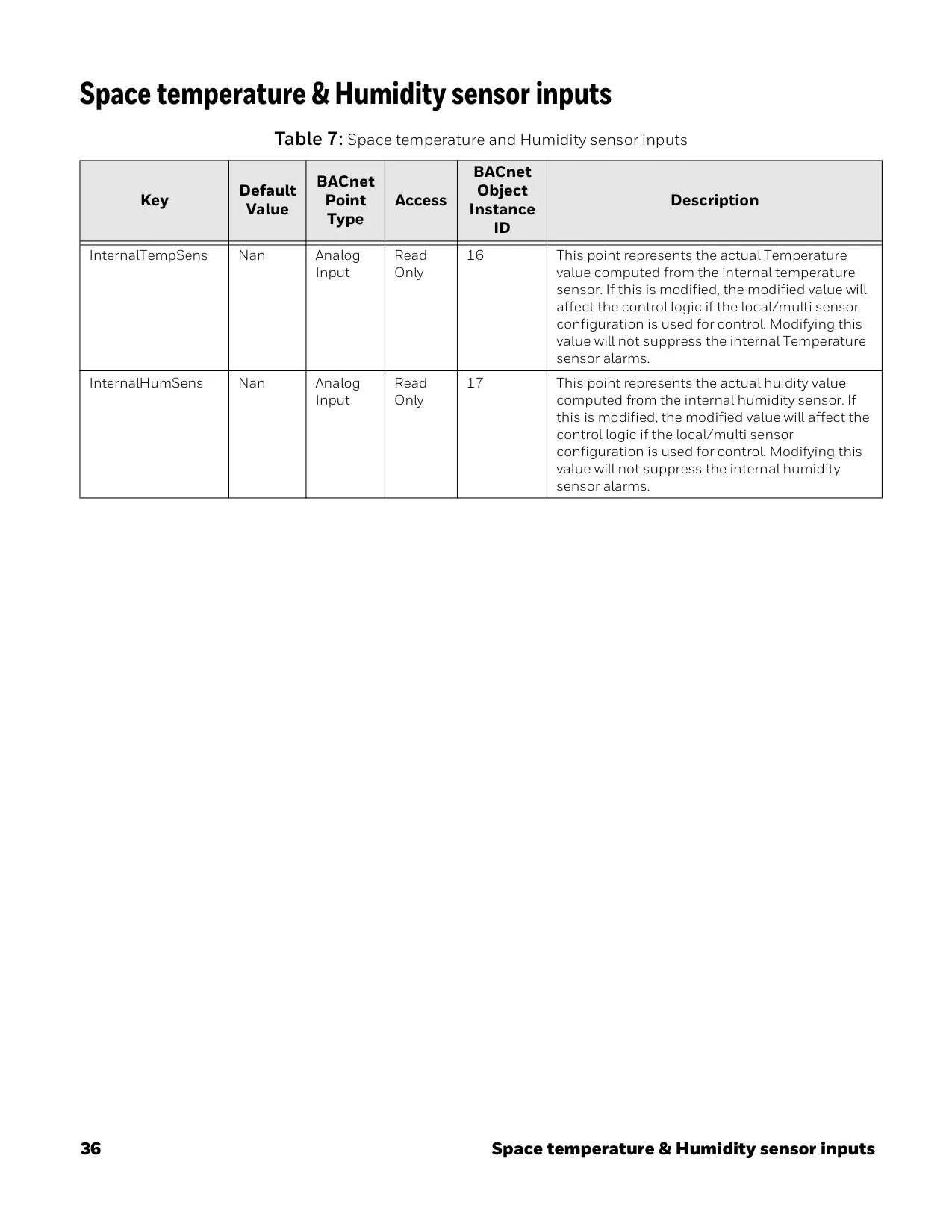
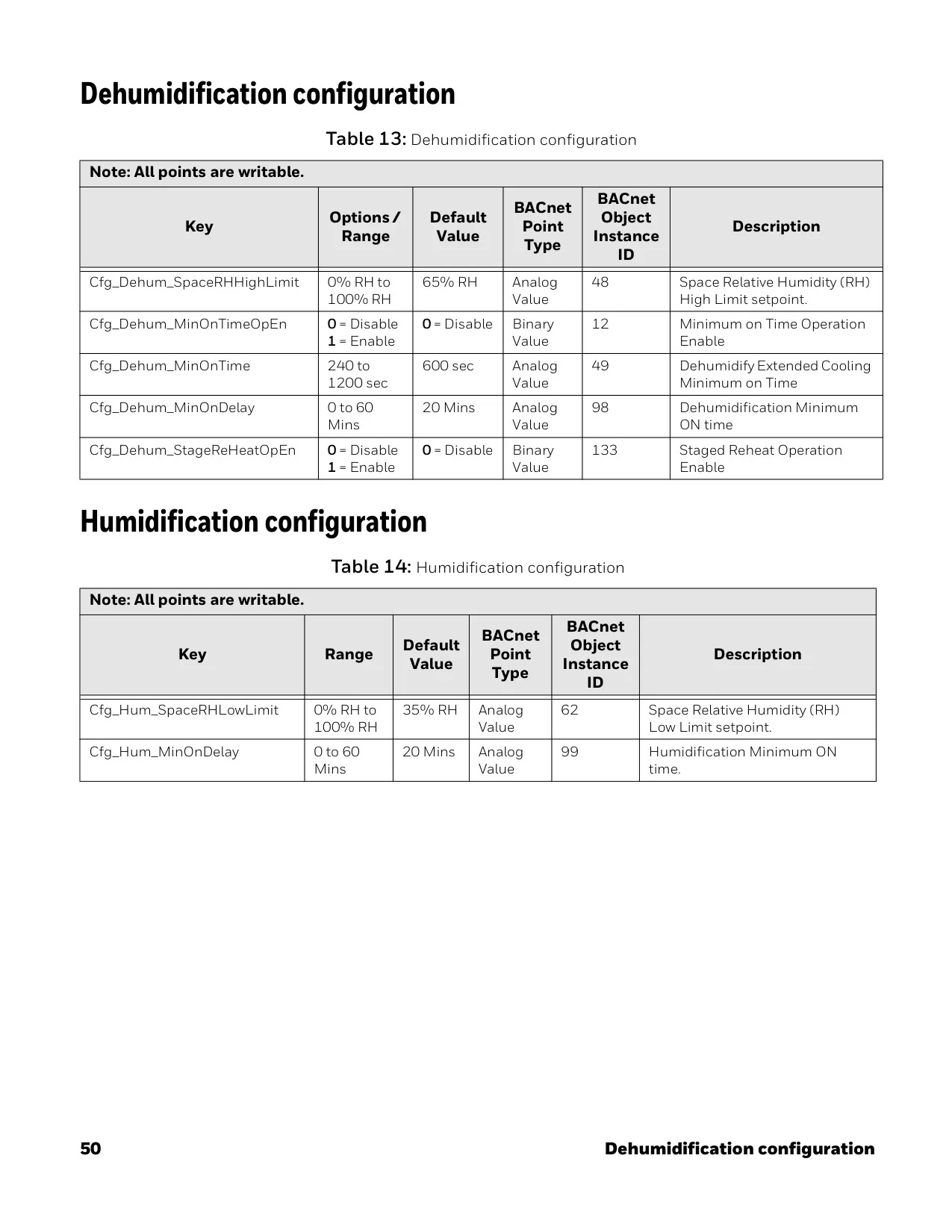
| Humidity Range & Resolution | Range: 20~90% RH, Resolution: 1%RH, Control Accuracy: ±5%RH at Room Temperature and 20~90%RH | |
| Communication Technologies | BACnet IP | Over Wi-Fi |
| Wi-Fi | 802.11 b/g/n, Supported security levels: OPEN, WPA, WPA2, WPA3_WPA2_AES | |
| Bluetooth | BLE 4.2 with 1 Mbps, Classic Bluetooth with max. 3 Mbps | |
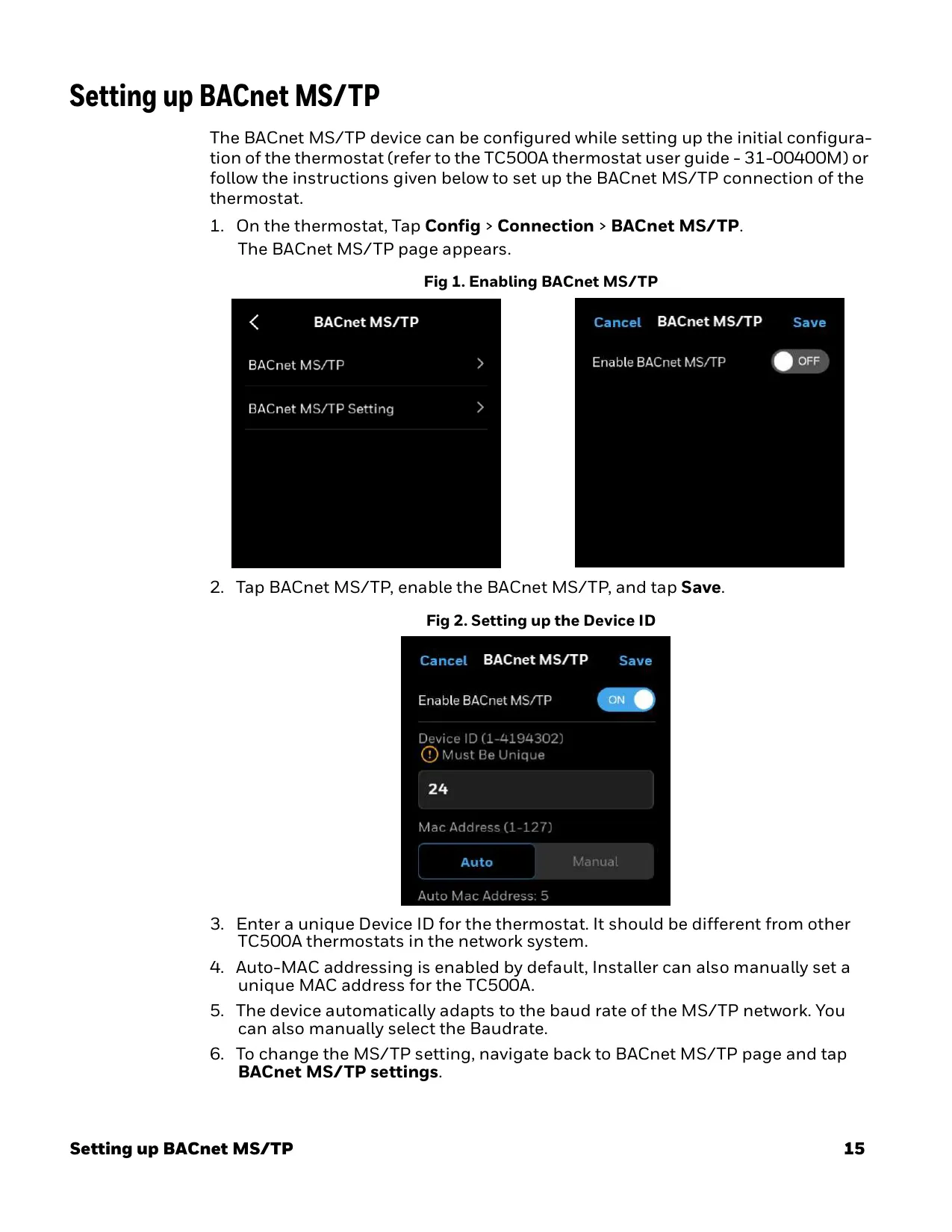
| BACnet MS/TP | Over RS485 (9.6, 19.2, 38.4, 76.8, 115.2 Kbps) | |
| Electrical Characteristics | Rated Impulse Voltage | 500 V |
| Construction of Control | Independently Mounted Control | |
| Operation Method | Type 1 Action | |
| Pollution Degree | 2 | |
Honeywell TC500A-N Thermostat Details
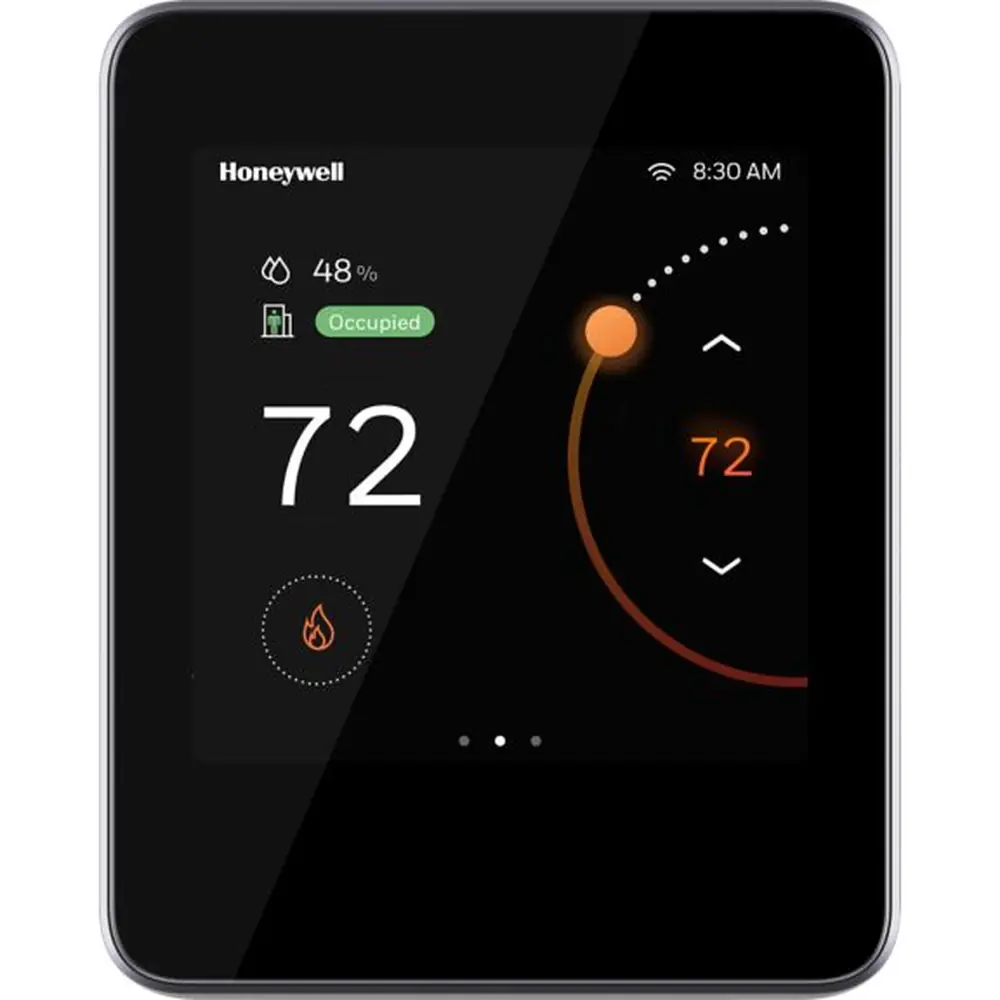
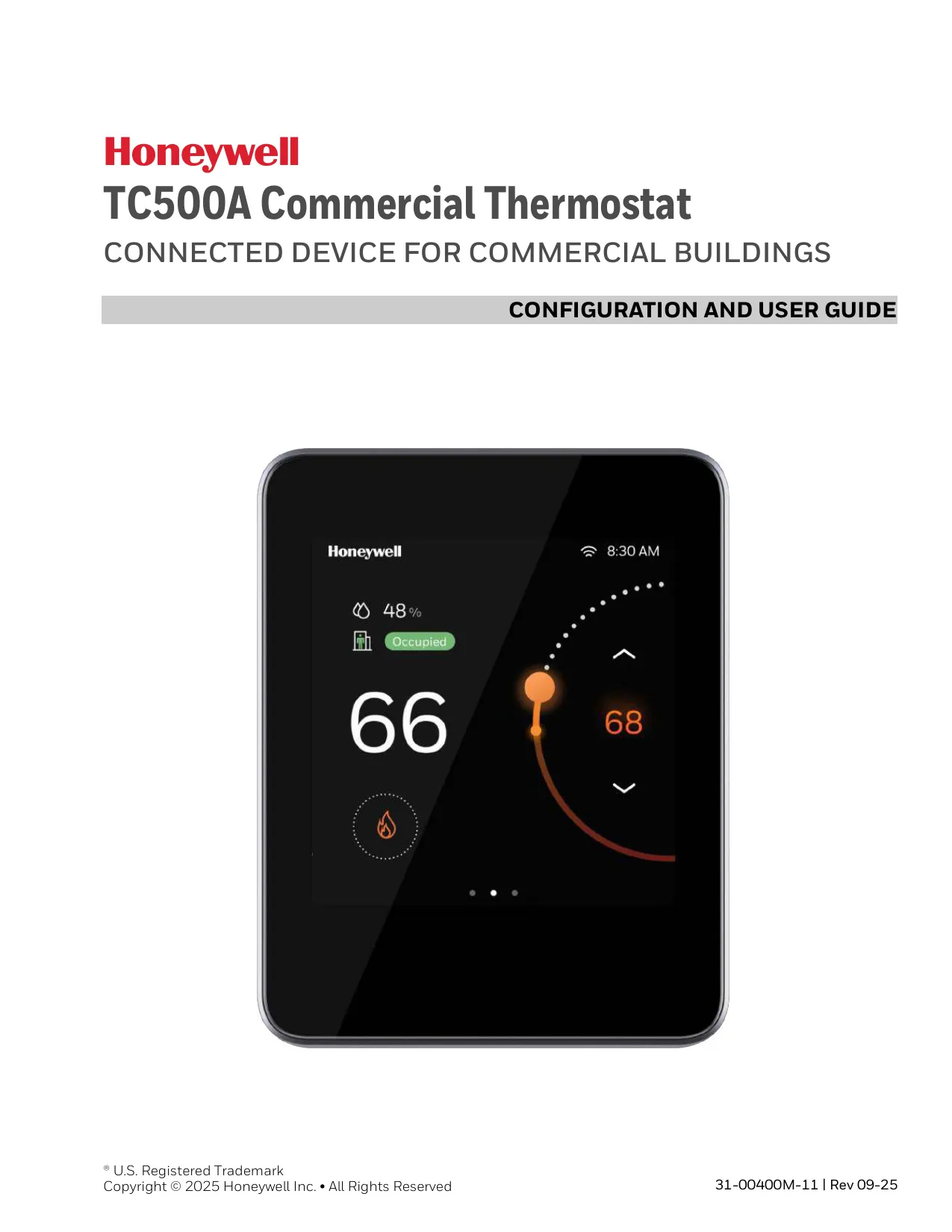
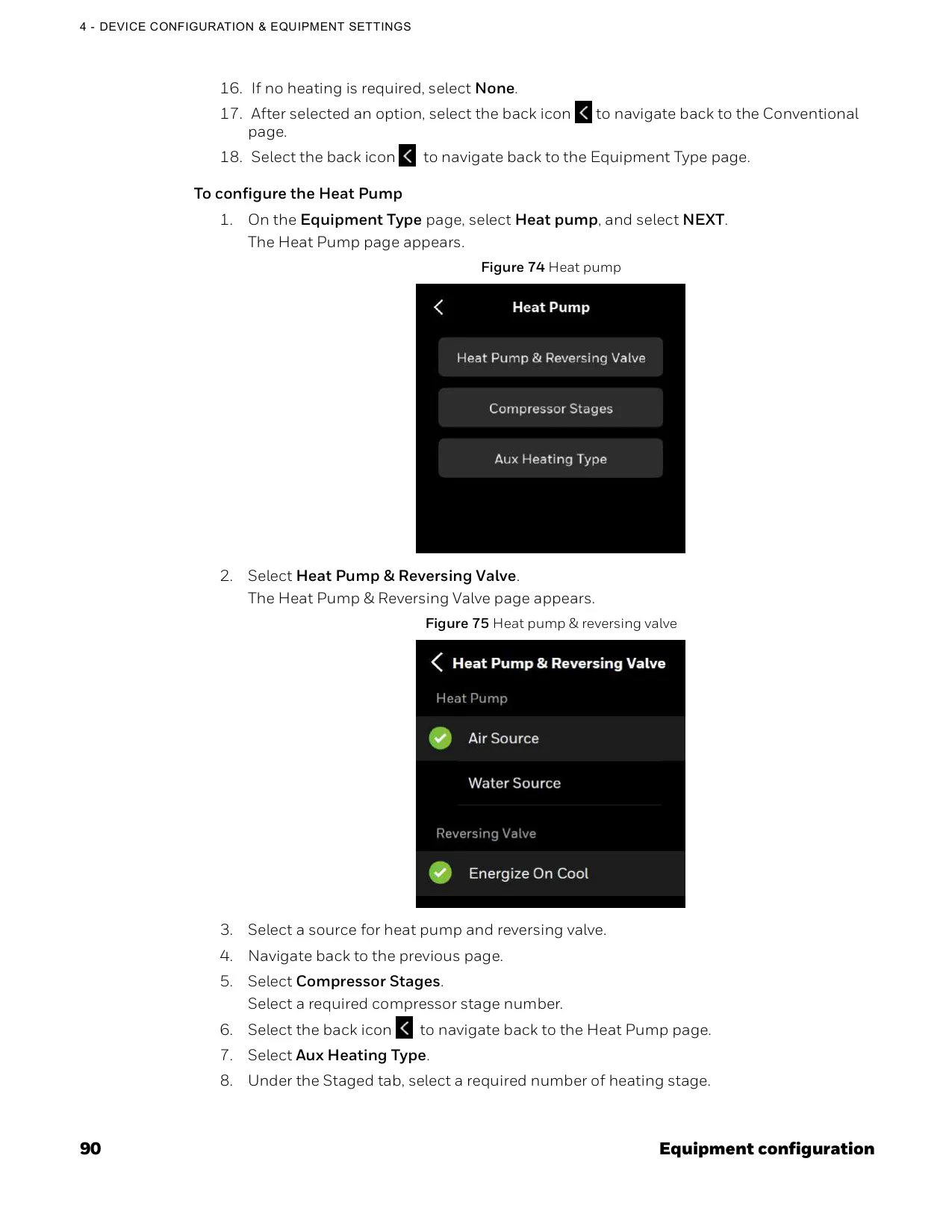
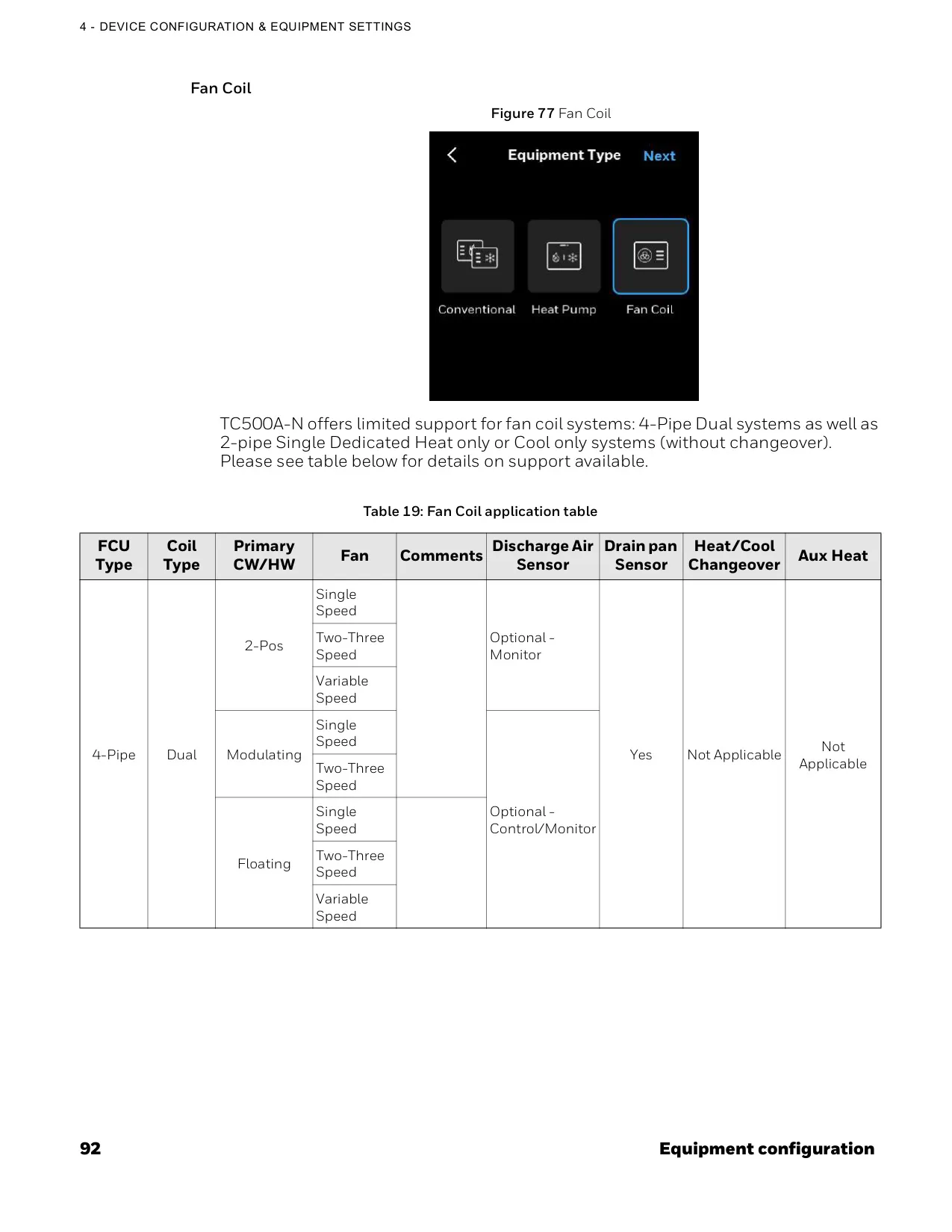
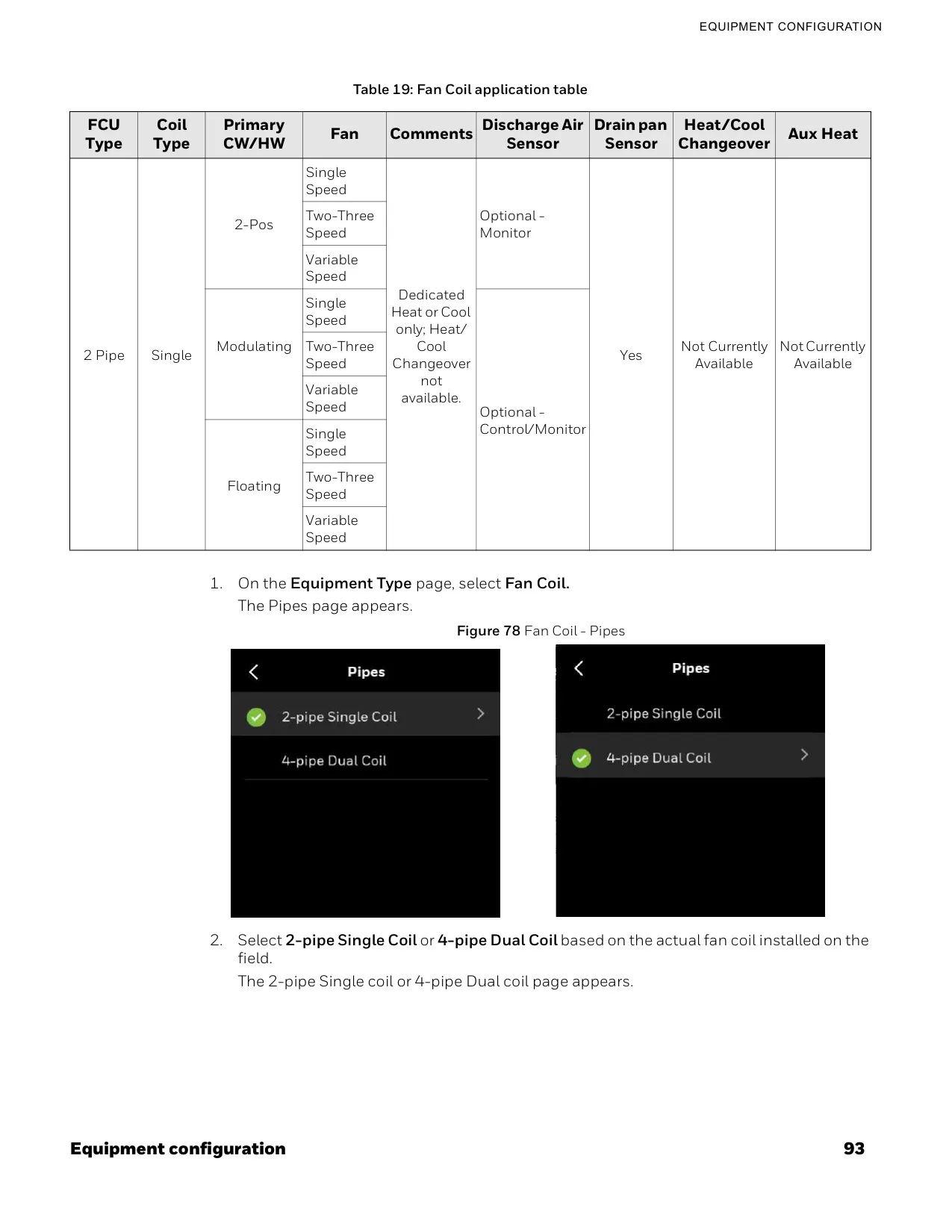
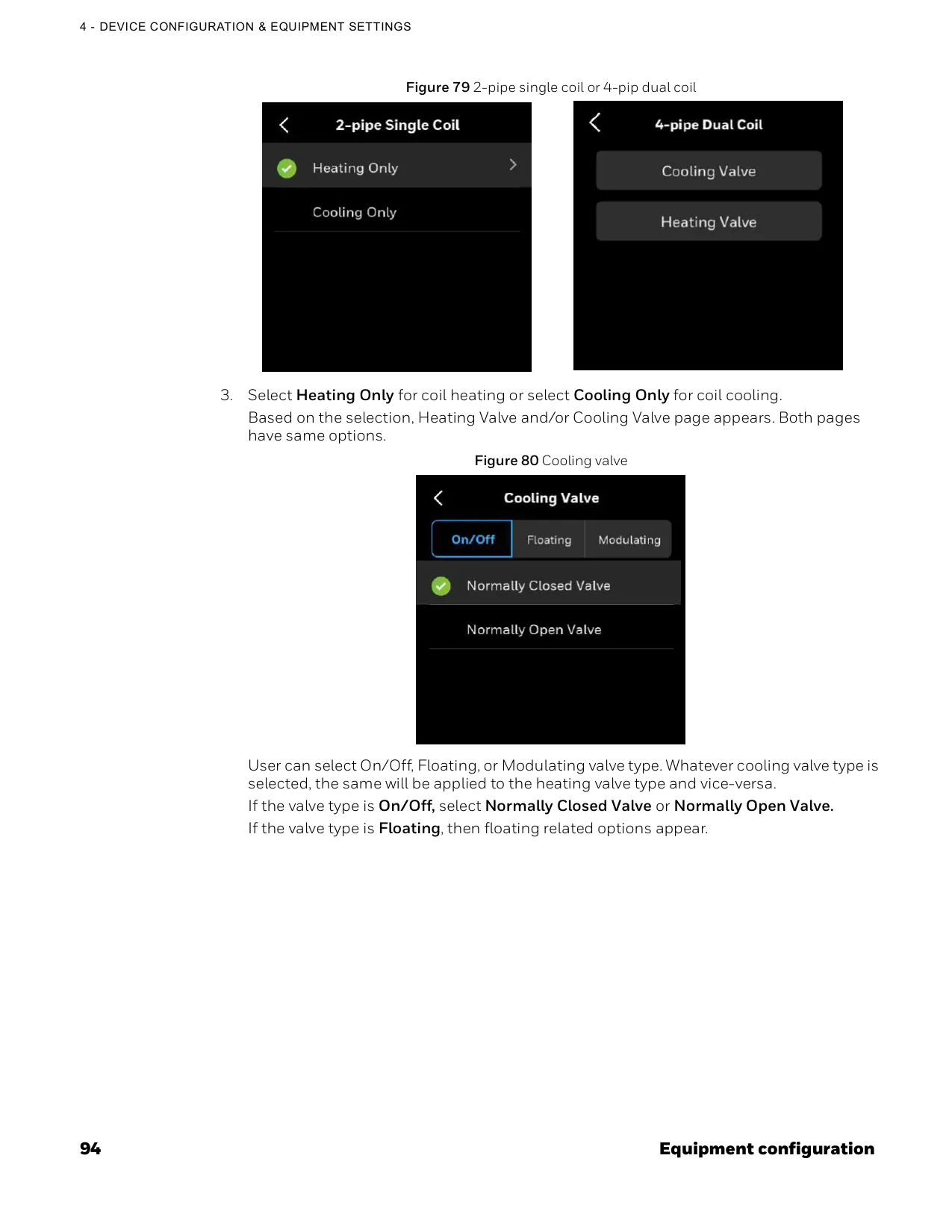
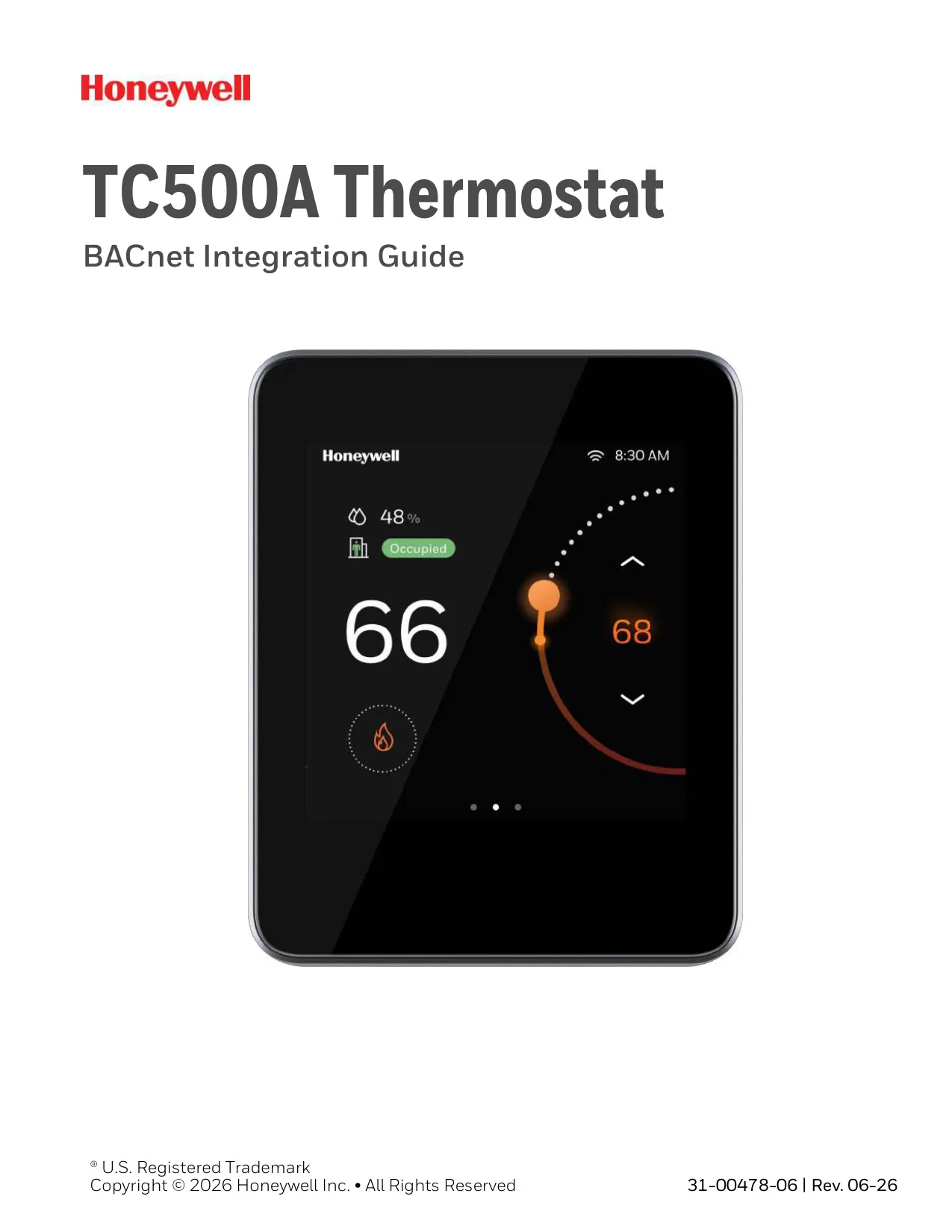
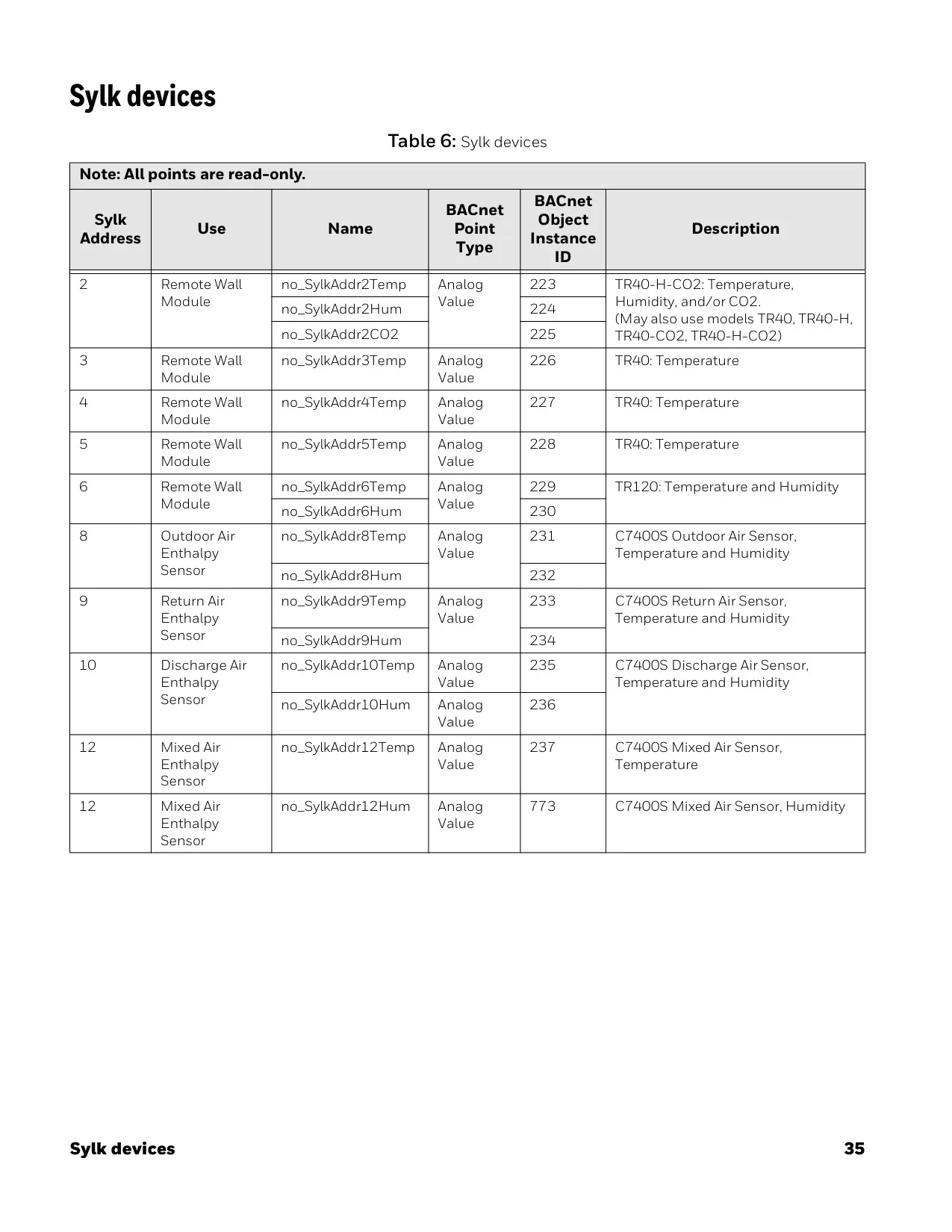
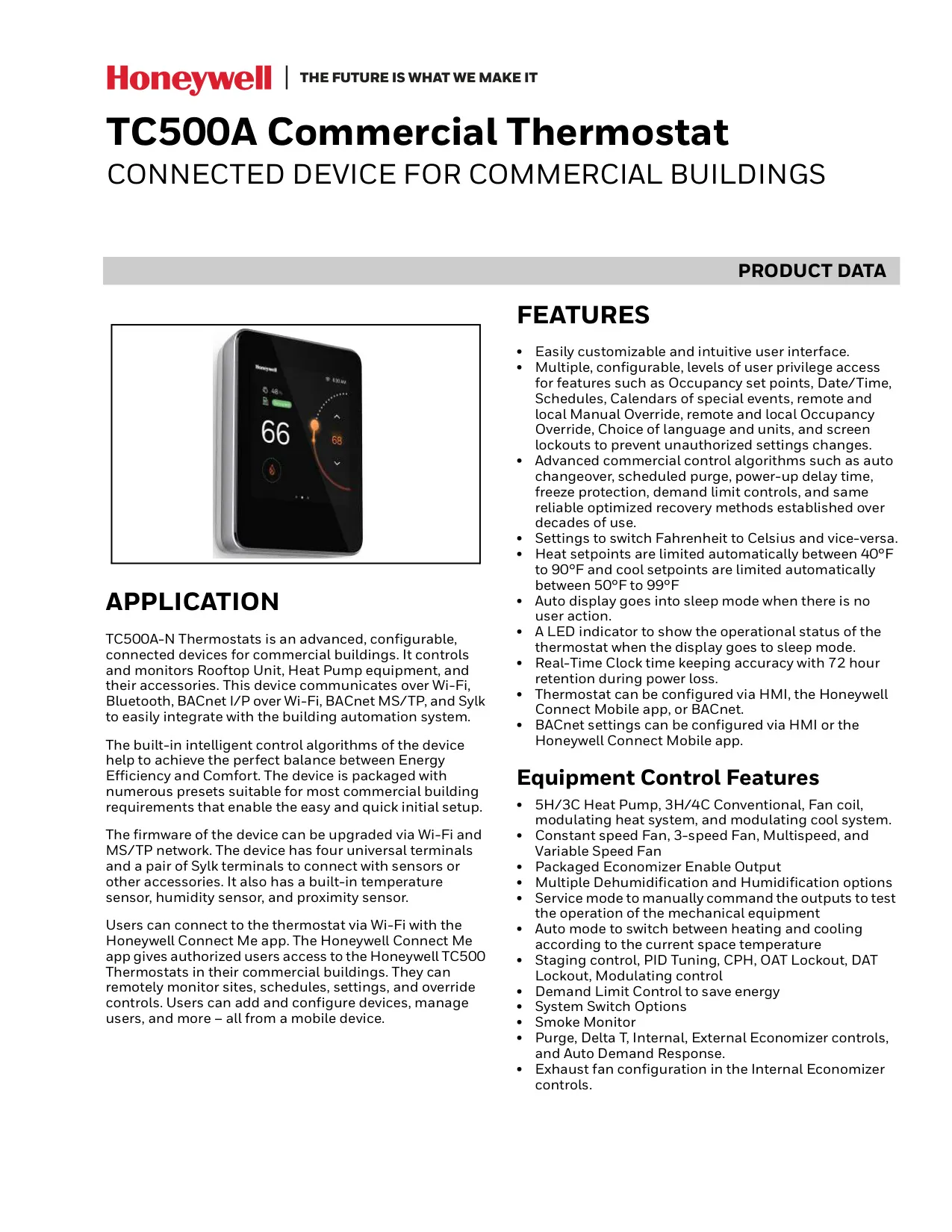
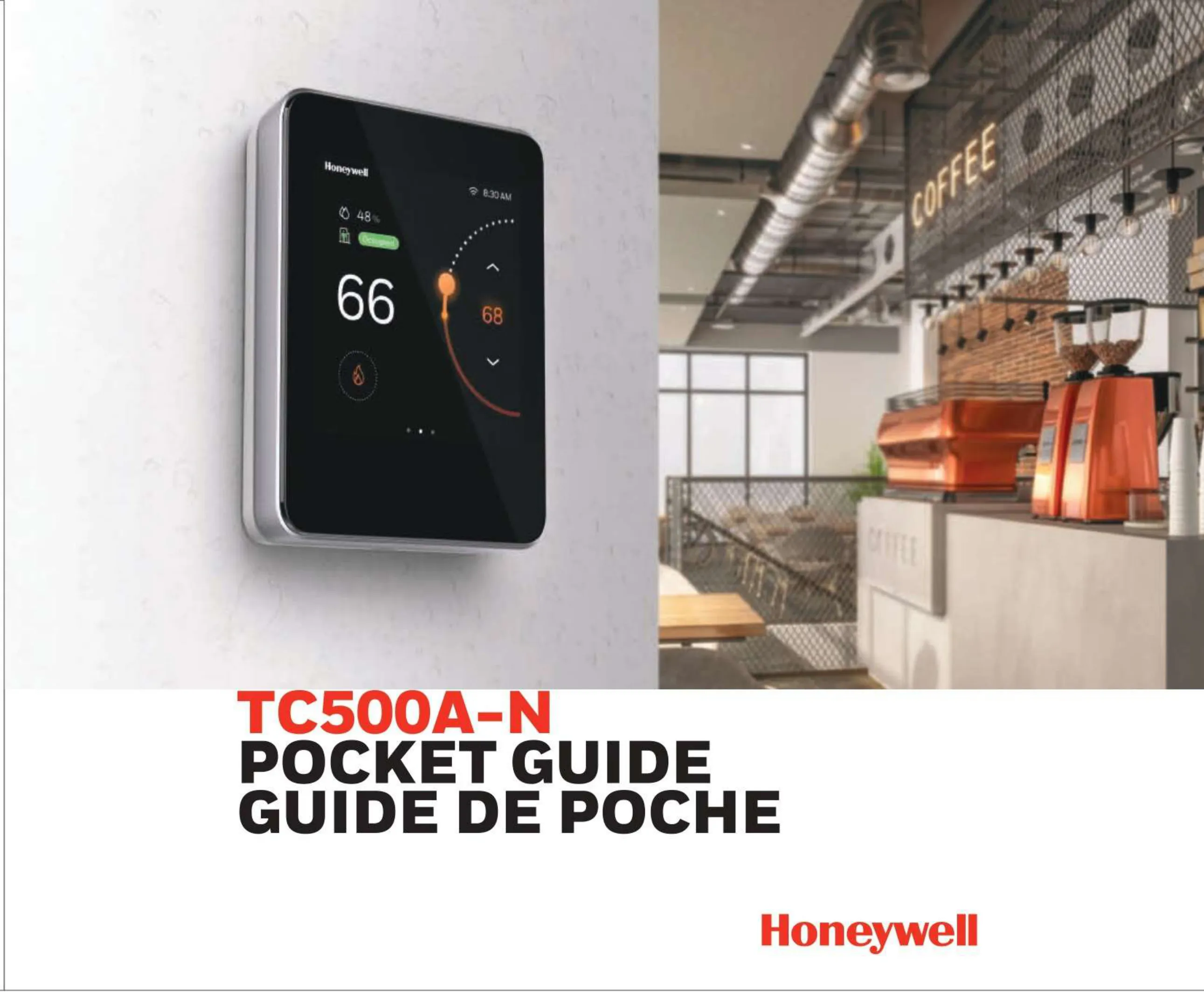
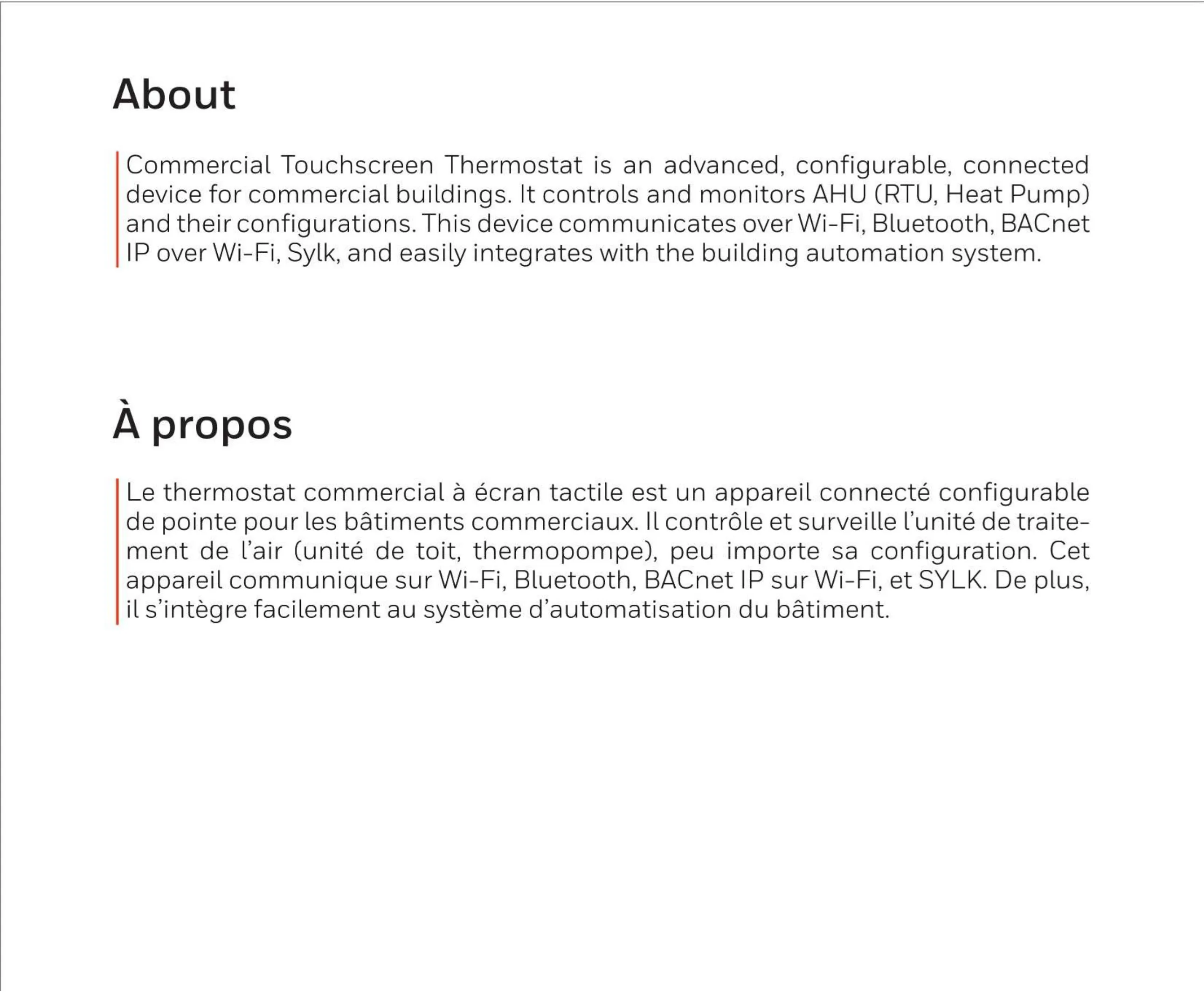
The Honeywell TC500A-N Thermostat is an advanced, connected device designed for commercial buildings, offering extensive control and monitoring capabilities for Rooftop Units, Heat Pumps, and Fan Coil Units, along with their accessories. It integrates seamlessly into building automation systems via Wi-Fi, Bluetooth, BACnet I/P over Wi-Fi, BACnet MS/TP, and Sylk protocols. This wide array of communication options ensures flexibility and ease of integration within diverse commercial environments.
This thermostat incorporates sophisticated intelligent control algorithms to achieve an optimal balance between energy efficiency and occupant comfort. It comes pre-packaged with numerous presets, making the initial setup both quick and straightforward for most commercial building requirements. The device's firmware can be conveniently upgraded over Wi-Fi and MS/TP networks, ensuring it remains up-to-date with the latest features and security enhancements.
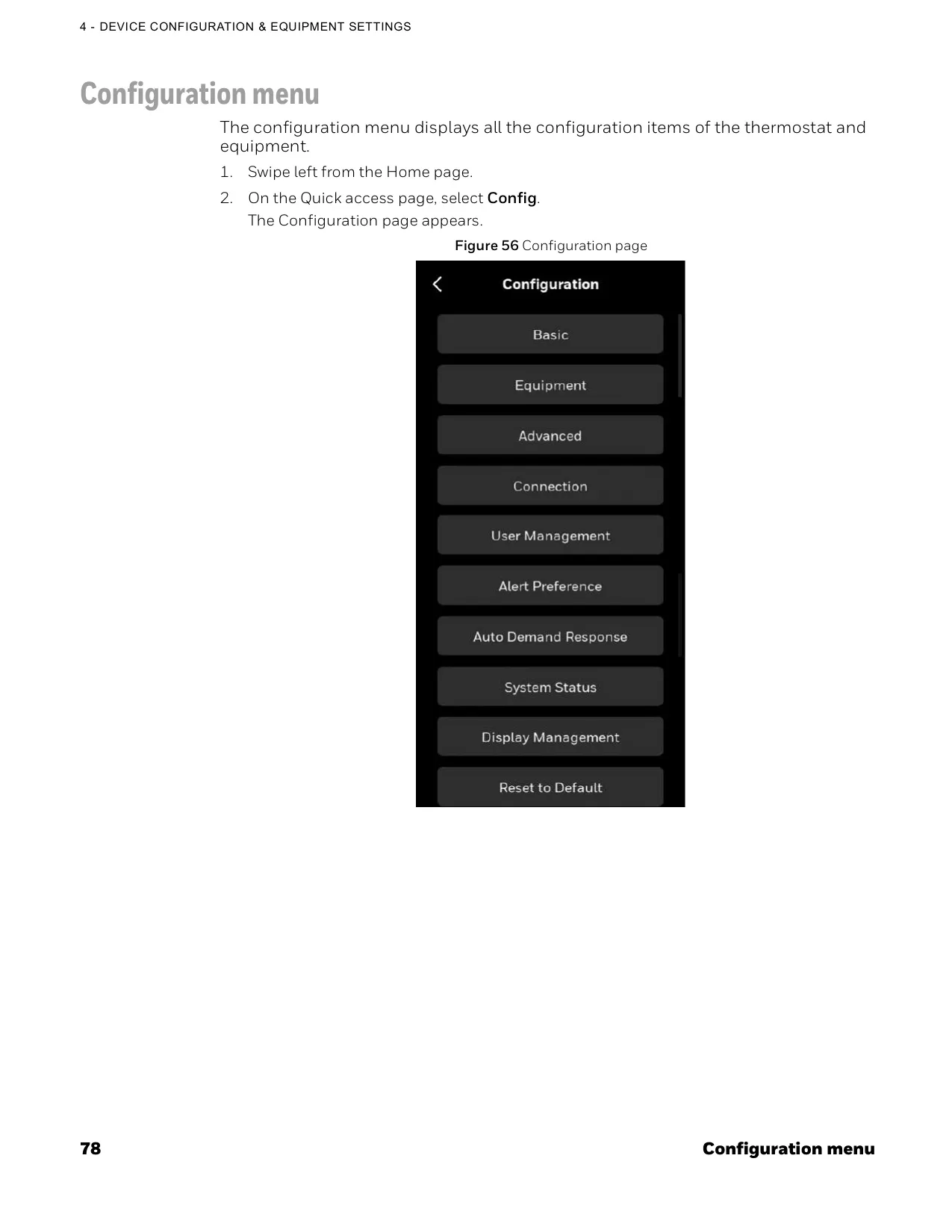
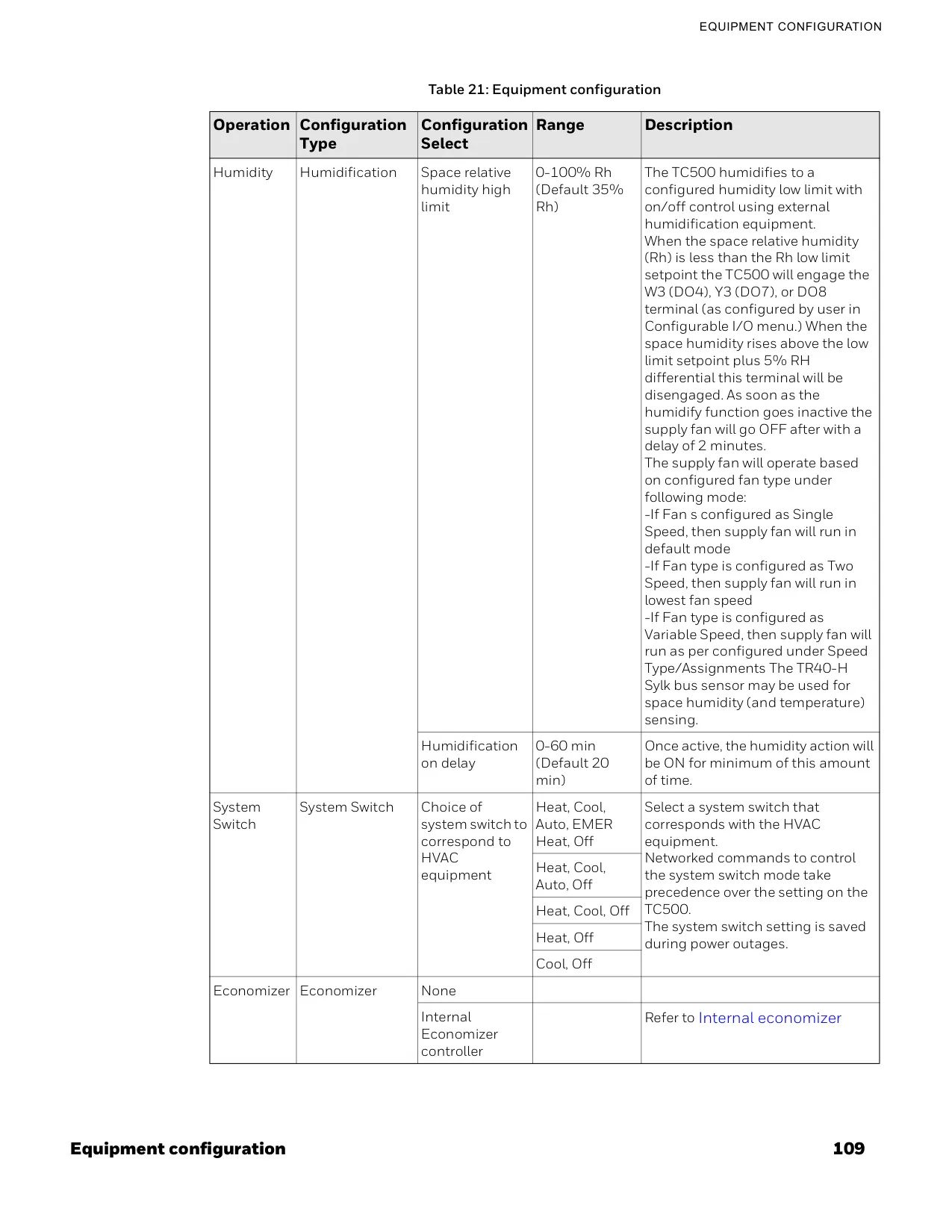
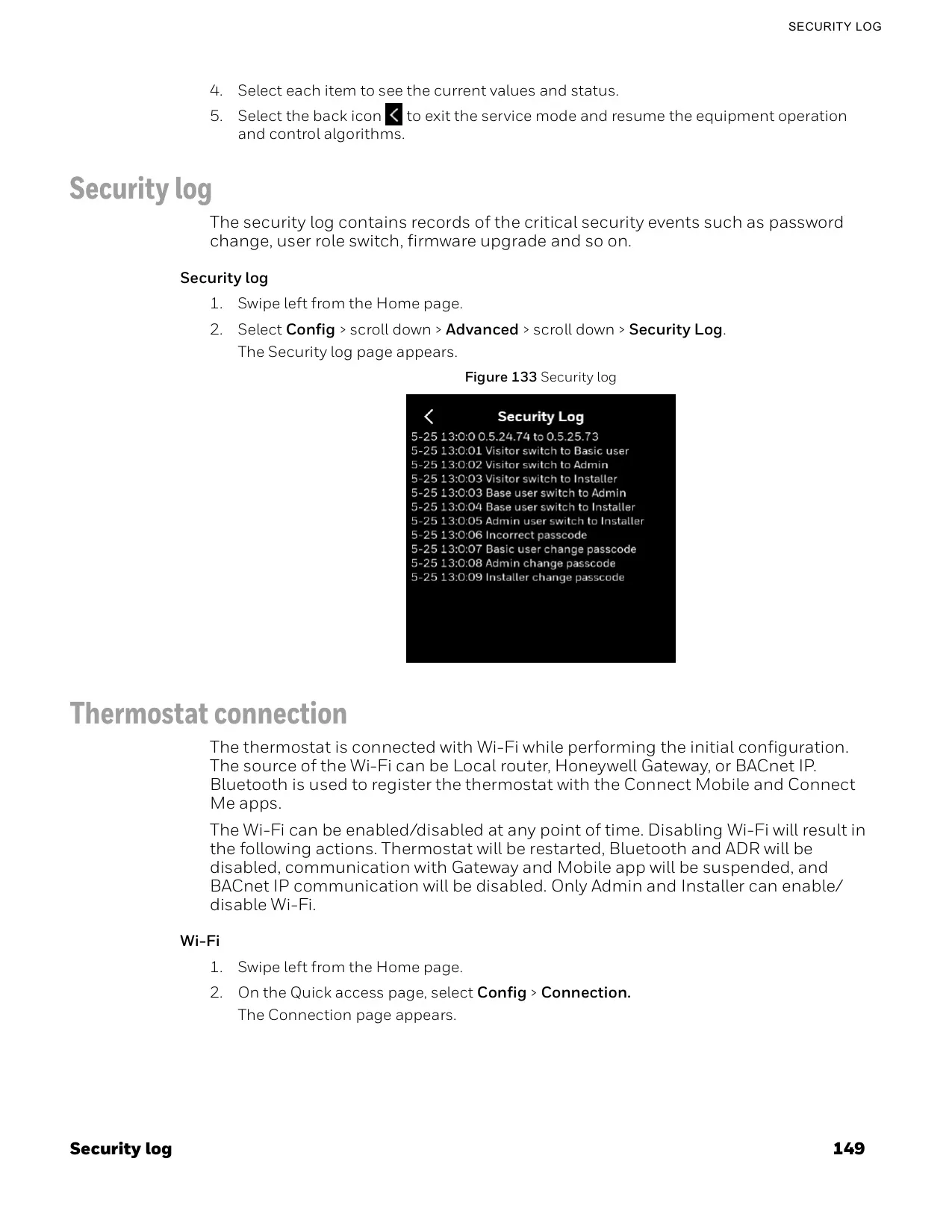
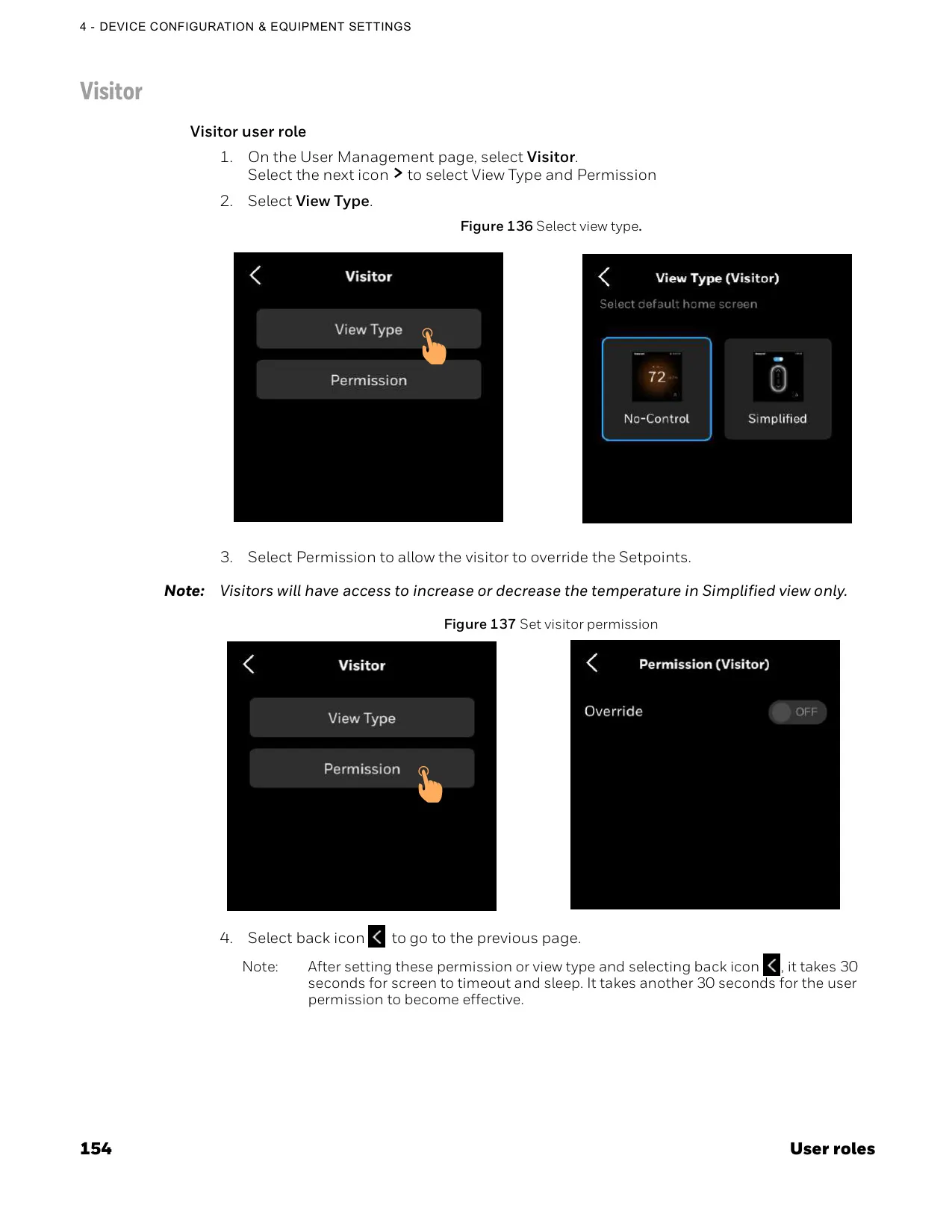
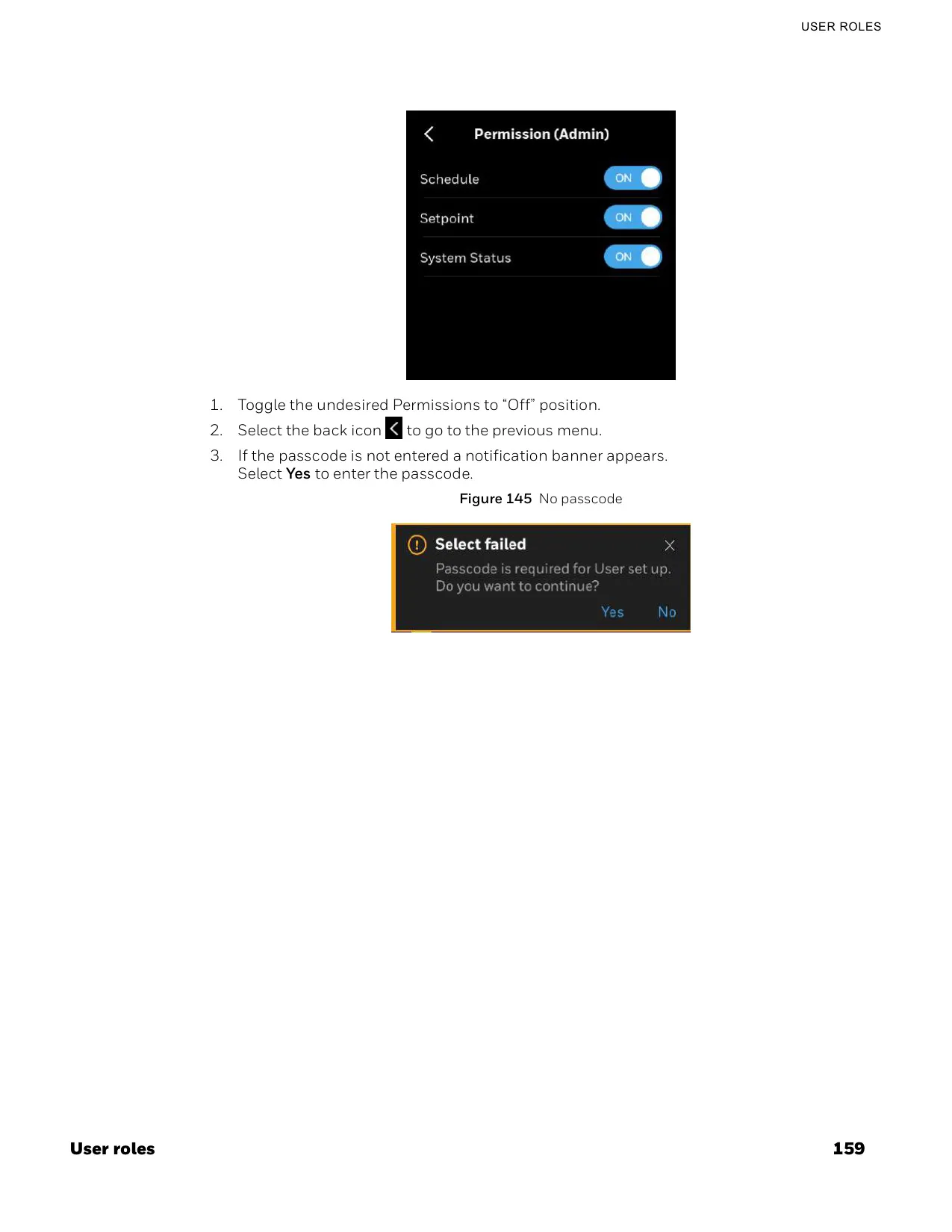
The TC500A-N features a user-friendly and highly customizable interface, allowing for personalized settings and intuitive navigation. It supports multiple, configurable levels of user privilege access, enabling administrators to control who can modify setpoints, schedules, special events, language, units, and screen lockouts. This security feature prevents unauthorized changes, maintaining system integrity and operational efficiency.
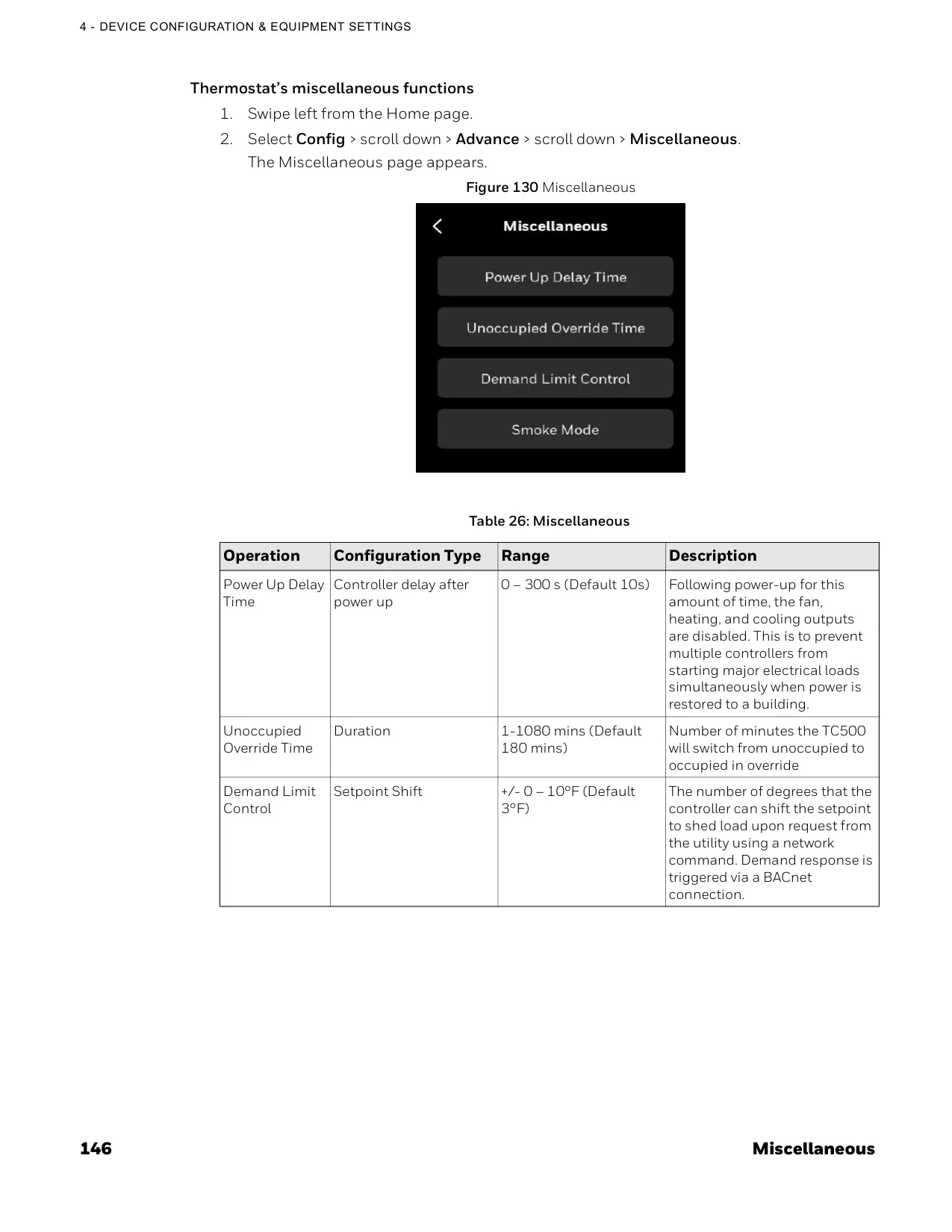
Beyond basic temperature control, the thermostat includes advanced commercial control algorithms such as changeover, scheduled purge, power-up delay, freeze protection, and demand limit controls. It also leverages reliable optimized recovery methods proven over decades of use in Honeywell commercial thermostat models, further enhancing energy savings and system performance. The device's real-time clock ensures accurate timekeeping, even retaining settings for up to 72 hours during a power loss.
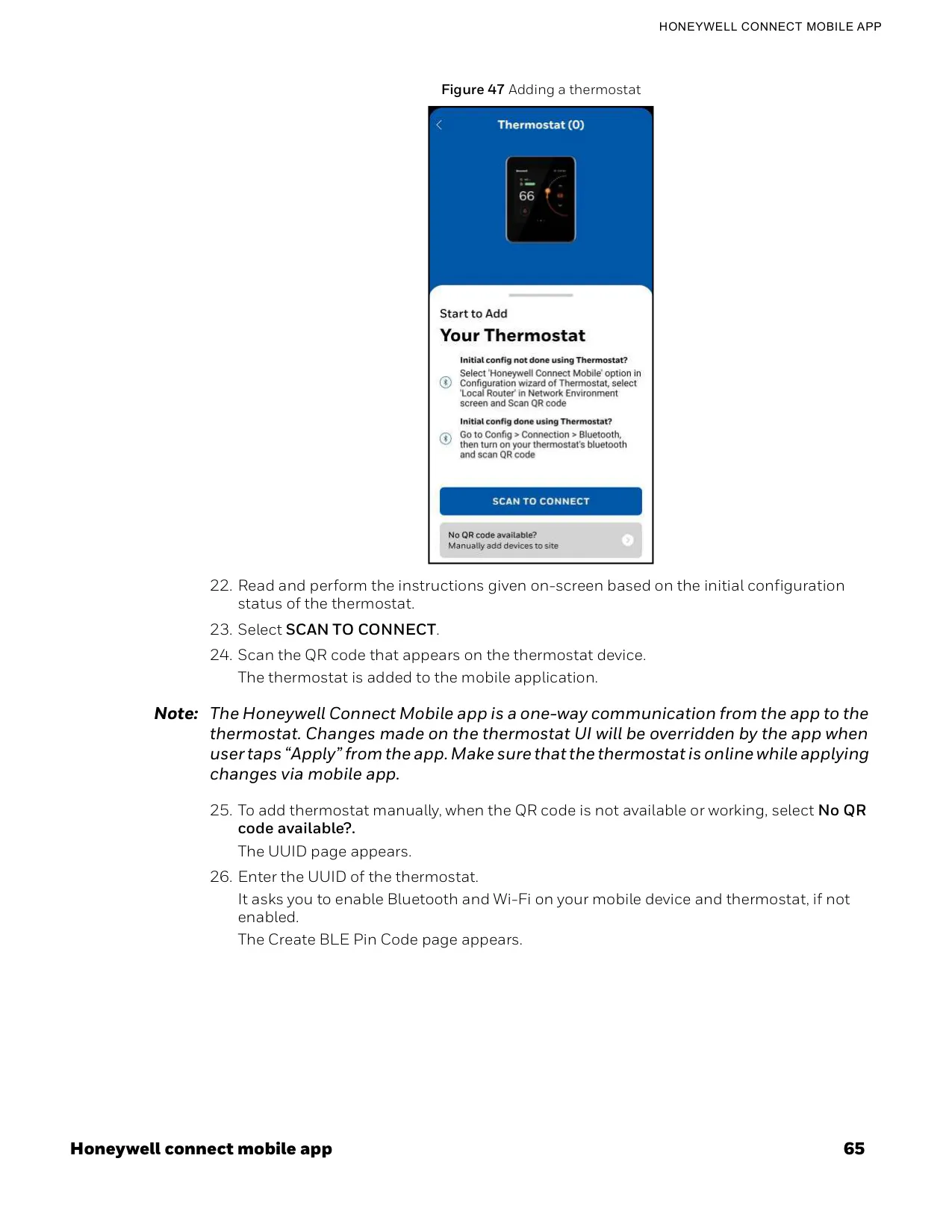
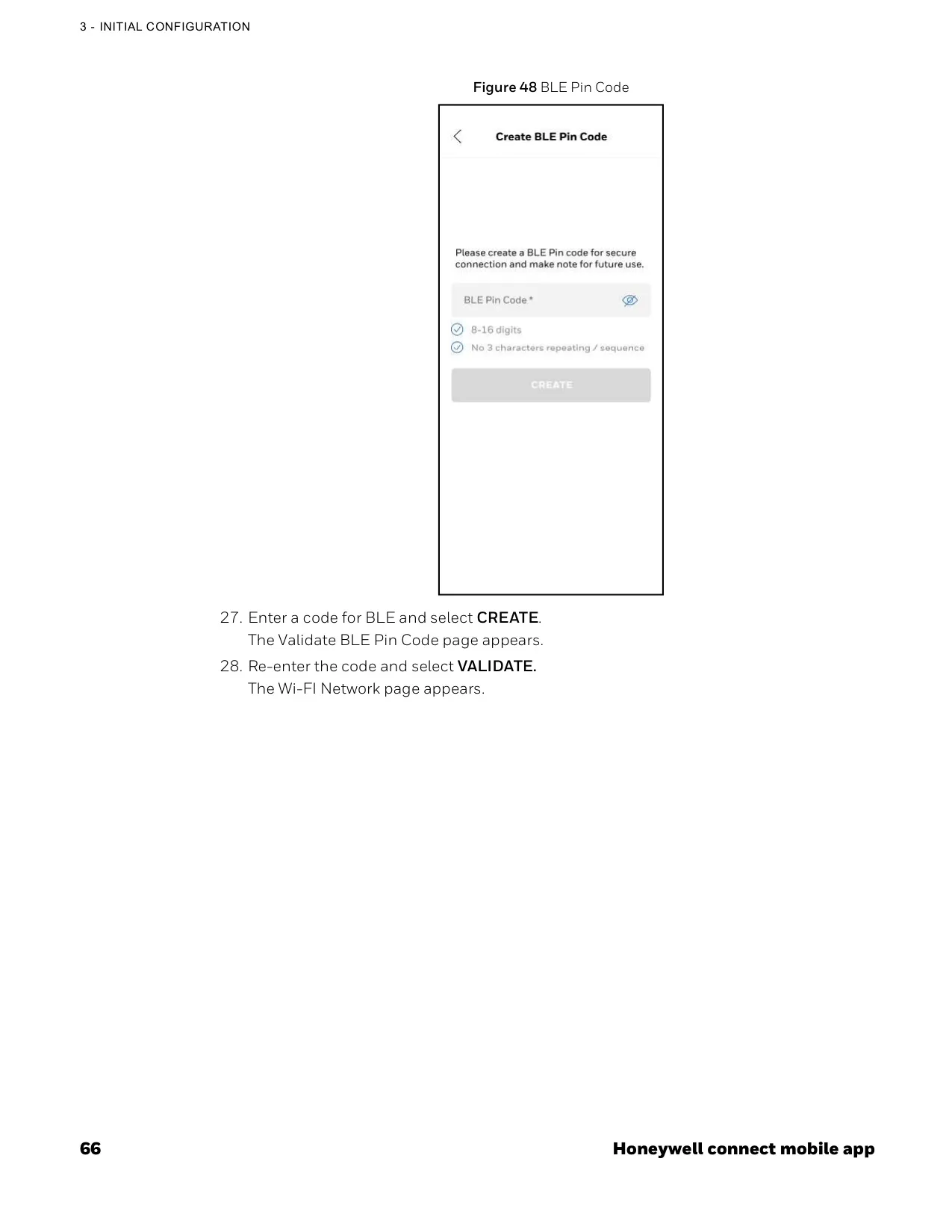
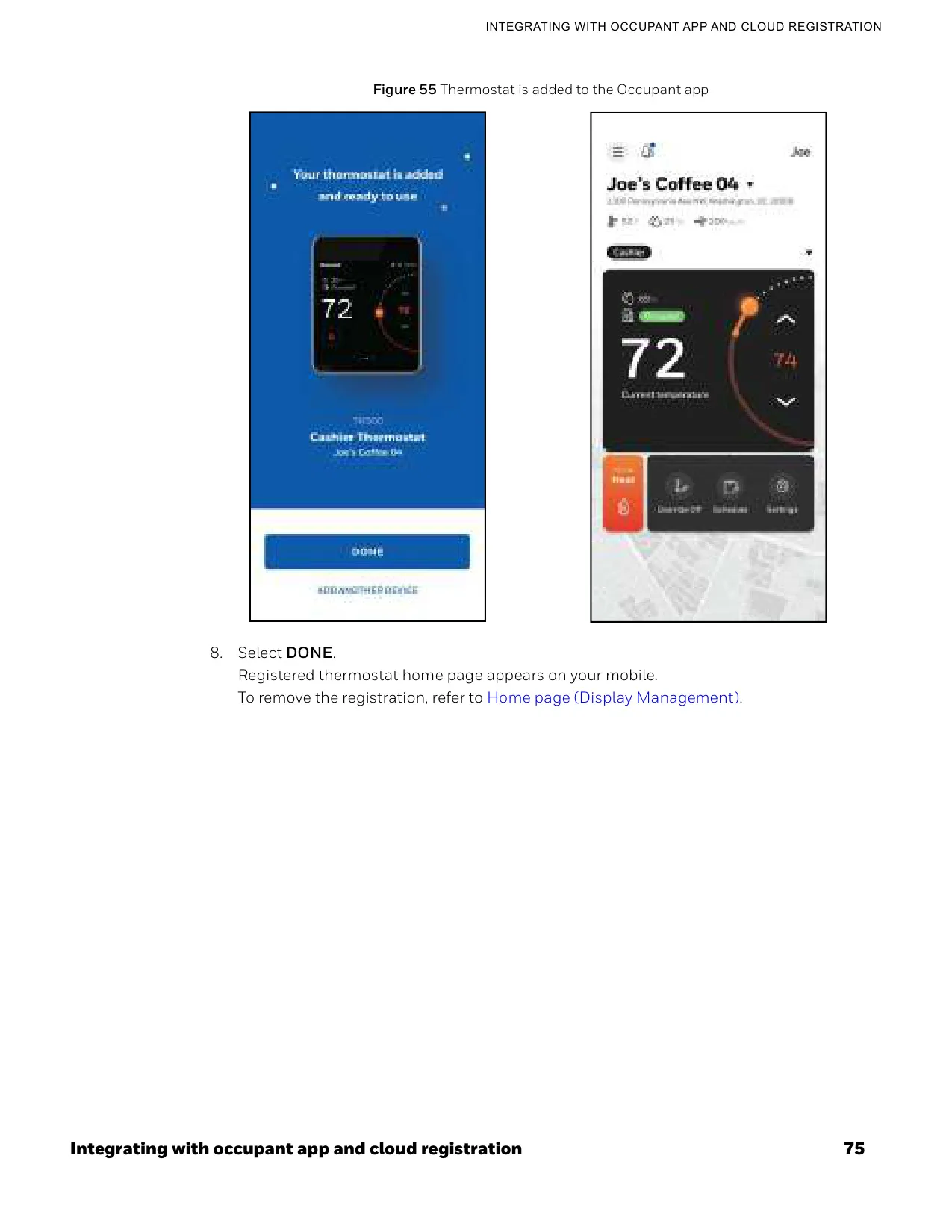
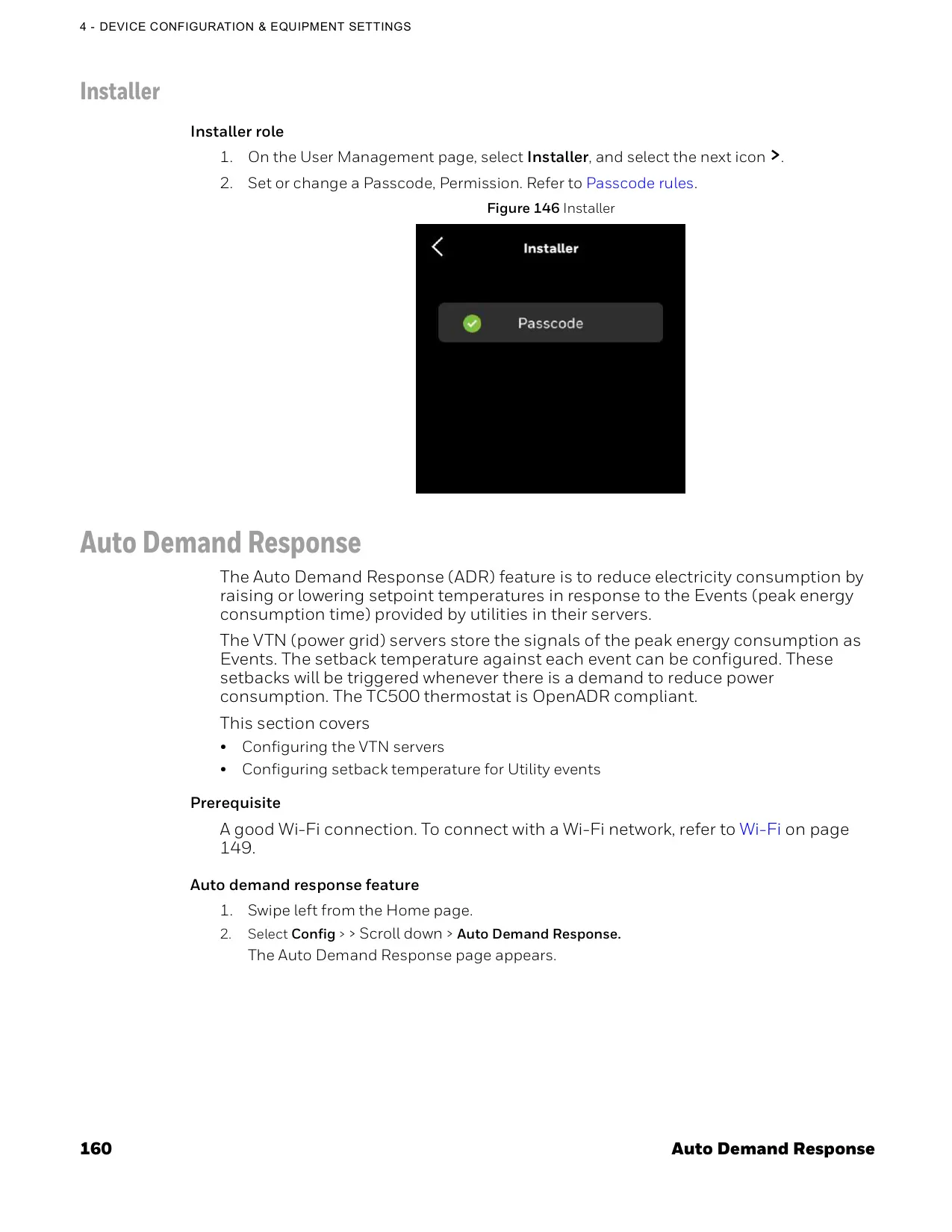
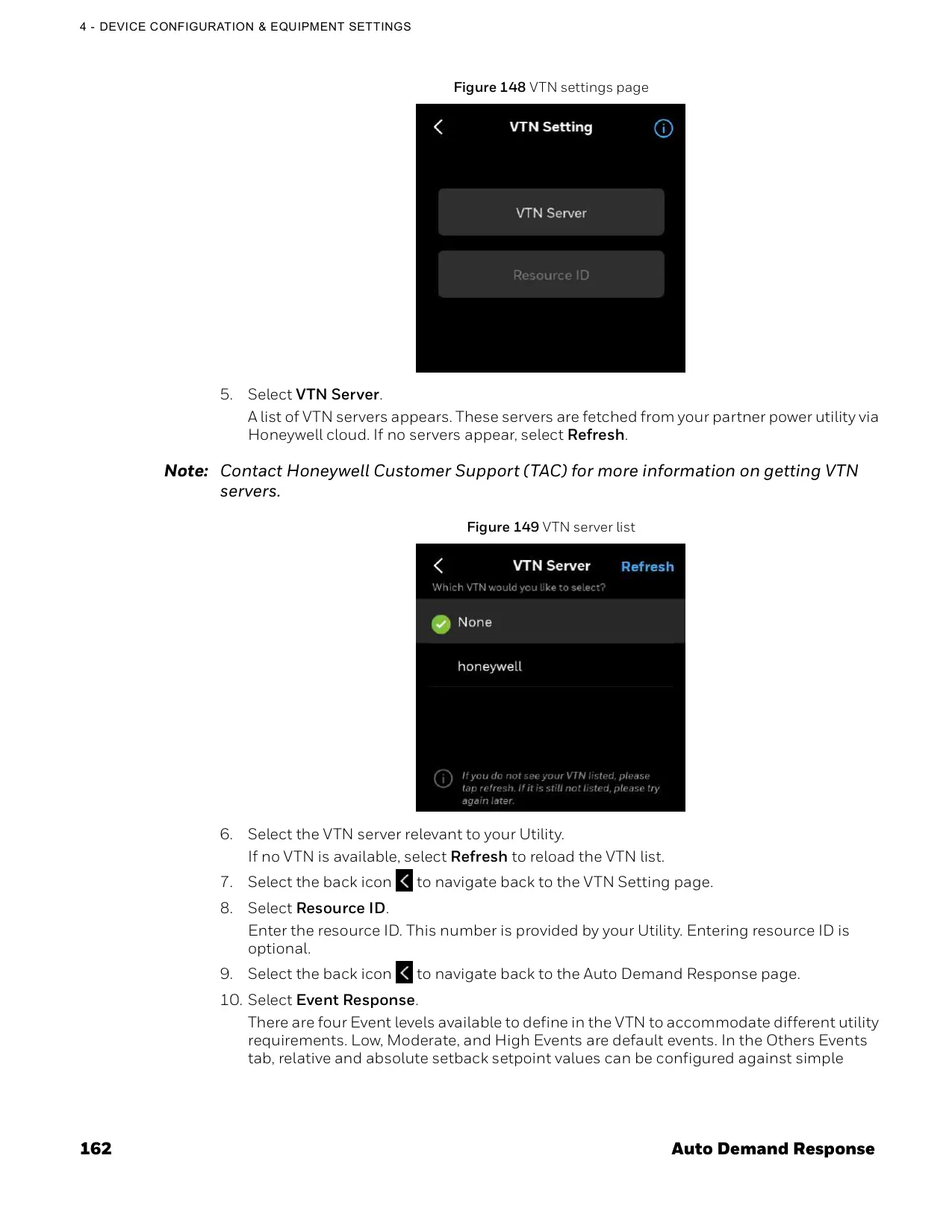
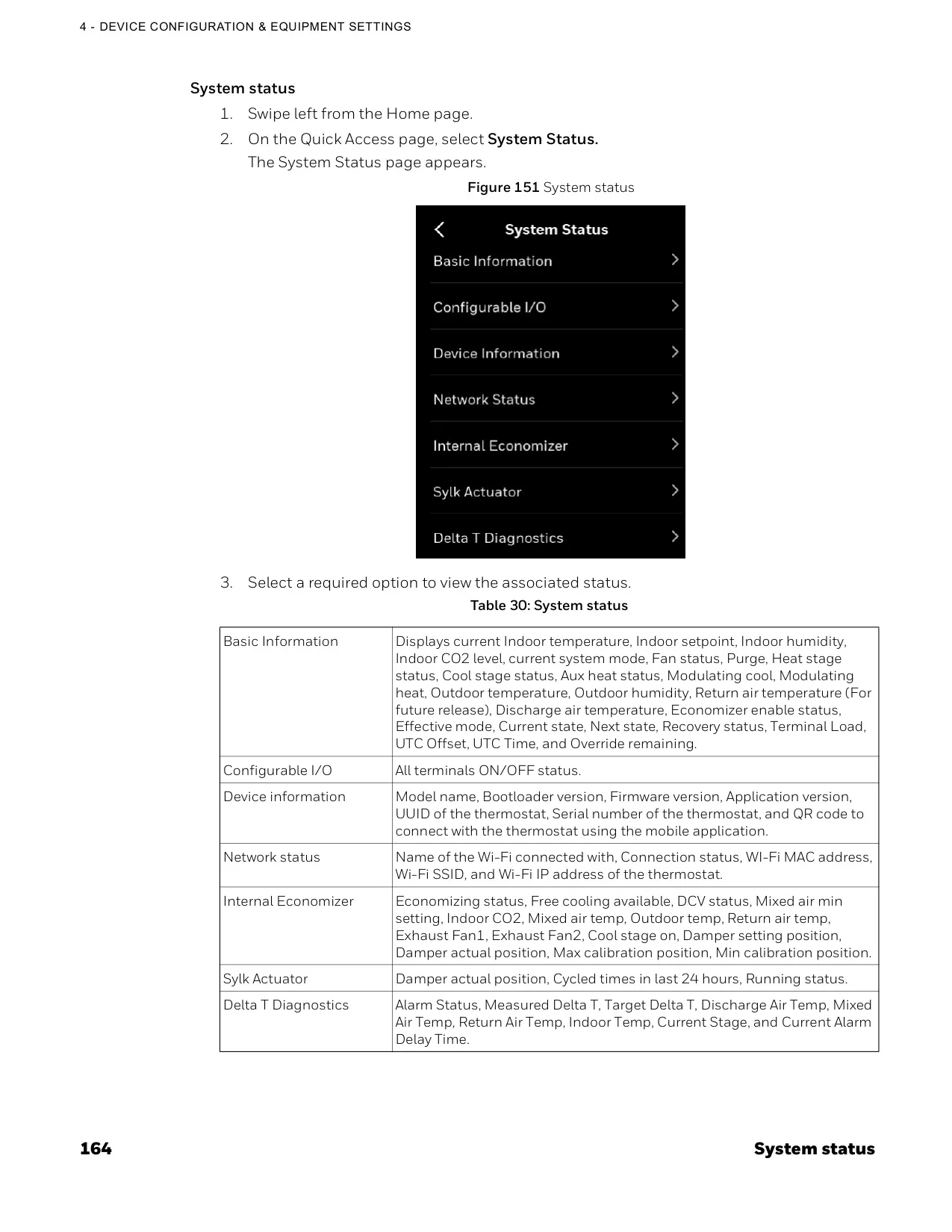
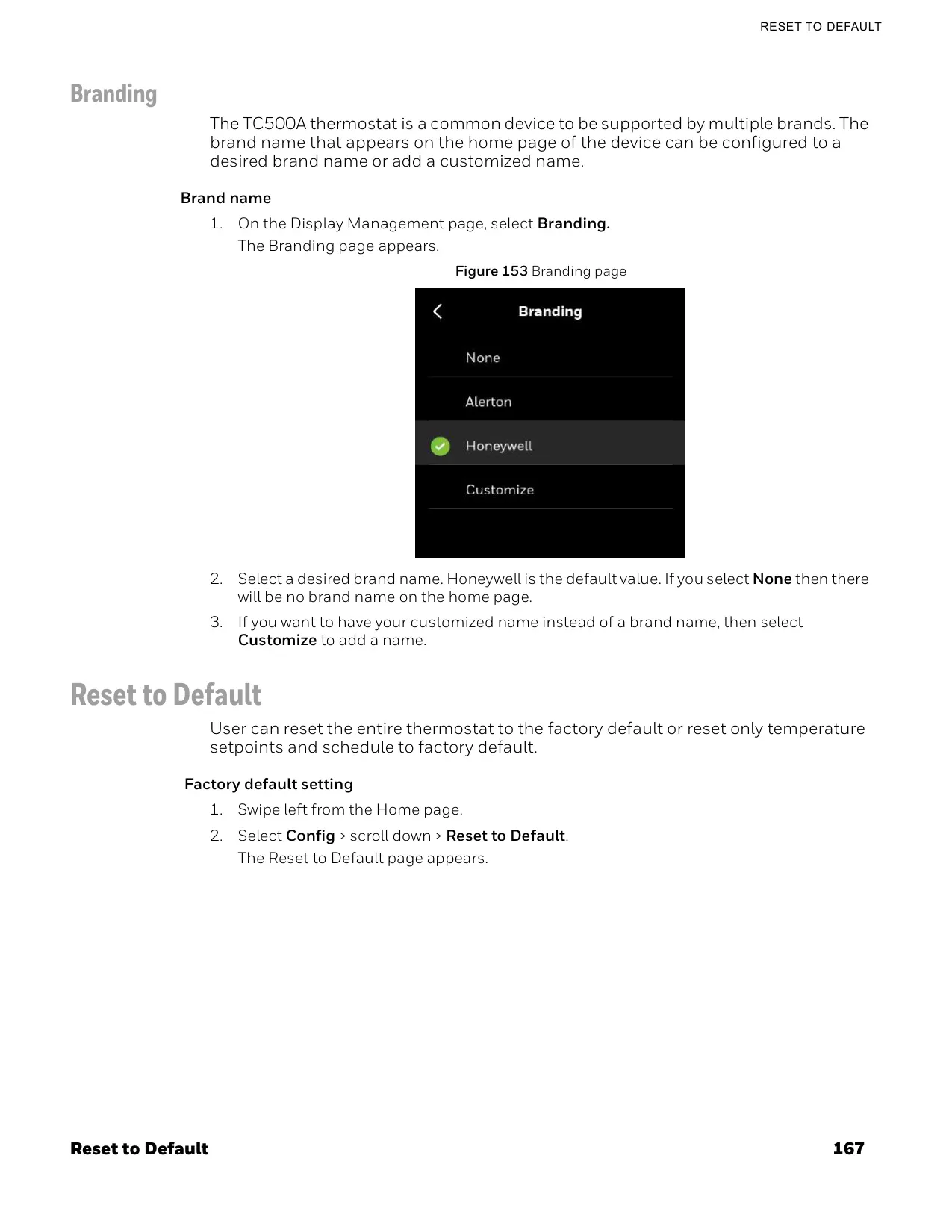
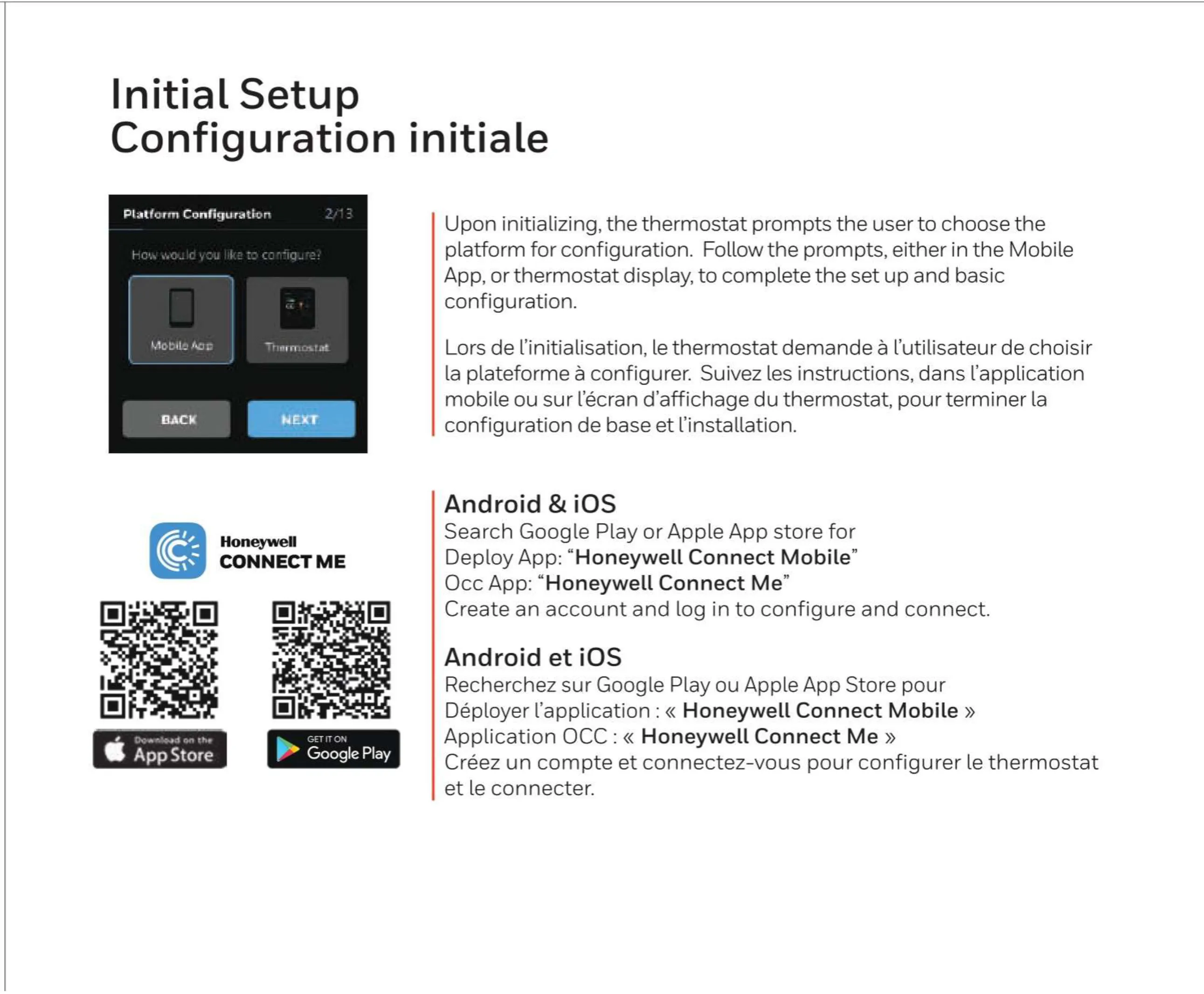
For remote management, users can connect to the thermostat via Wi-Fi using the Honeywell Connect Me app. This mobile application provides authorized users with remote access to monitor sites, manage schedules, adjust settings, and override controls from virtually anywhere. It also facilitates device configuration and user management, offering comprehensive control from a mobile device.
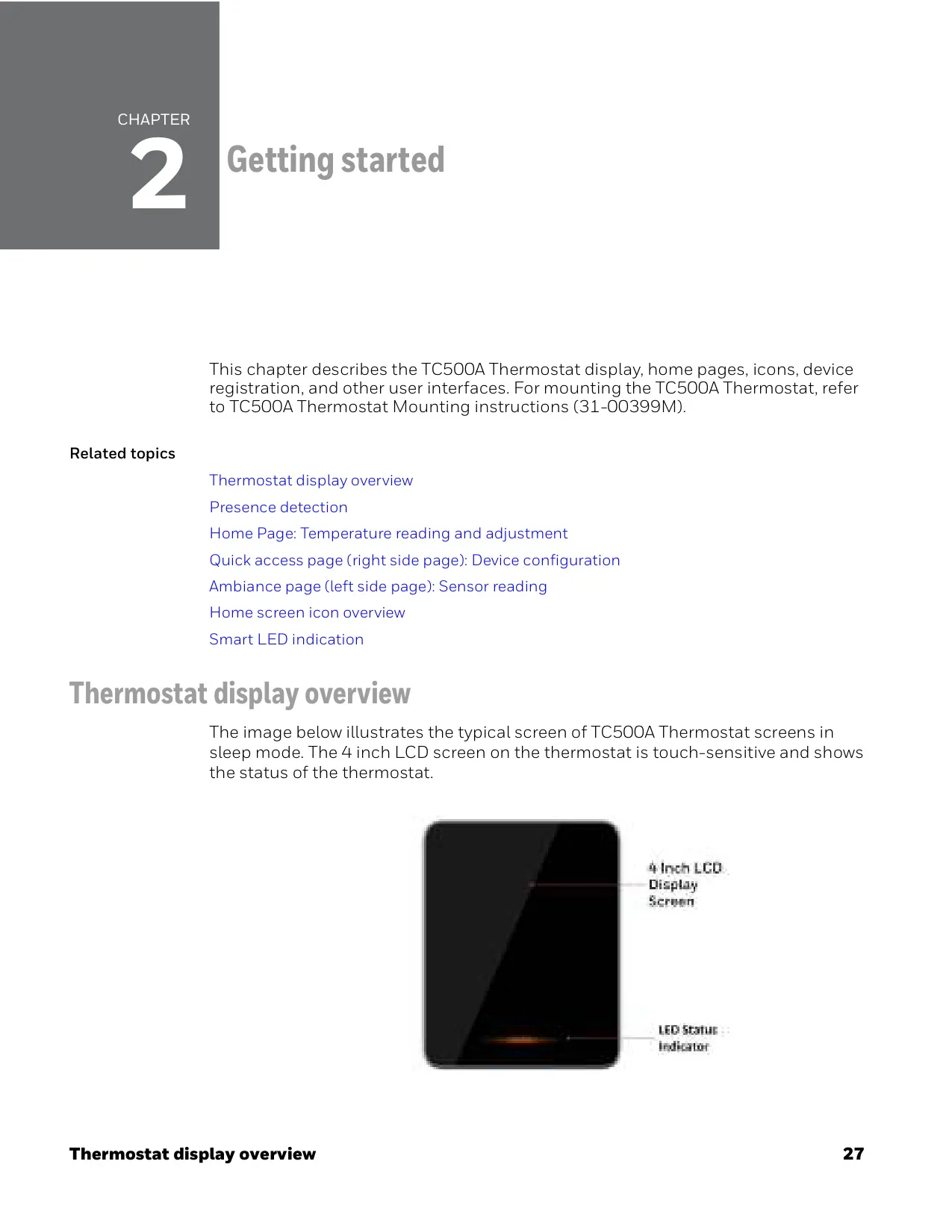
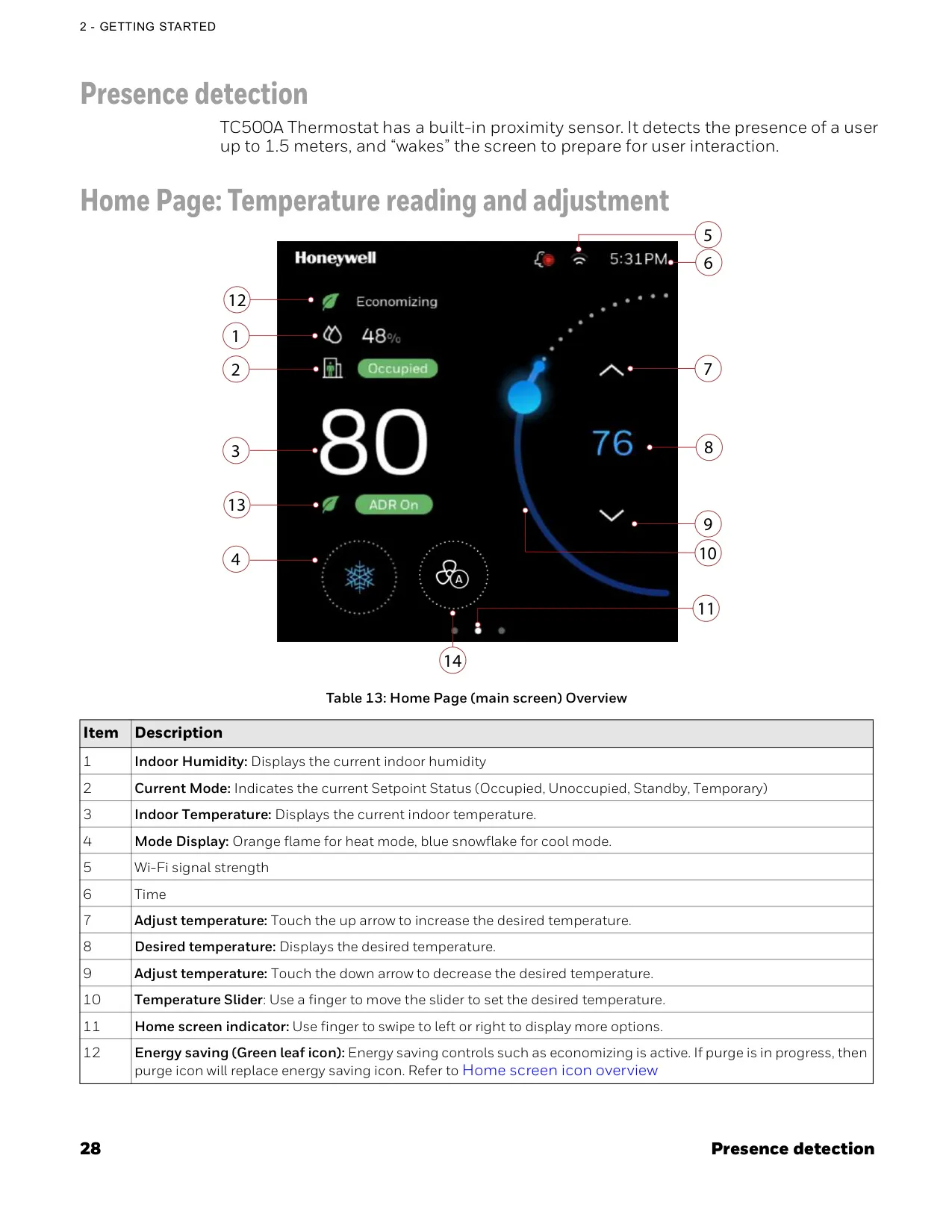
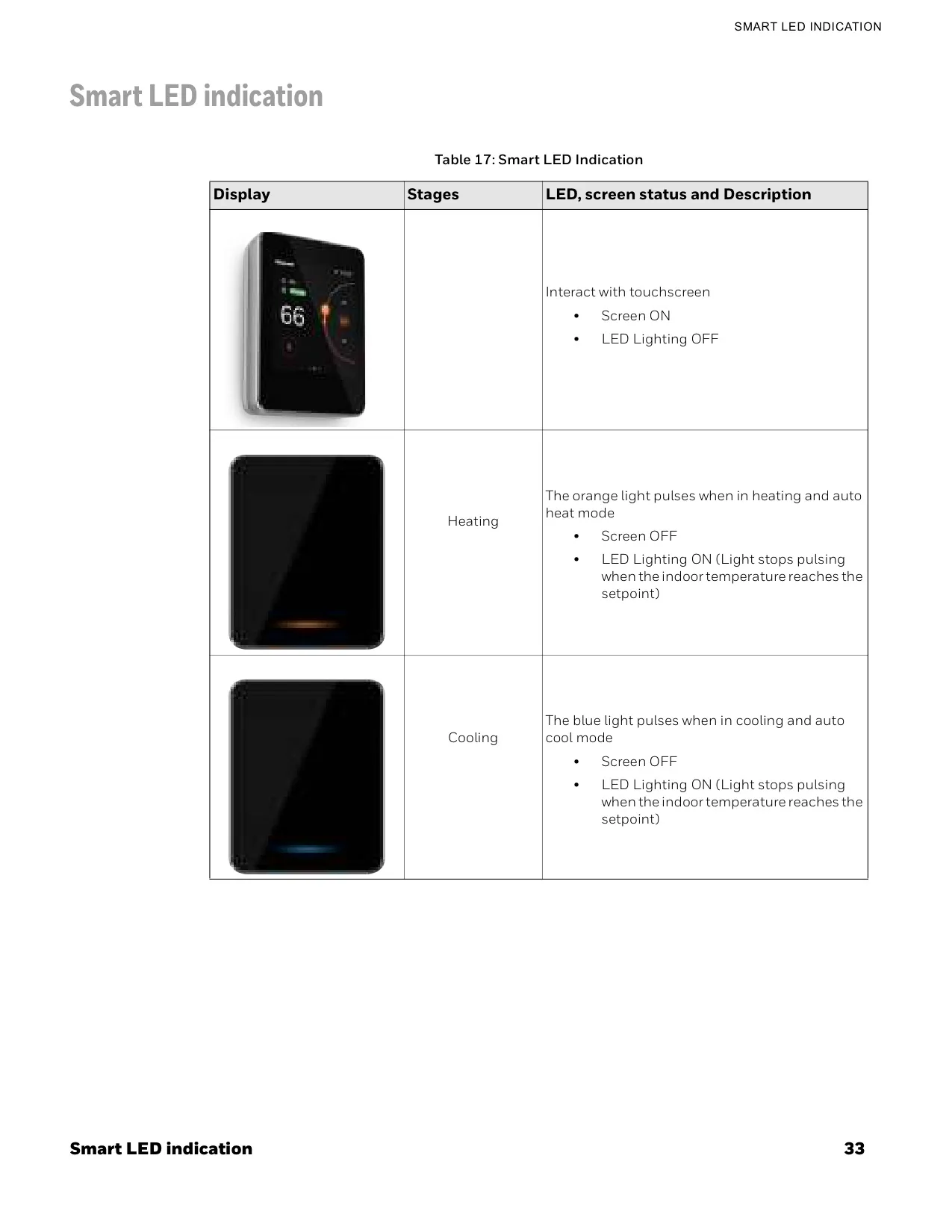
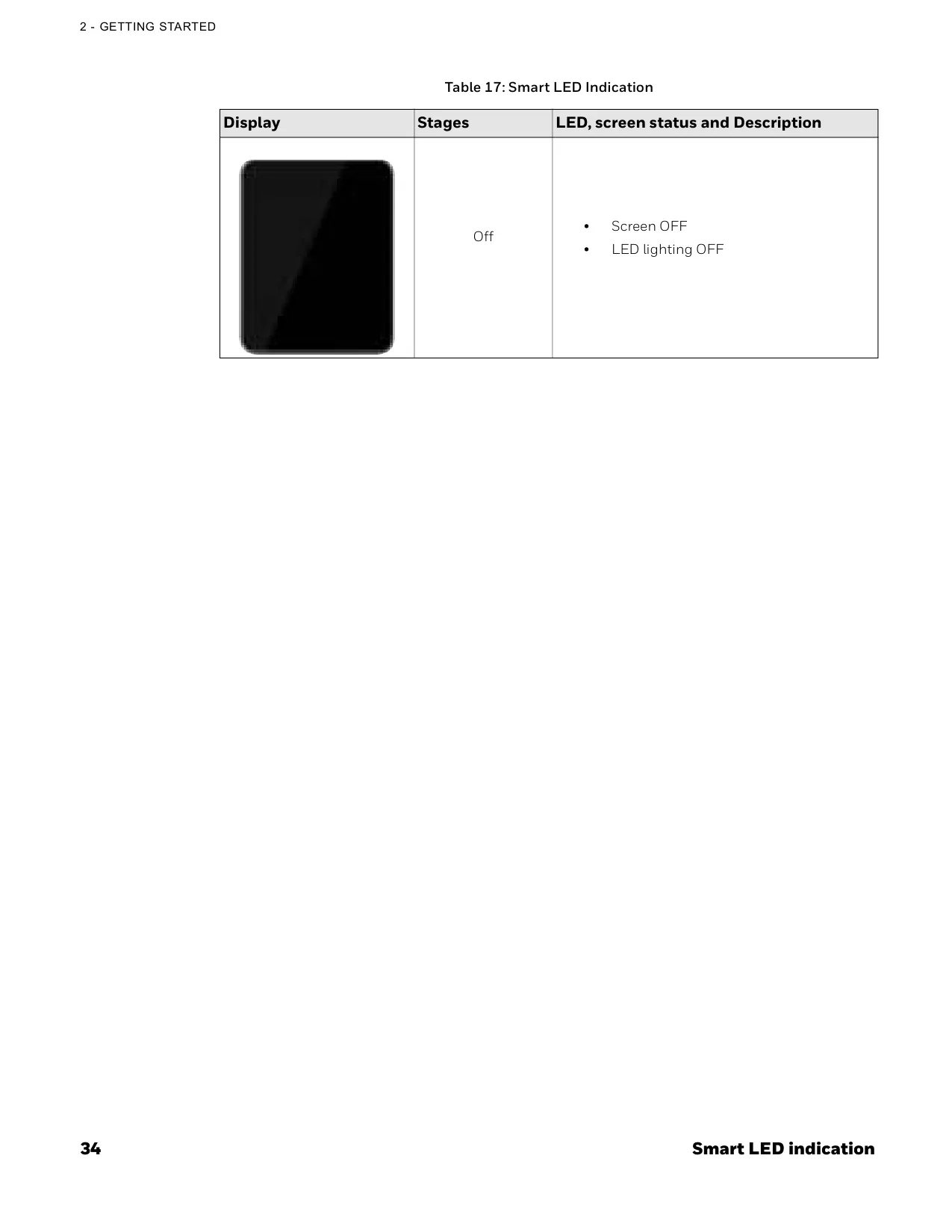
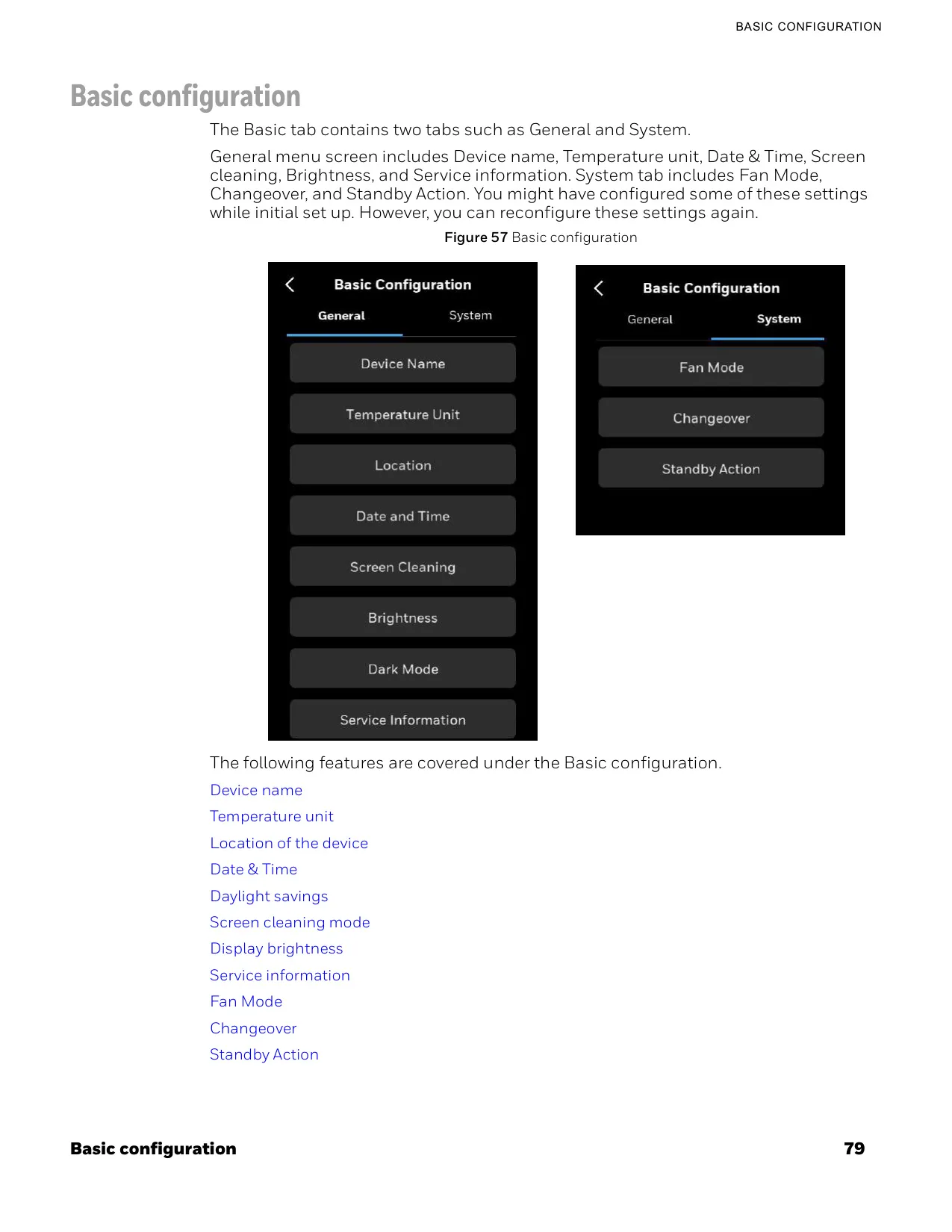
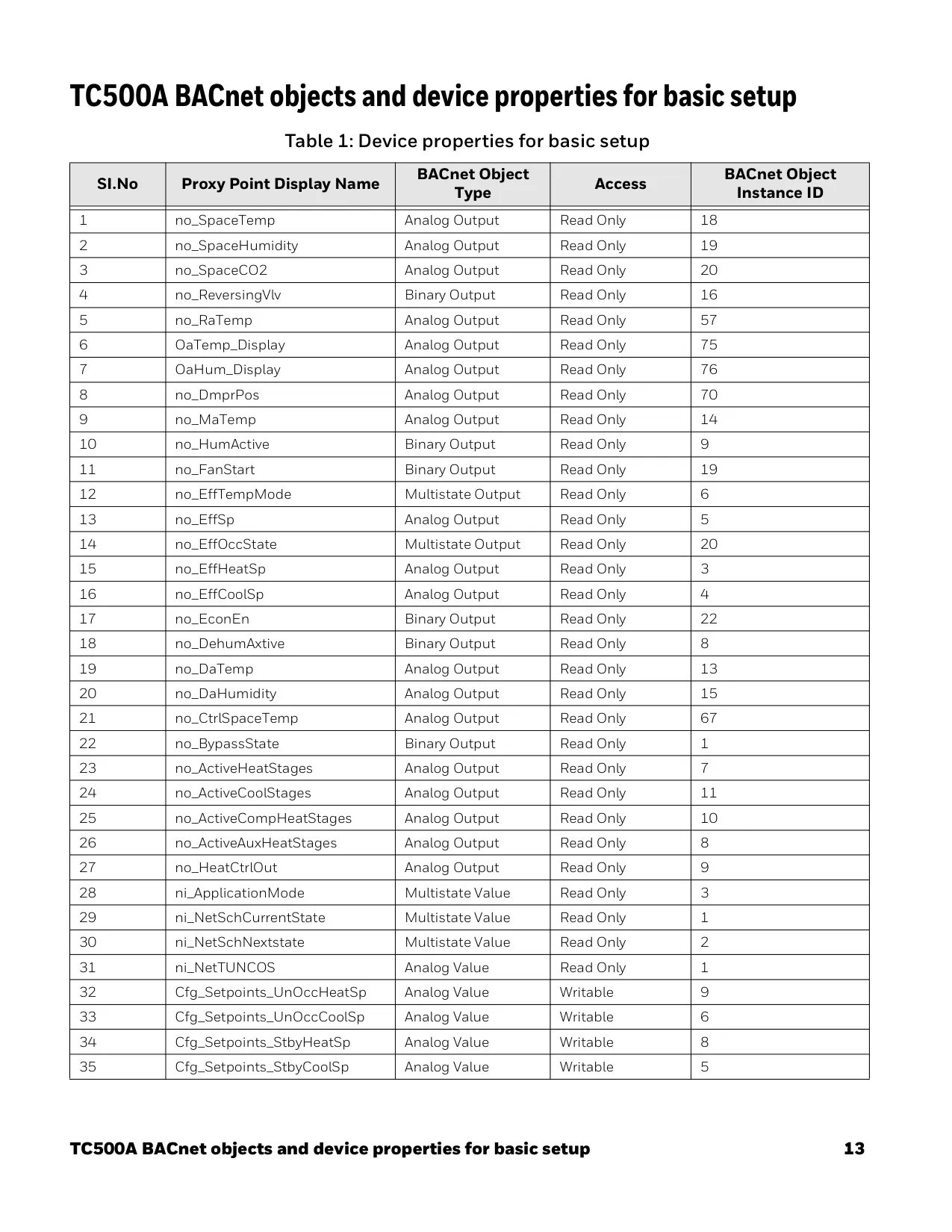
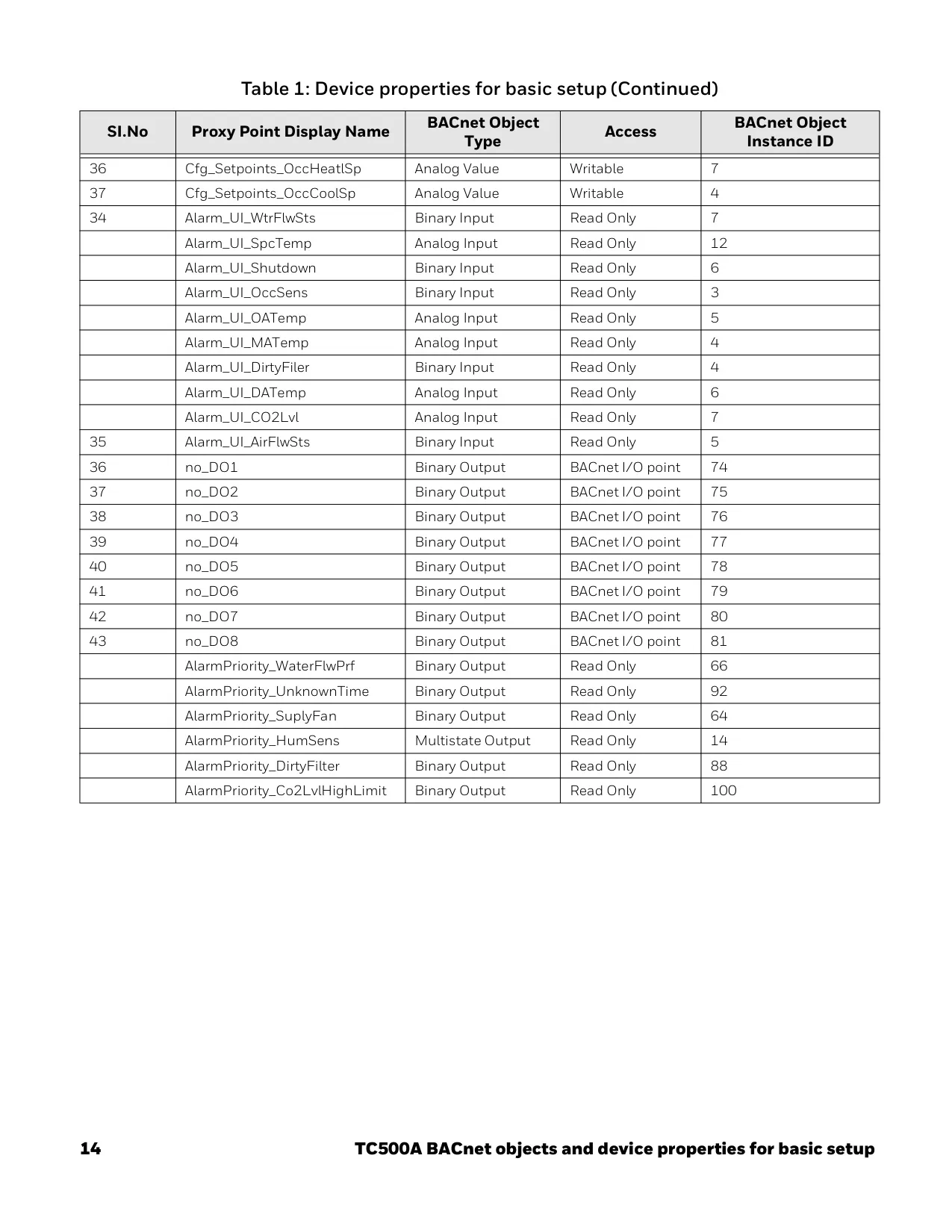
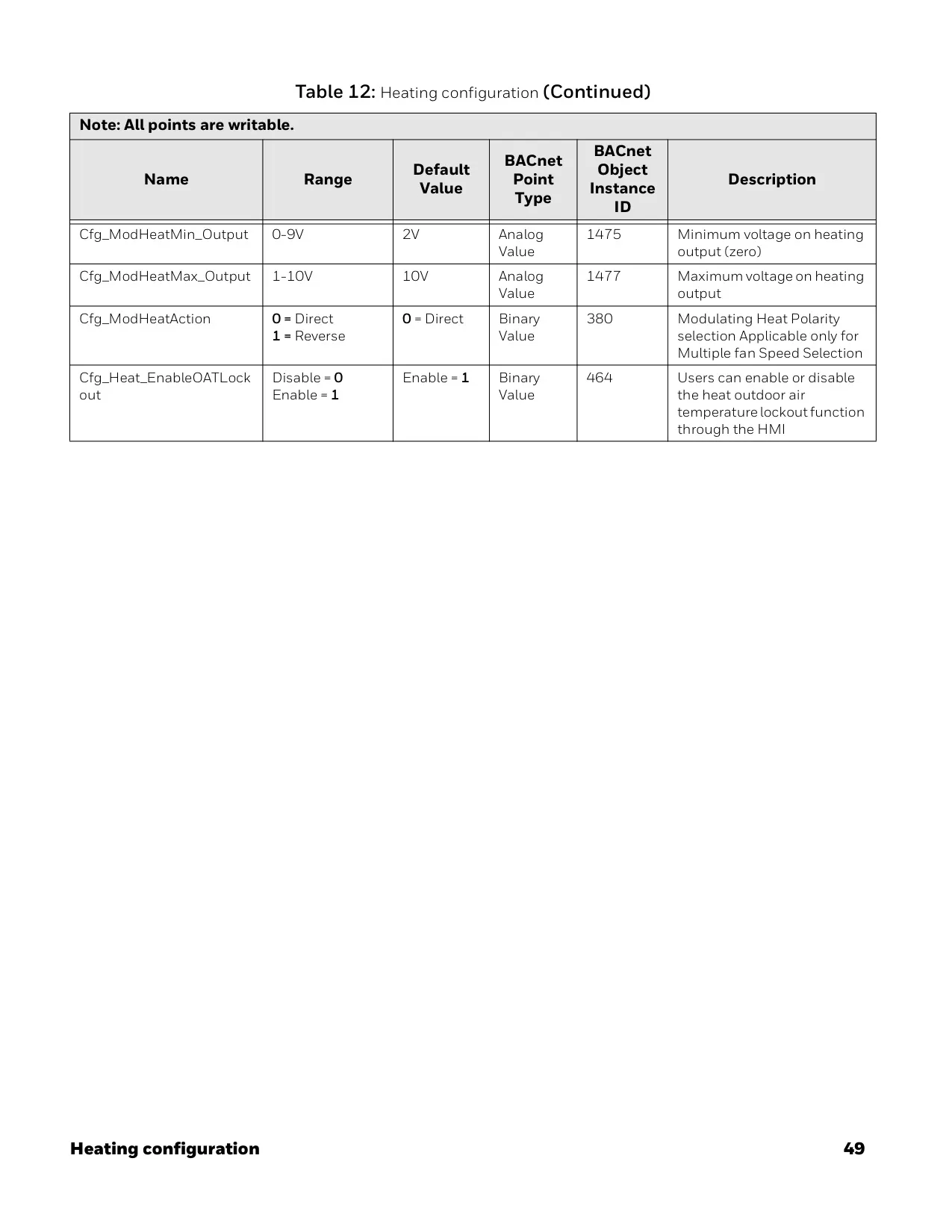
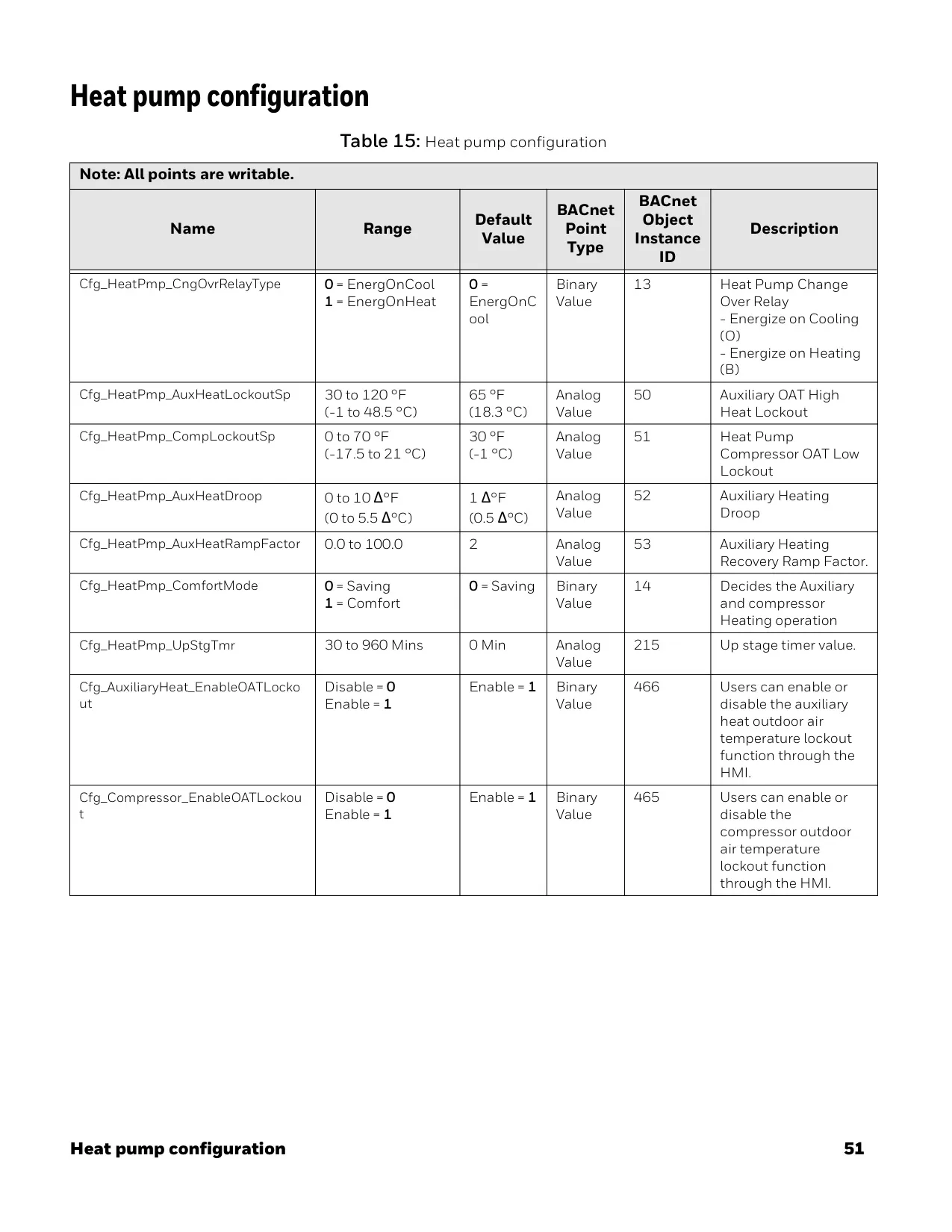
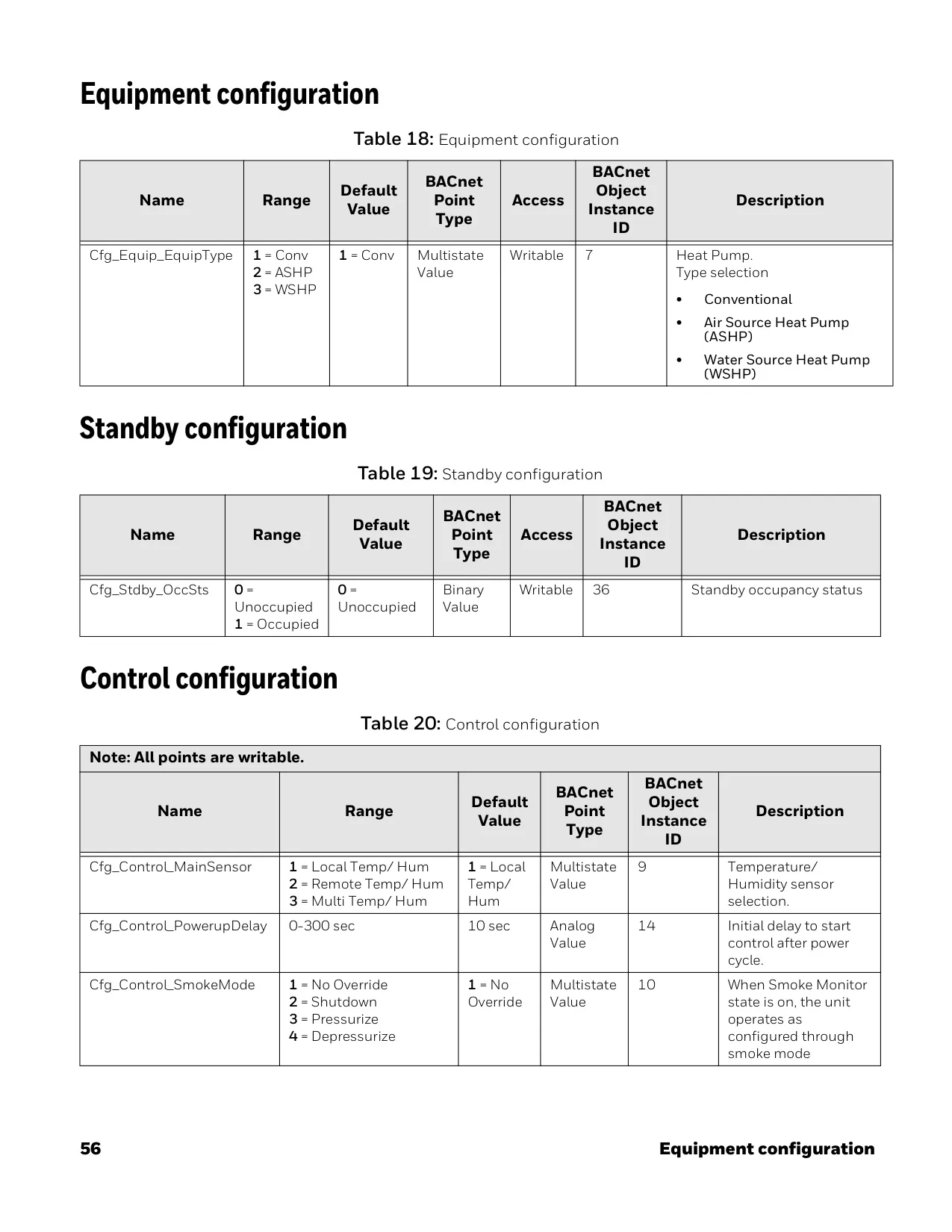
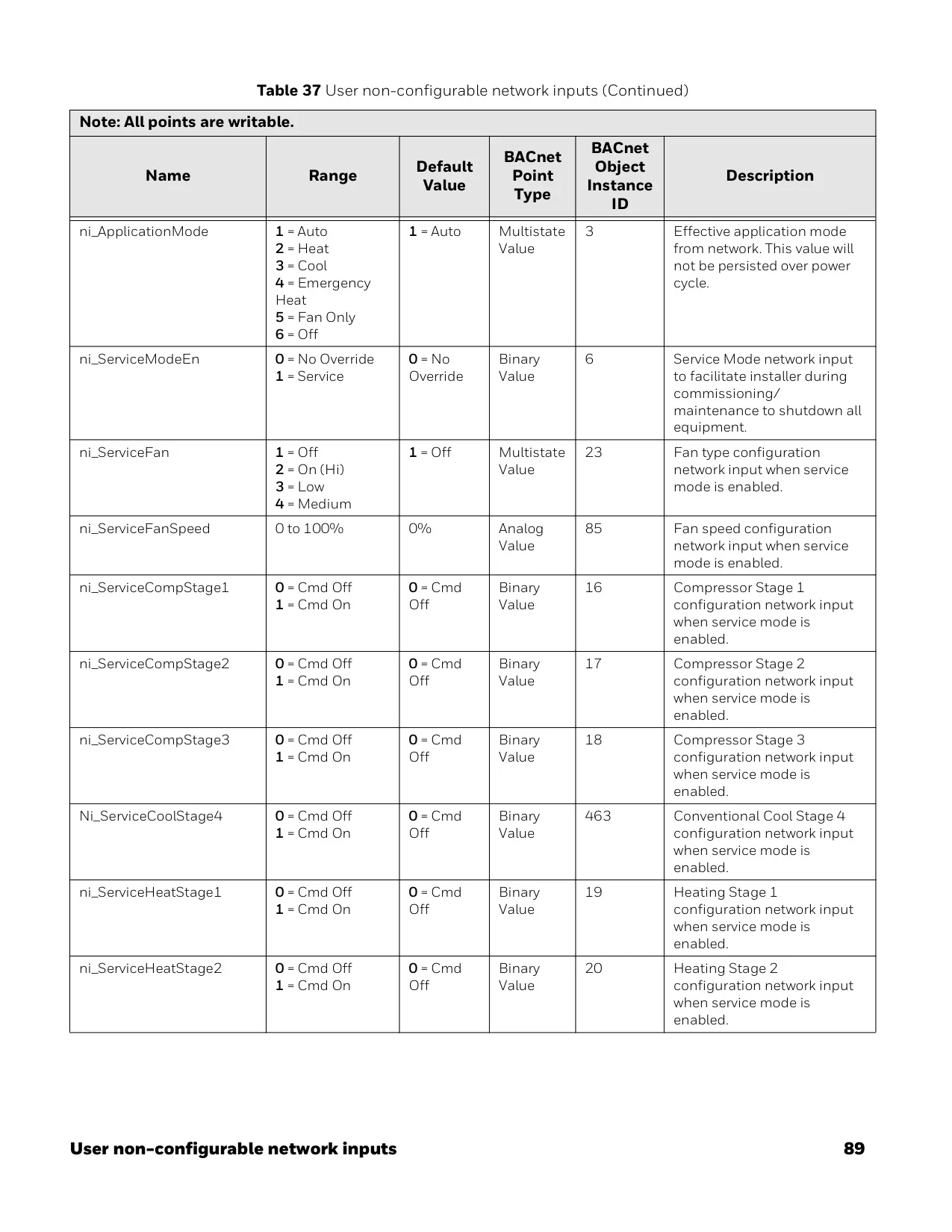
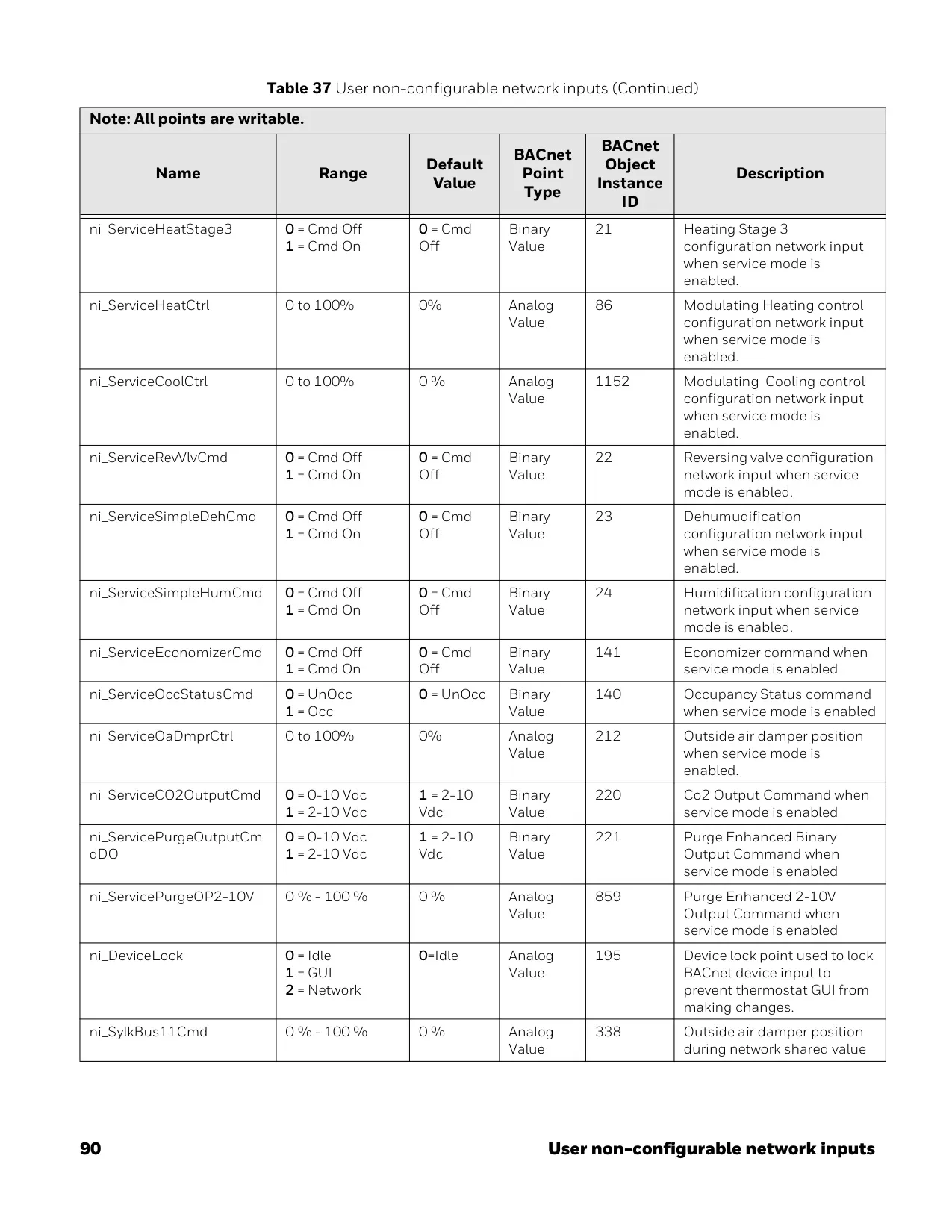
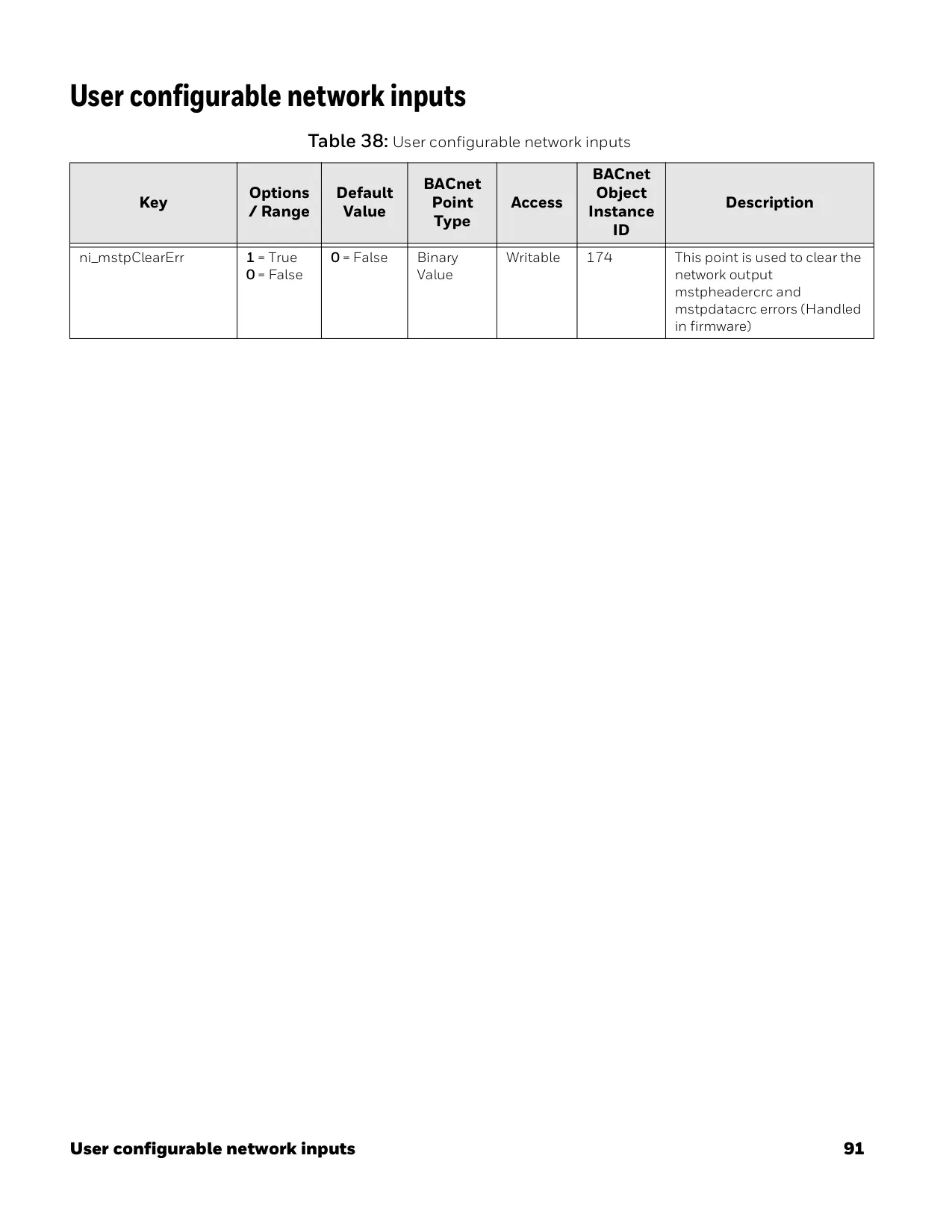
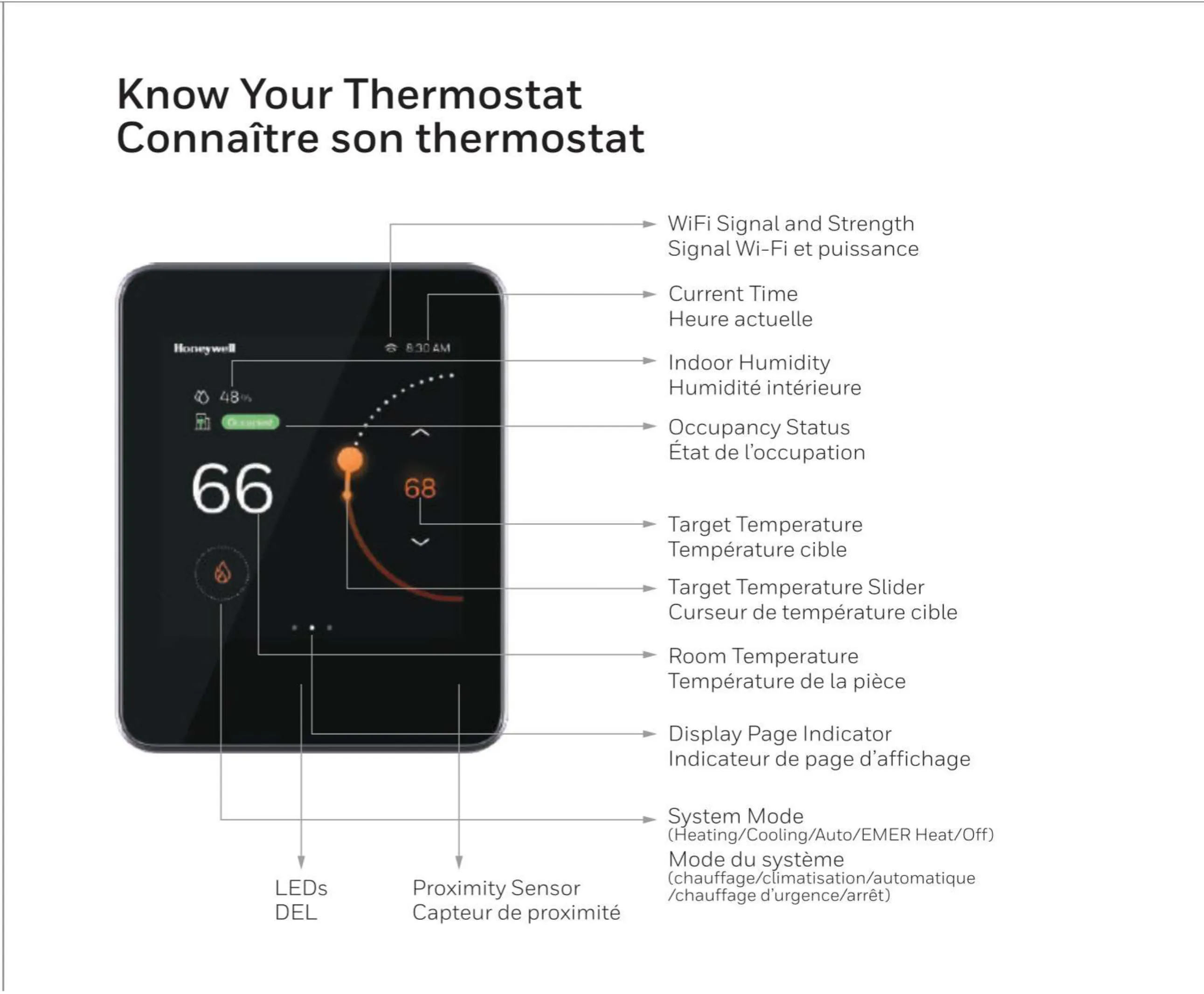
The thermostat also includes an LED indicator that shows its operational status, particularly useful when the display enters sleep mode due to inactivity. Configuration can be performed directly through the Human-Machine Interface (HMI), the Honeywell Connect Mobile app, or via BACnet, offering multiple avenues for setup and adjustment. BACnet settings can be further fine-tuned using the Honeywell TC500A BACnet Wizard tool.
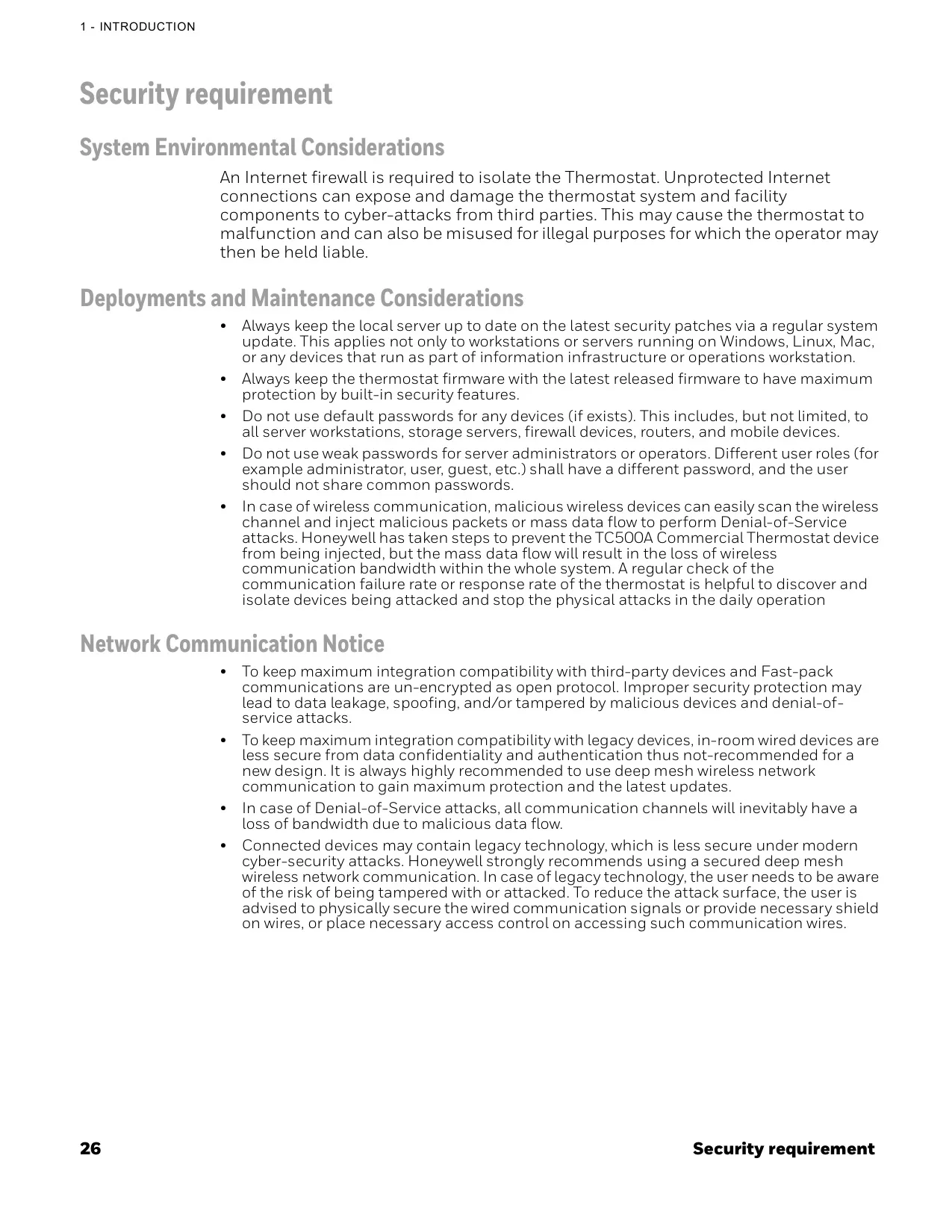
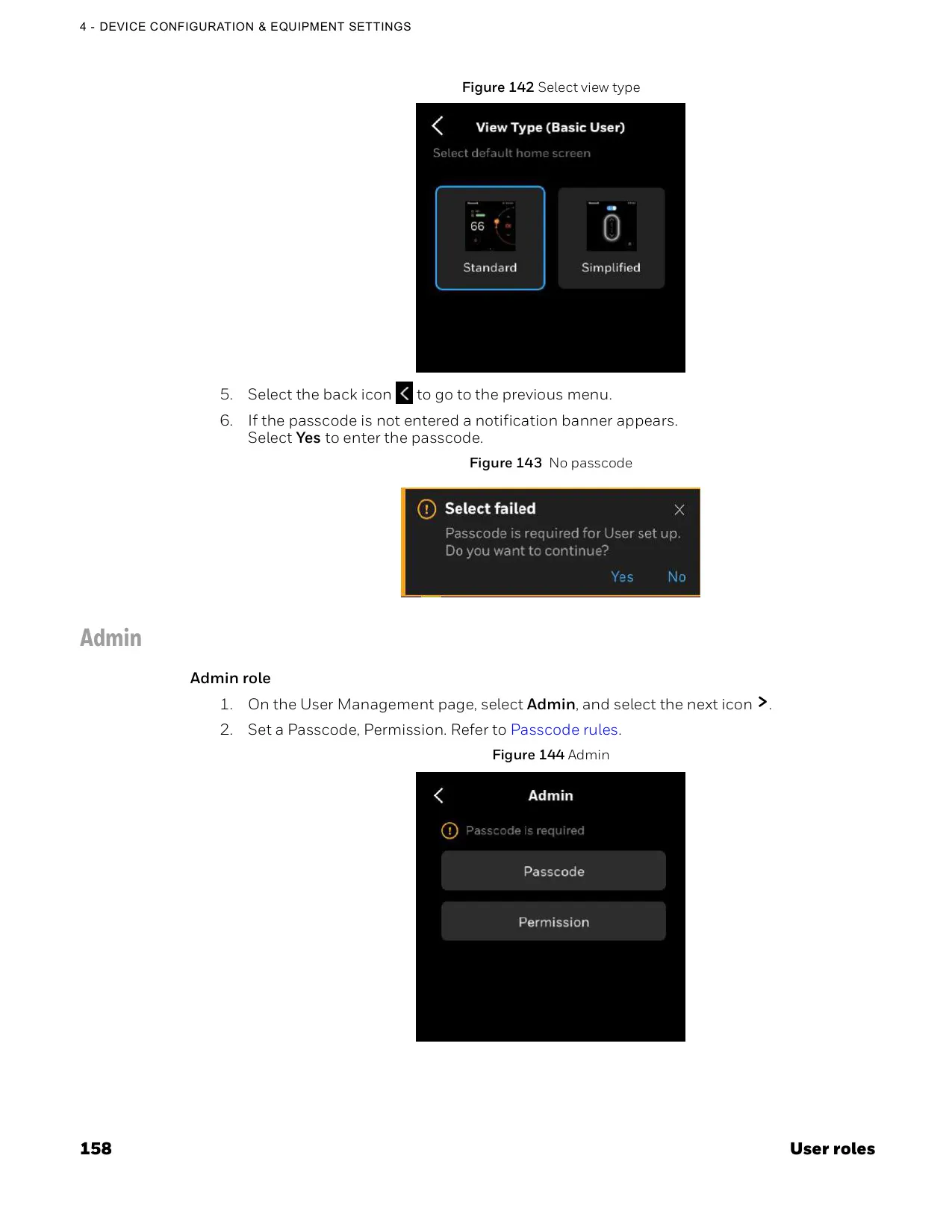
Security is a paramount concern, and the manual emphasizes the need for an Internet firewall to isolate the thermostat from cyber threats. It also recommends keeping local servers and thermostat firmware up-to-date with the latest security patches. Furthermore, the use of strong, unique passwords for different user roles is advised, discouraging the use of default credentials to enhance system protection.
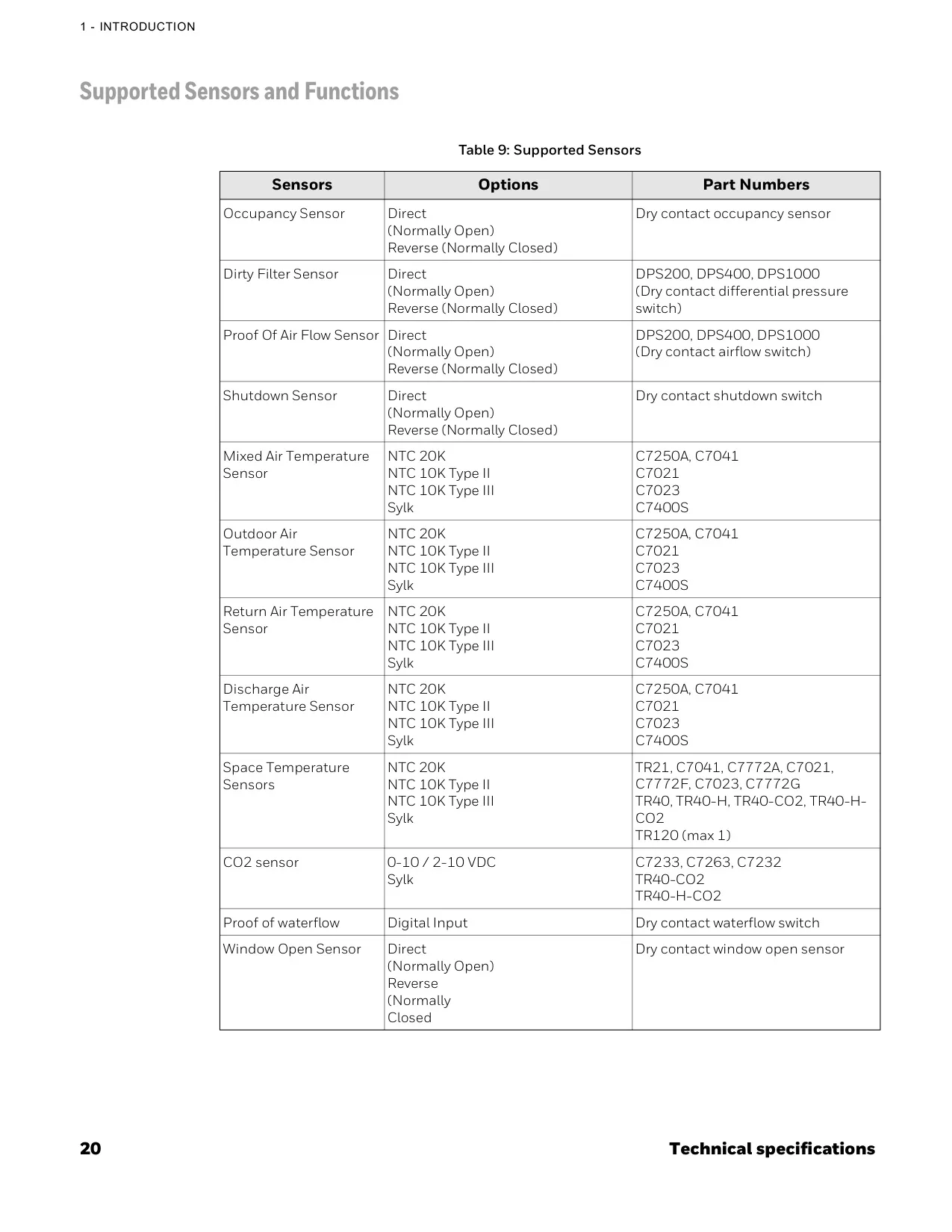
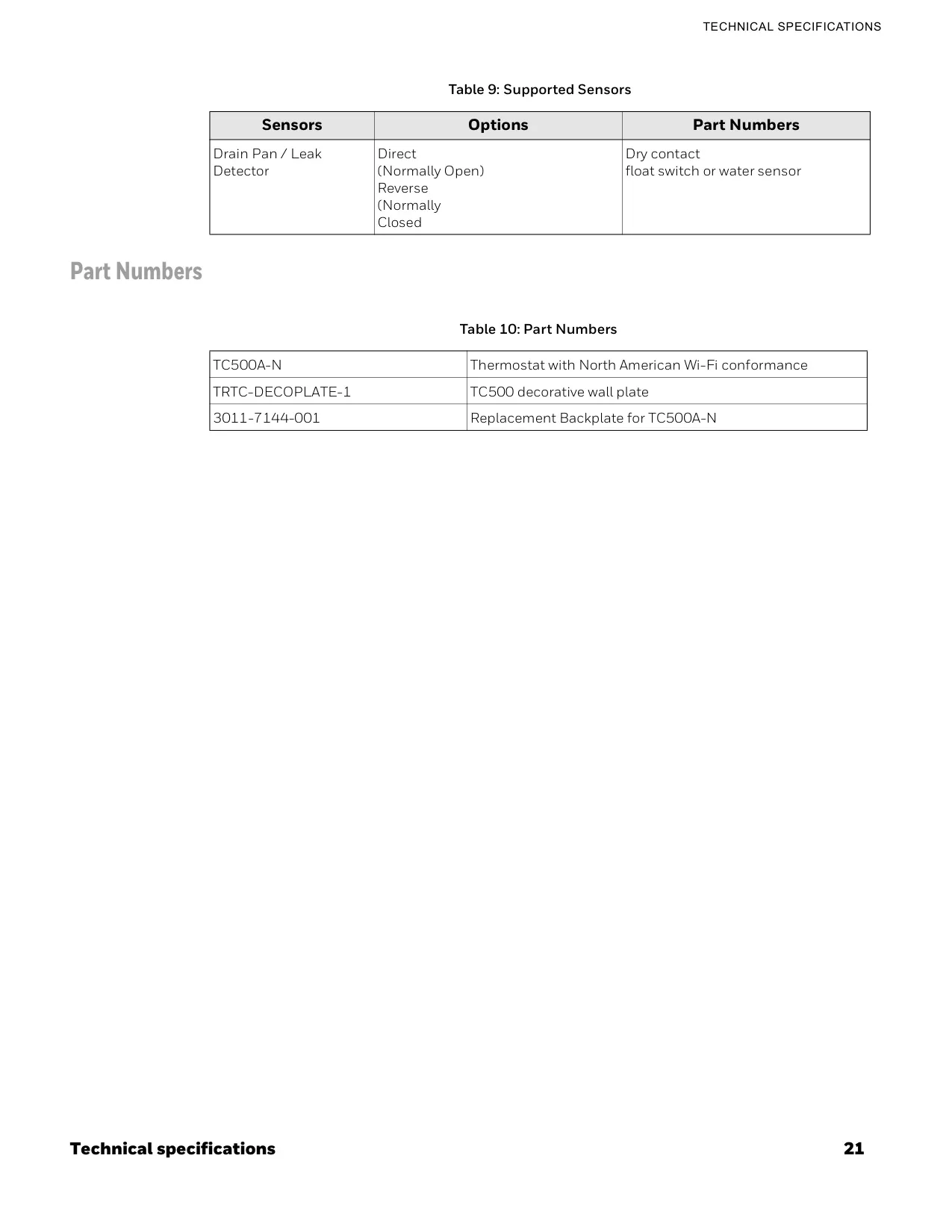
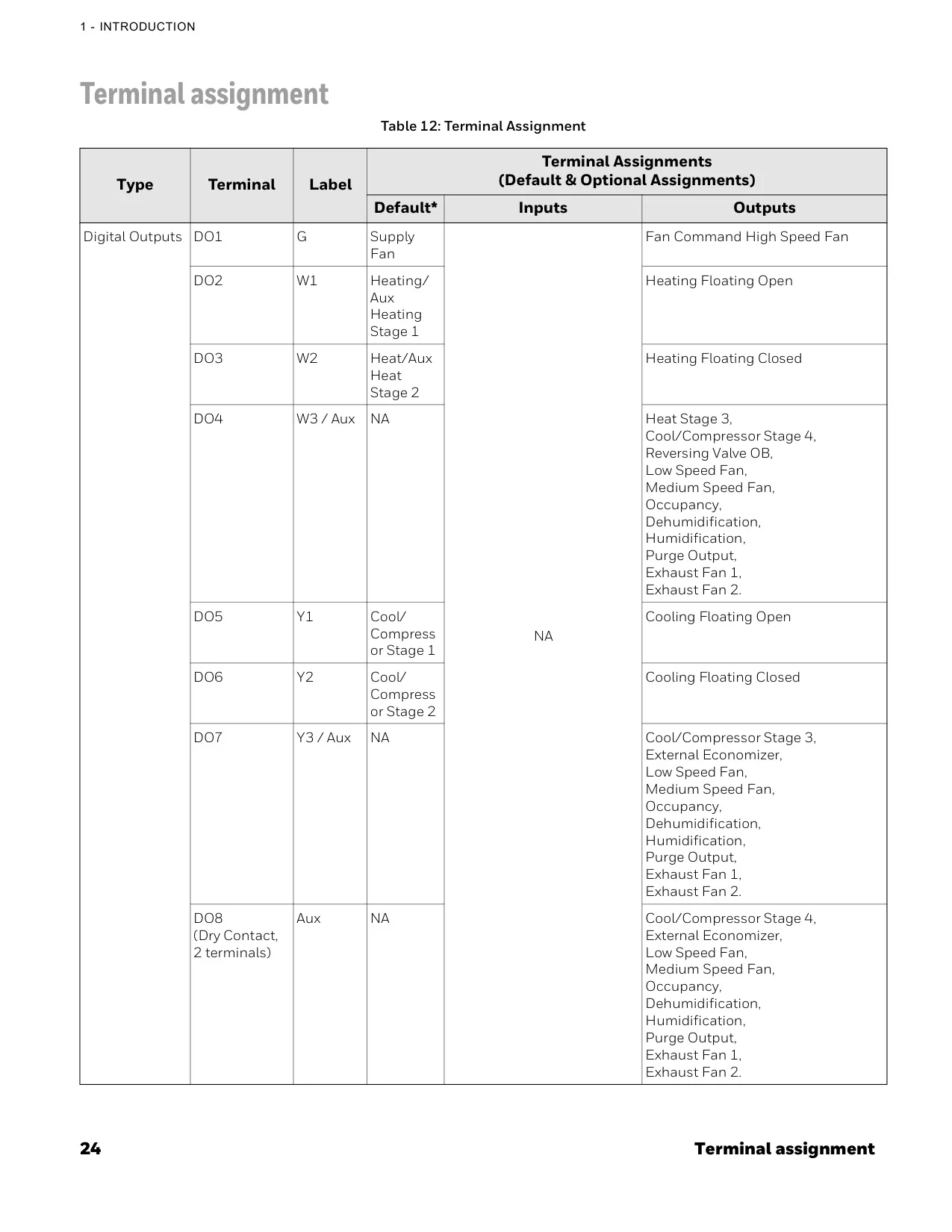
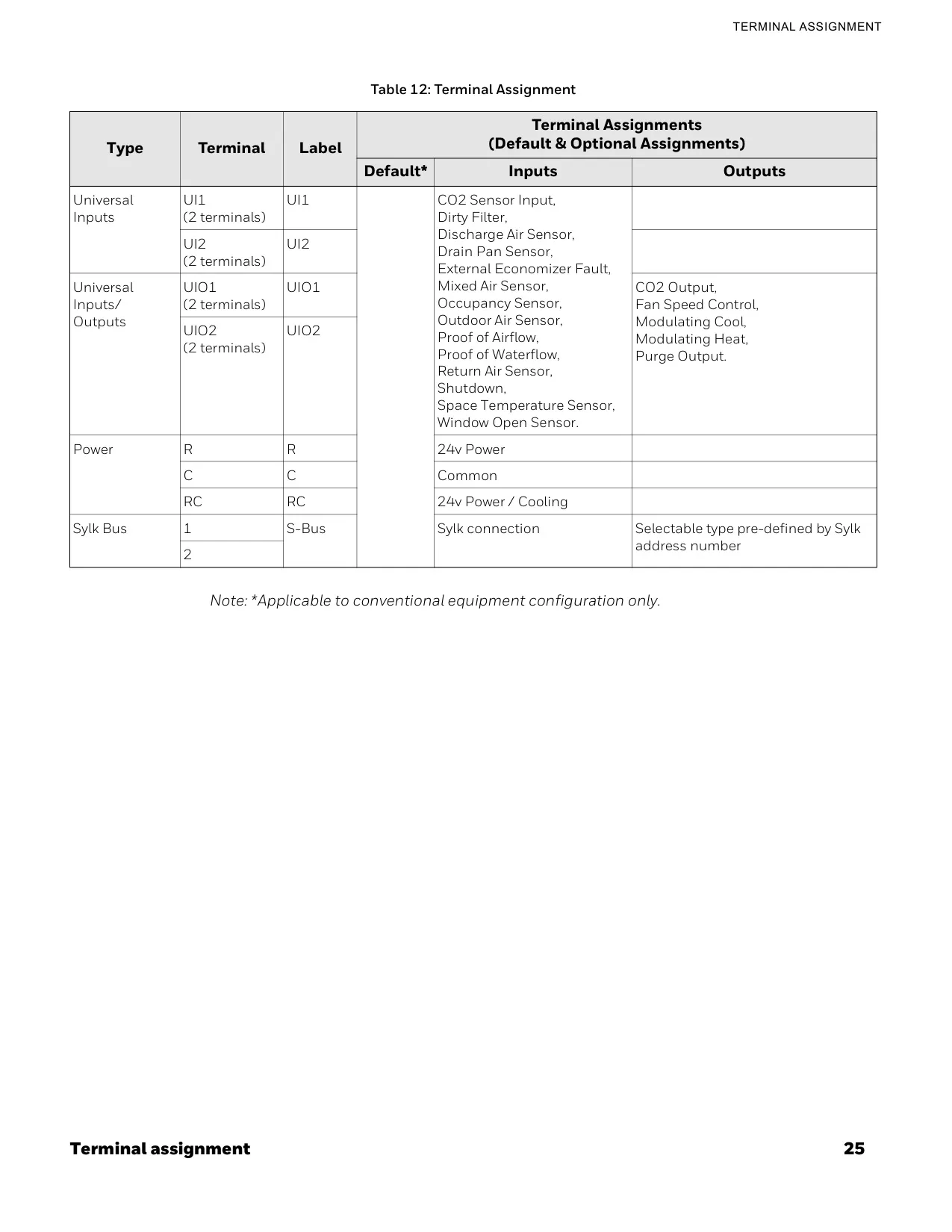
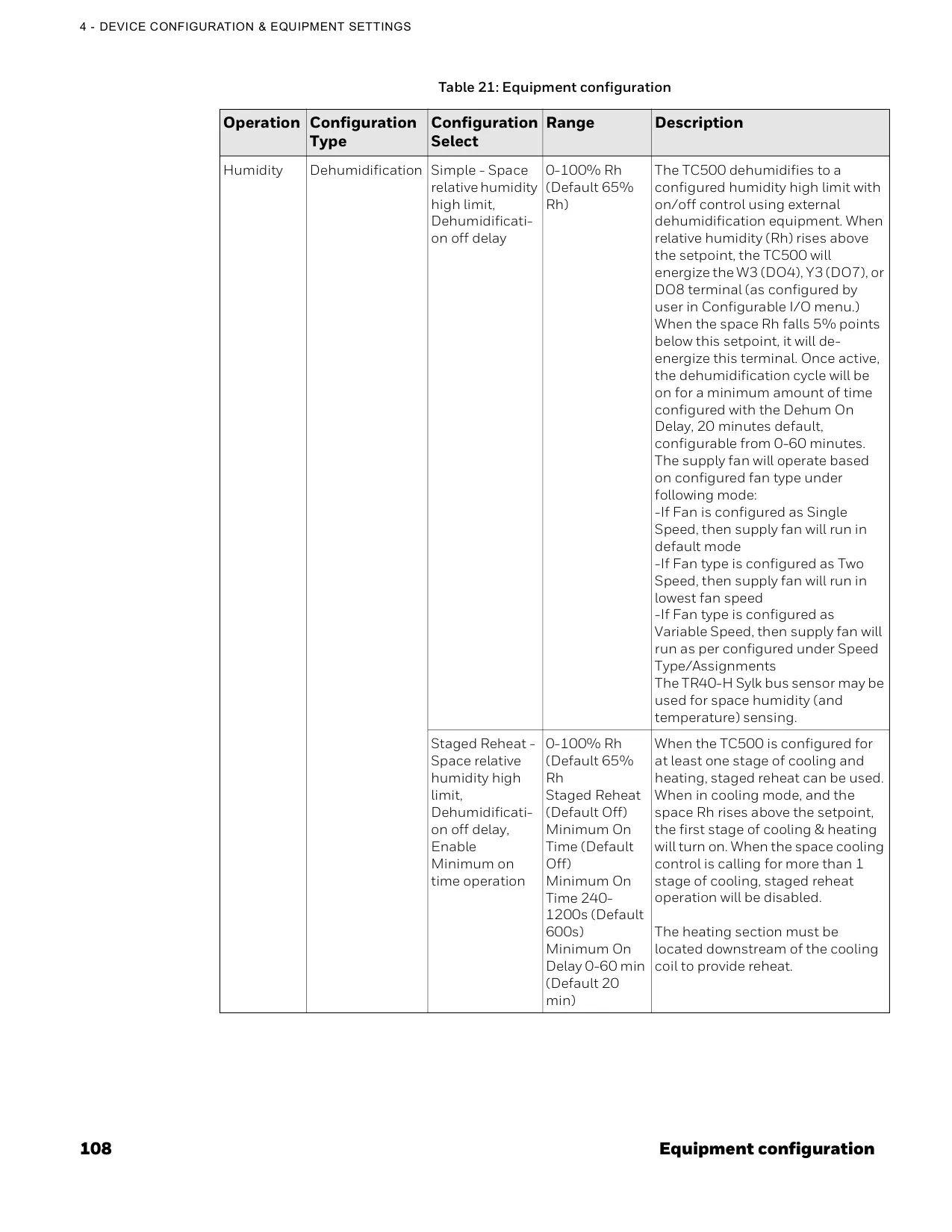
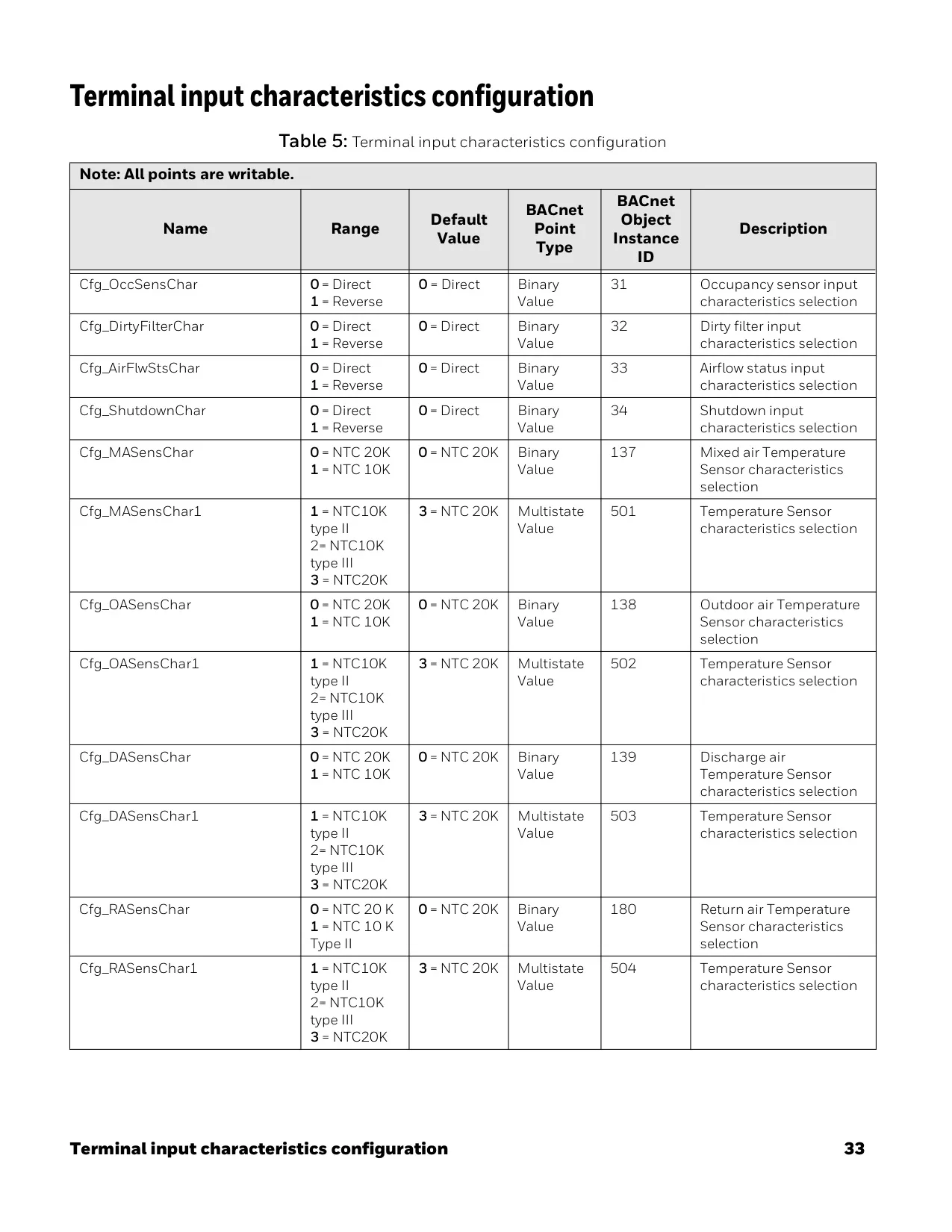
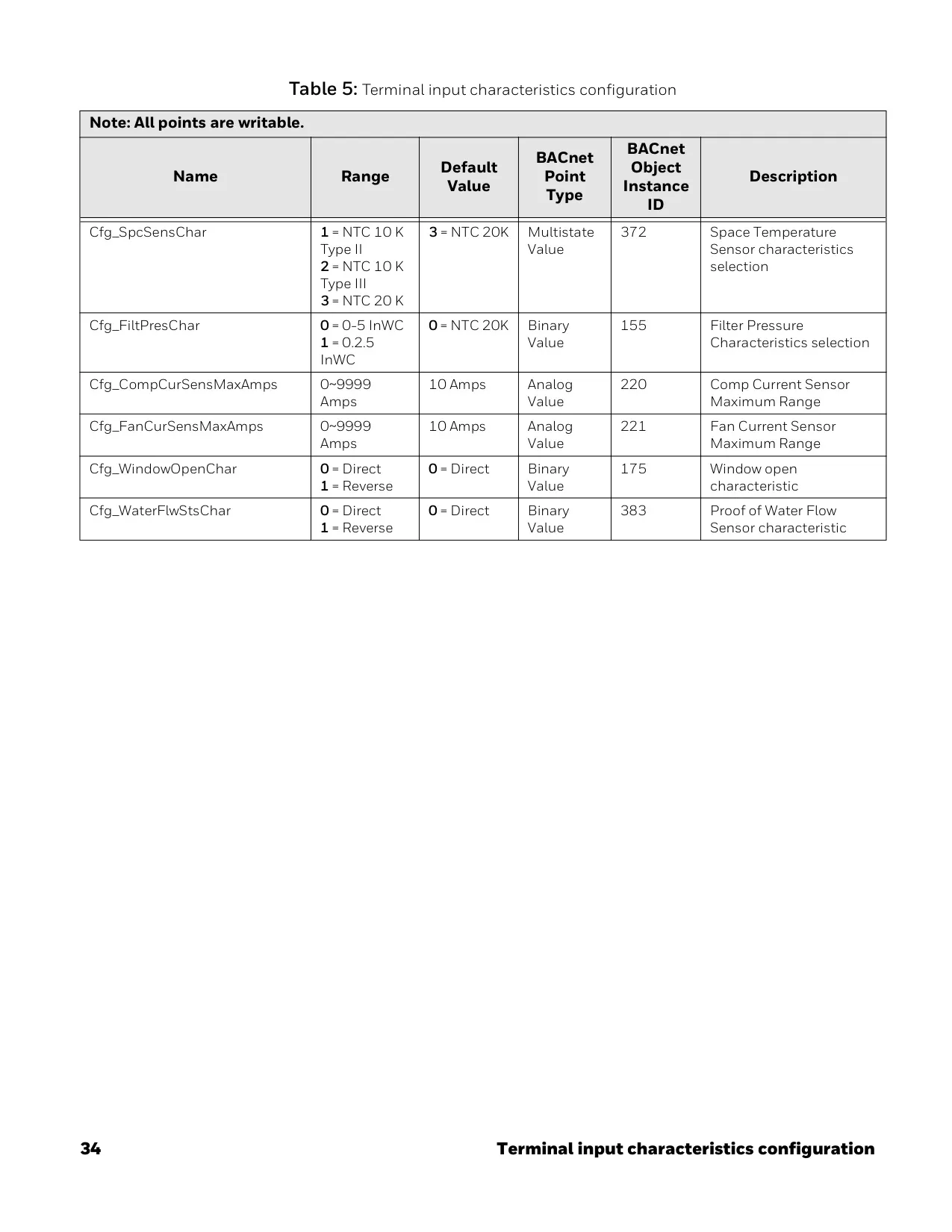
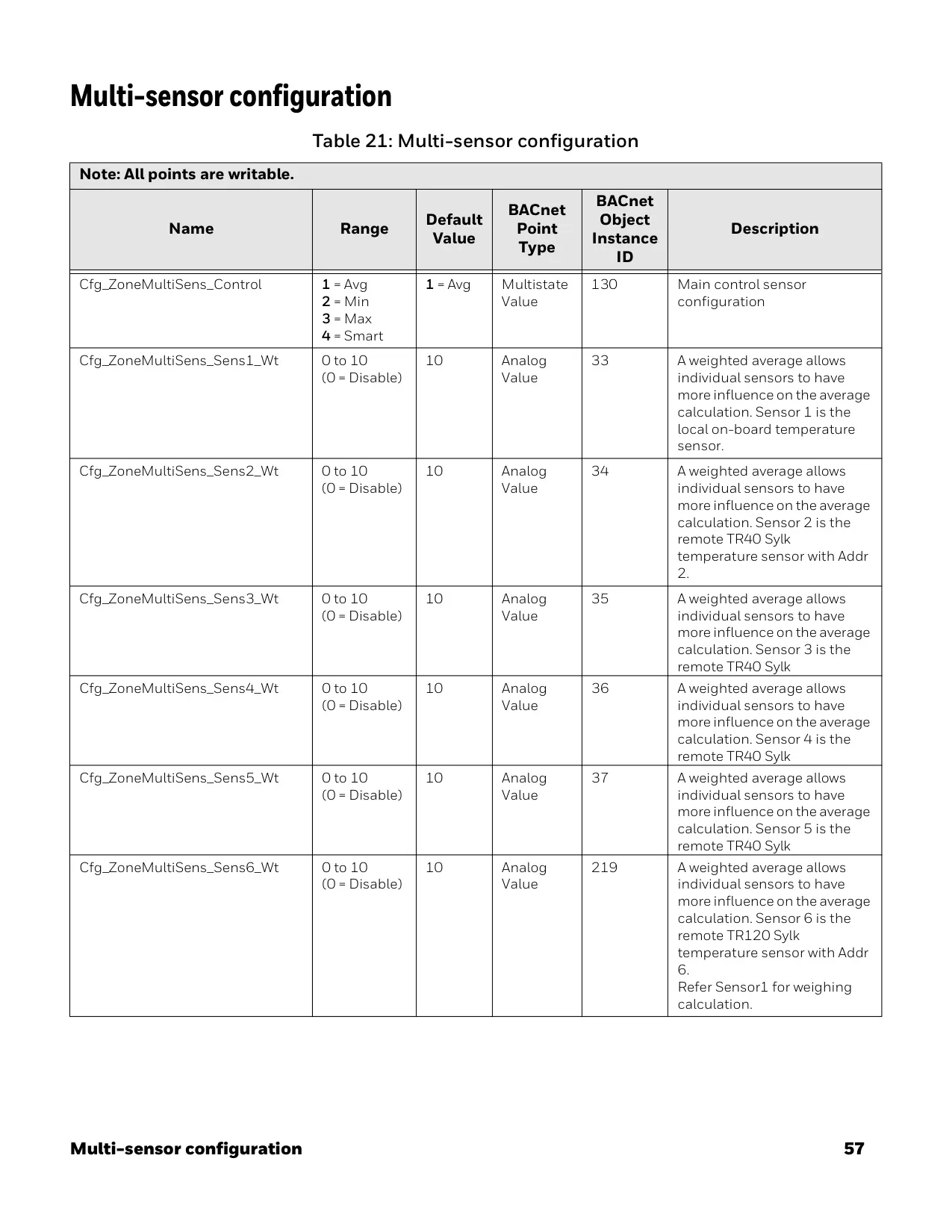
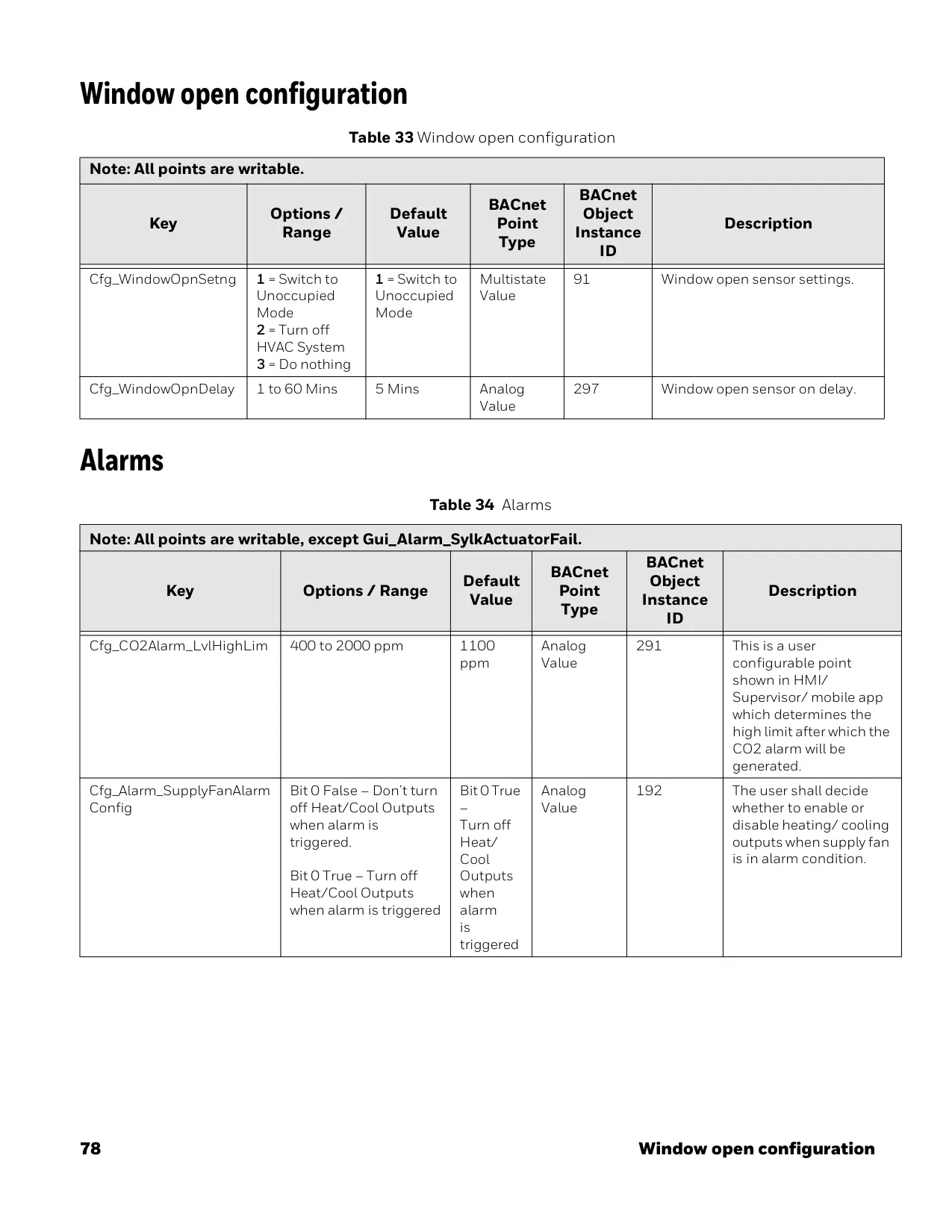
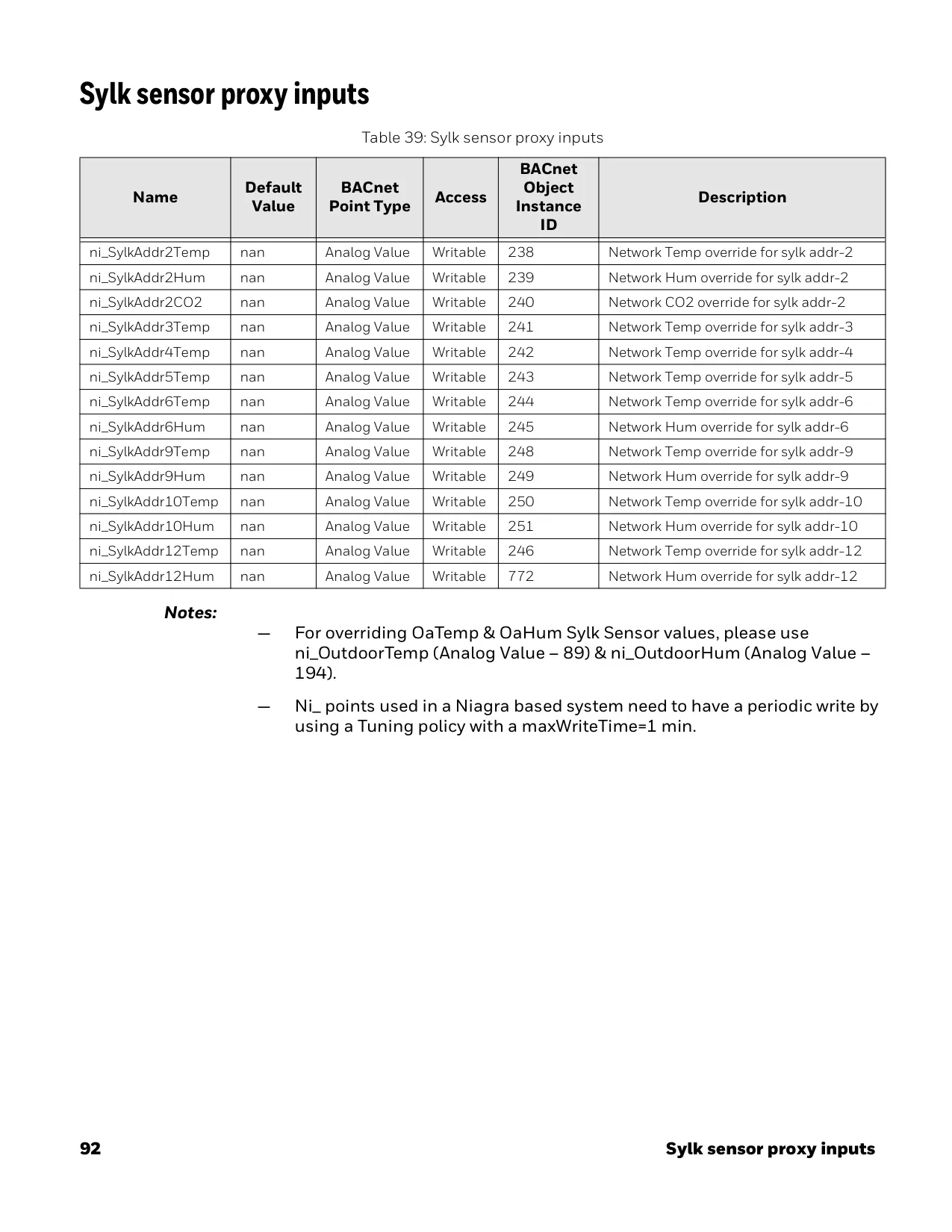
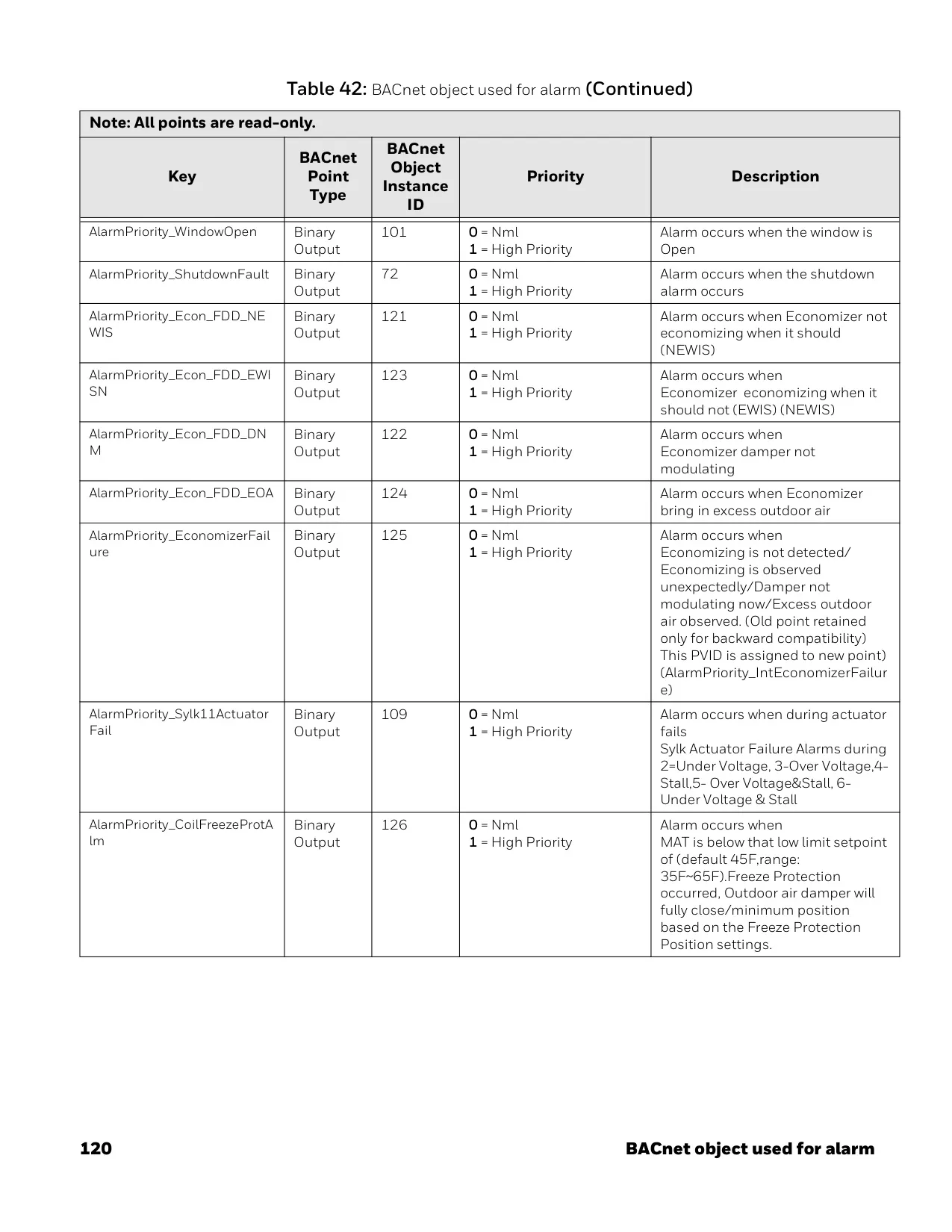
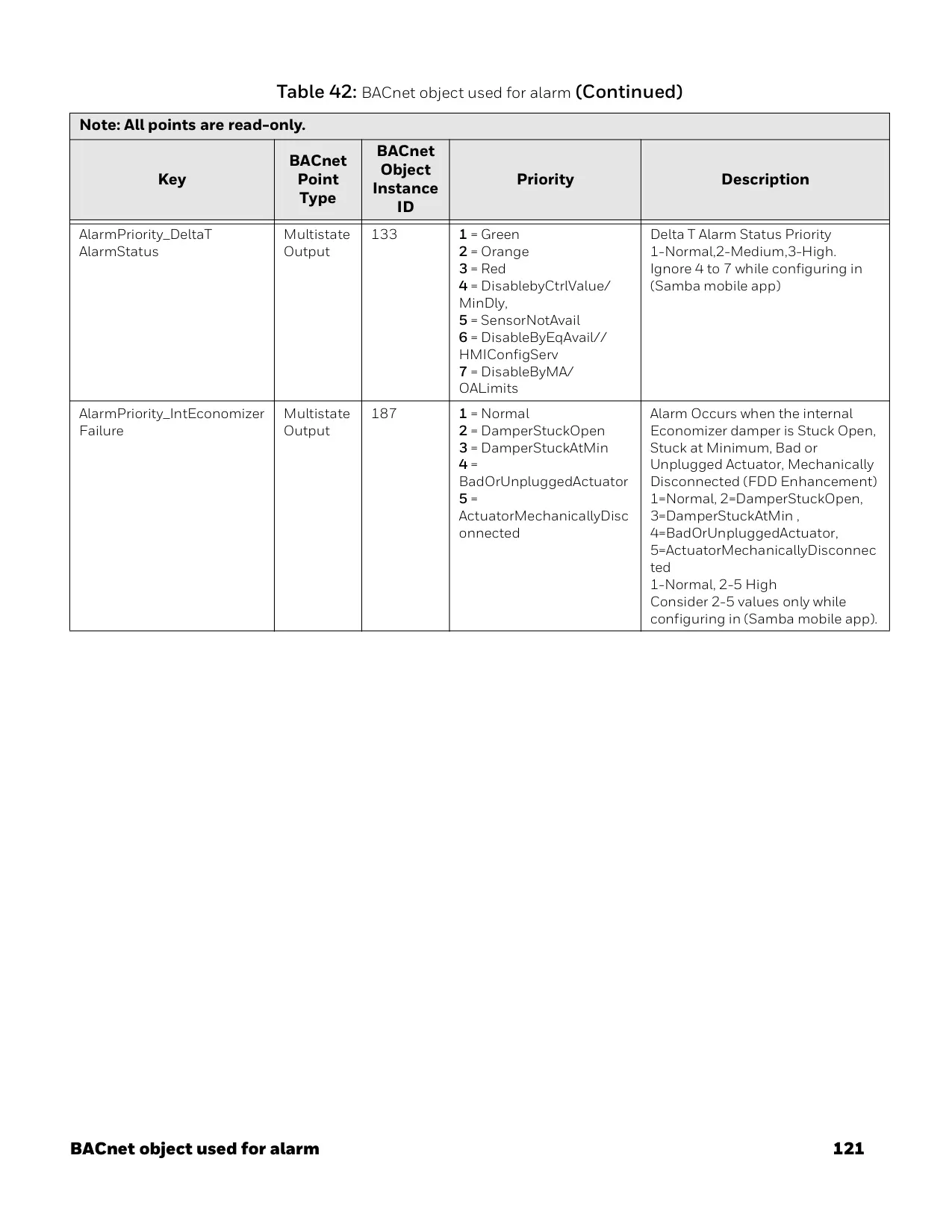
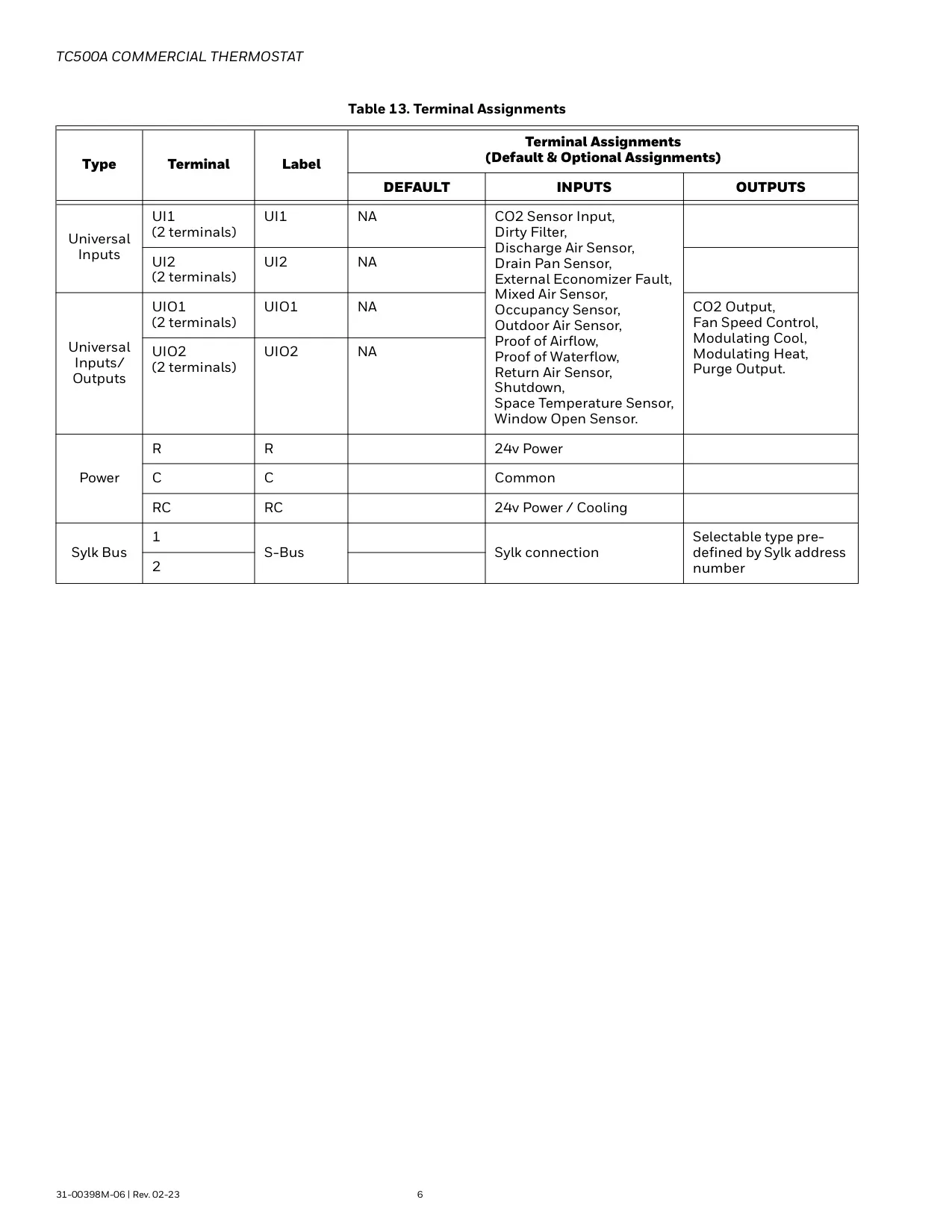
The device supports a wide range of external sensors, including occupancy, dirty filter, proof of airflow, shutdown, mixed air temperature, outdoor air temperature, return air temperature, discharge air temperature, space temperature, CO2, proof of waterflow, window open, and drain pan/leak detectors. This extensive sensor compatibility allows for comprehensive environmental monitoring and precise control, adapting to various building needs and optimizing HVAC operations.
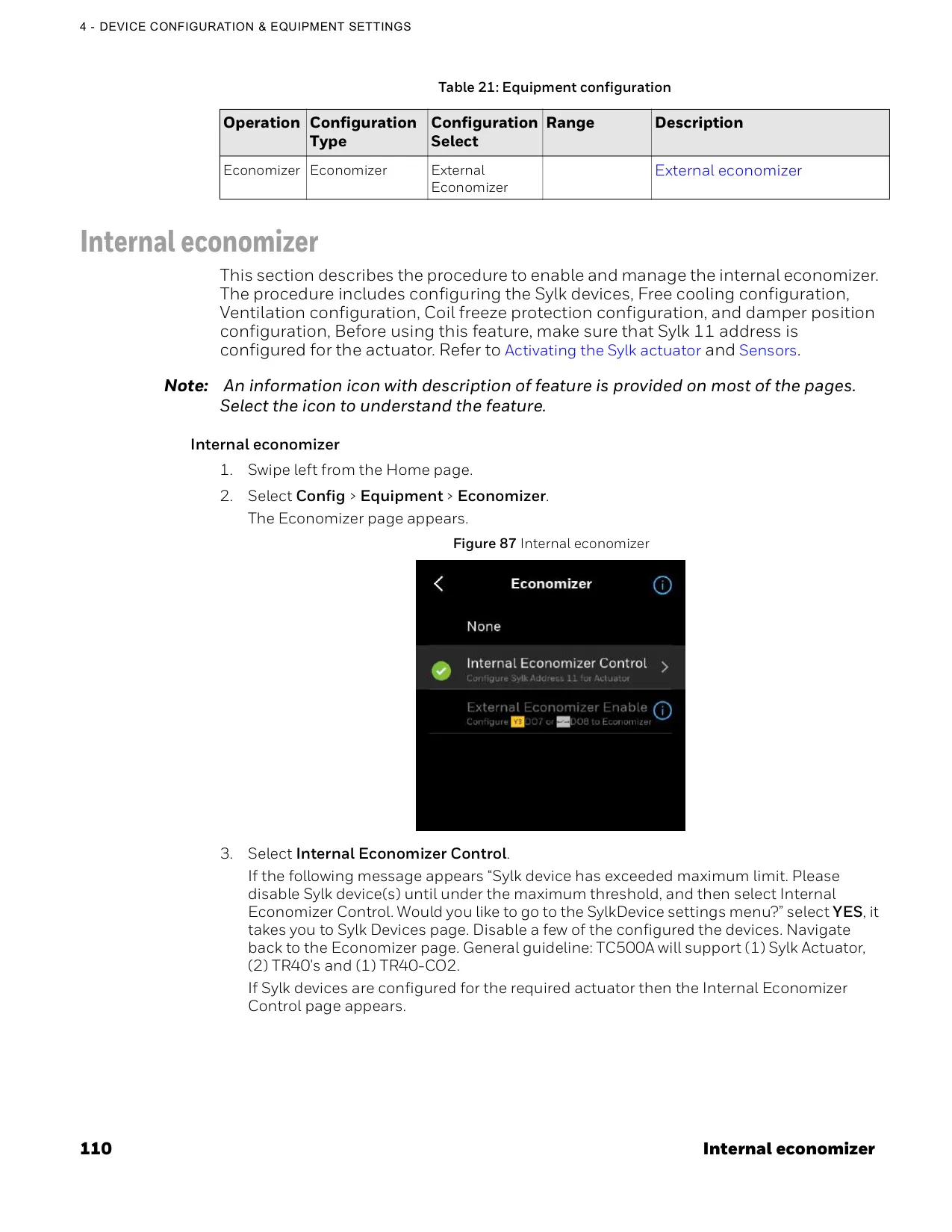
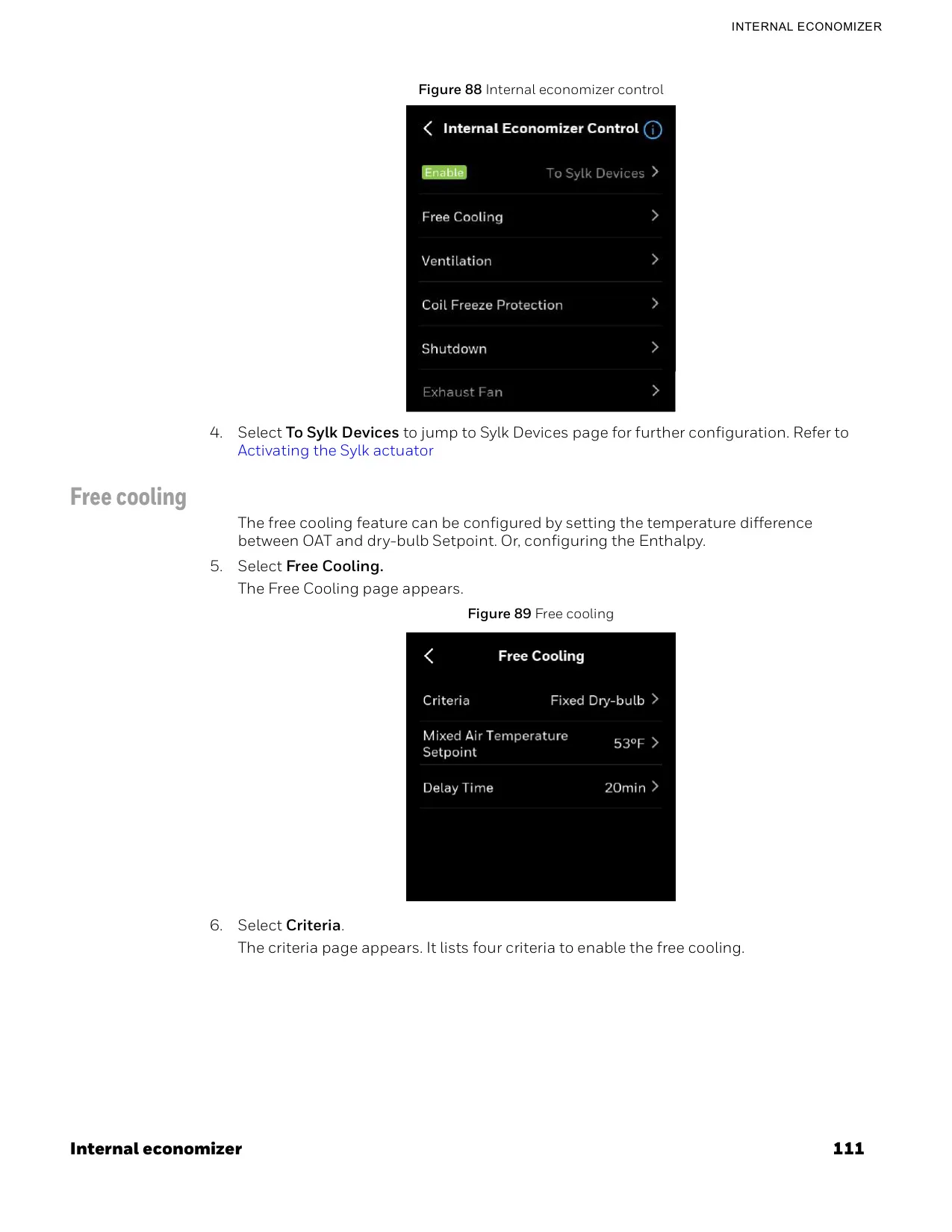
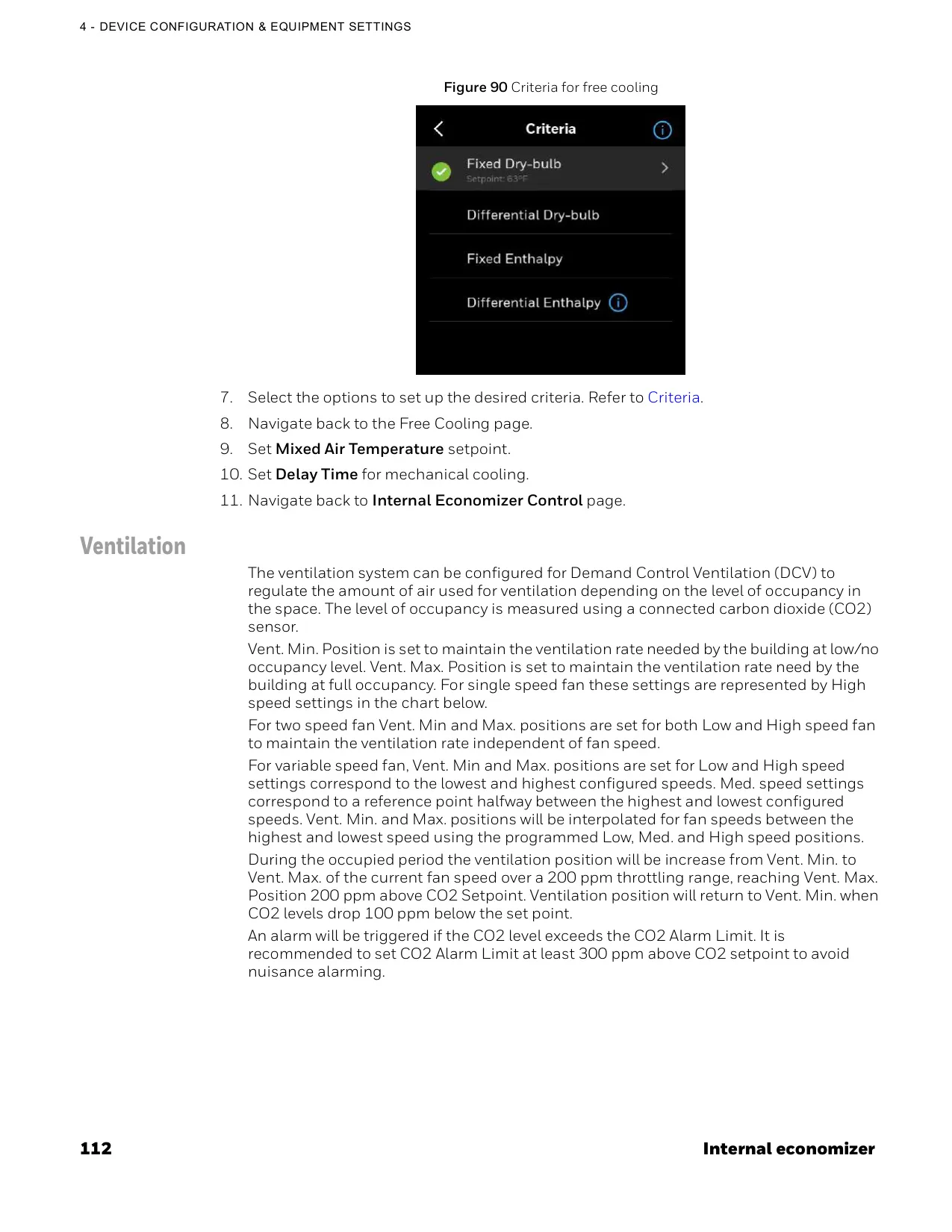
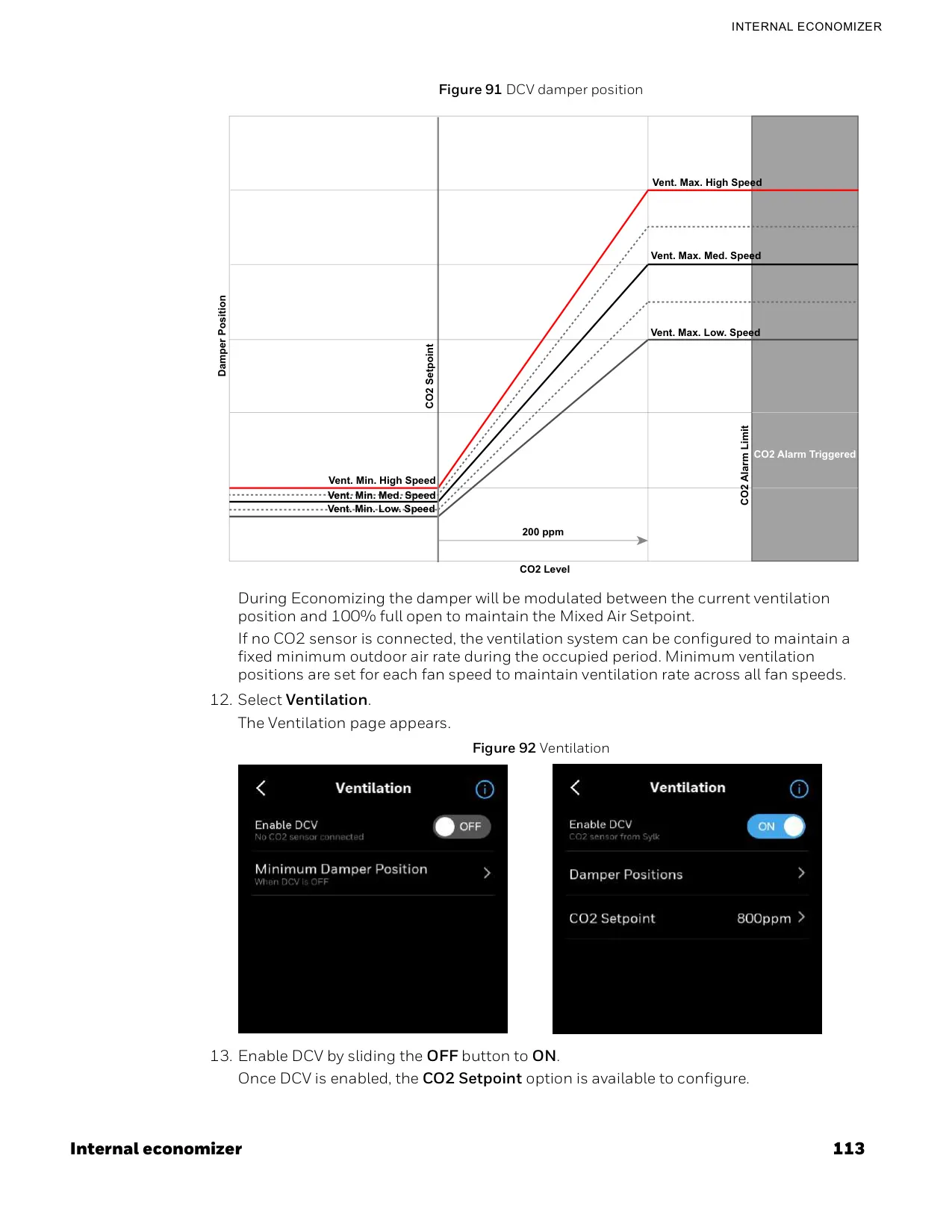
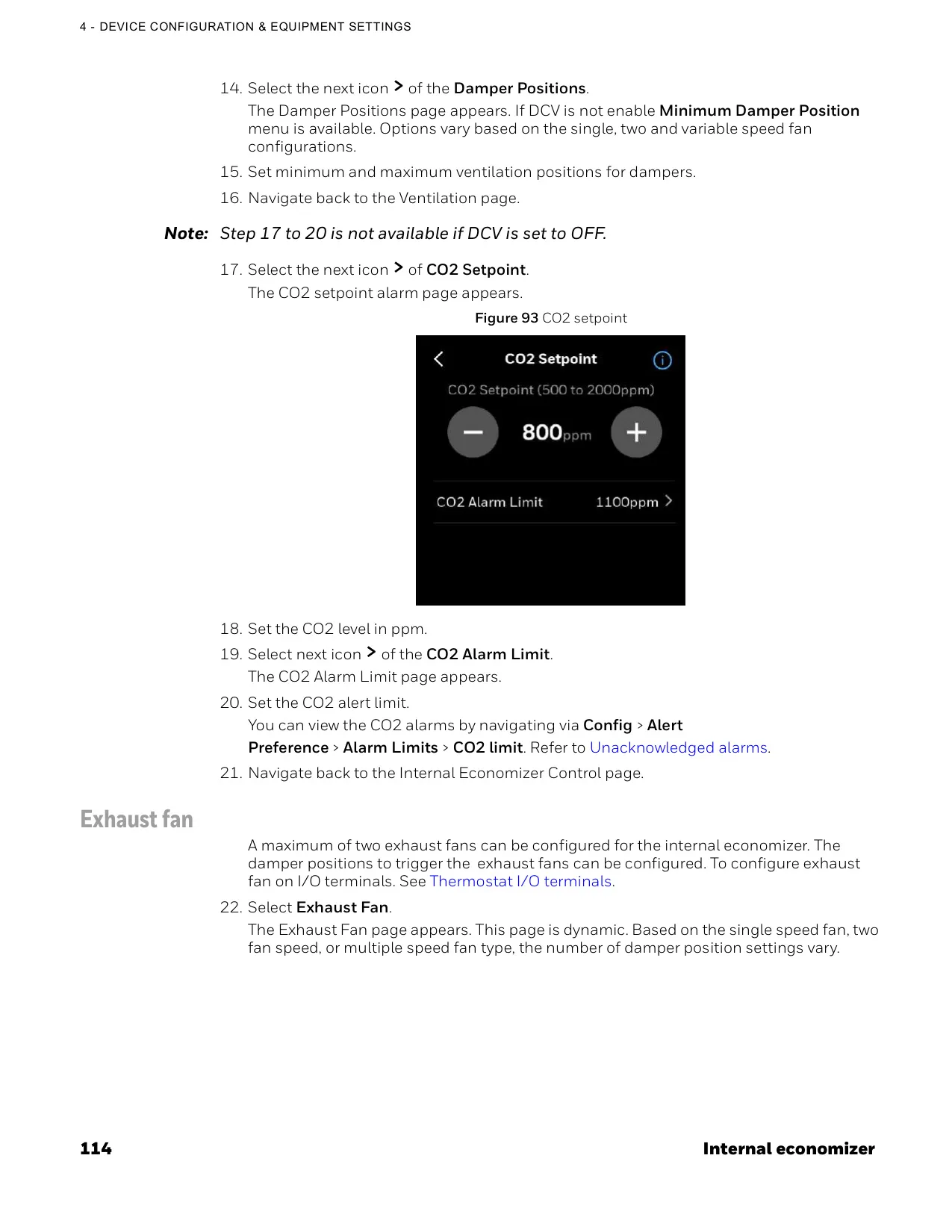
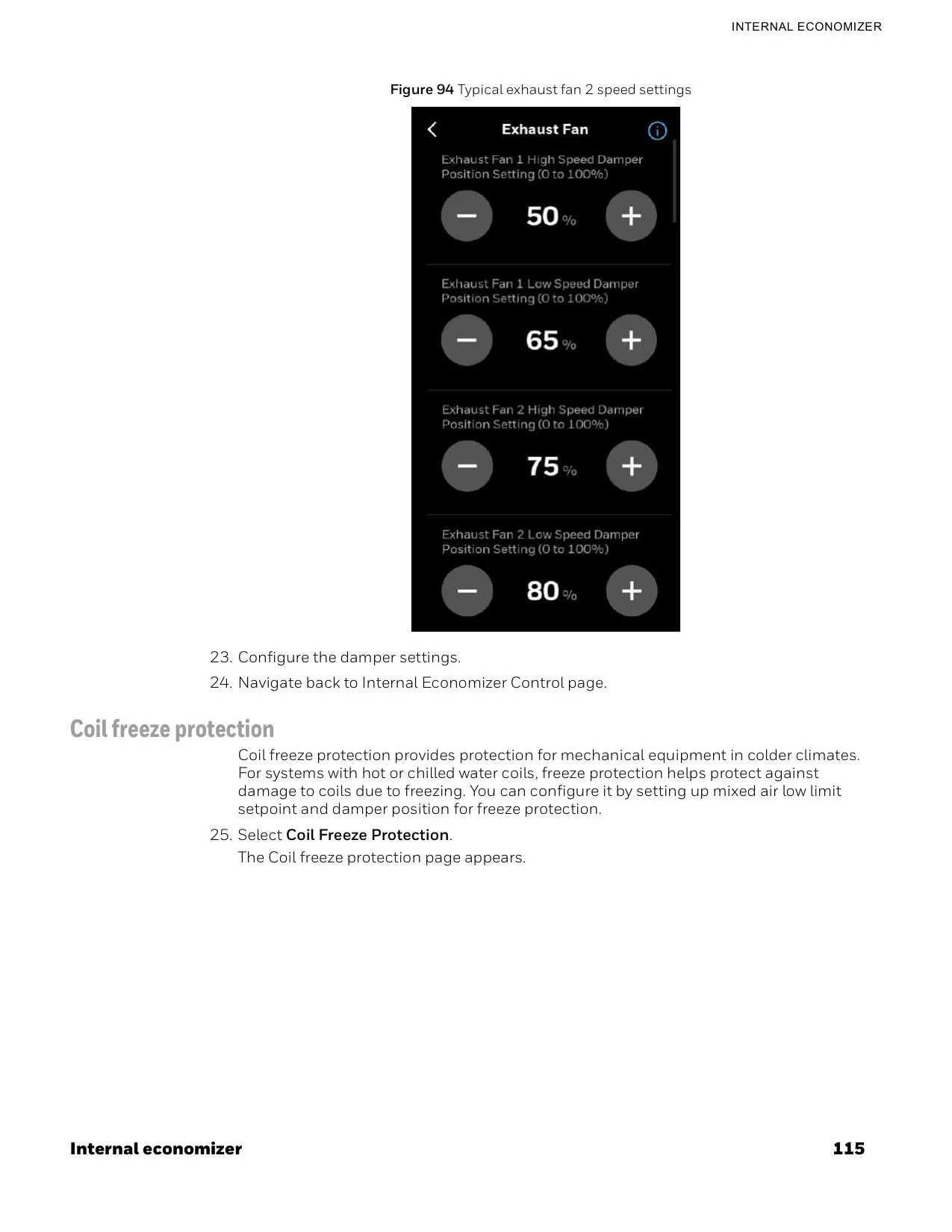
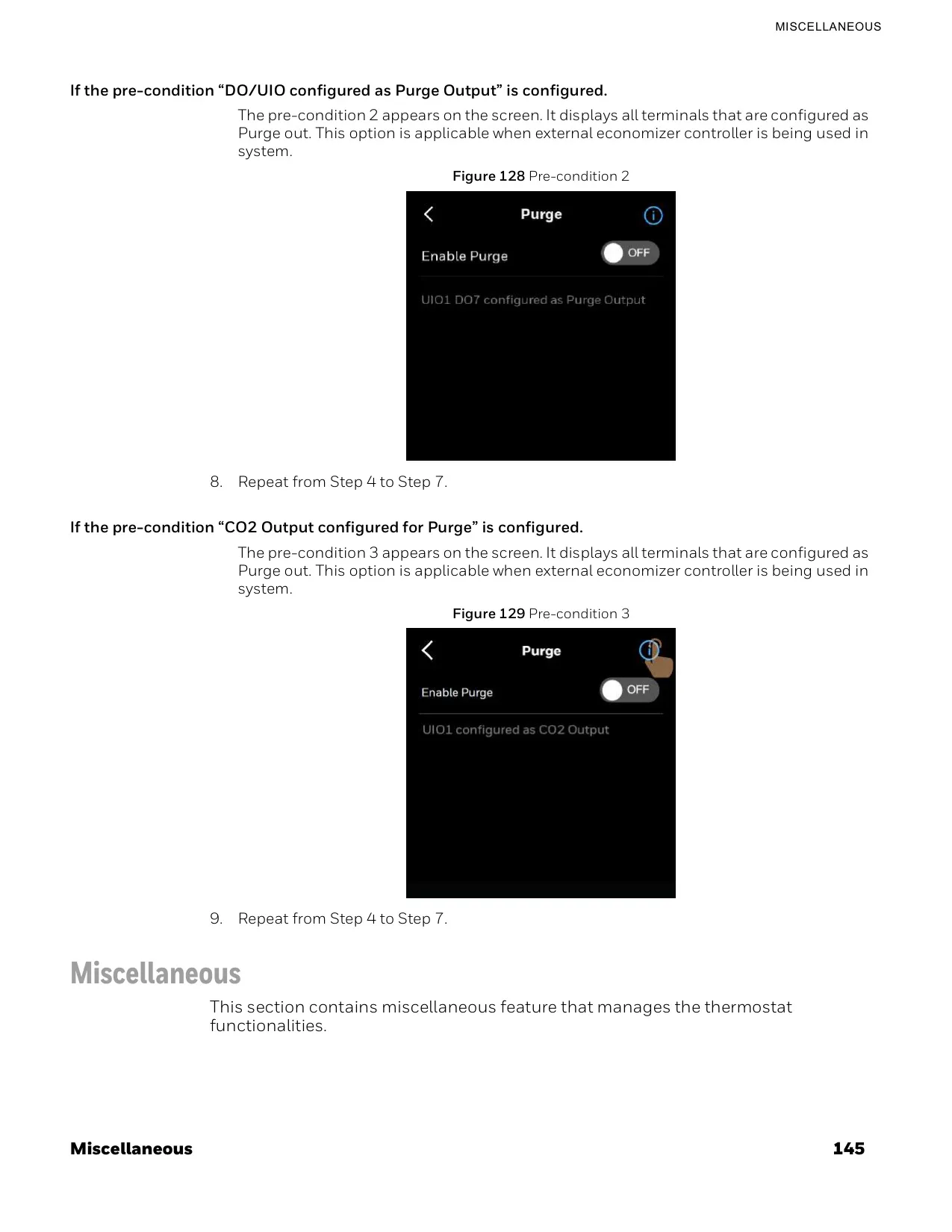
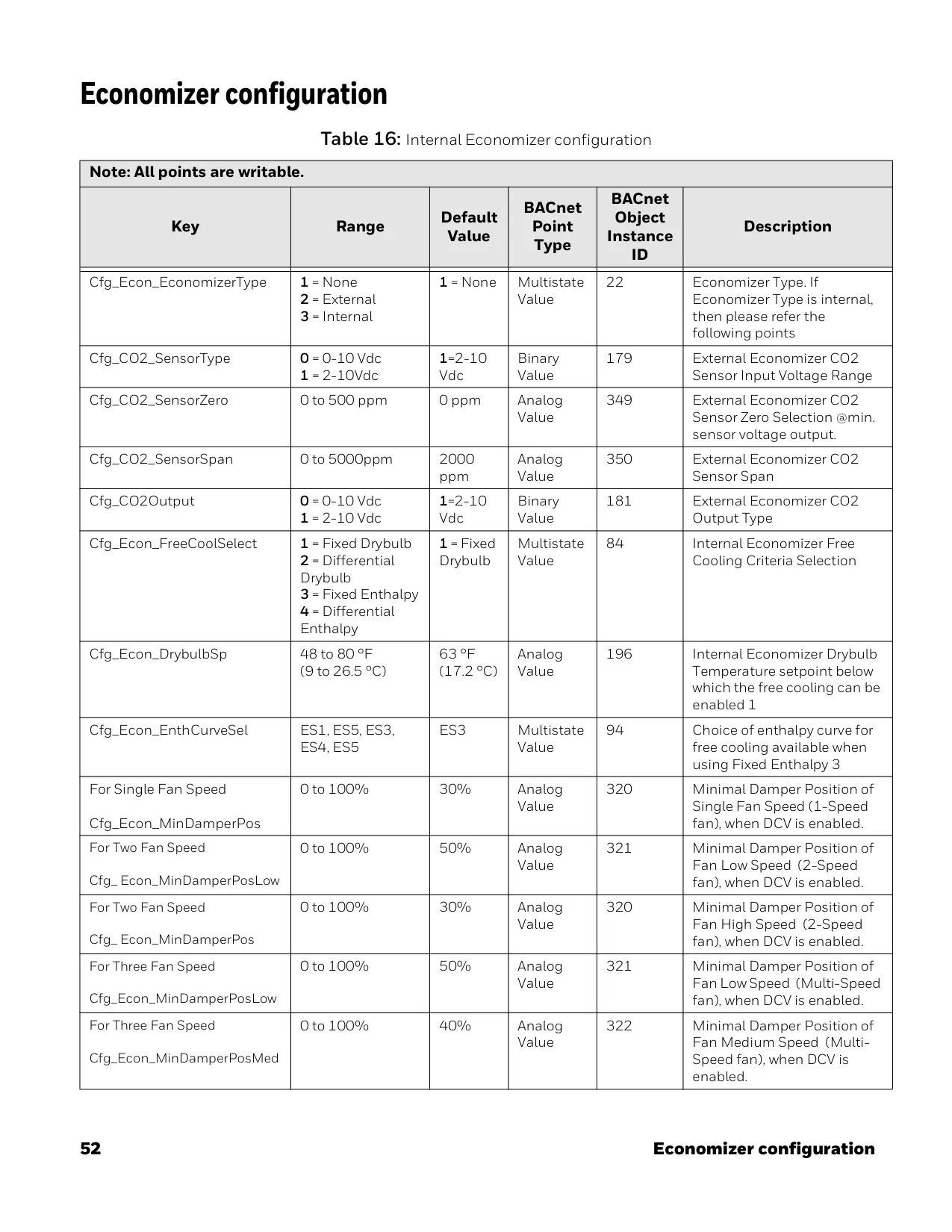
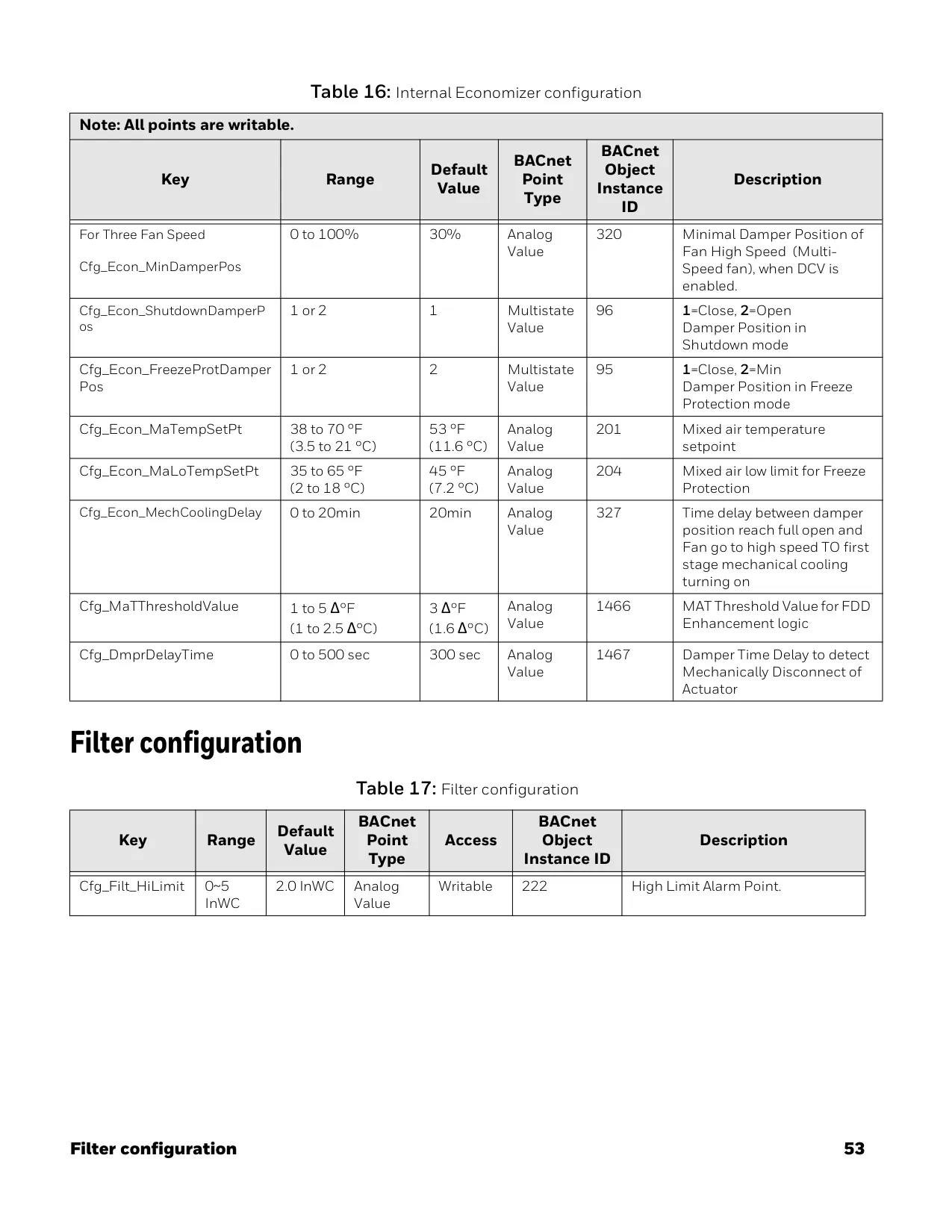
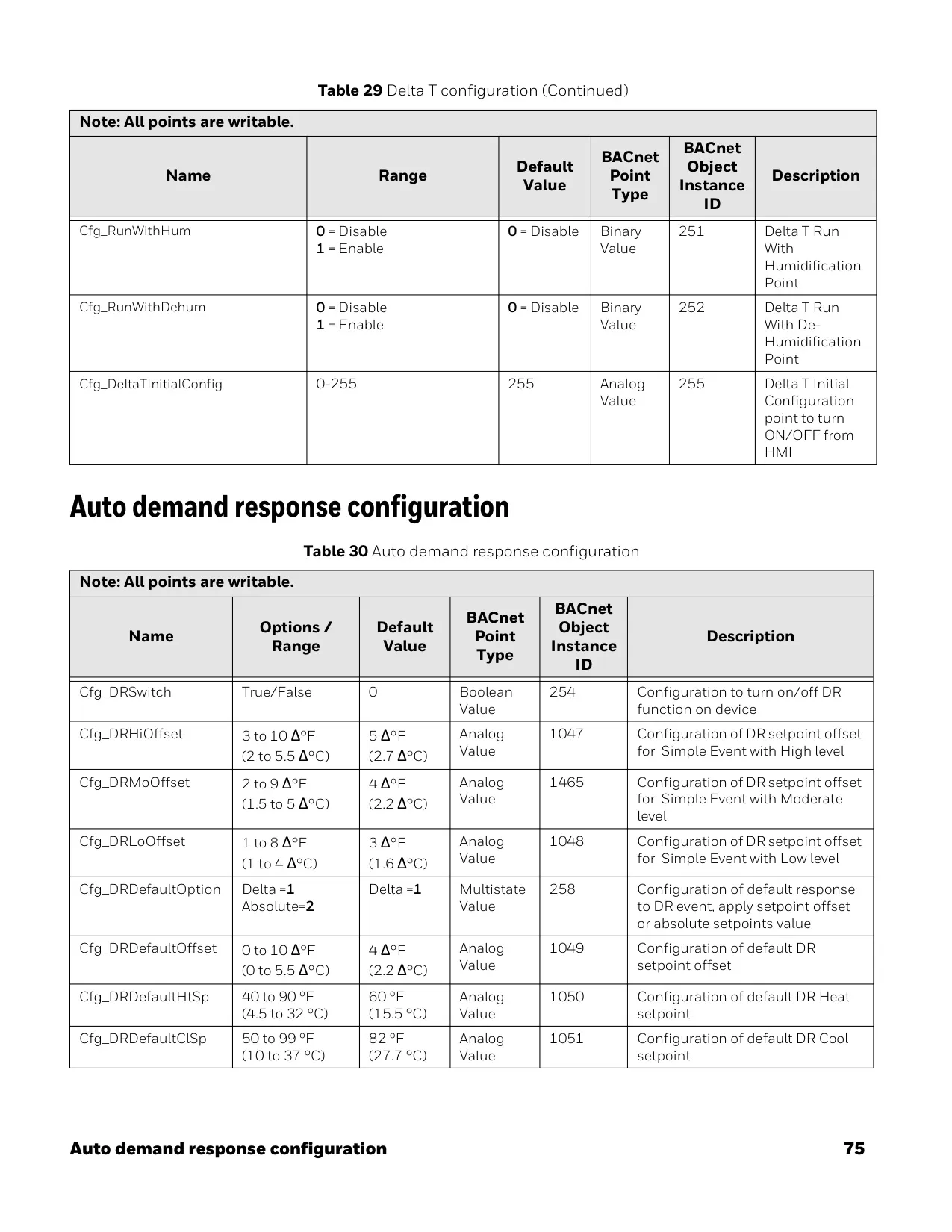
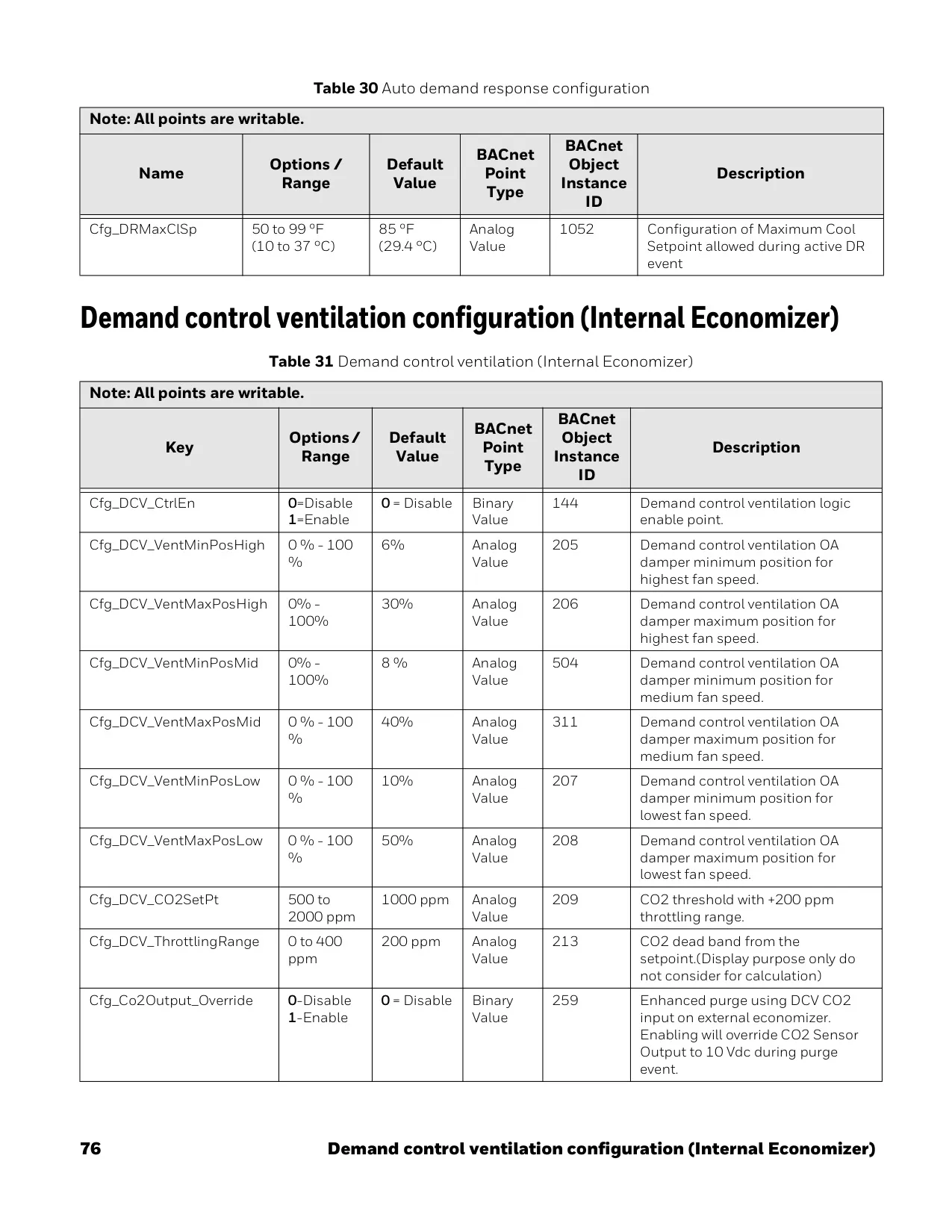
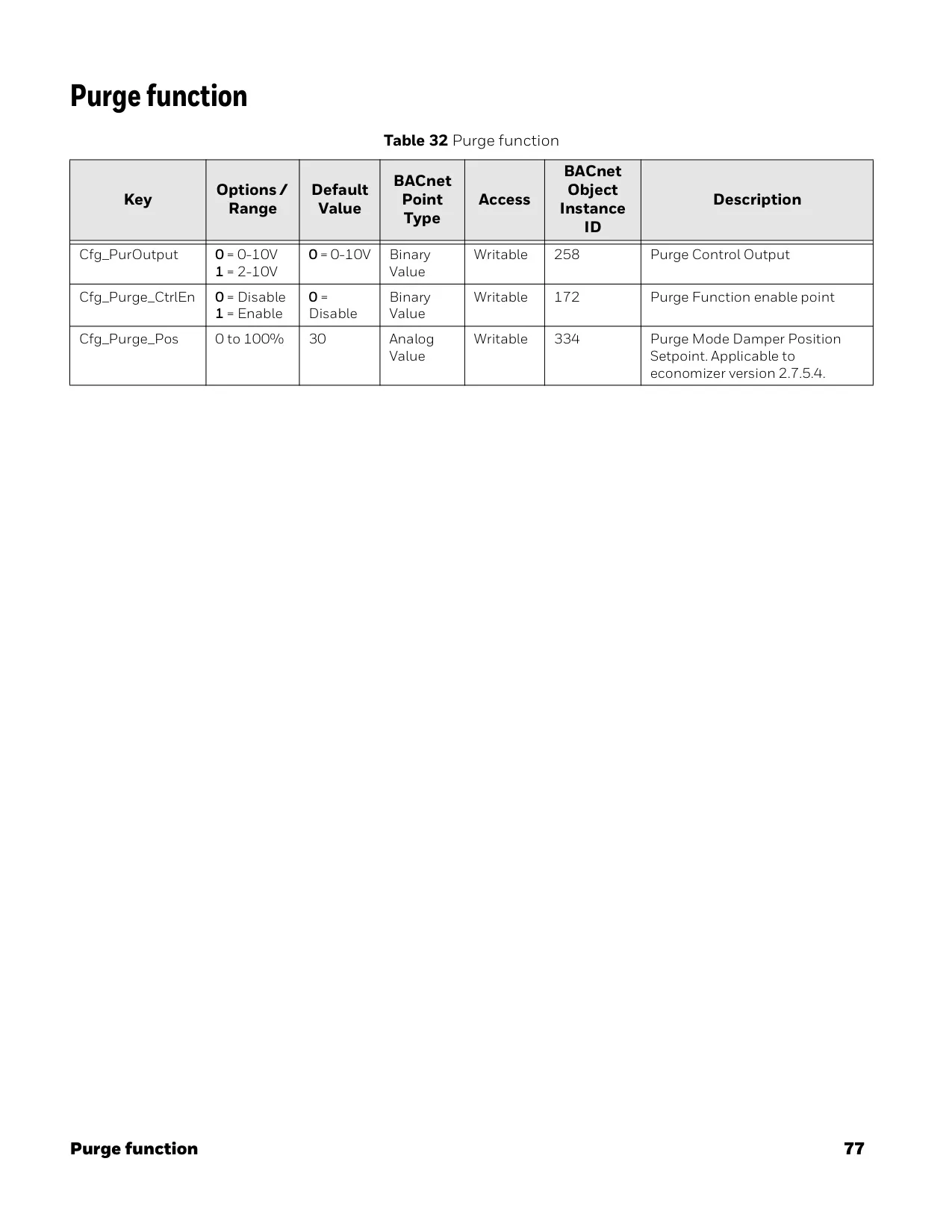
The integral economizer feature, when enabled, allows for intelligent use of outdoor air for free cooling and ventilation, further reducing energy consumption. This system can be configured with Demand Control Ventilation (DCV) using CO2 sensors to regulate fresh air based on occupancy levels. The purge function rapidly flushes building air for improved indoor air quality, which can be scheduled for specific times.
Frequently Asked Questions (FAQs)
Can't find the answer you need? Here are some frequently asked questions about the Honeywell TC500A-N Thermostat, and we answer them below.