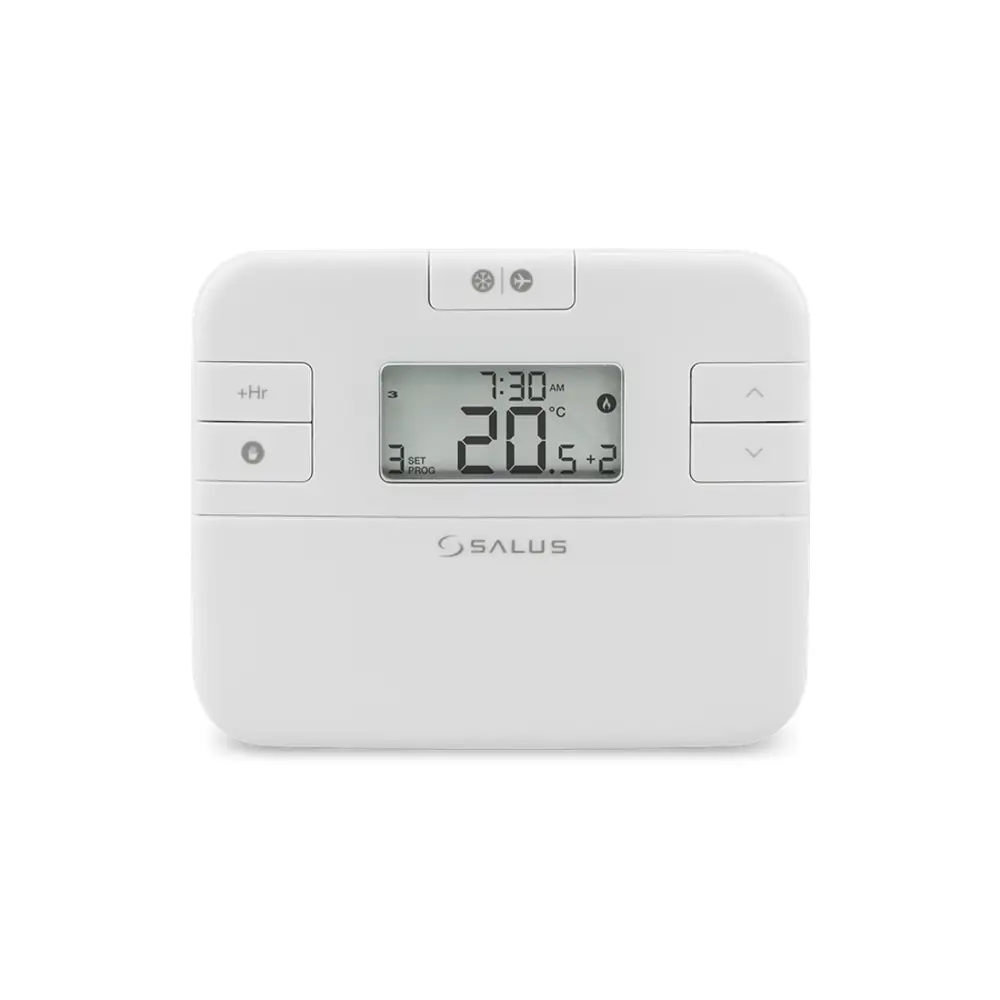
Salus Thermostat RT520TX Instruction Manual
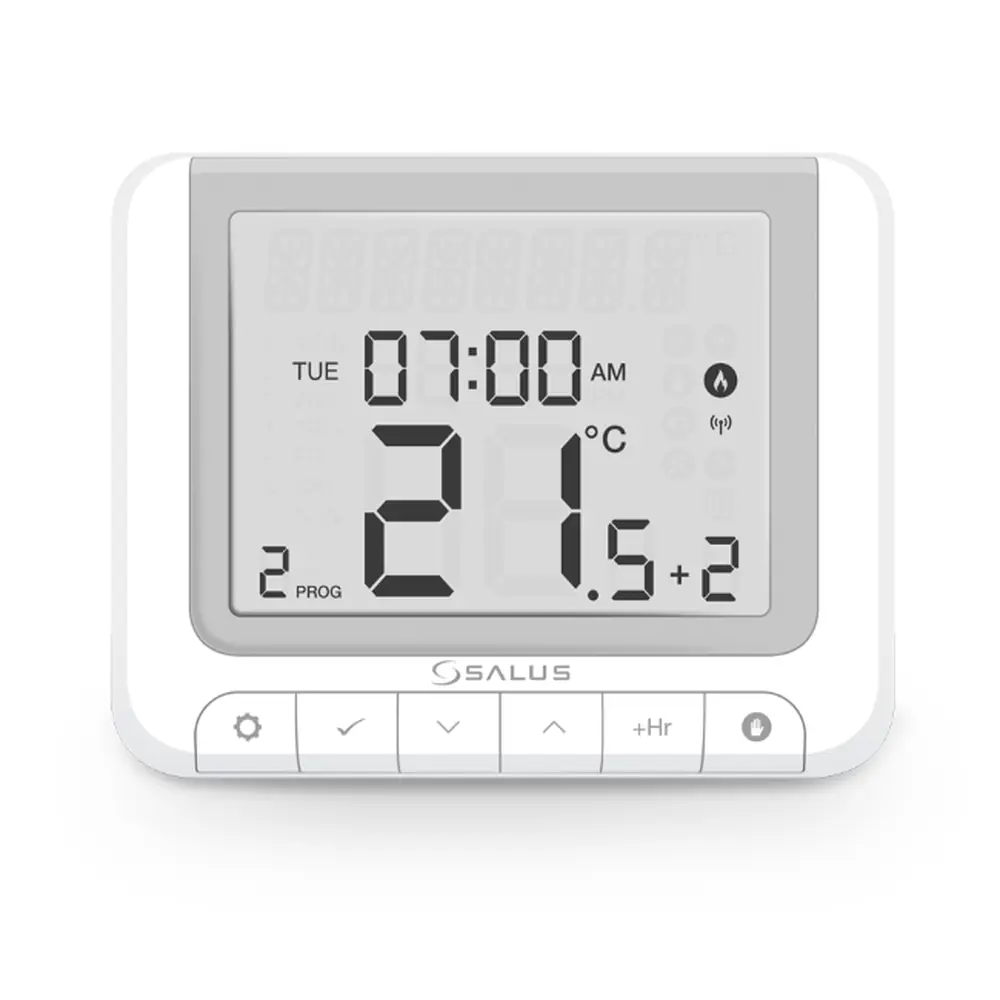
Salus Thermostat RT520TX
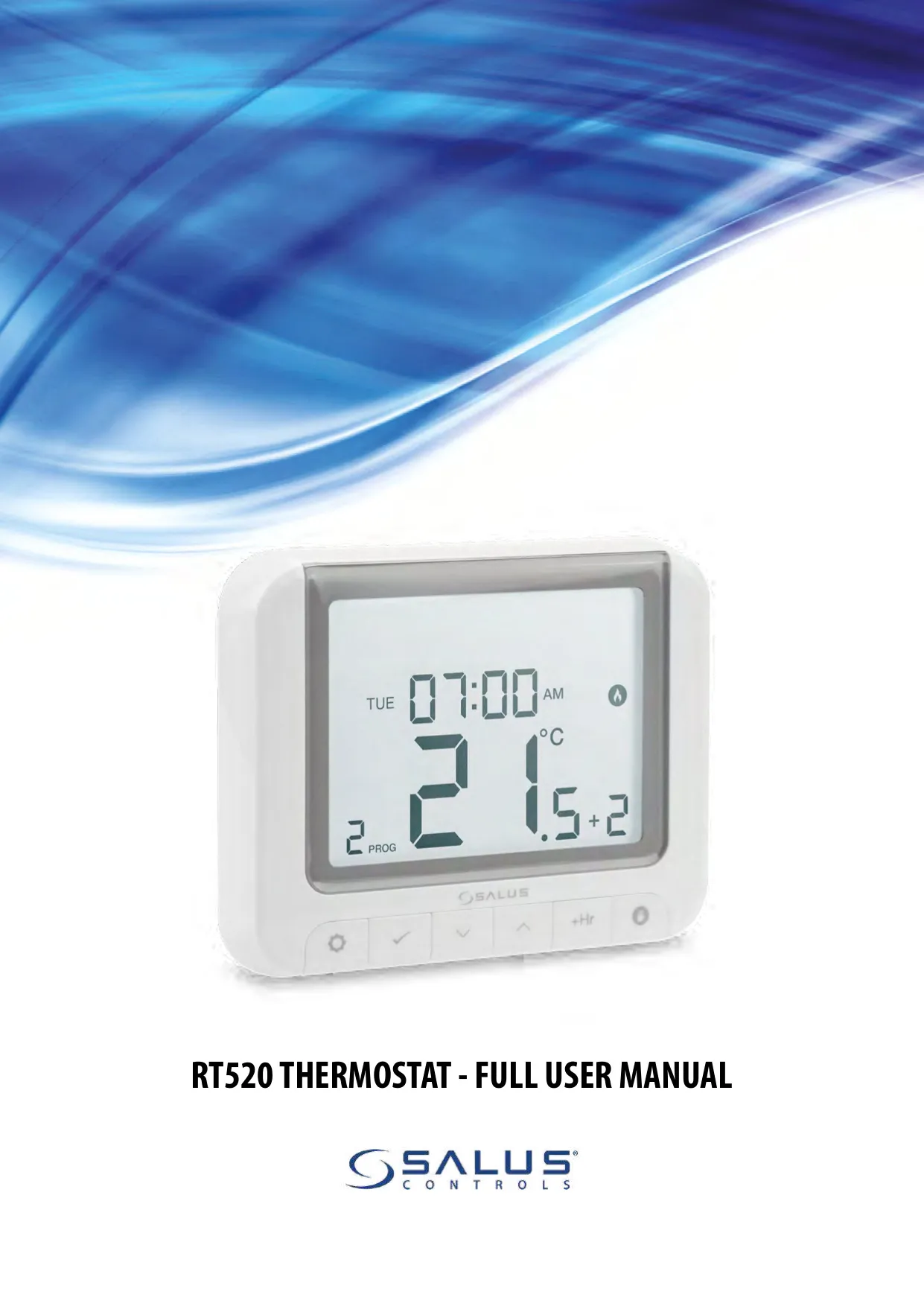
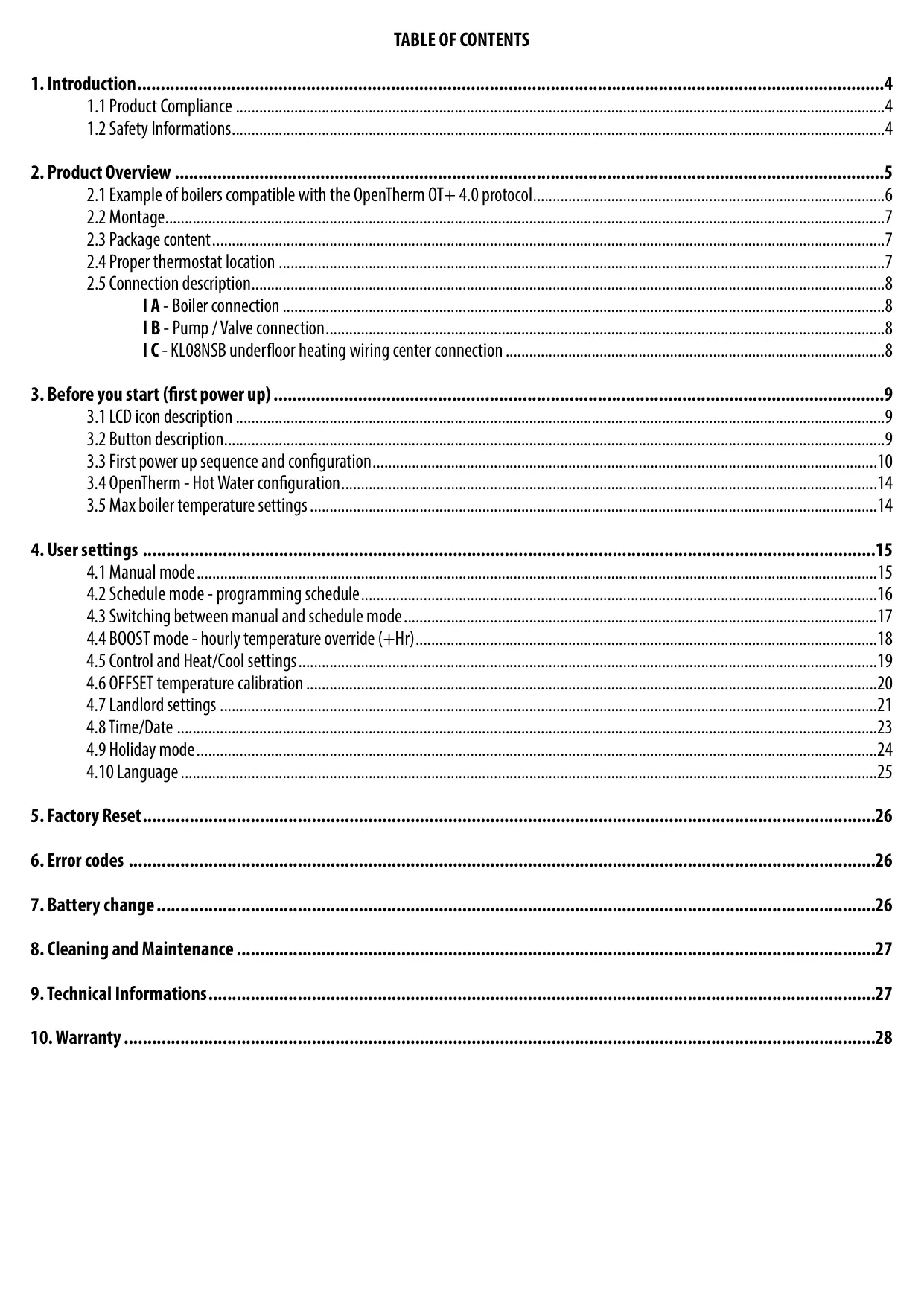




Salus Thermostat RT520TX
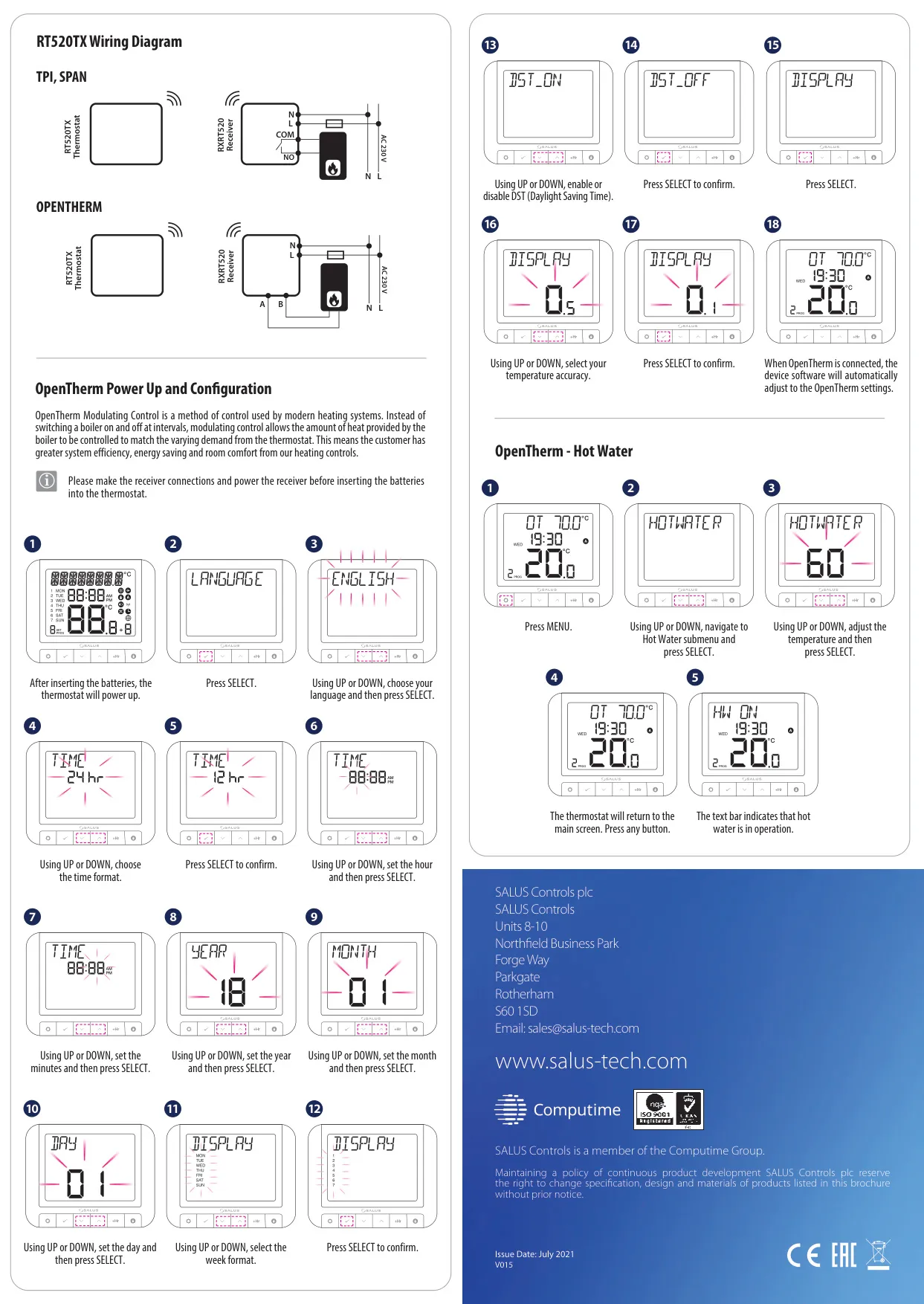
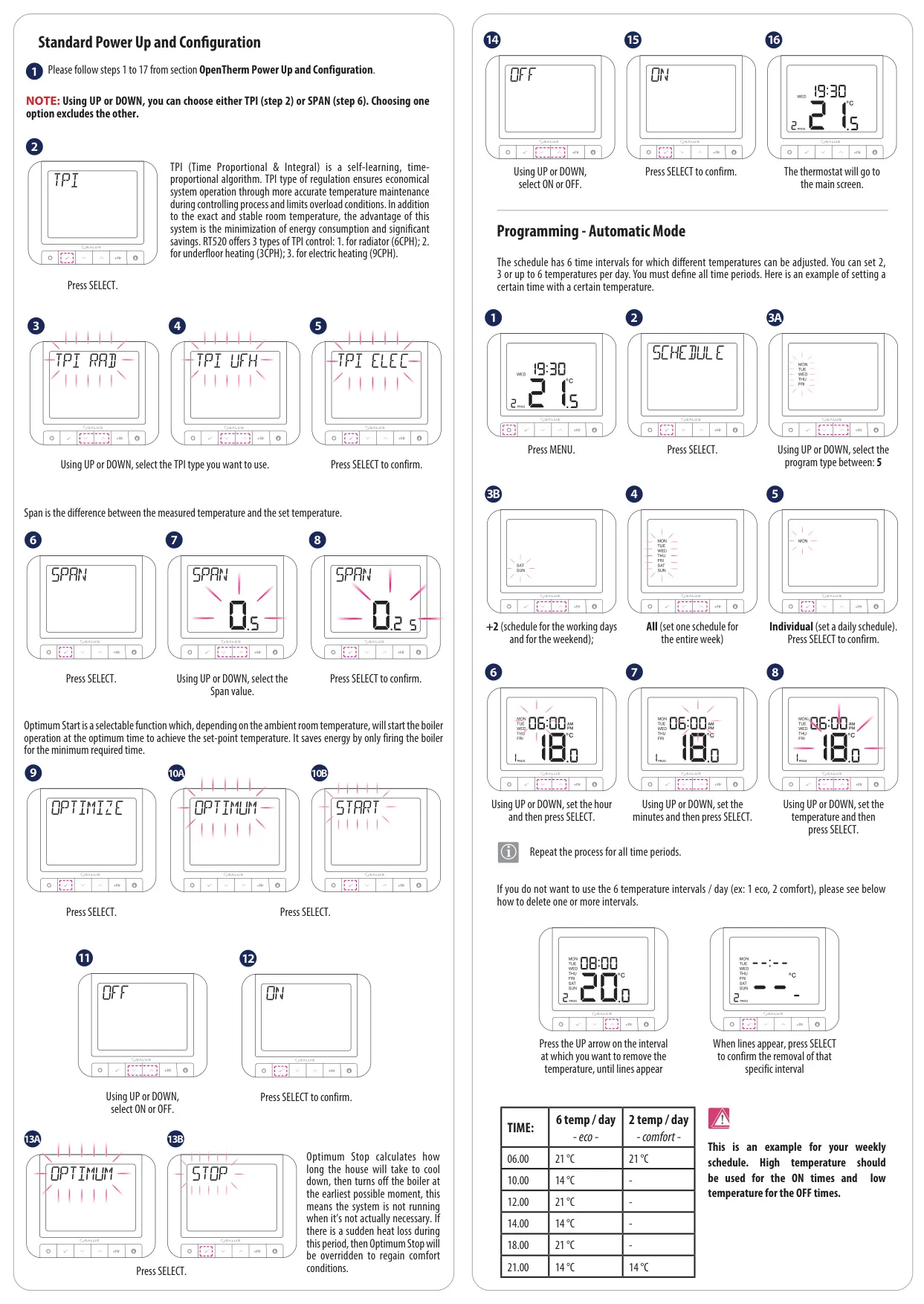
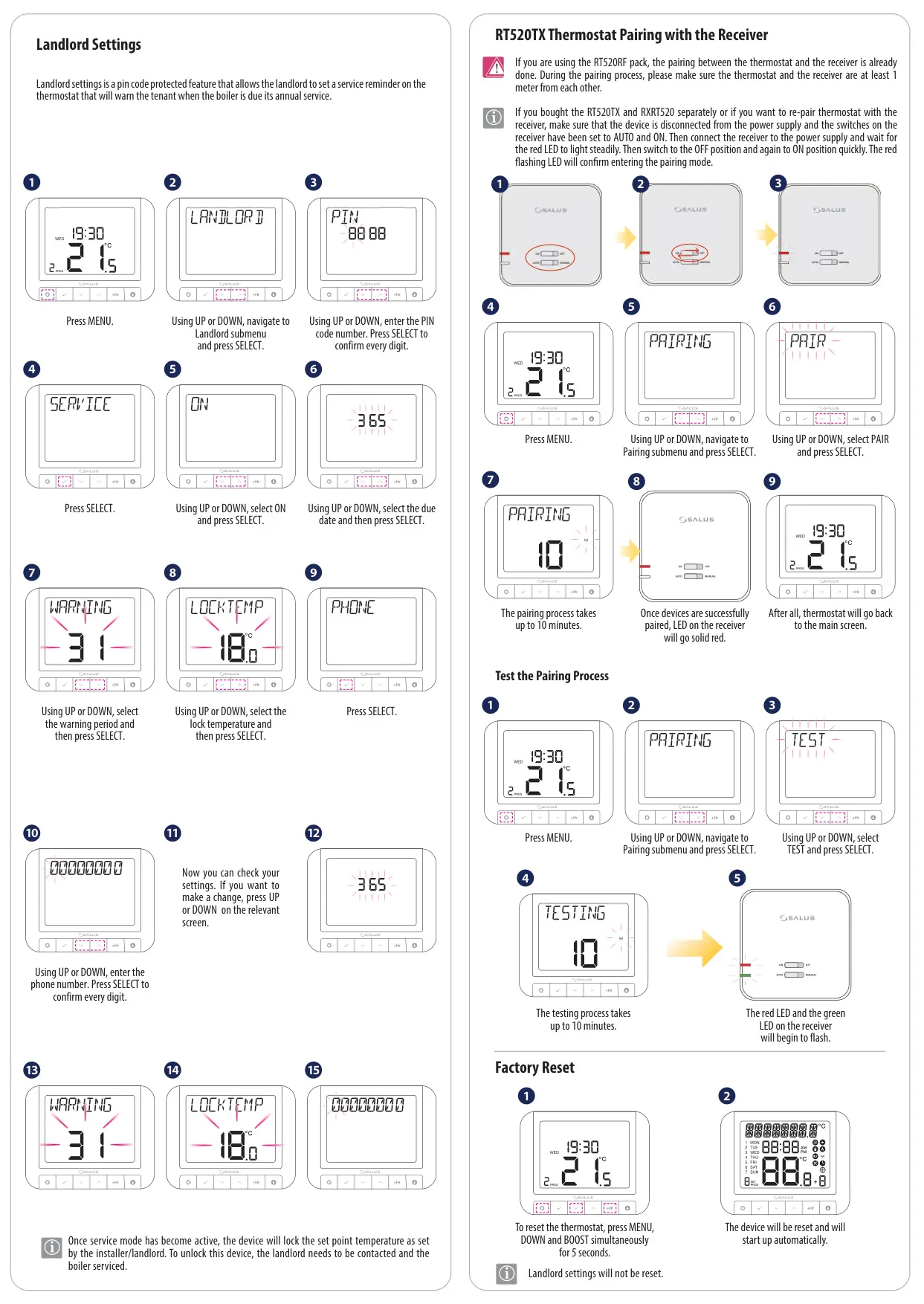
Salus Thermostat RT520TX Instructions
Here we offer the Salus Thermostat RT520TX manual completely free and in English. We have cataloged this manual in the Thermostats section on Manualverse, and it has been rated by 1 users with an average rating of 5. If you have any specific questions about Salus Thermostat RT520TX, we suggest checking the Frequently Asked Questions (FAQs) section of this manual.
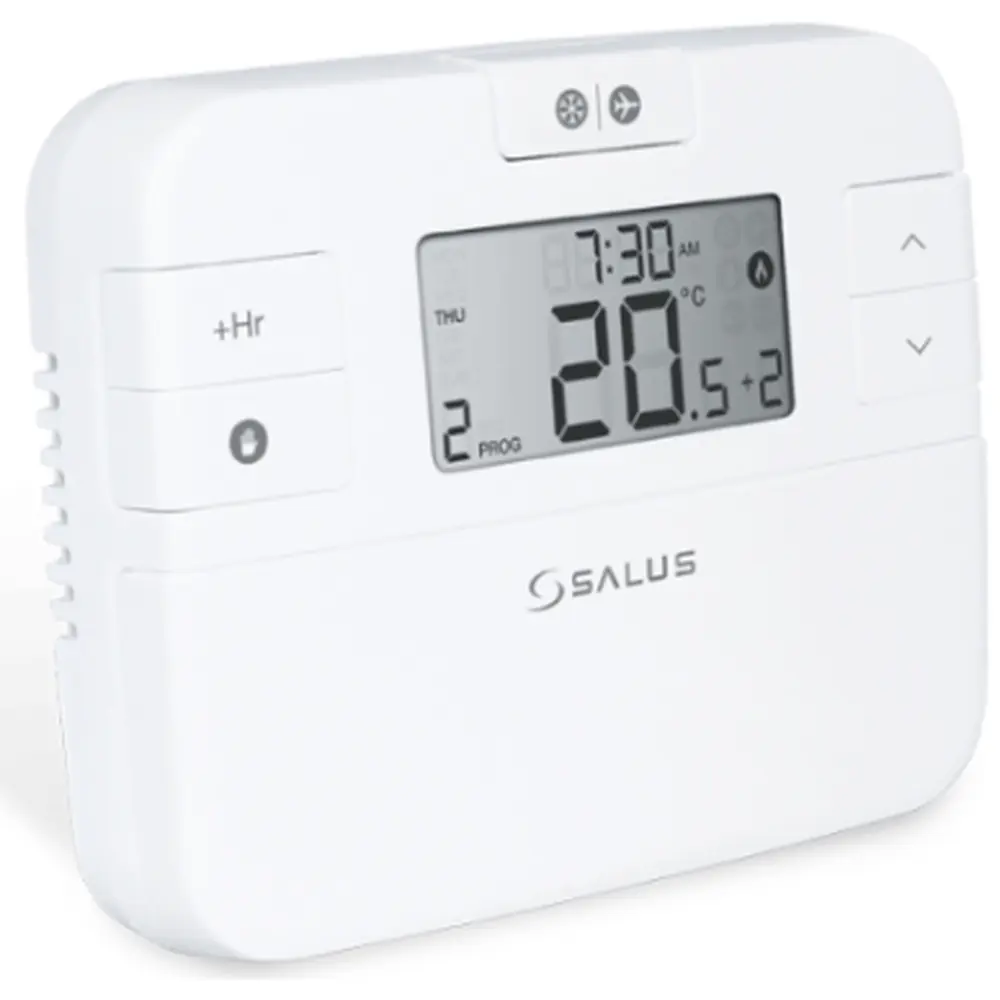
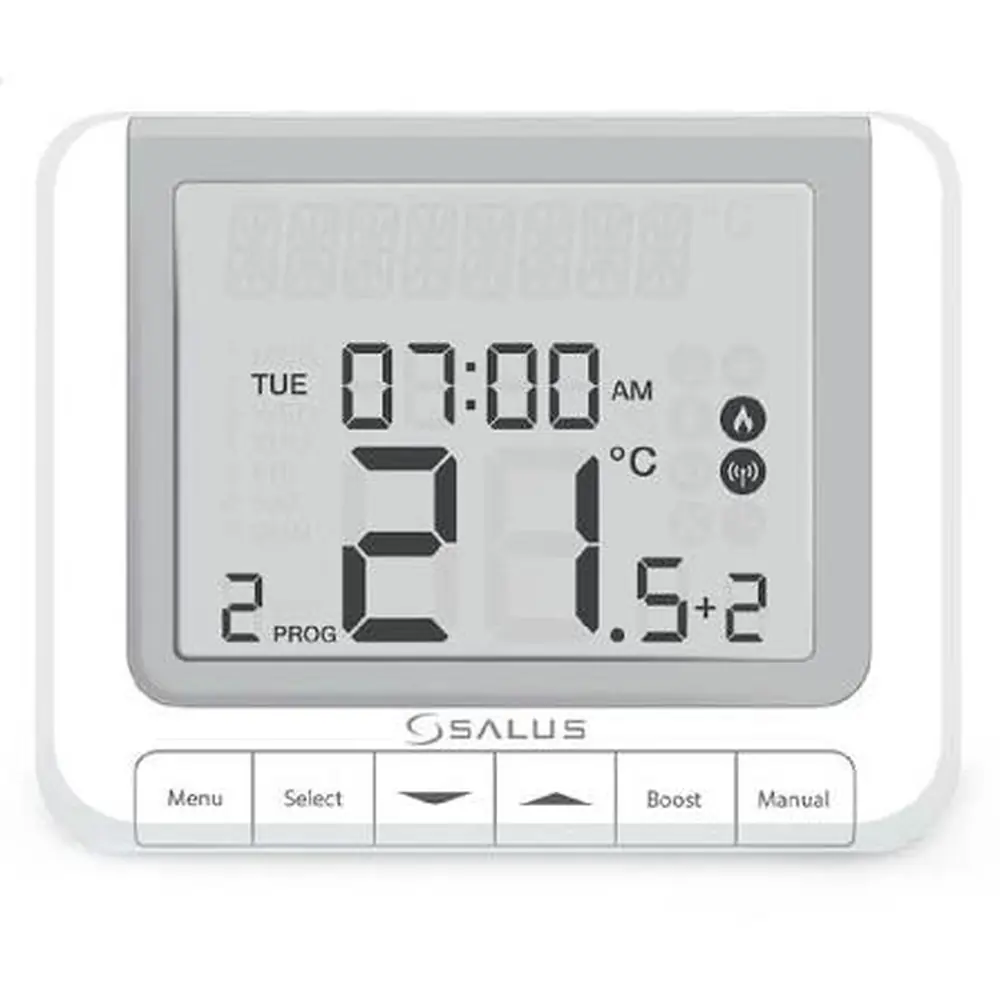
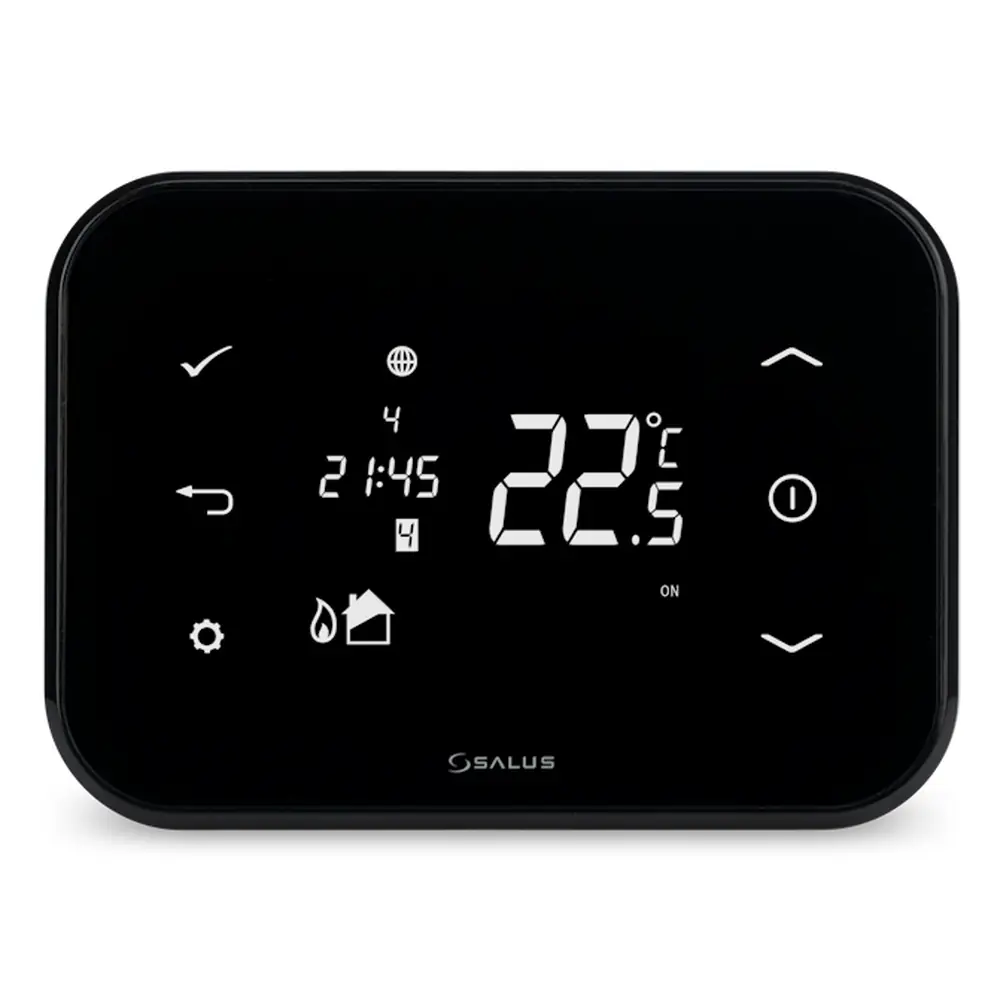
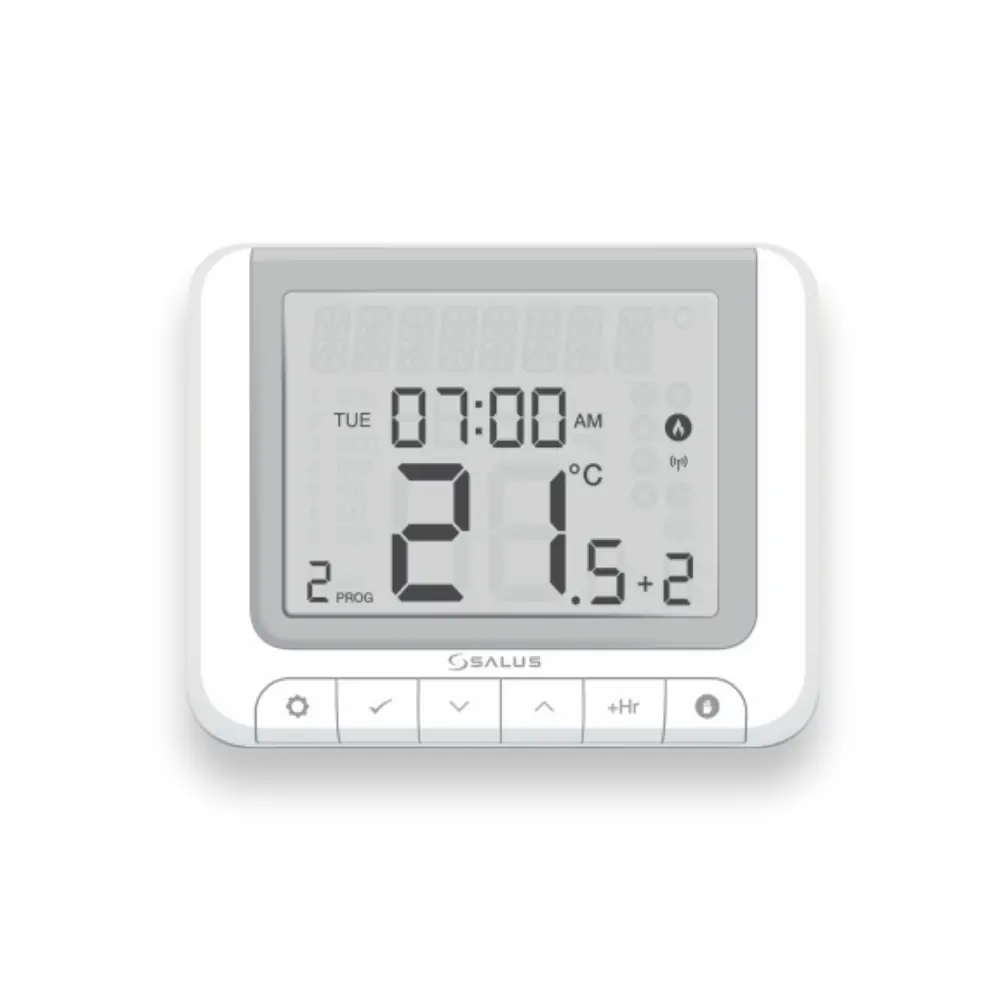
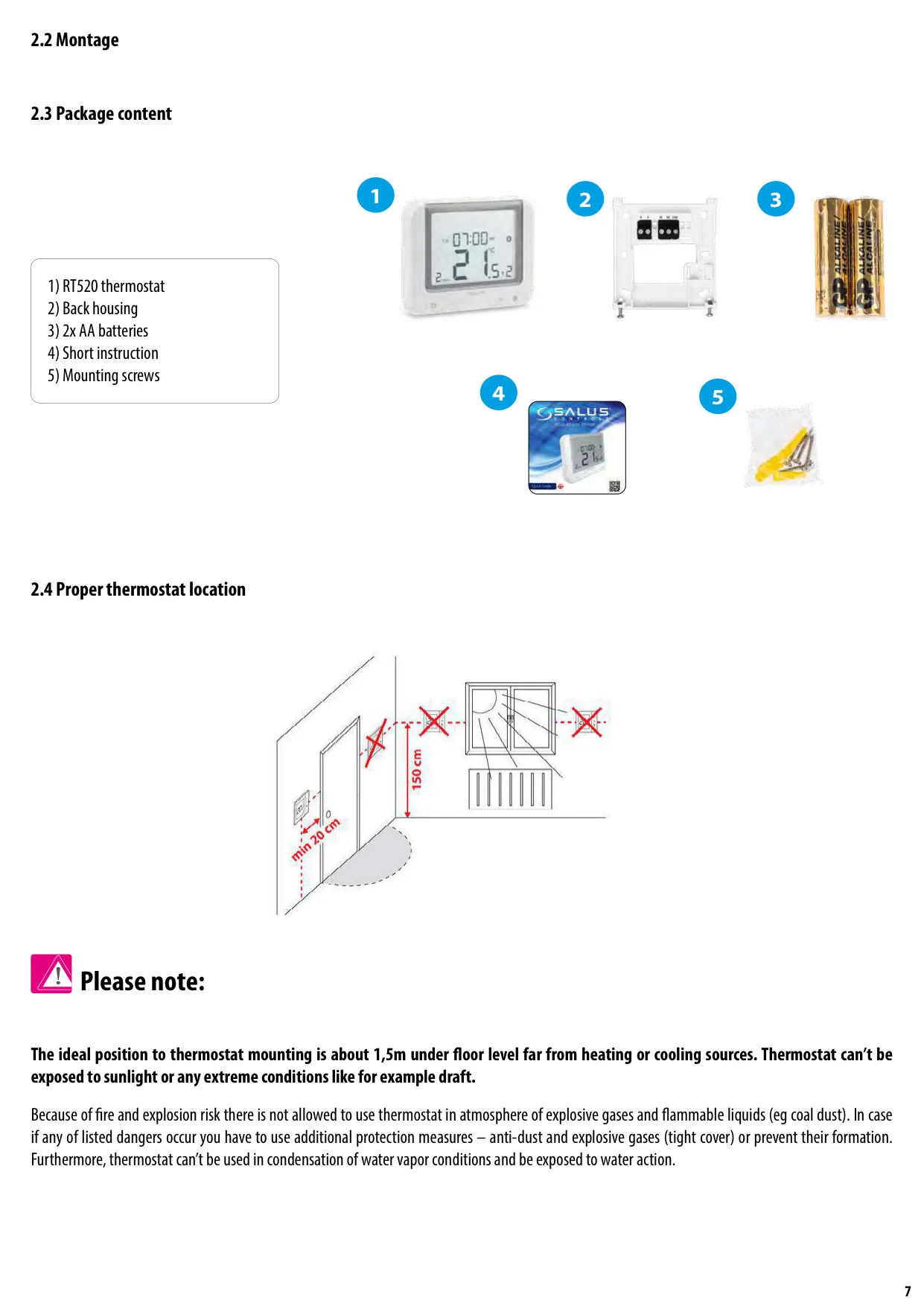
Product Images
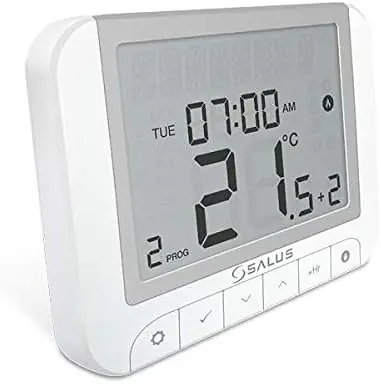
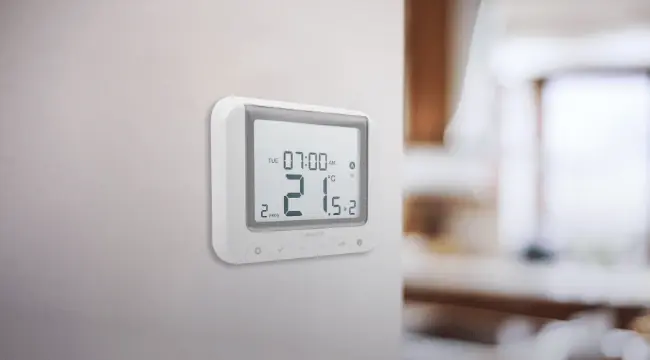
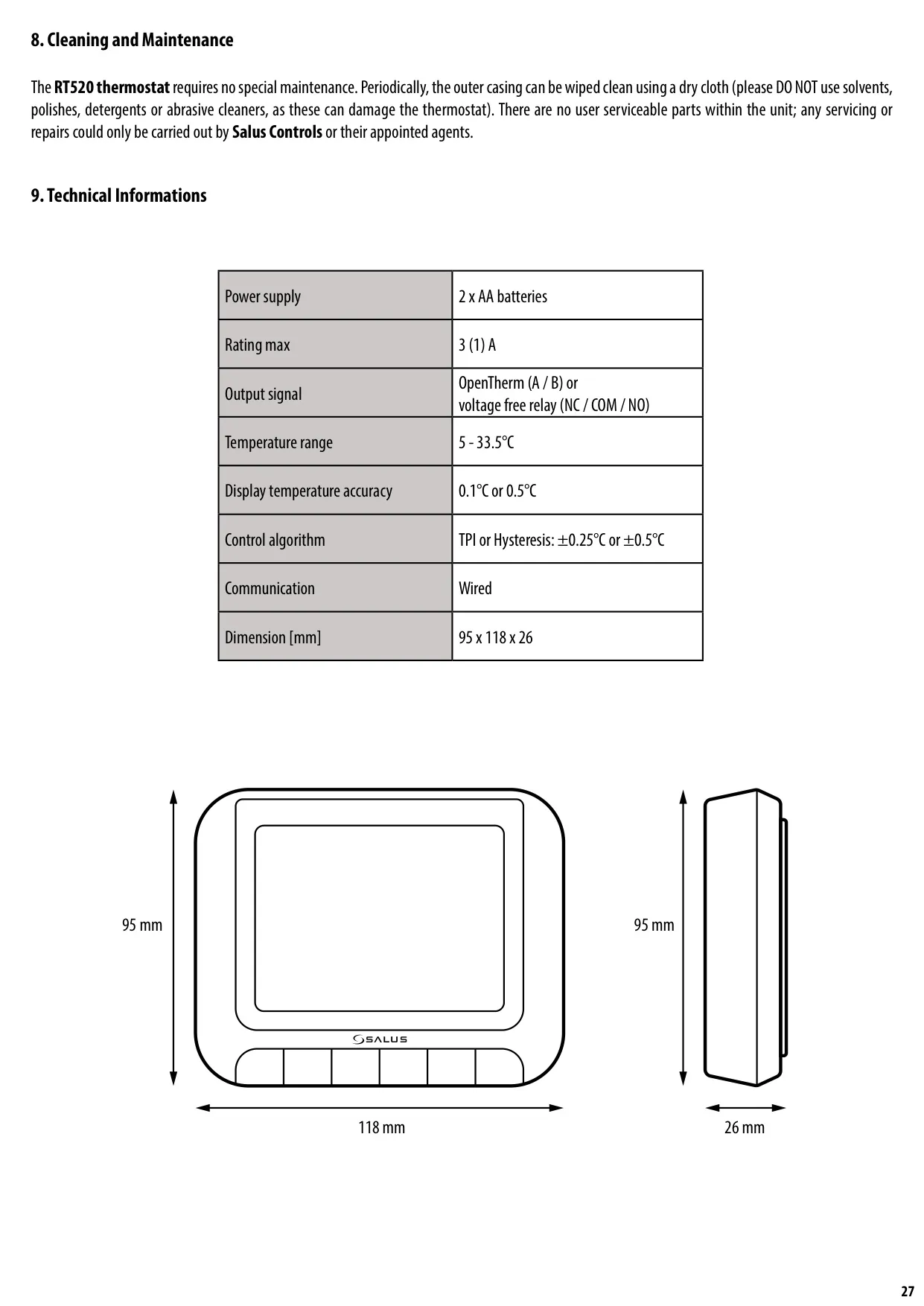
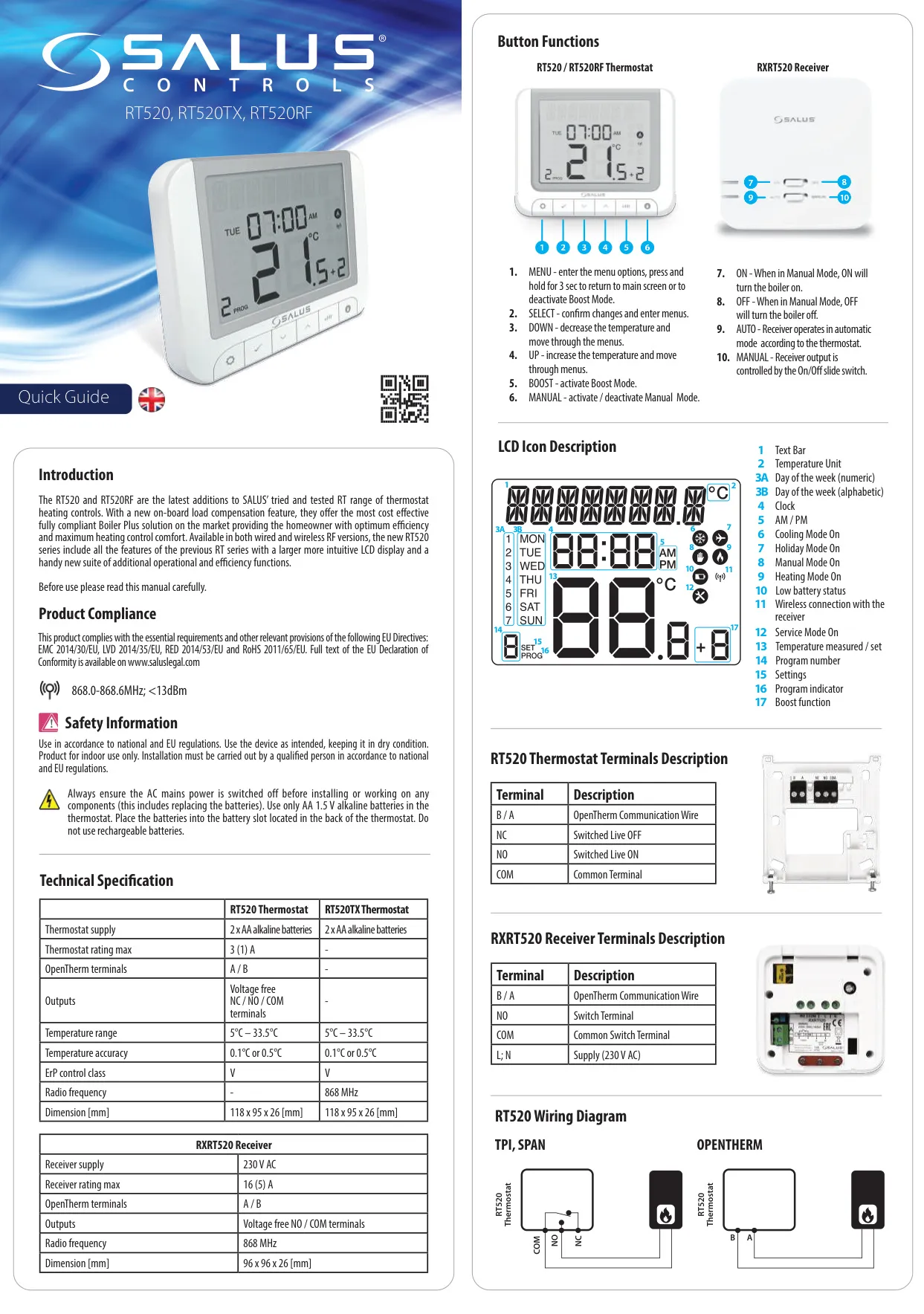
Salus Thermostat RT520TX Specifications
| Specification | Value |
|---|---|
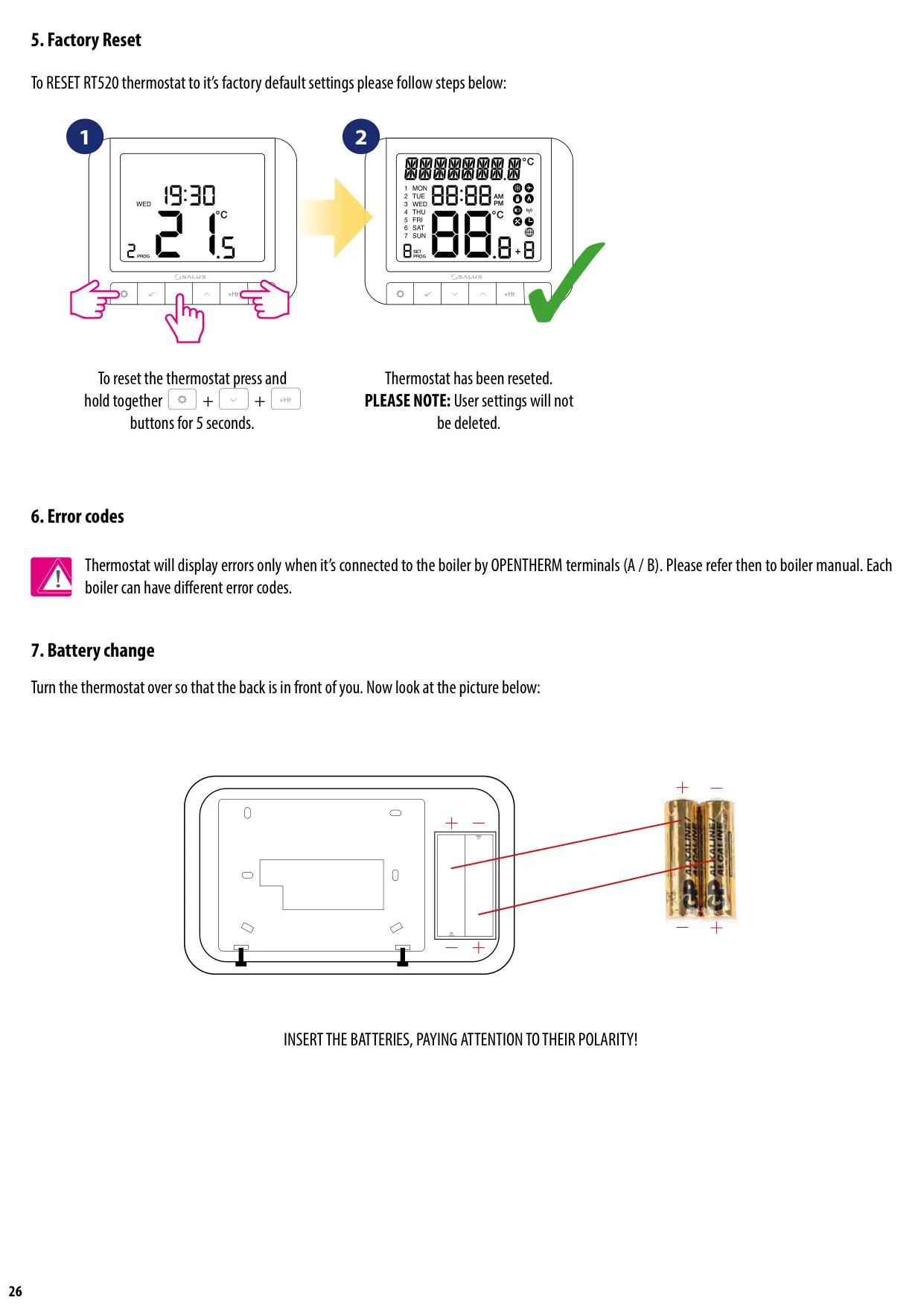
| Power Supply | 2 x AA alkaline batteries |
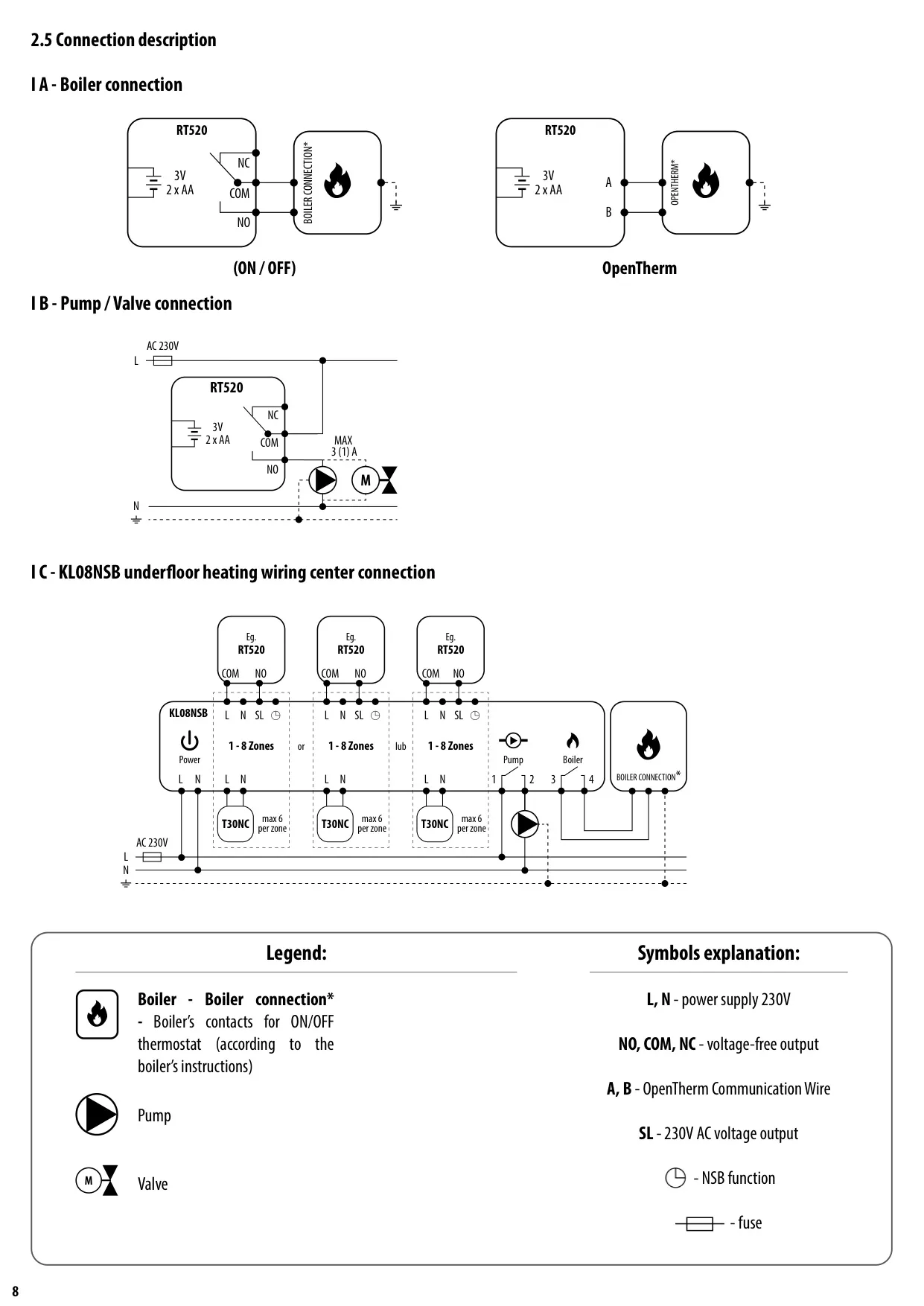
| OpenTherm Terminals | A / B |
| Output Terminals | Voltage-Free (NC / NO / COM) (communicated wirelessly) |
| Temperature Range | 5 - 33.5°C |
| Temperature Accuracy | 0.1°C or 0.5°C |
| Control Algorithm | TPI or Hysteresis: ±0.25°C or ±0.5°C |
| Communication Frequency | 868 MHz (Wireless) |
| Dimensions (H x W x D) | 118 x 95 x 26 mm |
| ErP Control Class | V |
Salus Thermostat RT520TX Details
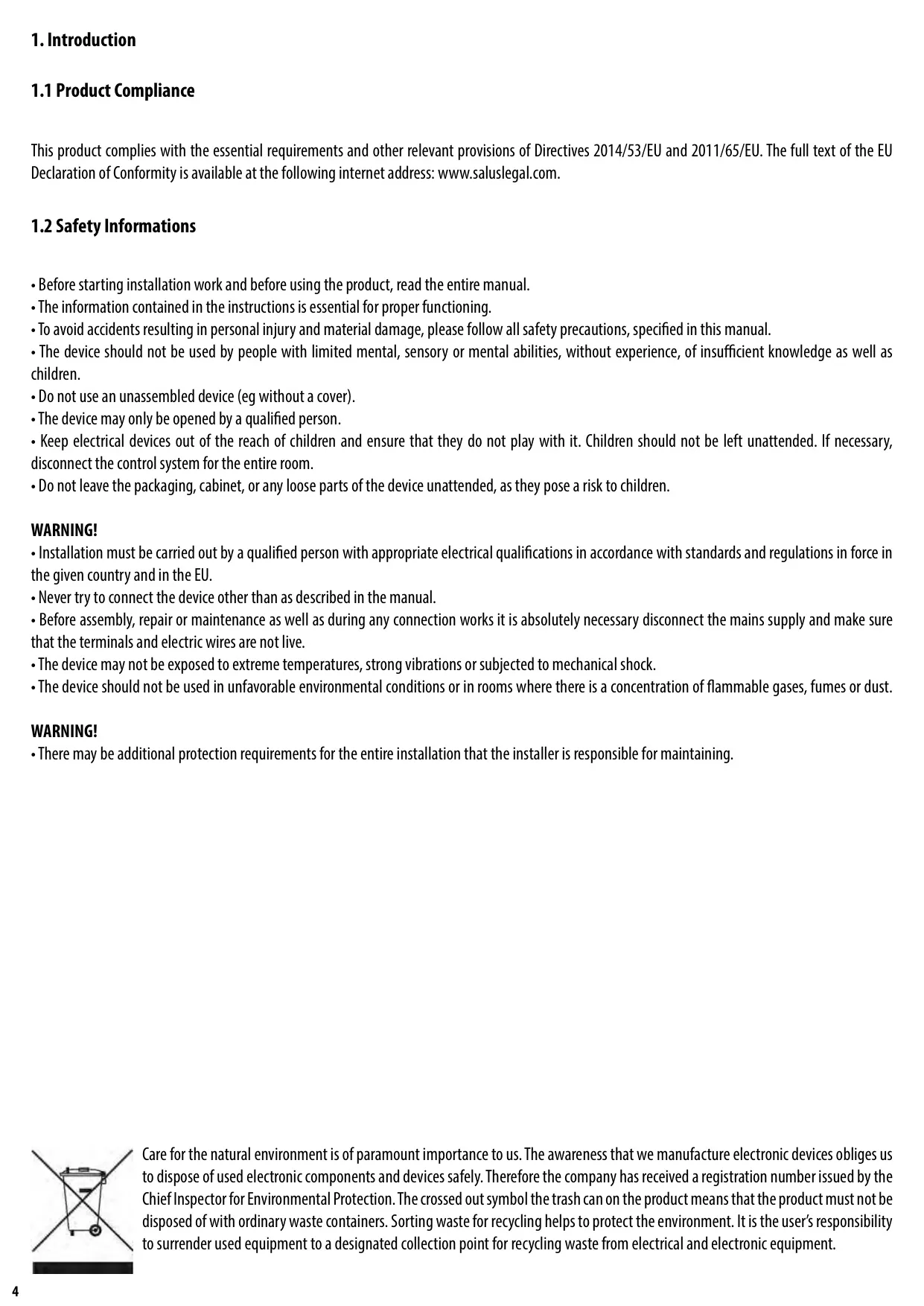
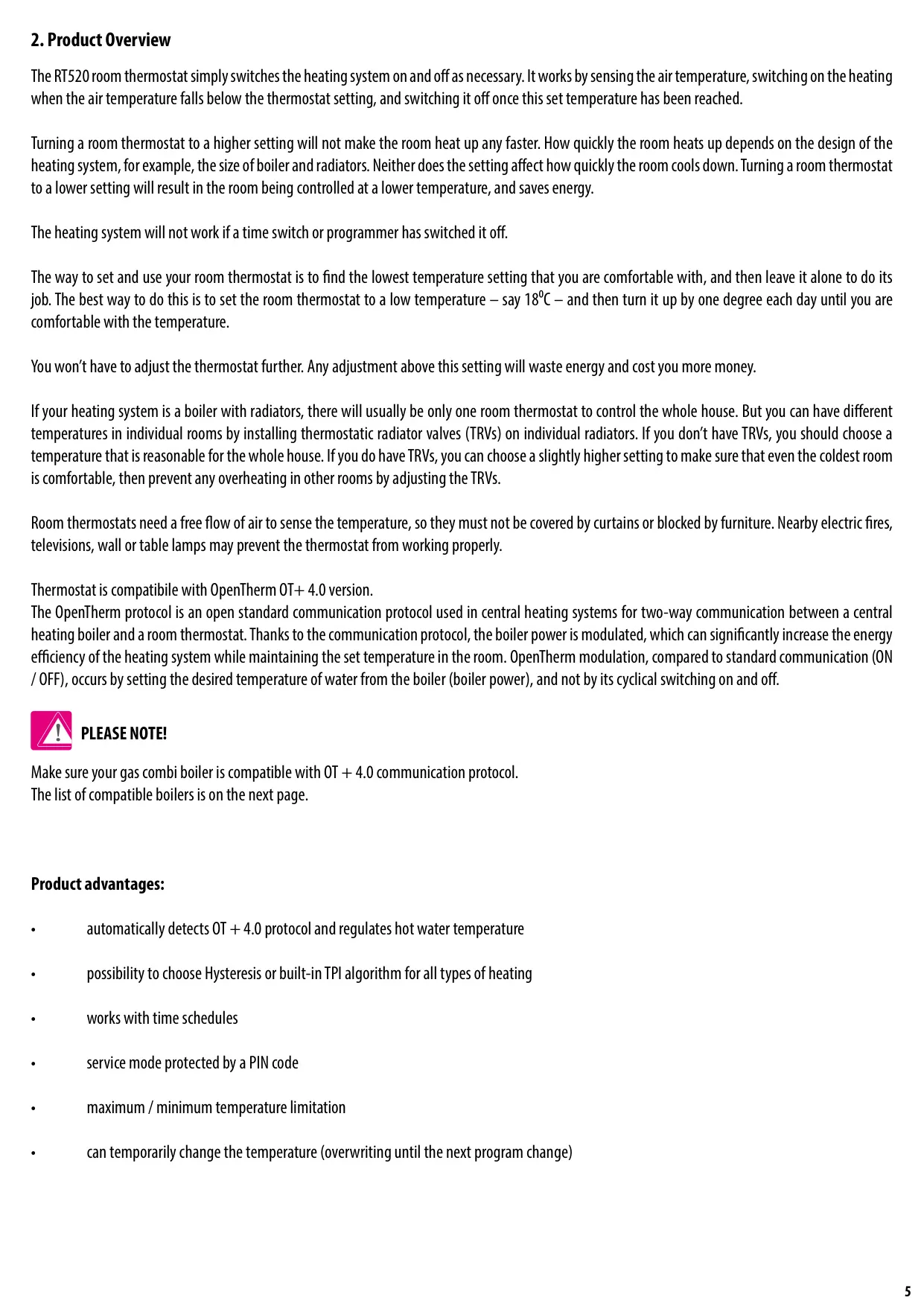
The Salus Thermostat RT520TX is a sophisticated heating control solution designed for optimal efficiency and comfort, embodying the latest advancements in heating technology. As a fully Boiler Plus compliant device, it stands out for its on-board load compensation feature, which significantly contributes to energy savings. The thermostat operates by sensing the ambient air temperature and activating or deactivating the heating system accordingly, ensuring the room maintains the desired set temperature. A key aspect of its performance is its ability to modulate boiler output, rather than simply switching it on and off, for a more consistent and energy-efficient heat supply.
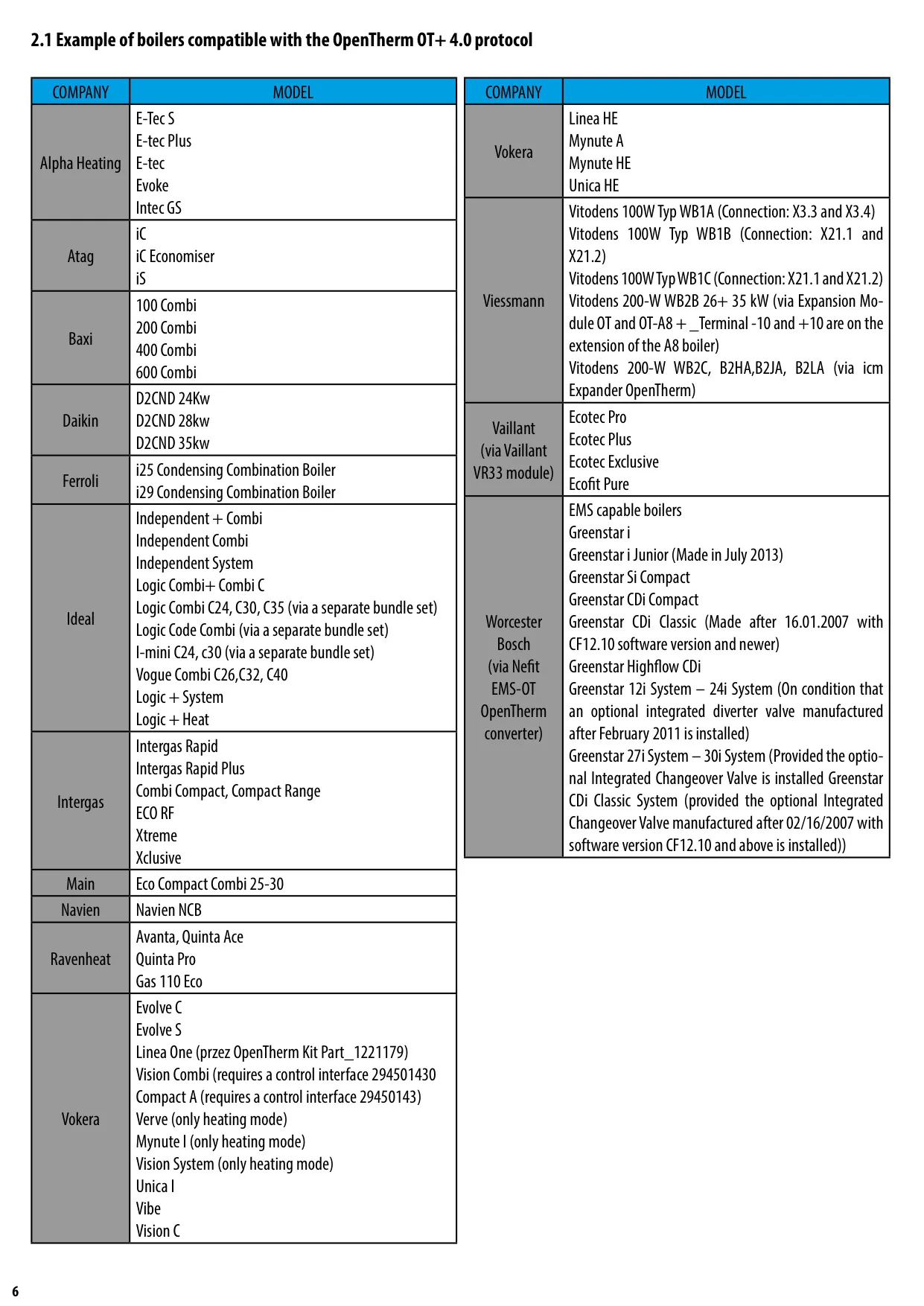
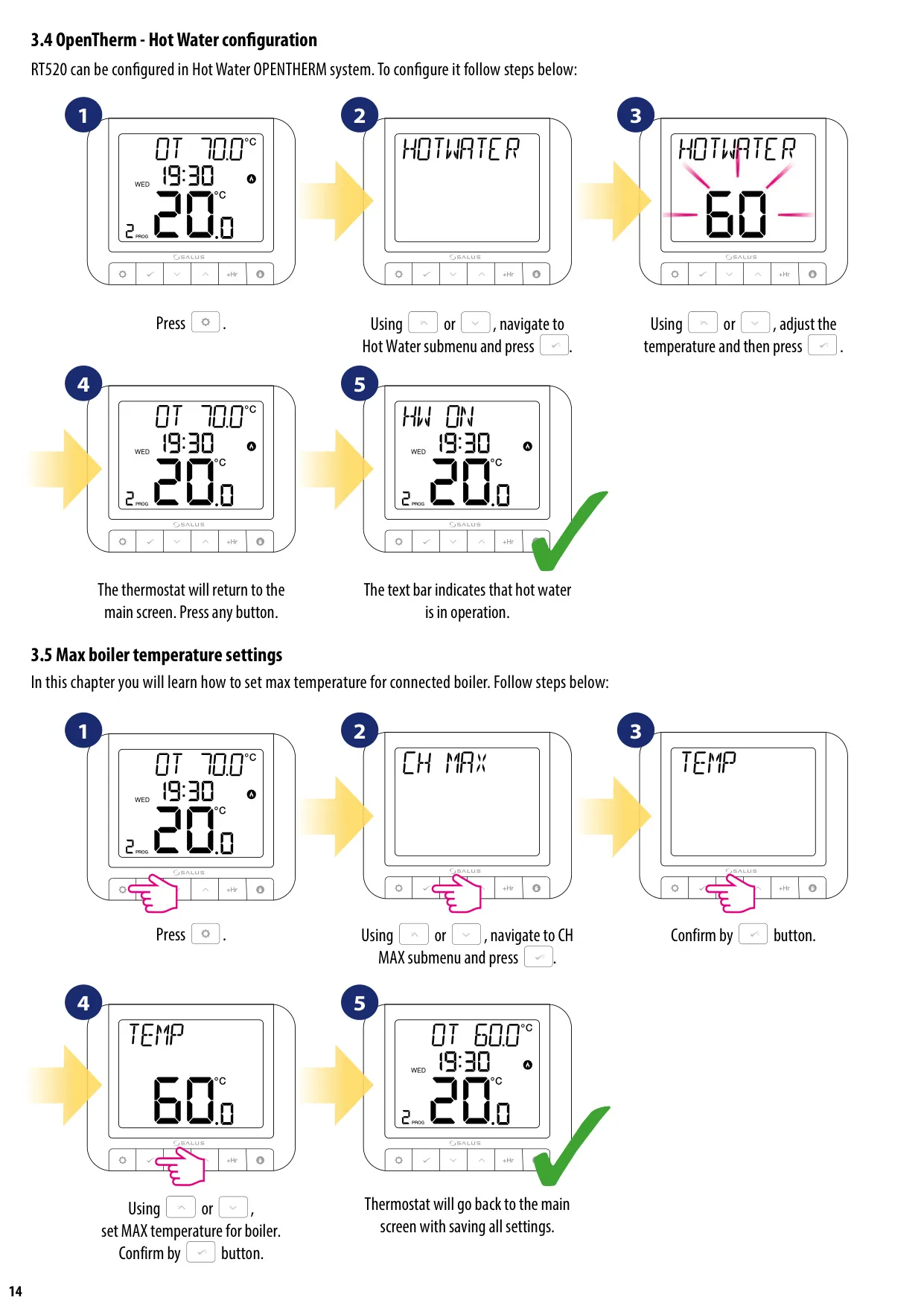
A core feature of the RT520TX is its compatibility with the OpenTherm OT+ 4.0 protocol. This open standard facilitates two-way communication between the thermostat and a compatible central heating boiler. By enabling the boiler's power to be modulated, the RT520TX can achieve significantly increased energy efficiency and more precise temperature control compared to traditional ON/OFF systems. It automatically detects the OpenTherm protocol and can regulate hot water temperature, offering seamless integration and enhanced performance for a wide range of modern boilers.
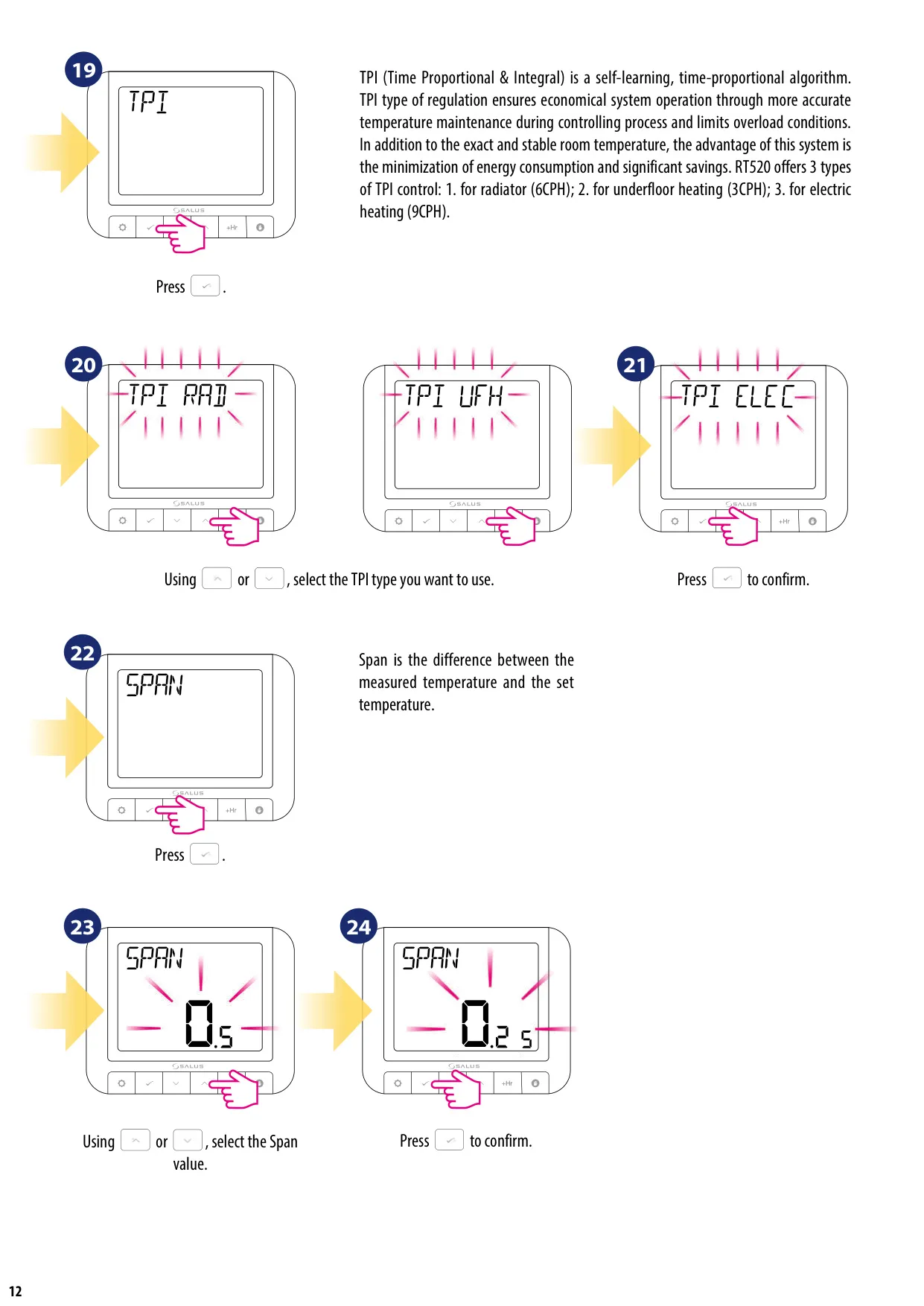
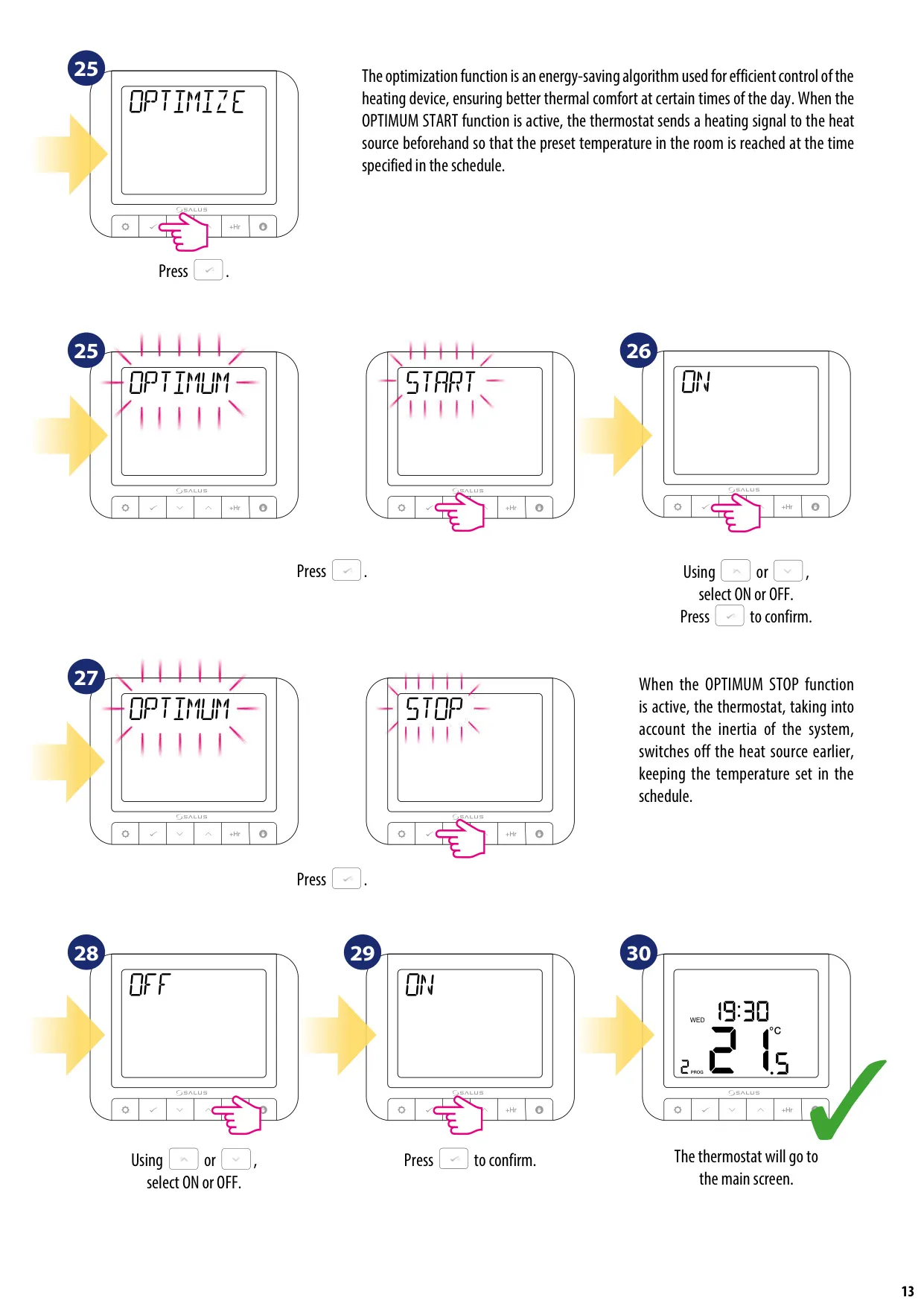
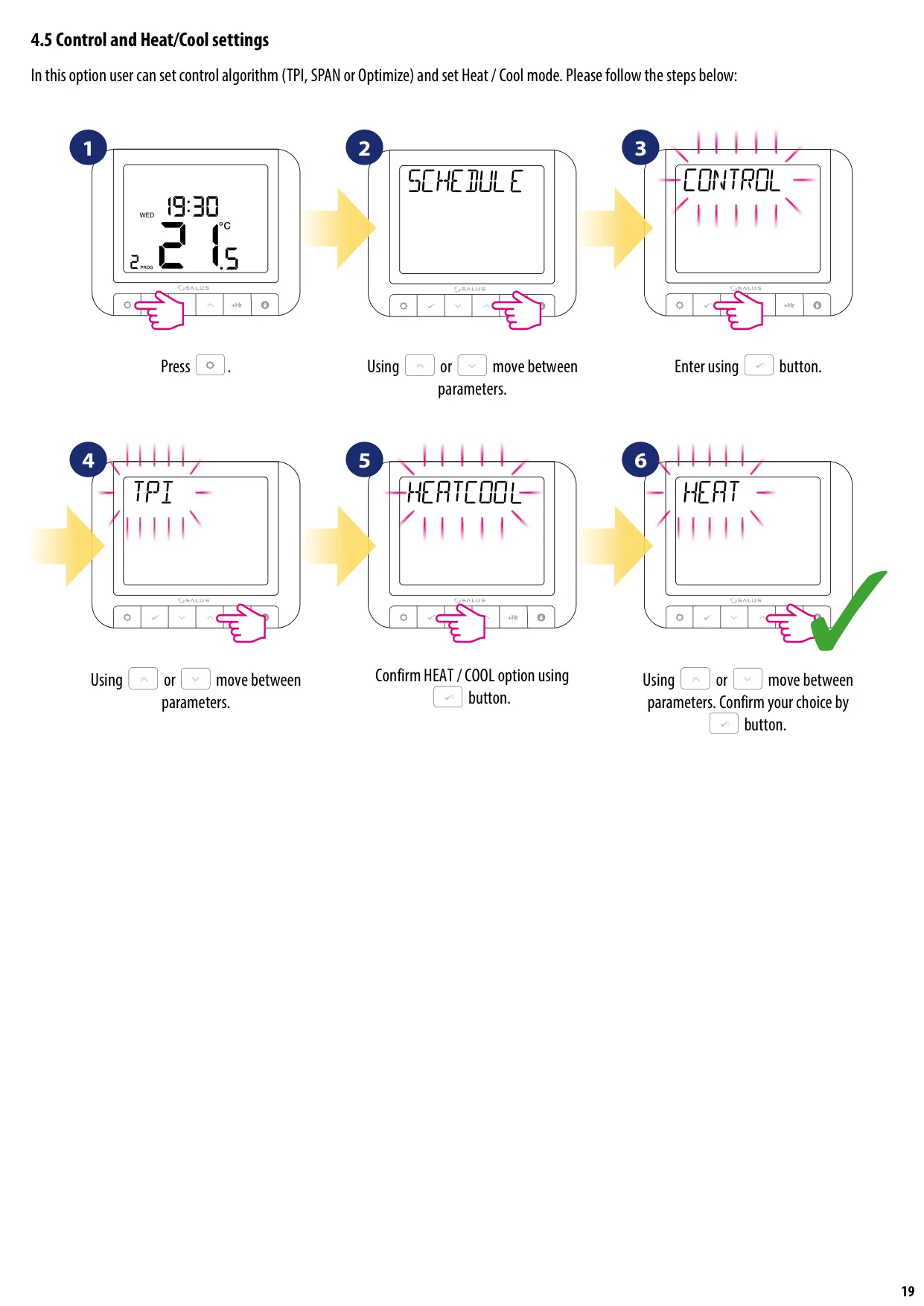
Beyond OpenTherm, the RT520TX offers advanced control algorithms, including Hysteresis and the self-learning TPI (Time Proportional & Integral) algorithm. TPI ensures economical system operation by maintaining accurate temperatures and limiting overload conditions, leading to substantial energy savings. Users can select from three TPI types tailored for radiators (6 CPH), underfloor heating (3 CPH), or electric heating (9 CPH). Furthermore, optimization functions like Optimum Start and Optimum Stop intelligently manage heating cycles. Optimum Start pre-heats the room to reach the set temperature precisely by the scheduled time, while Optimum Stop turns off the boiler earlier, leveraging the system's inertia to maintain comfort and prevent unnecessary energy consumption.
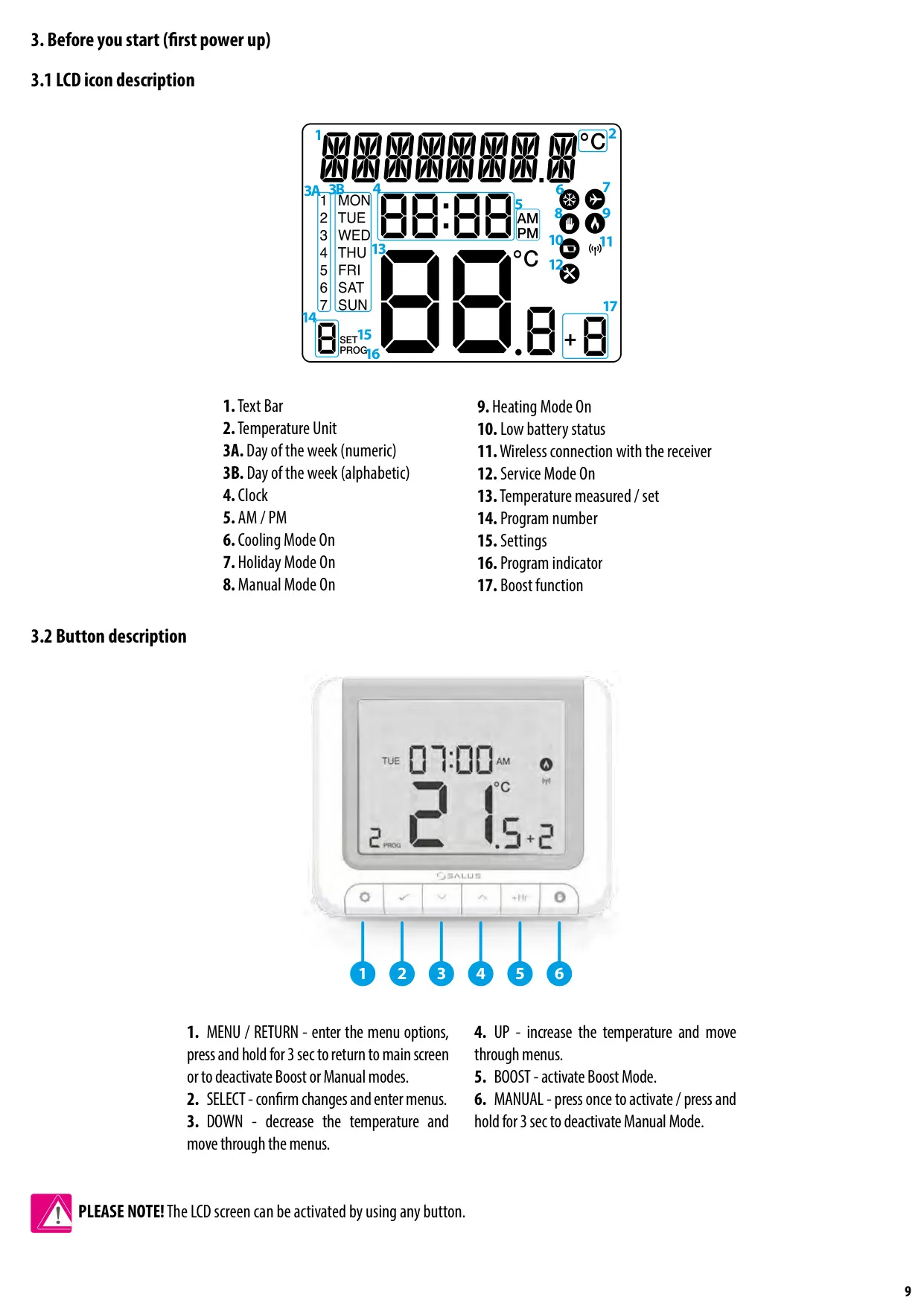
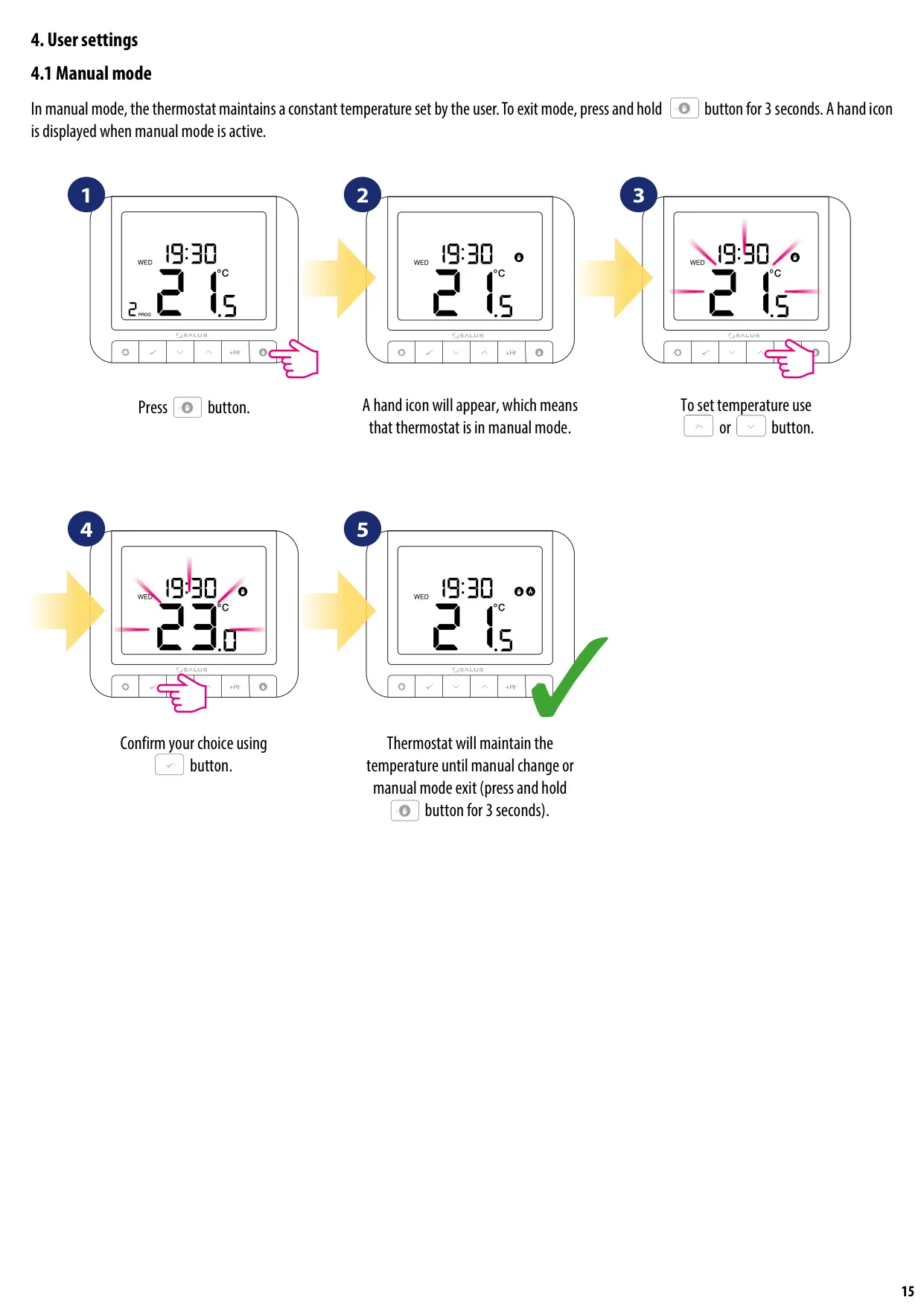
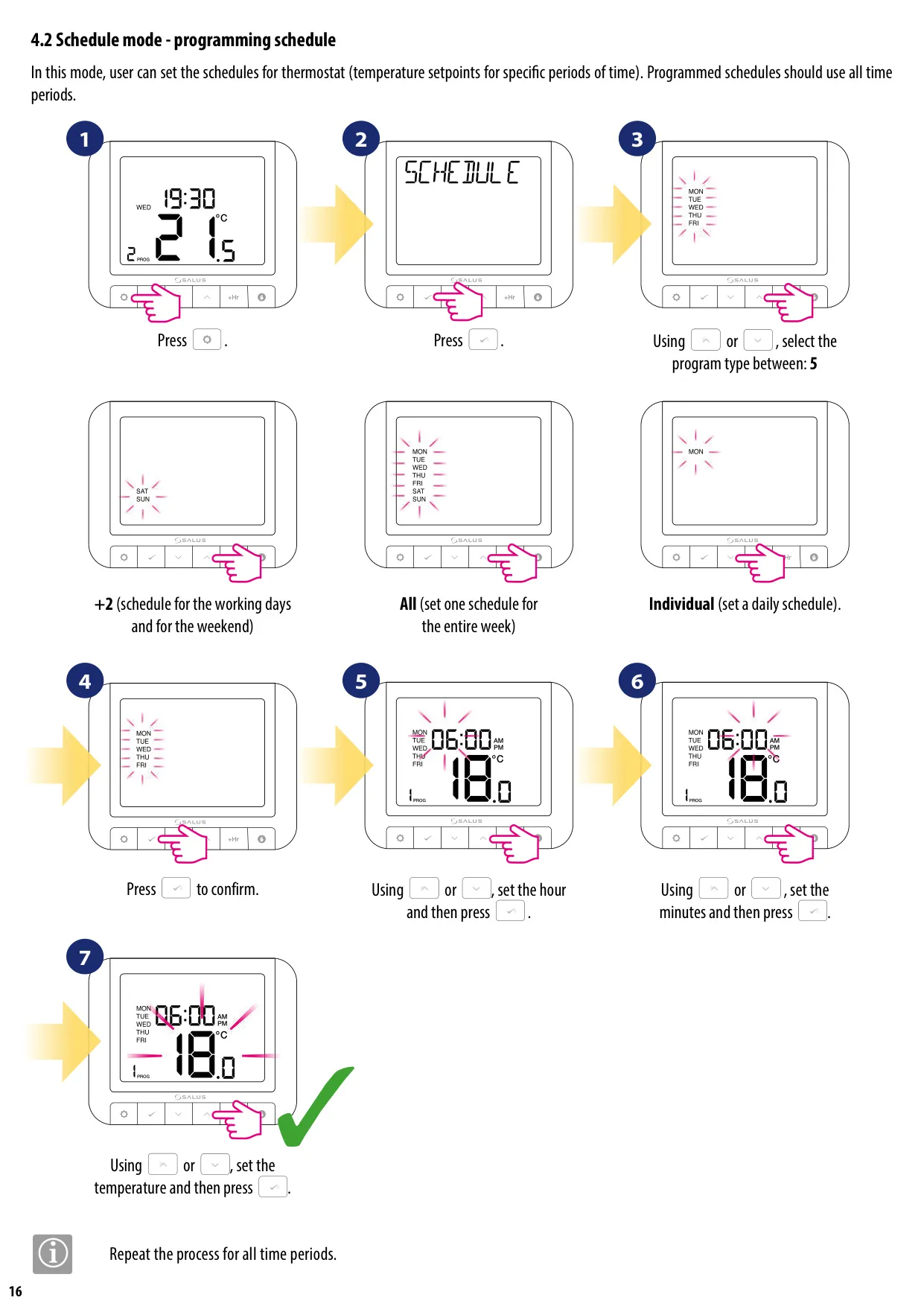
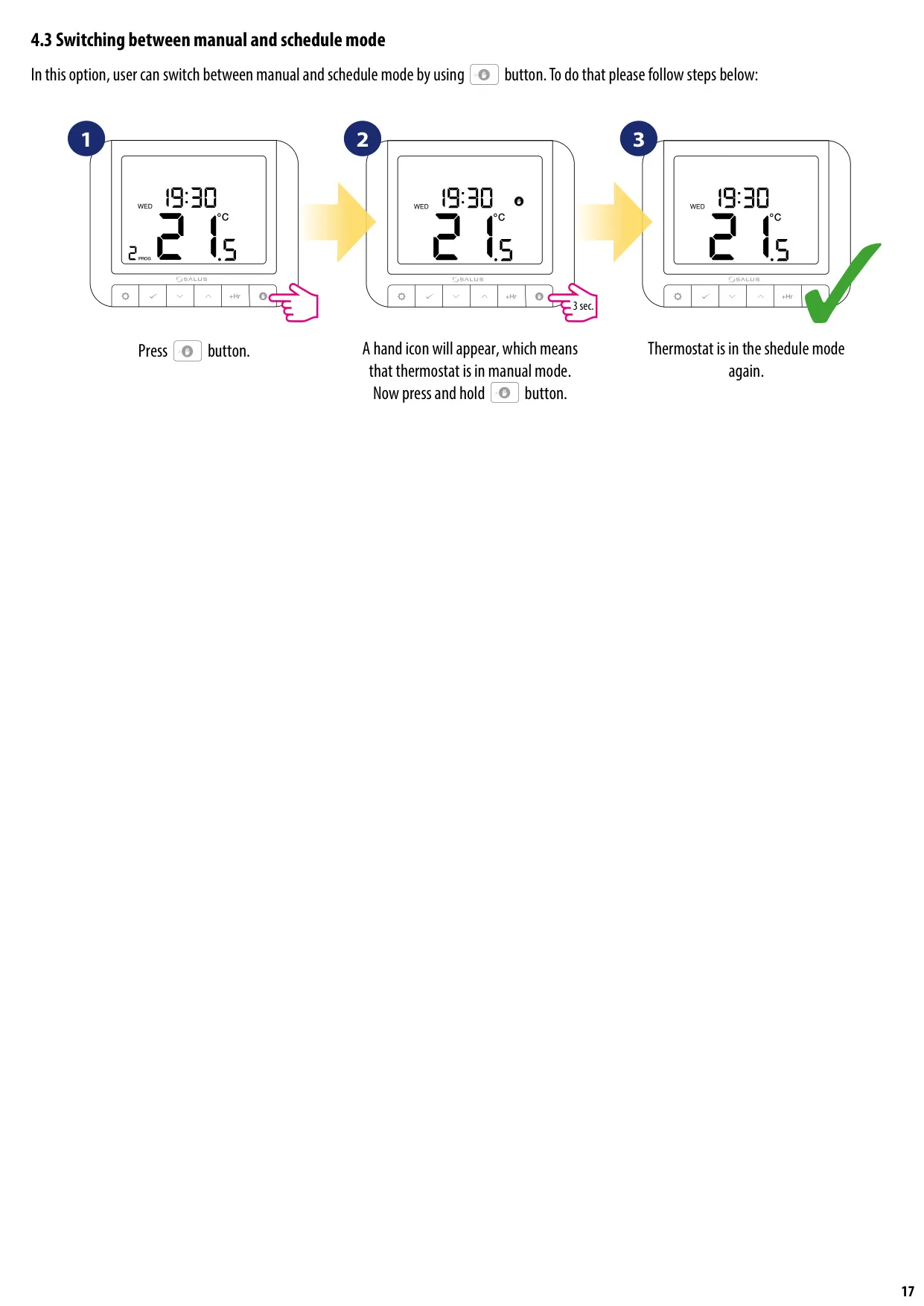
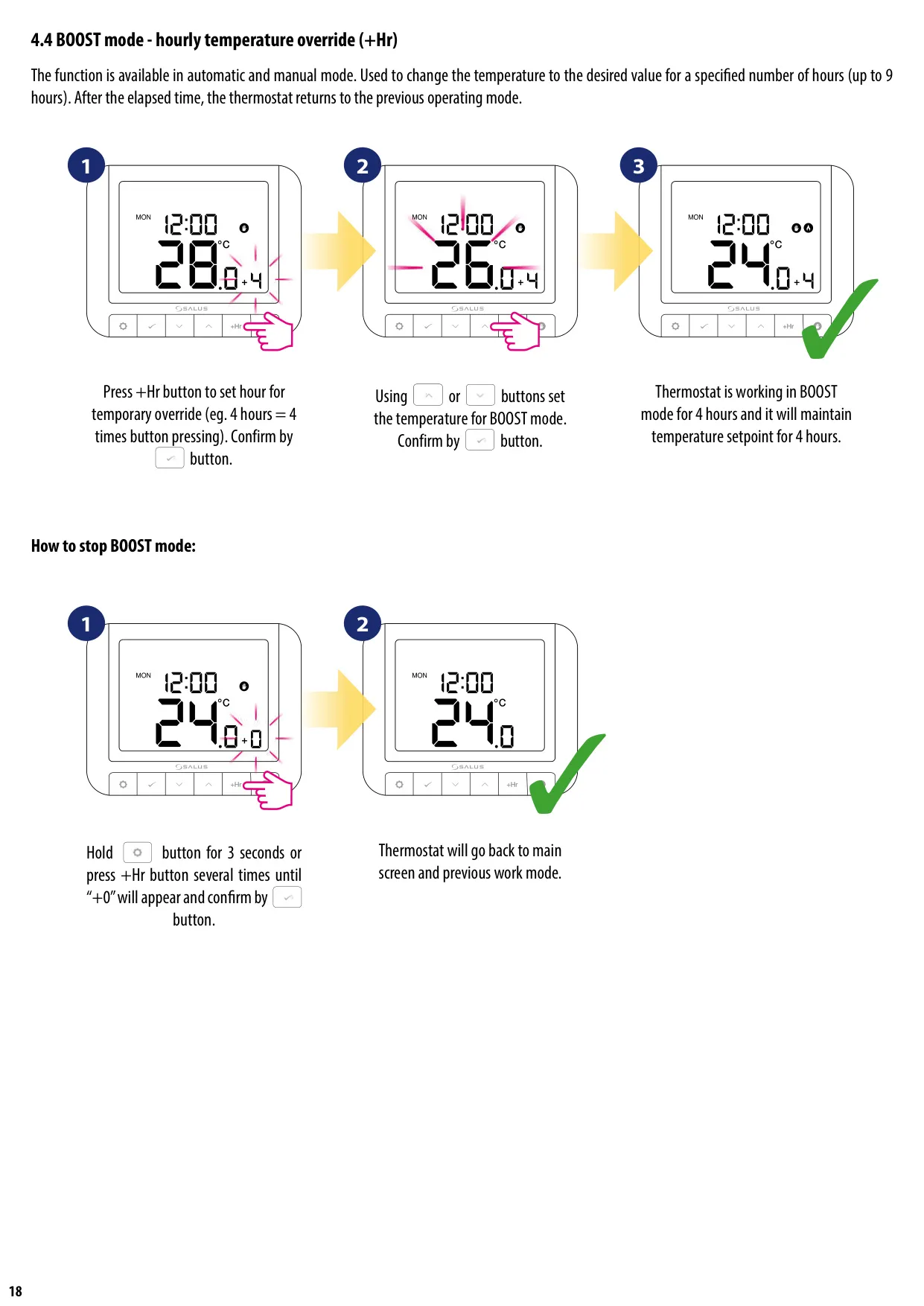
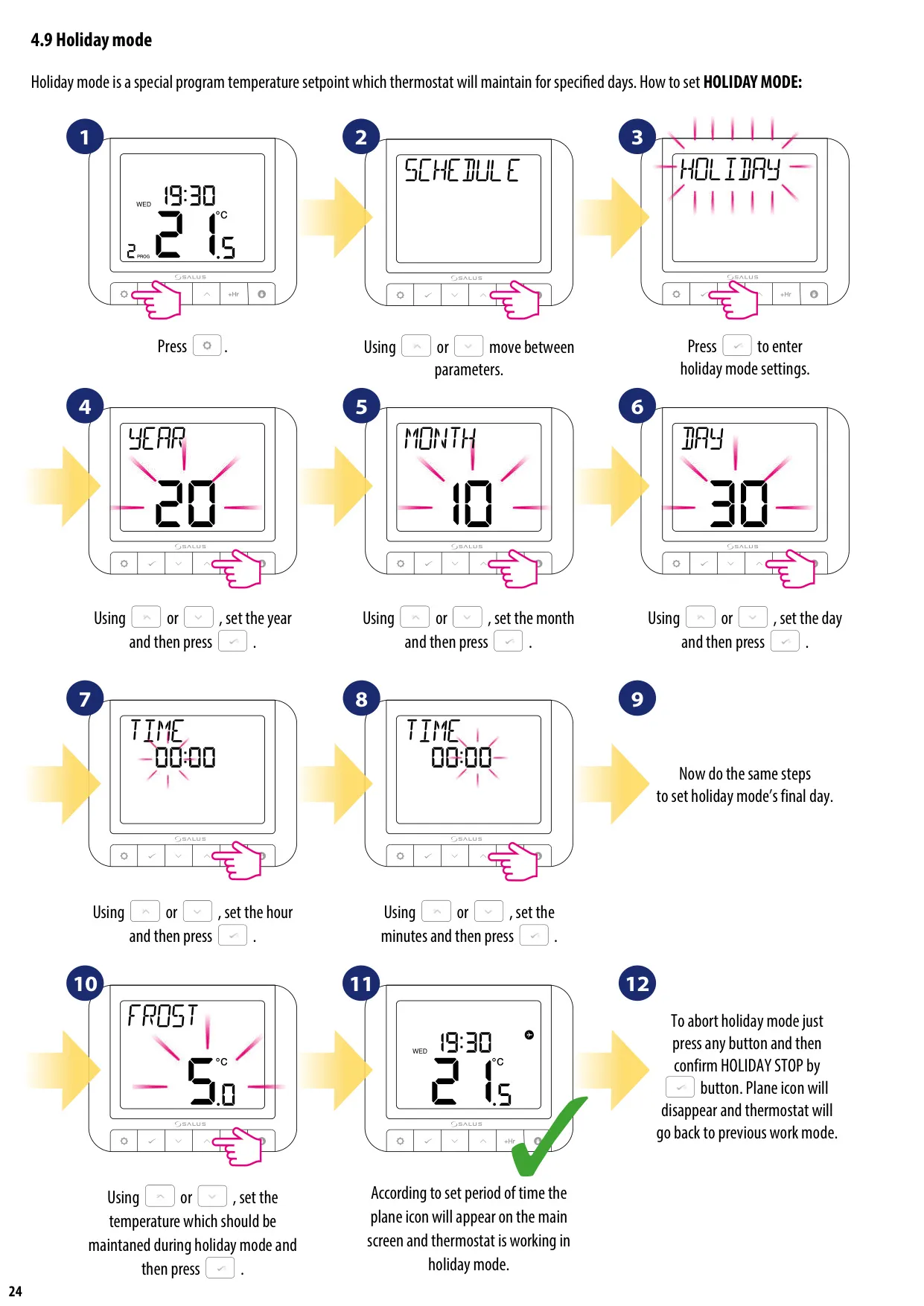
The thermostat provides flexible control over your heating schedule. Users can program specific temperature setpoints for up to six time intervals per day, accommodating various daily routines. For temporary adjustments, the BOOST mode allows for an hourly temperature override for up to nine hours, after which the thermostat reverts to its previous operating mode. For longer periods away, the Holiday mode enables the thermostat to maintain a special, lower temperature for a specified duration, helping to save energy without completely shutting down the system.
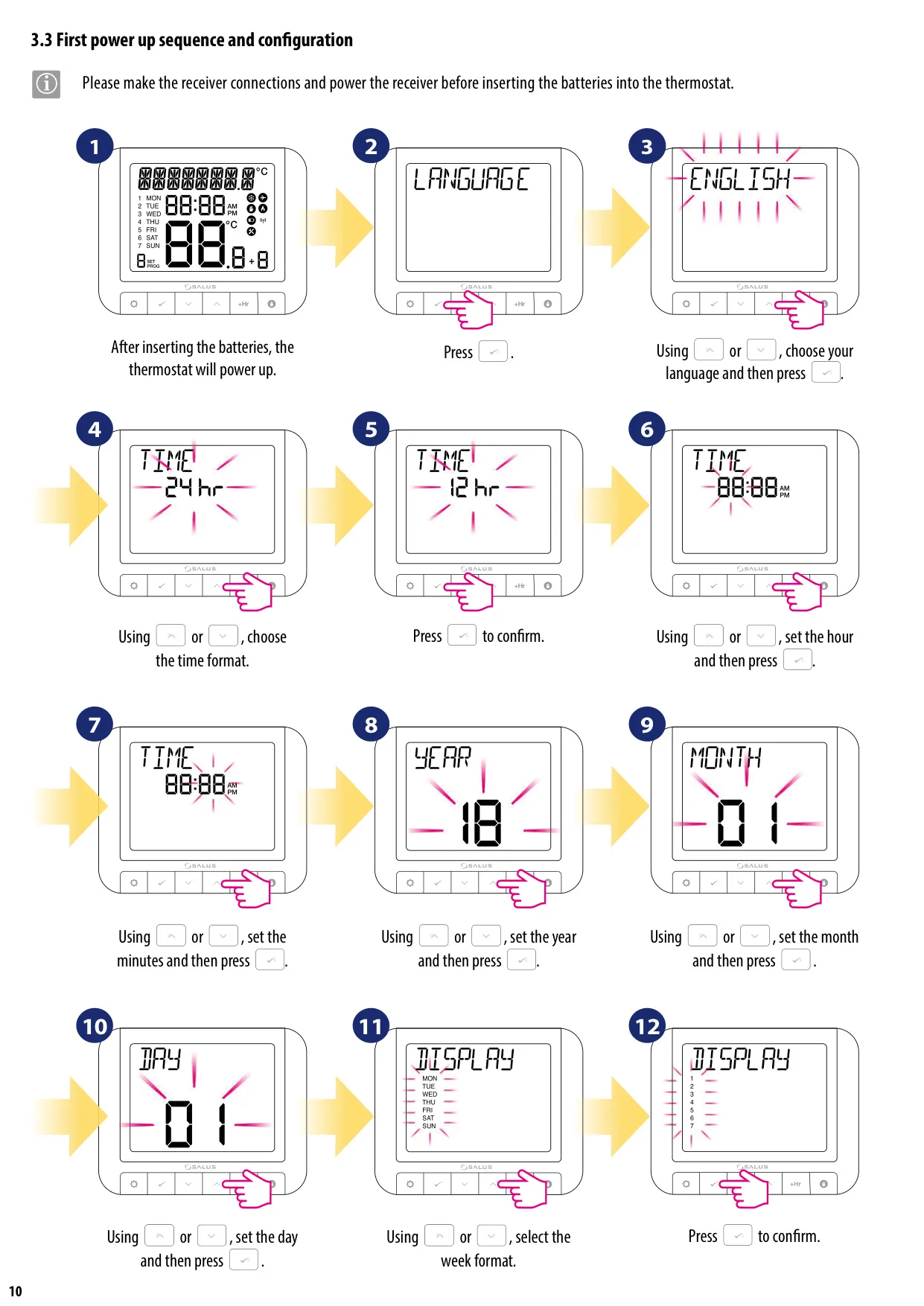
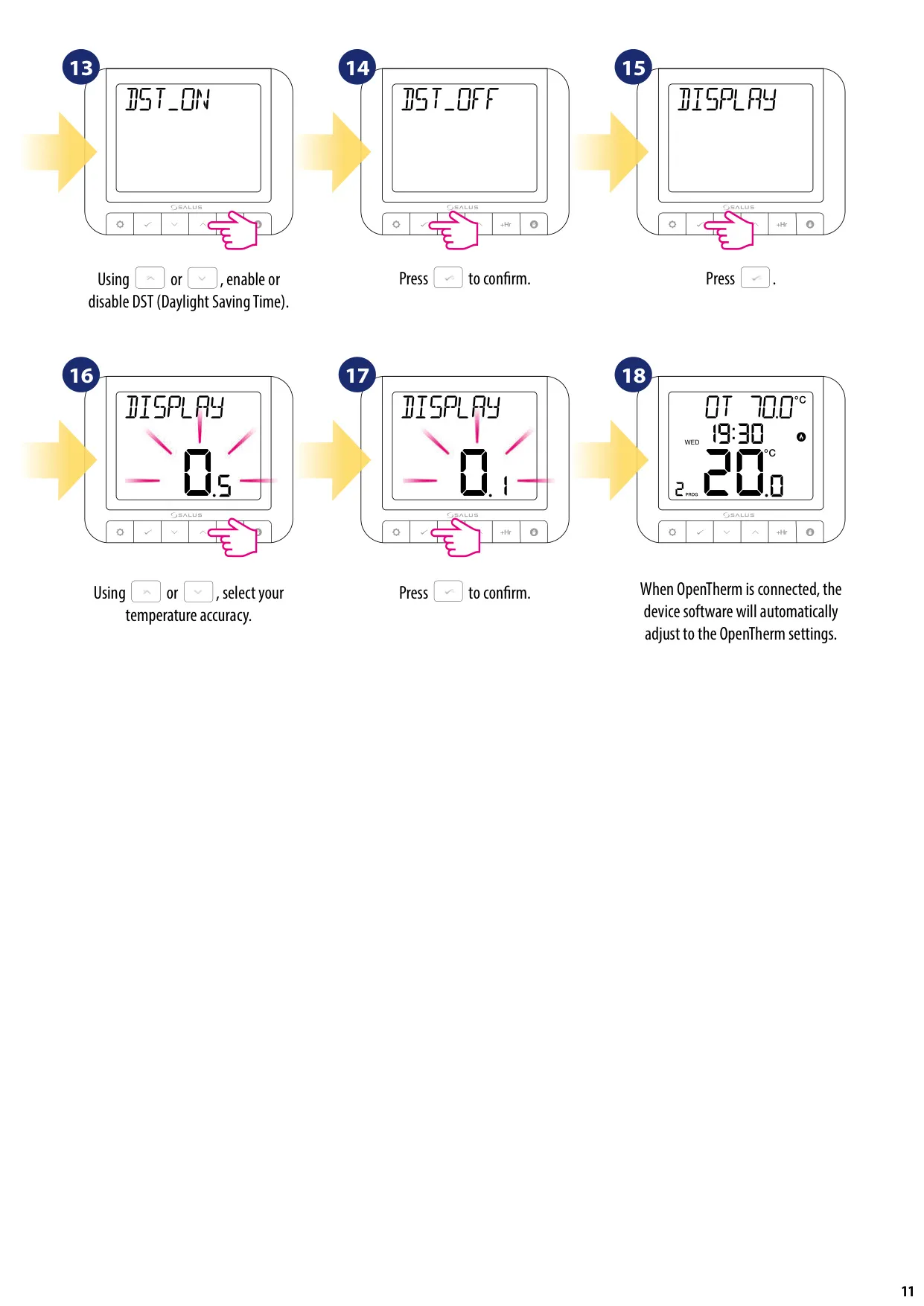
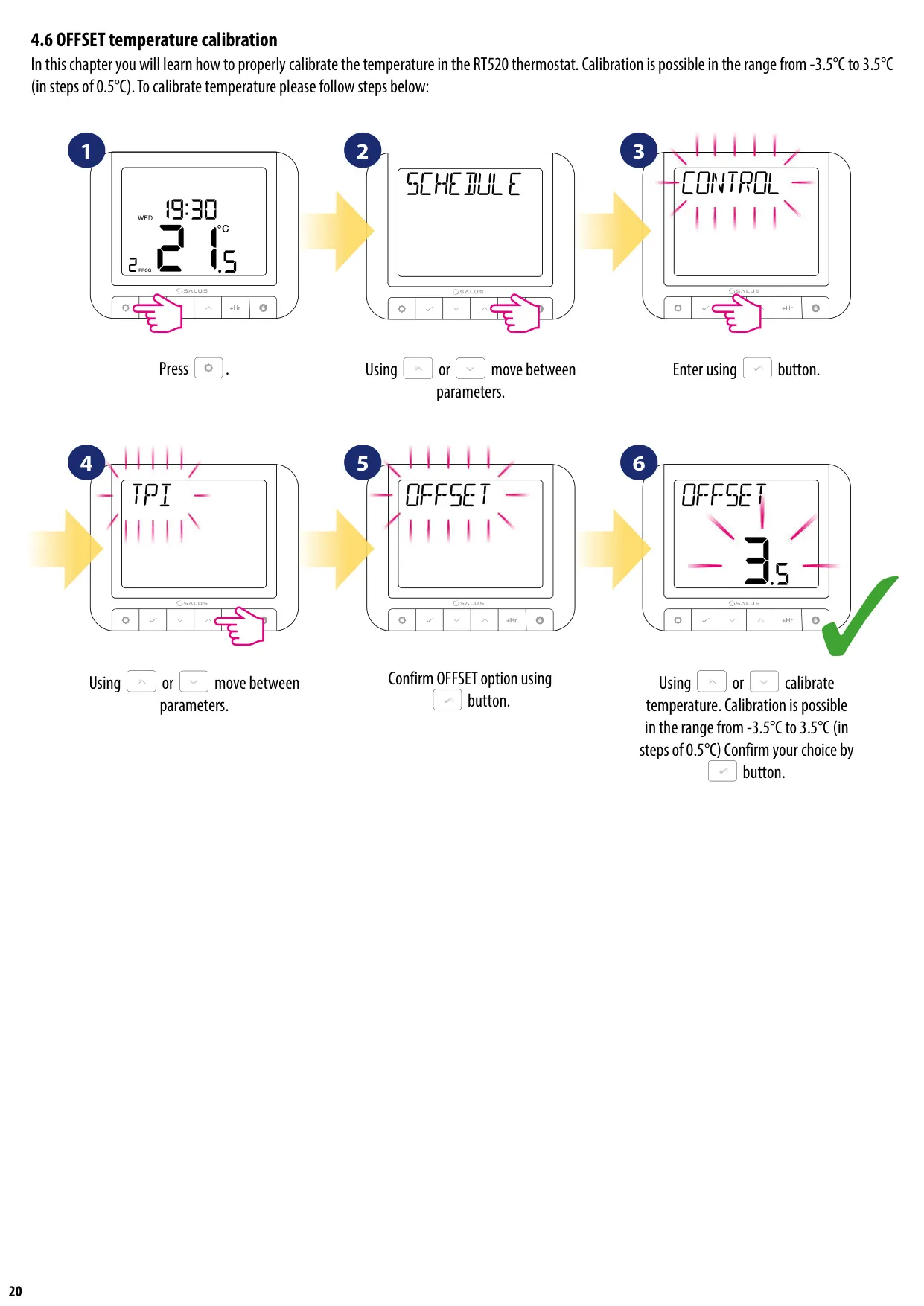
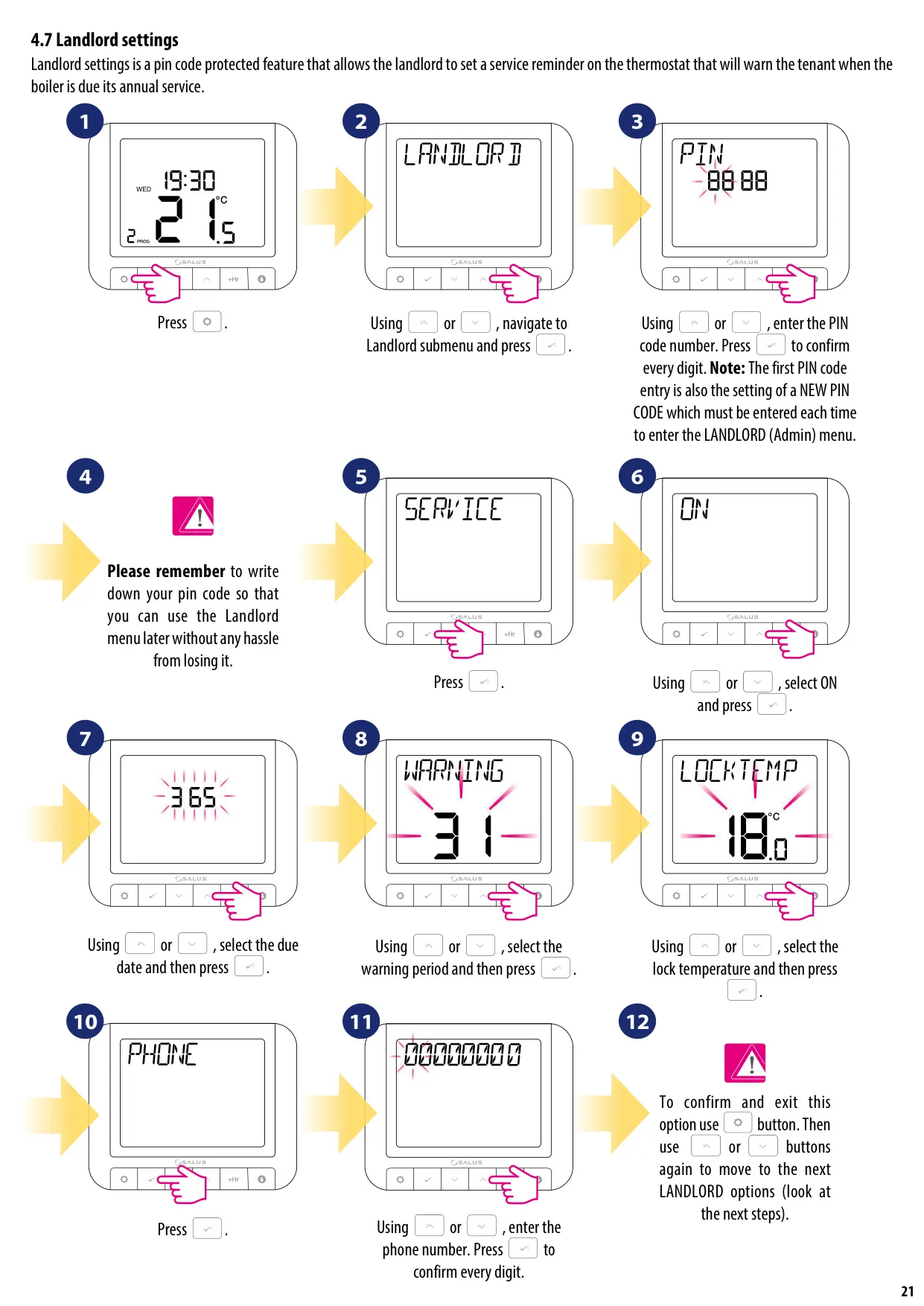
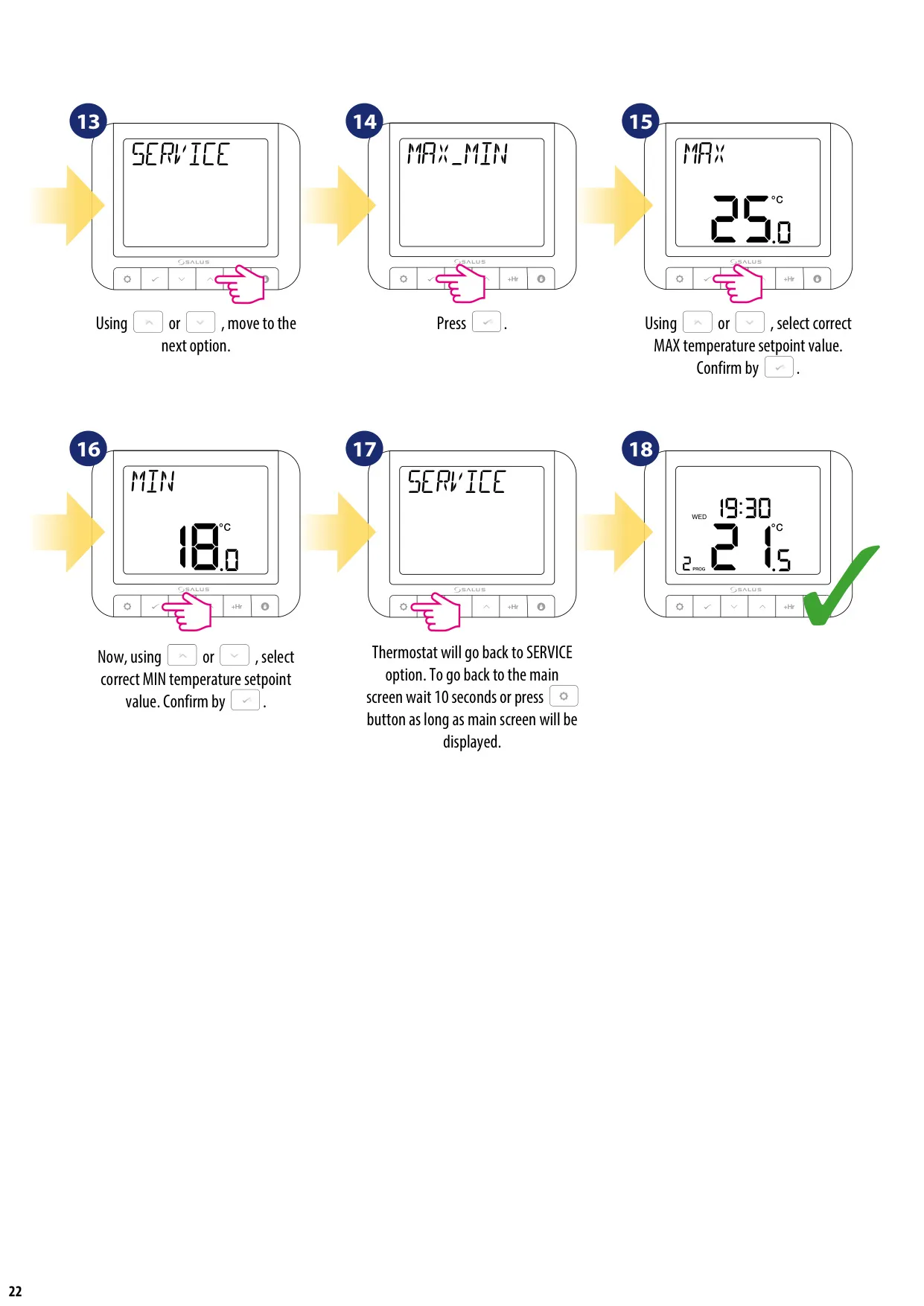
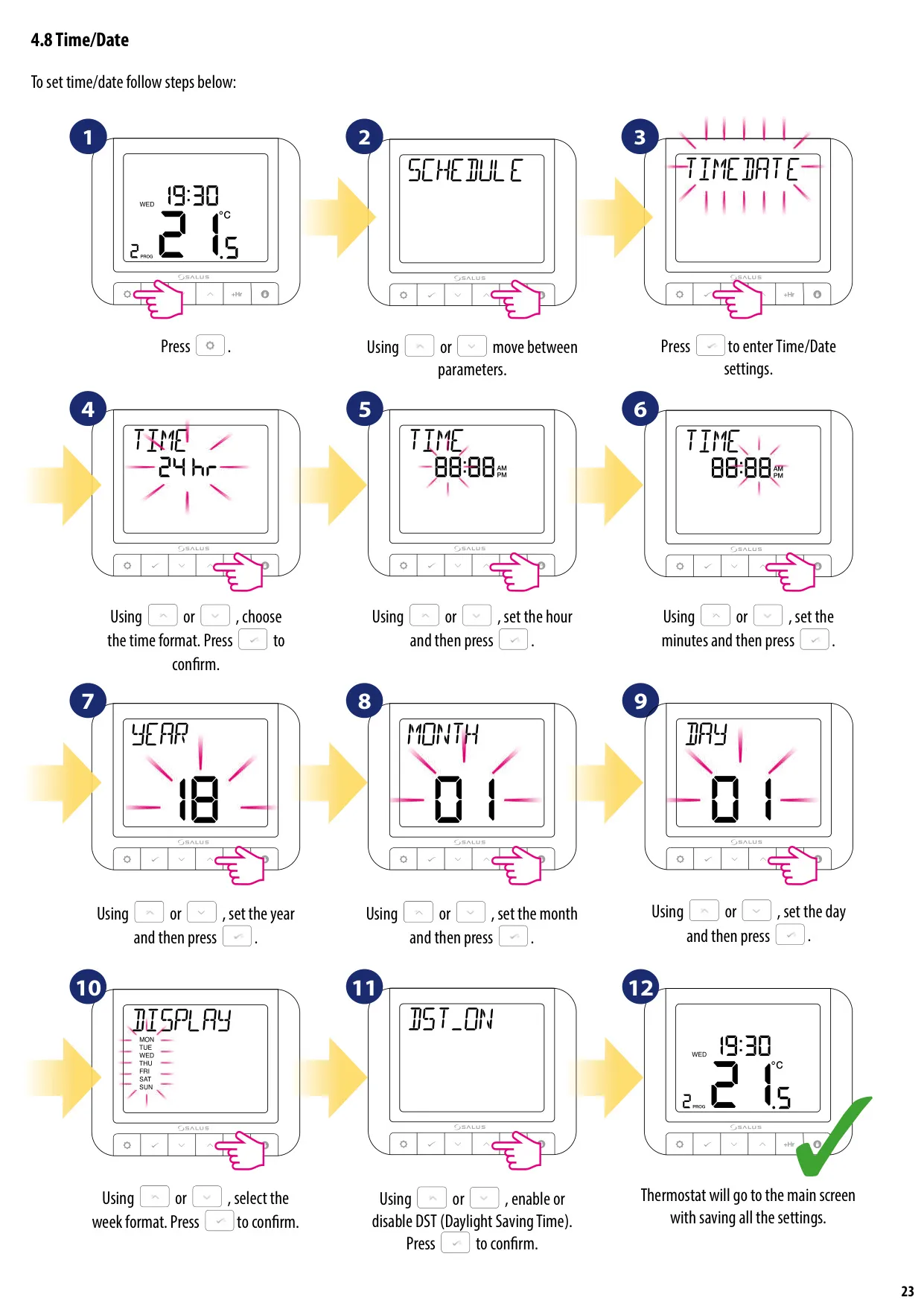
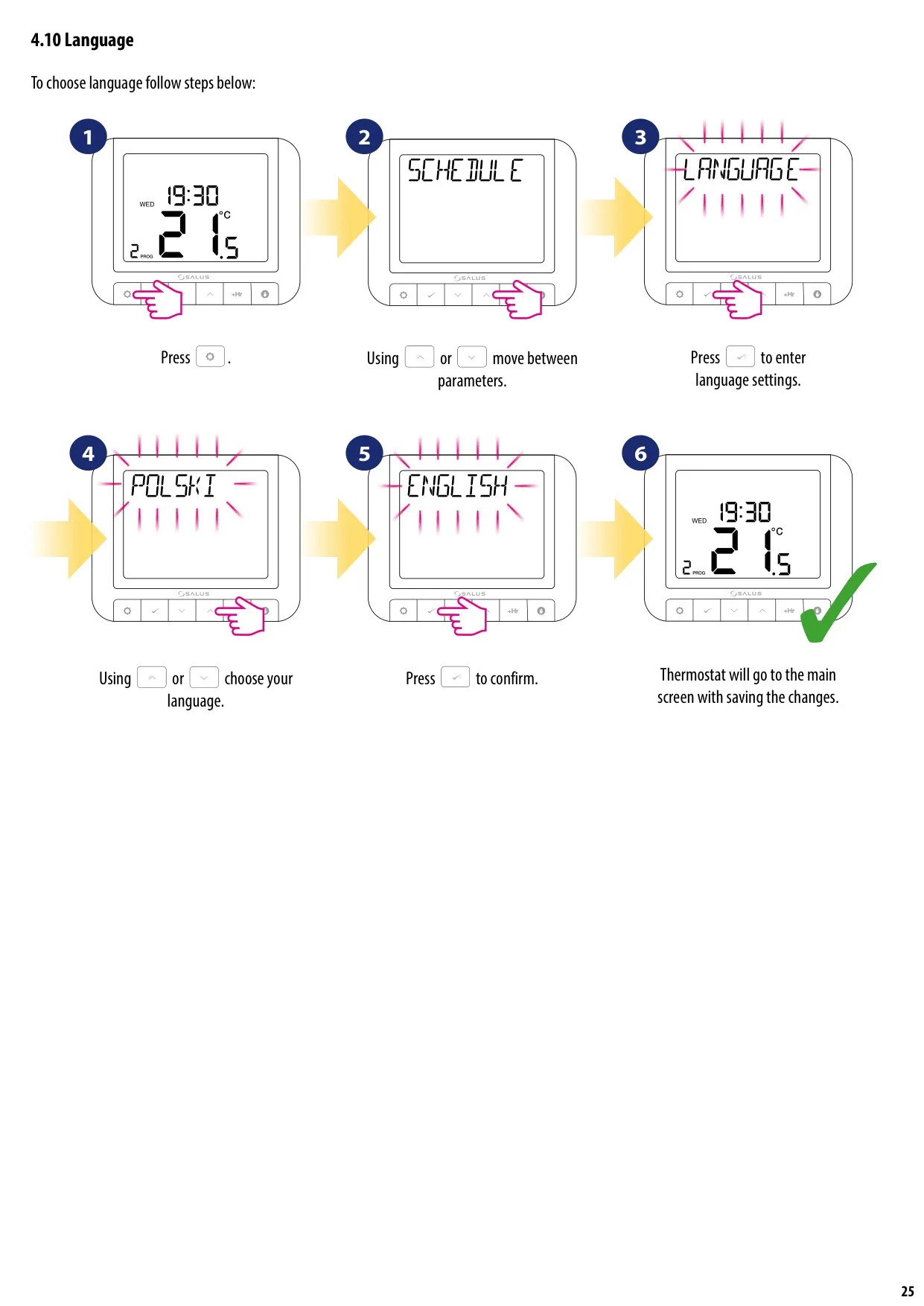
Additional user-configurable settings enhance the thermostat's adaptability. These include an OFFSET temperature calibration feature, allowing adjustments from -3.5°C to 3.5°C in 0.5°C steps to fine-tune temperature readings. Users can also set a maximum boiler temperature and configure hot water settings within OpenTherm systems. The device also supports Daylight Saving Time (DST) adjustments, language selection, and various week formats. For property managers, a PIN-protected Landlord setting is available, enabling the setup of service reminders, due dates, warning periods, and even a lock temperature, along with the option to store a contact phone number.
Frequently Asked Questions (FAQs)
Can't find the answer you need? Here are some frequently asked questions about the Salus Thermostat RT520TX, and we answer them below.