Salus Thermostat RT520 Instruction Manual
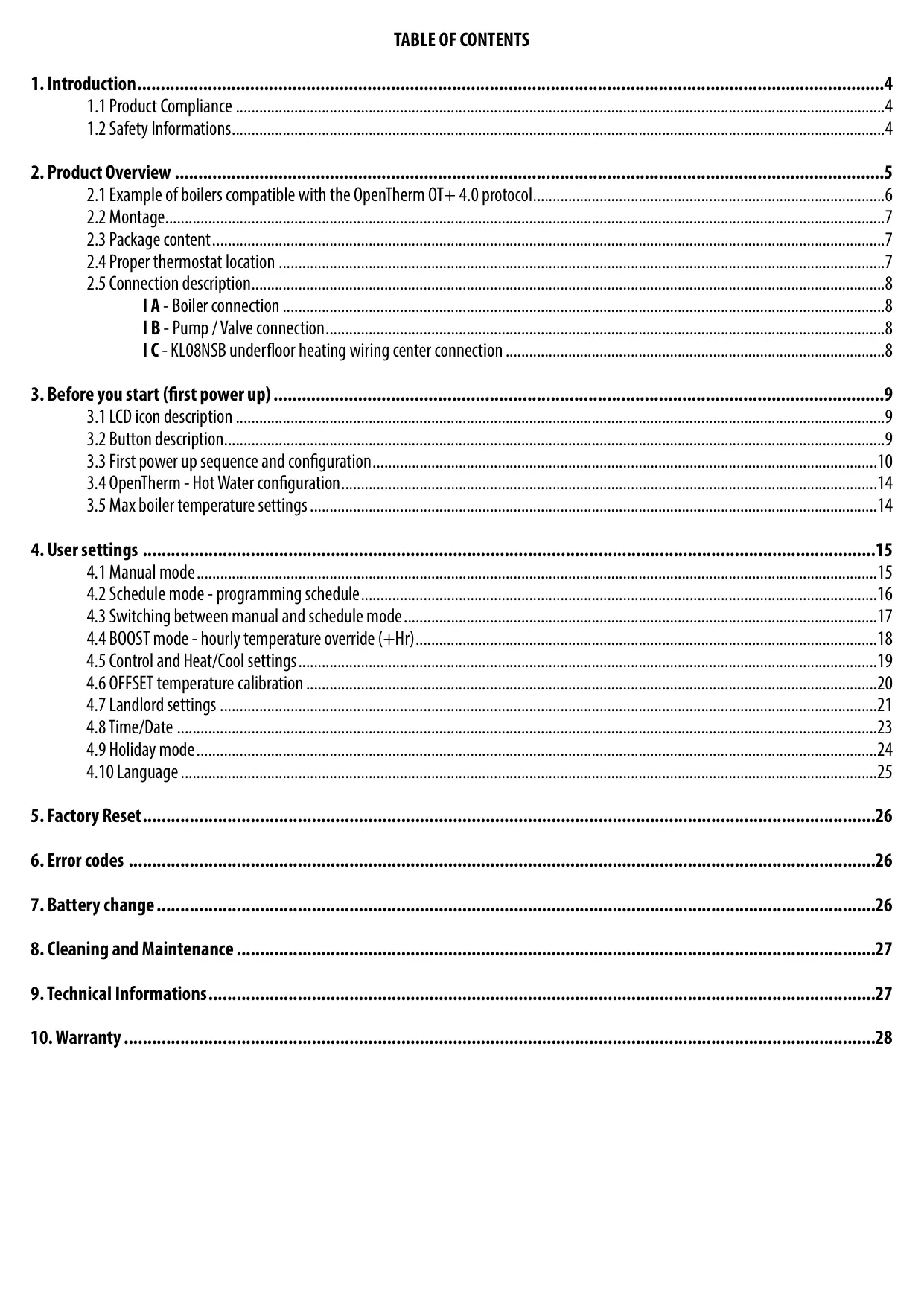
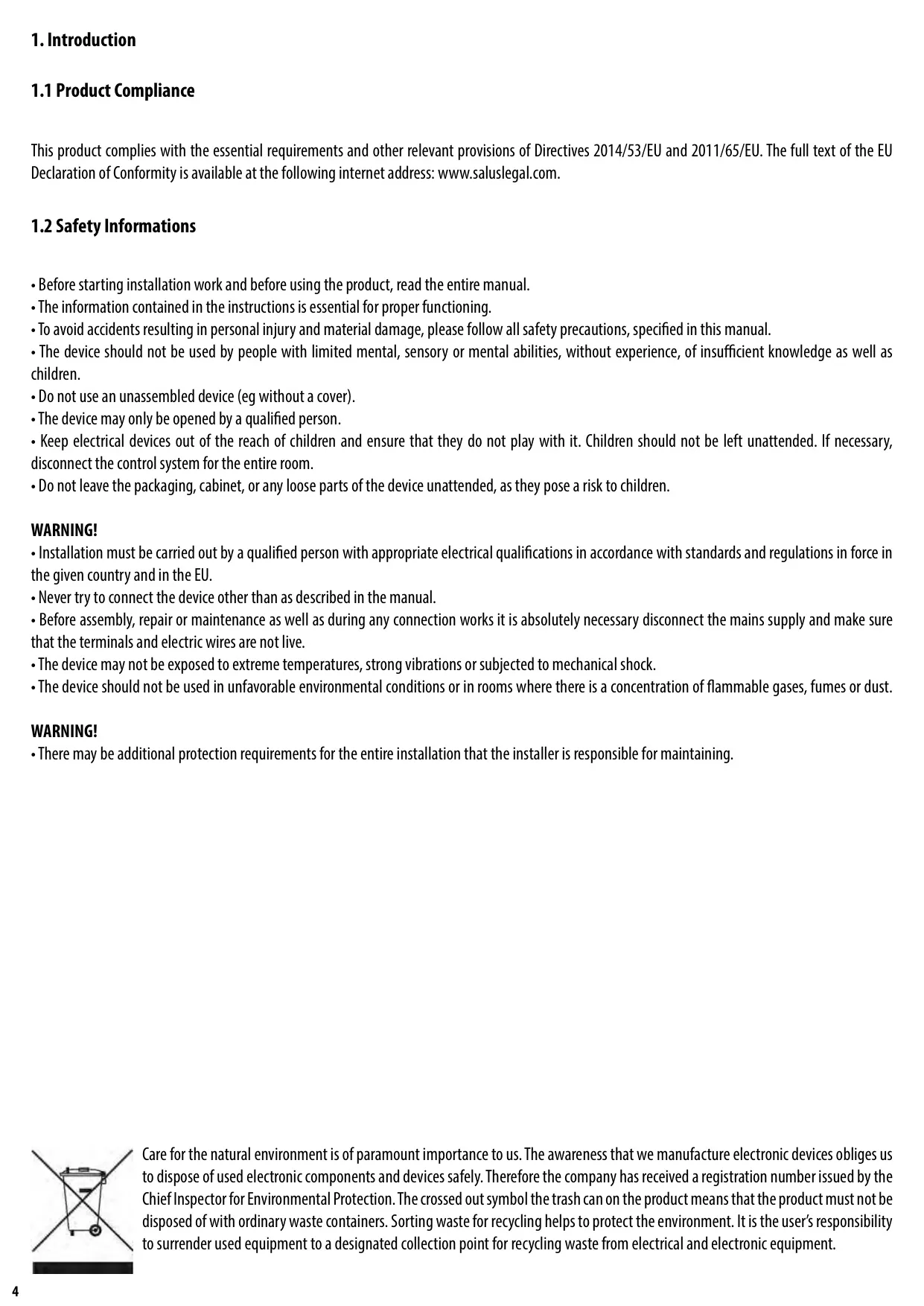
Salus Thermostat RT520

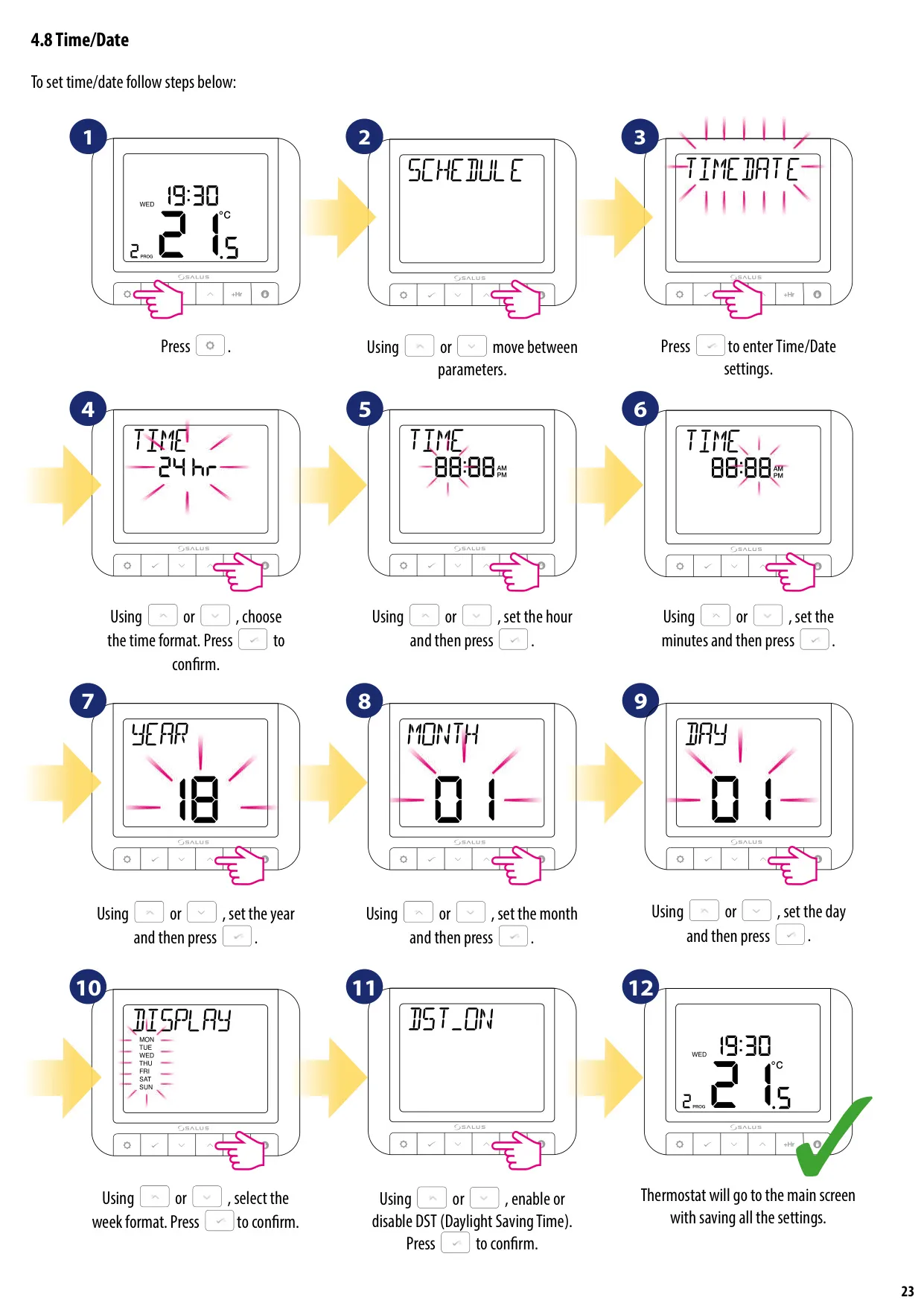
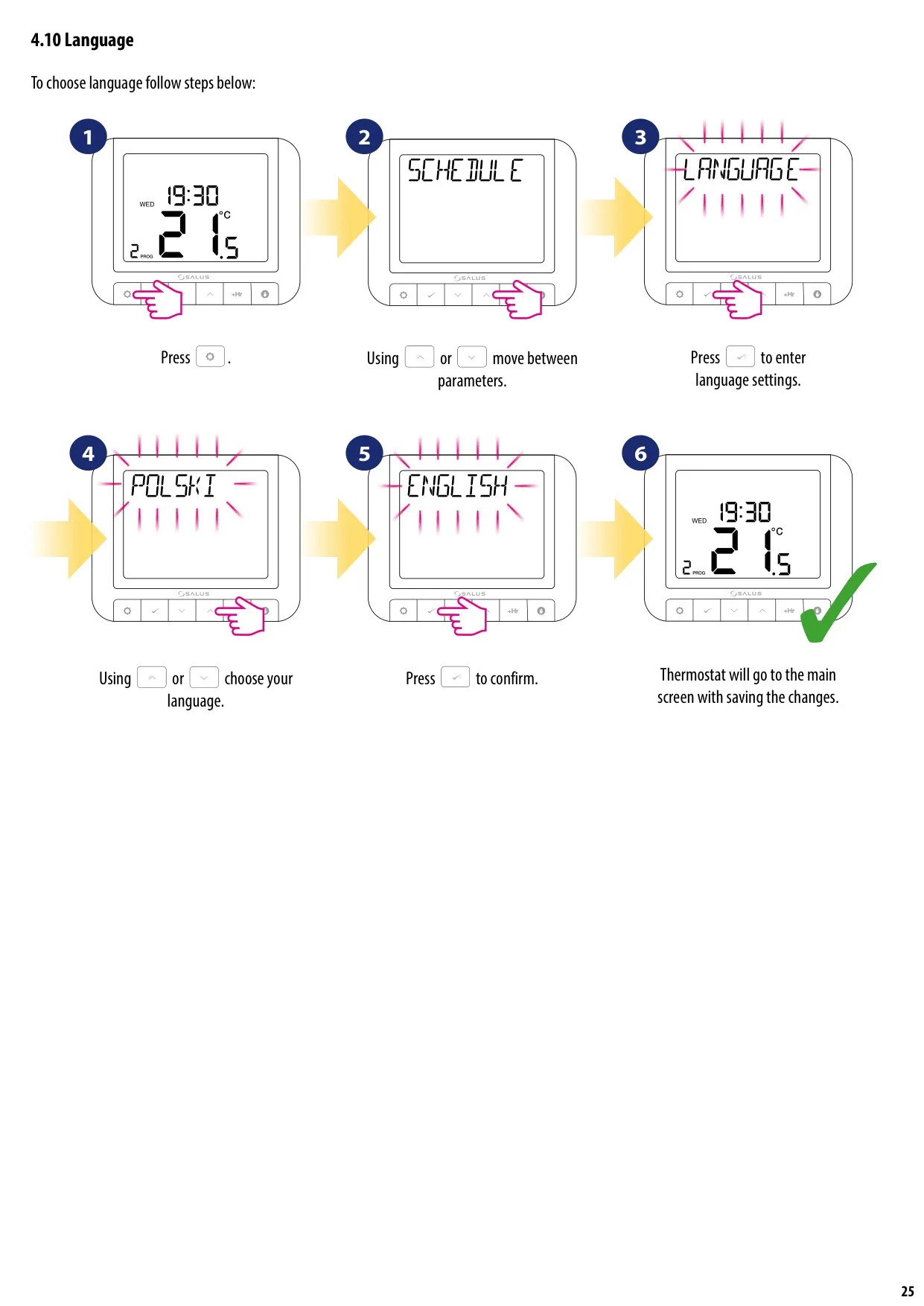
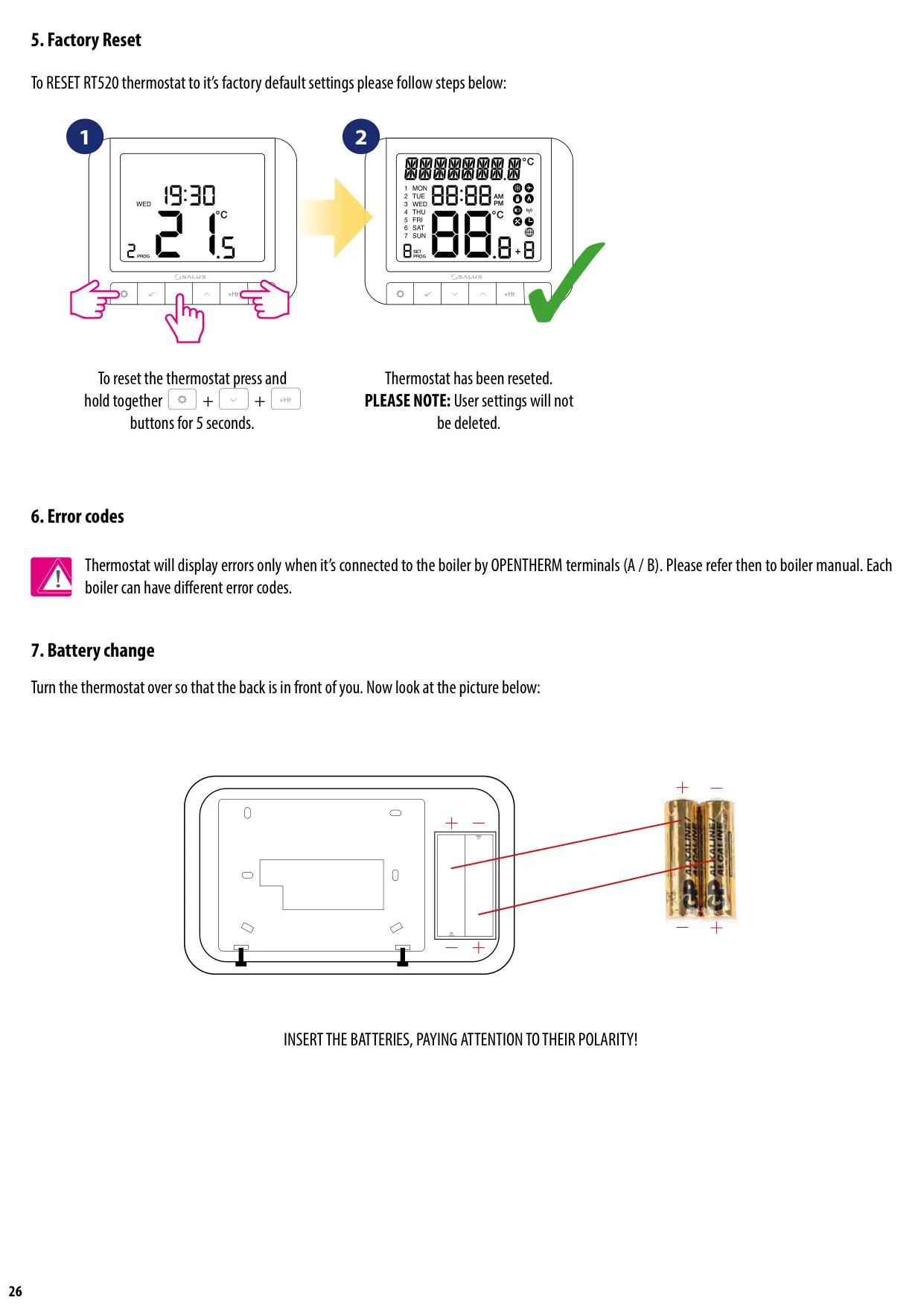



Salus Thermostat RT520
Salus Thermostat RT520 Instructions
Here we offer the Salus Thermostat RT520 manual completely free and in English. We have cataloged this manual in the Thermostats section on Manualverse, and it has been rated by 1 users with an average rating of 5. If you have any specific questions about Salus Thermostat RT520, we suggest checking the Frequently Asked Questions (FAQs) section of this manual.
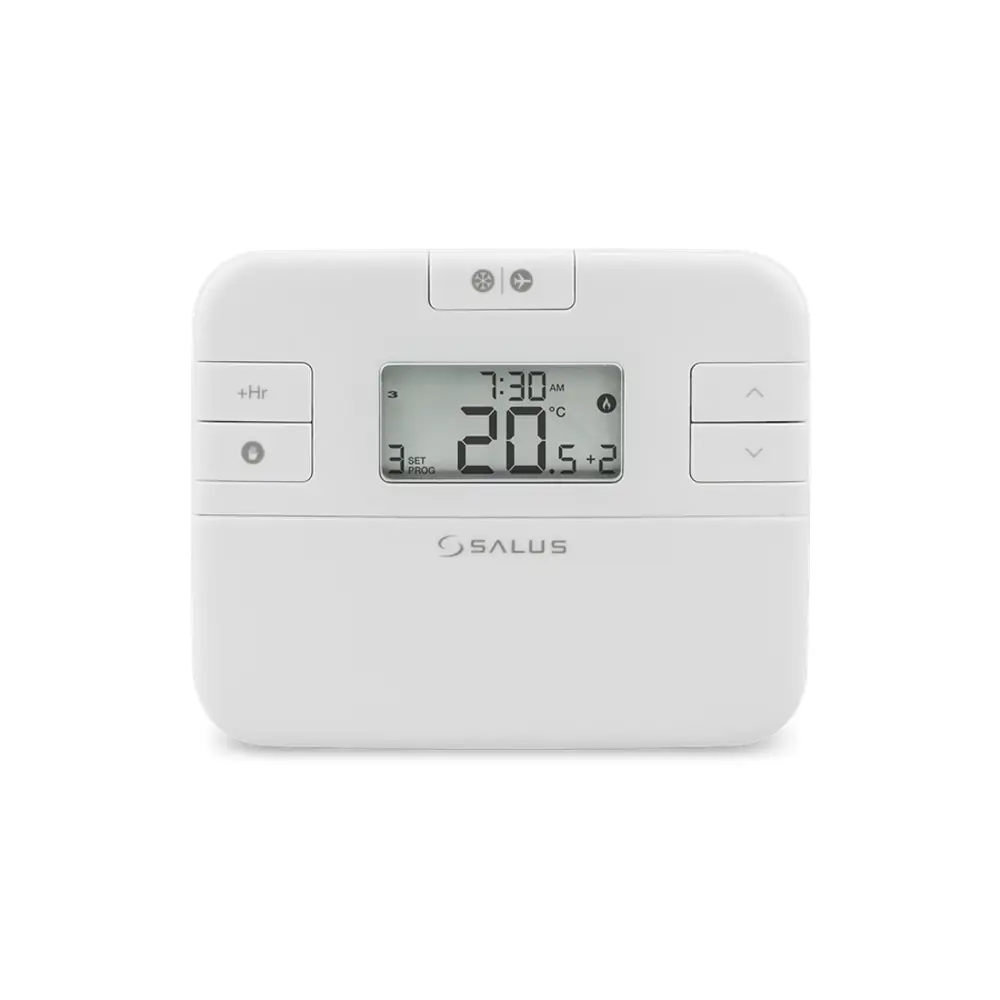
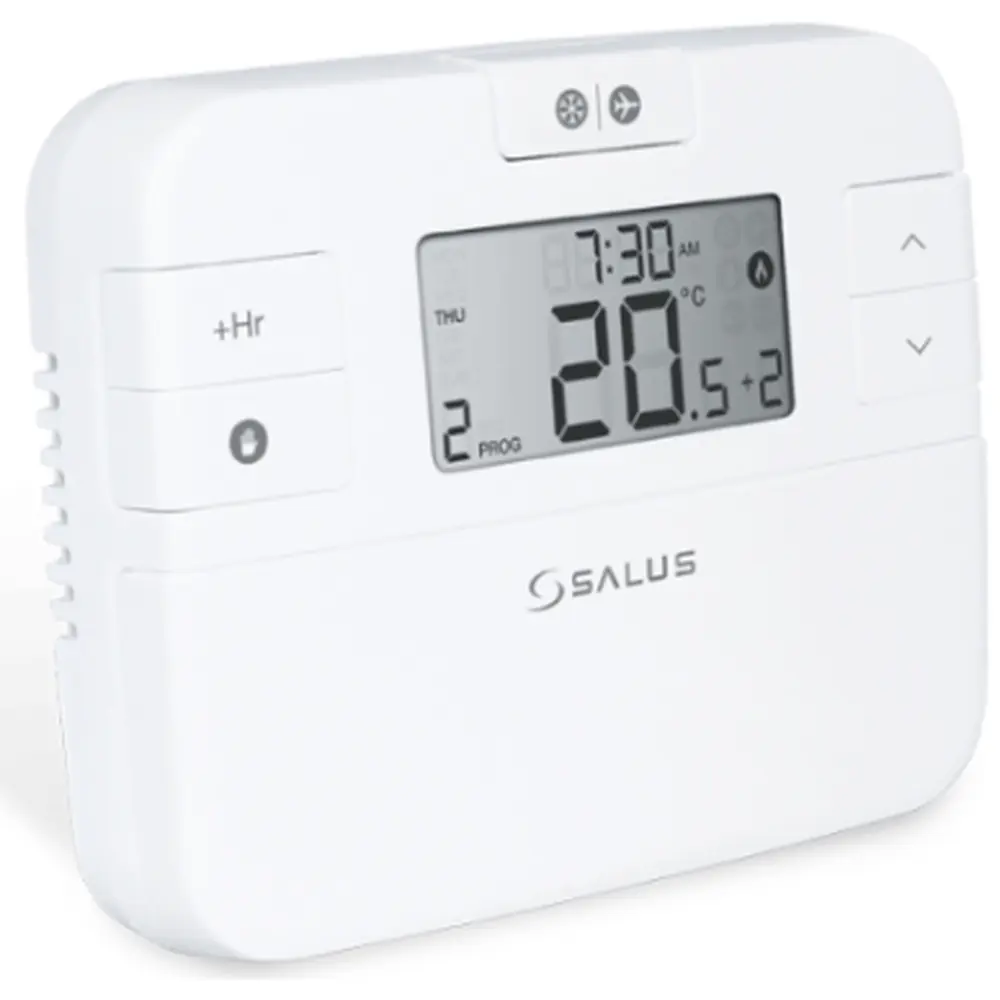
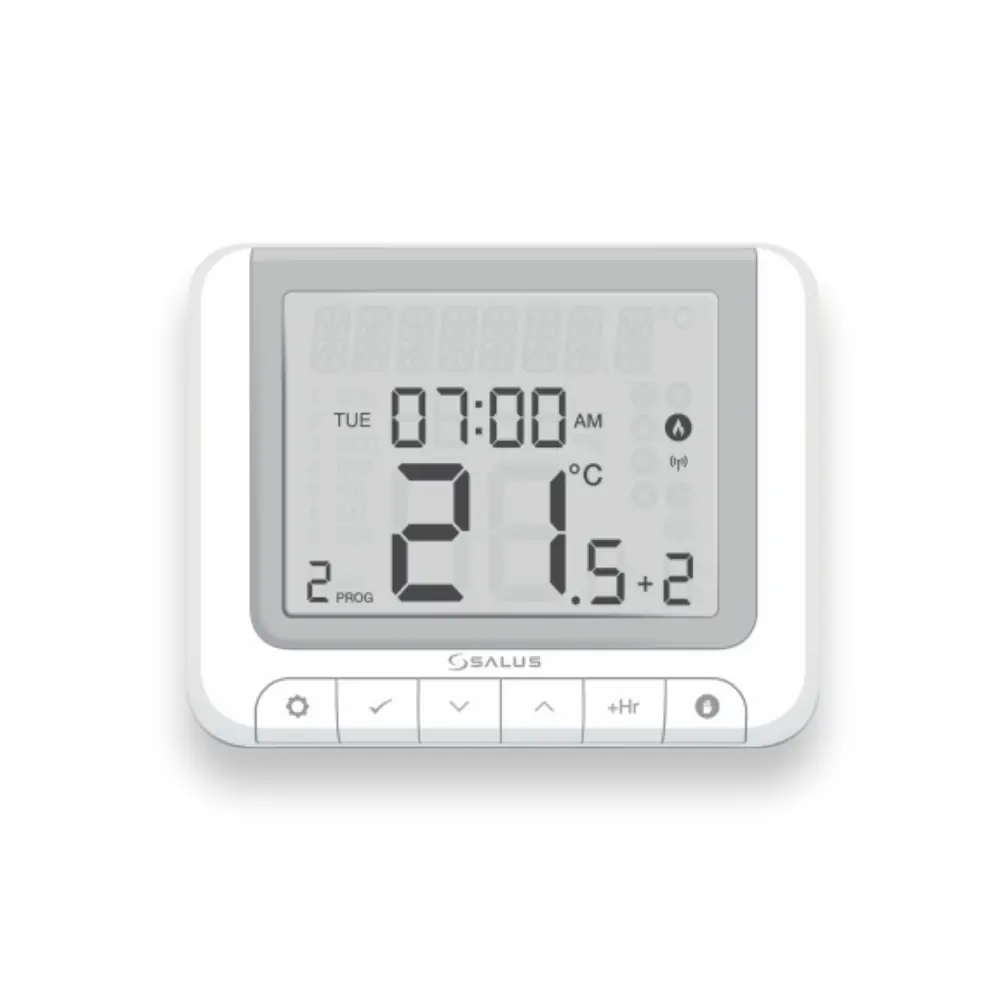
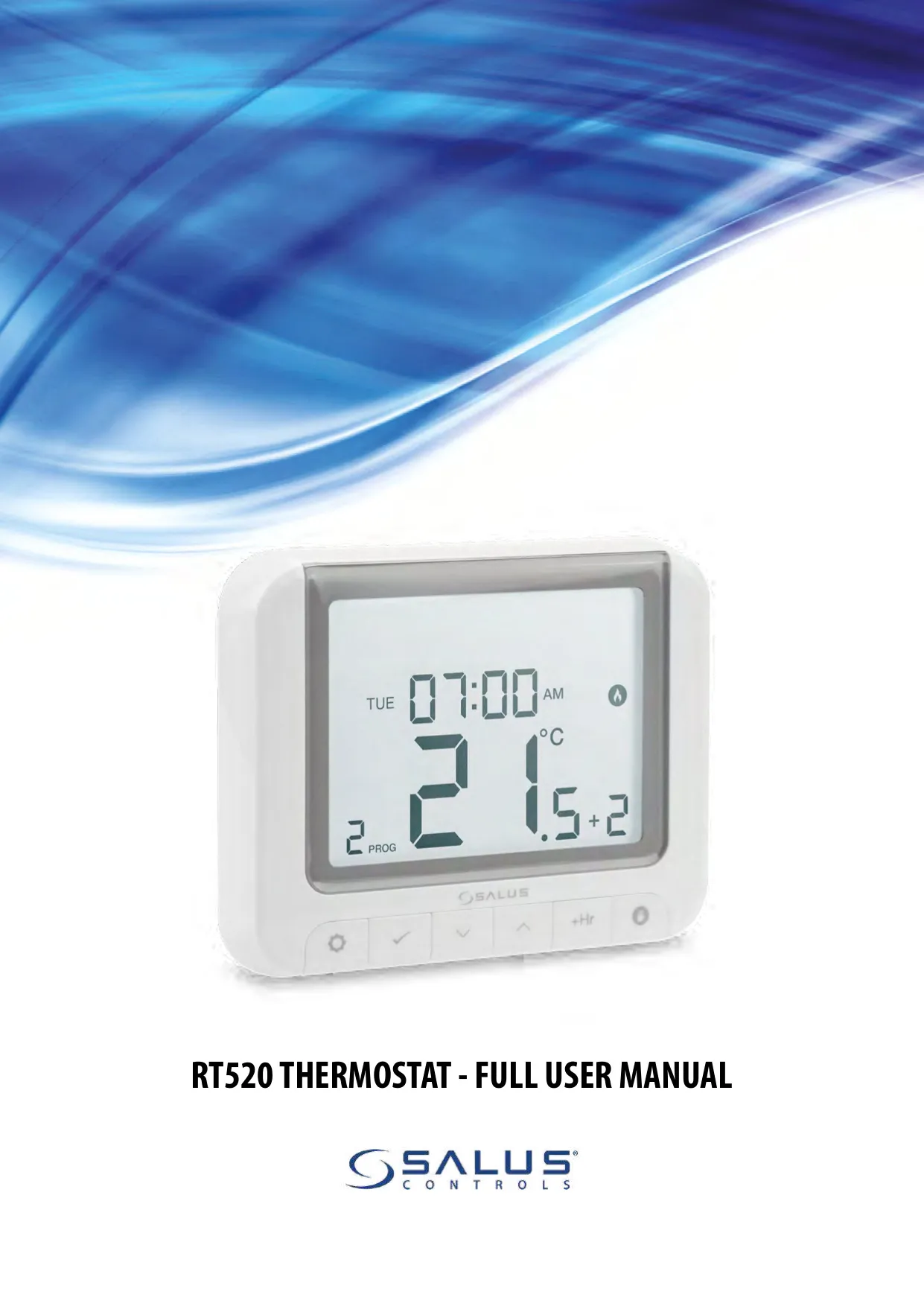
Product Images
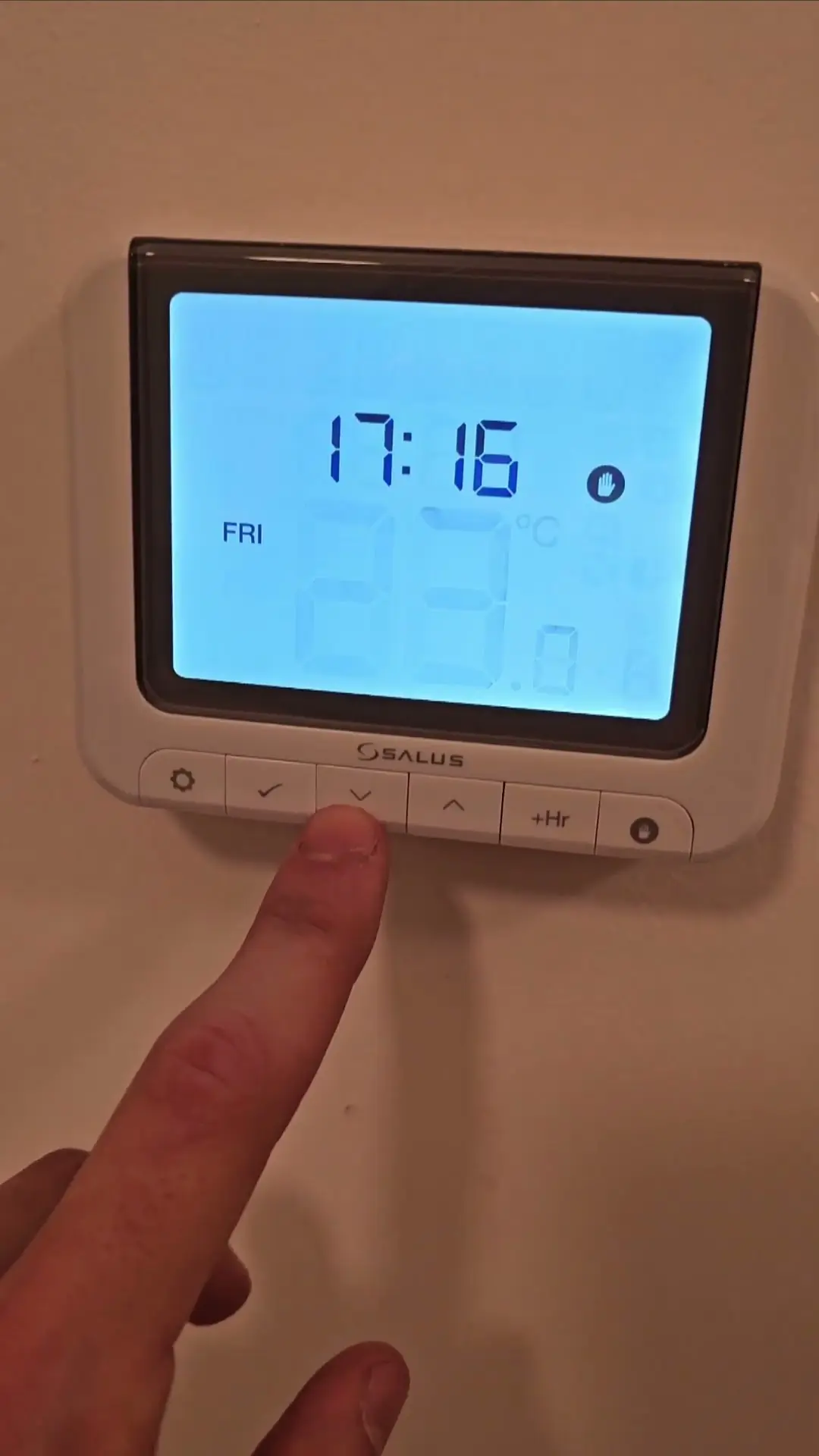
Salus Thermostat RT520 Specifications
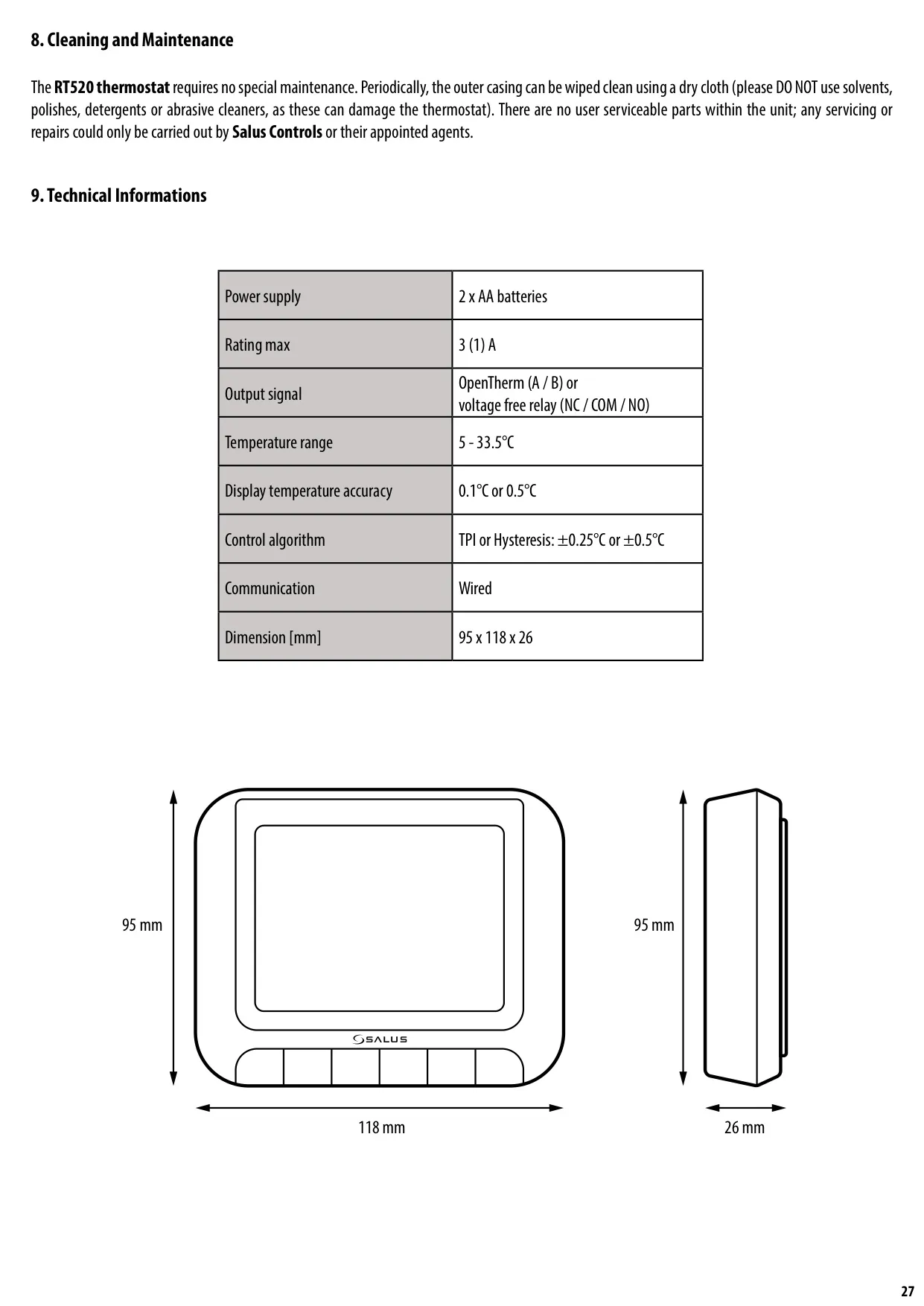
| Feature | Specification |
|---|---|
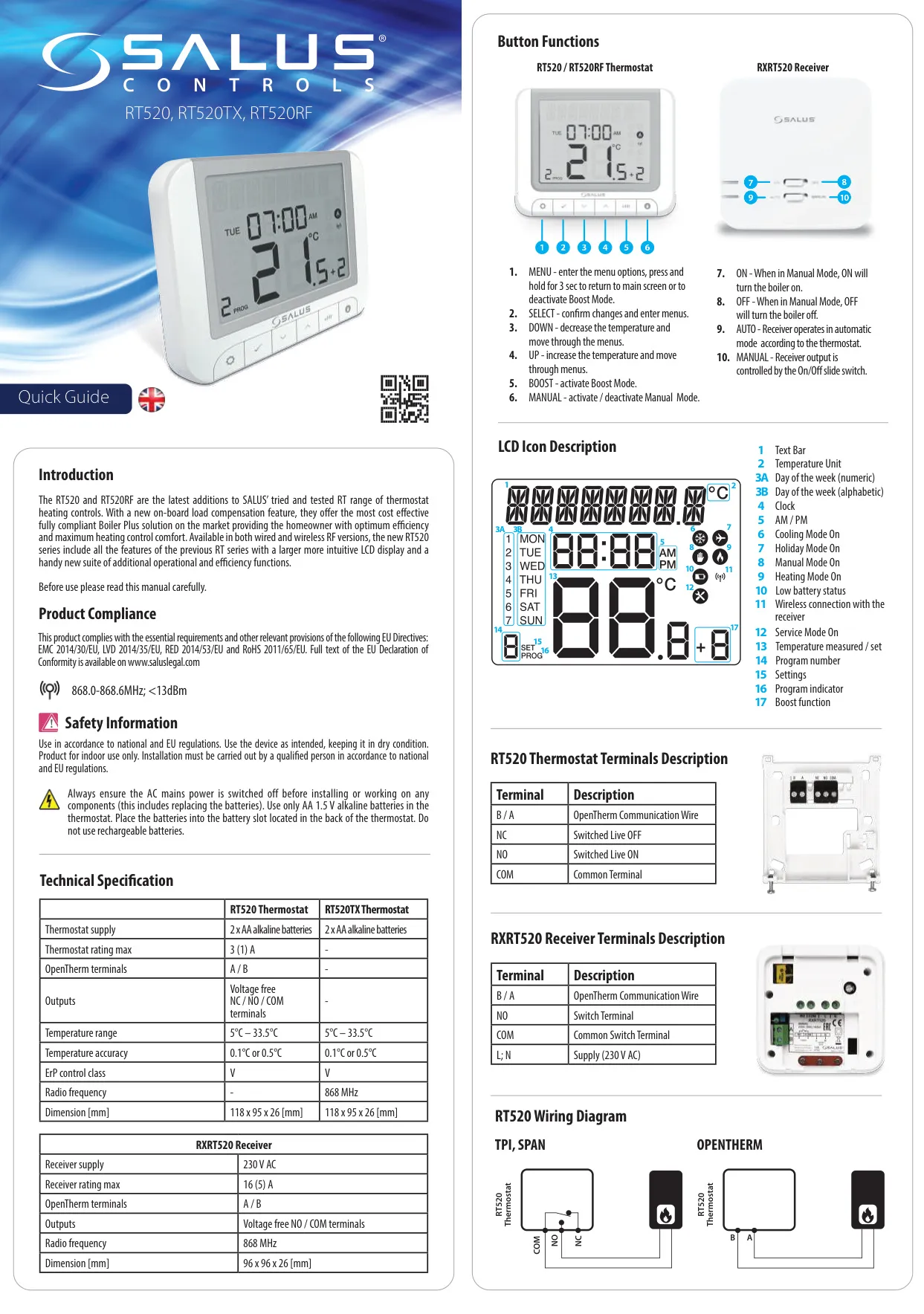
| Power Supply (Thermostat) | 2 x AA Alkaline Batteries |
| Max Rating | 3 (1) A |
| Output Signal | OpenTherm (A / B) or Voltage Free Relay (NC / COM / NO) |
| Temperature Range | 5 - 33.5°C |
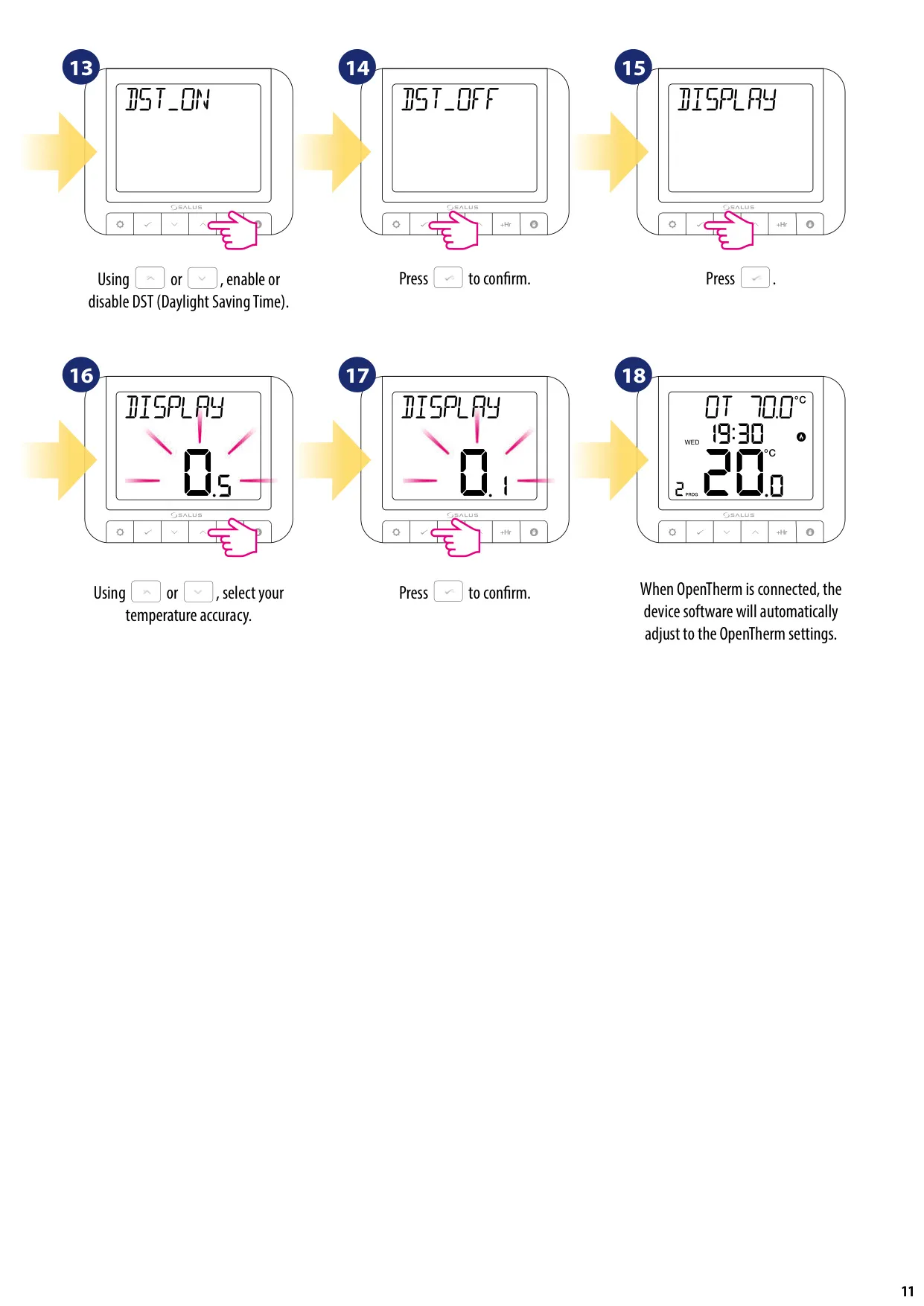
| Display Temperature Accuracy | 0.1°C or 0.5°C |
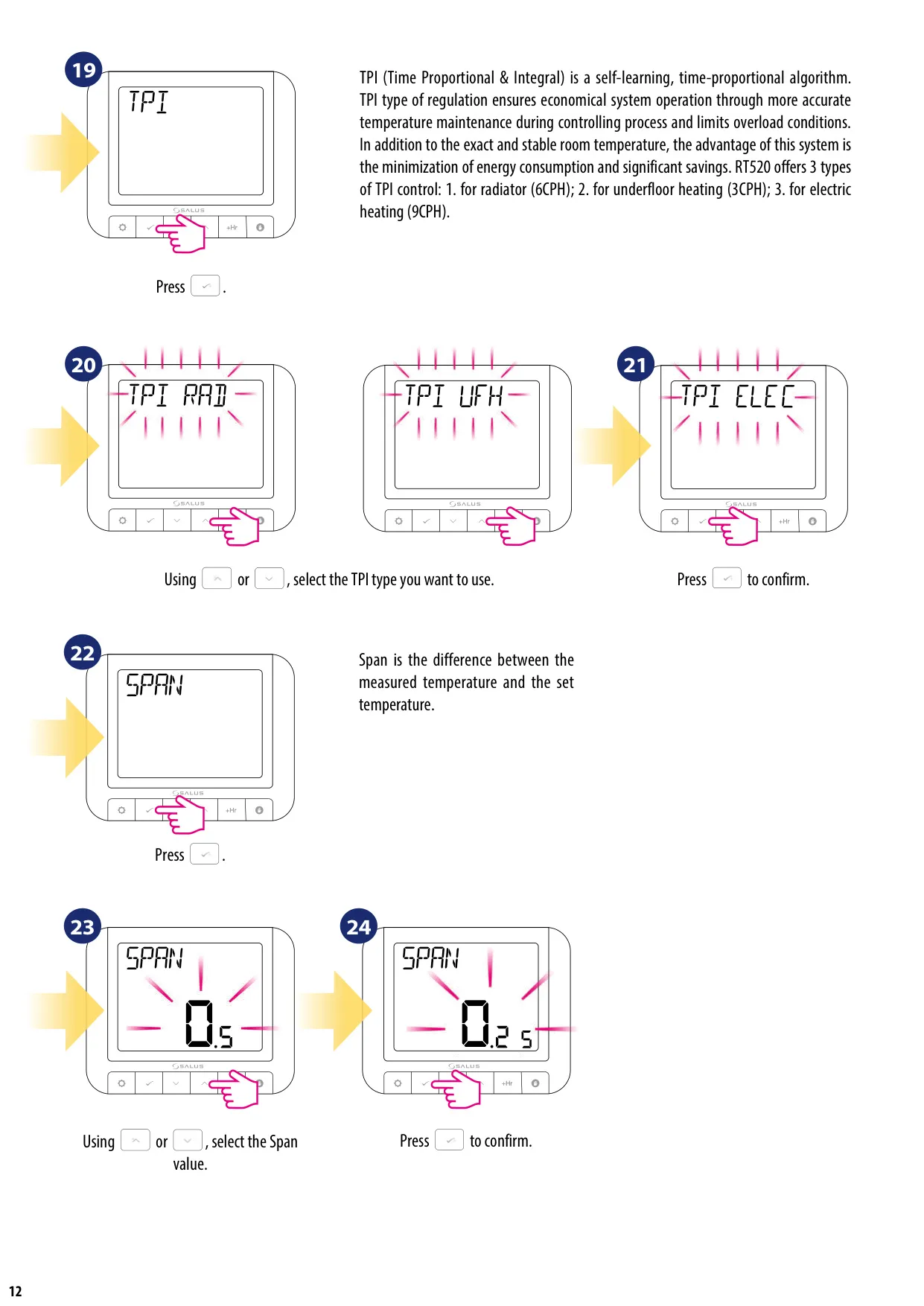
| Control Algorithm | TPI (Time Proportional & Integral) or Hysteresis (±0.25°C or ±0.5°C) |
| Communication | Wired |
| ErP Control Class | V |
| Dimensions (H x W x D) | 118 x 95 x 26 mm |
Salus Thermostat RT520 Details
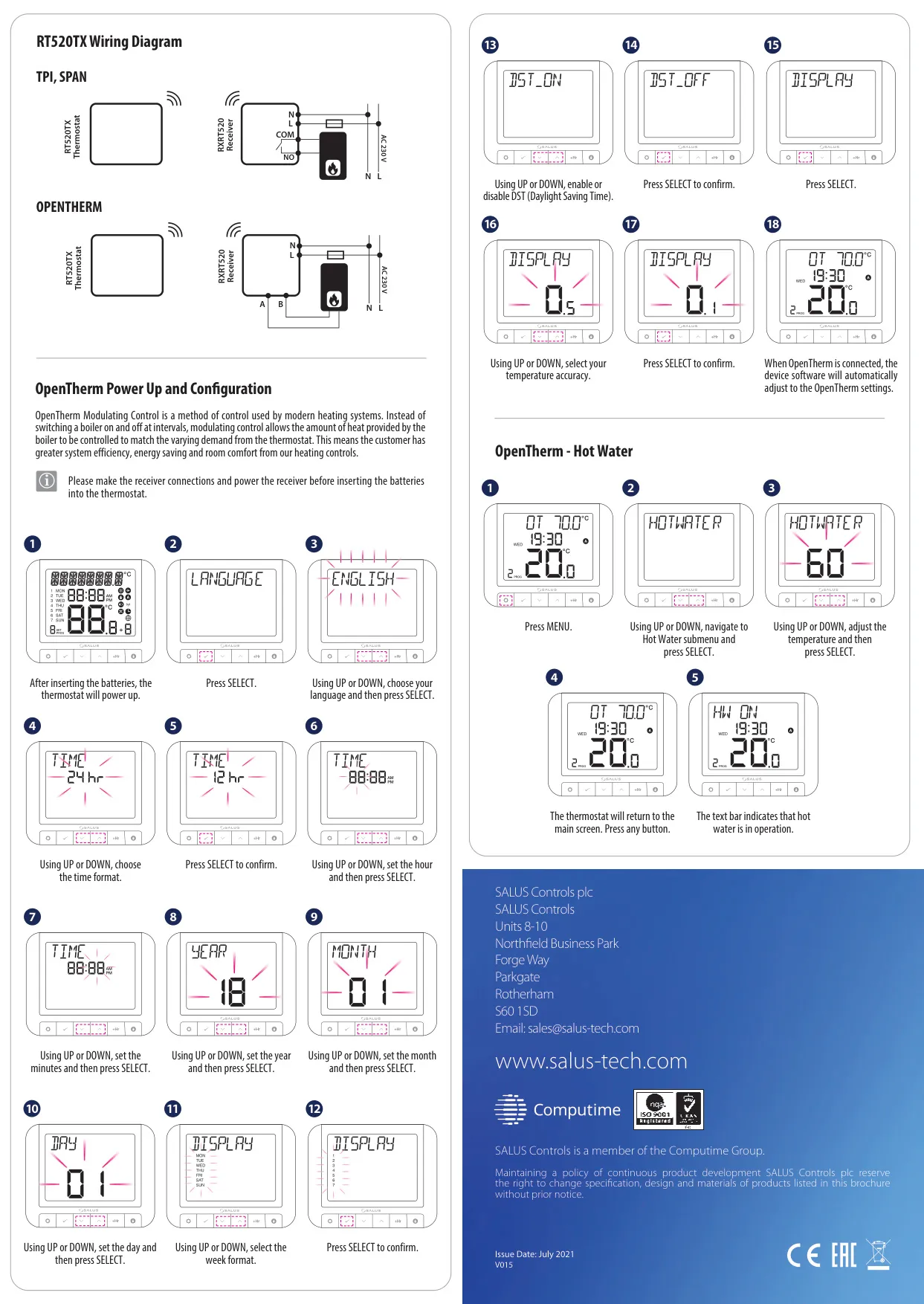
The Salus RT520 room thermostat provides intuitive and efficient control over your heating system. It functions by accurately sensing the ambient air temperature, activating your heating when the room temperature drops below your desired setting, and switching it off once that temperature is achieved. This ensures your space remains comfortably warm without unnecessary energy consumption.
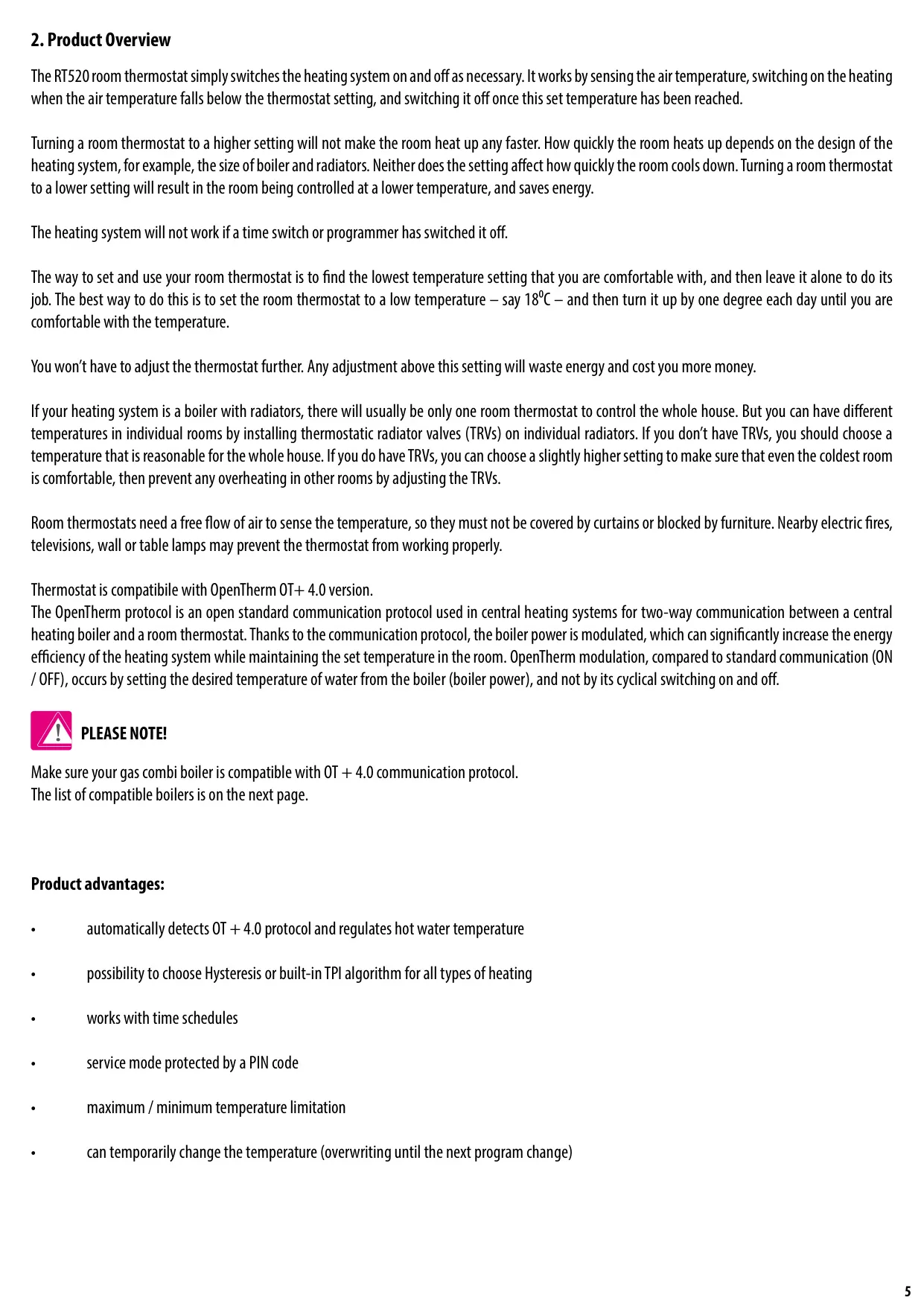
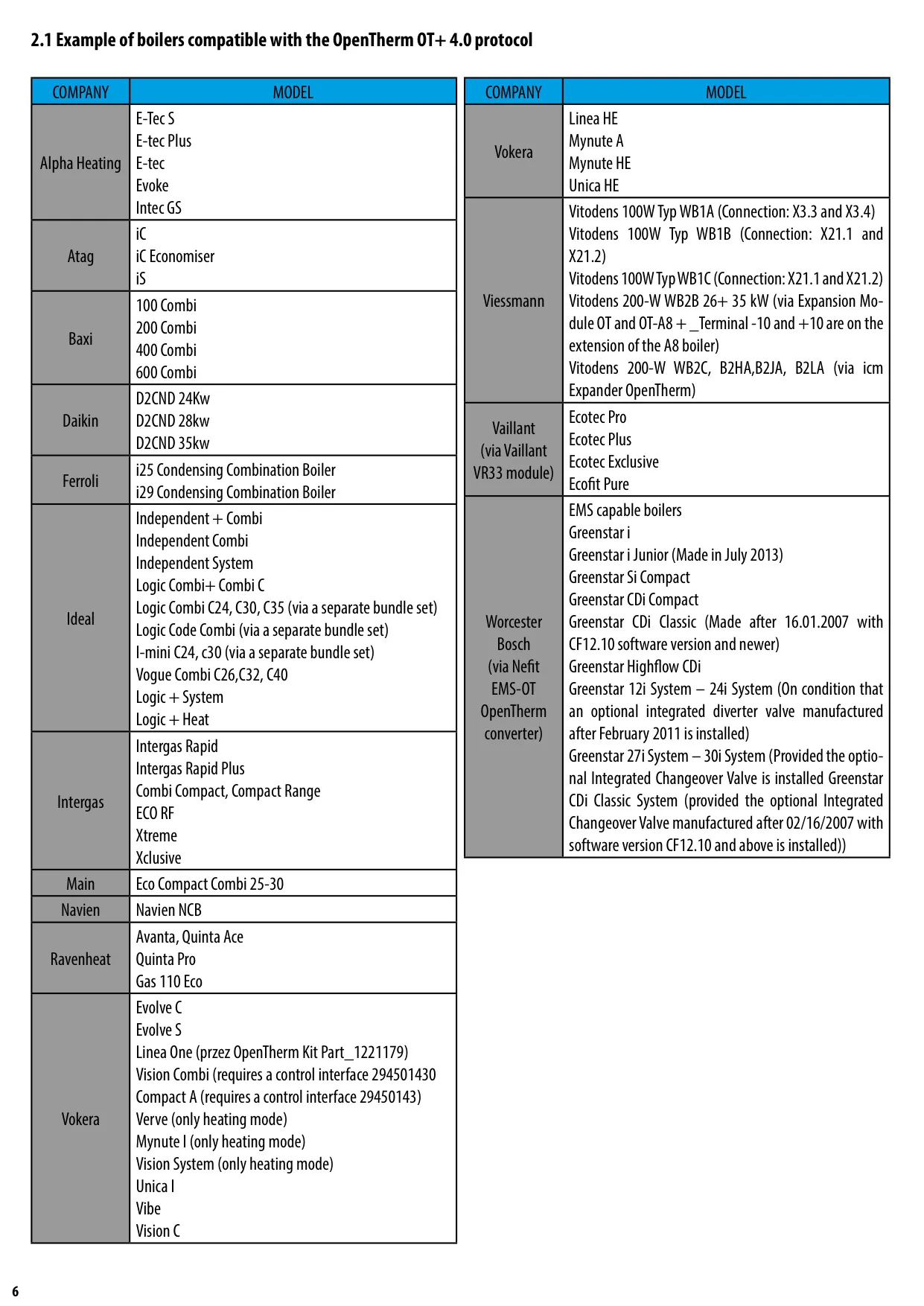
A key advantage of the RT520 is its compatibility with the OpenTherm OT+ 4.0 protocol. This advanced two-way communication standard enables the thermostat to modulate the boiler's power output, rather than simply switching it on and off. This intelligent modulation significantly enhances energy efficiency and maintains a more stable, comfortable room temperature by precisely matching the boiler's output to the heating demand.
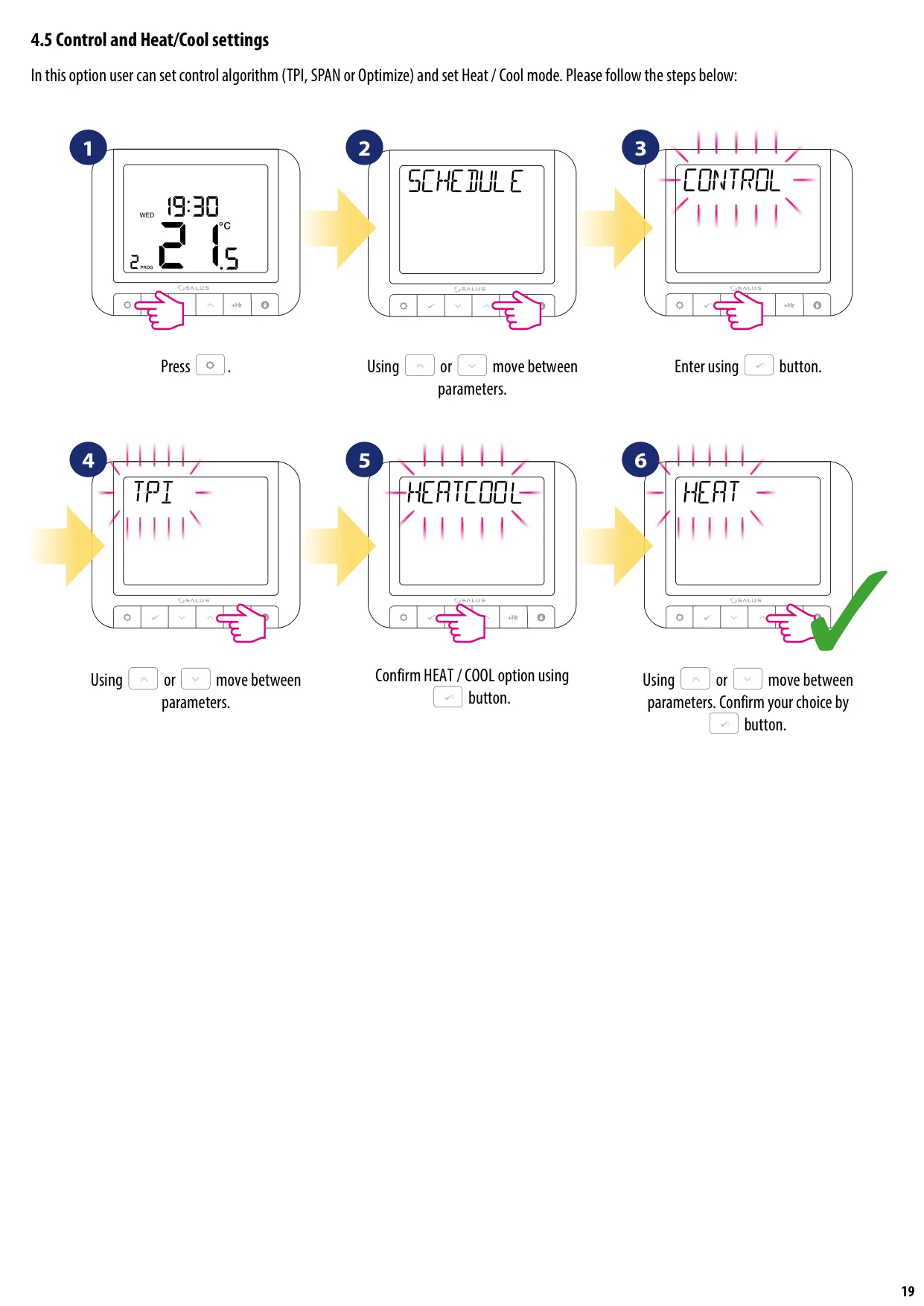
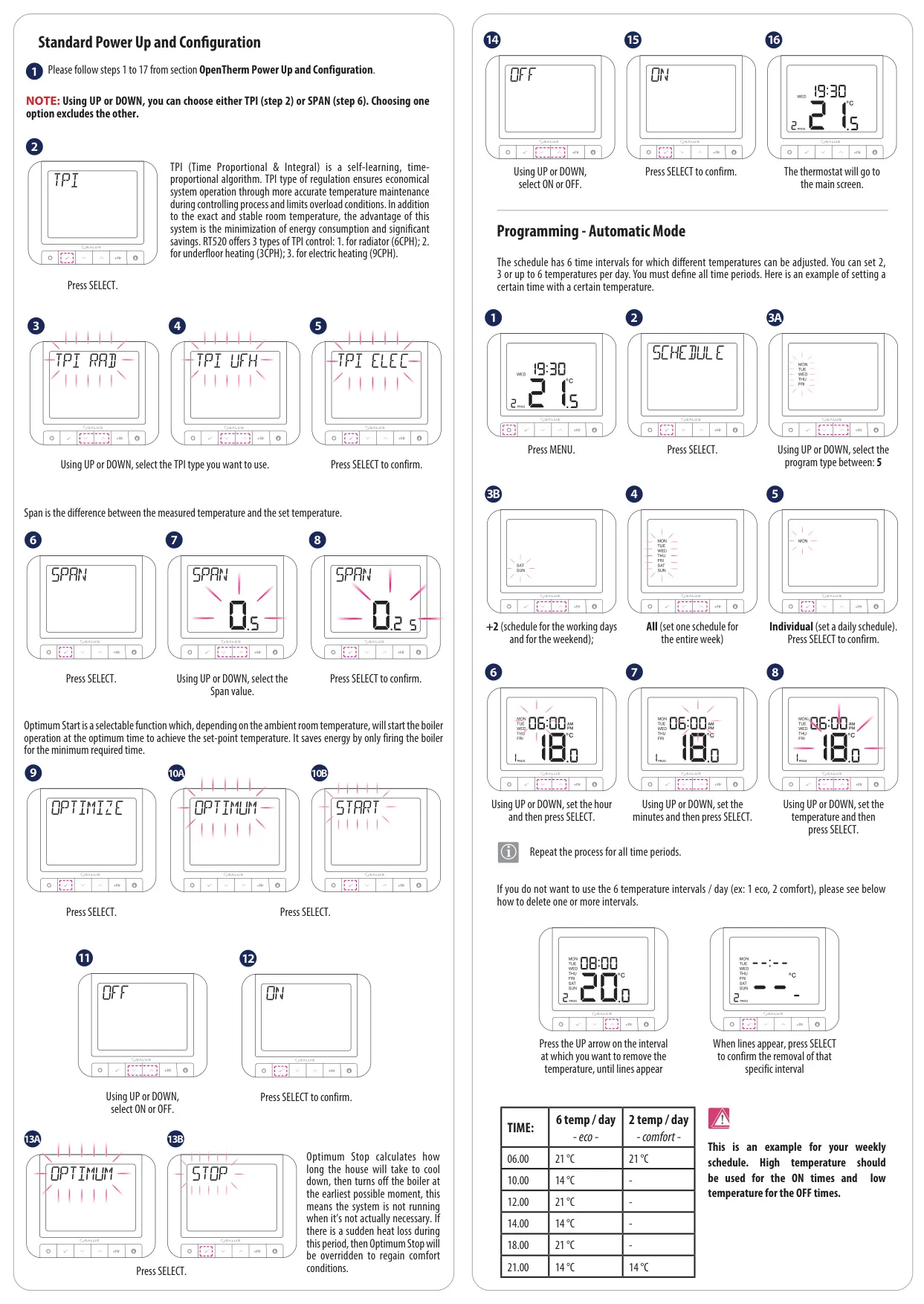
The thermostat offers flexible control algorithms, allowing users to choose between a built-in TPI (Time Proportional & Integral) algorithm or Hysteresis control. TPI is a self-learning algorithm designed for economical operation and accurate temperature maintenance, minimizing energy usage. Hysteresis provides a more traditional on/off control based on fixed temperature differentials.
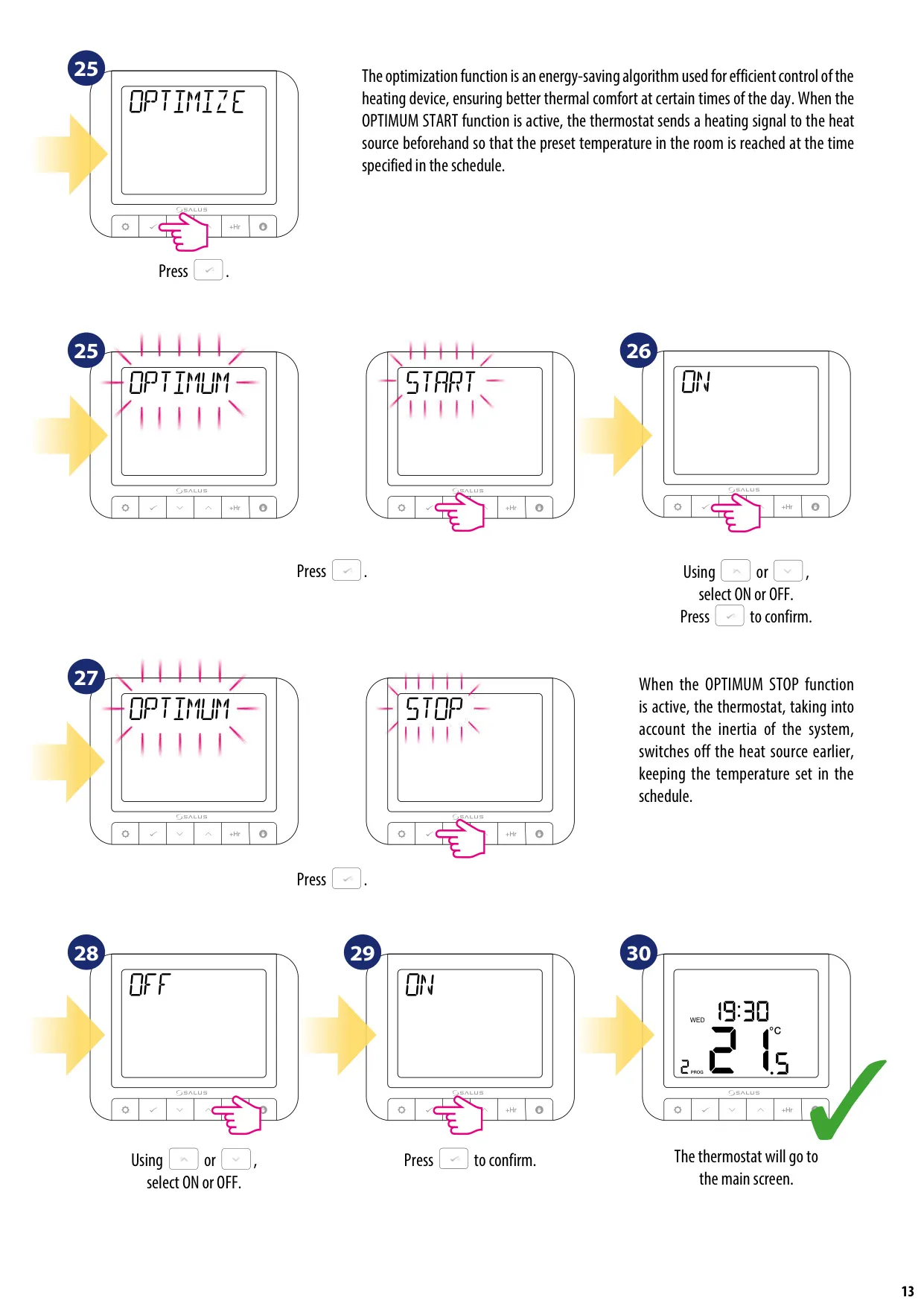
Further optimizing energy usage are the selectable Optimum Start and Optimum Stop functions. Optimum Start pre-heats the room to reach the desired temperature by the scheduled time, while Optimum Stop turns off the boiler earlier, leveraging residual heat to maintain comfort, thereby preventing over-running and saving energy.
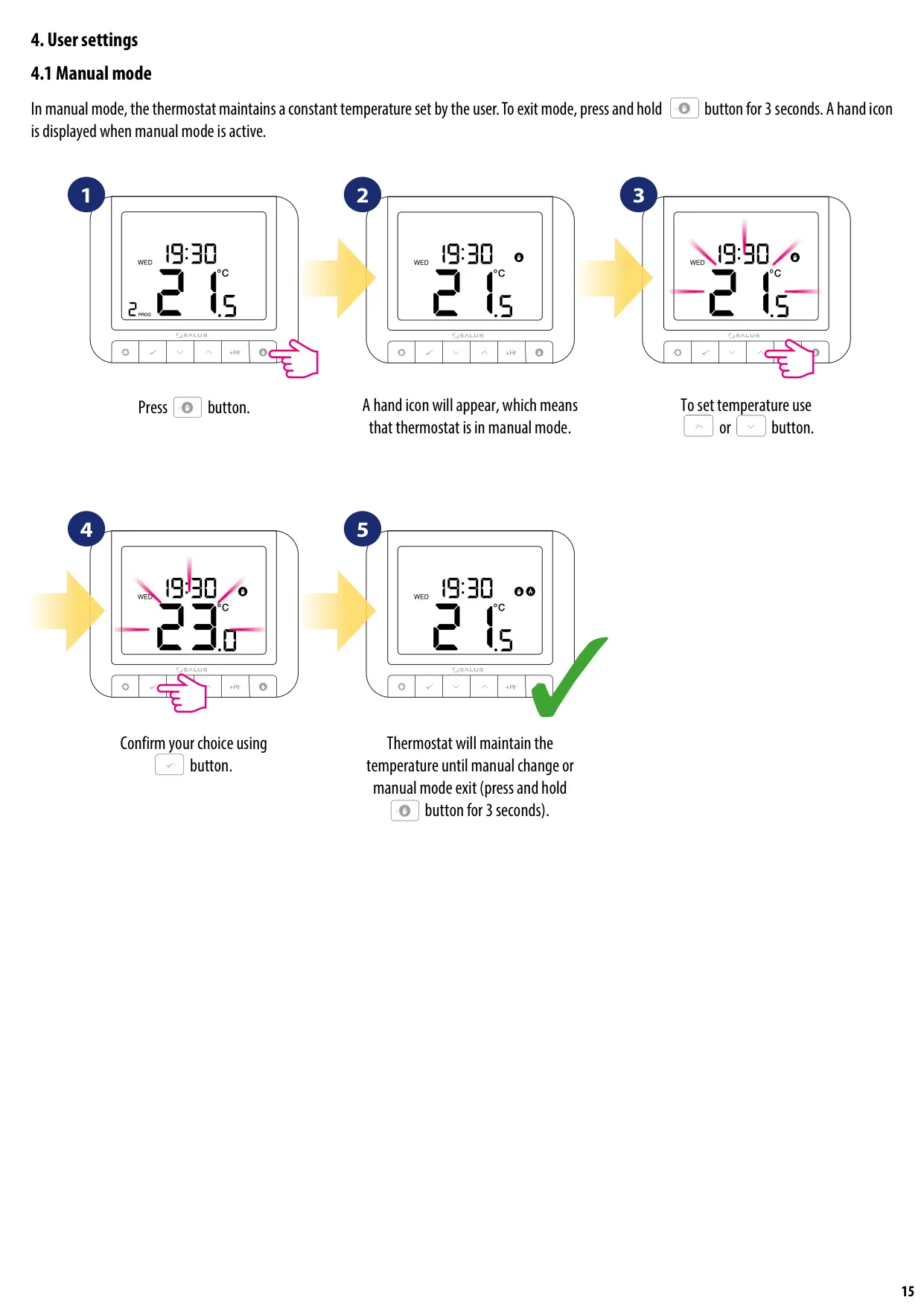
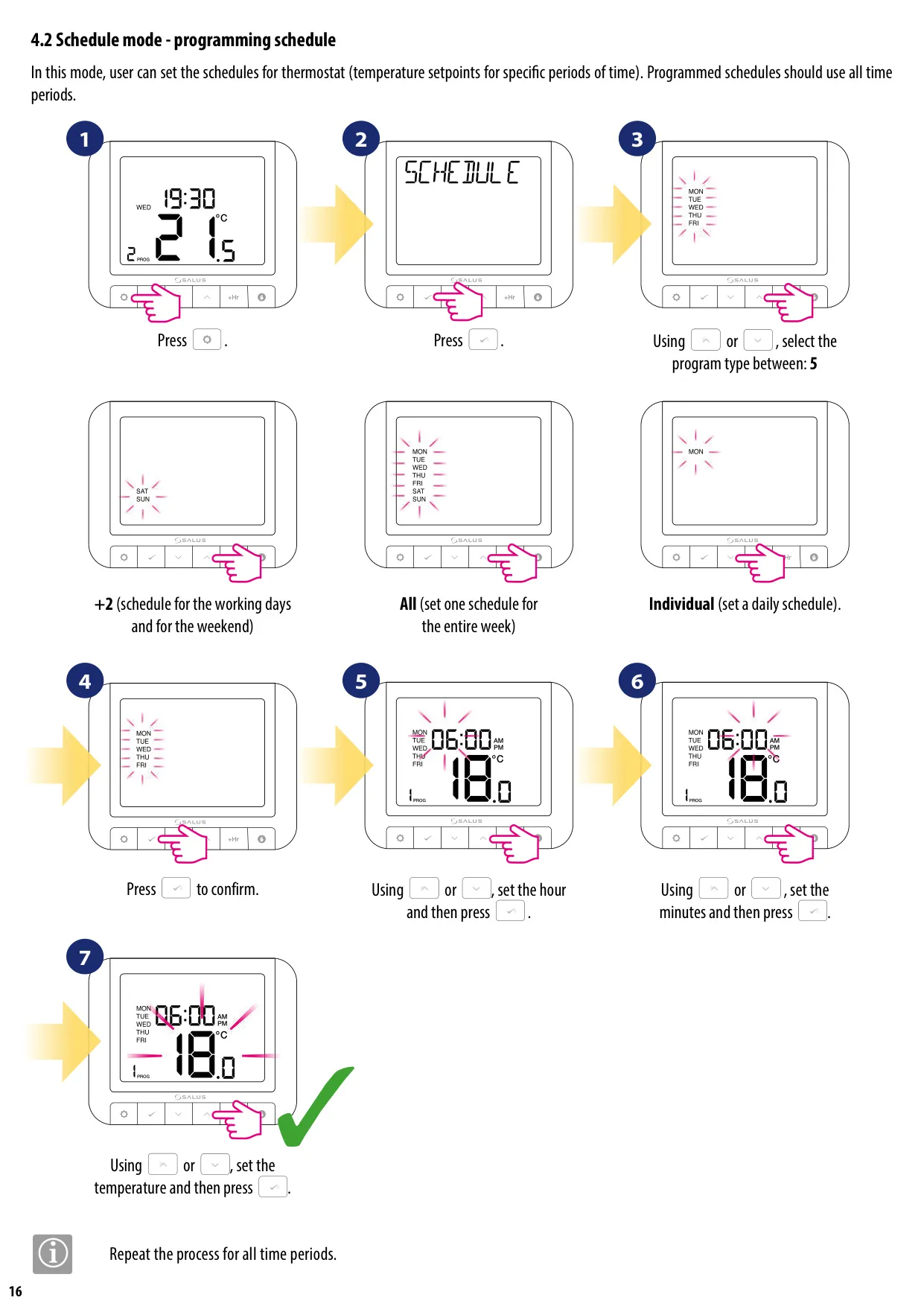
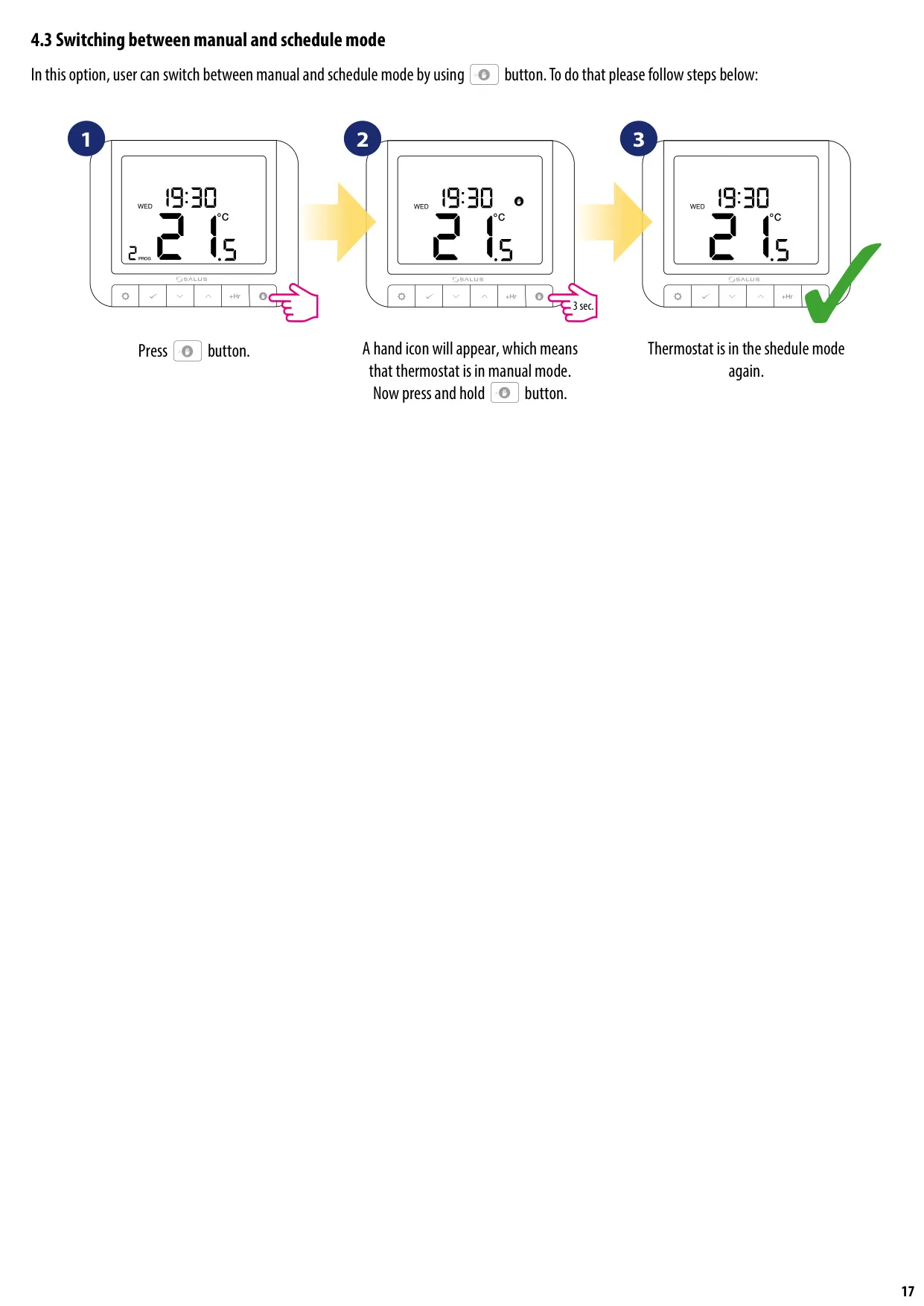
Users can manage their heating with several operational modes. In Manual Mode, the thermostat maintains a constant, user-set temperature. The comprehensive Schedule Mode allows for detailed programming, offering options for 5+2 days (weekdays and weekends), a single schedule for the entire week, or individual daily schedules with multiple temperature setpoints.
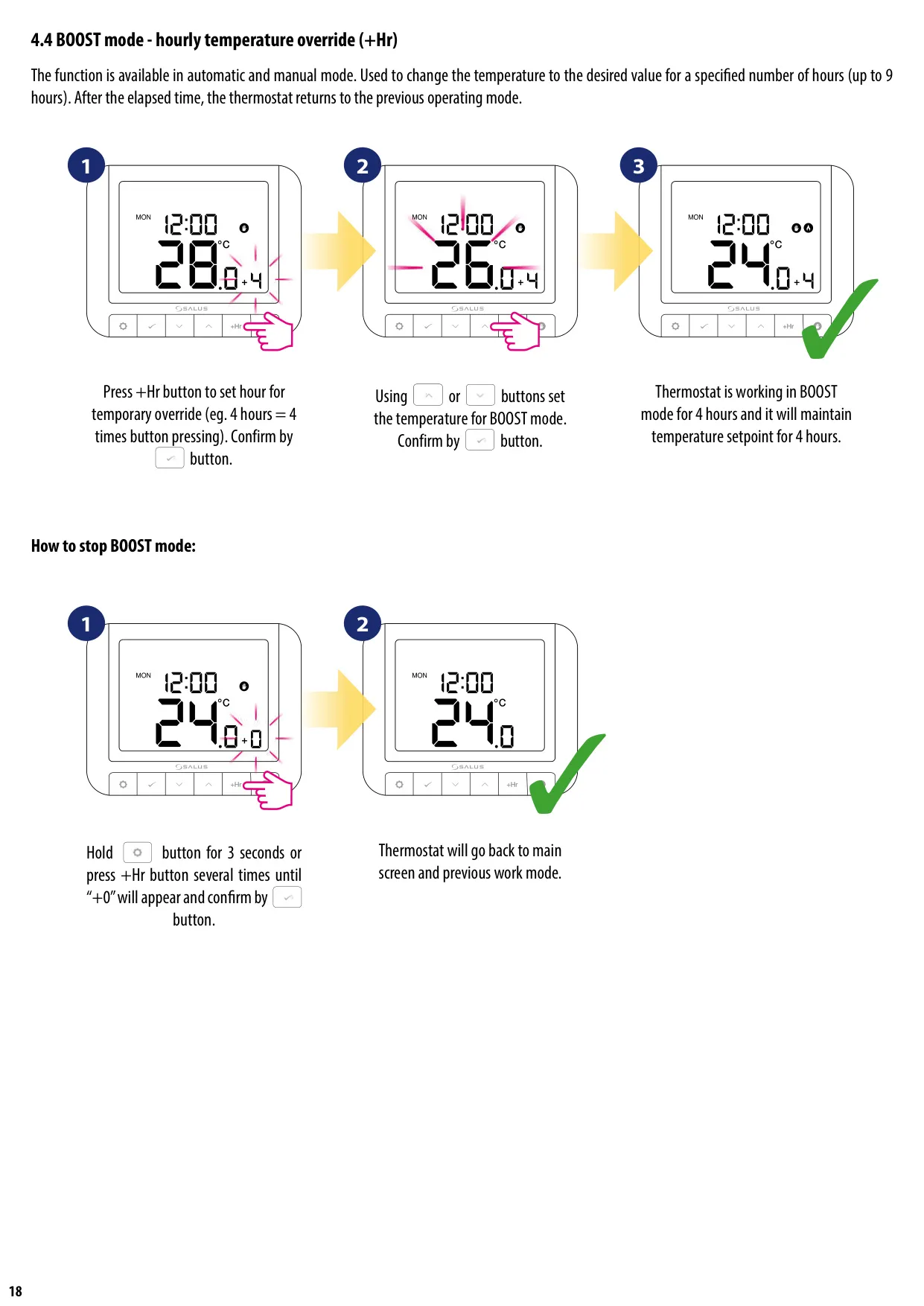
For temporary adjustments, the BOOST mode provides an hourly temperature override, letting users quickly adjust the temperature for up to nine hours. After the set time, the thermostat seamlessly reverts to its previous operating mode, ensuring convenience without disrupting long-term schedules.
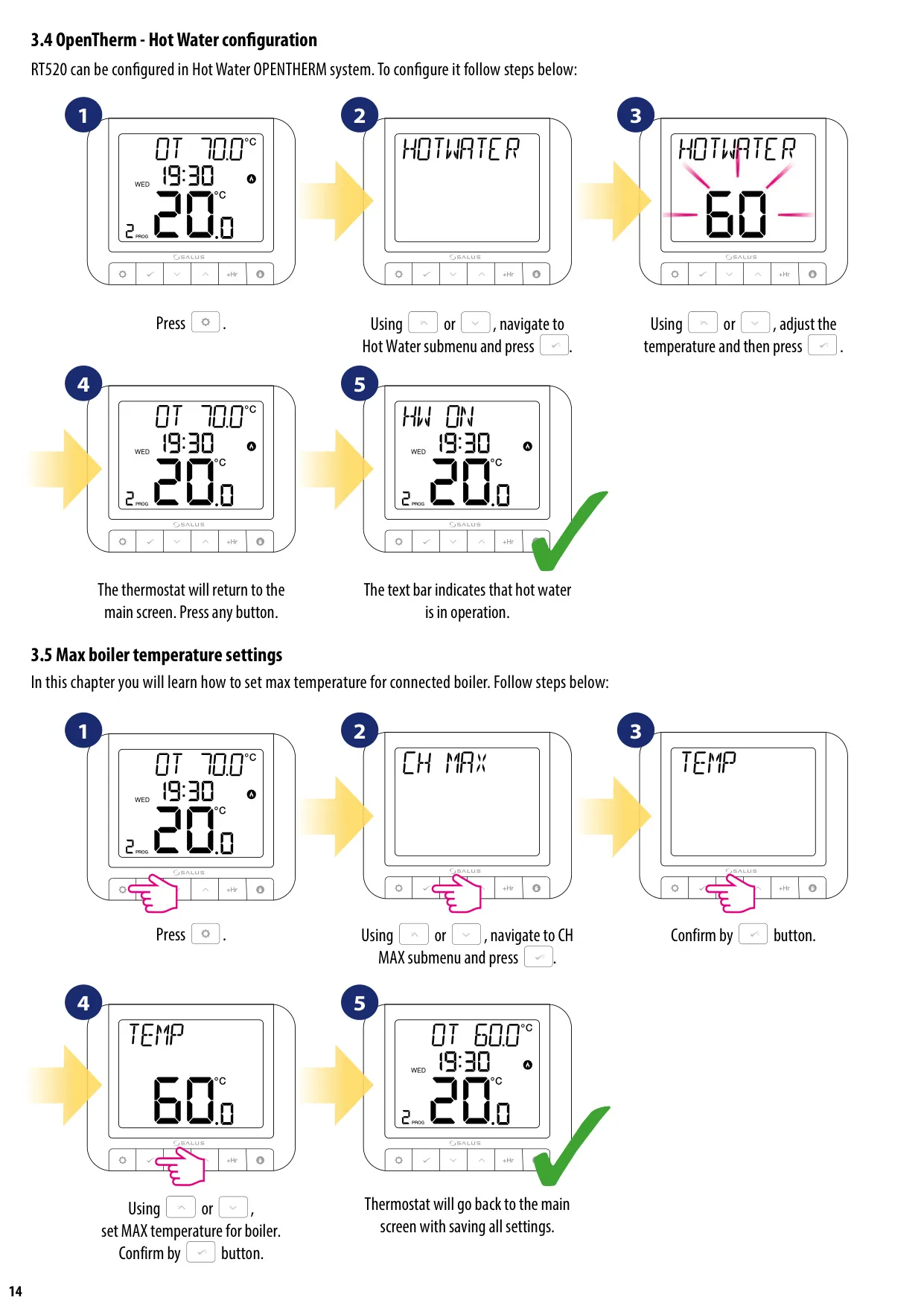
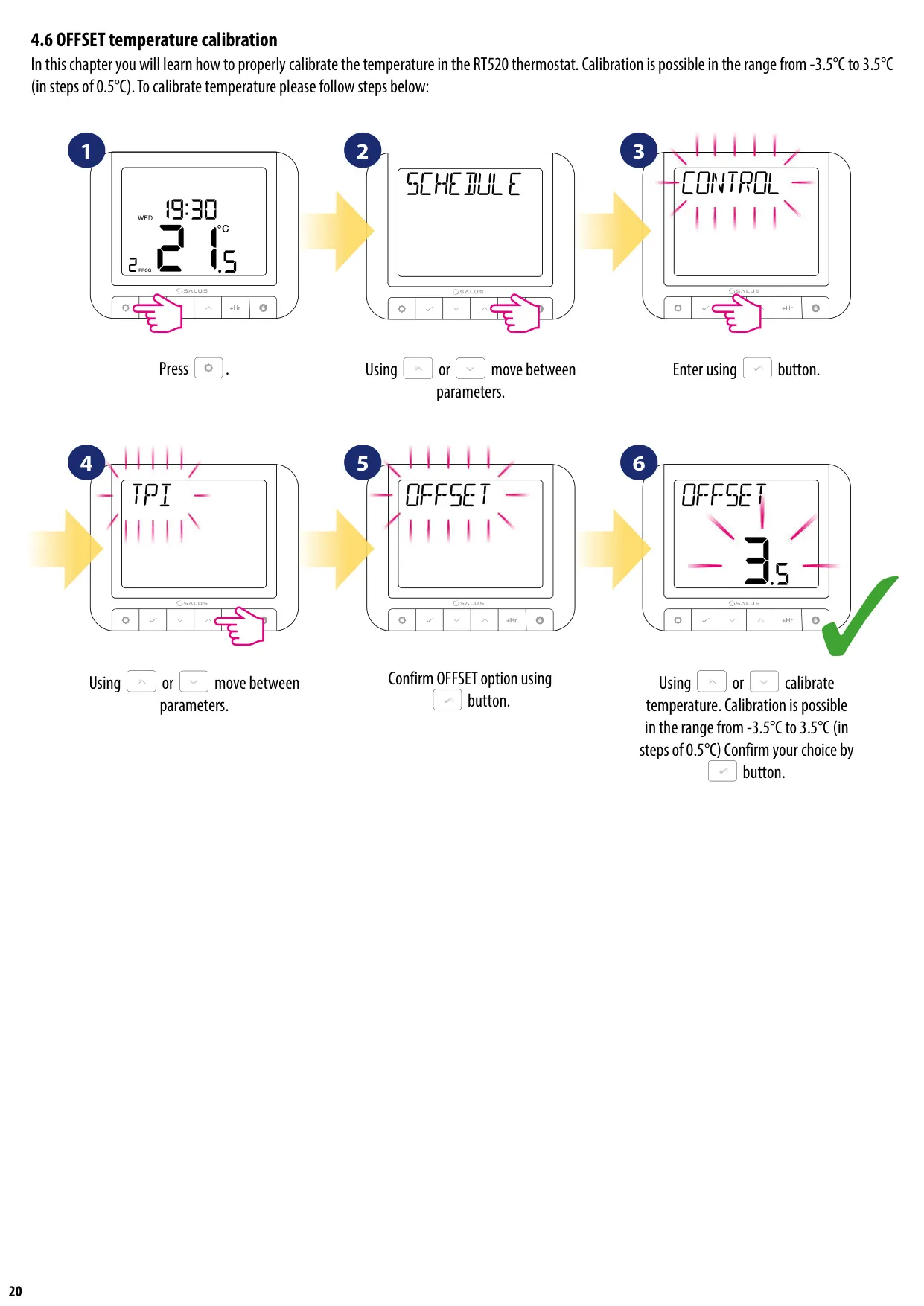
The RT520 includes advanced configuration options, such as OpenTherm hot water configuration and maximum boiler temperature settings. An Offset Temperature Calibration feature allows fine-tuning of the measured temperature in small increments (±3.5°C), ensuring accuracy tailored to the environment.
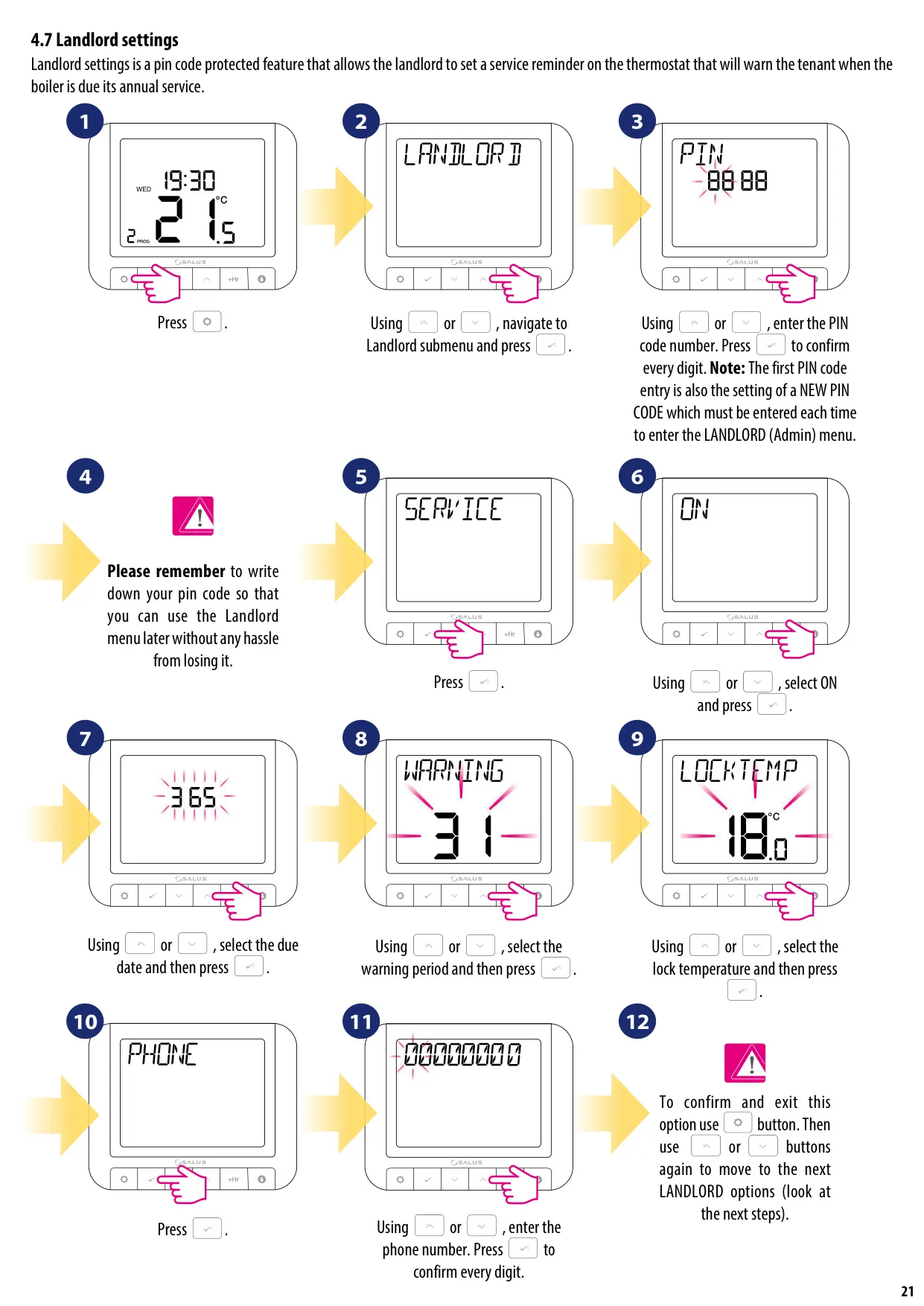
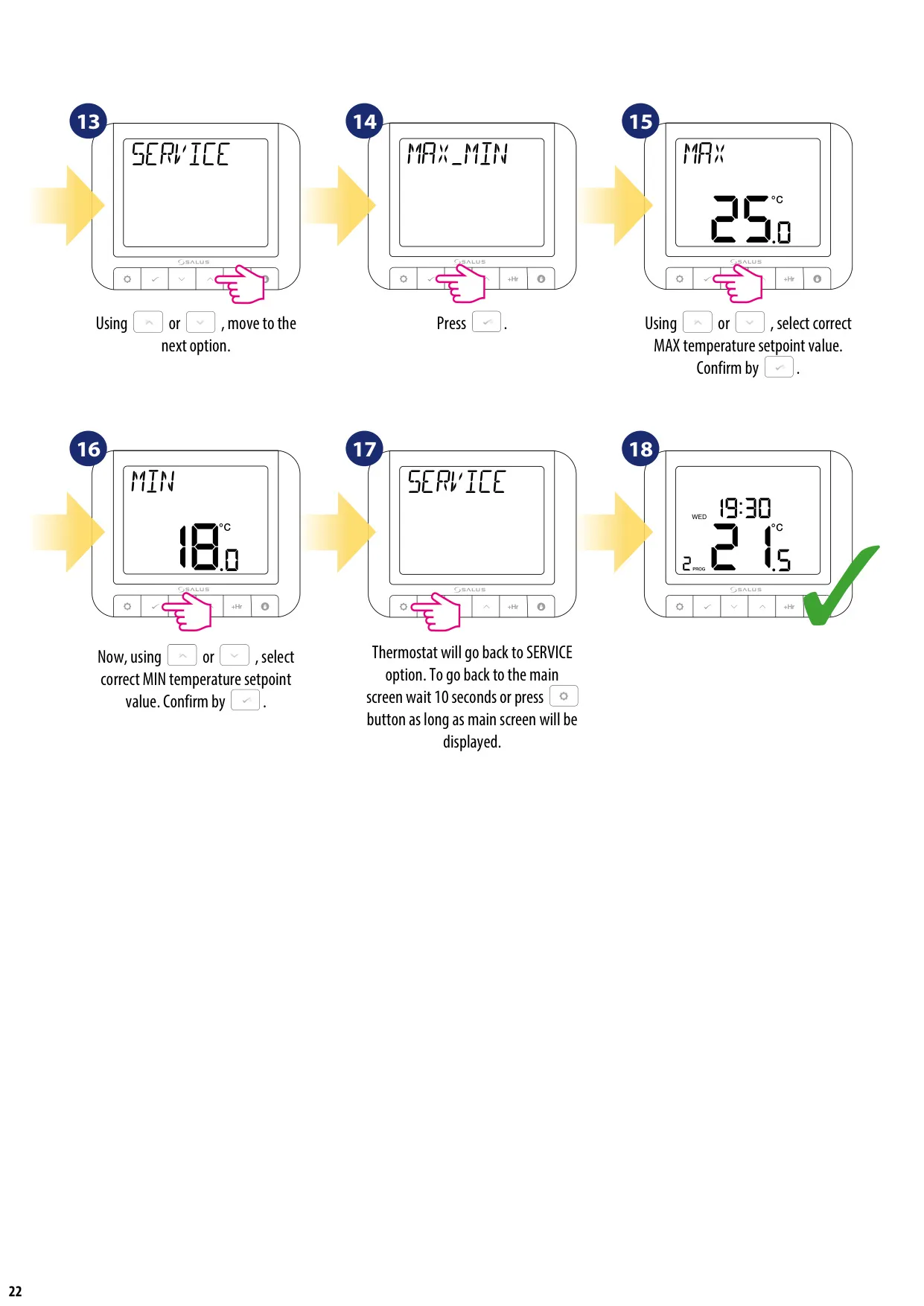
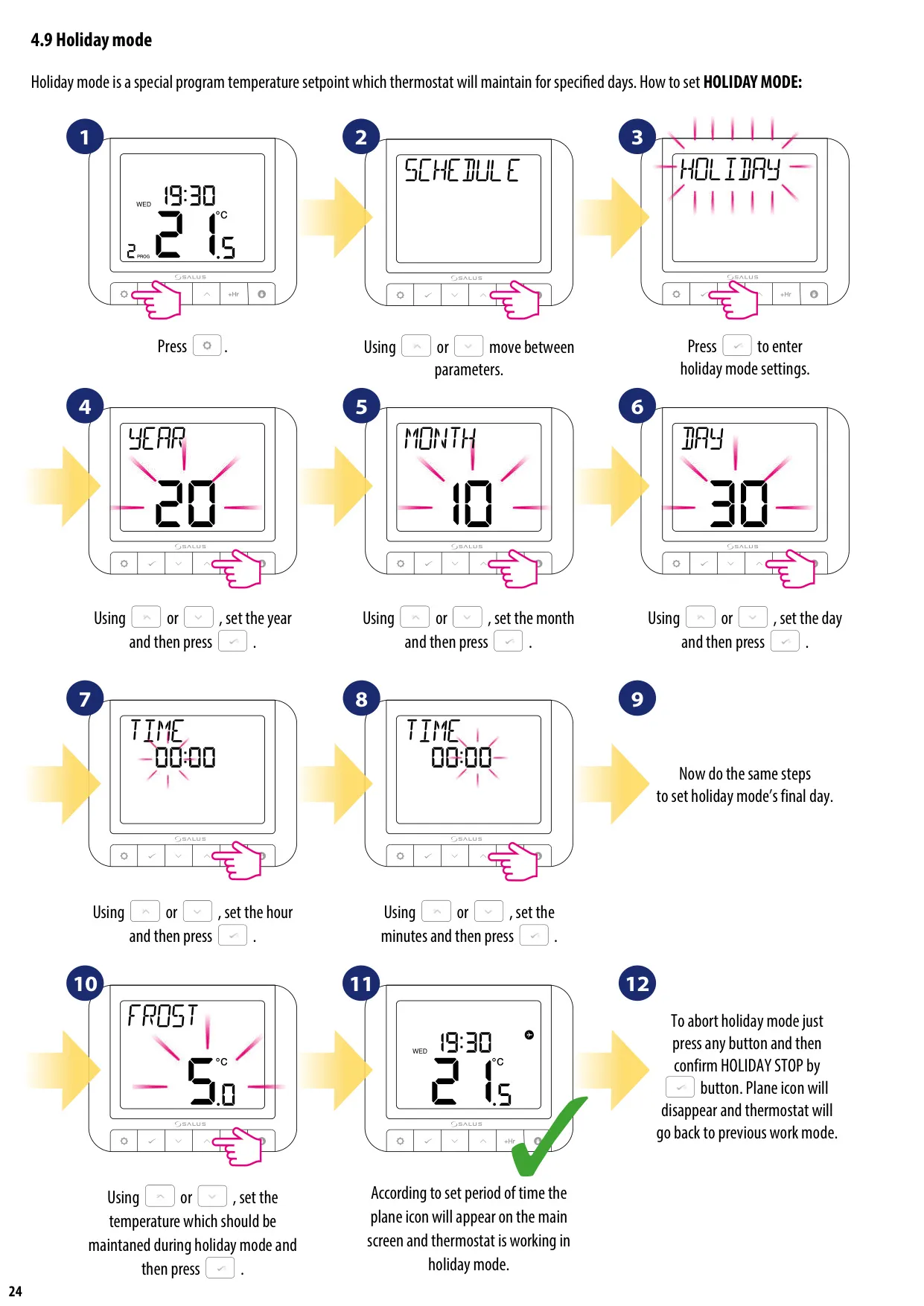
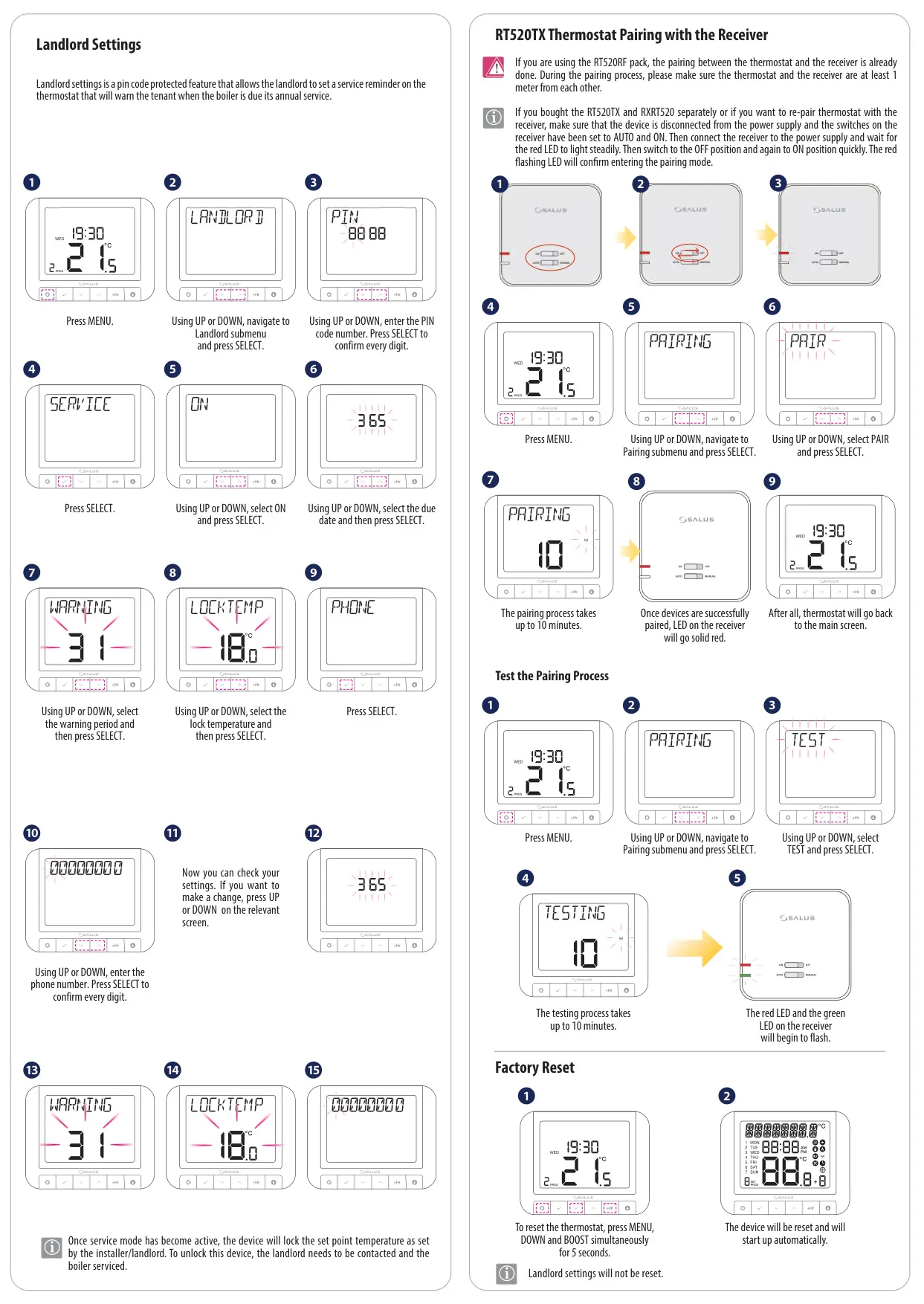
The device also features a unique Landlord Settings option, protected by a PIN code. This allows landlords to set annual service reminders for boilers, notifying tenants and enabling control over maximum and minimum temperature setpoints, which are locked until the service is acknowledged. Additionally, Holiday Mode lets users set a specific temperature for a defined period, conserving energy while they are away.
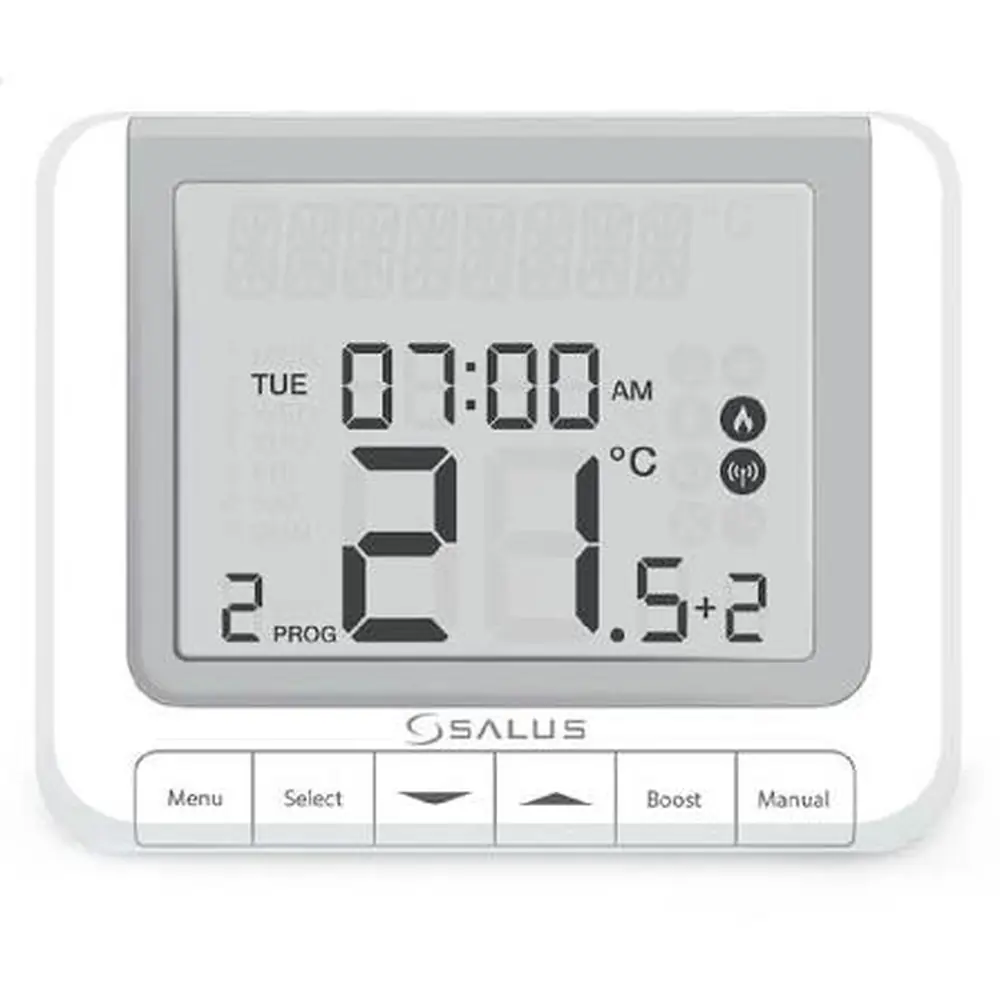
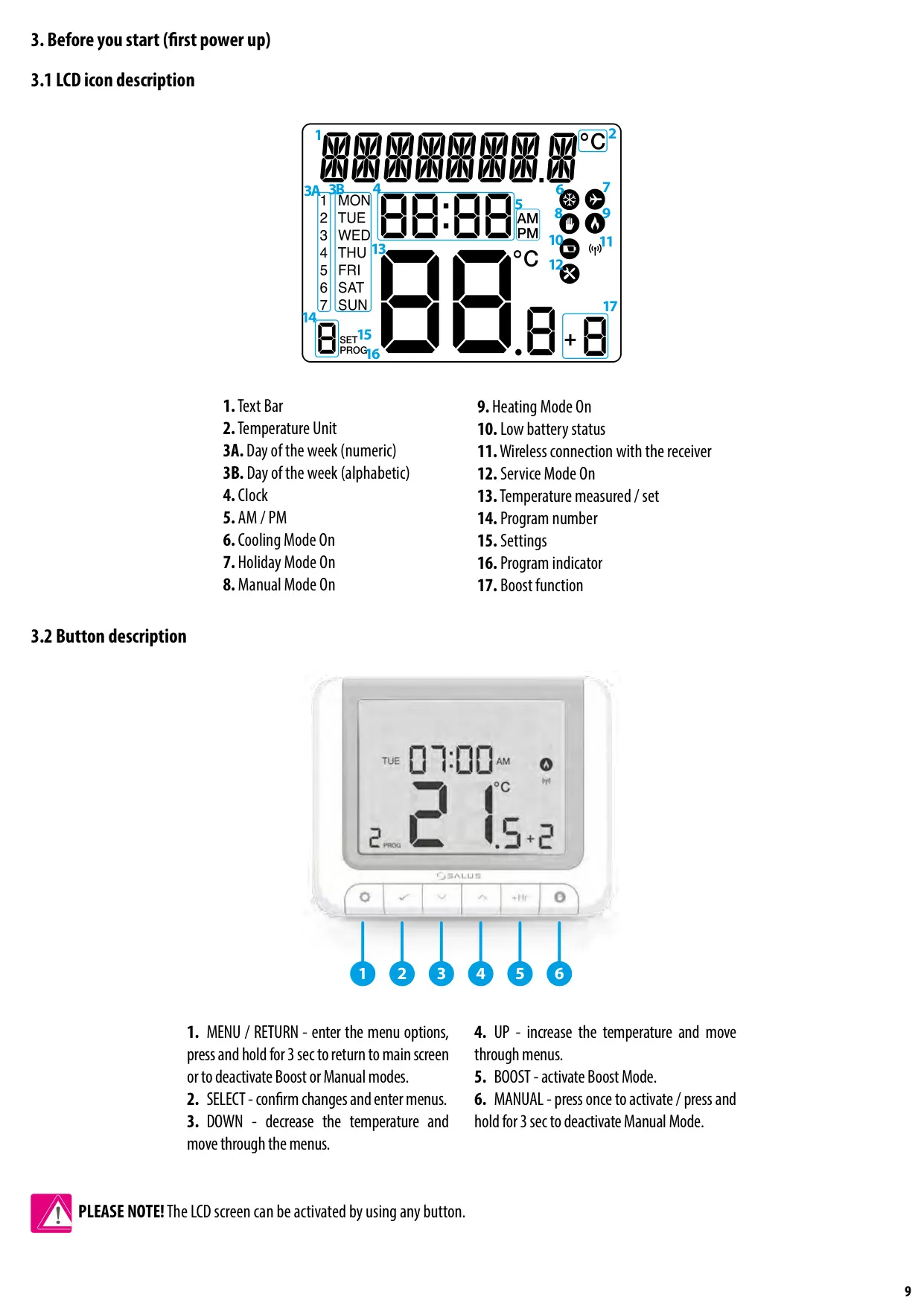
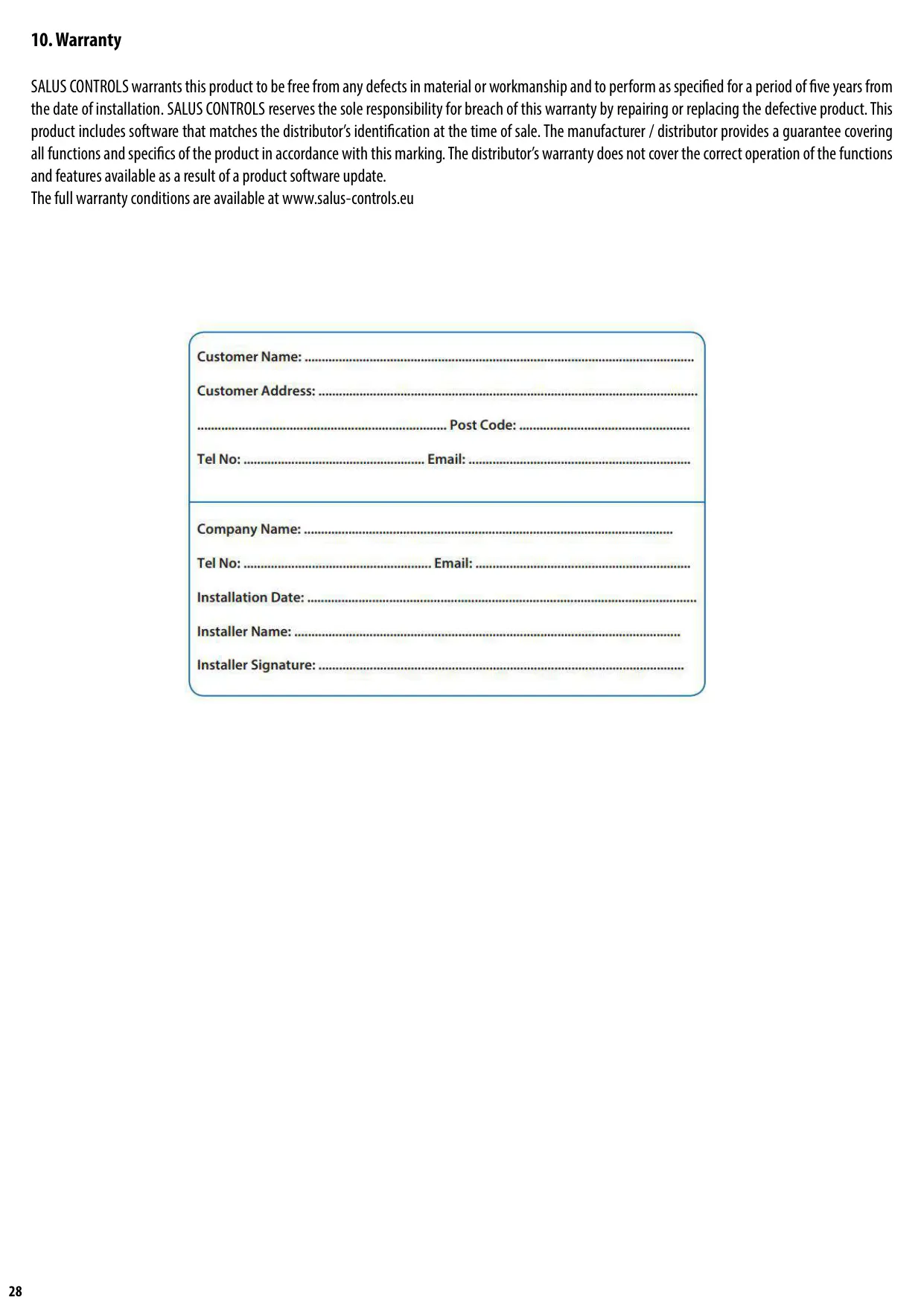
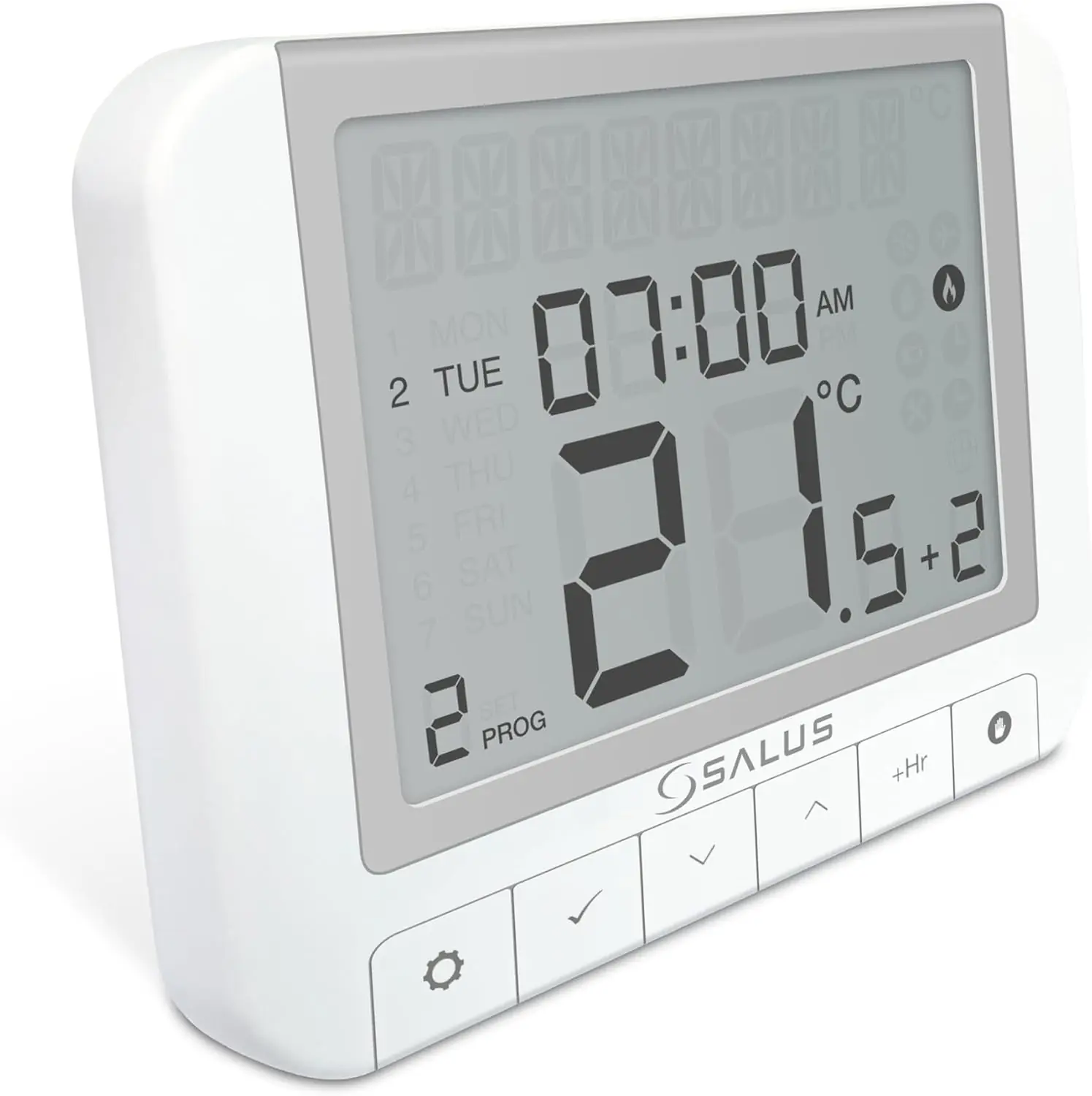
Designed for user-friendliness, the RT520 features a clear LCD display and easily identifiable buttons, making navigation and configuration straightforward. Its durable construction ensures reliability, with simple cleaning requirements and a five-year warranty from the date of installation, reinforcing Salus Controls' commitment to quality and performance.
Frequently Asked Questions (FAQs)
Can't find the answer you need? Here are some frequently asked questions about Salus Thermostat RT520, and we answer them below.