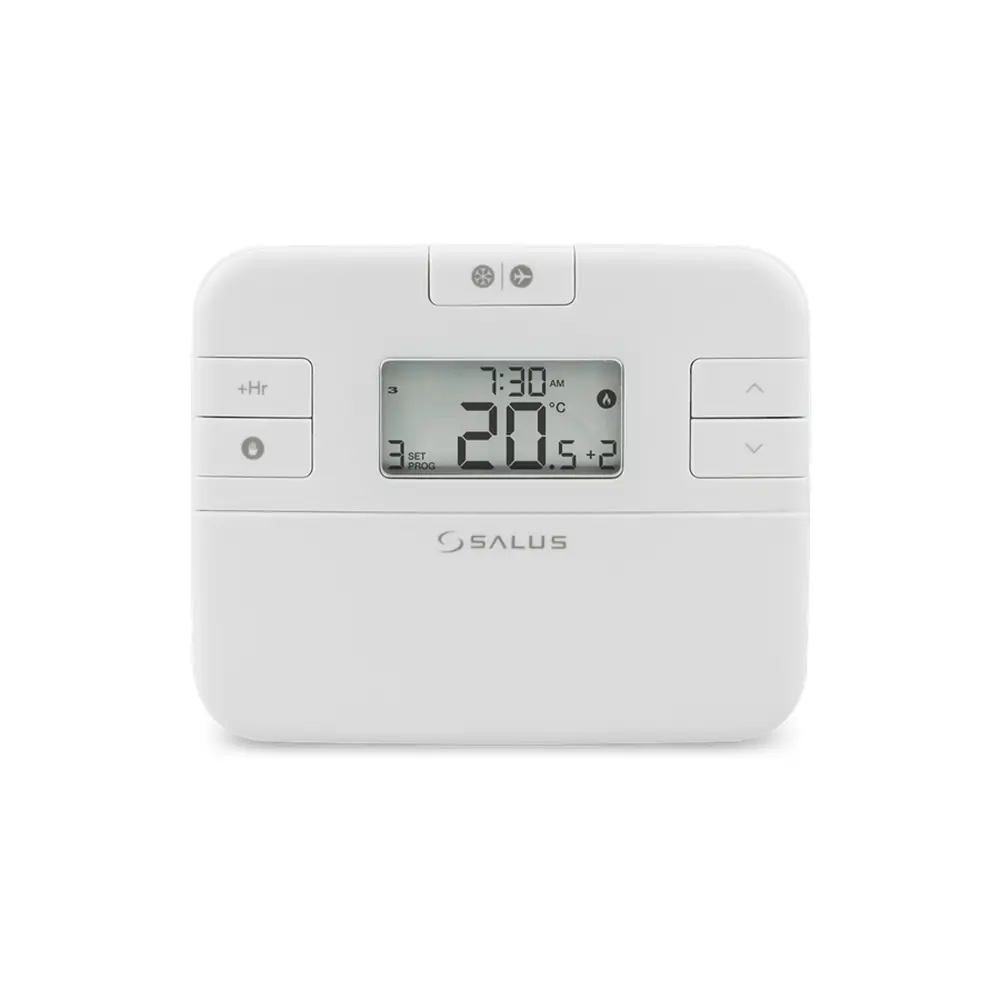
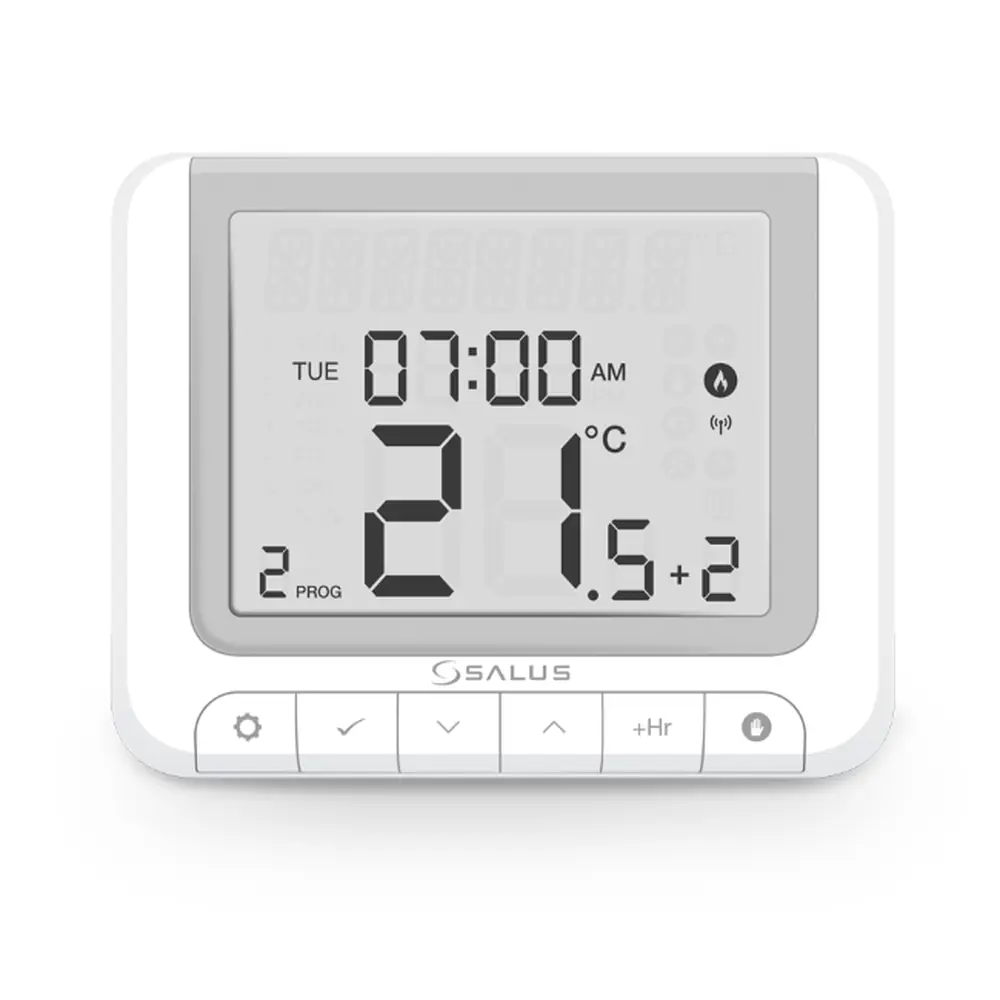
Salus Thermostat RT520RF Instruction Manual
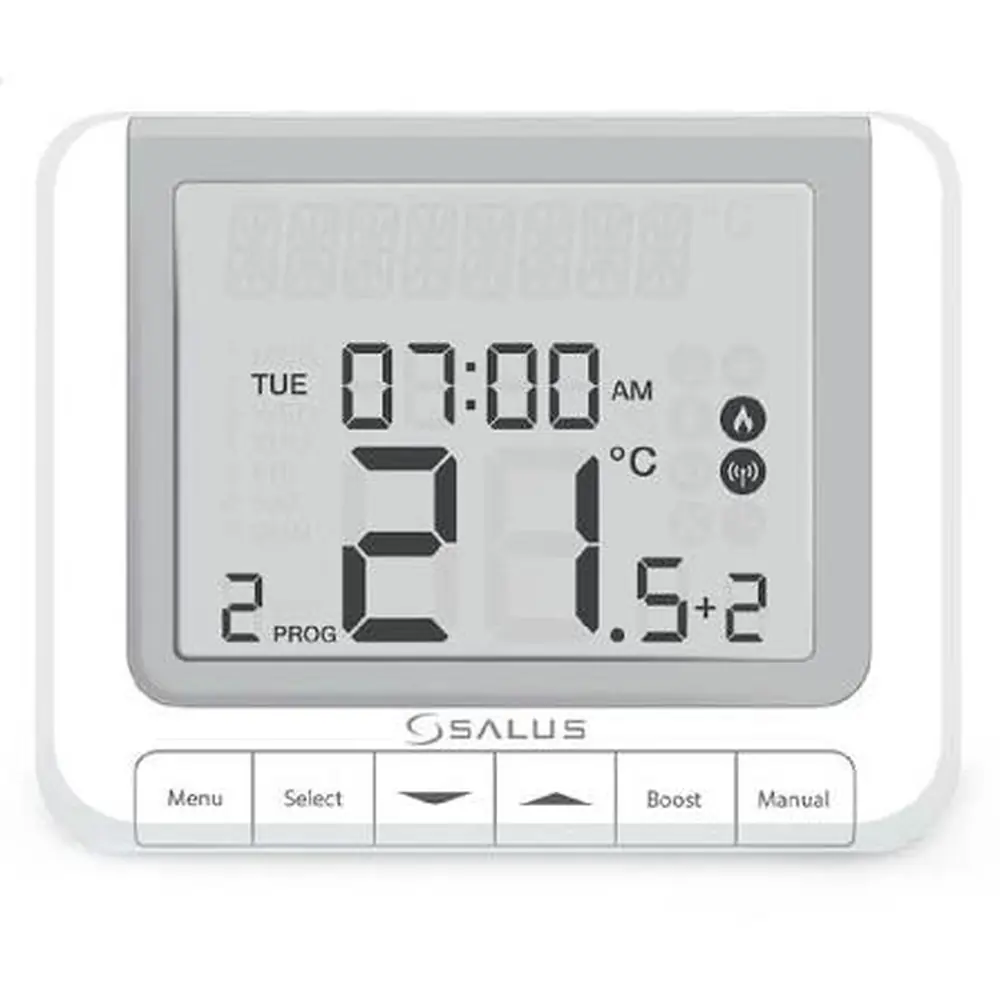
Salus Thermostat RT520RF
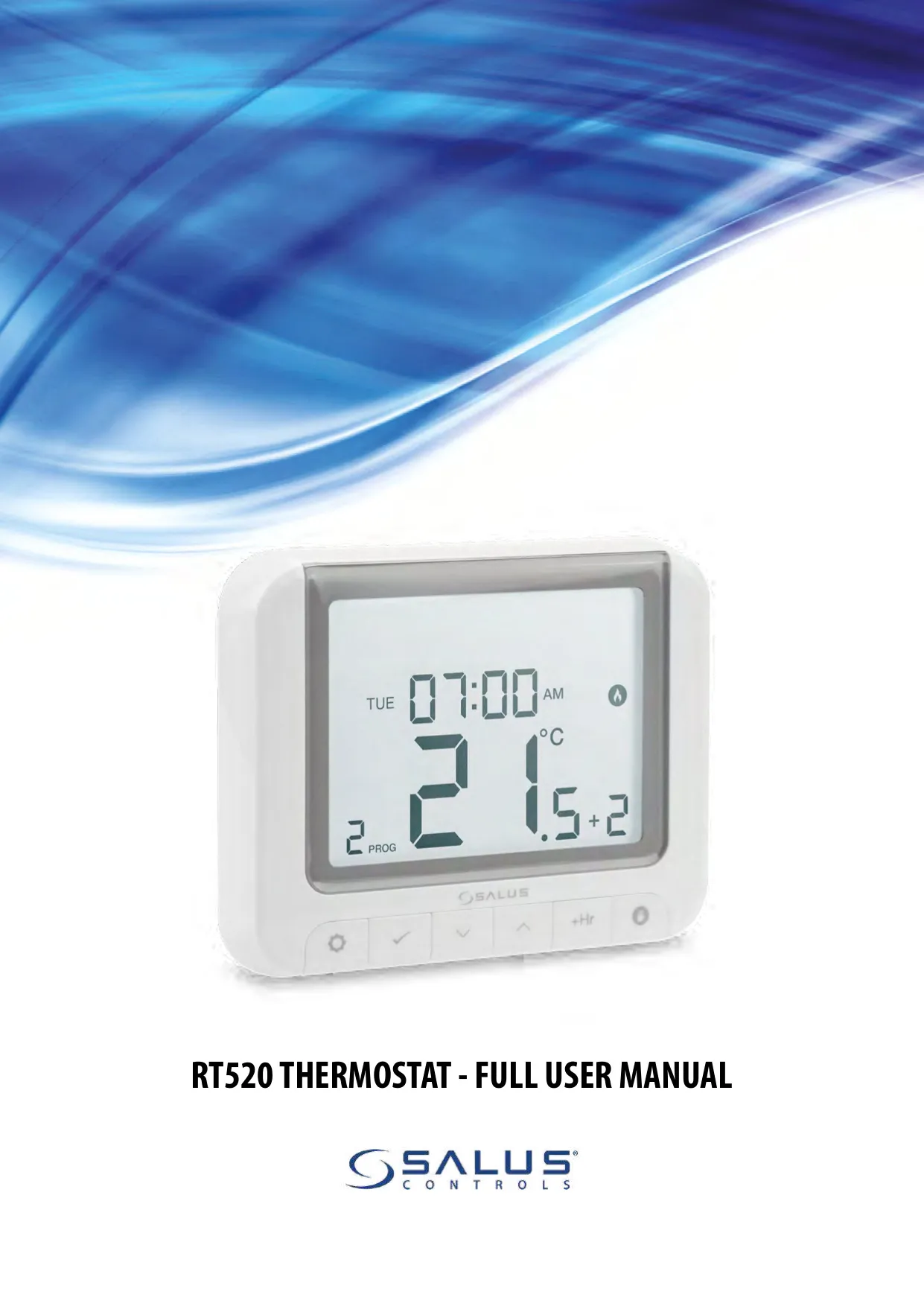

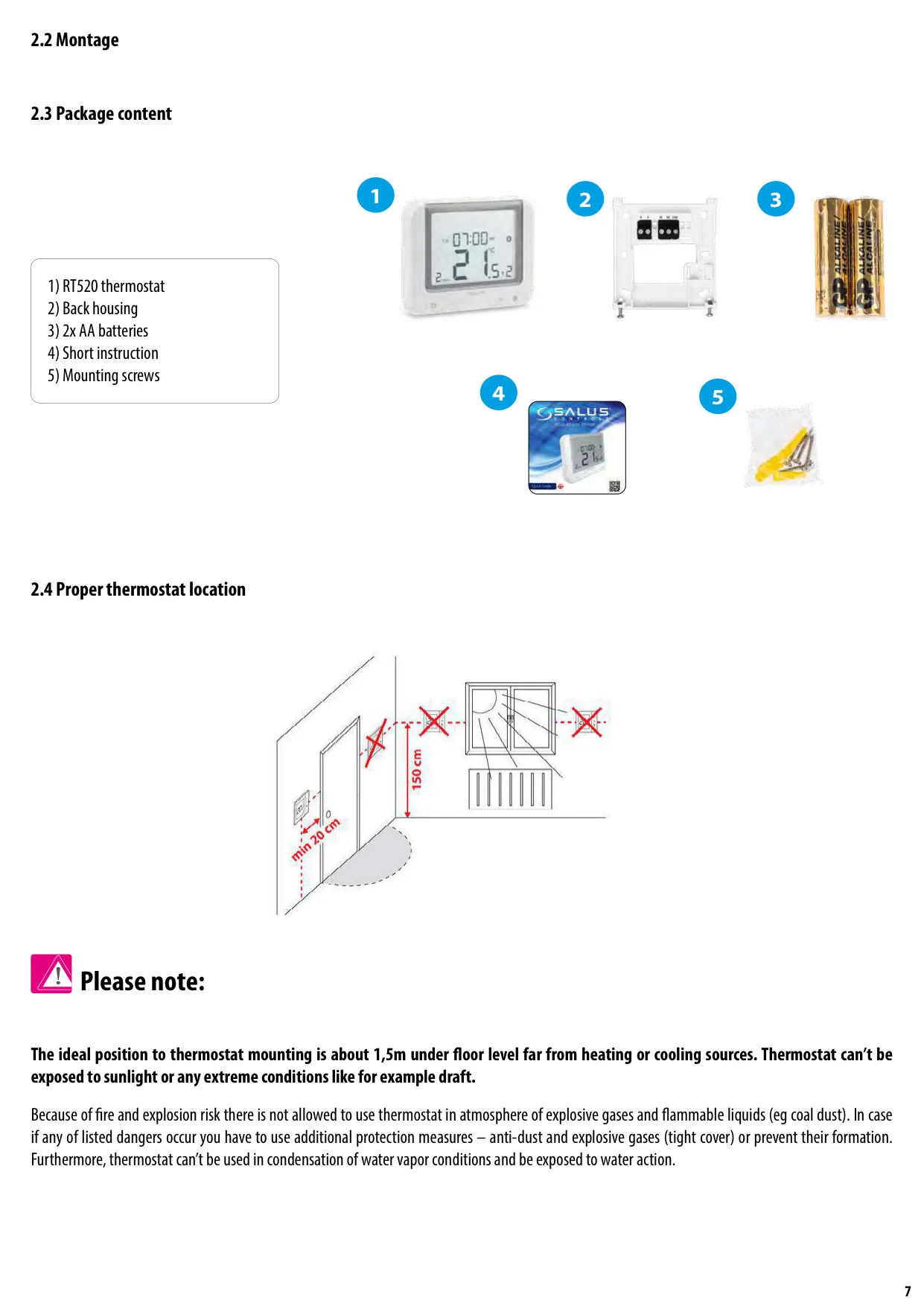



Salus Thermostat RT520RF
Salus Thermostat RT520RF Instructions
Here we offer the Salus Thermostat RT520RF manual completely free and in English. We have cataloged this manual in the Thermostats section on Manualverse, and it has been rated by 1 users with an average rating of 5. If you have any specific questions about Salus Thermostat RT520RF, we suggest checking the Frequently Asked Questions (FAQs) section of this manual.
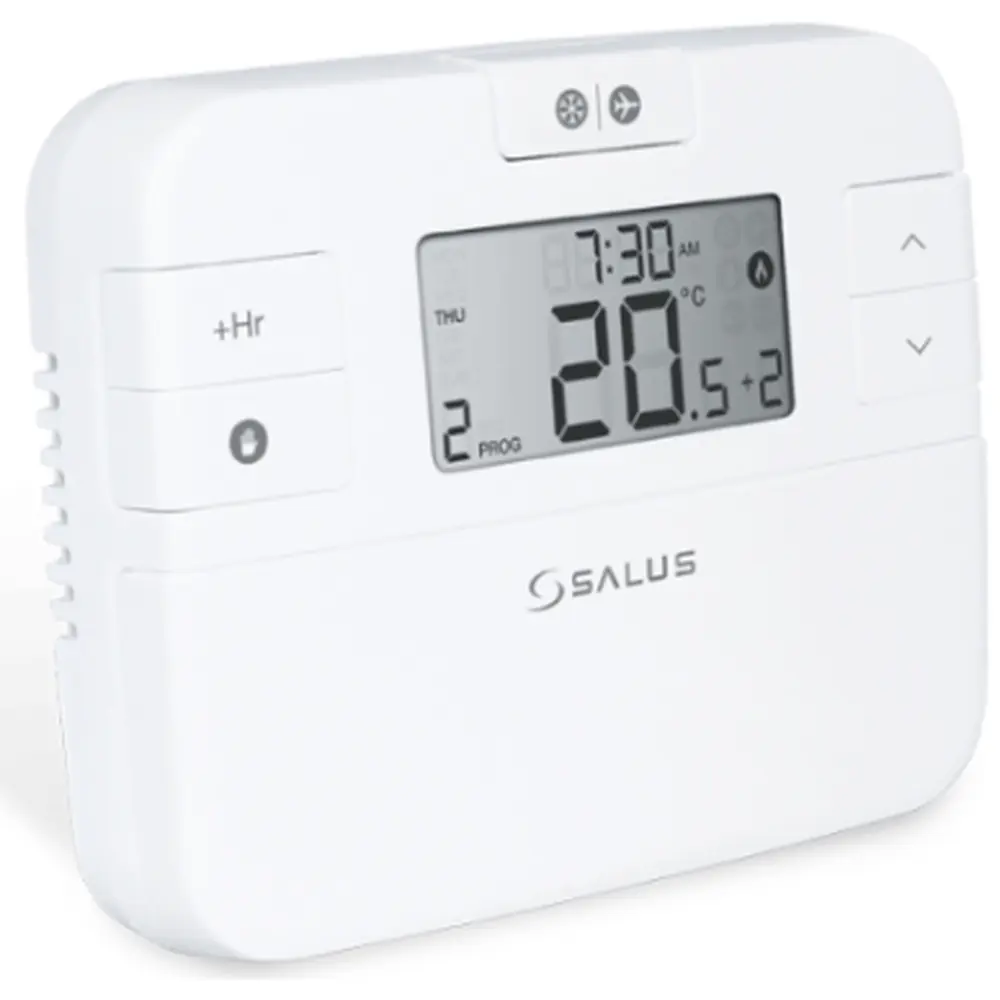
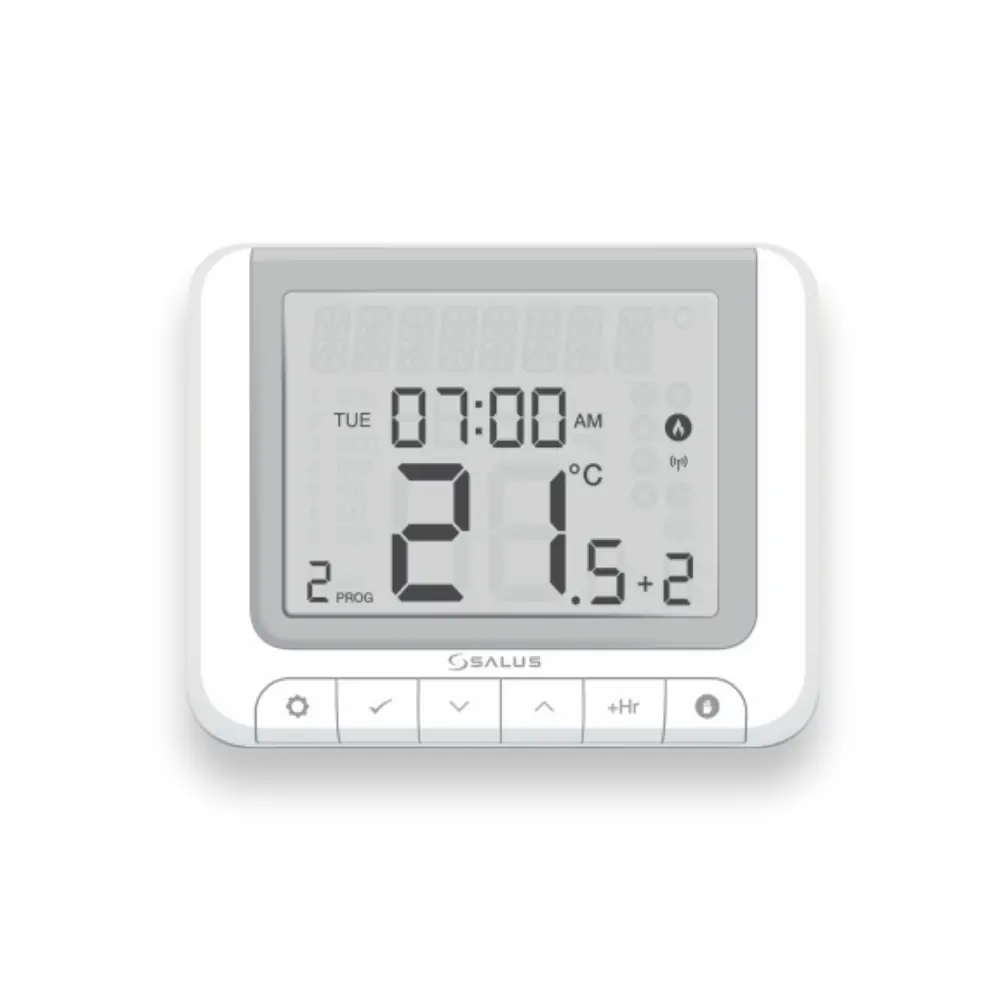
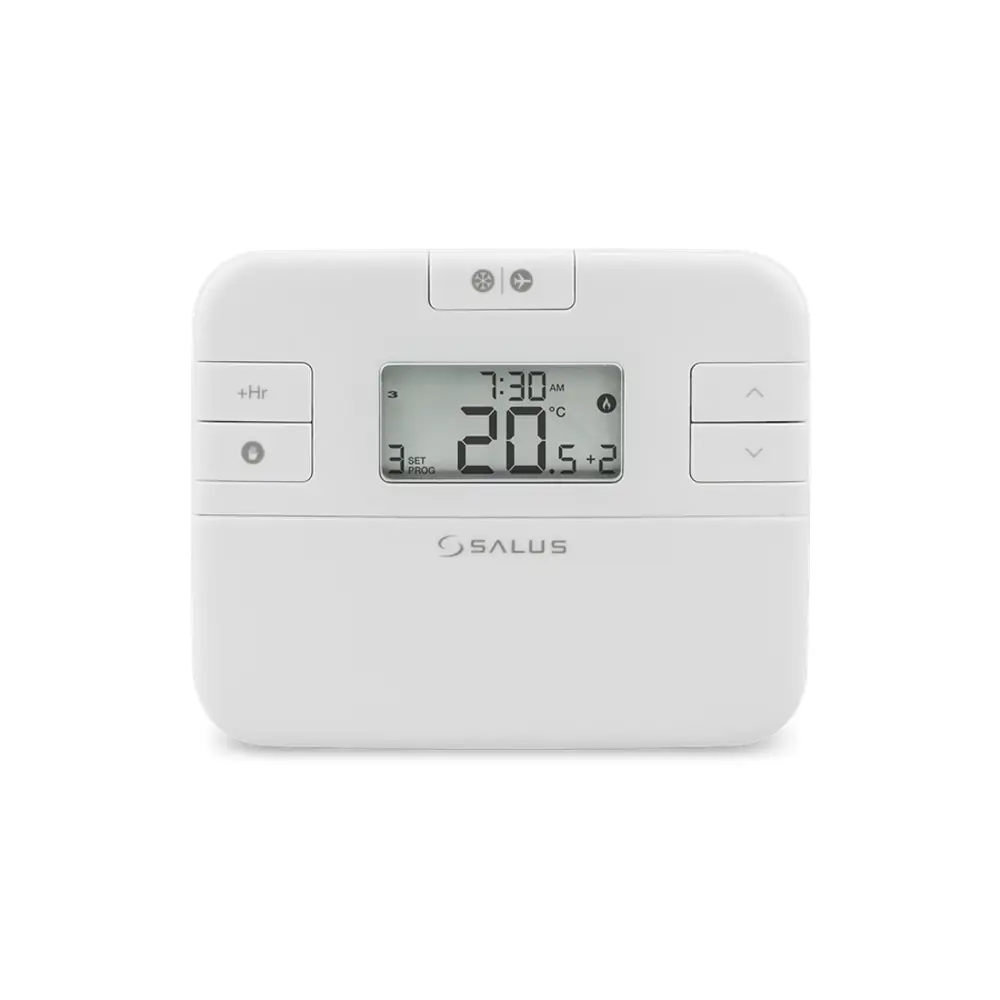
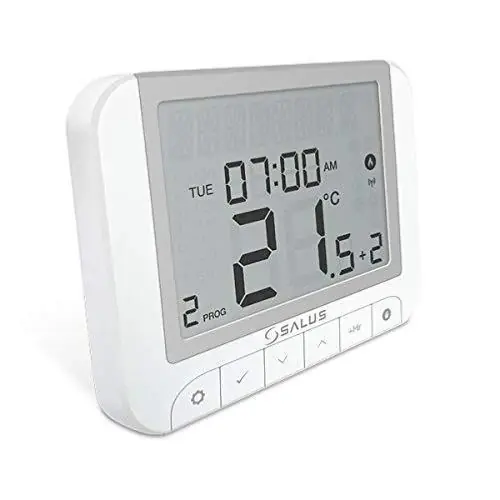
Product Images
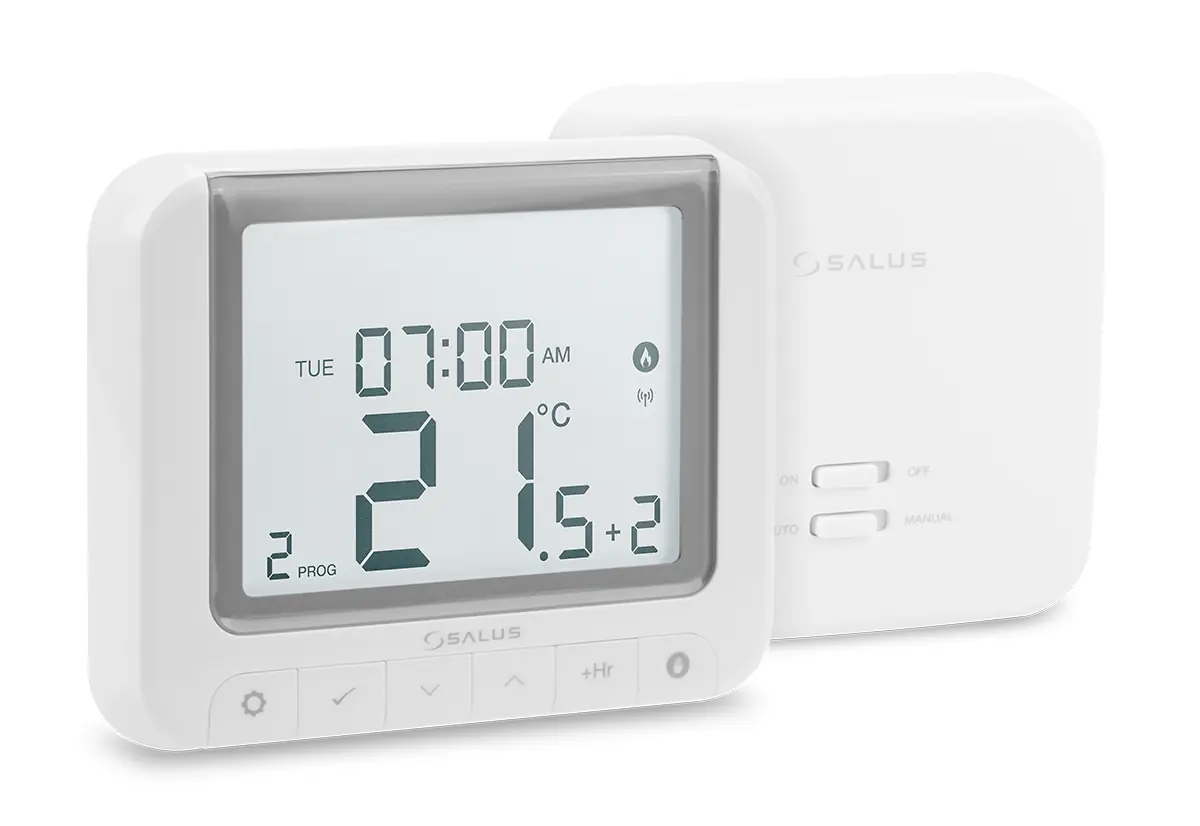
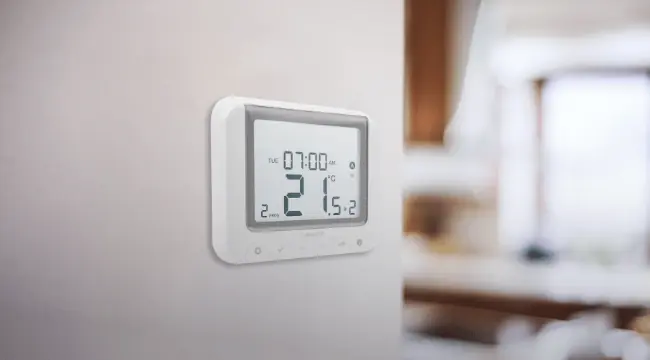
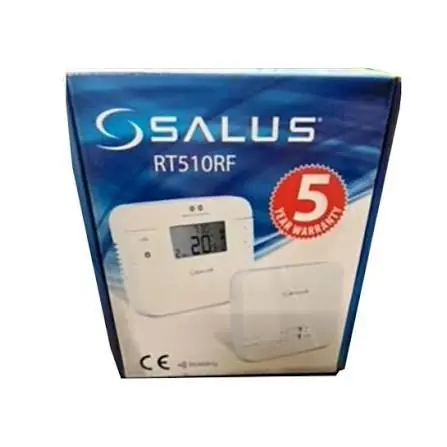
Salus Thermostat RT520RF Specifications
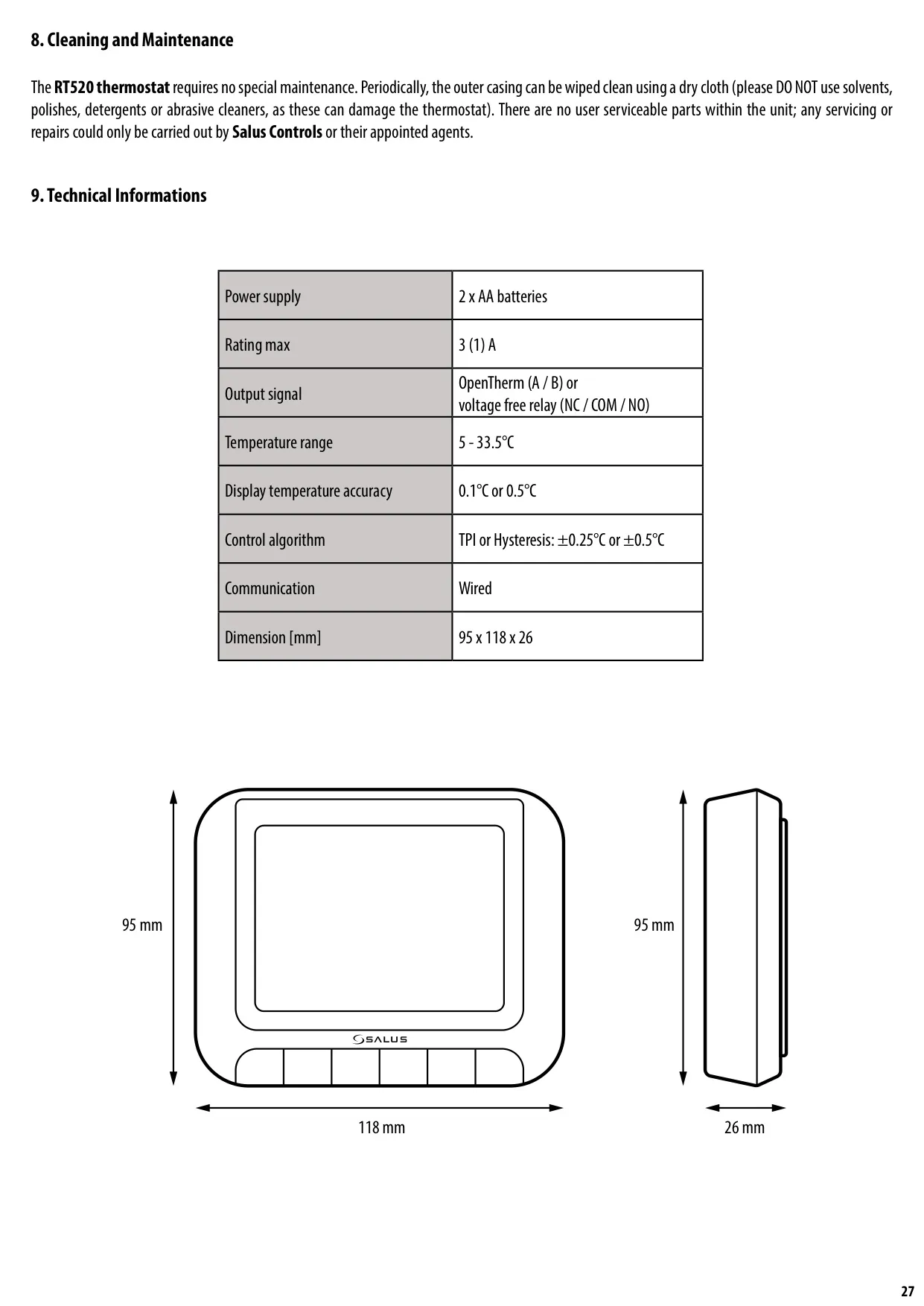
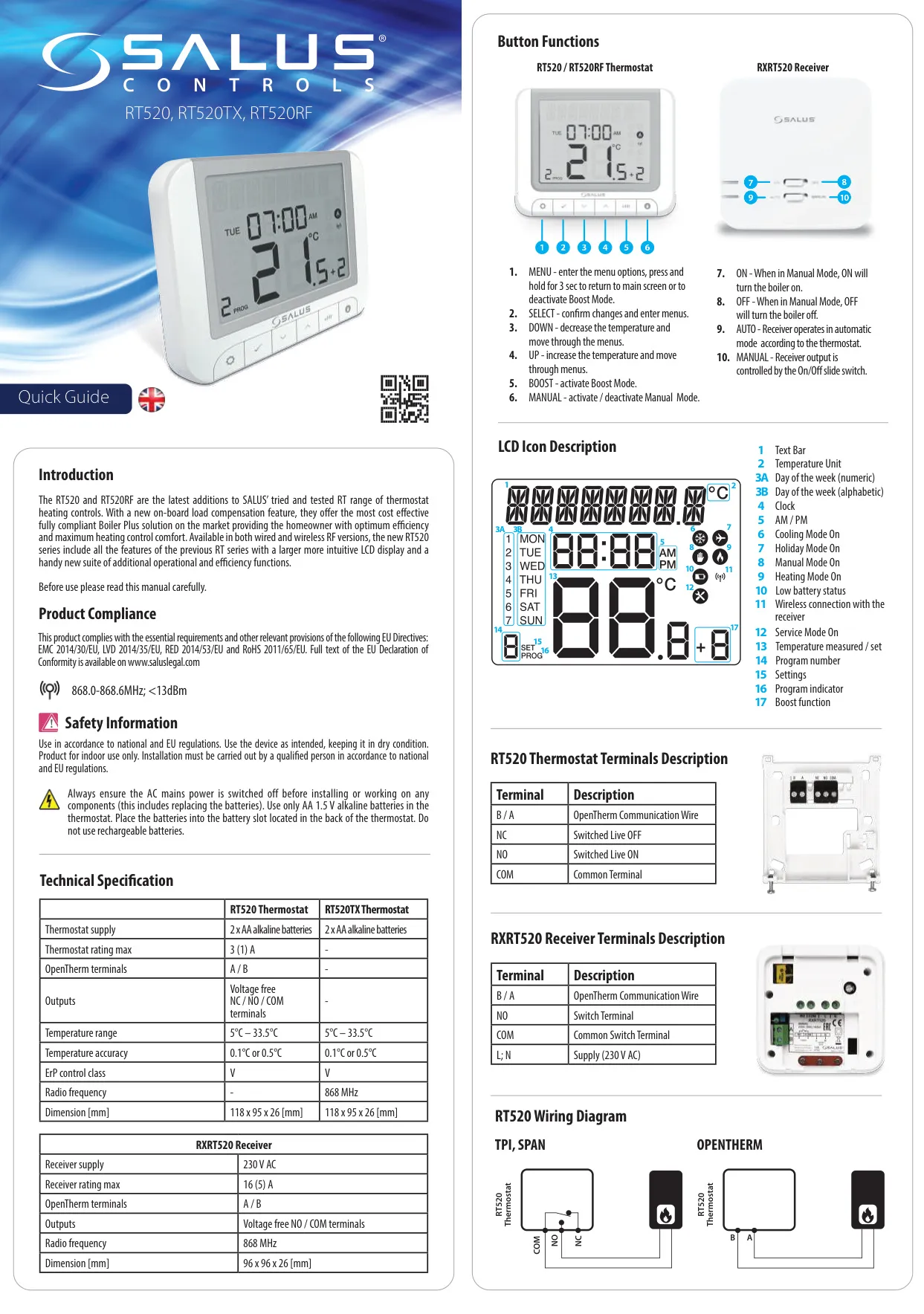
| Component | Parameter | Specification |
| Thermostat (RT520TX) | Power Supply | 2 x AA alkaline batteries |
| Temperature Range | 5°C – 33.5°C | |
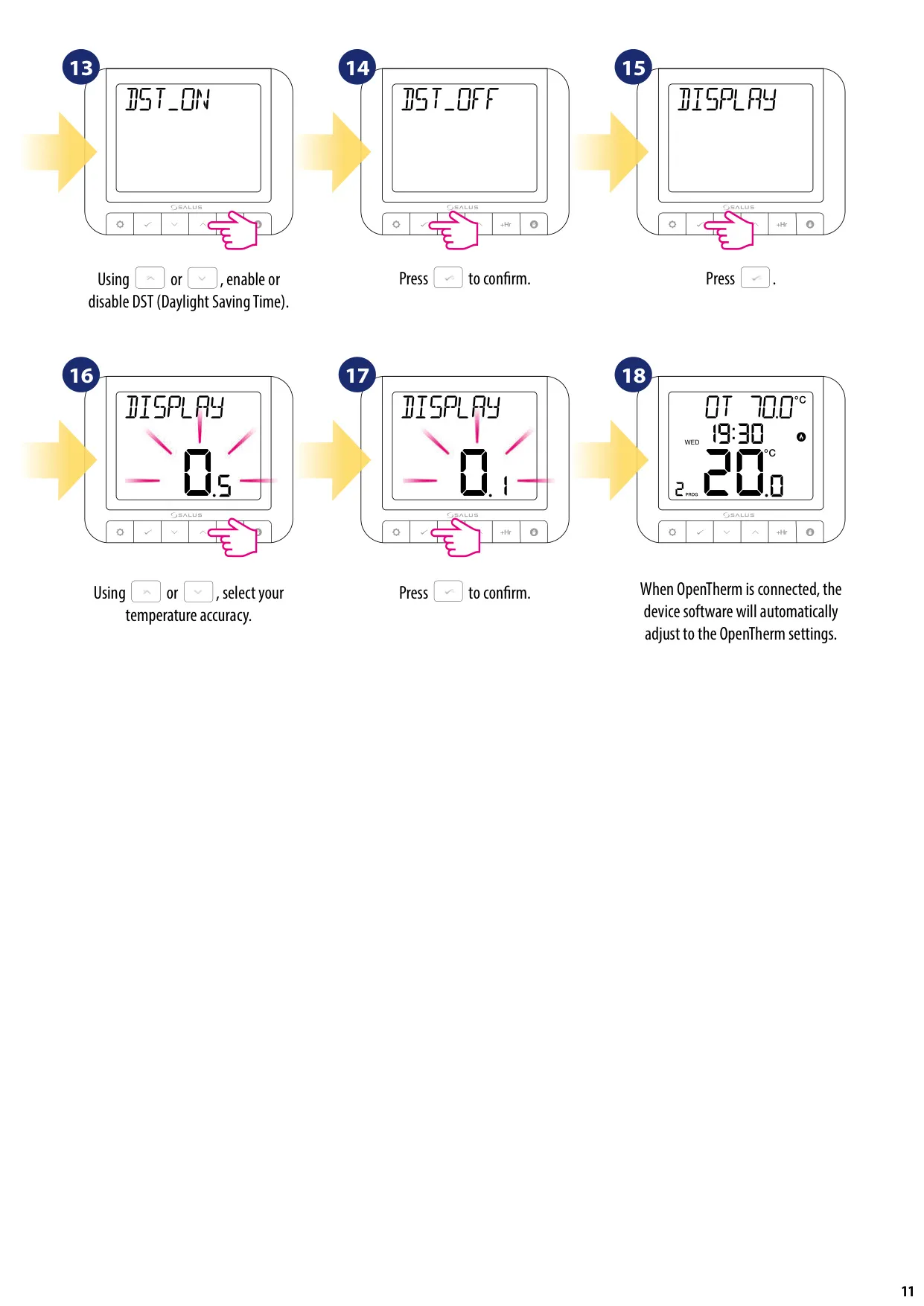
| Display Temperature Accuracy | 0.1°C or 0.5°C | |
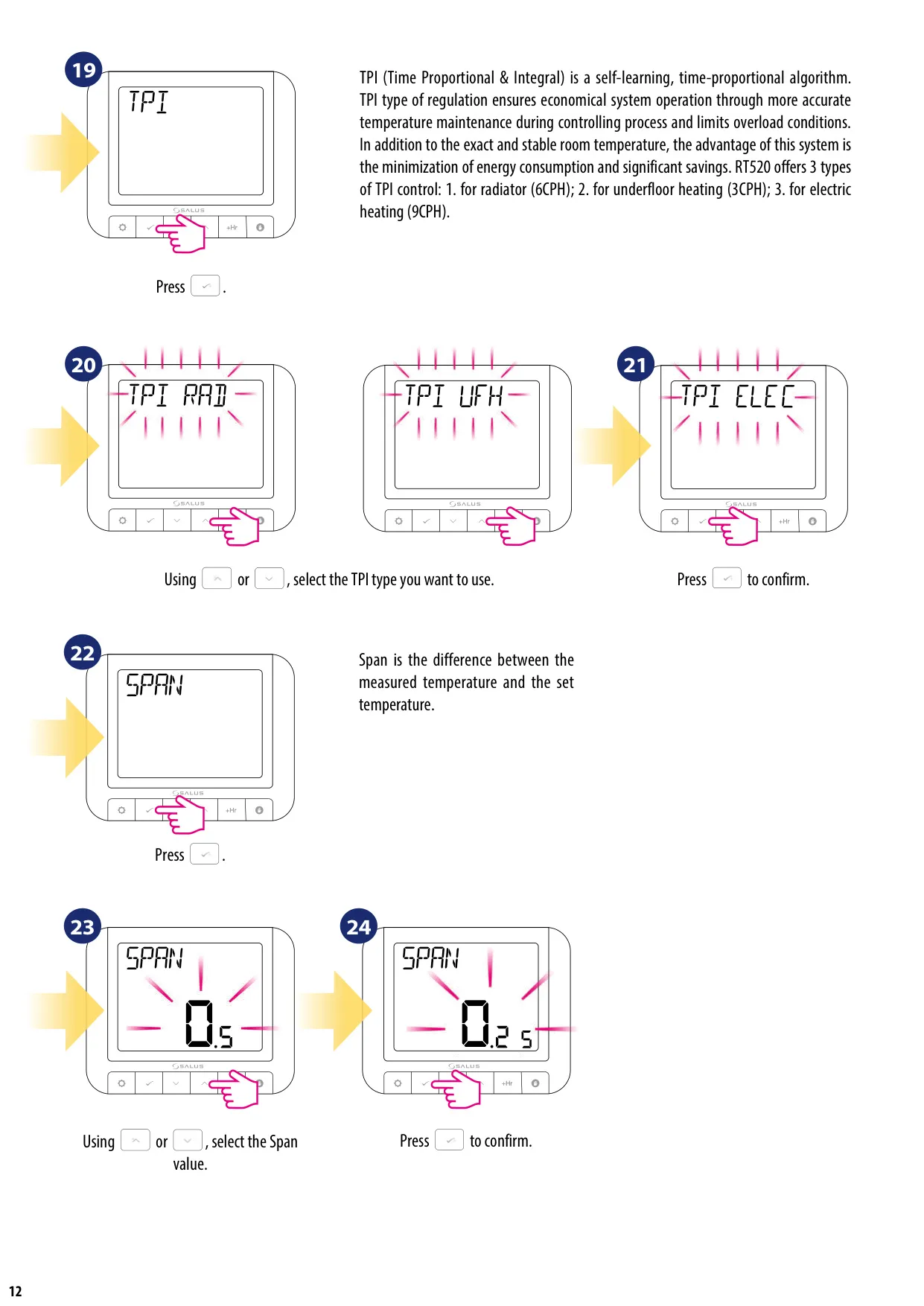
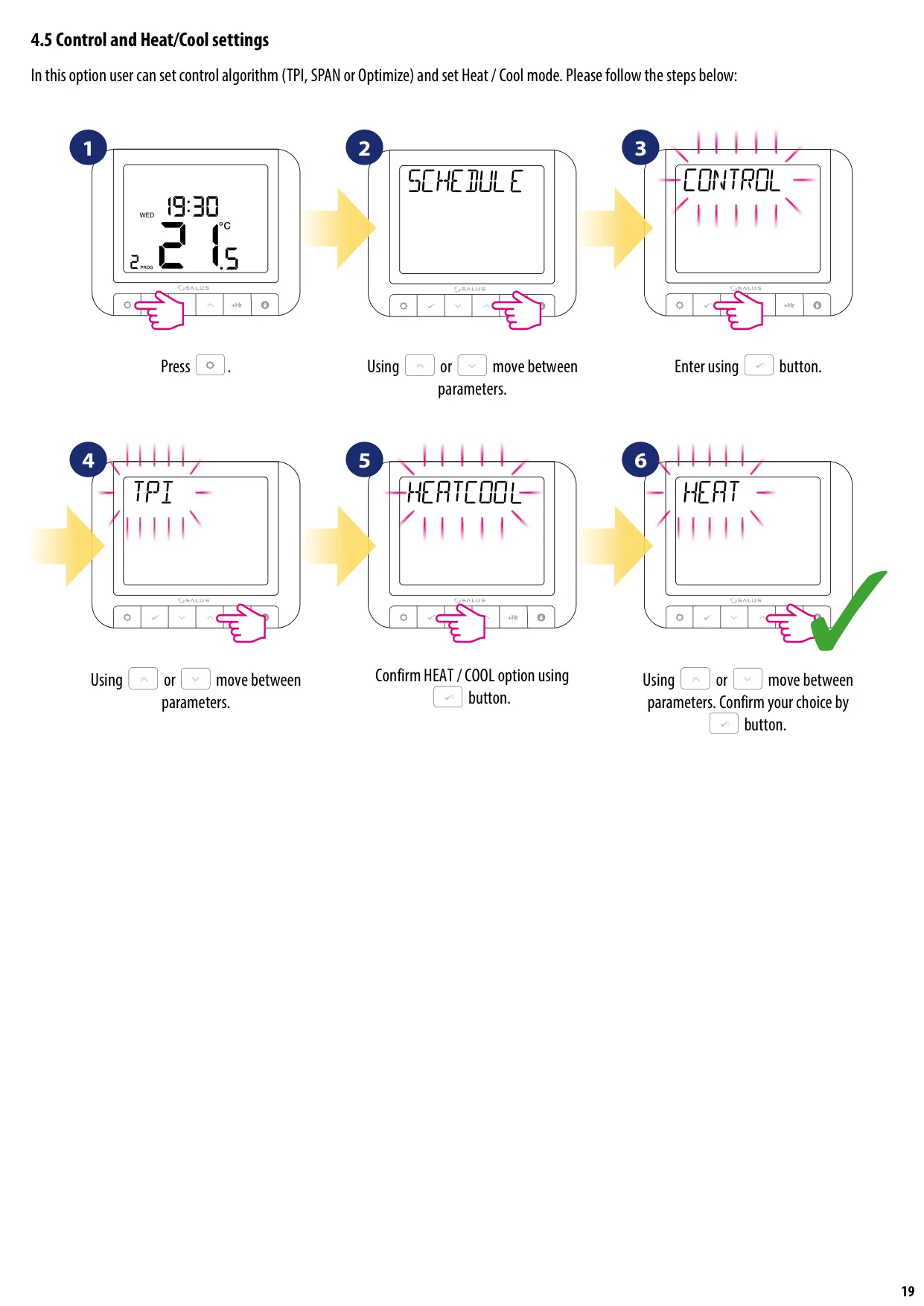
| Control Algorithm | TPI or Hysteresis: ±0.25°C or ±0.5°C | |
| ErP Control Class | V | |
| Radio Frequency | 868 MHz | |
| Dimensions (H x W x D) | 118 x 95 x 26 mm | |
| Receiver (RXRT520) | Power Supply | 230 V AC |
| Max Rating | 16 (5) A | |
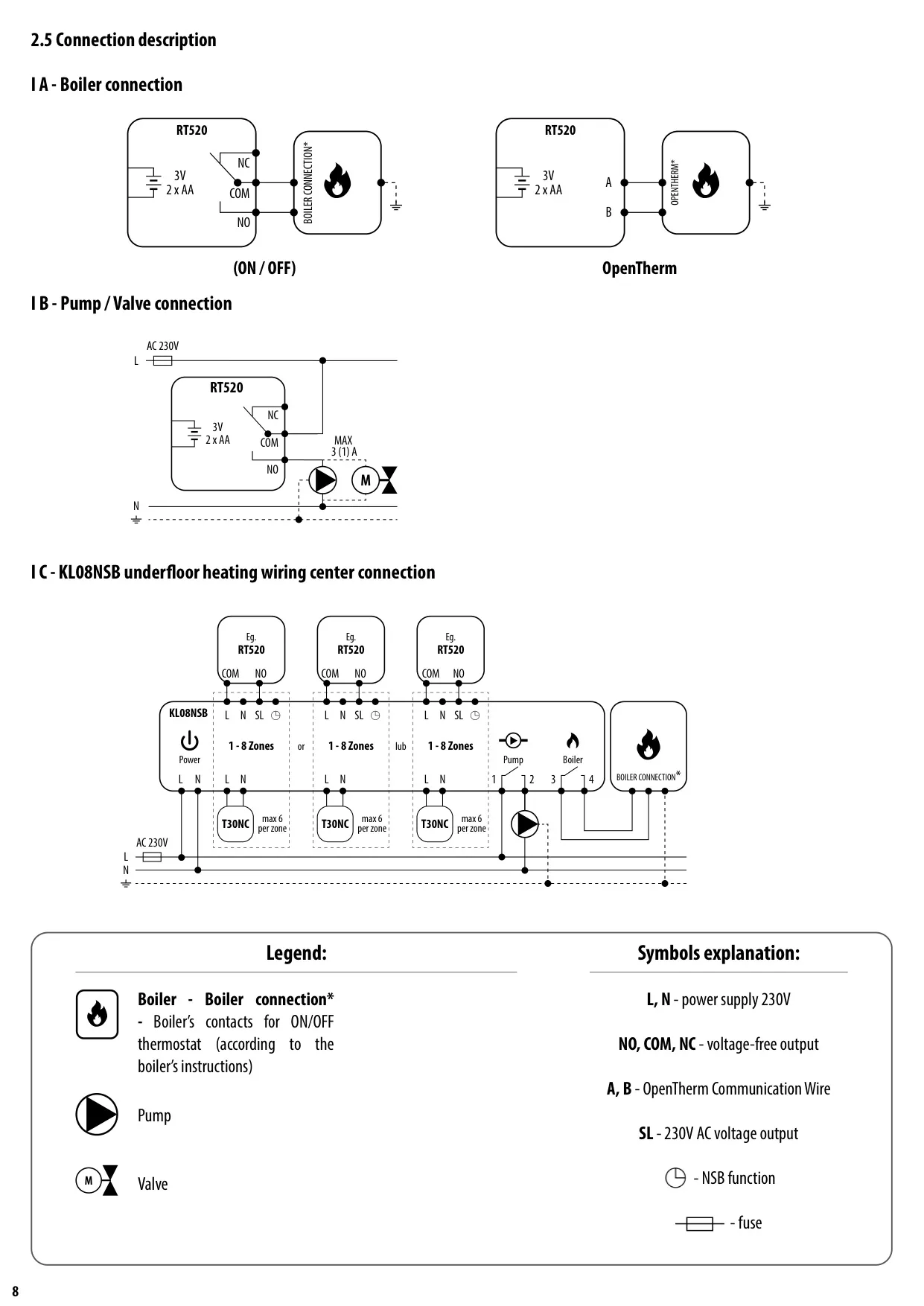
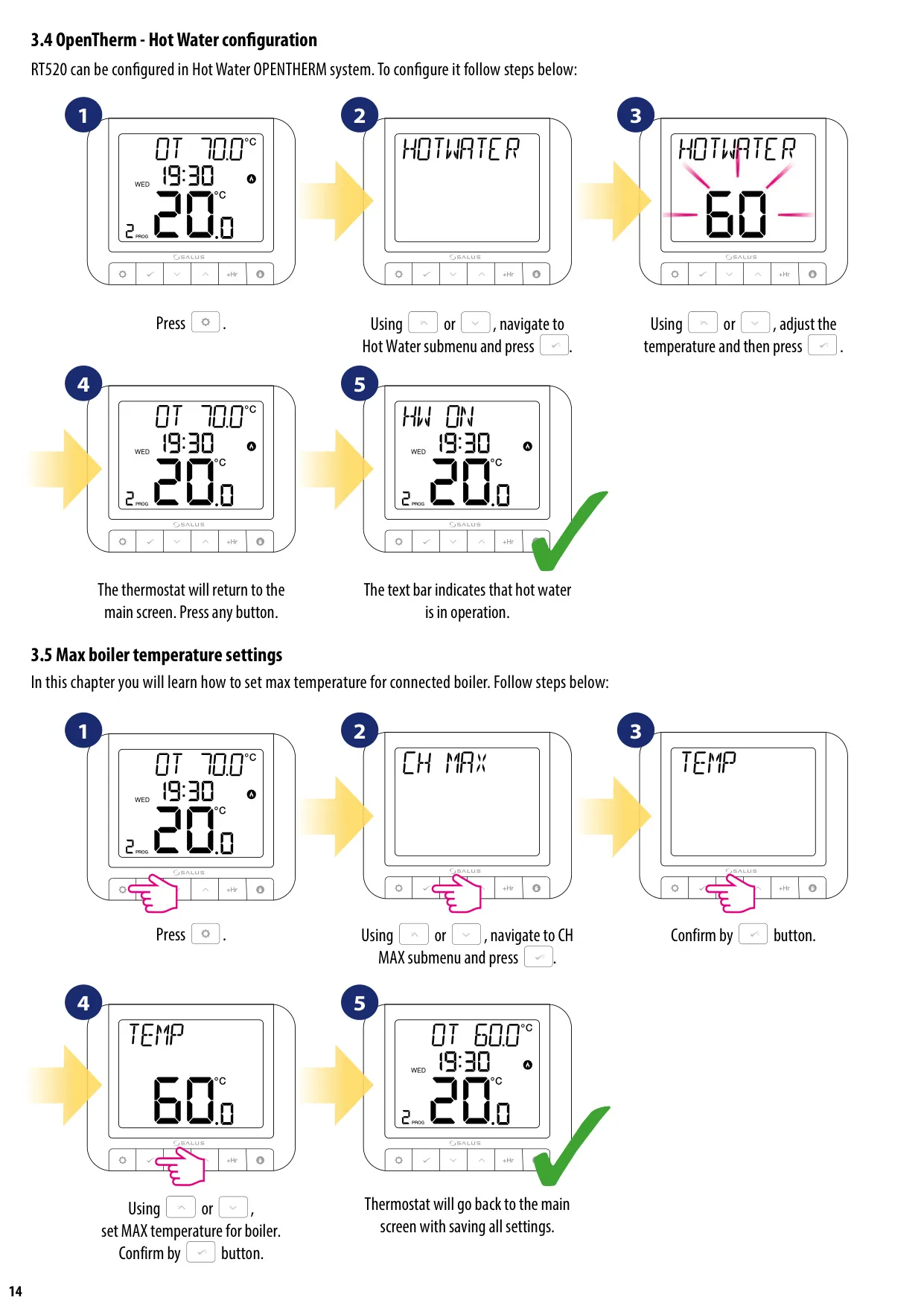
| Output Signal | OpenTherm (A / B) or Voltage-free relay (NO / COM) | |
| Radio Frequency | 868 MHz | |
| Dimensions (H x W x D) | 96 x 96 x 26 mm | |
| System | Communication | Wireless |
Salus Thermostat RT520RF Details
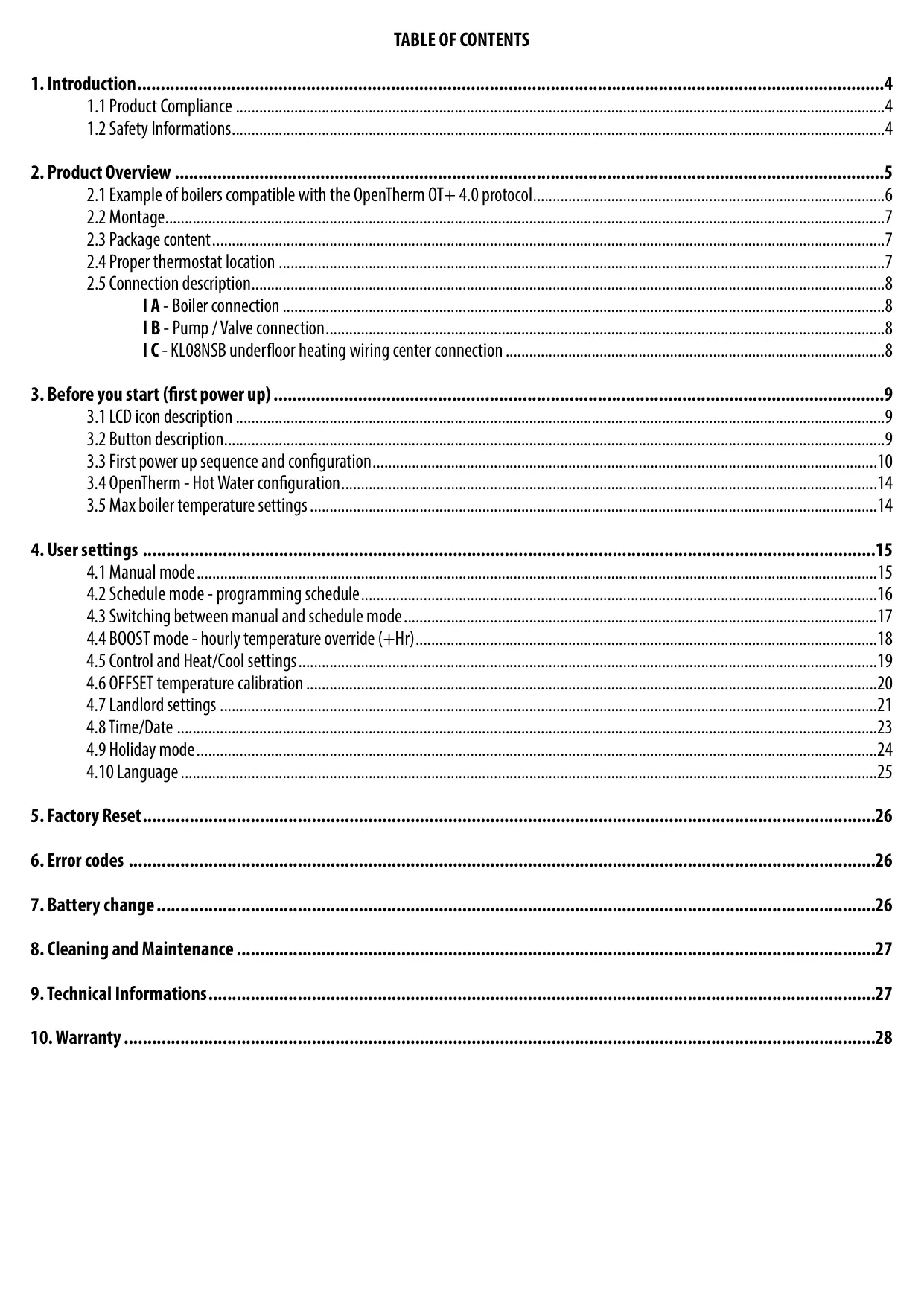
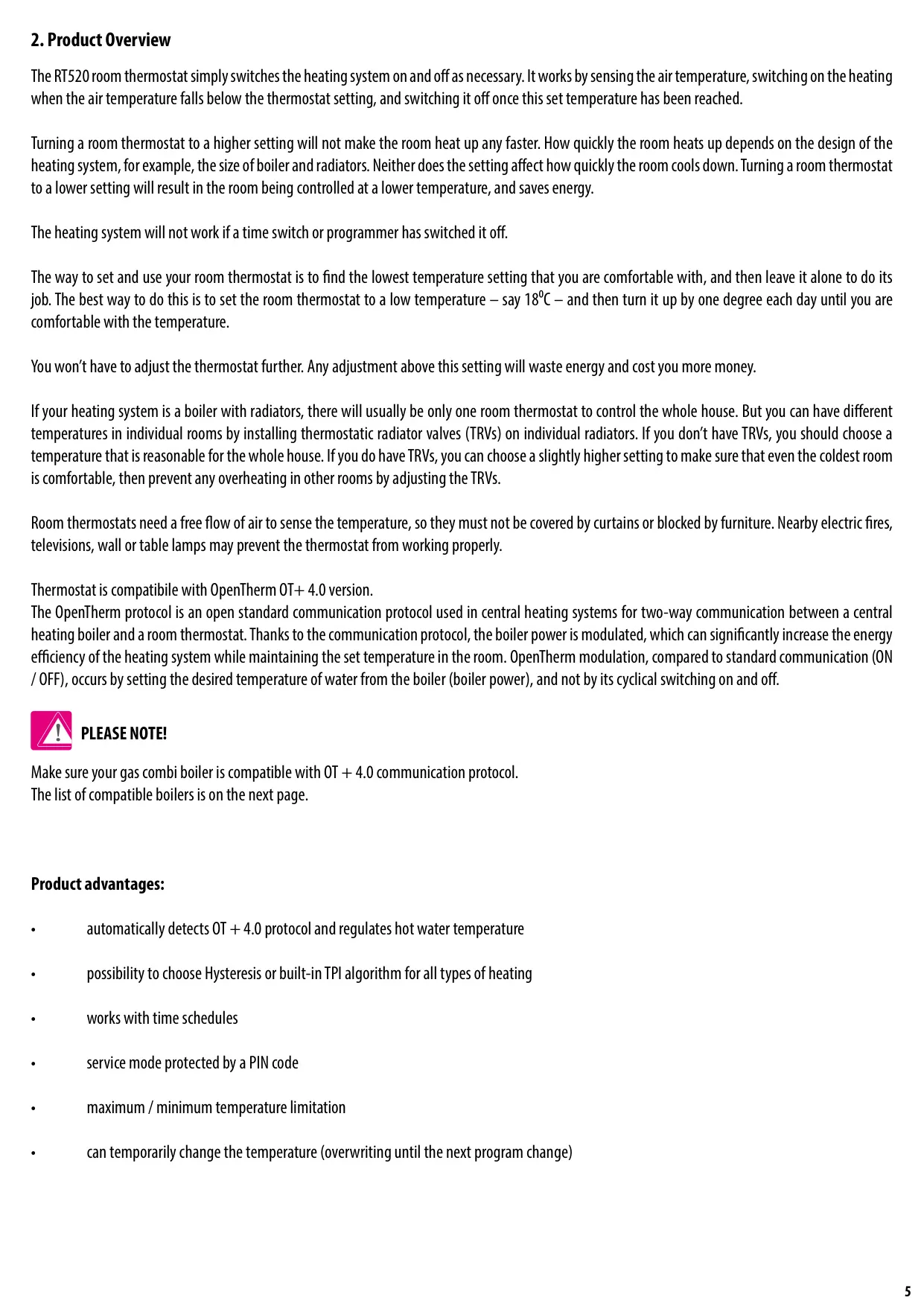
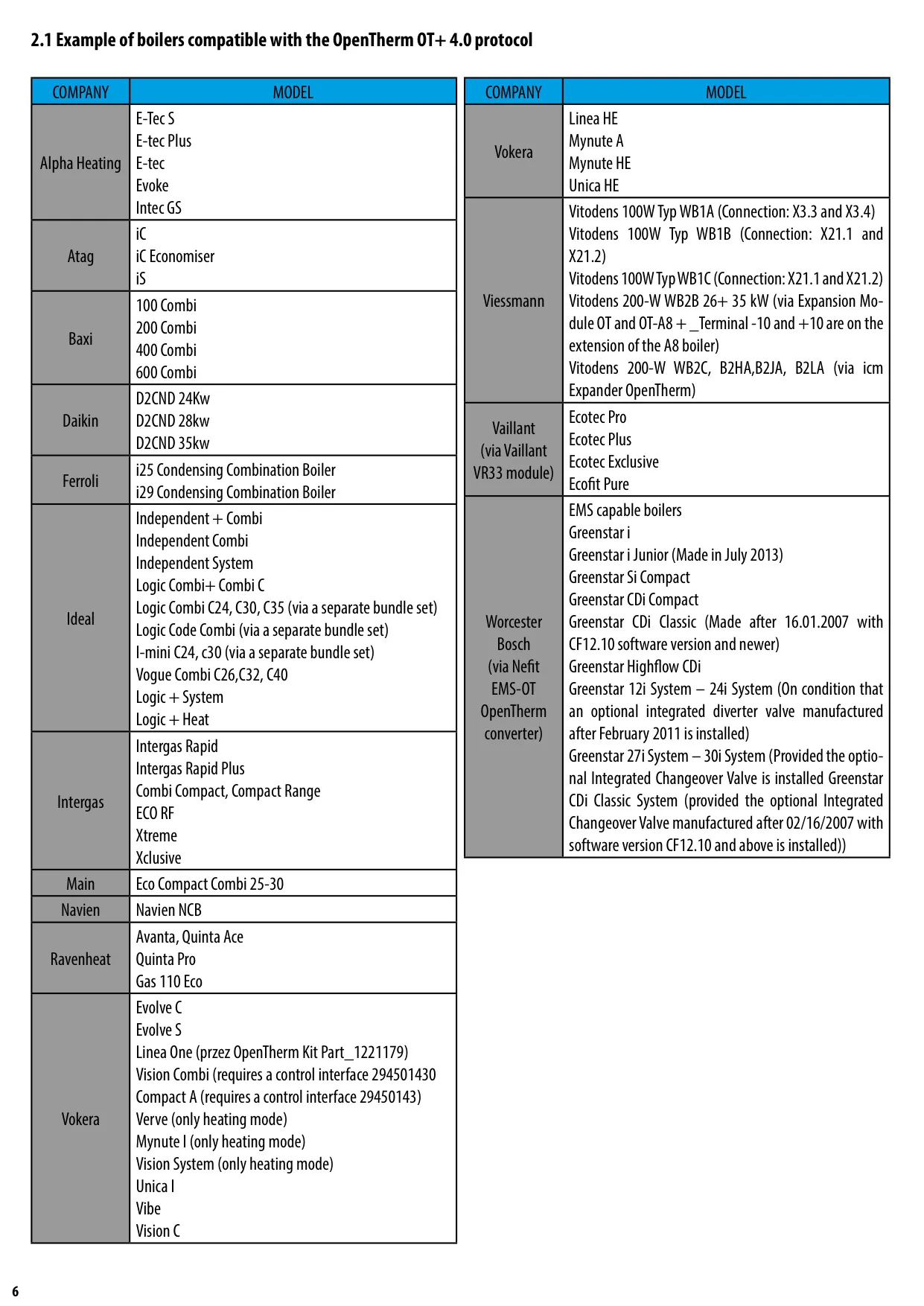
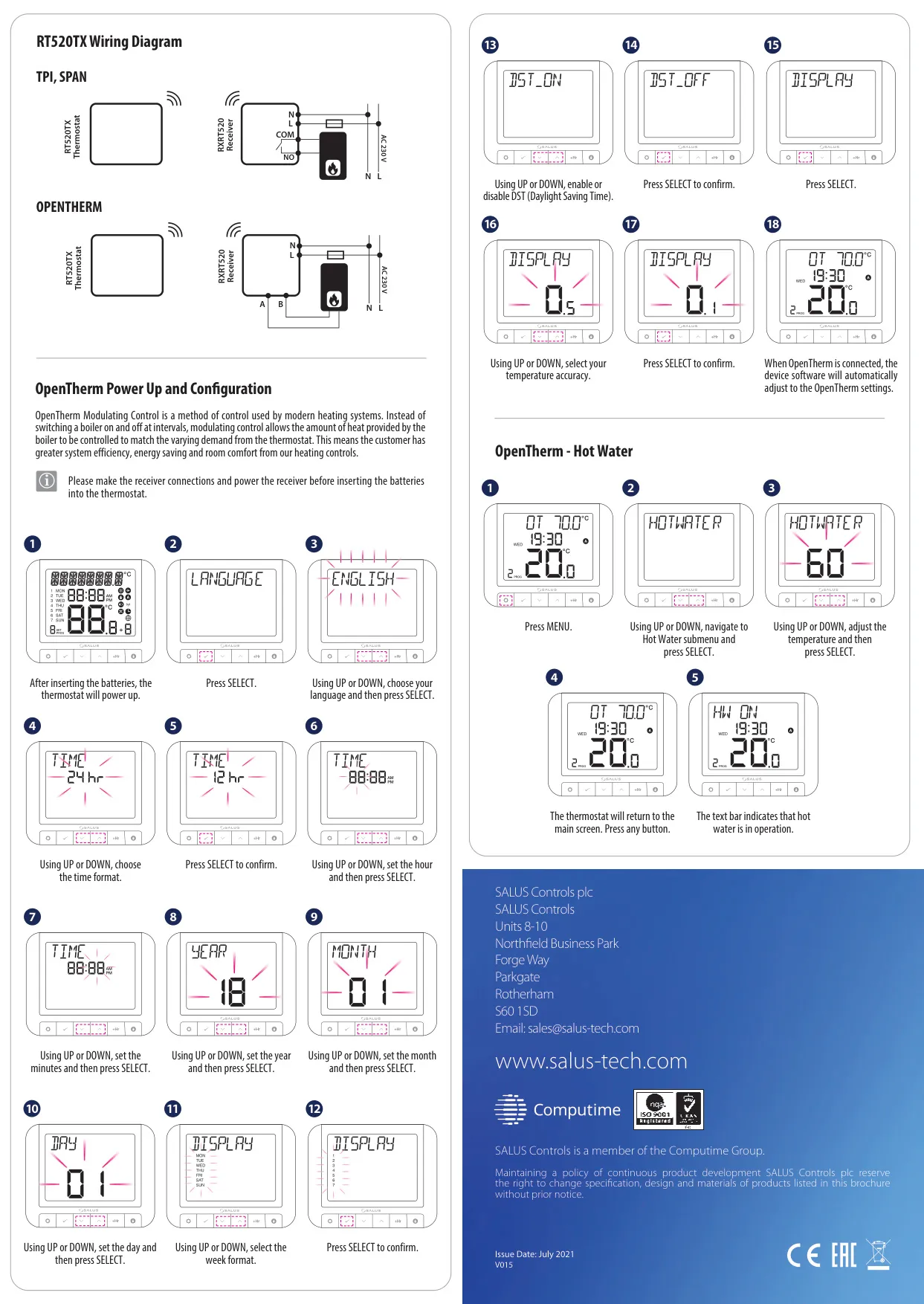
The Salus RT520RF is an advanced wireless heating control system designed to enhance both comfort and energy efficiency. It is fully compatible with the OpenTherm OT+ 4.0 protocol, enabling sophisticated two-way communication between the thermostat and the boiler. This allows for dynamic modulation of boiler power, which means the system can precisely adjust heat output to match demand, rather than simply switching on and off. This intelligent control leads to significant energy savings and more stable room temperatures throughout your home.
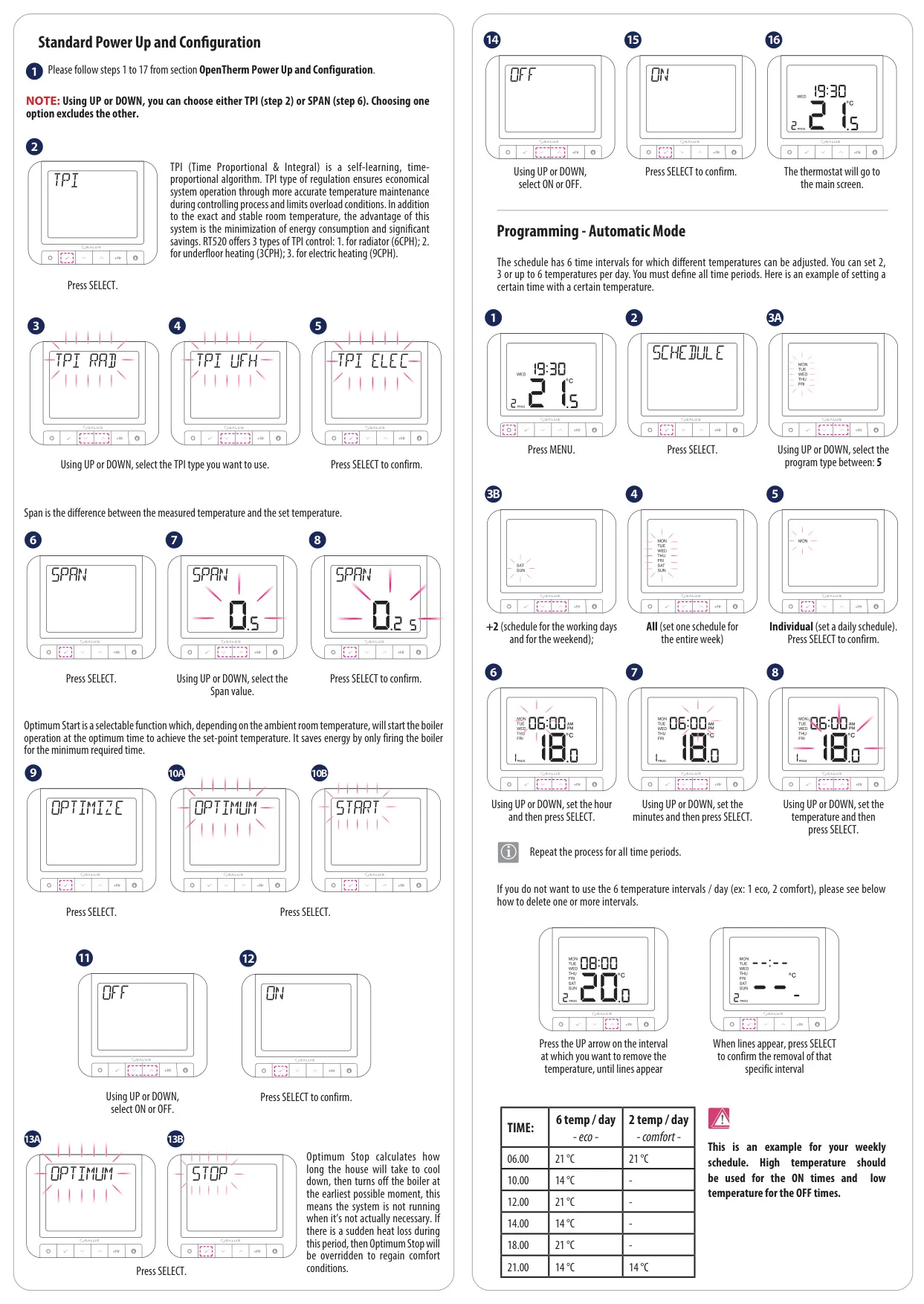
Beyond OpenTherm, the RT520RF offers flexible control algorithms, including a choice between traditional Hysteresis and the more advanced TPI (Time Proportional & Integral) algorithm. TPI is a self-learning system that ensures economical heating by maintaining temperatures more accurately and limiting system overload conditions. Users can select specific TPI types tailored for various heating systems, such as 6 Cycles Per Hour (CPH) for radiators, 3 CPH for underfloor heating, or 9 CPH for electric heating, optimizing performance for different setups.
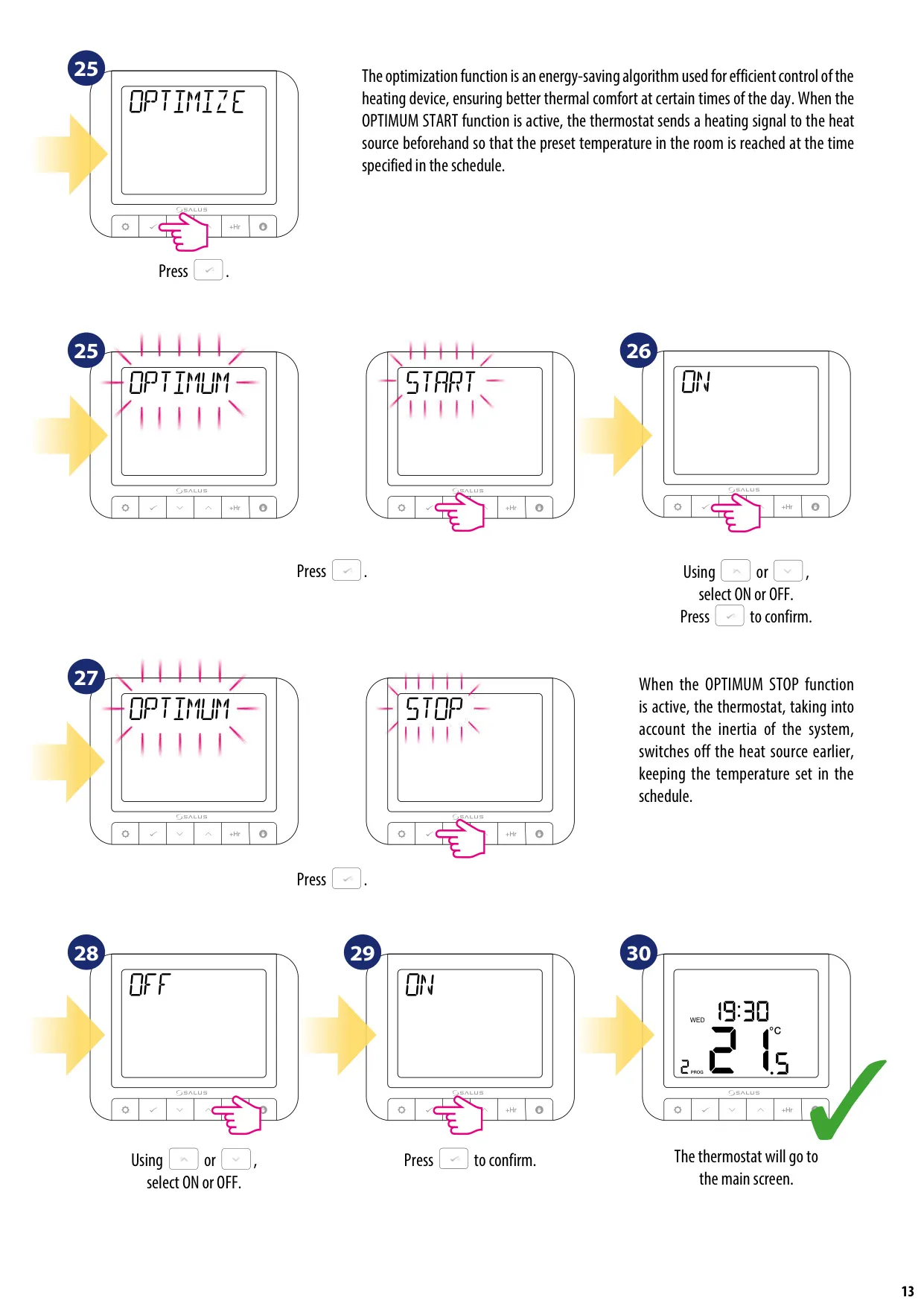
This thermostat incorporates clever optimization functions like Optimum Start and Optimum Stop to further maximize energy efficiency. Optimum Start calculates the ideal time to activate your heating system so that your desired temperature is reached exactly when scheduled, considering the system's warm-up time. Conversely, Optimum Stop intelligently turns off the boiler earlier, leveraging the residual heat in the system to maintain comfort while preventing unnecessary energy consumption as the set temperature is already achieved.
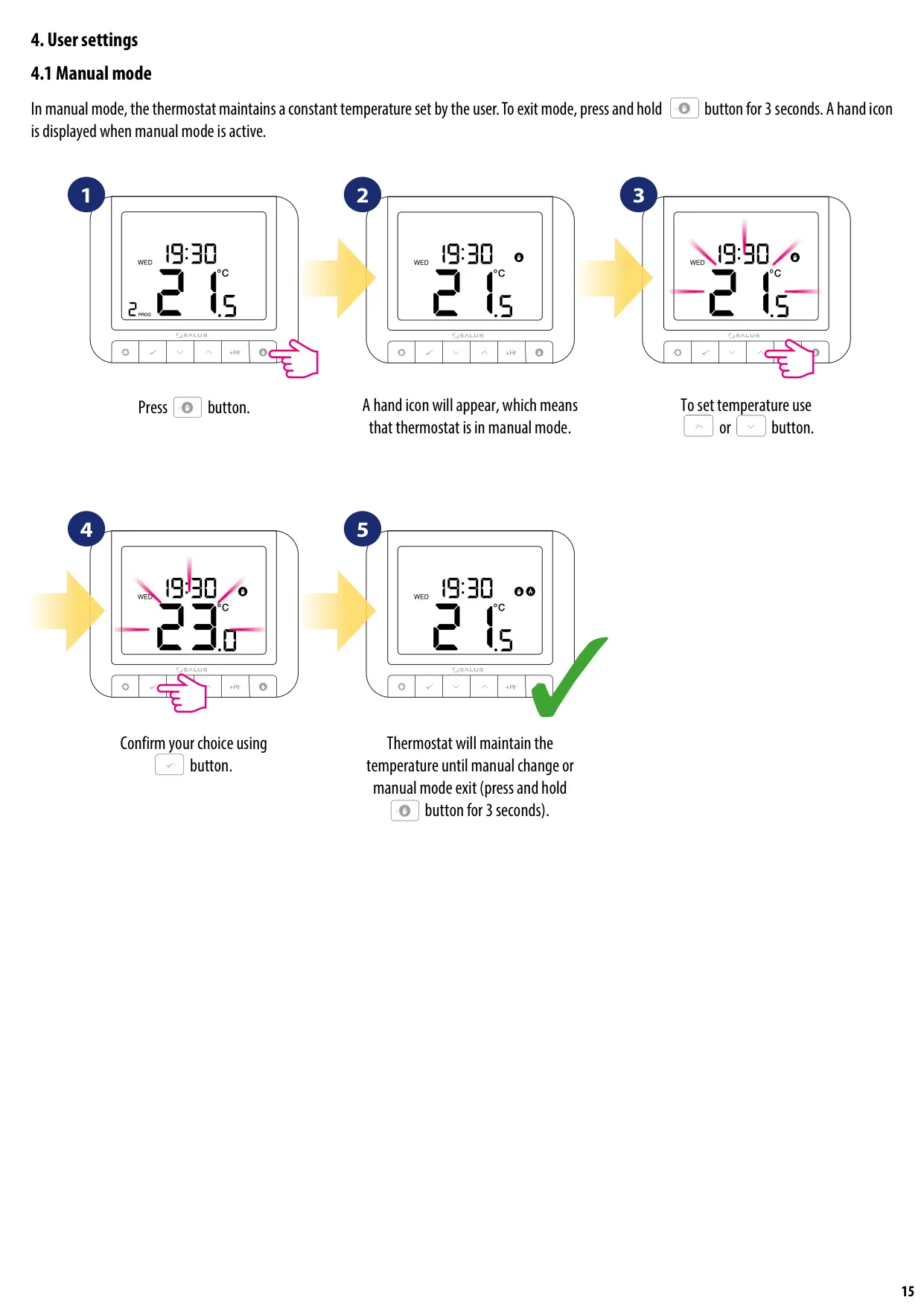
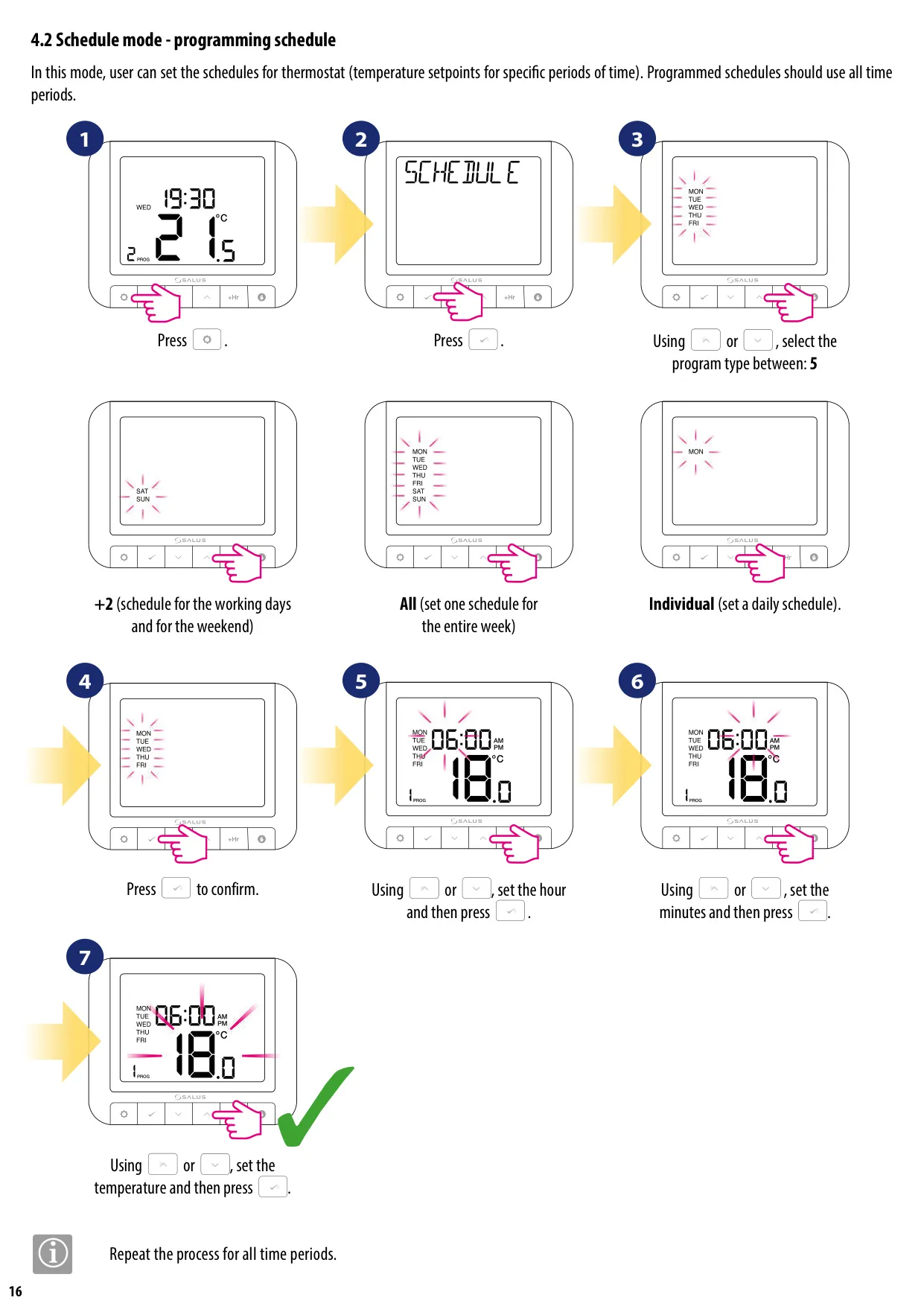
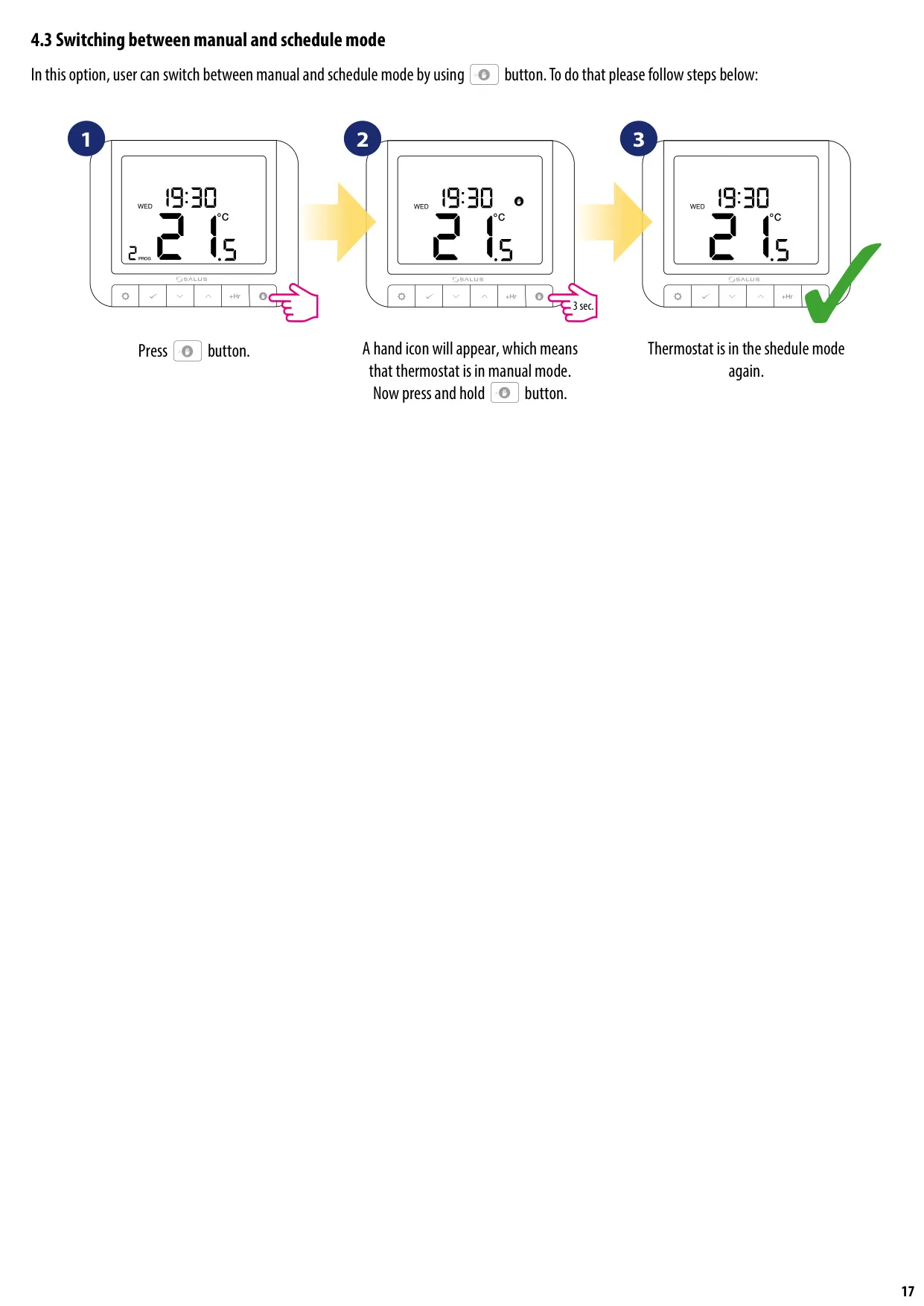
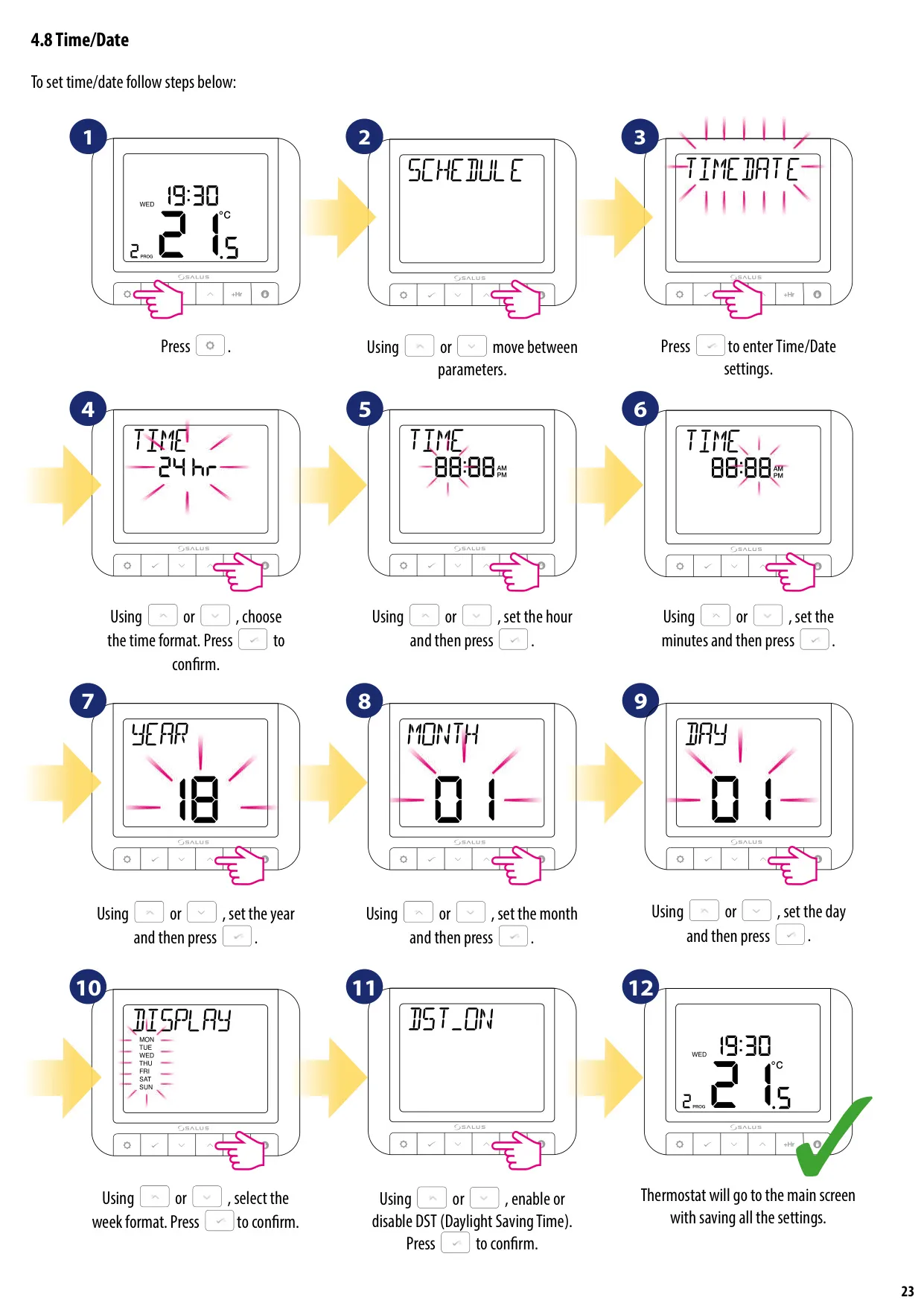
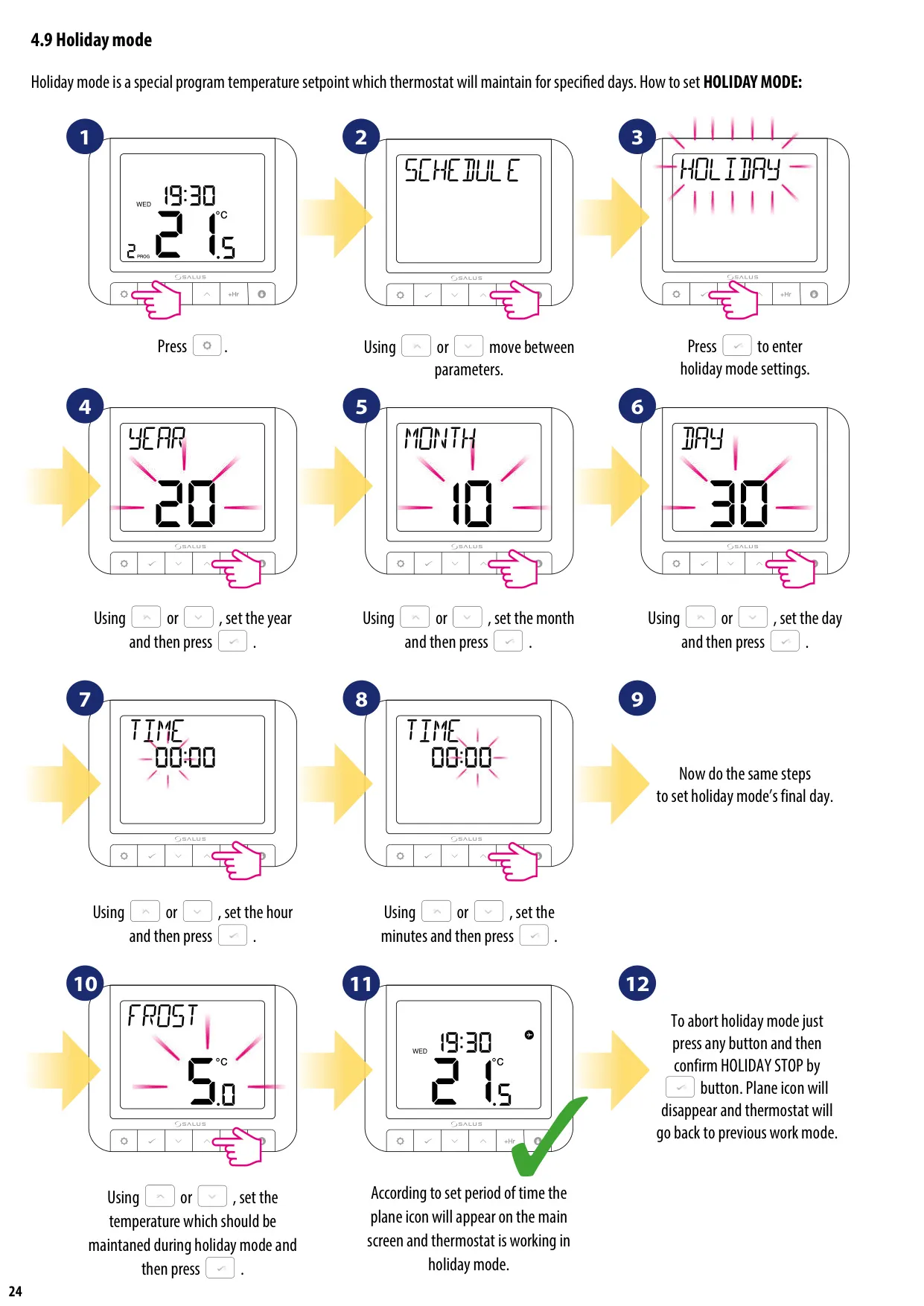
For user convenience, the RT520RF supports multiple operational modes. The Manual Mode allows users to set and maintain a constant desired temperature. The Schedule Mode provides granular control, letting you program up to six distinct temperature setpoints for various time periods throughout the day, whether for specific weekdays and weekends, the entire week, or individual daily schedules. The flexible programming ensures heating adapts precisely to your lifestyle.
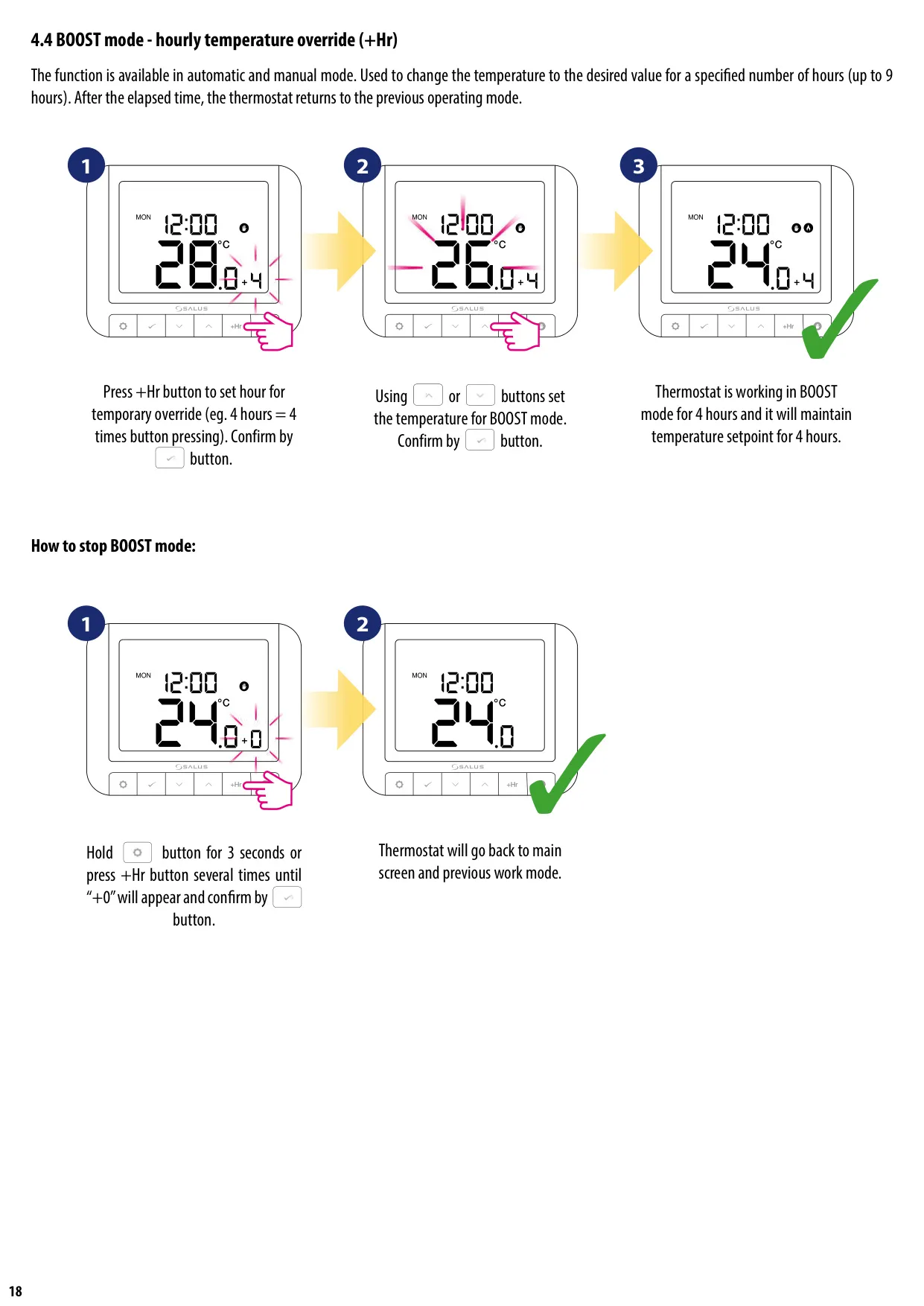
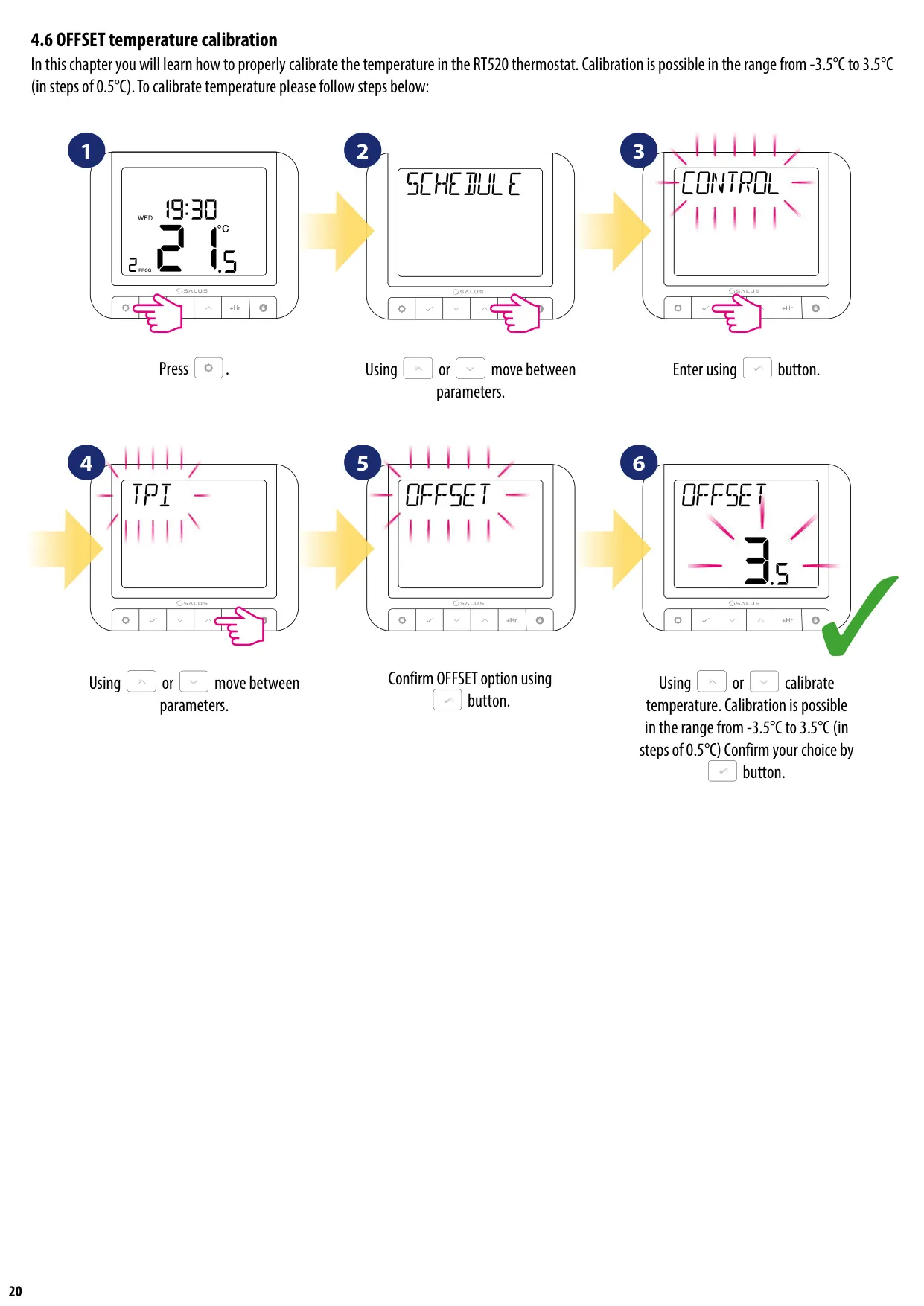
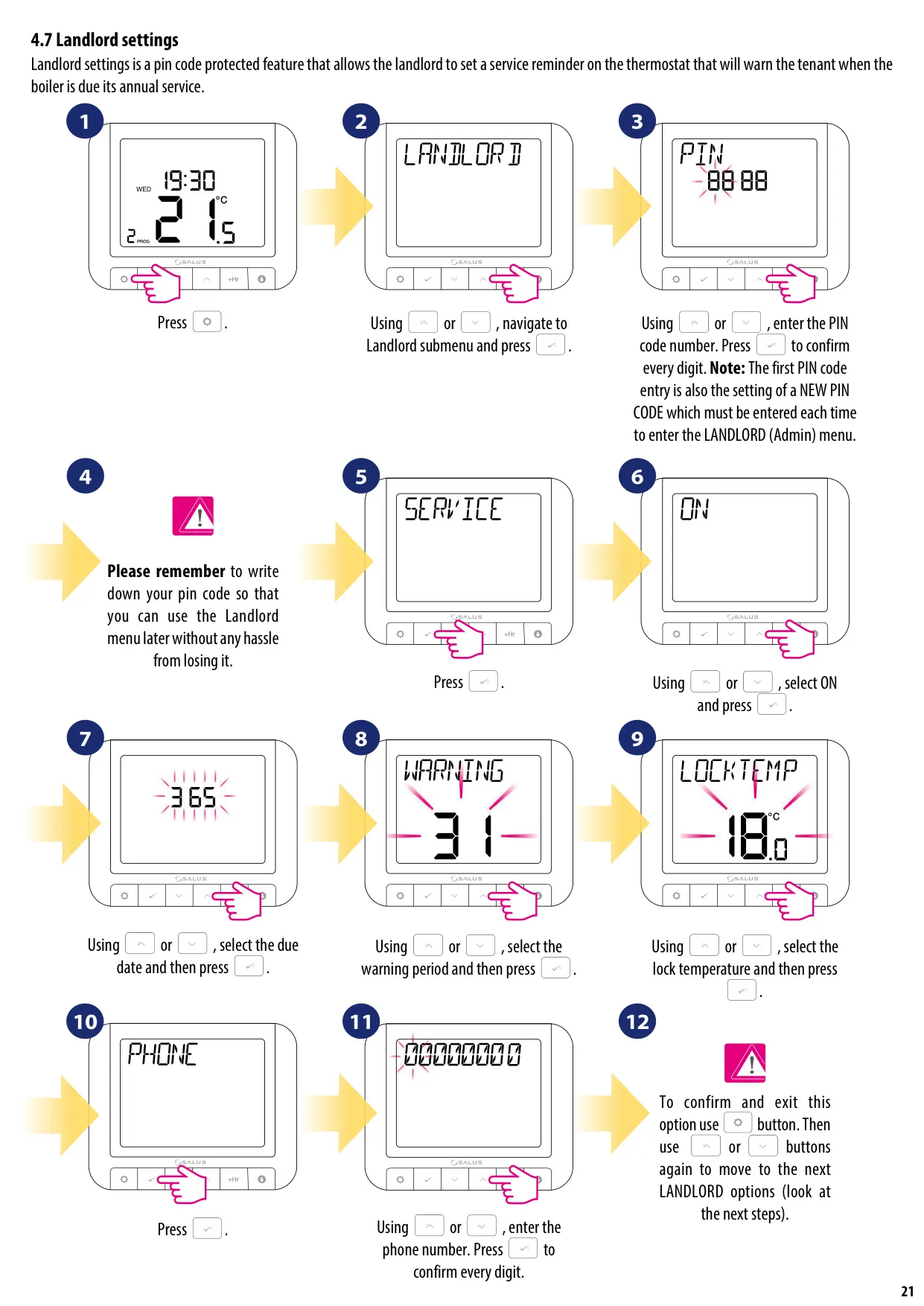
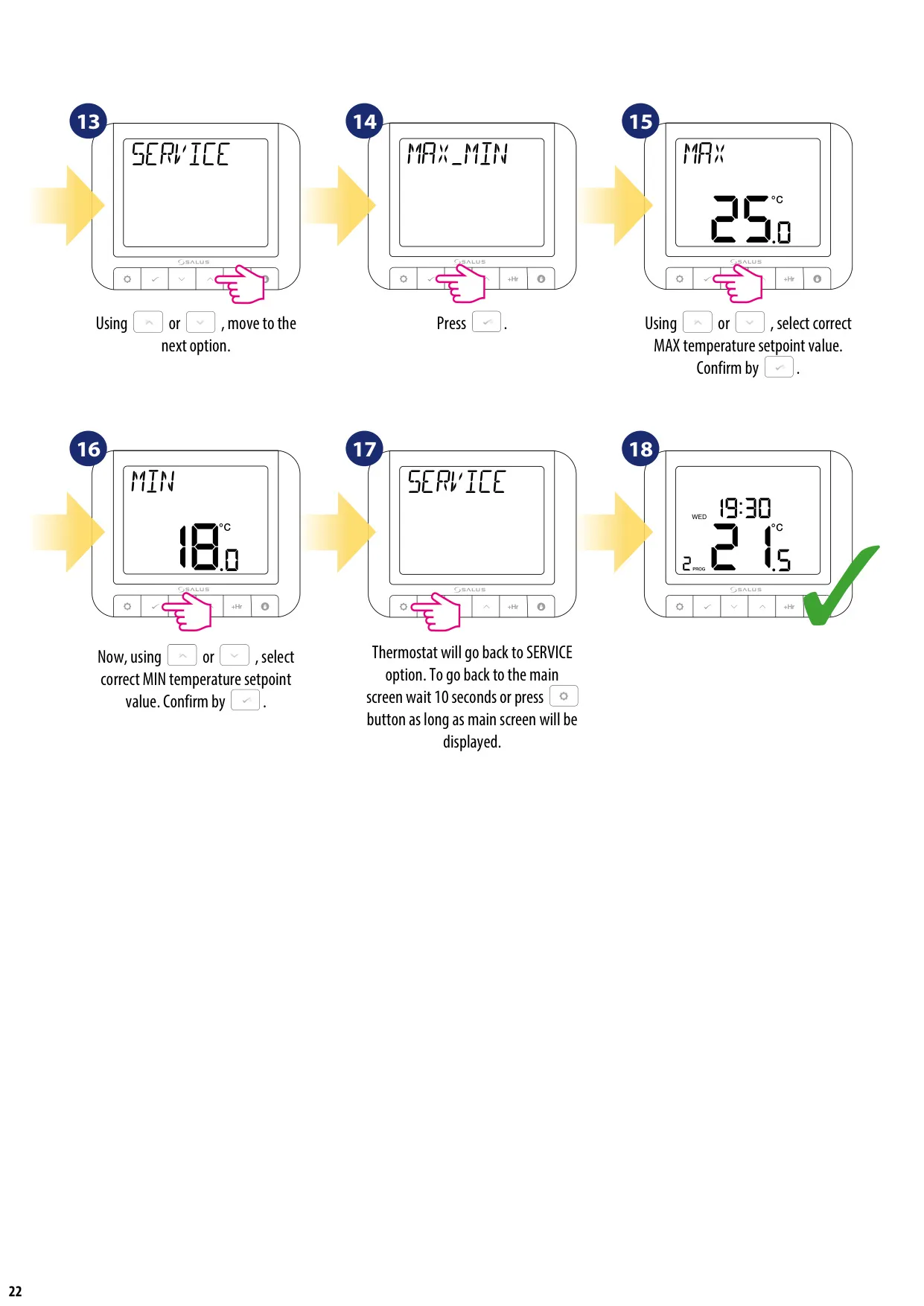
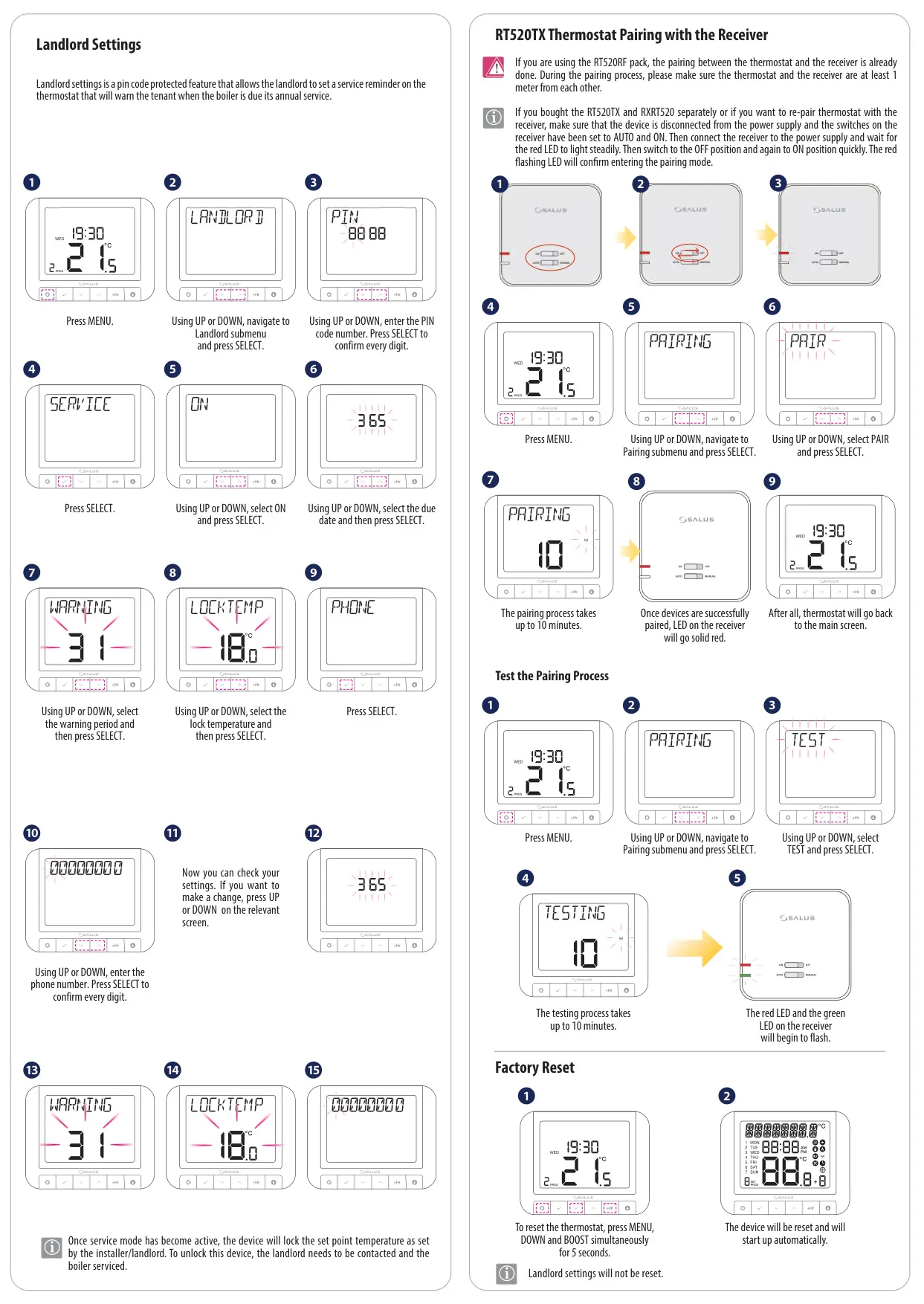
Additional user-friendly features include a Boost Mode, which permits a temporary temperature override for a specified number of hours, up to nine, after which the thermostat reverts to its previous setting. Users can also calibrate the displayed temperature with the OFFSET function, adjusting it from -3.5°C to 3.5°C in 0.5°C increments. For property owners, a PIN-protected Landlord setting offers the ability to configure annual boiler service reminders, set warning periods, and even lock temperatures, enhancing maintenance management.
Frequently Asked Questions (FAQs)
Can't find the answer you need? Here are some frequently asked questions about the Salus Thermostat RT520RF, and we answer them below.