Honeywell Vista 21IP Security System Instruction Manual
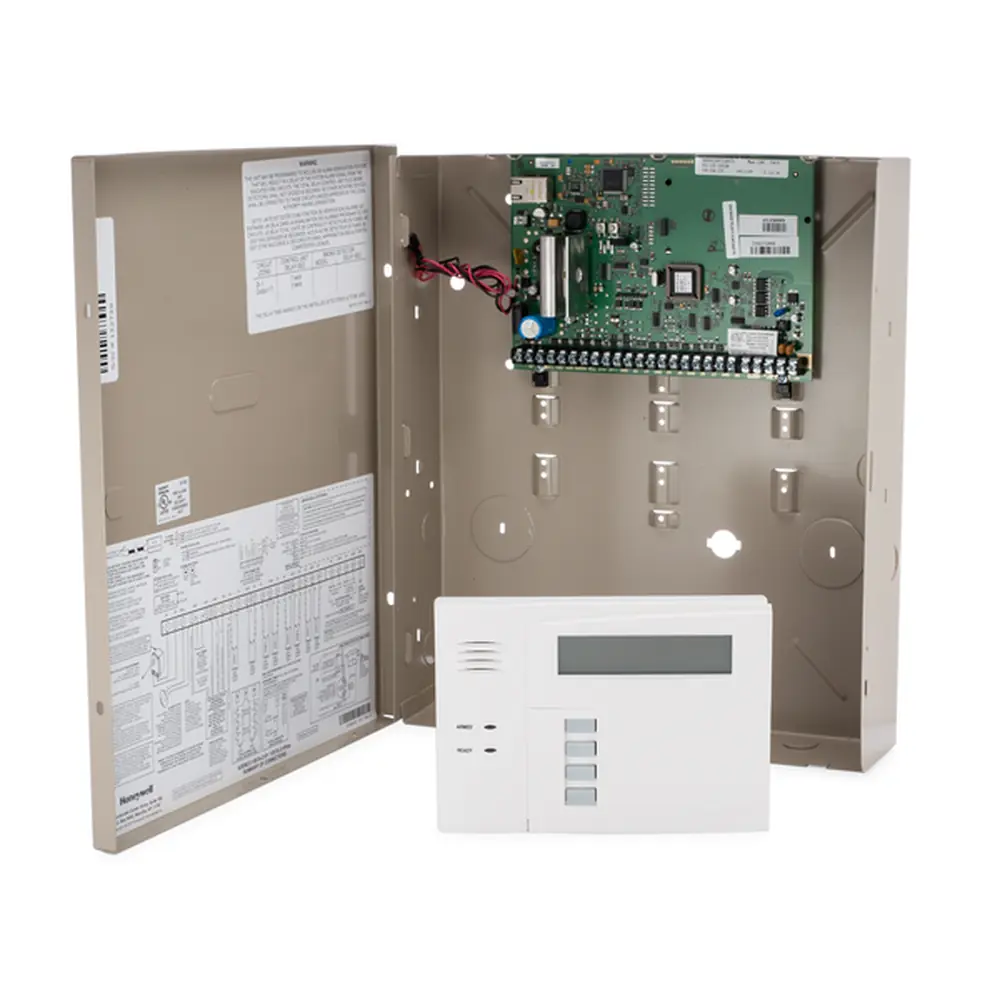
Honeywell Vista 21IP Security System





Honeywell Vista 21IP Security System
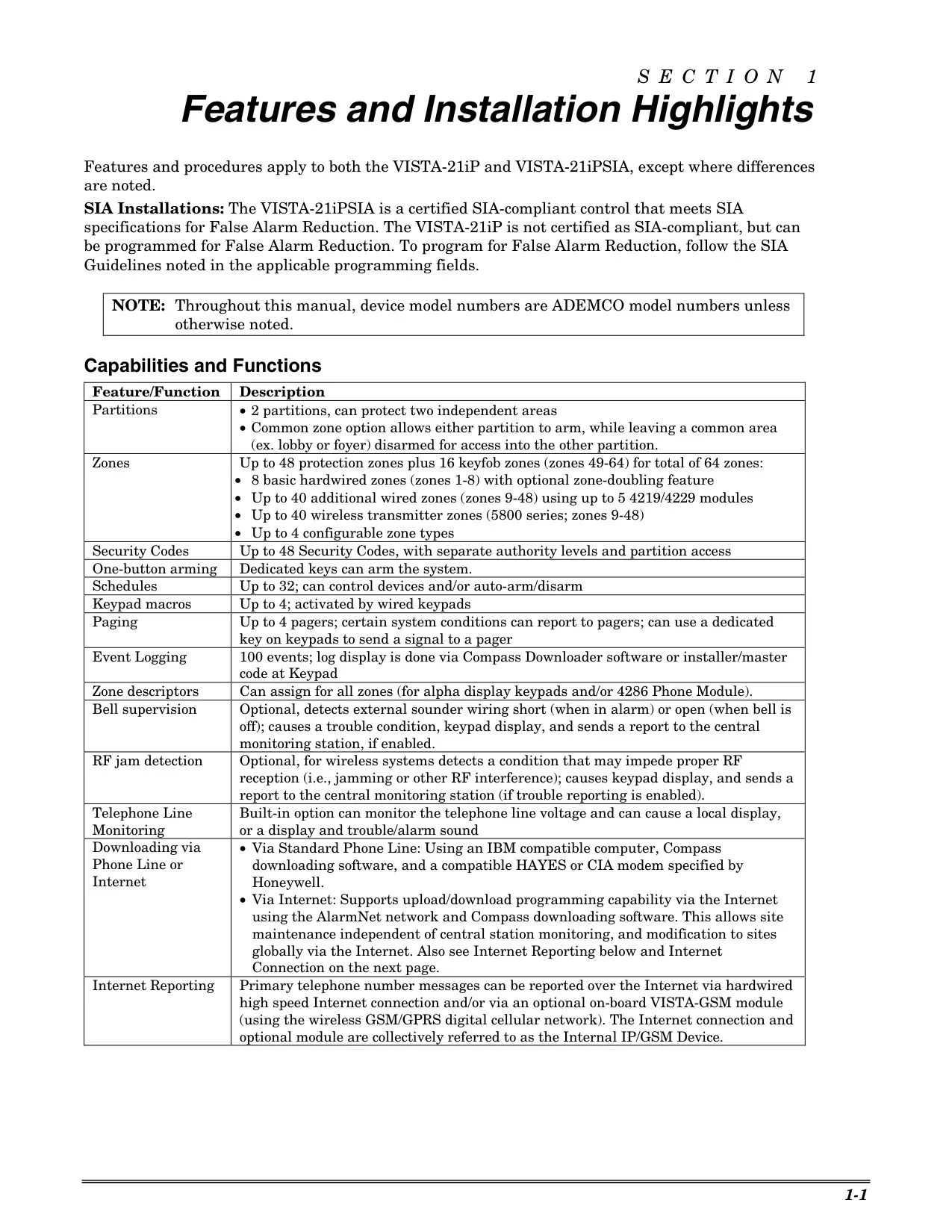
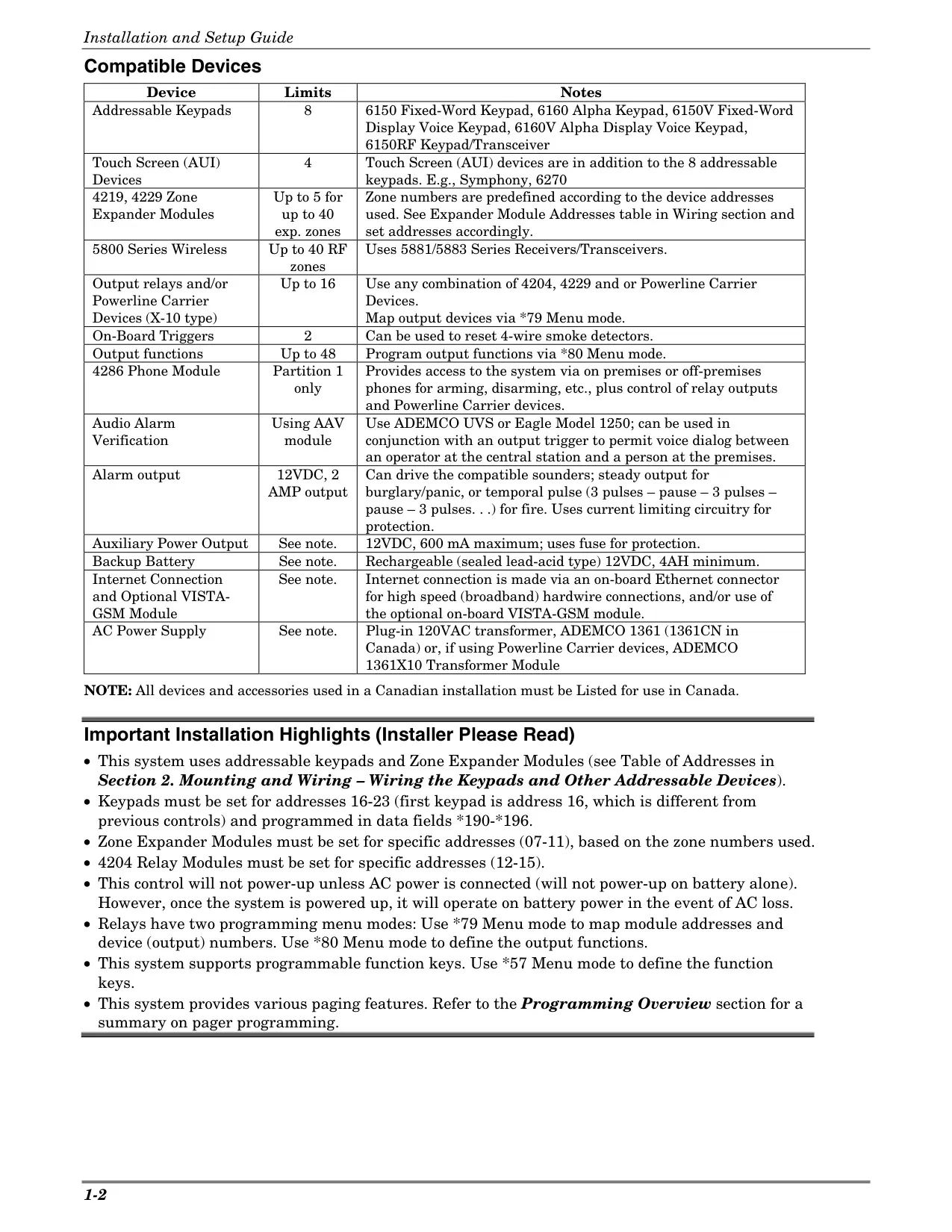
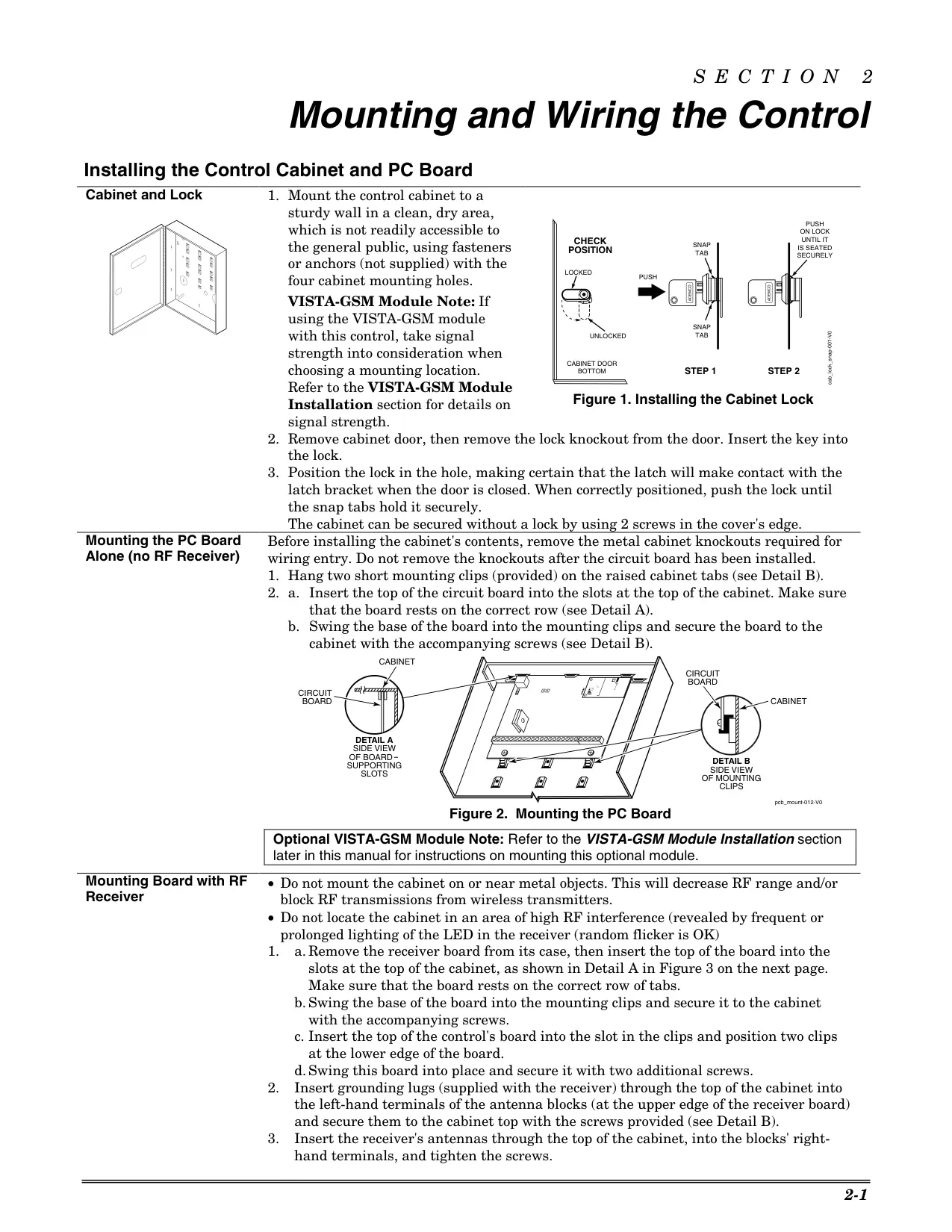
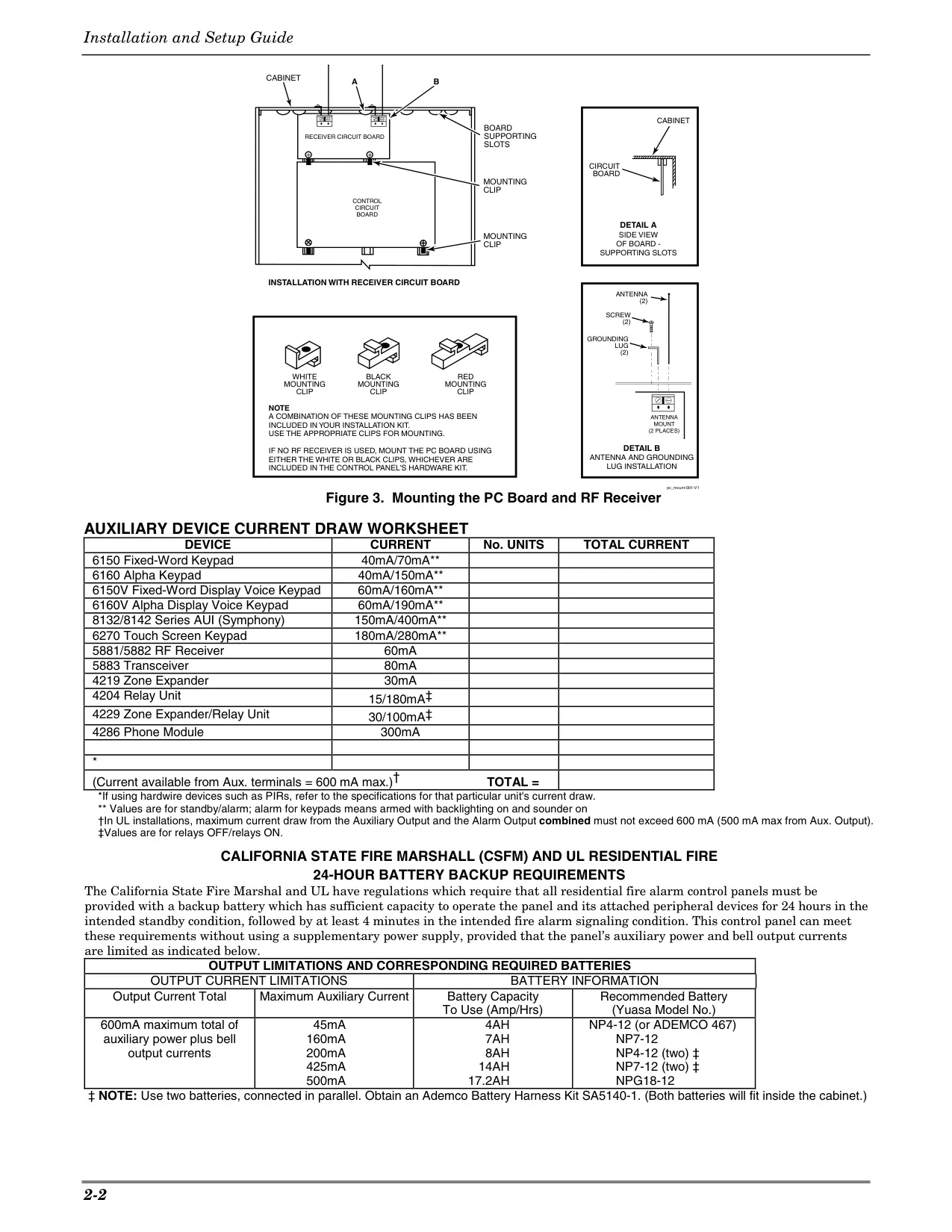
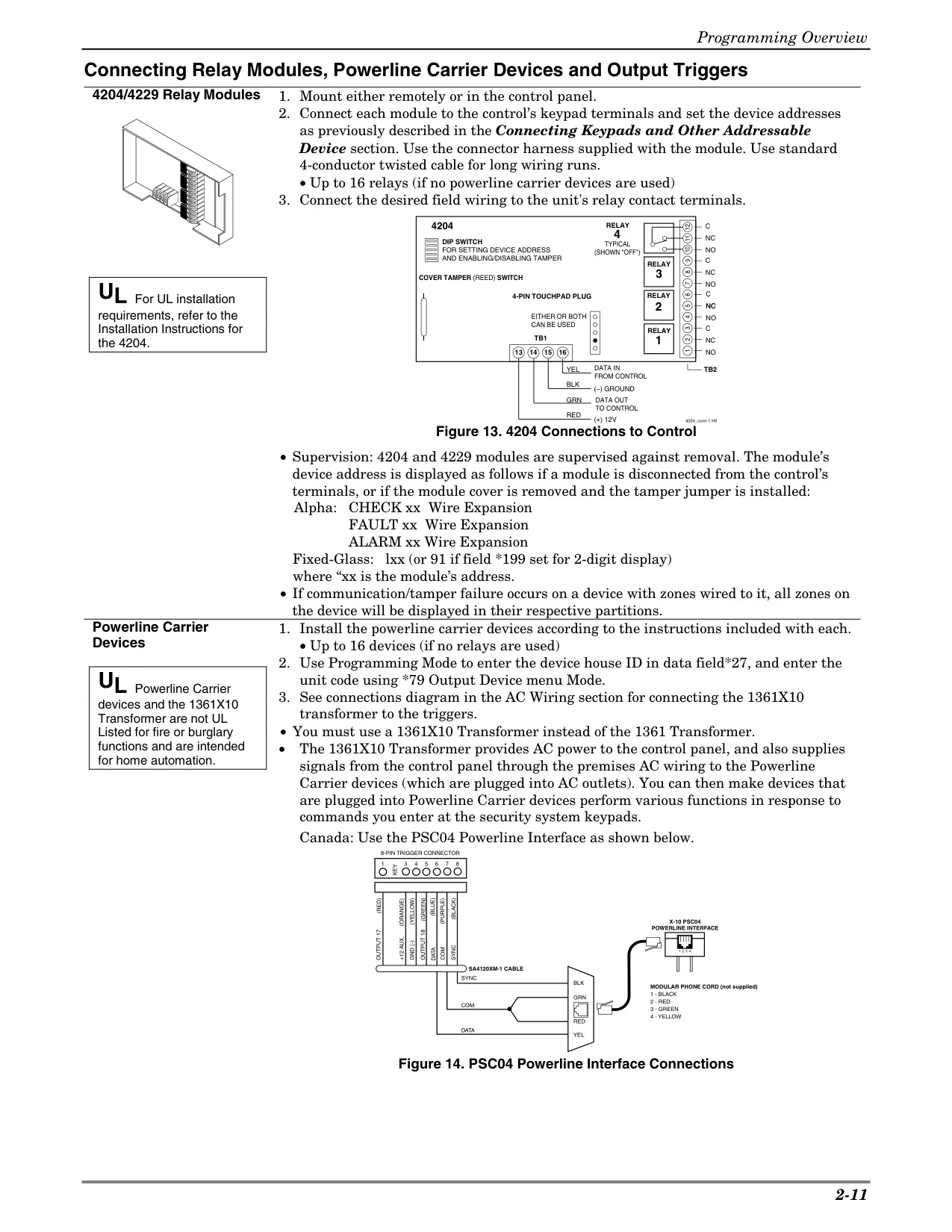
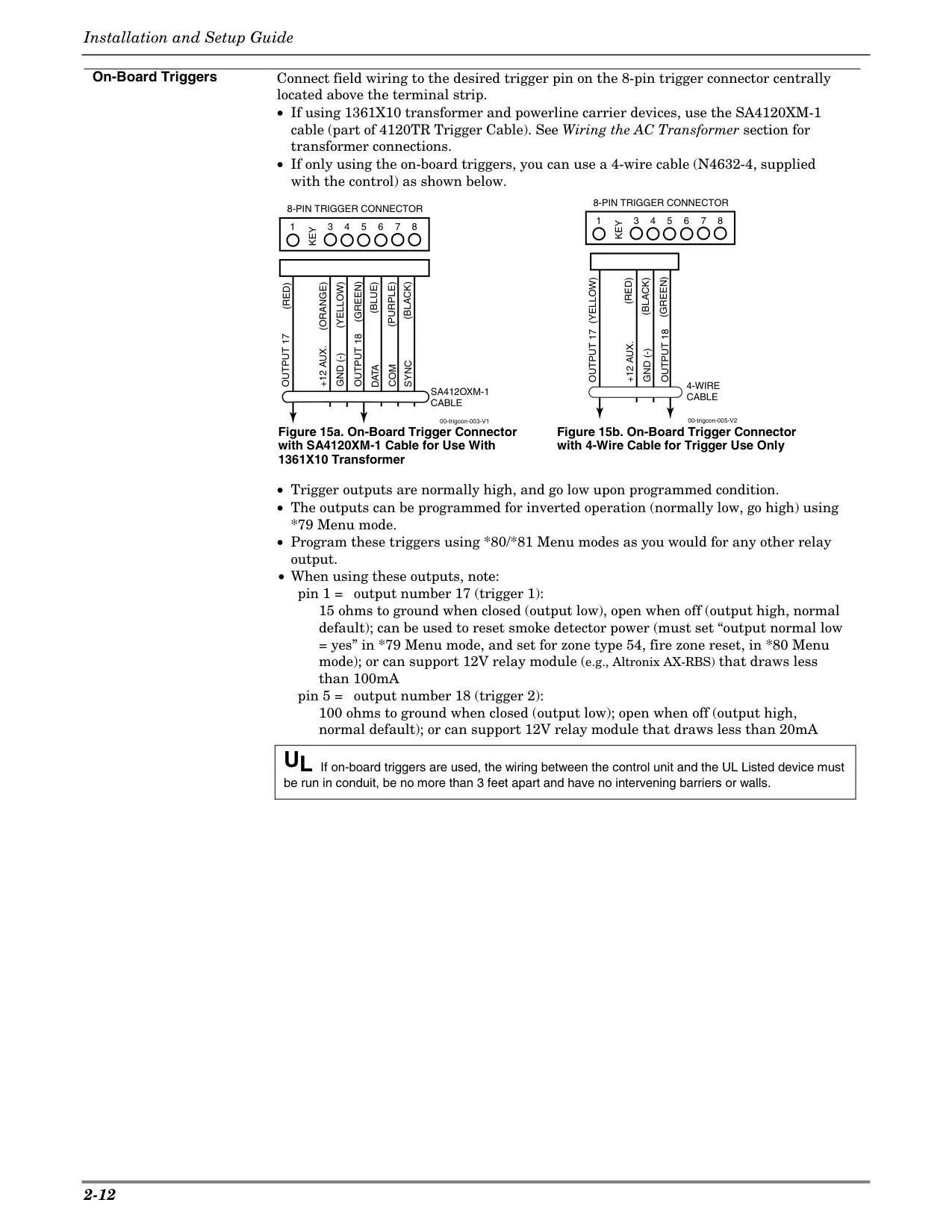
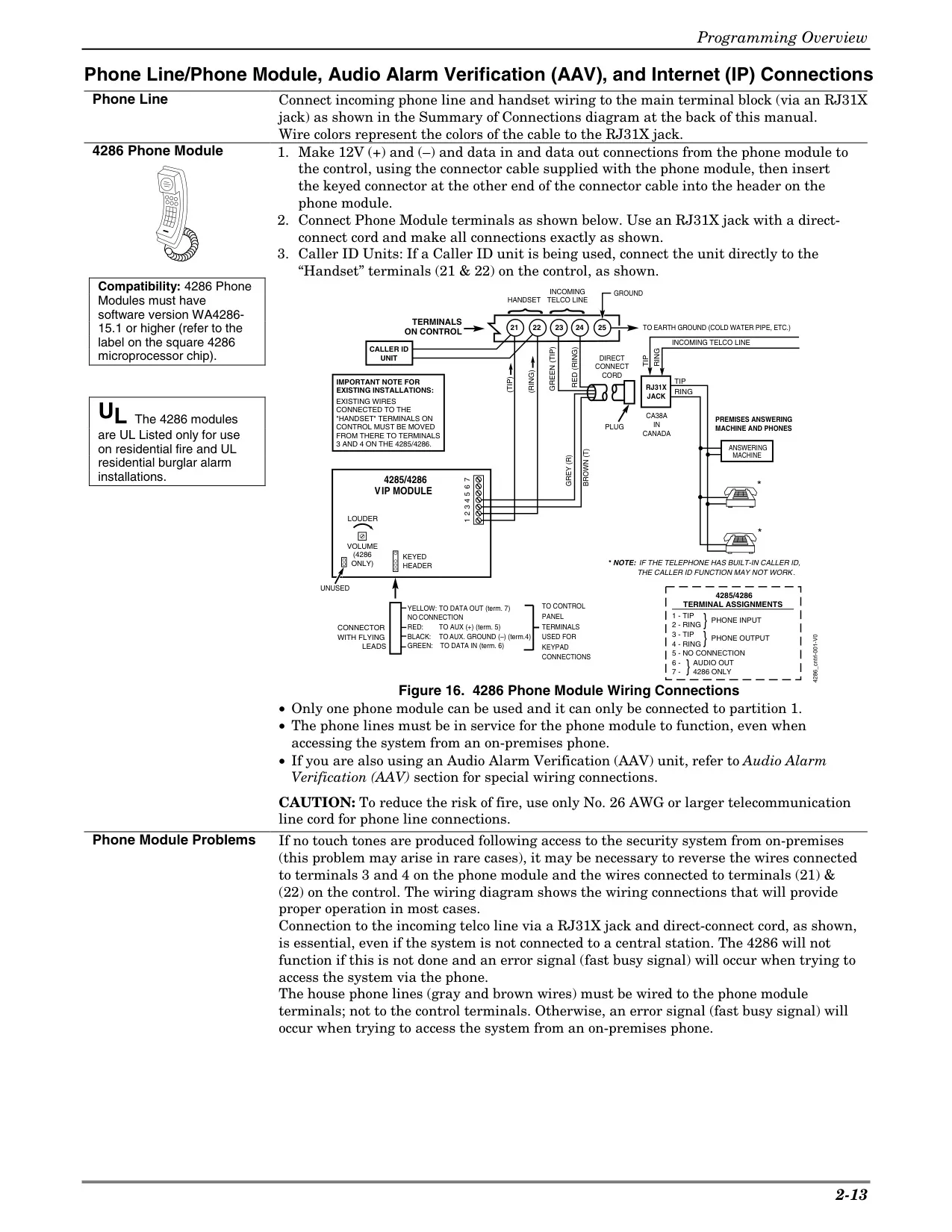
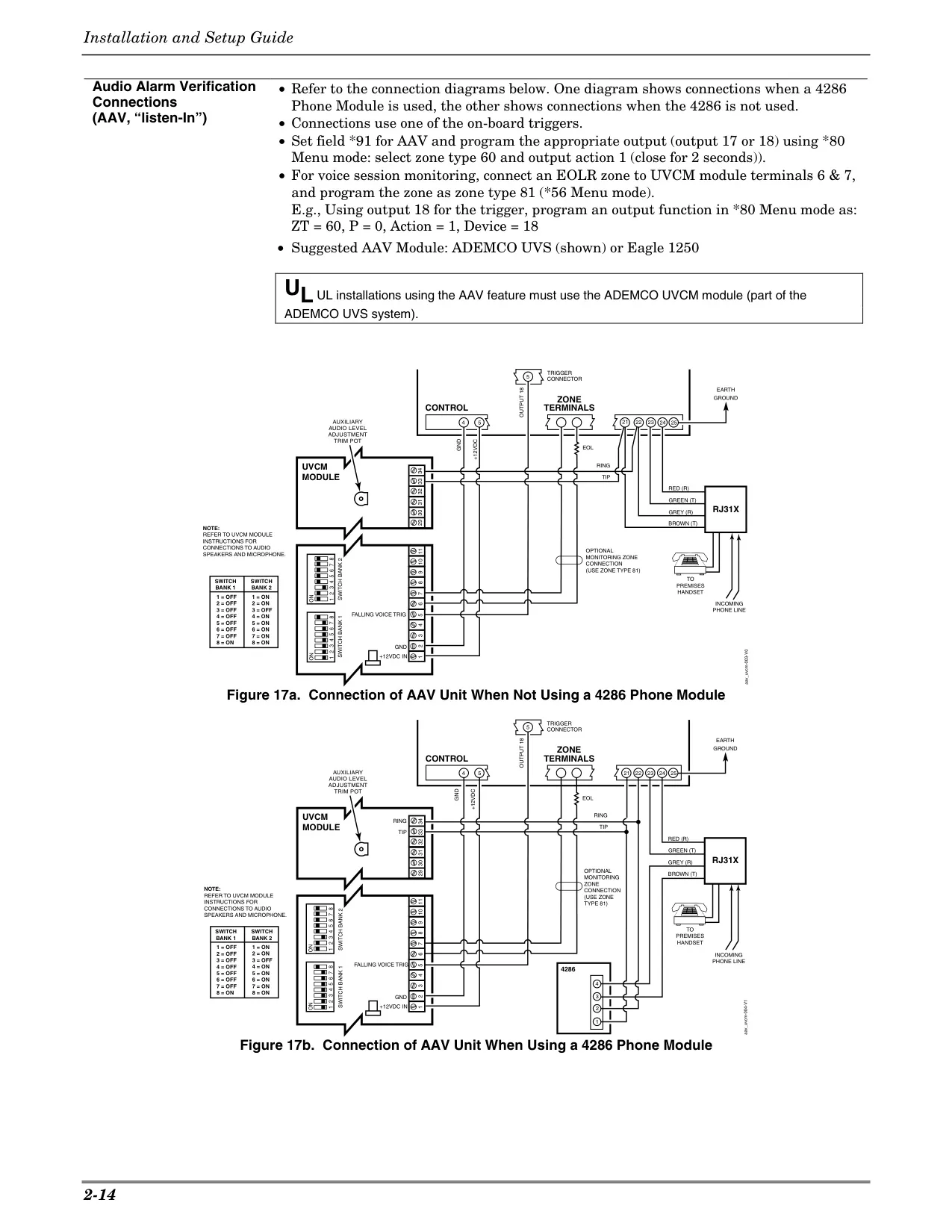
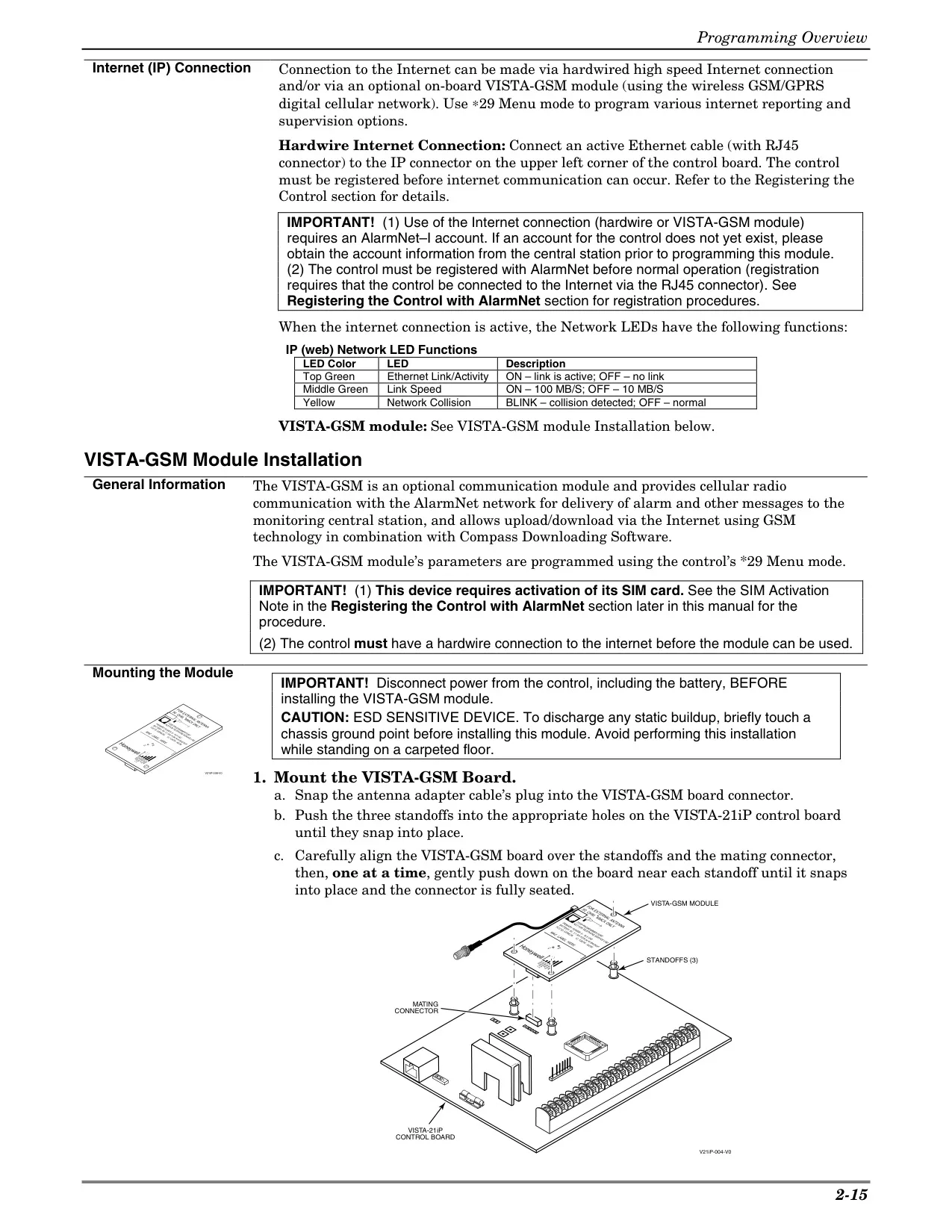
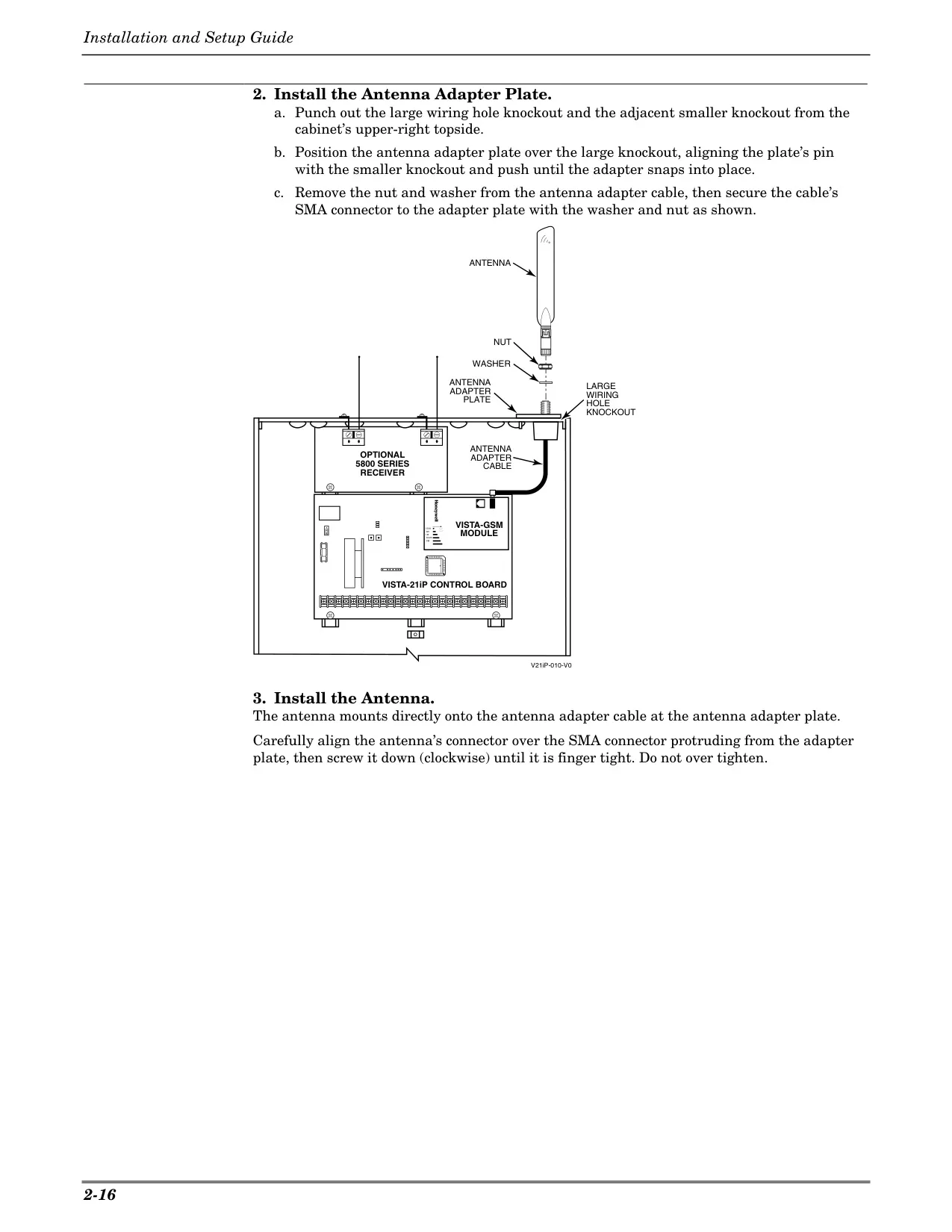
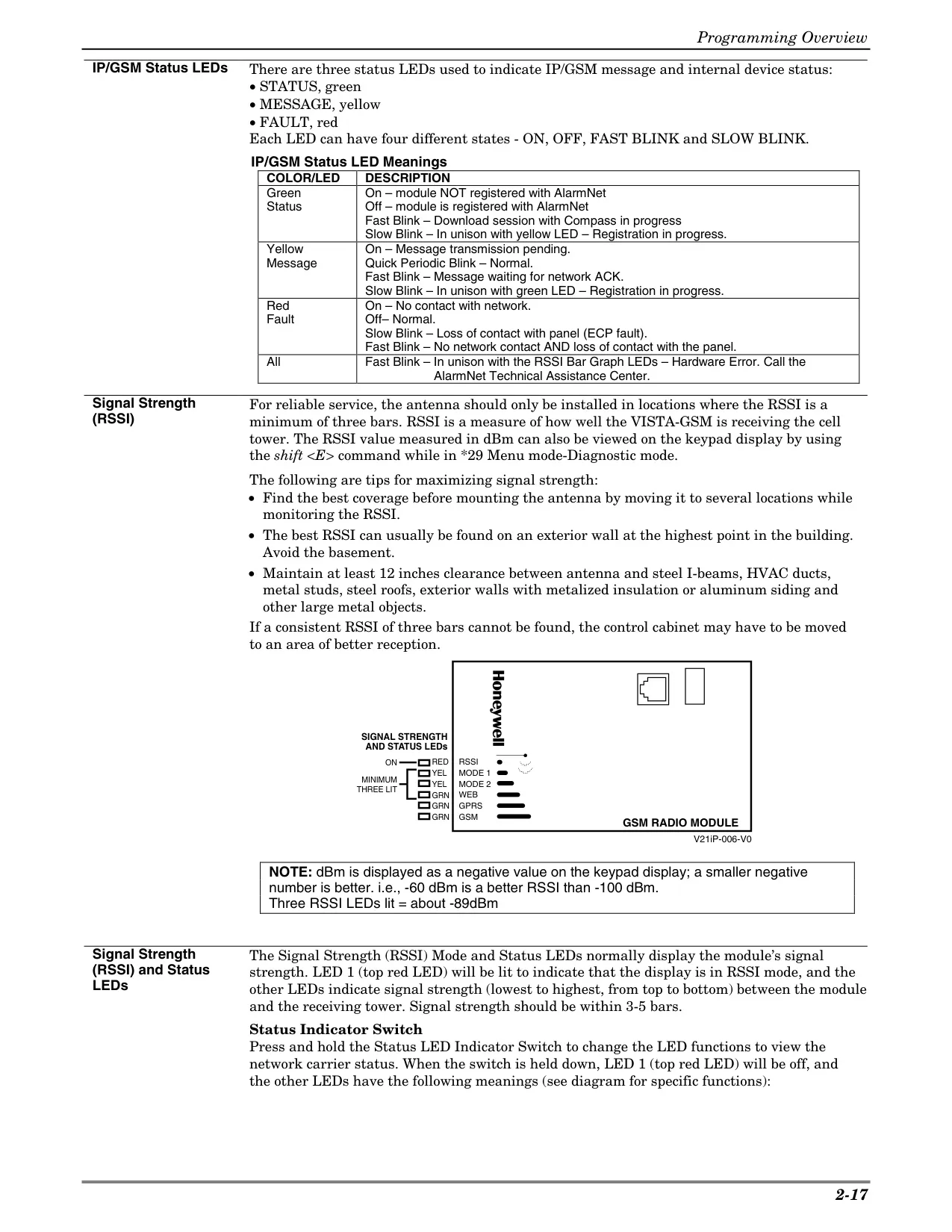
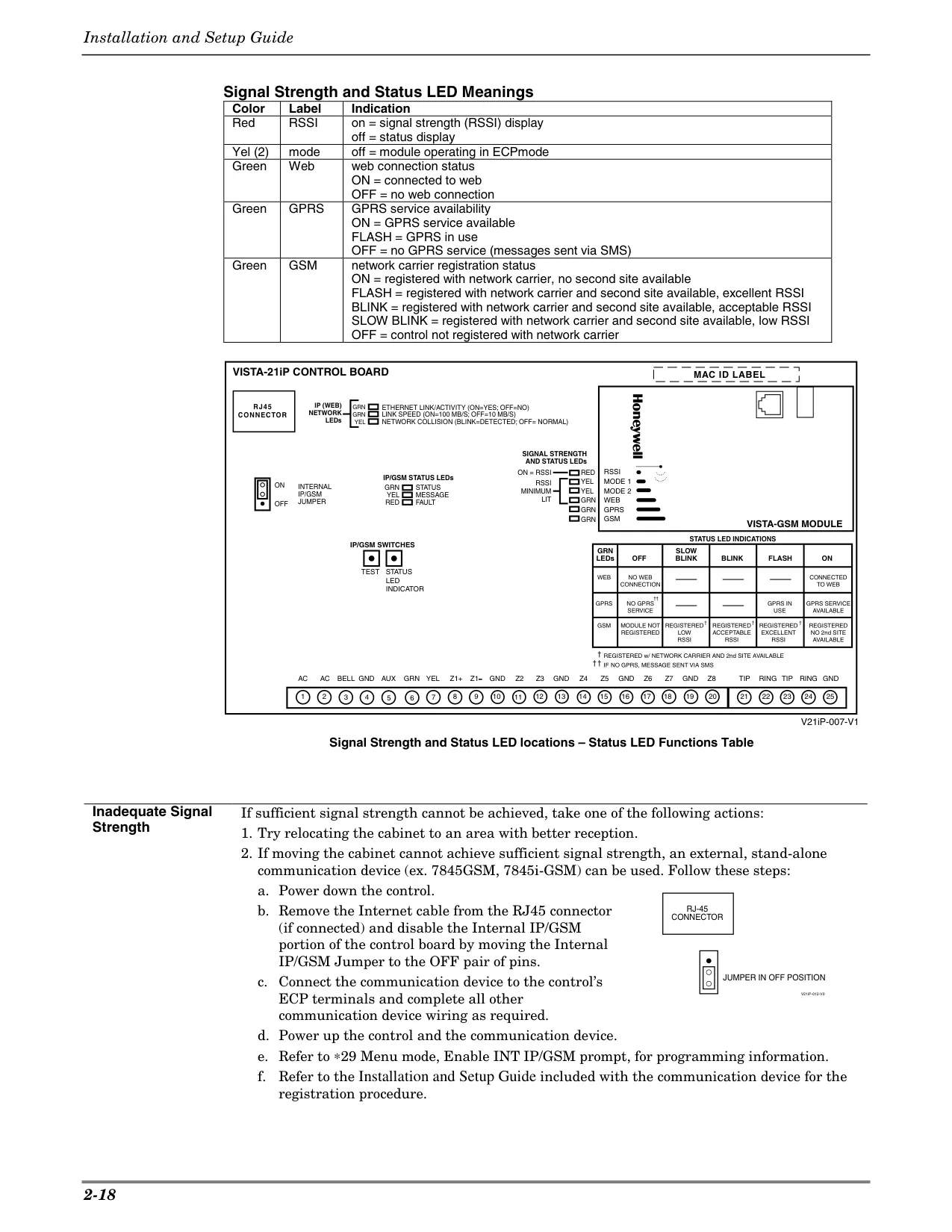
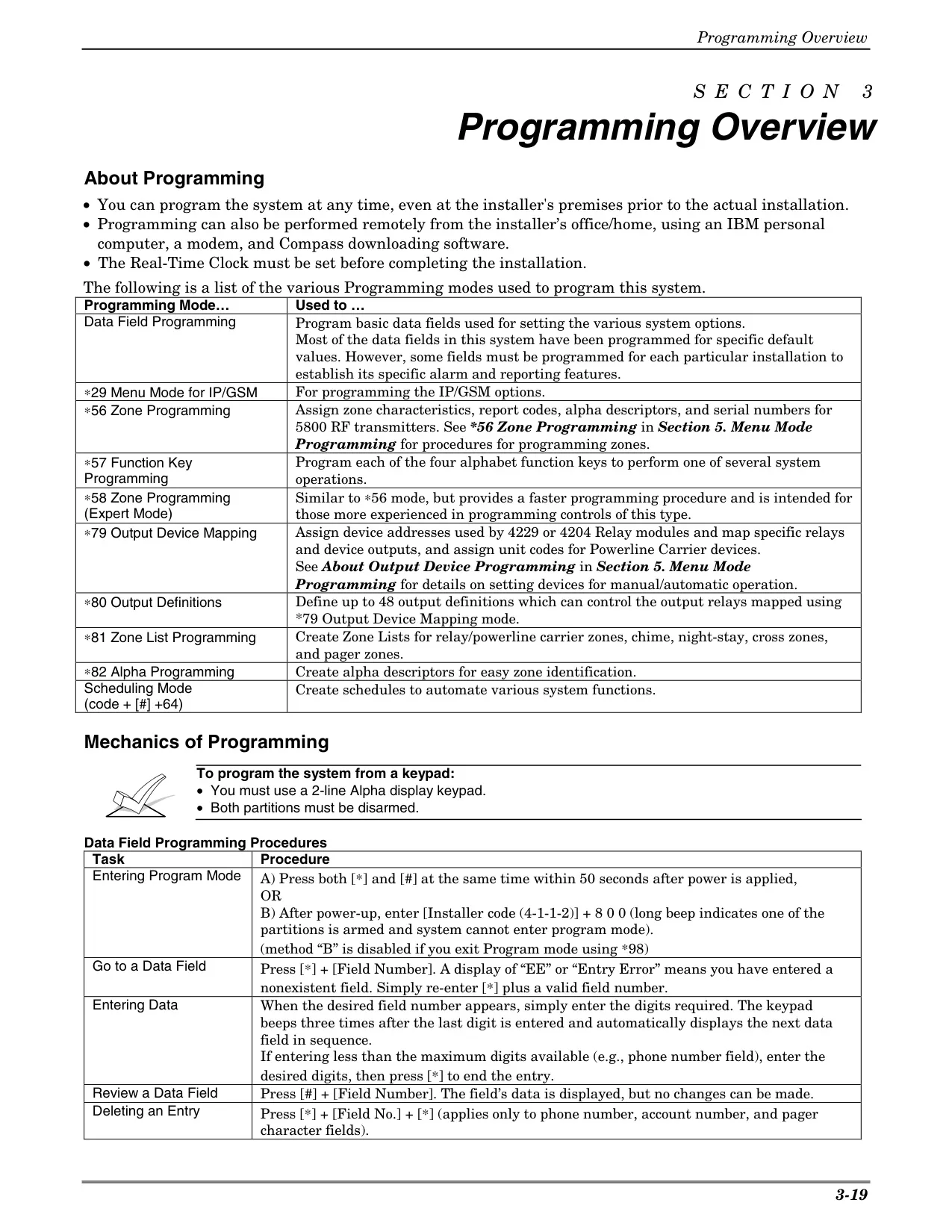
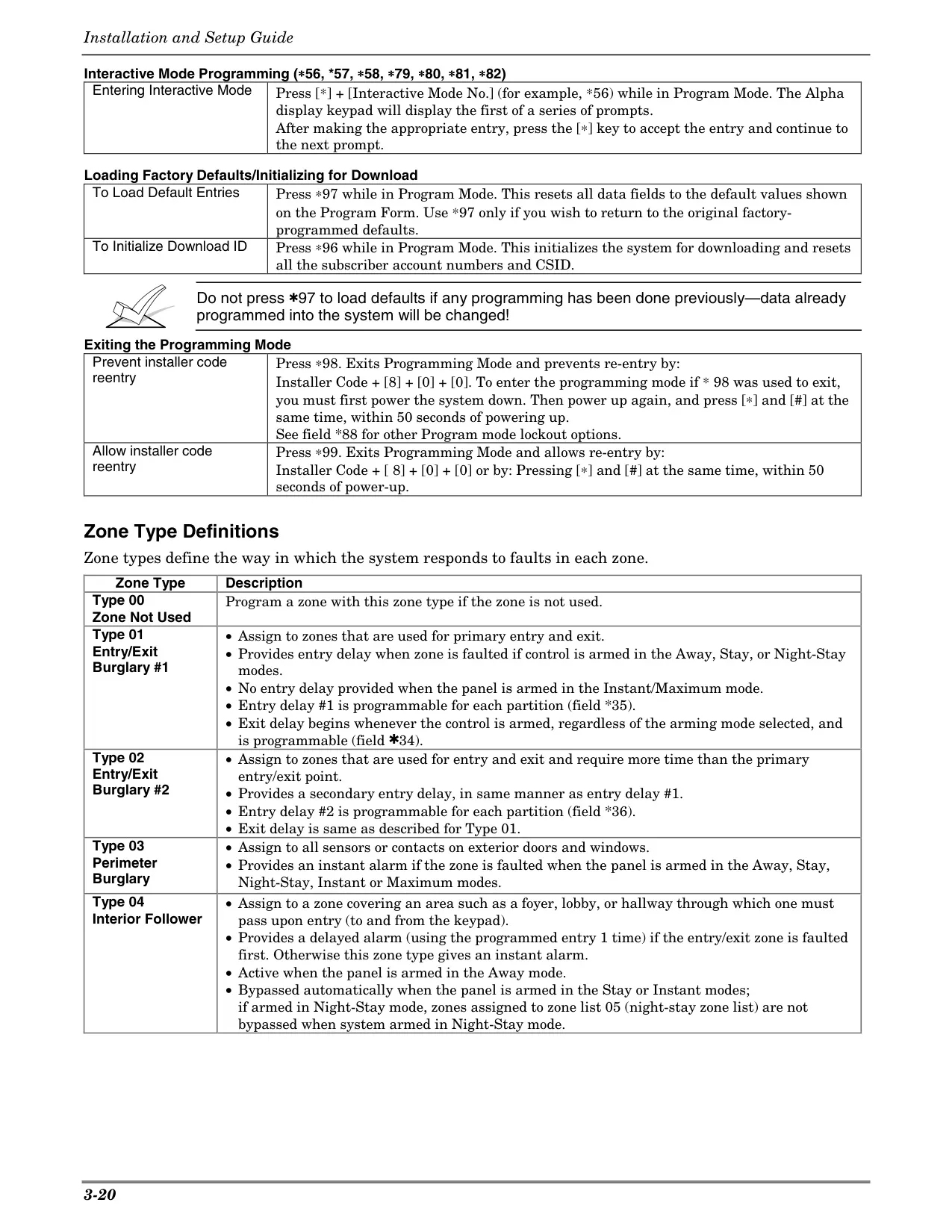
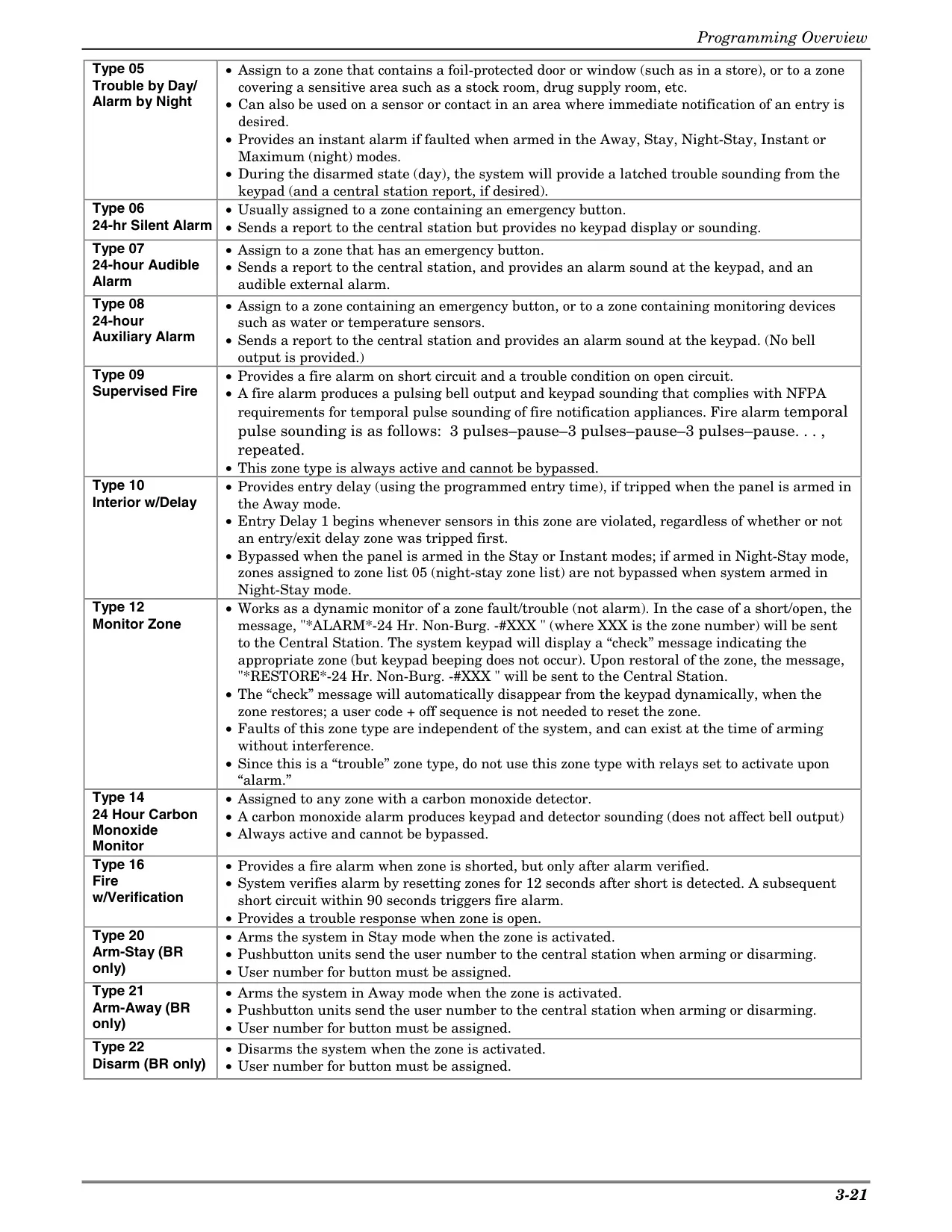
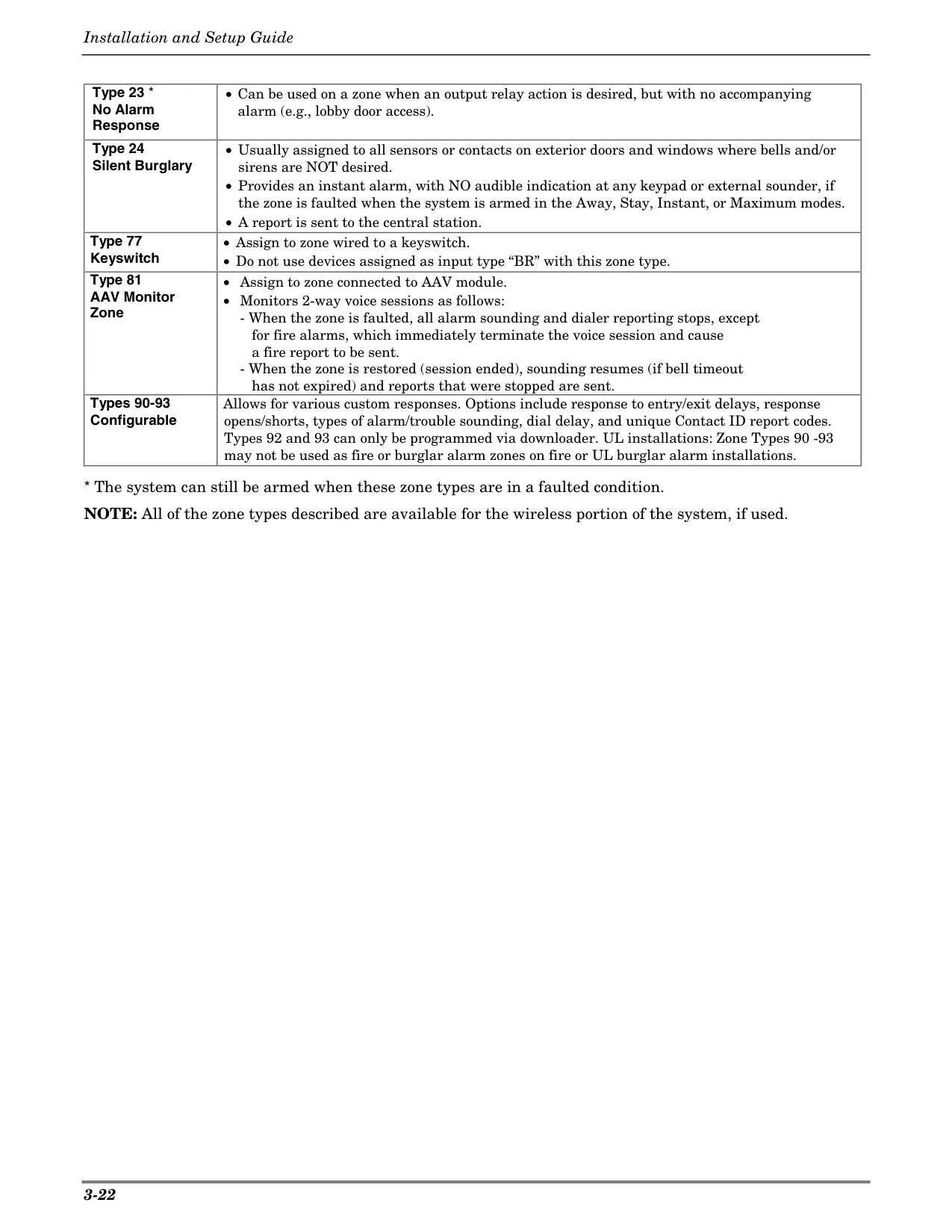
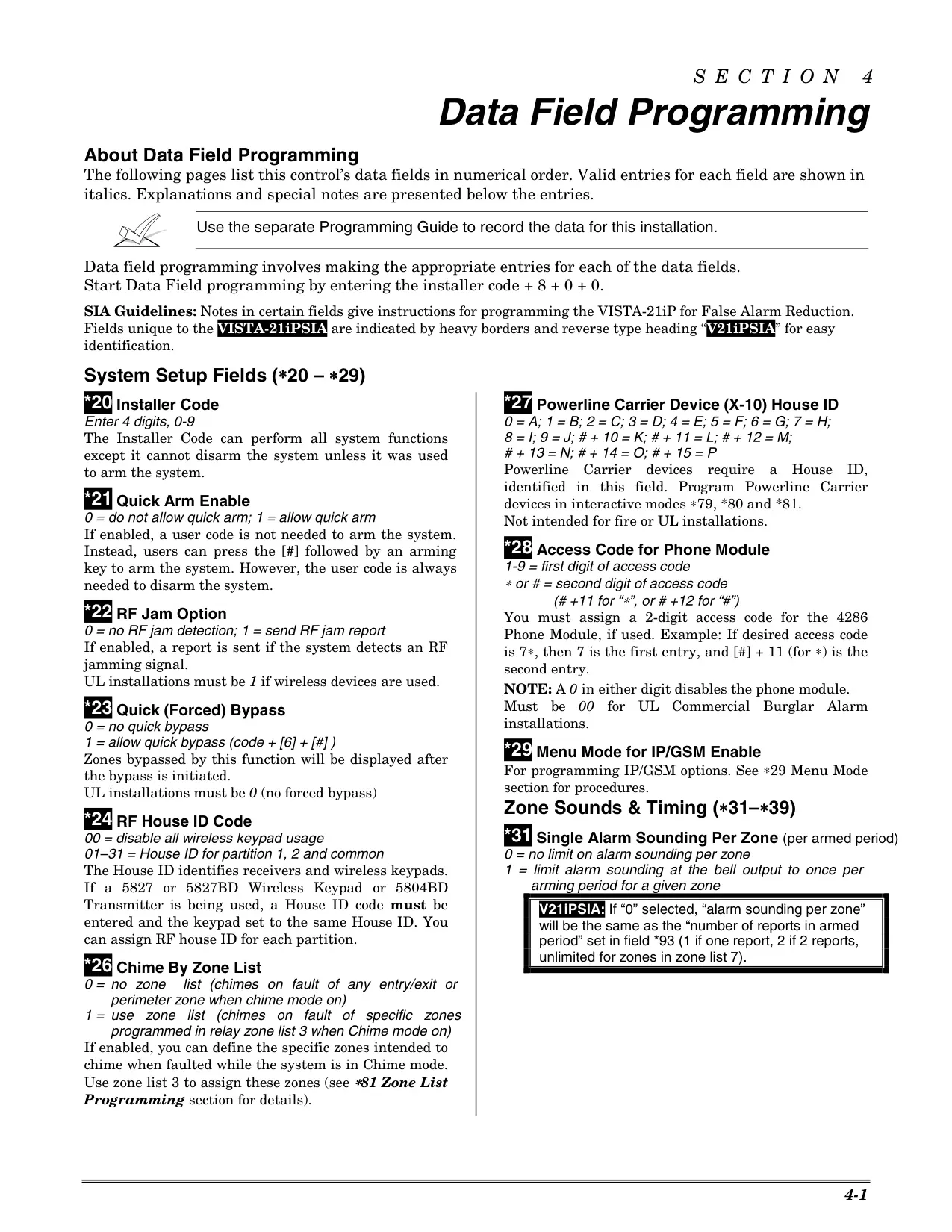
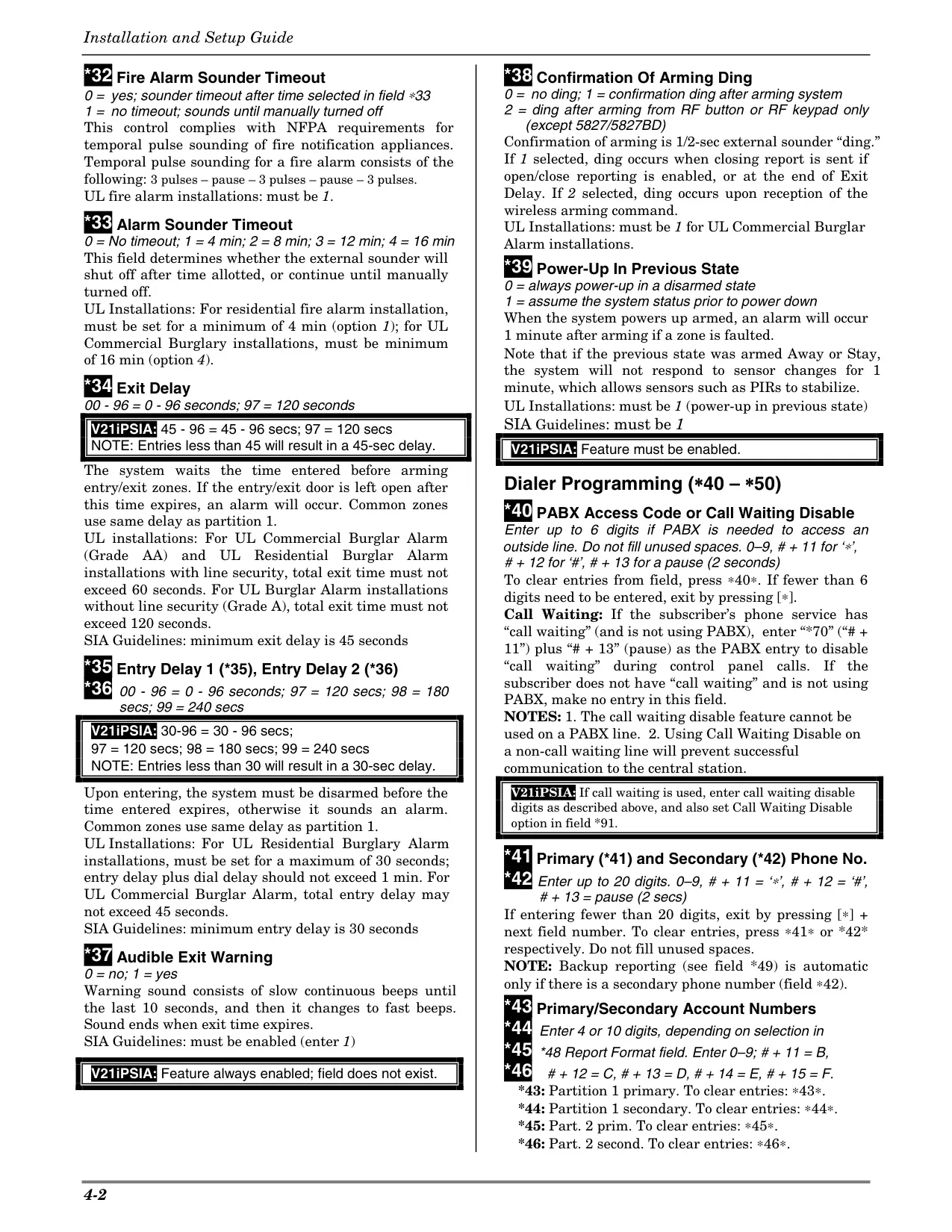
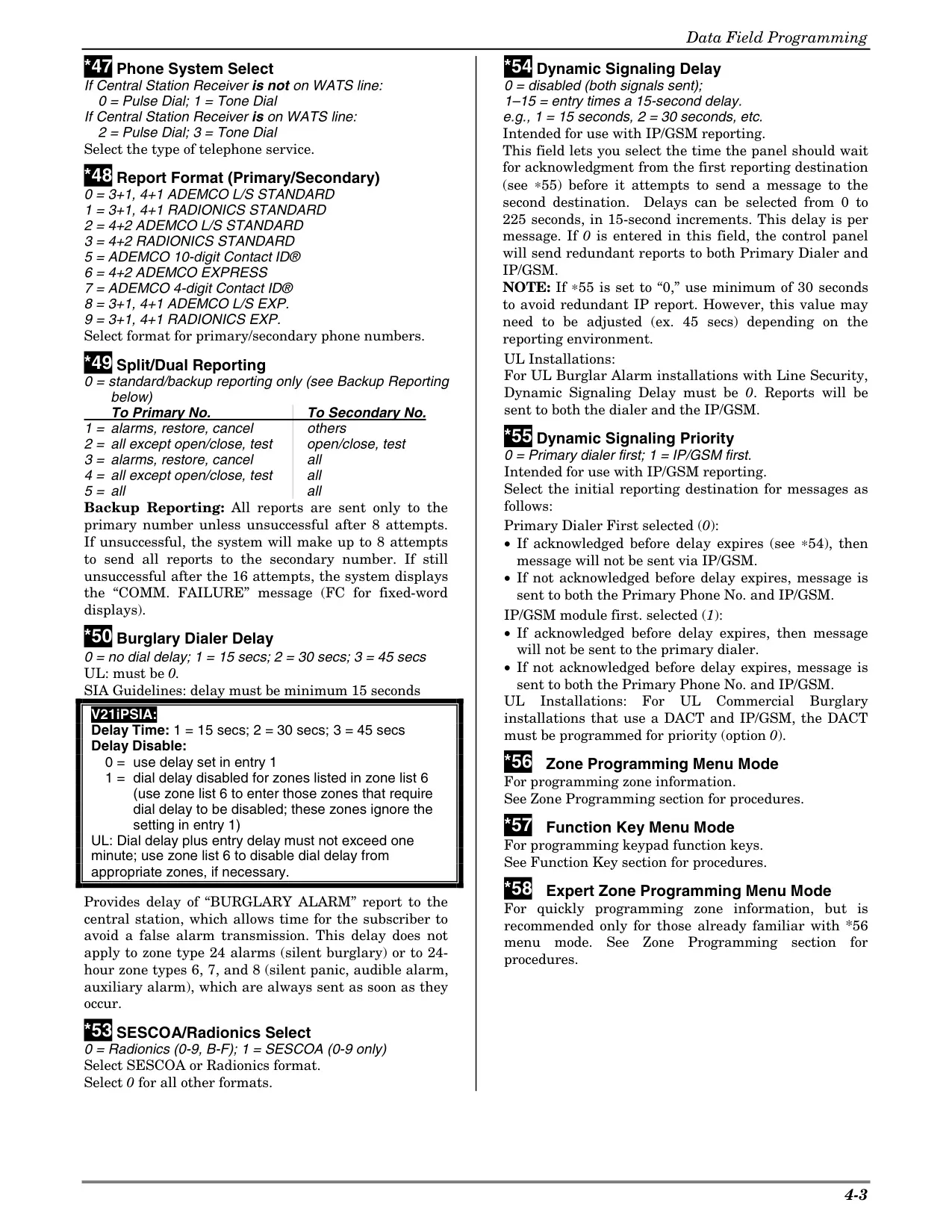
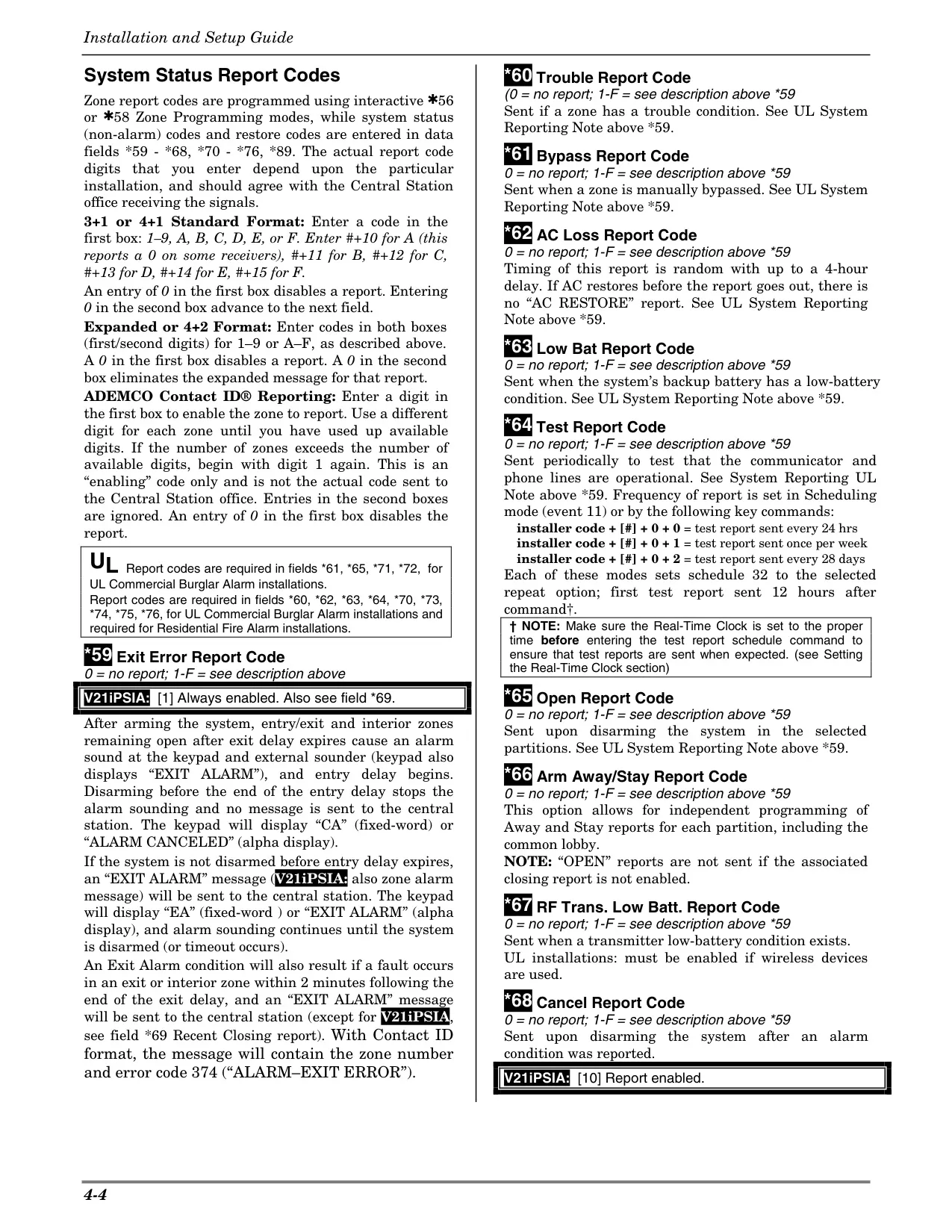
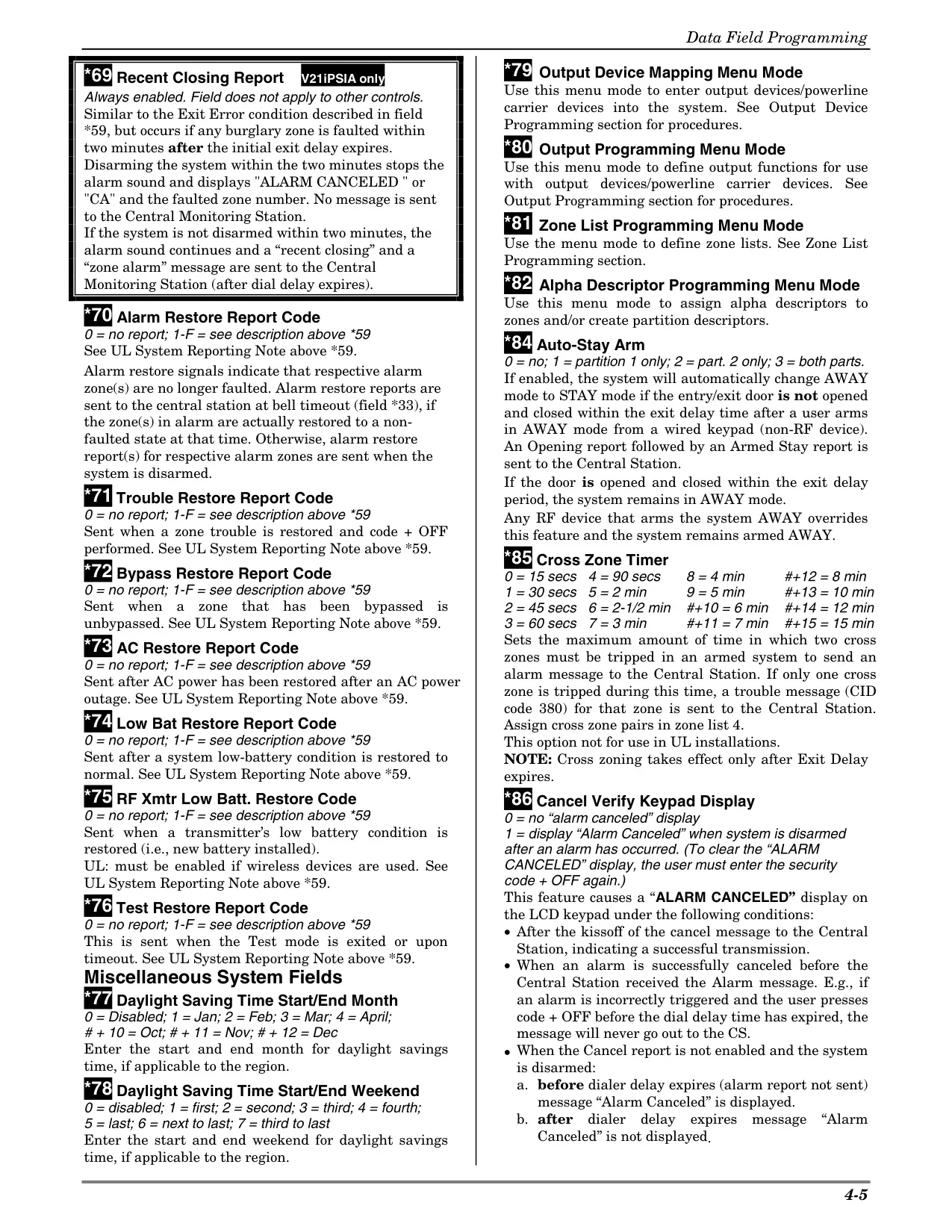
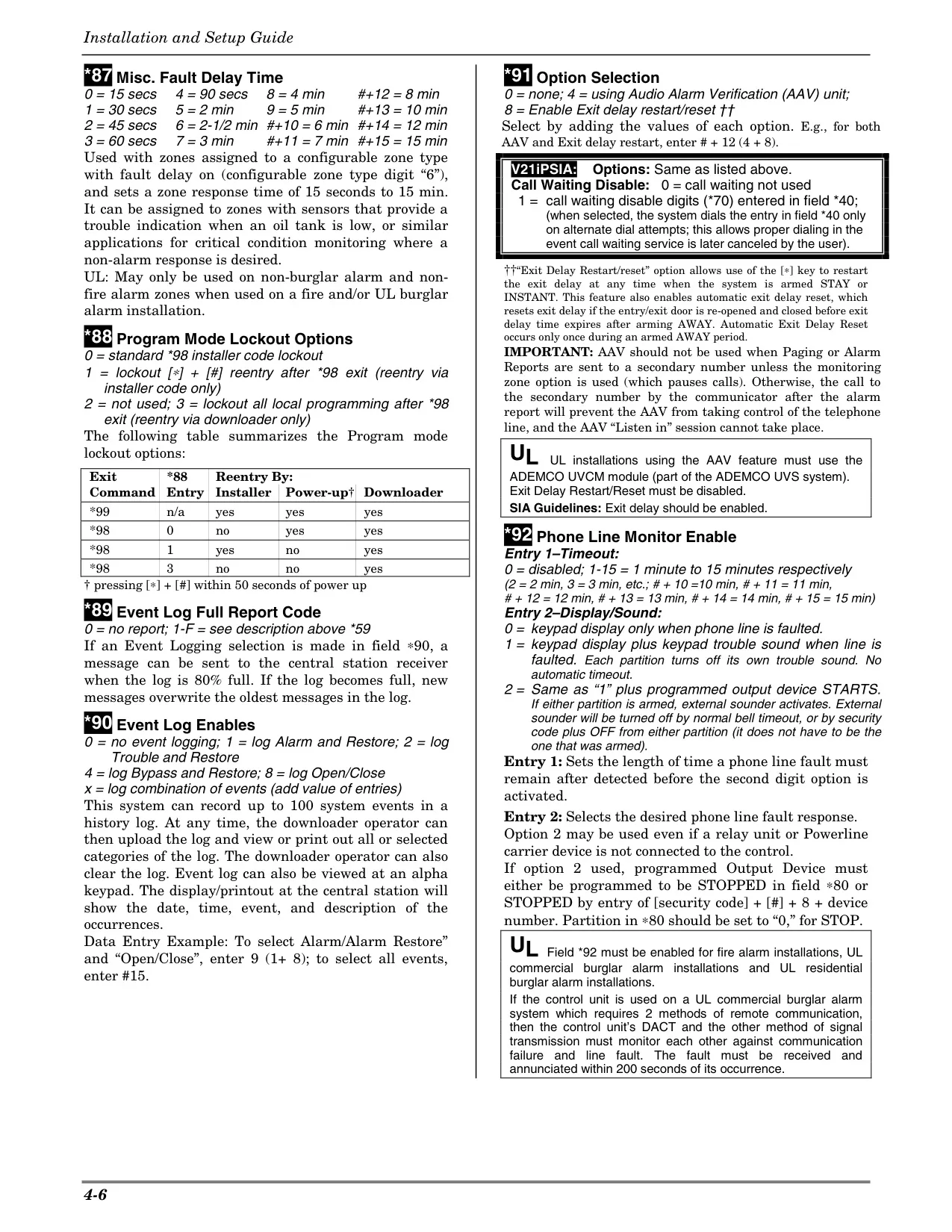
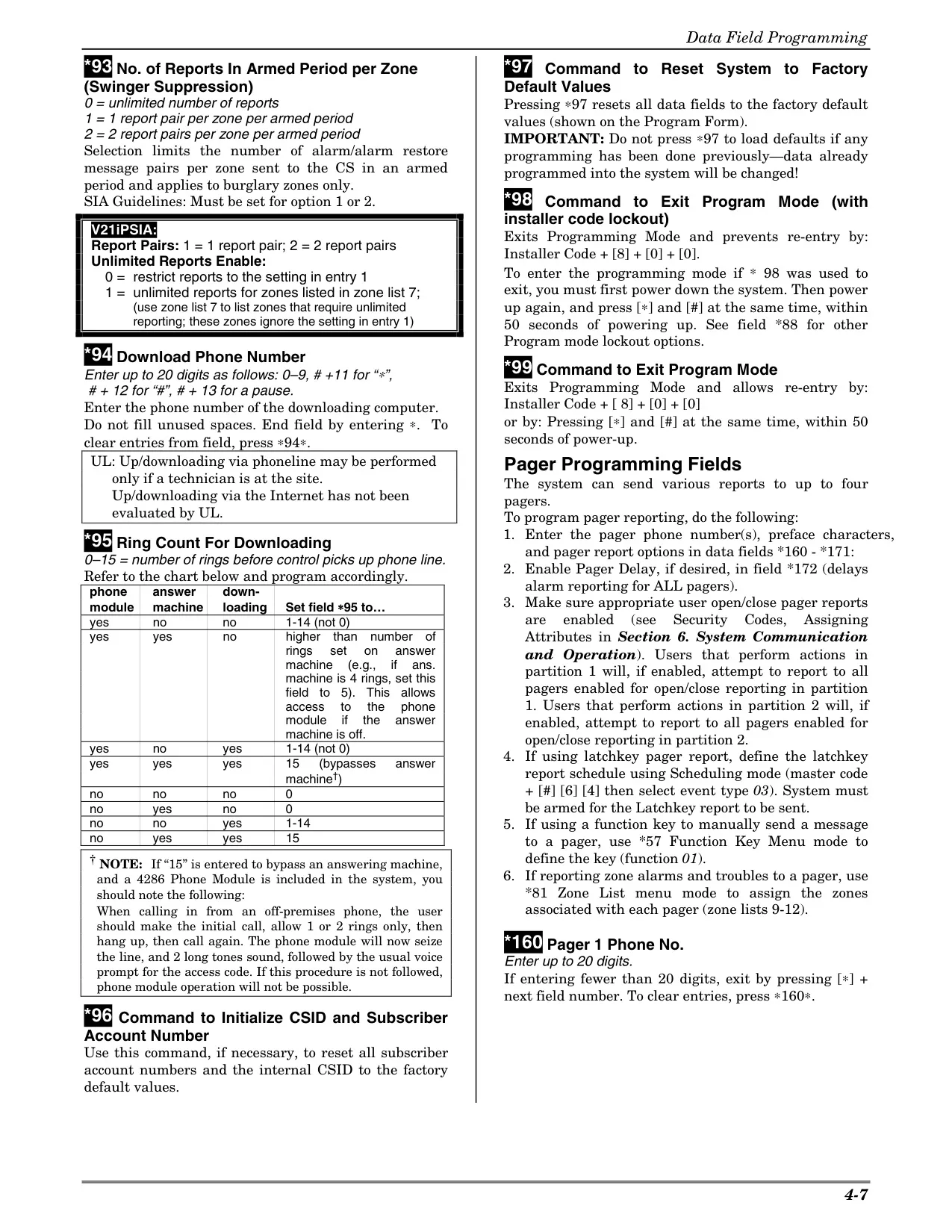
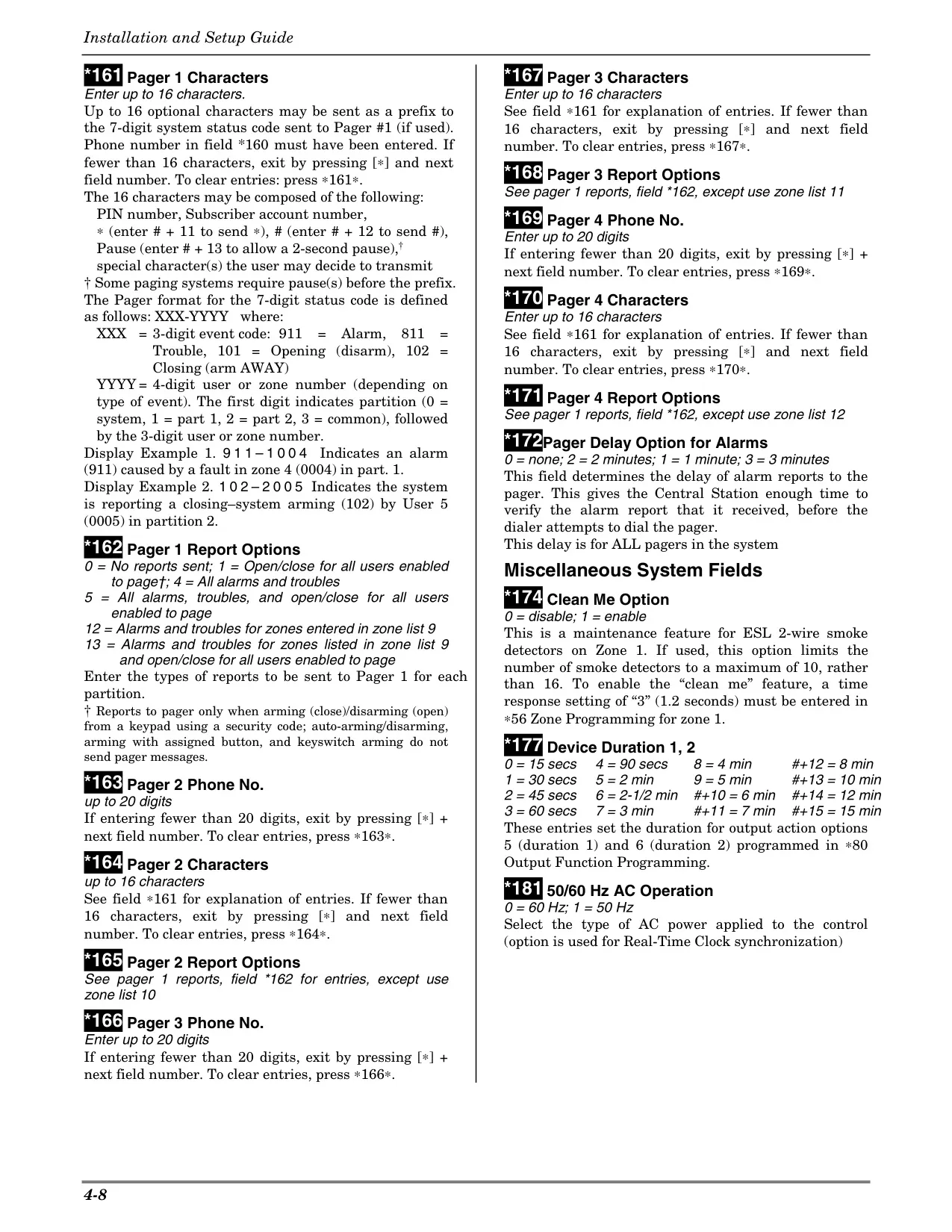
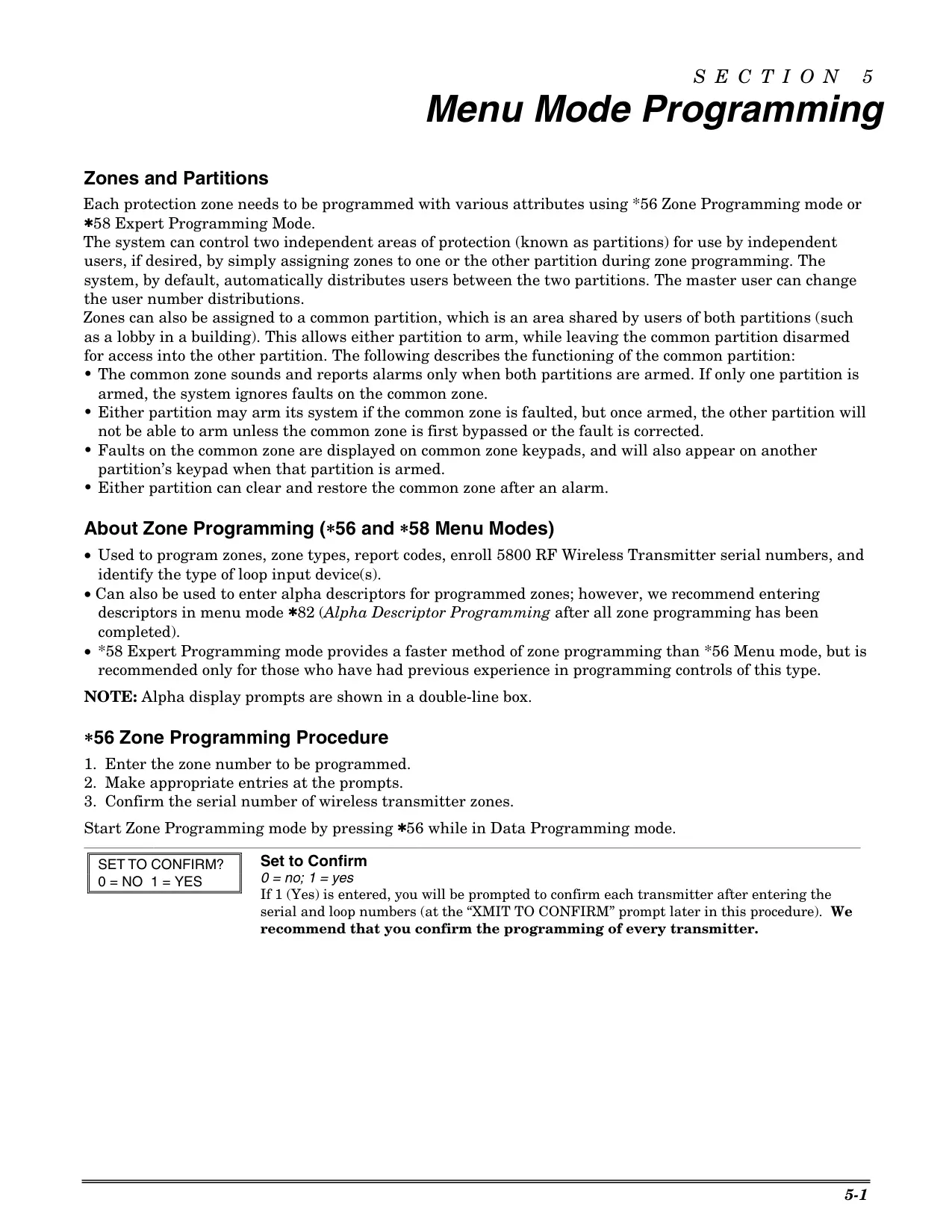
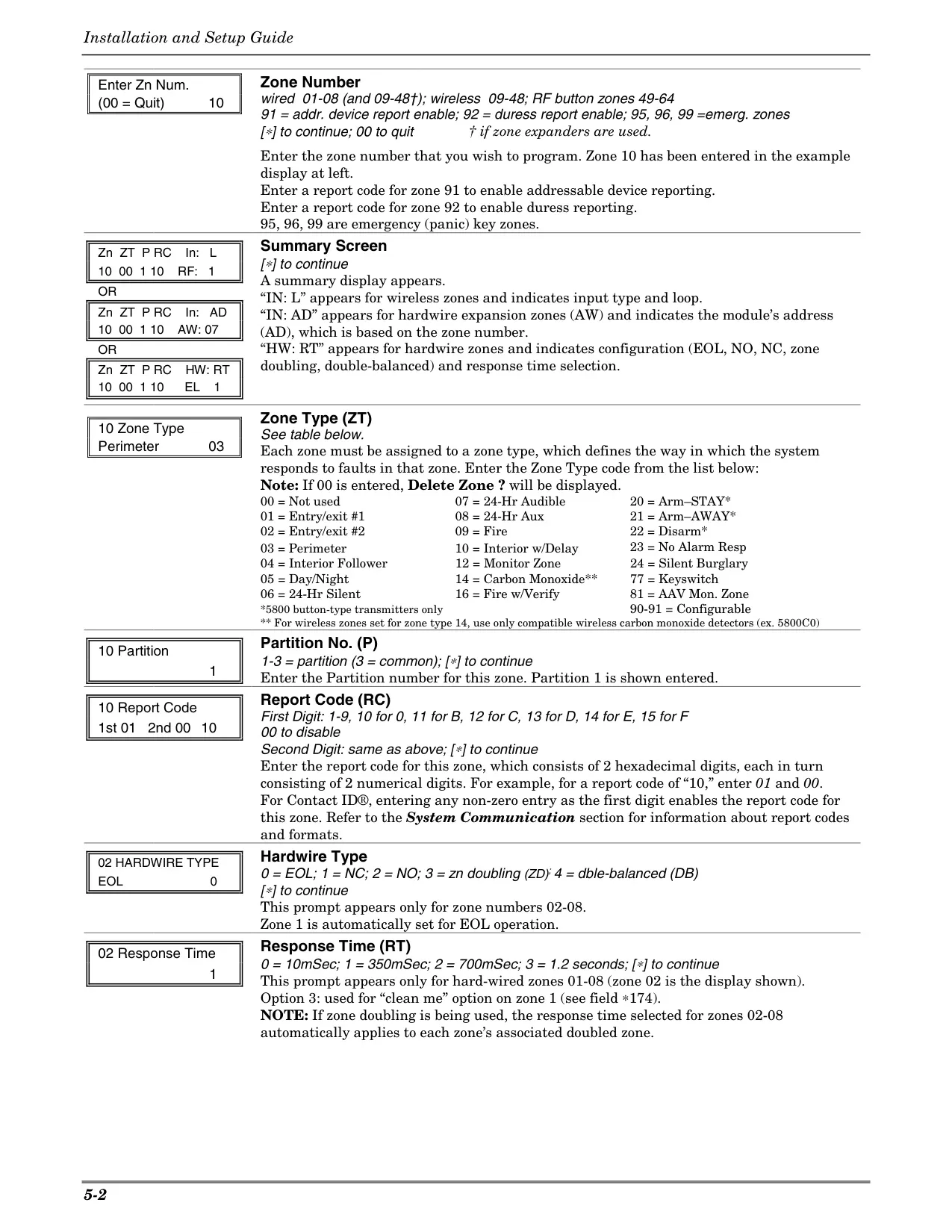
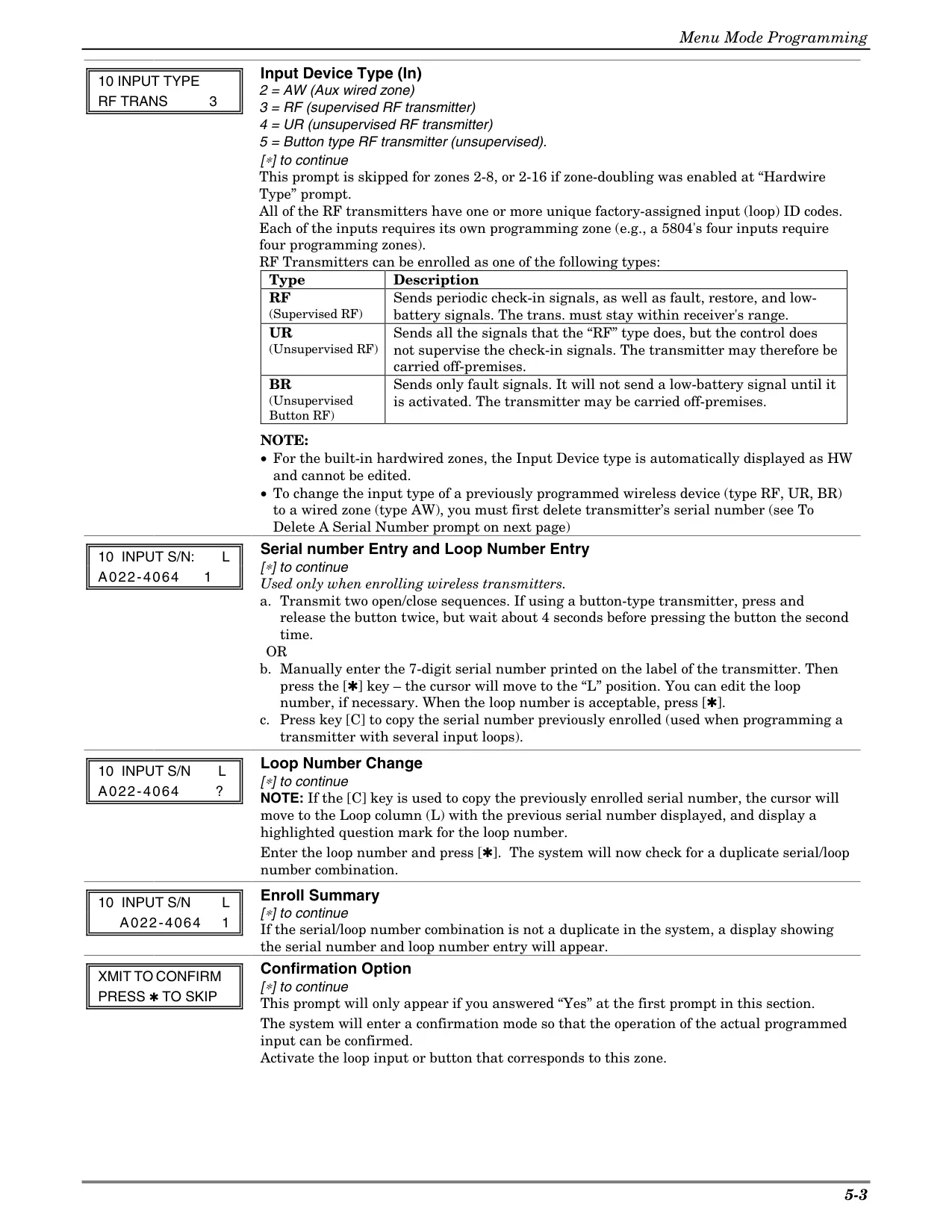
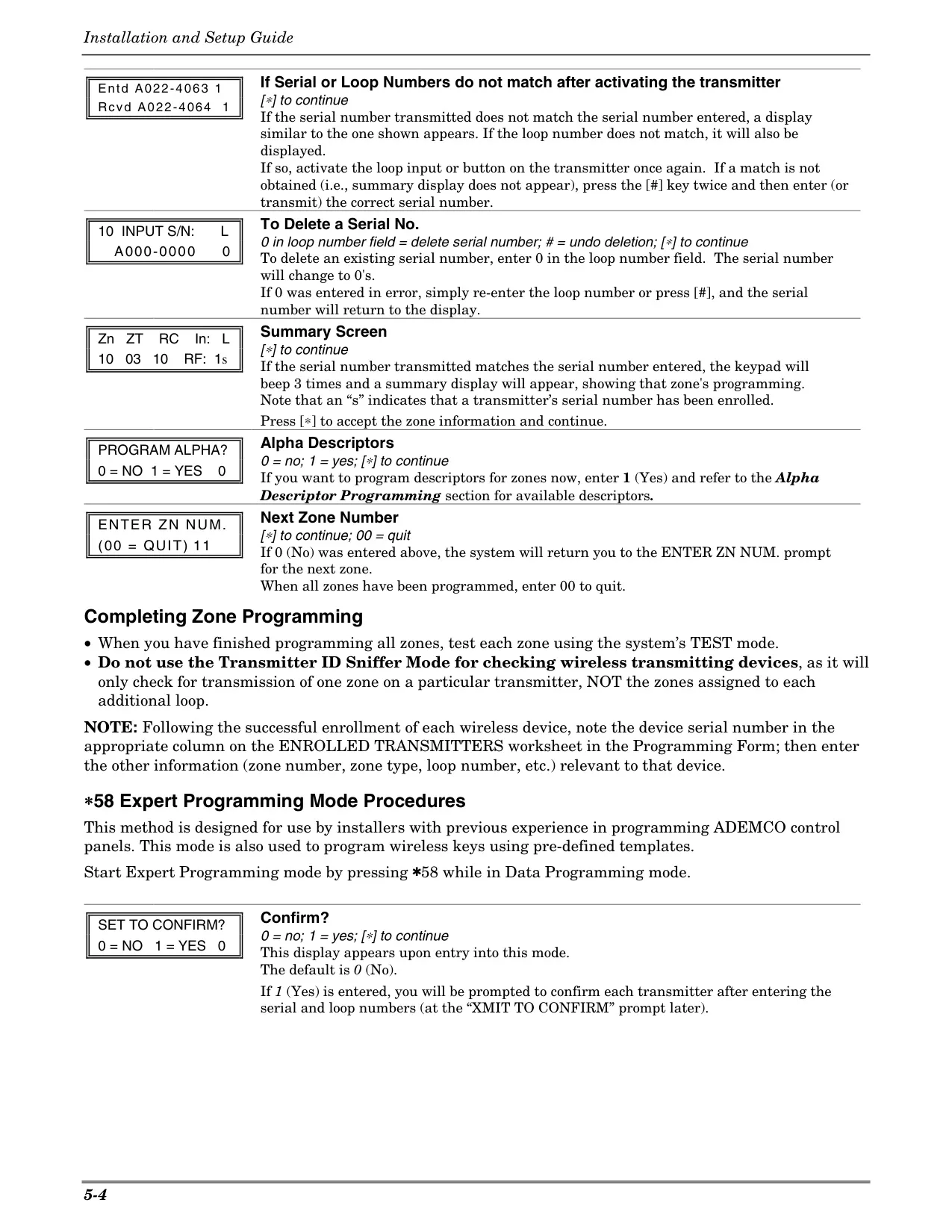
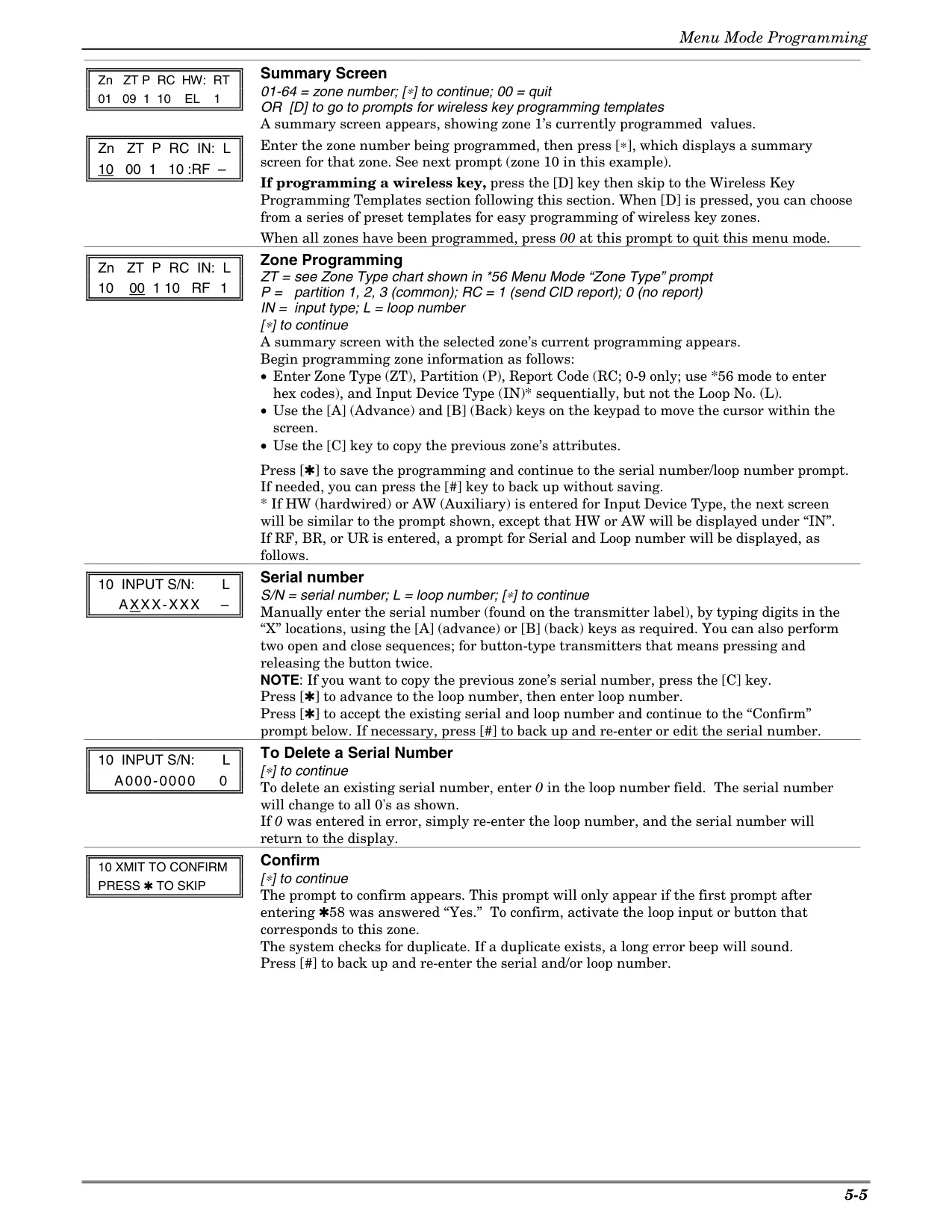
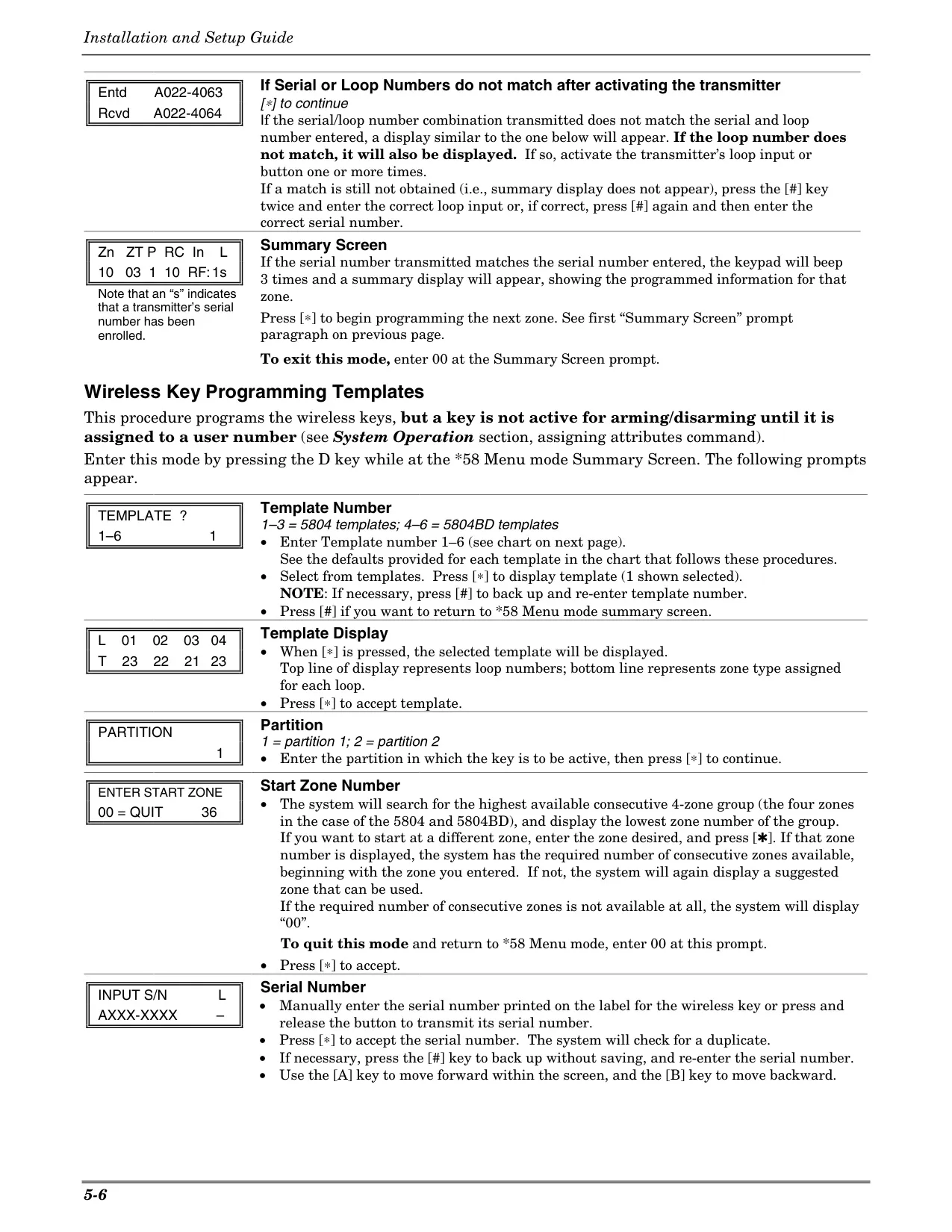
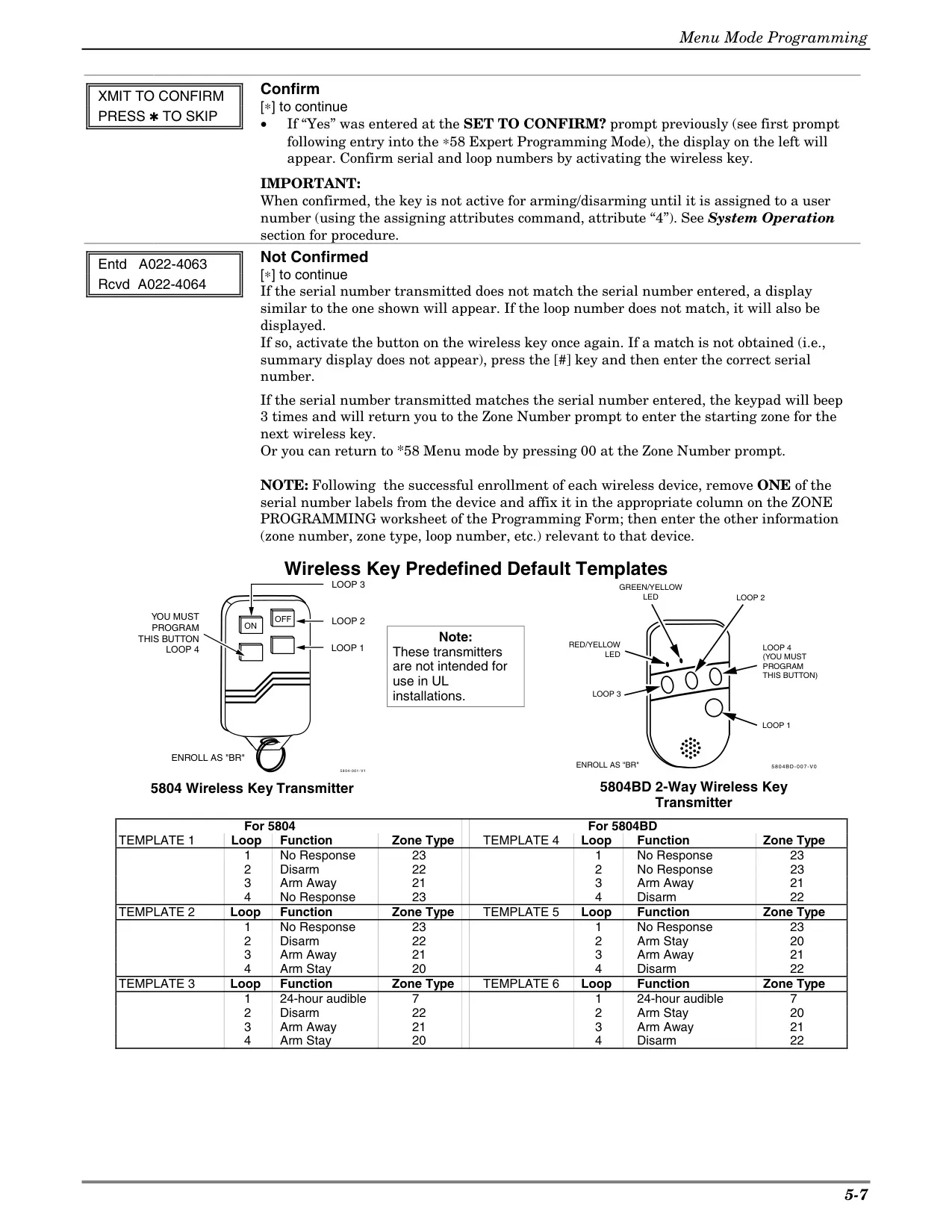
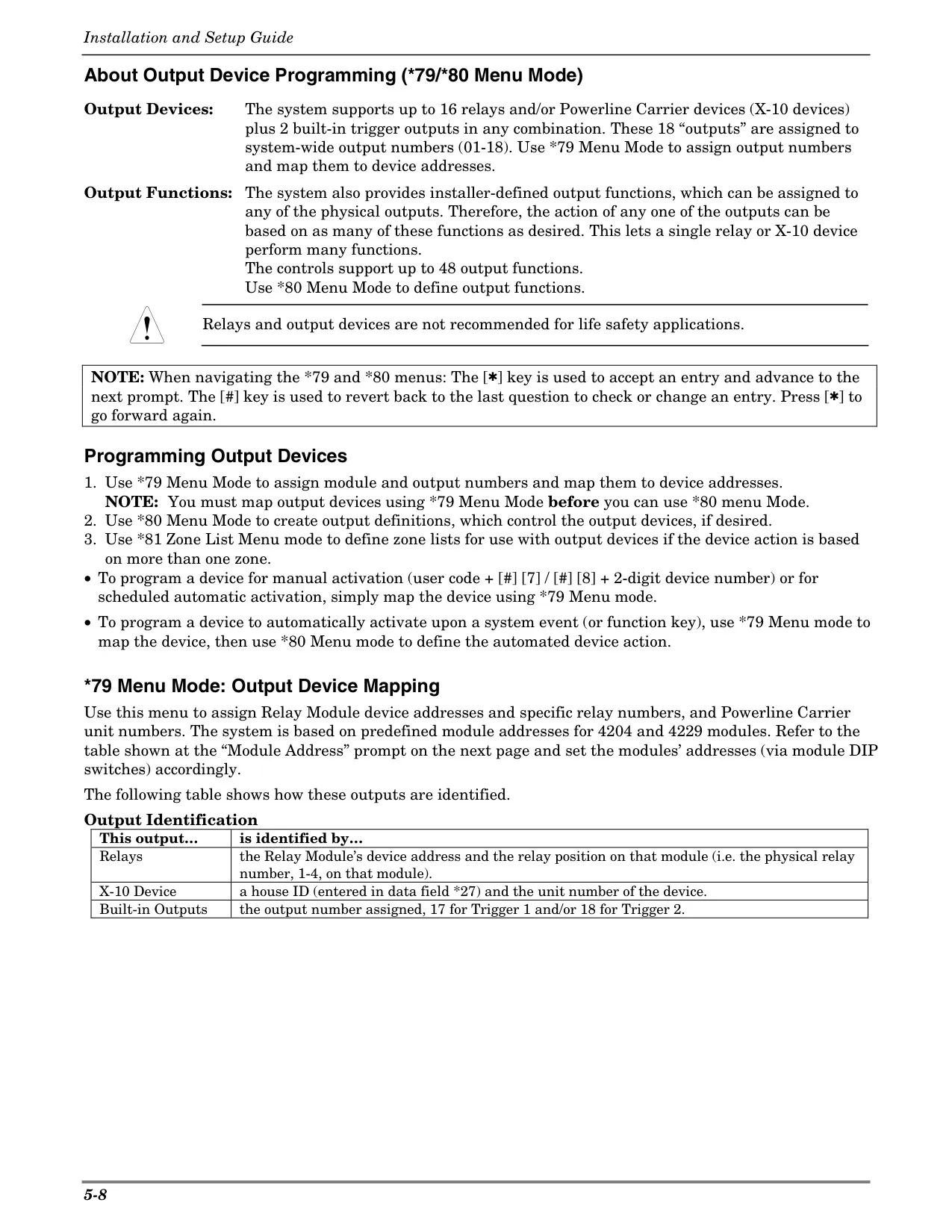
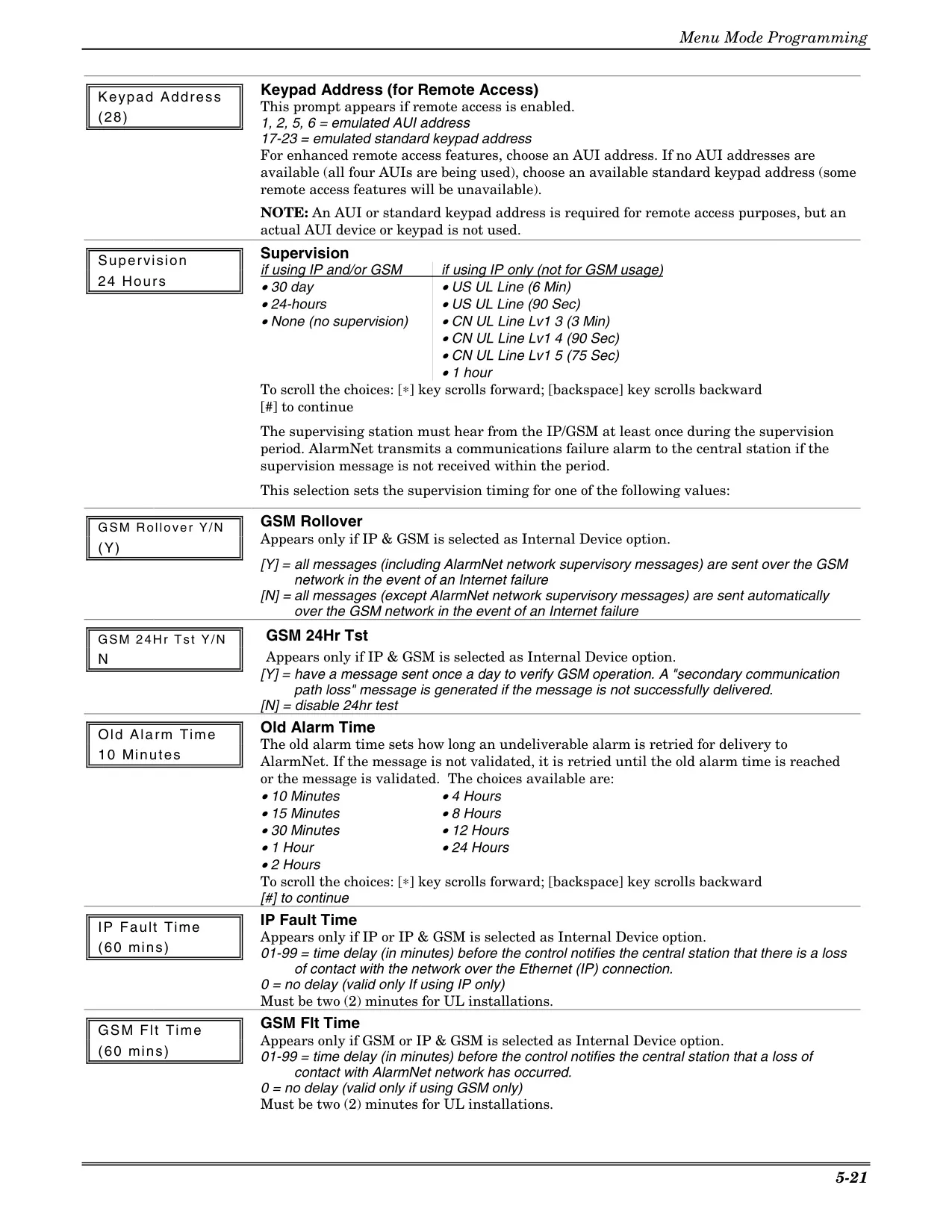
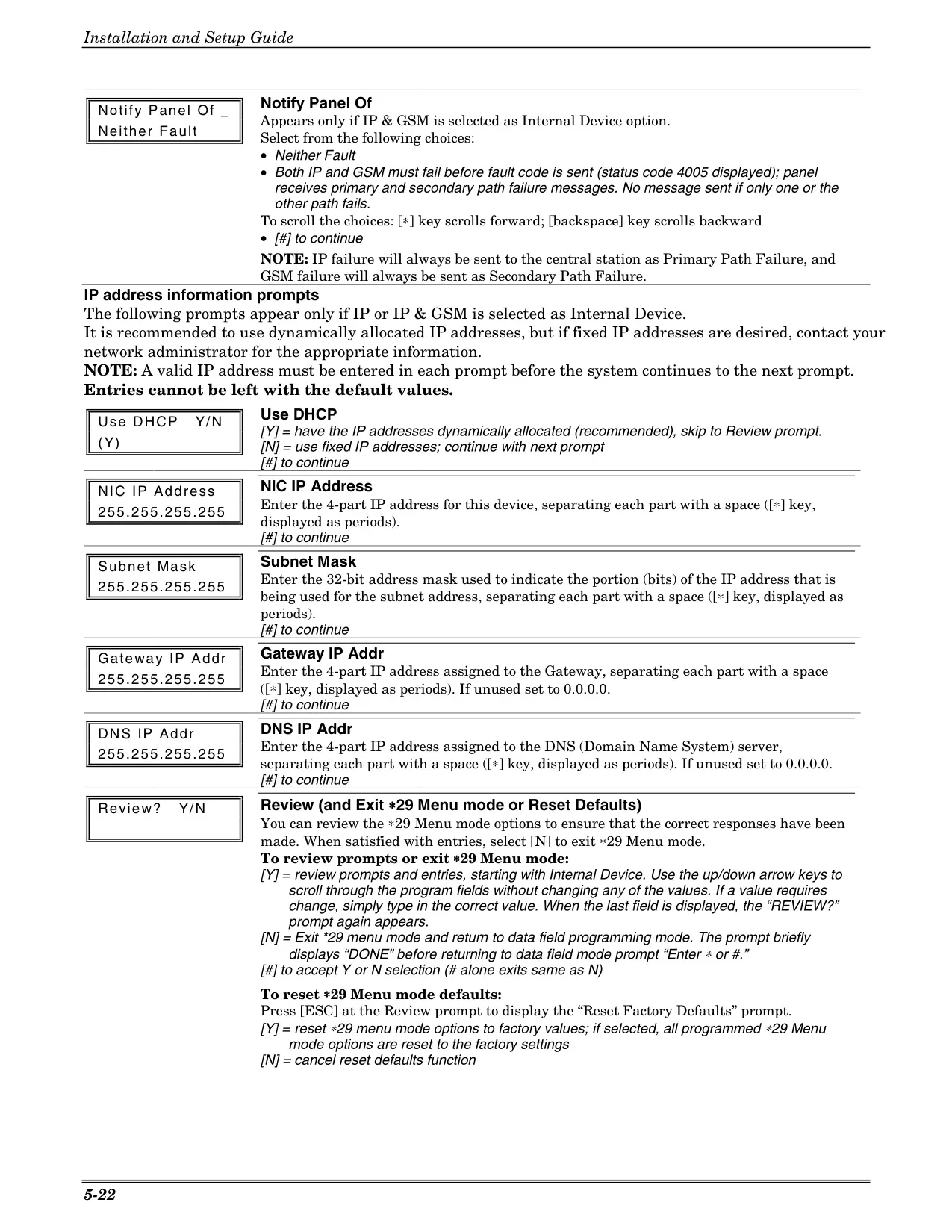
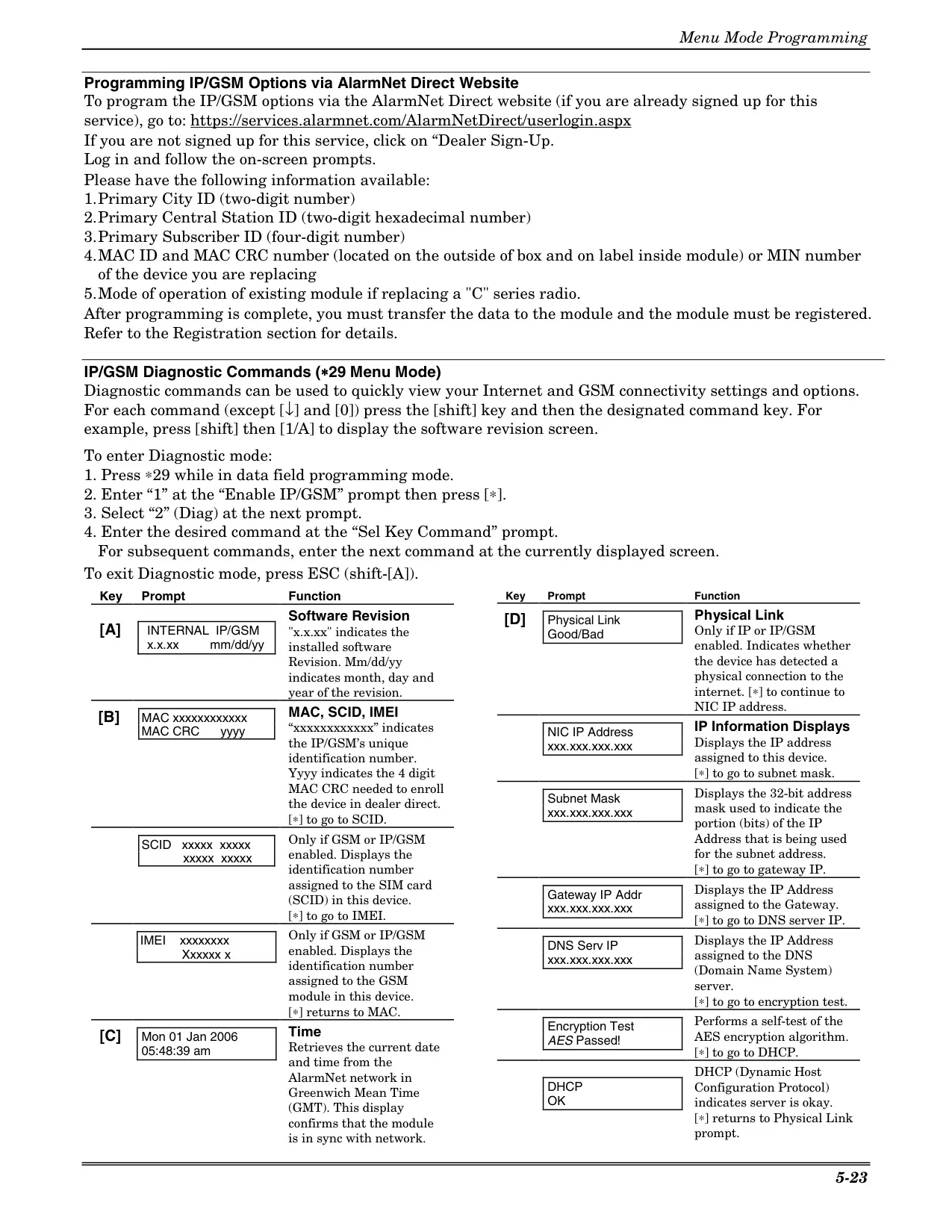
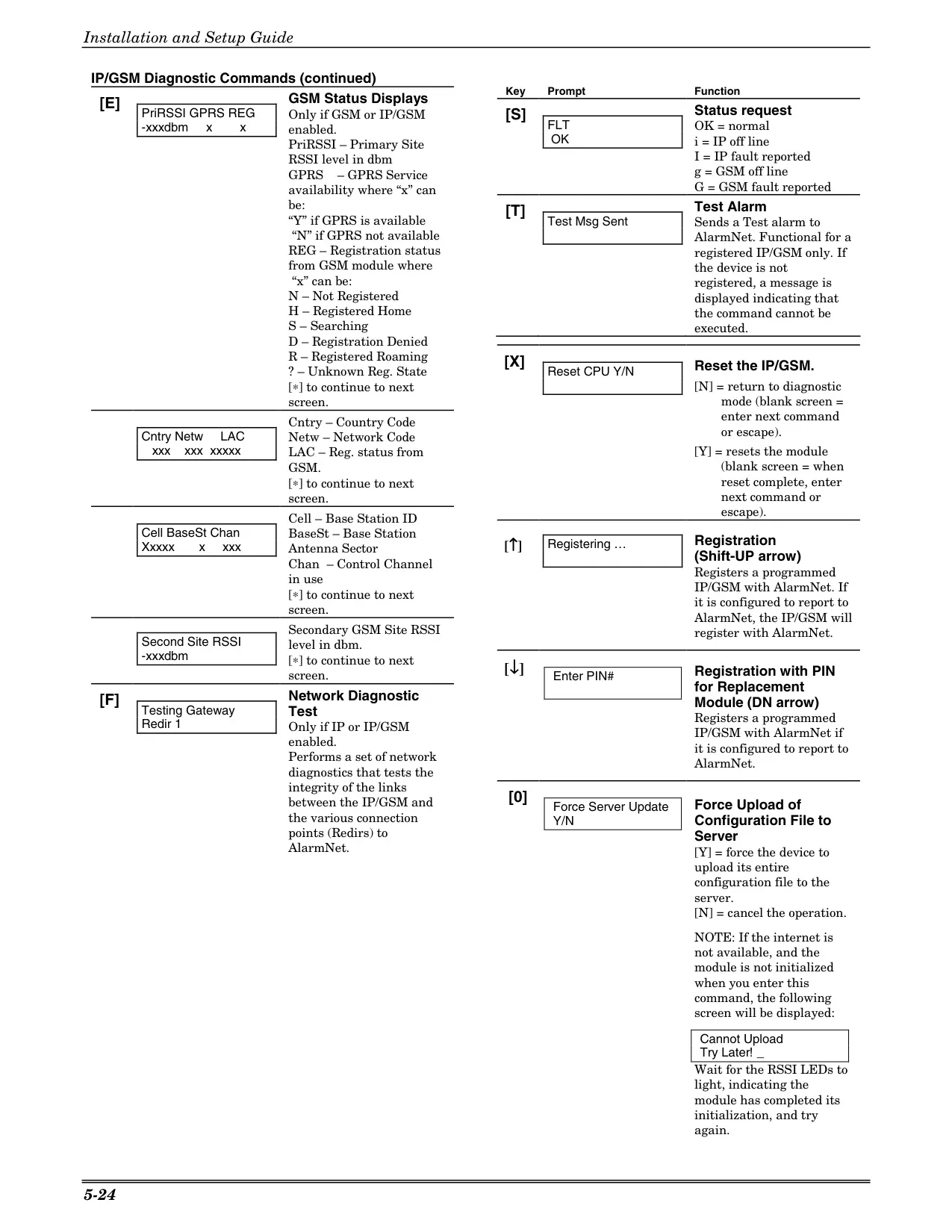
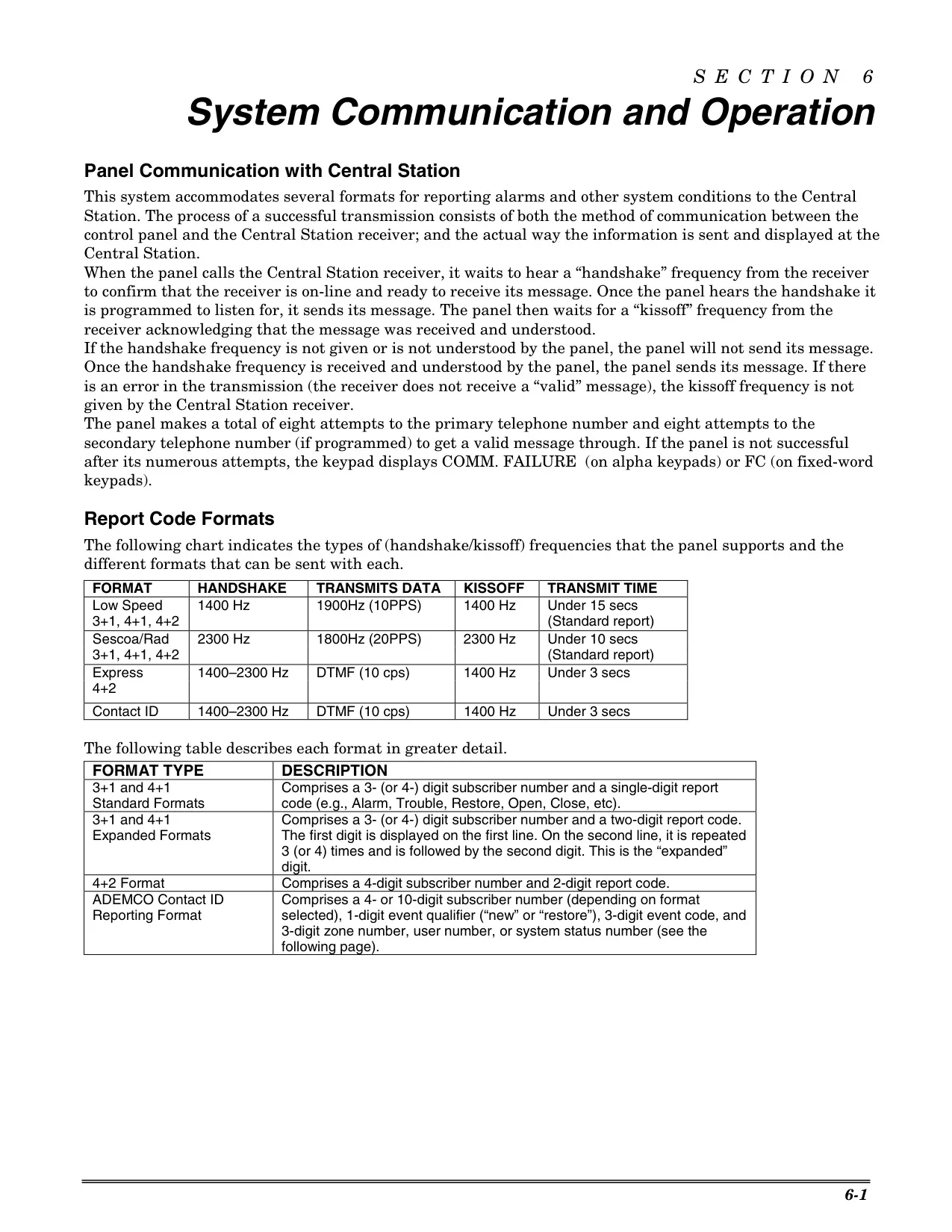
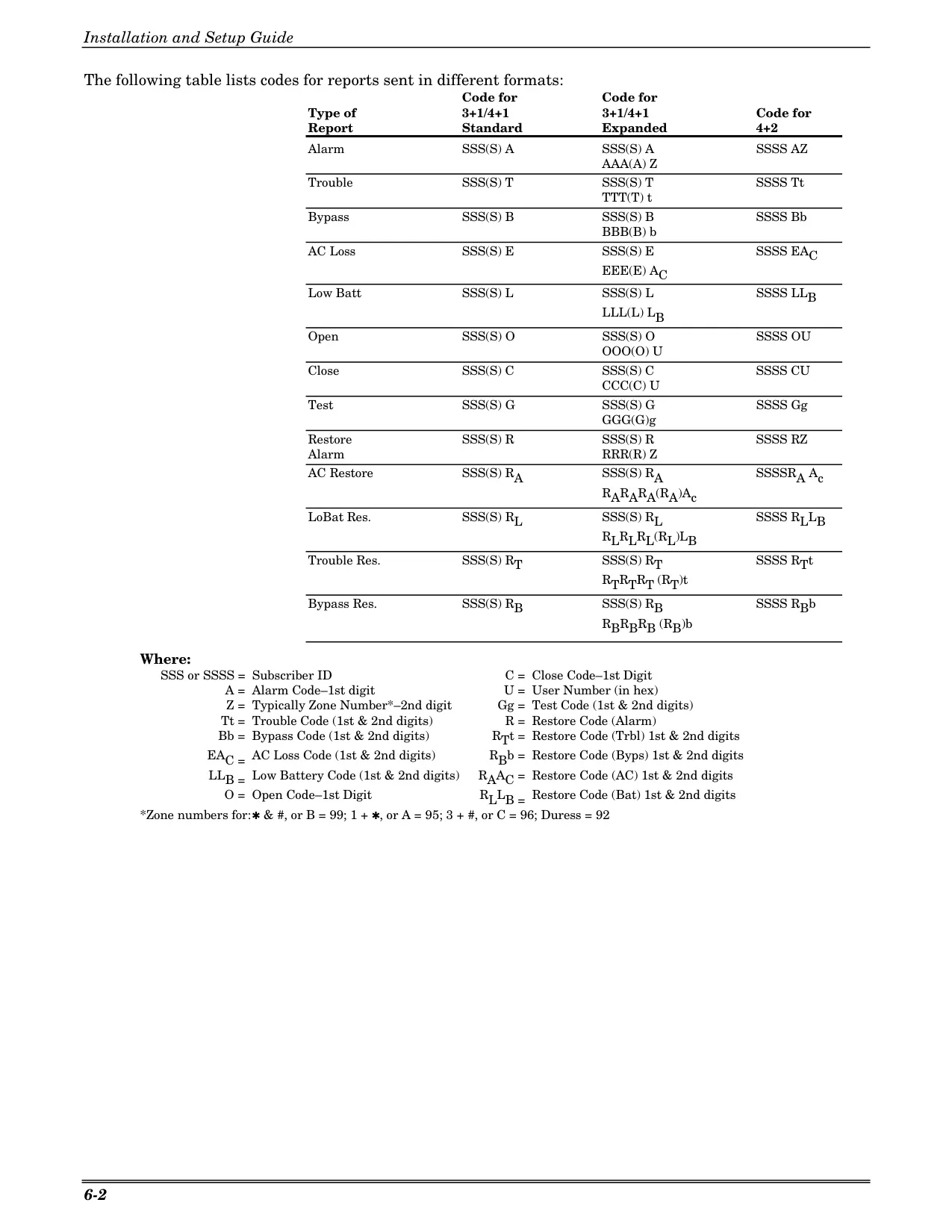
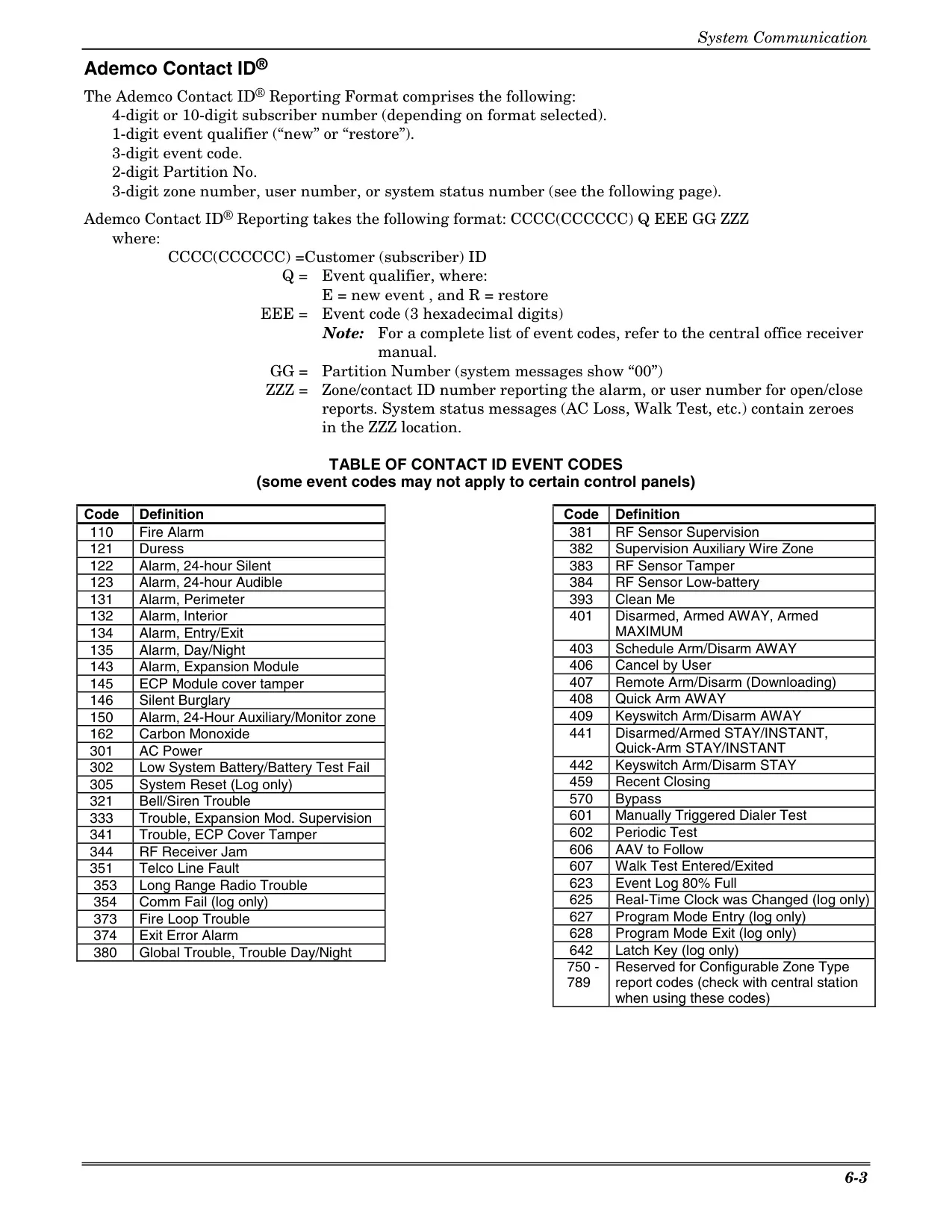
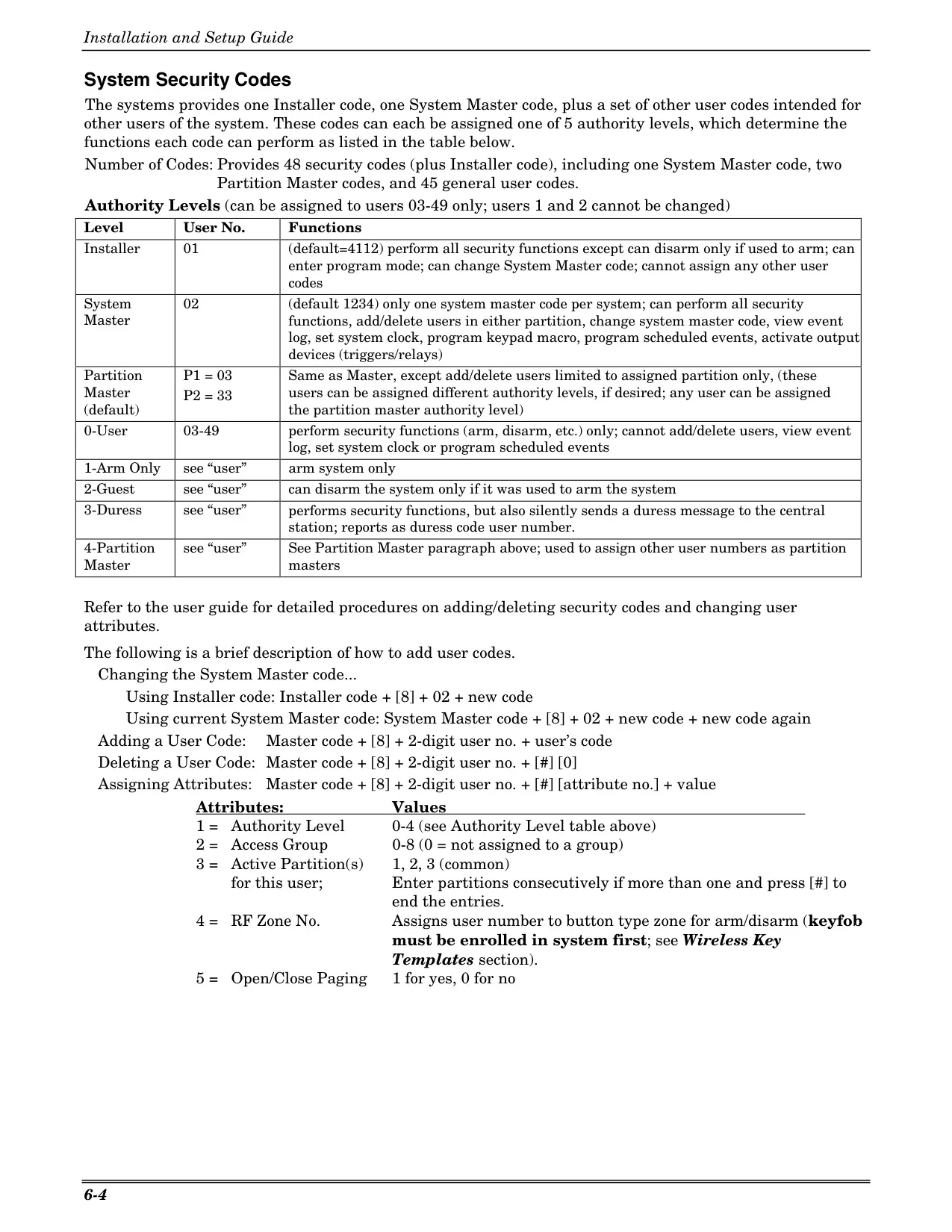



Honeywell Vista 21IP Security System
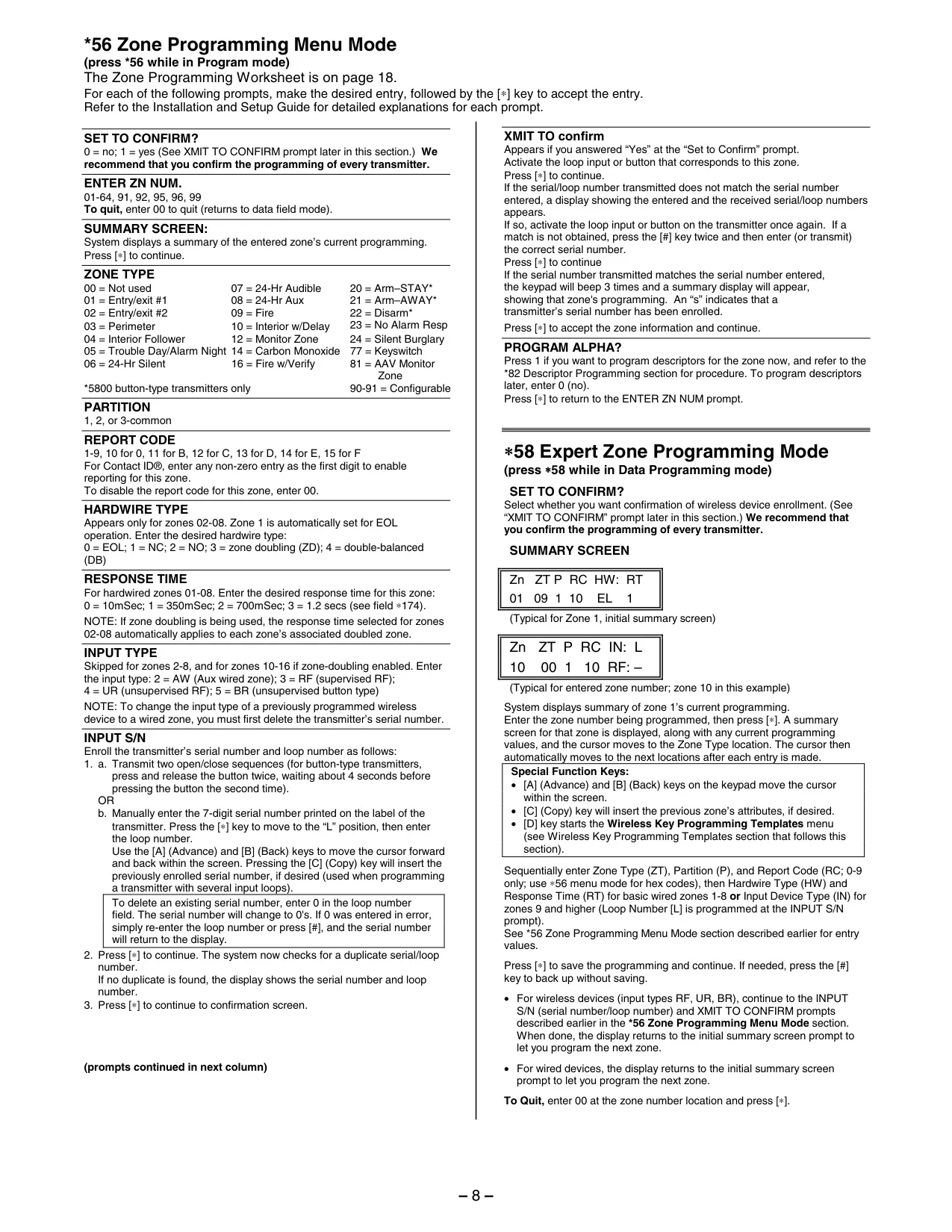
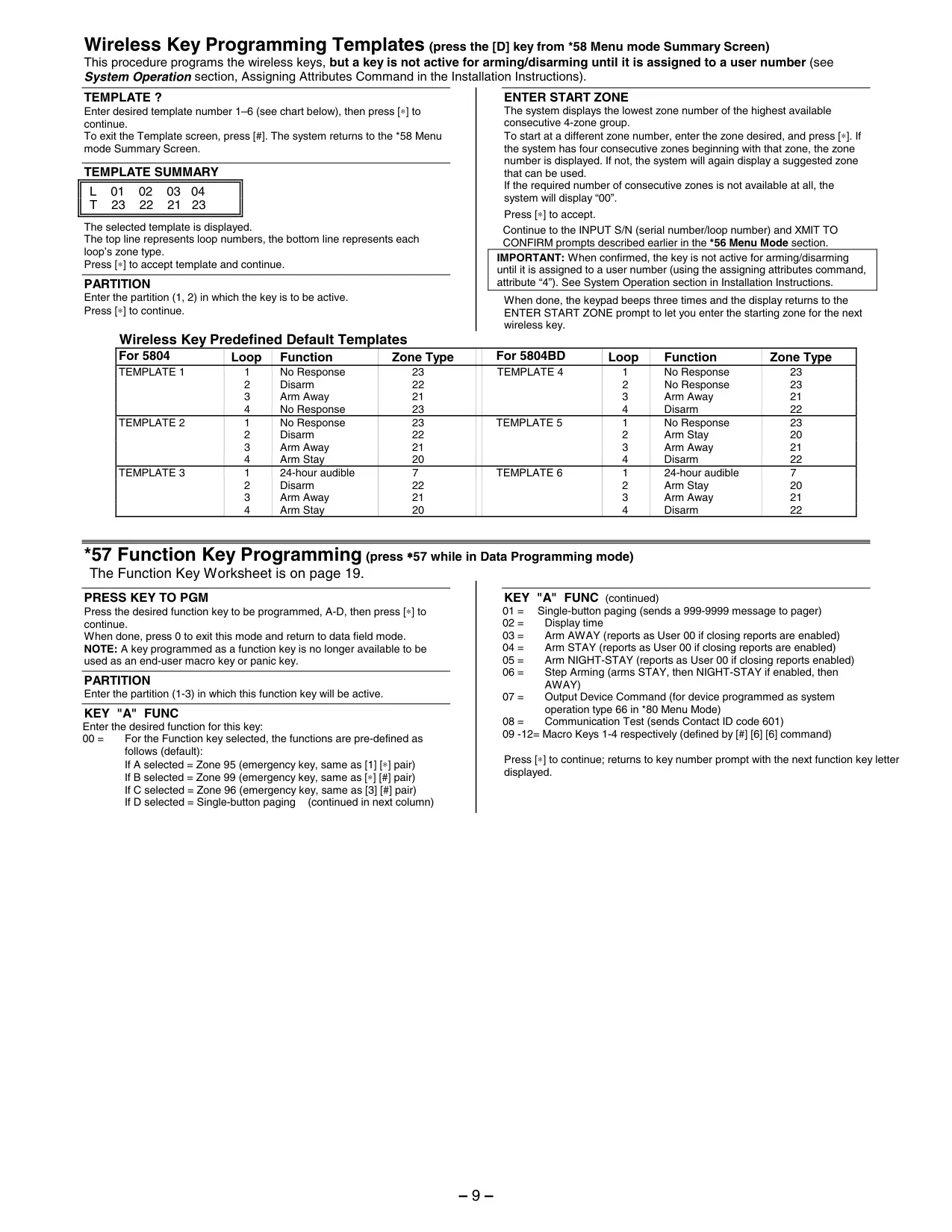
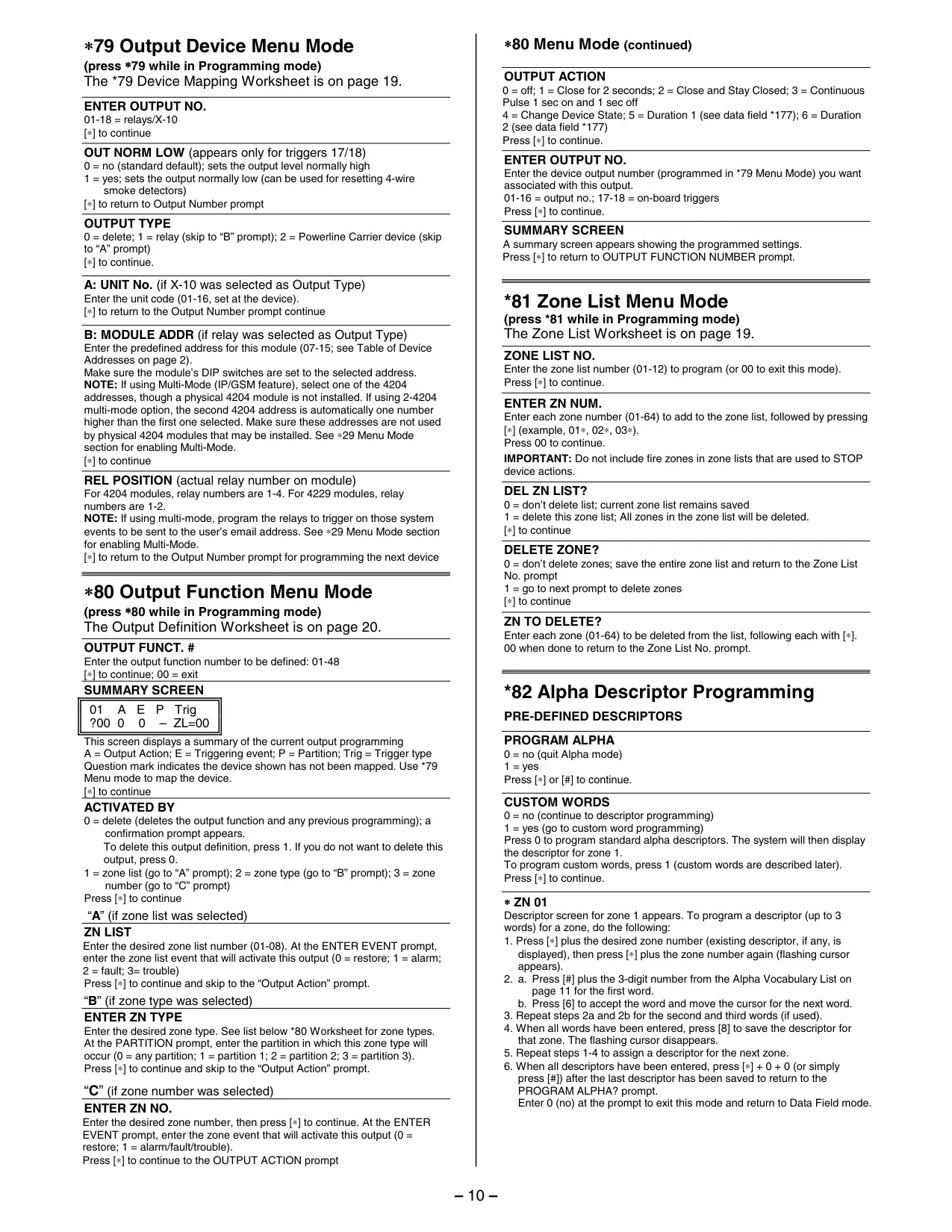
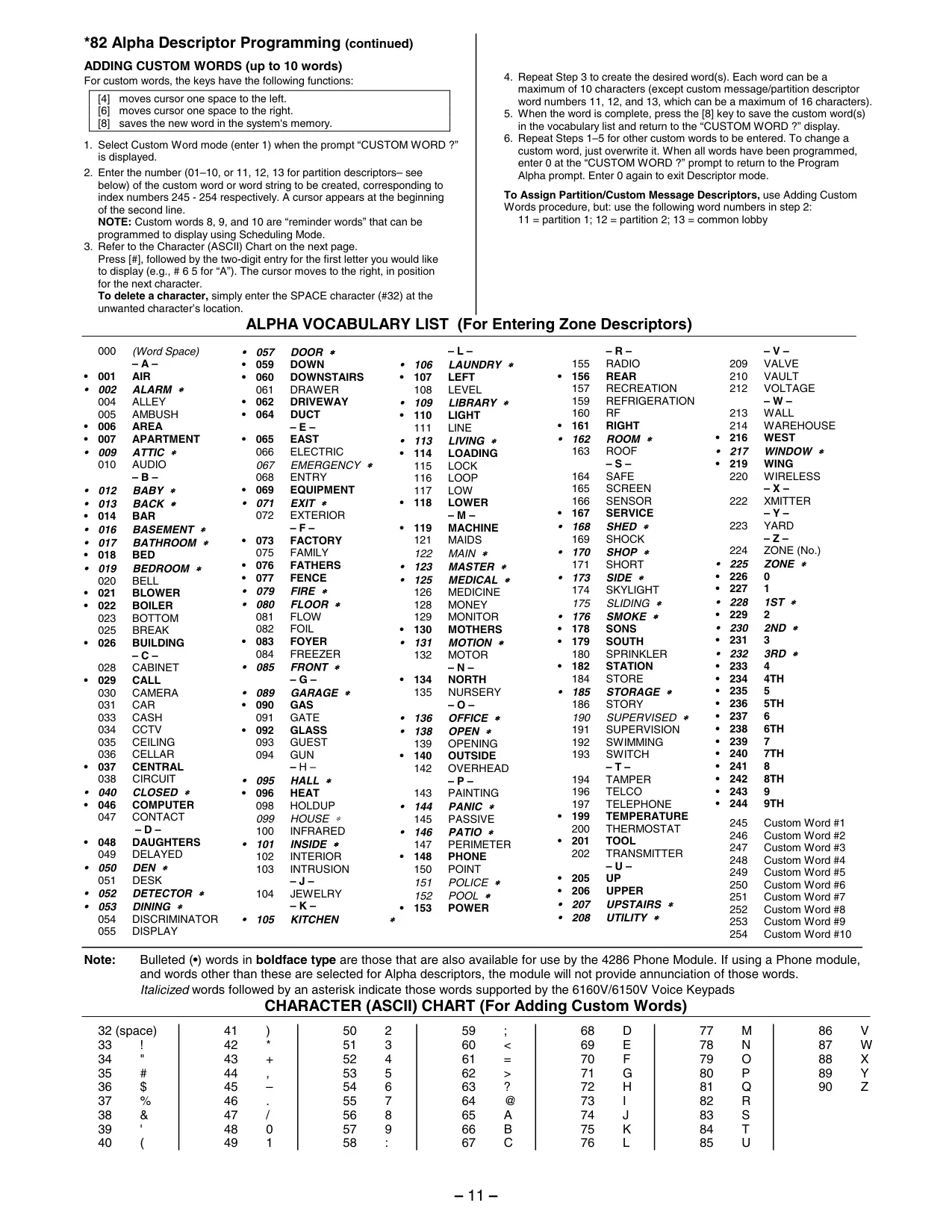
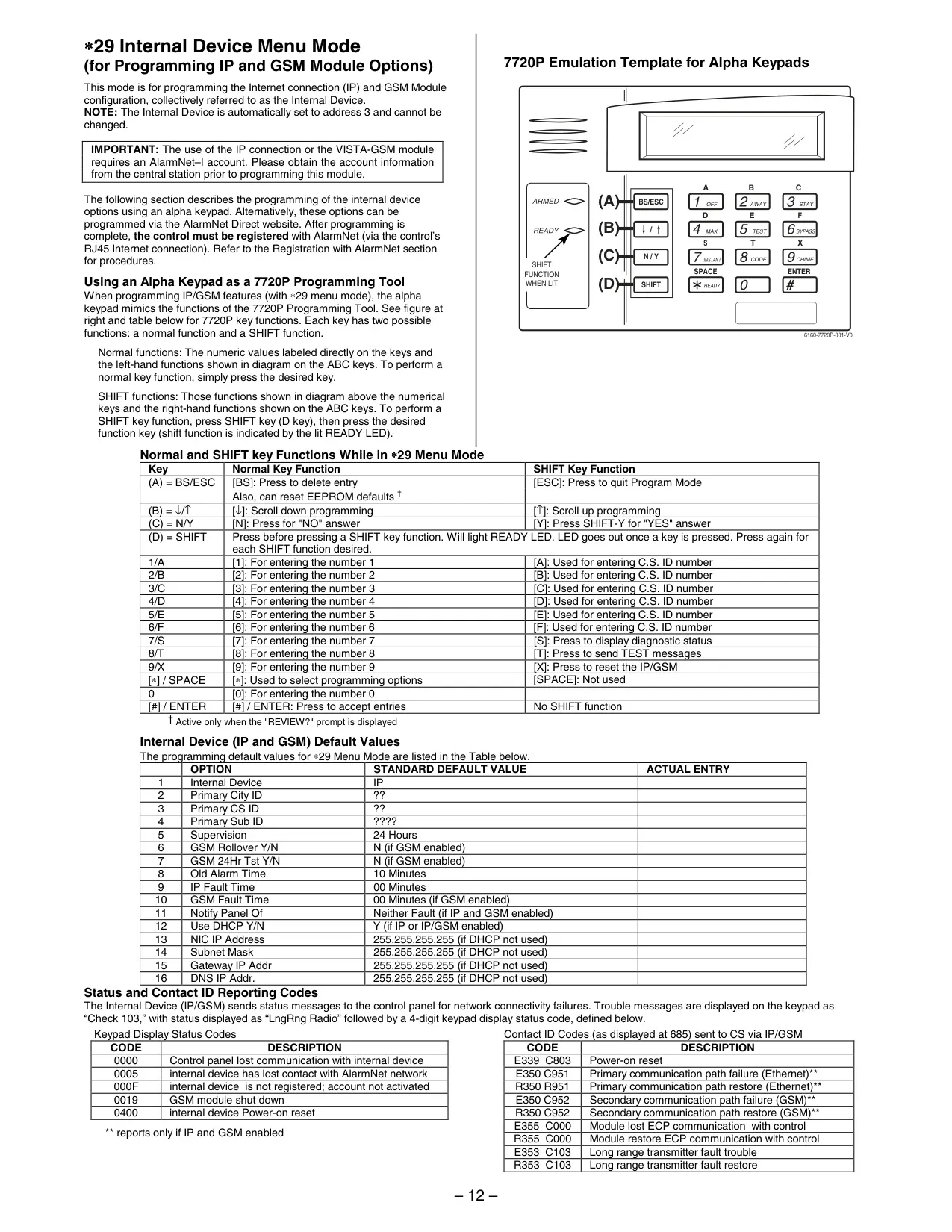
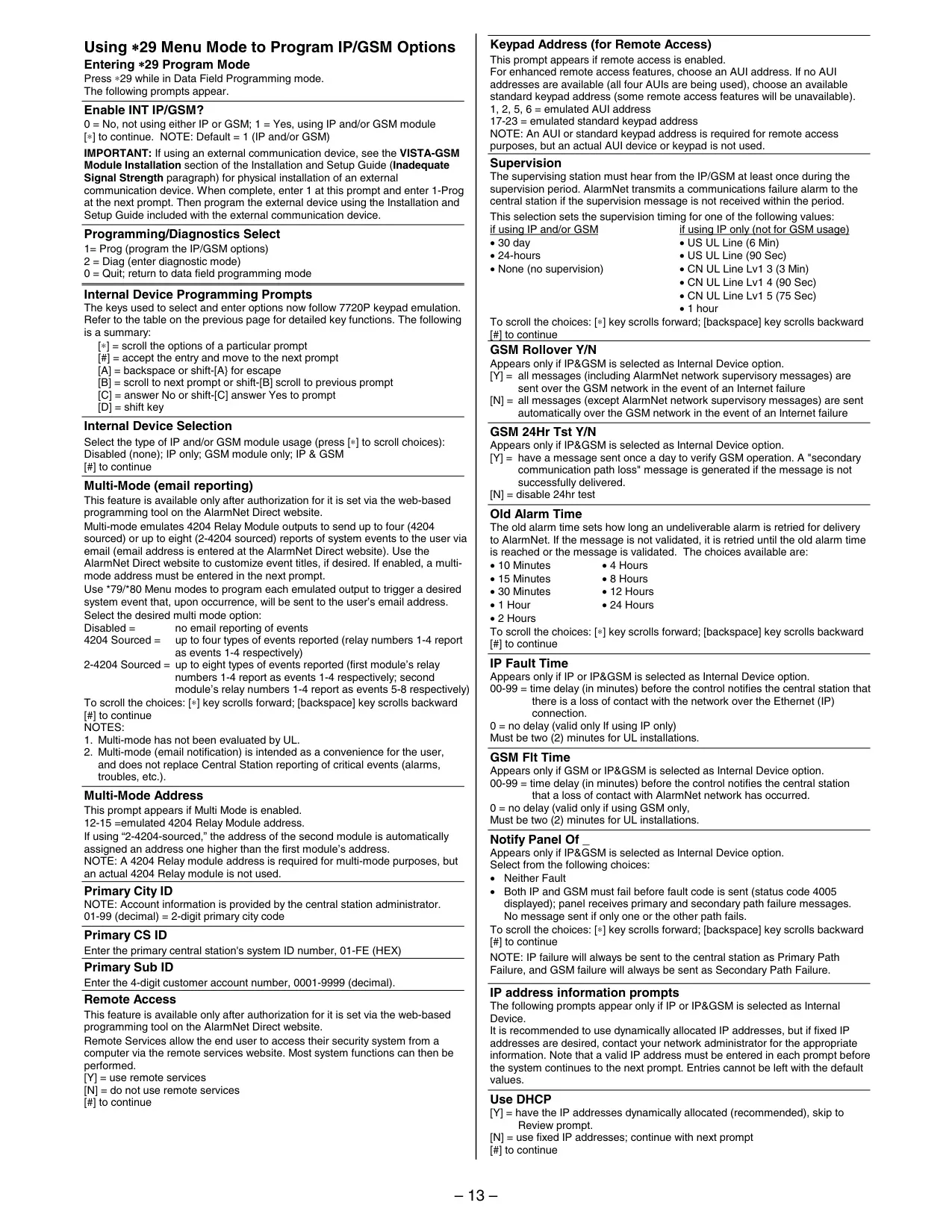
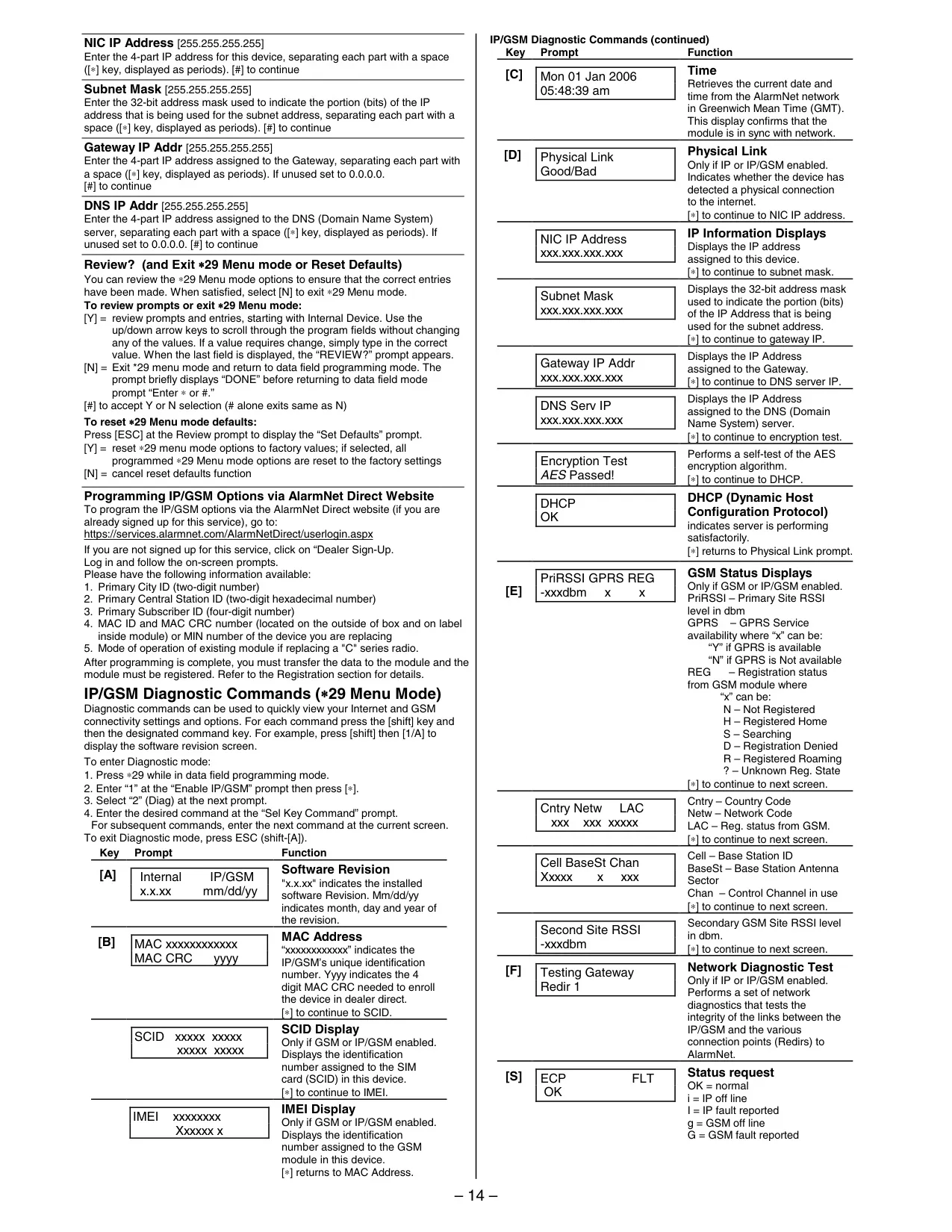
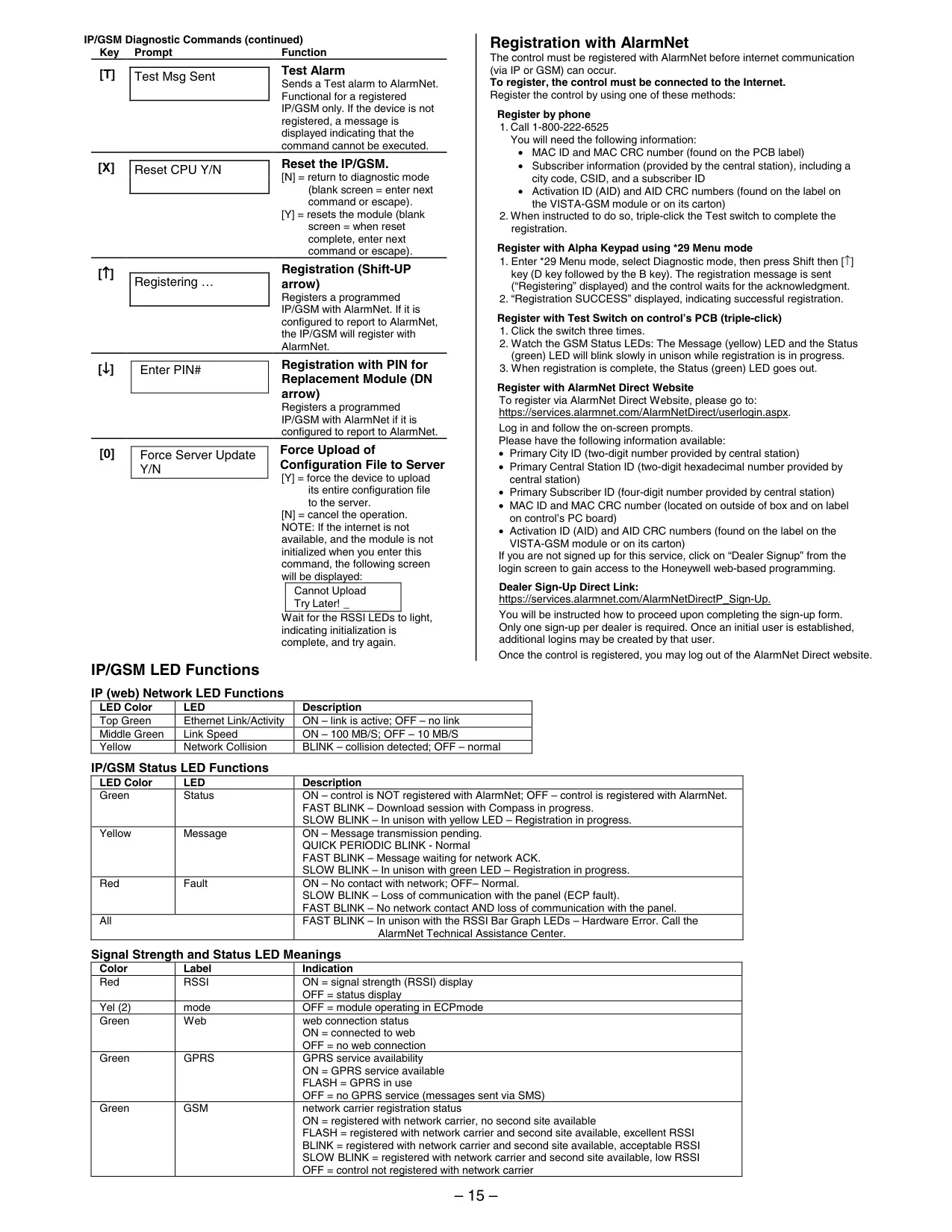
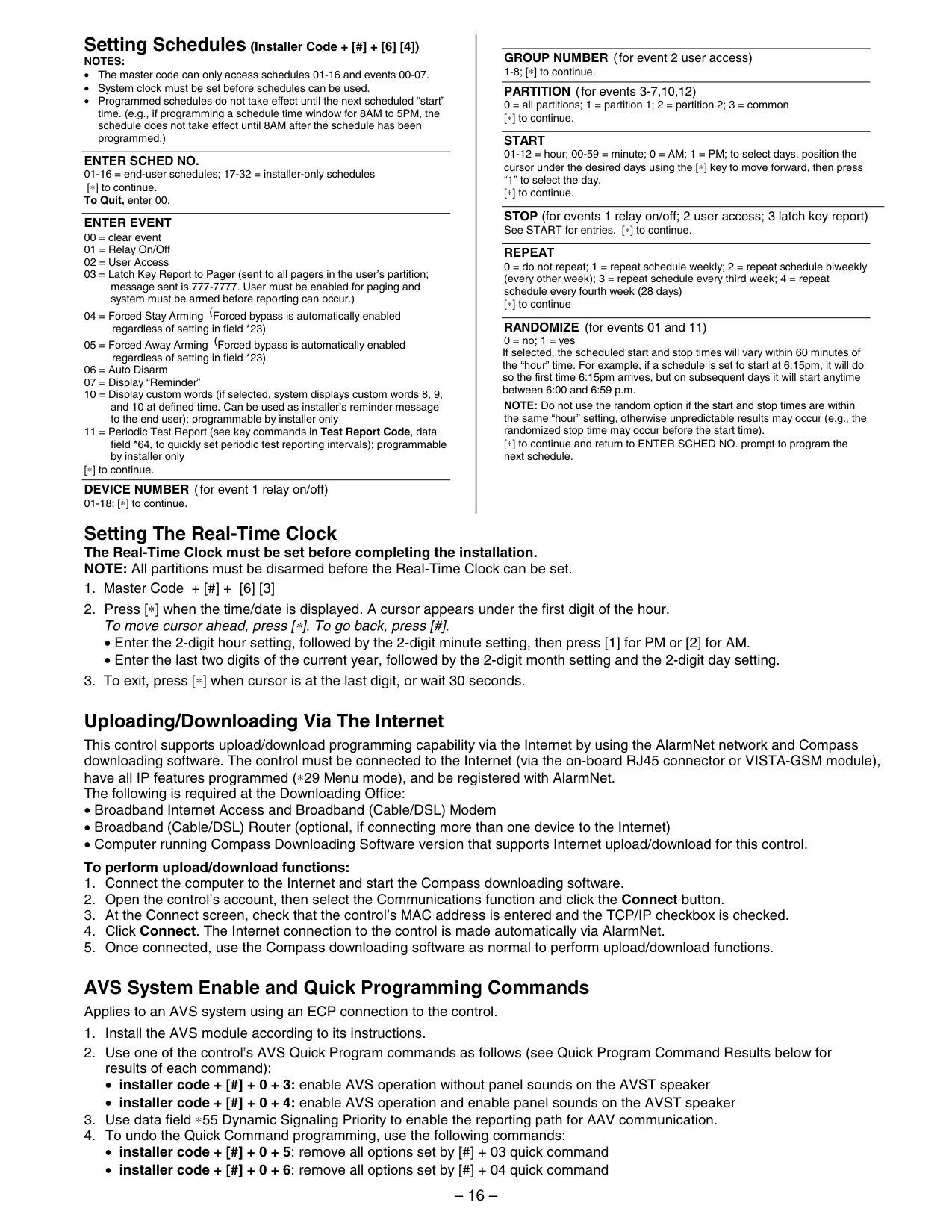
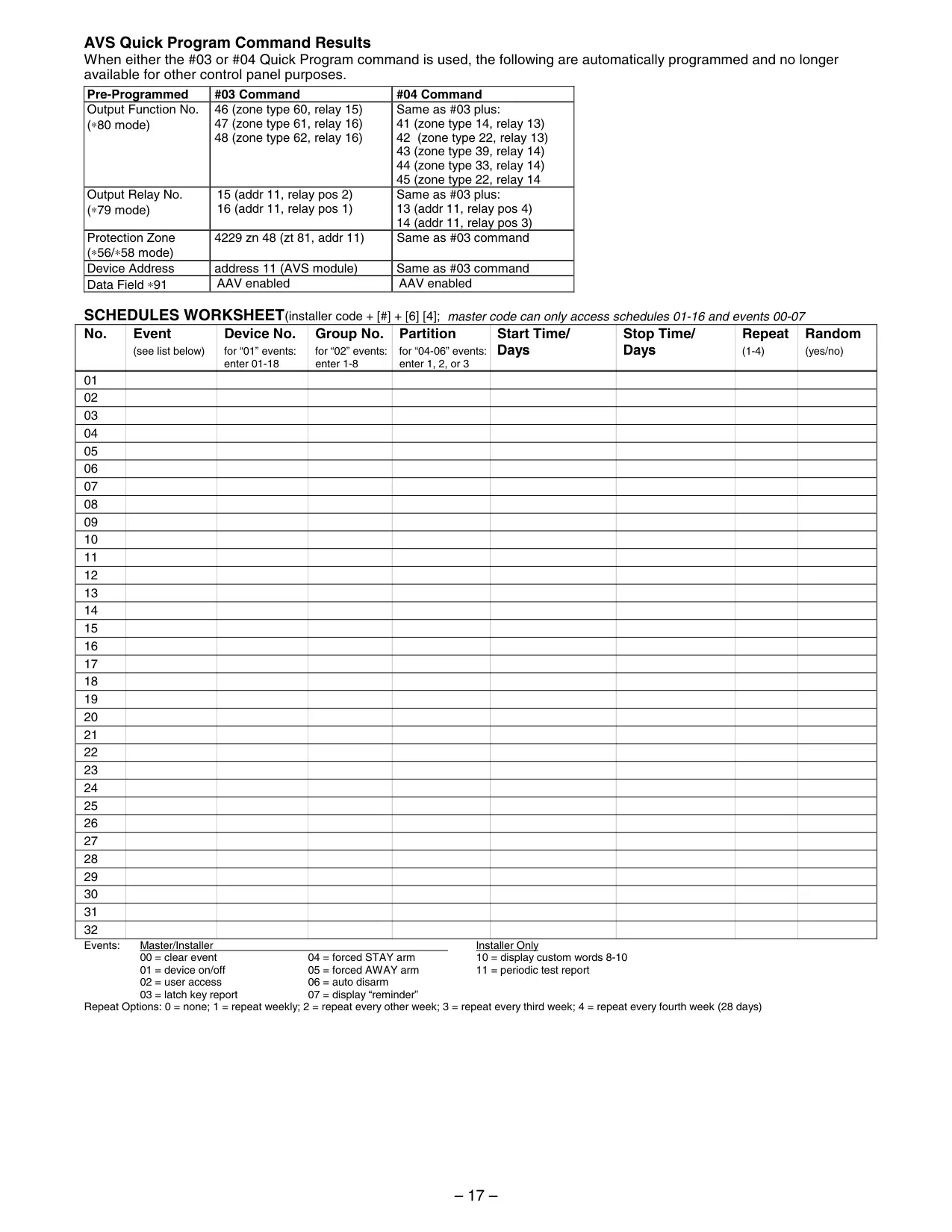
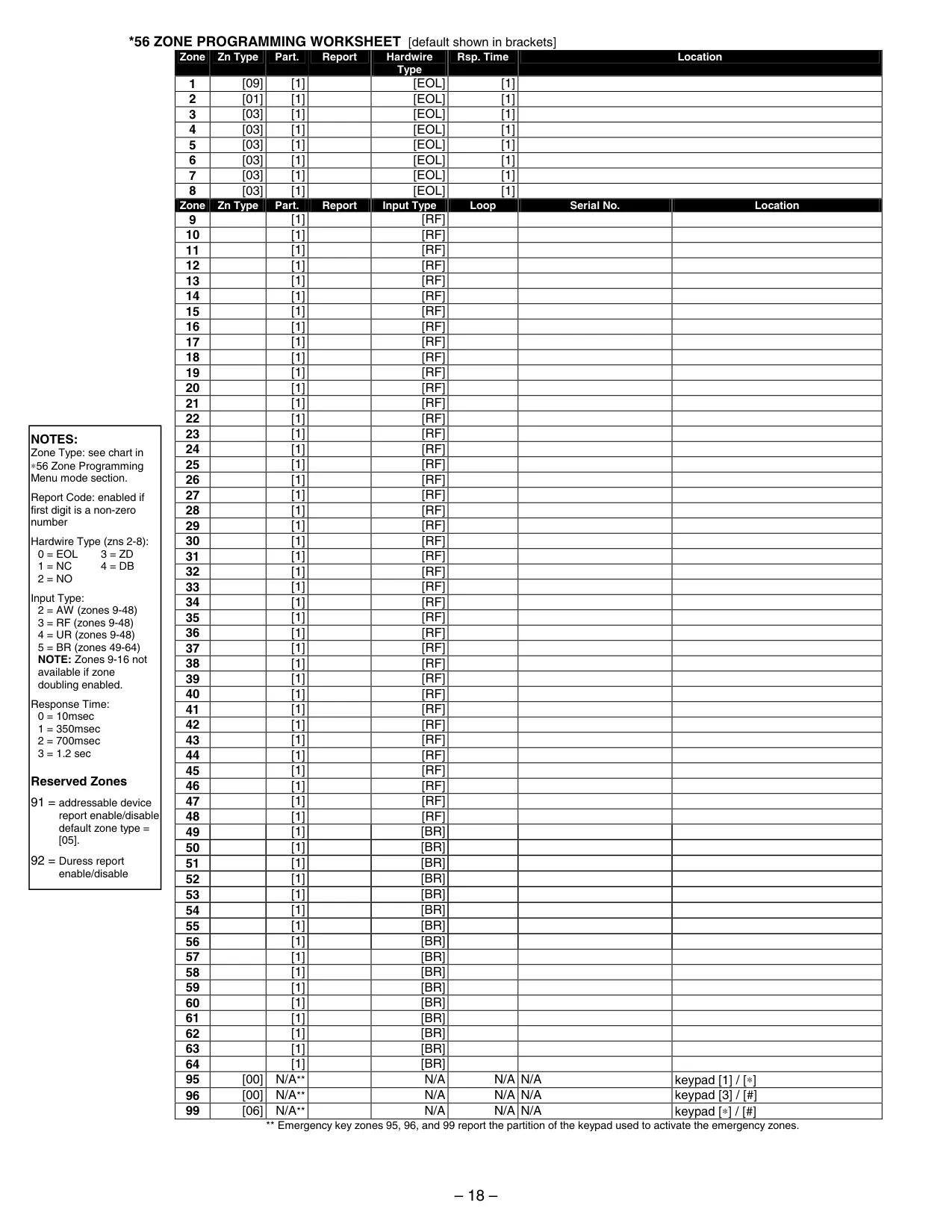
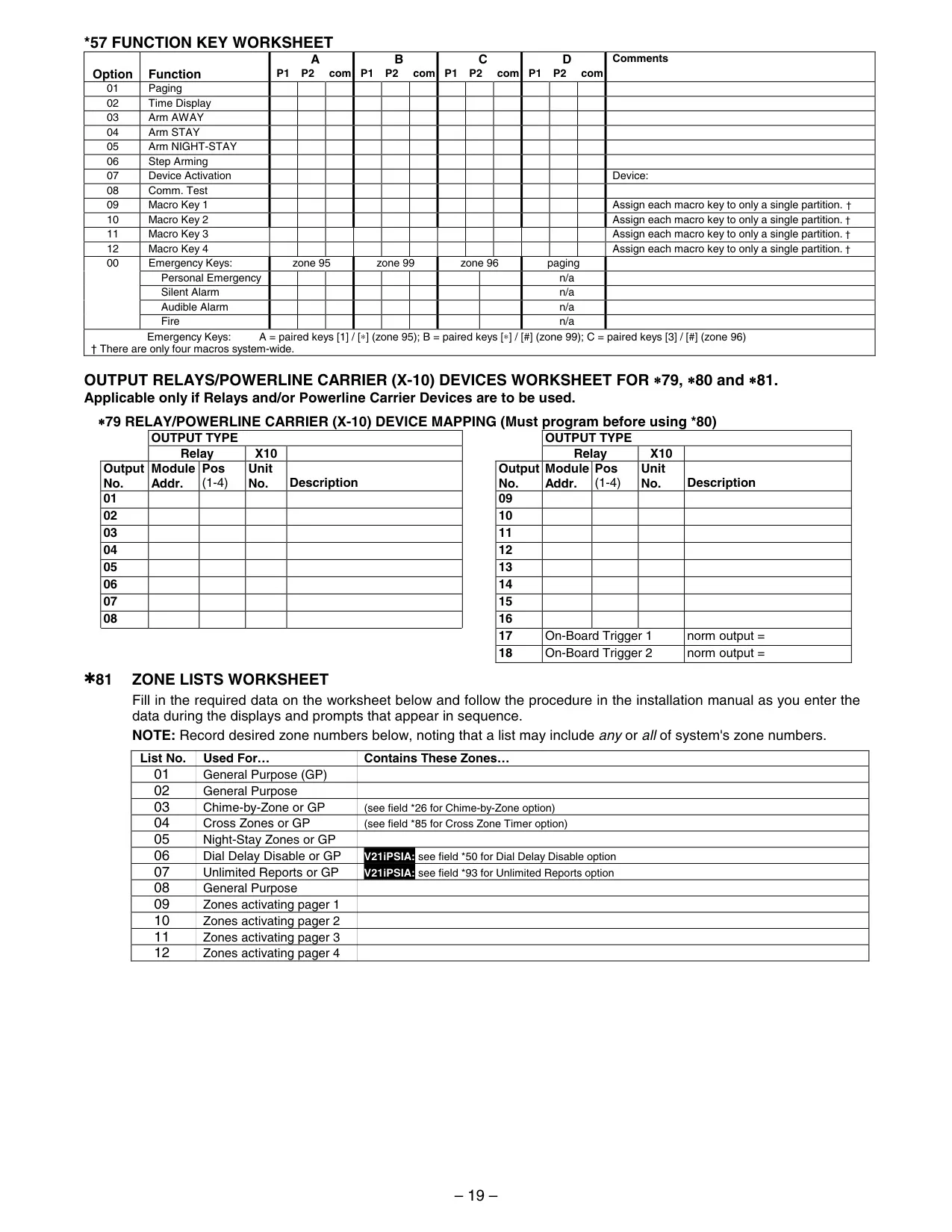
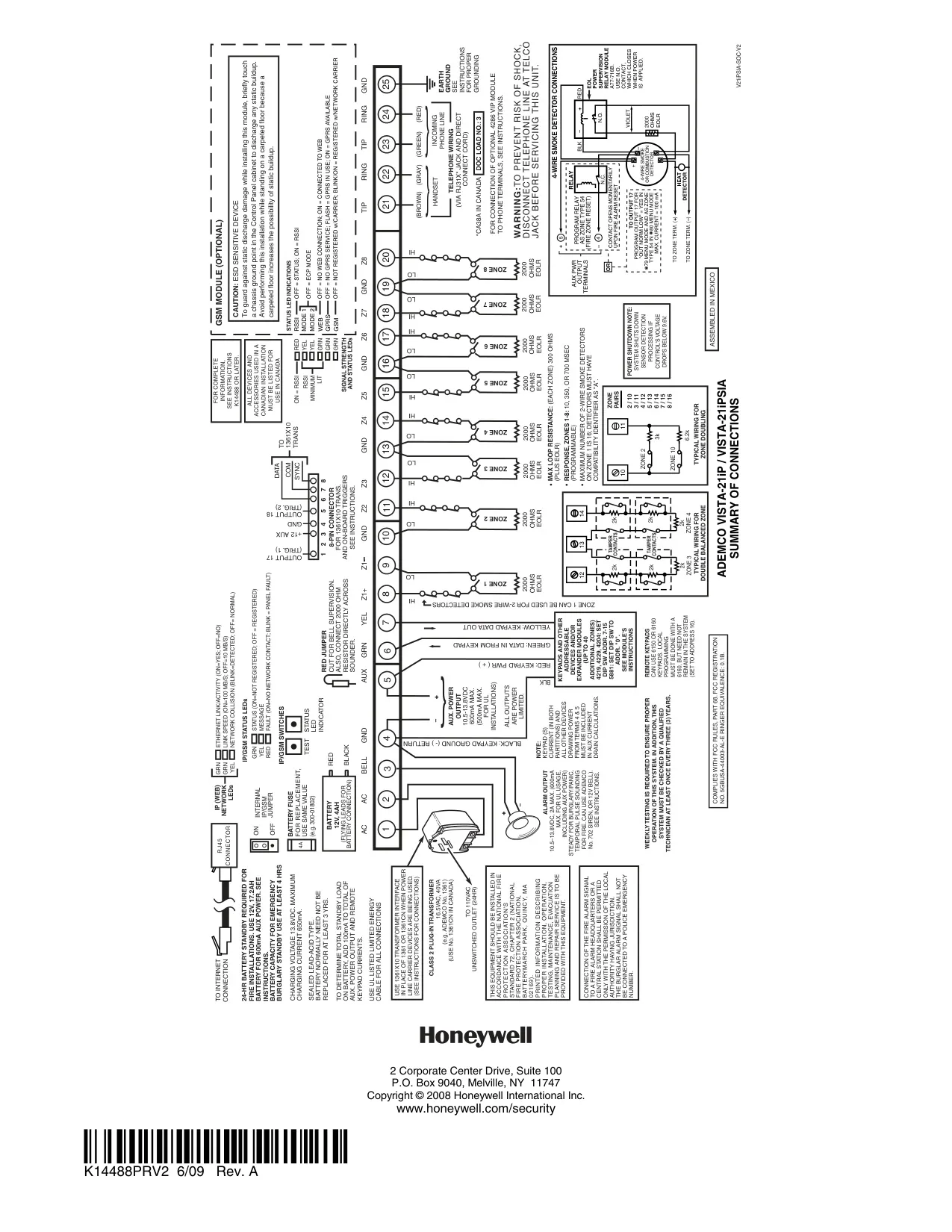
Honeywell Vista 21IP Security System
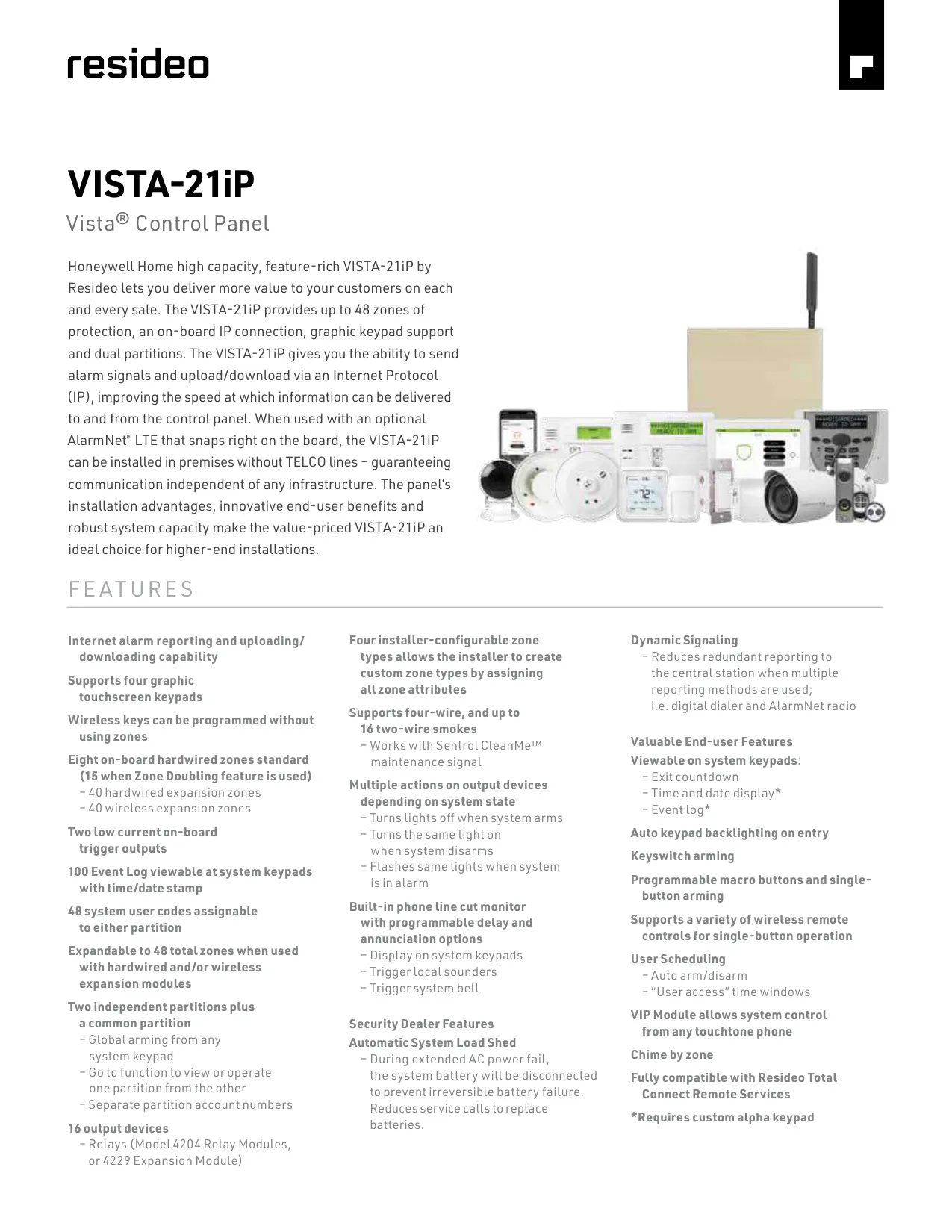
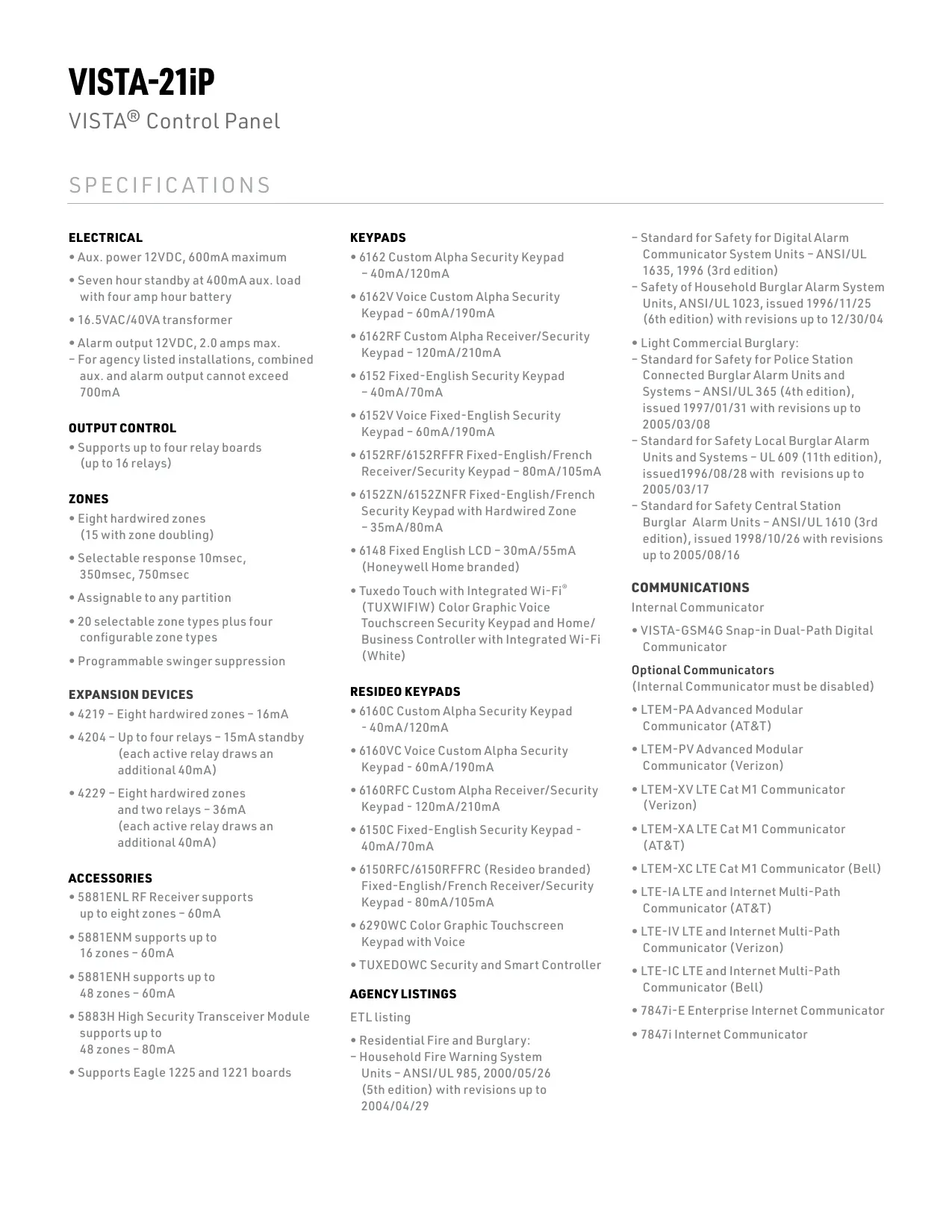
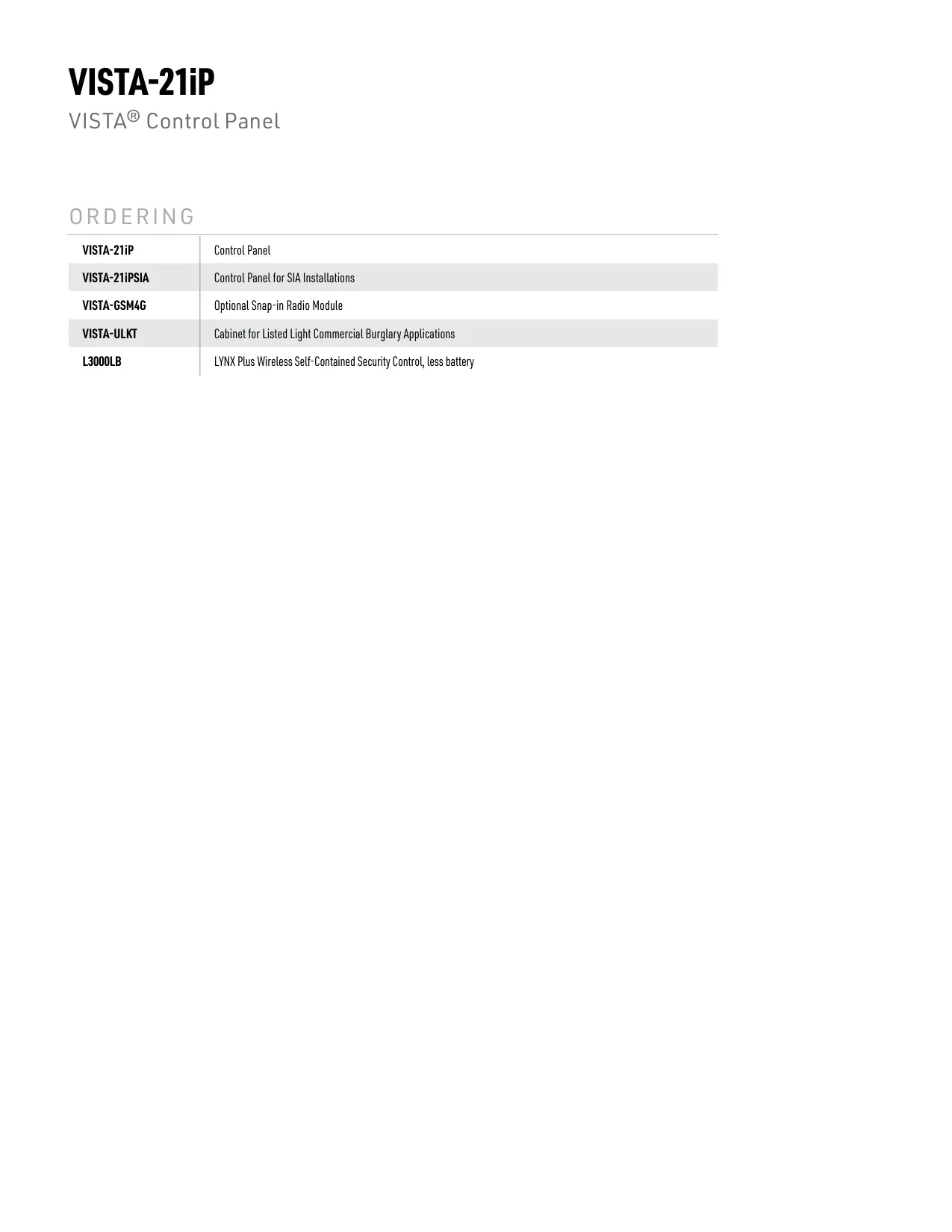

Honeywell Vista 21IP Instructions
Here we offer the Honeywell Vista 21IP Security System manual completely free and in English. We have cataloged this manual in the Security Systems section on Manualverse, and it has been rated by 1 users with an average rating of 5. If you have any specific questions about Honeywell Vista 21IP Security System, we suggest checking the Frequently Asked Questions (FAQs) section of this manual.
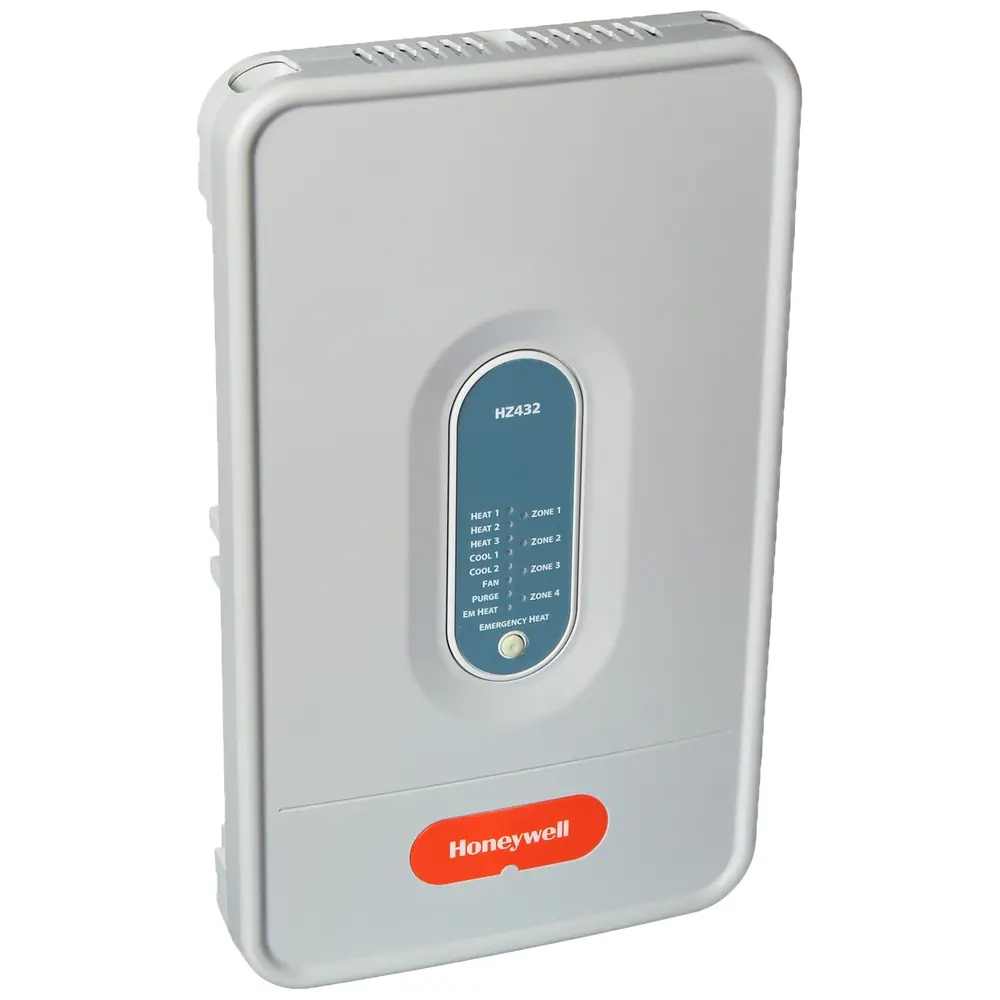
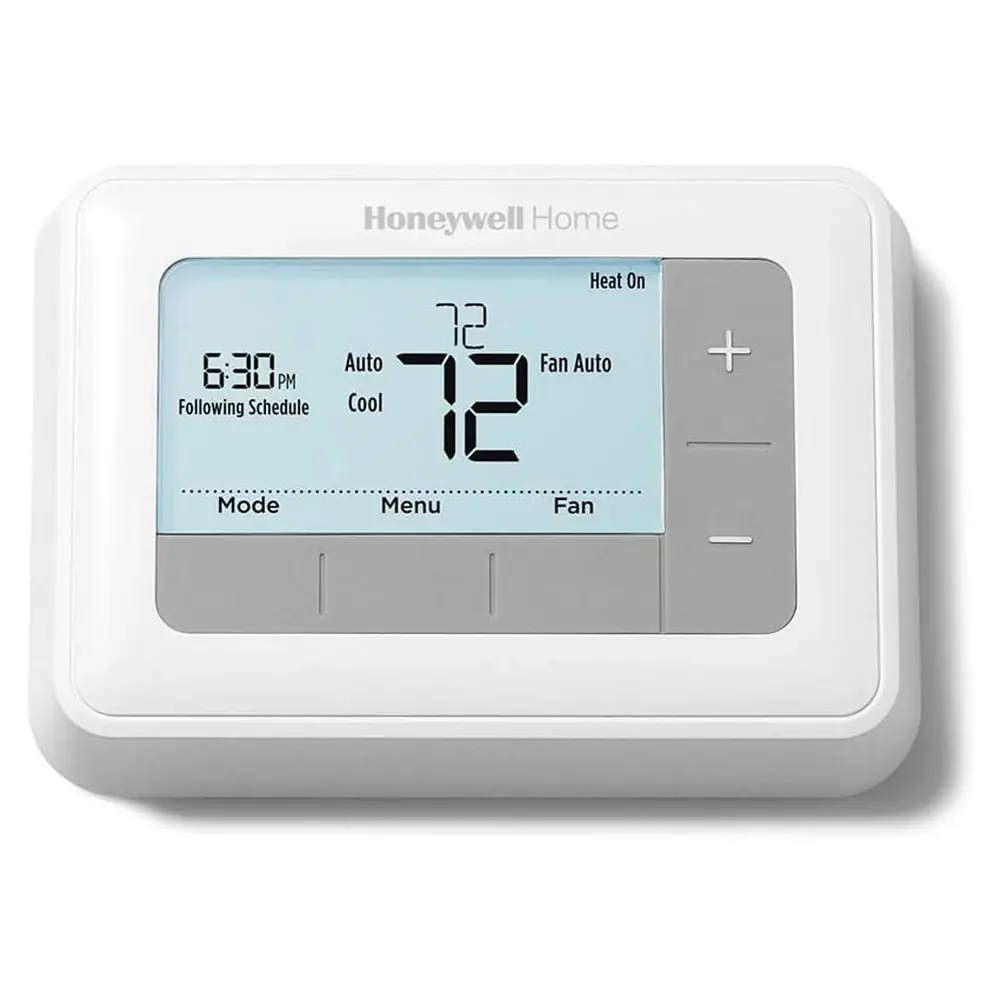
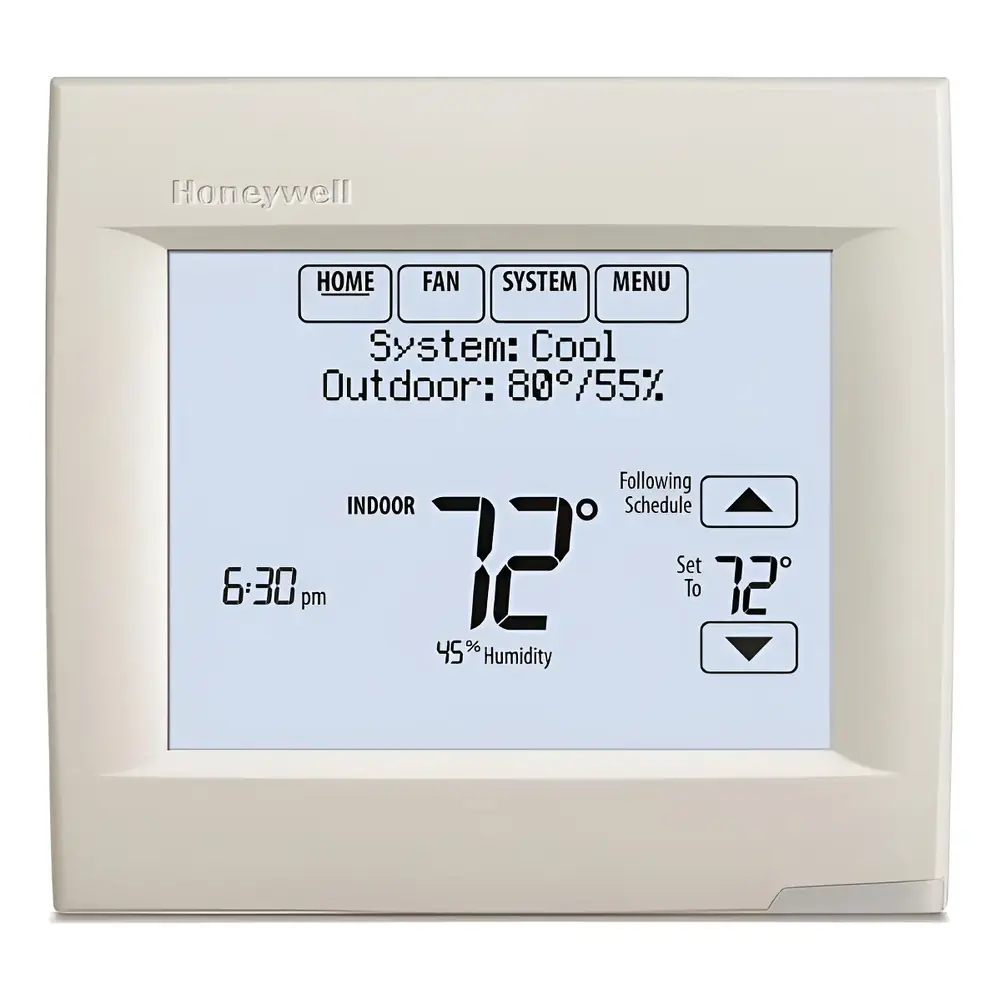
Product Images
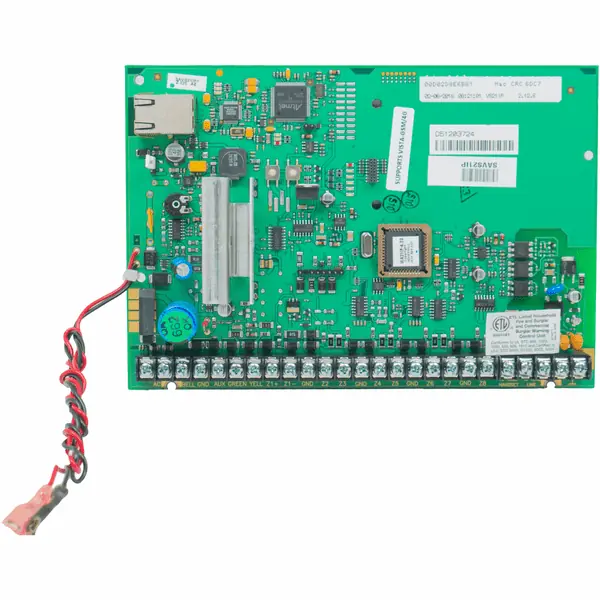
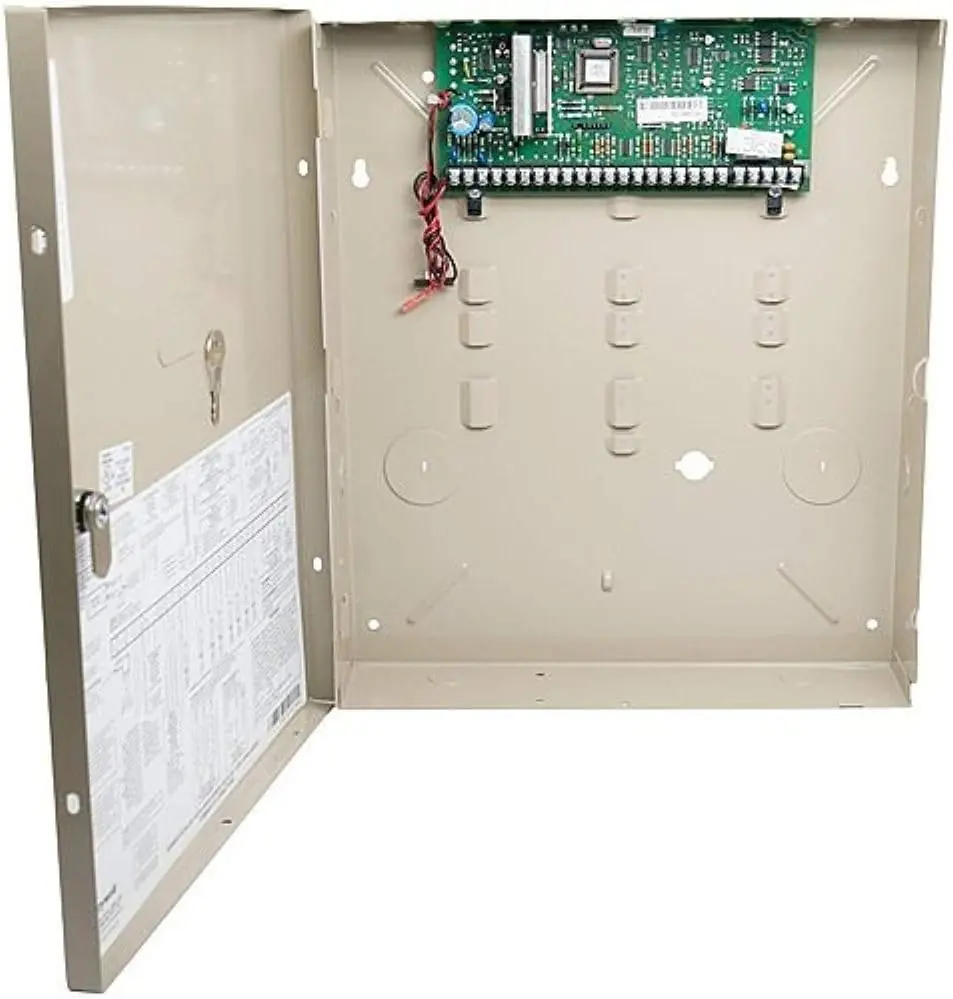
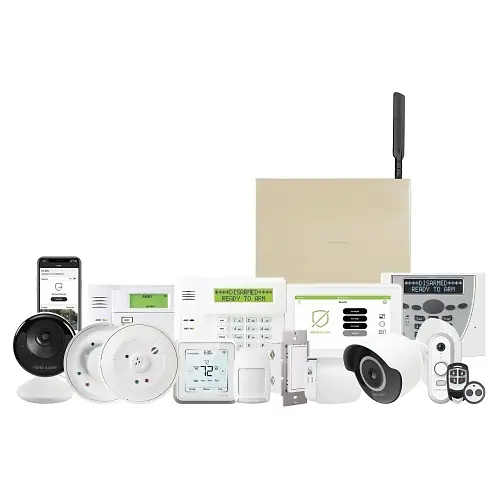
Honeywell Vista 21IP Security System Specifications
| Feature | Specification |
|---|---|
| Model Series | Honeywell ADEMCO VISTA-21iP / VISTA-21iPSIA |
| Protection Types | Burglary, Fire, Emergency |
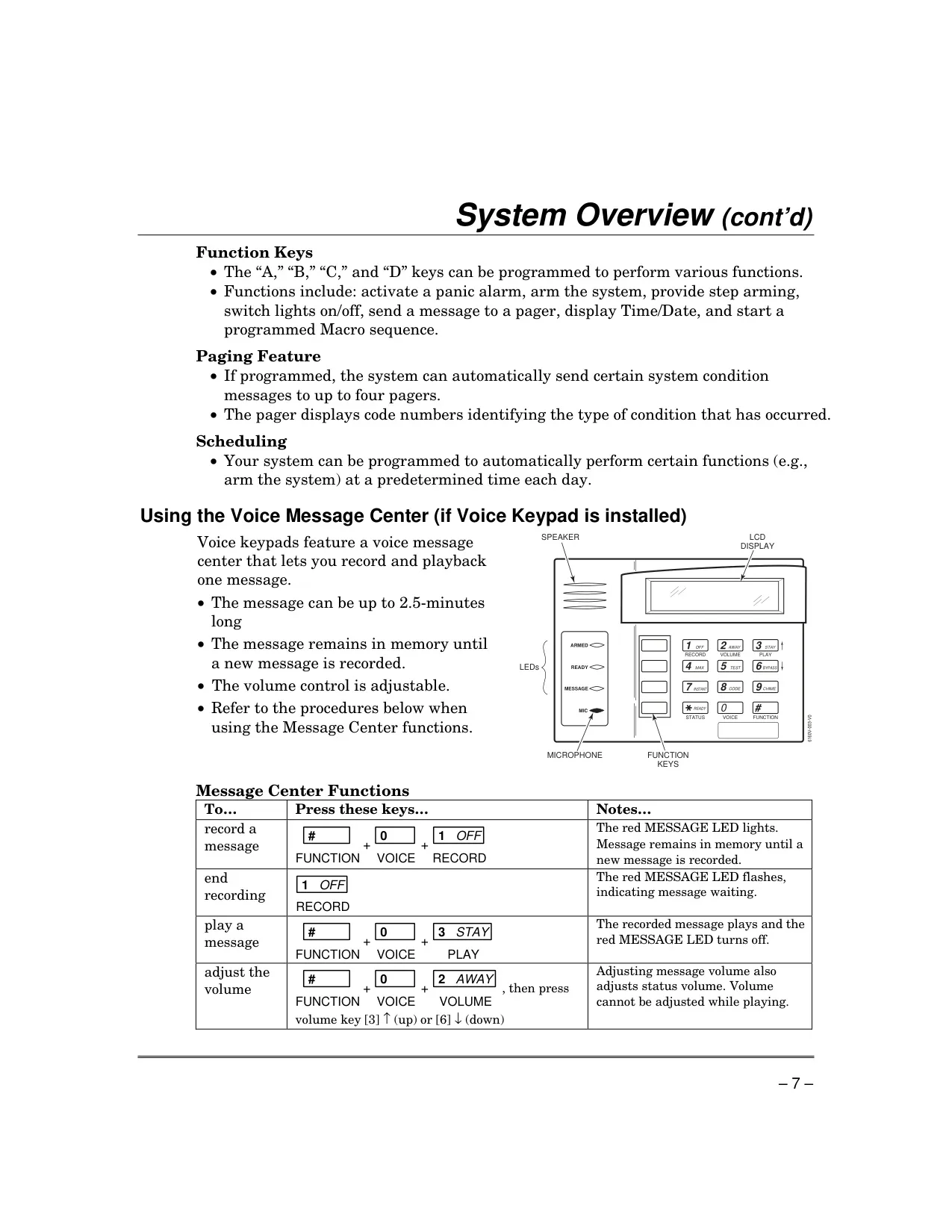
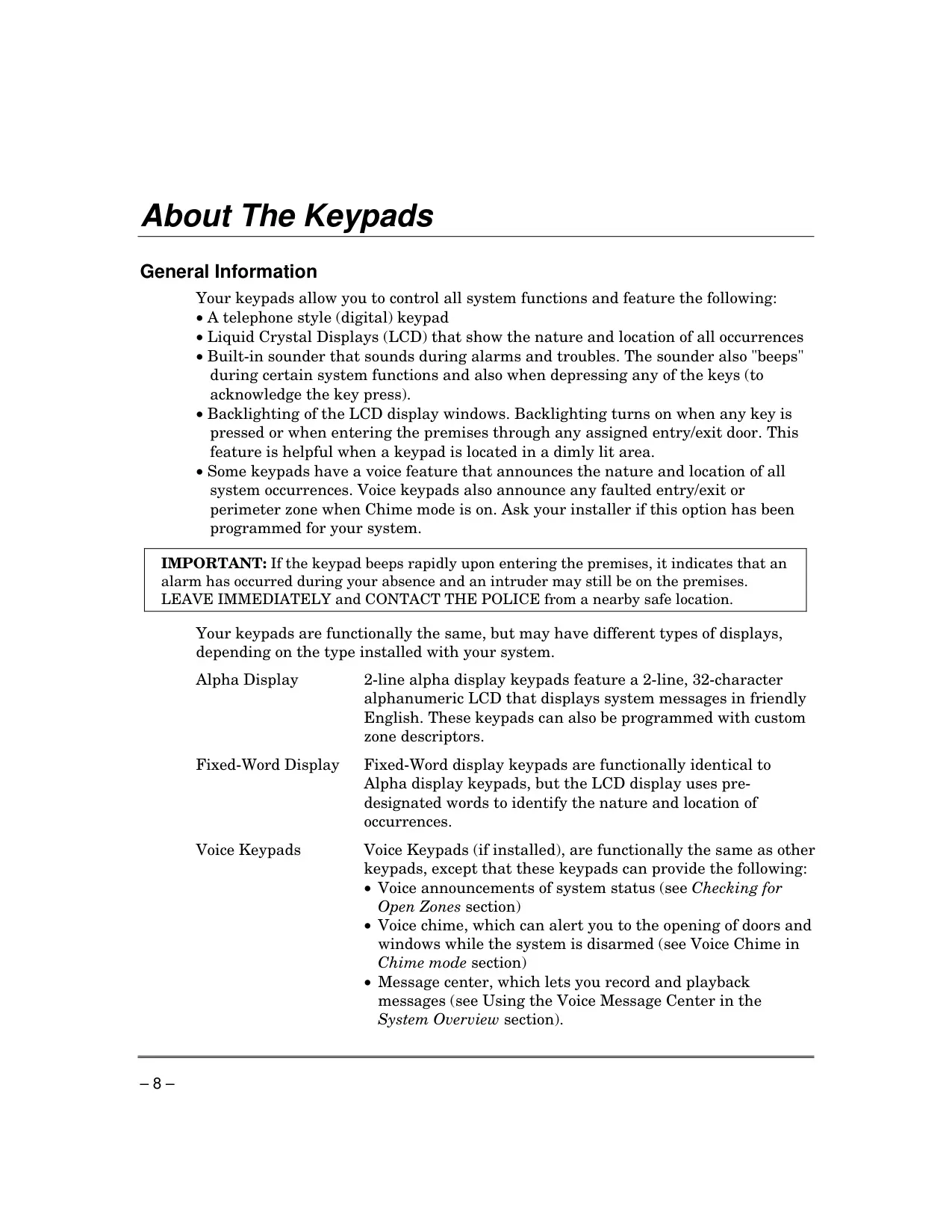
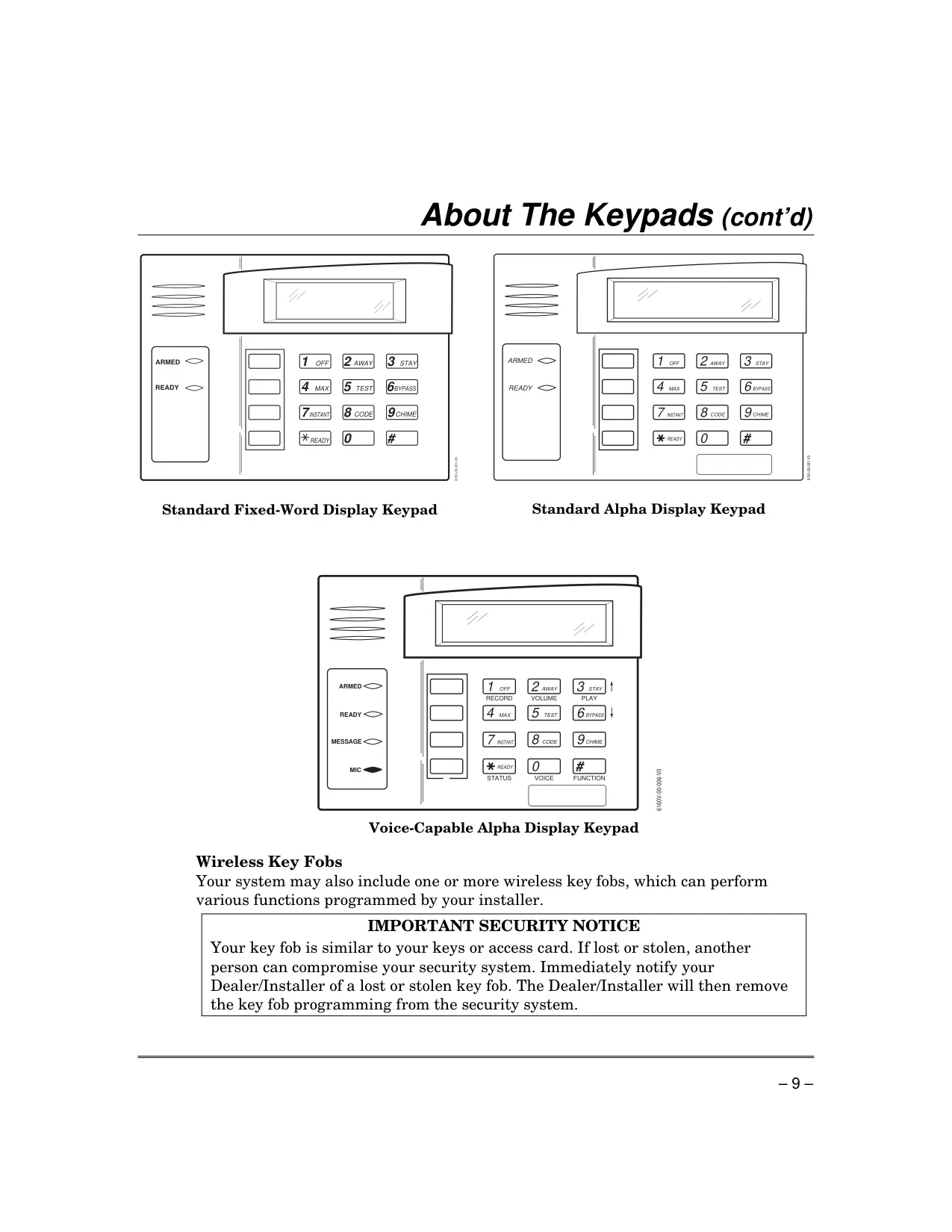
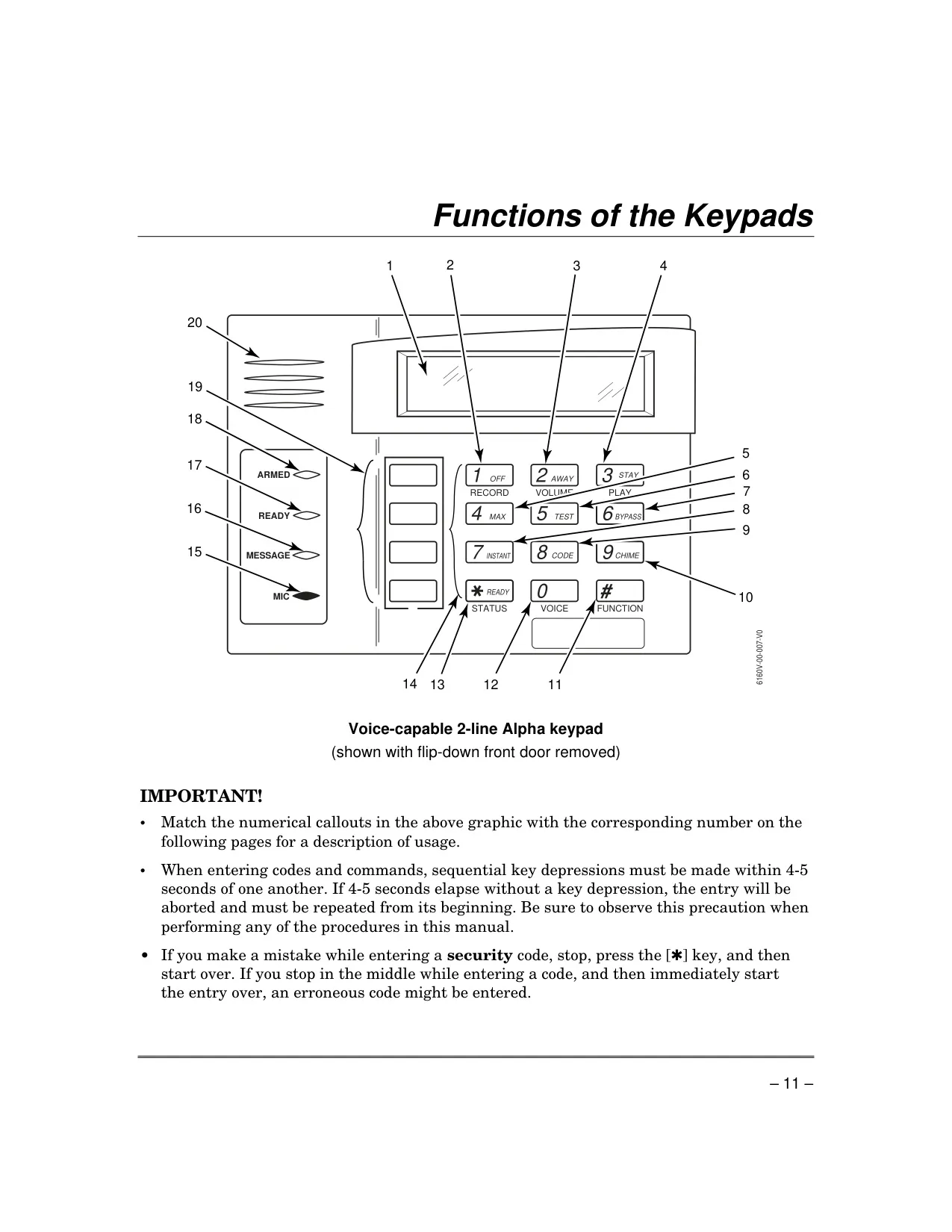
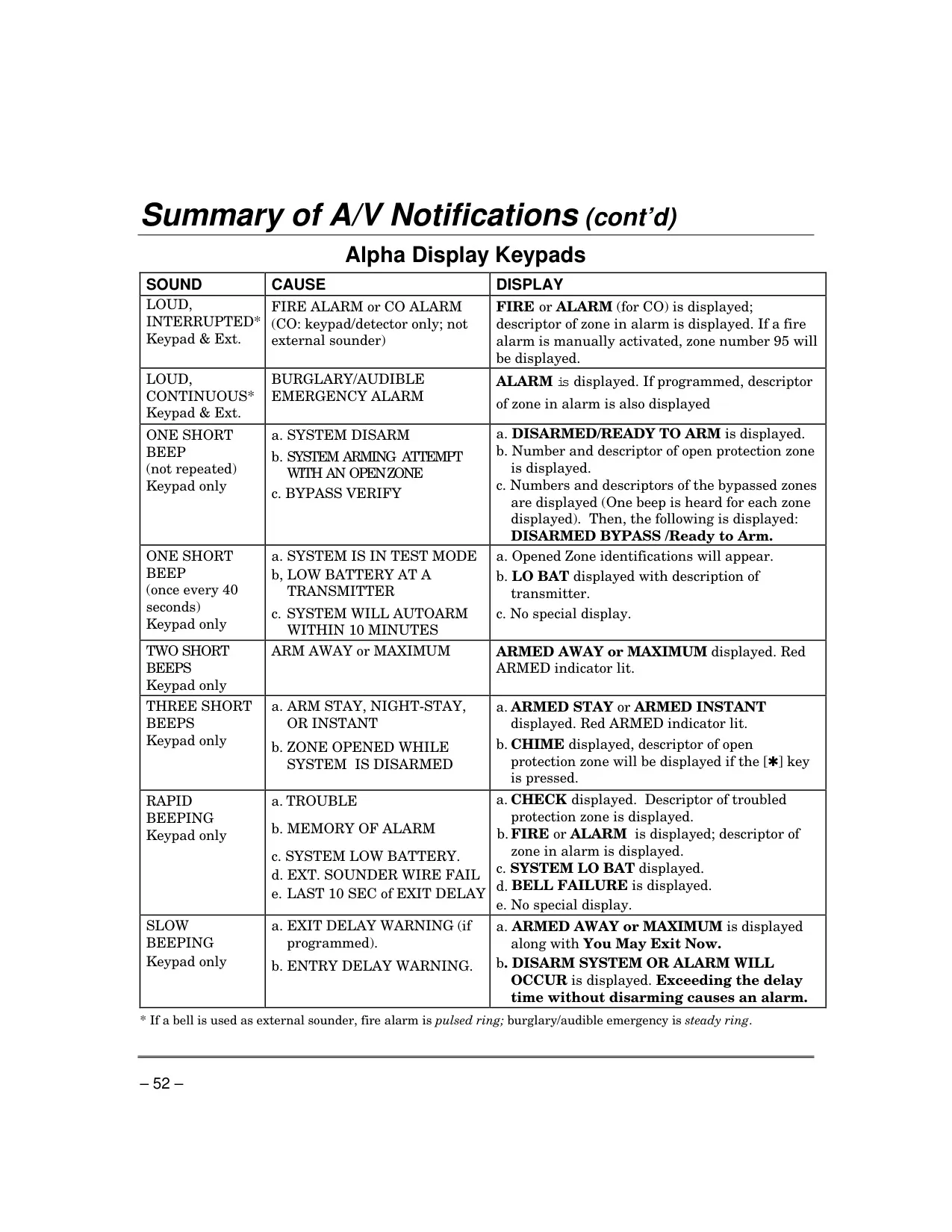
| Keypad Display Types | Fixed-Word, Alpha Display (2-line, 32-character alphanumeric LCD), Voice Keypads |
| Voice Message Center (Voice Keypads) | Up to 2.5 minutes recording length |
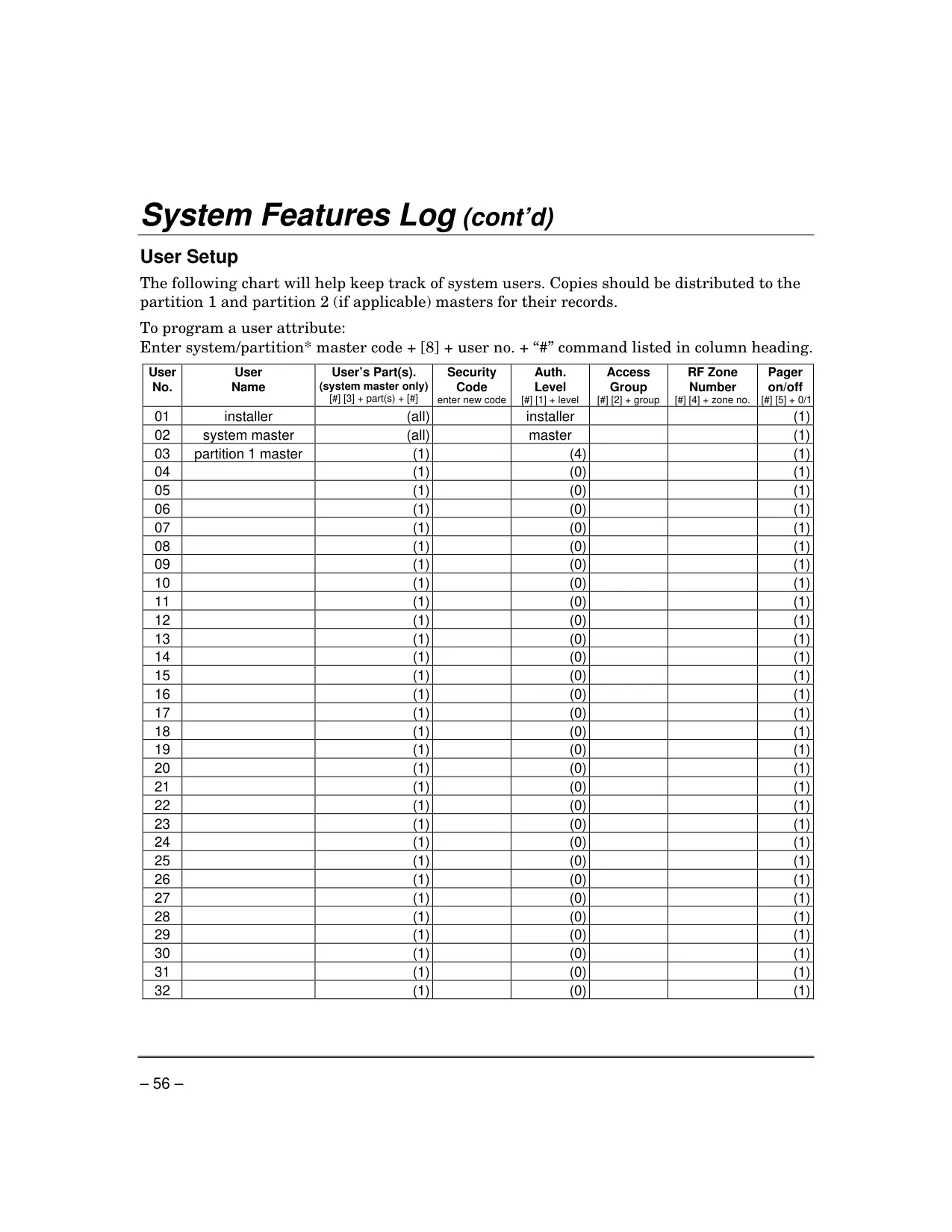
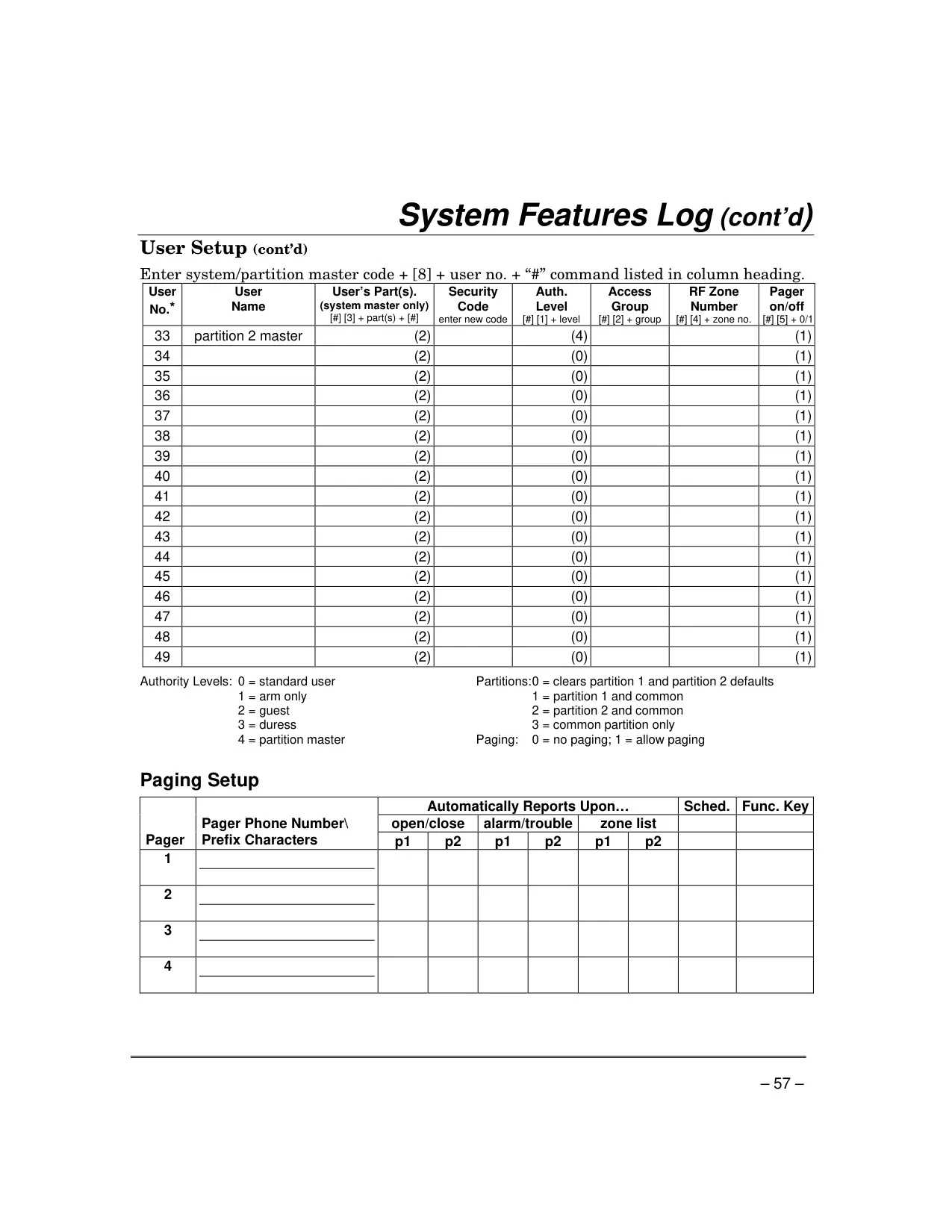
| Maximum User Codes | 1 Master Code + up to 47 User Codes (4-digit) |
| Partitions | 2 independent areas of protection + common zone option |
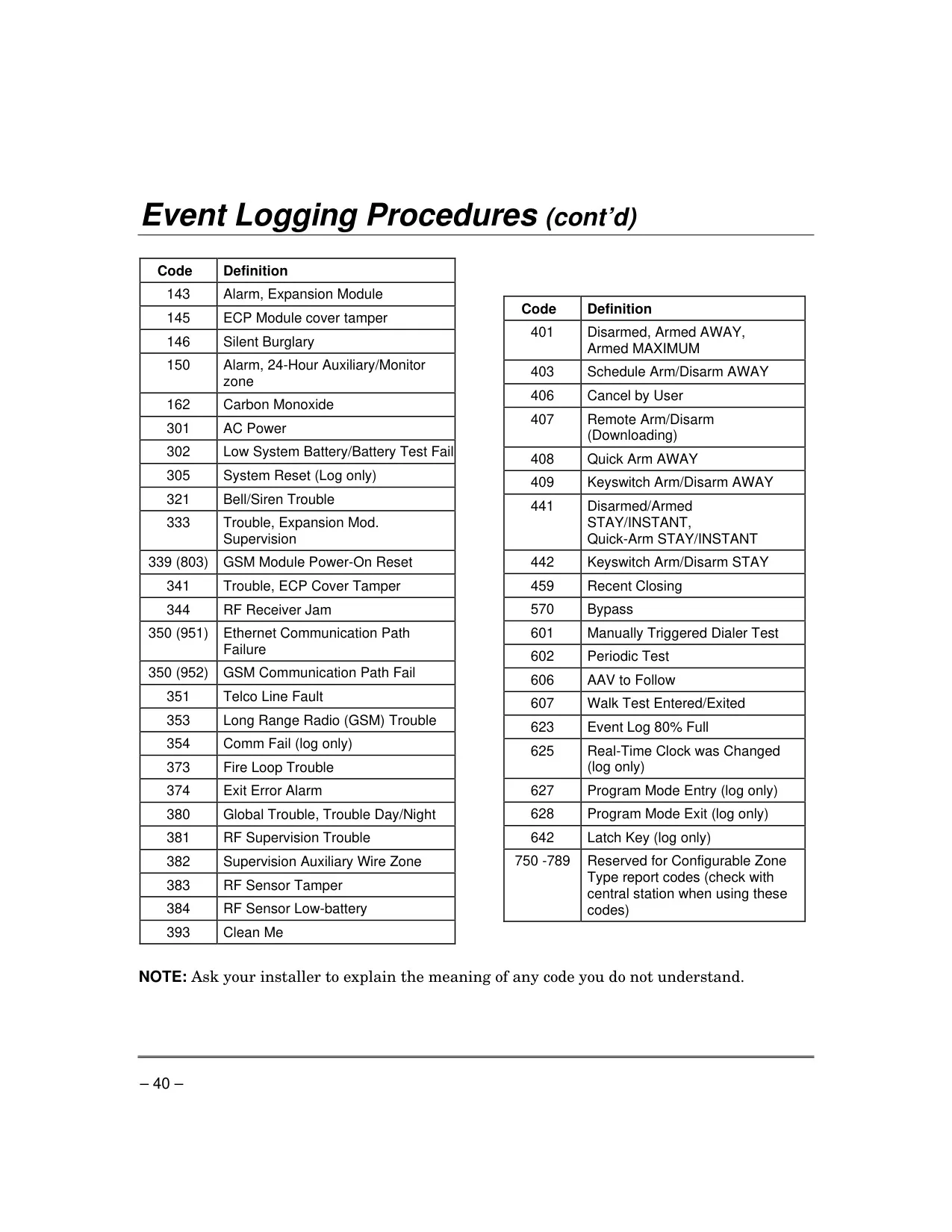
| Event Log Capacity | Up to 100 events (chronological order) |
| Automatic Paging Pagers | Up to 4 pagers for automatic system condition messages |
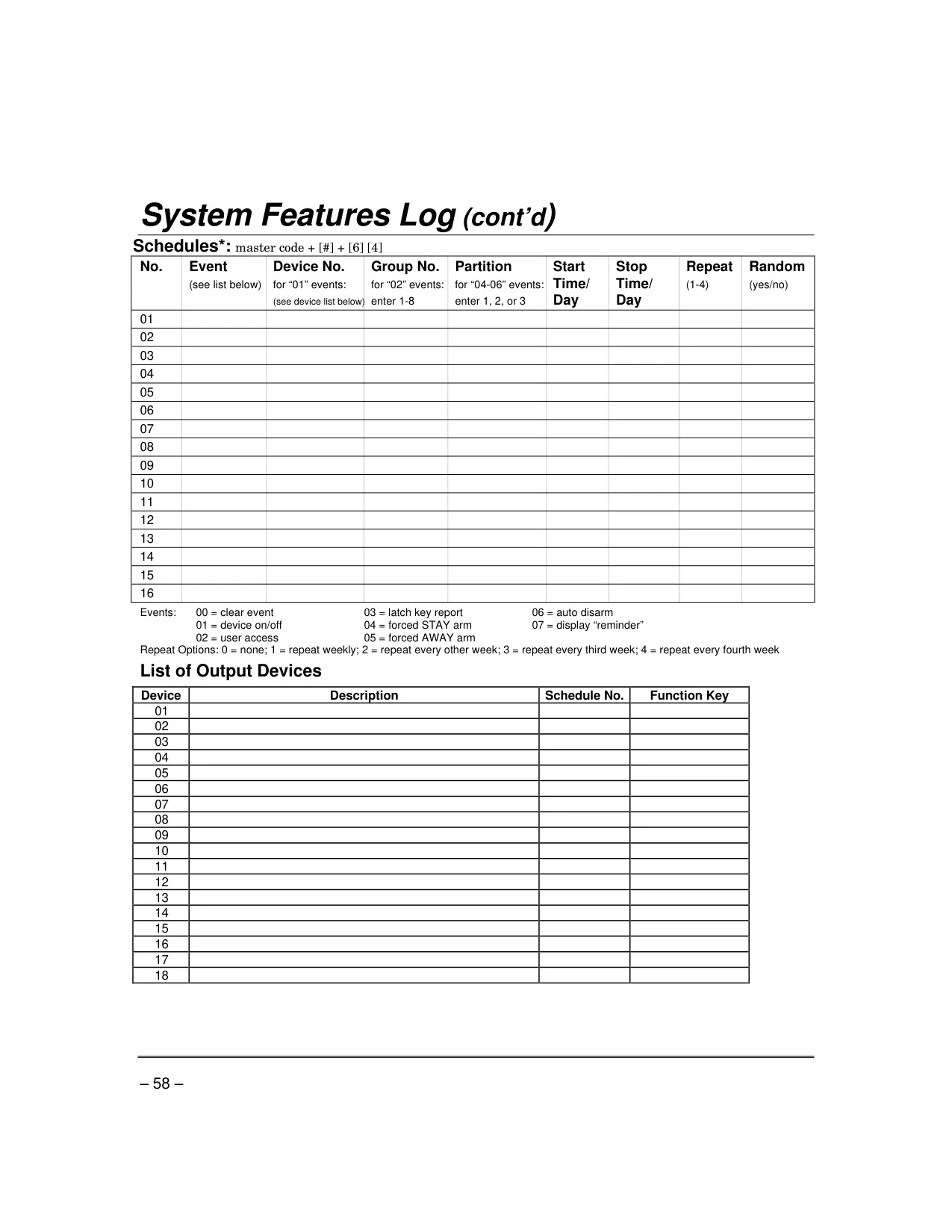
| End-User Schedules | Up to 16 programmable schedules (master/installer only) |
| Default Alarm Reporting Delay | 30 seconds (configurable to 0 or 45 seconds) |
| Wireless Motion Detector Delay | 3 minutes between activations (battery conservation) |
| Wireless Sensor Batteries | 9-volt or 3-volt (Alkaline: min. 1 year, typical 2-4 years; Lithium: up to 4+ years) |
| Recommended Testing Frequency | Weekly |
| Estimated Component Lifespan | Up to 10 years |
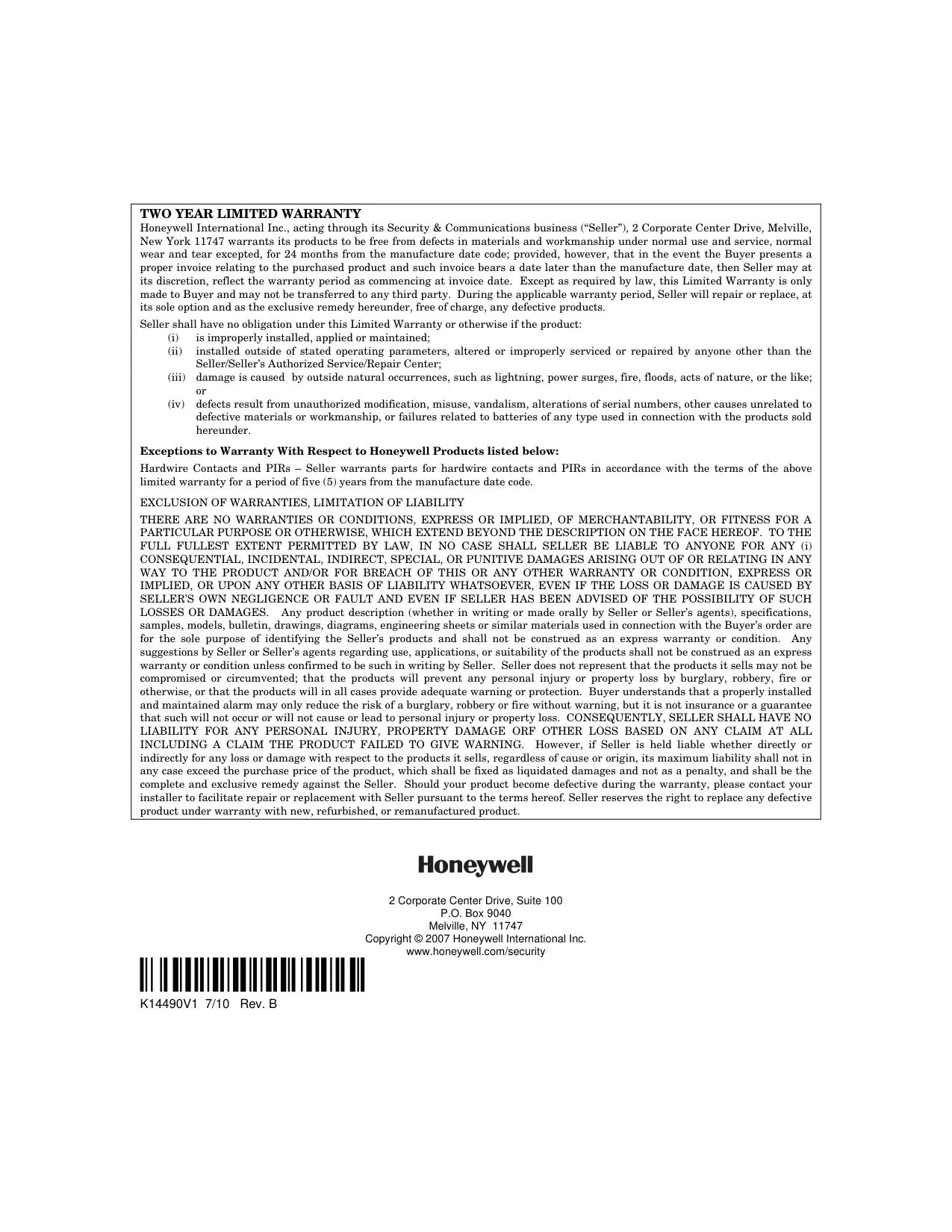
| Warranty | 24 months (main products), 5 years (hardwire contacts & PIRs) |
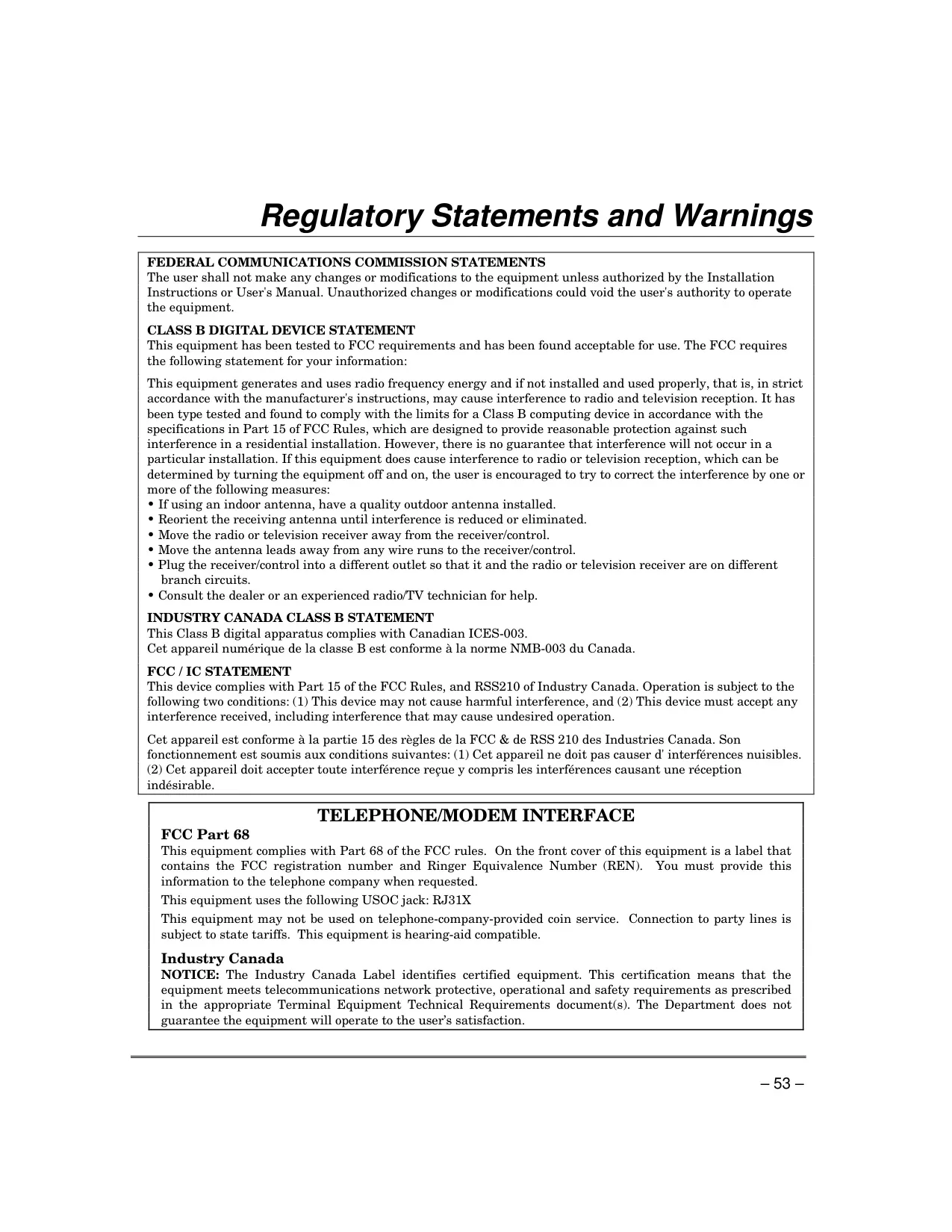
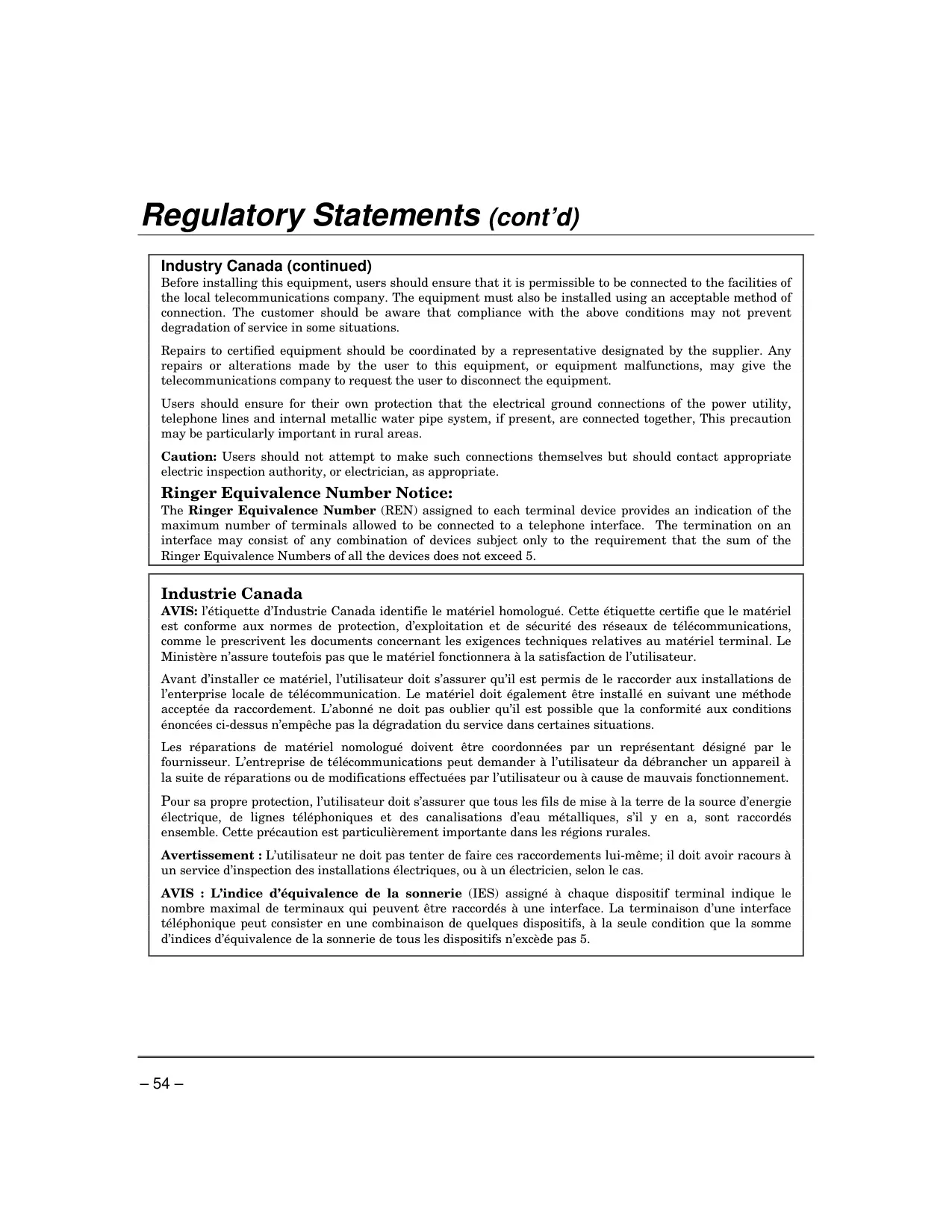
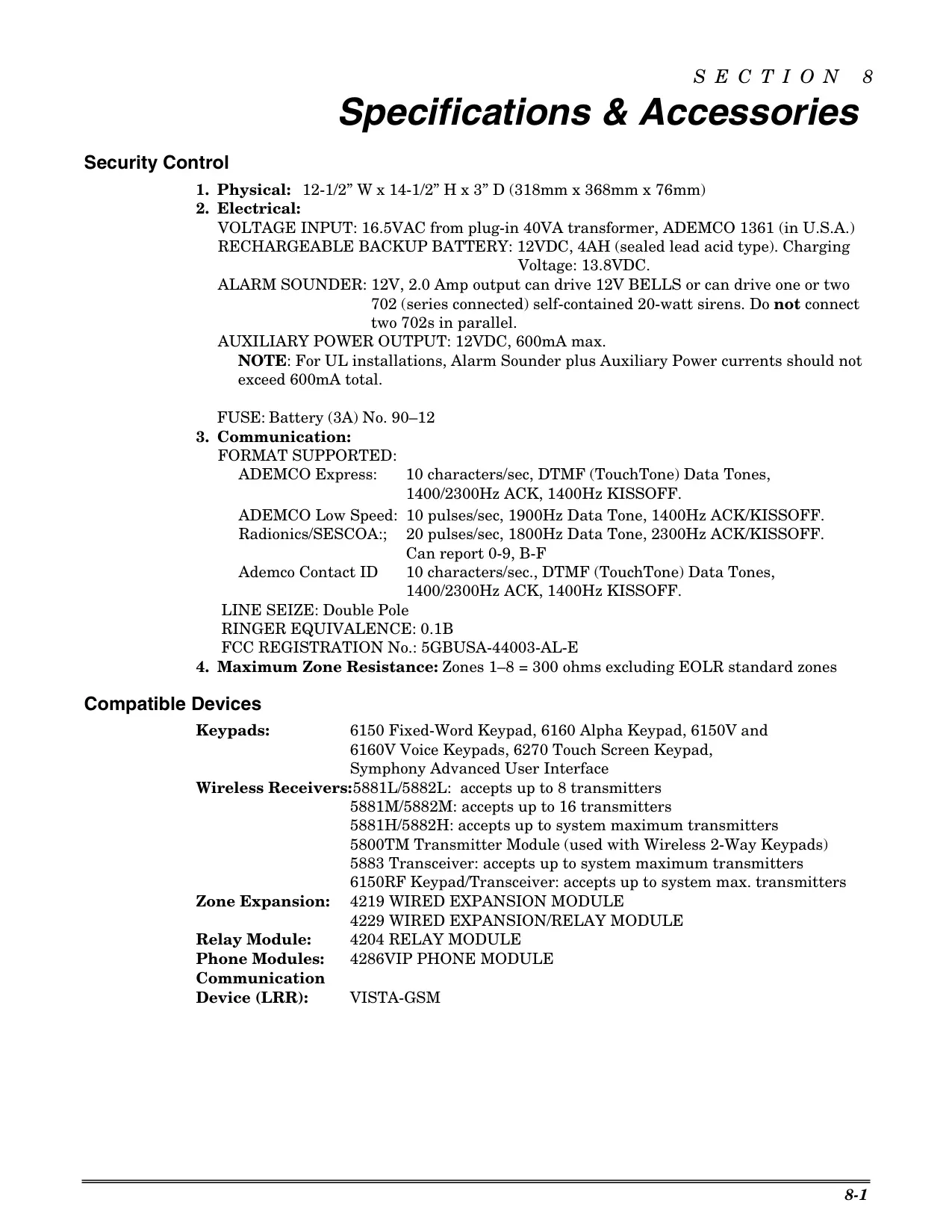
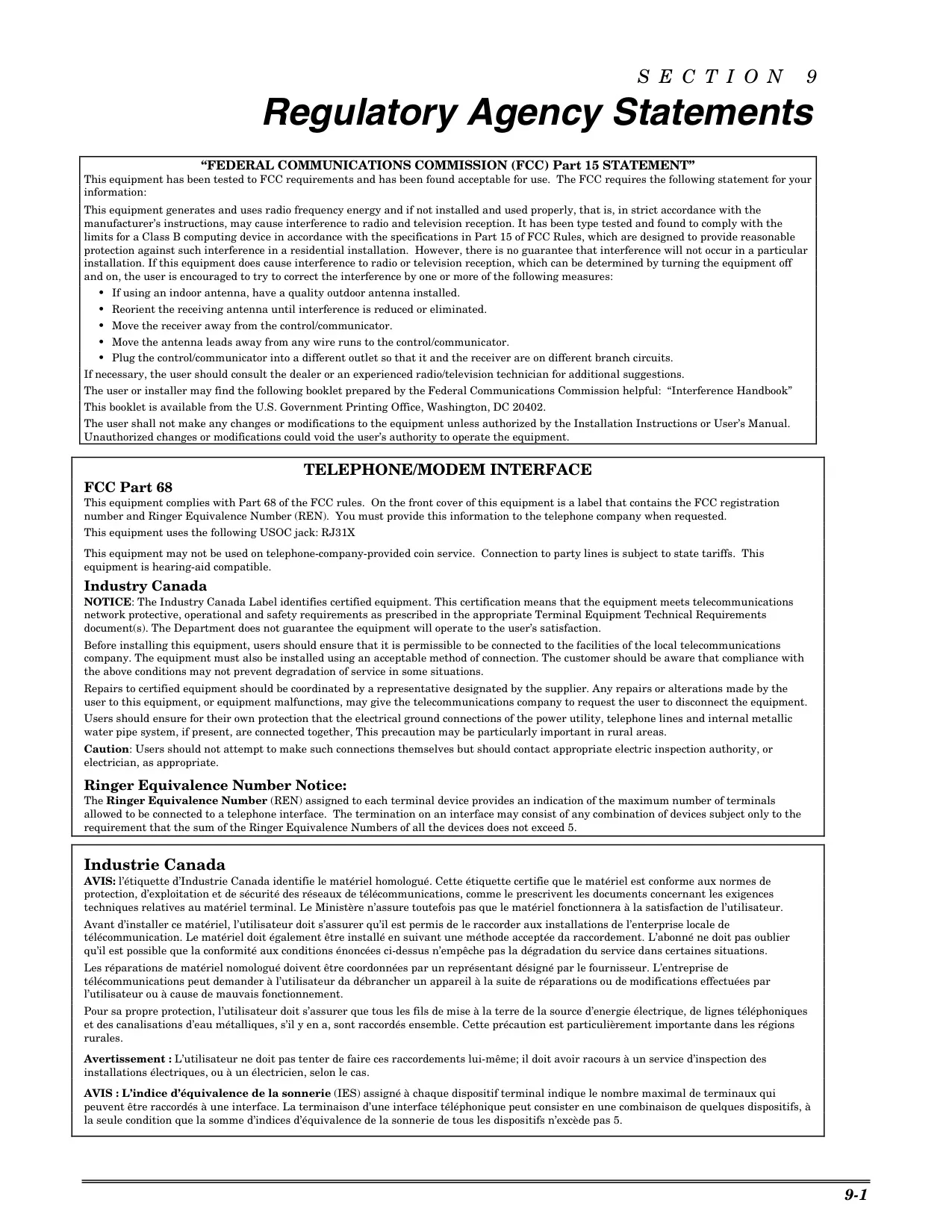
| FCC/IC Compliance | FCC Part 15, Part 68; Industry Canada RSS210, ICES-003 |
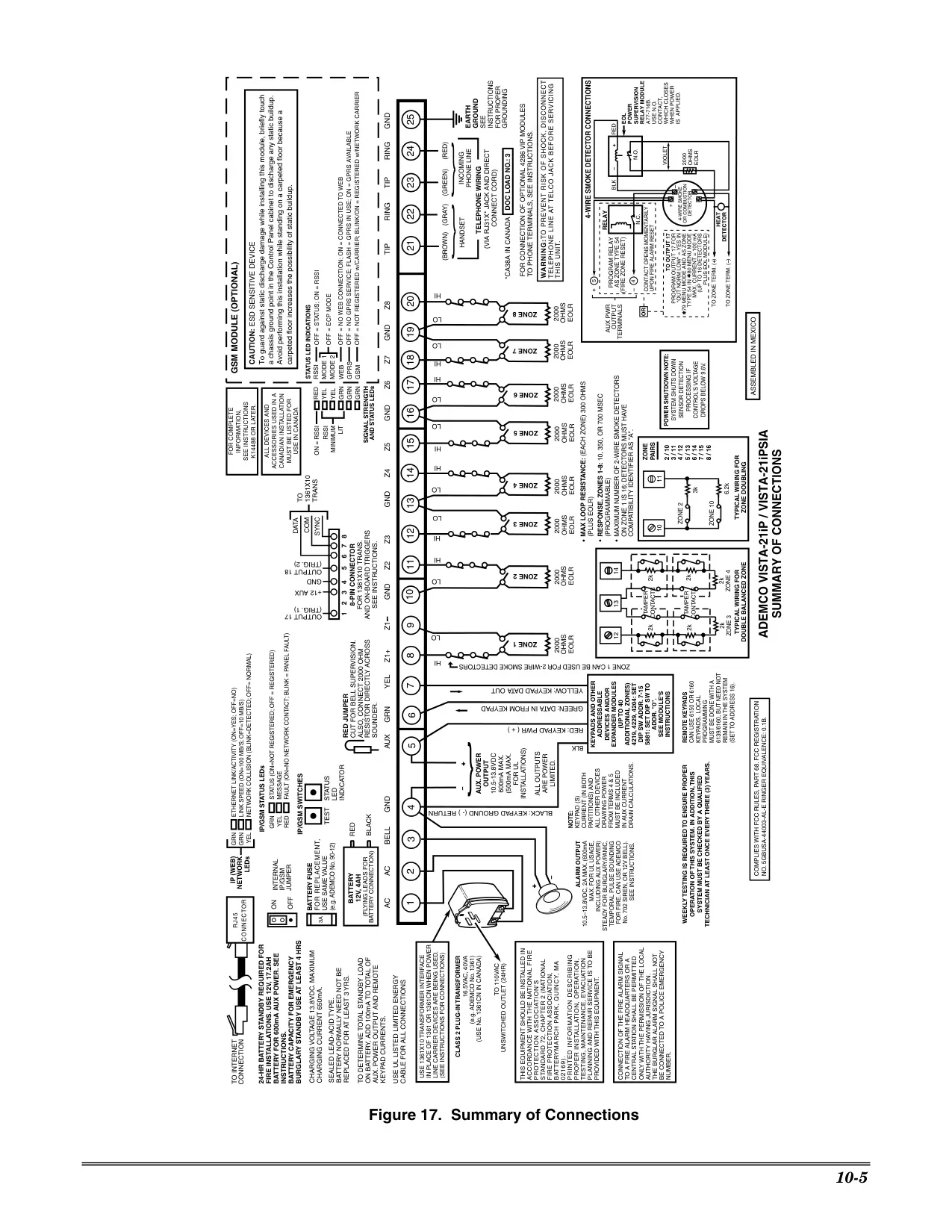
| Telephone Interface (USOC) | RJ31X |
| Ringer Equivalence Number (REN) | Sum of REN of all devices must not exceed 5 |
Honeywell Vista 21IP Security System Details
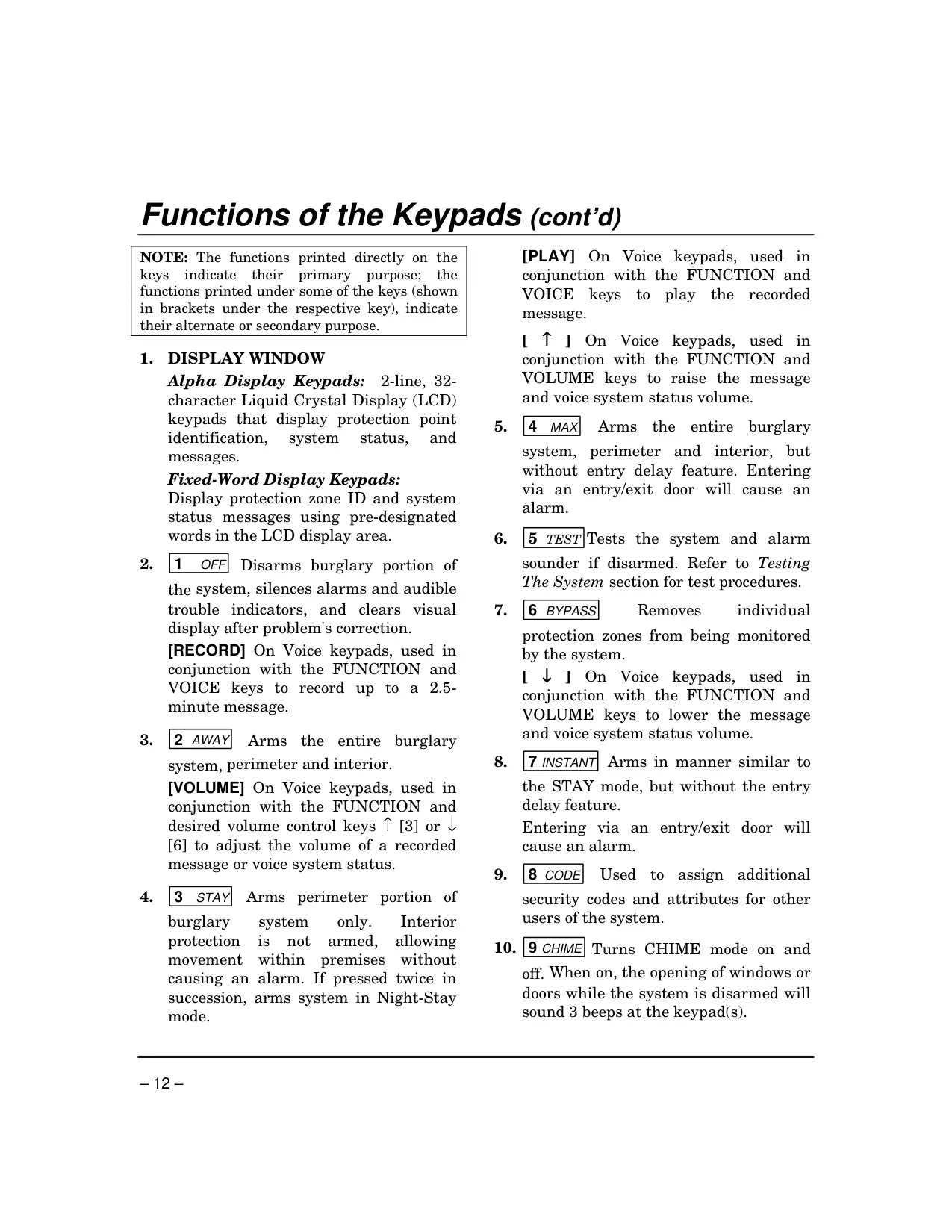
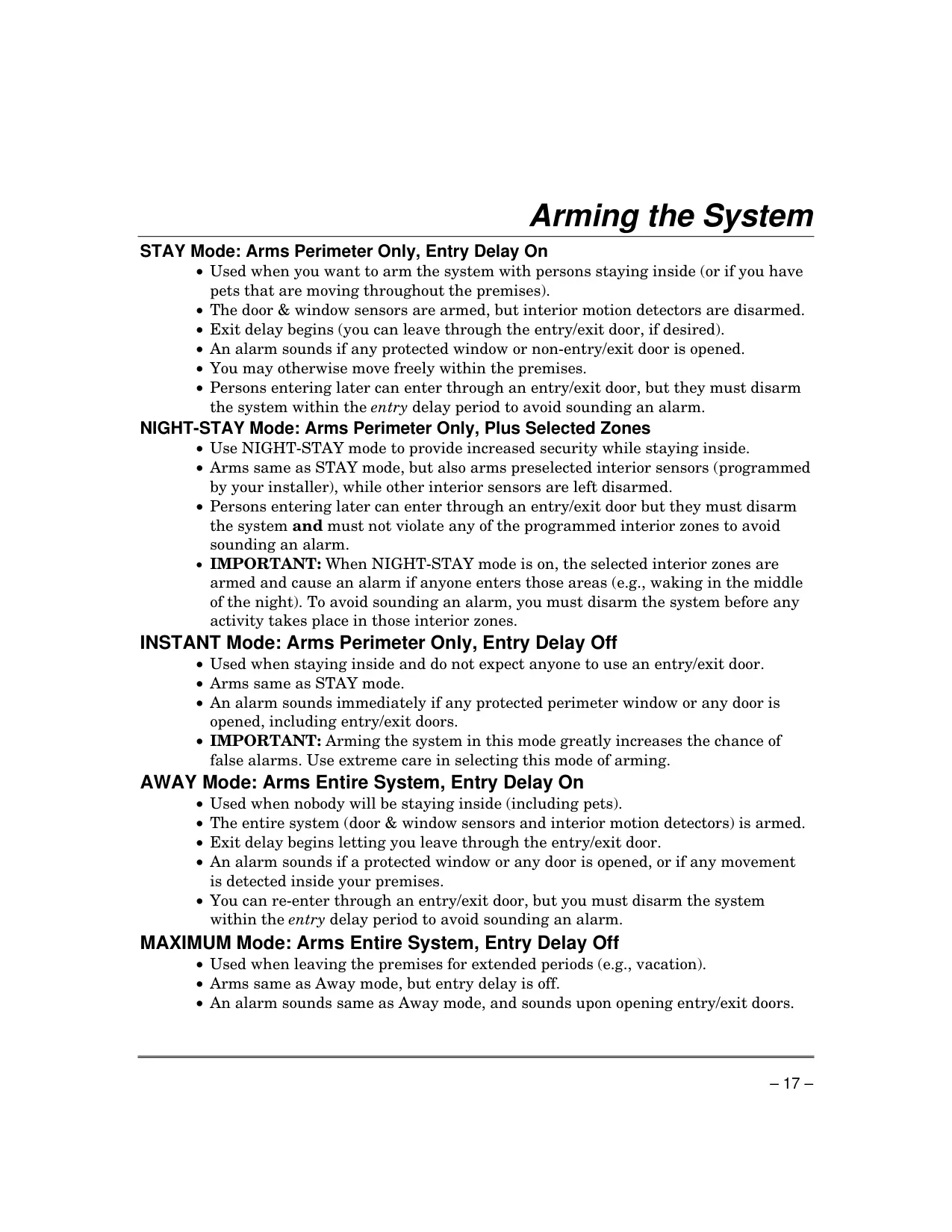
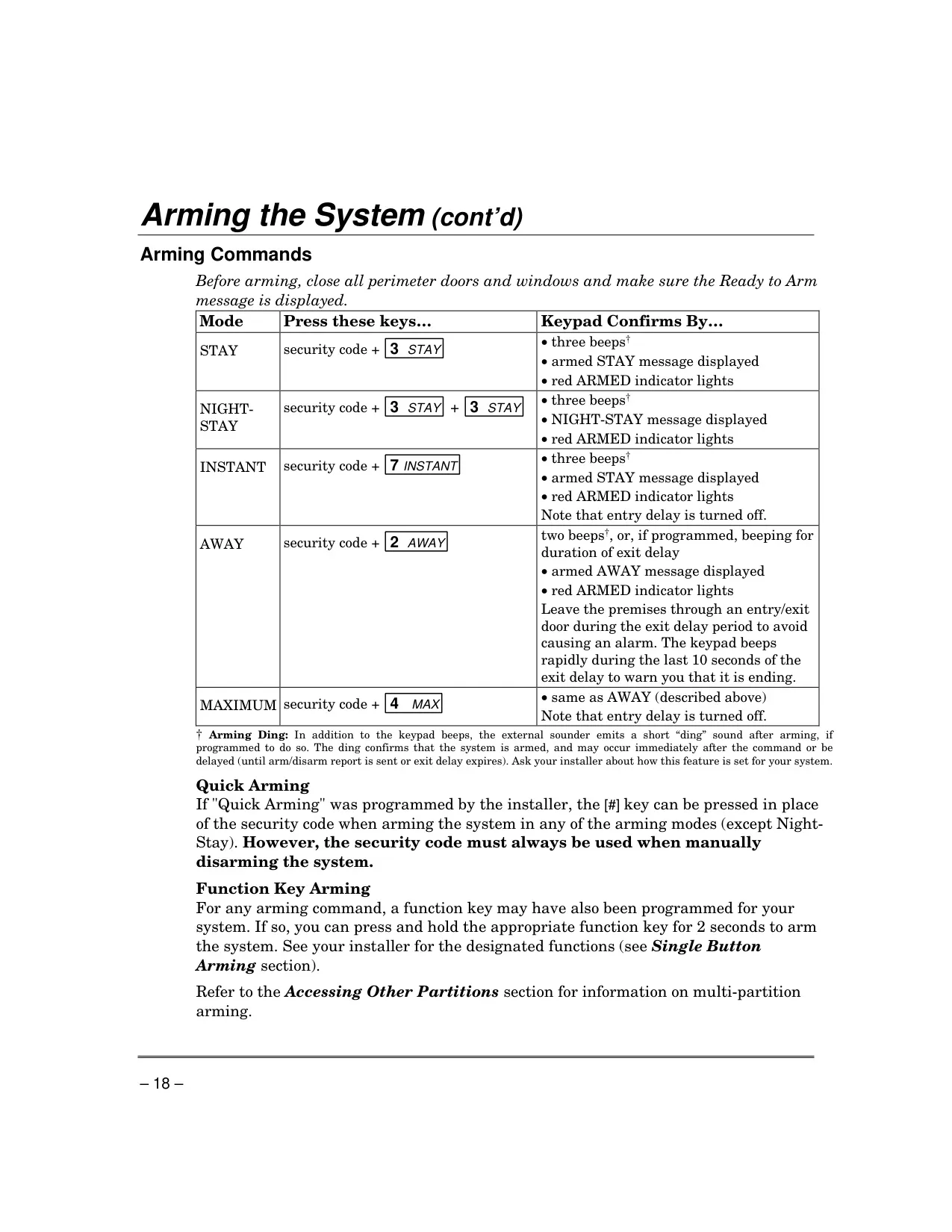
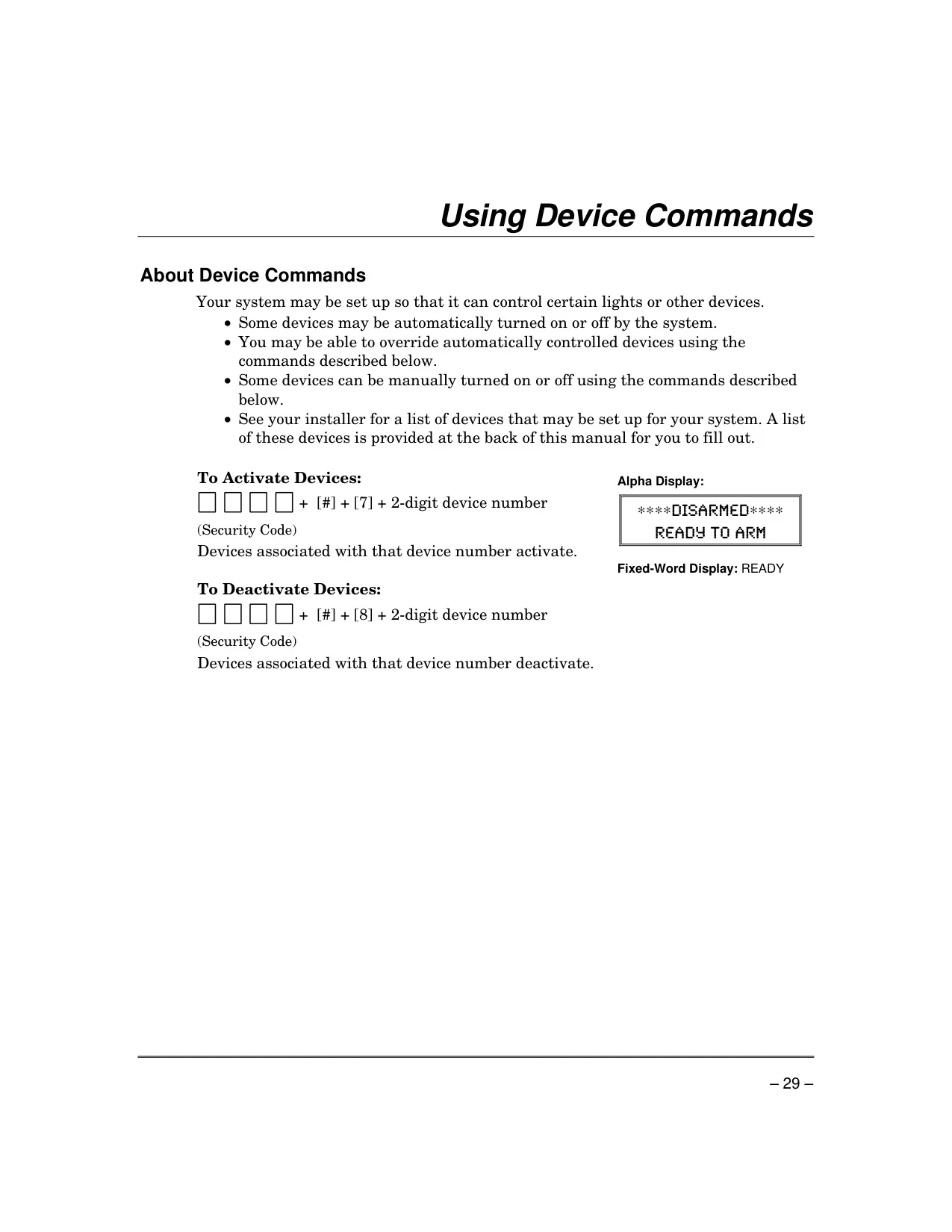
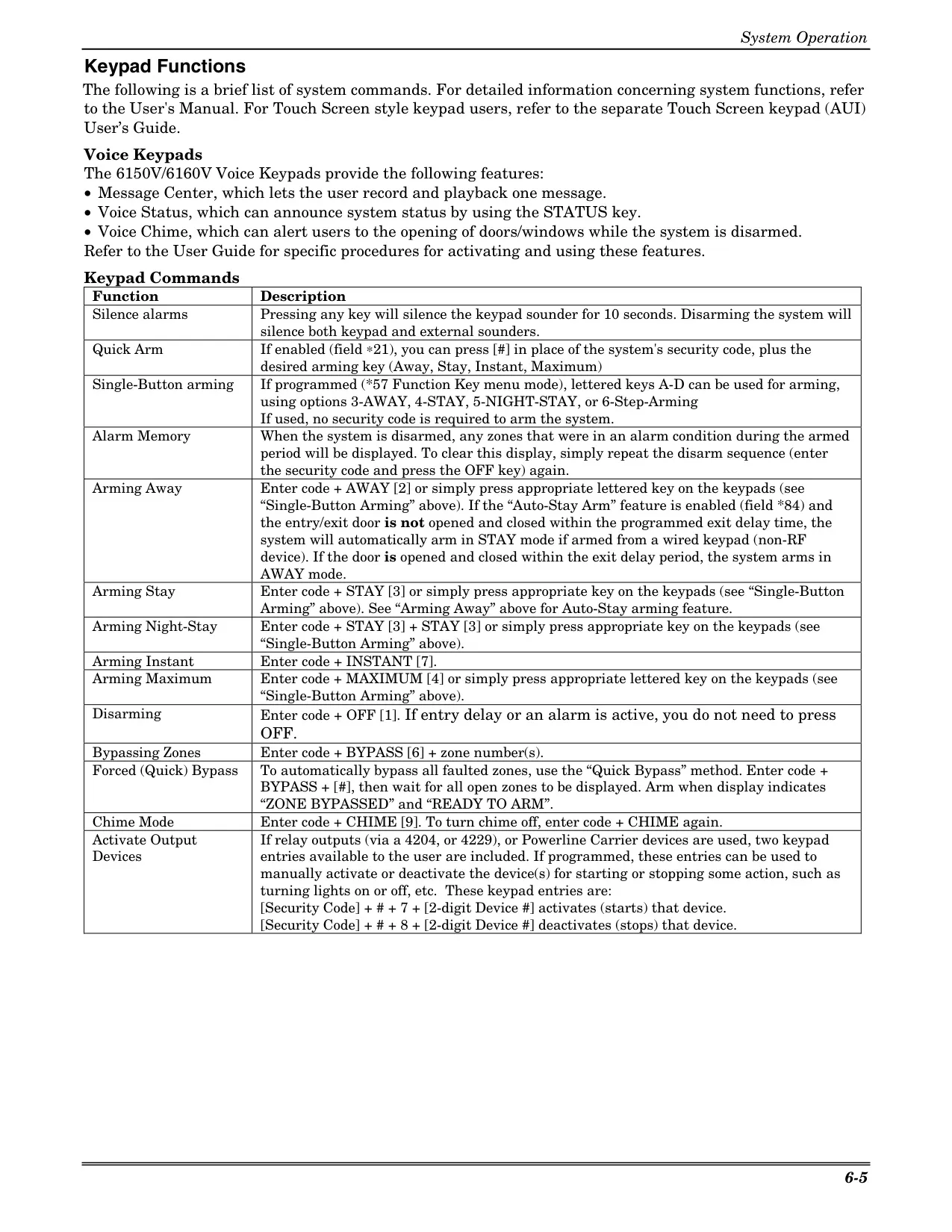
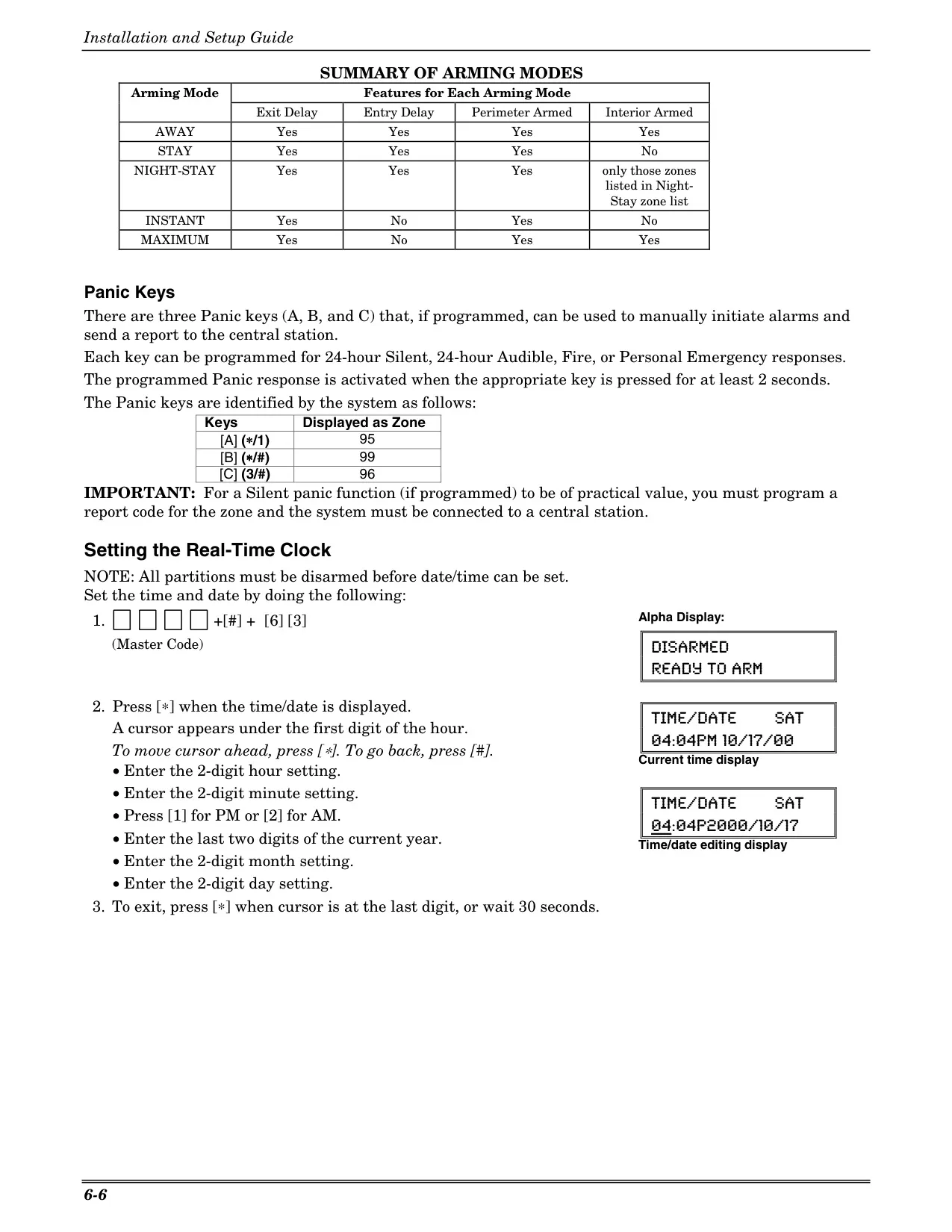
The Honeywell Vista 21IP security system offers comprehensive protection with diverse arming modes tailored to various security needs. Users can choose from STAY (arms perimeter only, entry delay on), INSTANT (same as STAY, but entry delay off), NIGHT-STAY (arms perimeter and selected interior zones), AWAY (arms entire system, entry delay on), and MAXIMUM (same as AWAY, but entry delay off). These modes provide flexibility for securing the premises whether occupants are present or away, with immediate or delayed alarm triggers.
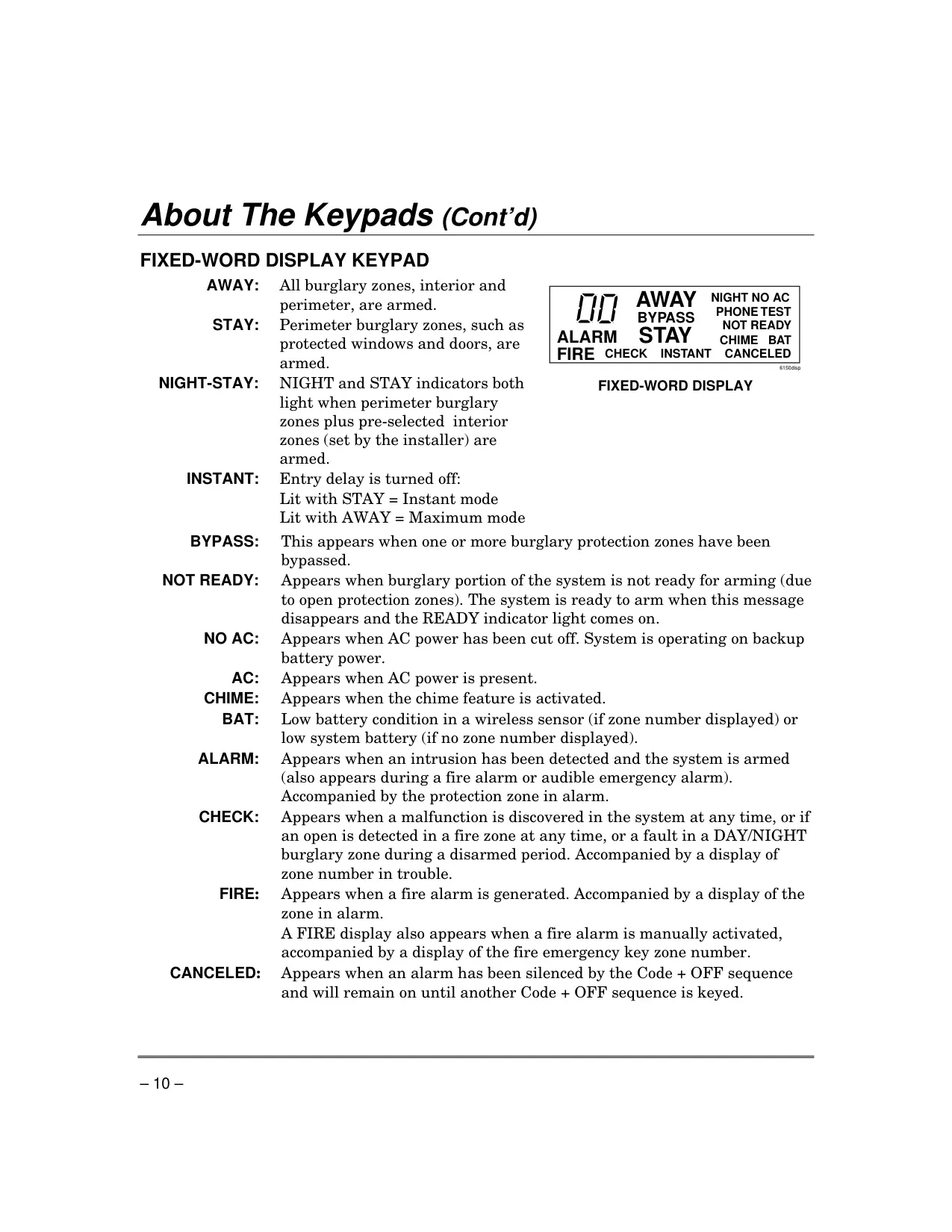
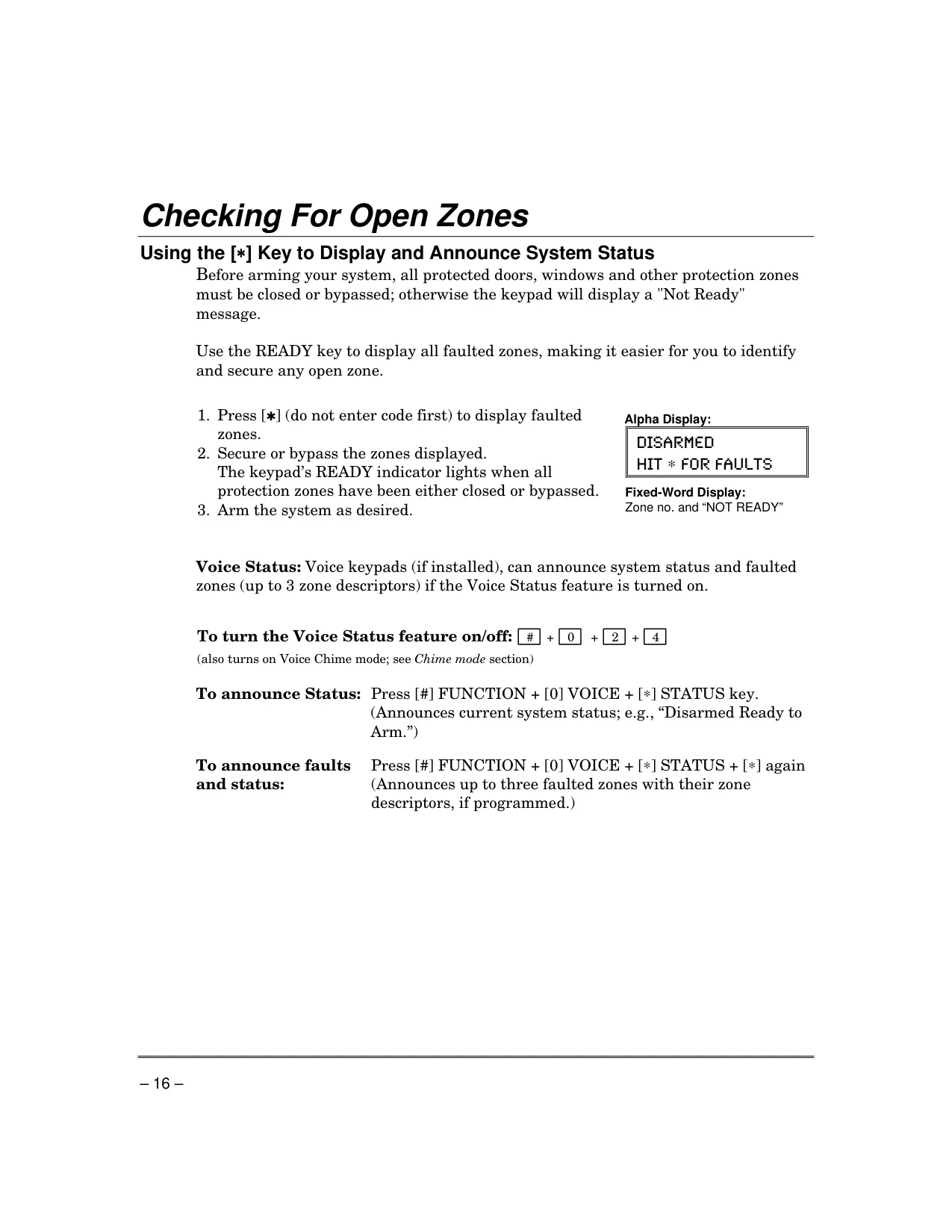
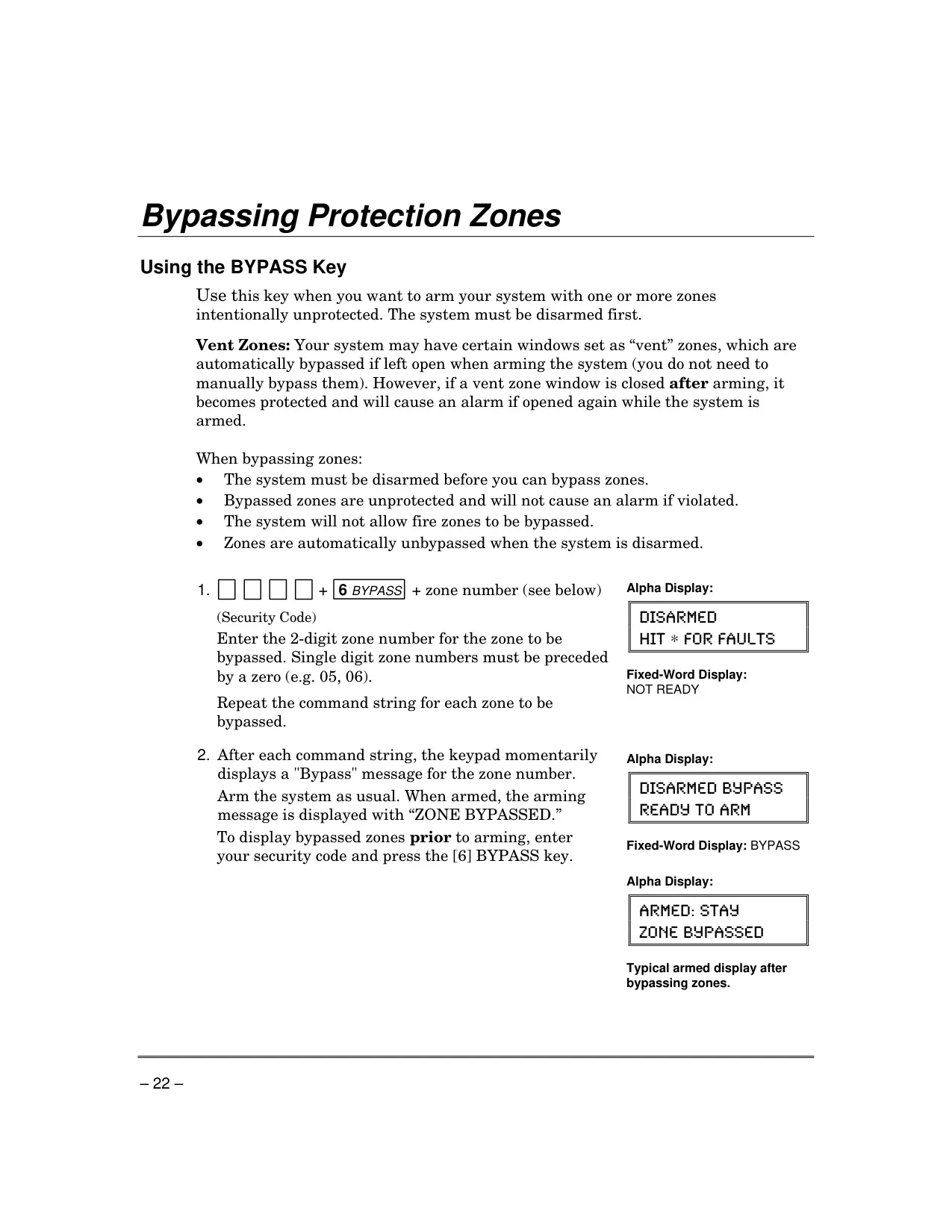
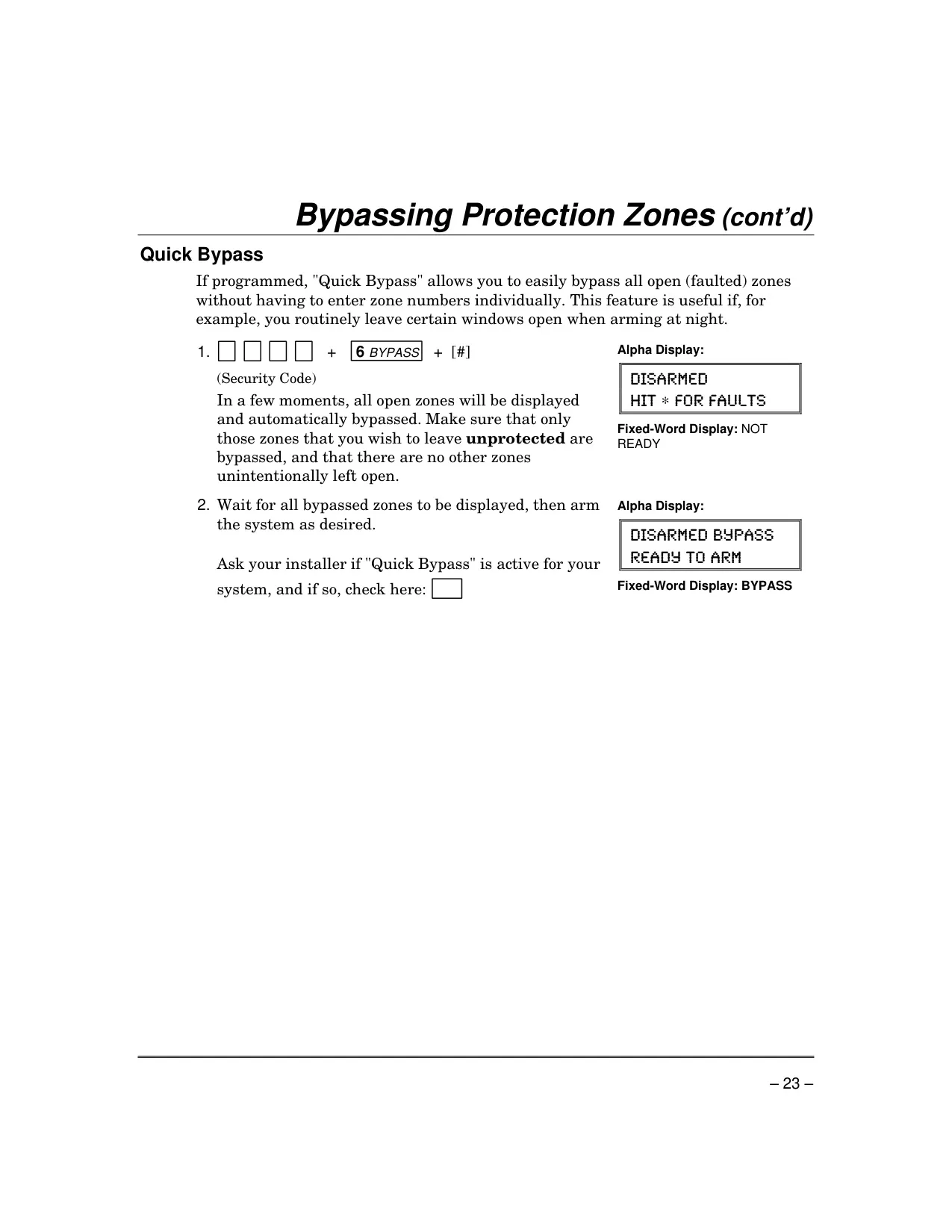
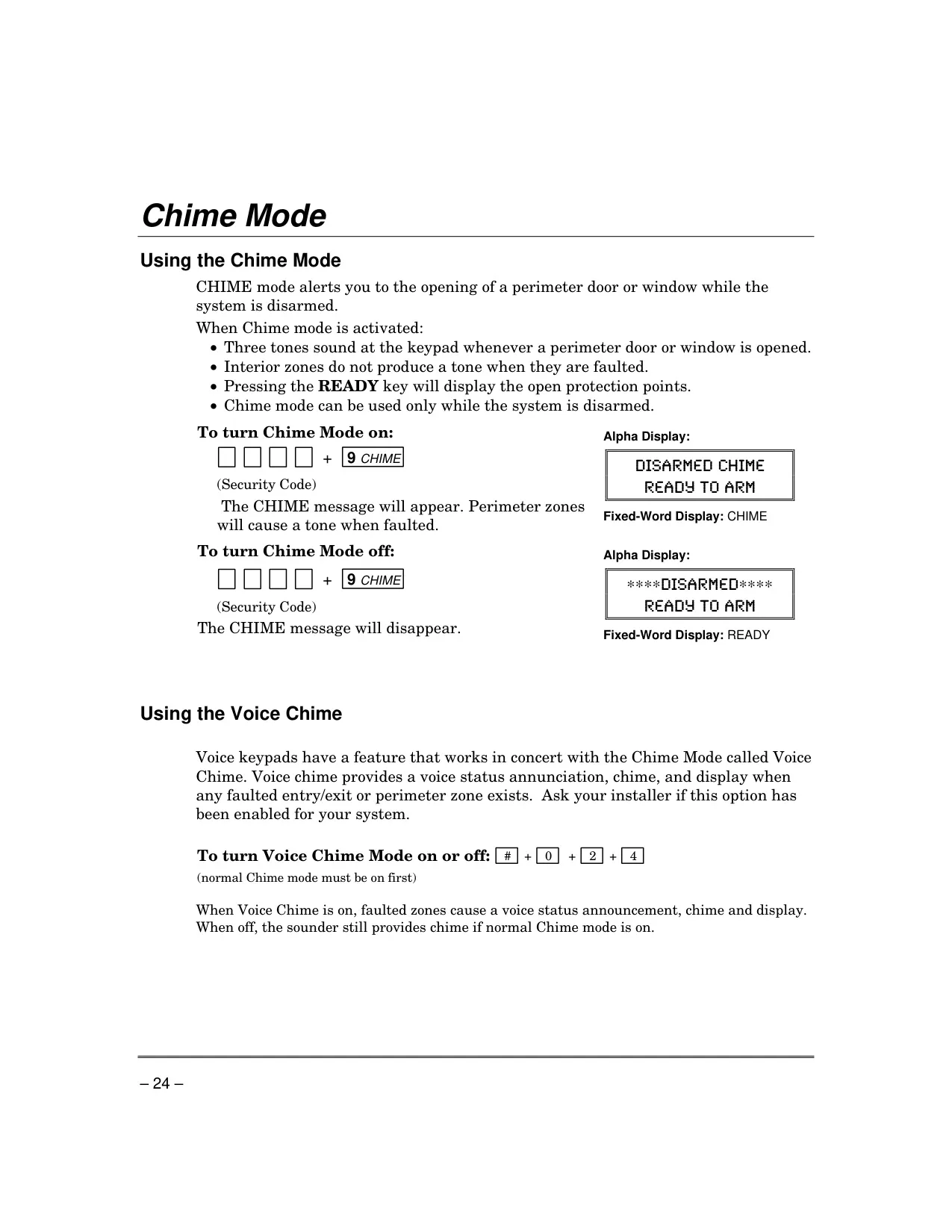
Beyond standard arming, the system incorporates features like BYPASS, allowing users to intentionally leave specific zones unprotected. This is useful for open windows or rooms with pets. When disarmed, the CHIME mode activates, sounding three beeps at the keypad upon the opening of a protected door or window. Voice keypads enhance this with a "Voice Chime," announcing the zone status, providing an extra layer of awareness.
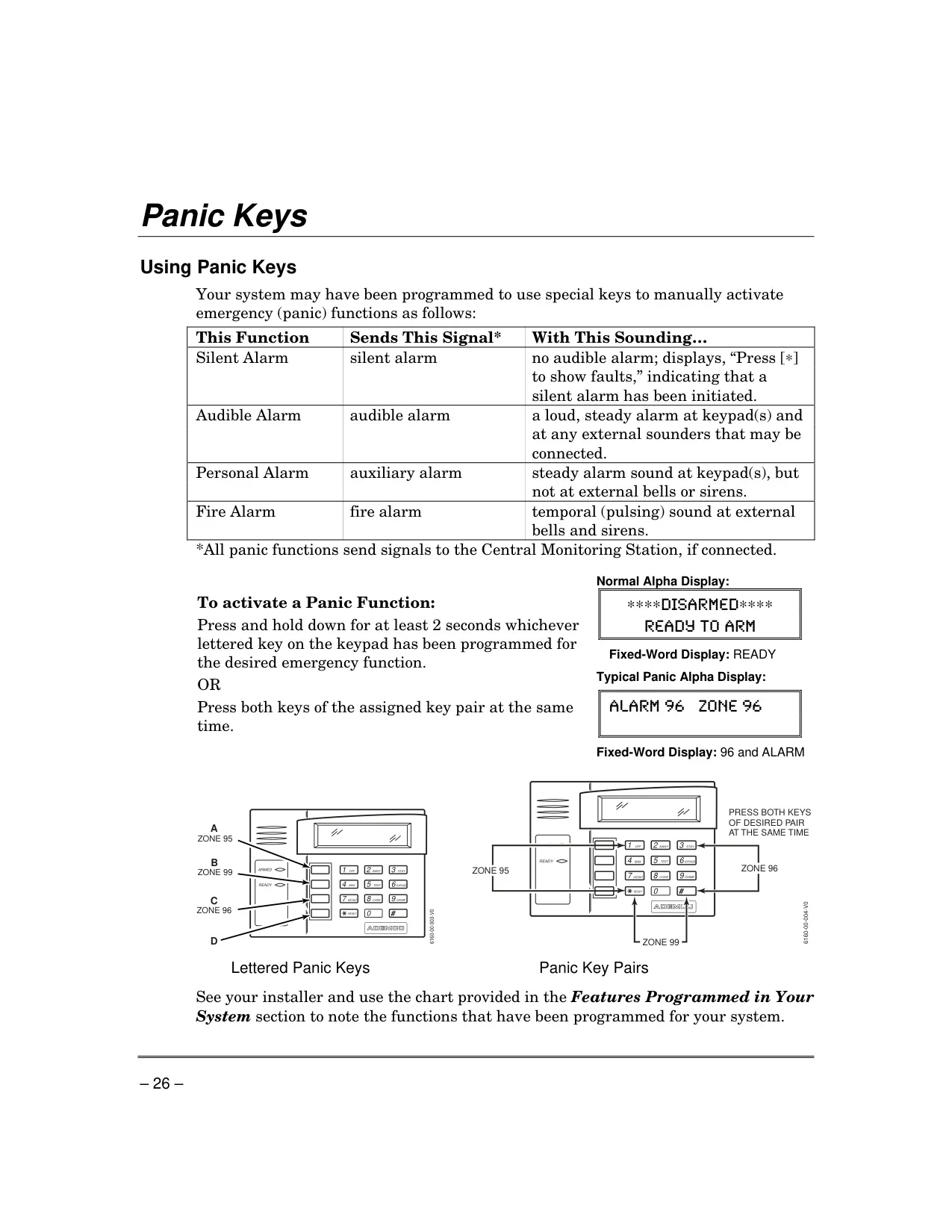
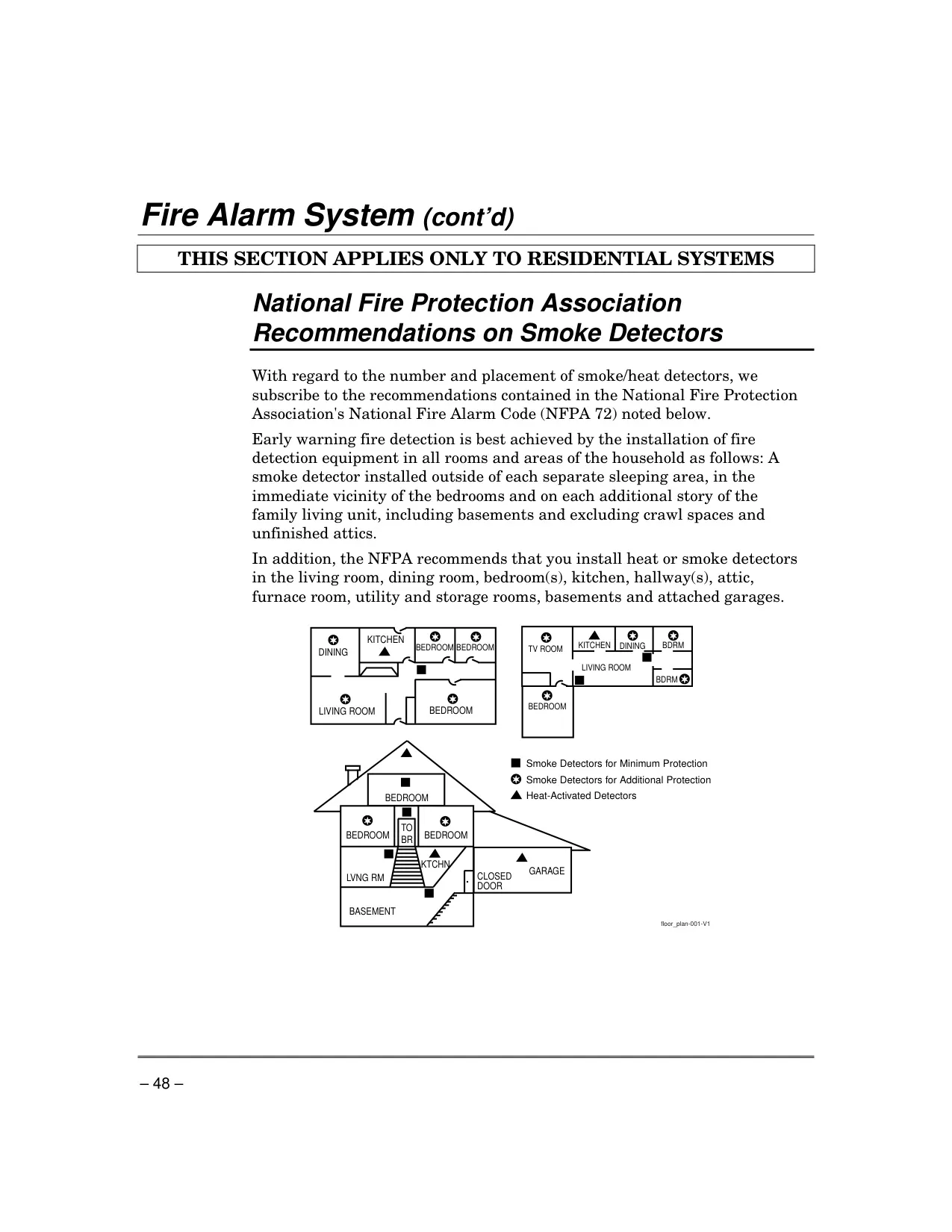
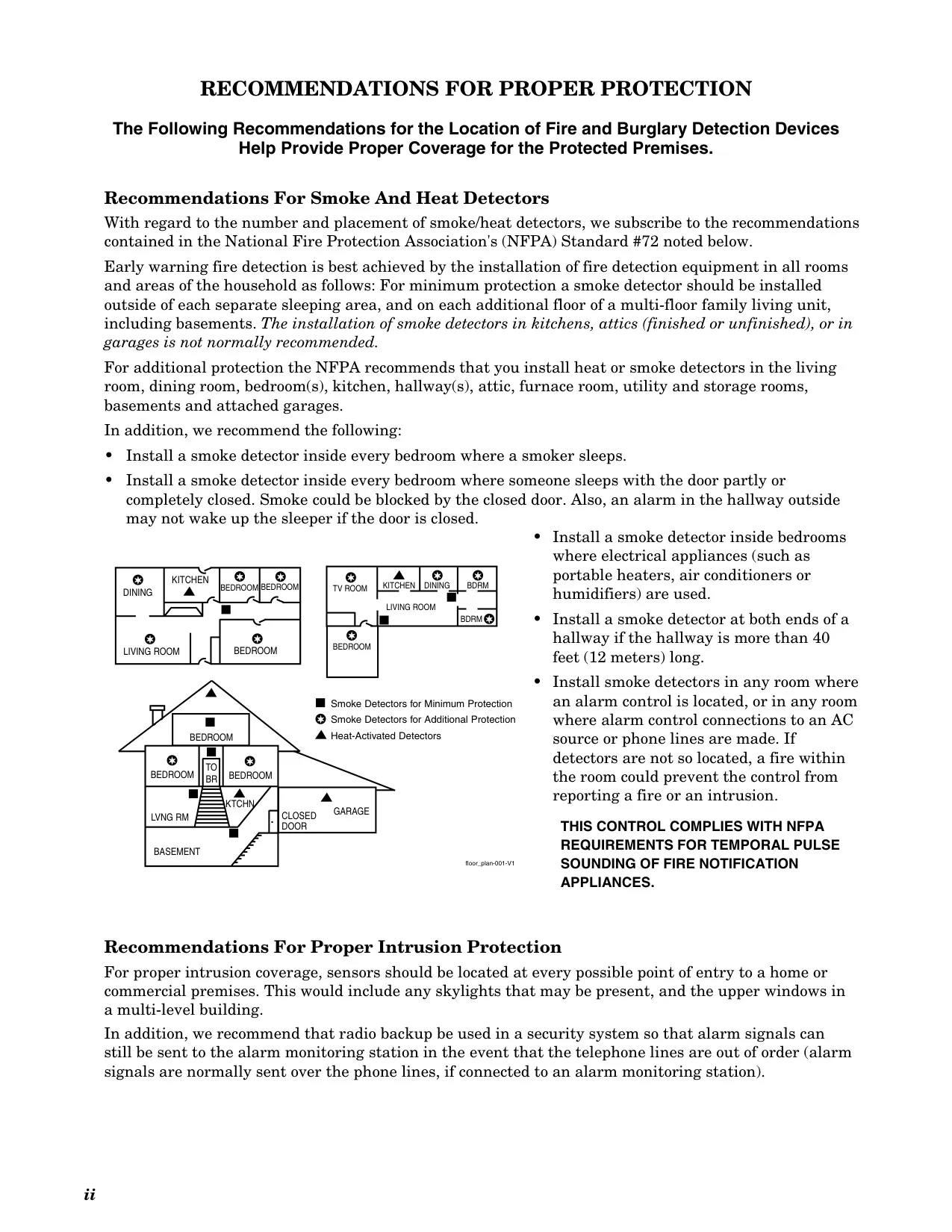
The system's core protection extends to fire and carbon monoxide, which remain active 24/7 if installed. Alarms for these conditions generate specific sounds and display on keypads, with provisions for manual activation of fire alarms. Proper placement of smoke and heat detectors is emphasized, aligning with National Fire Protection Association (NFPA 72) recommendations for early warning detection.
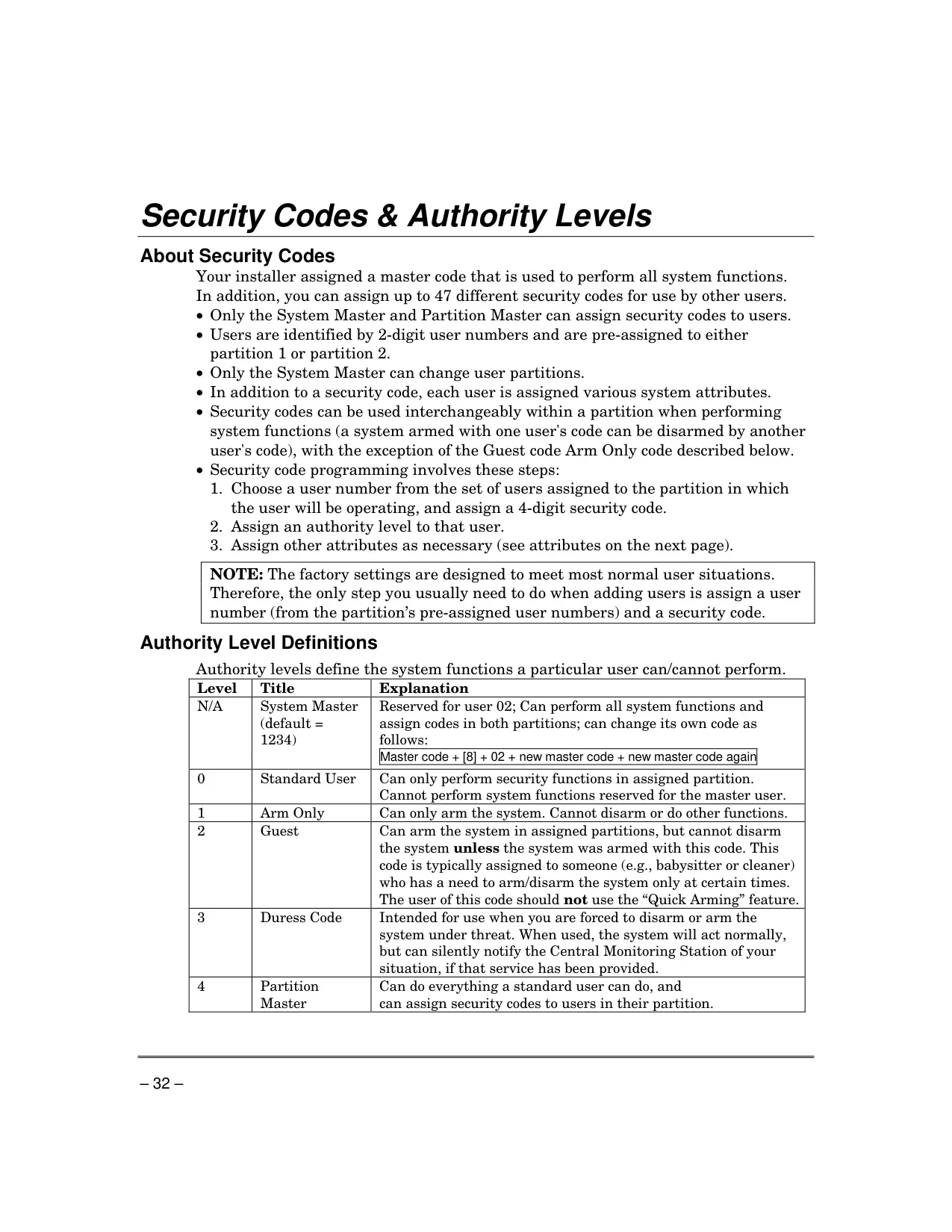
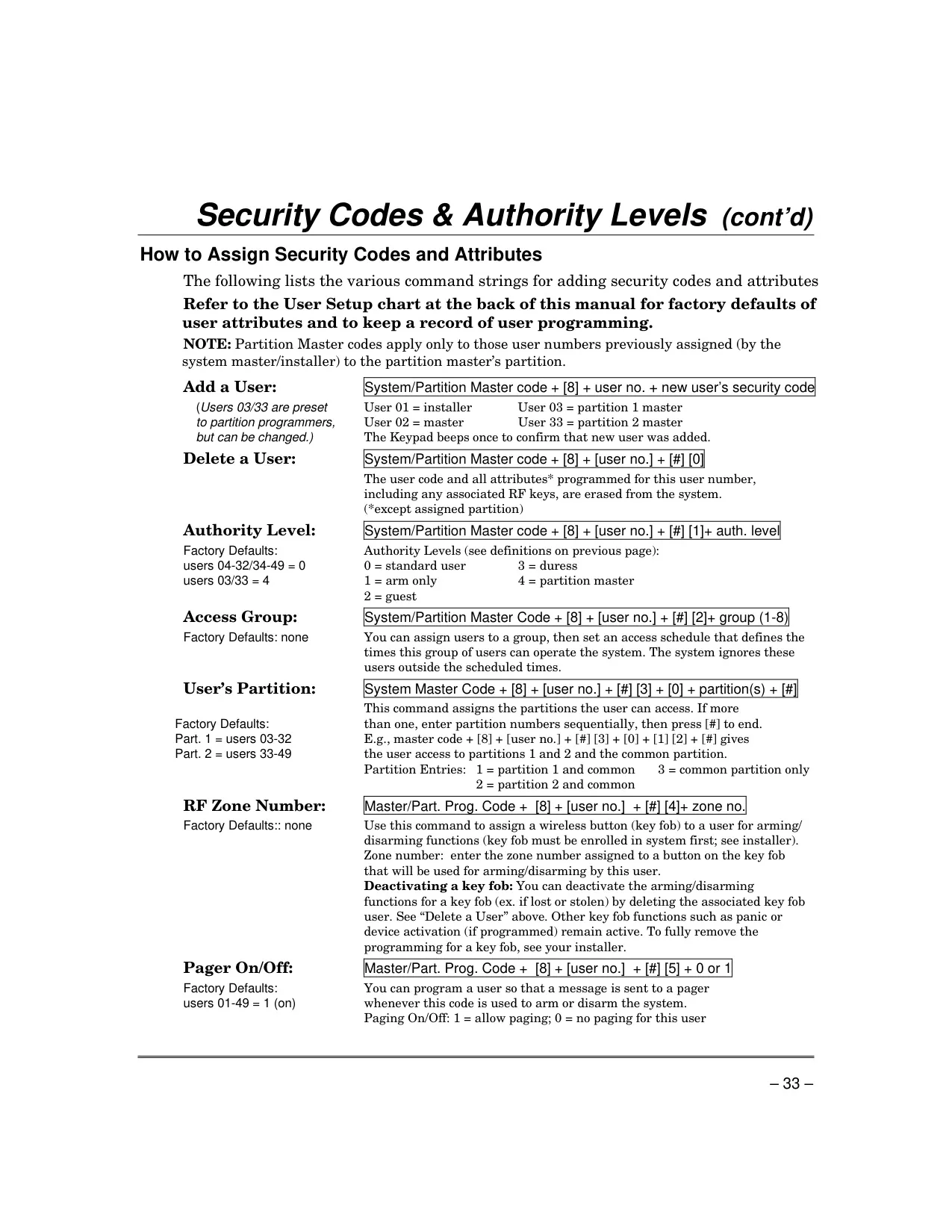
User management is sophisticated, supporting a master code and up to 47 additional security codes. Each user can be assigned distinct authority levels such as Standard, Arm Only, Guest, Duress, or Partition Master. These levels dictate what functions a user can perform, from basic arming/disarming to assigning codes or silently notifying the Central Monitoring Station in a duress situation.
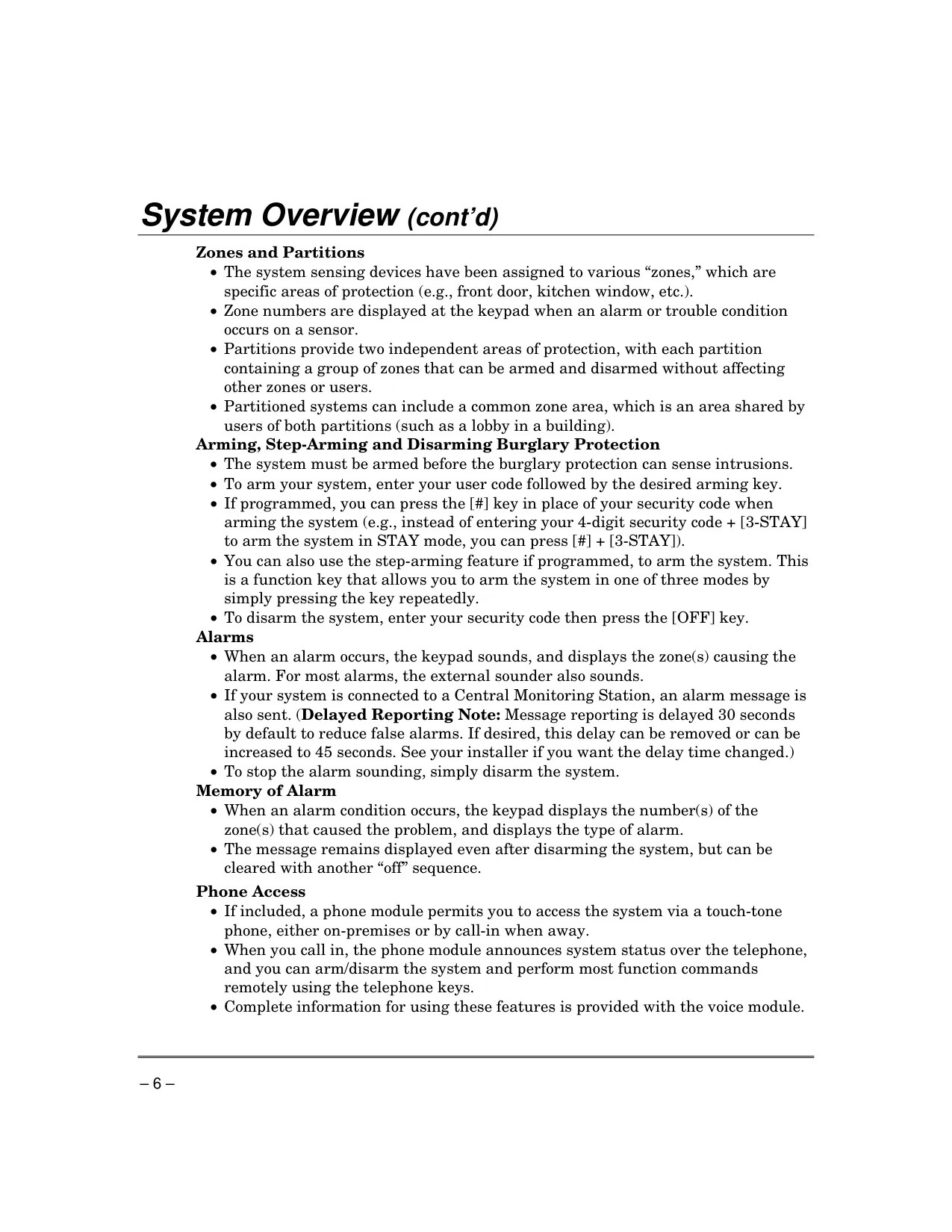
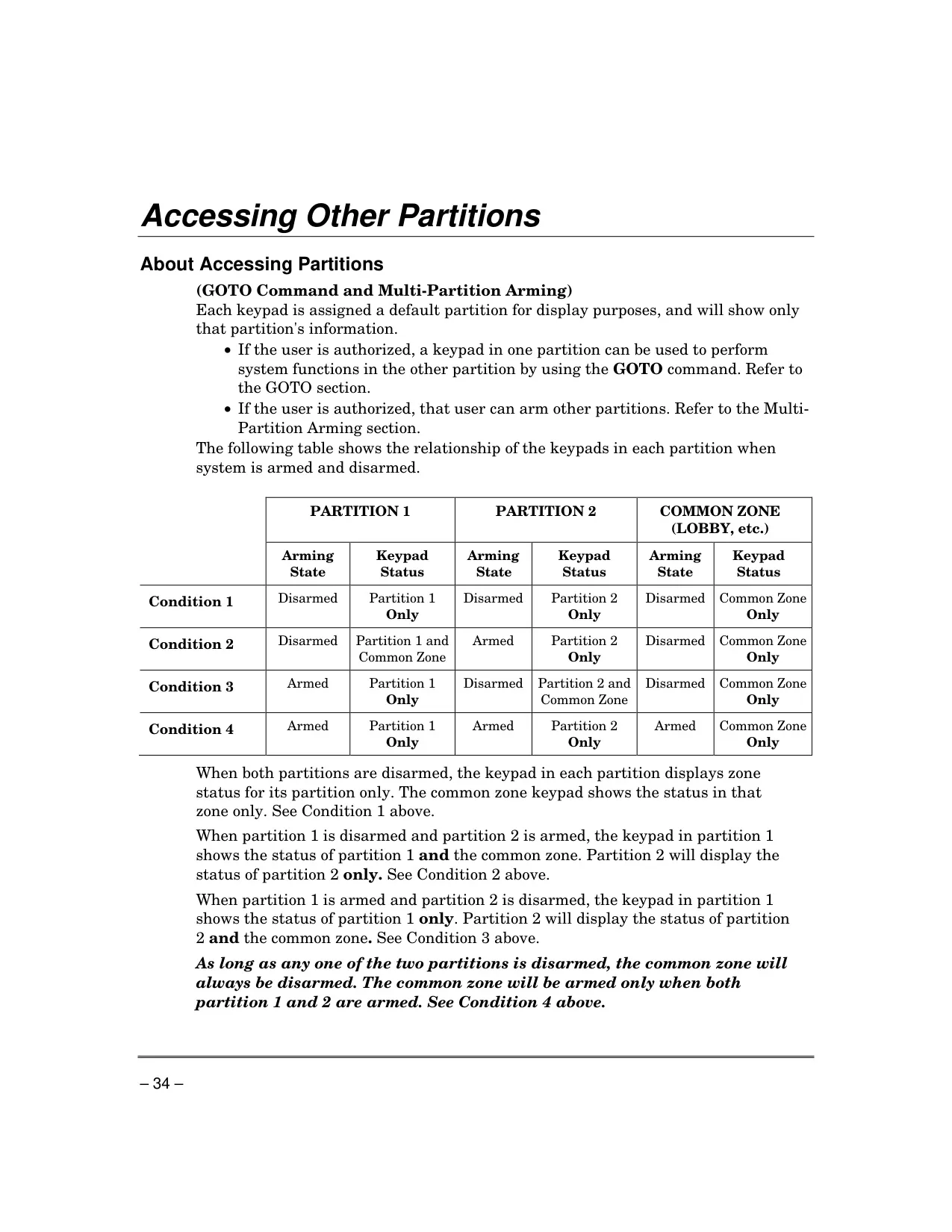
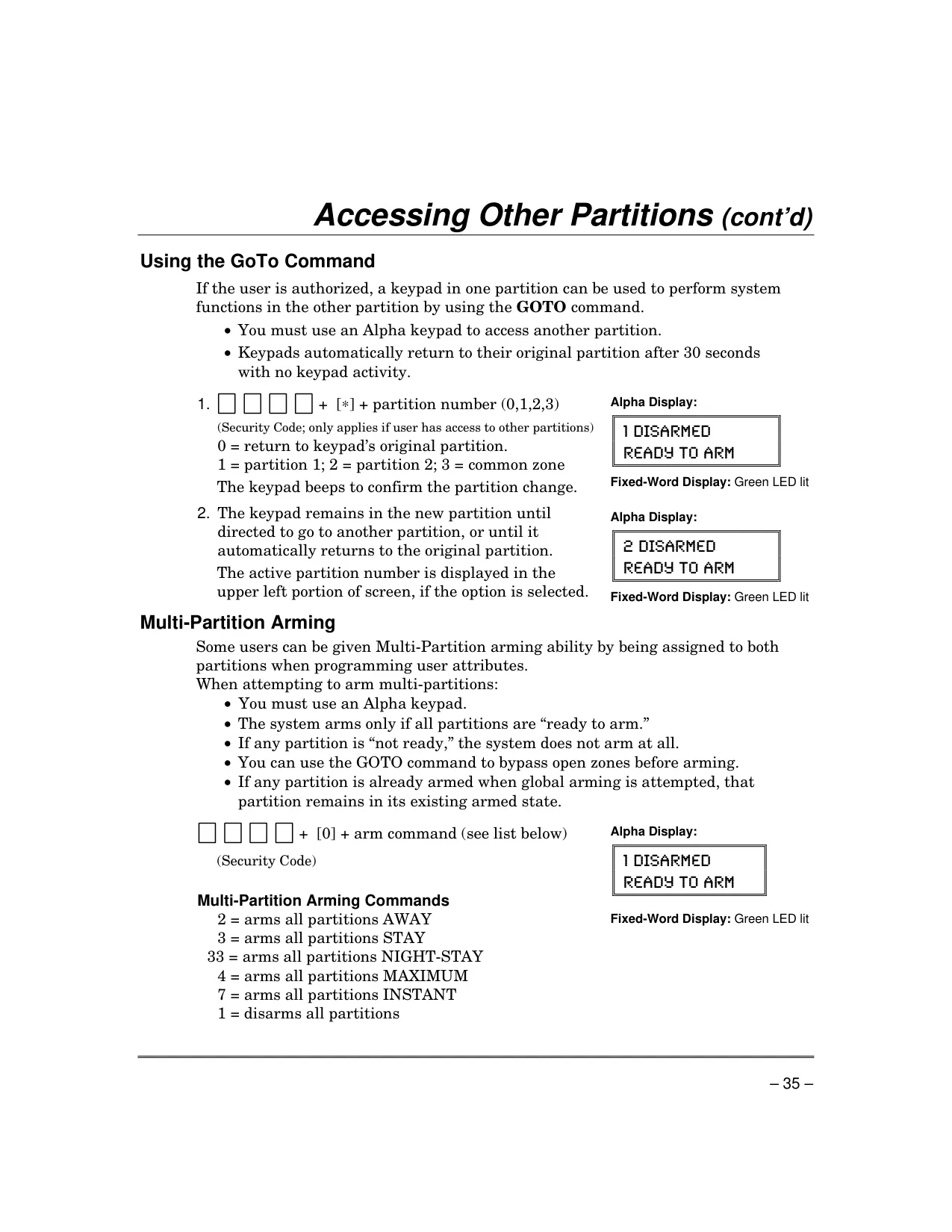
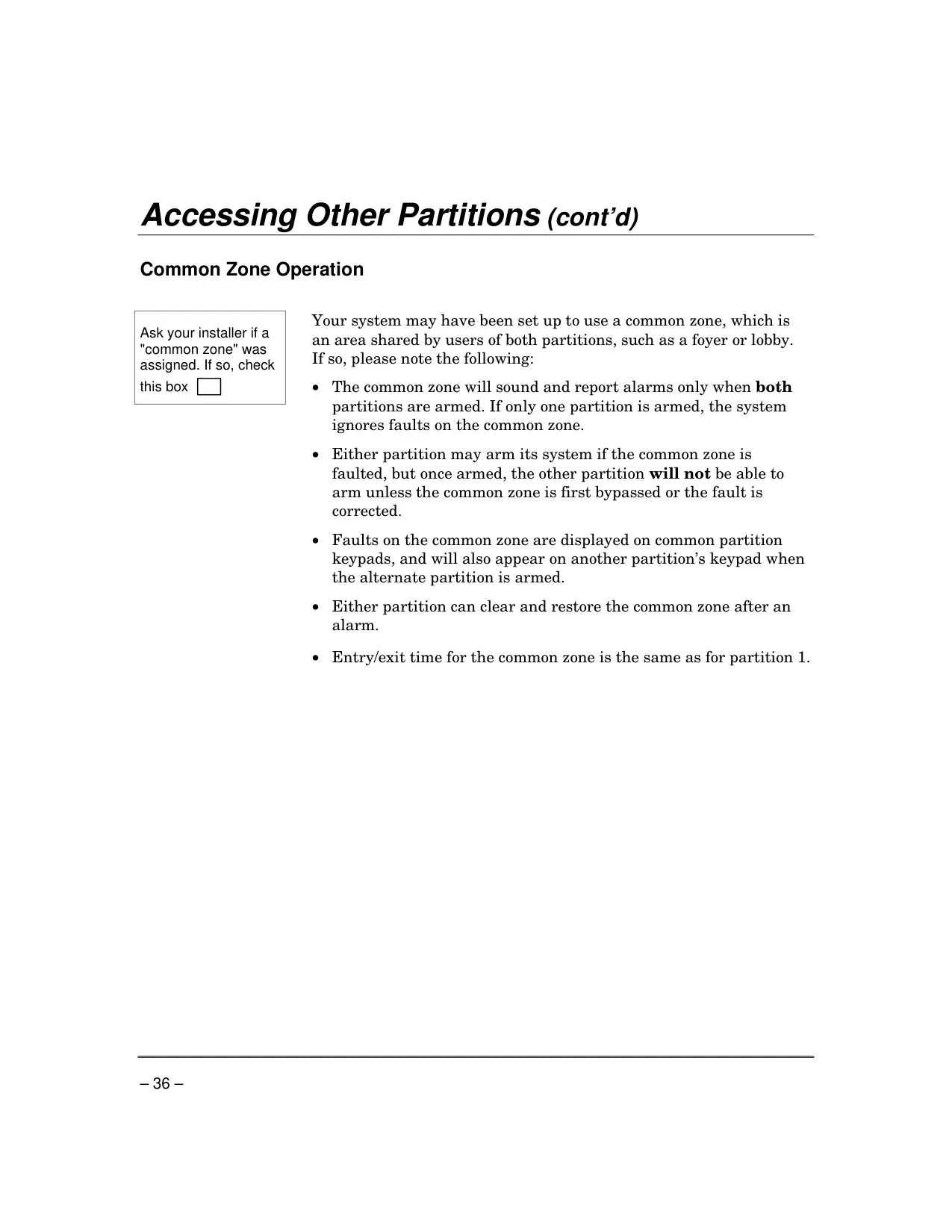
For larger properties or multi-tenant buildings, the system utilizes partitions, providing two independent areas of protection, each with its own group of zones. A "common zone" can be included, shared by both partitions, such as a lobby. This modular approach allows tailored security management across different areas without affecting others.
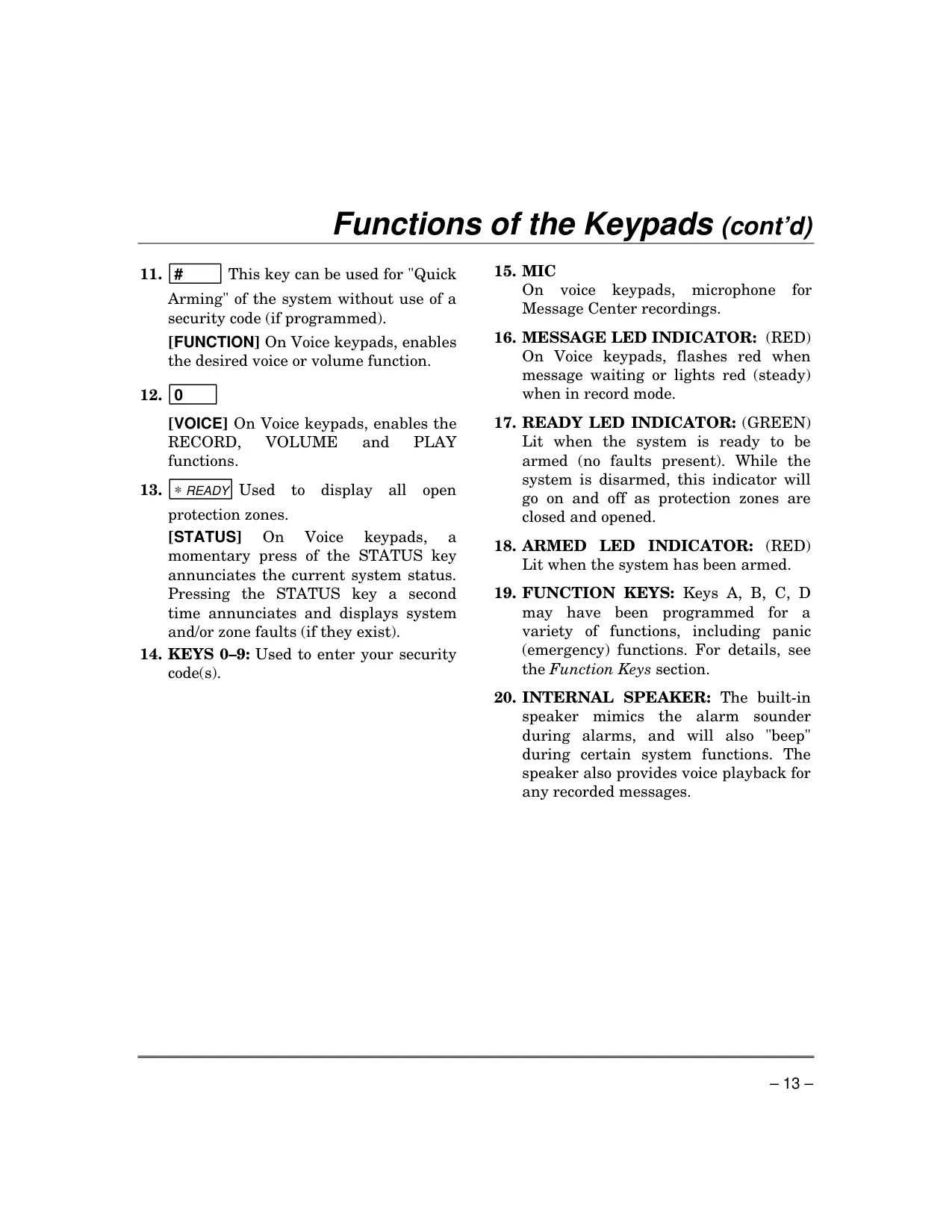
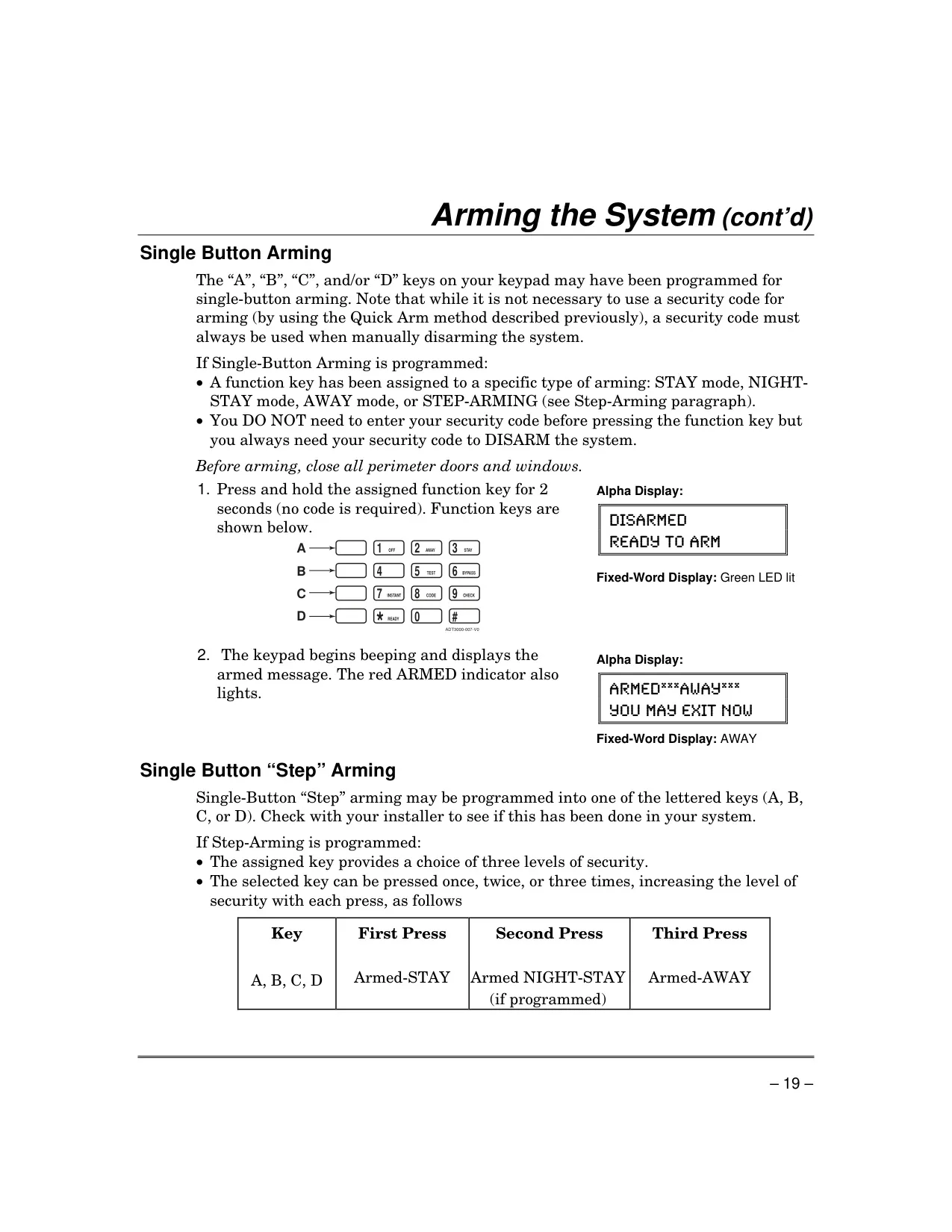
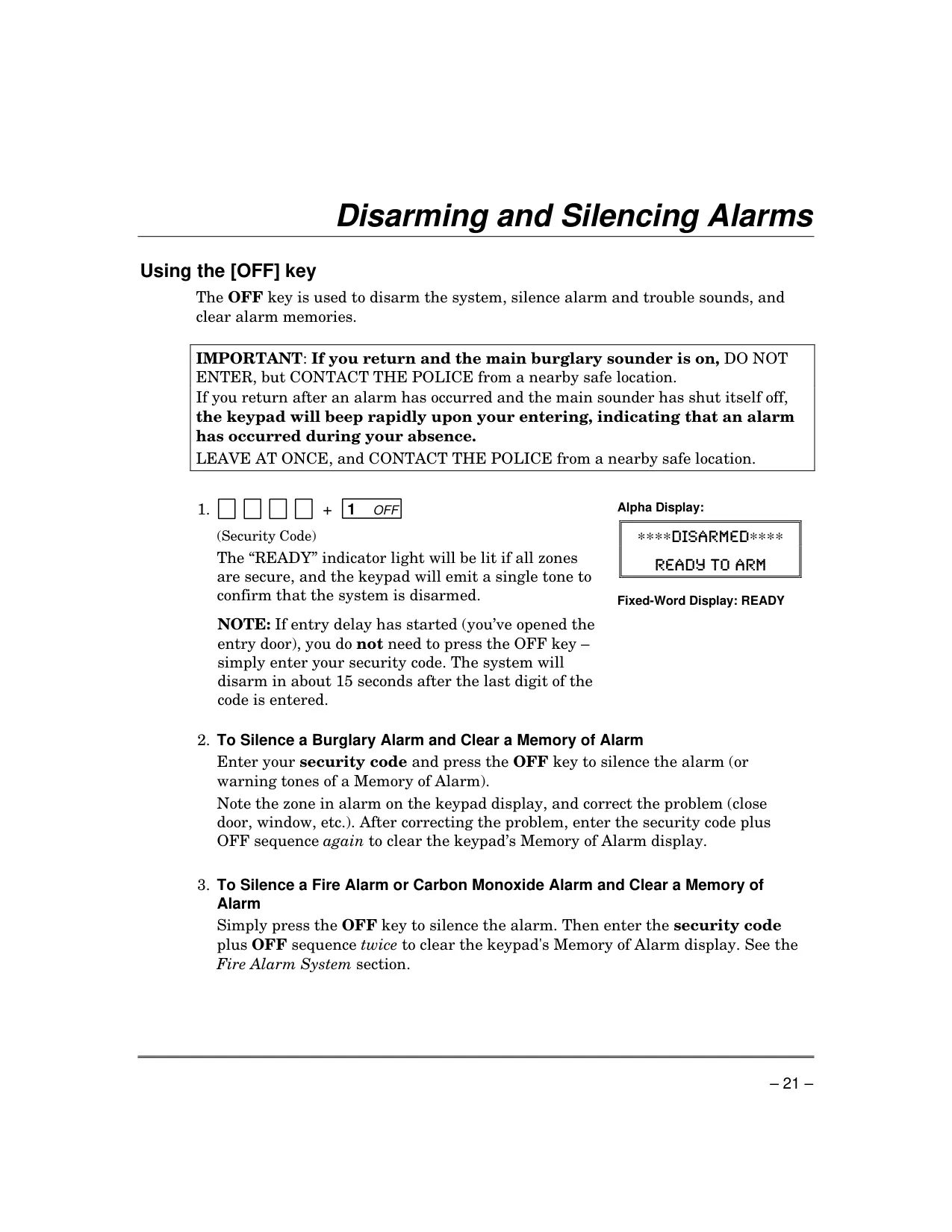
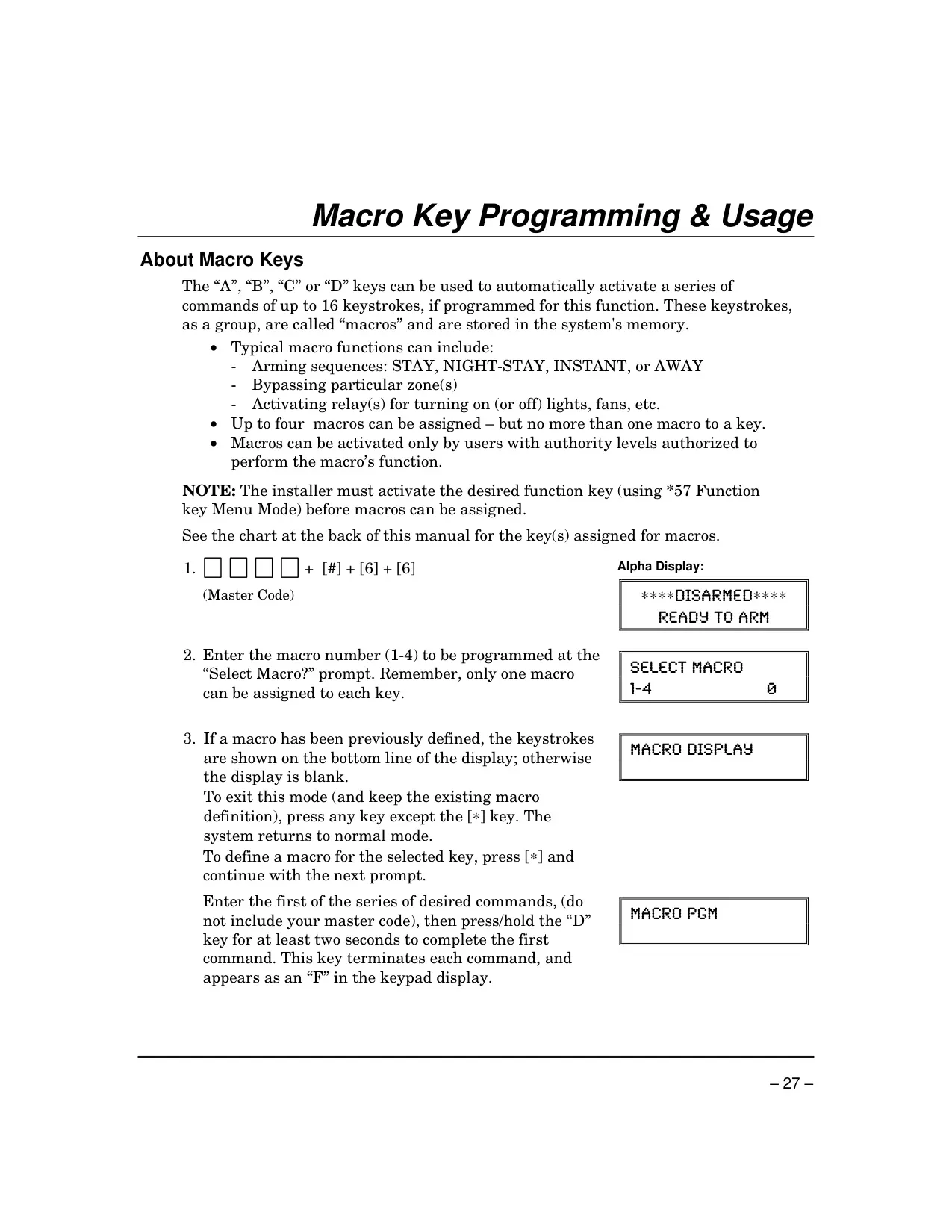
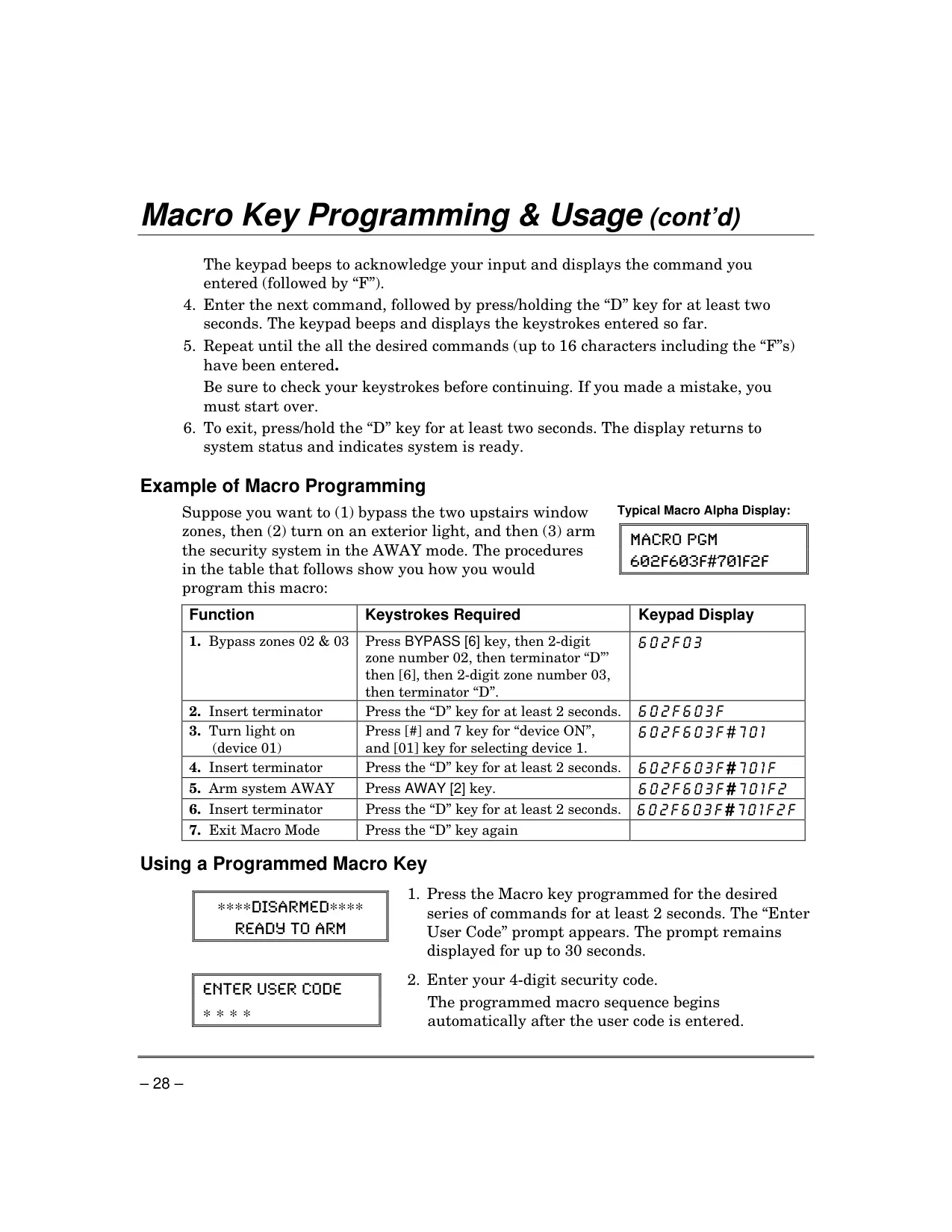
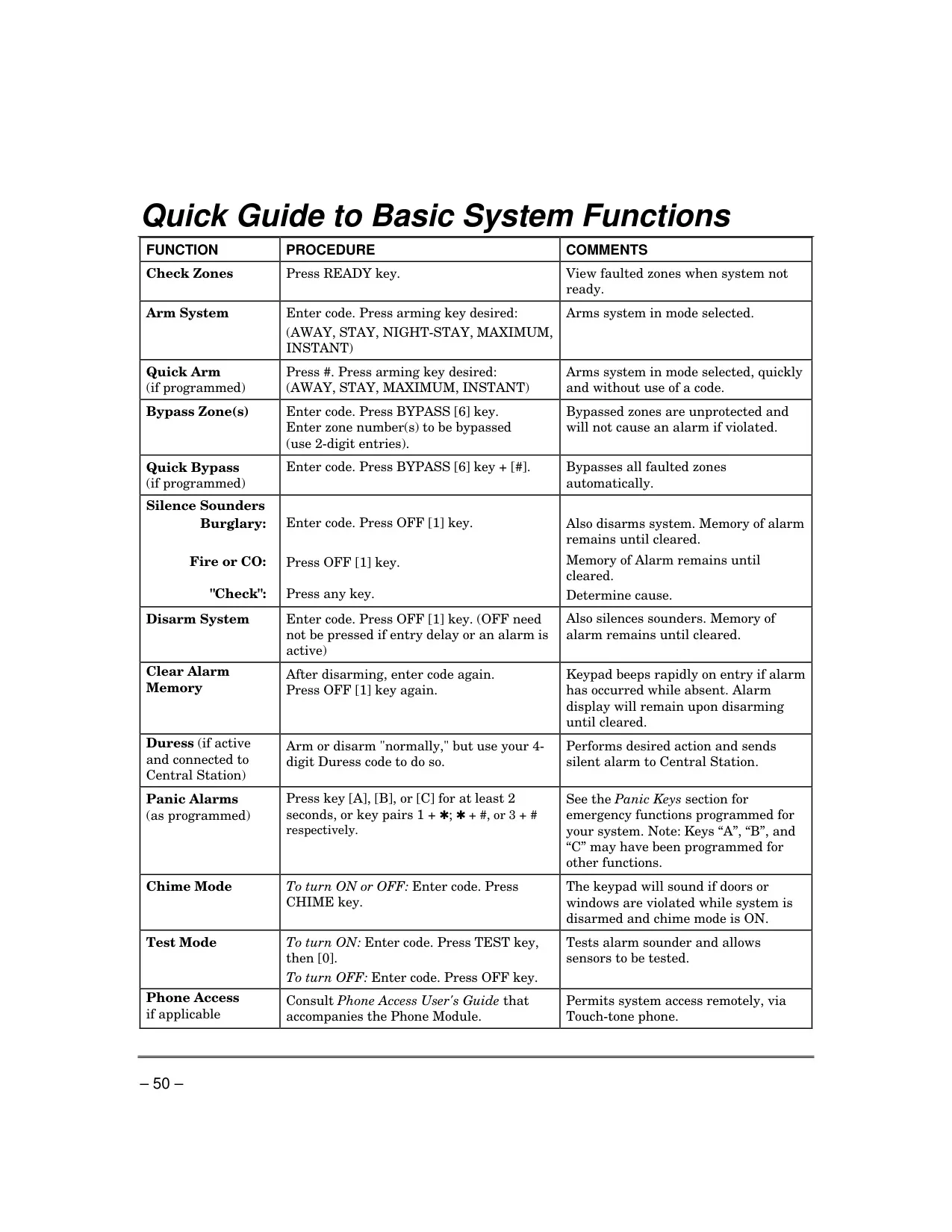
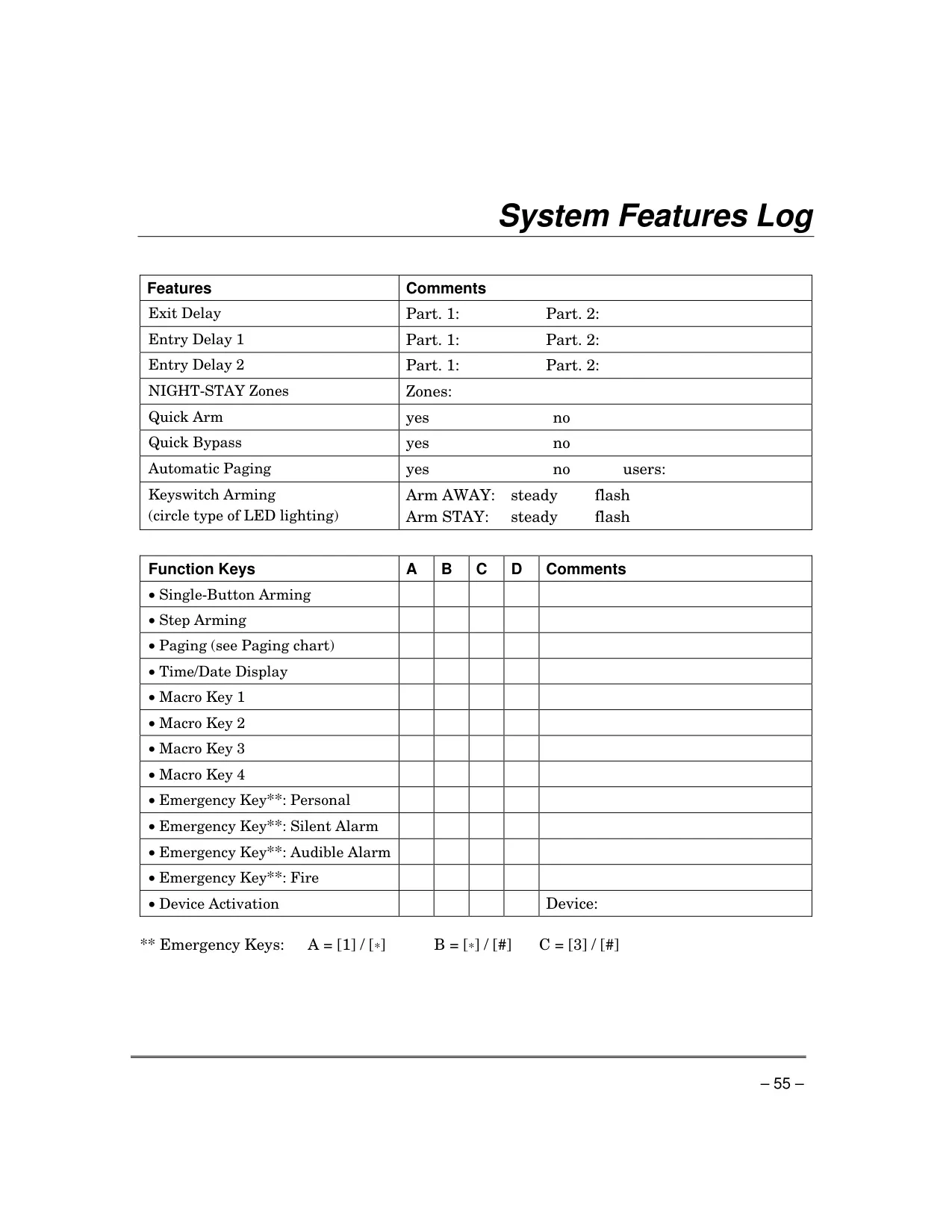
Arming and disarming are streamlined through various methods. Besides entering a security code followed by an arming key, the system supports "Quick Arming" using the [#] key and "Single-Button Arming" or "Step Arming" via programmable function keys (A, B, C, D) on the keypad. Disarming is always performed with a security code and the [OFF] key, which also silences alarms and clears alarm memories.
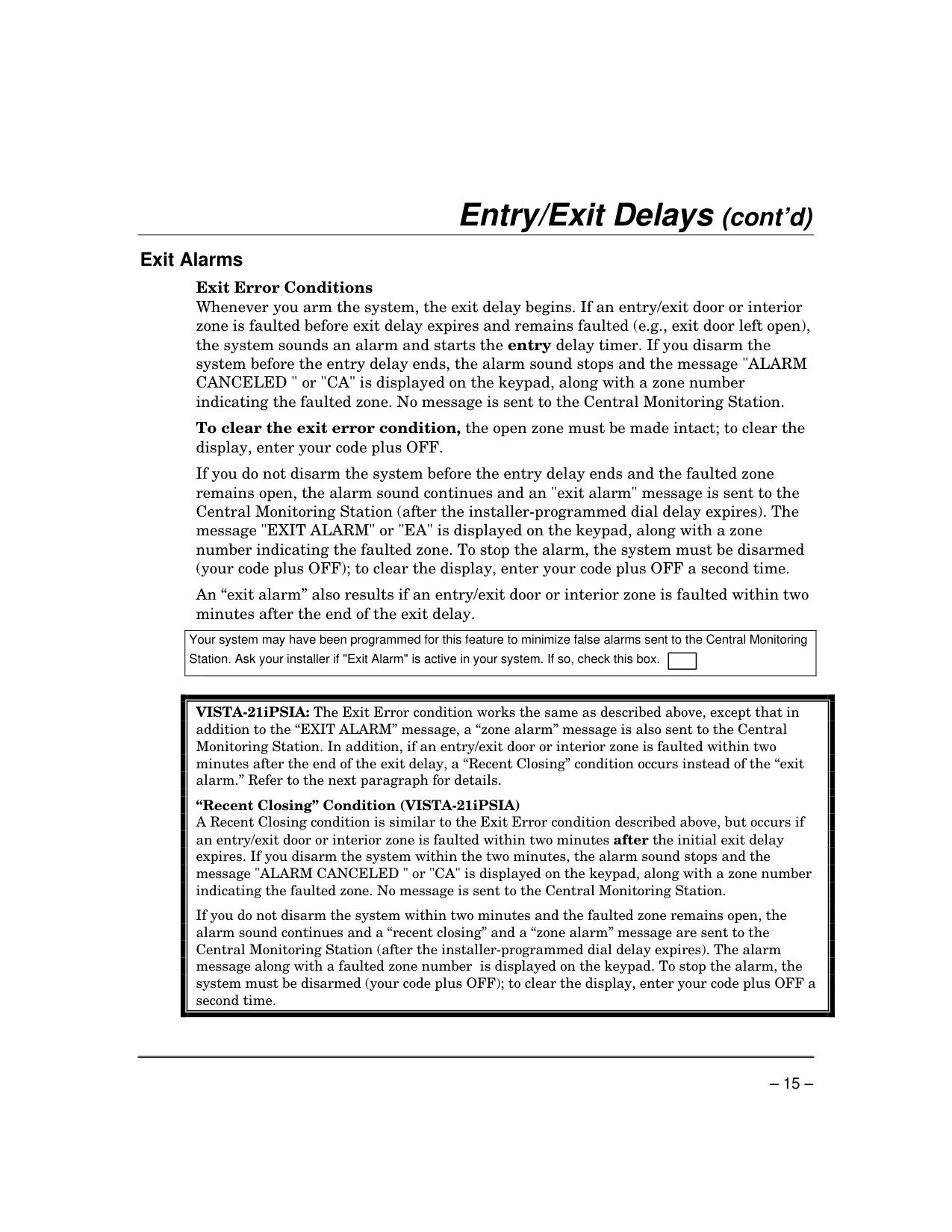
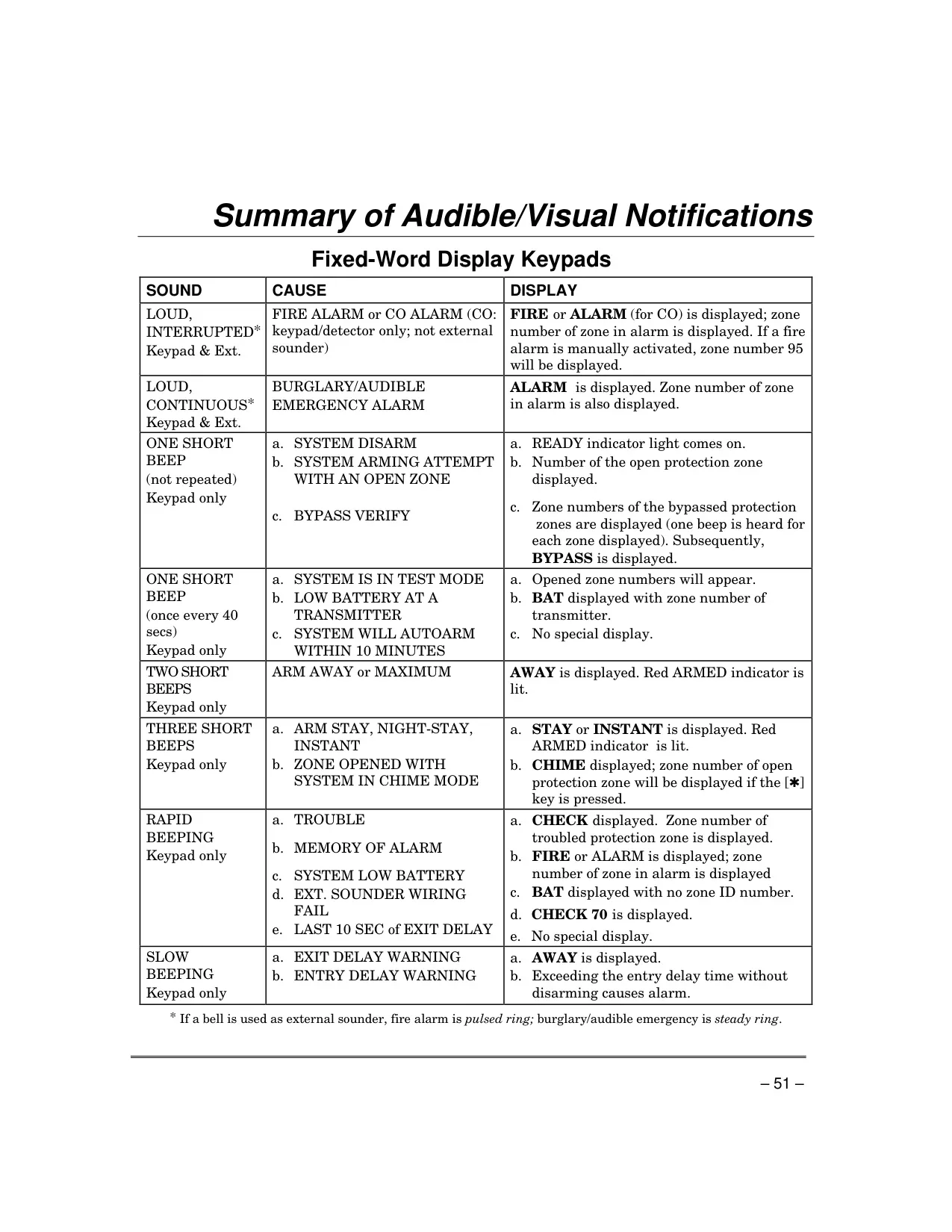
In the event of an alarm, keypads display the triggered zone(s) and emit sounds, with external sounders also activating. If connected to a Central Monitoring Station, an alarm message is sent, typically with a default 30-second delay to reduce false alarms. A "Memory of Alarm" feature ensures that even after the main sounder stops, the keypad will rapidly beep upon re-entry, indicating a prior alarm condition.
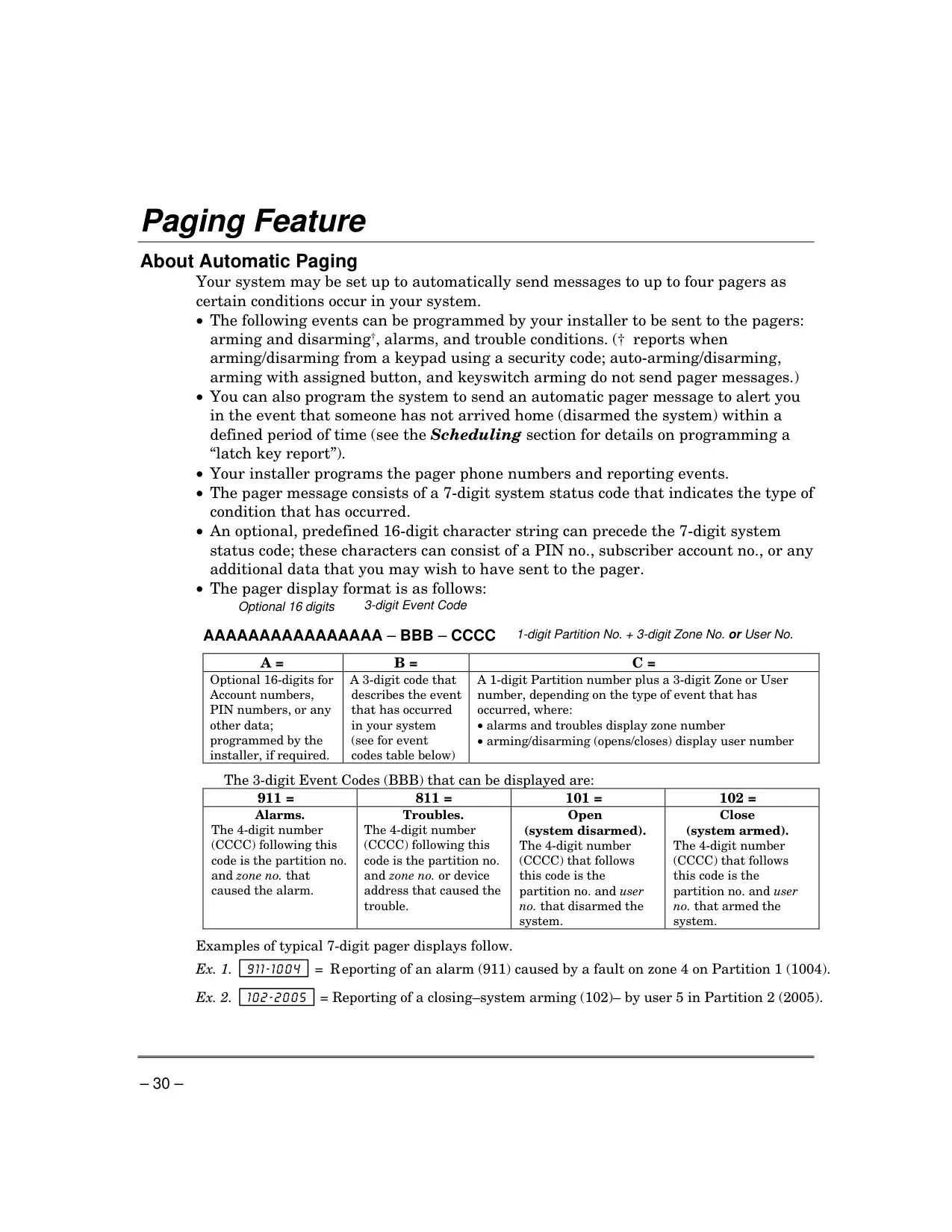
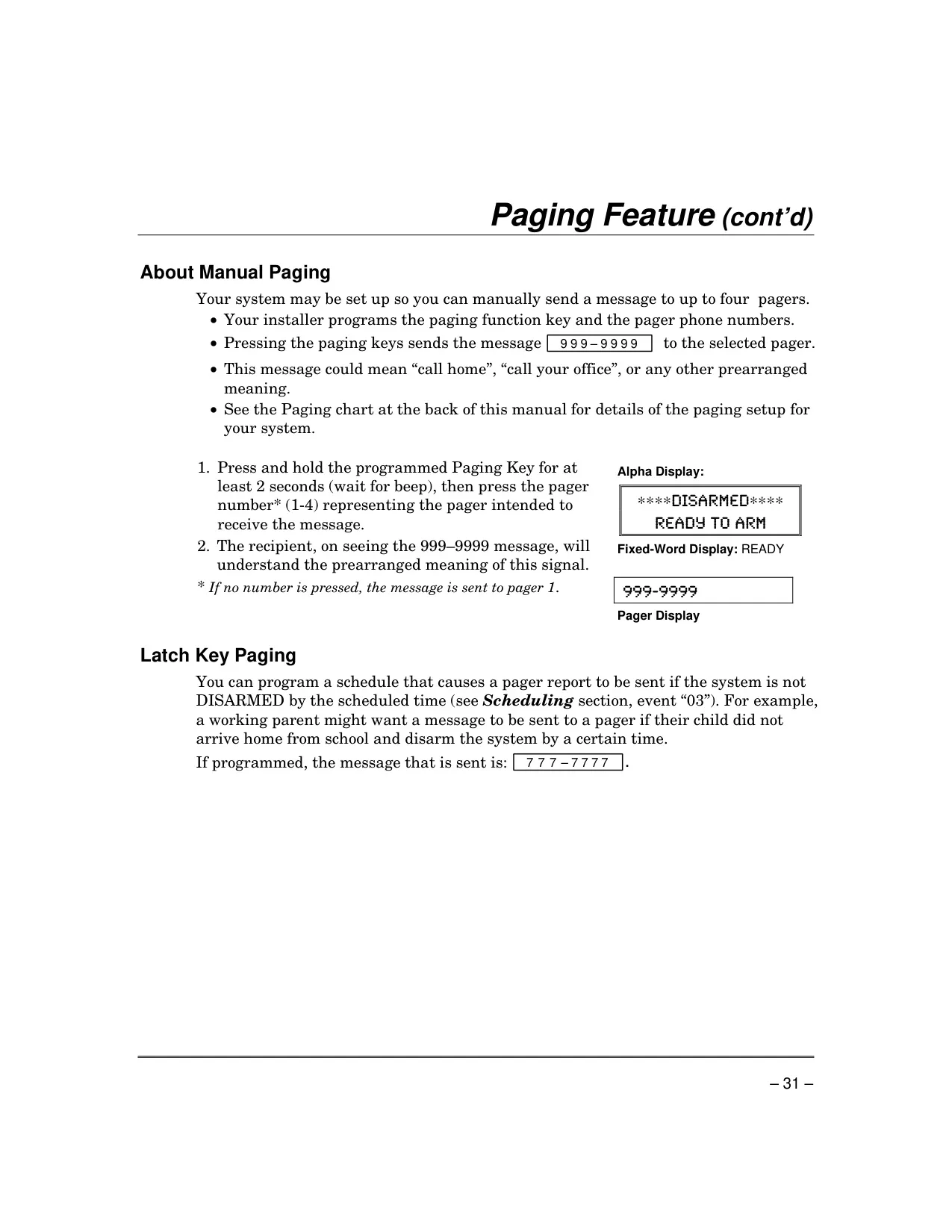
Advanced functionalities include phone access, allowing remote interaction with the system via a touch-tone phone (if a voice module is installed), enabling status checks and remote arming/disarming. The paging feature can automatically send system condition messages (alarms, troubles, arm/disarm events) to up to four pagers, displaying coded information. A unique "latch-key" report can be scheduled to page if the system isn't disarmed by a specified time, useful for monitoring arrivals.
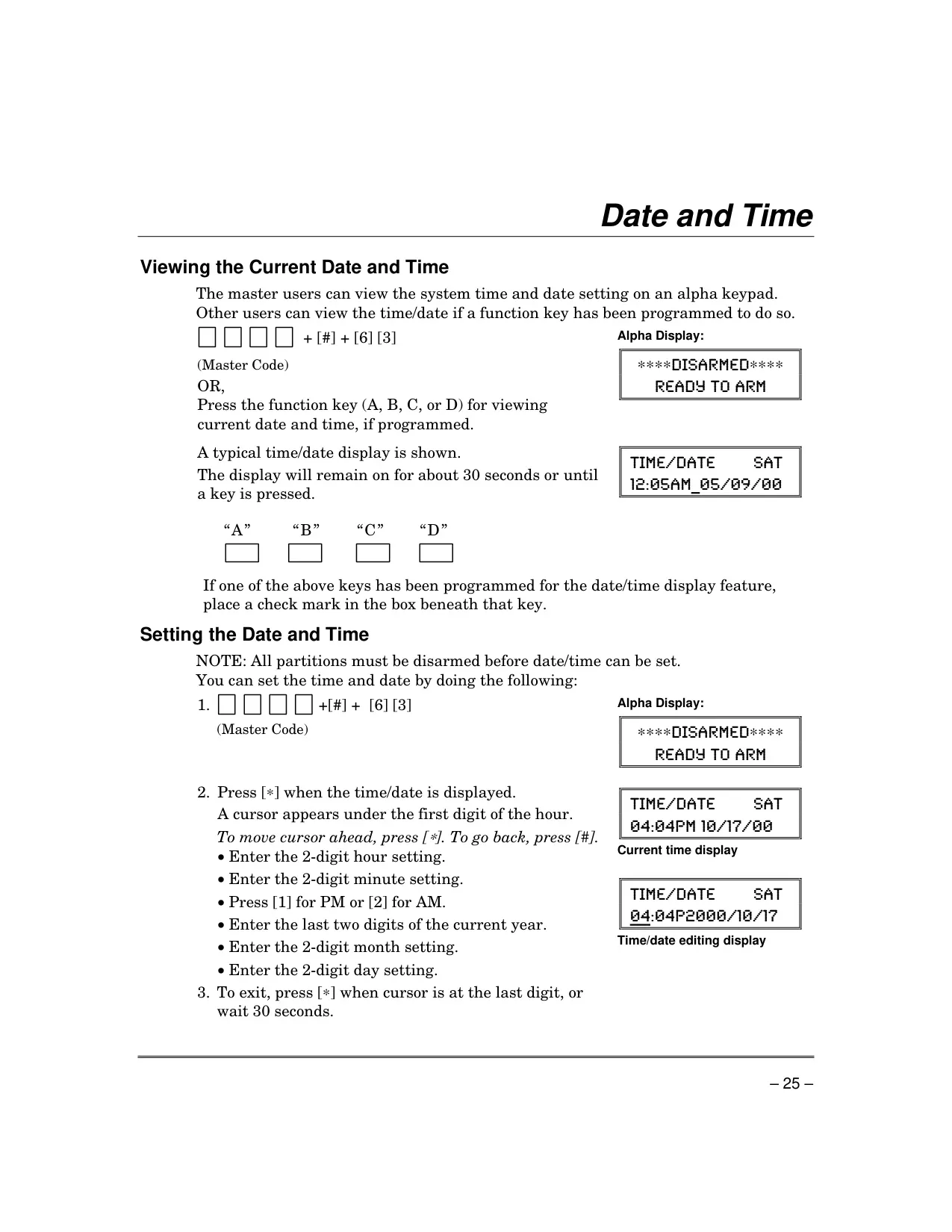
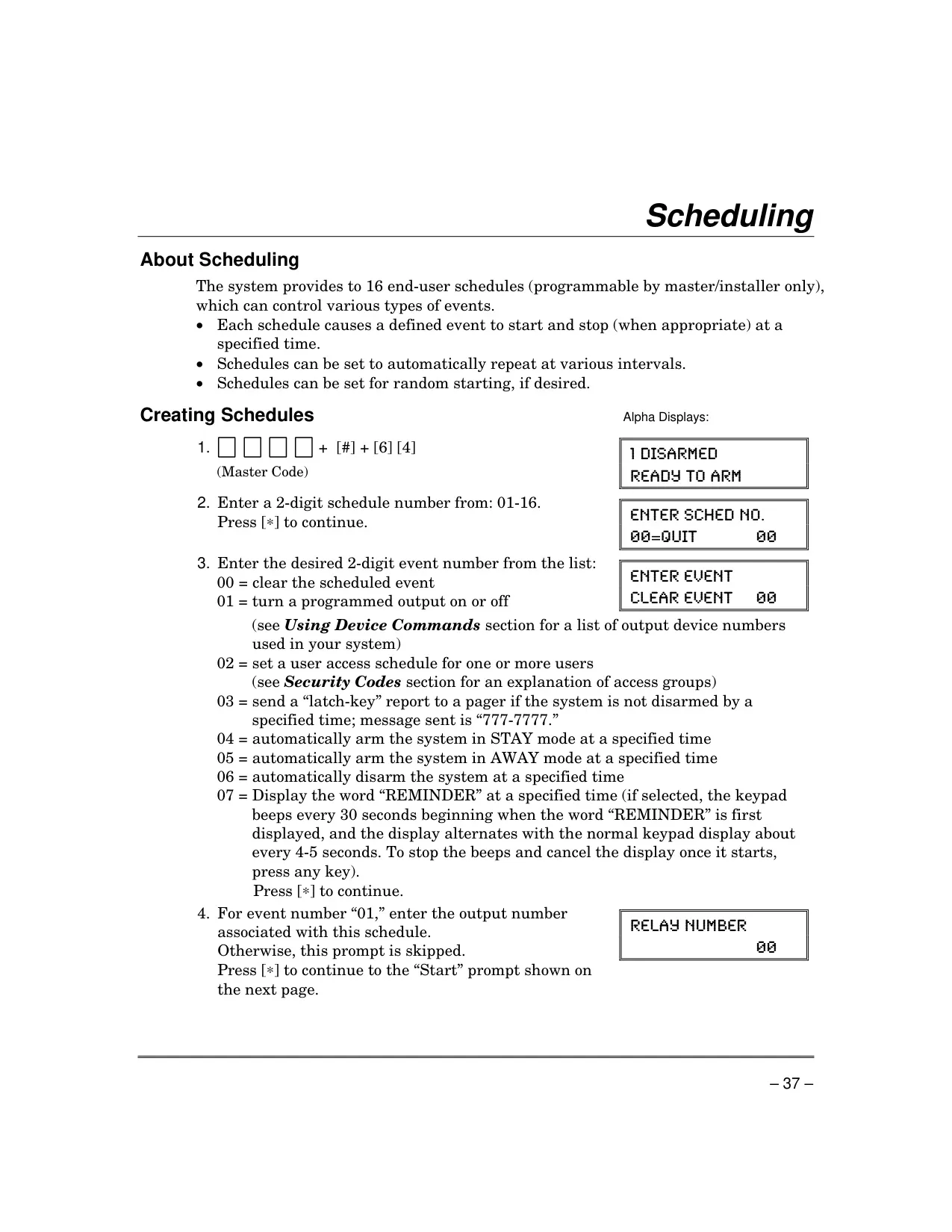
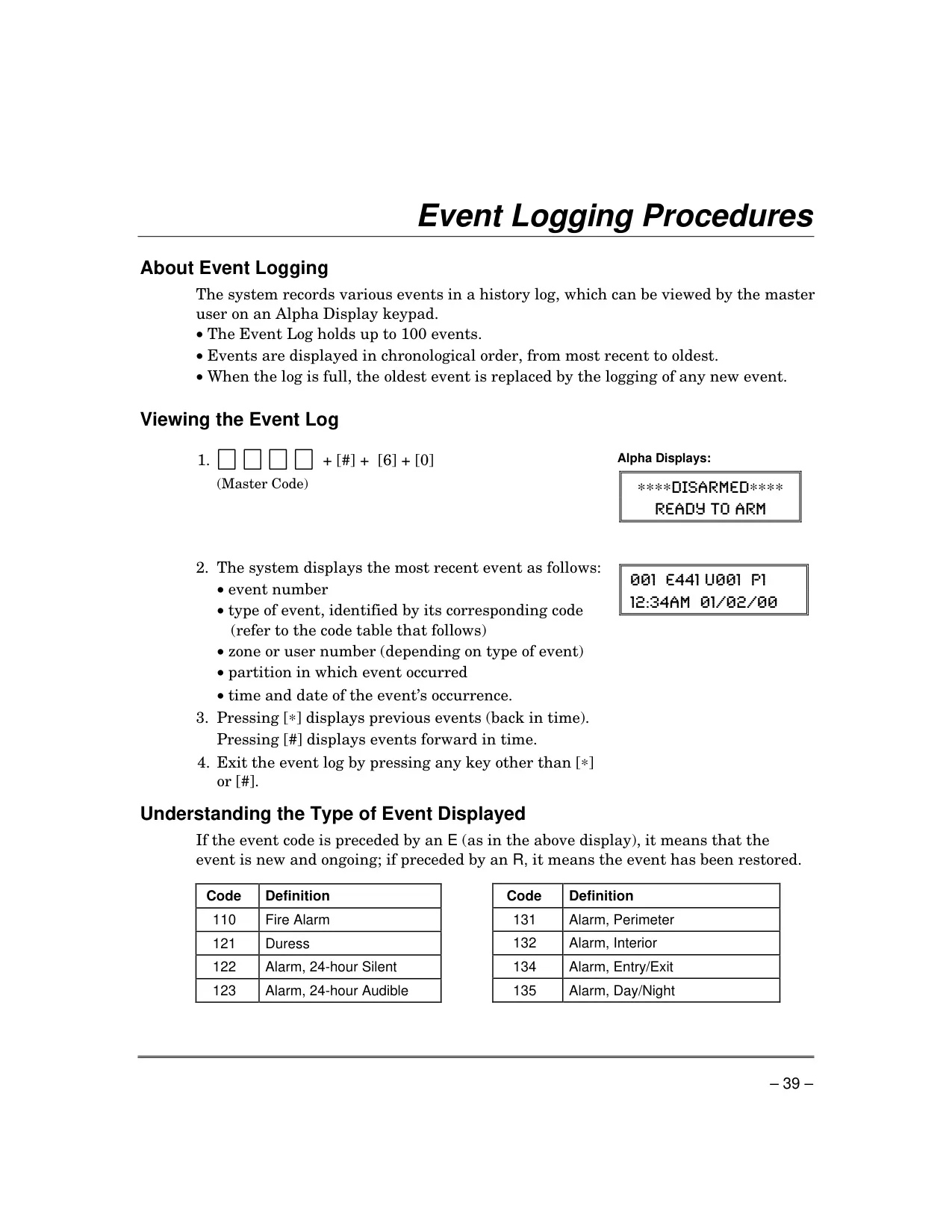
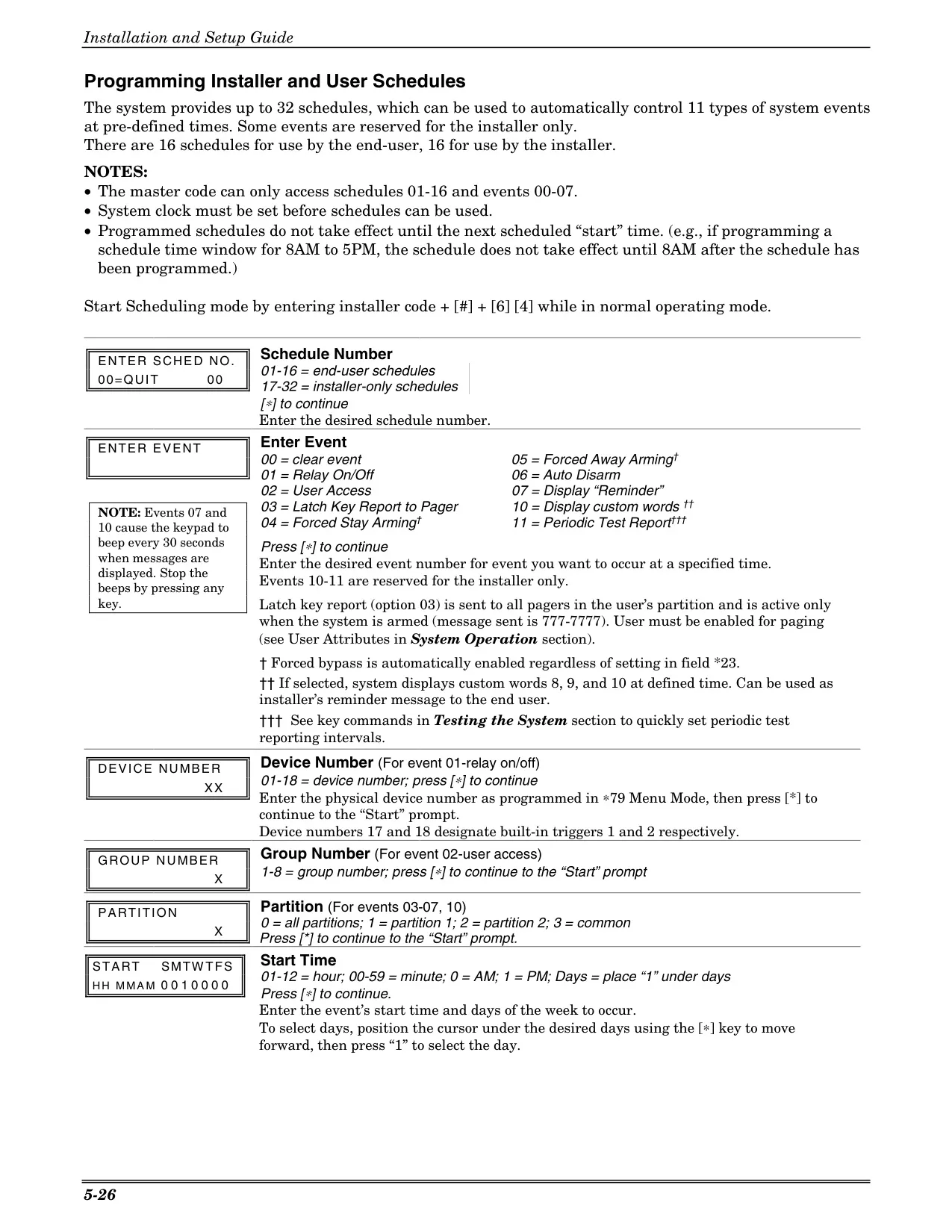
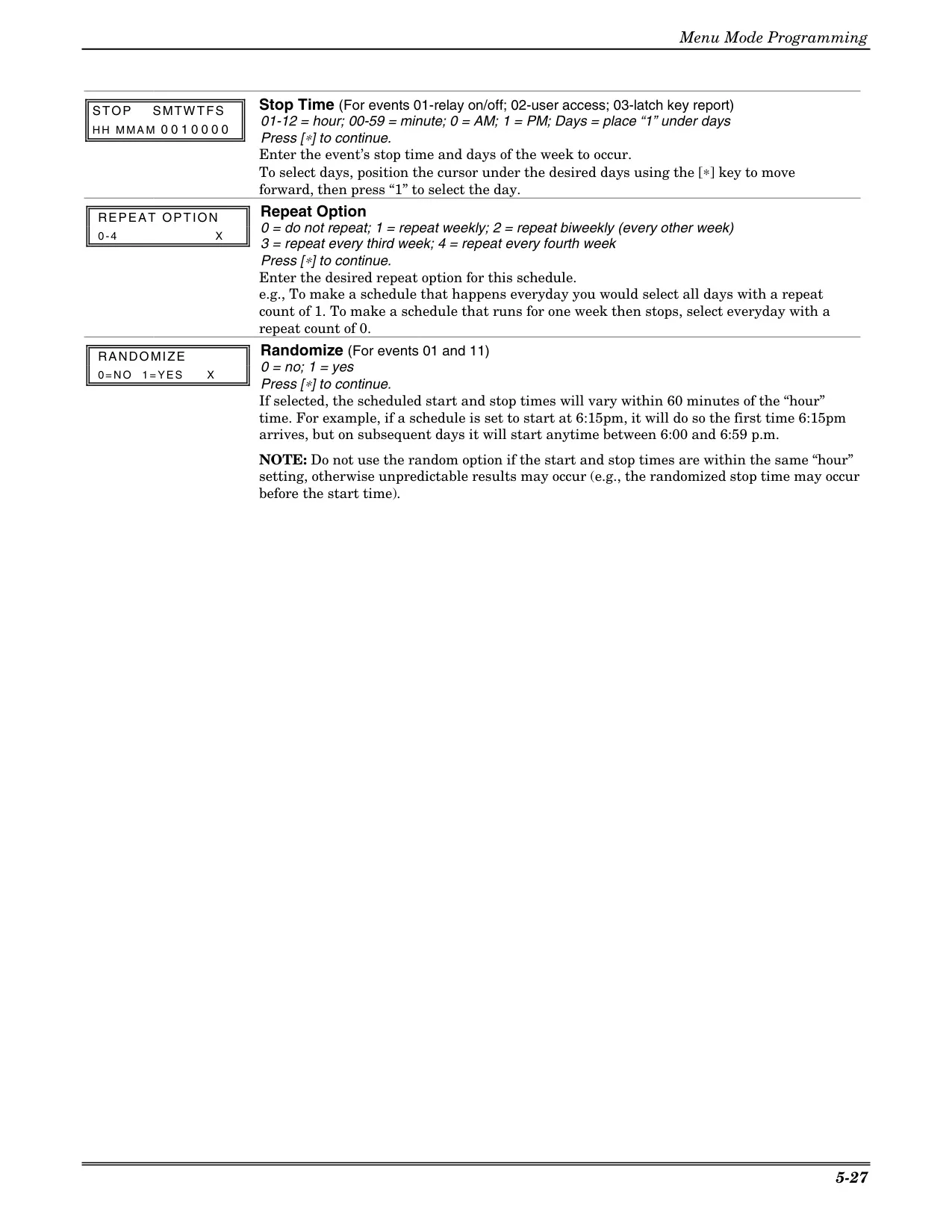
The system also supports scheduling, enabling automatic execution of functions like arming, output device control, or displaying reminders at predetermined times. These schedules can be set to repeat weekly or bi-weekly and even randomize start times for enhanced security. For comprehensive oversight, an event log records up to 100 historical events, viewable by the master user, providing detailed timestamps of system activities.
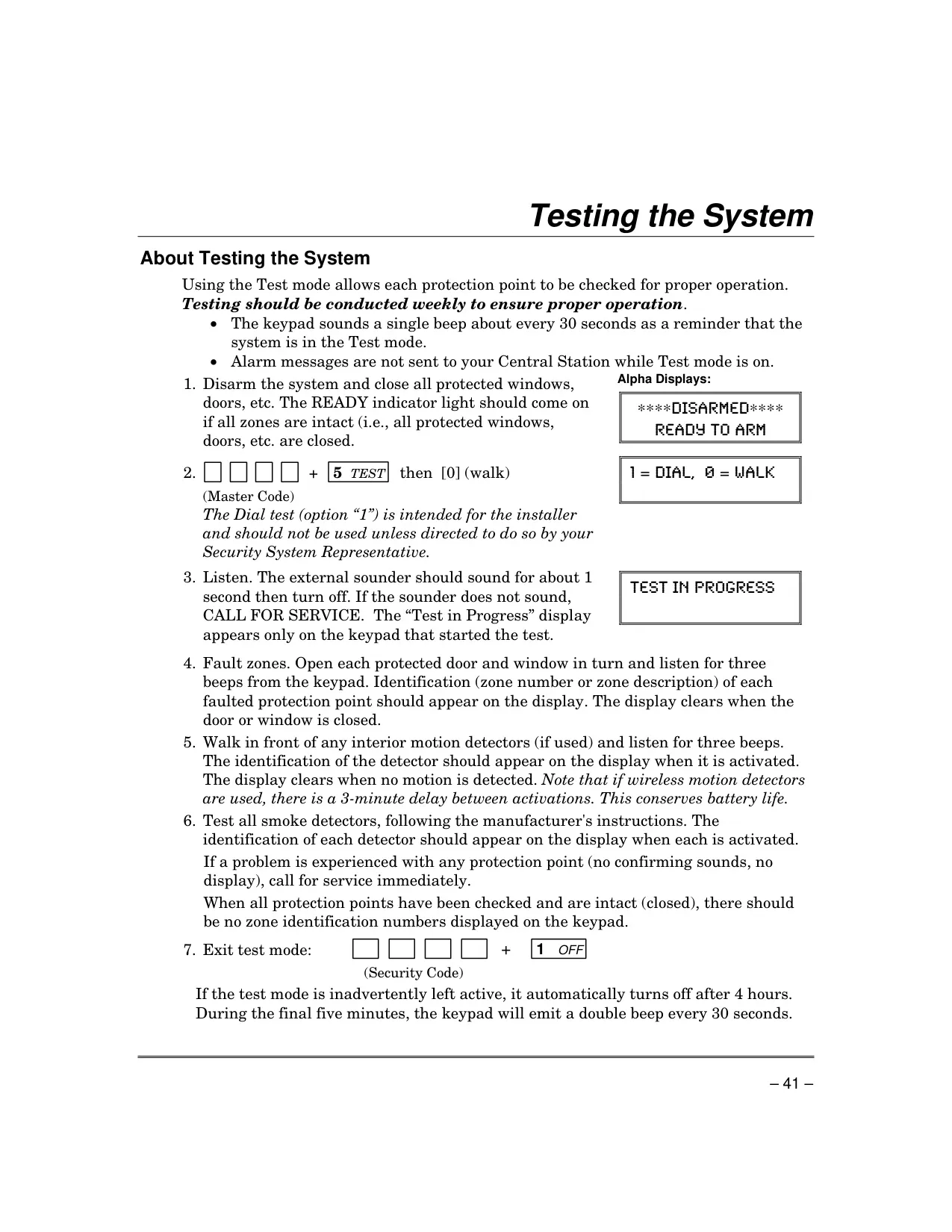
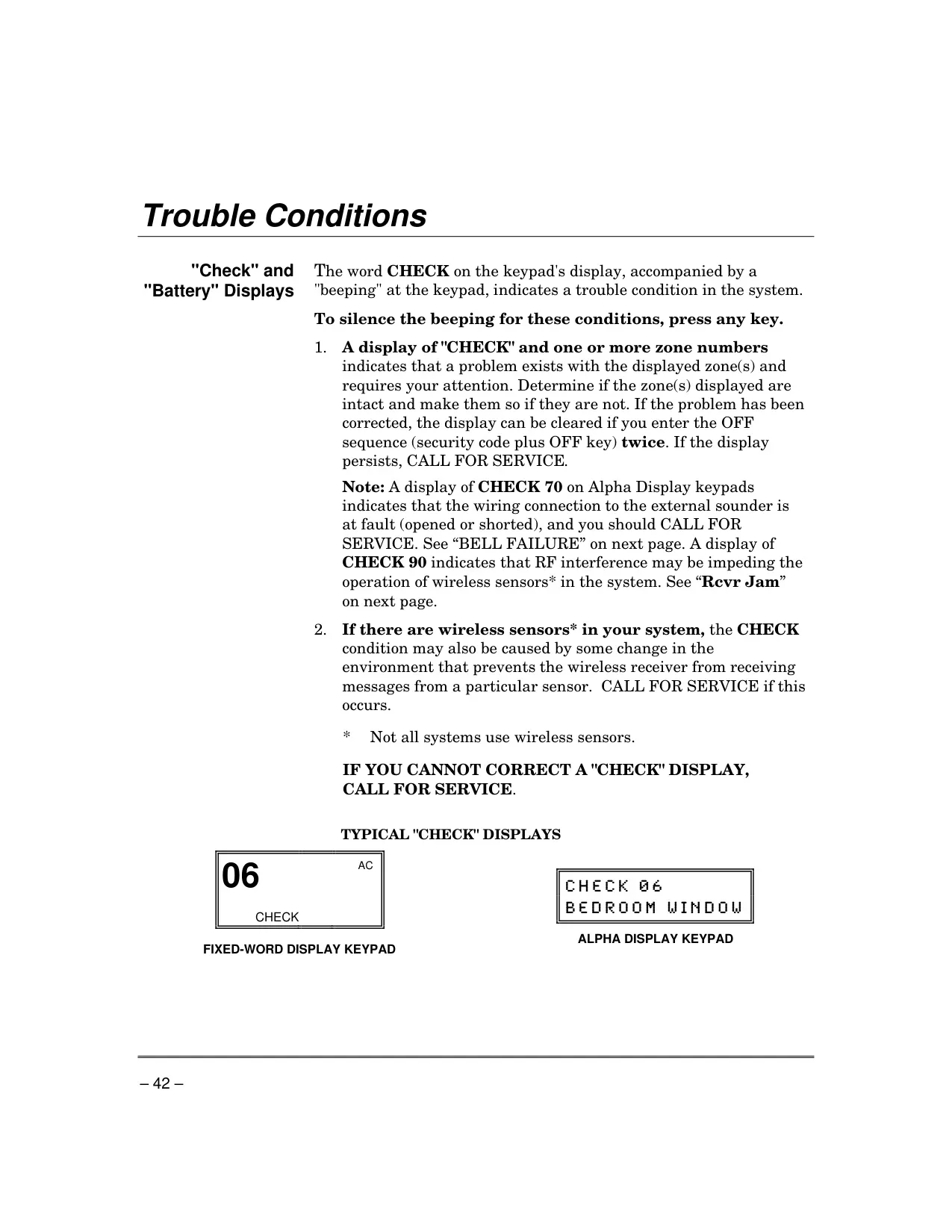
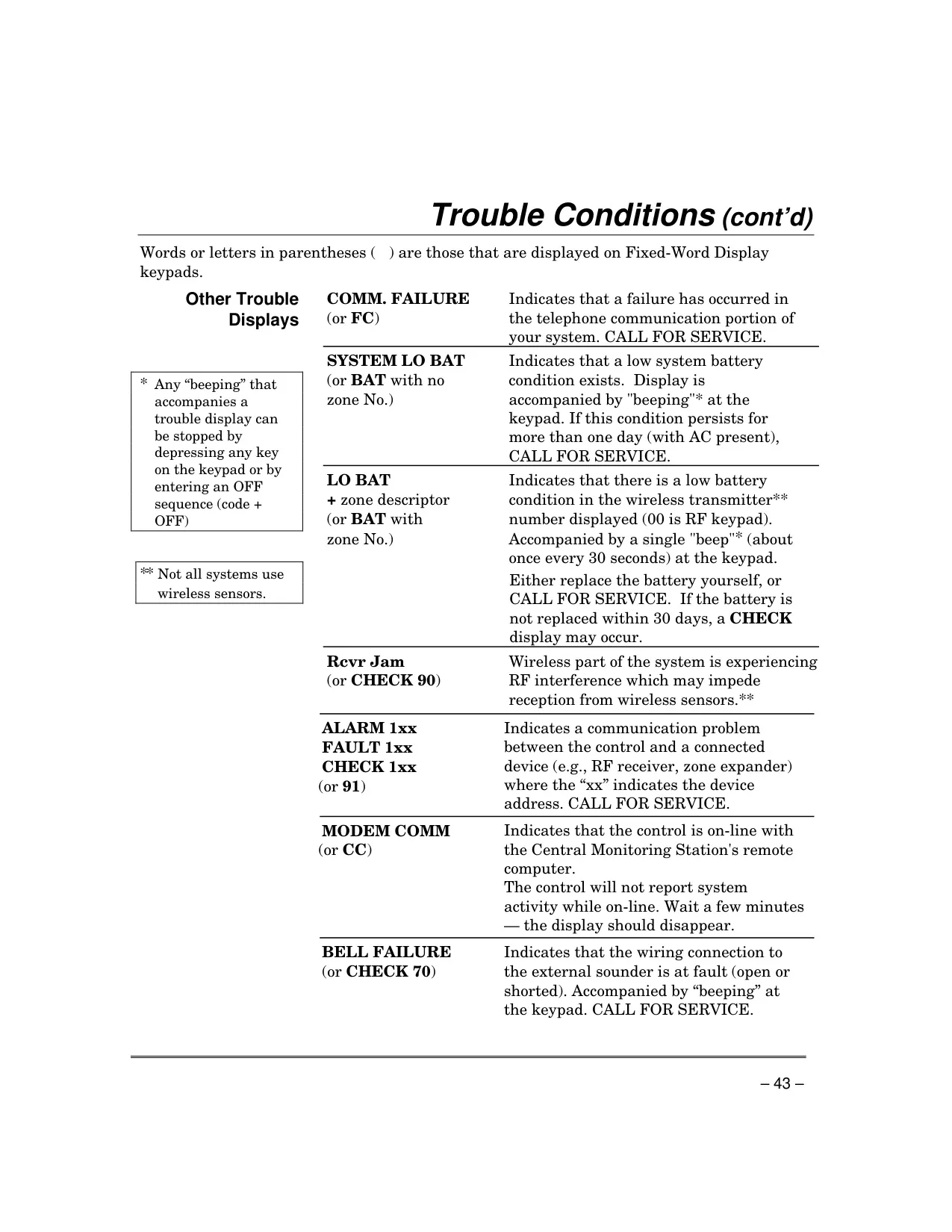
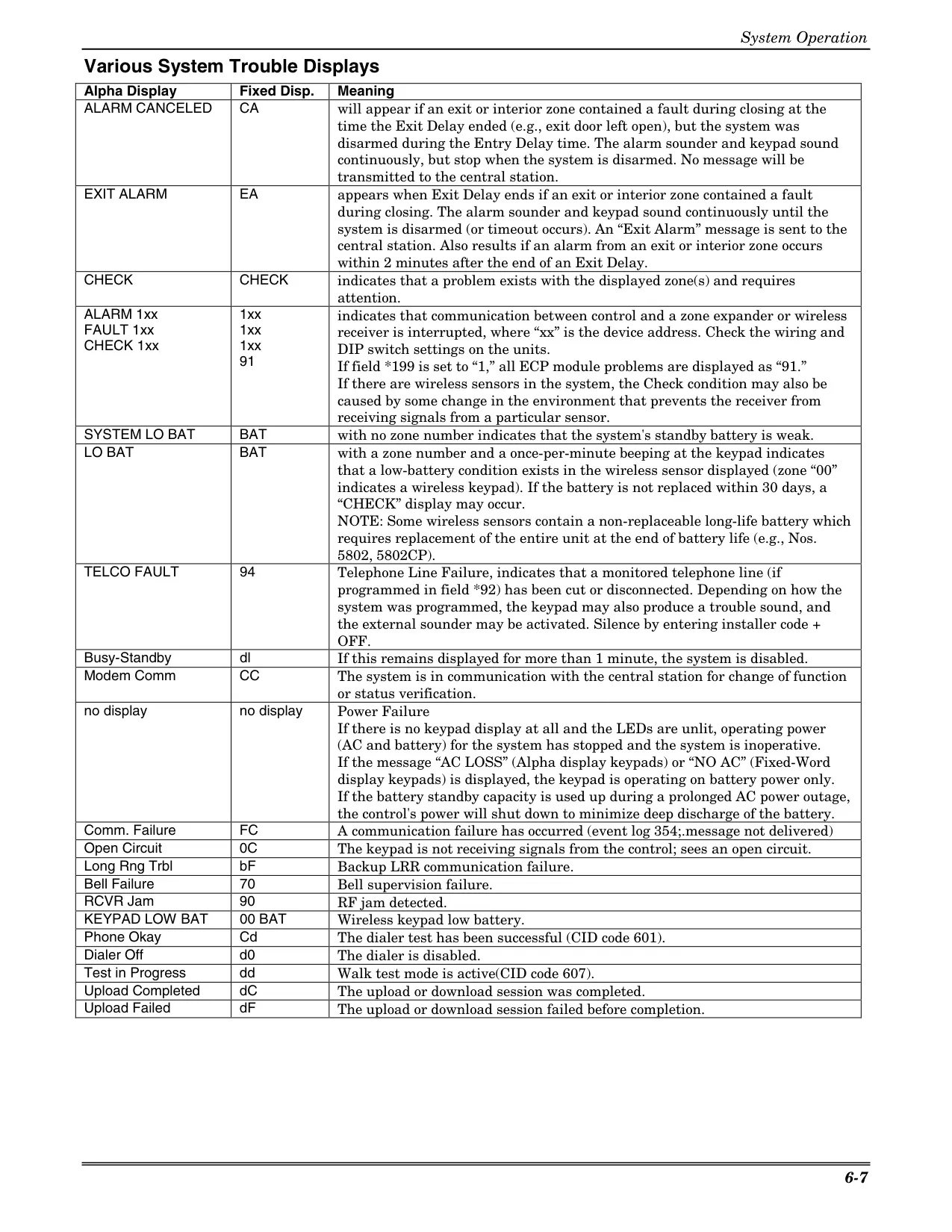
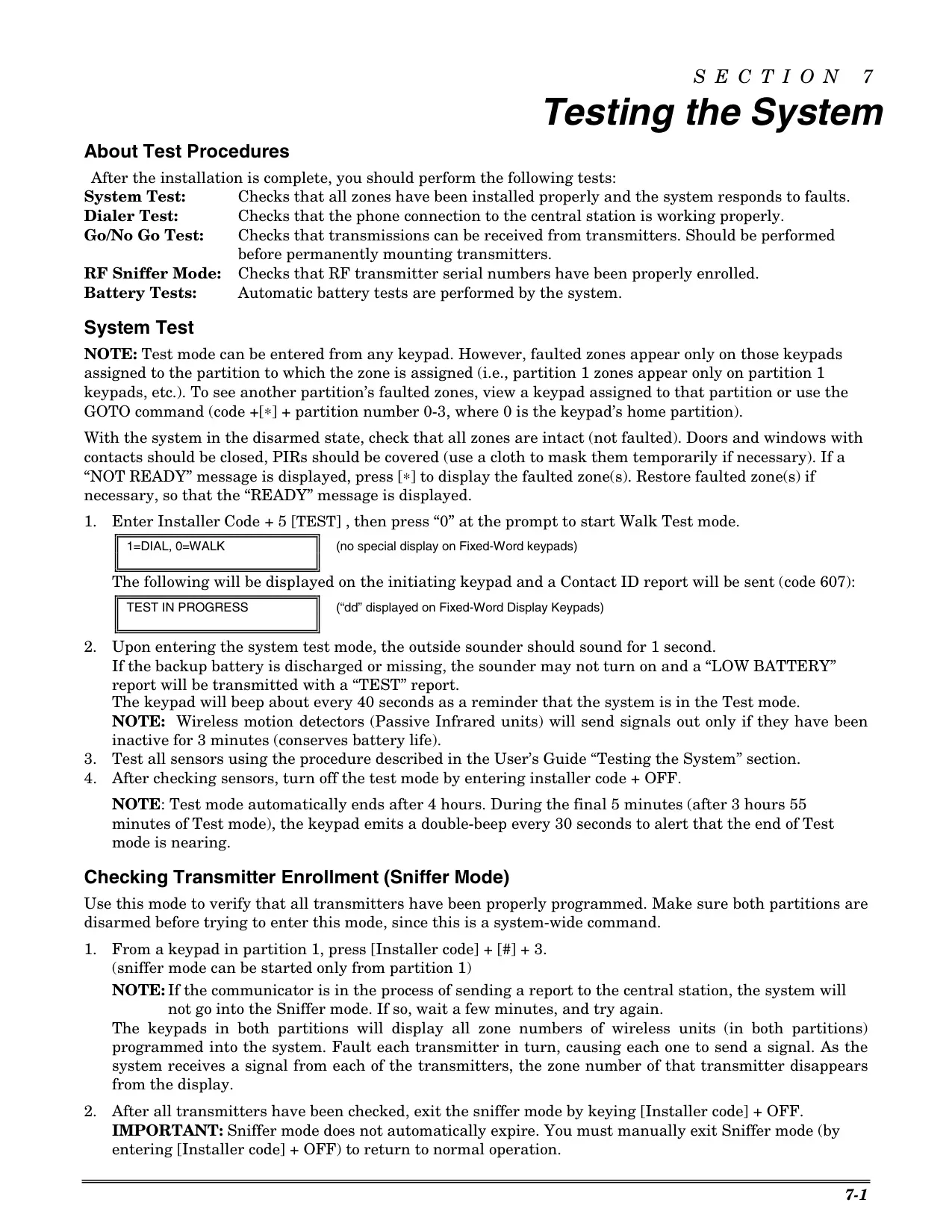
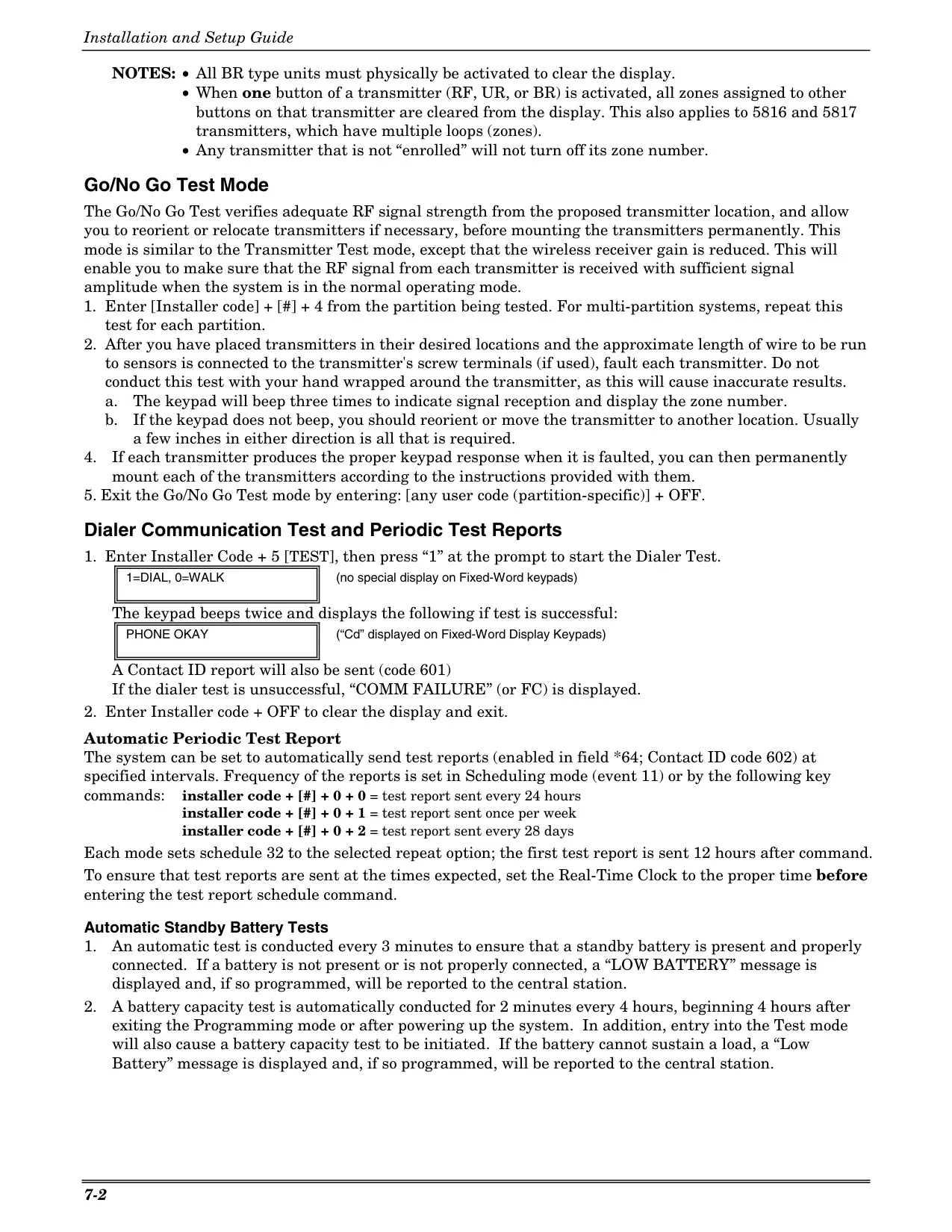
Regular maintenance is crucial for optimal performance, including weekly system testing. The "Test mode" allows users to verify each protection point, ensuring sensors and sounders are functioning correctly without sending false alarms to the Central Monitoring Station. This routine check is vital for the system’s reliability, especially after any alarm incident. It’s important to address "Trouble Conditions" (e.g., "CHECK," "BAT," "COMM. FAILURE") promptly by silencing beeps and investigating, or calling for service if issues persist.
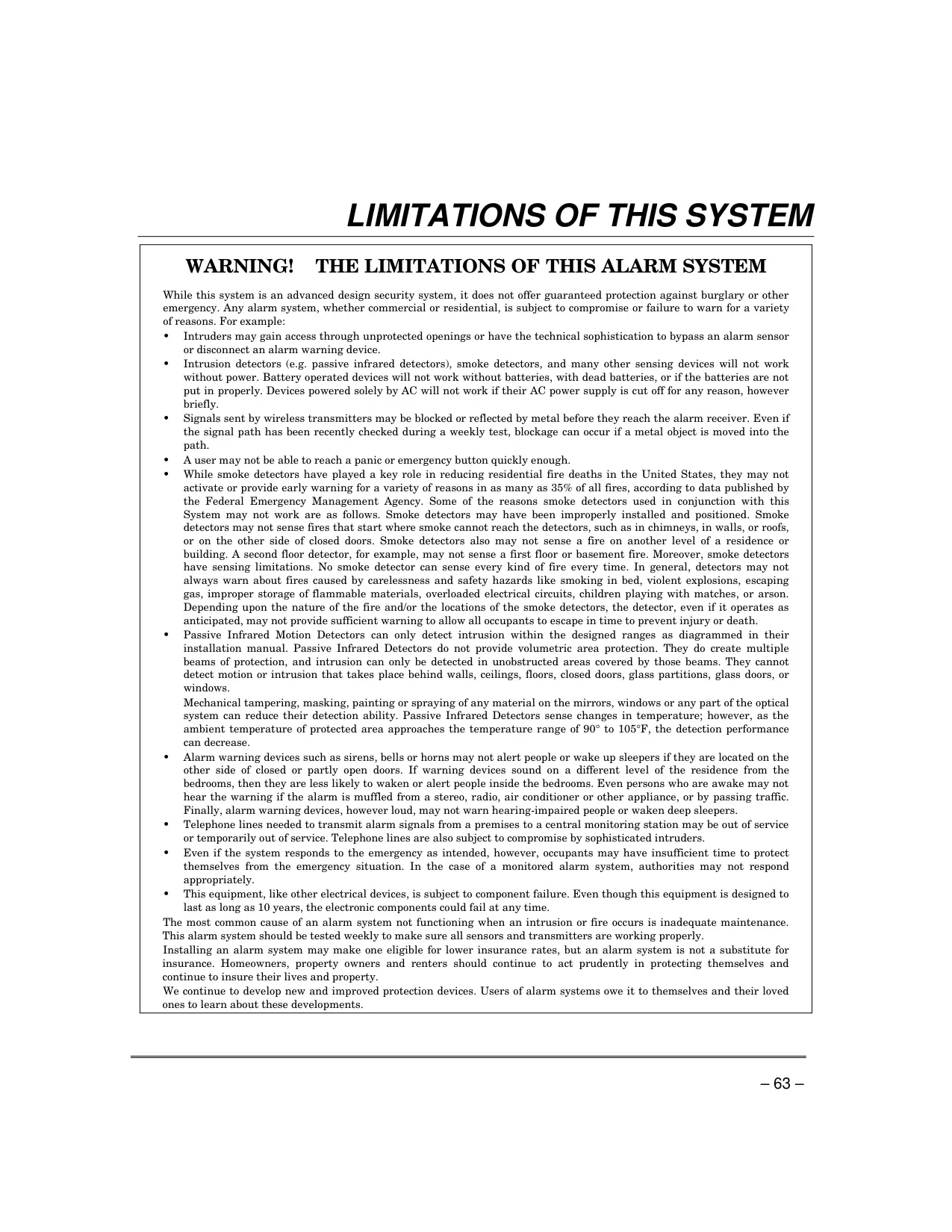
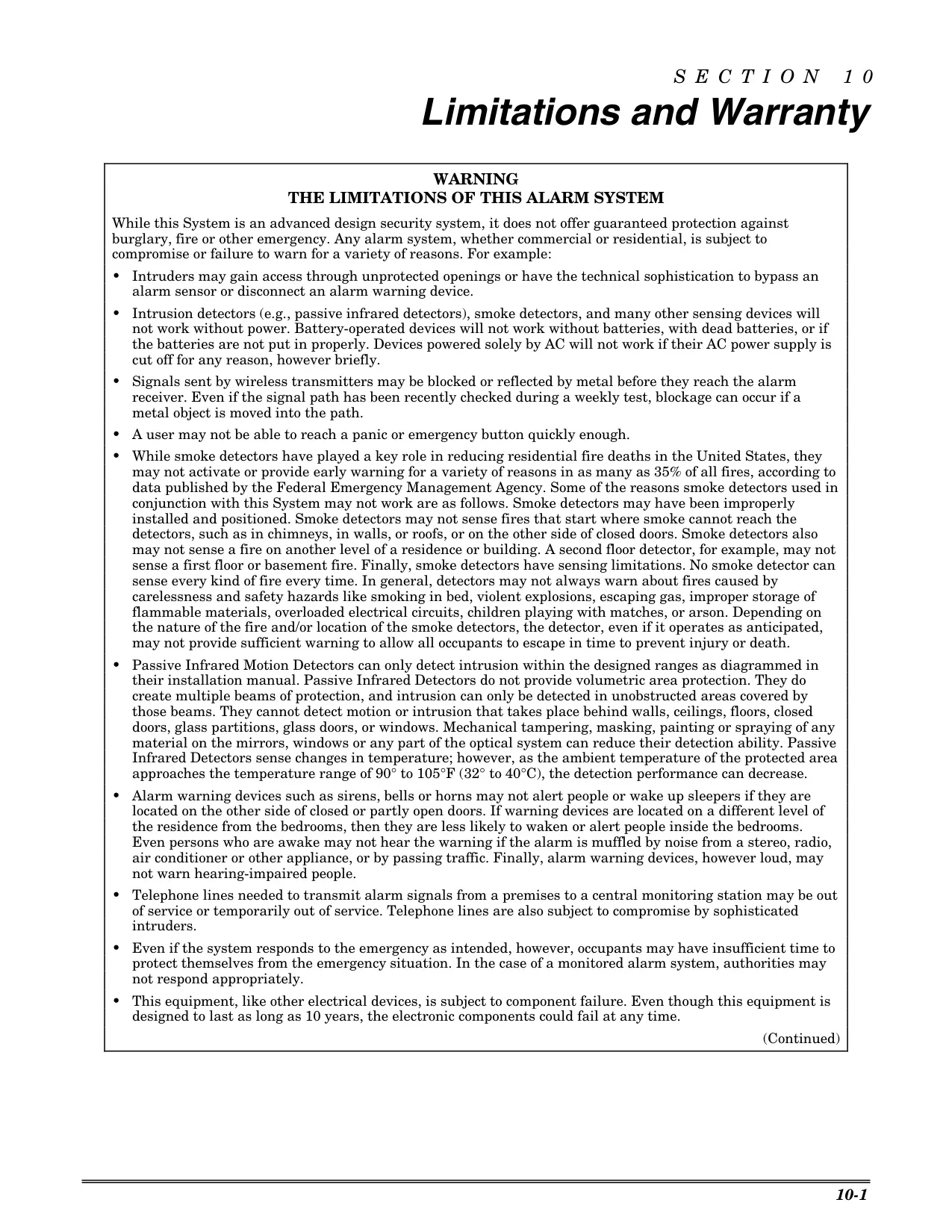
Despite its advanced design, the Honeywell Vista 21IP, like all alarm systems, has limitations. It does not offer guaranteed protection against all emergencies. Factors such as improper installation, power loss, signal blockage for wireless devices, sophisticated intruders, or even human error can compromise its effectiveness. The manual explicitly states that the system is not a substitute for insurance and recommends continuous vigilance and proper maintenance.
Frequently Asked Questions (FAQs)
Can't find the answer you need? Here are some frequently asked questions about the Honeywell Vista 21IP Security System, and we answer them below.