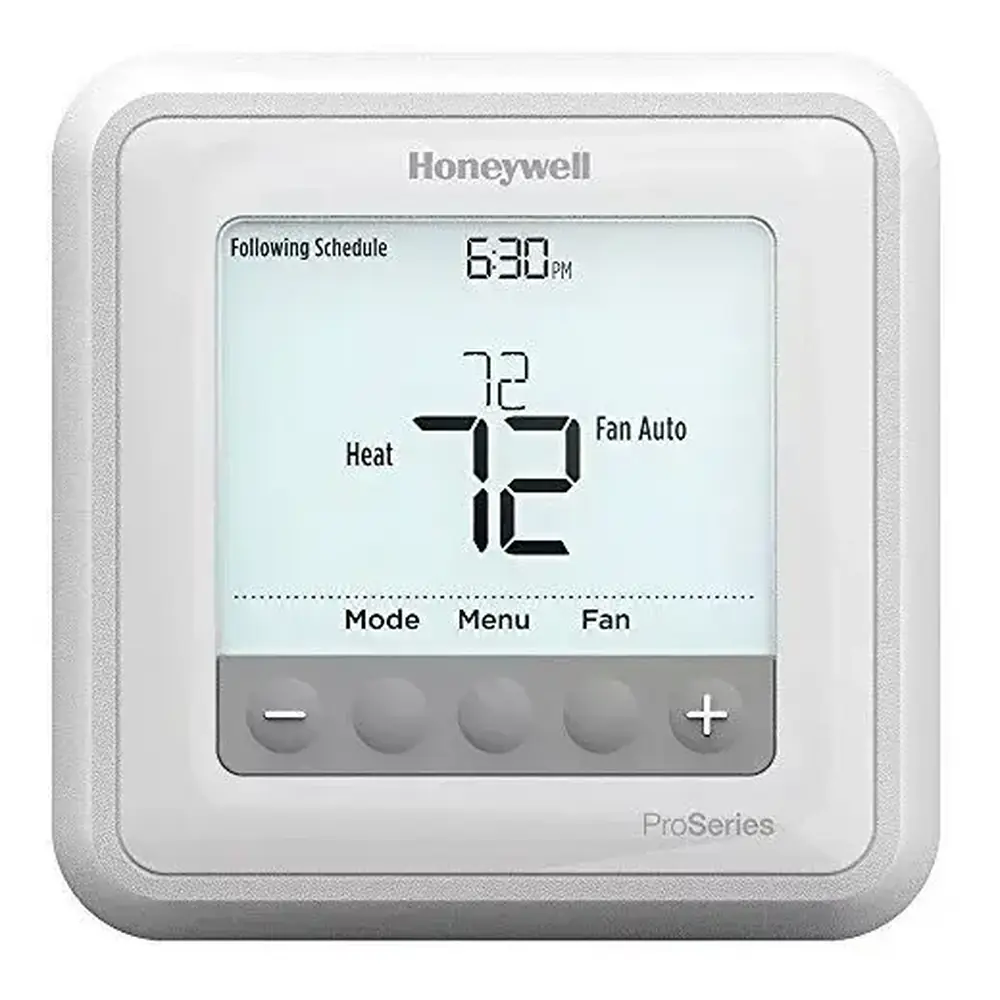
Honeywell TH8110R1008 VisionPro 8000 Instruction Manual
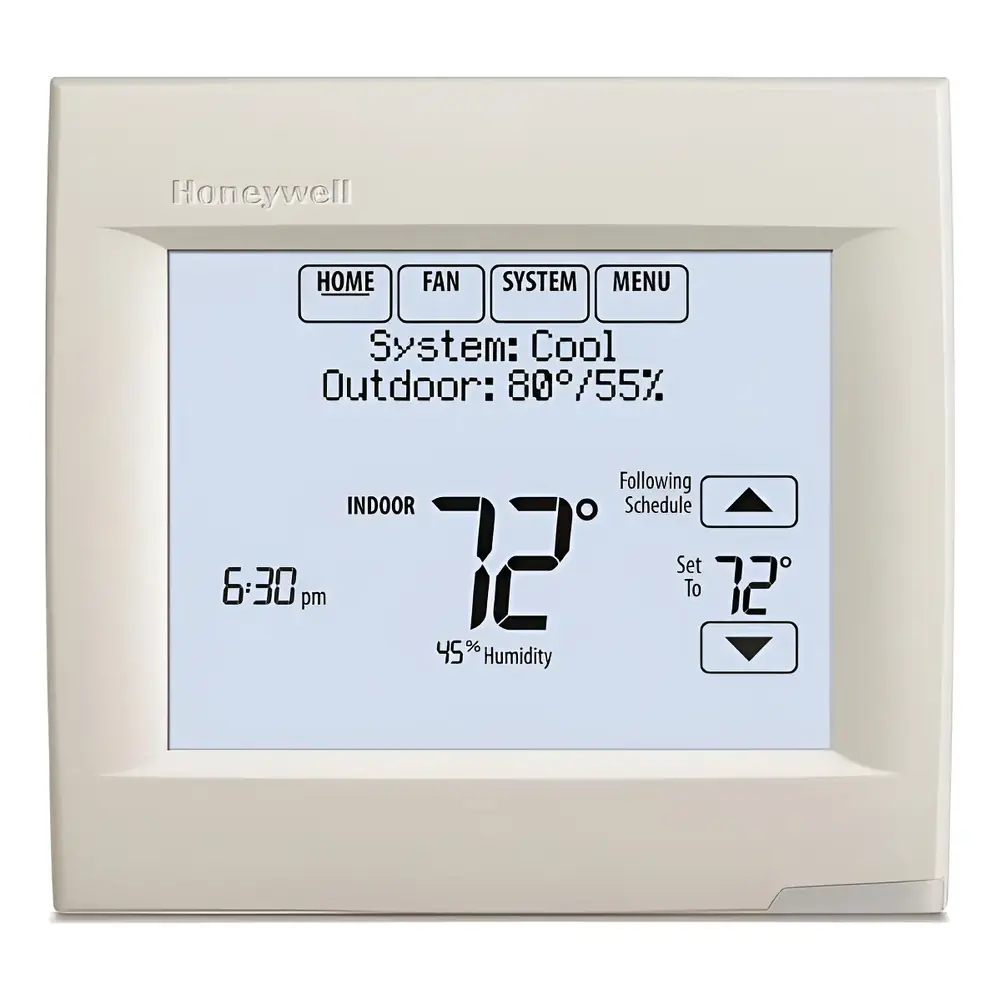
Honeywell TH8110R1008 VisionPro 8000
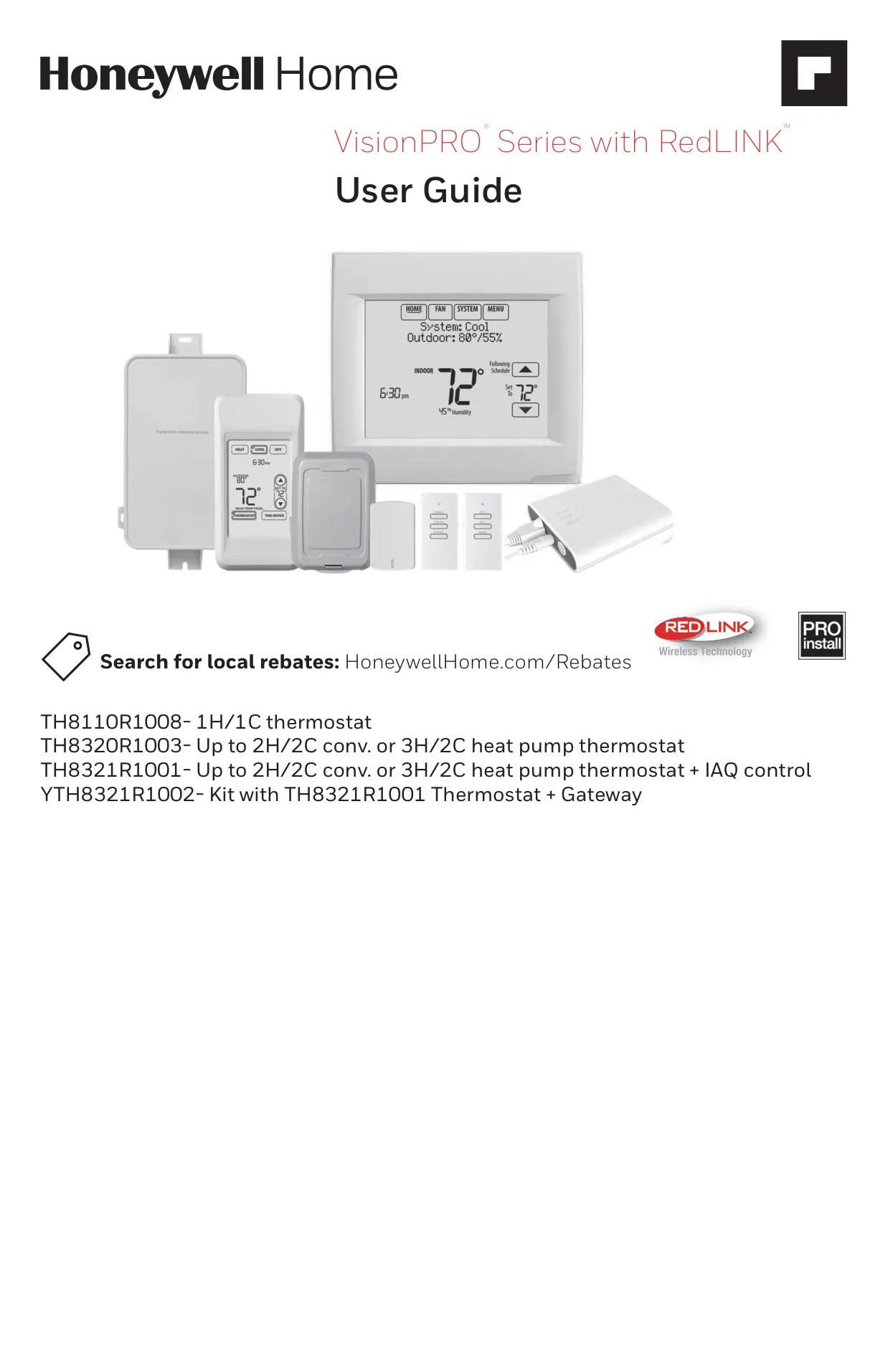






Honeywell TH8110R1008 VisionPro 8000
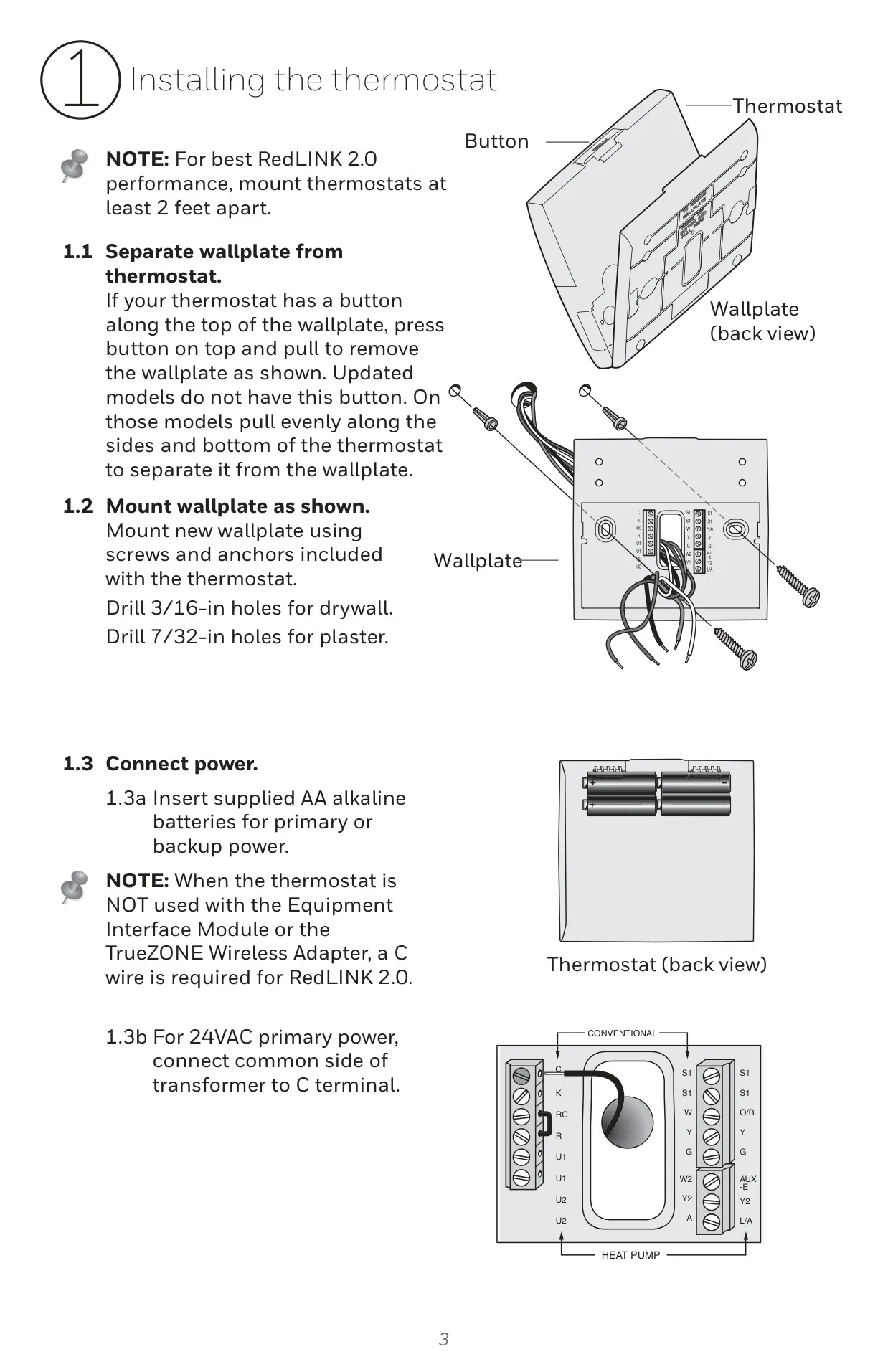
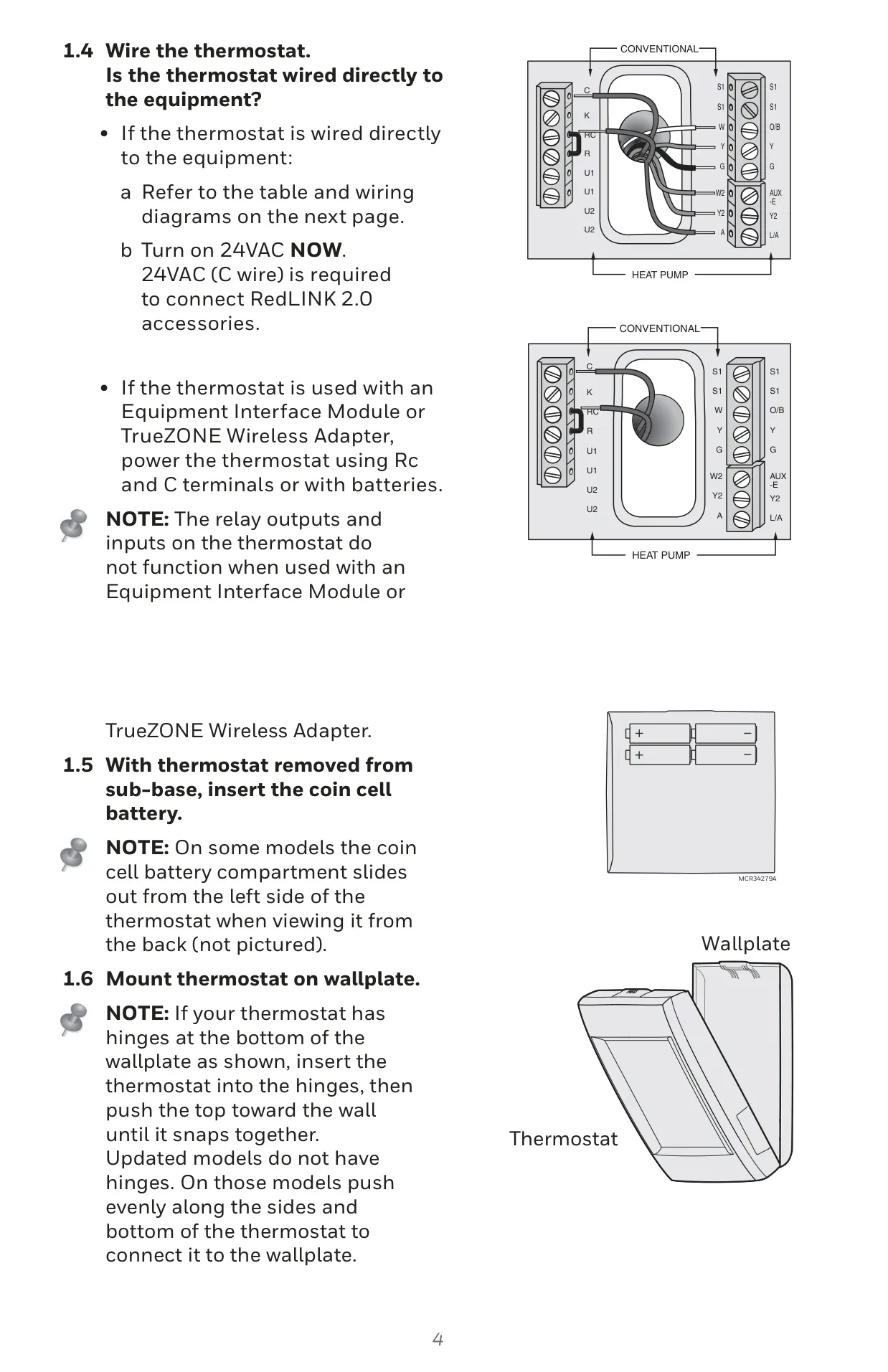
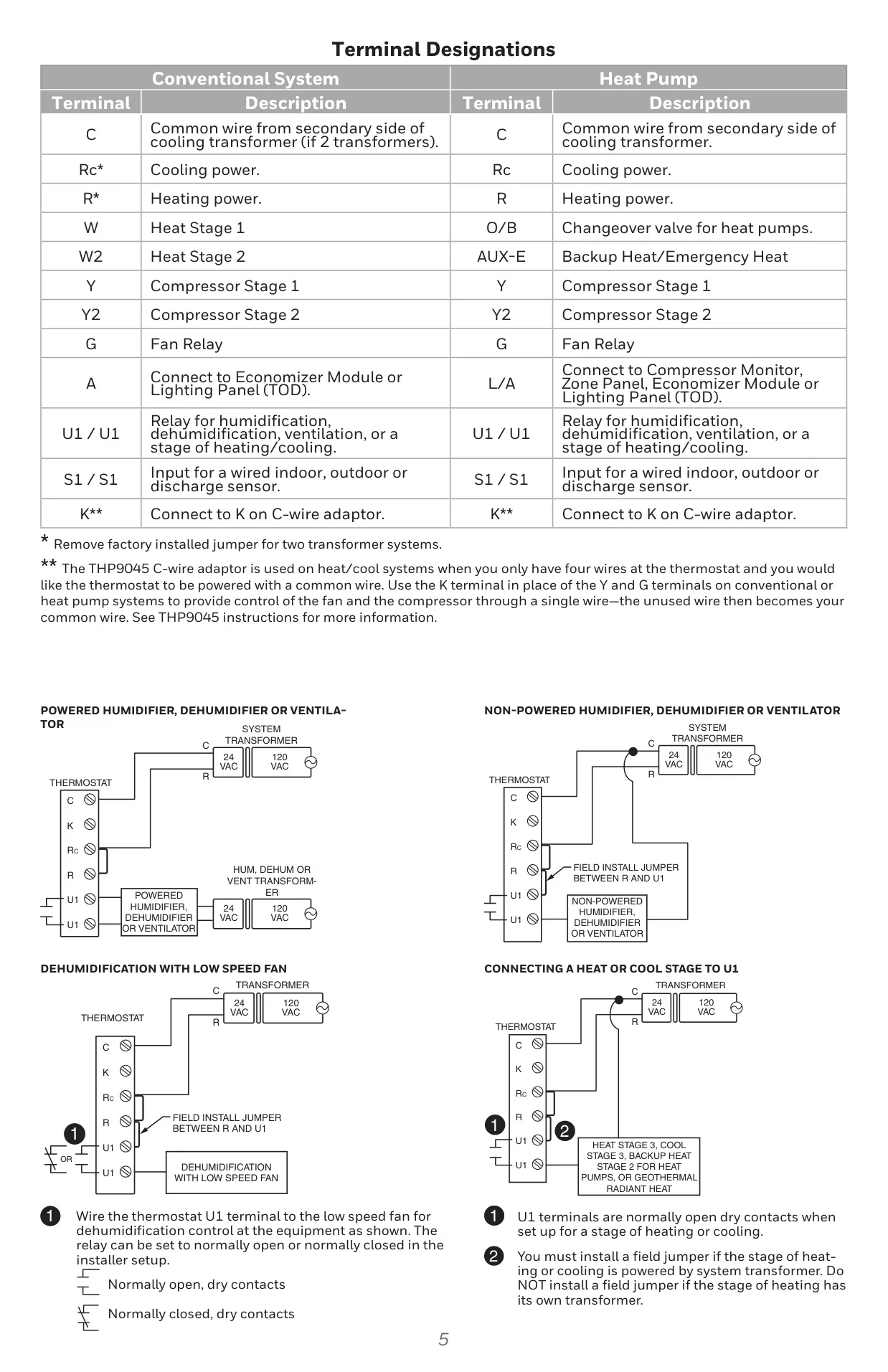

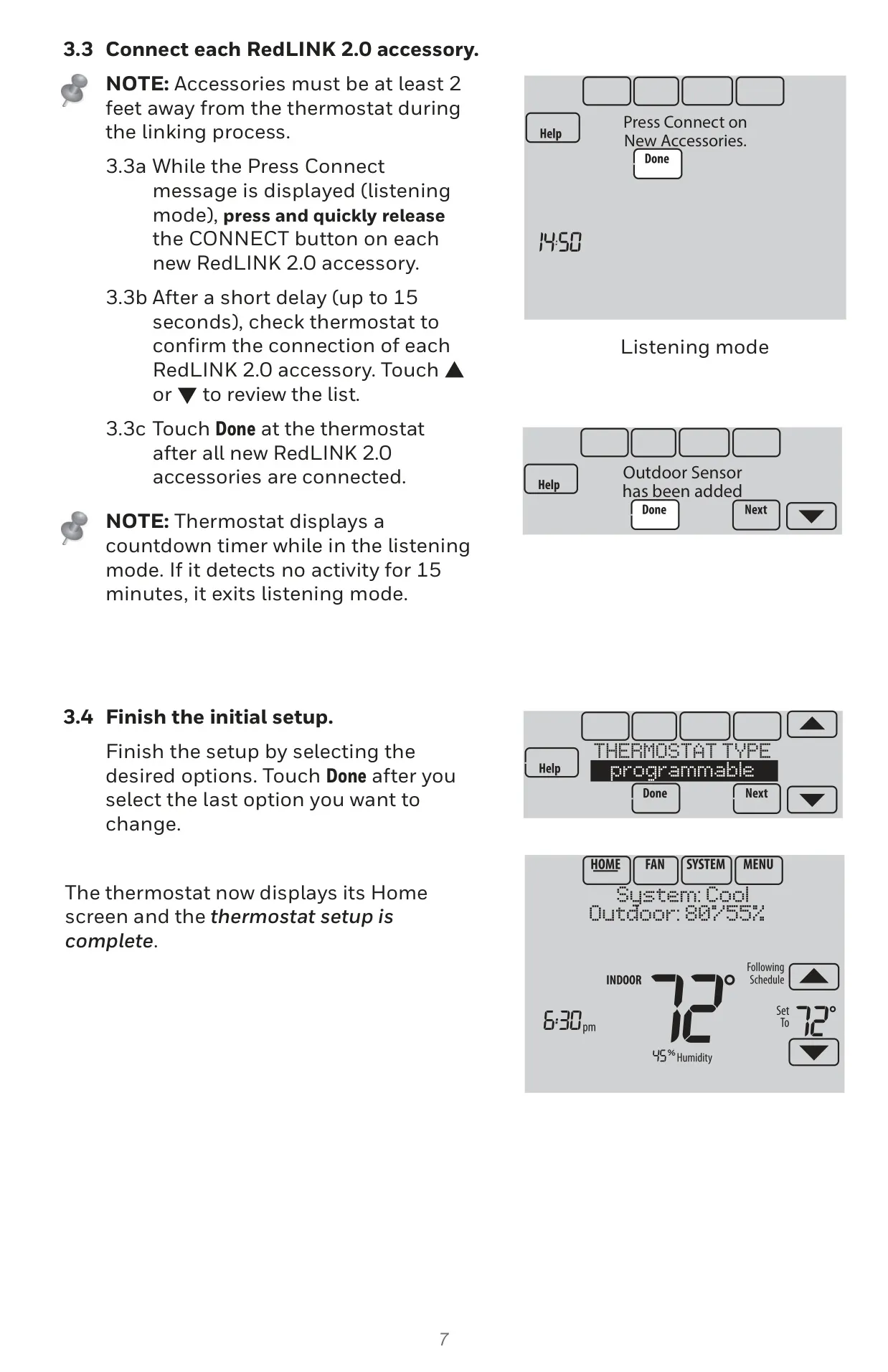

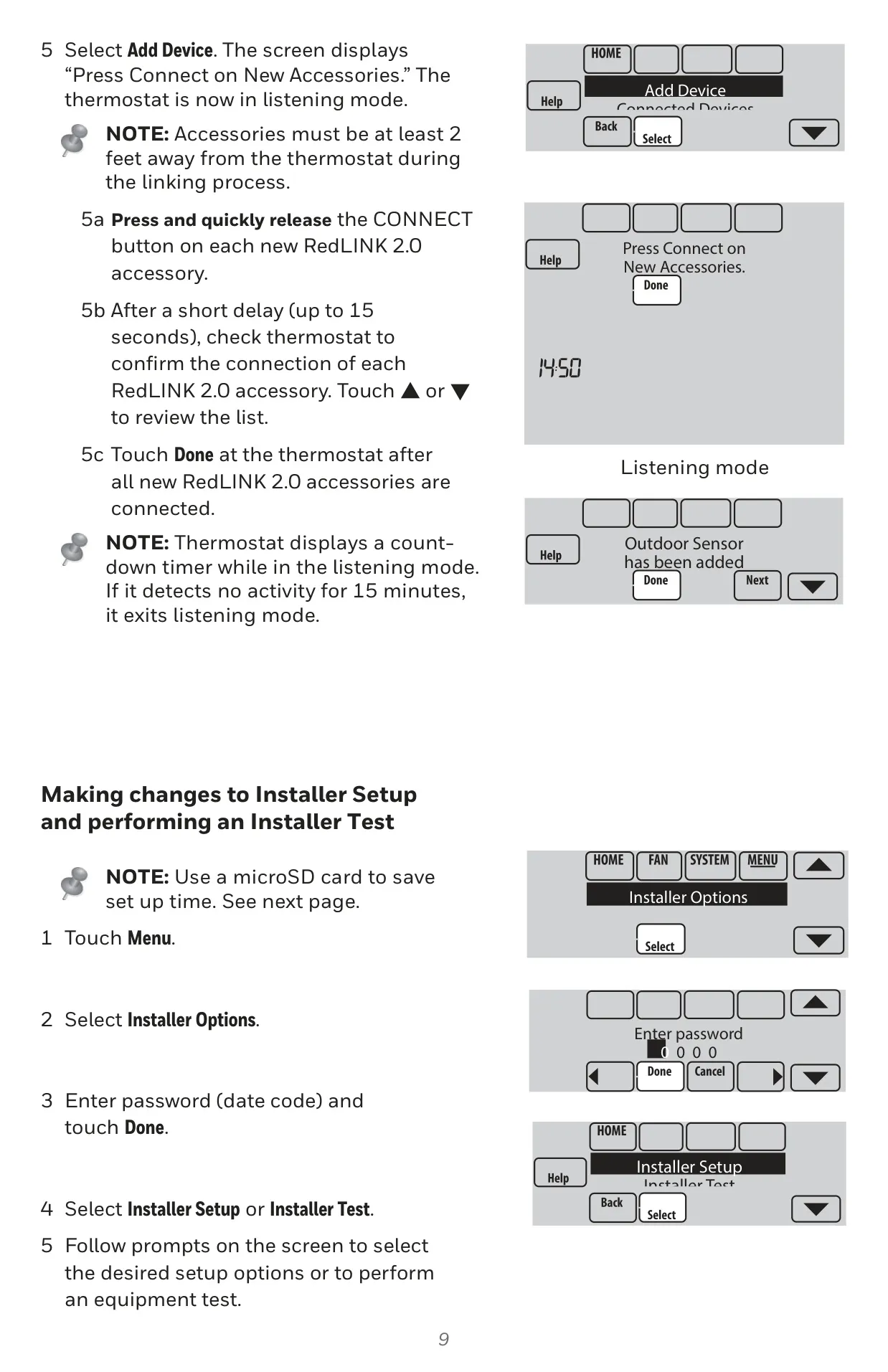
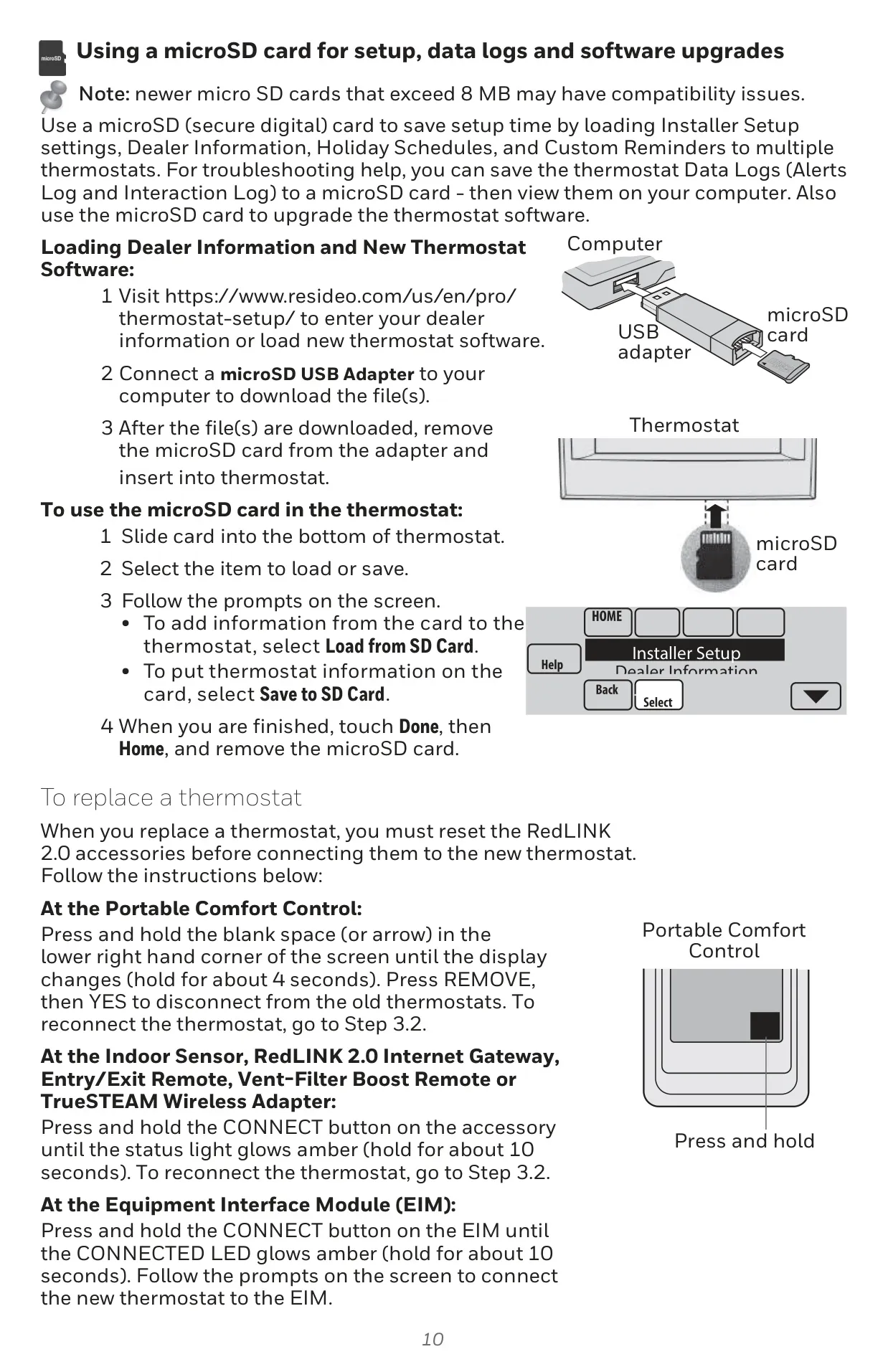
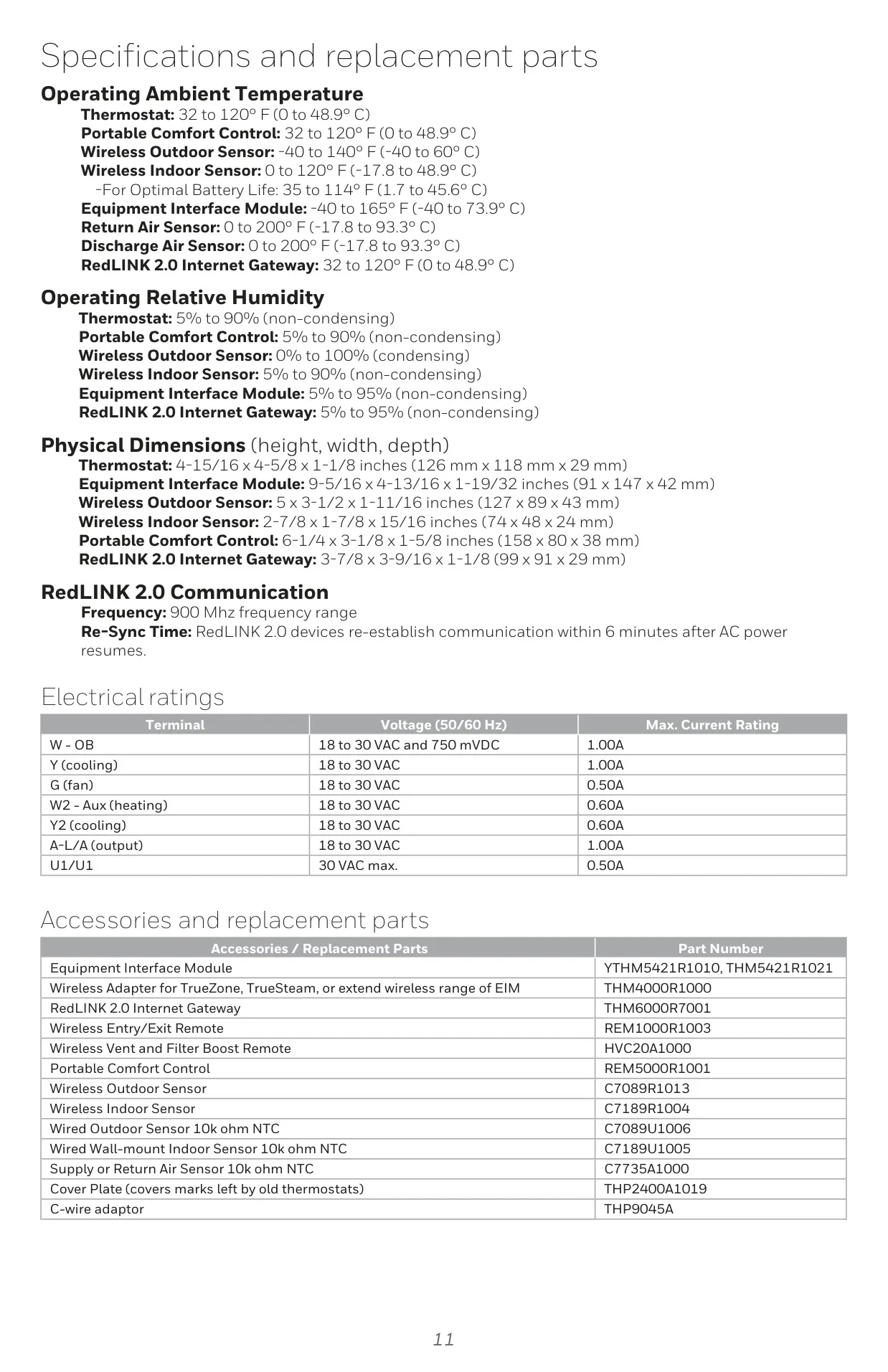
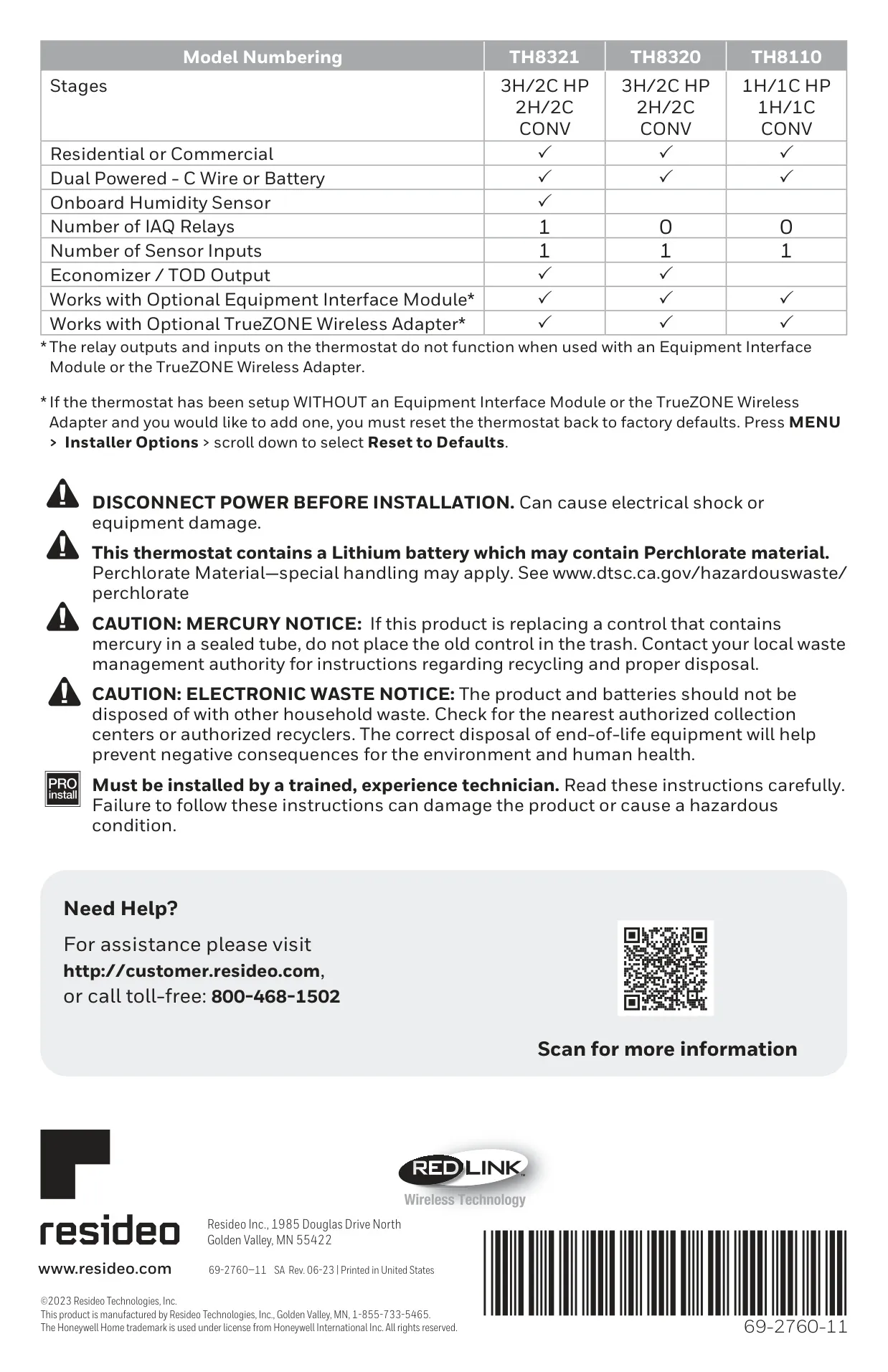
Honeywell TH8110R1008 Instructions
Here we offer the Honeywell TH8110R1008 VisionPro 8000 manual completely free and in English. We have cataloged this manual in the Thermostats section on Manualverse, and it has been rated by 1 users with an average rating of 5. If you have any specific questions about Honeywell TH8110R1008 VisionPro 8000, we suggest checking the Frequently Asked Questions (FAQs) section of this manual.
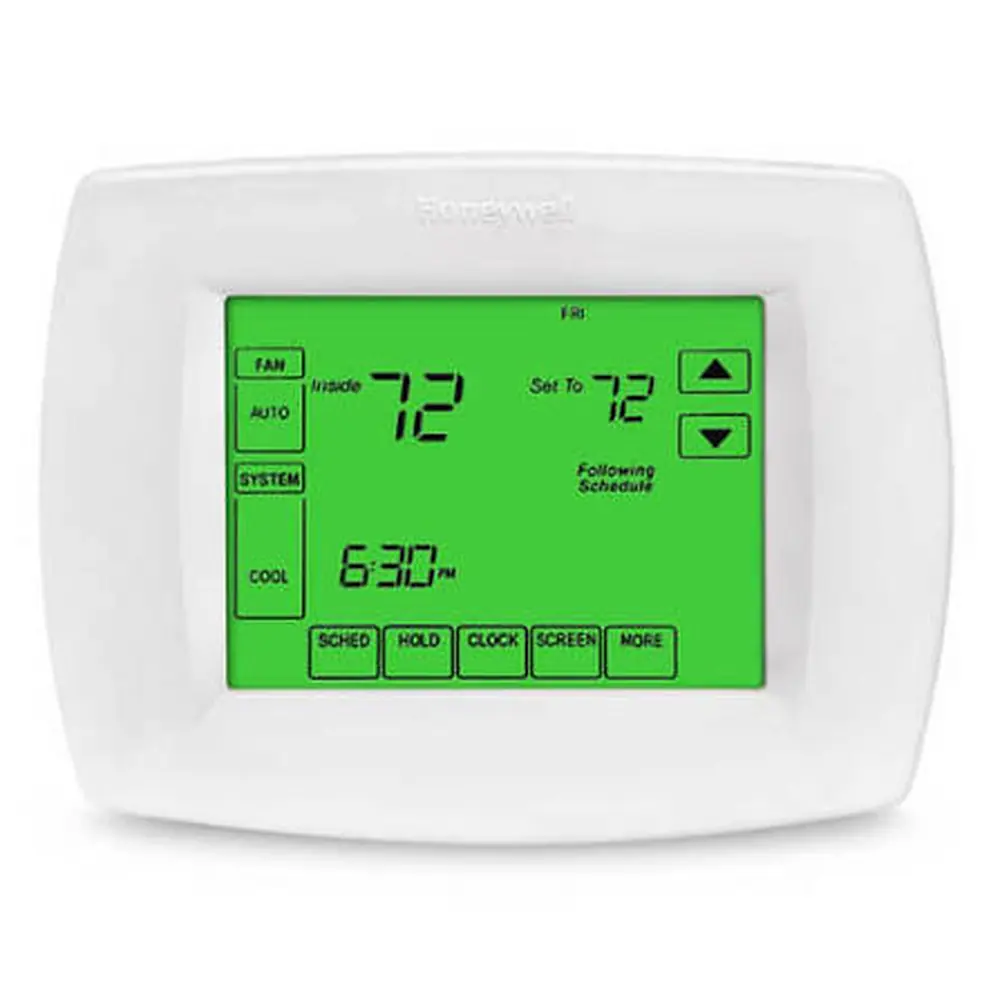
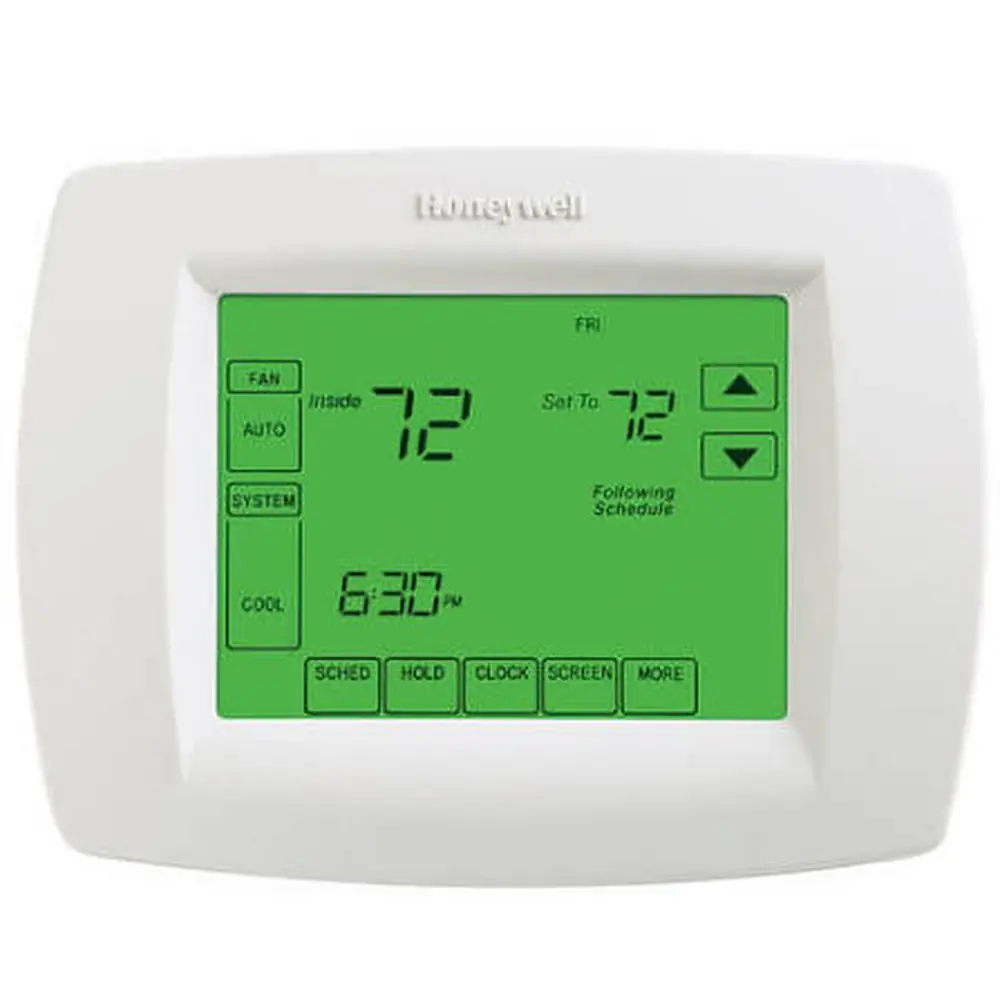
Product Images

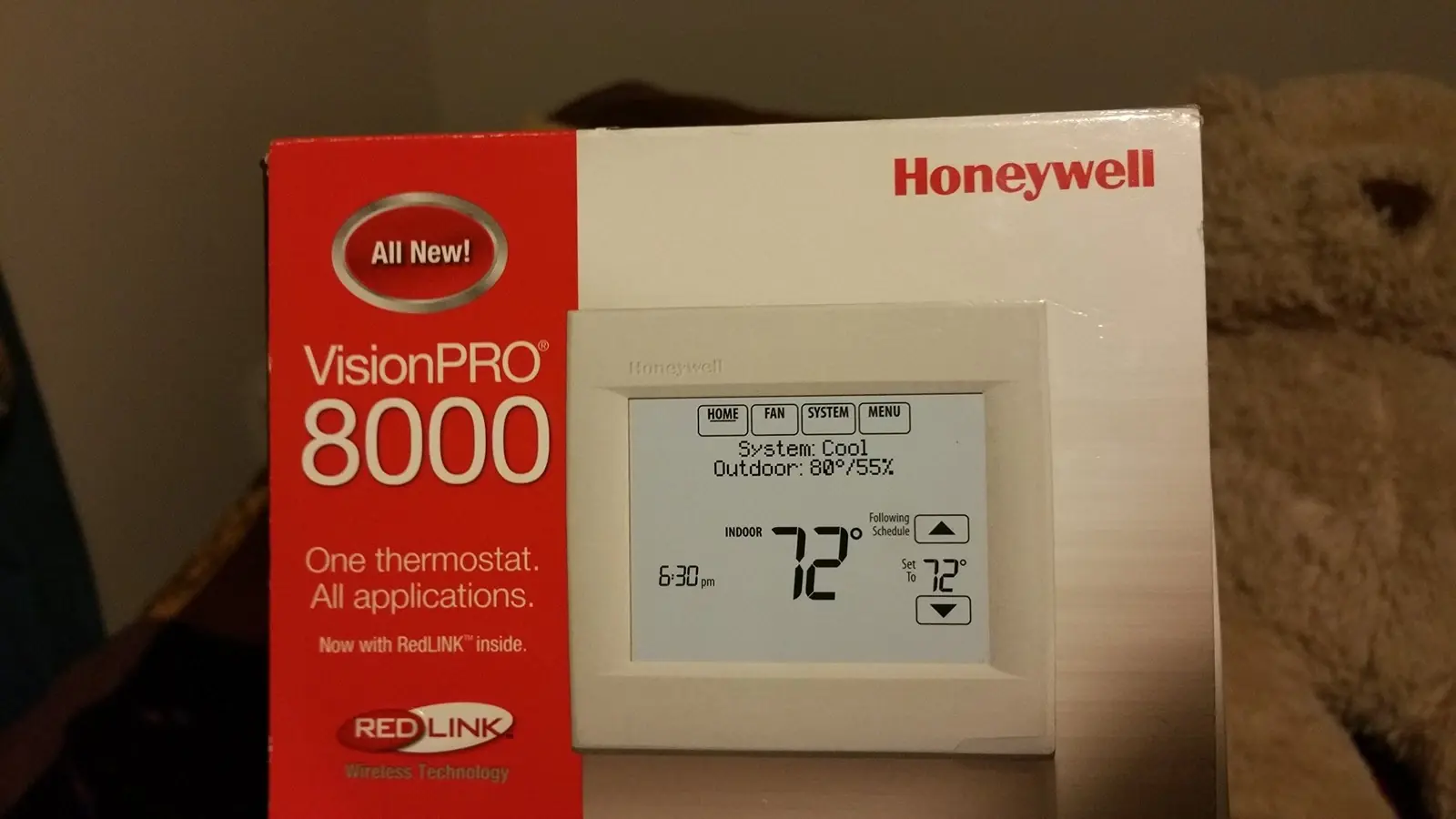


Honeywell TH8110R1008 VisionPro 8000 Thermostat Specifications
| Feature | Specification |
|---|---|
| Model | TH8110R1008 VisionPro 8000 |
| System Type / Stages | 1 Heat / 1 Cool (Conventional or Heat Pump) |
| Power Source | Dual Powered: 24 VAC (C-wire) or AA Alkaline Batteries (3x) |
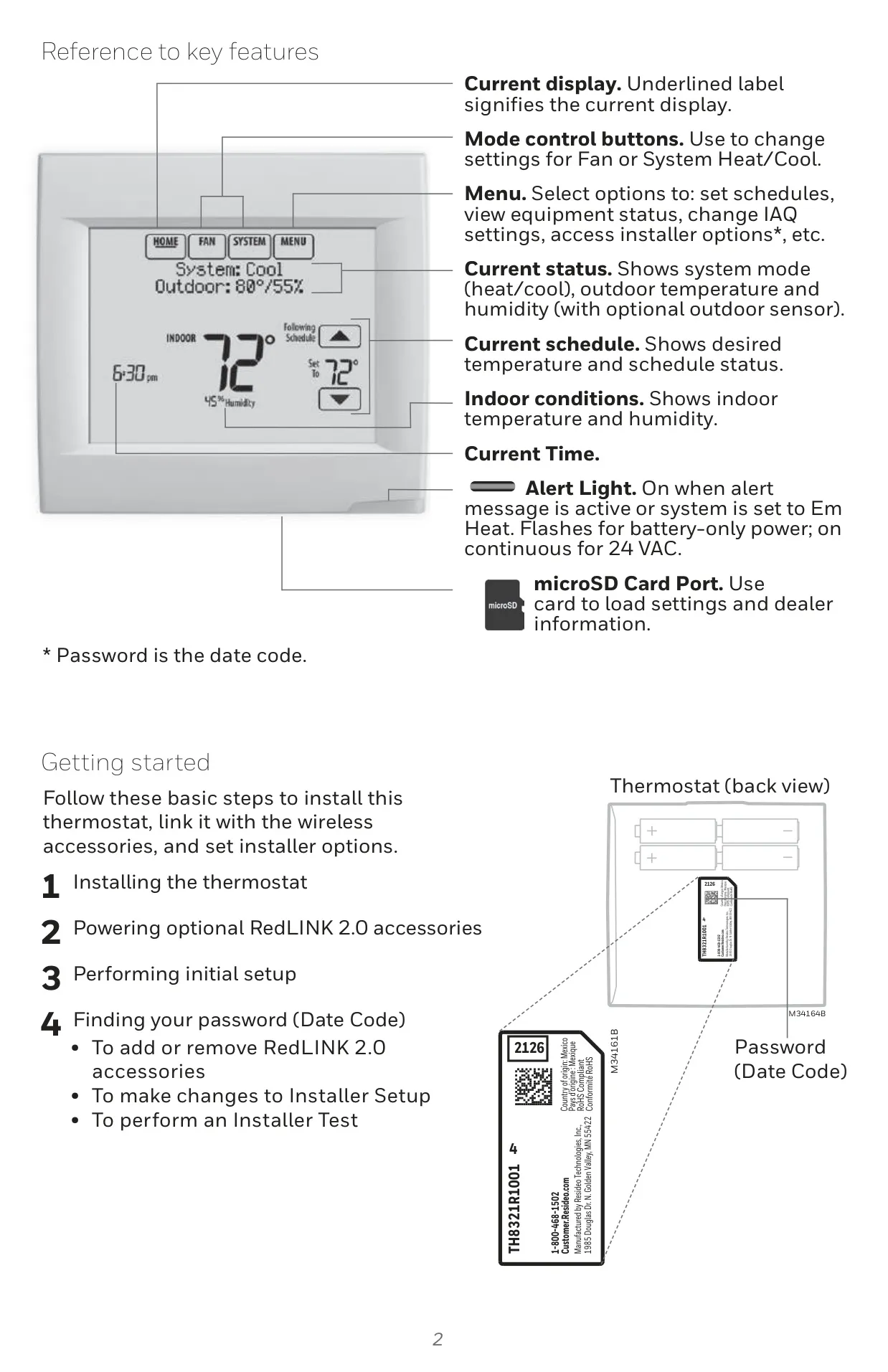
| Display | Touch screen, backlighting (16s battery, 45s C-wire) |
| Connectivity | RedLINK™ Wireless Technology (900 MHz frequency range) |
| Temperature Range (Operating, Thermostat) | 32°F to 120°F (0°C to 48.9°C) |
| Humidity Range (Operating, Thermostat) | 5% to 90% RH (non-condensing) |
| Physical Dimensions (Thermostat) | 4-15/16" H x 4-5/8" W x 1-1/8" D (126 mm x 118 mm x 29 mm) |
| Onboard Humidity Sensor | No |
| IAQ Relays | 0 |
| Sensor Inputs | 1 (for wired indoor, outdoor, or discharge sensor) |
| Economizer / TOD Output | No |
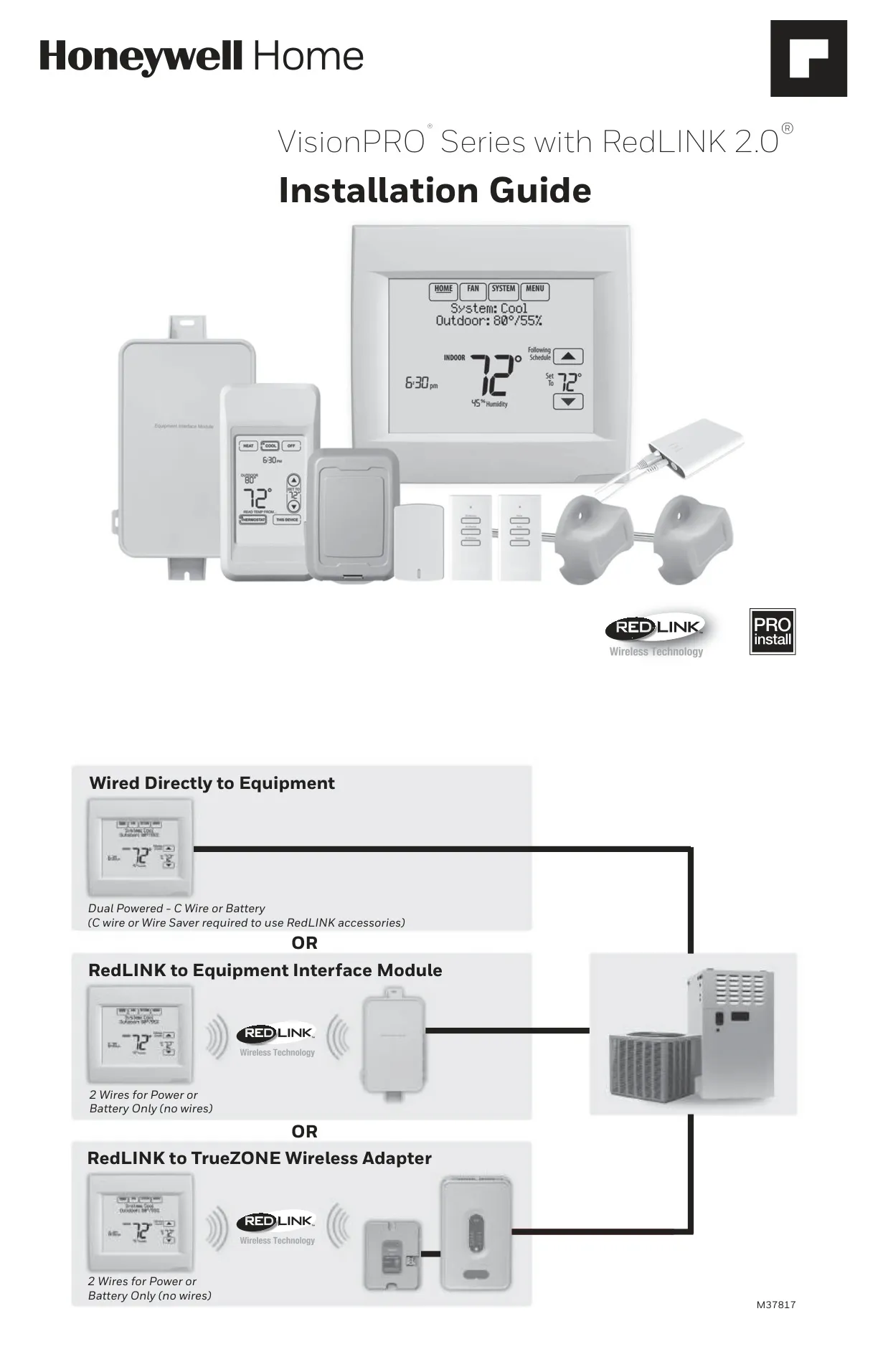
| Compatibility | Works with optional Equipment Interface Module (THM5421R1010, THM5421R1021) and TrueZONE Wireless Adapter (THM4000R1000) |
| Terminal Electrical Ratings (Max. Current) |
|
| Warranty | Five (5) years from date of first purchase (excluding battery) |
Honeywell TH8110R1008 Thermostat Details
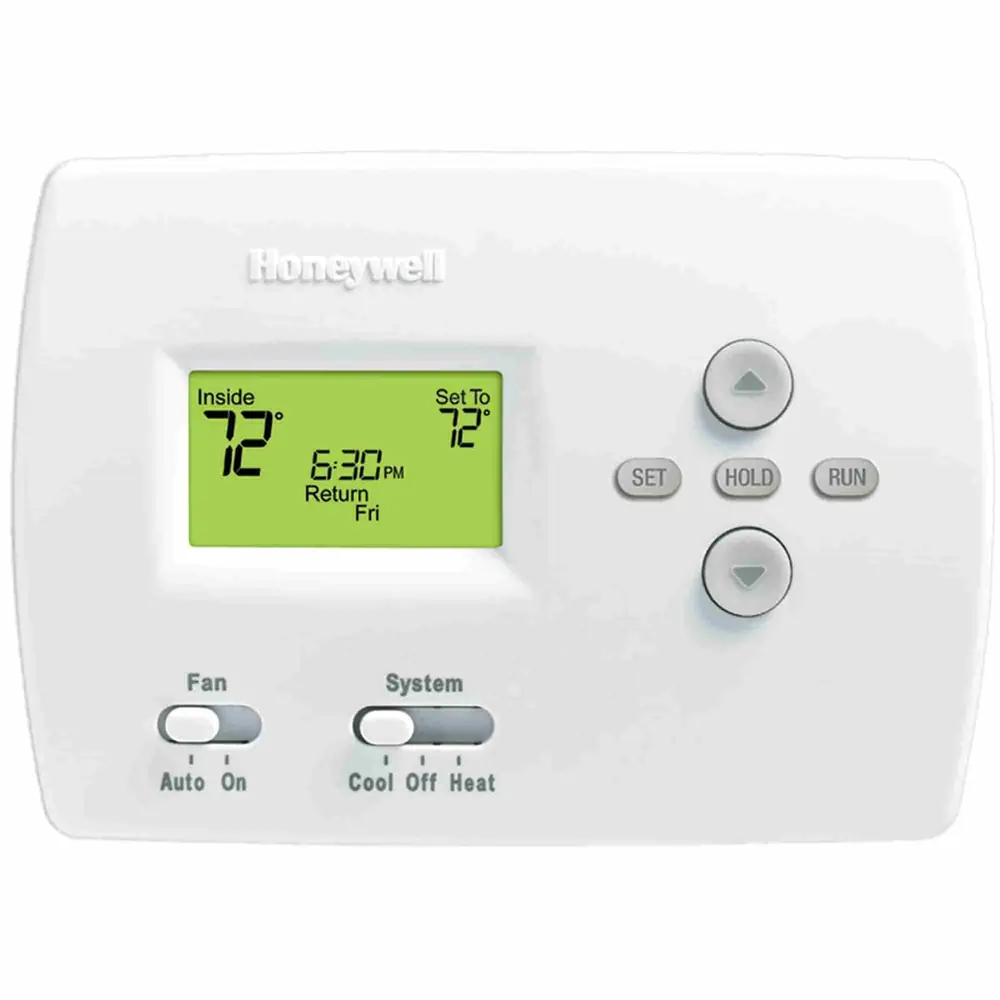
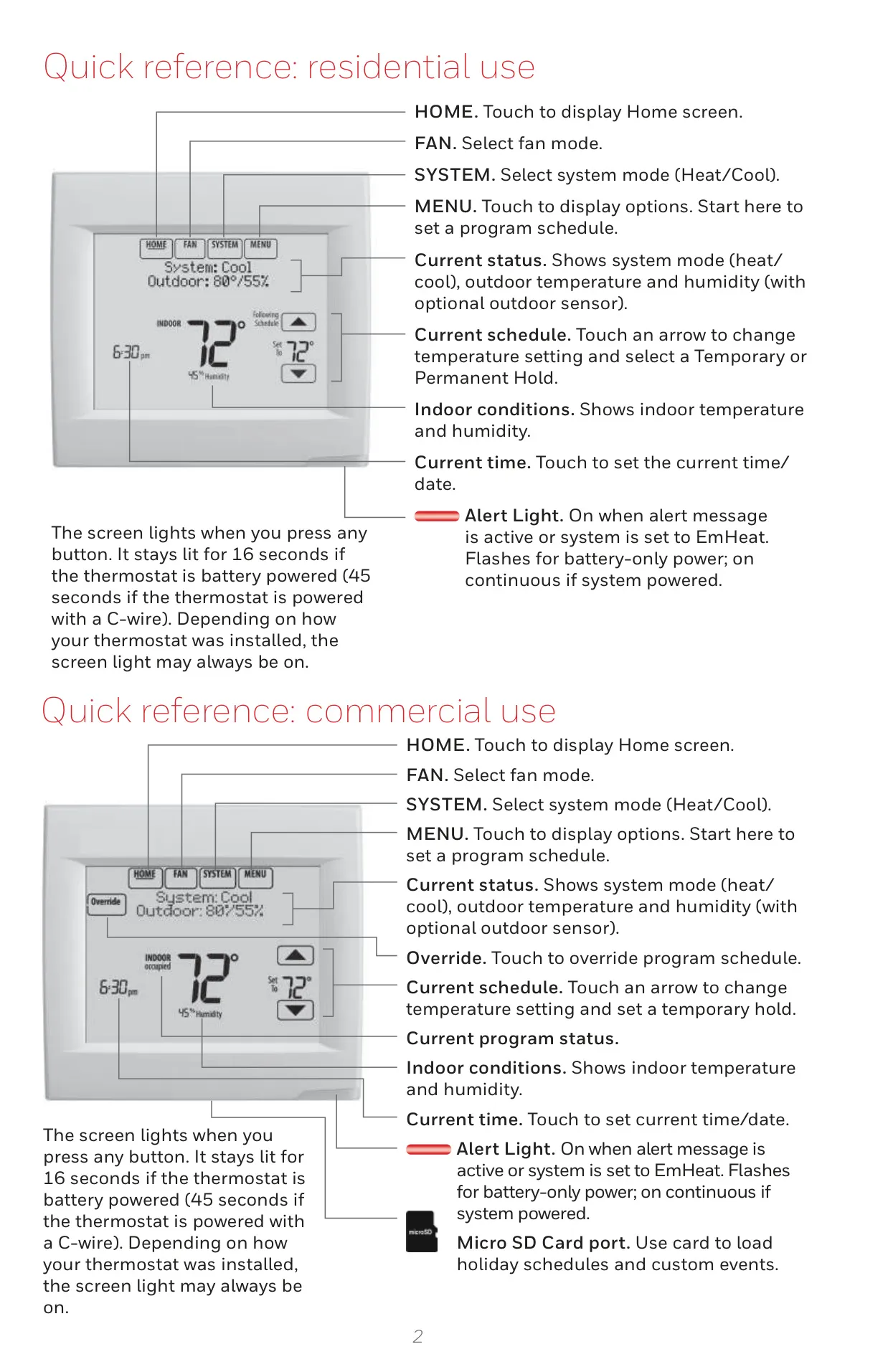
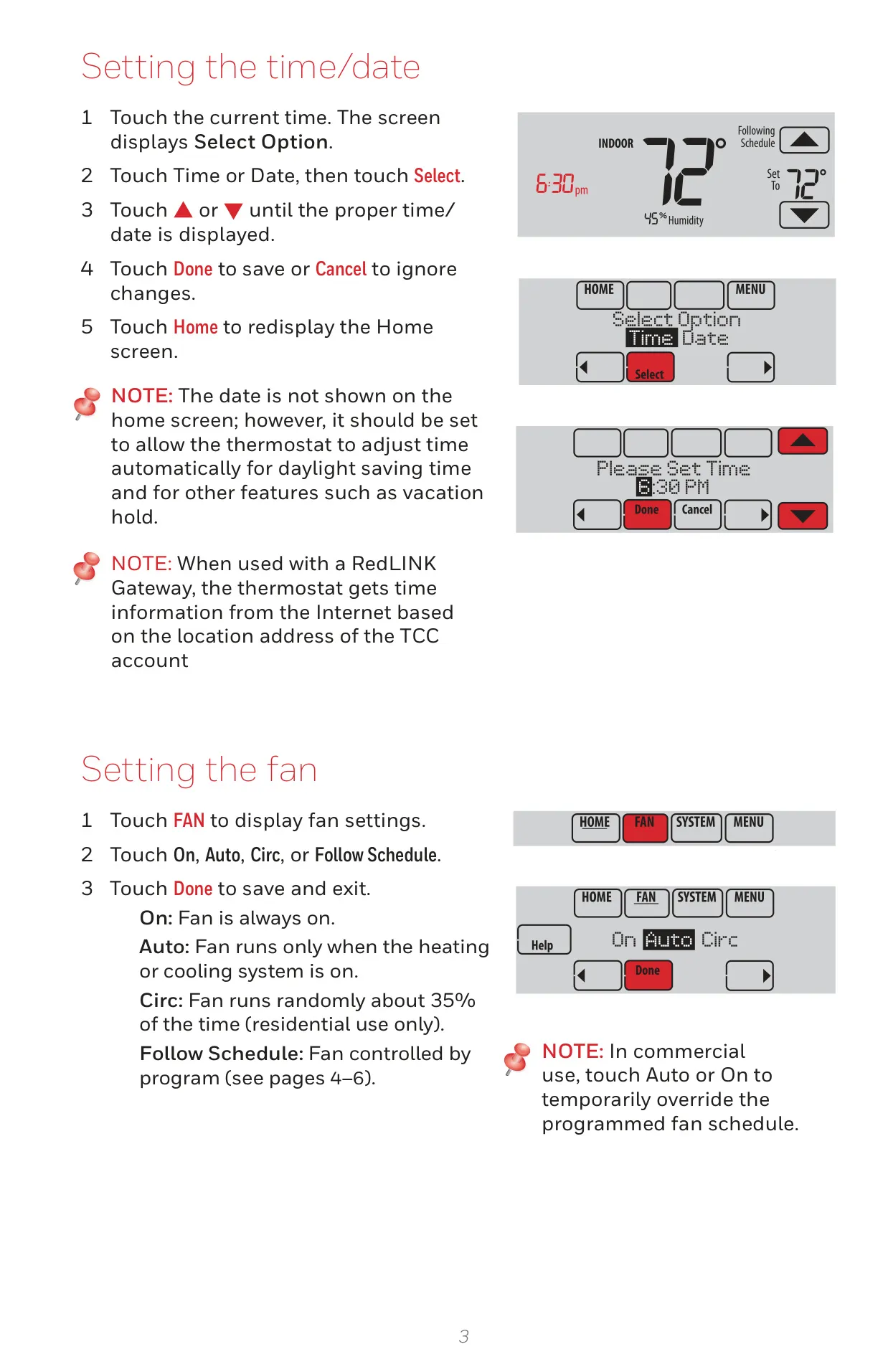
The Honeywell TH8110R1008 VisionPro 8000 thermostat offers an intuitive touch screen interface, simplifying the management of your home's comfort. Its primary appeal lies in its integration with the RedLINK™ wireless technology, which opens up a world of advanced control and monitoring possibilities through optional accessories.
One of its standout features is Adaptive Intelligent Recovery. Over time, this thermostat "learns" the optimal time to activate your heating or cooling system, ensuring your desired temperature is reached precisely when you expect it. This intelligent function optimizes energy use without sacrificing comfort.
For enhanced connectivity, the TH8110R1008 can be paired with an optional RedLINK Internet Gateway. This accessory enables remote monitoring and control of your HVAC system via the internet, a smartphone, or tablet. You can adjust settings from anywhere and receive email alerts, offering peace of mind, especially for vacation homes or businesses.
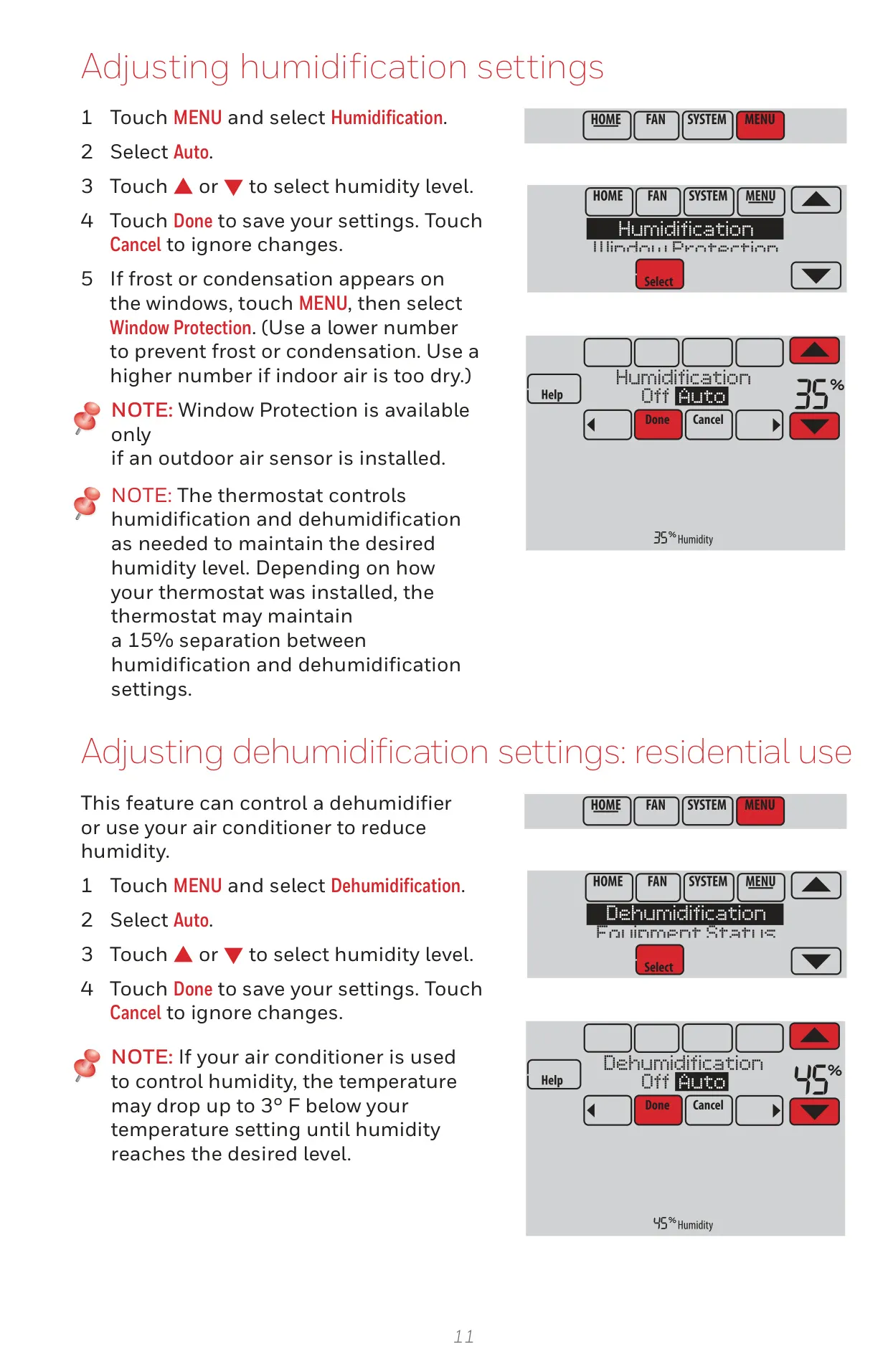
While this specific model does not include an onboard humidity sensor or dedicated IAQ (Indoor Air Quality) relays, it does feature a single sensor input. This allows for integration with optional wired indoor, outdoor, or discharge sensors, providing valuable environmental data, such as outdoor temperature and humidity, on the thermostat screen.
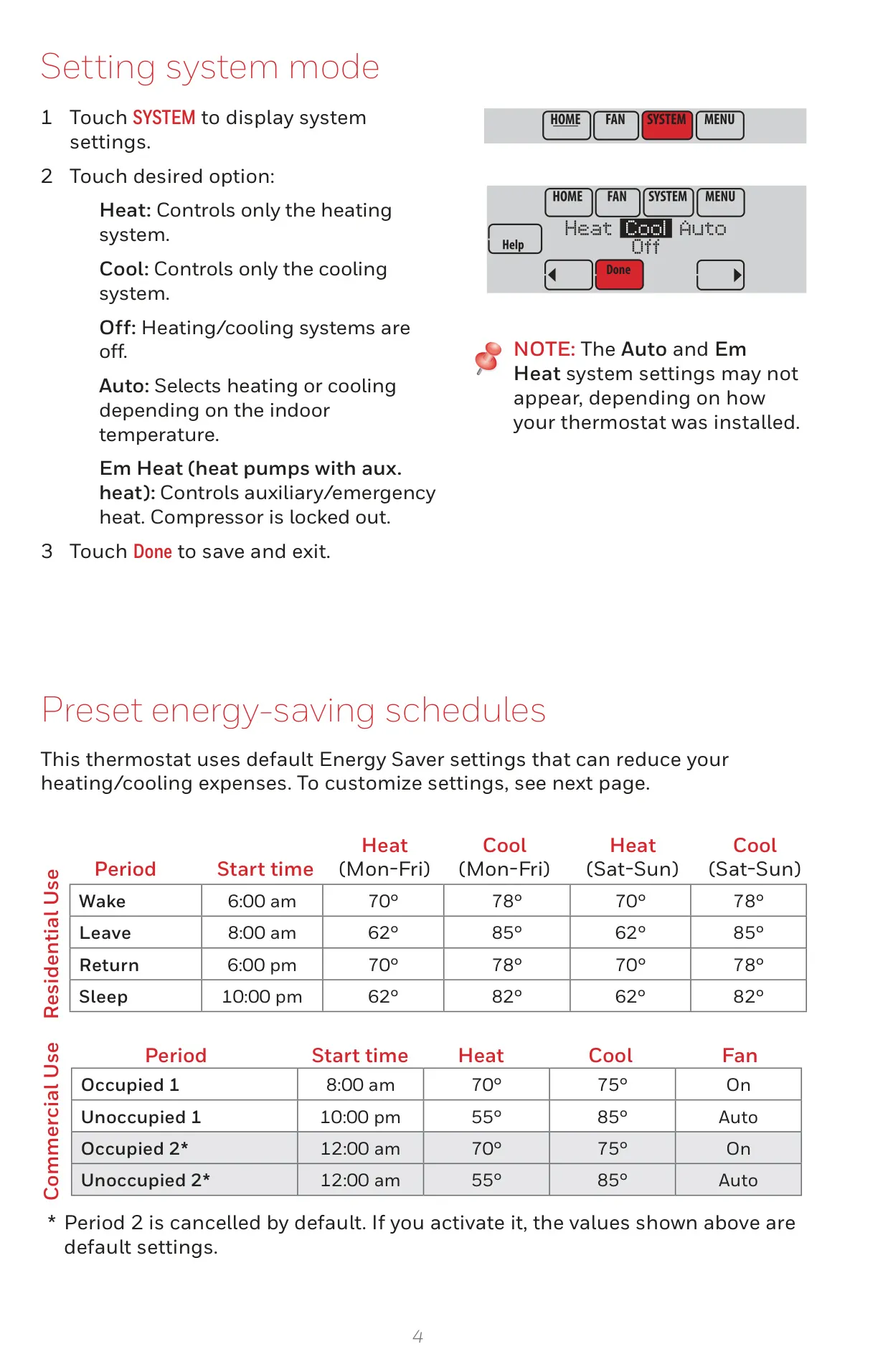
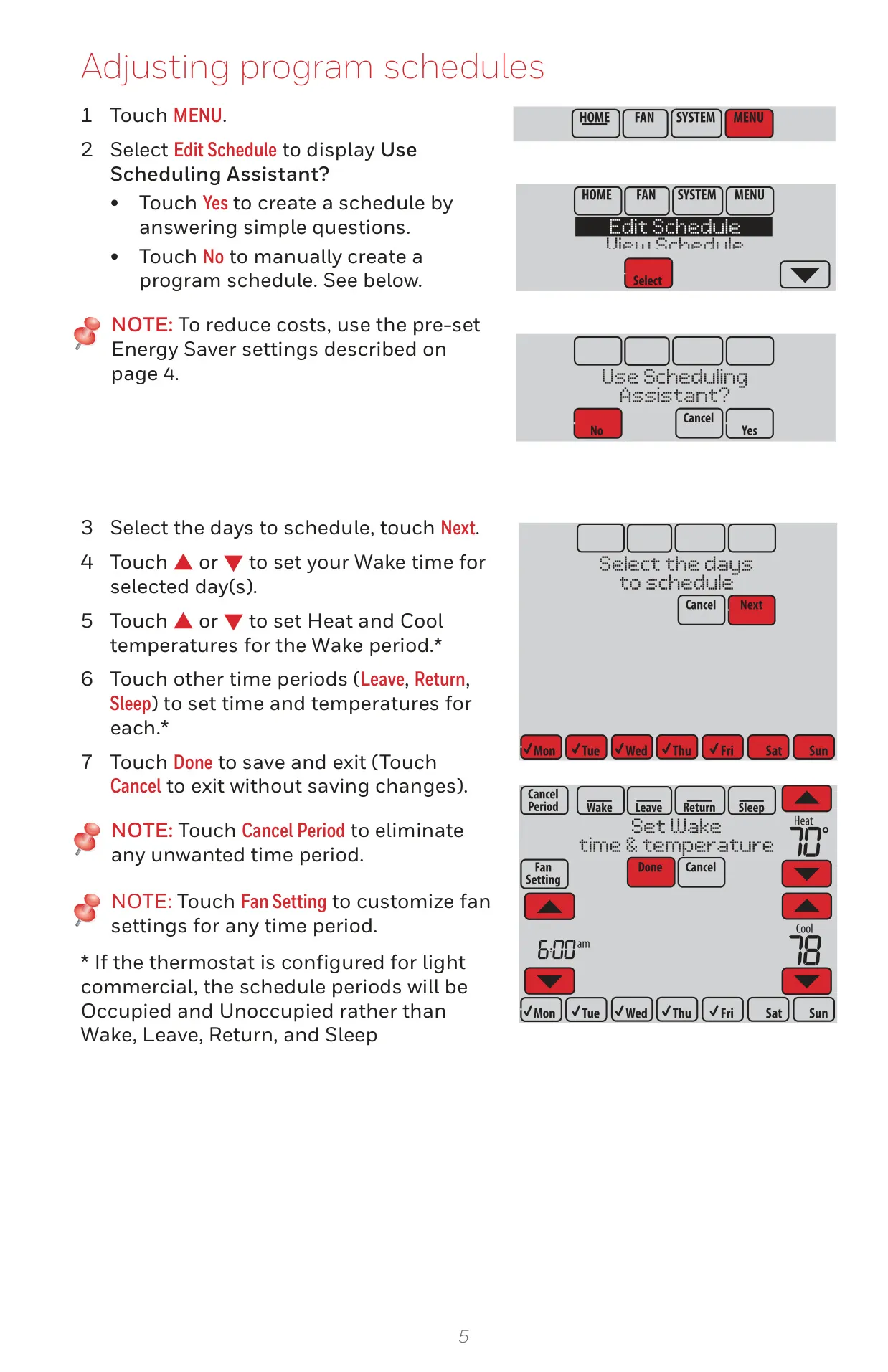
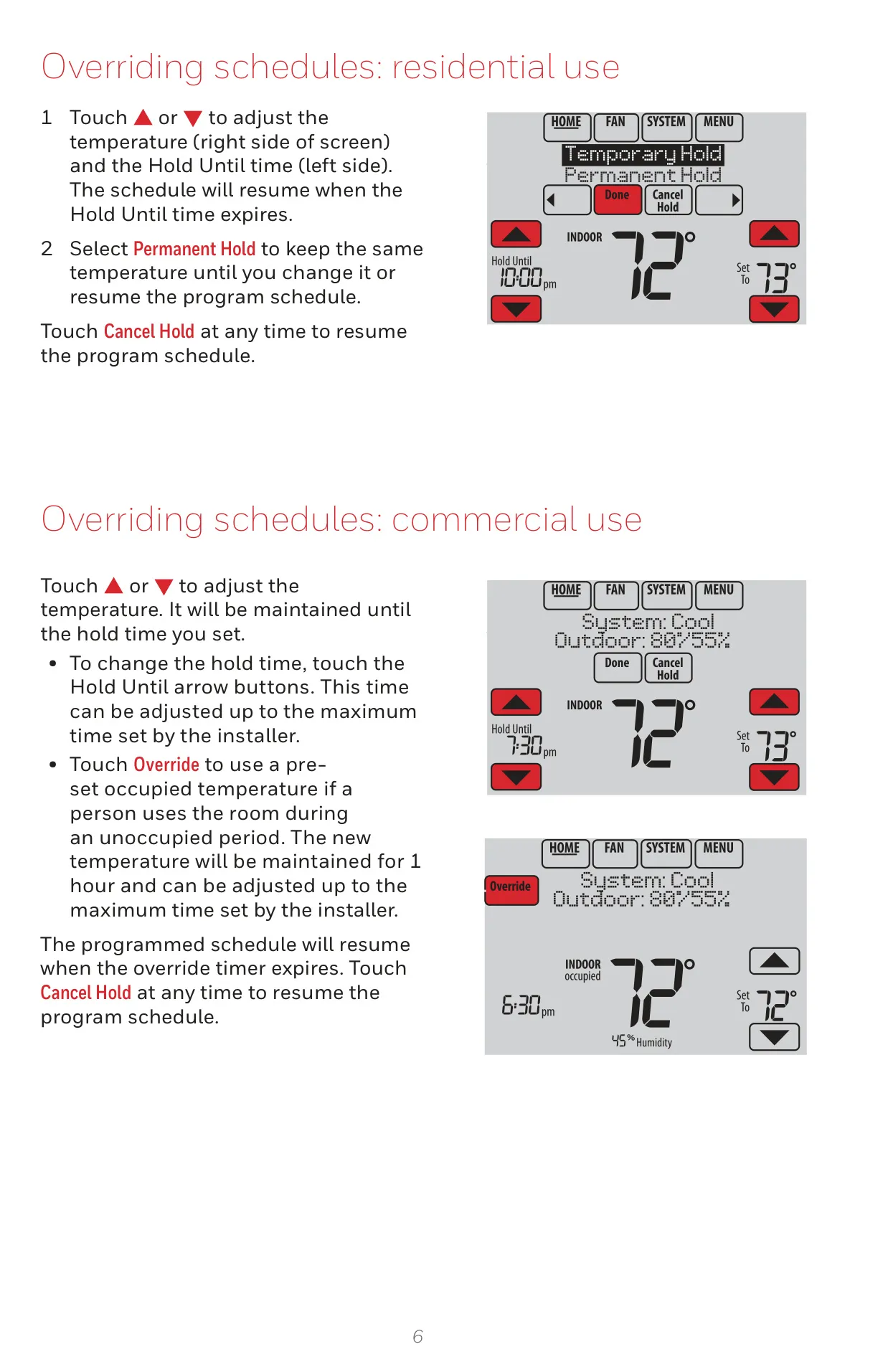
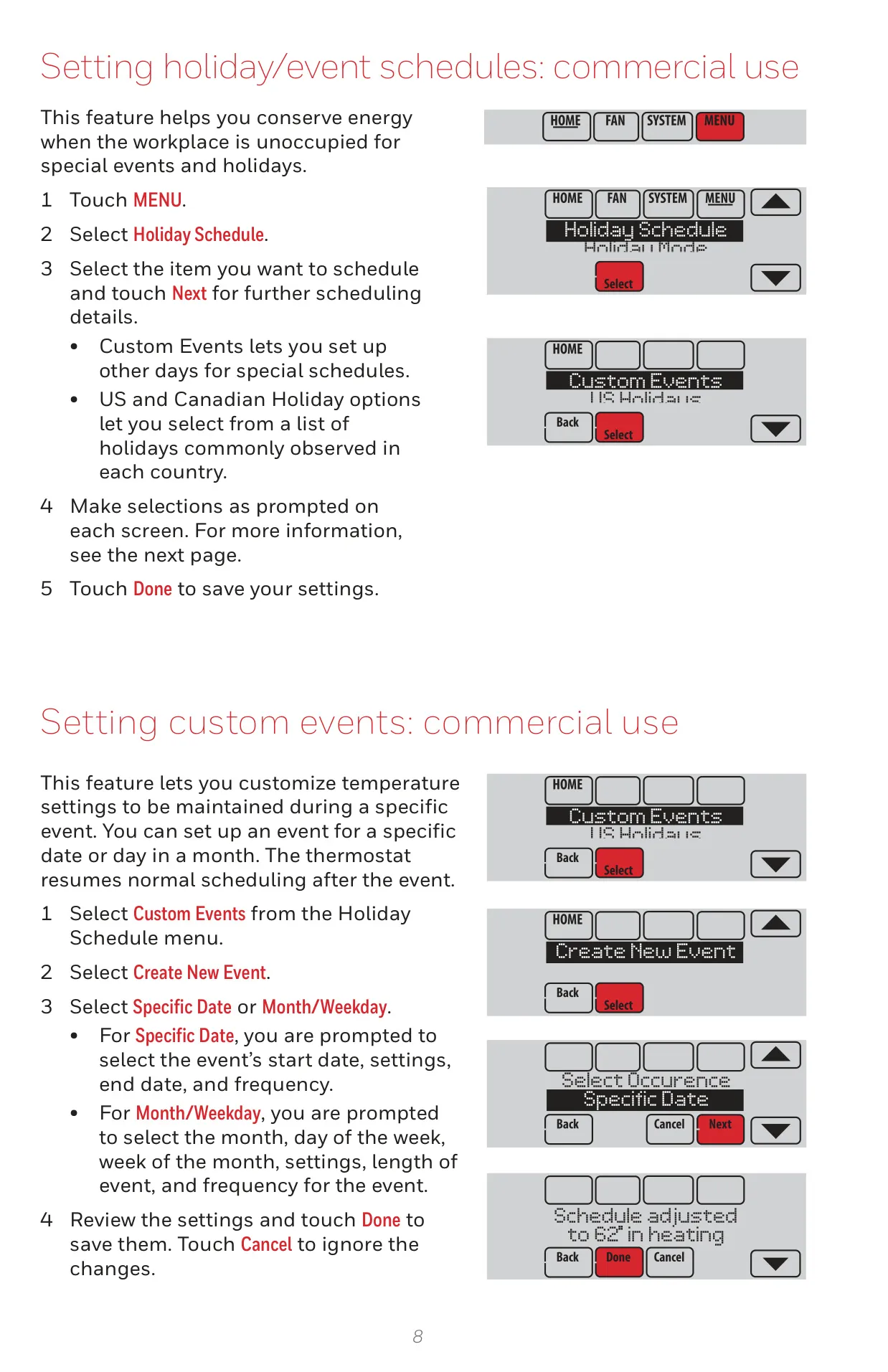
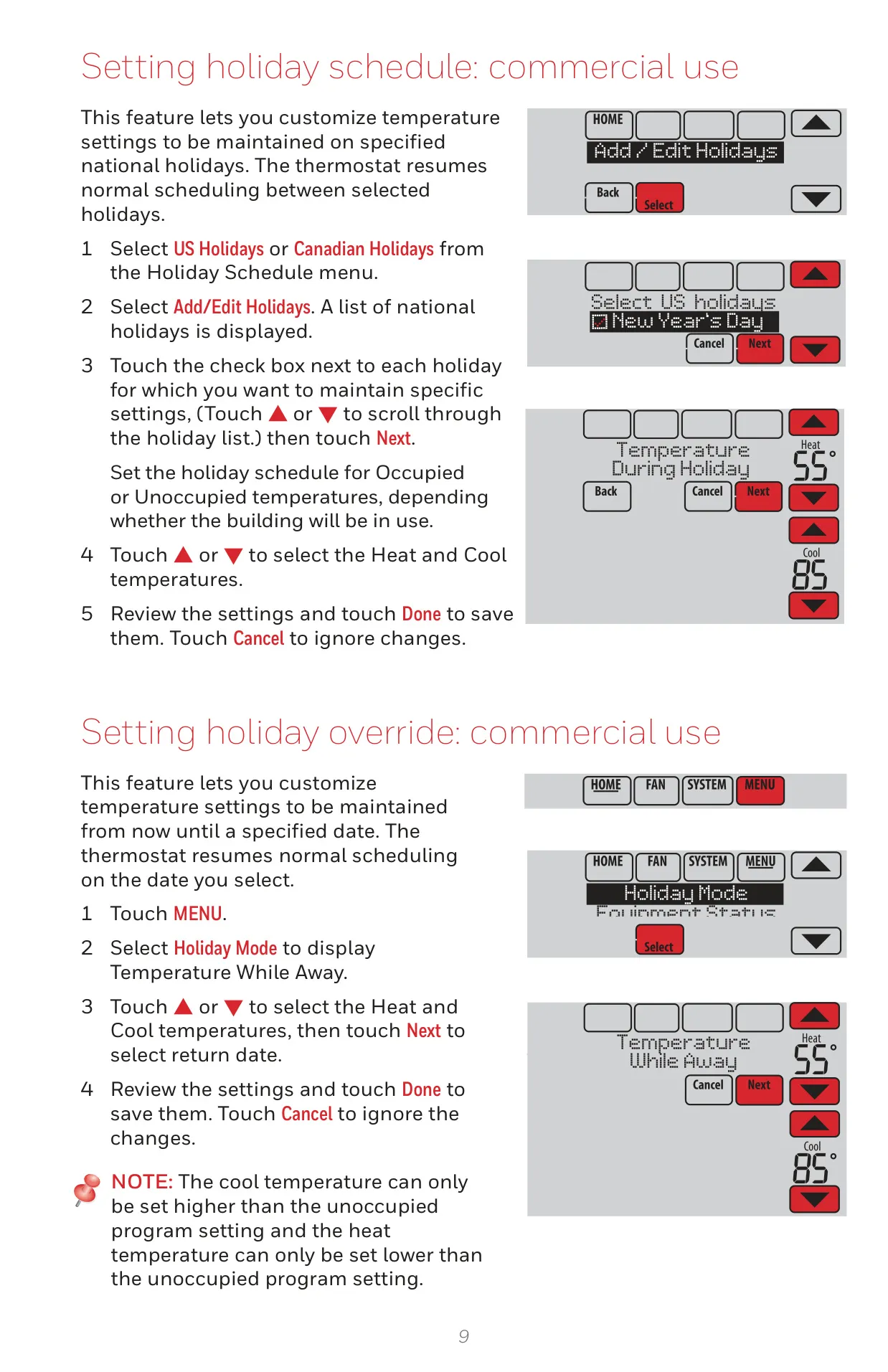
The thermostat provides flexible scheduling options for both residential and commercial use, including preset energy-saving schedules and the ability to create custom programs. It also features a "Scheduling Assistant" to guide users through the setup process. For extended absences, Vacation and Holiday scheduling allows for programmed setback temperatures to conserve energy.
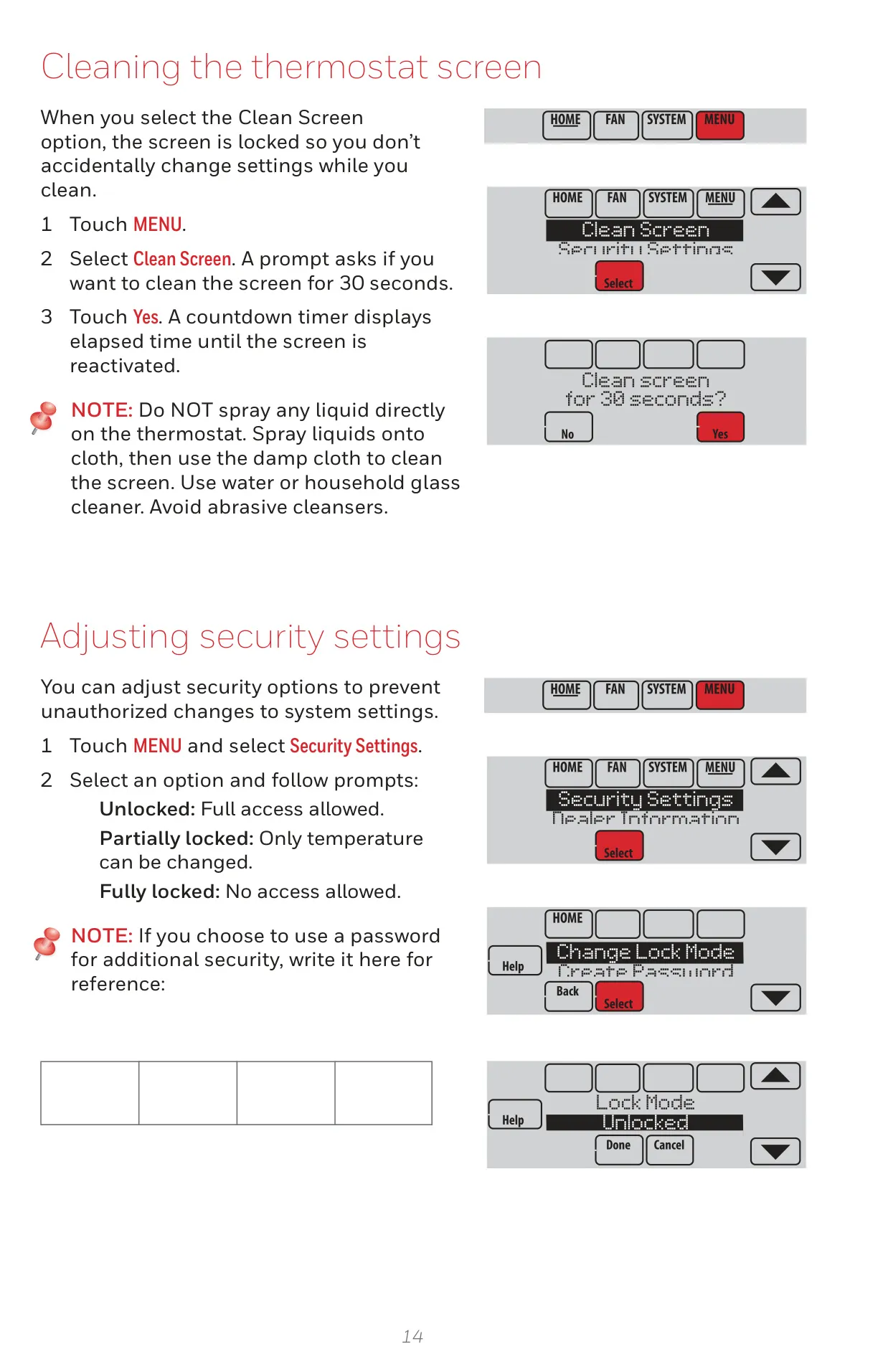
Security is a key consideration, with options for keypad lockout to prevent unauthorized adjustments. Users can choose between unlocked, partially locked (temperature changes only), or fully locked modes, with password protection available for added security. This ensures that comfort settings remain consistent.
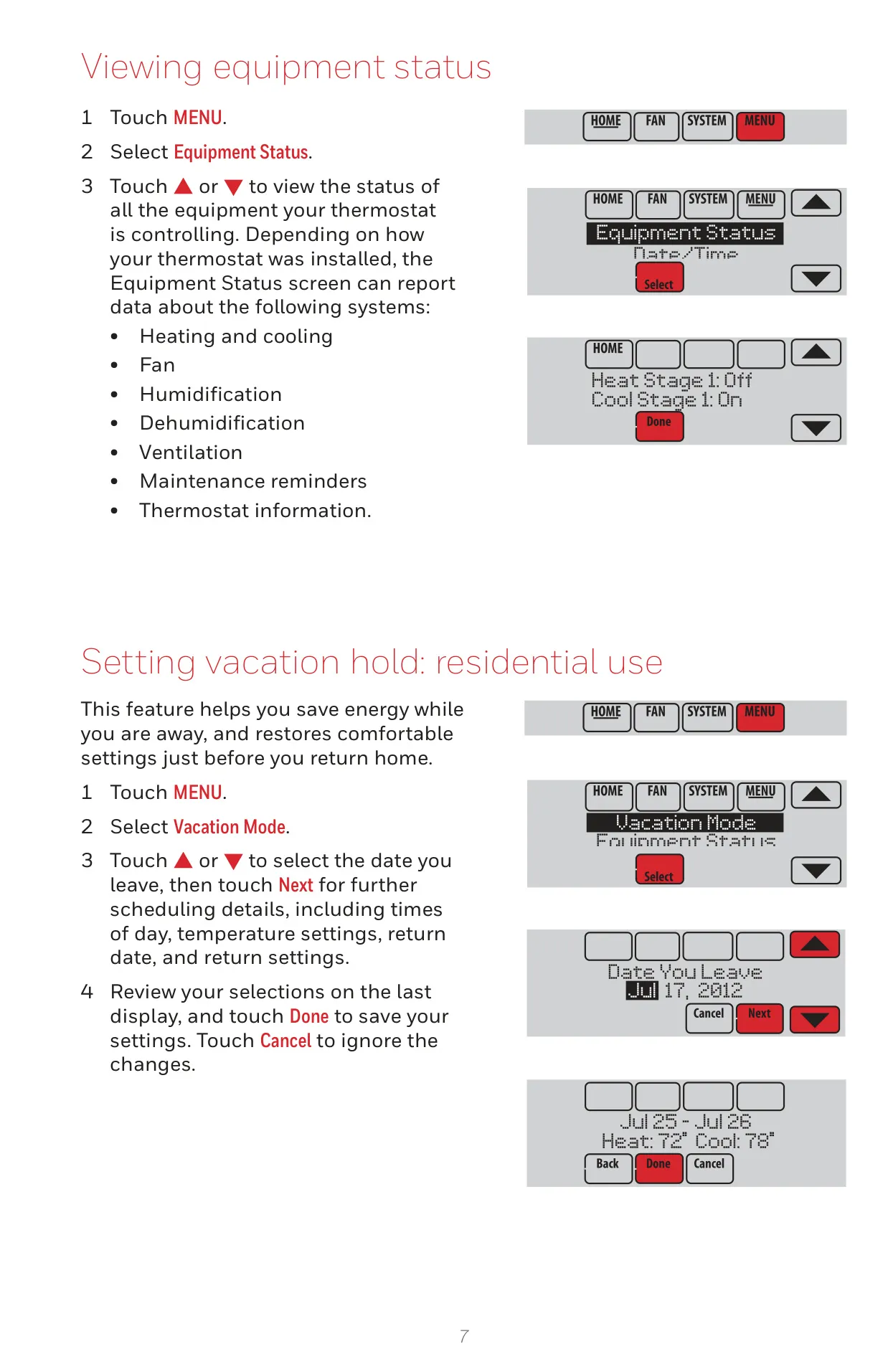
Additional conveniences include an Equipment Status screen, which provides real-time on/off status of all connected equipment. The screen can also be locked for 30 seconds for easy and safe cleaning. Furthermore, preferences can be customized, from Fahrenheit/Celsius display to backlight settings and alert light options.
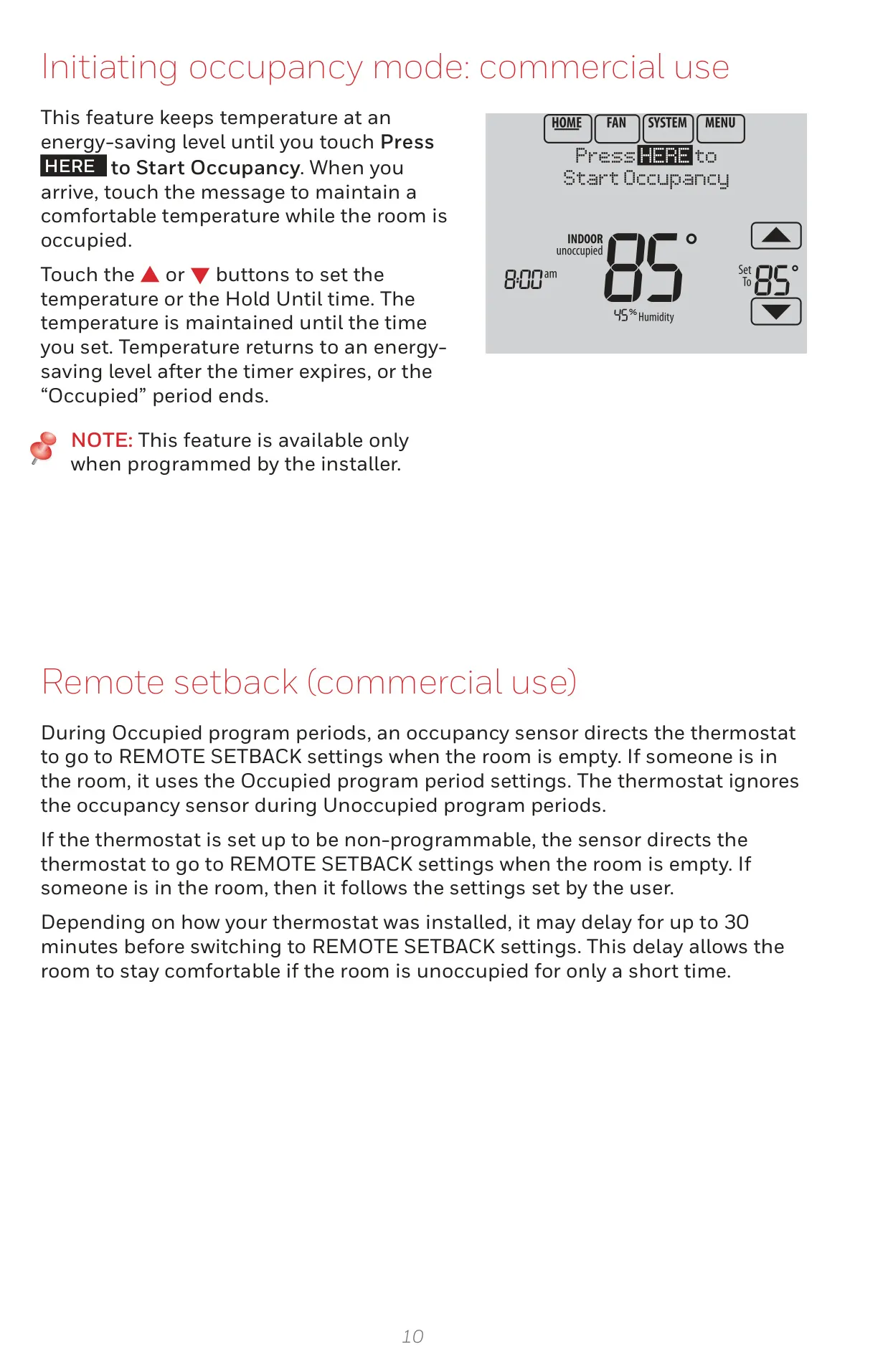
For commercial applications, the thermostat supports features like Remote Setback via occupancy sensors and Pre-occupancy Purge, which runs the fan before occupied periods to ensure a comfortable arrival. The TH8110R1008 also has a microSD card port, which is invaluable for loading settings, dealer information, holiday schedules, and even performing software upgrades.
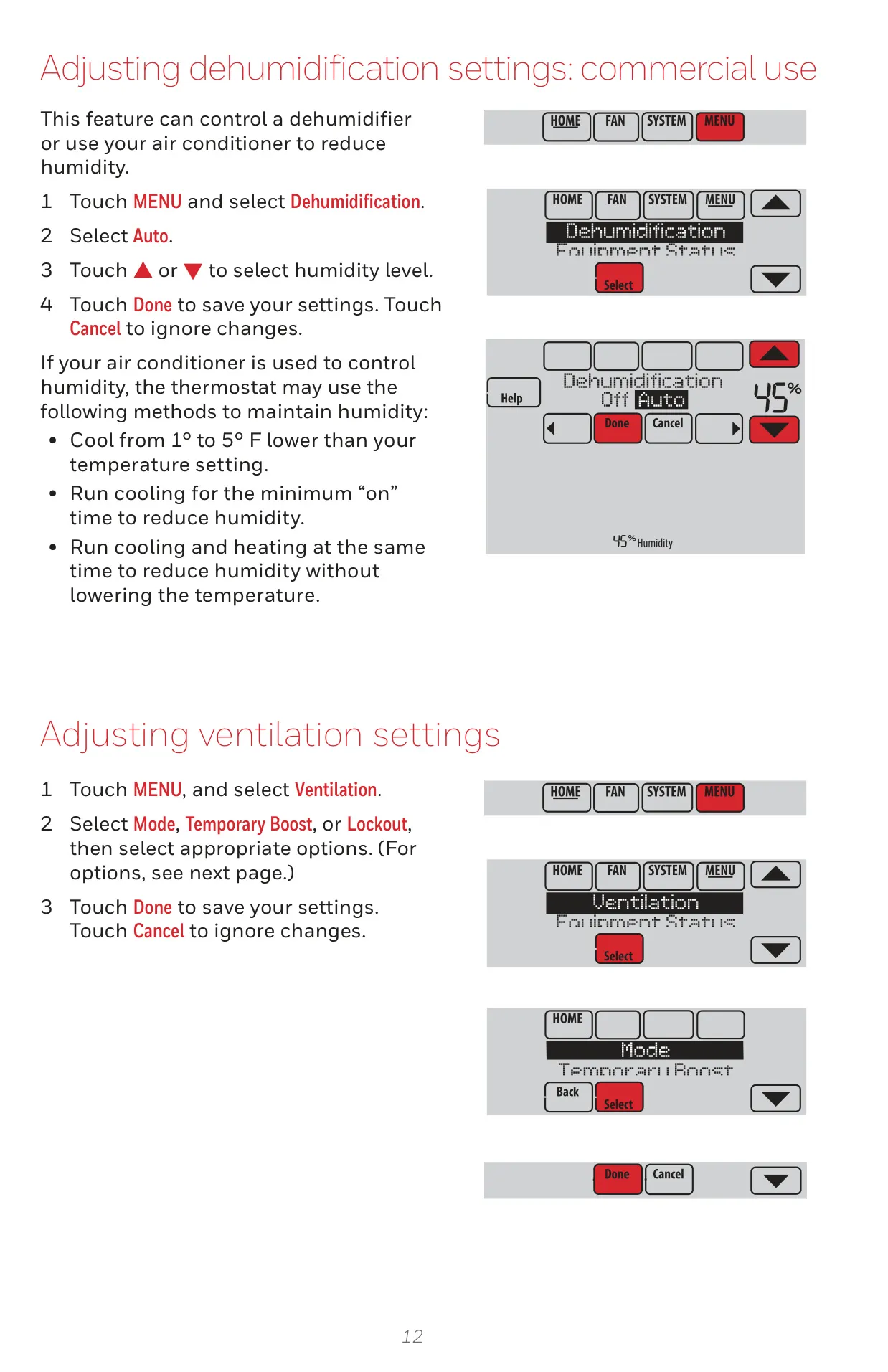
The Dehumidification Away Mode is a beneficial advanced feature for residential users, maintaining protective temperature and humidity levels when the home is vacant during humid seasons. This helps safeguard your property from potential moisture-related issues, with easy cancellation upon return.
Frequently Asked Questions (FAQs)
Can't find the answer you need? Here are some frequently asked questions about the Honeywell TH8110R1008 VisionPro 8000, and we answer them below.