Honeywell TH6110D1005 FocusPRO TH6000 Instruction Manual
Honeywell TH6110D1005 FocusPRO TH6000



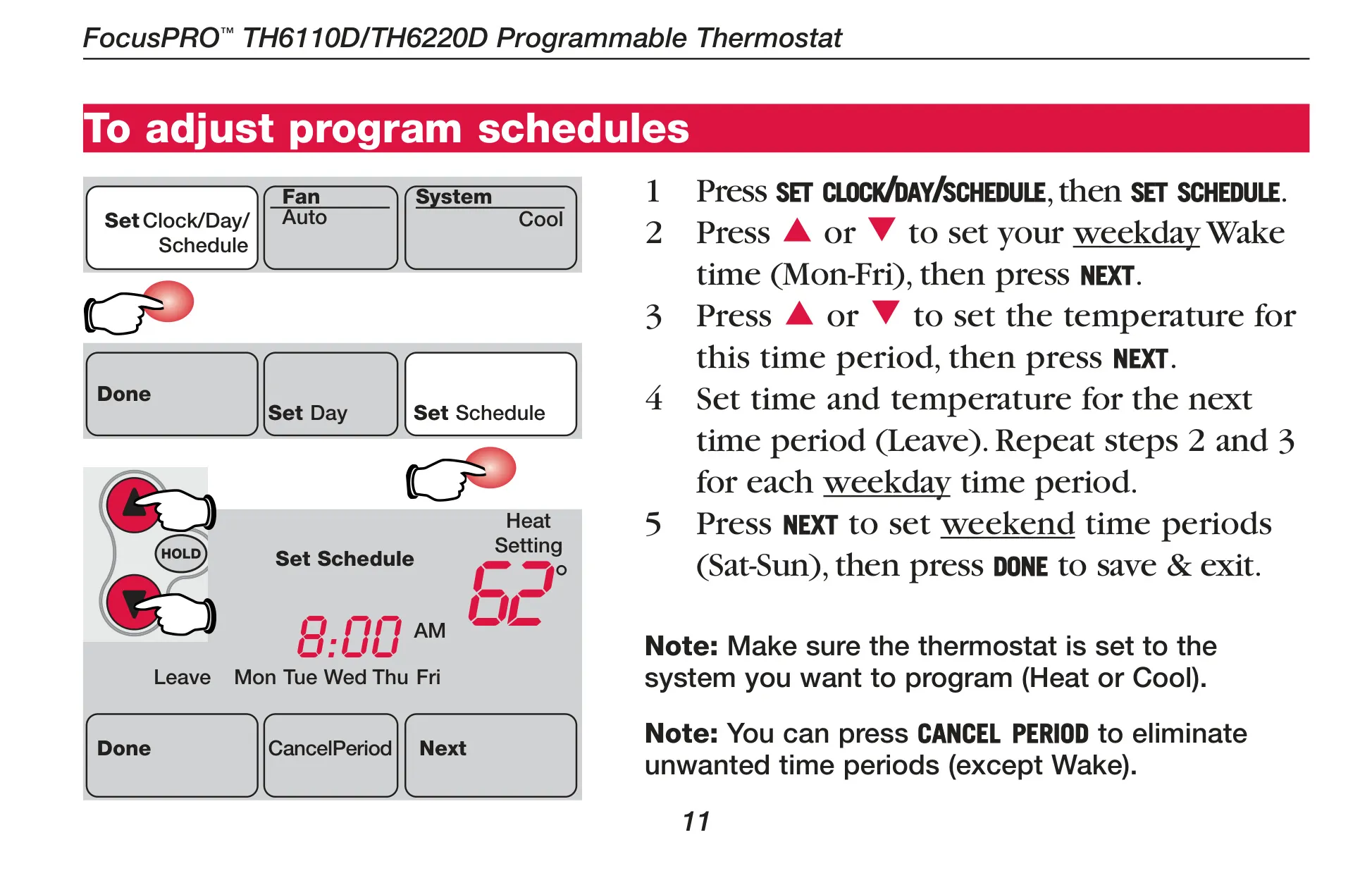
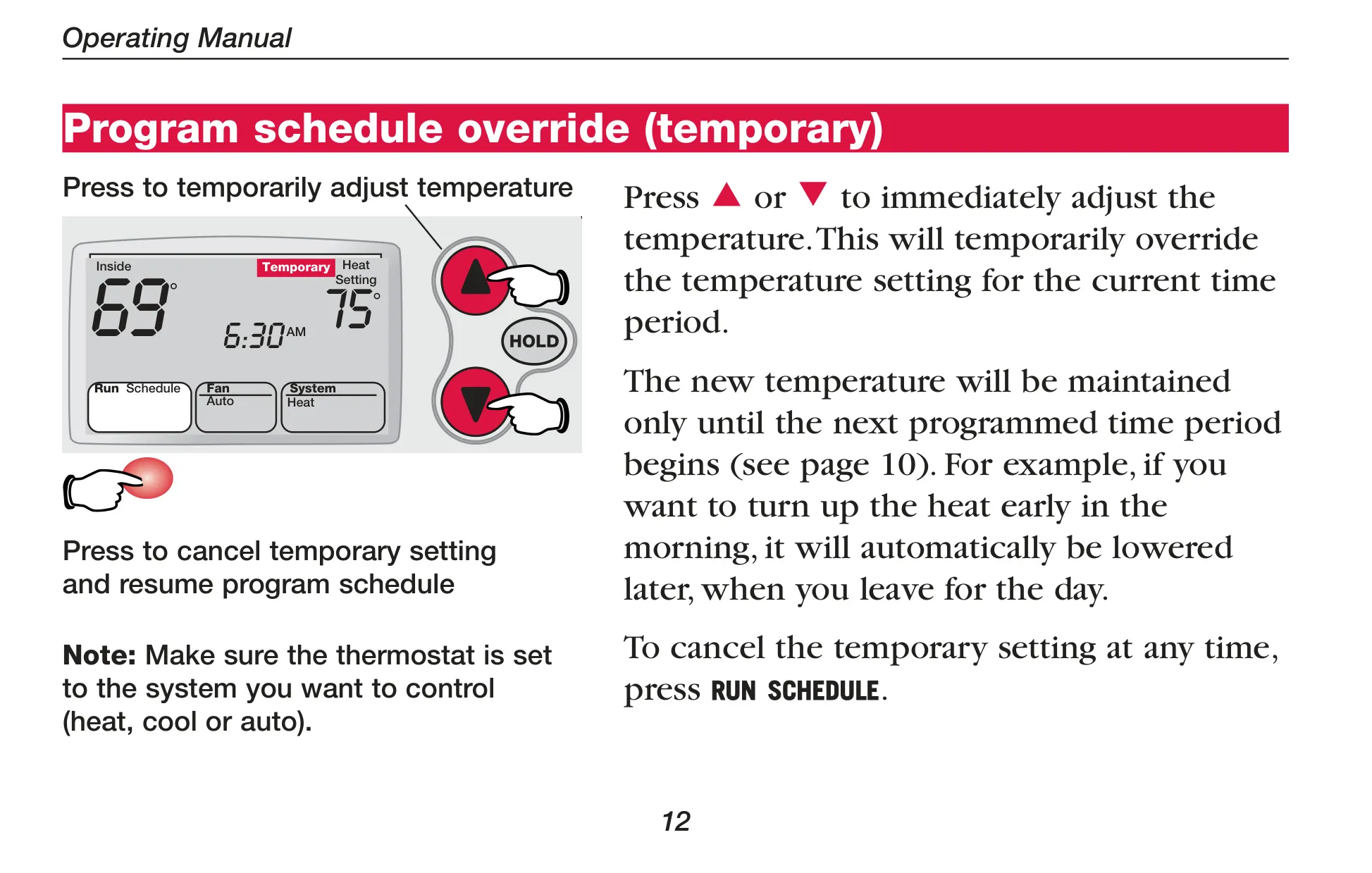

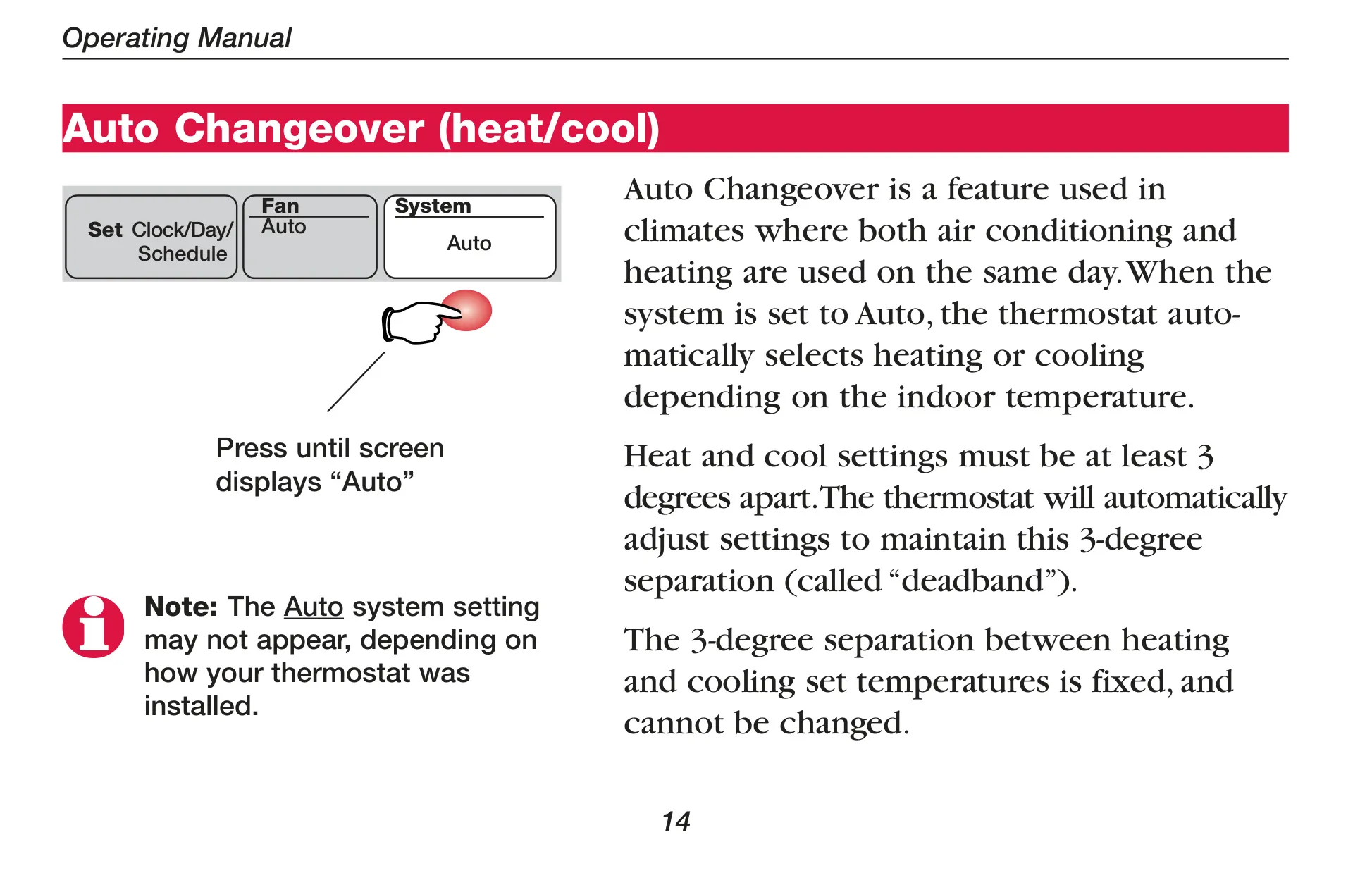
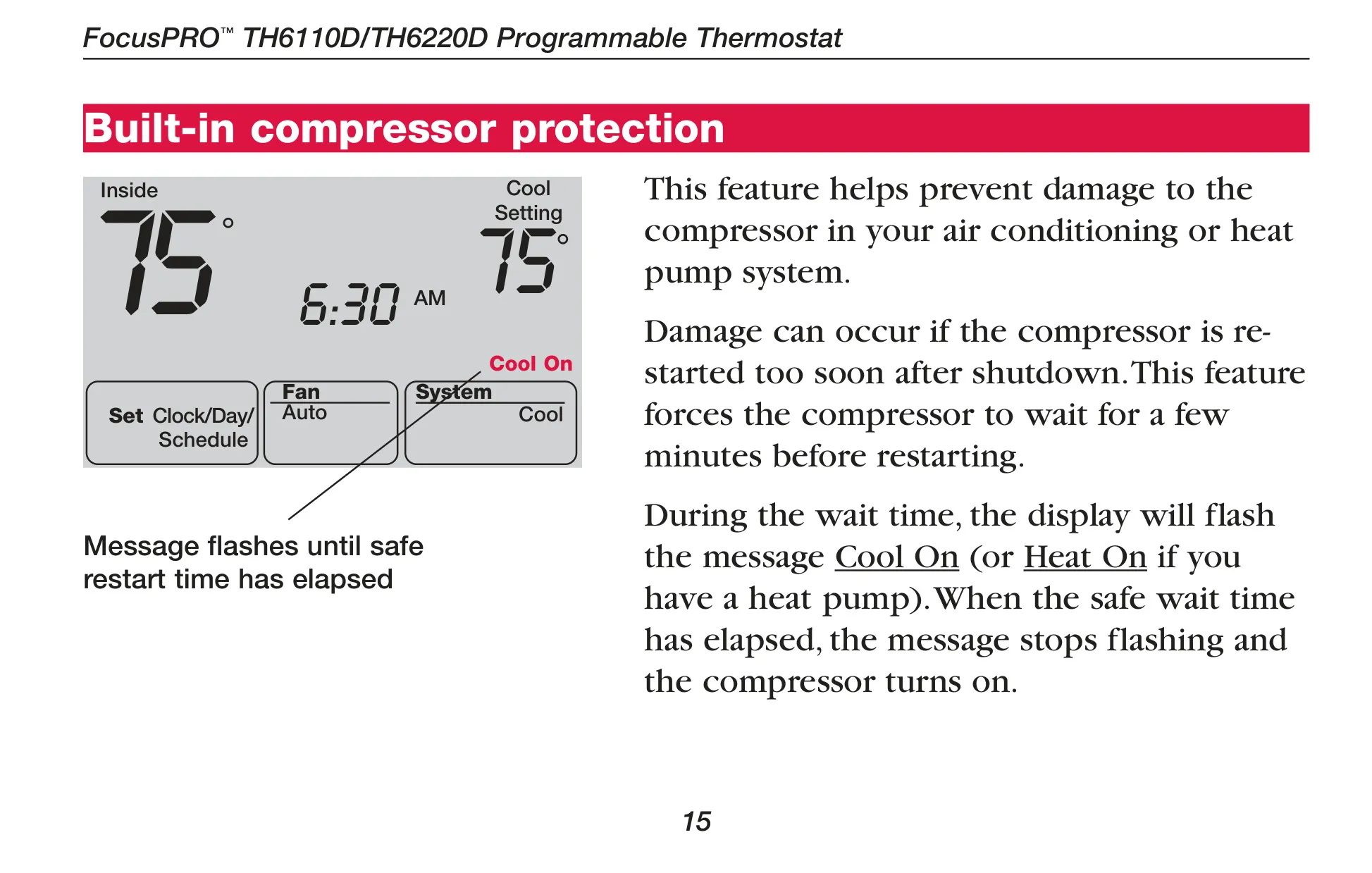
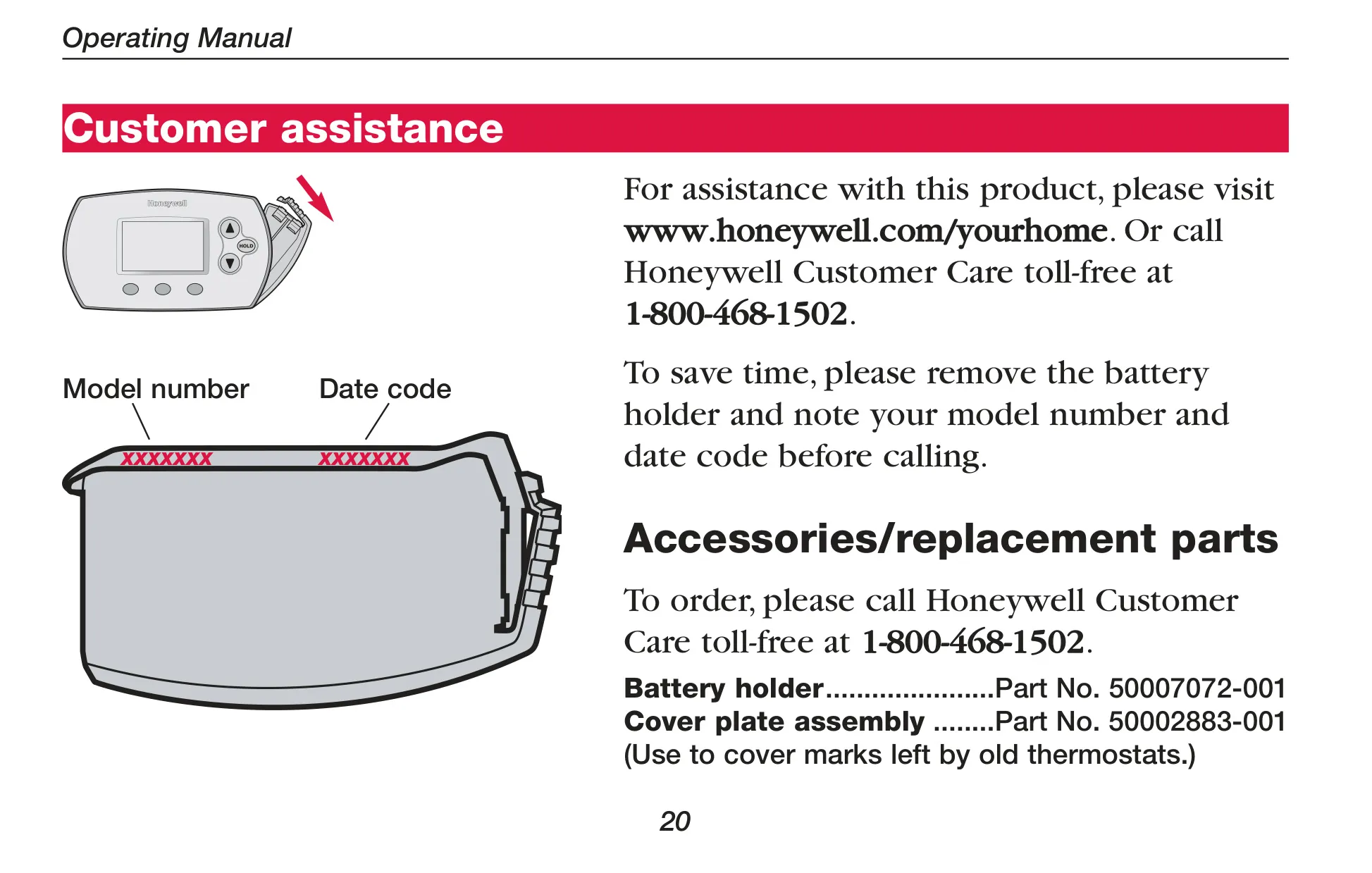





Honeywell TH6110D1005 FocusPRO TH6000
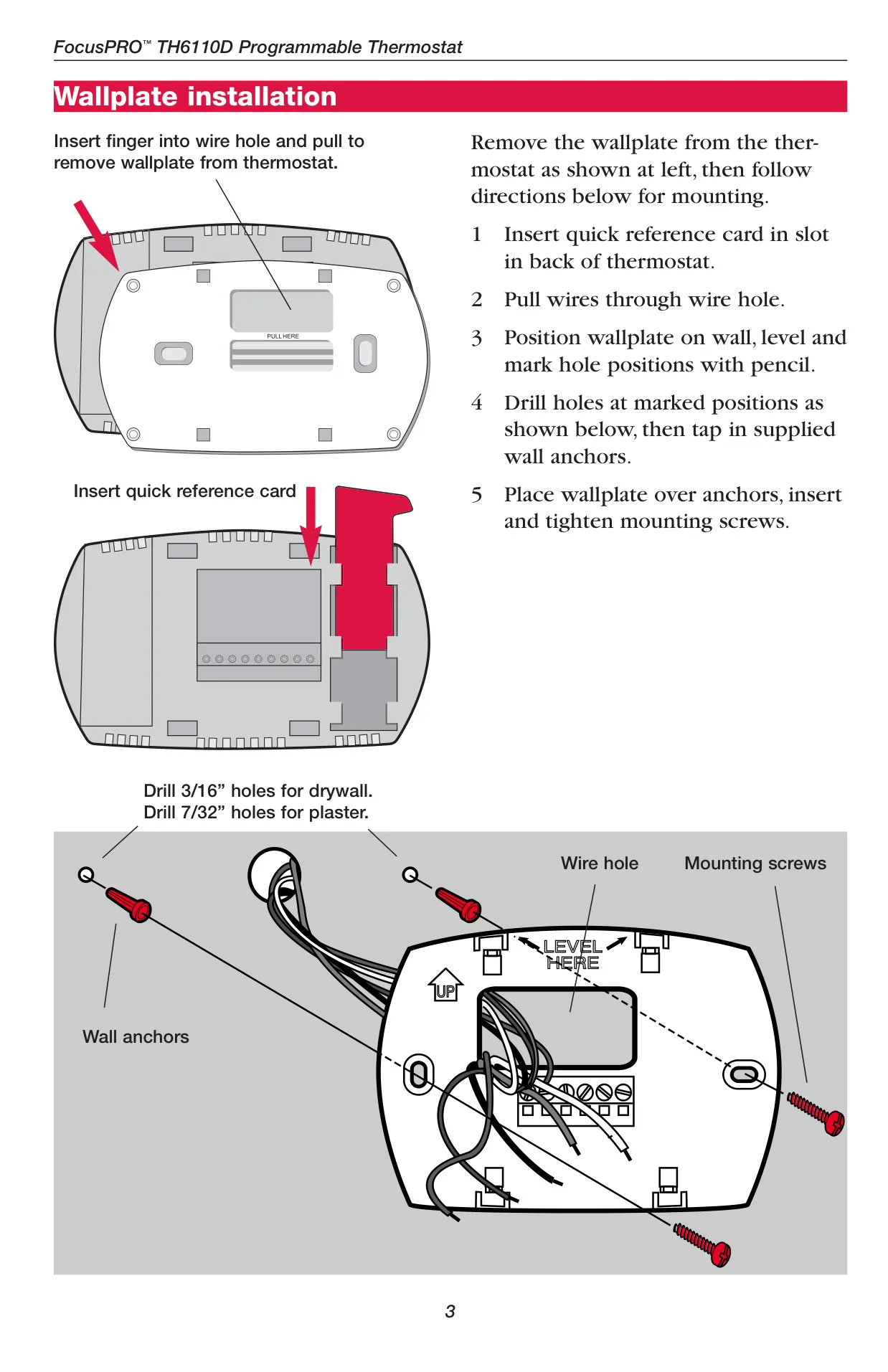
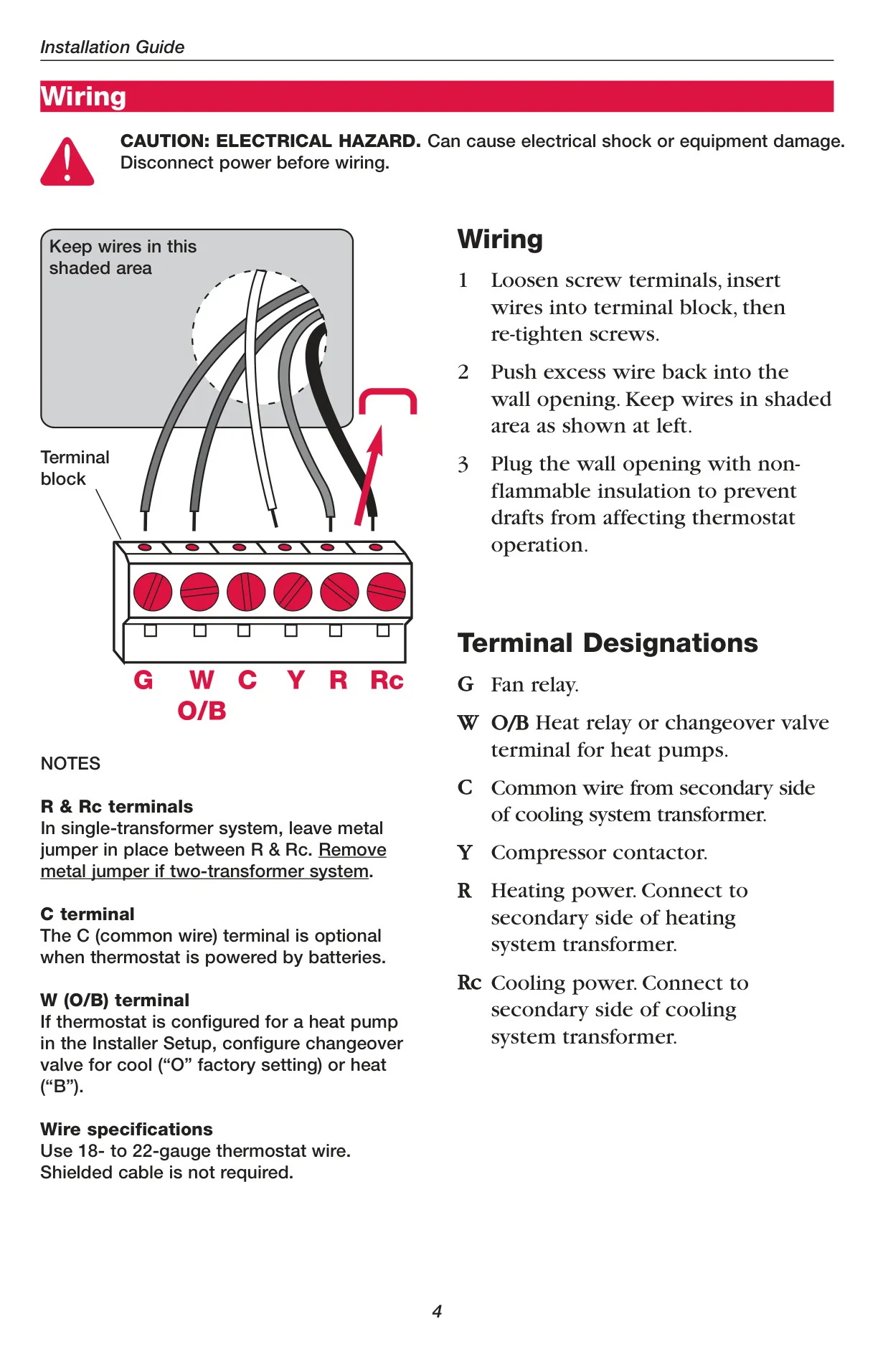
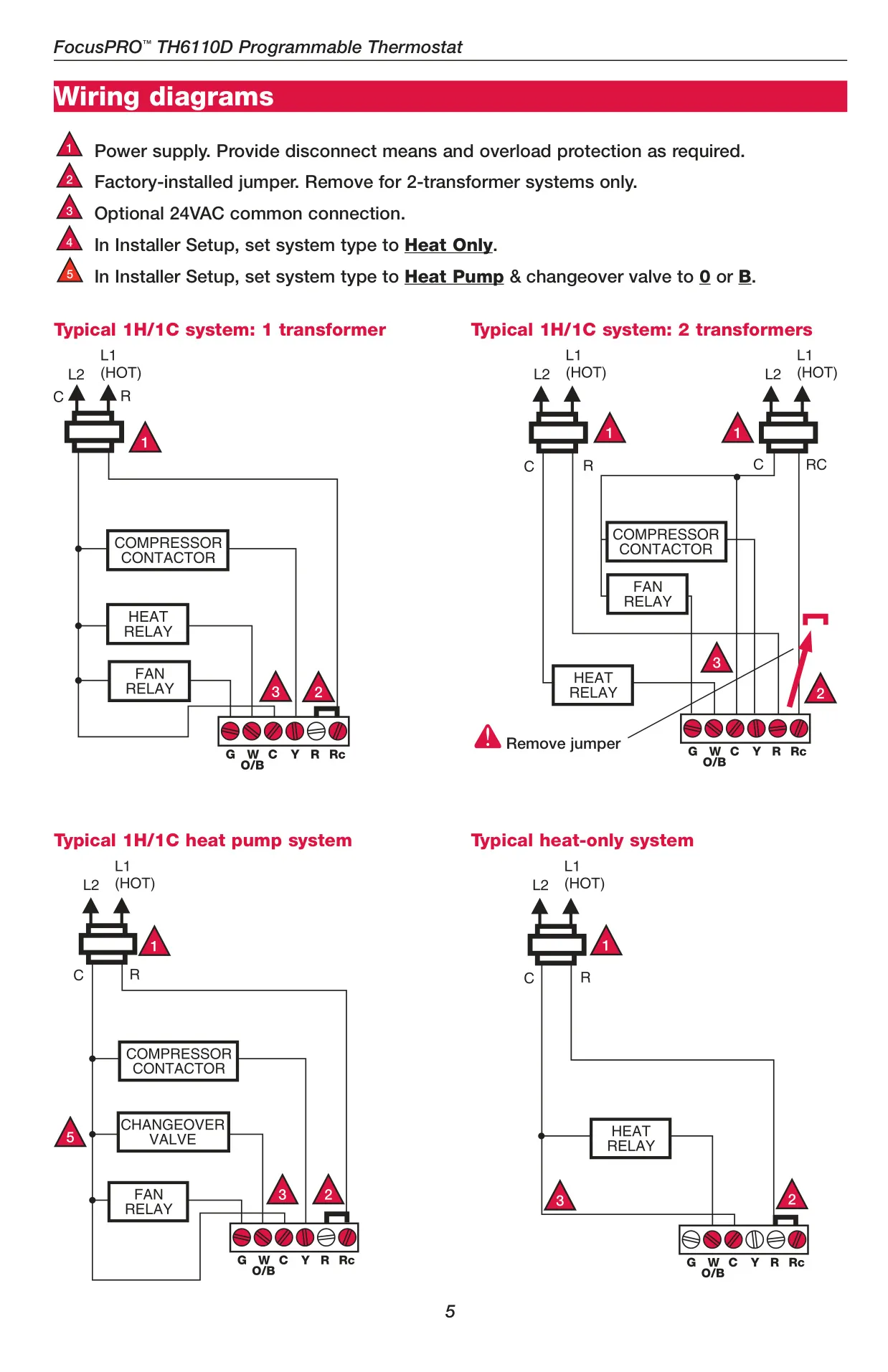
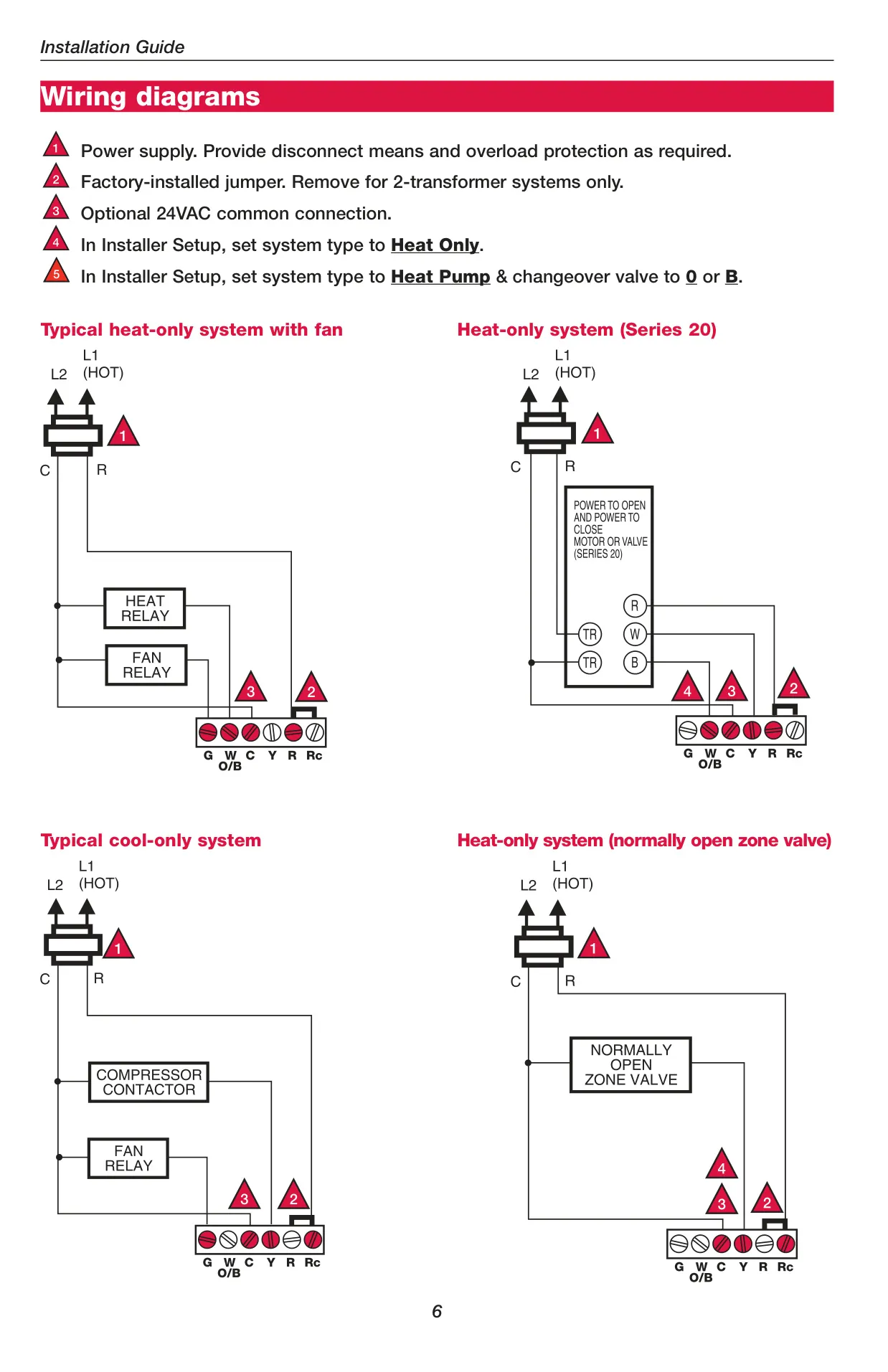

Honeywell TH6110D1005 Instructions
Here we offer the Honeywell TH6110D1005 FocusPRO TH6000 manual completely free and in English. We have cataloged this manual in the Thermostats section on Manualverse, and it has been rated by 1 users with an average rating of 5. If you have any specific questions about Honeywell TH6110D1005 FocusPRO TH6000, we suggest checking the Frequently Asked Questions (FAQs) section of this manual.
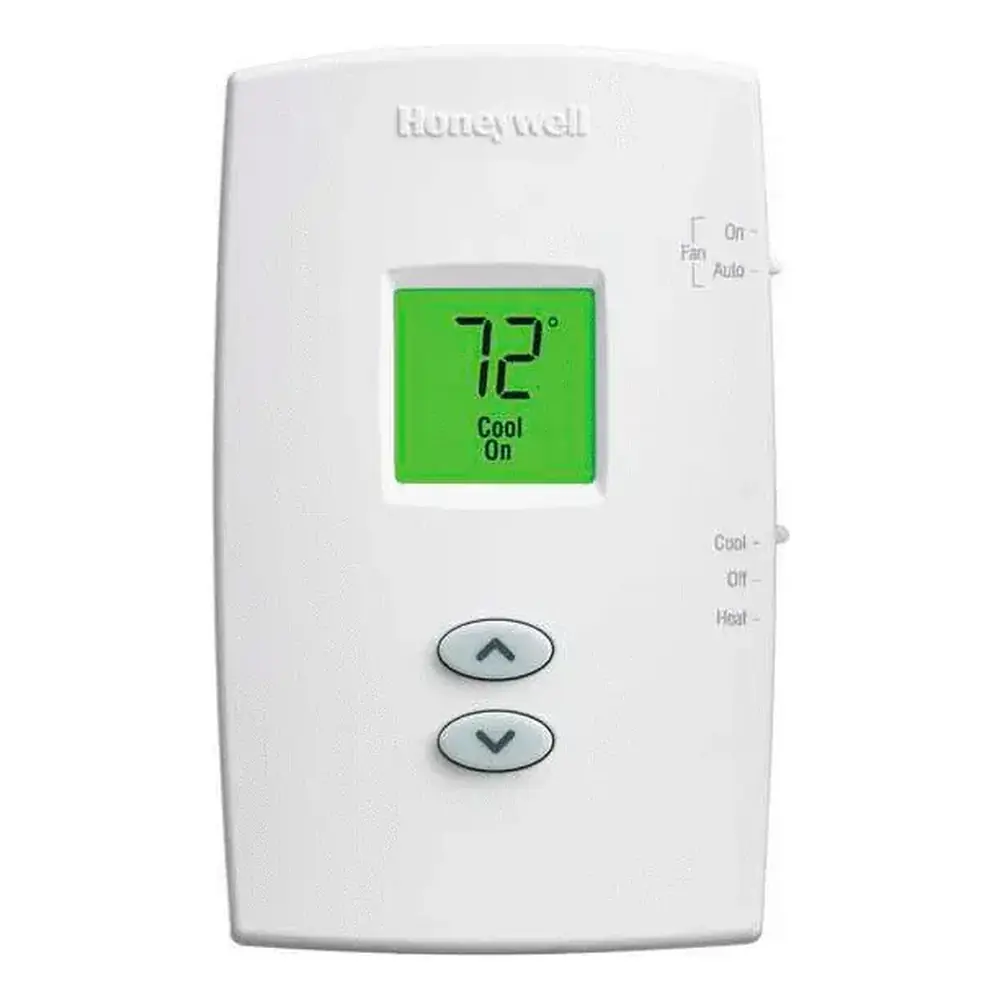
Product Images
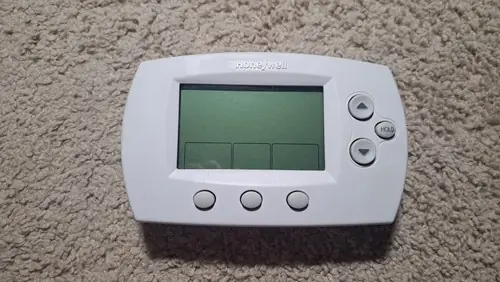
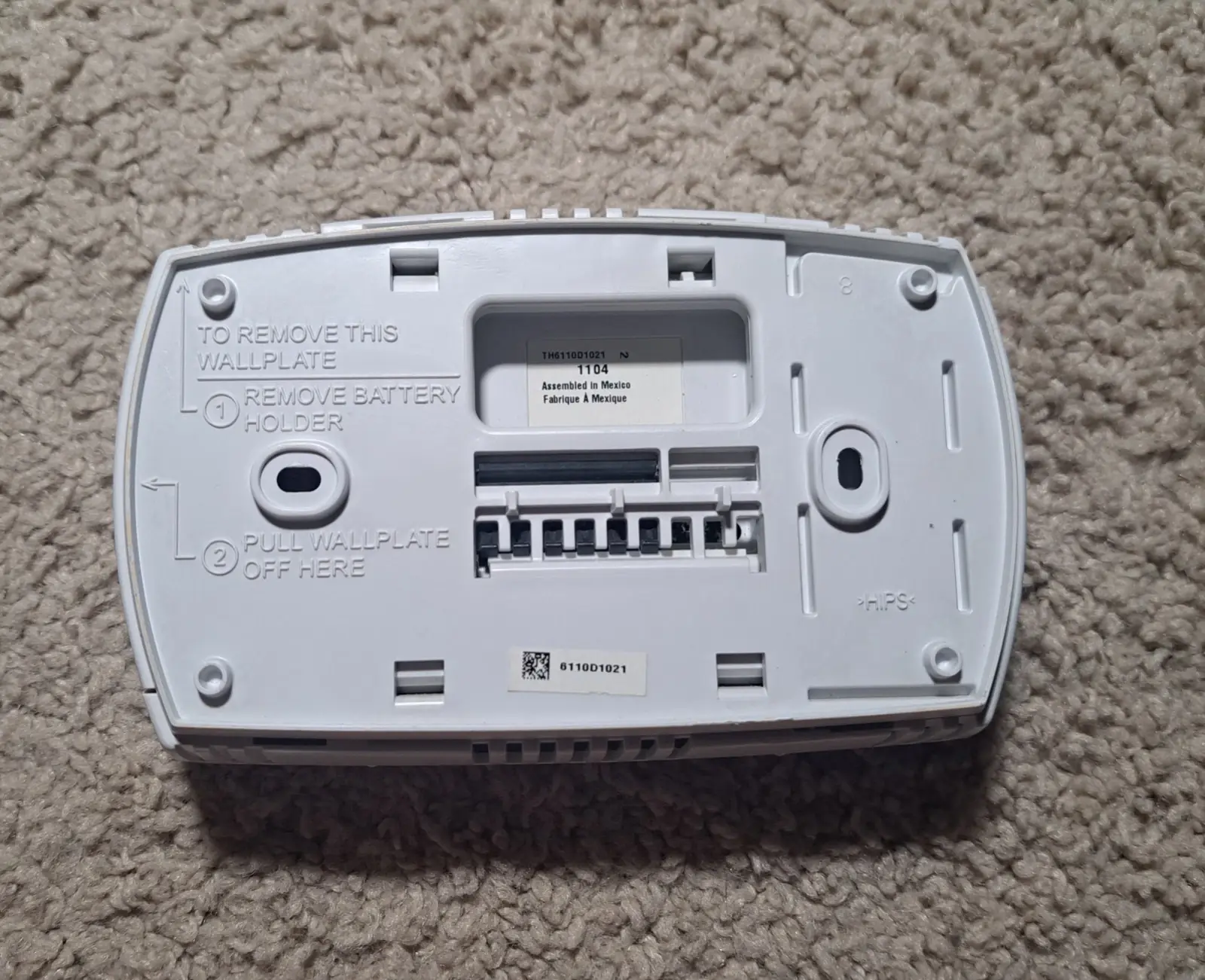
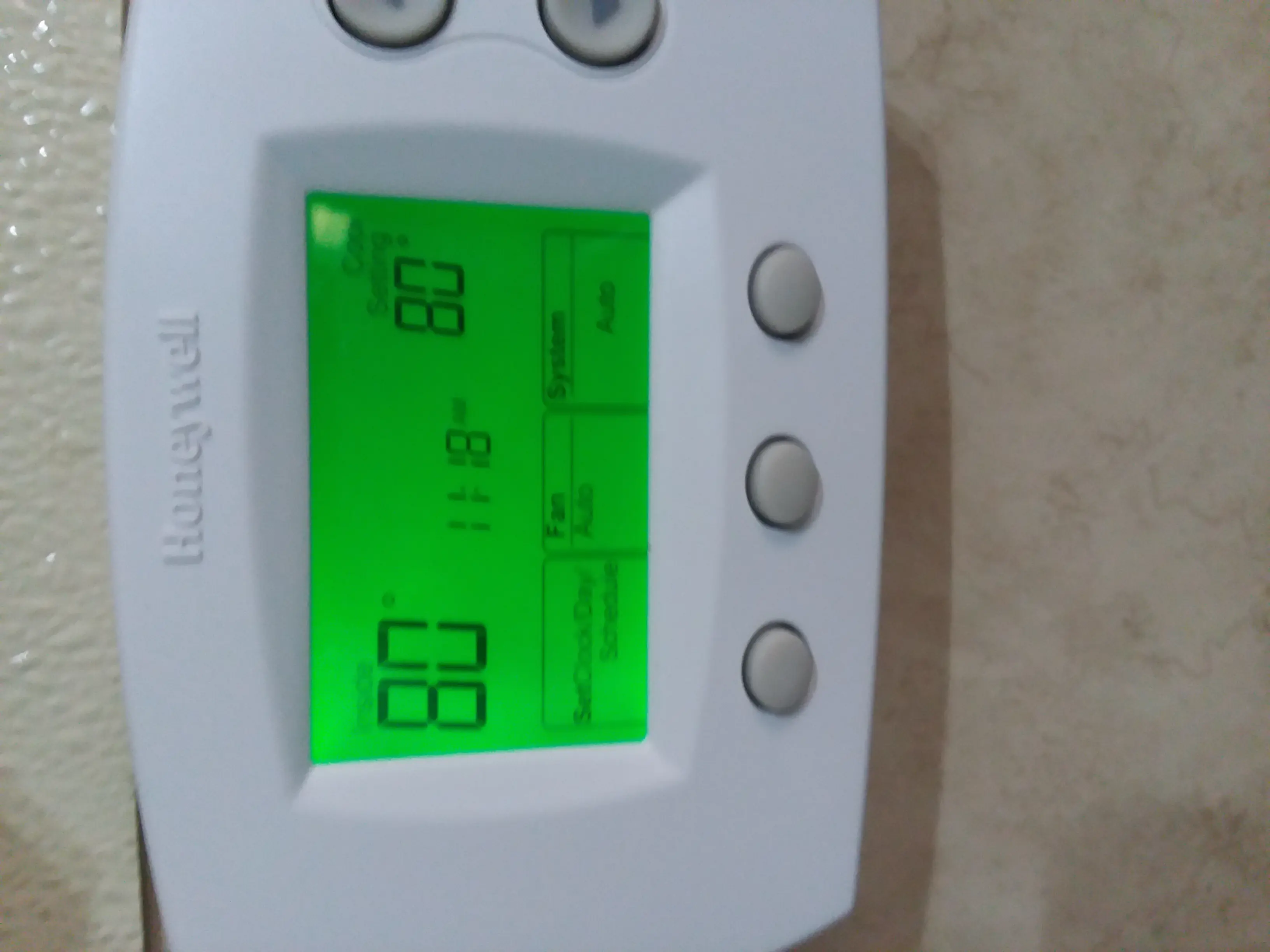
Honeywell TH6110D1005 FocusPRO TH6000 Thermostat Specifications
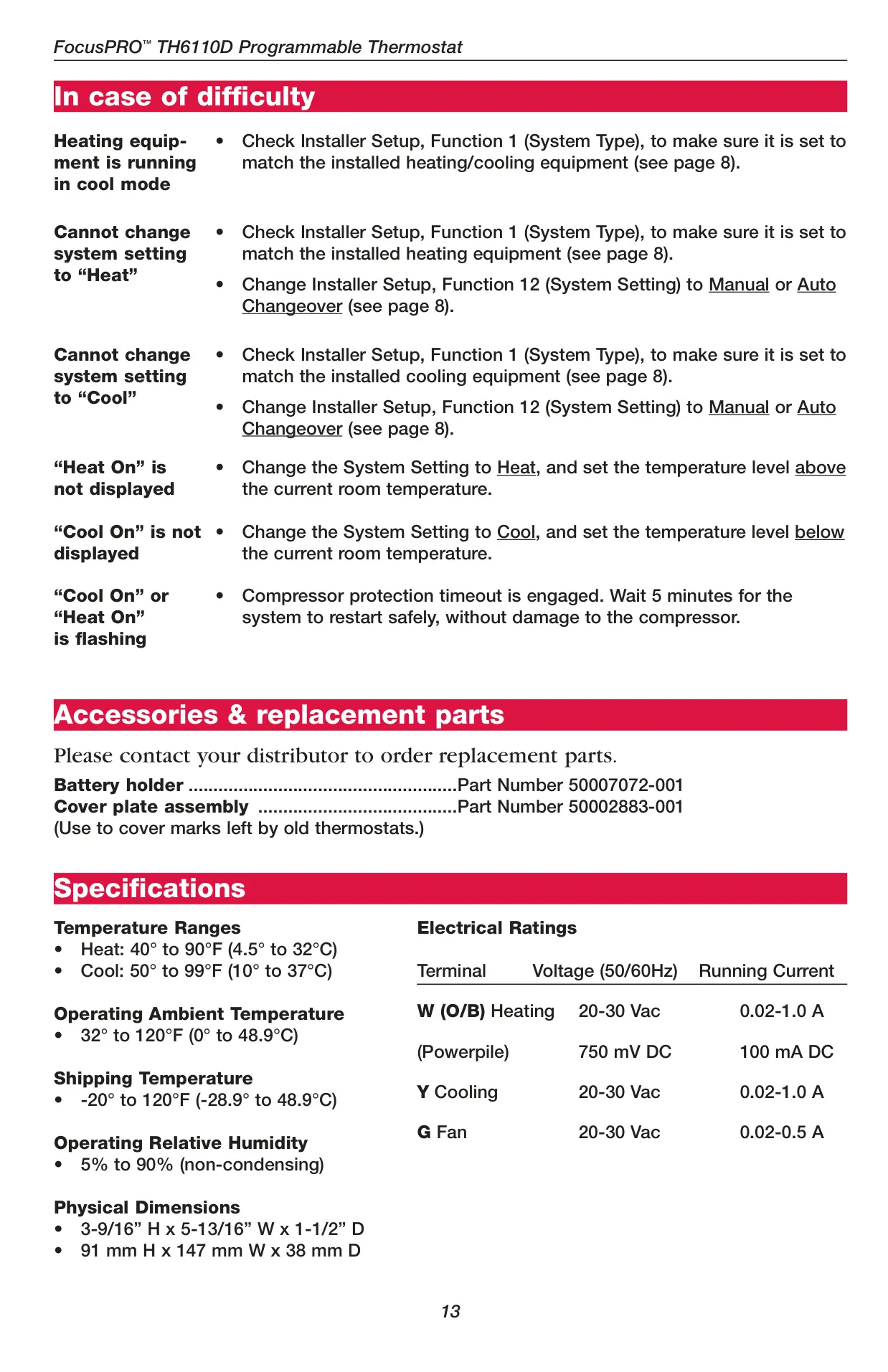
| Category | Specification |
|---|---|
| Temperature Ranges | |
| Heat | 40° to 90°F (4.5° to 32°C) |
| Cool | 50° to 99°F (10° to 37°C) |
| Operating Ambient Temperature | 32° to 120°F (0° to 48.9°C) |
| Shipping Temperature | -20° to 120°F (-28.9° to 48.9°C) |
| Operating Relative Humidity | 5% to 90% (non-condensing) |
| Physical Dimensions | |
| Height | 3-9/16” (91 mm) |
| Width | 5-13/16” (147 mm) |
| Depth | 1-1/2” (38 mm) |
| Electrical Ratings | |
| W (O/B) Heating (20-30 Vac) | 0.02-1.0 A |
| W (O/B) Heating (Powerpile, 750 mV DC) | 100 mA DC |
| Y Cooling (20-30 Vac) | 0.02-1.0 A |
| G Fan (20-30 Vac) | 0.02-0.5 A |
Honeywell TH6110D1005 Thermostat Details
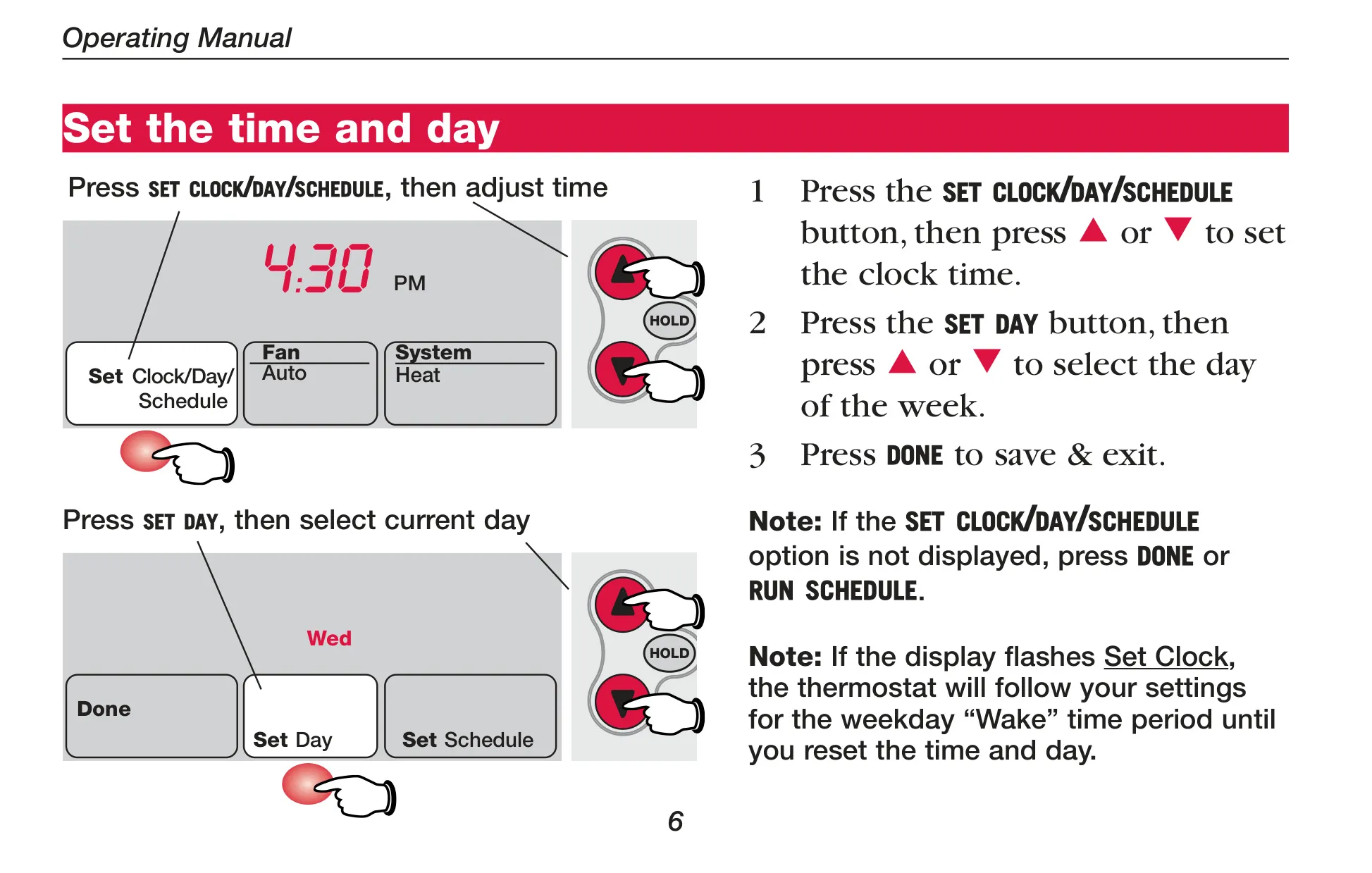
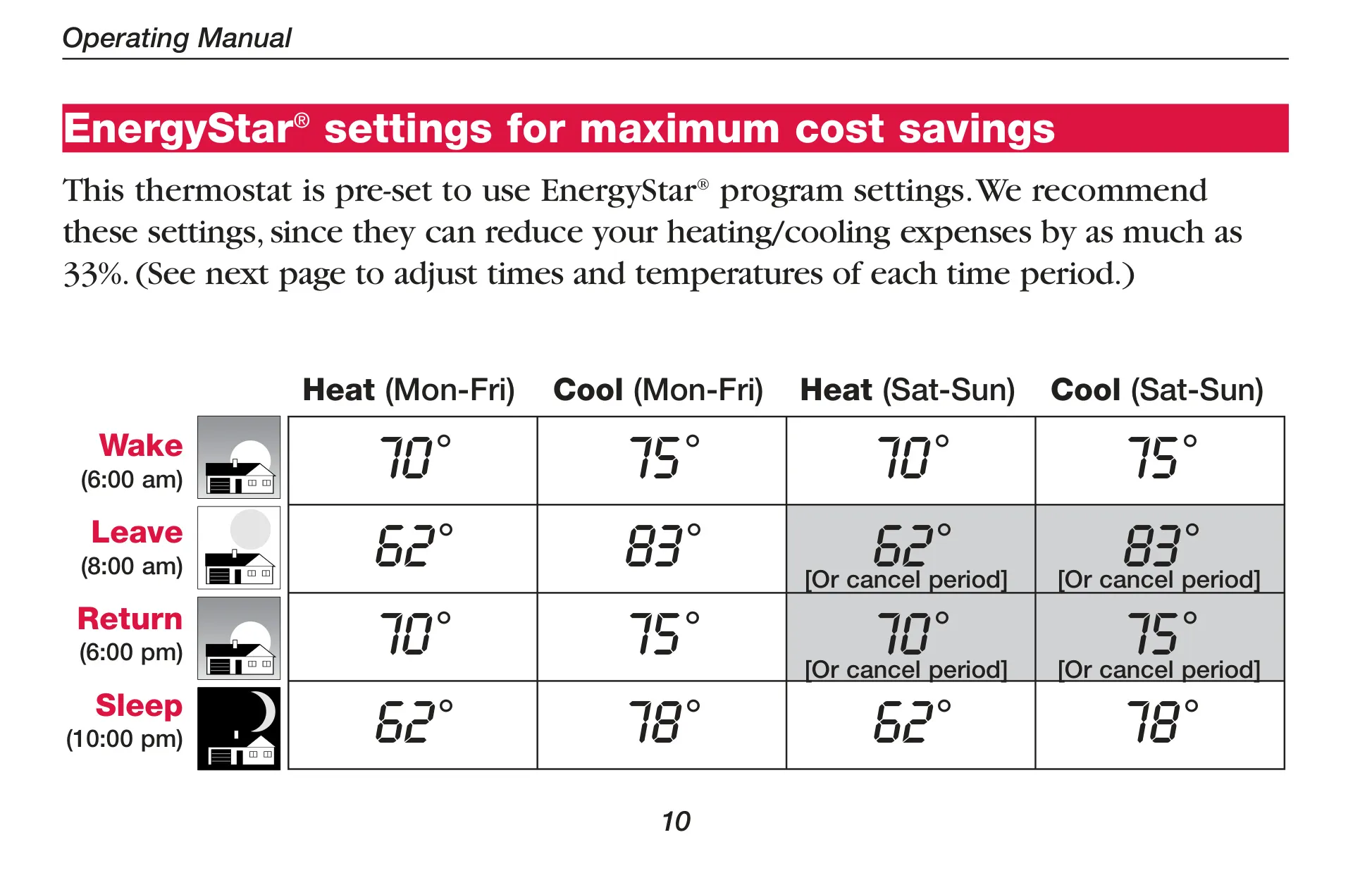
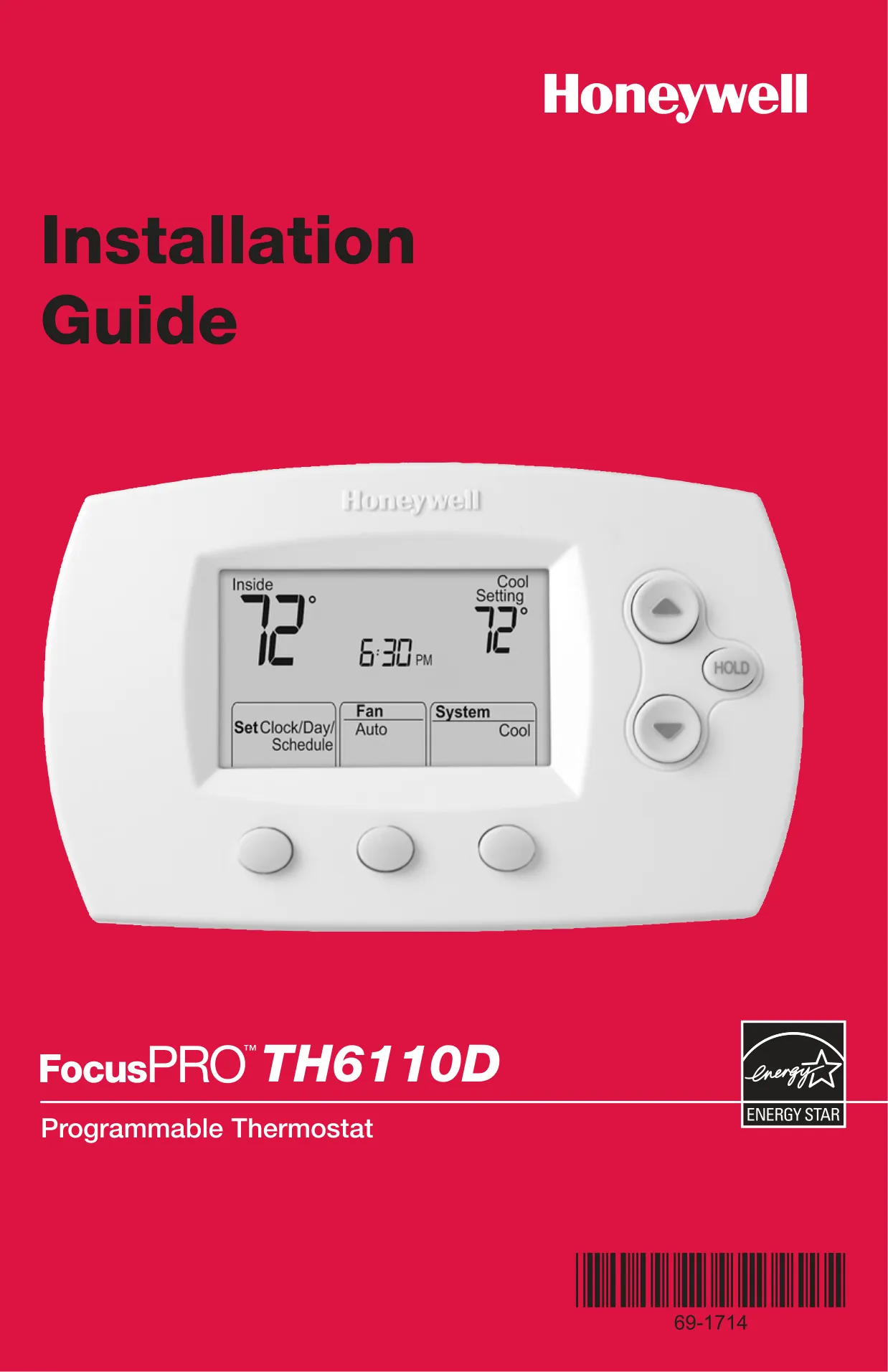
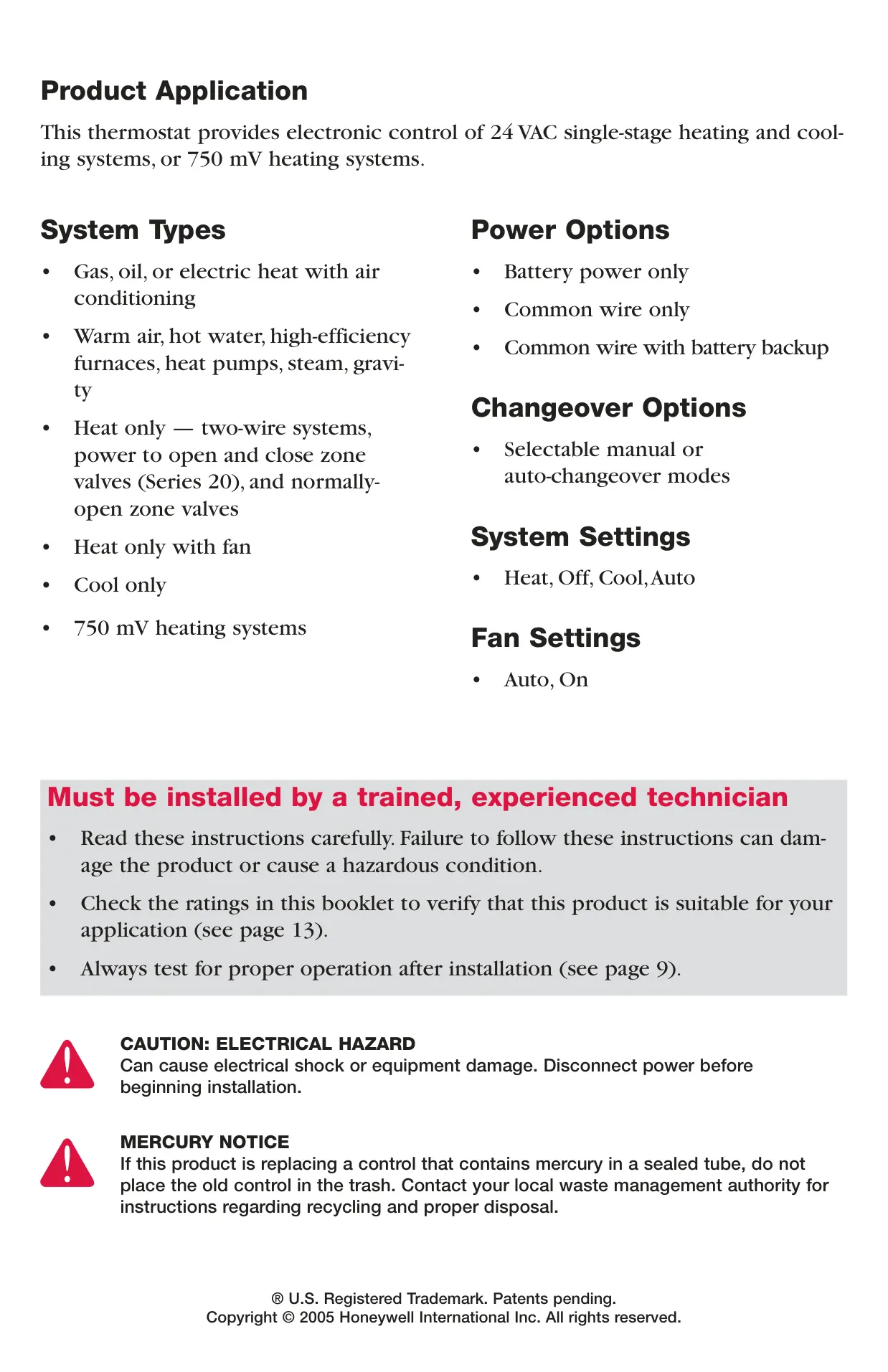
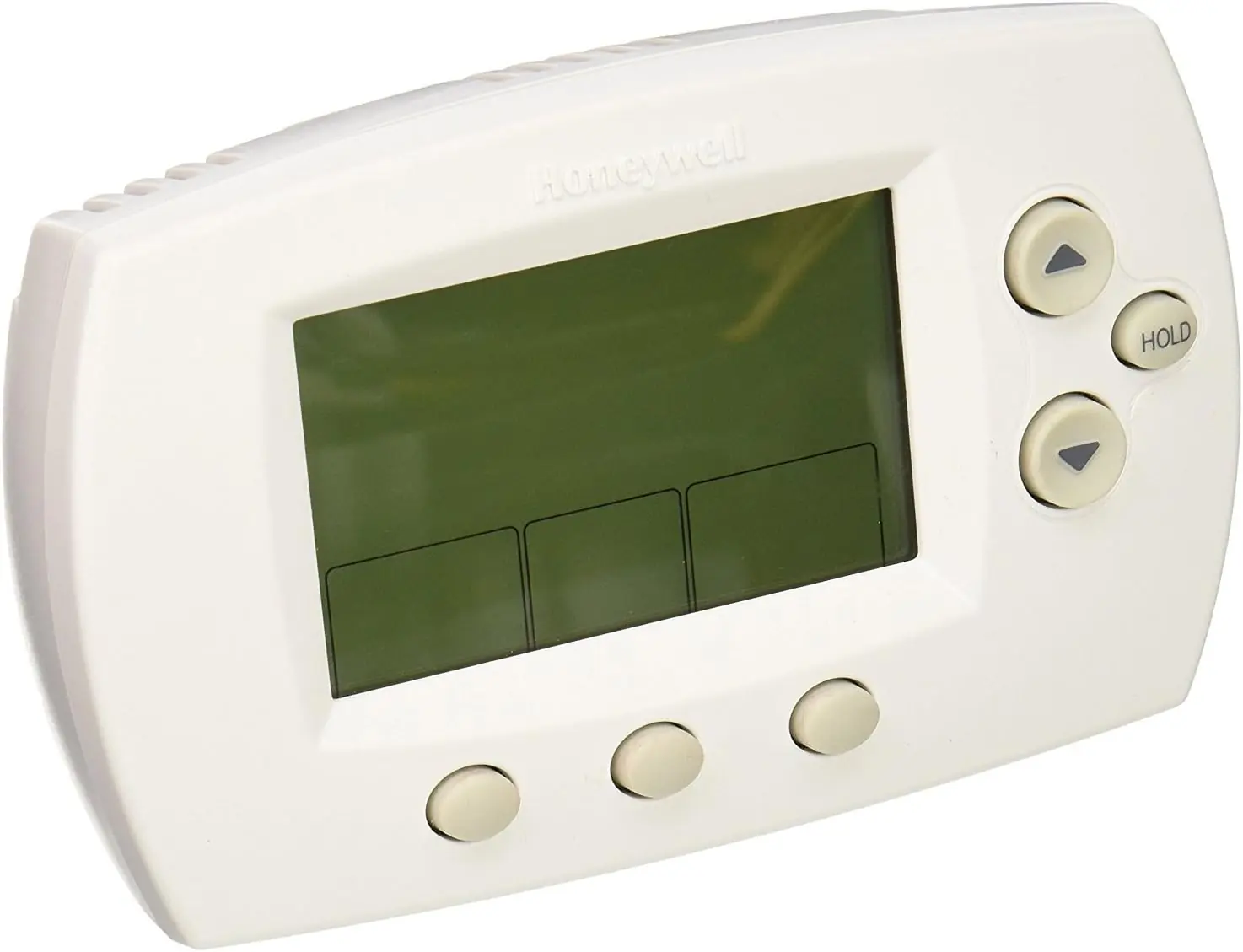
The Honeywell TH6110D1005 FocusPRO TH6000 is a versatile programmable thermostat designed for intuitive control over various heating and cooling systems. It offers electronic regulation for 24 VAC single-stage heating and cooling setups, as well as 750 mV heating systems, ensuring broad compatibility with common residential HVAC equipment. This model comes pre-programmed with energy-saving schedules, allowing for immediate use after setting the time and day.
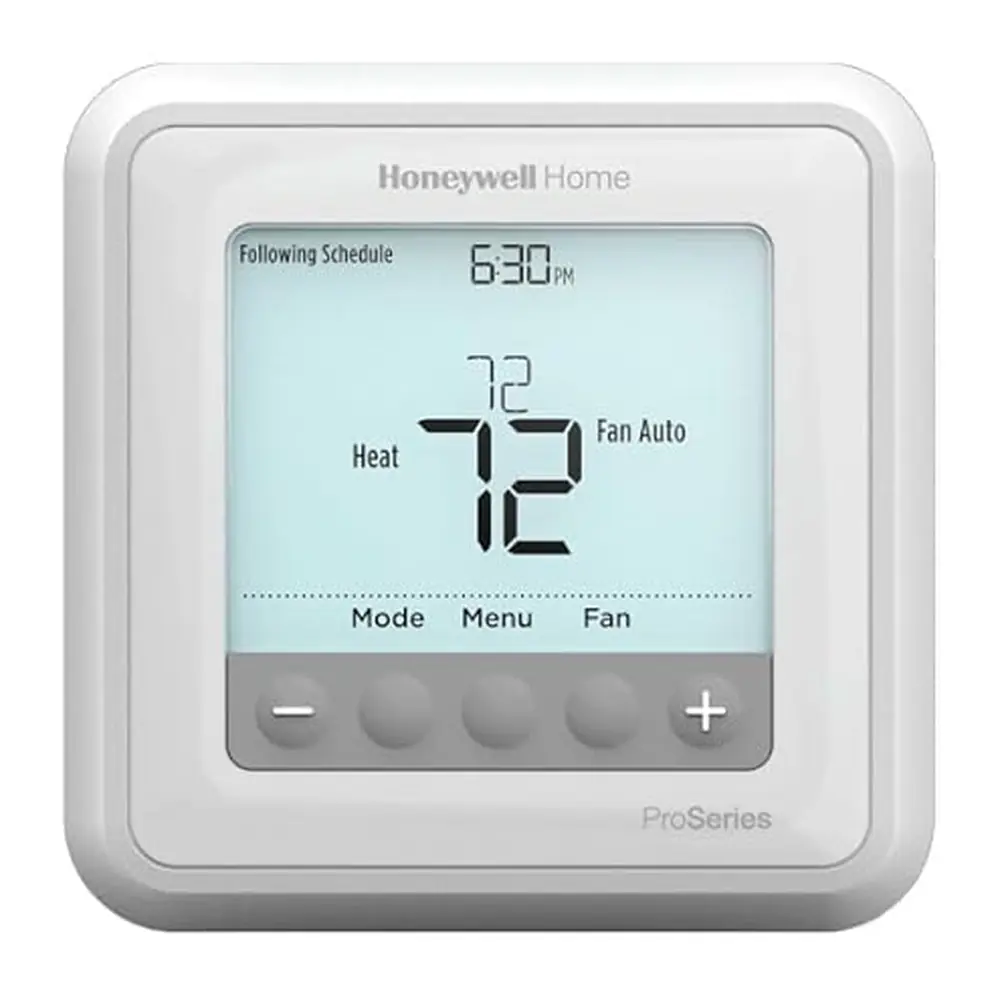
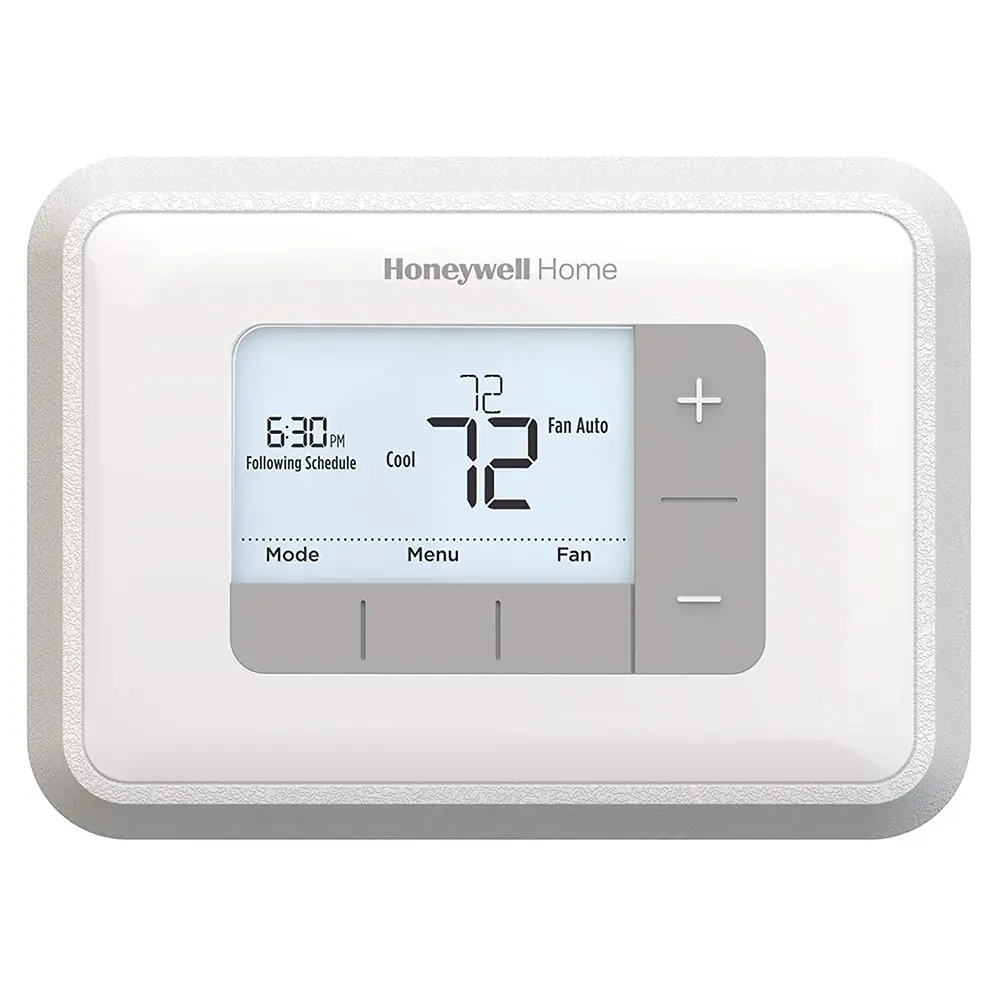
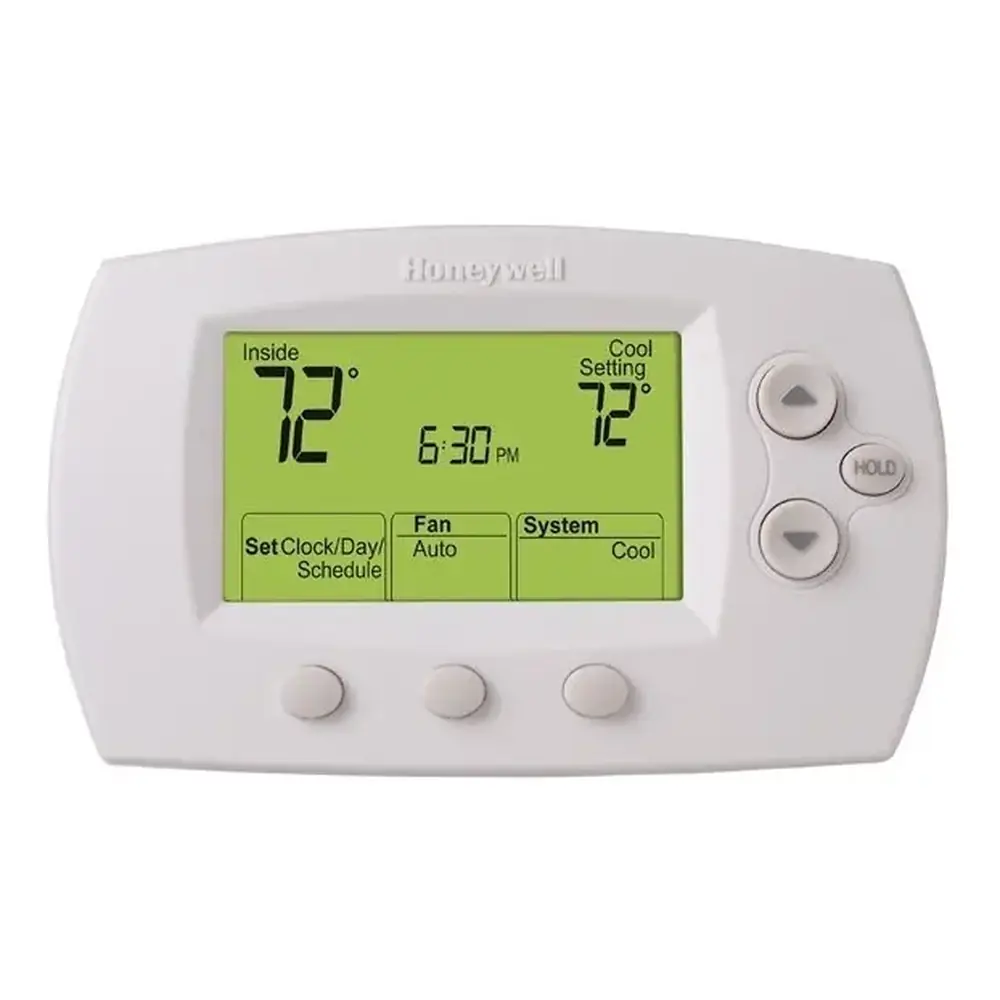
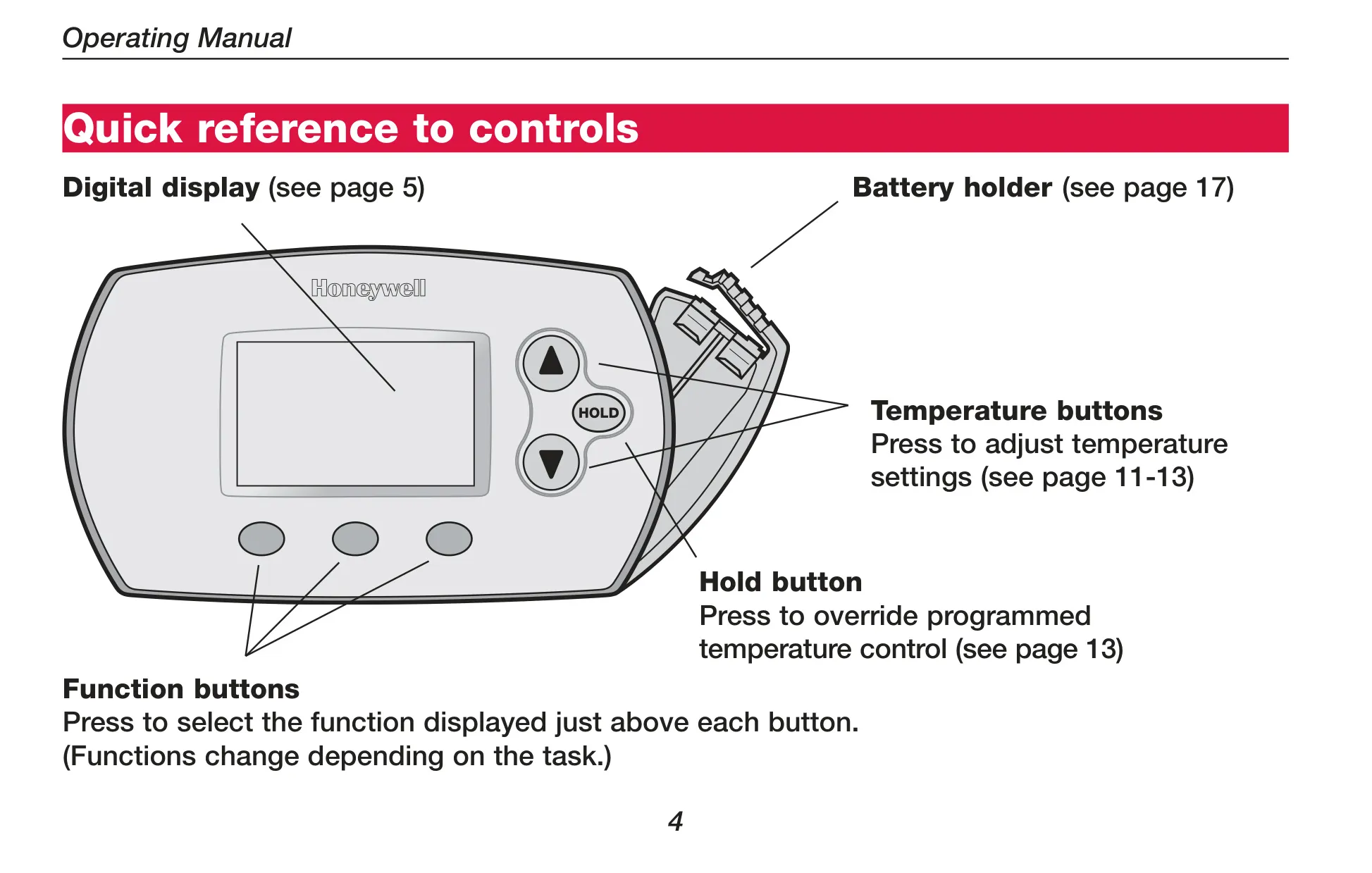
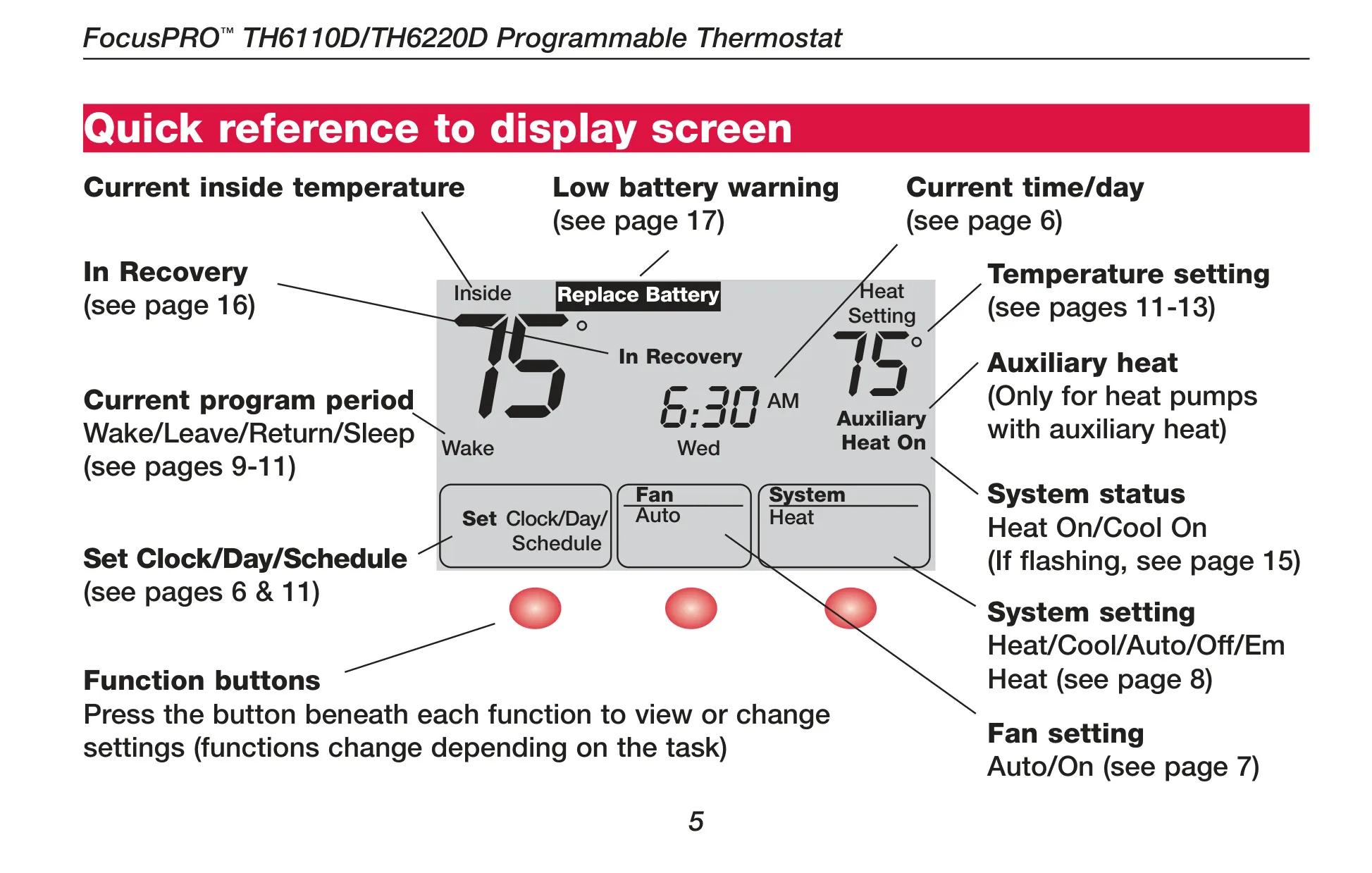
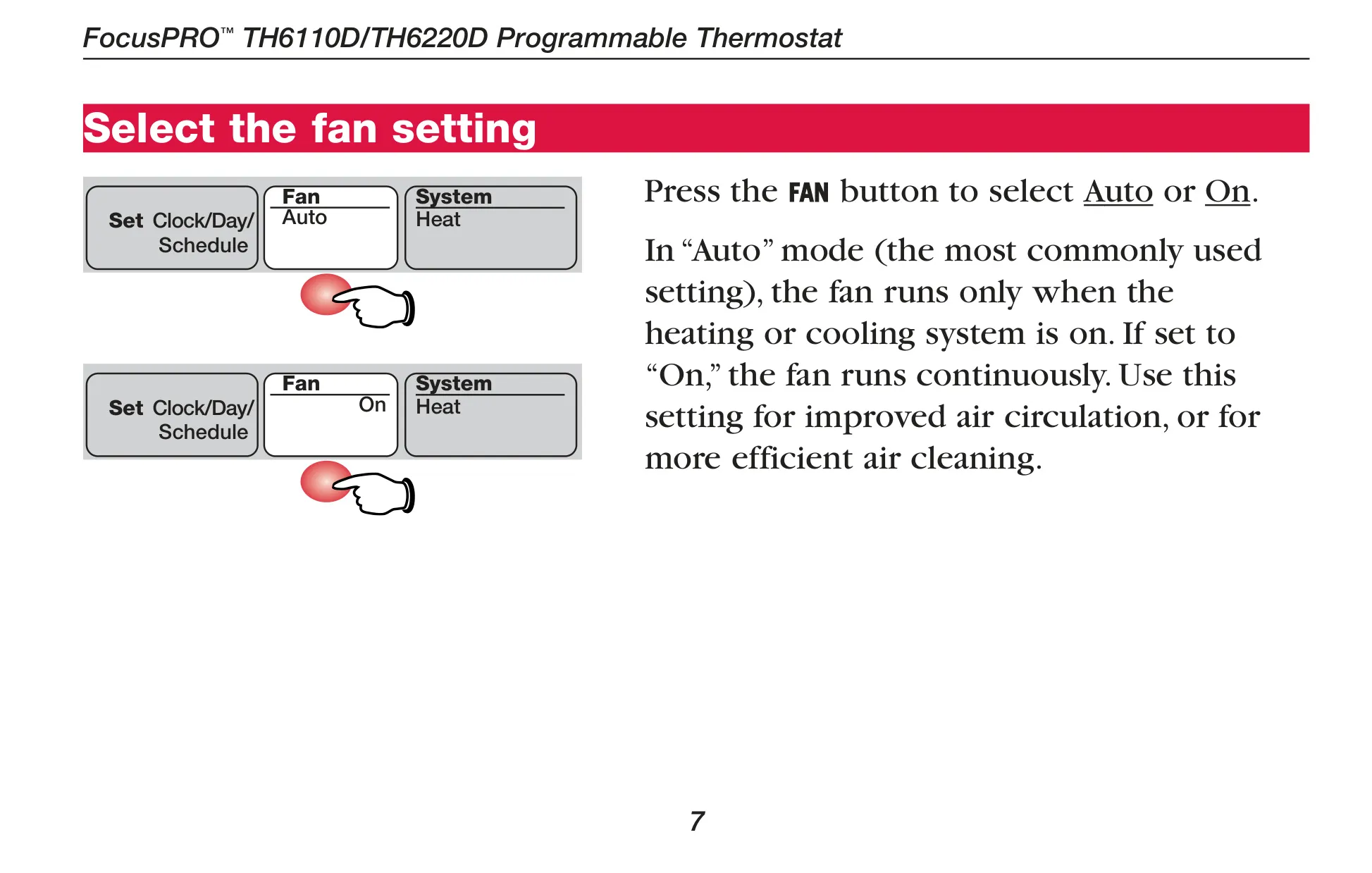
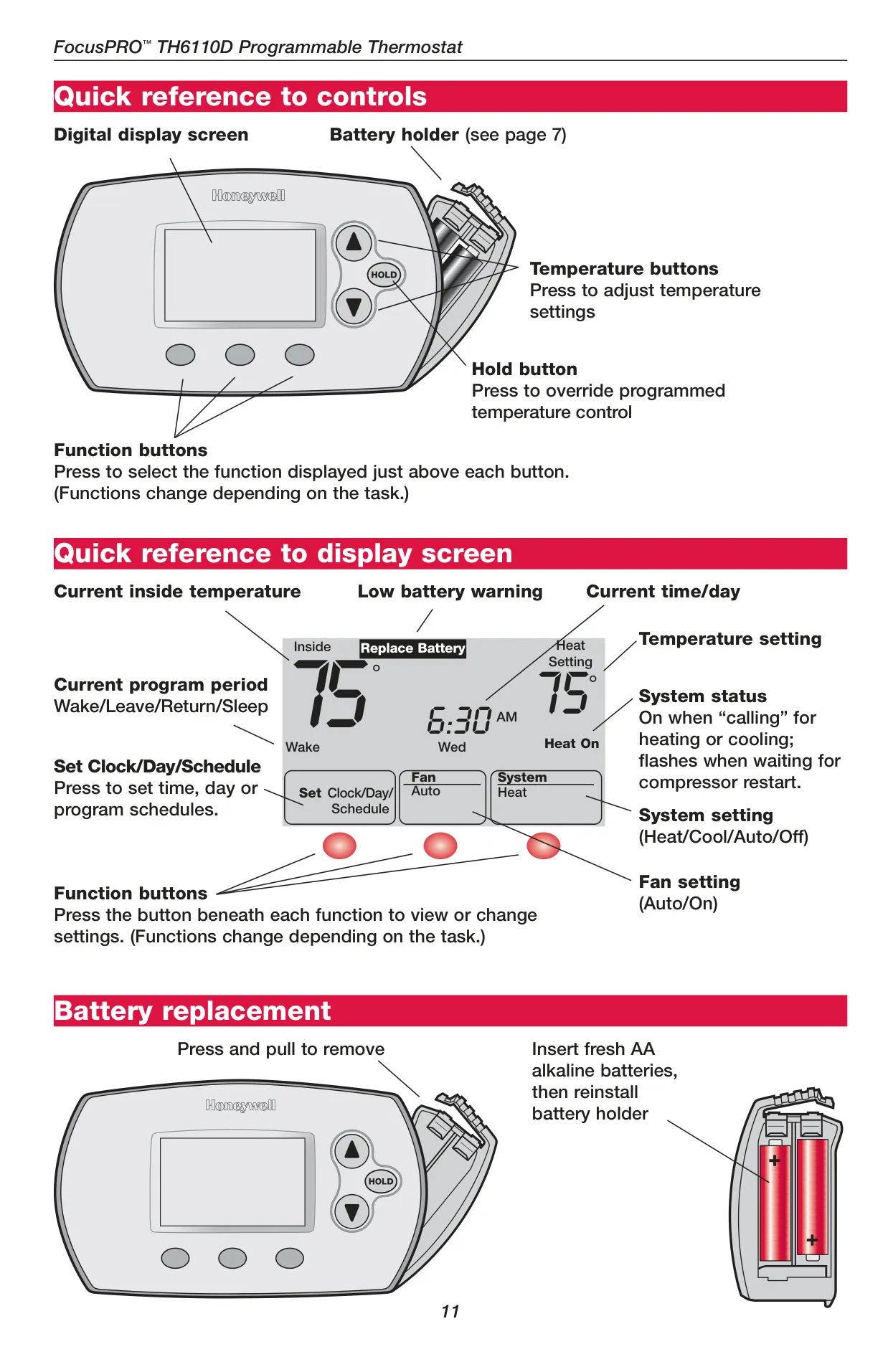
Users benefit from a clear digital display that shows the current inside temperature, time, day, and active program period (Wake, Leave, Return, Sleep). The display also provides critical status updates like "Heat On" or "Cool On," indicating system operation, and a "Replace Battery" warning when power levels are low. Navigating settings is straightforward thanks to dedicated temperature buttons and dynamic function buttons that change based on the current task.
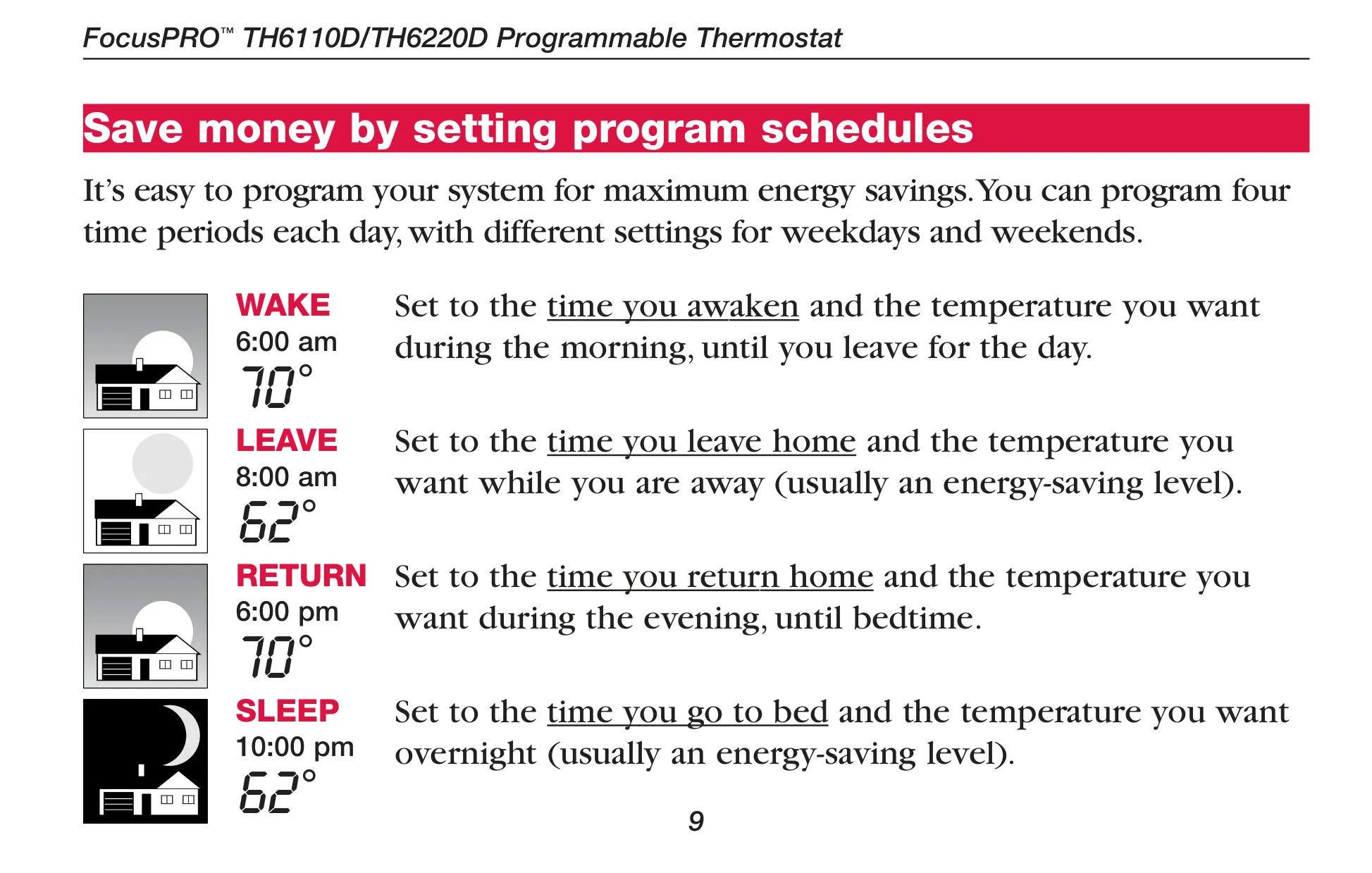
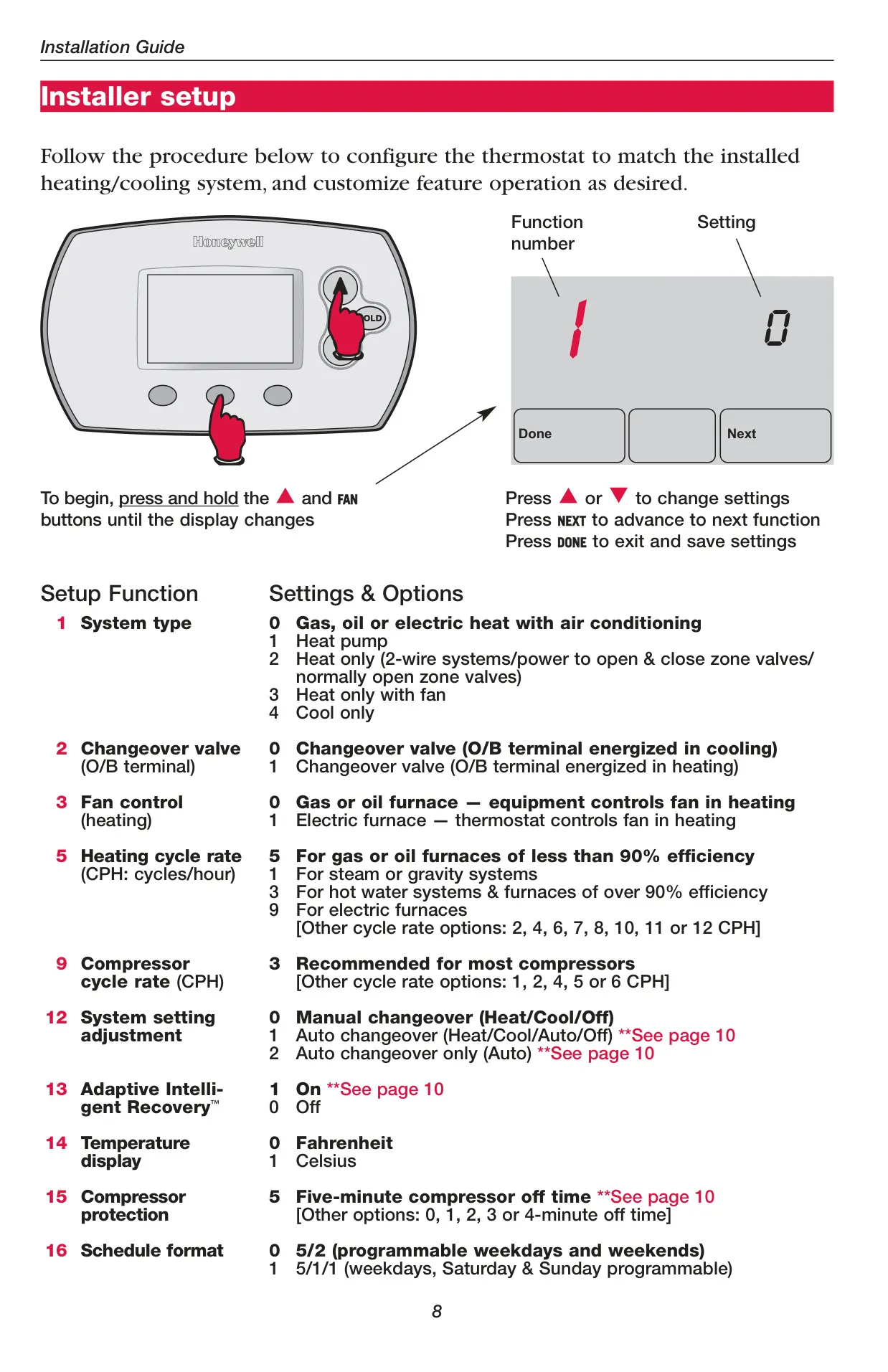
One of the thermostat's key features is its flexible 7-day programming capability, offering up to four distinct time periods per day. Users can choose between a 5/2-day schedule (weekdays and weekends) or a 5/1/1-day schedule (weekdays, Saturday, and Sunday individually programmable). This allows for highly customized climate control tailored to daily routines and energy efficiency goals.
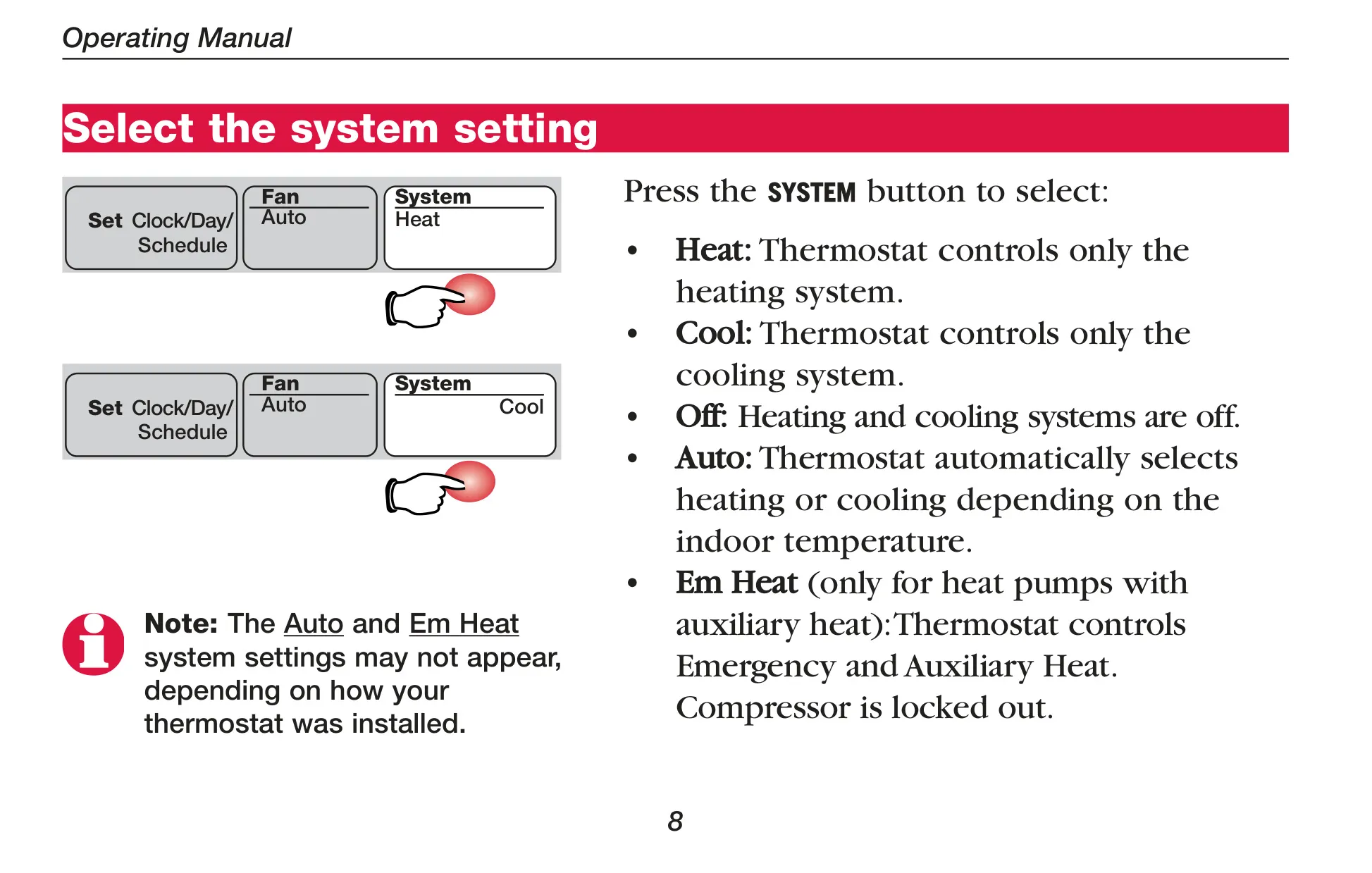
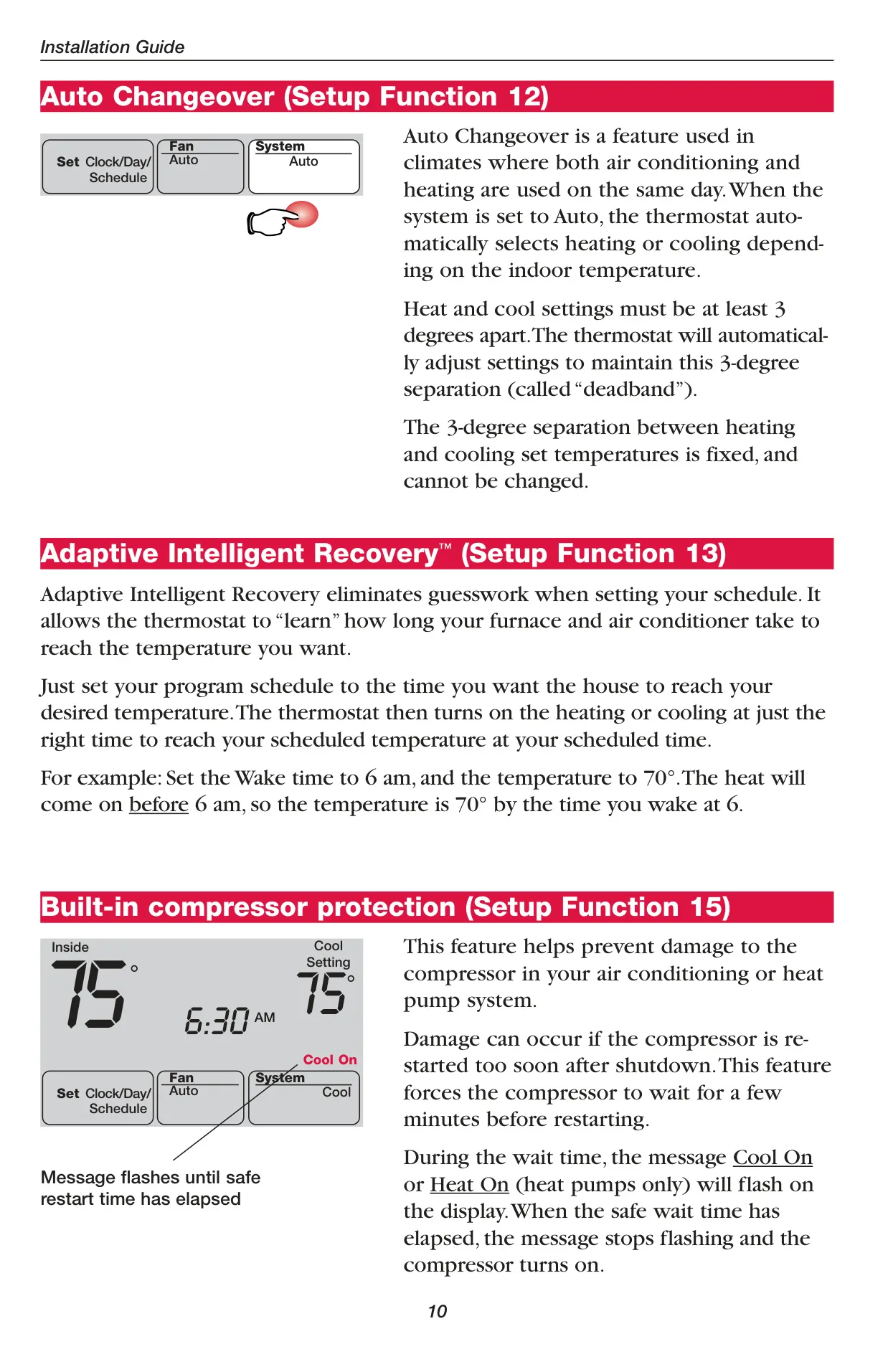
The FocusPRO TH6000 provides various system settings including Heat, Cool, Off, and Auto. The "Auto" changeover feature automatically switches between heating and cooling modes based on the indoor temperature, ideal for climates experiencing significant temperature swings within a single day. A mandatory 3-degree Fahrenheit deadband ensures efficient operation and prevents rapid cycling between modes.
To further enhance comfort and efficiency, the thermostat incorporates Adaptive Intelligent Recovery™. This smart function learns how long it takes for your furnace or air conditioner to reach a desired temperature. It then activates the system at the optimal time to ensure your space reaches the scheduled temperature precisely when you want it, for example, by your wake-up time.
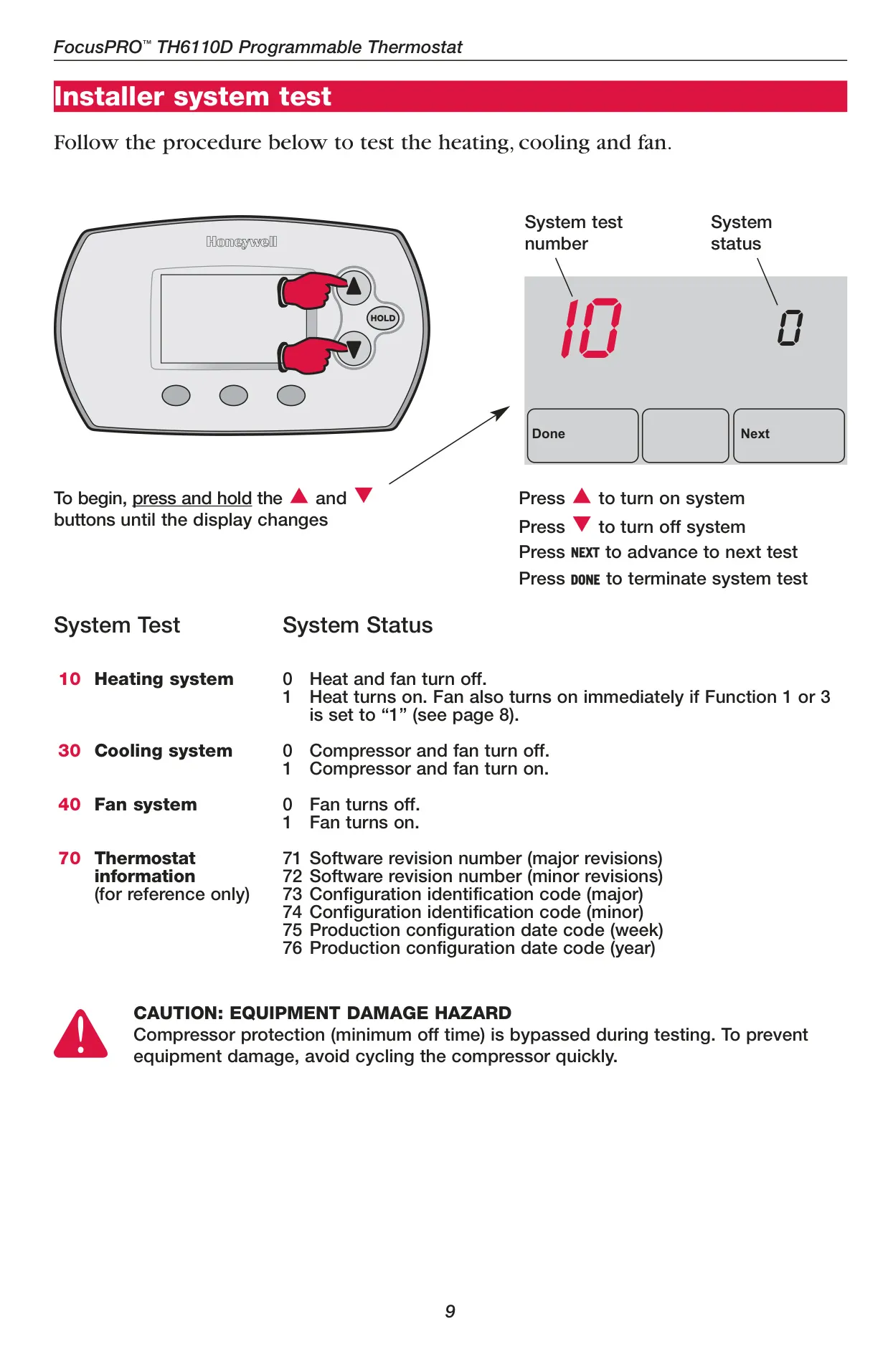
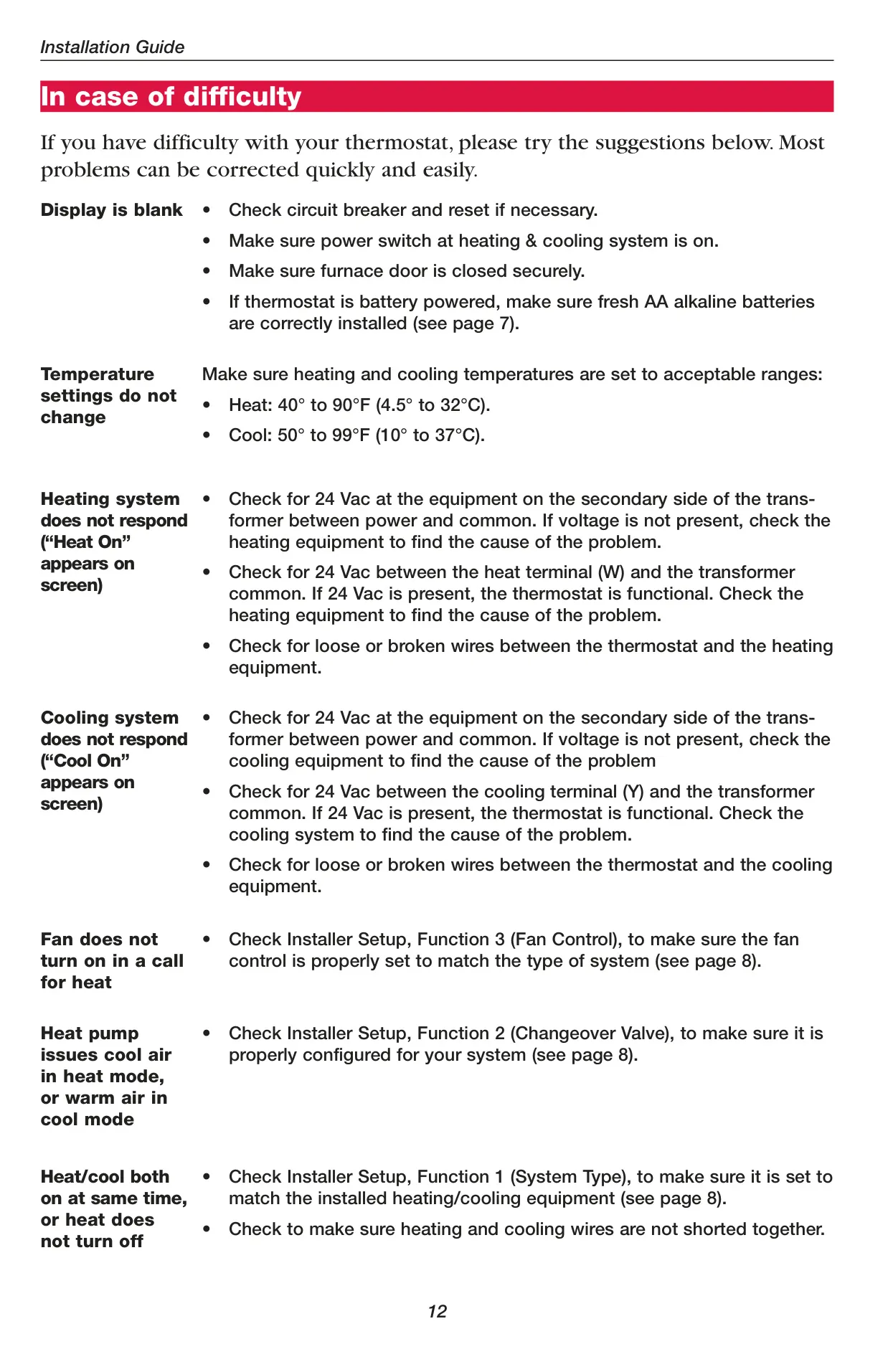
A crucial safety feature is the built-in compressor protection. This mechanism prevents potential damage to your air conditioning or heat pump compressor by enforcing a minimum off-time, typically five minutes, after a shutdown. During this wait period, "Cool On" or "Heat On" will flash on the display, reassuring users that the system is functioning correctly and restarting safely.
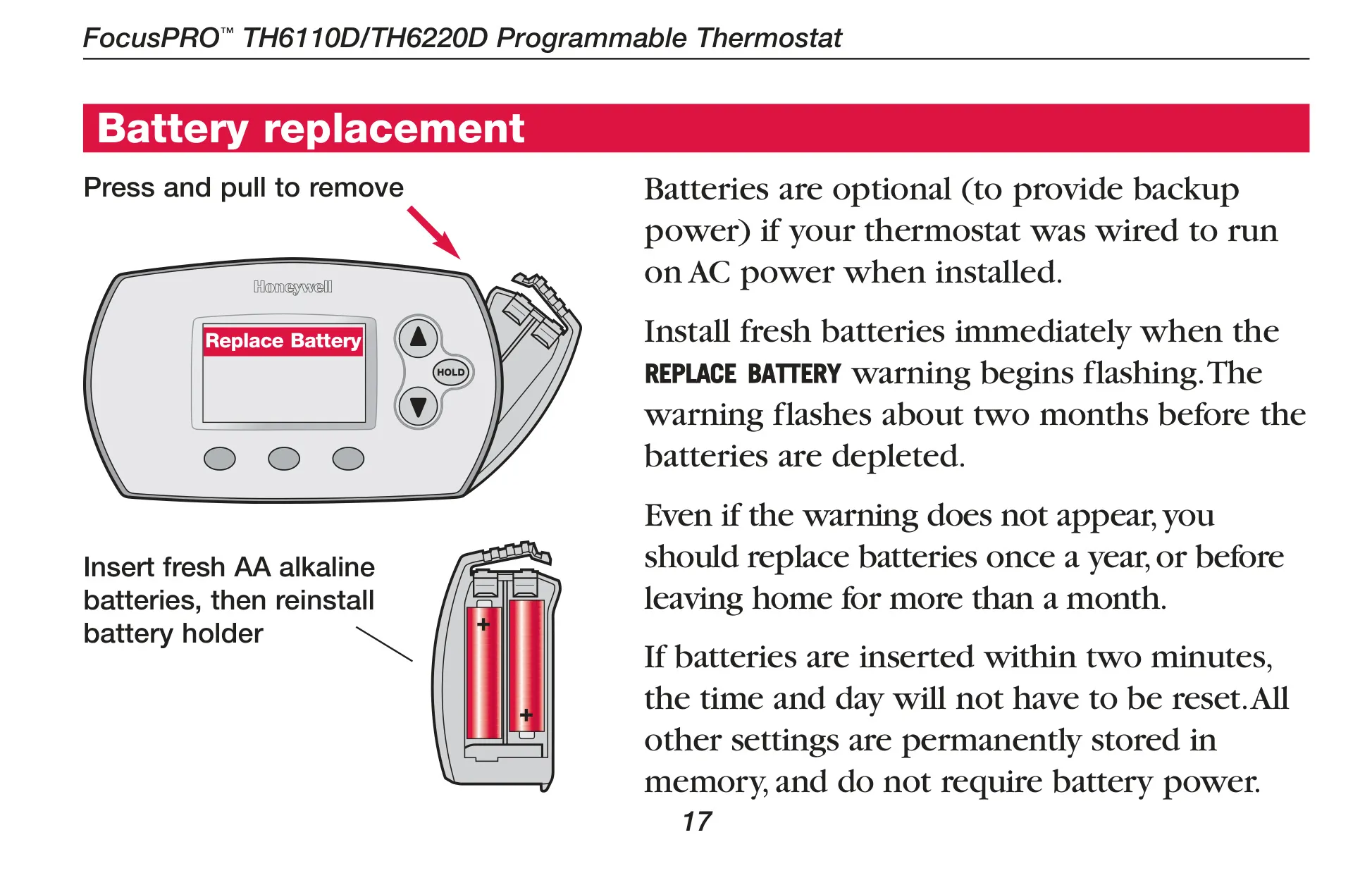
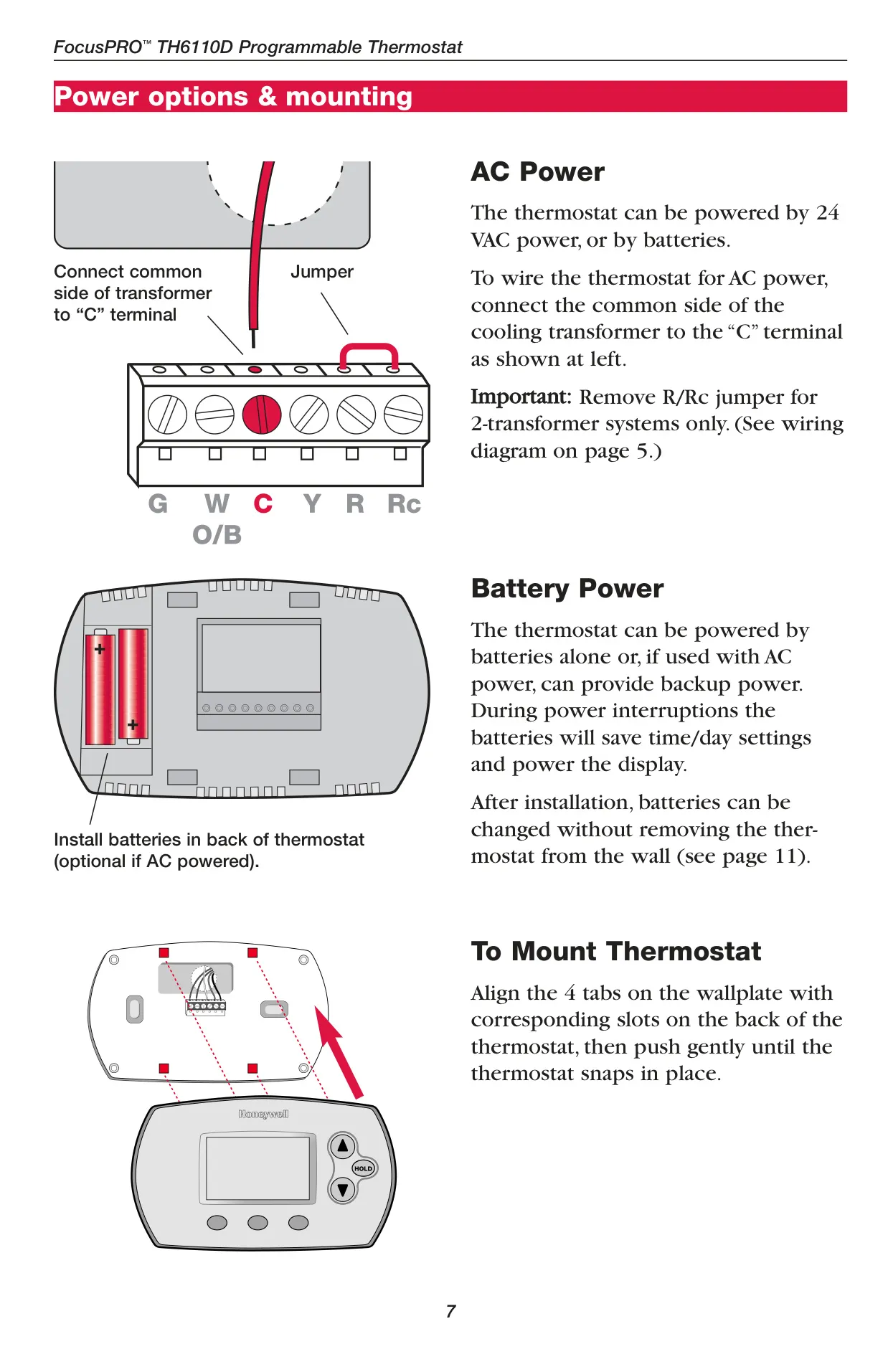
Powering the thermostat can be achieved through either two AA alkaline batteries or a 24 VAC common wire, with batteries serving as an optional backup if wired for AC power. Battery replacement is easy and can be done without removing the thermostat from the wall, a practical design choice for user convenience. Batteries should be replaced annually or when the "Replace Battery" warning flashes, which occurs about two months before depletion.
For immediate adjustments, the thermostat offers both temporary and permanent program schedule overrides. A temporary adjustment holds the new temperature until the start of the next programmed period, while the "Hold" feature maintains a set temperature 24 hours a day indefinitely, until manually changed or the programmed schedule is resumed. This flexibility ensures comfort can be maintained regardless of unexpected schedule changes.
Frequently Asked Questions (FAQs)
Can't find the answer you need? Here are some frequently asked questions about the Honeywell TH6110D1005 FocusPRO TH6000, and we answer them below.