Honeywell HZ432 TrueZONE Instruction Manual
Honeywell HZ432 TrueZONE



Honeywell HZ432 TrueZONE
Honeywell HZ432 TrueZONE Instructions
Here we offer the Honeywell HZ432 TrueZONE manual completely free and in English. We have cataloged this manual in the Control Zone Boards section on Manualverse, and it has been rated by 1 users with an average rating of 5. If you have any specific questions about Honeywell HZ432 TrueZONE, we suggest checking the Frequently Asked Questions (FAQs) section of this manual.
Product Images
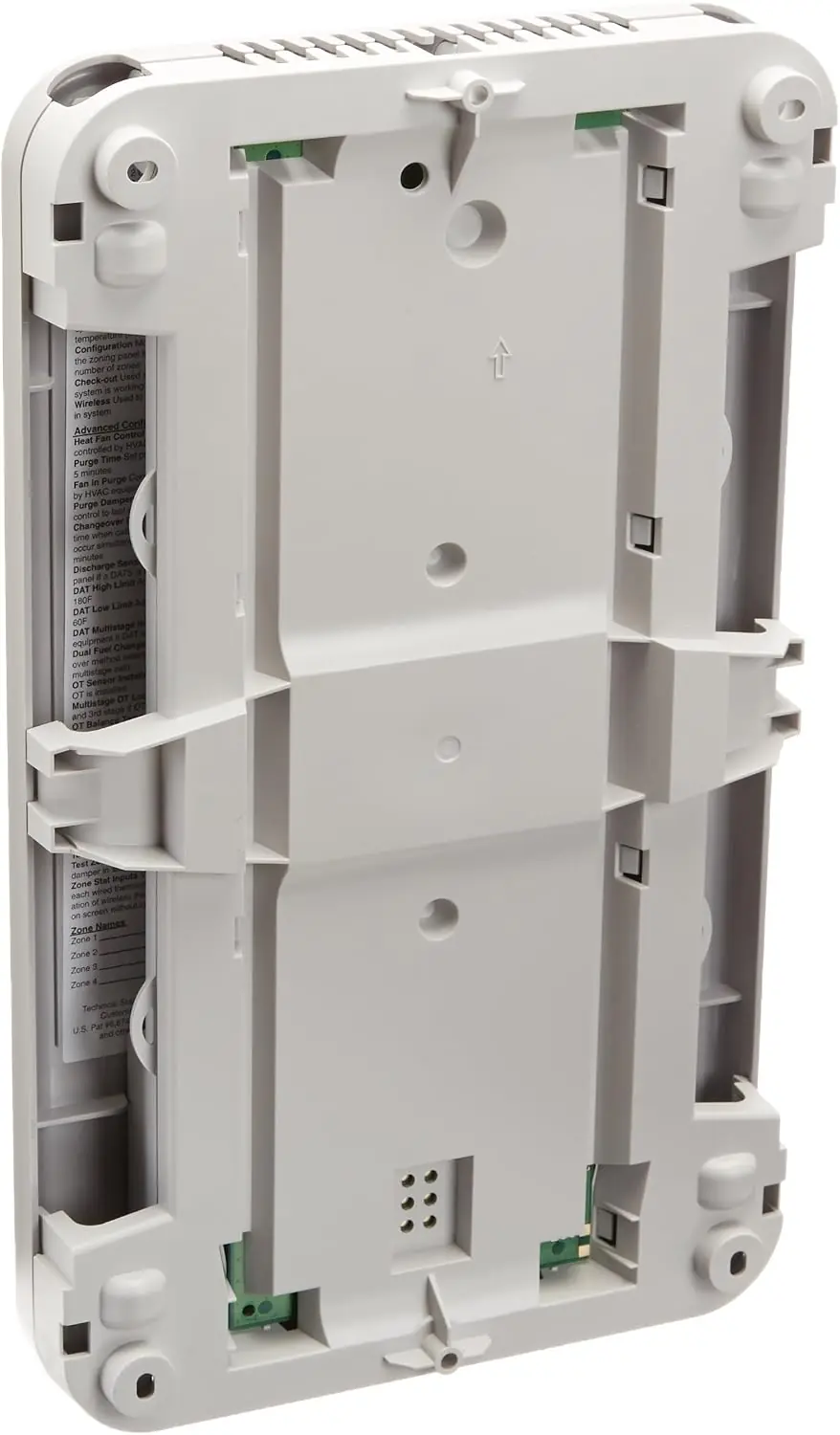
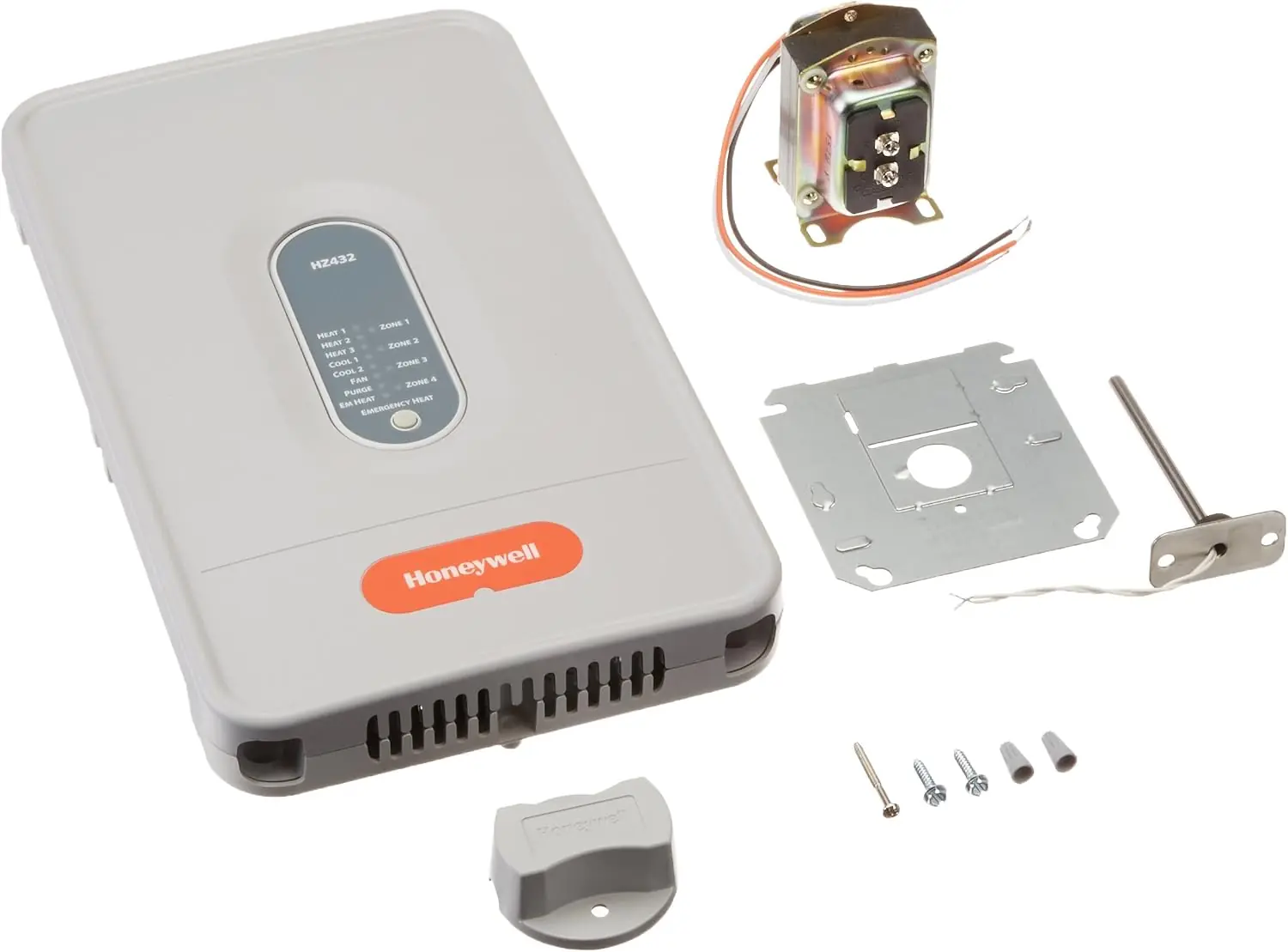
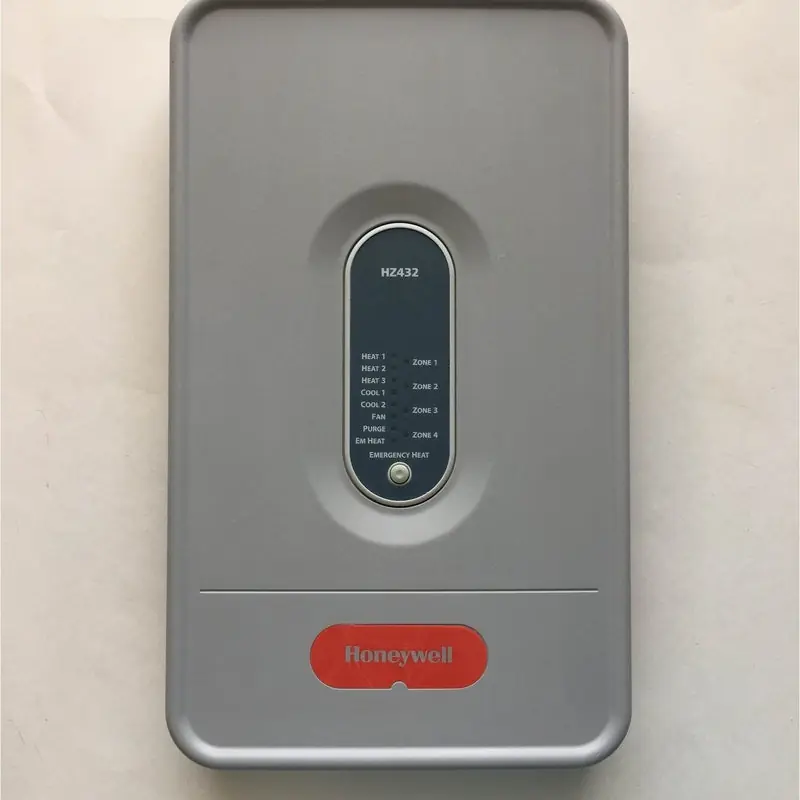
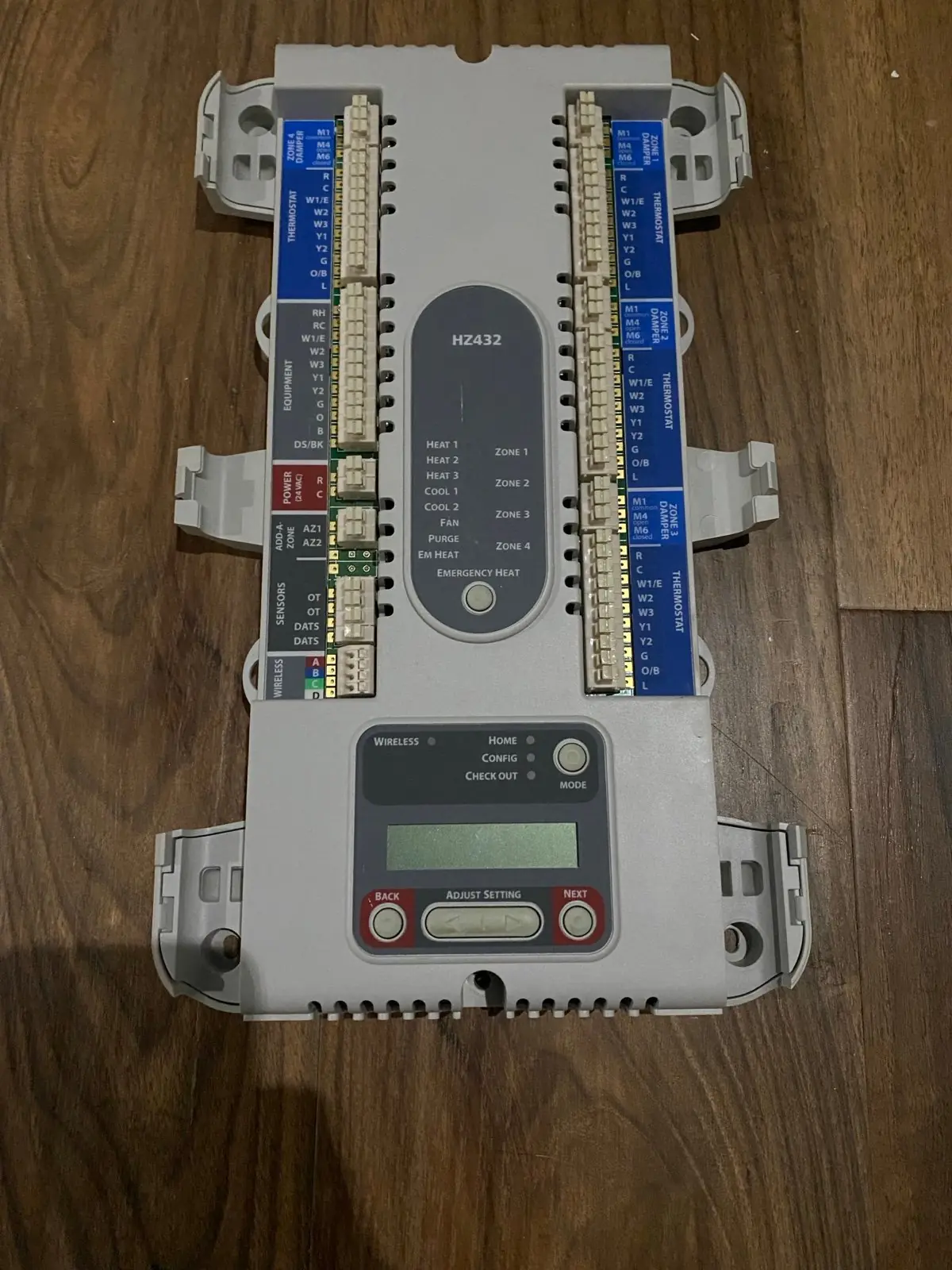
Honeywell HZ432 TrueZONE Specifications
| Feature | Specification |
|---|---|
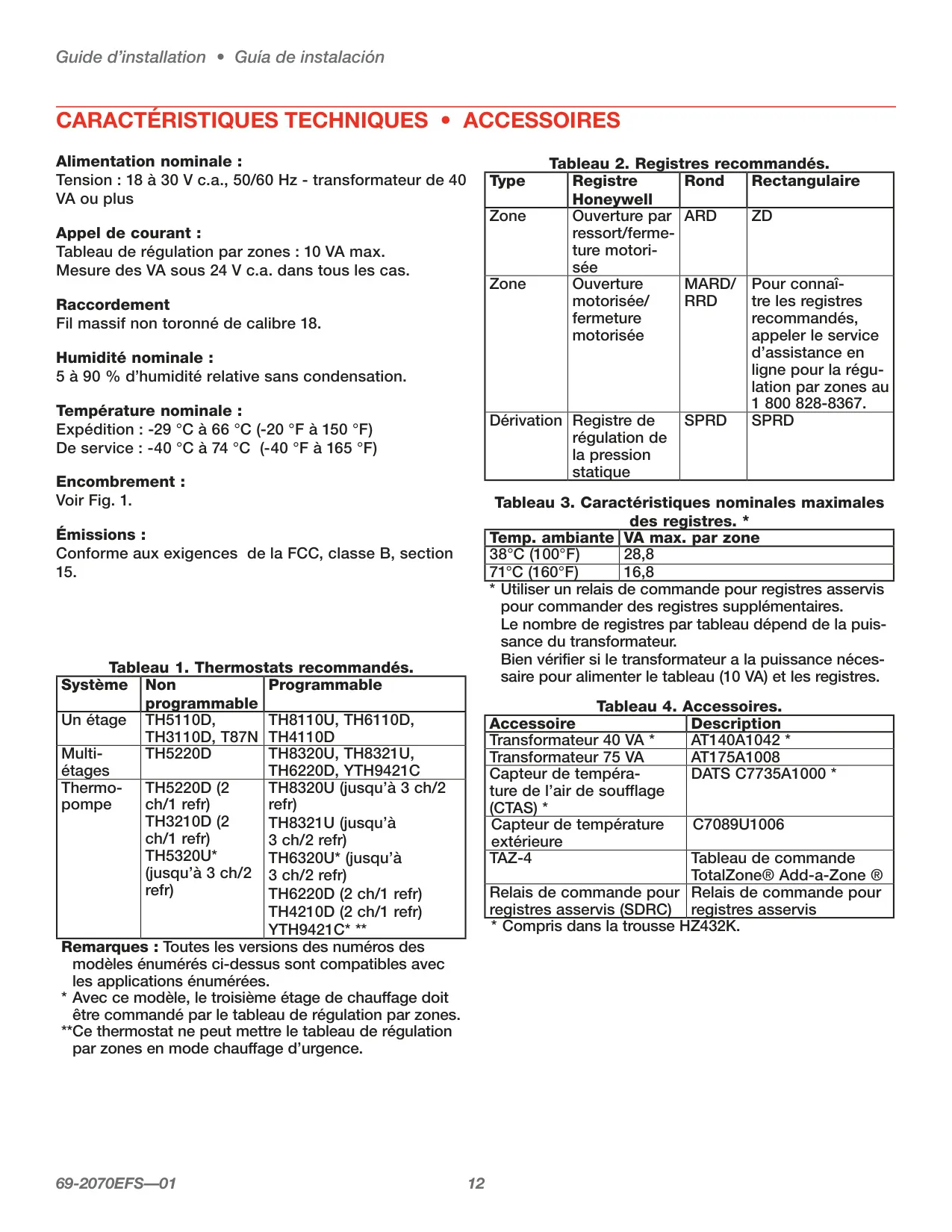
| Input Voltage | 18-30 VAC, 50/60 Hz |
| Transformer Requirement | 40 VA or more |
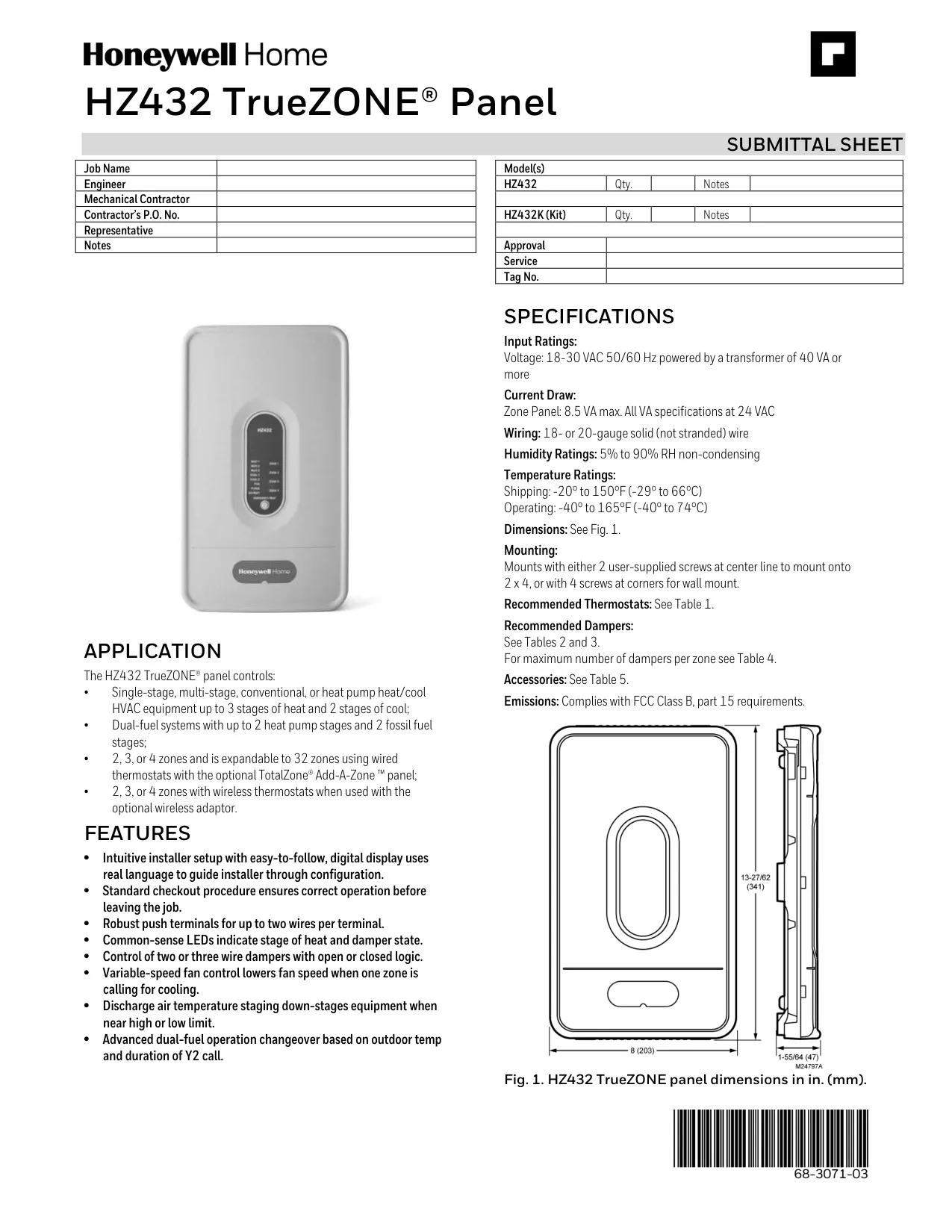
| Current Draw (Zone Panel) | 8.5 VA max (at 24 VAC) |
| Wiring Type | 18- or 20-gauge solid (not stranded) wire |
| Humidity Ratings | 5% to 90% RH non-condensing |
| Temperature Ratings (Shipping) | -20° to 150°F (-29° to 66°C) |
| Temperature Ratings (Operating) | -40° to 165°F (-40° to 74°C) |
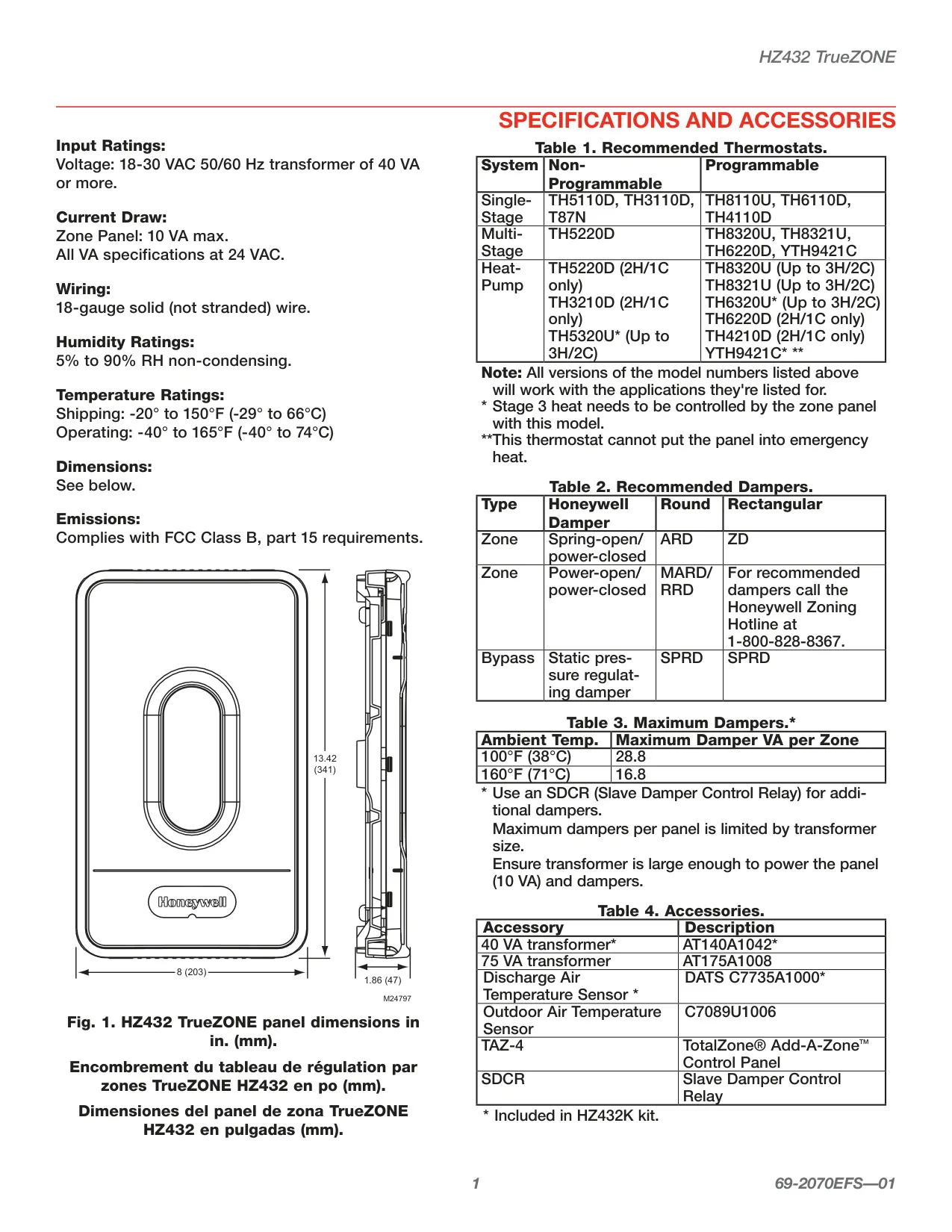
| Dimensions (L x W x D) | 13.42 in (341 mm) x 8 in (203 mm) x 1.86 in (47 mm) |
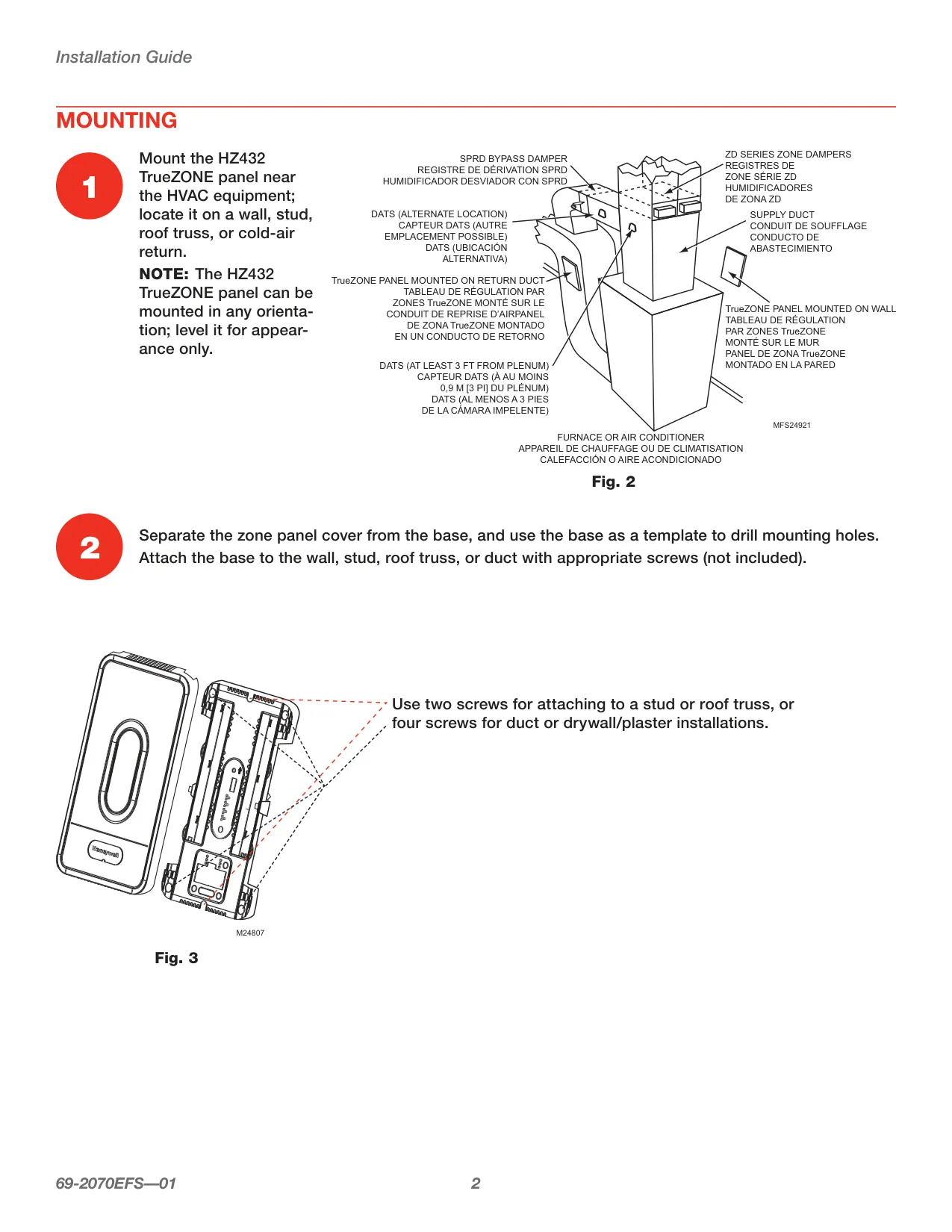
| Mounting Options | 2 screws (center line for 2x4 stud/truss) or 4 screws (corners for wall/duct) |
| Emissions Compliance | FCC Class B, part 15 requirements |
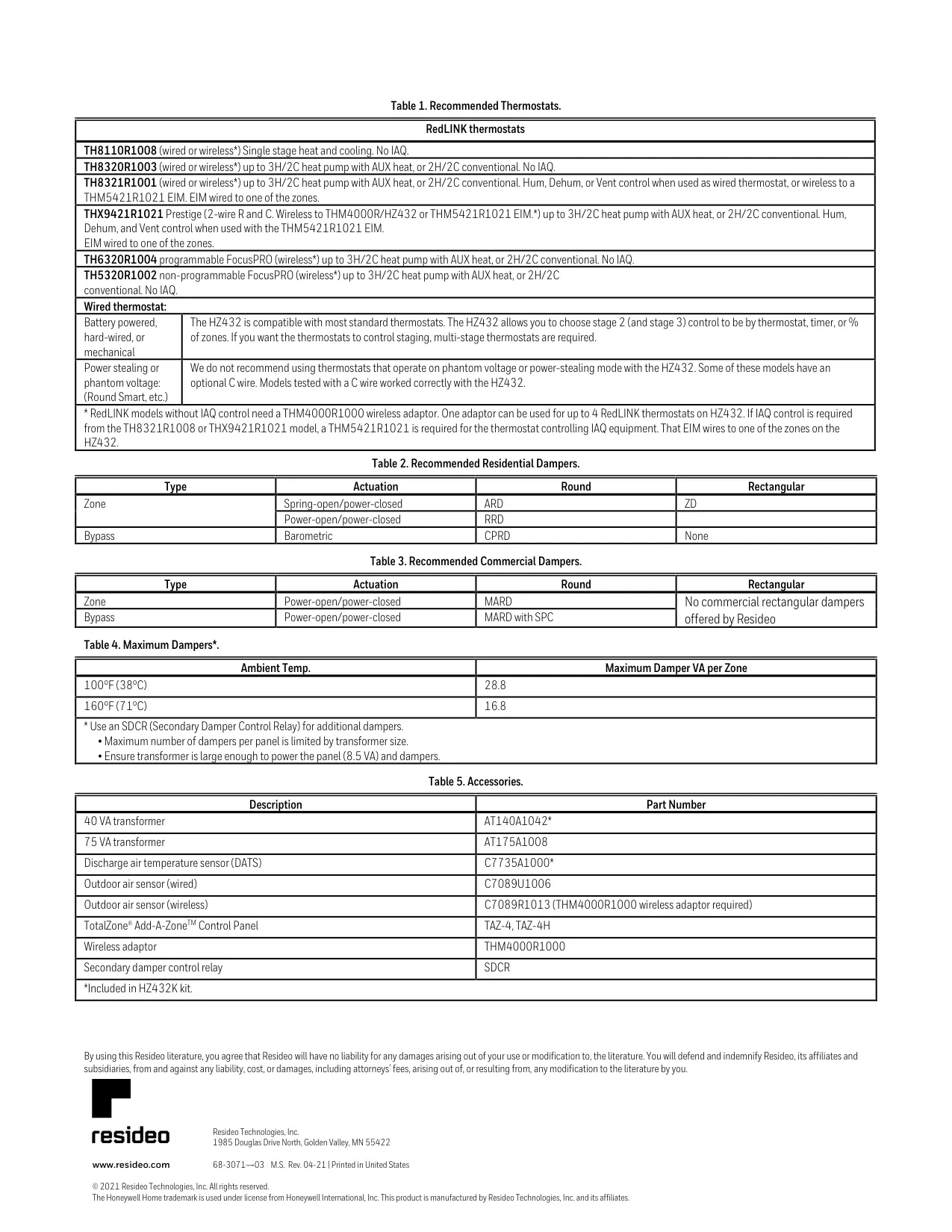
| Max Damper VA per Zone (100°F/38°C) | 28.8 VA |
| Max Damper VA per Zone (160°F/71°C) | 16.8 VA |
| Compatible HVAC Systems | Single-stage, multi-stage, conventional, heat pump (up to 3H/2C); Dual-fuel (up to 2 heat pump/2 fossil fuel stages) |
| Number of Zones Supported | 2, 3, or 4 zones (expandable to 32 with TAZ-4/TAZ-4H) |
| Recommended Thermostats (Examples) | |
| Wired (Programmable) | TH8110U, TH6110D, TH4110D, TH8320U, TH8321U, TH6220D, YTH9421C |
| RedLINK (Wireless) | TH8110R1008, TH8320R1003, TH8321R1001, THX9421R1021 Prestige, TH6320R1004 FocusPRO, TH5320R1002 FocusPRO |
| Recommended Dampers (Examples) | |
| Residential Zone (Spring-open/Power-closed) | ARD (Round), ZD (Rectangular) |
| Residential Bypass (Barometric) | CPRD (Round) |
| Commercial Zone (Power-open/Power-closed) | MARD (Round) |
| Accessories | |
| 40 VA Transformer | AT140A1042* |
| 75 VA Transformer | AT175A1008 |
| Discharge Air Temperature Sensor (DATS) | C7735A1000* |
| Outdoor Air Sensor (Wired) | C7089U1006 |
| Outdoor Air Sensor (Wireless) | C7089R1013 (requires THM4000R1000) |
| TotalZone® Add-A-Zone™ Control Panel | TAZ-4, TAZ-4H |
| Wireless Adaptor | THM4000R1000 |
| Secondary Damper Control Relay | SDCR |
Honeywell HZ432 TrueZONE Details
The Honeywell HZ432 TrueZONE panel offers remarkable flexibility for installation. It can be mounted in any orientation near your HVAC equipment, whether on a wall, stud, roof truss, or even a cold-air return duct. The installation process is straightforward: detach the cover, use the base as a drilling template, and secure it with two screws for studs/trusses or four for drywall/duct installations. This panel provides support for 2, 3, or 4 zones, and can be expanded to manage up to 32 zones when paired with the optional TotalZone® Add-A-Zone™ panel for wired thermostats, or 4 zones with wireless thermostats via a wireless adaptor.
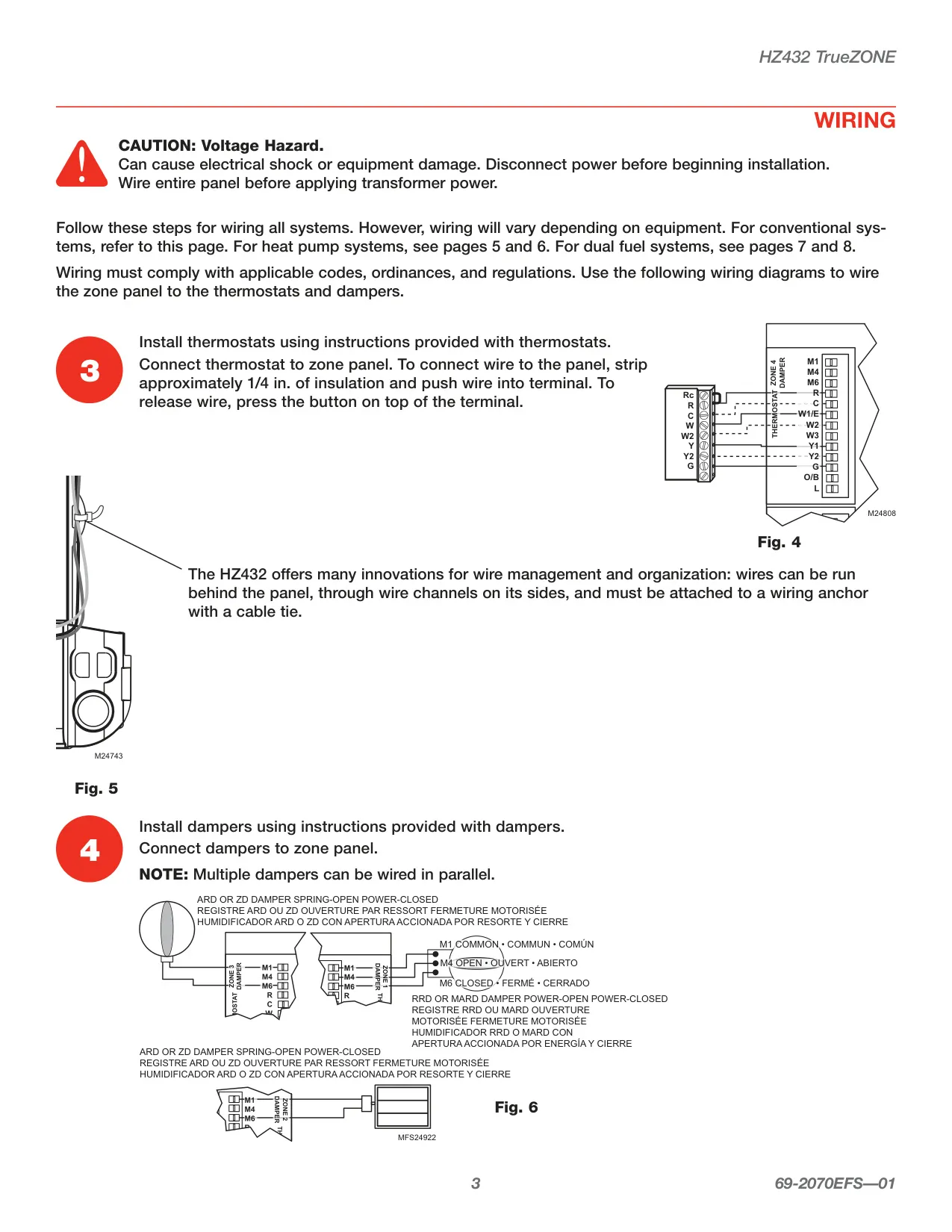
Wiring with the HZ432 is designed for both robustness and organization. It features push terminals that can accommodate up to two wires per terminal, simplifying connections. Innovative wire management options allow wires to be neatly routed behind the panel or through dedicated channels on its sides, securely fastened with cable ties to wiring anchors. This attention to detail ensures a clean and compliant installation, adhering to all applicable electrical codes and regulations for safe and reliable operation.
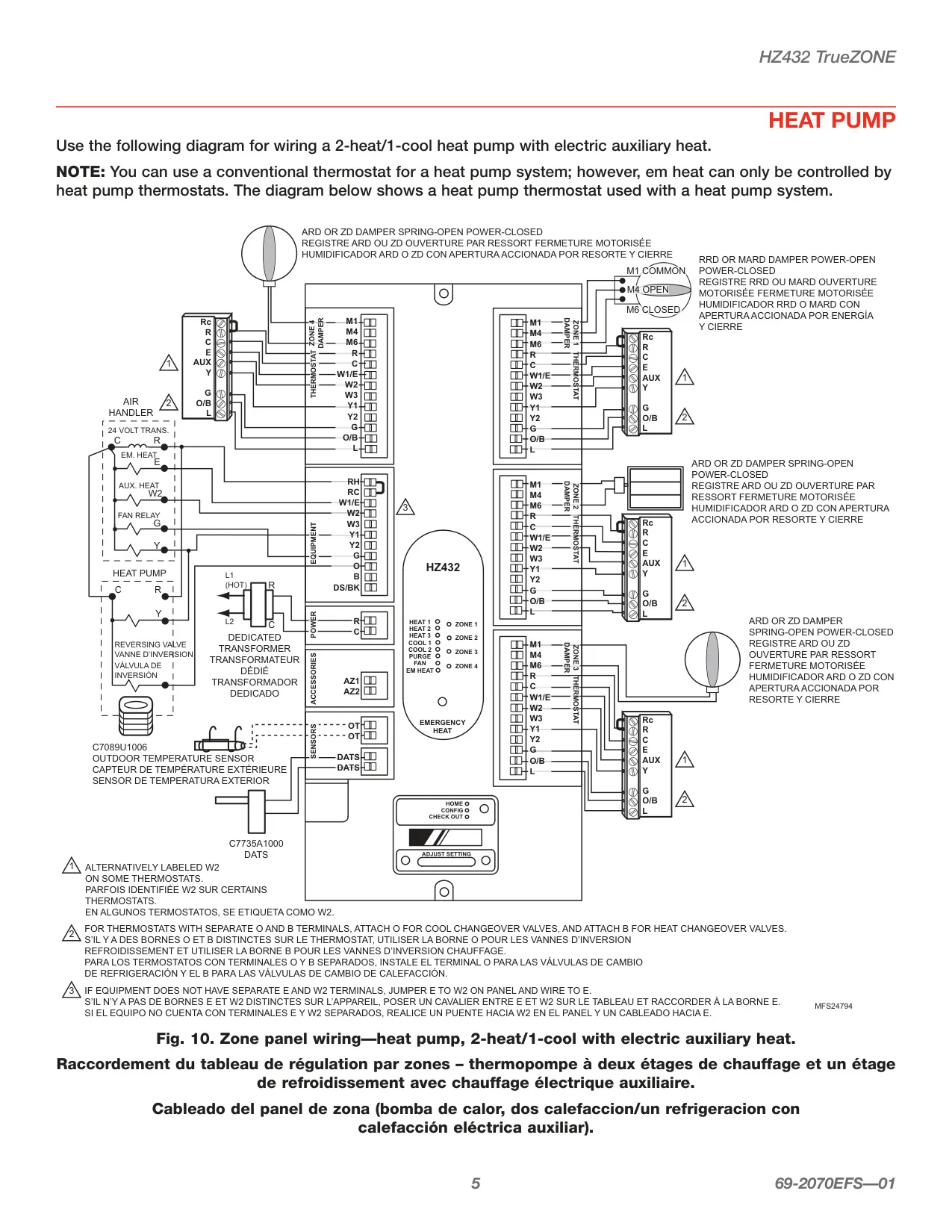
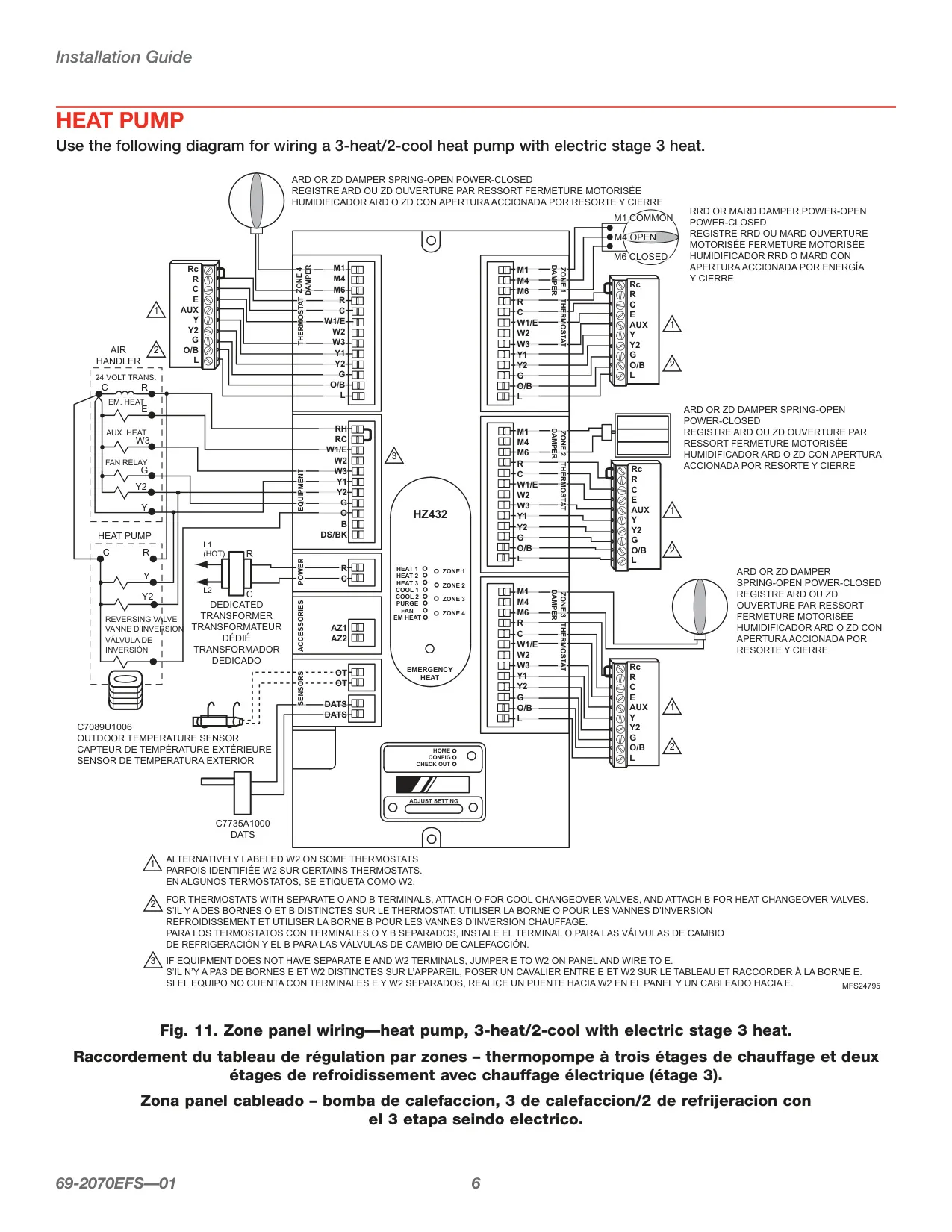
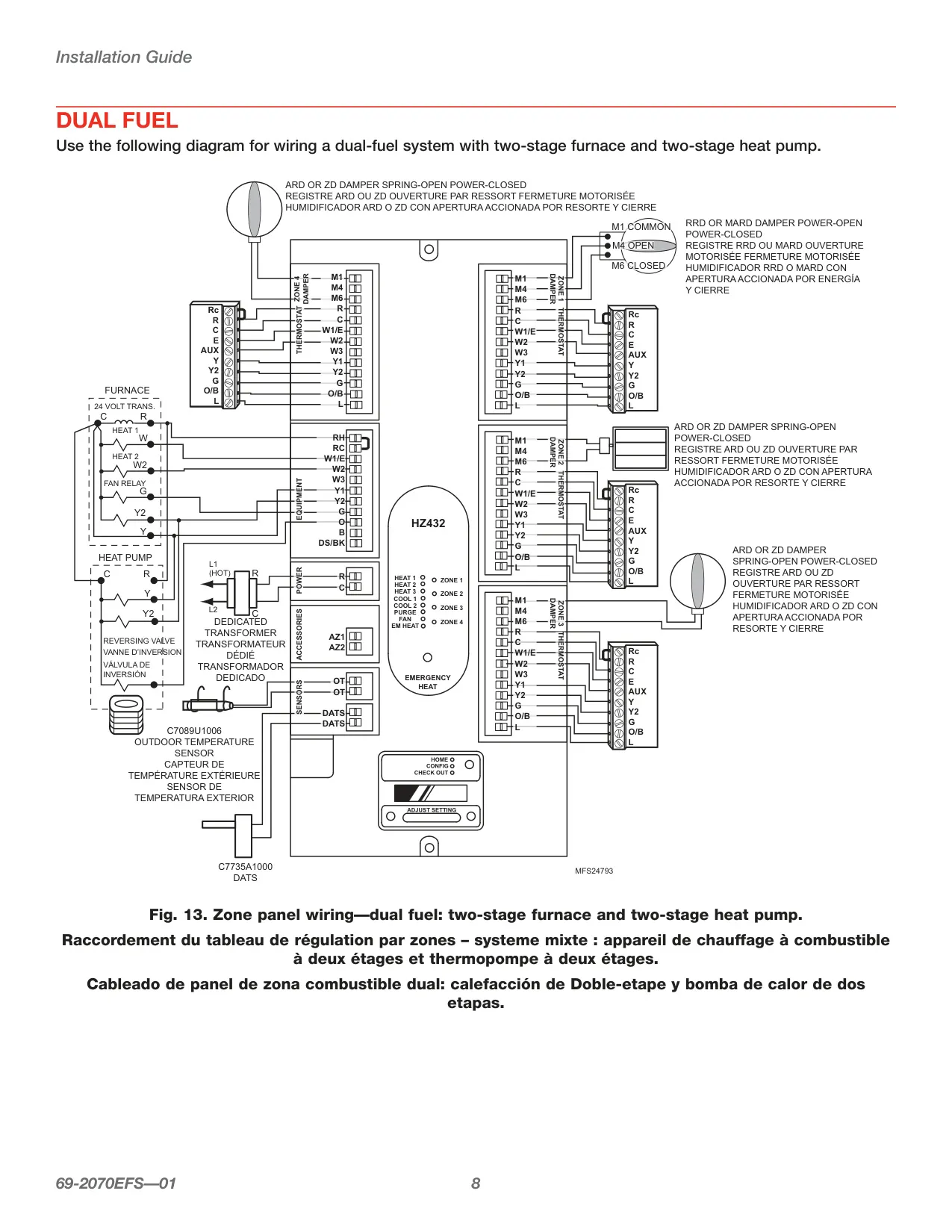
At its core, the HZ432 TrueZONE excels in comprehensive HVAC system control. It is compatible with a wide array of systems, including single-stage, multi-stage, conventional, and heat pump configurations, supporting up to 3 stages of heat and 2 stages of cool. A significant highlight is its capability to manage sophisticated dual-fuel systems, integrating up to 2 heat pump stages and 2 fossil fuel stages. This versatility makes it a central component for diverse climate control setups.
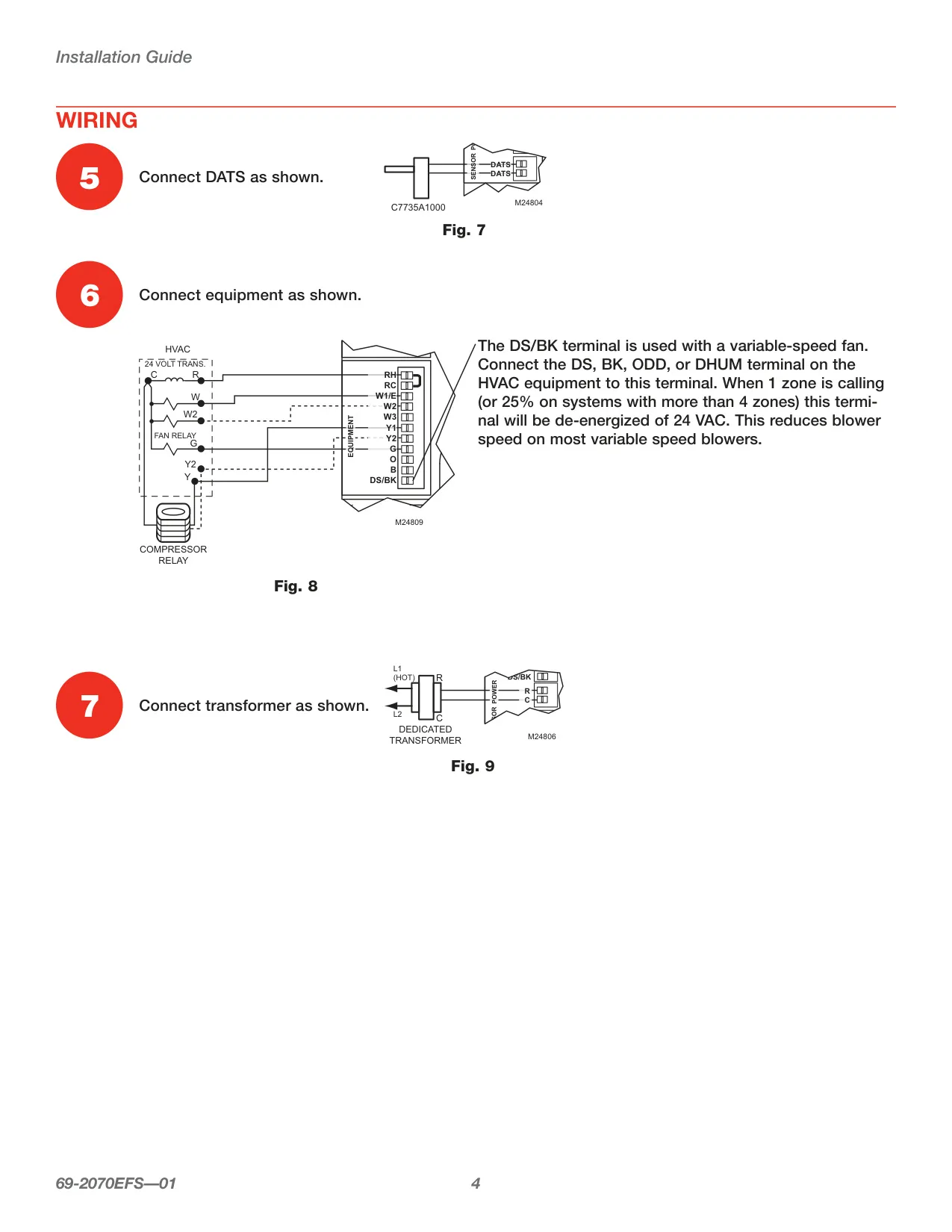
Beyond basic zoning, the HZ432 incorporates intelligent features to enhance efficiency and equipment longevity. Its variable-speed fan control functionality dynamically adjusts blower speed, lowering it when only a single zone calls for cooling, which can save energy. The integrated Discharge Air Temperature Sensor (DATS) staging actively monitors air temperatures to prevent equipment damage by down-staging the system when approaching high or low-temperature limits. Moreover, the panel provides advanced dual-fuel changeover logic, optimizing transitions between heat pump and fossil fuel sources based on outdoor temperature and the duration of a Y2 call.
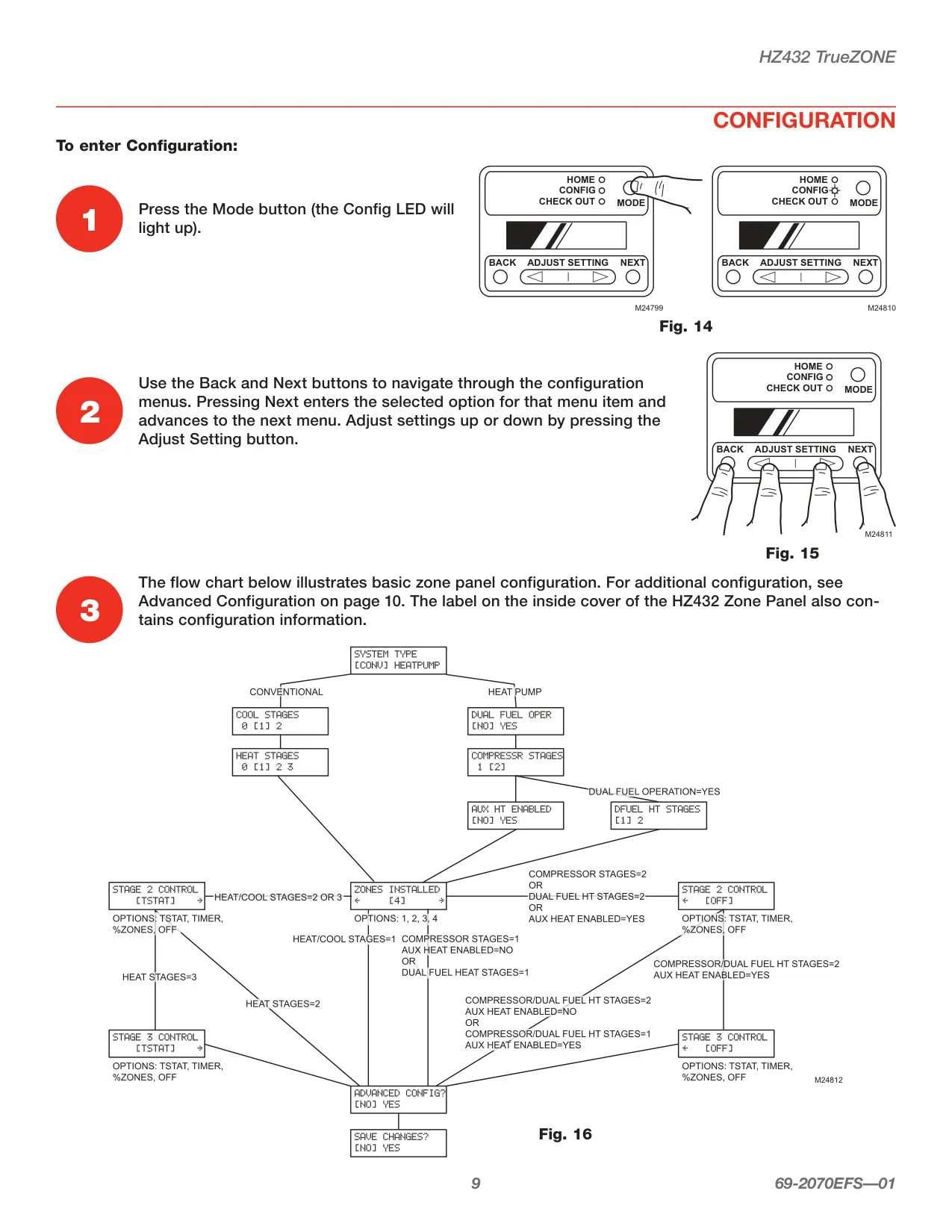
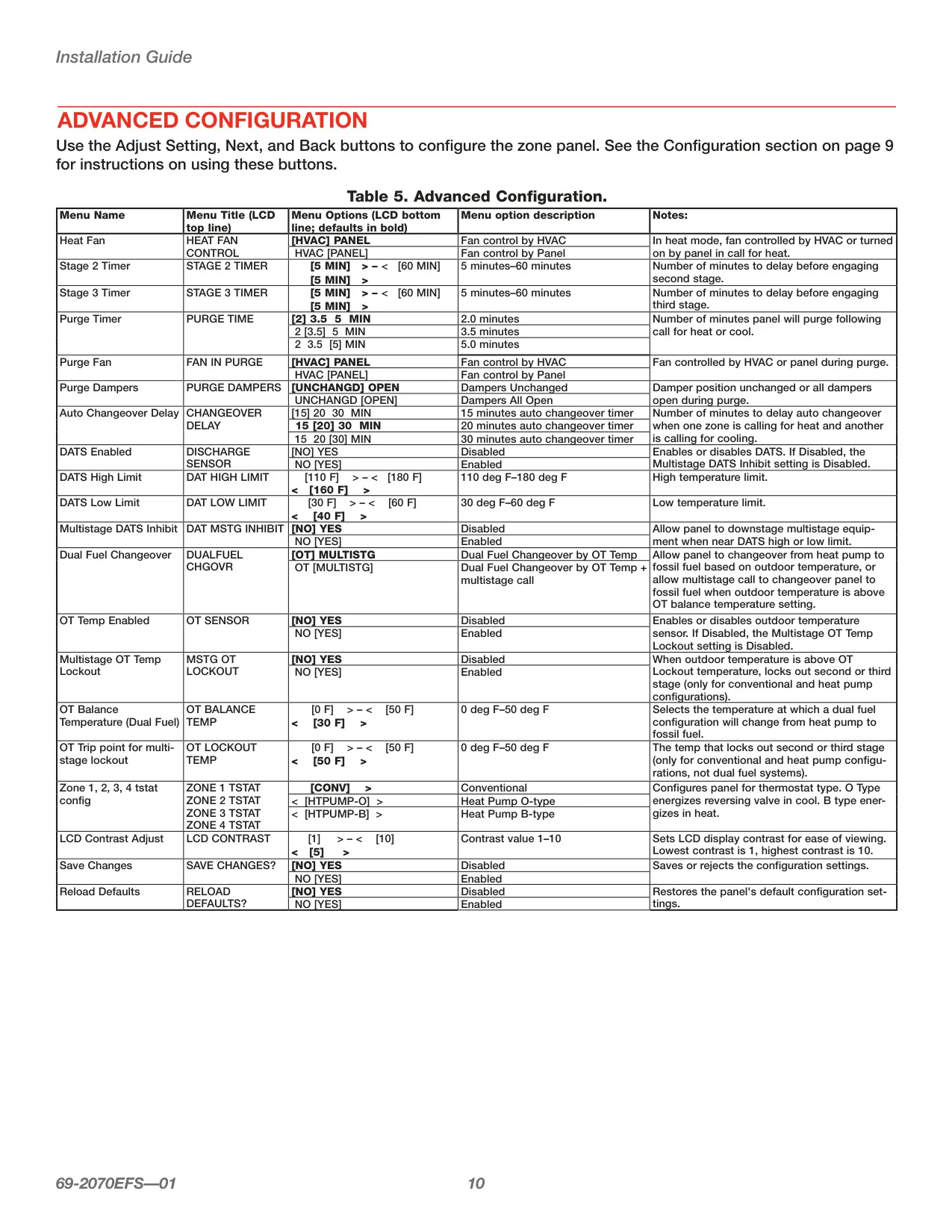
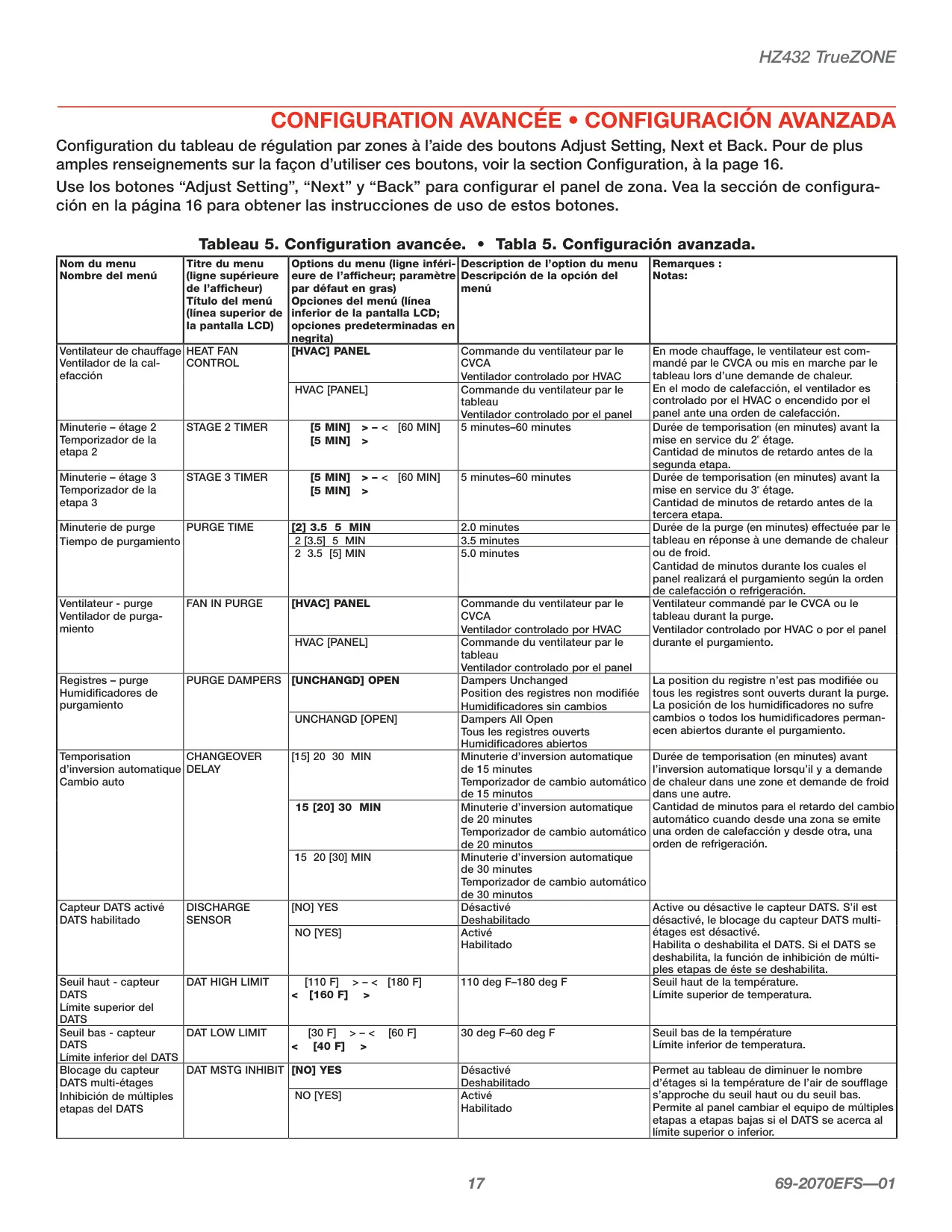
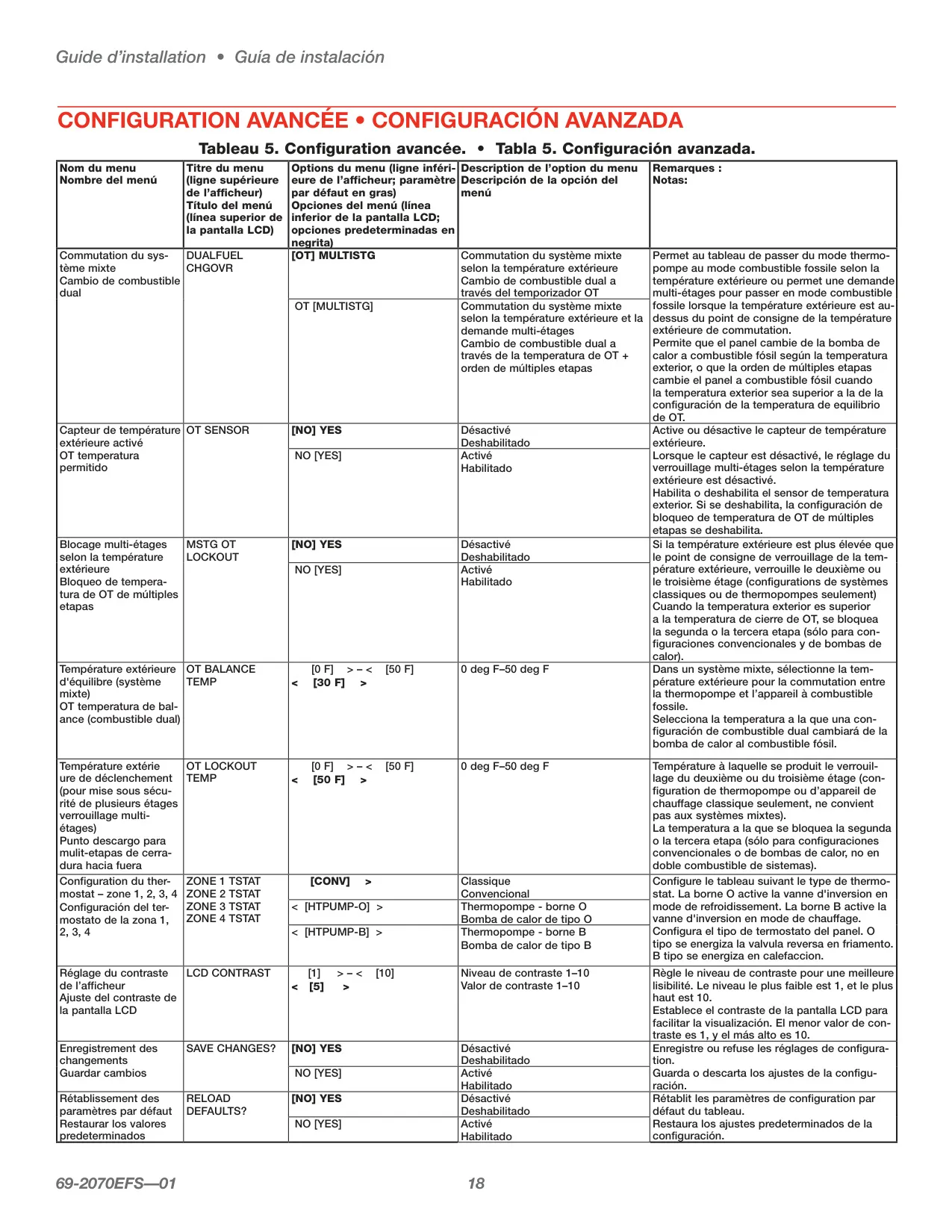
The user interface of the HZ432 TrueZONE is engineered for ease of use by installers. A clear digital display utilizes "real language" prompts to guide you step-by-step through the configuration process, eliminating cryptic codes. Navigation is intuitive, using dedicated Mode, Back, Next, and Adjust Setting buttons to move through both basic and advanced setup menus. This thoughtful design minimizes installation time and potential errors, ensuring the system is correctly tailored to the specific application requirements.
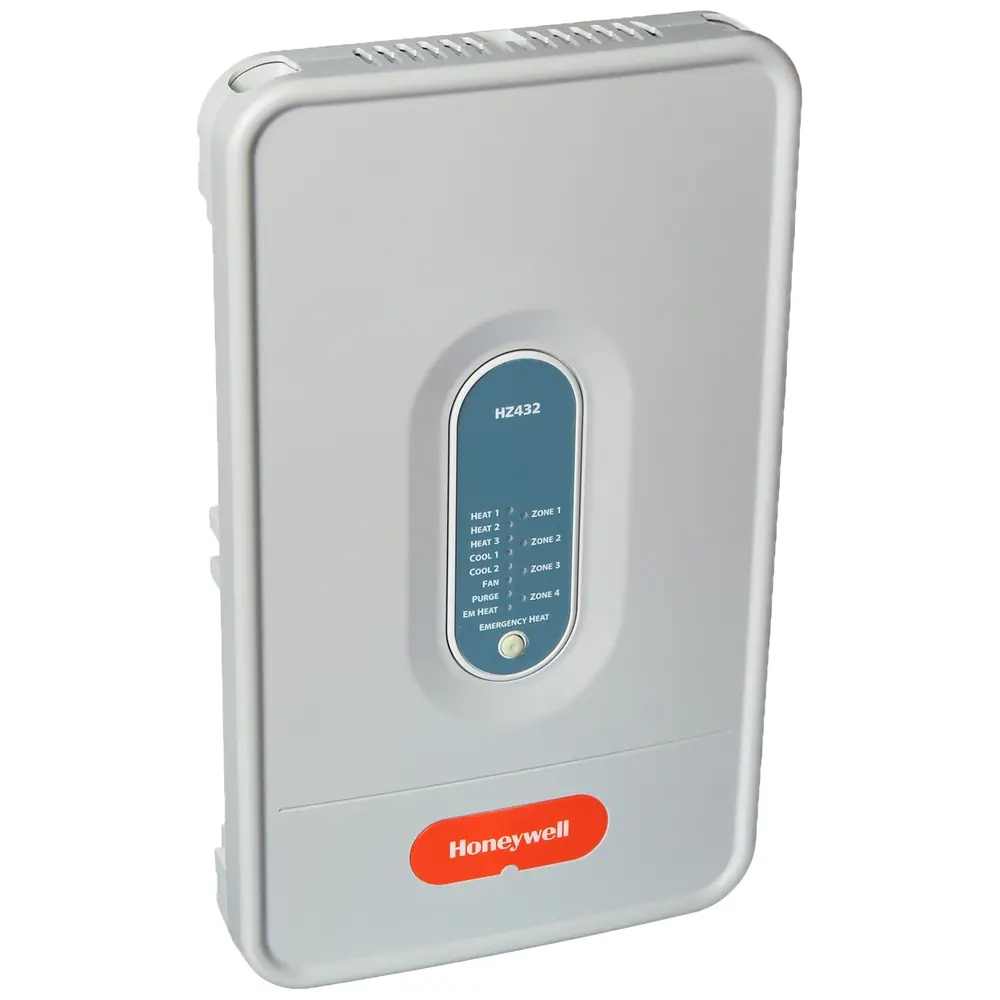
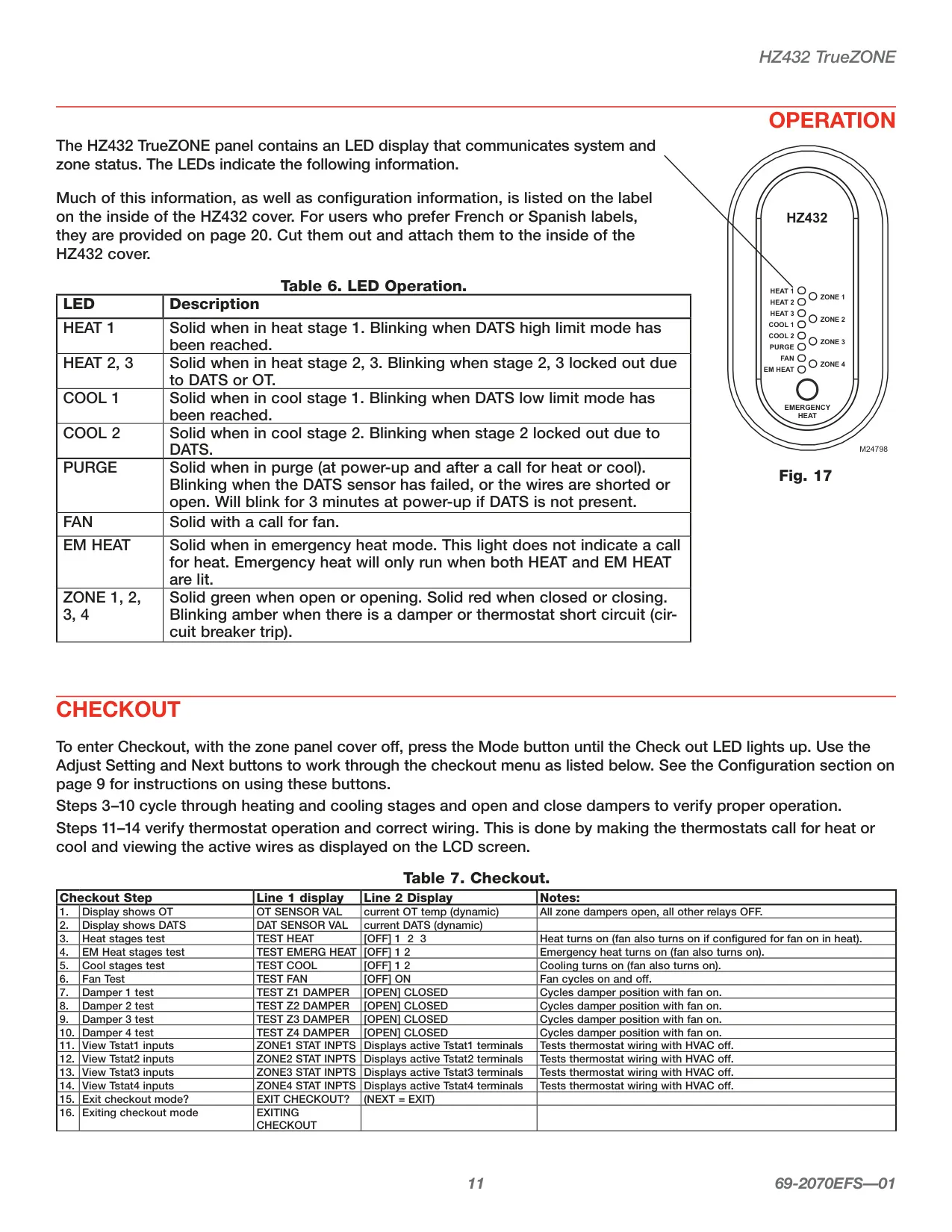
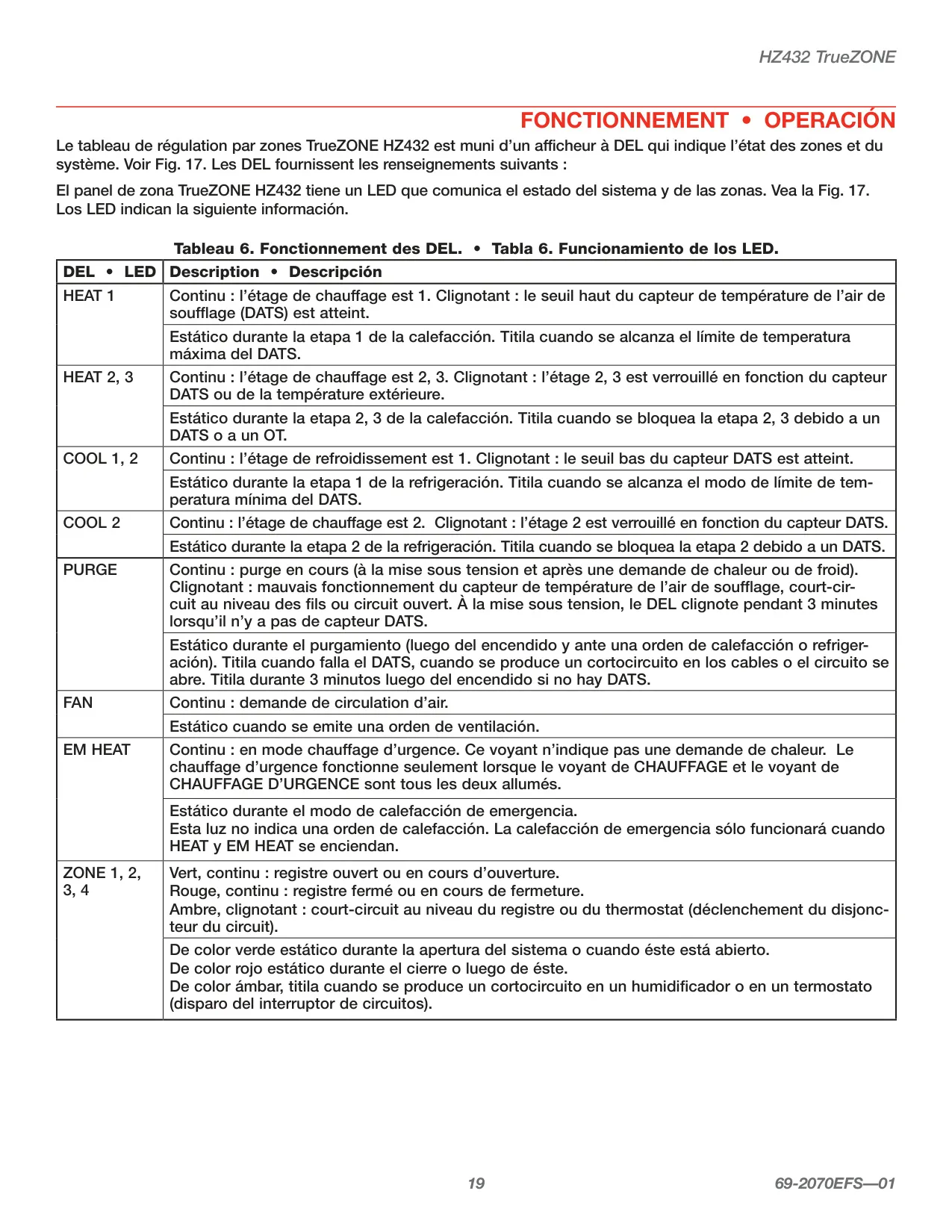
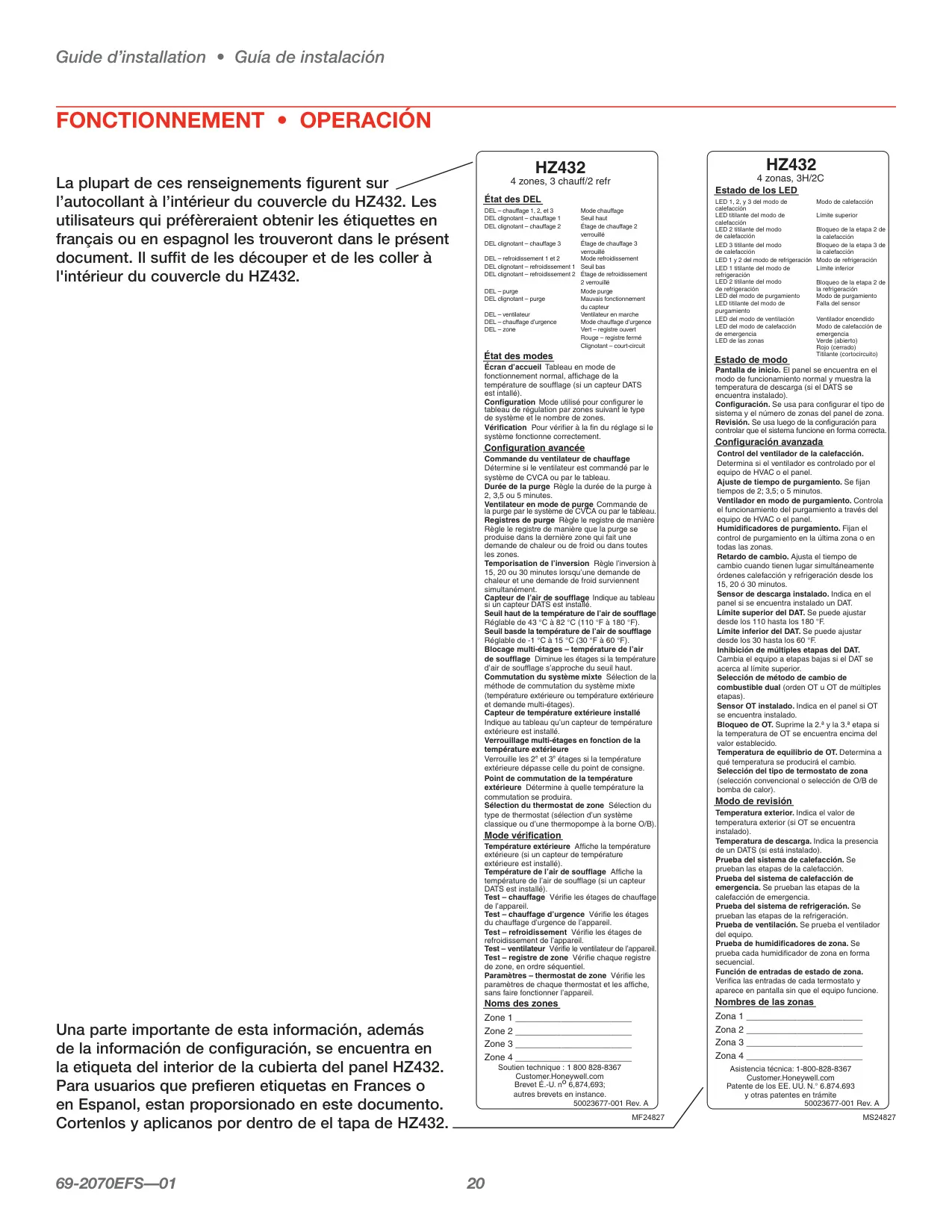
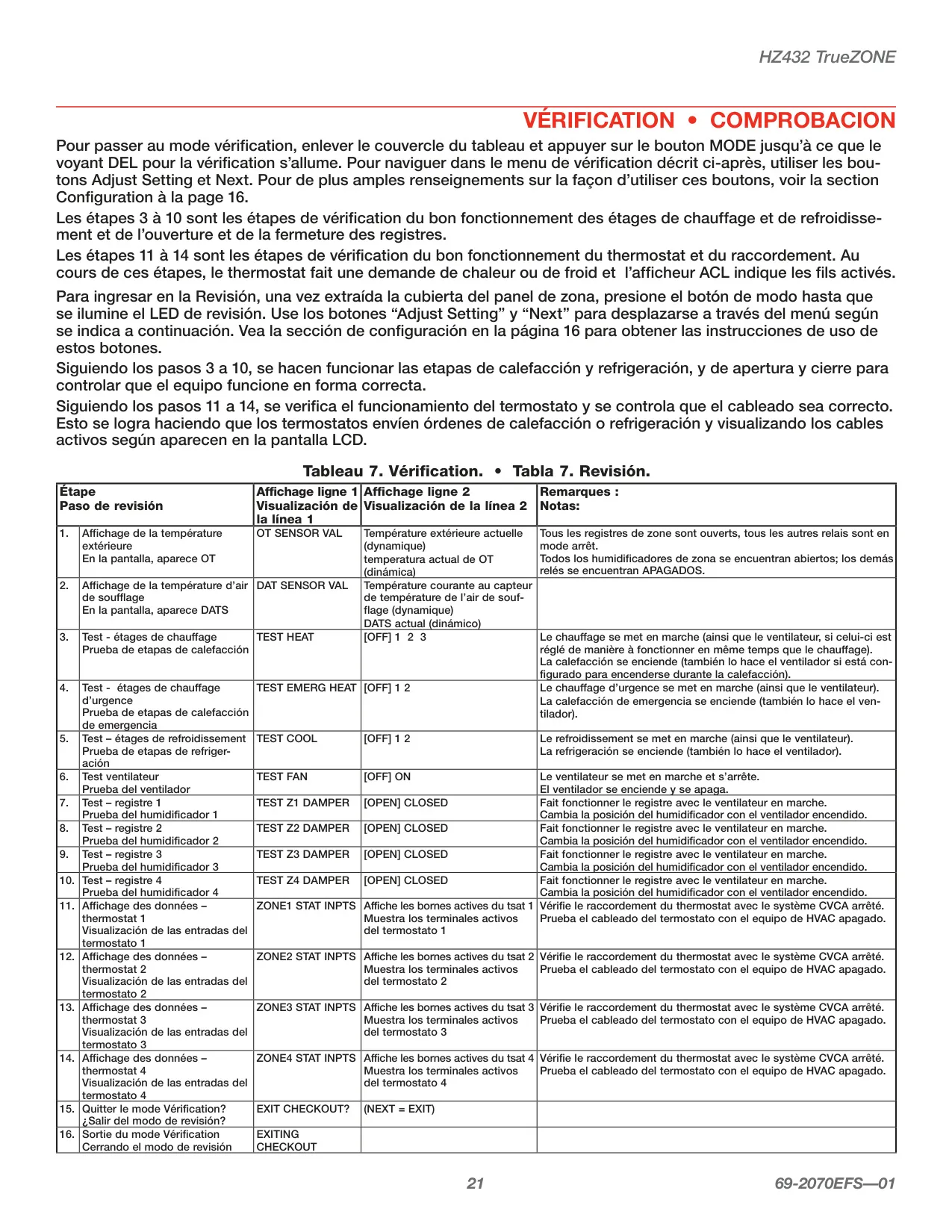
To provide immediate feedback and diagnostic capabilities, the panel is equipped with common-sense LED indicators. These lights clearly display the current stage of heating or cooling and the status of each damper, indicating if they are open, closed, or cycling. After configuration, a comprehensive checkout procedure is available. This guided process allows installers to verify the correct operation of all heating and cooling stages, fan functionality, individual damper positions, and even test thermostat wiring by viewing active terminals, ensuring peak performance before job completion.
Frequently Asked Questions (FAQs)
Can't find the answer you need? Here are some frequently asked questions about the Honeywell HZ432 TrueZONE, and we answer them below.