Hunter SRC Irrigation Controller Instruction Manual
Hunter SRC Irrigation Controller



















Hunter SRC Instructions
Here we offer the Hunter SRC Irrigation Controller manual completely free and in English. We have cataloged this manual in the Irrigation Controllers section on Manualverse, and it has been rated by 1 users with an average rating of 5. If you have any specific questions about Hunter SRC Irrigation Controller, we suggest checking the Frequently Asked Questions (FAQs) section of this manual.
Product Images

Hunter SRC Irrigation Controller Specifications
| Feature | Specification |
|---|---|
| Product Type | Residential/Light Commercial Irrigation Controller |
| Available Models | 600i (6-station indoor), 601i (6-station indoor, International), 900i (9-station indoor), 901i (9-station indoor, International) |
| Optional Outdoor Cabinet | MPC outdoor mounting enclosure |
| Number of Programs | 3 independent programs (A, B and C) |
| Start Times | 4 per day, per program, for up to 12 daily starts |
| Start Time Increments | 15 minutes |
| Station Run Time | 0 to 99 minutes in 1-minute increments |
| Watering Schedule | 7-day calendar or odd/even programming |
| Clock/Calendar | 365-day clock/calendar |
| Time Format | AM/PM or 24-hour |
| Transformer Input | 120 VAC, 60 Hz (230 VAC, 50/60 Hz for International use) |
| Transformer Output | 26 VAC, 0.75 A |
| Station Output | 24 VAC, 0.35 A per station |
| Maximum Output | 24 VAC, 0.75 A (includes master valve circuit) |
| Pump Start Relay Current Draw | 0.35 A maximum |
| Fuse | 0.75 A (two included: one installed, one spare) |
| Battery Backup | 9-volt alkaline battery (not included) |
| Memory | Non-volatile |
| Terminal Strip | AC, AC, R, RS, C, MV and station terminals |
| Recommended Valve Wire | 18 AWG multi-wire sprinkler cable |
| Wire Stripping Length | 1/4 inch |
| Field Wiring Conduit | 1/2 inch |
| Mounting Screws | 1" (25 mm), included |
| Minimum Distance from Pump/Pump Relay | 15 ft (4.5 m) |
| Overall Height | 8 1/2" (21 cm) |
| Width | 8 1/4" |
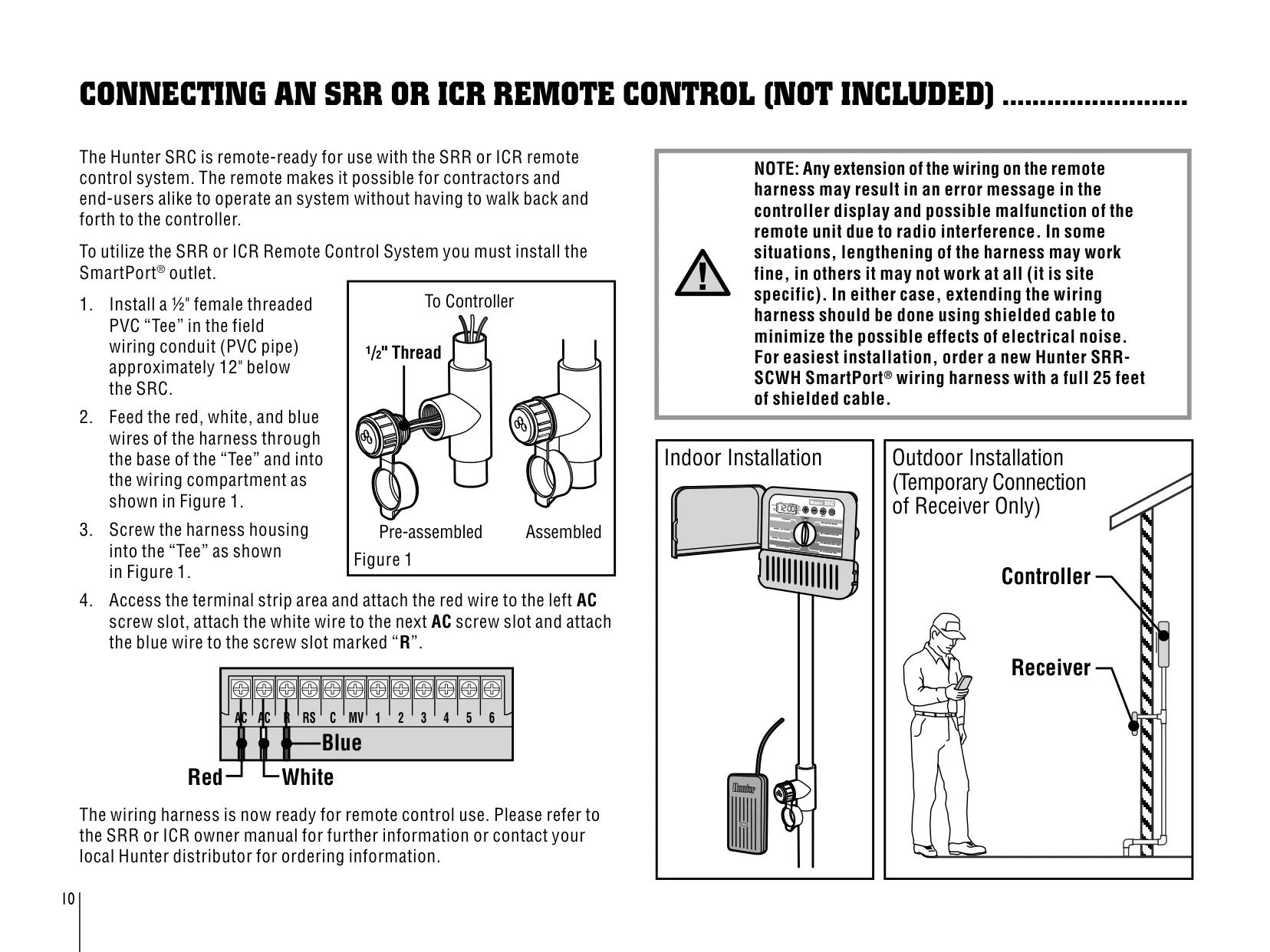
| Remote Compatibility | SRR or ICR remote via SmartPort outlet (not included) |
| Central Control Compatibility | Hunter IMMS (not included) |
| Weather Sensor Compatibility | Hunter Mini-Clik and other interrupt-type rain, wind or freeze sensors |
| FCC Compliance | Class B computing device, Subpart J of Part 15 |
Hunter SRC Irrigation Controller Details
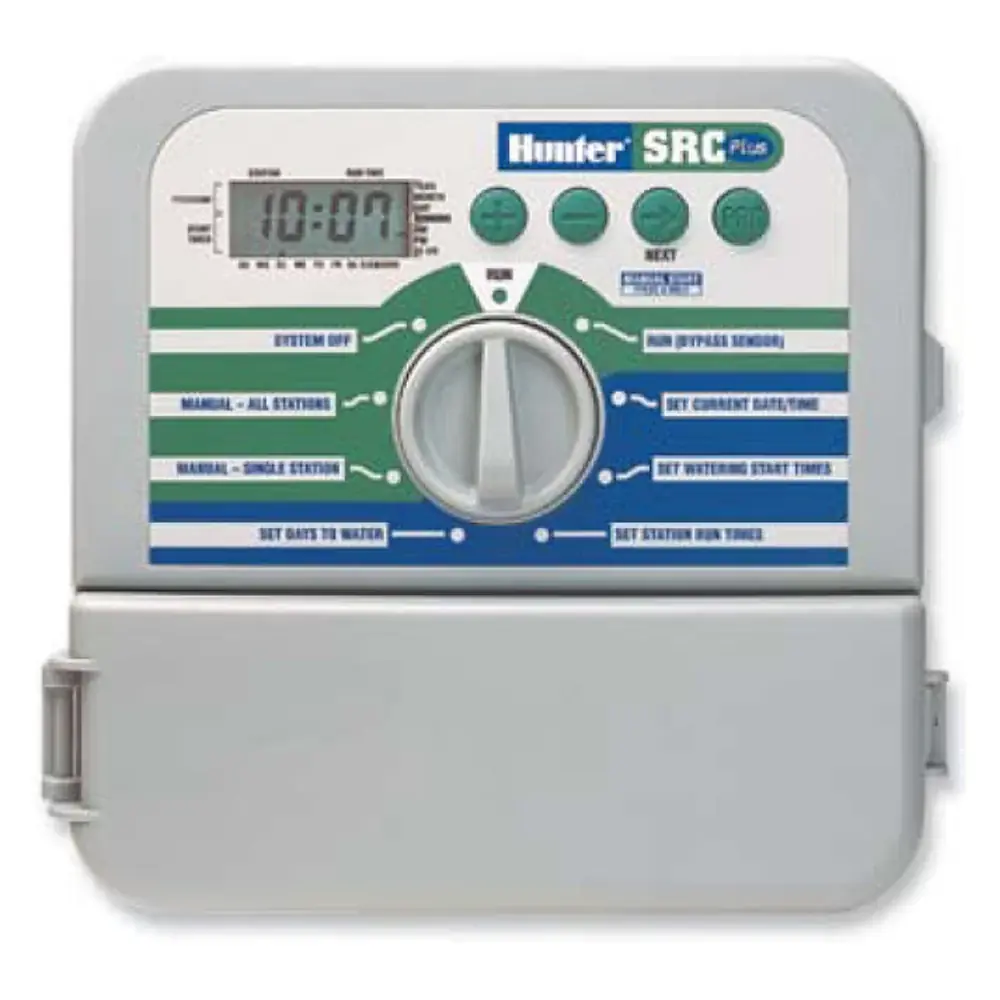
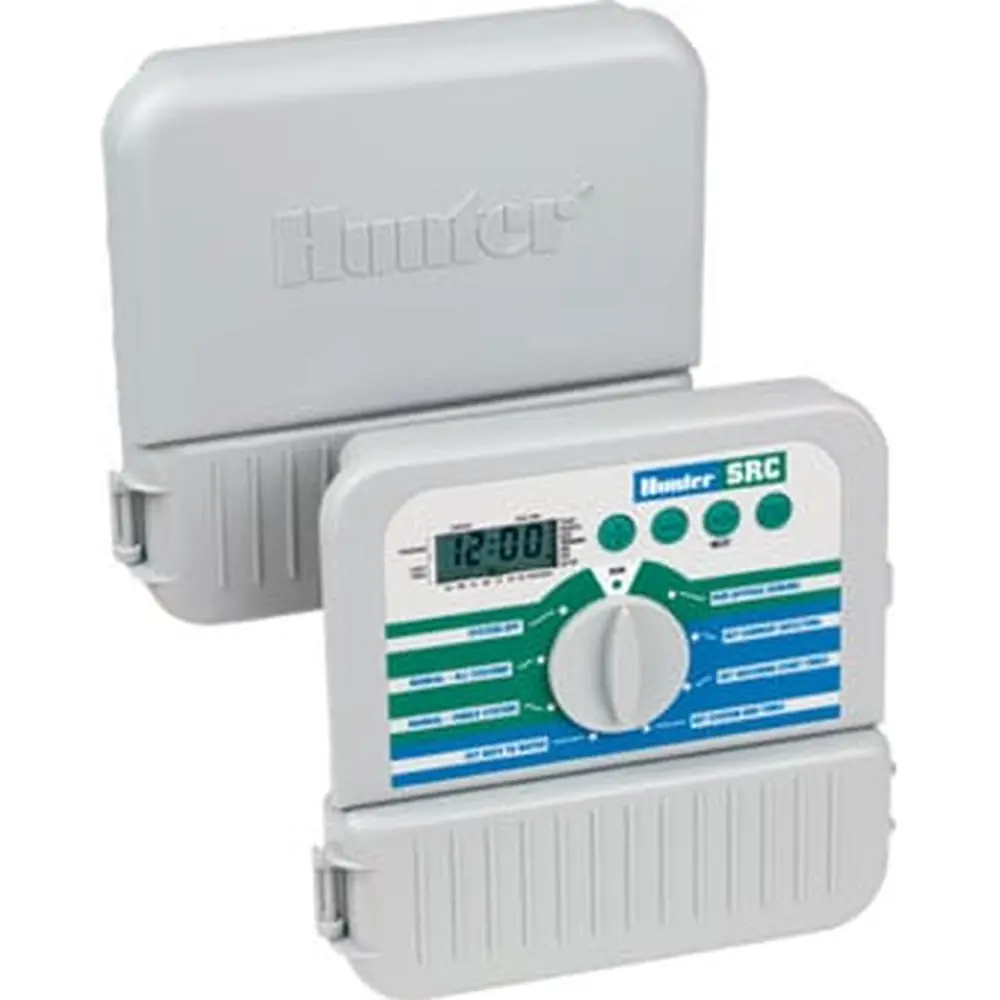
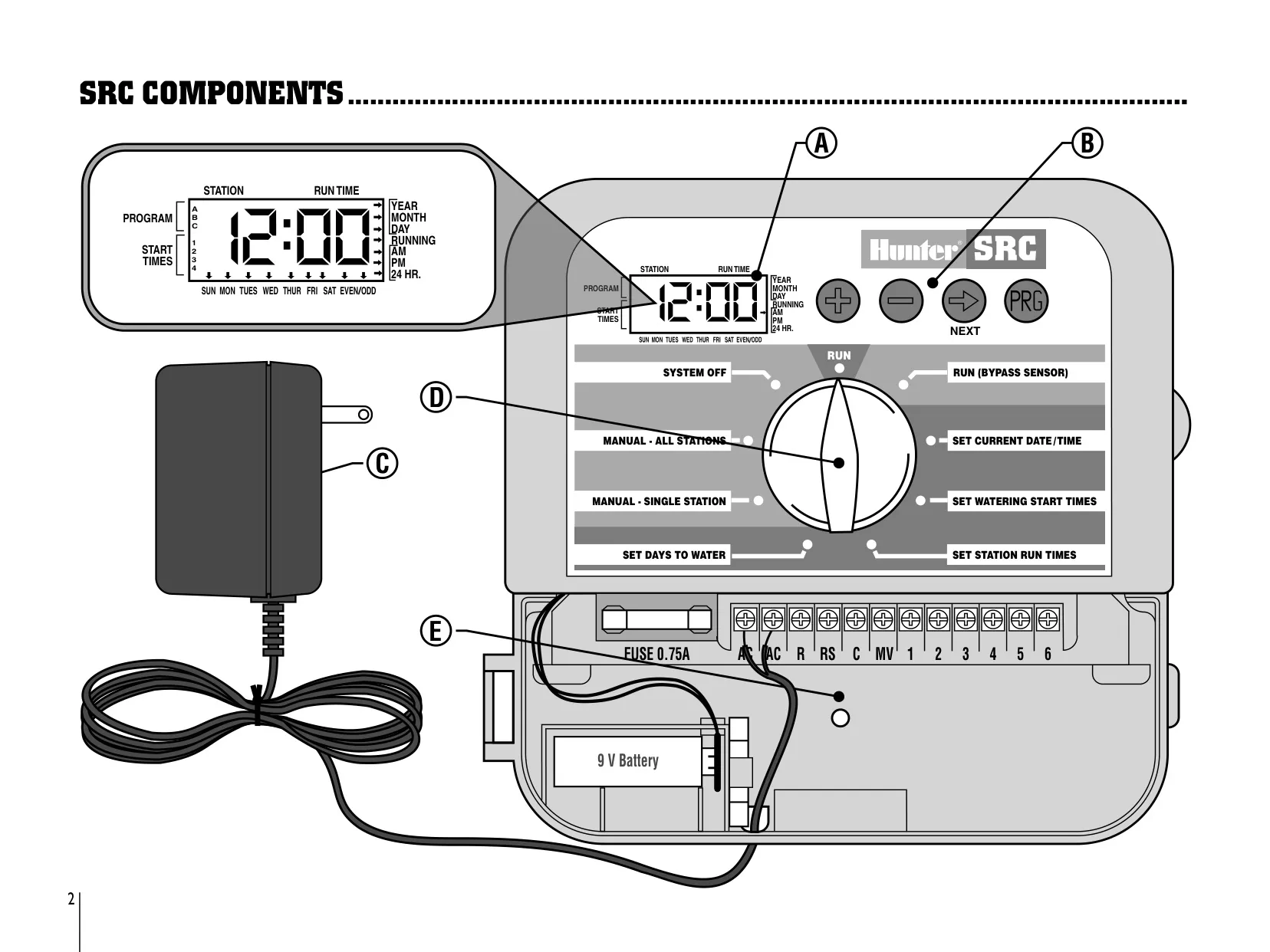
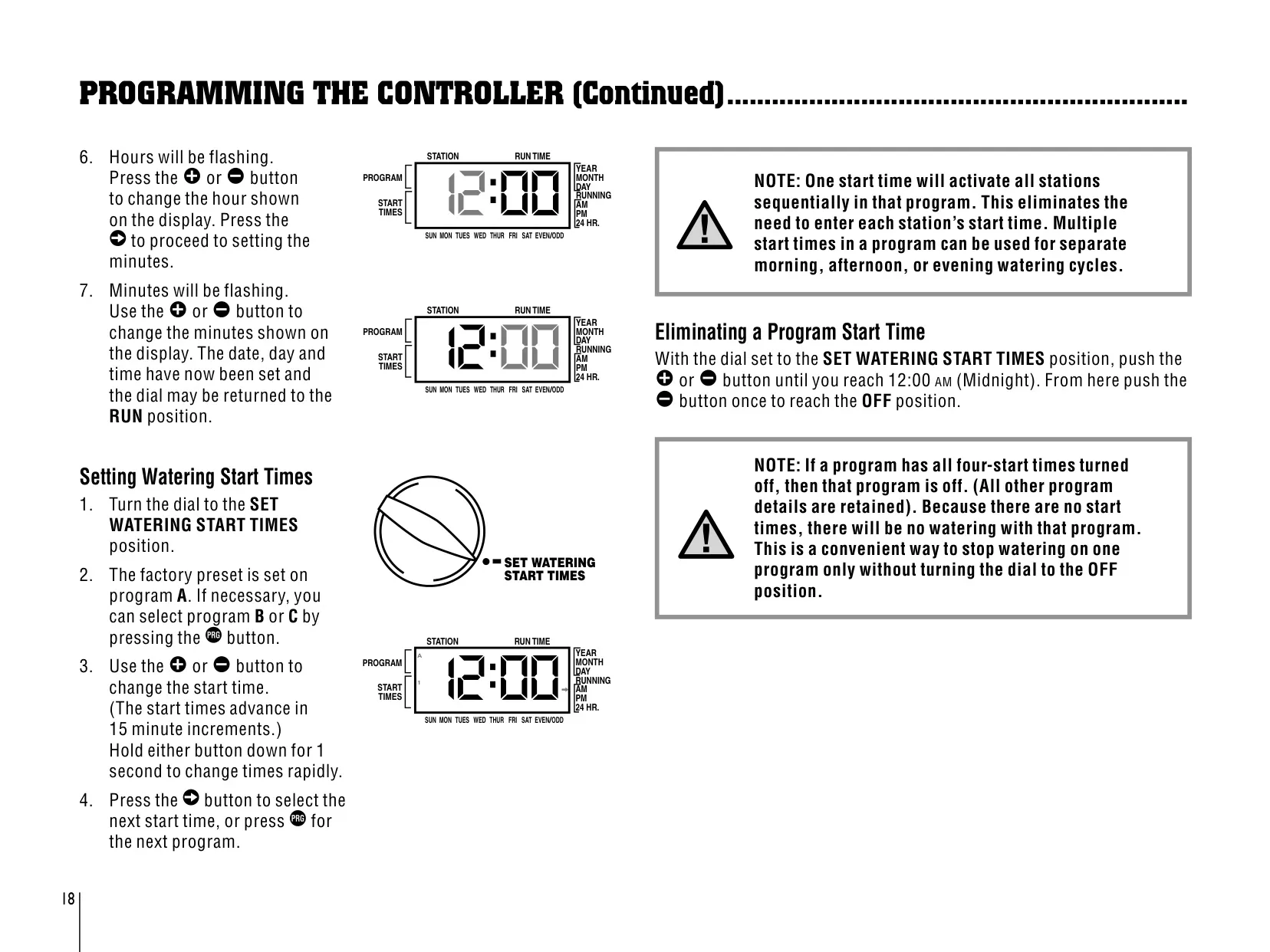
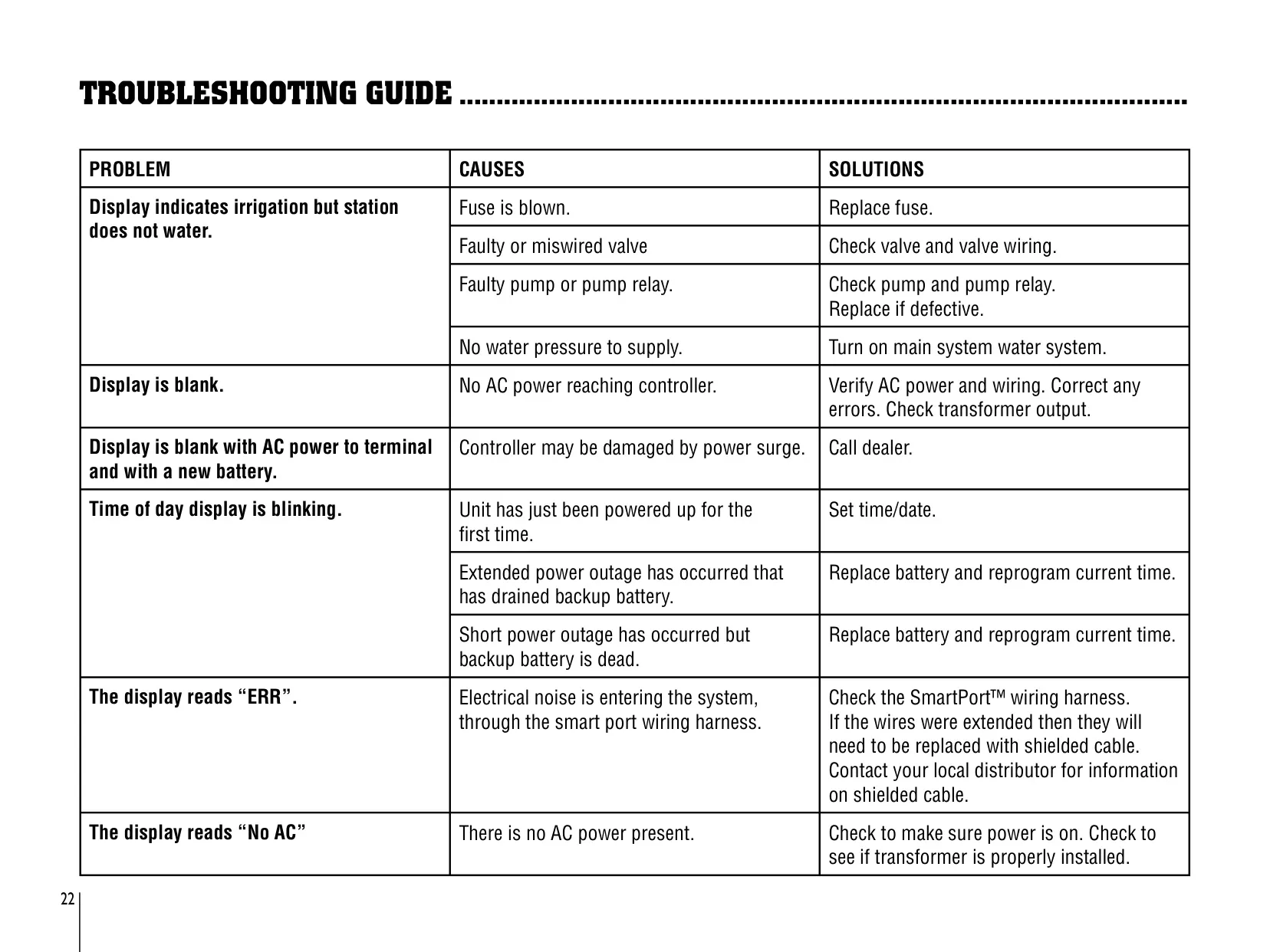
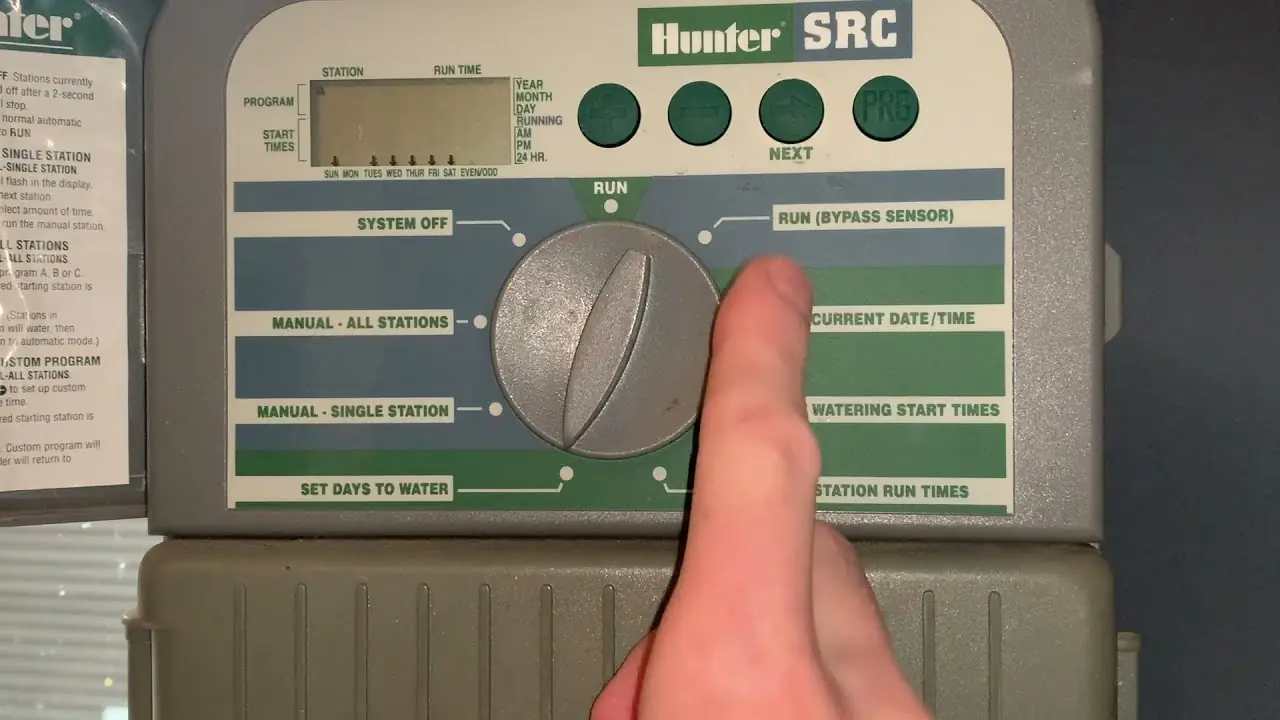
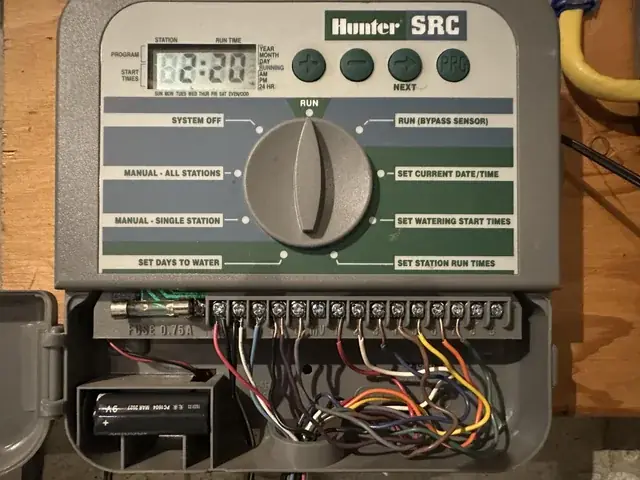
The Hunter SRC (Simple and Reliable Controller) is built around a clear control dial. Its positions cover Run, Run (Bypass Sensor), Set Current Date/Time, Set Watering Start Times, Set Station Run Times, Set Days To Water, Manual – Single Station, Manual – All Stations and System Off. Four control buttons let you raise or lower values, move to the next field and choose program A, B or C. Whatever is flashing on the LCD is the item you are setting, which makes programming quick and consistent.
The large cabinet has a protective door, and a quick-reference instruction label is attached to the inside of the door, with space to write in station locations. The controller mounts on a removable wall bracket that slides onto rails and is secured with a screw through the lower central hole. Because the unit is not water or weather resistant, outdoor installations need the MPC enclosure. The MPC's 120 V outlet wiring should be installed by a licensed electrician.
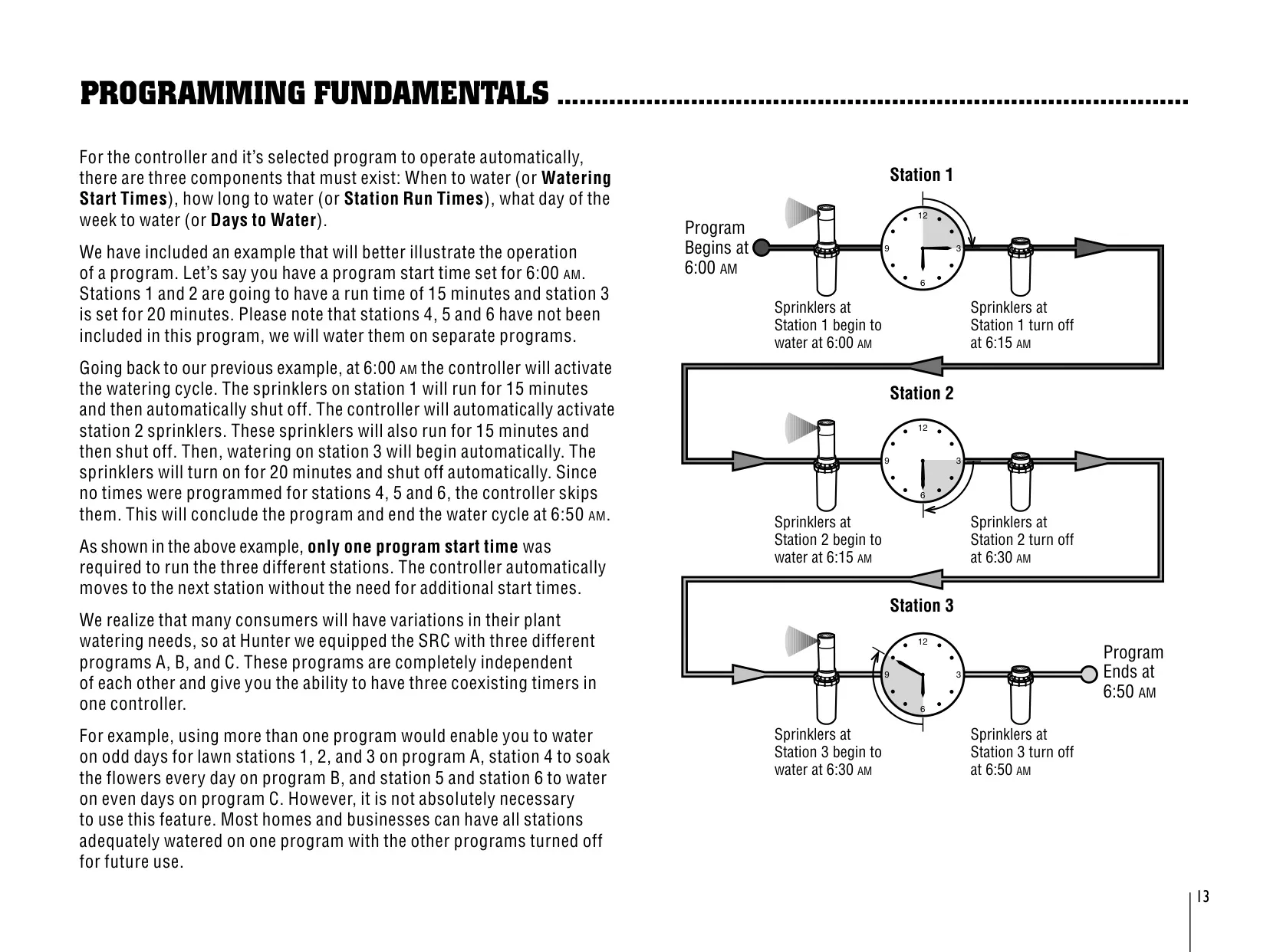
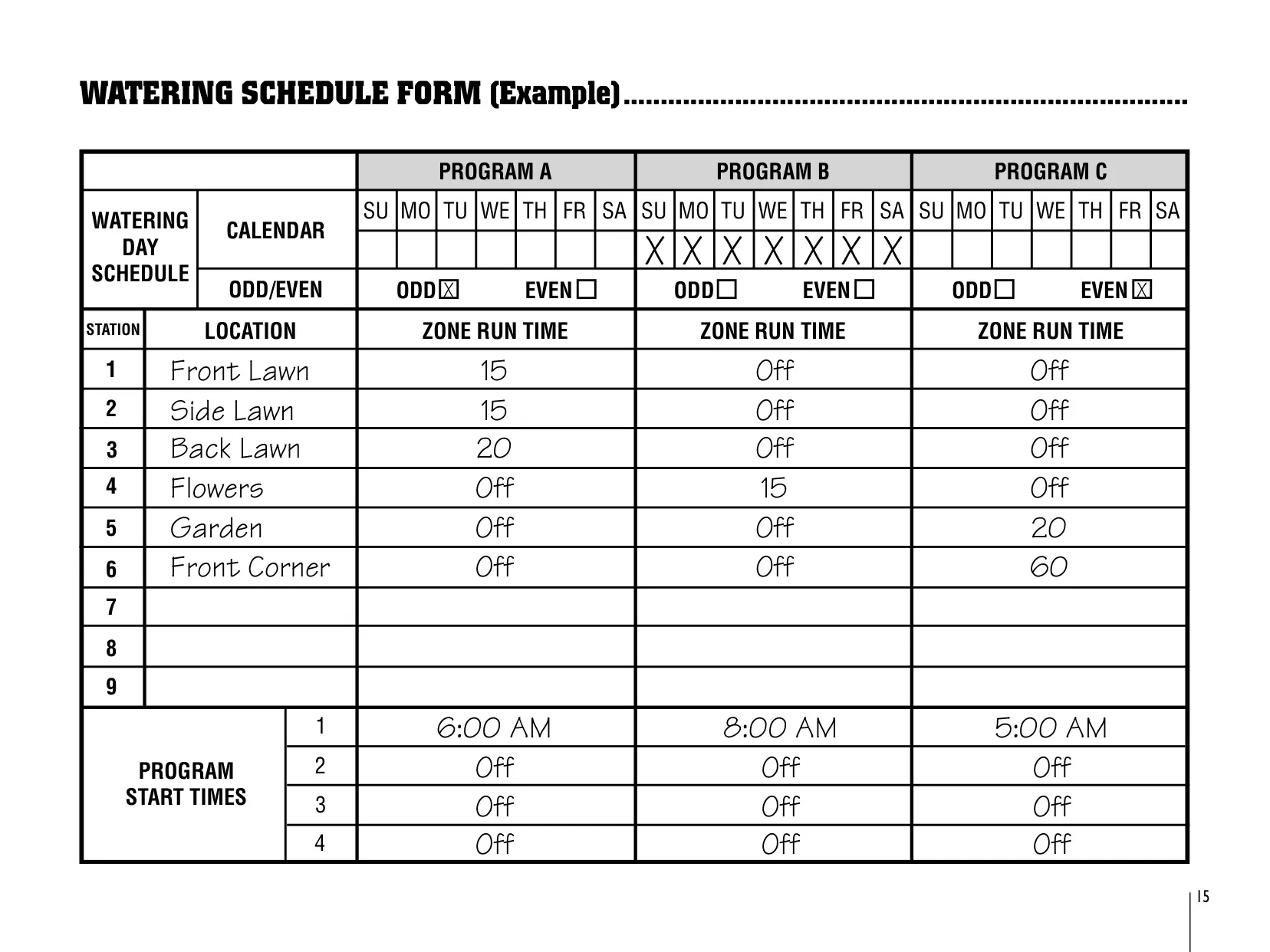
A single start time runs every station in a program one after another, and stations with no run time are skipped. For example, a program that starts at 6:00 AM with run times of 15, 15 and 20 minutes ends at 6:50 AM. Extra start times are only needed to repeat the whole cycle, such as watering new lawns in the morning, afternoon and evening. Turning off all four start times disables that program but keeps its other settings.
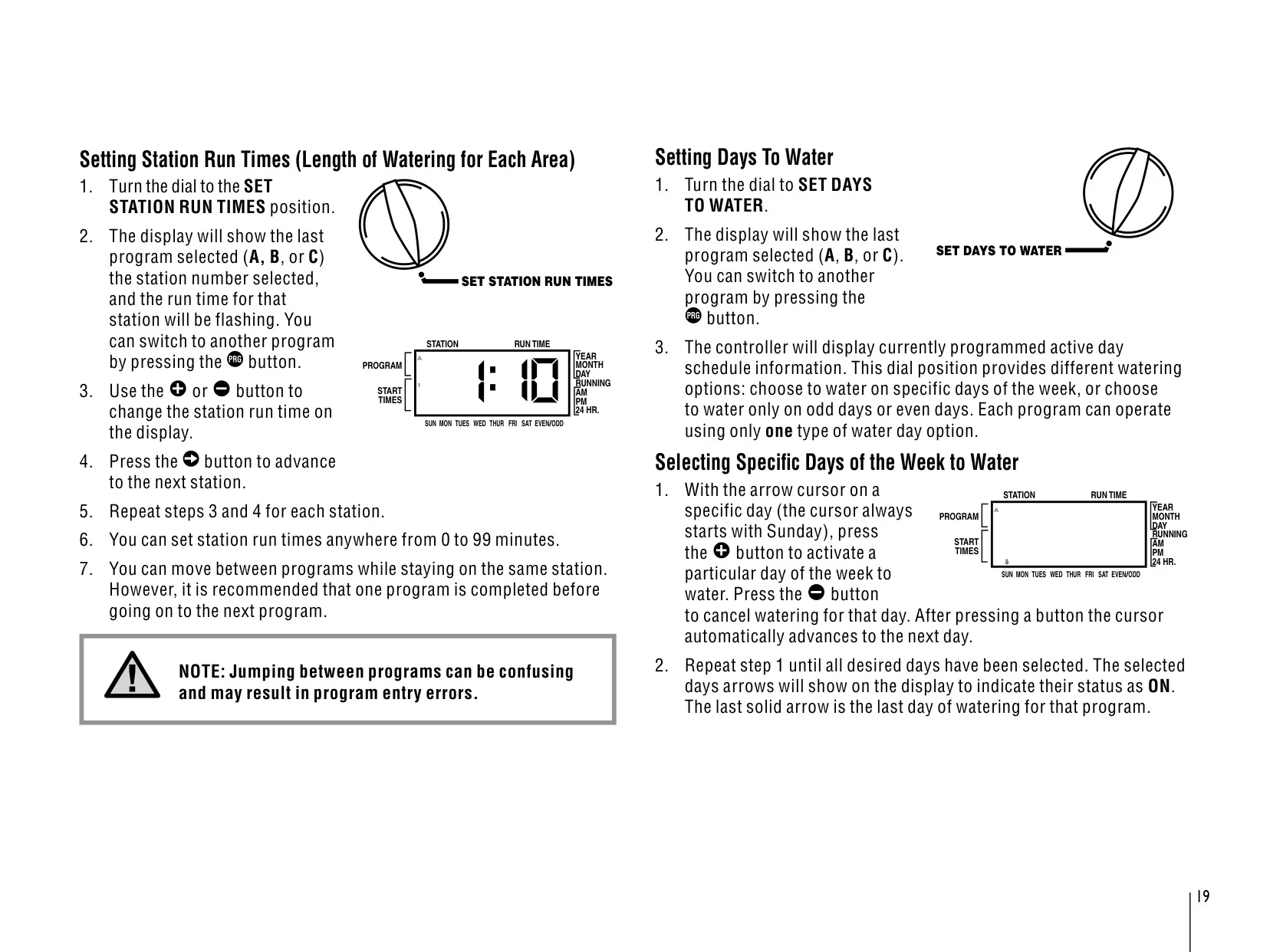
With odd/even scheduling, watering follows numbered calendar days instead of weekdays. If odd days are selected, the 31st of any month and February 29 are always off days. Each program can use only one type of day schedule. The built-in rain sensor bypass means you don't need a separate manual switch. Turning the dial to Run (Bypass Sensor) overrides the sensor, and System Off stops active valves after two seconds.
The manual functions let you water a single station or run a custom sequence of stations without changing the saved programs. The One Touch Manual Start works without the dial: hold the advance button for two seconds, adjust run times if needed, and the program starts after a two-second pause. If no buttons are pressed, the controller runs program A by default. This is useful for an extra watering cycle or for checking the system station by station.
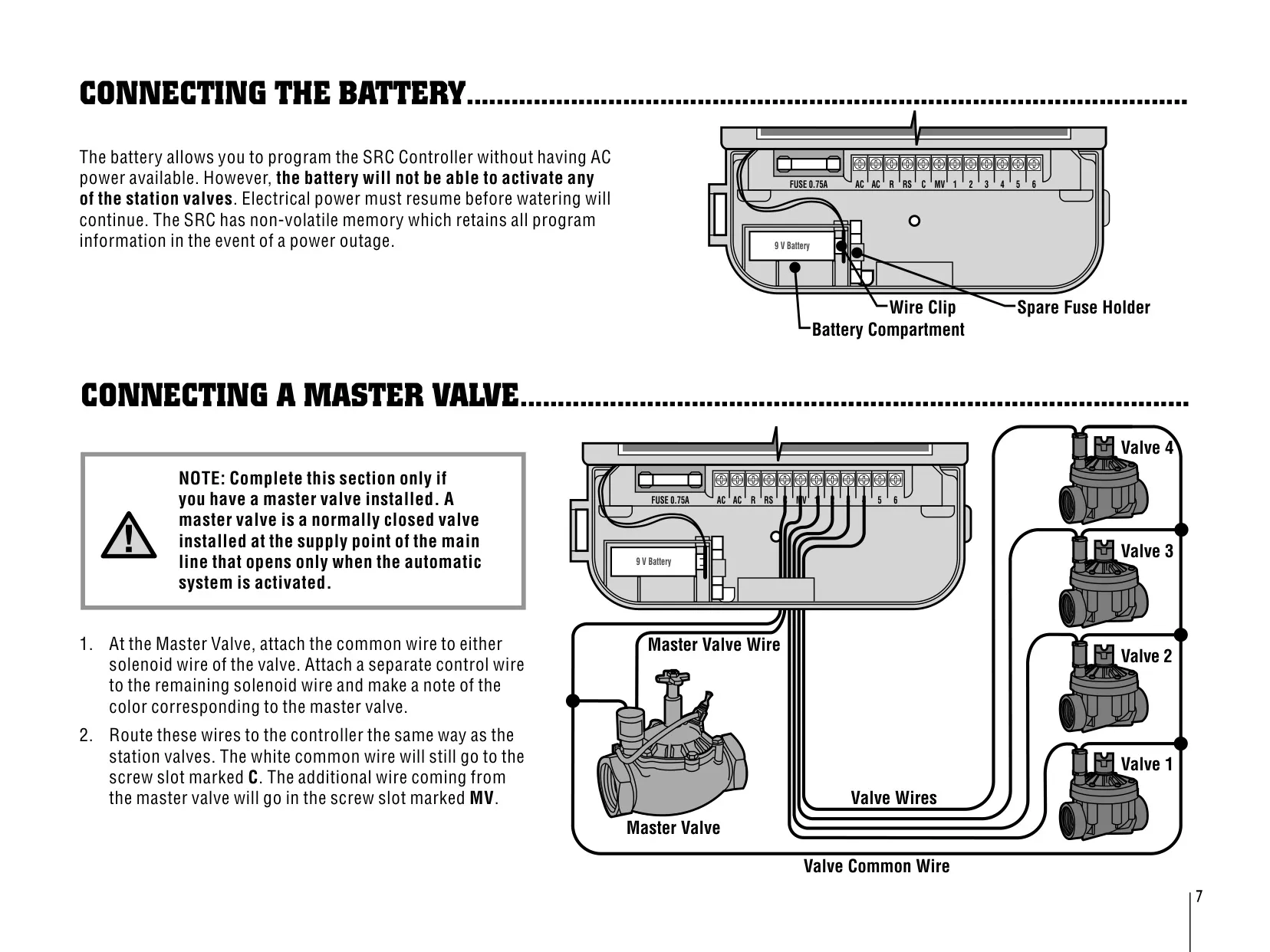
If power fails, the non-volatile memory keeps your programs. Without a battery, the clock stops during the outage and restarts when power returns. With a 9 V battery installed, time and date are kept for several days, although the battery cannot open valves. A master valve or pump start relay connects to the MV and C terminals. To restore factory defaults, remove all power for one minute, then restore power while holding the specified buttons.
Frequently Asked Questions (FAQs)
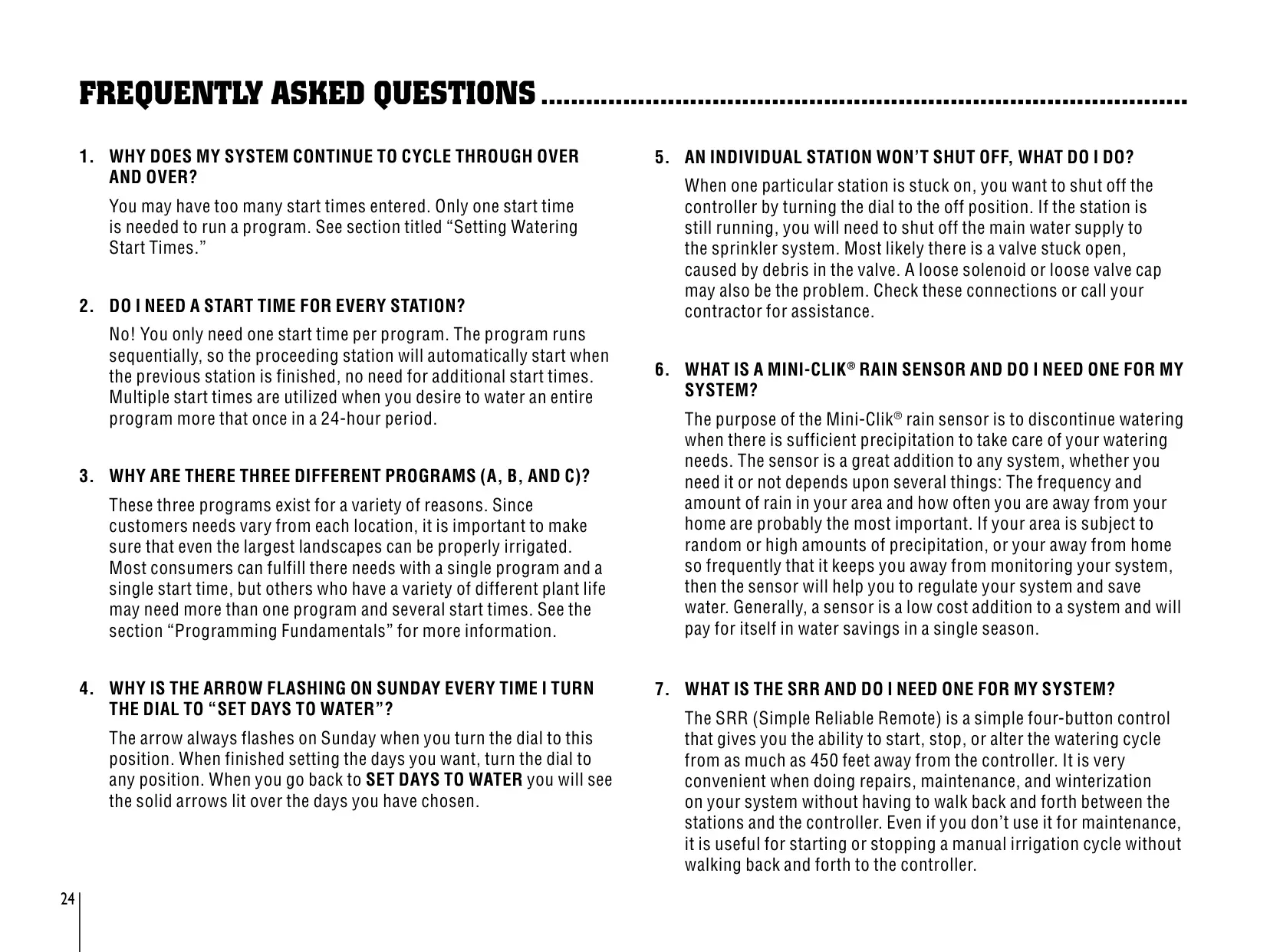
Can't find the answer you need? Here are some frequently asked questions about the Hunter SRC Irrigation Controller, and we answer them below.