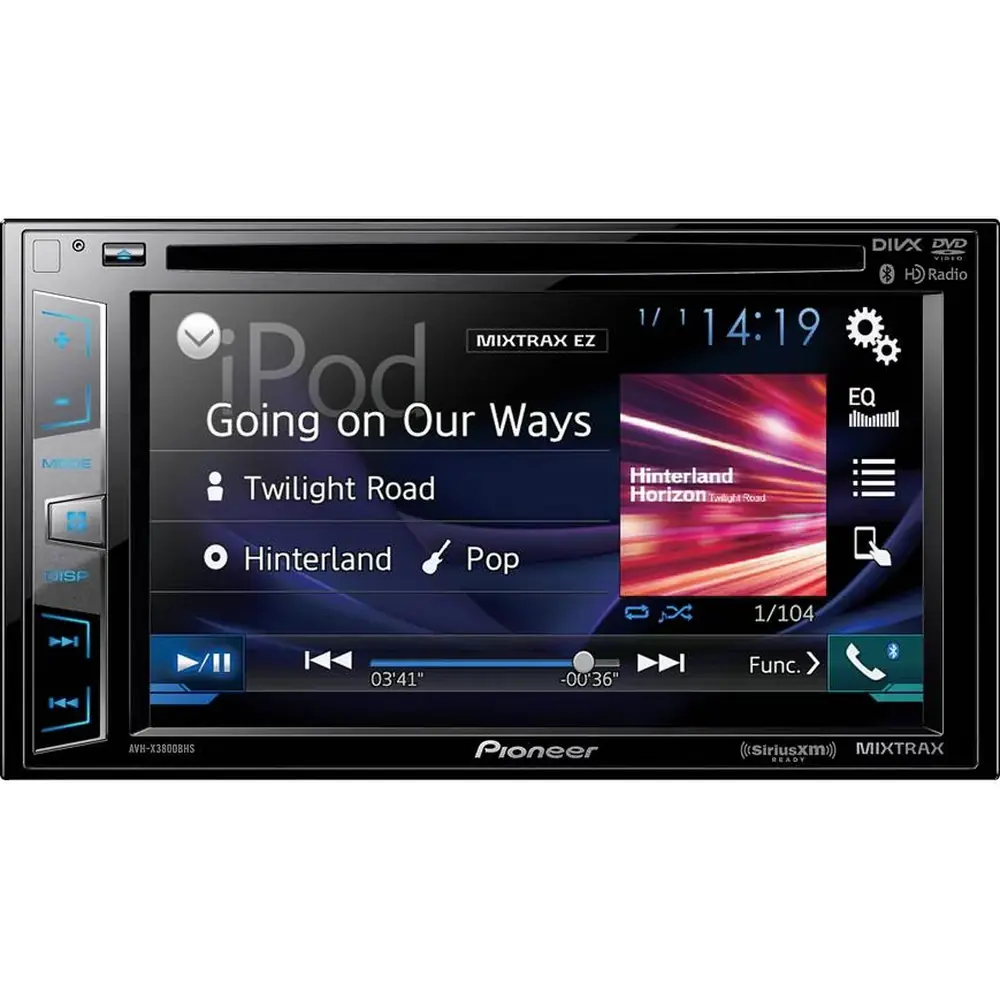
Pioneer DEH-S31BT Audio Receiver Instruction Manual

Pioneer DEH-S31BT Audio Receiver















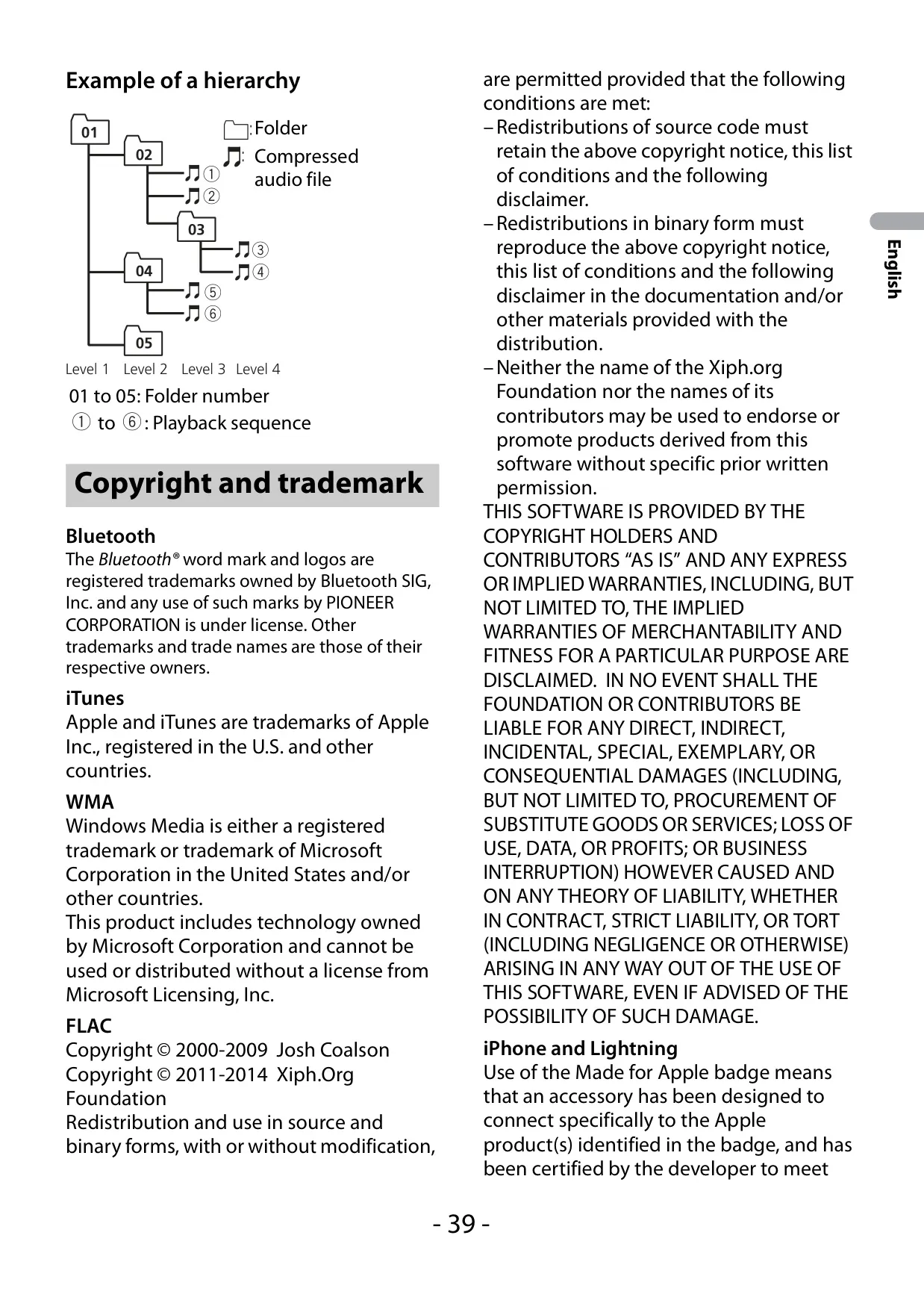


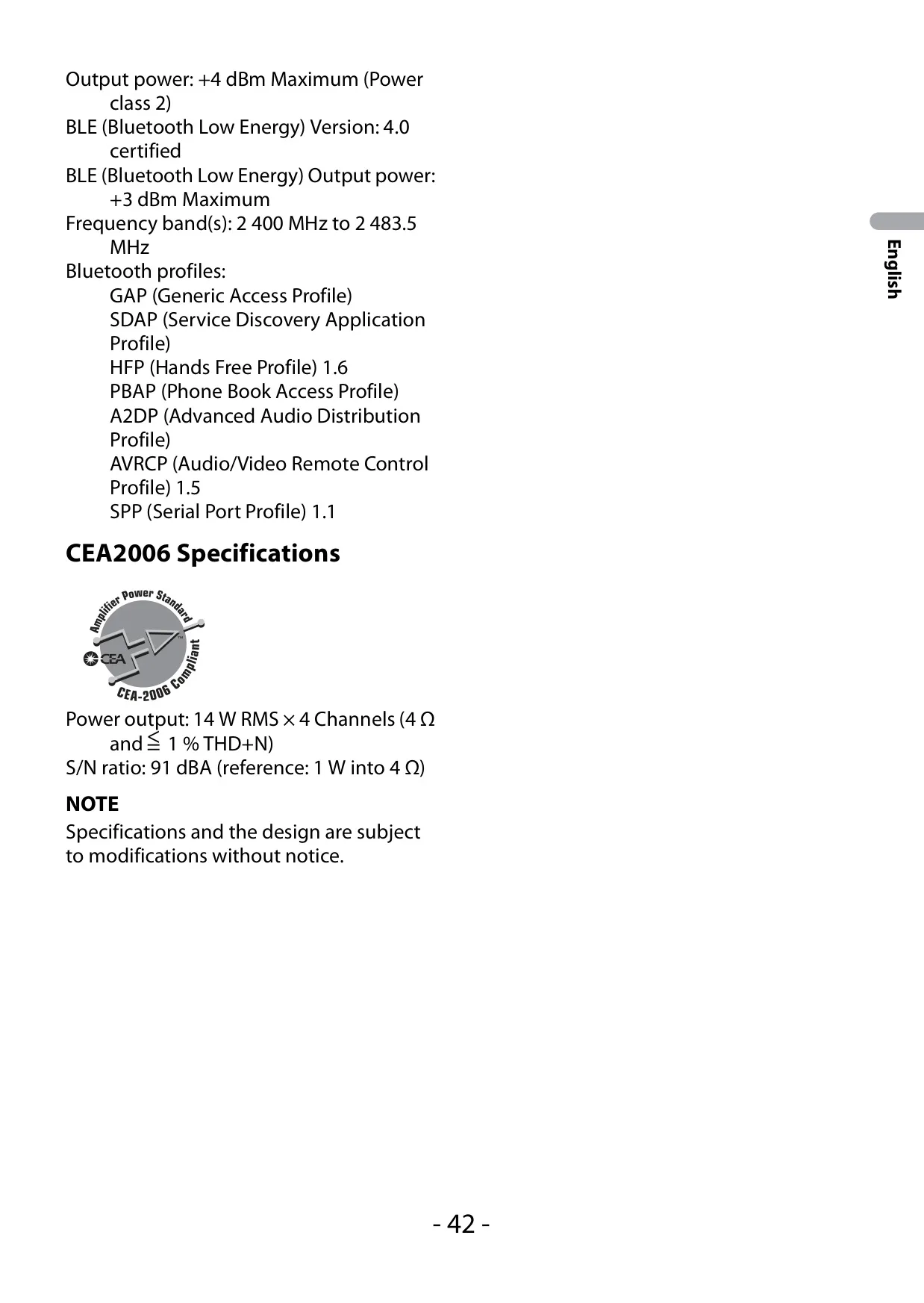



Pioneer DEH-S31BT Audio Receiver
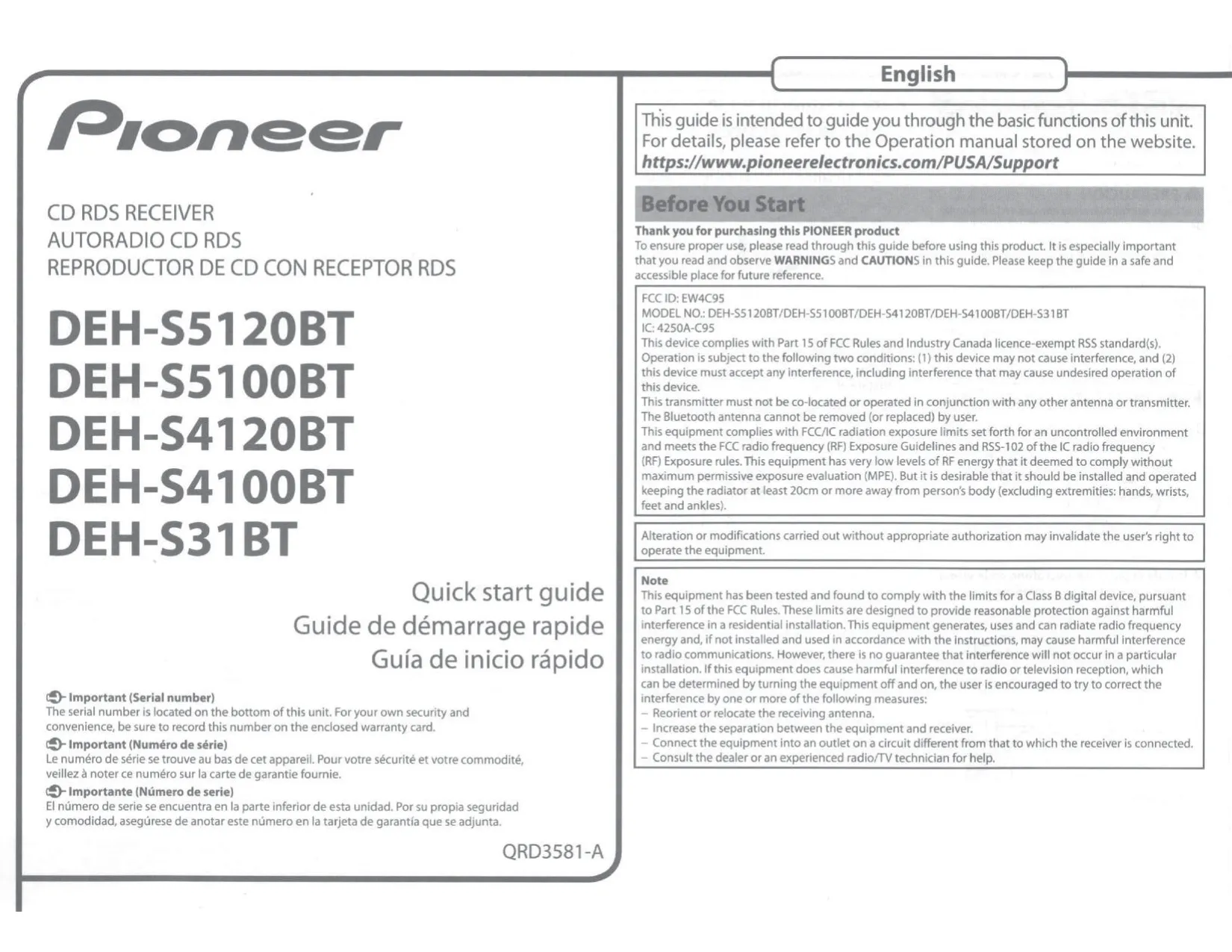


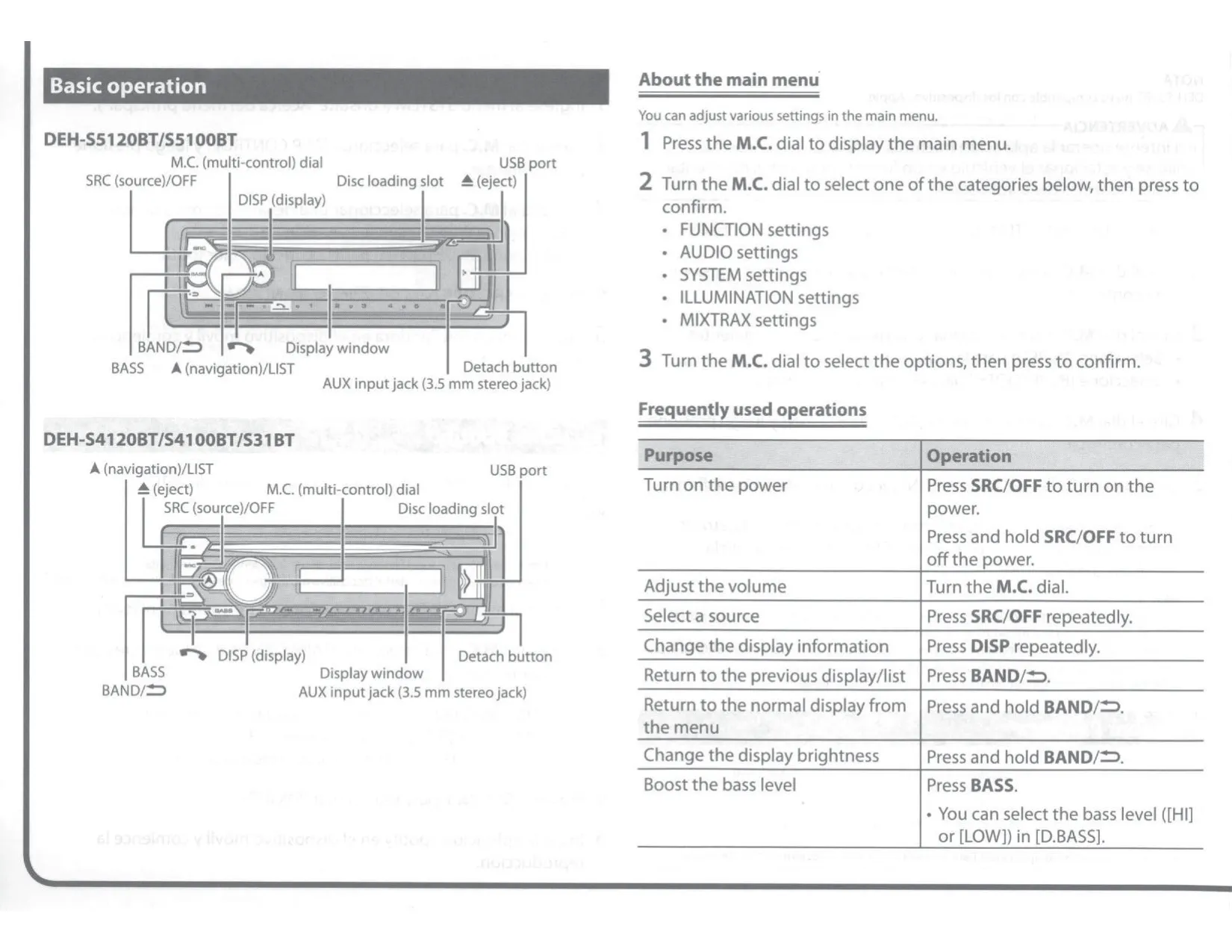

Pioneer DEH-S31BT Receiver Instructions
Here we offer the Pioneer DEH-S31BT Audio Receiver manual completely free and in English. We have cataloged this manual in the Audio Receivers section on Manualverse, and it has been rated by 1 users with an average rating of 5. If you have any specific questions about Pioneer DEH-S31BT Audio Receiver, we suggest checking the Frequently Asked Questions (FAQs) section of this manual.
Product Images


Pioneer DEH-S31BT Audio Receiver Specifications
| Feature | Specification |
|---|---|
| Product type | CD RDS Receiver (single-DIN car audio receiver) |
| Model | DEH-S31BT |
| FCC ID / IC | EW4C95 / 4250A-C95 |
| Power source | 14.4 V DC (10.8 V to 15.1 V allowable) |
| Grounding system | Negative type (12 V battery only) |
| Maximum current consumption | 10.0 A |
| Fuse | 10 A |
| Chassis dimensions (W × H × D) | 178 mm × 50 mm × 165 mm (7 in. × 2 in. × 6-1/2 in.) |
| Nose dimensions, DIN mount (W × H × D) | 188 mm × 58 mm × 17 mm (7-3/8 in. × 2-1/4 in. × 5/8 in.) |
| Nose dimensions, D mount (W × H × D) | 170 mm × 46 mm × 17 mm (6-3/4 in. × 1-3/4 in. × 5/8 in.) |
| Weight | 1 kg (2.2 lbs) |
| Recommended mounting angle | Less than 60° |
| Maximum power output | 50 W × 4 ch / 4 Ω (no subwoofer); 70 W × 1 ch / 2 Ω (subwoofer) |
| Continuous power output | 22 W × 4 (50 Hz to 15 000 Hz, 5 % THD, 4 Ω load, both channels driven) |
| CEA2006 power output | 14 W RMS × 4 channels (4 Ω, ≤1 % THD+N) |
| CEA2006 S/N ratio | 91 dBA (reference: 1 W into 4 Ω) |
| Load impedance | 4 Ω (4 Ω to 8 Ω allowable; 2 Ω for 1 ch) |
| Preout maximum output level | 2.0 V |
| RCA output | Rear output or subwoofer output (no separate front output on DEH-S31BT) |
| Graphic equalizer | 13 bands: 50 Hz/80 Hz/125 Hz/200 Hz/315 Hz/500 Hz/800 Hz/1.25 kHz/2 kHz/3.15 kHz/5 kHz/8 kHz/12.5 kHz |
| Equalizer gain | ±12 dB (2 dB step) |
| High pass filter frequency | 25 Hz/31.5 Hz/40 Hz/50 Hz/63 Hz/80 Hz/100 Hz/125 Hz/160 Hz/200 Hz/250 Hz |
| High pass filter slope | –6, –12, –18, –24 dB/oct, OFF |
| Subwoofer / low pass filter frequency | 25 Hz to 250 Hz (11 steps, same as HPF) |
| Subwoofer / low pass filter slope | –6, –12, –18, –24, –30, –36 dB/oct, OFF |
| Subwoofer phase | Normal / Reverse |
| Speaker level | +10 dB to –24 dB (1 dB step) |
| Time alignment | 0 to 140 inches (1 inch/step) |
| CD system | Compact disc audio system, 12-cm discs |
| CD signal-to-noise ratio | 94 dB (1 kHz) (IEC-A network) |
| Number of channels (CD) | 2 (stereo) |
| Disc file system | ISO 9660 Level 1 and 2, Romeo, Joliet; multi-session compatible |
| Disc playable folders / files | Up to 99 folders / up to 999 files (up to eight tiers) |
| USB standard | USB 2.0 Full Speed |
| USB maximum current supply | 1.5 A |
| USB protocols | MSC, MTP, AOA 2.0 |
| USB file system | FAT12, FAT16, FAT32 |
| USB playable folders / files | Up to 1 500 folders / up to 15 000 files (up to eight tiers) |
| MP3 support | MPEG-1 & 2 Audio Layer 3; 8 kbps to 320 kbps (CBR), VBR; 8 kHz to 48 kHz; ID3 tag 1.0, 1.1, 2.2, 2.3, 2.4 |
| WMA support | Ver. 7, 8, 9, 9.1, 9.2 (2 ch); 48 kbps to 320 kbps (CBR), 48 kbps to 384 kbps (VBR); 32/44.1/48 kHz |
| FLAC support | v1.2.1; .flac/.fla; 8 kHz to 96 kHz; 8/16/24 bit; 1/2 ch |
| WAV support | Linear PCM; 8 and 16 bit; 16 kHz to 48 kHz |
| AAC support | Not supported on DEH-S31BT |
| Apple / iPhone compatibility | Not compatible with Apple devices |
| FM tuner frequency range | 87.9 MHz to 107.9 MHz |
| FM usable sensitivity | 11 dBf (1.0 μV/75 Ω, mono, S/N: 30 dB) |
| FM signal-to-noise ratio | 65 dB (IHF-A network) |
| AM tuner frequency range | 530 kHz to 1 710 kHz |
| AM usable sensitivity | 25 μV (S/N: 20 dB) |
| AM signal-to-noise ratio | 60 dB (IHF-A network) |
| Radio presets | FM1, FM2, FM3 and AM bands, 6 presets each |
| Bluetooth version | Bluetooth 4.0 certified, +4 dBm maximum (Power class 2) |
| BLE version / output | 4.0 certified / +3 dBm maximum |
| Bluetooth frequency band | 2 400 MHz to 2 483.5 MHz |
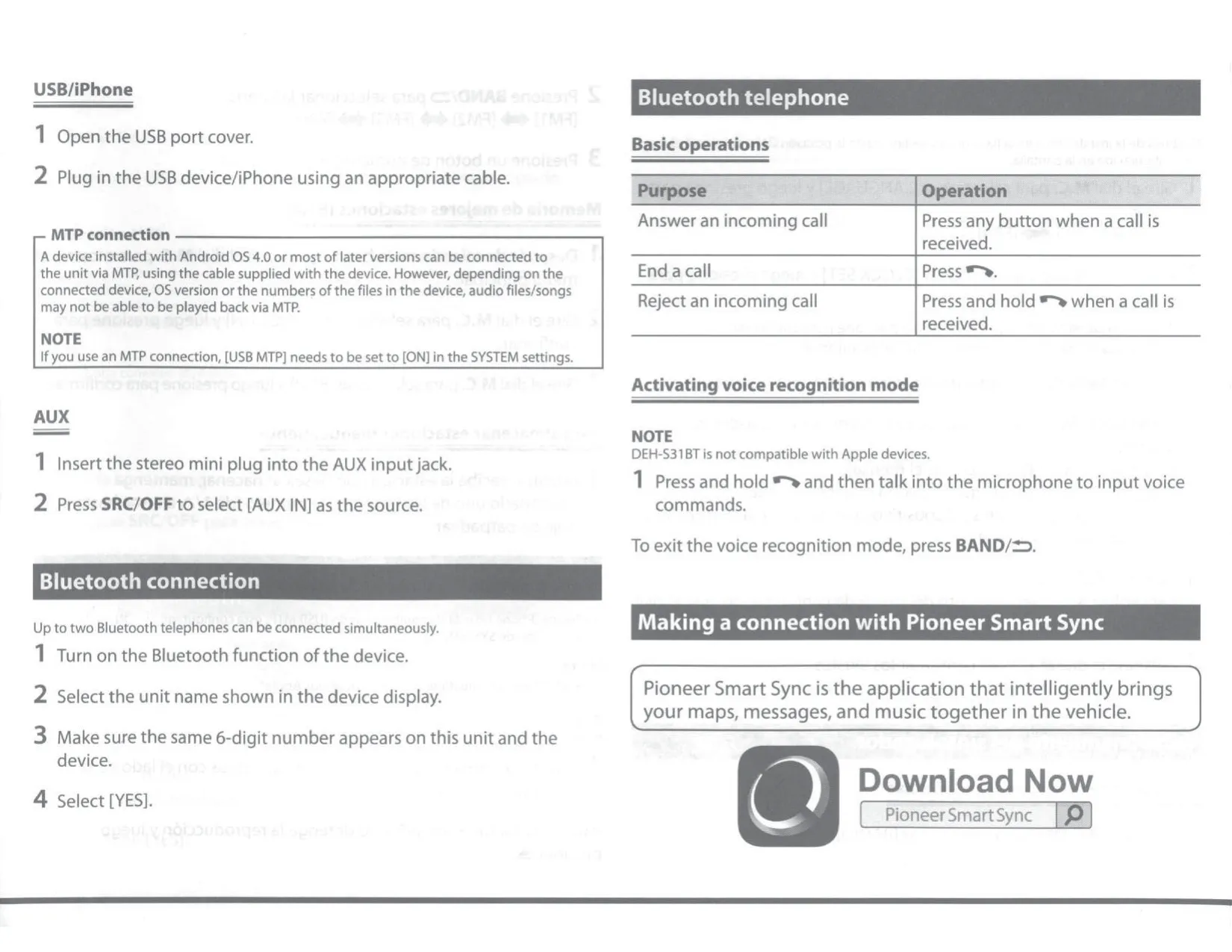
| Bluetooth profiles | GAP, SDAP, HFP 1.6, PBAP, A2DP, AVRCP 1.5, SPP 1.1 |
| Simultaneous Bluetooth phones | Up to 2 |
| External microphone | Supplied, 3 m (9 ft. 10-1/8 in.) cable |
| AUX input | 3.5 mm stereo mini jack (front panel) |
| Remote control | CD-R510 (sold separately); wired remote input for steering adapter |
| Display brightness | Levels 1 to 10 |
| Laser class | Class 1 laser product (IEC 60825-1:2007) |
Pioneer DEH-S31BT Audio Receiver Details
The Pioneer DEH-S31BT is the entry model of the 2018 DEH-S series, and it is built mainly for Android users. The manual states several times that iPhone functions, AAC playback and Apple connections are not available on this model. The front panel detaches to deter theft. A RESET button behind the panel must be pressed with a pointed tool longer than 8 mm before first use, or whenever the unit acts up or shows strange messages.
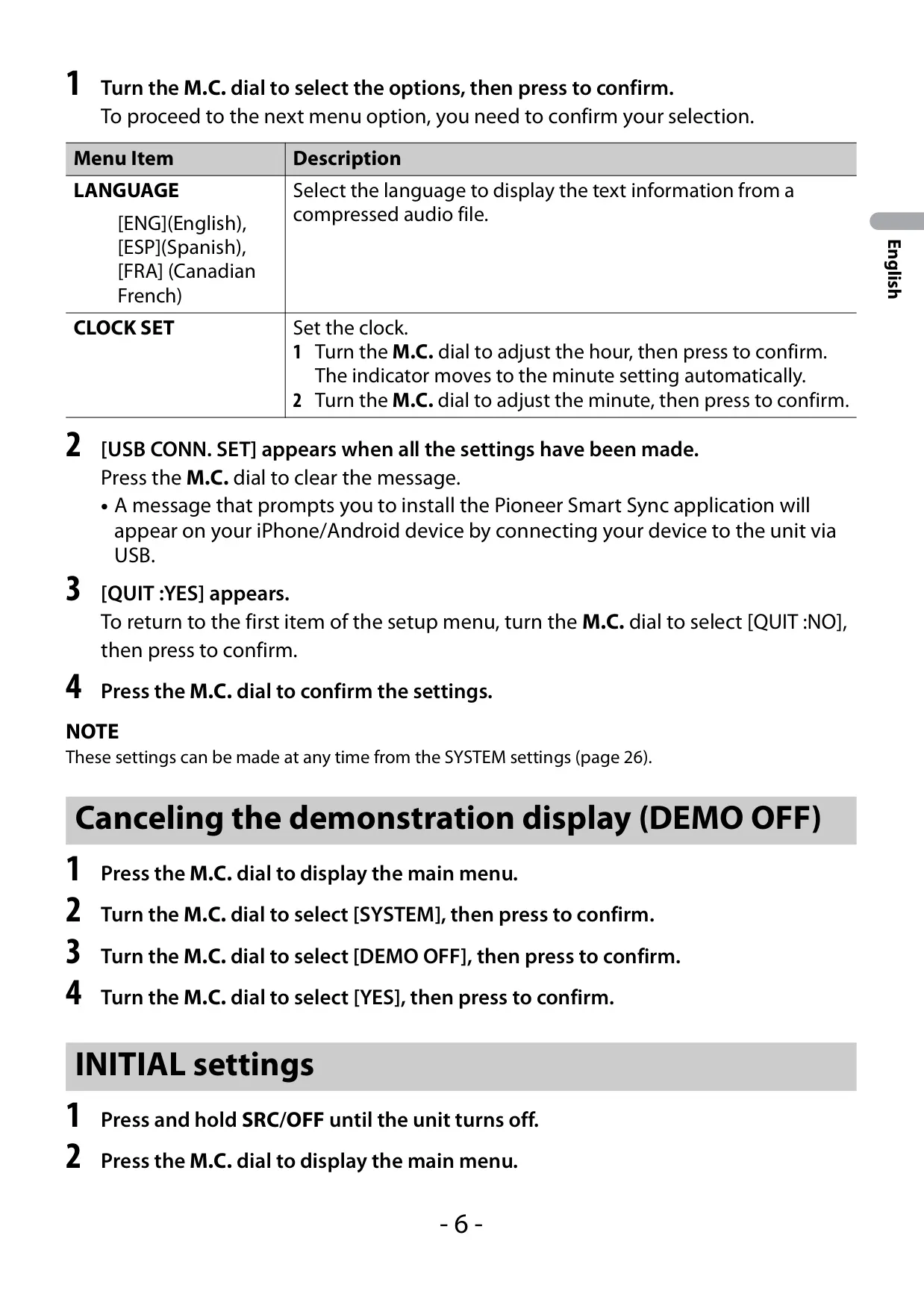
When the ignition is turned on for the first time, a setup menu asks for the display language (English, Spanish or Canadian French) and the clock. After that, the INITIAL menu sets how the rear speaker leads are used: [FUL] for full-range speakers or [SW] for a subwoofer driven directly without an amplifier. The same menu holds SYSTEM UPDATE, for checking and installing firmware, and SYSTEM RESET, which restores factory settings.
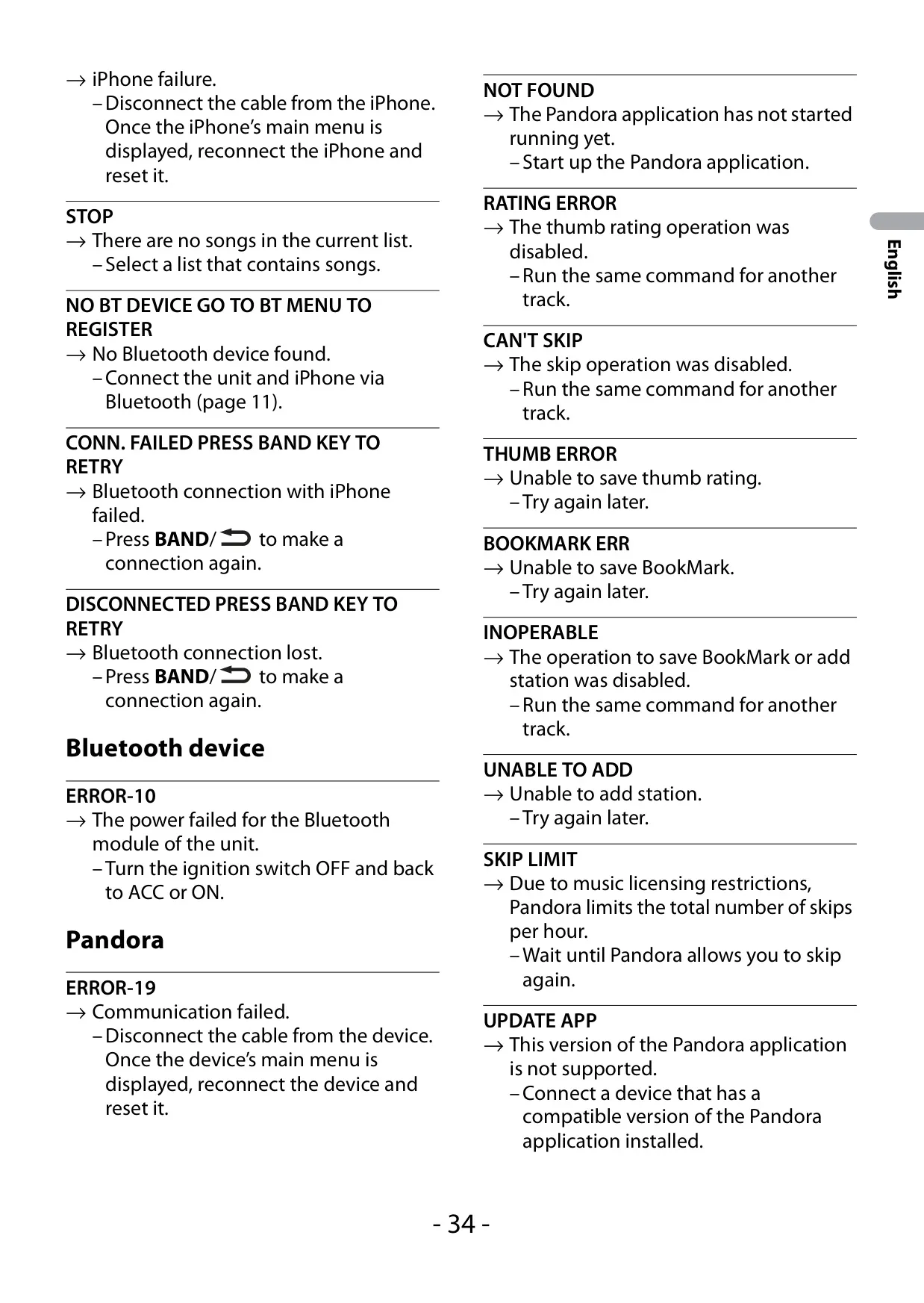
The Bluetooth hands-free system pairs devices with a 6-digit code check. It shows missed, dialed and received call history, gives access to the phone book, and stores six preset numbers on the number buttons. Other options include auto-answer, private mode and switching between callers on hold. For audio streaming, up to five devices can be registered, so passengers can take turns playing music just by starting playback on their phone.
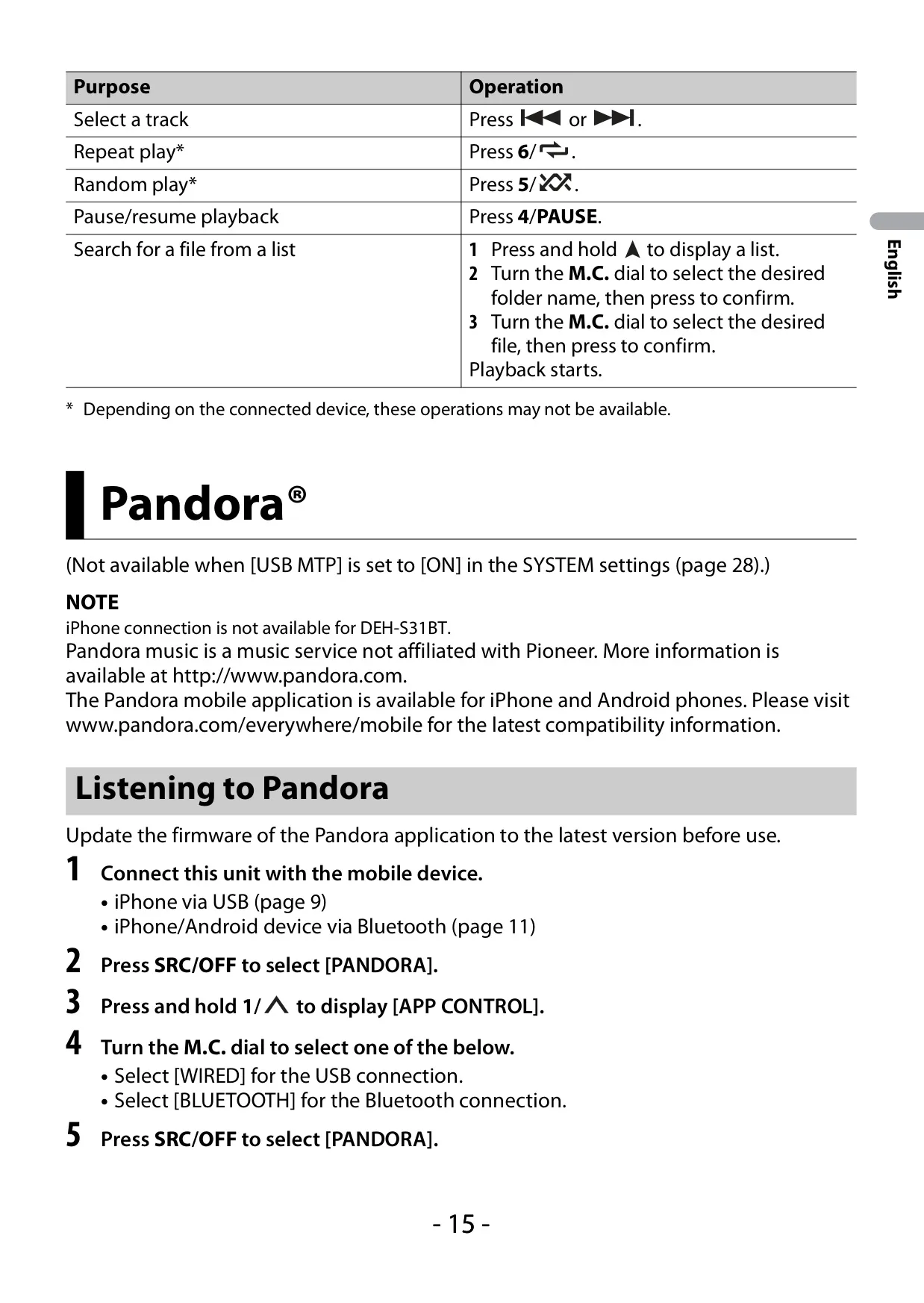
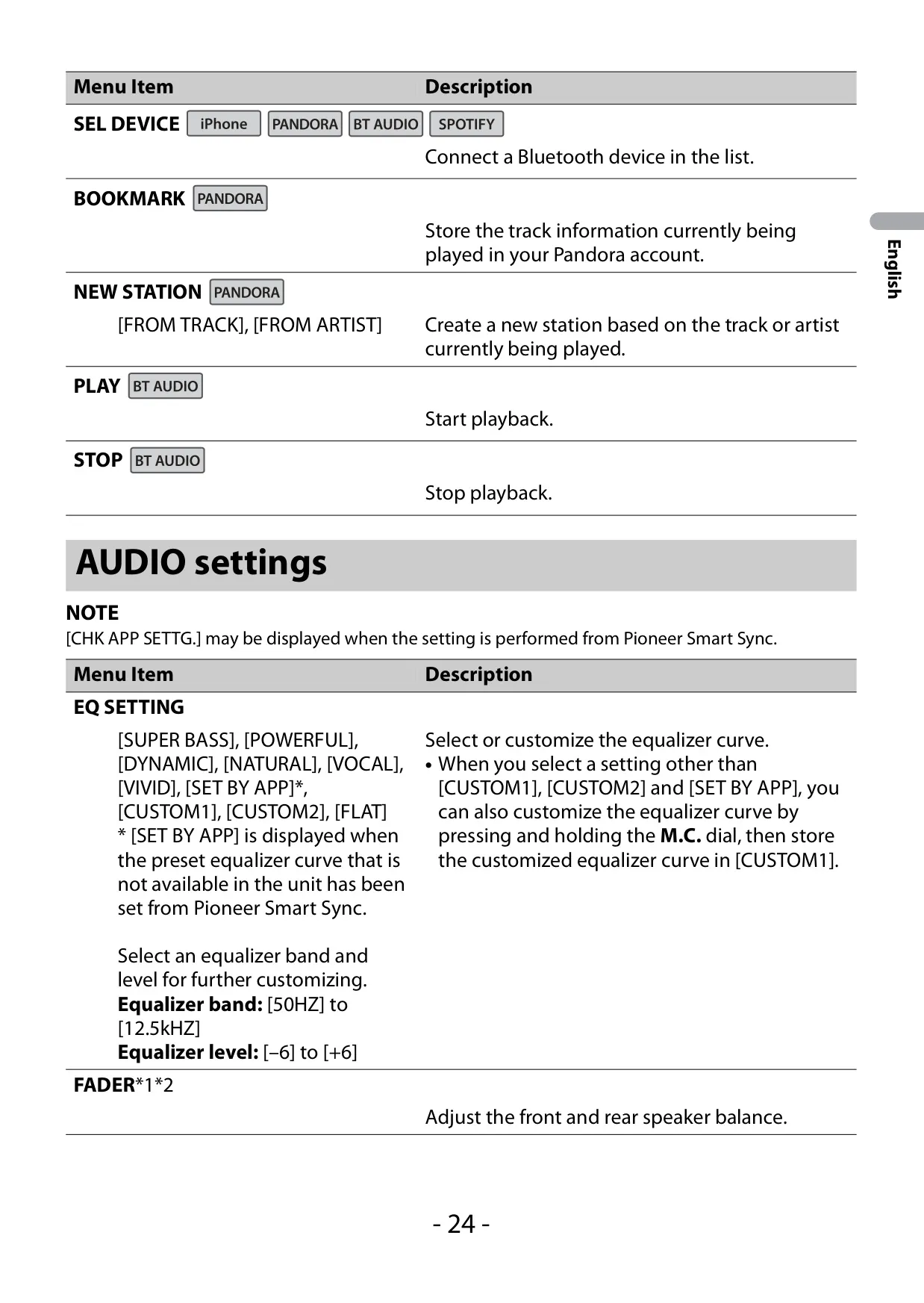
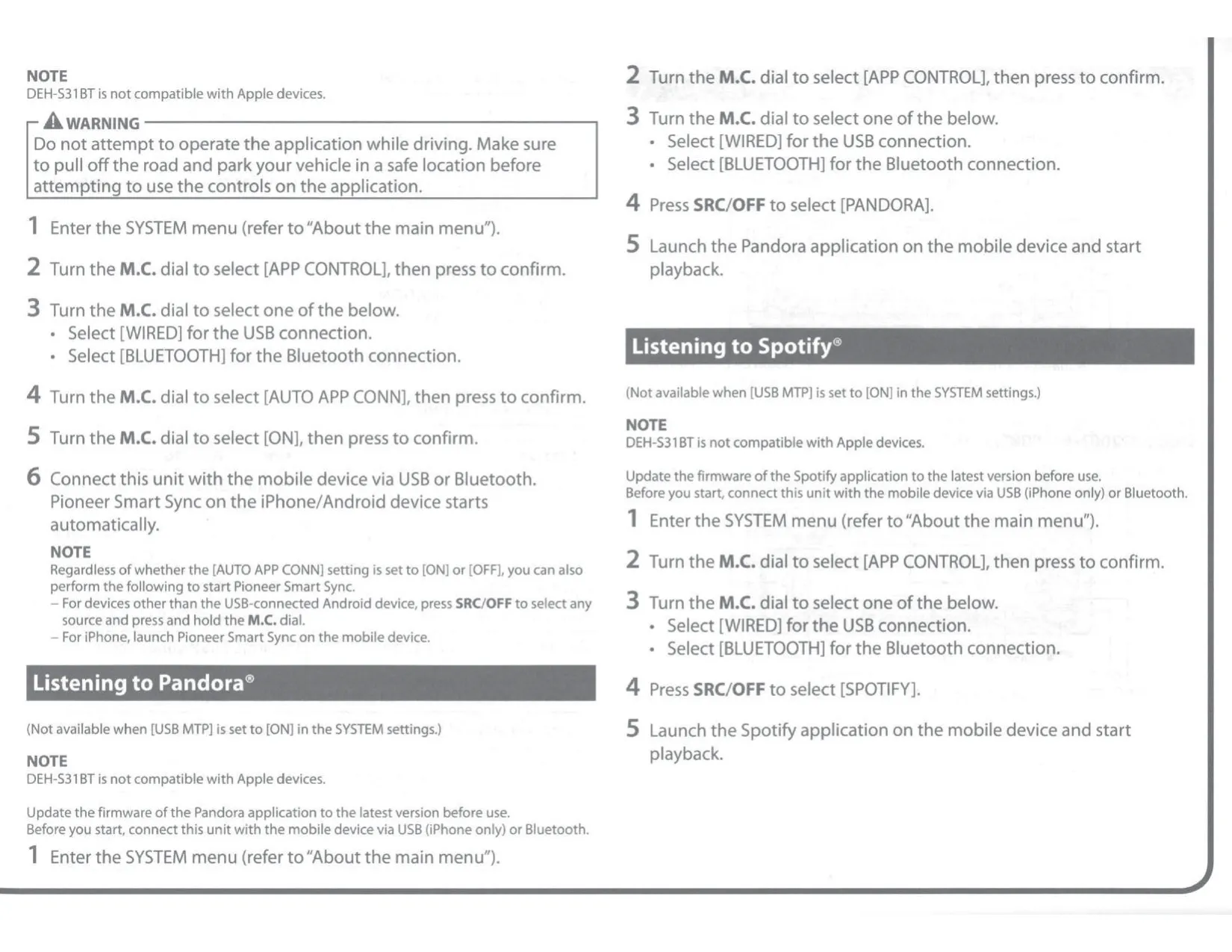
Streaming apps work through Bluetooth. Pandora lets you rate tracks with thumbs up or down, bookmark songs and create stations from the current track or artist. Spotify supports SAVE and UNSAVE and can start a radio from the current song. With Pioneer Smart Sync on Android 5.0 or later, the app adds message reading, navigation app launch, a 31-band EQ, Super "Todoroki" Sound and Easy Sound Fit time alignment by vehicle type.
On the unit itself, you can choose EQ presets such as SUPER BASS, POWERFUL, DYNAMIC, NATURAL, VOCAL and VIVID, or save two custom curves. POSITION adjusts levels and delays based on which seats are occupied. D.BASS boosts low frequencies, LOUDNESS keeps sound full at low volume, and SLA evens out volume between sources (+4 to –4). S.RTRV improves compressed audio, and SAVE/LOAD SETTINGS keeps a complete sound profile you can recall later.
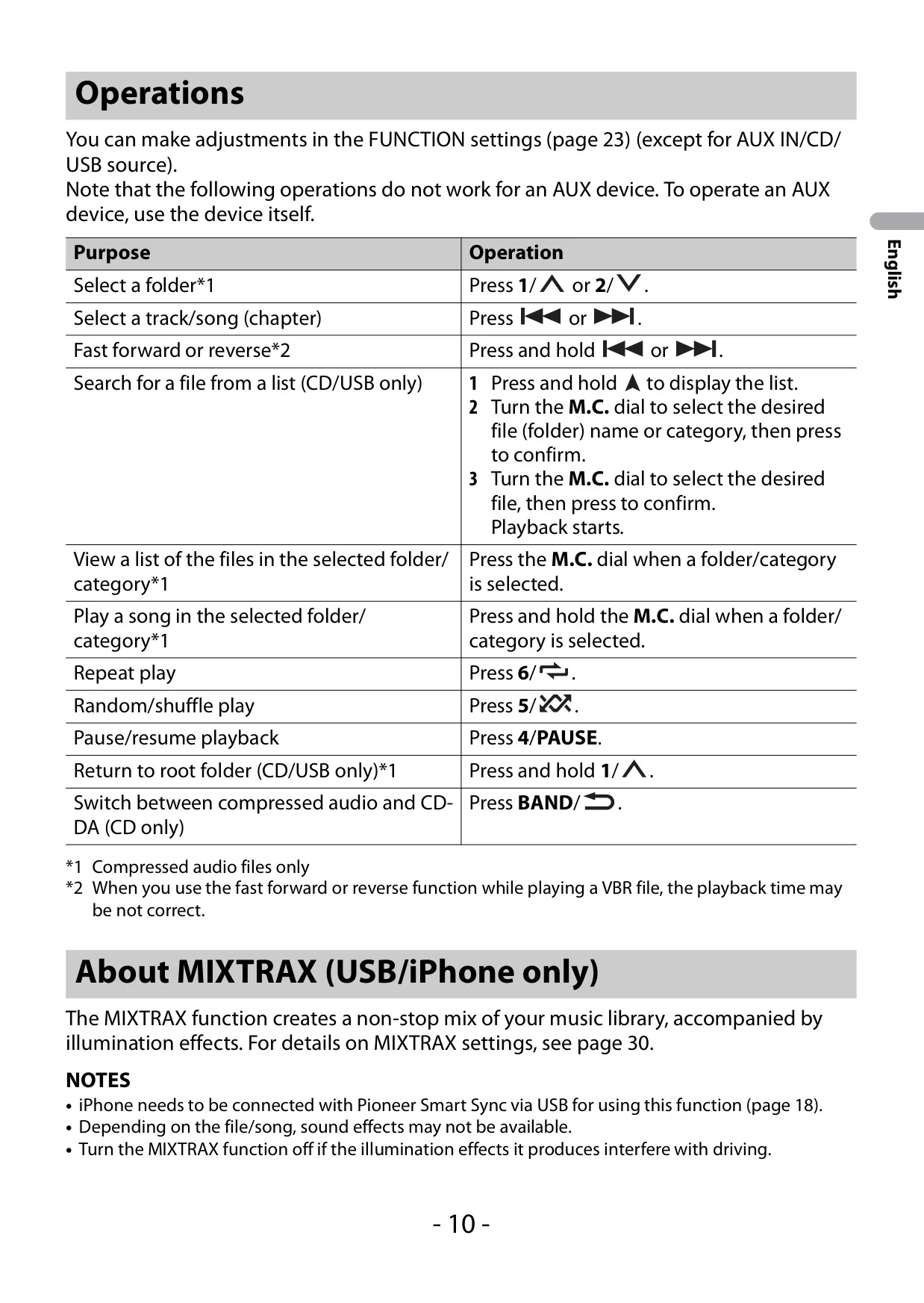
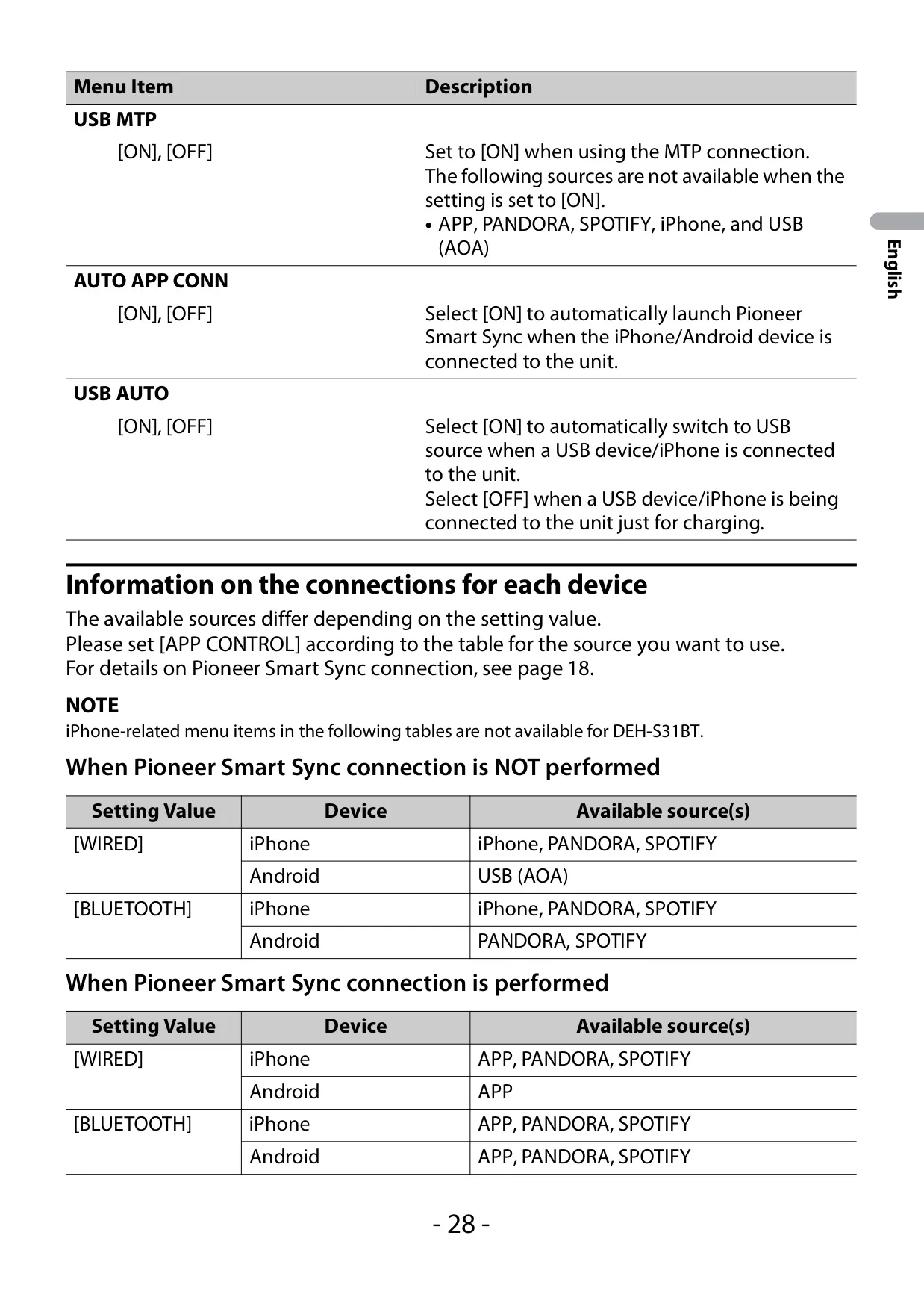
MIXTRAX turns a USB music library into a non-stop mix. You can set short playback lengths from 1.0 to 3.0 minutes, choose SOUND LEVEL, LOW PASS or RANDOM mix patterns, and switch the cut-in effects on or off. Note that MTP connections cannot be used with MIXTRAX or with WAV and FLAC files, so use mass storage or AOA if you need these features. The USB AUTO option switches to the USB source automatically when a device is plugged in.
Installation notes in the Quick Start Guide: connect the ground wire first, keep it separate from any amplifier's ground, use speakers rated above 50 W for 4-channel use and above 70 W for a 2 Ω subwoofer, and never connect the blue/white lead (max. 300 mA) to an amplifier's power terminal. If the vehicle has no ACC position, wire the red lead correctly to avoid draining the battery. The microphone can be mounted on the sun visor or the steering column.
Frequently Asked Questions (FAQs)
Can't find the answer you need? Here are some frequently asked questions about the Pioneer DEH-S31BT Audio Receiver, and we answer them below.