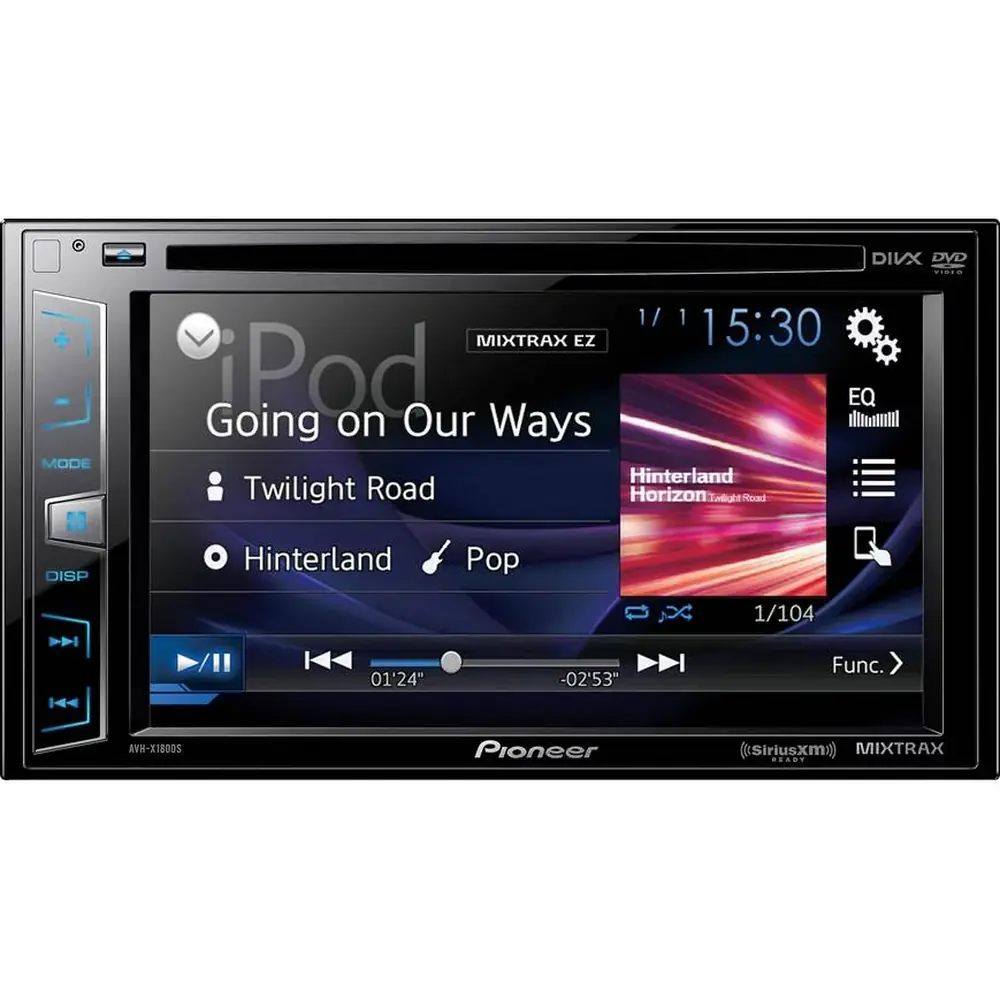
Pioneer AVH-120BT Multimedia Receiver Instruction Manual

Pioneer AVH-120BT Multimedia Receiver


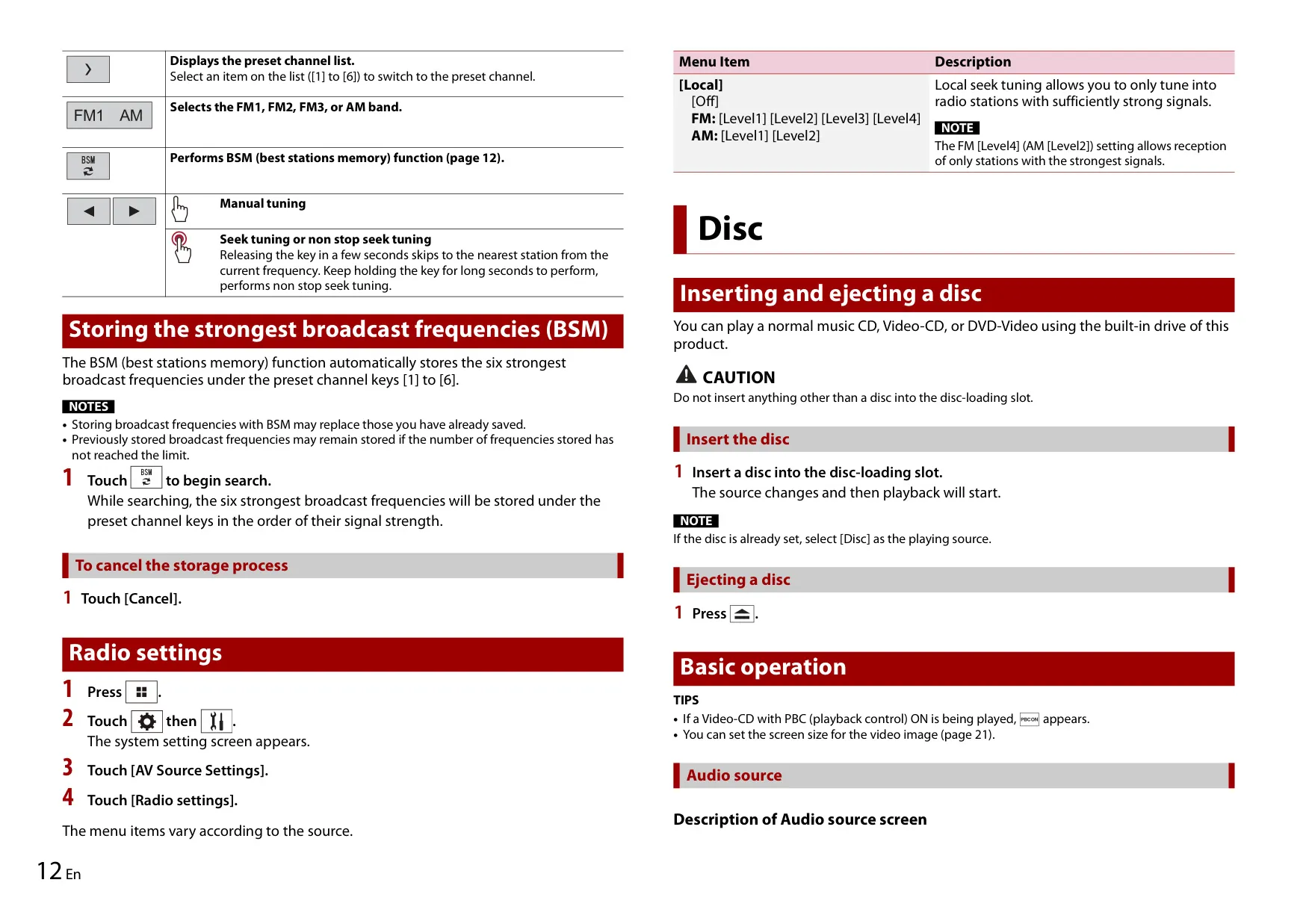


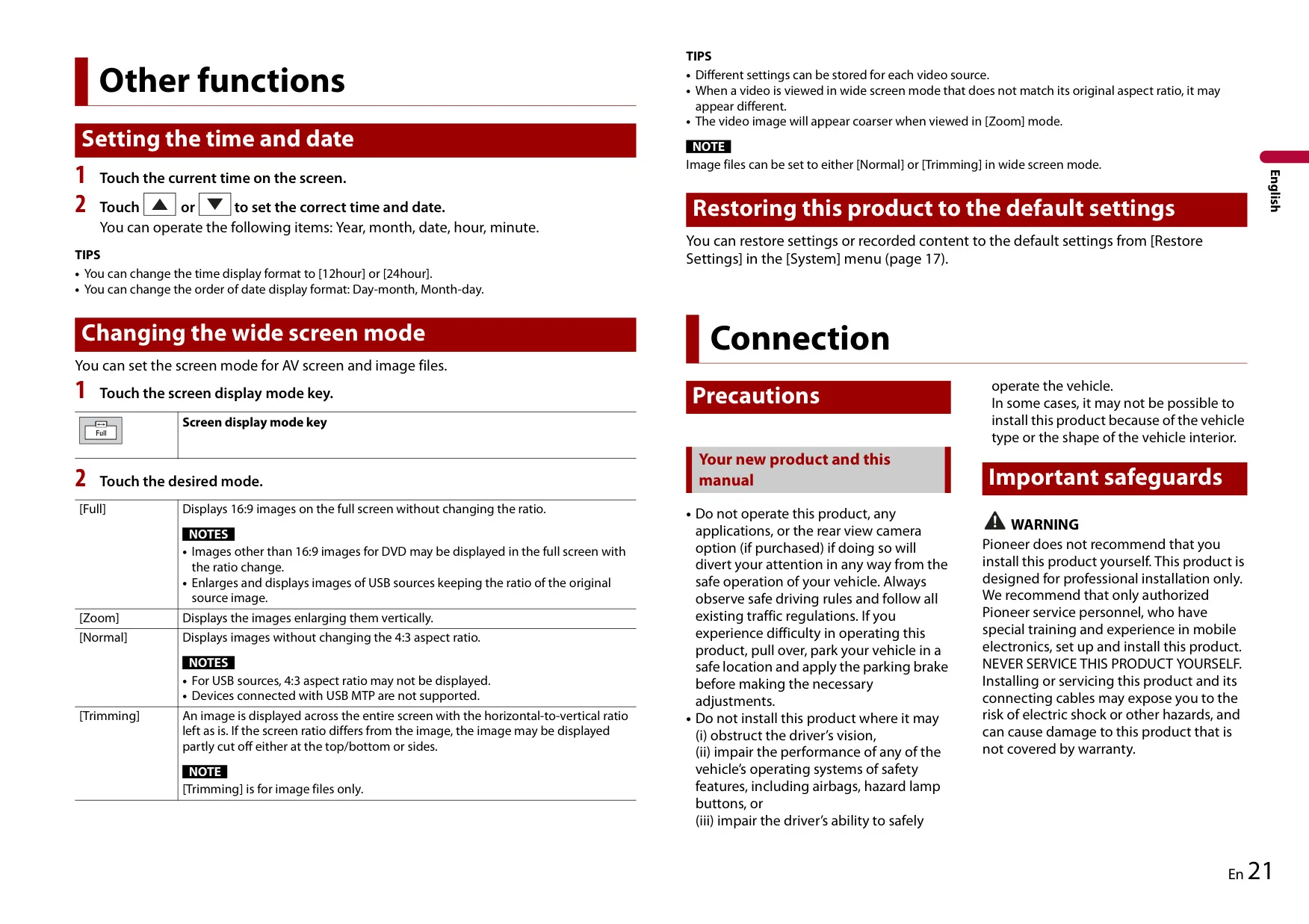




Pioneer AVH-120BT Multimedia Receiver


Pioneer AVH-120BT Instructions
Here we offer the Pioneer AVH-120BT Multimedia Receiver manual completely free and in English. We have cataloged this manual in the Multimedia Receiver section on Manualverse, and it has been rated by 1 users with an average rating of 5. If you have any specific questions about Pioneer AVH-120BT Multimedia Receiver, we suggest checking the Frequently Asked Questions (FAQs) section of this manual.
Product Images


Pioneer AVH-120BT Multimedia Receiver Specifications
| Feature | Specification |
|---|---|
| Model | AVH-120BT (DVD RDS AV Receiver) |
| FCC ID / IC | AJDK106 / 775E-K106 |
| Rated Power Source | 14.4 V DC (10.8 V to 15.1 V allowable) |
| Grounding System | Negative type |
| Maximum Current Consumption | 10.0 A |
| Fuse | 10 A |
| Chassis Dimensions (W × H × D) | 178 mm × 100 mm × 159 mm (7 in. × 3-7/8 in. × 6-1/4 in.) |
| Nose Dimensions (W × H × D) | 171 mm × 97 mm × 5 mm (6-3/4 in. × 3-7/8 in. × 1/4 in.) |
| Weight | 1.3 kg (2.9 lbs) |
| Screen Size / Aspect Ratio | 6.2 inch wide / 16:9 |
| Effective Display Area | 137.52 mm × 77.232 mm (5-3/8 in. × 3 in.) |
| Pixels | 1 152 000 (2 400 × 480) |
| Display Method | TFT active matrix driving |
| Color System | PAL / NTSC / PAL-M / PAL-N / SECAM compatible |
| Operating Temperature Range | -10 °C to +60 °C (+14 °F to +140 °F) |
| LED Backlight Lifetime | More than 10 000 hours |
| Maximum Power Output | 50 W × 4 ch / 4 Ω |
| Continuous Power Output | 22 W × 4 (50 Hz to 15 kHz, 5 % THD, 4 Ω load, both channels driven) |
| CTA2006 Power Output | 14 W RMS × 4 channels (4 Ω and ≤ 1 % THD+N) |
| CTA2006 S/N Ratio | 91 dBA (reference: 1 W into 4 Ω) |
| Load Impedance | 4 Ω (4 Ω to 8 Ω allowable) |
| Preout Output Level (max) | 2.0 V |
| Graphic Equalizer | 7-band: 50 Hz / 125 Hz / 315 Hz / 800 Hz / 2 kHz / 5 kHz / 12.5 kHz, gain ±12 dB (2 dB/step) |
| Equalizer Presets | Super Bass, Powerful, Natural, Vocal, Flat, Custom1, Custom2 |
| Subwoofer / LPF | 80 Hz / 120 Hz / 160 Hz, phase Normal/Reverse, monaural output |
| Bass Boost | +6 dB to 0 dB (1 dB/step) |
| Speaker Level | +6 dB to -24 dB (1 dB/step) |
| Loudness | Off / Low / Mid / High |
| Source Level Adjuster | -4 to +4 |
| DVD Drive System | DVD-V, VCD, CD, MP3, WMA, AAC, DivX, MPEG player |
| Usable Discs | DVD-Video, Video-CD, CD, CD-R, CD-RW, DVD-R, DVD-RW, DVD-R DL (12 cm only) |
| DVD Region Number | 1 |
| Disc Sampling Frequency | 8 kHz / 16 kHz / 32 kHz / 44.1 kHz / 48 kHz |
| Quantization Bits | 16 bit / 20 bit / 24 bit; linear |
| Frequency Response | 5 Hz to 22 000 Hz (DVD, at 48 kHz sampling) |
| Disc Signal-to-Noise Ratio | 91 dB (1 kHz) (IHF-A network) (RCA level) |
| Output Channels | 2 (stereo); Dolby Digital down-mixed to stereo |
| Video Decoding | DivX Home Theater (.avi, .divx), MPEG-1 (Low Level), MPEG-2 (Main Level), MPEG-4 Part 2 (Main Level); max 720 × 576, 30 fps |
| USB Standard | USB 1.1, USB 2.0 full speed, USB 2.0 high speed |
| USB Max Current Supply | 0.5 A |
| USB Class | MSC (Mass Storage Class), MTP (Media Transfer Protocol) |
| USB File System | FAT16, FAT32 |
| USB Playable File Types | MP3, WMA, AAC, WAV, DivX, MPEG-2, MPEG-4, JPEG, BMP |
| USB Media Limits | 8 directory levels, 300 folders, 15 000 files |
| Disc Media Limits | CD-R/RW: 300 folders, 999 files; DVD-R/RW: 300 folders, 3 500 files |
| Bluetooth Version | Bluetooth 4.1 certified |
| Bluetooth Output Power | 3.0 dBm (-6 dB/+2 dB) (Power class 2) |
| Bluetooth Frequency Band | 2 400 MHz to 2 483.5 MHz |
| Bluetooth Audio Profiles | A2DP, AVRCP |
| Paired Bluetooth Devices | Up to 3 |
| FM Frequency Range | 87.9 MHz to 107.9 MHz |
| FM Usable Sensitivity | 12 dBf (1.1 μV/75 Ω, mono, S/N: 30 dB) |
| FM Signal-to-Noise Ratio | 72 dB (IEC-A network) |
| AM Frequency Range | 530 kHz to 1 710 kHz |
| AM Usable Sensitivity | 28 μV (S/N: 20 dB) |
| AM Signal-to-Noise Ratio | 62 dB (IEC-A network) |
| Radio Bands / Presets | FM1, FM2, FM3, AM; 6 presets per band |
Pioneer AVH-120BT Receiver Details
The Pioneer AVH-120BT is a single-unit multimedia receiver that plays from disc, USB, Bluetooth, AUX and radio, all operated from a touch screen. On first startup, you choose the system language. After that, the top menu shows source icons for Radio, Disc, USB, Bluetooth Audio, AUX and Camera View, along with the clock and settings shortcuts. The Favorites menu lets you register up to 12 menu items as shortcuts. Touching the star icon next to an item adds it or removes it.
Bluetooth pairing works from the unit's device list or directly from the phone when Visibility is on. Phones that support Secure Simple Pairing show a six-digit confirmation code. Otherwise, the default PIN is 0000, and you can change it to a code of up to eight digits. Auto Connect reconnects the last device automatically. Only one phone at a time can be used for hands-free calling, but you can switch between paired devices from the Bluetooth menu.
The hands-free phone feature uses a microphone built into the front grill. The phone book transfers automatically, although phones with more than 1 000 contacts may not download every entry. You can store six preset numbers per device. You can call from the call history or by entering a number directly, and the Auto Answer, Ring Tone and Invert Name options are available. During a call, you can switch to private mode or choose one of three listening volume levels for the other party. Bluetooth works within about 10 meters line of sight.
DVD playback includes frame-by-frame playback and slow motion at four speeds (1/16, 1/8, 1/4 and 1/2), DVD menu control, multi-angle viewing and switching between audio and subtitle languages. The unit stores one Bookmark per disc for up to five discs. DVD Auto Play starts the first chapter automatically. The parental lock uses a four-digit code and eight restriction levels. For Video-CDs and LPCM DVDs, audio output can be set to L+R, Left, Right or Mix.
For compressed files, you can switch between Music, Video, CD-DA and Photo modes, repeat a file, folder or everything, and play in random order. Photo slideshows advance every 5, 10 or 15 seconds, or manually, and photos can be rotated 90°. DivX files can use one .srt subtitle file each. The subtitle file must be in the same folder, its name must not exceed 64 characters, and its text must use ISO-8859-1 characters. When an Android phone is connected, you can switch between its internal and external memory.
The display offers Full, Zoom, Normal and Trimming screen modes. Picture adjustment covers Brightness, Contrast, Color and Hue (each -24 to +24) and Dimmer (+1 to +48). The dimmer can follow the headlights, be switched manually, or follow a schedule set in 15-minute steps. Touch Panel Calibration uses a four-corner adjustment followed by a 16-point adjustment. You can also choose the background and theme color, turn the beep tone on or off, and restore the default settings.
Safety interlocks require the light green lead to be connected to the parking brake switch. Video appears only when the vehicle is parked with the parking brake applied. The rear camera input (R.C IN) switches to the camera image when the violet/white lead detects reverse, and polarity can be set to Battery or Ground. The unit is designed for professional installation in vehicles with an ACC position. Install it horizontally within 0 to 30 degrees, and leave about 5 cm of clearance behind it for ventilation.
Frequently Asked Questions (FAQs)
Can't find the answer you need? Here are some frequently asked questions about the Pioneer AVH-120BT Multimedia Receiver, and we answer them below.