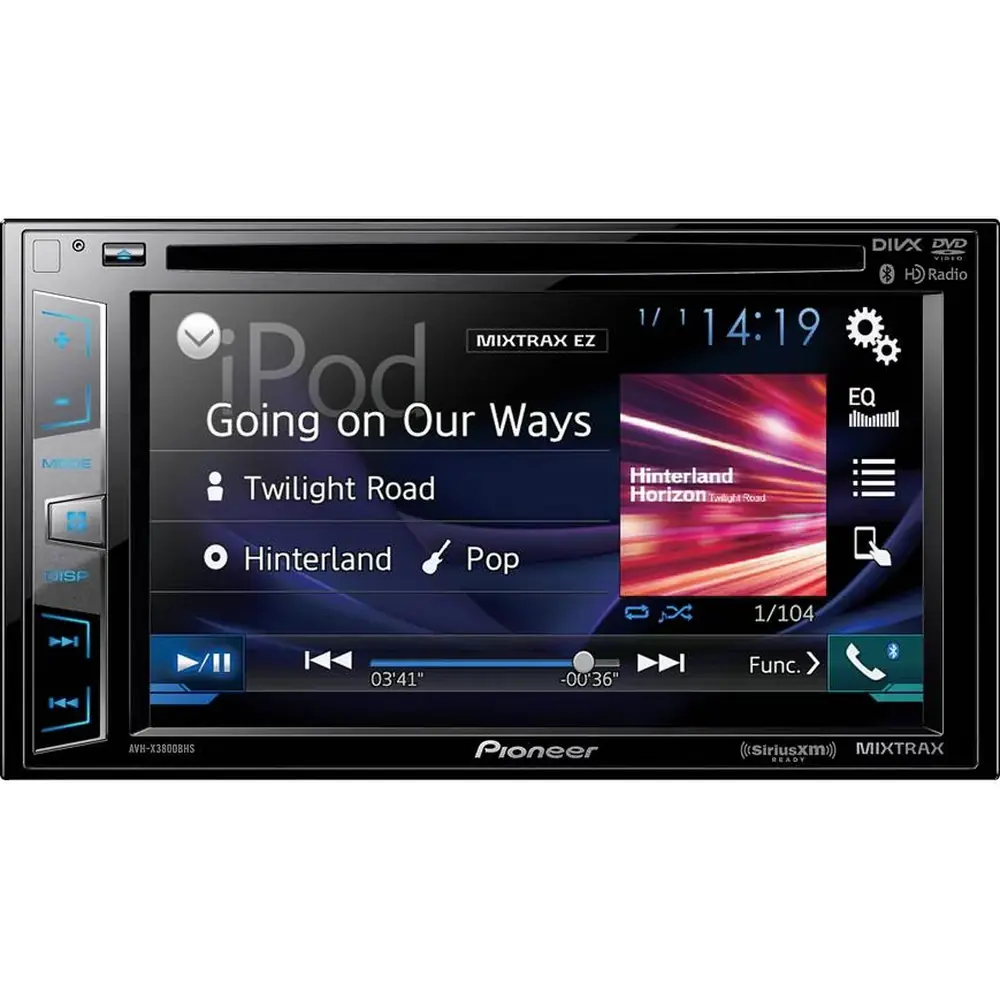
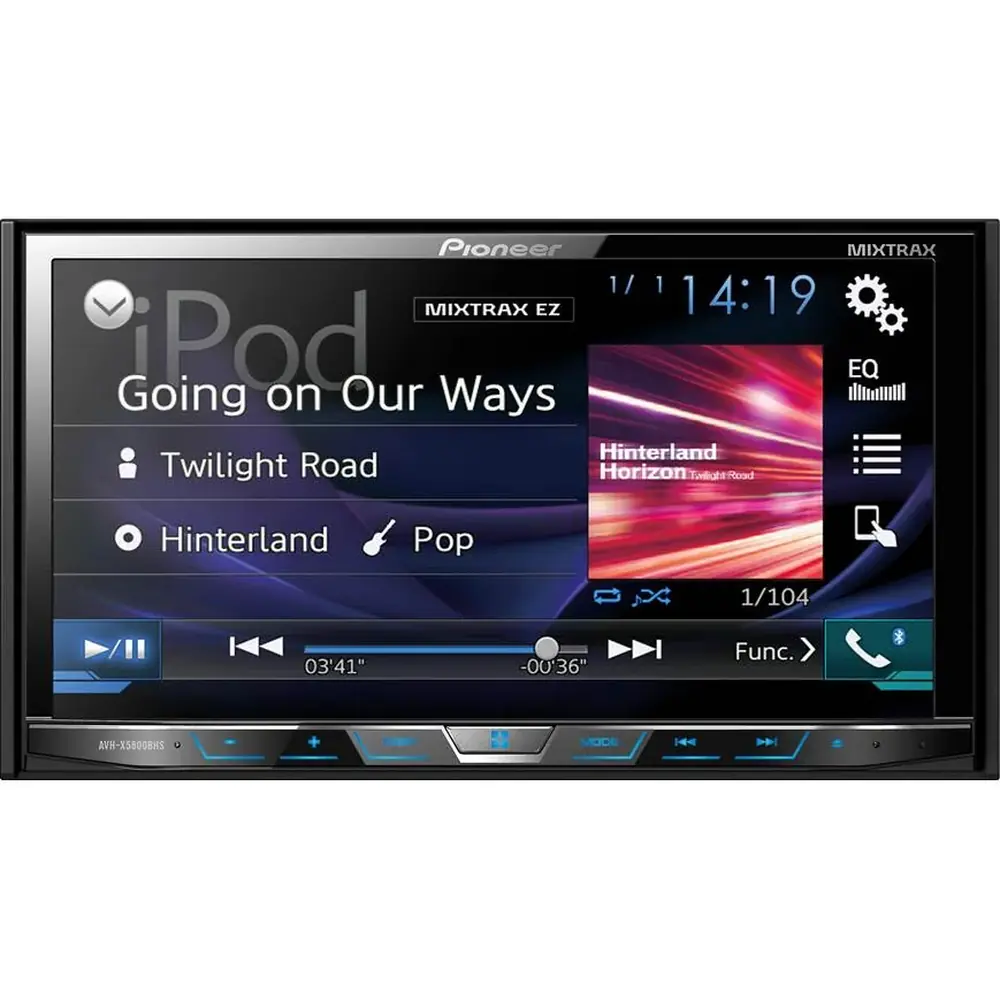
Pioneer AVH-X4800BS Multimedia Receiver Instruction Manual

Pioneer AVH-X4800BS Multimedia Receiver










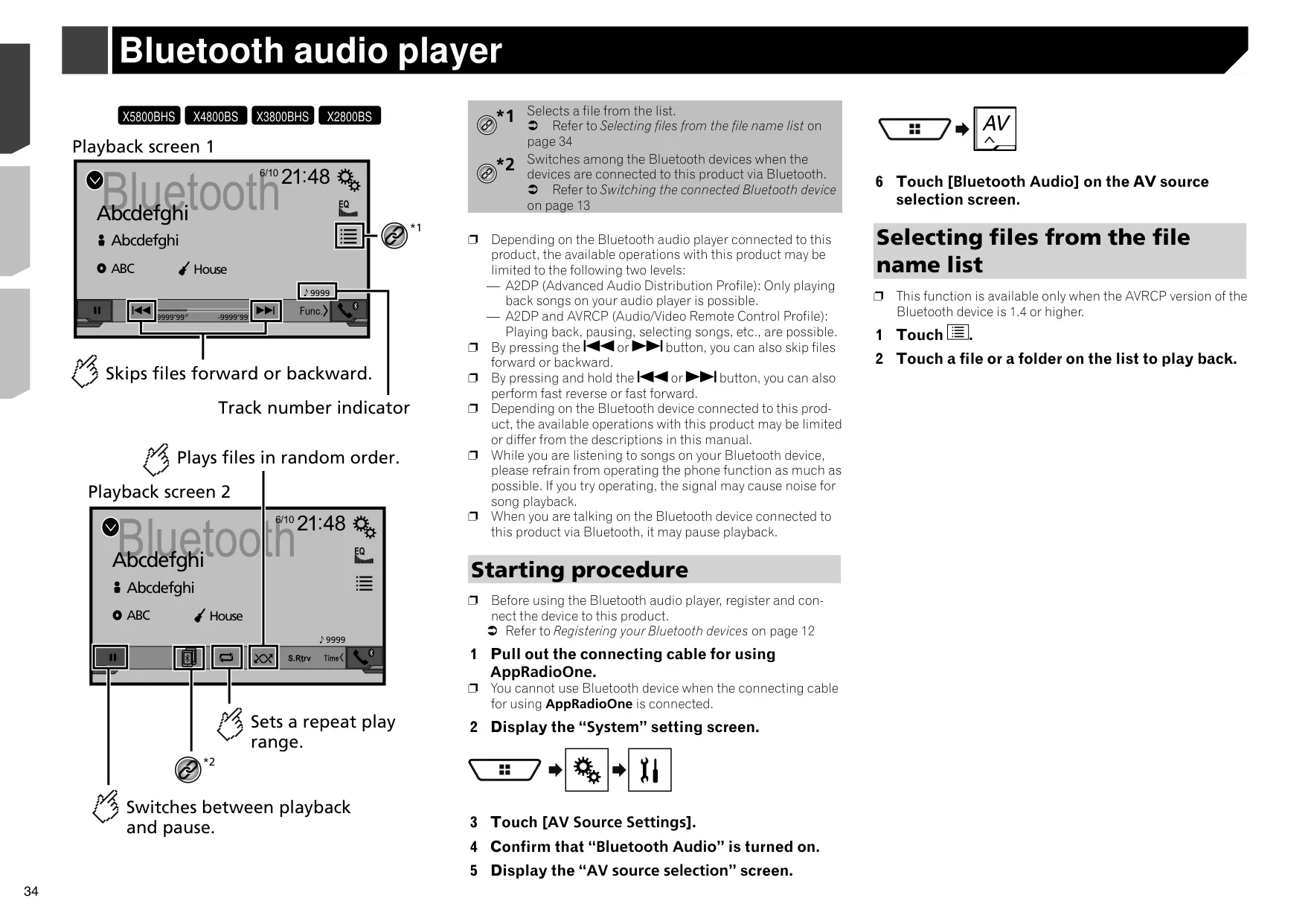


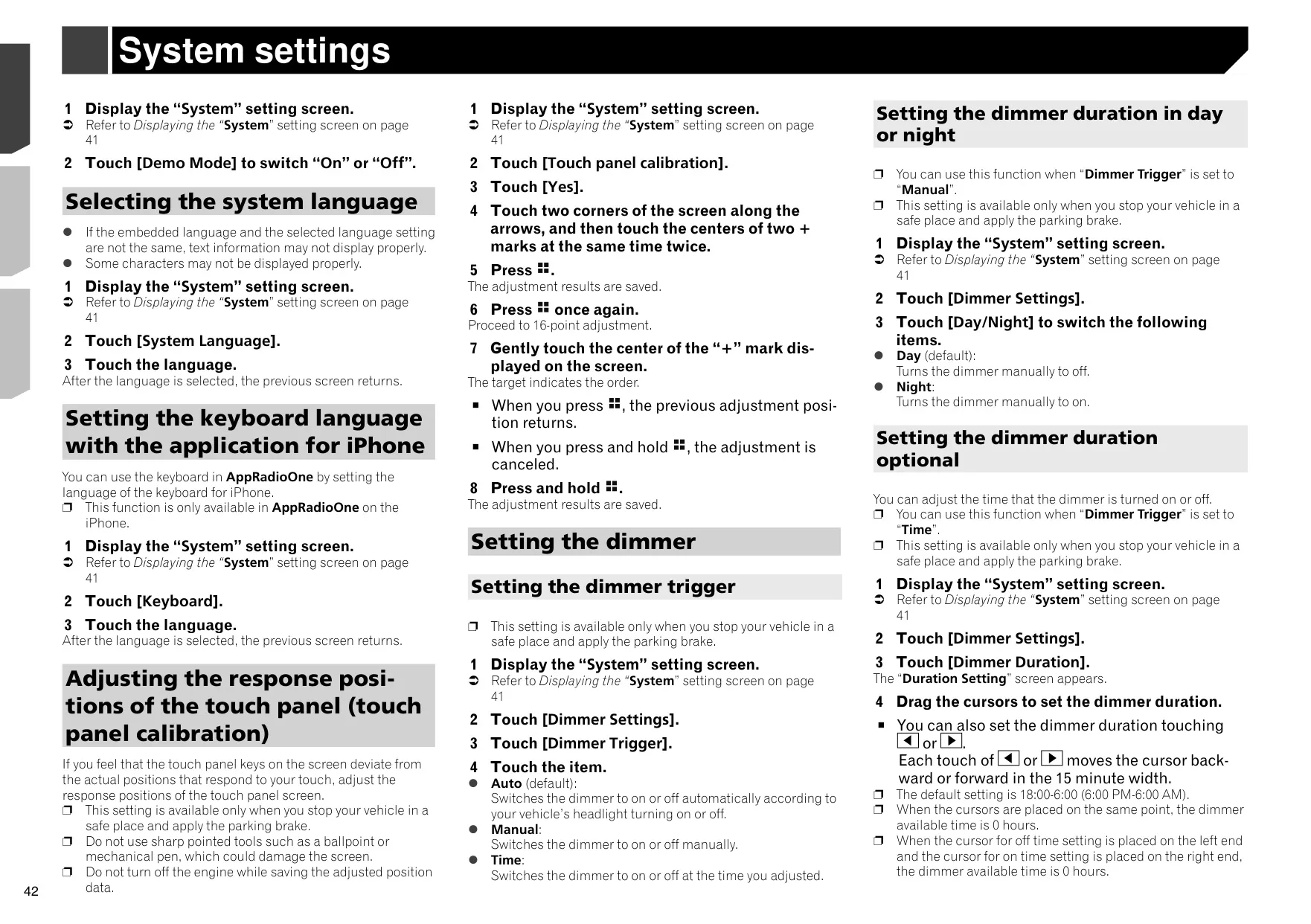


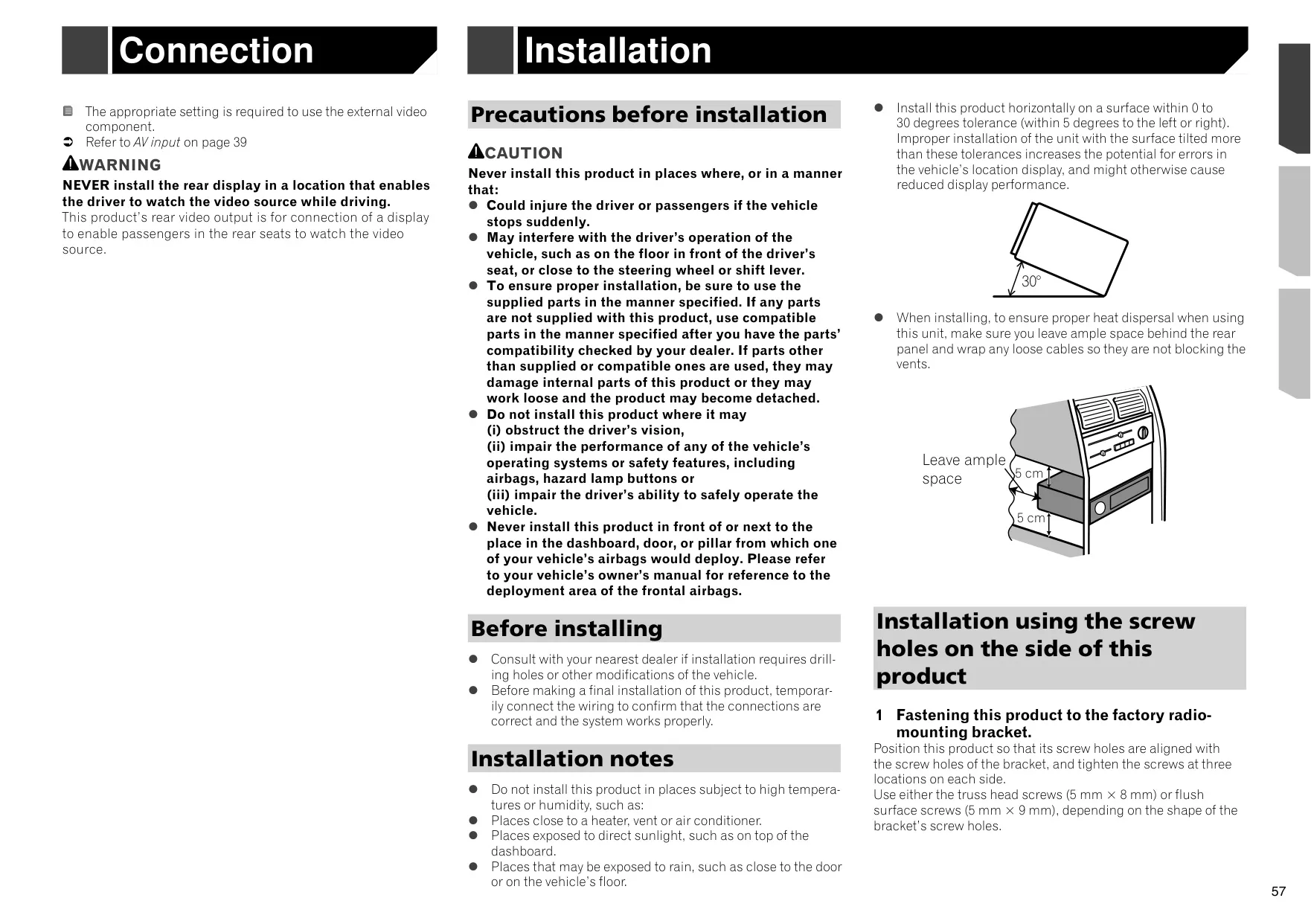


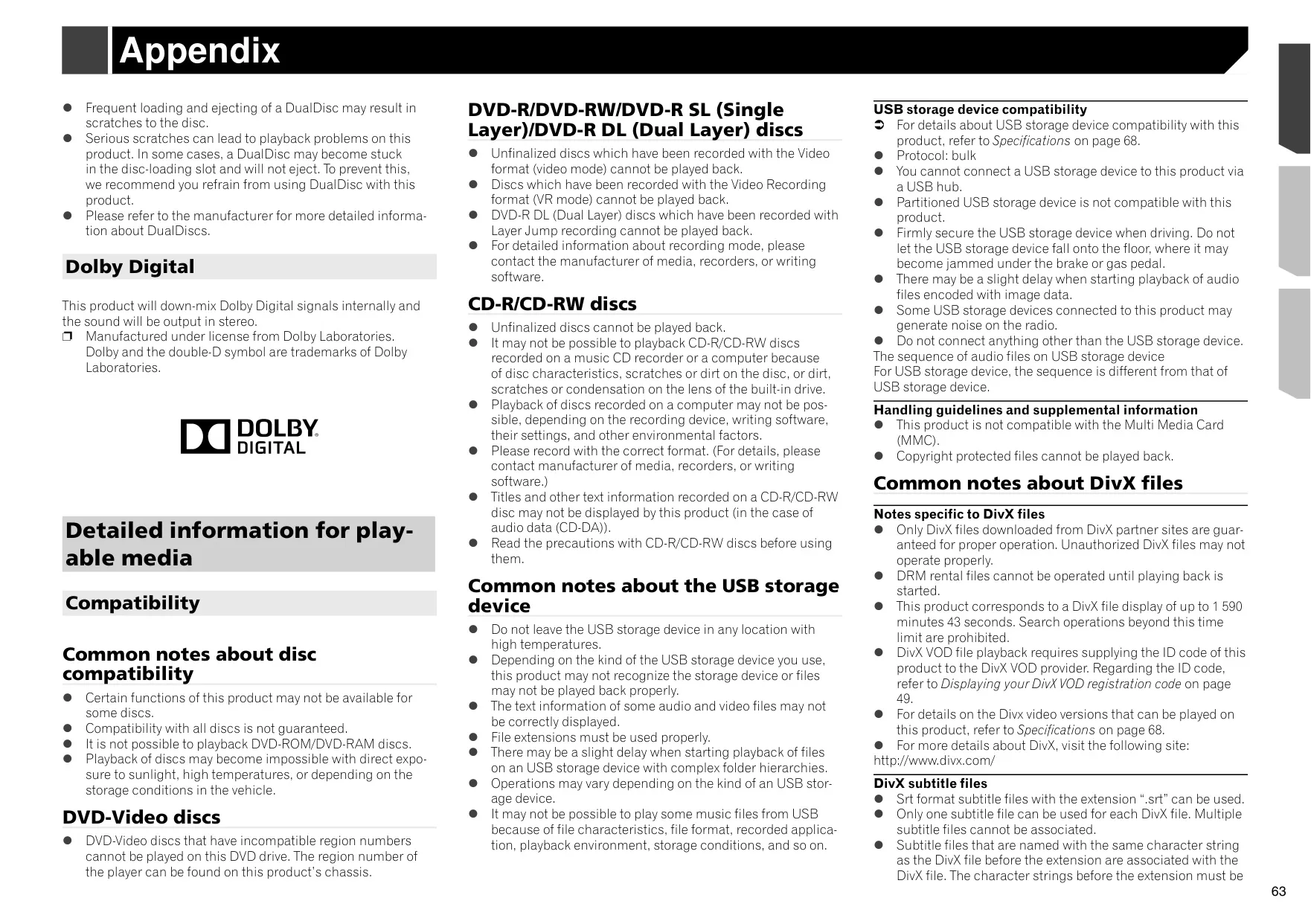




Pioneer AVH-X4800BS Instructions
Here we offer the Pioneer AVH-X4800BS Multimedia Receiver manual completely free and in English. We have cataloged this manual in the Multimedia Receiver section on Manualverse, and it has been rated by 1 users with an average rating of 5. If you have any specific questions about Pioneer AVH-X4800BS Multimedia Receiver, we suggest checking the Frequently Asked Questions (FAQs) section of this manual.
Product Images
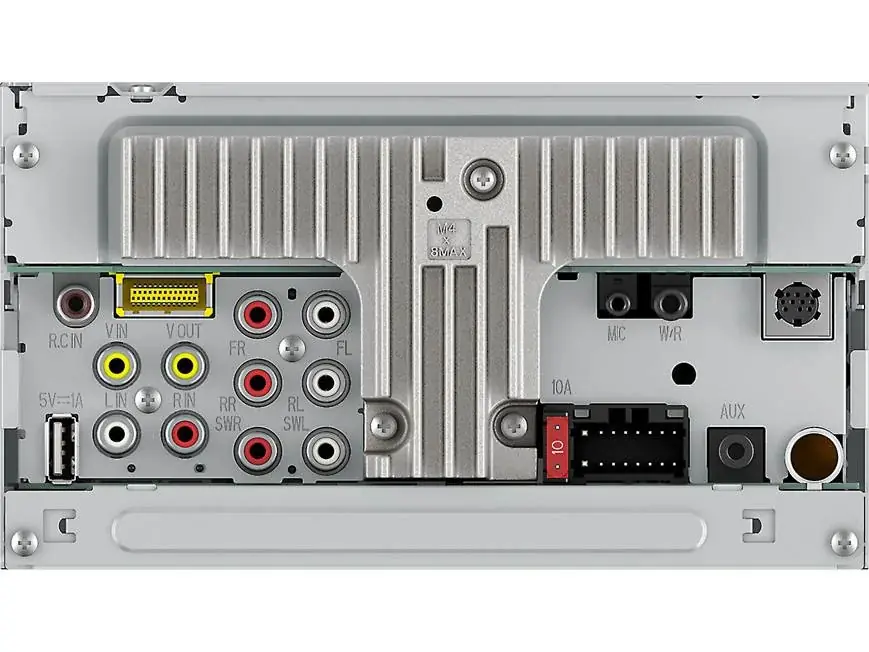
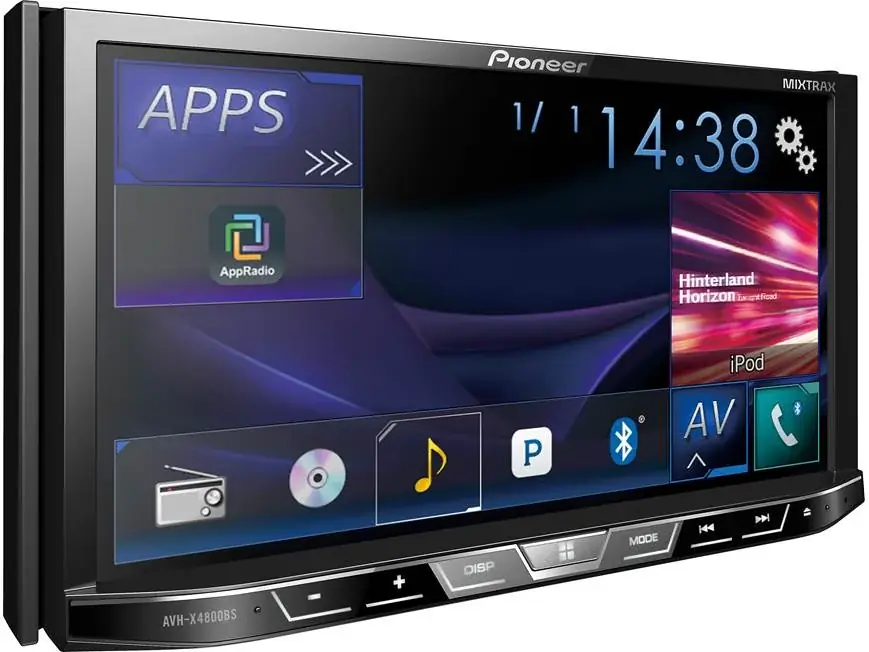
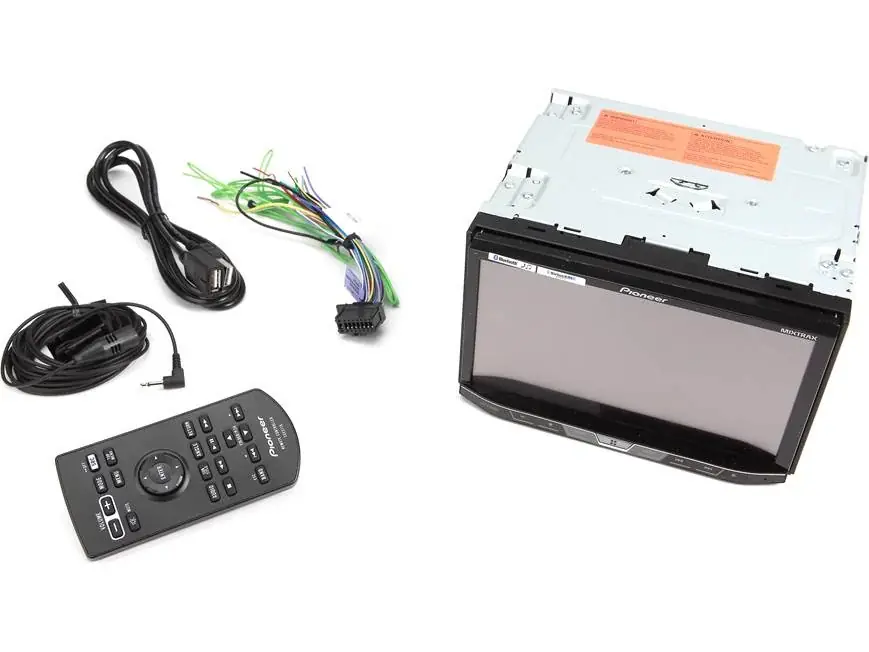
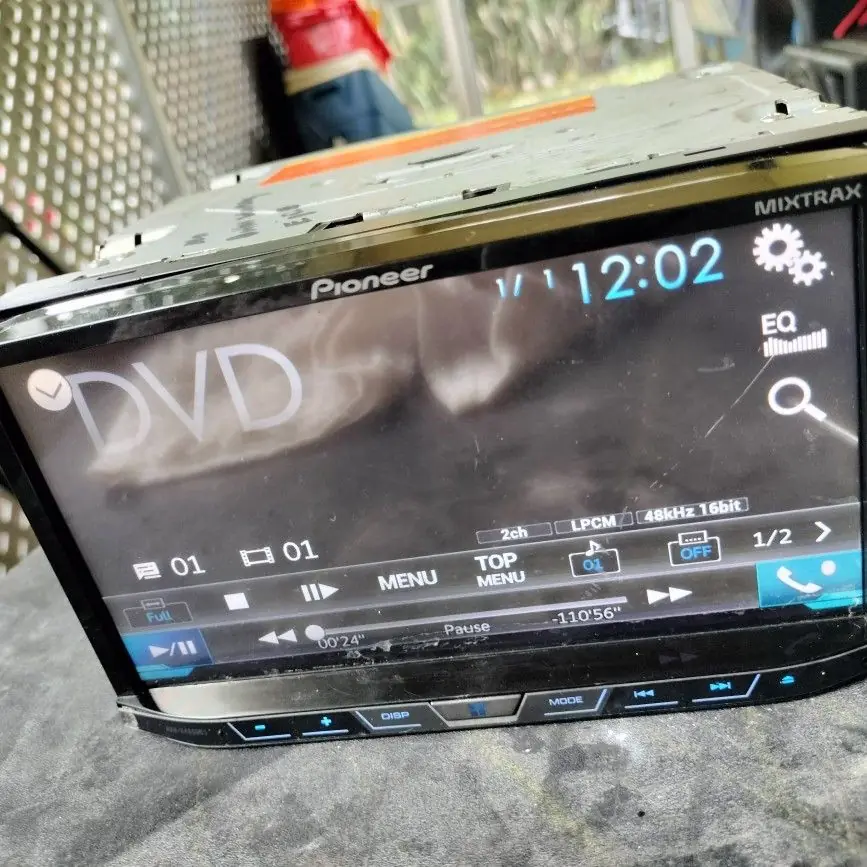
Pioneer AVH-X4800BS Multimedia Receiver Specifications
| Feature | Specification |
|---|---|
| Product type | DVD RDS AV Receiver (motorized flip-down LCD panel) |
| Rated power source | 14.4 V DC (10.8 V to 15.1 V allowable) |
| Grounding system | Negative type |
| Maximum current consumption | 10.0 A |
| Fuse | 10 A |
| Chassis dimensions (W × H × D) | 178 mm × 100 mm × 165 mm (7 in. × 3-7/8 in. × 6-1/2 in.) |
| Nose dimensions (W × H × D) | 171 mm × 97 mm × 18 mm (6-3/4 in. × 3-7/8 in. × 3/4 in.) |
| Weight | 1.8 kg (4.0 lbs) |
| Screen size / aspect ratio | 6.95 inch wide / 16:9 |
| Effective display area | 156.6 mm × 81.6 mm (6-1/8 in. × 3-1/4 in.) |
| Pixels | 1 152 000 (2 400 × 480) |
| Display method | TFT active matrix driving |
| Backlight | LED, product lifetime over 10 000 hours |
| Color system | PAL / NTSC / PAL-M / PAL-N / SECAM compatible |
| Maximum power output | 50 W × 4 ch / 4 Ω, or 50 W × 2 ch / 4 Ω + 70 W × 1 ch / 2 Ω (subwoofer) |
| Continuous power output | 22 W × 4 (50 Hz to 15 kHz, 5 % THD, 4 Ω load, both channels driven) |
| CEA2006 power output | 14 W RMS × 4 channels (4 Ω, ≦1 % THD+N) |
| CEA2006 S/N ratio | 91 dBA (reference: 1 W into 4 Ω) |
| Load impedance | 4 Ω (4 Ω to 8 Ω allowable; 2 Ω for 1 ch) |
| Recommended speakers | Over 50 W maximum input power, 4 Ω to 8 Ω |
| Preout output level (max) | 4.0 V |
| Graphic equalizer | 13-band, 50 Hz to 12.5 kHz, ±12 dB (2 dB/step) |
| HPF / LPF (Standard Mode) | 50 Hz to 200 Hz (7 points); slopes –6 to –24 dB/oct, OFF |
| HPF High (Network Mode) | 1.25 kHz to 12.5 kHz; slopes –6 to –24 dB/oct |
| HPF Mid / Subwoofer (Network Mode) | 25 Hz to 250 Hz; subwoofer slopes –12 to –36 dB/oct, OFF |
| Subwoofer gain / phase | +10 dB to –24 dB (1 dB/step); Normal / Reverse |
| Time alignment | 0 to 140 steps (1 inch/step) |
| Bass boost gain | +12 dB to 0 dB |
| Speaker level | +10 dB to –24 dB (1 dB/step) |
| Disc playback system | DVD-Video, VCD, CD, MP3, WMA, AAC, DivX, MPEG |
| Usable discs | DVD-VIDEO, VIDEO-CD, CD, CD-R, CD-RW, DVD-R, DVD-RW, DVD-R DL (12 cm only) |
| DVD region number | 1 |
| Disc sampling frequency | 32 kHz / 44.1 kHz / 48 kHz / 96 kHz |
| Quantization bits | 16 bit / 20 bit / 24 bit; linear |
| Frequency response | 5 Hz to 22 000 Hz (DVD, 48 kHz sampling) |
| DVD signal-to-noise ratio | 91 dB (1 kHz) (IHF-A network) (RCA level) |
| Video output level | 1.0 Vp-p / 75 Ω (±0.2 V) |
| Number of audio channels | 2 (stereo); Dolby Digital down-mixed to stereo |
| USB standard | USB 1.1, USB 2.0 full speed, USB 2.0 high speed |
| USB max current supply | 1.0 A |
| USB class | MSC (Mass Storage Class), MTP (Media Transfer Protocol) |
| USB file system | FAT16, FAT32 |
| USB limits | Up to 1 500 folders and 15 000 files |
| USB audio formats | MP3, WMA, AAC, WAV (Linear PCM), FLAC (Ver. 1.3.0) |
| USB video formats | H.264 (Base Line Profile), MPEG4 (Simple Profile); max 640 × 360, 30 fps, 2 GB |
| JPEG decode size | Max 8 192 (H) × 7 680 (W), min 32 × 32 |
| Bluetooth version | Bluetooth 3.0 certified |
| Bluetooth output power | +4 dBm max. (Power class 2) |
| Bluetooth frequency band | 2 400 MHz to 2 483.5 MHz |
| Bluetooth profiles (audio) | A2DP, AVRCP |
| Paired devices | Up to 3 registered; 2 phones connected at once |
| Hands-free microphone | Included, 4 m (13 ft. 1 in.) cable |
| FM tuner frequency range | 87.9 MHz to 107.9 MHz |
| FM usable sensitivity | 11 dBf (0.8 µV/75 Ω, mono, S/N: 30 dB) |
| FM signal-to-noise ratio | 72 dB (analog broadcasting) (IHF-A network) |
| AM tuner frequency range | 530 kHz to 1 710 kHz |
| AM usable sensitivity | 28 µV (S/N: 20 dB) |
| AM signal-to-noise ratio | 62 dB (analog broadcasting) (IHF-A network) |
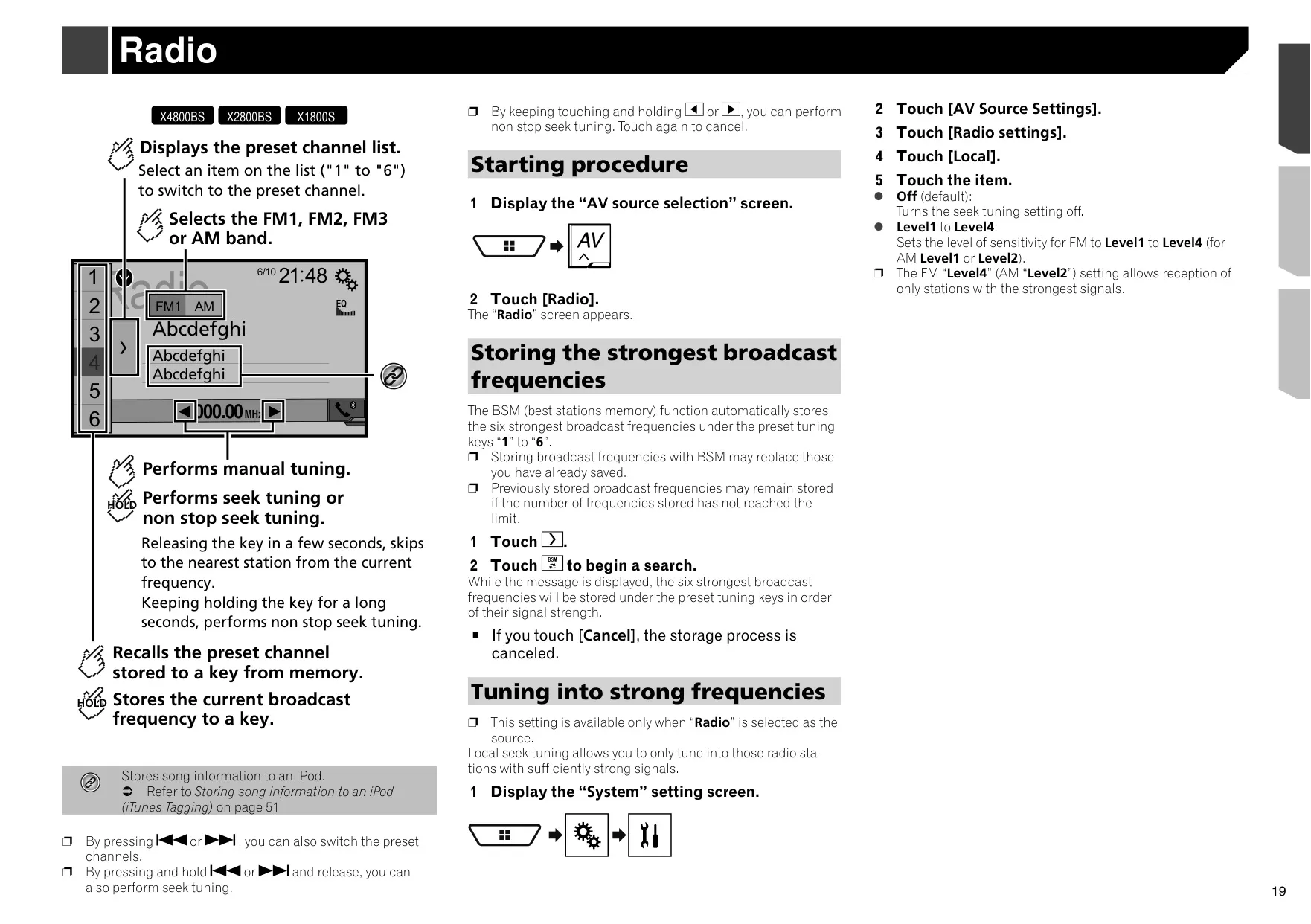
| Preset stations | FM1, FM2, FM3 and AM bands, 6 presets each |
| Satellite radio | SiriusXM-Ready (SiriusXM Connect Vehicle Tuner sold separately) |
| Blue/white remote lead output | Max. 300 mA, 12 V DC |
| Installation angle | 0 to 30 degrees (within 5 degrees left or right) |
Pioneer AVH-X4800BS Receiver Details
The Pioneer AVH-X4800BS is a double-DIN DVD AV receiver with a motorized LCD panel. To load a disc, you open the panel from the touch screen and the disc slot sits behind it. You can also tilt the panel to reduce glare. When you start the unit for the first time, it asks for a program language and a speaker mode. You can pick Standard Mode for 4- or 6-speaker systems or Network Mode for a 3-way active setup. Once you choose a speaker mode, you can only change it by restoring the factory settings.
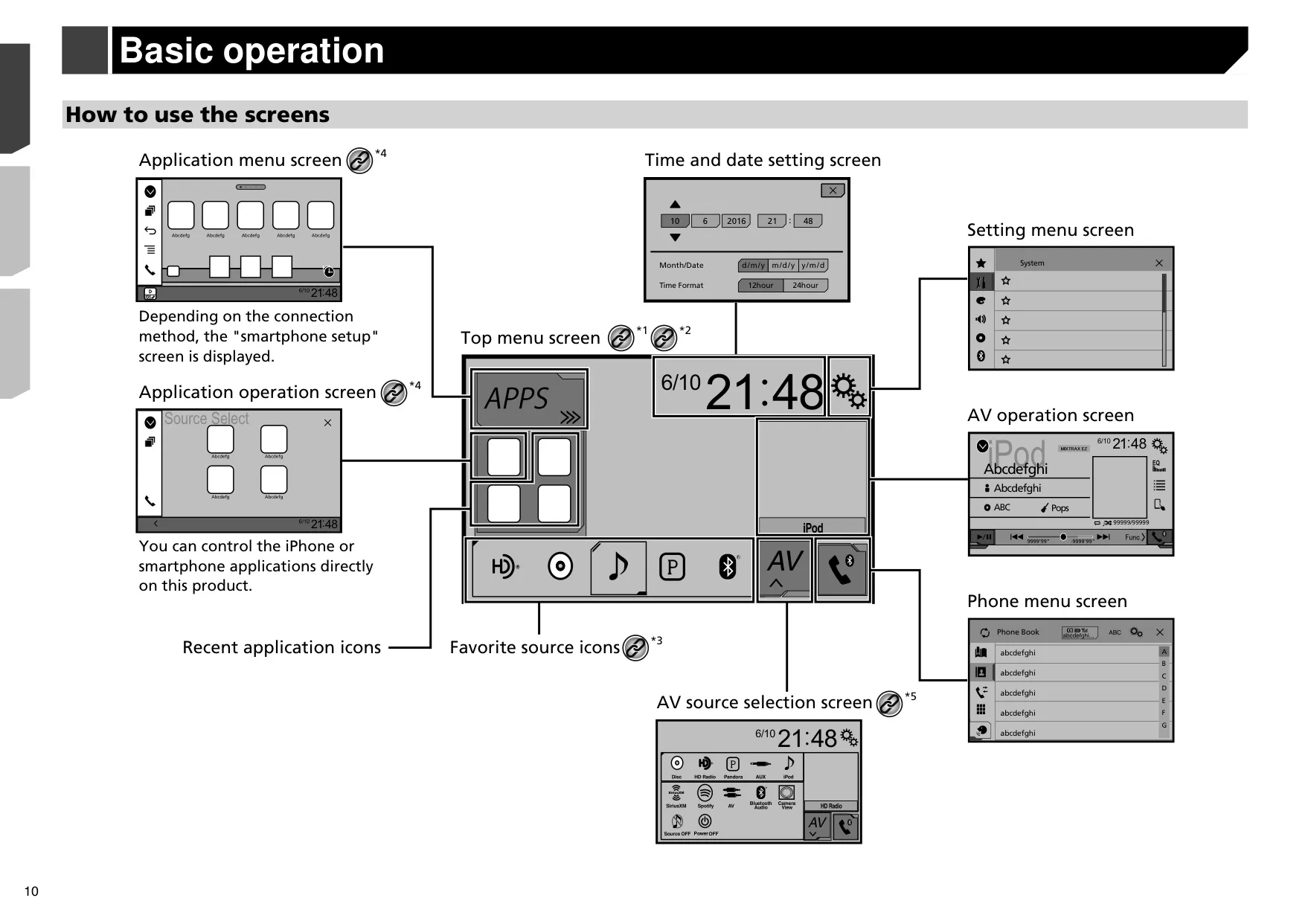
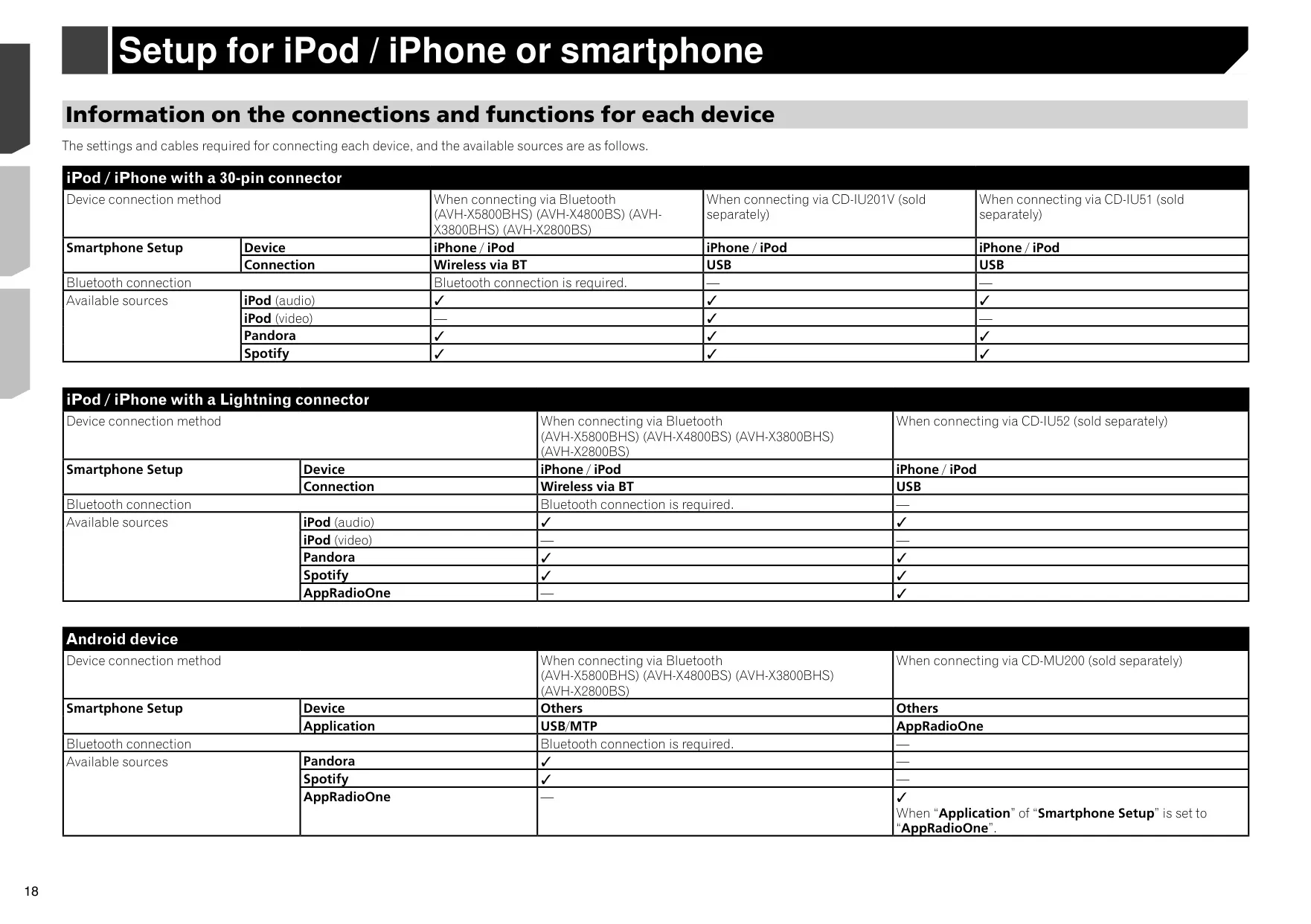
Smartphone integration is built around AppRadioOne. With the AppRadio app installed, you can run compatible apps on the receiver's screen using taps, drags and flicks. Lightning iPhones connect through the CD-IU52 cable, and Android phones connect through the CD-MU200 kit. An audio mix function plays app audio and the AV source together, with separate volume levels. iPhones running iOS 6.1 or later can also use Siri Eyes Free by pressing and holding the home button.
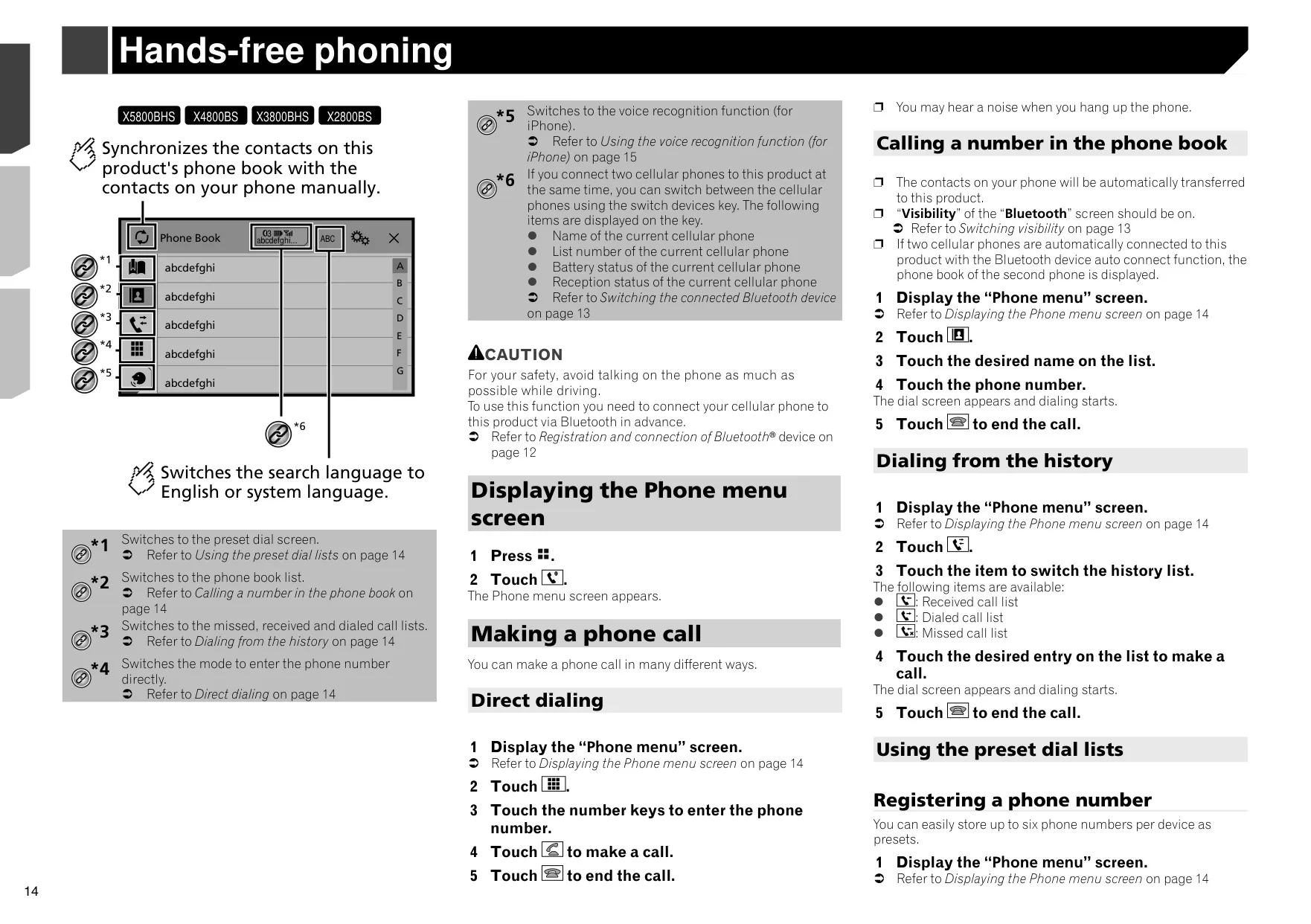
For hands-free calling, the receiver supports Secure Simple Pairing and lets you set a PIN code of up to 8 digits. The default PIN is 0000. You can store six preset numbers per phone and view received, dialed and missed call lists. Contacts can sync automatically or on demand. Other options include auto answer, private mode, name inversion and three volume levels for the person on the other end. Phonebooks with more than 1 000 entries may not transfer completely.
For streaming, the unit has native Pandora and Spotify controls, including thumbs up and down, bookmarks and station creation. Once a SiriusXM tuner is added, you get TuneStart, TuneScan, TuneMix, SportsFlash, Traffic and Weather Now, and a parental control passcode. iTunes Tagging can store information for up to 50 songs and send it to a connected iPod. MIXTRAX creates non-stop mixes with DJ-style effects and lighting that flashes in time with the music. You can also set a short playback length from 60 to 180 seconds.
Sound tuning goes beyond the basic equalizer. Auto EQ and Time Alignment measure your car's acoustics through an optional microphone plugged into the AUX jack. There are seven preset EQ curves, with Powerful as the default. Other tools include source level adjustment from –4 to +4, two automatic level control modes, three loudness levels, and a listening-position selector. The Sound Retriever function restores detail in compressed audio. You can save your settings and reload them later.
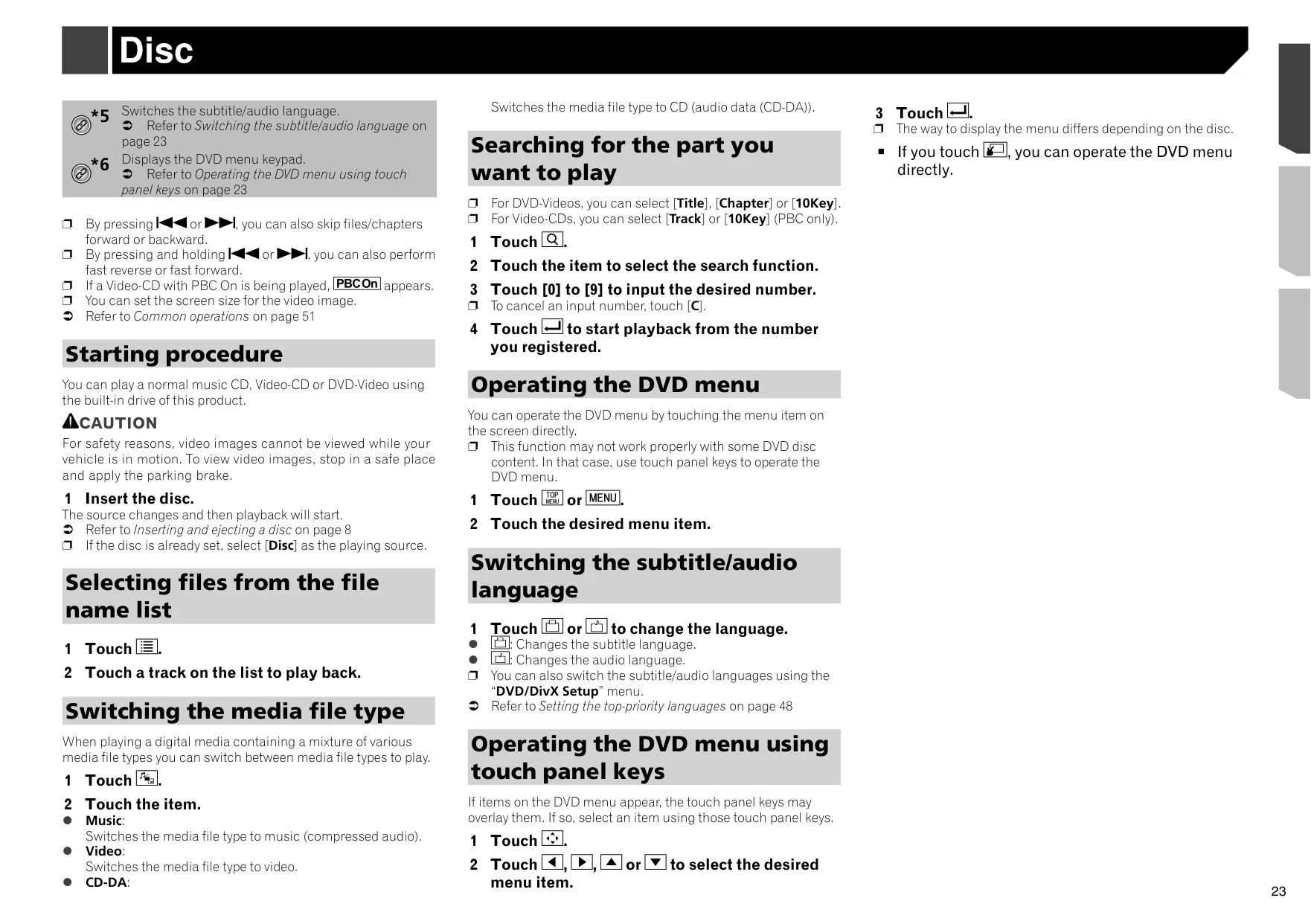
For video, you can set preferred subtitle, audio and menu languages, an eight-level parental lock, and 16:9, Letter Box or Pan Scan output. DVD bookmarks work on up to five discs, and DivX VOD registration is supported. A rear view camera switches on automatically in reverse, and the camera polarity can be changed. The V OUT jack feeds a rear-seat display. You can choose from 9 AV backgrounds and 6 home screen backgrounds, 7 illumination colors plus a custom color, 5 theme colors and 3 clock styles. Up to 12 menu shortcuts can be saved as favorites.
Frequently Asked Questions (FAQs)
Can't find the answer you need? Here are some frequently asked questions about the Pioneer AVH-X4800BS Multimedia Receiver, and we answer them below.