Lutron Caseta PD-6WCL Dimmer Instruction Manual
Lutron Caseta PD-6WCL Dimmer
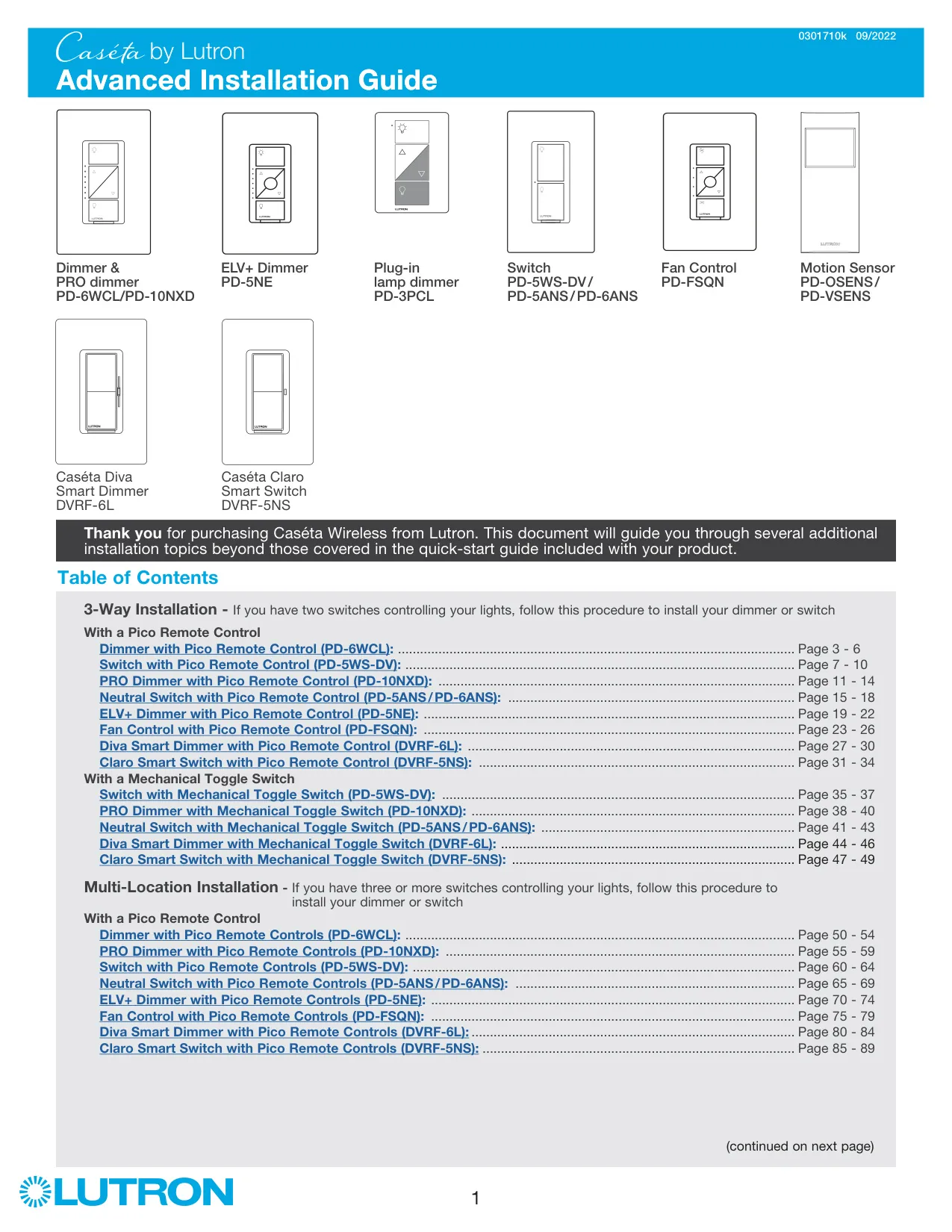
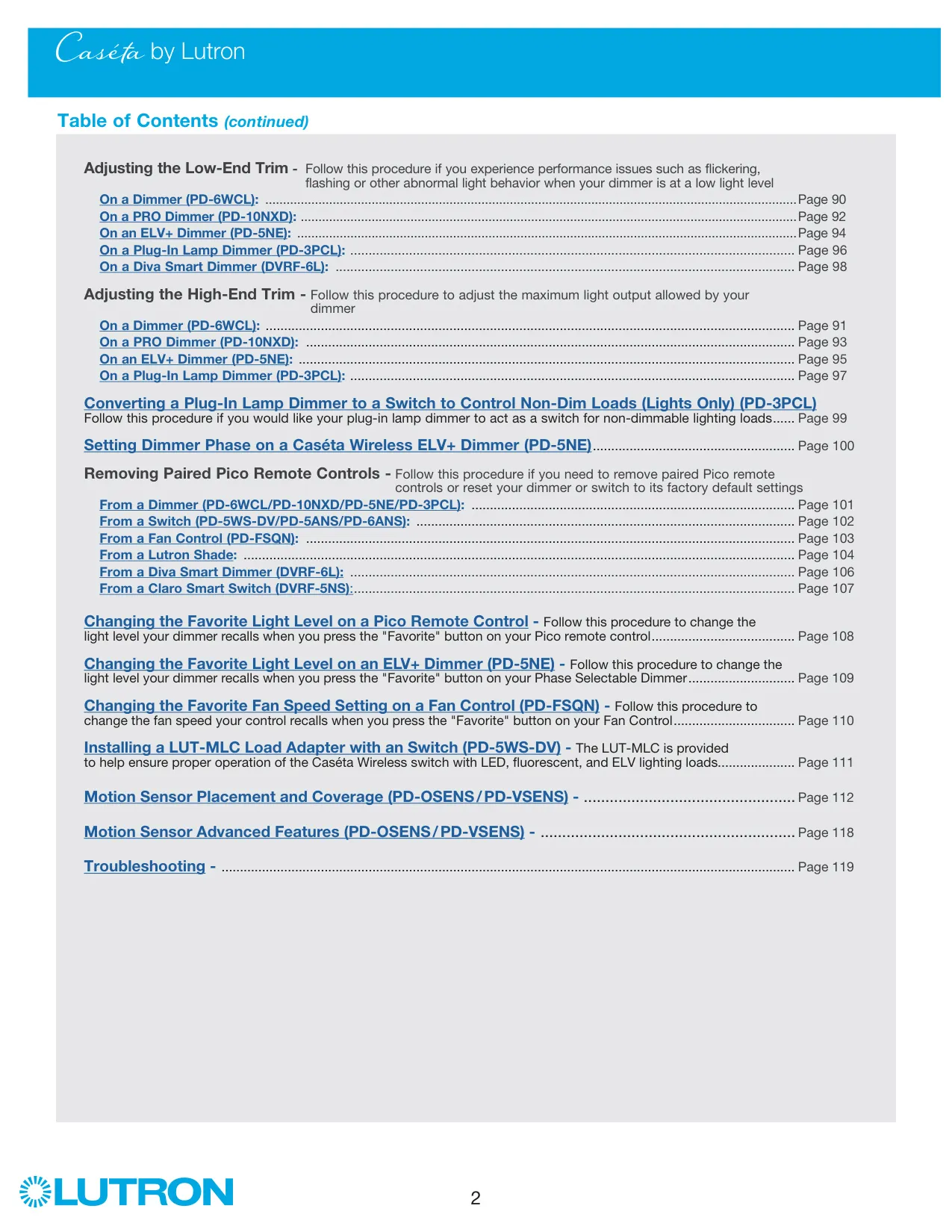




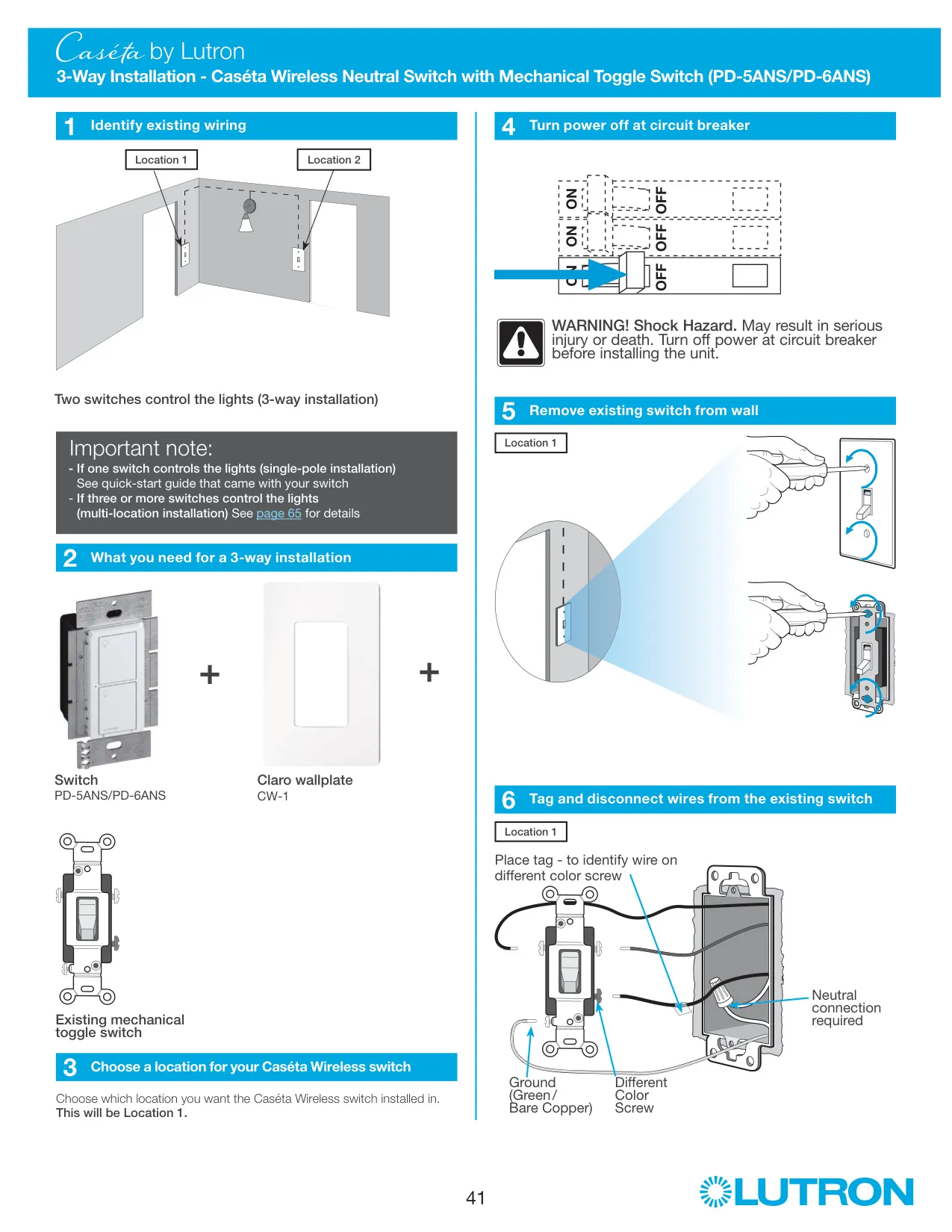
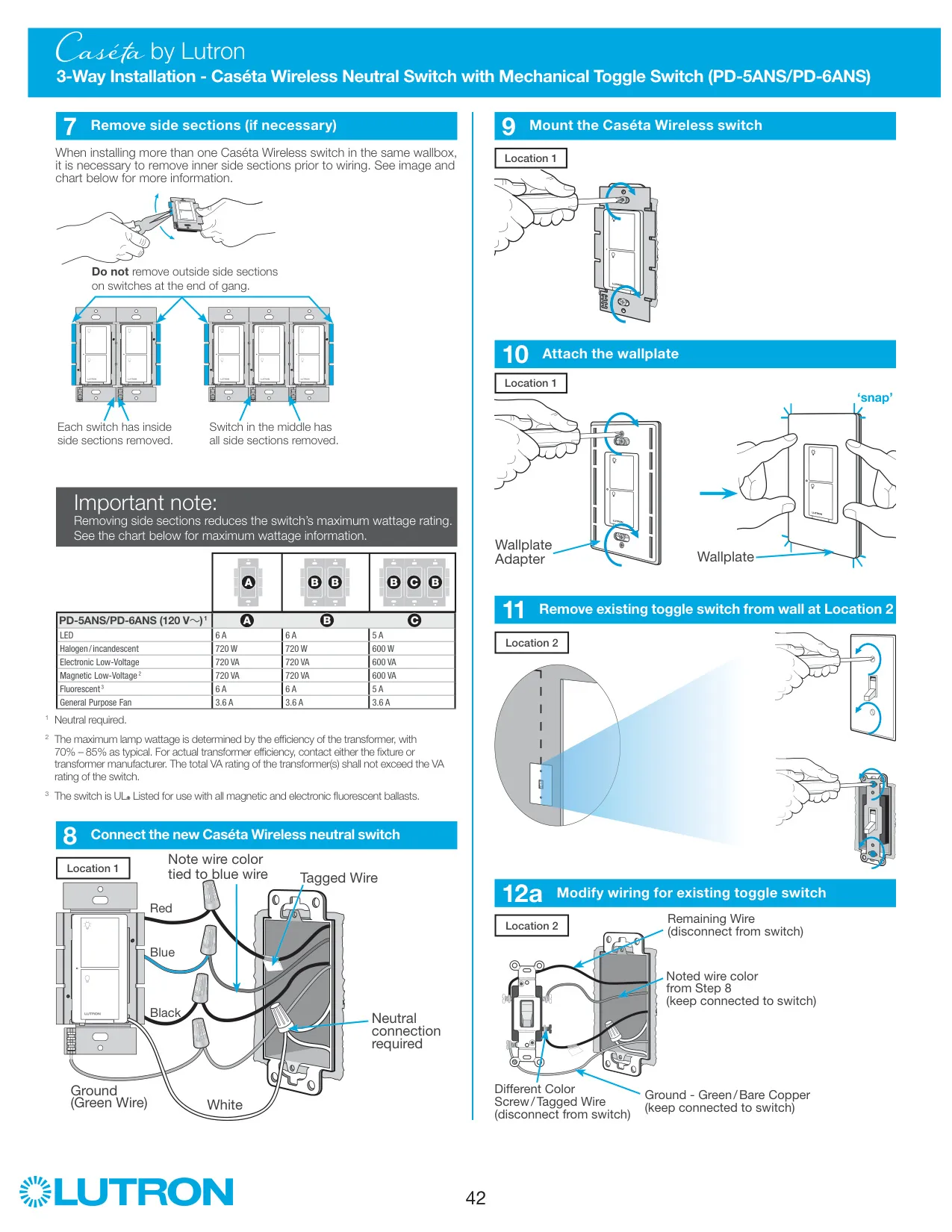
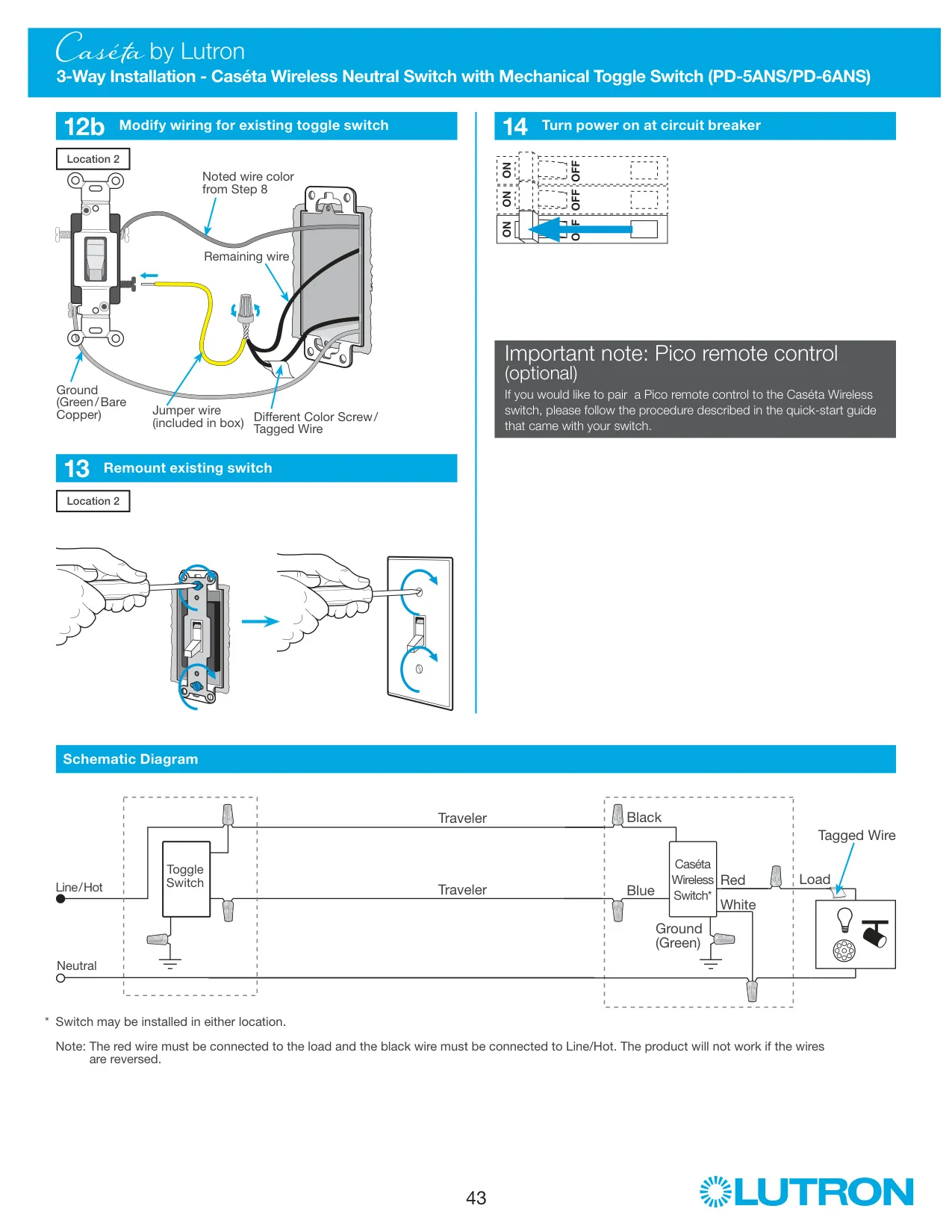
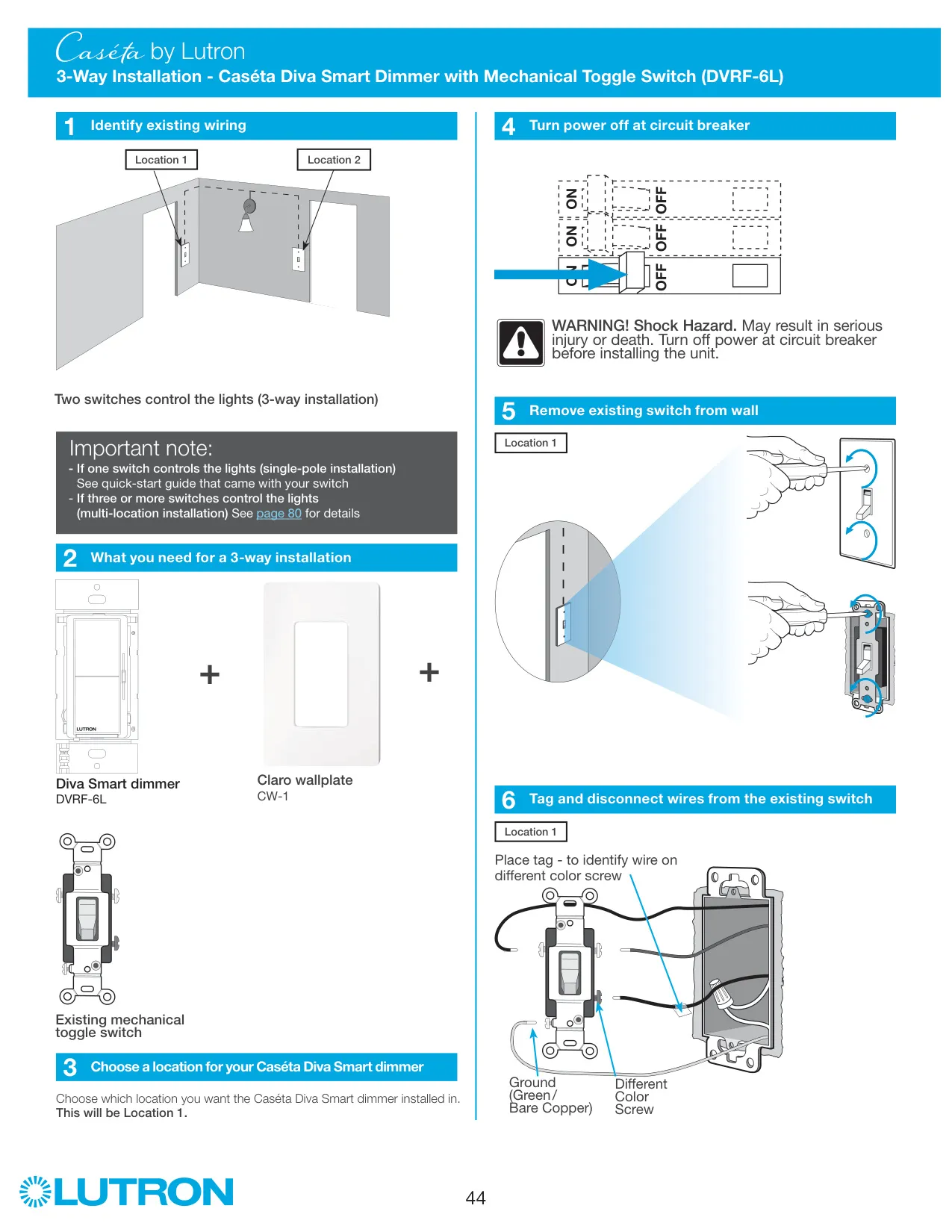


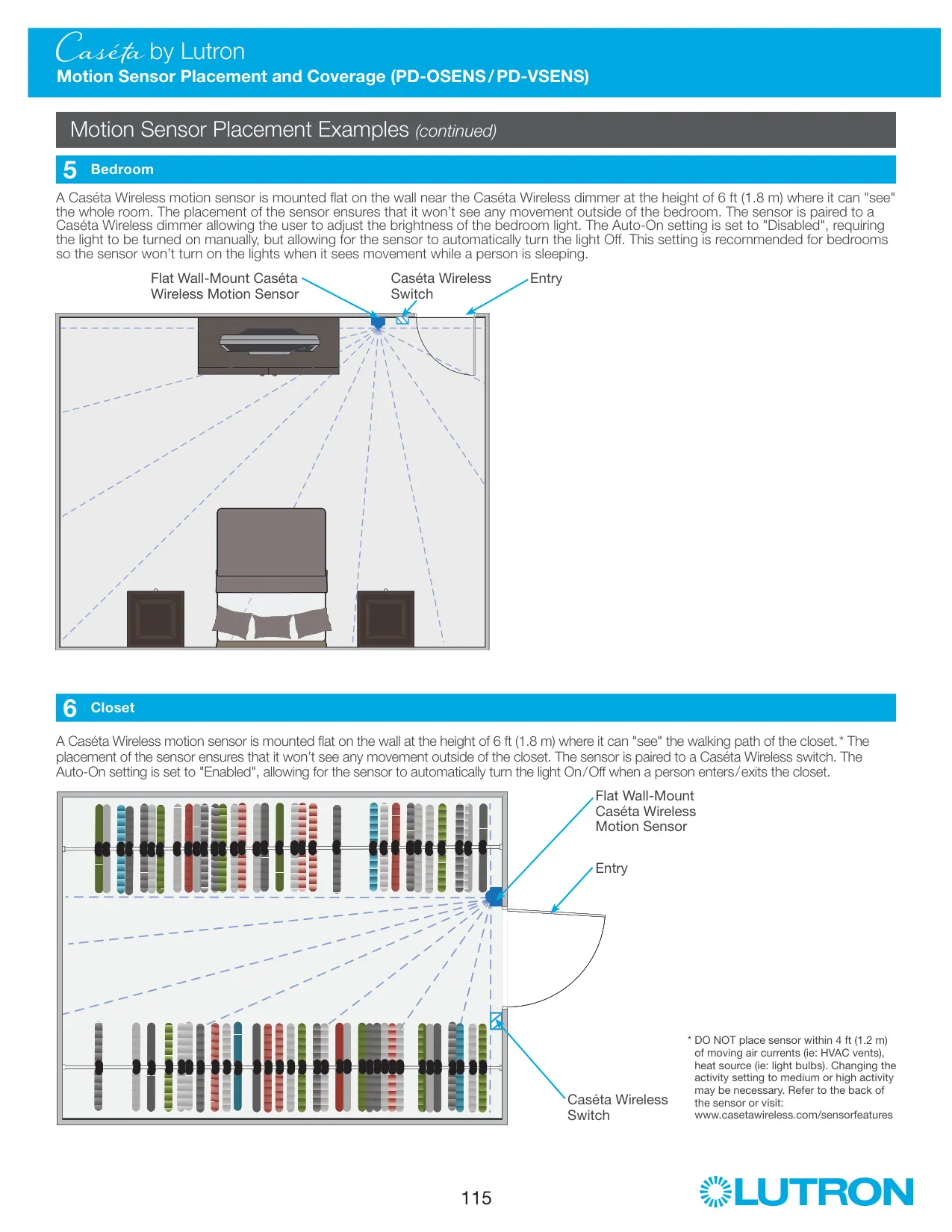
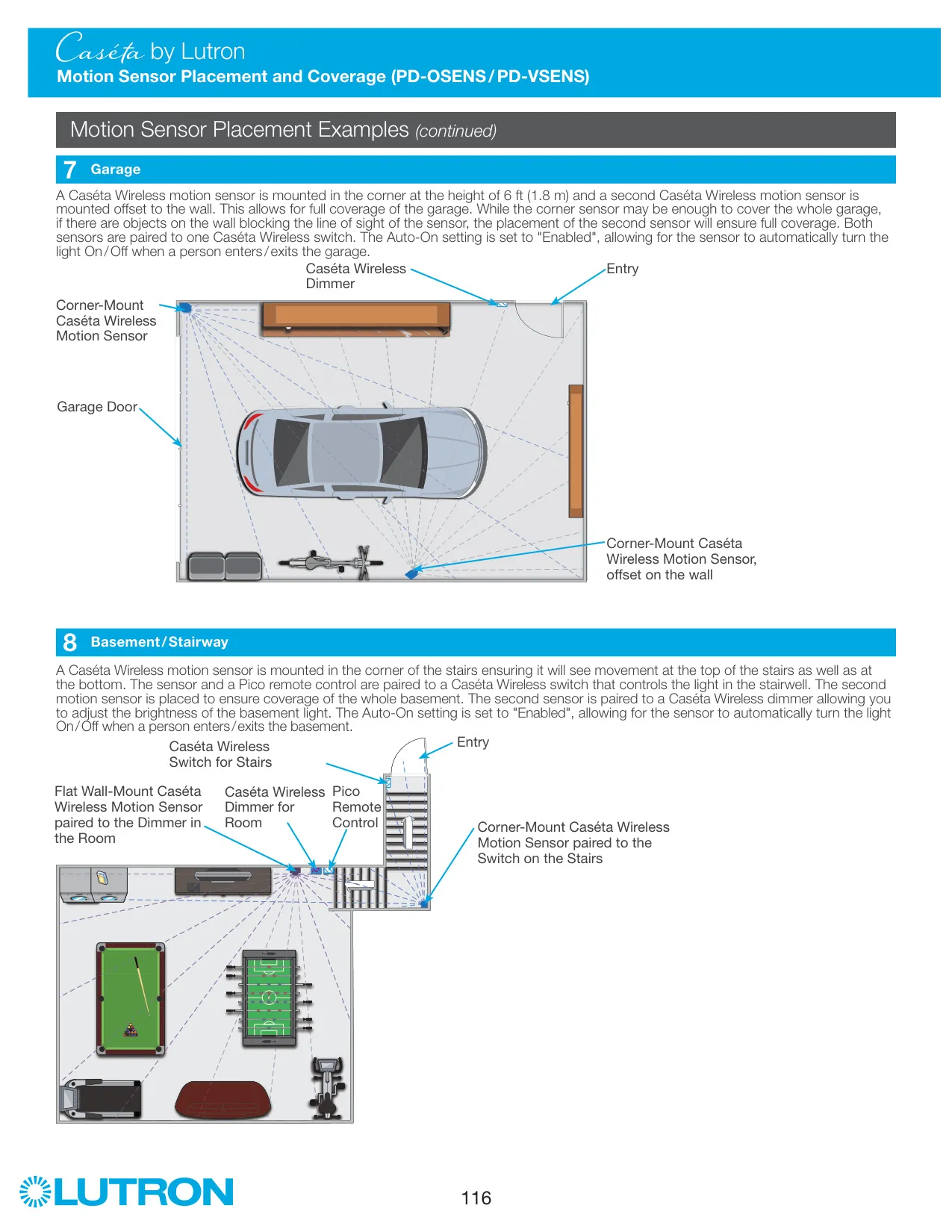
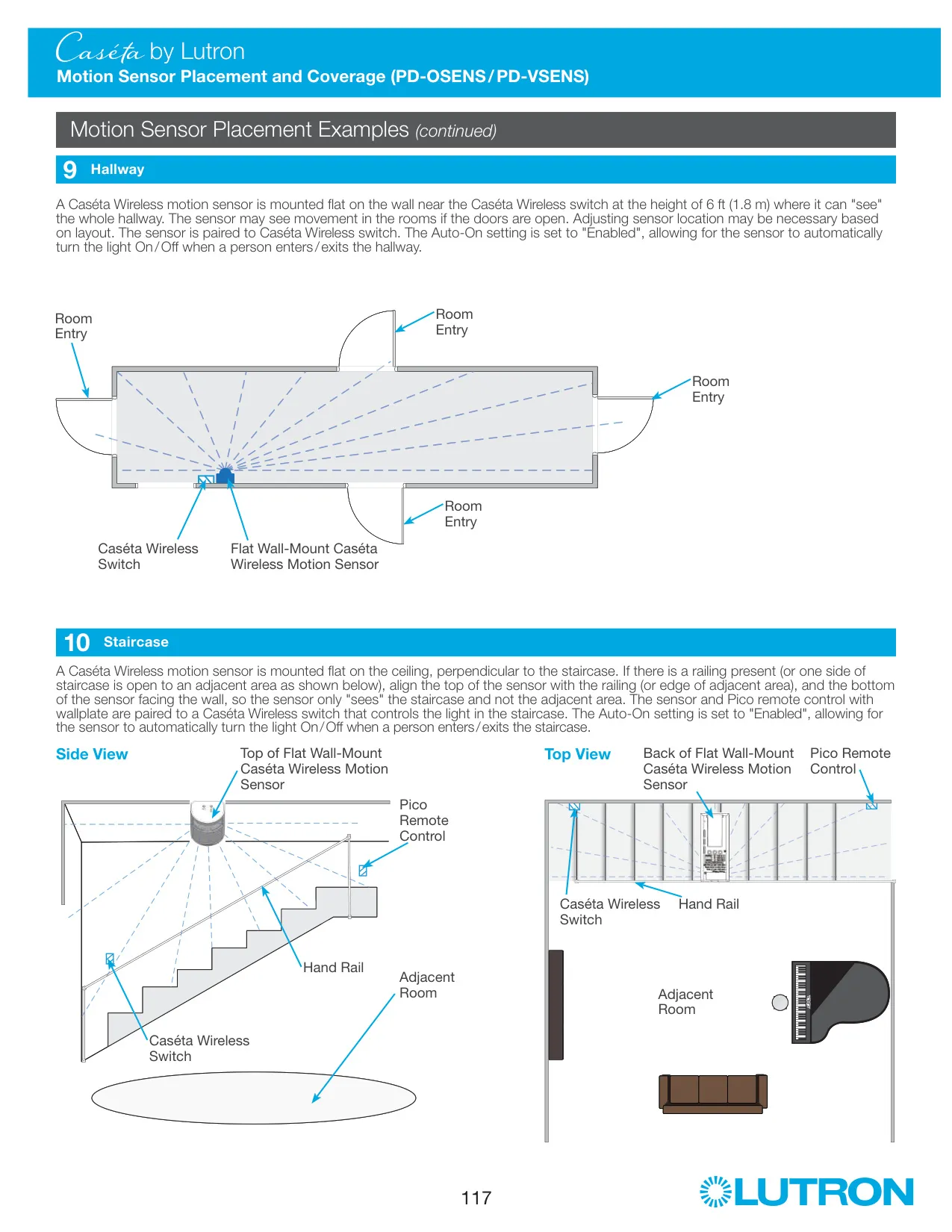
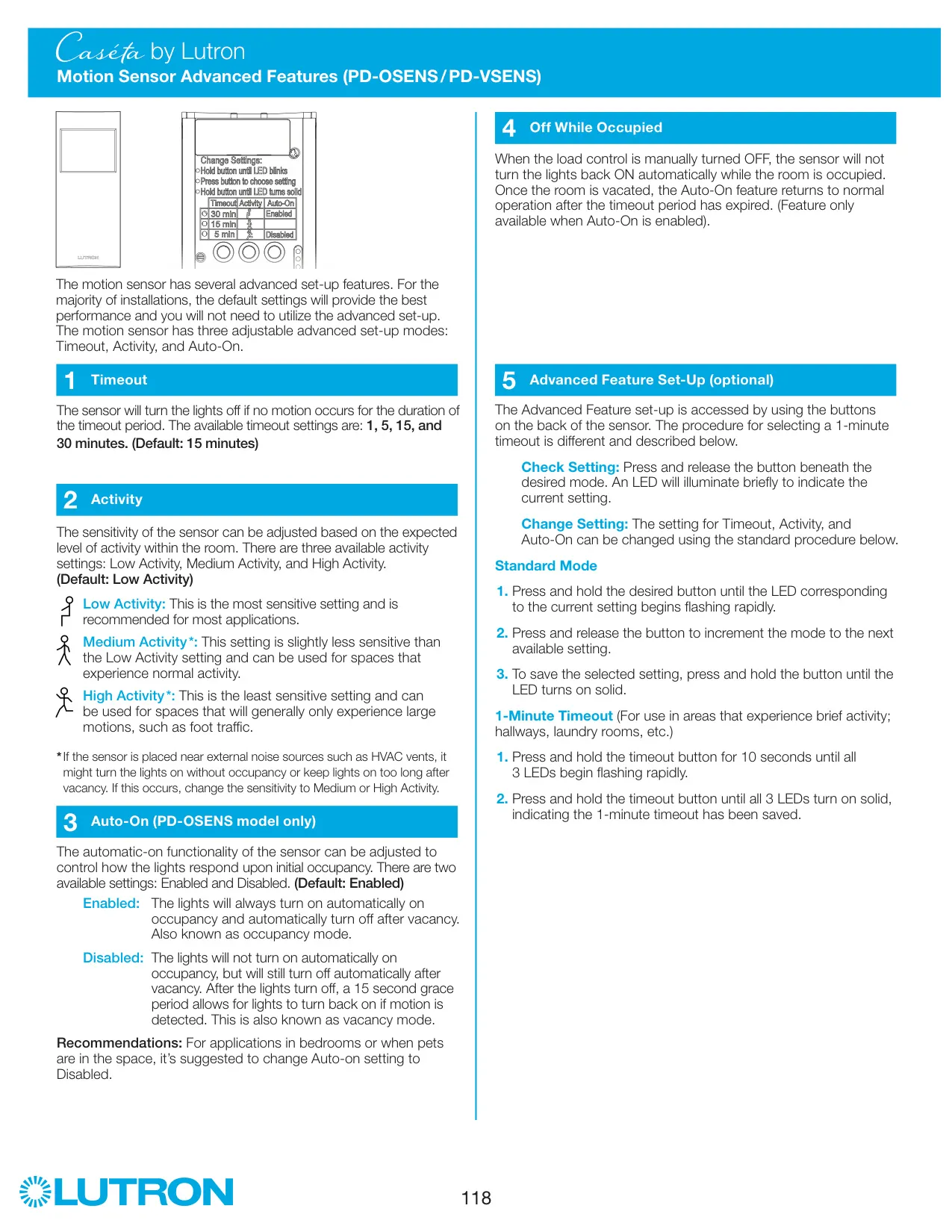
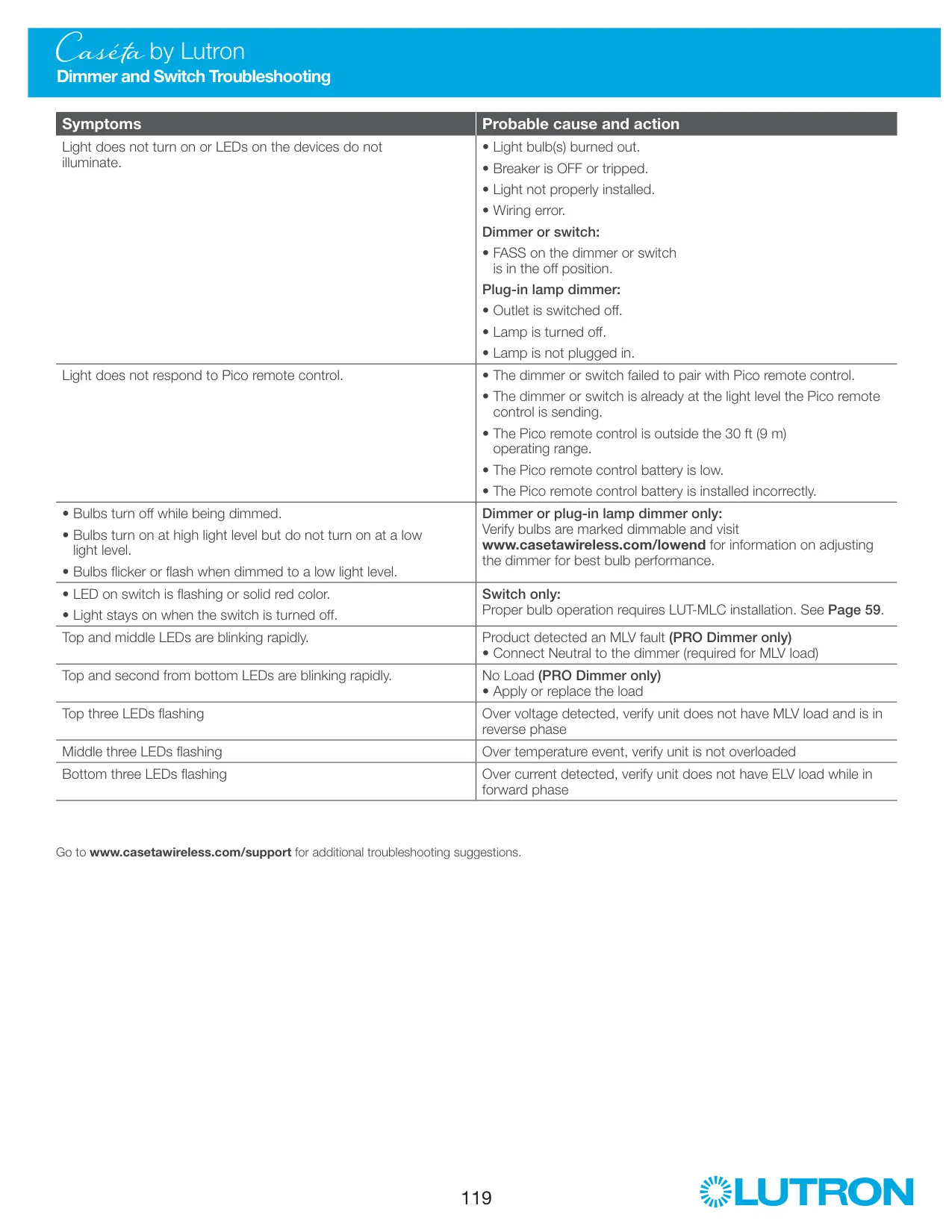
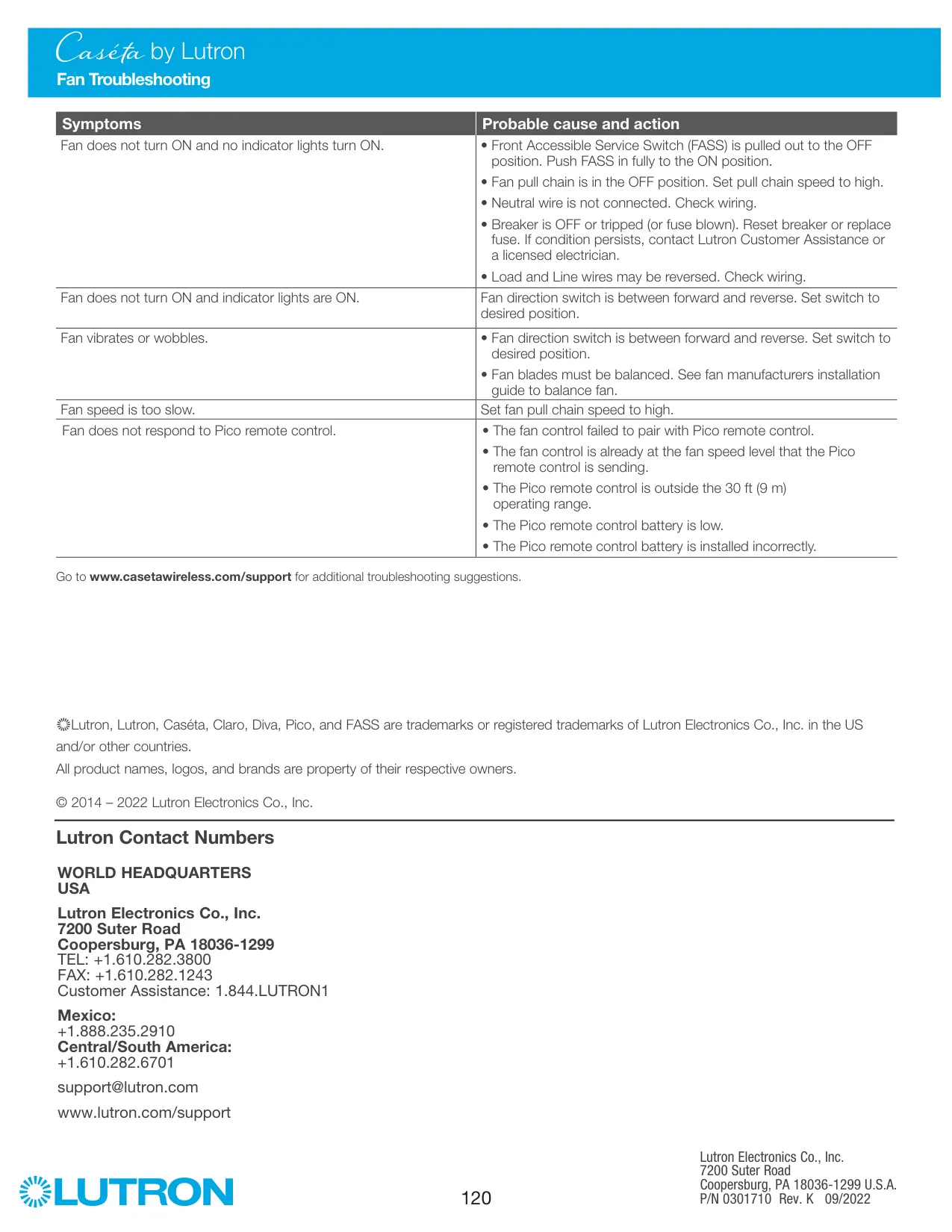


Lutron Caseta PD-6WCL Dimmer
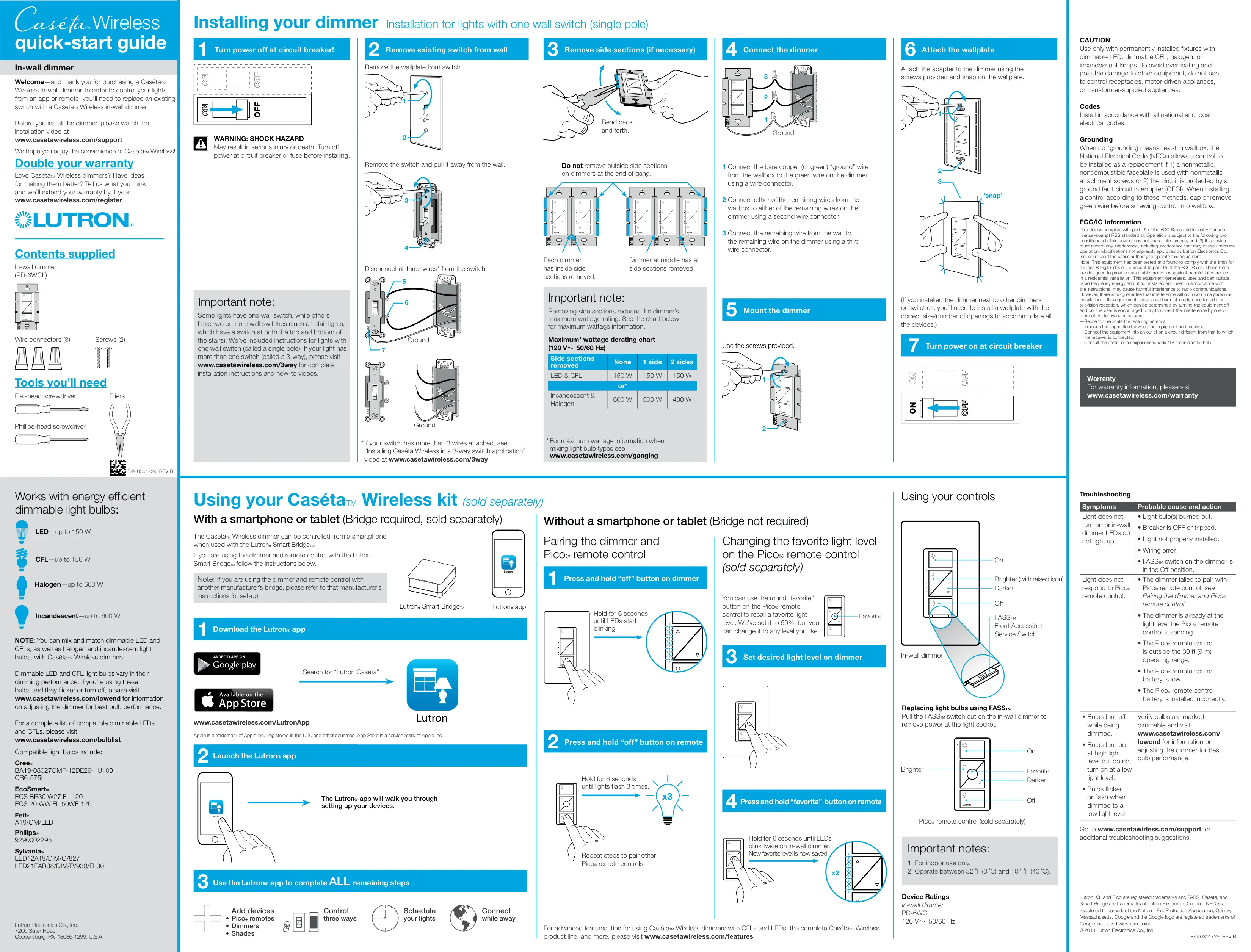
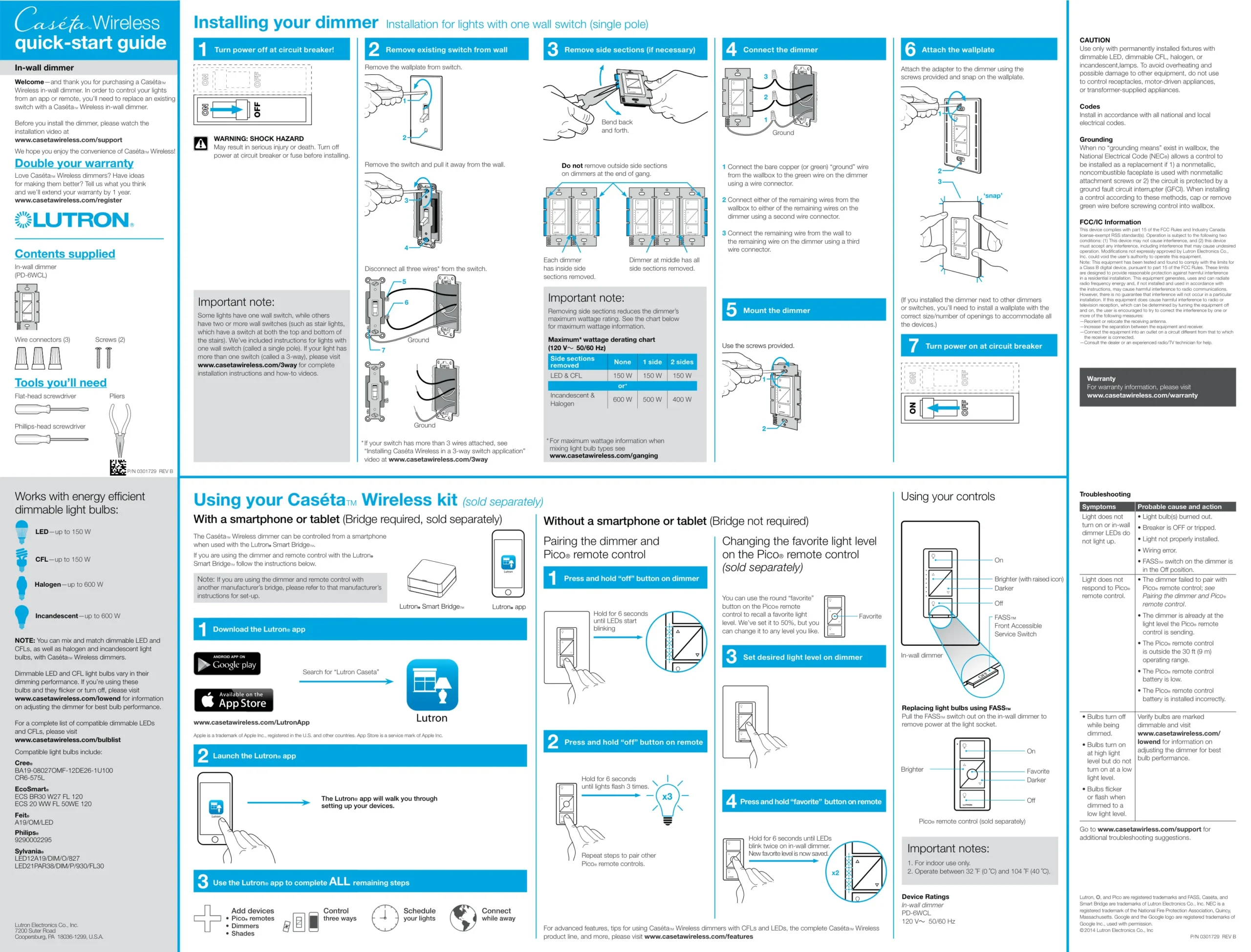
Lutron Caseta PD-6WCL Instructions
Here we offer the Lutron Caseta PD-6WCL Dimmer manual completely free and in English. We have cataloged this manual in the Dimmer section on Manualverse, and it has been rated by 1 users with an average rating of 5. If you have any specific questions about Lutron Caseta PD-6WCL Dimmer, we suggest checking the Frequently Asked Questions (FAQs) section of this manual.
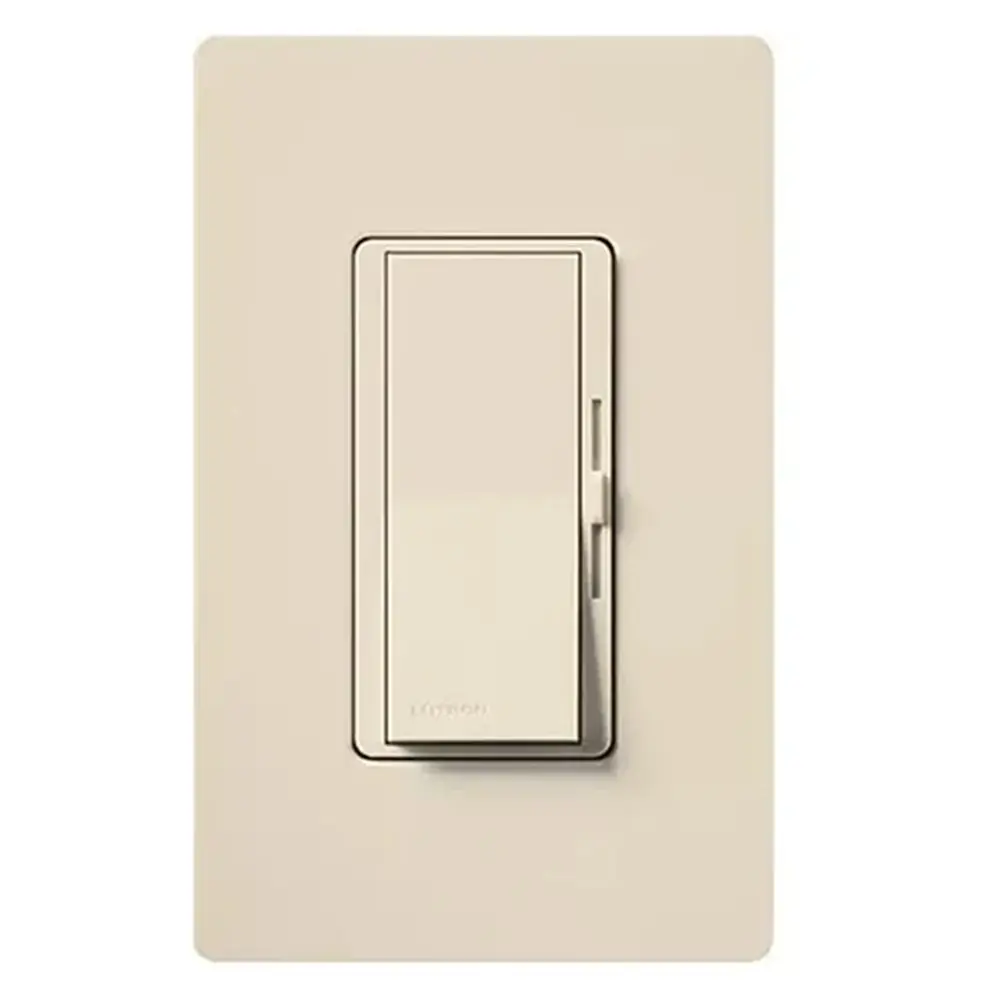
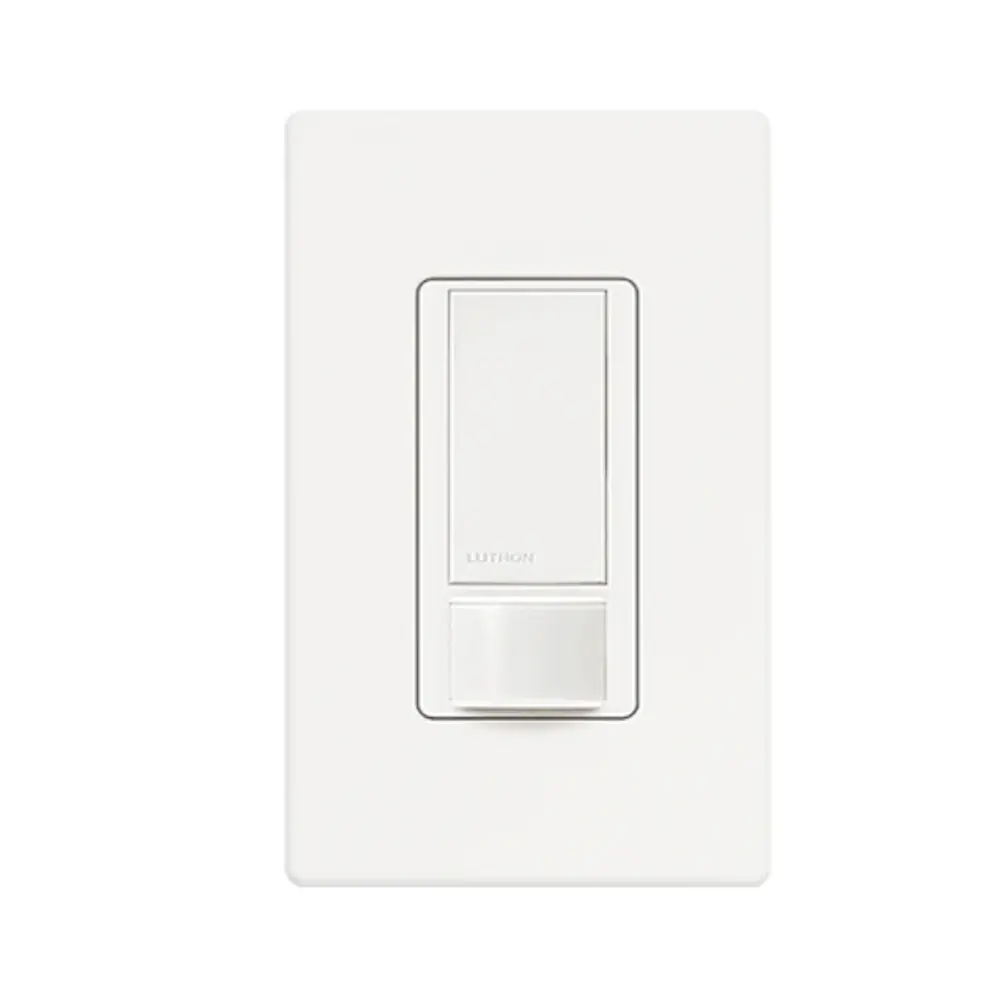
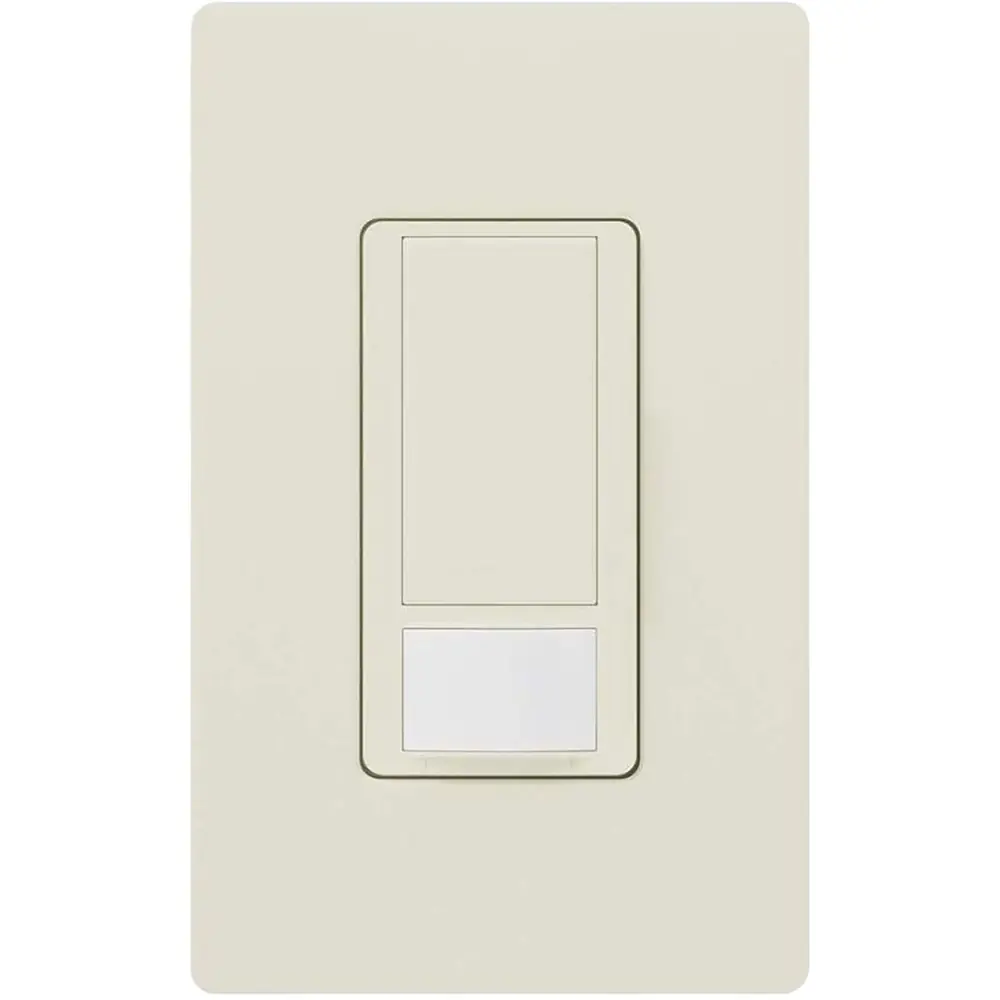
Product Images
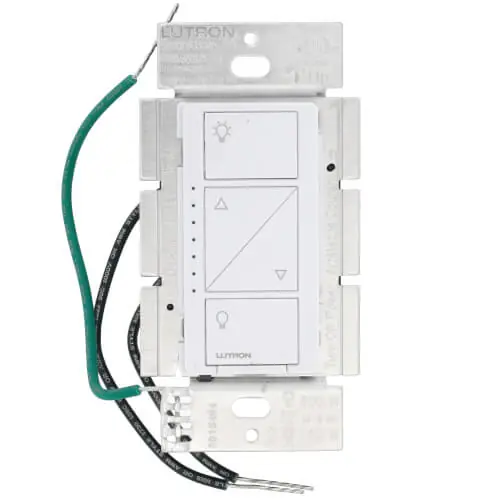
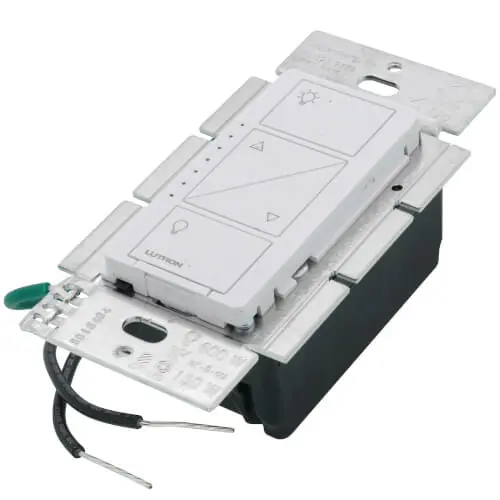
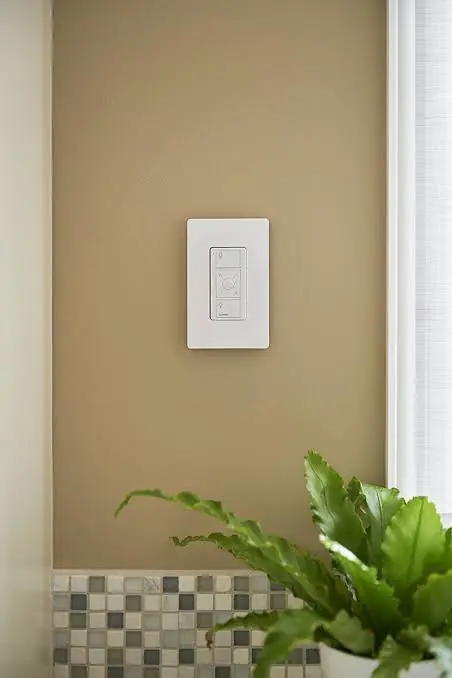
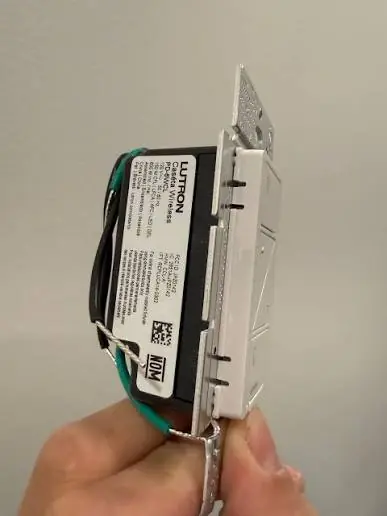
Lutron Caseta PD-6WCL Dimmer Specifications
| Feature | Specification |
|---|---|
| Model | PD-6WCL (Caséta Wireless in-wall dimmer) |
| Power Rating | 120 V~, 50/60 Hz |
| Dimmable LED Load (max.) | 150 W |
| Dimmable CFL Load (max.) | 150 W |
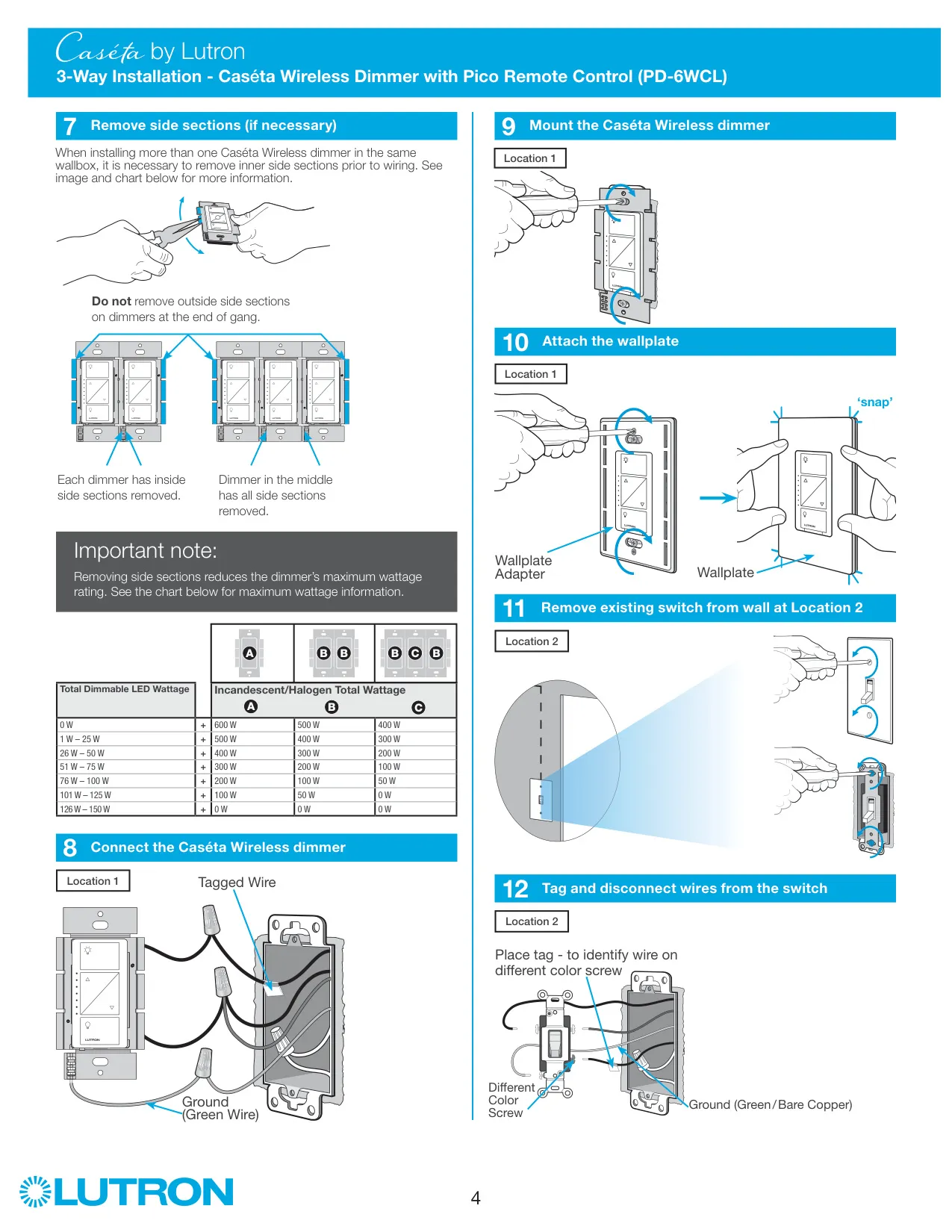
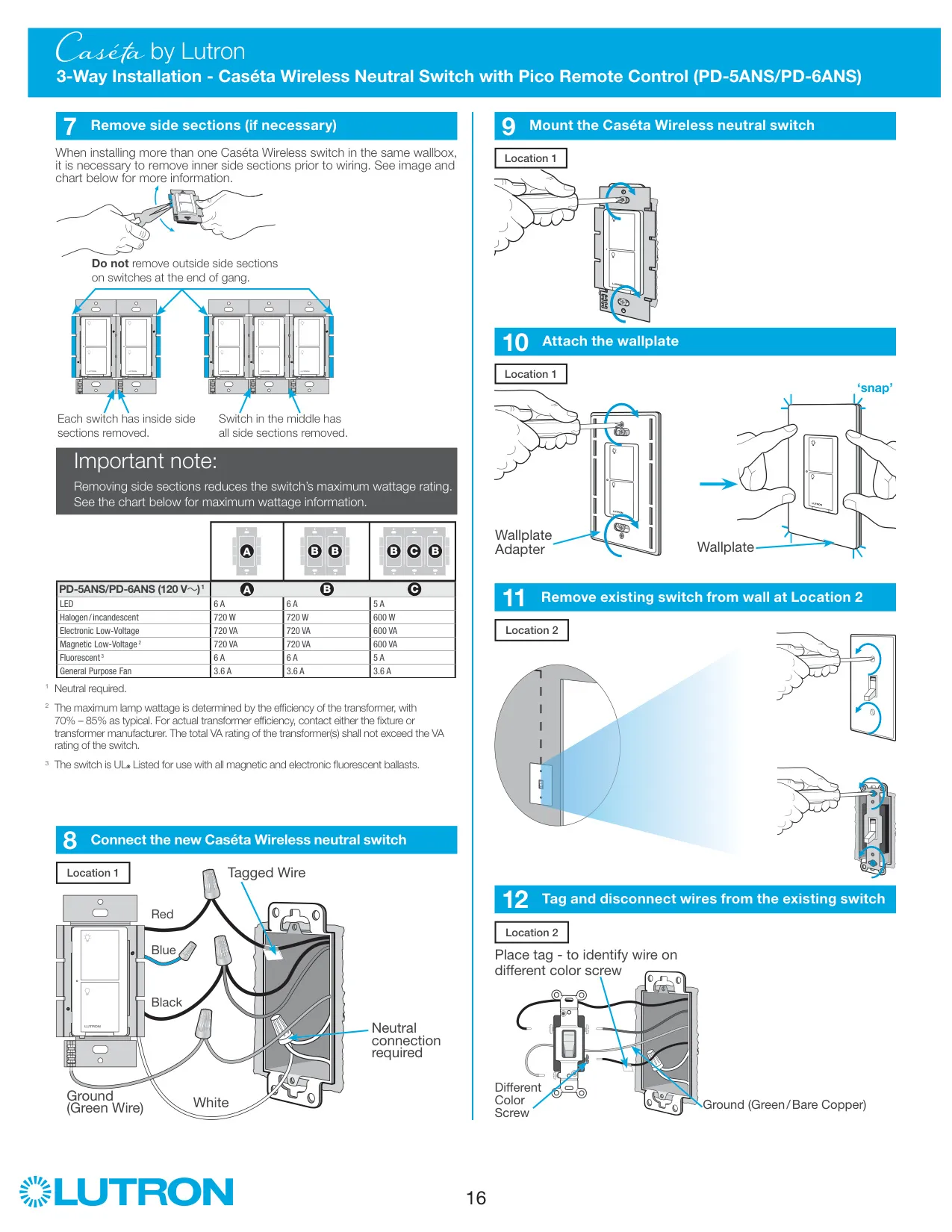
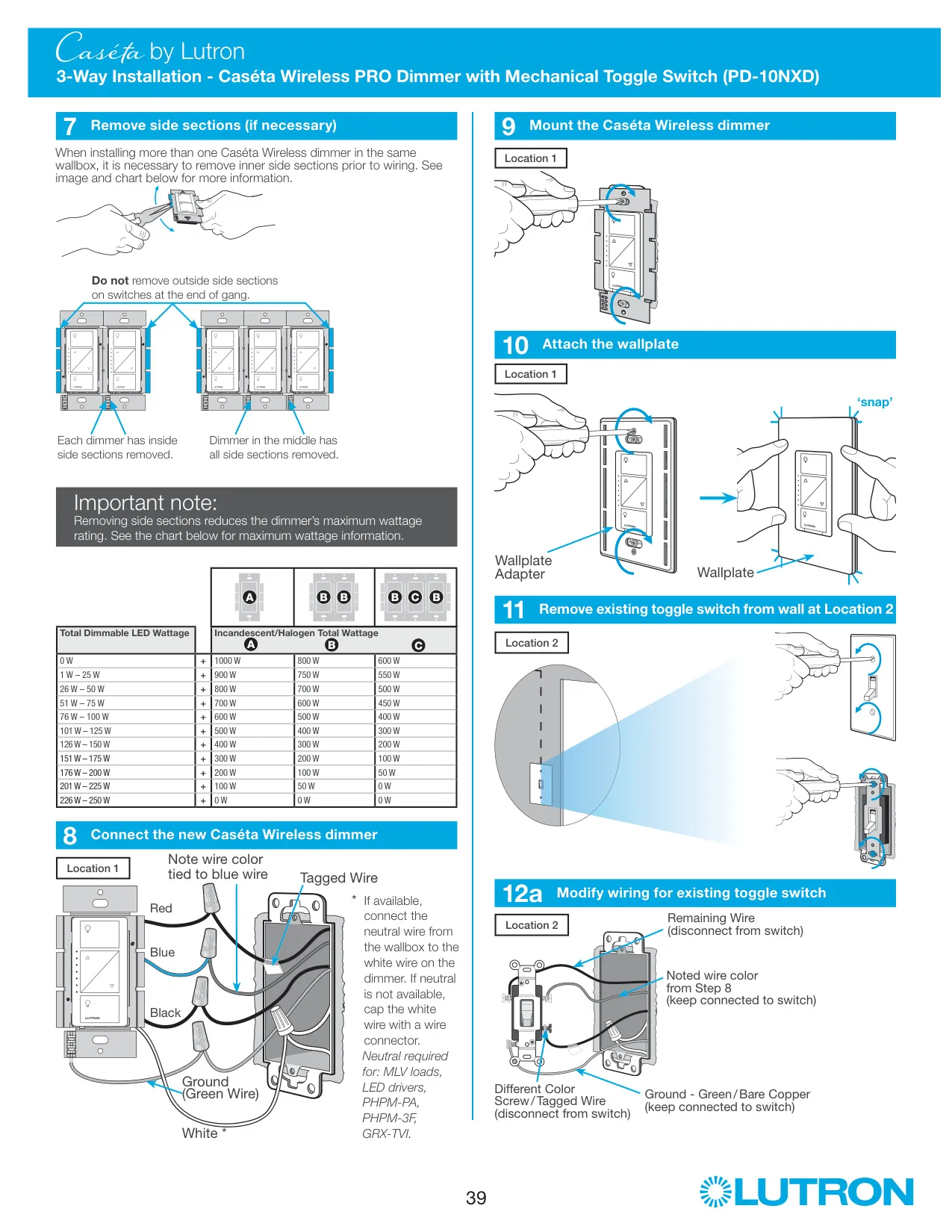
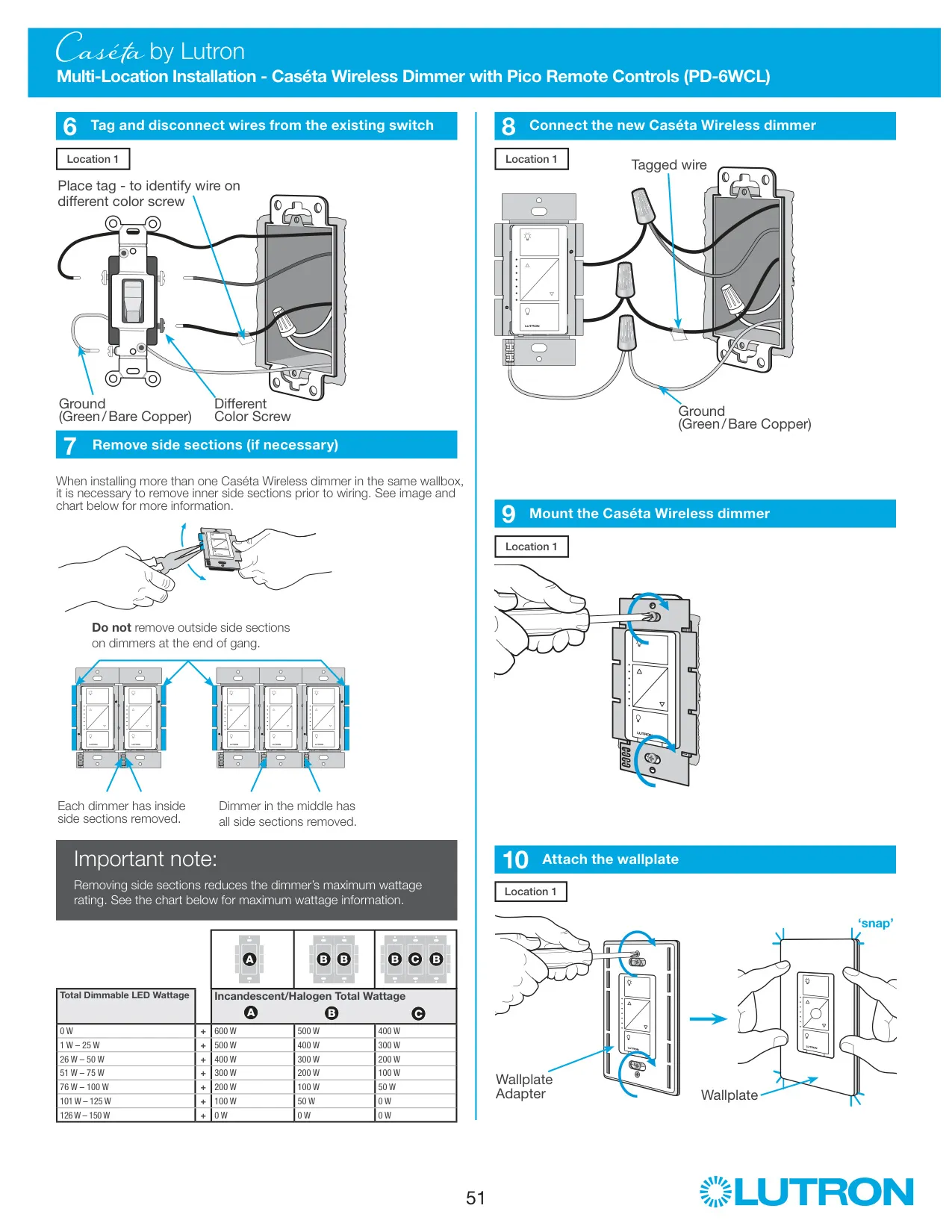
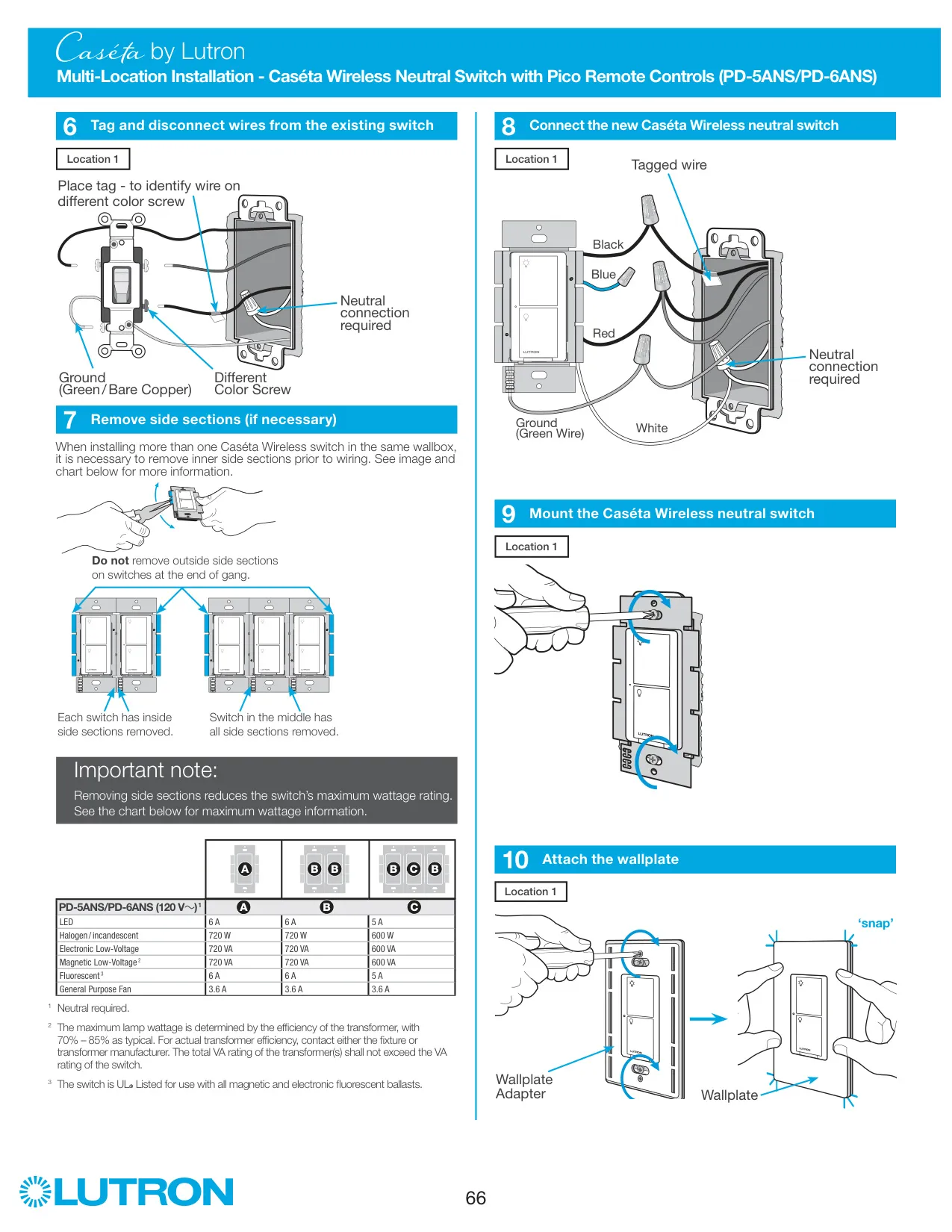
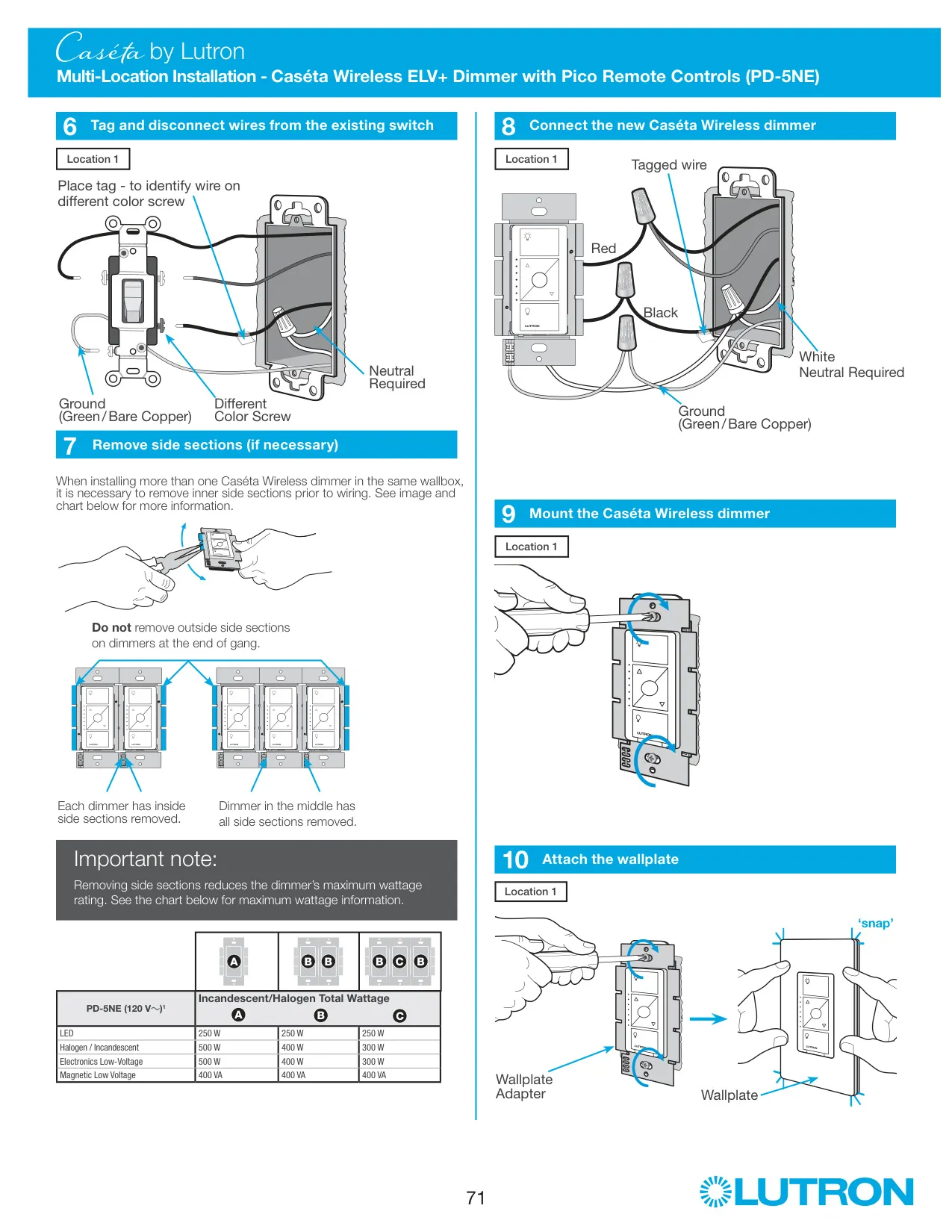
| Incandescent / Halogen Load (max.) | 600 W (no side sections removed) |
| Incandescent / Halogen Load, 1 Side Removed | 500 W |
| Incandescent / Halogen Load, 2 Sides Removed | 400 W |
| LED/CFL Load with Side Sections Removed | 150 W (no derating) |
| Mixed Load, 1 W – 25 W LED | Incandescent/halogen up to 500 W / 400 W / 300 W (none / 1 side / 2 sides removed) |
| Mixed Load, 26 W – 50 W LED | Incandescent/halogen up to 400 W / 300 W / 200 W (none / 1 side / 2 sides removed) |
| Mixed Load, 51 W – 75 W LED | Incandescent/halogen up to 300 W / 200 W / 100 W (none / 1 side / 2 sides removed) |
| Mixed Load, 76 W – 100 W LED | Incandescent/halogen up to 200 W / 100 W / 50 W (none / 1 side / 2 sides removed) |
| Mixed Load, 101 W – 125 W LED | Incandescent/halogen up to 100 W / 50 W / 0 W (none / 1 side / 2 sides removed) |
| Mixed Load, 126 W – 150 W LED | Incandescent/halogen 0 W |
| Neutral Wire | Not required (ground plus two interchangeable wires) |
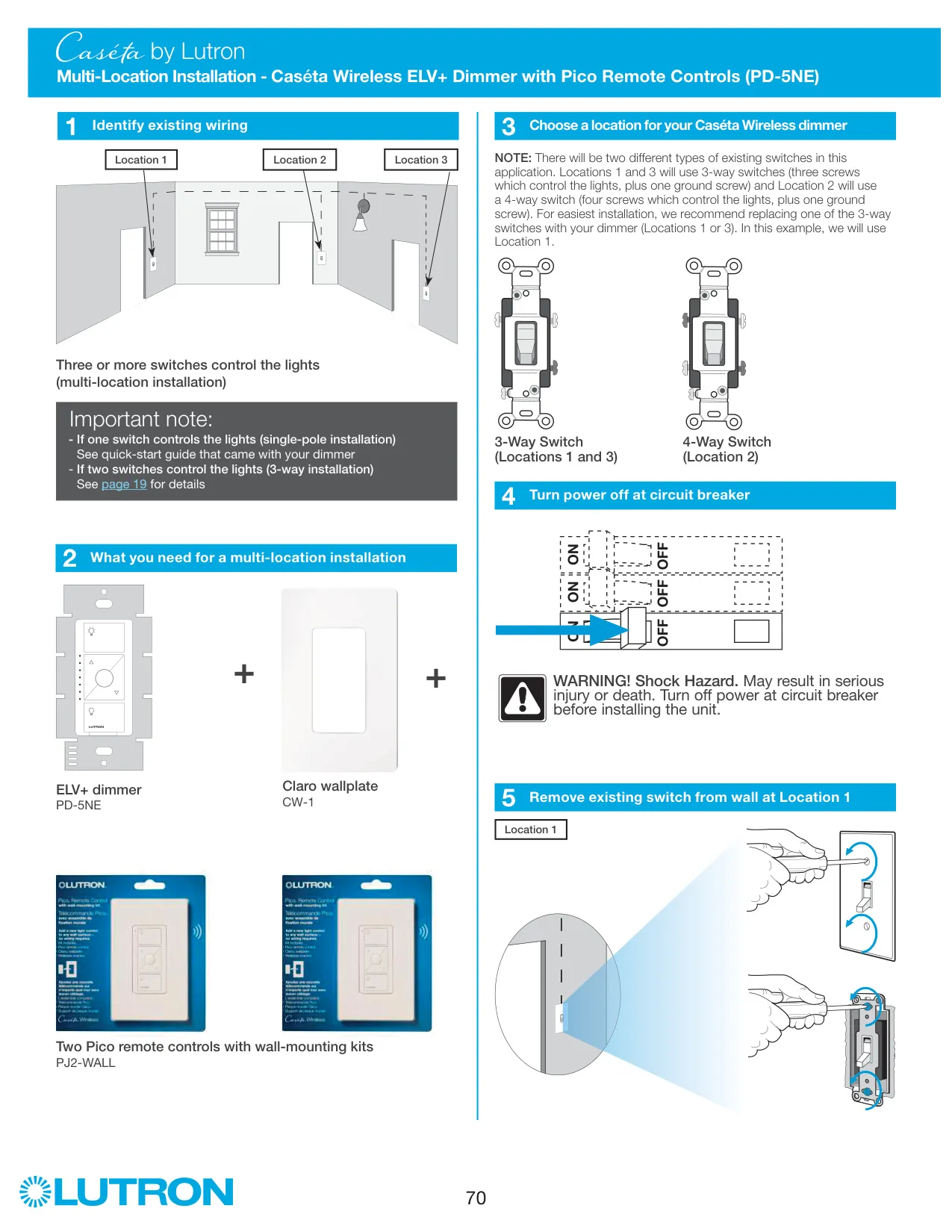
| Installation Types | Single-pole, 3-way and multi-location (with Pico remote controls) |
| Pico Remote Operating Range | 30 ft (9 m) |
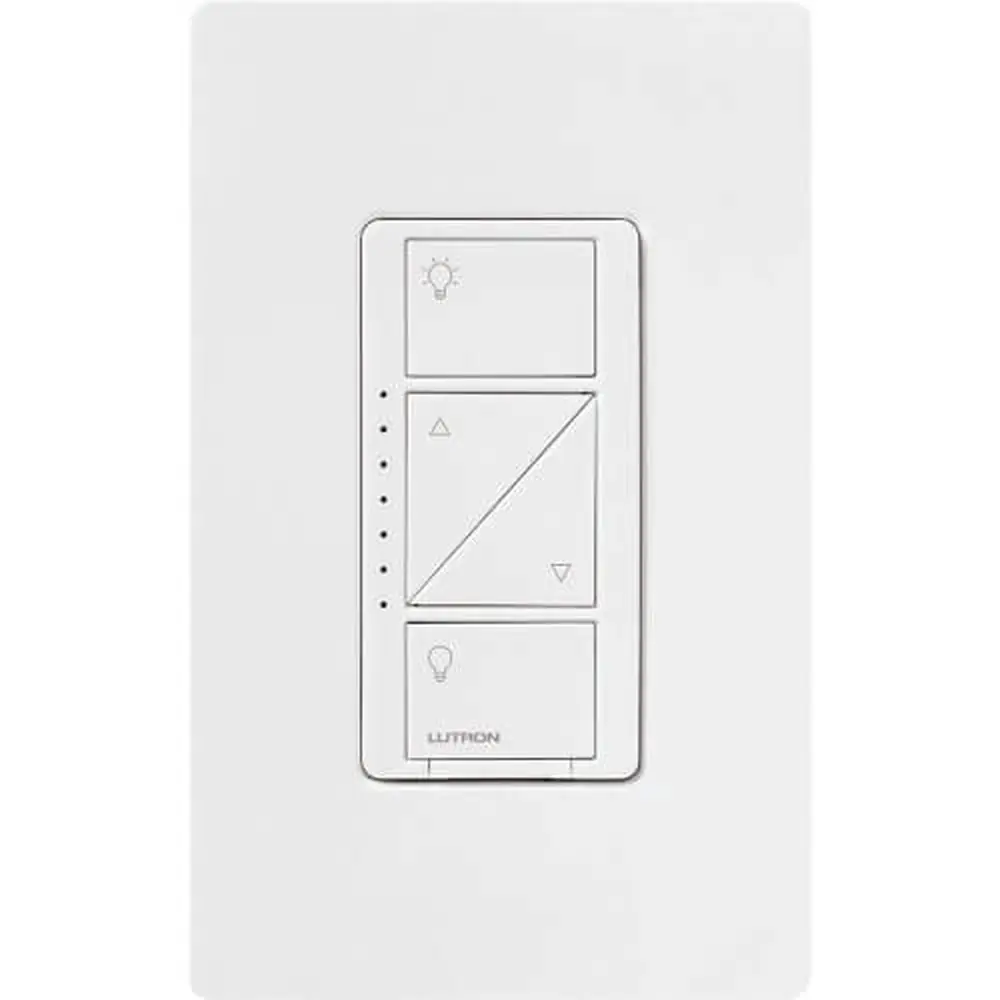
| Front Controls | On, Brighter, Darker, Off, plus FASS (Front Accessible Service Switch) |
| Operating Temperature | 32 °F to 104 °F (0 °C to 40 °C) |
| Environment | Indoor use only |
| Default Favorite Light Level (Pico) | 50% |
| Compliance | FCC Part 15 (Class B digital device), Industry Canada license-exempt RSS |
| Contents Supplied | In-wall dimmer, 3 wire connectors, 2 screws |
| Compatible Wallplate | Claro wallplate CW-1 |
| Compatible Remote | Pico remote control with wall-mounting kit PJ2-WALL |
| Required Tools | Flat-head screwdriver, Phillips-head screwdriver, pliers |
Lutron Caseta PD-6WCL Dimmer Details
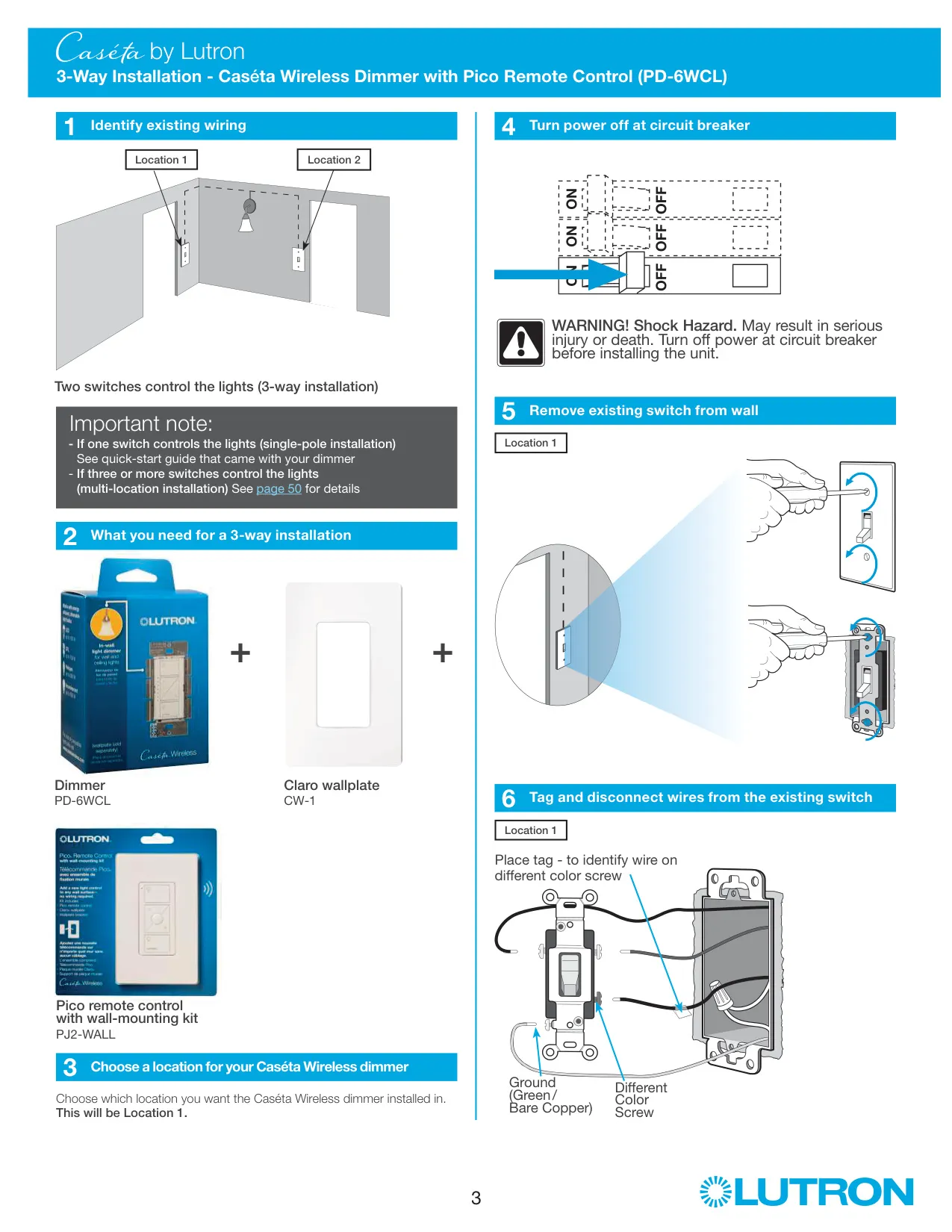
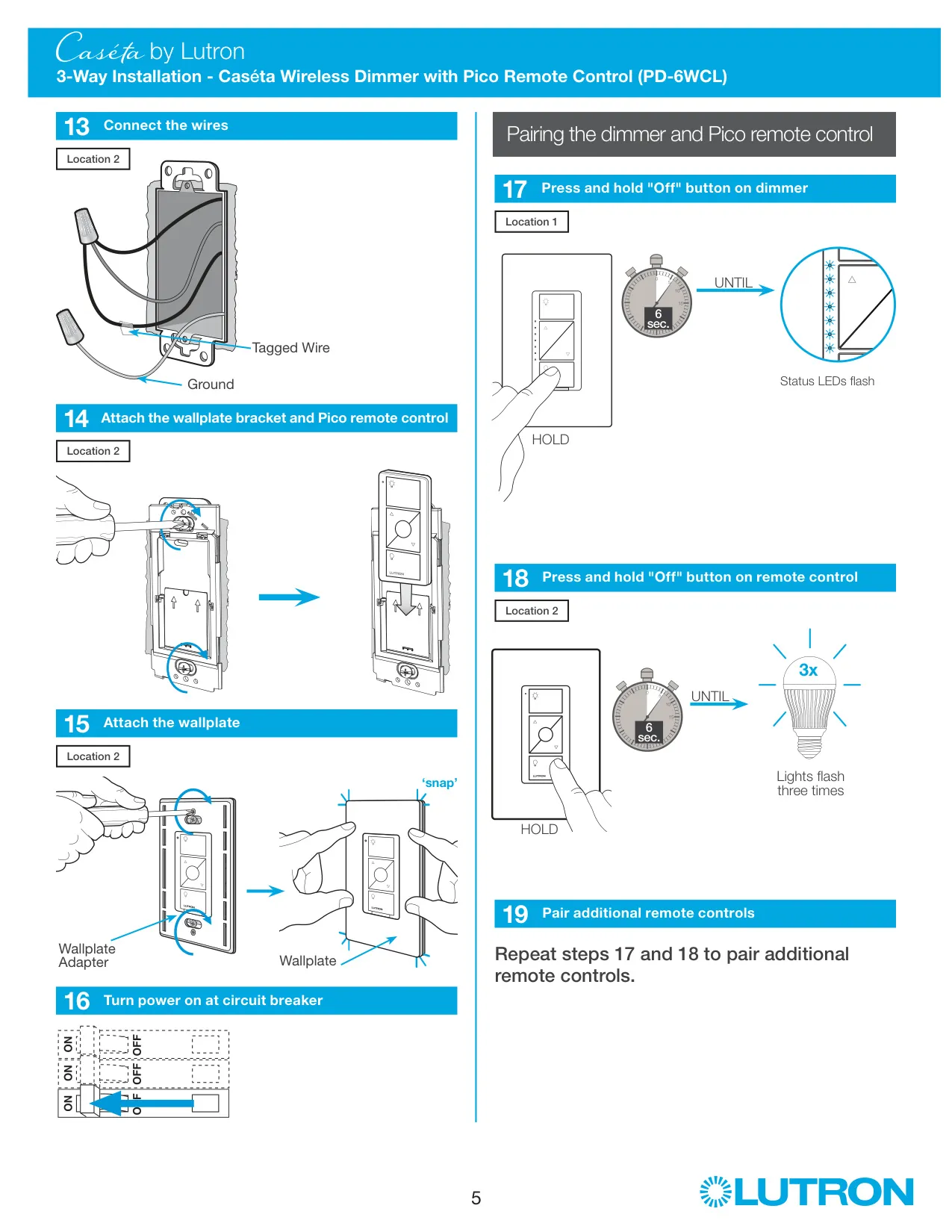
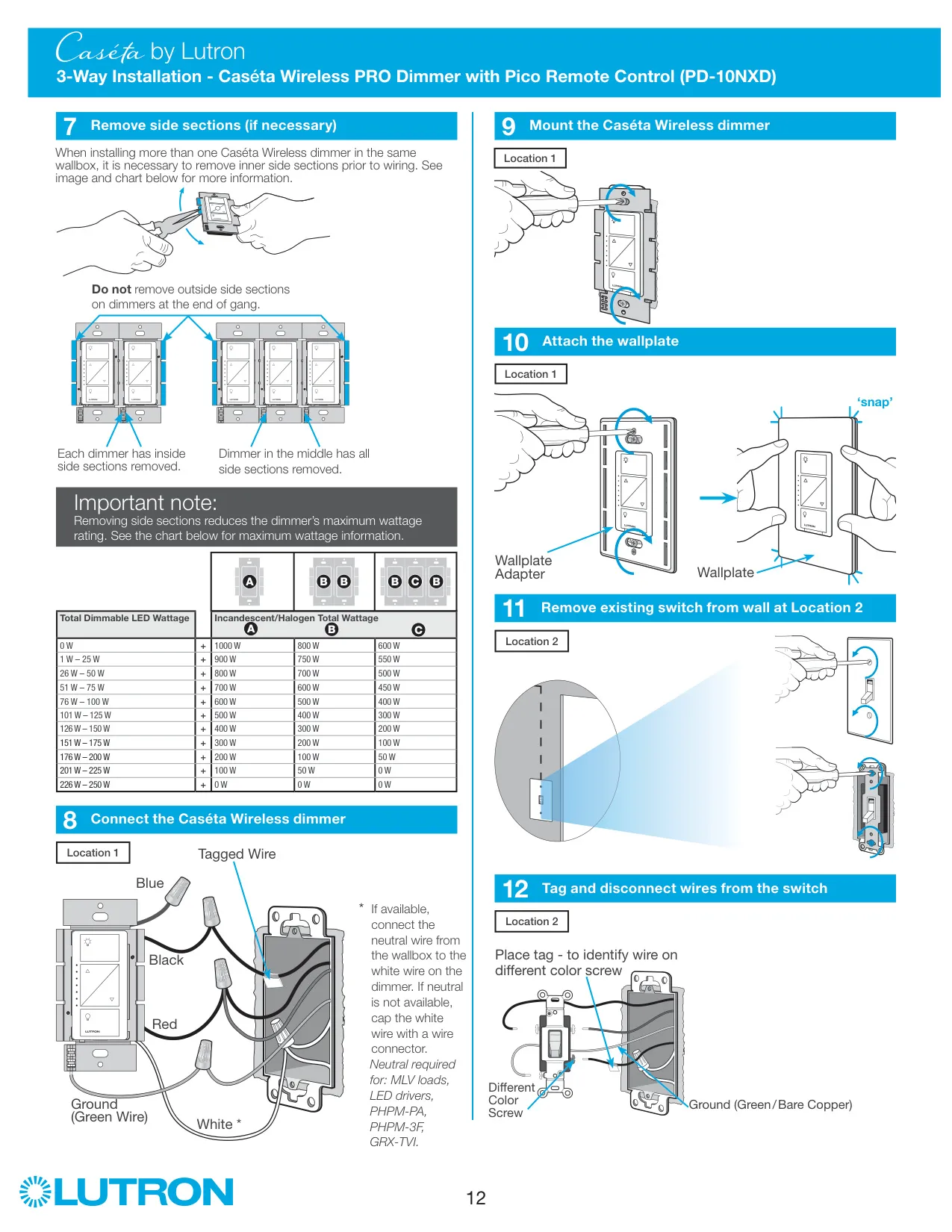
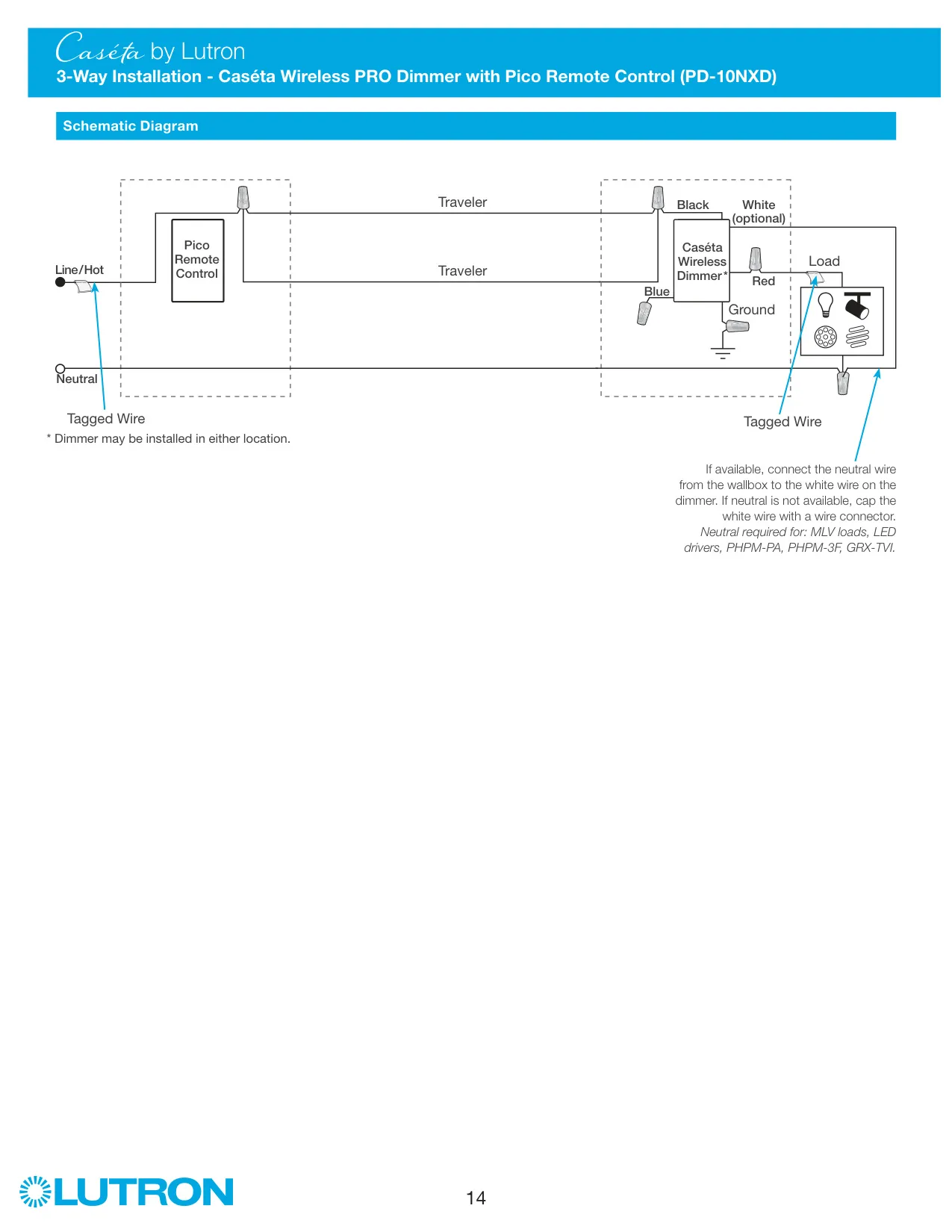
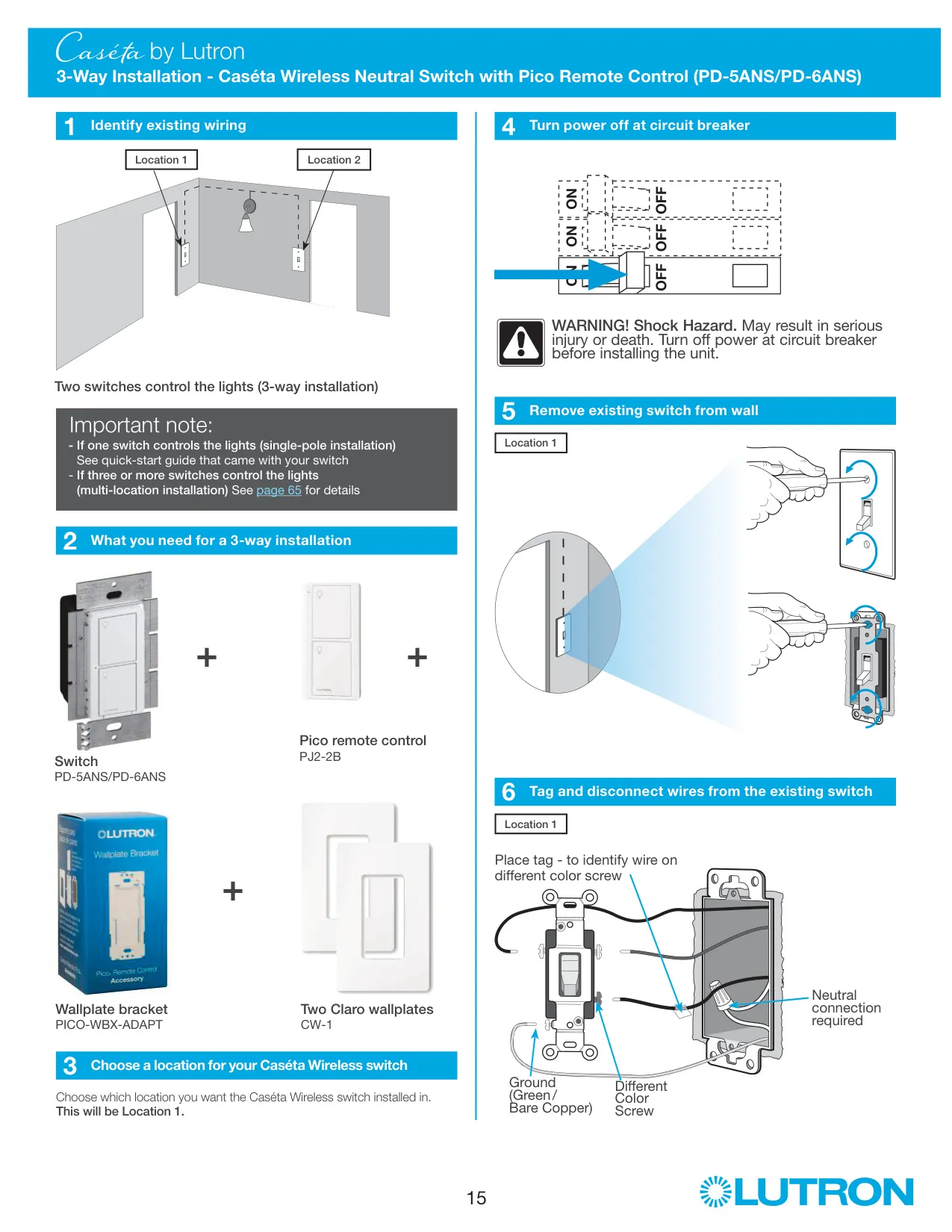
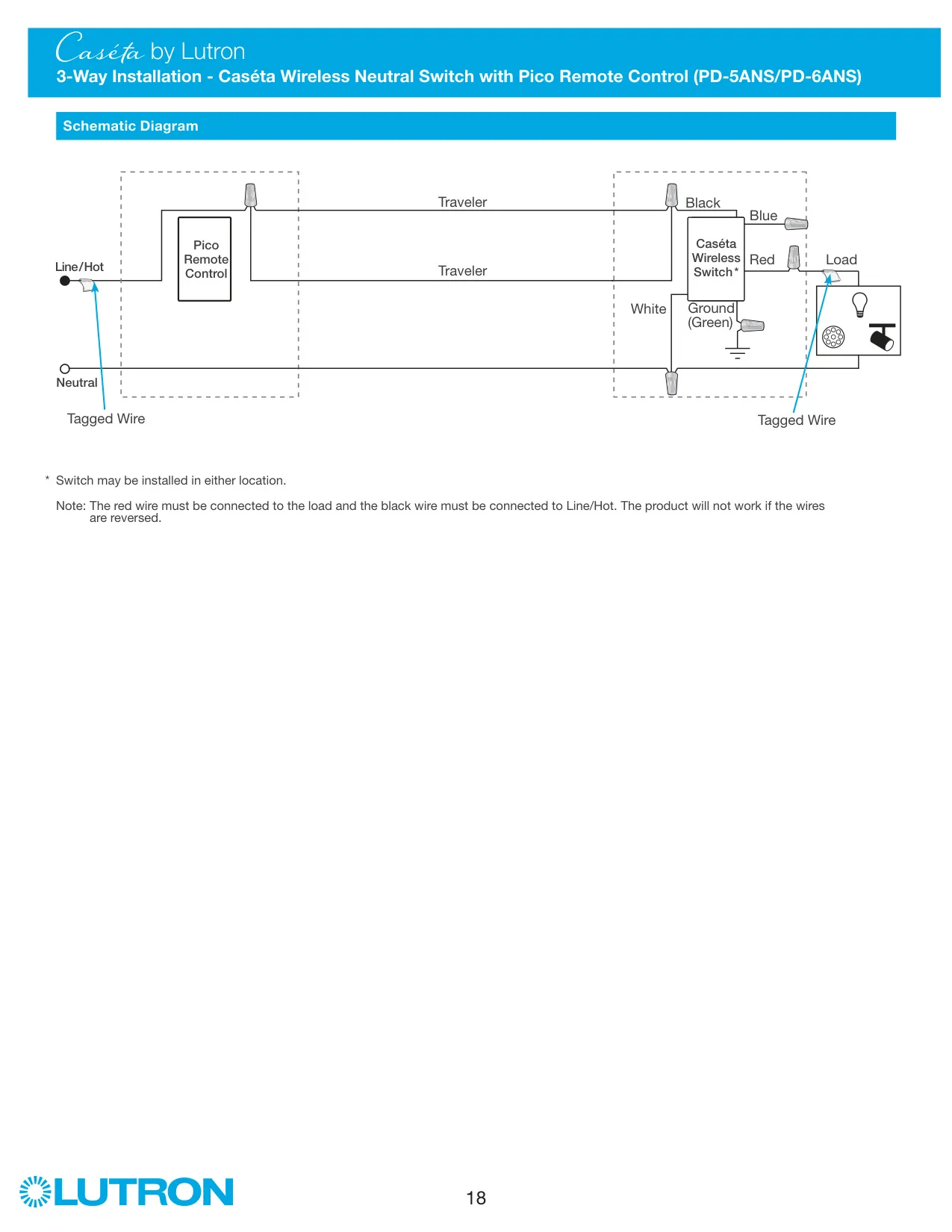
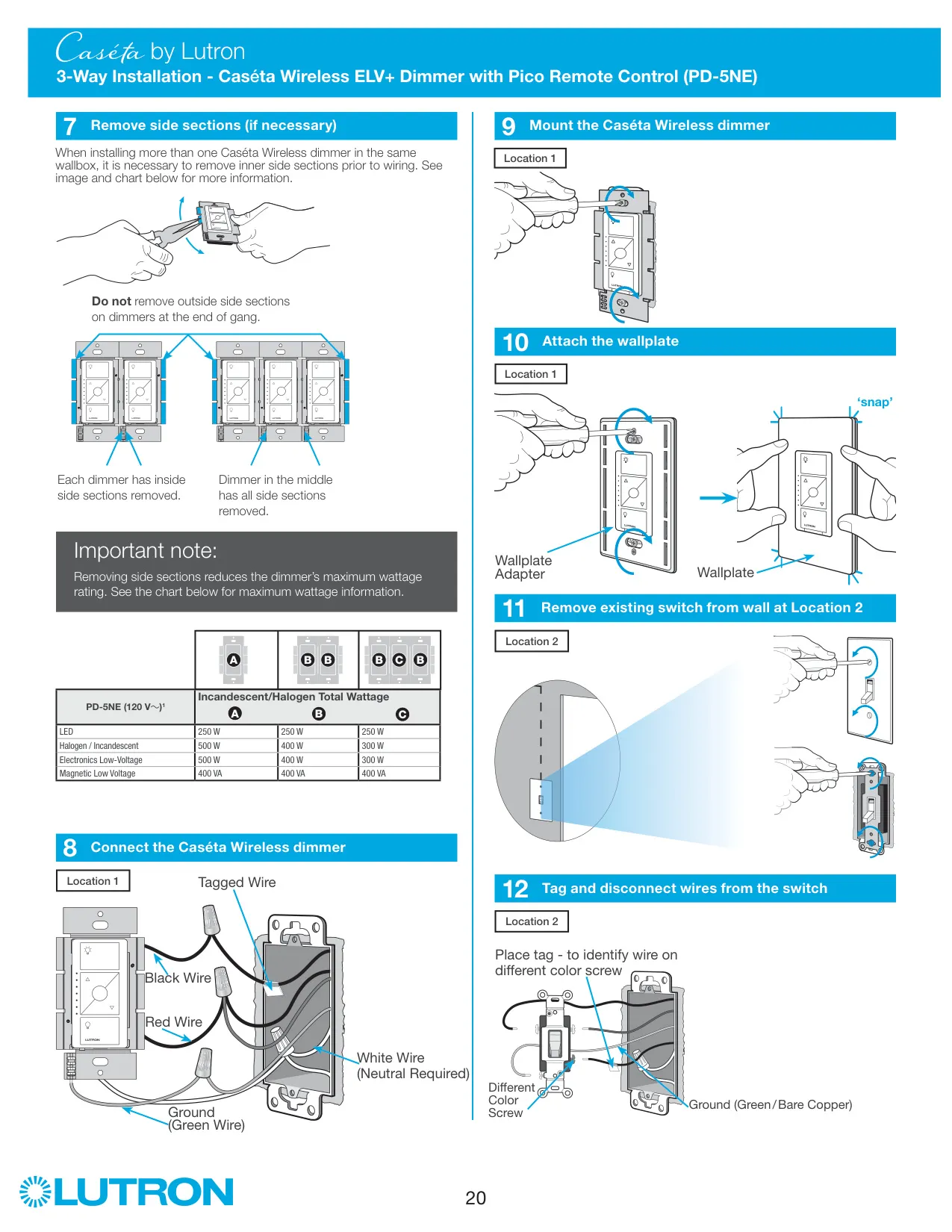
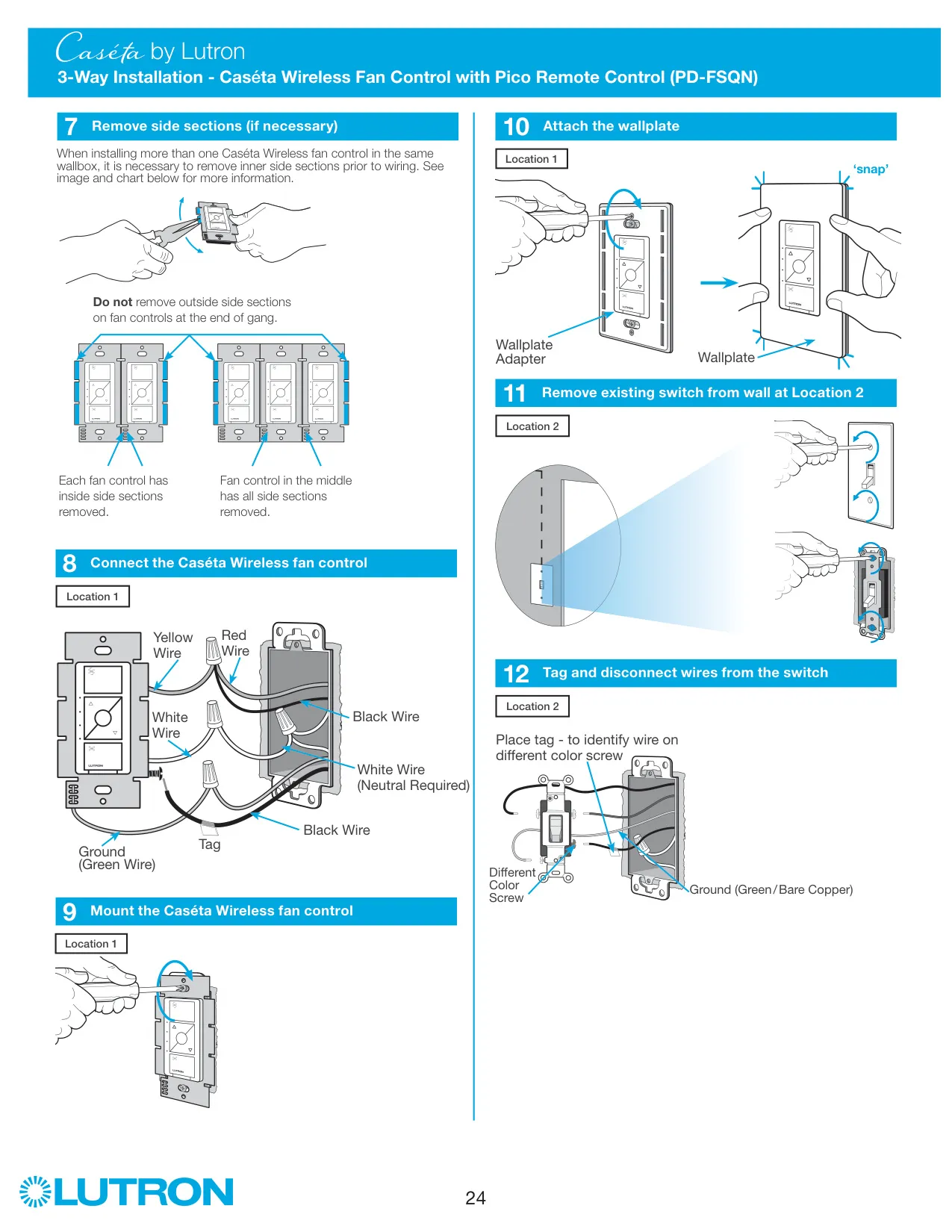
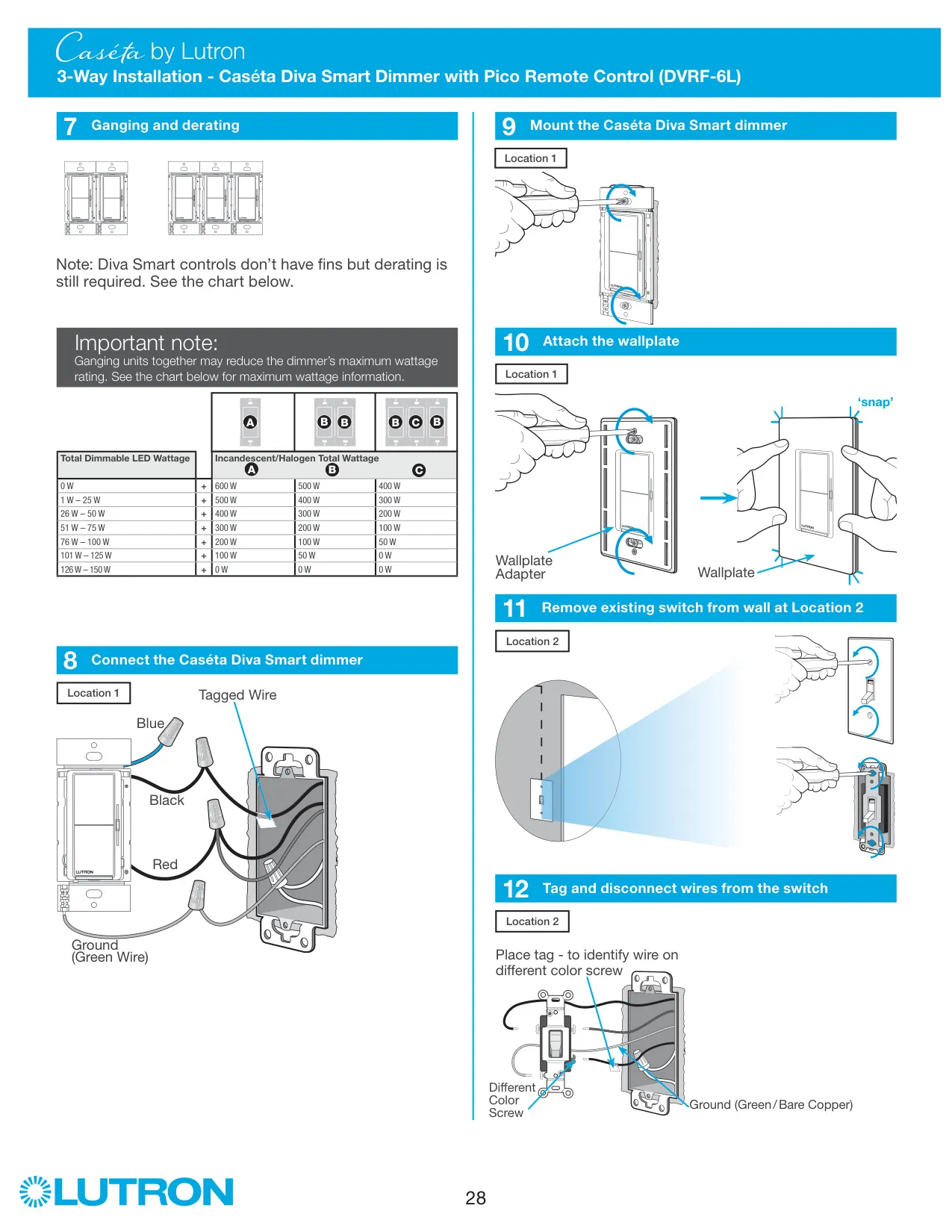
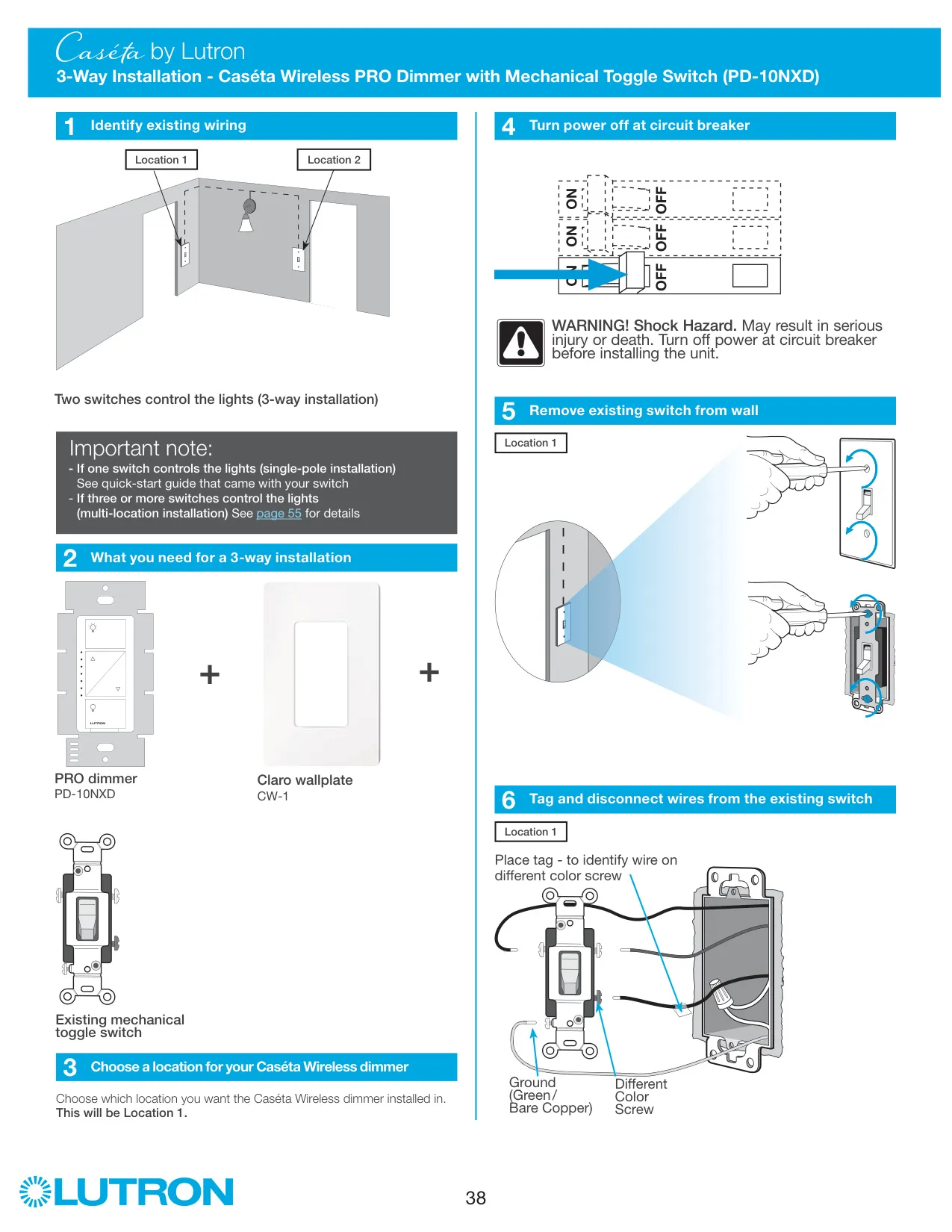
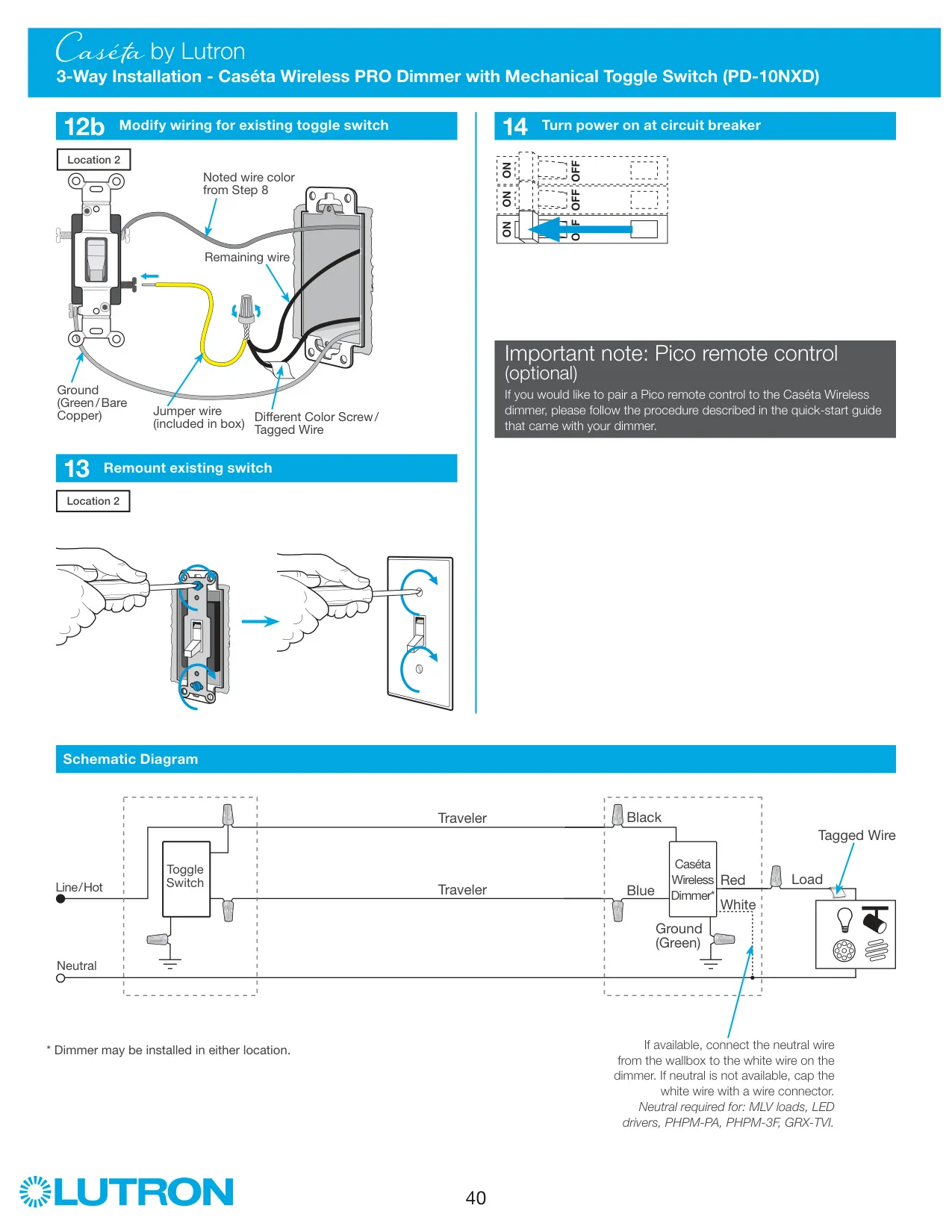
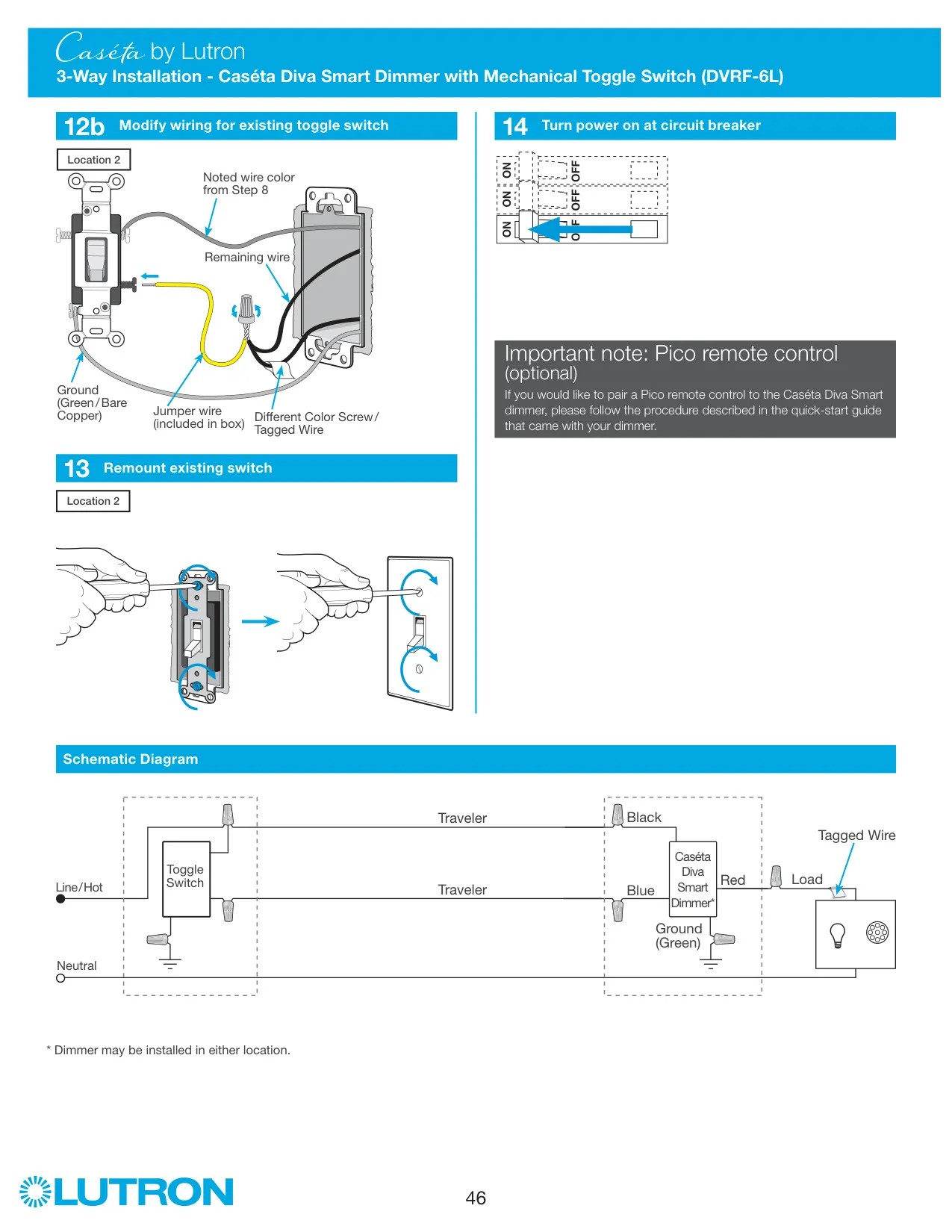
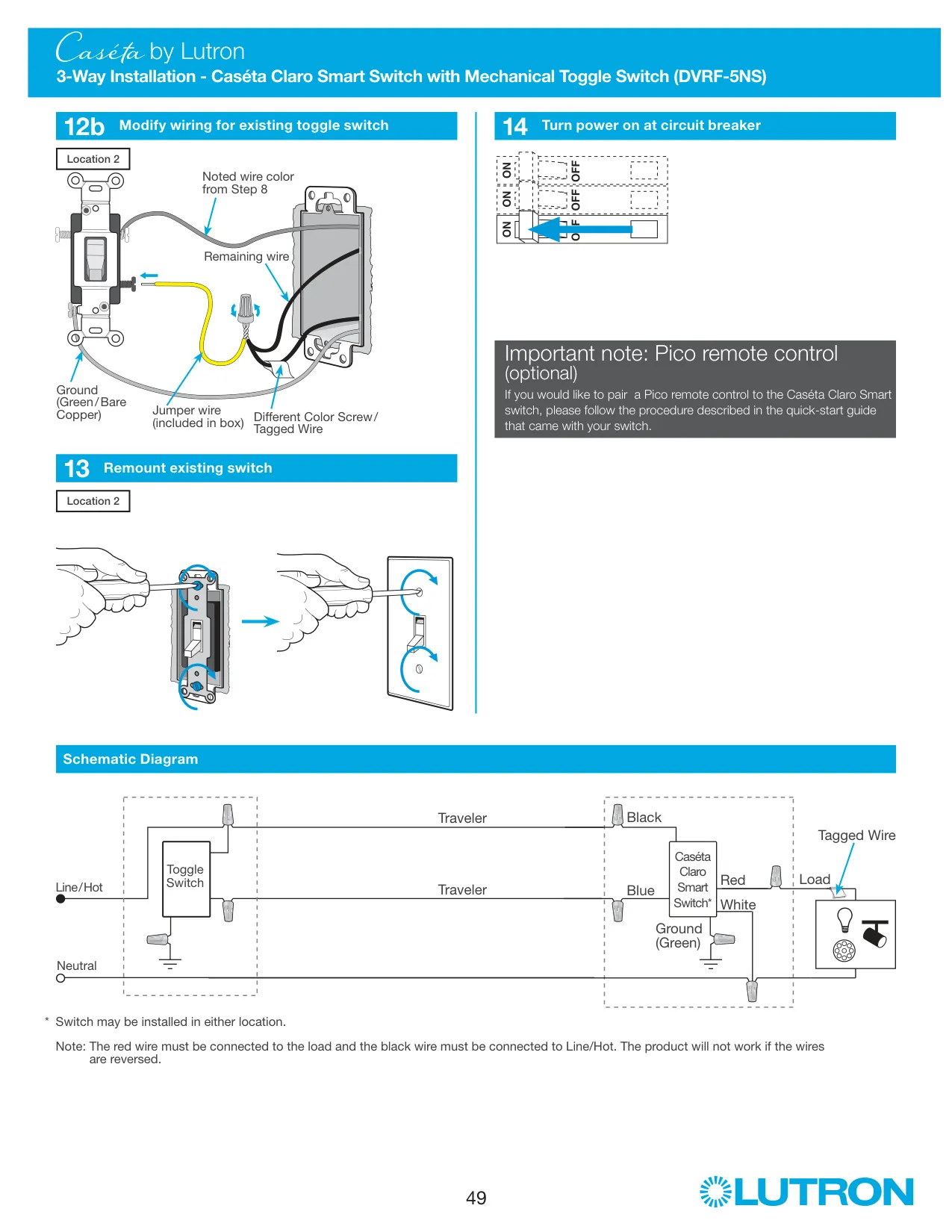
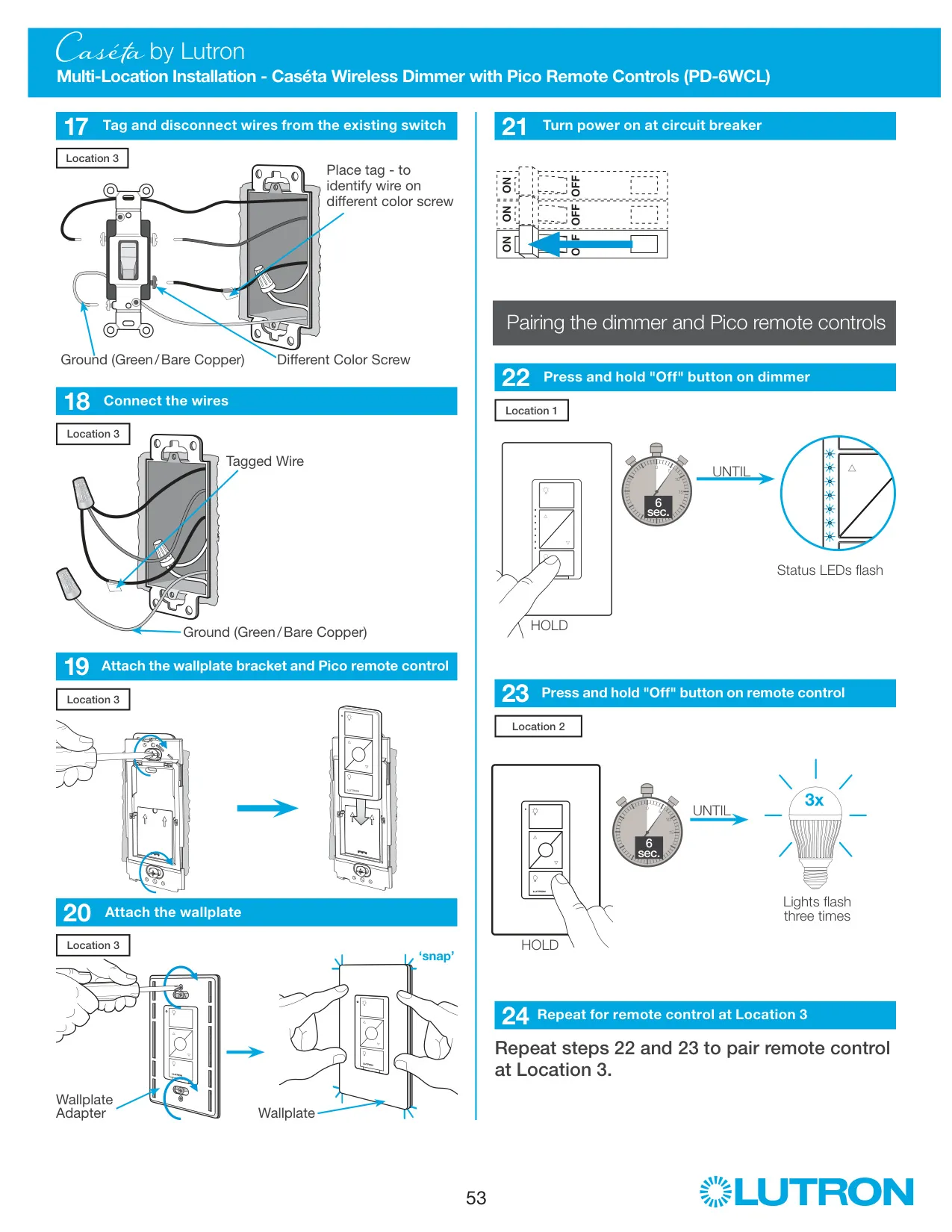
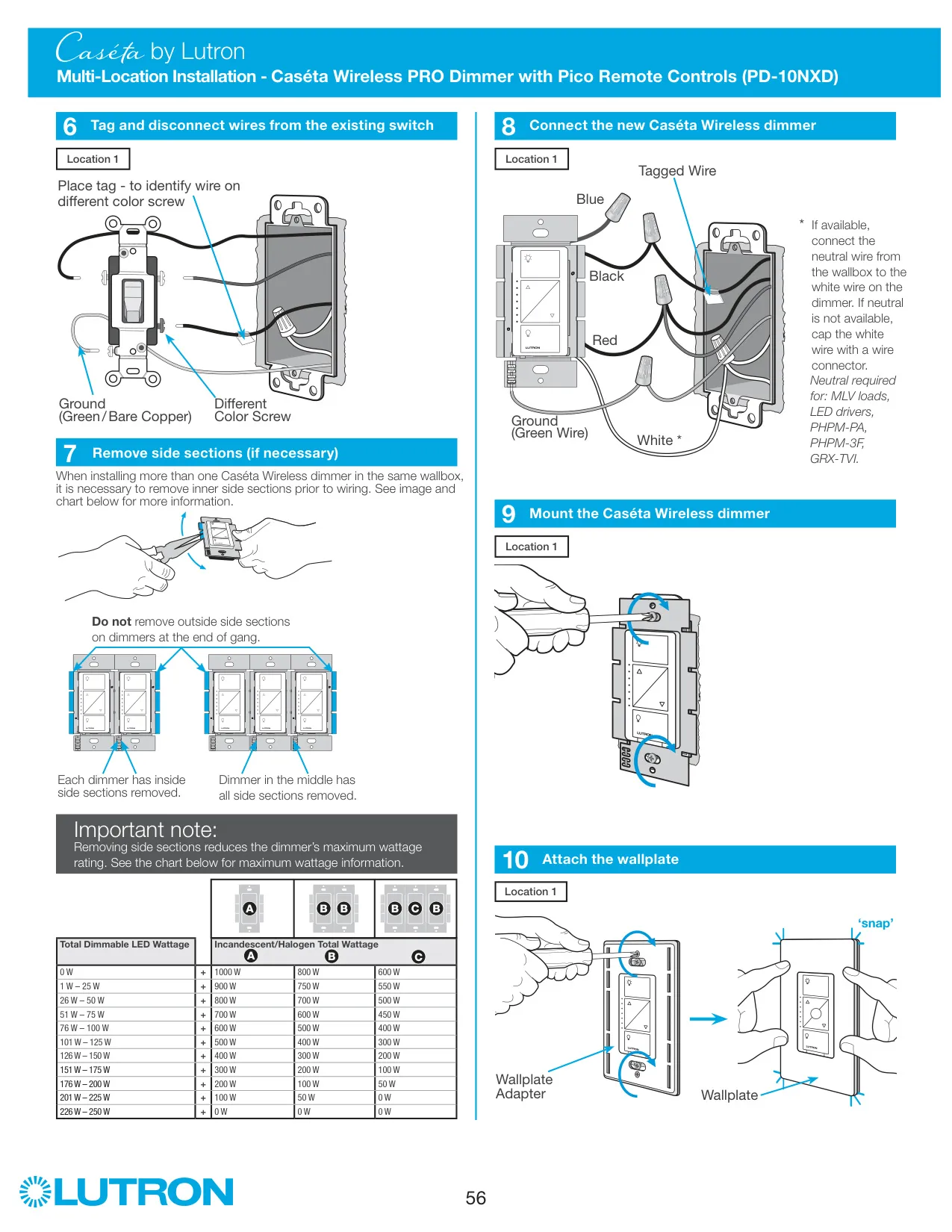
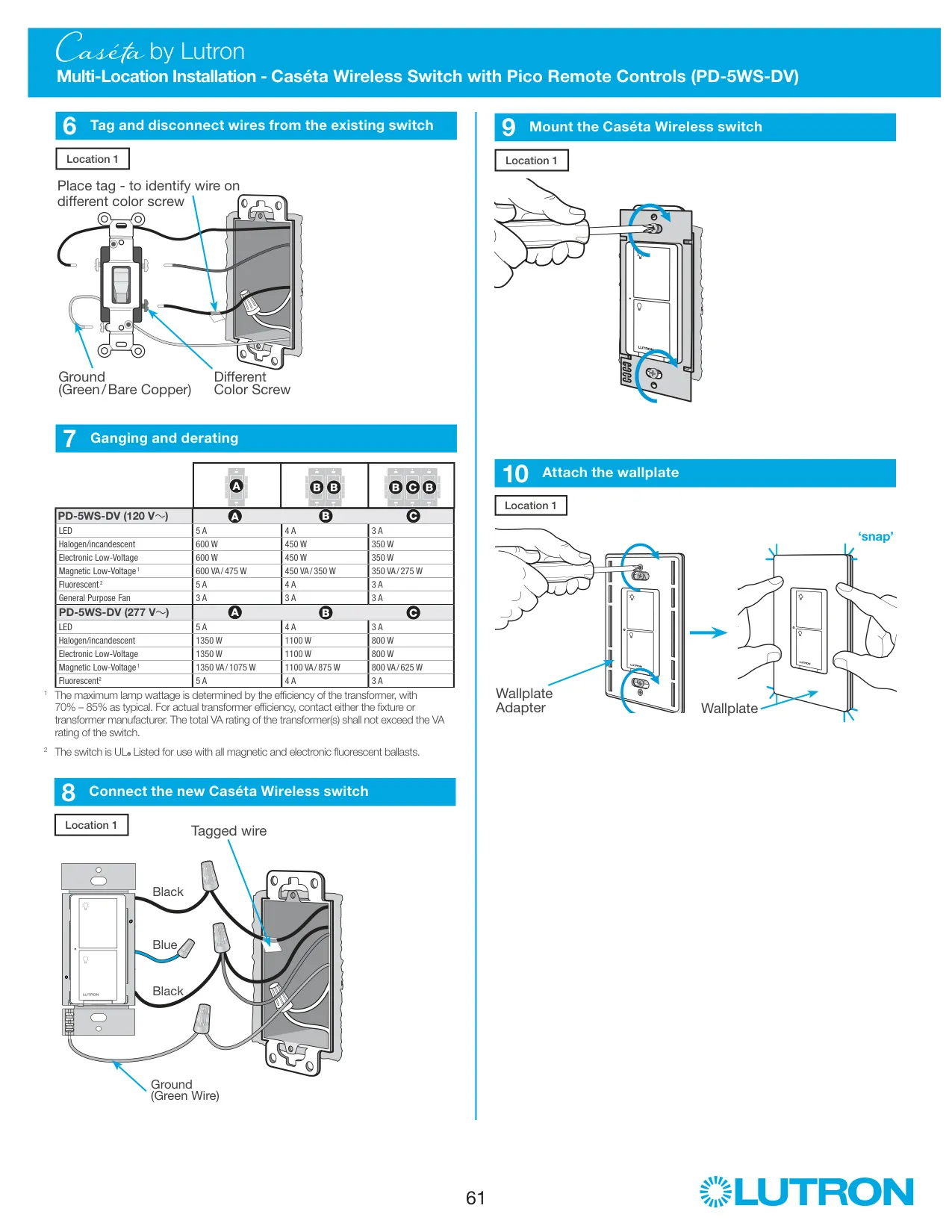
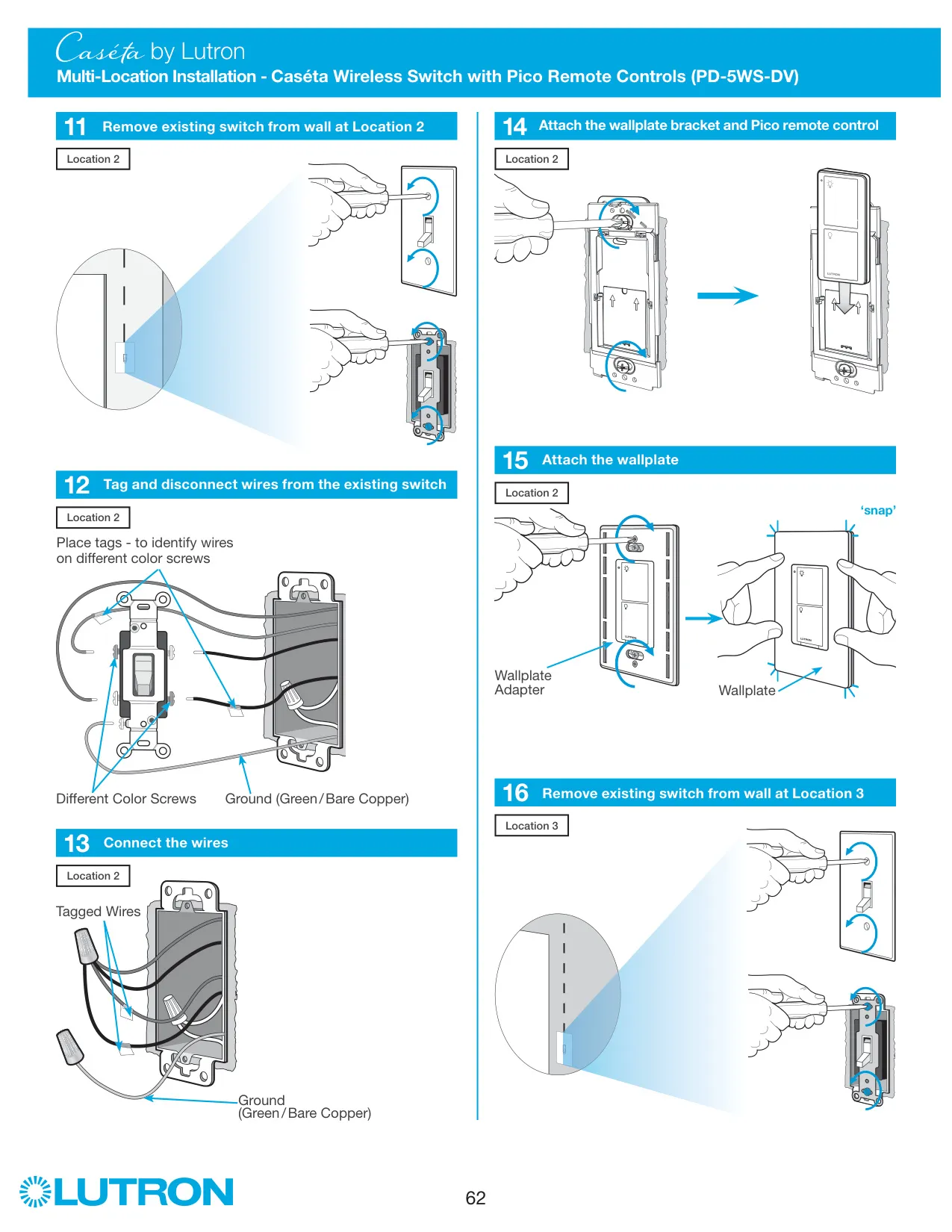
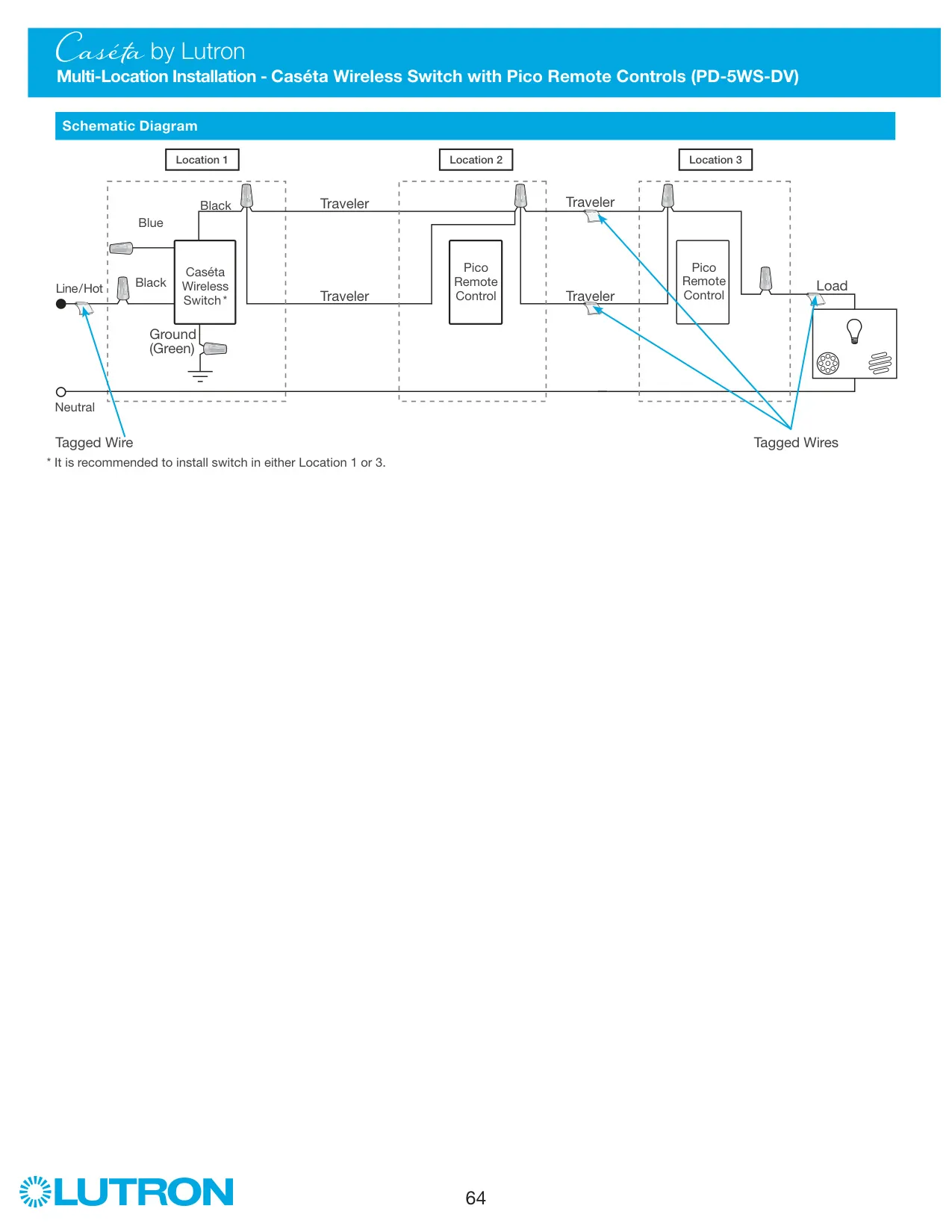
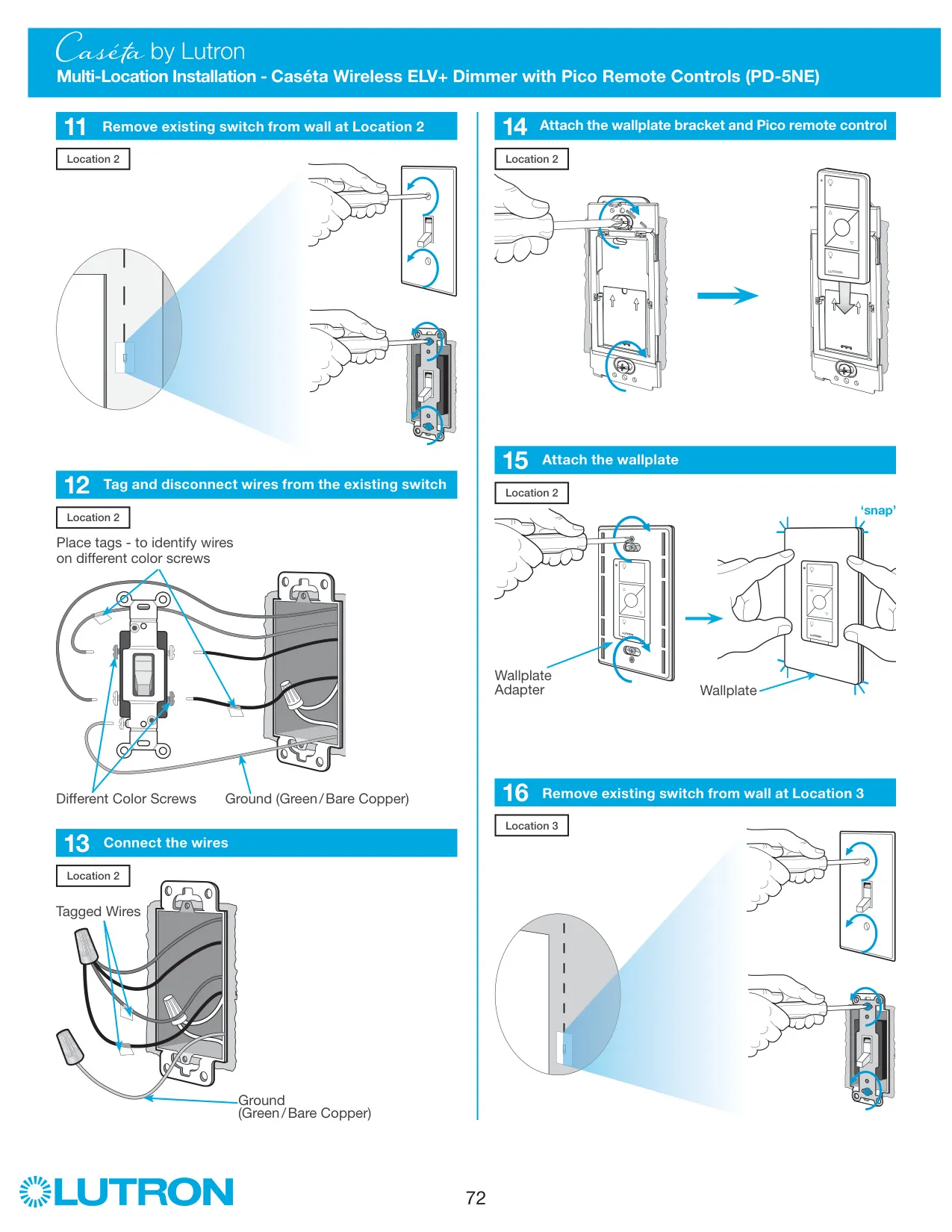
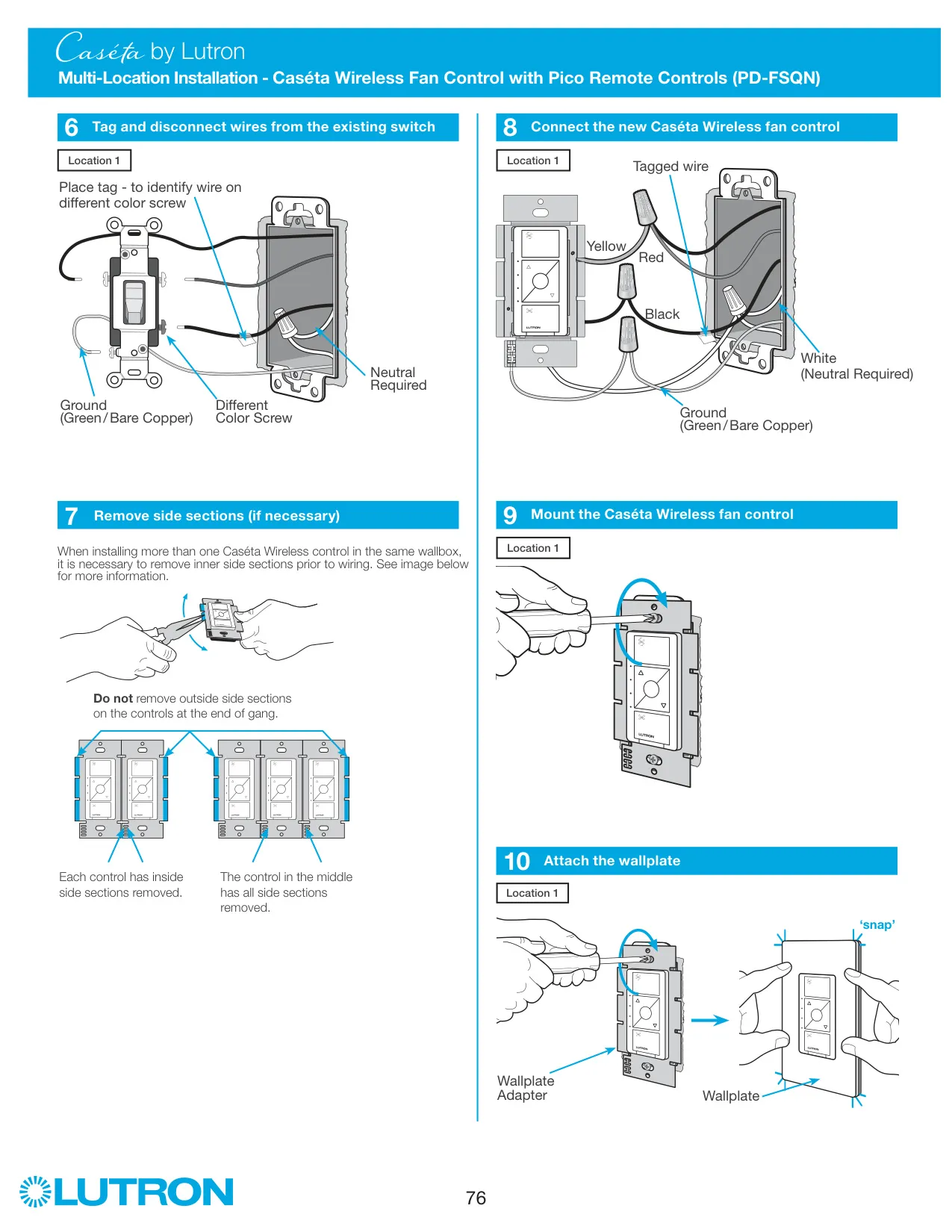
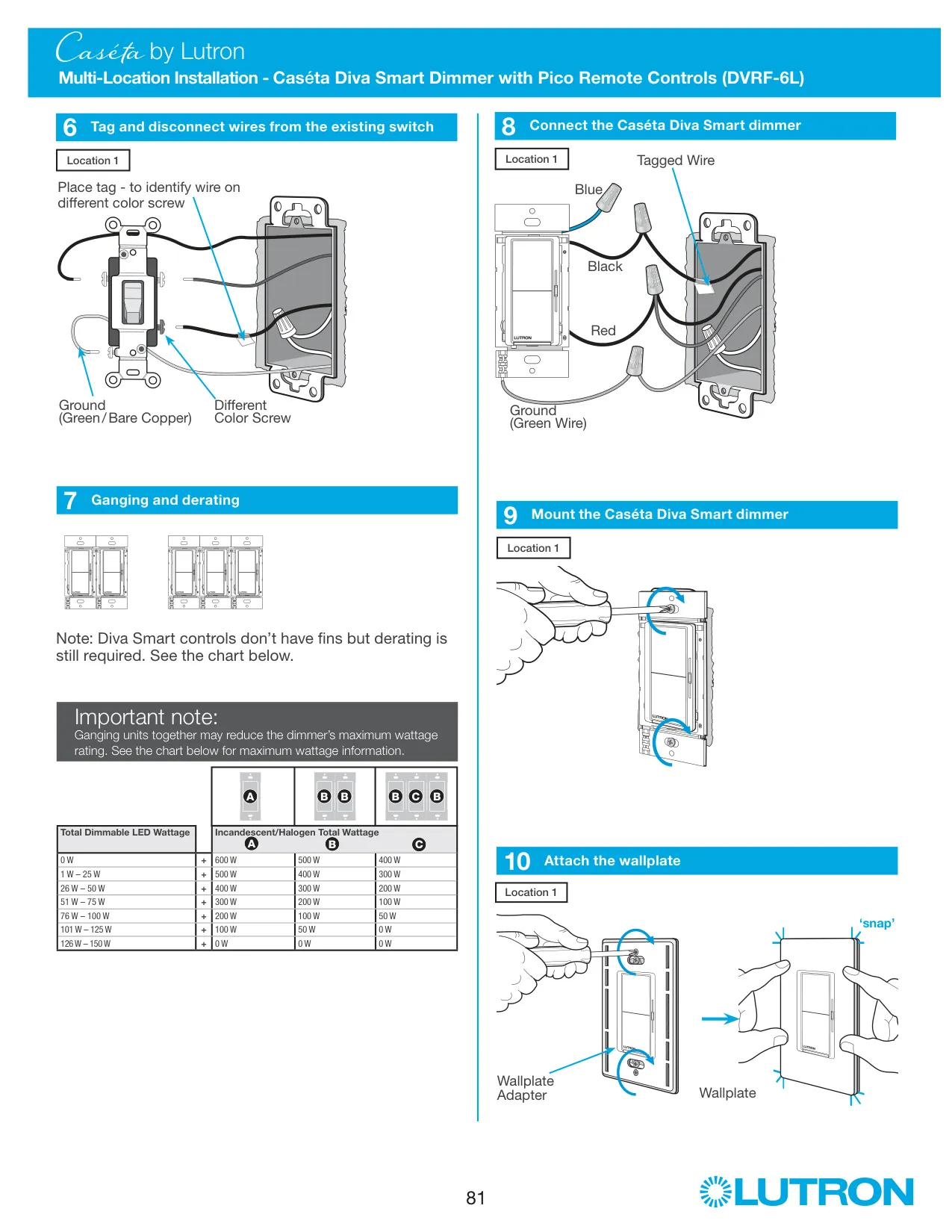
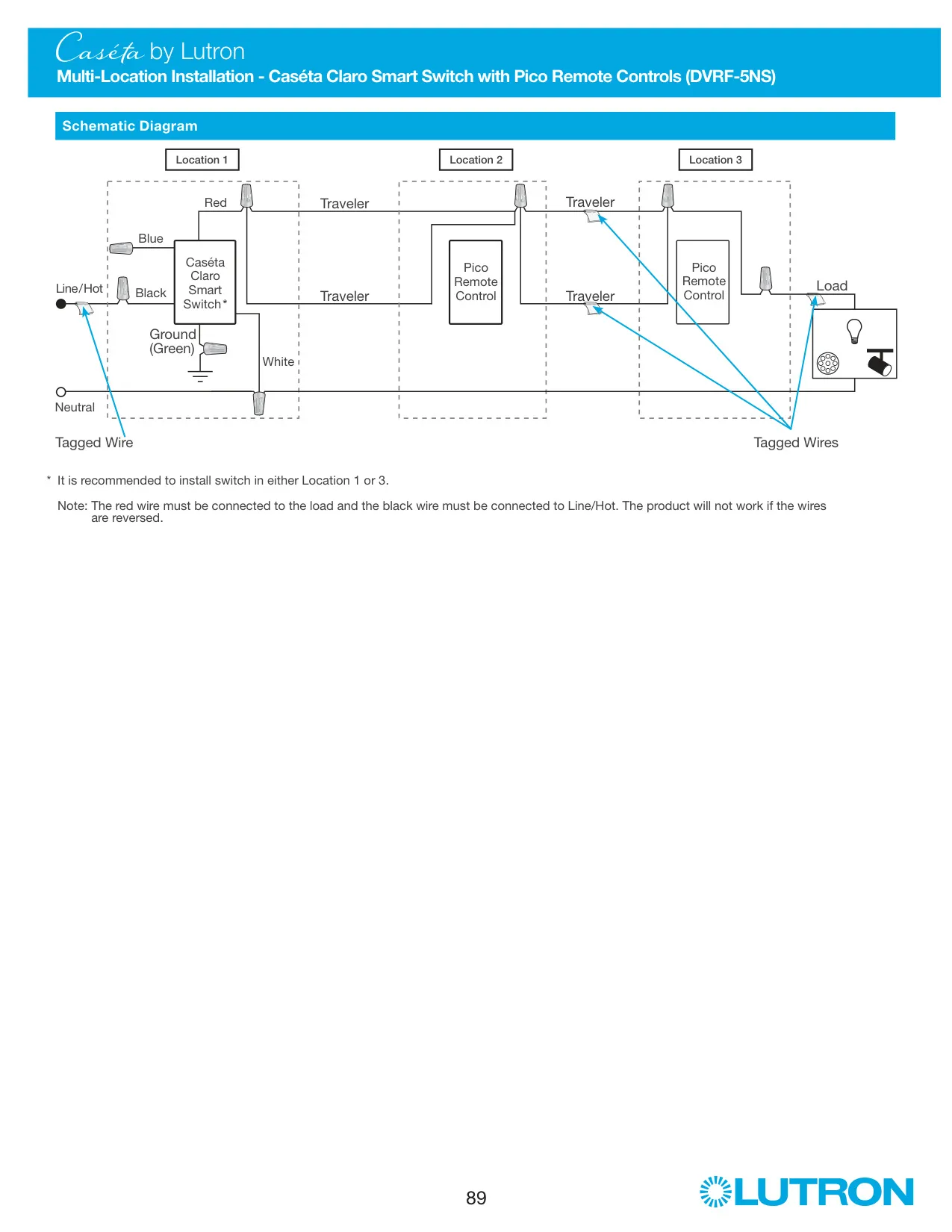
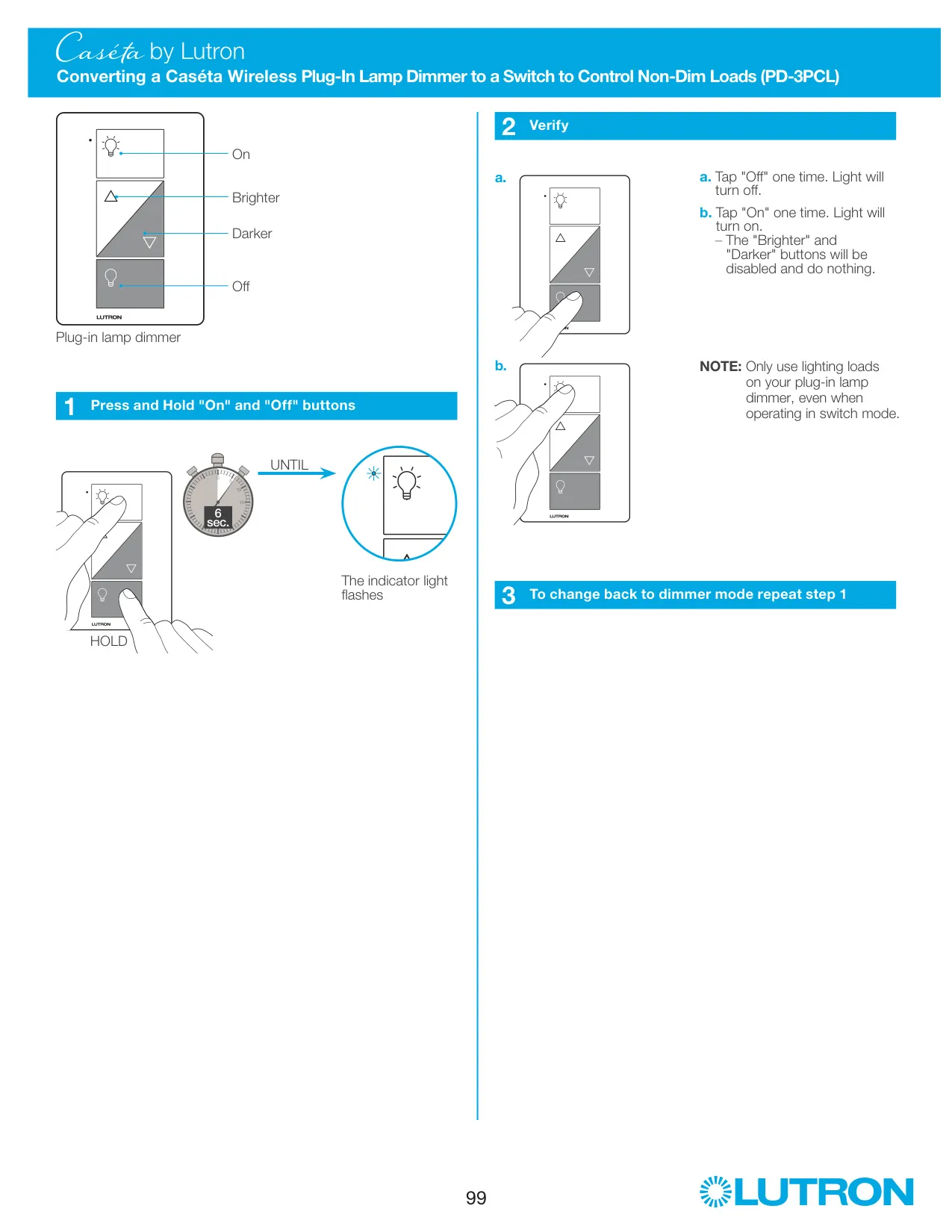
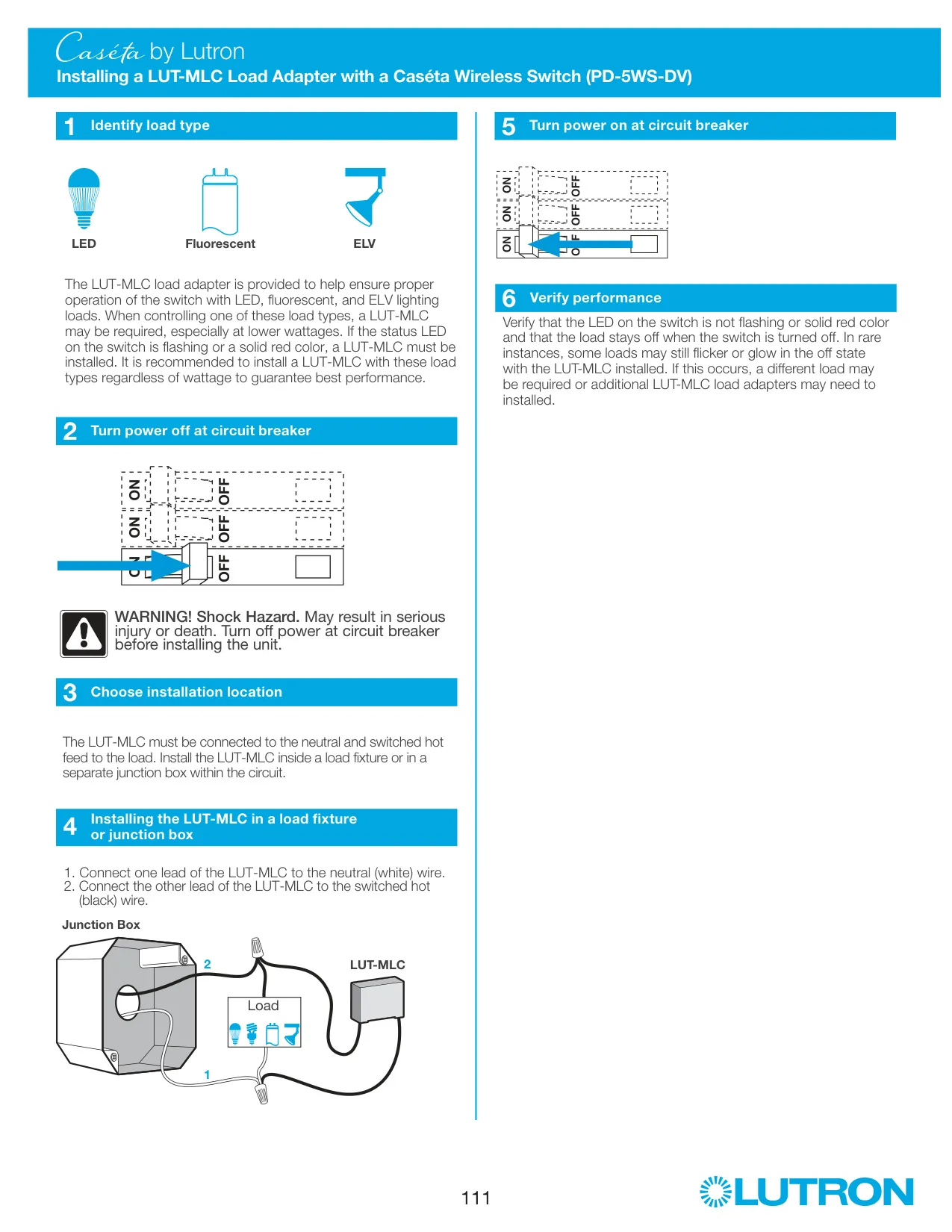
The Lutron Caséta PD-6WCL is an in-wall wireless dimmer. It replaces a standard wall switch so you can control your lights from the front buttons, from Pico remote controls or, with a Lutron Smart Bridge (sold separately), from a smartphone app. Wiring is simple. The bare copper or green ground wire goes to the dimmer's green lead, and the two remaining wallbox wires connect to the two remaining dimmer wires in either order, using the supplied wire connectors.
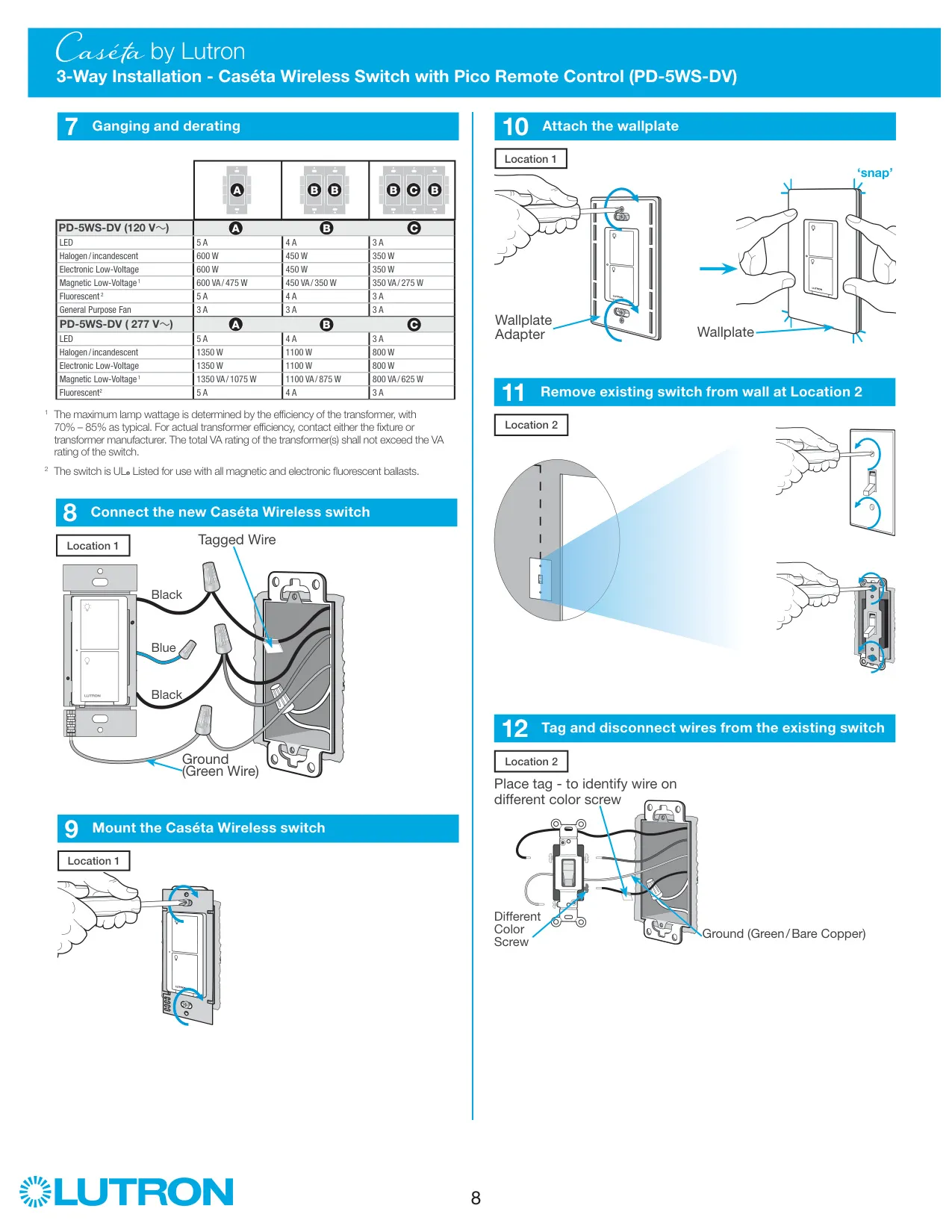
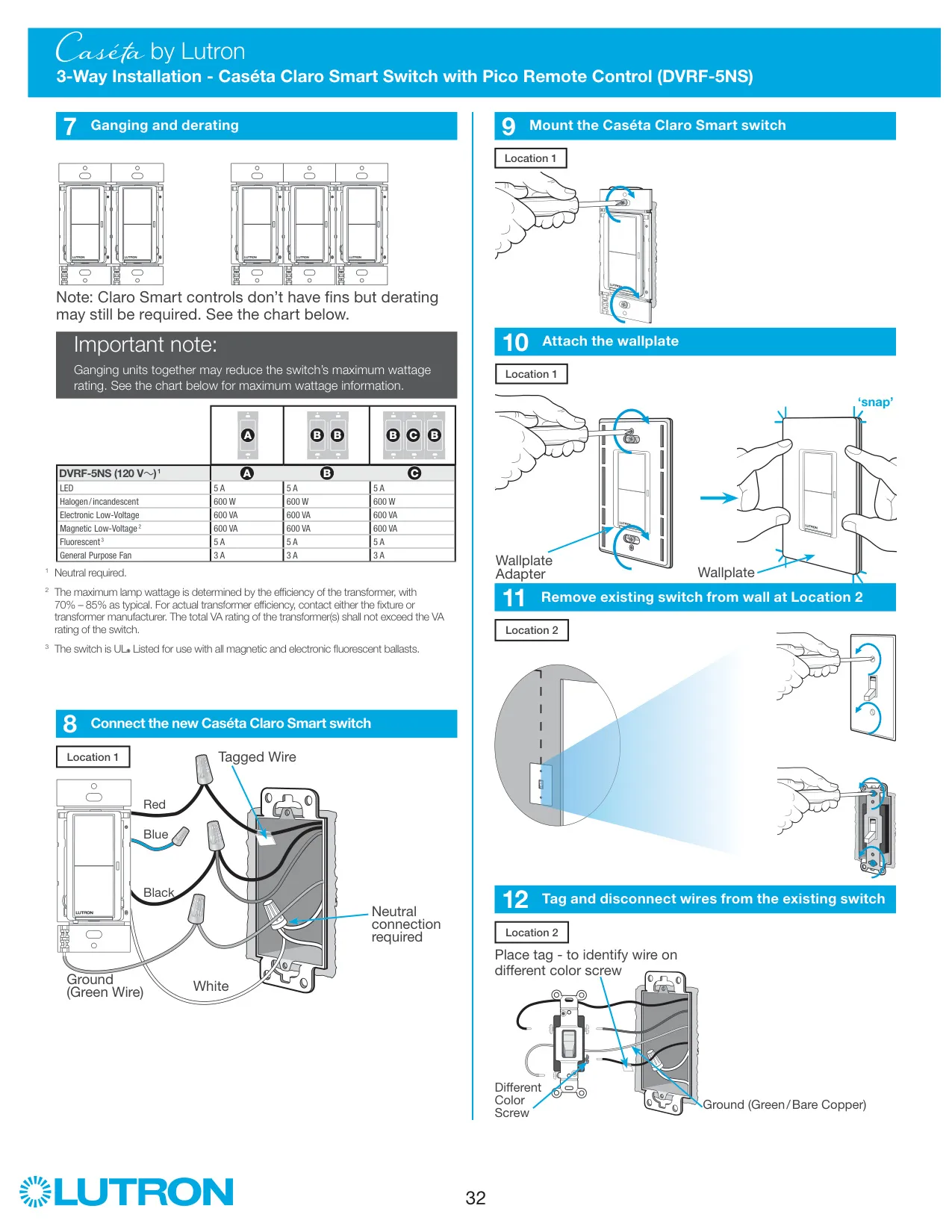
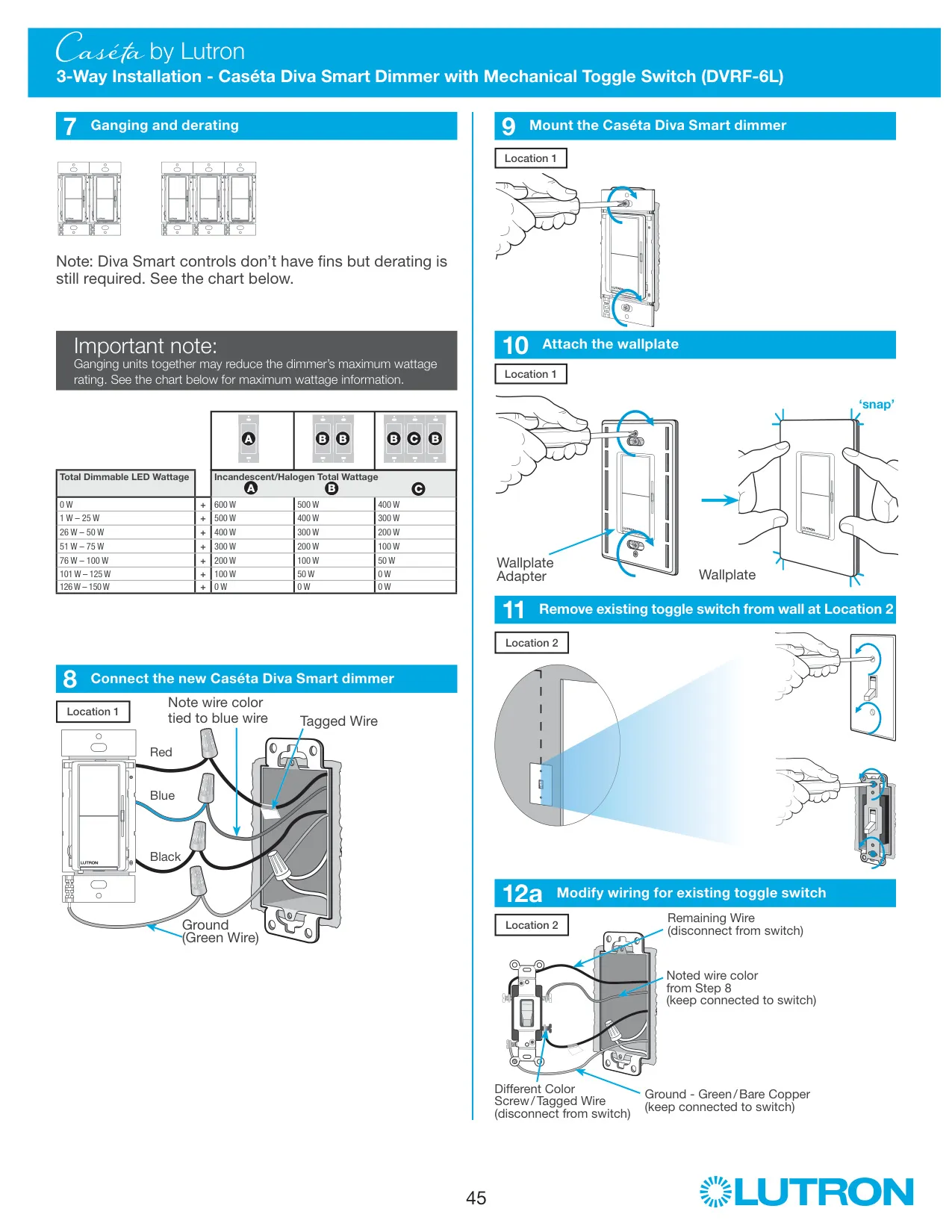
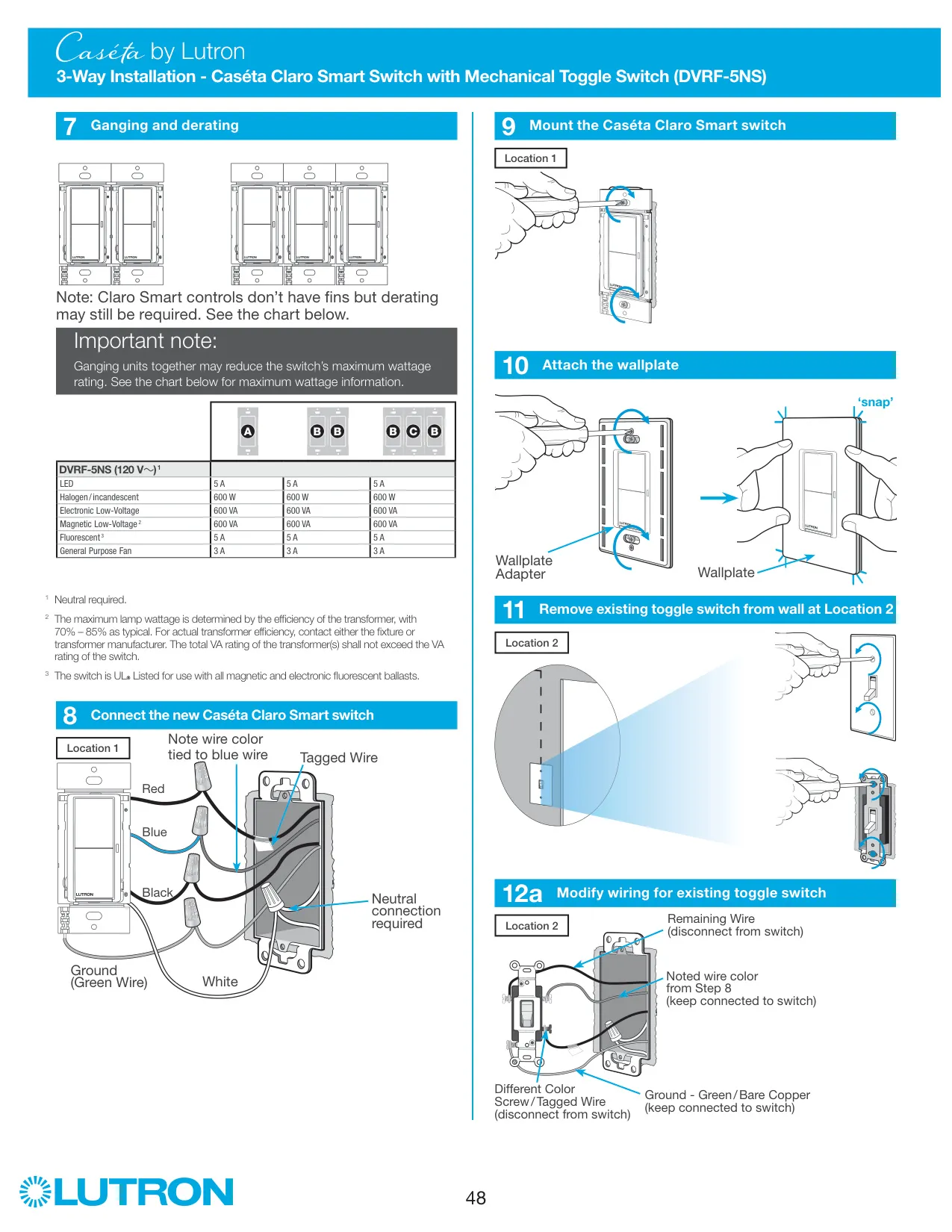
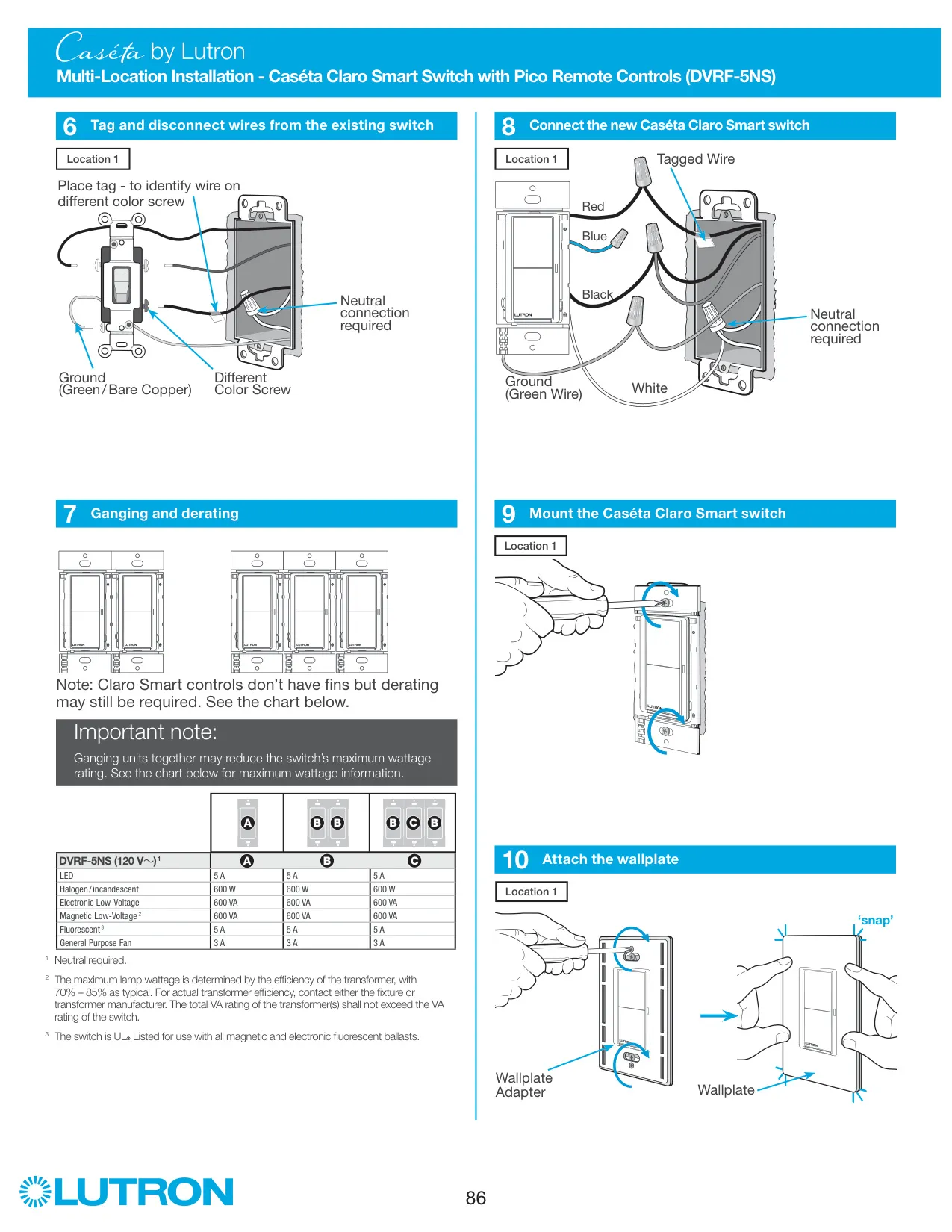
The dimmer can be ganged with other Caséta devices in a multi-gang wallbox. Before wiring, break off the inner side sections by bending them back and forth. The outside sections on dimmers at the end of the gang must stay in place, and a dimmer in the middle has all side sections removed. Removing sections lowers the incandescent and halogen rating, so check the derating chart before you choose bulbs and plan your loads.
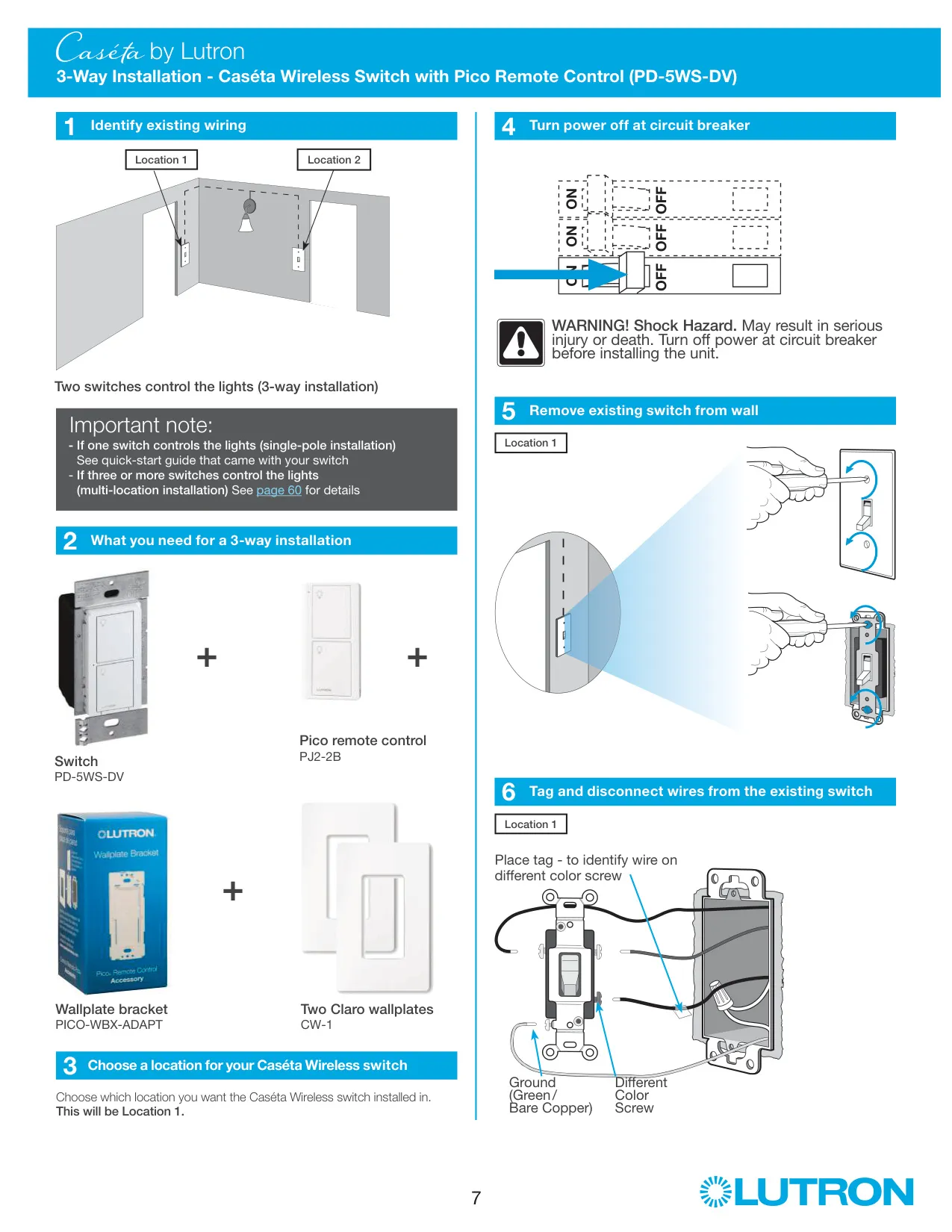
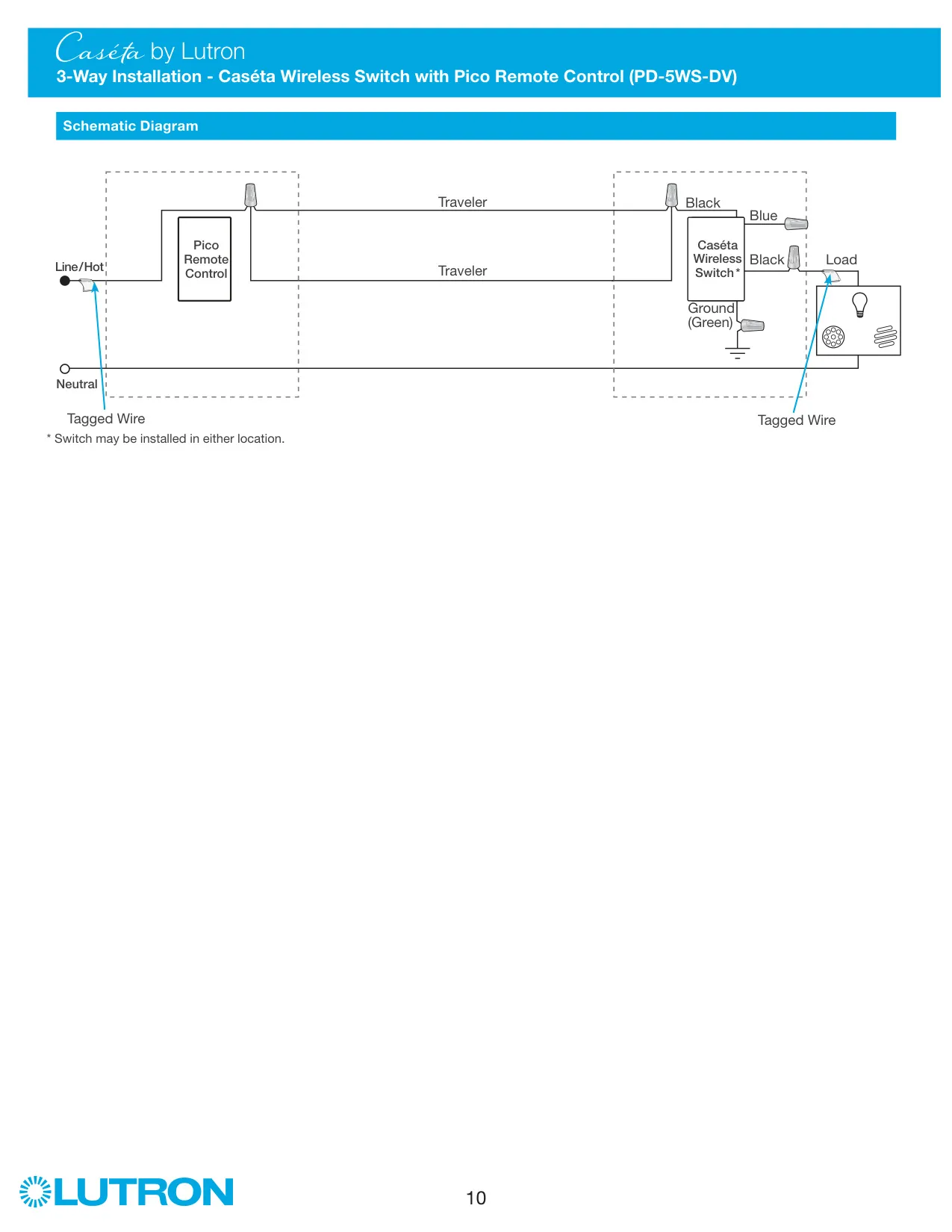
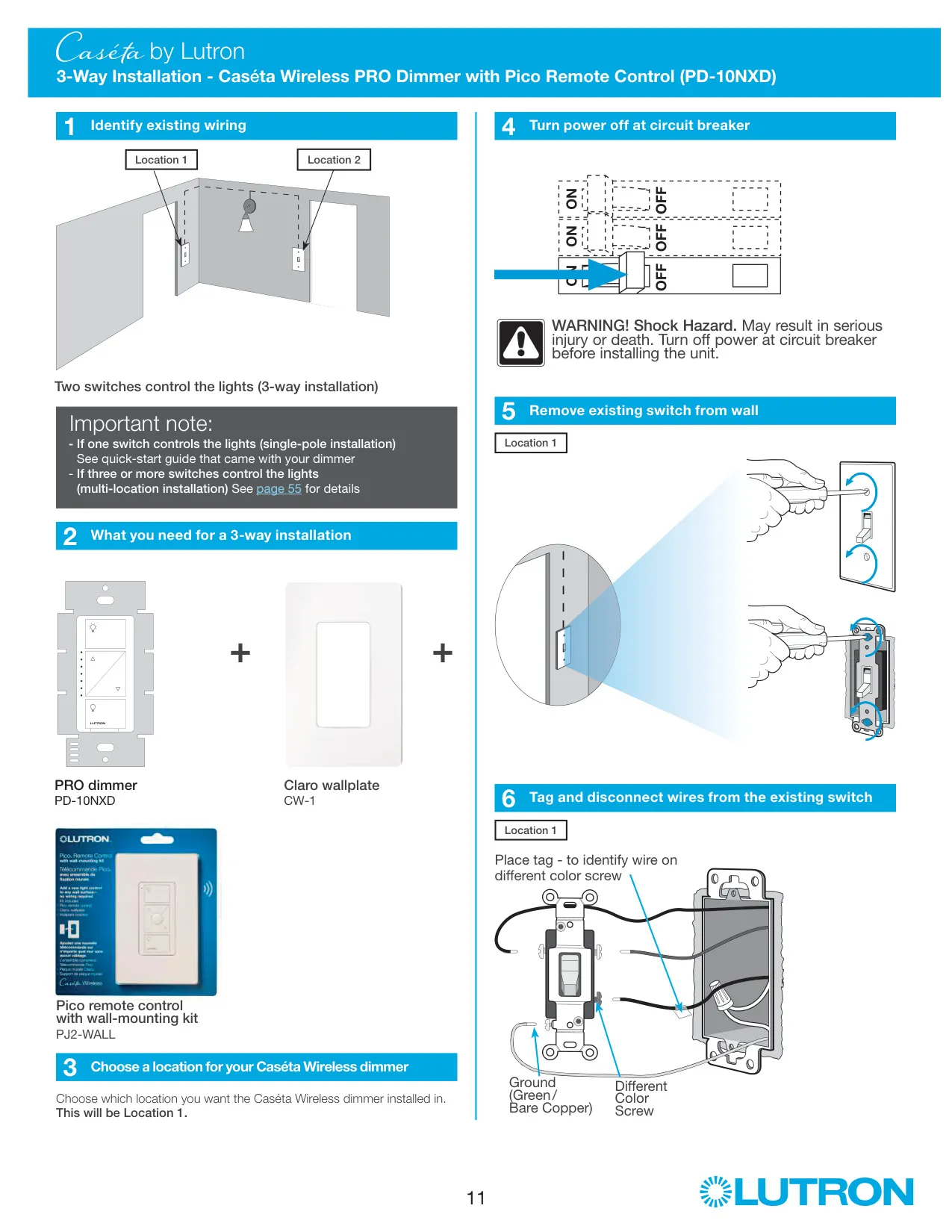
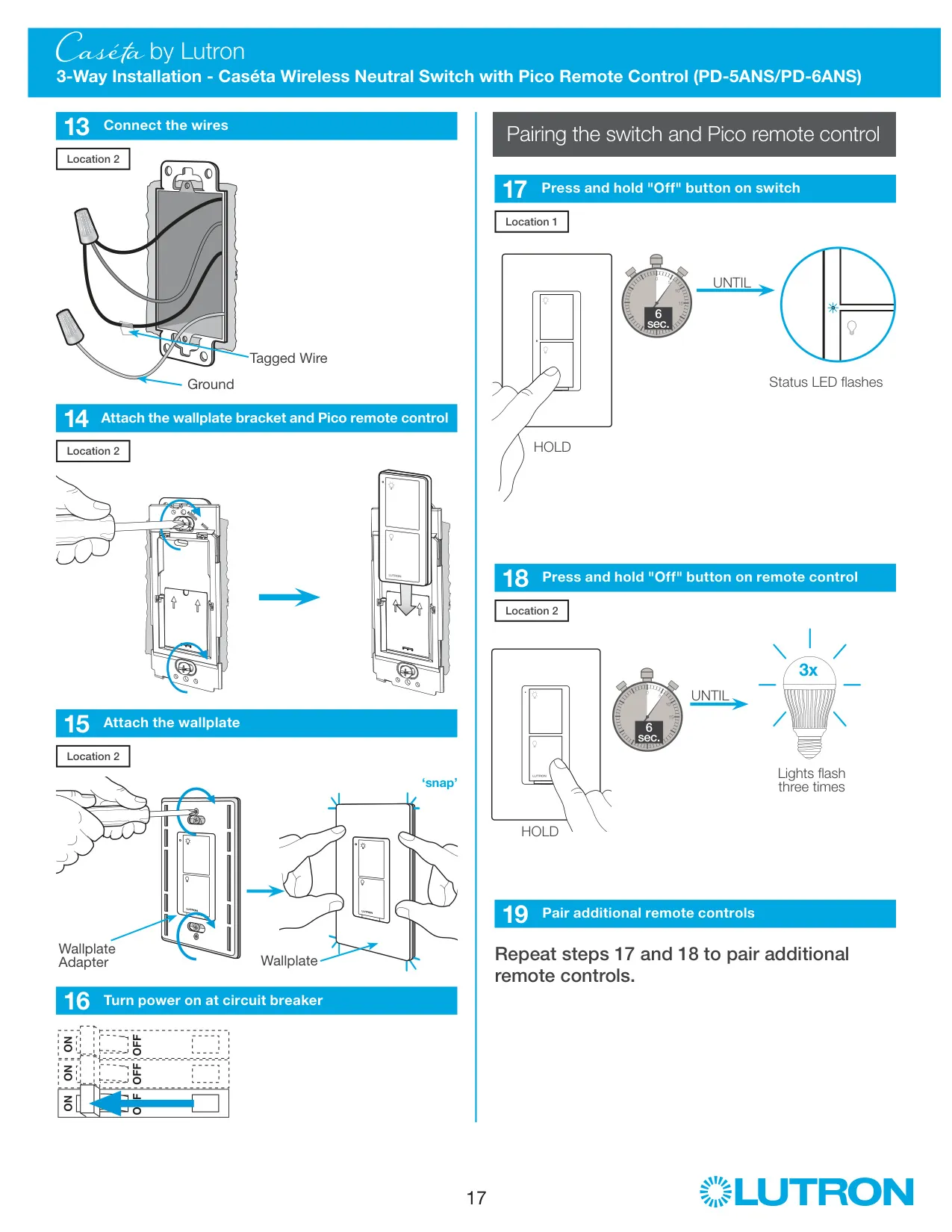
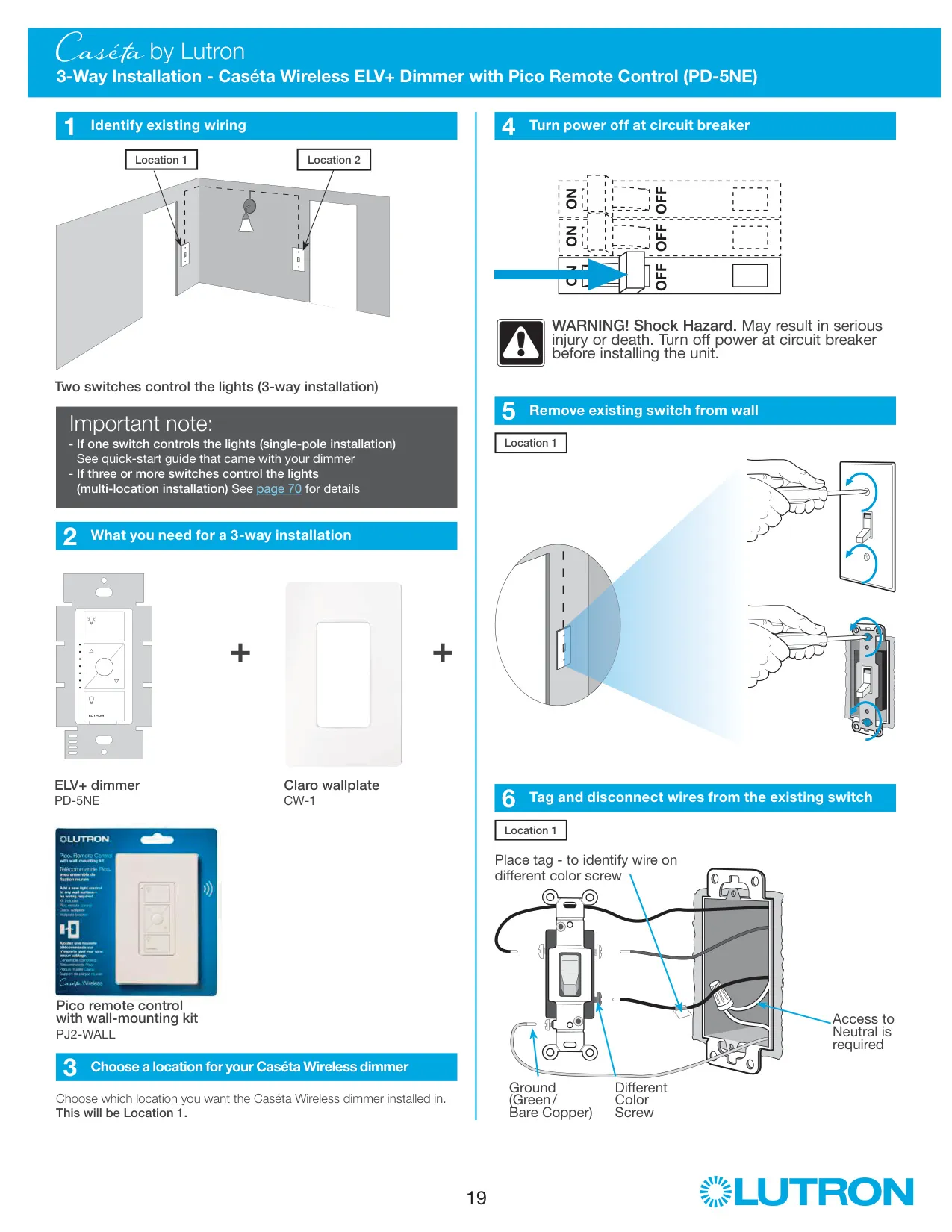
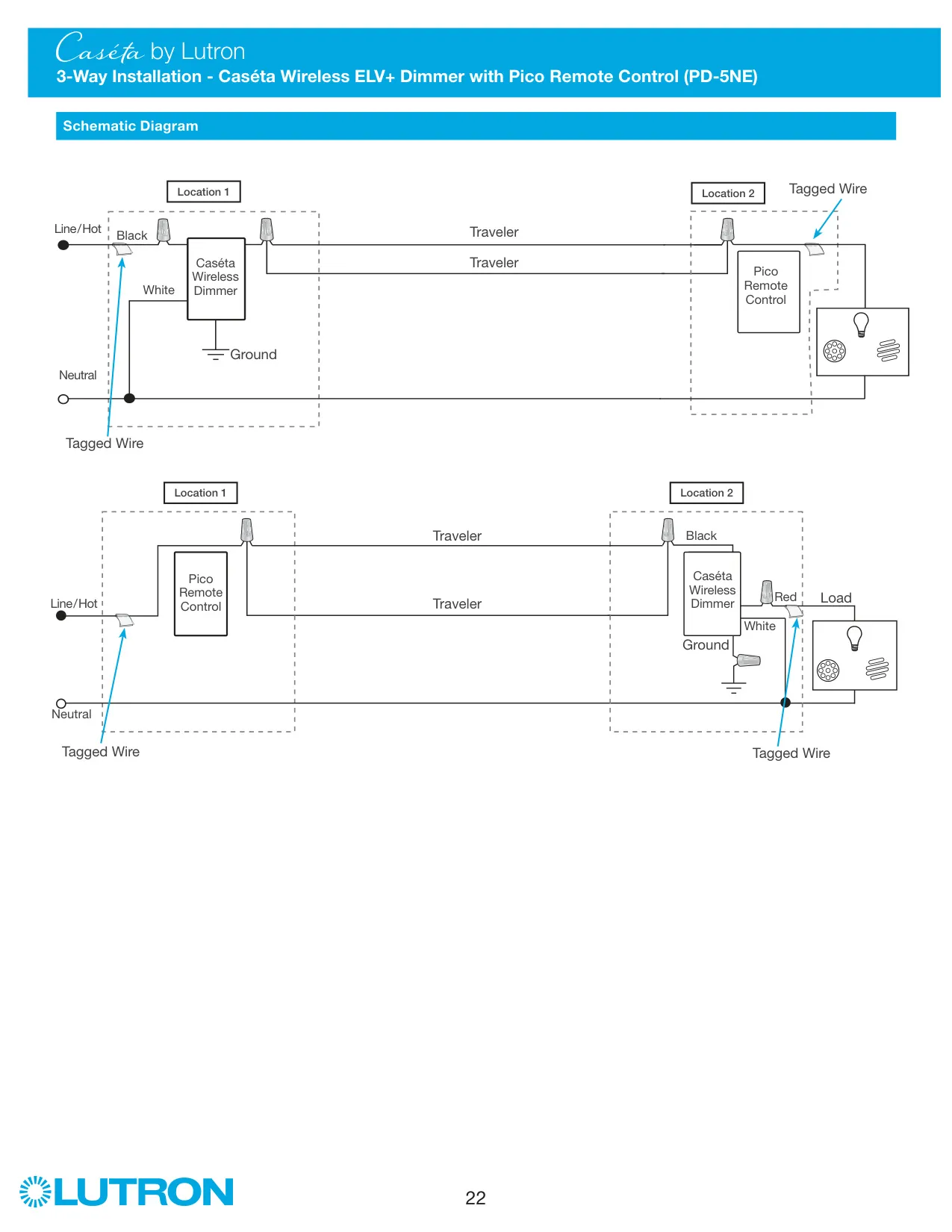
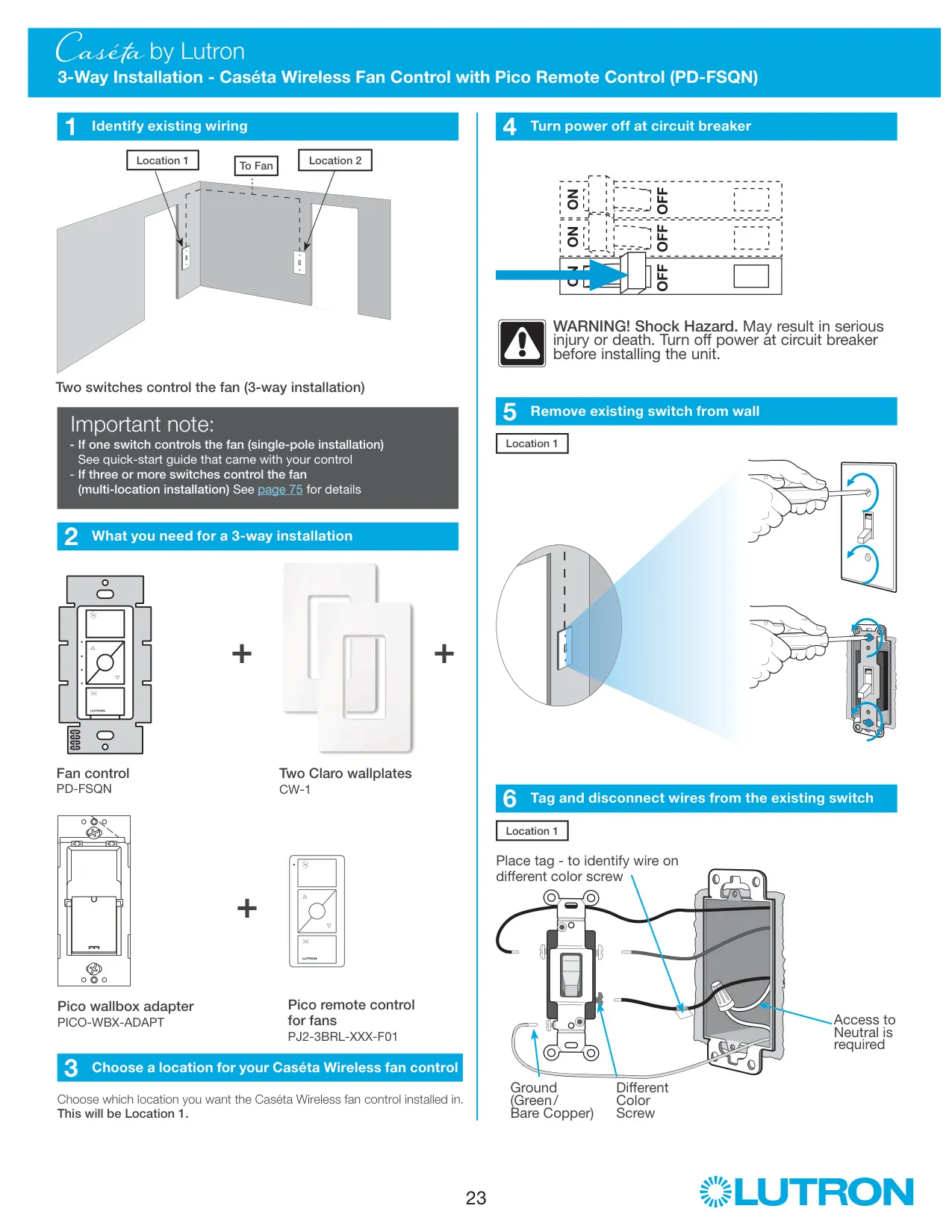
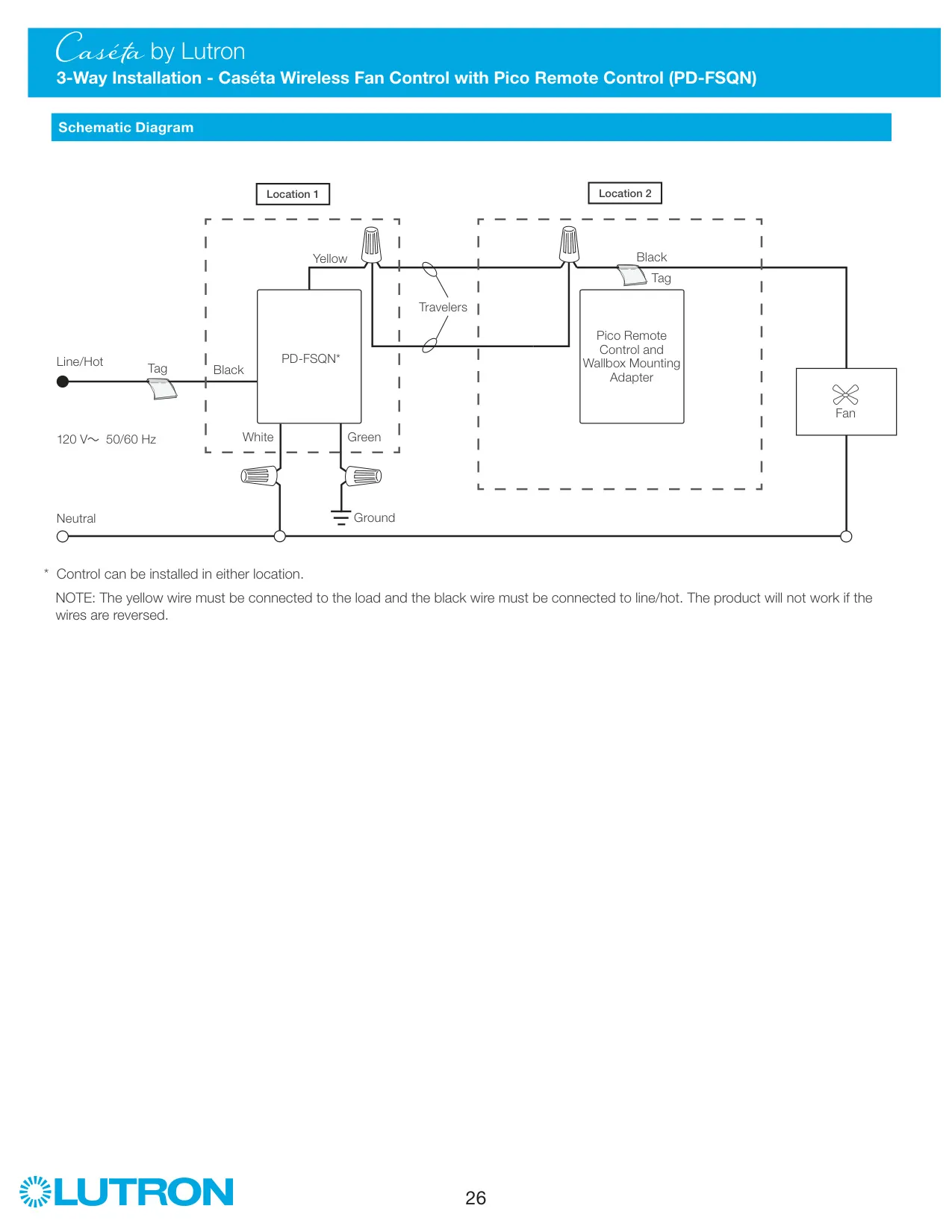
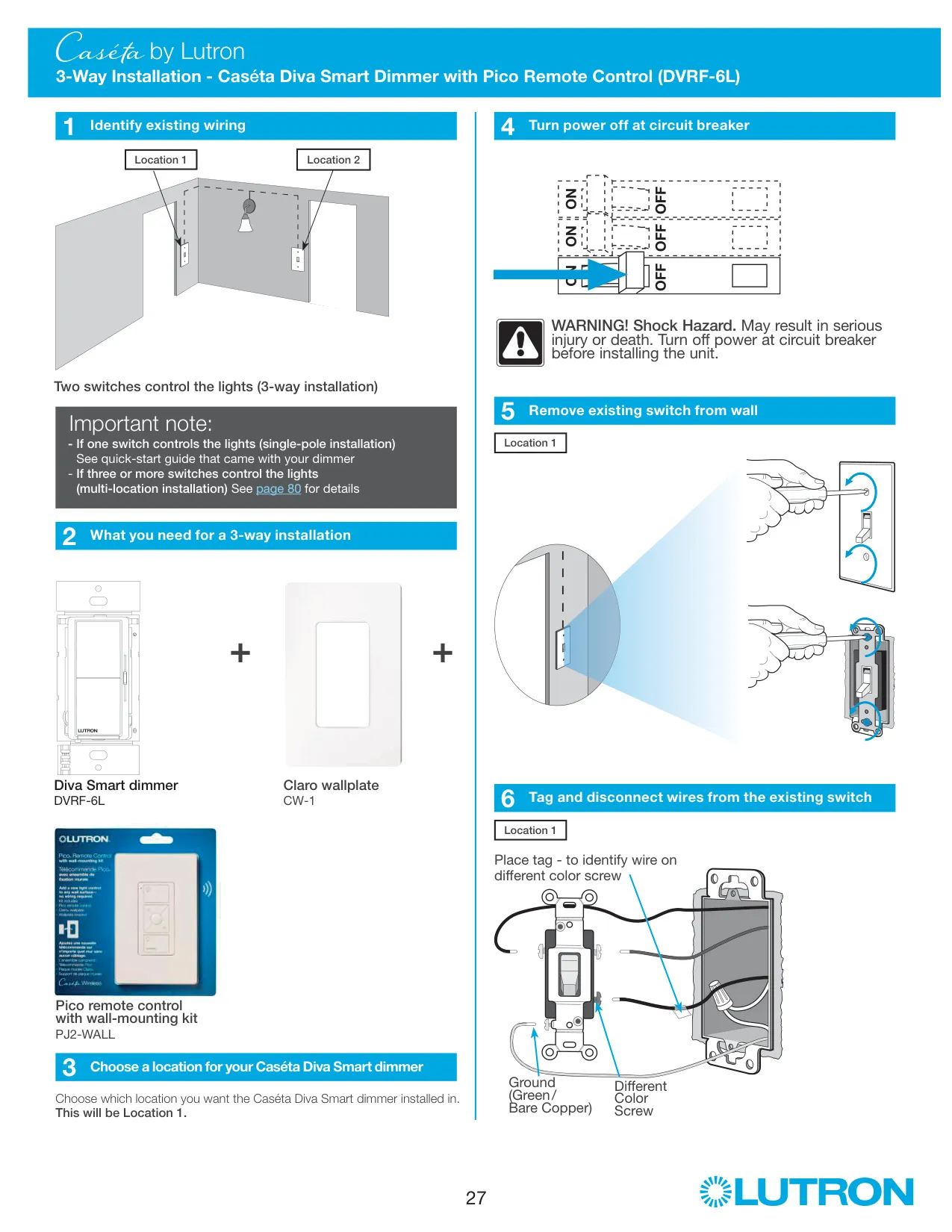
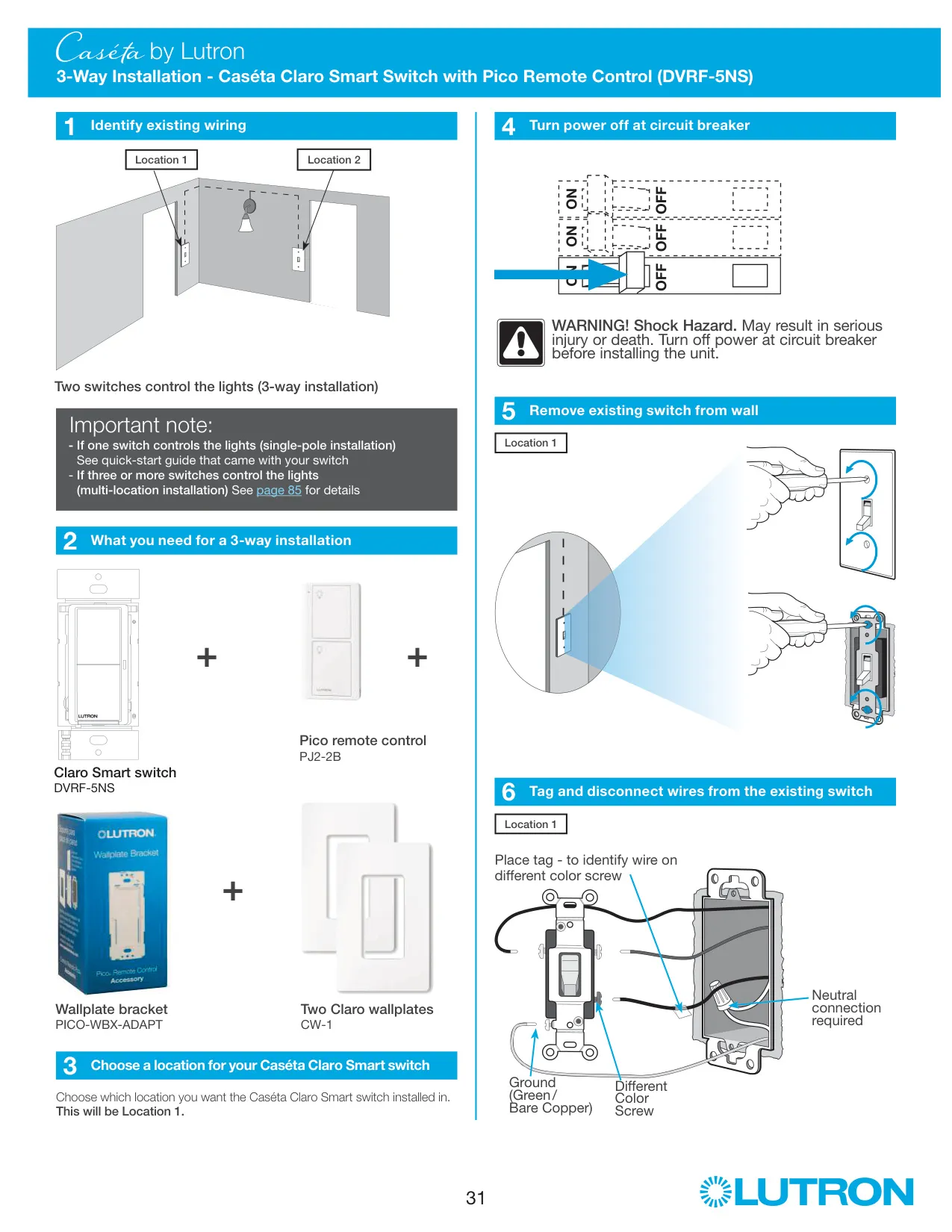
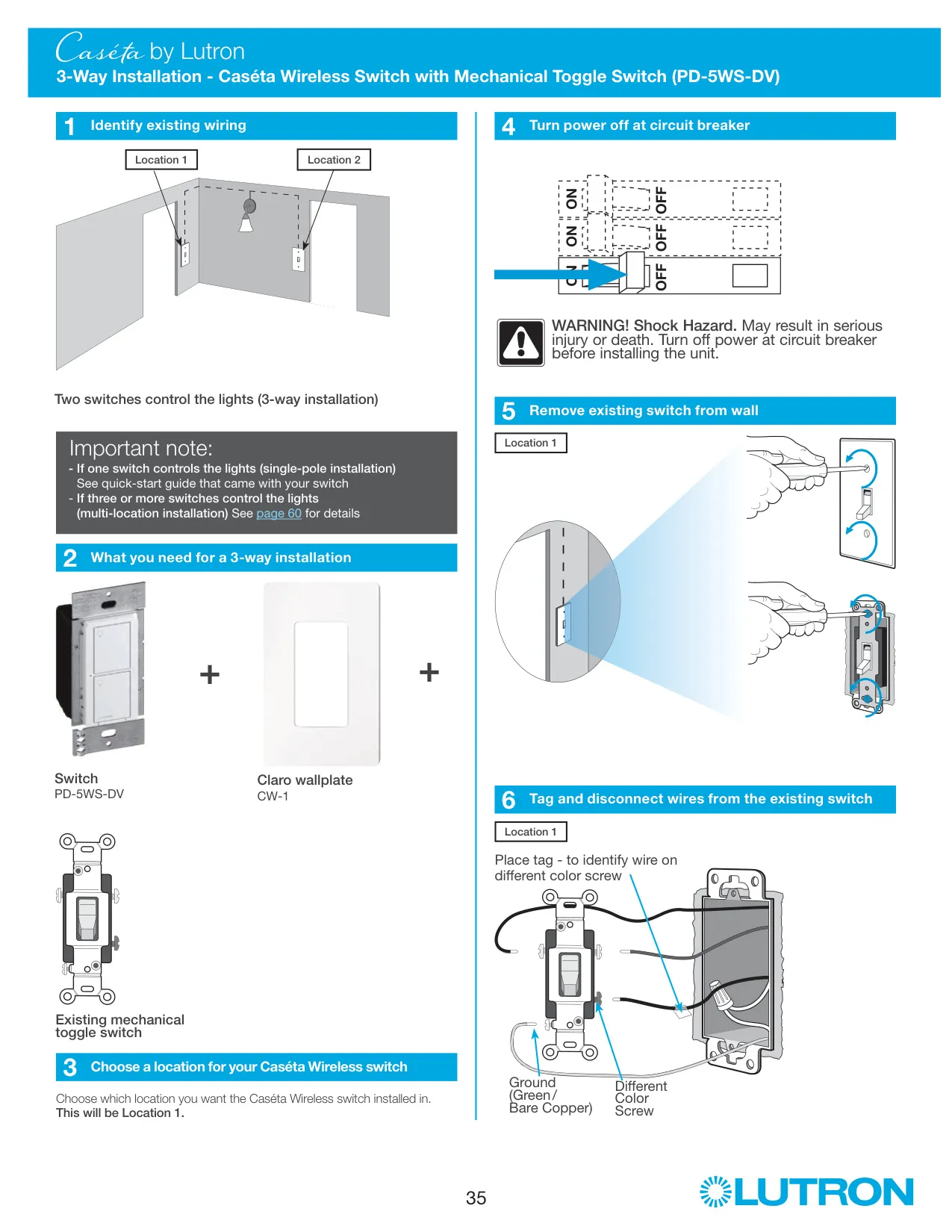
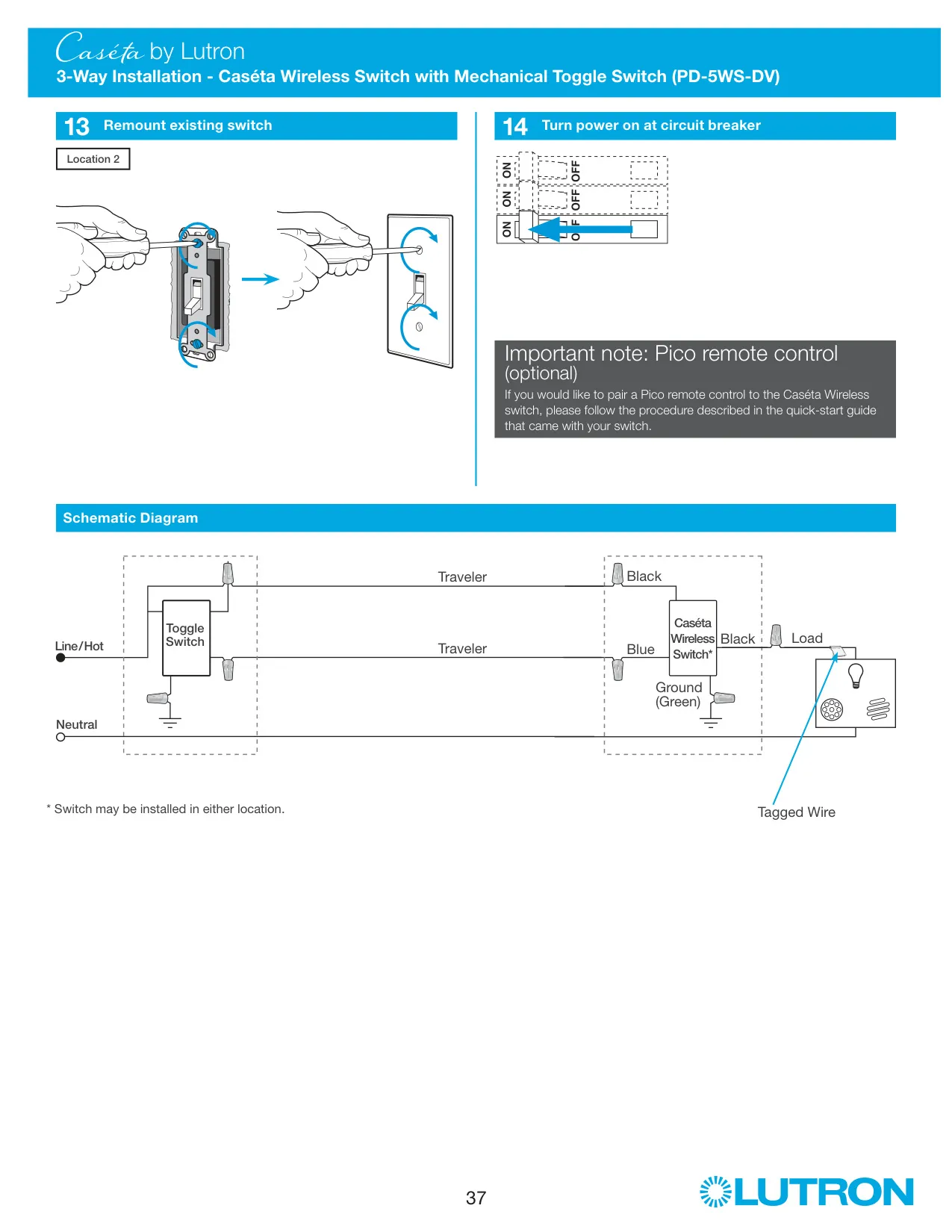
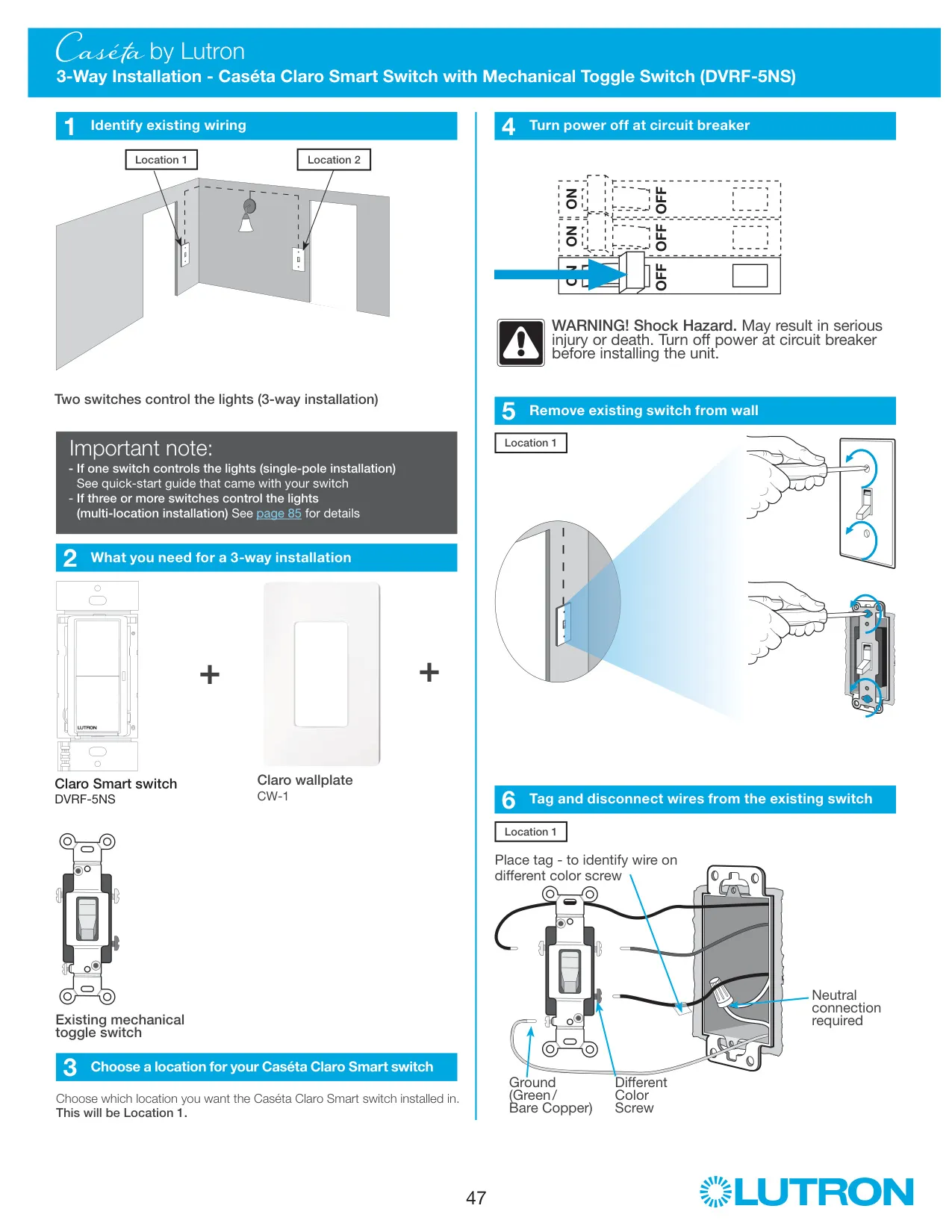
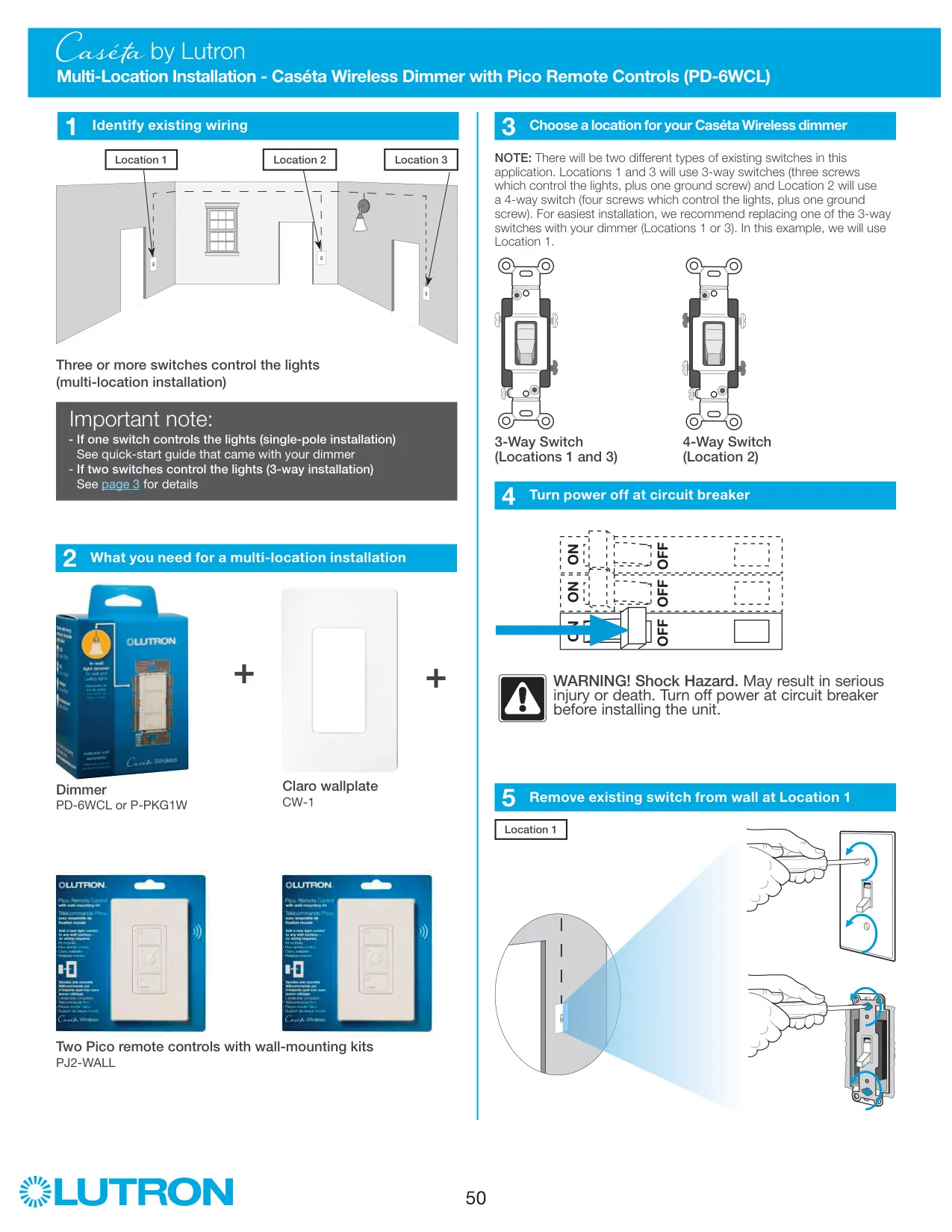
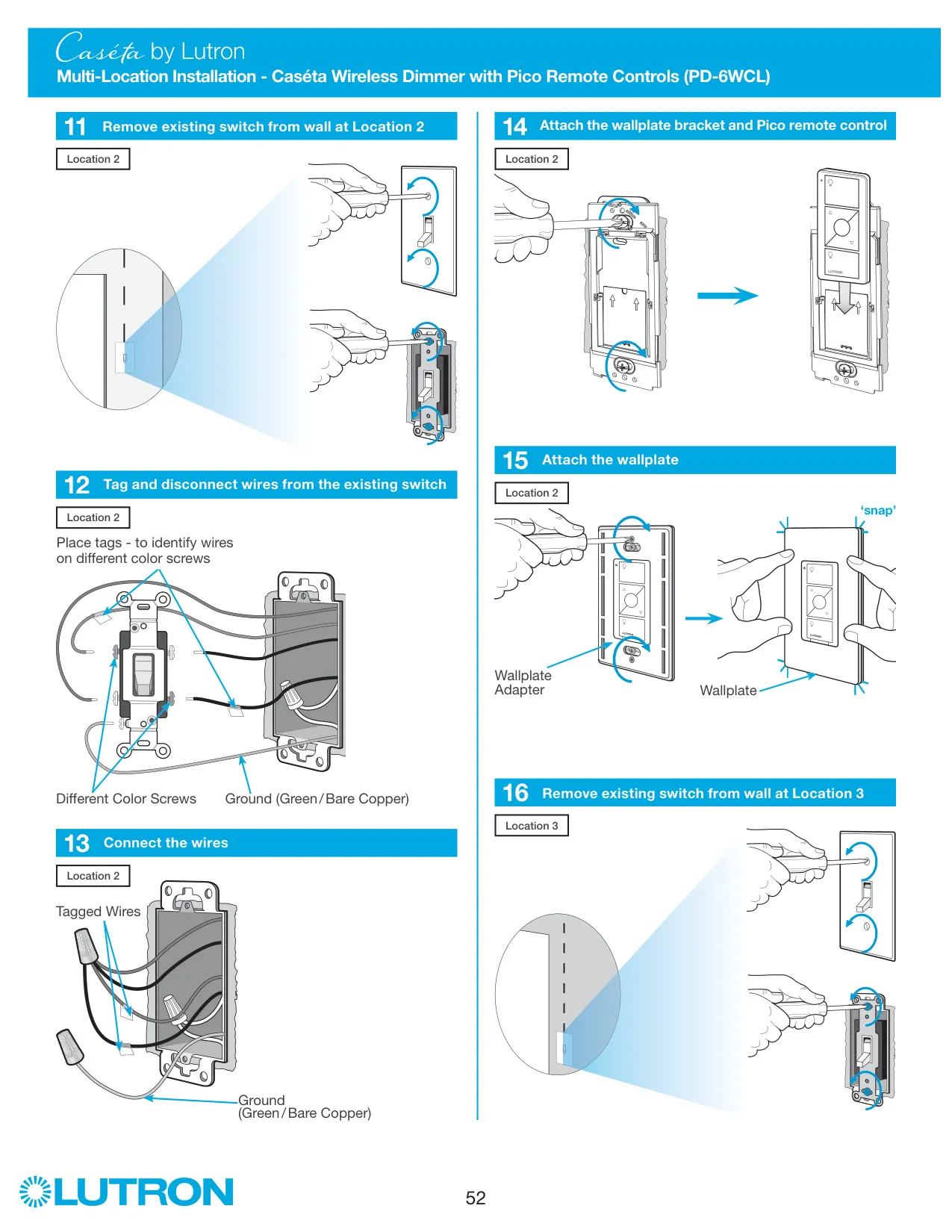
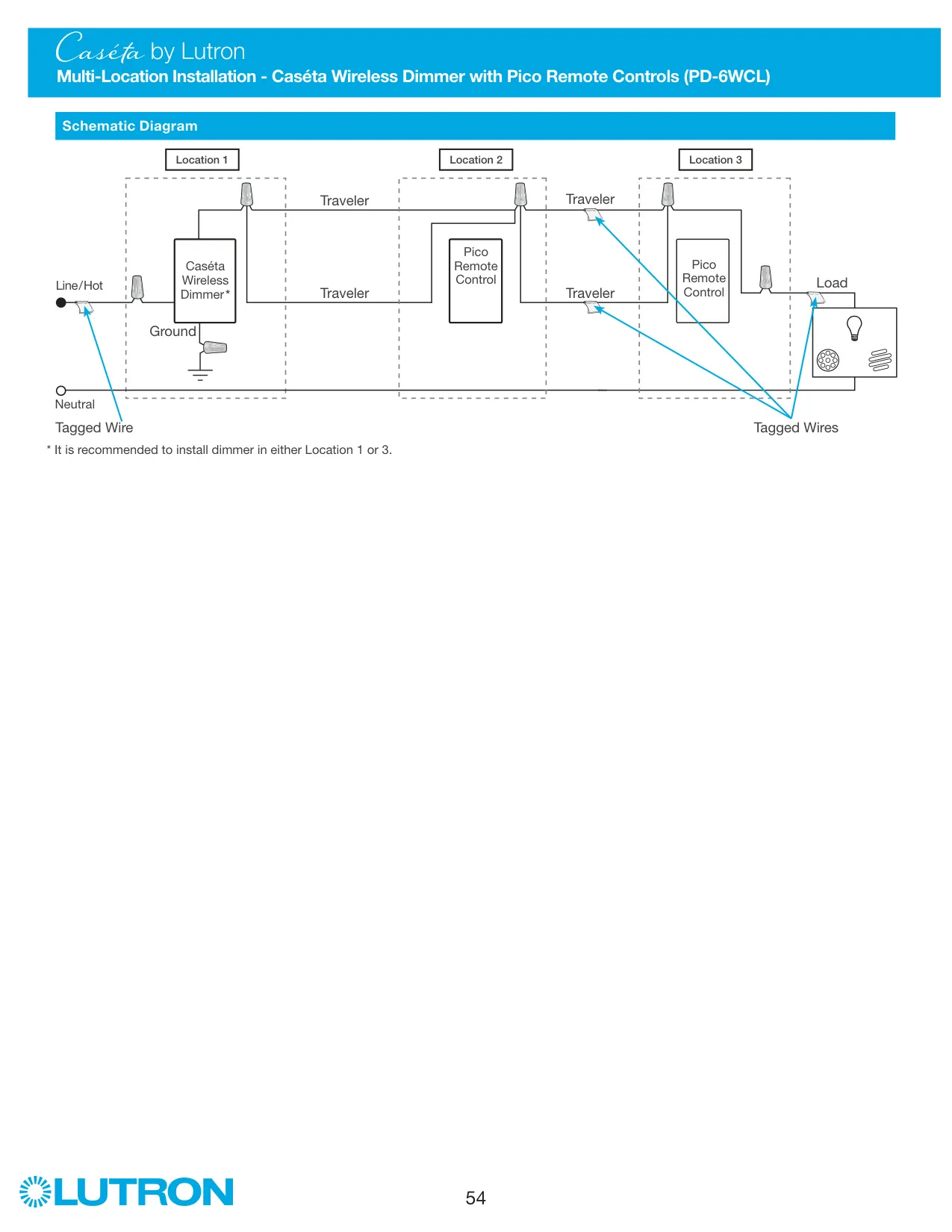
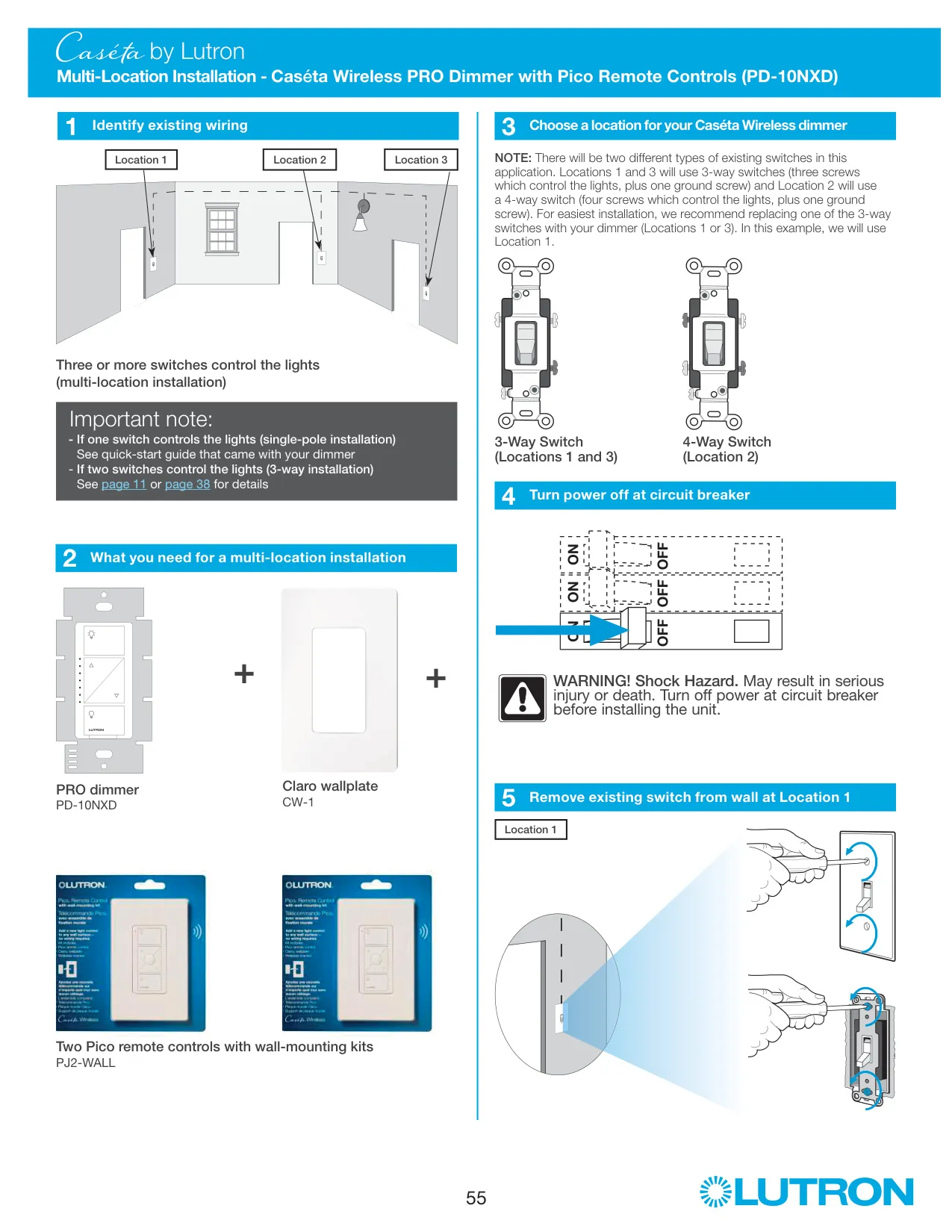
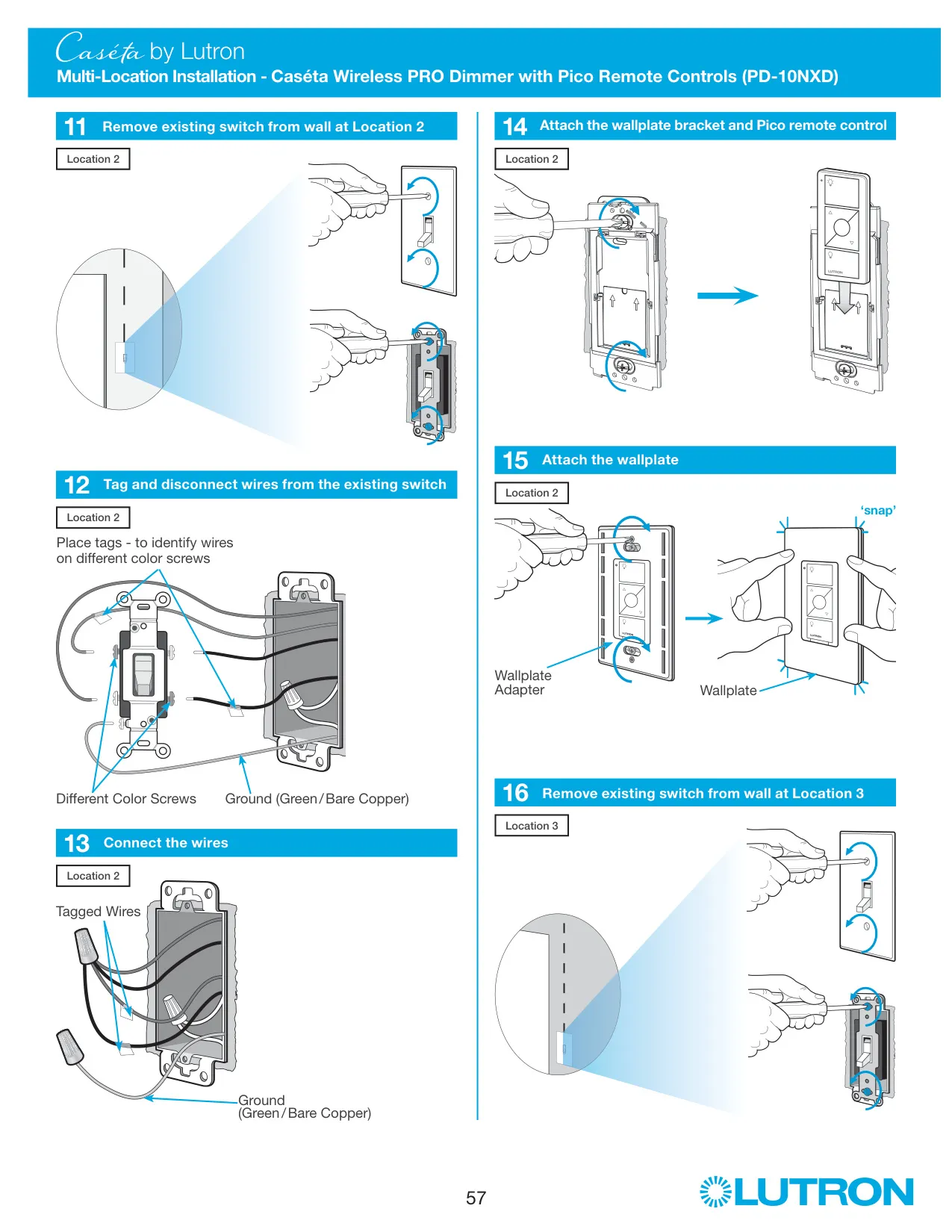
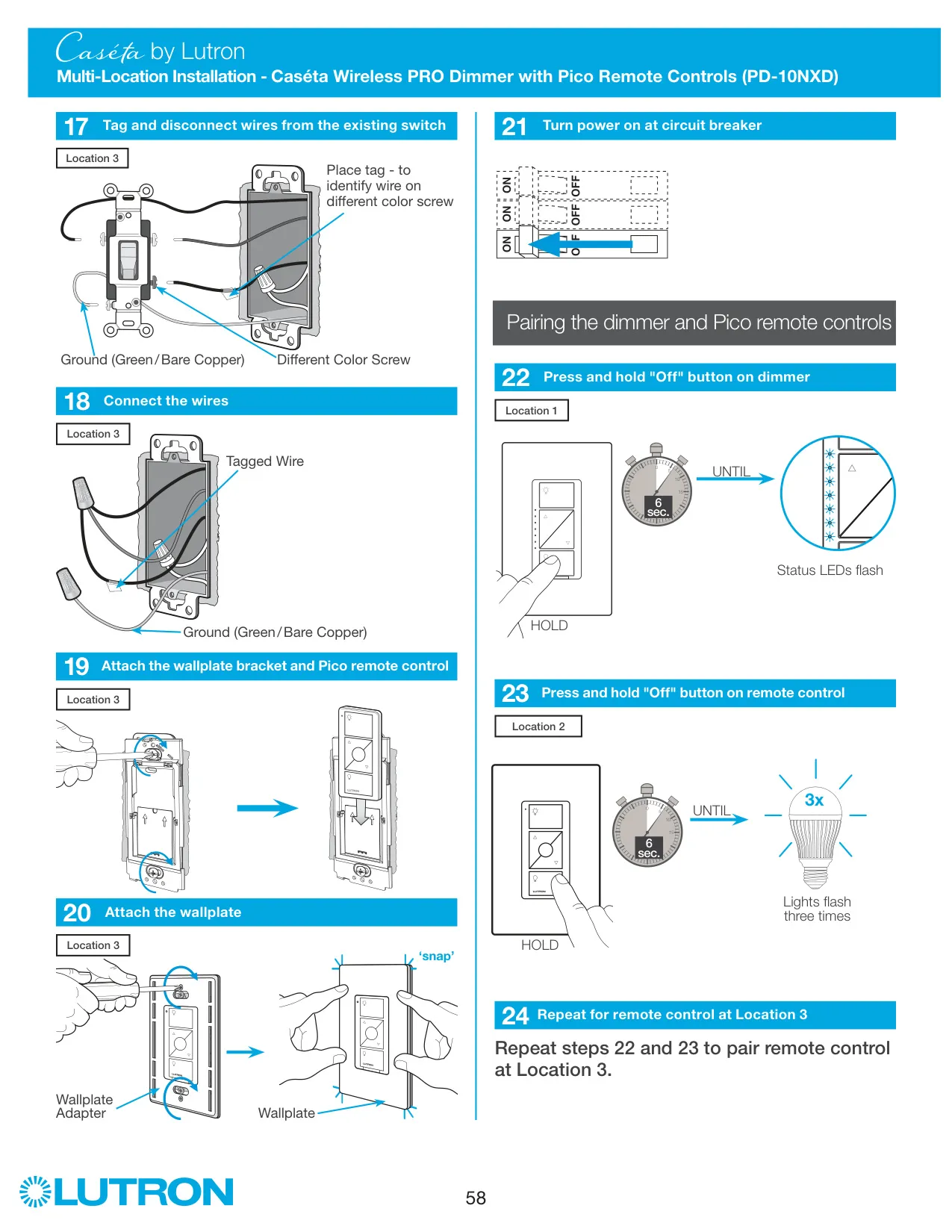
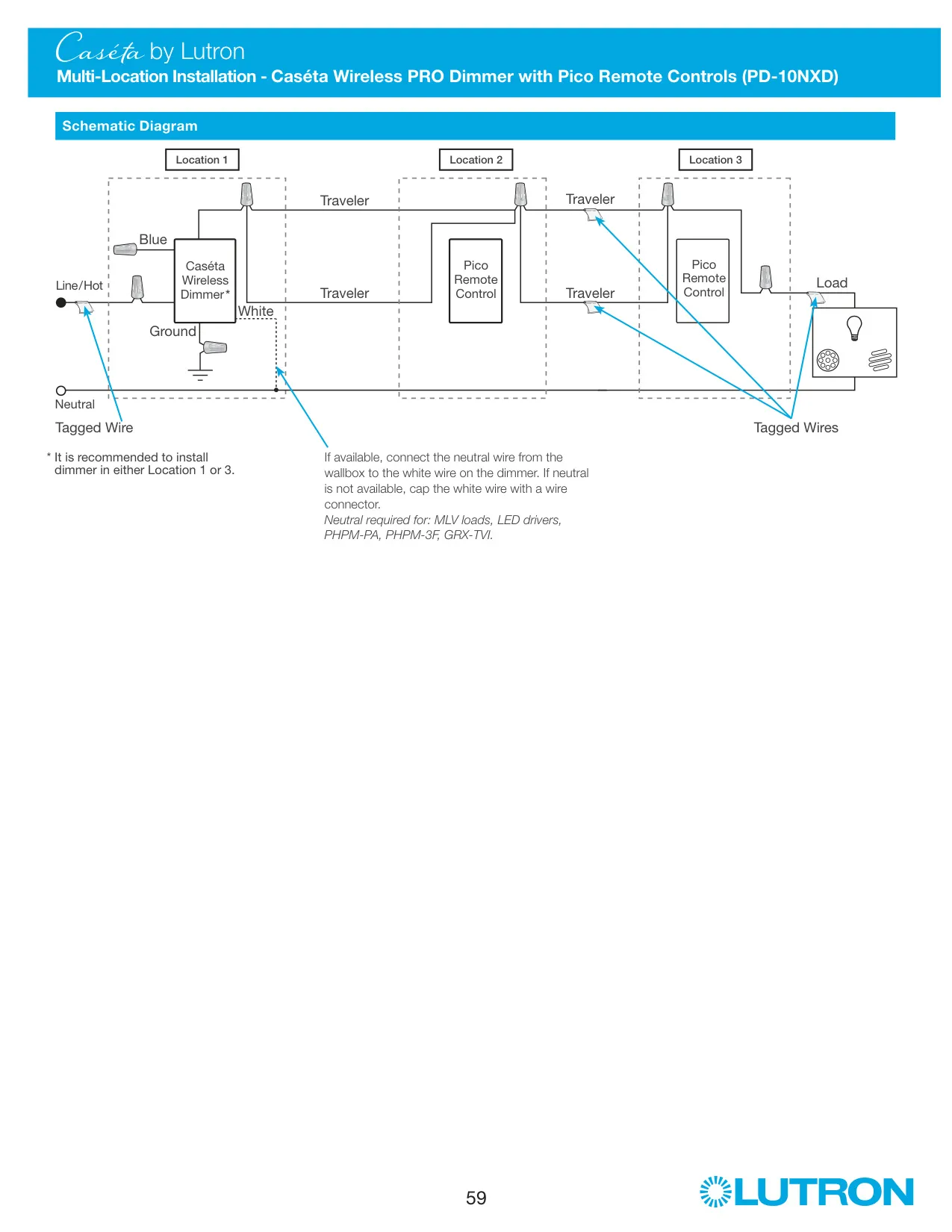
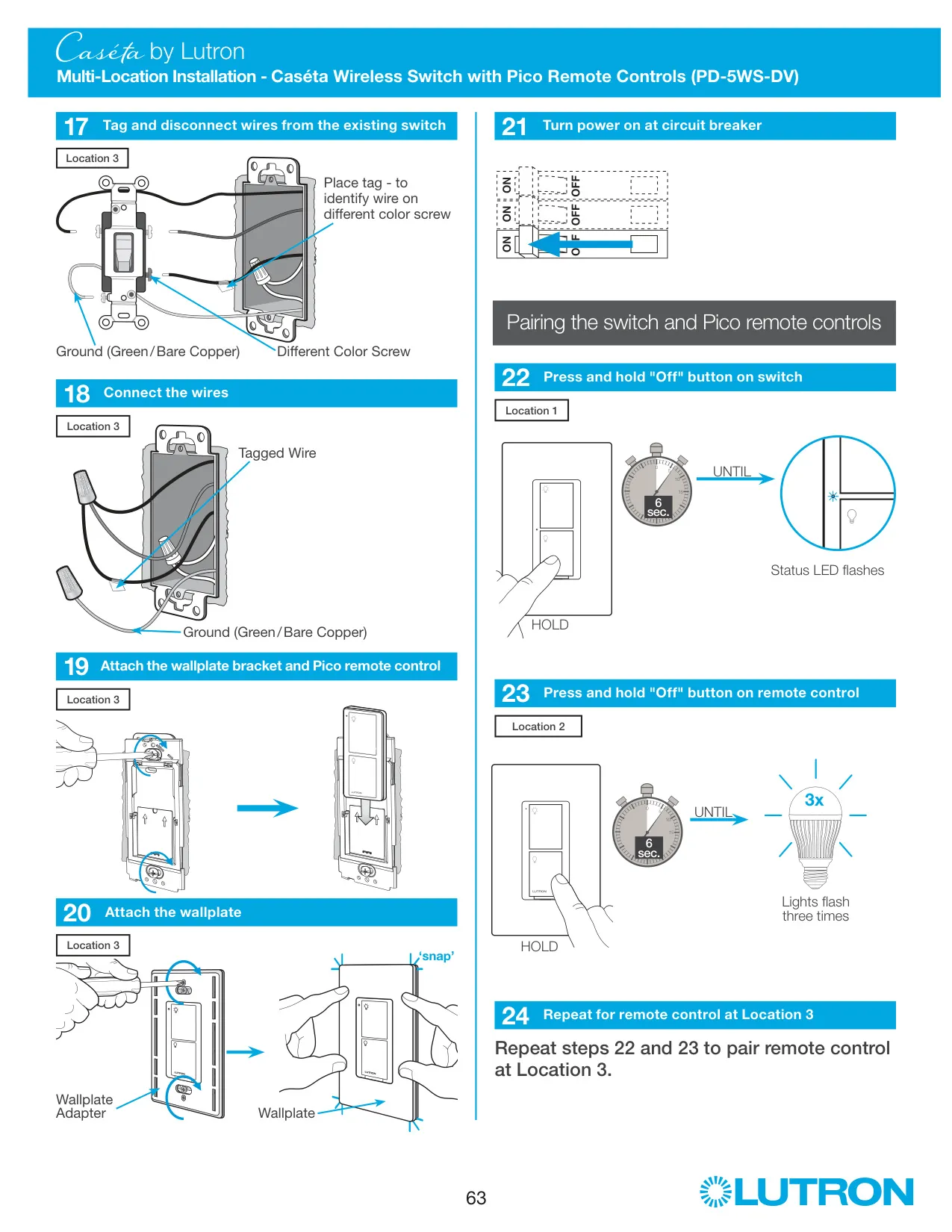
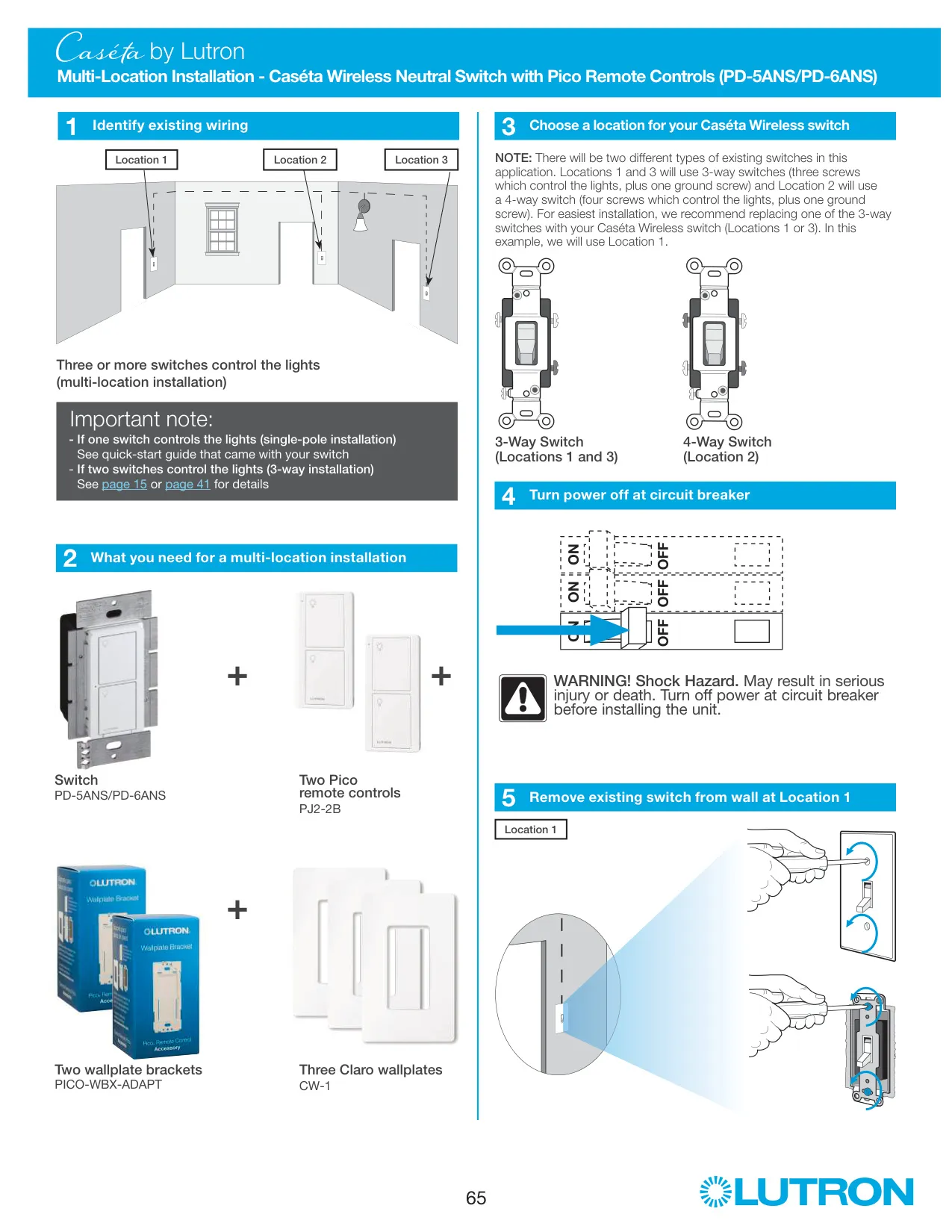
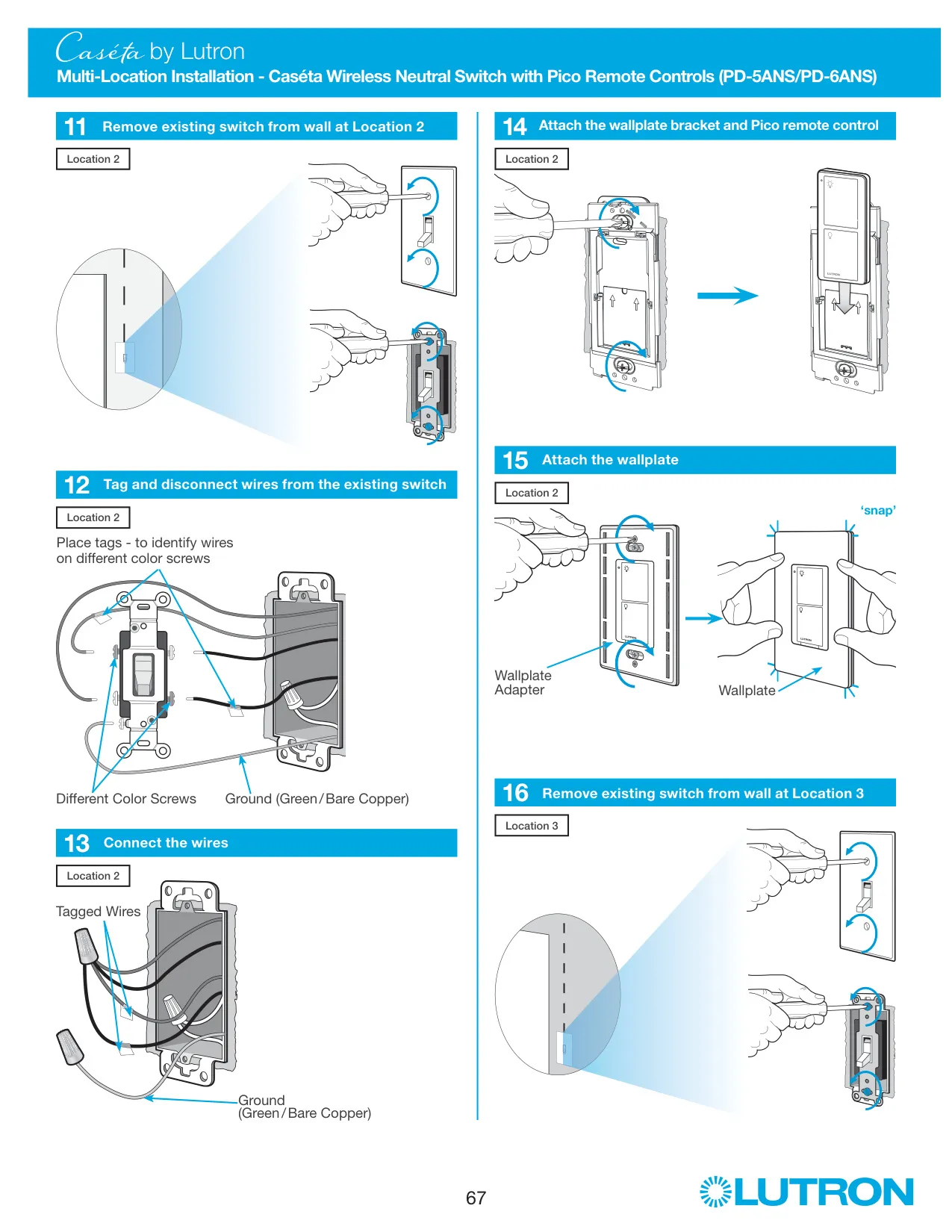
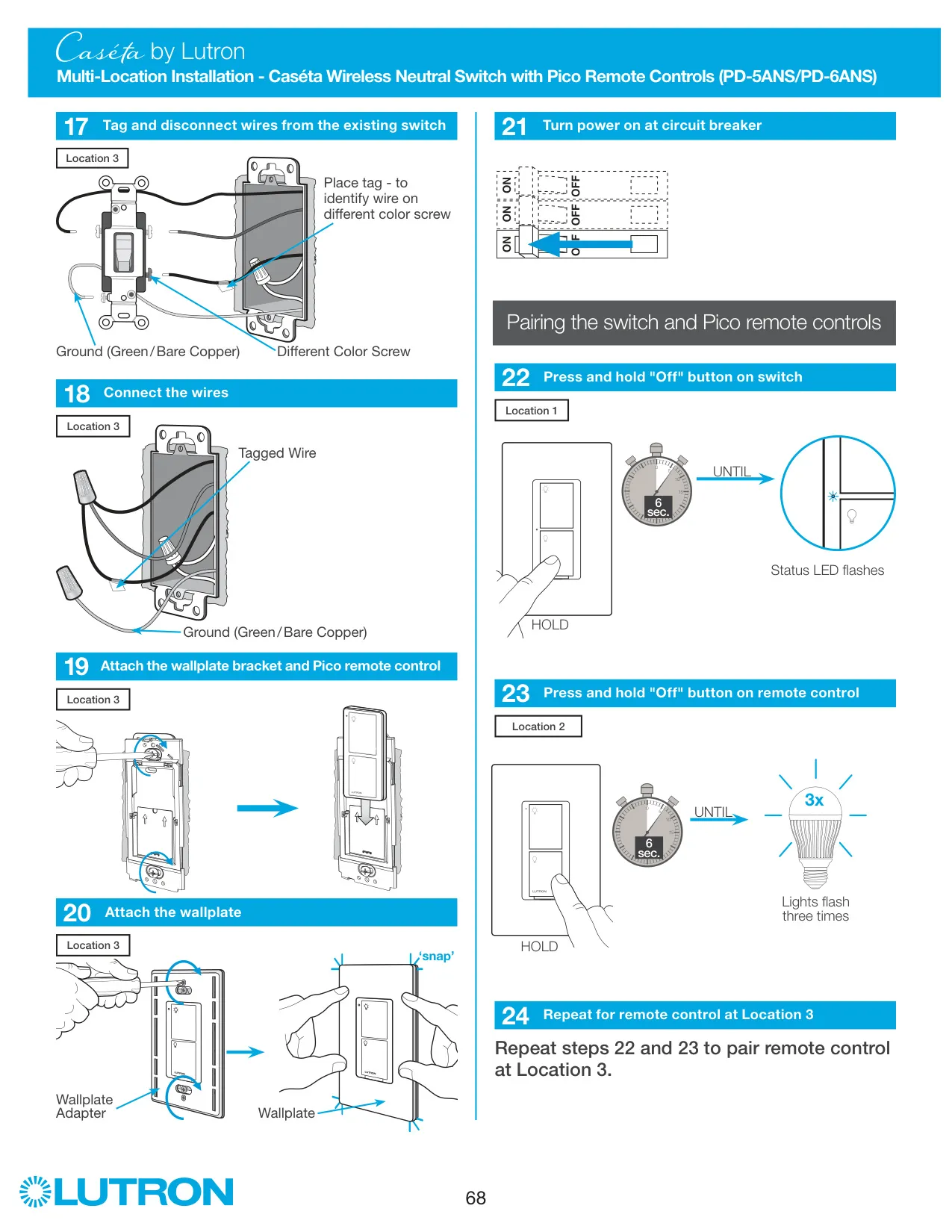
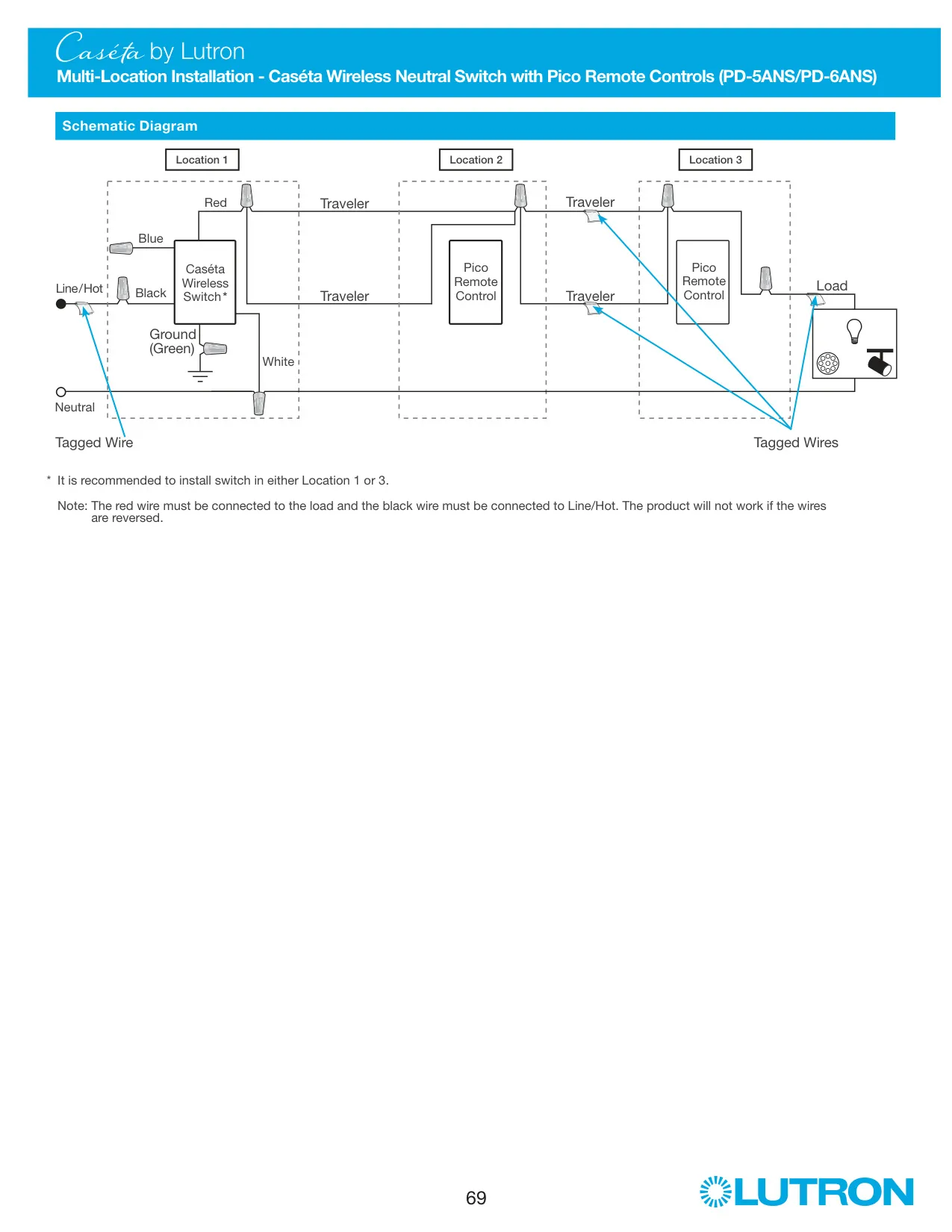
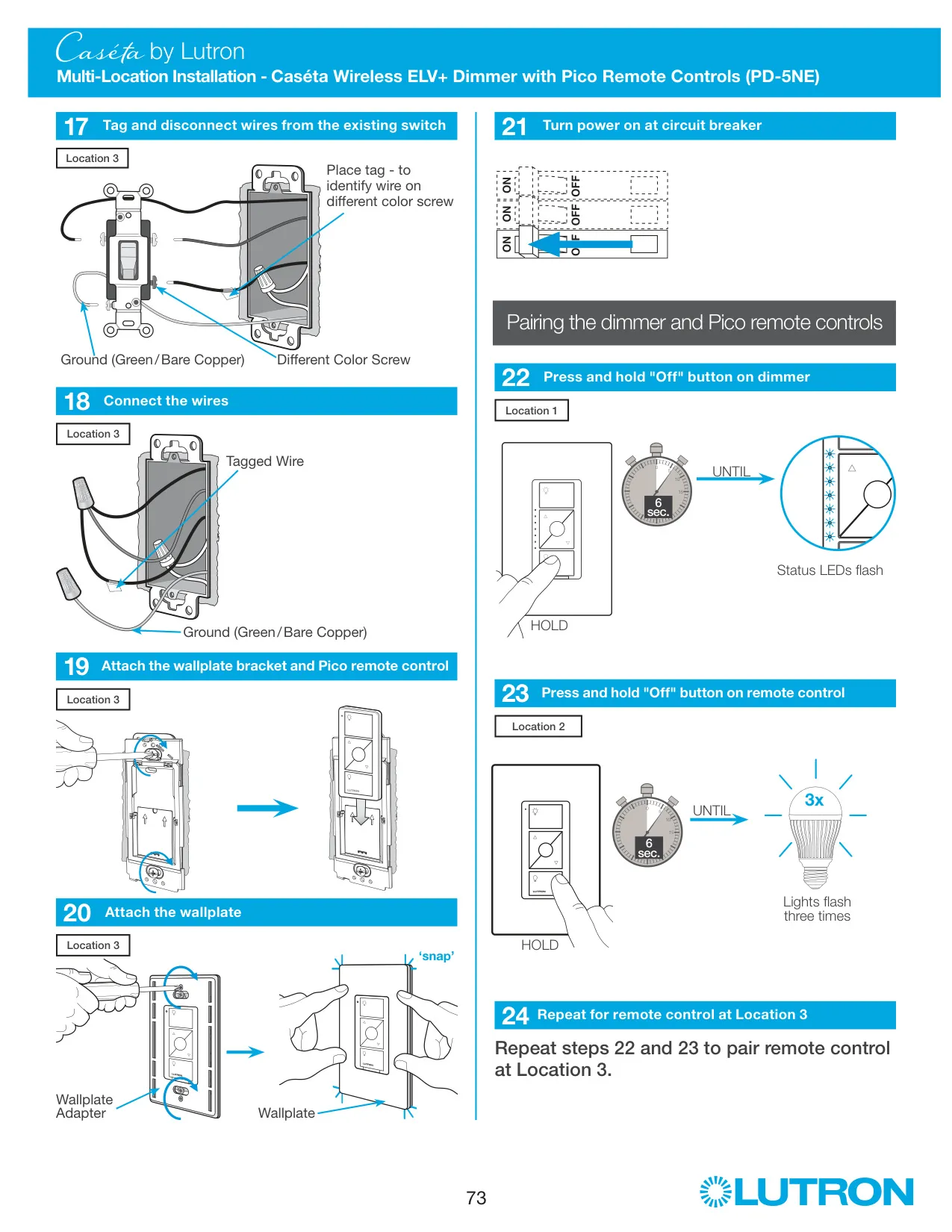
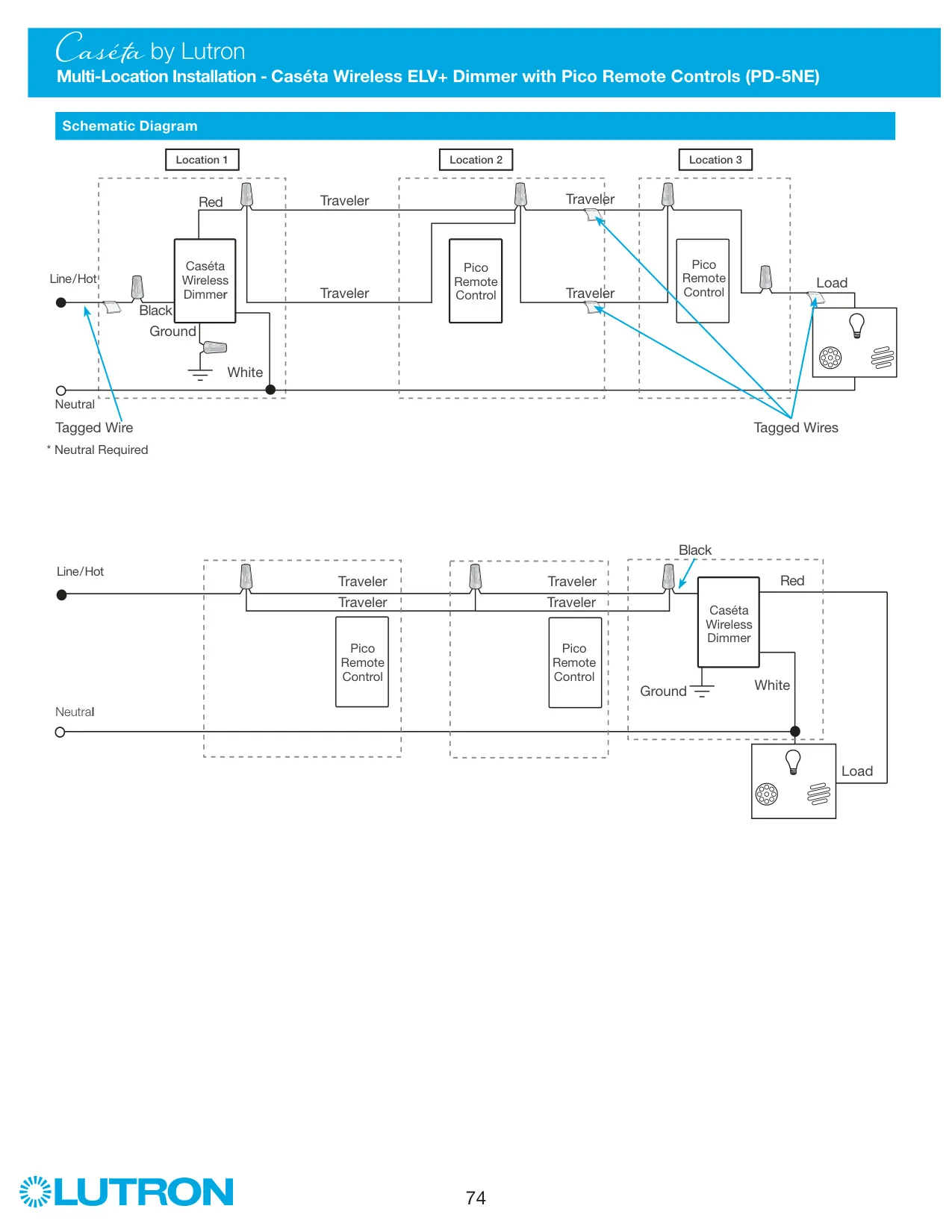
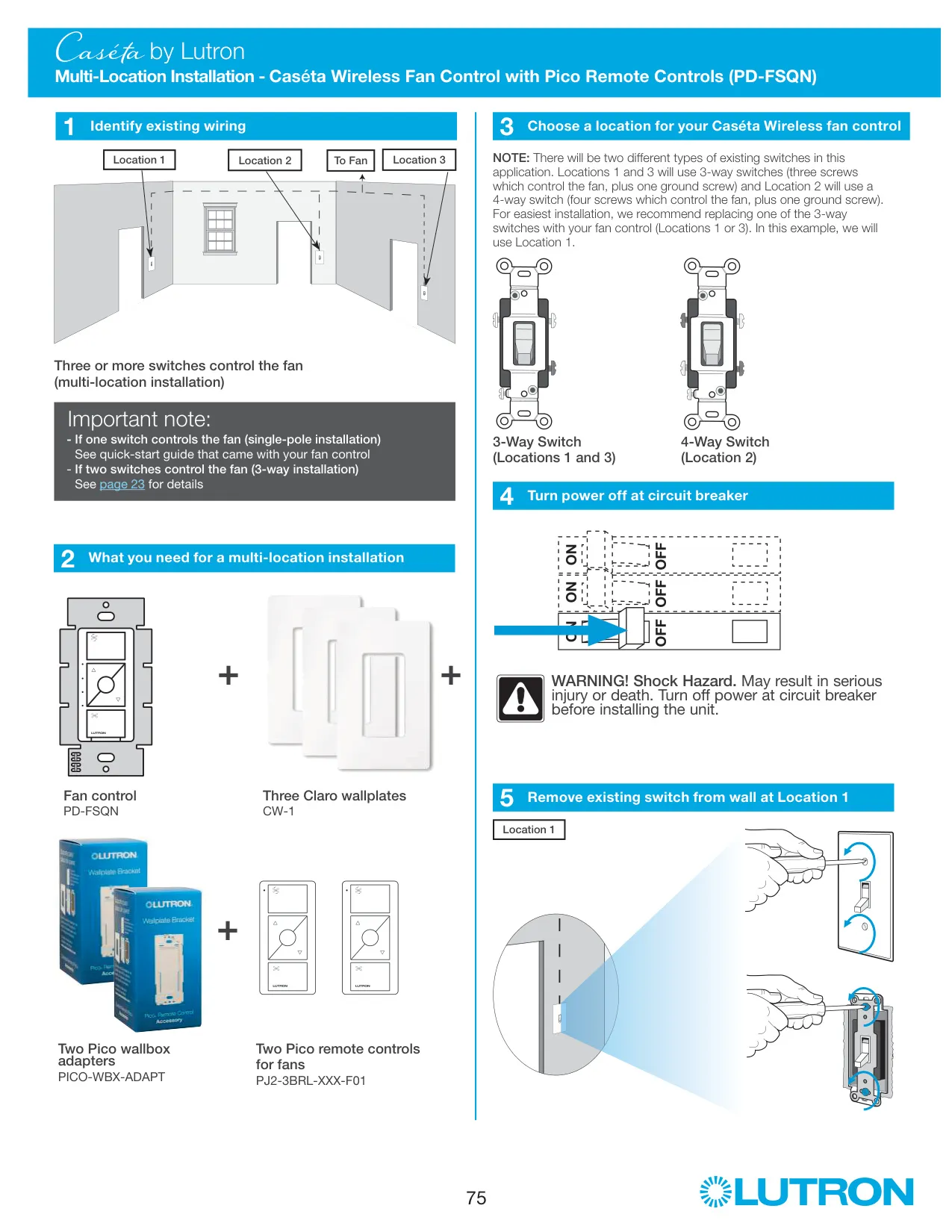
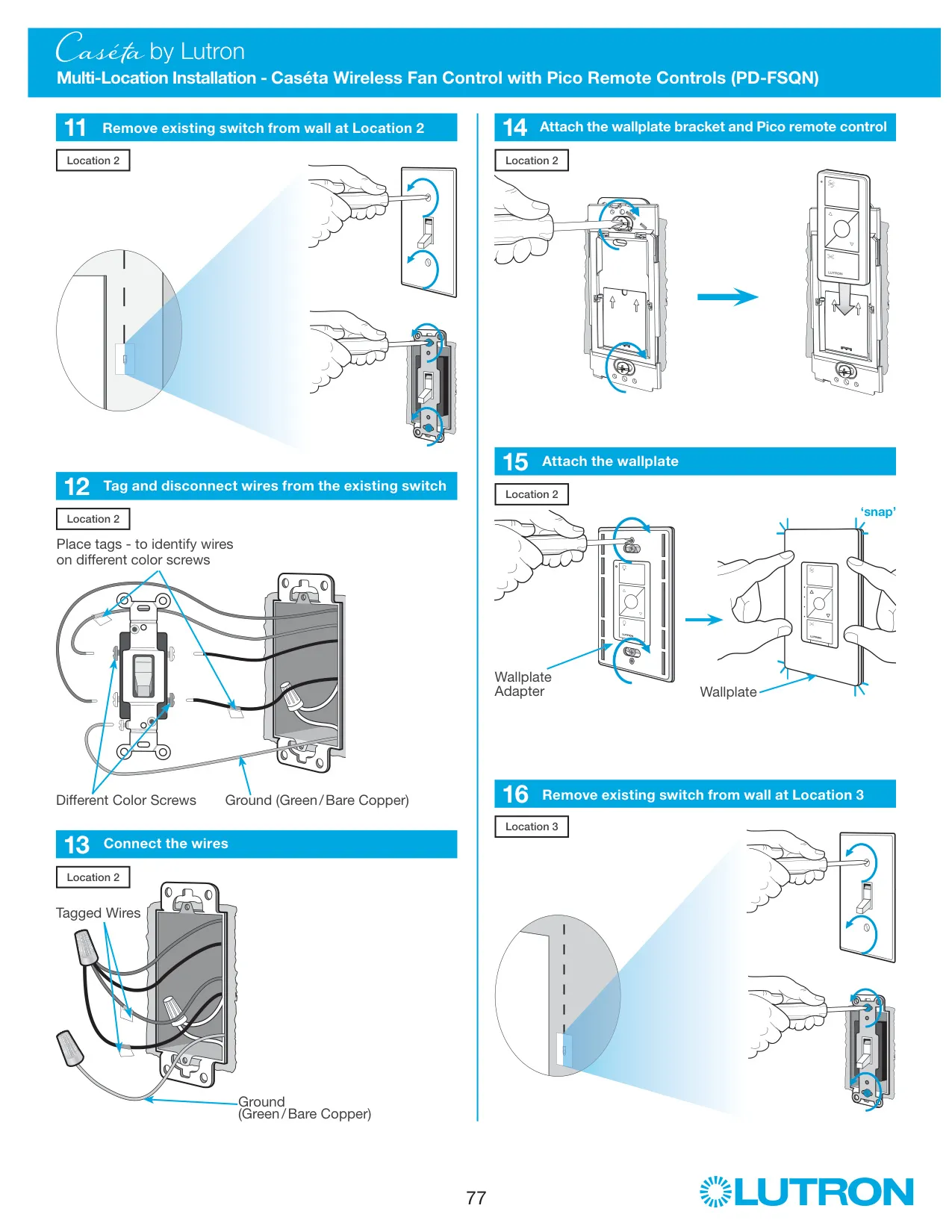
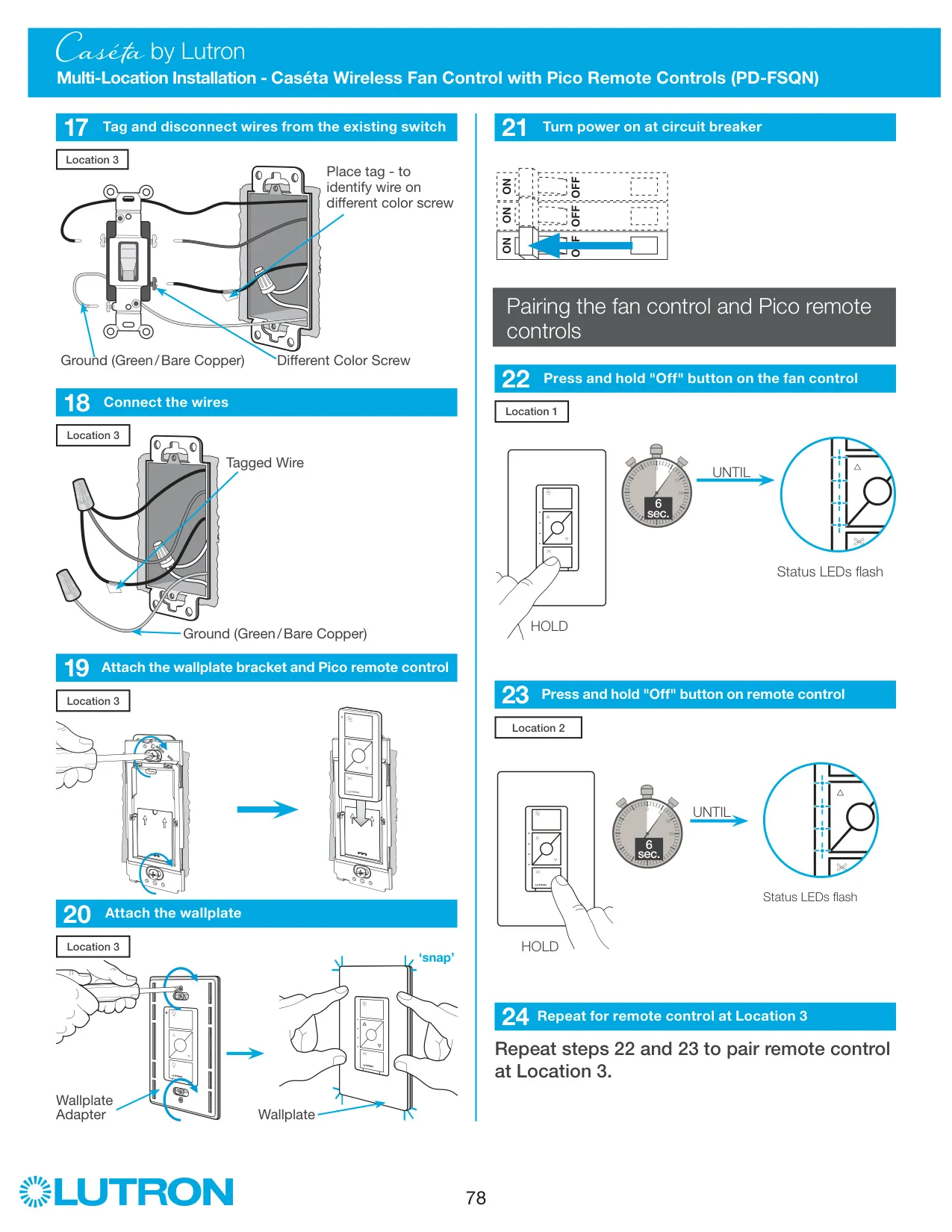
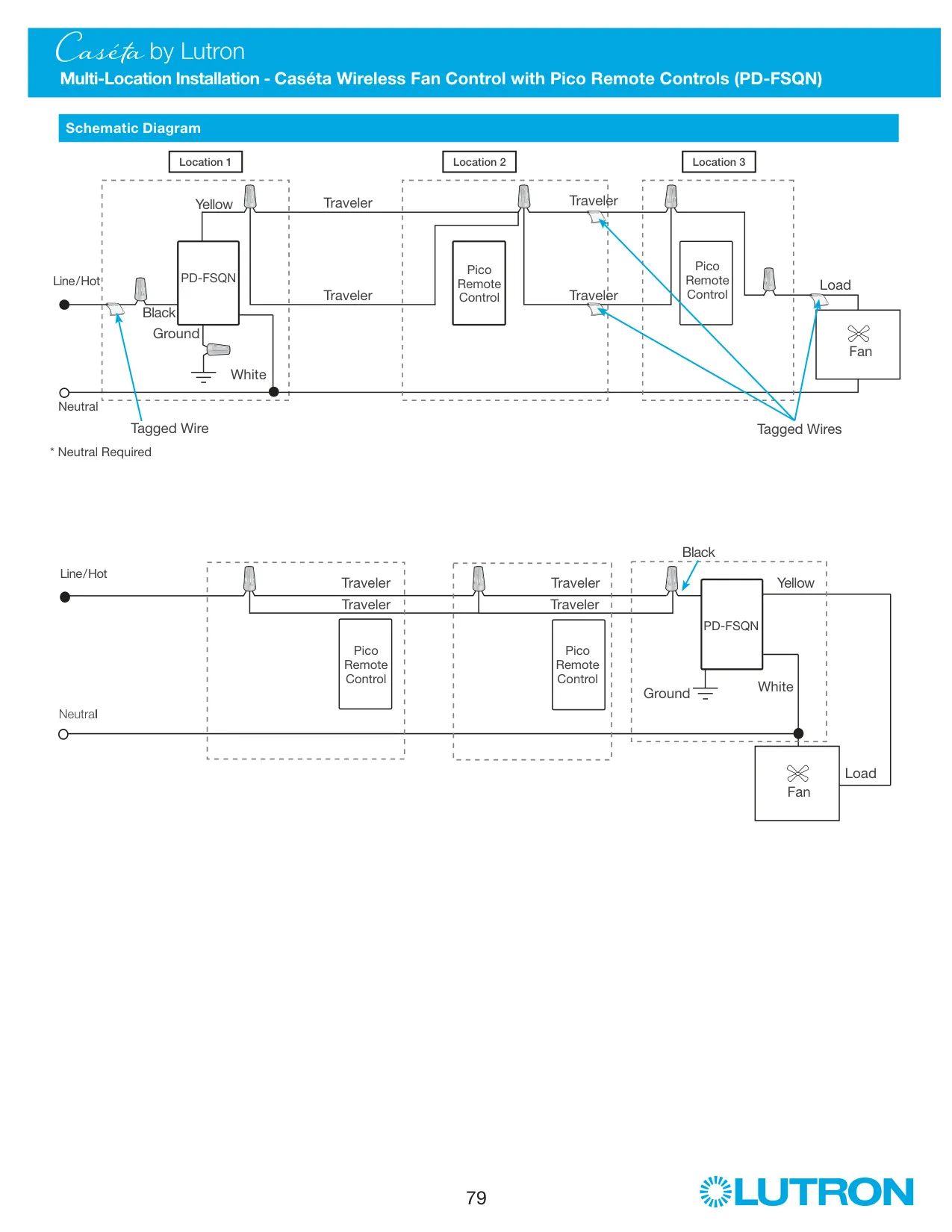
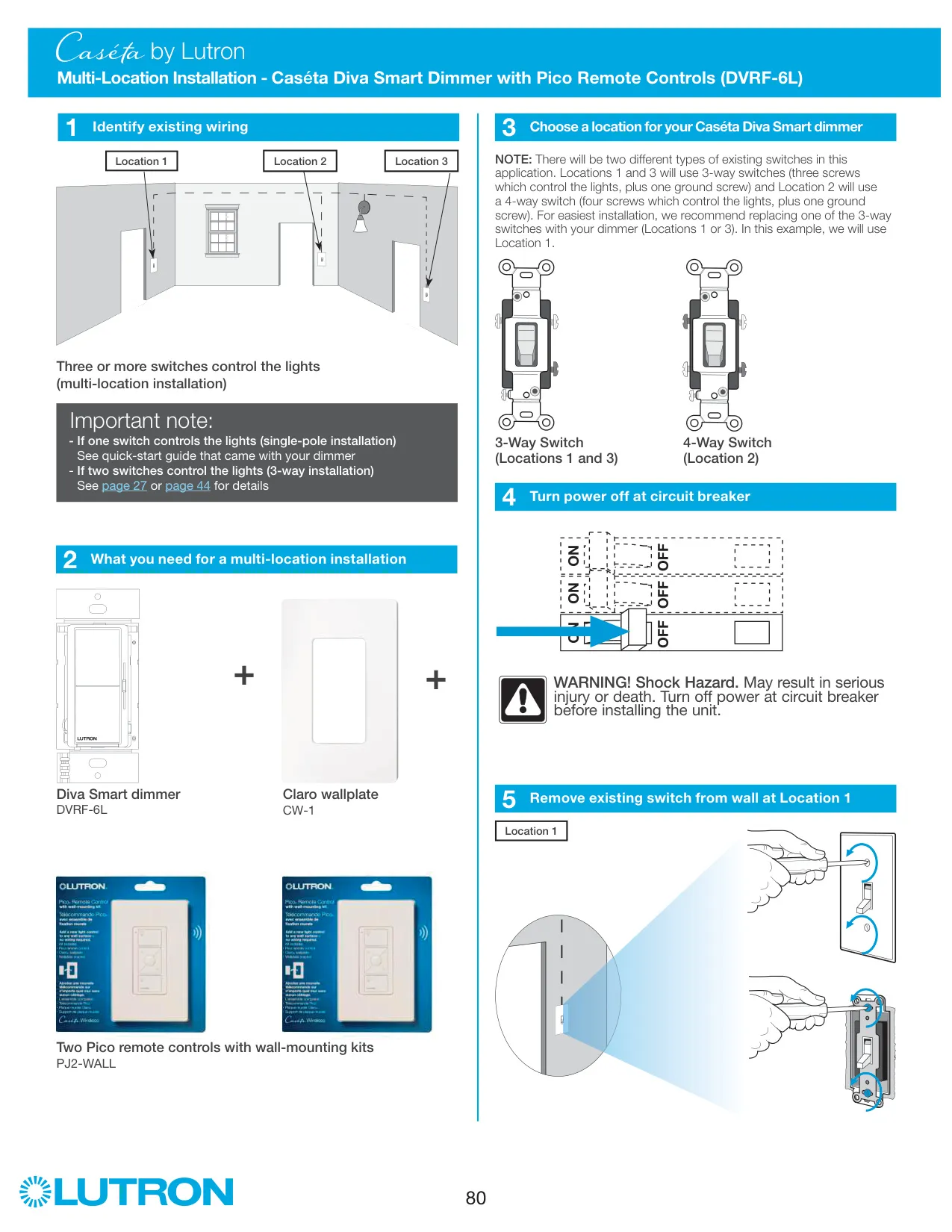
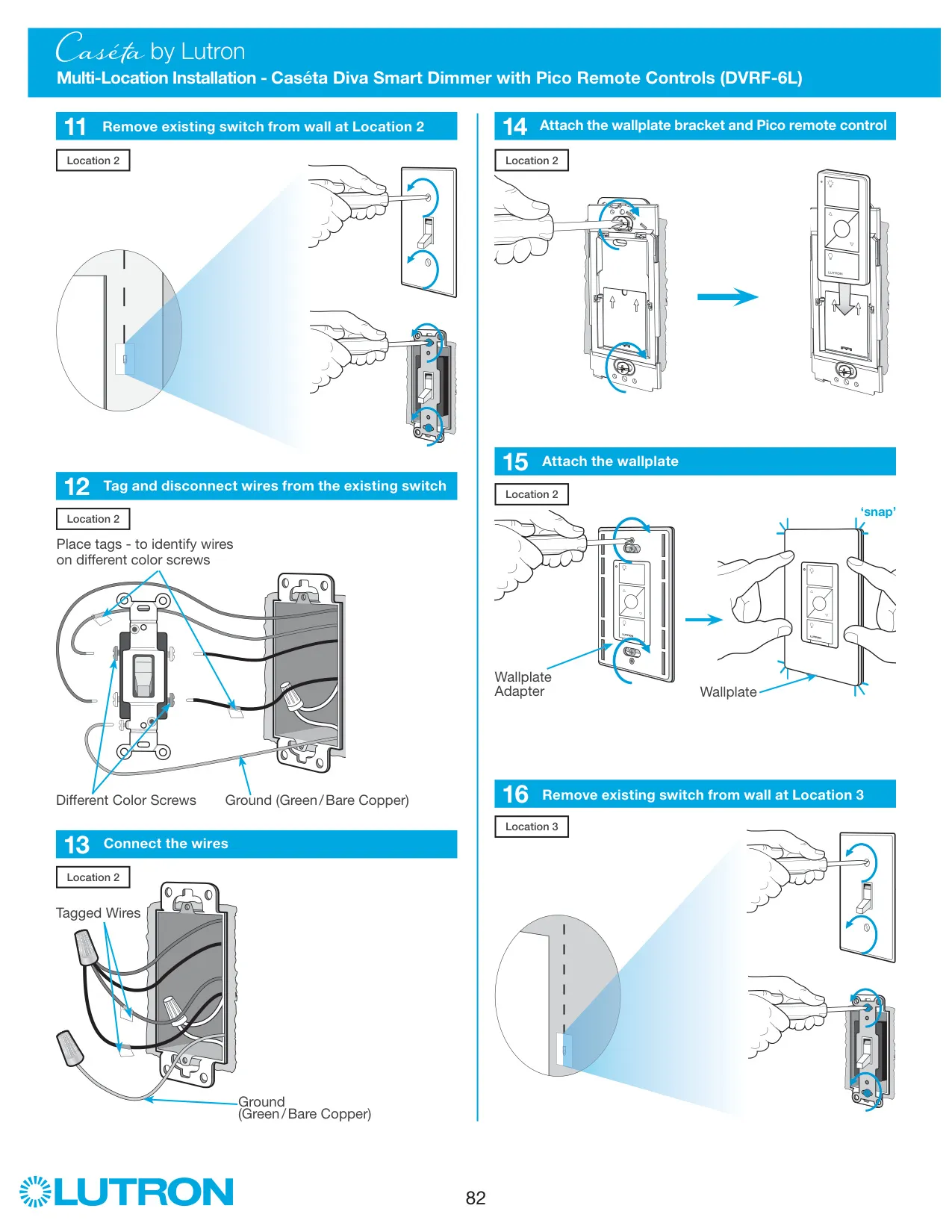
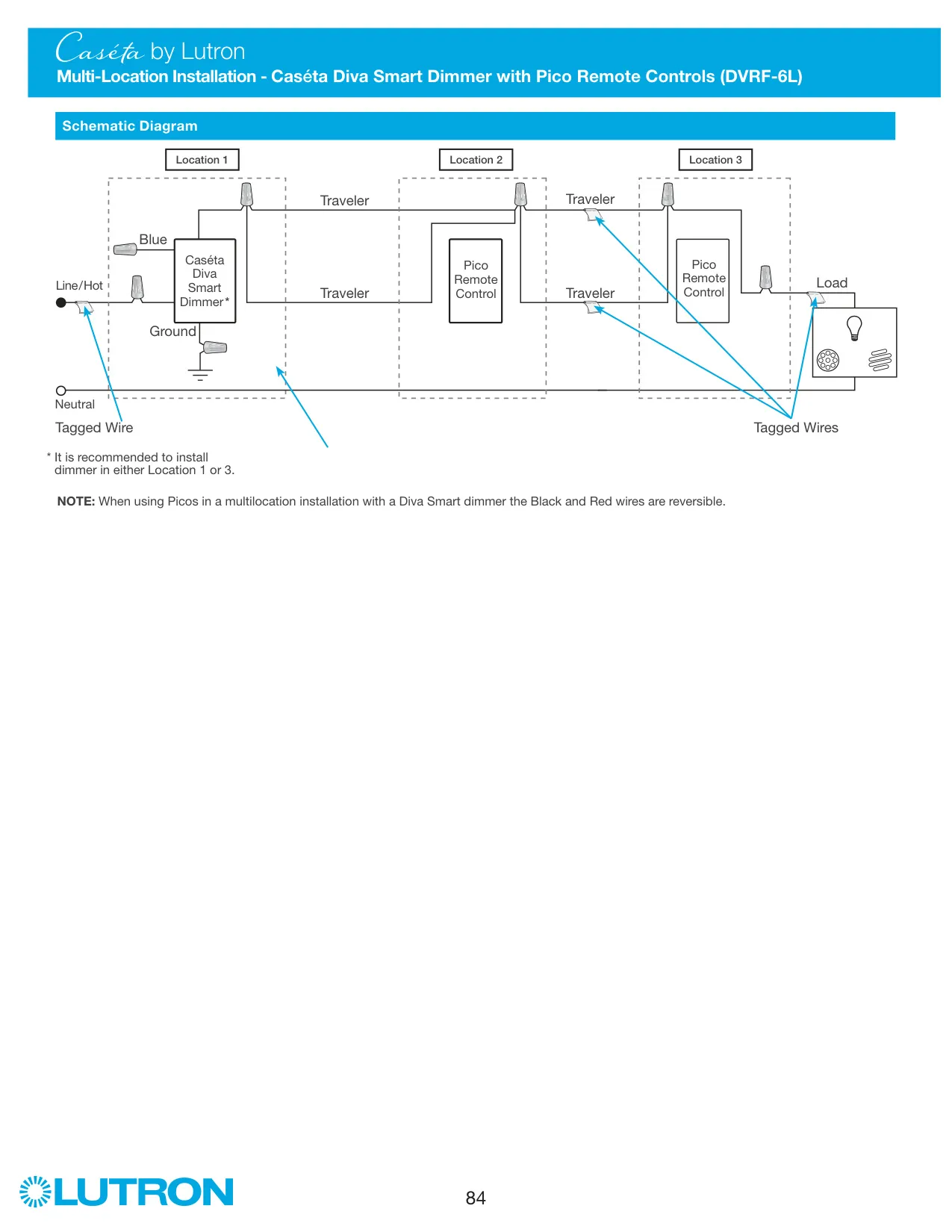
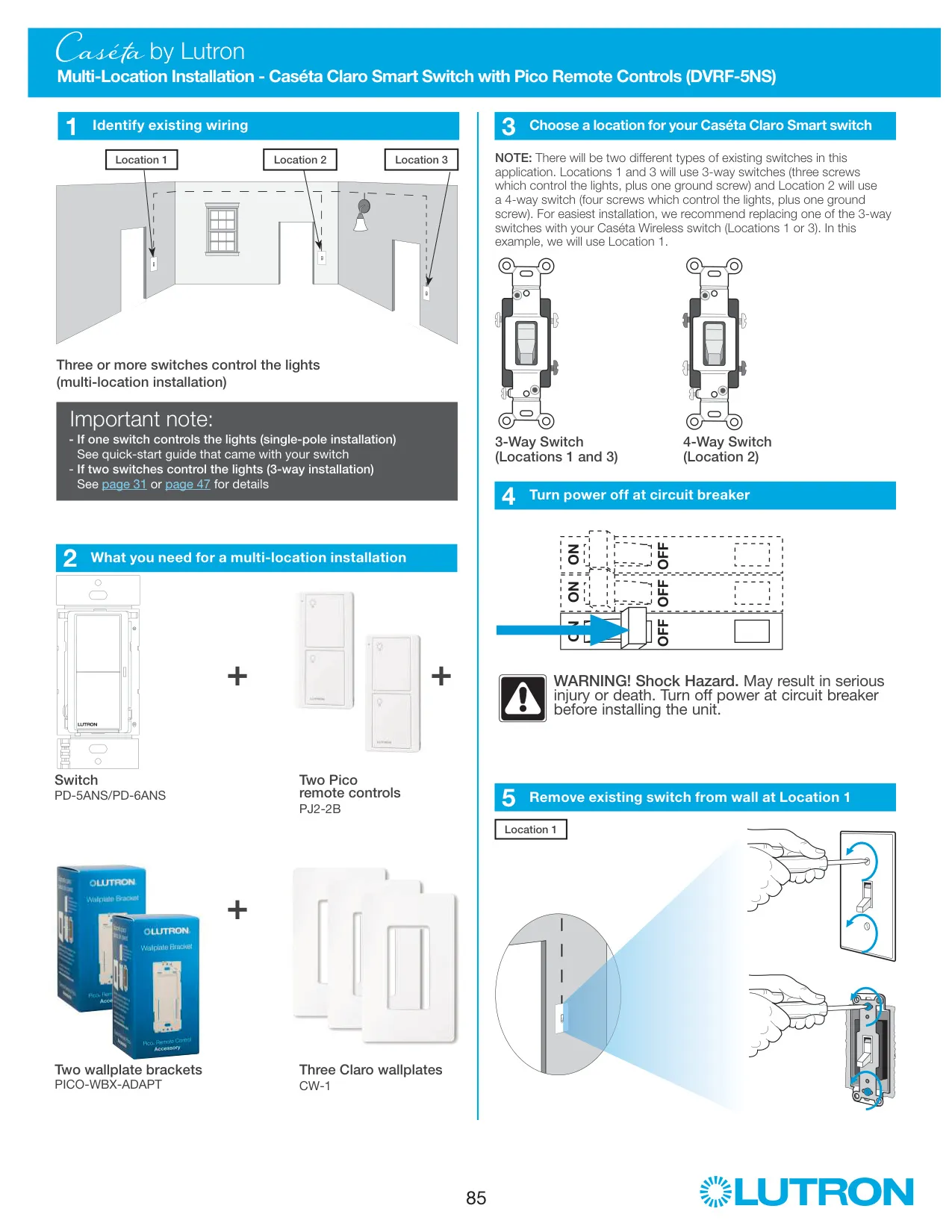
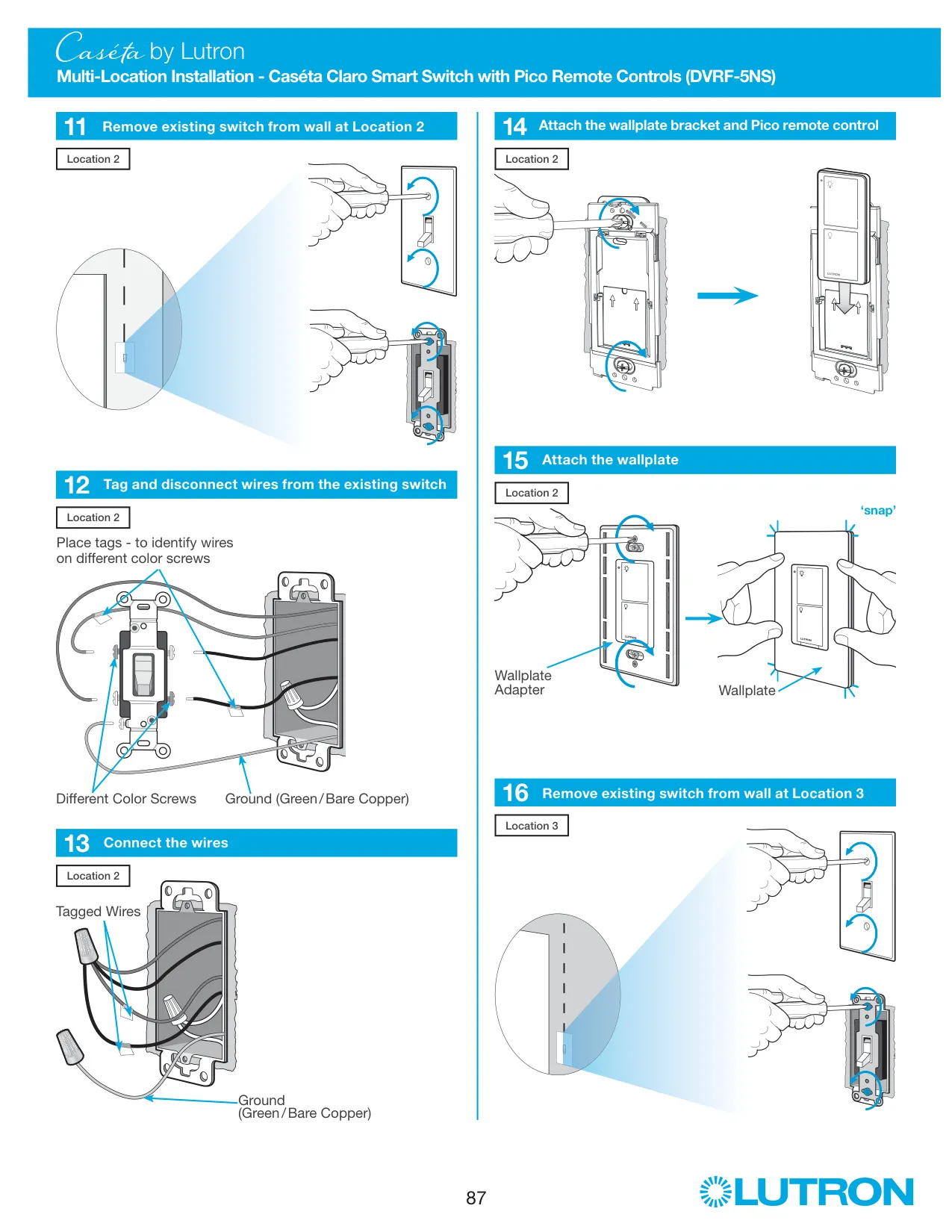
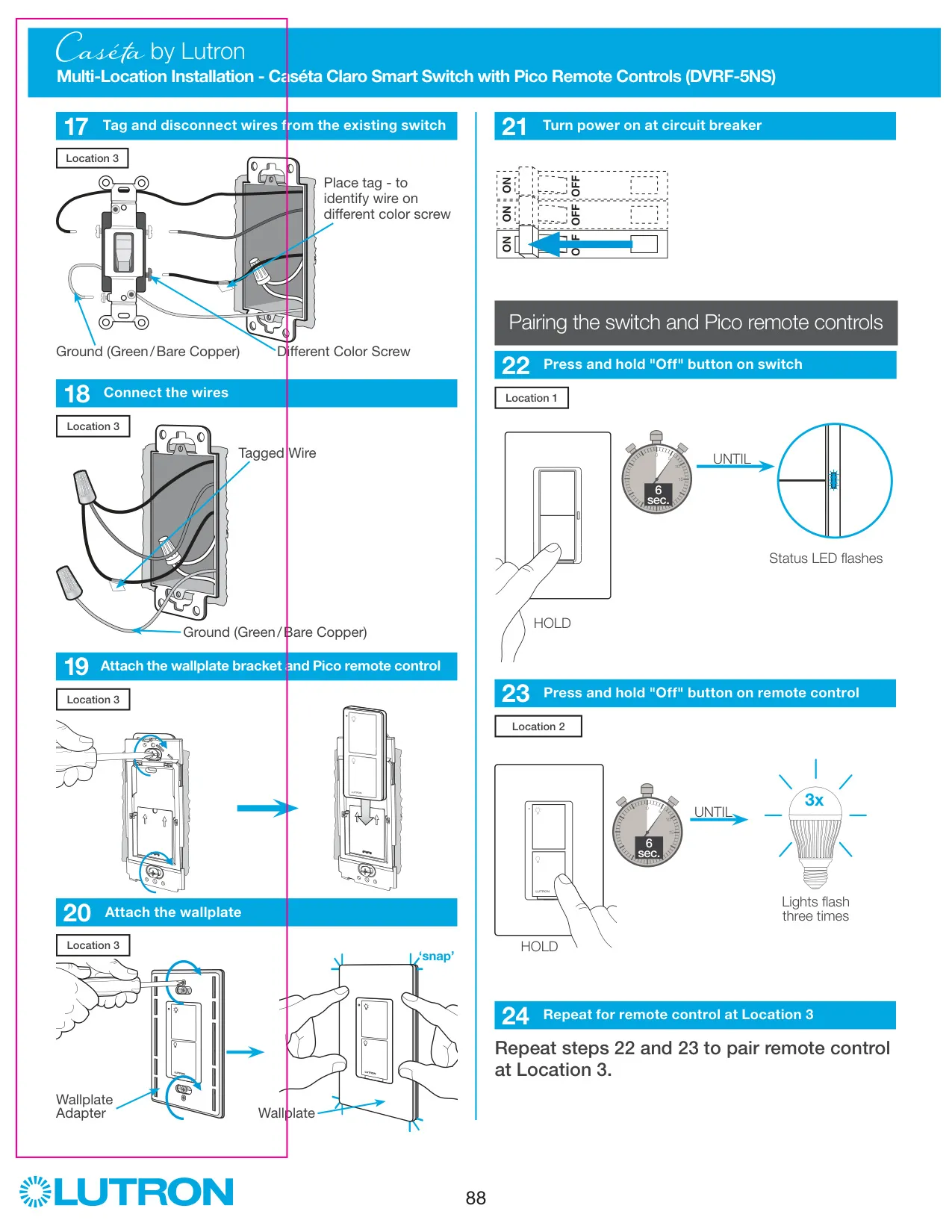
For 3-way installations, the dimmer goes at one location and the second mechanical switch is replaced by a Pico remote control on a wallplate bracket. The tagged wire from the different-color screw connects at each location, and the dimmer can go in either location. In multi-location setups with three or more switches, Lutron recommends installing the dimmer at Location 1 or Location 3, where the existing 3-way switches are, and putting Pico remotes in the remaining positions.
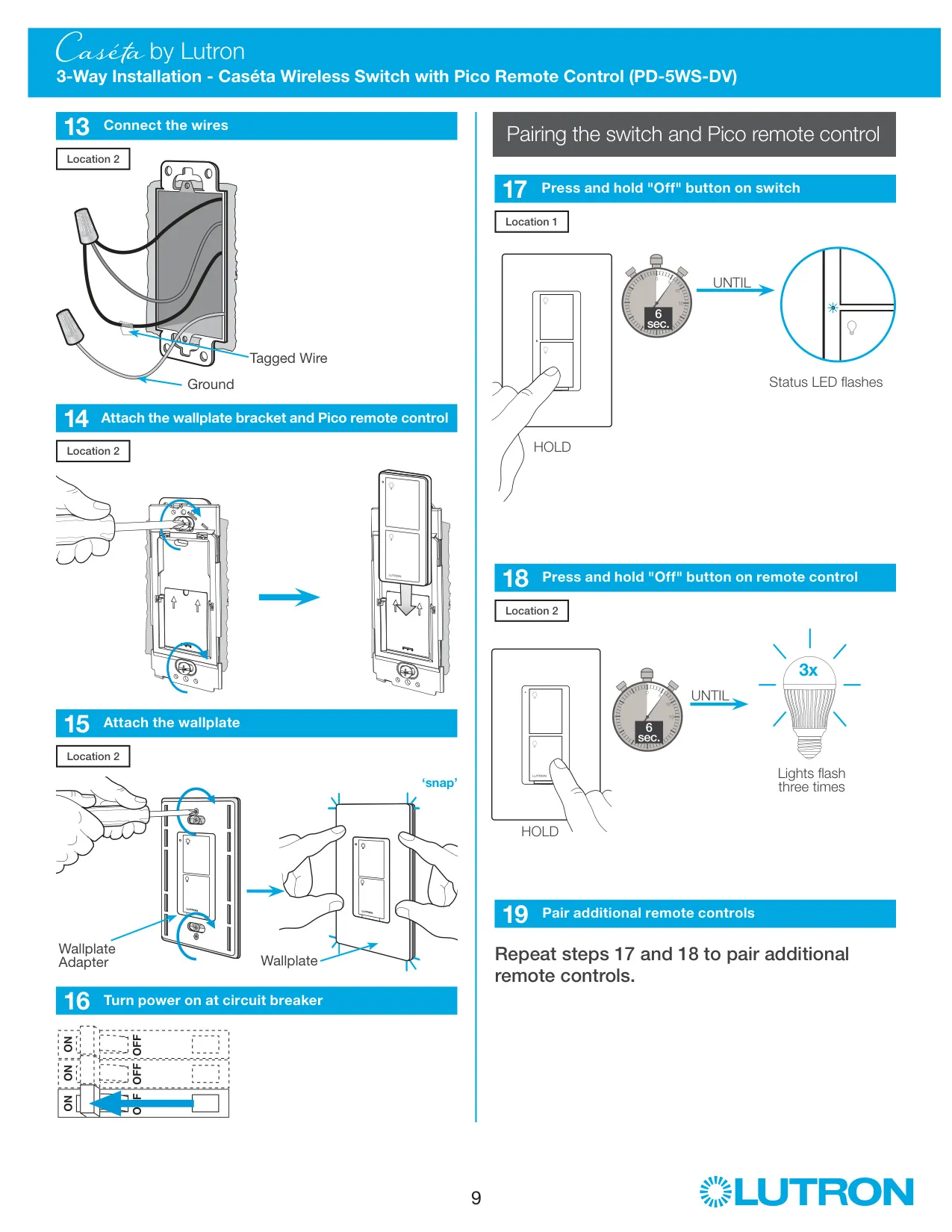
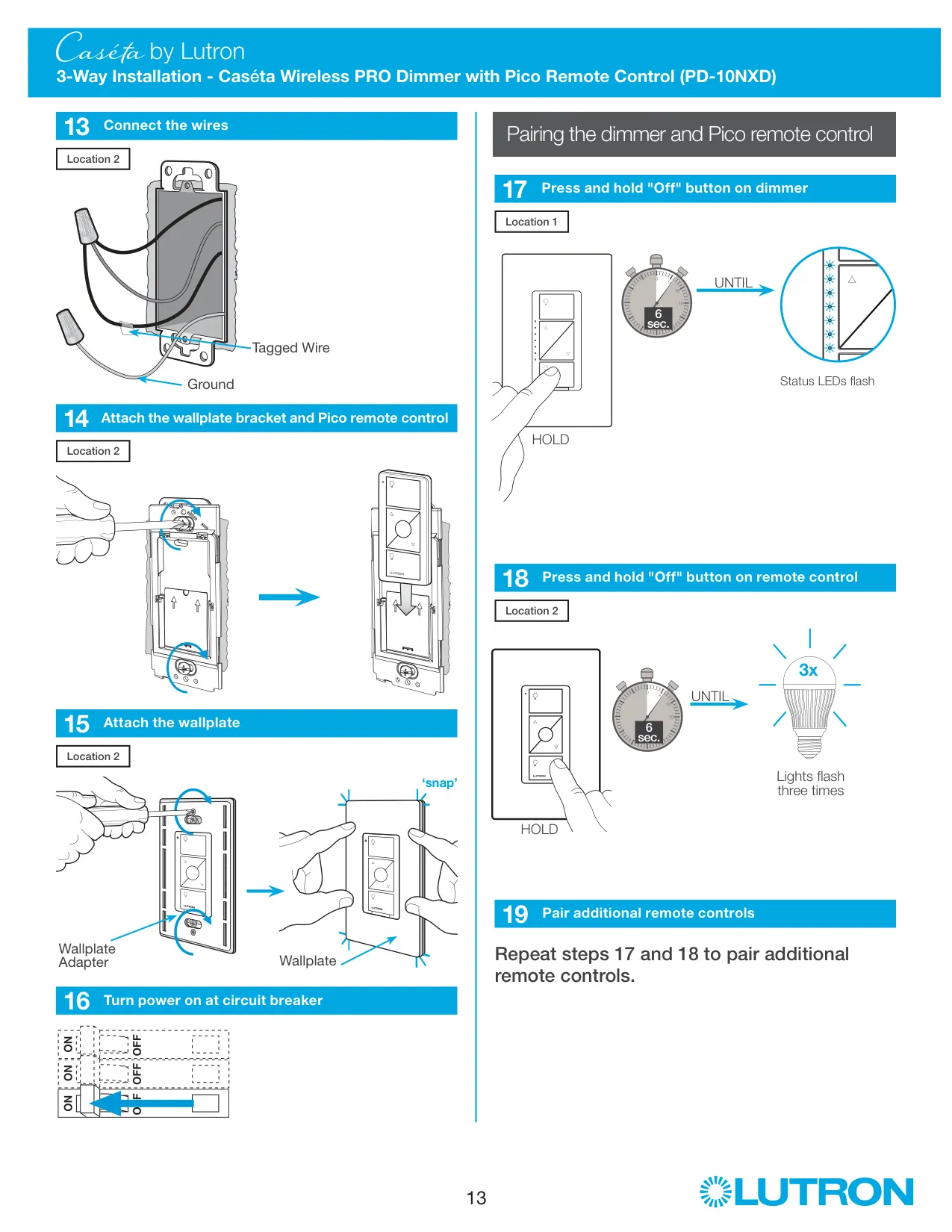
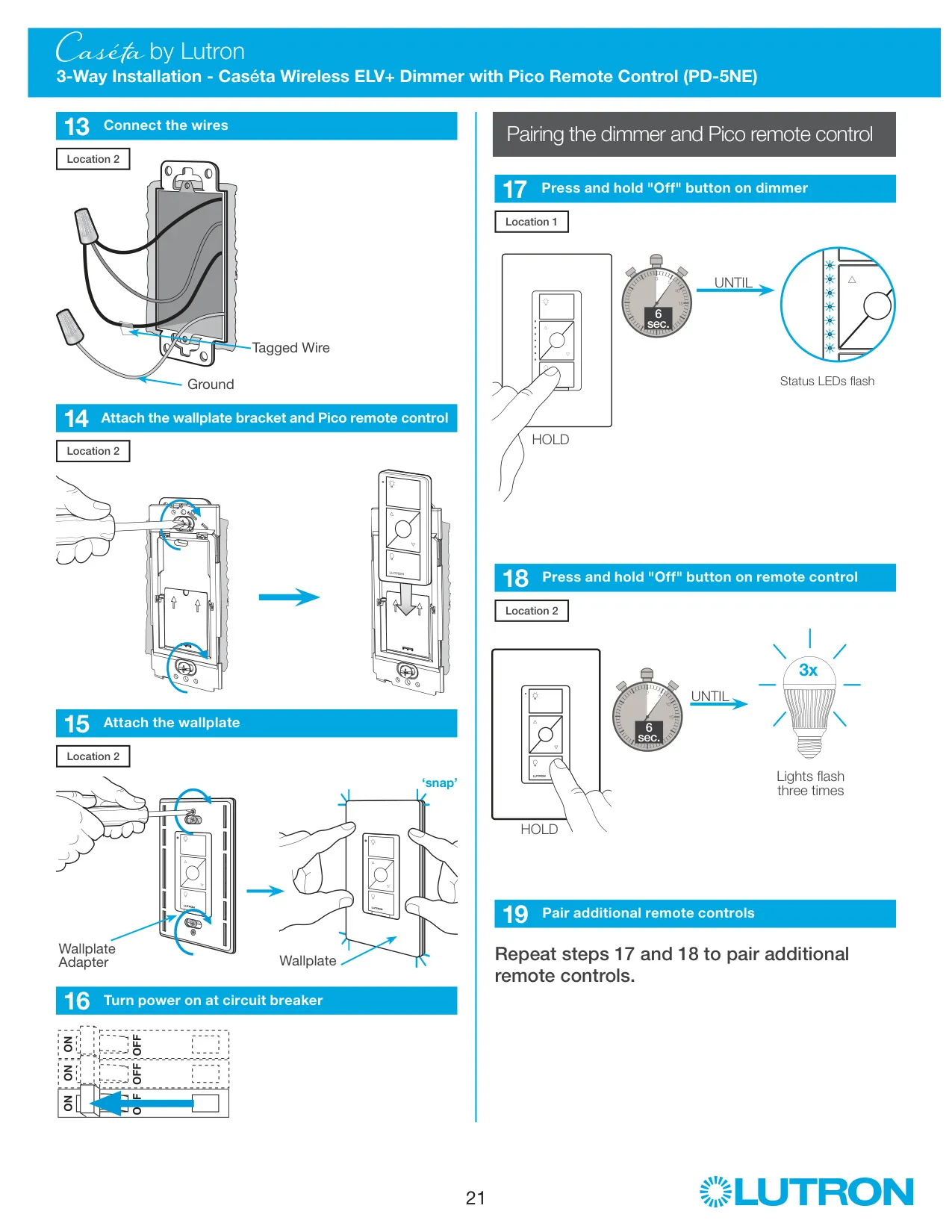
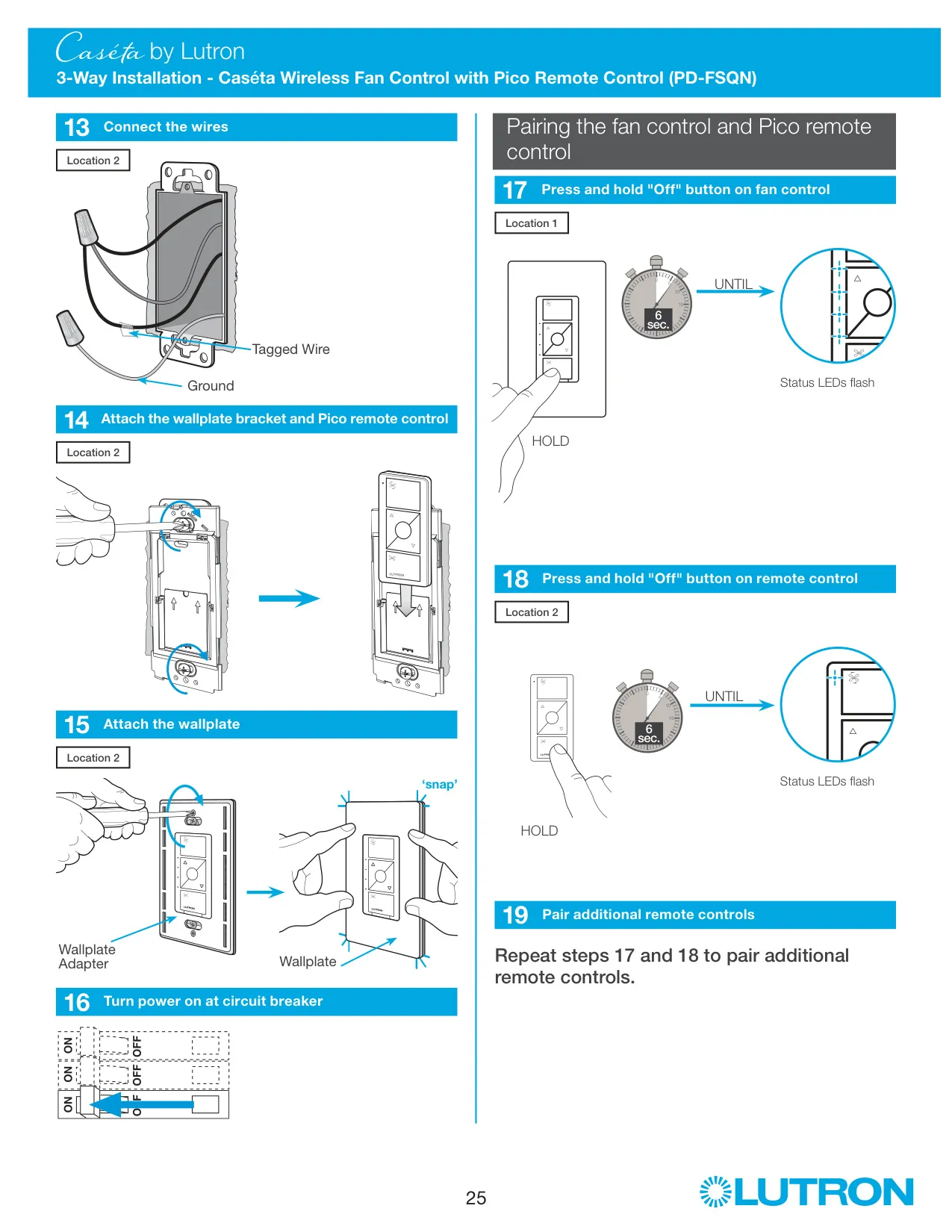
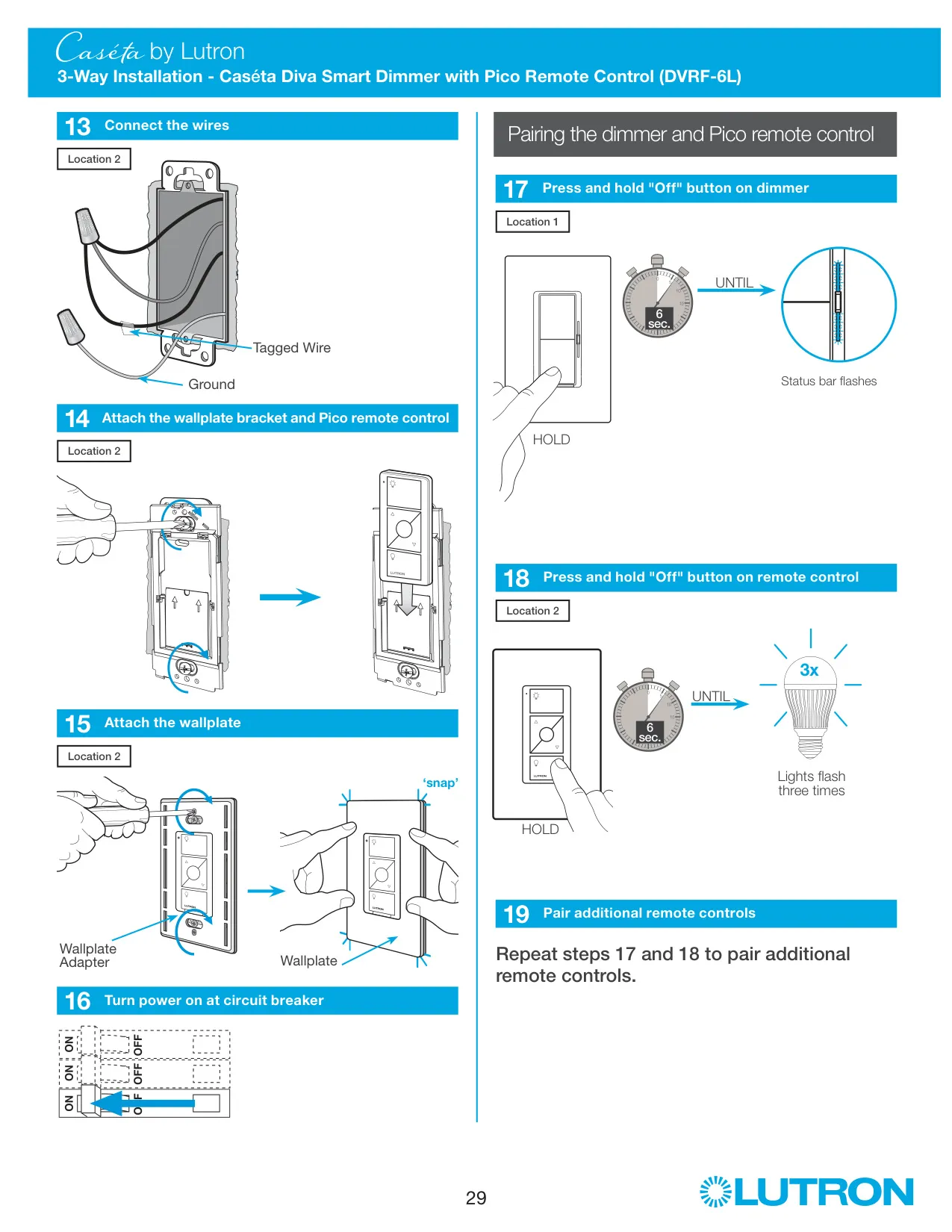
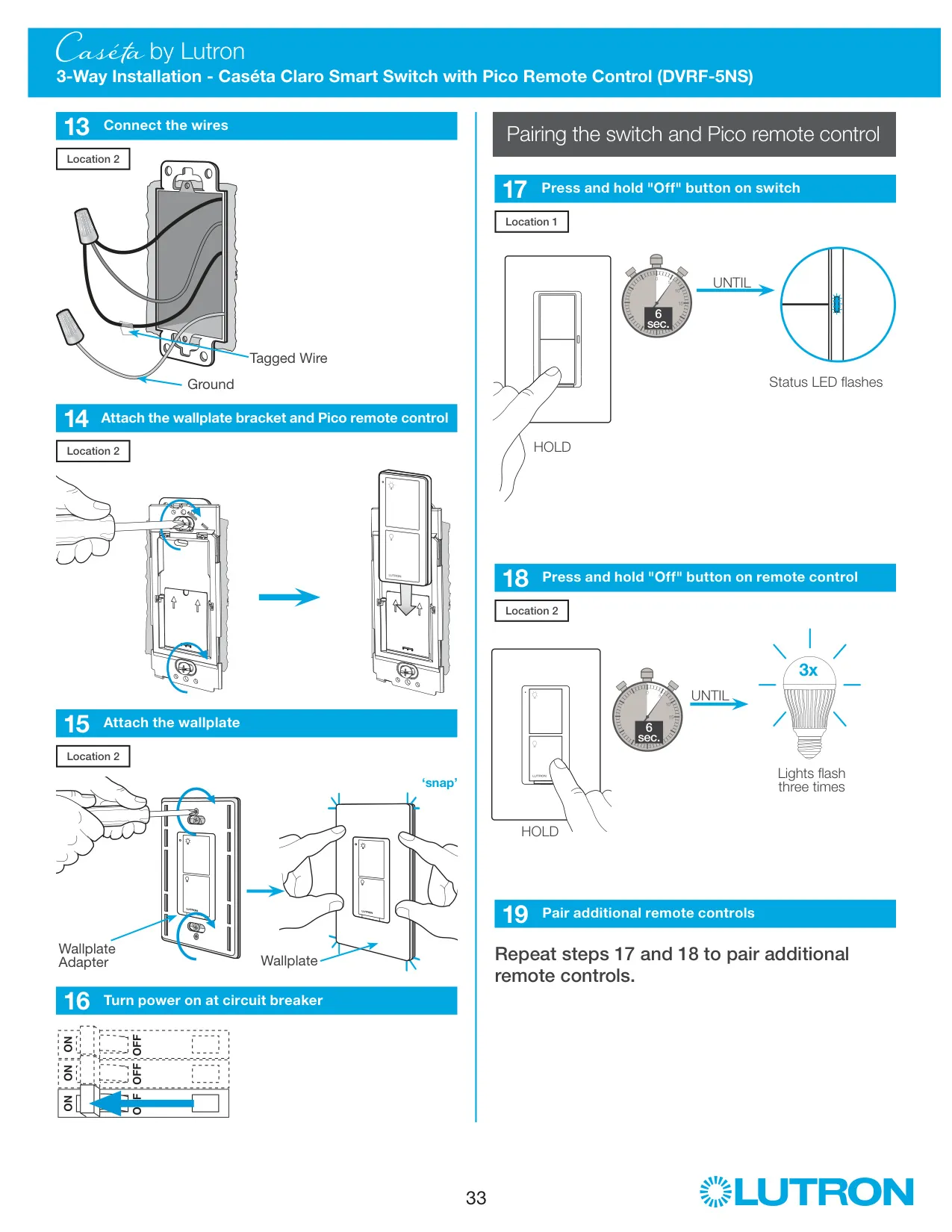
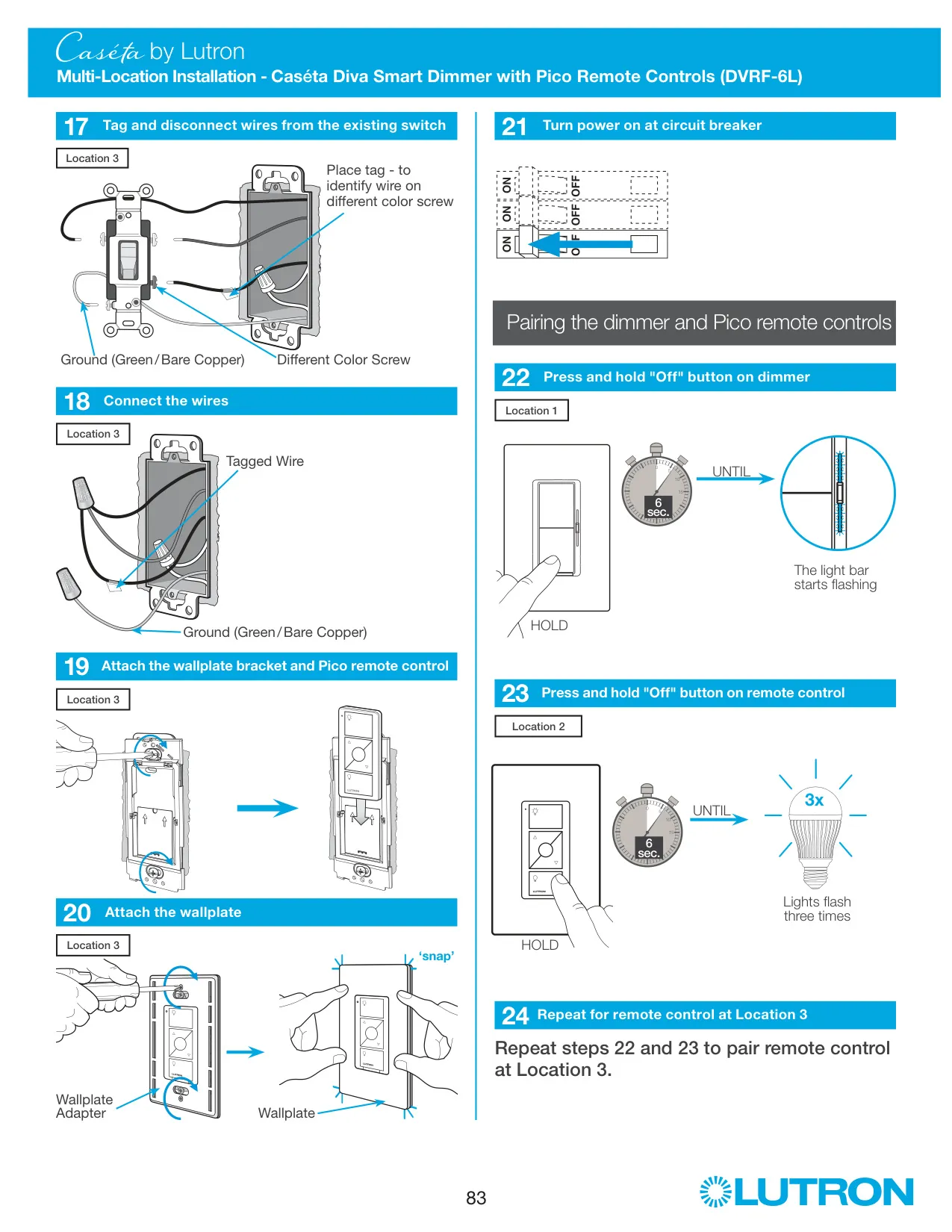
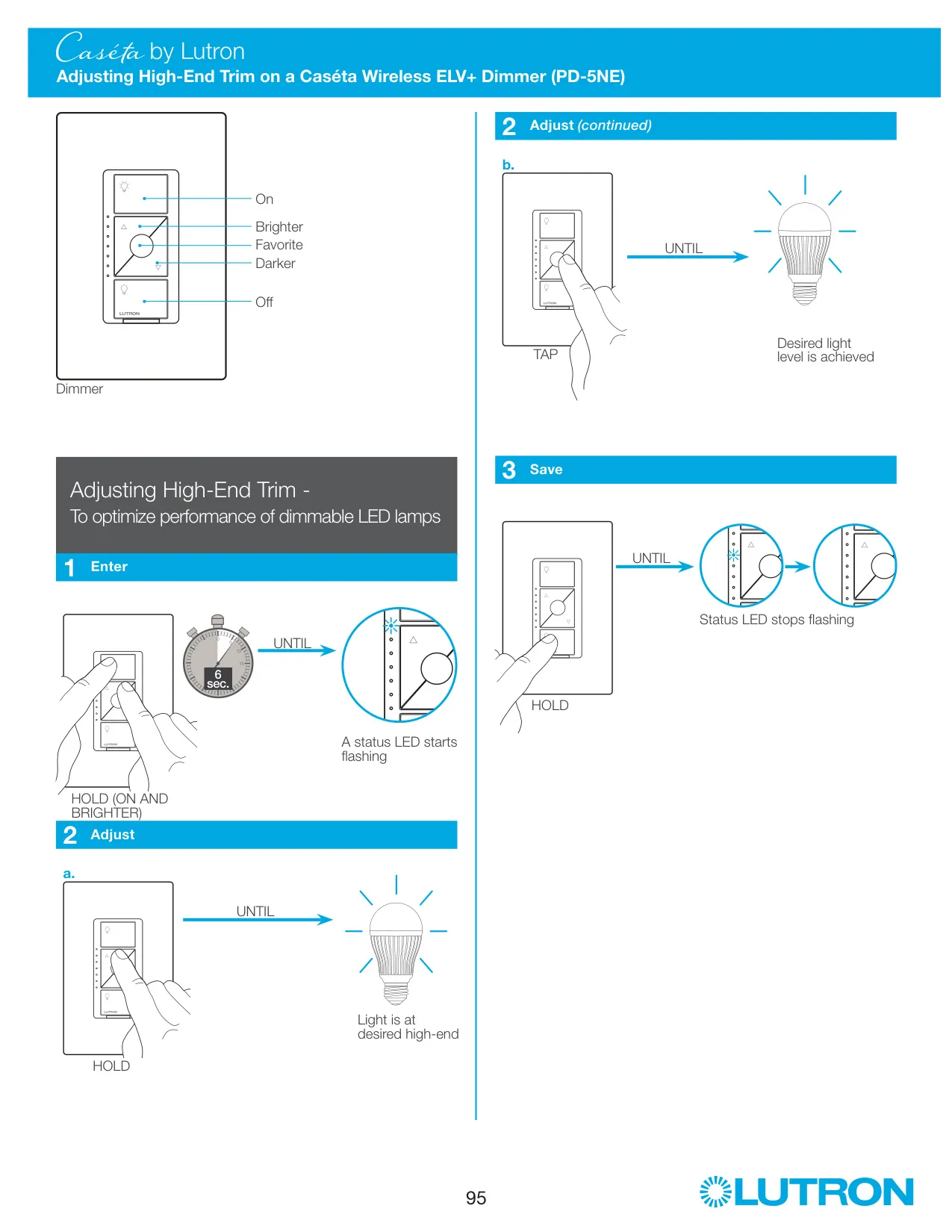
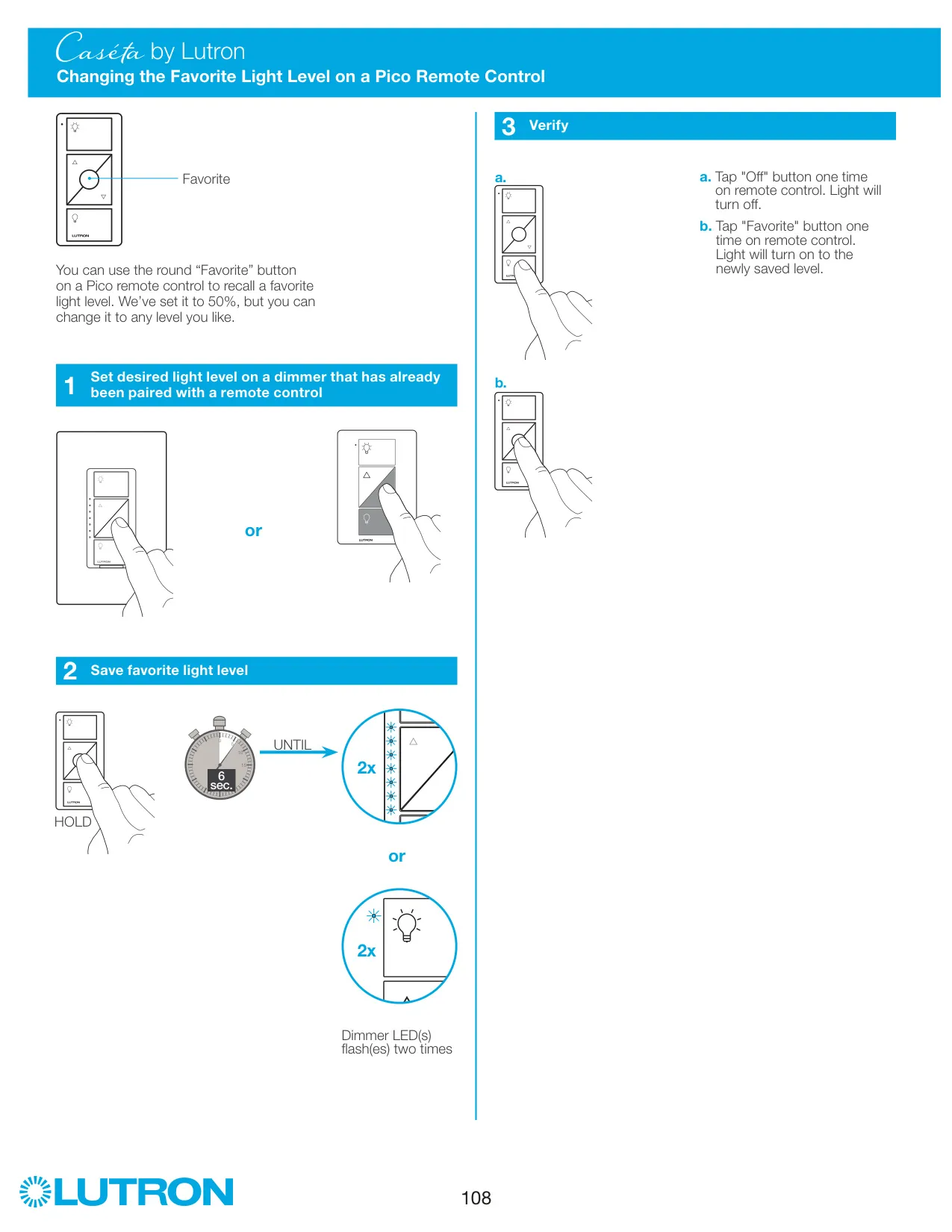
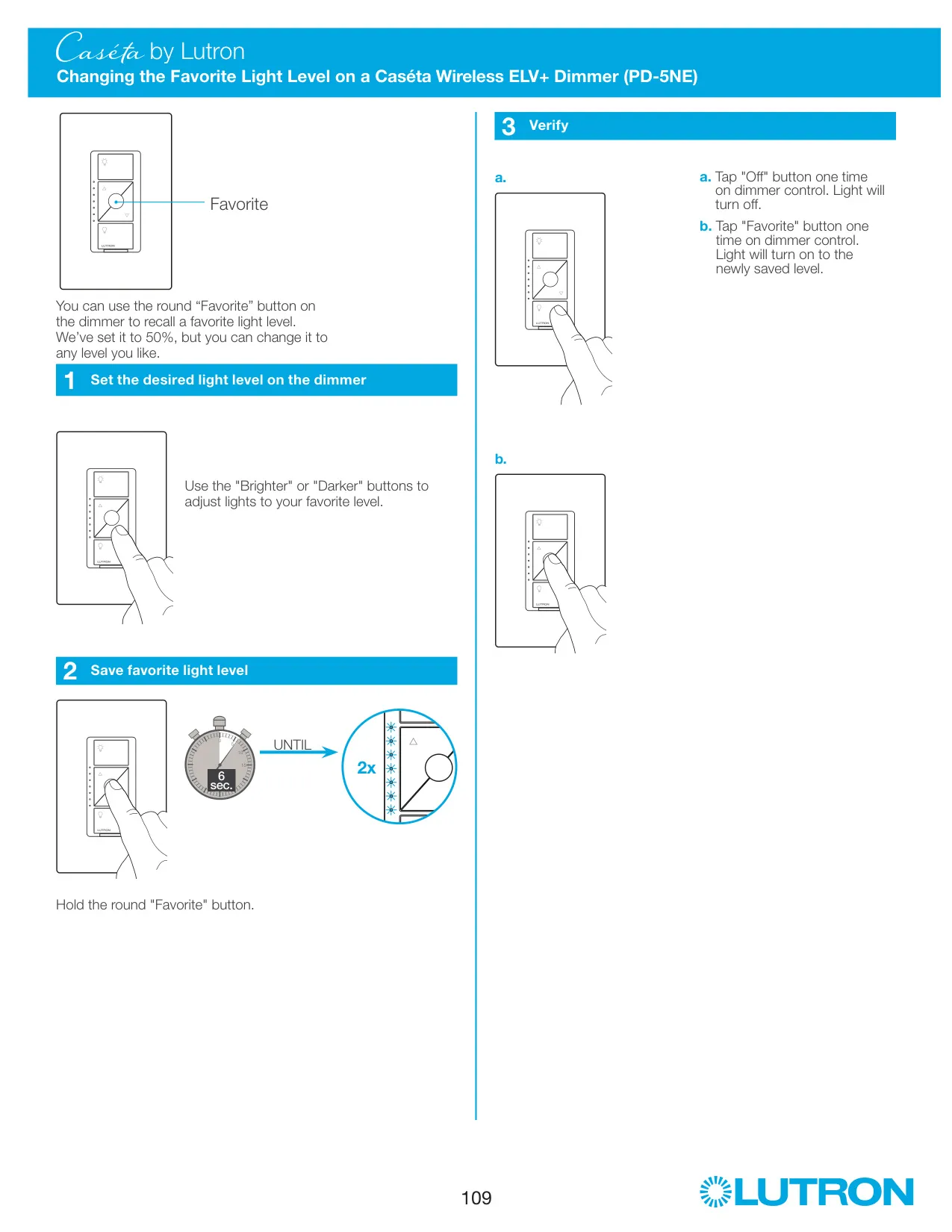
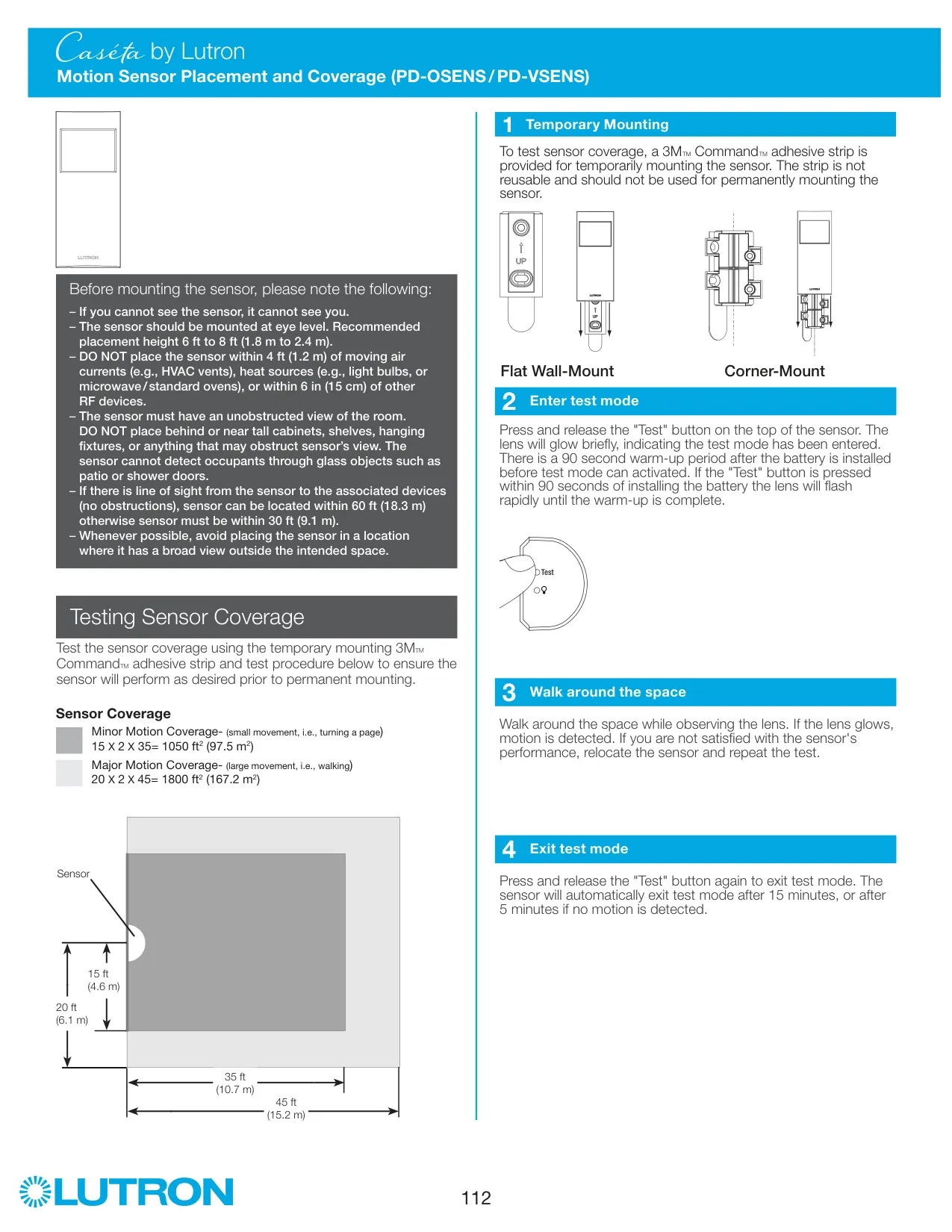
Pairing doesn't need tools. With power restored, press and hold the dimmer's "Off" button for about 6 seconds until the status LEDs flash. Then press and hold "Off" on the Pico remote for about 6 seconds until the lights flash three times. Repeat these two steps to pair more remotes. You can set the round "Favorite" button on the Pico to any level by holding it for 6 seconds until the dimmer LEDs blink twice.
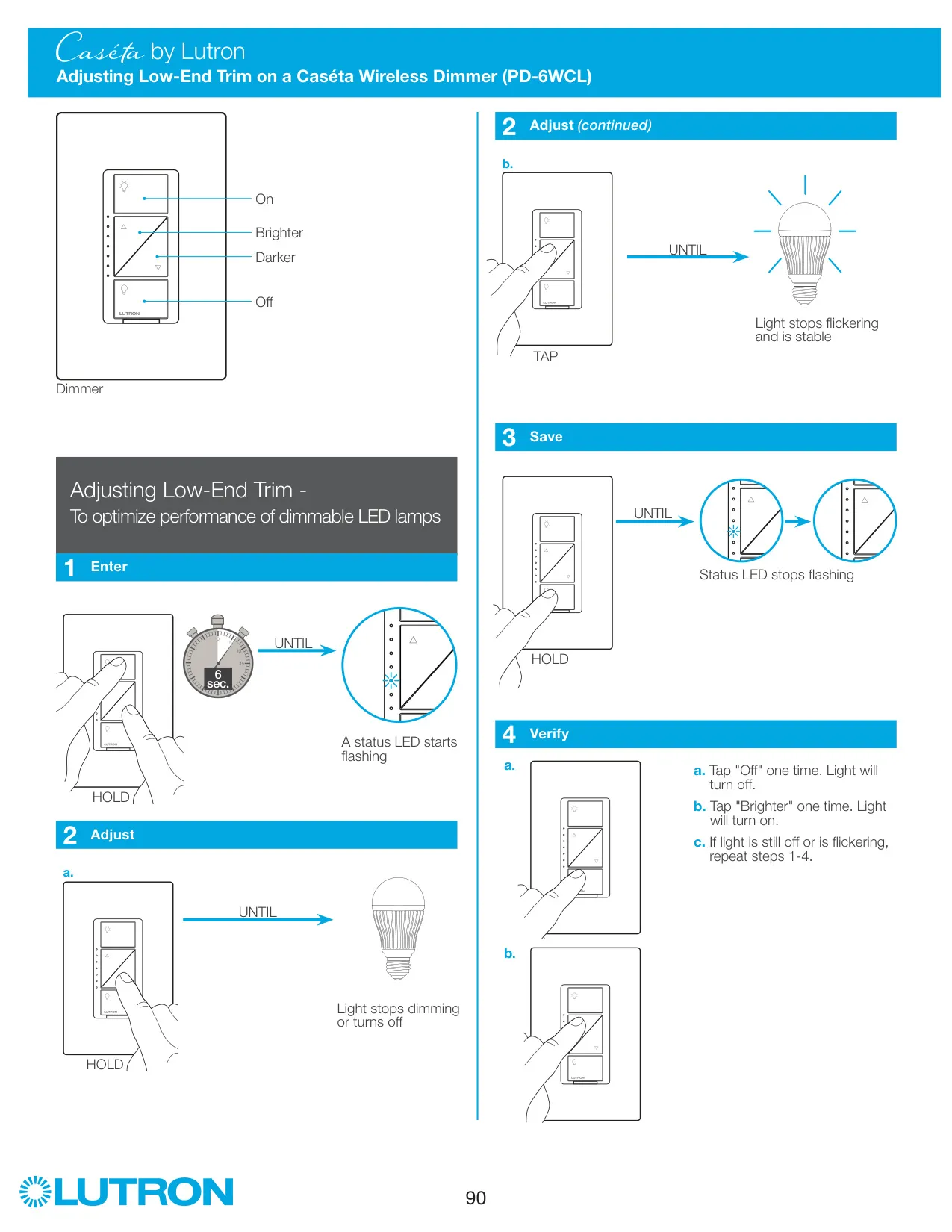
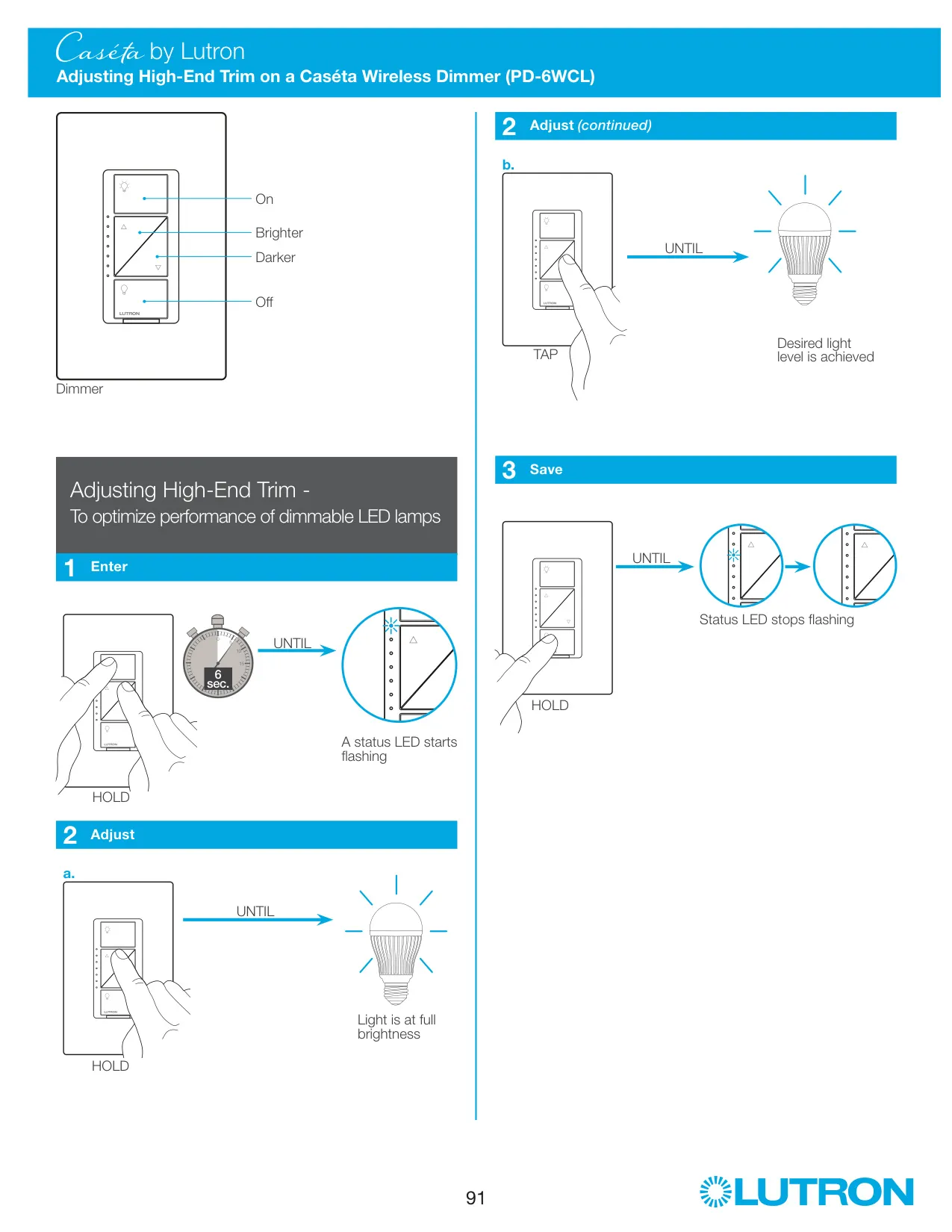
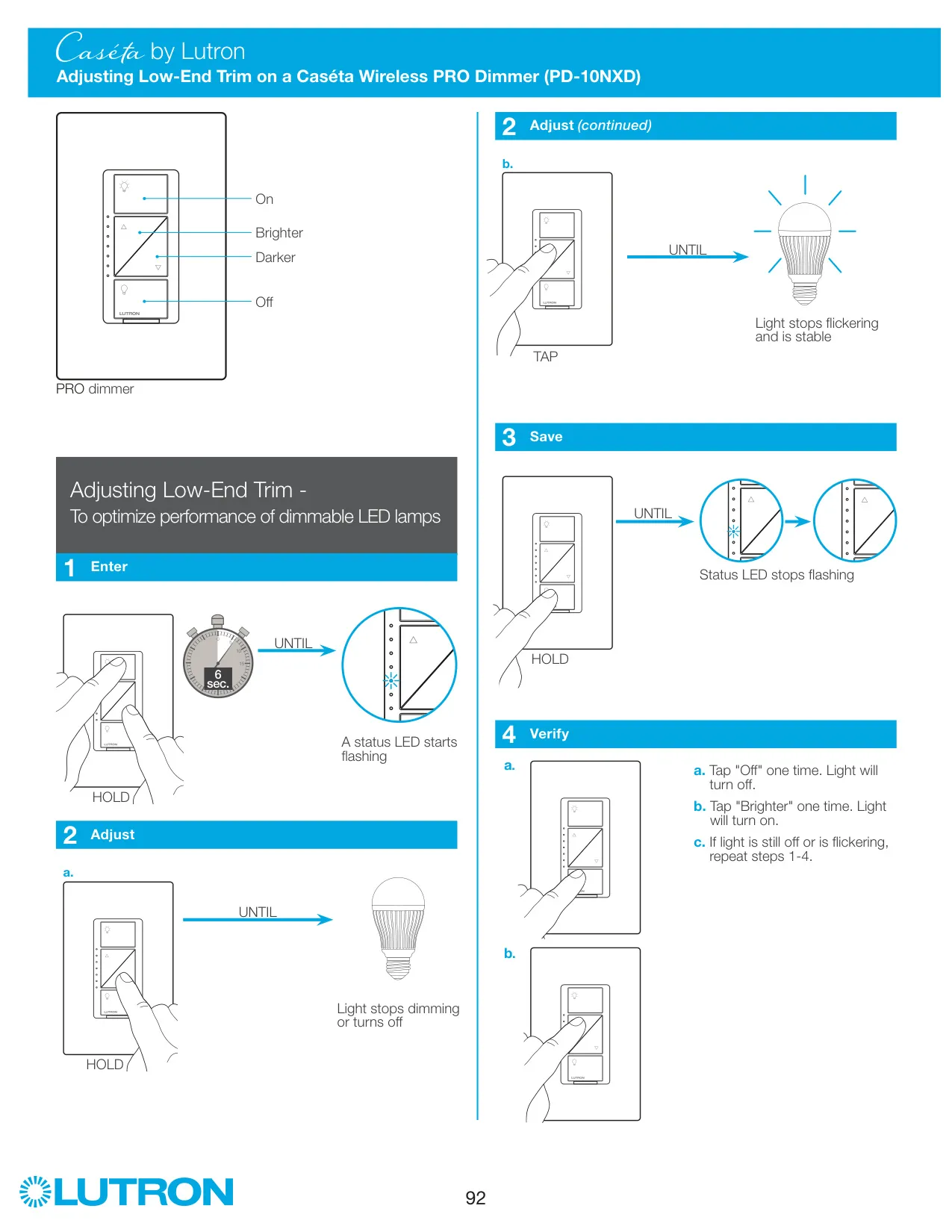
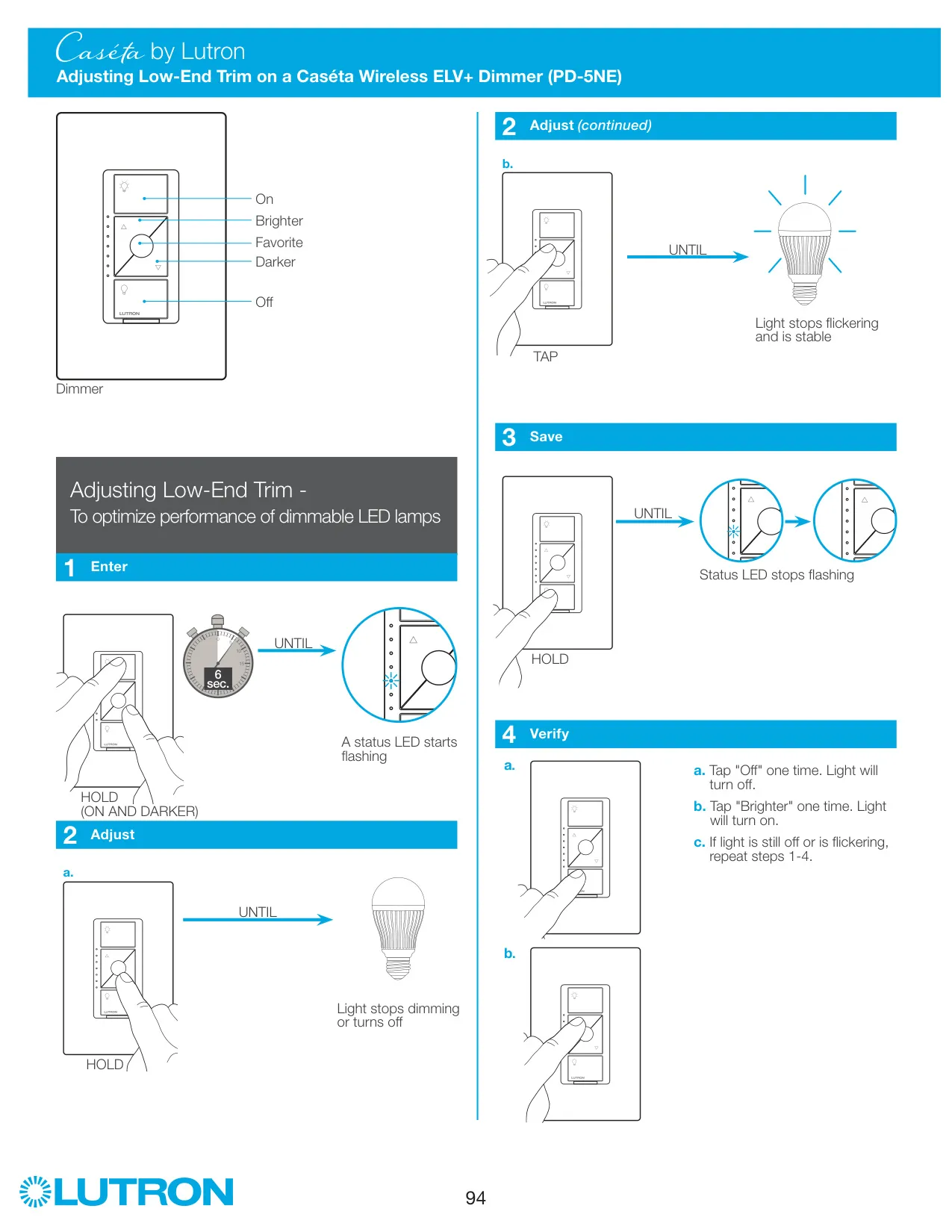
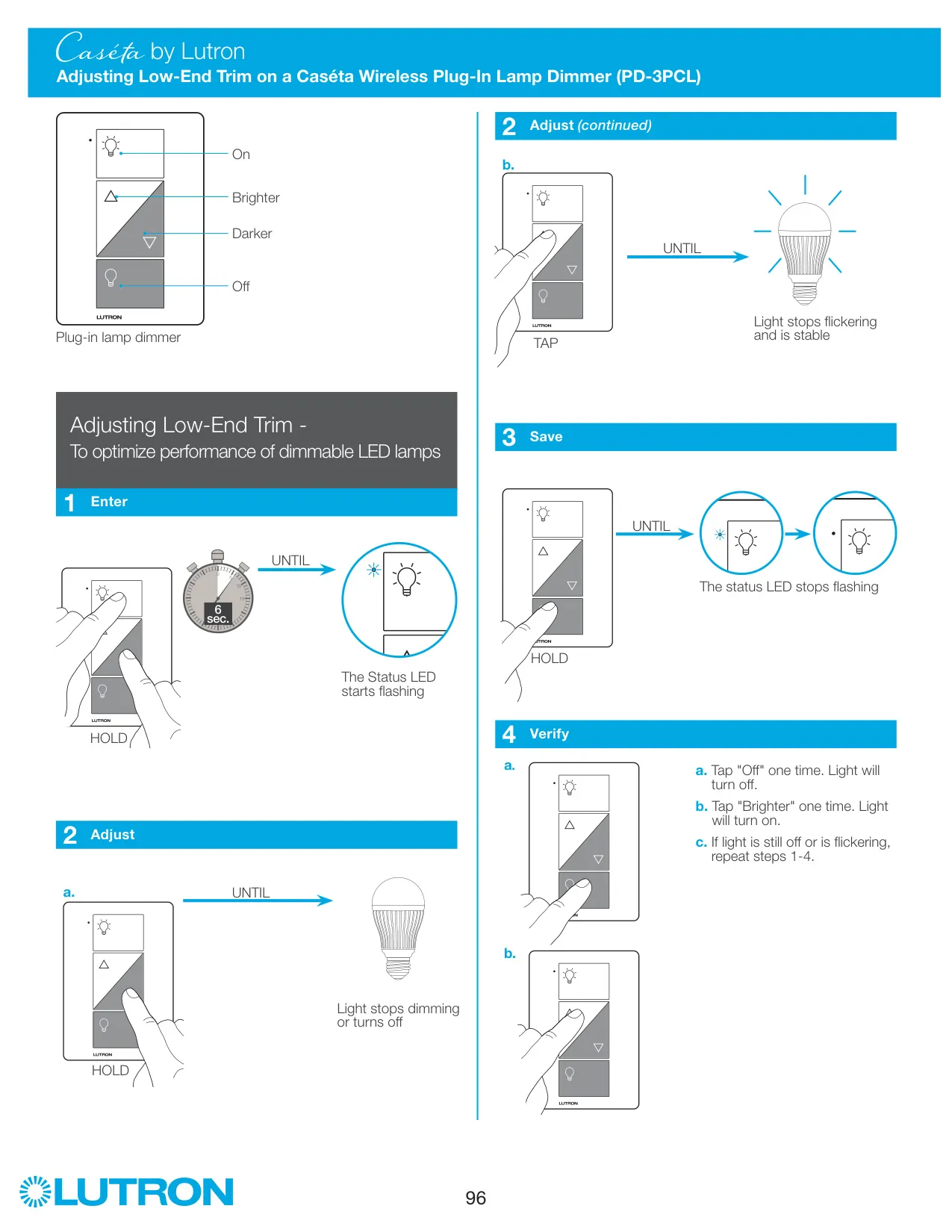
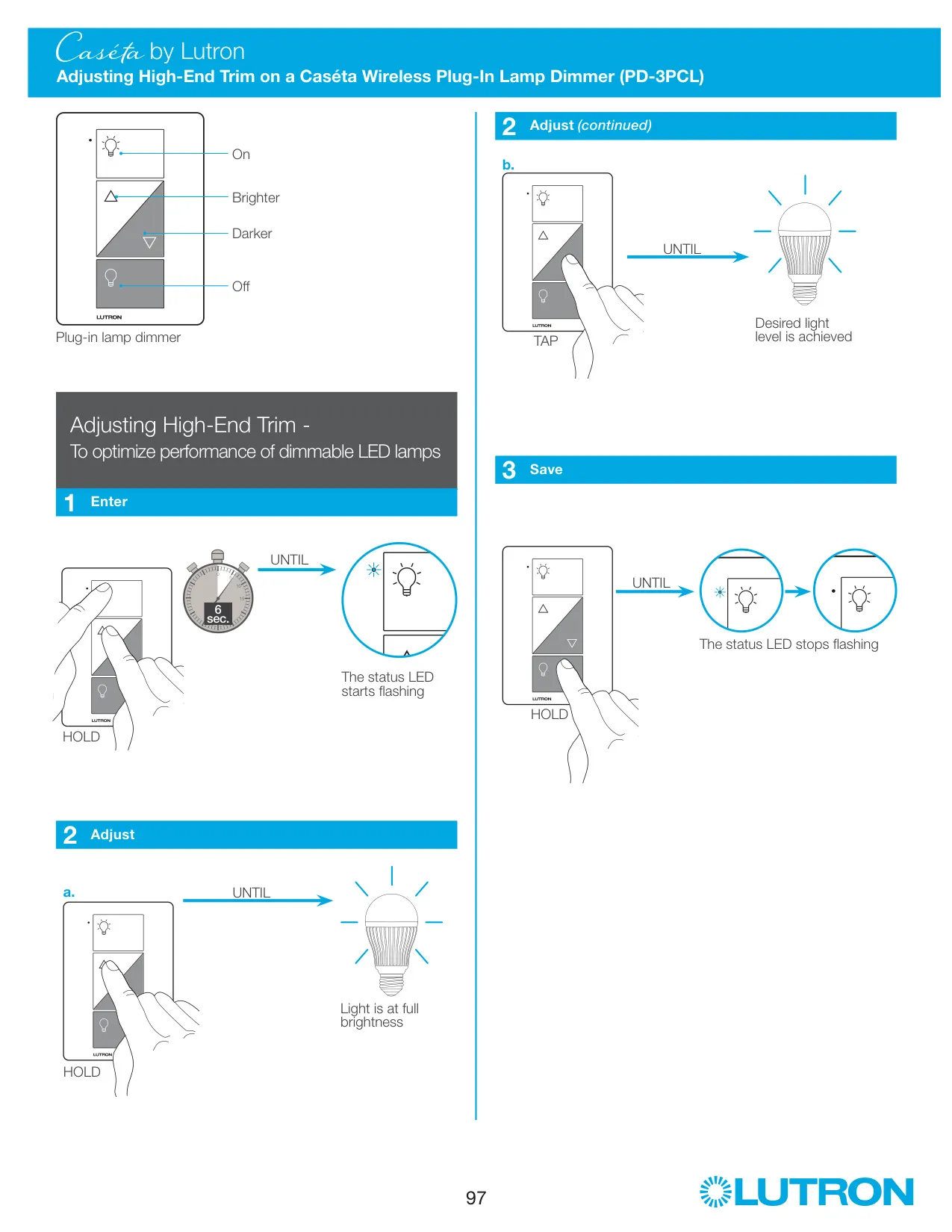
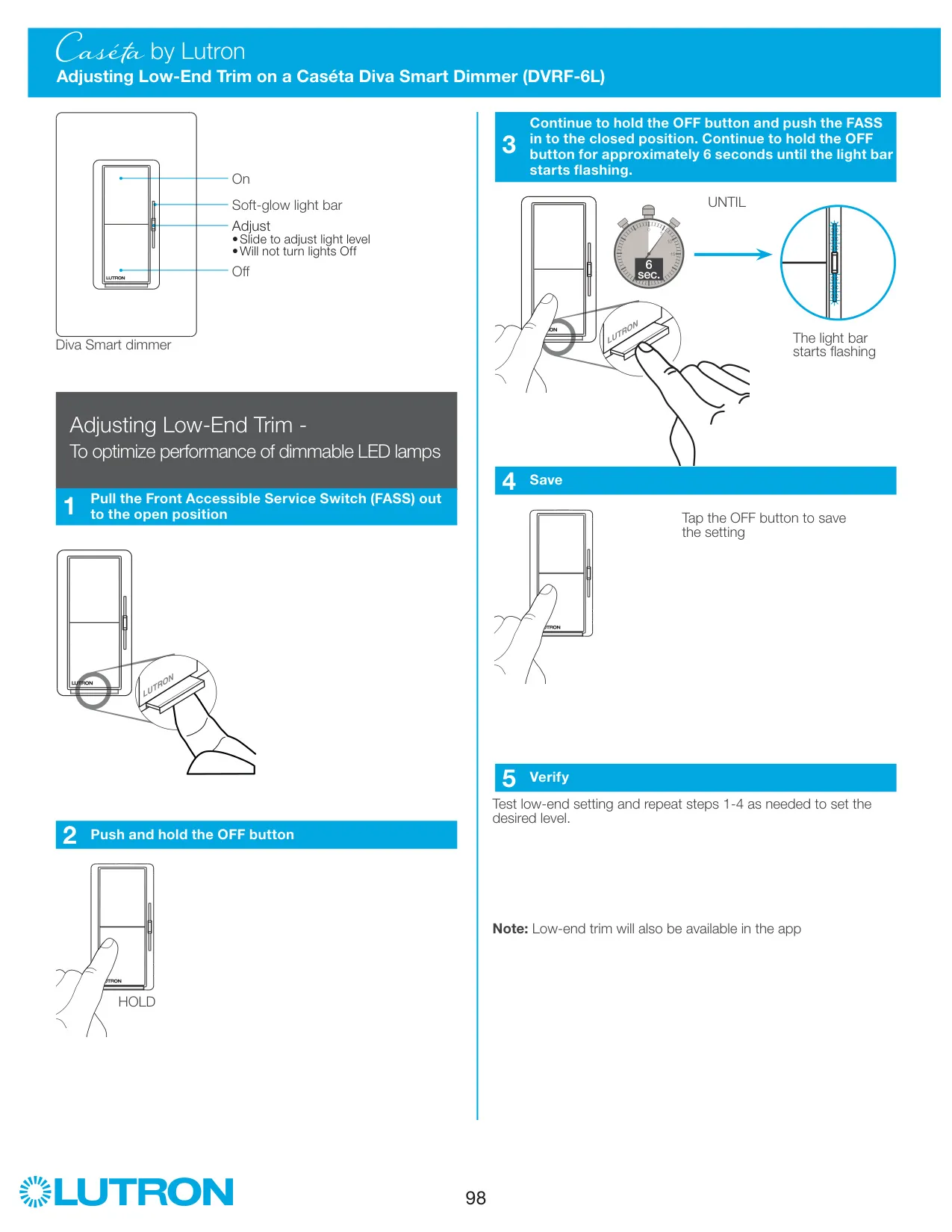
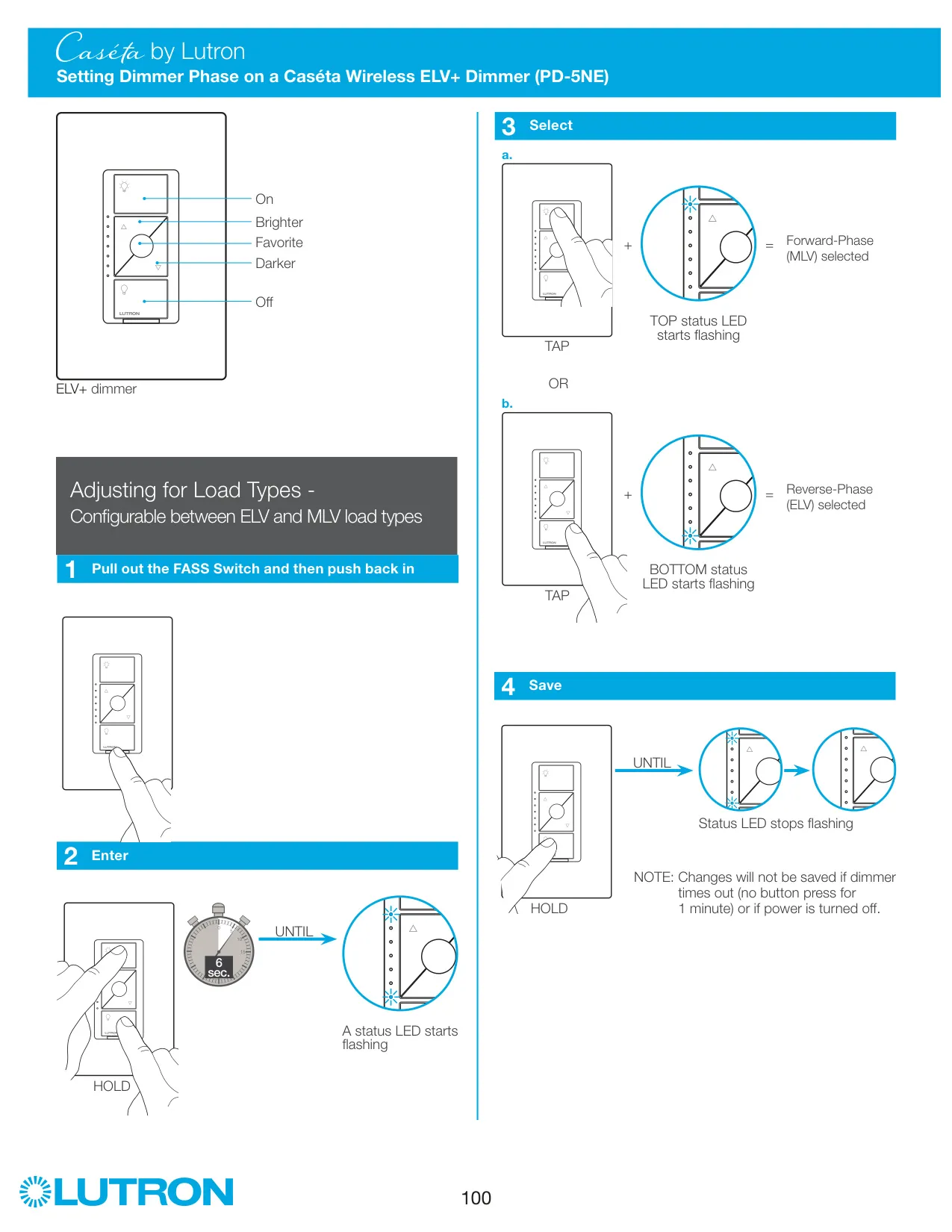
The dimmer's trim adjustments help it work well with dimmable LED bulbs. If bulbs flicker or turn off at low levels, low-end trim lets you raise the minimum level: hold to enter the mode, dim until the light stops dimming or turns off, tap until it's stable, then hold to save. High-end trim sets the maximum light output the same way. Lutron's troubleshooting guide recommends trim adjustment to fix flickering, flashing or failure to turn on at low levels.
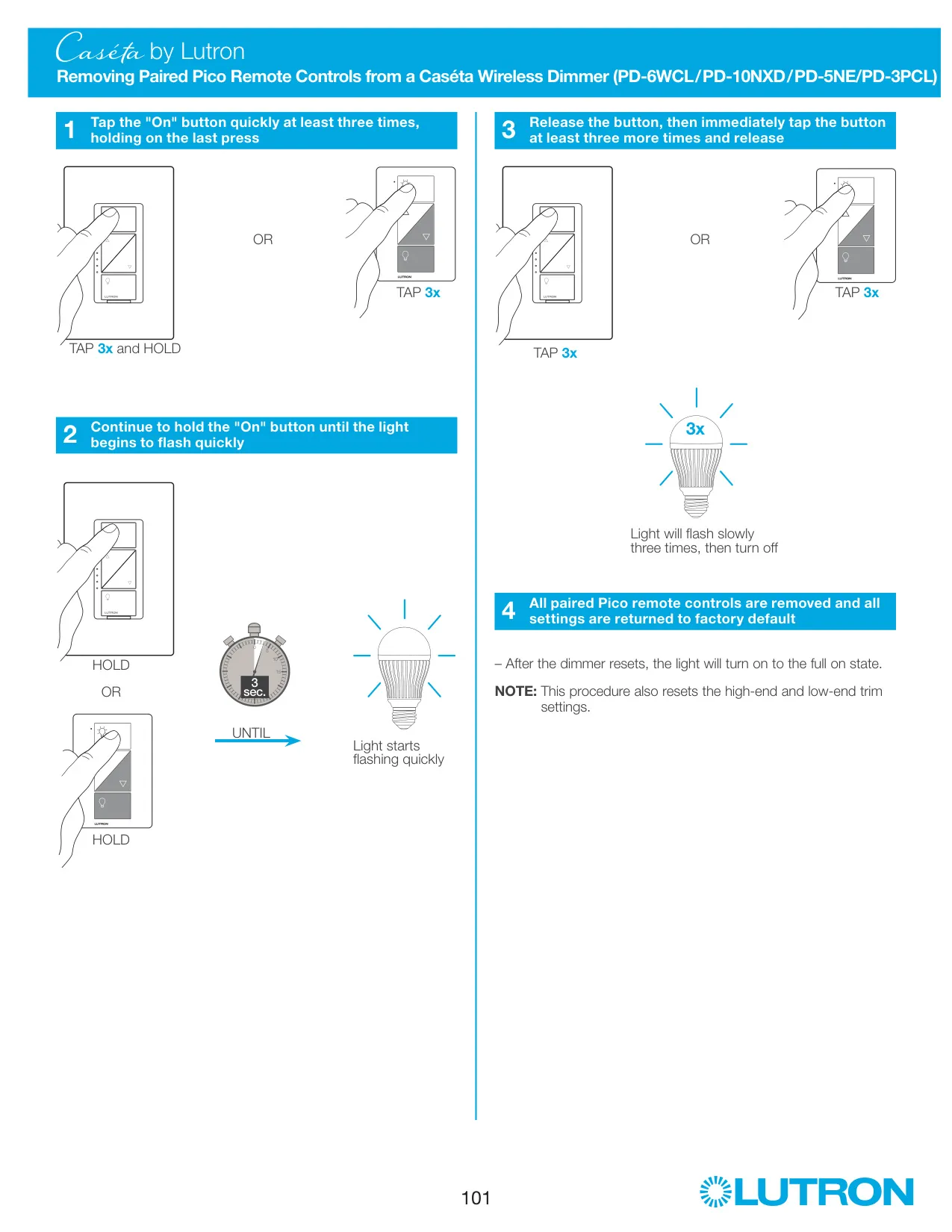
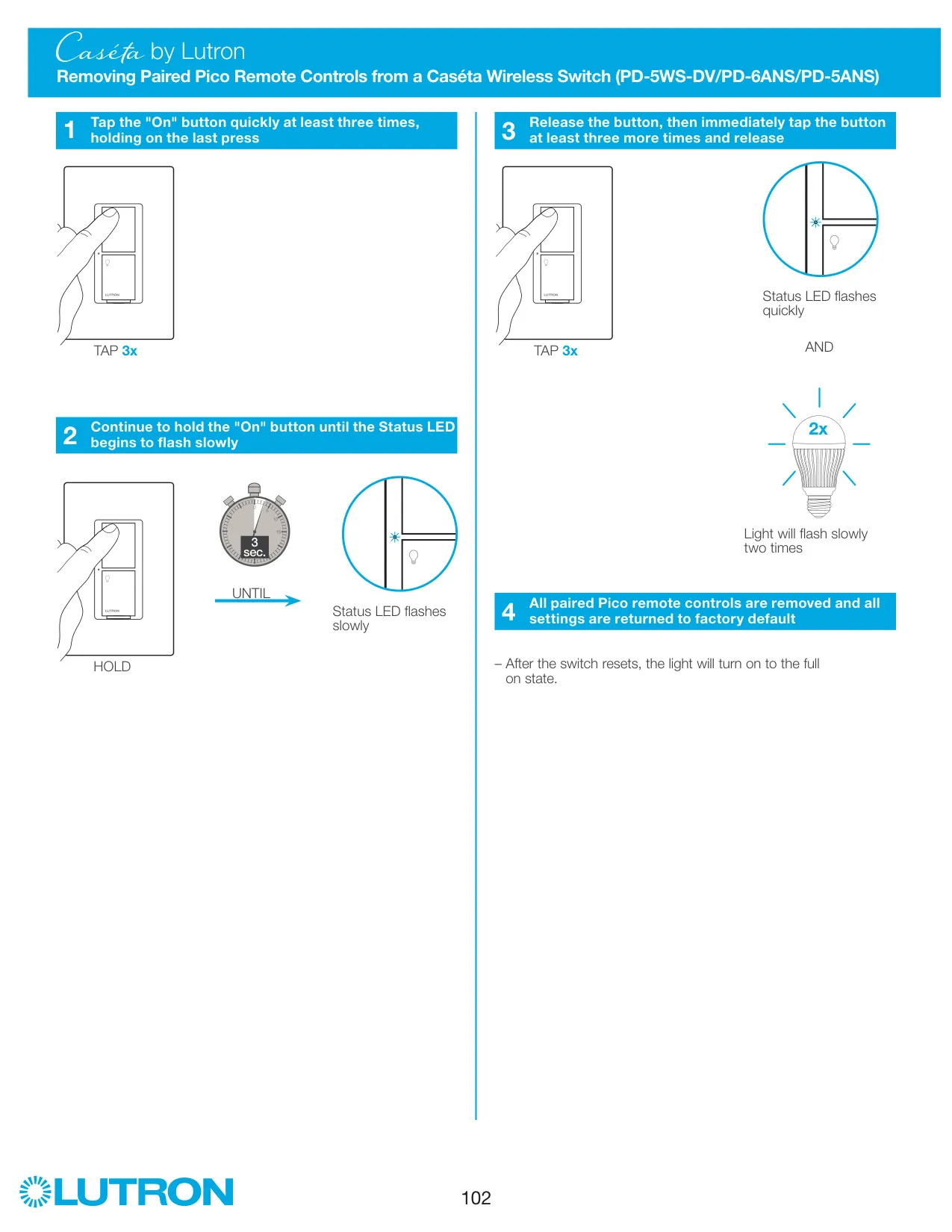
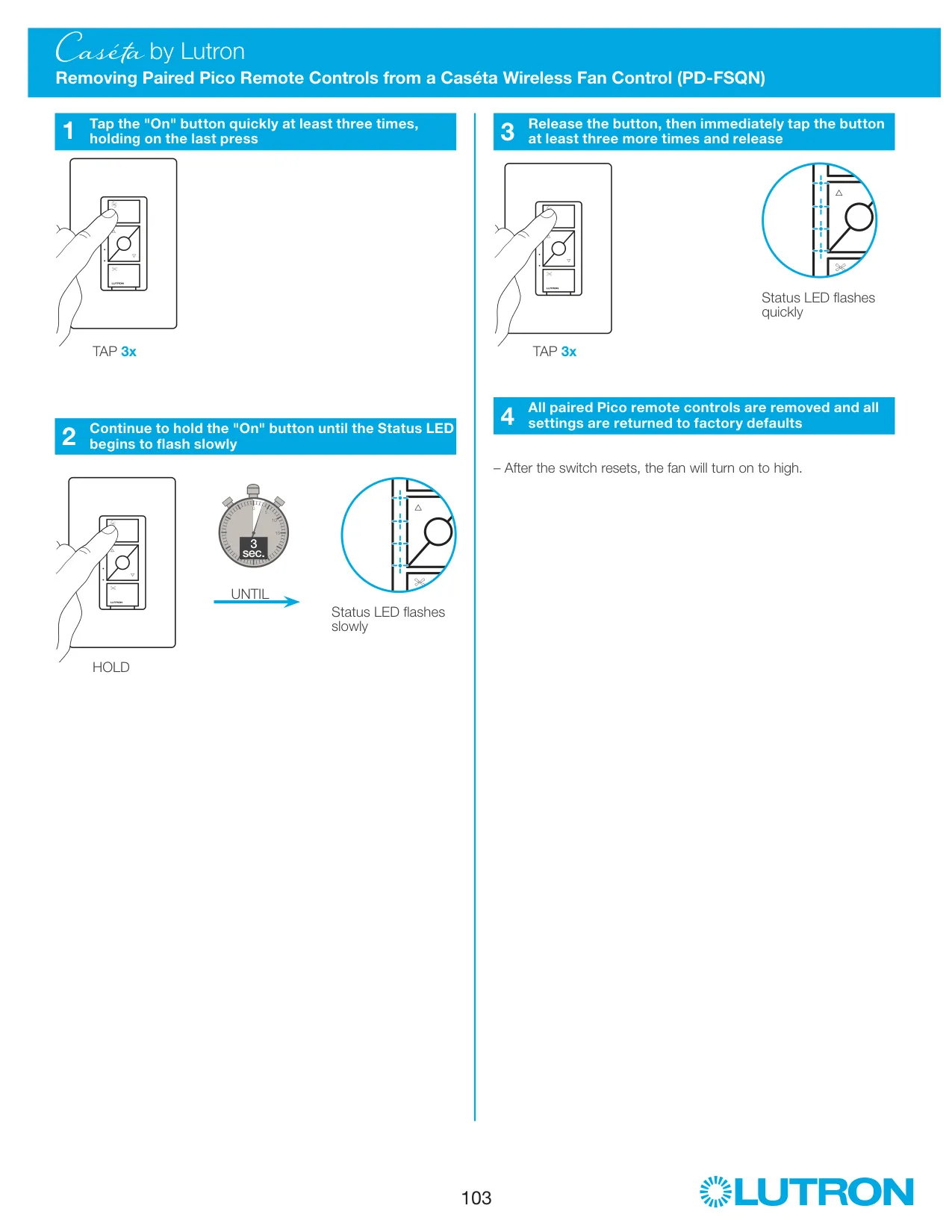
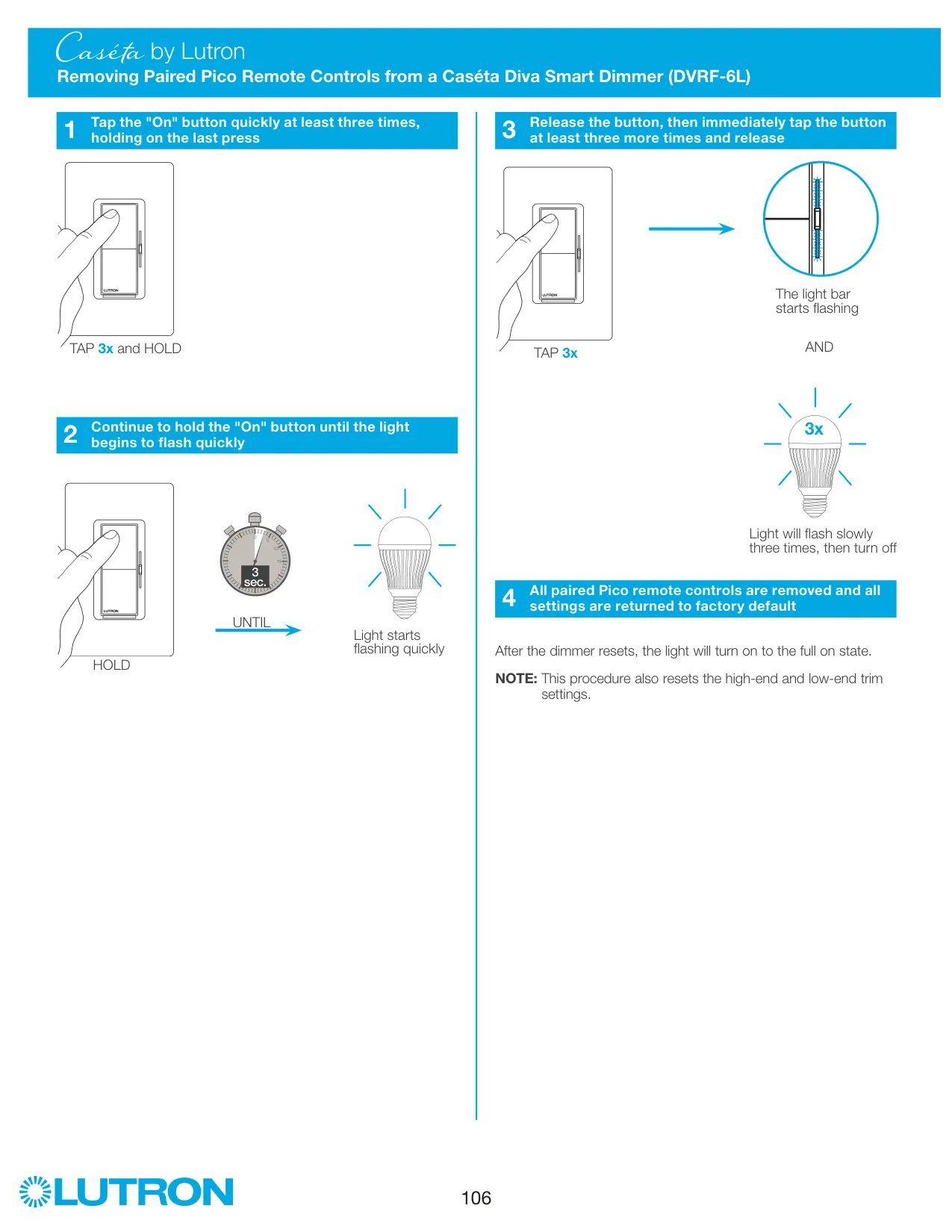
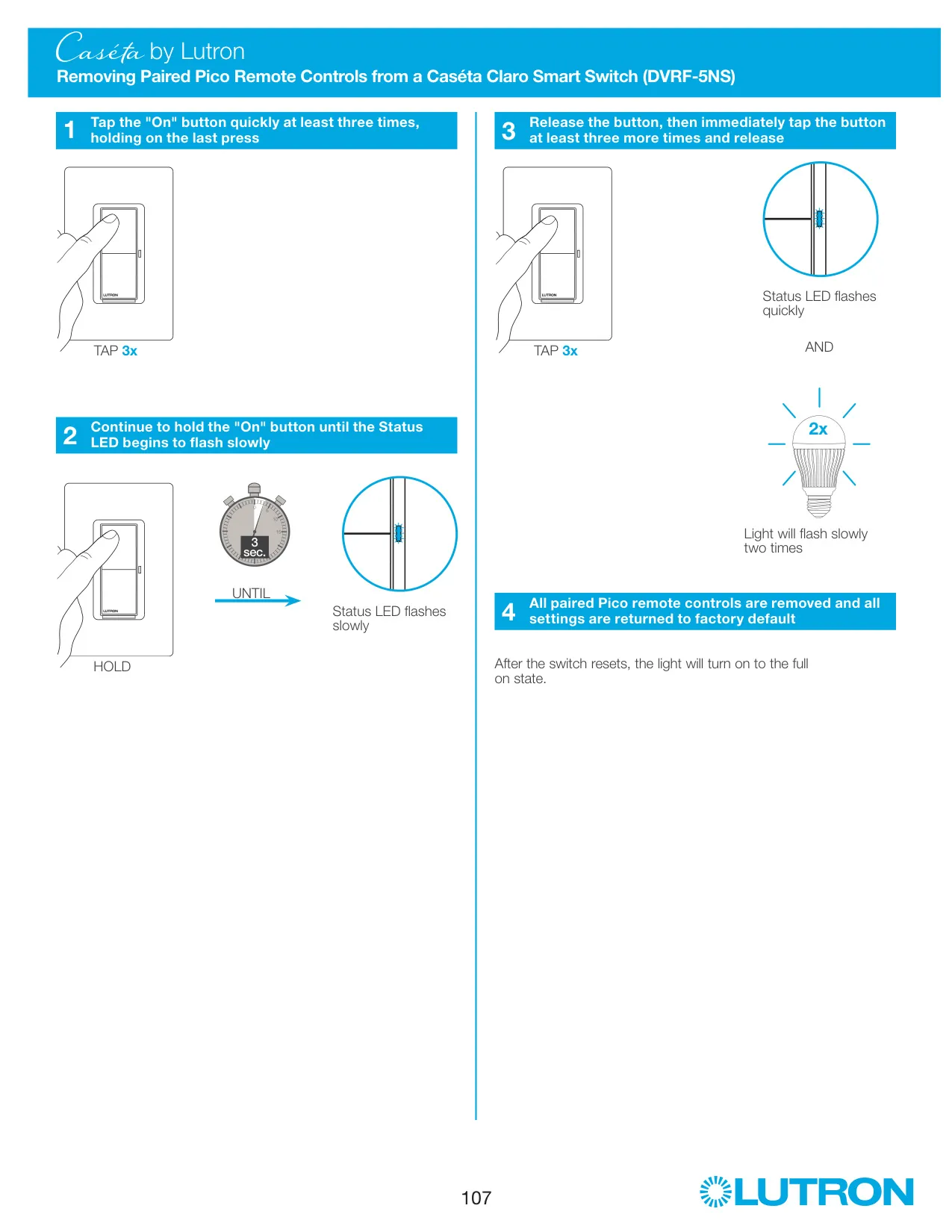
The FASS (Front Accessible Service Switch) cuts power at the light socket so you can safely change bulbs without going to the breaker. If the light or the LEDs won't come on, first check that the FASS is pushed in. A factory reset removes all paired Pico remotes and also clears the trim settings. To reset, tap "On" three times and hold, release when the light flashes quickly, then tap three more times.
The manual includes several safety and code notes. Use the dimmer only with permanently installed fixtures that have dimmable LED, CFL, halogen or incandescent lamps. Never use it with receptacles, motor-driven appliances or transformer-supplied appliances. If the wallbox has no grounding means, the NEC allows installation only with a nonmetallic faceplate or GFCI protection. Registering the product online extends the warranty by one year.
Frequently Asked Questions (FAQs)
Can't find the answer you need? Here are some frequently asked questions about the Lutron Caseta PD-6WCL Dimmer, and we answer them below.