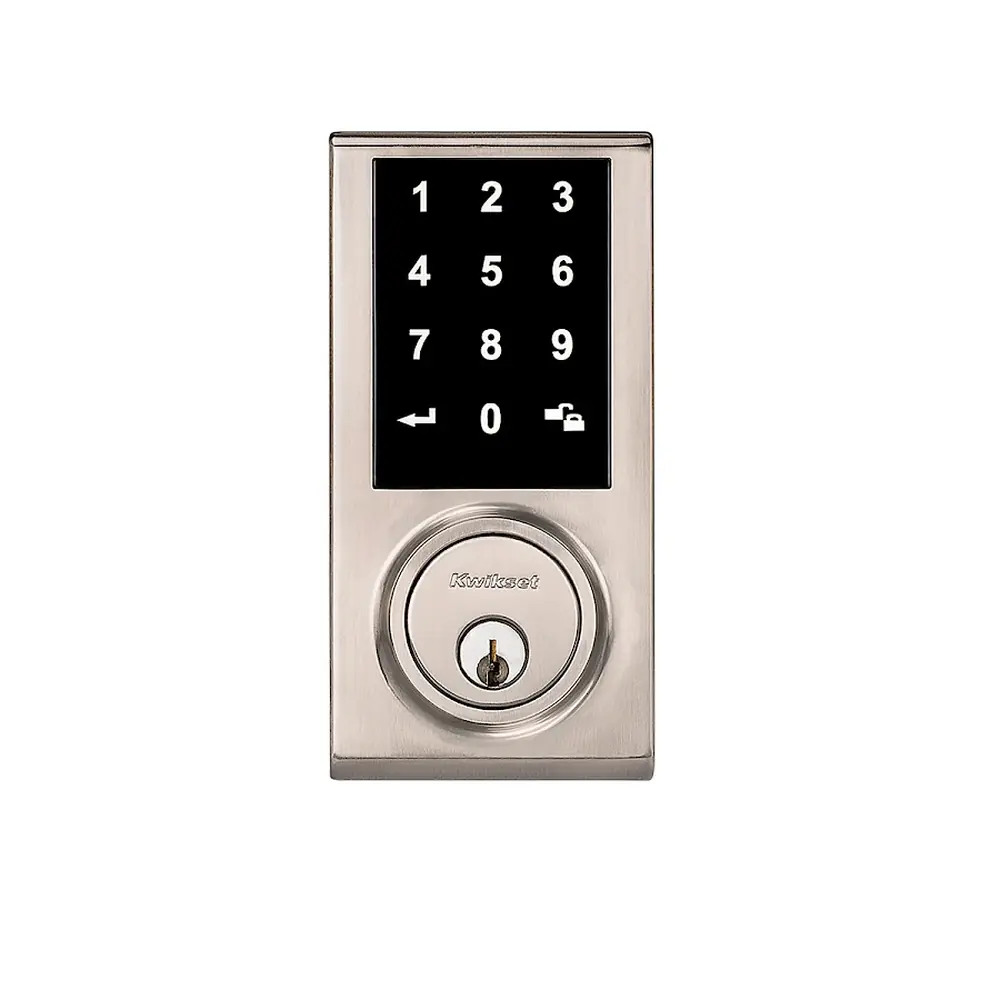
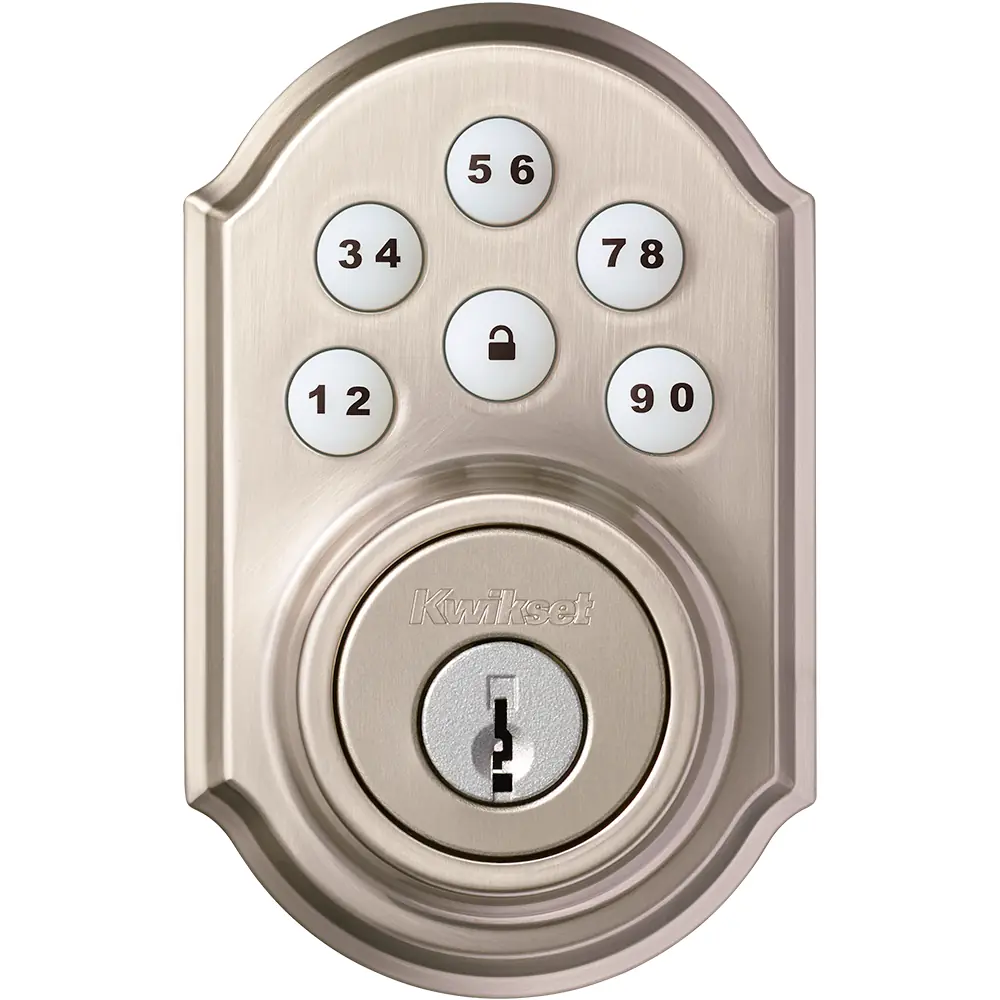
Kwikset 914 Electronic Deadbolt Instruction Manual

Kwikset 914 Electronic Deadbolt


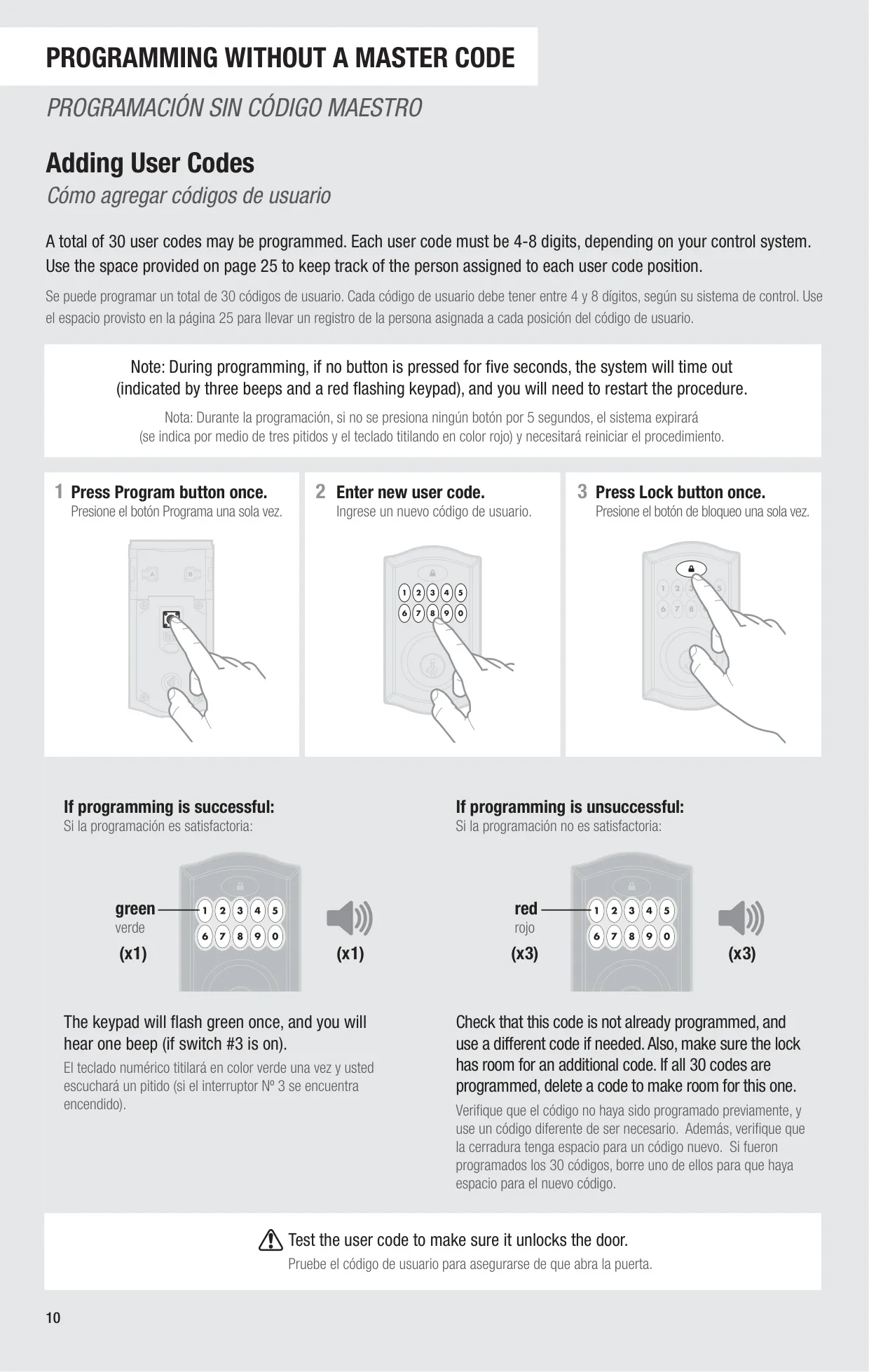
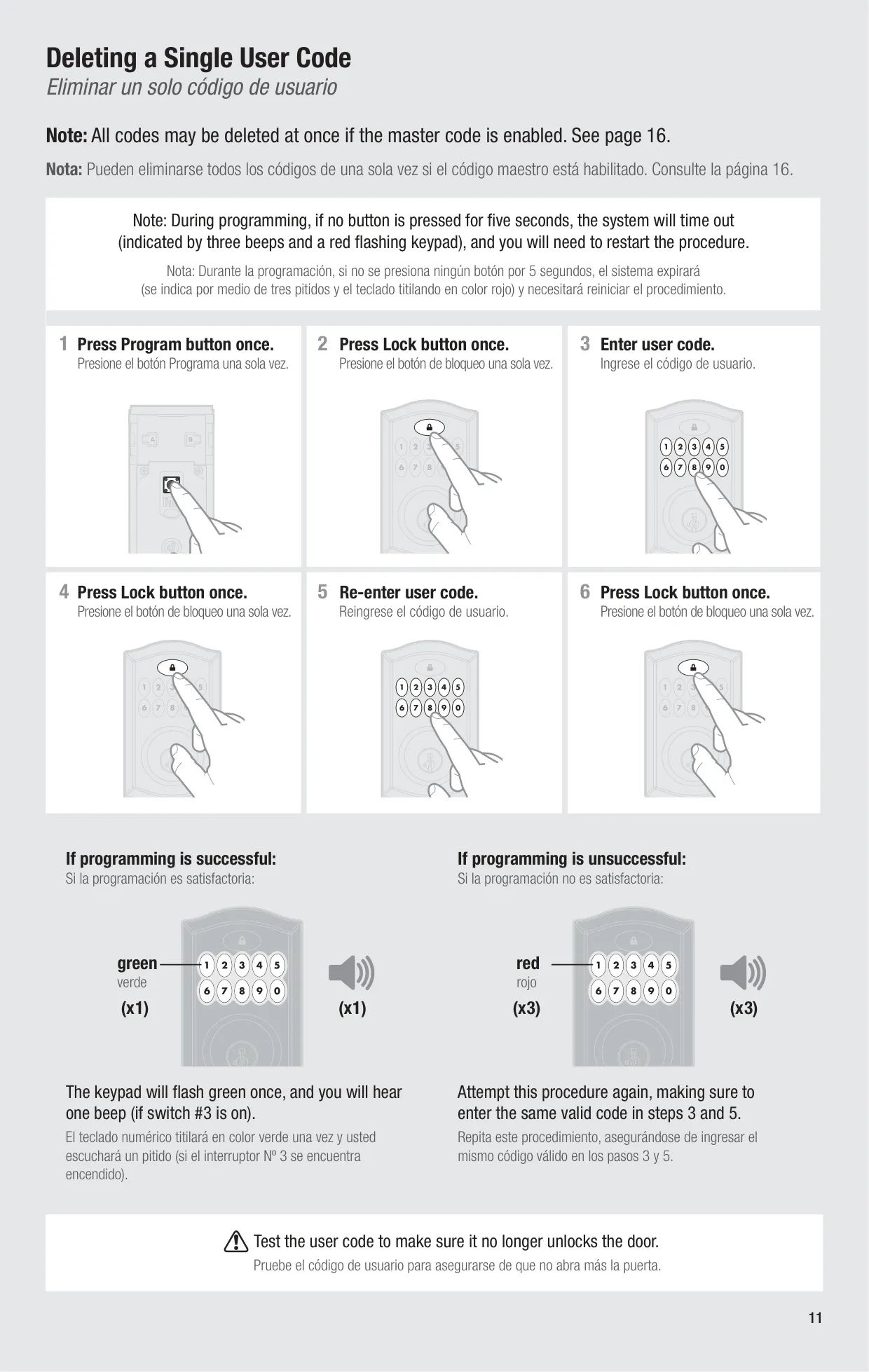









Kwikset 914 Electronic Deadbolt


Kwikset 914 Electronic Deadbolt







Kwikset 914 Instructions
Here we offer the Kwikset 914 Electronic Deadbolt manual completely free and in English. We have cataloged this manual in the Electronic Locks section on Manualverse, and it has been rated by 1 users with an average rating of 5. If you have any specific questions about Kwikset 914 Electronic Deadbolt, we suggest checking the Frequently Asked Questions (FAQs) section of this manual.
Product Images


Kwikset 914 Electronic Deadbolt Specifications
| Feature | Specification |
|---|---|
| Product Name | Kwikset SmartCode 914 Electronic Deadbolt |
| Manufacturer | Kwikset (Spectrum Brands, Inc.) |
| Wireless Protocol | Security-enabled Z-Wave Plus (the model also comes in a ZigBee version) |
| Controller Requirement | A security-enabled Z-Wave controller that supports door locks (or a ZigBee controller for the ZigBee version) |
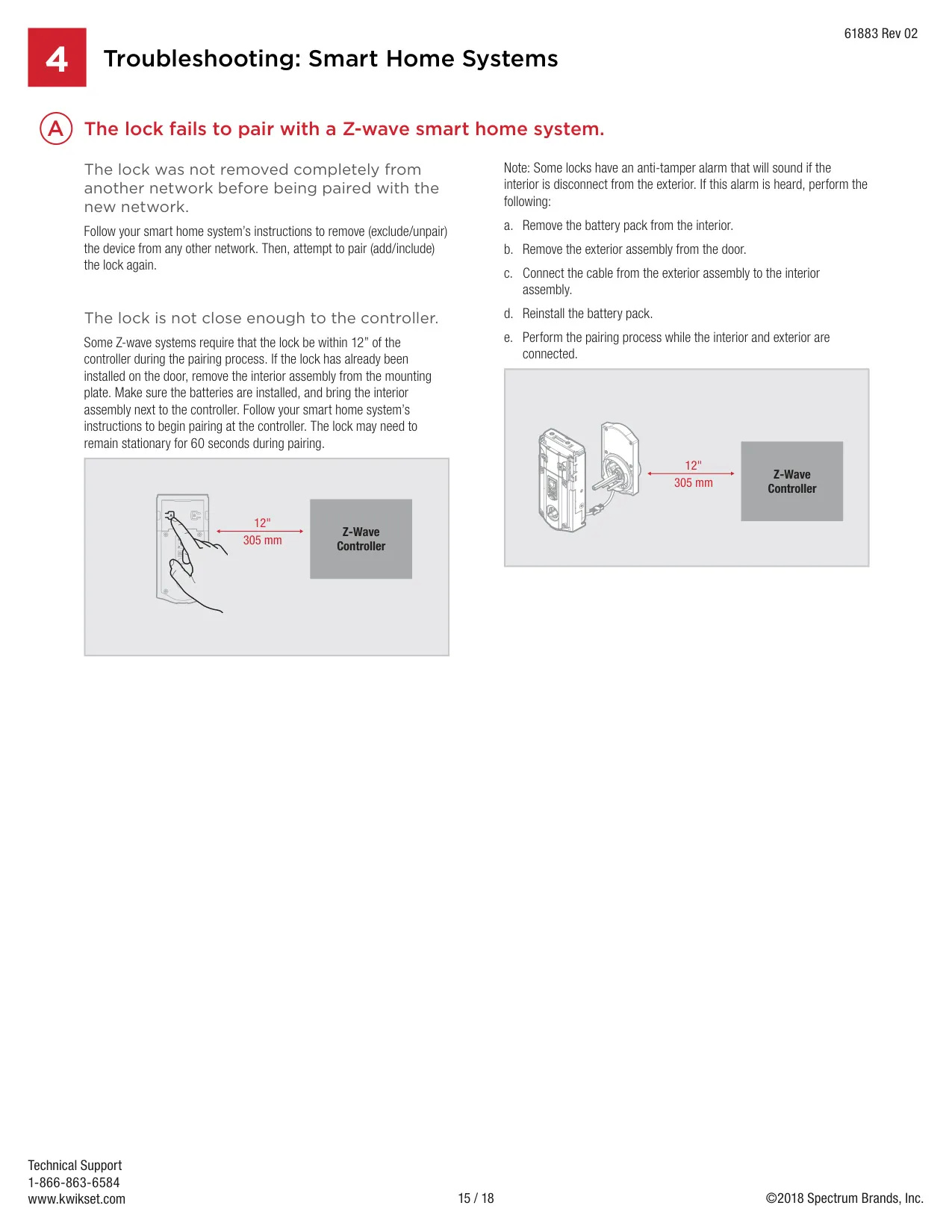
| Z-Wave Inclusion Distance | Within 12 in (30.5 cm) of the controller |
| Z-Wave Secure Pairing Time | Controller and lock must stay still for 60 seconds |
| Typical Wireless Range | 35 ft or more (mesh network; depends on building construction) |
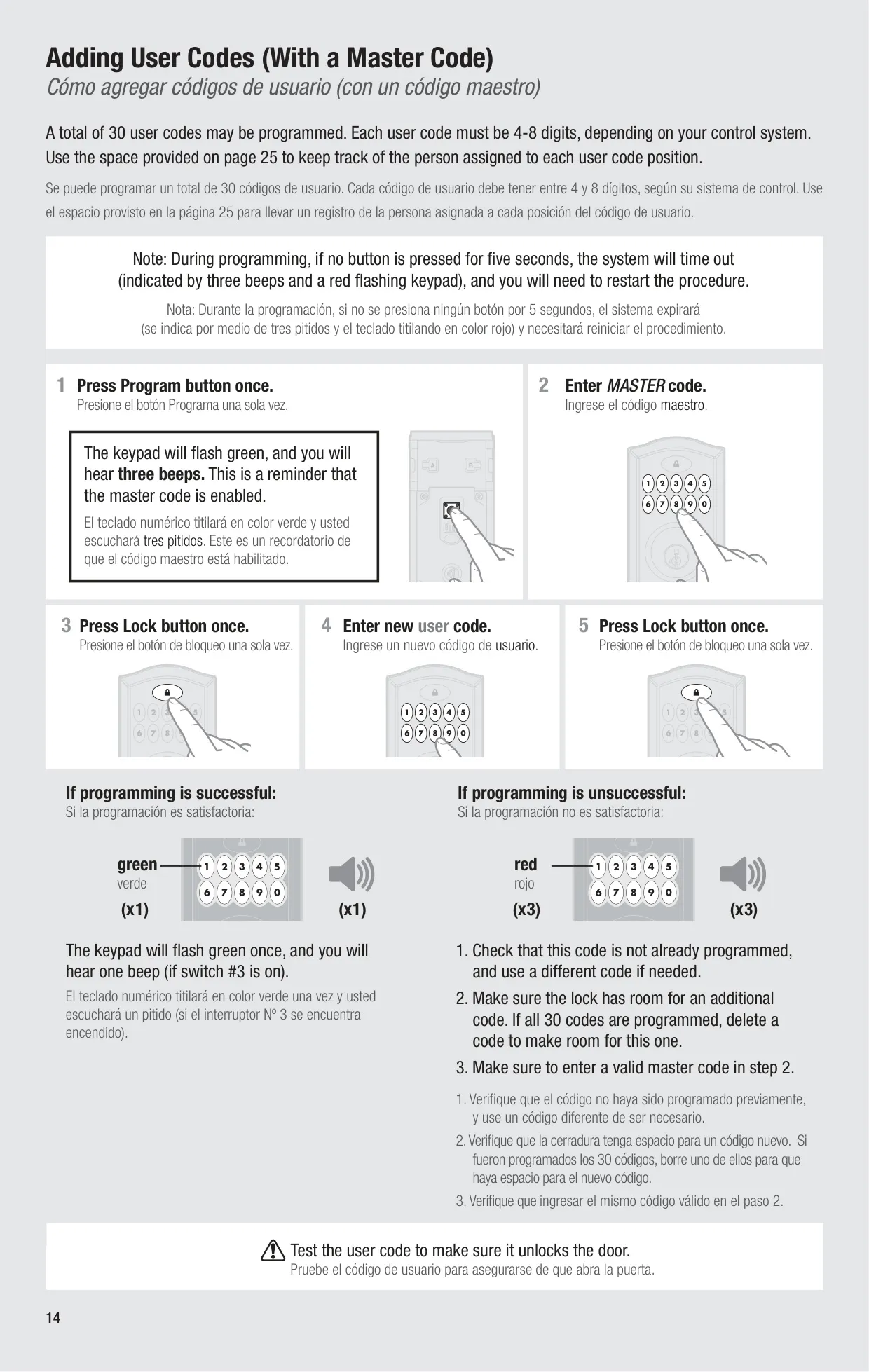
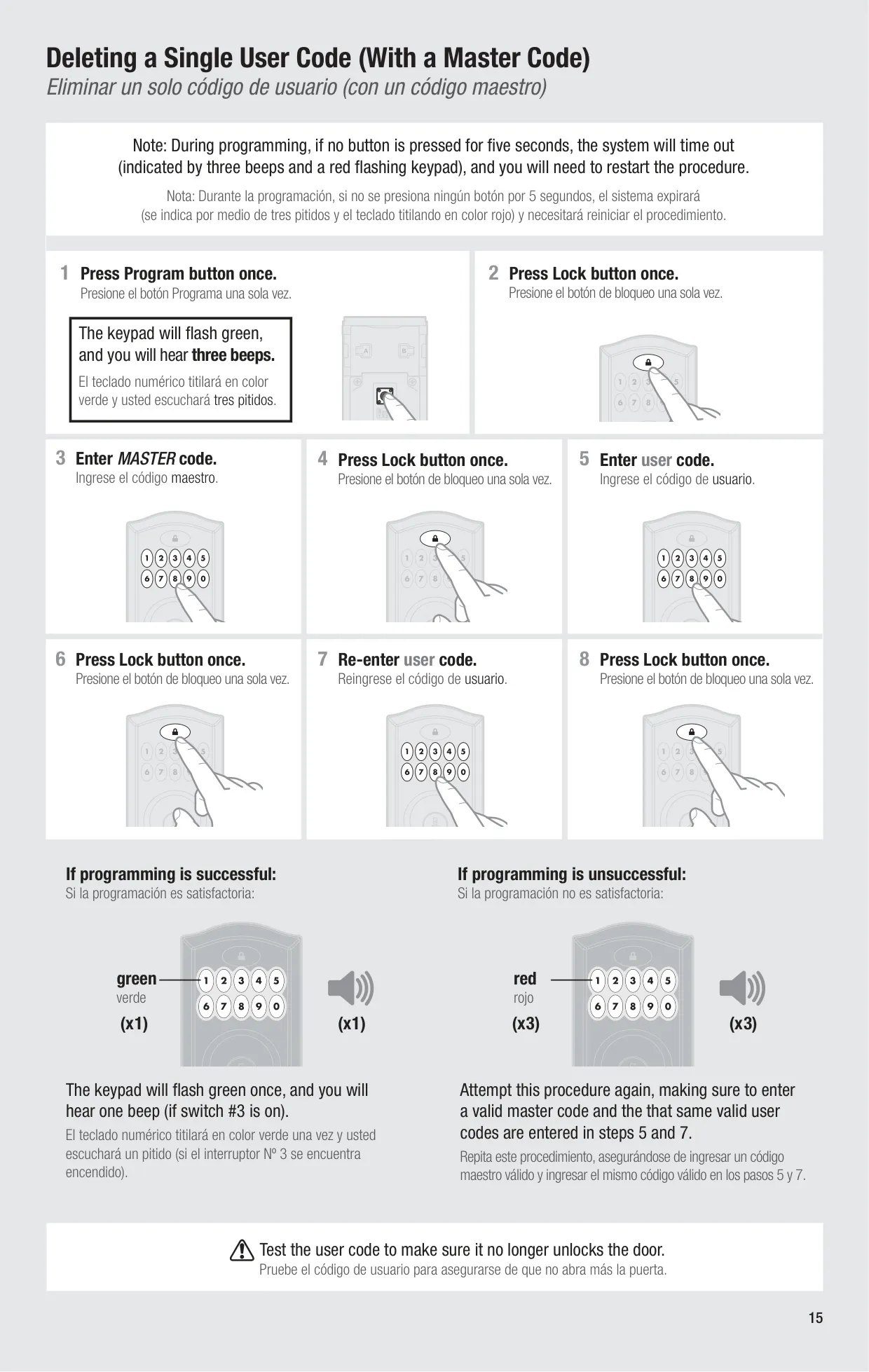
| User Code Capacity | 30 user codes |
| User Code Length | 4 to 8 digits (depends on the control system) |
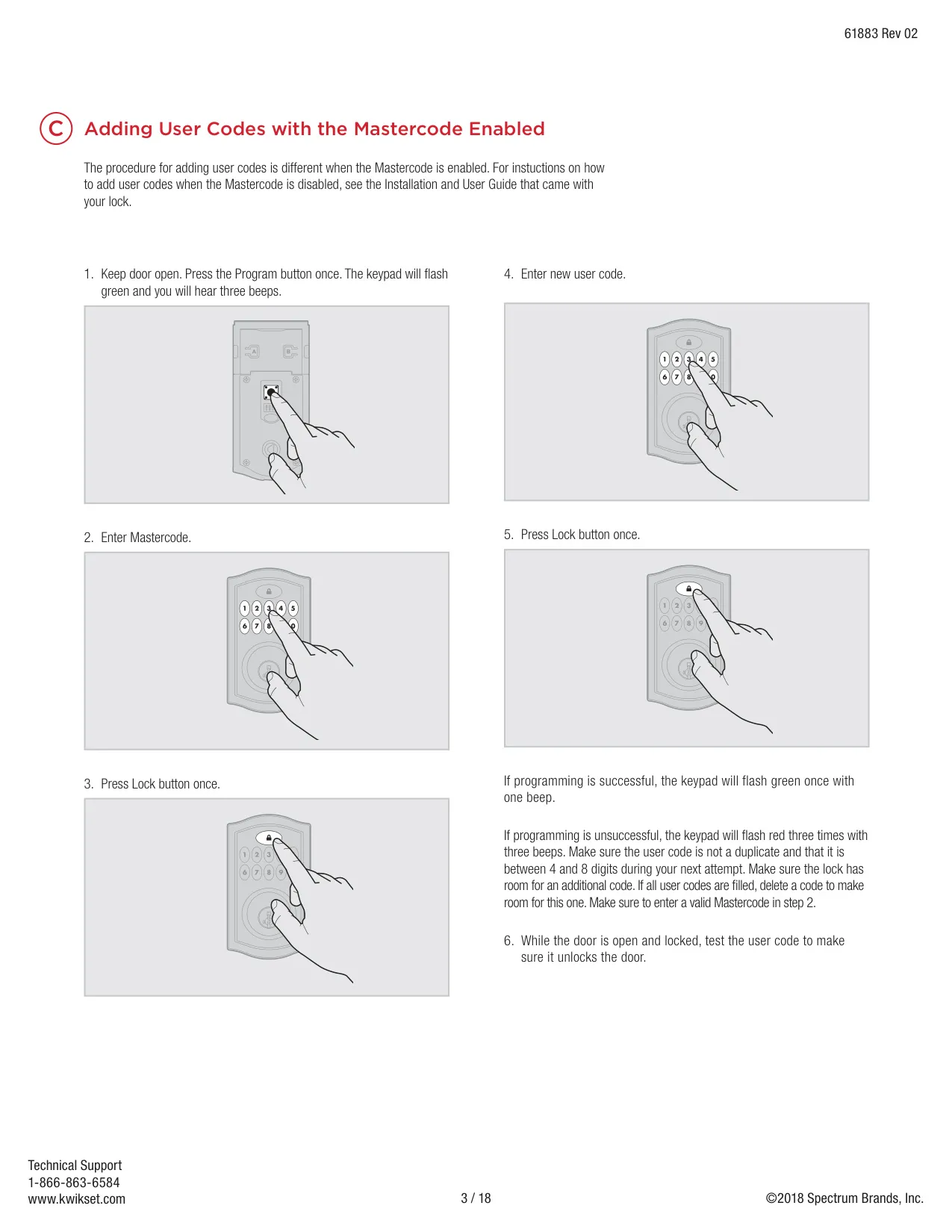
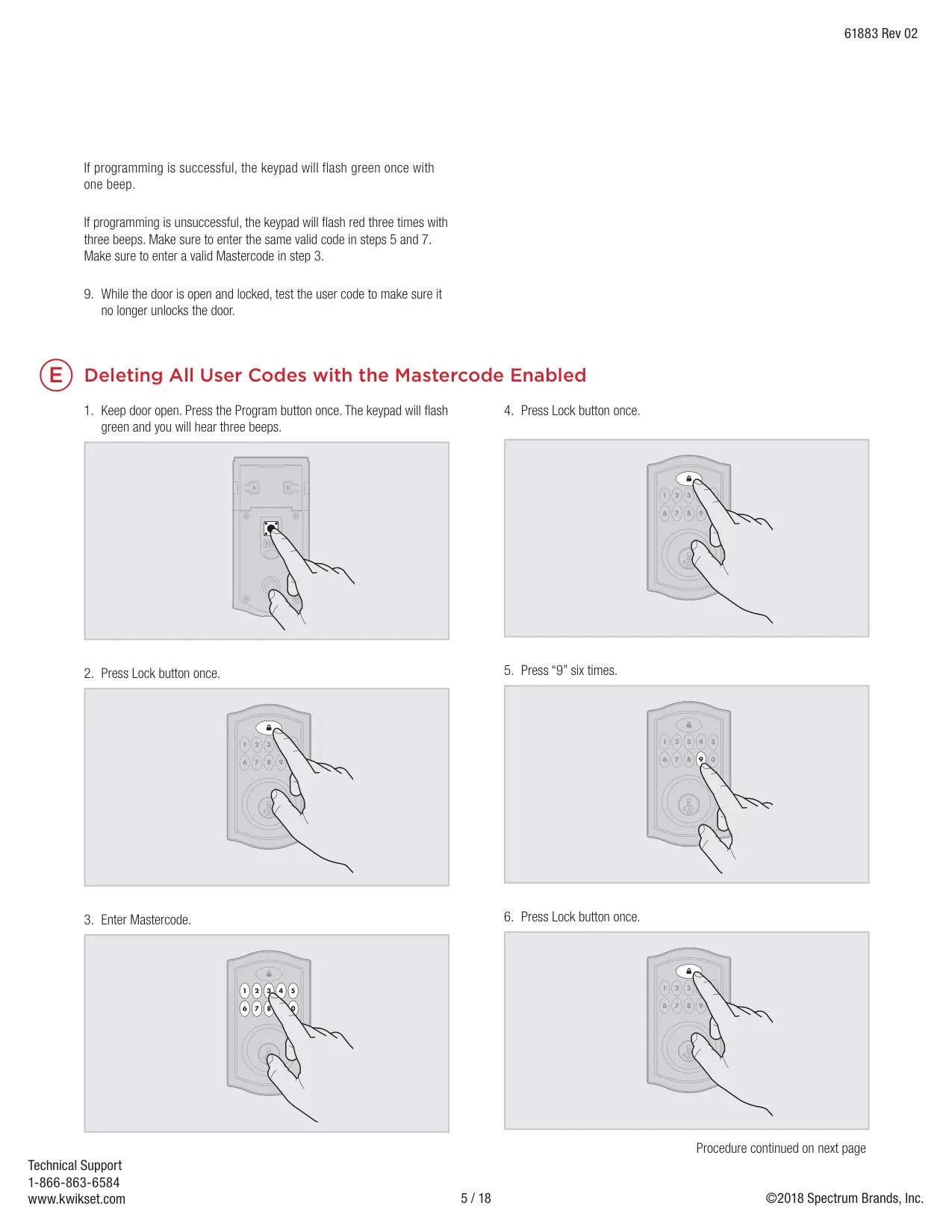
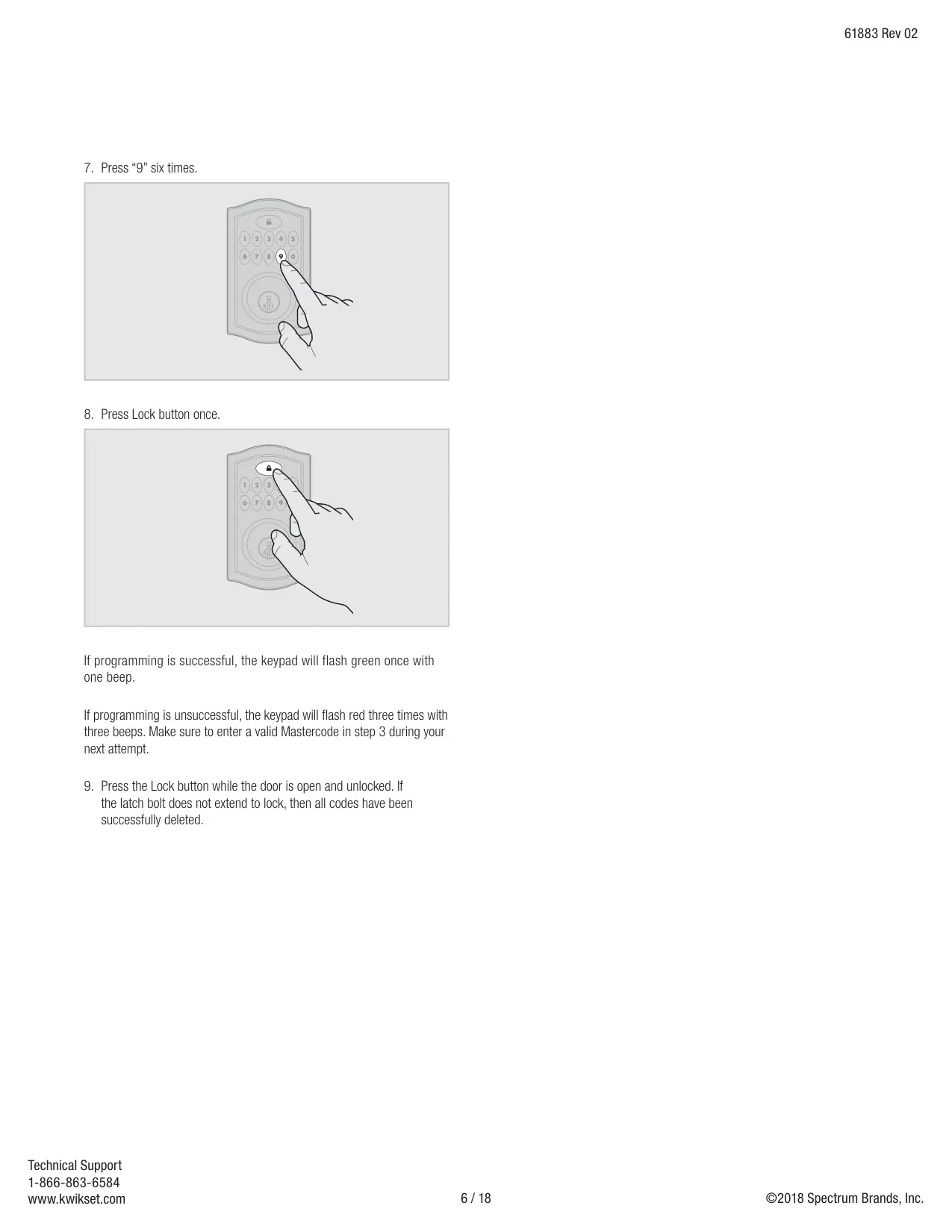
| Master Code | Optional, 4 to 8 digits, off by default |
| Power Supply | 4 x AA non-rechargeable alkaline batteries |
| Battery Life | More than 1 year at 10 operations per day |
| Auto-Lock Delay | 30 seconds after unlocking (switch #2, off by default) |
| Status LED Blink Interval | Every 6 seconds (switch #1, on by default) |
| Programming Timeout | 5 seconds with no button pressed |
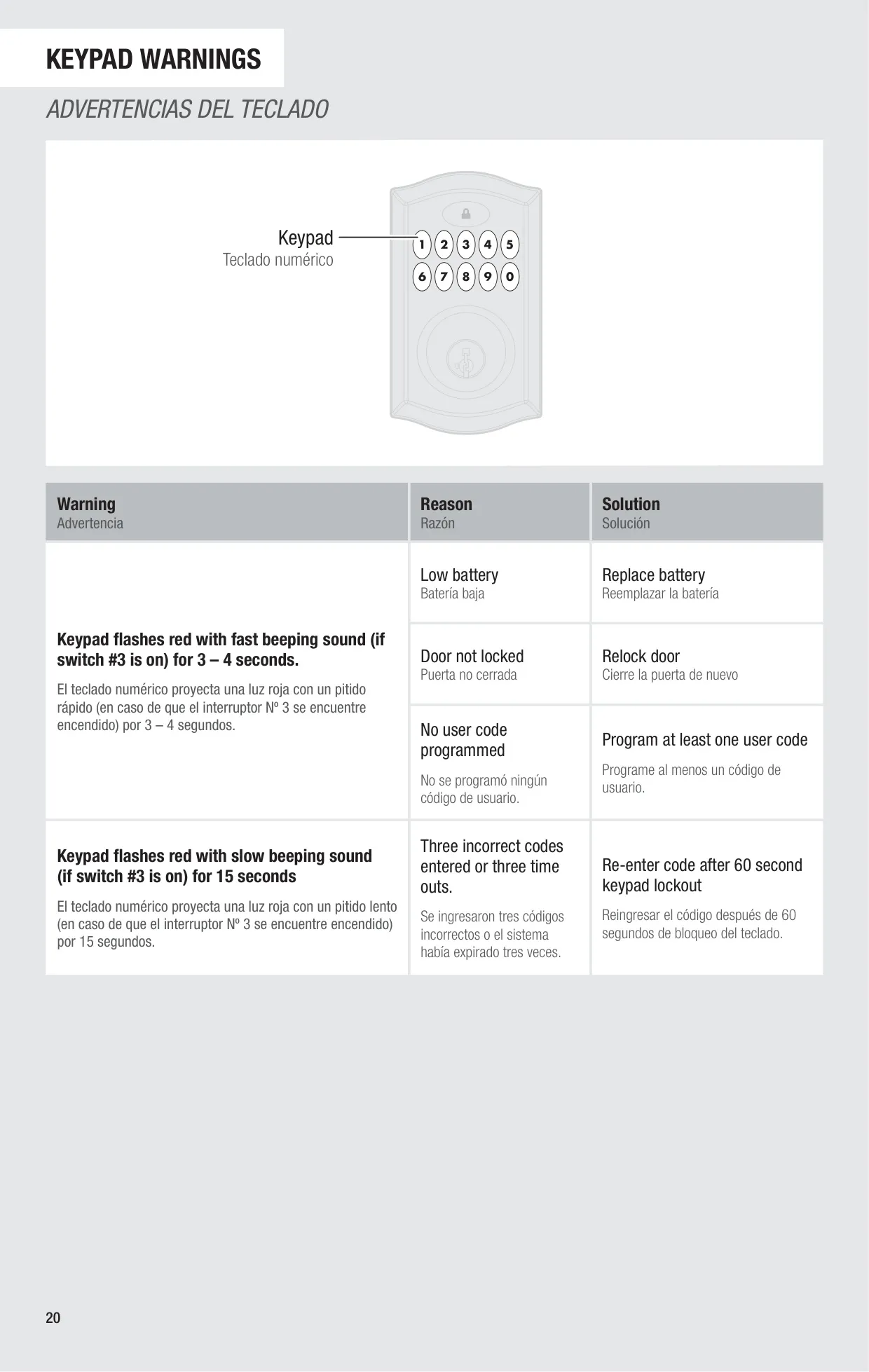
| Keypad Lockout | 60 seconds after 3 wrong codes in a row or 3 timeouts within 1 minute |
| Door Thickness | 1-3/8 in to 2 in (35 mm to 51 mm) |
| Door Bore Hole Diameter | 2-1/8 in (54 mm) or 1-1/2 in (38 mm) |
| Backset | 2-3/8 in or 2-3/4 in (60 mm or 70 mm) |
| Door Edge Hole | 1 in (25 mm) |
| Strike Hole Depth in Frame | At least 1 in (25 mm) |
| Latch | Adjustable tapered deadbolt latch "A" (drive-in latch "B" is sold separately) |
| Interior Assembly Styles | Traditional and Contemporary |
| Rekeying | SmartKey re-key technology (SmartKey tool included) |
| Configuration Switches | 4 DIP switches: status LED, auto-lock, audio, not used |
| Required Tools | Ruler, Phillips screwdriver (hammer and wood block for some installations) |
| Regulatory Compliance | FCC Part 15 Class B, Canada ICES-003, CAN/CSA-C22.2 No. 14-05 |
| Document References | User Guide 49526/01, Installation Guide 68557-001 Rev 01, Programming and Troubleshooting Guide 61883 Rev 02 |
| Technical Support | 1-866-863-6584, www.kwikset.com (Mon–Fri 5:00am–6:00pm PST, Sat 6:30am–4:00pm PST, closed Sunday) |
Kwikset 914 Electronic Deadbolt Details
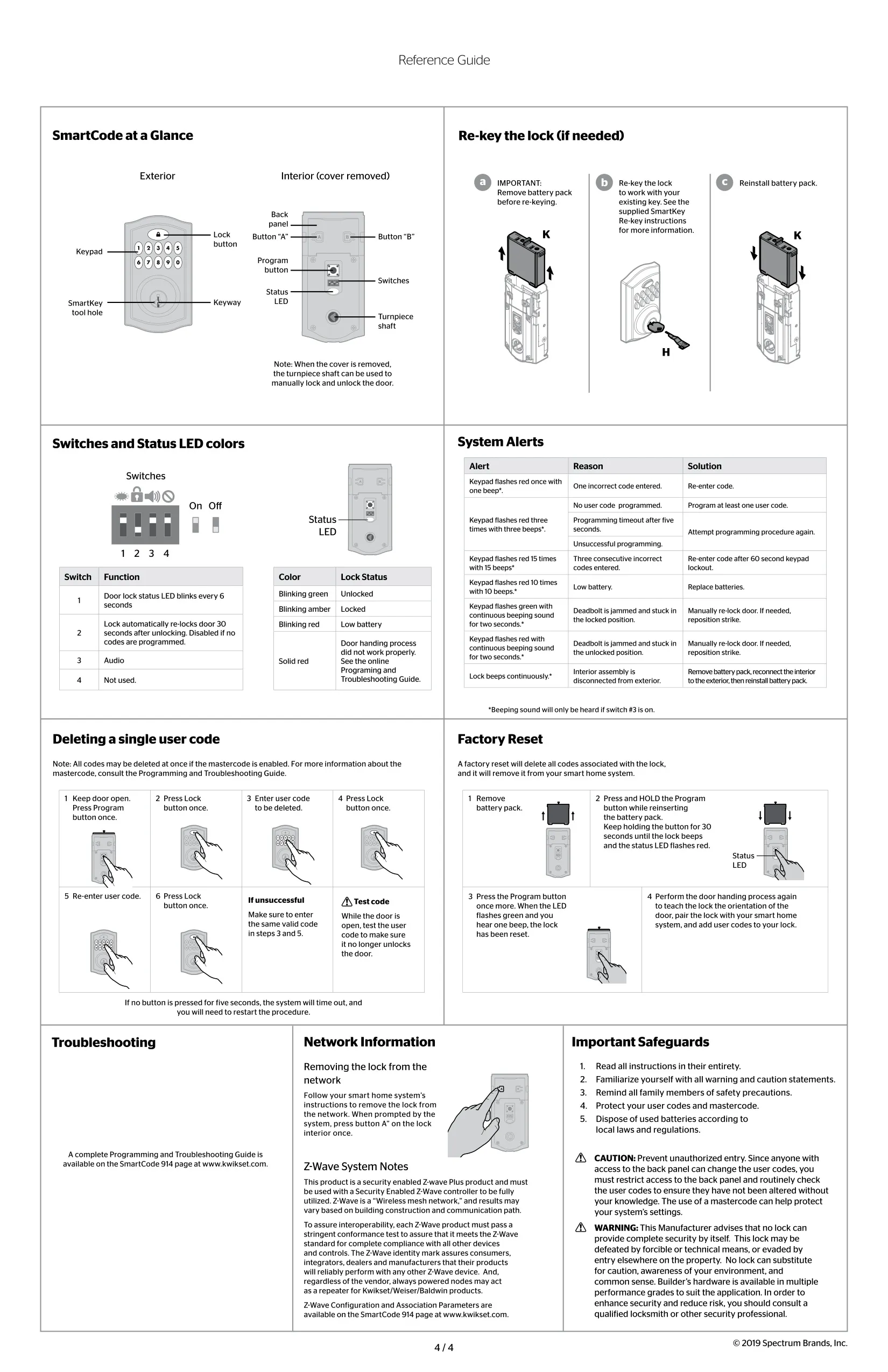
The Kwikset 914 does not know which way your door swings until you teach it. This setup step is called the door handing process, and the lock will not work properly without it. Open the door and extend the latch. Hold down the Lock button while you insert the battery pack, and keep holding it. The latch bolt then retracts and extends by itself (only halfway) to learn the locking direction. A green flashing LED means it worked. A solid red LED means it failed and you should try again, moving quickly between steps.
The interior cover has a sliding window that is locked by default with a security screw, so no one can tamper with your settings. If you remove the screw, you can slide the window up to reach the Program button, the switches and the battery pack without taking the cover off. With the cover off, you can lock and unlock the door by hand using the turnpiece shaft. Because anyone who can reach the back panel can change the codes, Kwikset advises limiting access to it and checking your codes regularly.
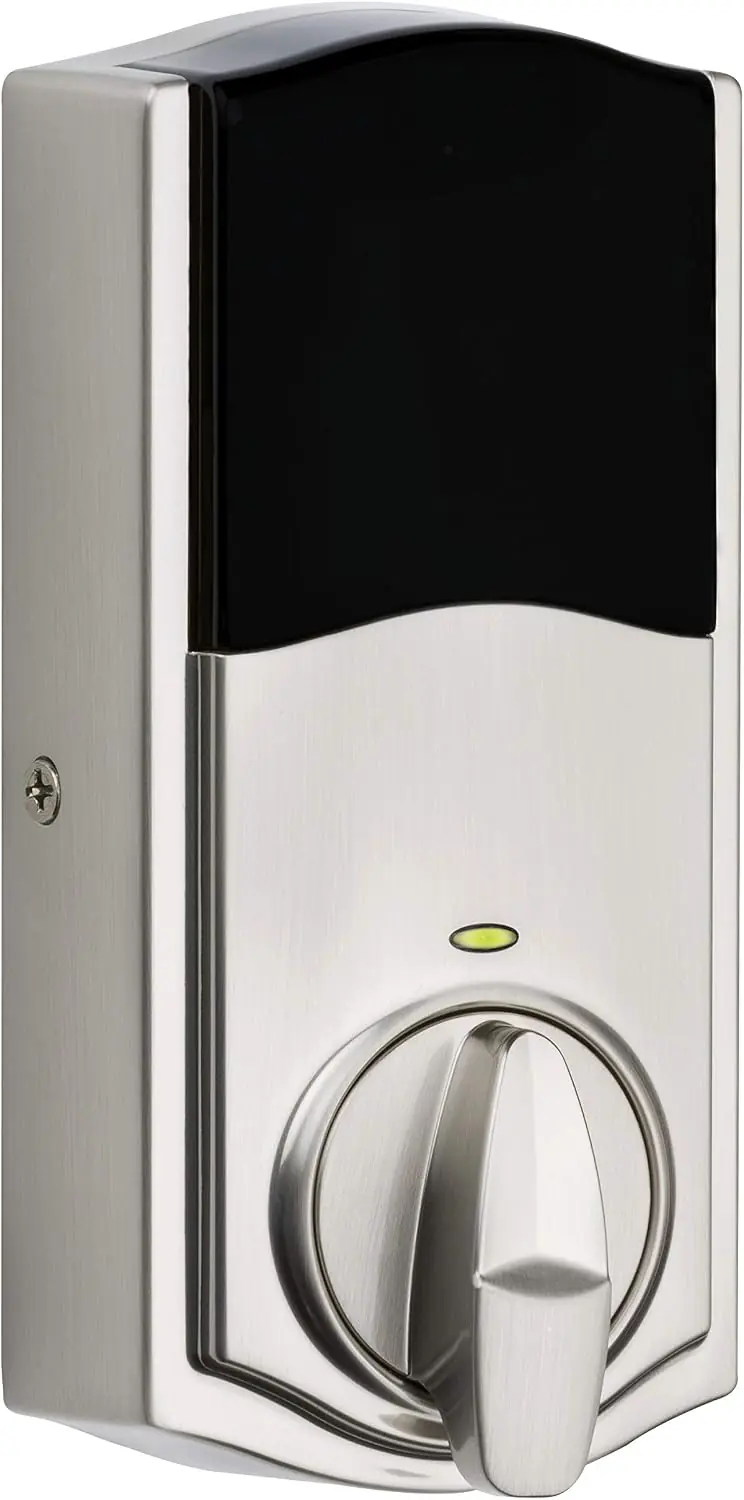
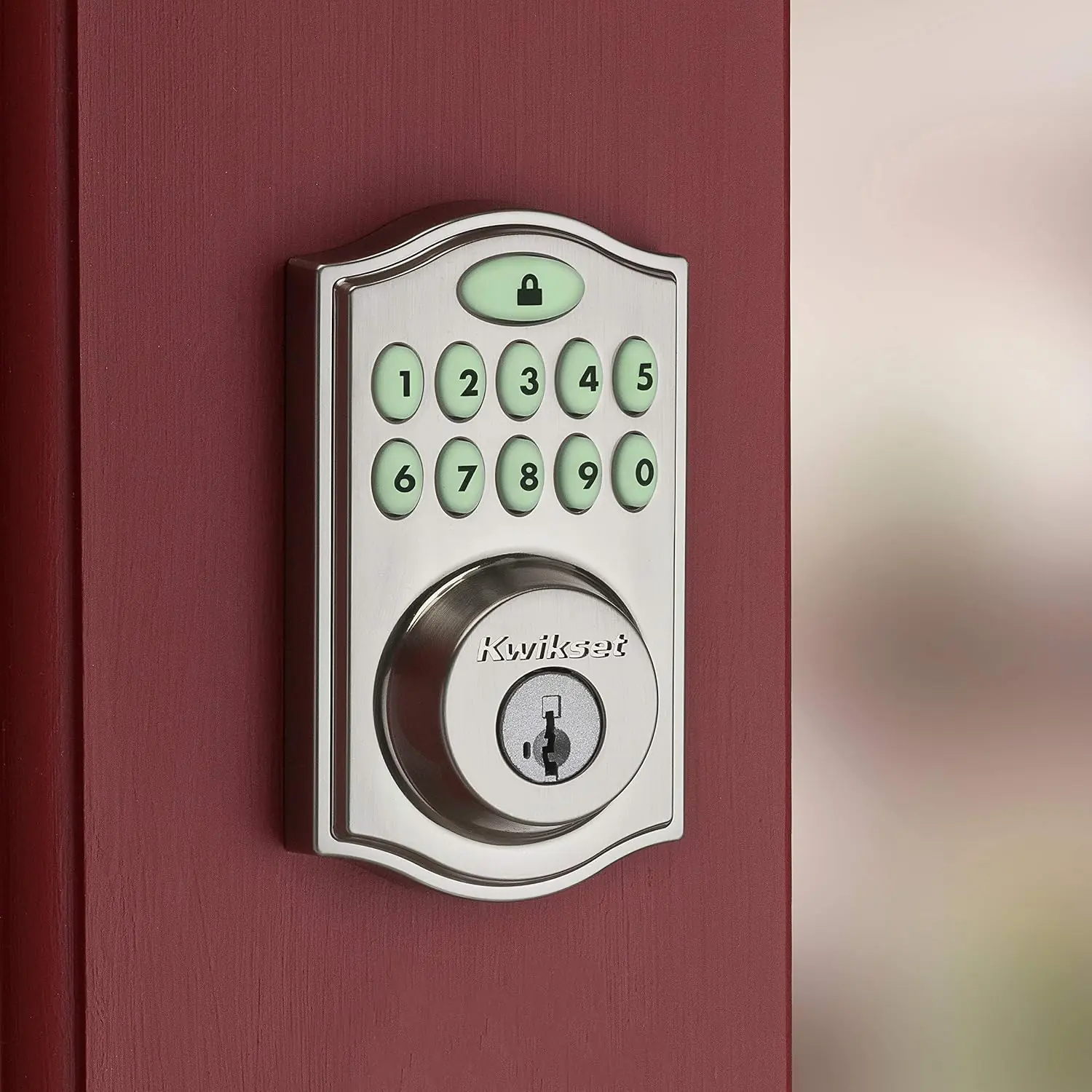
The status LED shows the lock state at a glance. Blinking green means unlocked and blinking amber means locked. If either color is paired with red, the batteries are low. A red low-battery blink appears even when switch #1 is off. If you turn off the audio with switch #3, the keys light red or amber when pressed instead of beeping. Pressing the Lock button before you enter a code lights up the keypad, which helps at night.
The keypad also uses flashes and beeps as alerts. One red flash means a wrong code was entered. Three red flashes mean a timeout, a failed programming attempt or no user codes stored. Fifteen flashes mean the keypad is locked out, and ten flashes mean the batteries are low. A green flash with two seconds of continuous beeping means the deadbolt is jammed while locked. A red flash with continuous beeping means it is jammed while unlocked. Continuous beeping on its own is an anti-tamper alarm: the interior assembly has been disconnected from the exterior.
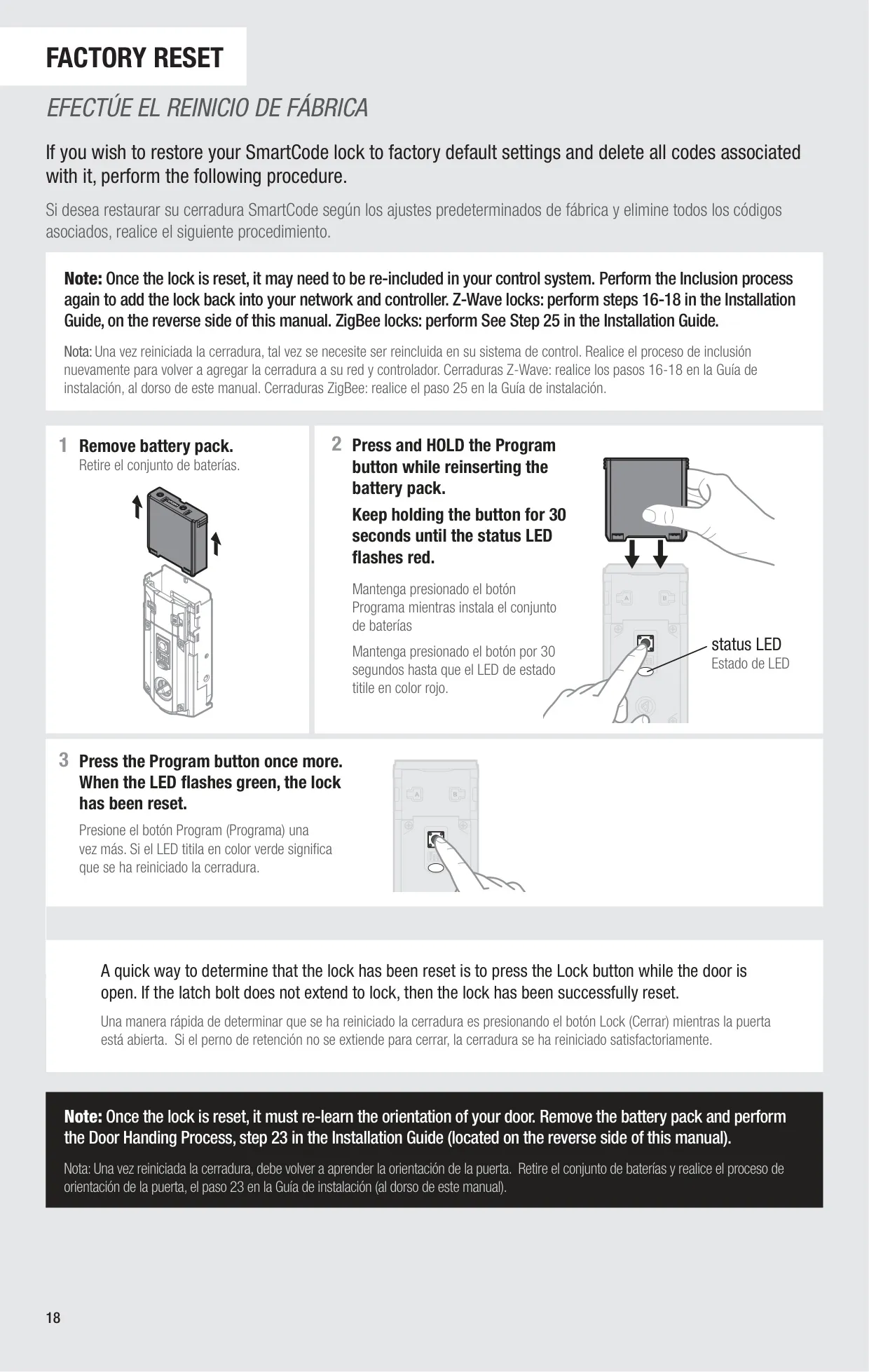
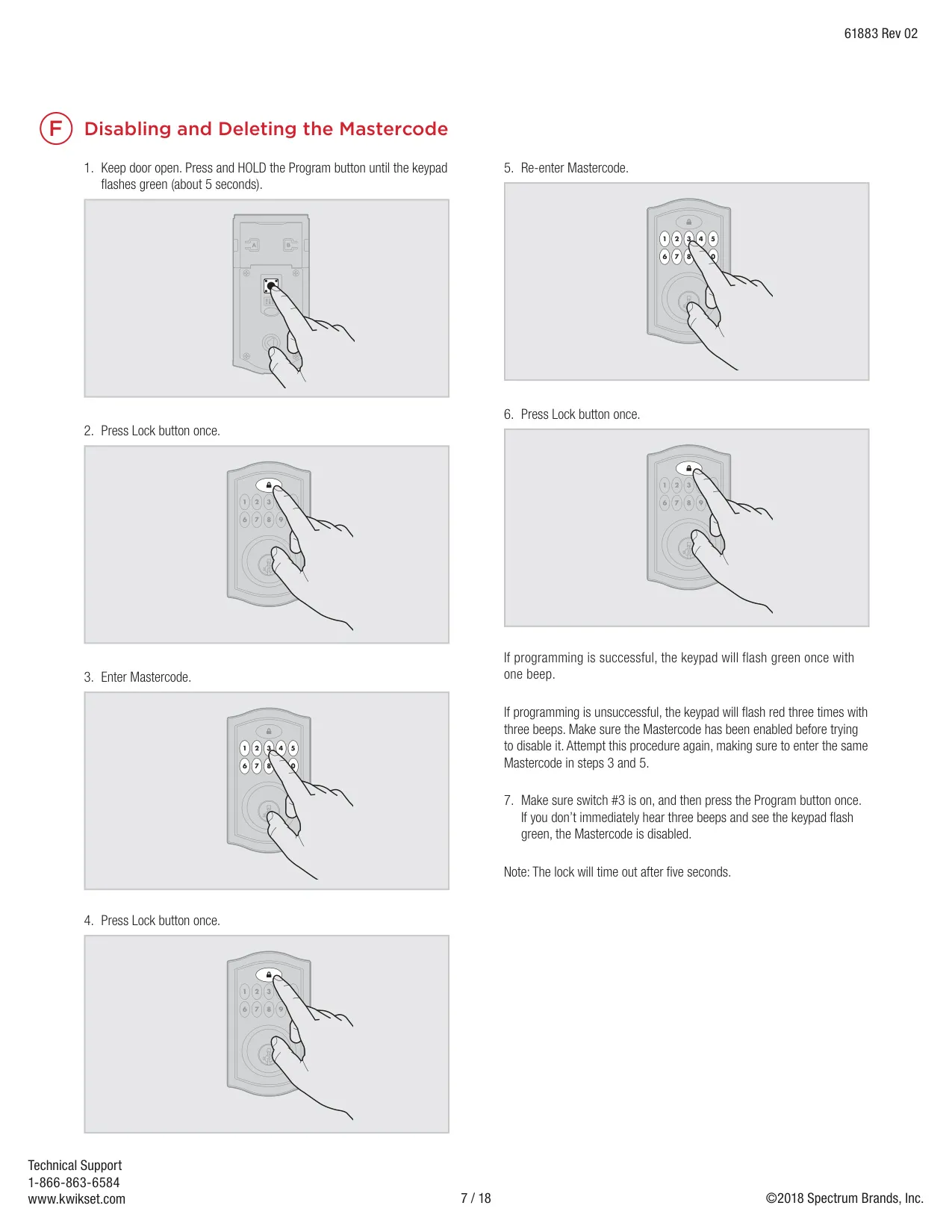
A factory reset erases all codes and removes the lock from your smart home system. Take out the battery pack. Hold the Program button while you reinsert it, and keep holding for 30 seconds until the lock beeps and the LED flashes red. Press Program once more. A green flash and one beep confirm the reset. After that, redo the door handing process and pair the lock again. To remove the lock from a network, press button "A" once on a Z-Wave lock or button "B" nine times on a ZigBee lock.
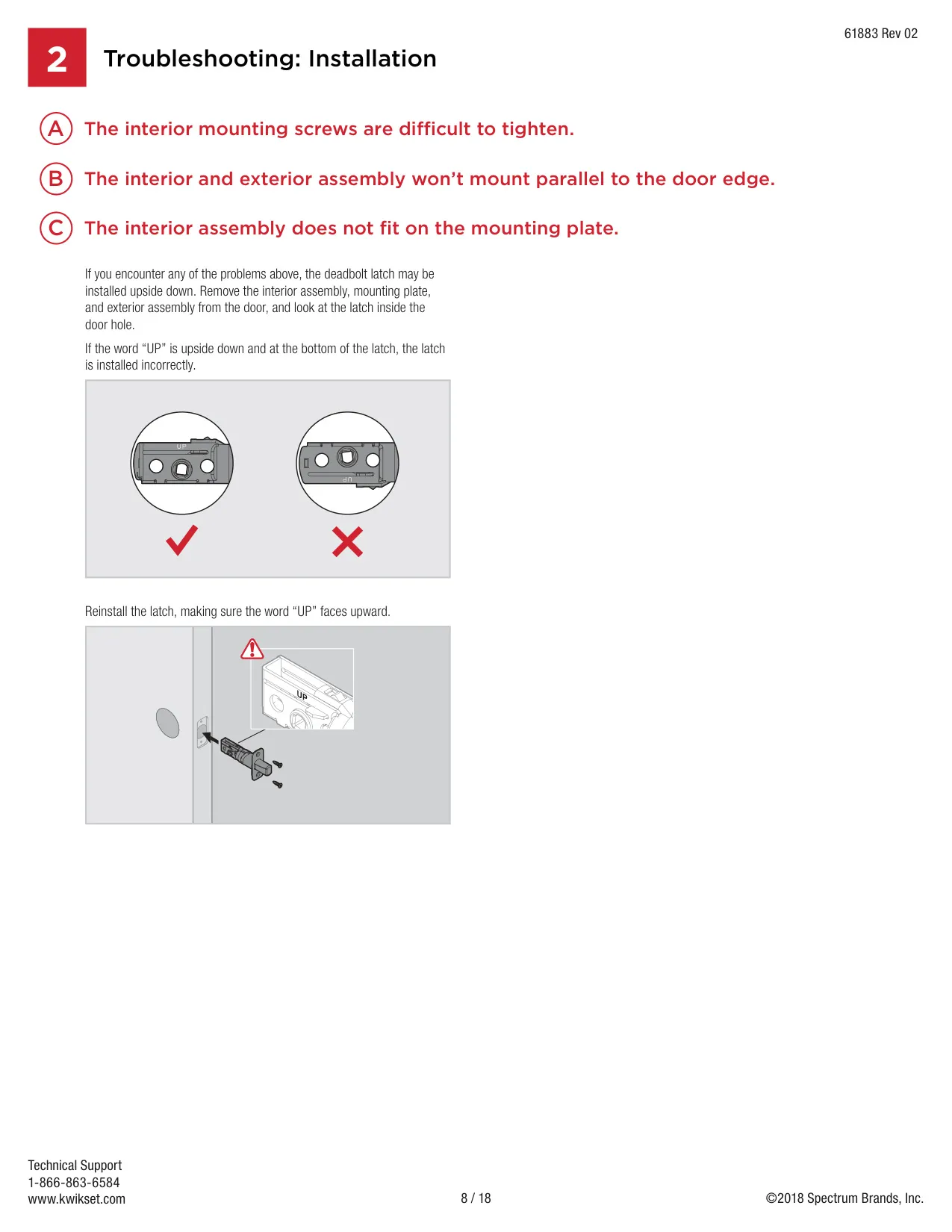
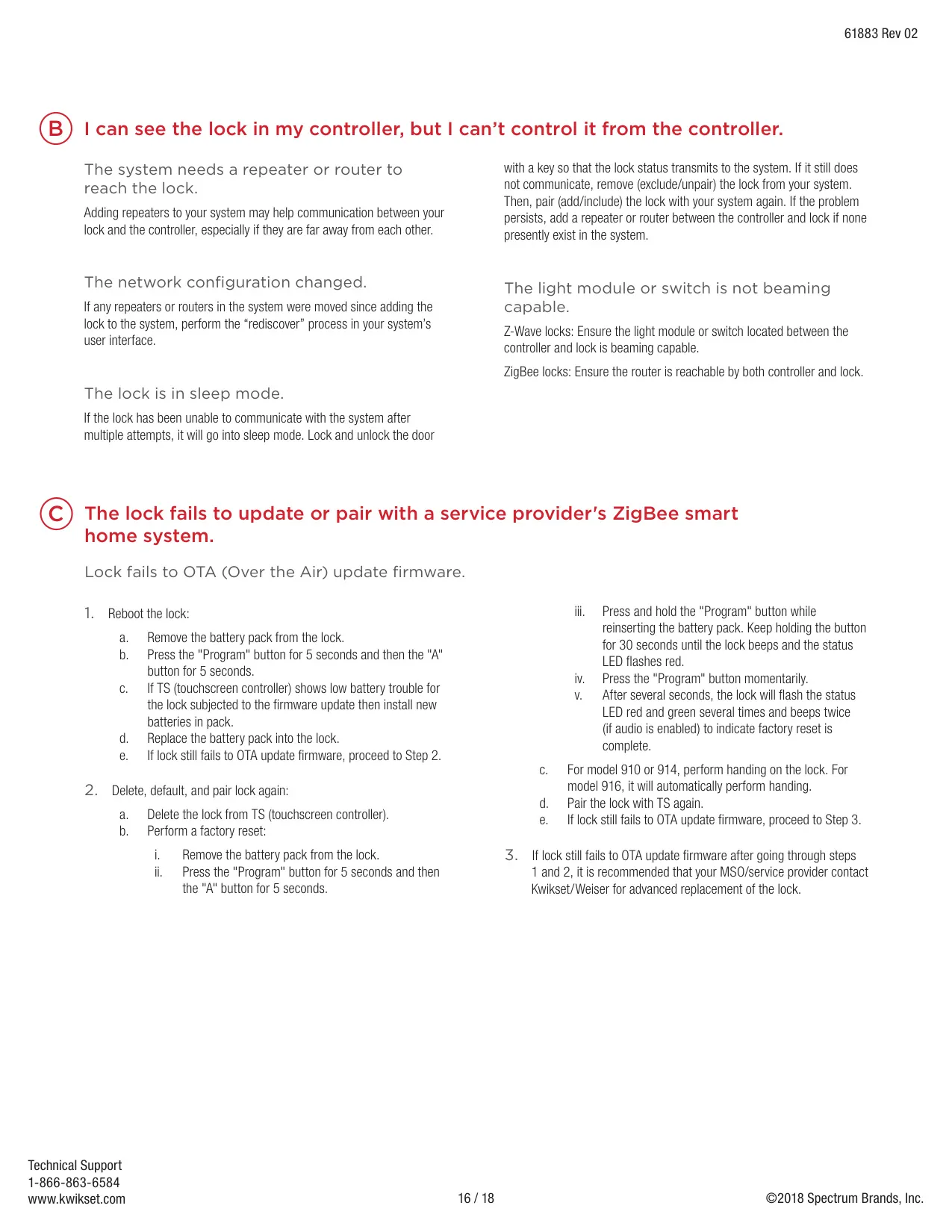
The troubleshooting guide lists several common installation mistakes. The lock needs its own tapered latch bolt, not a latch taken from an older lock. The latch must be installed with the word "UP" facing up. If the door hole is off-center, reinstall the lock without the adapter ring. If the mounting plate puts pressure on the torque blade, the key and motor can bind. For a warped door, you can order a kit from Kwikset. A lock that keeps failing to communicate goes into sleep mode until you operate it by hand. Adding beaming-capable repeaters helps with weak signals.
Frequently Asked Questions (FAQs)
Can't find the answer you need? Here are some frequently asked questions about the Kwikset 914 Electronic Deadbolt, and we answer them below.