Kwikset 909 Electronic Deadbolt Instruction Manual

Kwikset 909 Electronic Deadbolt




Kwikset 909 Electronic Deadbolt






Kwikset 909 Instructions
Here we offer the Kwikset 909 Electronic Deadbolt manual completely free and in English. We have cataloged this manual in the Electronic Locks section on Manualverse, and it has been rated by 1 users with an average rating of 5. If you have any specific questions about Kwikset 909 Electronic Deadbolt, we suggest checking the Frequently Asked Questions (FAQs) section of this manual.
Product Images


Kwikset 909 Electronic Deadbolt Specifications
| Feature | Specification |
|---|---|
| Model | Kwikset SmartCode 909 Electronic Deadbolt |
| Installation Guide Document | 62888 / 01 |
| Programming and Troubleshooting Guide Document | 62543 / 01 |
| Power Source | 4 AA batteries (new, non-rechargeable alkaline recommended) |
| Battery Life | Over one year with a new set of alkaline batteries, based on 10 operations per day |
| Maximum User Codes | 8 |
| User Code Length | 4 to 8 digits (each code must be unique) |
| Mastercode | Optional, 4 to 8 digits, disabled by default |
| Door Thickness | 1-3/8" to 1-3/4" (35 mm to 44 mm) |
| Thick Door Option | Service kits for 2-1/4" (57 mm) doors available through Kwikset |
| Door Bore Hole Diameter | 2-1/8" (54 mm) or 1-1/2" (38 mm) |
| Backset | 2-3/8" or 2-3/4" (60 mm or 70 mm) |
| Edge Bore Diameter | 1" (25 mm) |
| Strike Hole Depth in Door Frame | Minimum 1" (25 mm) |
| Included Latch | Latch "A" (drive-in latch "B" not included, available from Kwikset) |
| Auto-Lock Delay | 30 seconds after unlocking (switch #2) |
| Status LED Blink Interval | Every 6 seconds (switch #1) |
| Configuration Switches | 4 (door status LED, auto-lock, audio, not used) |
| Programming Timeout | 5 seconds without a button press |
| Keypad Lockout | 60 seconds after 3 incorrect codes within one minute |
| Factory Reset Hold Time | 30 seconds holding the Program button |
| Door Handing Retry Wait | 15 seconds with battery pack removed |
| Key Technology | SmartKey re-keyable cylinder with SmartKey tool |
| Required Tools | Phillips head screwdriver, ruler; hammer and wood block depending on application |
| Technical Support | 1-800-327-5625, www.kwikset.com |
Kwikset 909 Electronic Deadbolt Details
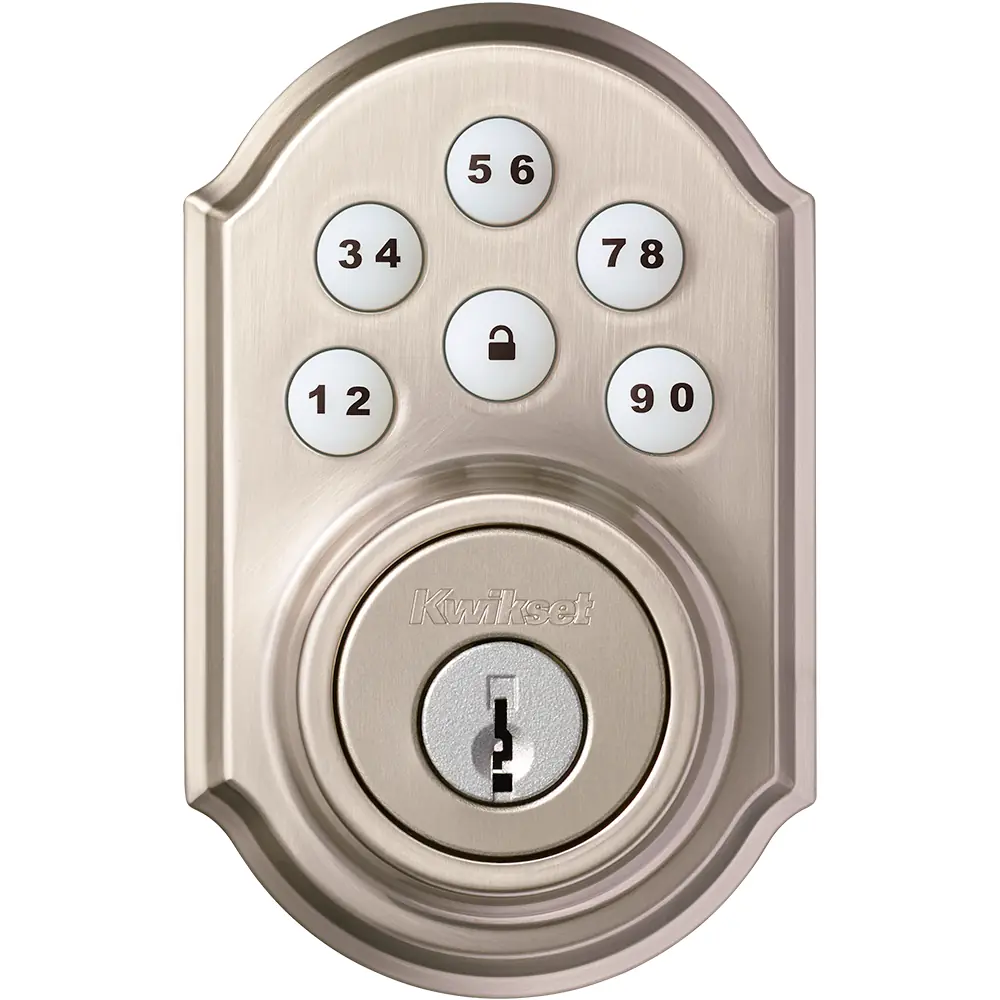
The Kwikset SmartCode 909 is a motorized keypad deadbolt made of an exterior keypad assembly, an interior assembly with battery pack, a mounting plate, a latch, a strike and fasteners. The exterior side has a numeric keypad, a Lock button and a keyway. The interior side has the turnpiece, a removable battery cover, and a back panel with the Program button, the status LED and four configuration switches.
Installation begins with door preparation and latch fitting. If the door edge is chiseled, latch "A" is used; if not, a drive-in latch must be ordered. The latch face can be rotated to adjust backset, and the latch must be installed with the word "UP" facing upward. For 2-1/8" bores, an adapter ring is installed on the exterior assembly. The cable runs underneath the latch and connects to the interior assembly, with the turnpiece vertical before mounting.
A key step is the door handing process, which teaches the lock the orientation of the door. With batteries loaded, the user holds the Lock button while inserting the battery pack until the latch bolt moves on its own. If the bolt does not move, the pack is removed, and the process is repeated after 15 seconds. The lock must be mounted perpendicular to the ground, or the status LED shows solid red.
User codes are programmed with the door open by pressing the Program button a number of times equal to the code position, entering the code, and pressing Lock. One green flash with one beep confirms success, while three red flashes indicate failure. To delete a code, a different code is written over the same position. Locking requires one press of Lock, and pressing Lock first illuminates the keypad at night.
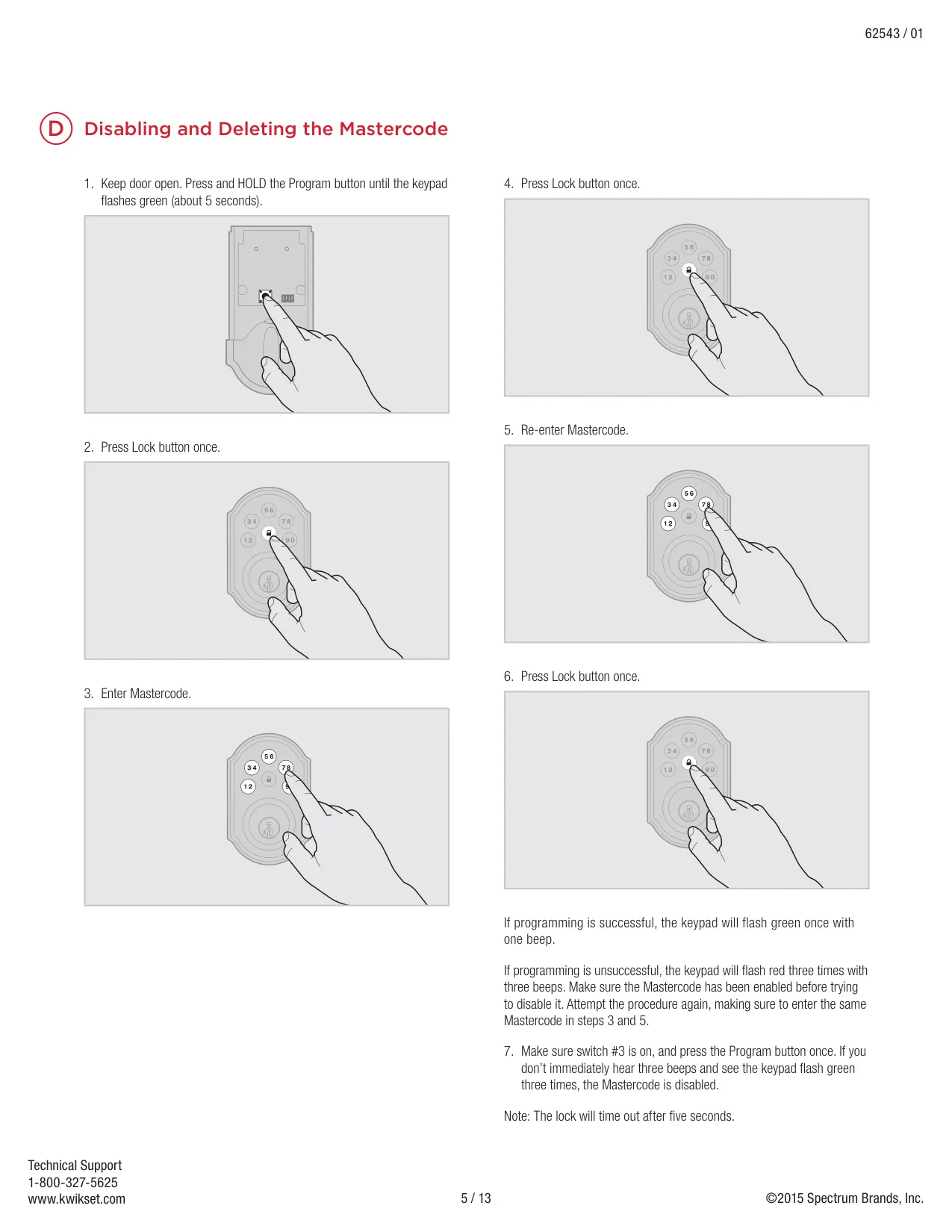
The optional mastercode adds security because it is required to add or delete user codes, yet it cannot unlock the door. It is enabled by holding the Program button about five seconds until the keypad flashes green, then entering and confirming the new code. With switch #3 on, a single Program press produces three beeps and three green flashes when the mastercode is active.
The lock reports conditions through keypad flashes. One red flash means a jam while locking; three red flashes signal an incorrect code, failed programming, no programmed codes, or low battery power; ten flashes warn of a low battery; fifteen flashes indicate lockout. The status LED blinks green when unlocked, amber when locked, and red for low battery. Beeps are heard only when switch #3 is on.
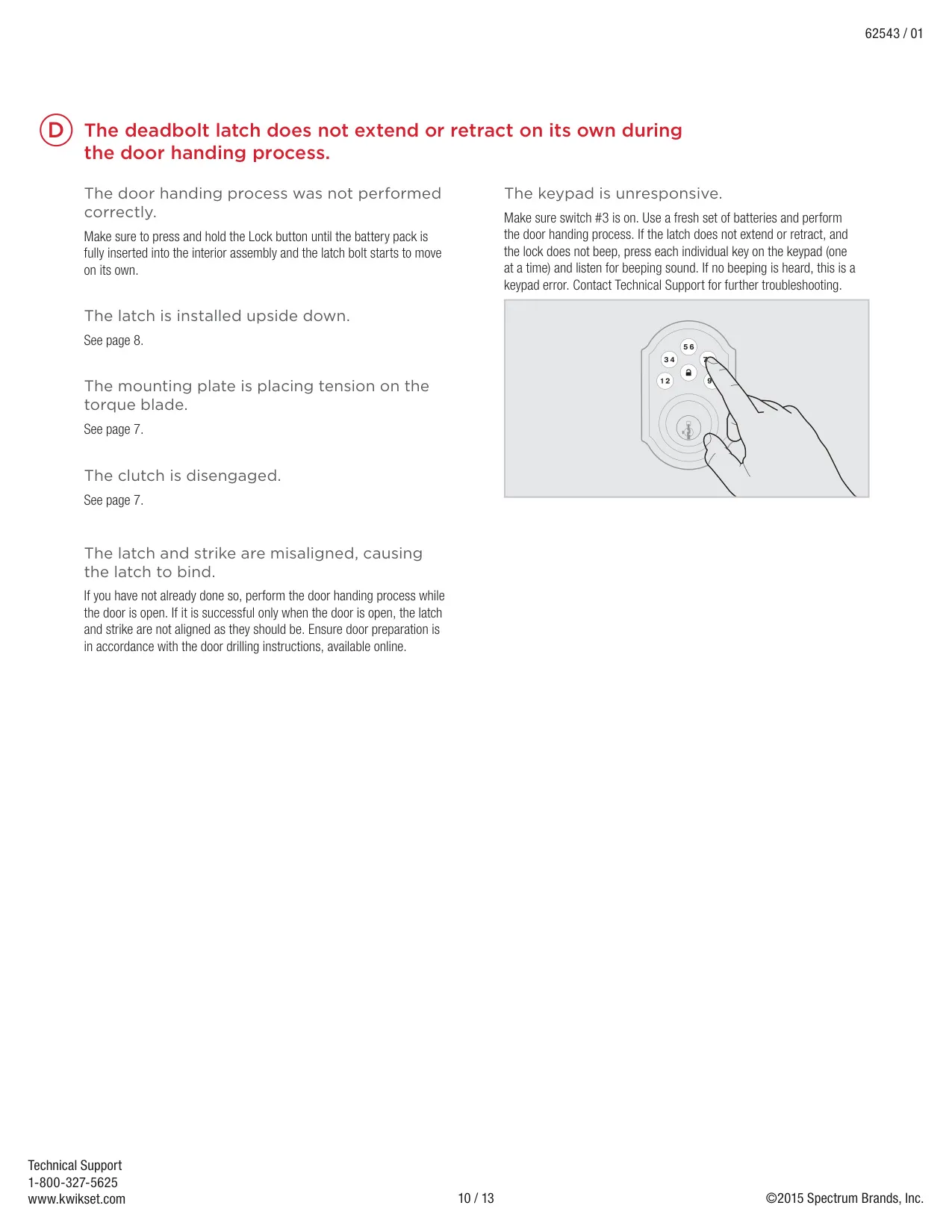
Troubleshooting covers jamming caused by misaligned strikes, an upside-down latch, mounting plate tension on the torque blade, or a disengaged clutch, which is fixed by forcefully turning the turnpiece 180° clockwise until it clicks. A factory reset erases all codes. Setting switches #1, #2 and #3 to off maximizes battery life, and idle consumption is close to battery shelf life.
Frequently Asked Questions (FAQs)
Can't find the answer you need? Here are some frequently asked questions about the Kwikset 909 Electronic Deadbolt, and we answer them below.