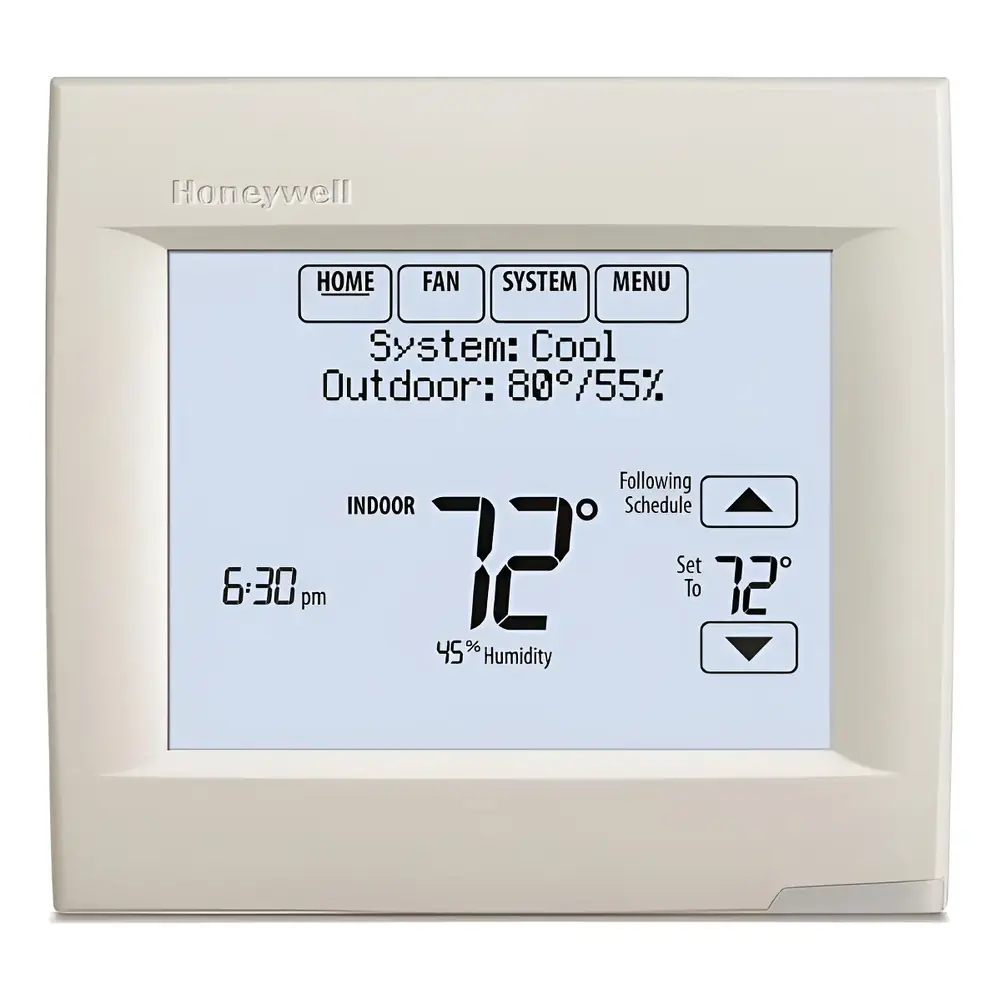
Honeywell TH8321R1001 VisionPro 8000 Instruction Manual
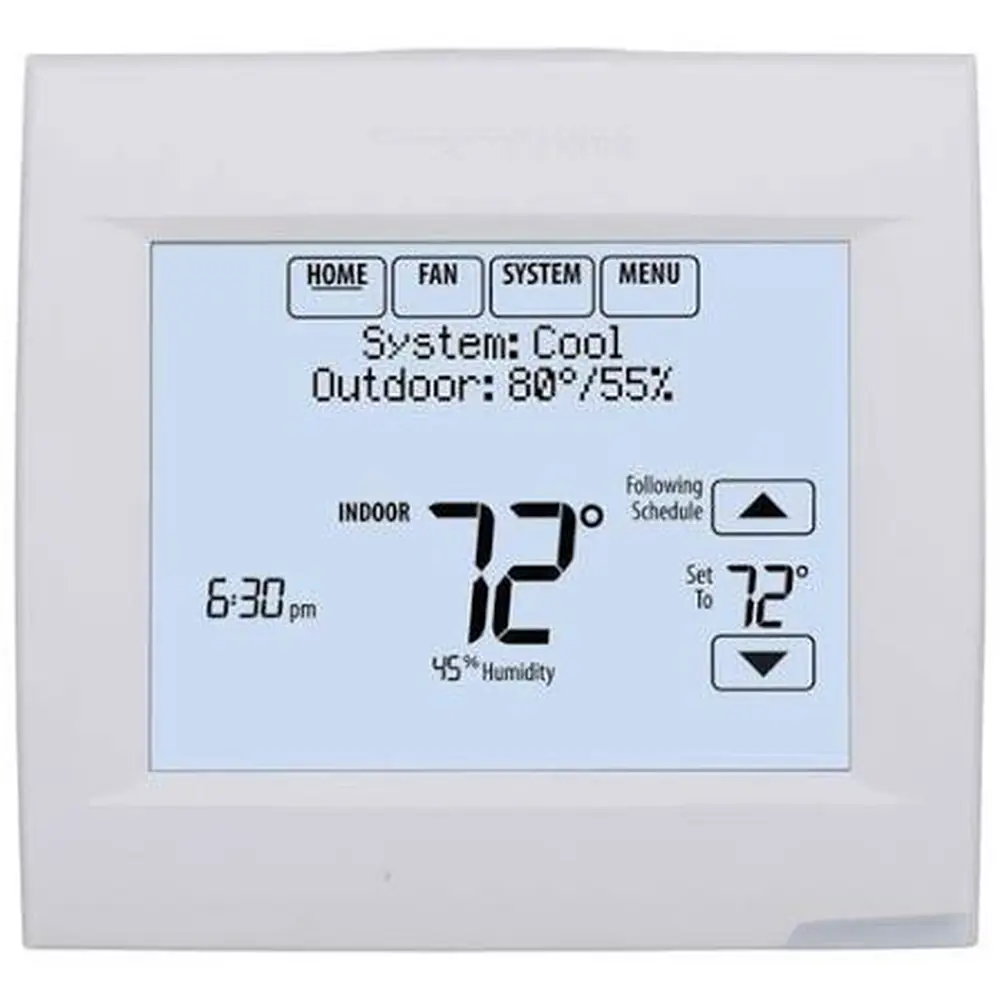
Honeywell TH8321R1001 VisionPro 8000
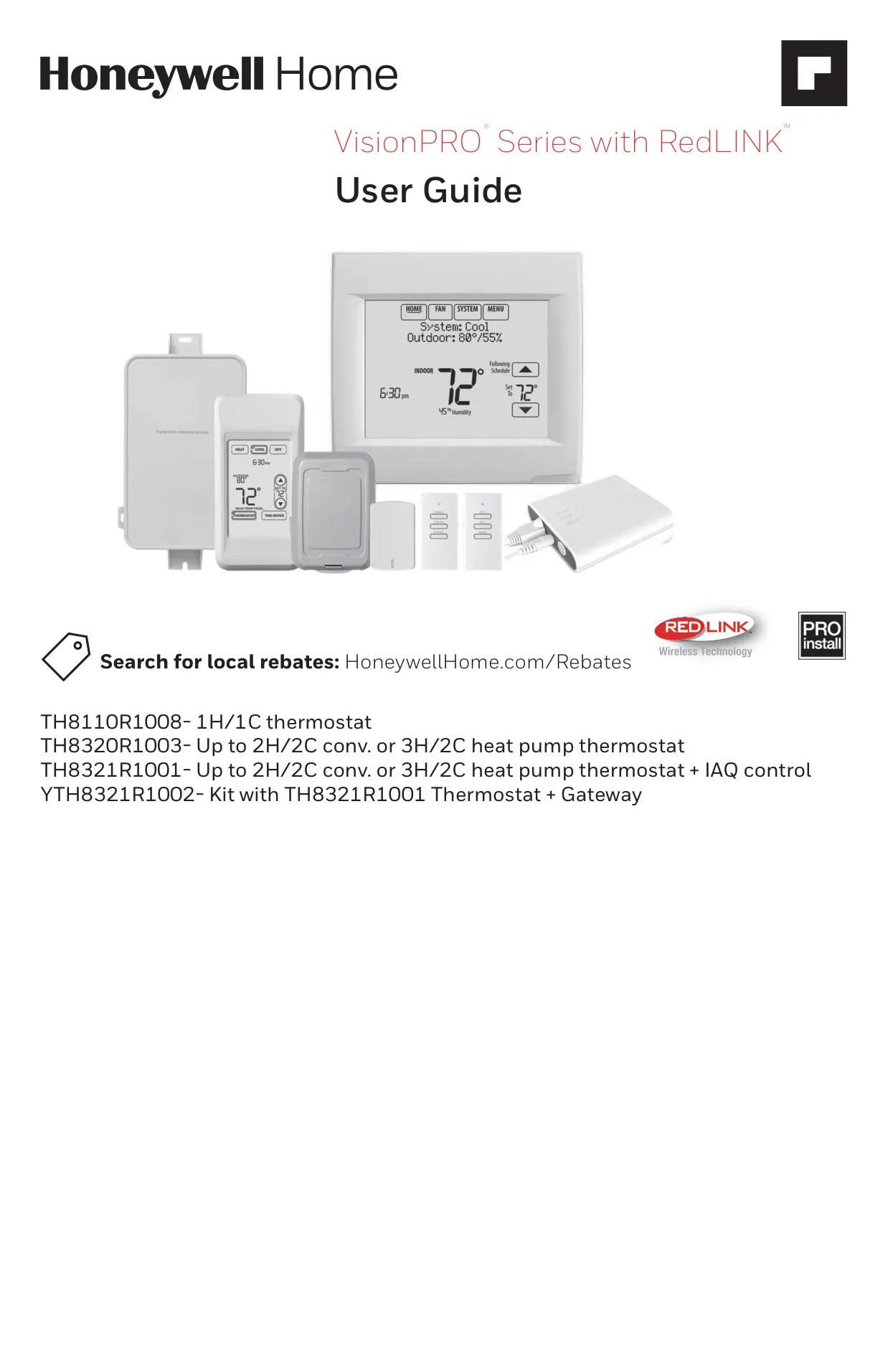

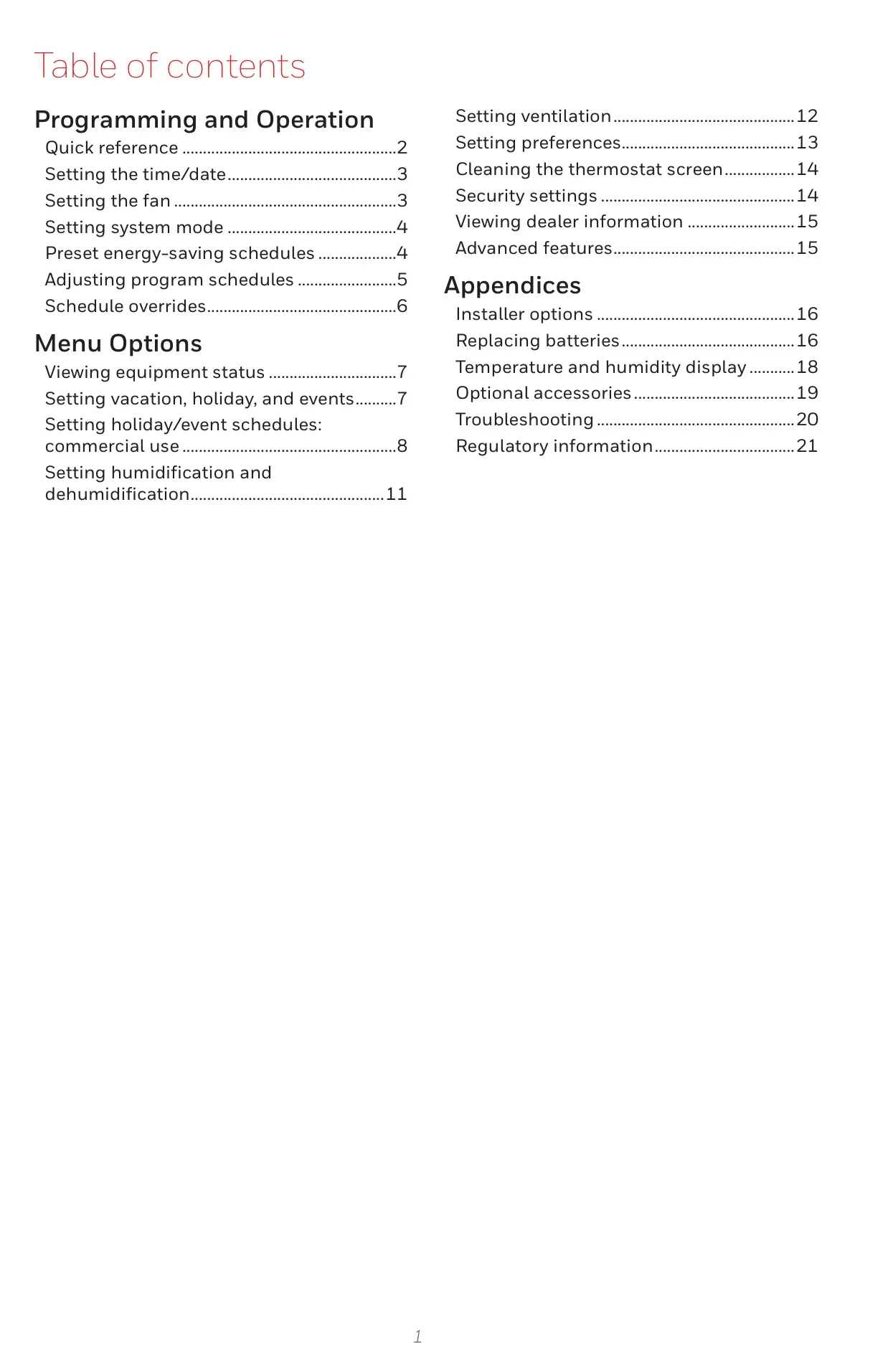
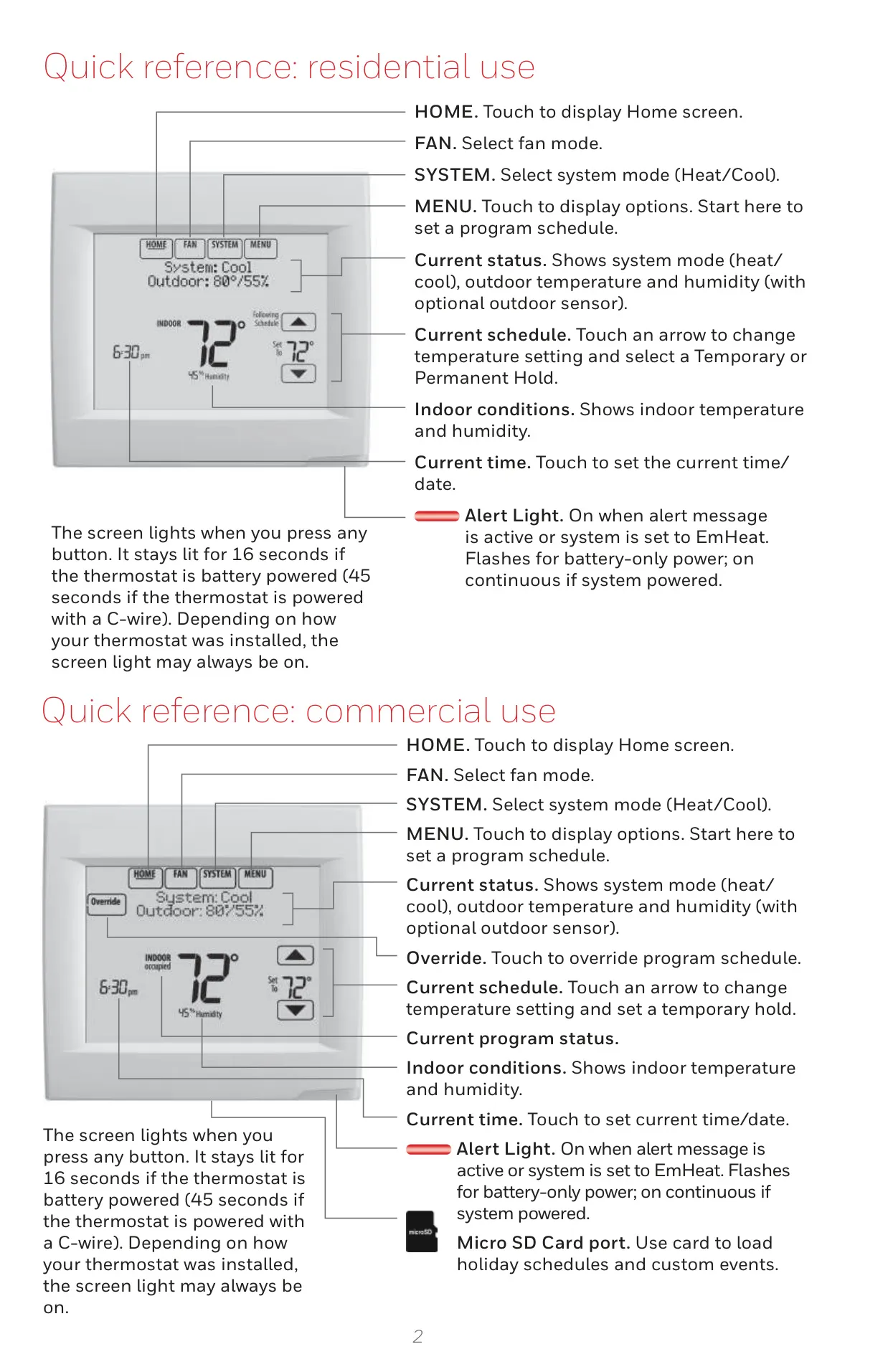


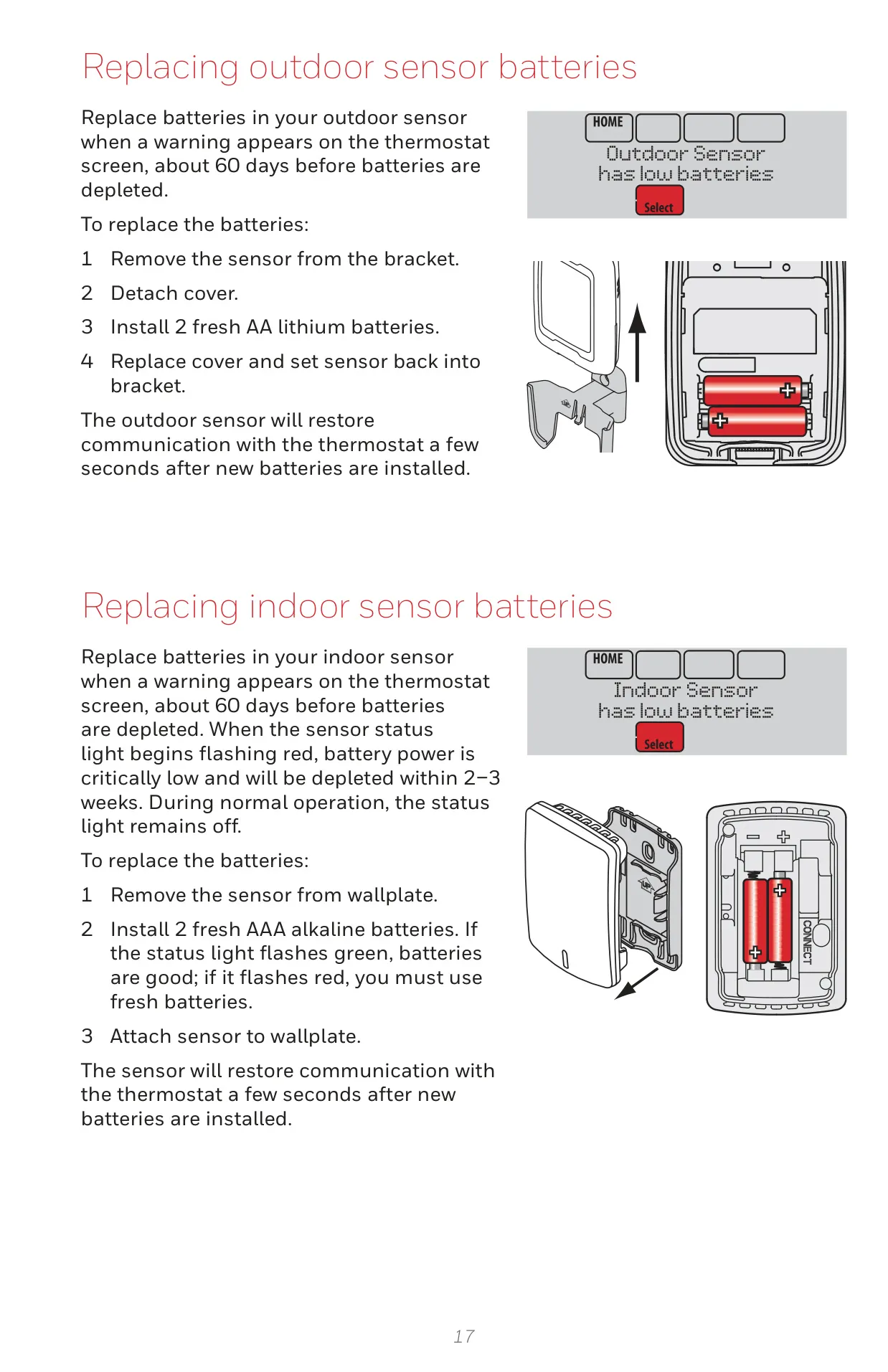
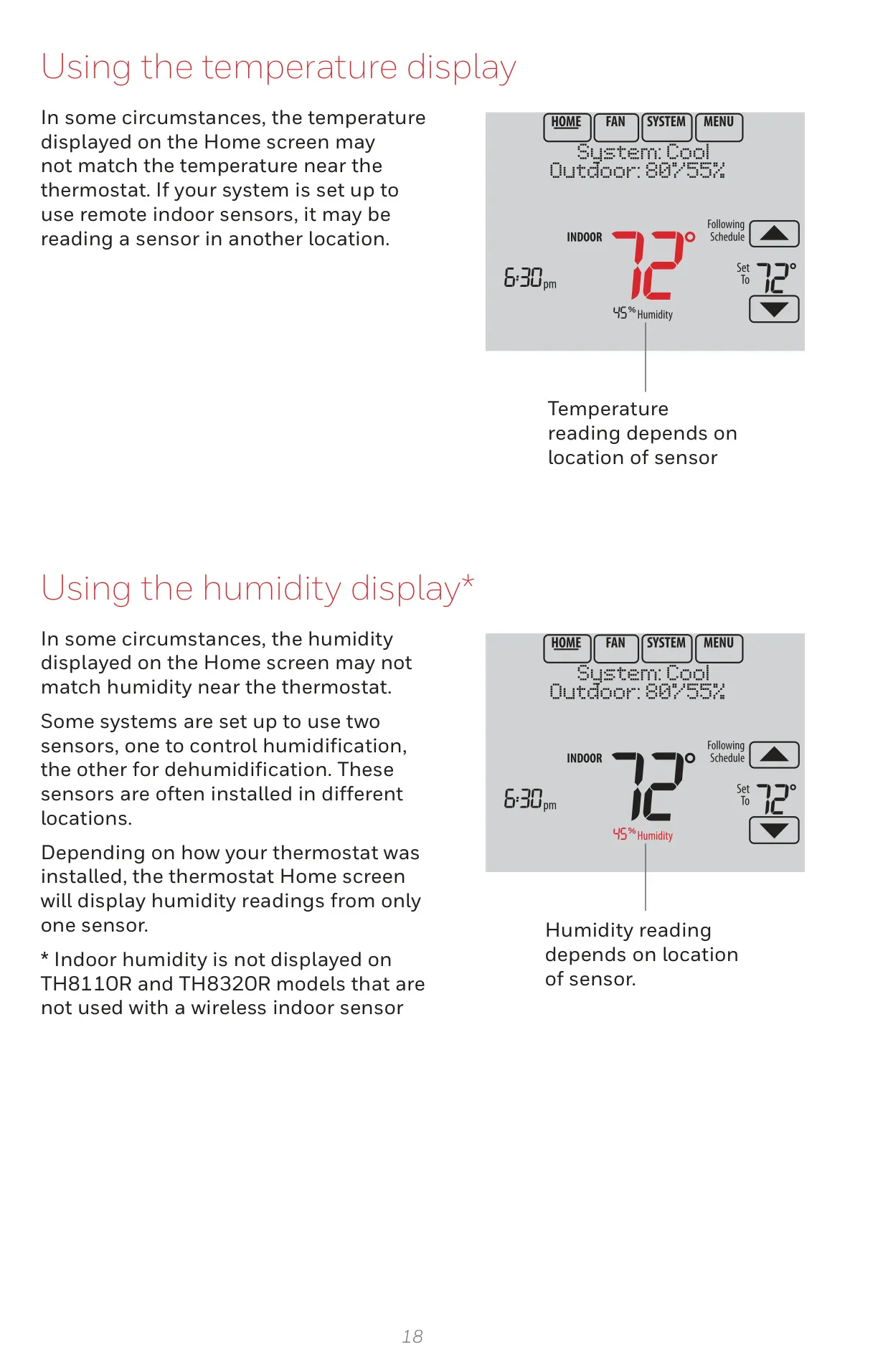

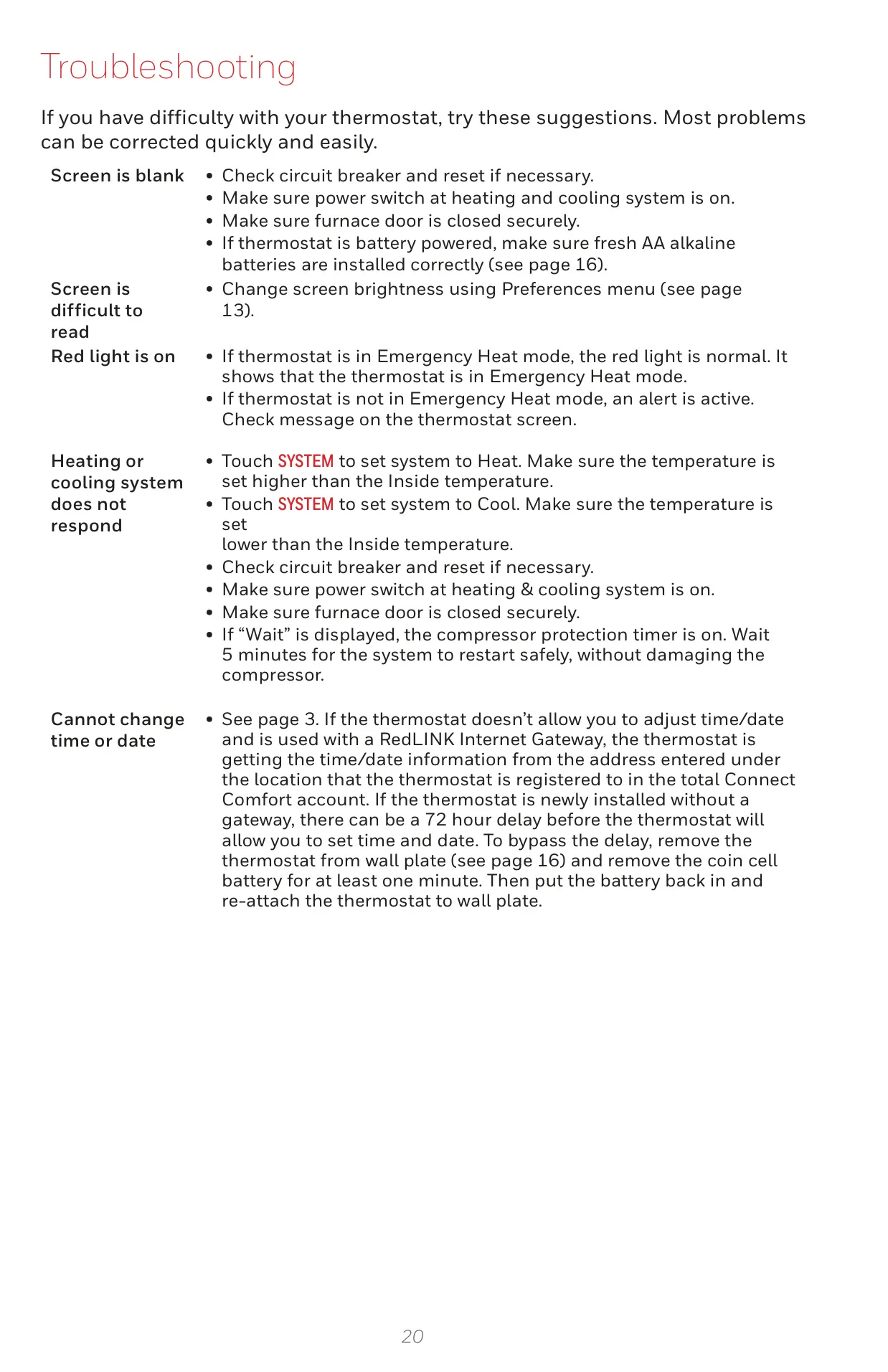
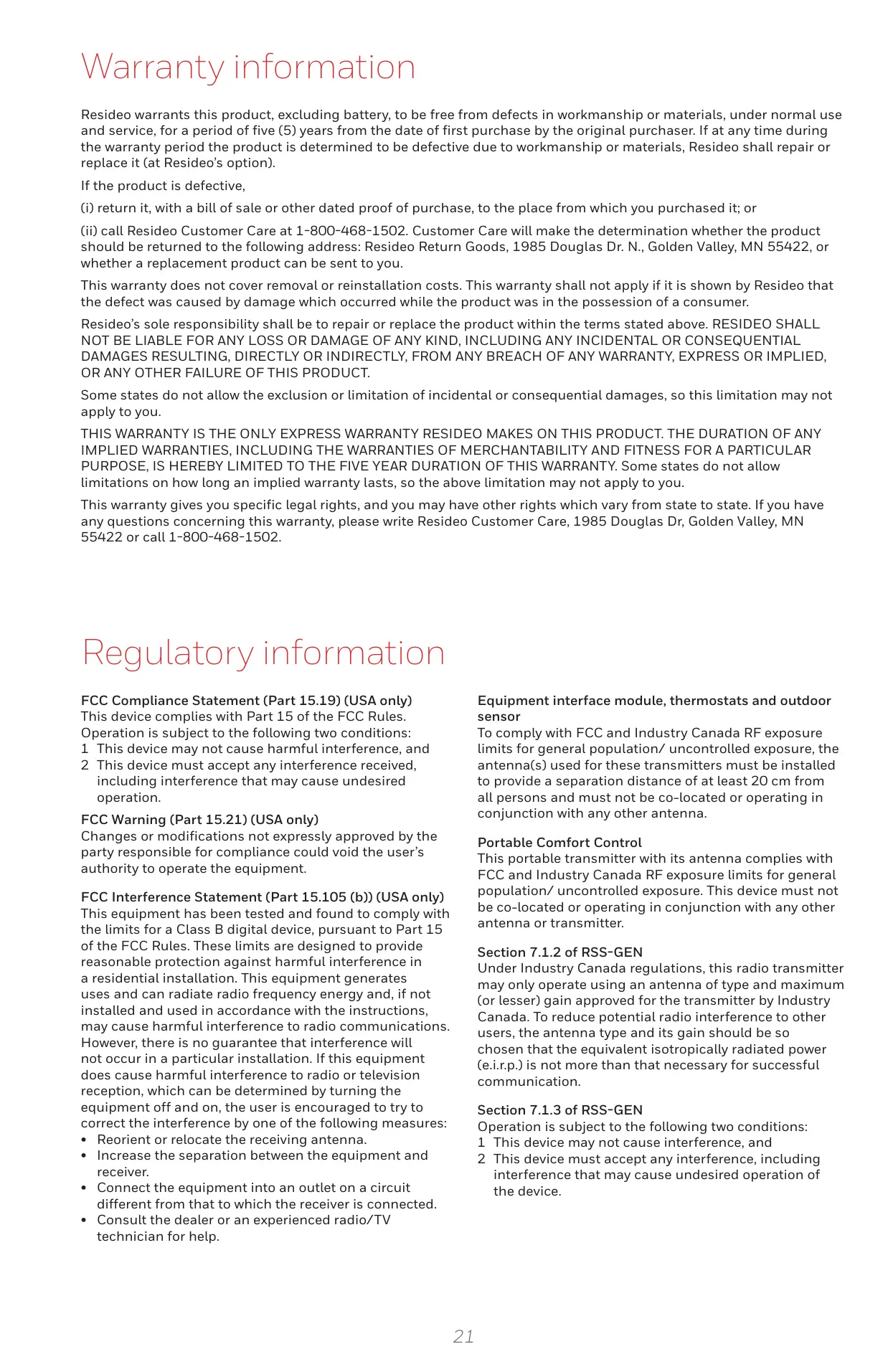


Honeywell TH8321R1001 VisionPro 8000
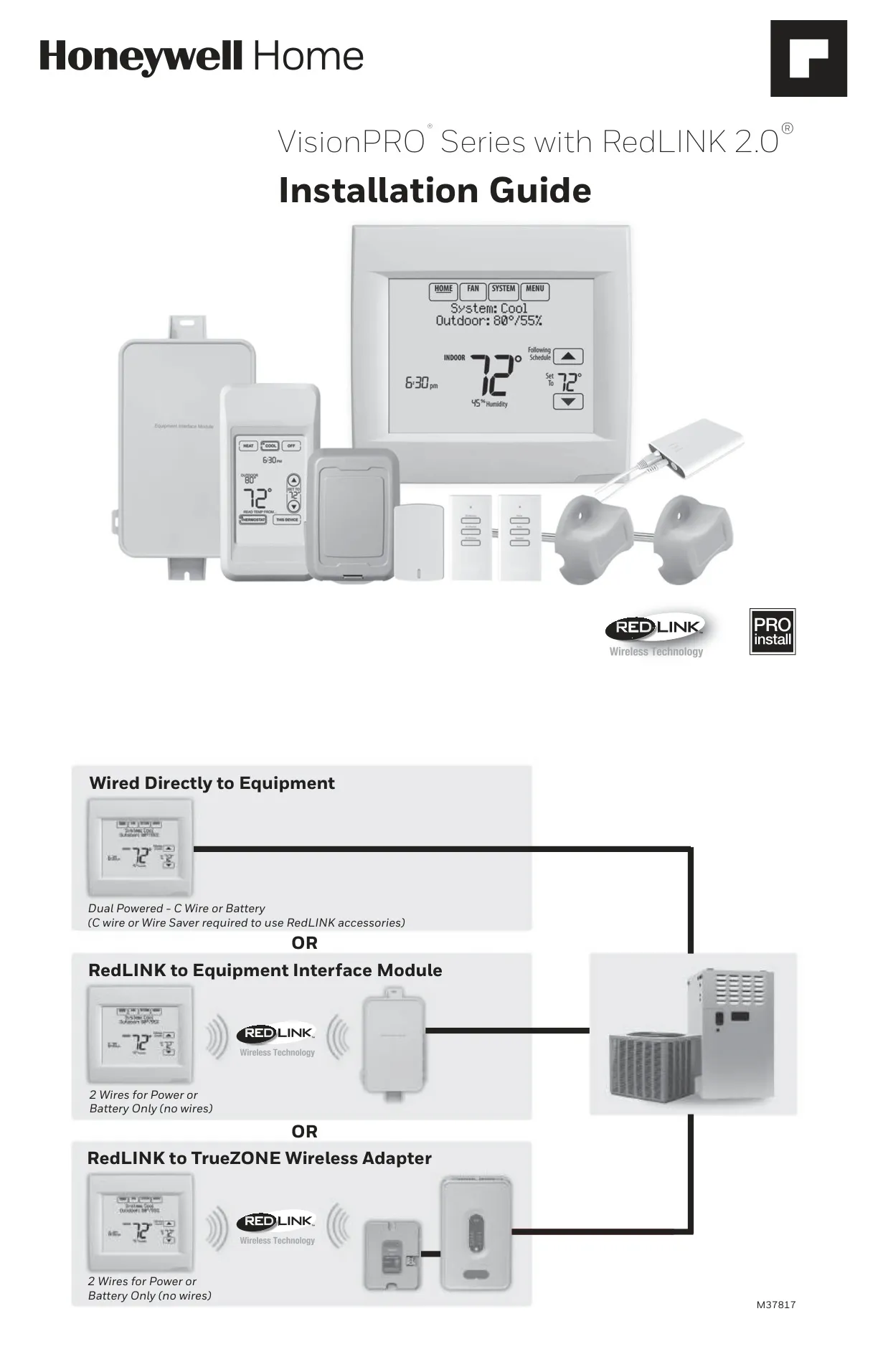
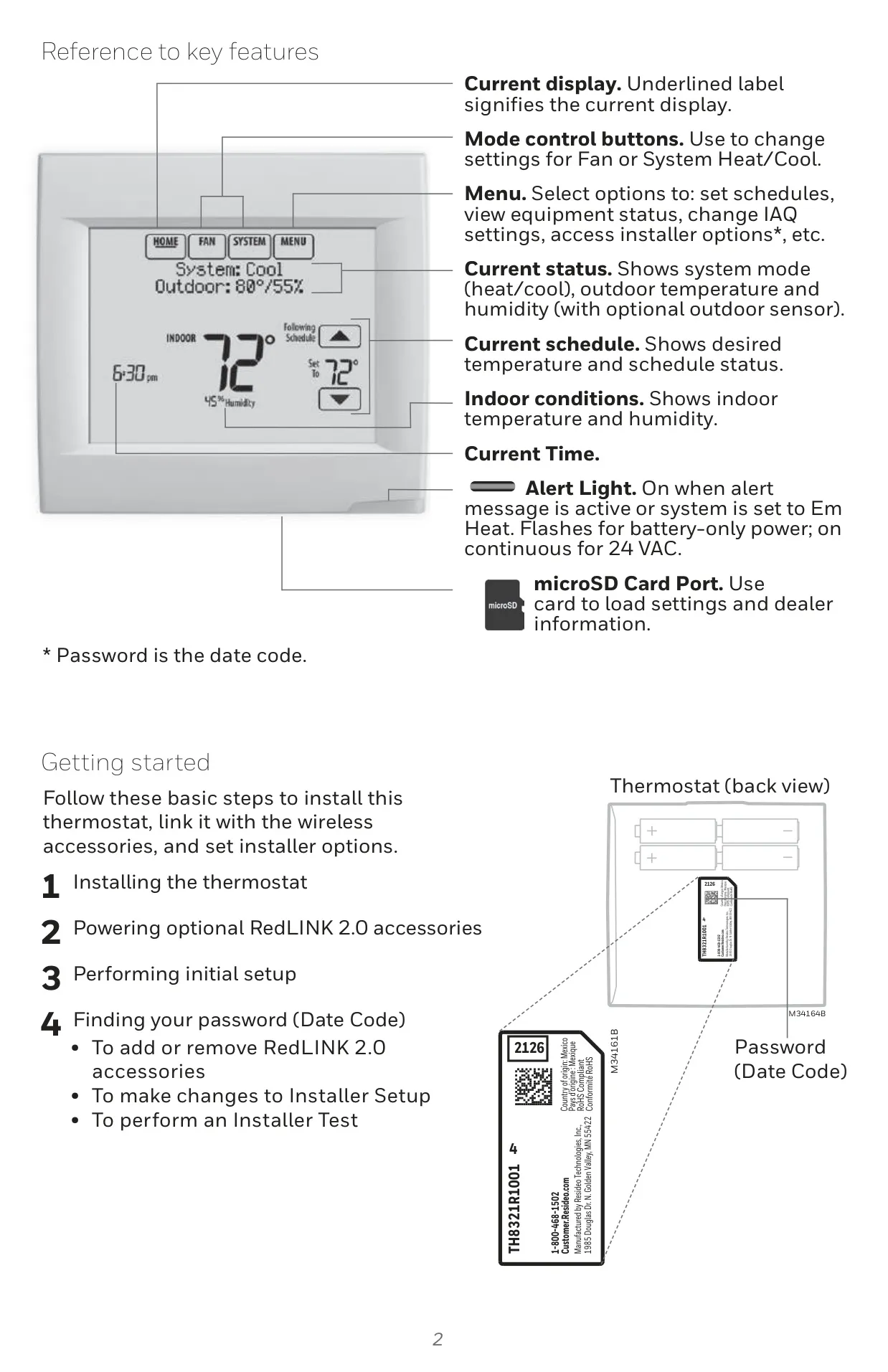
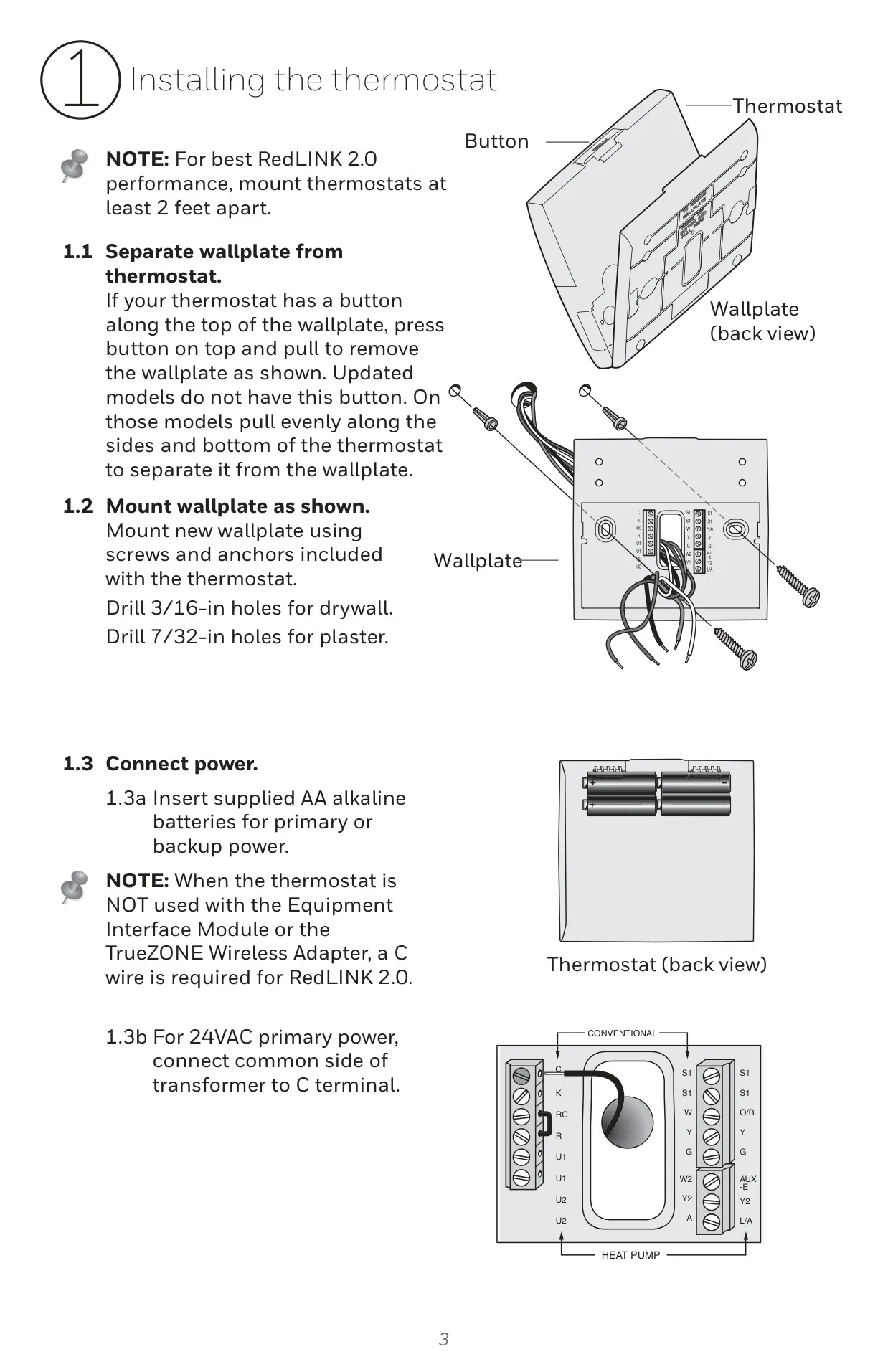
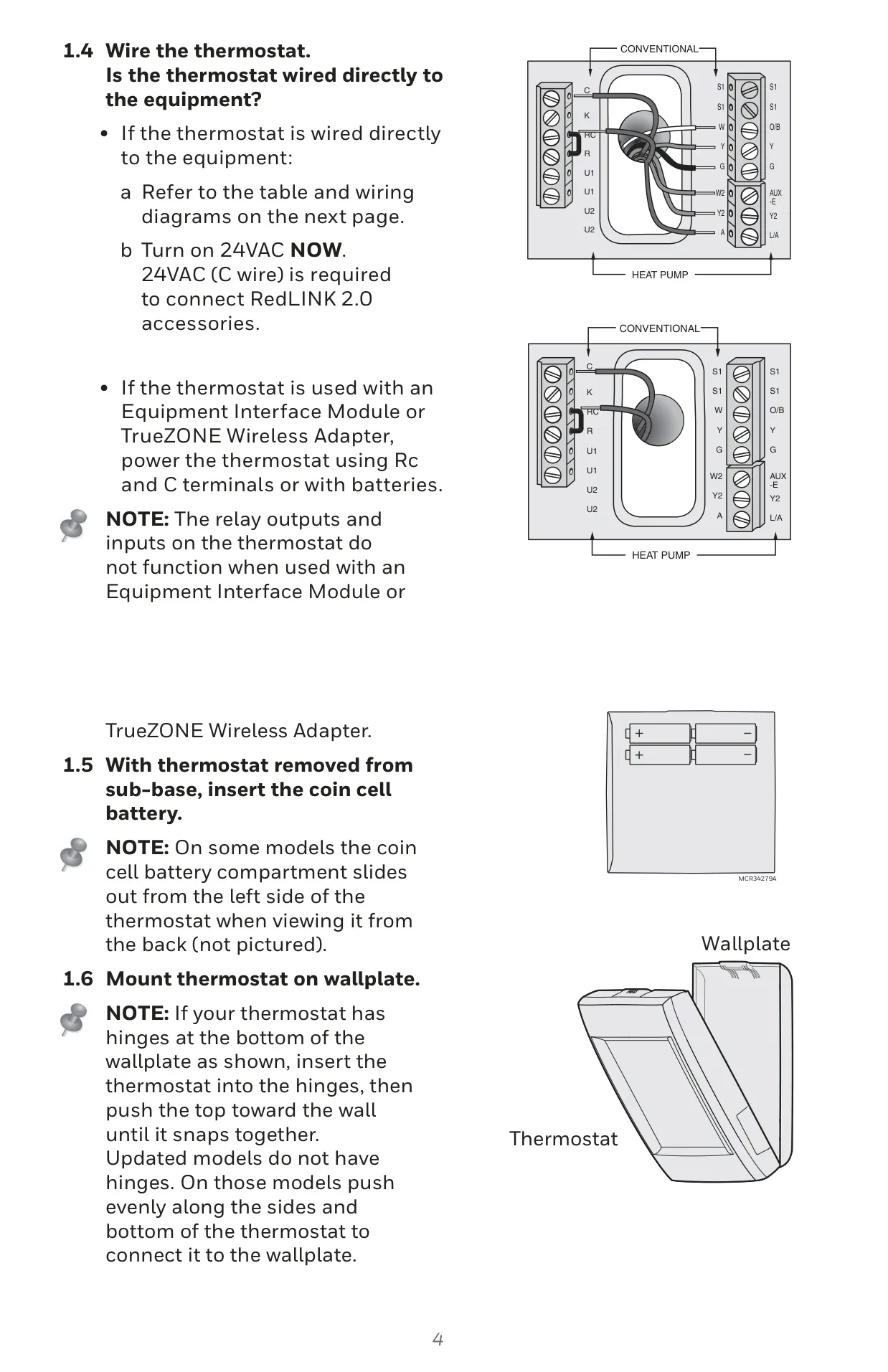
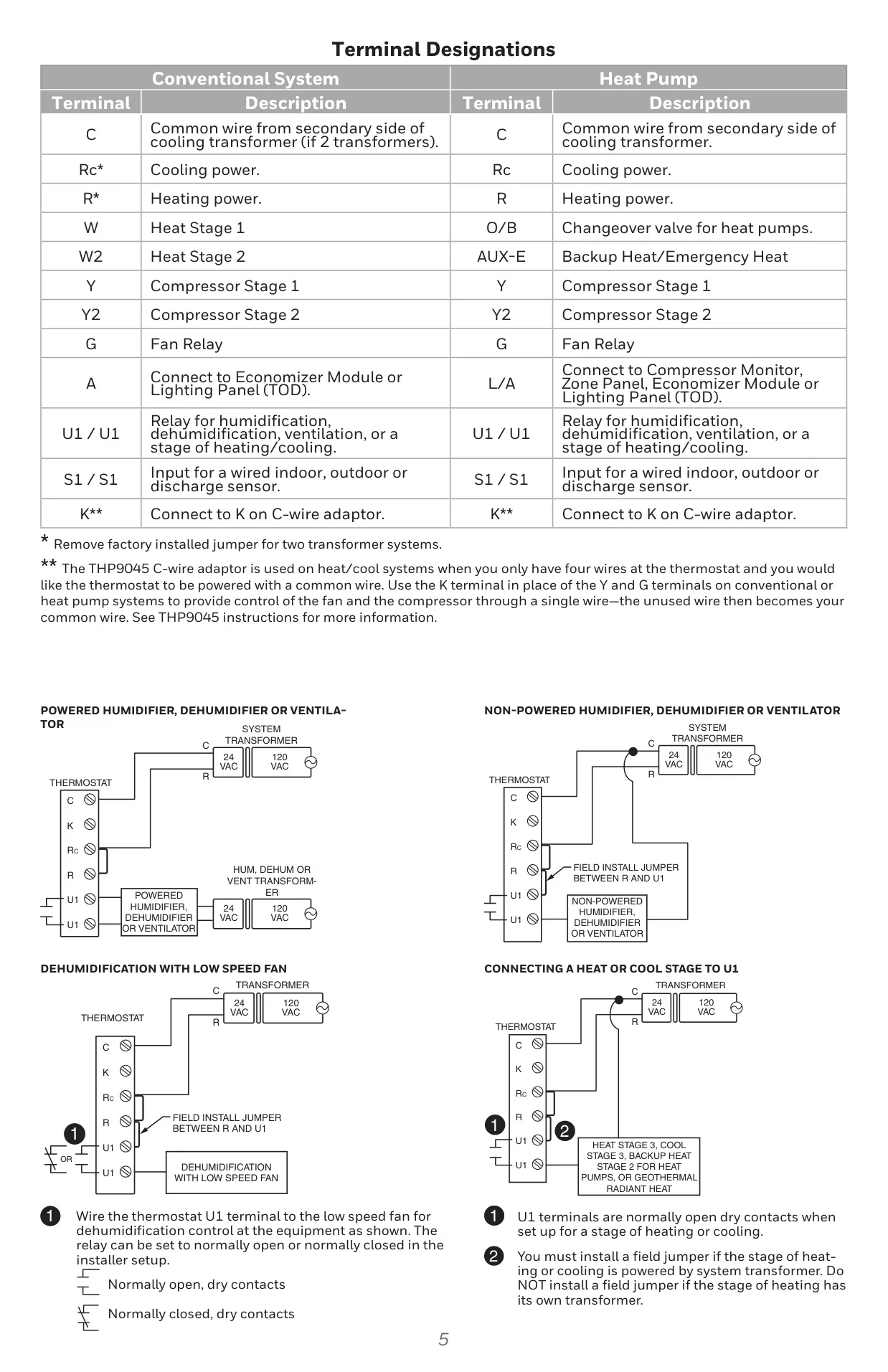

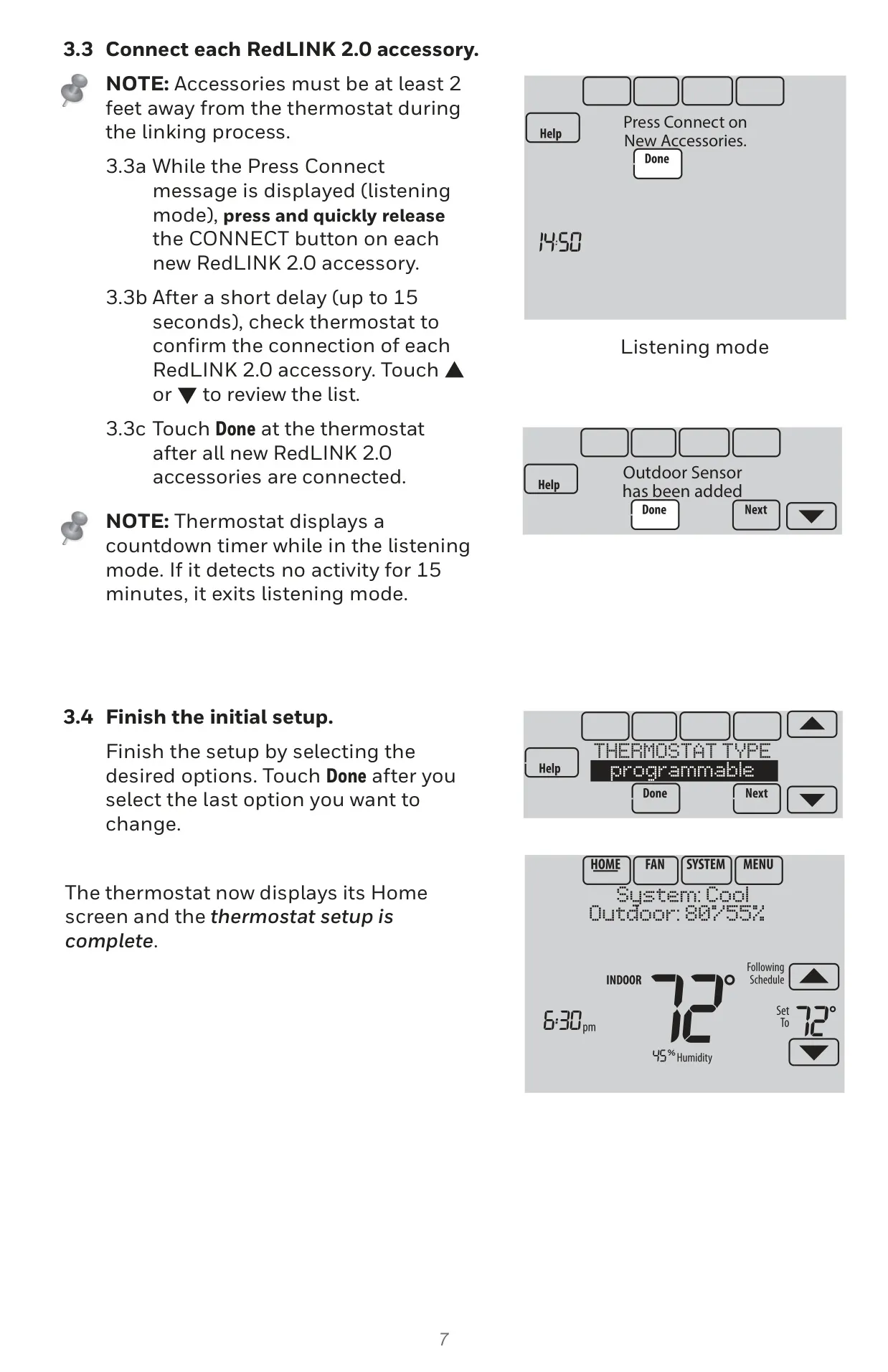

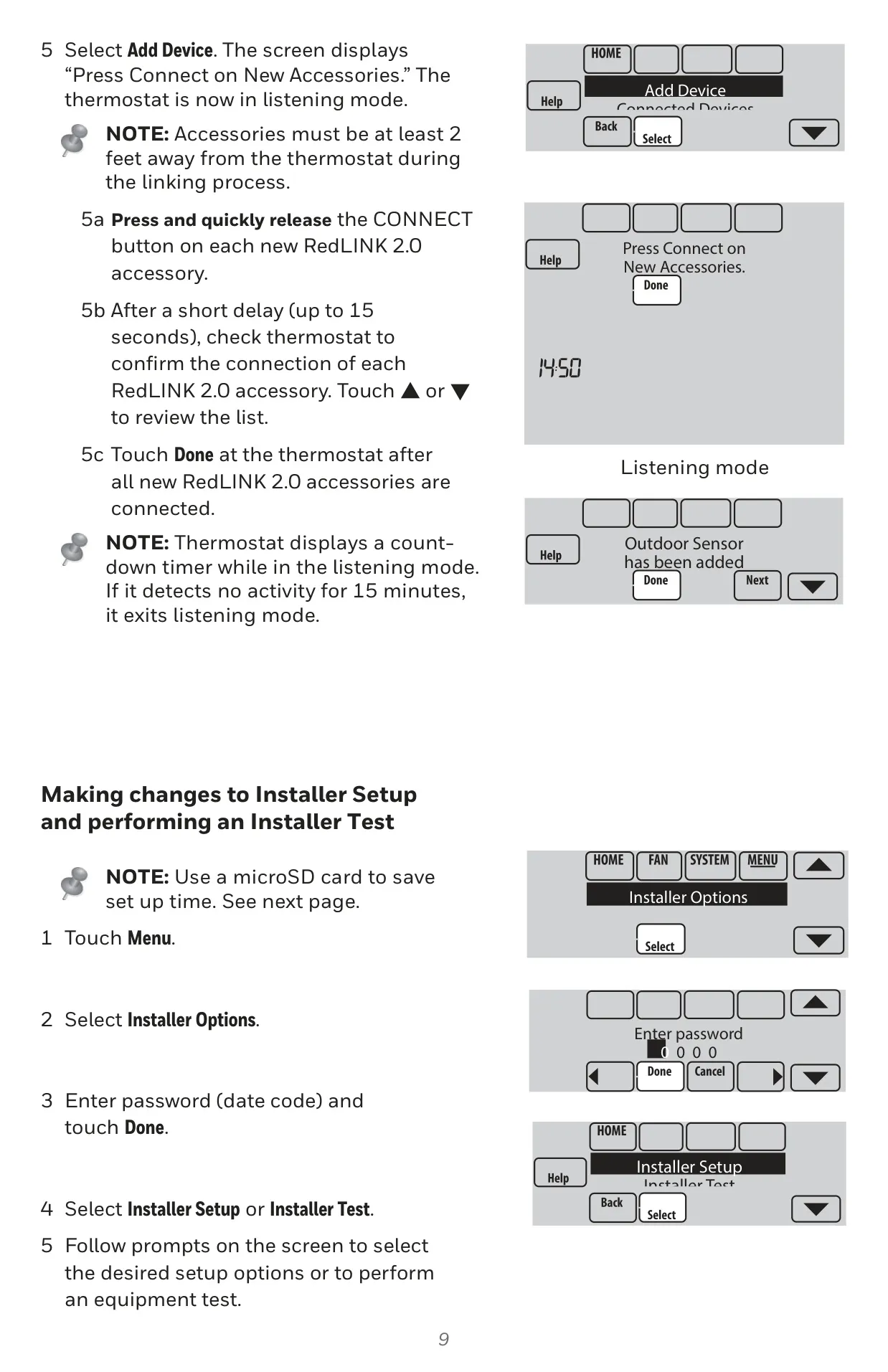
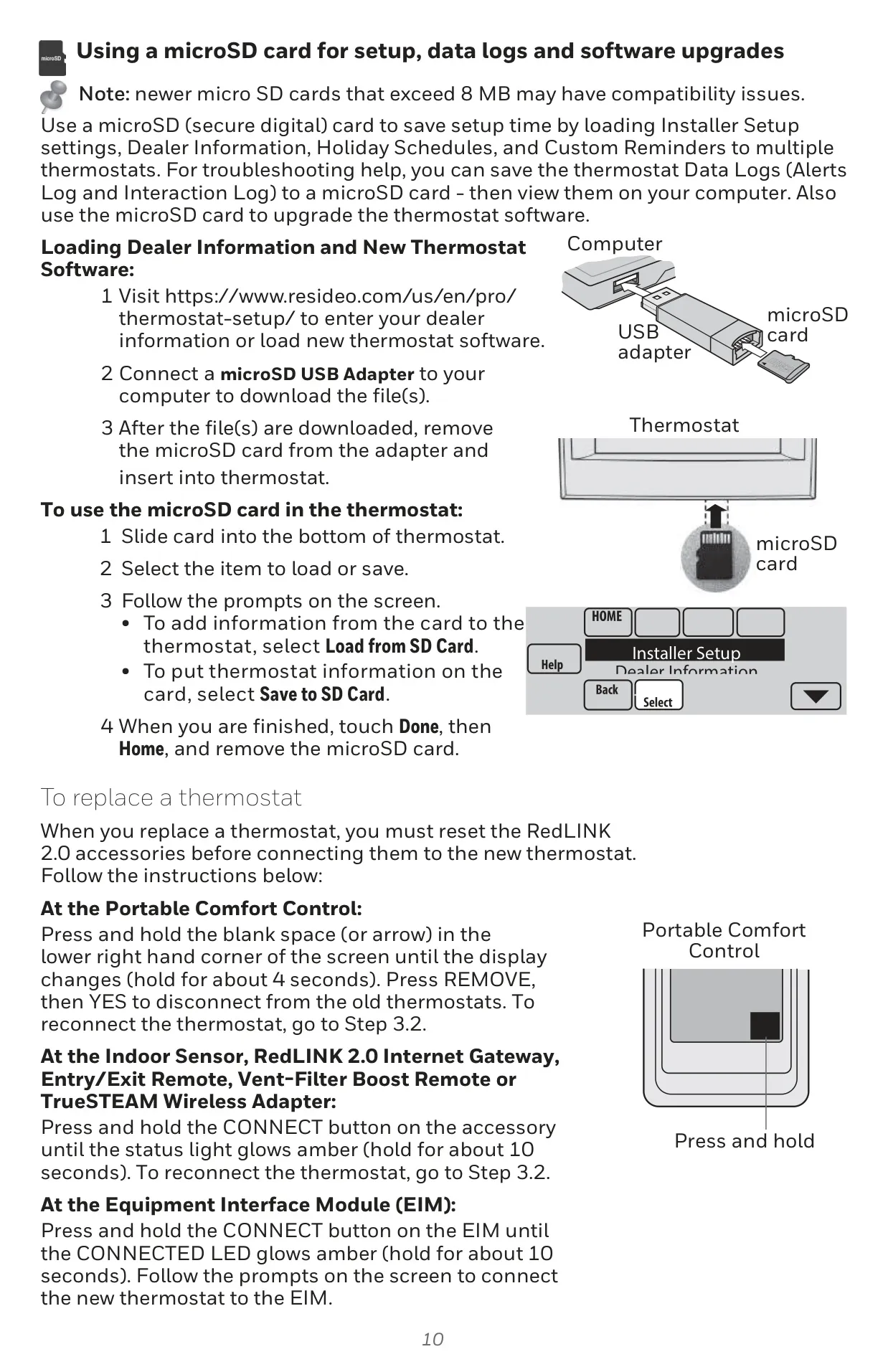
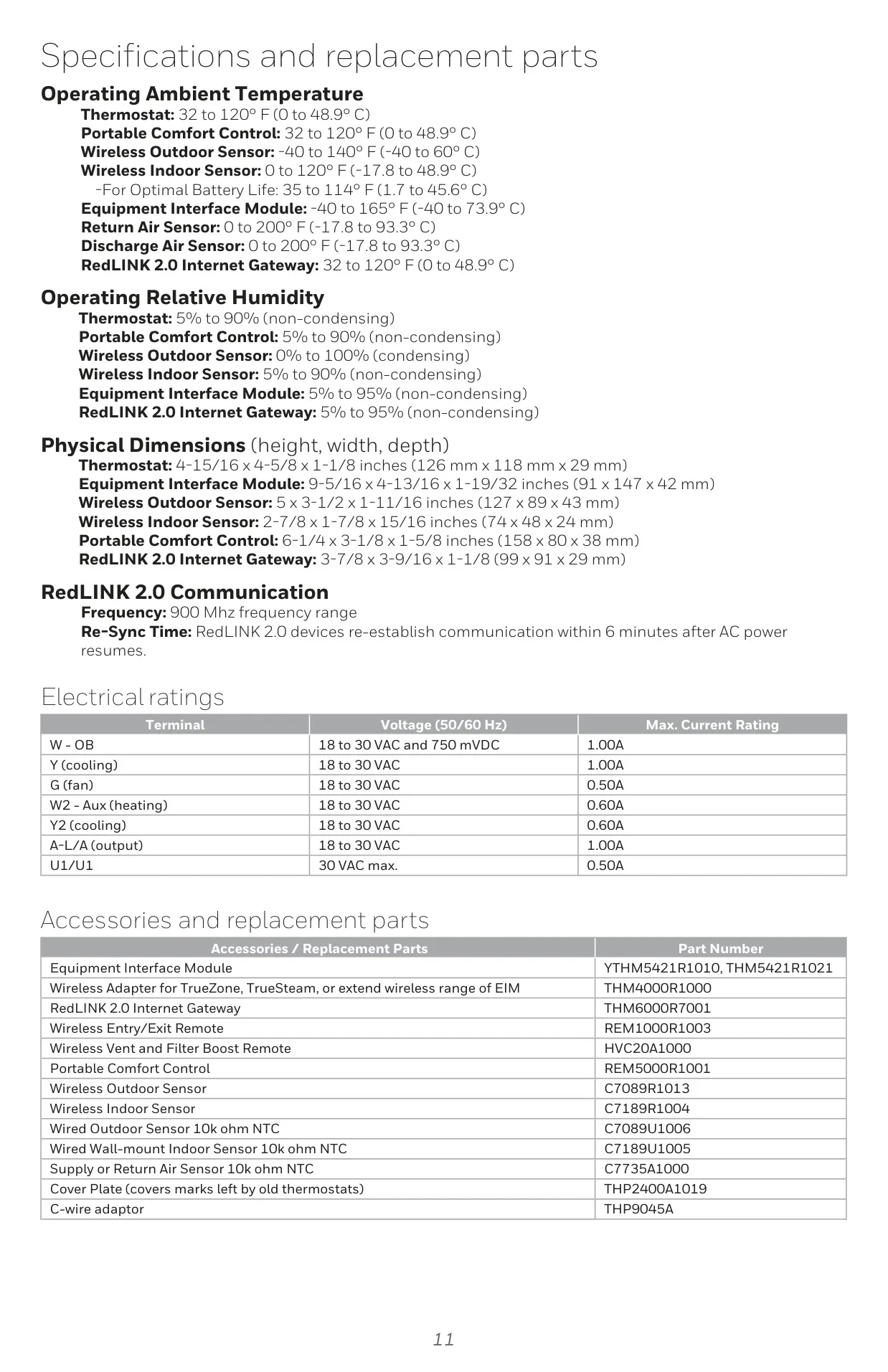
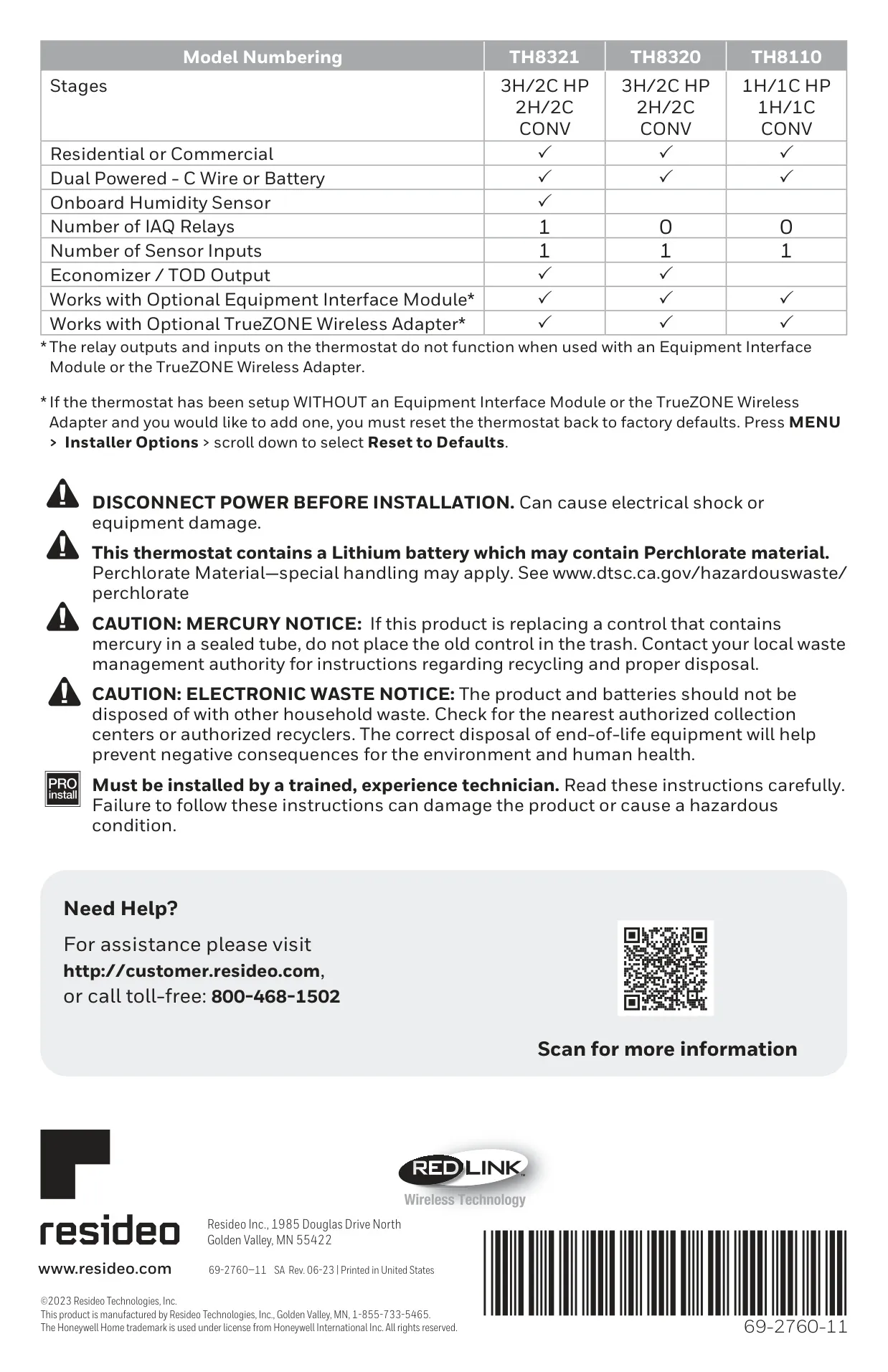
Honeywell TH8321R1001 Instructions
Here we offer the Honeywell TH8321R1001 VisionPro 8000 manual completely free and in English. We have cataloged this manual in the Thermostats section on Manualverse, and it has been rated by 1 users with an average rating of 5. If you have any specific questions about Honeywell TH8321R1001 VisionPro 8000, we suggest checking the Frequently Asked Questions (FAQs) section of this manual.
Product Images
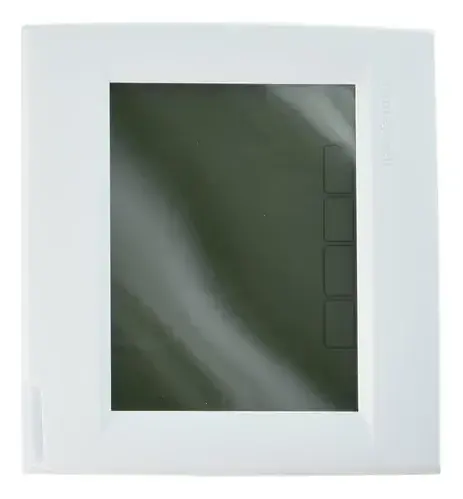
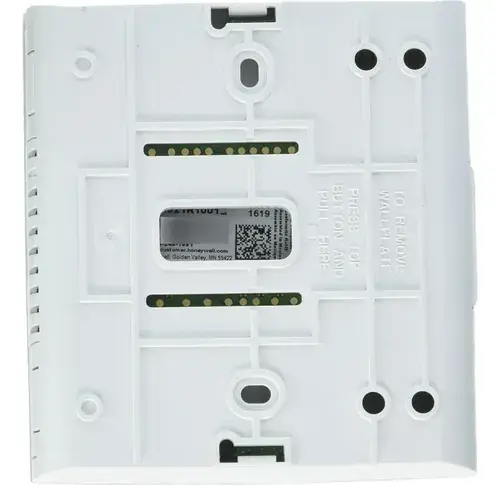
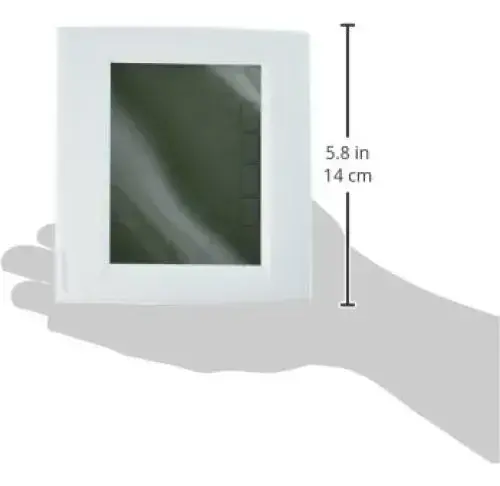
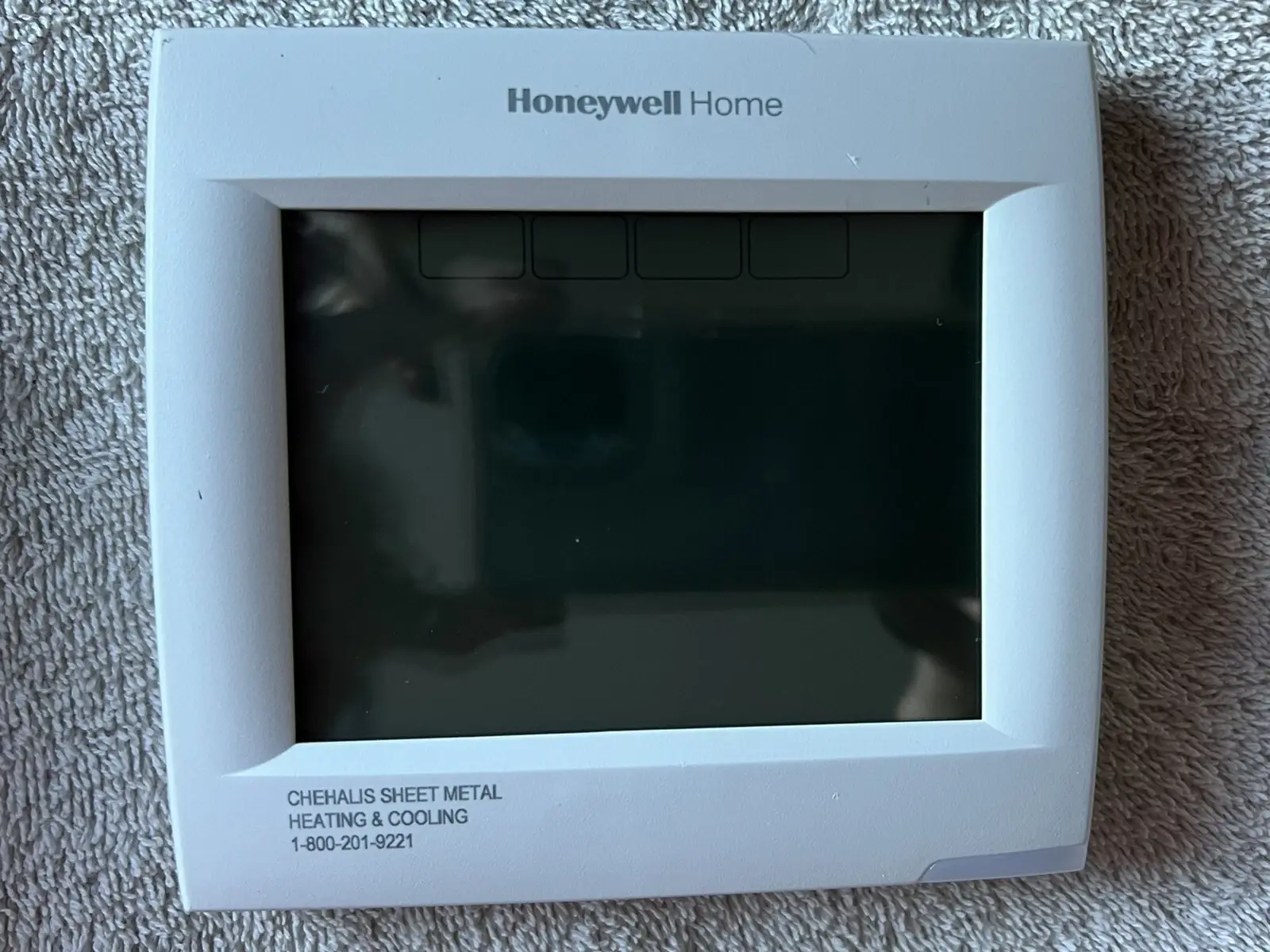
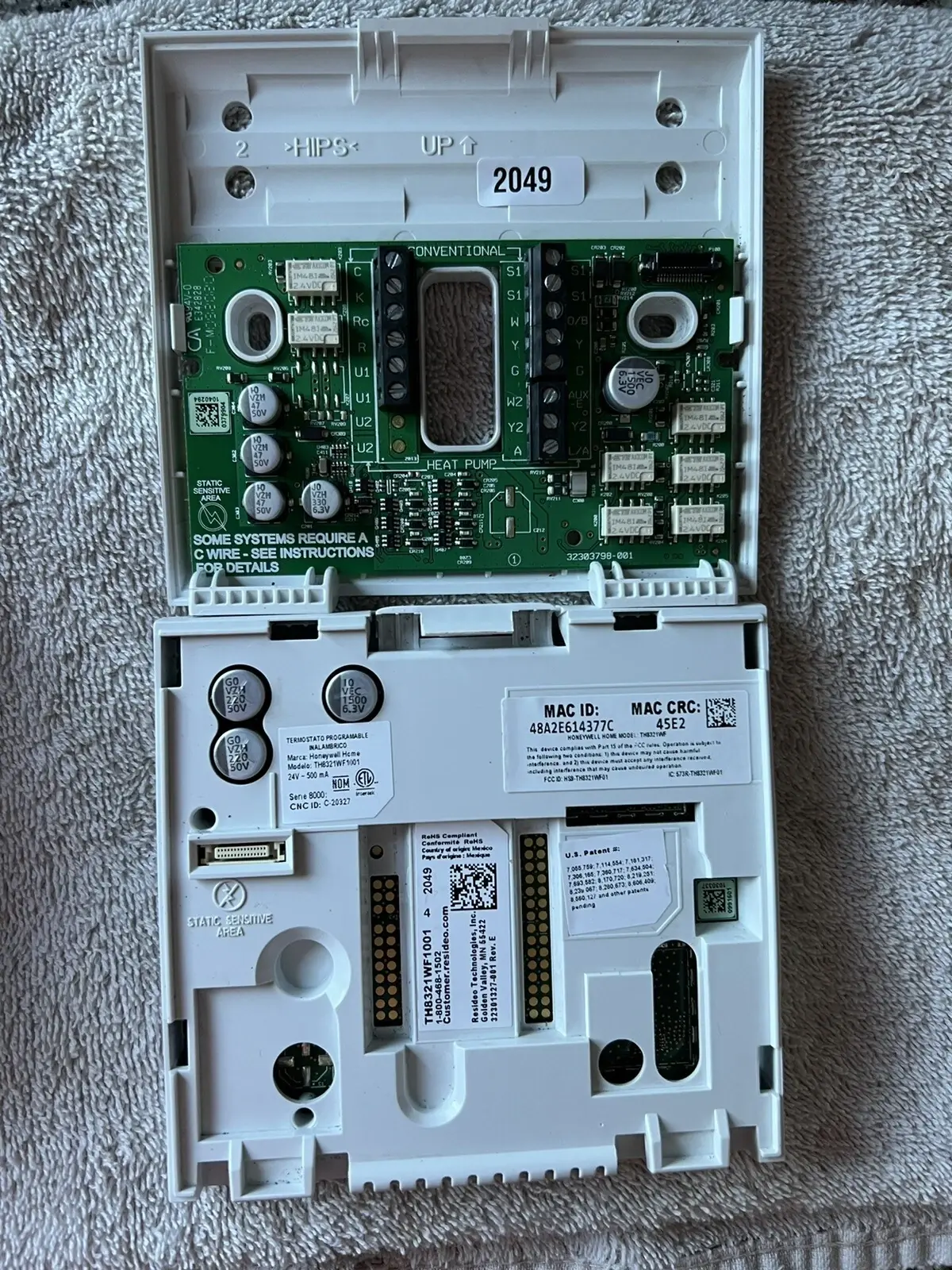
Honeywell TH8321R1001 VisionPro 8000 Thermostat Specifications
| Feature | Specification |
|---|---|
| Model Number | TH8321R1001 VisionPro 8000 |
| System Type | 3 Heat / 2 Cool Heat Pump (HP) or 2 Heat / 2 Cool Conventional (CONV) |
| Application | Residential or Commercial |
| Power Method | Dual Powered: C-Wire or Battery |
| Onboard Sensors | Humidity Sensor (onboard) |
| IAQ Relays | 1 |
| Sensor Inputs | 1 (for wired indoor, outdoor, or discharge sensor) |
| Economizer / TOD Output | Yes |
| RedLINK™ Communication | 900 Mhz frequency range |
| RedLINK™ Re-Sync Time | Within 6 minutes after AC power resumes |
| Operating Ambient Temperature (Thermostat) | 32 to 120° F (0 to 48.9° C) |
| Operating Relative Humidity (Thermostat) | 5% to 90% (non-condensing) |
| Dimensions (H x W x D) | 4-15/16 x 4-5/8 x 1-1/8 inches (126 mm x 118 mm x 29 mm) |
| Electrical Rating (W - OB Terminal) | 18 to 30 VAC and 750 mVDC, 1.00A max |
| Electrical Rating (Y cooling Terminal) | 18 to 30 VAC, 1.00A max |
| Electrical Rating (G fan Terminal) | 18 to 30 VAC, 0.50A max |
| Electrical Rating (W2 - Aux heating Terminal) | 18 to 30 VAC, 0.60A max |
| Electrical Rating (Y2 cooling Terminal) | 18 to 30 VAC, 0.60A max |
| Electrical Rating (A-L/A output Terminal) | 18 to 30 VAC, 1.00A max |
| Electrical Rating (U1/U1 Terminal) | 30 VAC max, 0.50A max |
| Compatibility | Works with optional Equipment Interface Module and TrueZONE Wireless Adapter |
Honeywell TH8321R1001 Thermostat Details
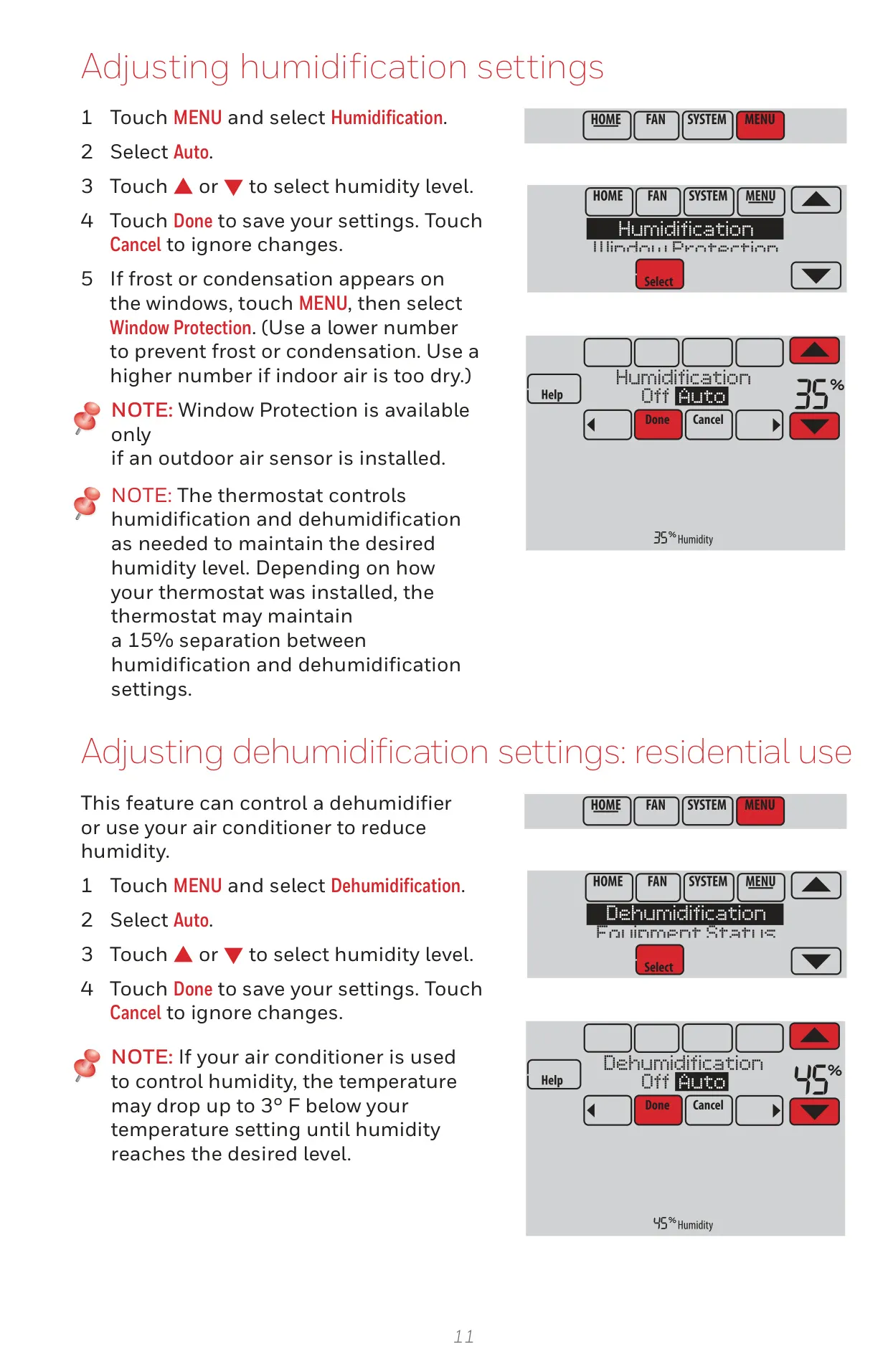
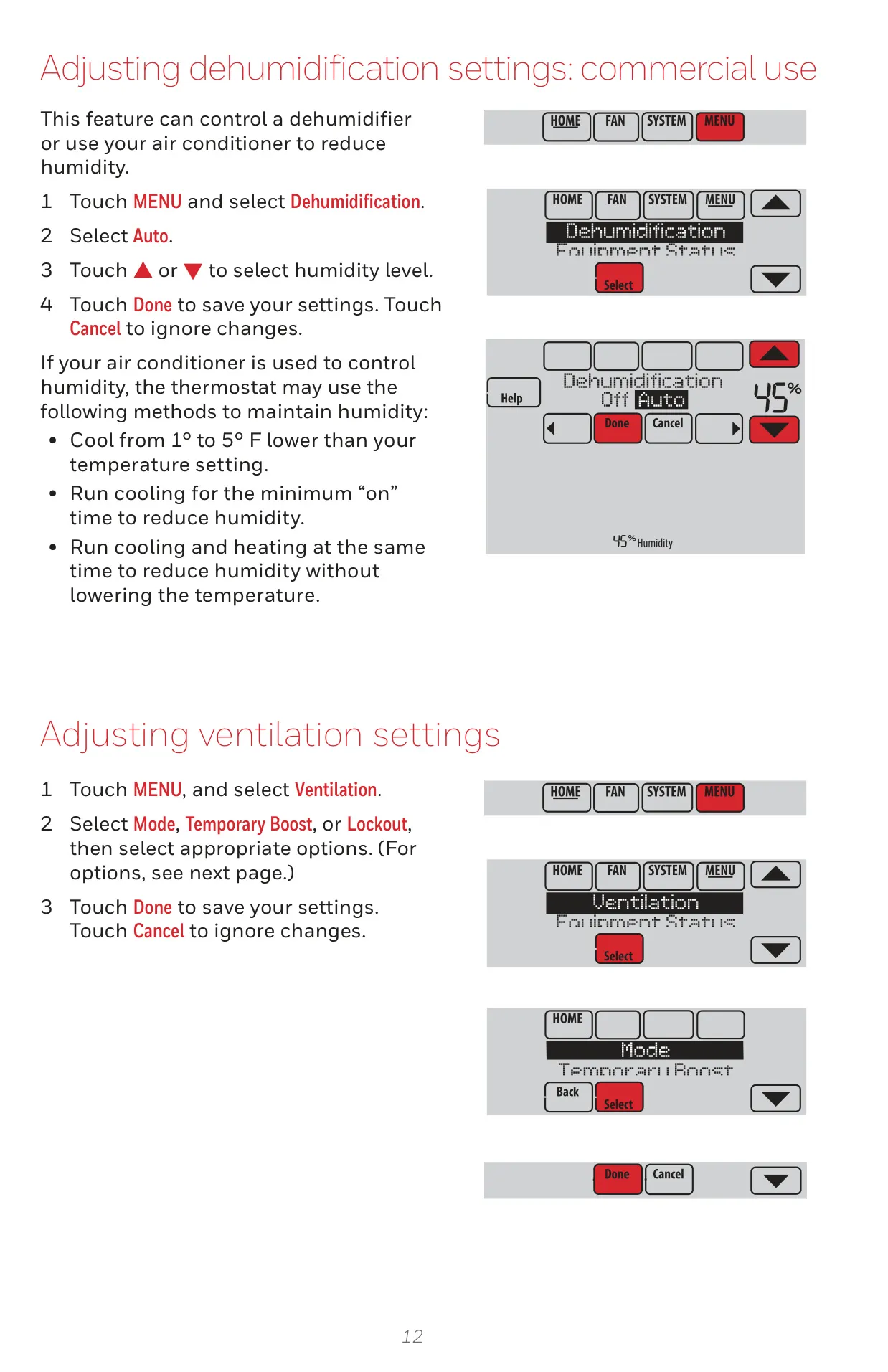
The Honeywell TH8321R1001 VisionPro 8000 redefines modern climate control with its advanced capabilities, ensuring optimal comfort and efficiency for both residential and light commercial applications. A cornerstone of its design is the optional RedLINK Internet Gateway, which unlocks remote monitoring and control of your heating and cooling system. Through the intuitive Total Connect Comfort app, users can adjust settings and receive critical email alerts from virtually anywhere, offering unparalleled convenience for homeowners, business operators, and property managers alike. Crucially, the TH8321 model features robust Indoor Air Quality (IAQ) control, allowing precise management of humidification, dehumidification, and ventilation to cultivate a healthier, more comfortable living or working environment.
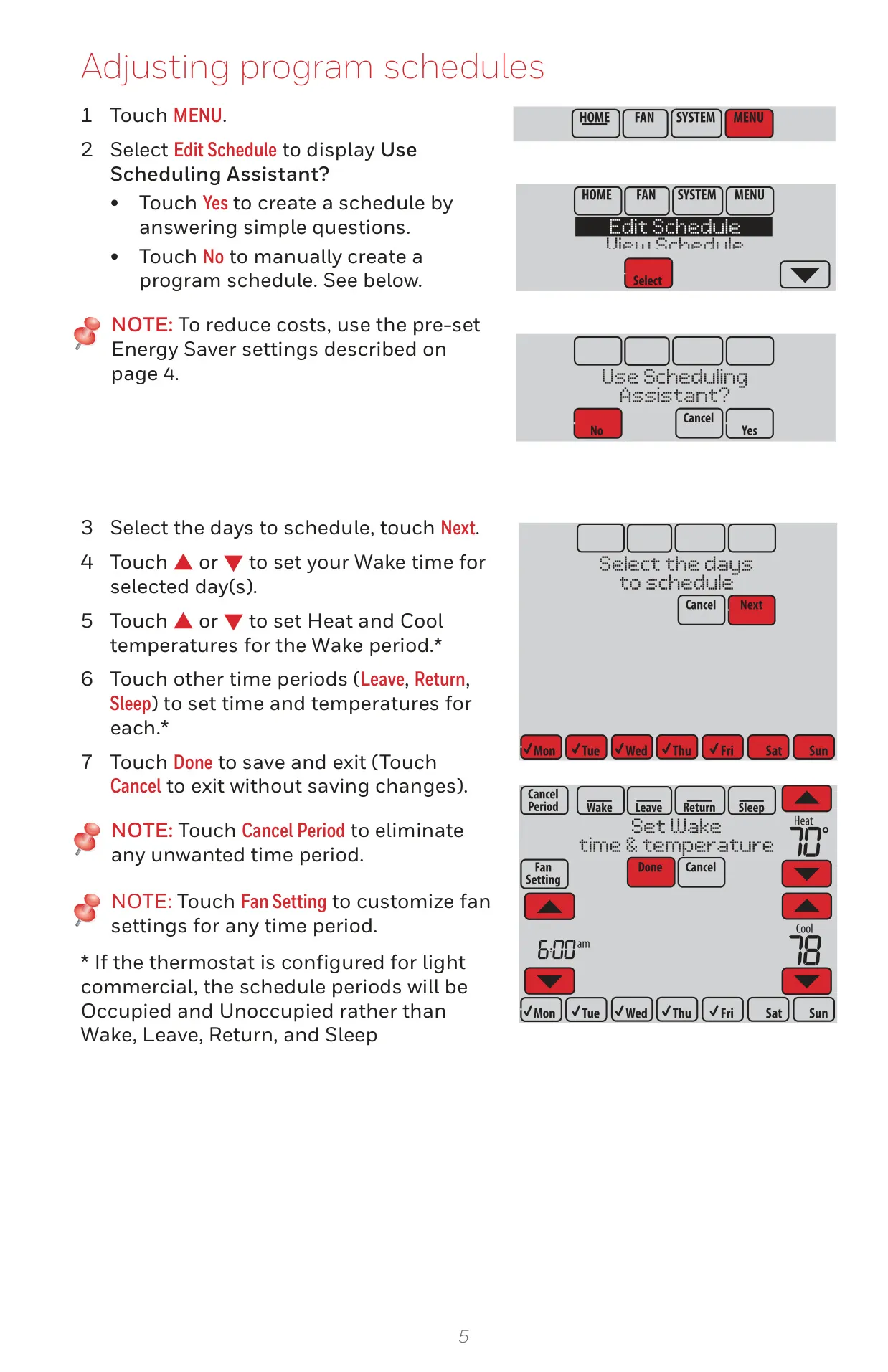
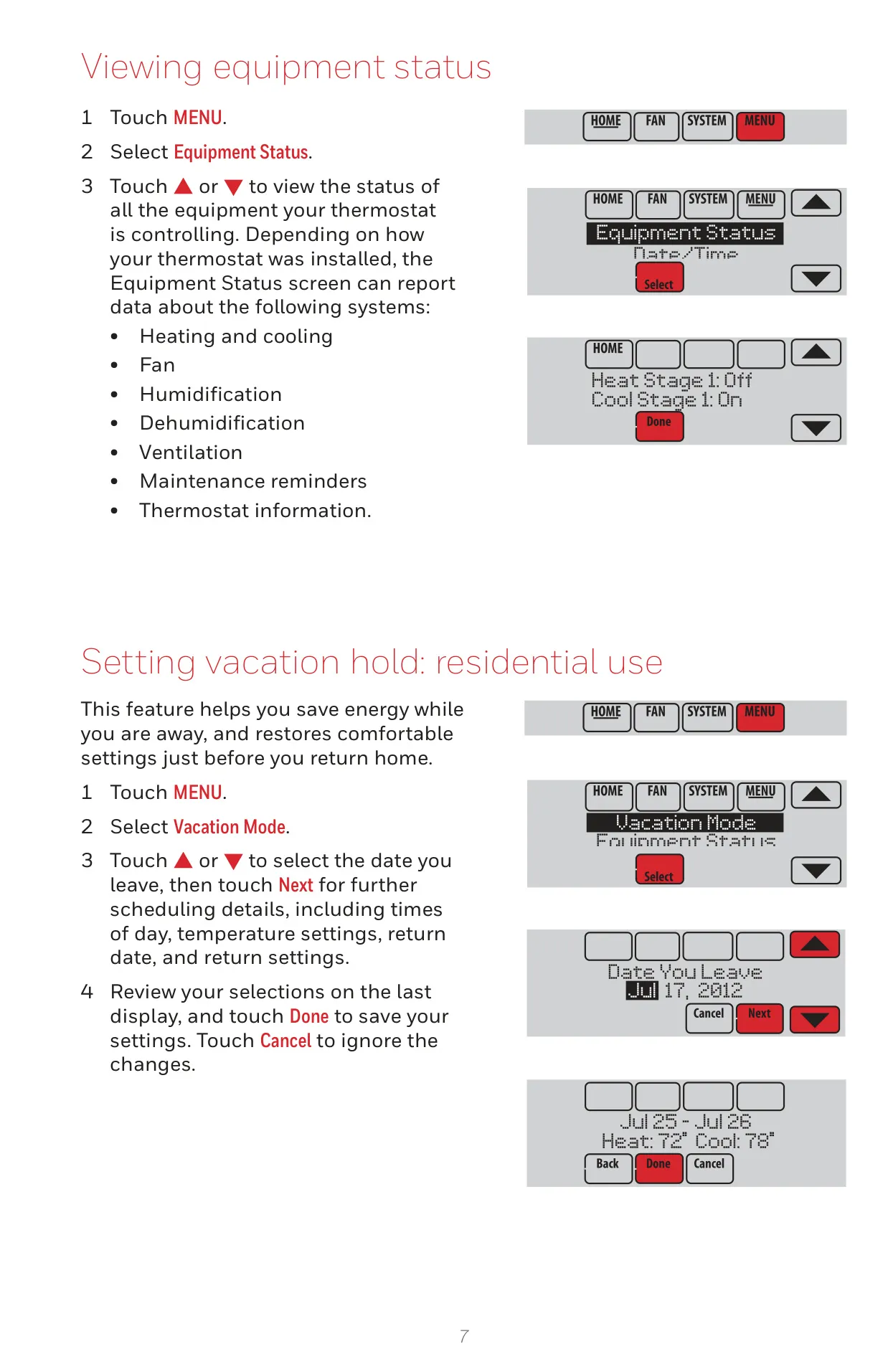
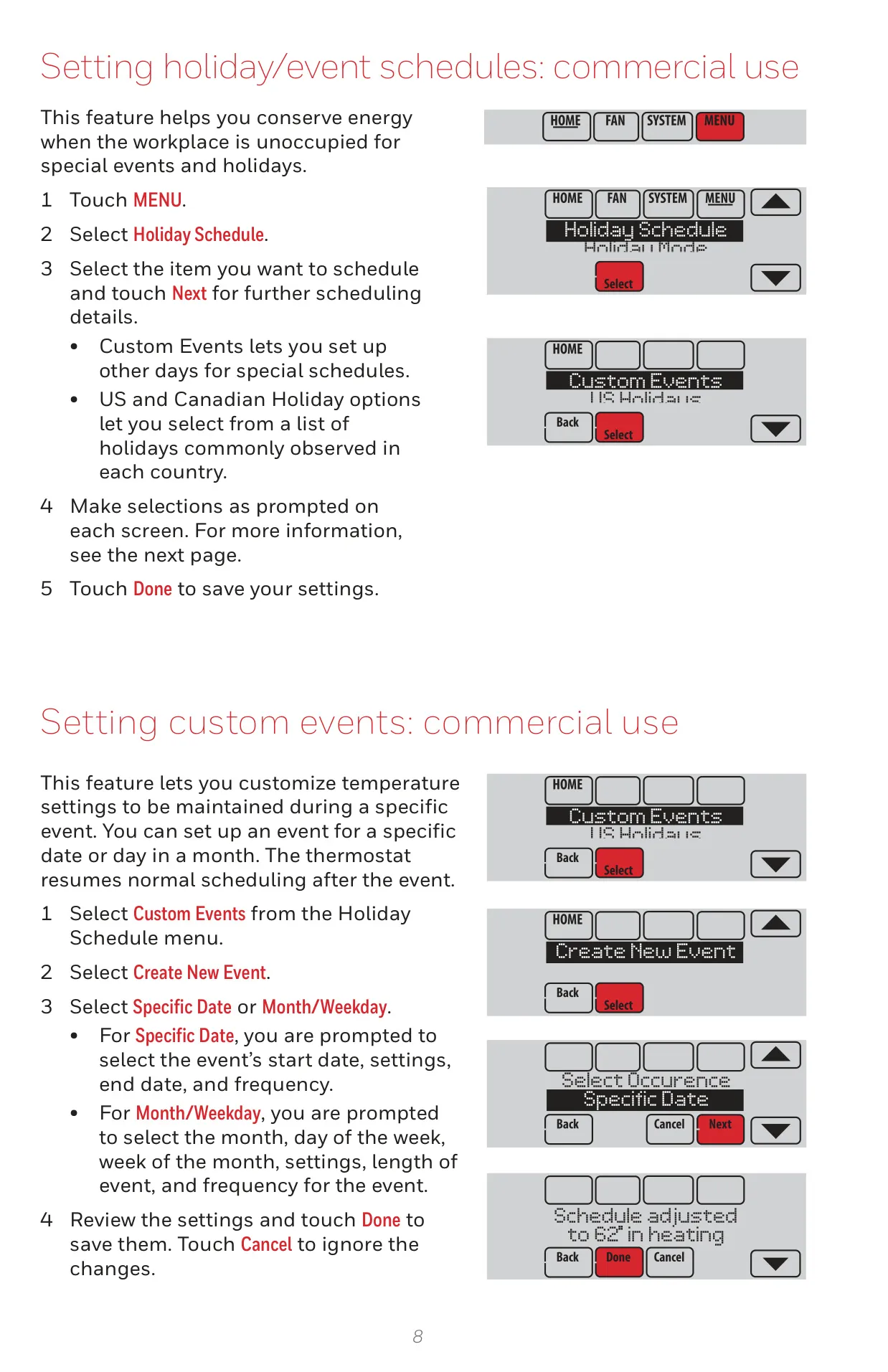
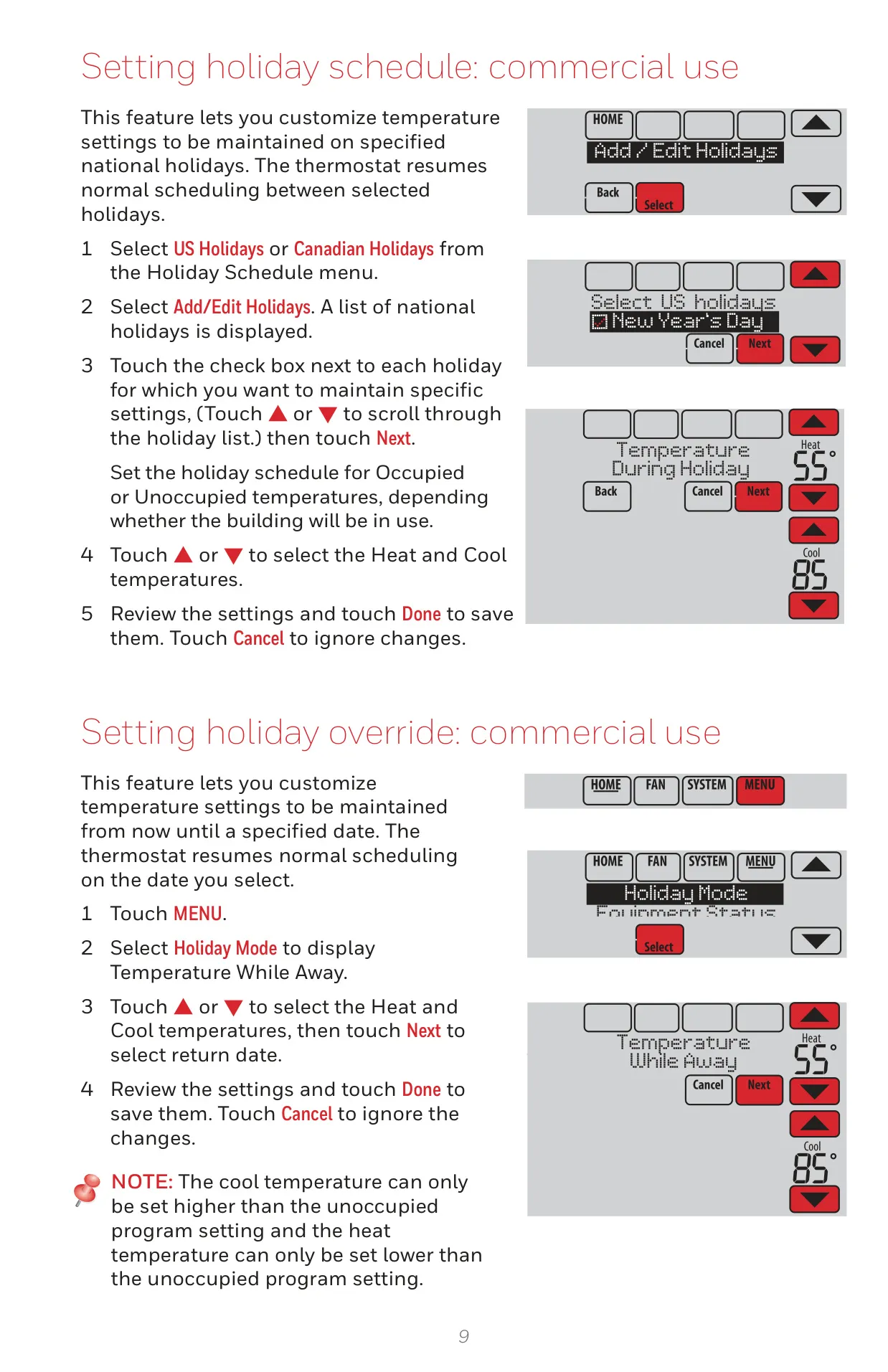
Beyond simple temperature regulation, the VisionPro 8000 is equipped with sophisticated, intelligent features. One such innovation is Adaptive Intelligent Recovery, a learning algorithm that meticulously calculates and optimizes system startup times. This ensures your space reaches the desired temperature precisely at the beginning of a scheduled period, rather than merely initiating the process then. The thermostat supports highly flexible vacation and holiday scheduling, enabling users to program energy-saving setbacks during extended absences. For added convenience, essential dealer information is readily accessible on the screen, simplifying the process of contacting a service technician for maintenance or upgrades.
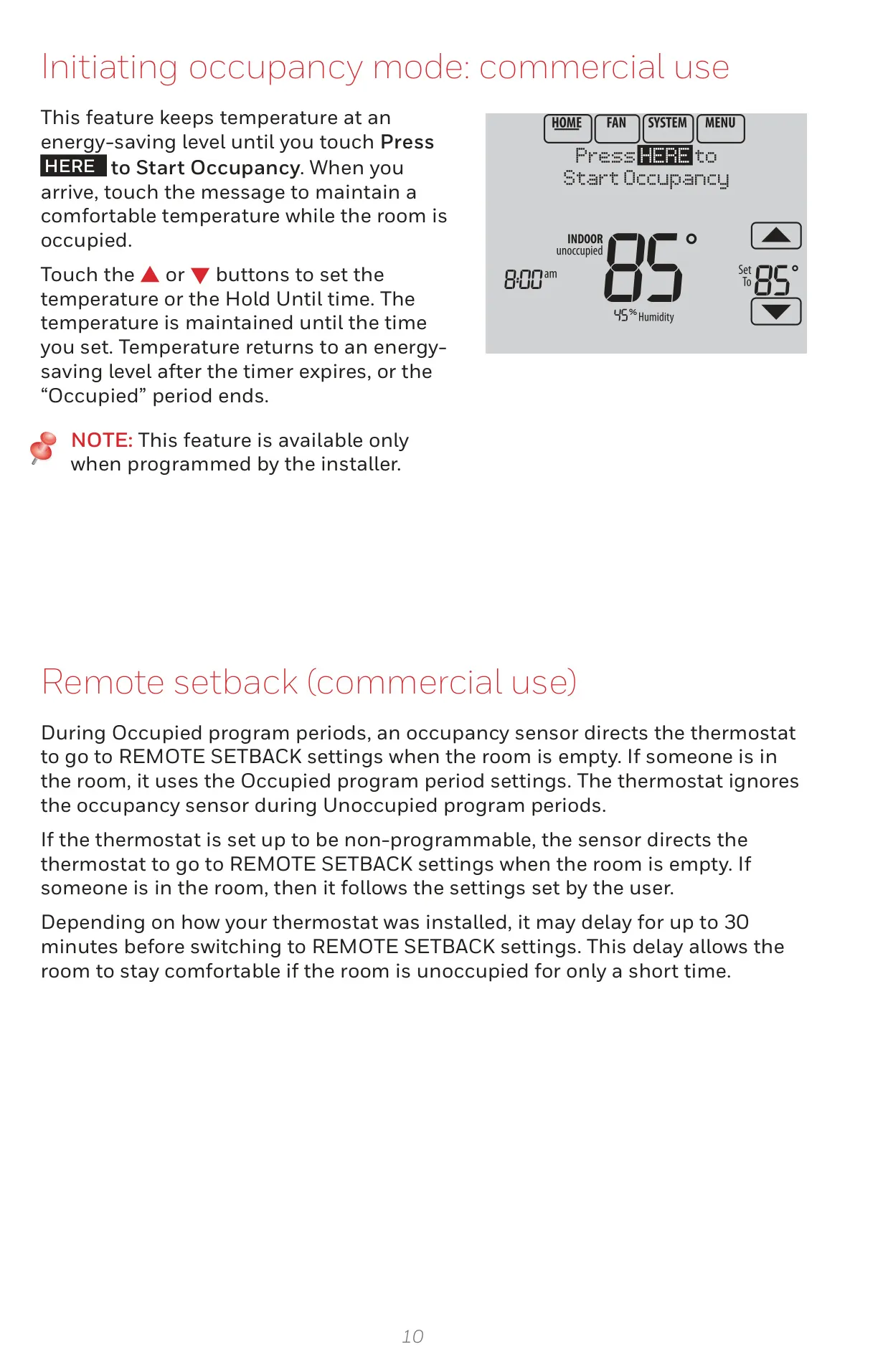
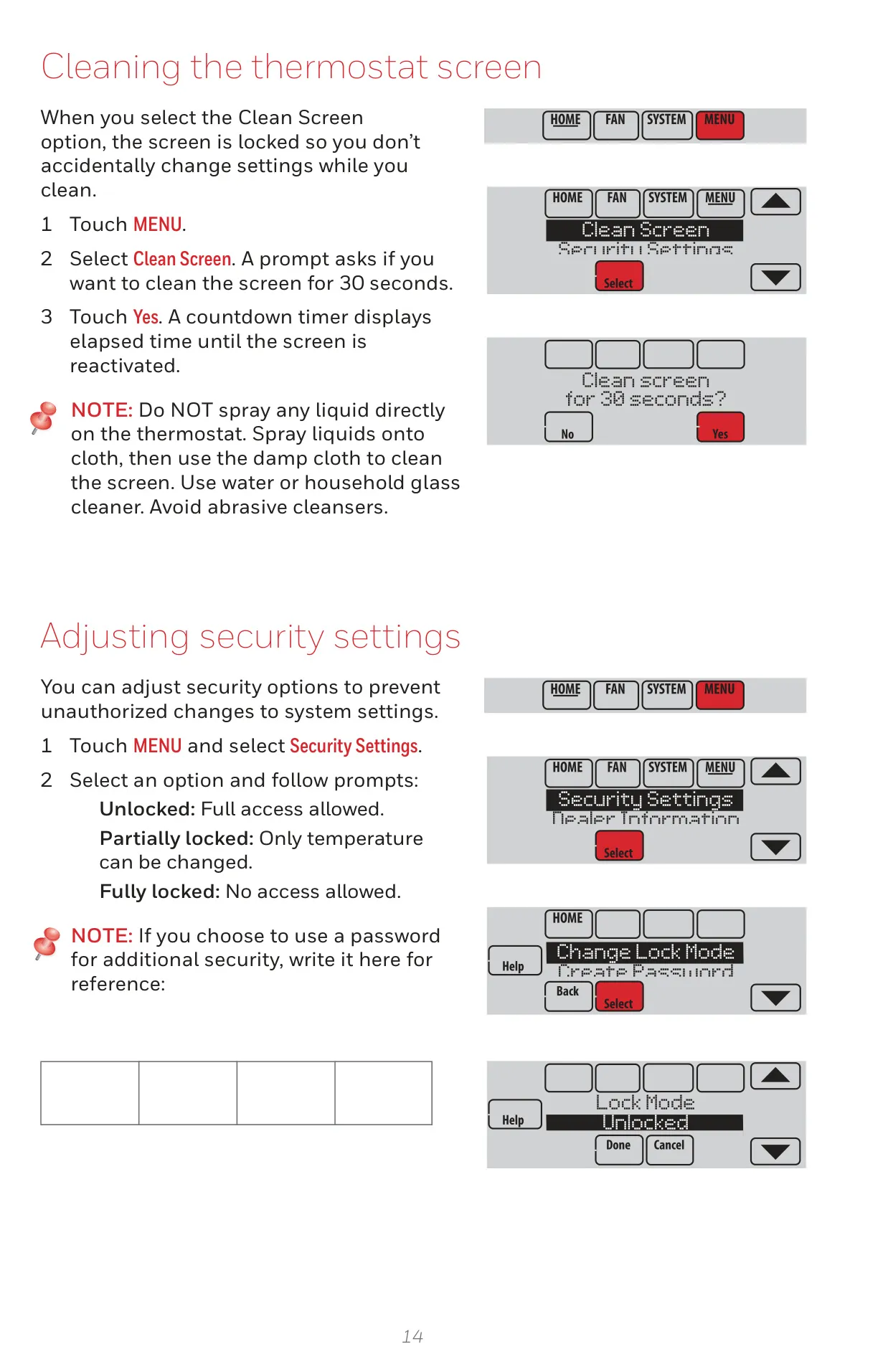
User experience is paramount, offering a range of customizable preferences that allow tailoring the thermostat's display and operational responses to individual needs. For security, a keypad lockout feature effectively prevents unauthorized tampering, preserving your meticulously set comfort parameters. At any moment, users can easily review equipment status, receiving real-time on/off confirmations for all connected HVAC components. Commercial users benefit from specialized functionalities like Pre-occupancy Purge, which automatically activates the fan several hours before scheduled occupancy, ensuring a perfectly conditioned and comfortable environment right at the start of the workday.
The TH8321R1001 extends its intelligent oversight to environmental factors, particularly humidity. Its dedicated Dehumidification Away Mode provides critical protection for homes during prolonged vacancies in humid climates, diligently maintaining optimal temperature and humidity levels to safeguard property from moisture-related issues. Furthermore, the system incorporates robust Compressor Protection, a vital safety mechanism that introduces a brief, calculated delay before restarting the compressor. This intelligent pause prevents potential damage to the equipment, a status clearly indicated by a "Wait" message on the thermostat screen, ensuring longevity and reliable performance.
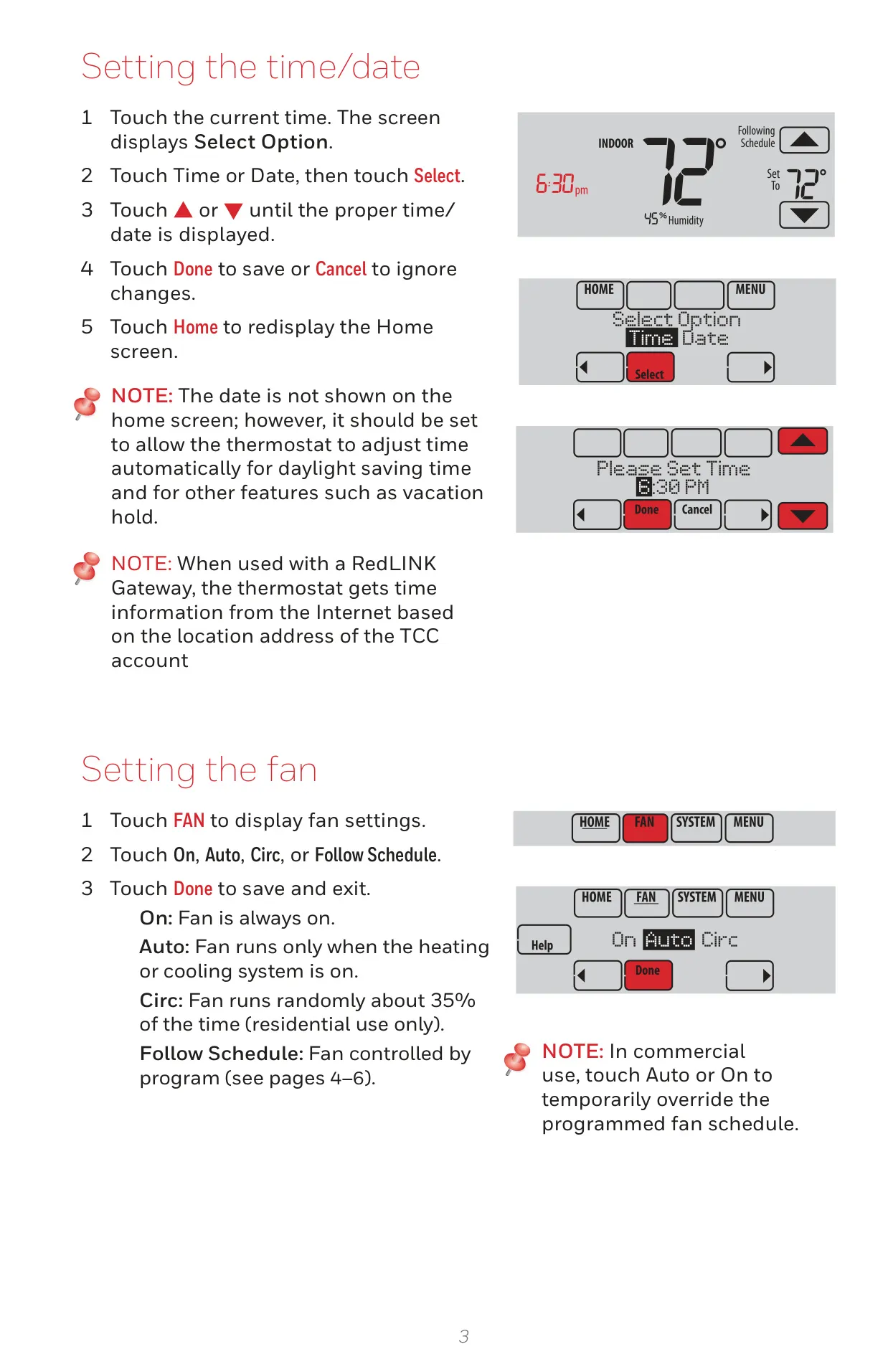
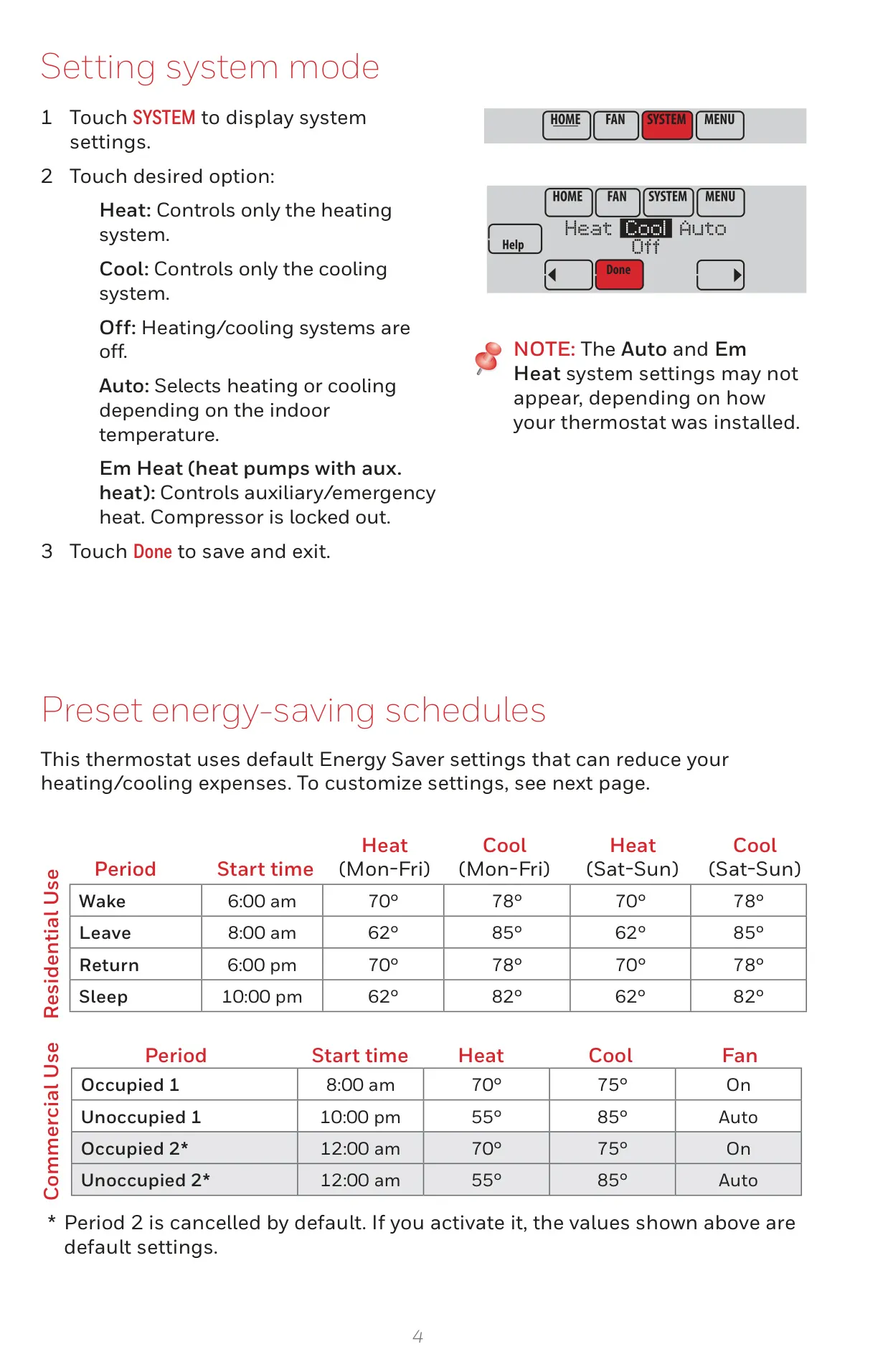
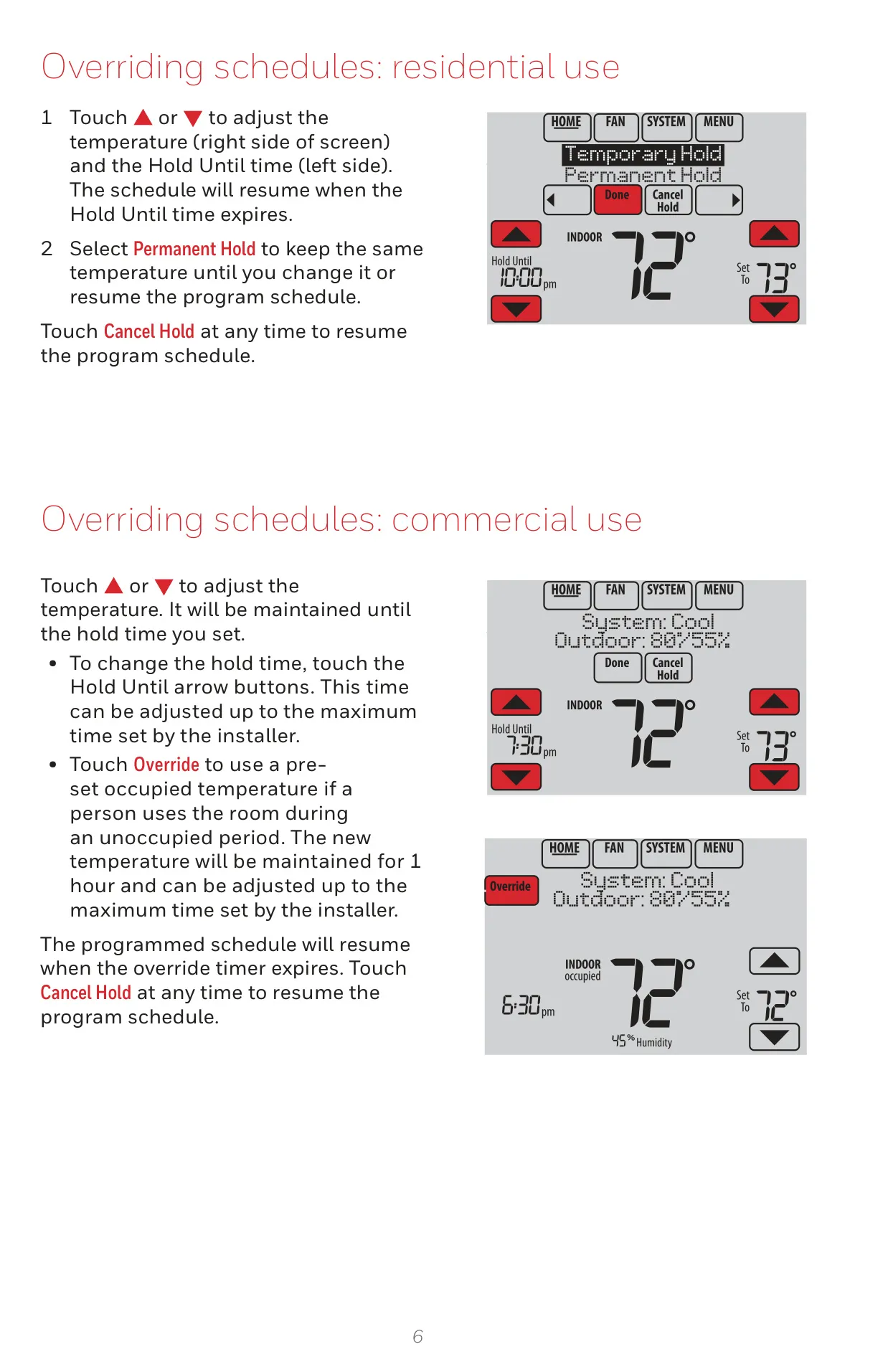
Operational flexibility is a core strength, offering diverse fan modes including "On," "Auto," and a unique "Circ" option for residential use that randomly cycles the fan approximately 35% of the time. System control modes encompass Heat, Cool, Off, Auto, and Em Heat for heat pump systems with auxiliary heating. The thermostat also provides convenient schedule override options, from temporary adjustments to permanent holds, easily accessible on the home screen. Importantly, the VisionPro 8000 seamlessly integrates with a full suite of optional RedLINK accessories, such as Wireless Outdoor and Indoor Sensors, a Portable Comfort Control, and a Wireless Entry/Exit Remote, transforming it into a versatile hub for a comprehensive and responsive climate control ecosystem.
Frequently Asked Questions (FAQs)
Can't find the answer you need? Here are some frequently asked questions about the Honeywell TH8321R1001 VisionPro 8000, and we answer them below.