Honeywell Vista 128FBP Security System Instruction Manual
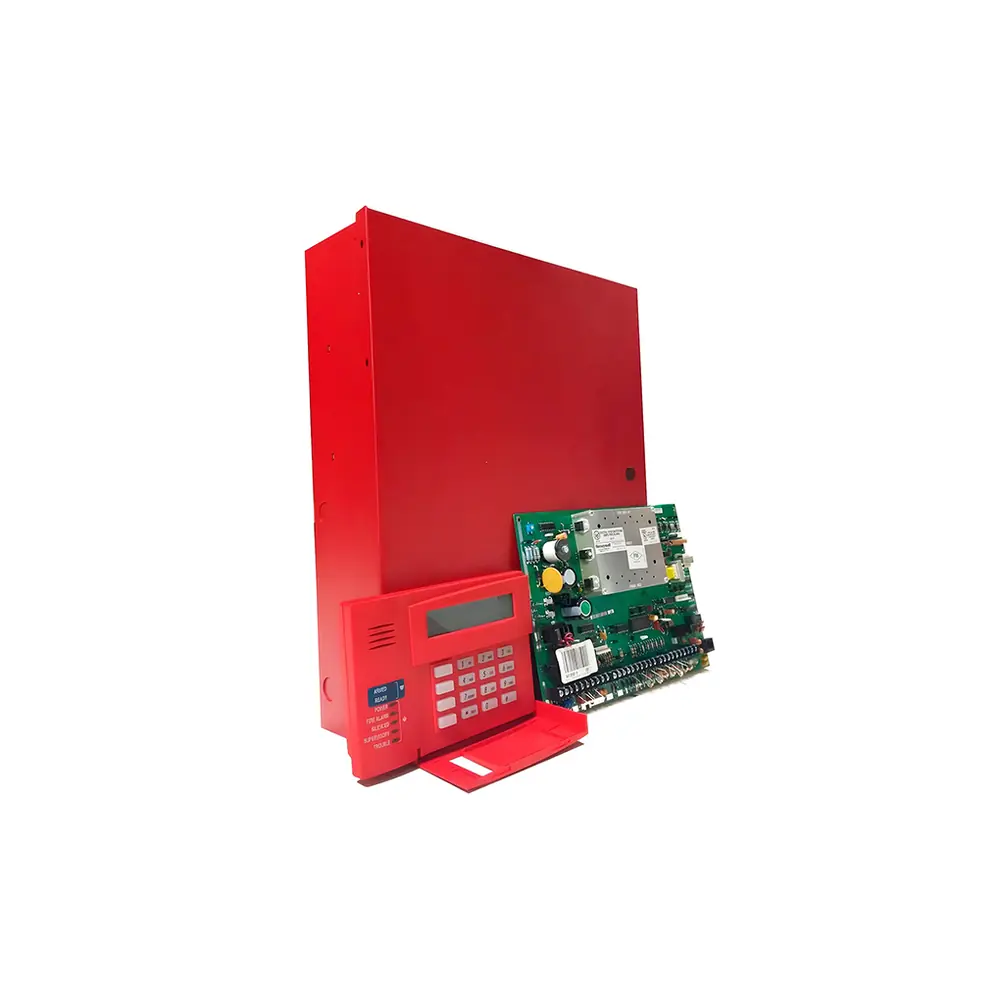
Honeywell Vista 128FBP Security System

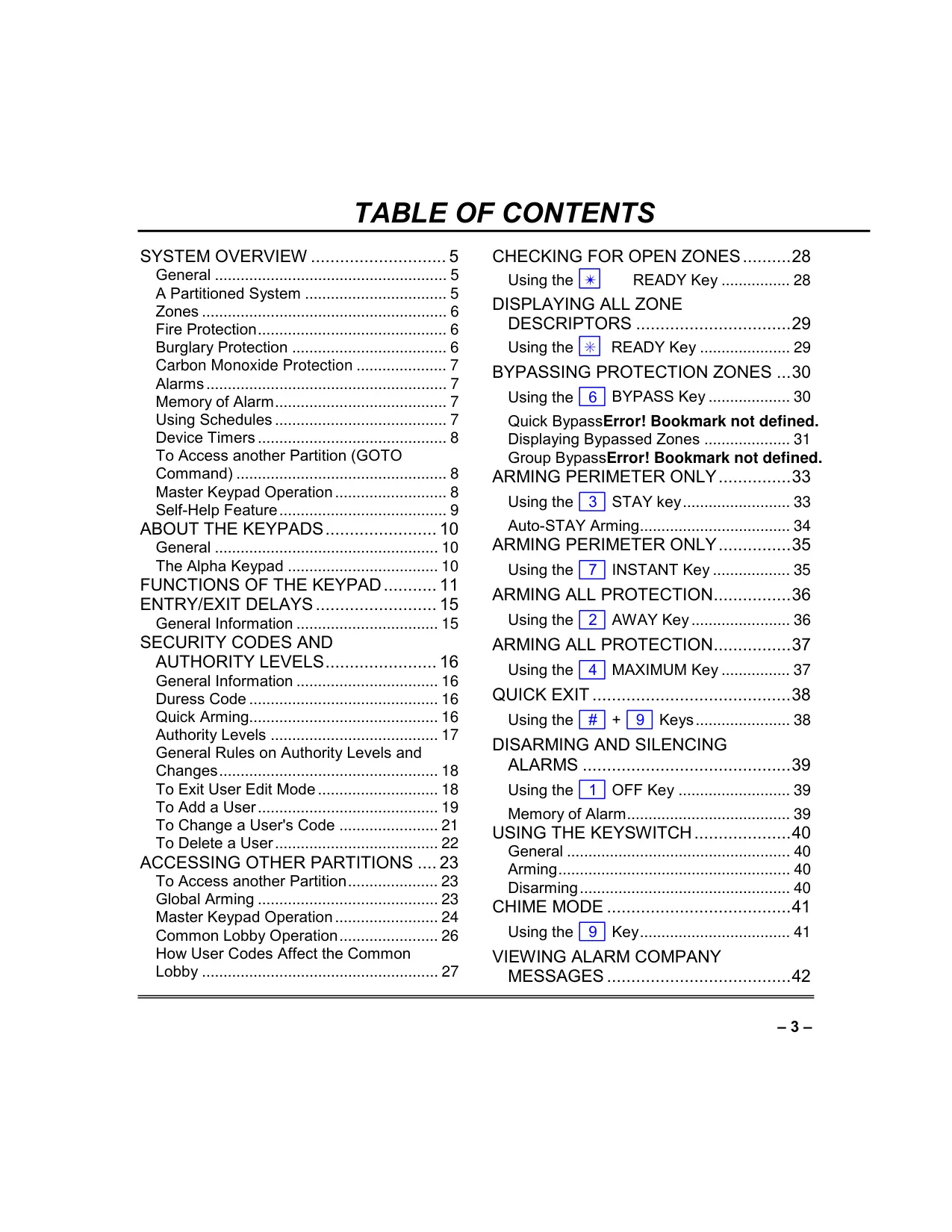
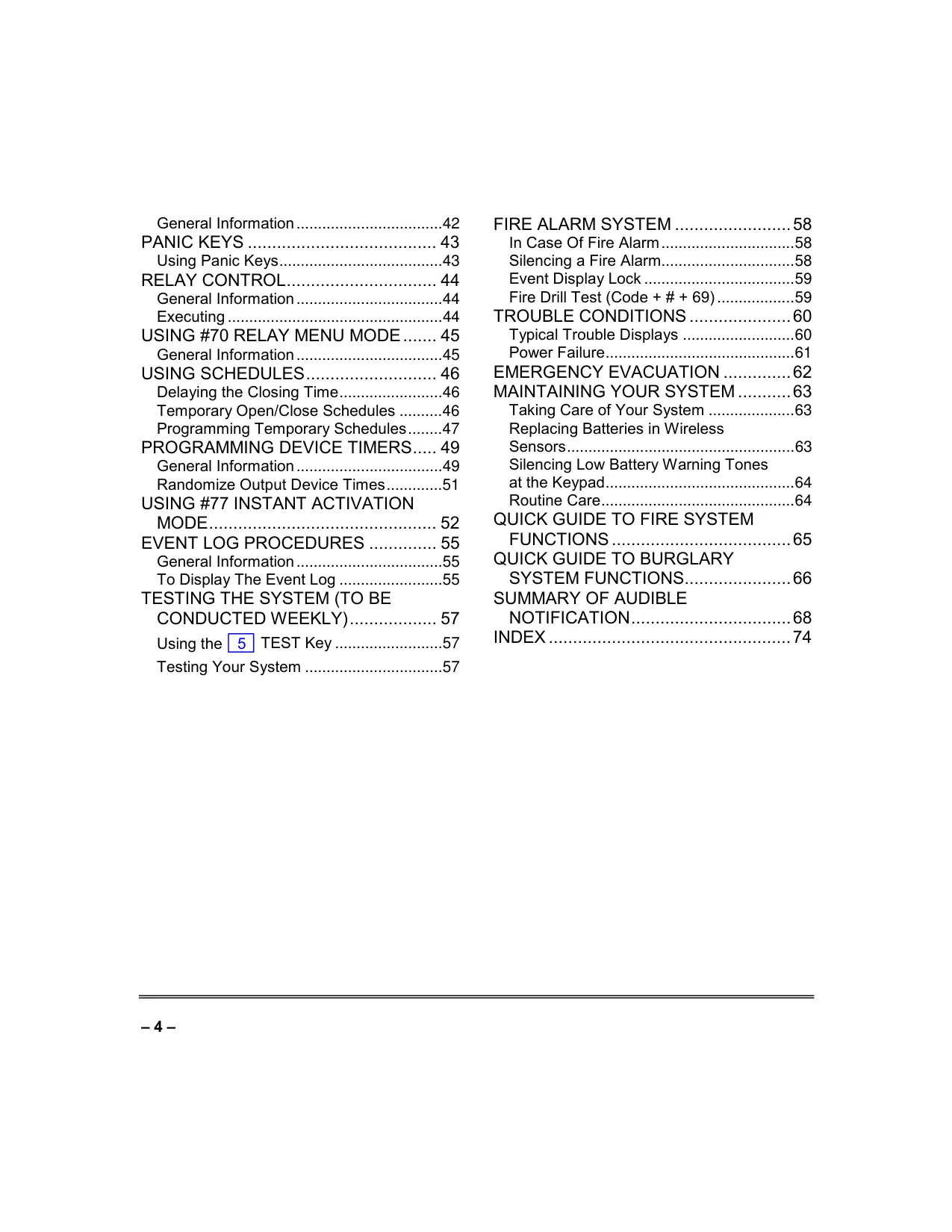













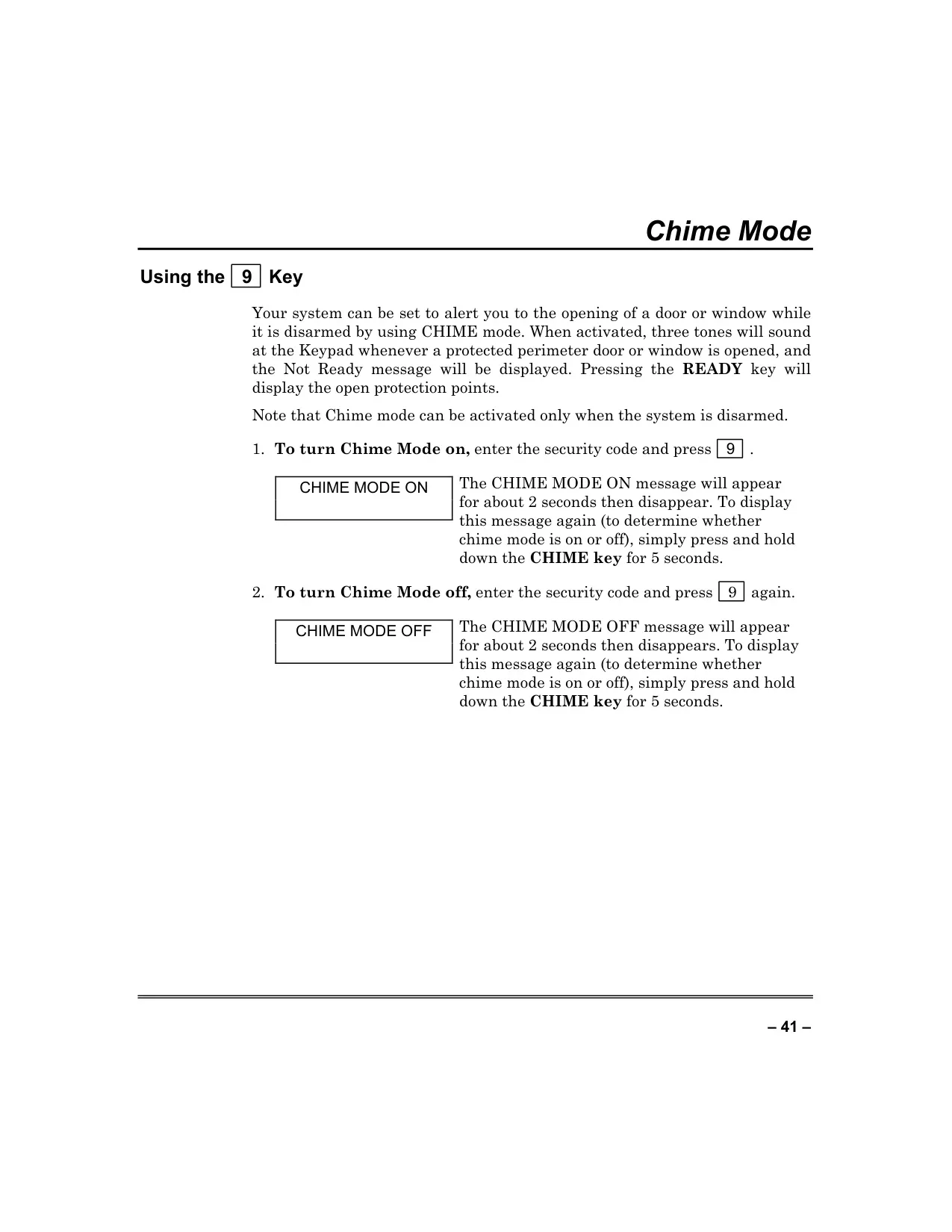
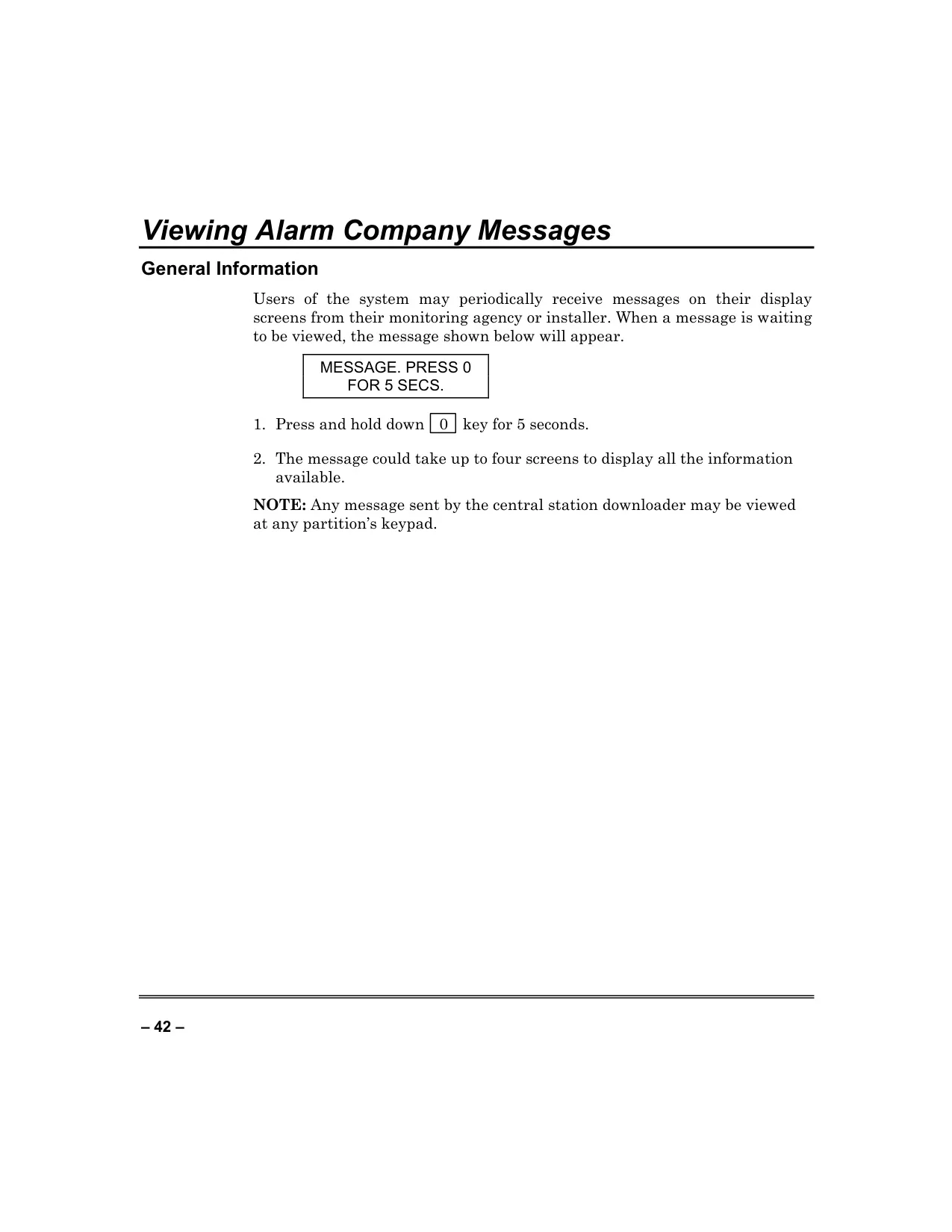

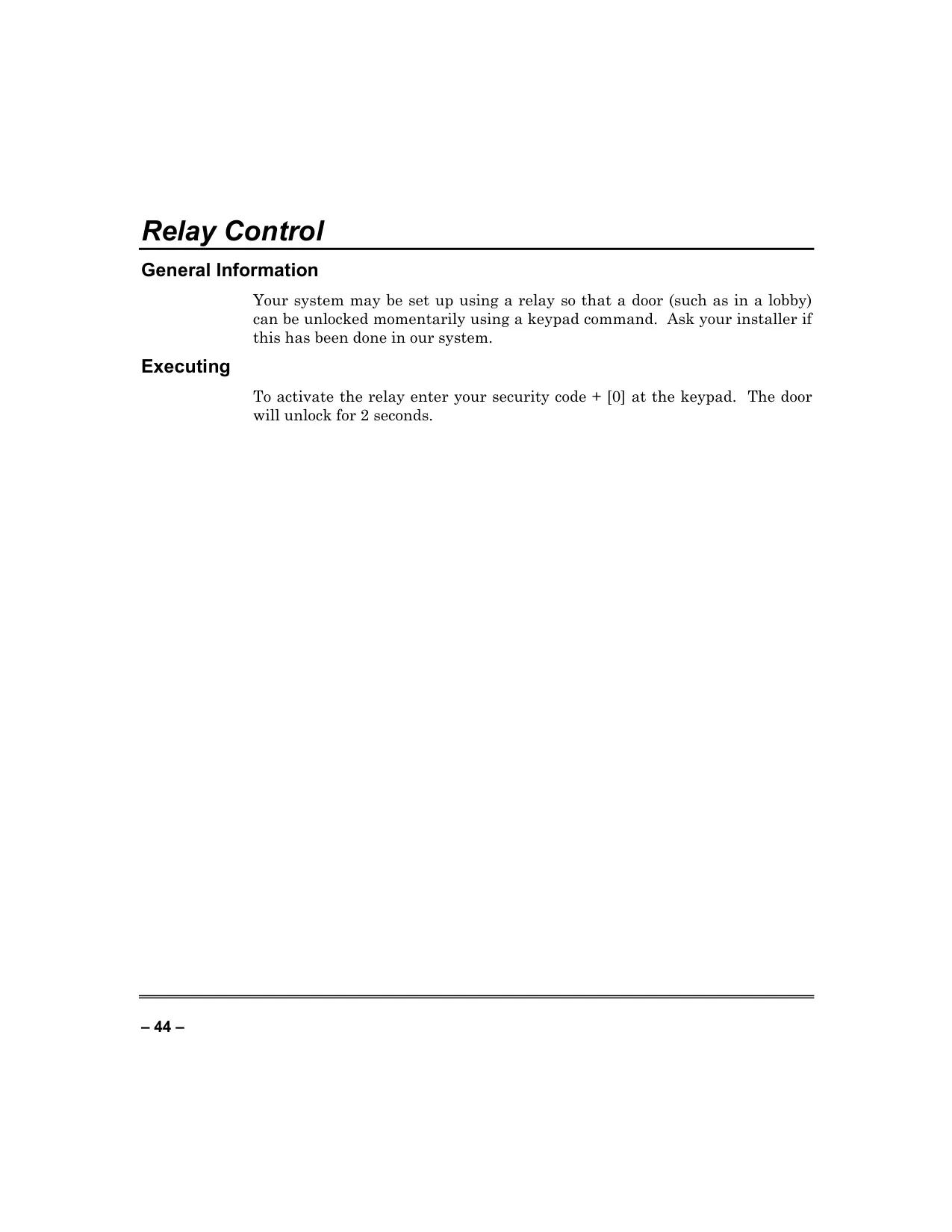
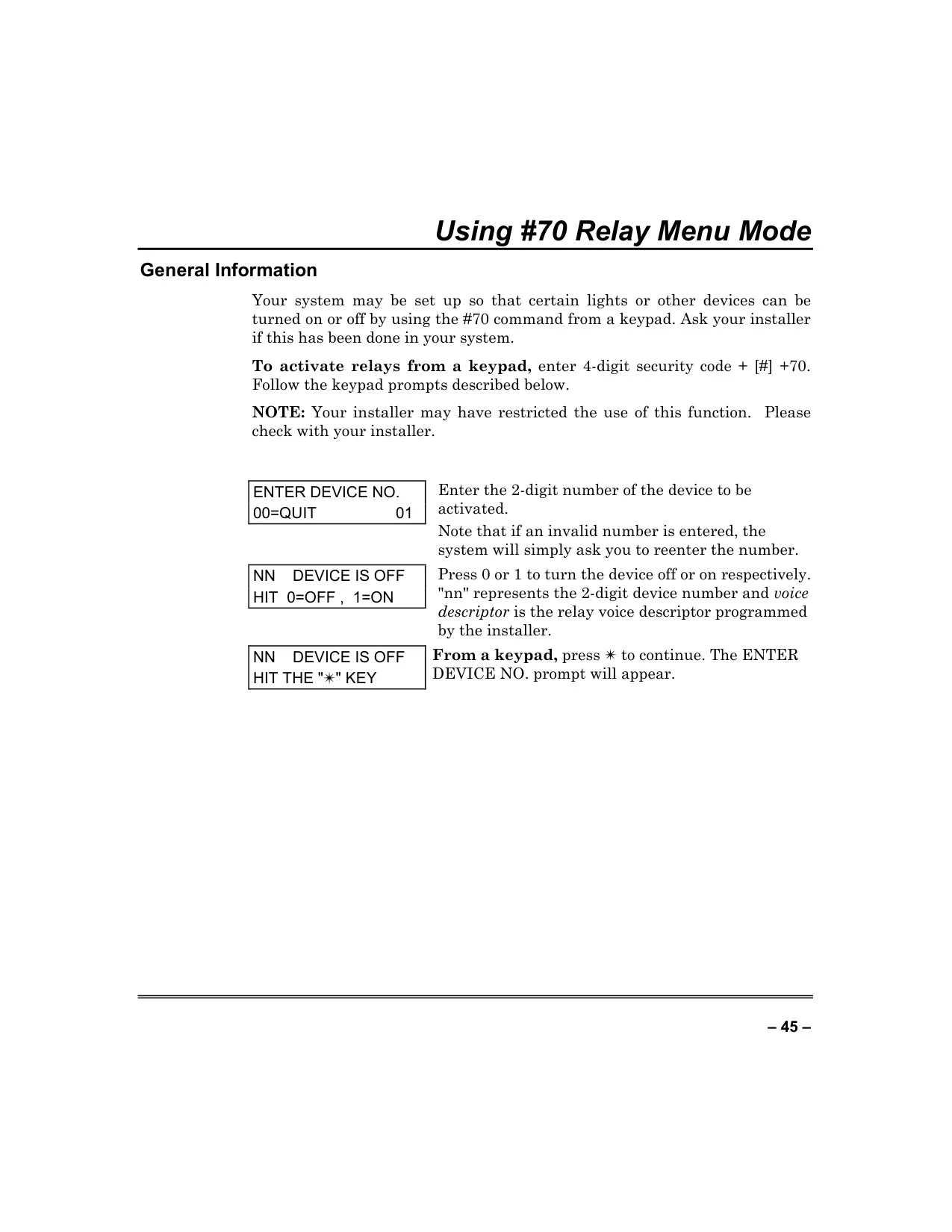















Honeywell Vista 128FBP Security System



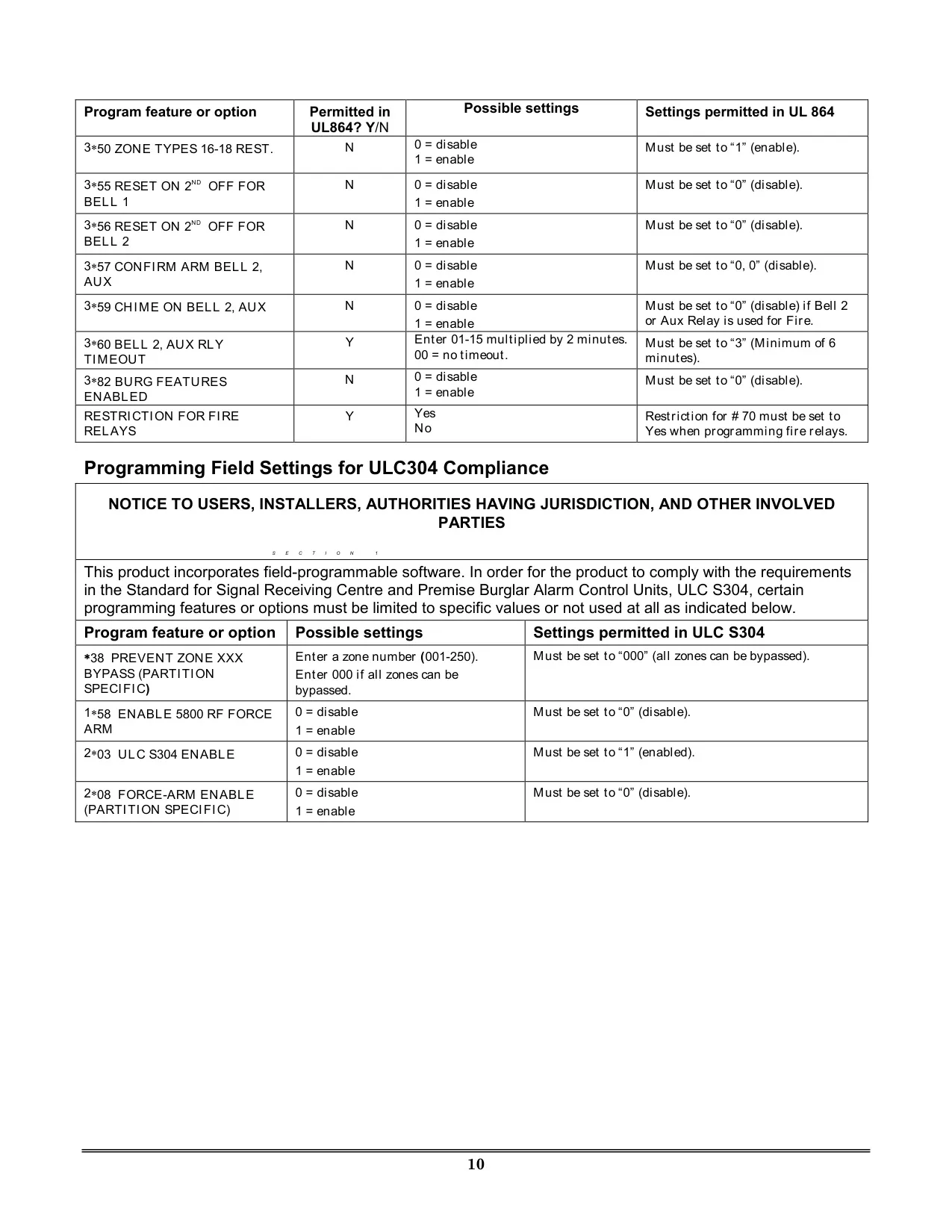
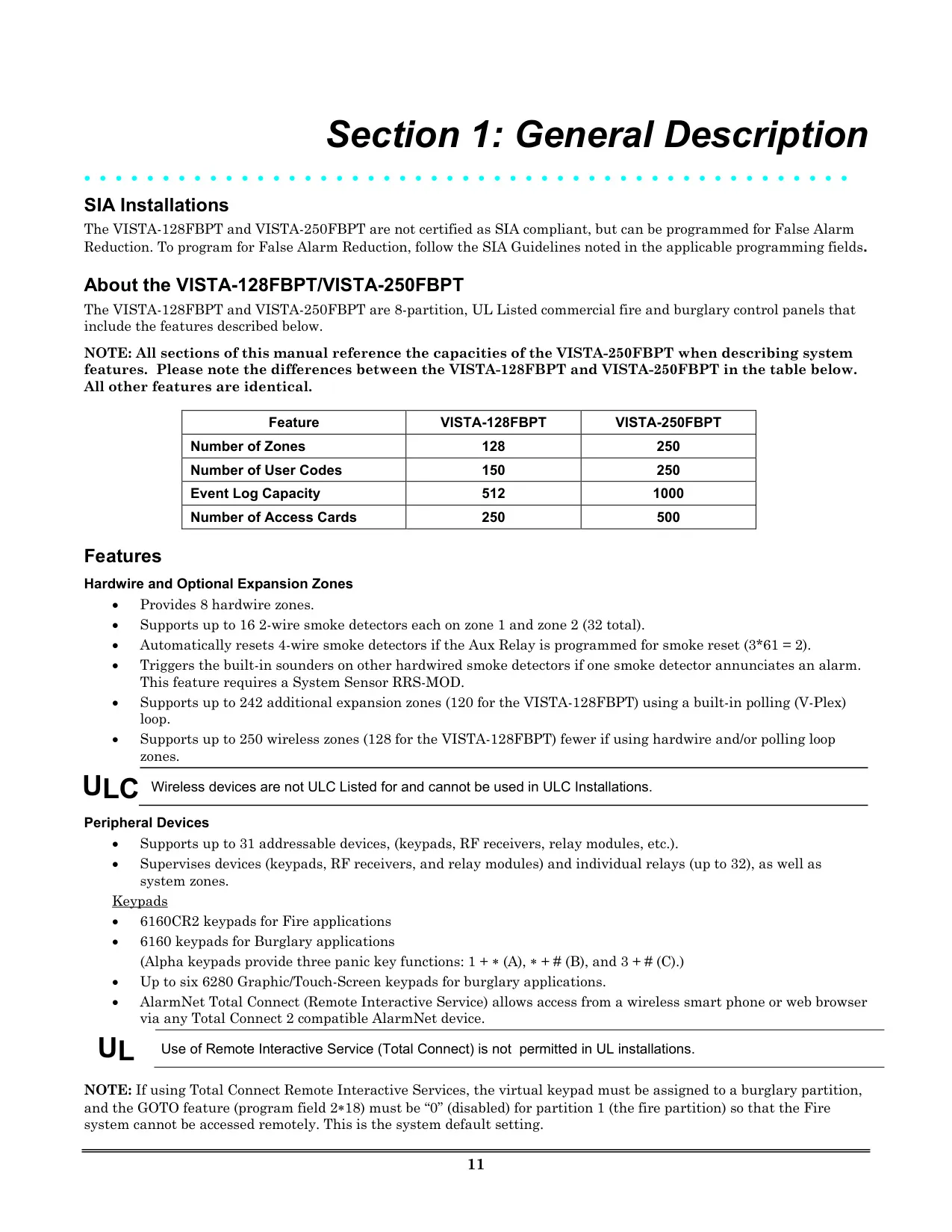
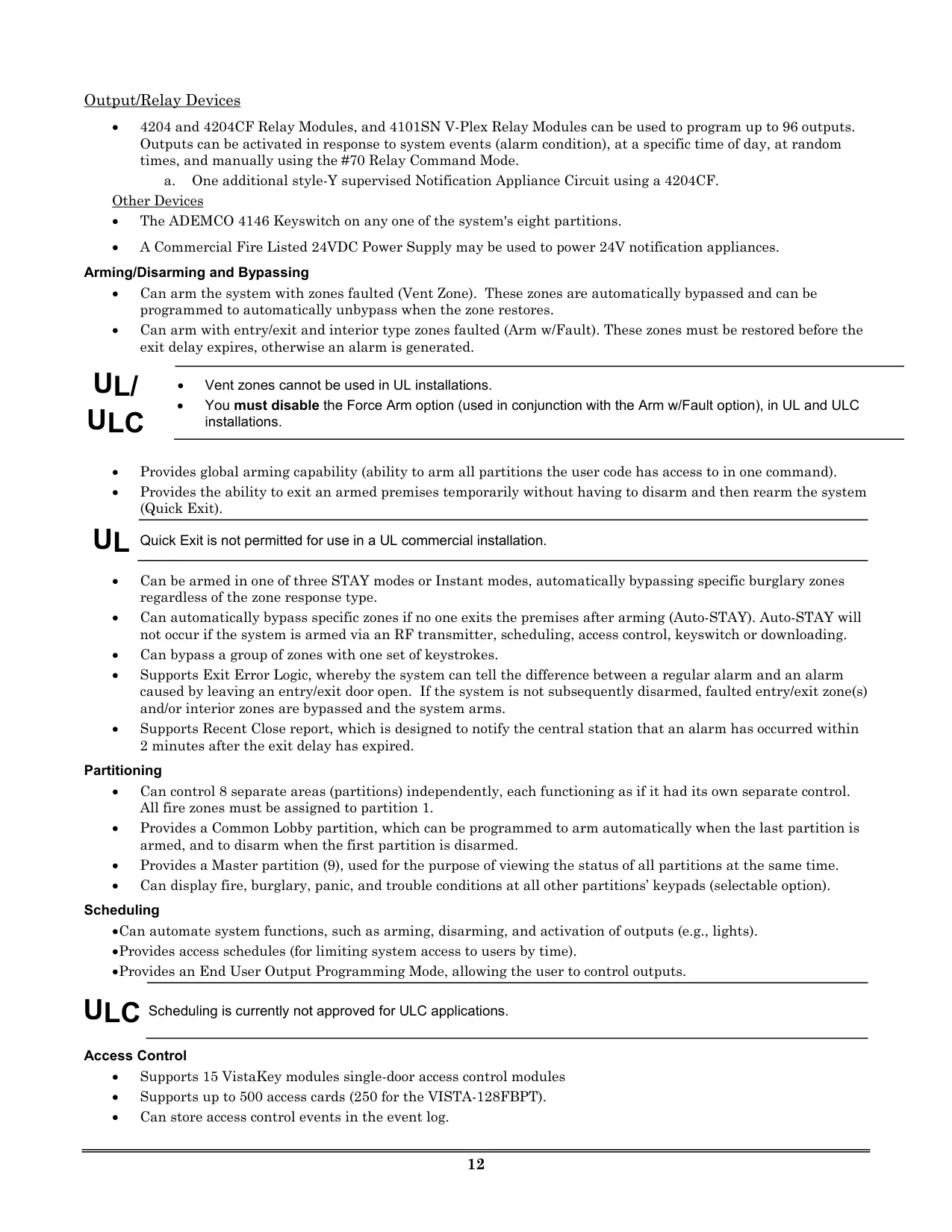
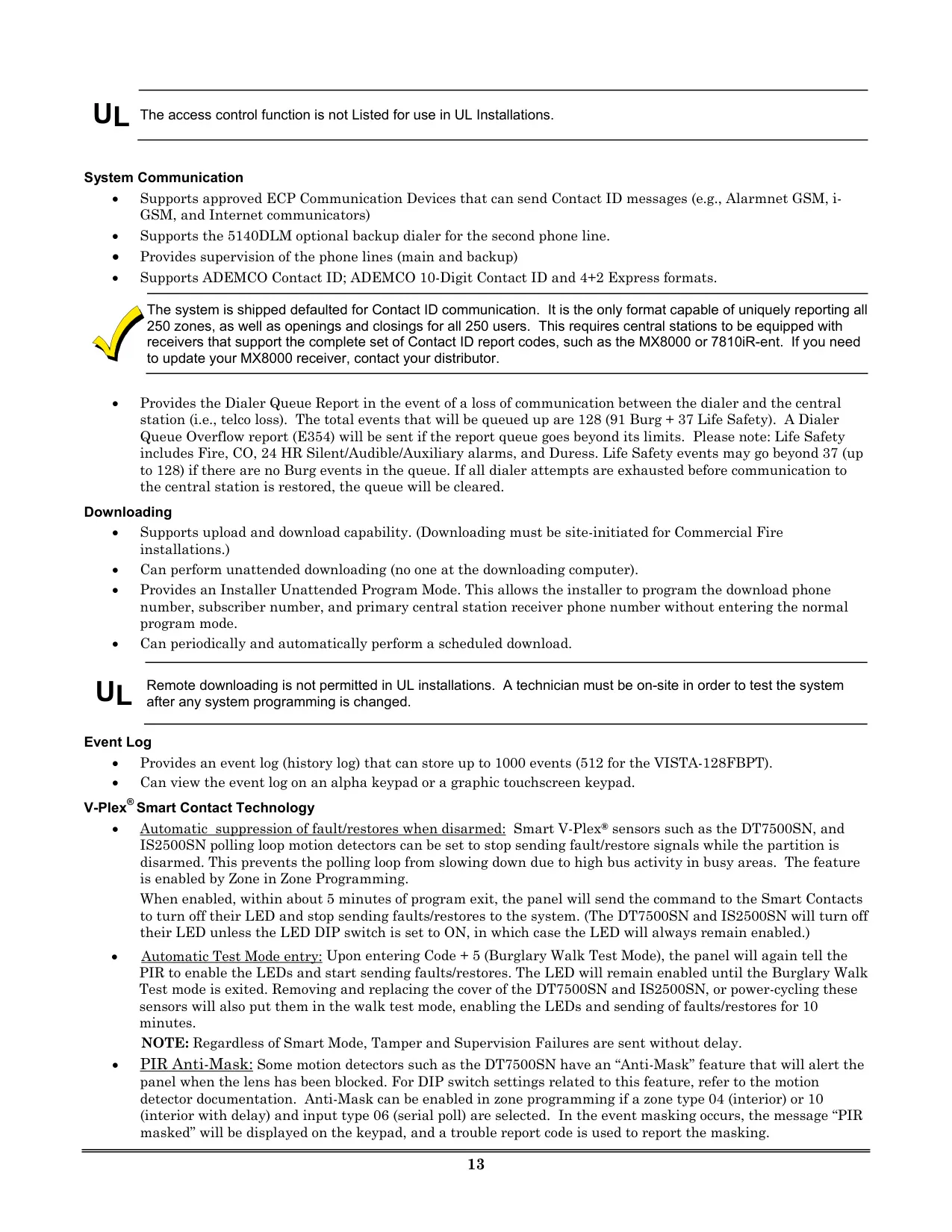



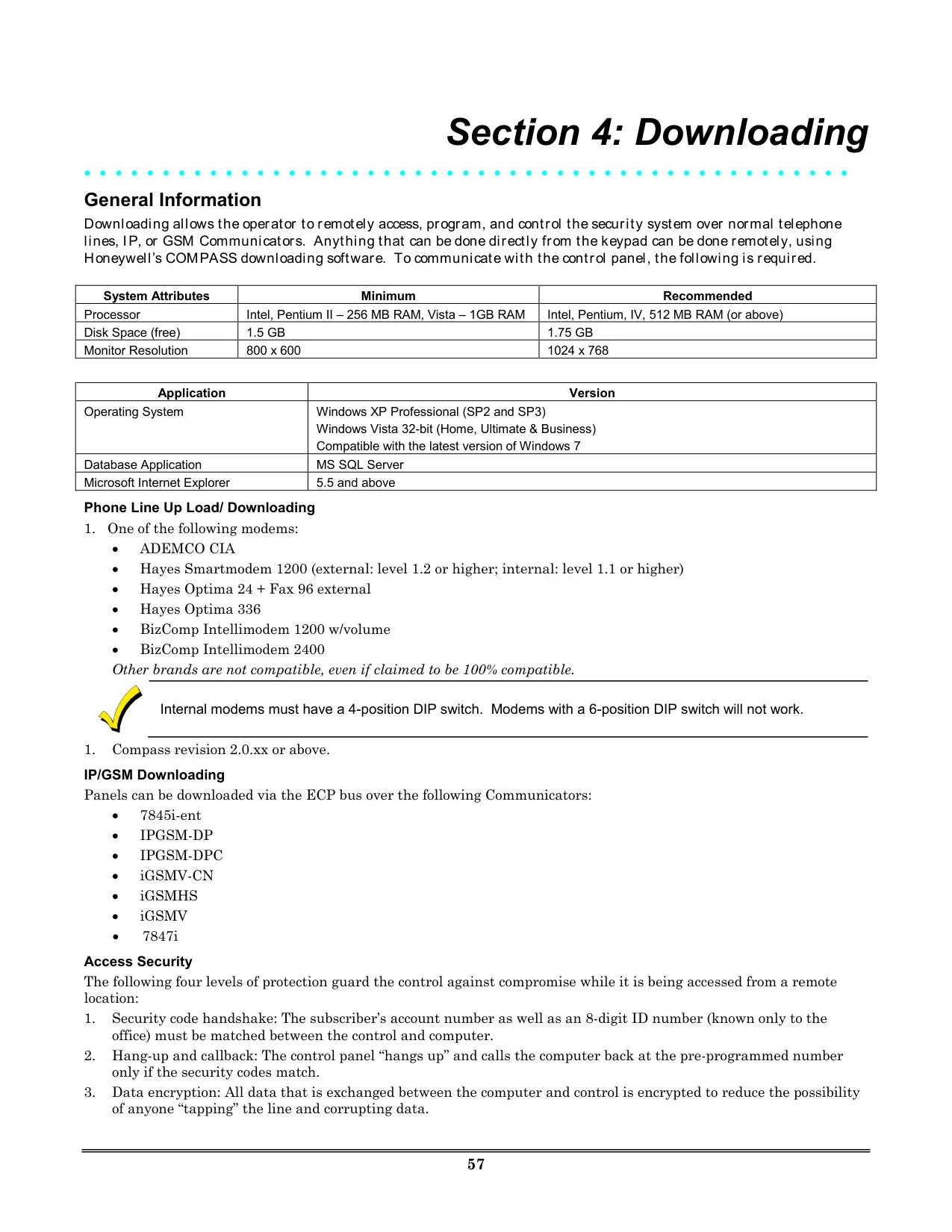
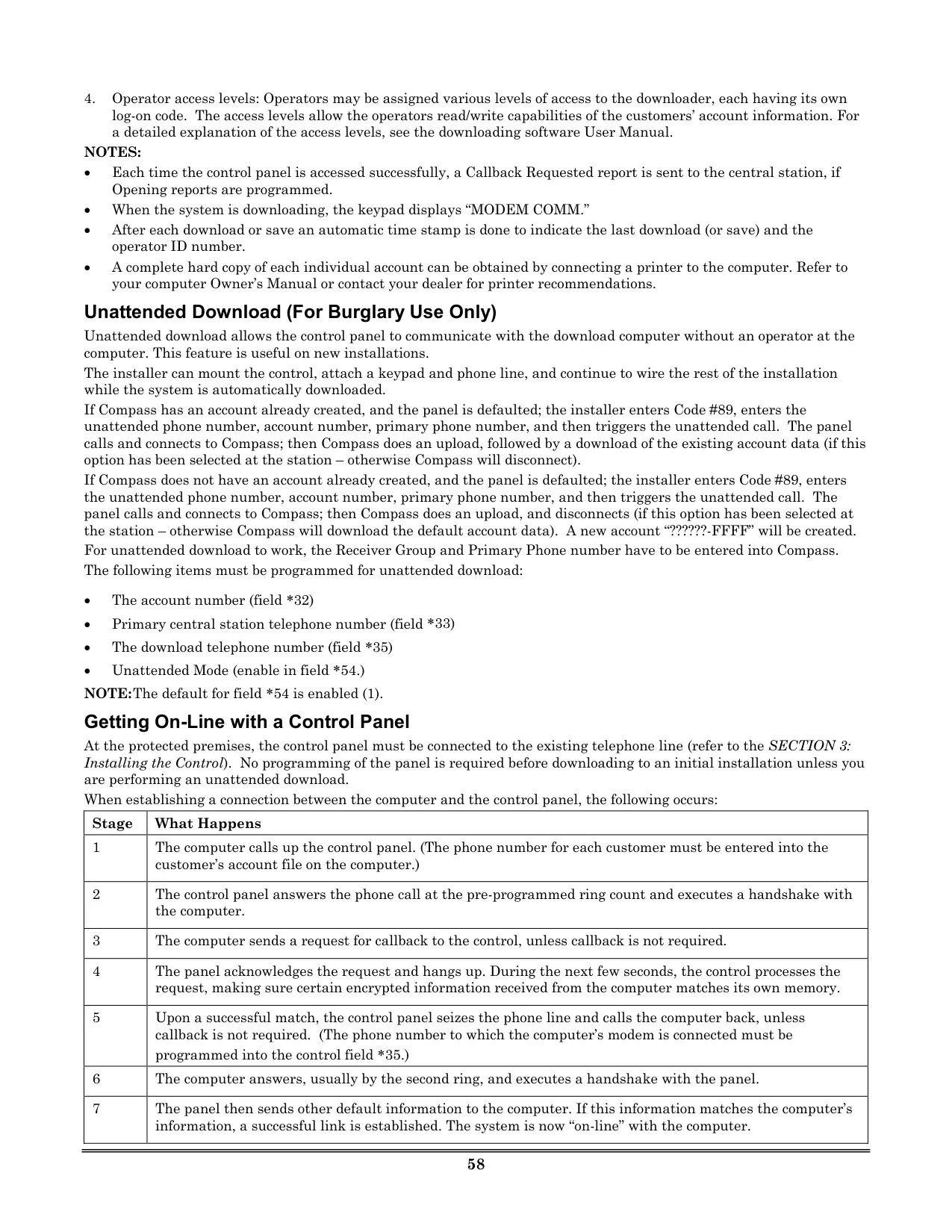
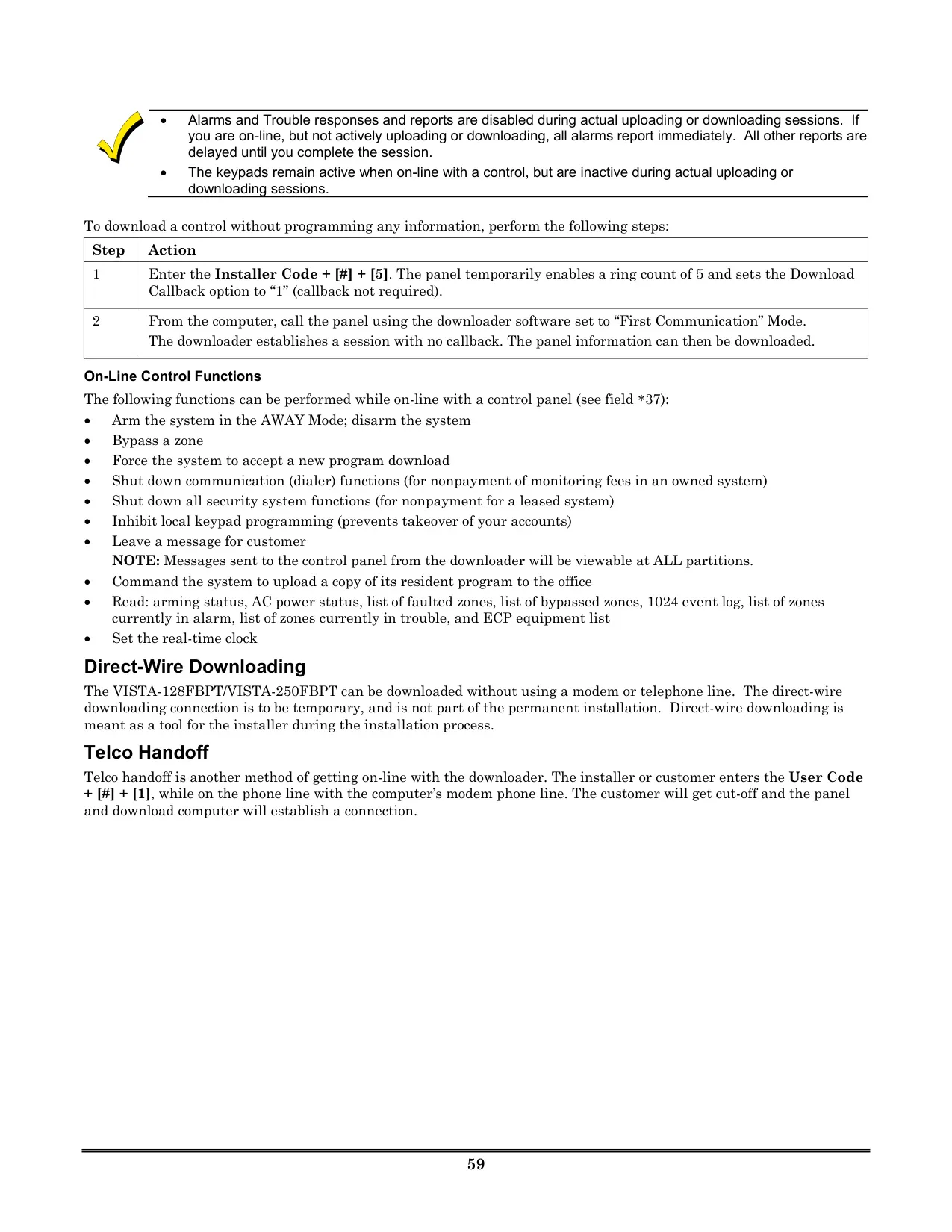

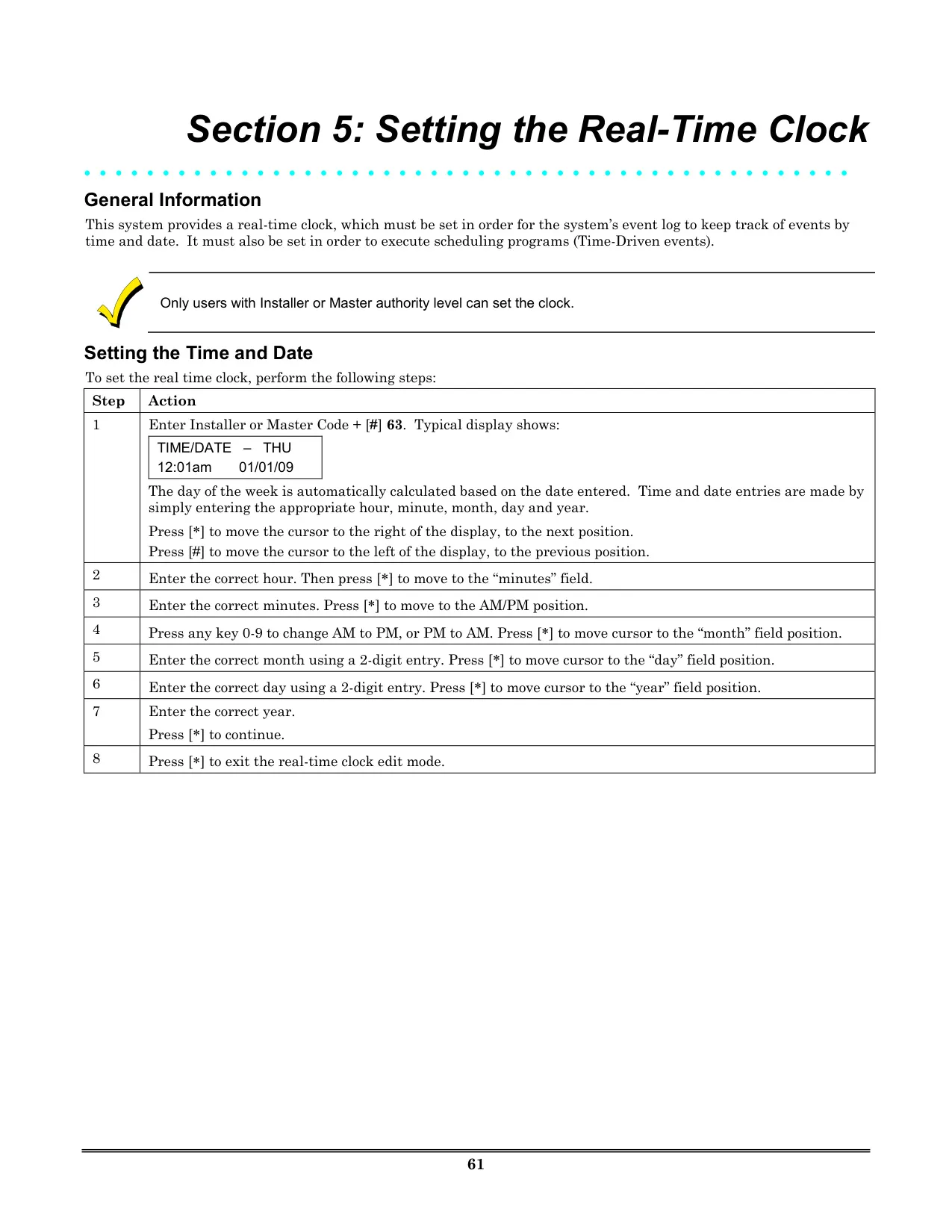

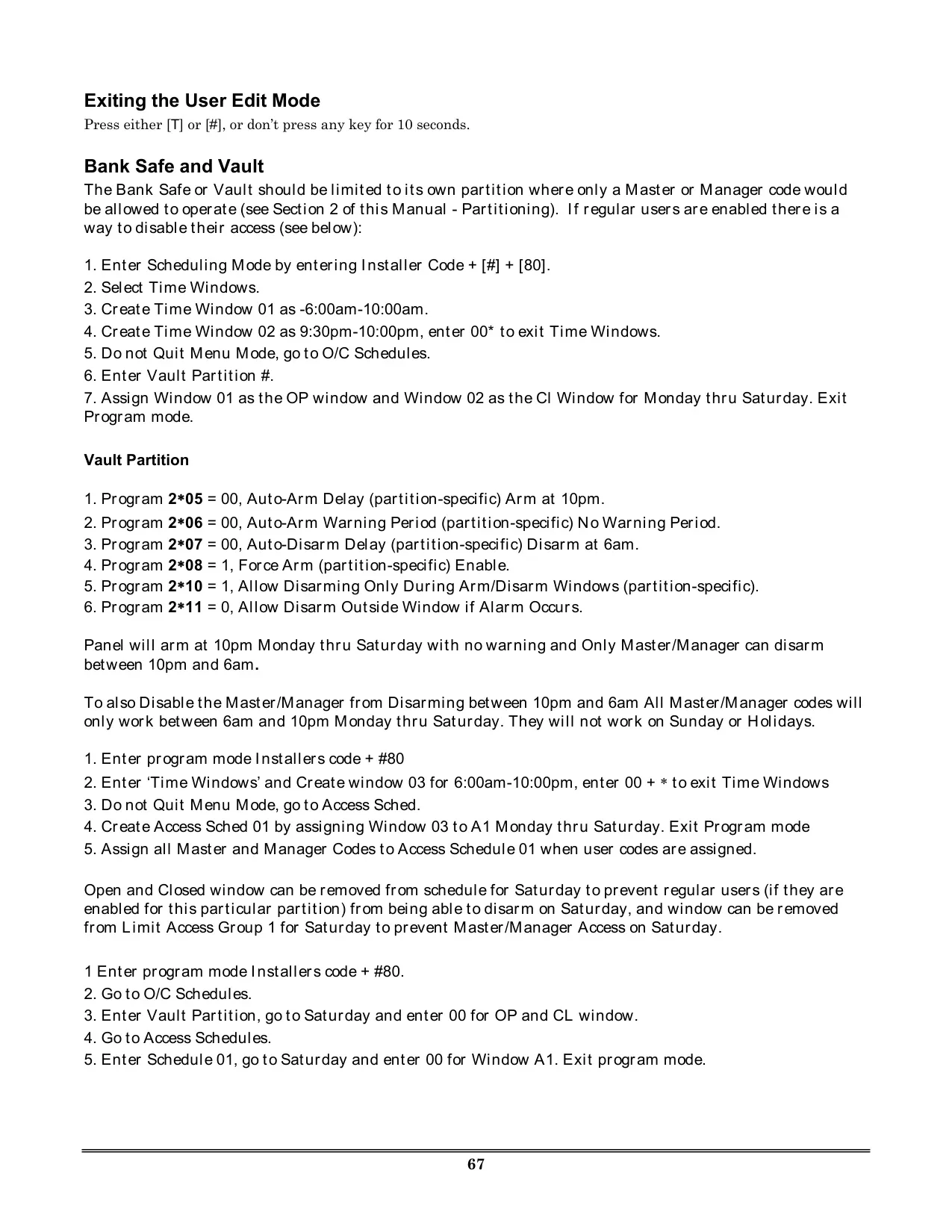
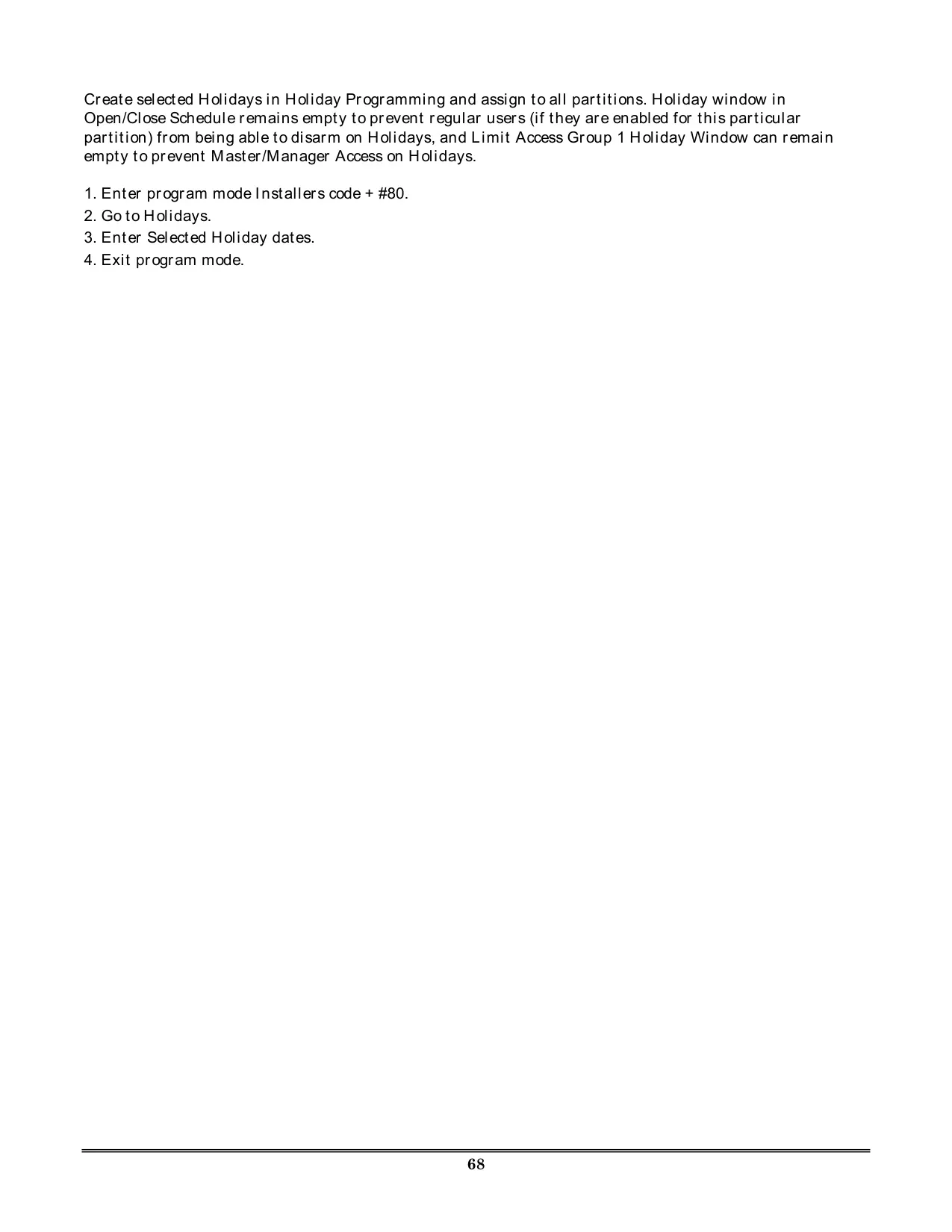

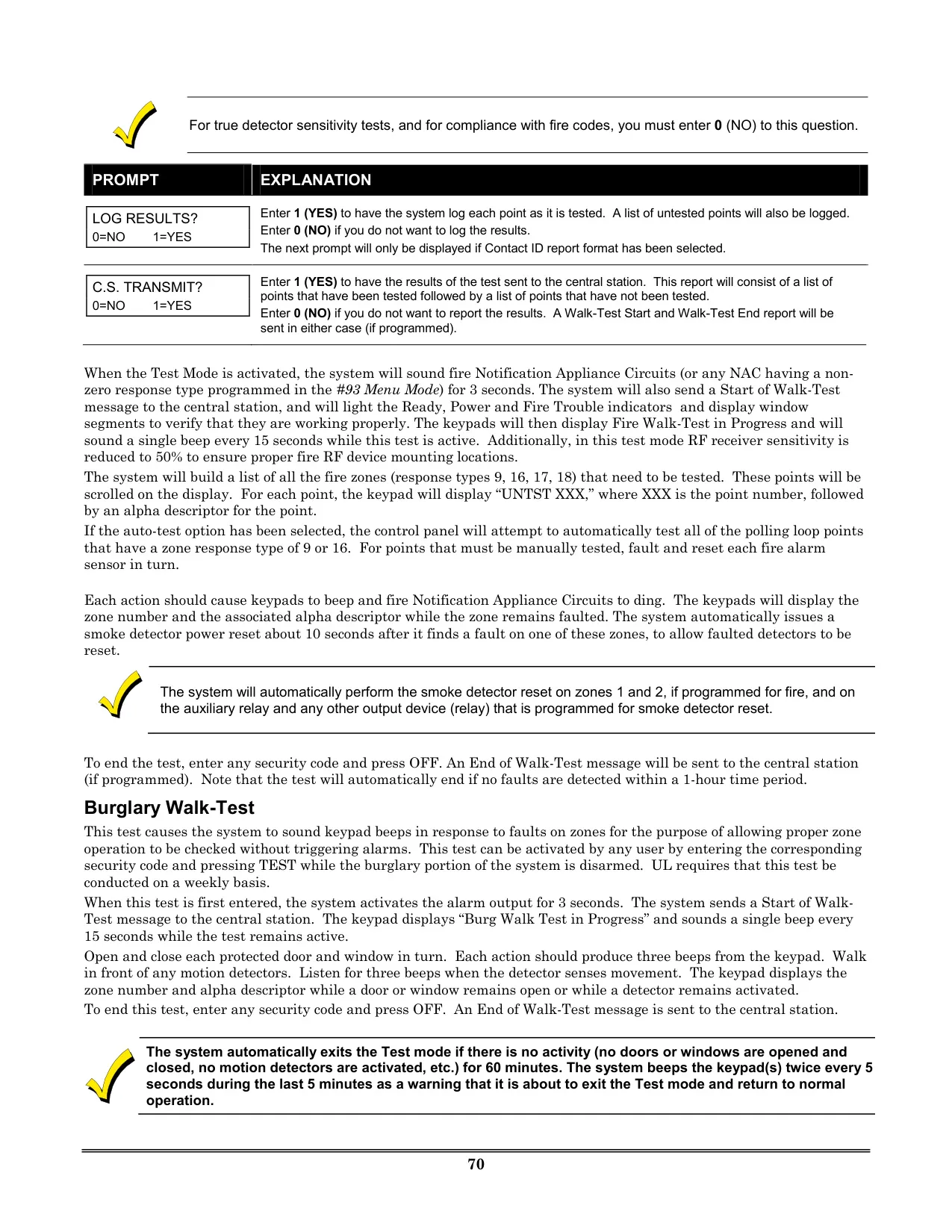


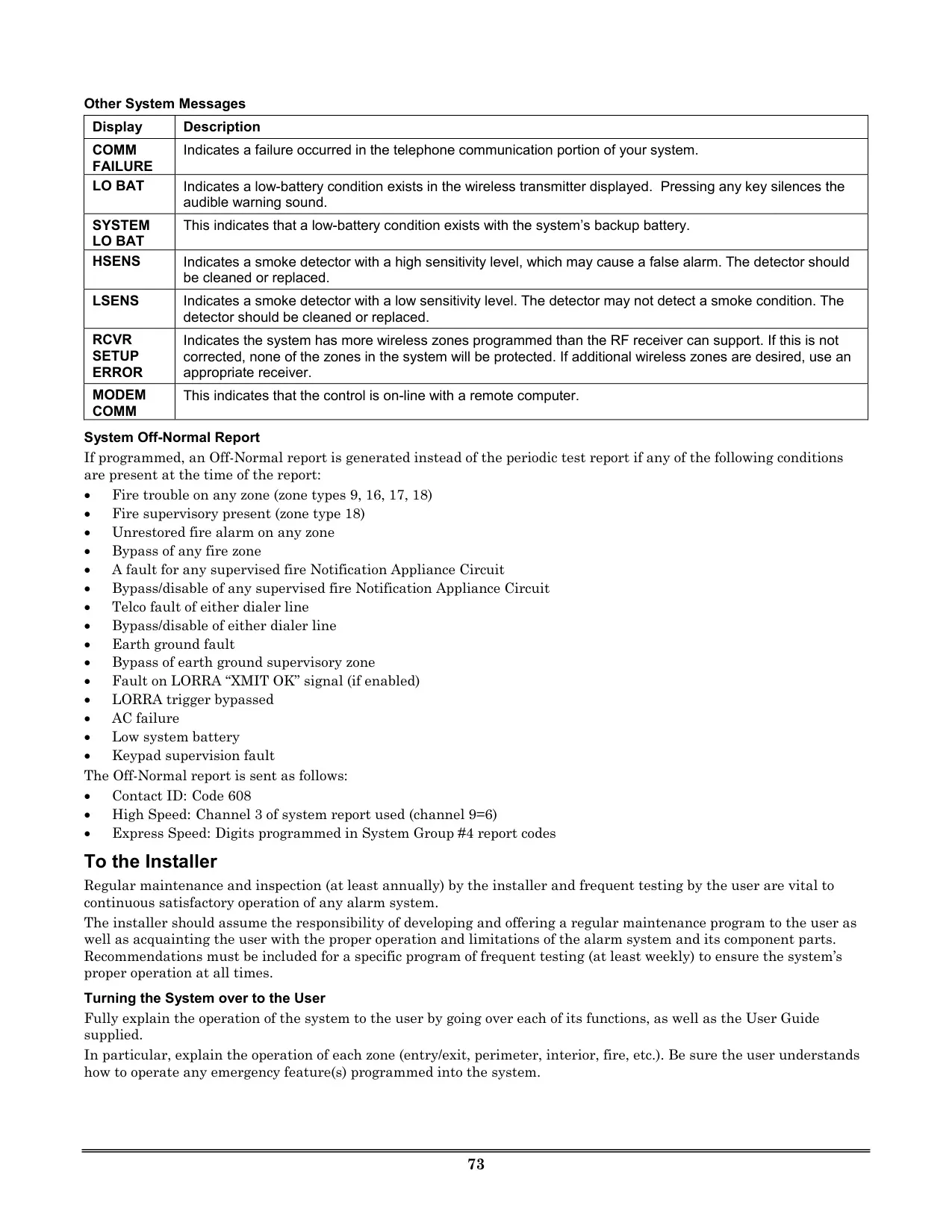



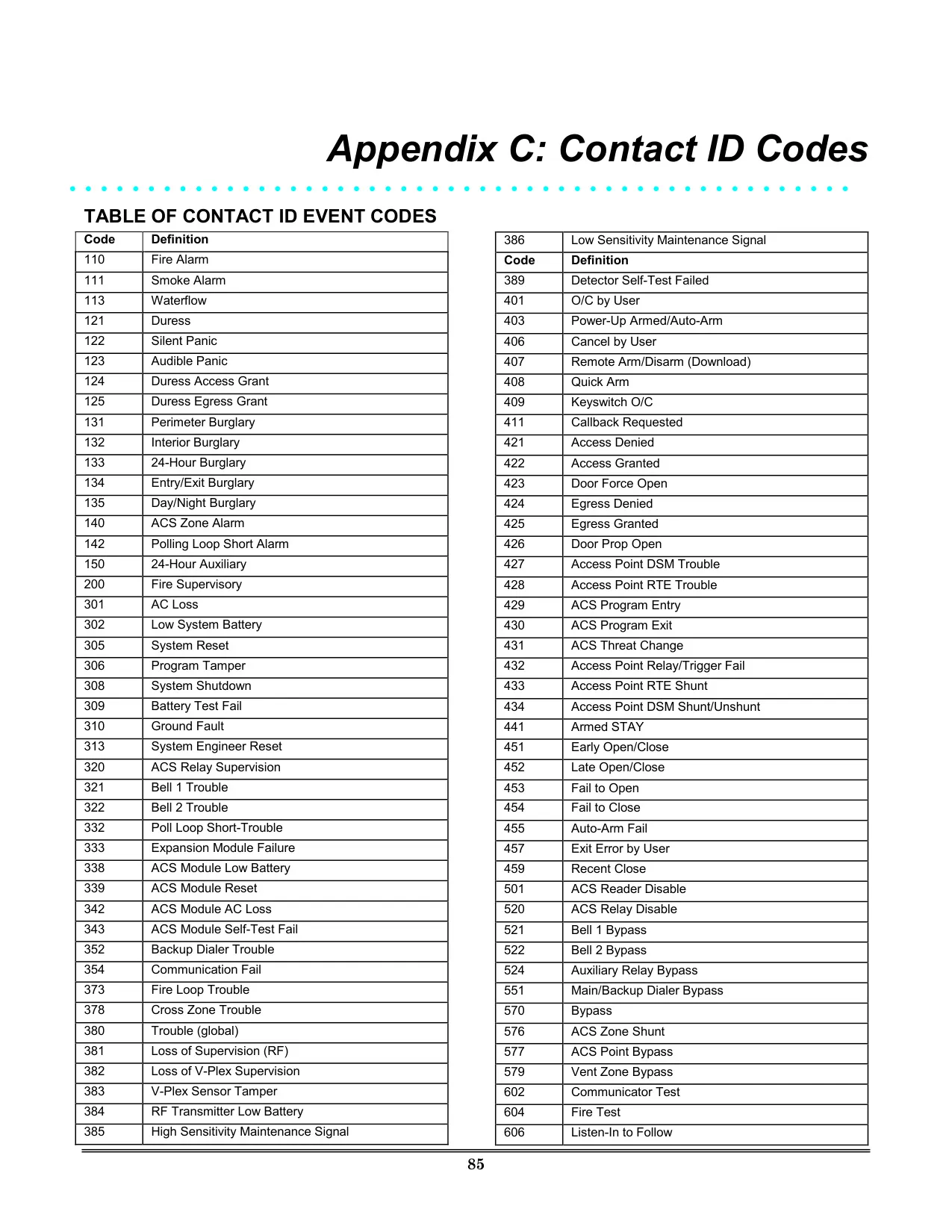
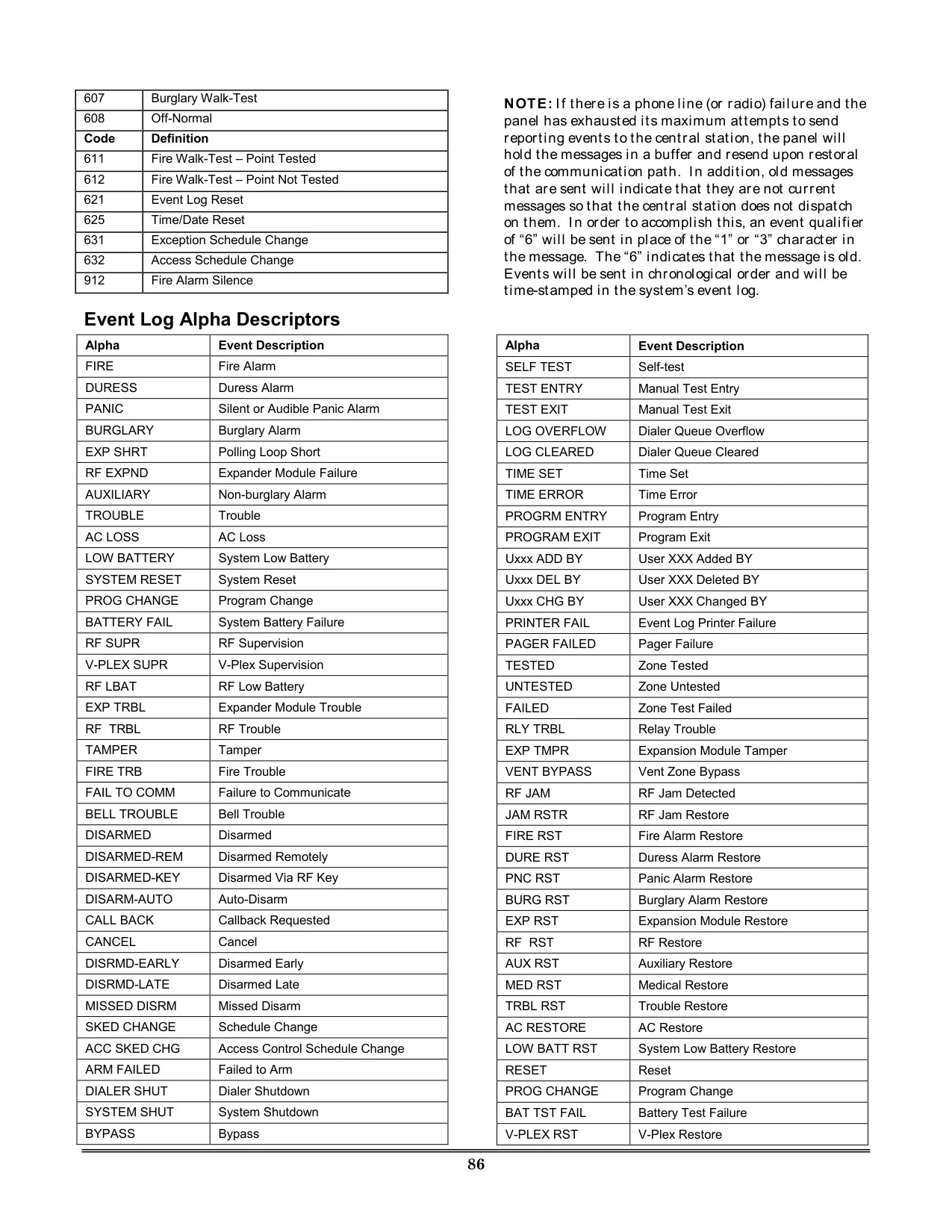
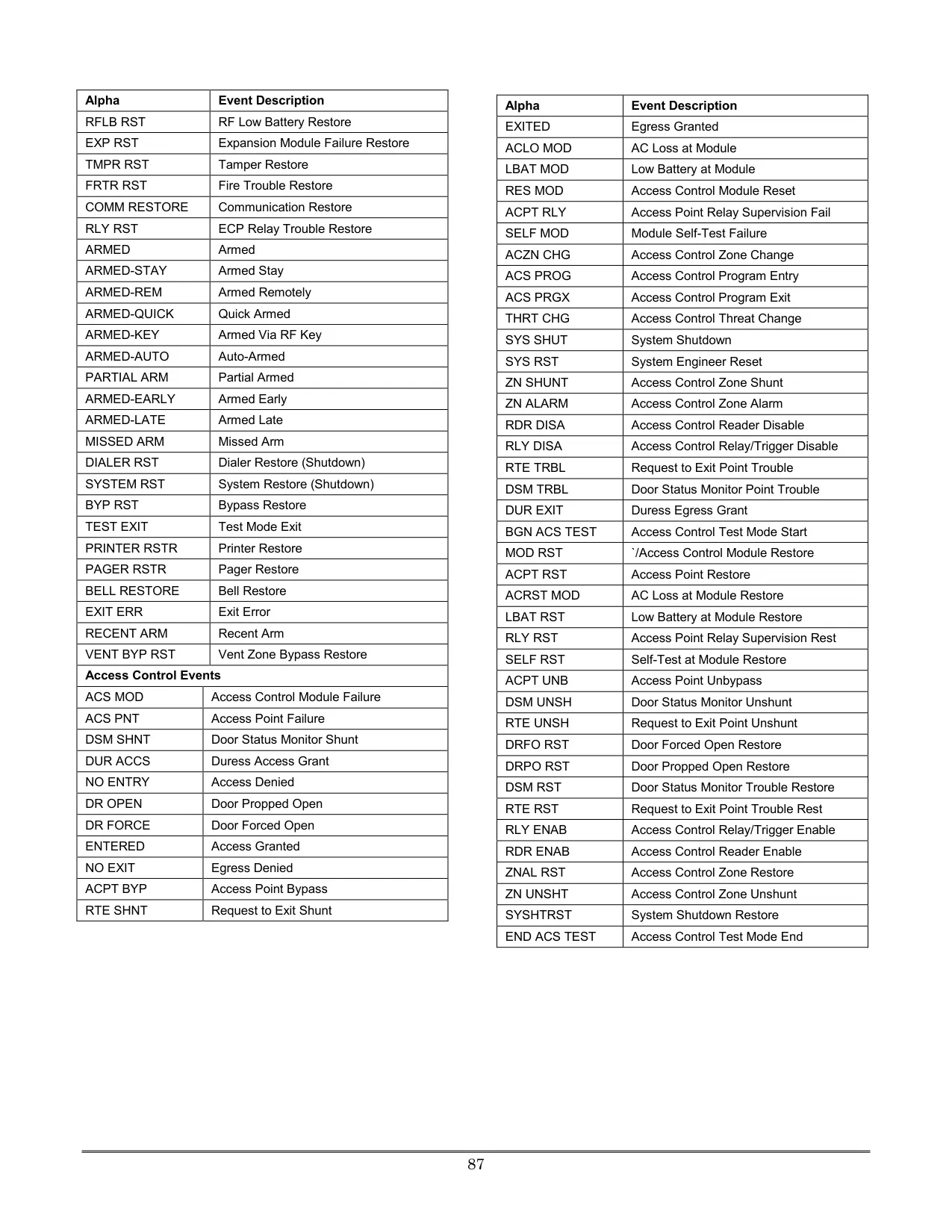

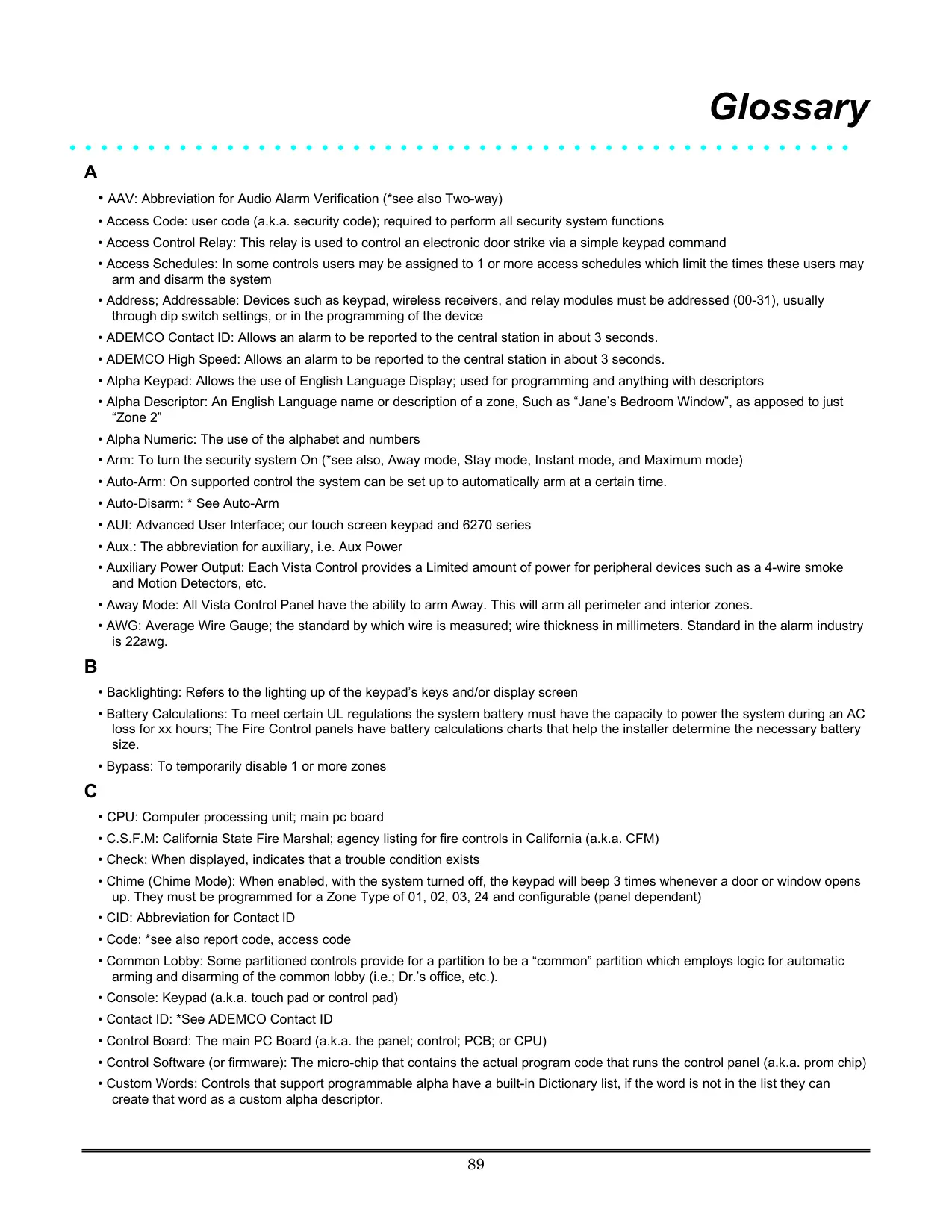
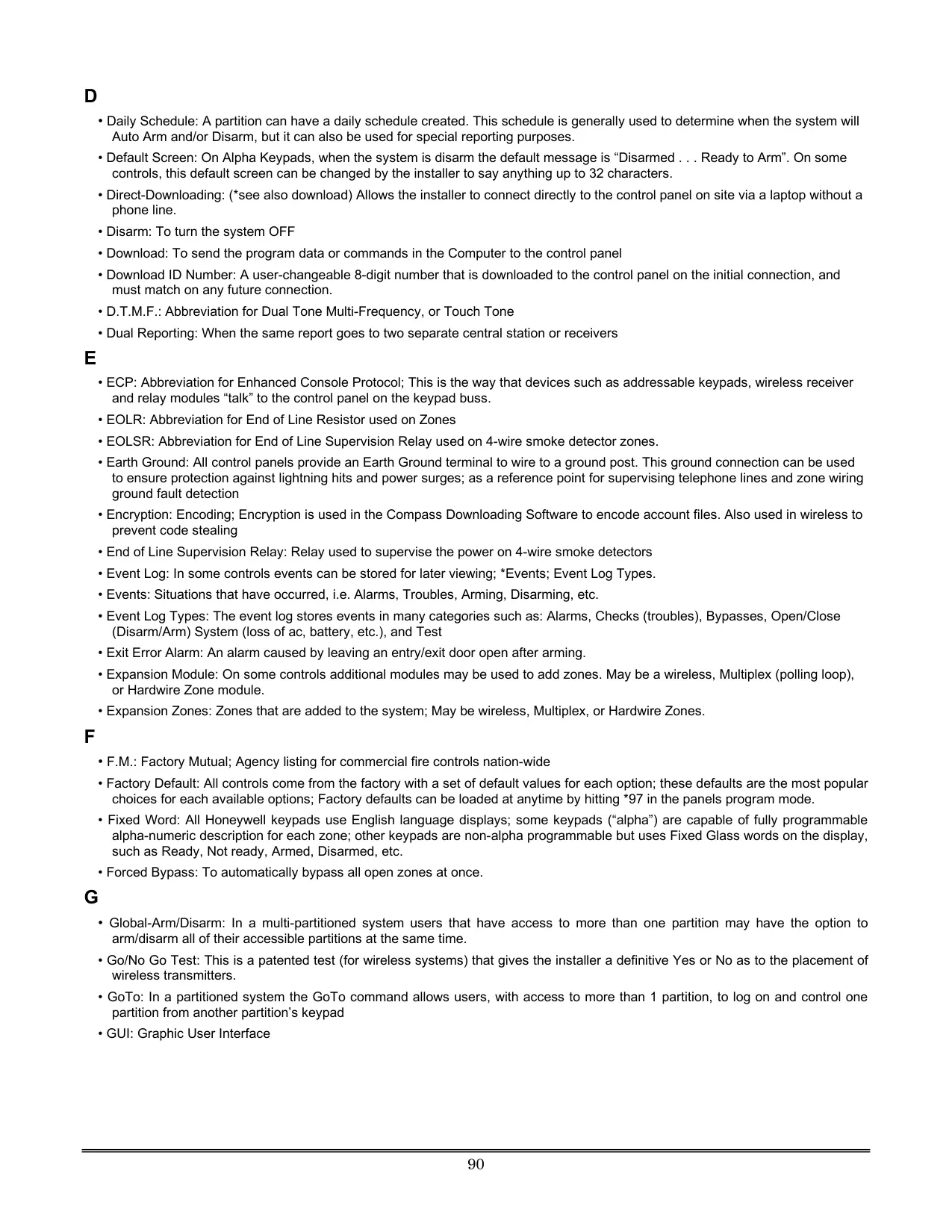

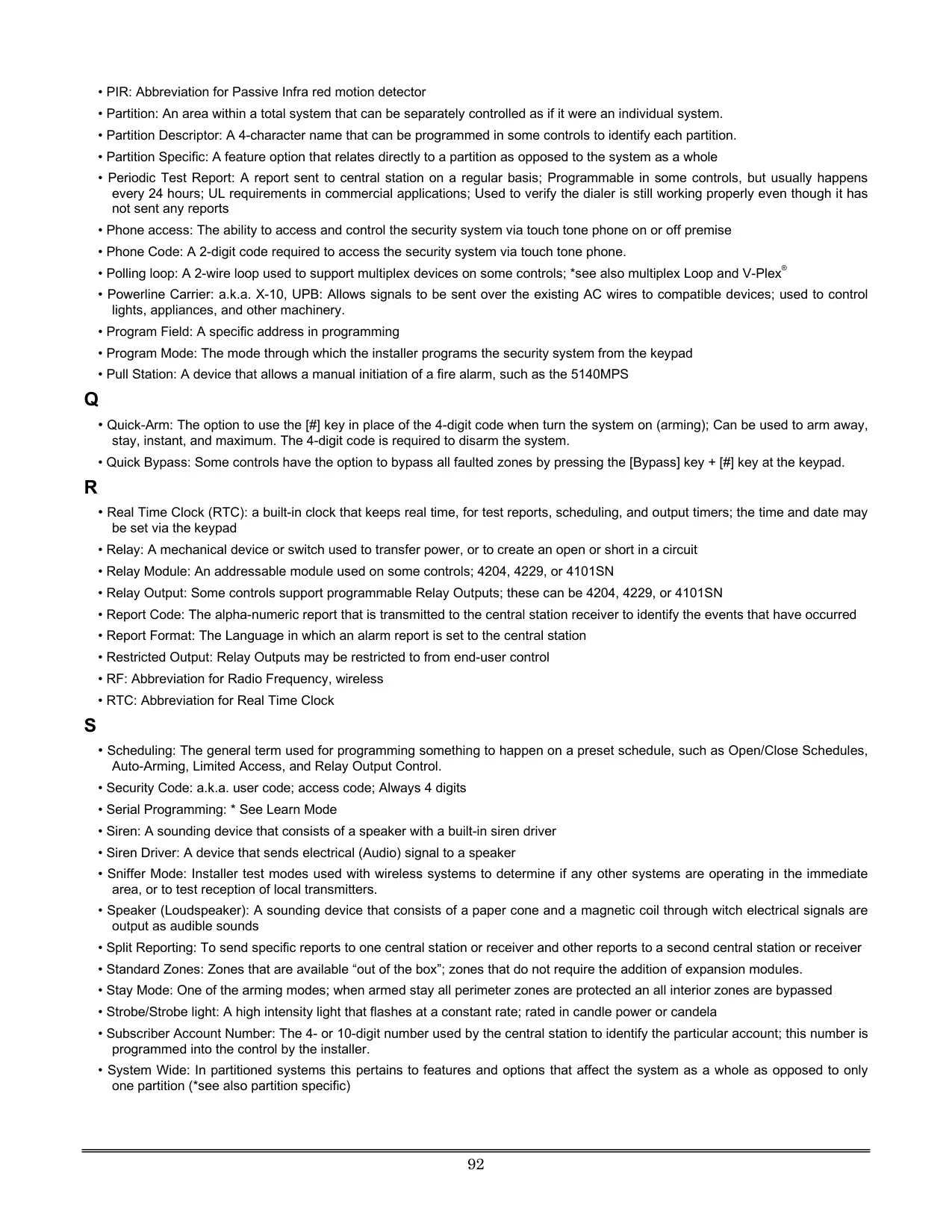
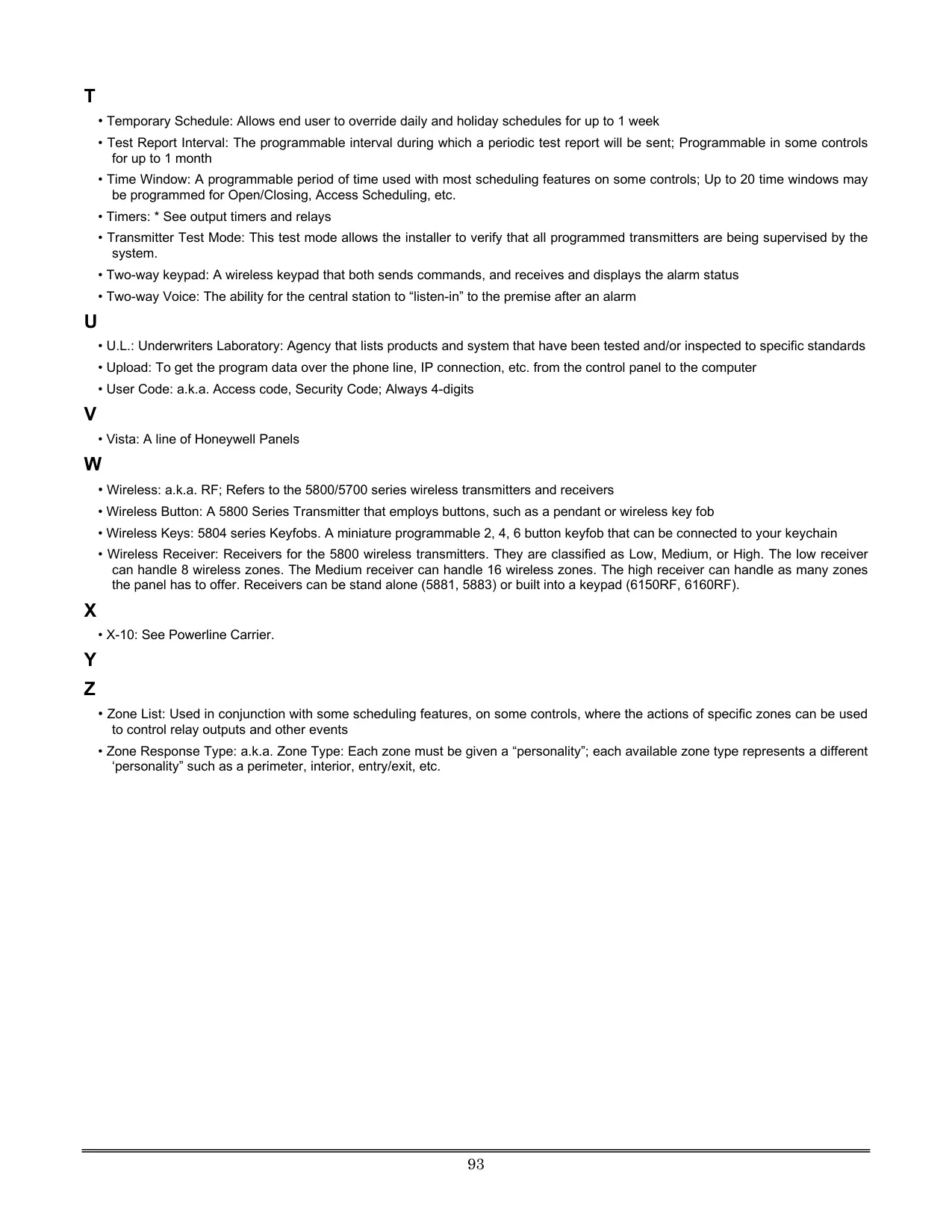

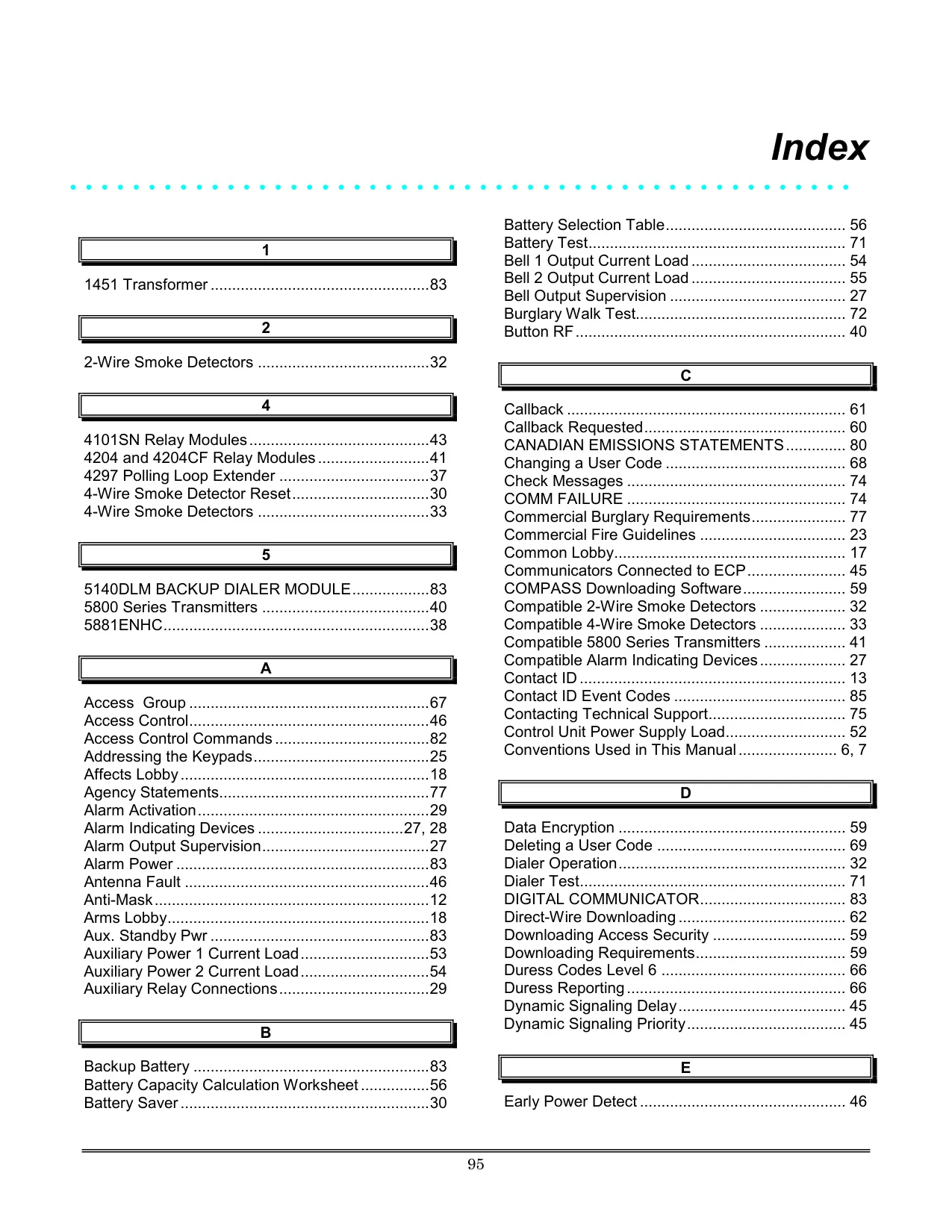
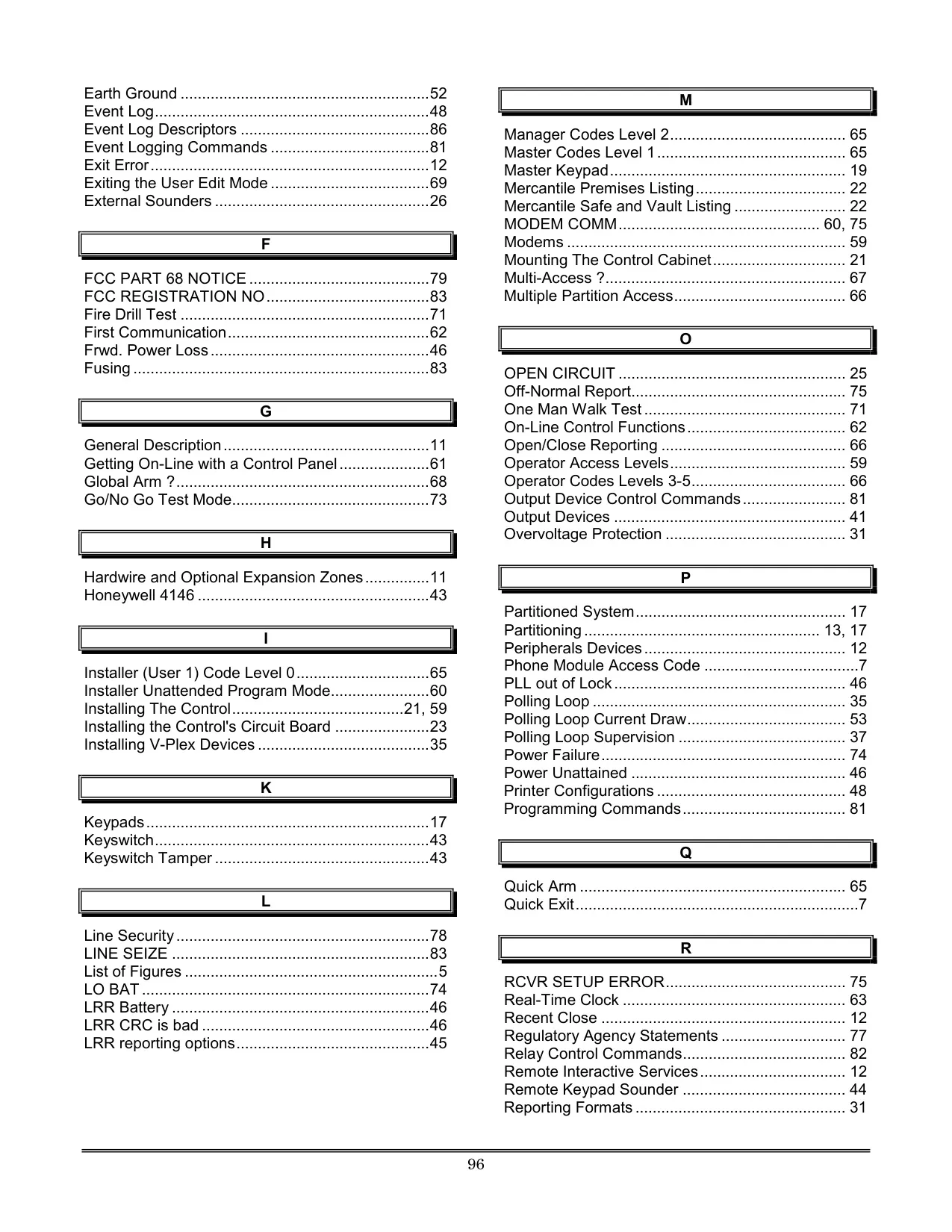
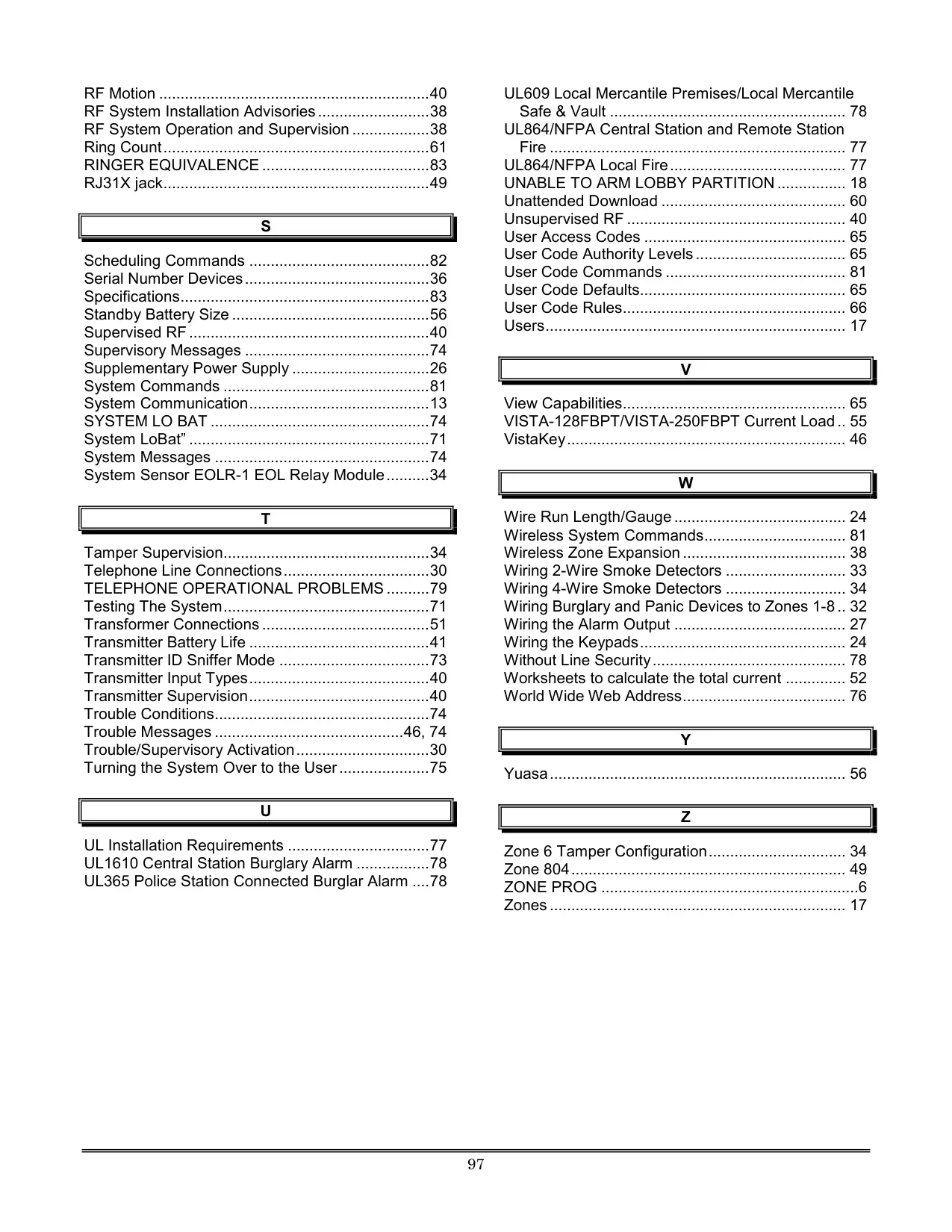
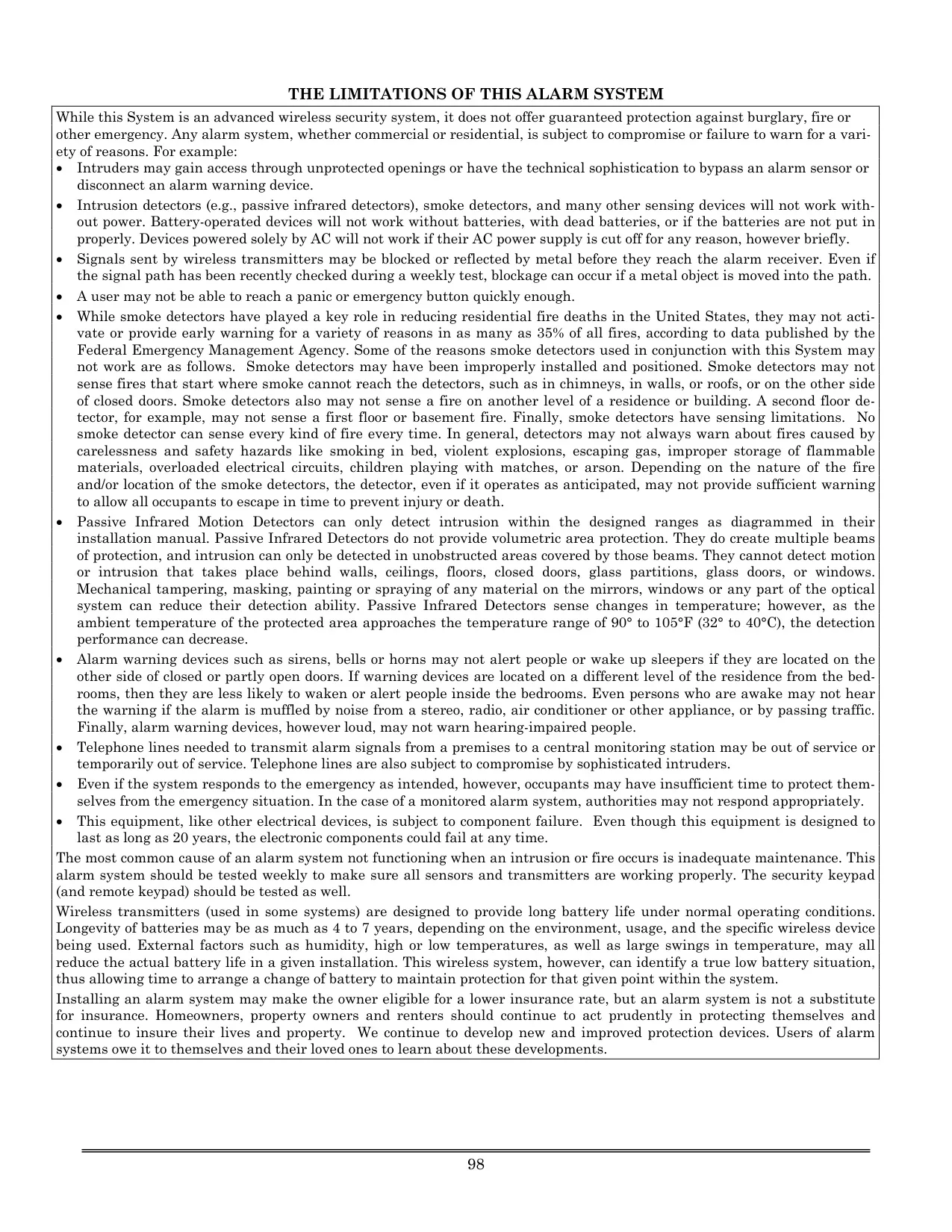




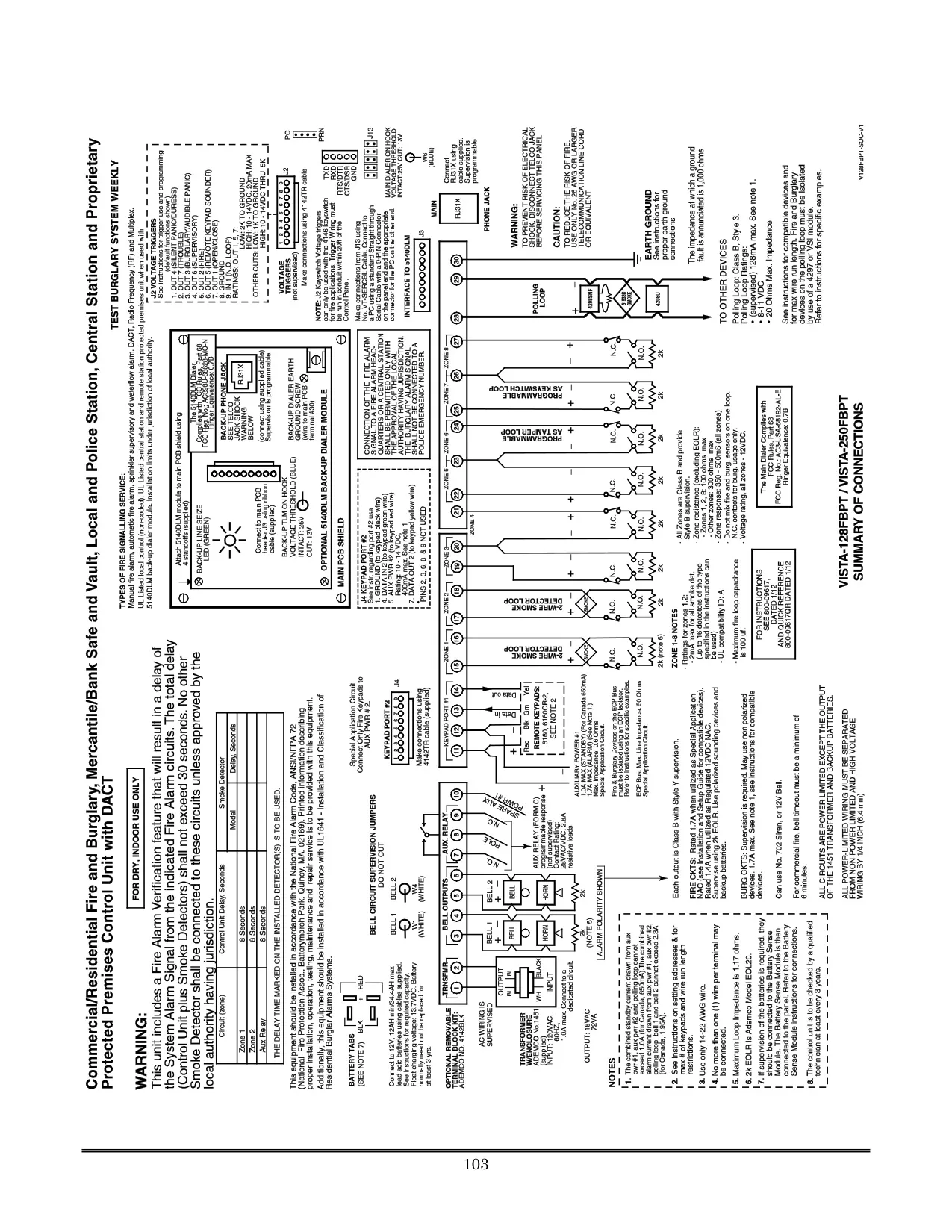
Honeywell Vista 128FBP Security System
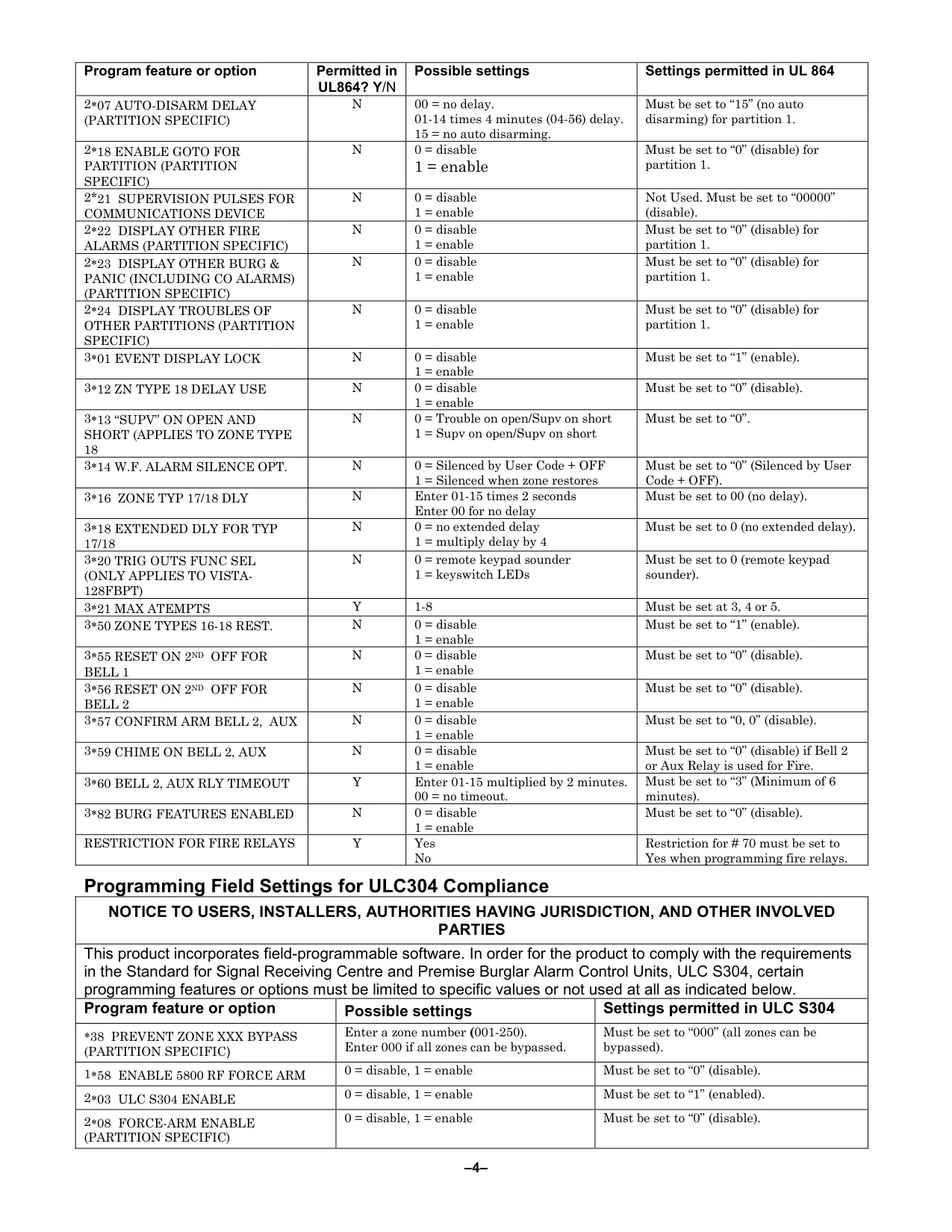
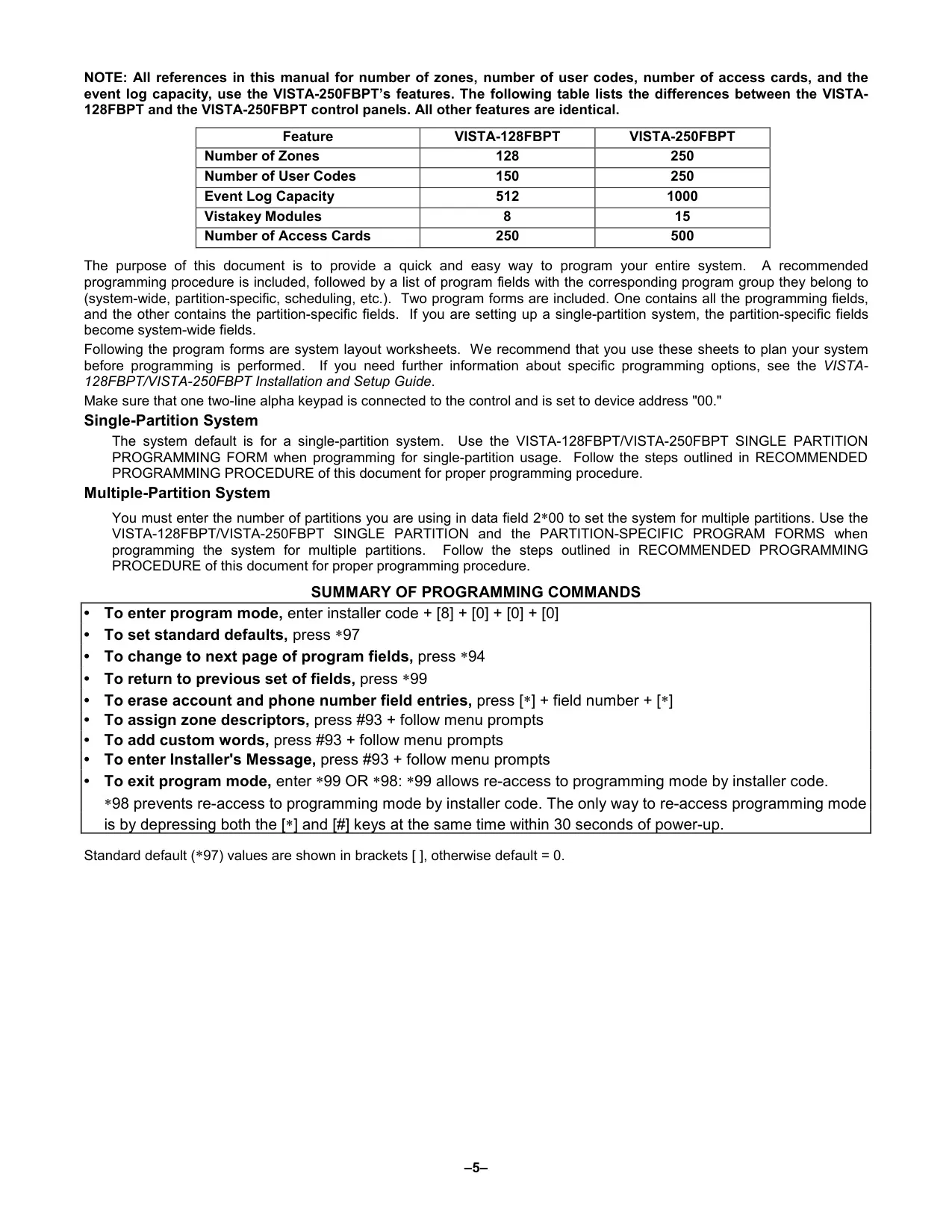
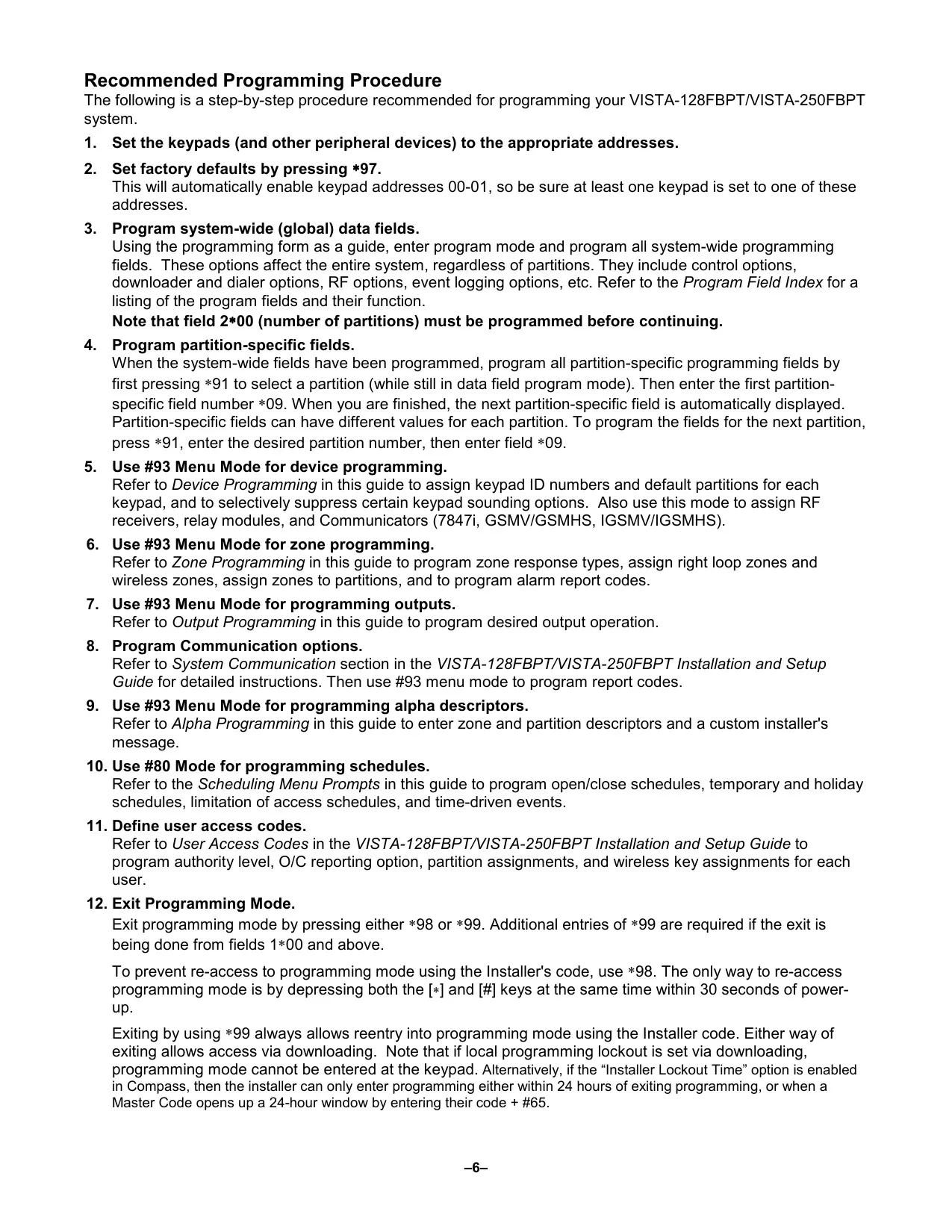
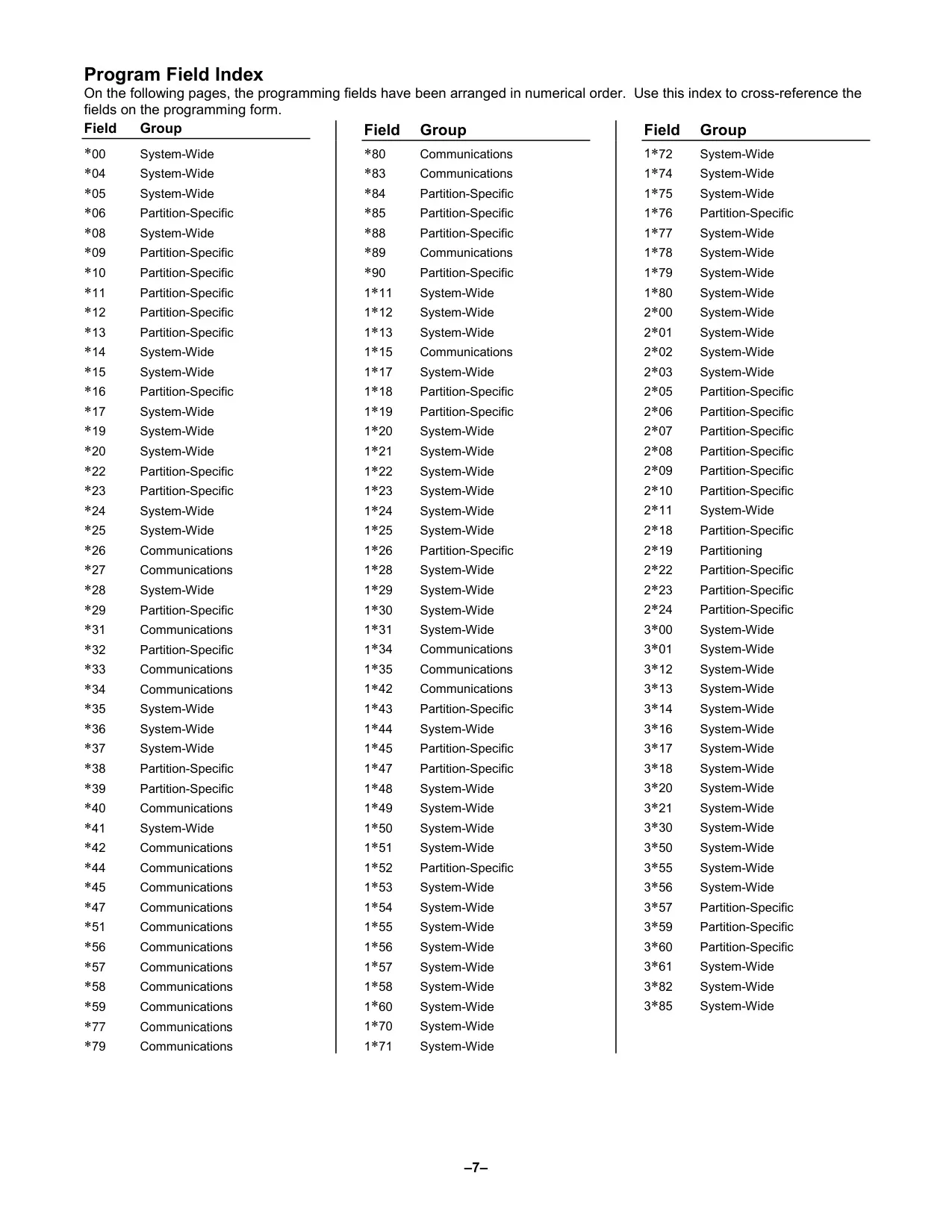
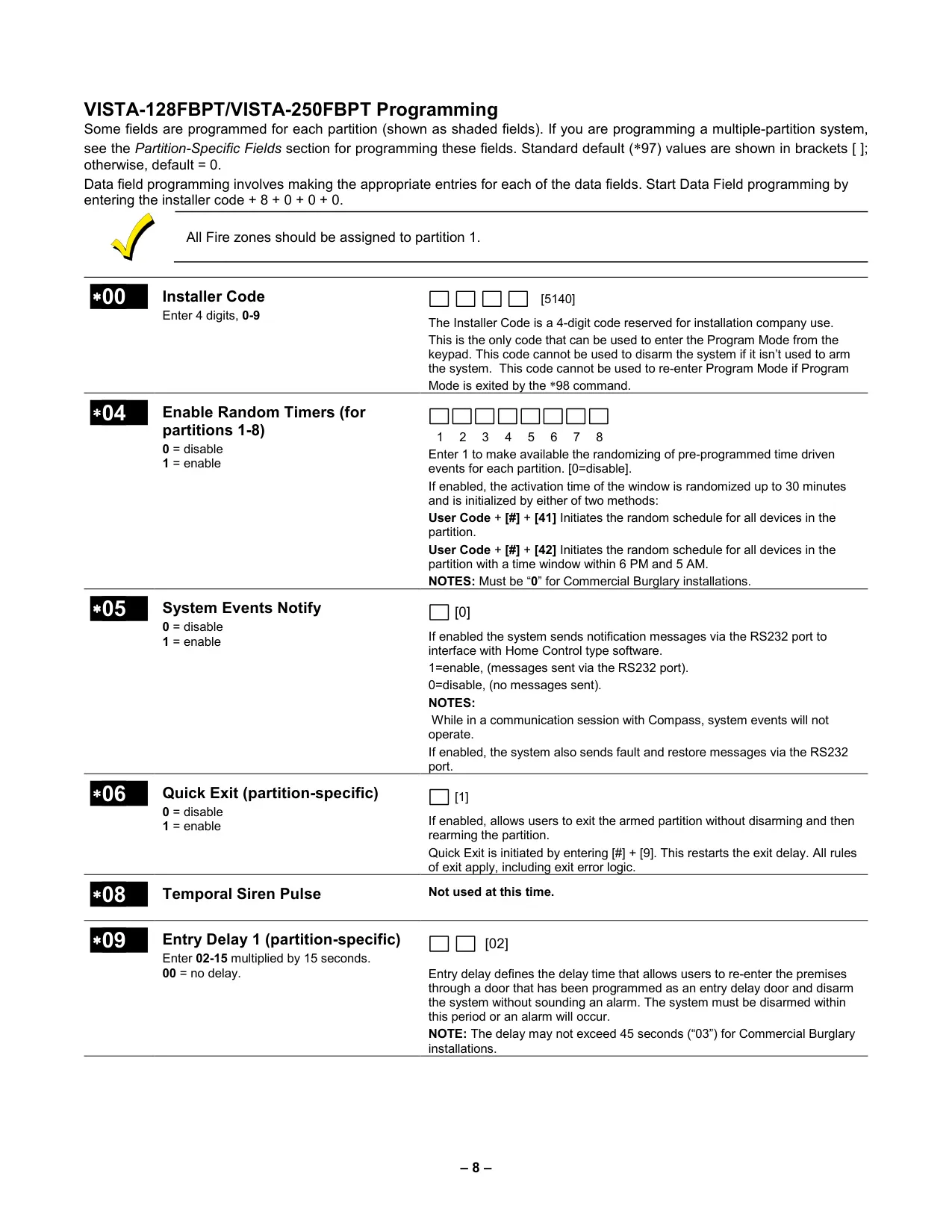
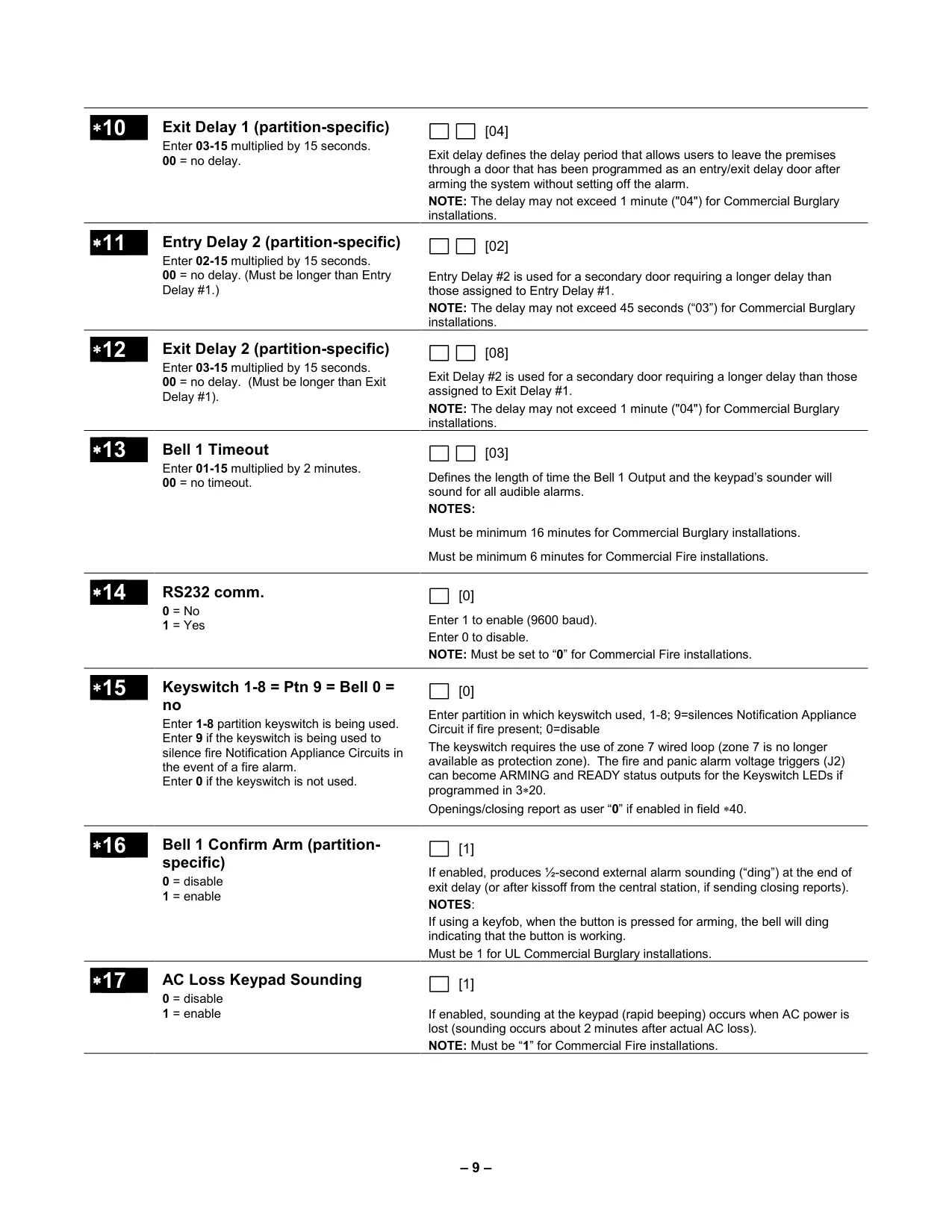
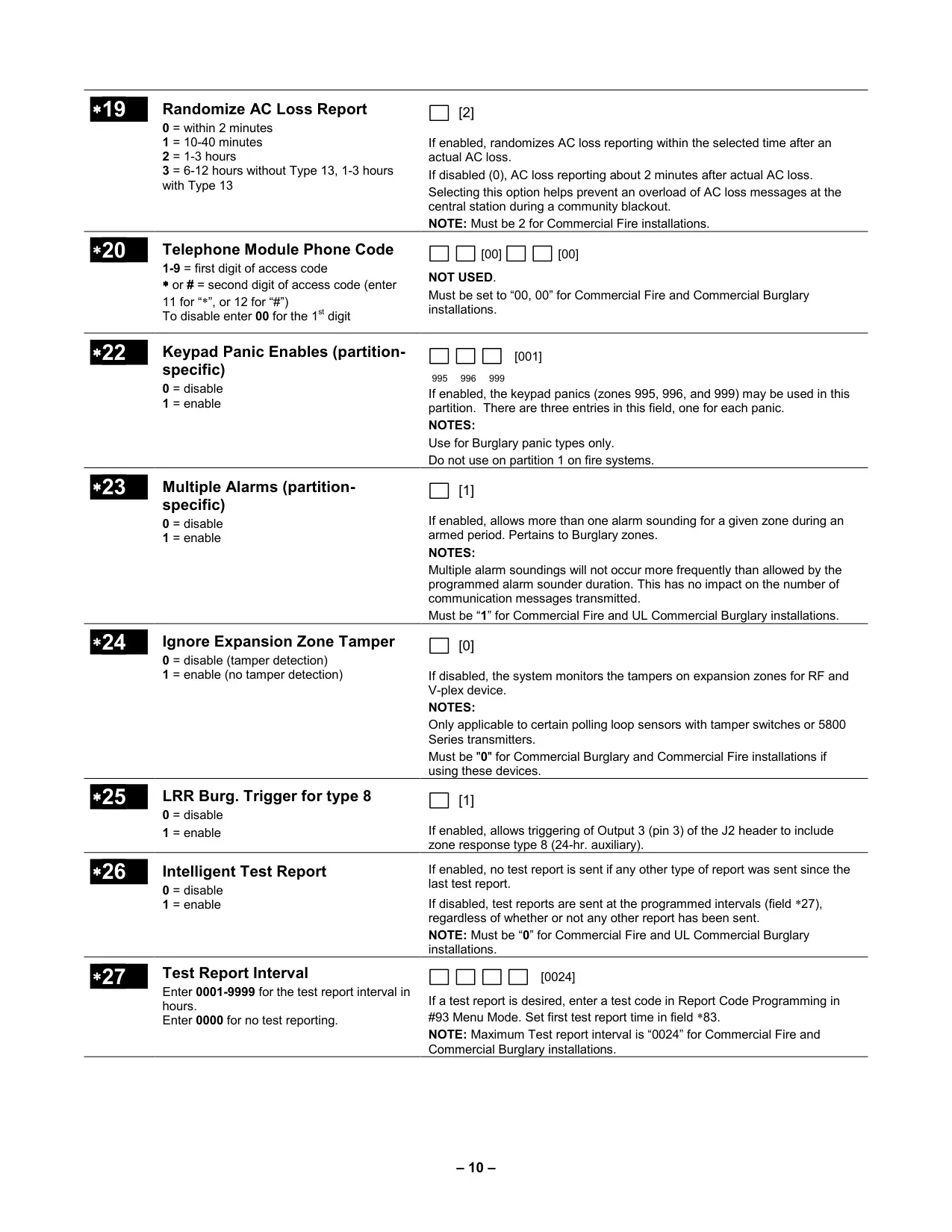
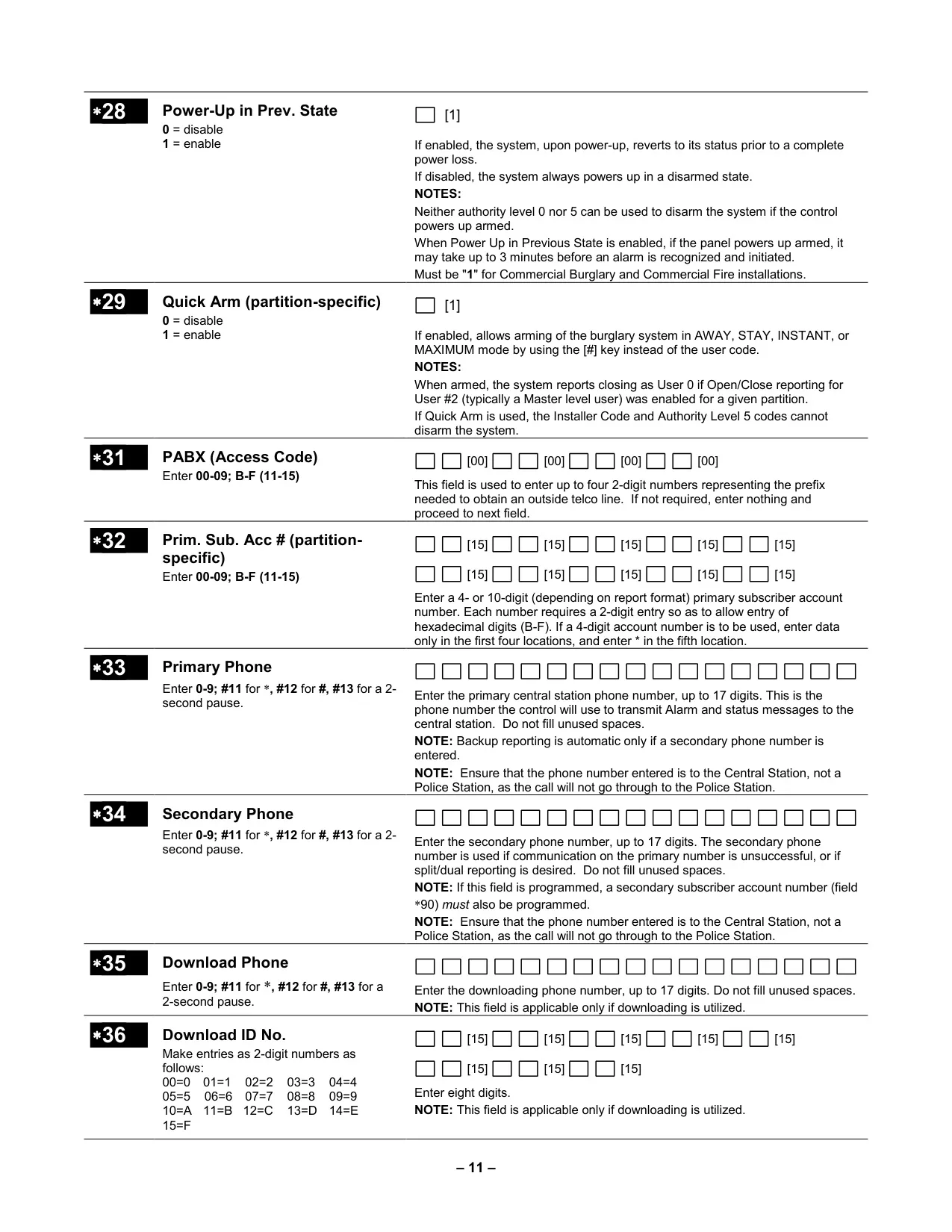
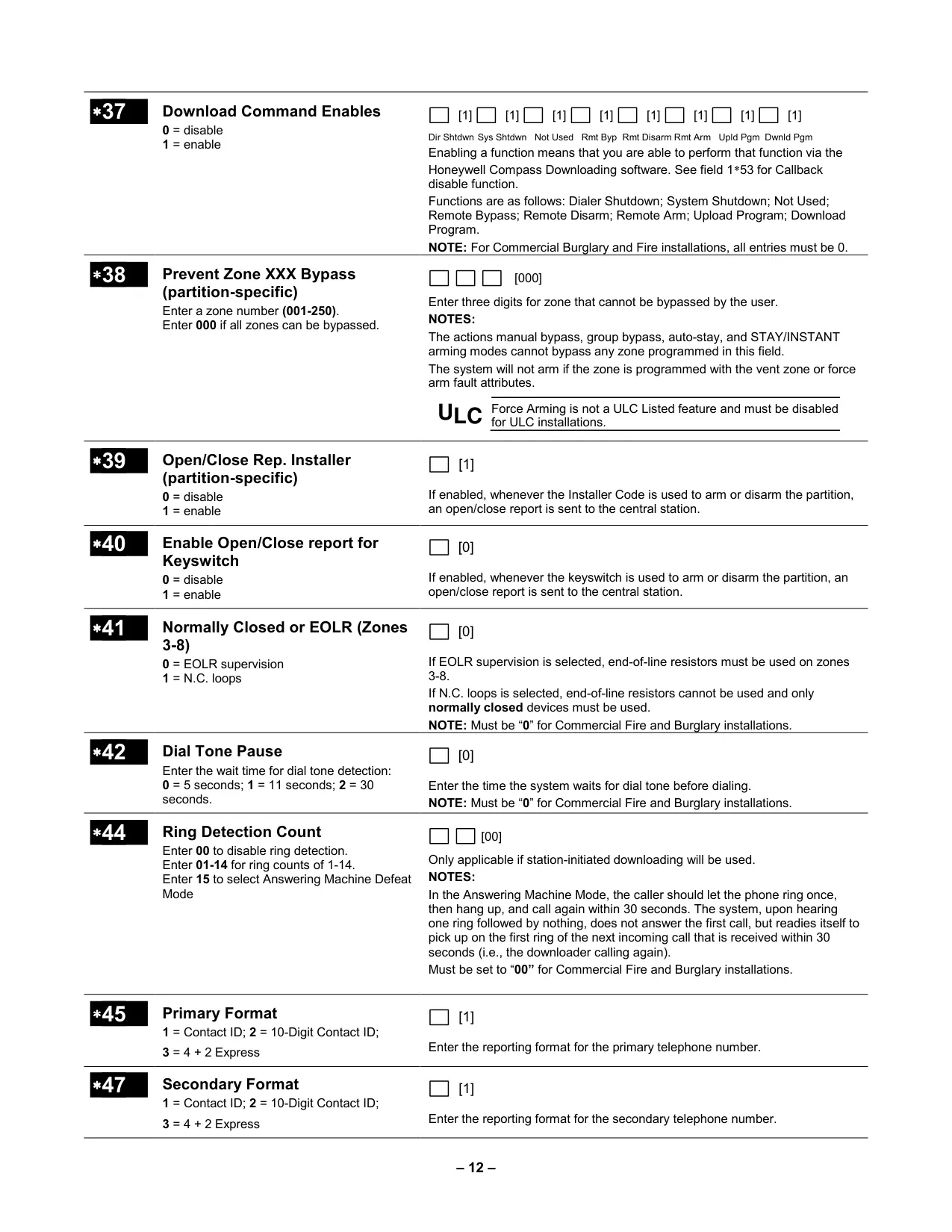
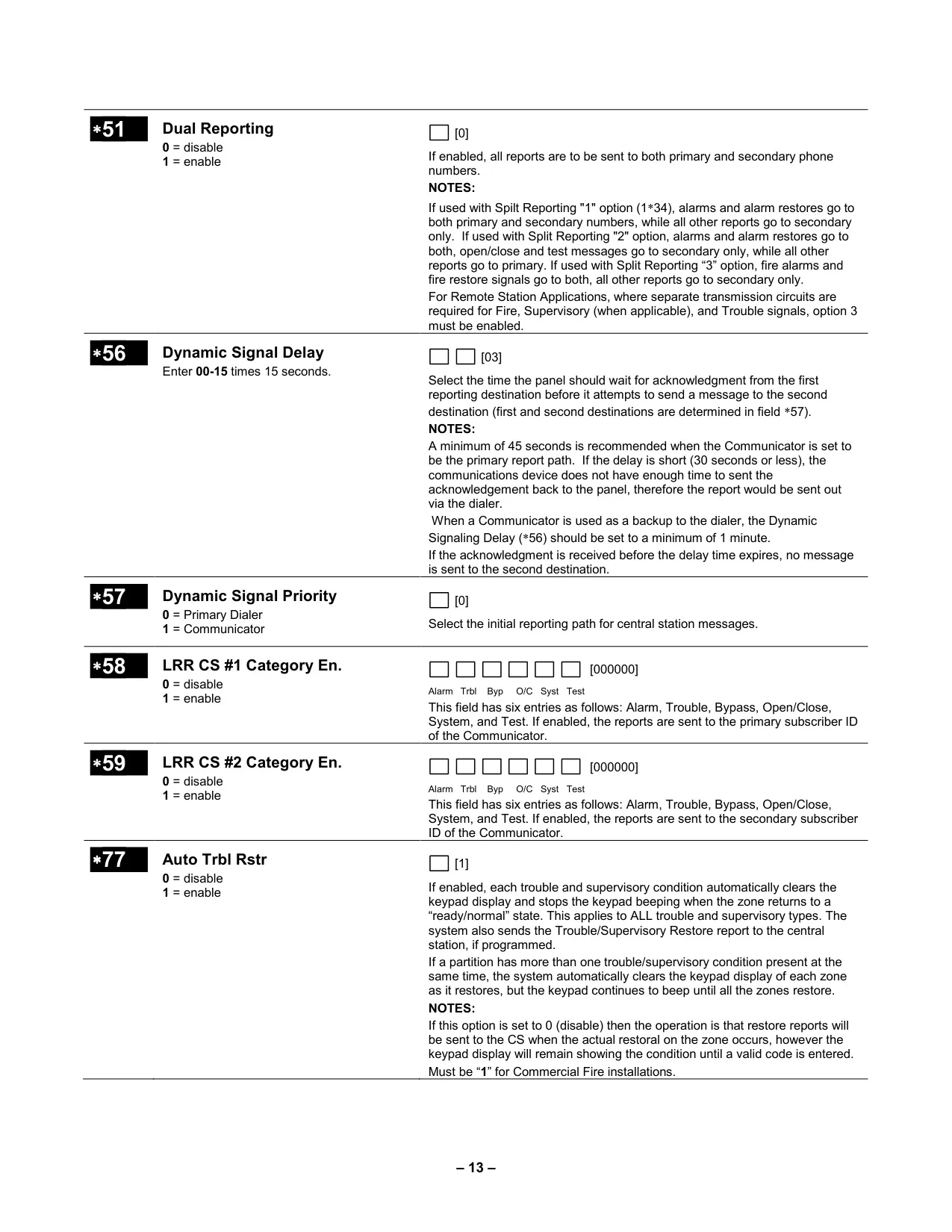
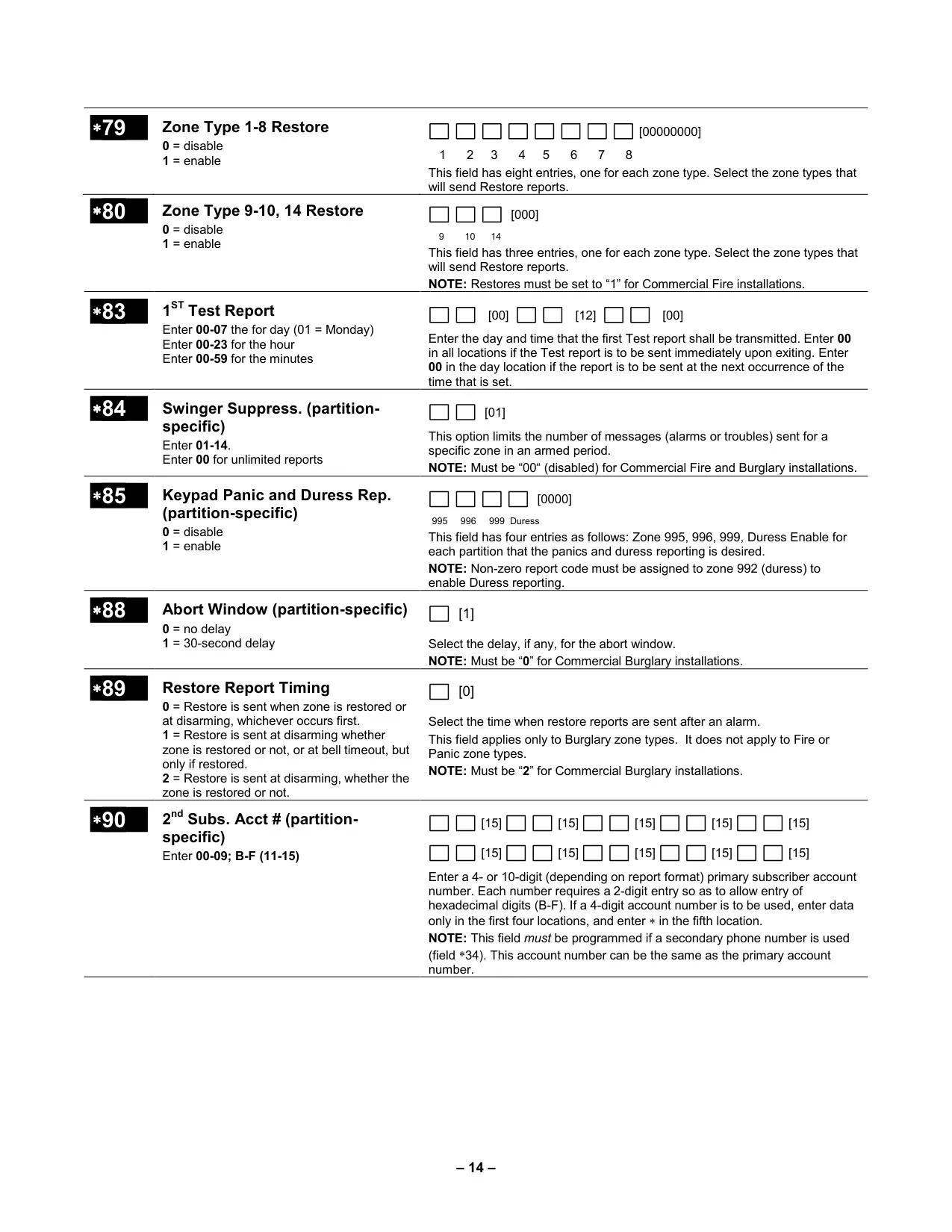
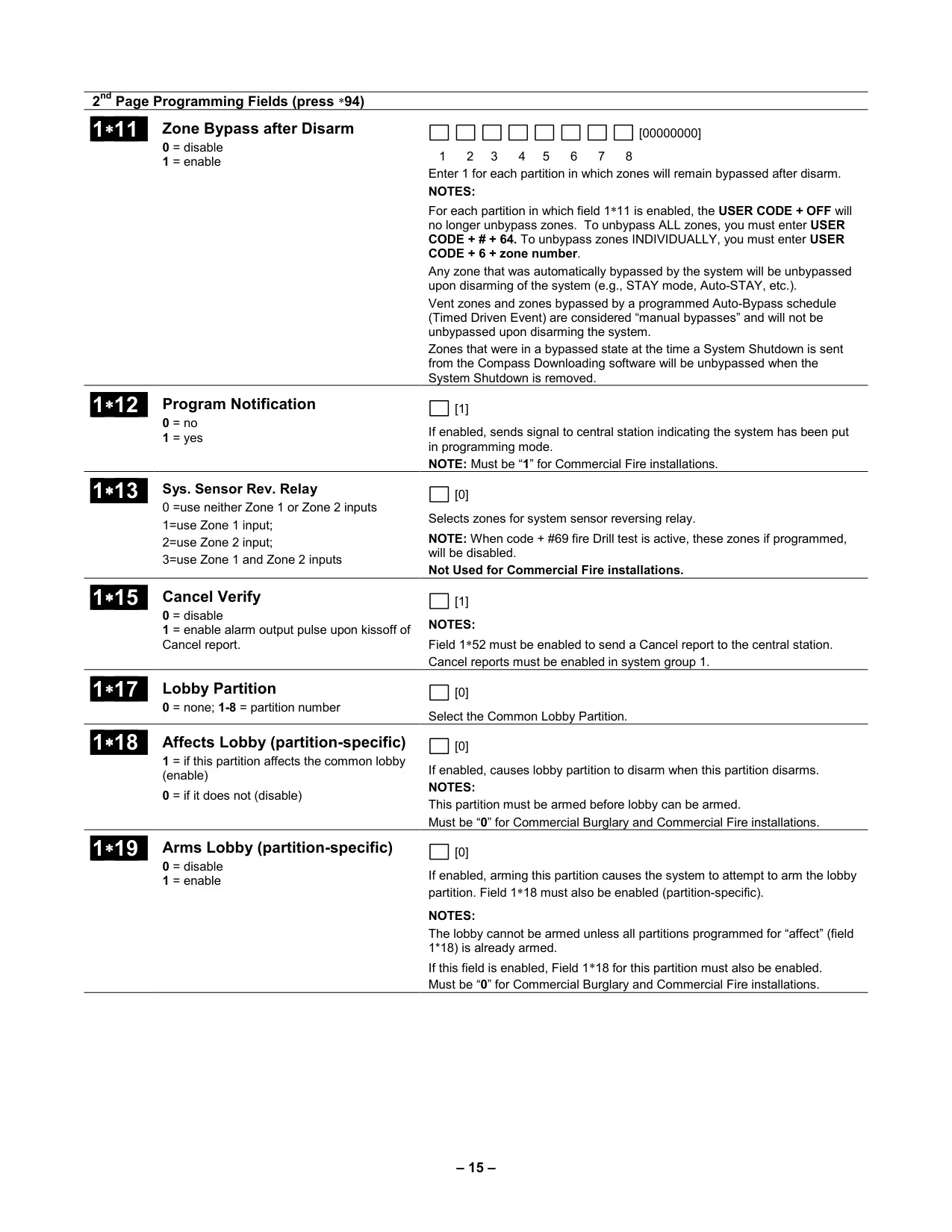
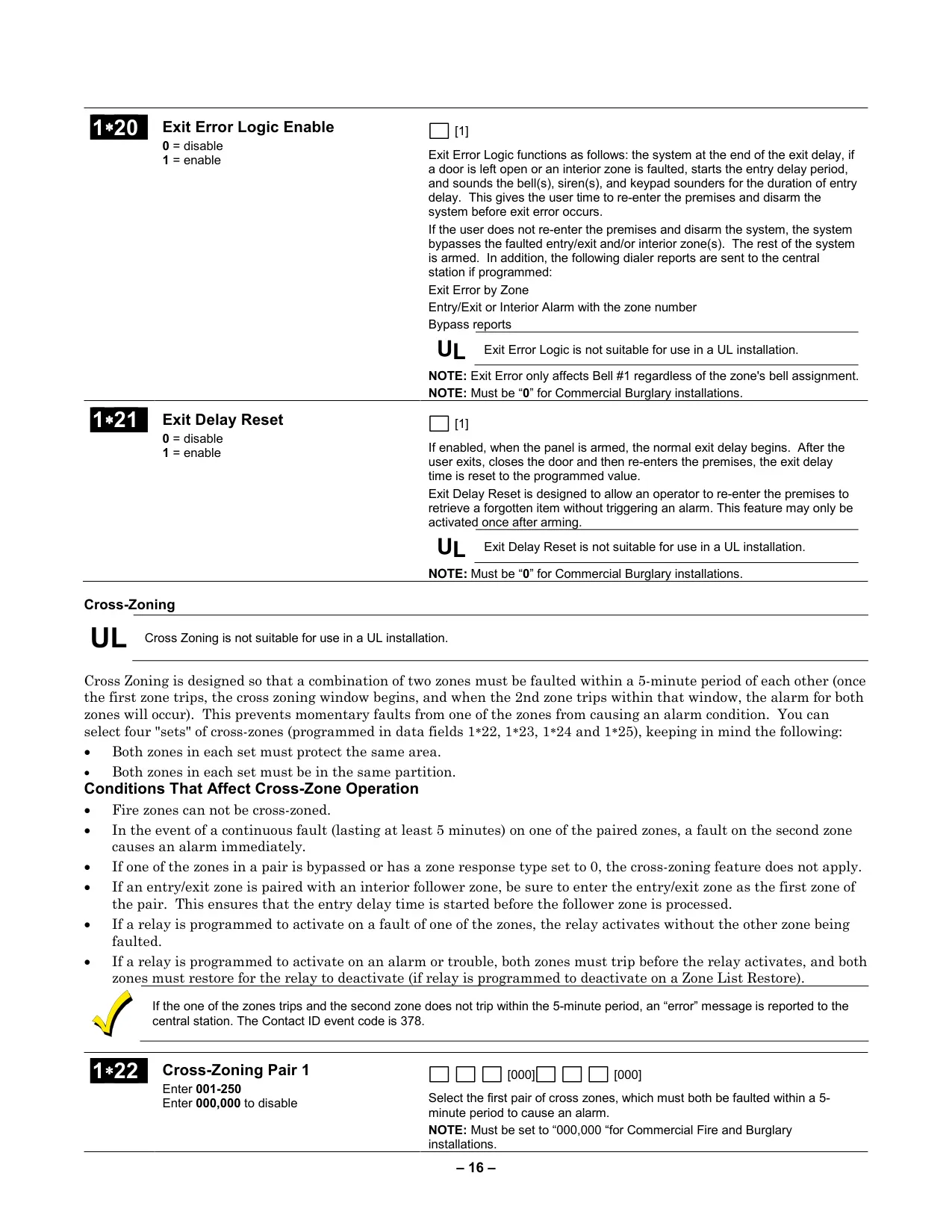
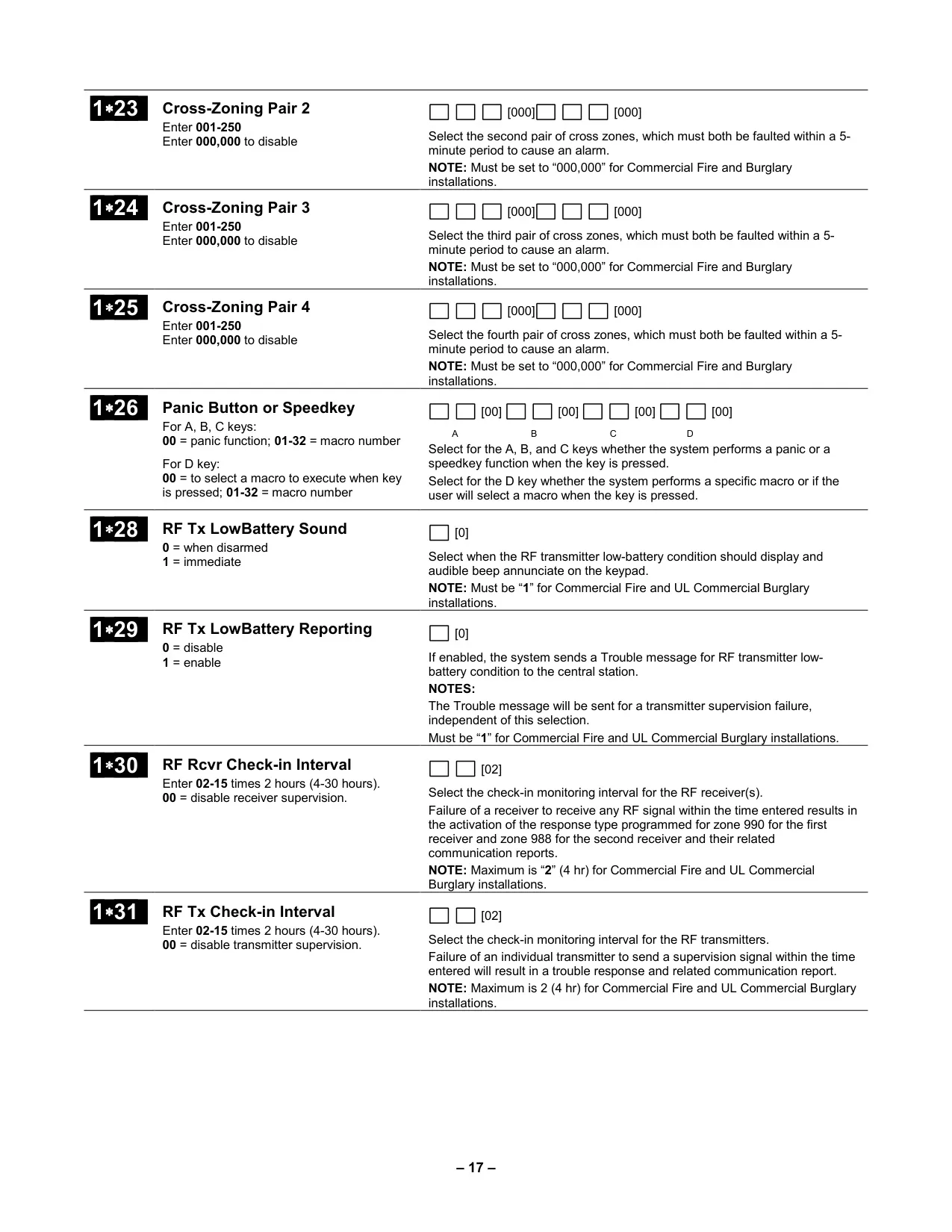
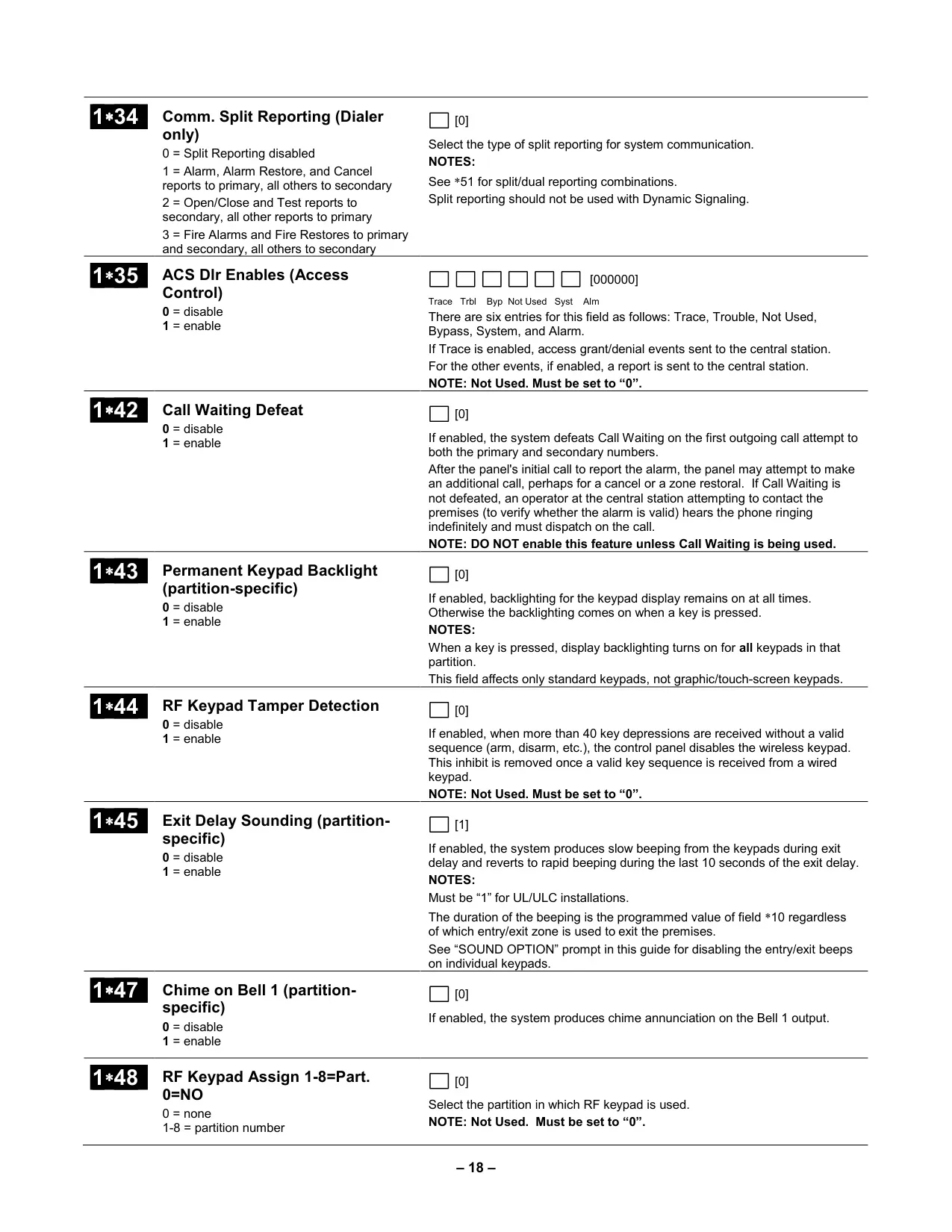
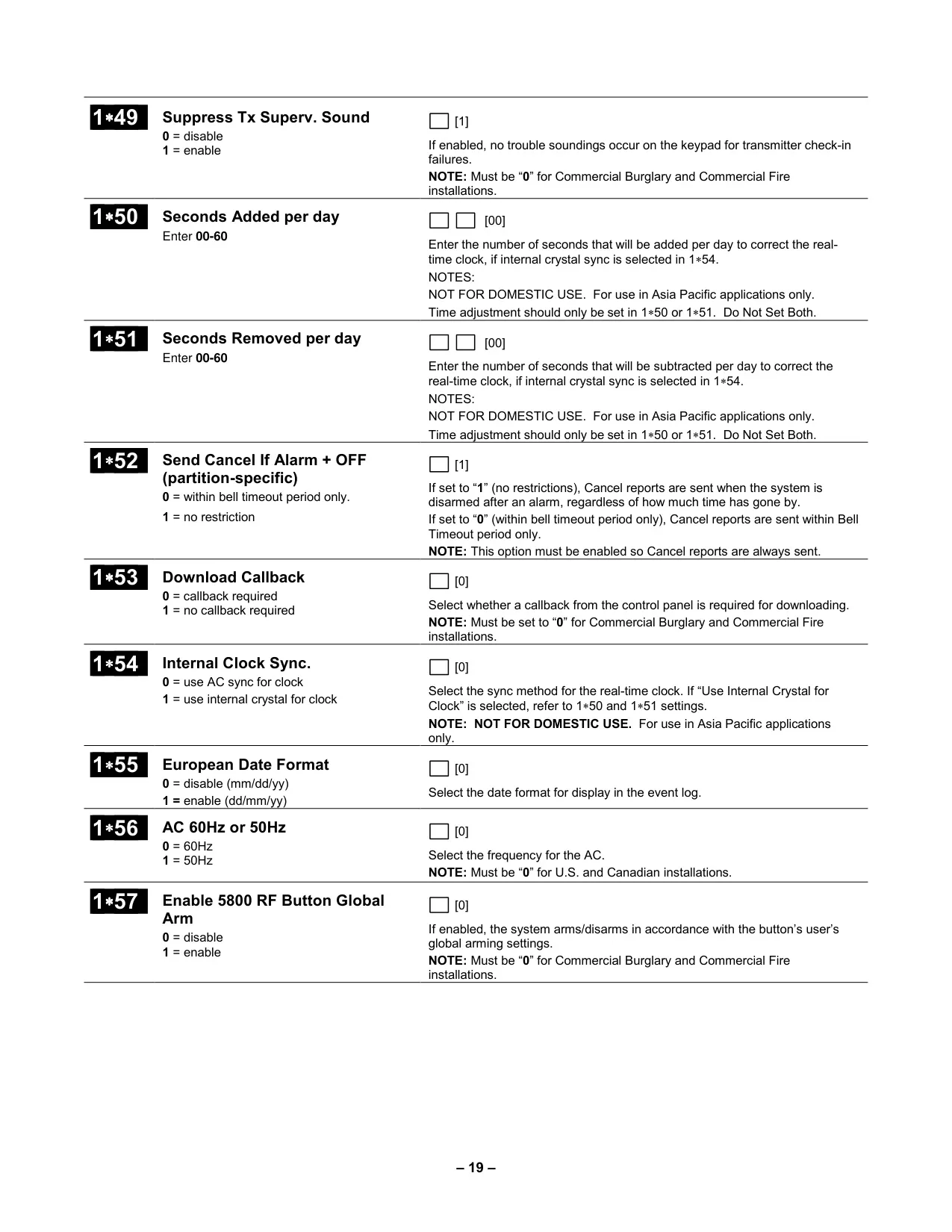
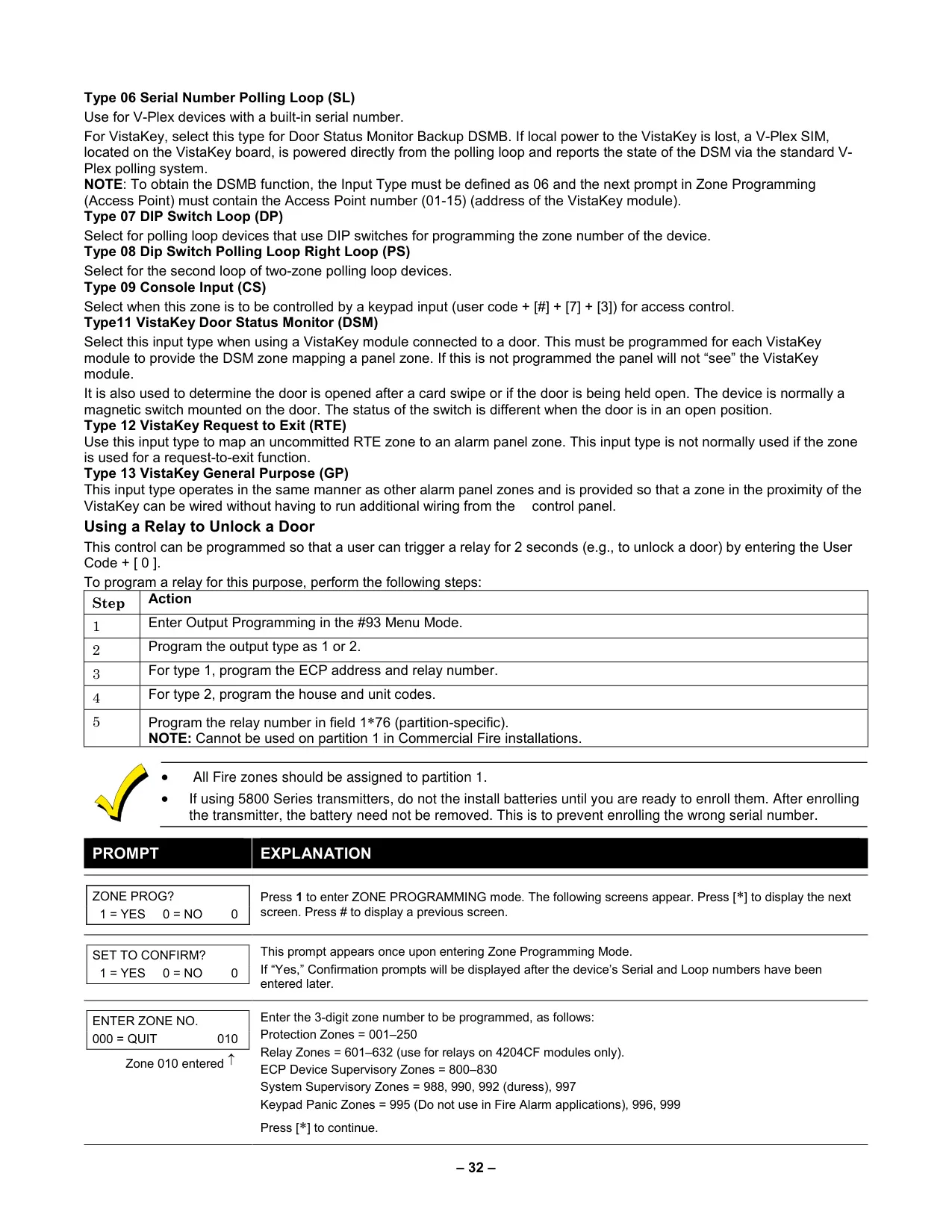
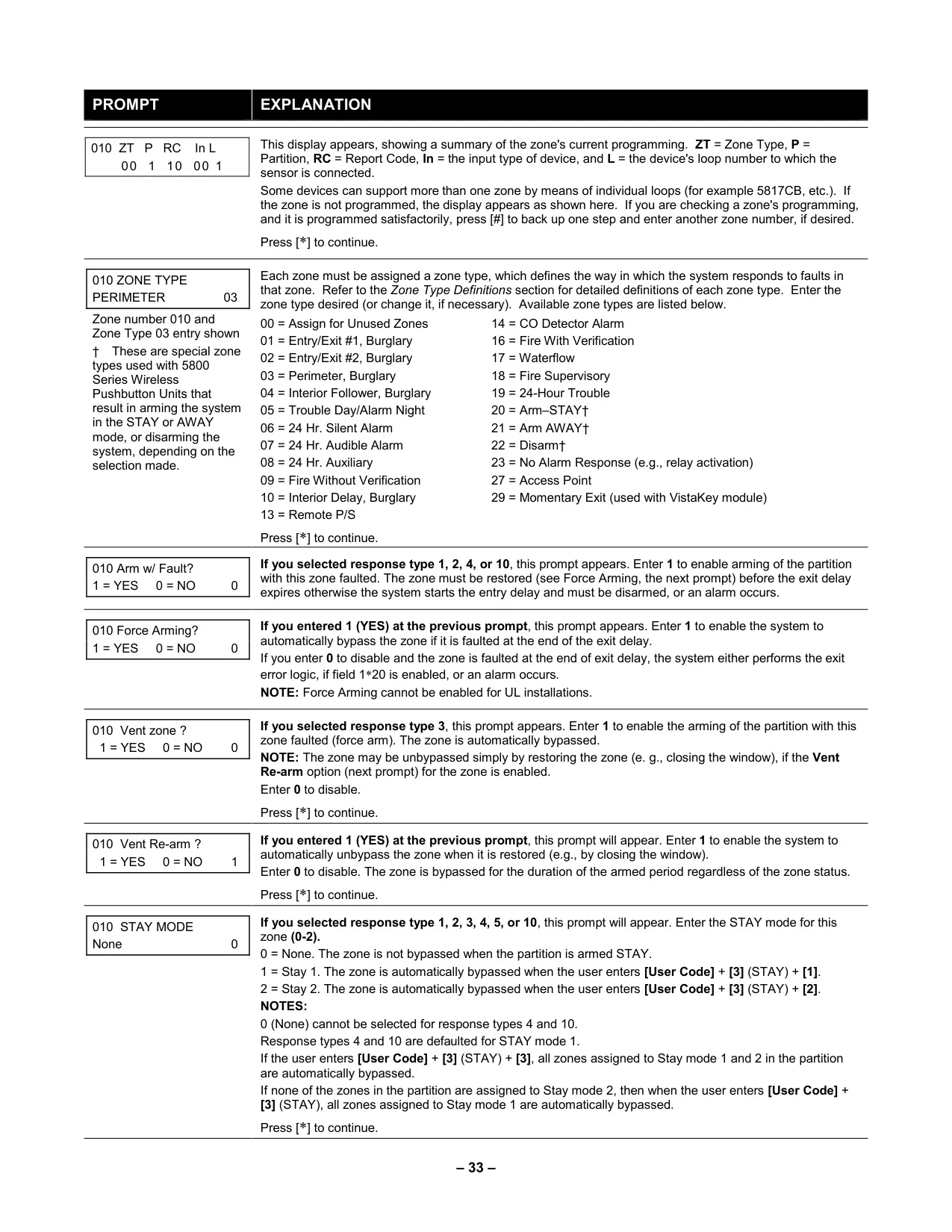
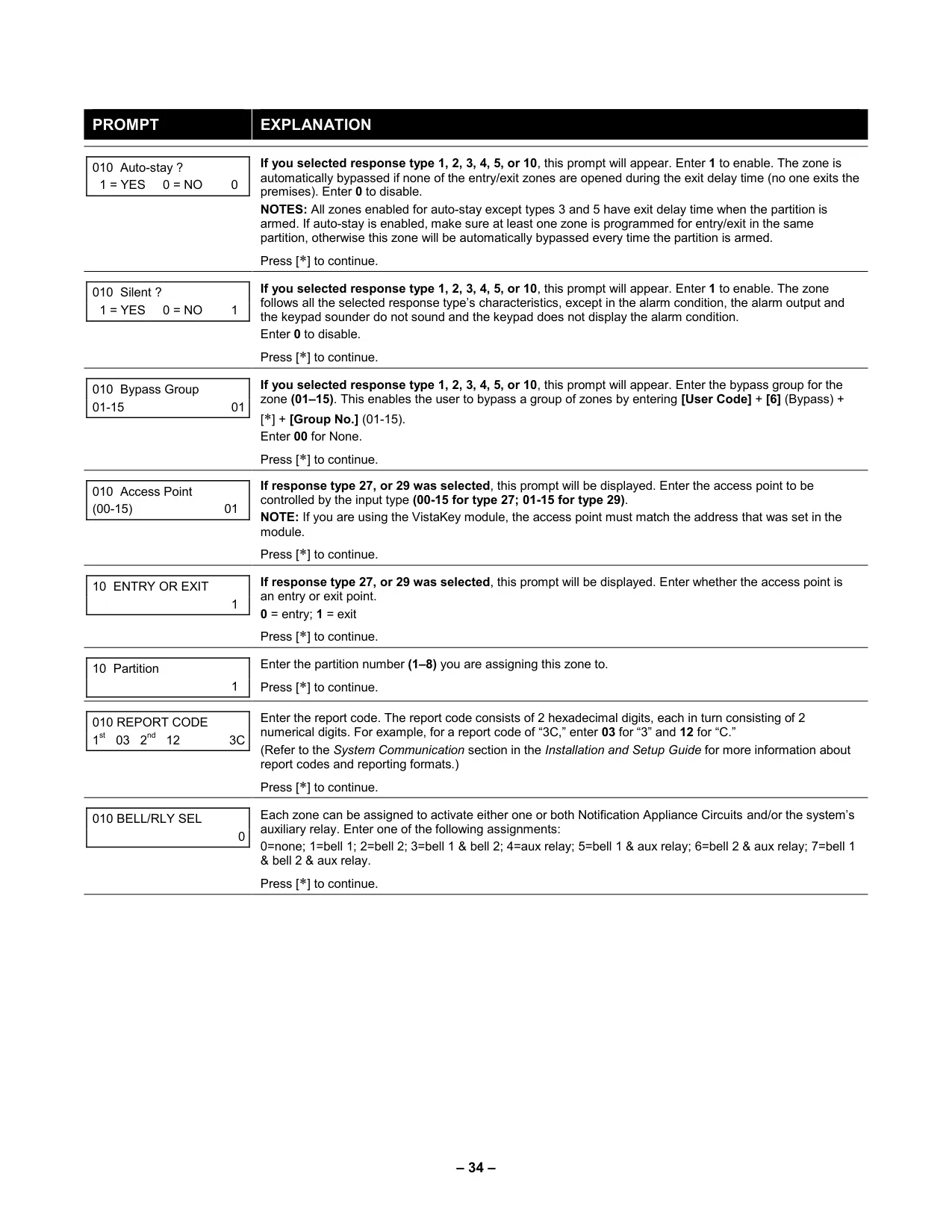
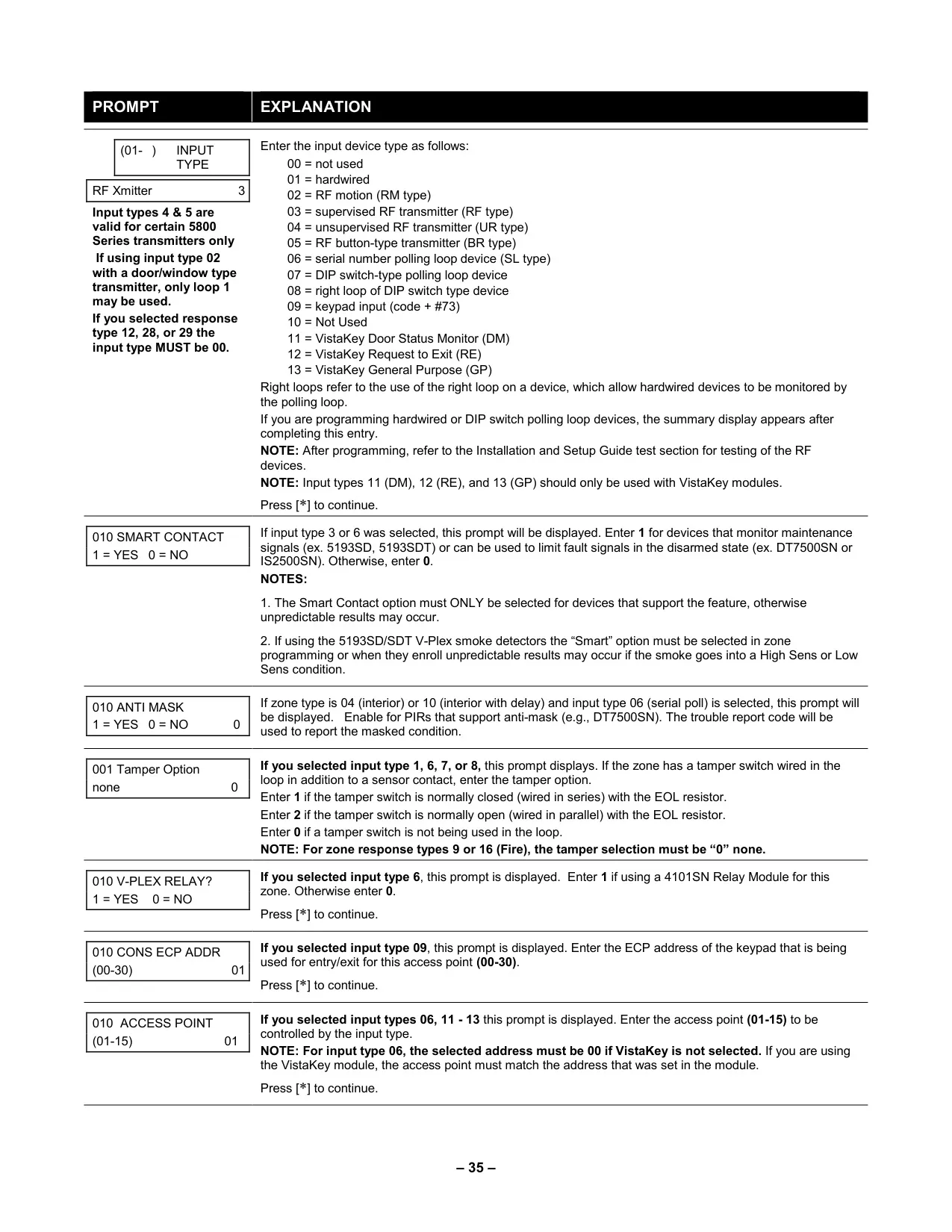
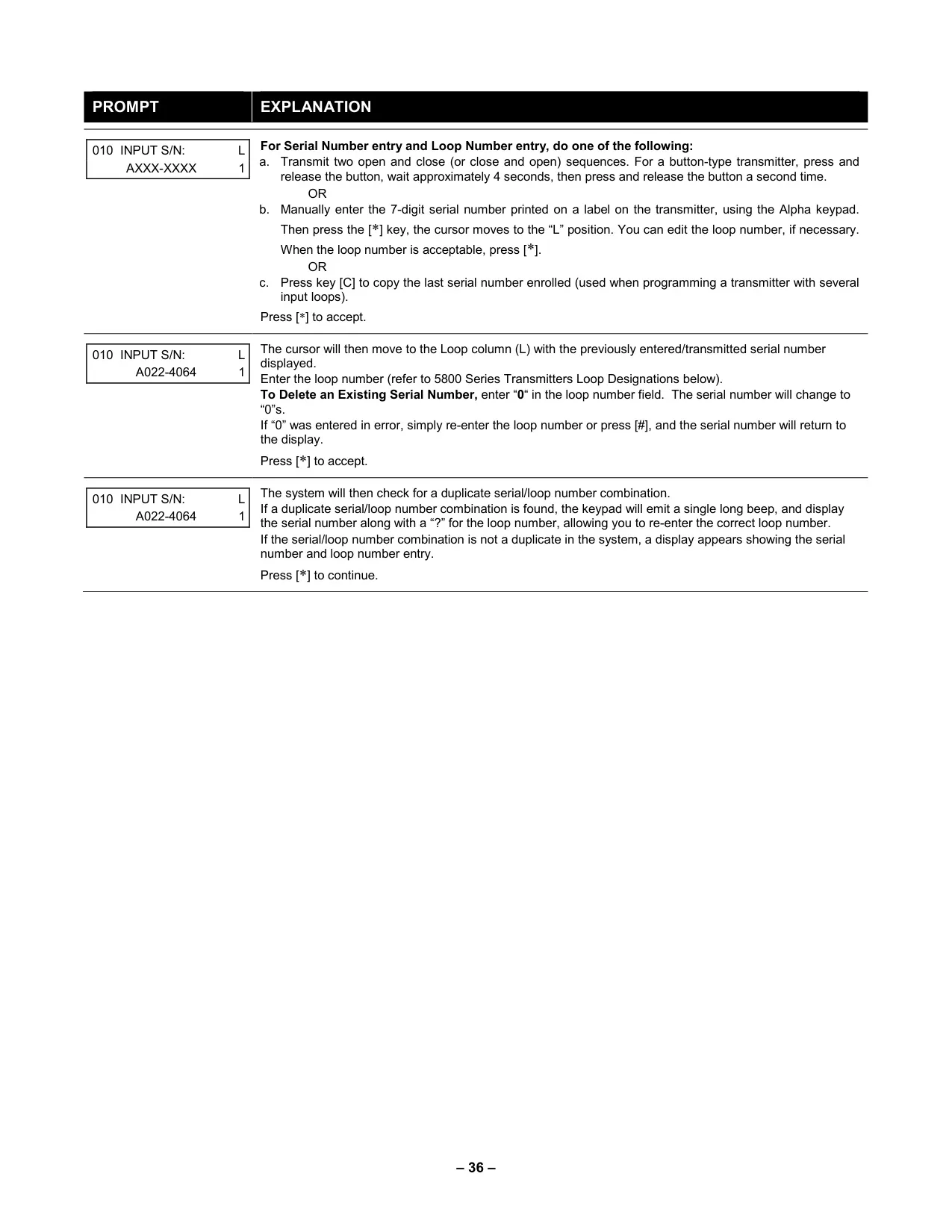
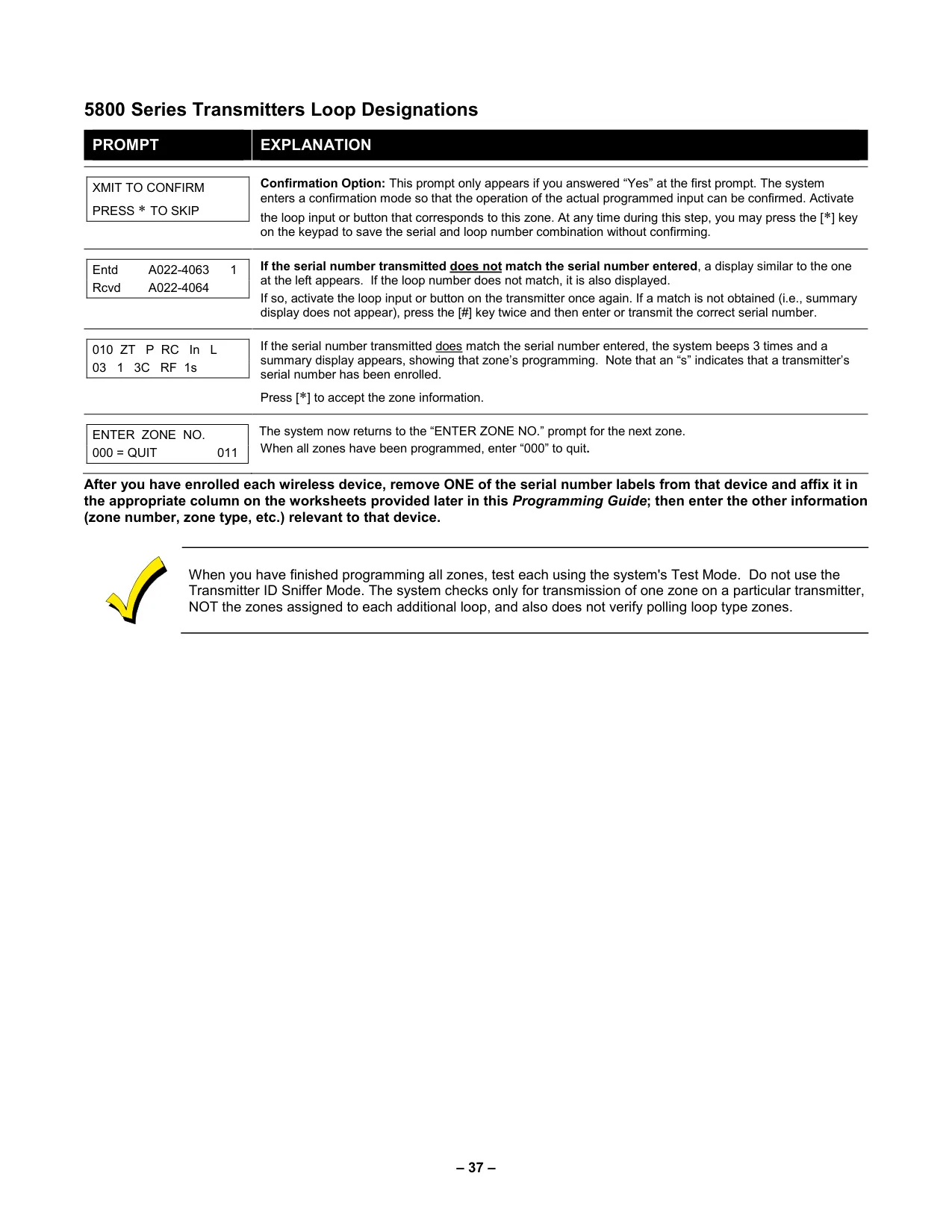
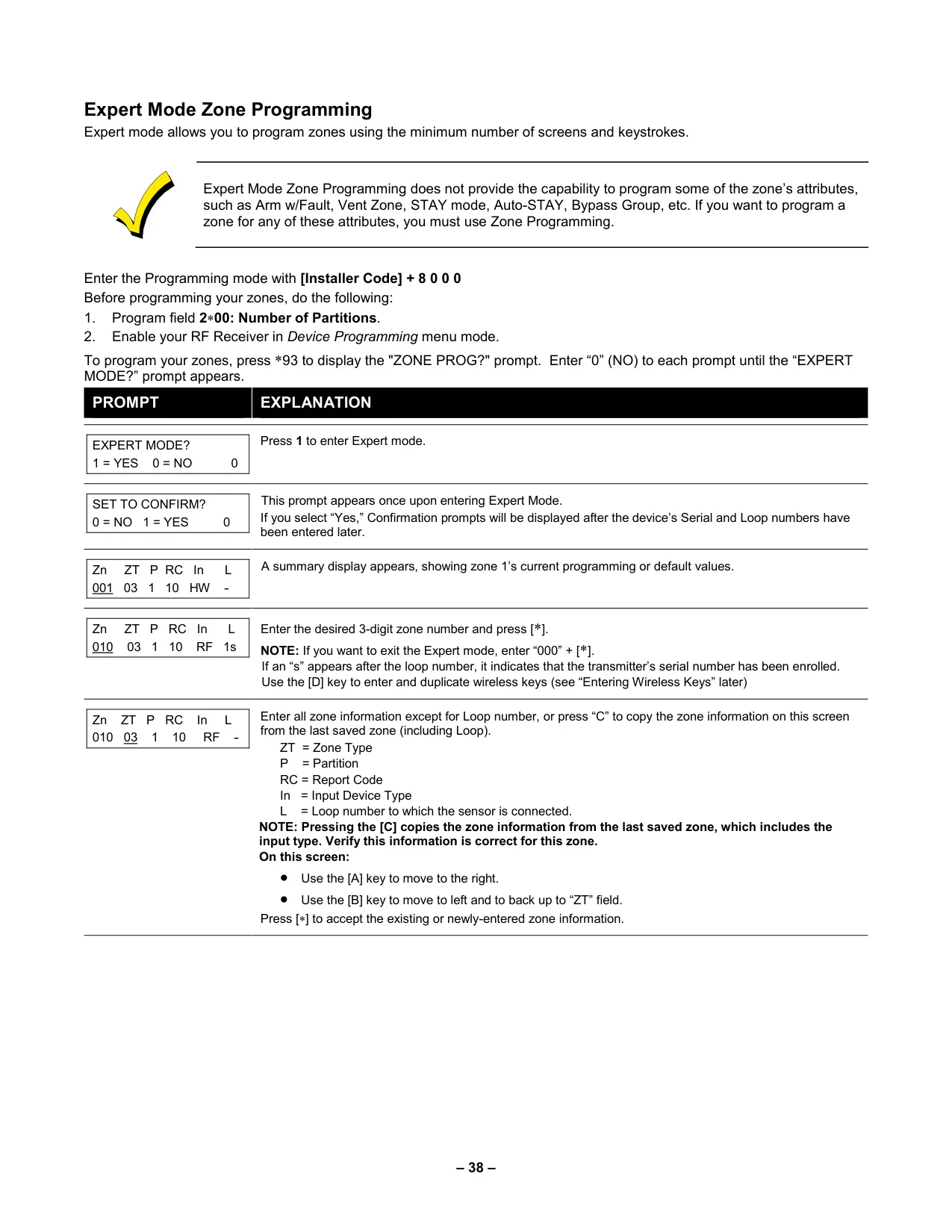

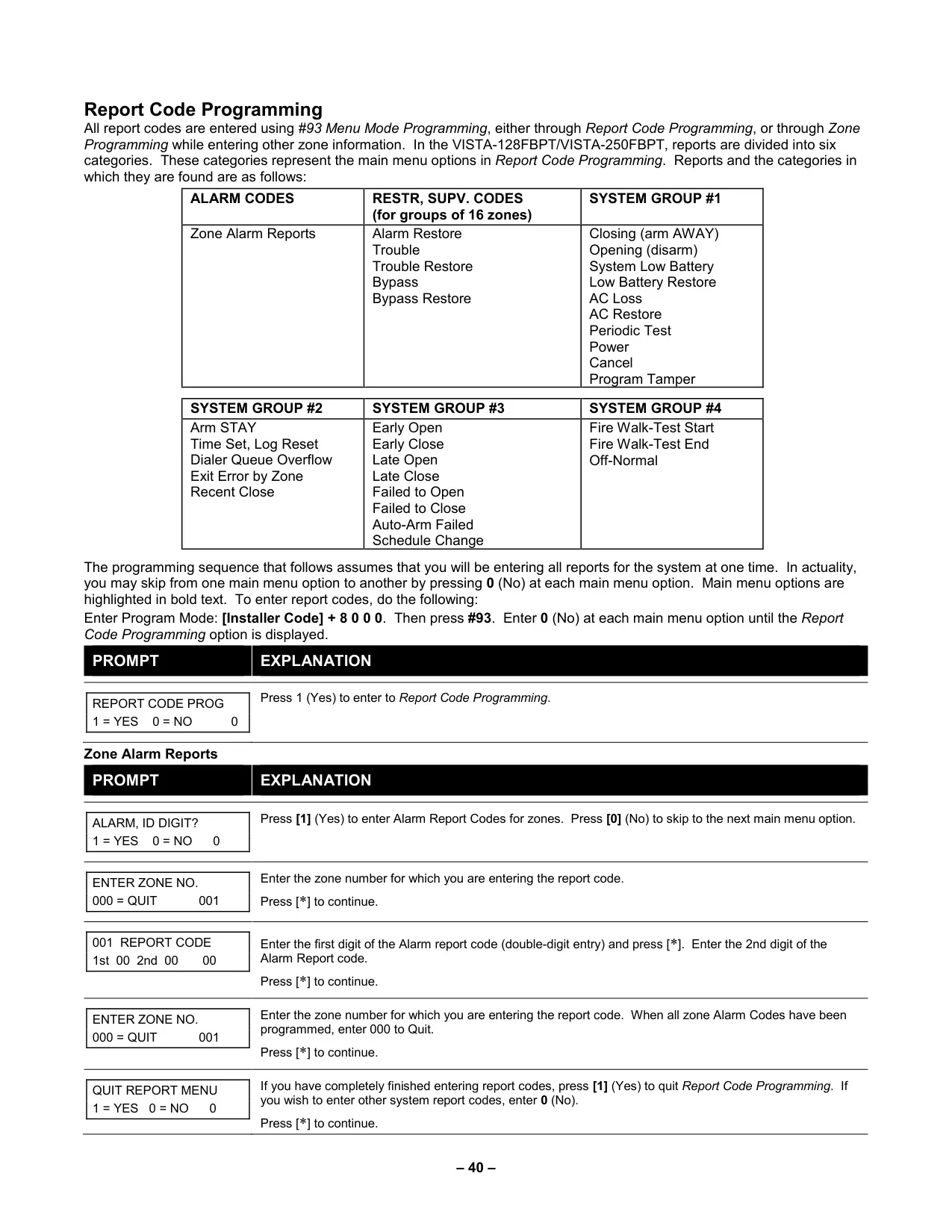
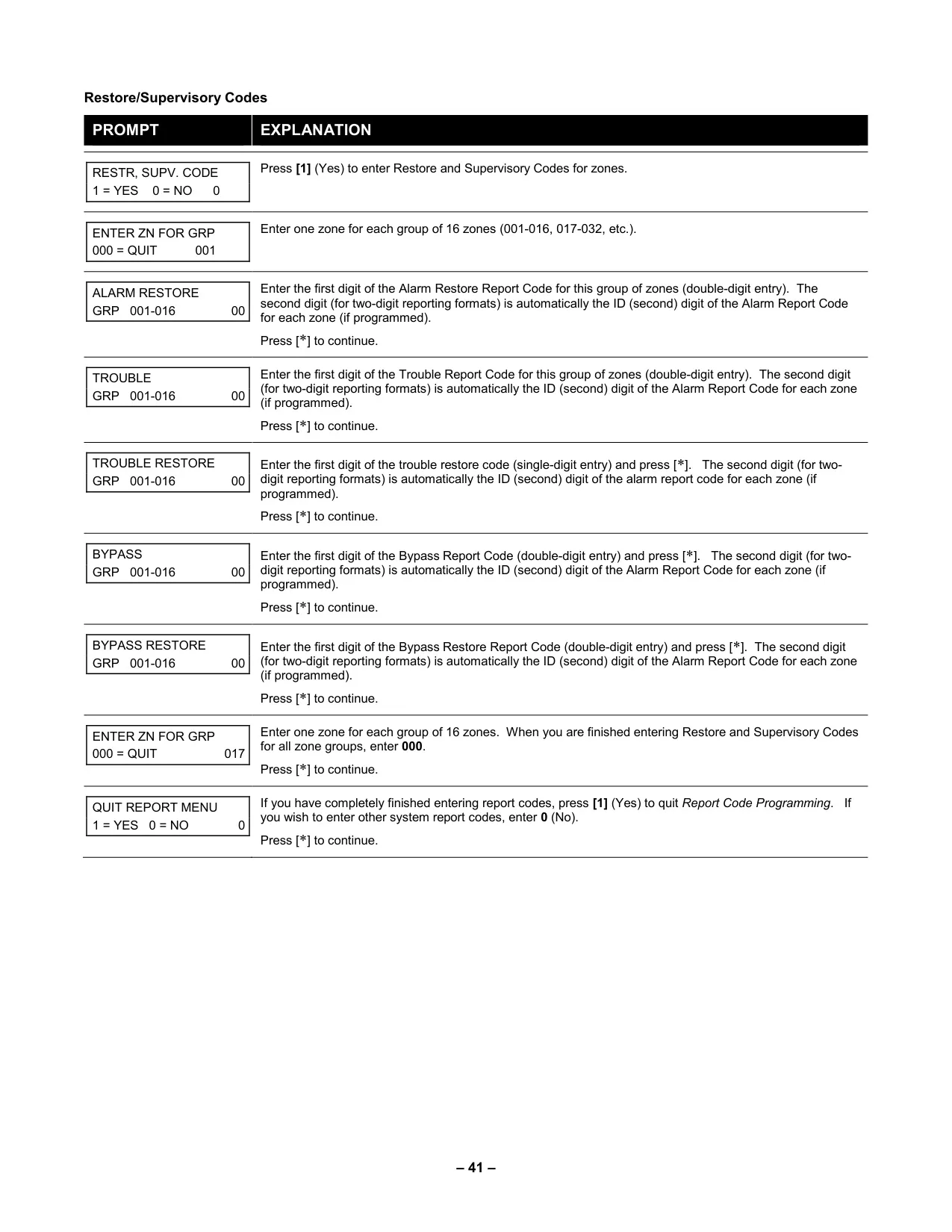
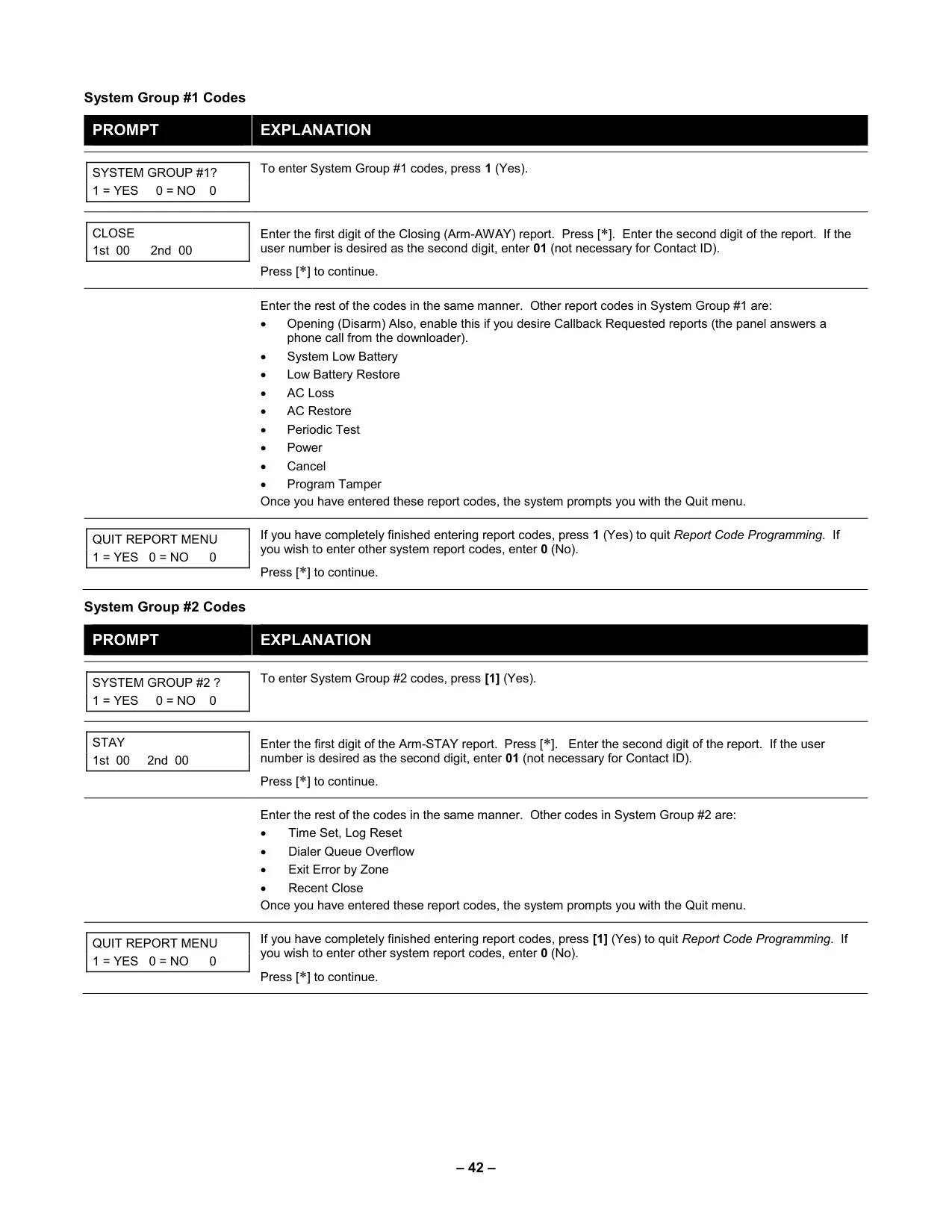
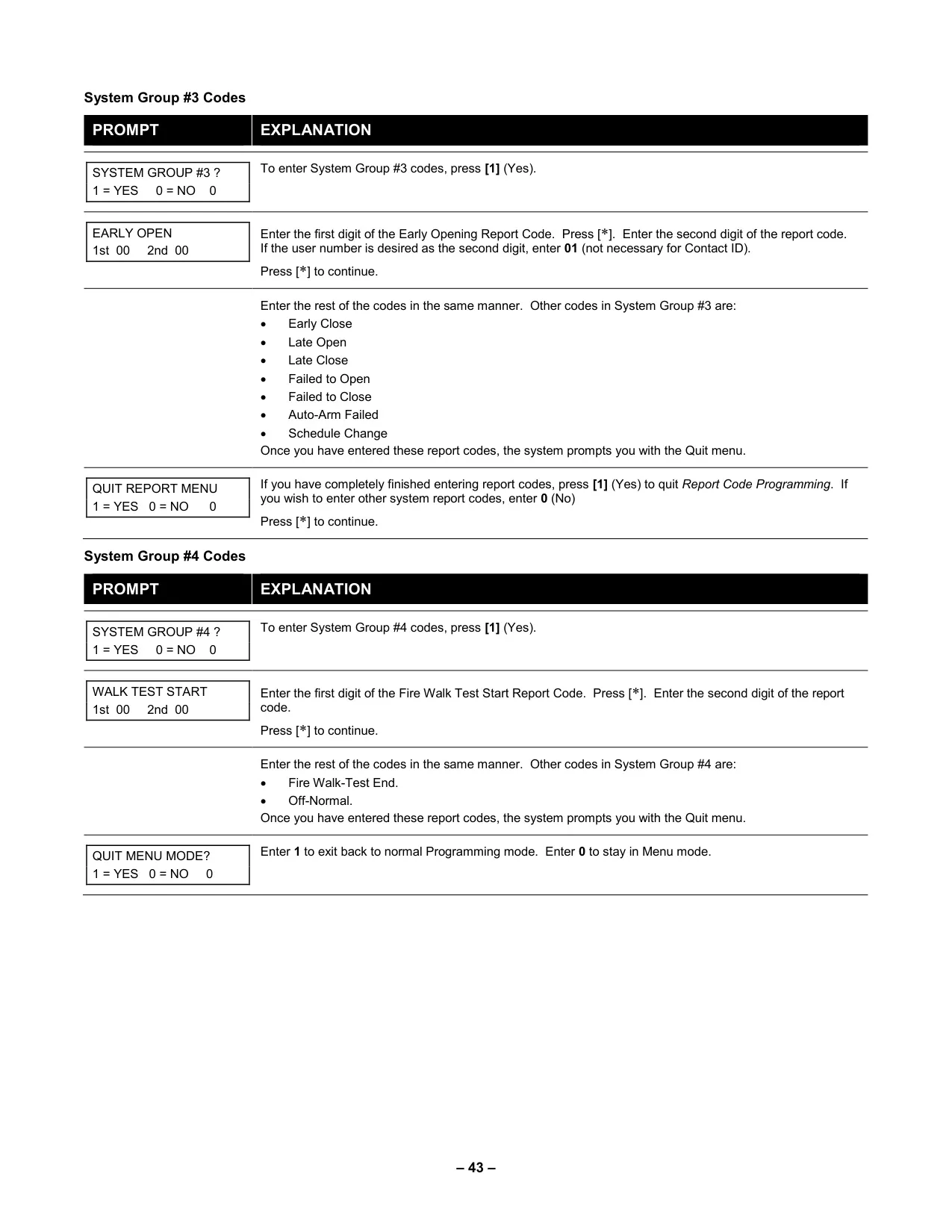
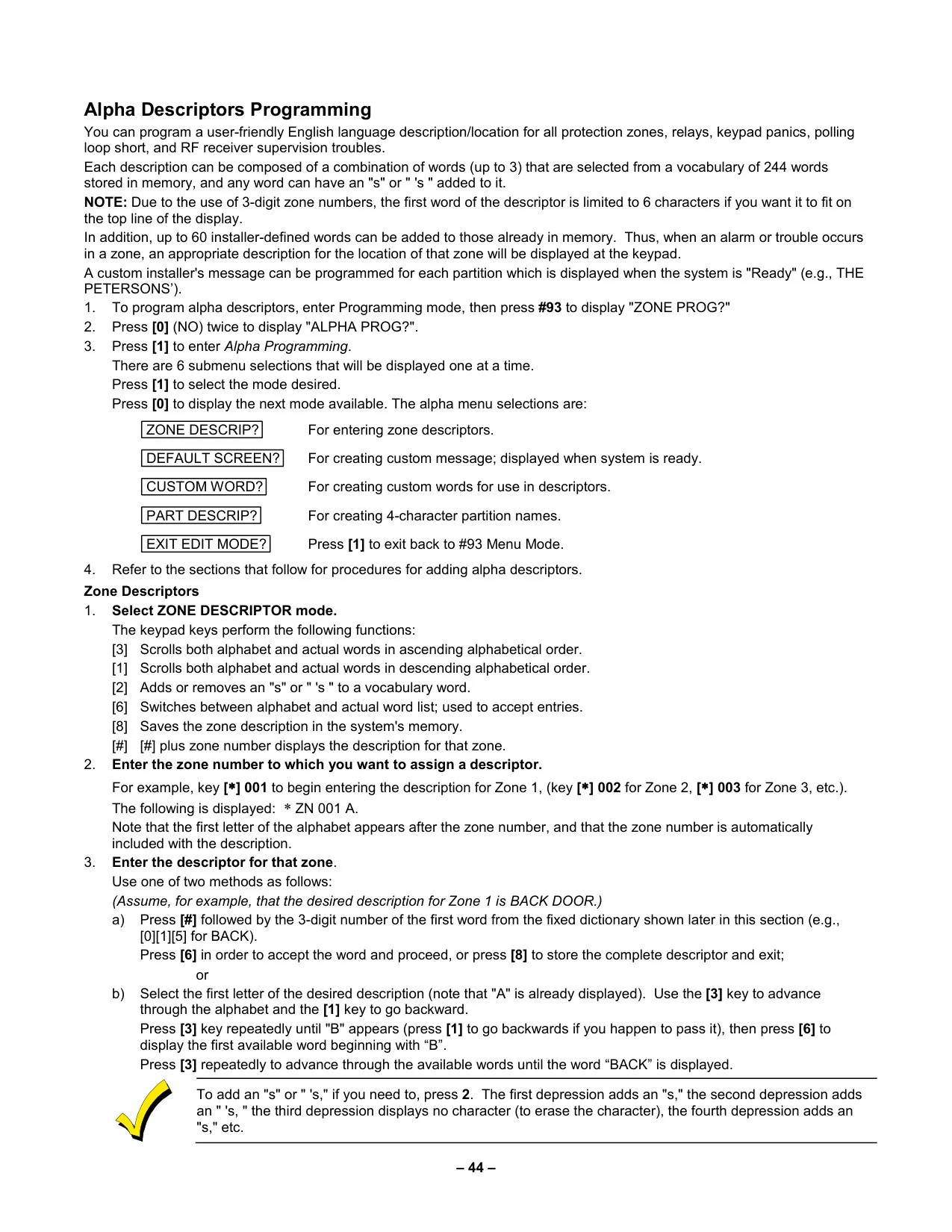
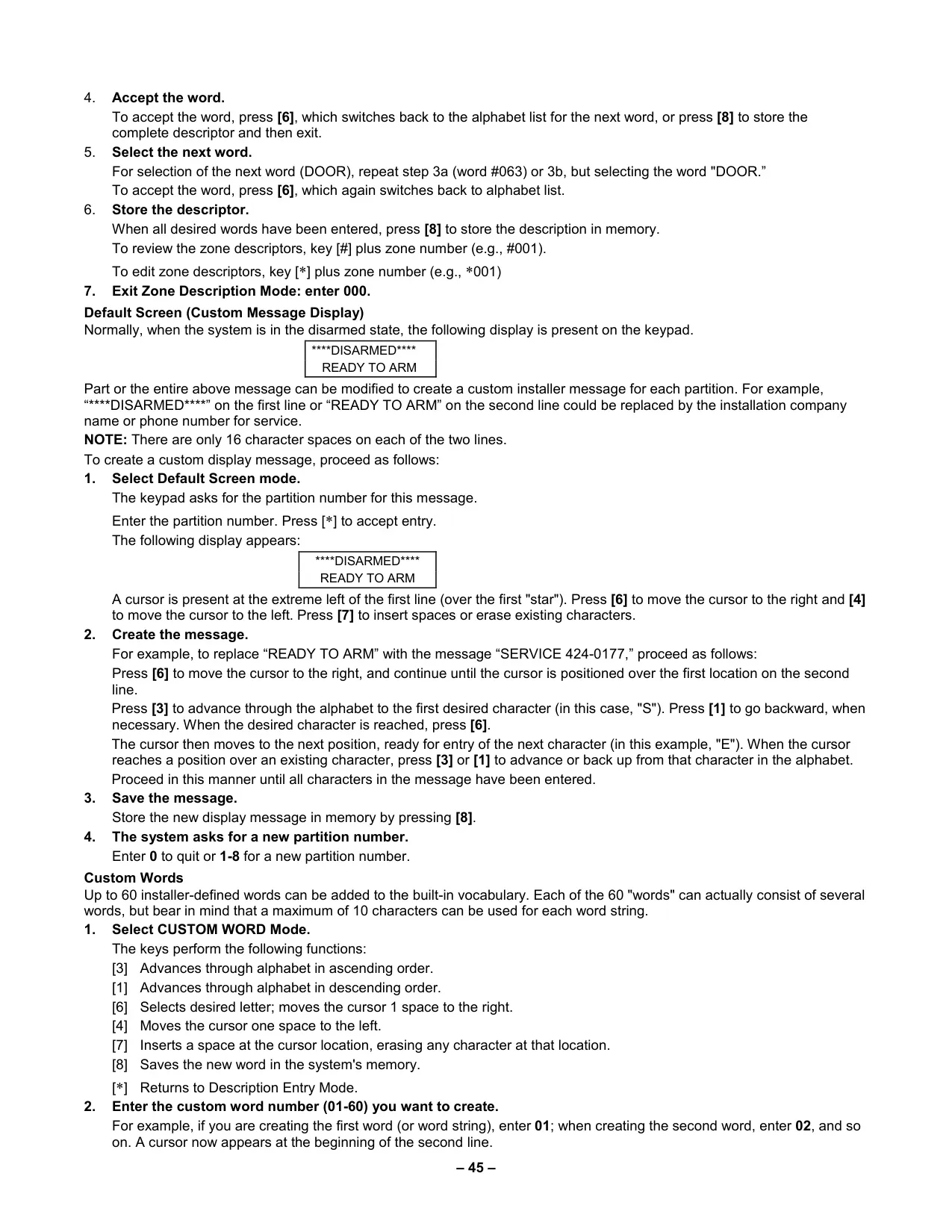
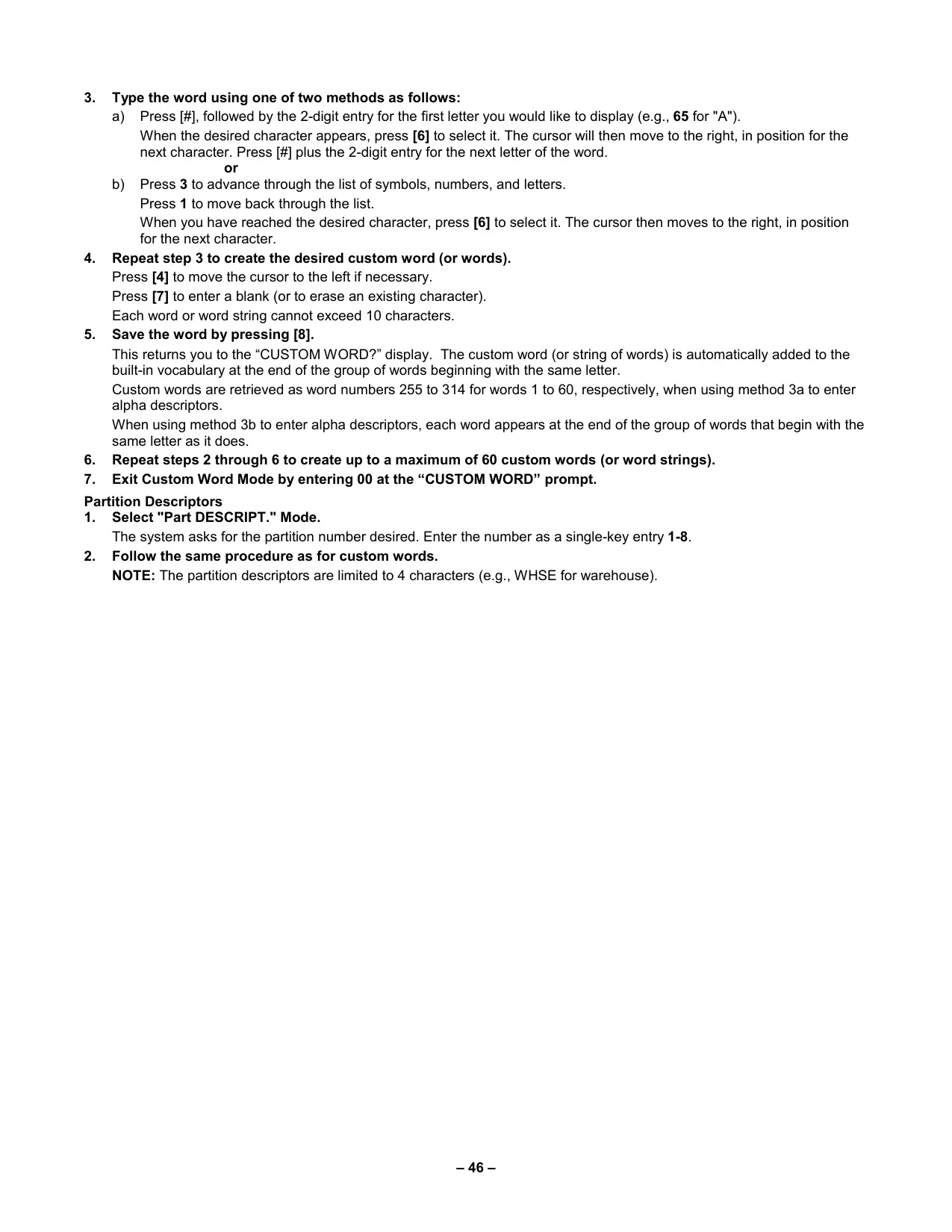
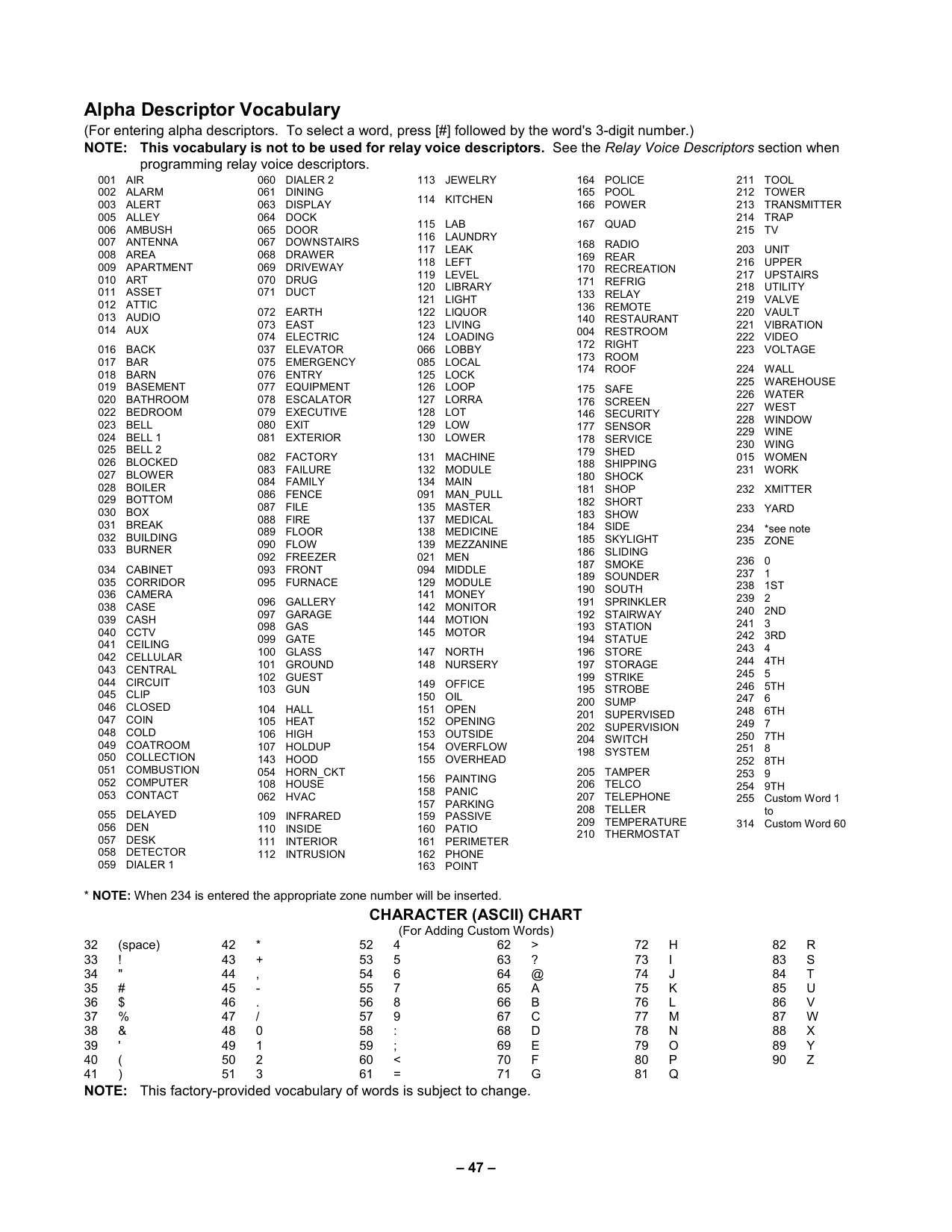
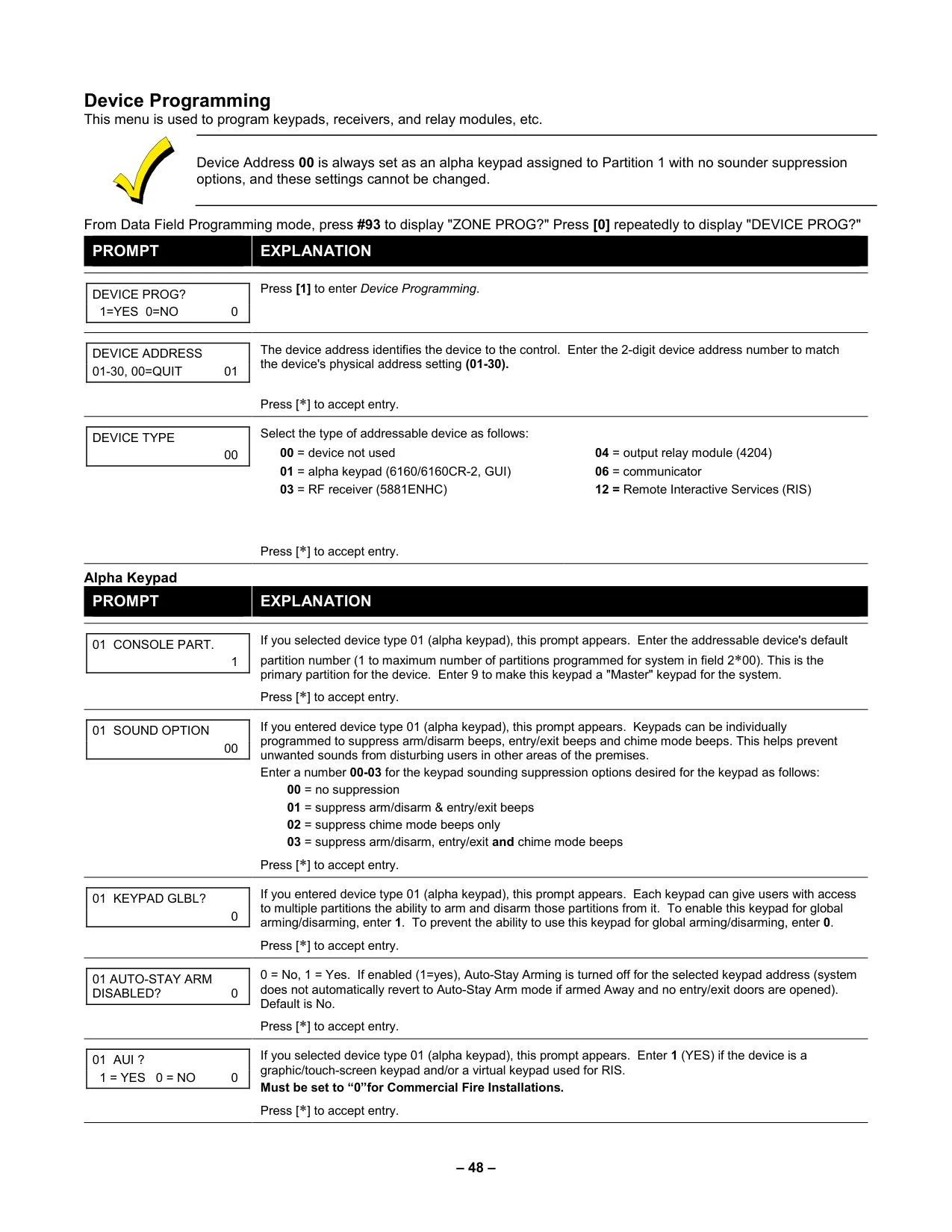
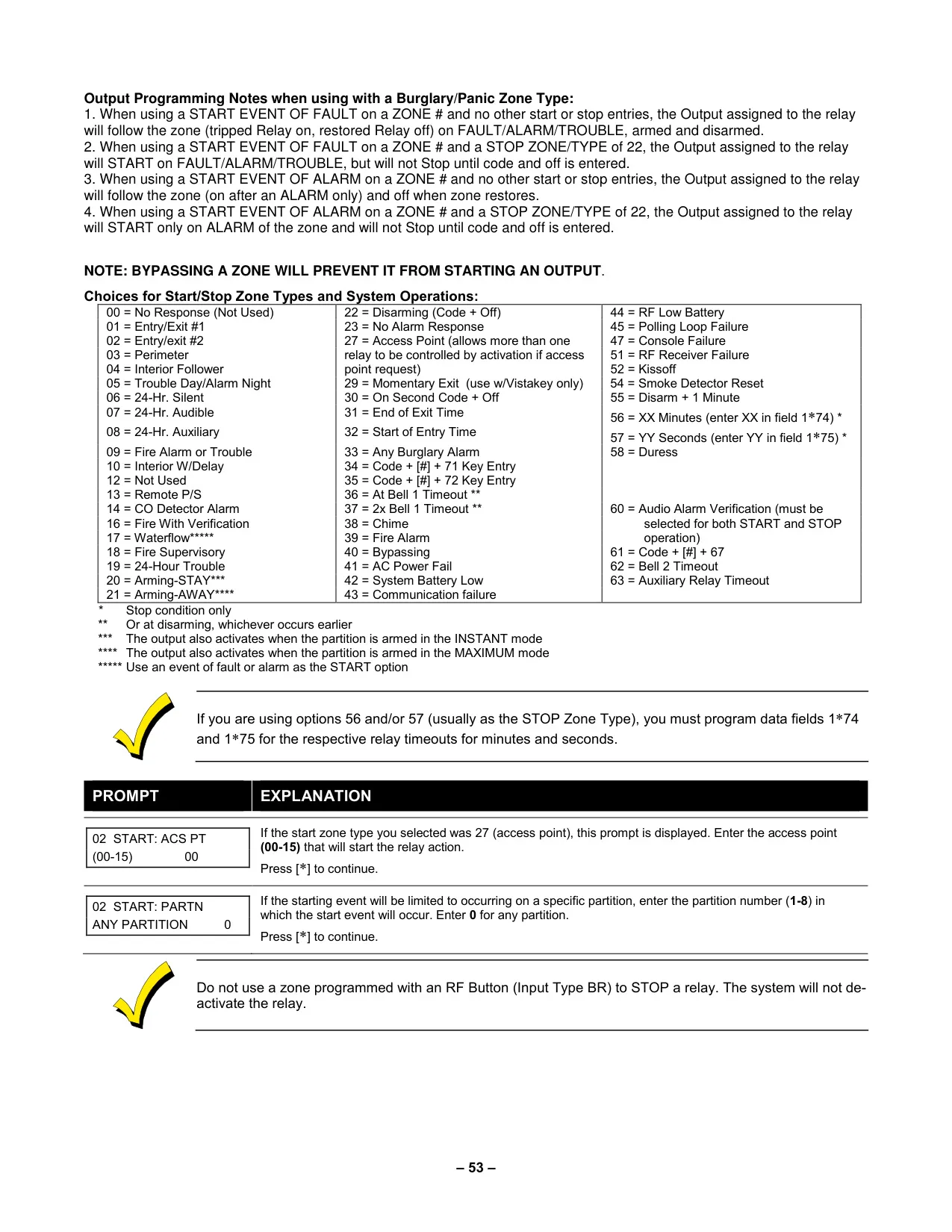
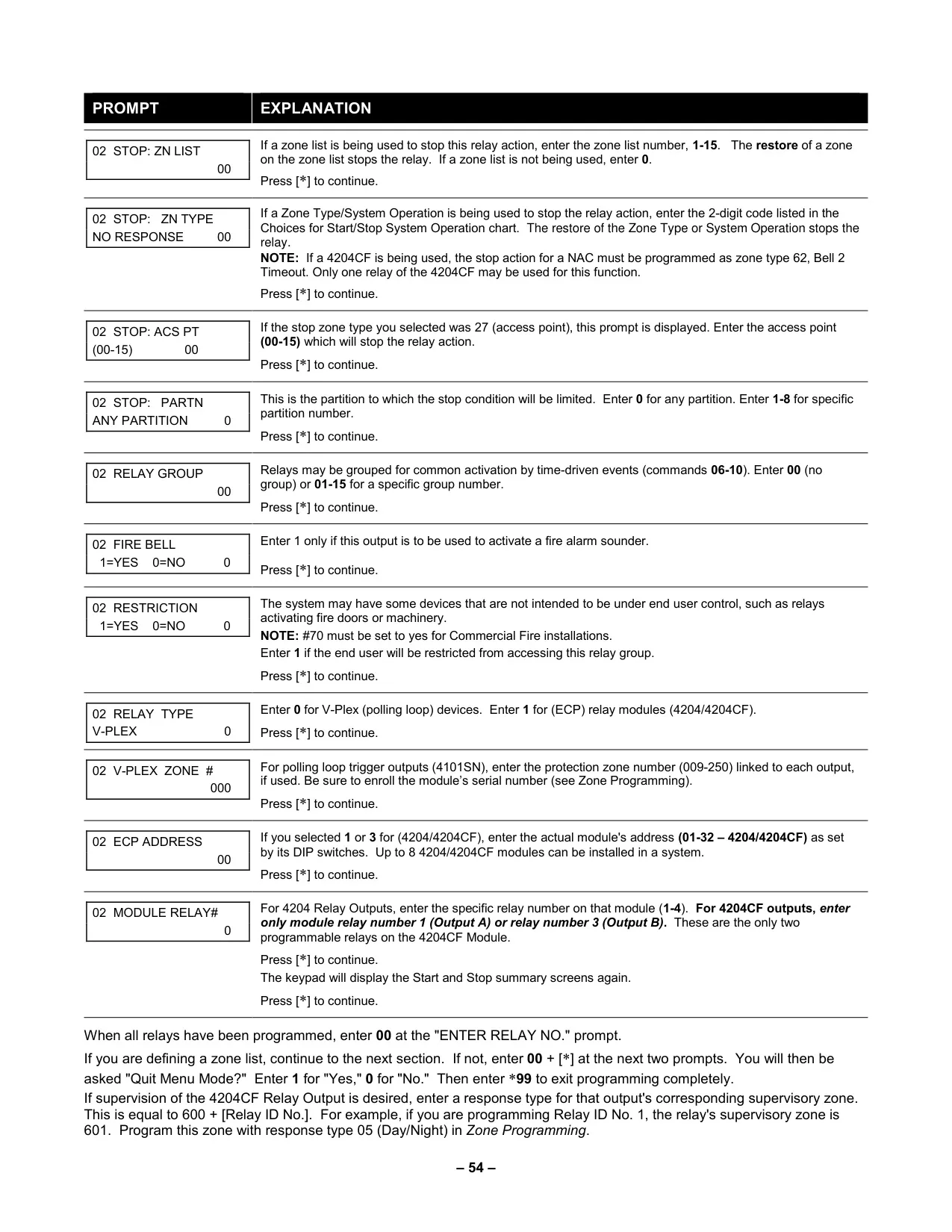
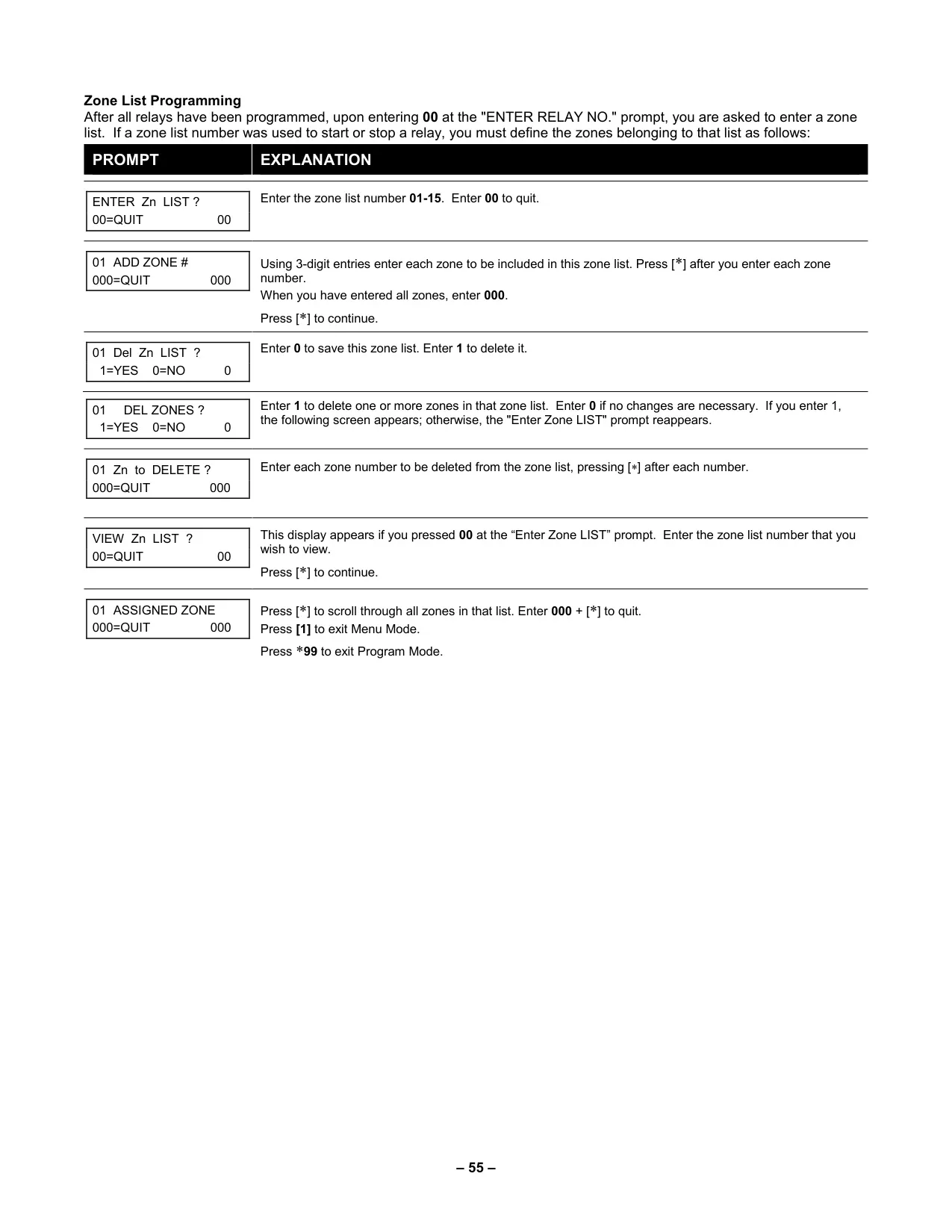
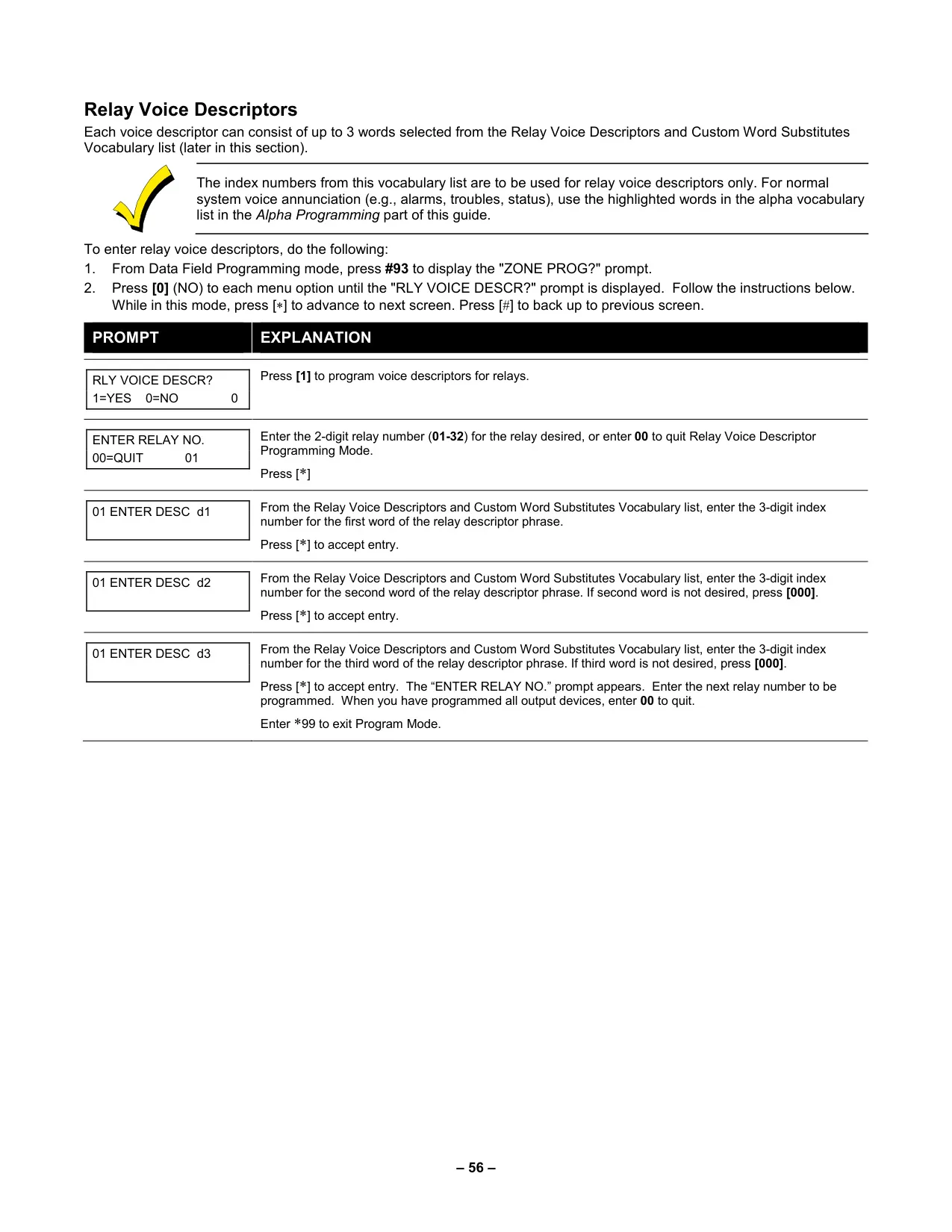
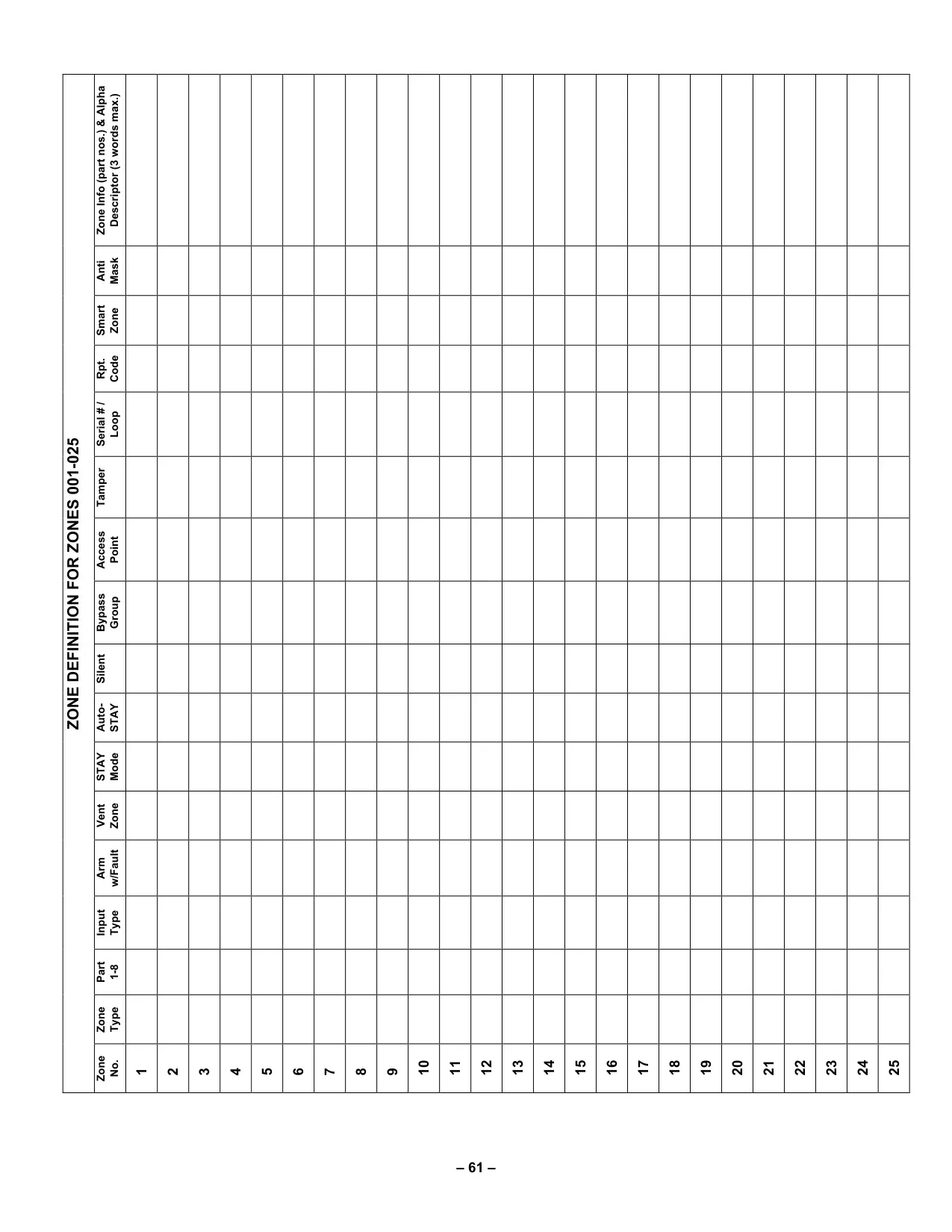
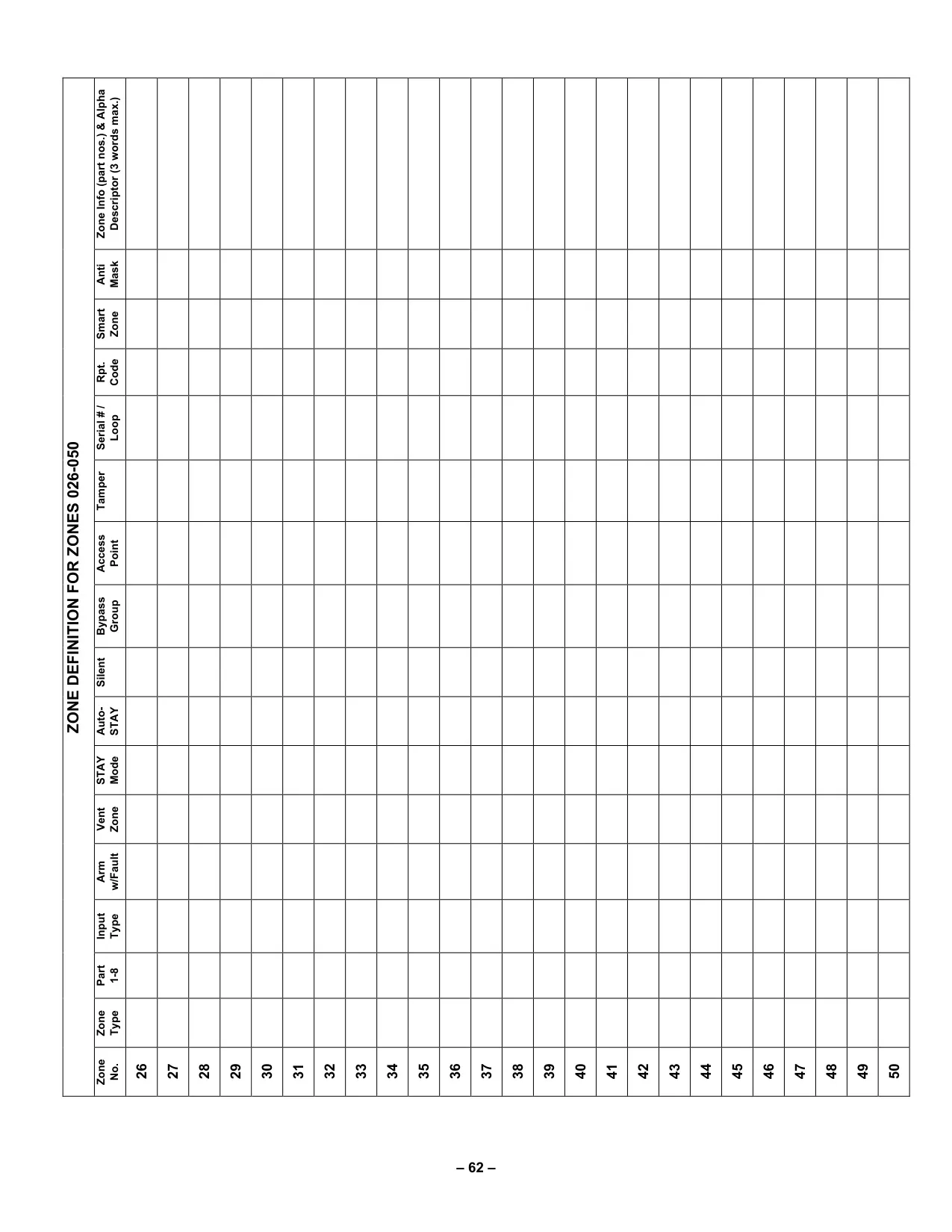
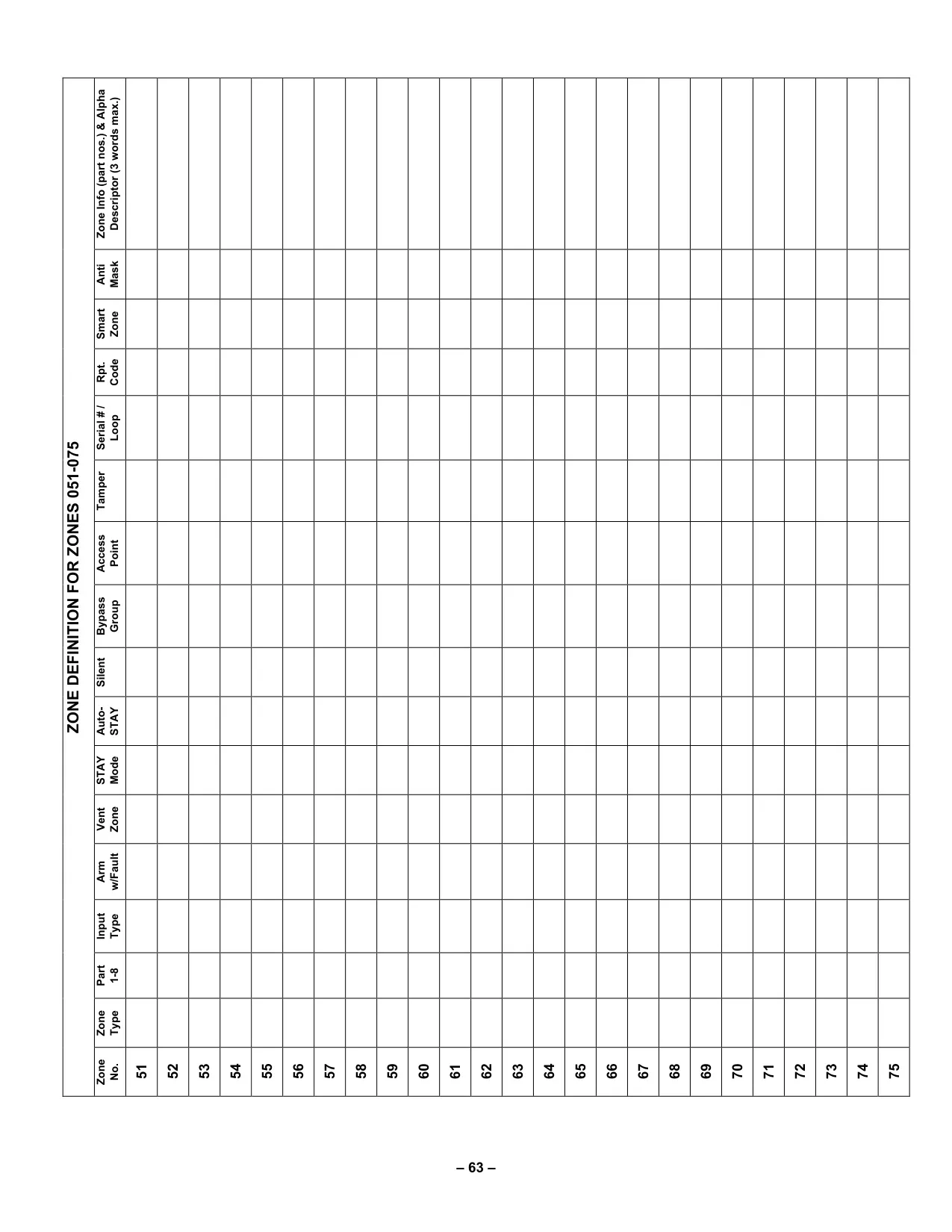
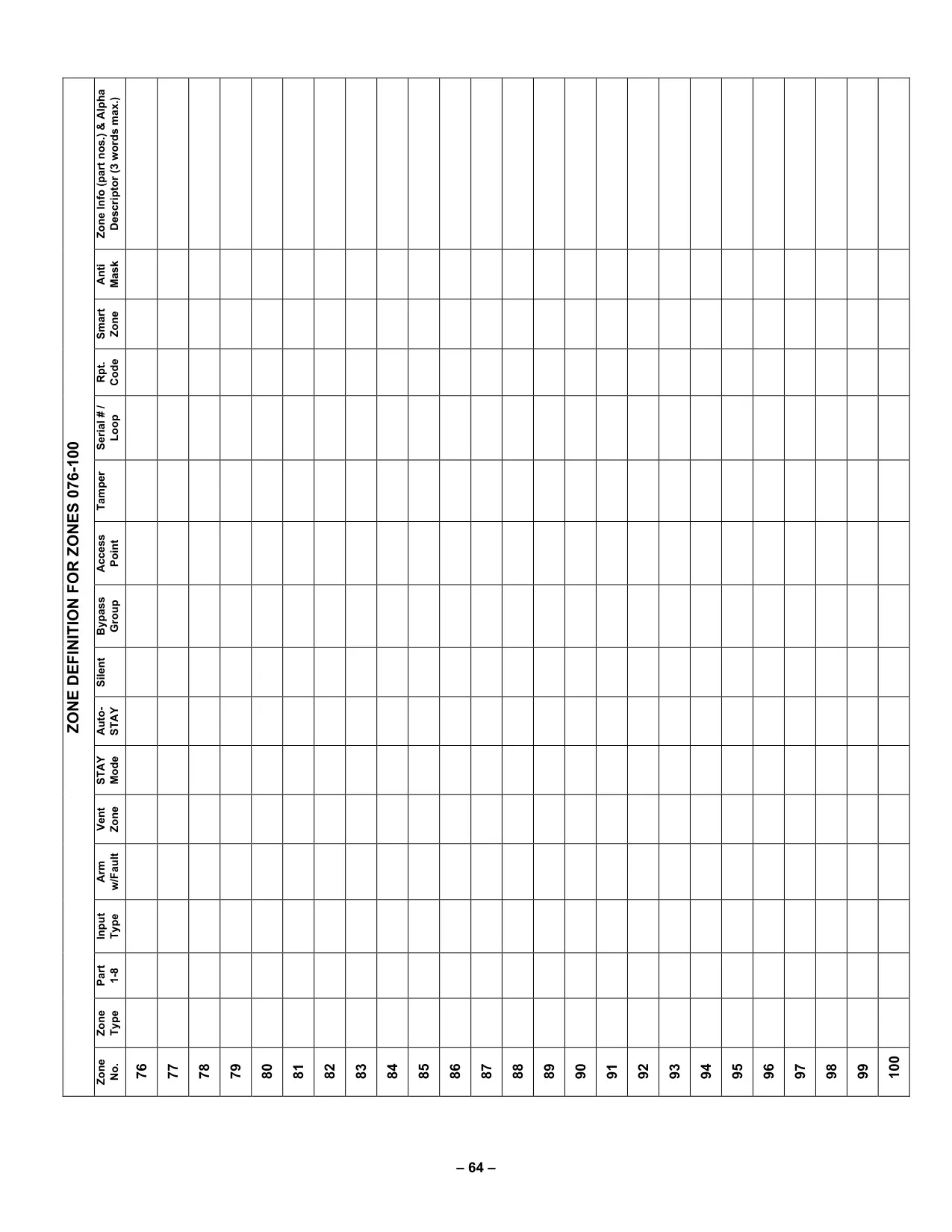
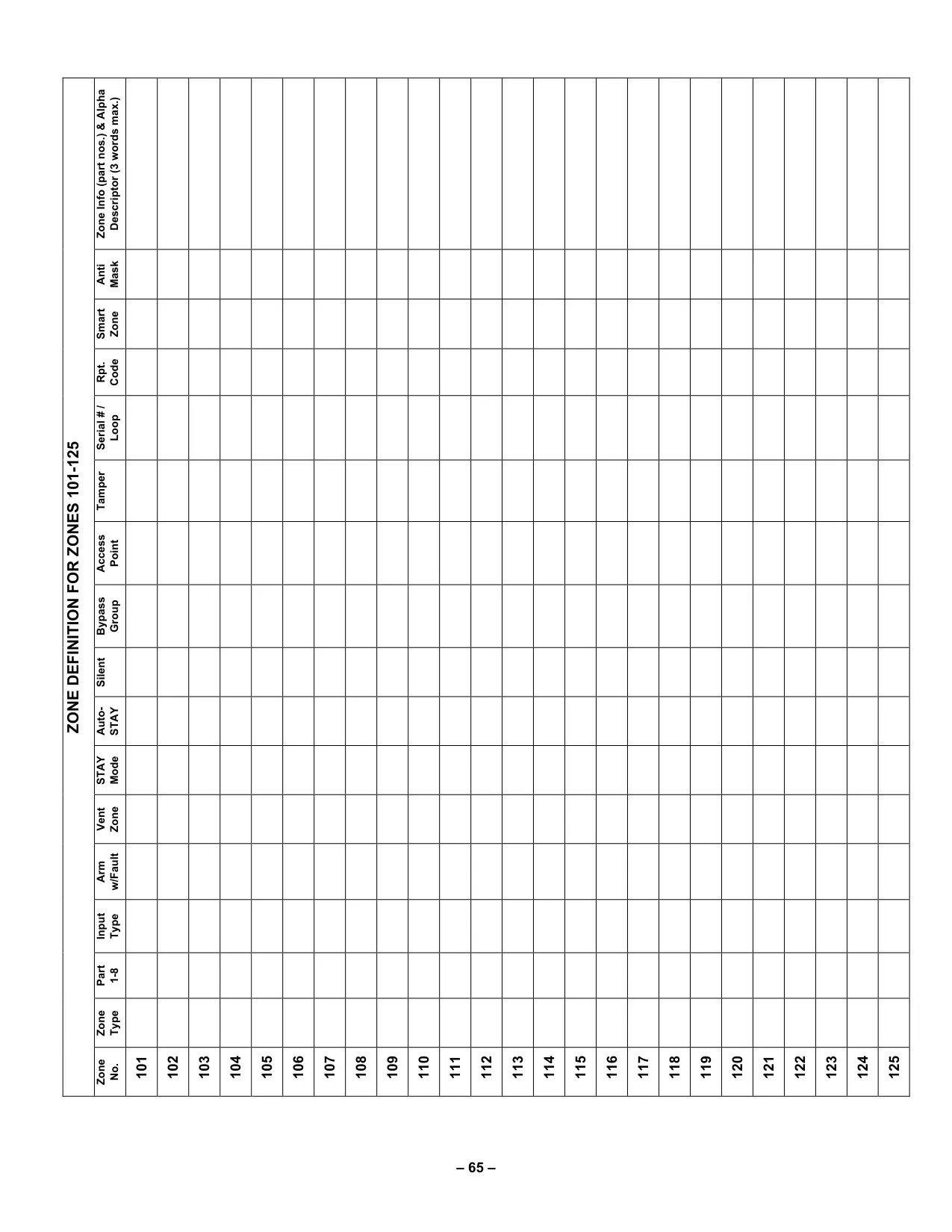
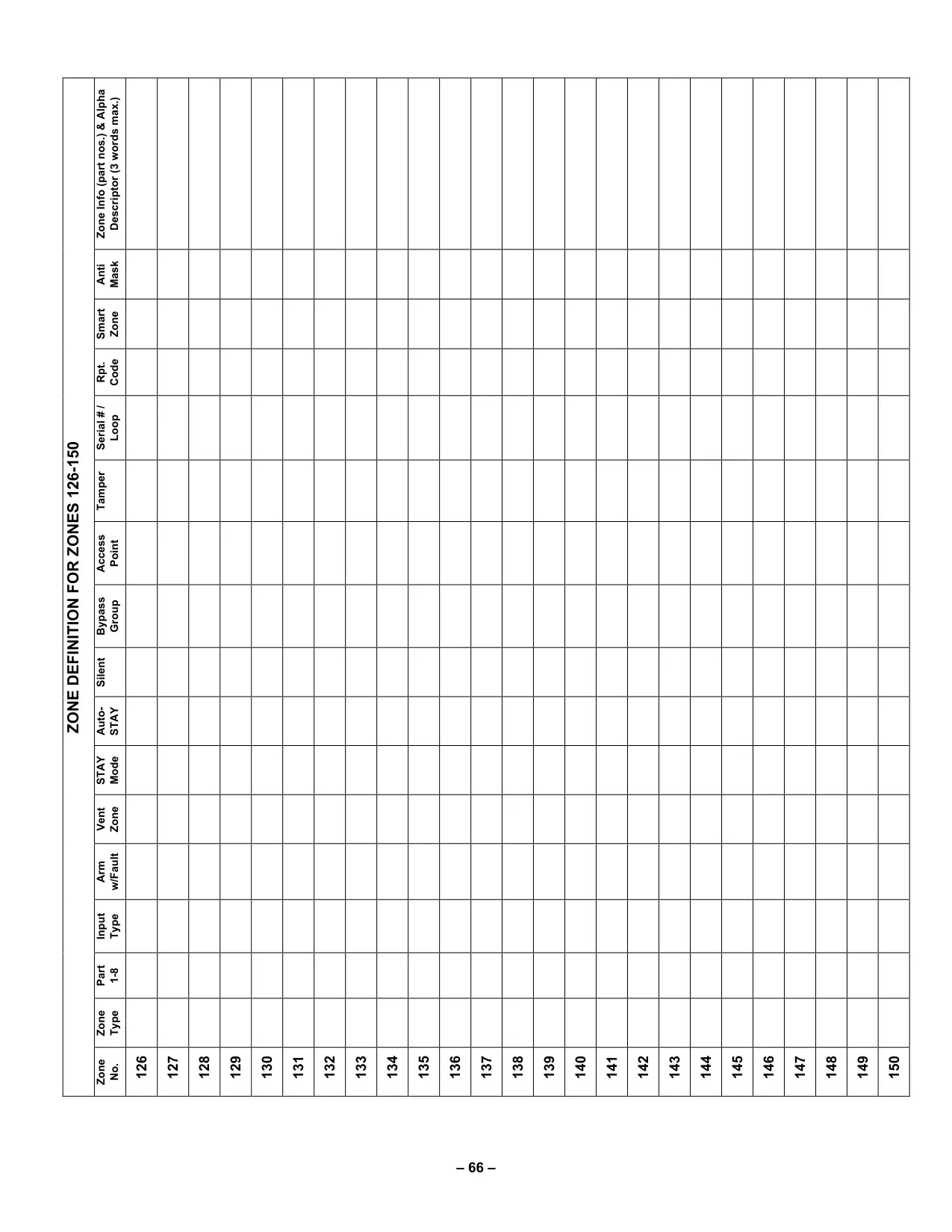
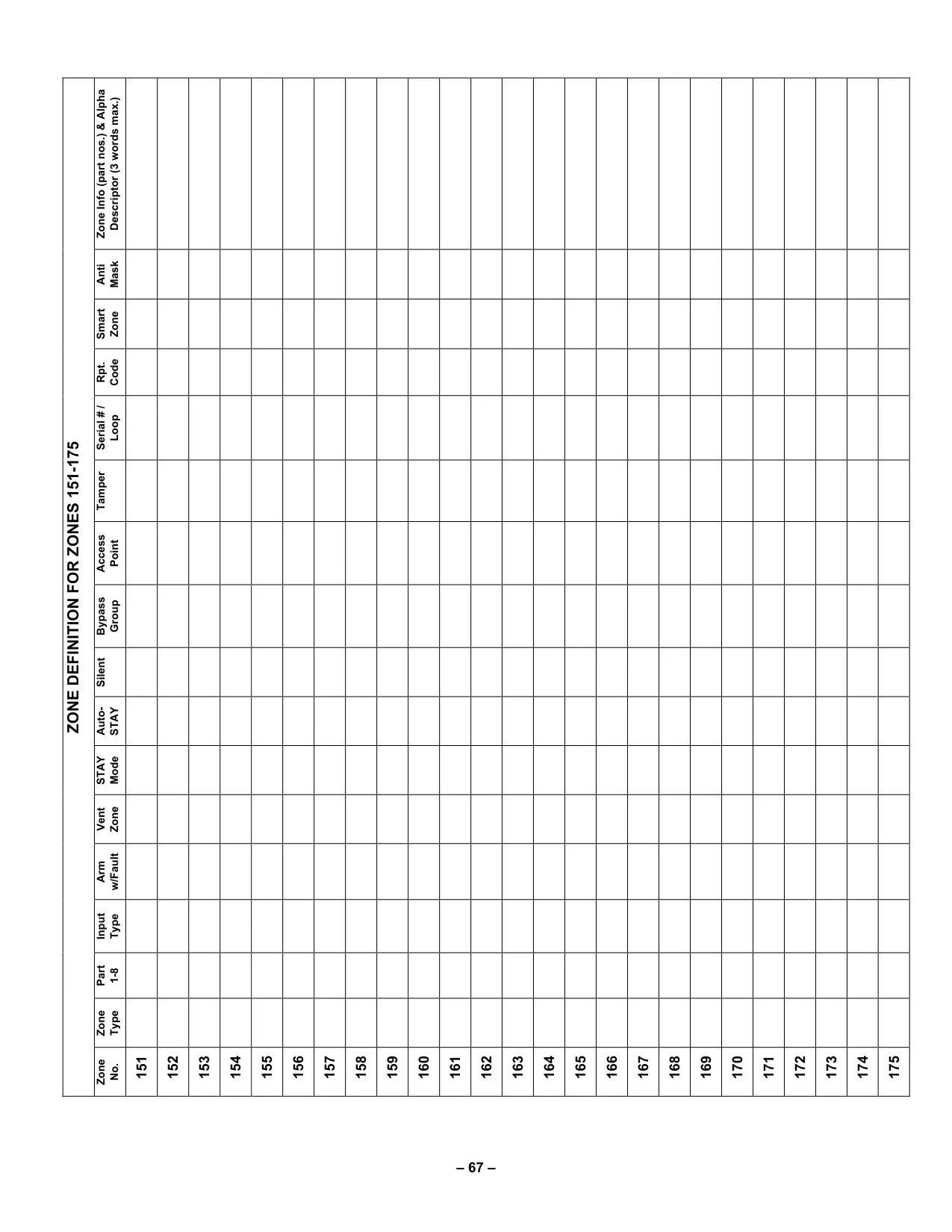
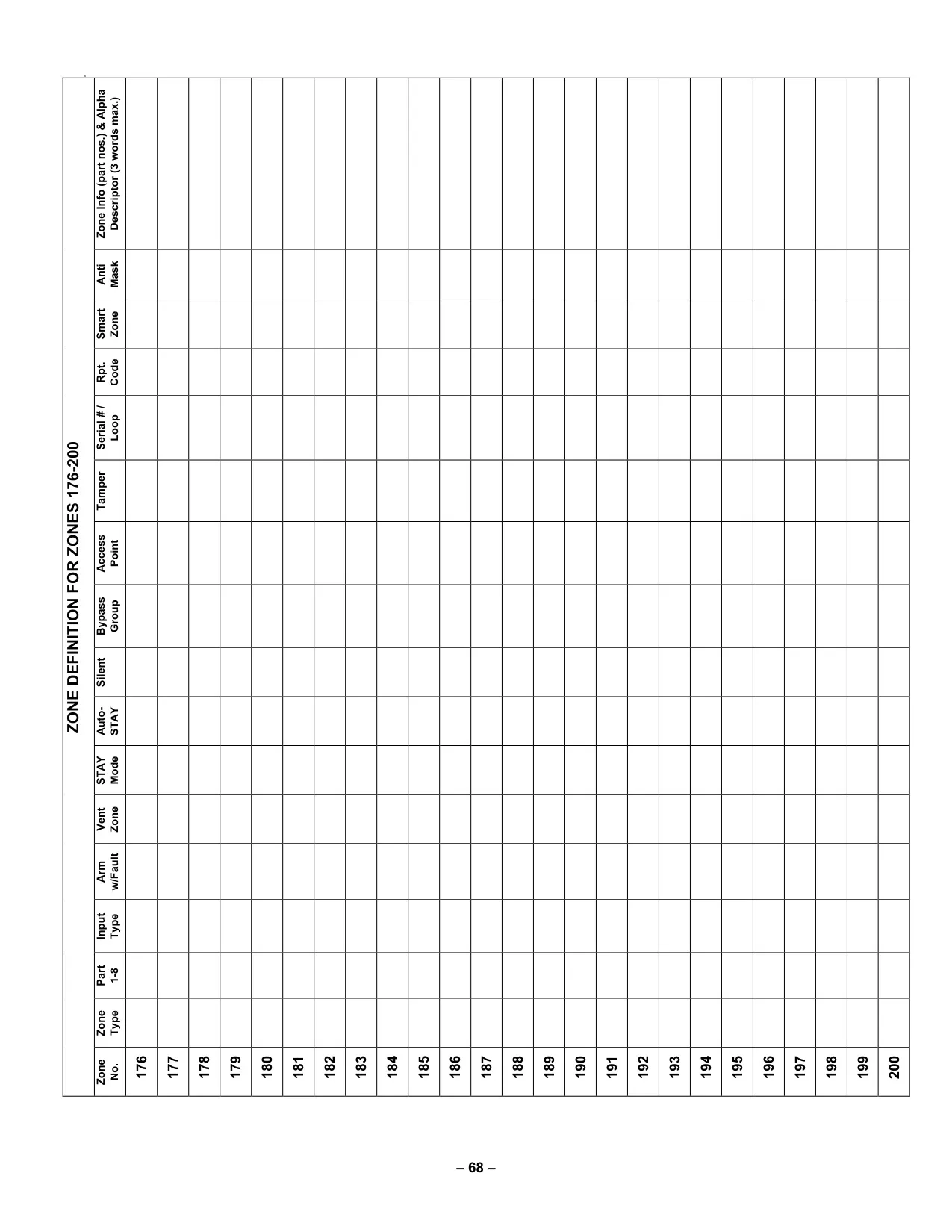
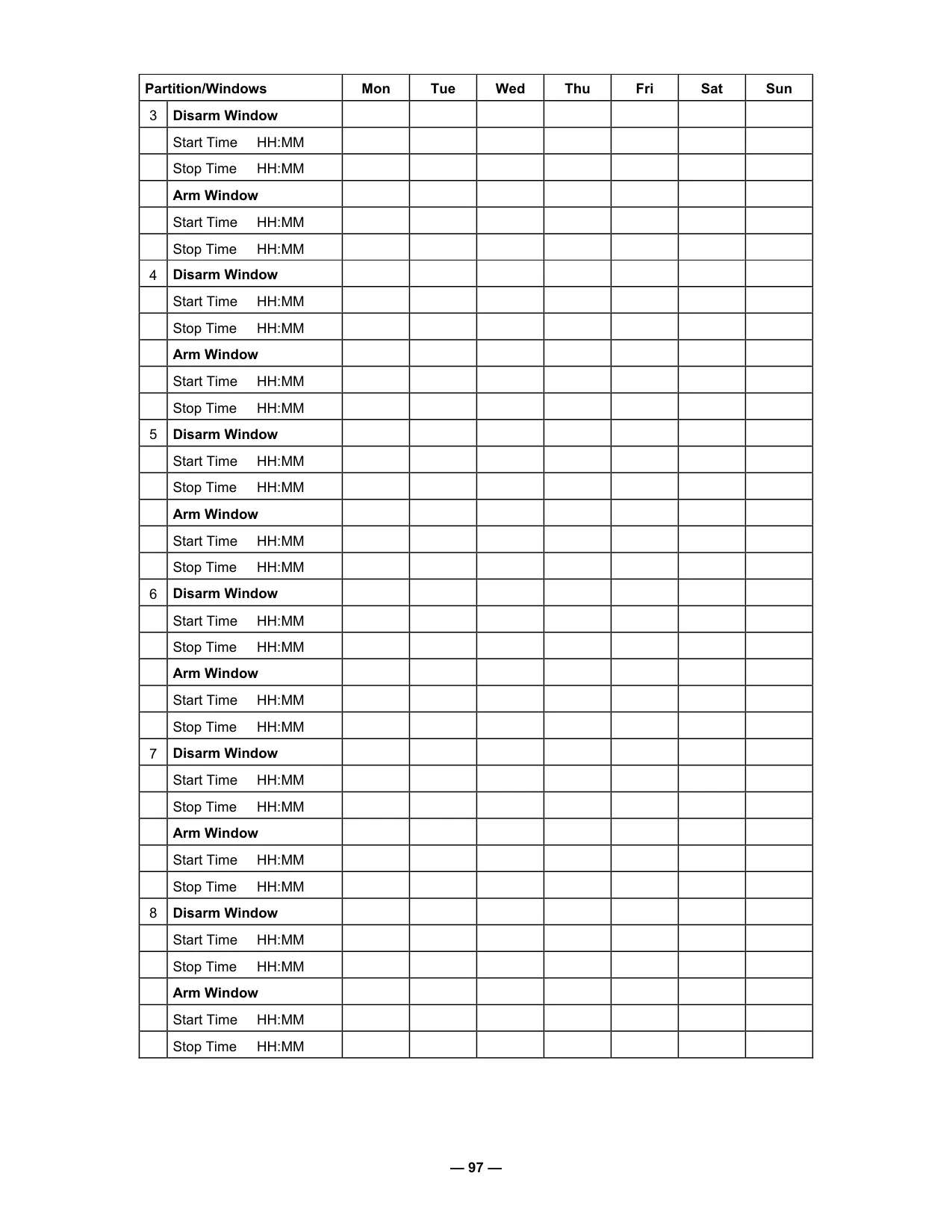





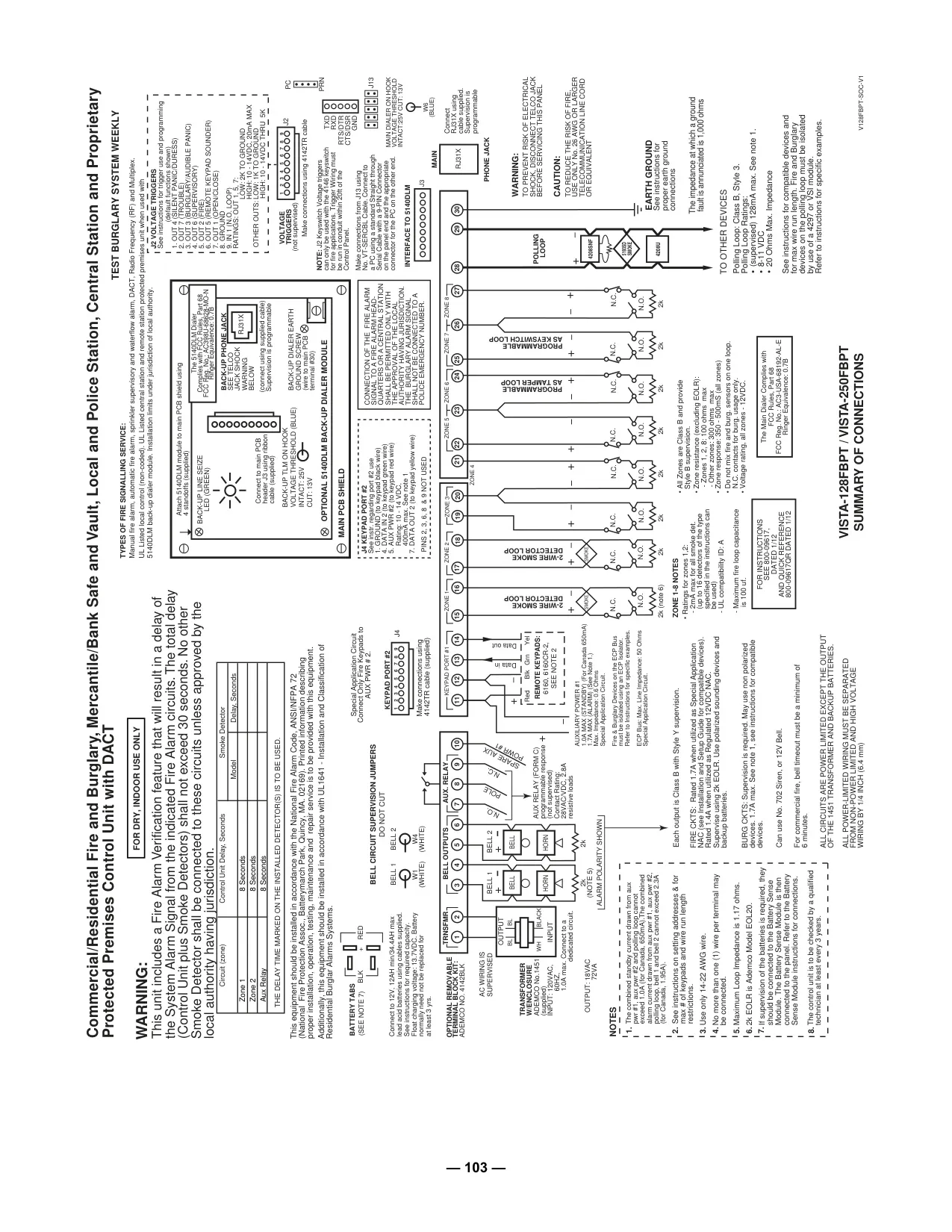
Honeywell Vista 128FBP Security System
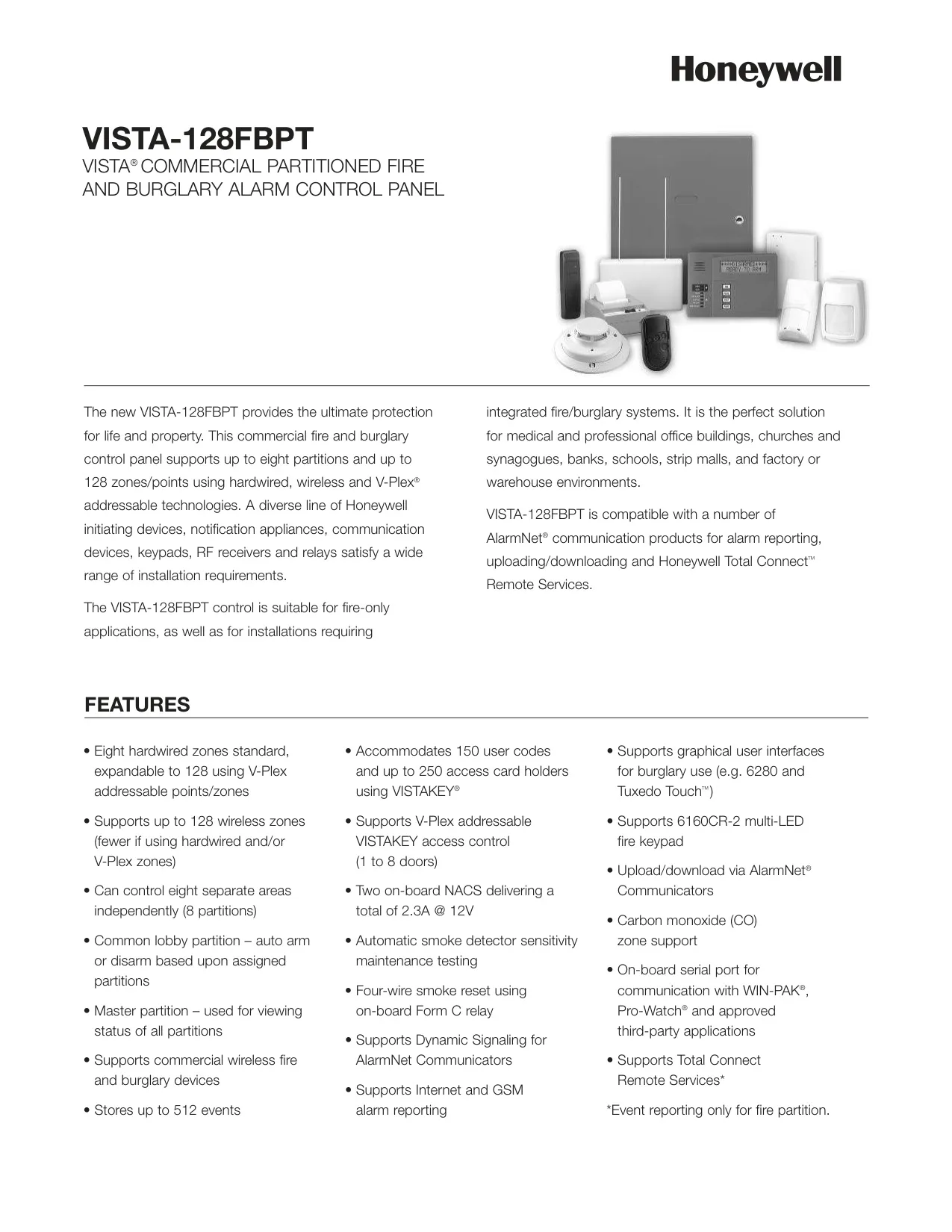
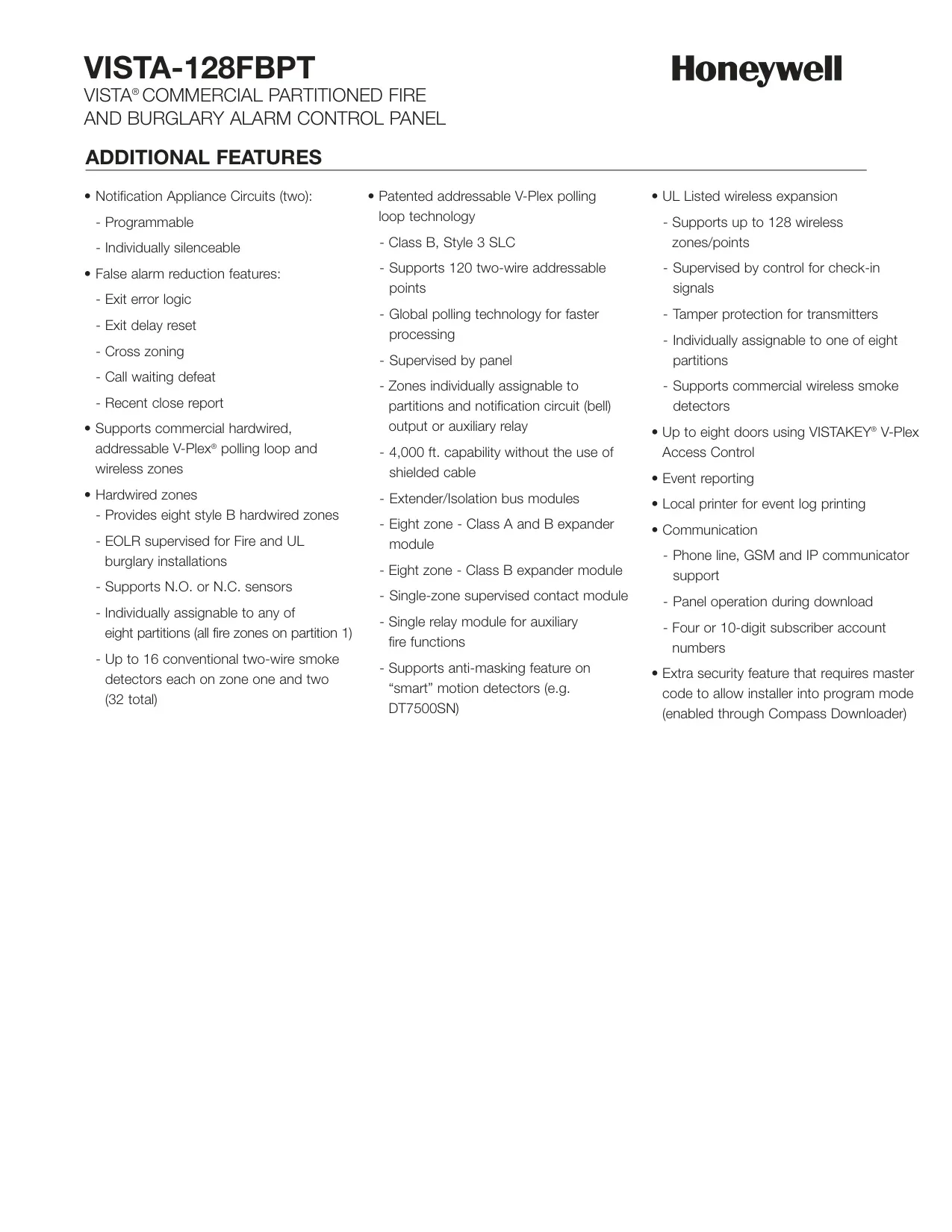

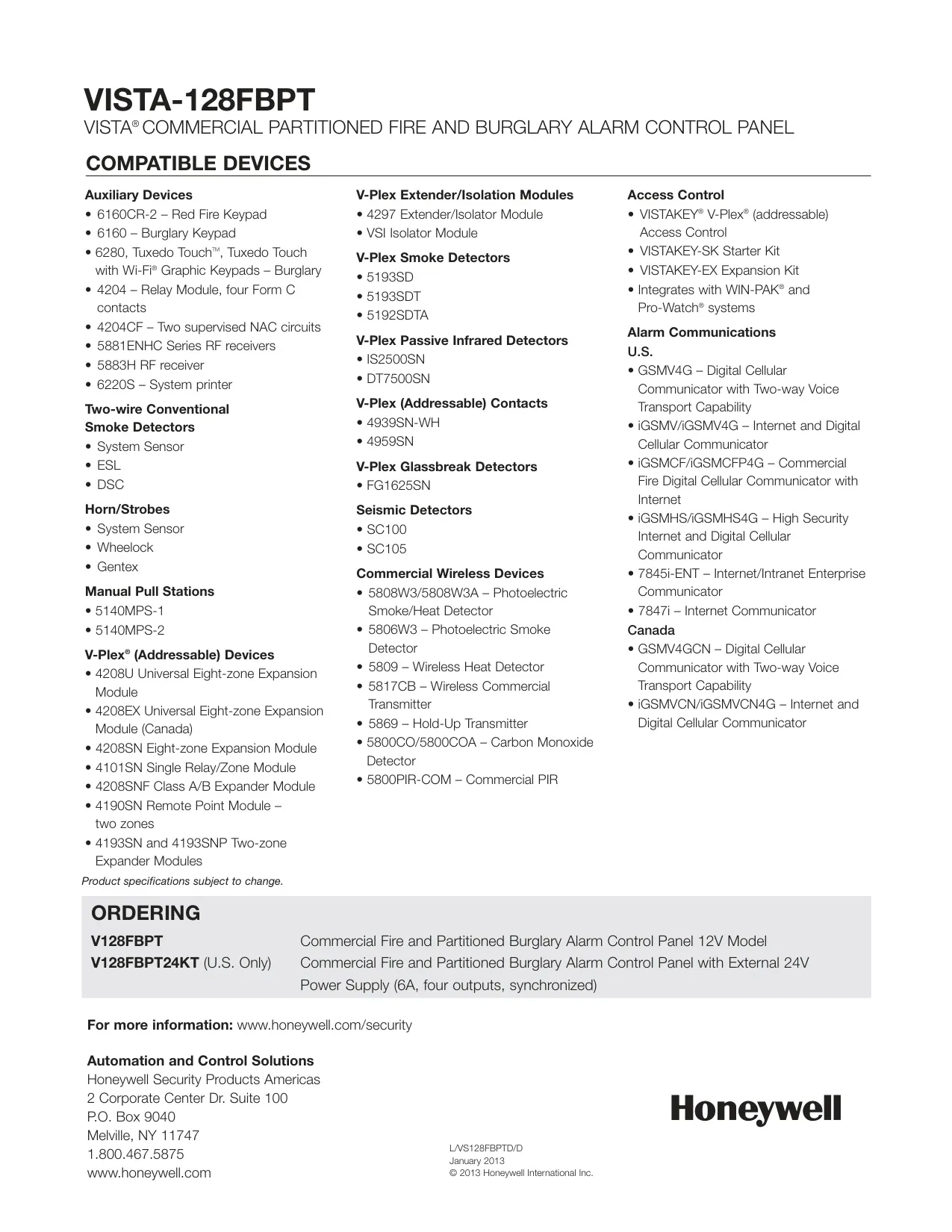
Honeywell Vista 128FBP Instructions
Here we offer the Honeywell Vista 128FBP Security System manual completely free and in English. We have cataloged this manual in the Security Systems section on Manualverse, and it has been rated by 1 users with an average rating of 5. If you have any specific questions about Honeywell Vista 128FBP Security System, we suggest checking the Frequently Asked Questions (FAQs) section of this manual.
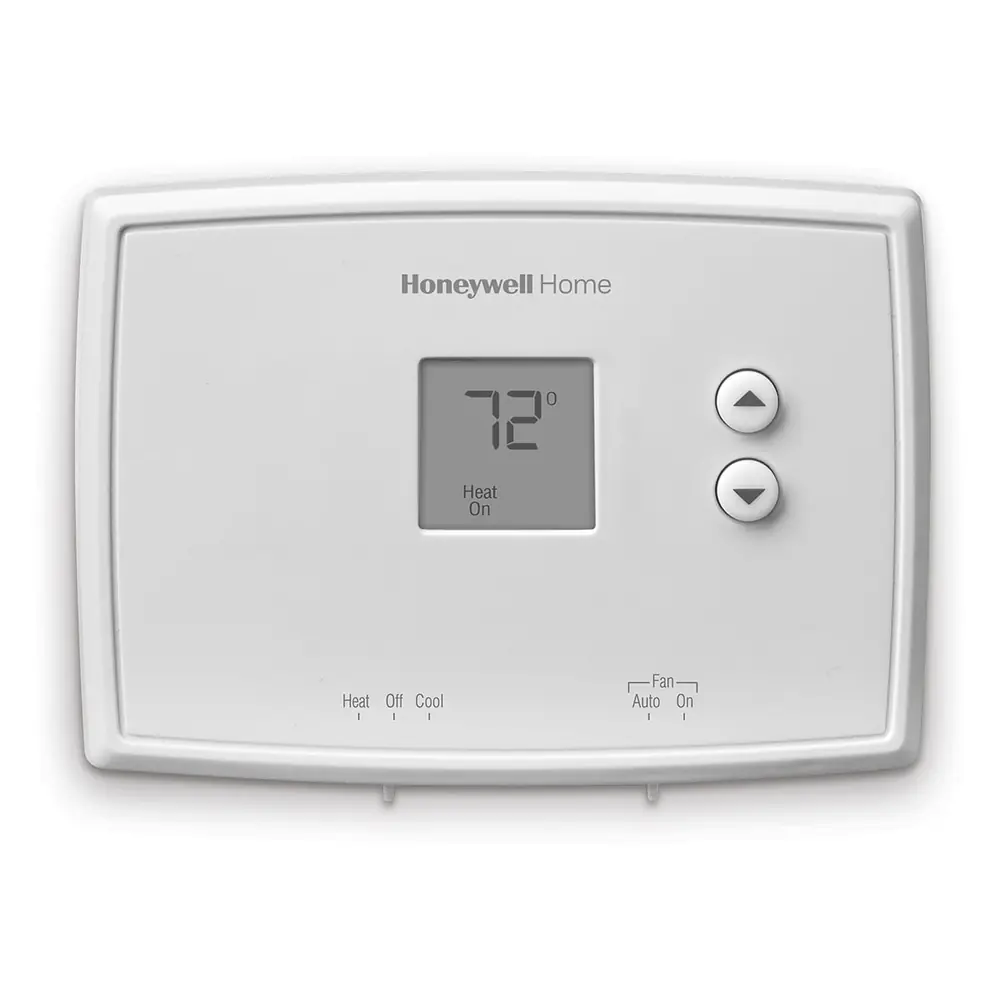
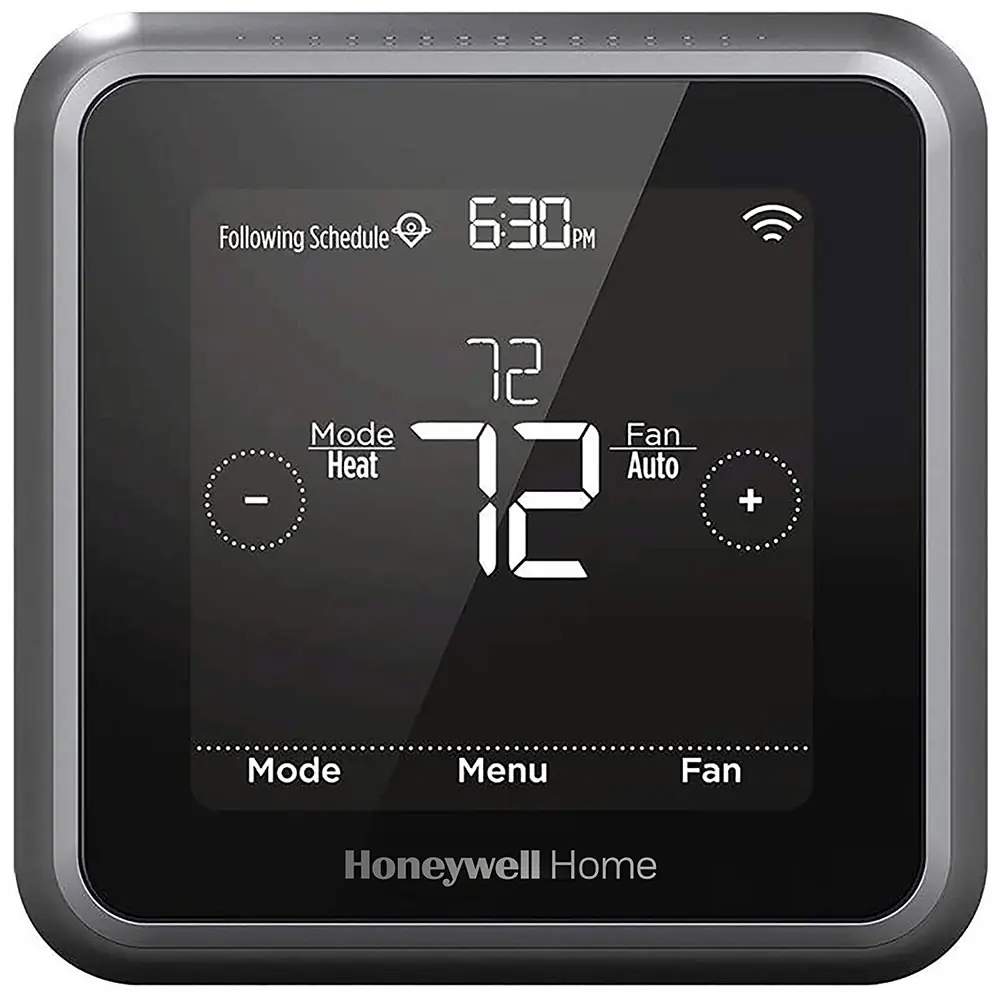
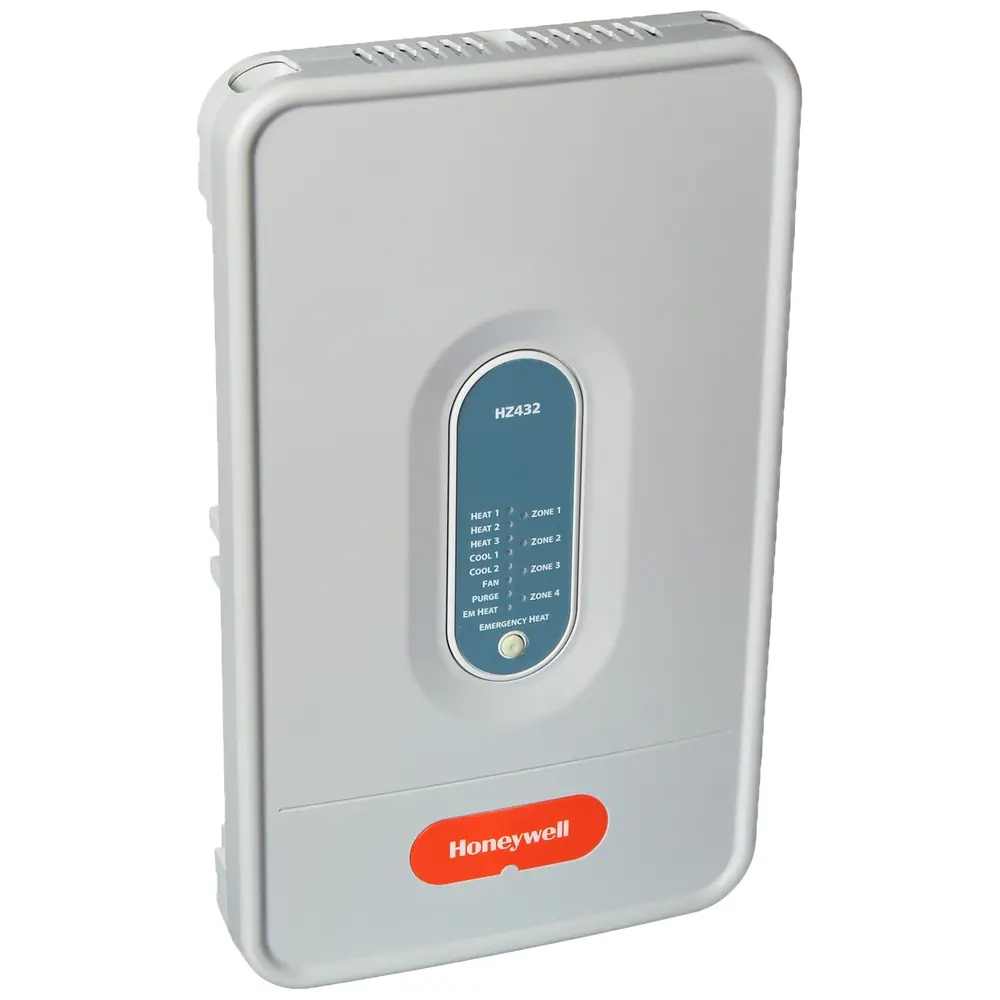
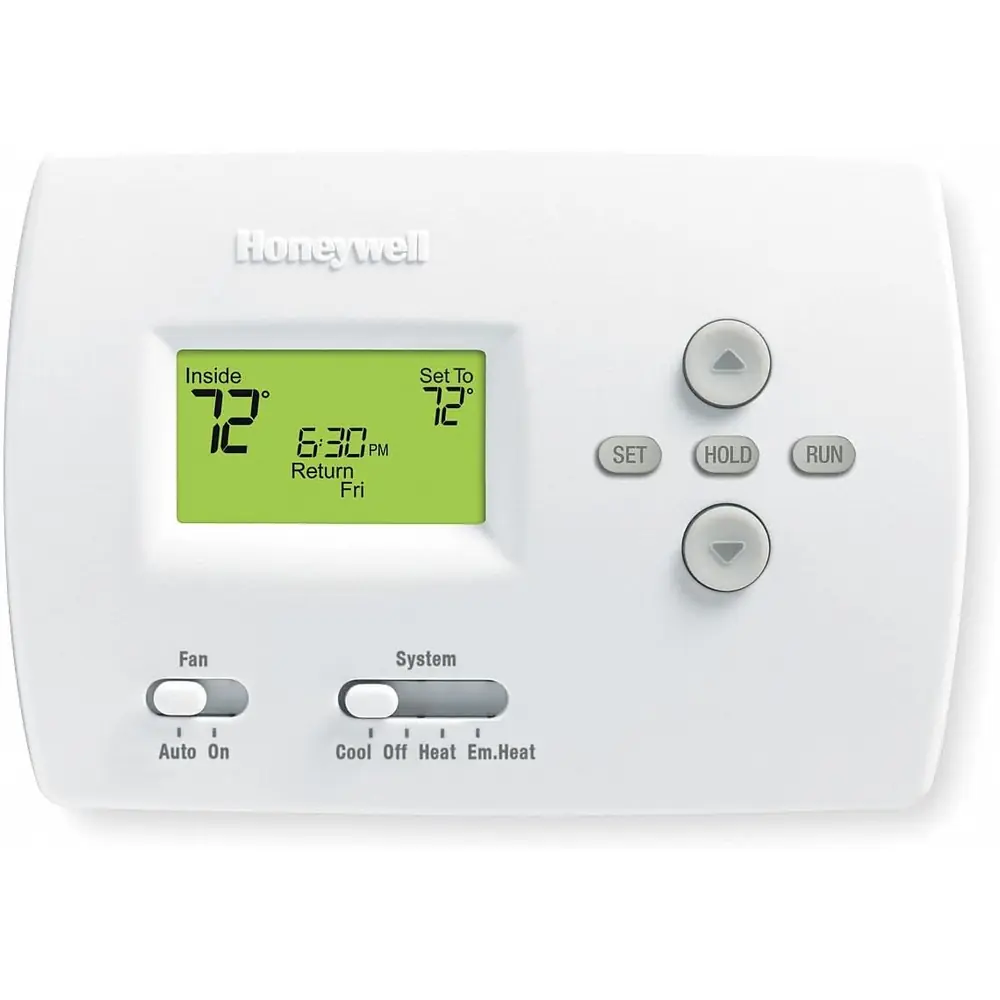
Product Images


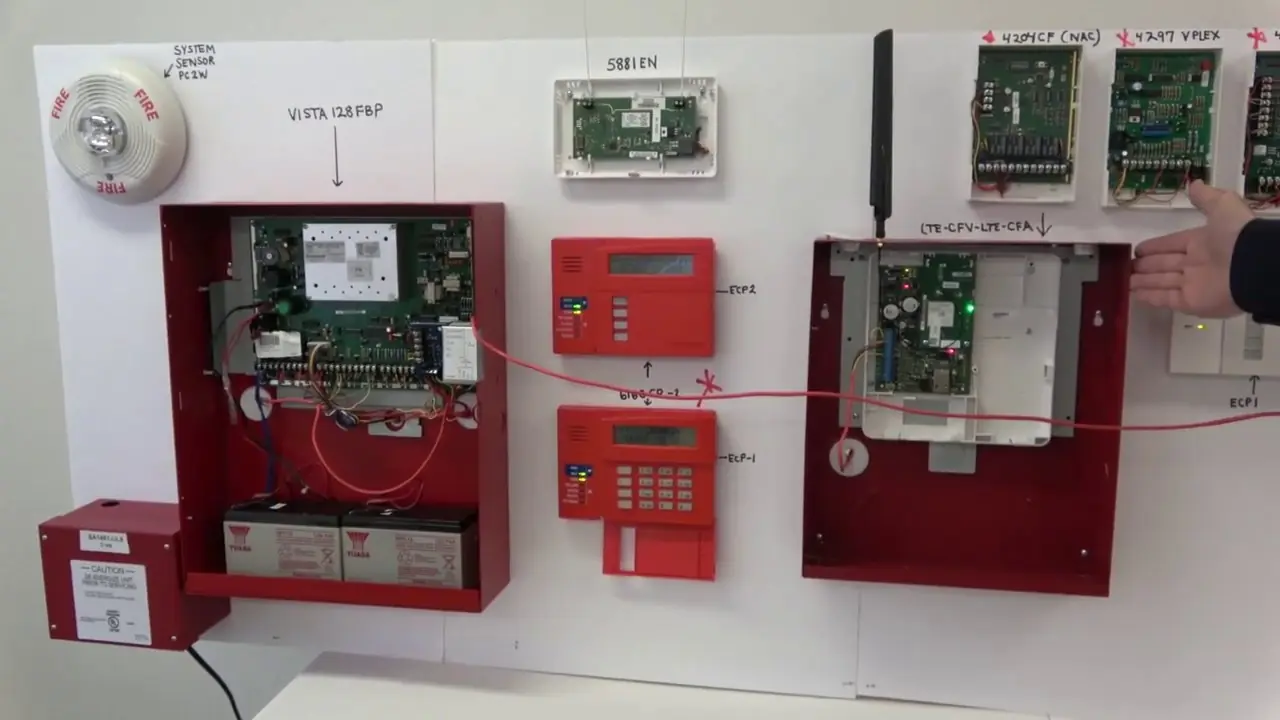
Honeywell Vista 128FBP Security System Specifications
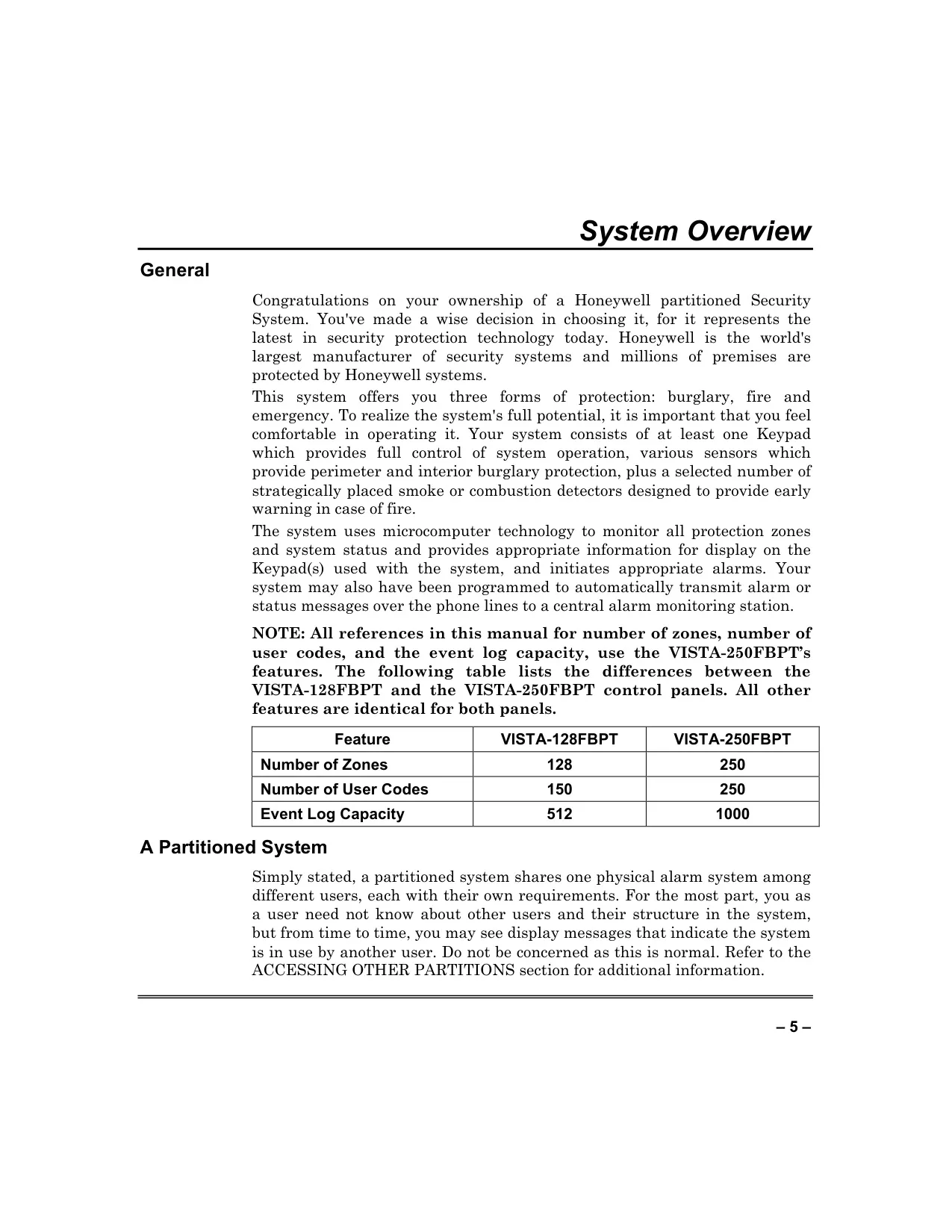
| Feature | Specification for Honeywell Vista 128FBP |
|---|---|
| System Type | Commercial Fire and Burglary Partitioned Security System |
| Number of Zones | 128 protection zones |
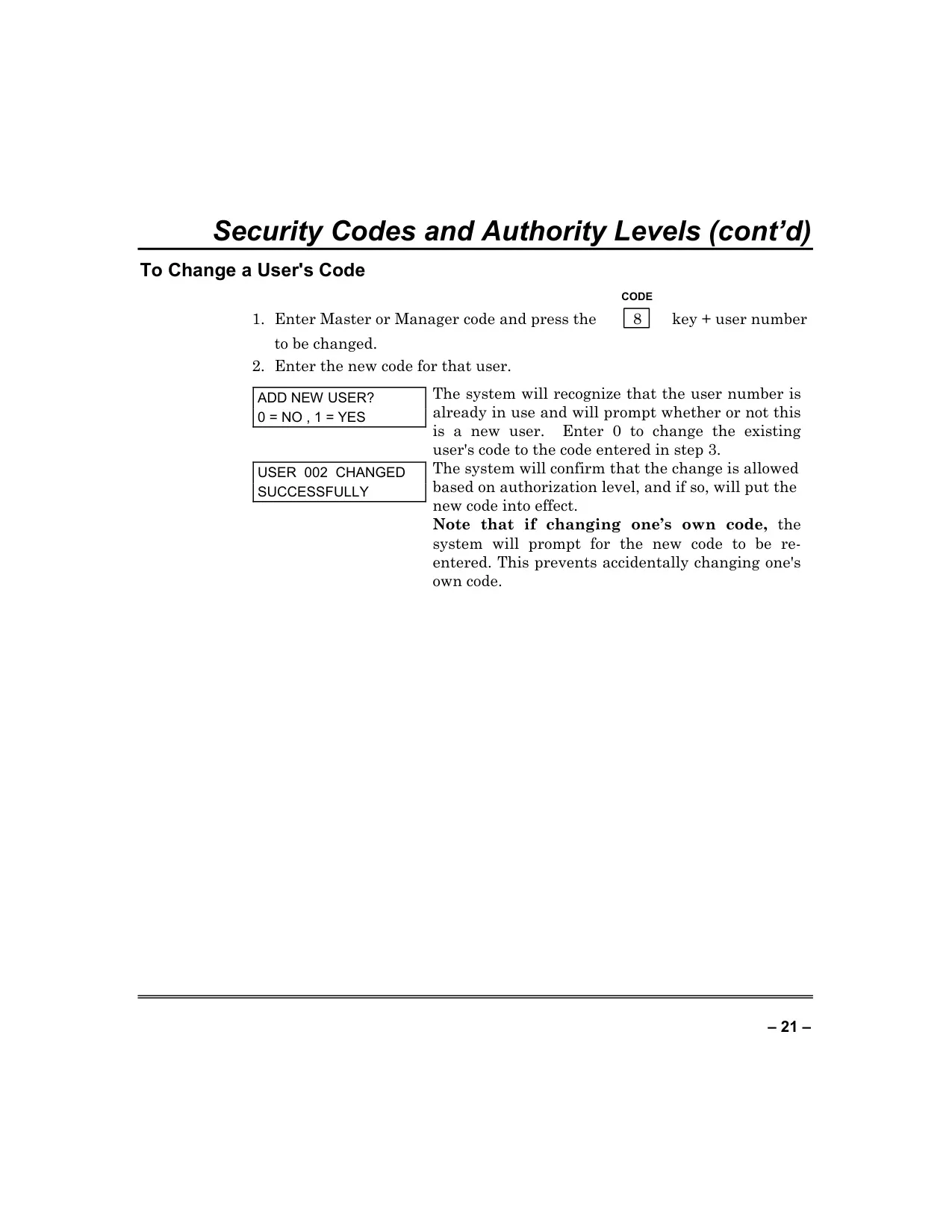
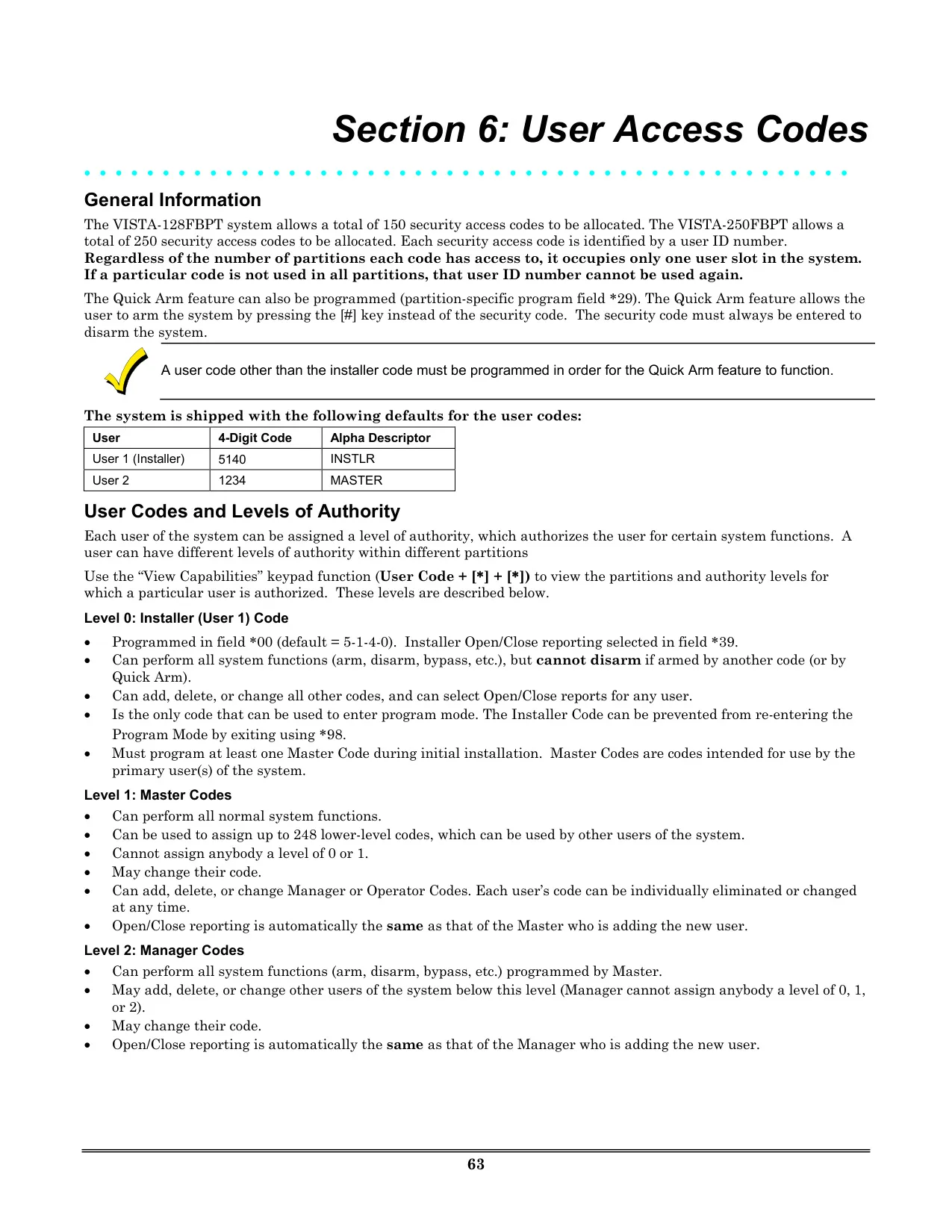
| Number of User Codes | 150 unique user codes |
| Event Log Capacity | 512 events (chronological, categorized) |
| Protection Forms | Burglary, Fire, Emergency, Carbon Monoxide |
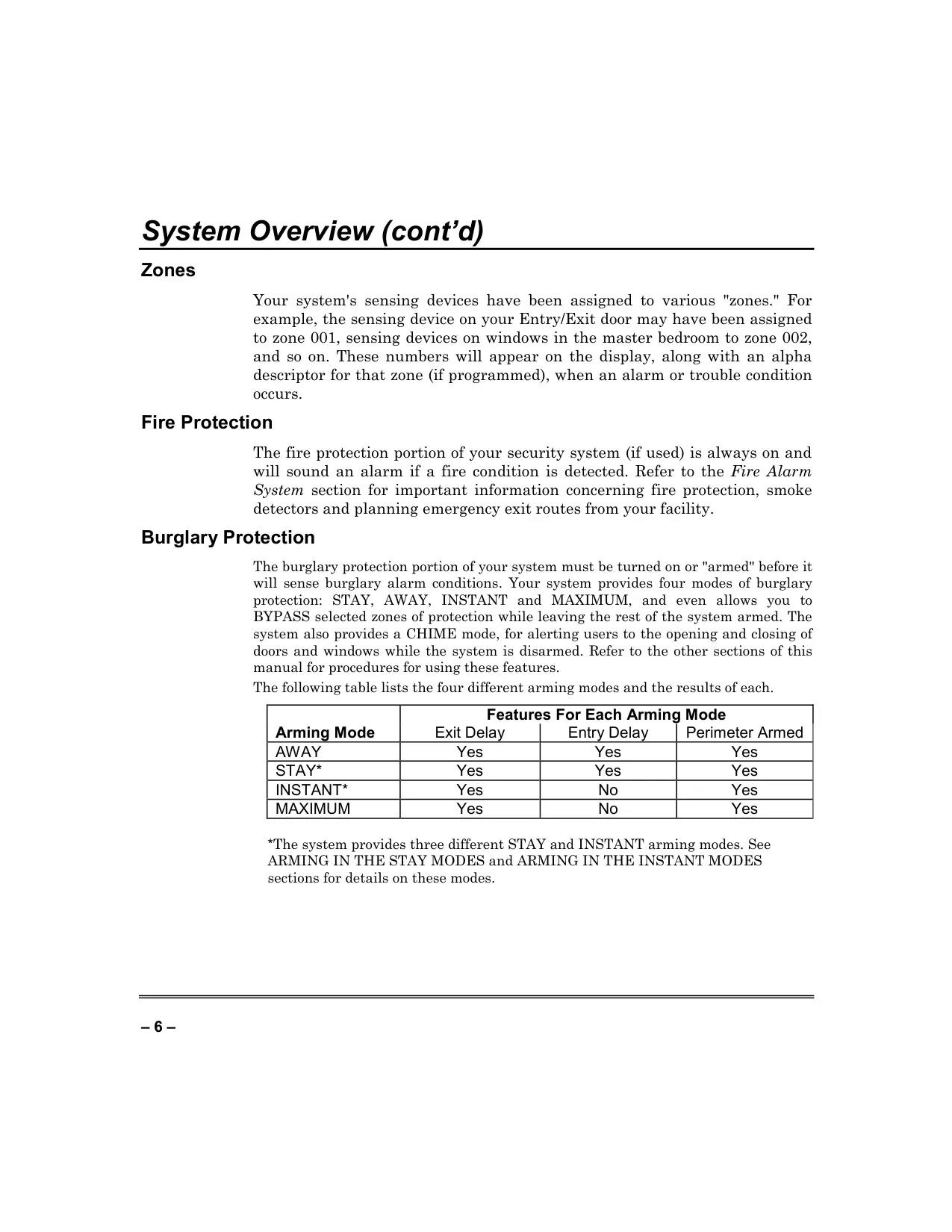
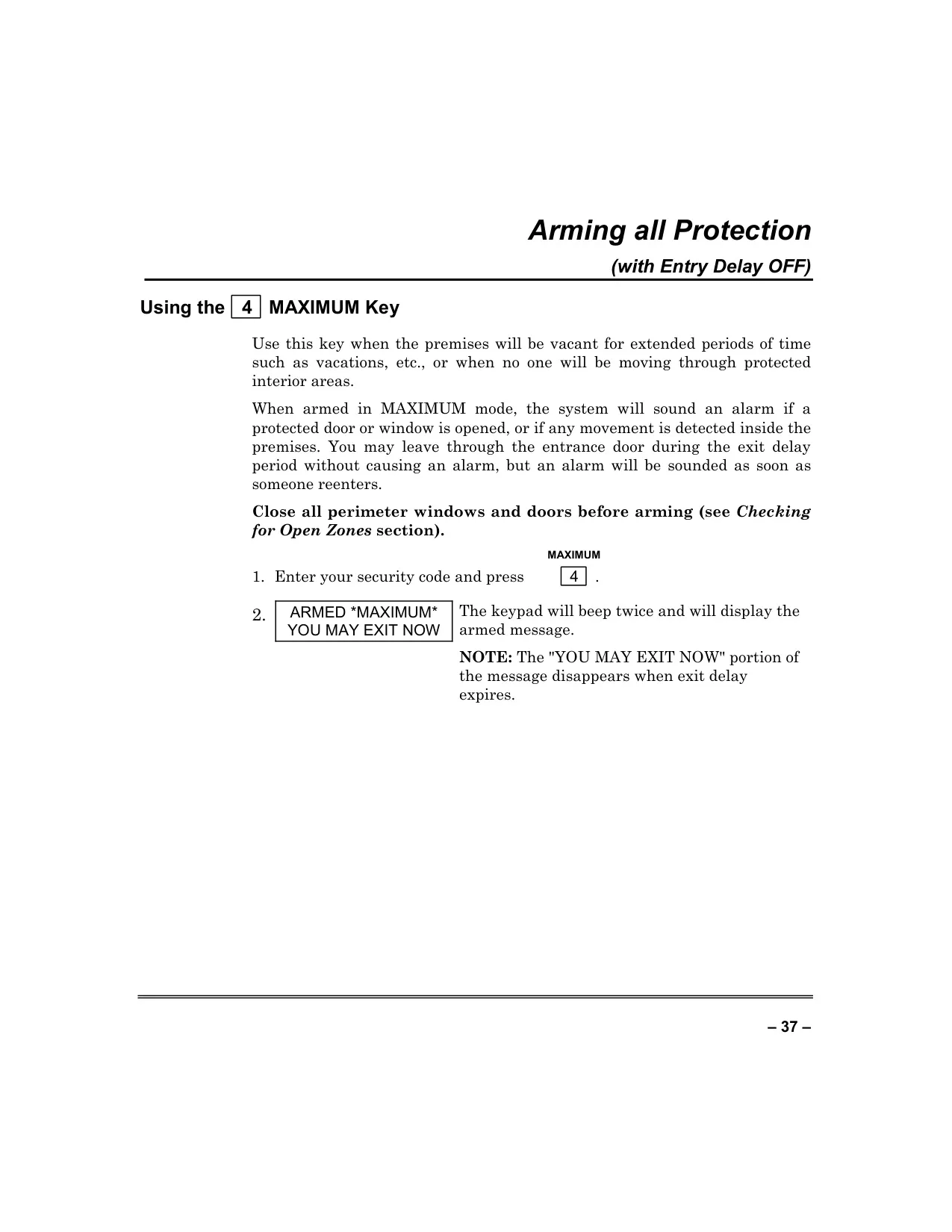
| Arming Modes | AWAY, STAY (3 modes), INSTANT (3 modes), MAXIMUM |
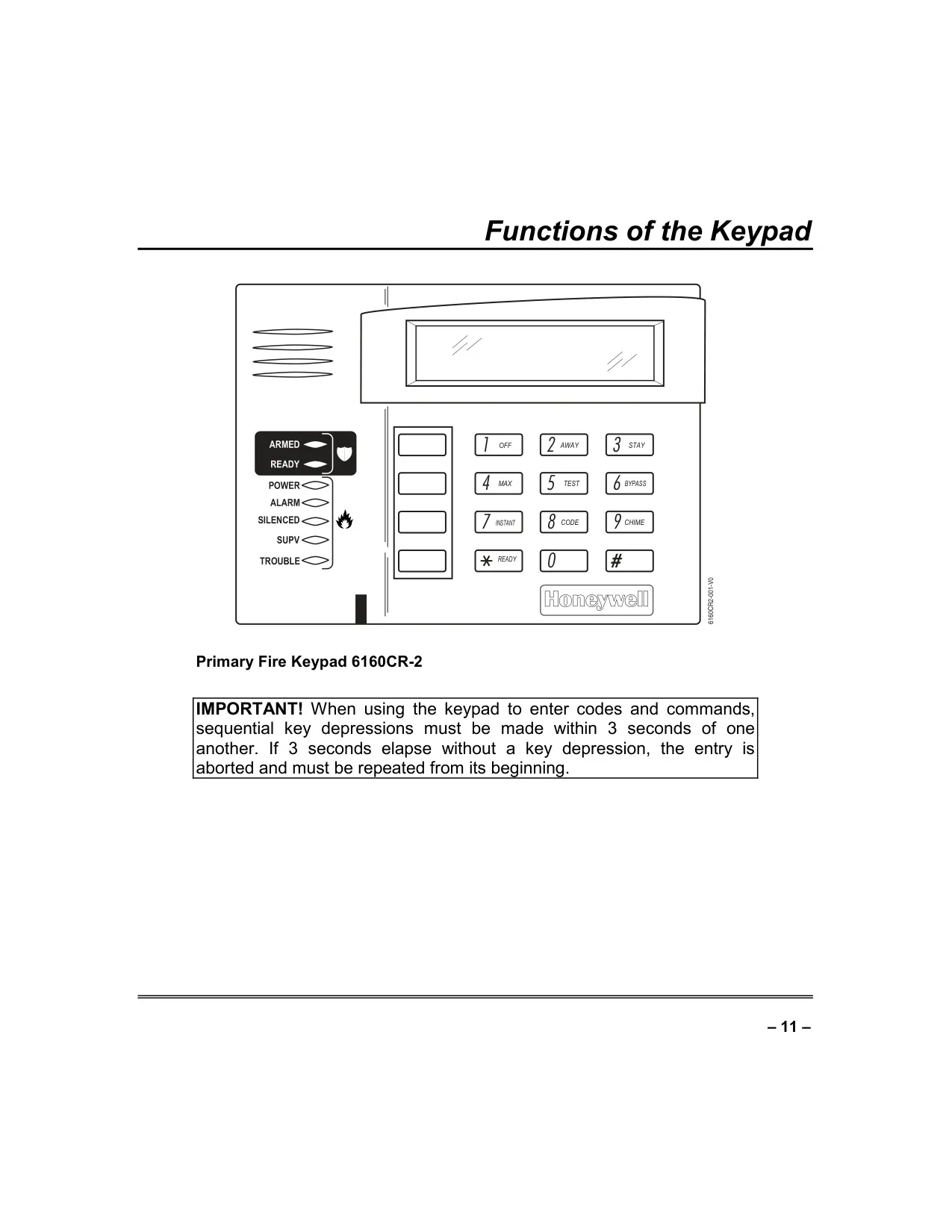
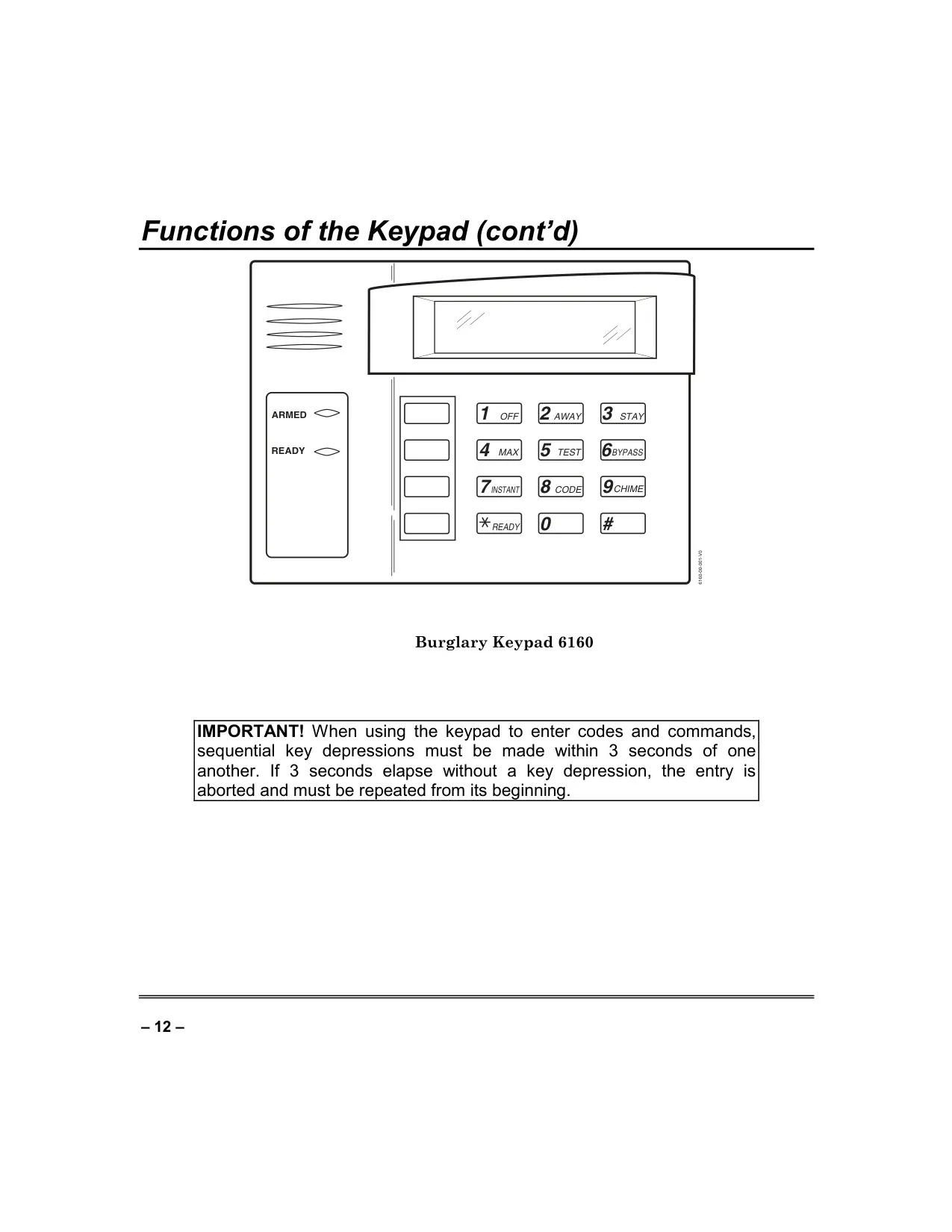
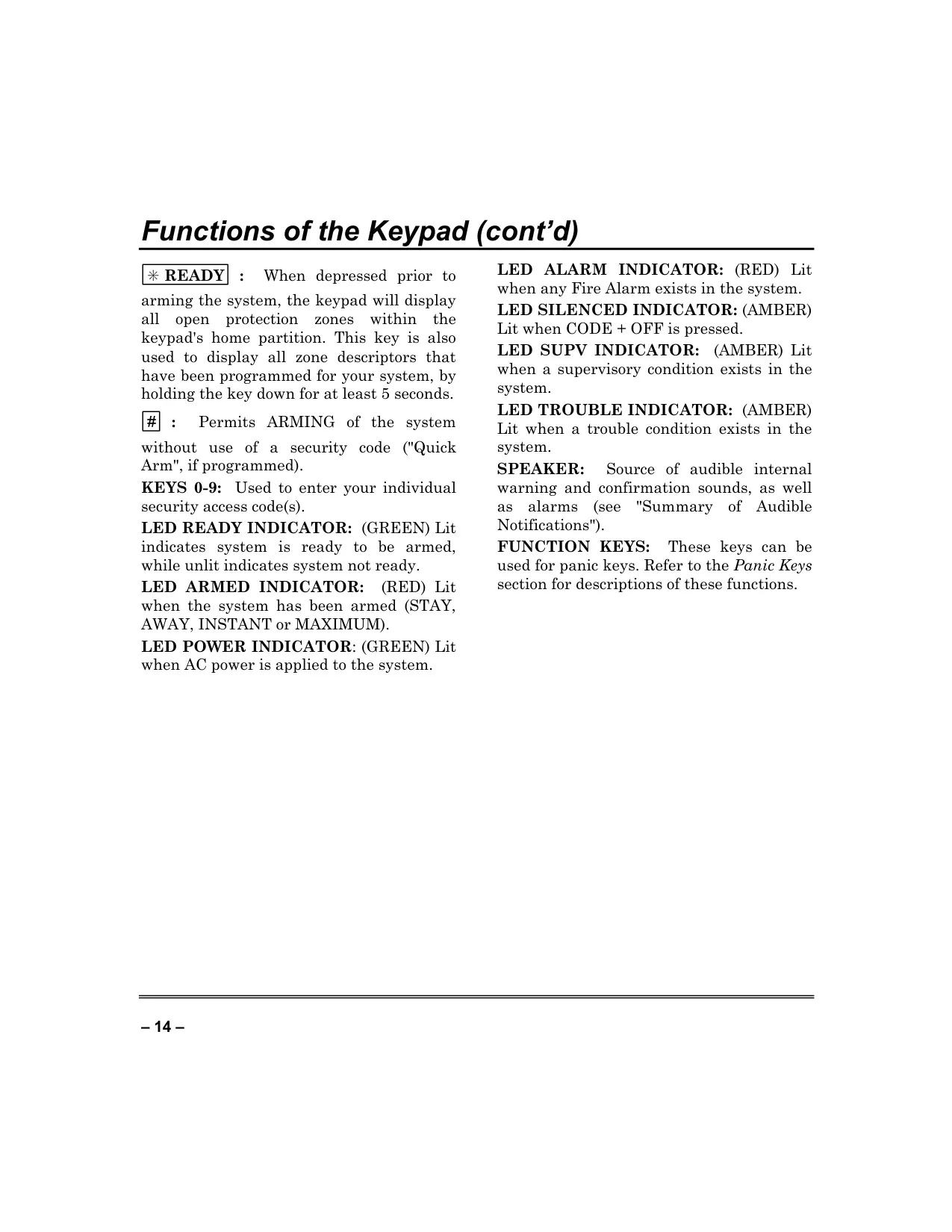
| Keypad Type | Alpha Keypad (2-line, 32-character alphanumeric LCD with custom zone descriptors, self-help feature) |
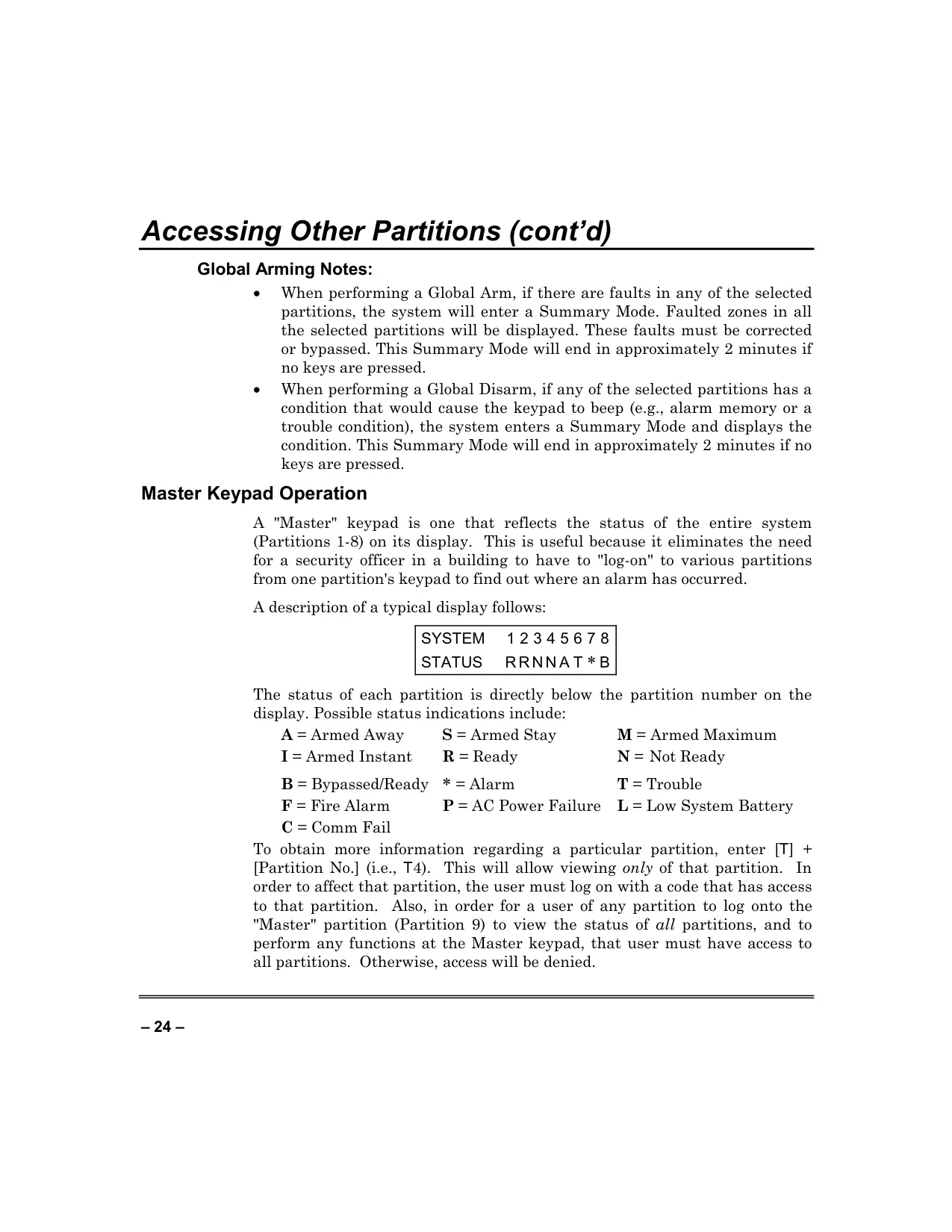
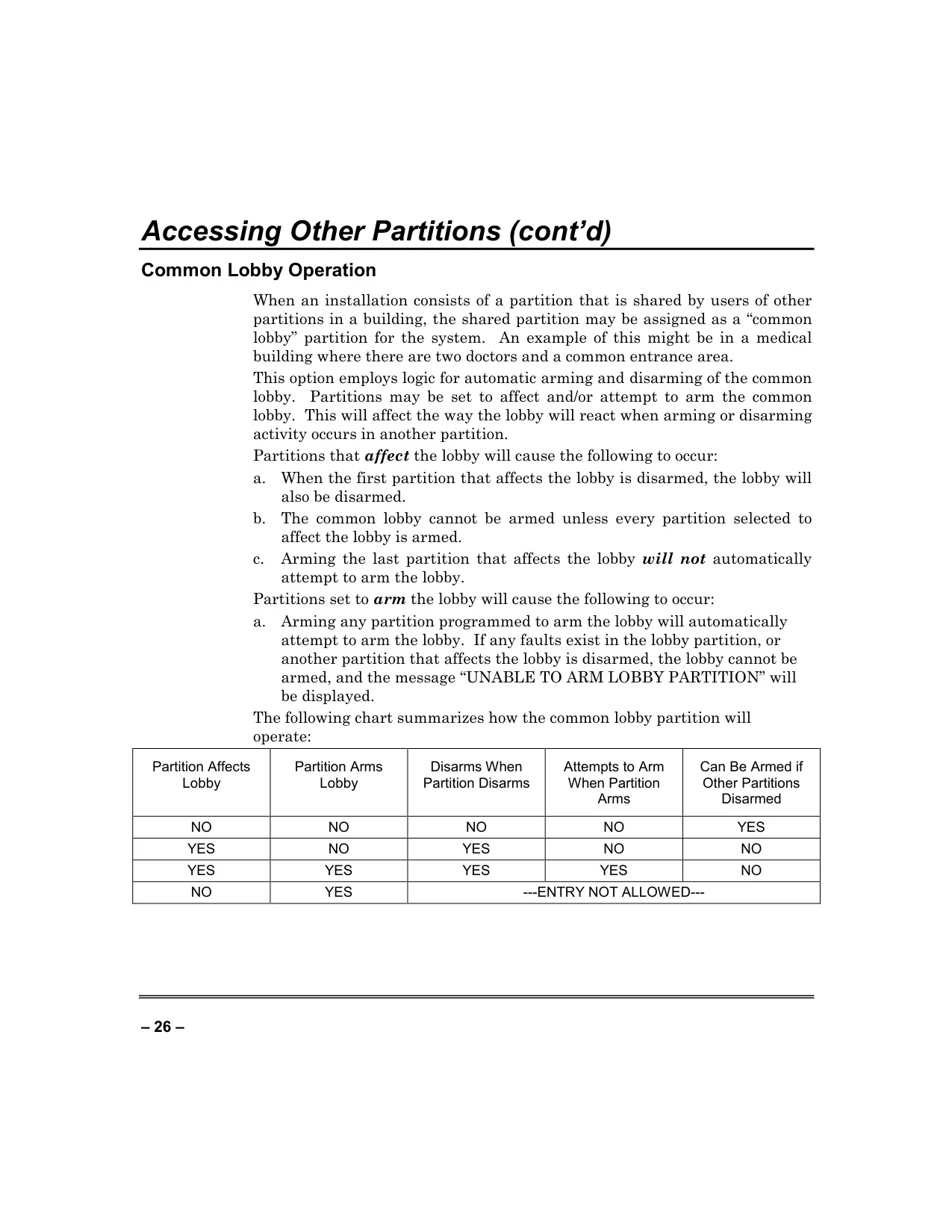
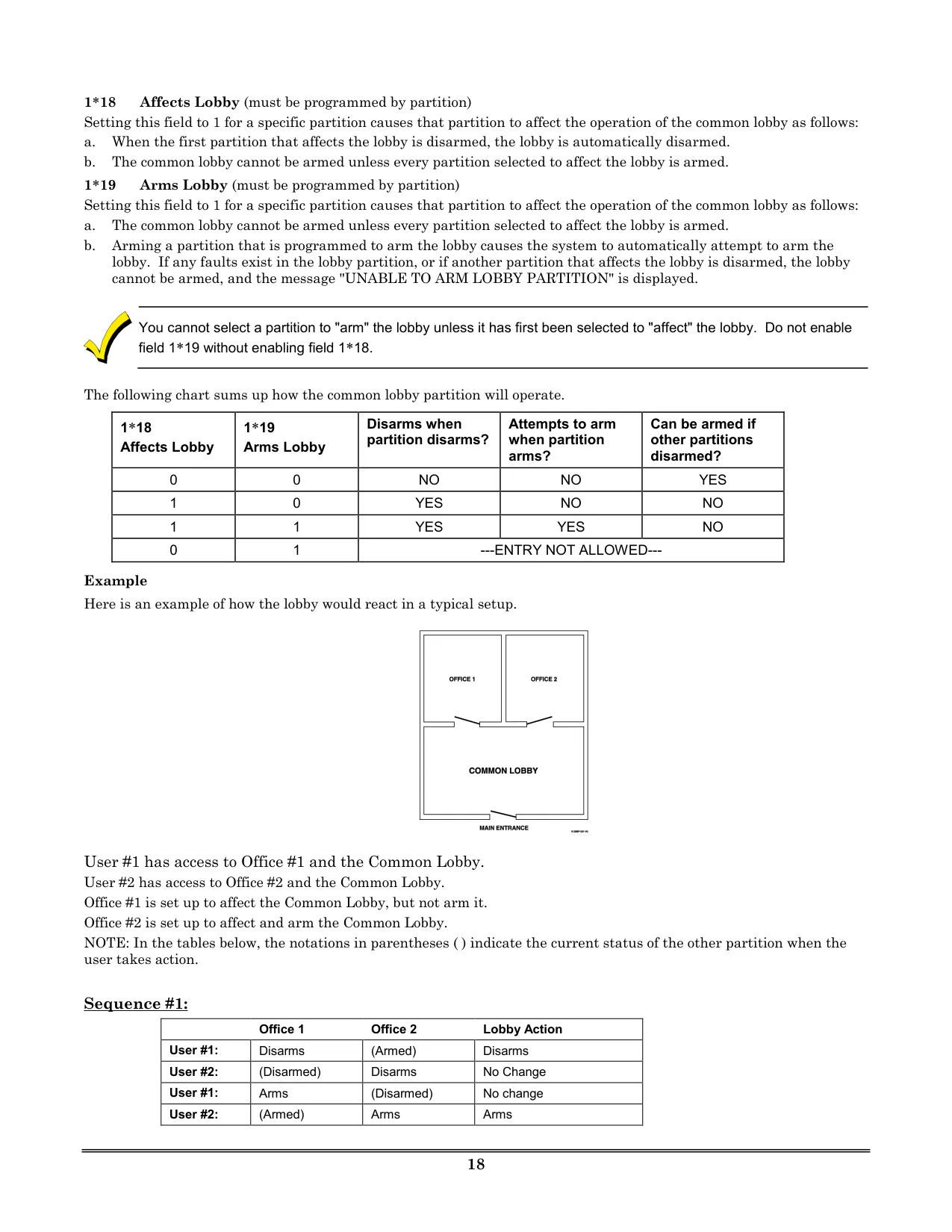
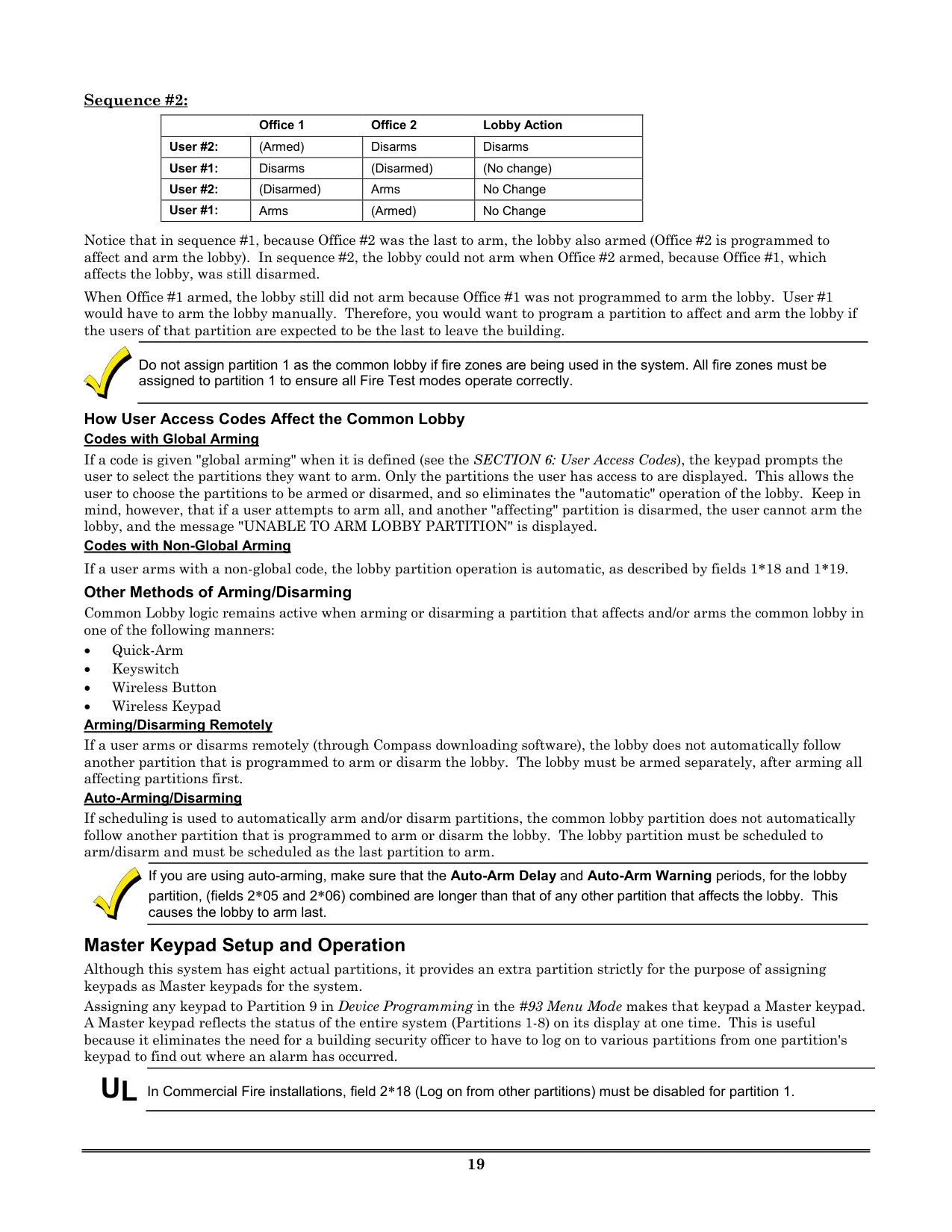
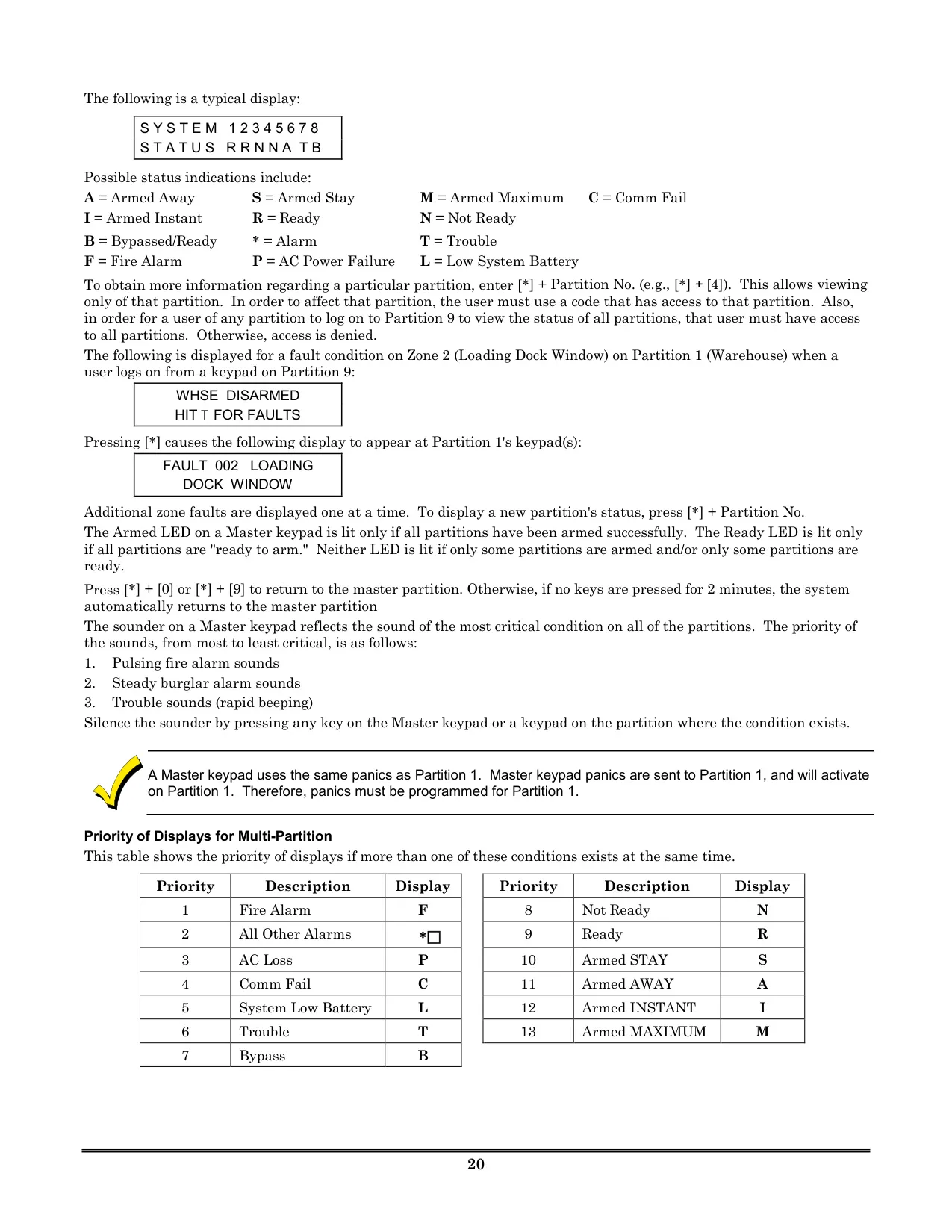
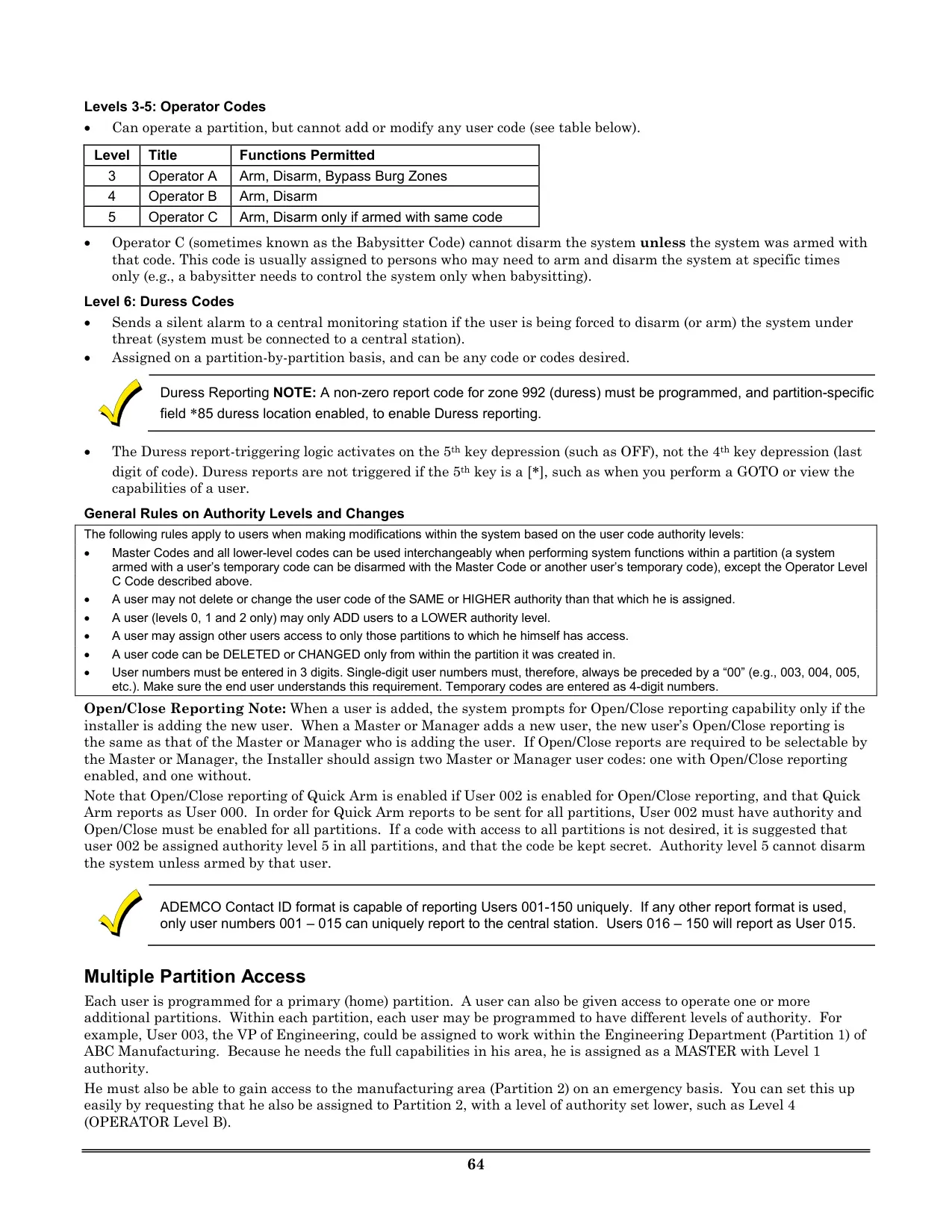
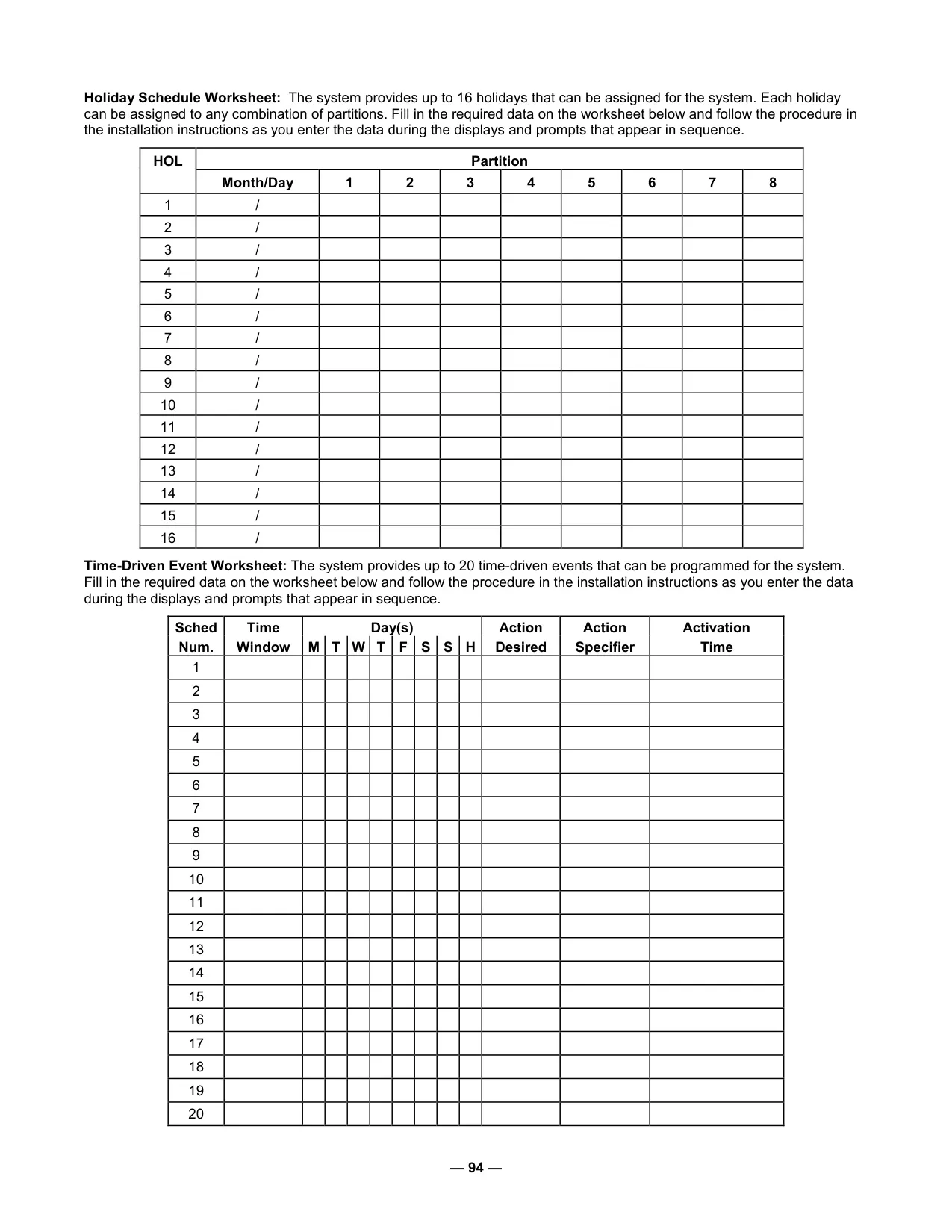
| Partitions | Supports partitioned operation (up to 8 user-accessible partitions, Master Keypad for all 9 partitions including Master partition) |
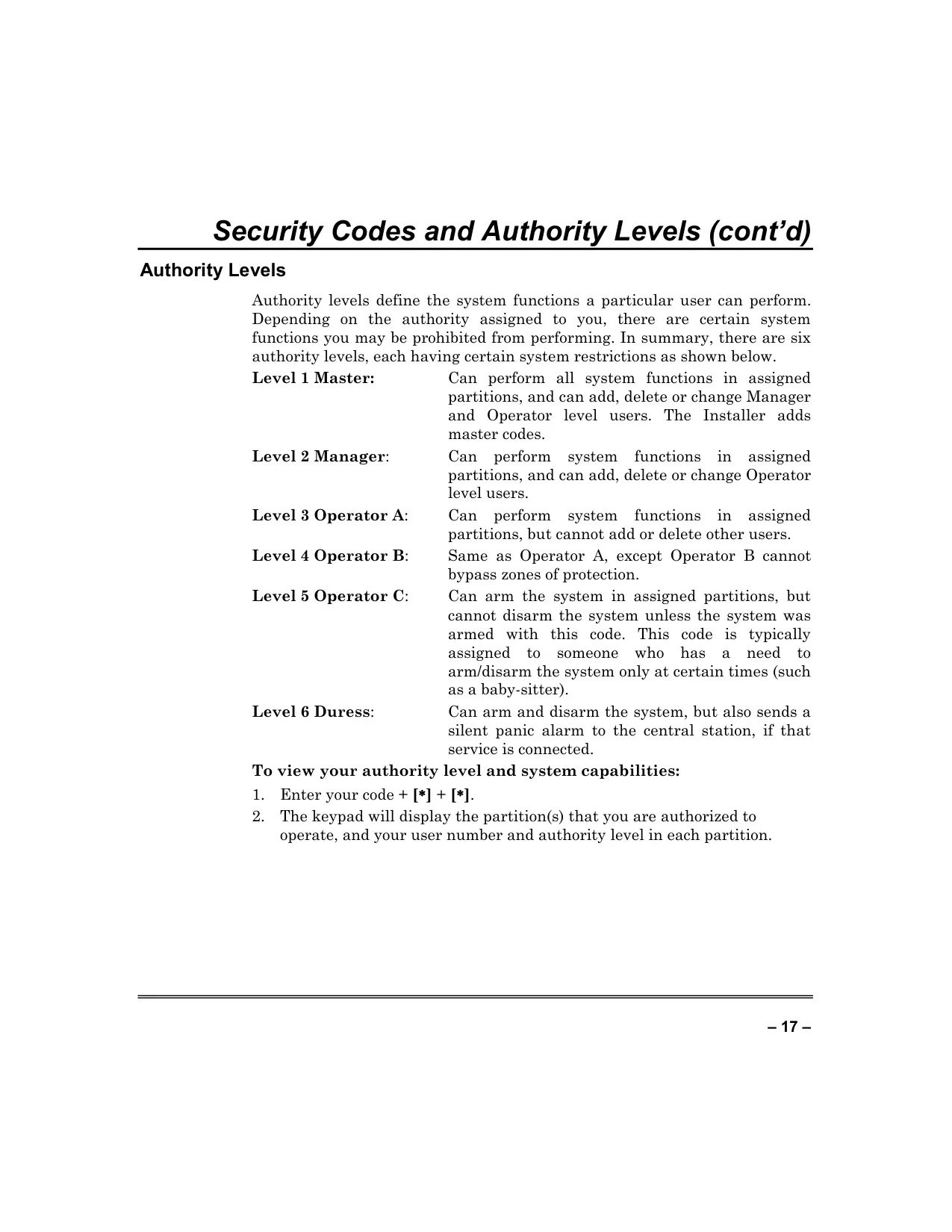
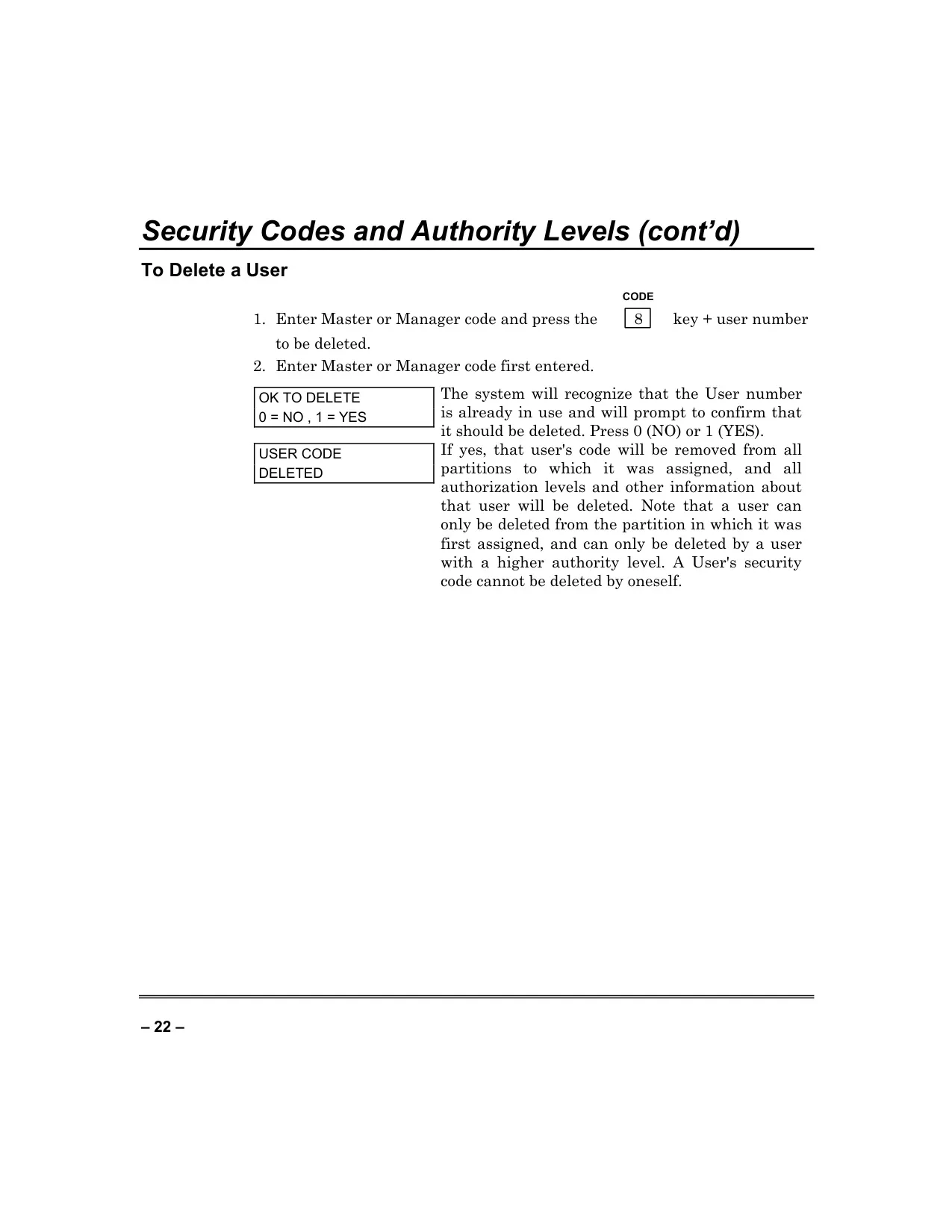
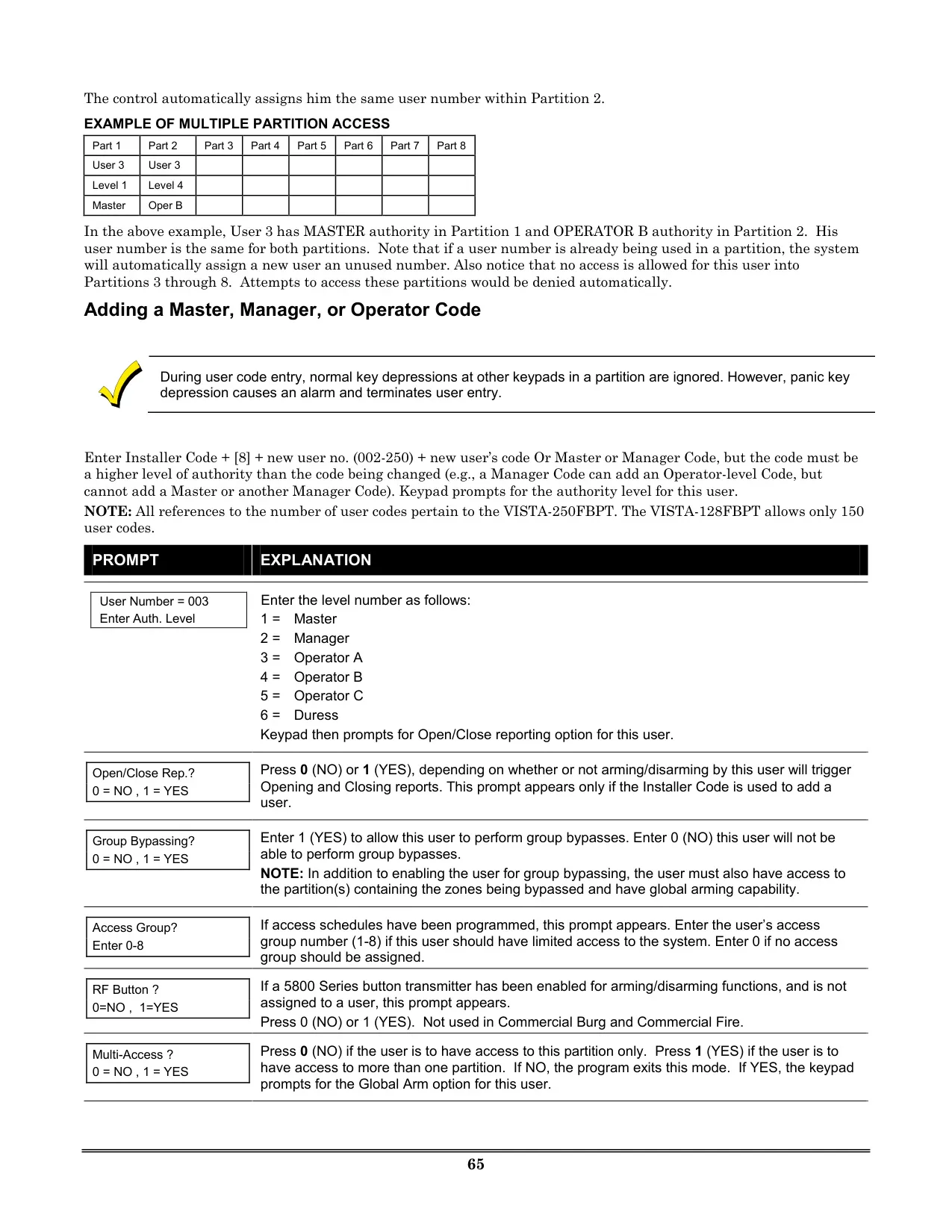
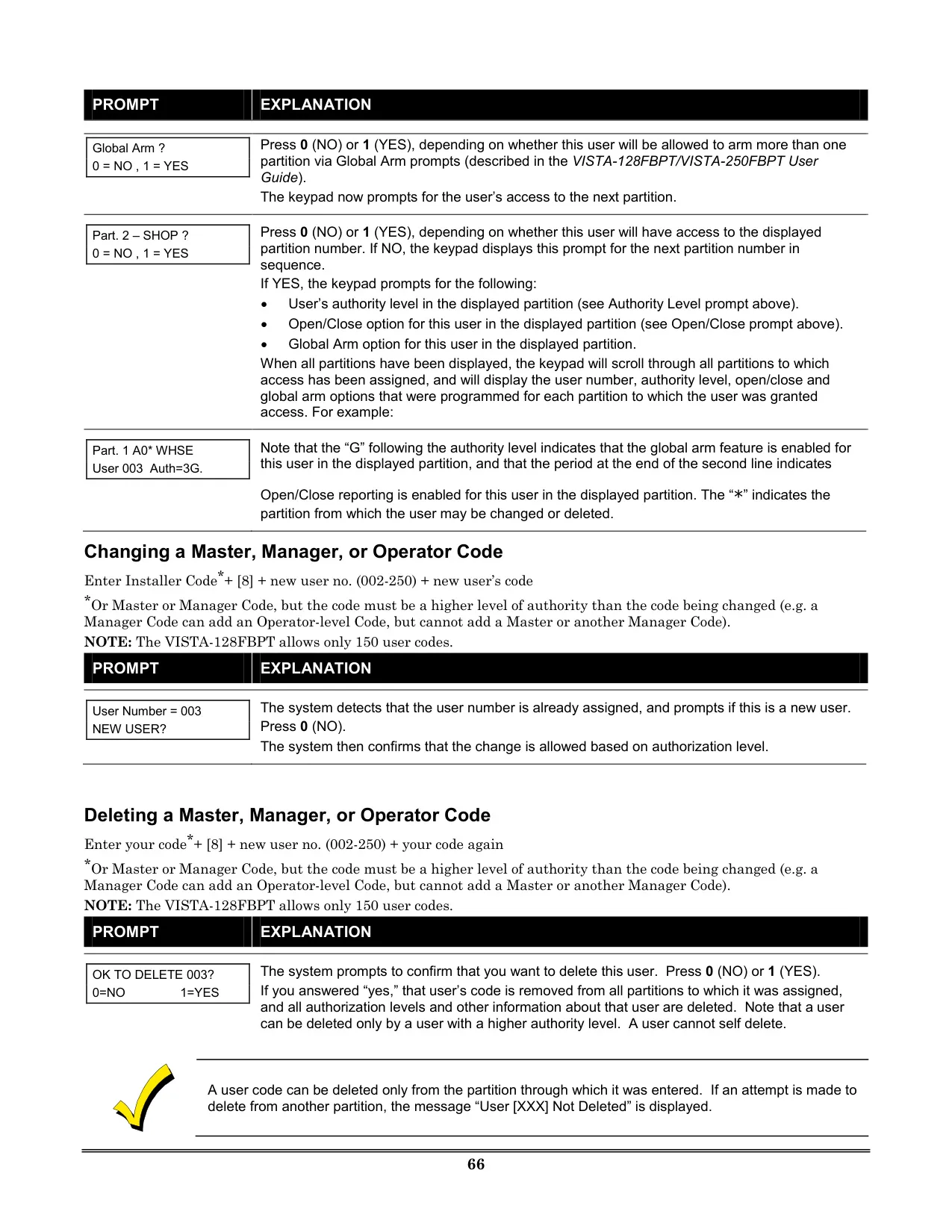
| User Authority Levels | 6 distinct levels: Master, Manager, Operator A, Operator B, Operator C, Duress |
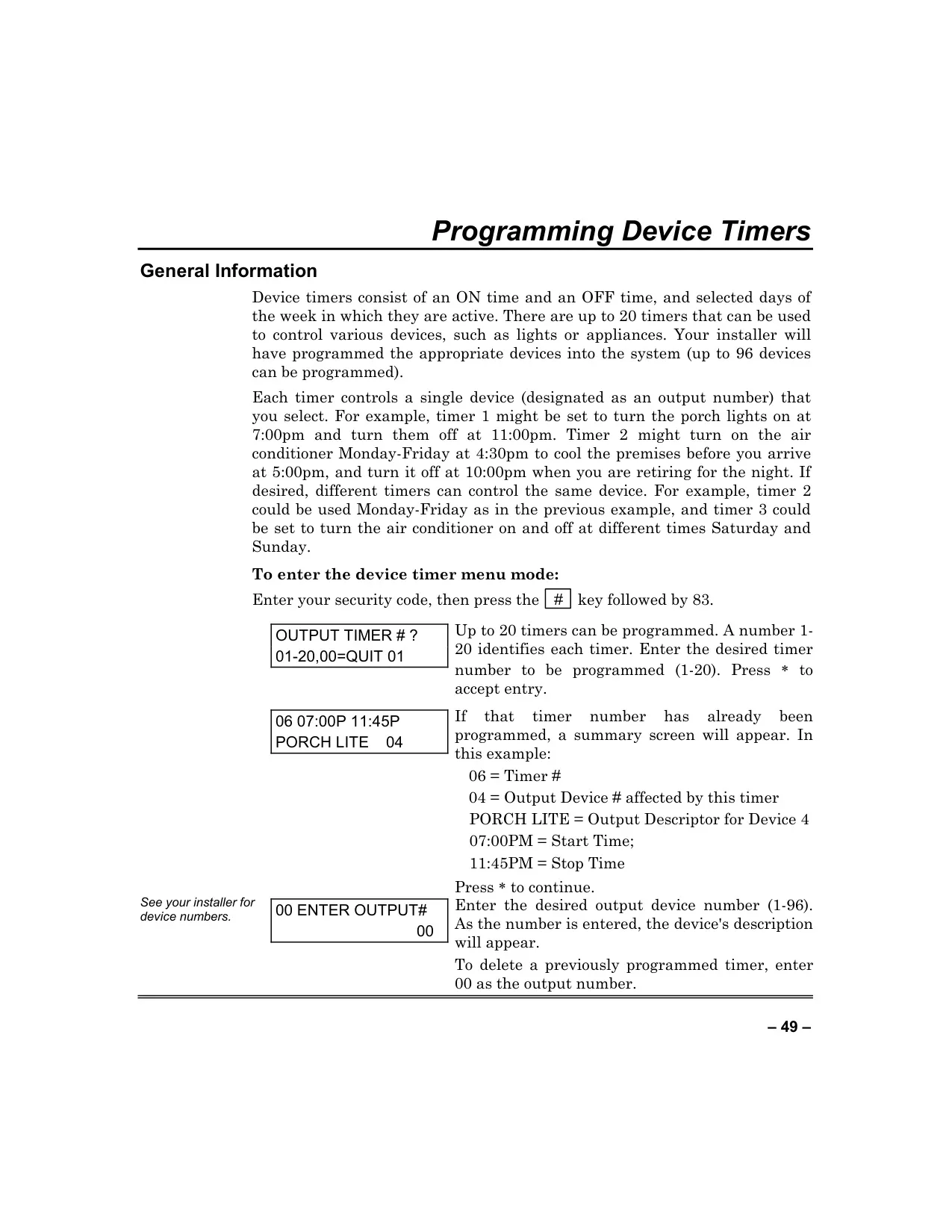
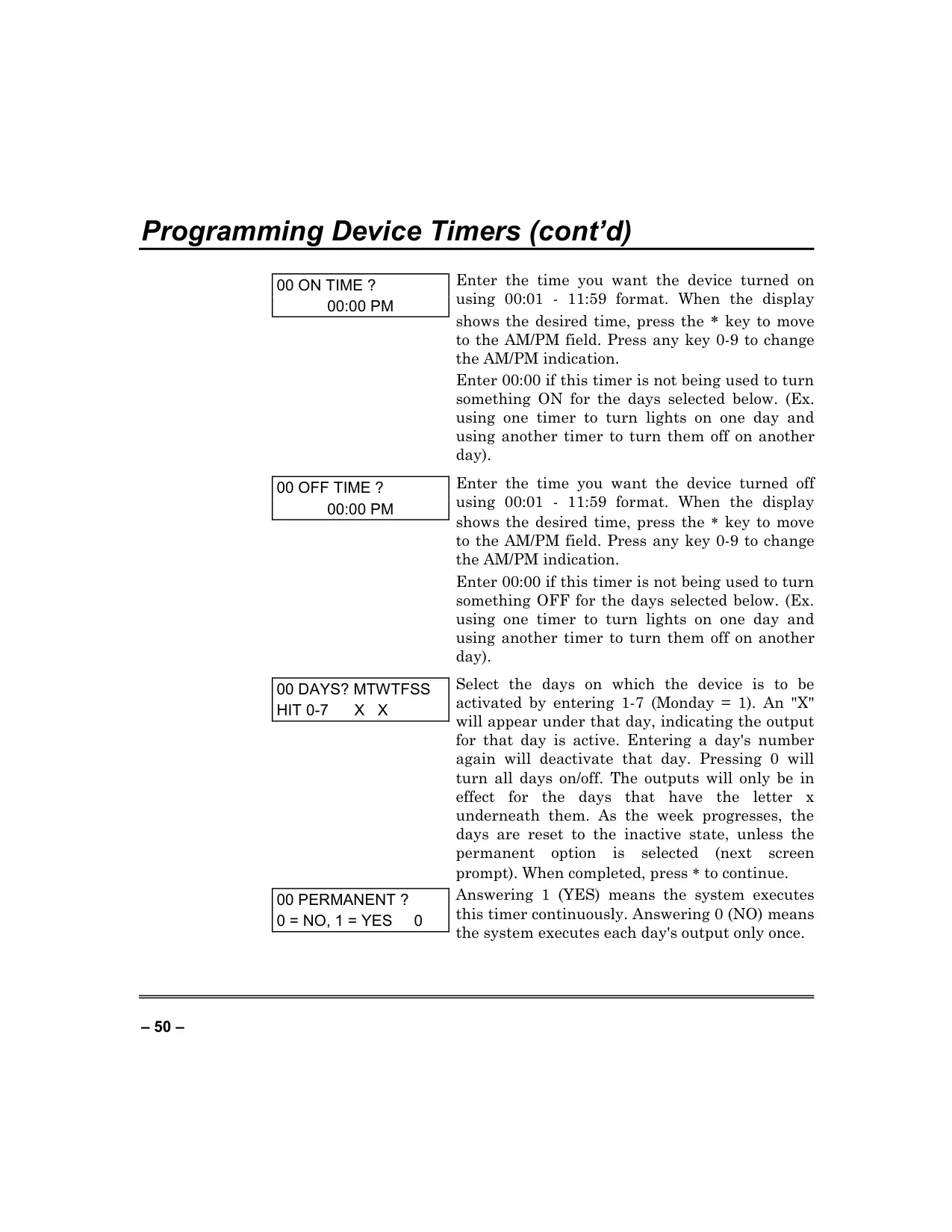
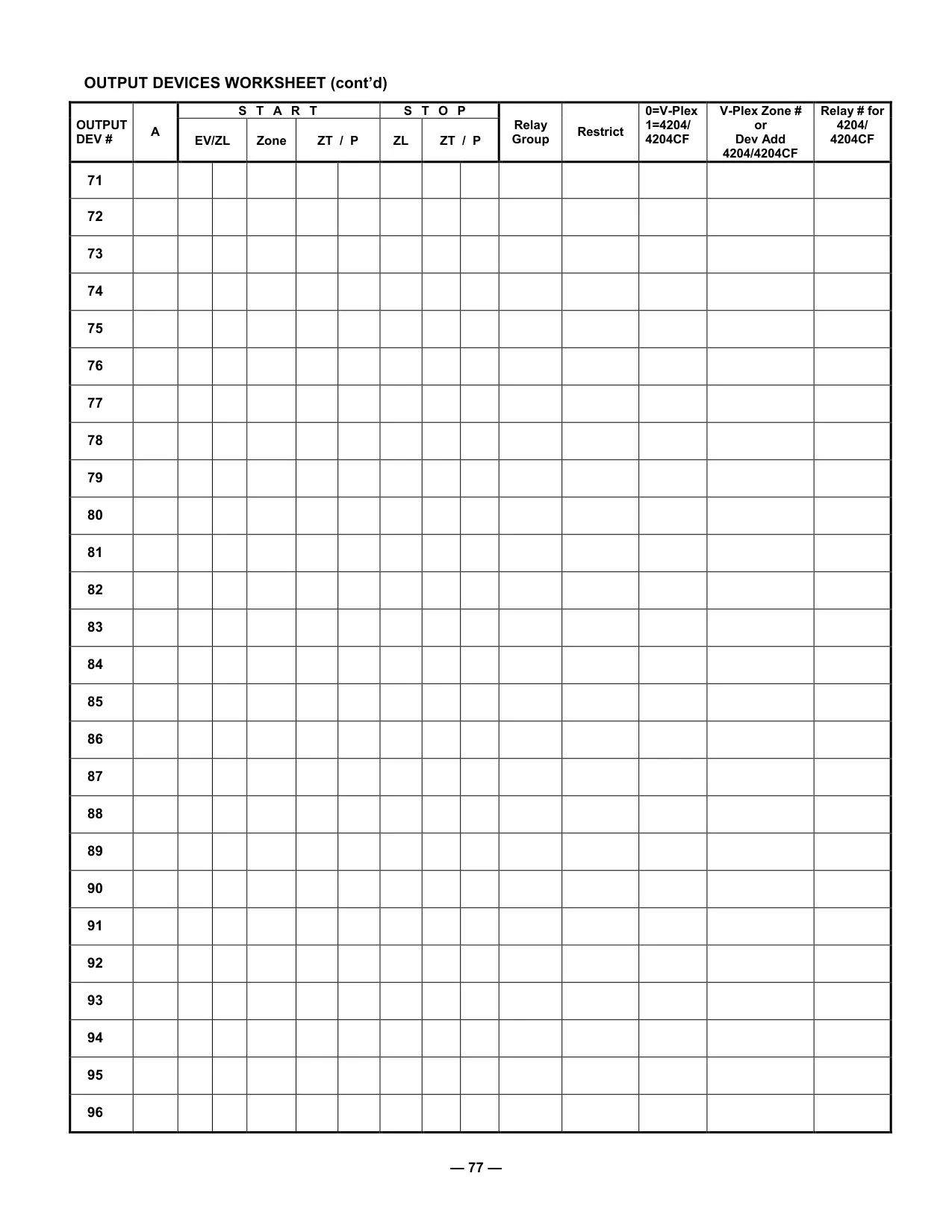
| Programmable Timers | Up to 20 device timers, controlling up to 96 devices |
| Wireless Compatibility | Supports 5800 series devices (e.g., 5800CO Carbon Monoxide Detector) |
| Communication | Central station monitoring via phone lines (programmable) |
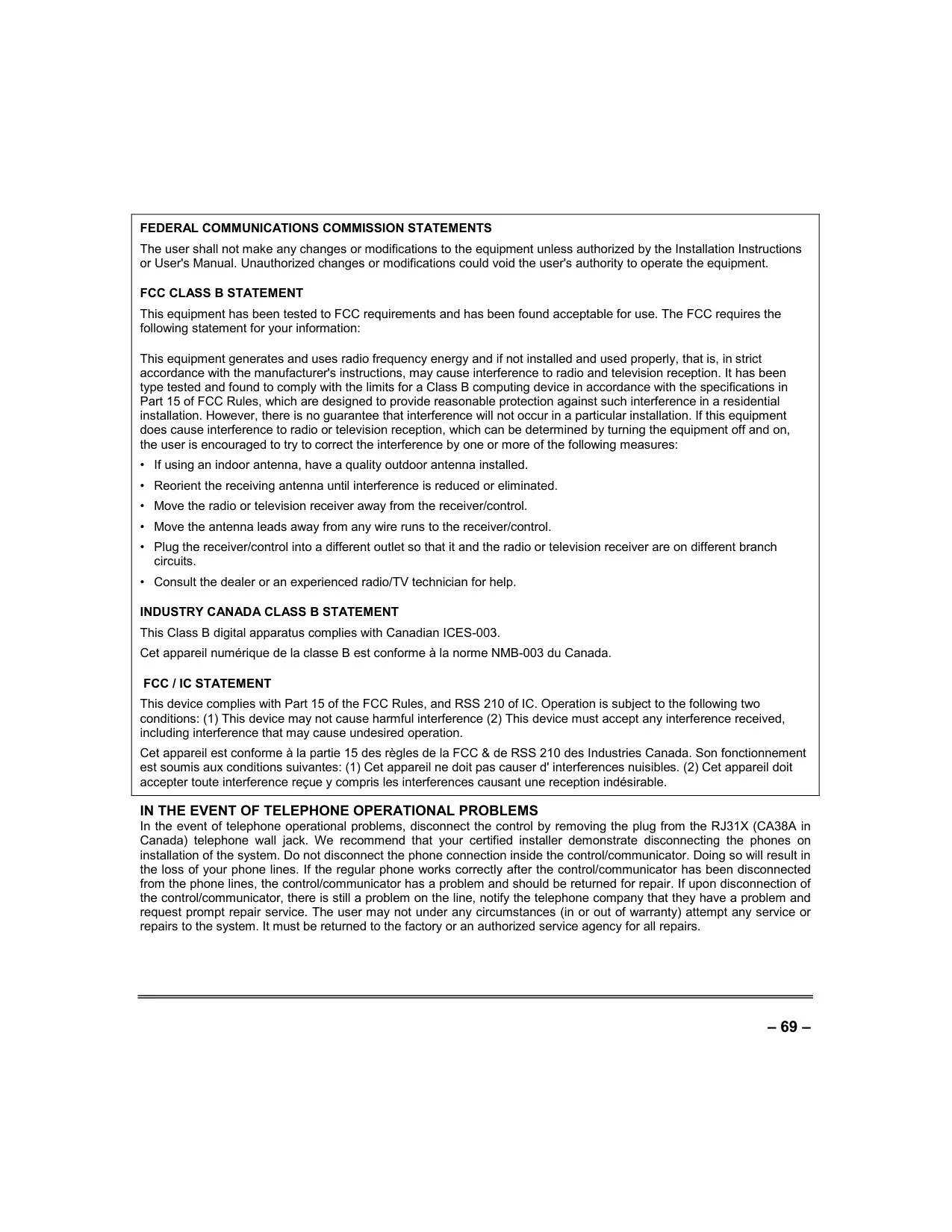
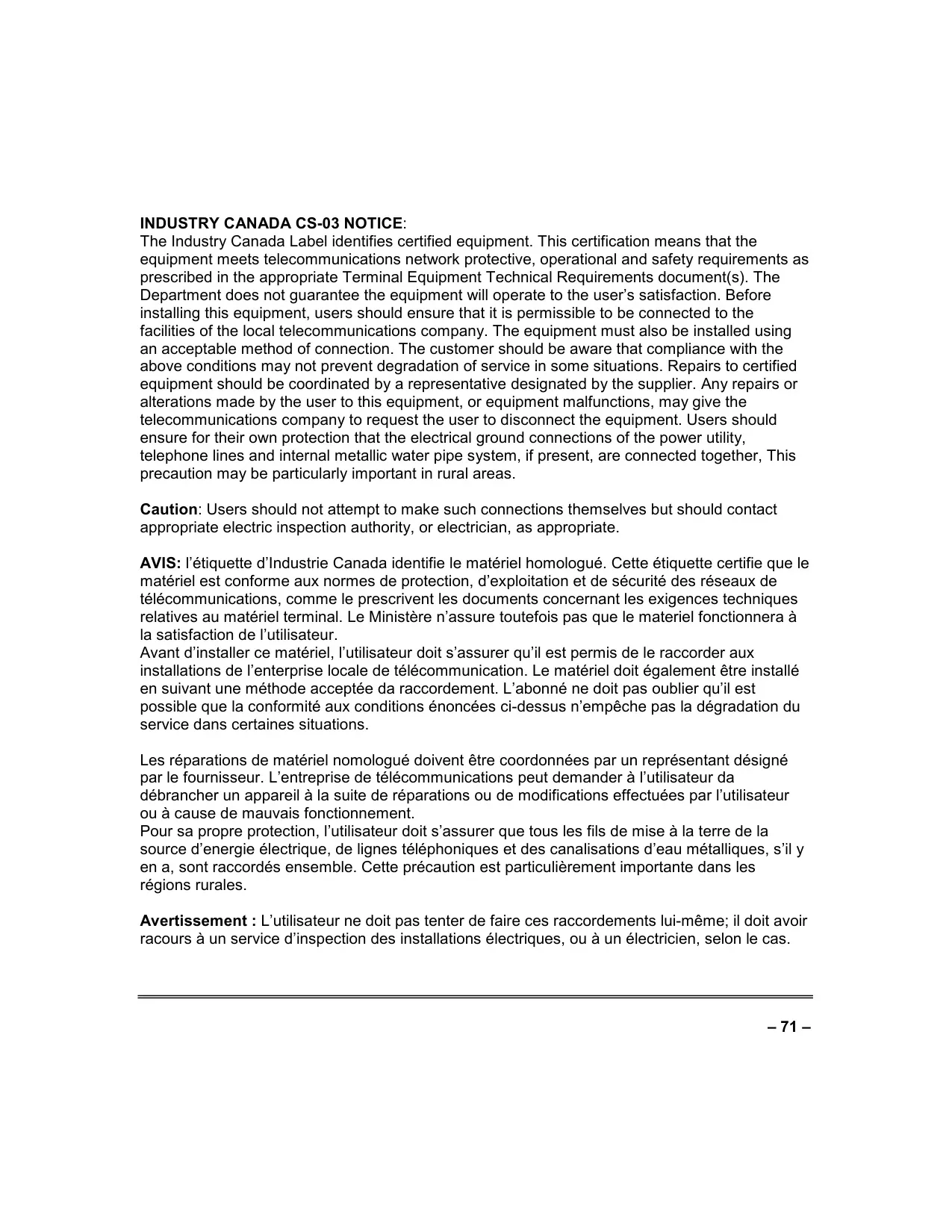
| Compliance | FCC Class B, Industry Canada Class B, FCC Part 68, Industry Canada CS-03 |
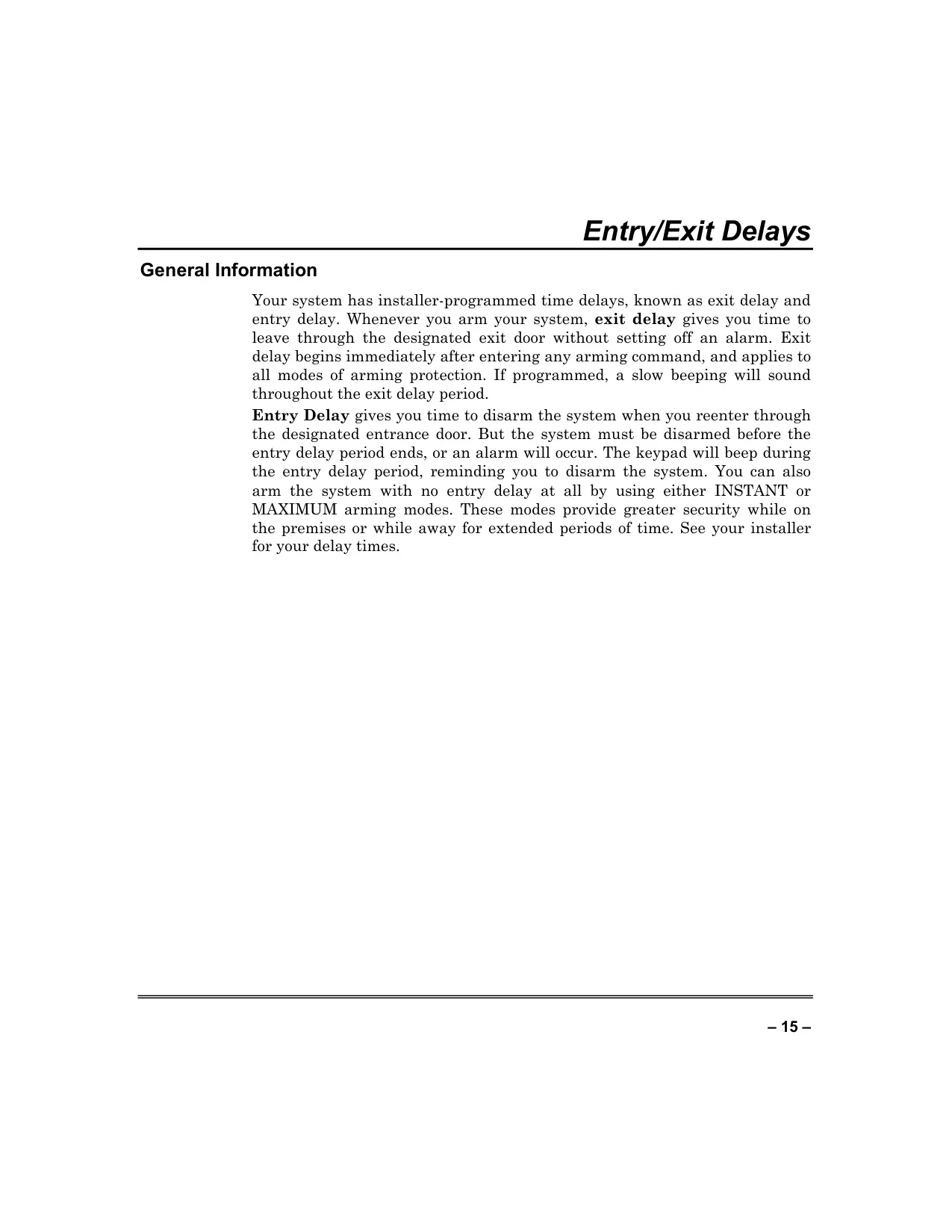
| Exit Delay | Installer-programmed (time to leave after arming) |
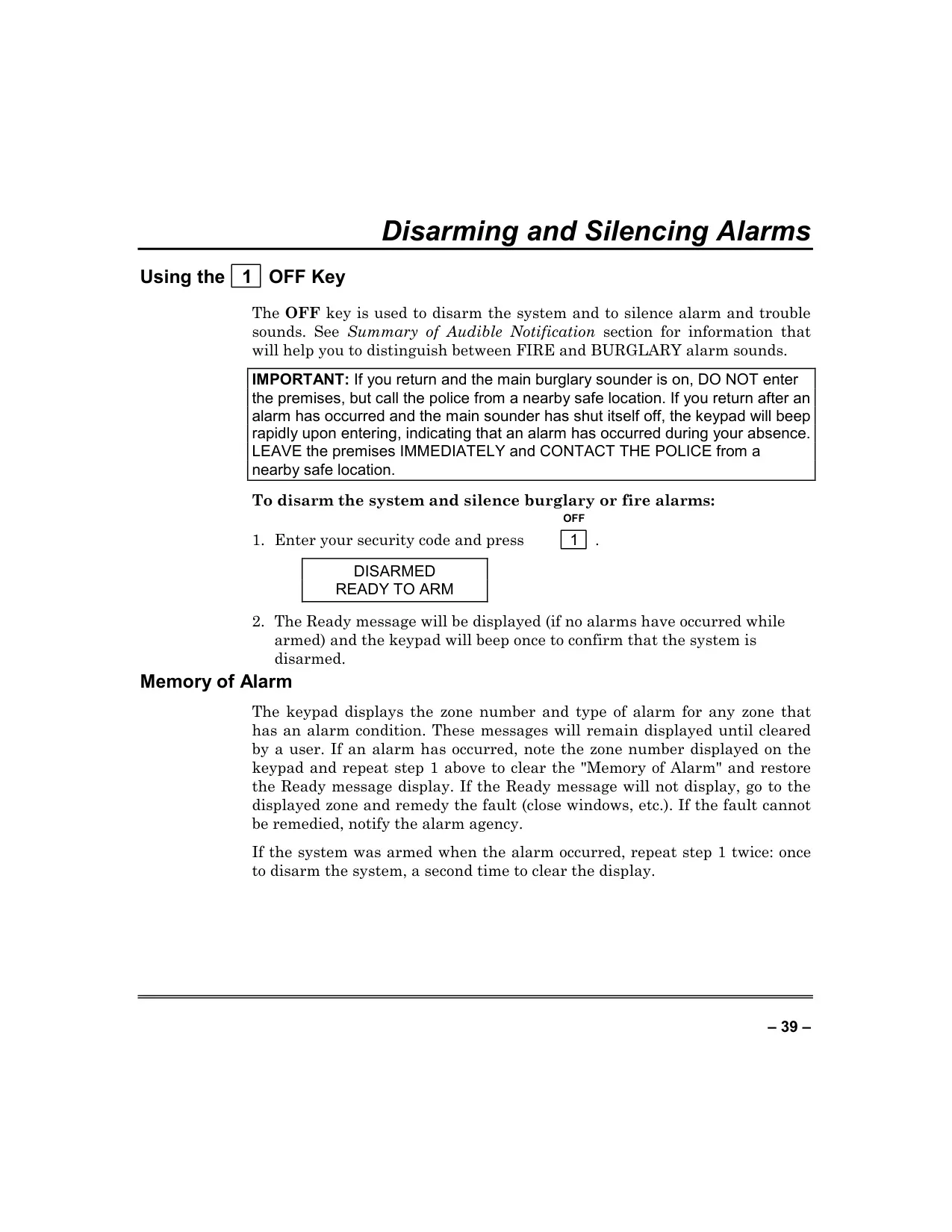
| Entry Delay | Installer-programmed (time to disarm upon re-entry), can be eliminated in INSTANT/MAXIMUM modes |
Honeywell Vista 128FBP Details
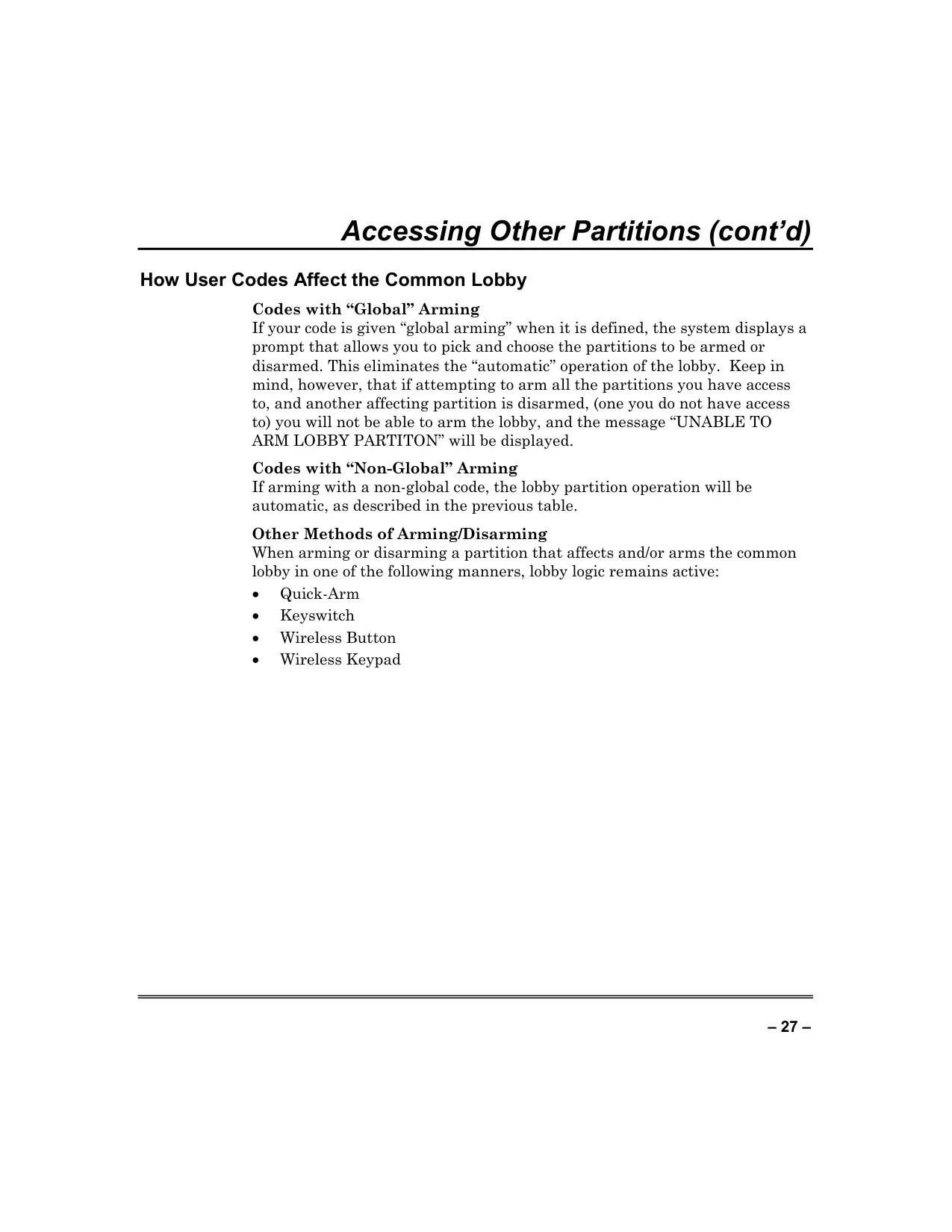
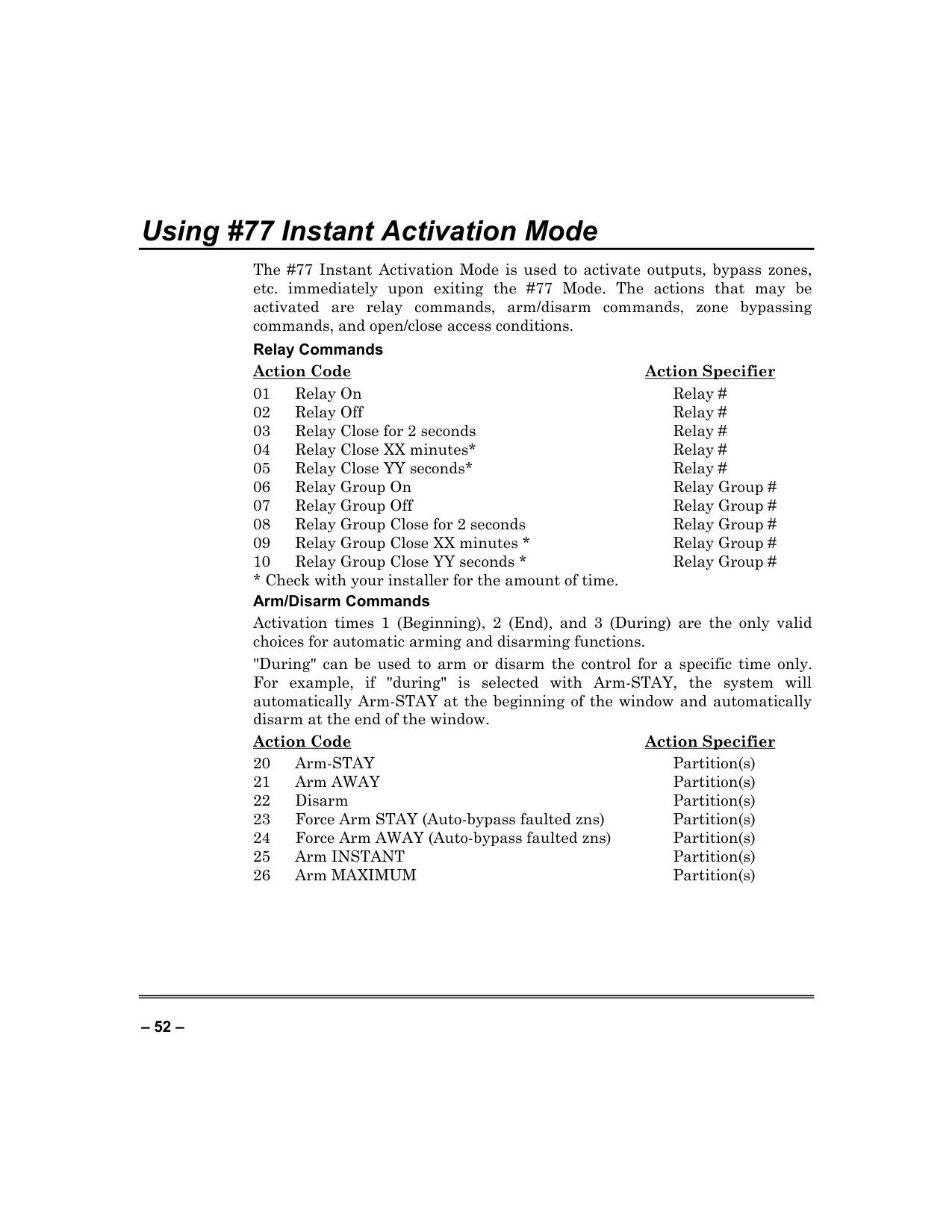
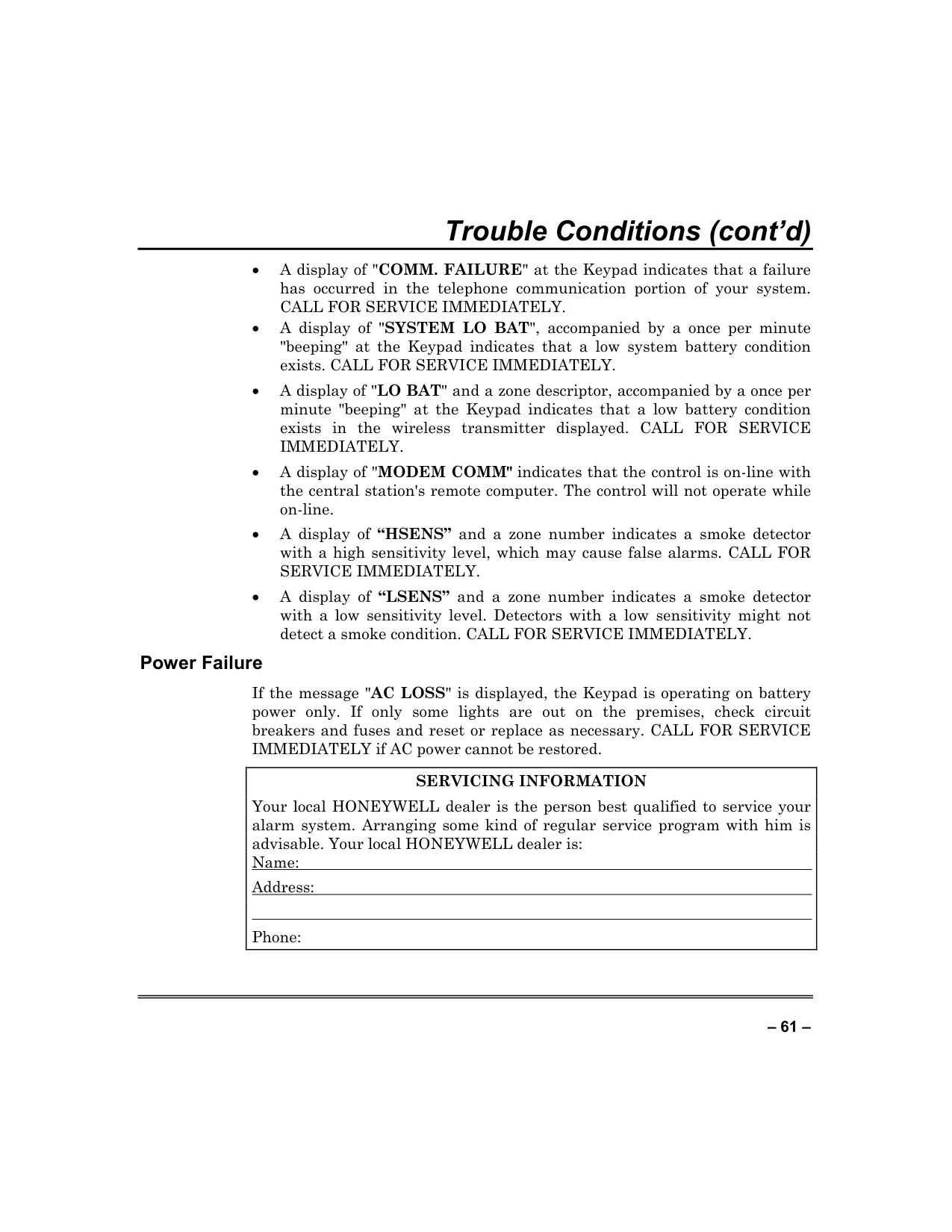
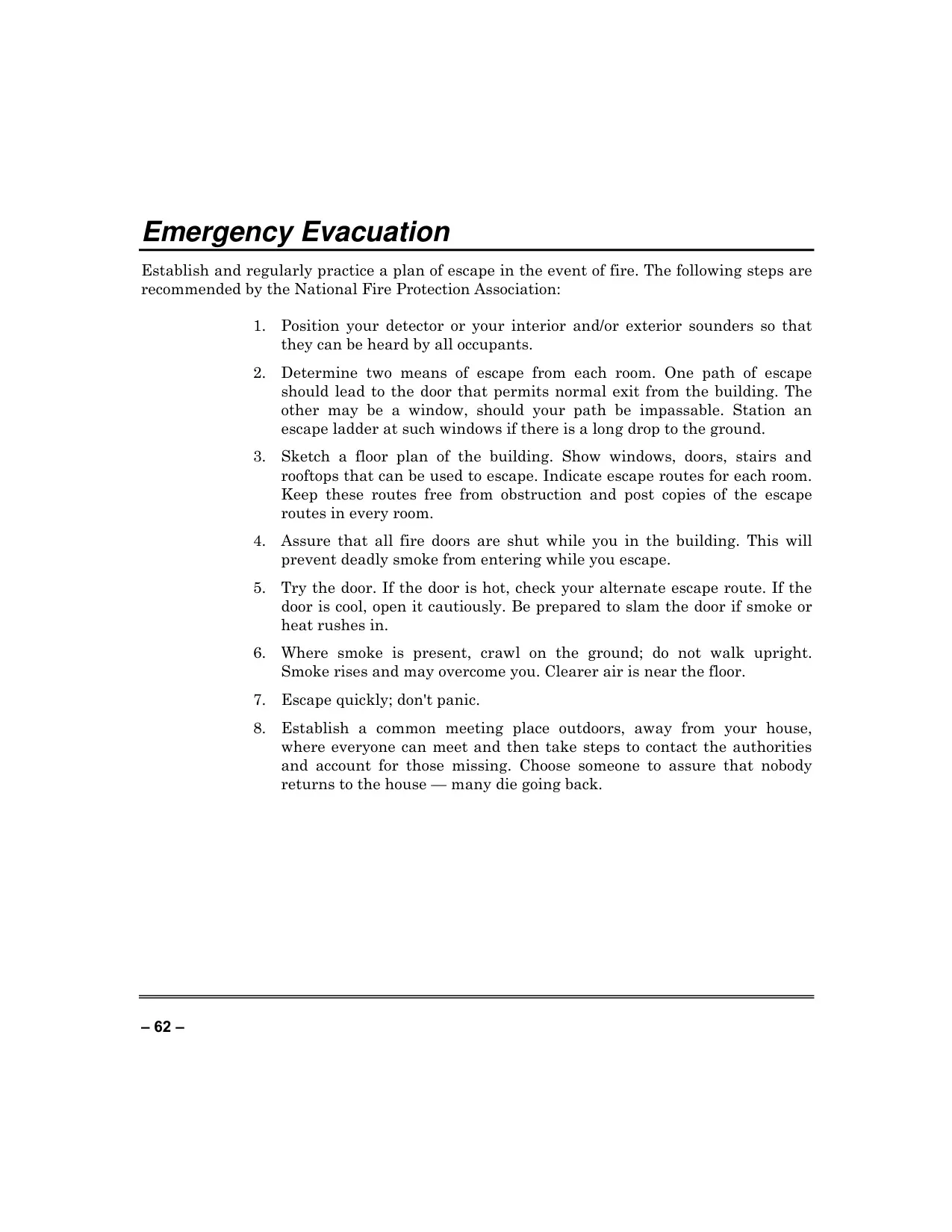
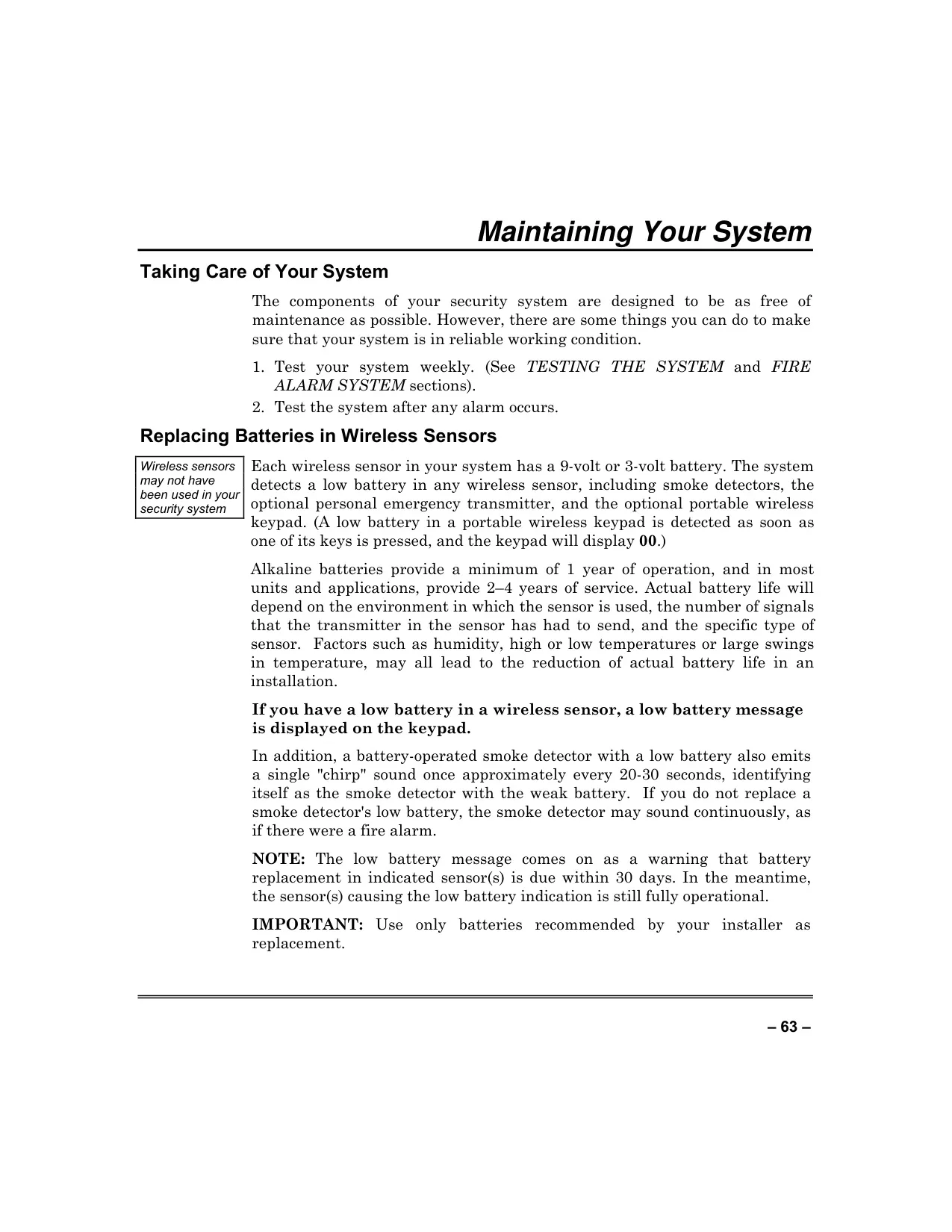
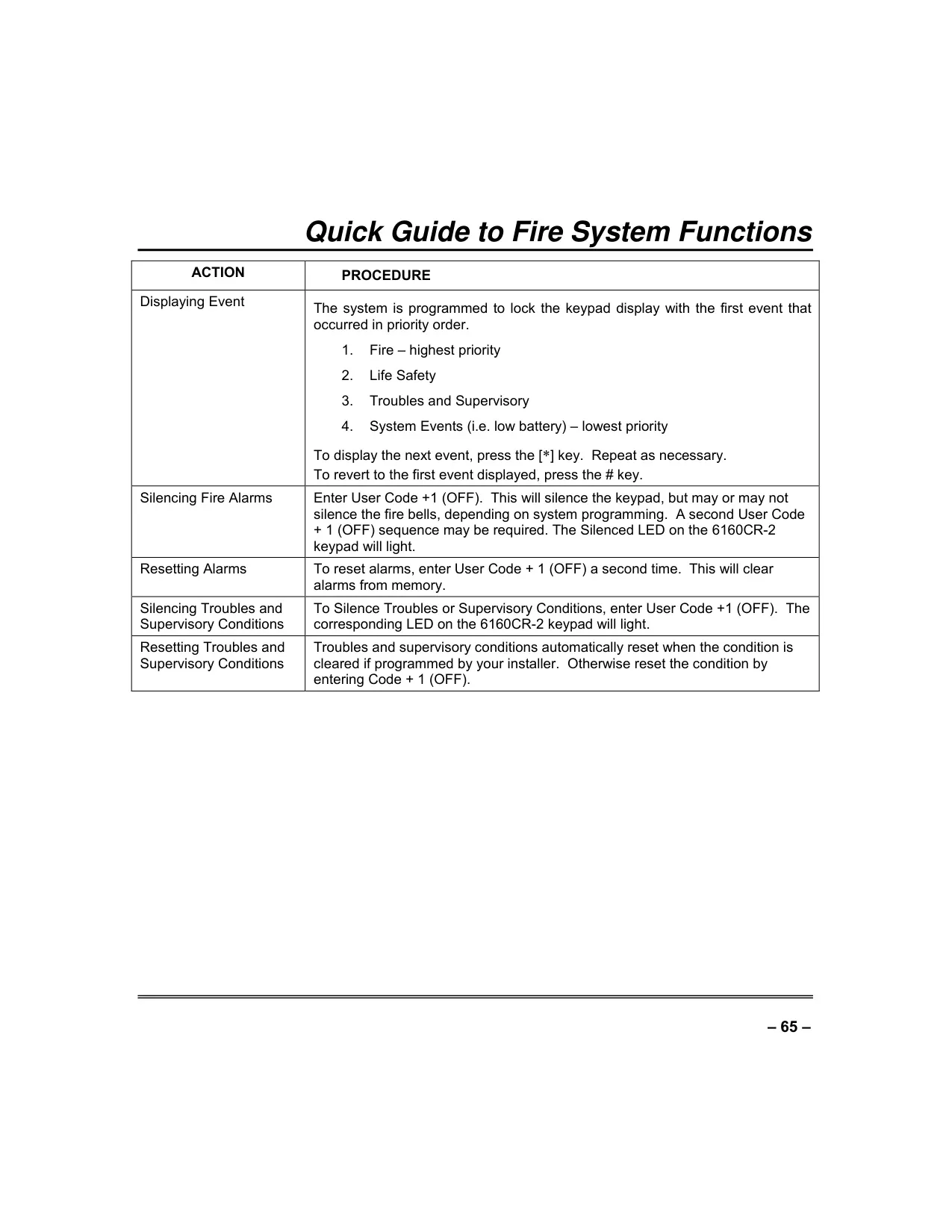
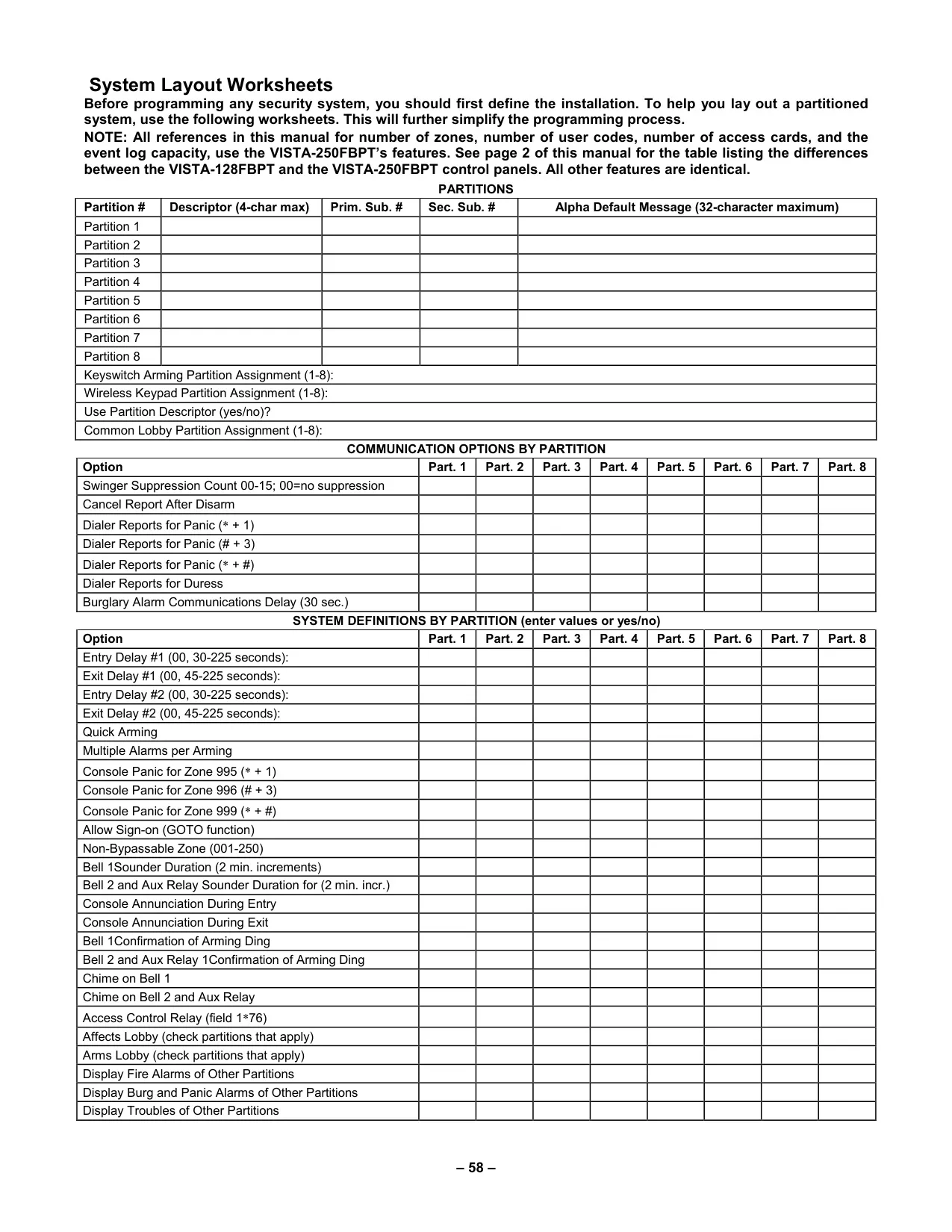
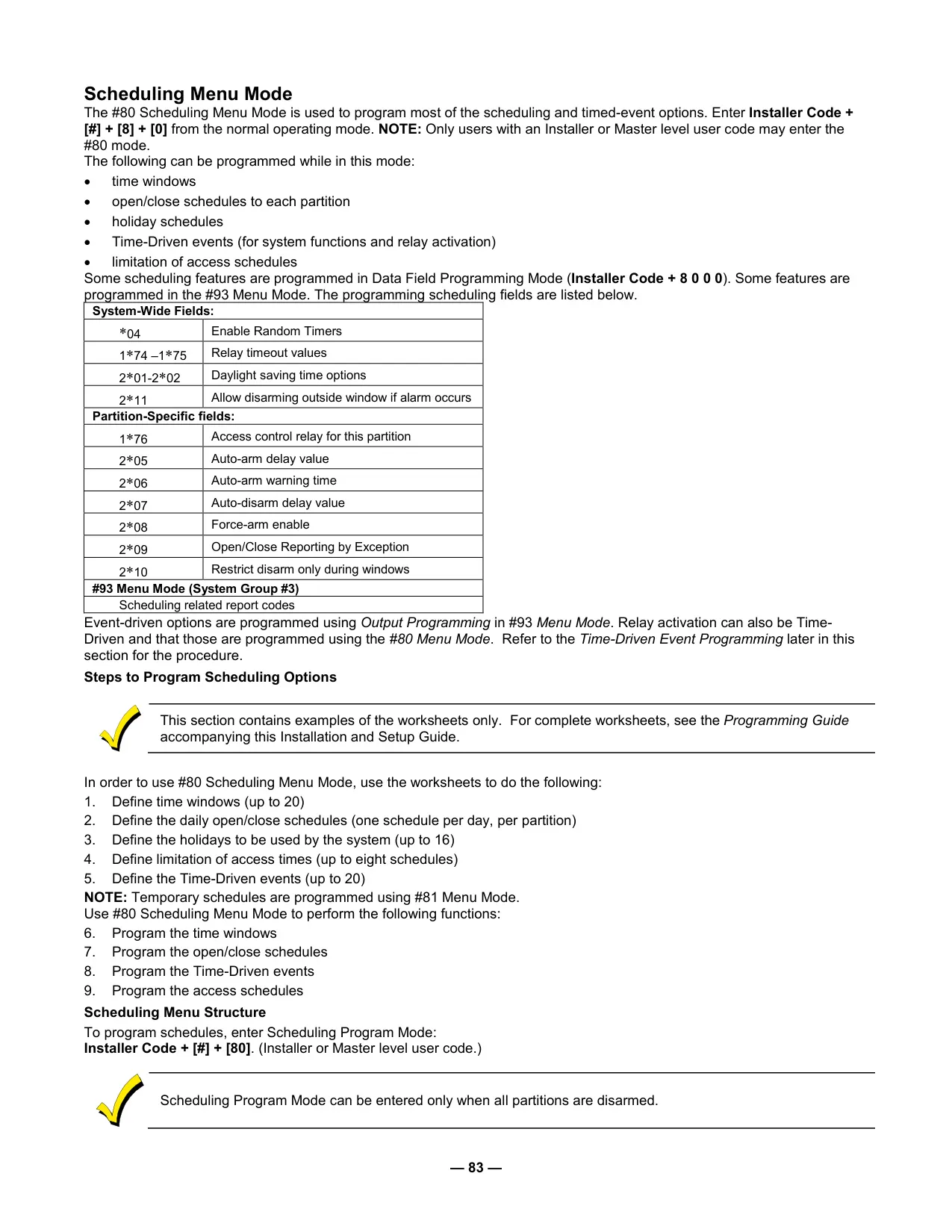
The Honeywell Vista 128FBP offers unparalleled adaptability for commercial security through its partitioned system architecture. This design allows a single physical alarm system to be divided into up to eight distinct areas or user groups, each operating independently with customized settings, user codes, and schedules. This flexibility is crucial for multi-tenant buildings or large facilities where different sections require unique security protocols. A centralized Master Keypad provides a holistic view of all partitions, enabling unified oversight and streamlined management for security personnel, ensuring comprehensive control over the entire premises.
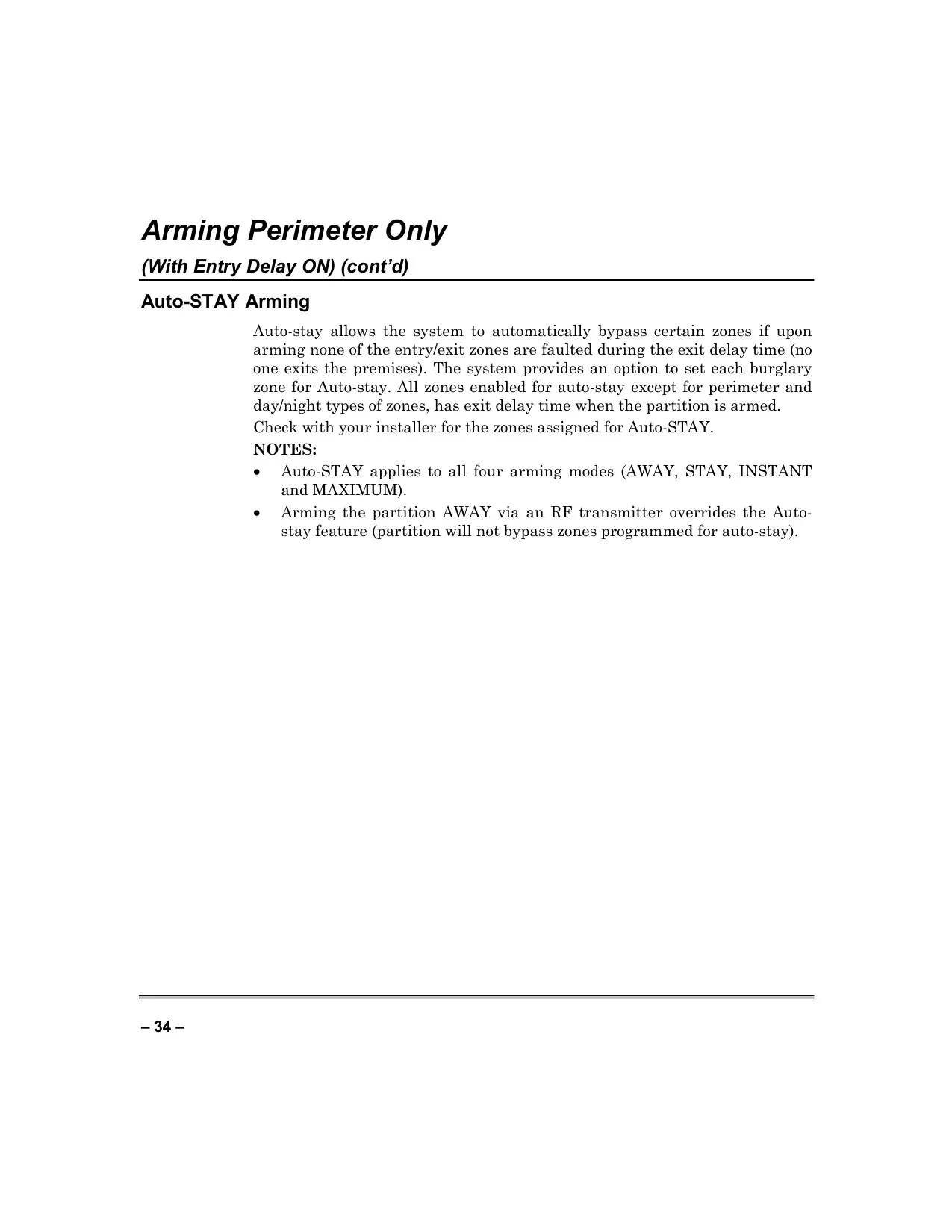
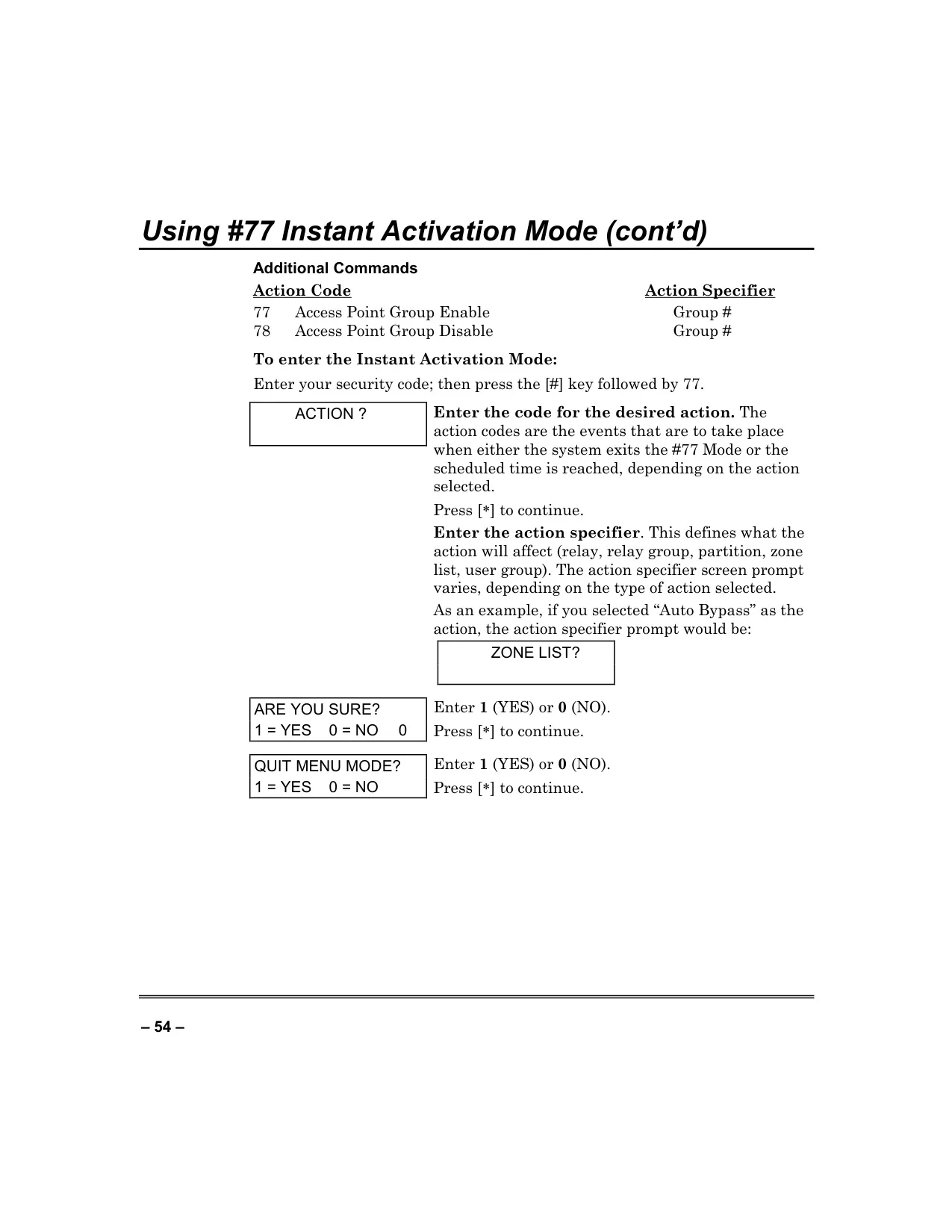
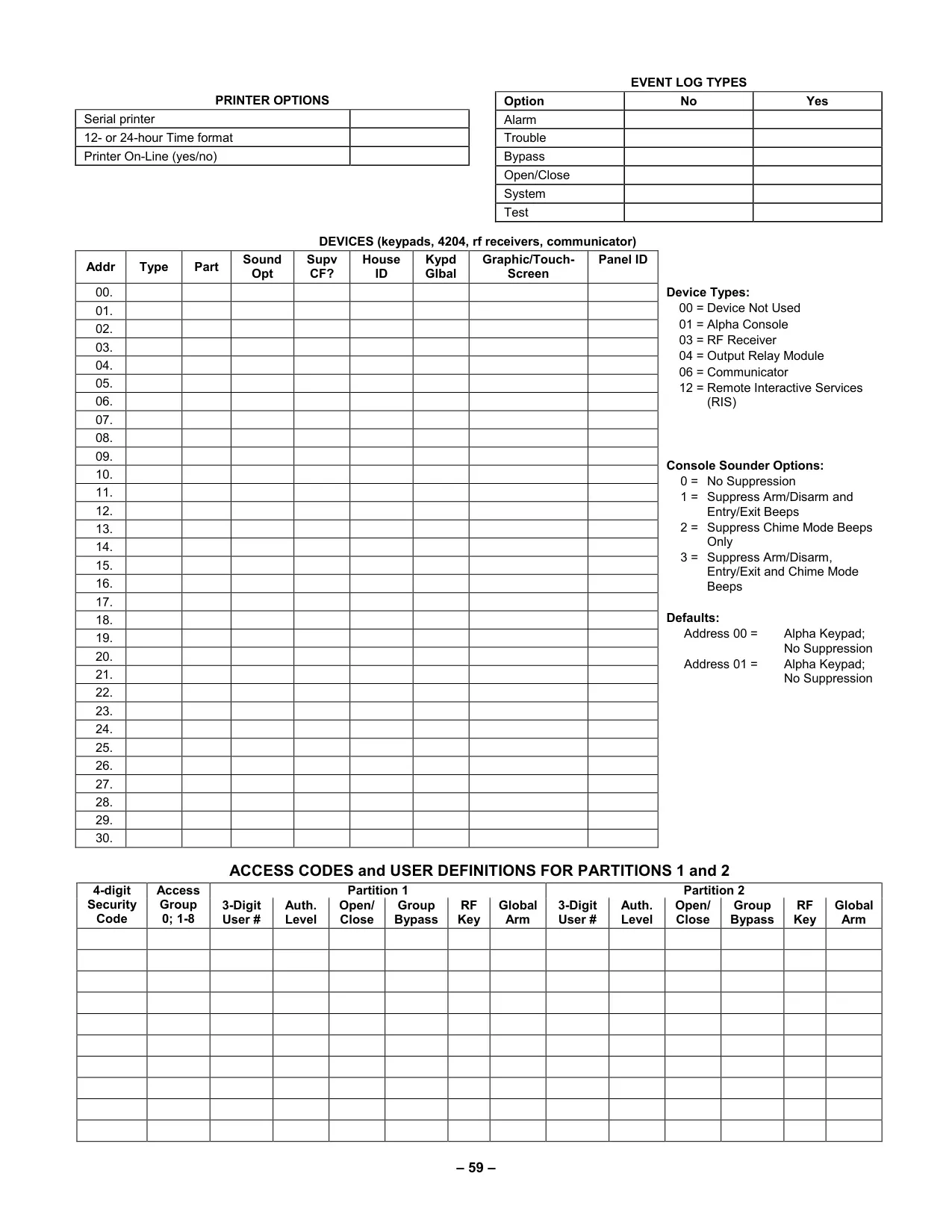
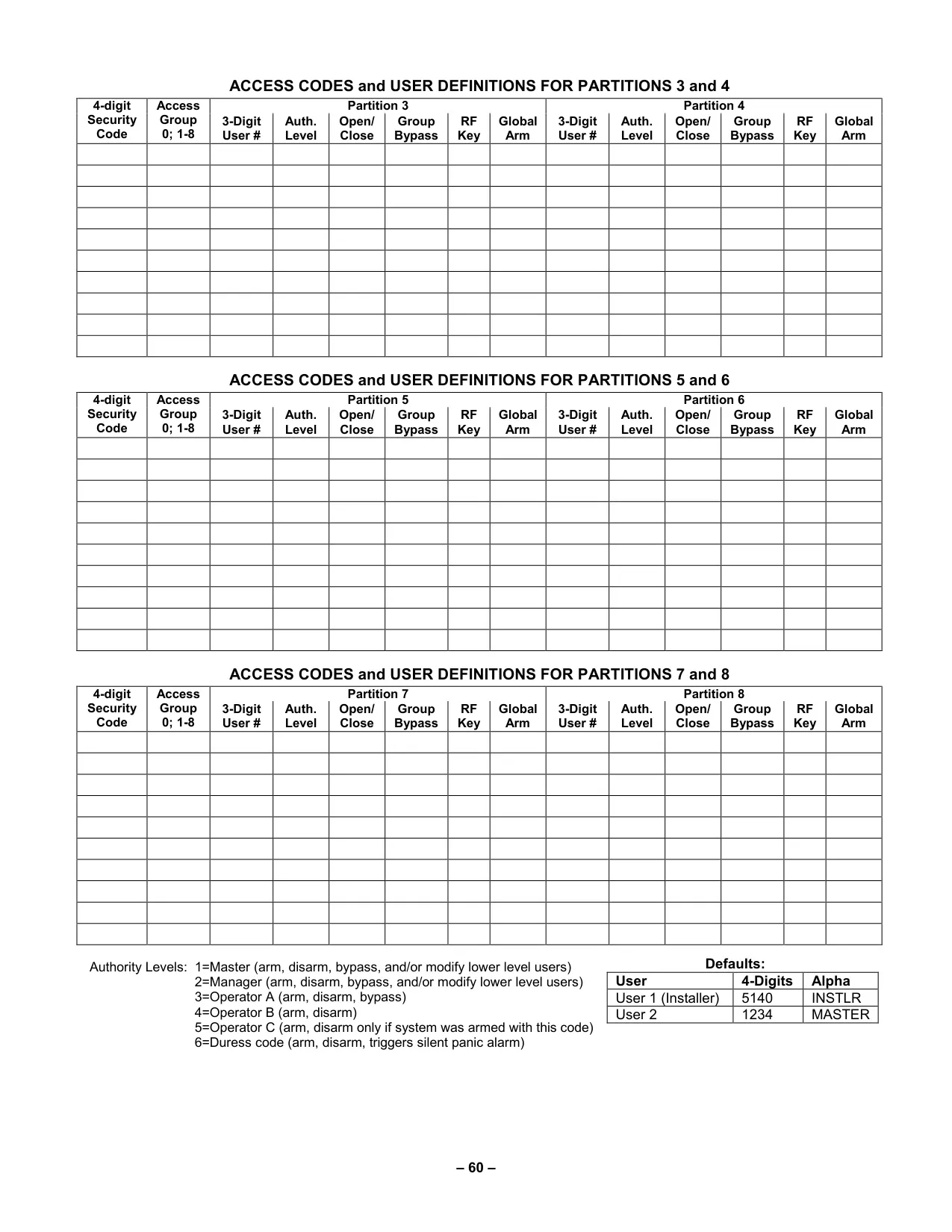
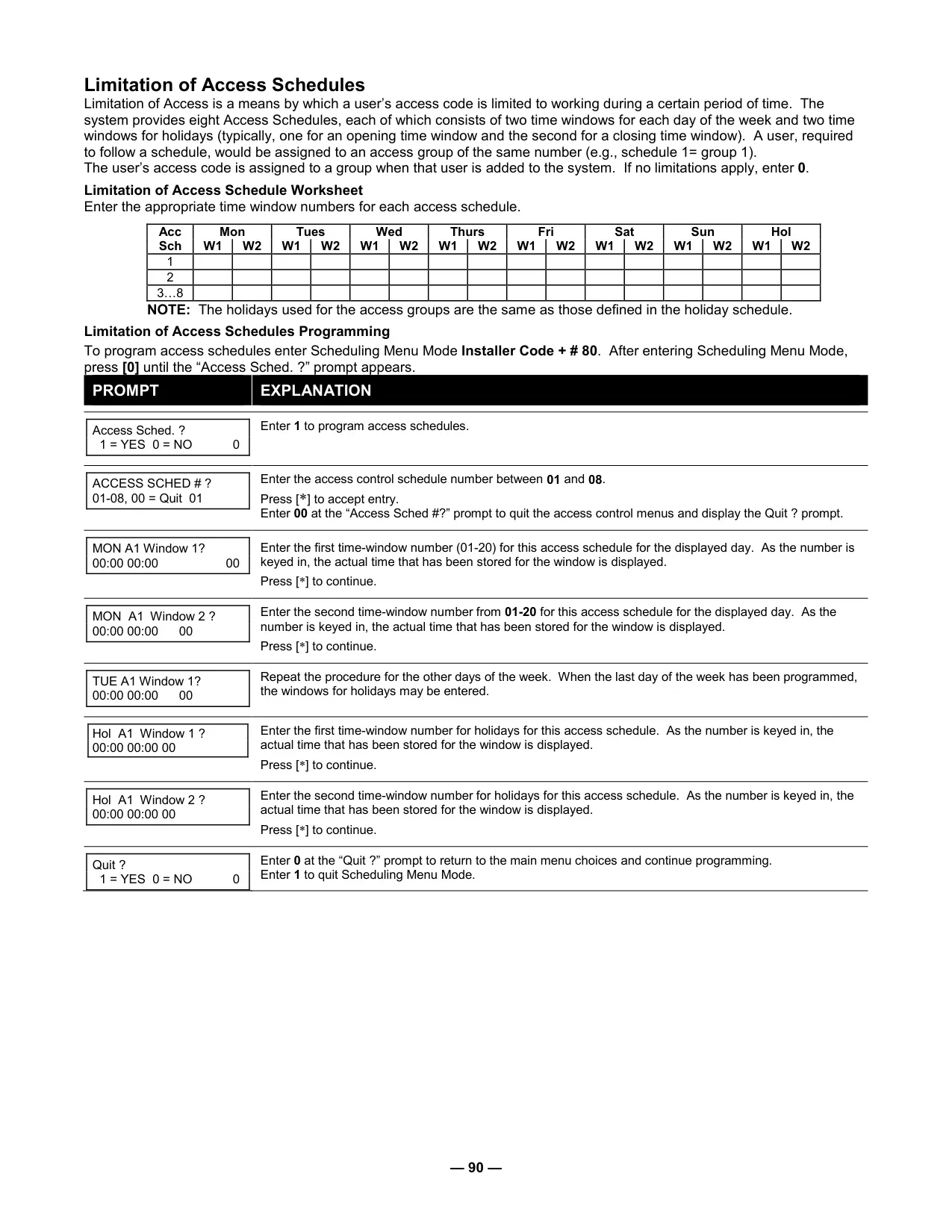
The system boasts a suite of advanced arming modes: AWAY, STAY, INSTANT, and MAXIMUM. STAY and INSTANT modes each offer three sub-modes, allowing for highly specific perimeter and interior protection configurations. A convenient Auto-STAY Arming feature intelligently bypasses certain zones if no exit is detected during arming, enhancing user experience. Security is further bolstered by supporting up to 150 unique user codes, each assigned one of six distinct authority levels: Master, Manager, Operator A, B, C, and Duress. This hierarchical structure precisely controls access to system functions, from adding new users to performing sensitive operations like bypassing zones.
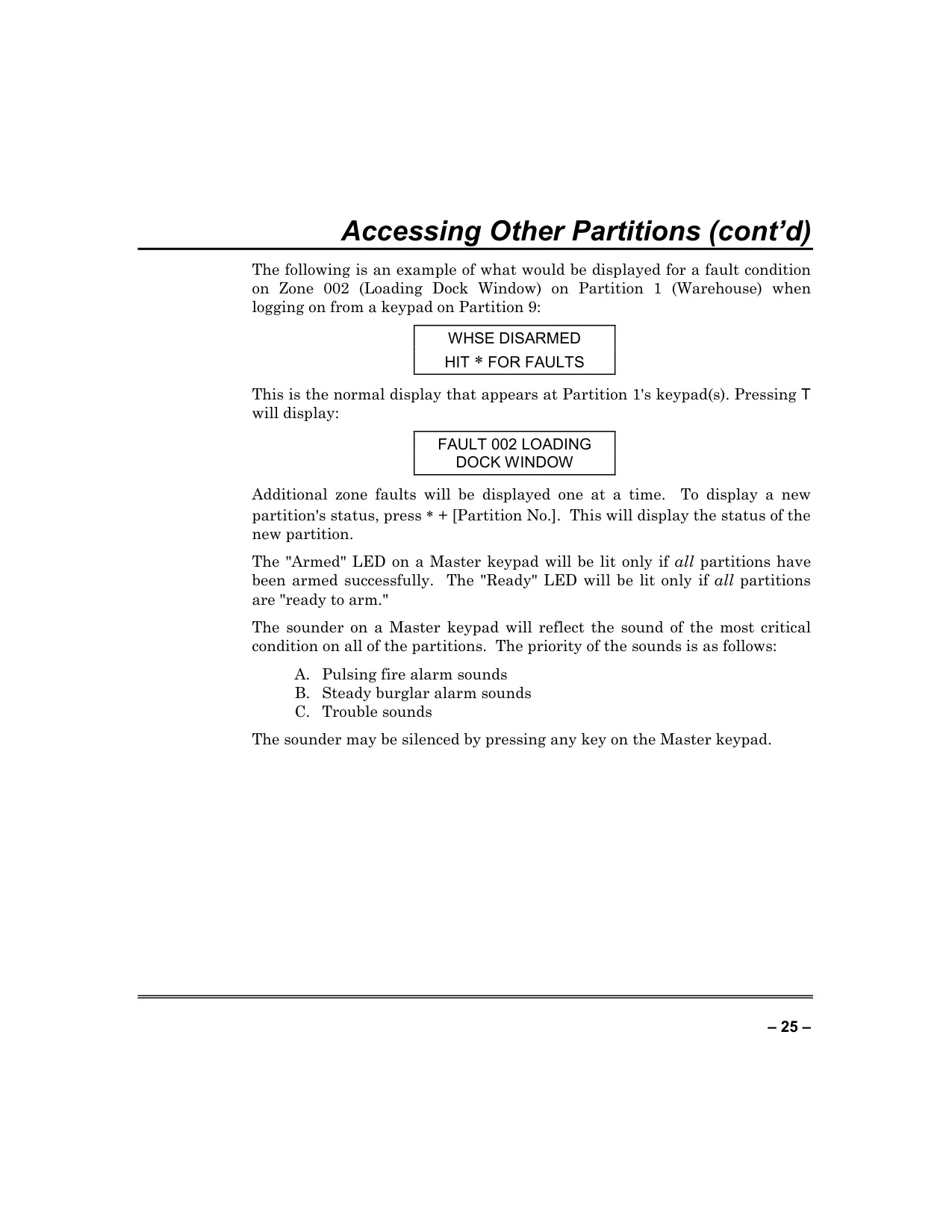
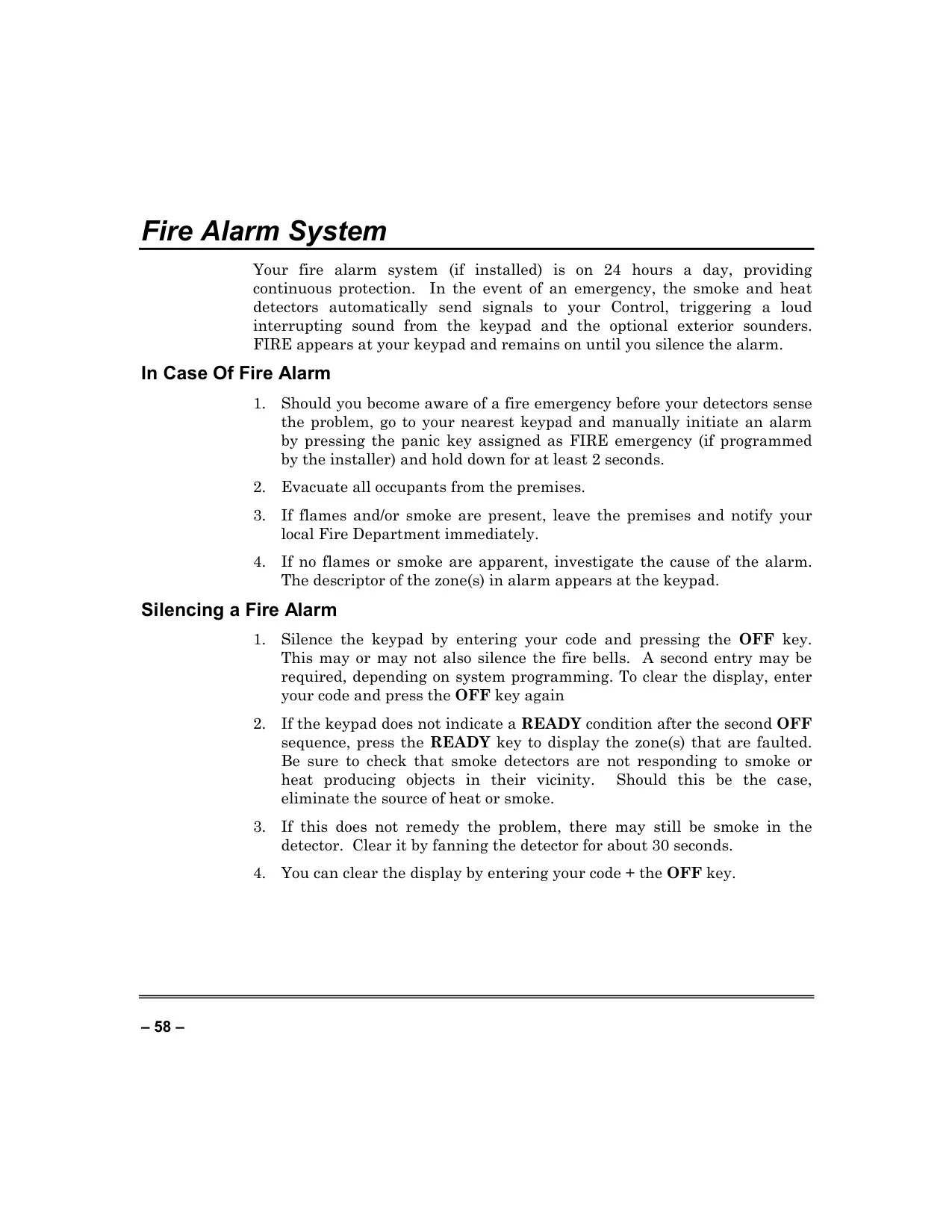
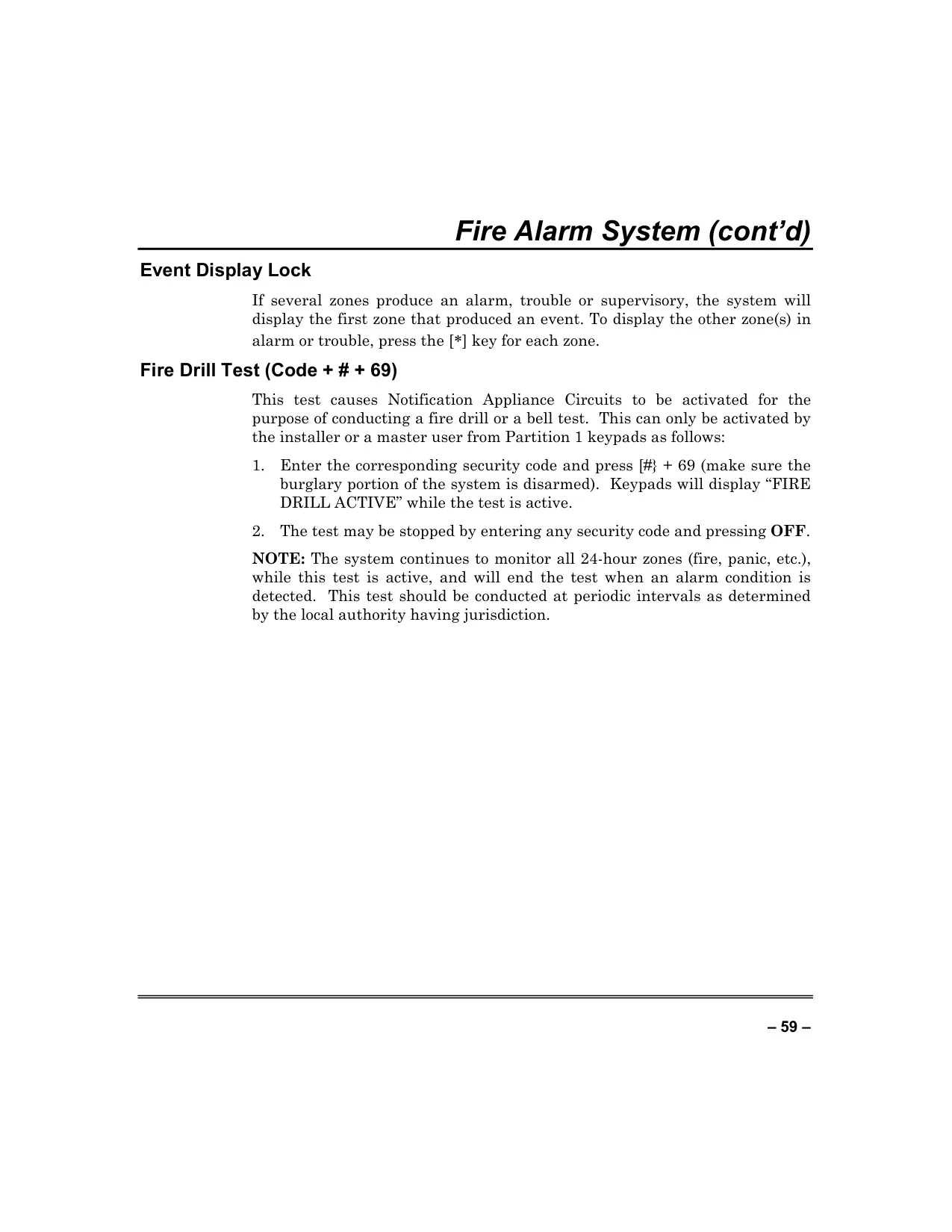
The Vista 128FBP provides robust multi-threat protection, integrating burglary, fire, emergency, and carbon monoxide (CO) detection. Compatibility with Honeywell's 5800 series wireless devices, such as the 5800CO Carbon Monoxide Detector, ensures comprehensive environmental monitoring. In an emergency, the system delivers immediate alerts via its 2-line, 32-character alpha keypad, clearly displaying the alarm type and specific zone(s) in alarm. For urgent situations, dedicated panic keys can be programmed to trigger silent, audible, or personal emergency alarms, ensuring rapid response when needed most.
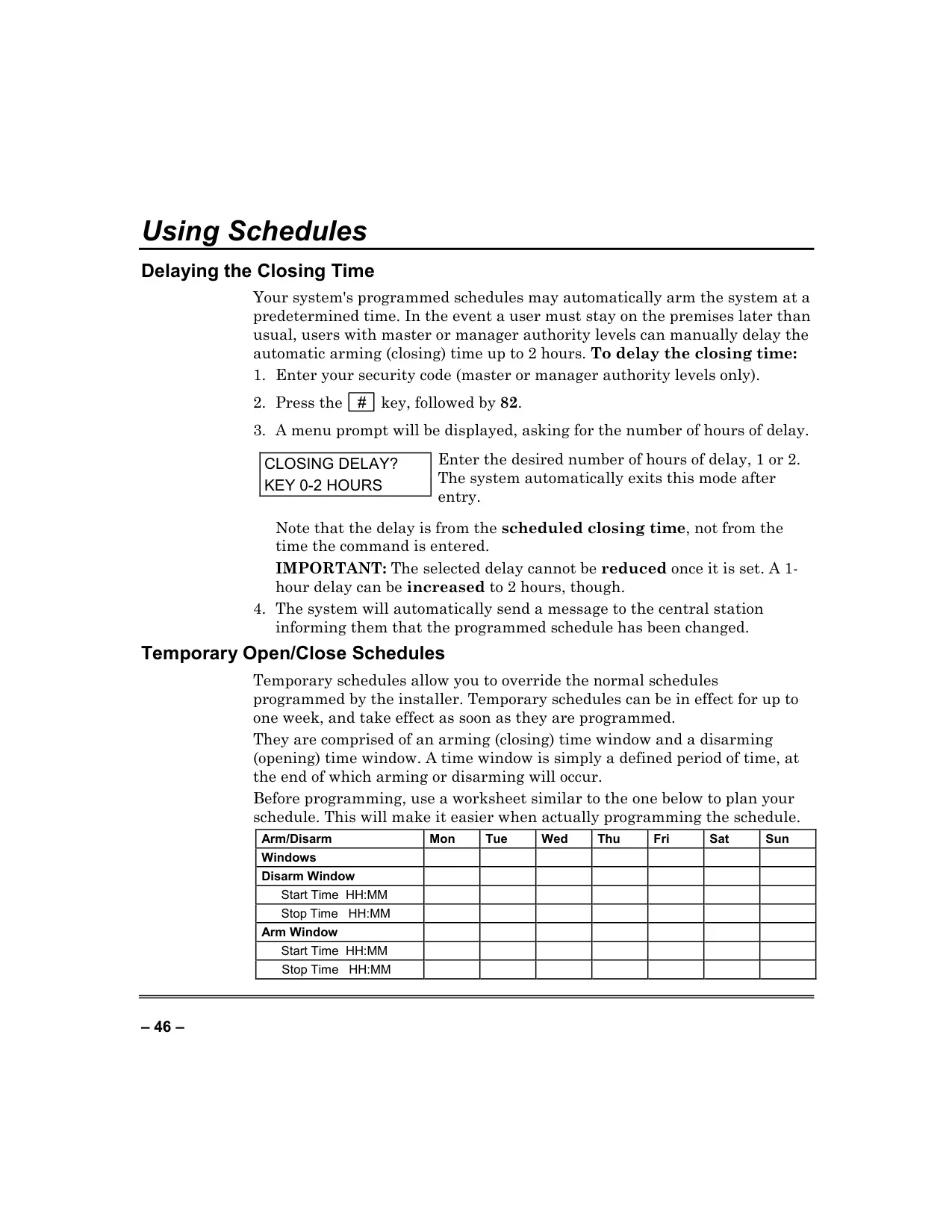
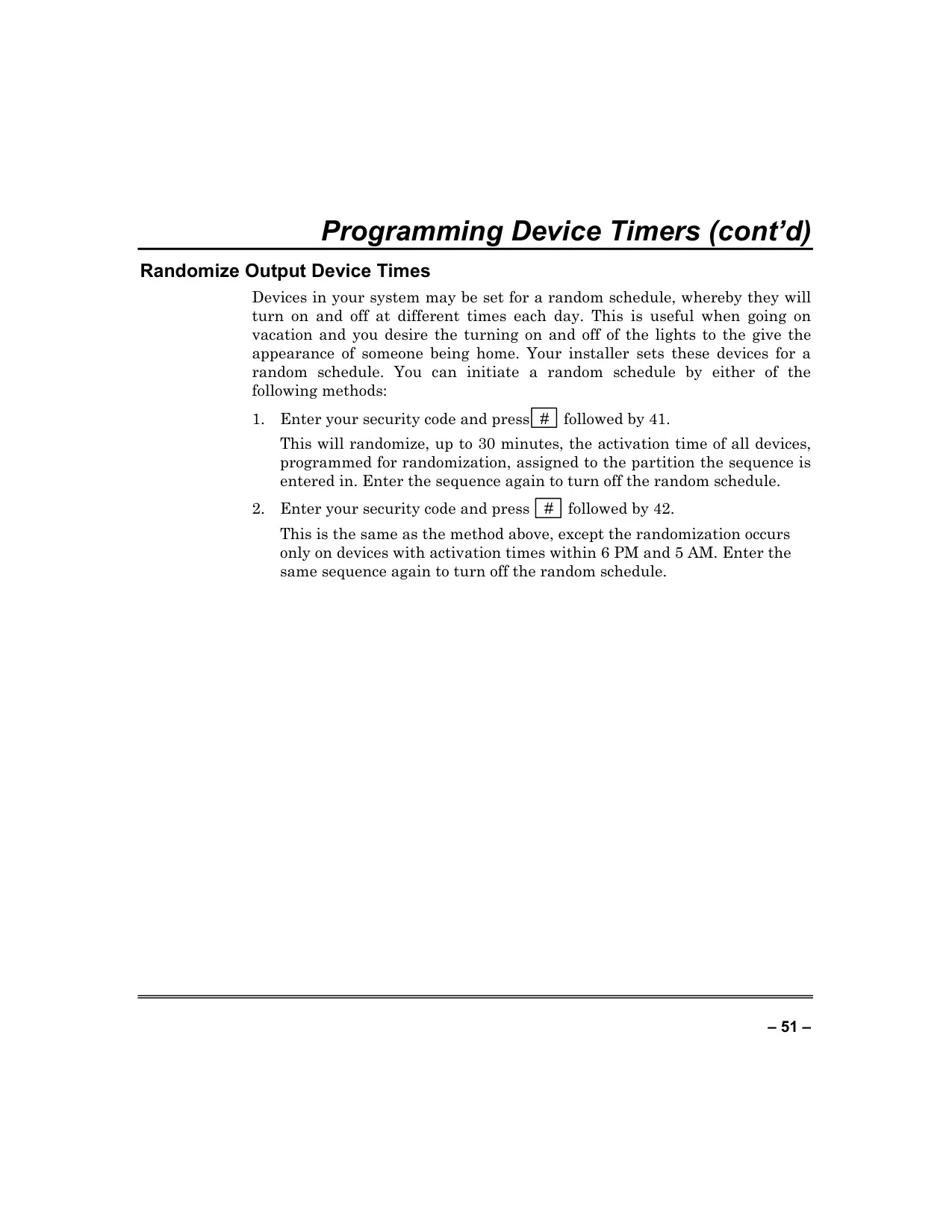
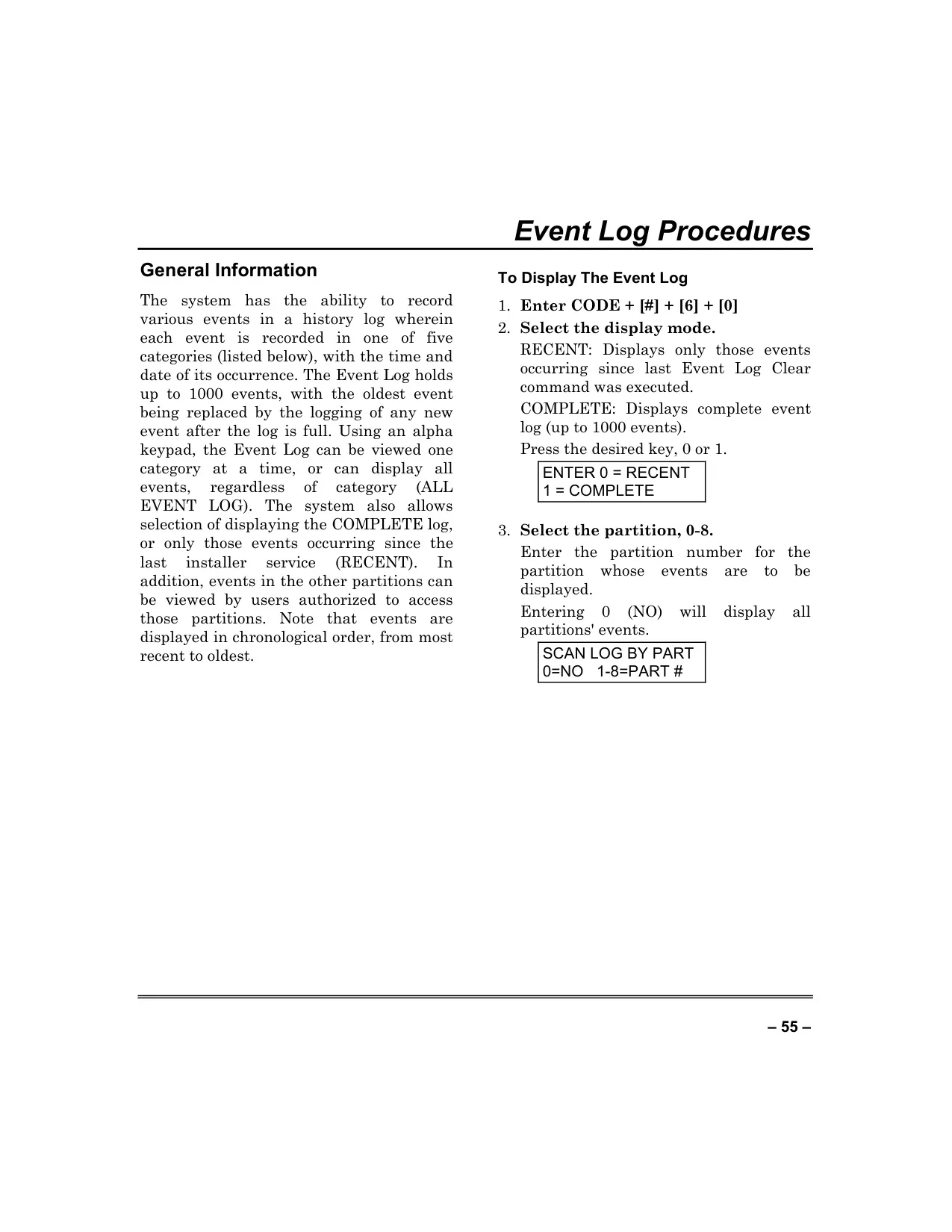
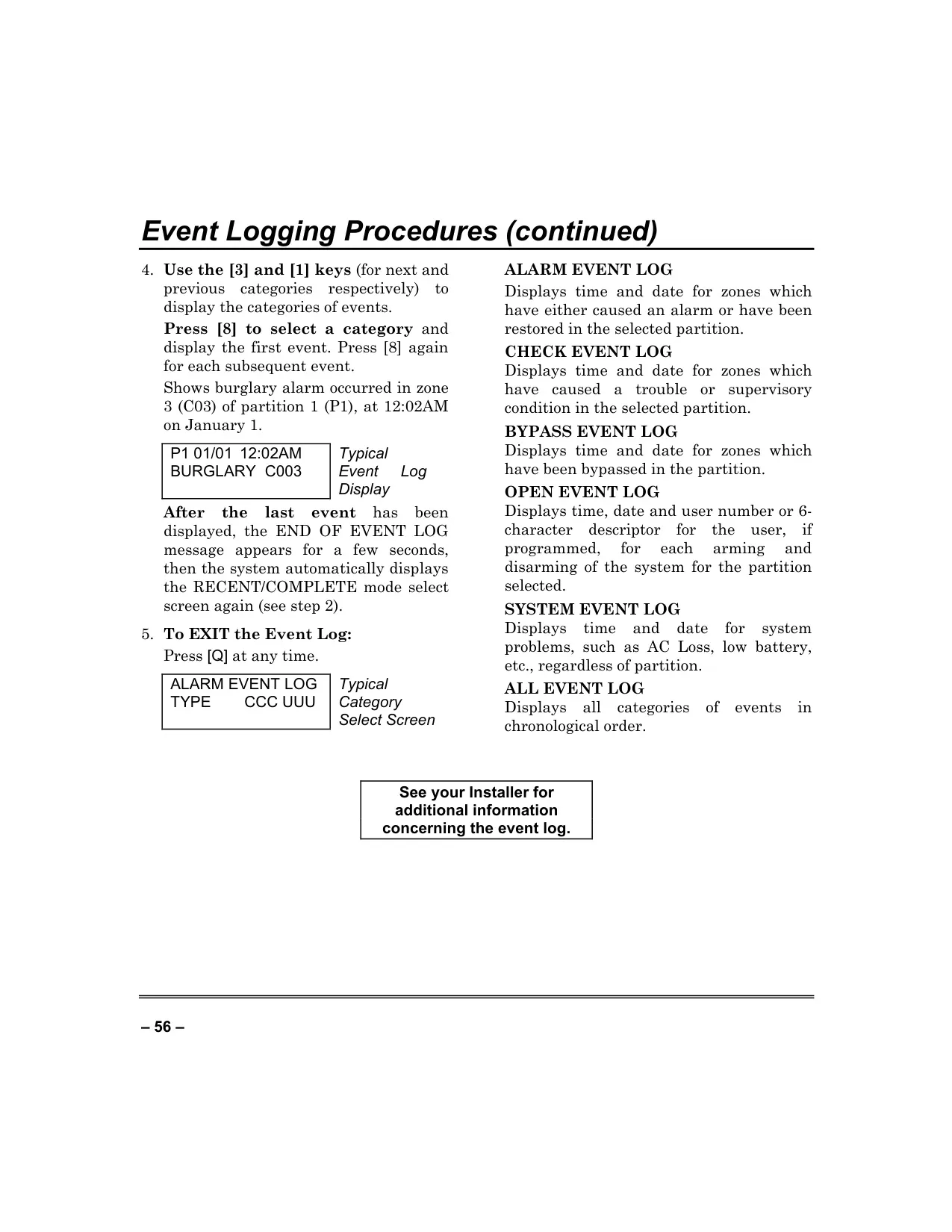
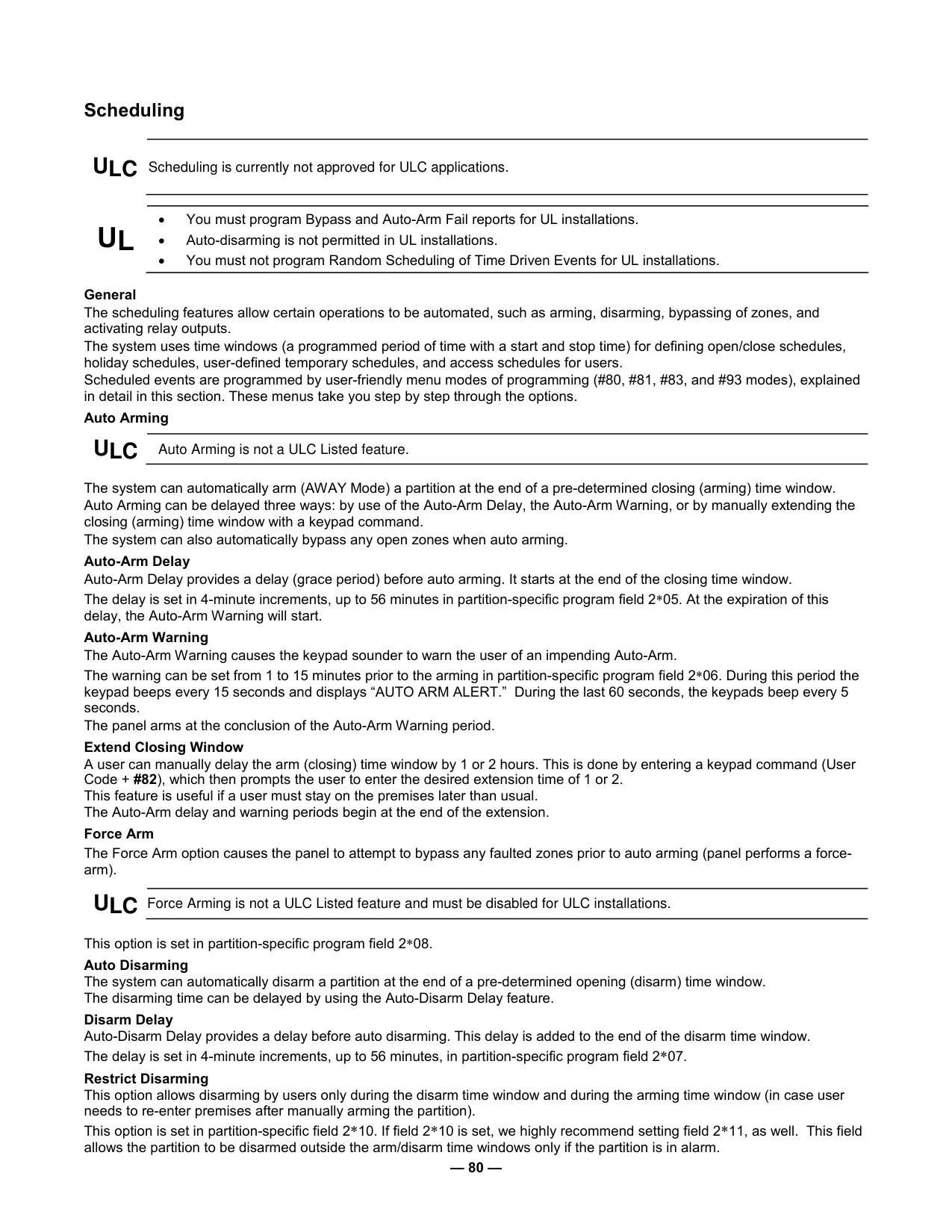
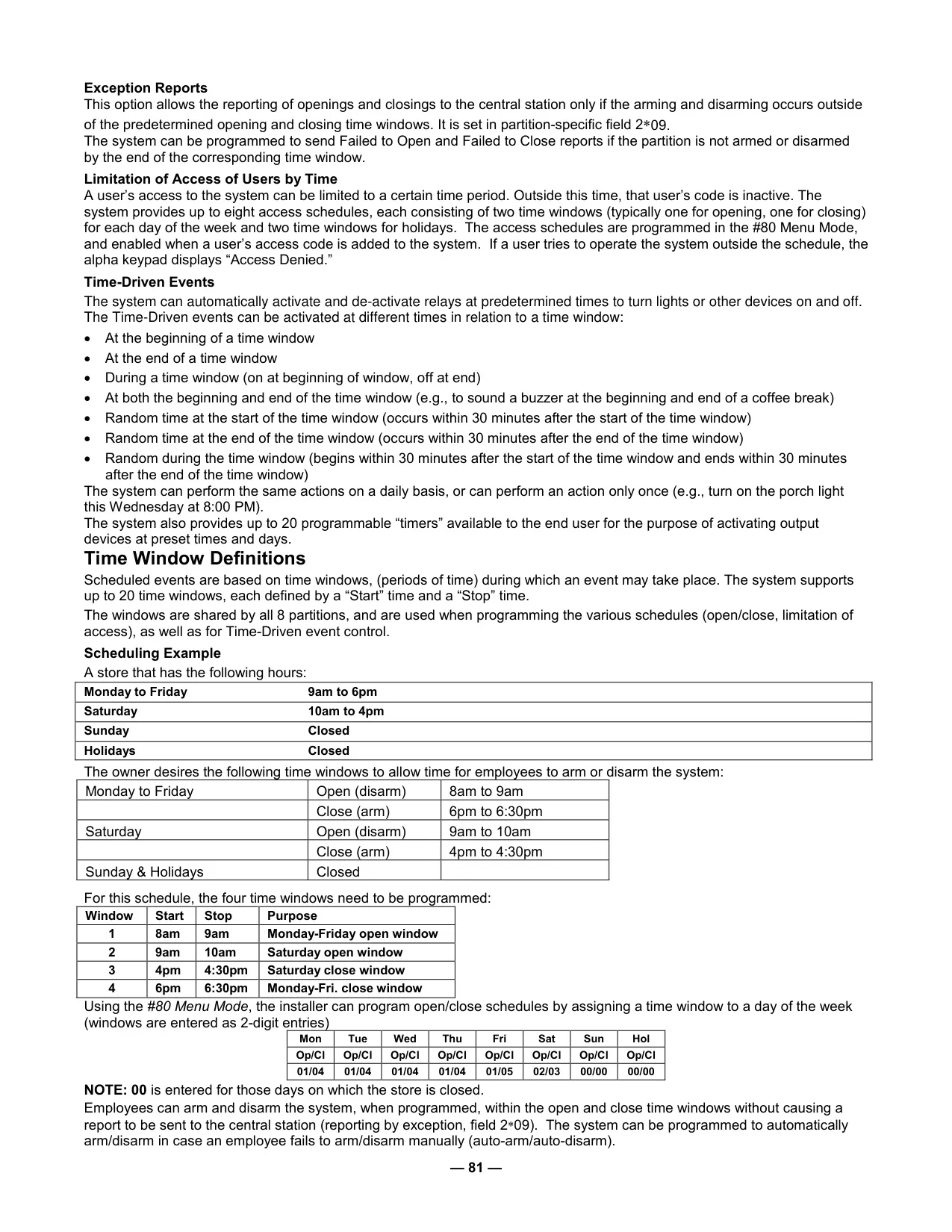
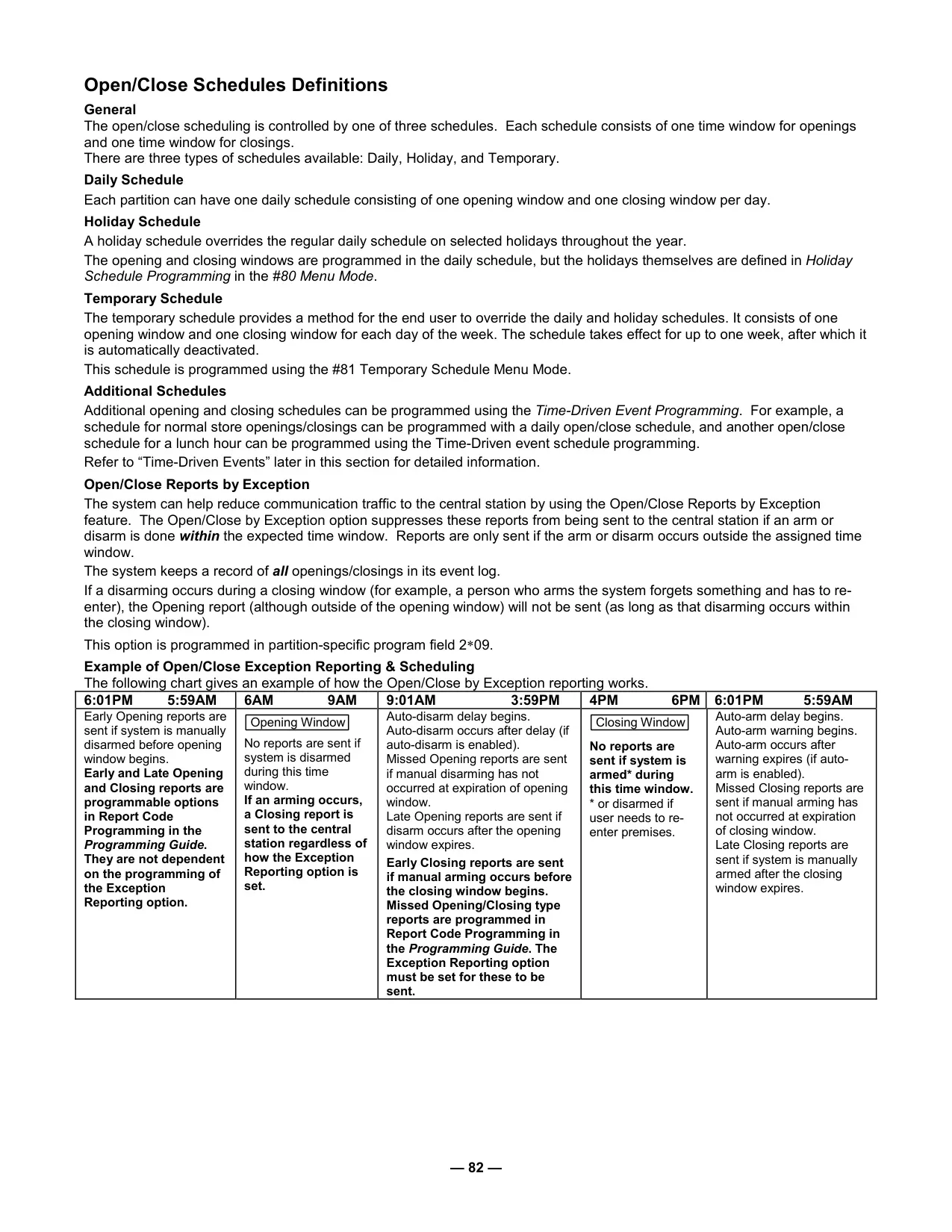
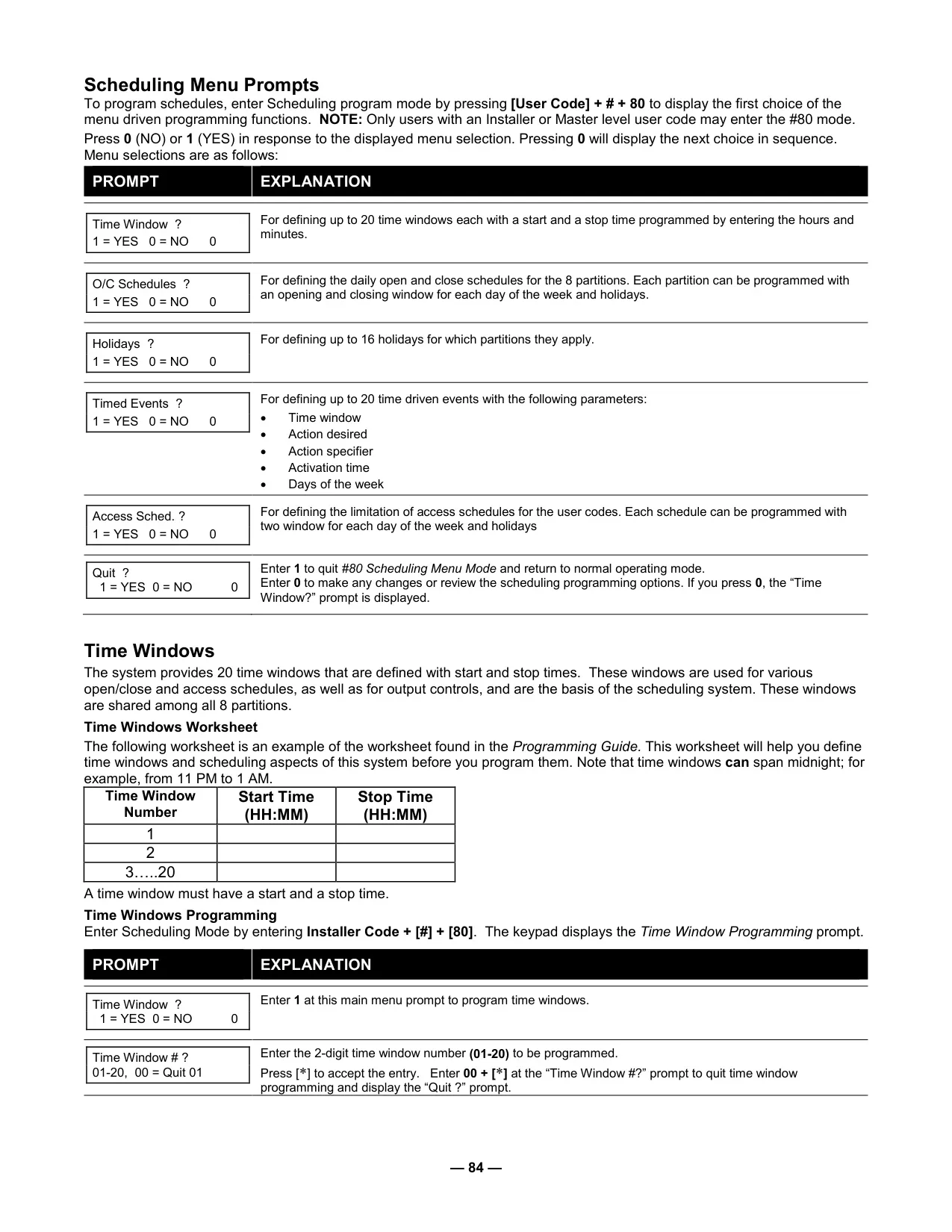
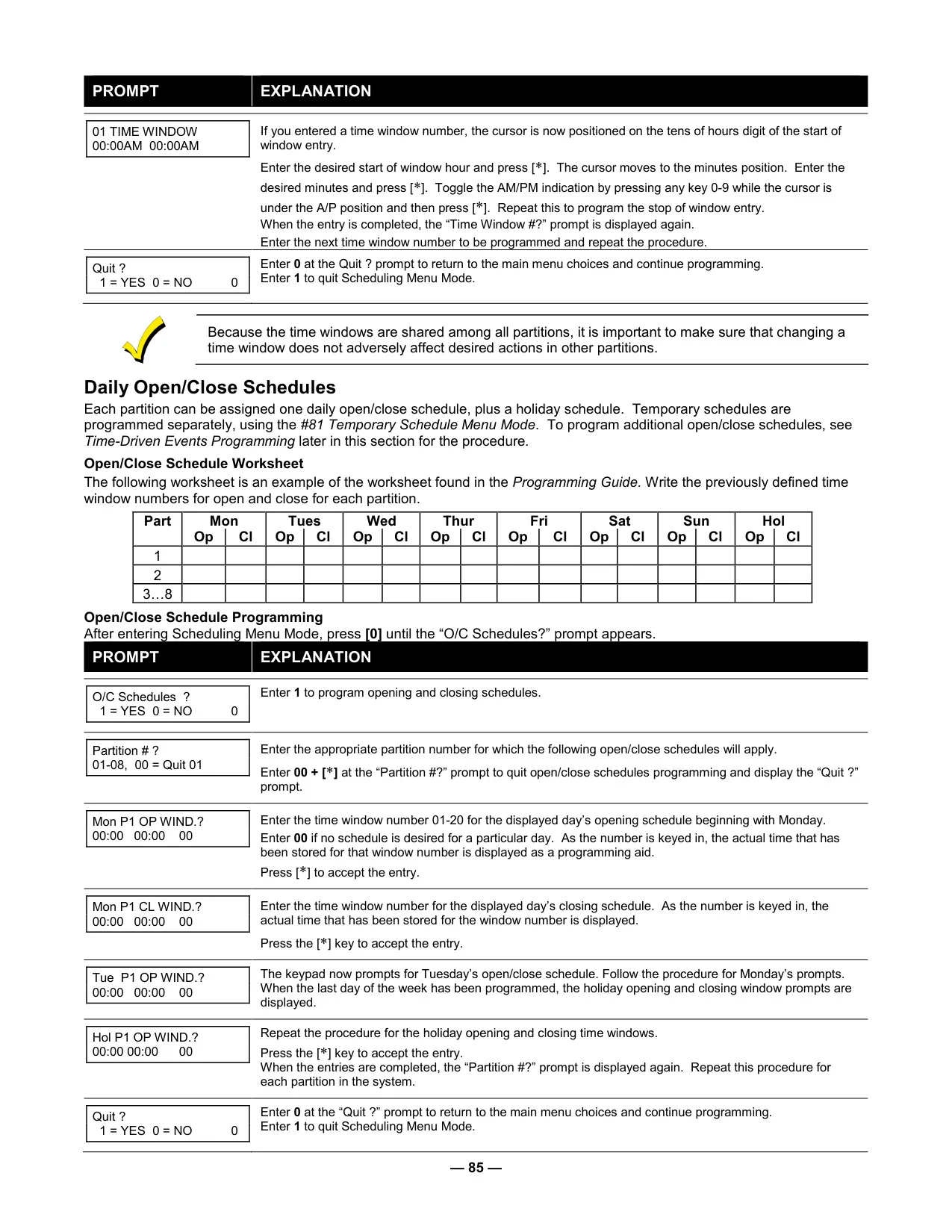
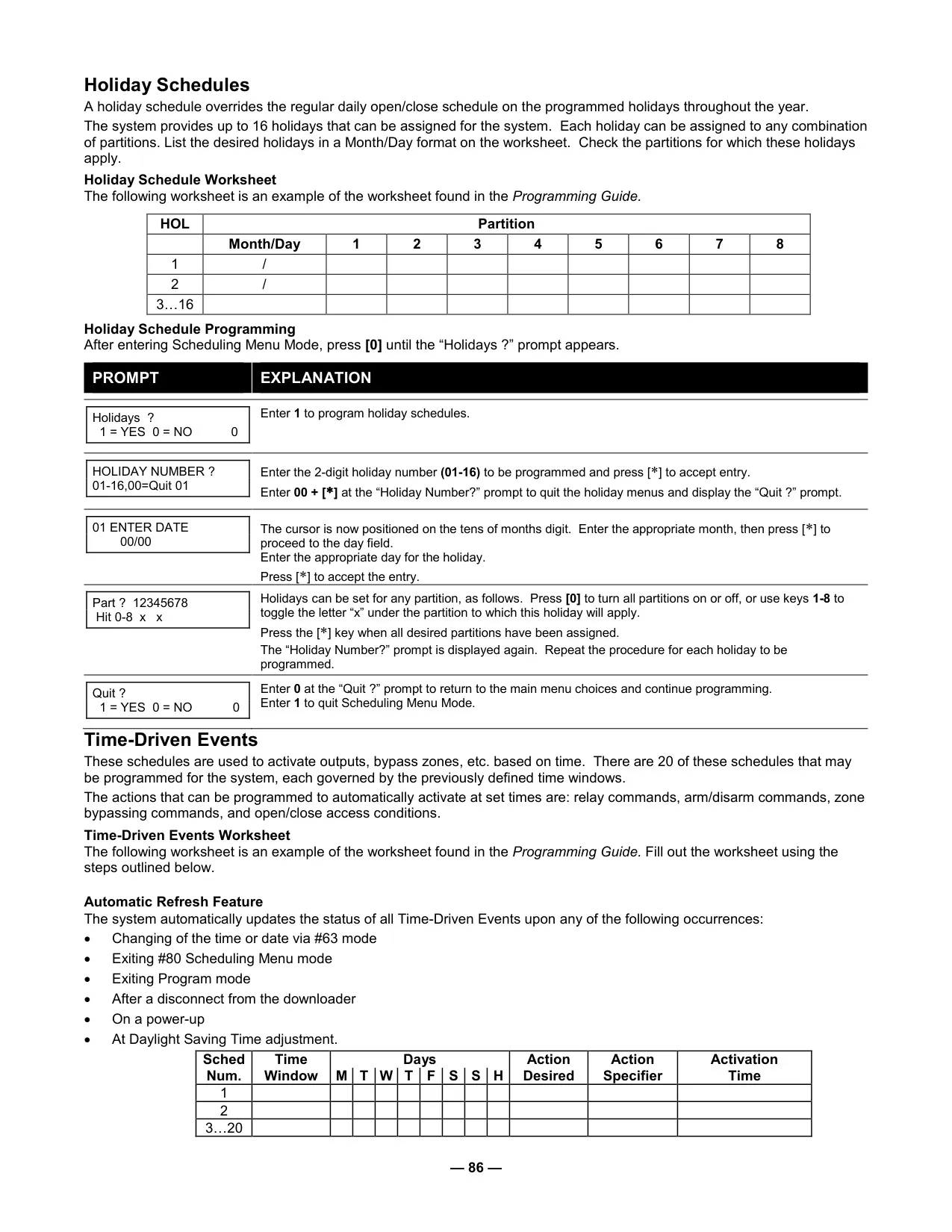
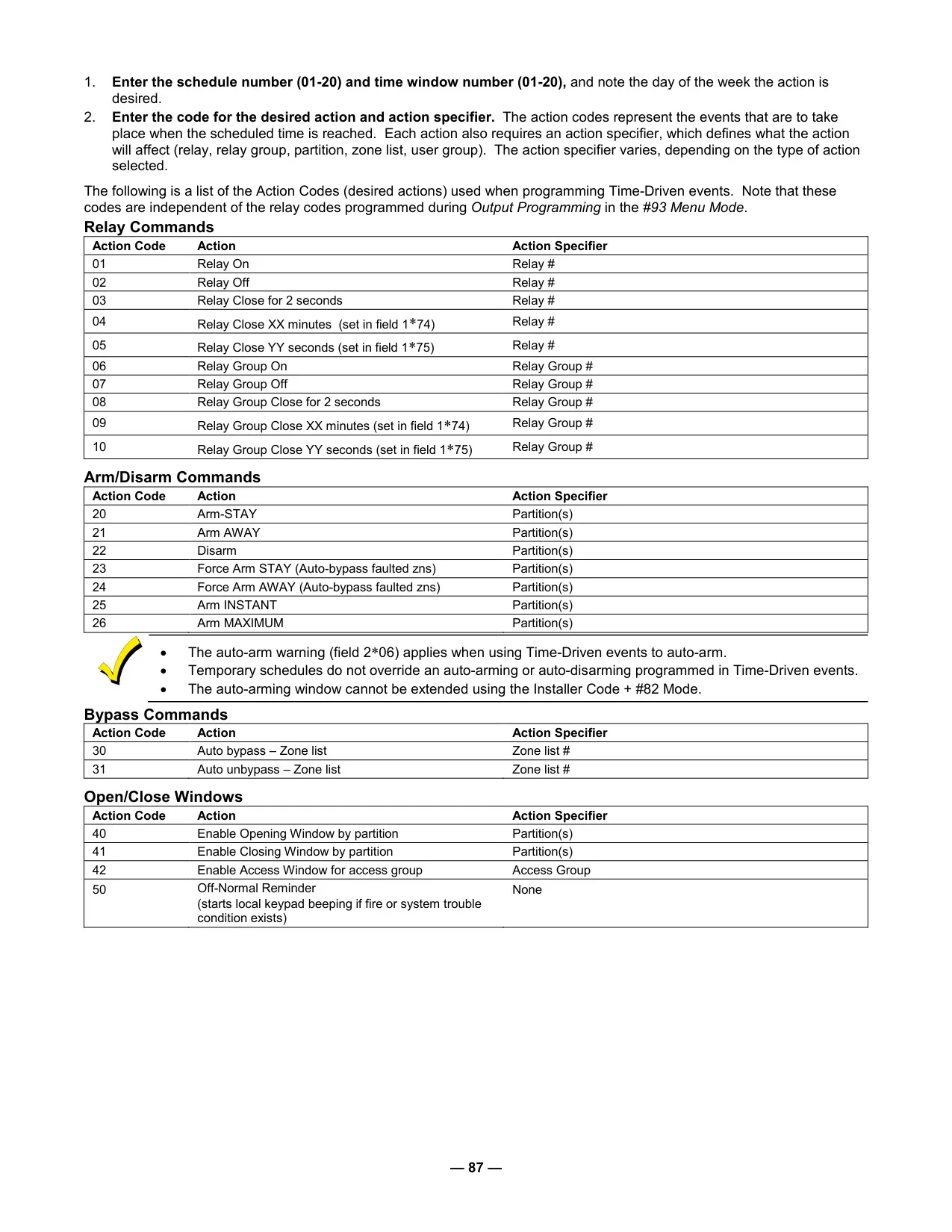
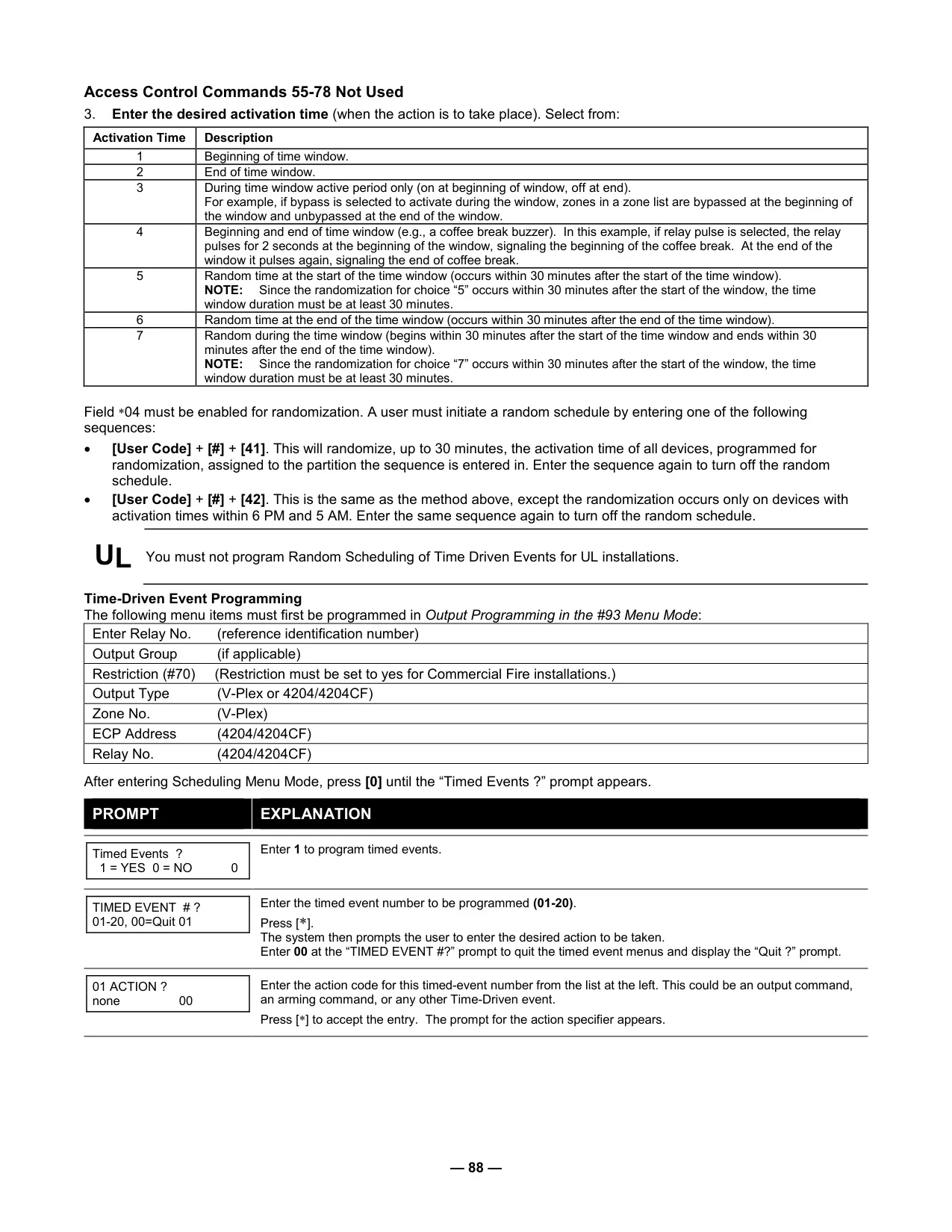
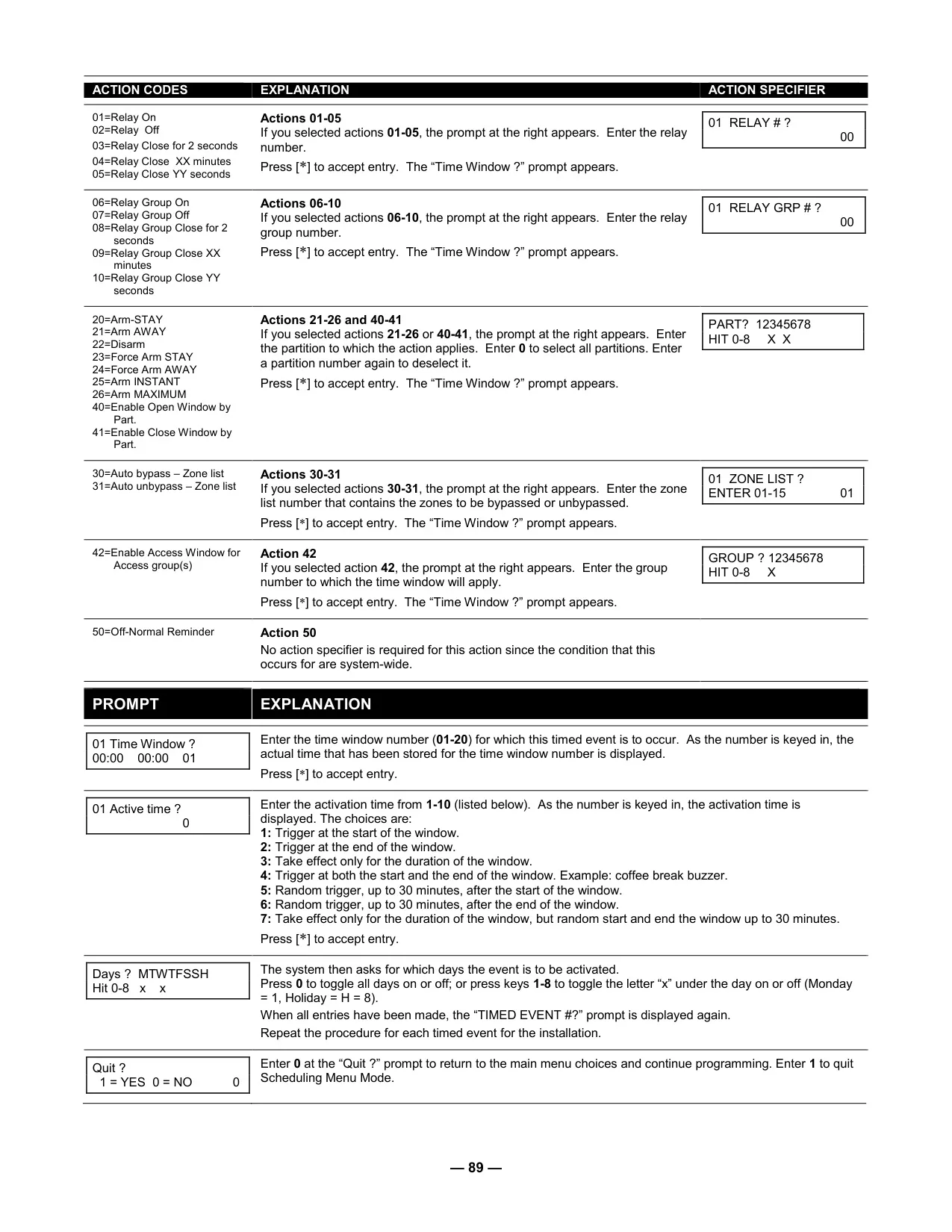
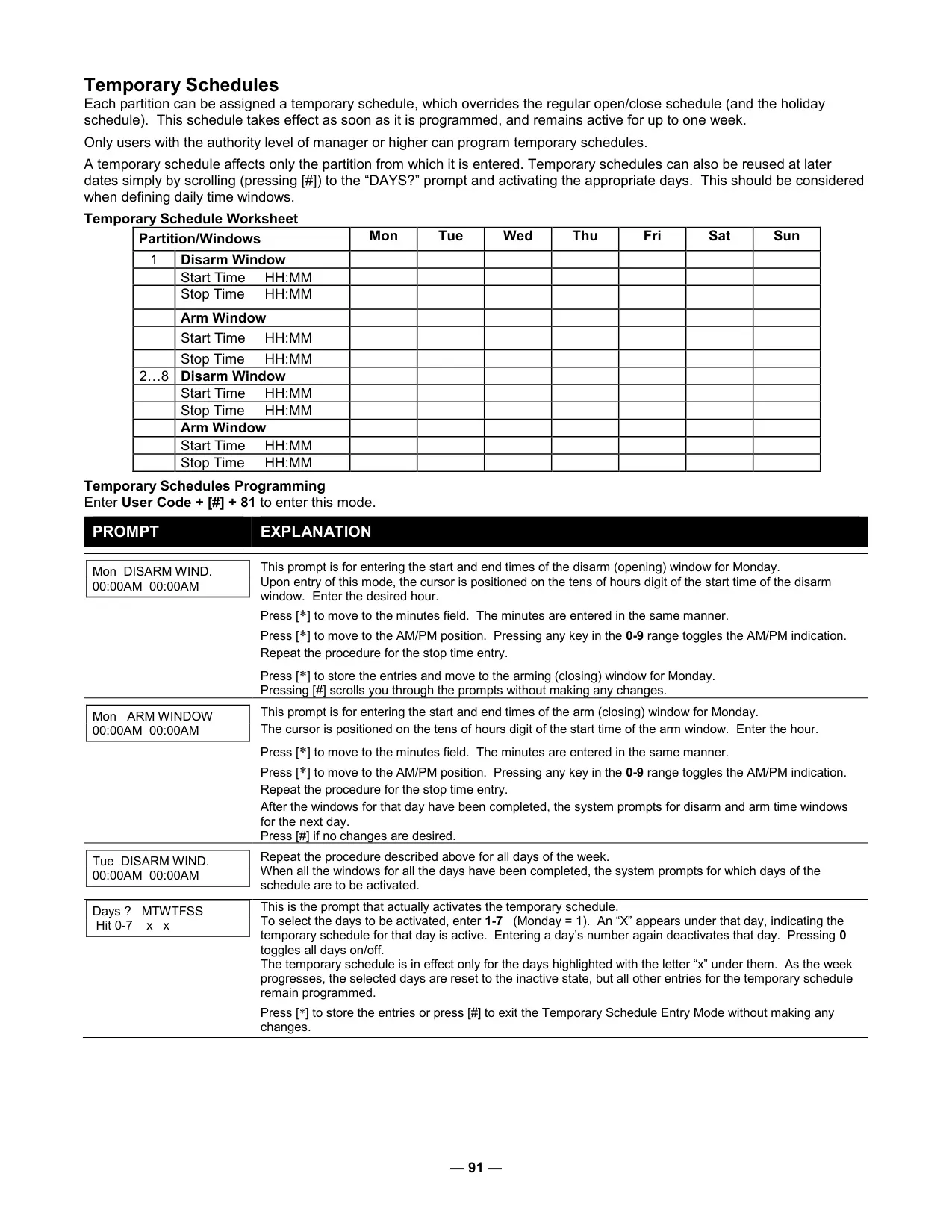
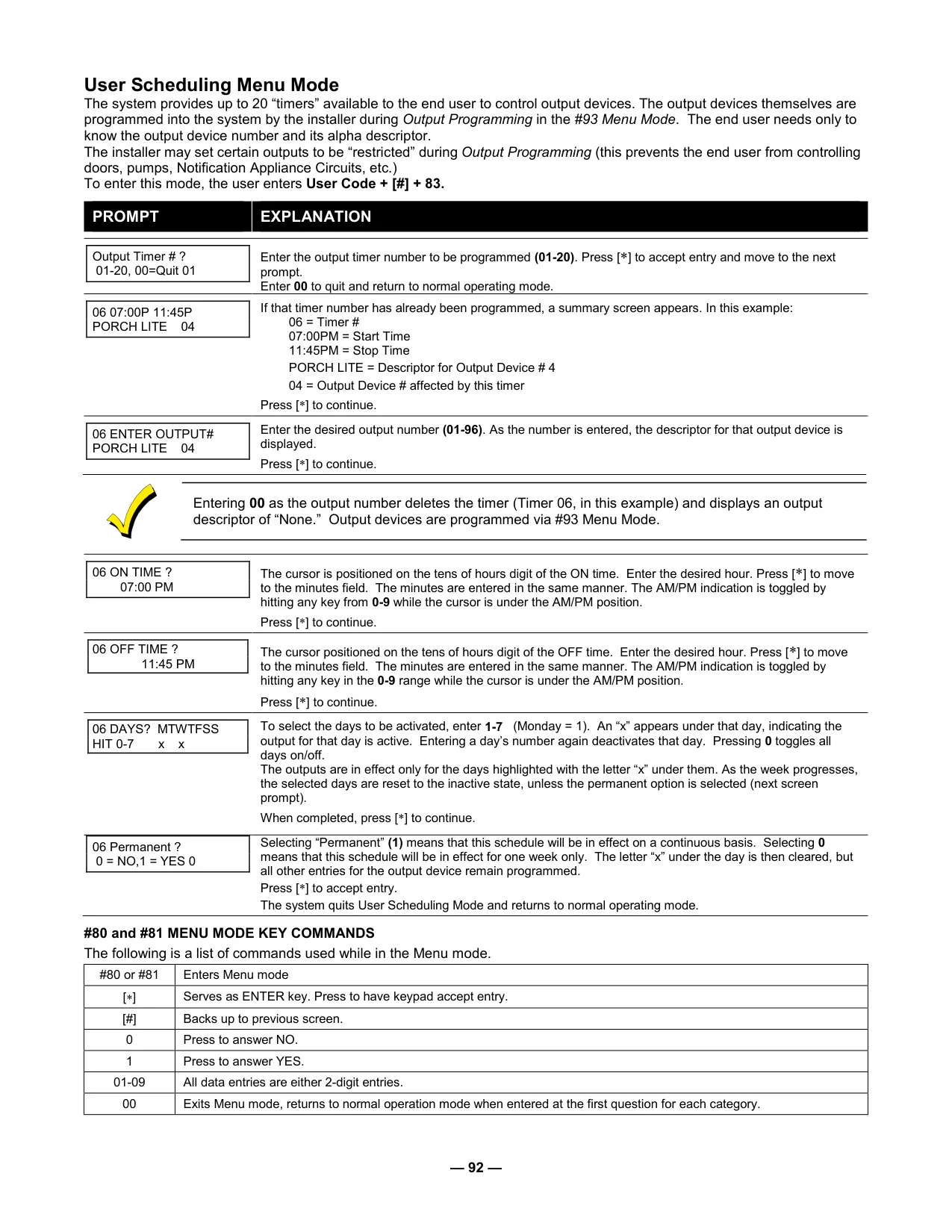
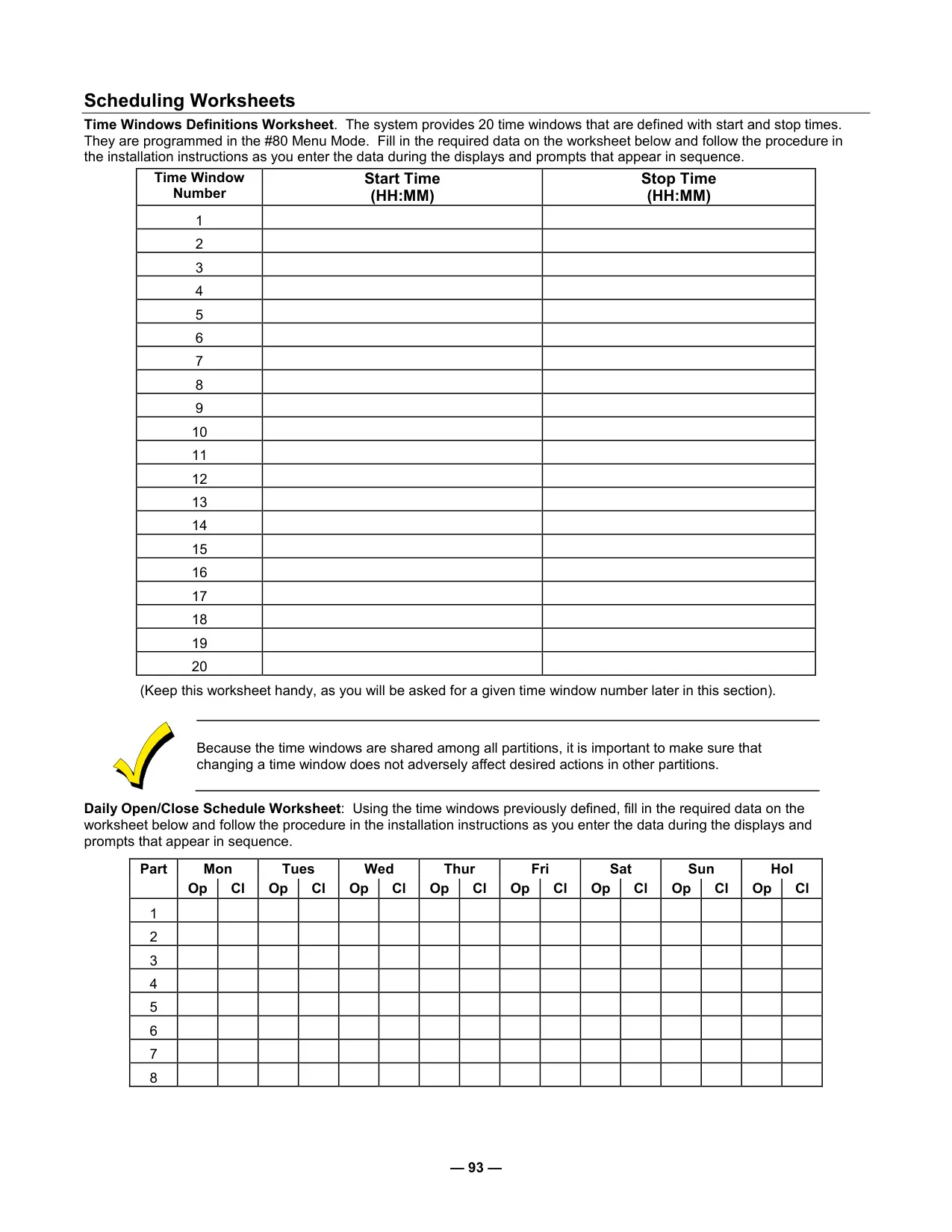
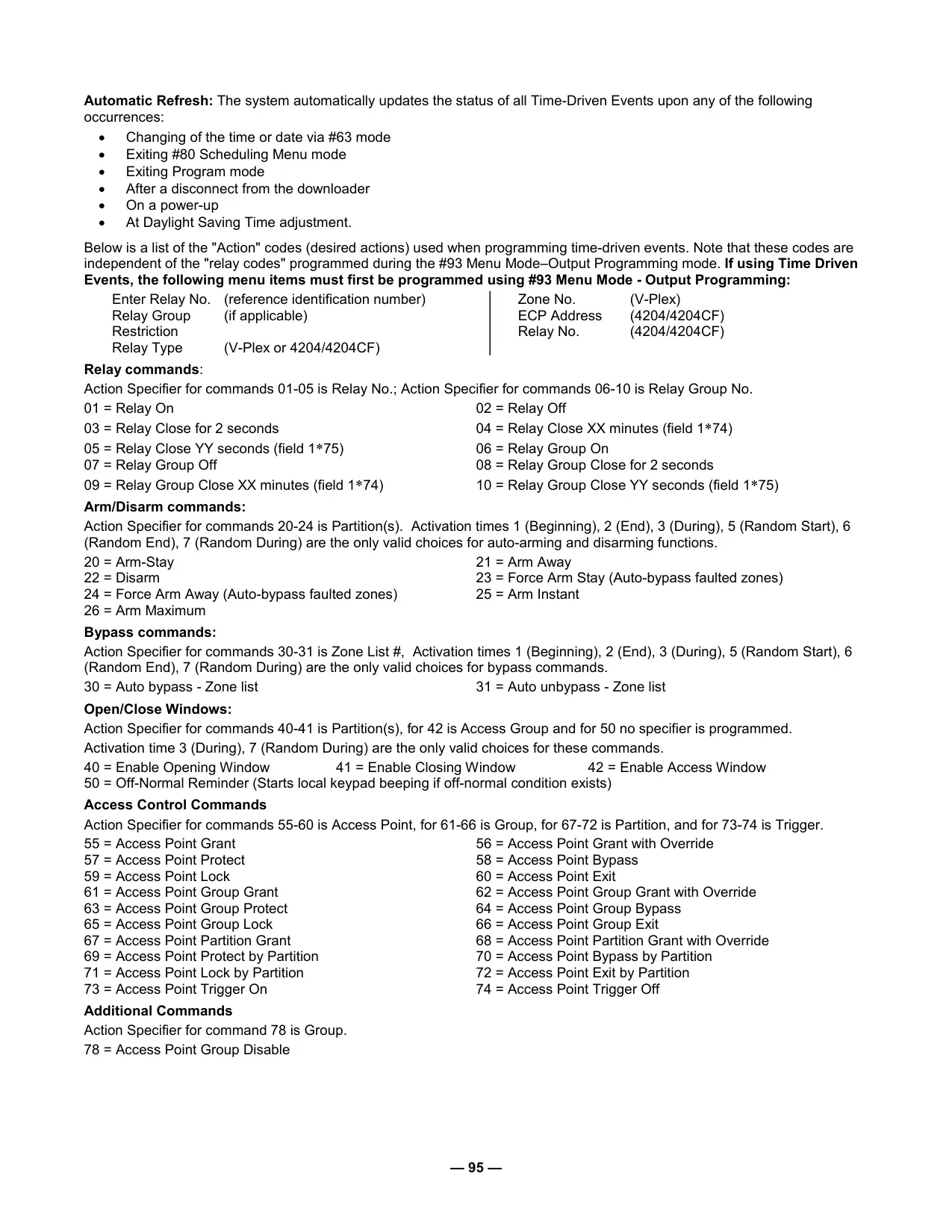
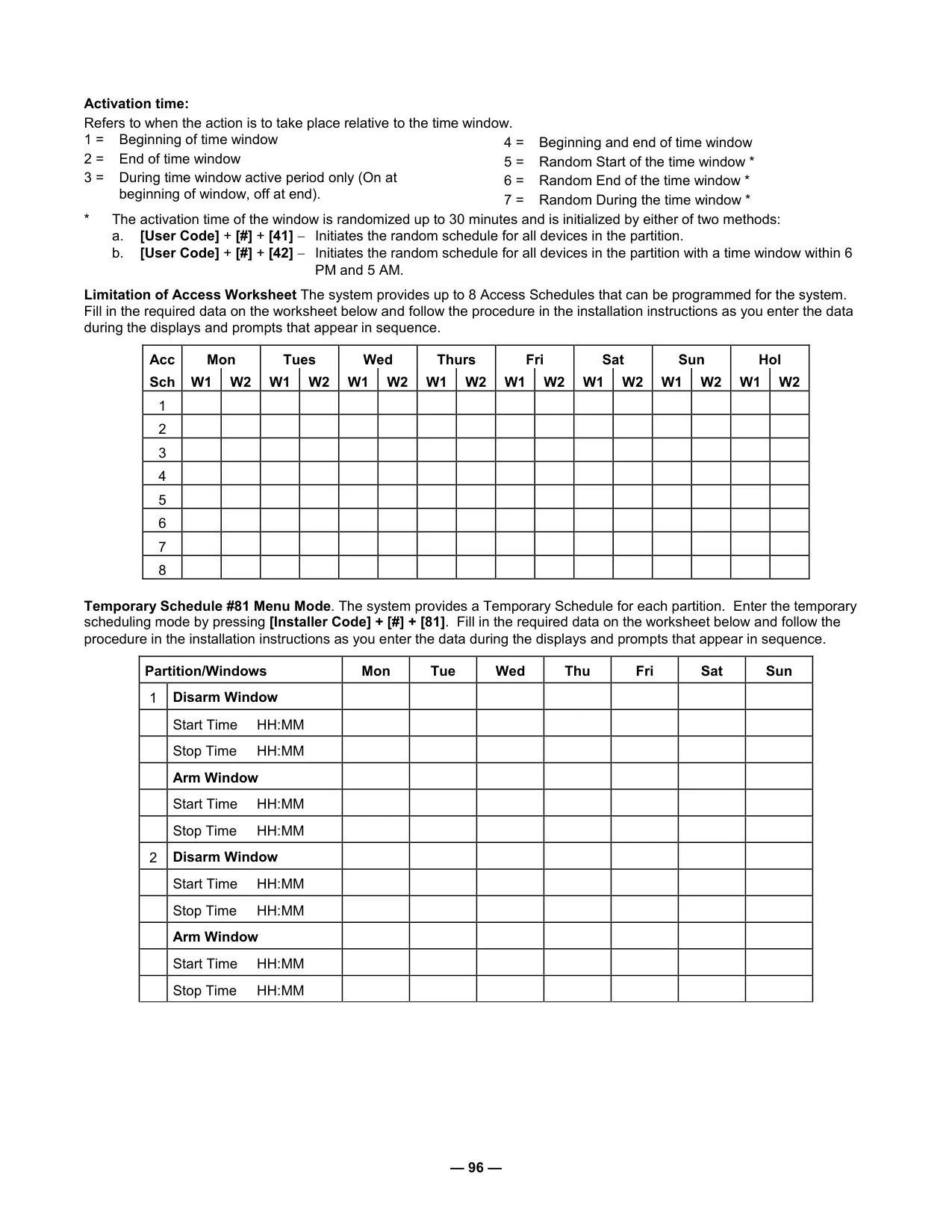
Efficiency and ease of use are central to the Vista 128FBP's design through its automation capabilities. Users with appropriate authority levels can set or adjust schedules for automatic arming, disarming, and activation of various devices. This includes delaying closing times or implementing temporary schedules, providing operational flexibility. Up to 20 configurable device timers can control as many as 96 separate lights or appliances, with an optional randomization feature to simulate occupancy, enhancing security during extended absences. Every system event is meticulously logged in a 512-event history, accessible by category (alarm, check, bypass, open, system) for comprehensive auditing and review.
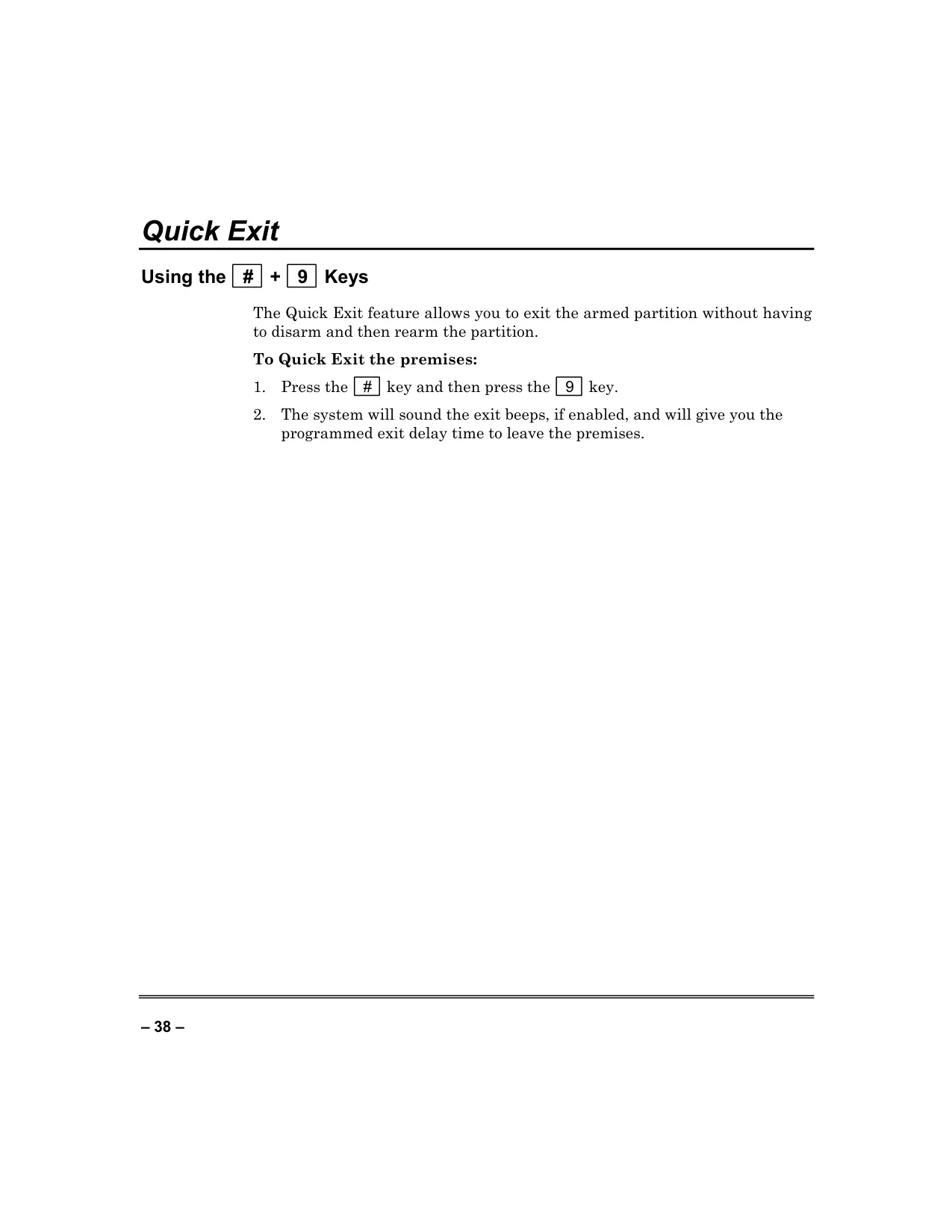
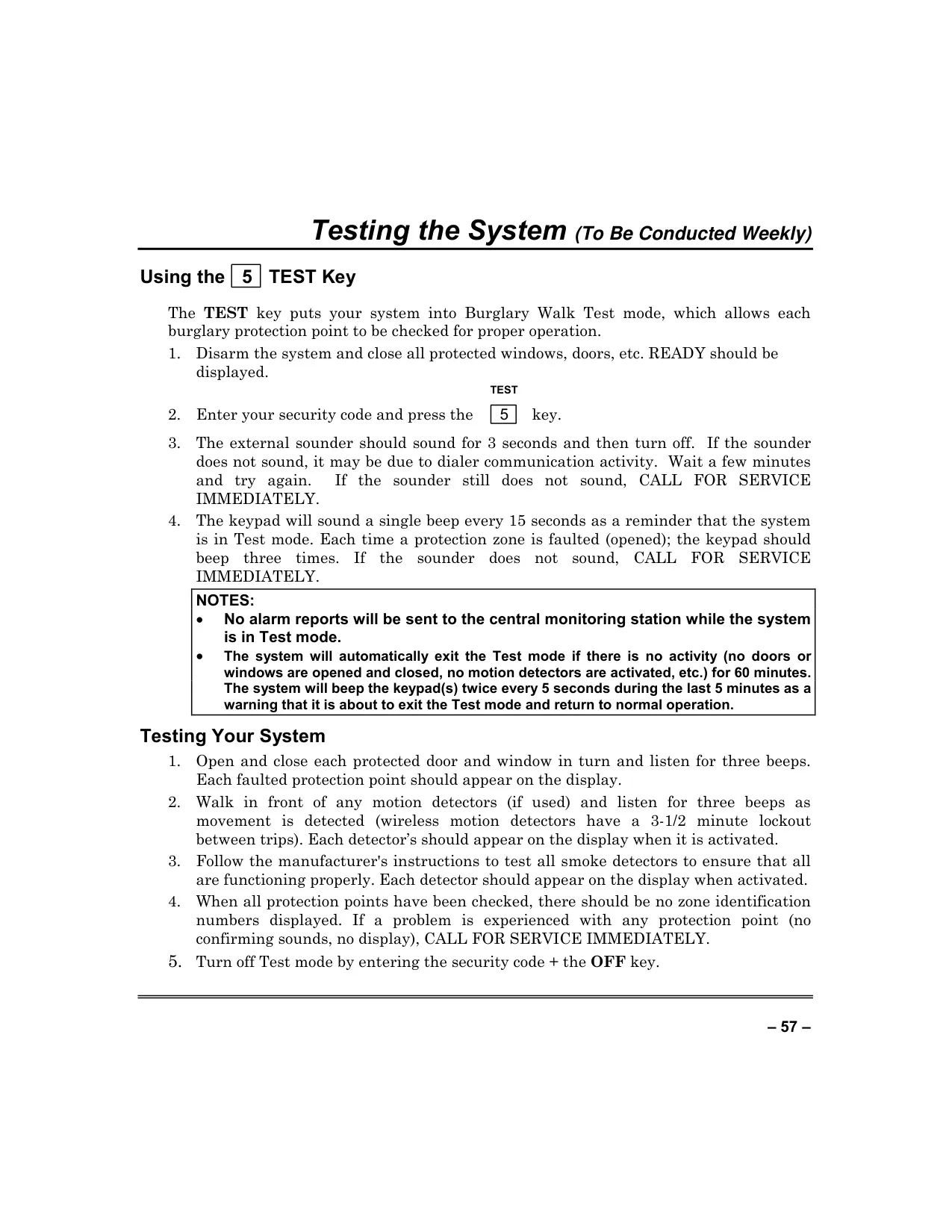
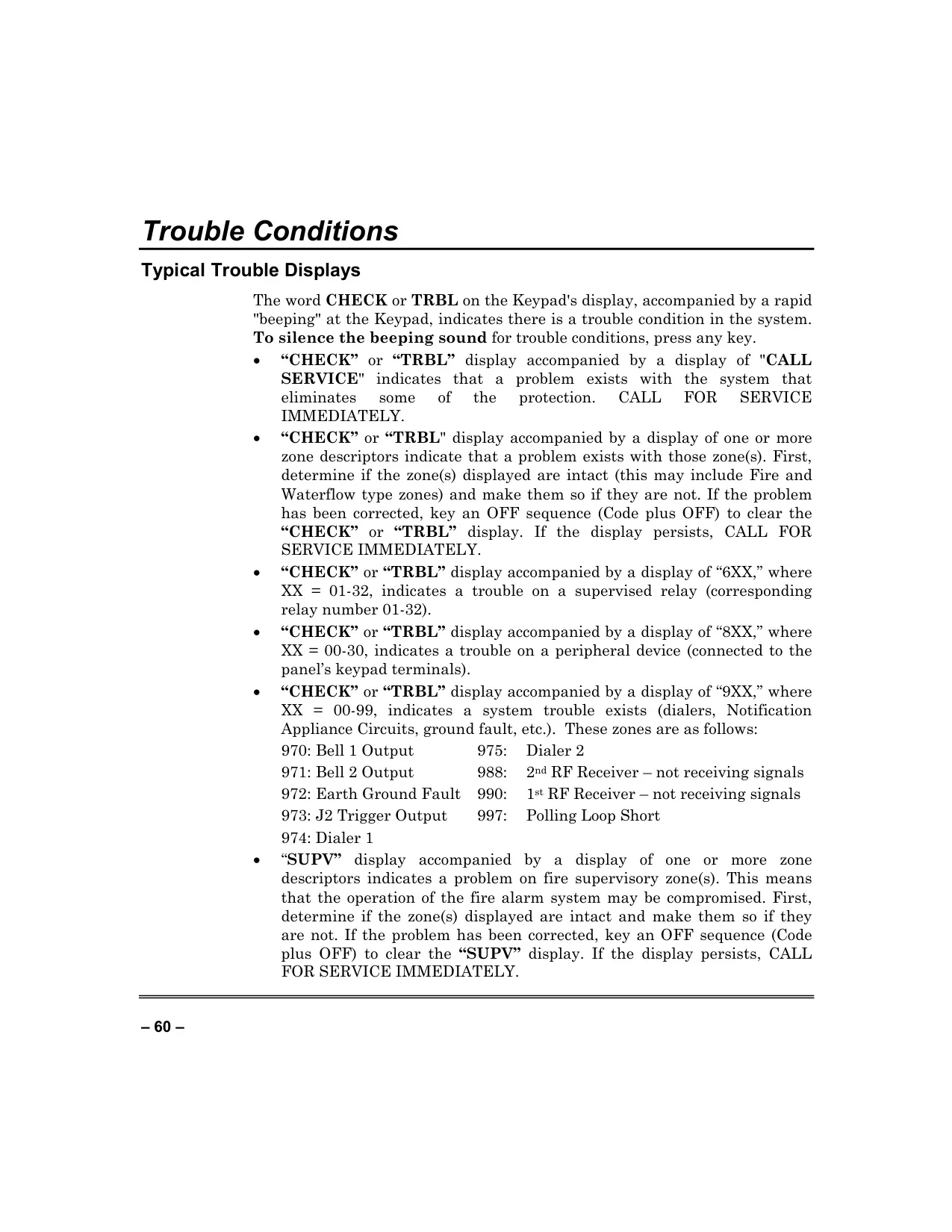
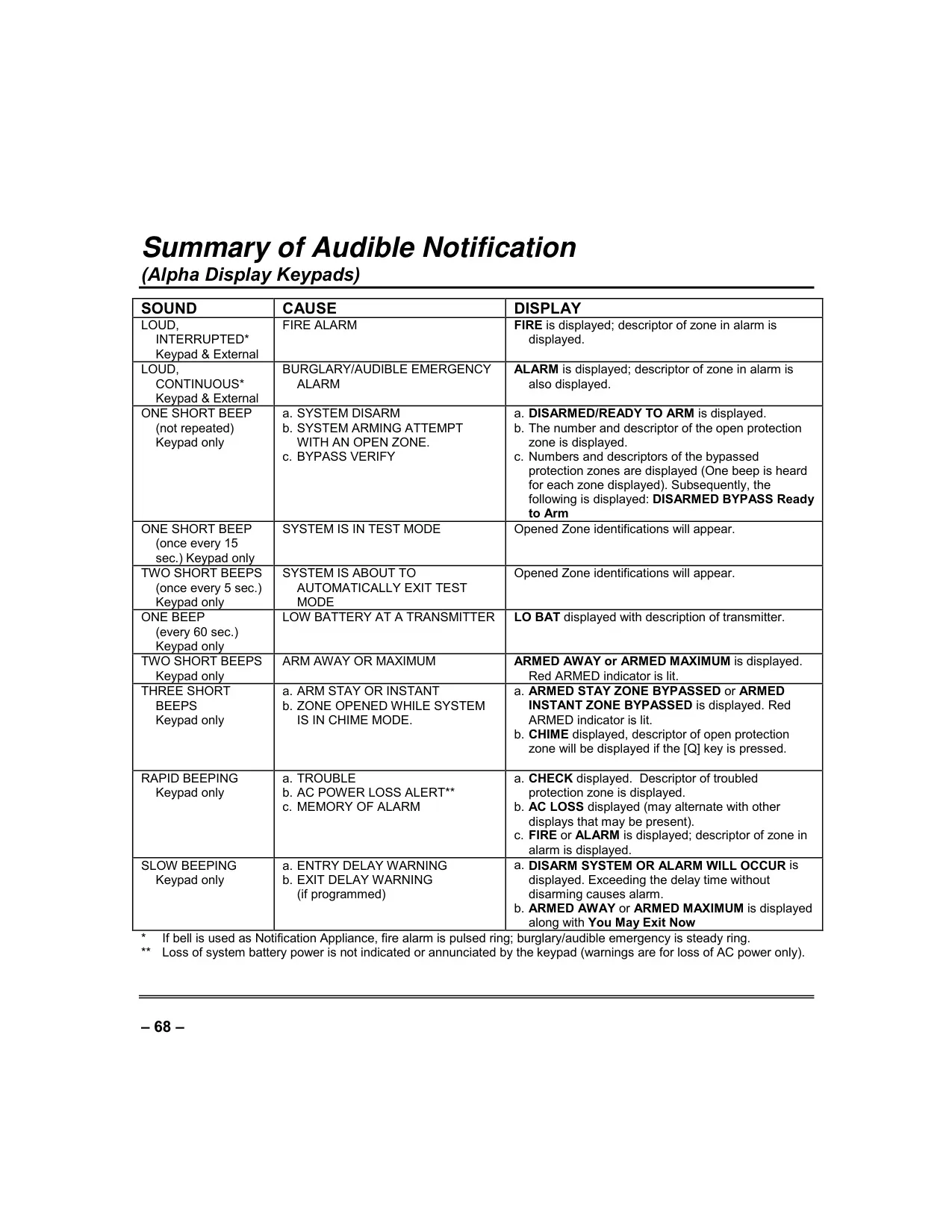
The system is designed for intuitive user interaction, featuring self-help instructions directly on the keypad's display and Quick Arming via the # key for rapid activation. A Quick Exit function allows users to momentarily leave an armed partition without needing to fully disarm and rearm. In case of issues, the keypad provides clear trouble condition messages (e.g., "CHECK," "TRBL," "COMM. FAILURE," "LO BAT"), facilitating prompt diagnosis and resolution. Regular weekly testing, including a burglary walk test and fire alarm checks, is crucial. Routine maintenance, such as replacing batteries in wireless sensors and general cleaning, ensures the system's continued reliability and optimal performance.
Frequently Asked Questions (FAQs)
Can't find the answer you need? Here are some frequently asked questions about the Honeywell Vista 128FBP Security System, and we answer them below.