Victron Orion 12 12-30 Charge Controller Instruction Manual
Victron Orion 12 12-30 Charge Controller

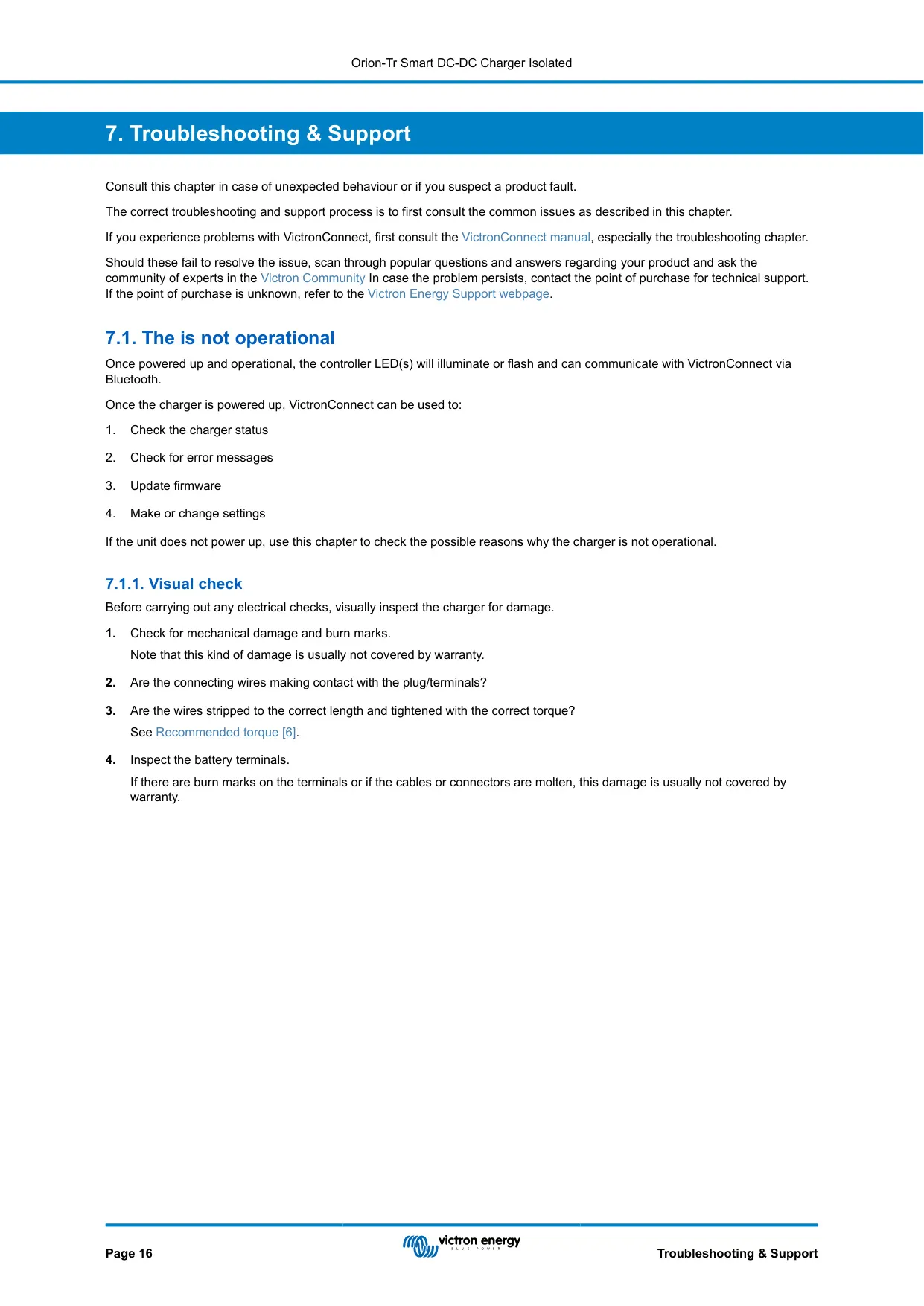
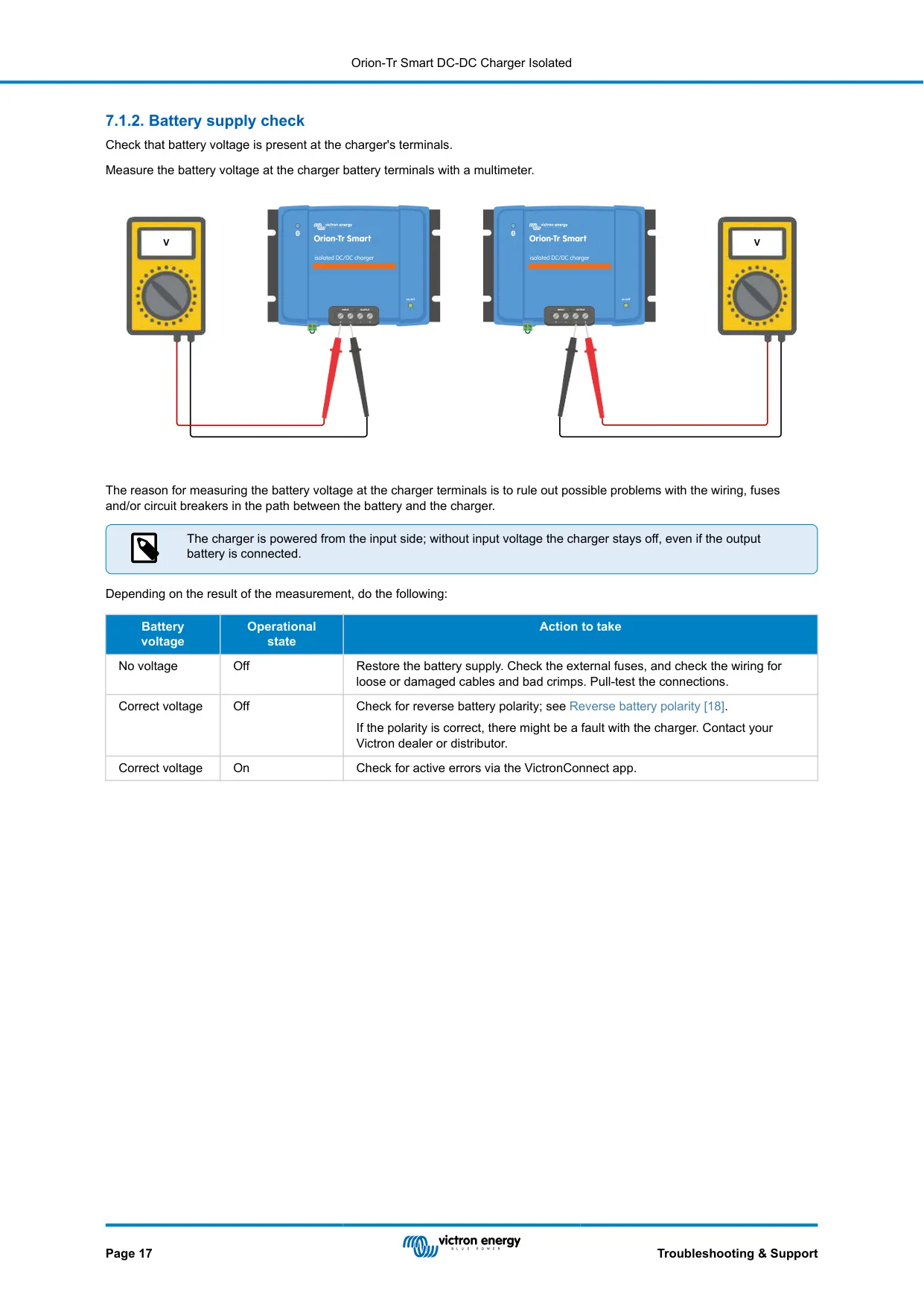
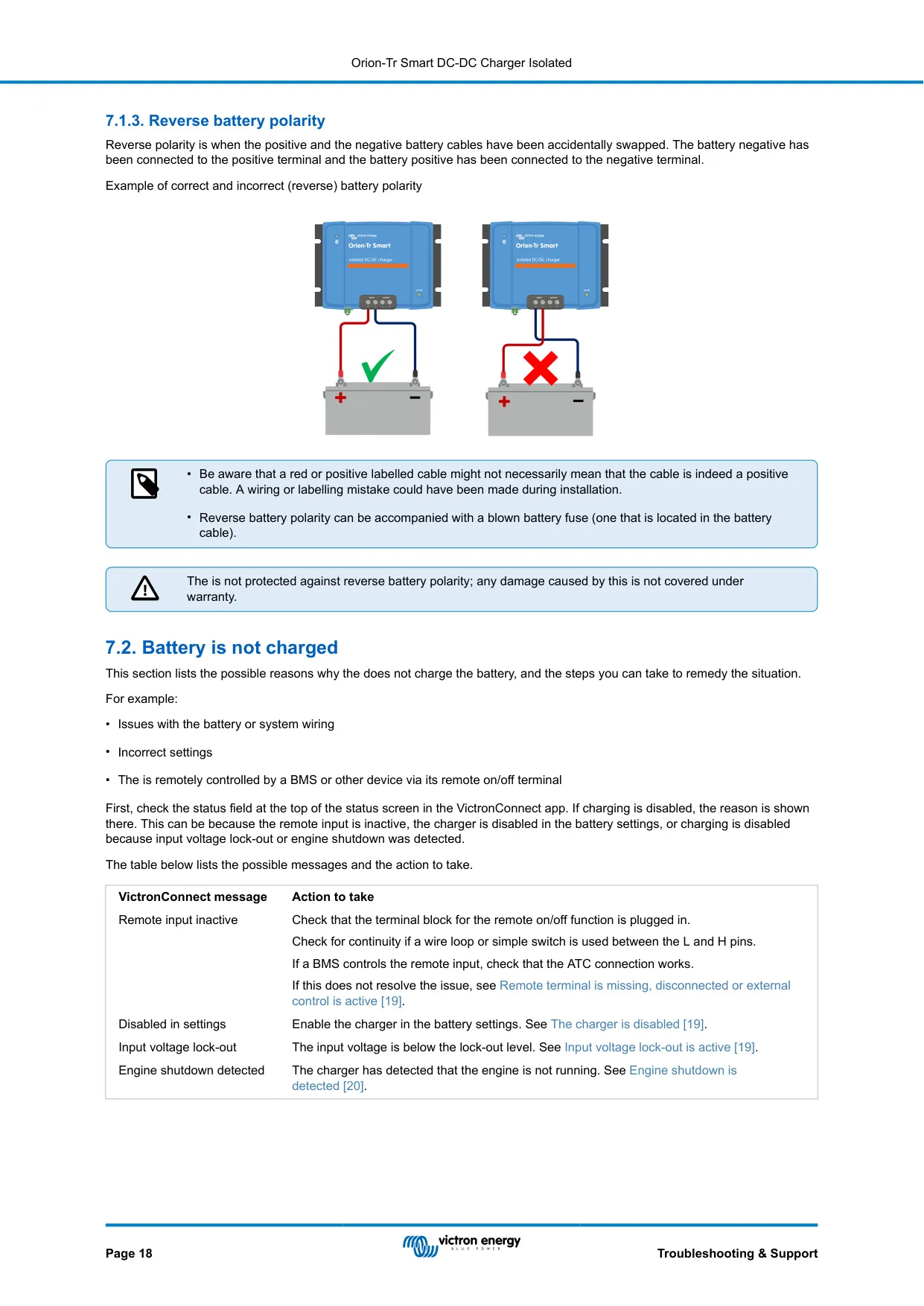
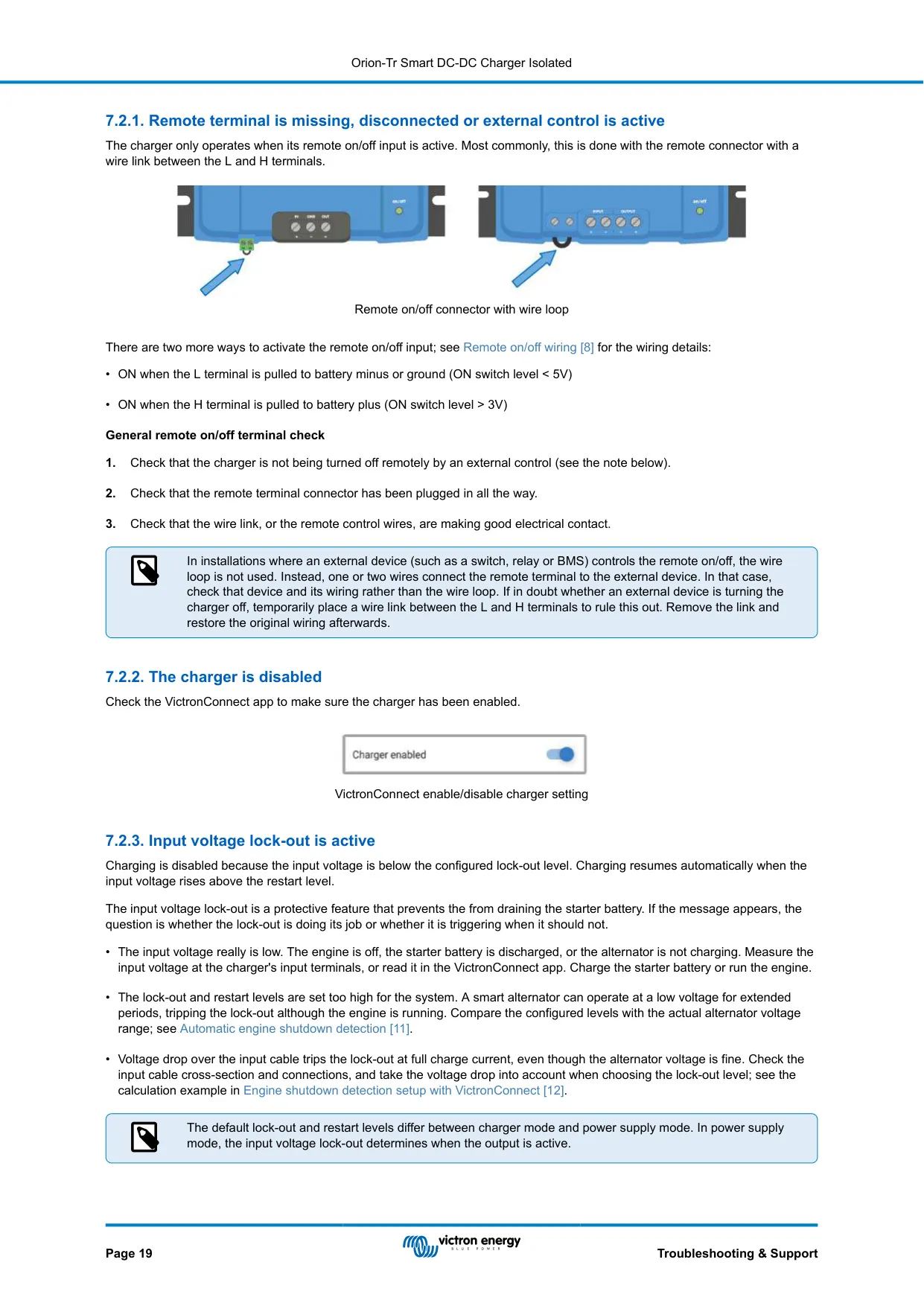
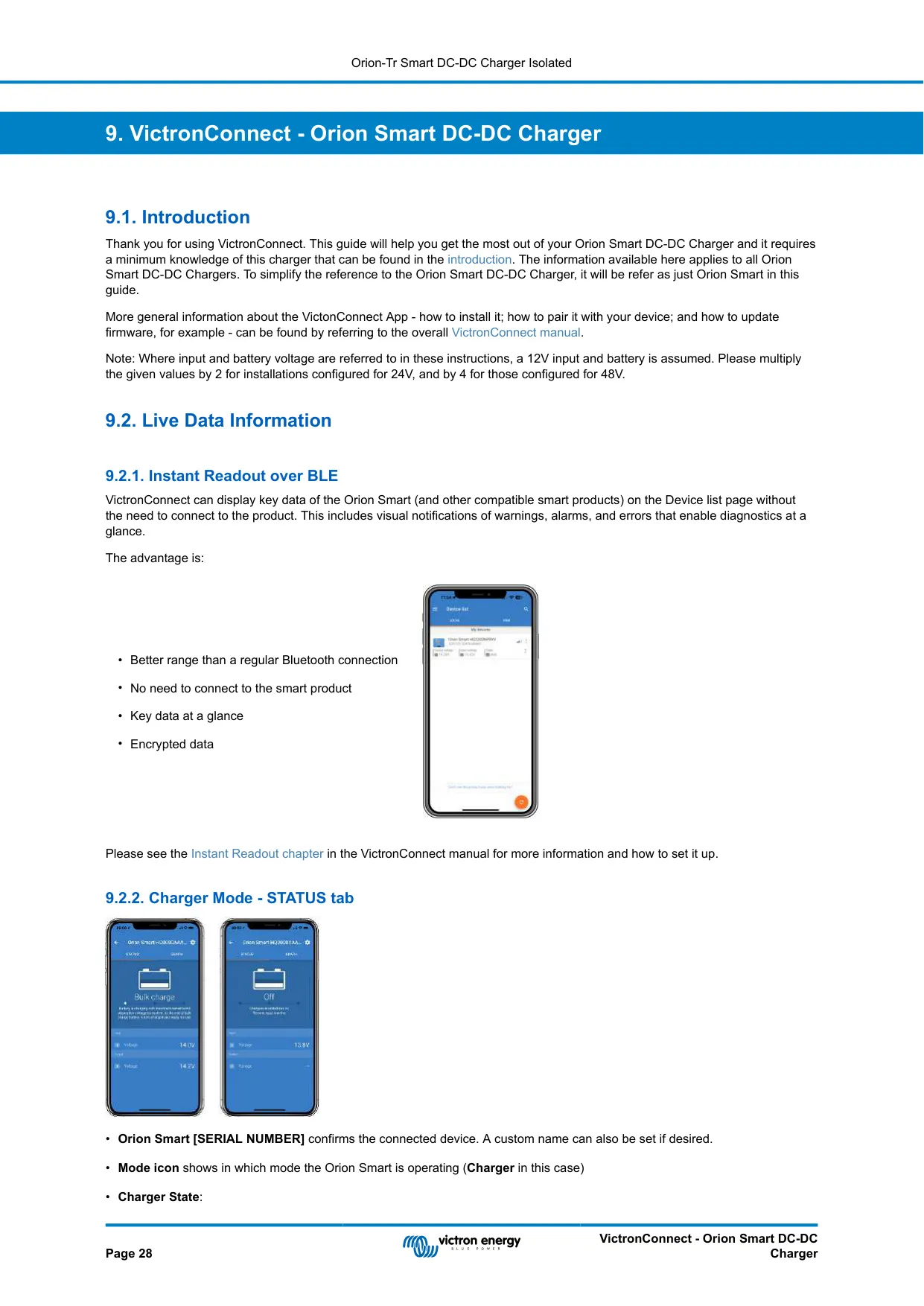


Victron Orion 12 12-30 Charge Controller
Victron Orion 12 12-30 Instructions
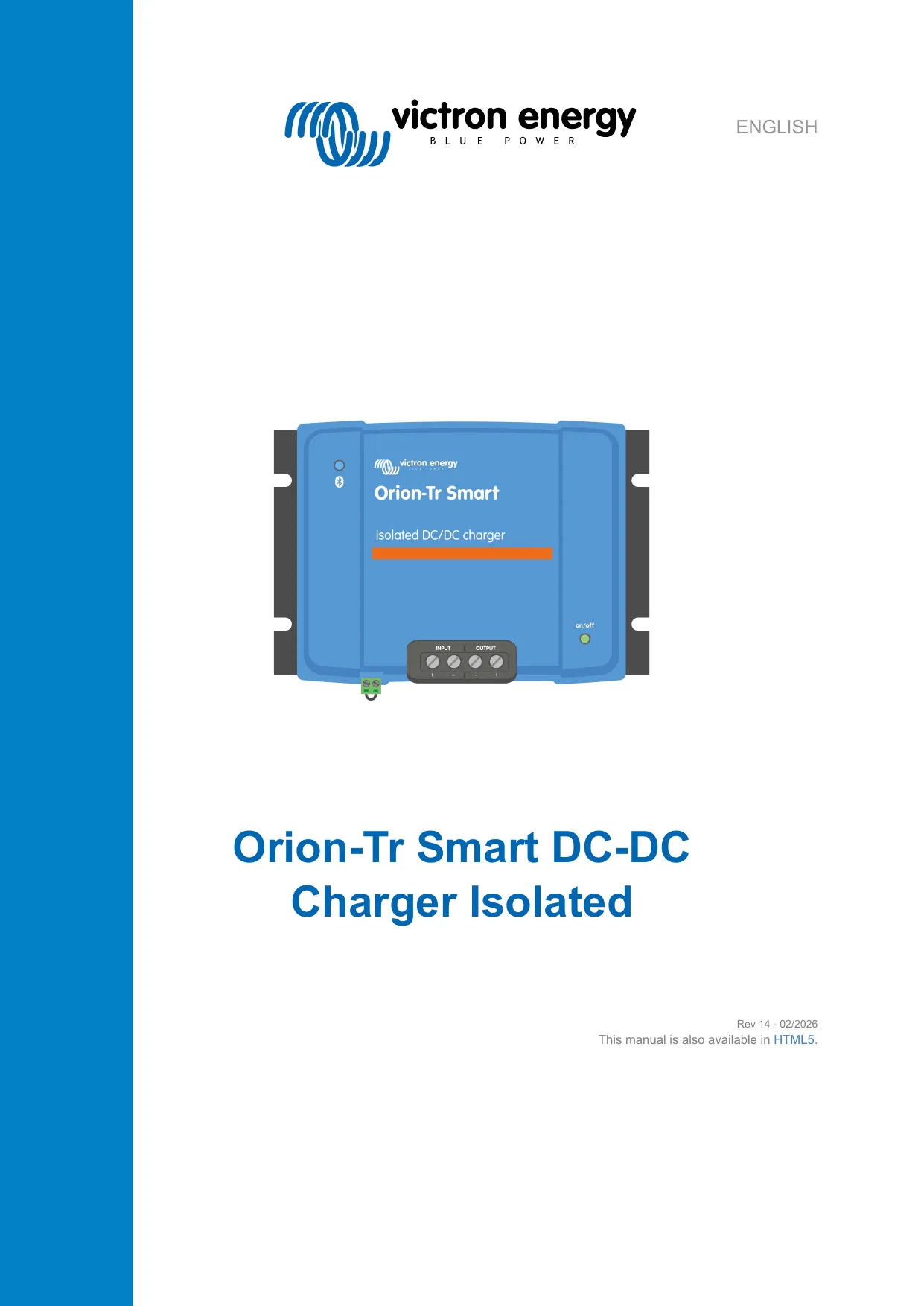
Here we offer the Victron Orion 12 12-30 Charge Controller manual completely free and in English. We have cataloged this manual in the Charge Controllers section on Manualverse, and it has been rated by 1 users with an average rating of 5. If you have any specific questions about Victron Orion 12 12-30 Charge Controller, we suggest checking the Frequently Asked Questions (FAQs) section of this manual.
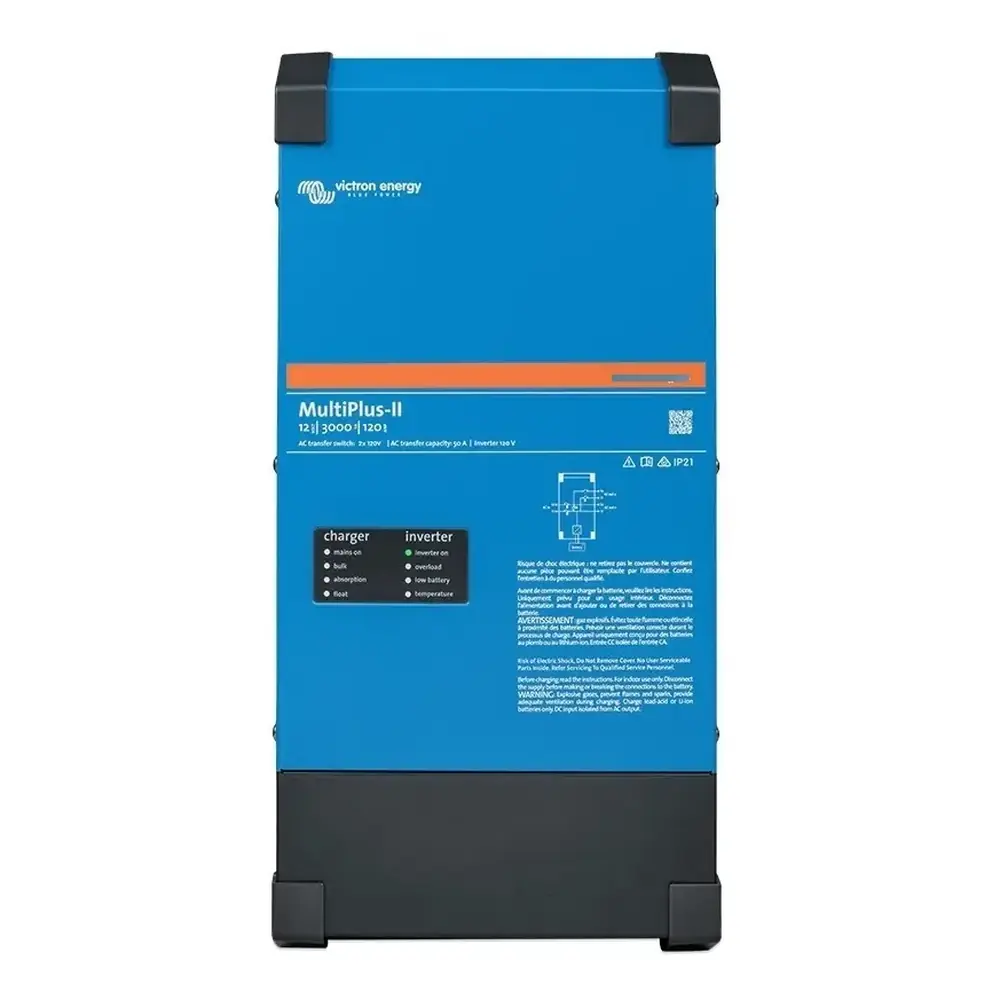
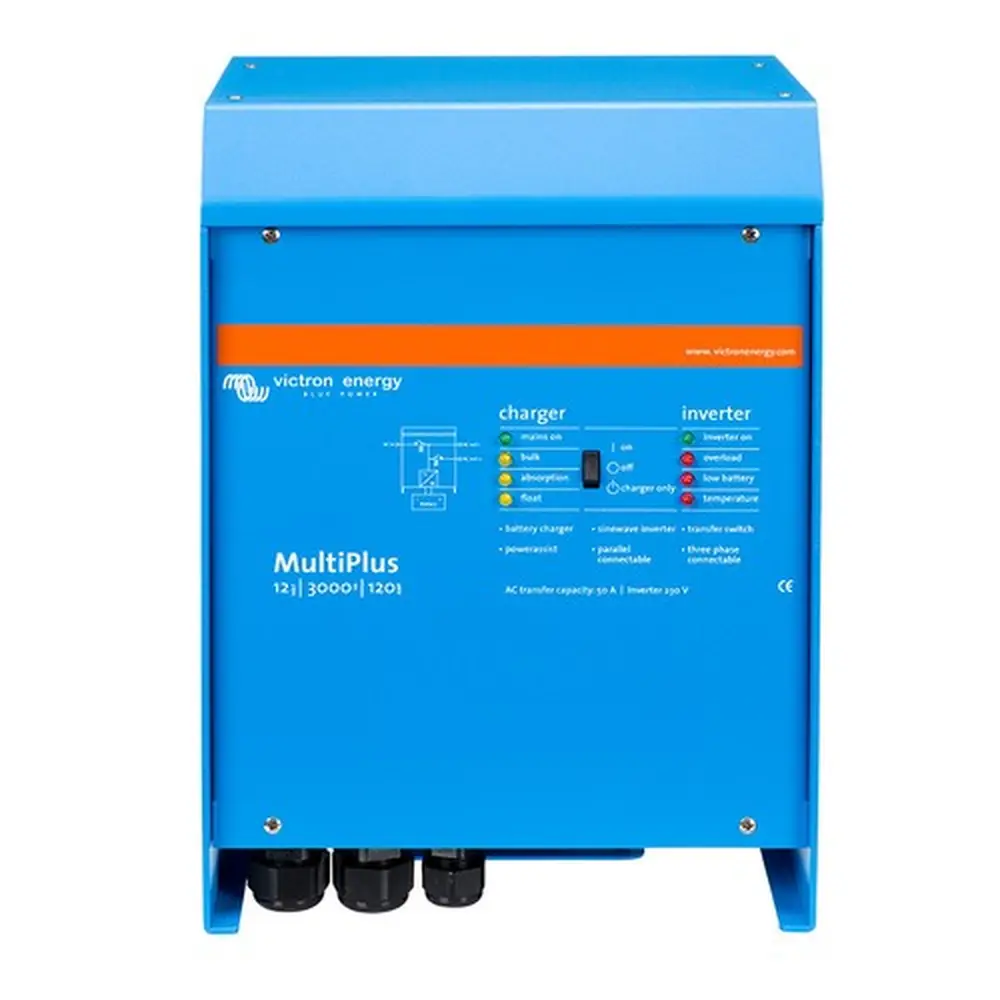
Product Images


Victron Orion 12 12-30 Charge Controller Specifications
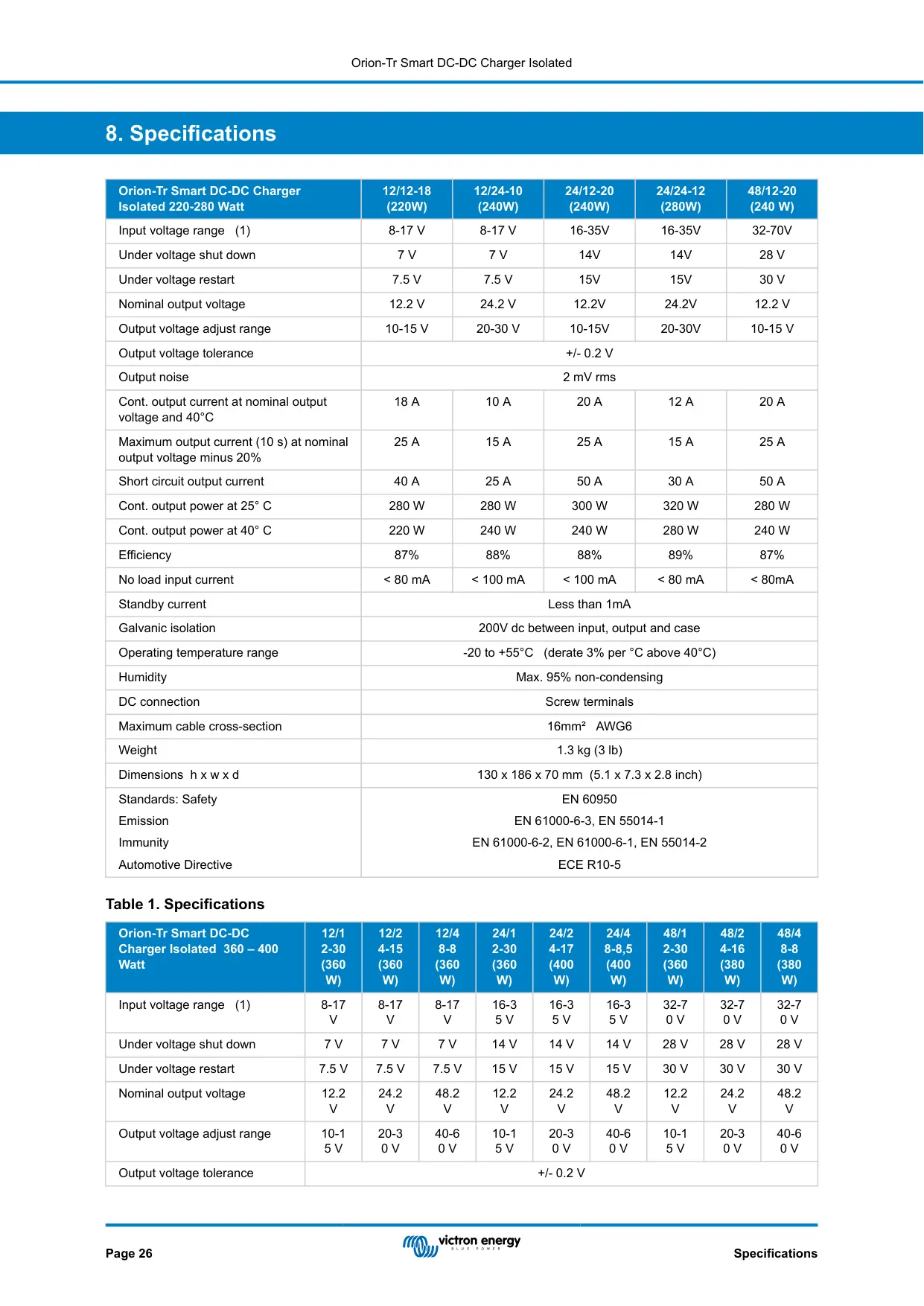
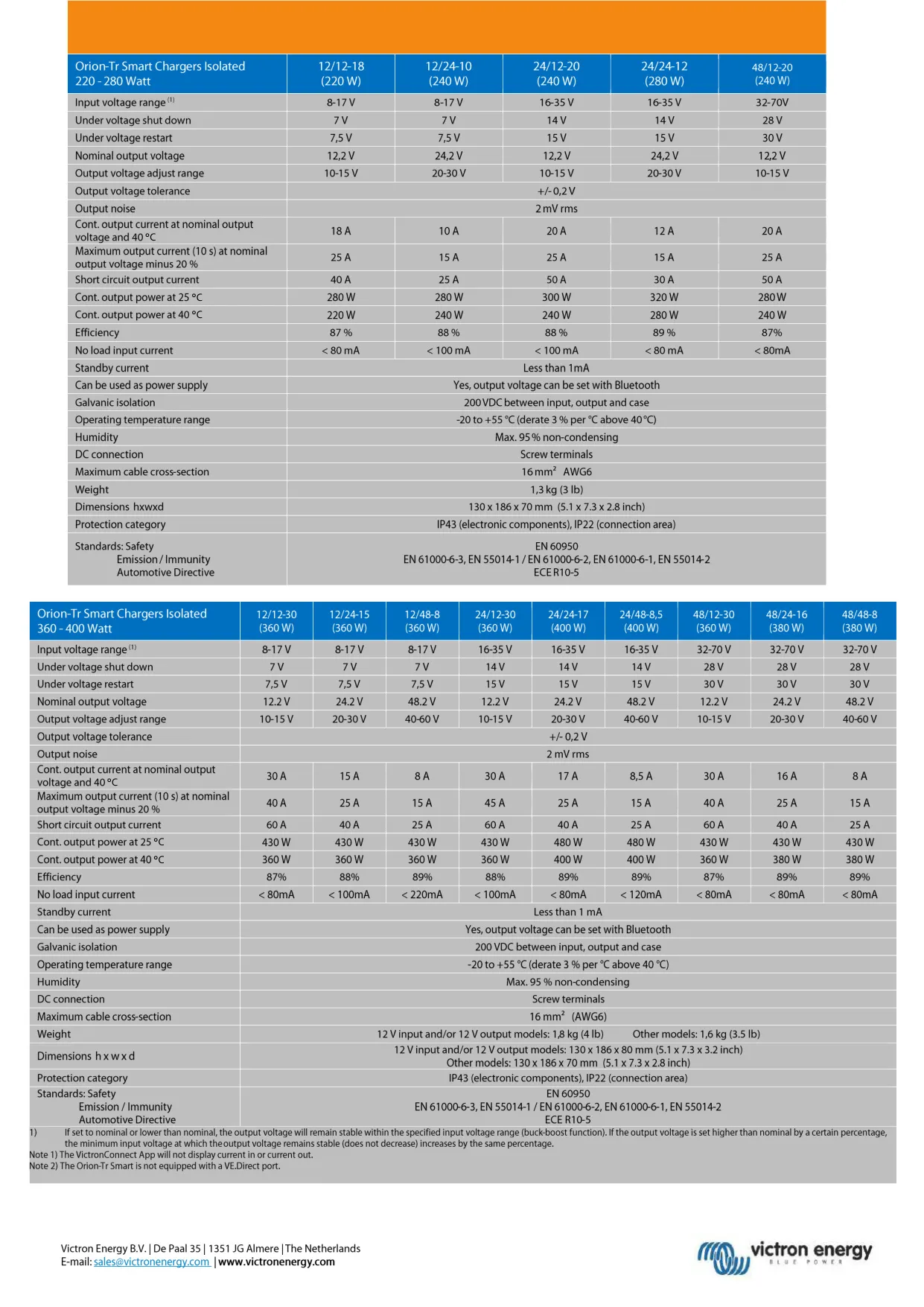
| Feature | Specification |
|---|---|
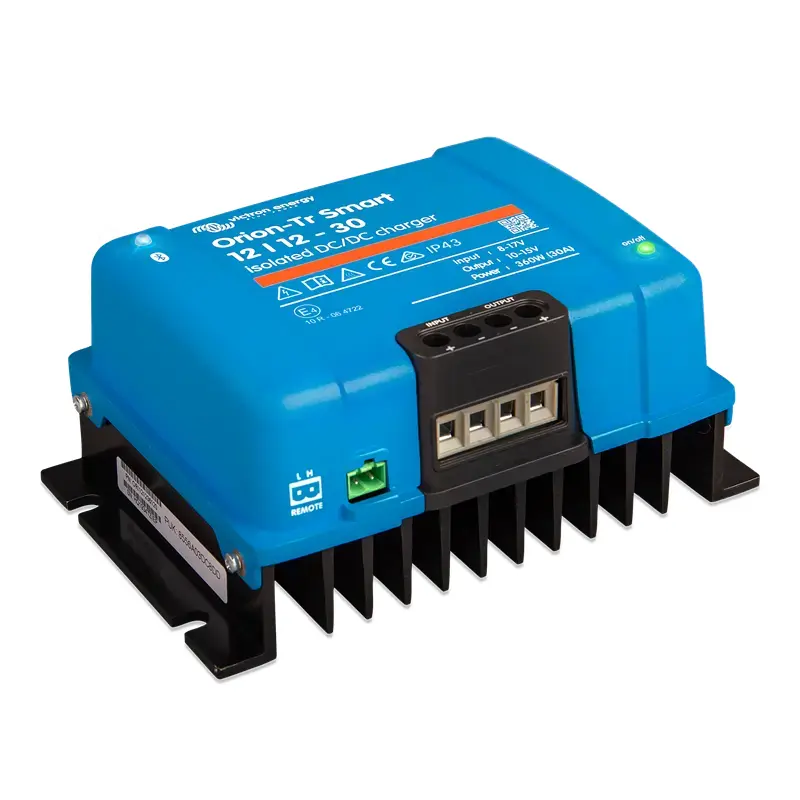
| Model | Orion-Tr Smart 12/12-30 (360 W) Isolated DC-DC Charger |
| Input voltage range | 8-17 V |
| Under voltage shut down | 7 V |
| Under voltage restart | 7.5 V |
| Nominal output voltage | 12.2 V |
| Output voltage adjust range | 10-15 V |
| Output voltage tolerance | +/- 0.2 V |
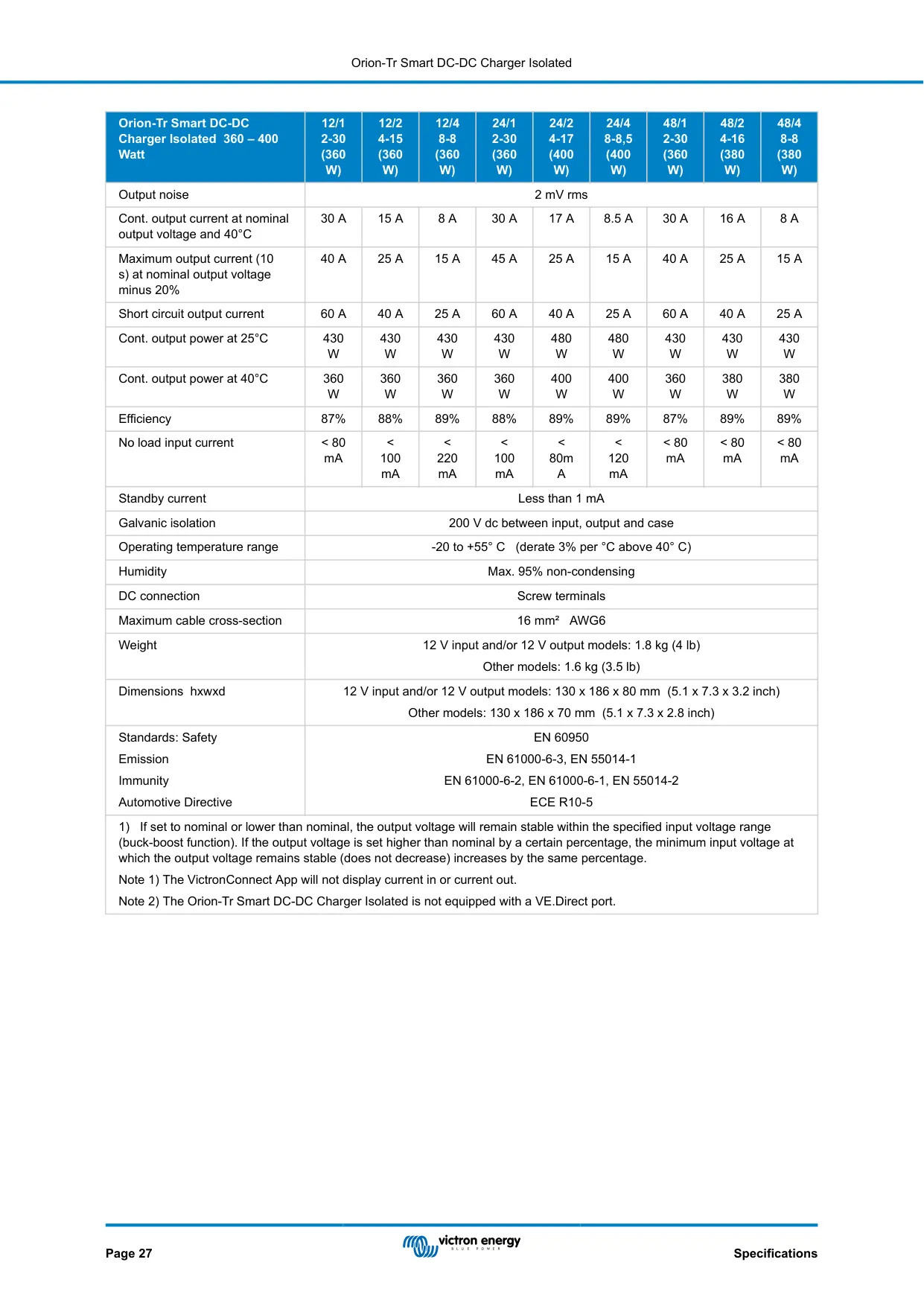
| Output noise | 2 mV rms |
| Continuous output current at nominal output voltage and 40 °C | 30 A |
| Maximum output current (10 s) at nominal output voltage minus 20 % | 40 A |
| Short circuit output current | 60 A |
| Continuous output power at 25 °C | 430 W |
| Continuous output power at 40 °C | 360 W |
| Efficiency | 87 % |
| No load input current | < 80 mA |
| Standby current | Less than 1 mA |
| Input current at full output (approx.) | About 35 A |
| Galvanic isolation | 200 V DC between input, output and case |
| Operating temperature range | -20 to +55 °C (derate 3 % per °C above 40 °C) |
| Humidity | Max. 95 % non-condensing |
| Protection category | IP43 (electronic components), IP22 (connection area) |
| DC connection | Screw terminals |
| Maximum cable cross-section | 16 mm² (AWG6) |
| Terminal tightening torque | 1.6 Nm |
| Recommended external fuse (12 V) | 60 A |
| Weight | 1.8 kg (4 lb) |
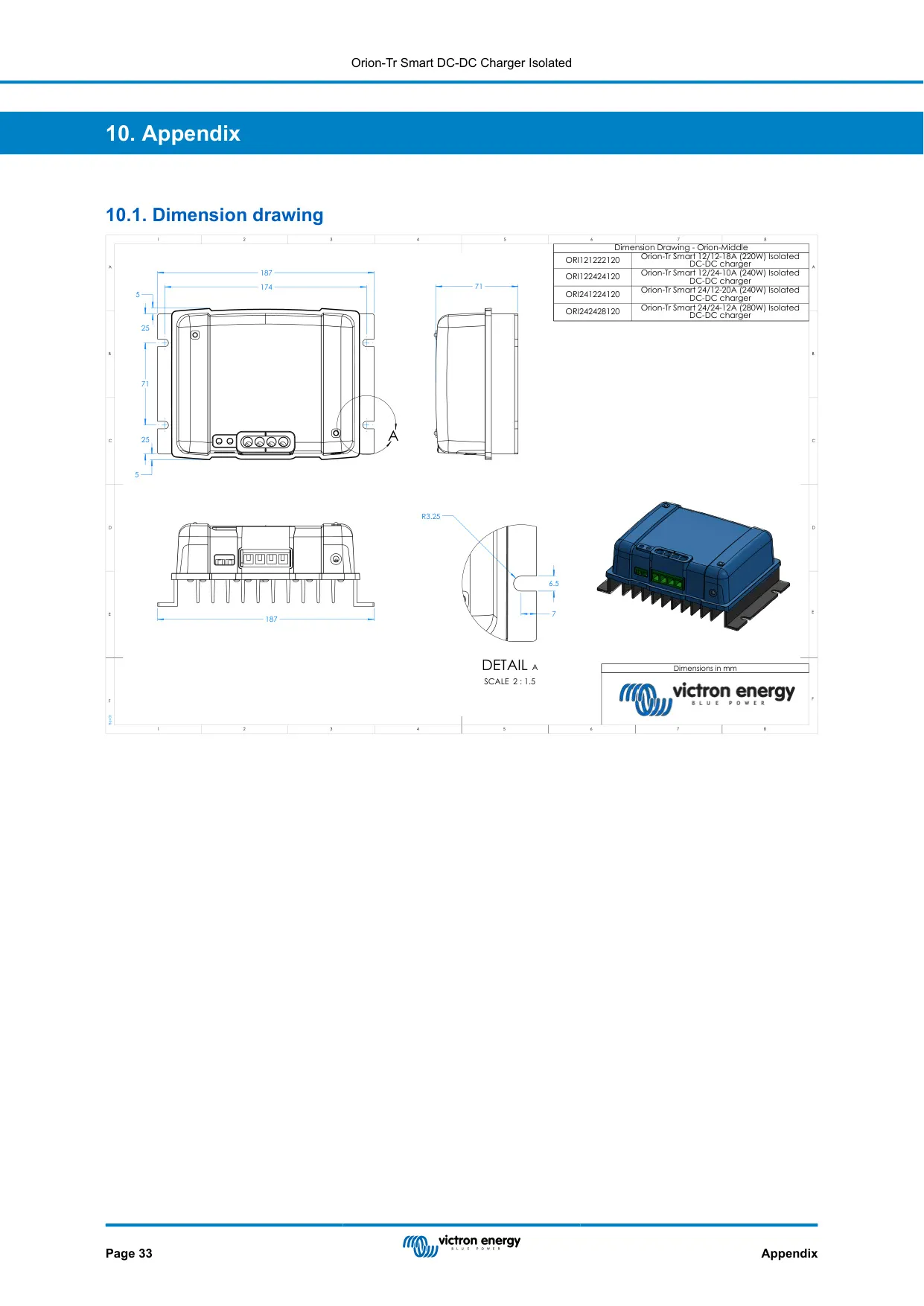
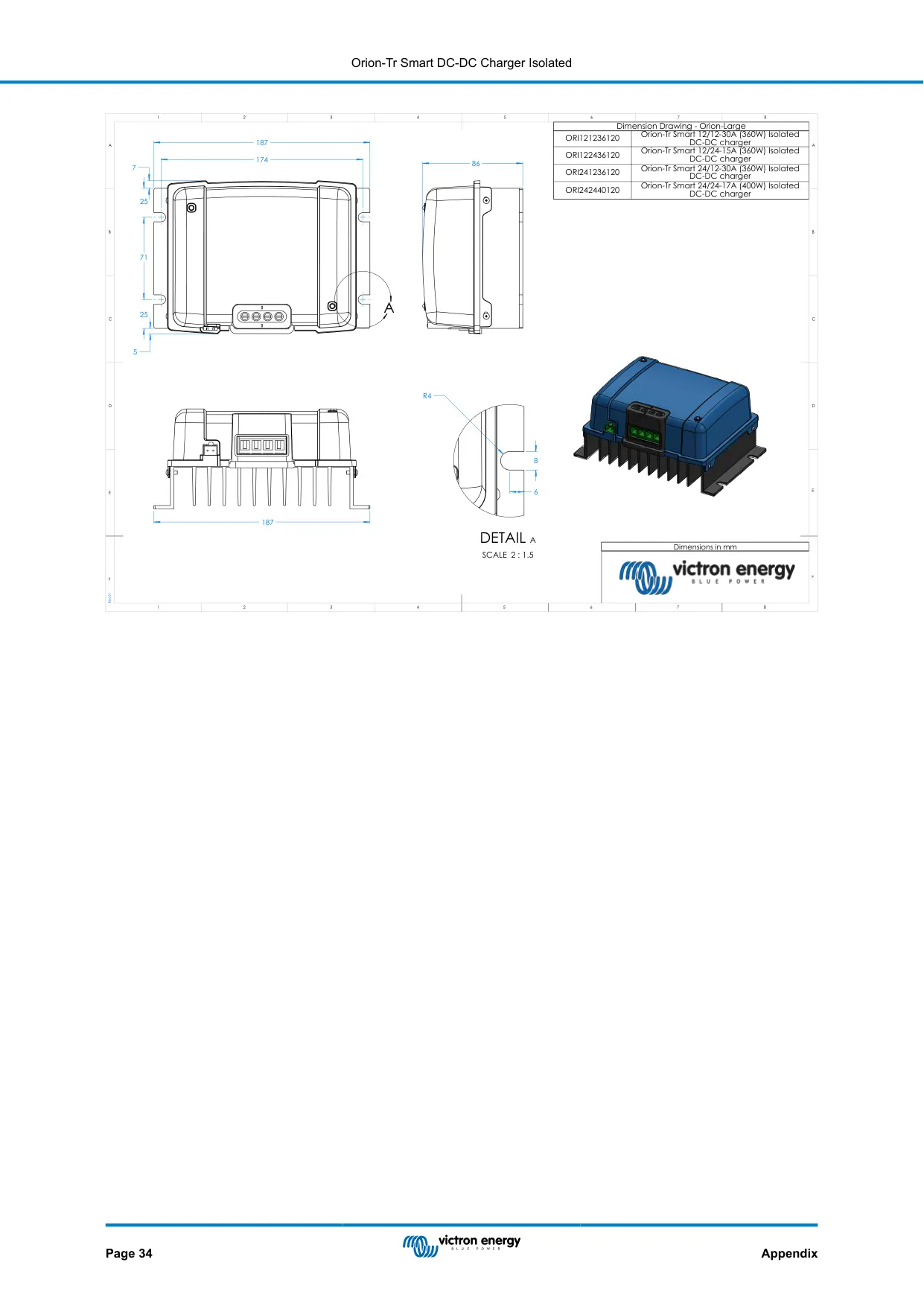
| Dimensions (h x w x d) | 130 x 186 x 80 mm (5.1 x 7.3 x 3.2 inch) |
| Mounting clearance | Minimum 10 cm above and below |
| Charge algorithm | Adaptive 3-stage: bulk, absorption, float |
| Preprogrammed battery settings | 8, plus user-defined |
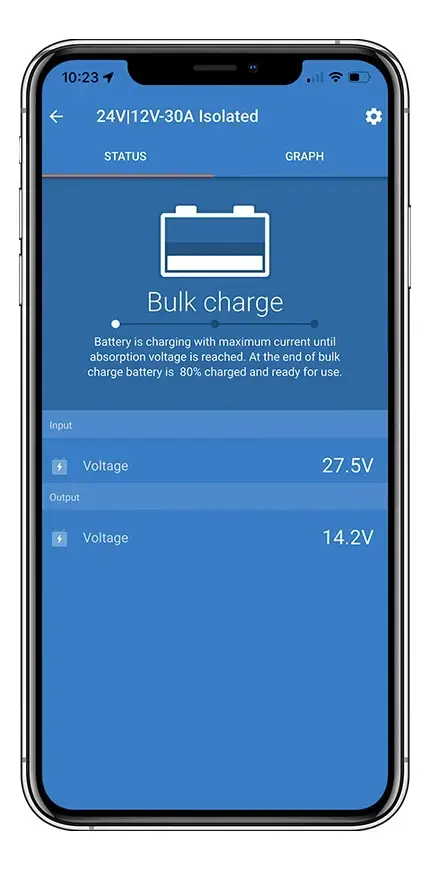
| Communication | Bluetooth Smart (VictronConnect), no VE.Direct port |
| Parallel operation | Yes, unlimited number of units |
| Safety standard | EN 60950 |
| Emission standards | EN 61000-6-3, EN 55014-1 |
| Immunity standards | EN 61000-6-2, EN 61000-6-1, EN 55014-2 |
| Automotive directive | ECE R10-5 |
Victron Orion 12 12-30 Details
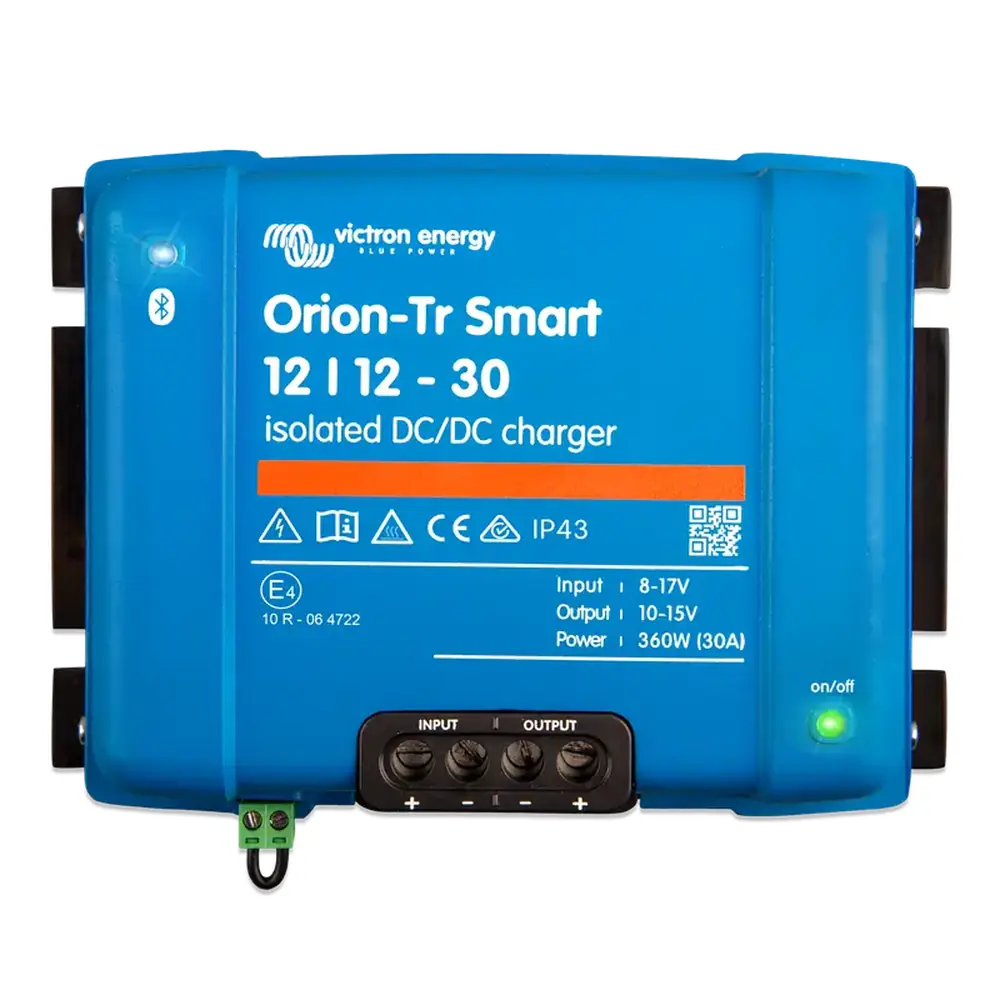
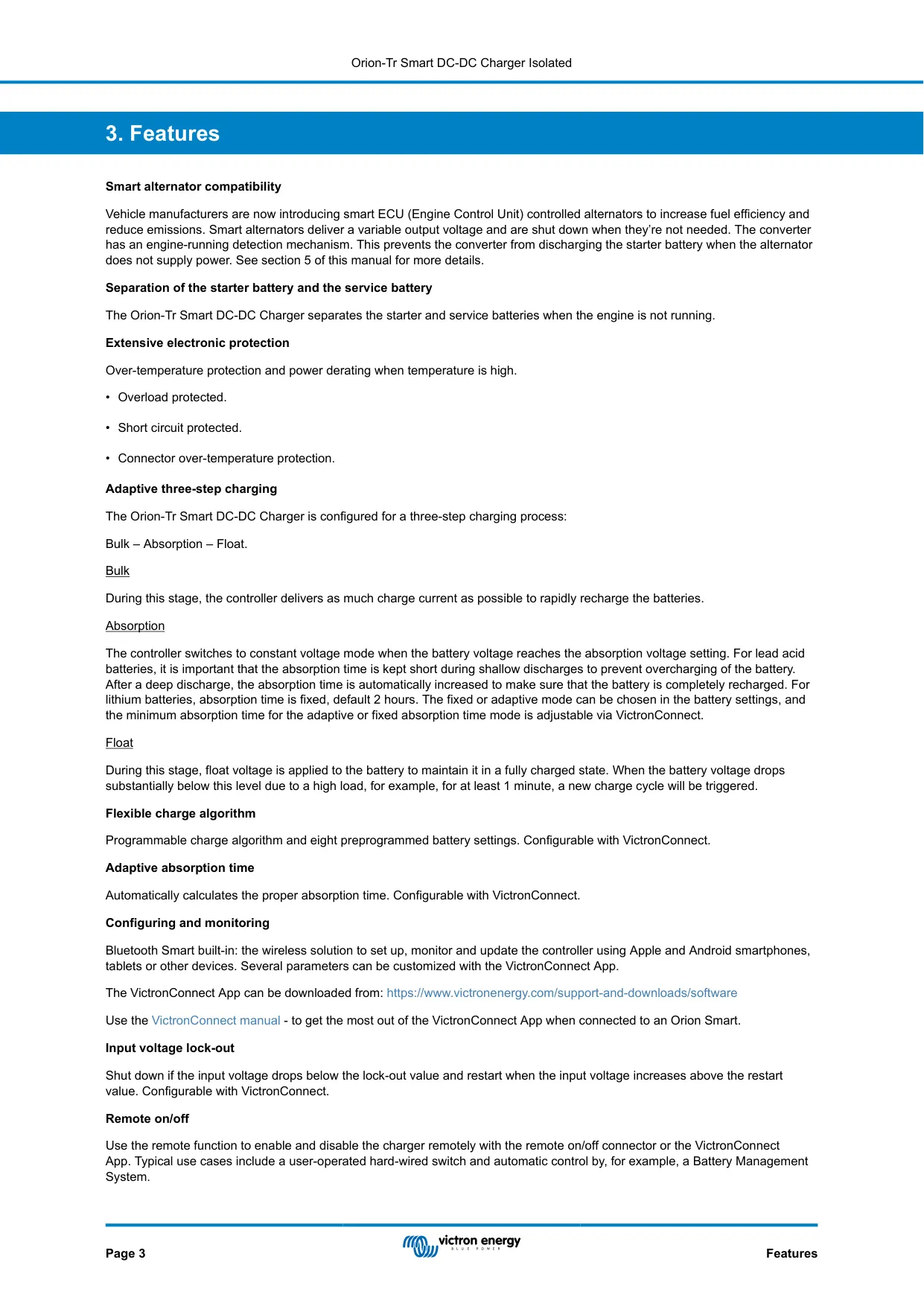
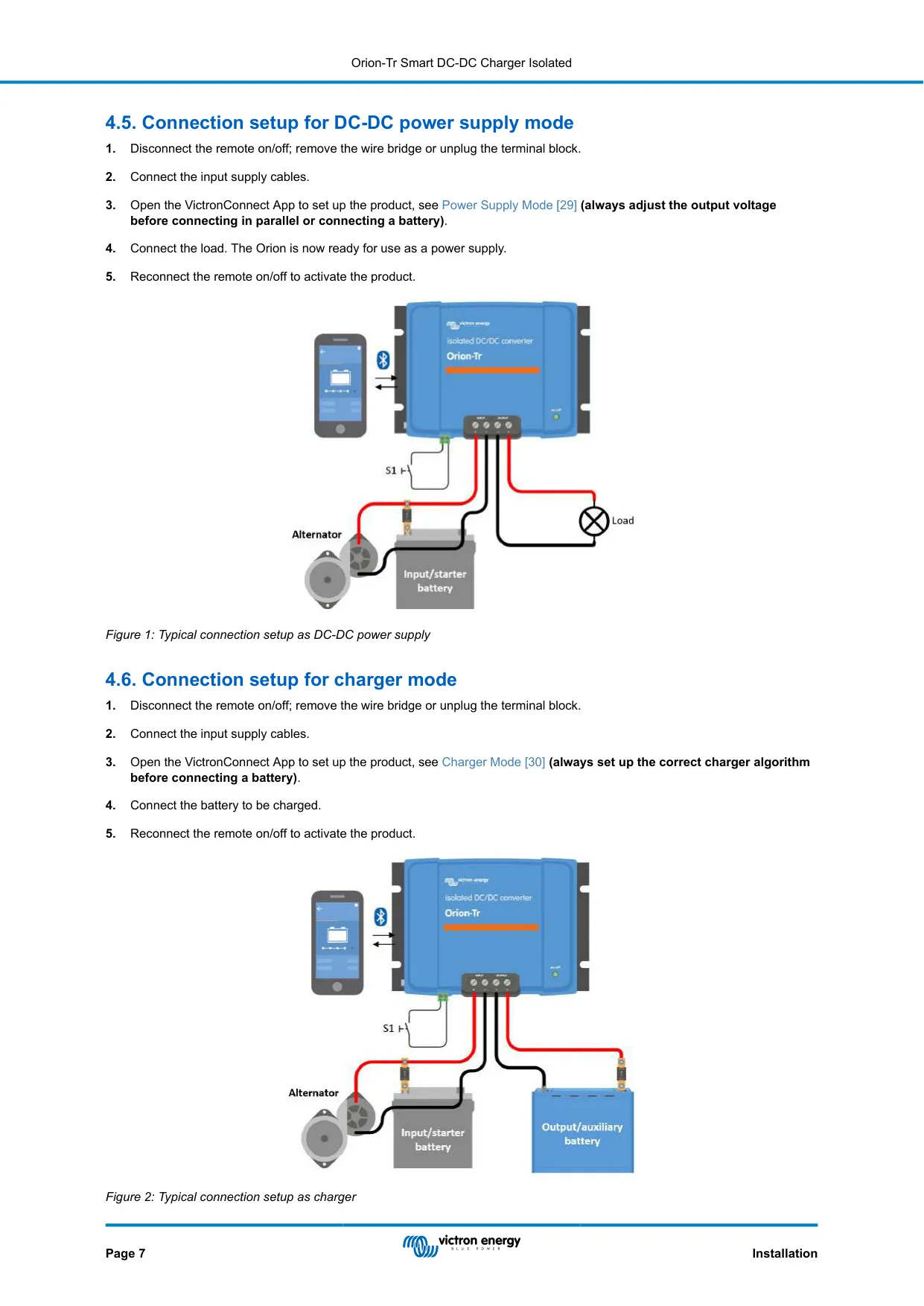
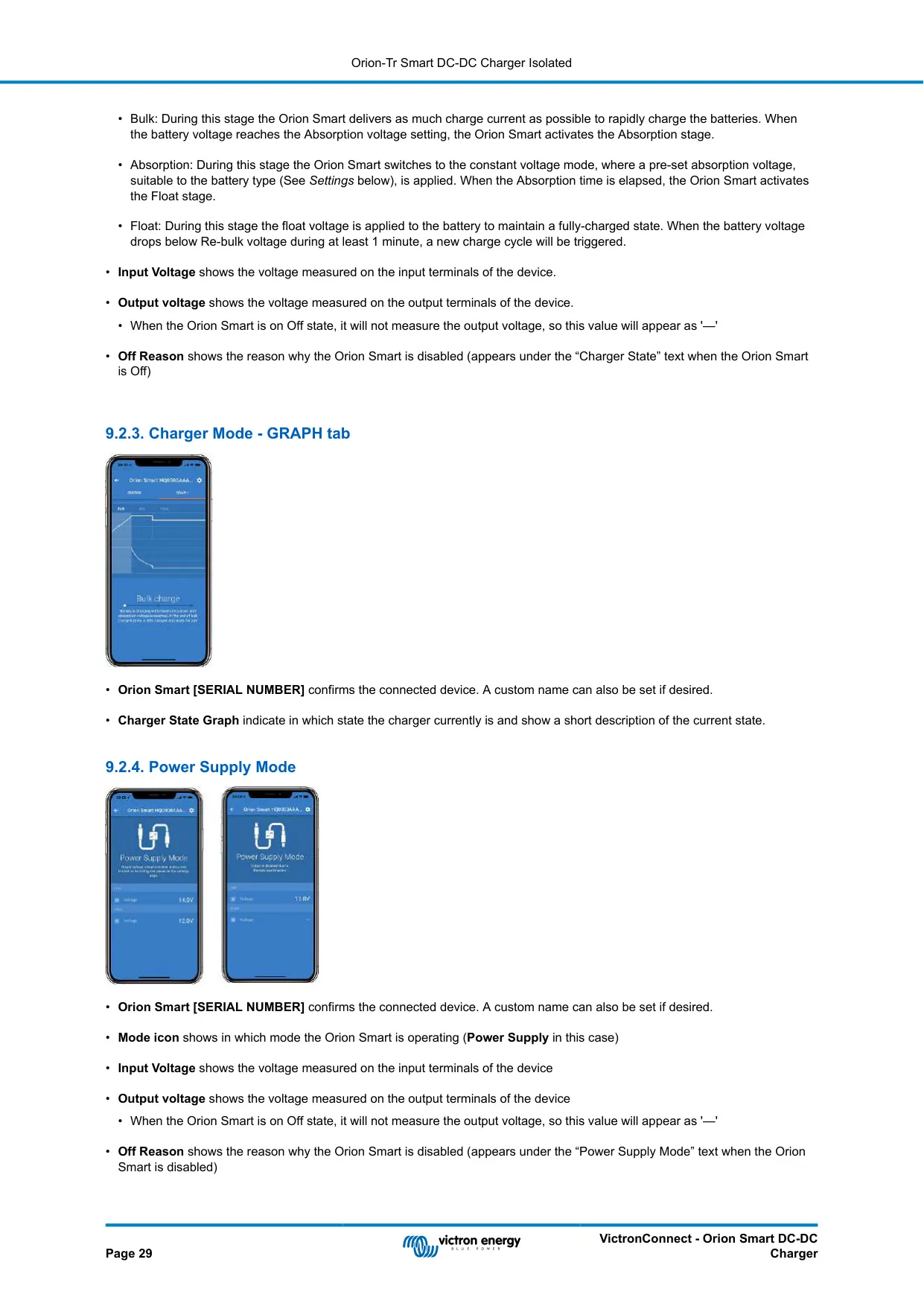
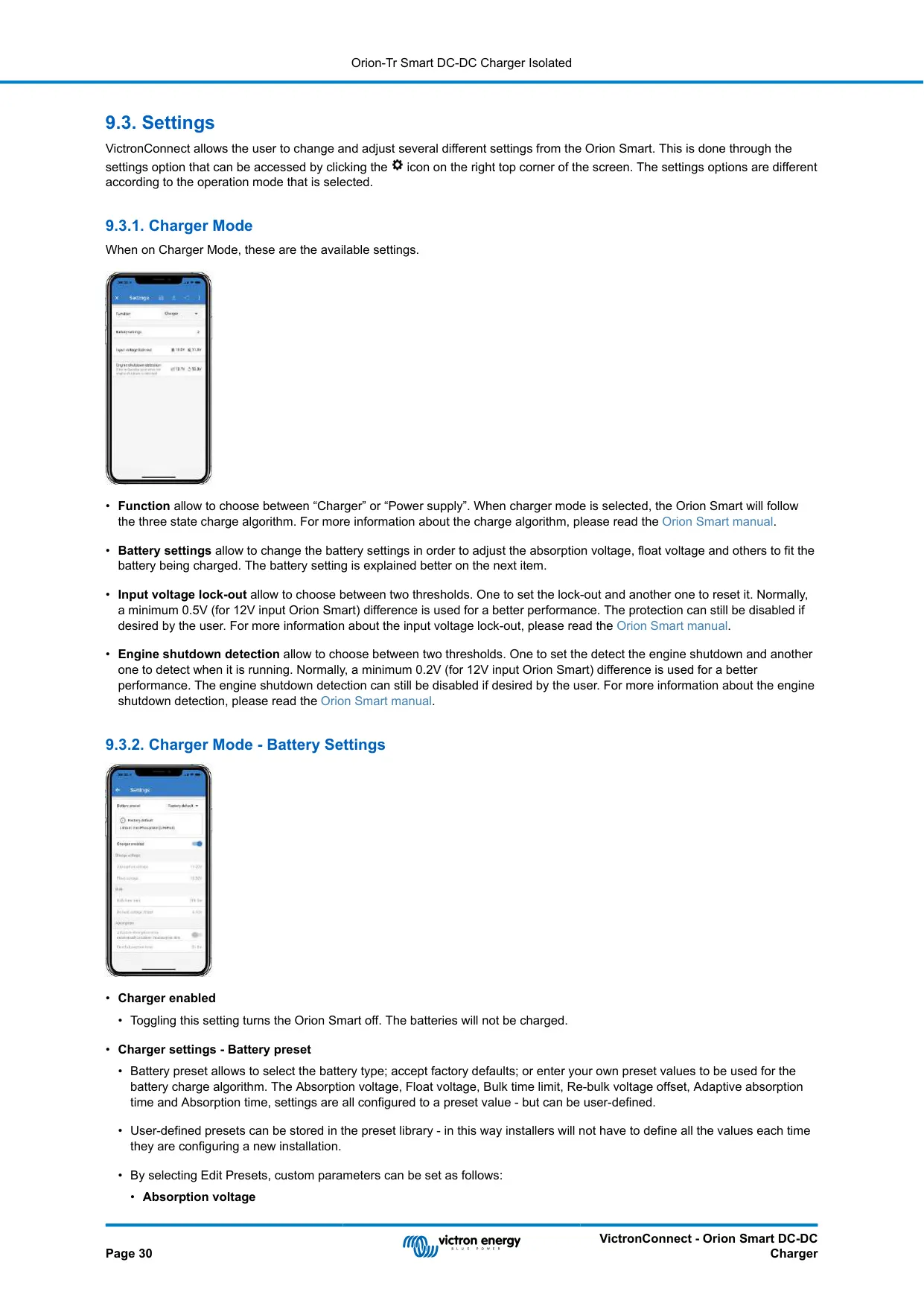
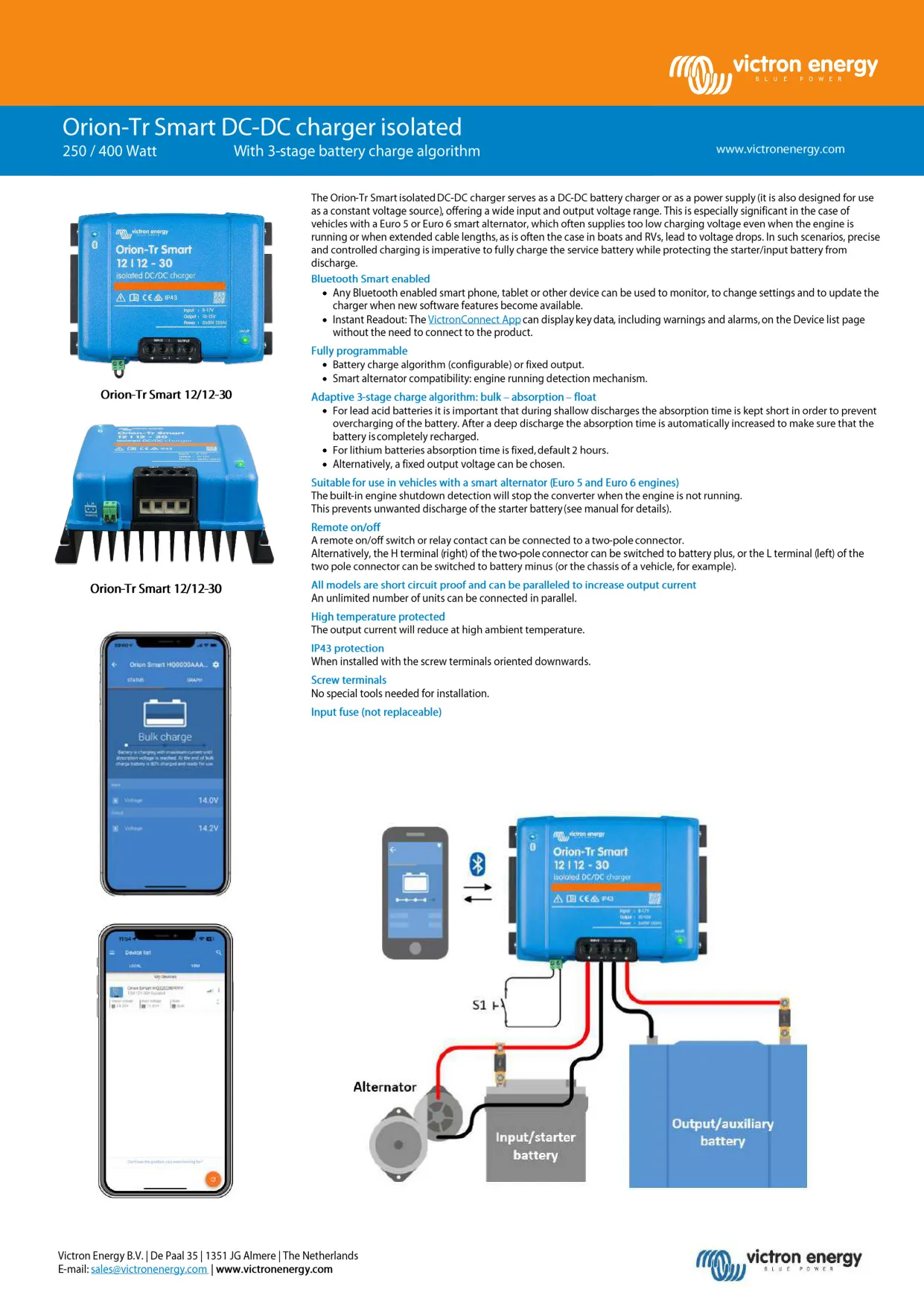
The Victron Orion-Tr Smart 12/12-30 is an isolated DC-DC unit that works either as a battery charger or as a fixed-output power supply. In charger mode it uses a three-stage algorithm to charge the service battery properly. It also protects the alternator in lithium systems, where the low impedance of a lithium battery could otherwise overload it. In power supply mode, the output stays stable no matter how the load or the input voltage changes within the specified range.
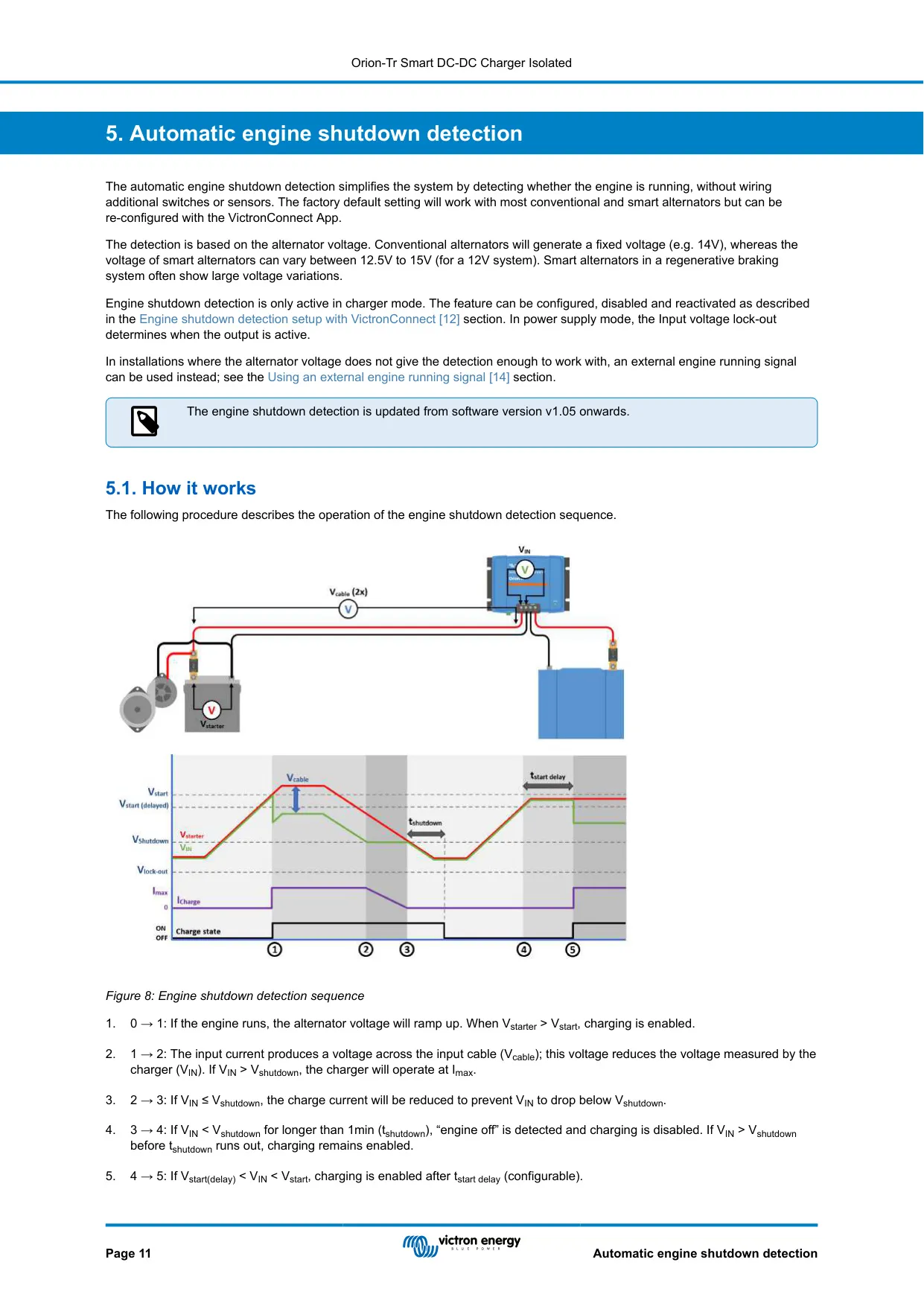
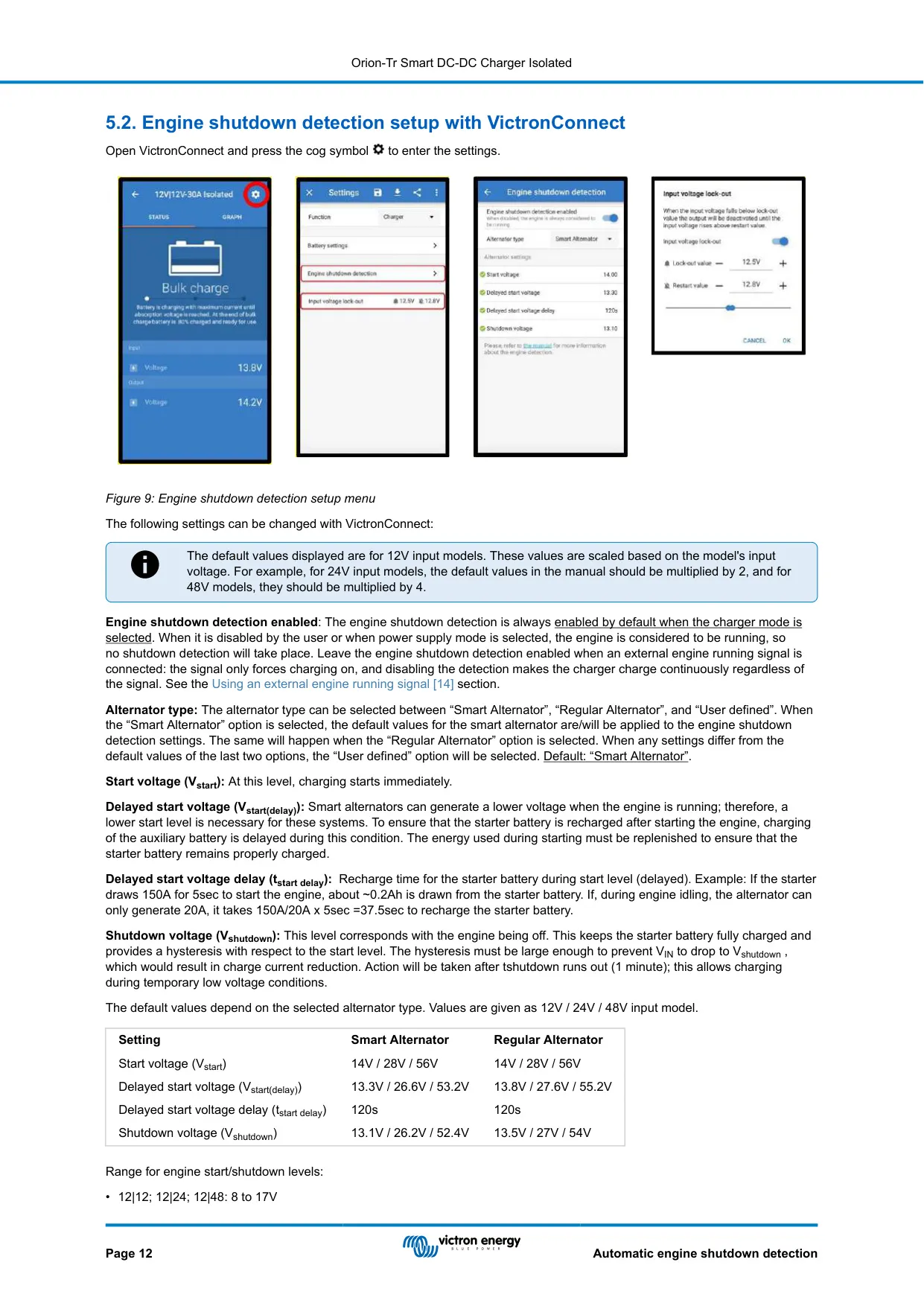
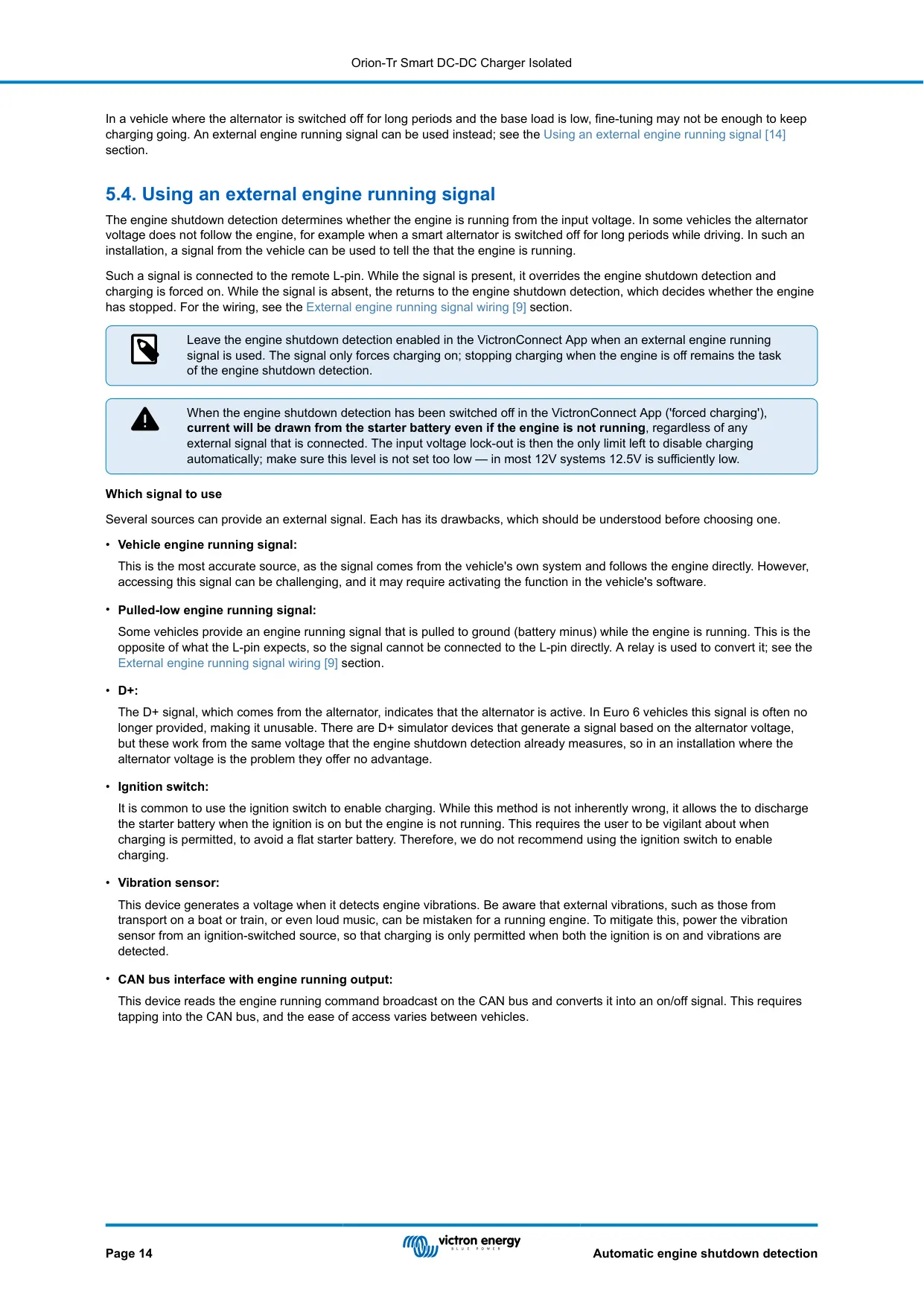
A key feature is the built-in engine shutdown detection. It works from the alternator voltage, so you don't need extra sensors or any connection to the CAN-bus. The default smart alternator values are a 14 V start voltage, a 13.3 V delayed start voltage with a 120 s delay, and a 13.1 V shutdown voltage. If the voltage stays below the shutdown level for more than 1 minute, the unit reports engine off and stops charging. A regular alternator profile is also available.
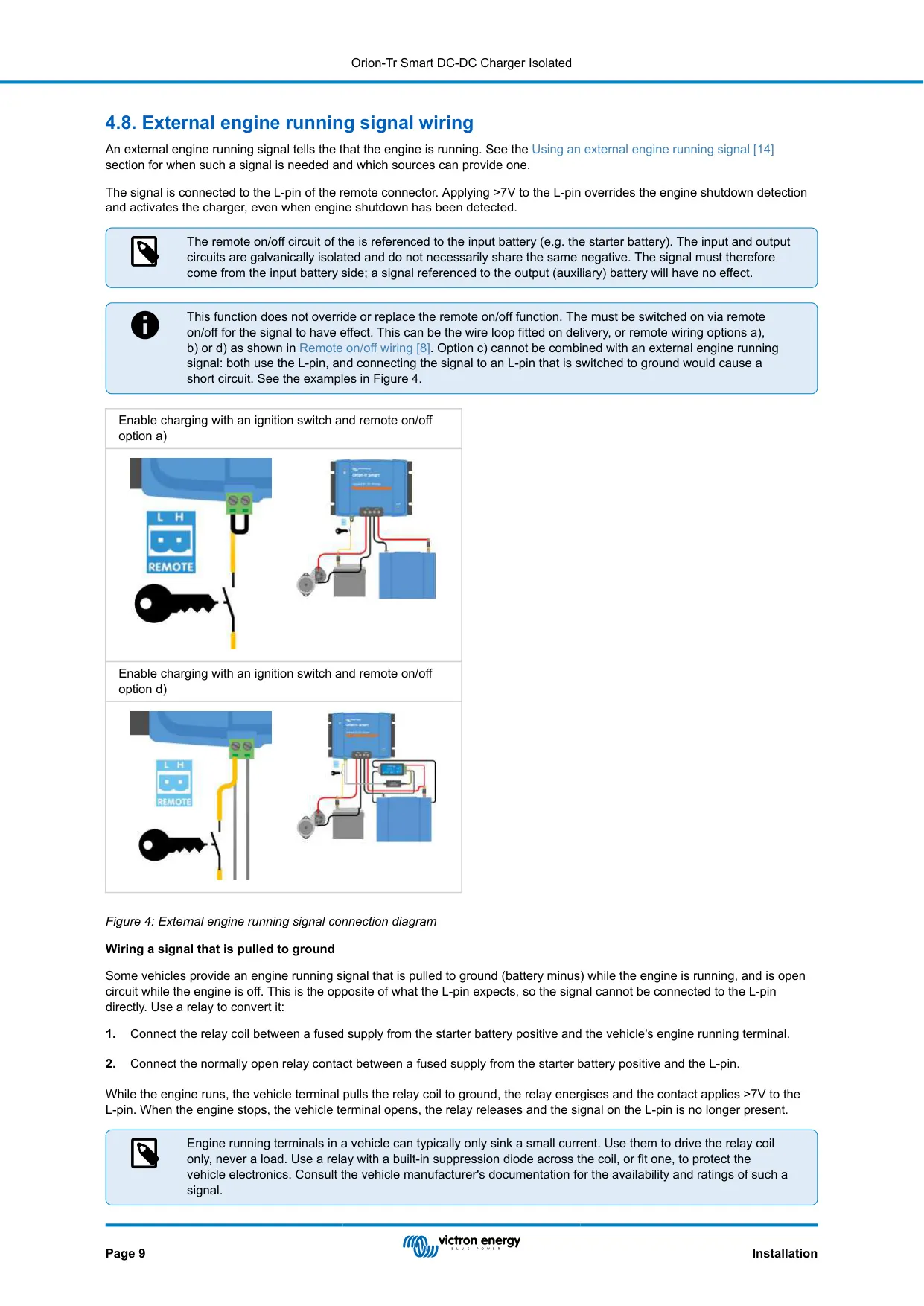
Some Euro 6 vehicles switch the alternator off for long stretches while driving. For these, an external engine running signal can go to the L-pin. Applying more than 7 V forces charging on. The signal must come from the input battery side, and engine shutdown detection should stay enabled. If the vehicle's signal is pulled to ground, a relay with a suppression diode converts it. The manual does not recommend using the ignition switch for this.
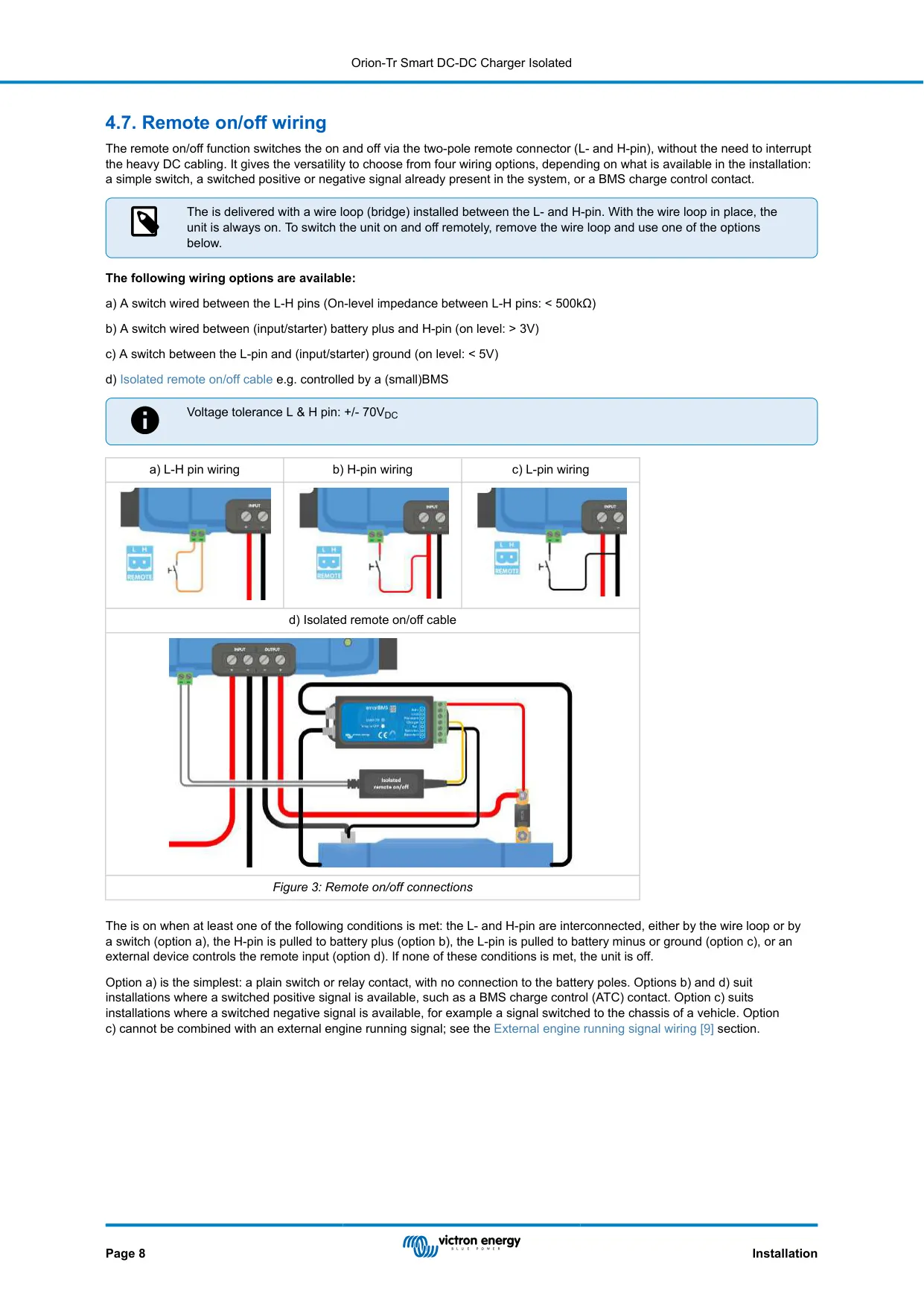
The two-pole remote on/off connector offers four wiring options. These are a switch between L and H, H switched to battery plus (above 3 V), L switched to ground (below 5 V), or an isolated cable controlled by a BMS. The L and H pins tolerate +/- 70 VDC. The unit ships with a wire loop already installed between L and H, so it is always on until that loop is removed.
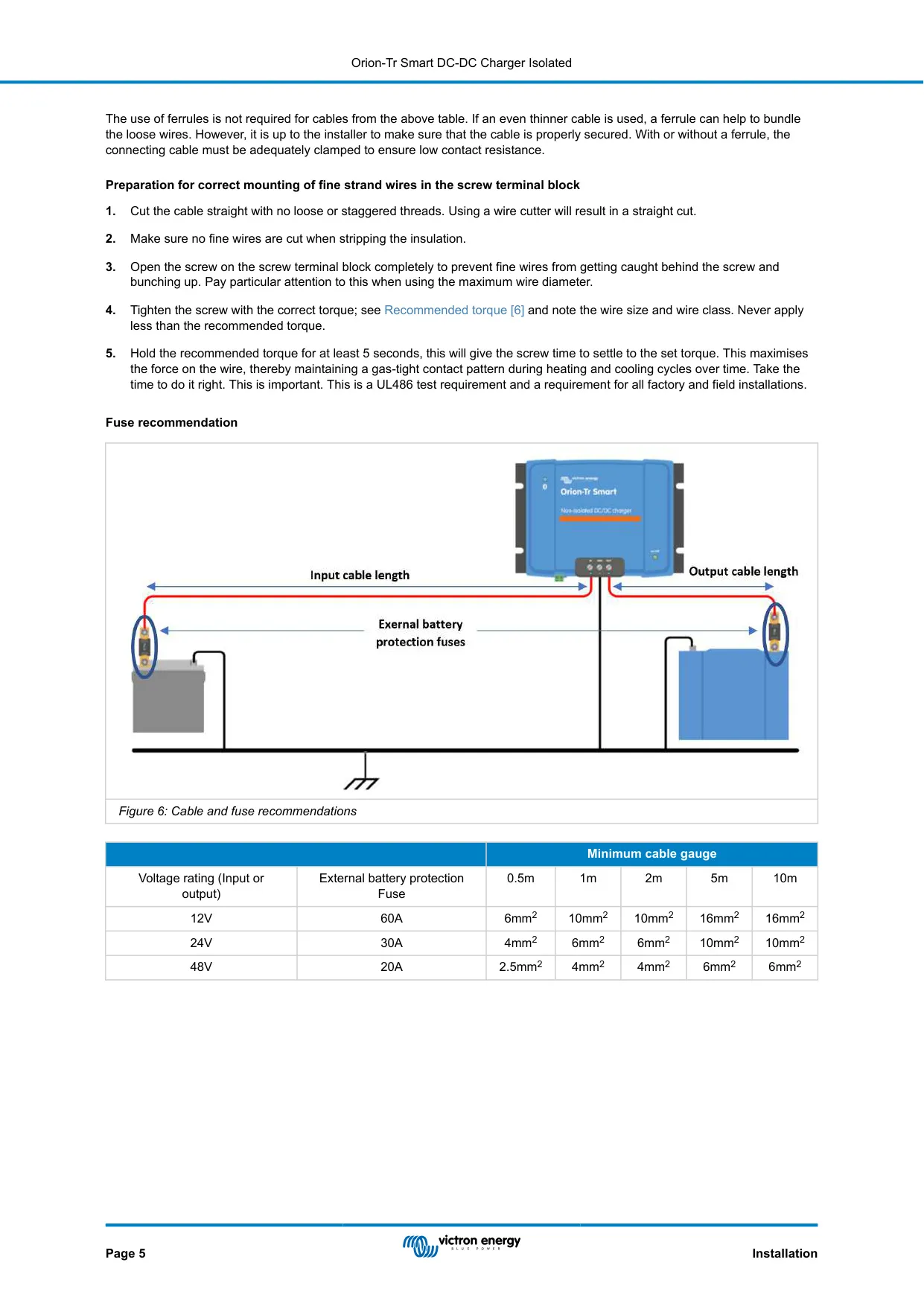
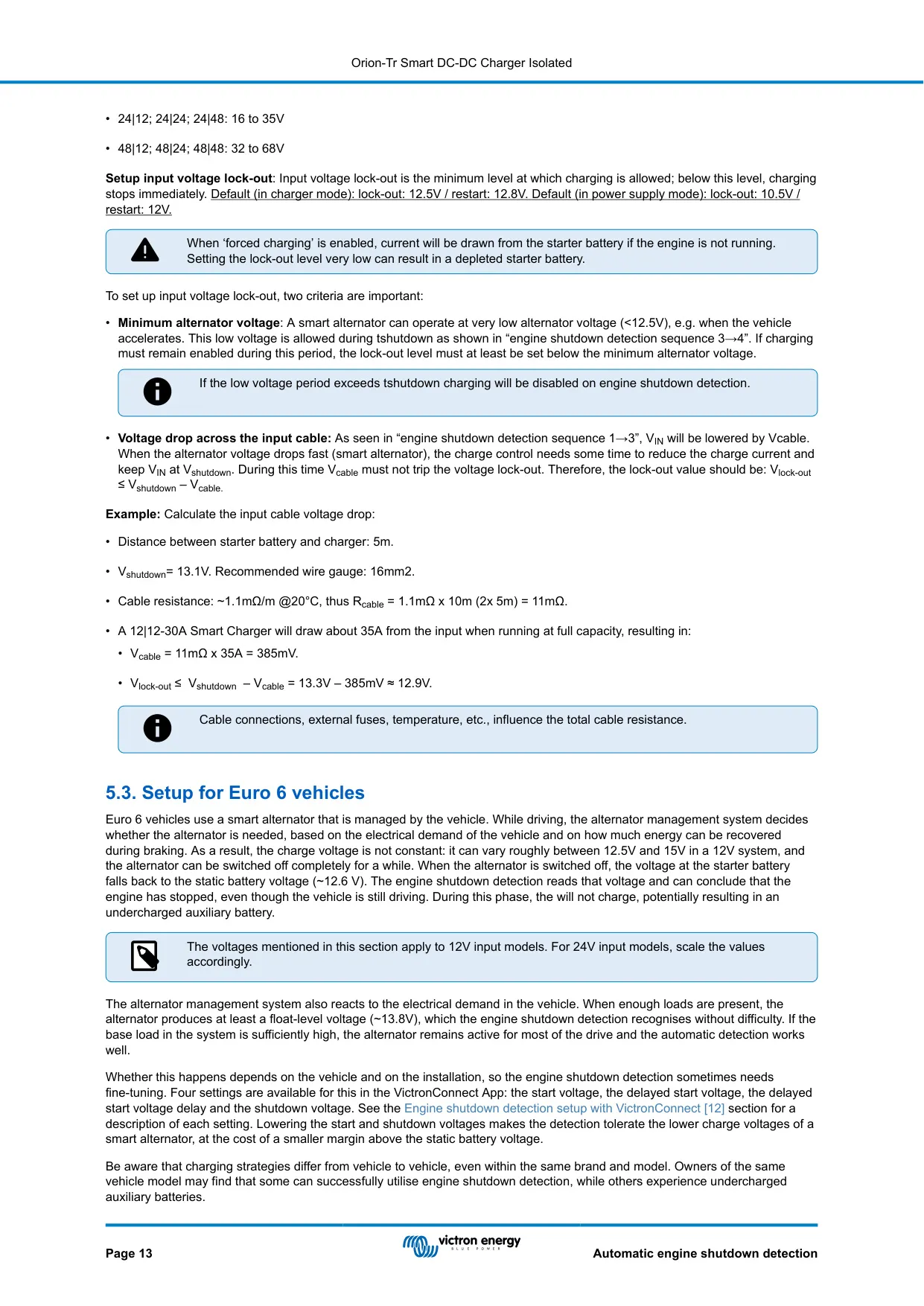
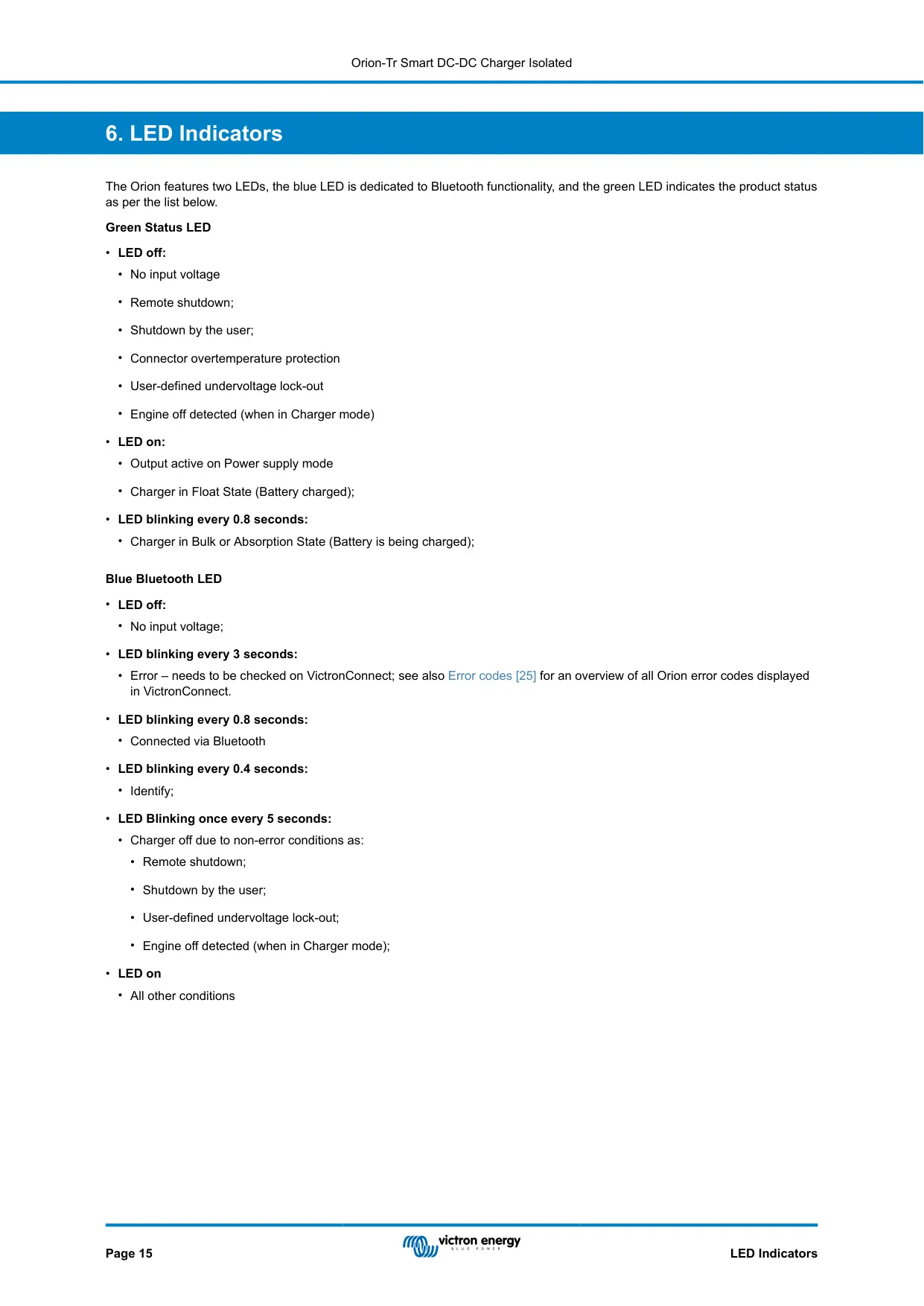
Input voltage lock-out stops the unit from draining the starter battery. In charger mode the defaults are 12.5 V lock-out and 12.8 V restart. In power supply mode they are 10.5 V and 12 V. The manual gives a sizing rule: lock-out should be at most the shutdown voltage minus the voltage drop across the input cable. With a 5 m run of 16 mm² cable at about 35 A, that drop is roughly 385 mV.
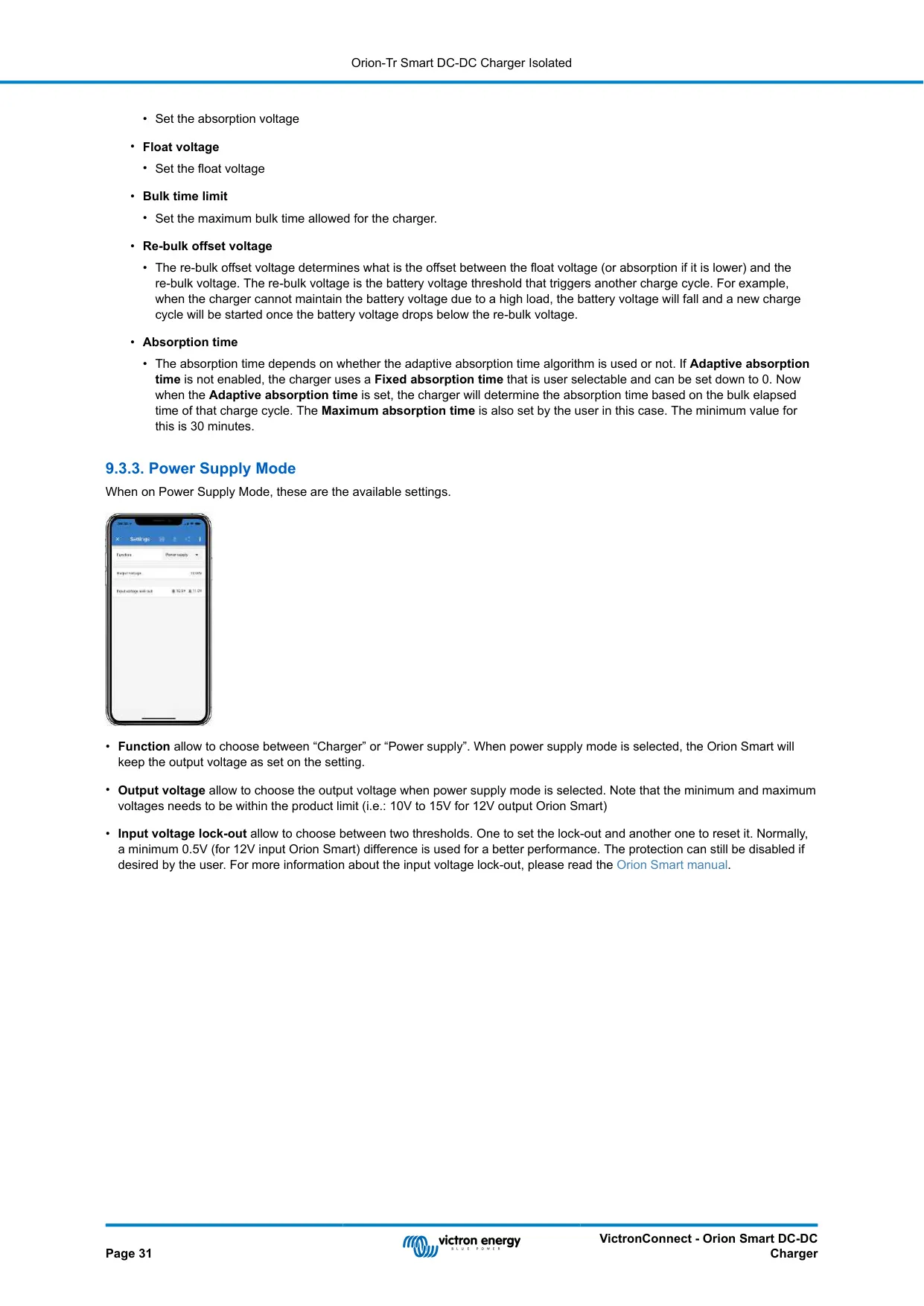
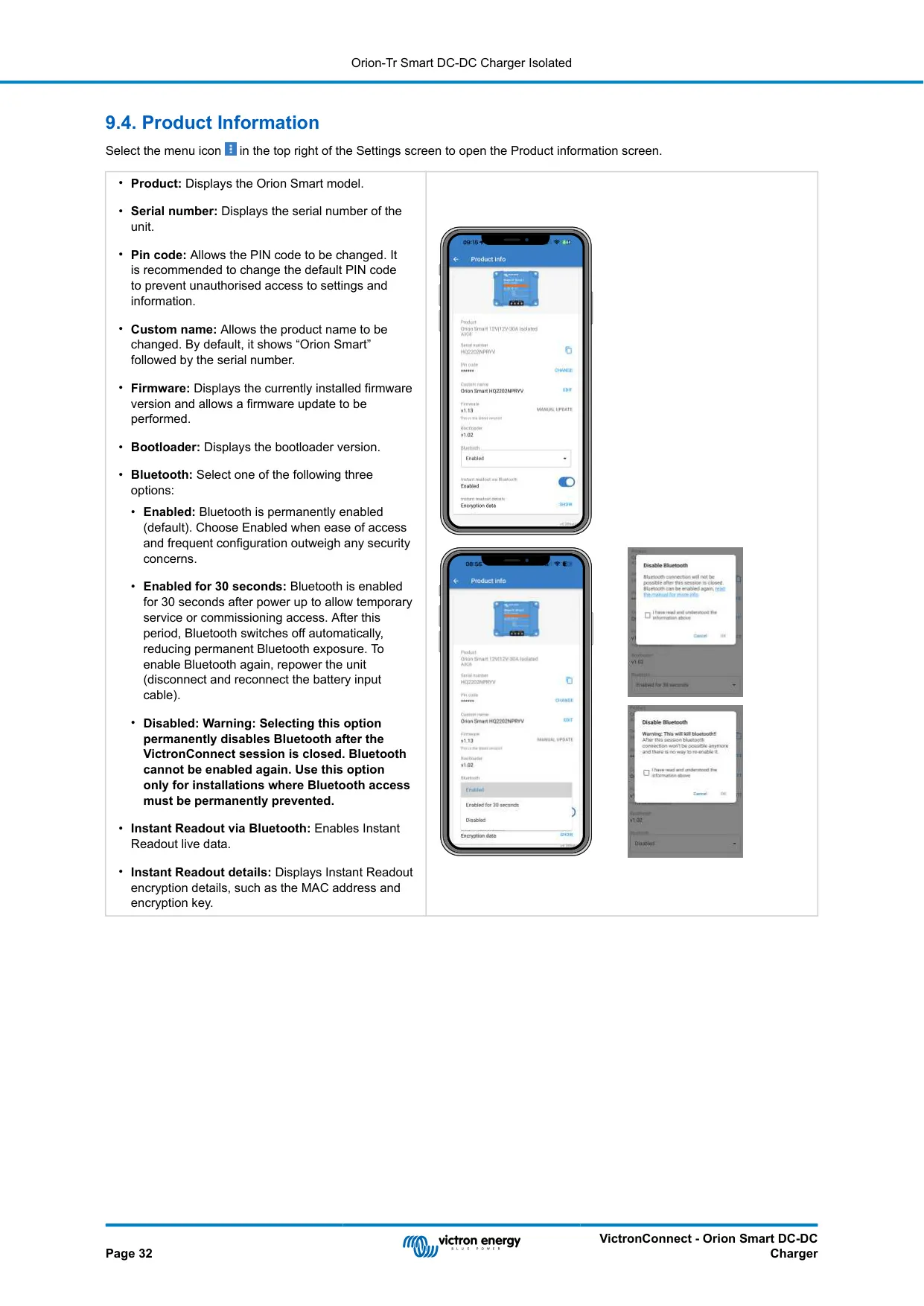
Charging profiles are set in VictronConnect. You can change absorption and float voltages, bulk time limit, re-bulk offset, and fixed or adaptive absorption time. For lithium, absorption time is fixed at 2 hours by default. A new cycle starts if the voltage stays below the re-bulk level for 1 minute. Instant Readout shows encrypted live data without pairing. Bluetooth can be set to Enabled, Enabled for 30 seconds, or permanently Disabled.
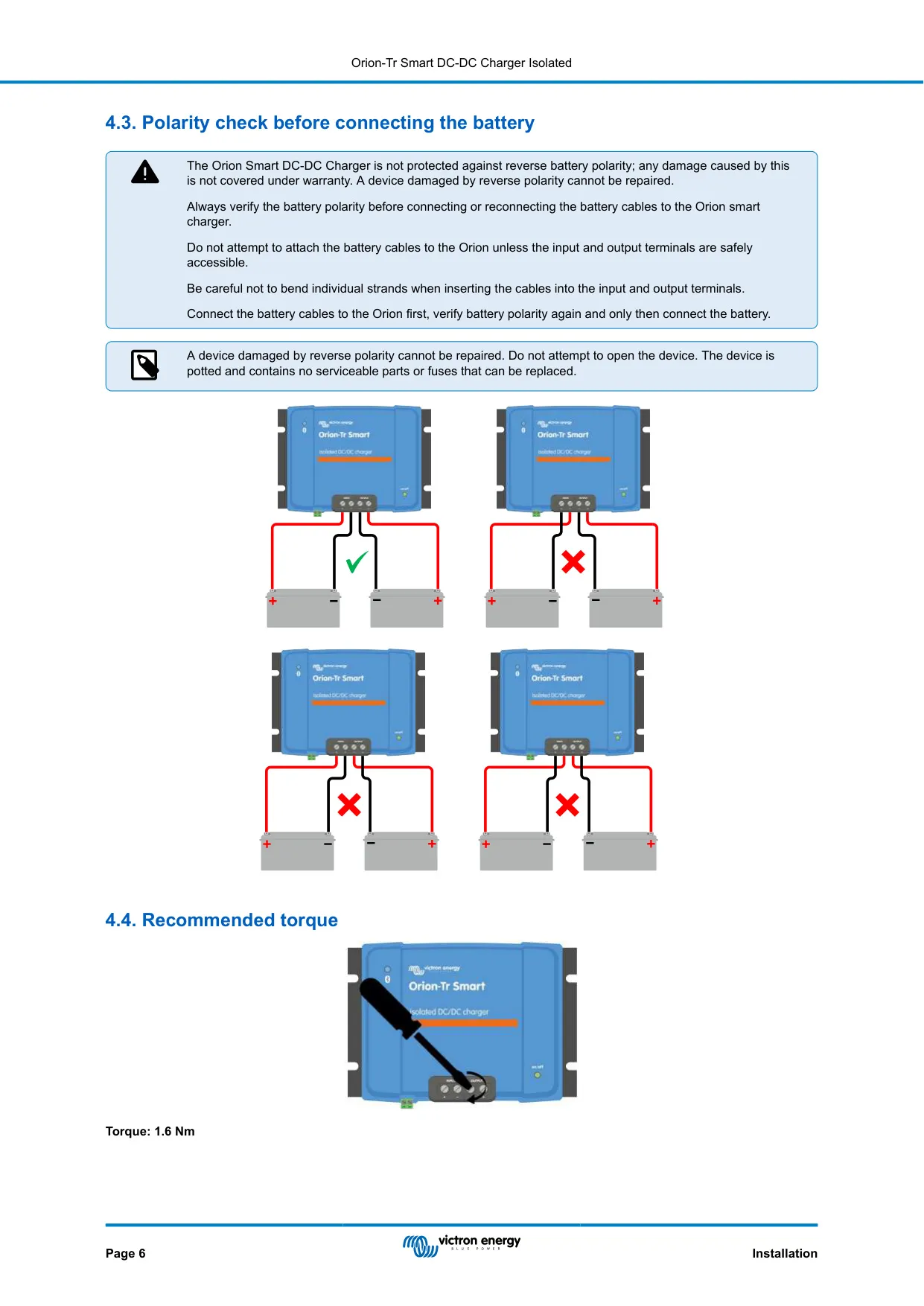
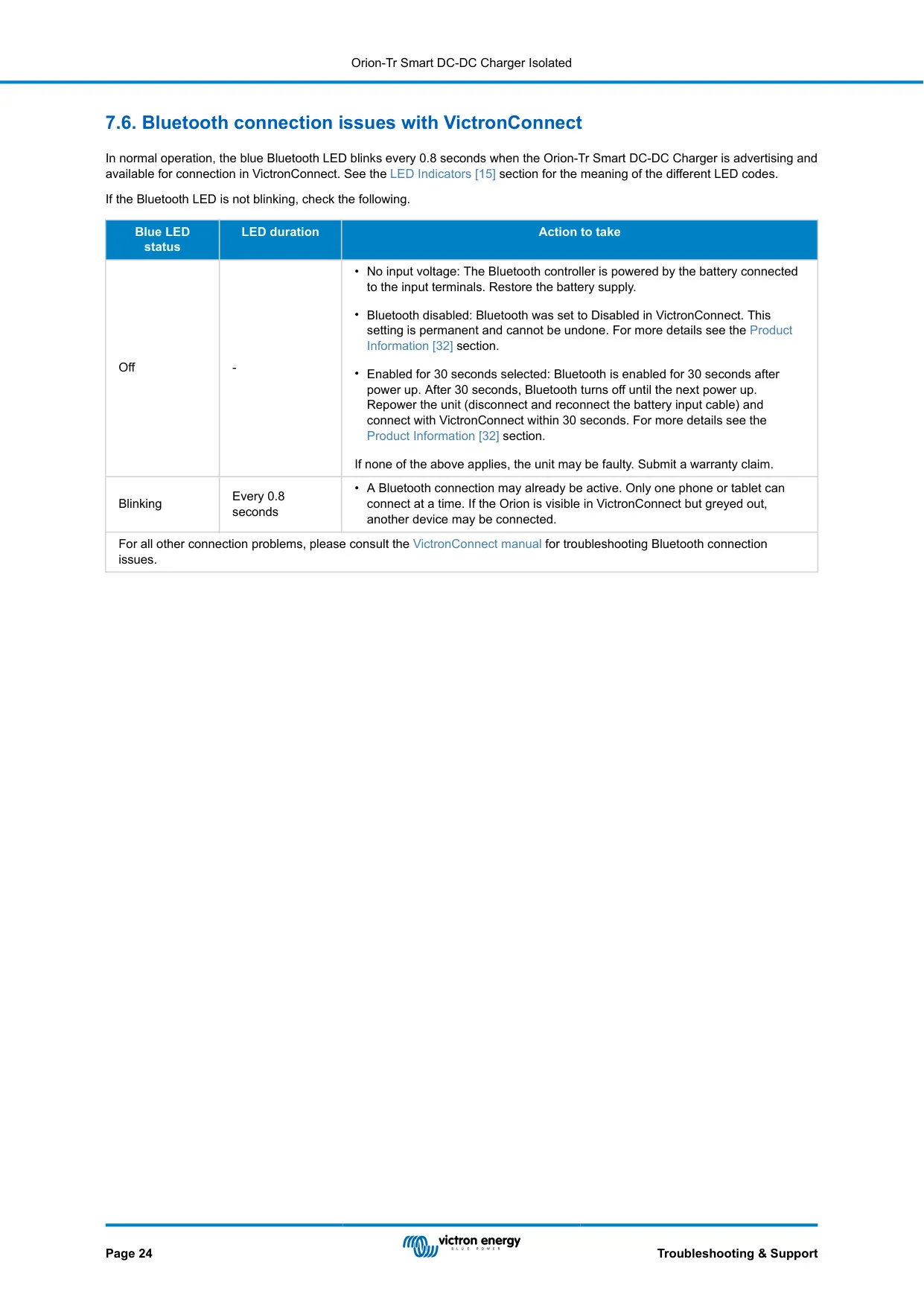
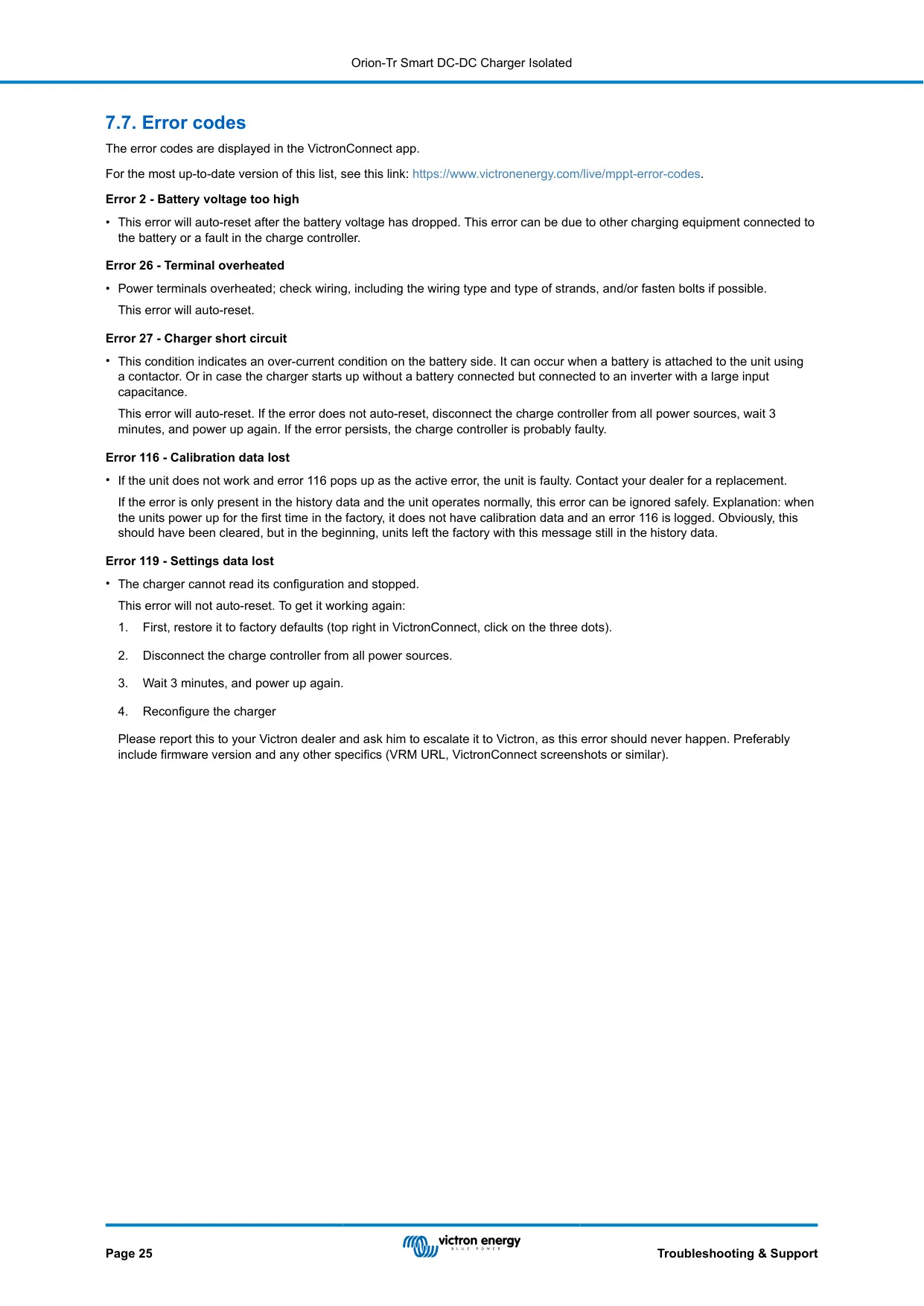
Two LEDs show status. The green LED blinks every 0.8 s during bulk or absorption and stays solid in float. The blue LED blinks every 3 s when there is an error. Error codes include 2 (battery voltage too high), 26 (terminal overheated), 27 (charger short circuit), 116 (calibration data lost) and 119 (settings data lost). The unit is potted and not protected against reverse polarity, so always check polarity before connecting.
Frequently Asked Questions (FAQs)
Can't find the answer you need? Here are some frequently asked questions about the Victron Orion 12 12-30 Charge Controller, and we answer them below.