
Victron Smart Shunt 500A Battery Monitor Instruction Manual
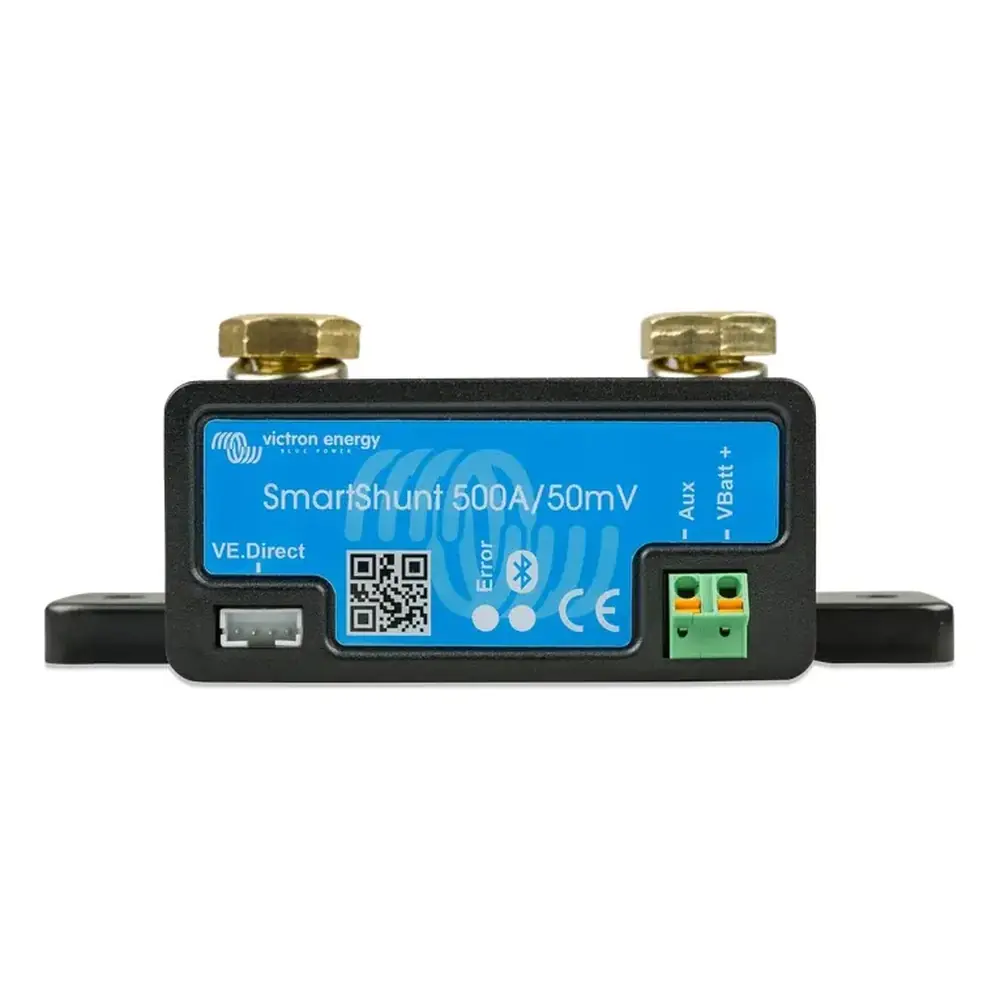
Victron Smart Shunt 500A Battery Monitor






Victron Smart Shunt 500A Instructions
Here we offer the Victron Smart Shunt 500A Battery Monitor manual completely free and in English. We have cataloged this manual in the Battery Monitors section on Manualverse, and it has been rated by 1 users with an average rating of 5. If you have any specific questions about Victron Smart Shunt 500A Battery Monitor, we suggest checking the Frequently Asked Questions (FAQs) section of this manual.
Product Images
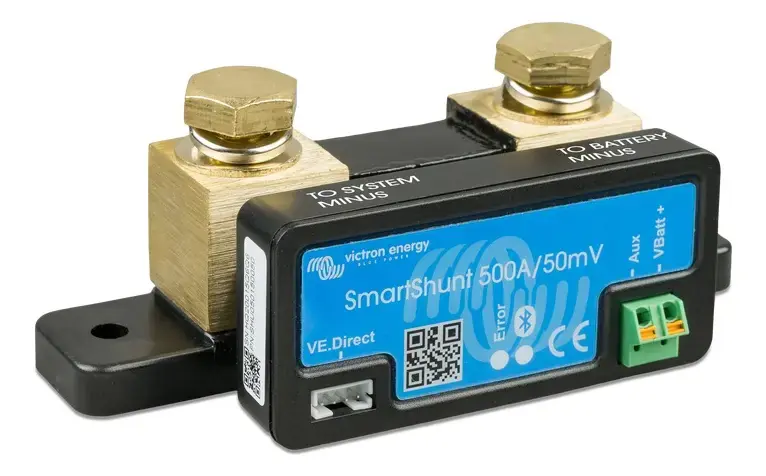
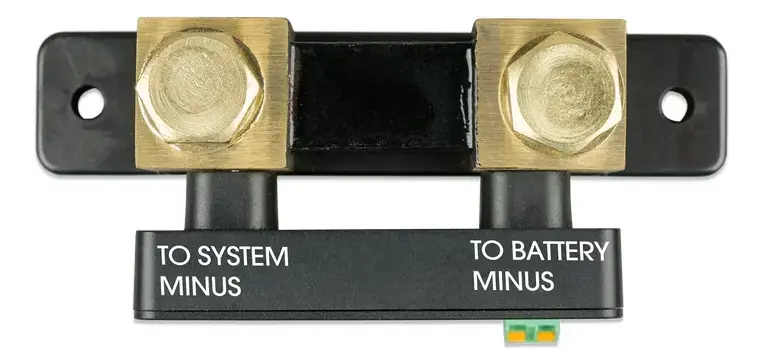
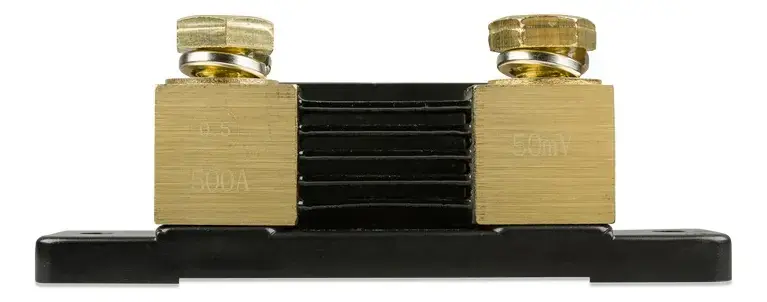
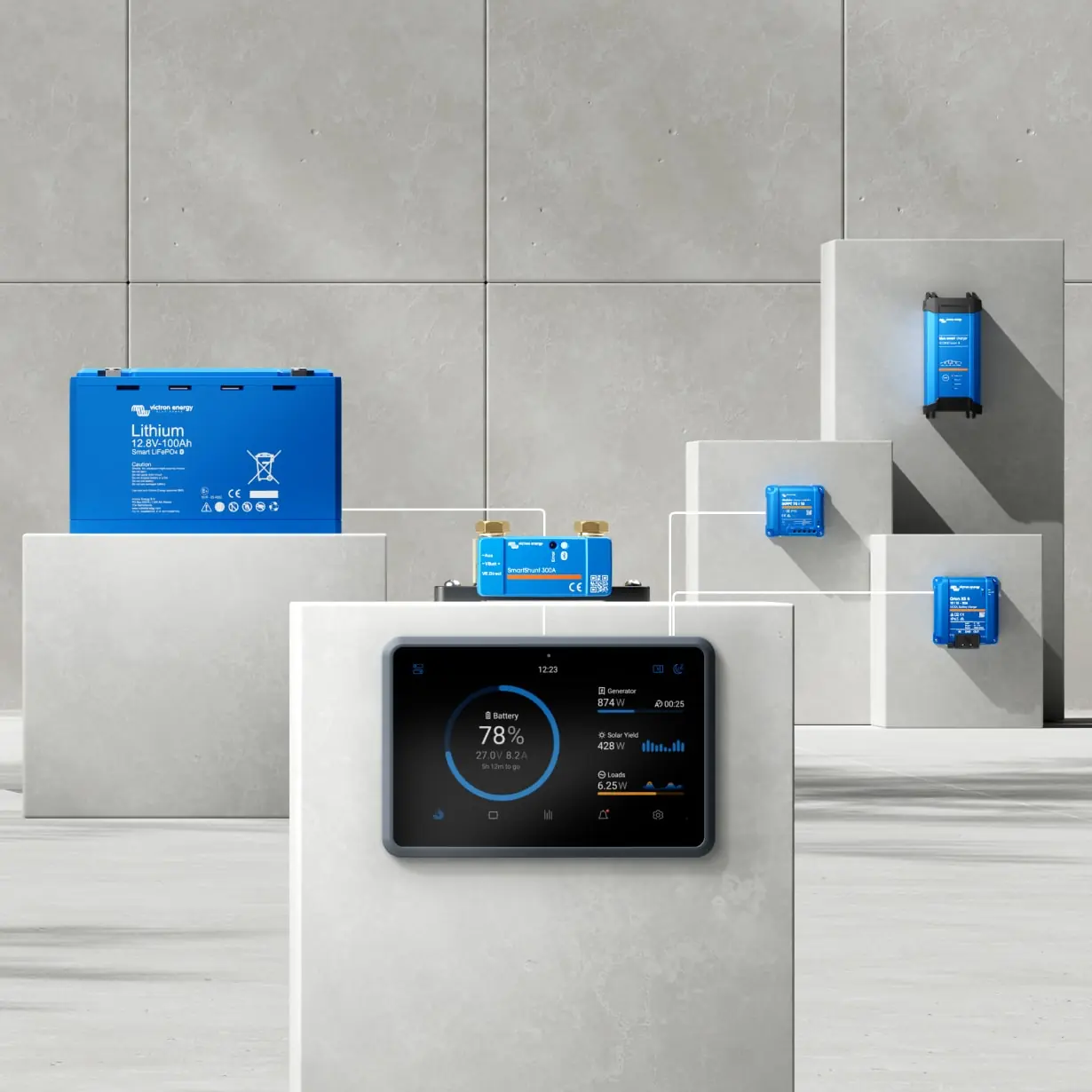
Victron Smart Shunt 500A Battery Monitor Specifications
| Feature | Specification (500A Model) |
|---|---|
| Supply Voltage Range | 6.5 - 70 VDC |
| Current Draw | < 1mA |
| Input Voltage Range, Auxiliary Battery | 6.5 - 70 VDC |
| Battery Capacity (Ah) | 1 - 9999 Ah |
| Operating Temperature Range | -40 to +50°C (-40 to 120°F) |
| Measures Second Battery Voltage, Temperature, or Midpoint | Yes |
| Temperature Measurement Range | -20 to +50°C |
| VE.Direct Communication Port | Yes |
| Current Resolution | ± 0.01A |
| Voltage Resolution | ± 0.01V |
| Amp Hours Resolution | ± 0.1 Ah |
| State of Charge Resolution | ± 0.1% (0 - 100%) |
| Time-to-Go Resolution | ± 1 min |
| Temperature Resolution (0 - 50°C) | ± 1°C/°F |
| Accuracy of Current Measurement | ± 0.4% |
| Offset (500A Model) | Less than 10 mA |
| Accuracy of Voltage Measurement | ± 0.3% |
| Dimensions (h x w x d) (500A Model) | 46 x 120 x 54 mm |
| Protection Category | IP21 |
| Safety Standard | EN 60335-1 |
| Emission / Immunity Standards | EN-IEC 61000-6-1 / EN-IEC 61000-6-2 / EN-IEC 61000-6-3 |
| Automotive Standard | EN 50498 |
| Included Cables | 2 Cables with 1A slow blow fuse (for '+' and 'Aux' connections) |
| Temperature Sensor | Optional (ASS000100000) |
Victron Smart Shunt 500A Details
The Victron SmartShunt 500A serves as a sophisticated battery monitor, continuously tracking voltage and current to calculate precise battery state of charge (SoC) and "time-to-go." It’s designed for seamless integration and ease of use, connecting wirelessly via Bluetooth to the intuitive VictronConnect app. This application, available for Android, iOS, macOS, and Windows (with a VE.Direct to USB interface), allows users to monitor all battery parameters and configure settings. Furthermore, for advanced remote monitoring, the SmartShunt can link to a Victron GX device, providing global oversight through the VRM portal.
A key feature is its versatile auxiliary input, significantly enhancing monitoring capabilities. This input can be configured to observe the voltage of a second battery, such as a starter battery, offering crucial data for complex power systems. Alternatively, it can detect midpoint deviation within a series-connected battery bank. This feature is vital for identifying imbalances between individual batteries, which, if left unchecked, could lead to premature failure of the entire bank. With an optional sensor, the auxiliary input also enables precise battery temperature monitoring, optimizing charging efficiency and extending battery lifespan.
Accuracy is paramount for the SmartShunt, achieved through advanced algorithms. It meticulously factors in the Peukert exponent, which accounts for the reduction in a battery's effective capacity under higher discharge rates. Similarly, the charge efficiency factor is applied to compensate for energy losses during the charging process. This detailed calculation ensures a highly reliable and realistic representation of the battery's remaining energy. Moreover, the device diligently stores comprehensive historical data, including deepest and average discharges, along with charge/discharge cycles, empowering users to analyze patterns and optimize battery health over time.
To protect valuable battery assets, the SmartShunt incorporates a range of software-based alarms. These alerts are triggered by conditions such as low SoC, extreme battery voltages, excessive temperatures, or significant midpoint deviation. Visible within the VictronConnect app or a connected GX device, these alarms prompt timely corrective action. The device also features an intelligent automatic synchronisation mechanism. It resets the SoC to 100% when predefined "charged" conditions (specific voltage, tail current, and duration) are met. This prevents long-term drift in readings, maintaining accuracy. Manual synchronisation is also available for initial setup or specific scenarios.
The SmartShunt seamlessly integrates into a VE.Smart Network, a wireless ecosystem where Victron products exchange data via Bluetooth. For instance, it can share real-time battery voltage and temperature (with an optional sensor) with compatible Victron solar or AC chargers. This enables chargers to dynamically adjust their parameters for optimal performance, improving charging efficiency and prolonging battery life. With its compact dimensions (46 x 120 x 54 mm for the 500A model) and an IP21 rating, the SmartShunt requires installation in a dry environment. Its robust M10 bolts ensure secure and straightforward connections for main power cables.
Frequently Asked Questions (FAQs)
Can't find the answer you need? Here are some frequently asked questions about the Victron Smart Shunt 500A Battery Monitor, and we answer them below.
Incorrect battery settings: Verify battery capacity, Peukert exponent, and charge efficiency factor.
Synchronisation issues: Ensure the battery is fully charged regularly, and check the 'Charged voltage,' 'Tail current,' and 'Charged detection time' settings for proper automatic synchronisation.
Incorrect current reading: Confirm all loads and charge sources are connected to the 'System Minus' side of the shunt to ensure accurate current measurement.