Victron Multiplus 3000 Inverter Charger Instruction Manual
Victron Multiplus 3000 Inverter Charger




Victron Multiplus 3000 Inverter Charger
Victron Multiplus 3000 Instructions
Here we offer the Victron Multiplus 3000 Inverter Charger manual completely free and in English. We have cataloged this manual in the Inverter Chargers section on Manualverse, and it has been rated by 1 users with an average rating of 5. If you have any specific questions about Victron Multiplus 3000 Inverter Charger, we suggest checking the Frequently Asked Questions (FAQs) section of this manual.
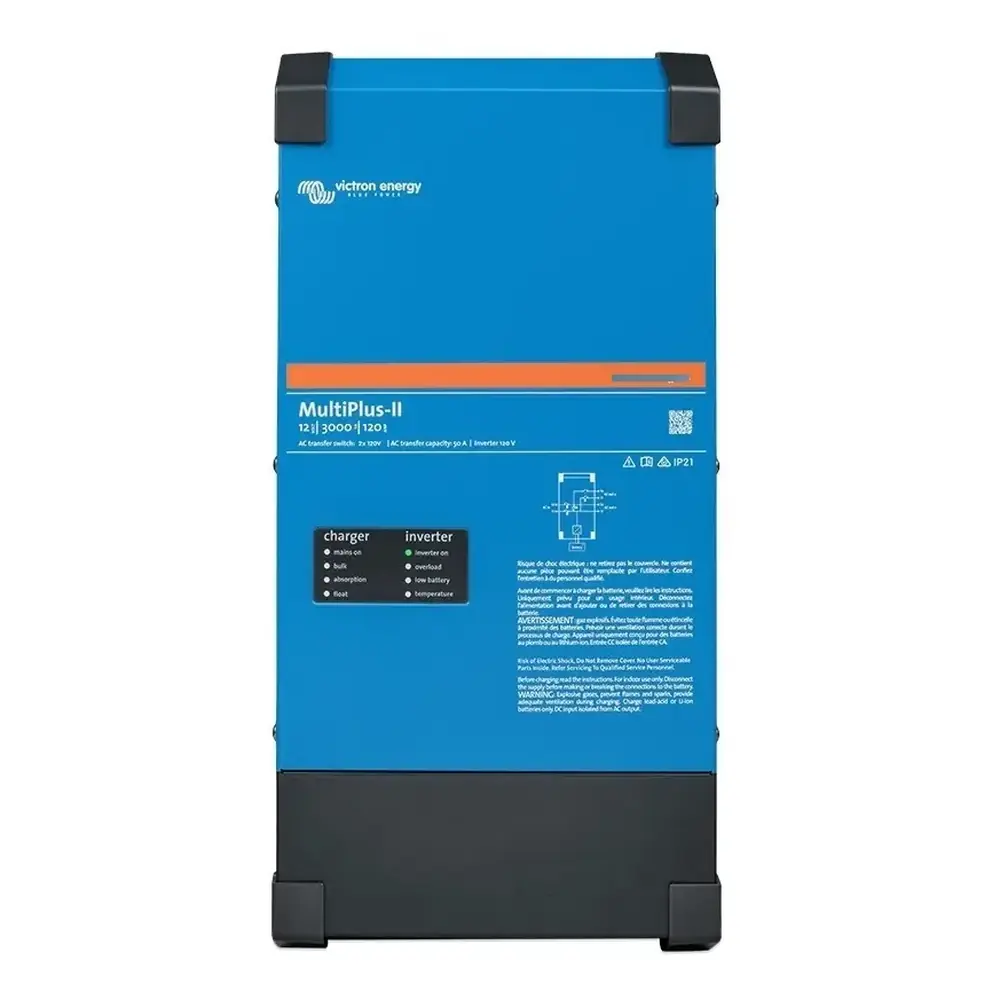
Product Images
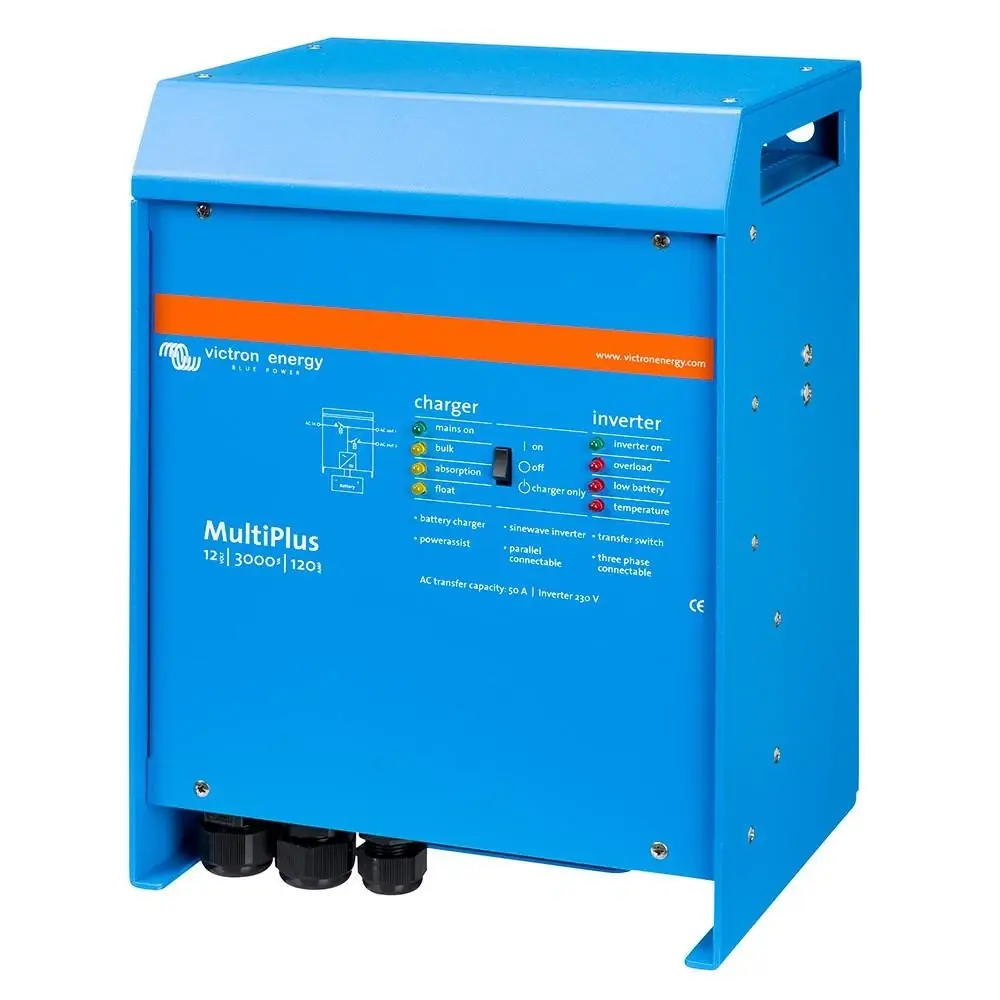
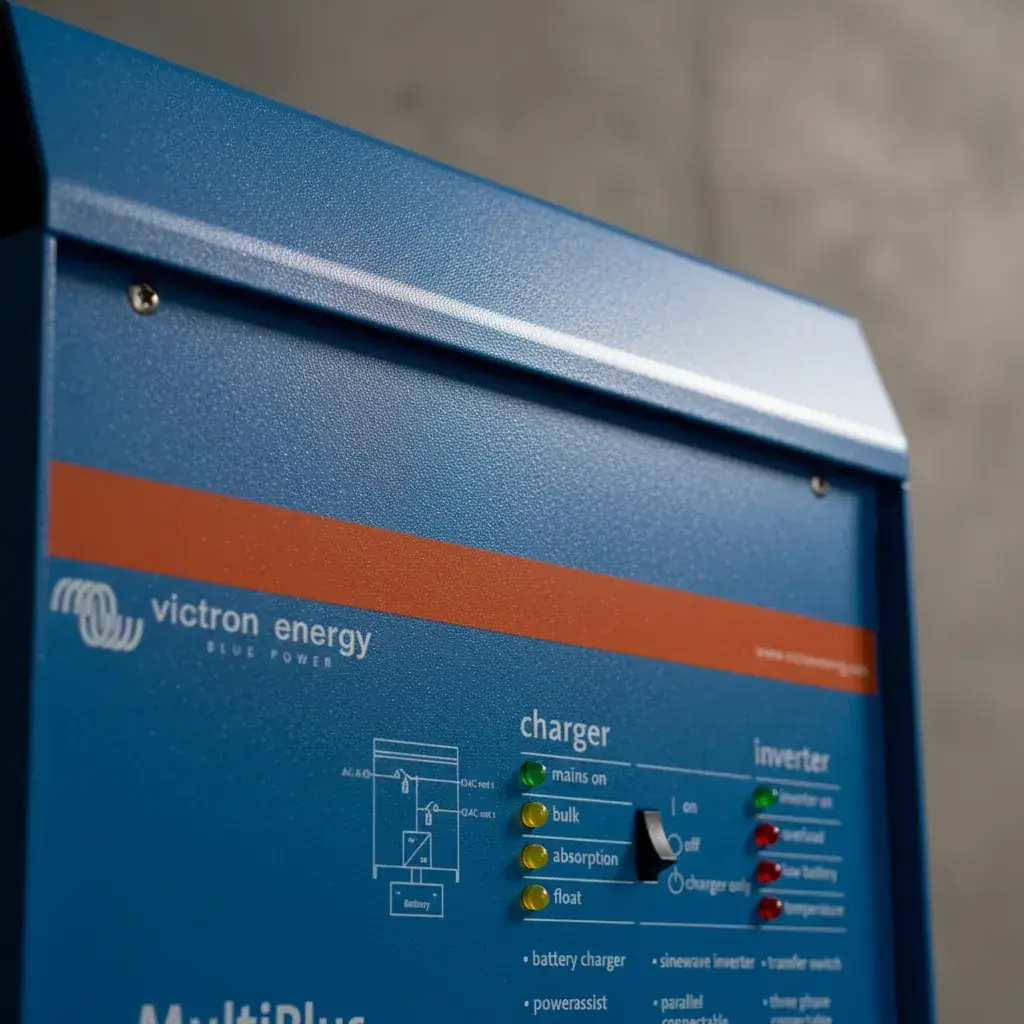
Victron Multiplus 3000 Inverter Charger Specifications
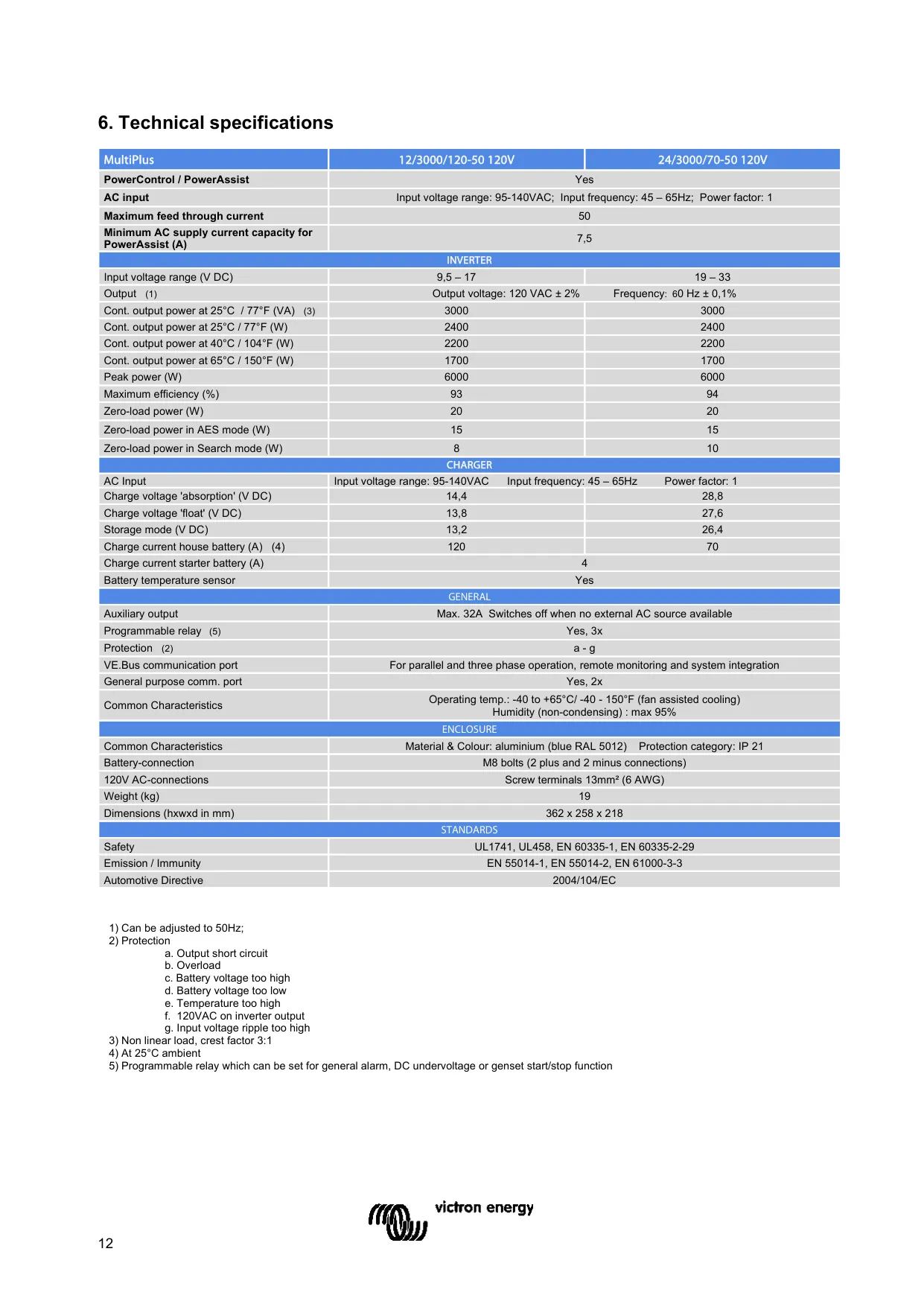
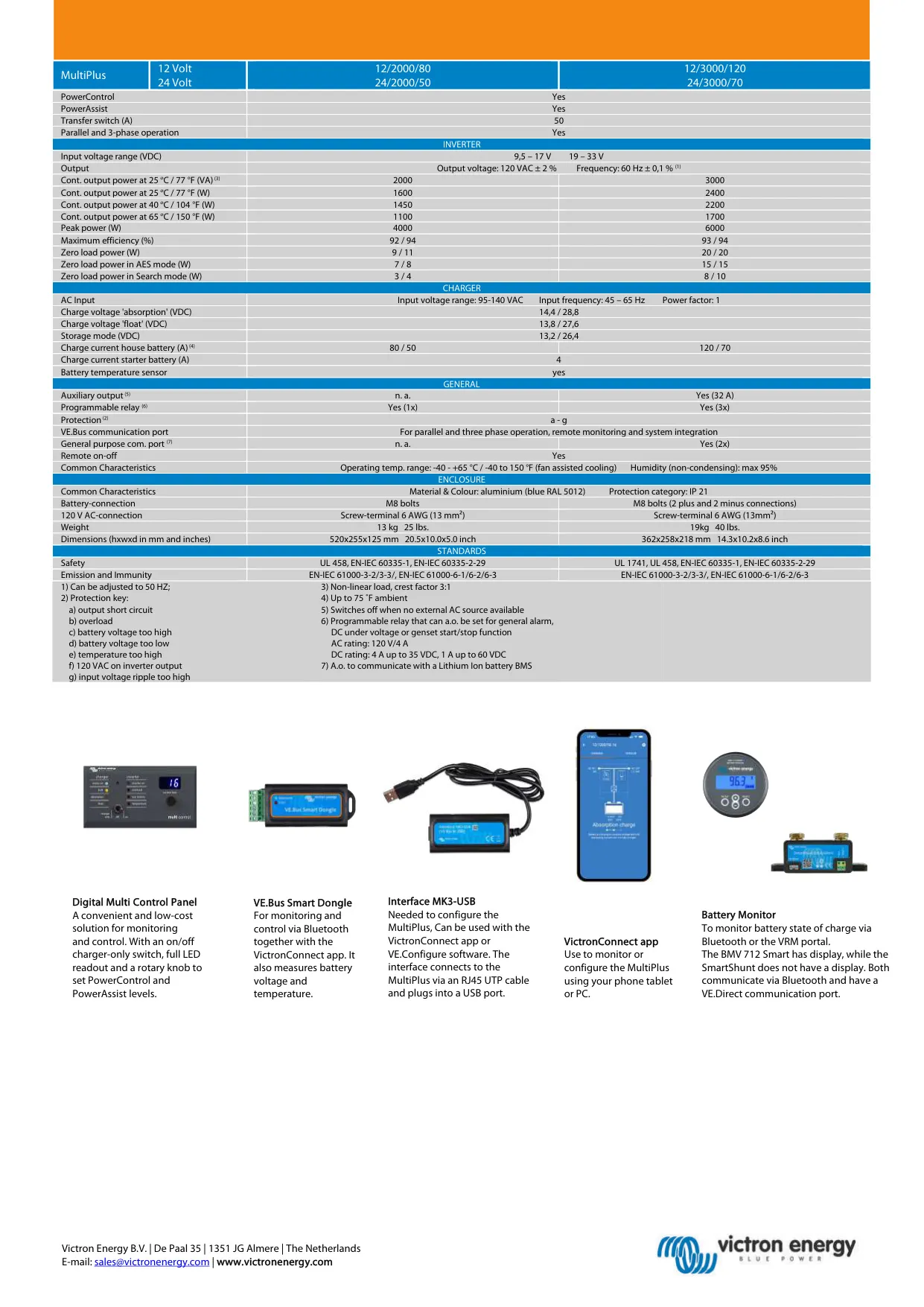
| Feature | Specification |
|---|---|
| Models covered | MultiPlus 12/3000/120-50 120V (PMP122301102) and 24/3000/70-50 120V (PMP242301102) |
| Firmware | xxxx400 or higher |
| PowerControl / PowerAssist | Yes |
| Parallel and 3-phase operation | Yes (up to 6 units in parallel; split phase 120-0-120 V possible) |
| Maximum feed-through current (transfer switch) | 50 A |
| Minimum AC supply current for PowerAssist | 7.5 A |
| Transfer time | Less than 20 ms |
| Inverter DC input voltage range | 9.5 – 17 V DC (12 V model); 19 – 33 V DC (24 V model) |
| Inverter output voltage | 120 VAC ± 2% |
| Output frequency | 60 Hz ± 0.1% (adjustable to 50 Hz) |
| Continuous output power at 25 °C / 77 °F | 3000 VA / 2400 W (non-linear load, crest factor 3:1) |
| Continuous output power at 40 °C / 104 °F | 2200 W |
| Continuous output power at 65 °C / 150 °F | 1700 W |
| Peak power | 6000 W |
| Maximum efficiency | 93% (12 V model); 94% (24 V model) |
| Zero-load power | 20 W |
| Zero-load power in AES mode | 15 W |
| Zero-load power in Search mode | 8 W (12 V model); 10 W (24 V model) |
| Charger AC input | 95 – 140 VAC, 45 – 65 Hz, power factor 1 |
| Absorption charge voltage | 14.4 V DC (12 V model); 28.8 V DC (24 V model) |
| Float charge voltage | 13.8 V DC (12 V model); 27.6 V DC (24 V model) |
| Storage mode voltage | 13.2 V DC (12 V model); 26.4 V DC (24 V model) |
| Charge current, house battery | 120 A (12 V model); 70 A (24 V model), at 25 °C ambient |
| Charge current, starter battery | 4 A |
| Battery temperature sensor | Yes (supplied) |
| Auxiliary AC output | Max. 32 A, switches off when no external AC source is available |
| Programmable relays | 3x (general alarm, DC undervoltage or genset start/stop) |
| Relay rating | AC: 120 V / 4 A; DC: 4 A up to 35 V DC, 1 A up to 60 V DC |
| General purpose communication ports | 2x (e.g. lithium-ion battery BMS communication) |
| VE.Bus communication port | For parallel and three-phase operation, remote monitoring and system integration |
| Remote on-off | Yes |
| Protection | Output short circuit, overload, battery voltage too high, battery voltage too low, temperature too high, 120 VAC on inverter output, input voltage ripple too high |
| Operating temperature range | -40 to +65 °C / -40 to 150 °F (fan-assisted cooling) |
| Storage temperature range | -20 °C to 60 °C |
| Humidity | Max. 95% (non-condensing) |
| Enclosure | Aluminium, blue RAL 5012 |
| Protection category | IP 21 |
| Battery connection | M8 bolts (2 plus and 2 minus connections) |
| 120 V AC connection | Screw terminals, 13 mm² (6 AWG) |
| Weight | 19 kg (40 lbs) |
| Dimensions (h x w x d) | 362 x 258 x 218 mm (14.3 x 10.2 x 8.6 in) |
| Safety standards | UL 1741, UL 458, EN-IEC 60335-1, EN-IEC 60335-2-29 |
| Emission and immunity | EN-IEC 61000-3-2/3-3, EN-IEC 61000-6-1/6-2/6-3 |
Victron Multiplus 3000 Inverter Charger Details
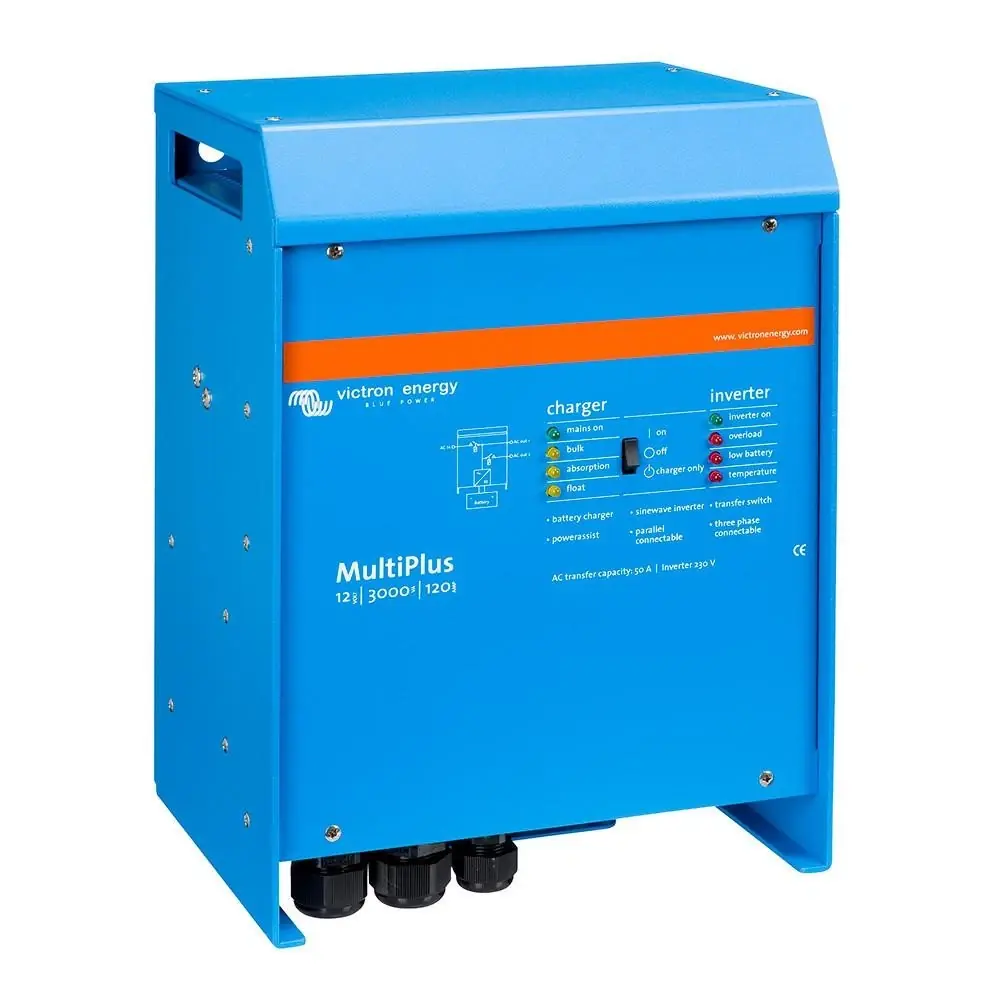
The Victron MultiPlus 3000 puts a true sine wave inverter, an adaptive battery charger and a high-speed automatic transfer switch in one aluminium case. If the grid or generator fails, the unit switches to inverter operation fast enough that computers and other sensitive electronics keep running, so it works as a UPS. The main output stays powered without interruption. The auxiliary output only carries power while an external AC source is present, so it suits loads such as water heaters that should never drain the battery.
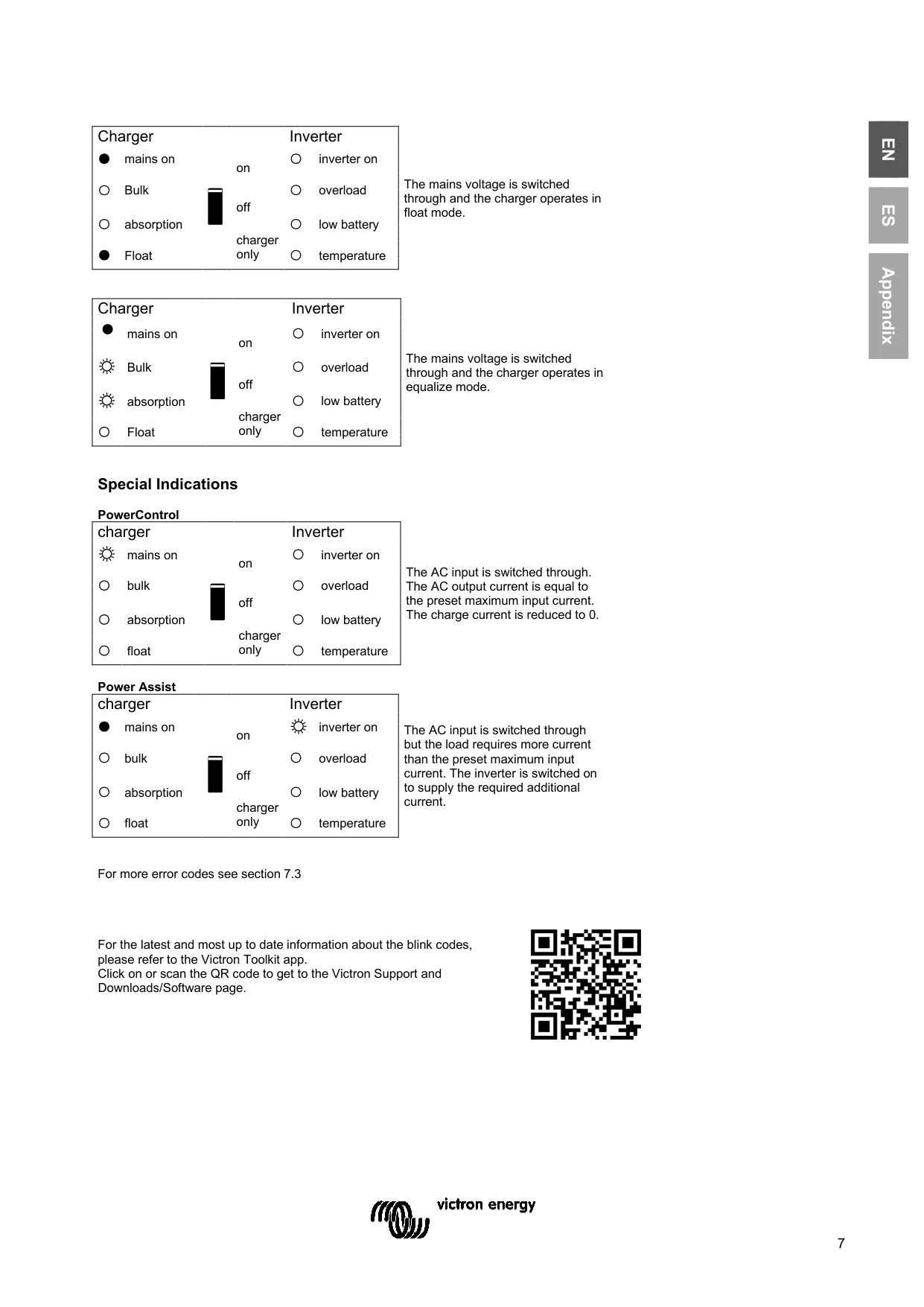
PowerControl lets you set a maximum input current. The MultiPlus then accounts for other AC loads and uses only the spare current for charging. PowerAssist takes this a step further: when a load needs more than the shore or generator supply can deliver, the inverter adds battery power to cover the gap. When demand drops, the spare power goes back into recharging the battery. This lets high-power appliances run on a limited shore connection, and it also means a smaller generator can be installed.
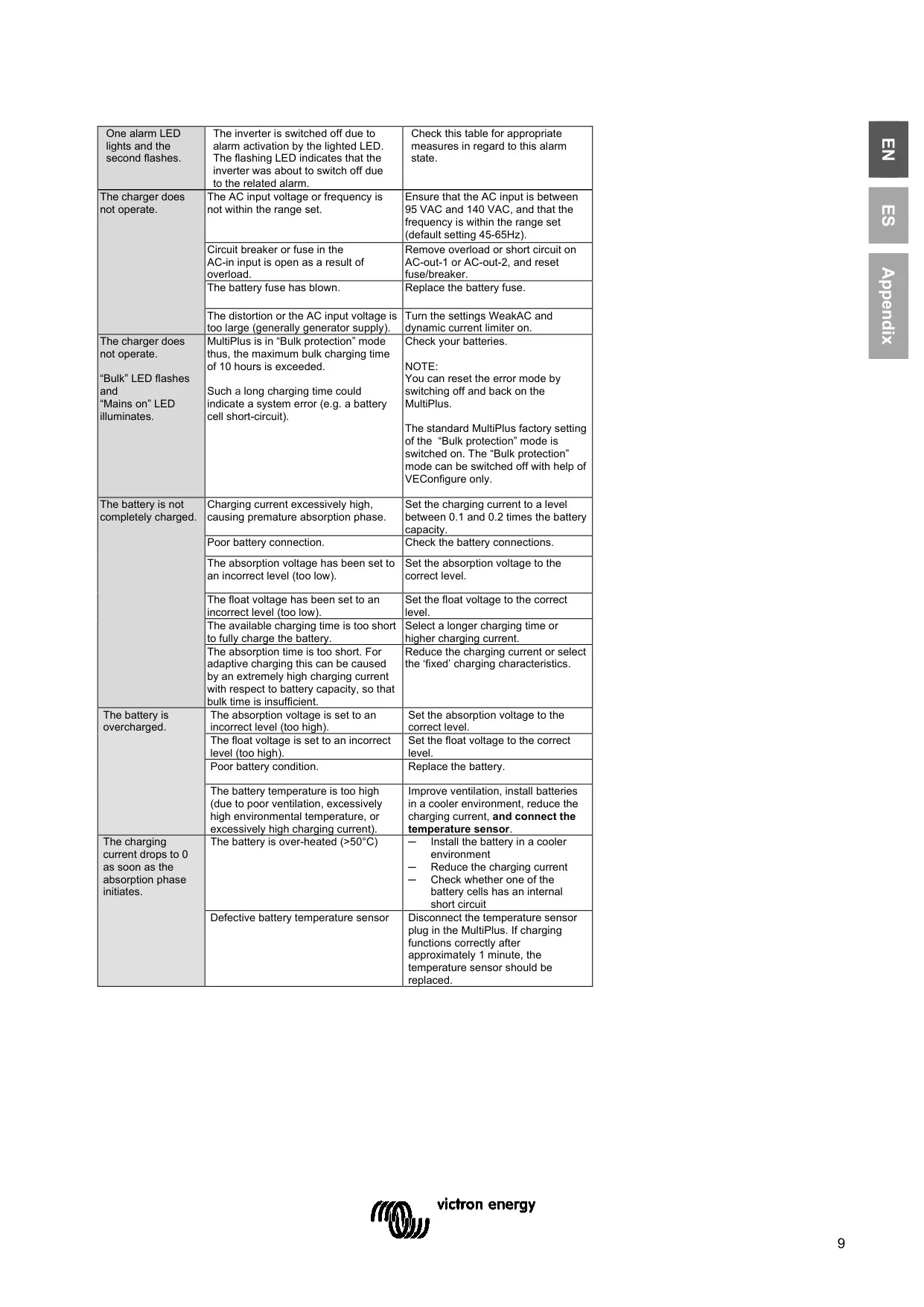
The charger uses an adaptive four-stage process: bulk, absorption, float and storage. After a shallow discharge, absorption is kept short. After a deep discharge, it is extended automatically. BatterySafe mode limits how fast the voltage rises once the gassing voltage is reached. Storage mode starts after 24 hours without a discharge and raises the voltage back to absorption level once a week to help prevent stratification and sulphation. A voltage sense connection compensates for voltage loss in the cables.
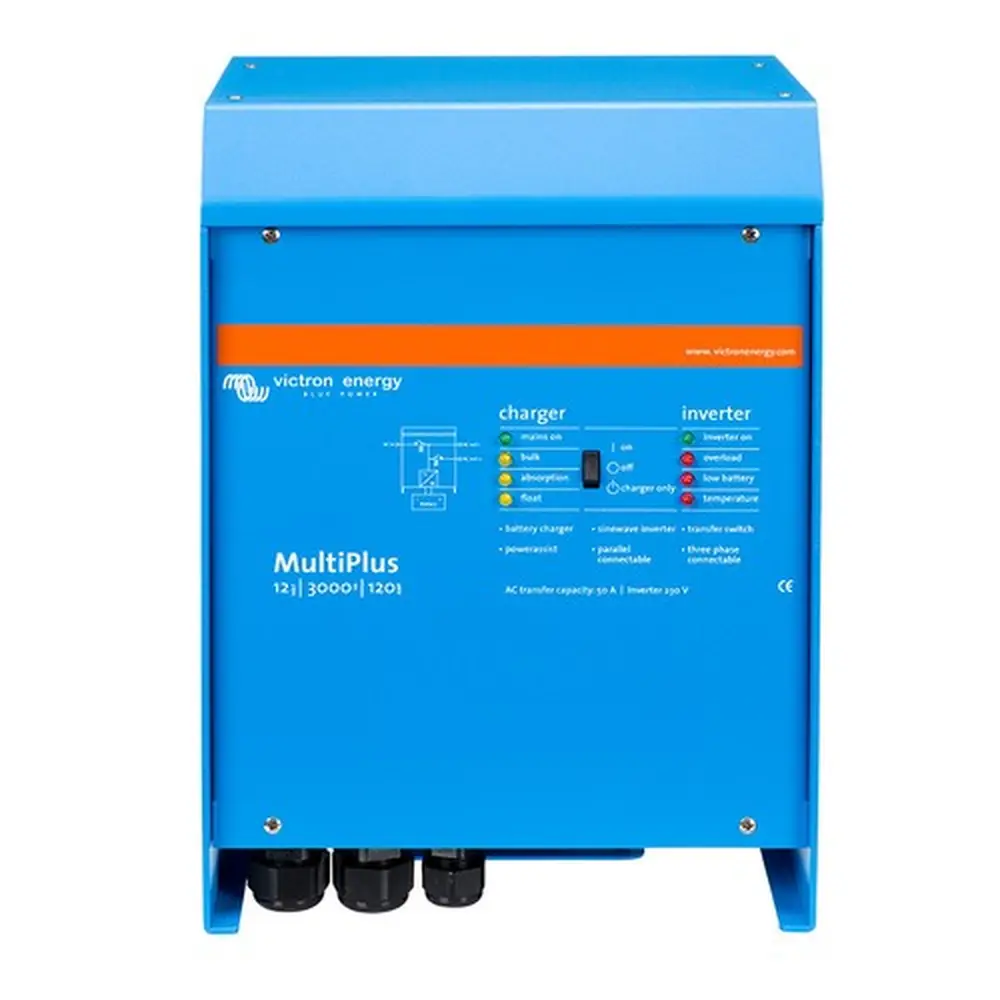
The front switch has three positions: On, Off and Charger only. Use Charger only when you don't need the inverter, so it can't drain the battery if mains power is lost. A specific toggle sequence on the switch starts equalisation or forced absorption. Equalisation charges for one hour at 1 V above absorption (2 V for 24 V systems), with the current limited to one quarter of the set value. Disconnect sensitive DC loads first, because they may not tolerate this higher voltage.
When solar inverters are connected to the AC output, frequency shift raises the output frequency by 1 Hz once absorption voltage is reached. This switches the solar inverters off until the battery voltage drops slightly. An optional built-in battery monitor can start and stop a generator based on state of charge, battery voltage, load level or completion of the bulk phase. If bulk charging lasts more than 10 hours, Bulk protection stops the charger, because a charge that long can point to a fault such as a shorted battery cell.
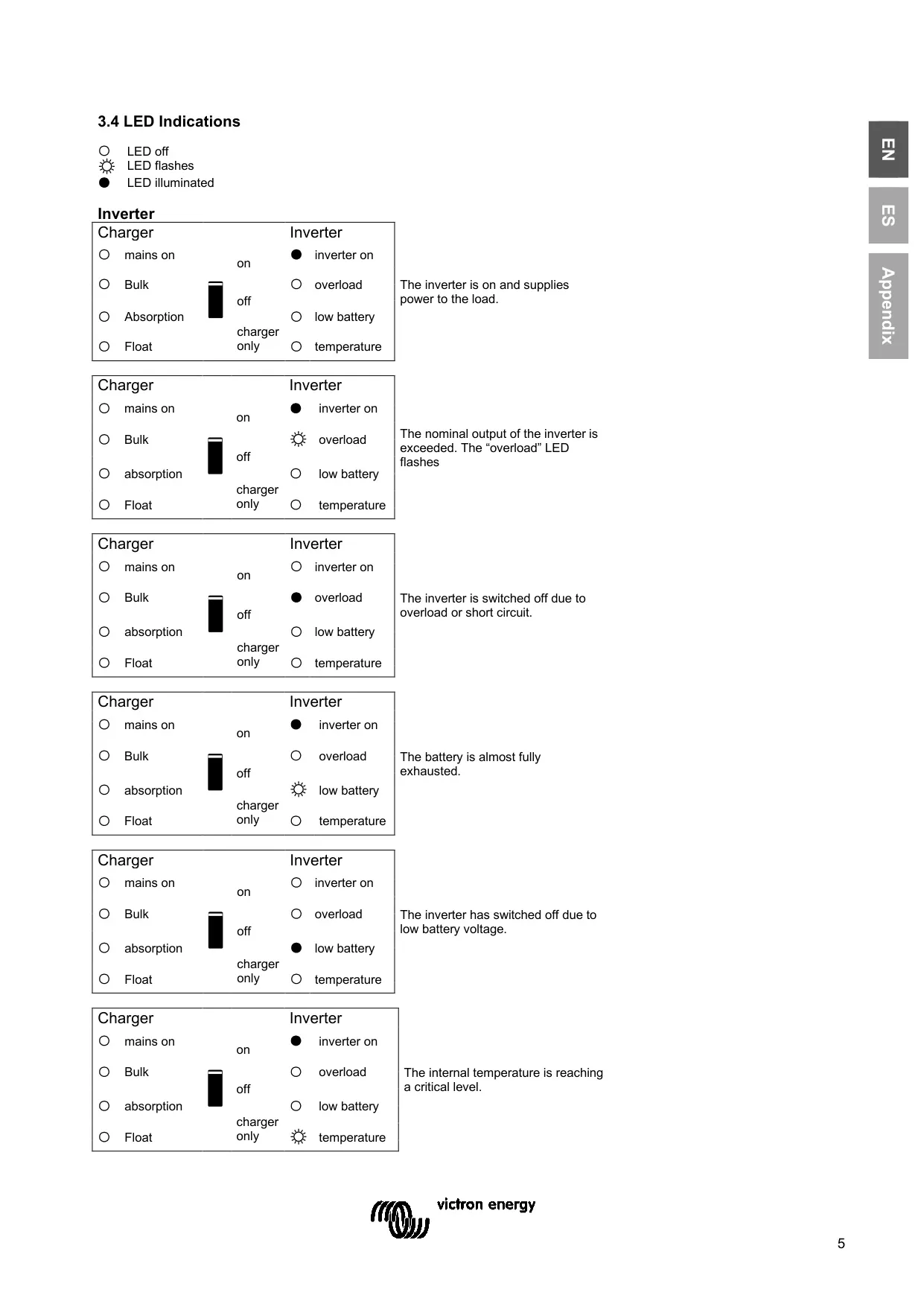
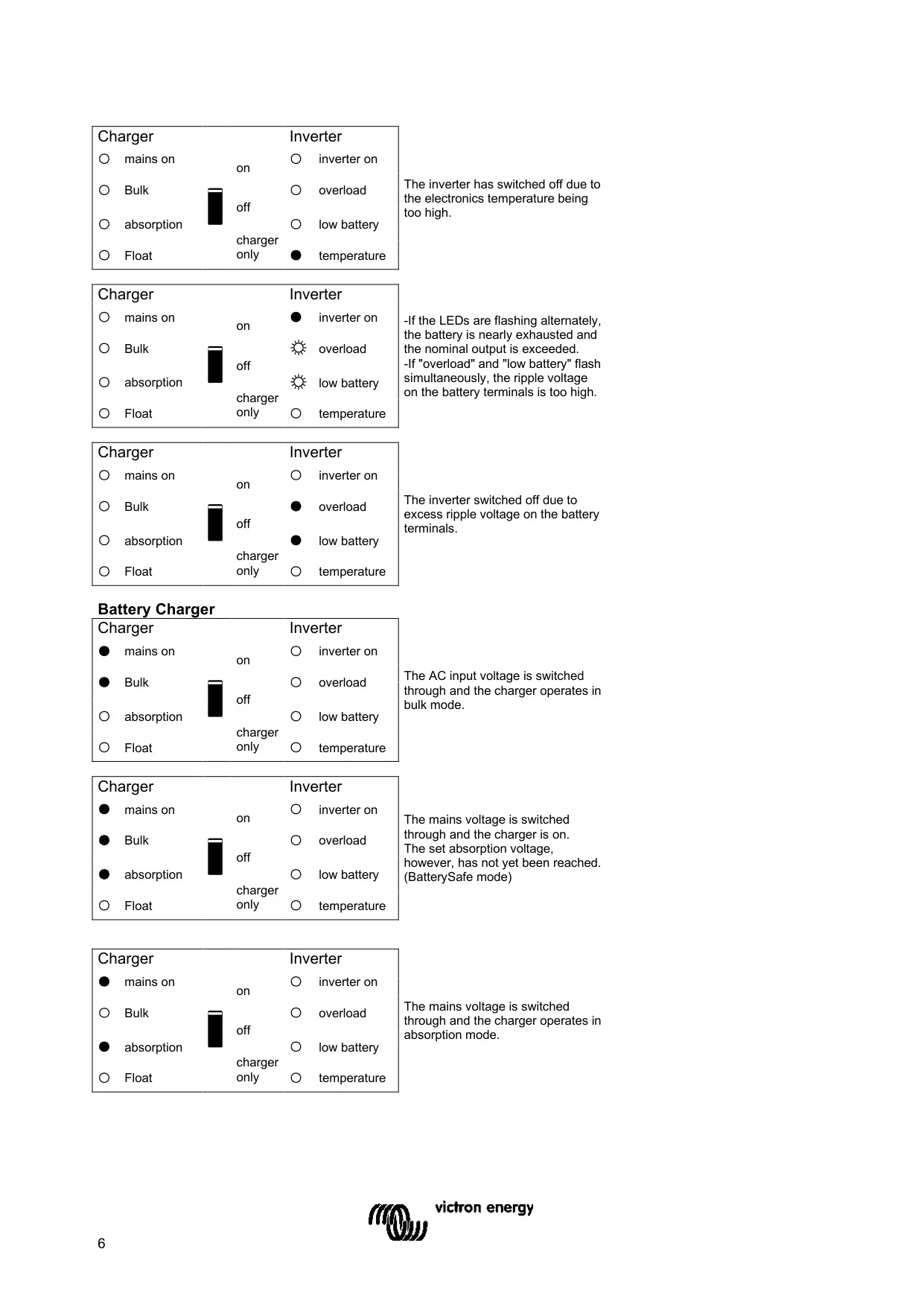
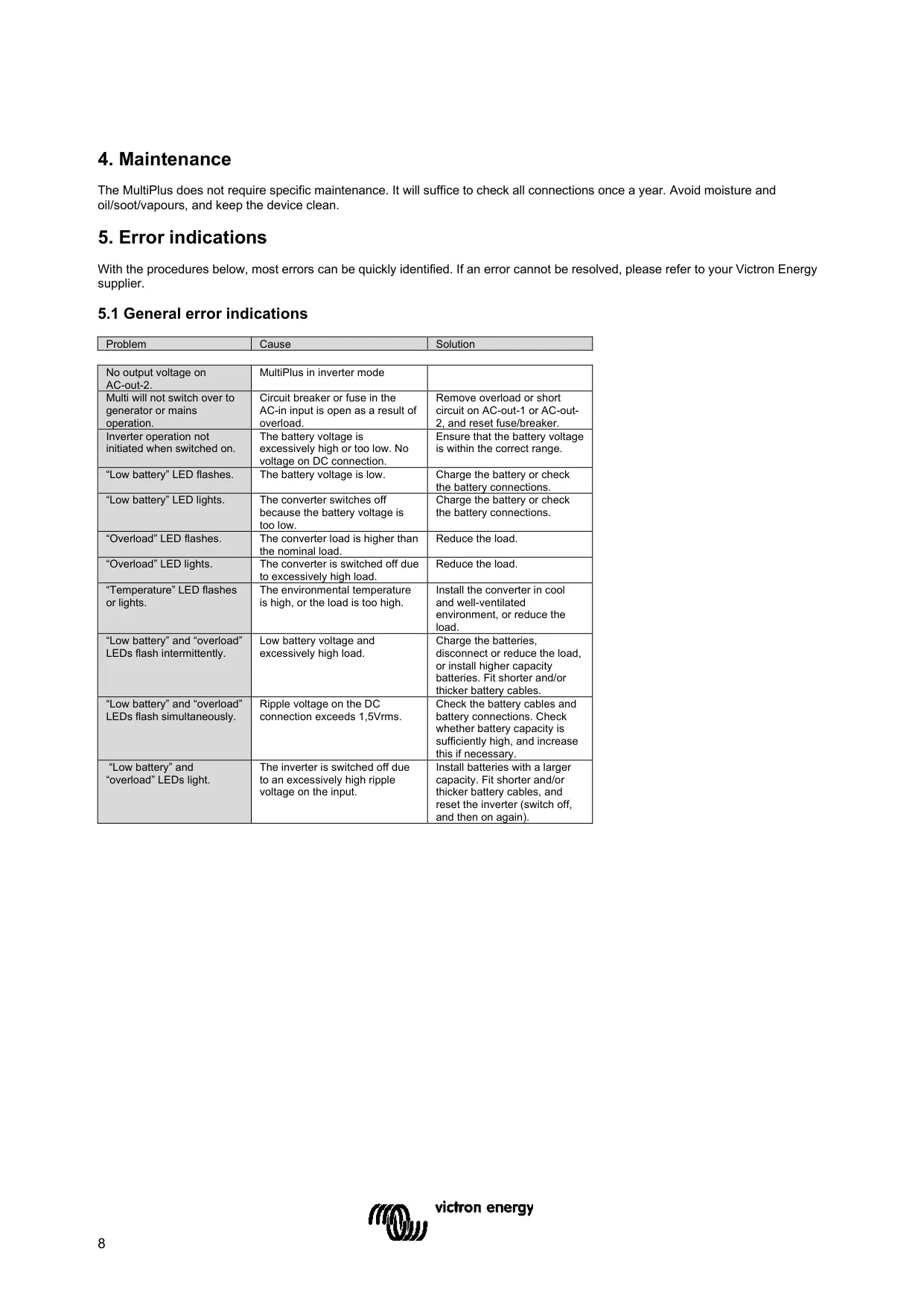
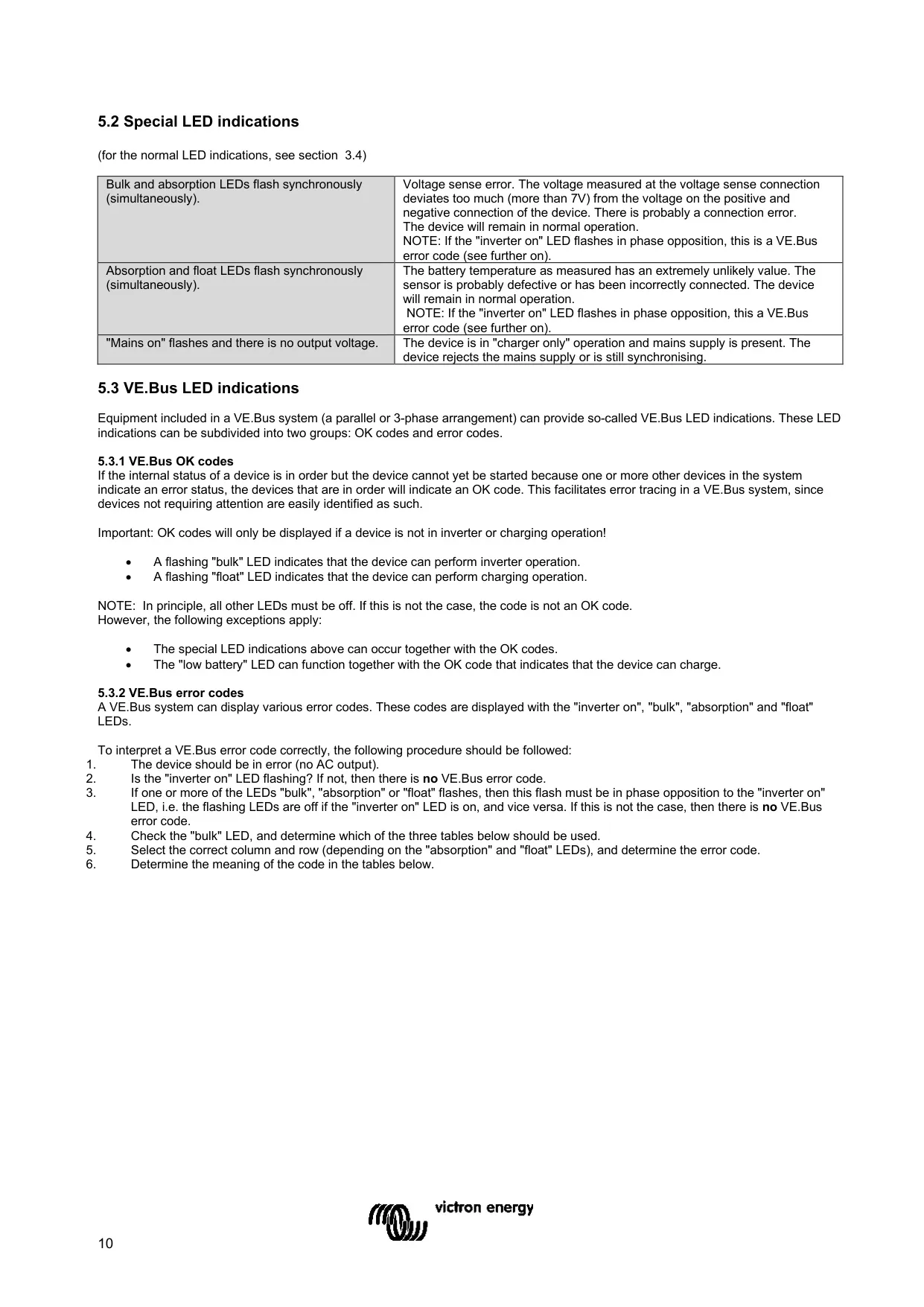
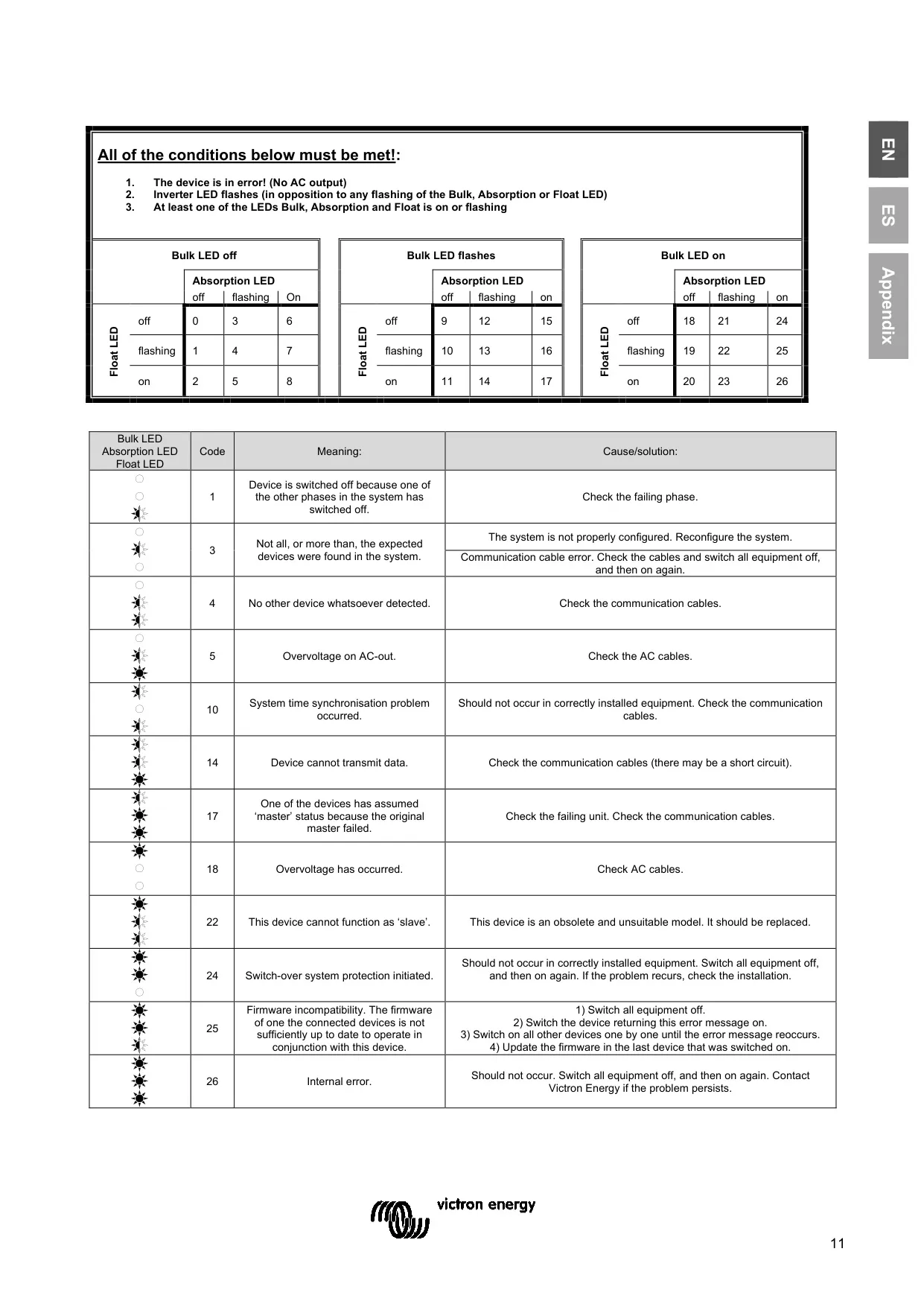
Basic settings, including parallel and three-phase operation, can be changed with DIP switches. A VE.Net panel, VictronConnect or VEConfigure through an MK3-USB interface gives full access to every setting. Front-panel LEDs show the inverter, charger and alarm status. In parallel or three-phase systems, they also flash VE.Bus OK codes and error codes. Maintenance is limited to checking the connections once a year and keeping the unit clean, dry and free of oil, soot and vapours.
Frequently Asked Questions (FAQs)
Can't find the answer you need? Here are some frequently asked questions about the Victron Multiplus 3000 Inverter Charger, and we answer them below.