Lennox S40 Thermostat Instruction Manual
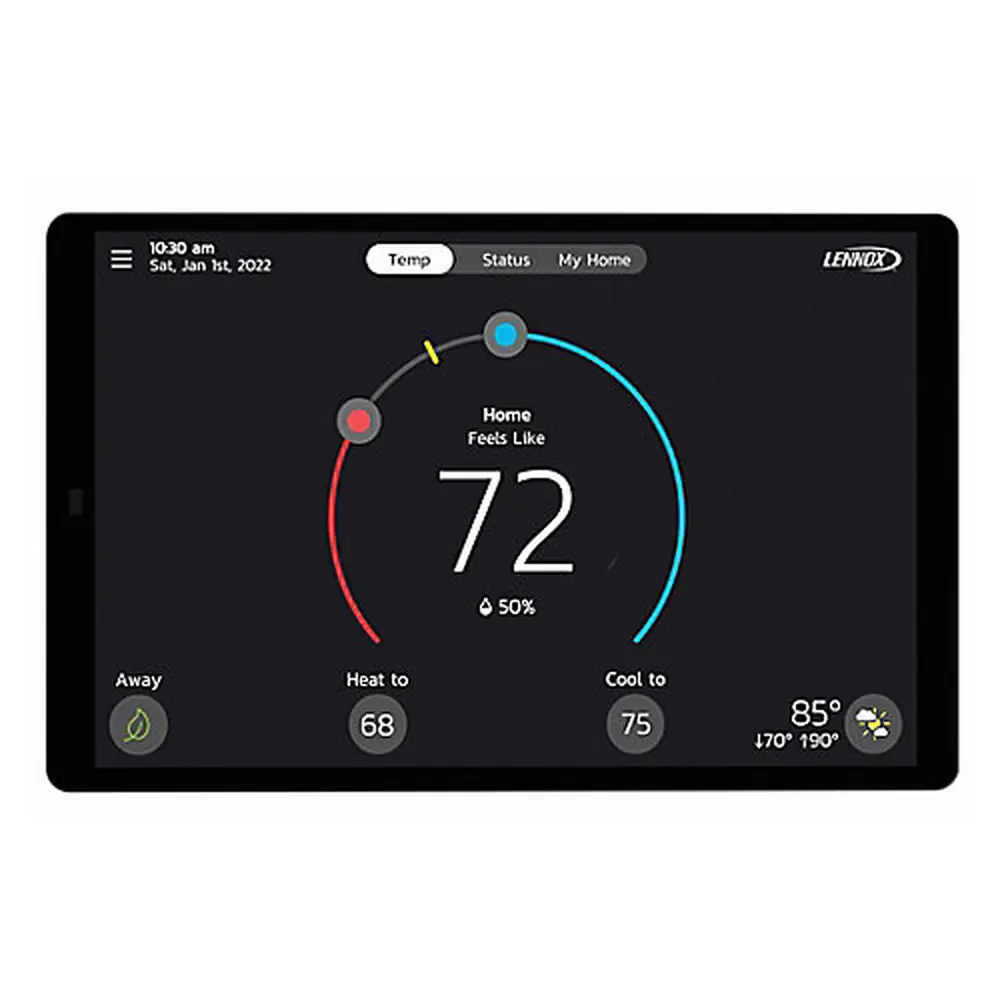
Lennox S40 Thermostat
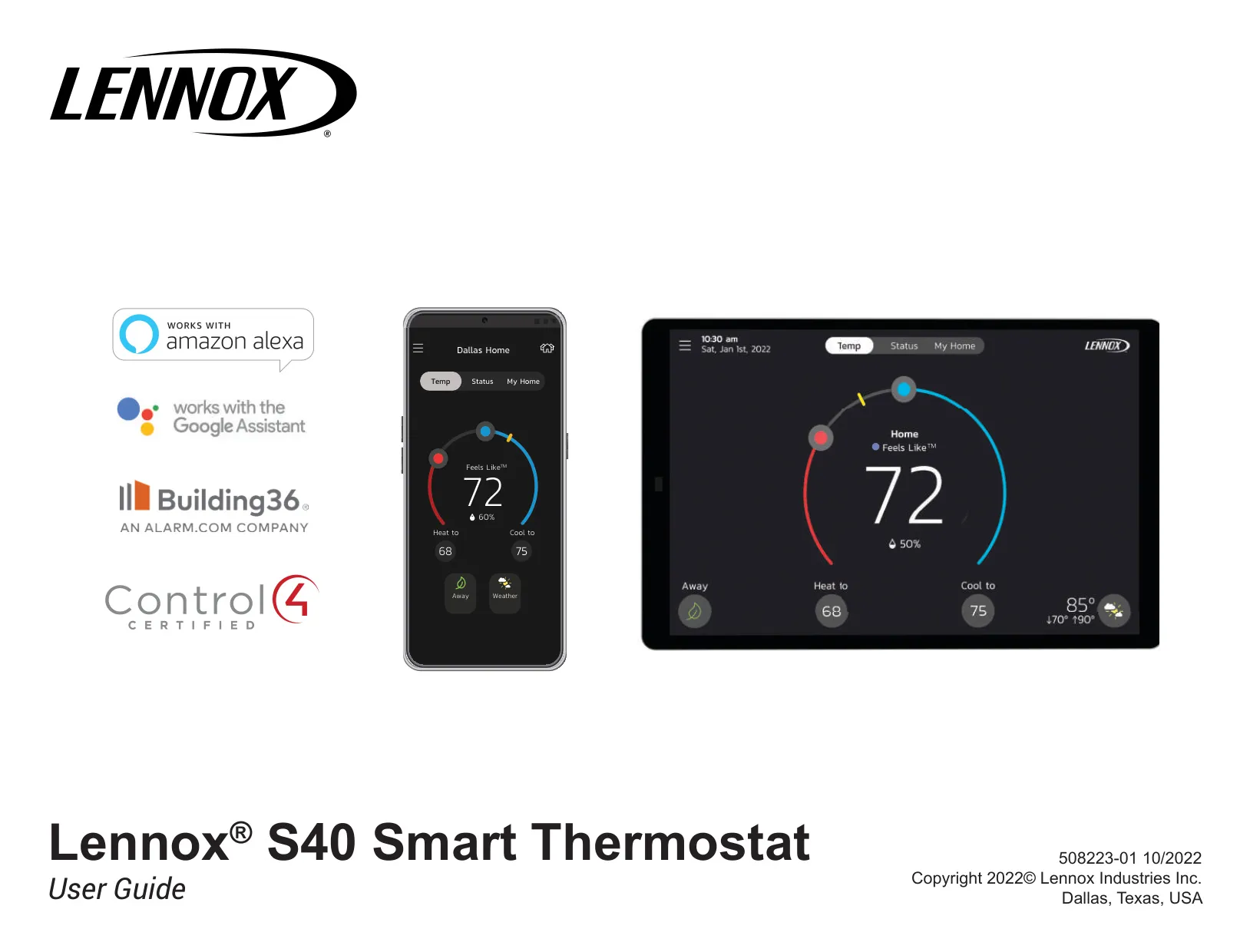
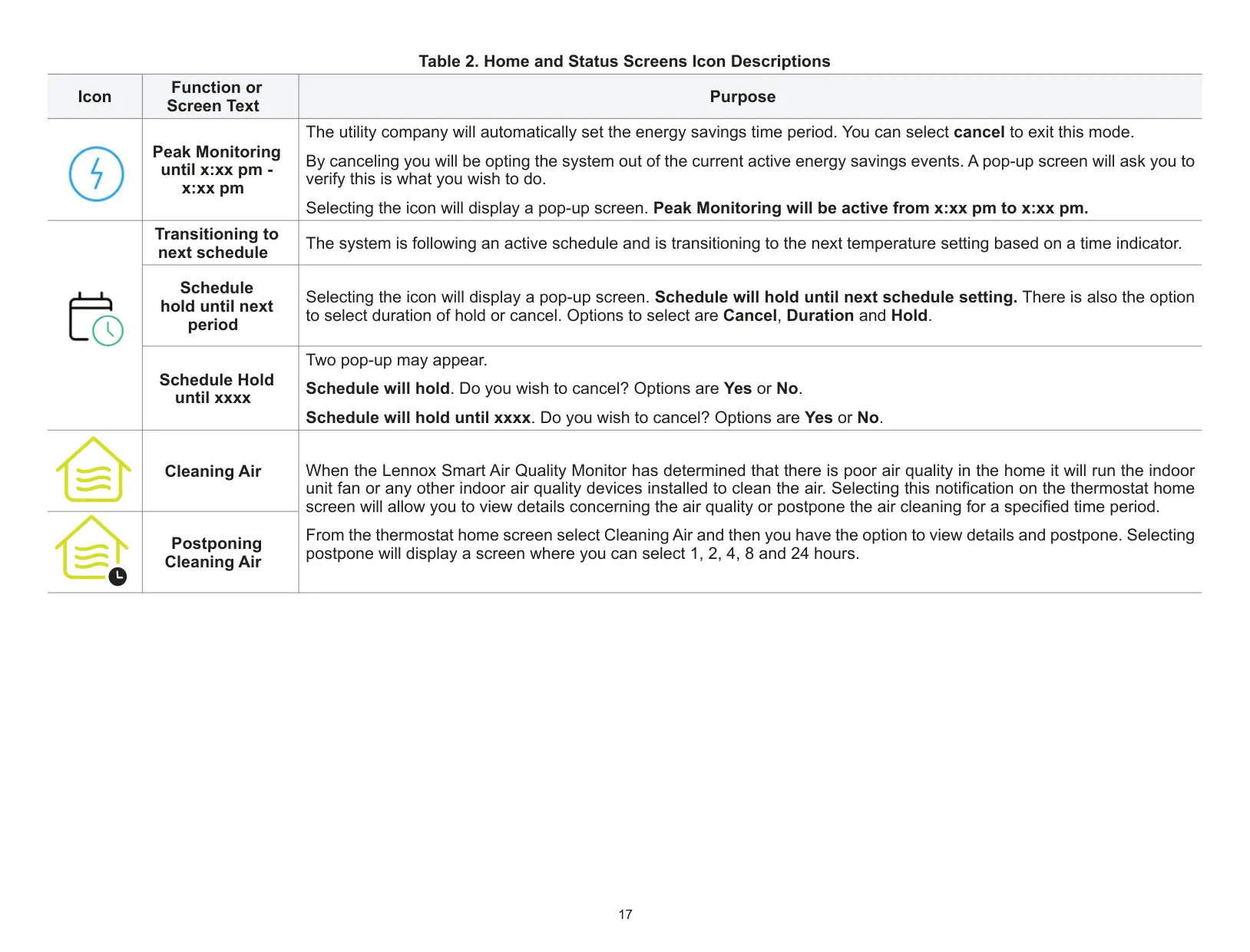
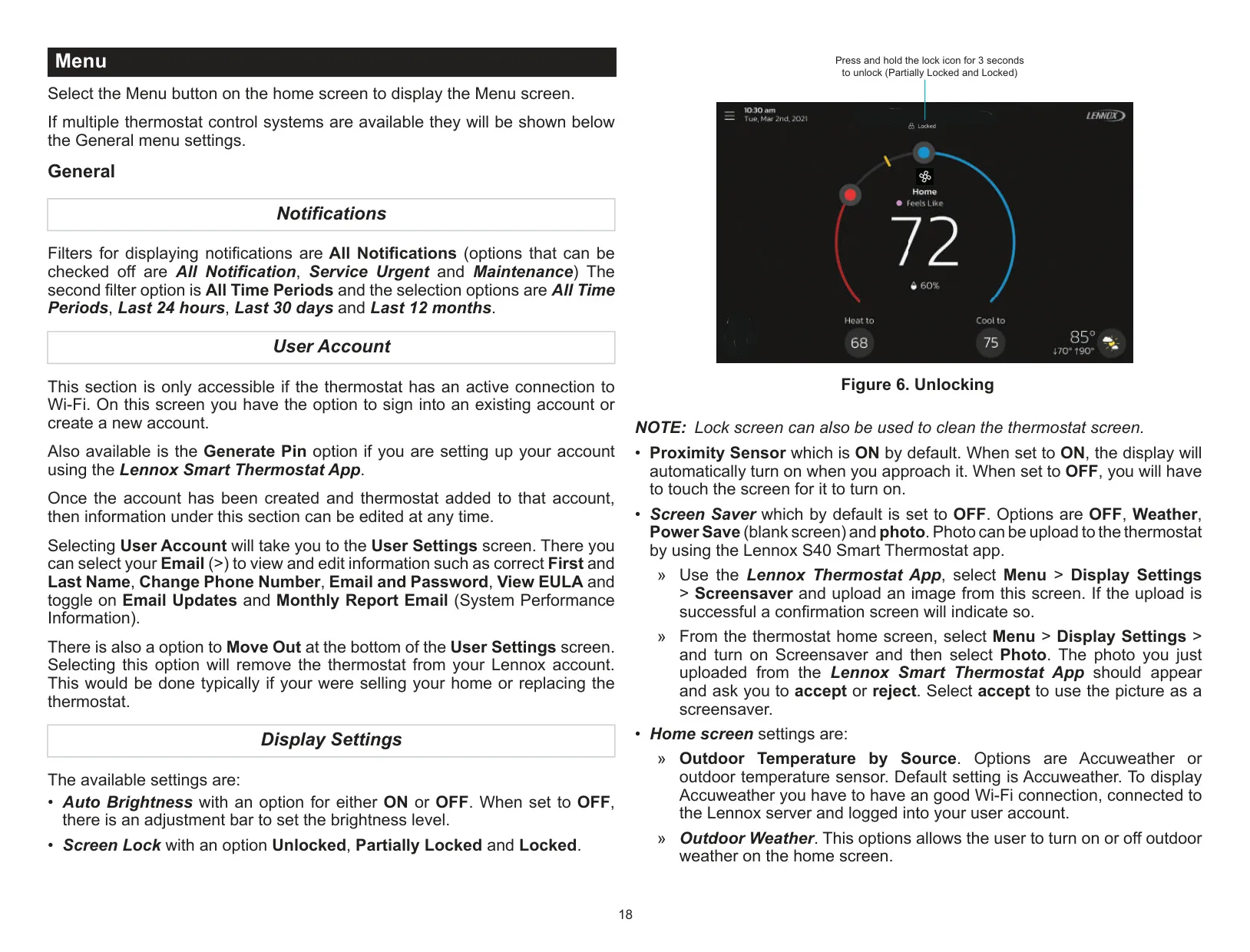
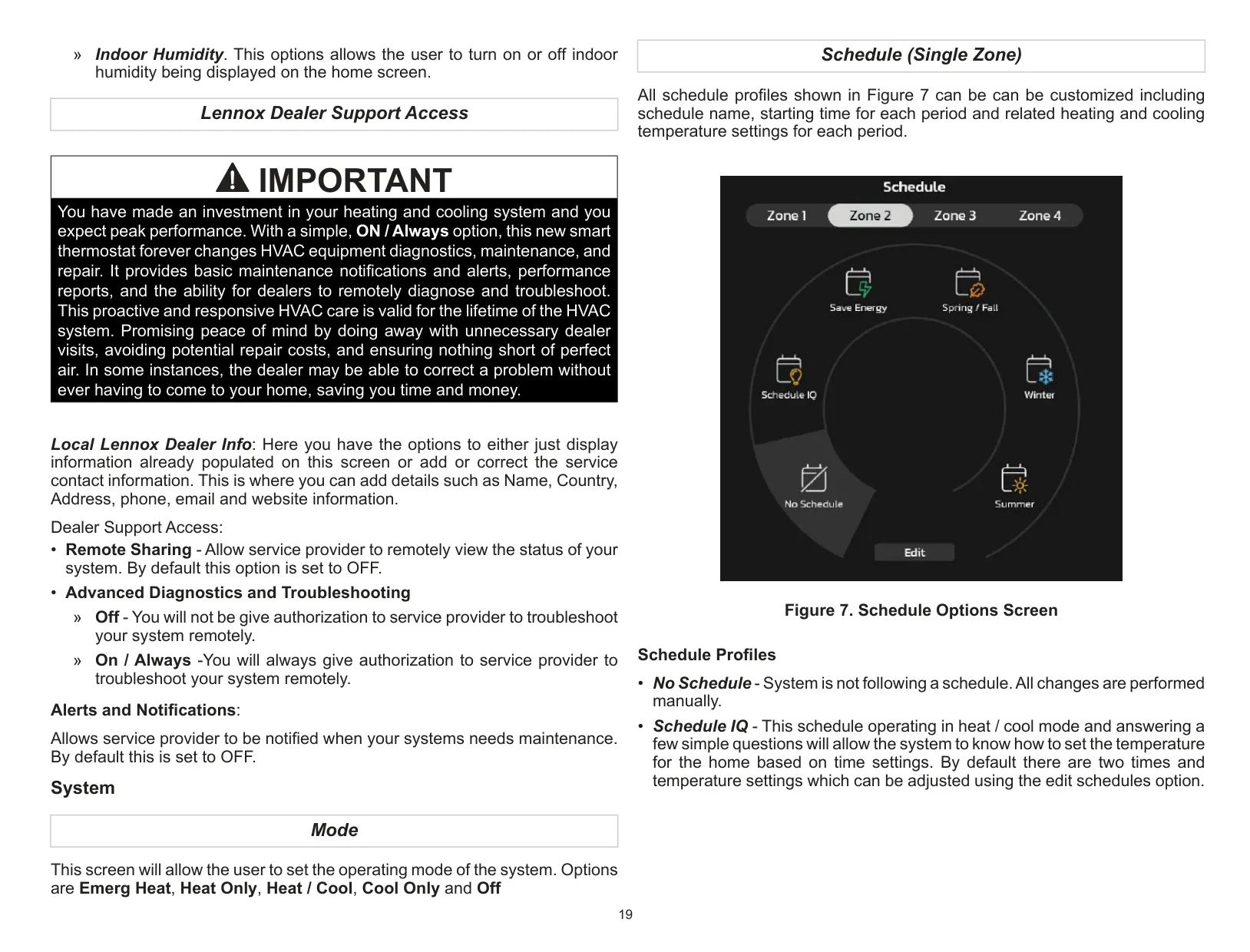
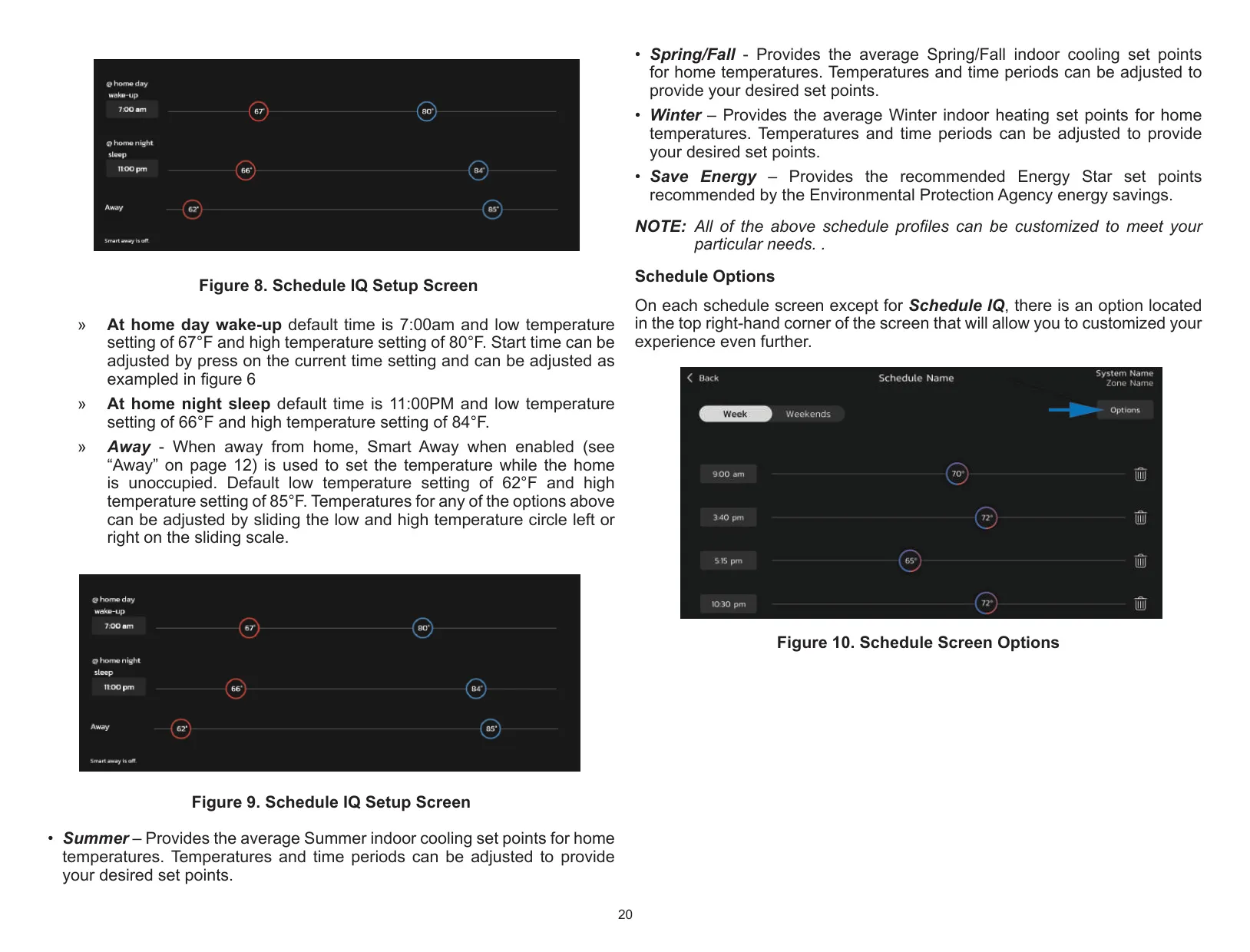
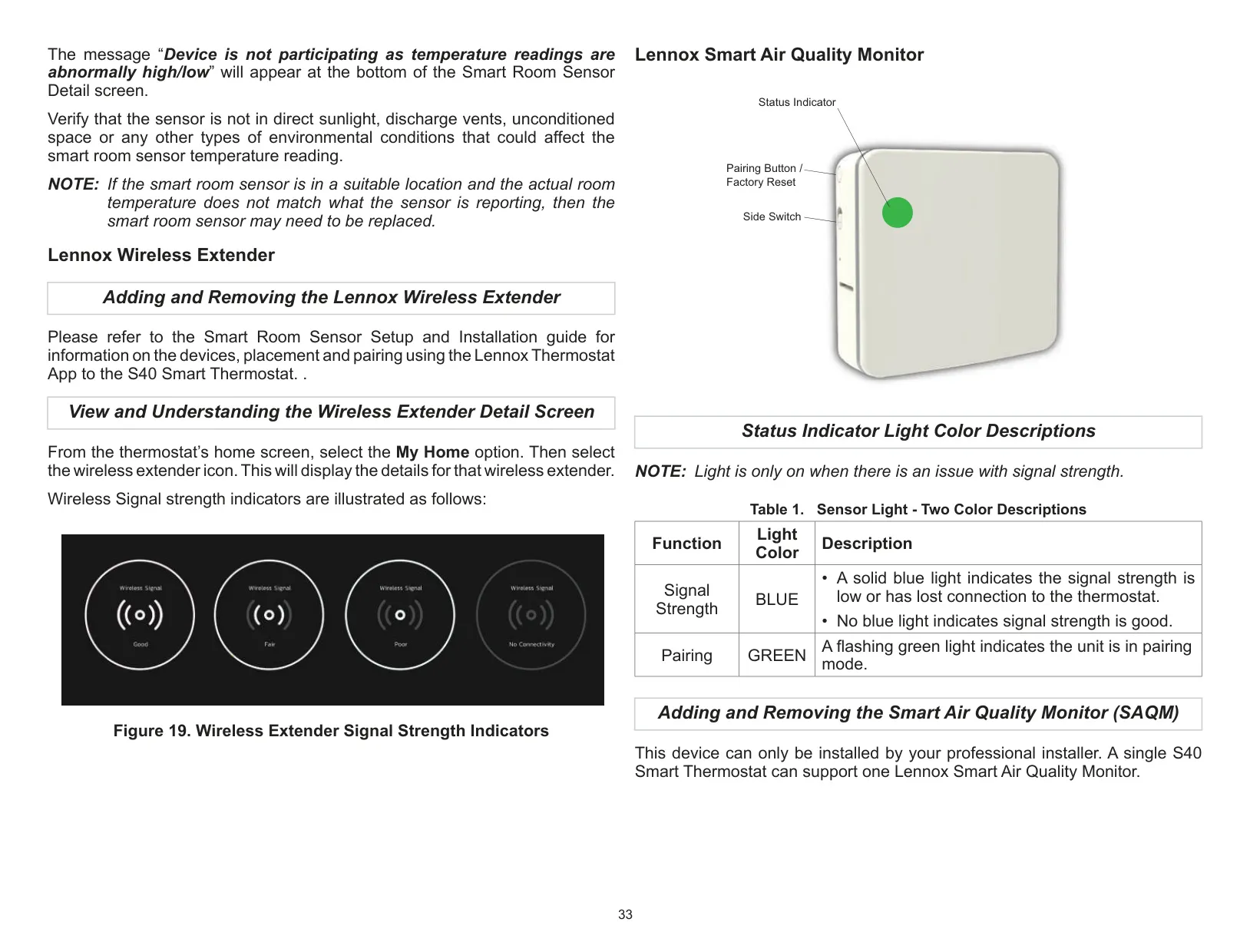
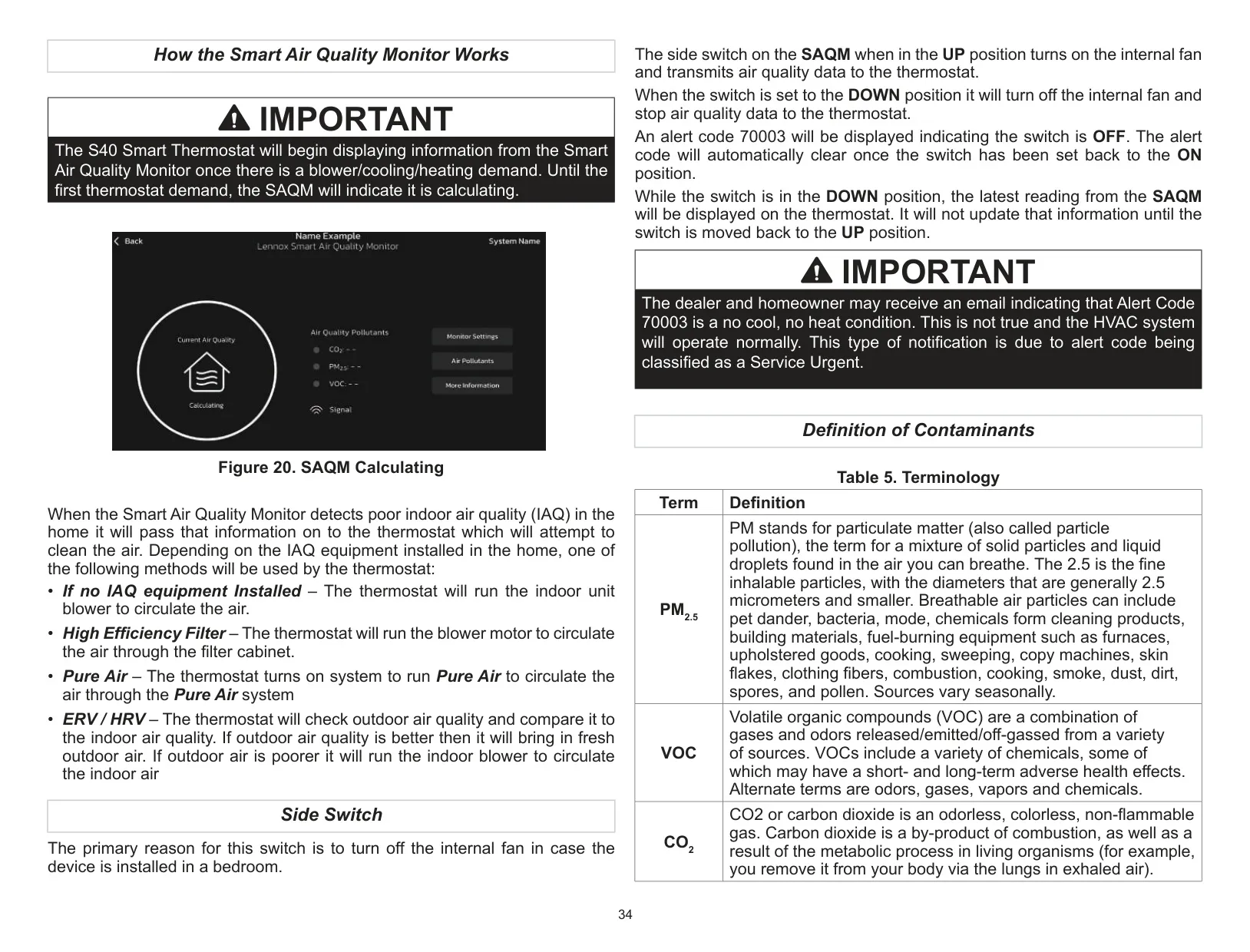
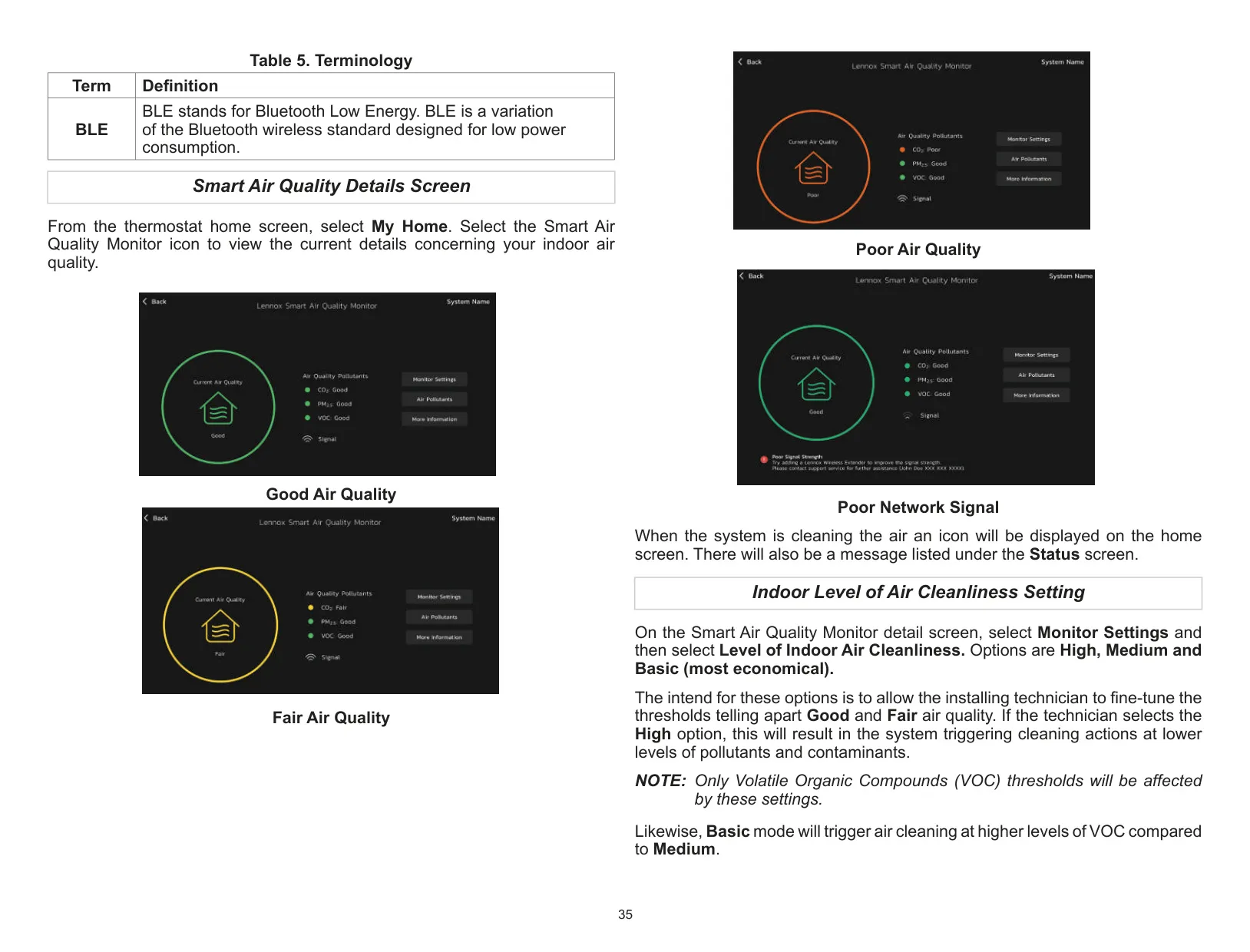
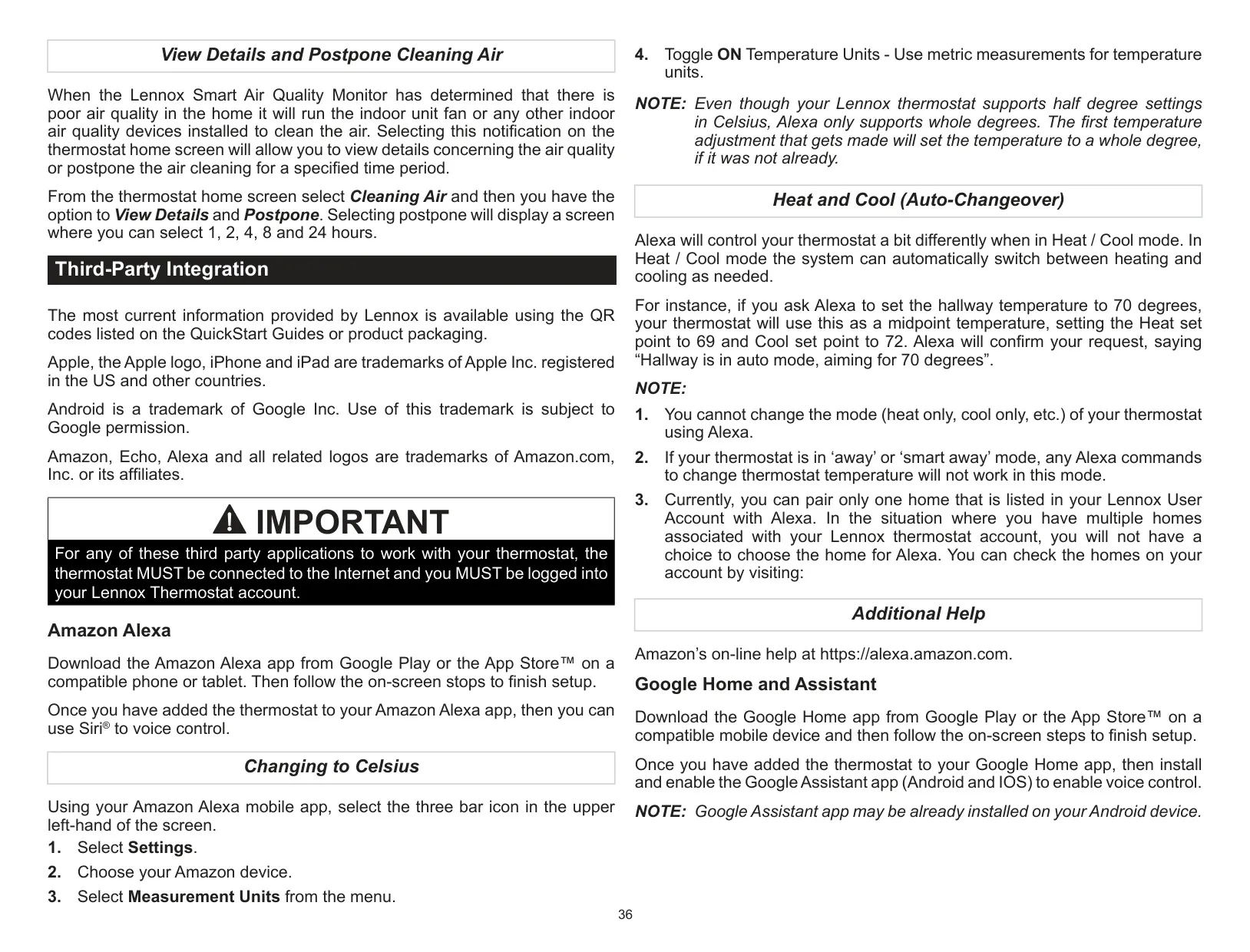


Lennox S40 Thermostat
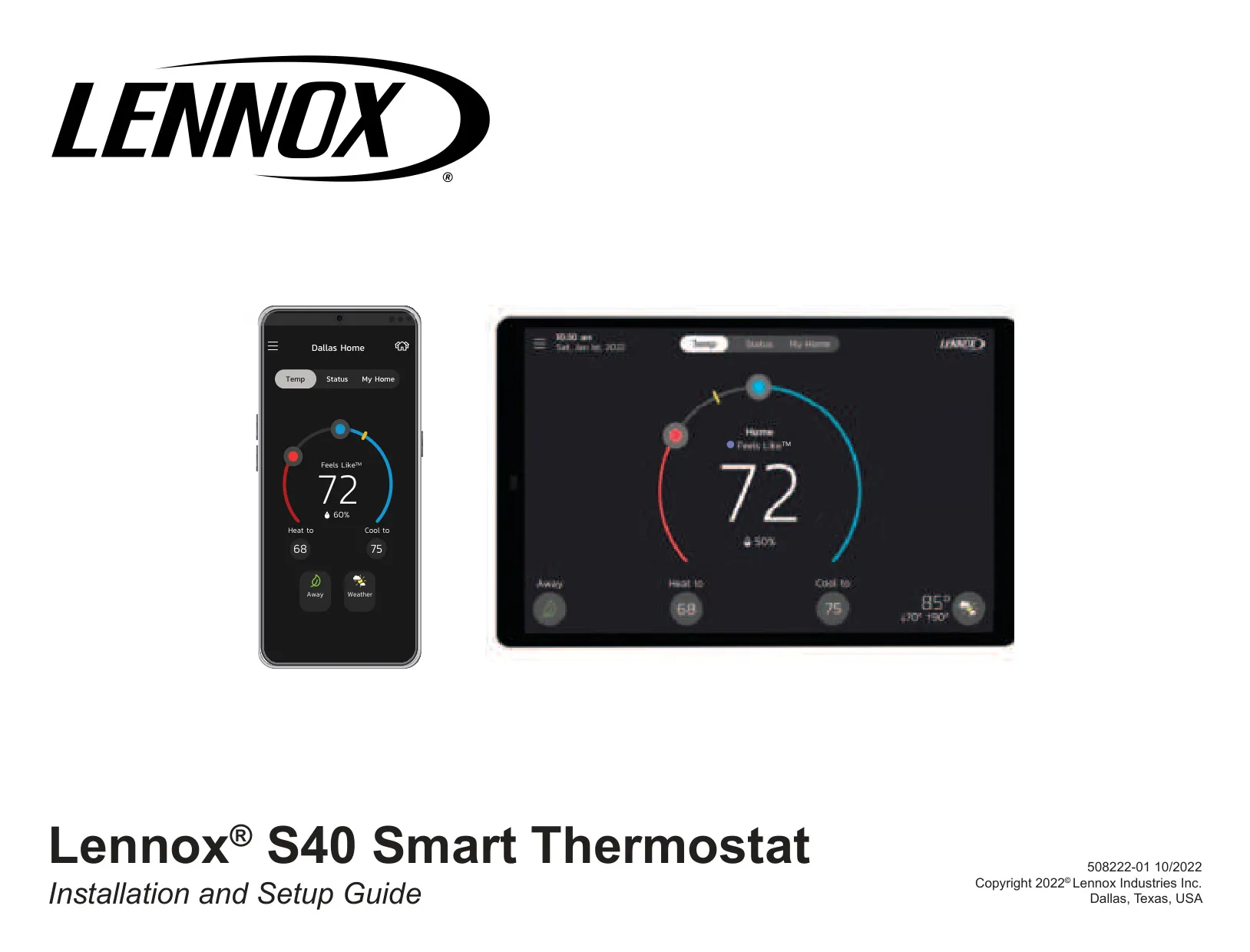
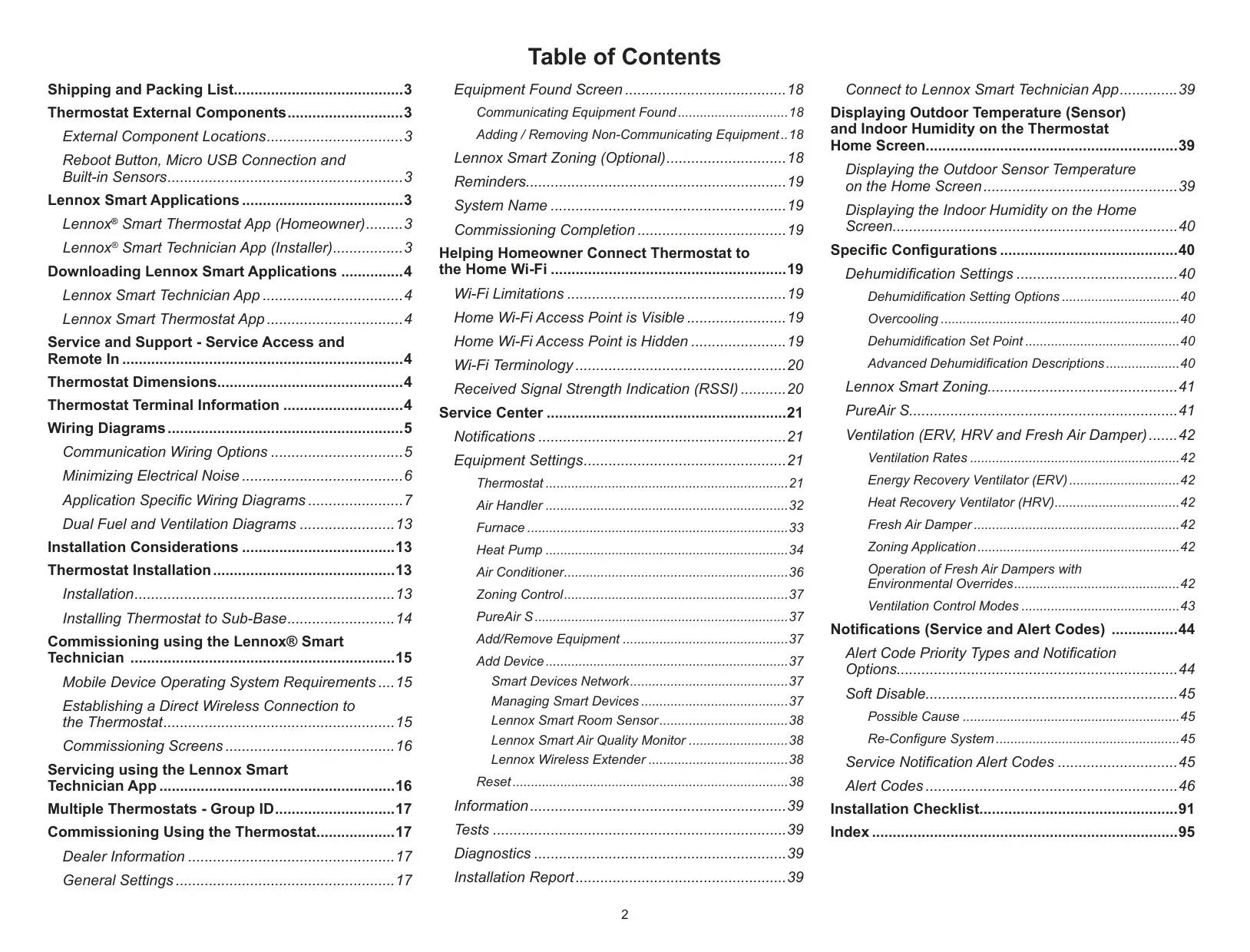
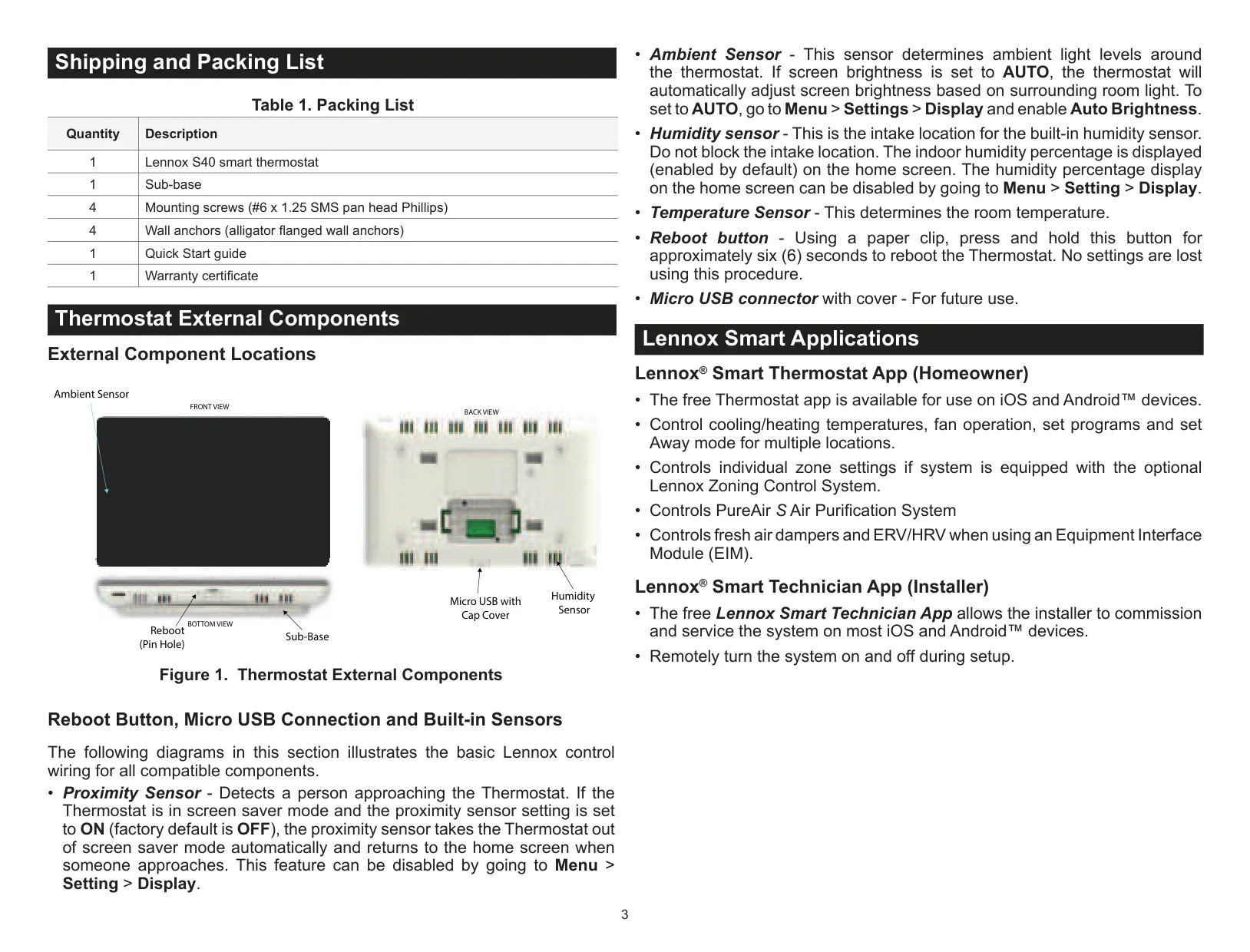
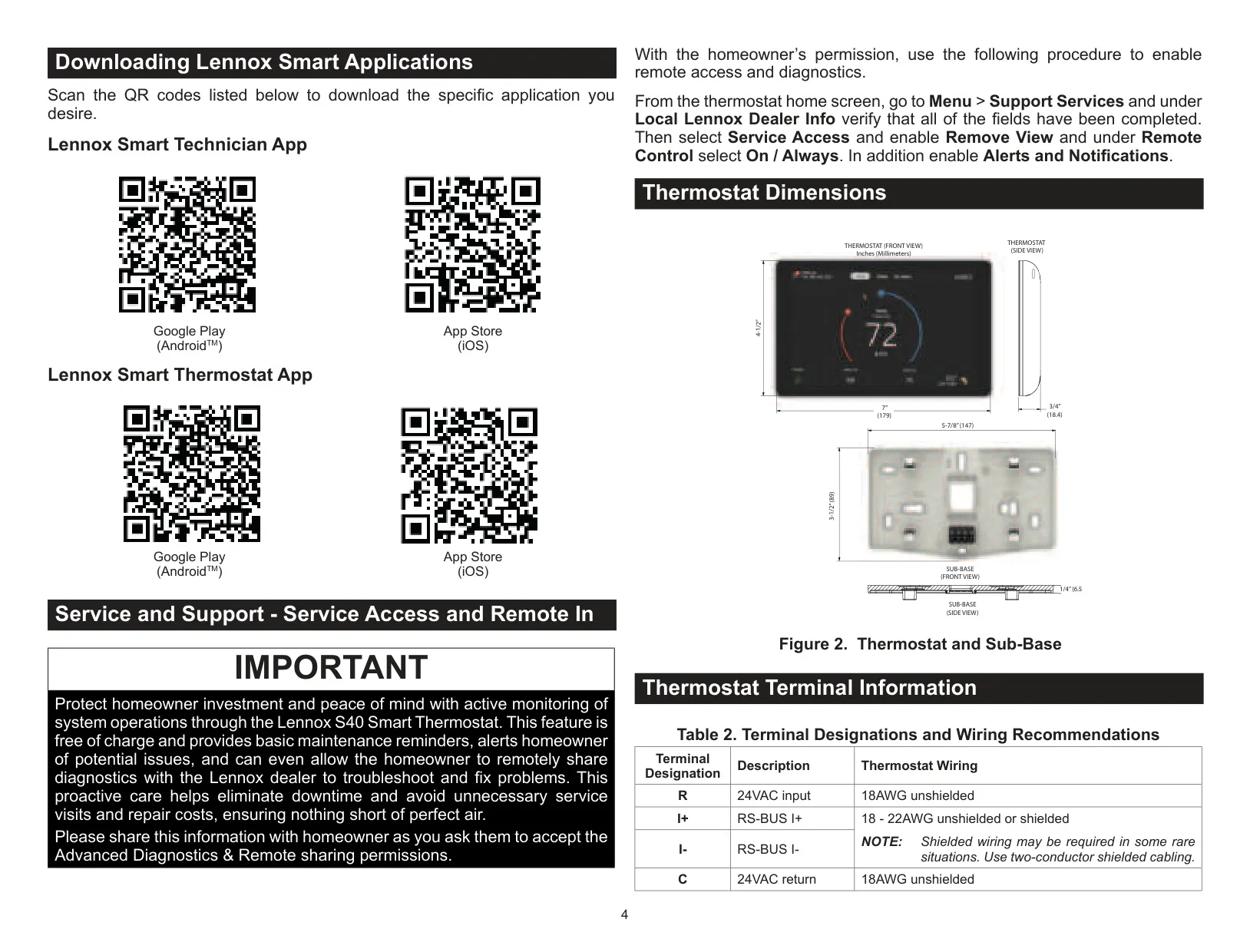
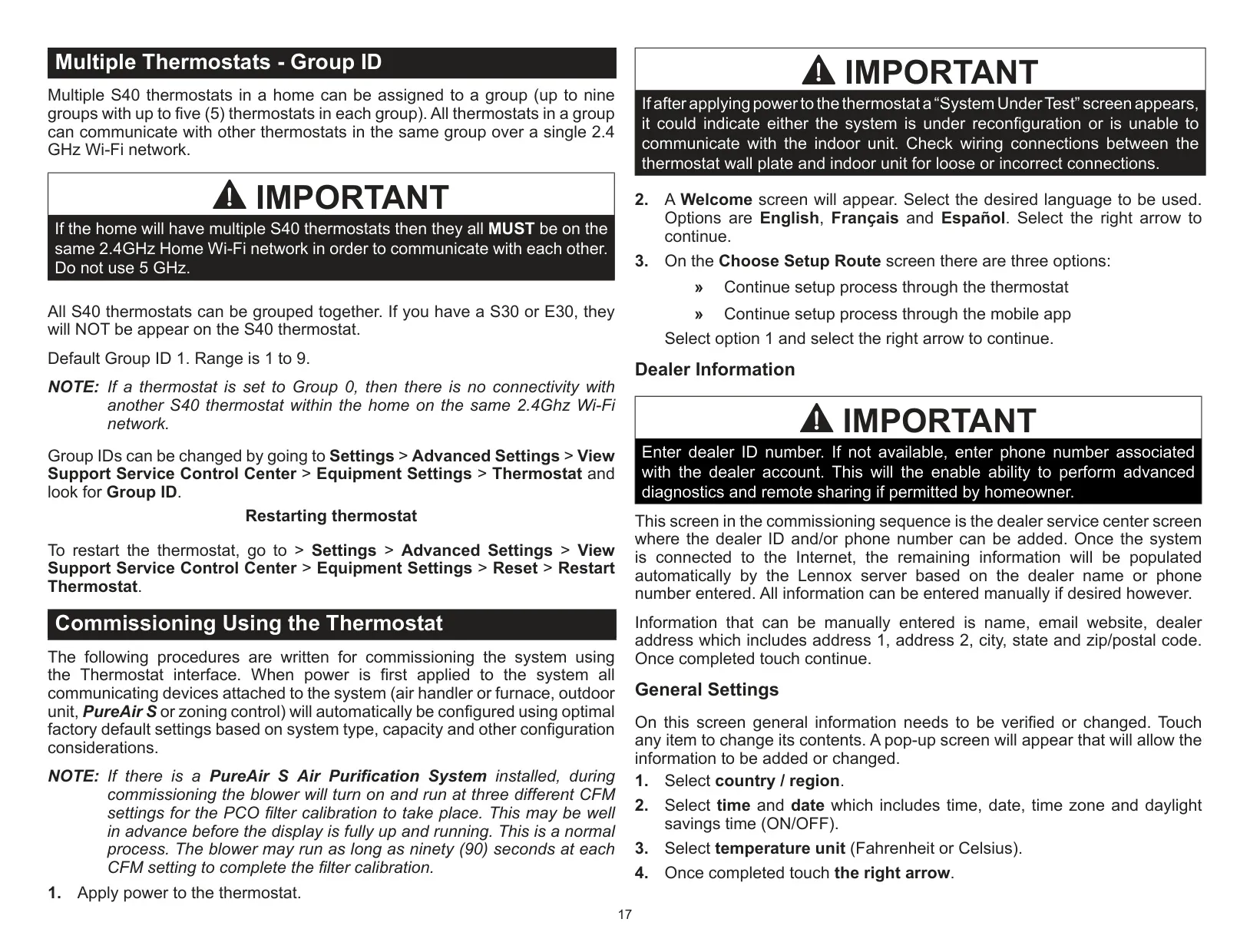
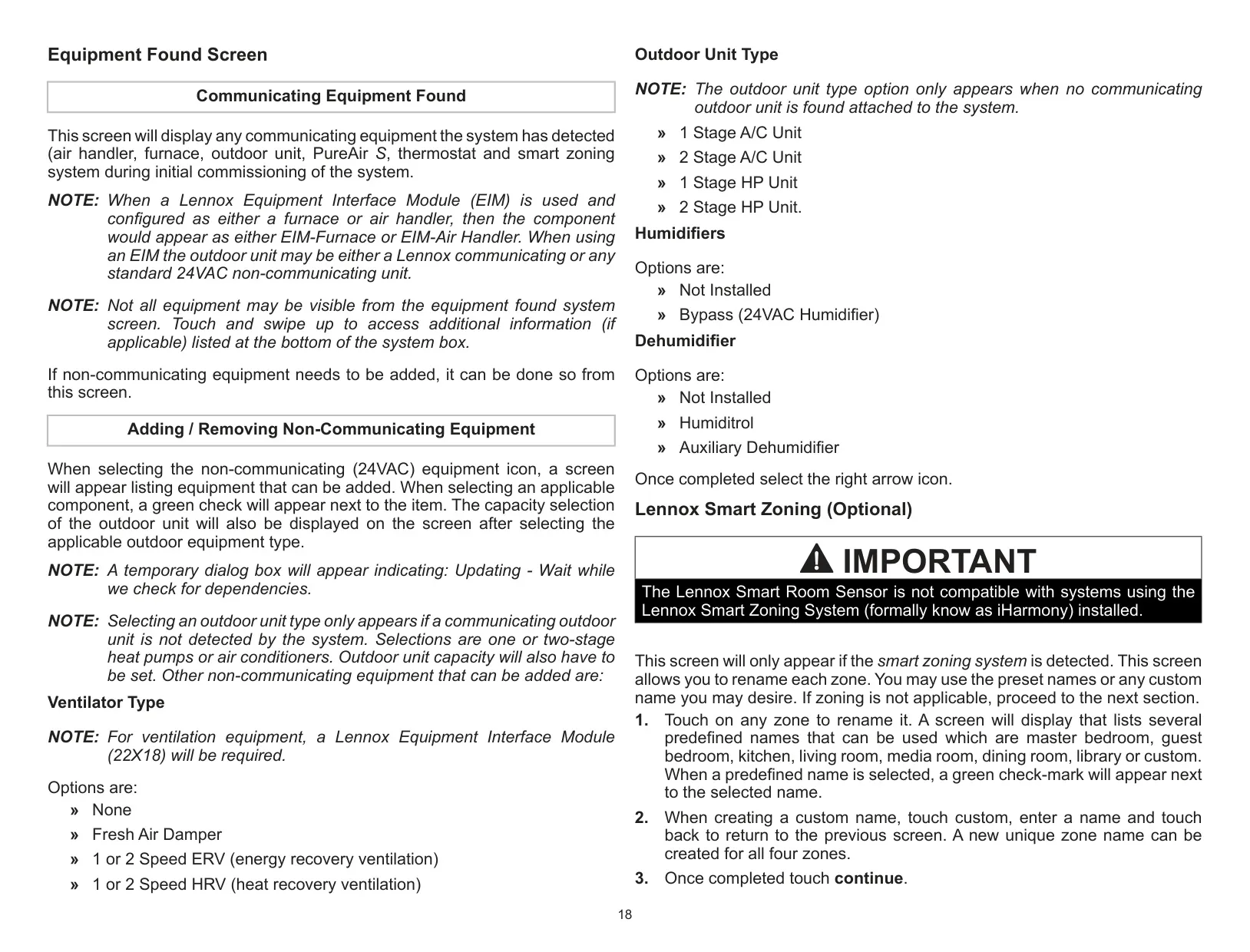
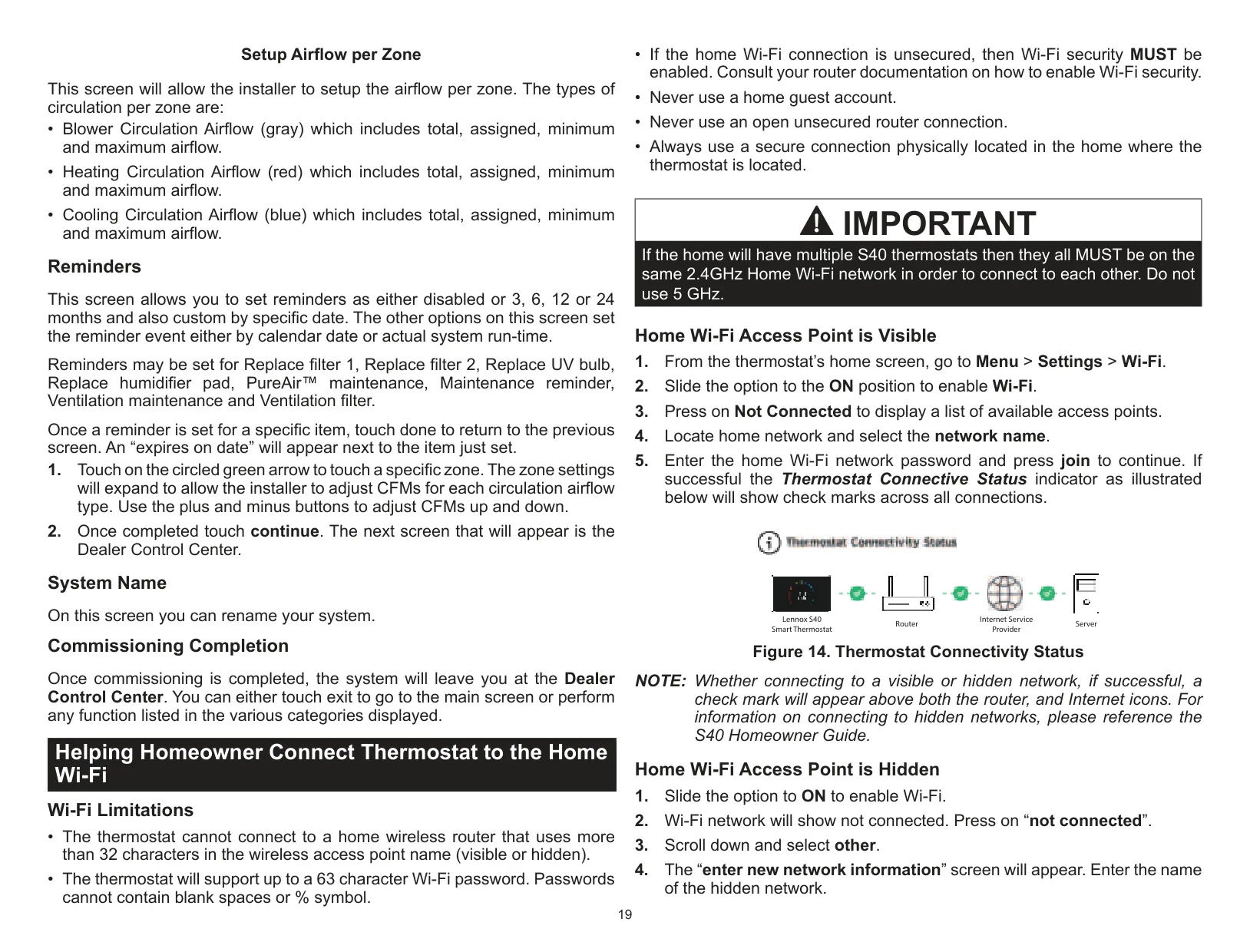
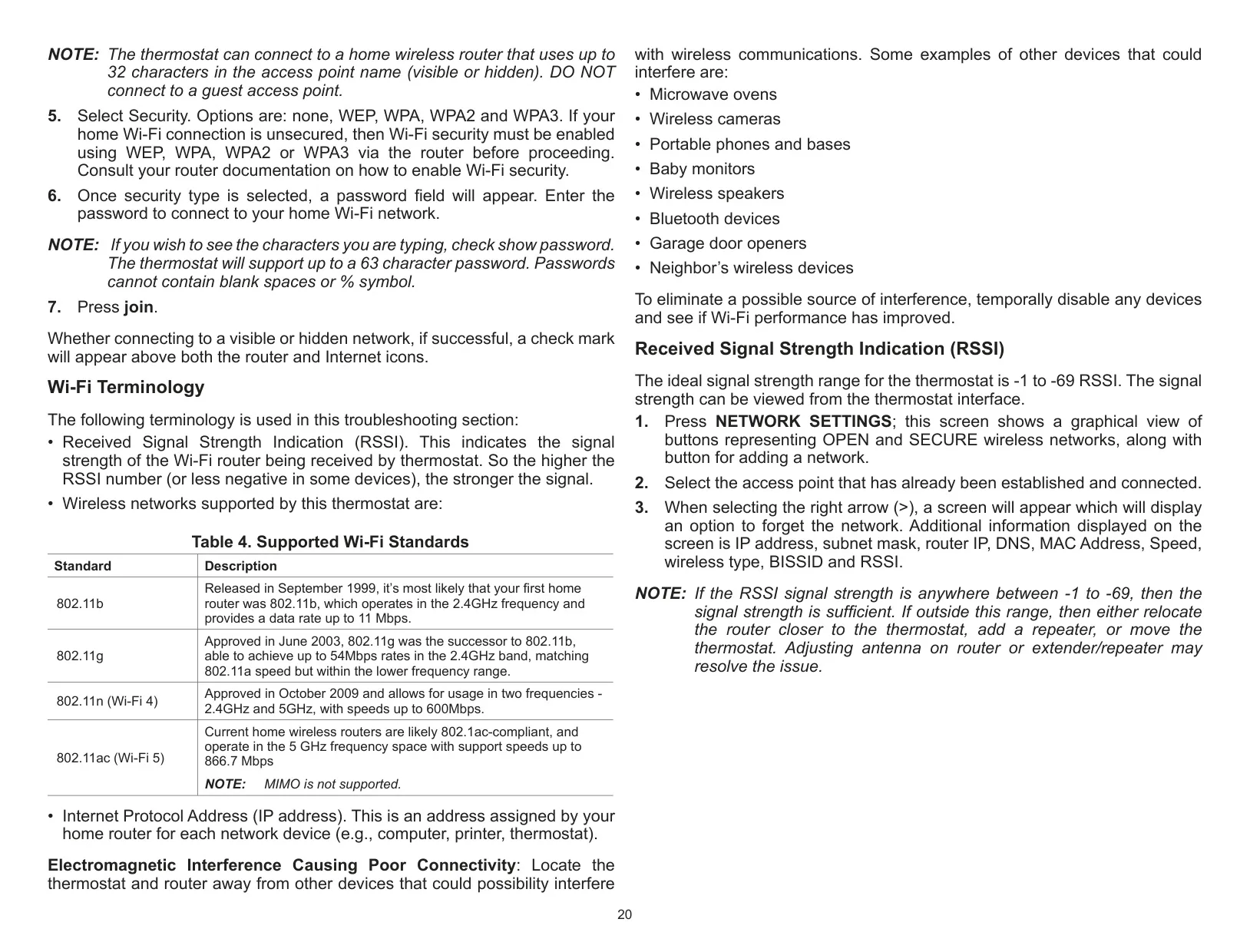
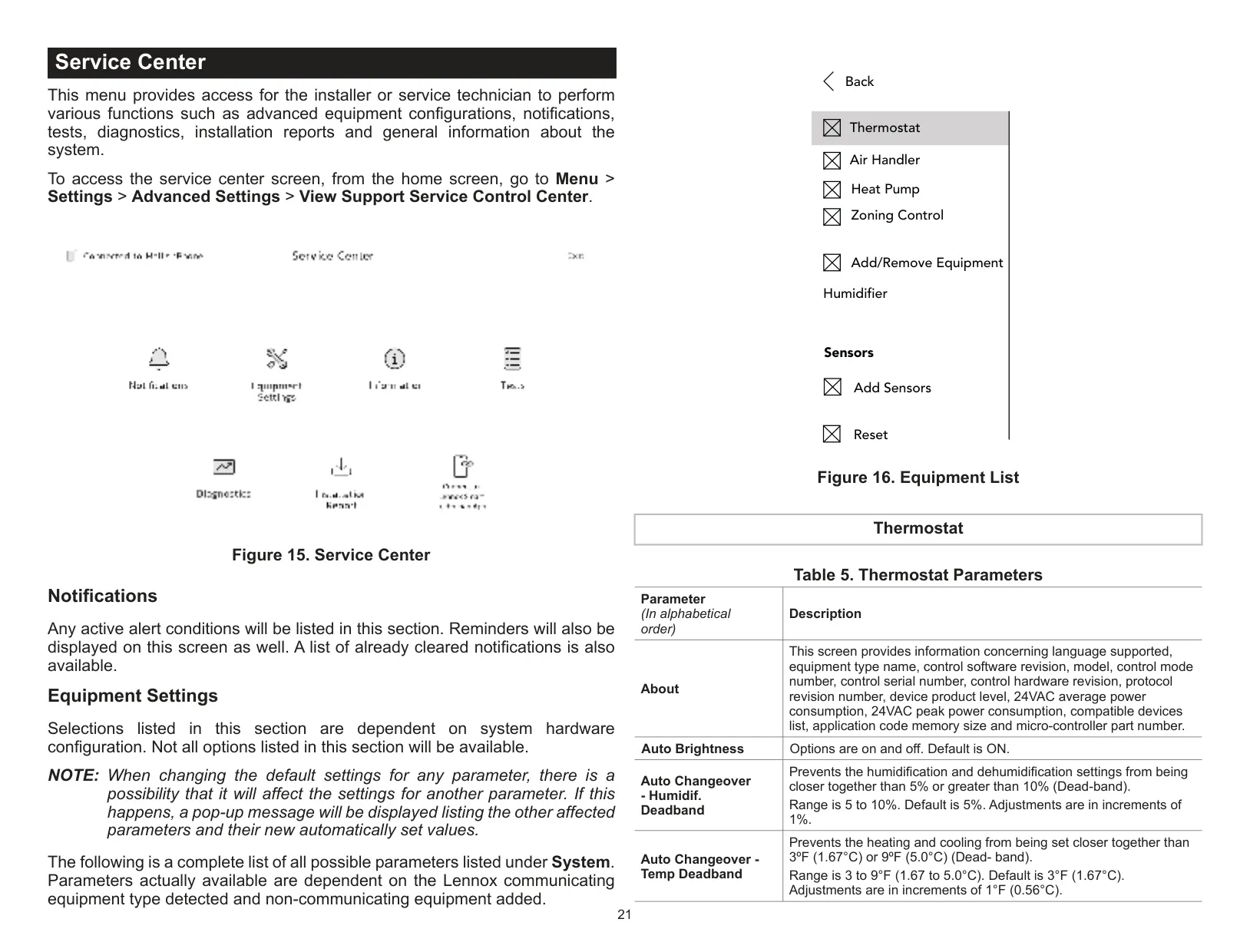
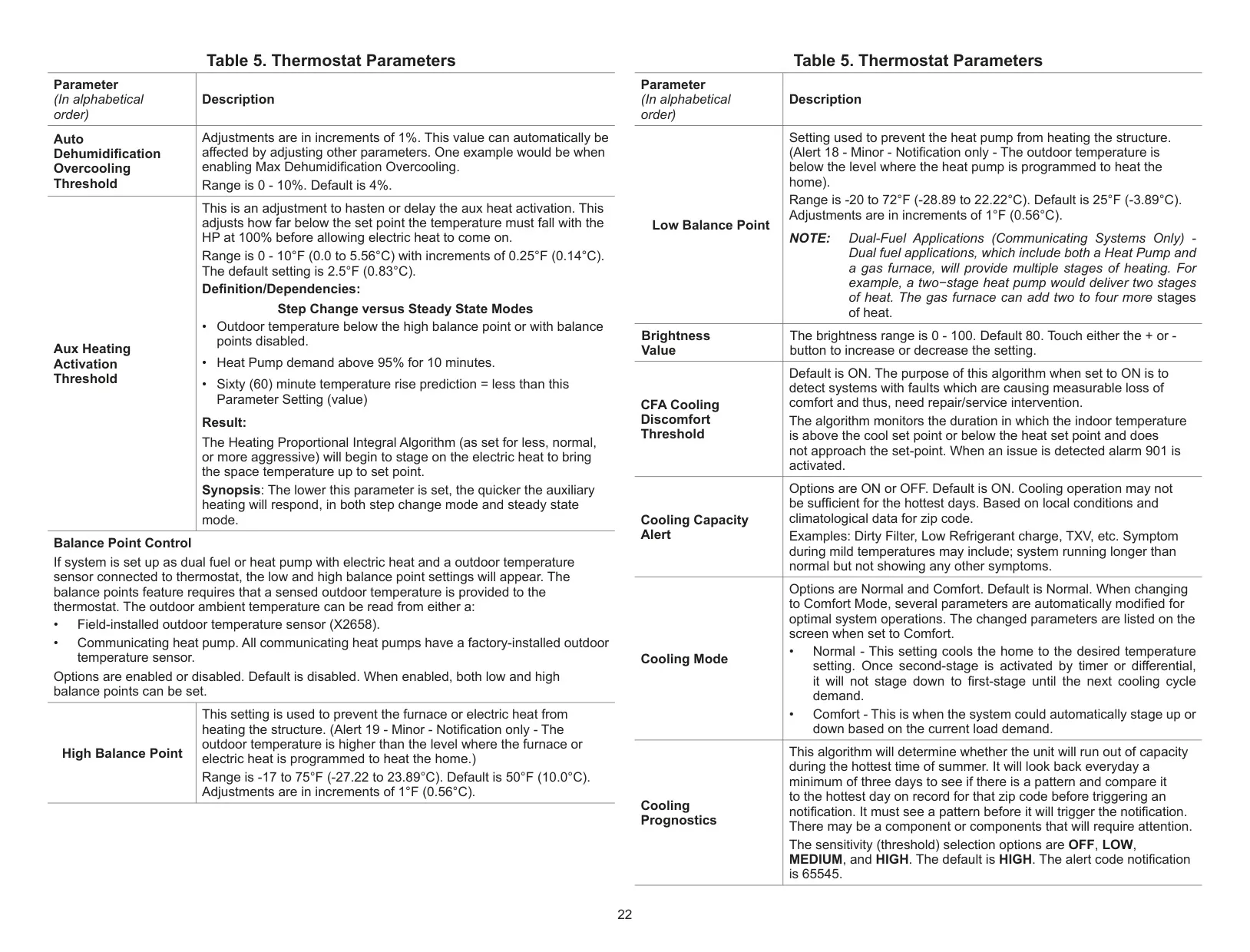
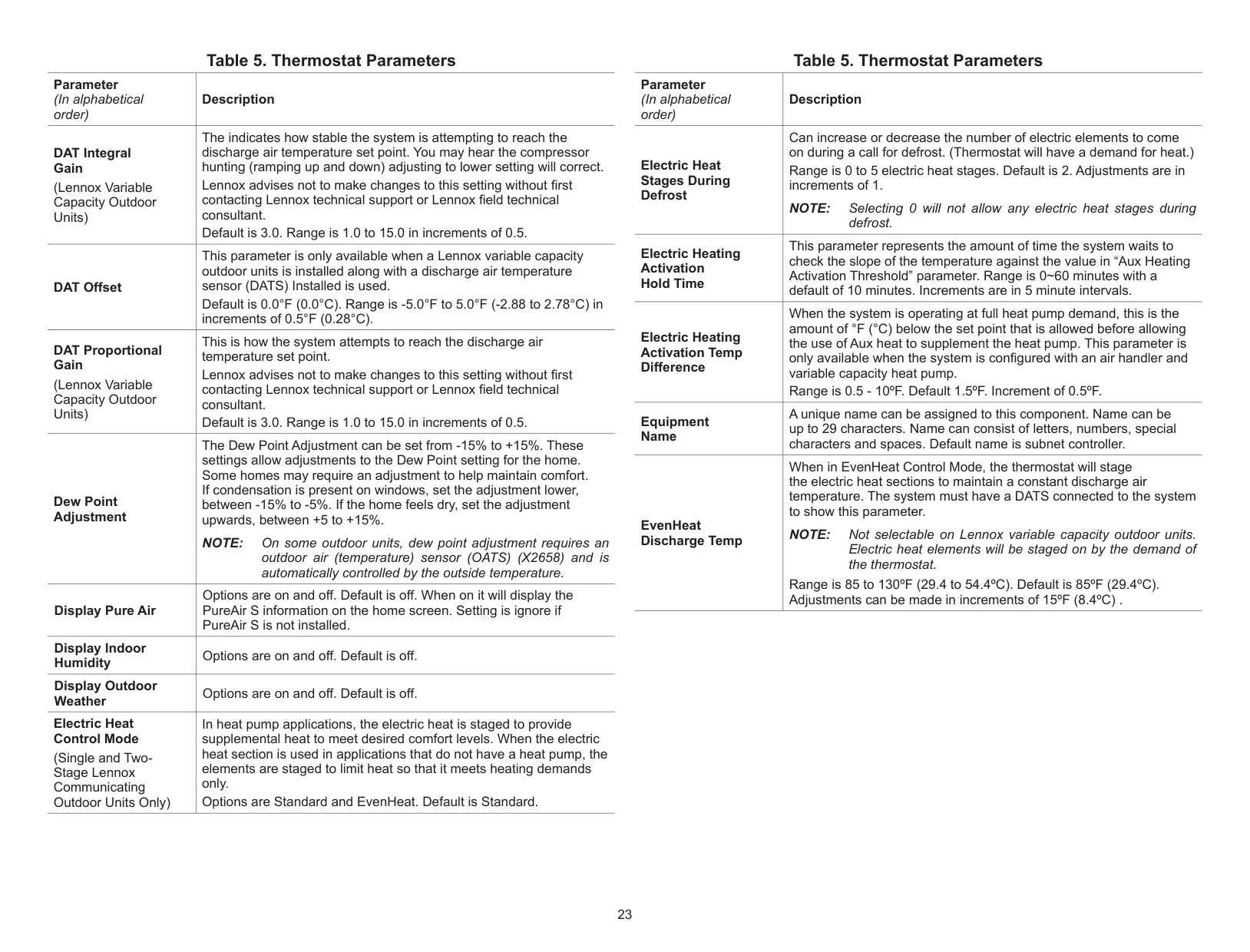
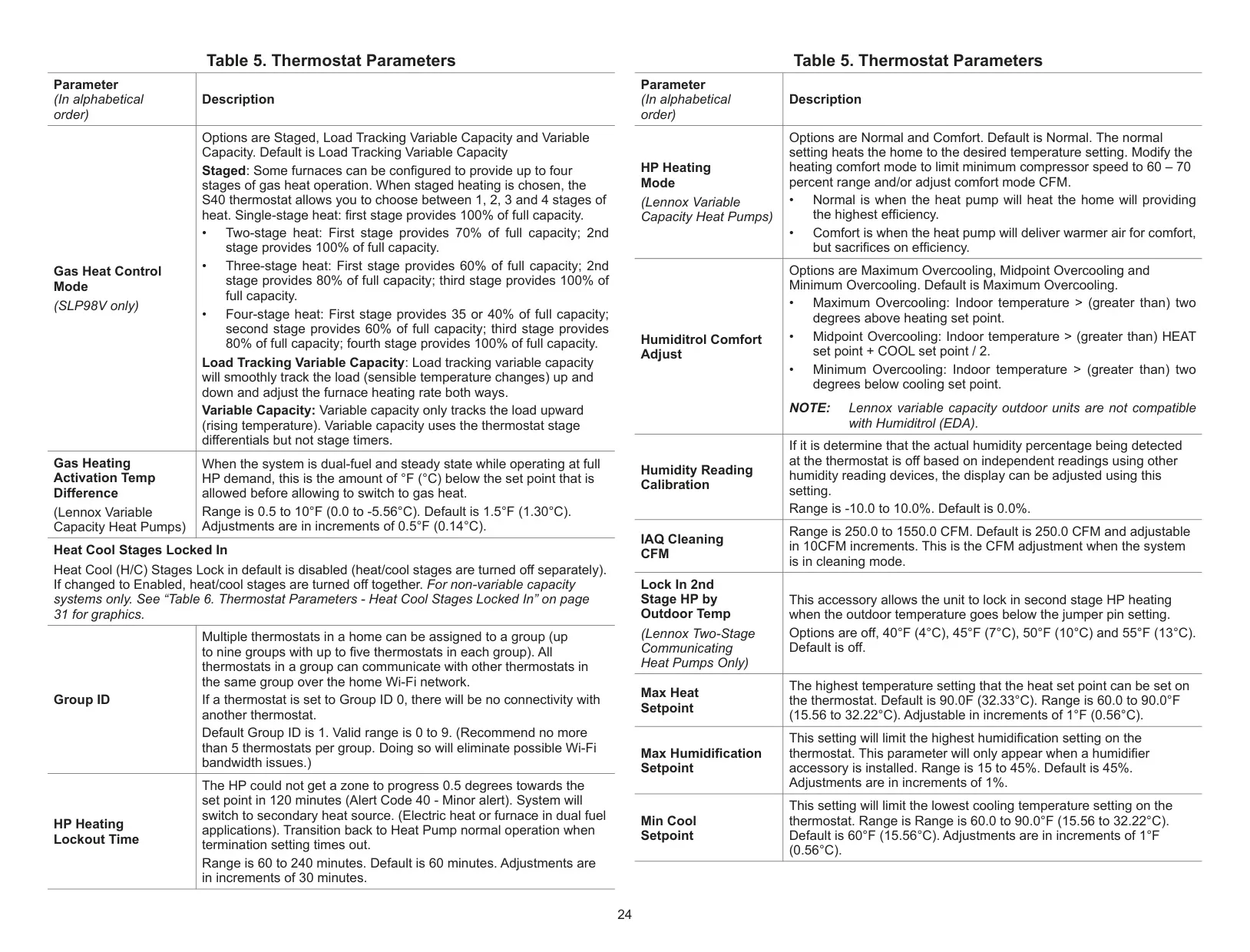
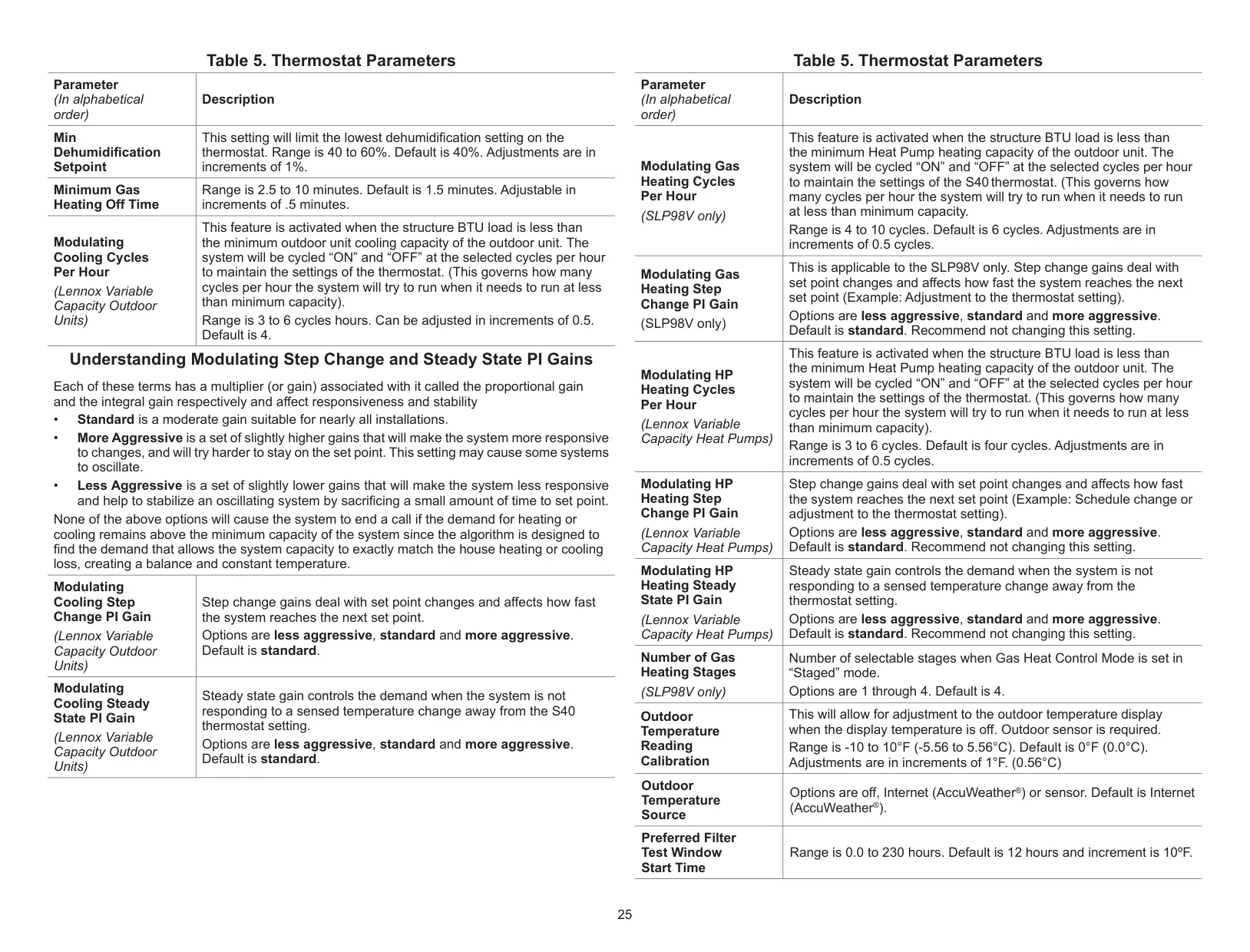
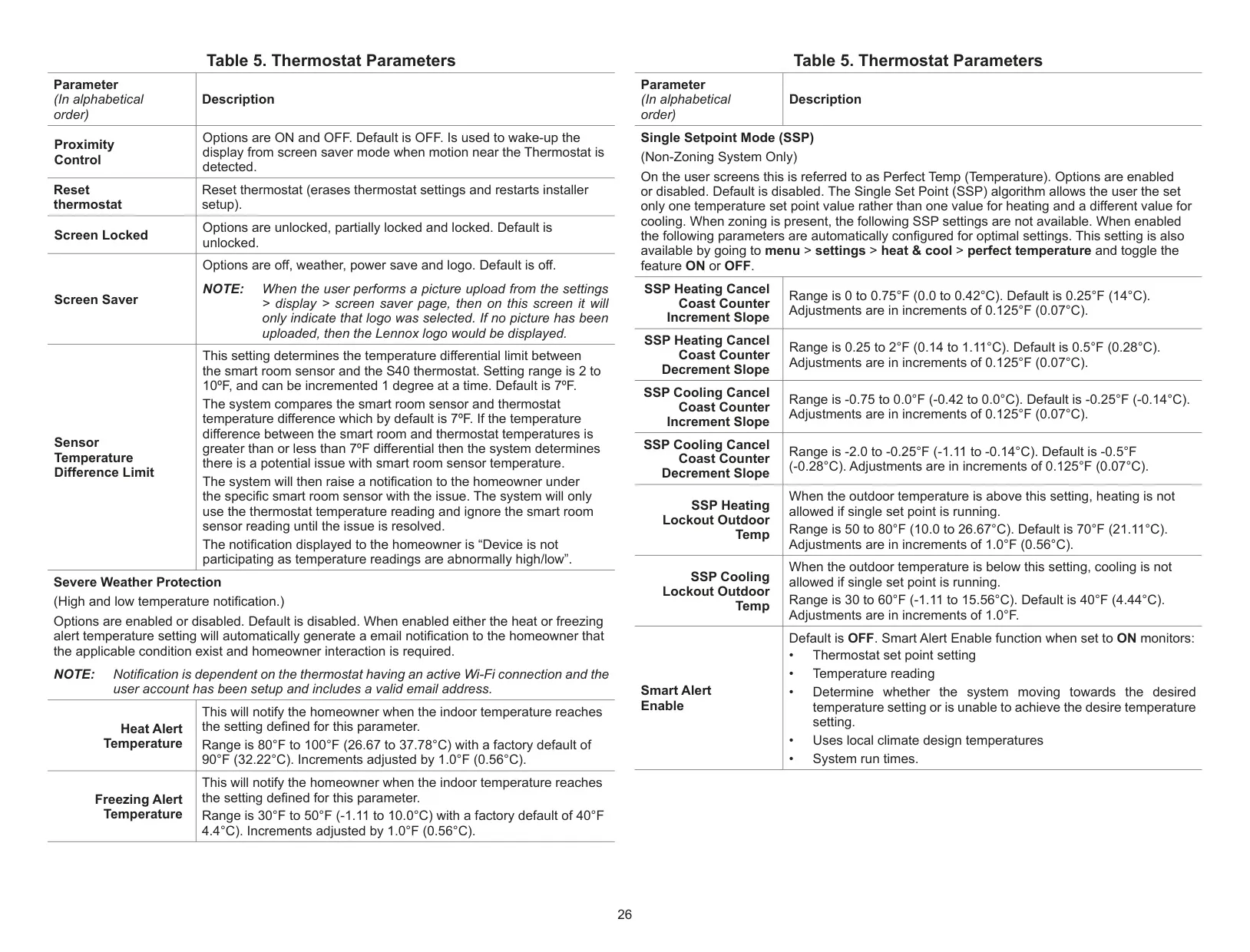
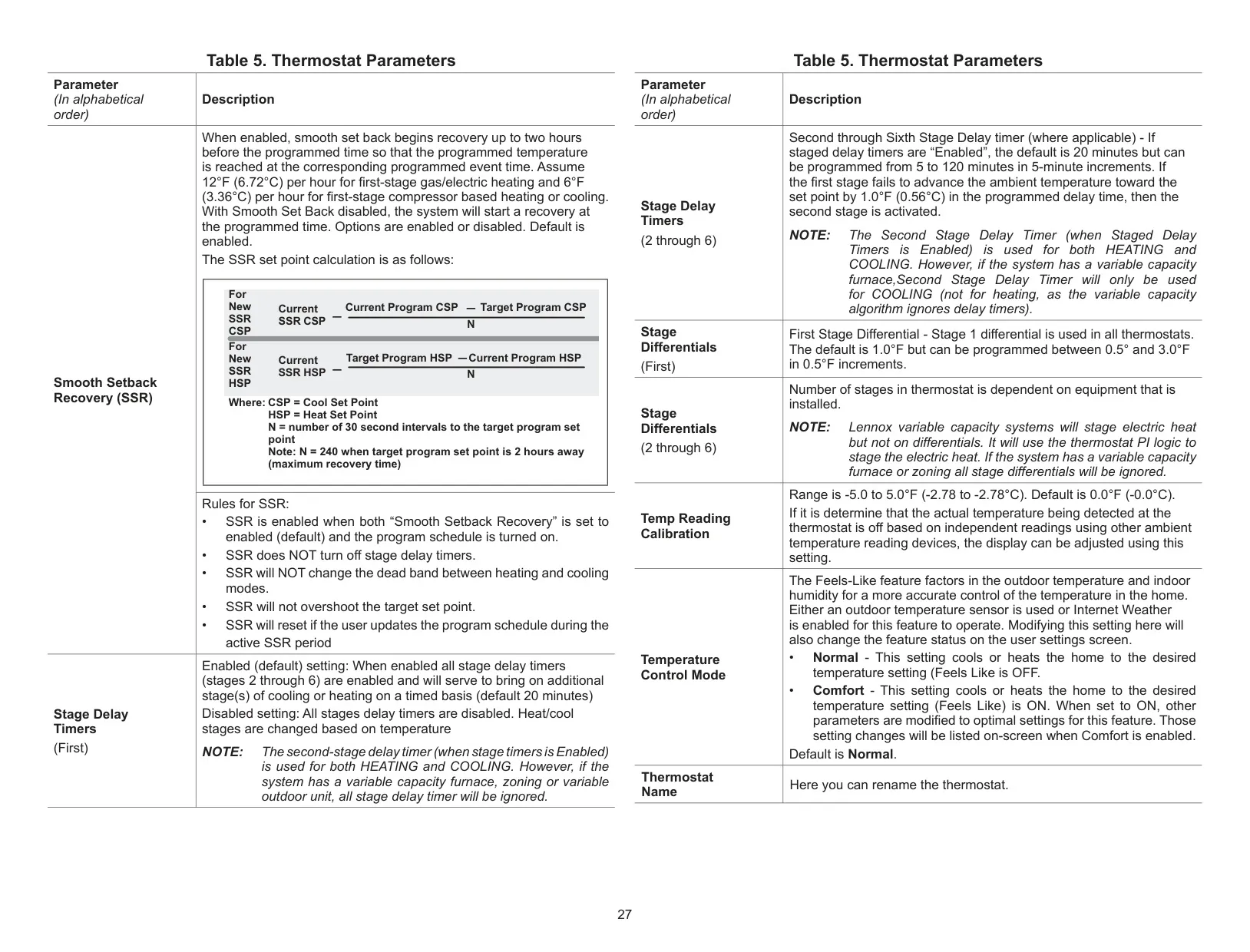
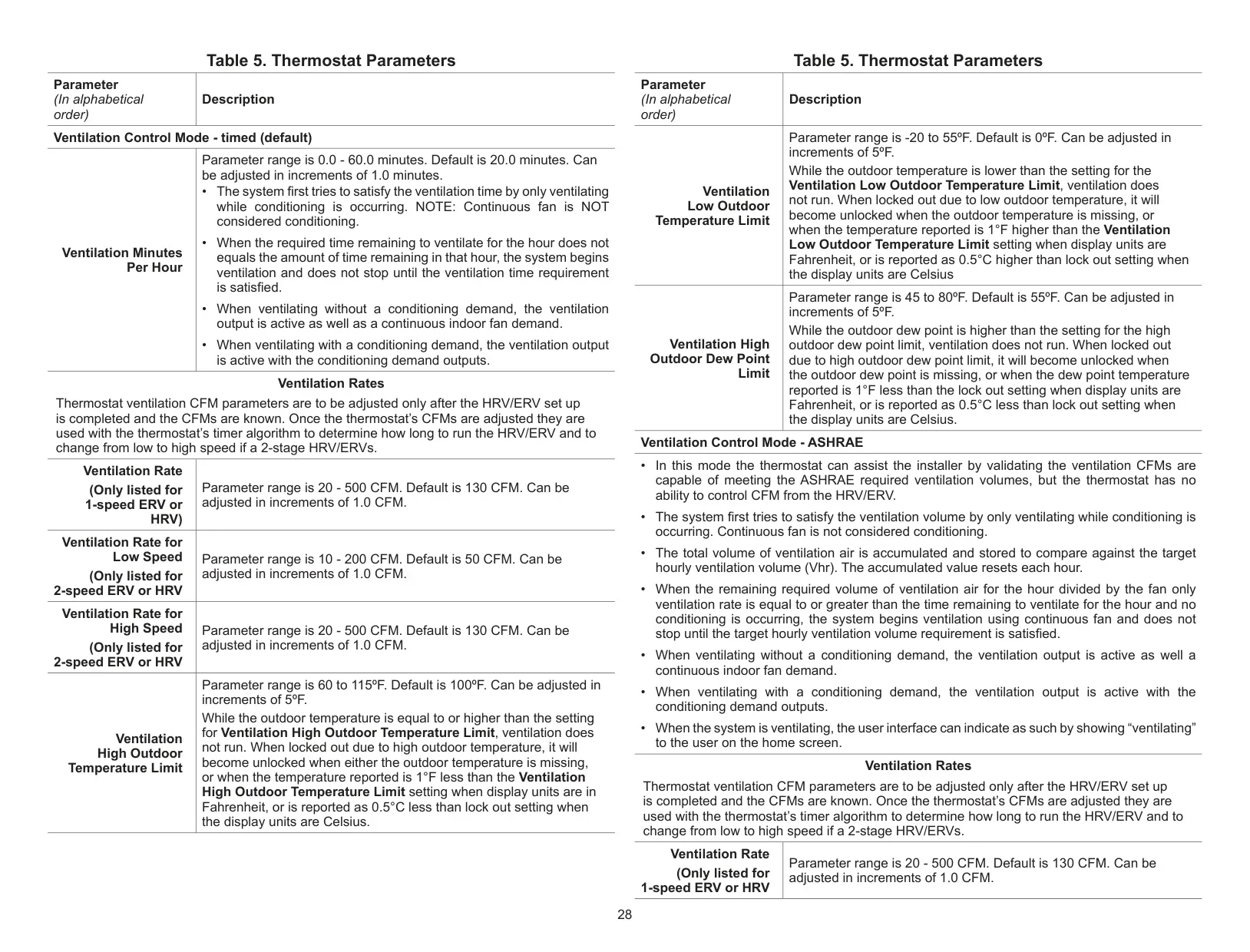
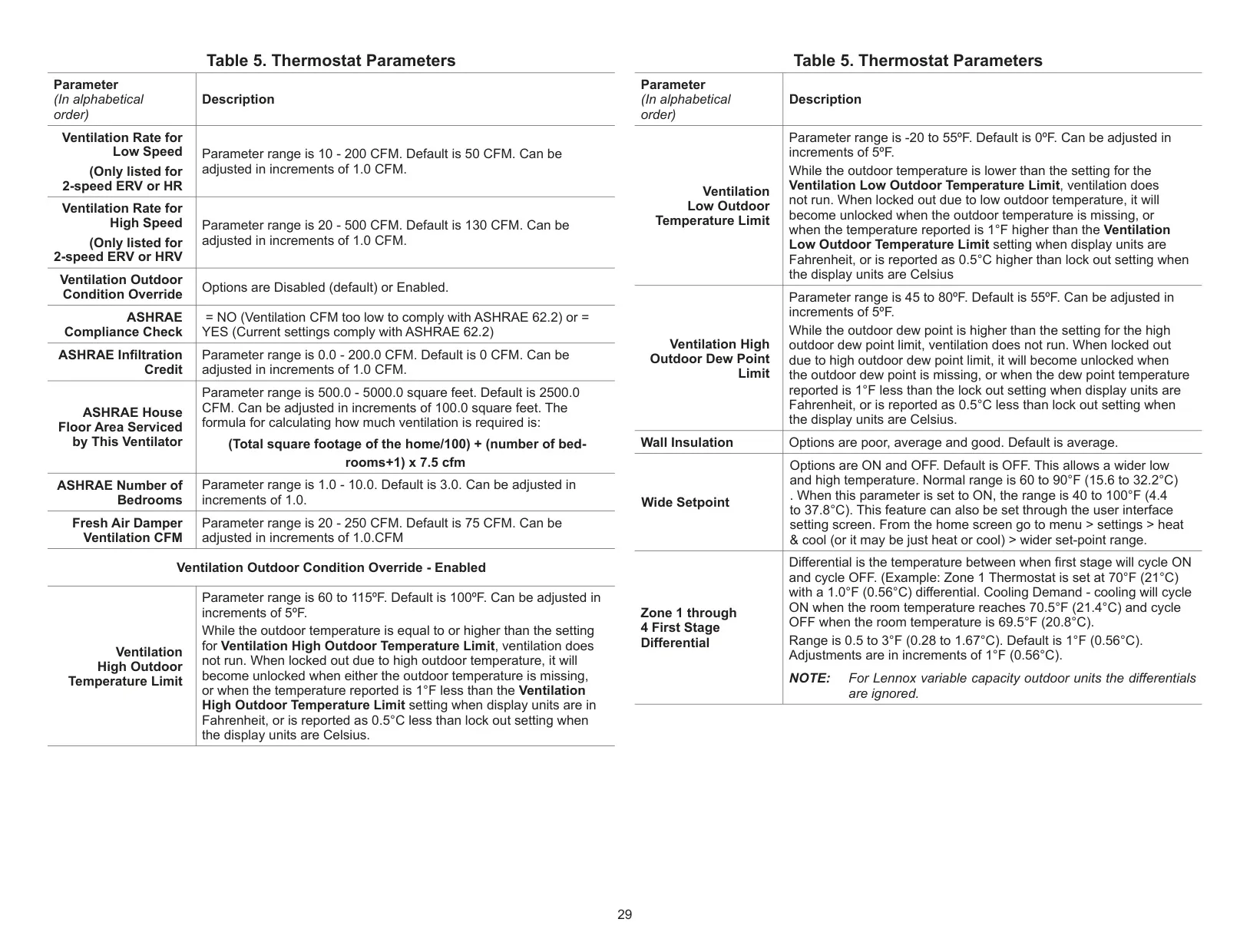
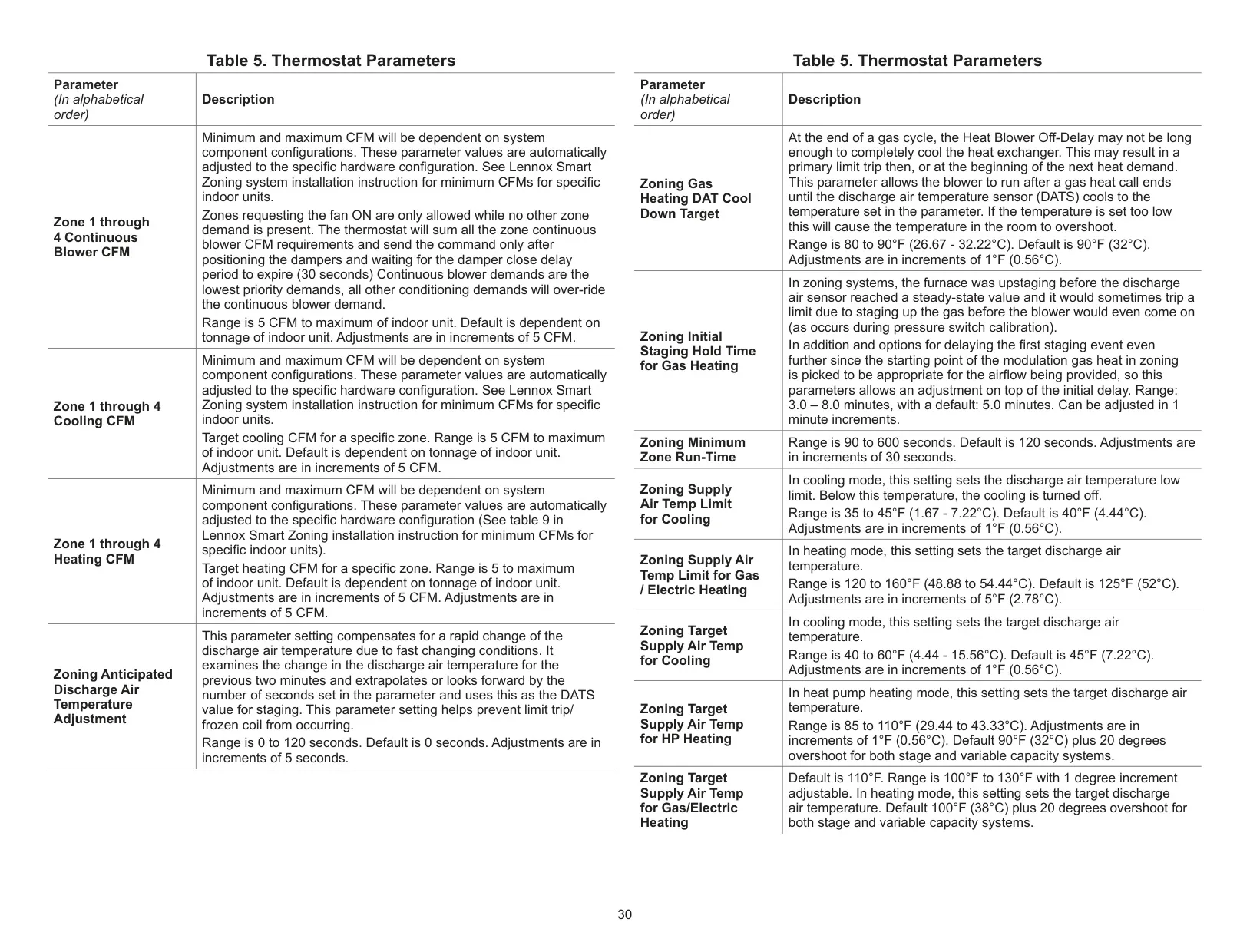
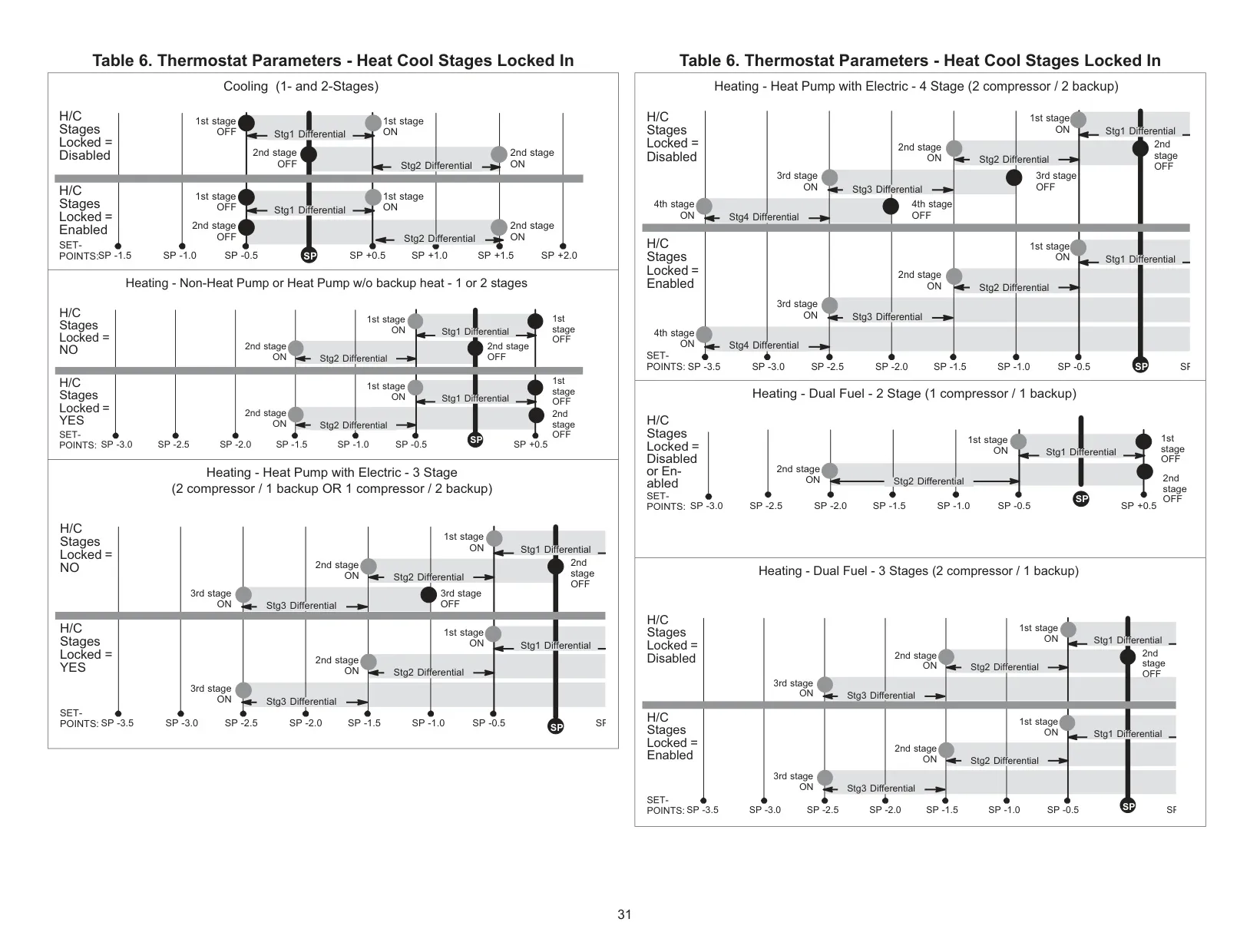
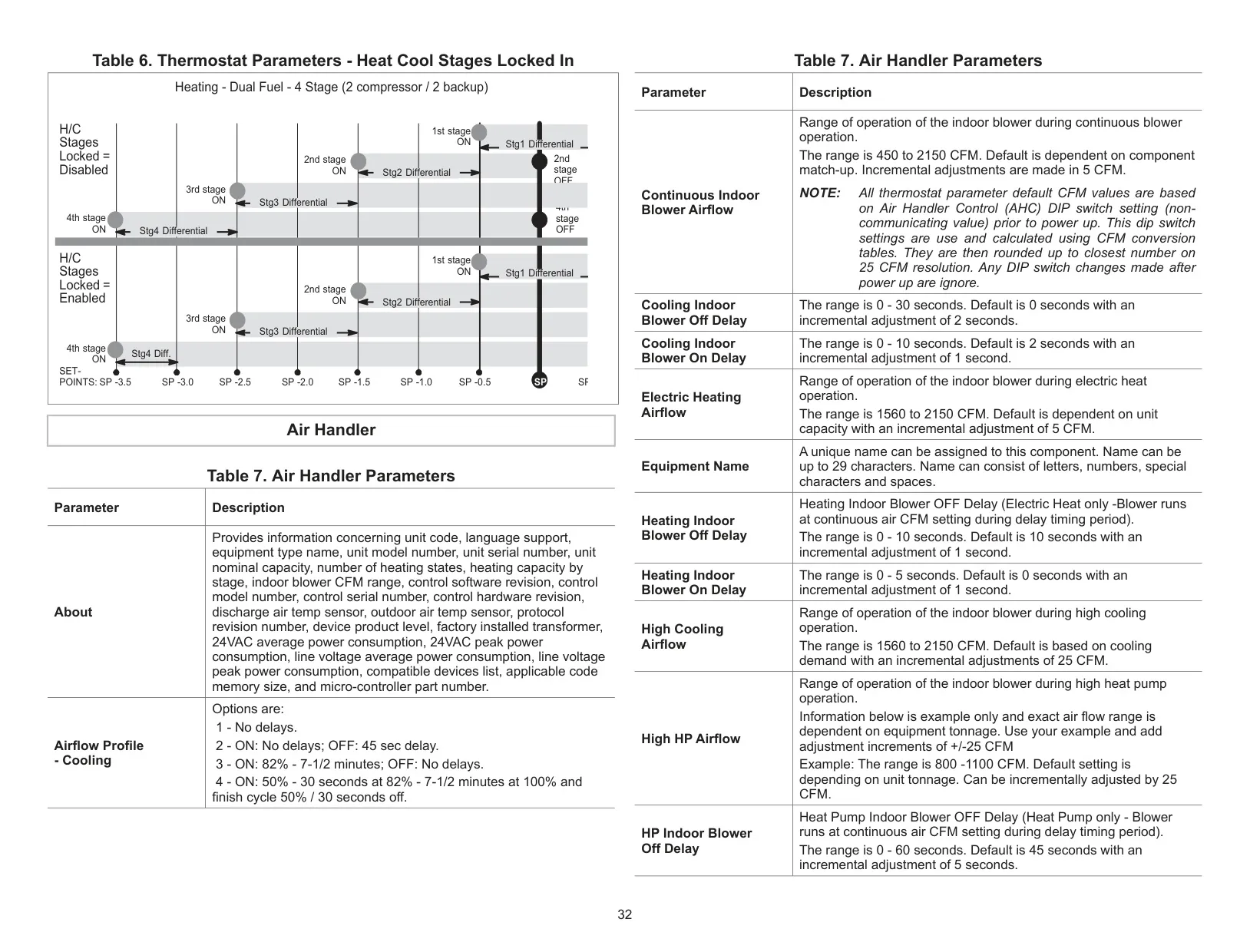
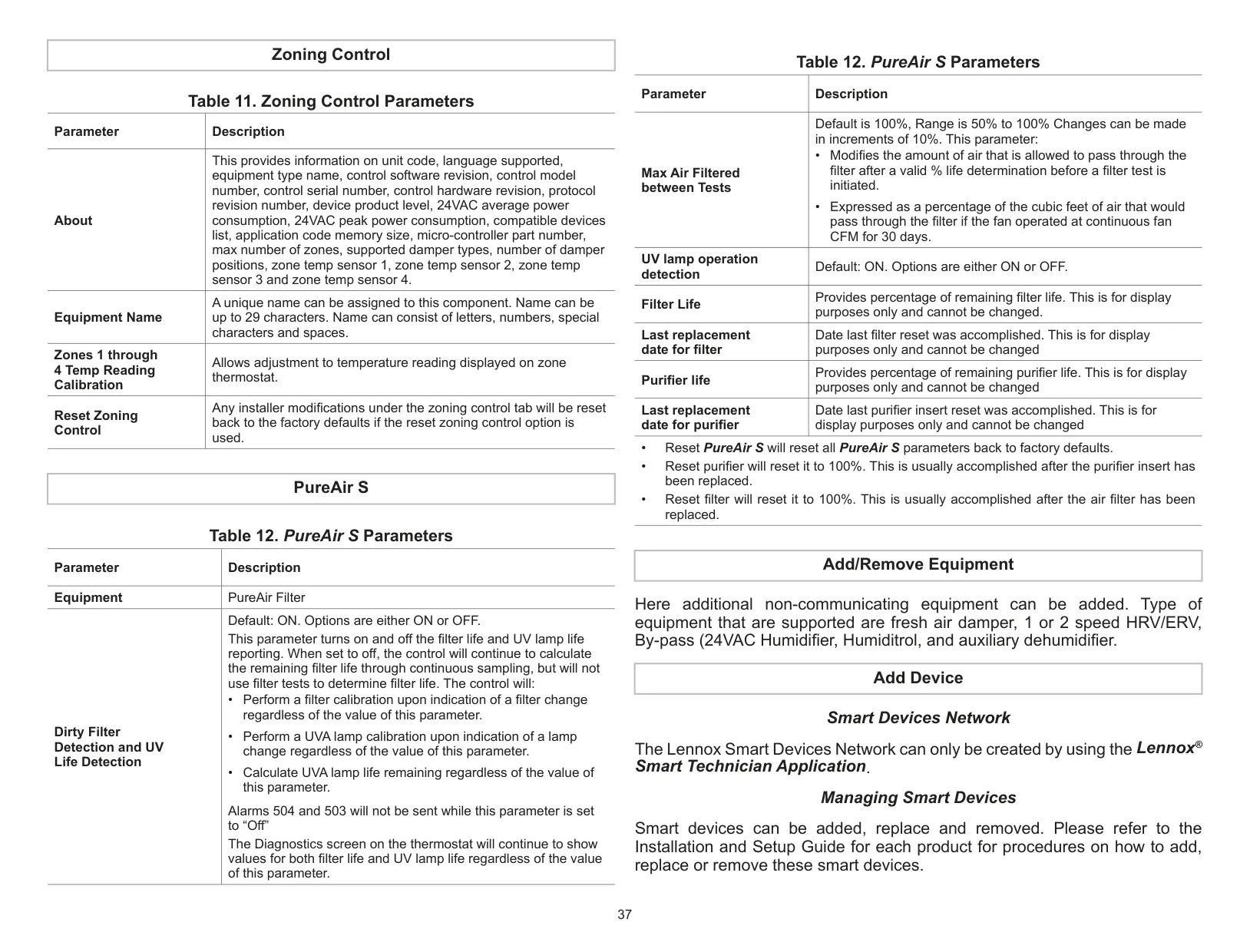
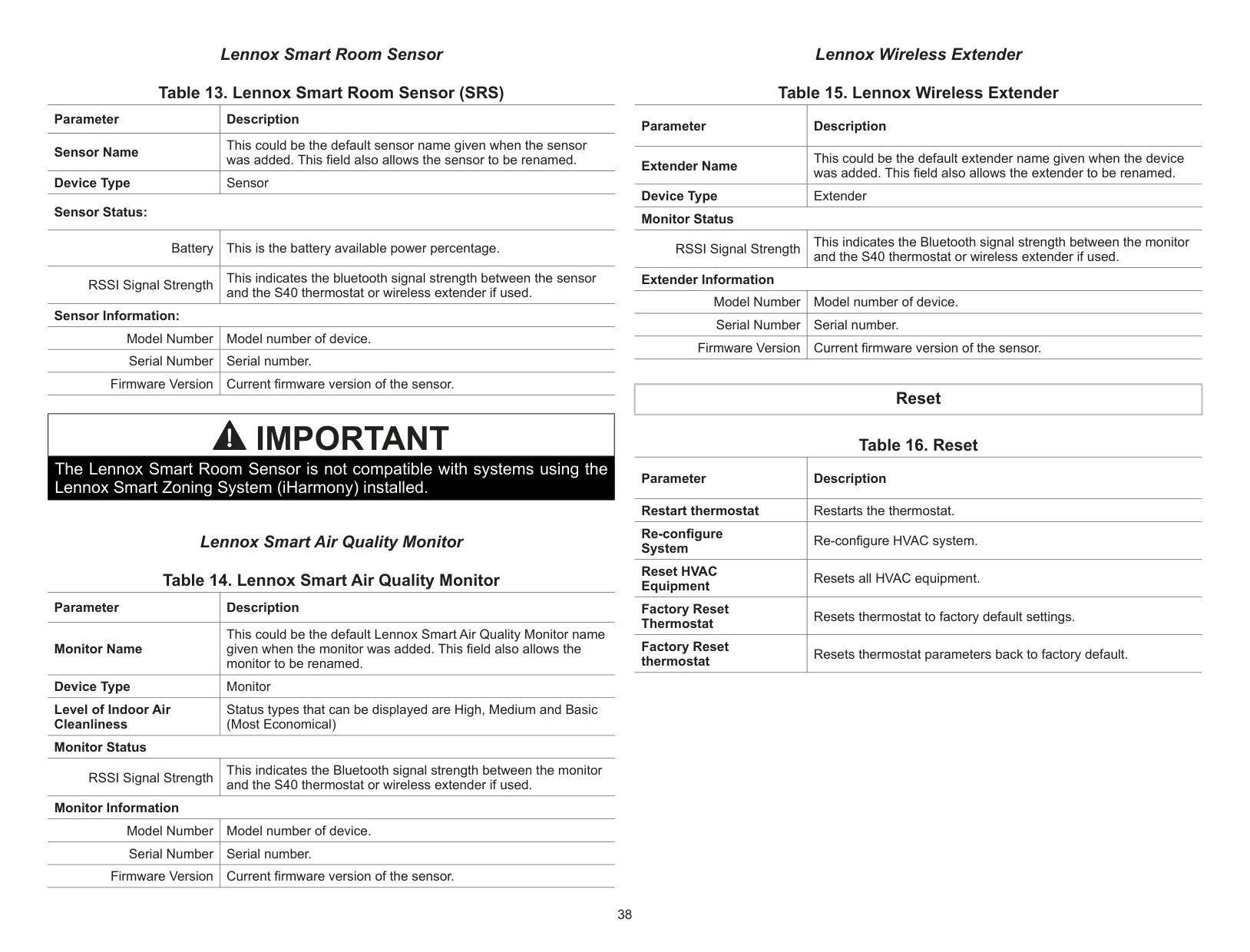
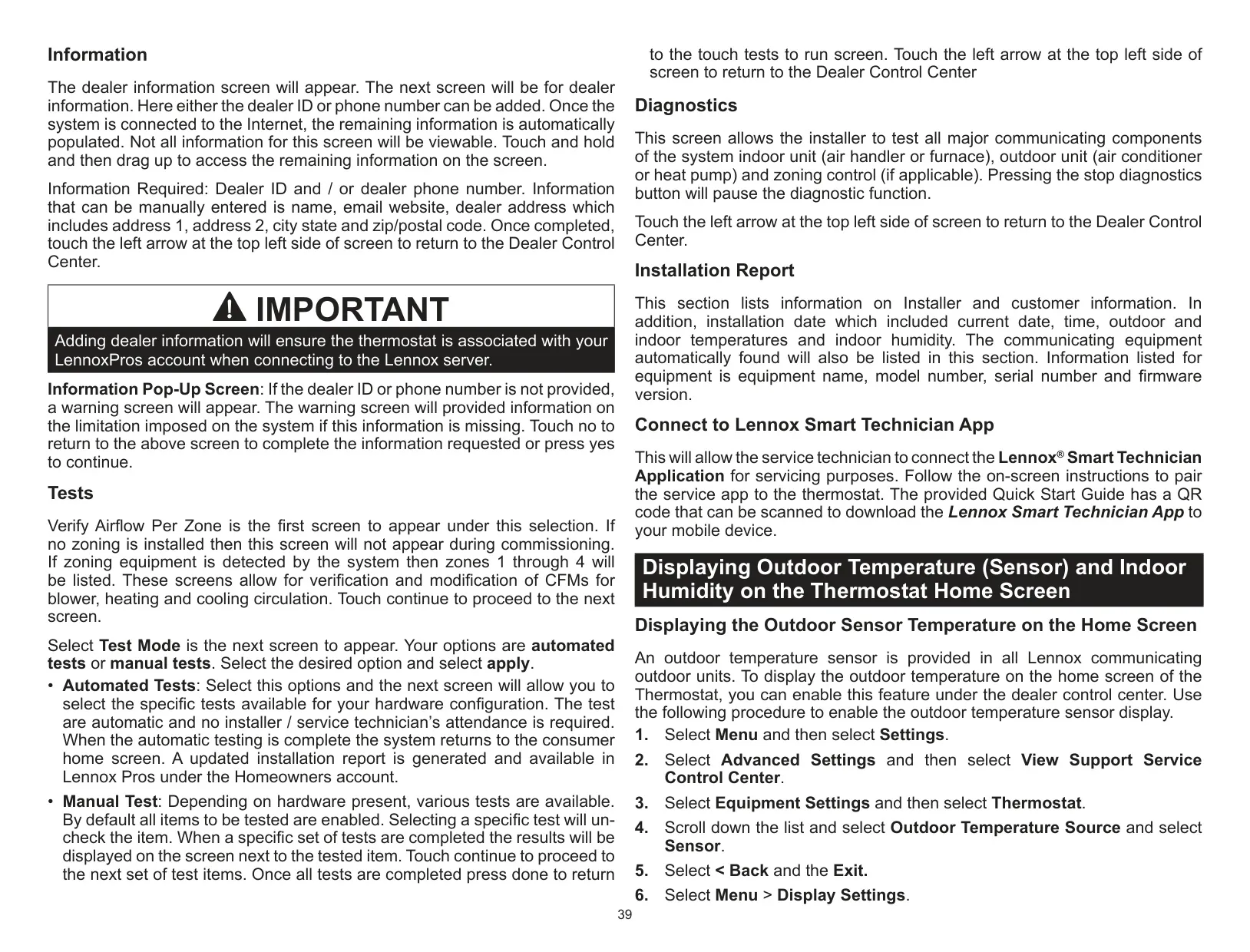
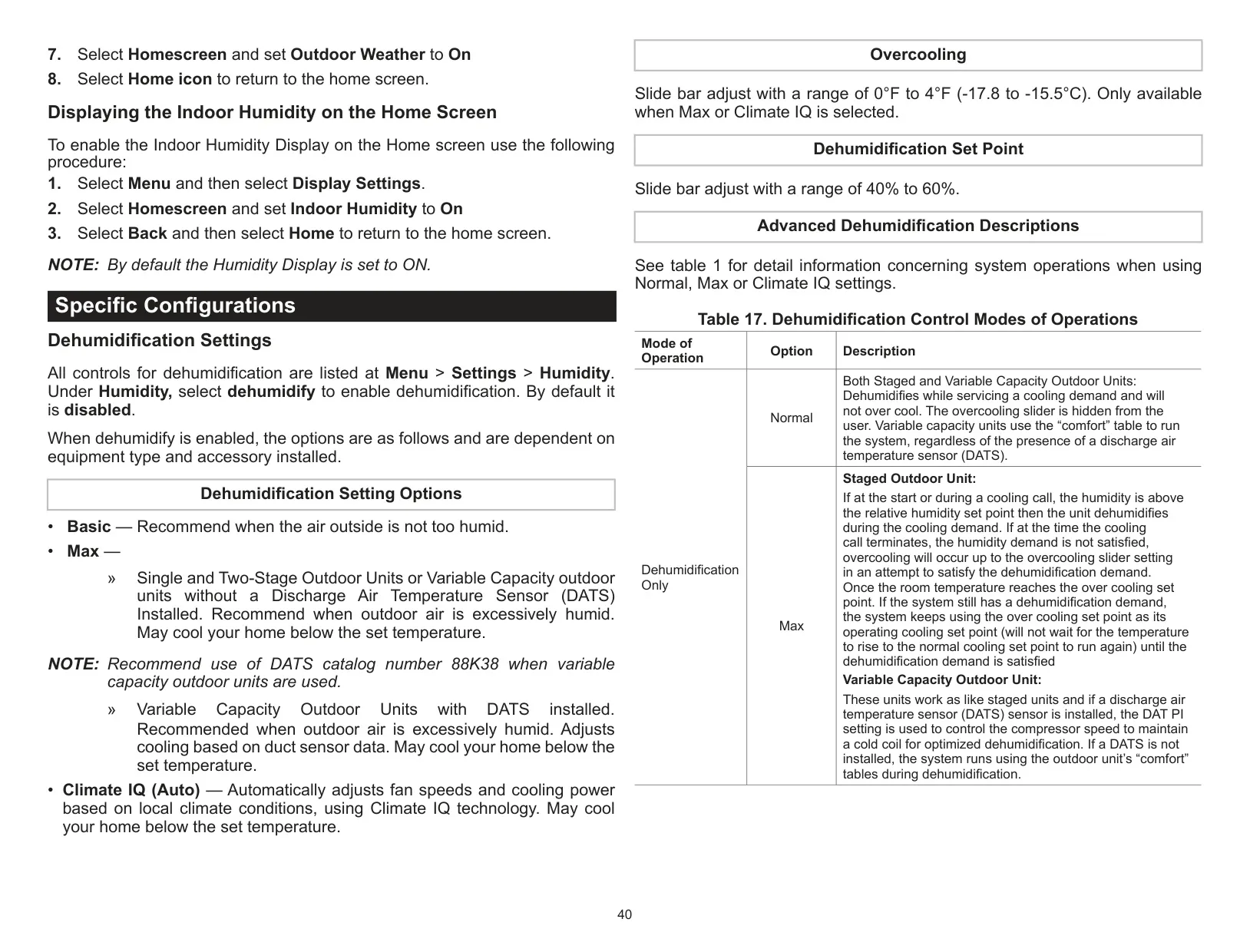
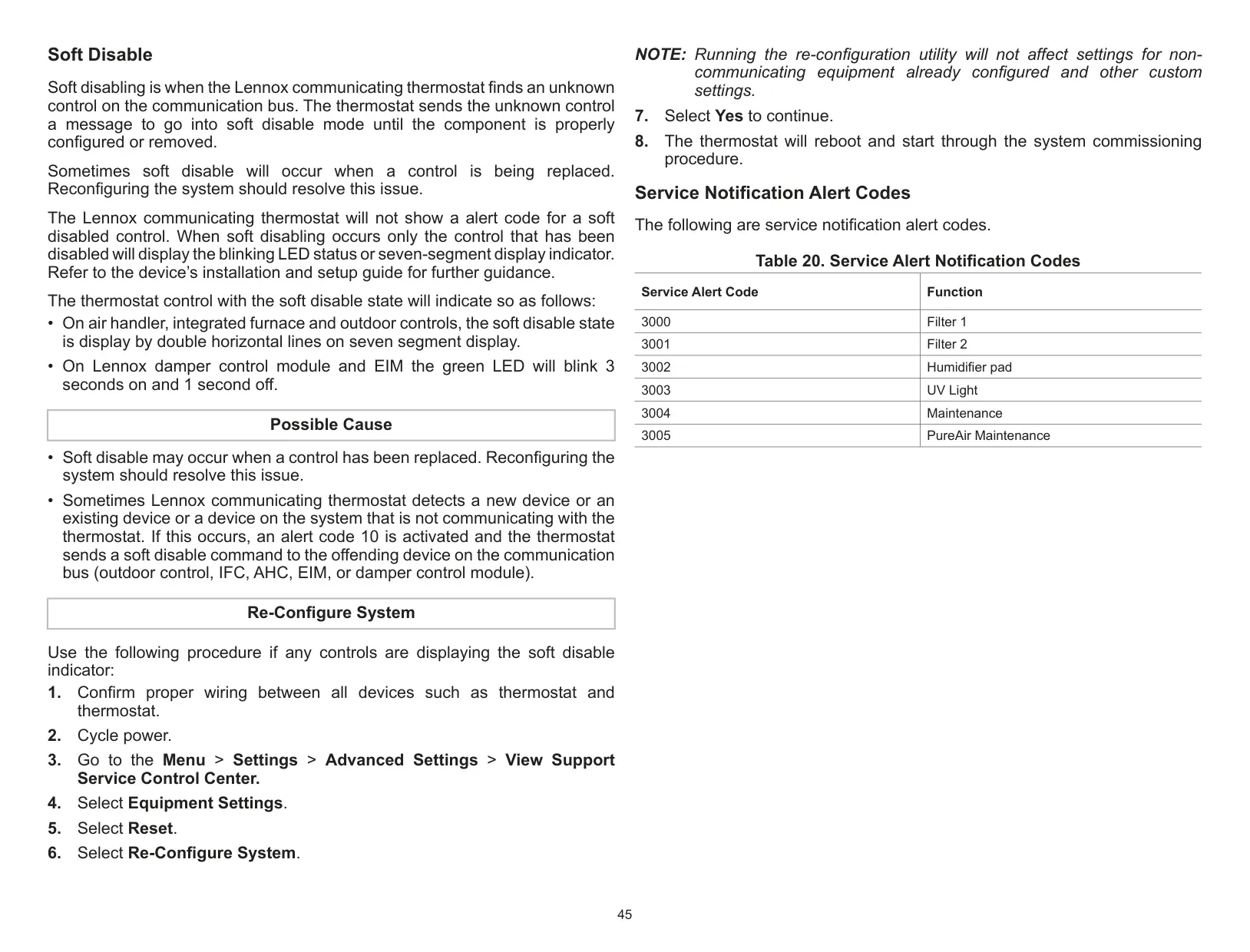
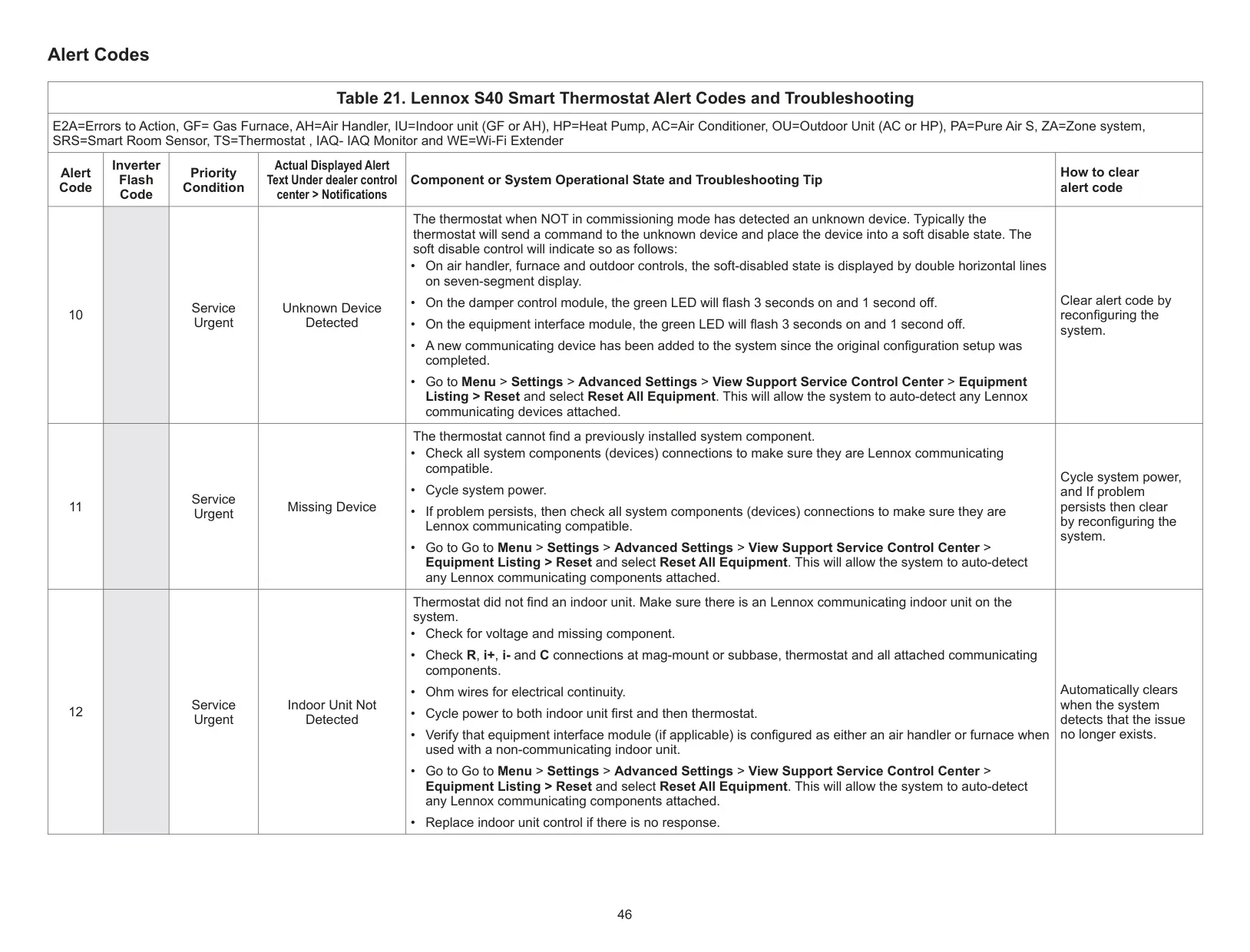
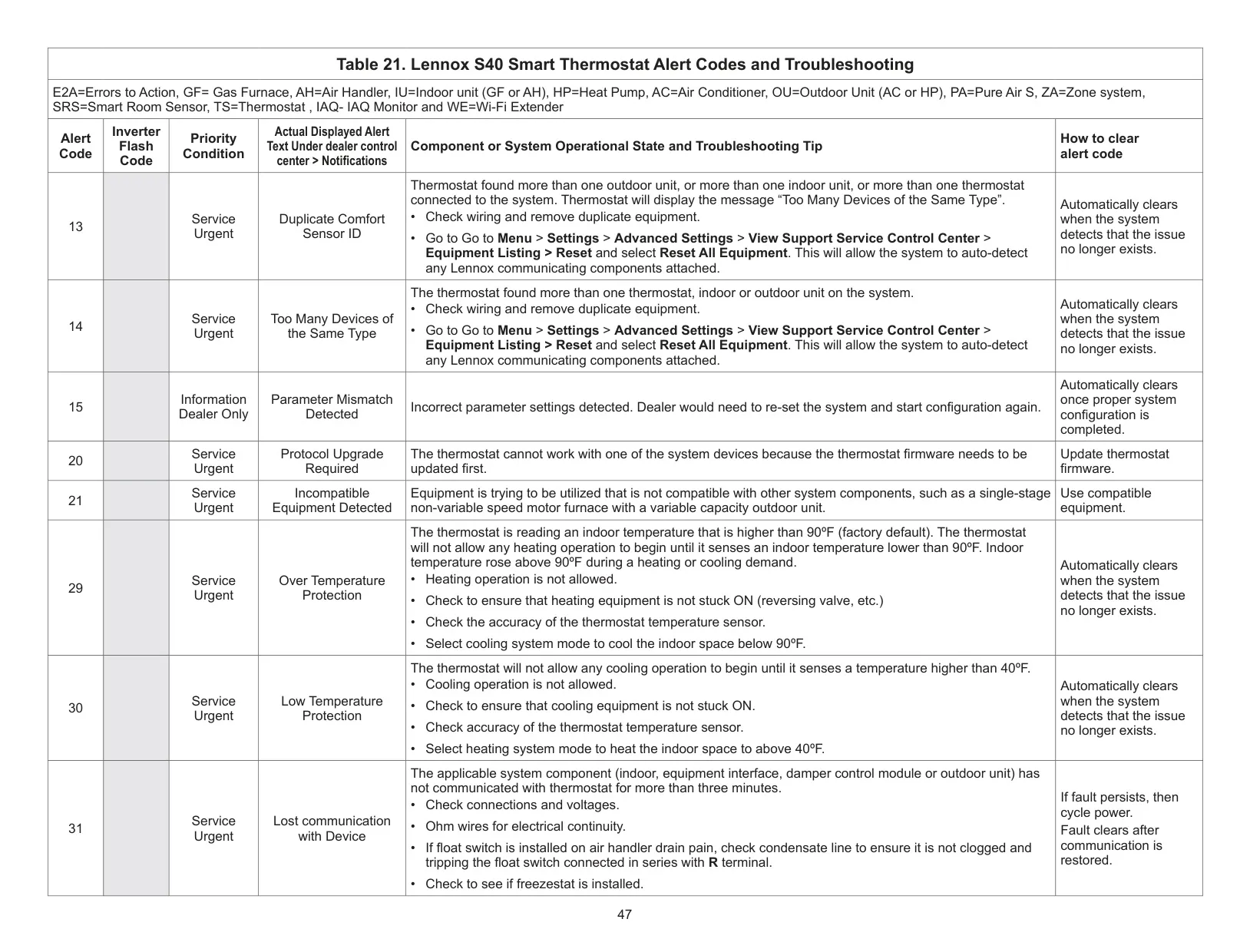
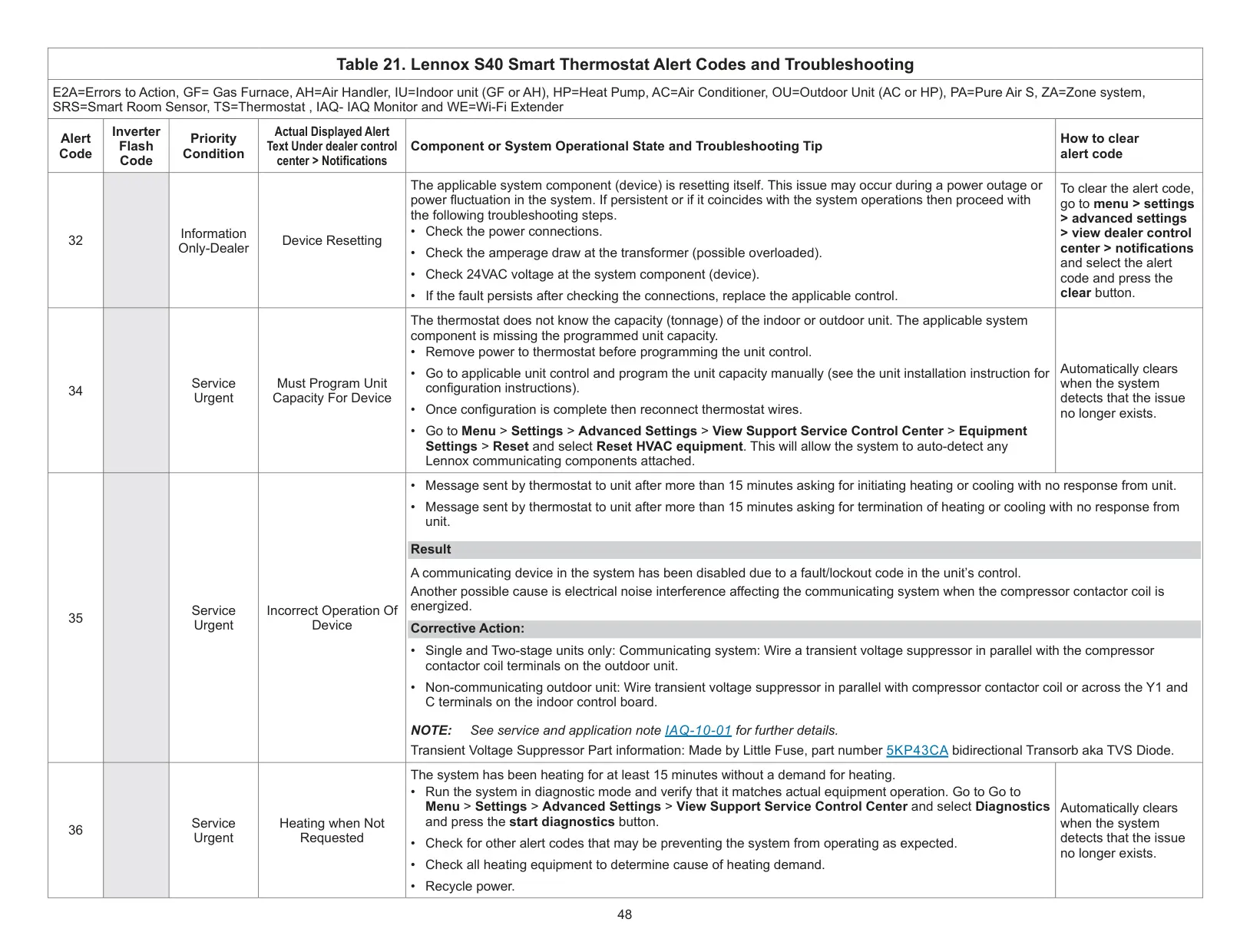
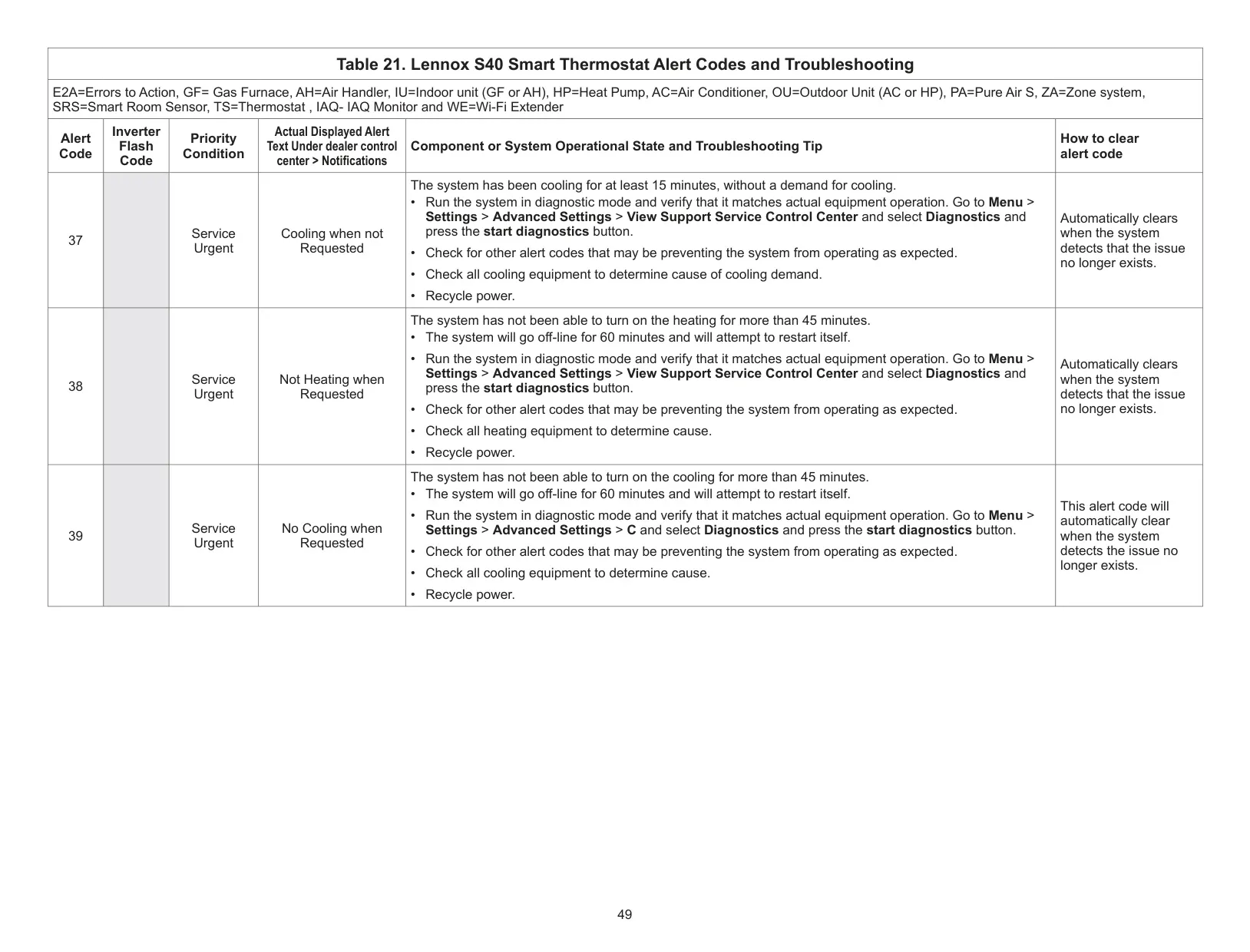
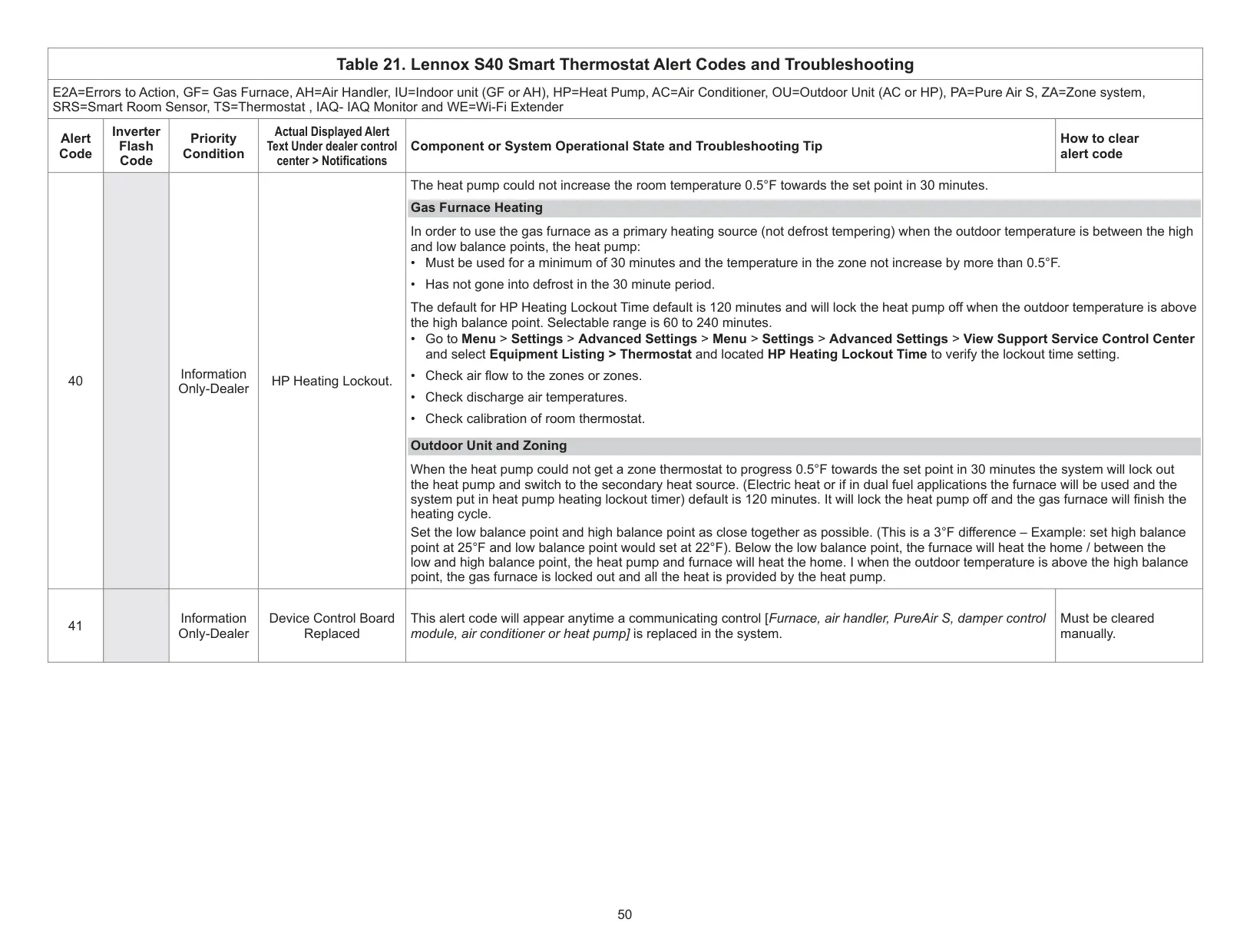
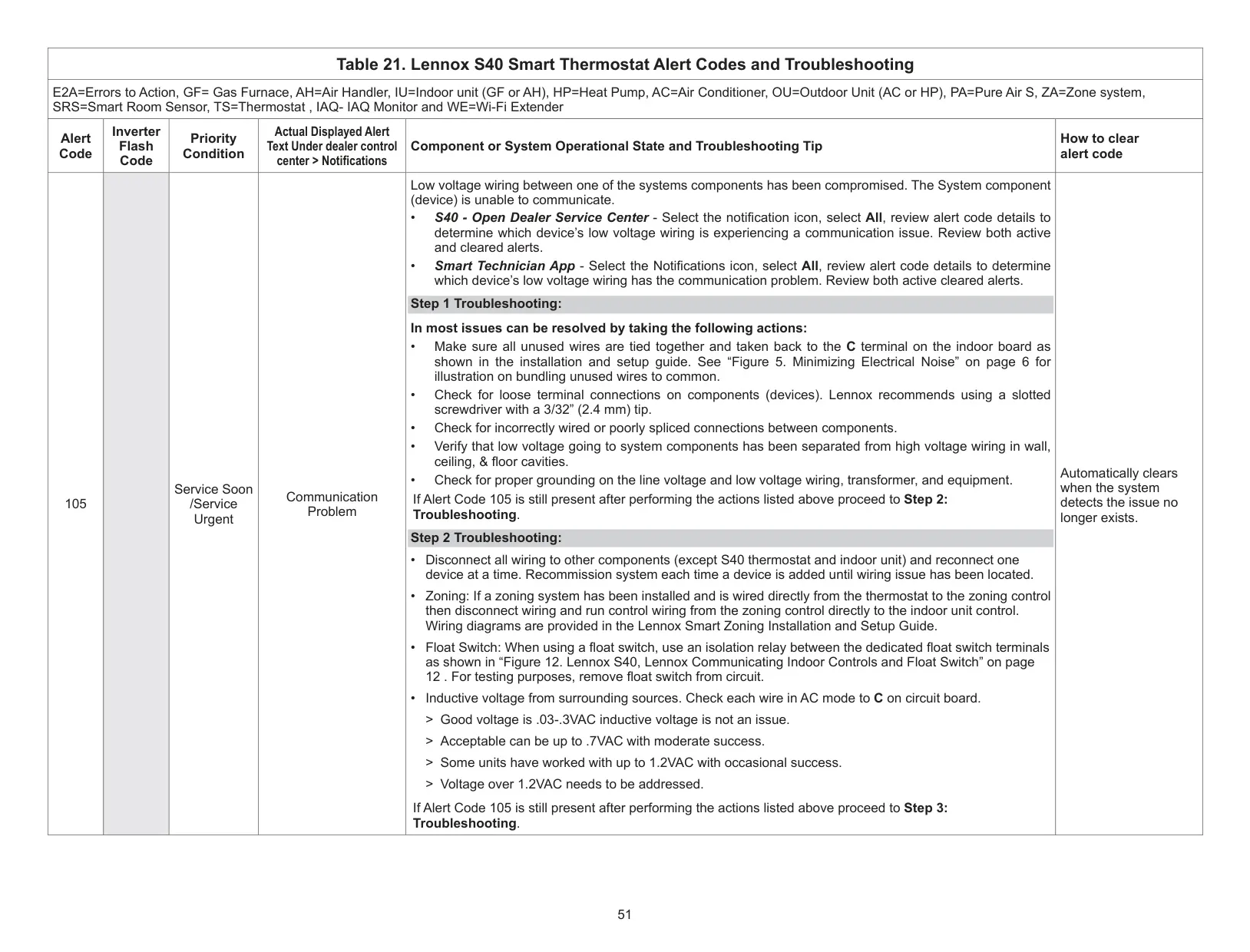
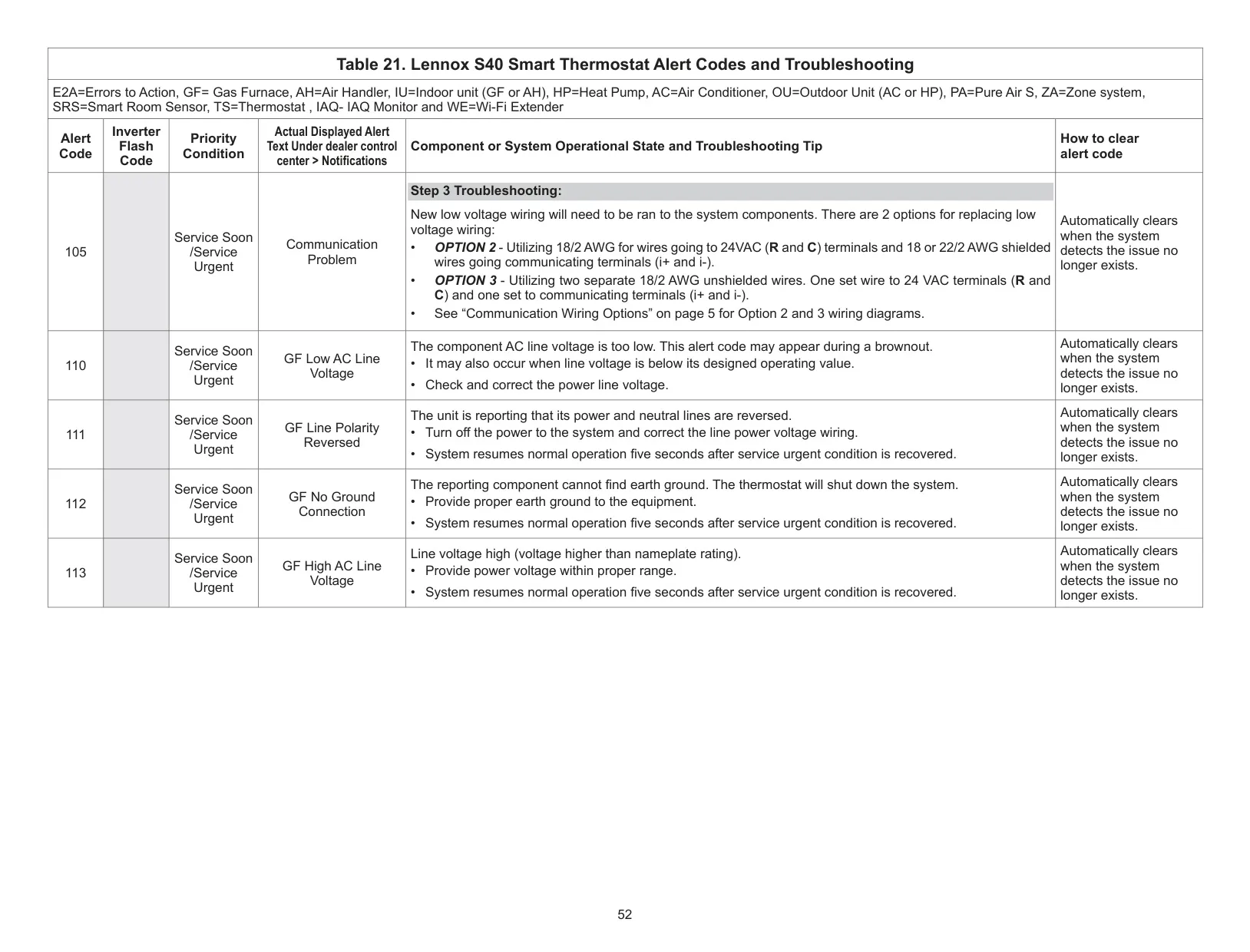
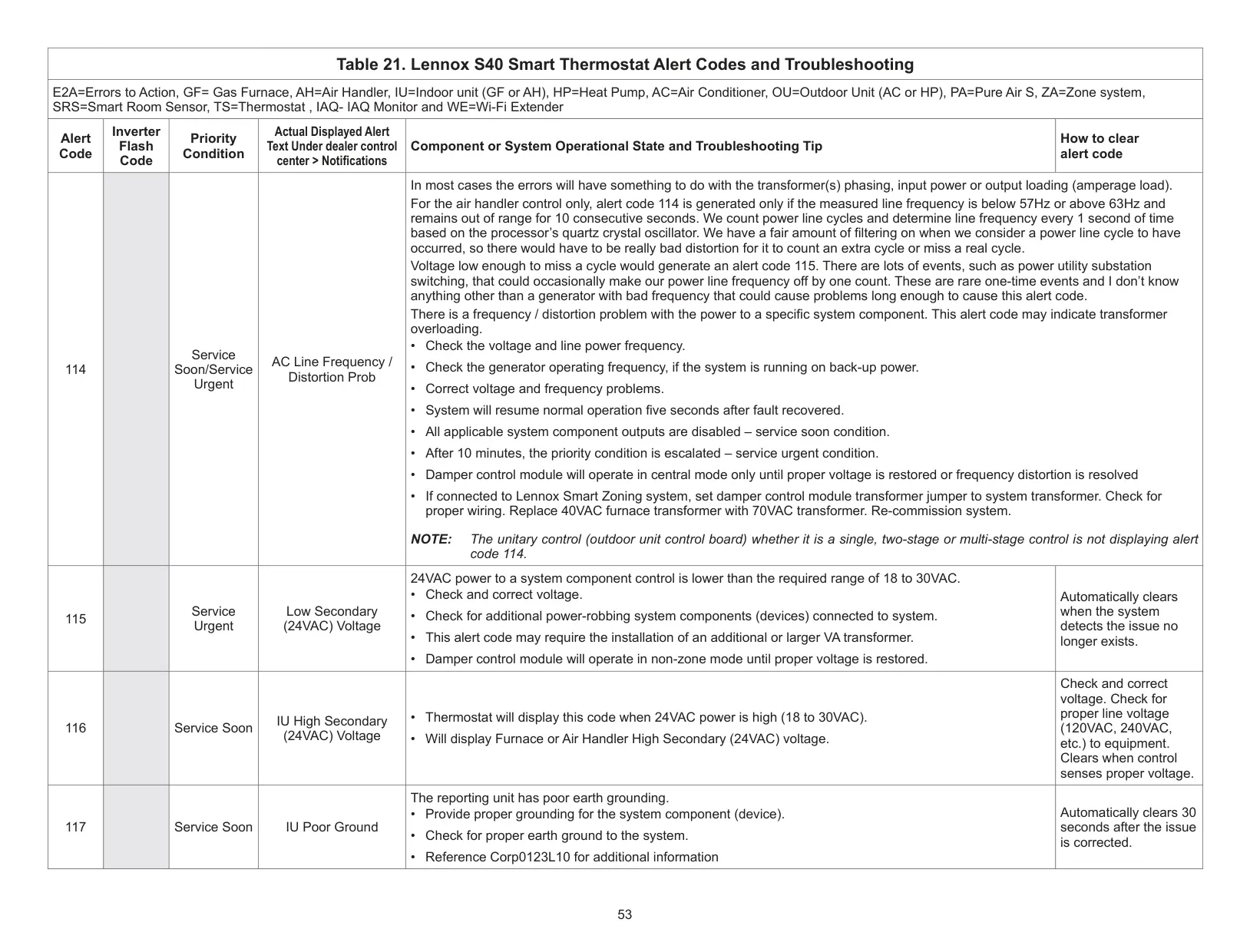
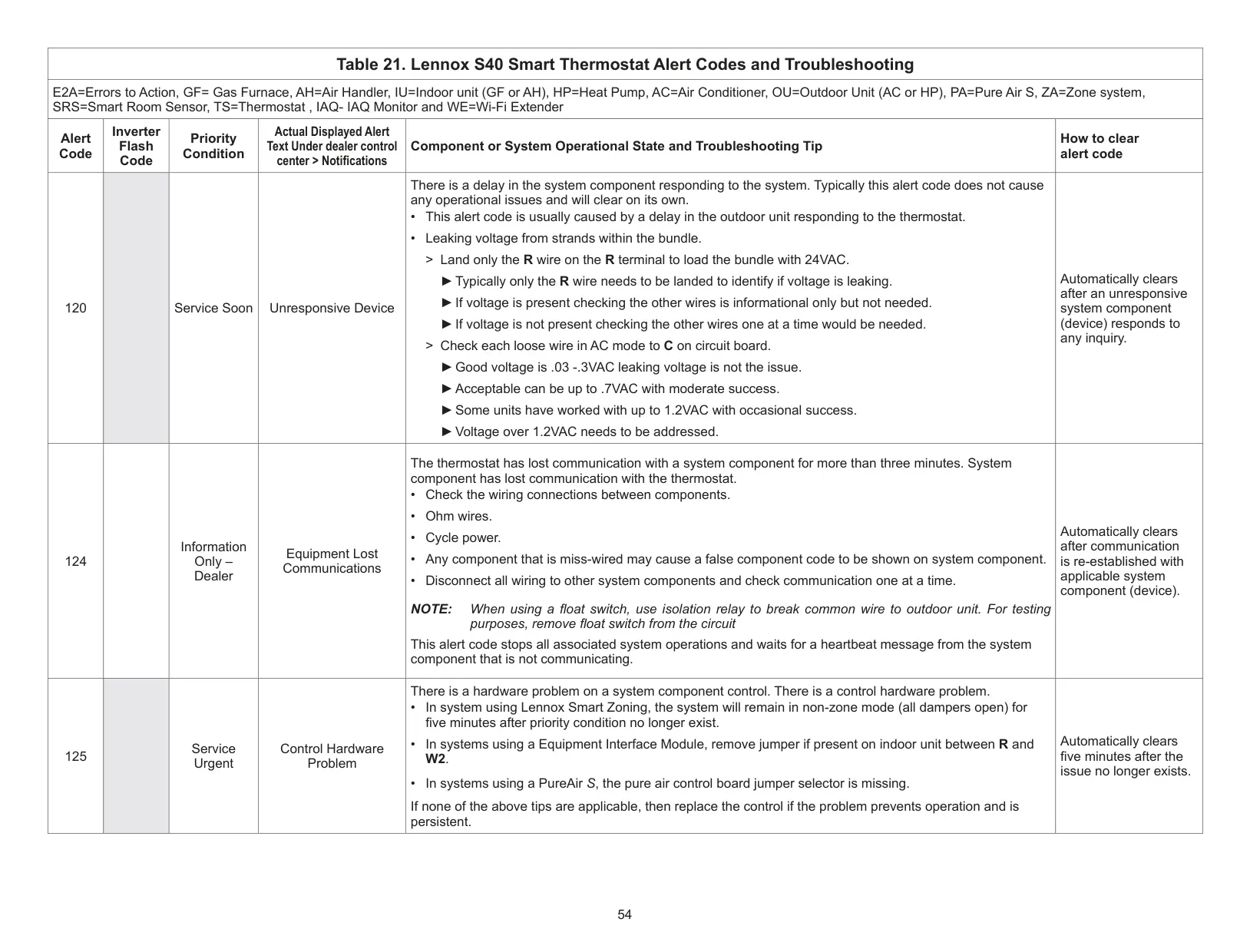
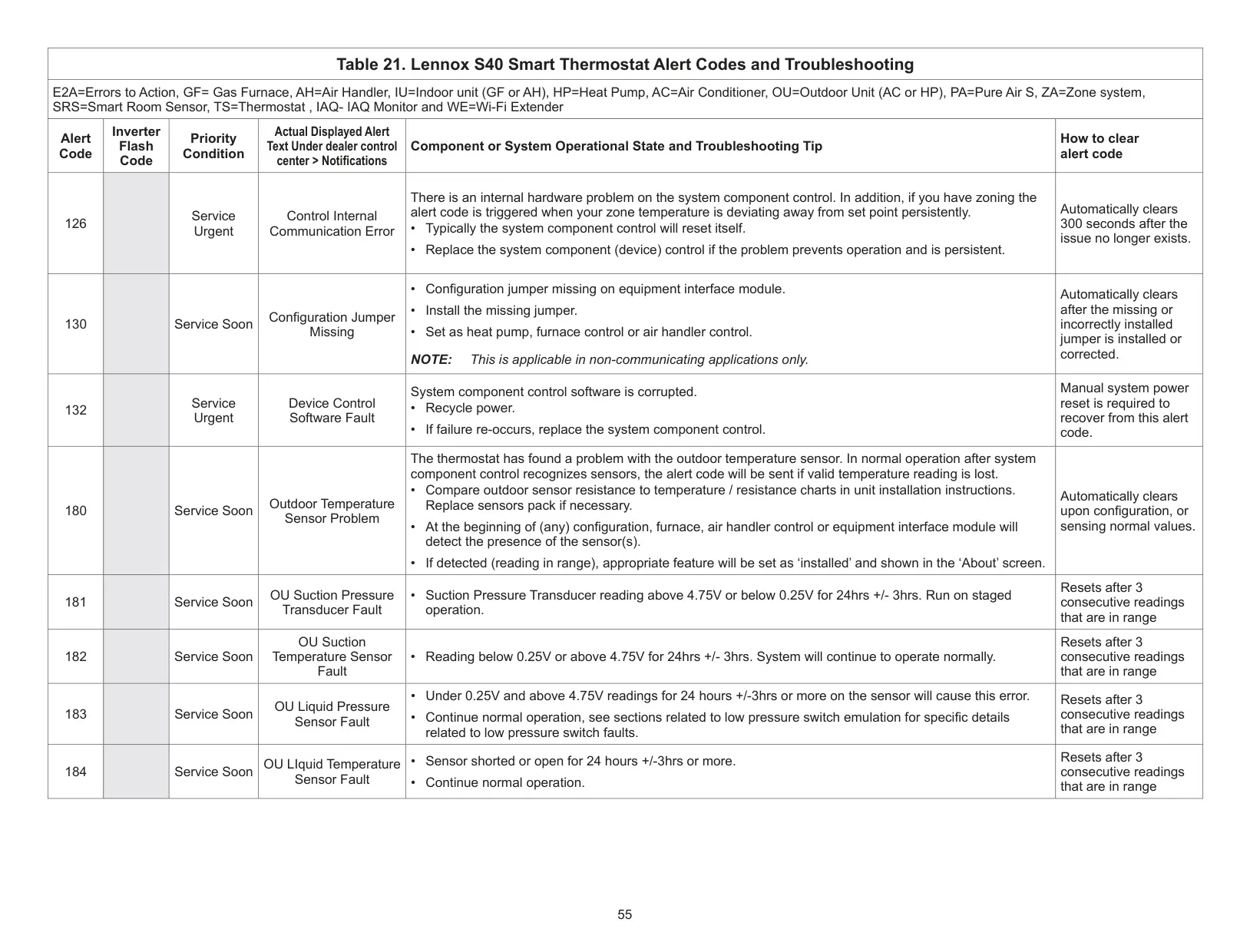
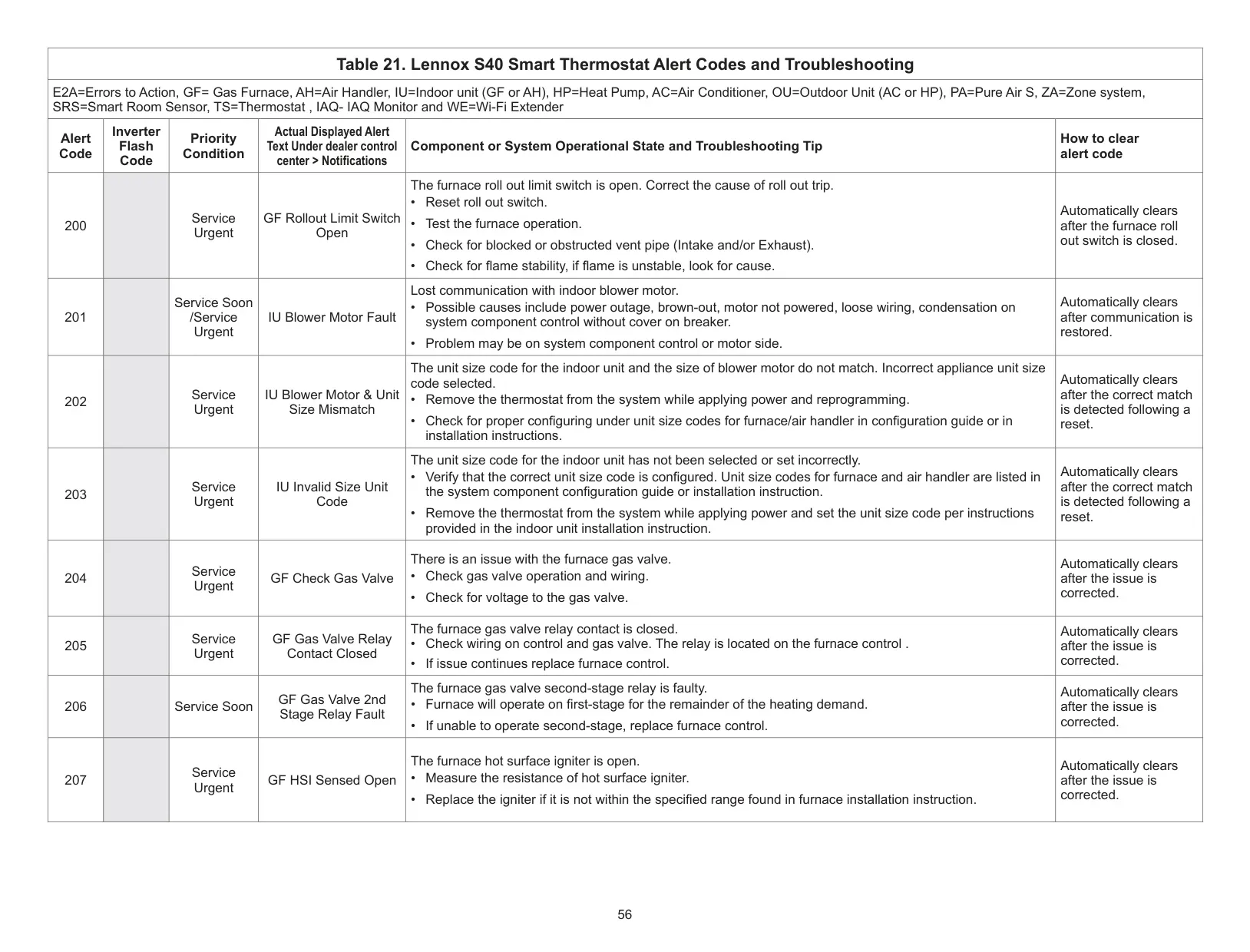
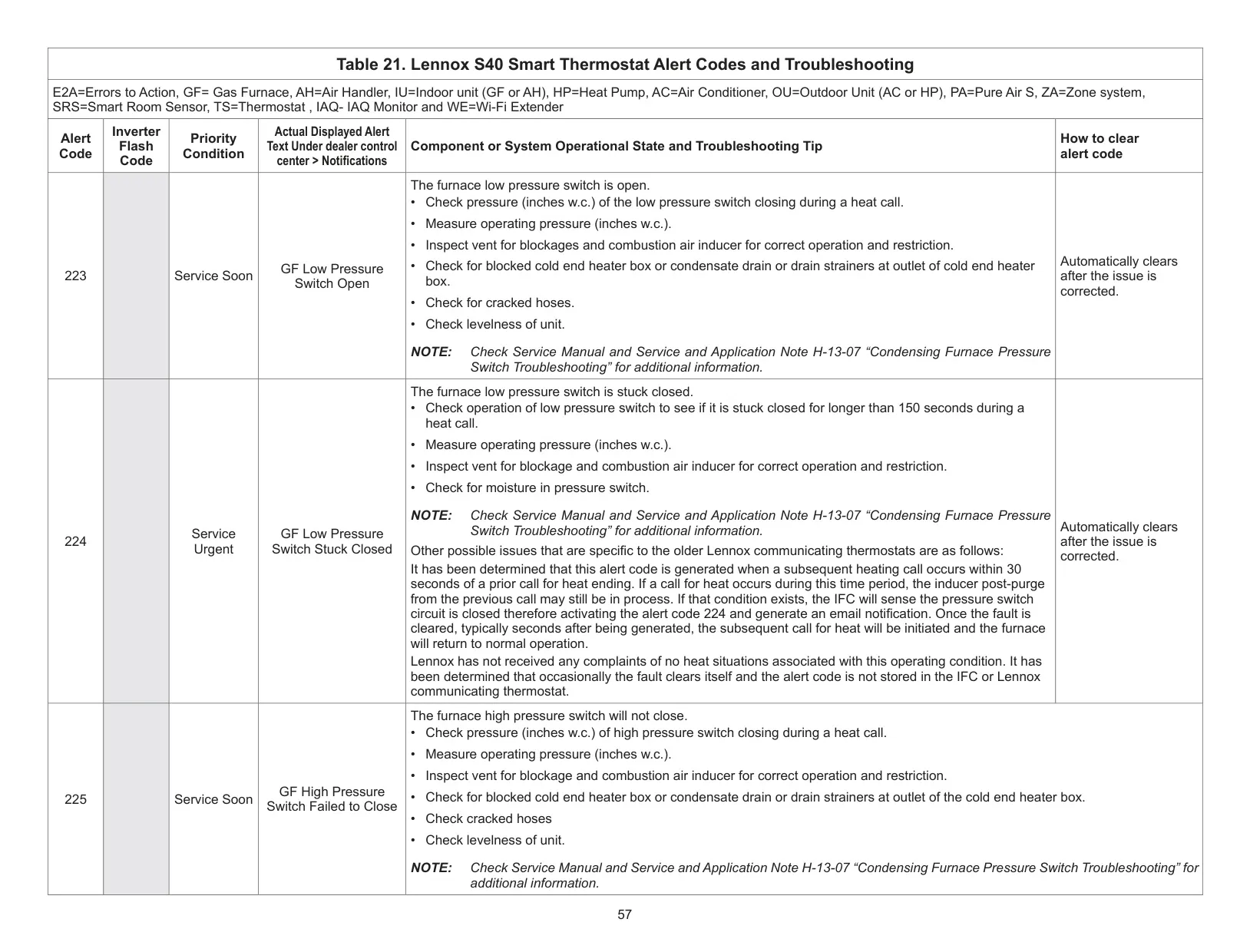
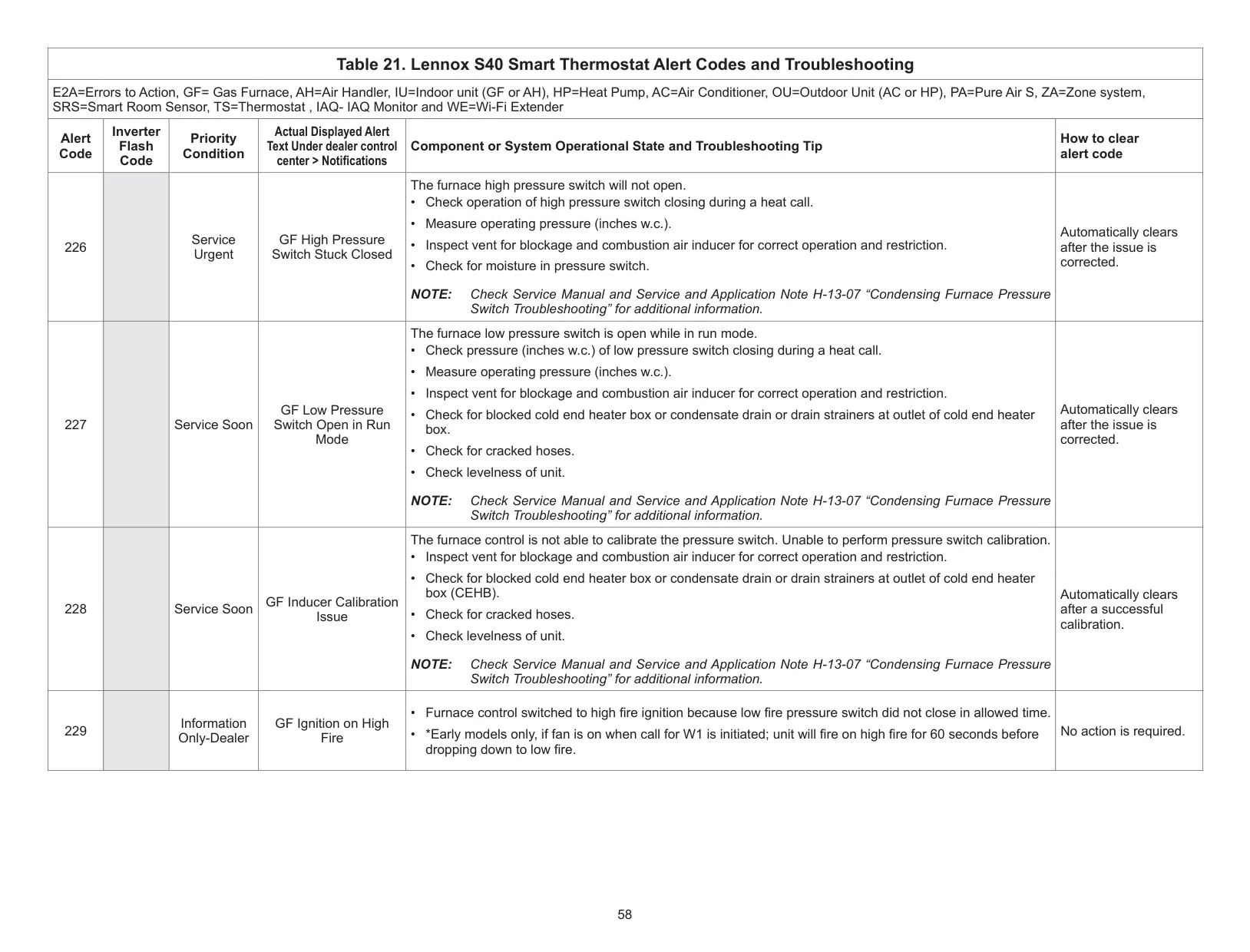
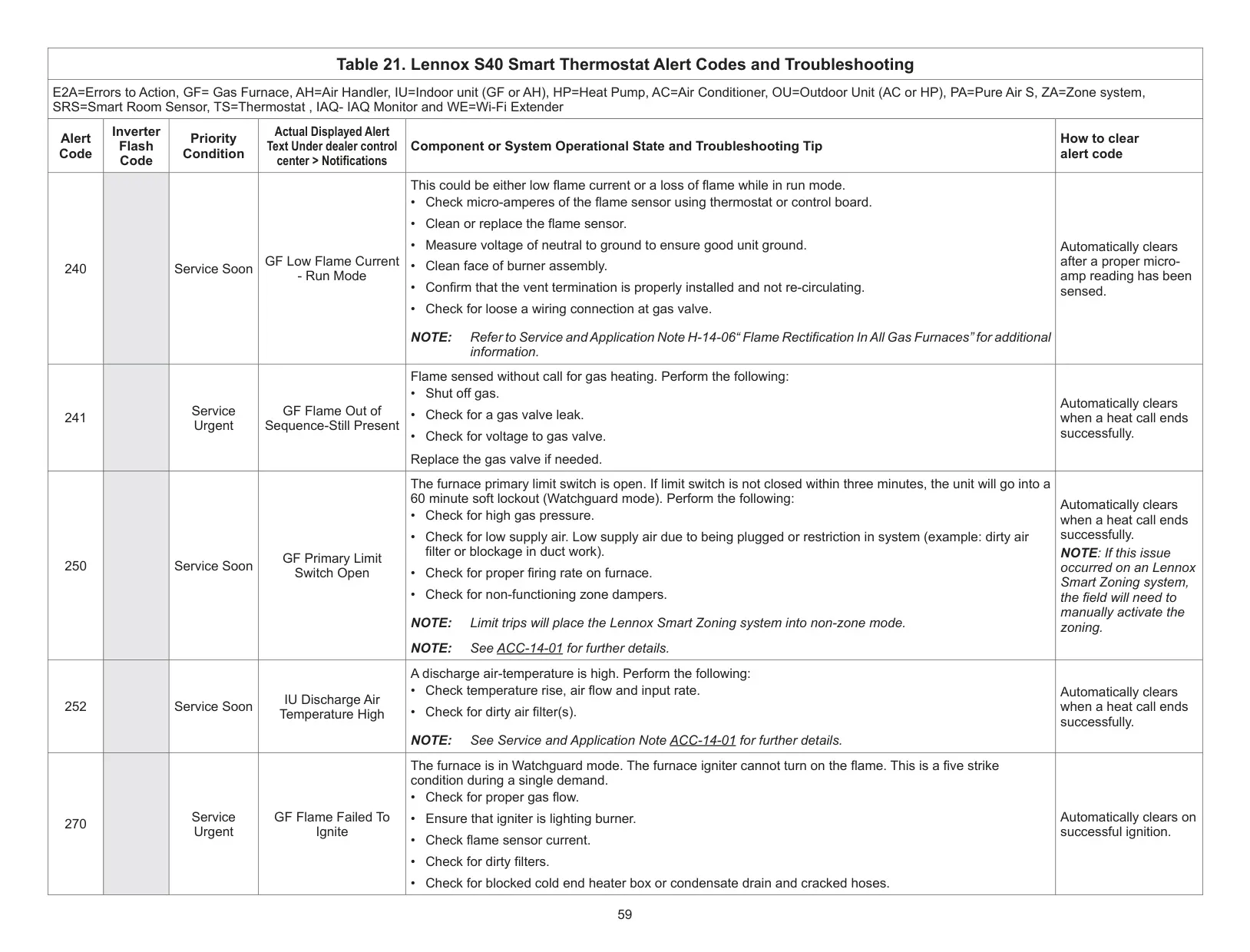
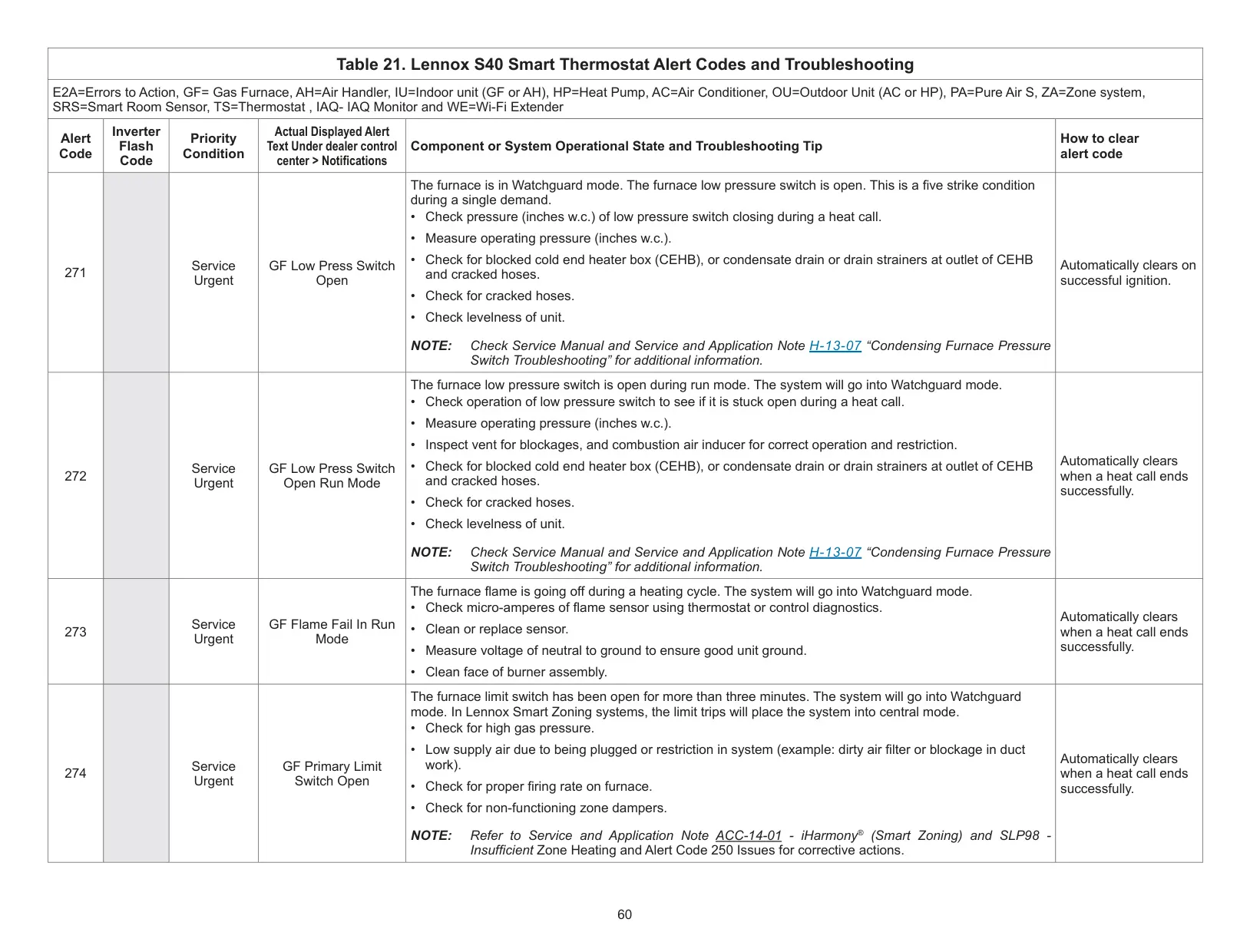
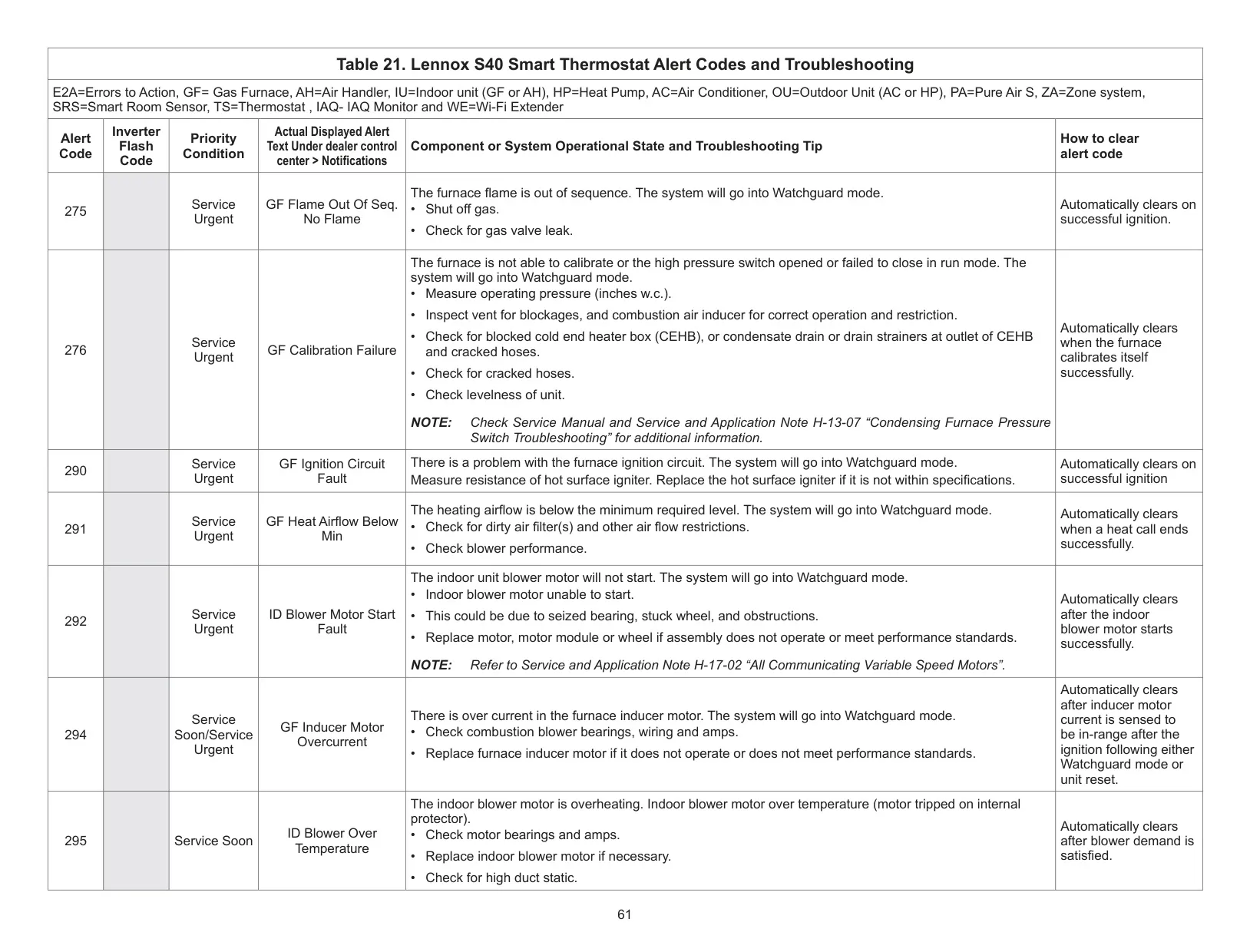
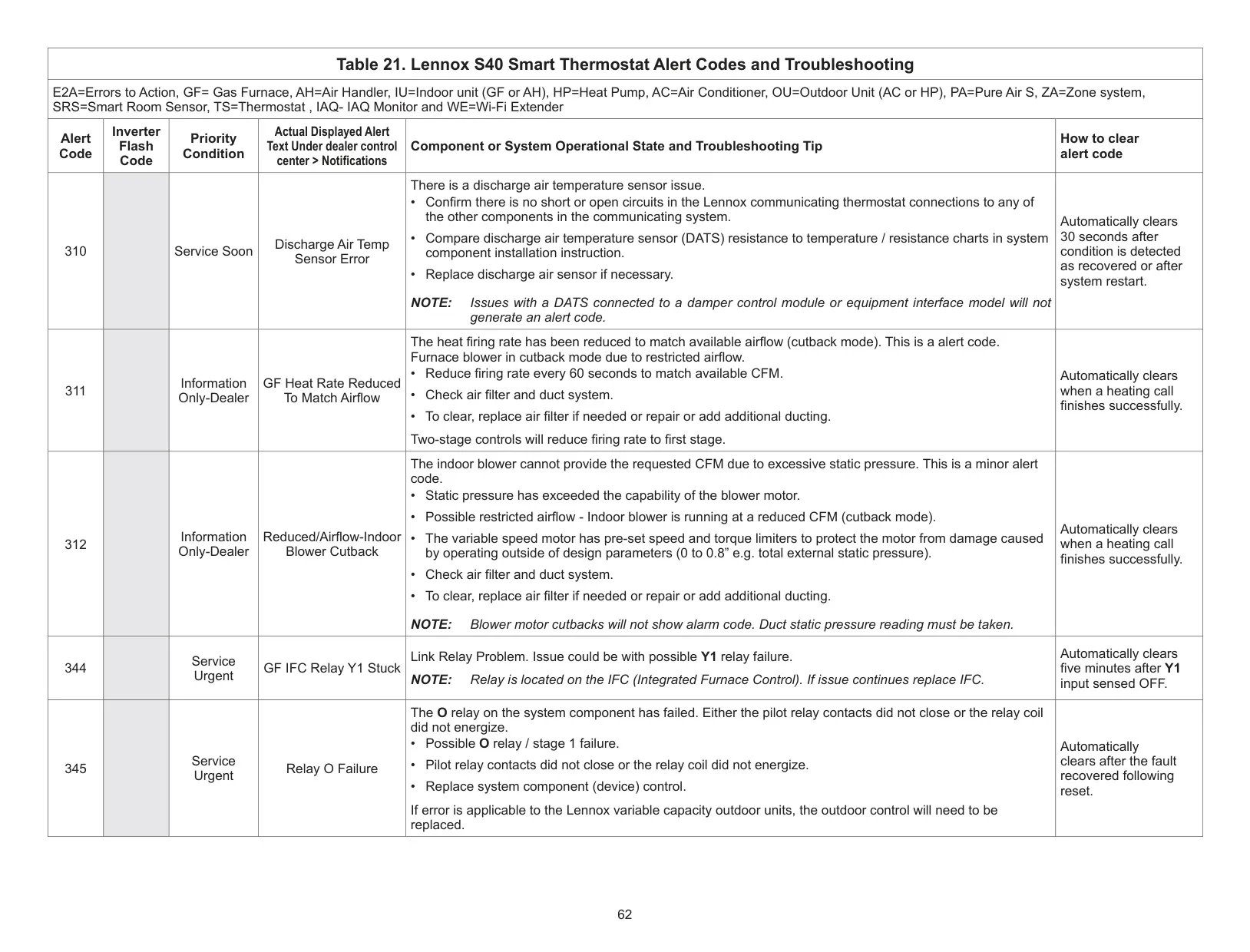
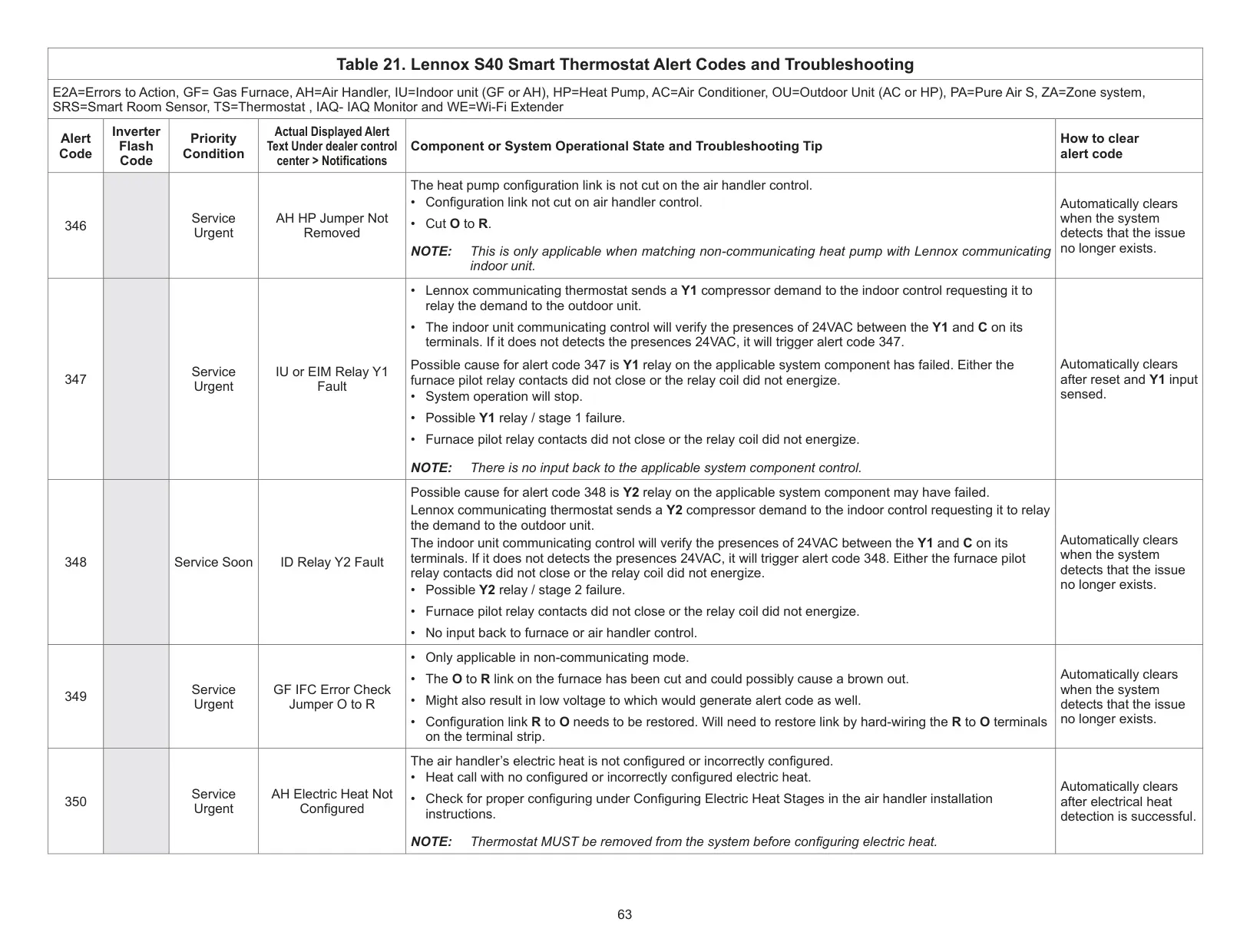
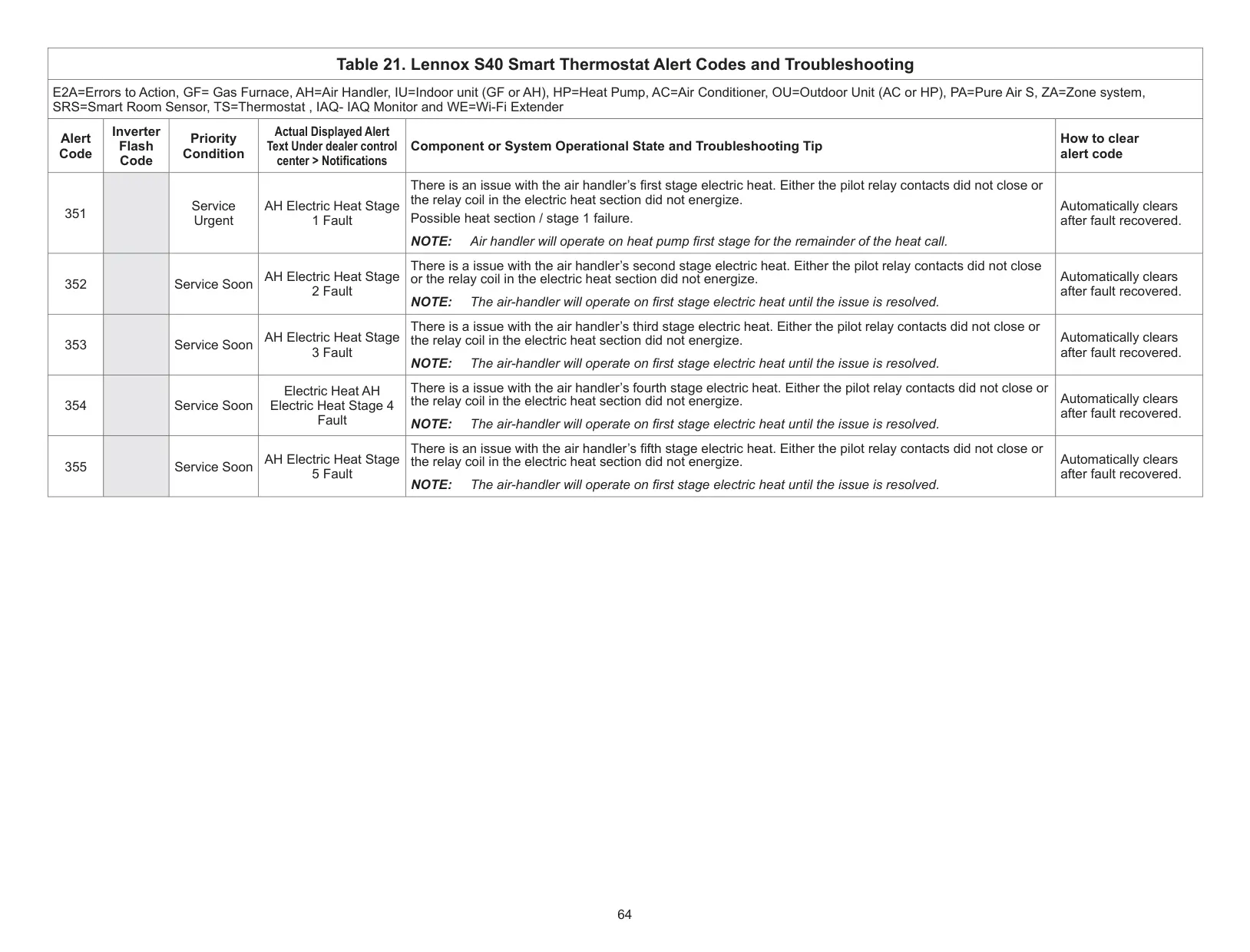
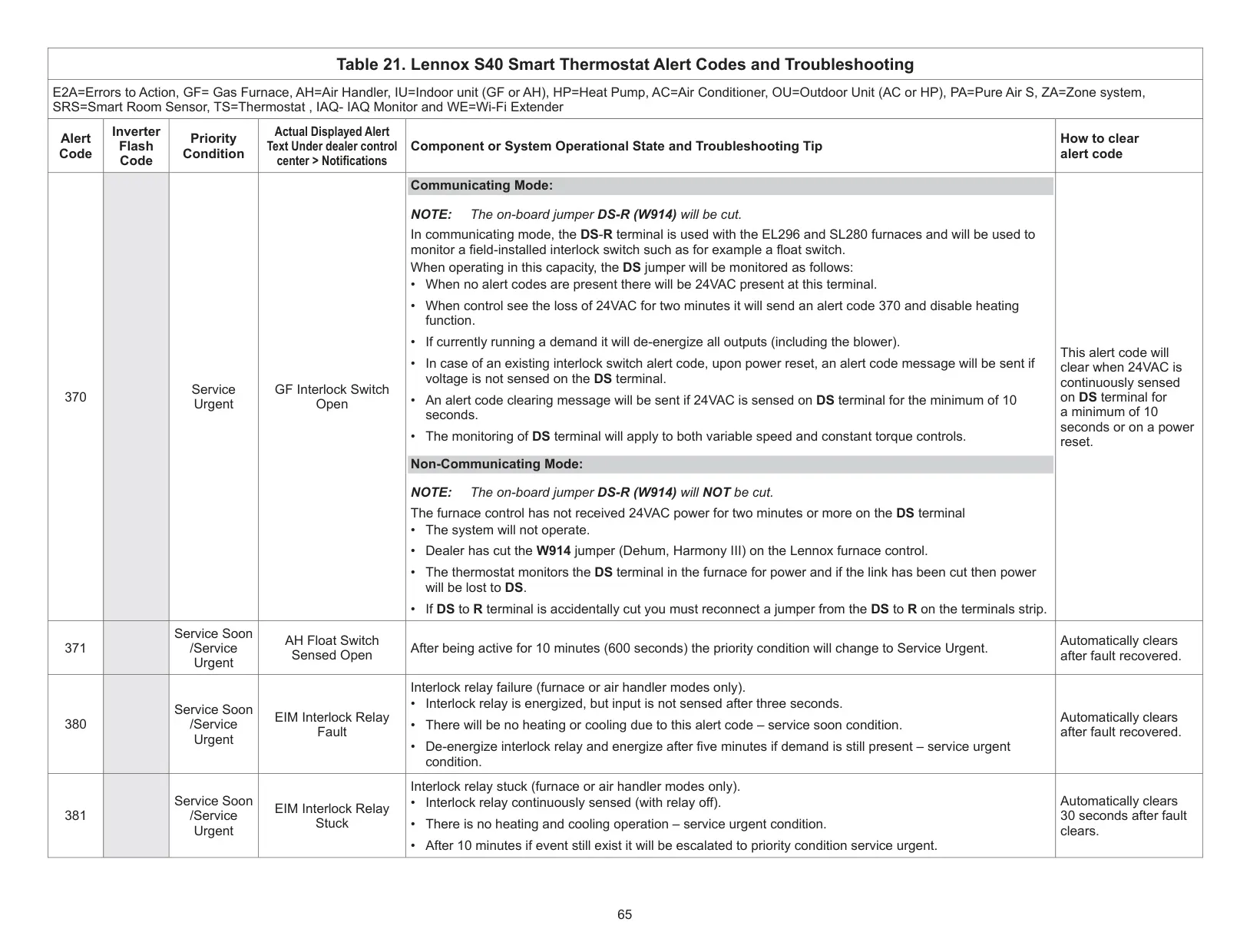
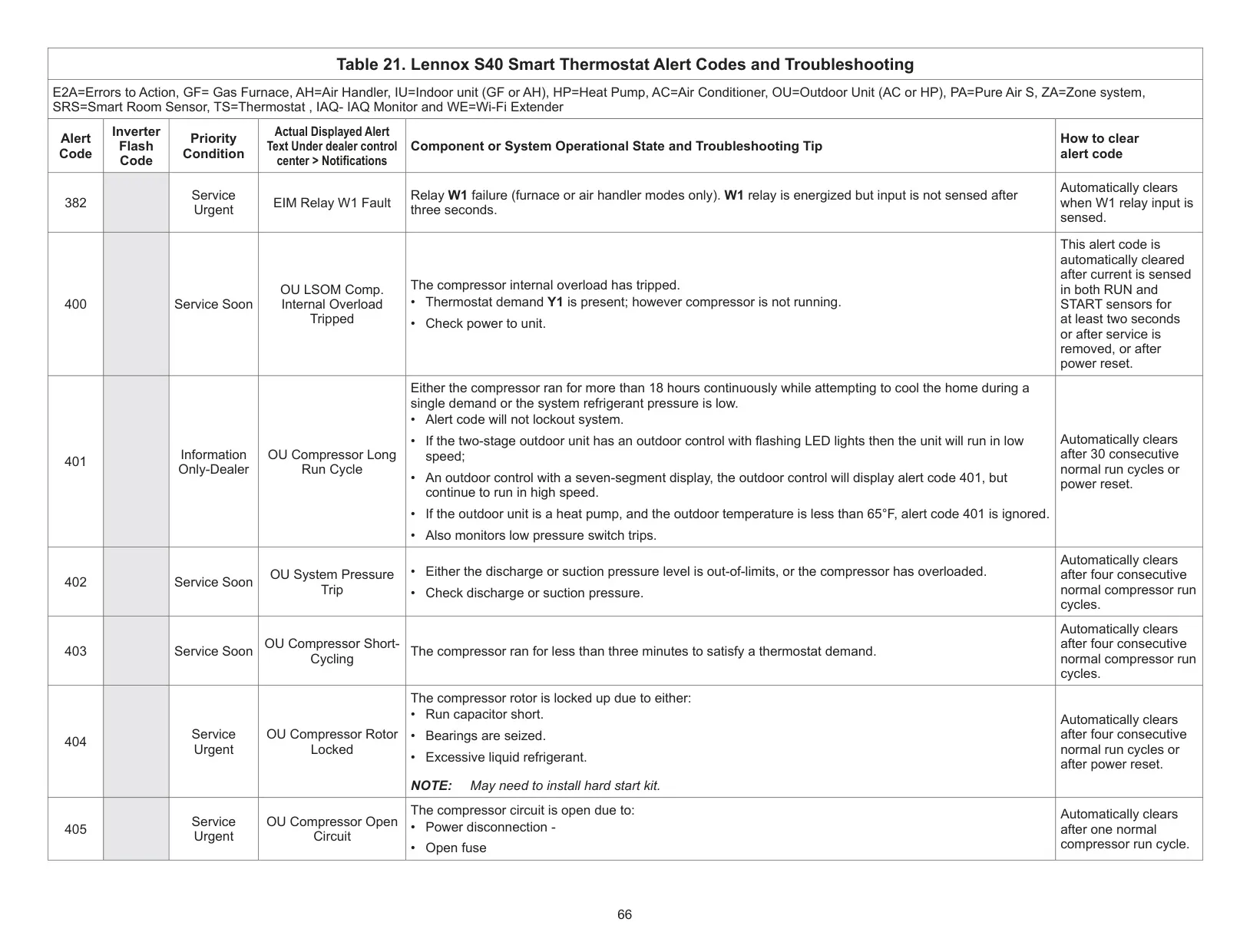
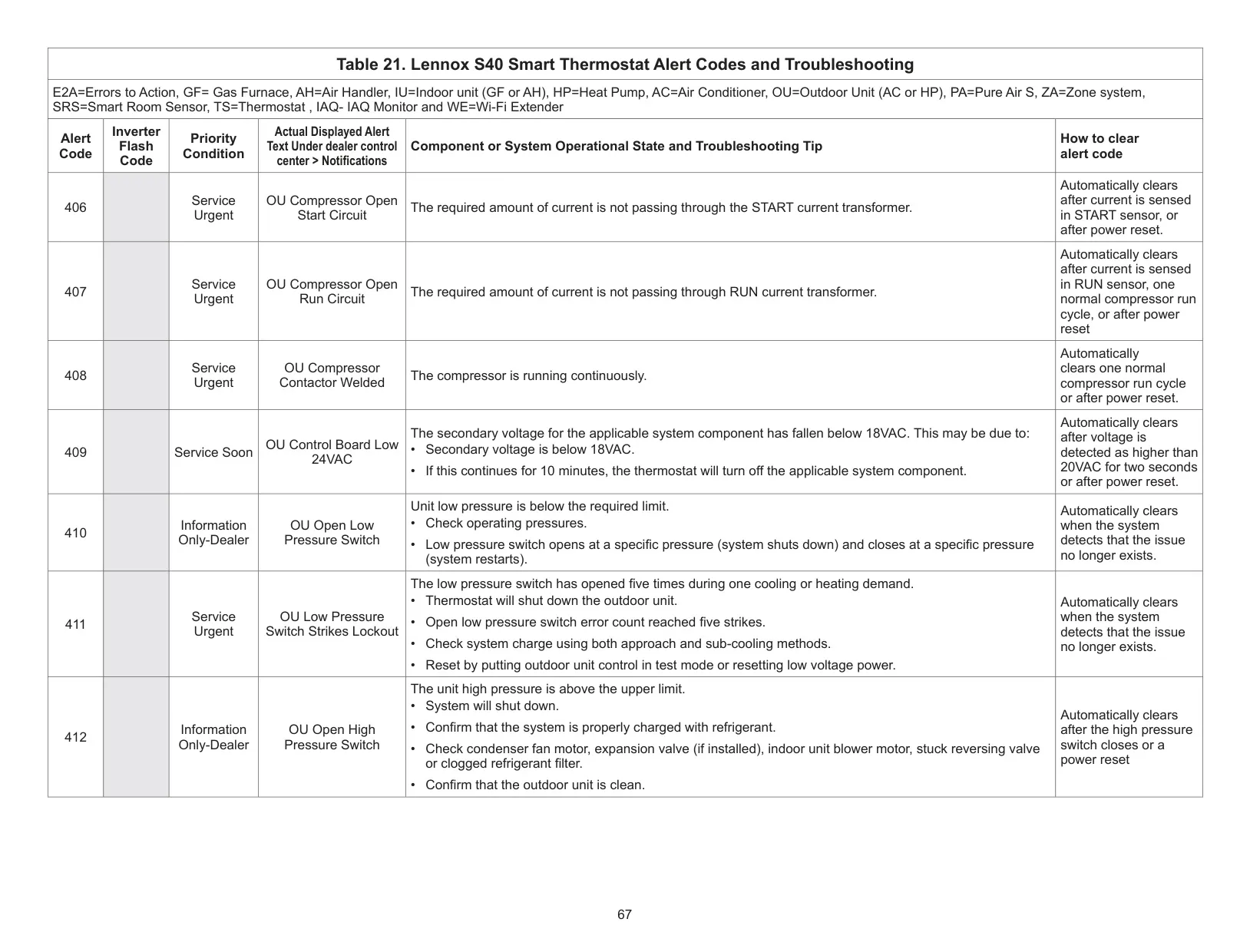
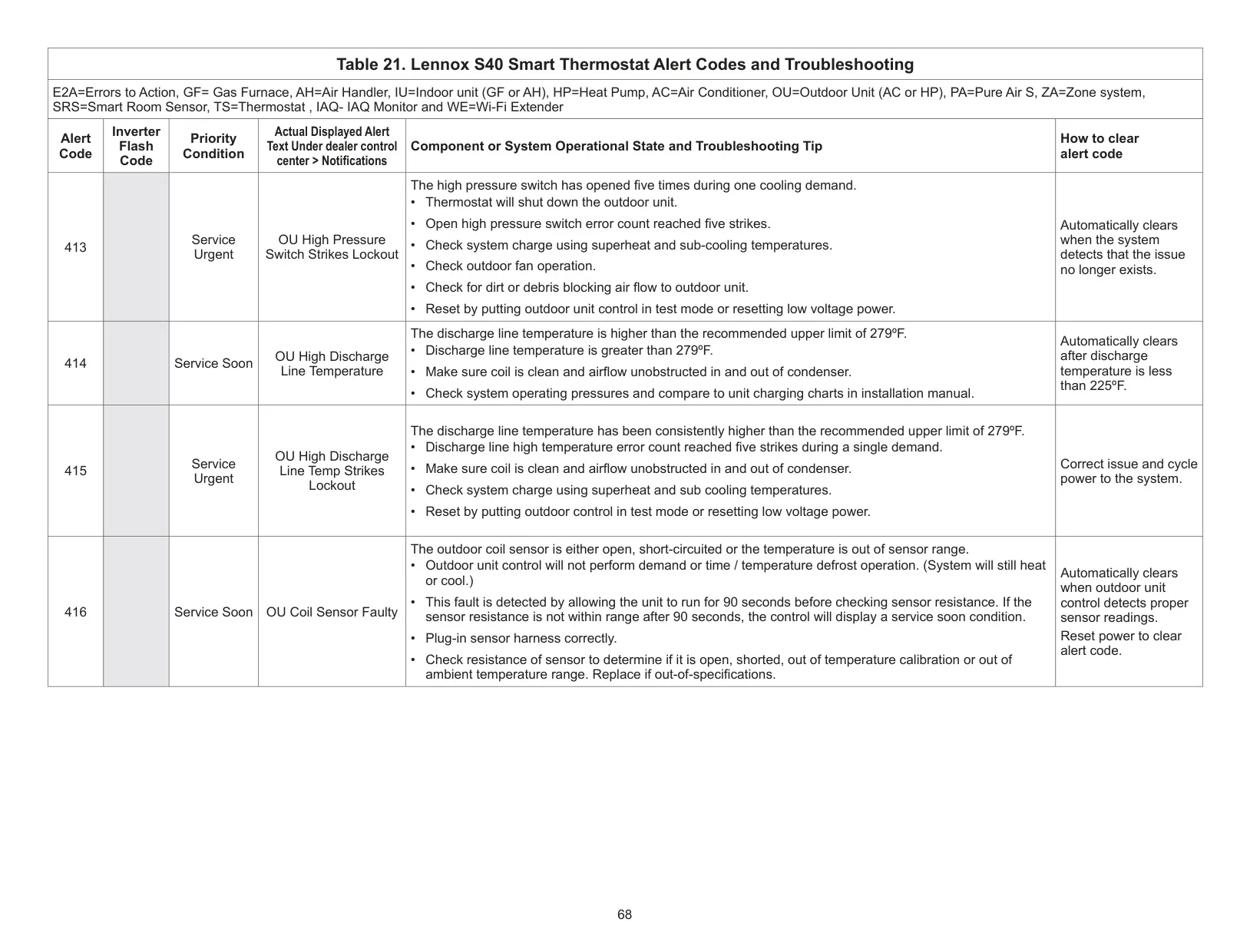
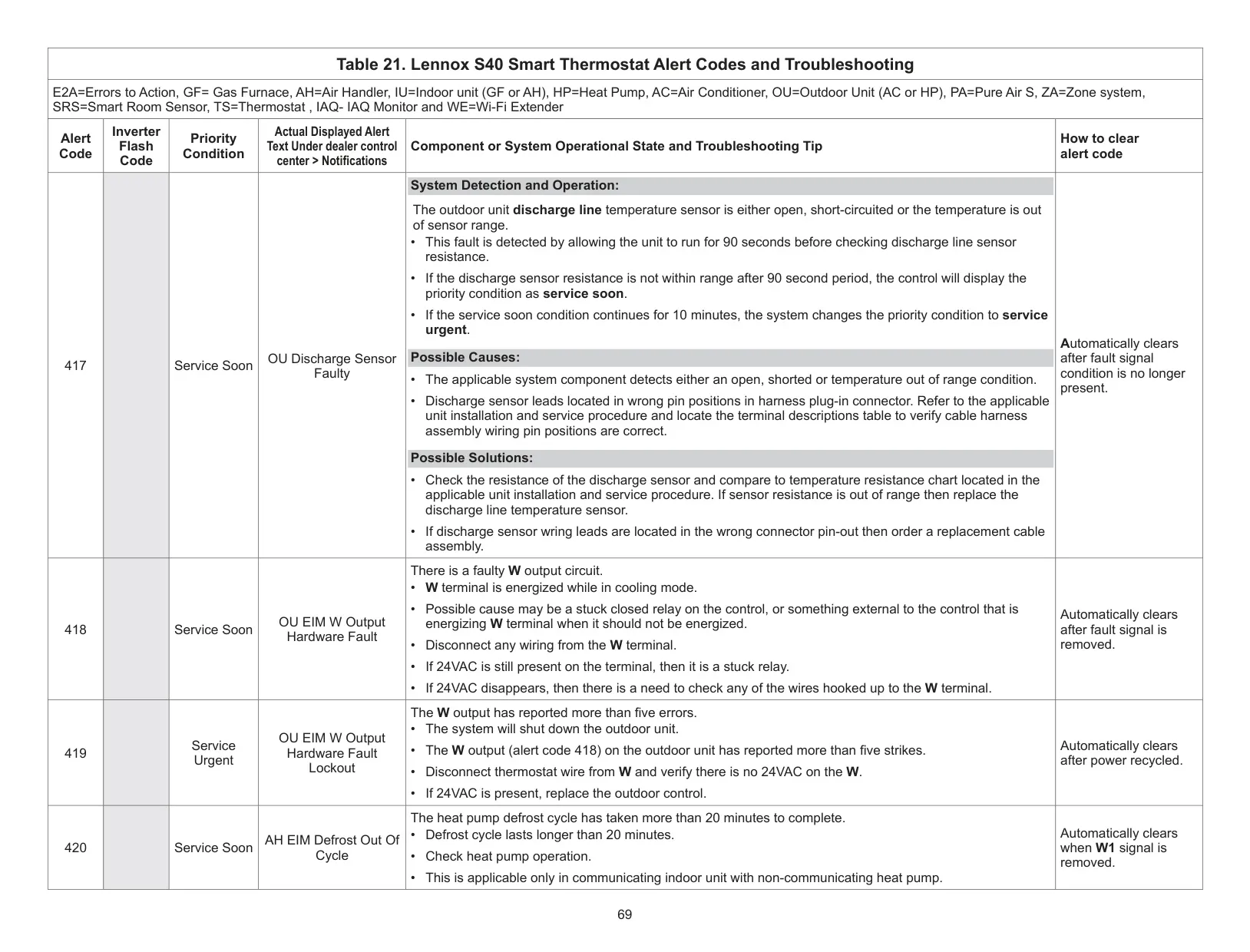
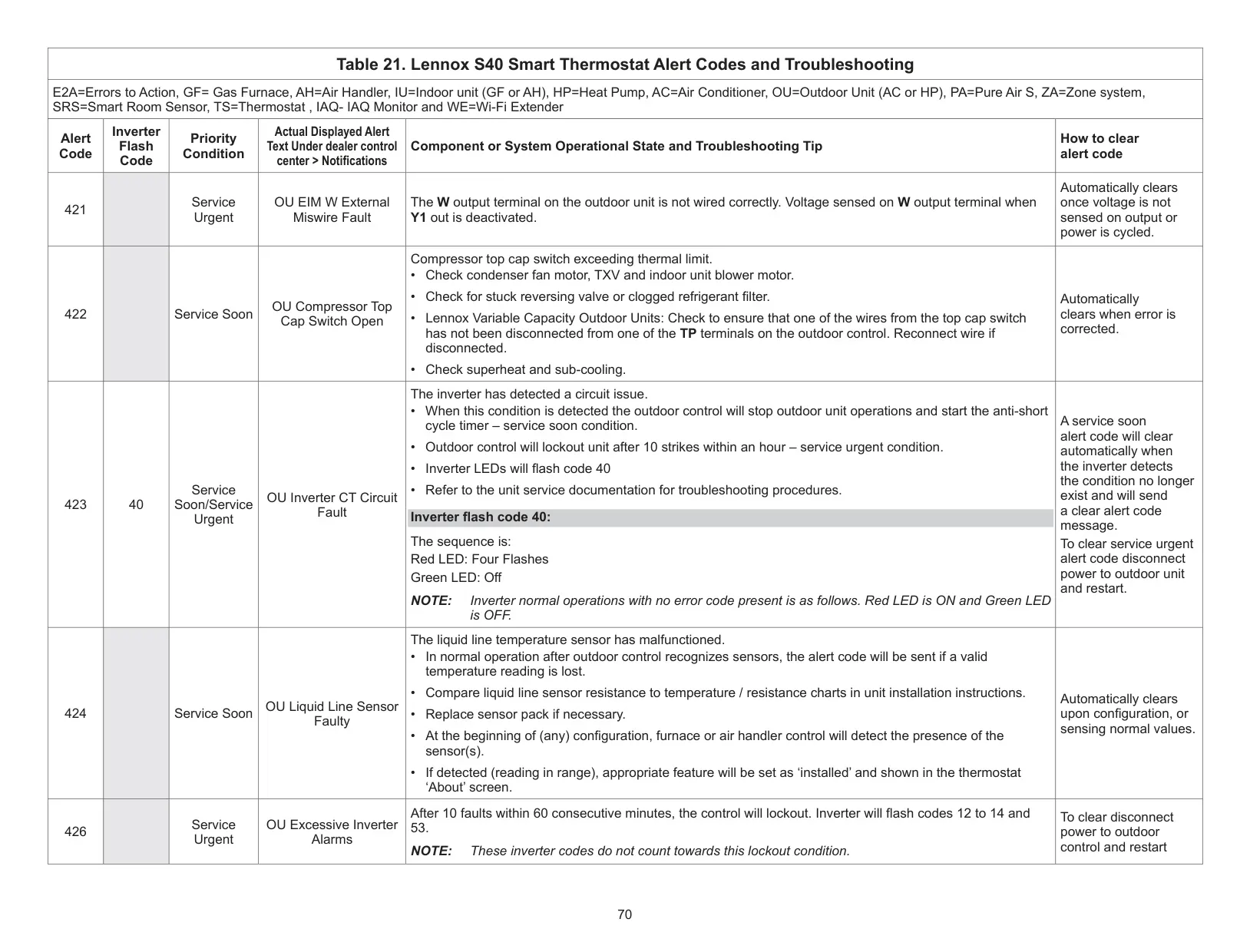
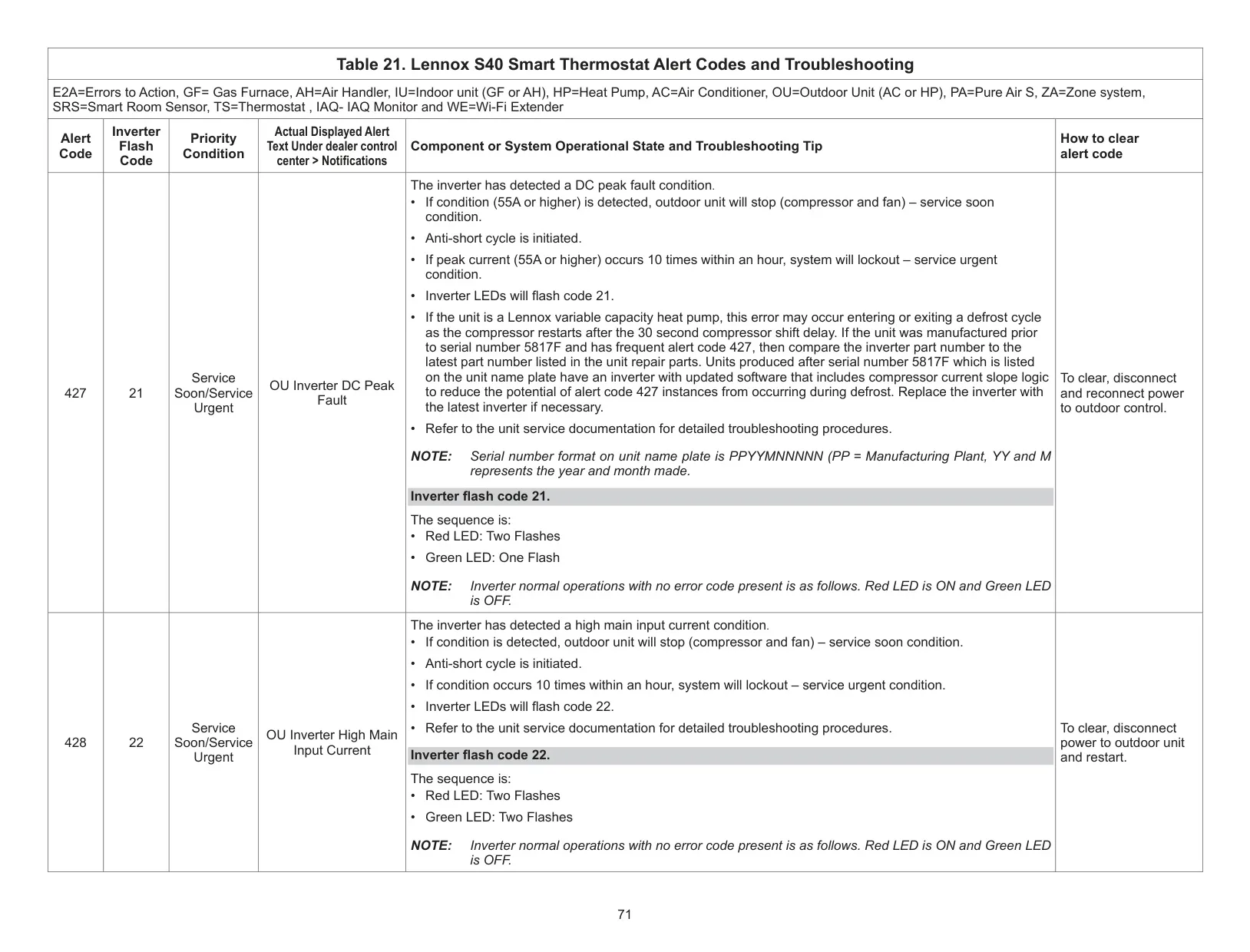
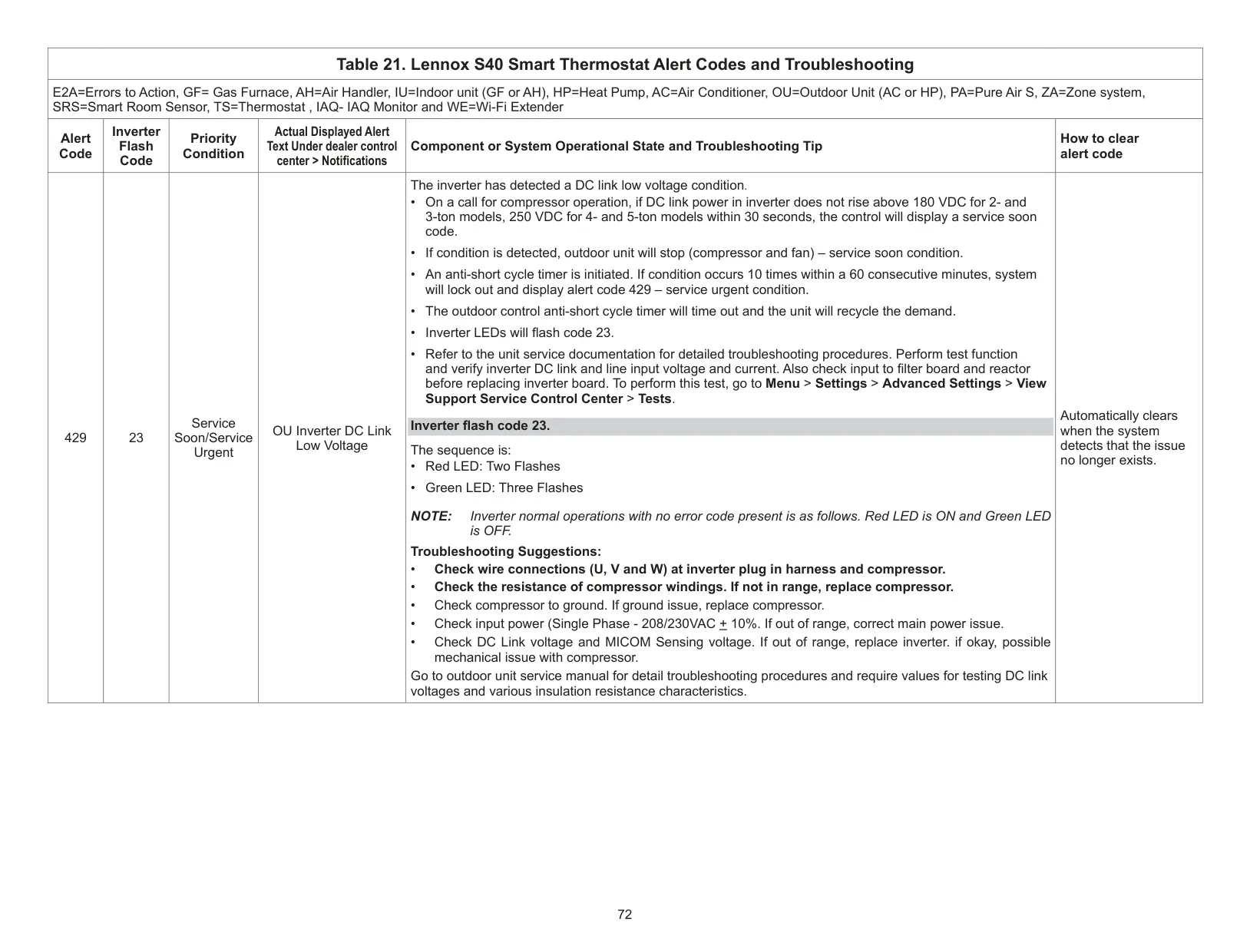
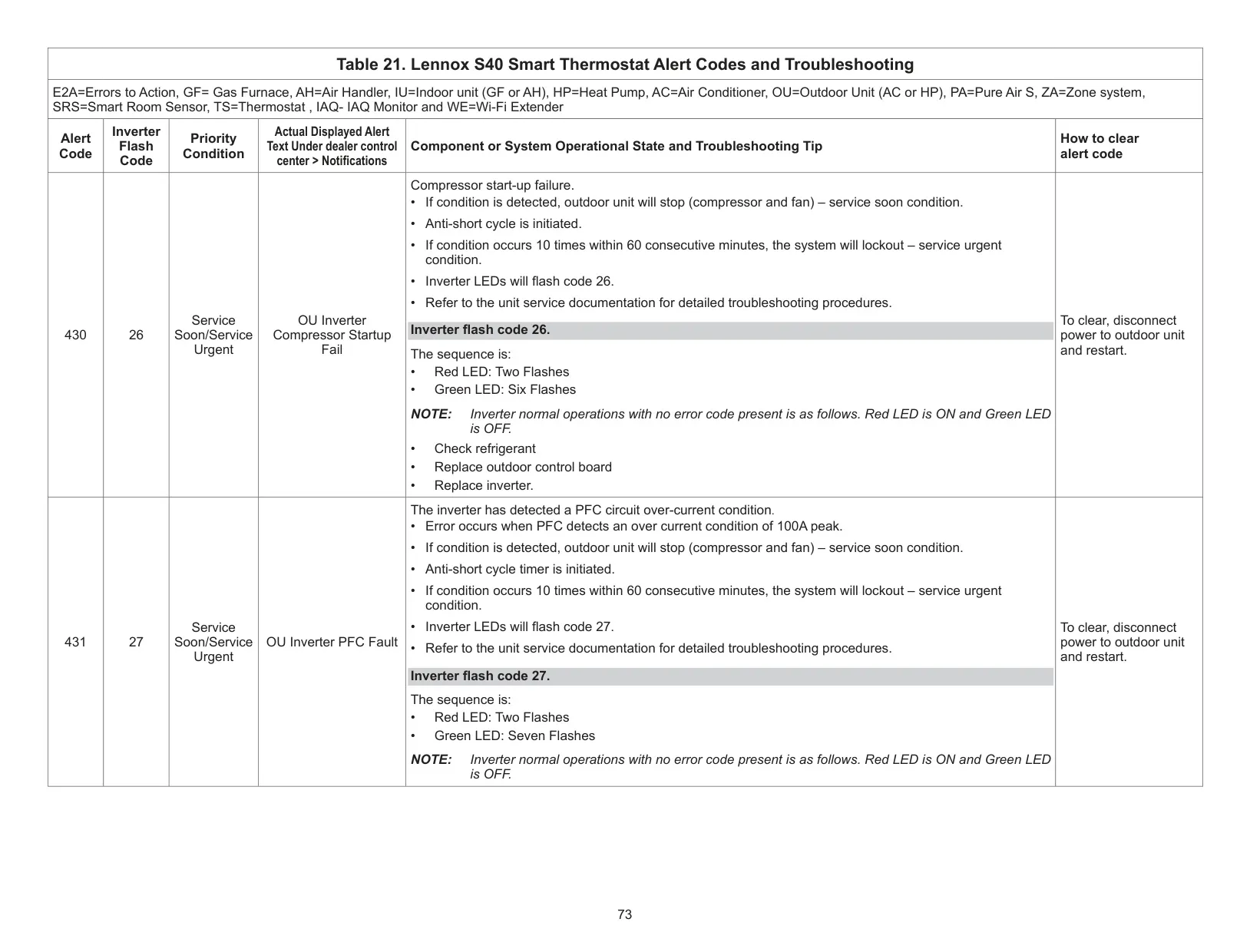
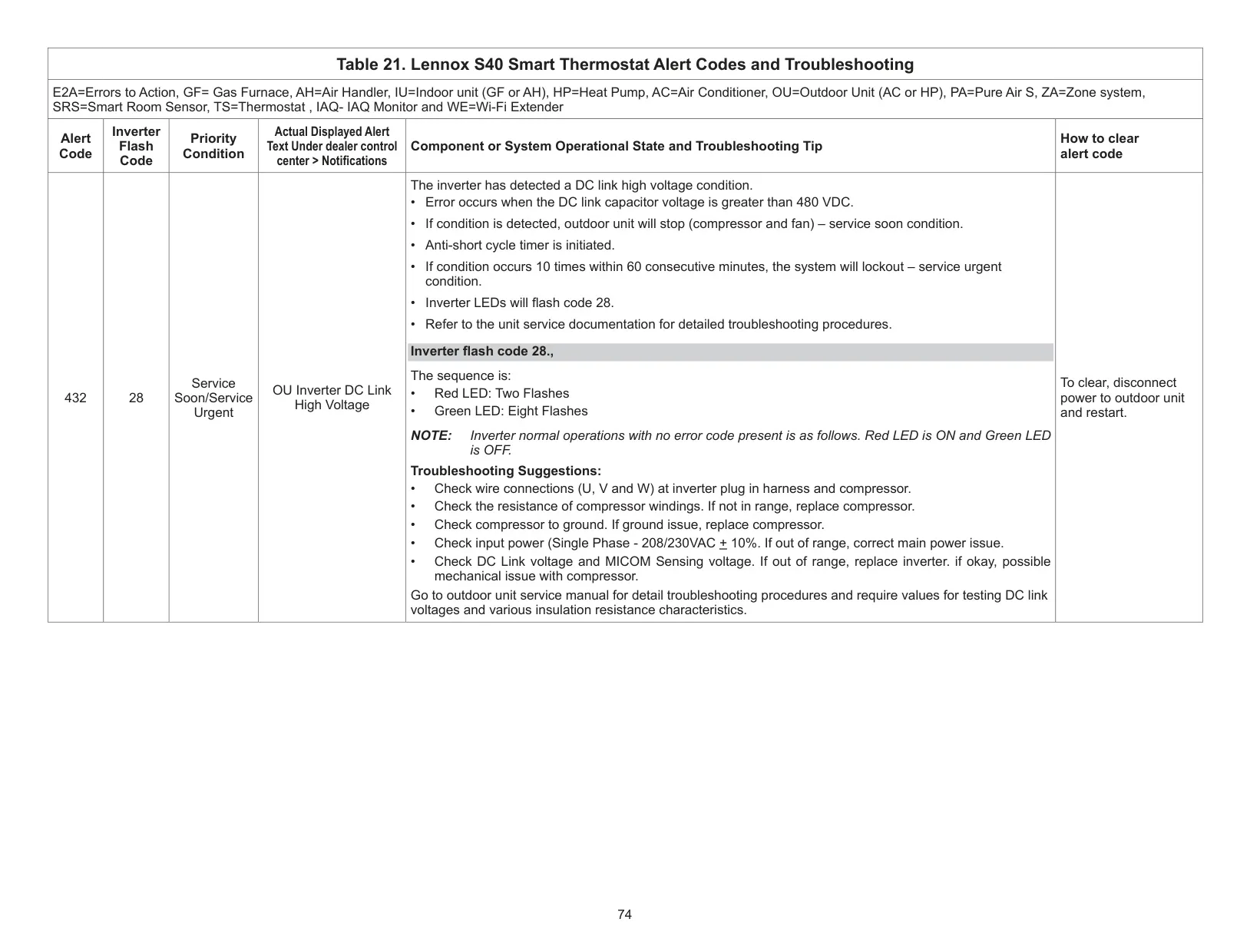
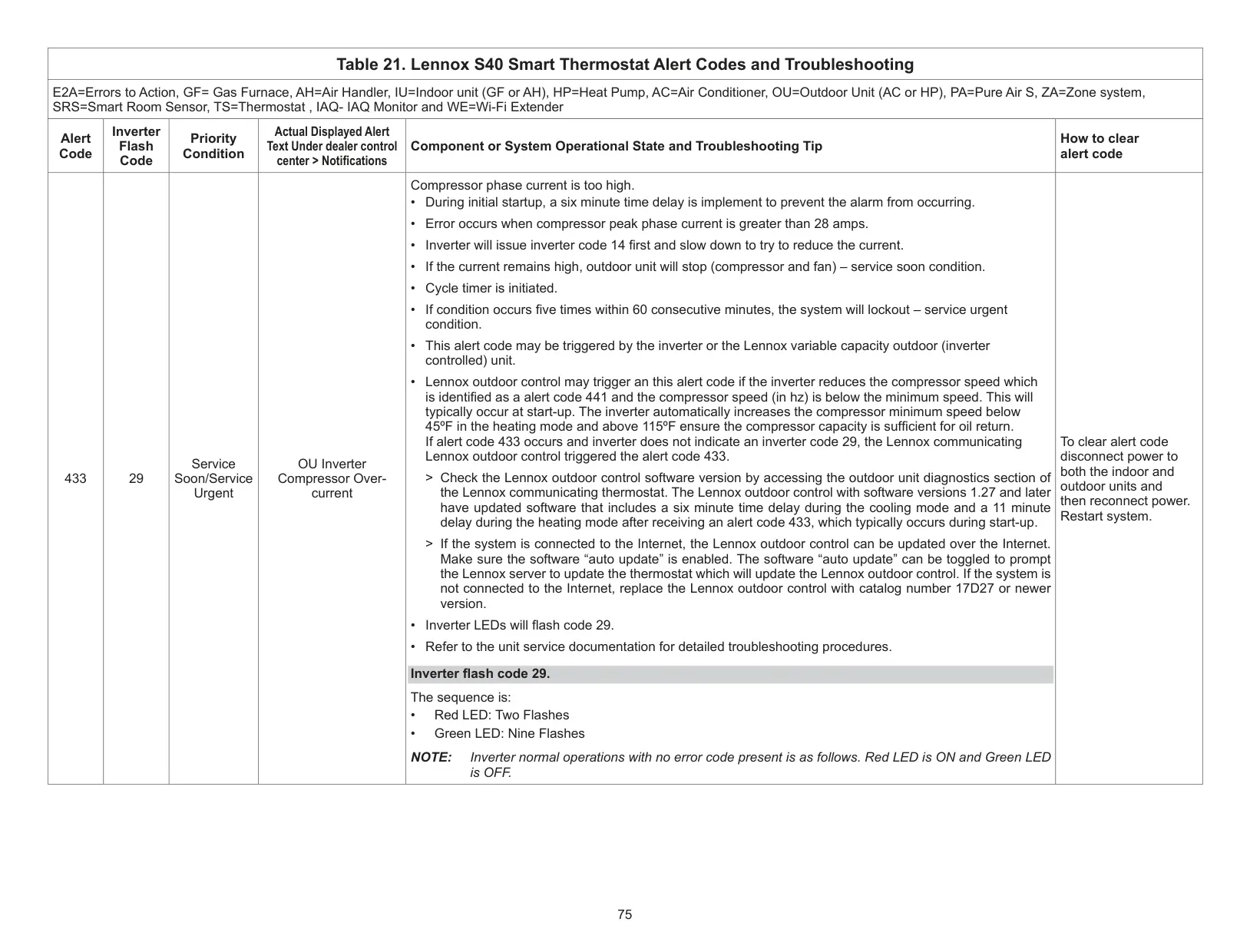
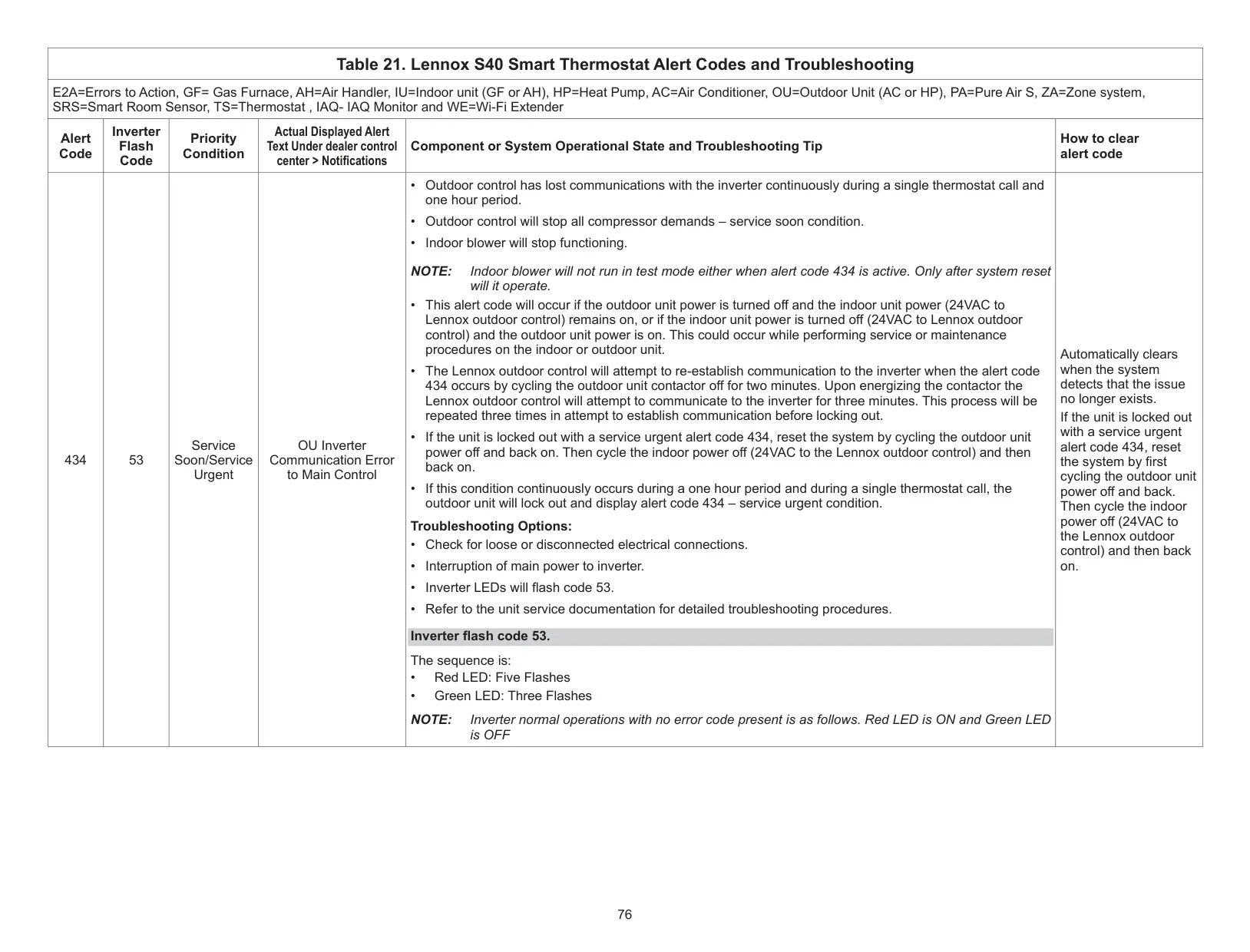
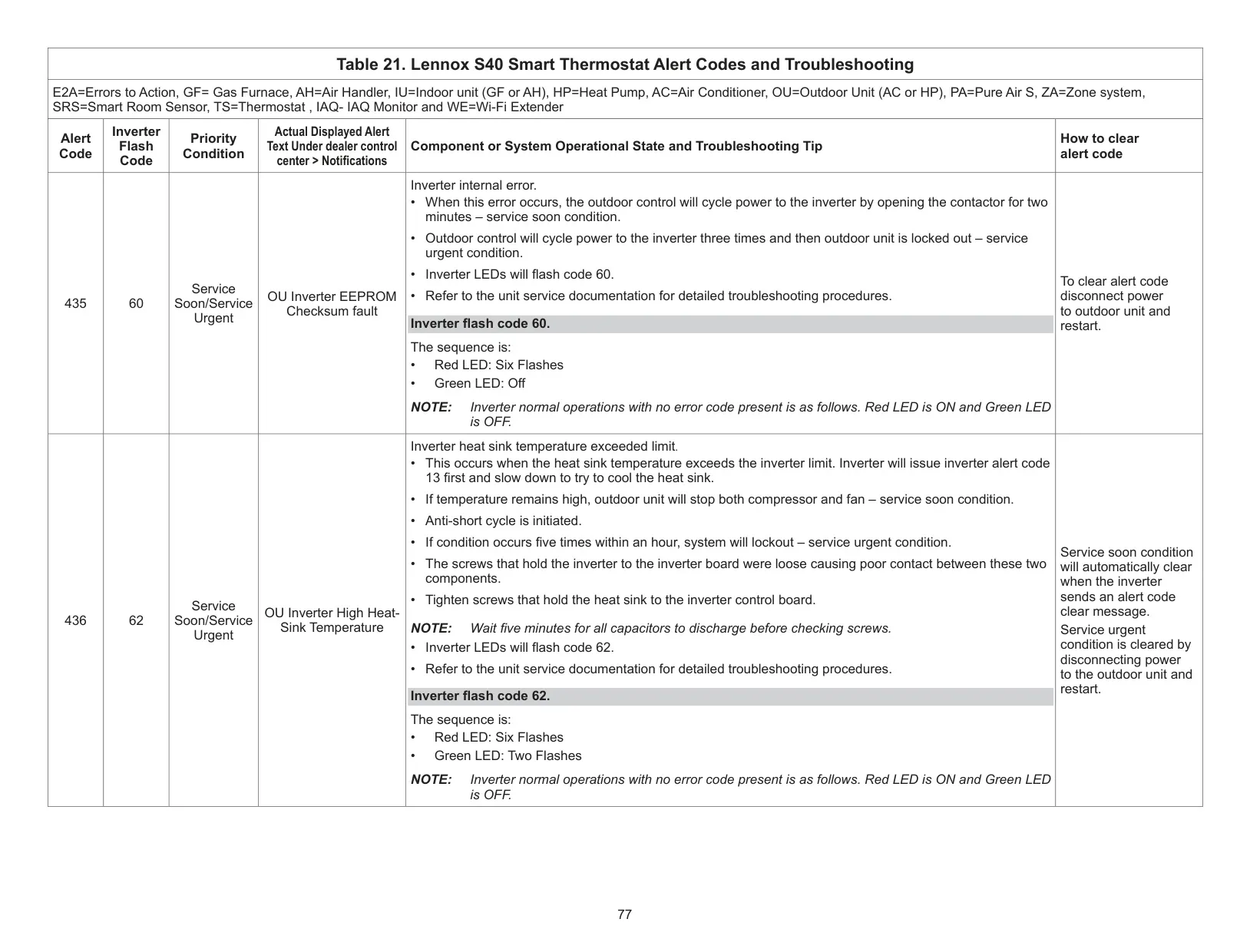
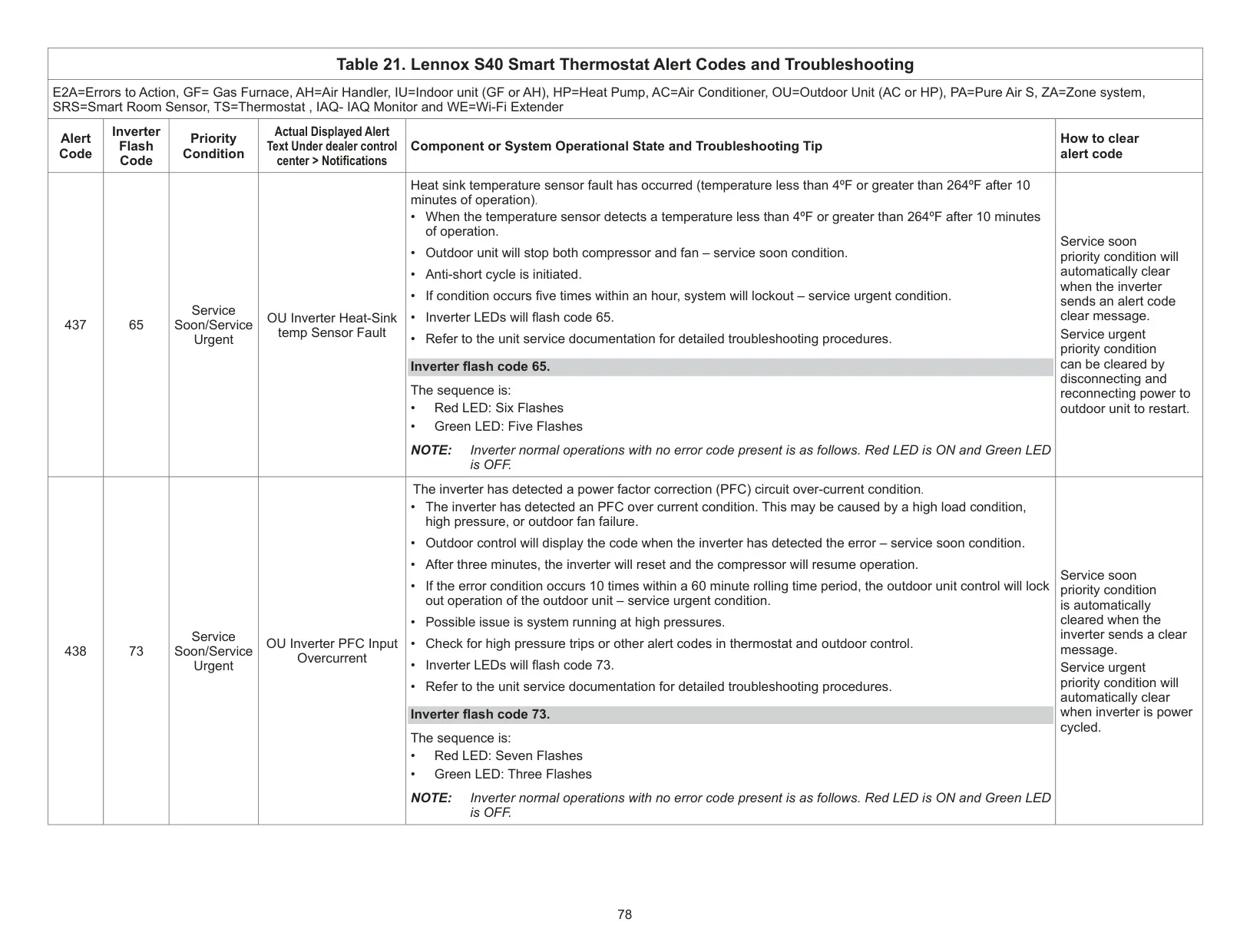
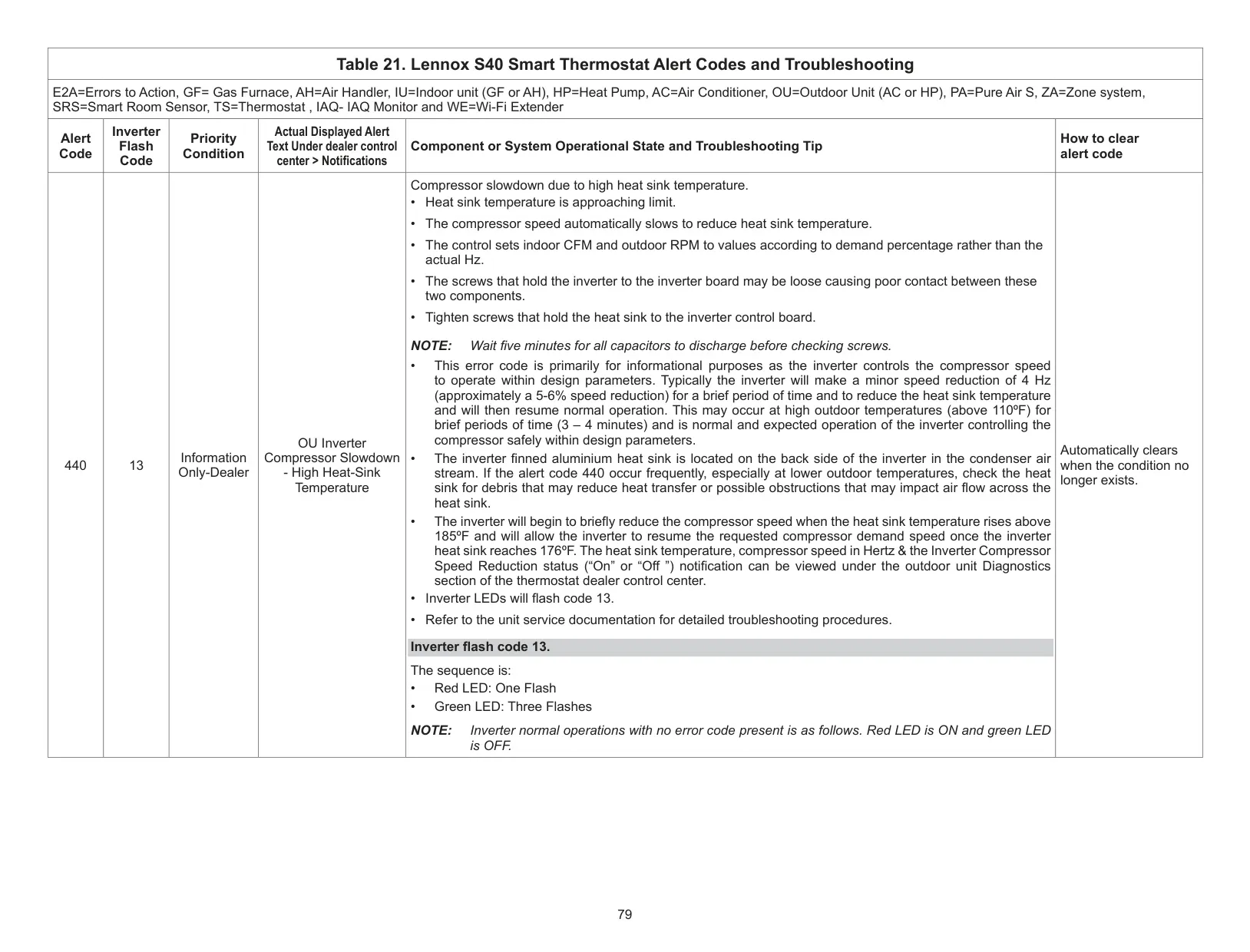
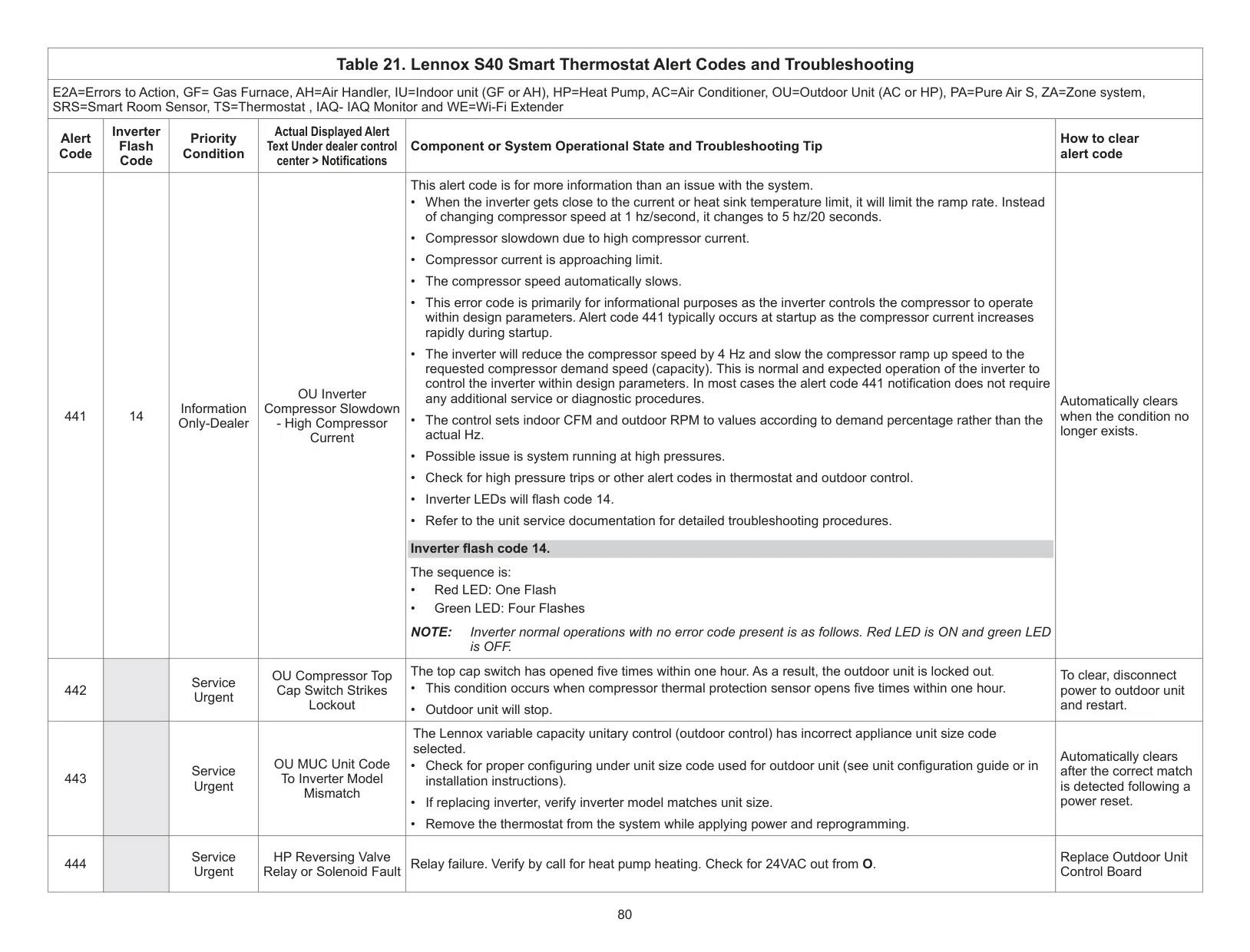
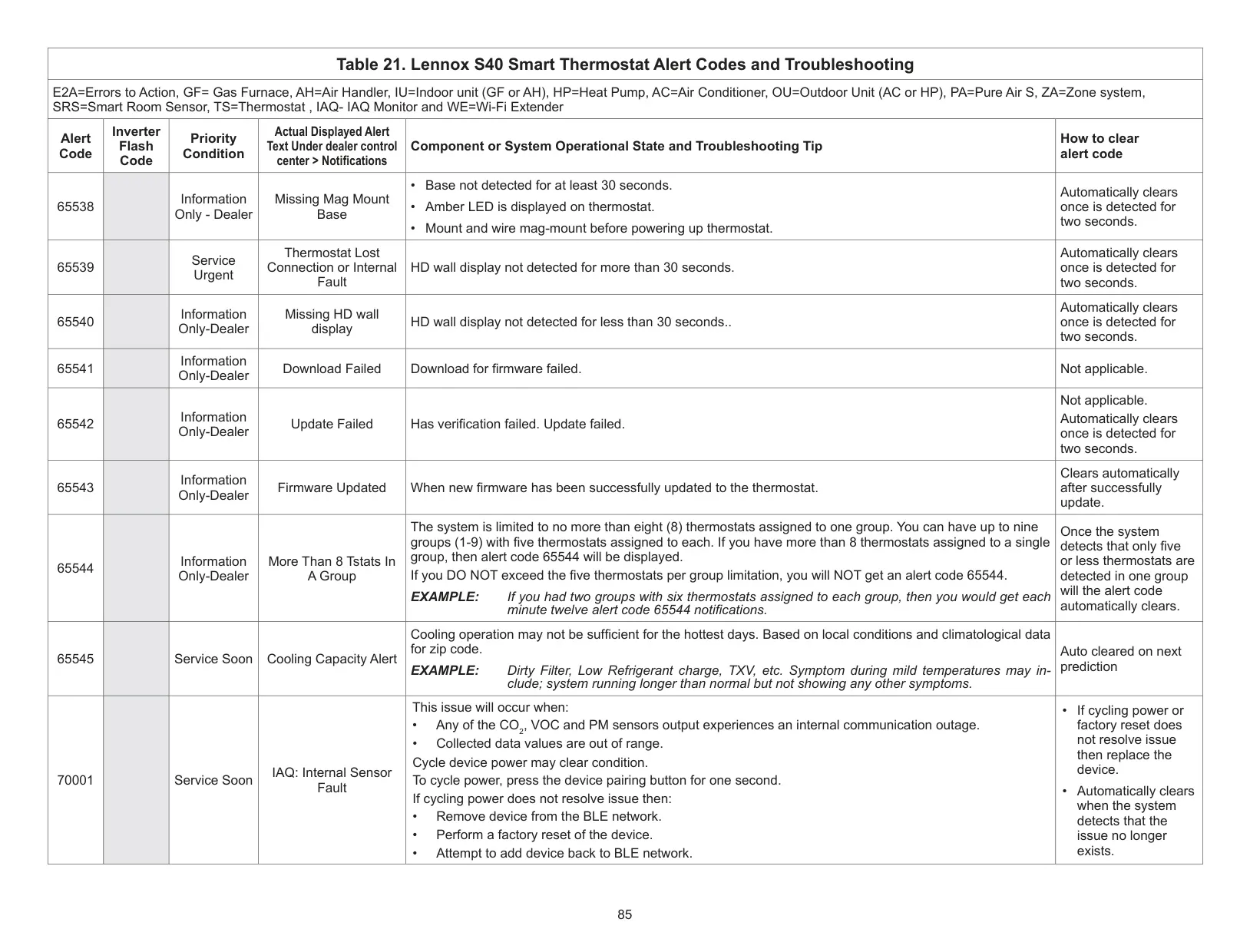
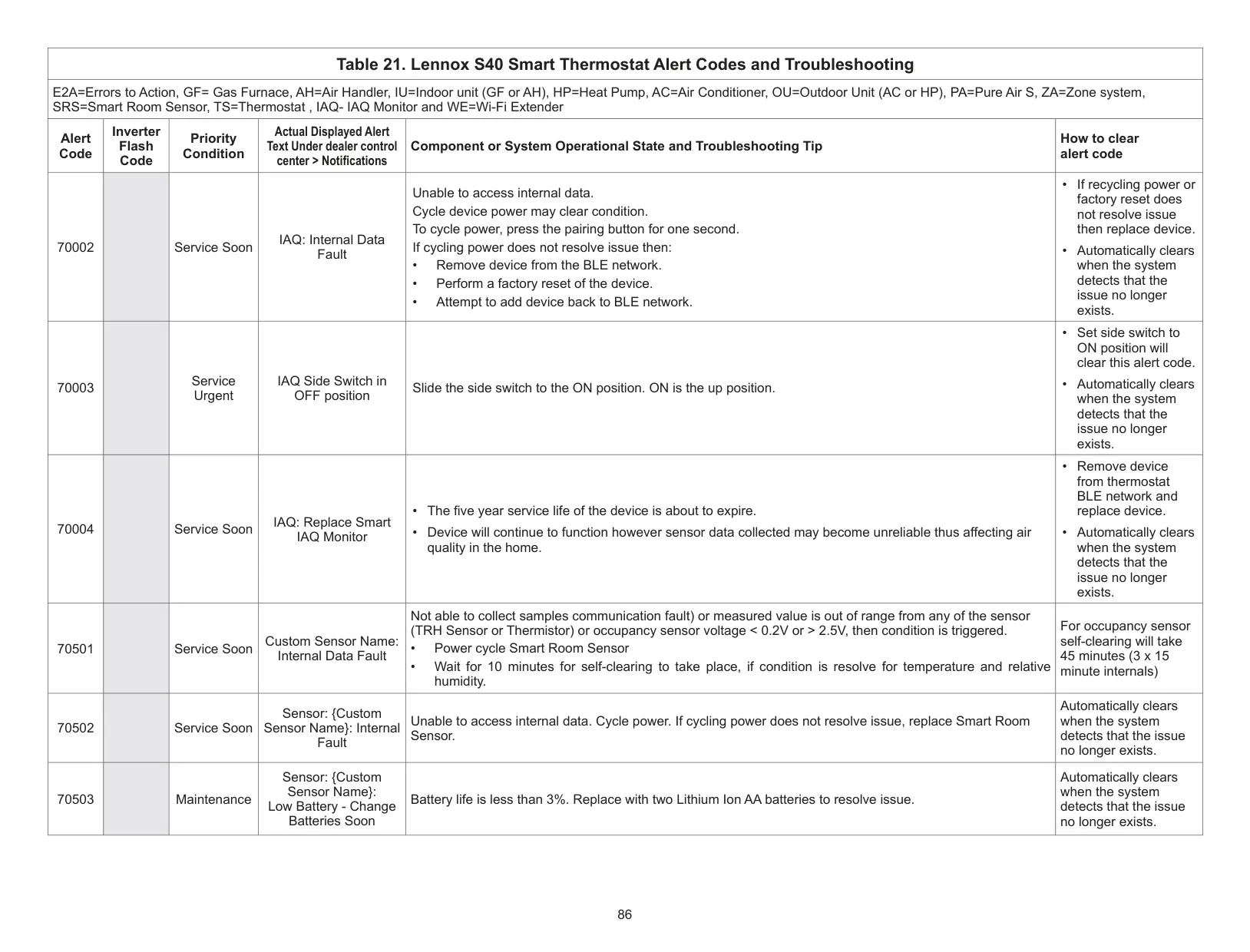
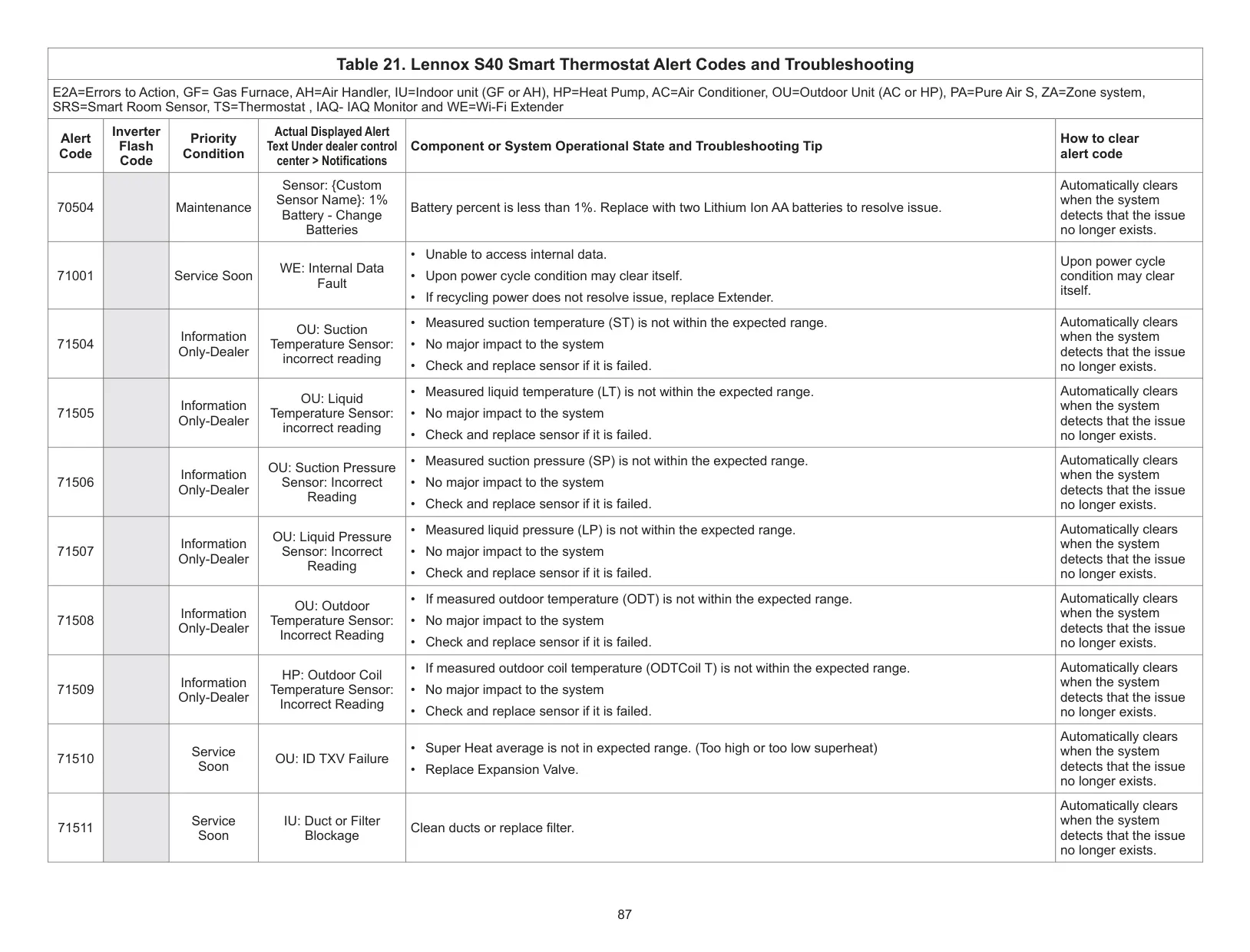
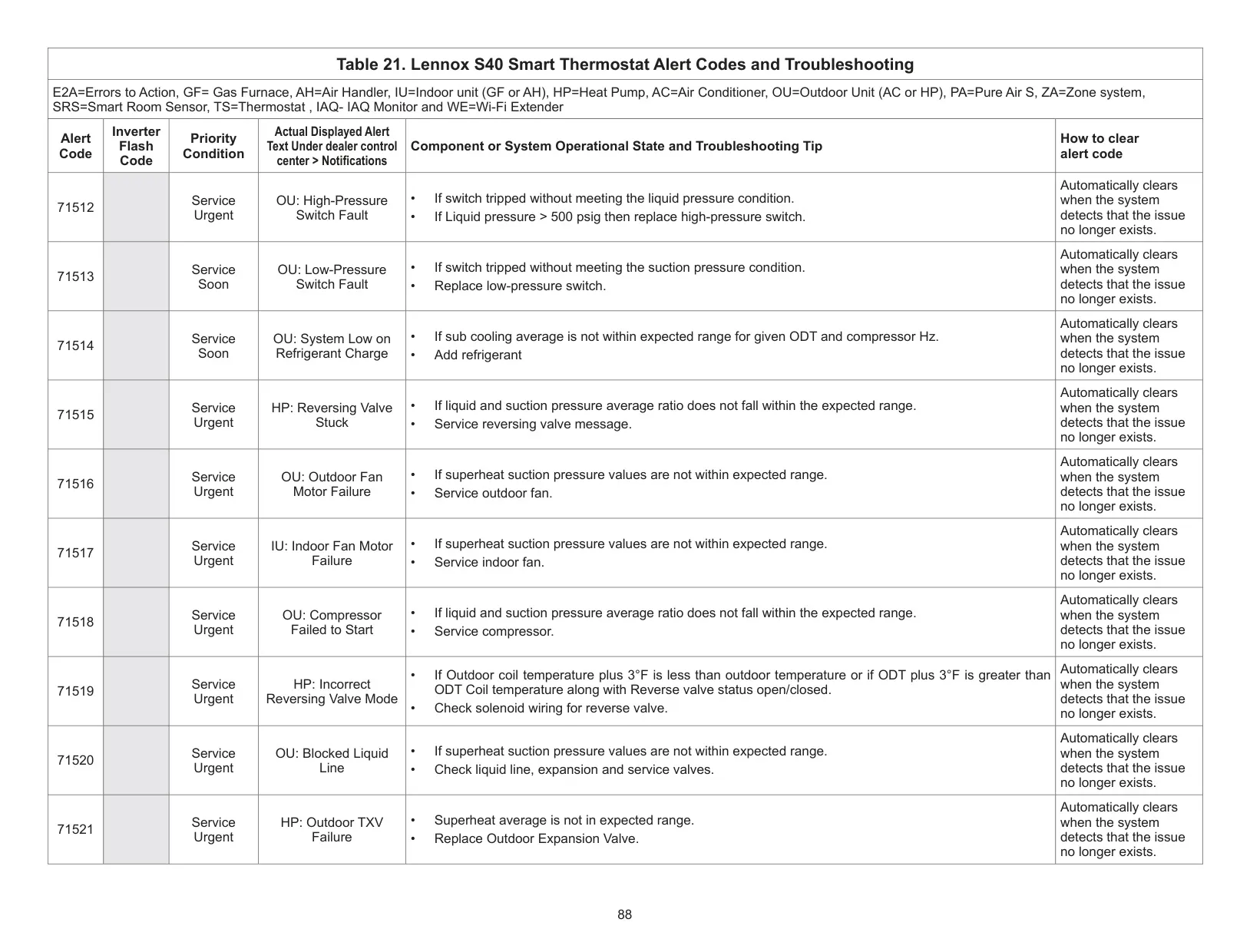
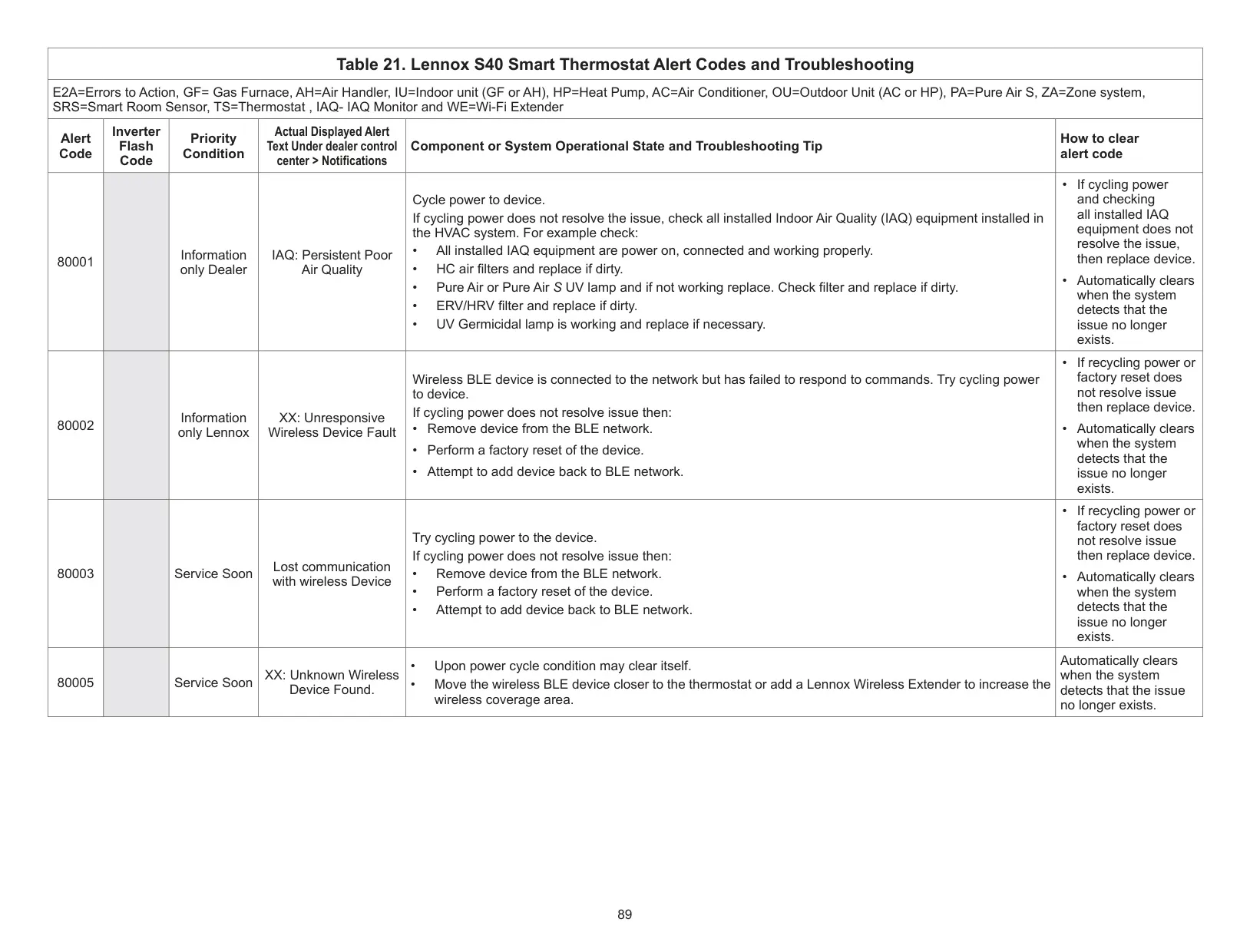
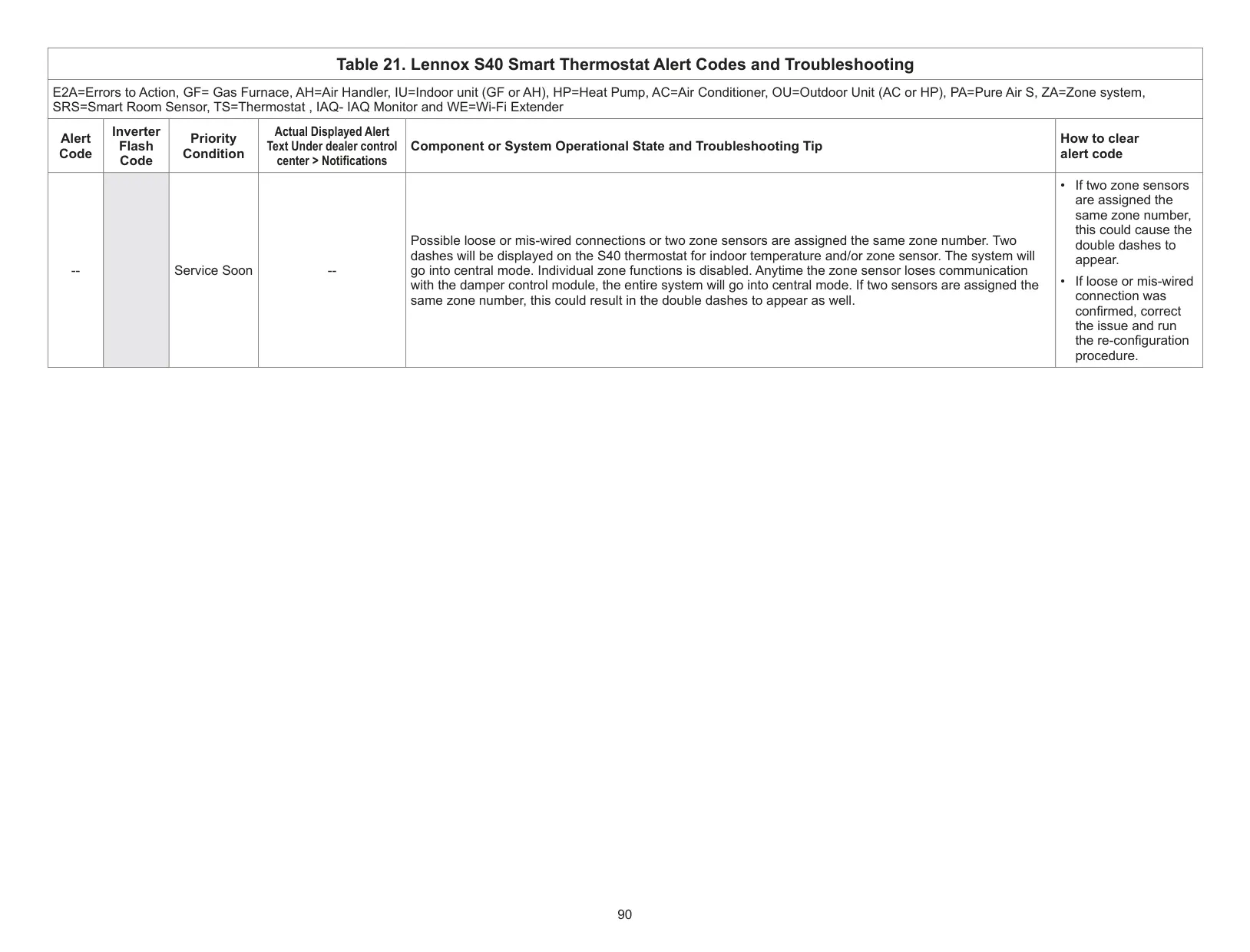
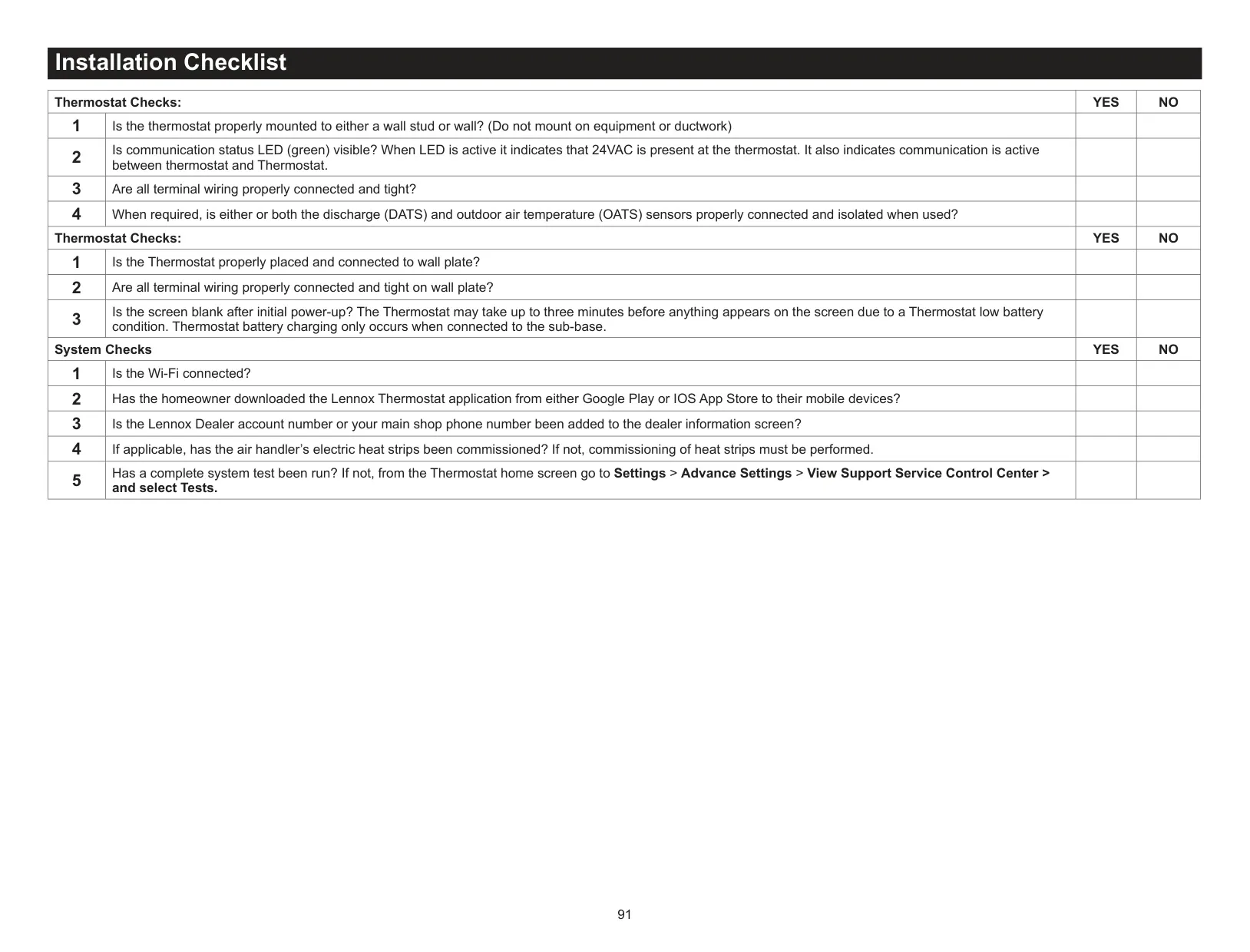



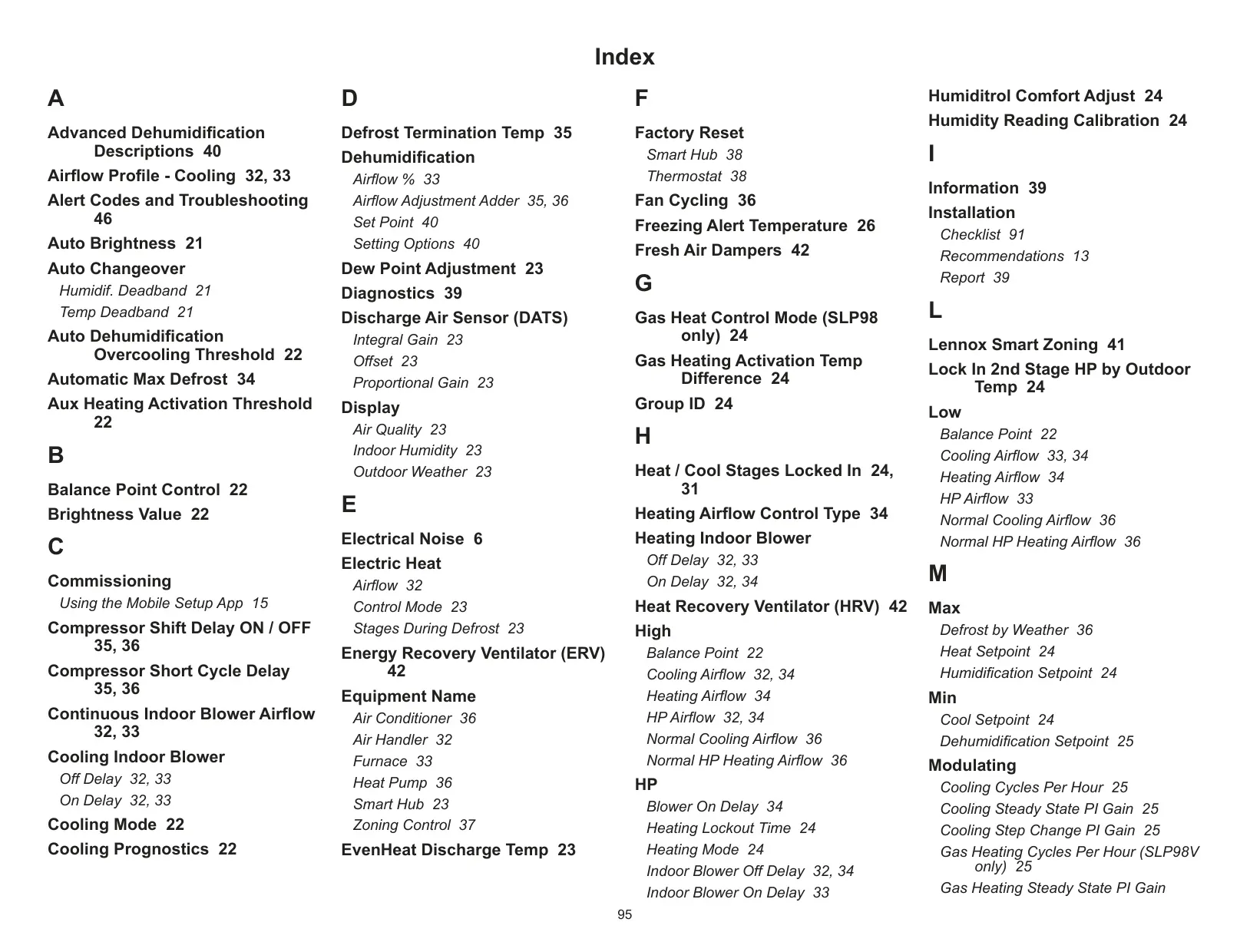
Lennox S40 Thermostat Instructions
Here we offer the Lennox S40 Thermostat manual completely free and in English. We have cataloged this manual in the Thermostats section on Manualverse, and it has been rated by 1 users with an average rating of 5. If you have any specific questions about Lennox S40 Thermostat, we suggest checking the Frequently Asked Questions (FAQs) section of this manual.
Product Images
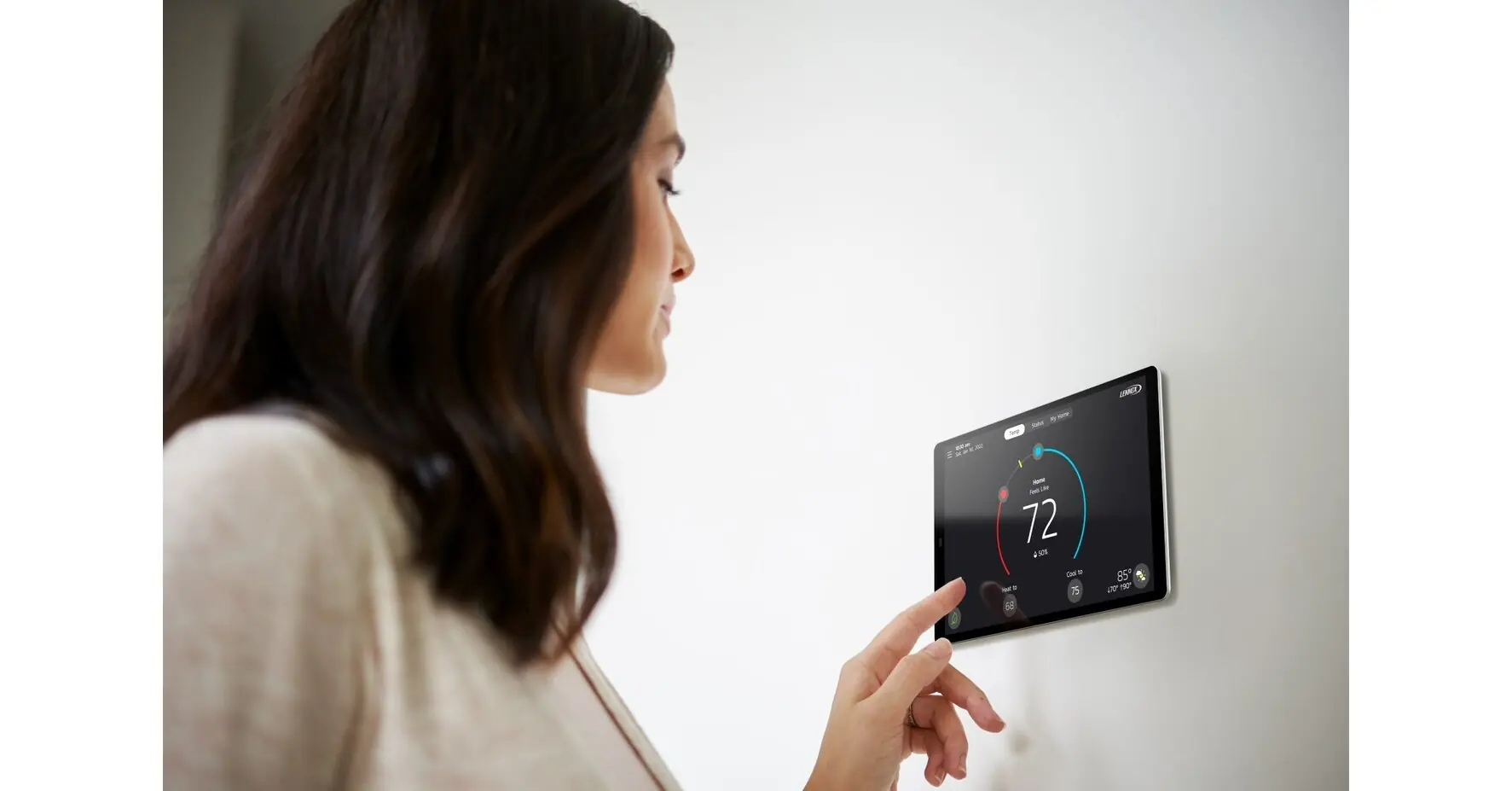
Lennox S40 Thermostat Specifications
| Feature | Specification |
|---|---|
| Display | 7” Capacitive Touchscreen (1280 x 800 resolution, 16:9 ratio, 72dpi) |
| Dimensions (Thermostat only) | 7” W x 5-7/8” H x 3/4” D (179mm x 147mm x 18.4mm) |
| Power Input | 24VAC |
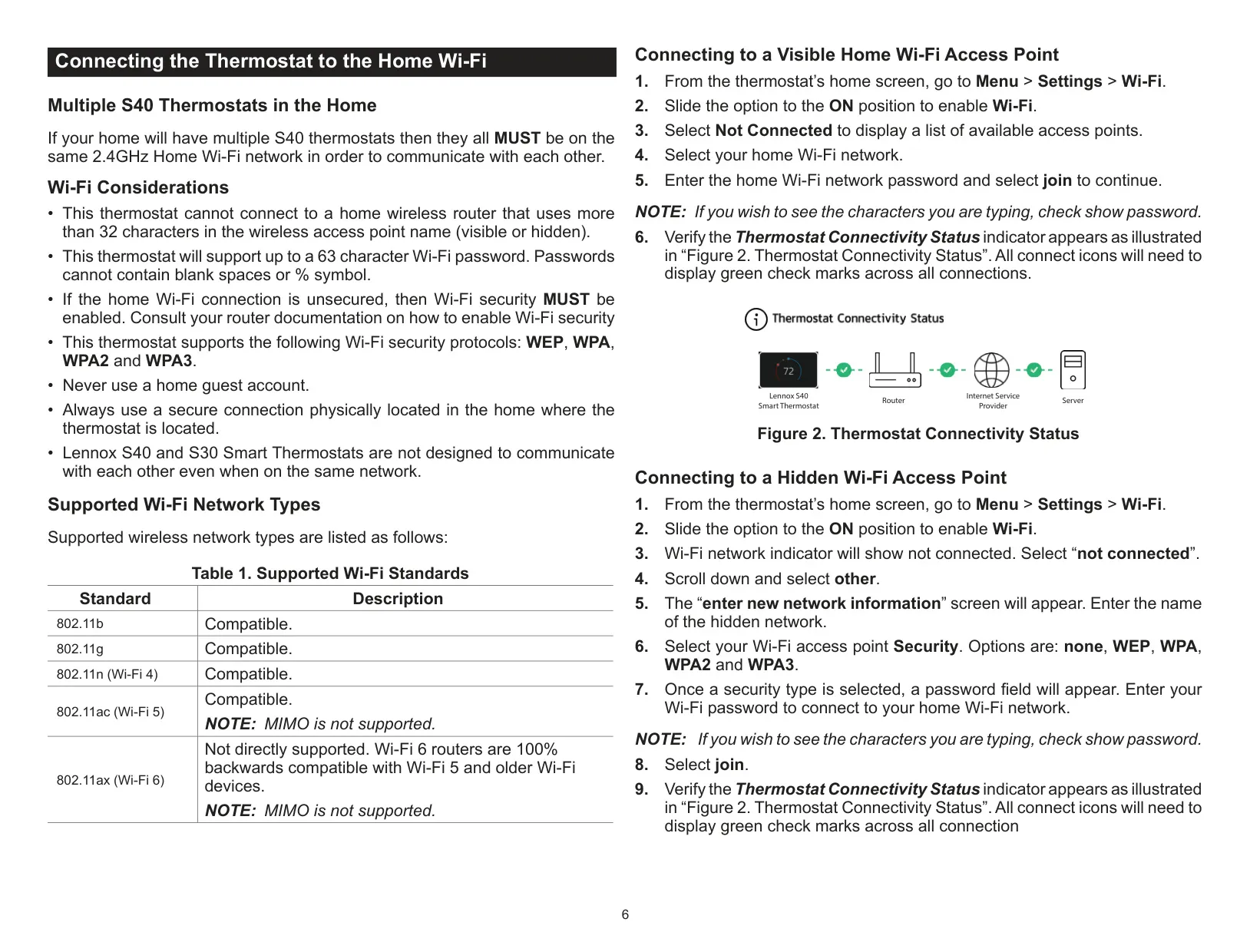
| Wi-Fi Network Types | 802.11b/g/n (Wi-Fi 4), 802.11ac (Wi-Fi 5) compatible; 802.11ax (Wi-Fi 6) backward compatible |
| Wi-Fi Frequency | 2.4GHz (Mandatory for multiple S40 thermostats to communicate) |
| Wi-Fi Security Protocols | WEP, WPA, WPA2, WPA3 |
| Max Wi-Fi SSID Length | 32 characters |
| Max Wi-Fi Password Length | 63 characters (no blank spaces or % symbol) |
| Built-in Sensors | Ambient Light, Humidity, Temperature |
| Supported HVAC Stages | Up to 4 heat / 2 compressor stages (Heat Pump, Air Conditioner) |
| Supported Smart Room Sensors | Up to 6 devices for temperature averaging |
| Supported Smart Air Quality Monitors | 1 device |
| Supported Smart Zoning | Up to 4 zones per thermostat |
Lennox S40 Thermostat Details
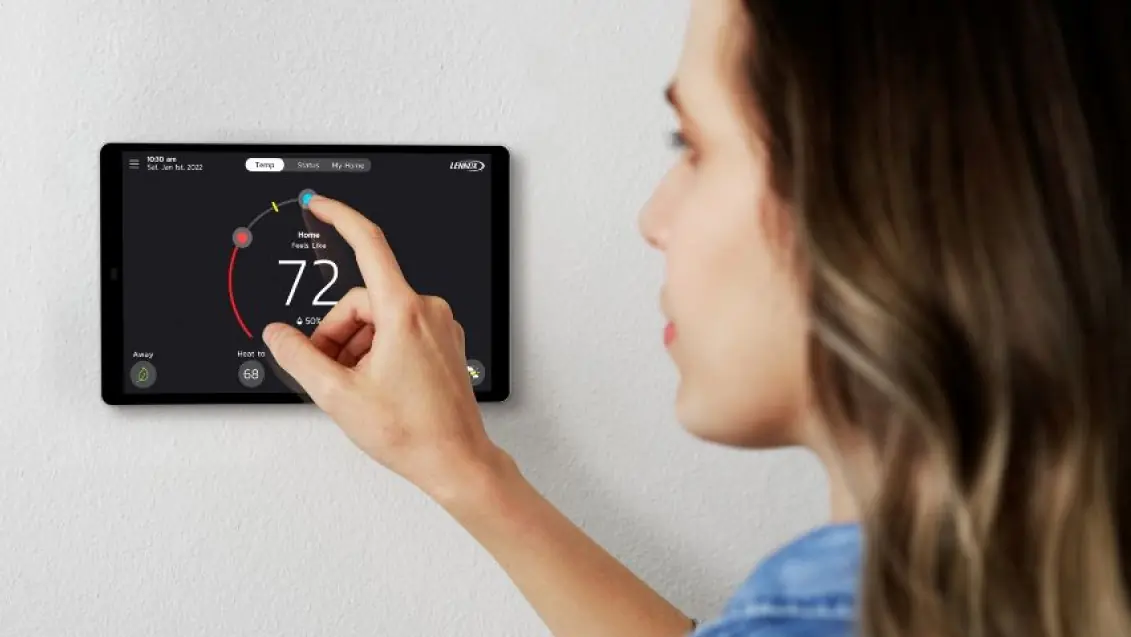
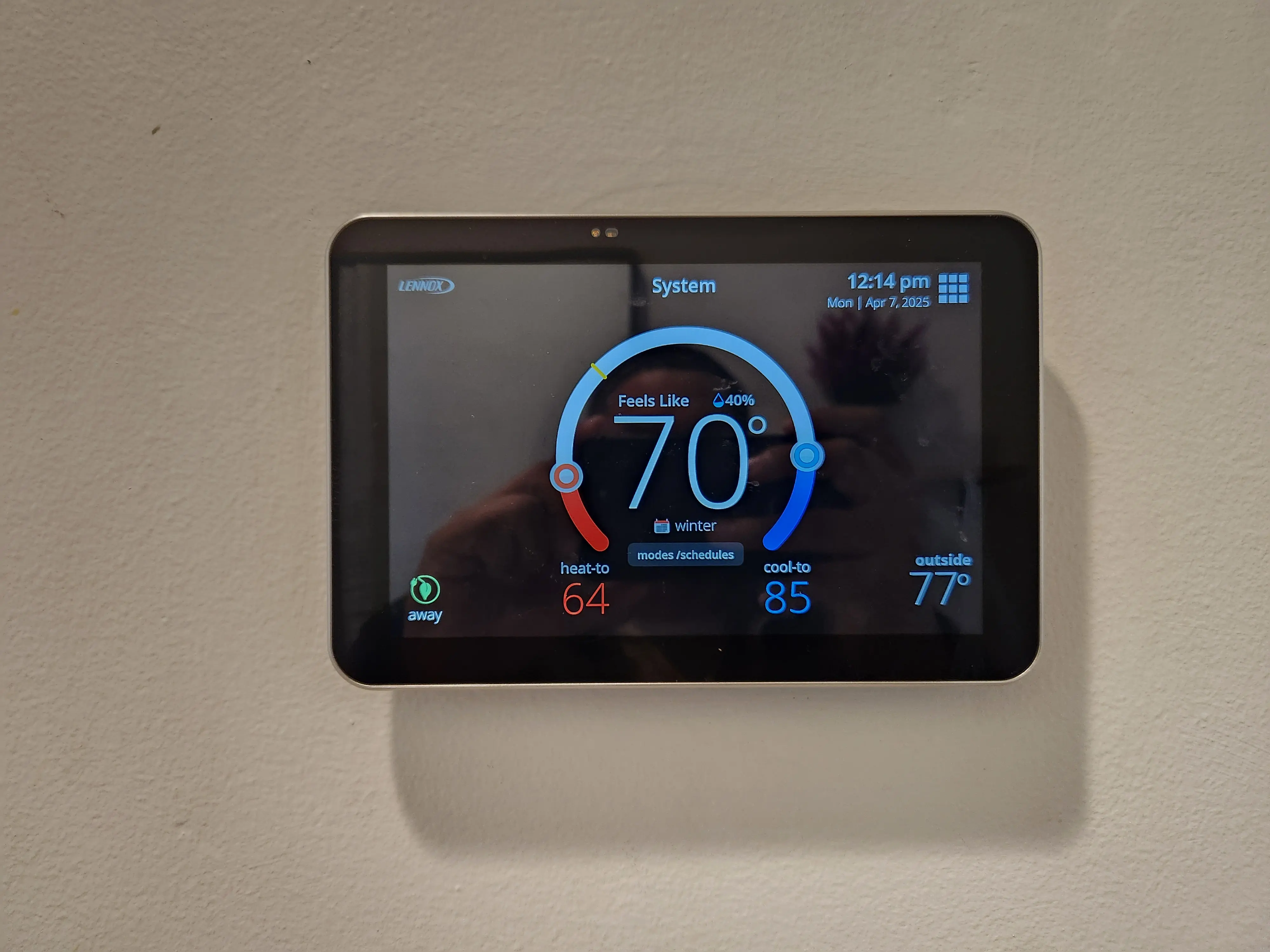
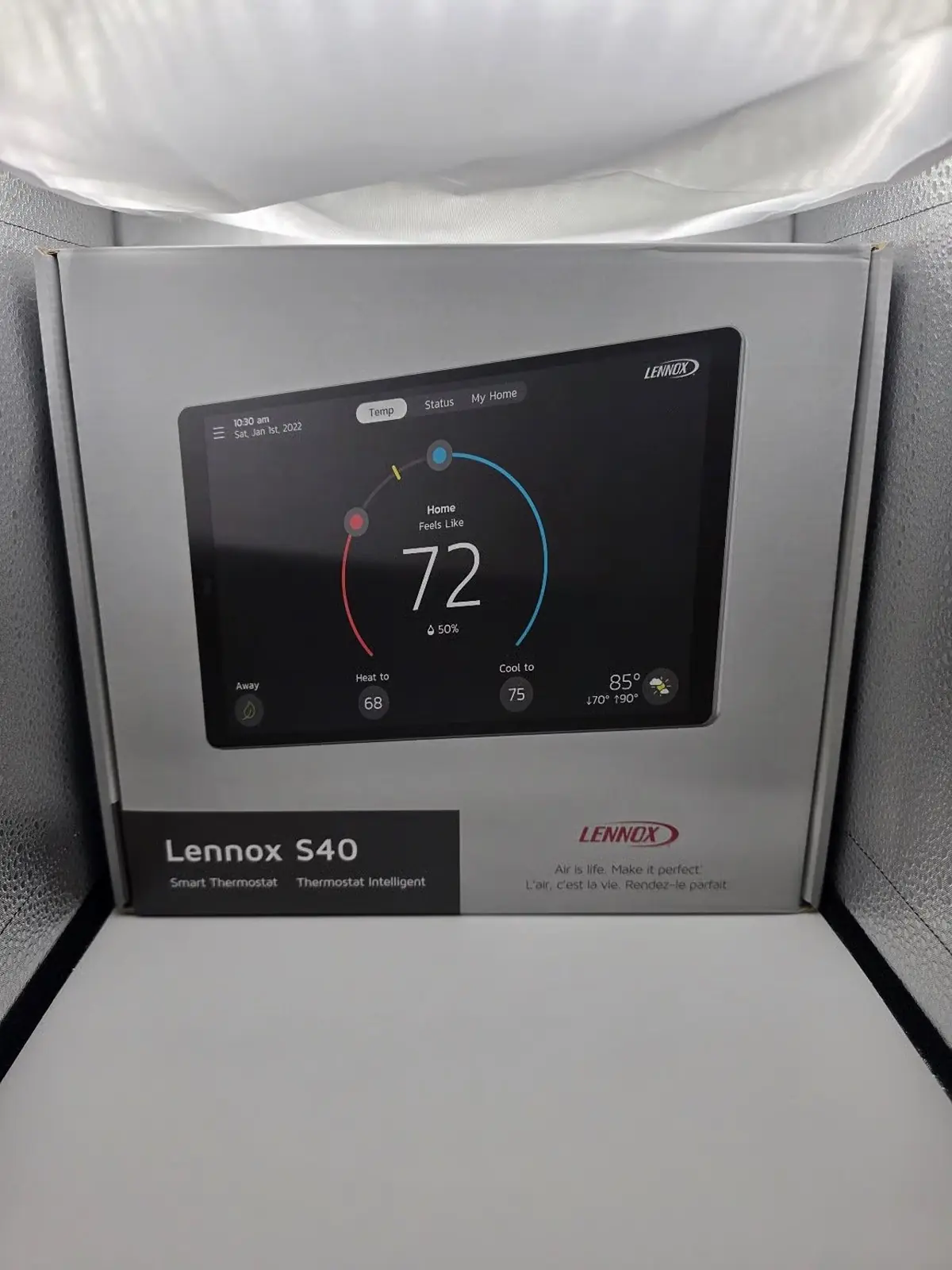
The Lennox S40 Smart Thermostat is an advanced control unit designed to enhance home comfort and energy efficiency. It seamlessly connects with all Lennox communicating products, automatically configuring and controlling the heating/cooling system based on user-defined settings. This ensures an optimal environment, high performance, and significant energy savings.
A standout feature is the Smart Away mode, which leverages your family's smartphone GPS to detect when the house is empty. It intelligently adjusts temperatures to save energy and then returns to comfortable settings as someone approaches home. This dynamic adaptation surpasses traditional programmable thermostats, offering true lifestyle integration.
Another innovation is Feels Like technology. Instead of merely maintaining a set temperature, it considers all factors affecting comfort, including heating, cooling, and humidity, to create your ideal indoor climate. Users simply set a single desired temperature, and the thermostat manages the complex interplay of these elements.
For improved indoor air quality, the Allergen Defender monitors local air quality and pollen levels by zip code. When elevated pollutants or allergens are reported, the S40 automatically increases fan speed, circulating more clean air throughout your home. This feature works best when paired with a MERV 11 or higher filter.
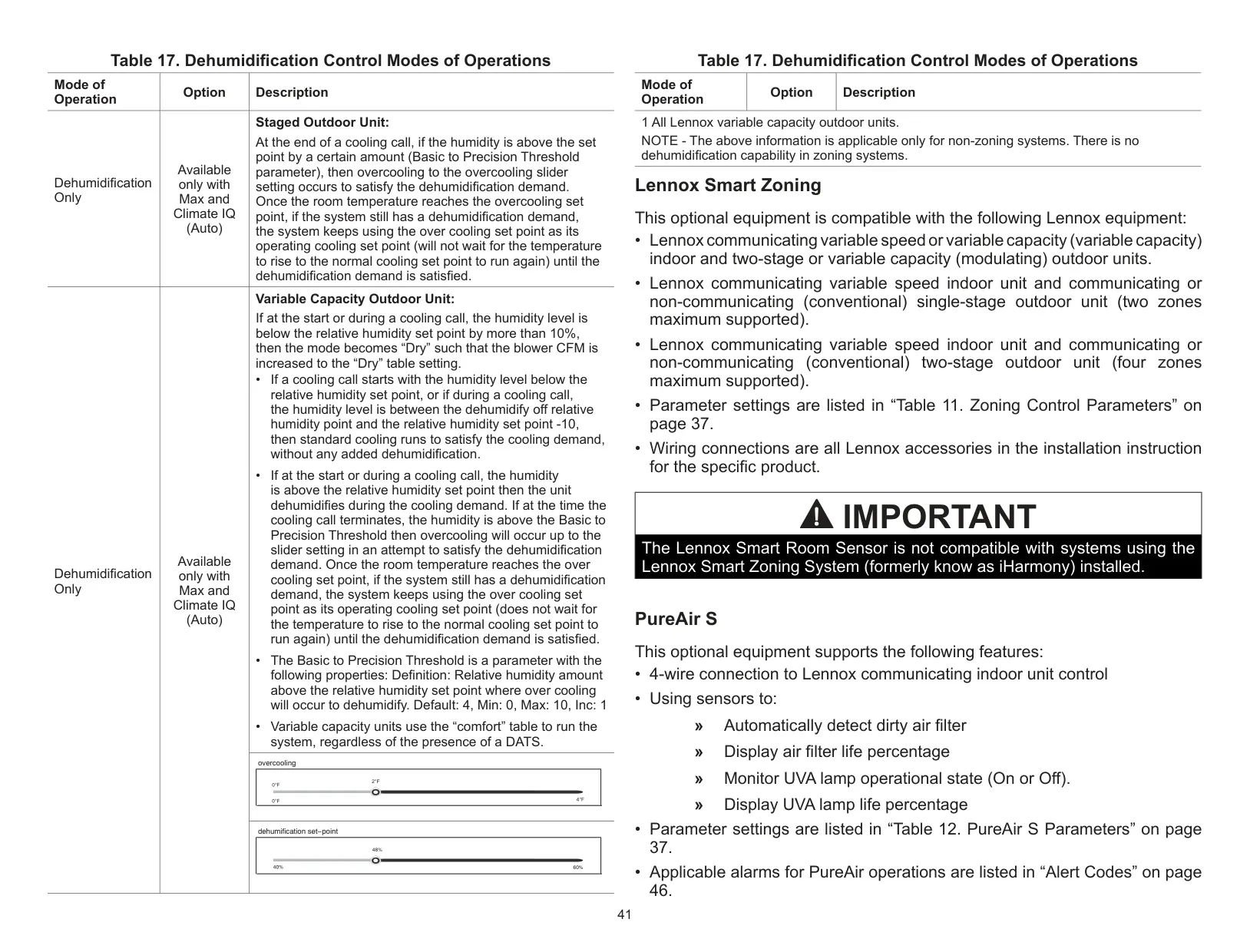
Climate IQ monitors current outdoor climate conditions and intelligently removes excess humidity when necessary, provided a Lennox communicating outdoor unit is present. Complementing this, Schedule IQ simplifies programming, adapting heating and cooling to your routine after just a single setup.
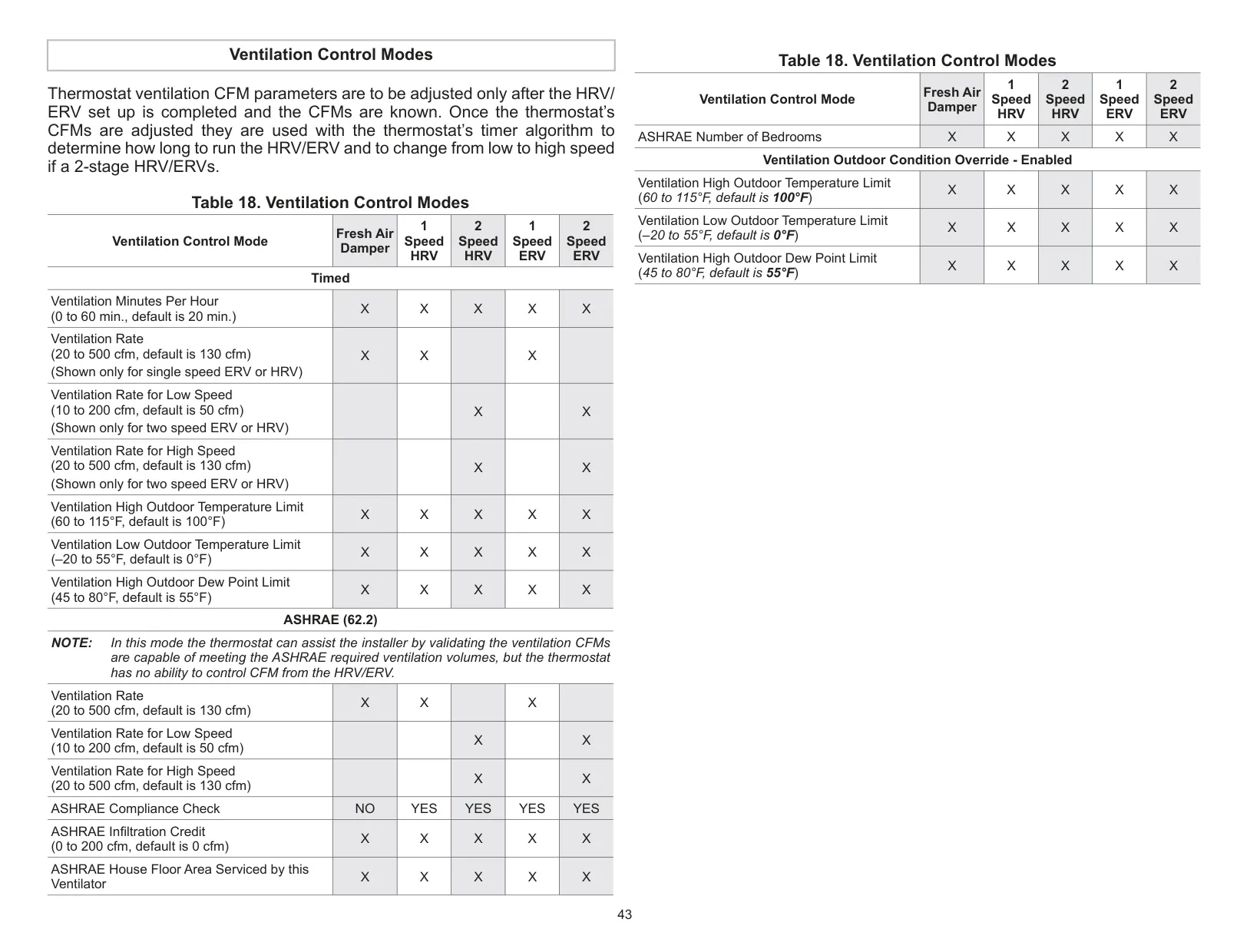
The thermostat supports various system configurations, including air conditioning or heat pump units with up to four stages of heat and two stages of compressor operation. It is variable-capacity and multi-stage compatible, also supporting dual-fuel systems with two balance points for maximum efficiency. Humidification measurement and dew point adjustment controls are integrated for comprehensive climate management.
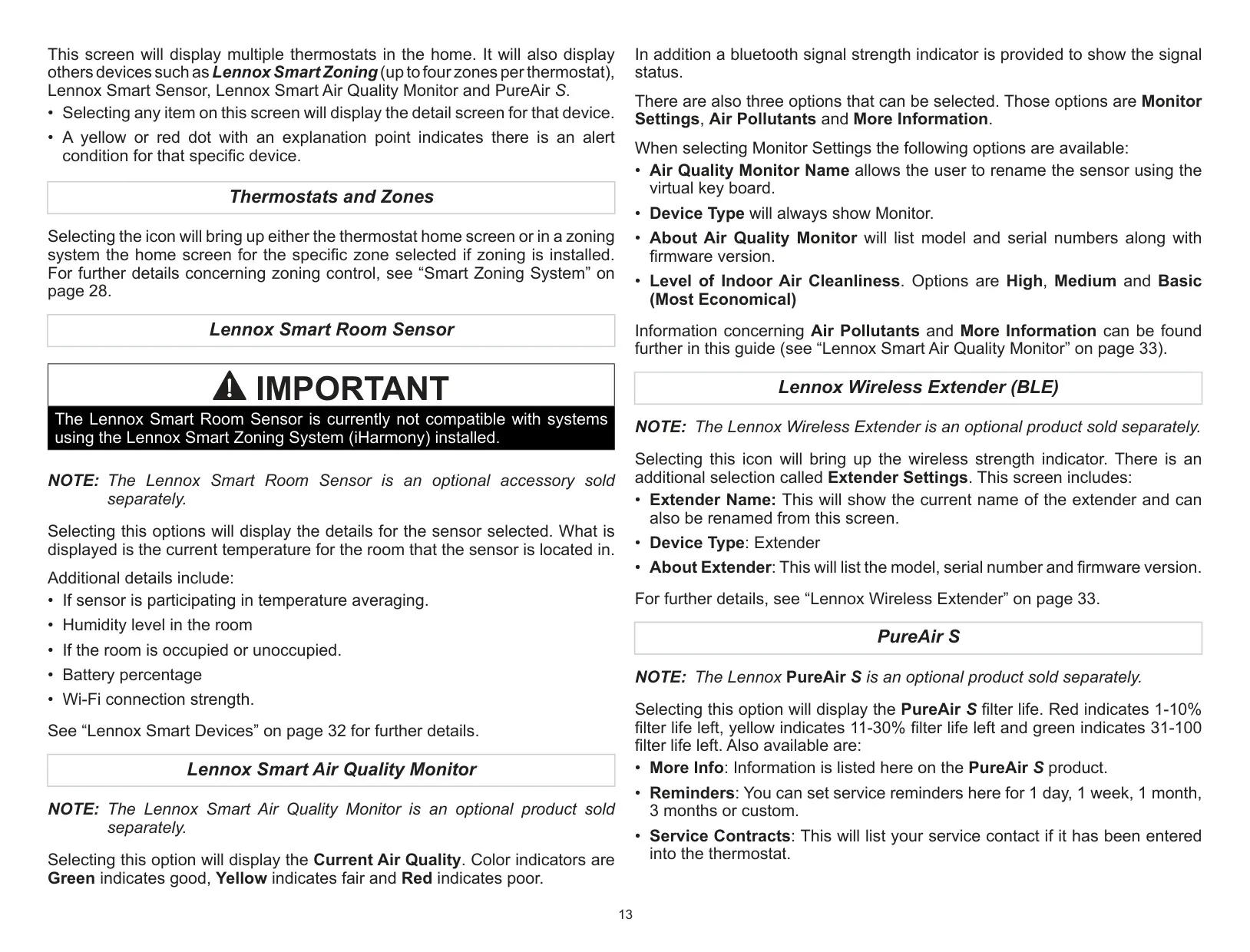
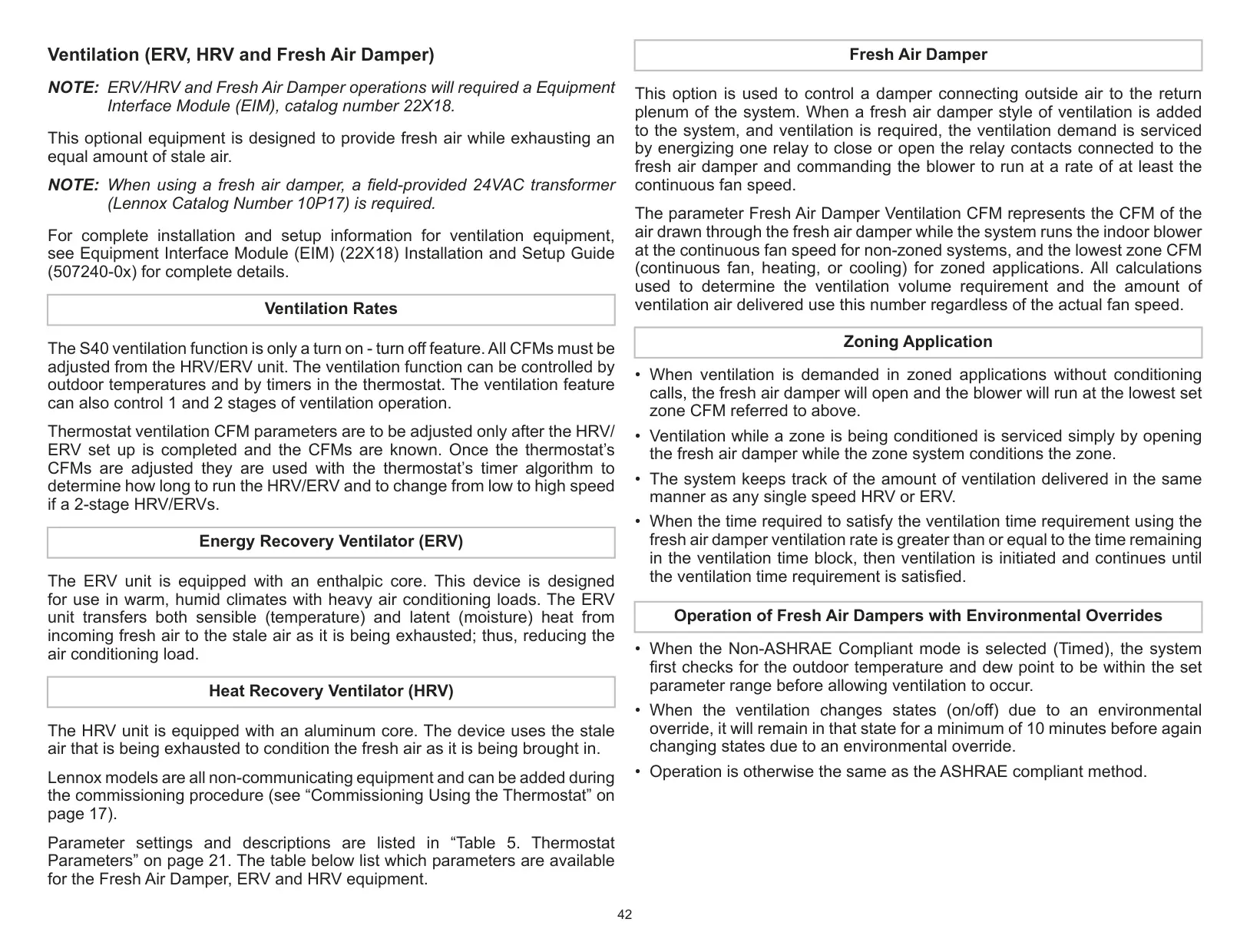
Optional accessories further extend its capabilities. Lennox Smart Room Sensors allow for more precise temperature averaging across your home, while Lennox Wireless Extenders increase the range for these sensors and the Lennox Smart Air Quality Monitor. The monitor detects particulates, carbon dioxide, and volatile organic compounds (TVOCs), triggering on-demand air purification.
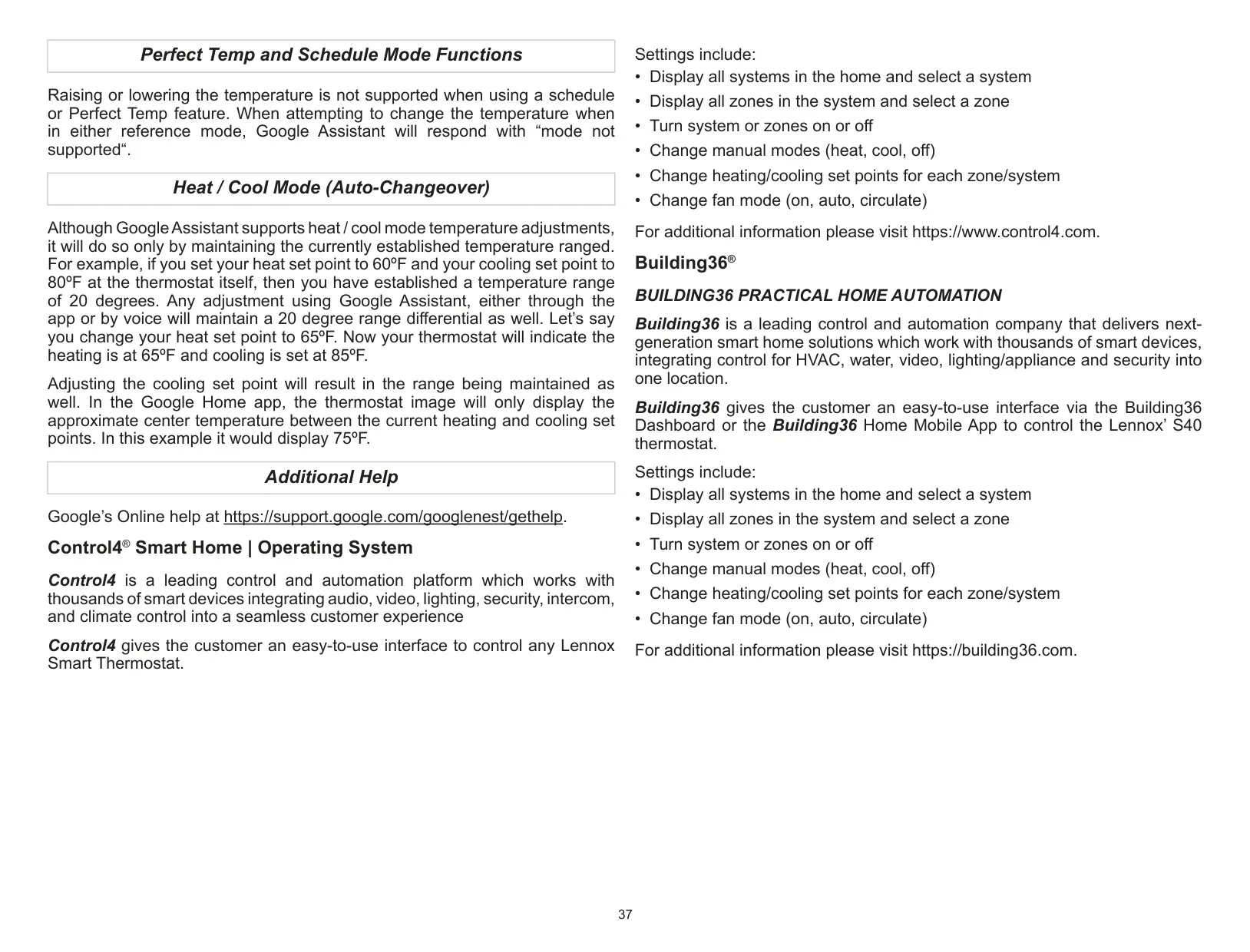
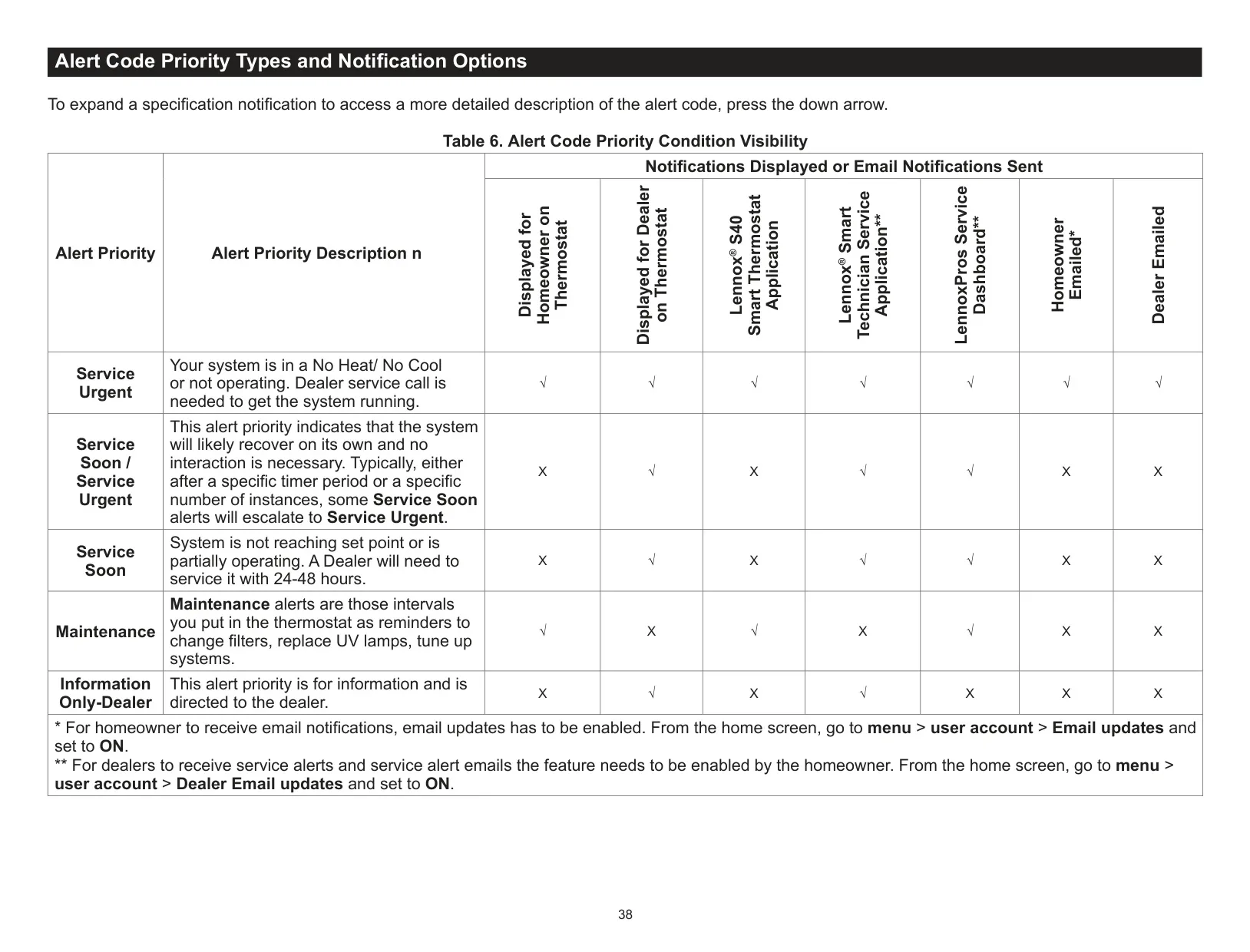
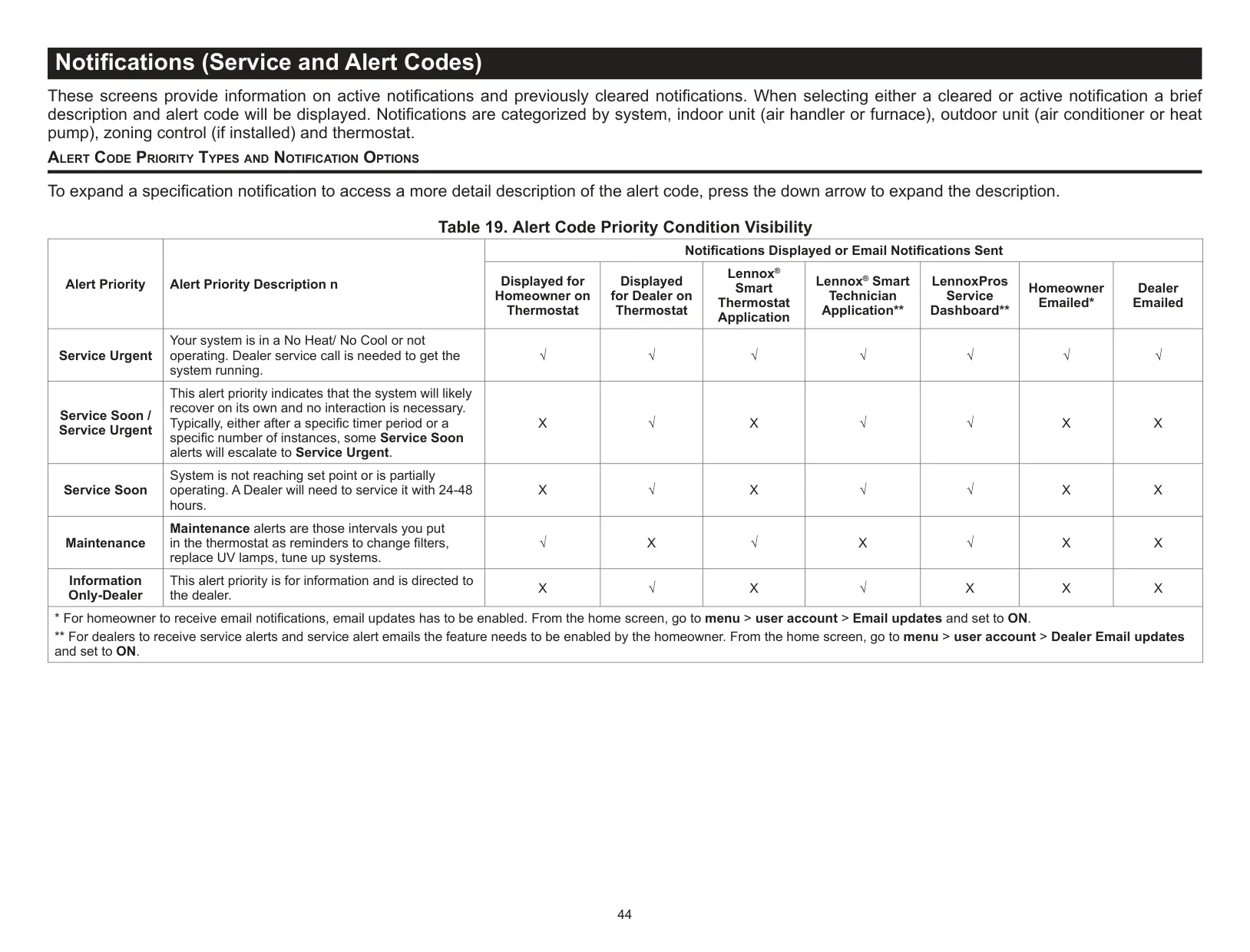
Integration with third-party smart home platforms like Amazon Alexa, Google Home/Assistant, Control4, and Building36 provides versatile voice and app control options. Furthermore, the S40 offers remote dealer support access, enabling proactive diagnostics, remote troubleshooting, and maintenance notifications with homeowner permission, ensuring long-term system health.
Frequently Asked Questions (FAQs)
Can't find the answer you need? Here are some frequently asked questions about the Lennox S40 Thermostat, and we answer them below.