Lennox iComfort M30 Thermostat Instruction Manual
Lennox iComfort M30 Thermostat
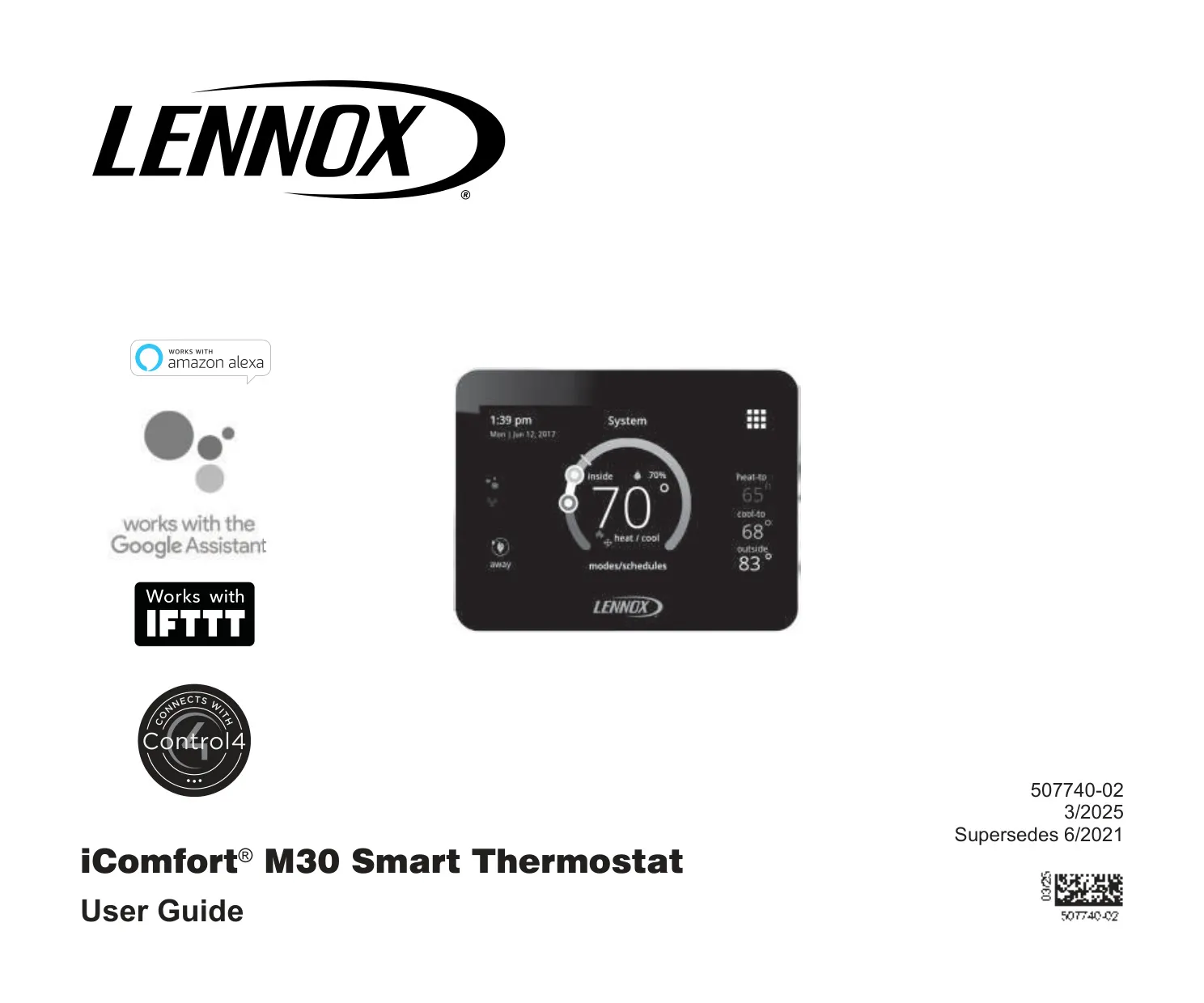





Lennox iComfort M30 Thermostat
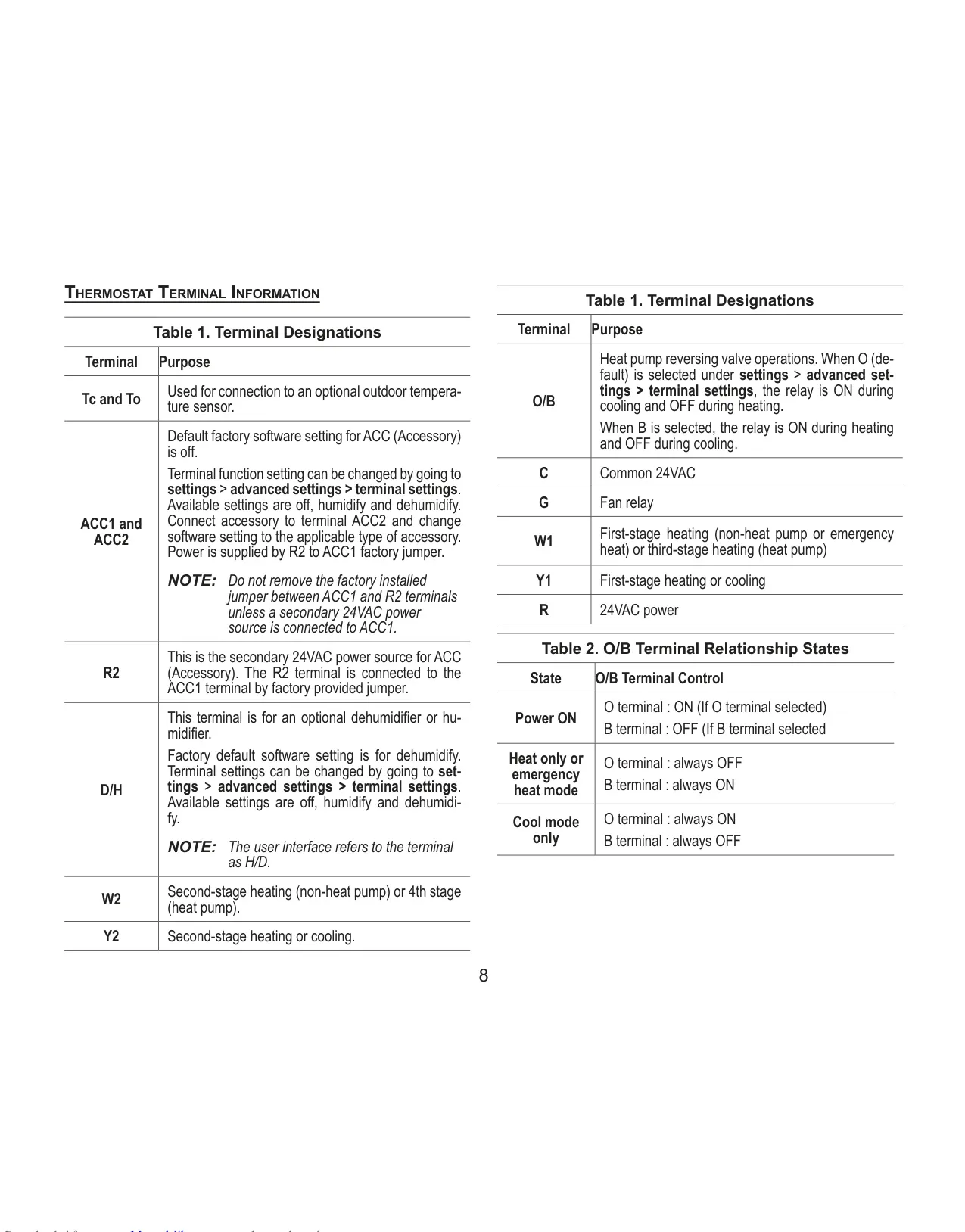
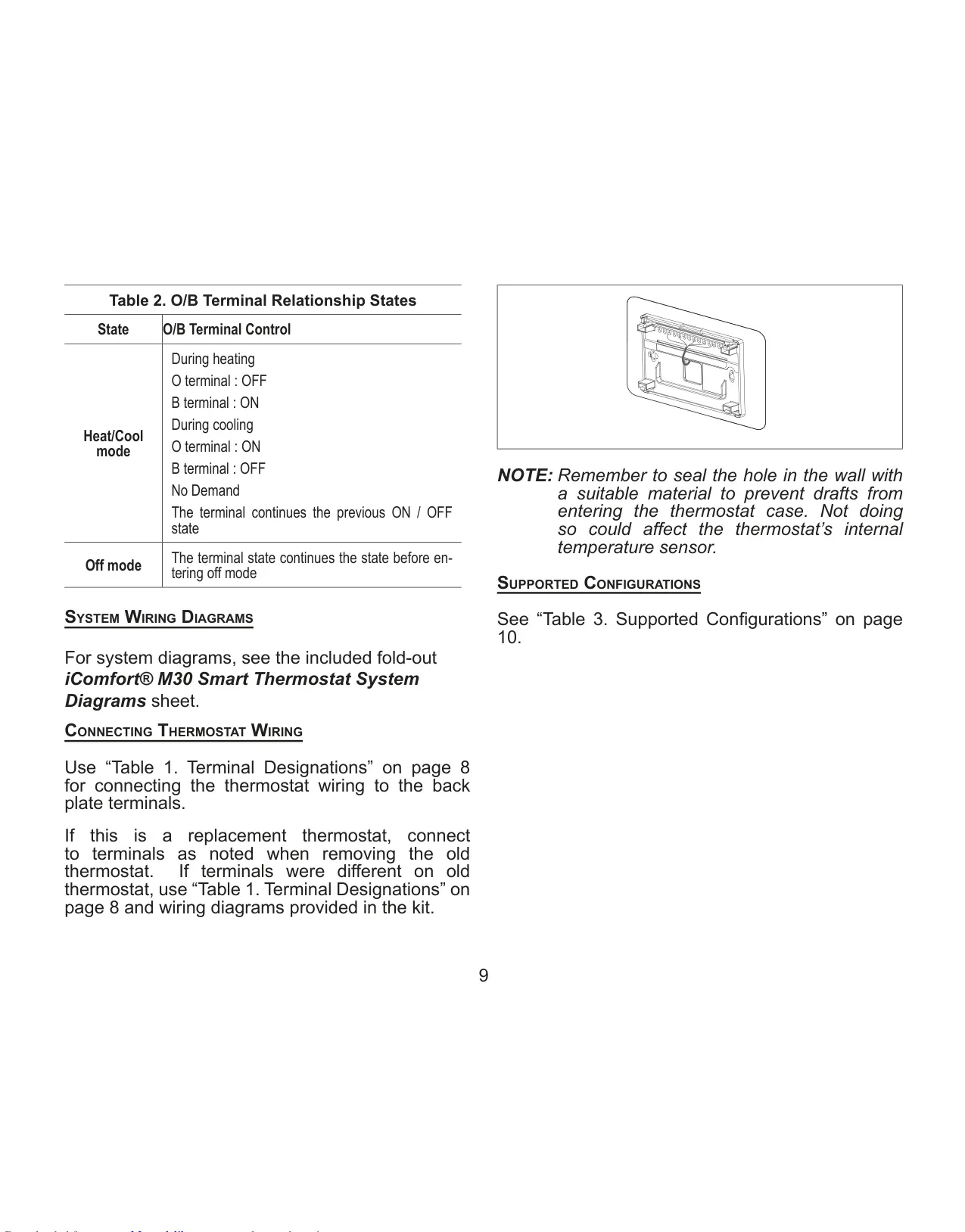
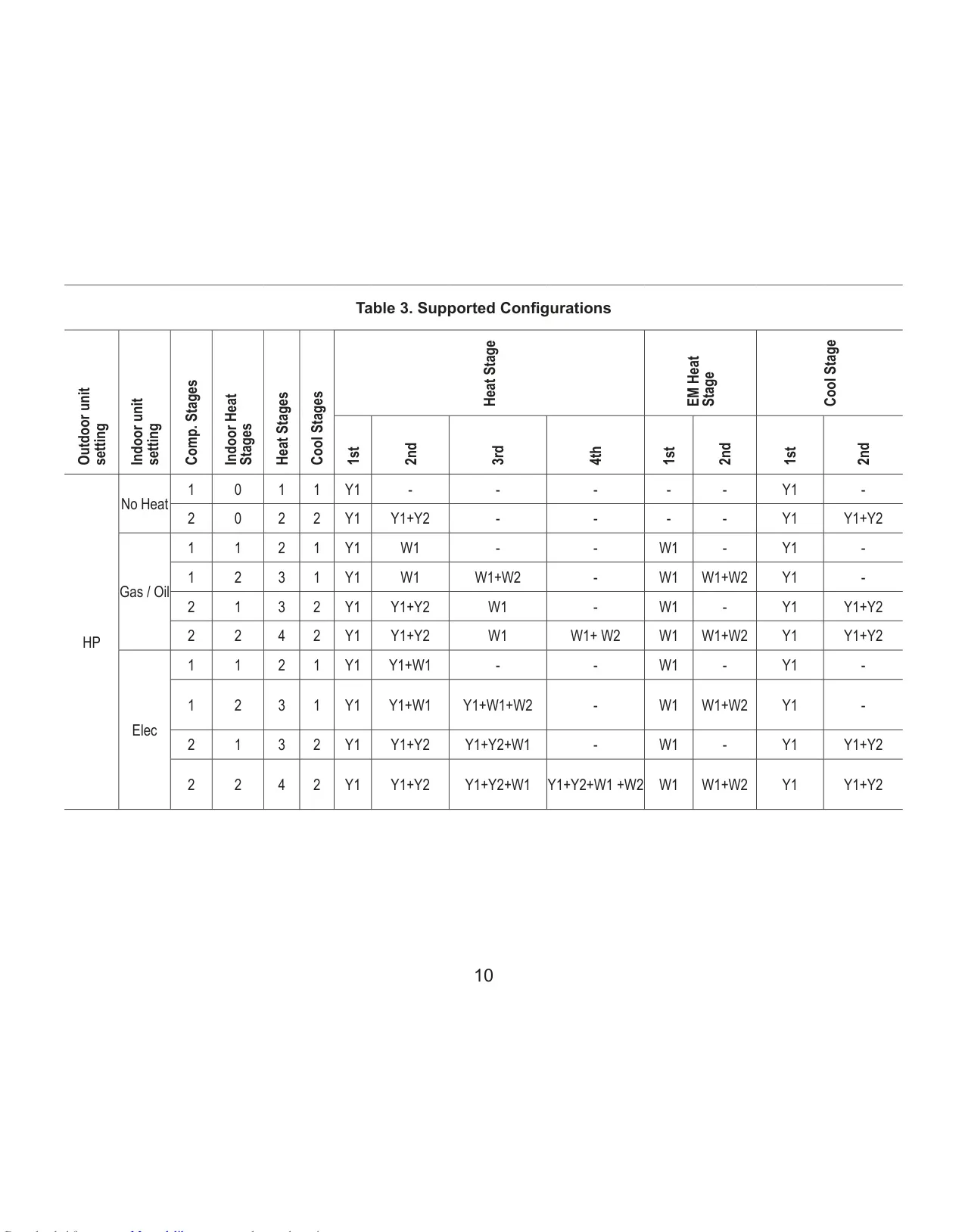
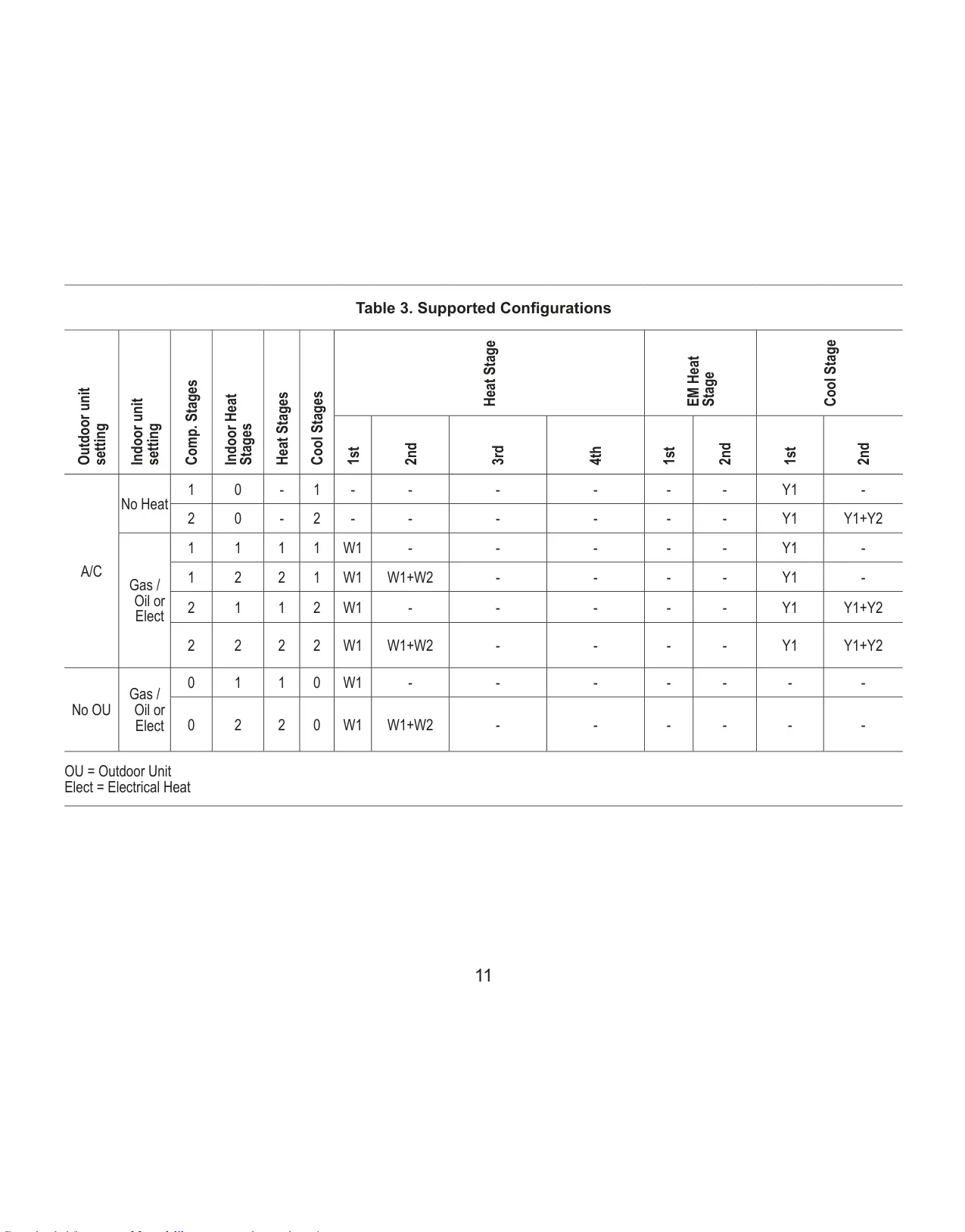
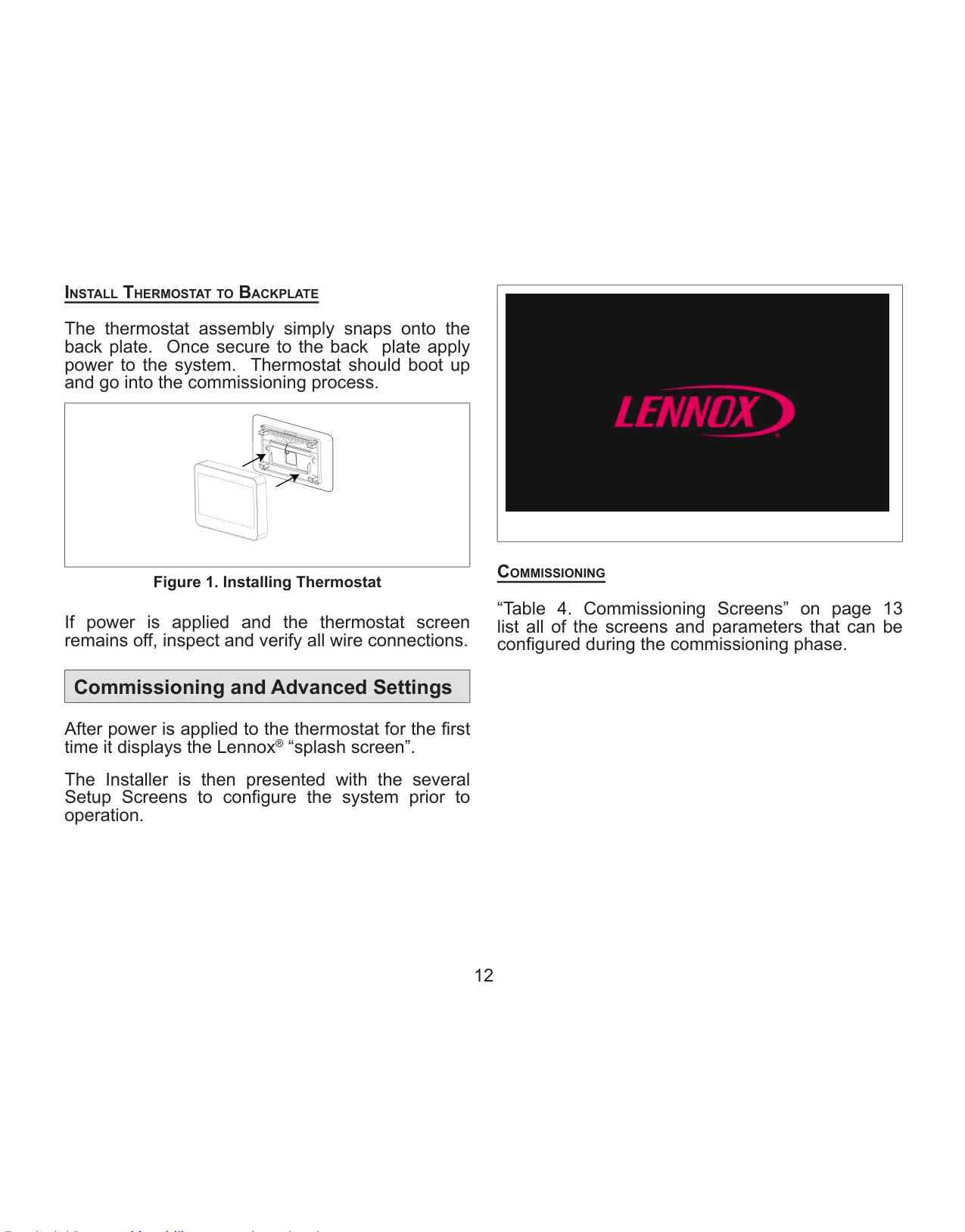
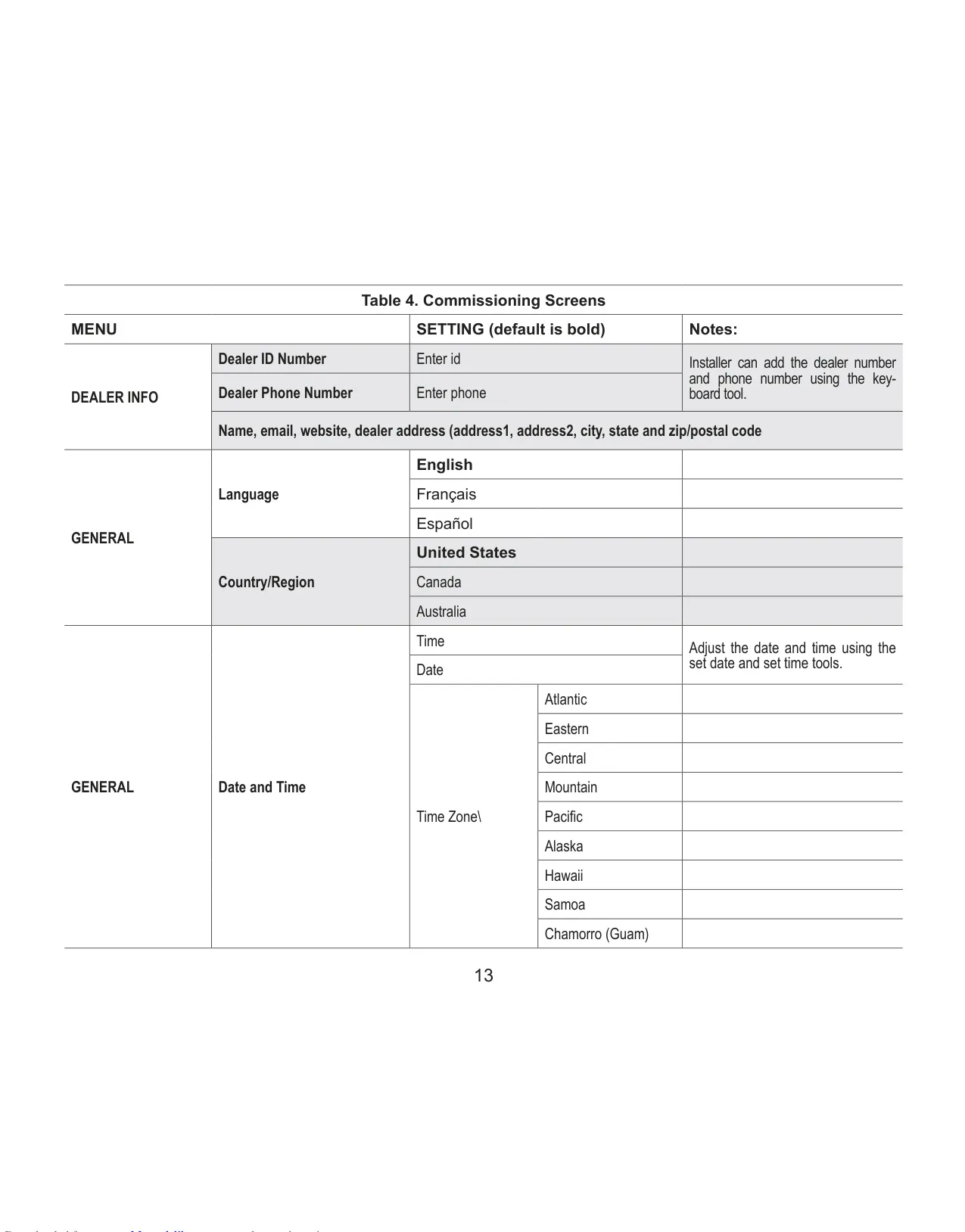
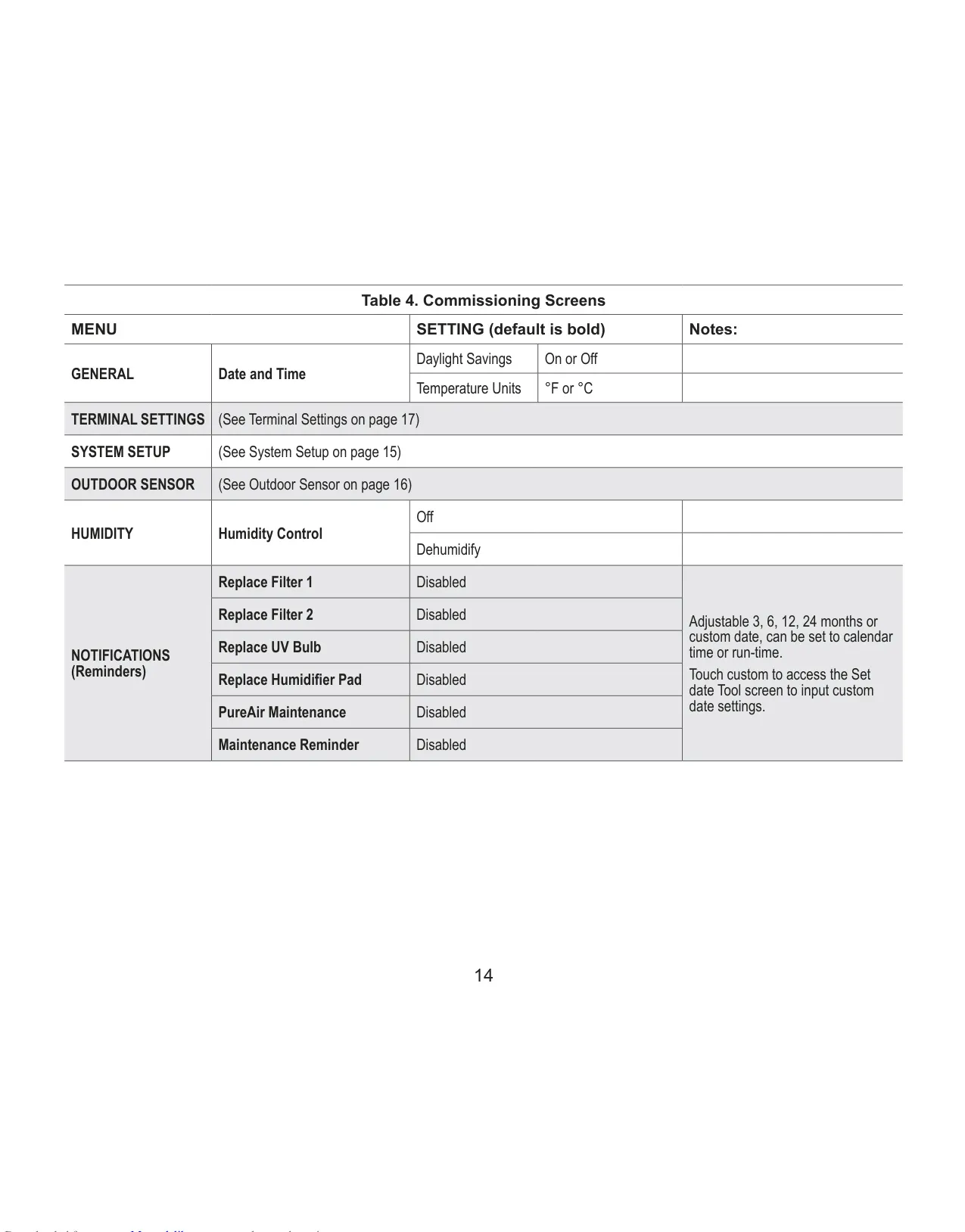
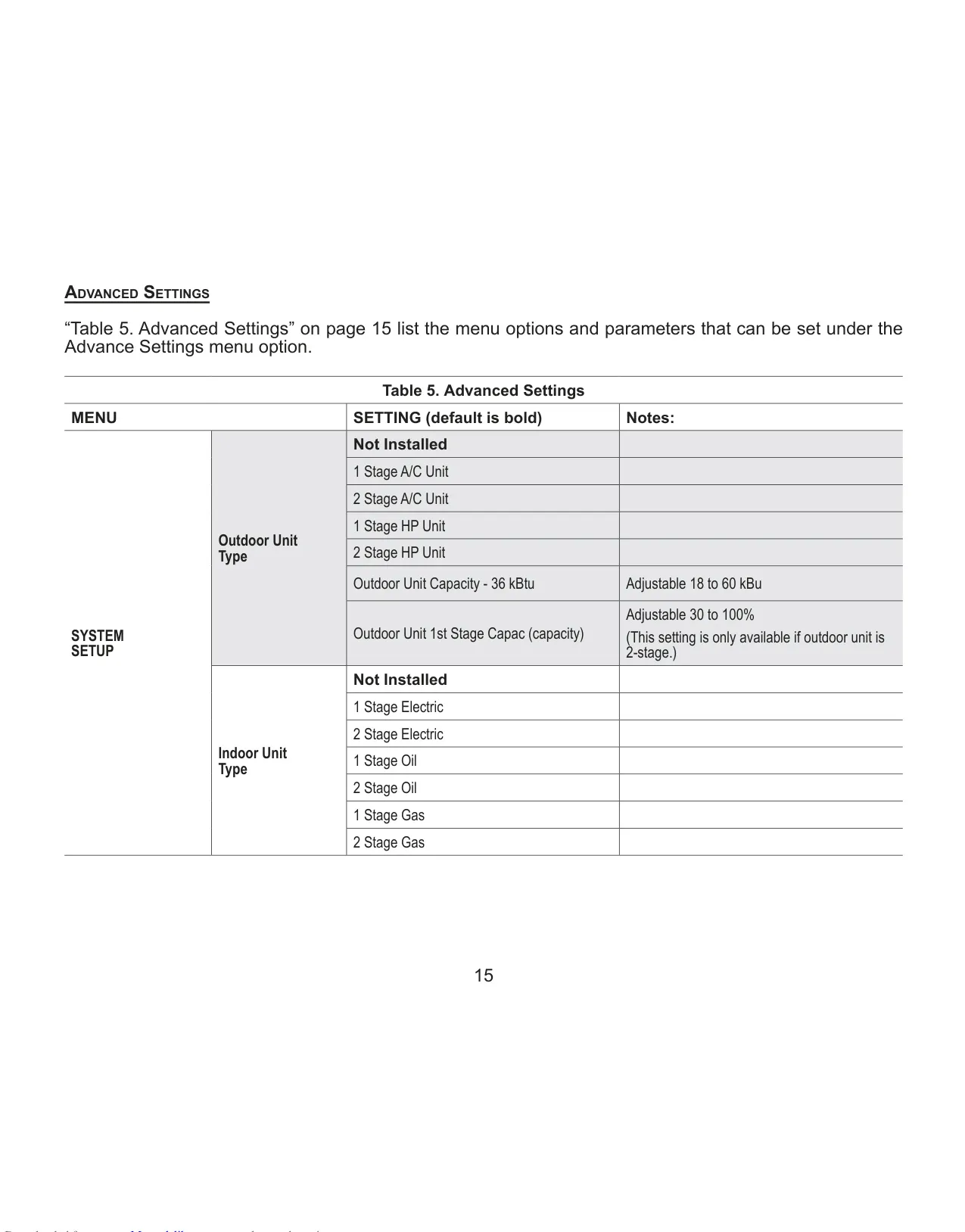
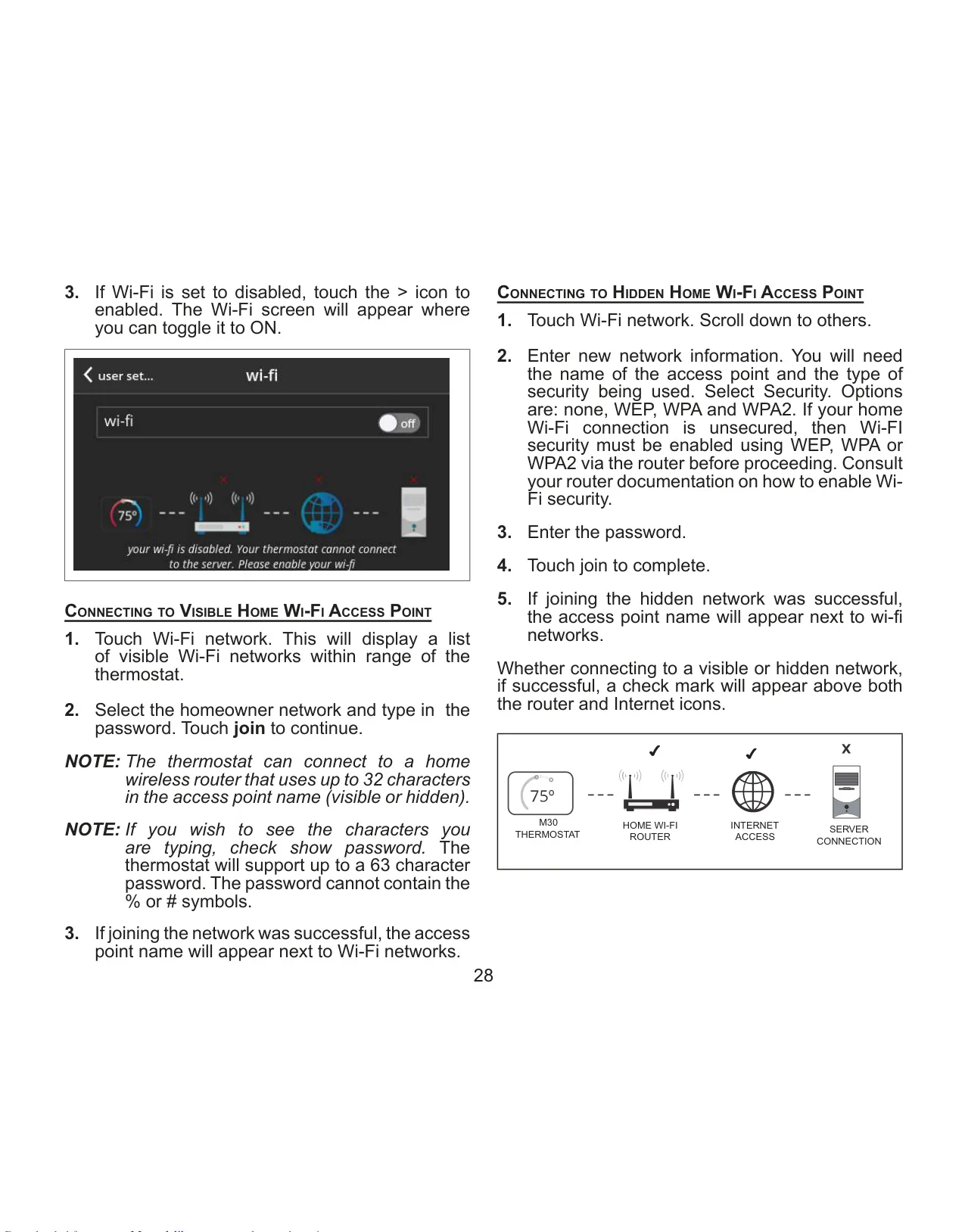
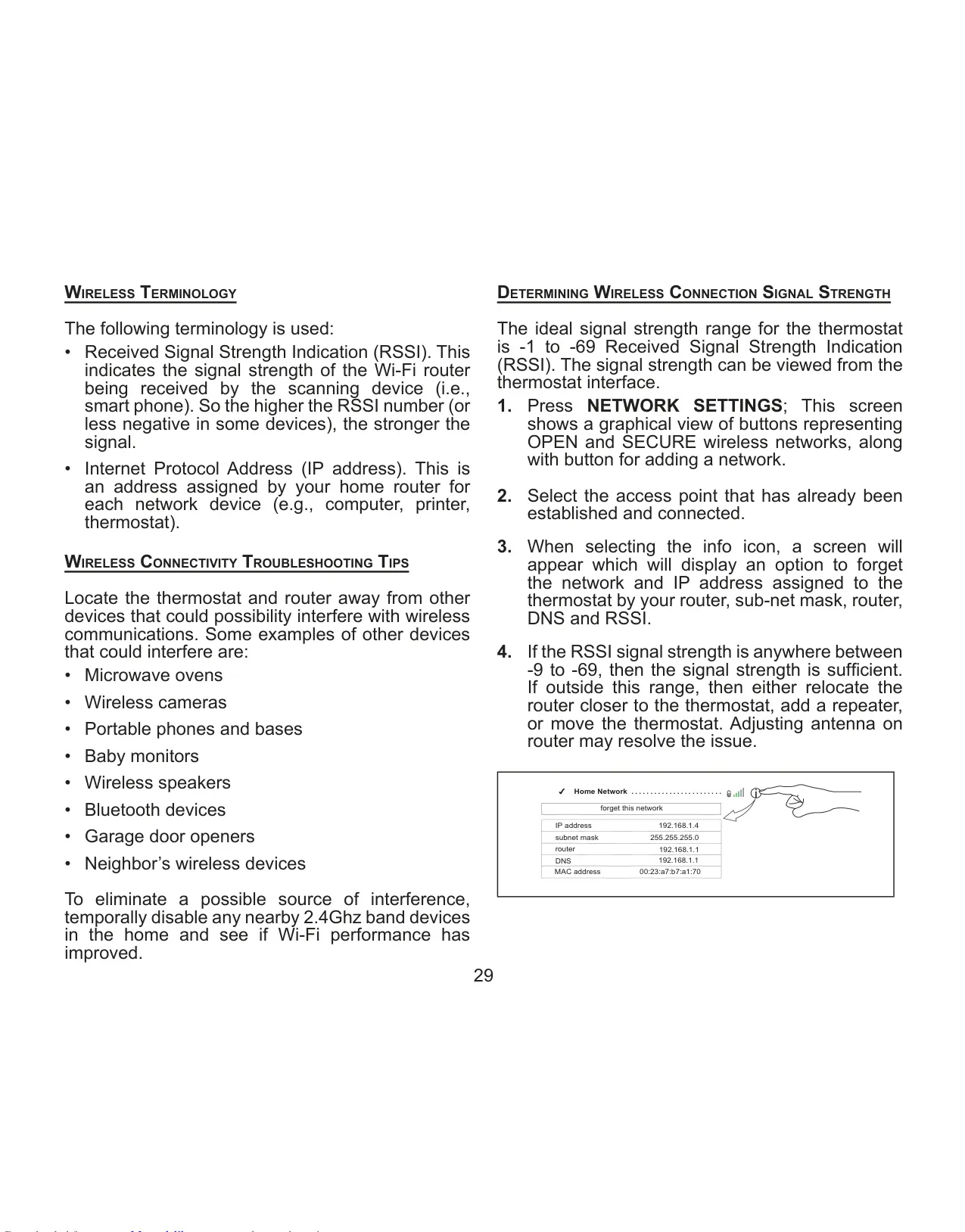
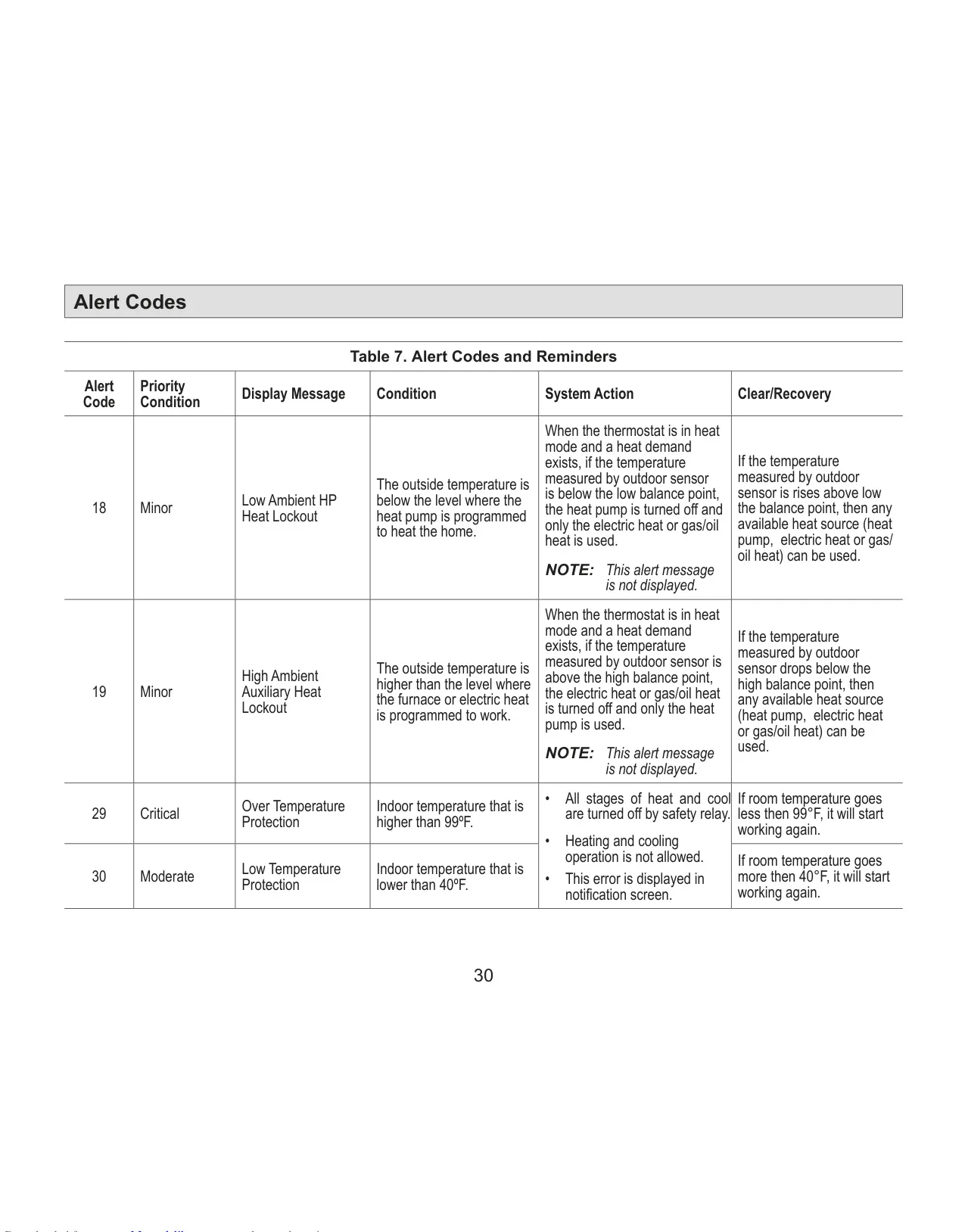
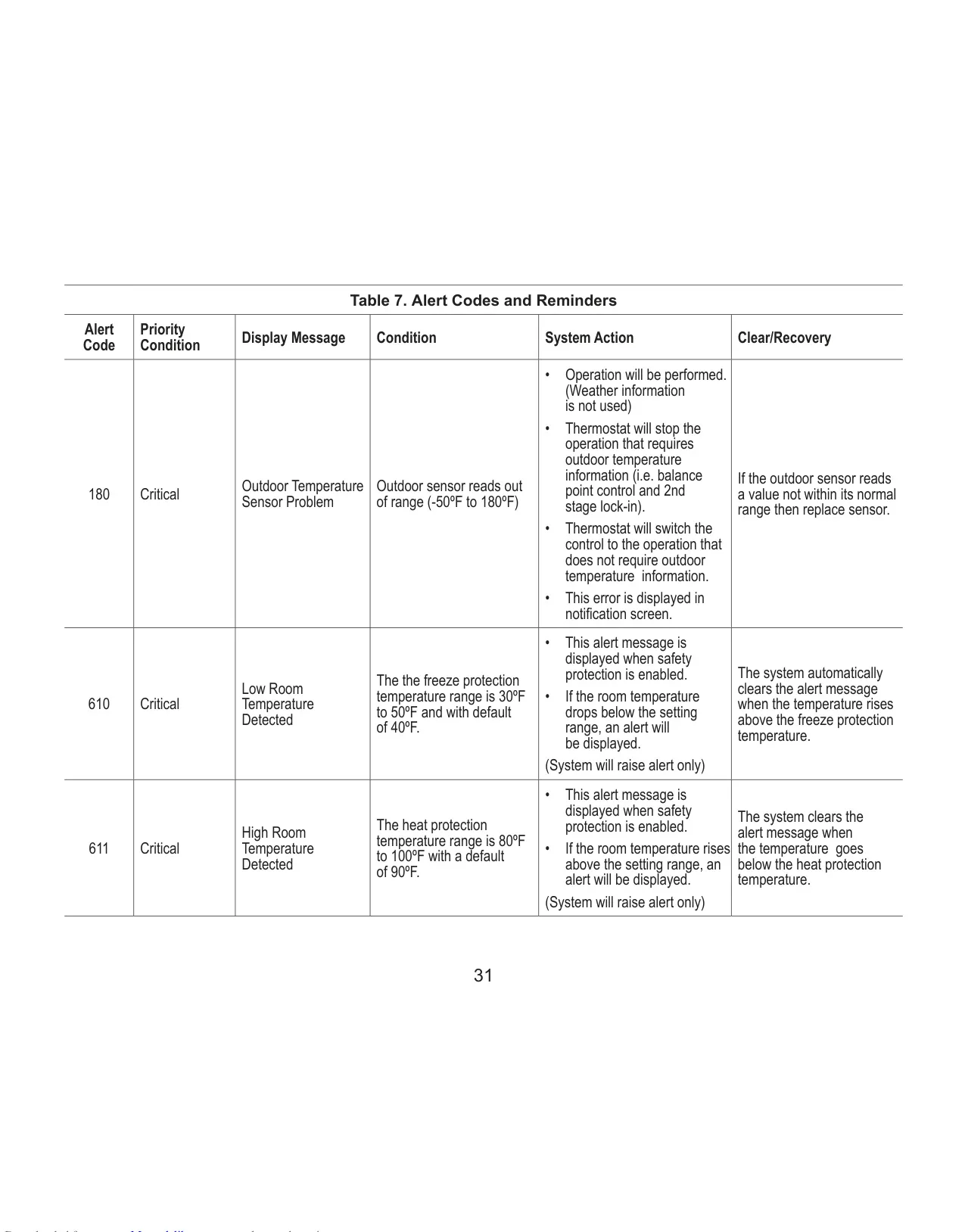
Lennox iComfort M30 Instructions
Here we offer the Lennox iComfort M30 Thermostat manual completely free and in English. We have cataloged this manual in the Thermostats section on Manualverse, and it has been rated by 1 users with an average rating of 5. If you have any specific questions about Lennox iComfort M30 Thermostat, we suggest checking the Frequently Asked Questions (FAQs) section of this manual.
Product Images
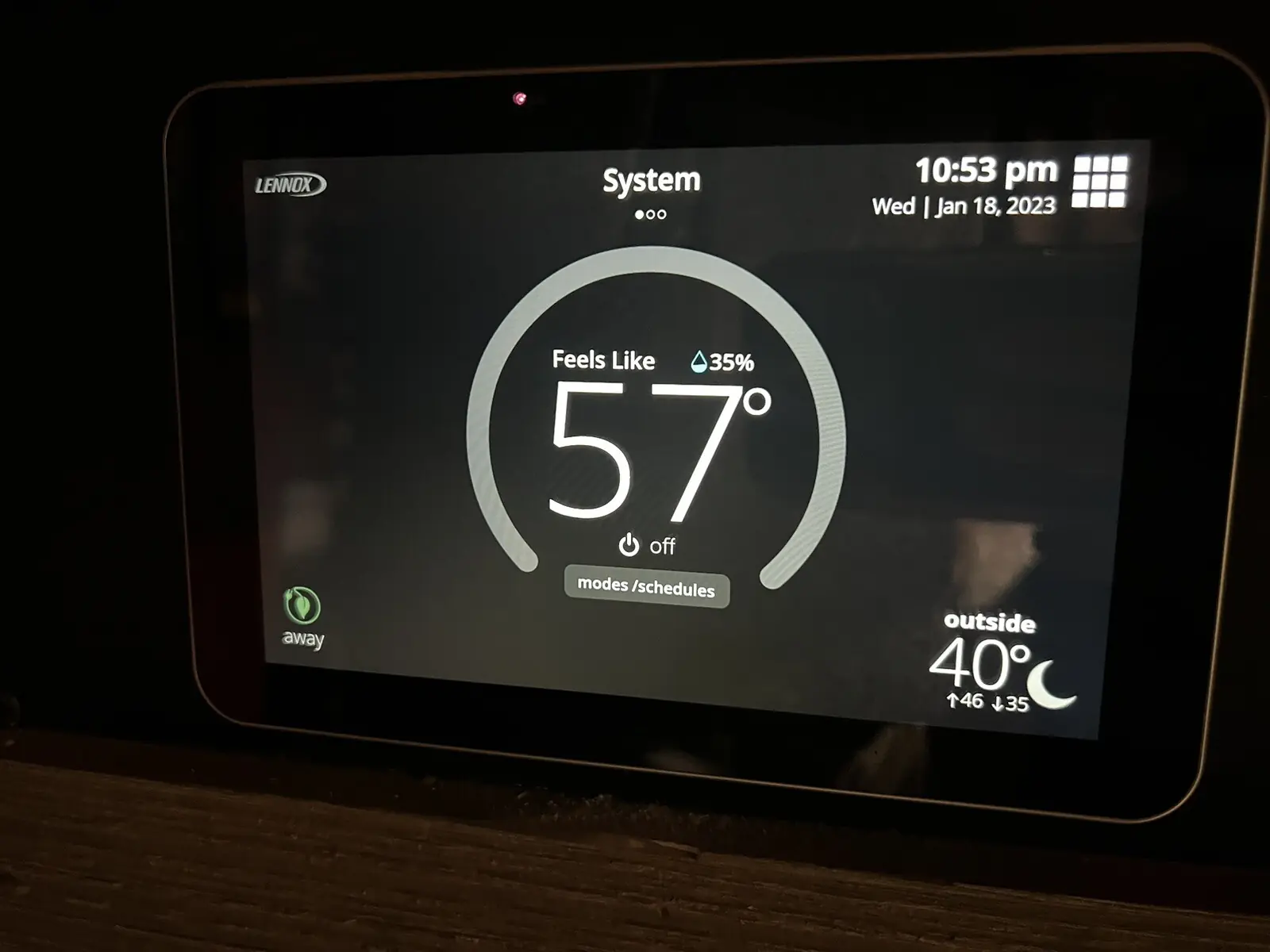
Lennox iComfort M30 Thermostat Specifications
| Feature | Specification |
|---|---|
| Model | Lennox iComfort M30 Smart Thermostat |
| Display | 4.3-inch color touchscreen (diagonal) |
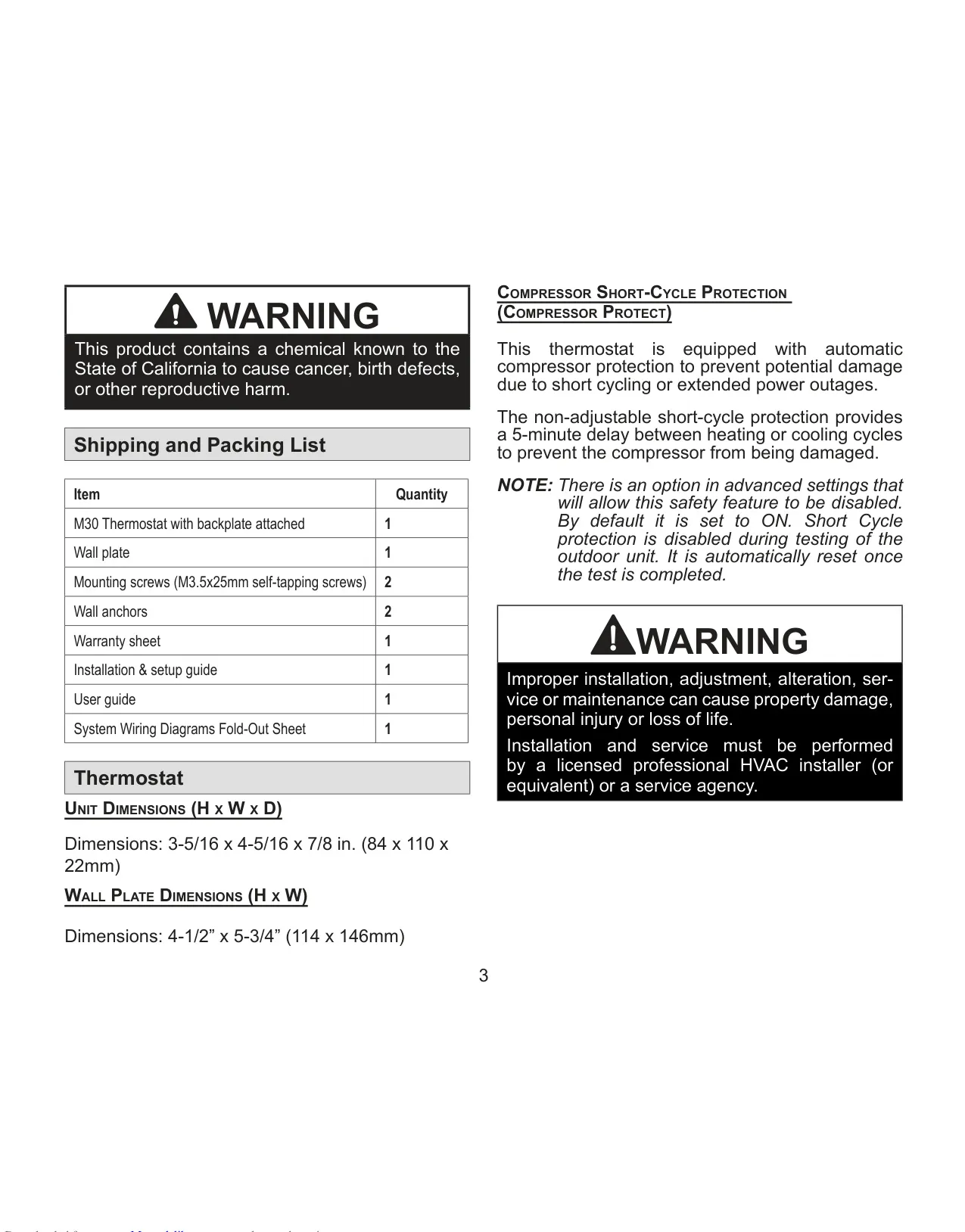
| Dimensions (Unit) | 3-5/16 x 4-5/16 x 7/8 in. (84 x 110 x 22mm) |
| Dimensions (Wall Plate) | 4-1/2 x 5-3/4 in. (114 x 146mm) |
| Operating Voltage | 24VAC low-voltage (common wire required) |
| Wiring Requirement | 18 AWG or larger (max 300 ft / 91 meters run) |
| Max Load per Terminal | 1 AMP |
| System Compatibility | Up to 4 Heat / 2 Cool multi-stage systems (gas, oil, electric, heat pumps, dual-fuel) |
| Supported Languages | English, Français, Español |
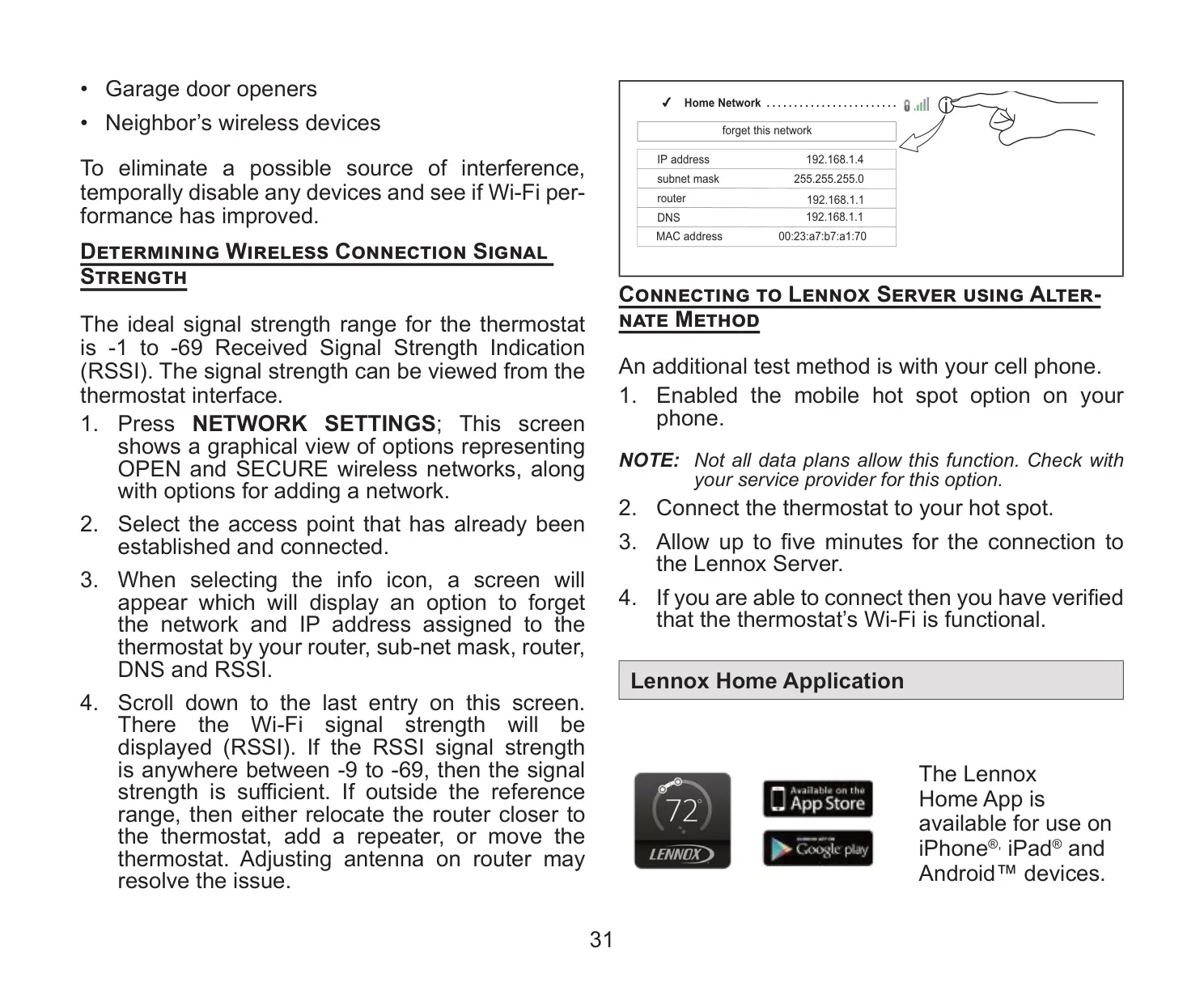
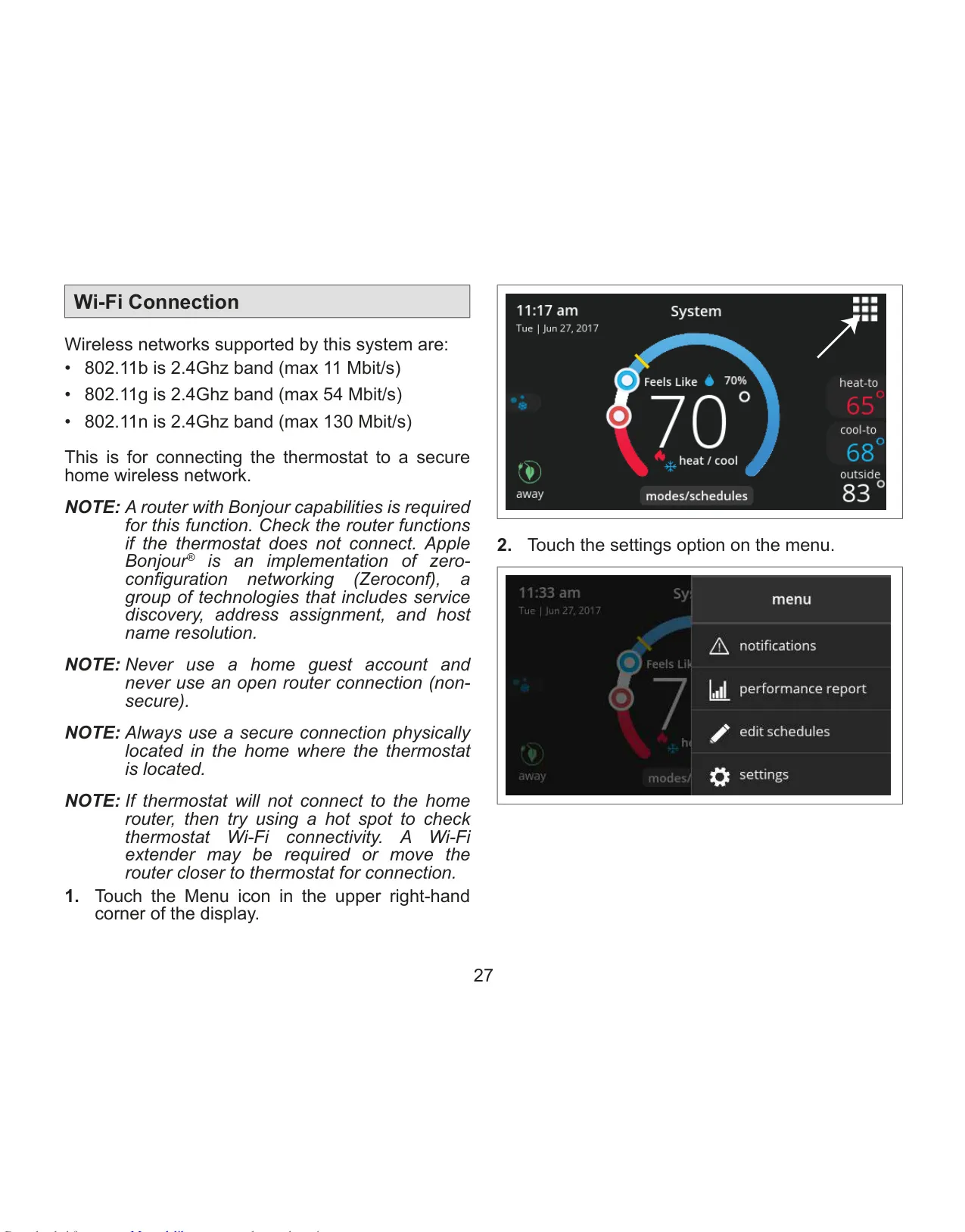
| Wi-Fi Standards | 802.11b, 802.11g, 802.11n (2.4Ghz band) |
| Wi-Fi Password Length | Up to 63 characters (no % or # symbols) |
| Wi-Fi Access Point Name Length | Up to 32 characters |
| Outdoor Temperature Sensor | Optional (X2658), requires 22 AWG or larger wire (max 300 ft / 91 meters) |
| Temperature Control Range (Default) | 60-90°F (15.5-32°C) |
| Temperature Control Range (Wider) | 40-99°F (4.5-37°C) |
| Indoor Humidity Control Range | Humidify: 15-45% RH; Dehumidify: 35-60% RH |
| Fan Circulate Duration | Adjustable 9-27 minutes/hour (default 21 minutes) |
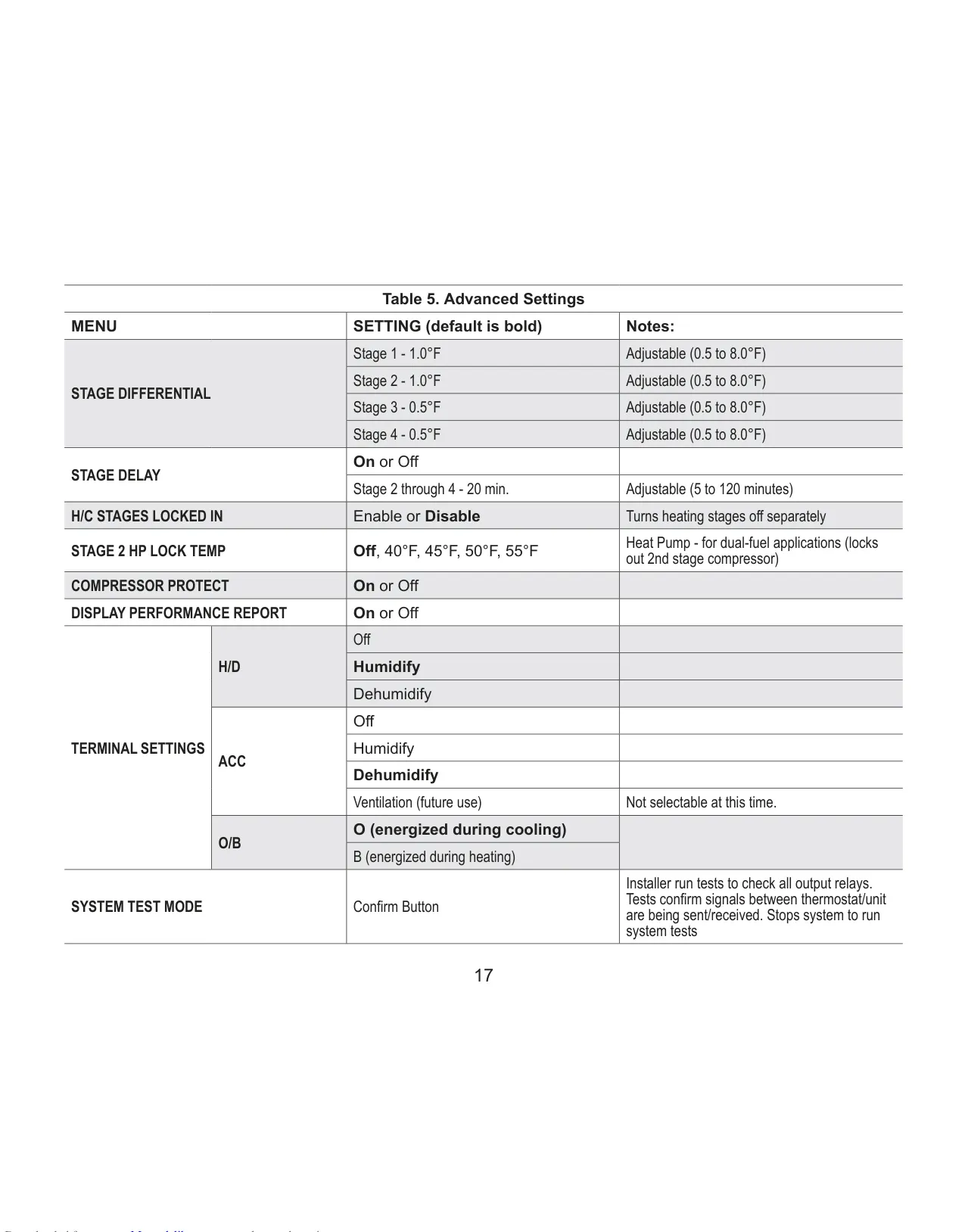
| Compressor Protection | 5-minute short-cycle delay (non-adjustable) |
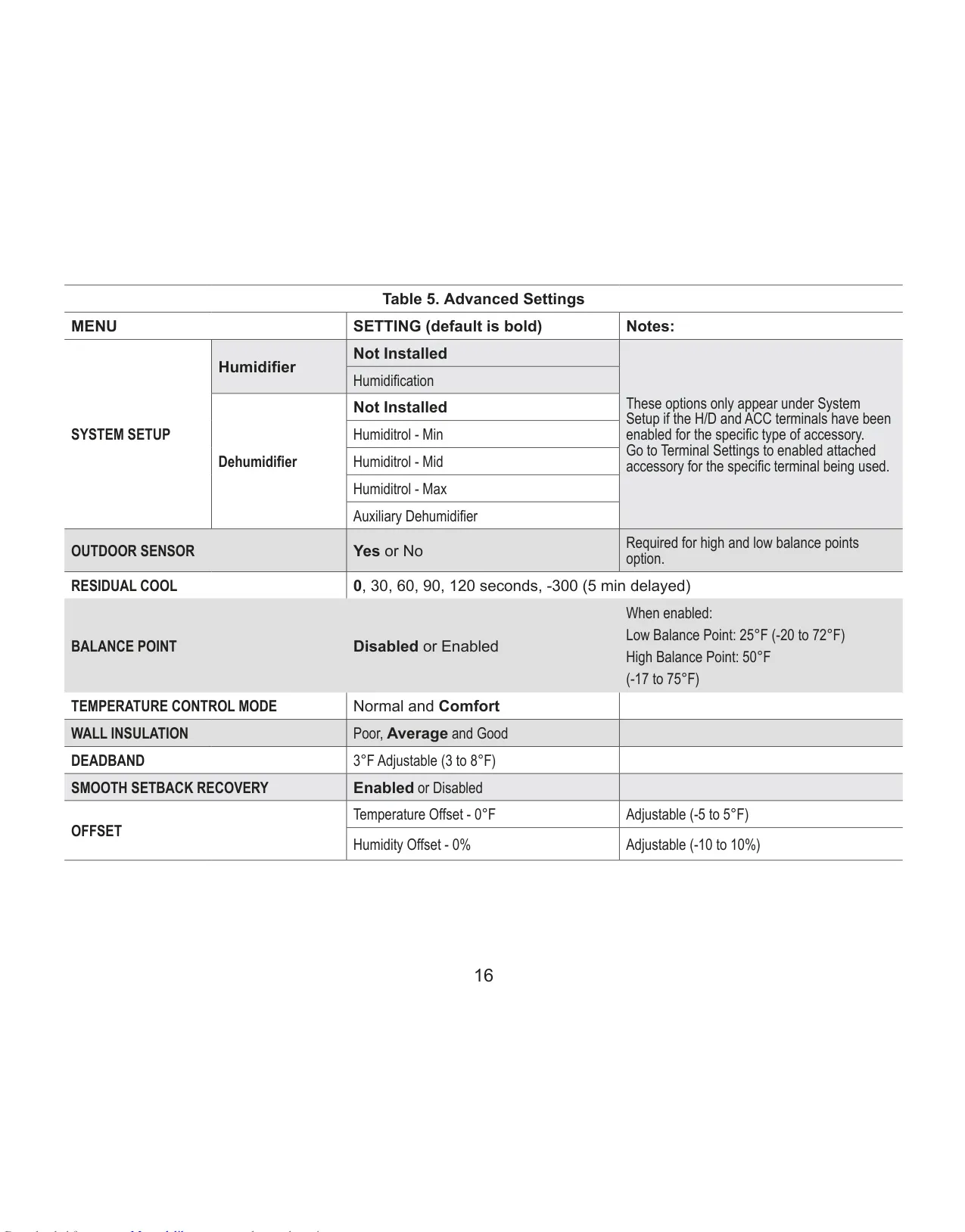
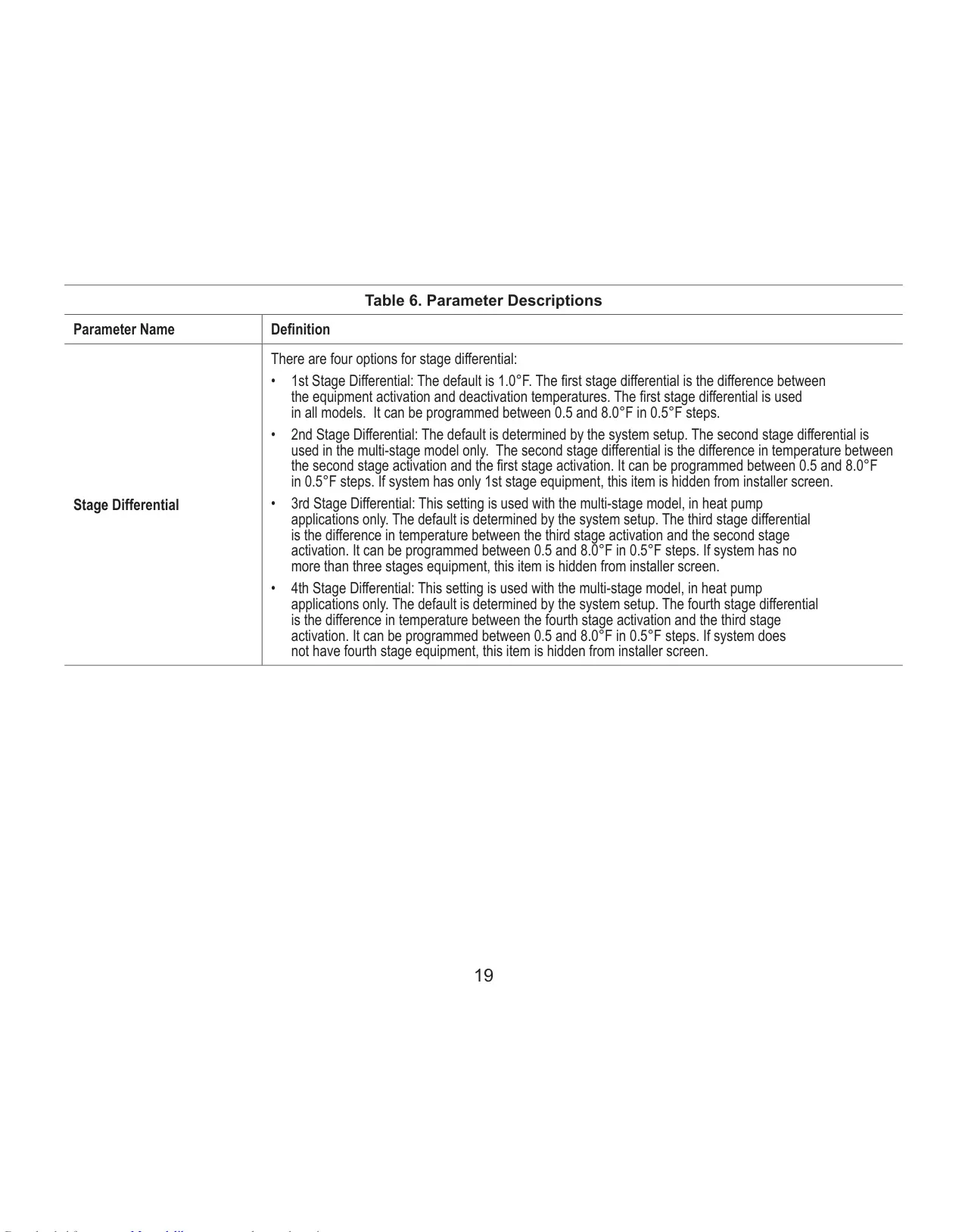
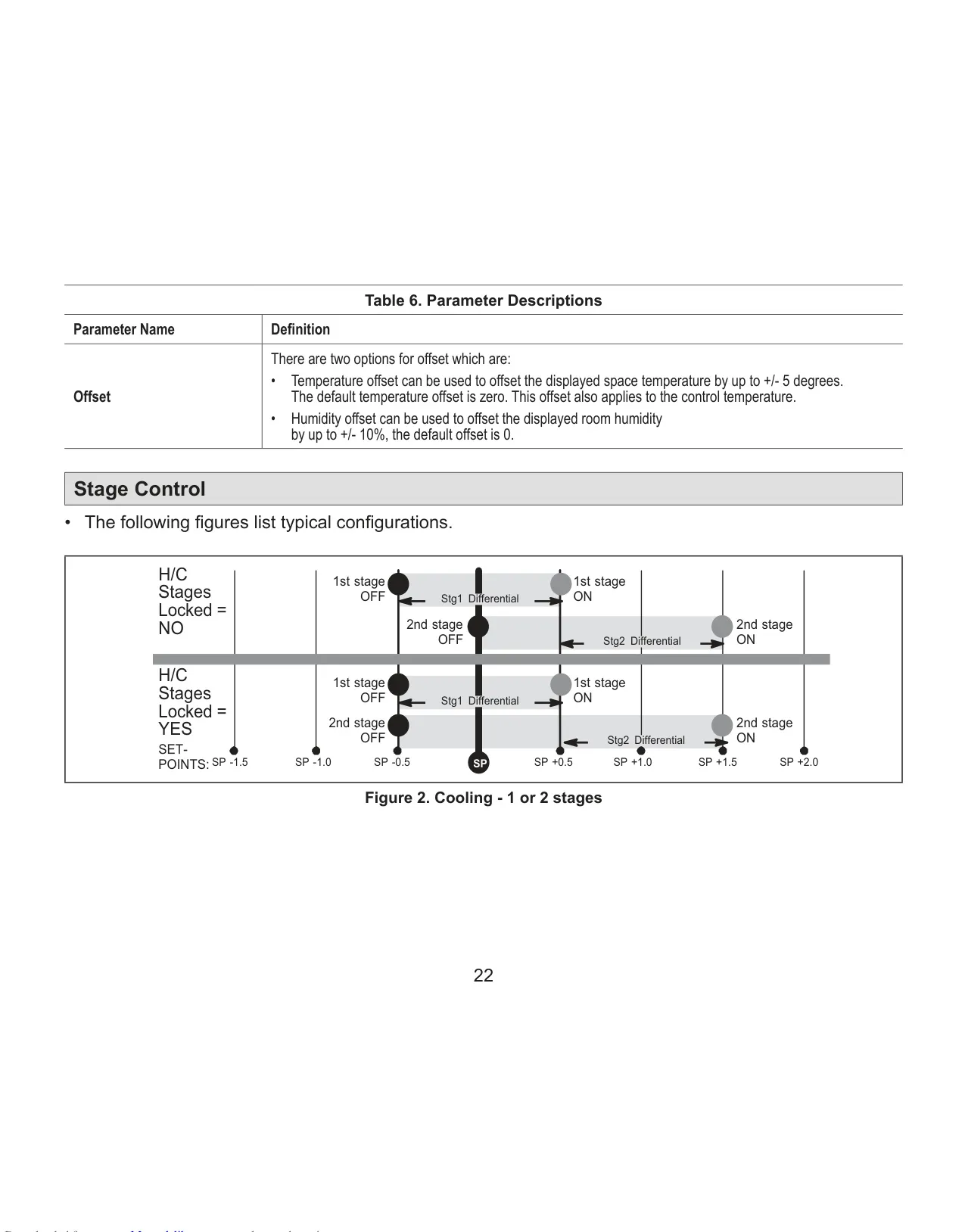
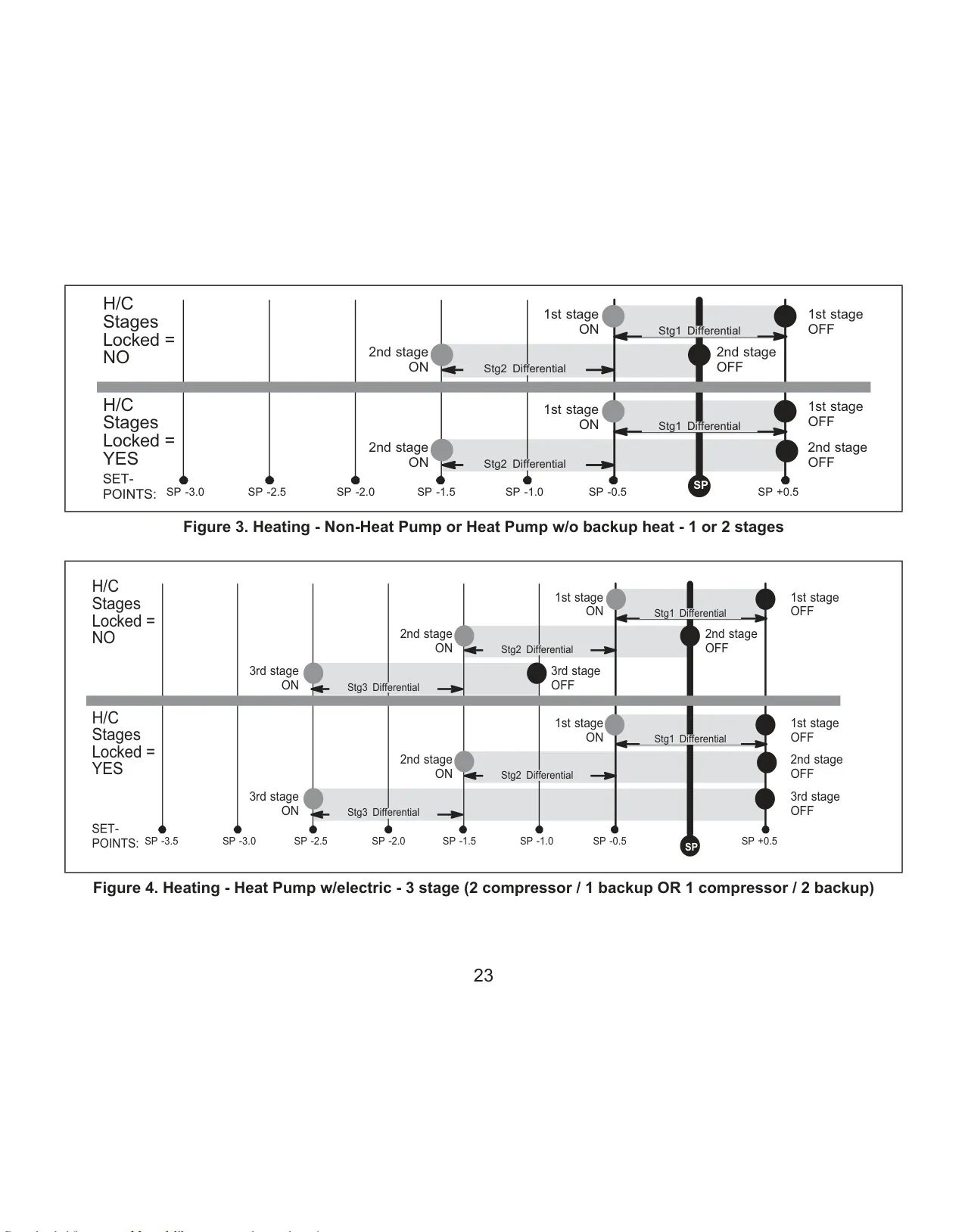
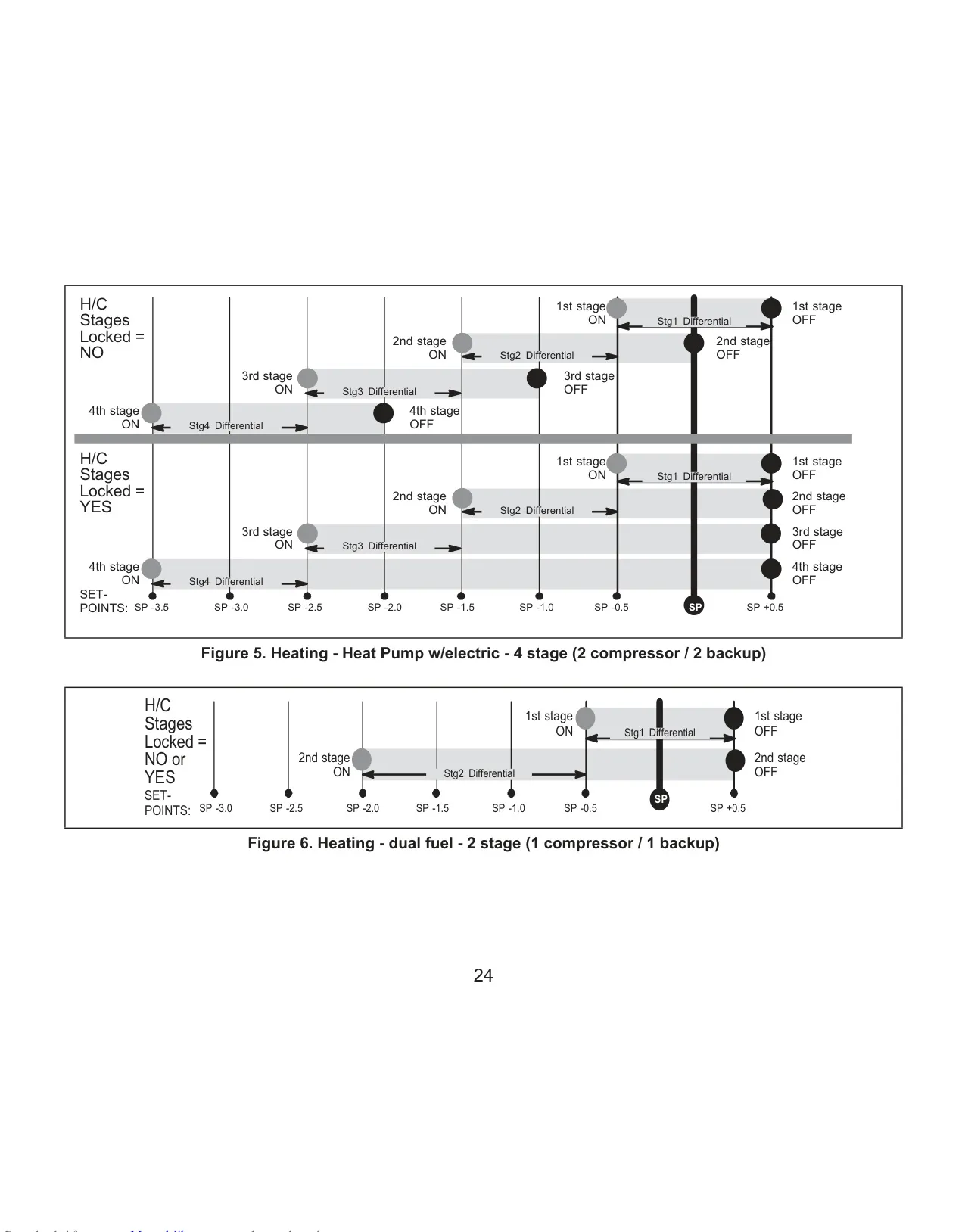
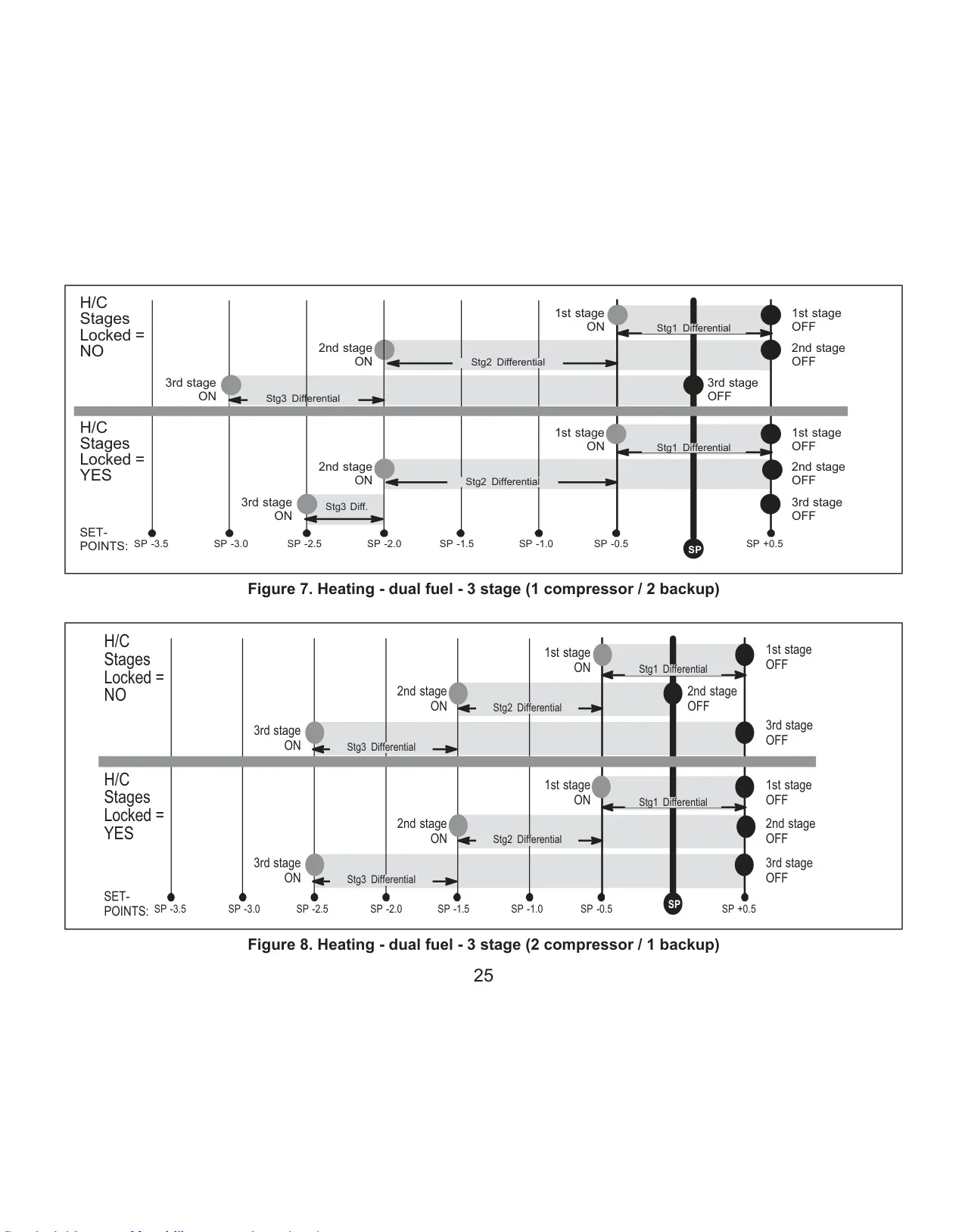
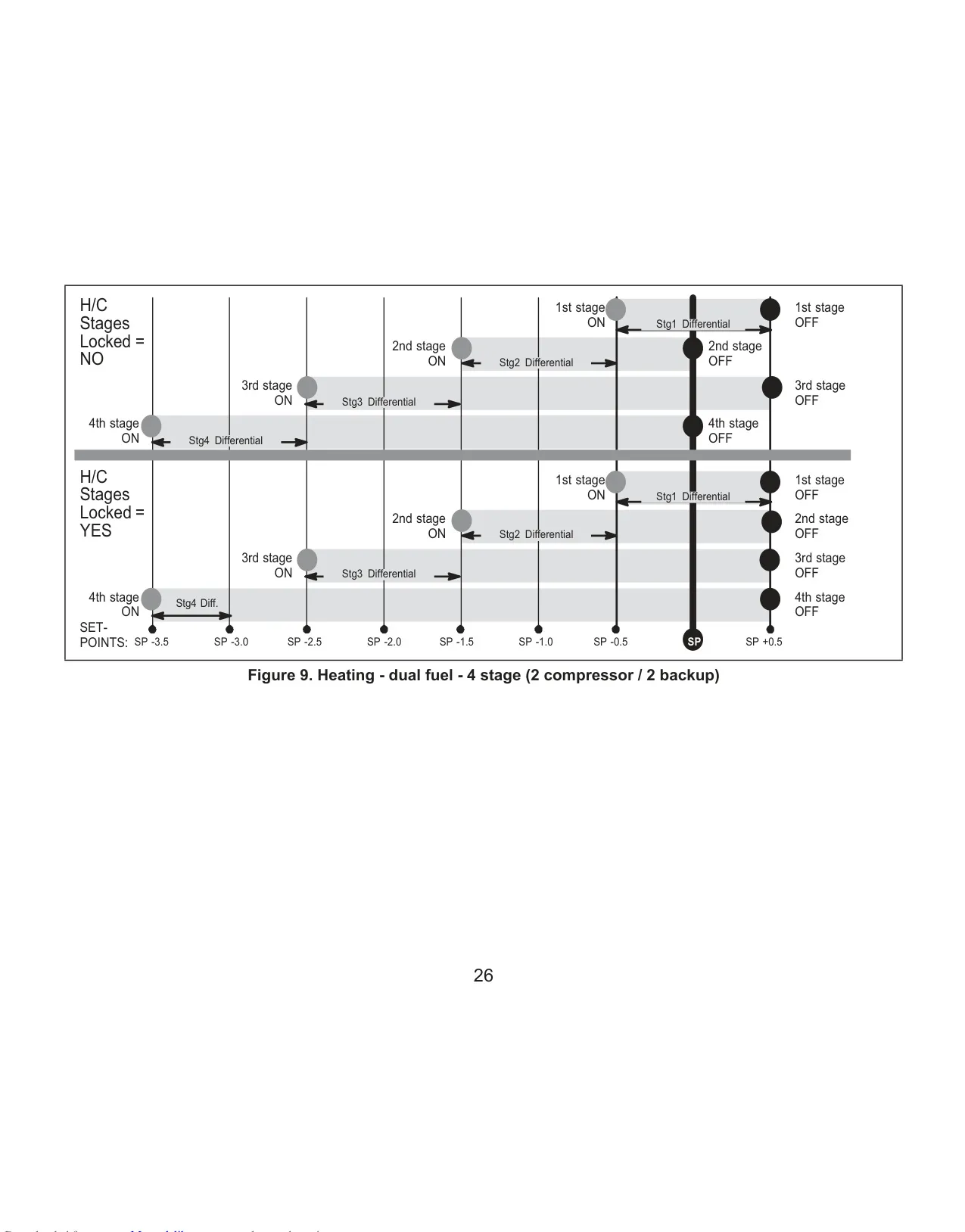
| Stage Differential | Adjustable 0.5-8.0°F in 0.5°F steps |
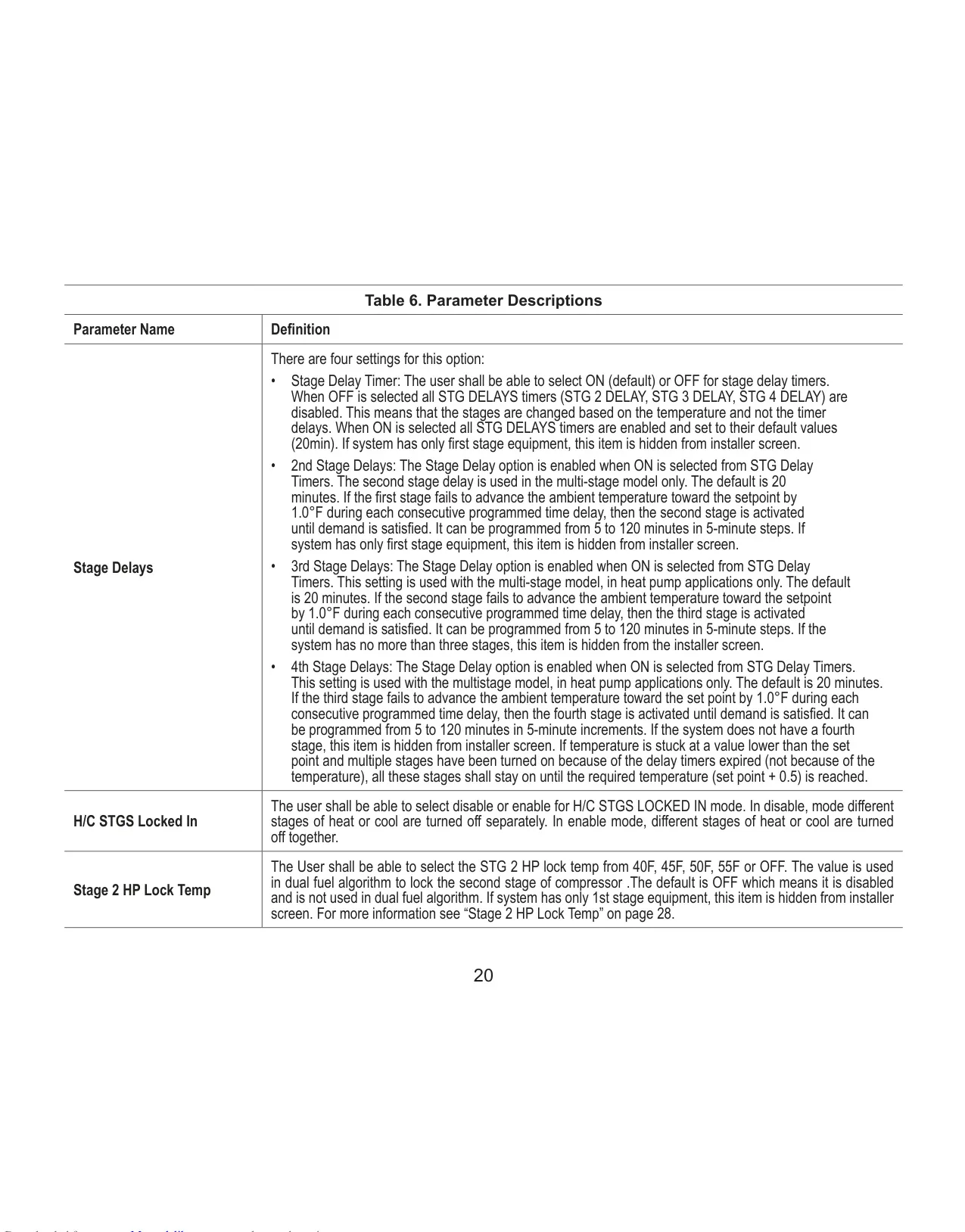
| Stage Delays | Adjustable 5-120 minutes in 5-minute steps (default 20 minutes) |
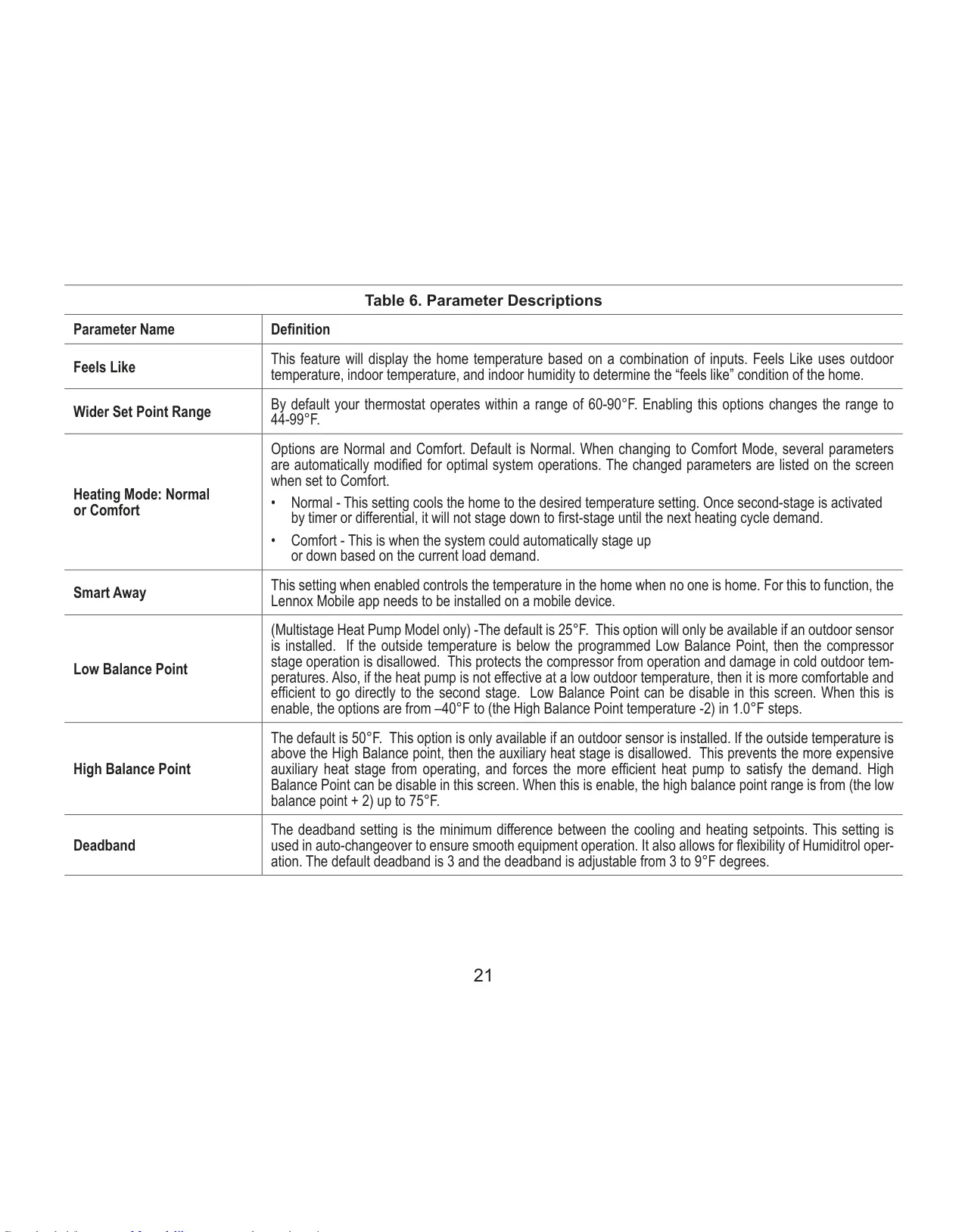
| Deadband | Adjustable 3-9°F (default 3°F) |
Lennox iComfort M30 Thermostat Details
The Lennox iComfort M30 Smart Thermostat offers unparalleled control and convenience, allowing homeowners to manage their heating and cooling systems from anywhere. After a simple online registration, users can access the system via a computer or mobile device through an internet connection. This remote capability is central to the thermostat’s advanced features, ensuring comfort and energy efficiency even when you’re away from home.
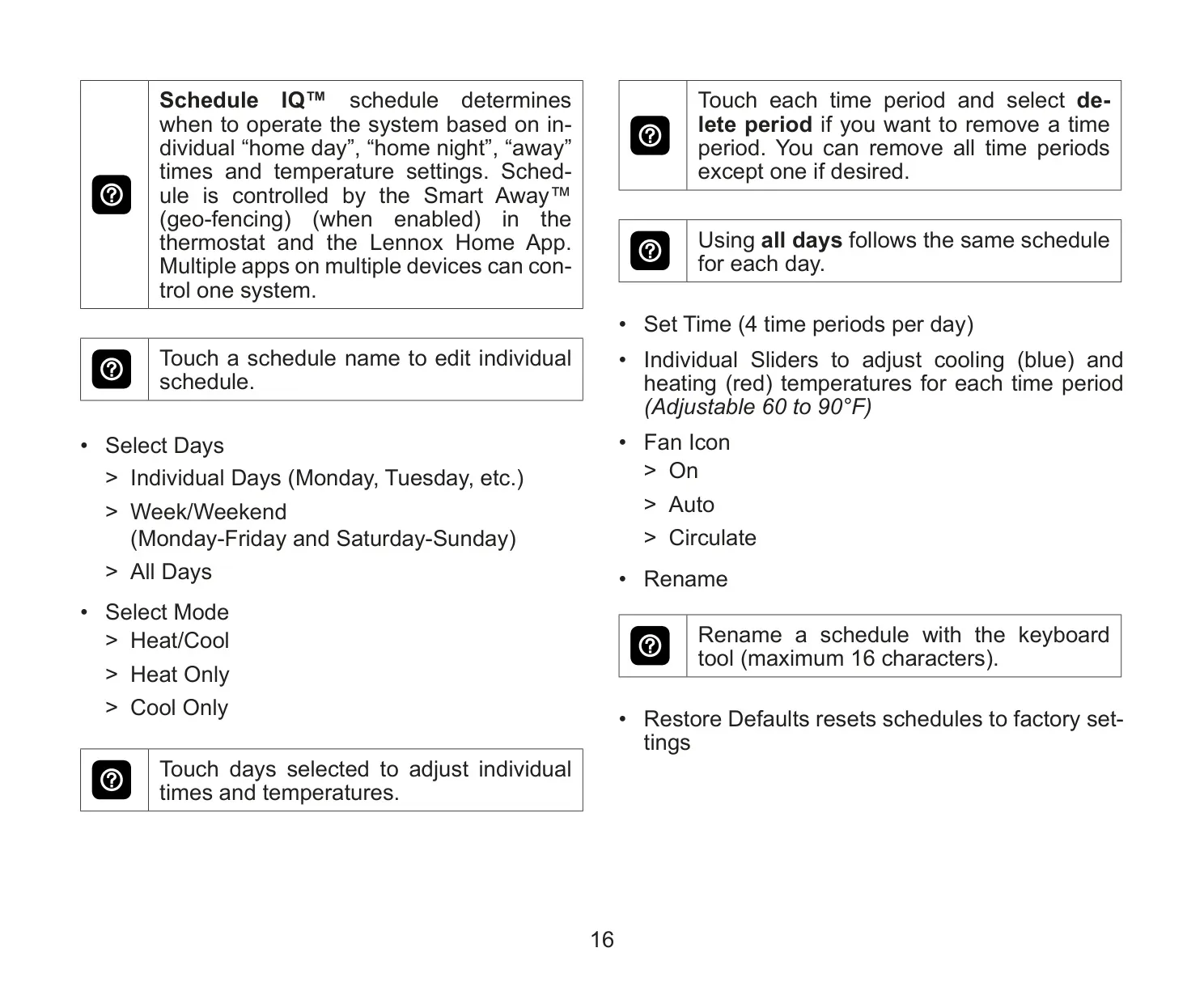
One of its standout features is Smart Away®, which uses geo-fencing to adjust home temperatures when the property is unoccupied. This intelligent function works in conjunction with Schedule IQ™, allowing you to program the thermostat once, and it will then adapt to changes in your daily routine. Further enhancing comfort, the FEELS LIKE® technology considers outdoor temperature, indoor temperature, and indoor humidity to create optimal environmental conditions.
The iComfort M30 is designed to seamlessly integrate into modern smart homes. It is fully compatible with popular voice assistants such as Amazon® Alexa and Google Assistant, enabling convenient voice control over your climate settings. Additionally, it supports IFTTT and Control4® Smart Home Operating System, offering extensive possibilities for broader home automation and personalized scenarios to enhance your living experience.
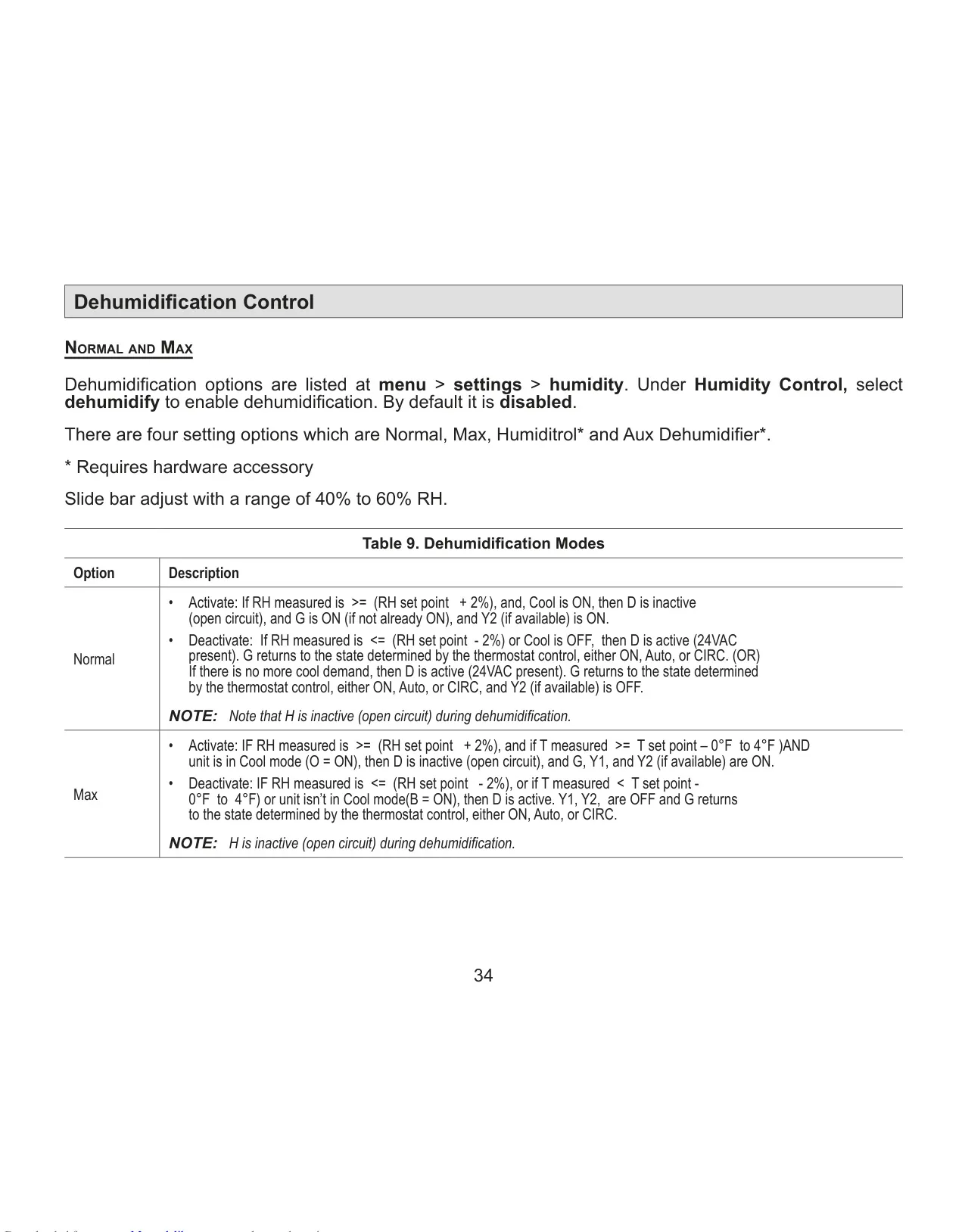
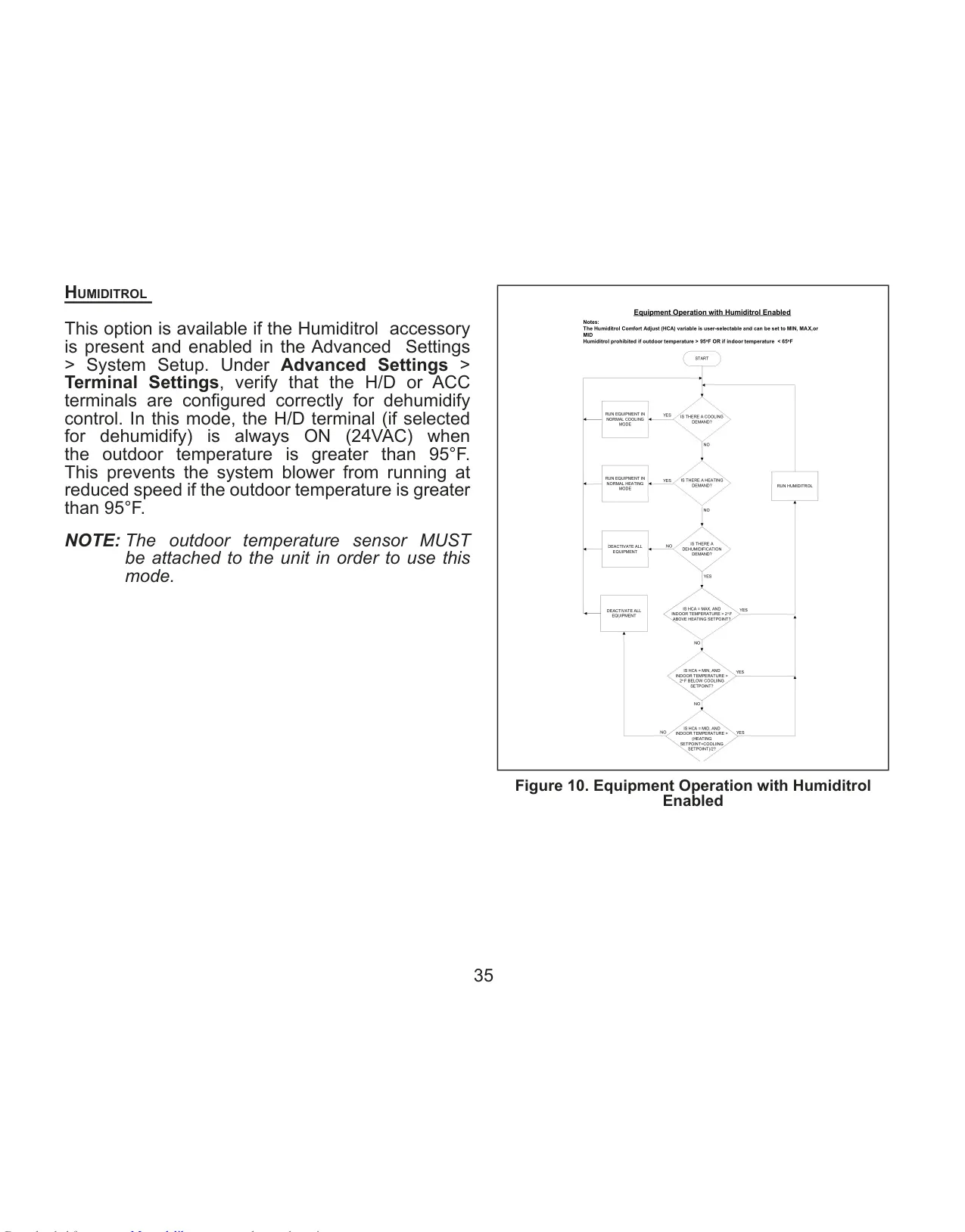
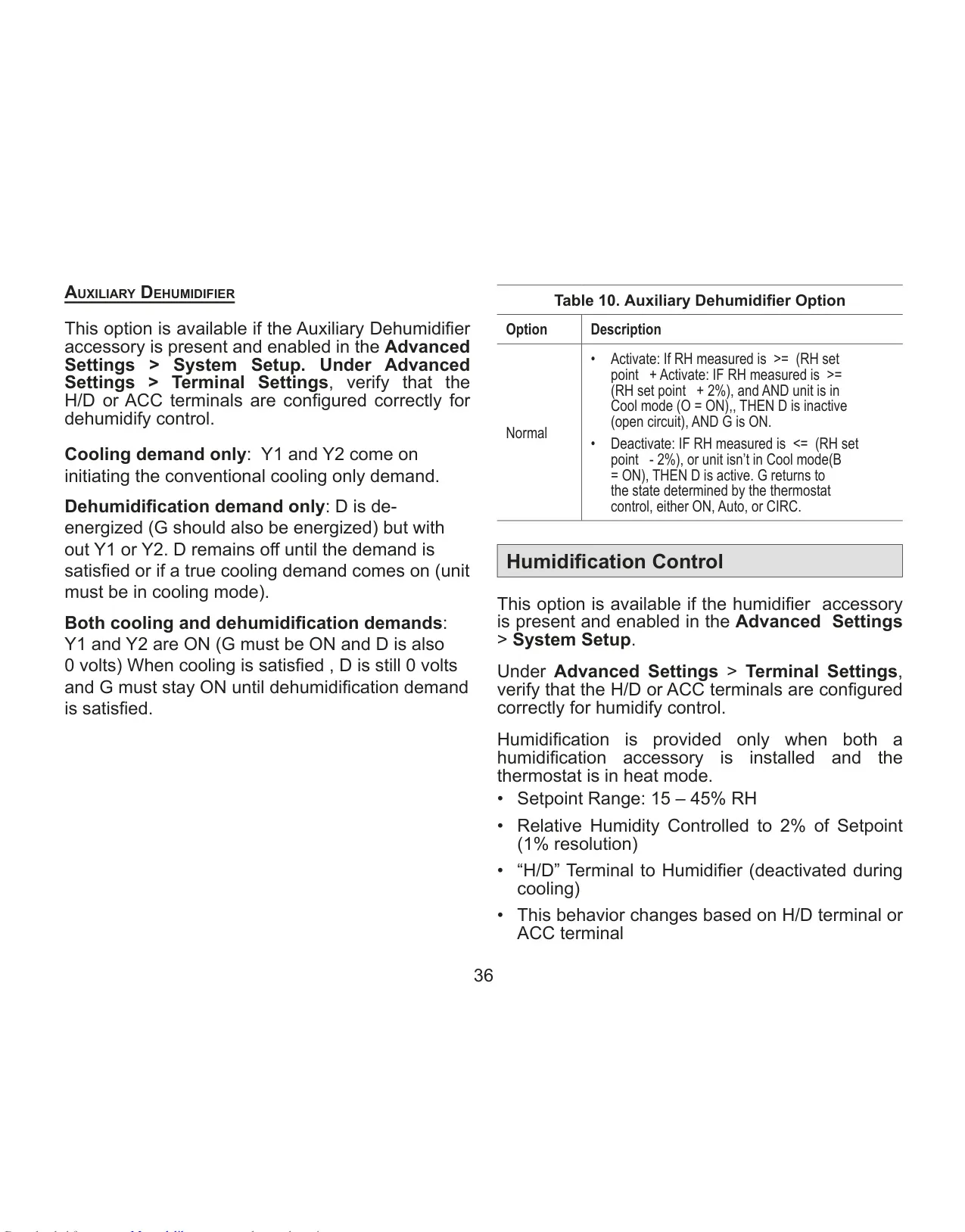
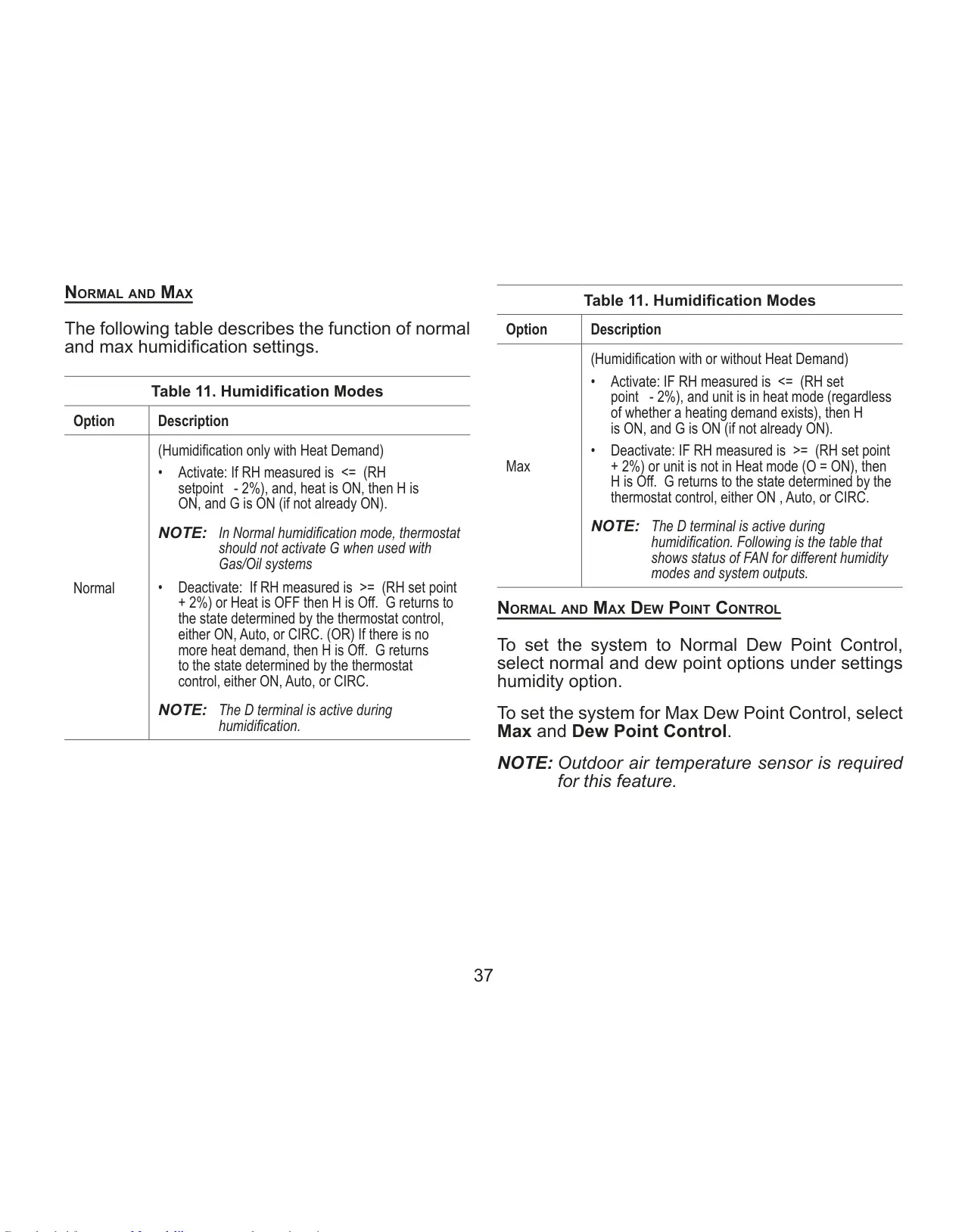
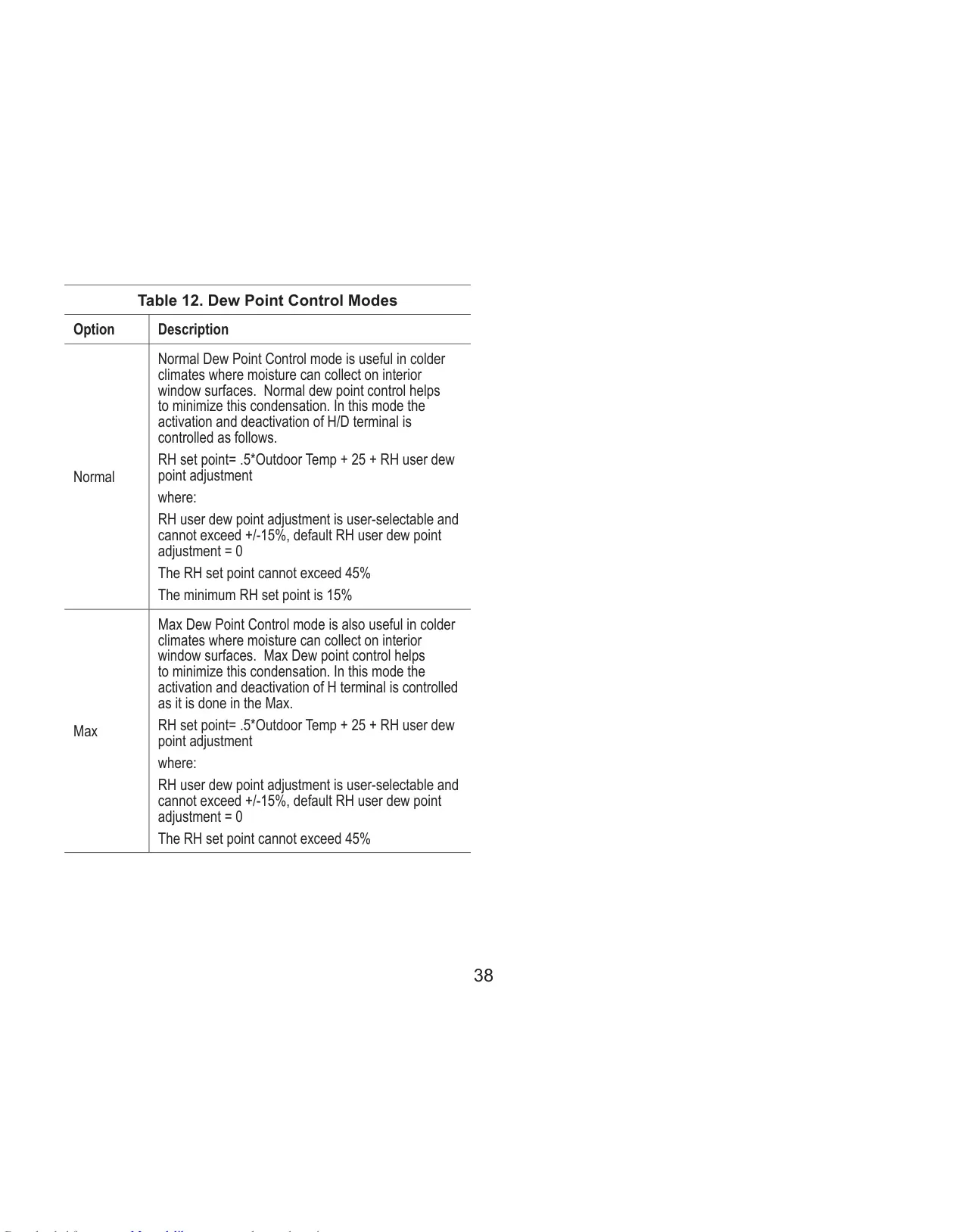
Beyond basic temperature control, the thermostat actively promotes a healthier indoor environment. It provides precise humidification and dehumidification control, including dew point adjustment when an optional outdoor sensor is installed. The M30 integrates with PureAir™ Air Purification Systems and the Humiditrol® Enhanced Dehumidification Accessory (EDA), ensuring superior indoor air quality. It also features comprehensive ventilation control for ERV, HRV, and fresh air dampers, with both timed and ASHRAE 62.2 compliant options.
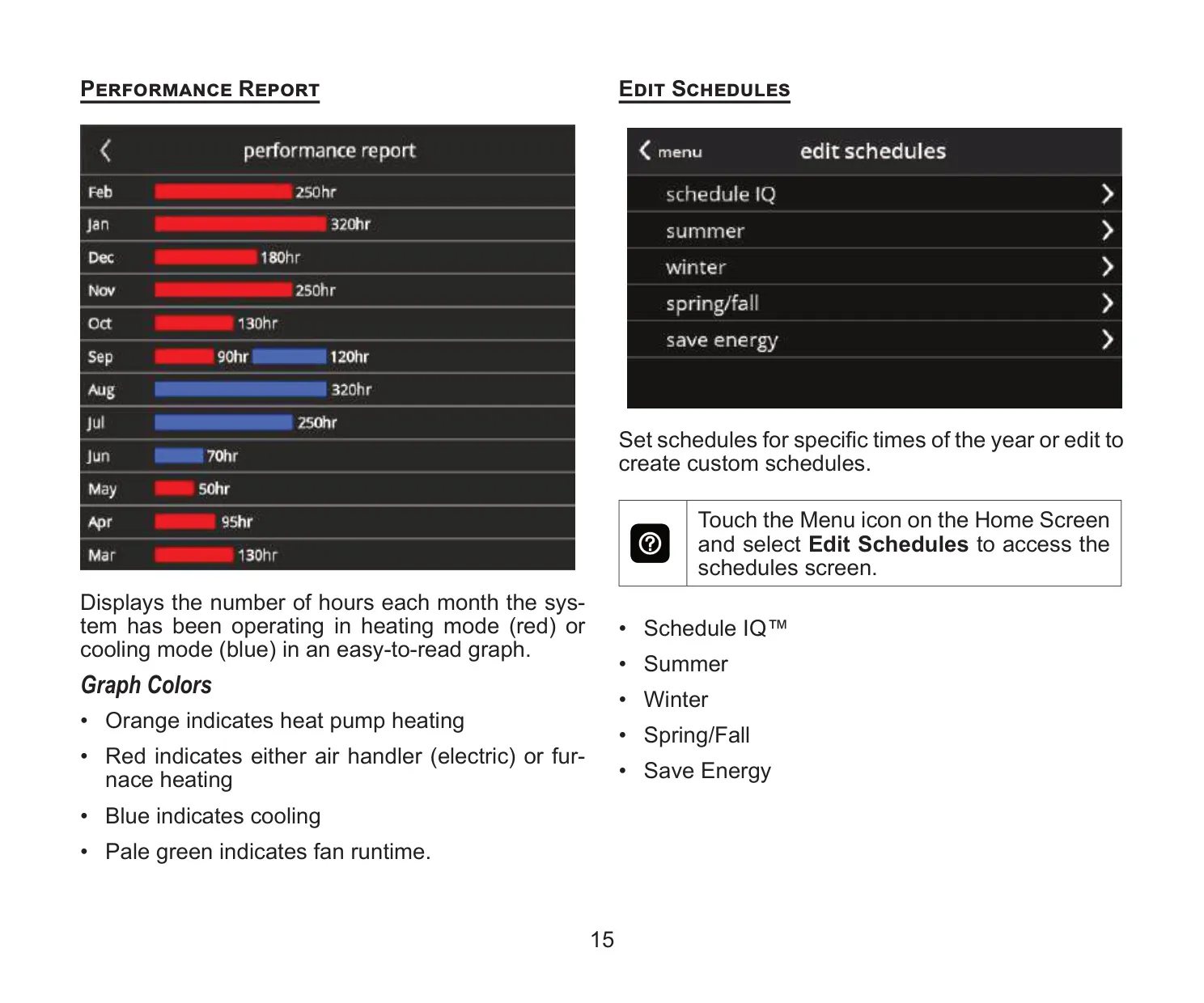
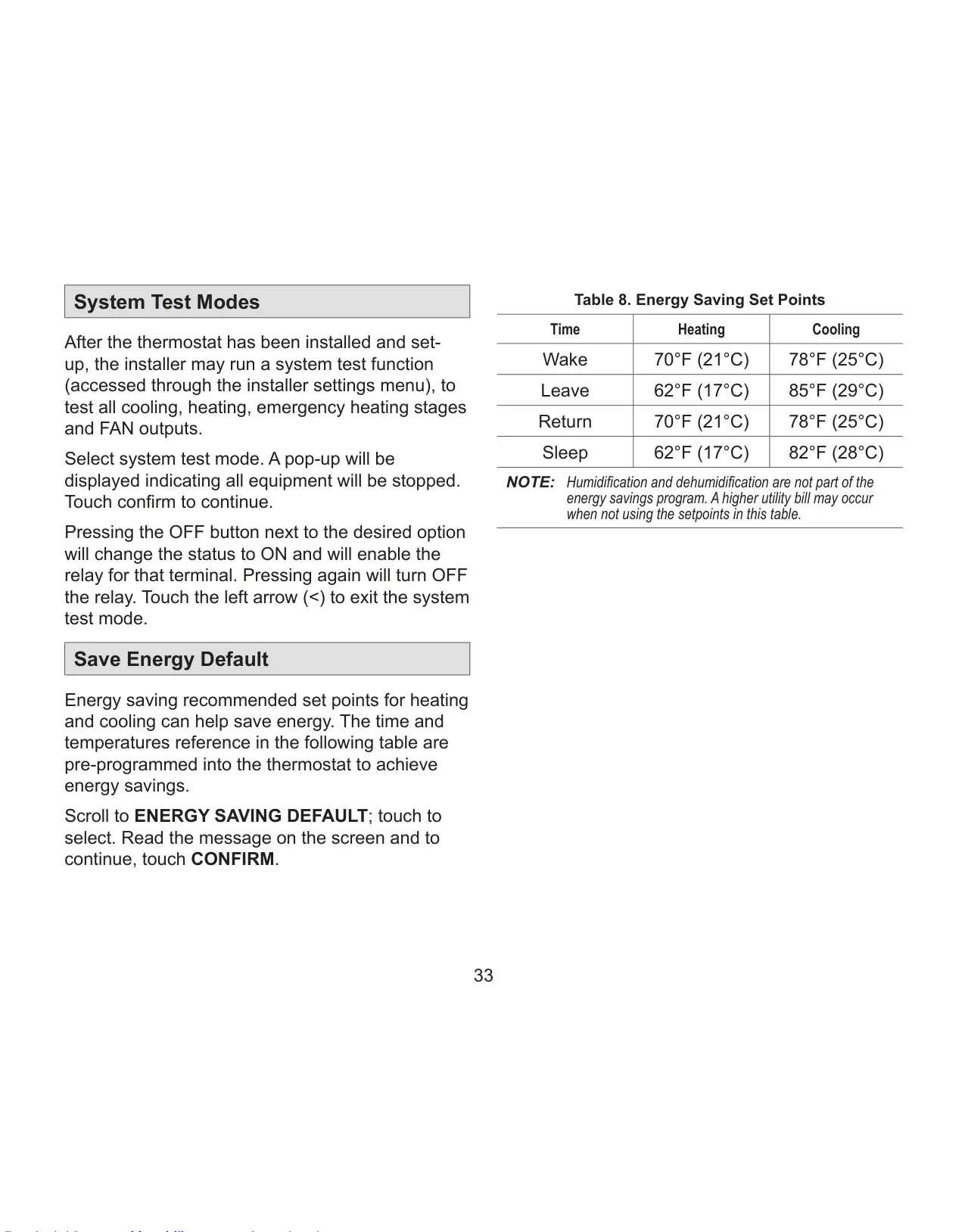
Energy efficiency is a core aspect of the M30's design. Its factory preset program settings align with EPA Energy Star® recommendations, and it complies with California Title 24 Open ADR 2.0 for advanced energy savings programs. Users can monitor their energy consumption through detailed Performance Reports available via the homeowner web portal, displaying monthly operational hours for heating, cooling, and fan runtime.
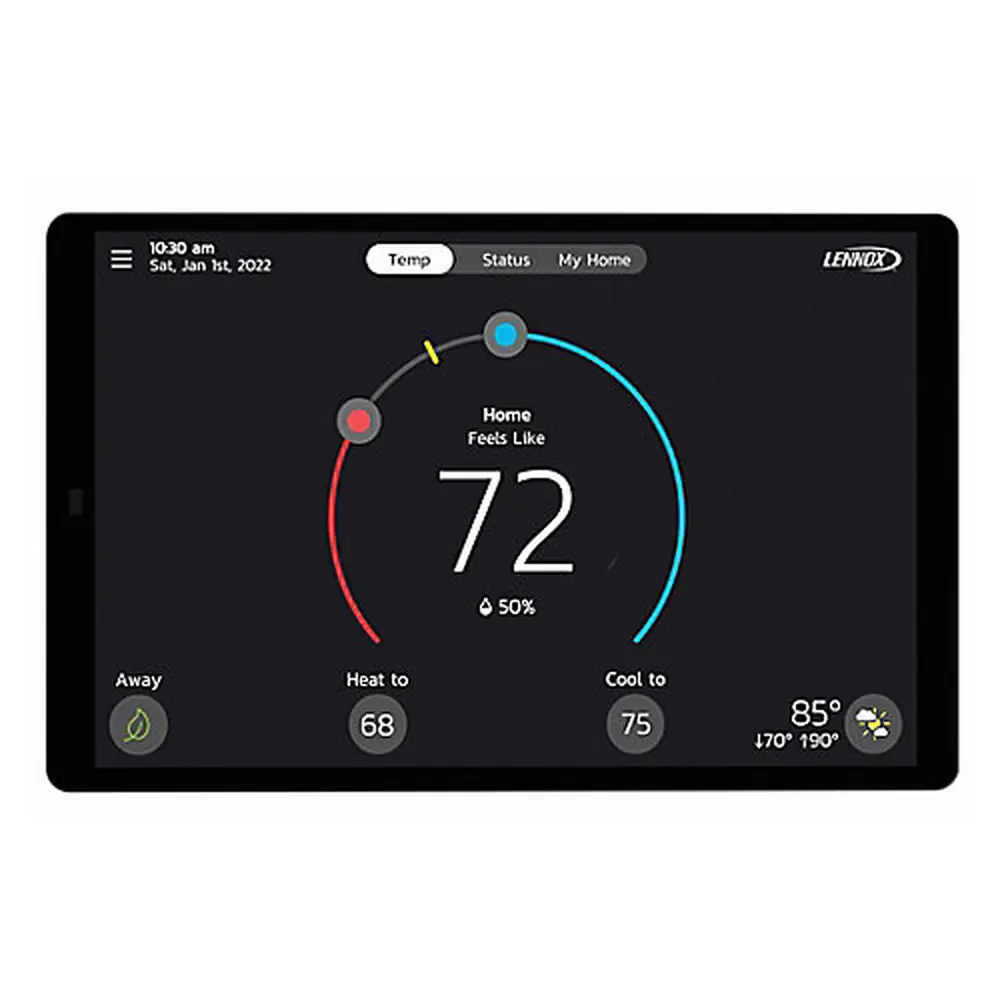
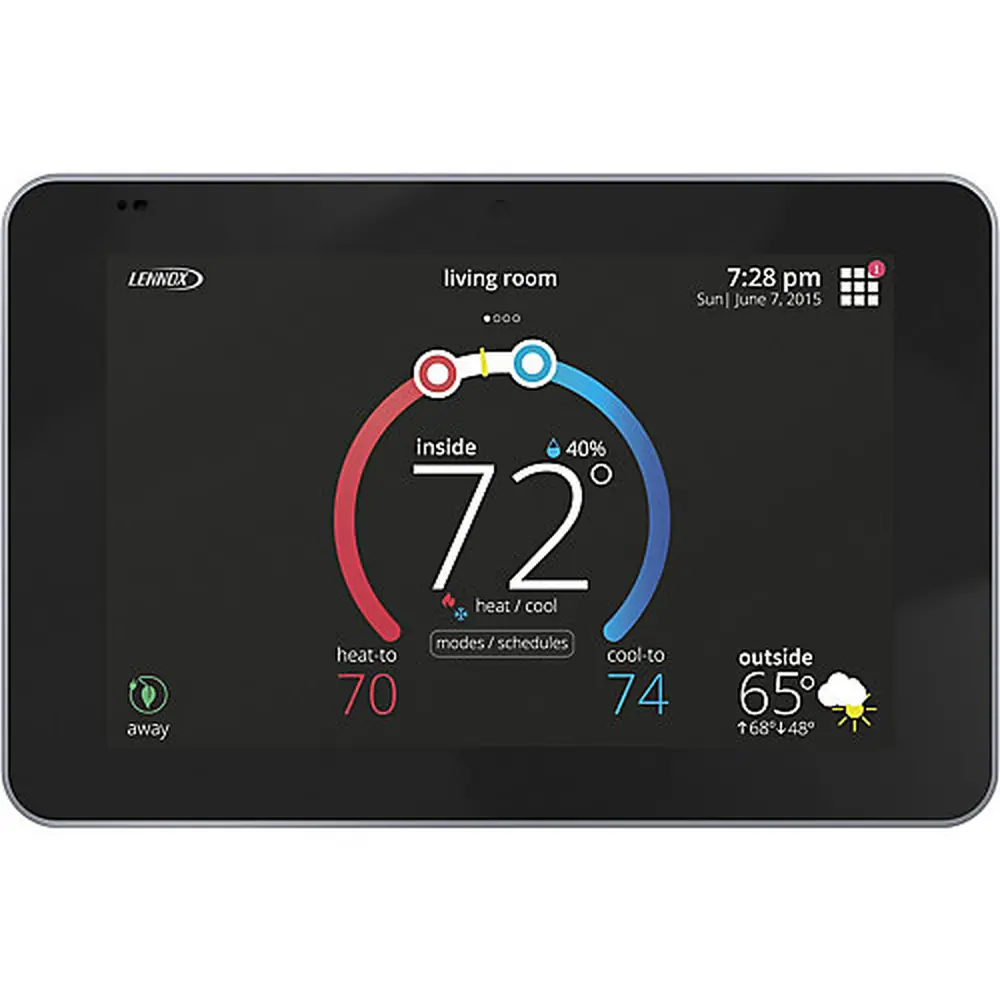
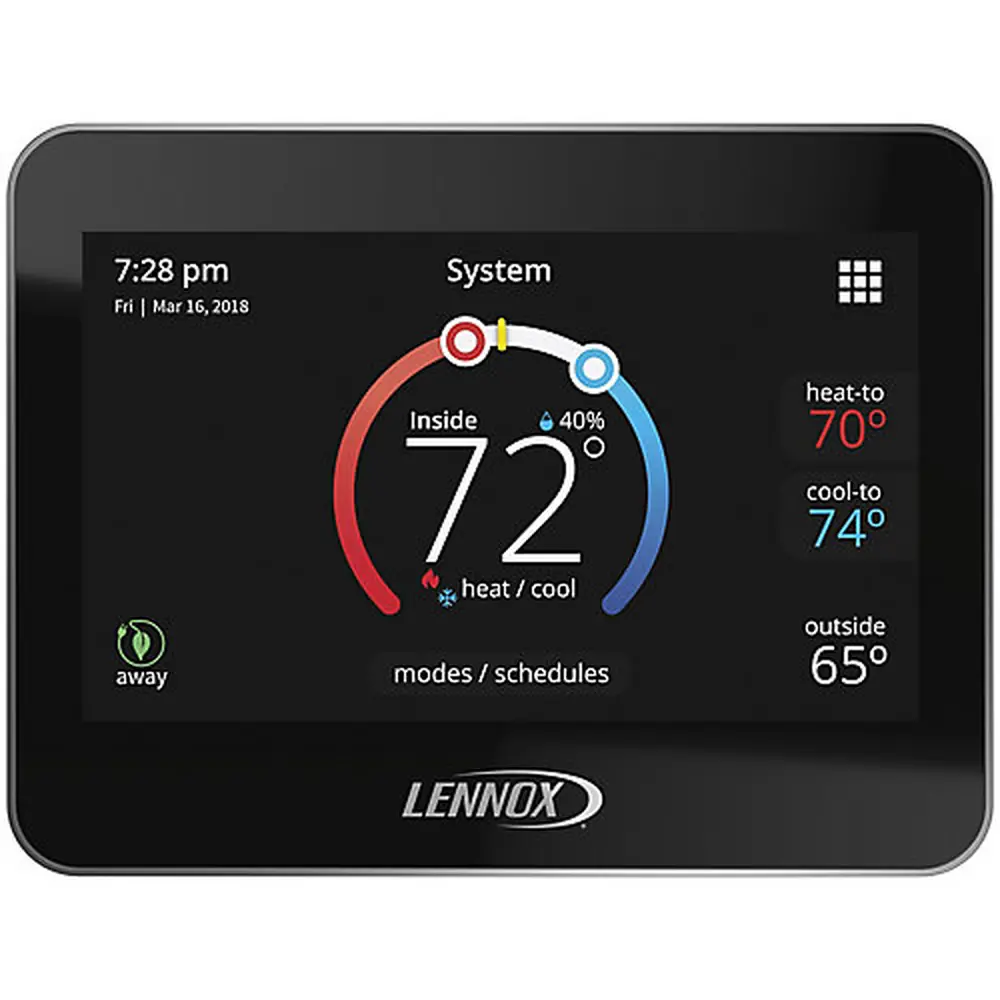
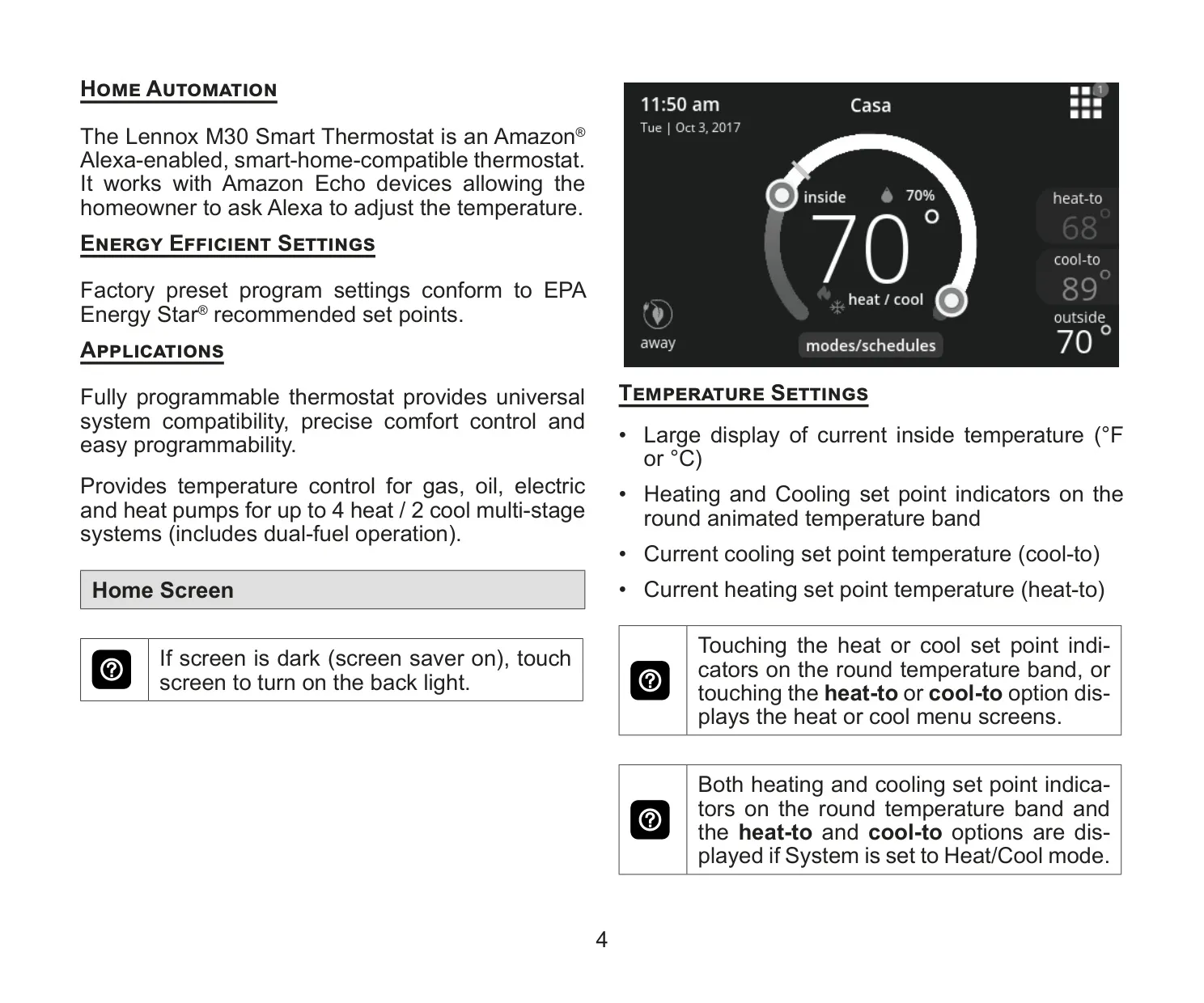
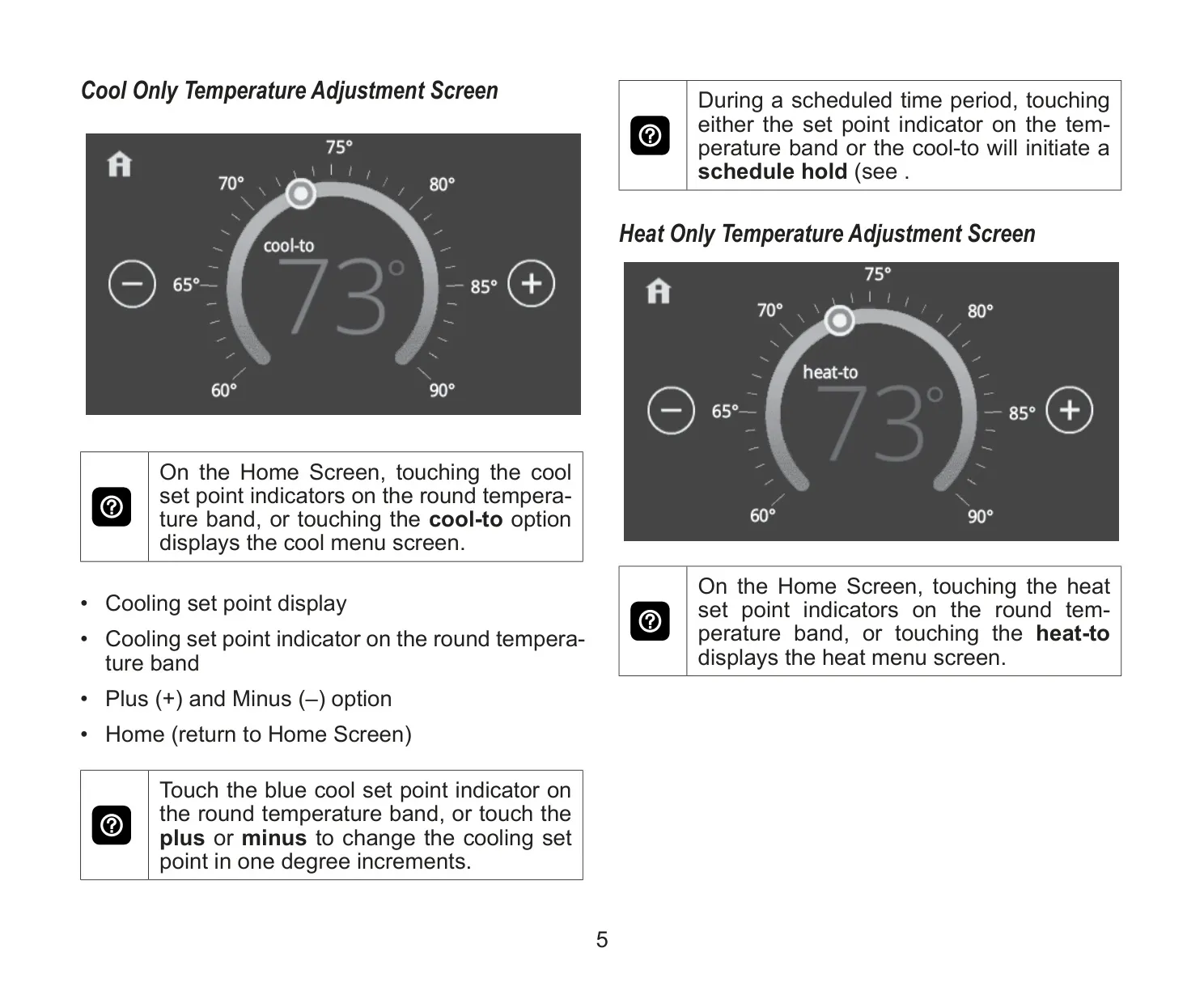
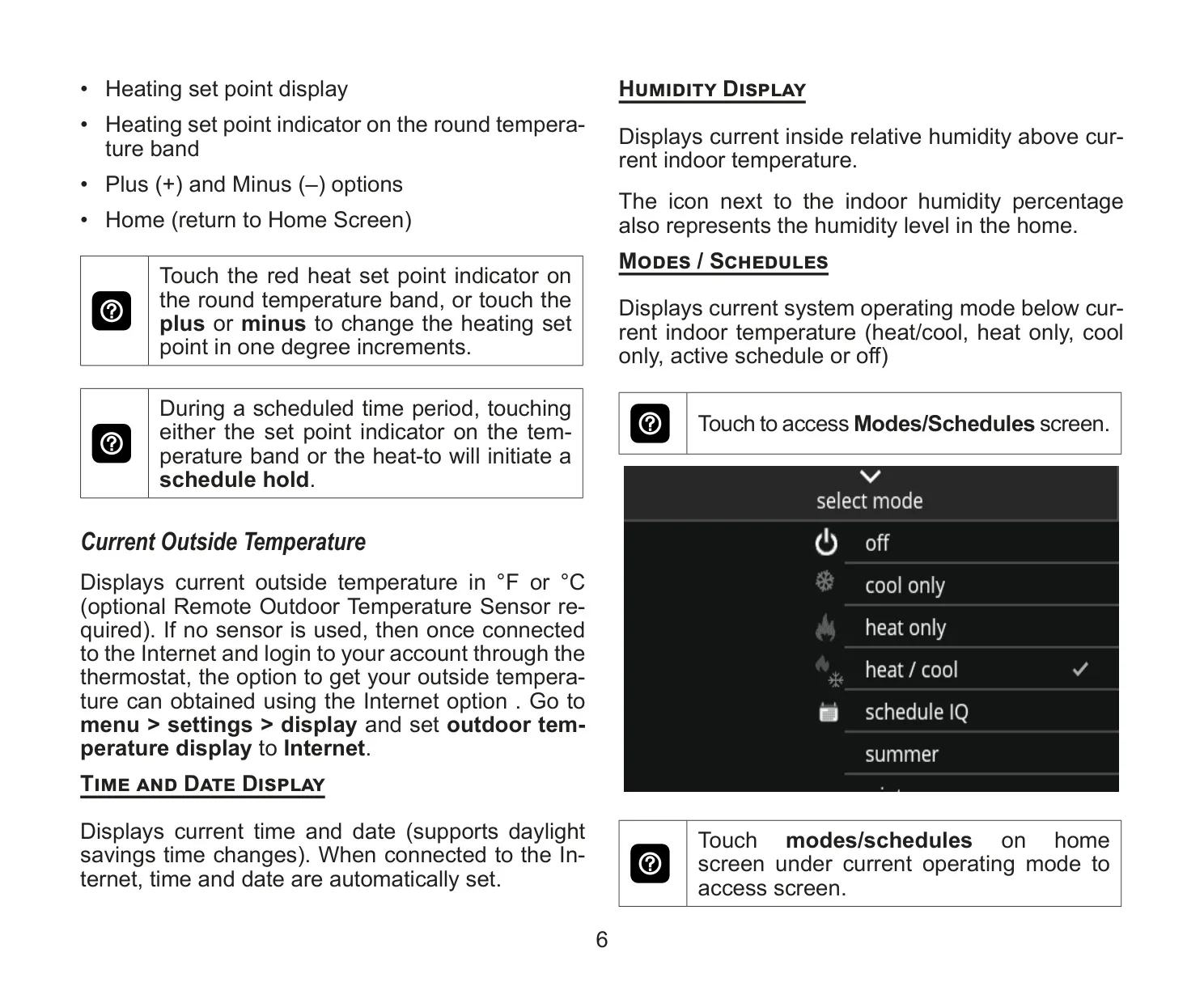
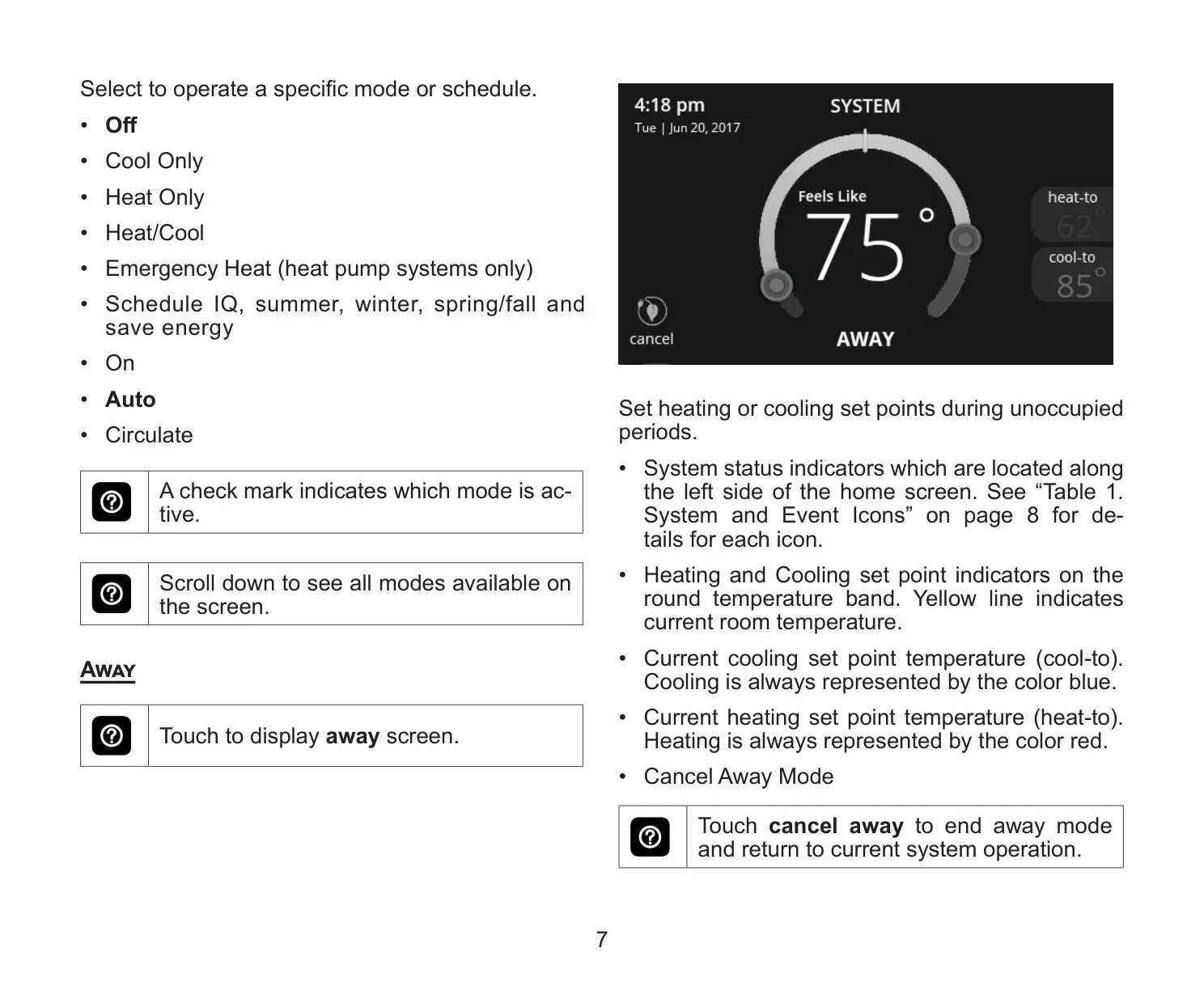
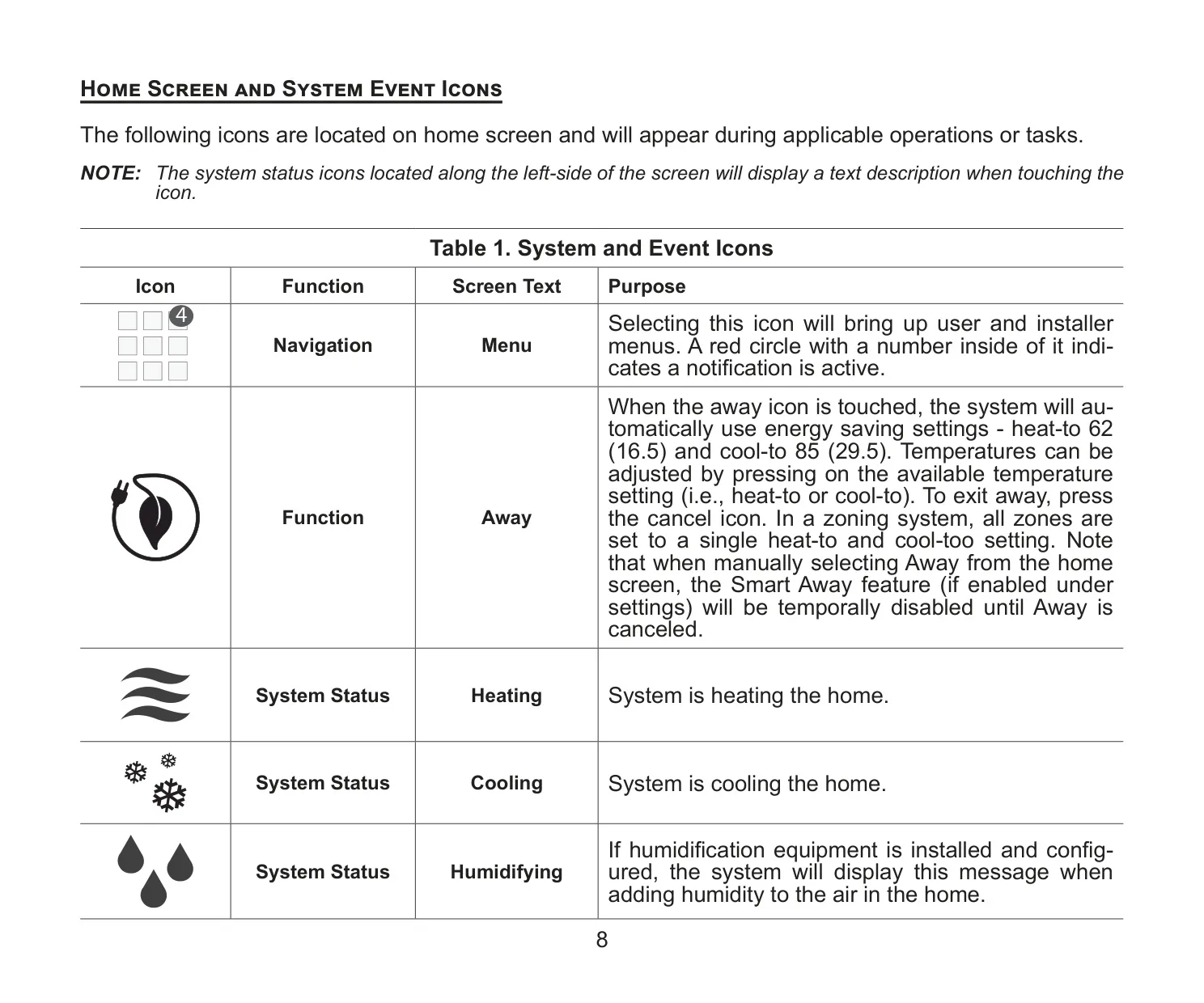
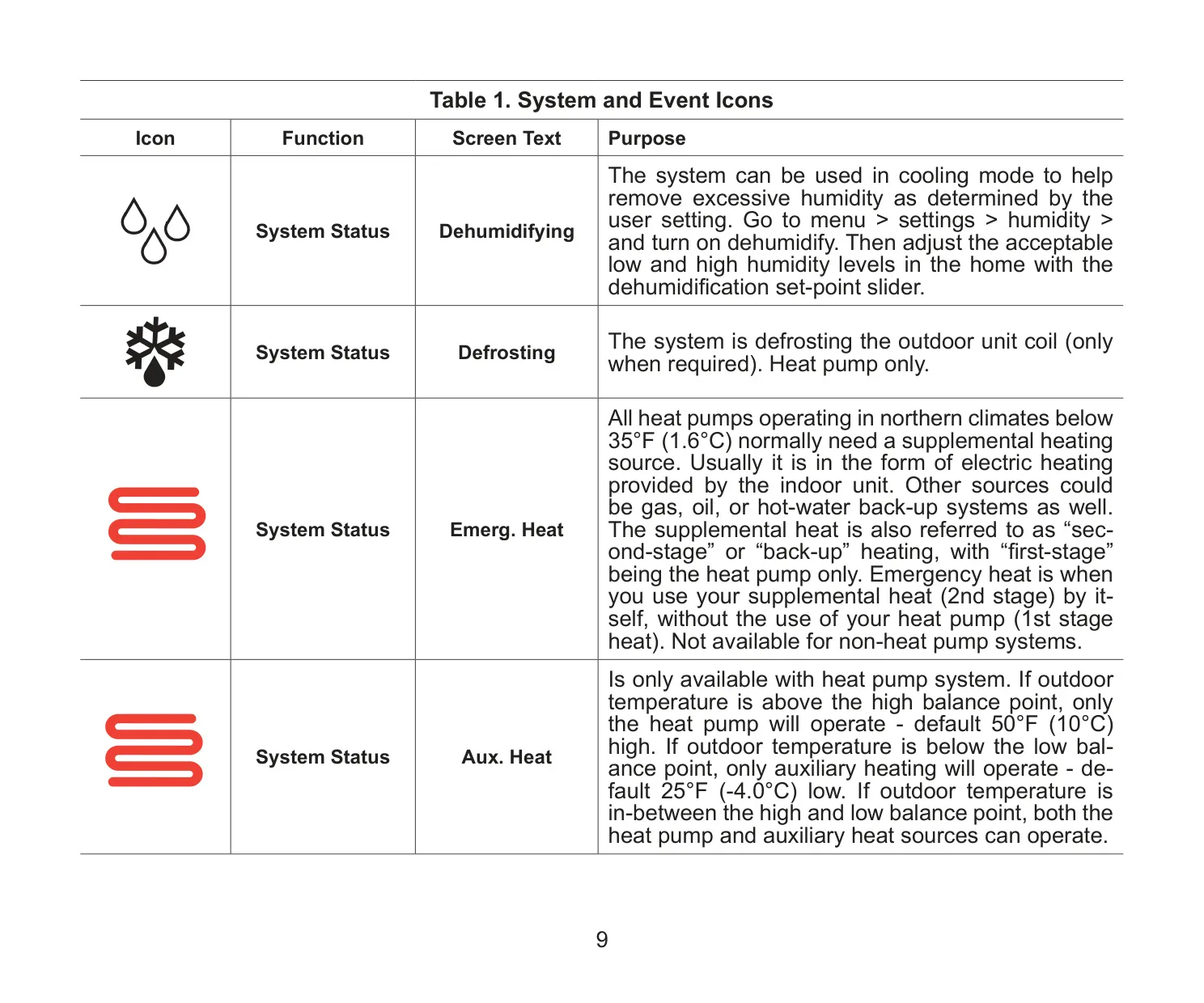
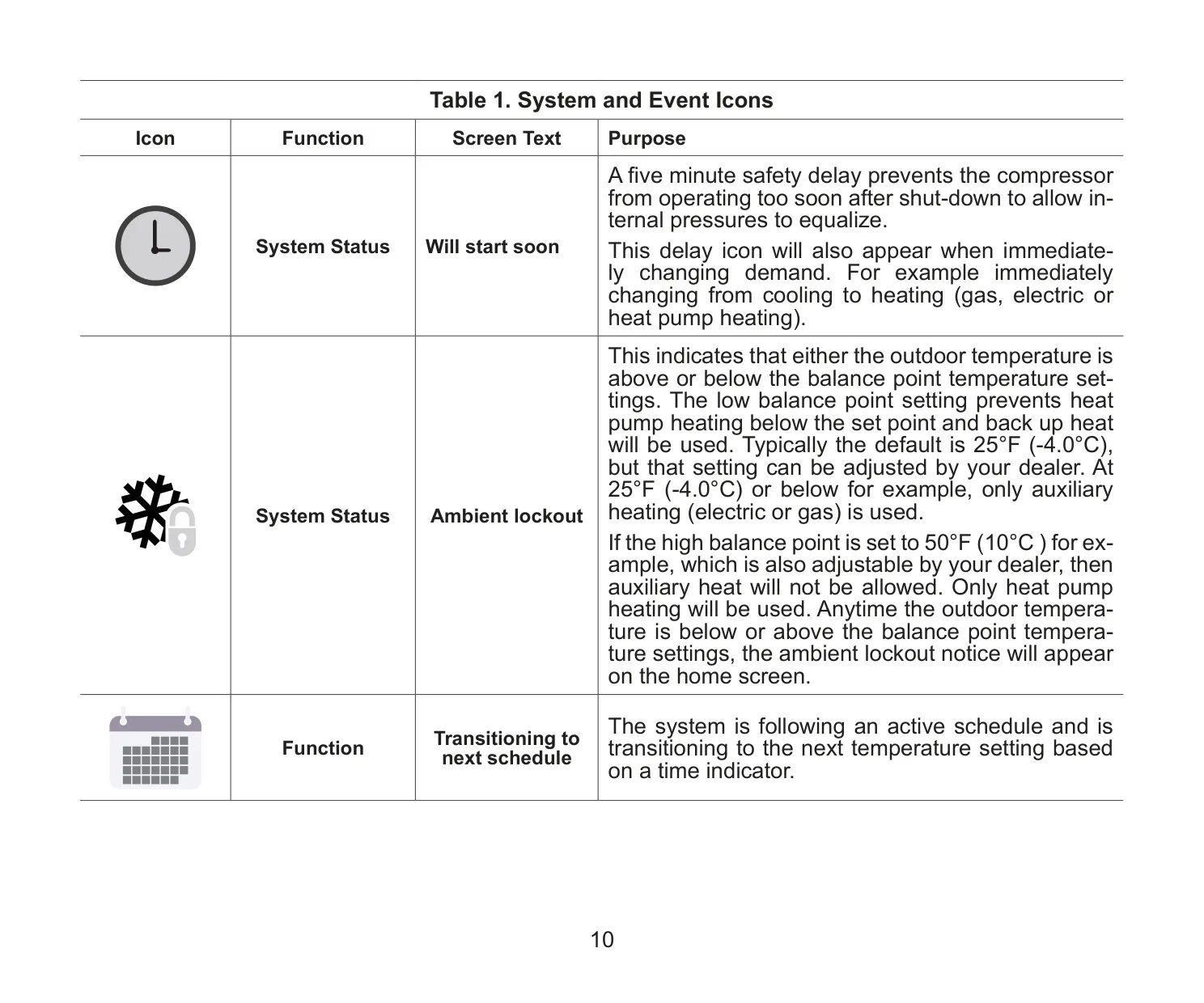
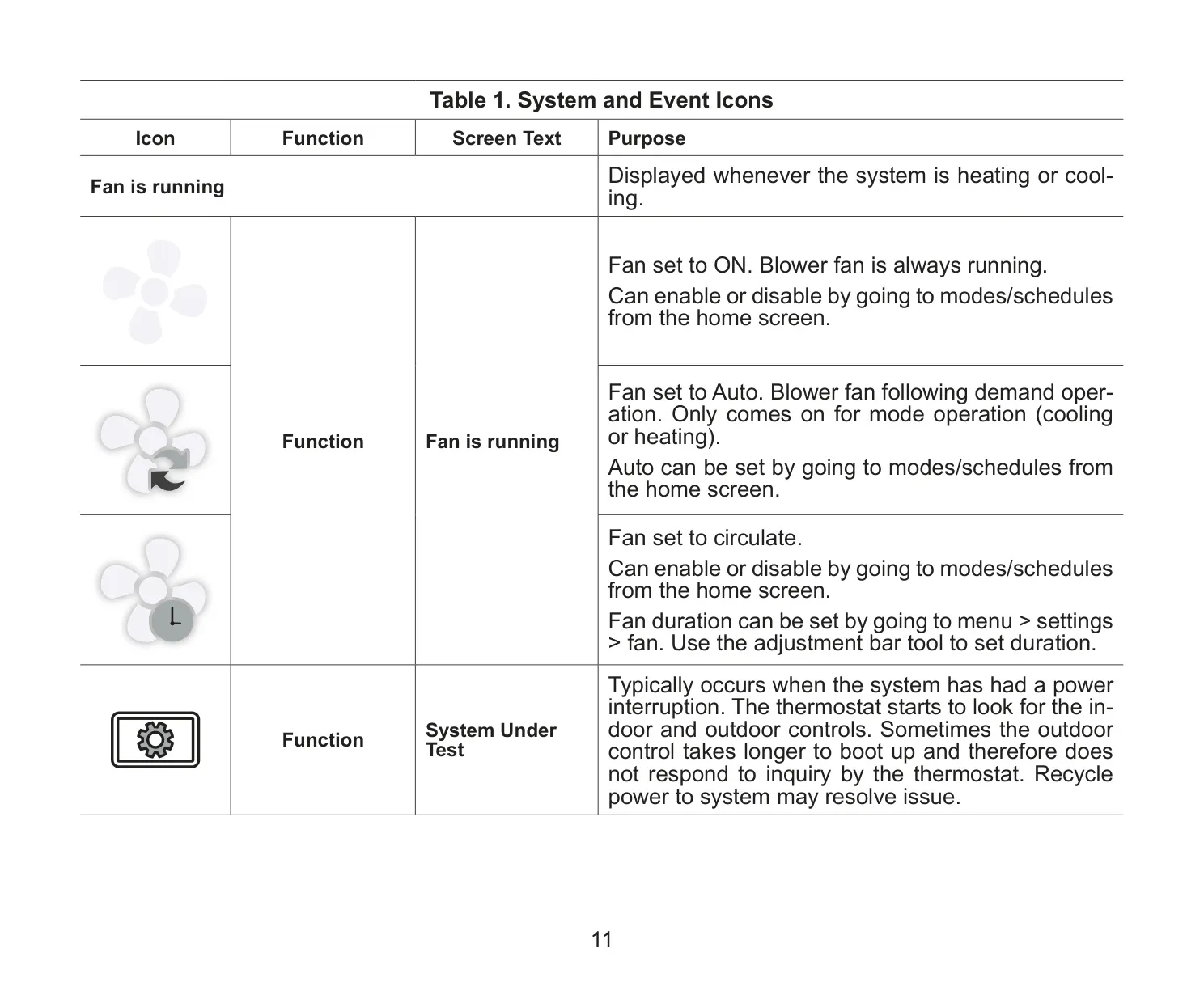
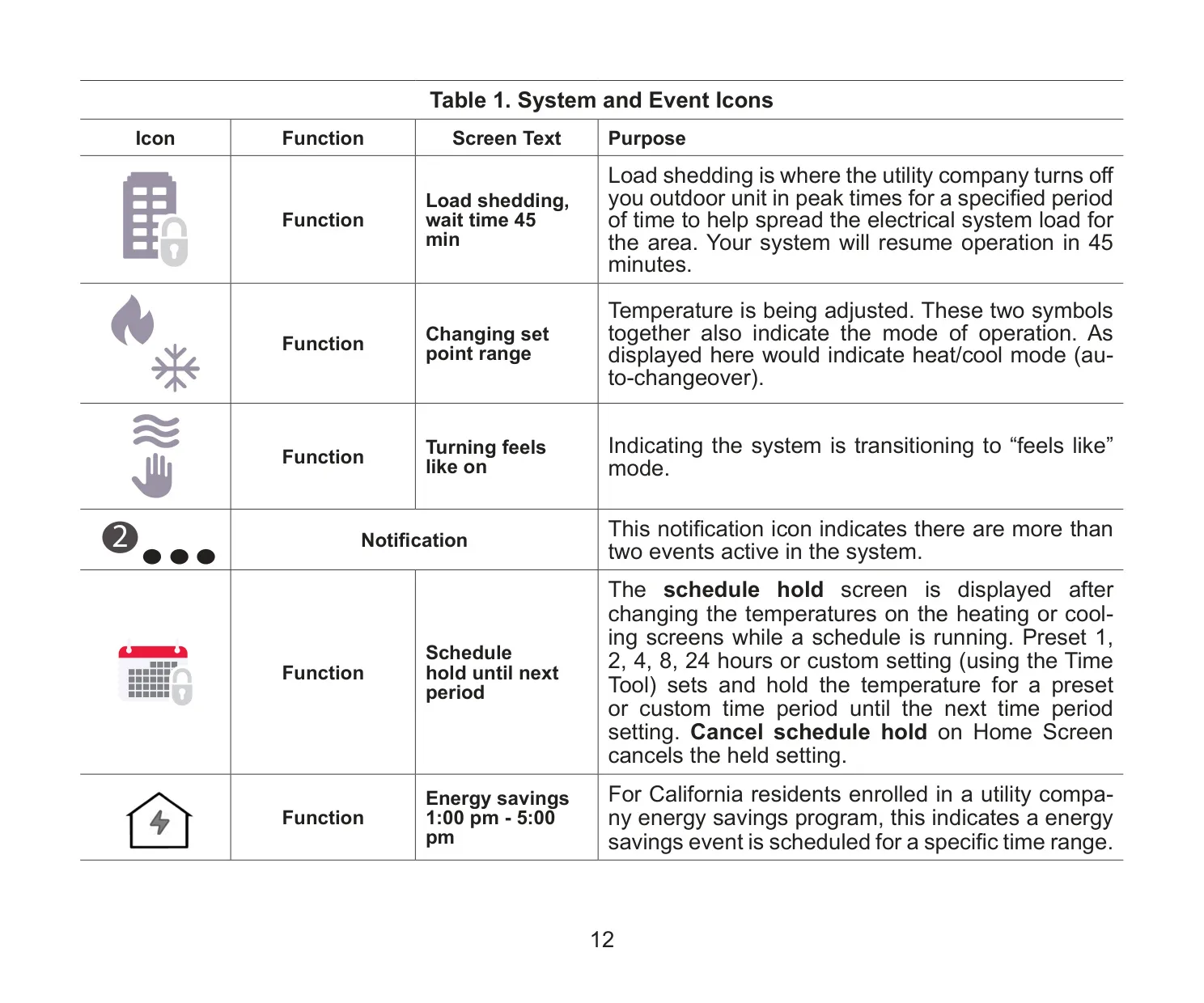
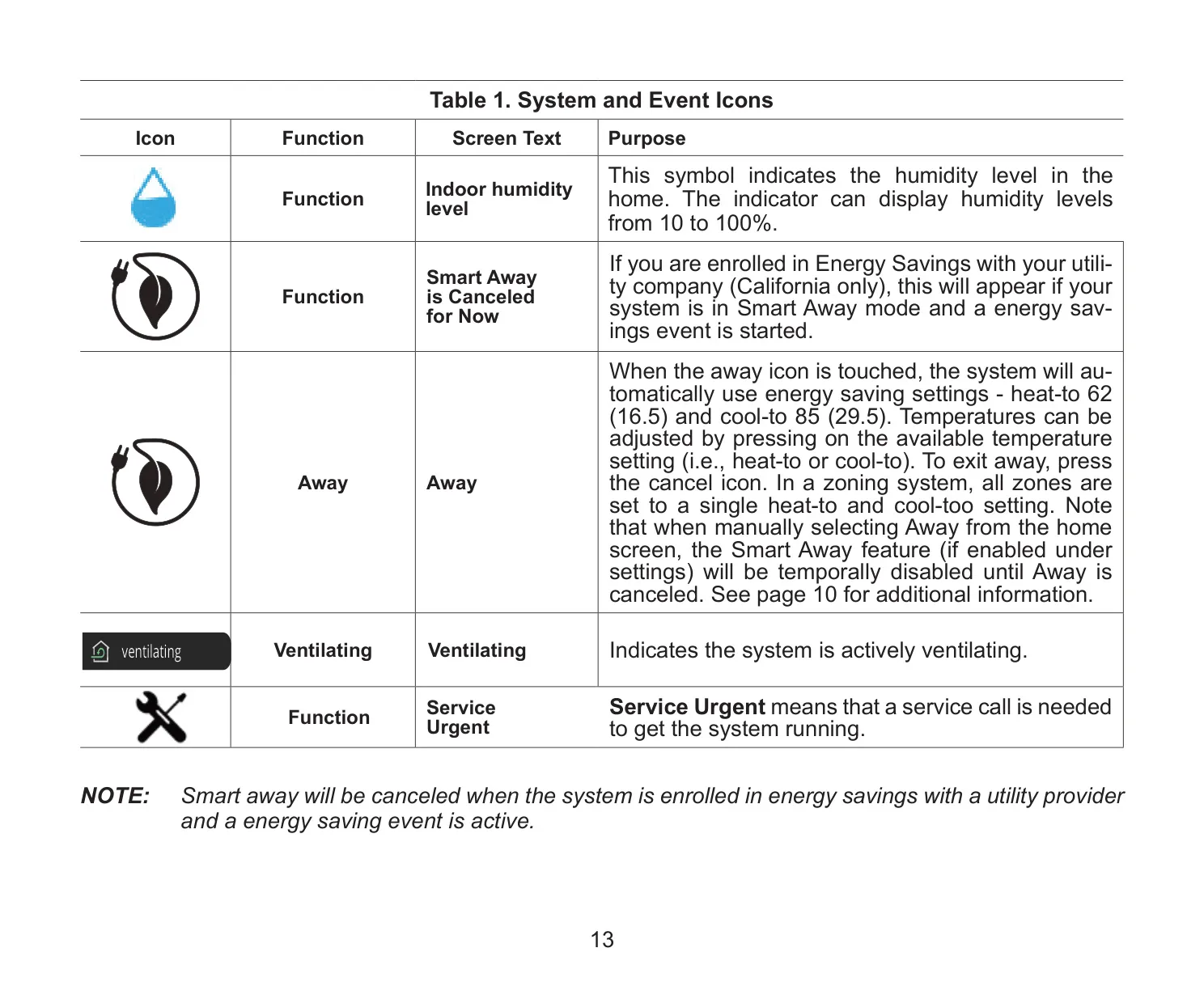
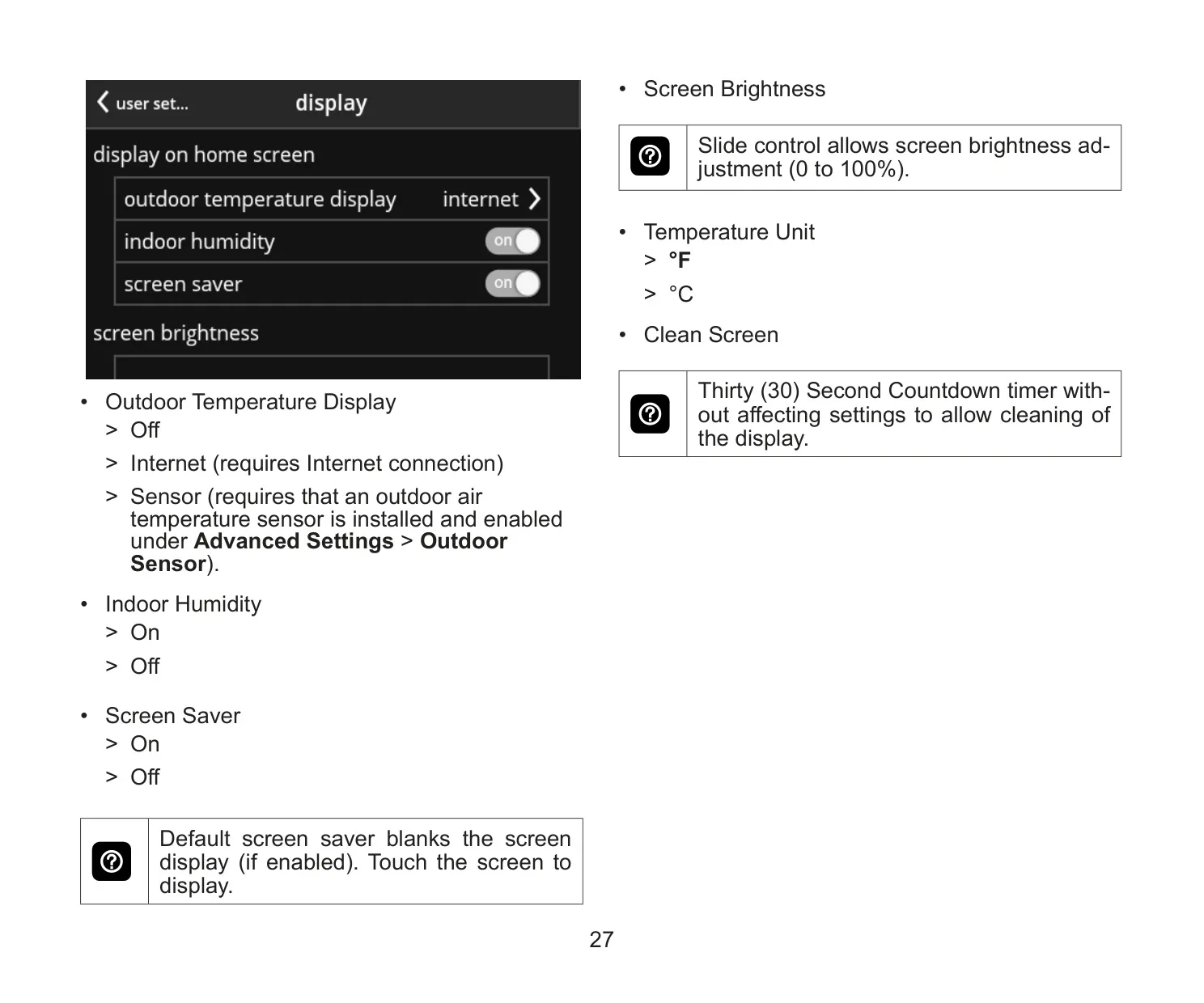
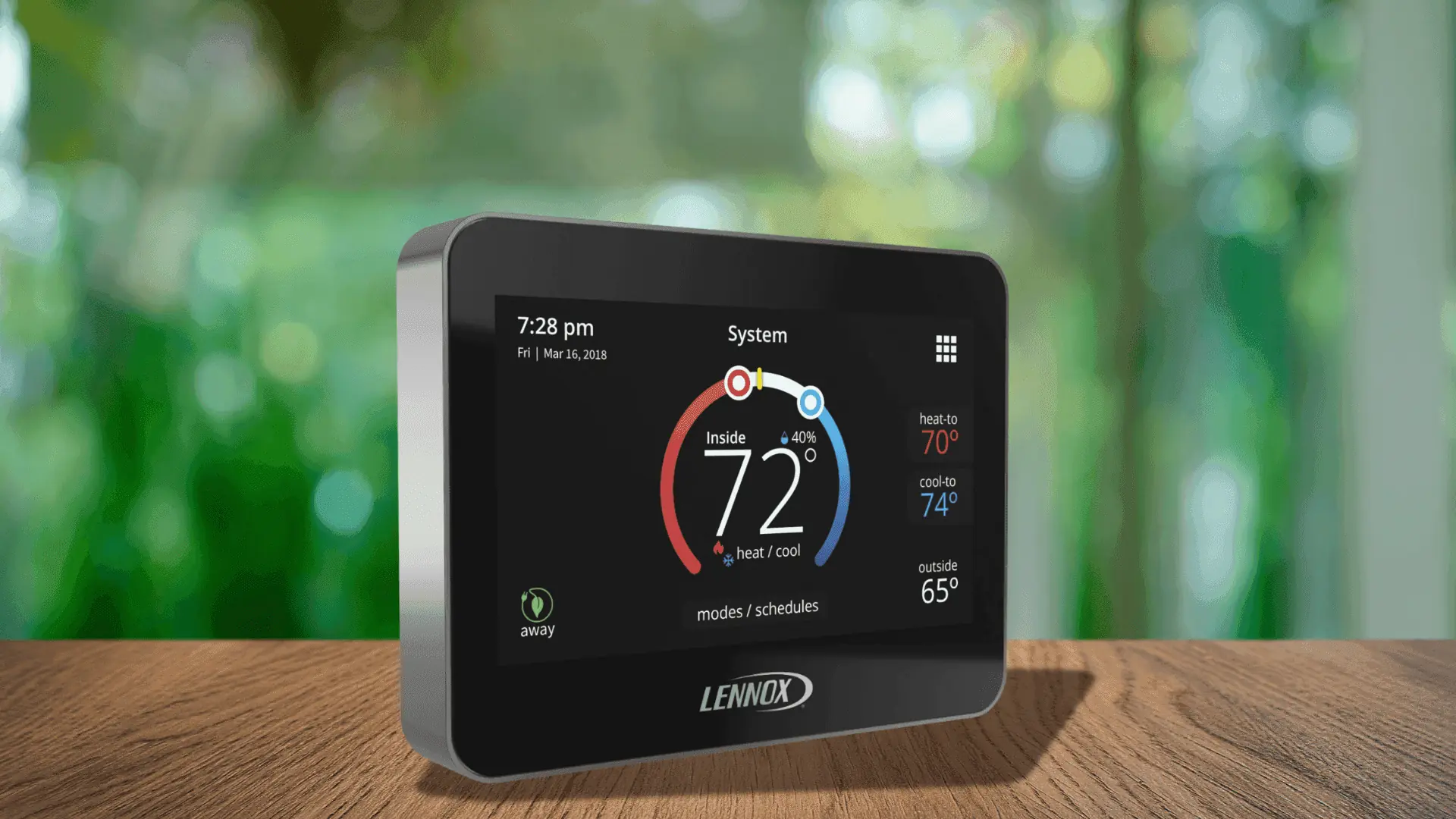
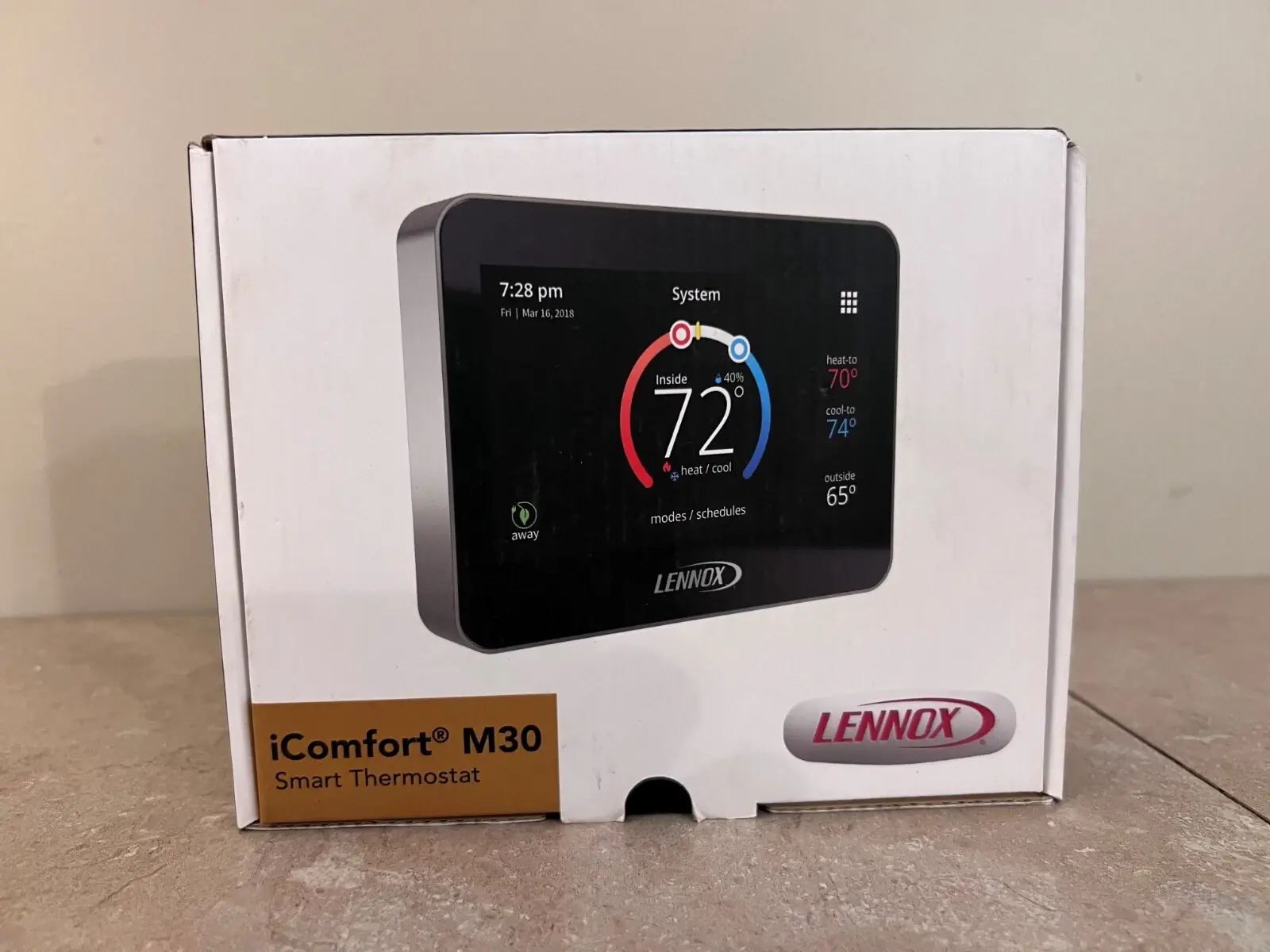
The thermostat’s user interface is crafted for ease of use, featuring an easy-to-read 4.3-inch color touchscreen. It displays current and set temperatures, time, indoor relative humidity, and outside temperature (with sensor or internet connection). Intuitive icons indicate system status and events, while an animated temperature band and plus/minus options make temperature adjustments straightforward. It also includes practical features like a 30-second clean screen mode.
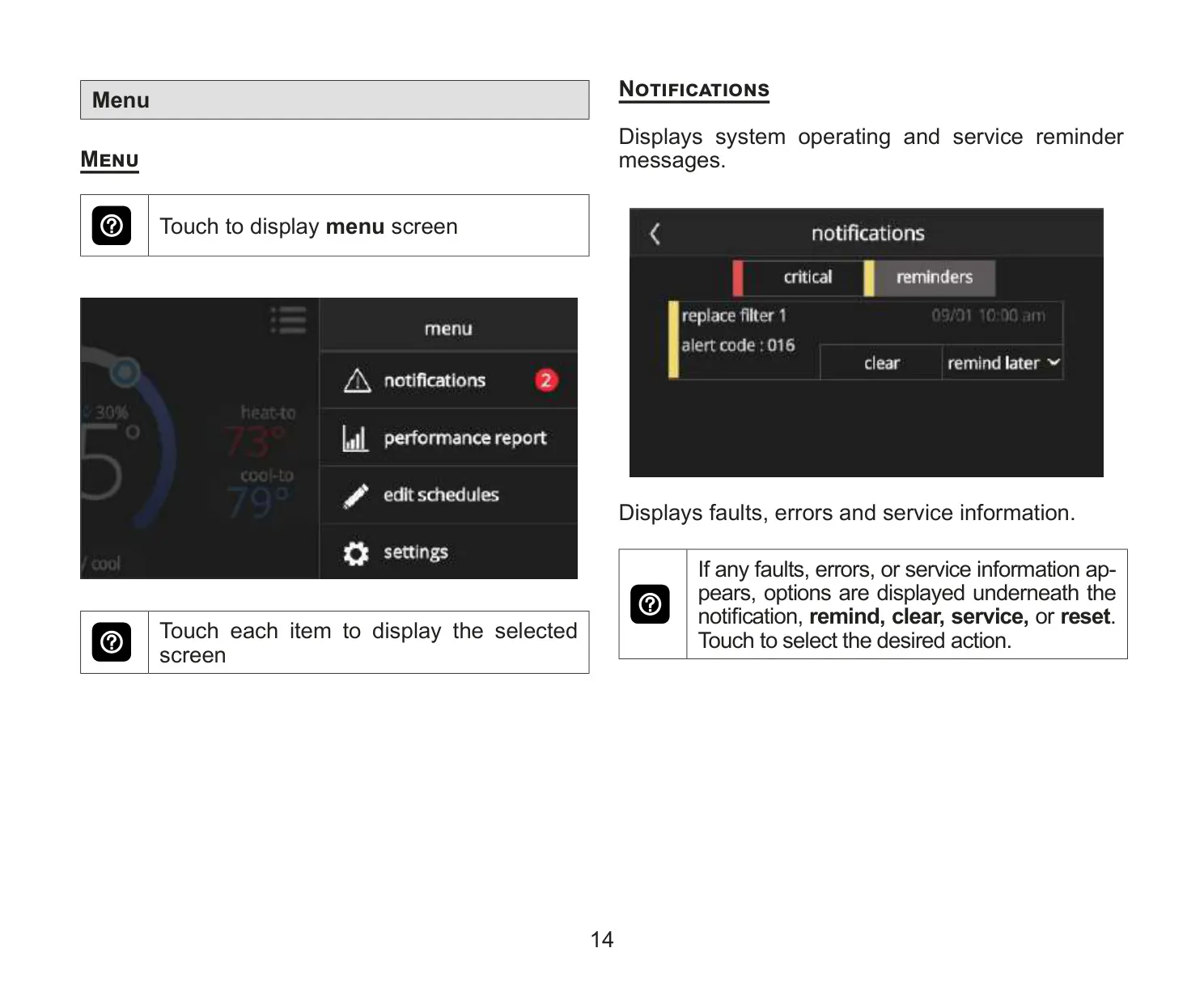
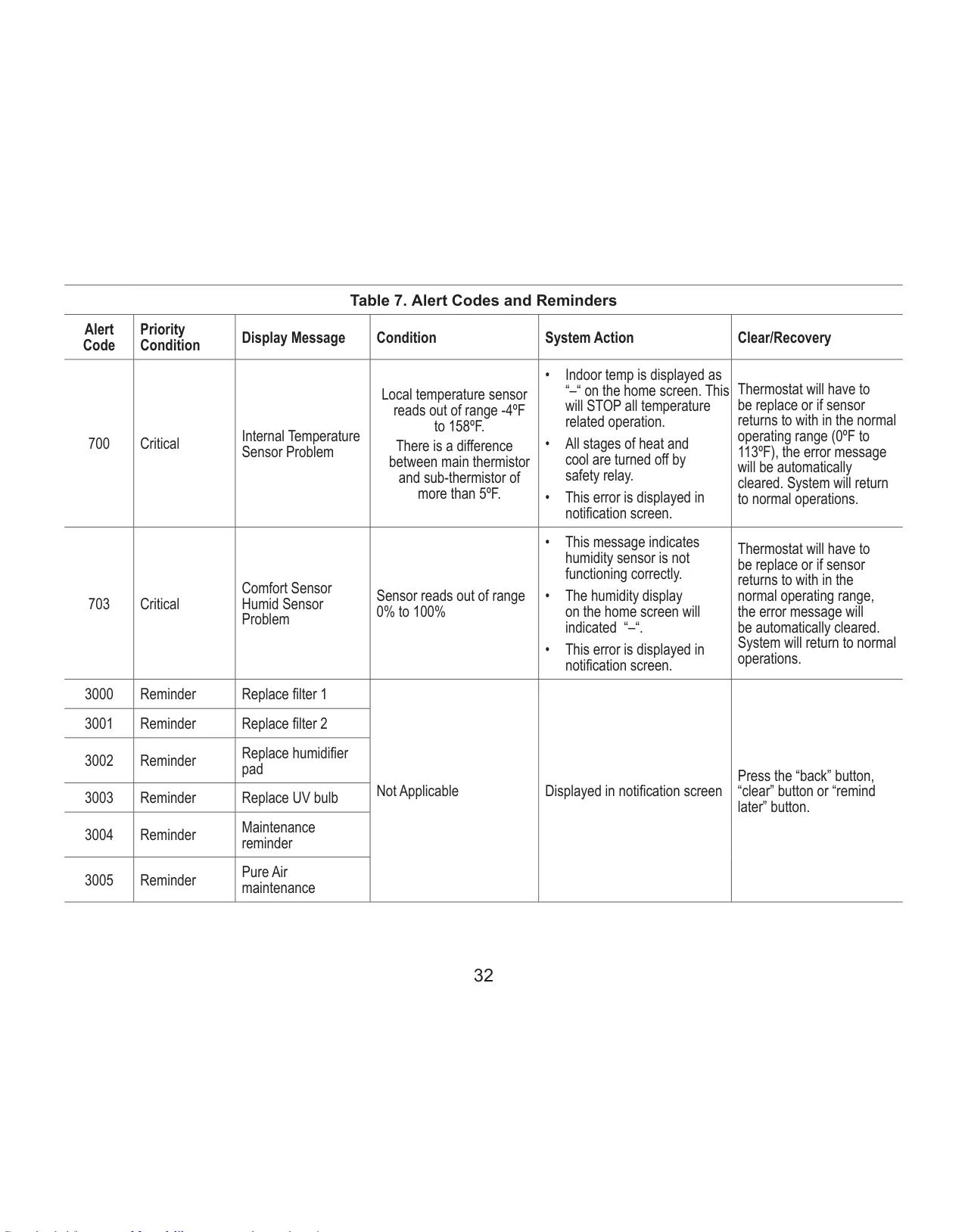
For added peace of mind, the M30 provides important equipment maintenance reminders for filters, UV bulbs, and humidifier pads, ensuring optimal system performance. It also incorporates crucial safety protection alerts for dangerously low or high indoor temperatures, safeguarding your home and occupants. Homeowners can even grant or restrict dealer access for remote troubleshooting and system alerts.
Frequently Asked Questions (FAQs)
Can't find the answer you need? Here are some frequently asked questions about the Lennox iComfort M30 Thermostat, and we answer them below.