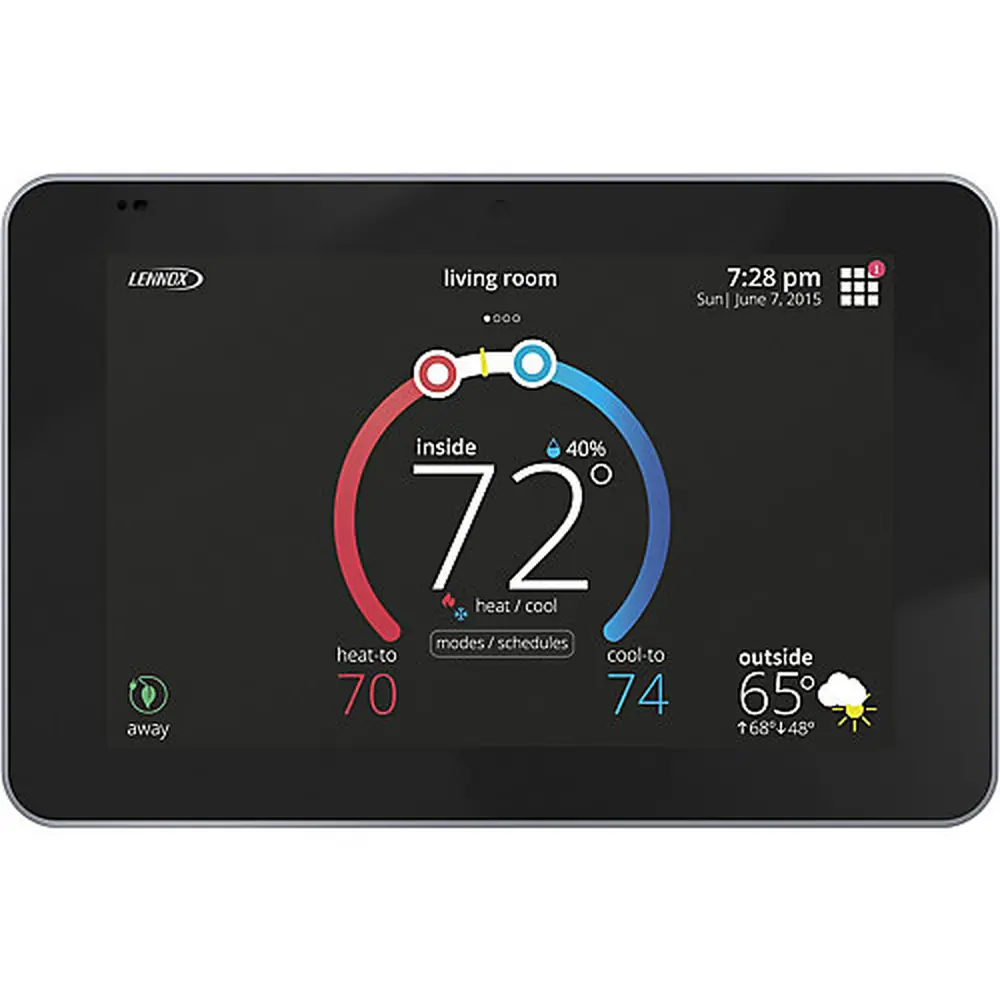
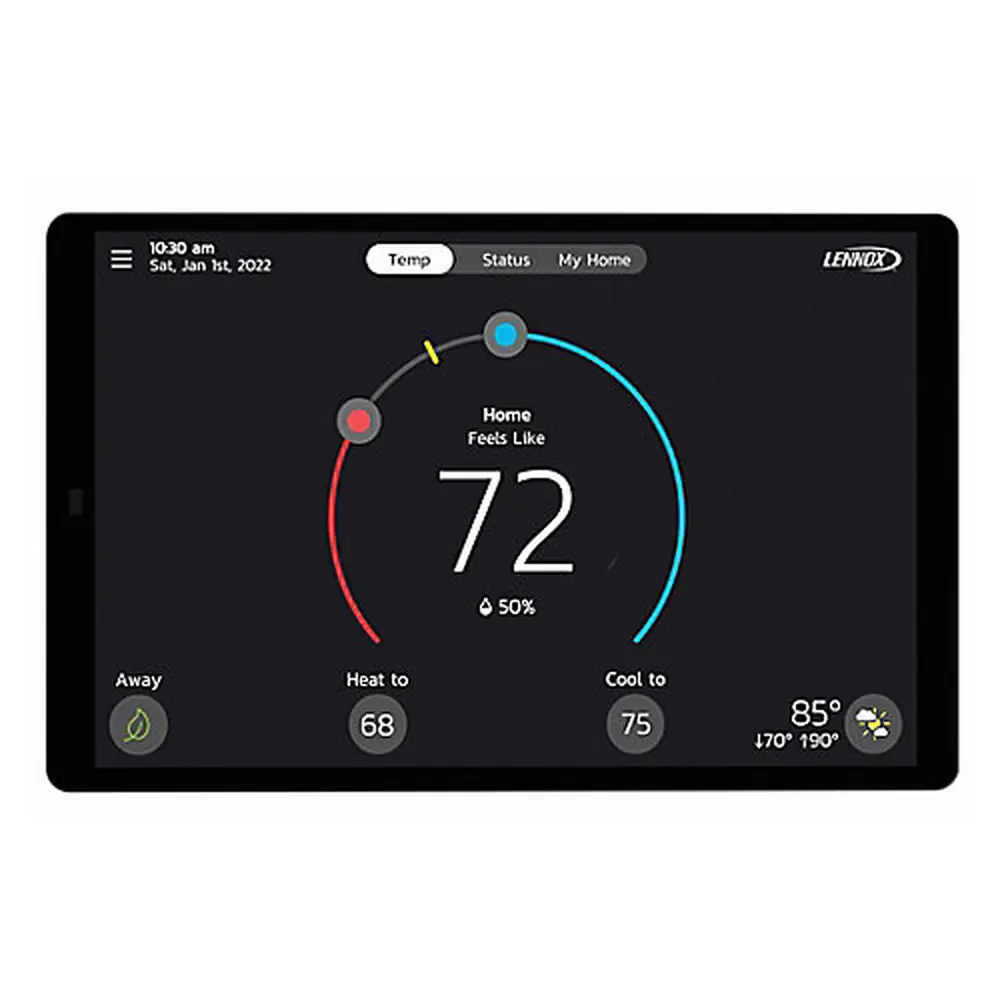
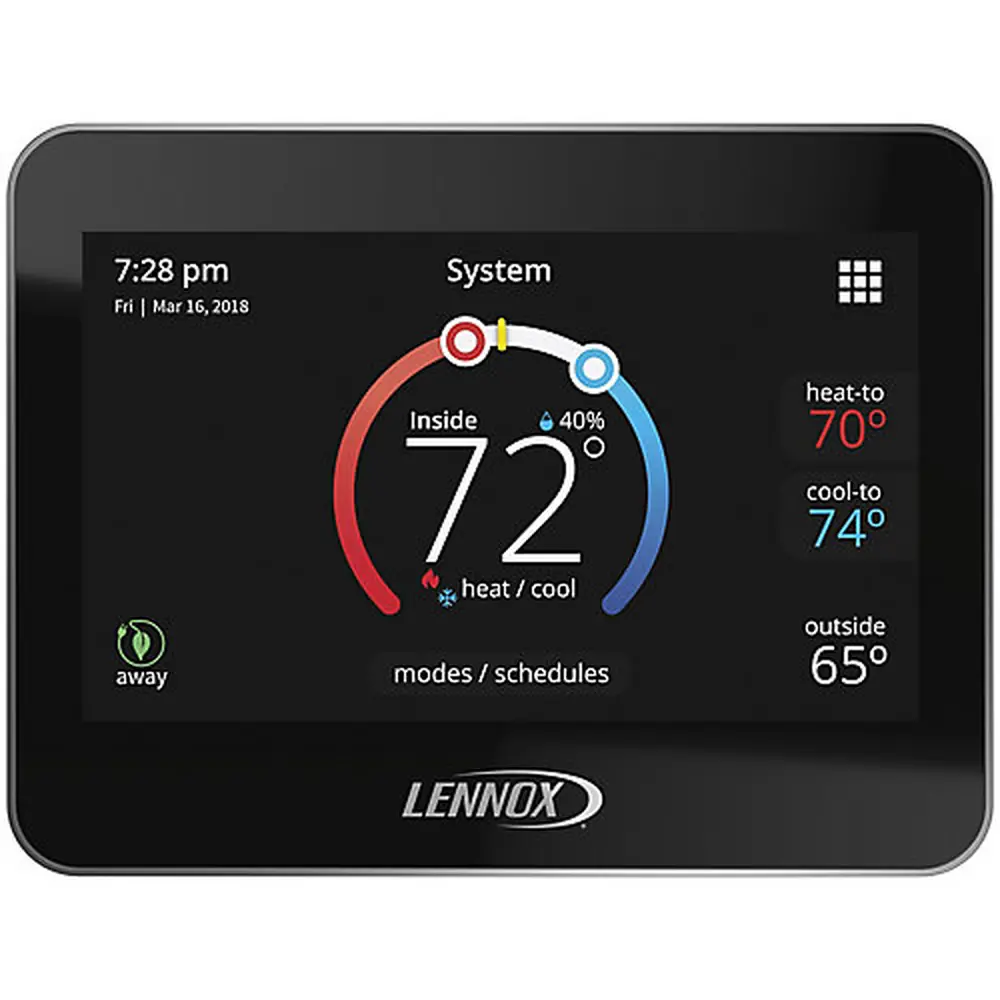
Lennox 5000 Thermostat Instruction Manual
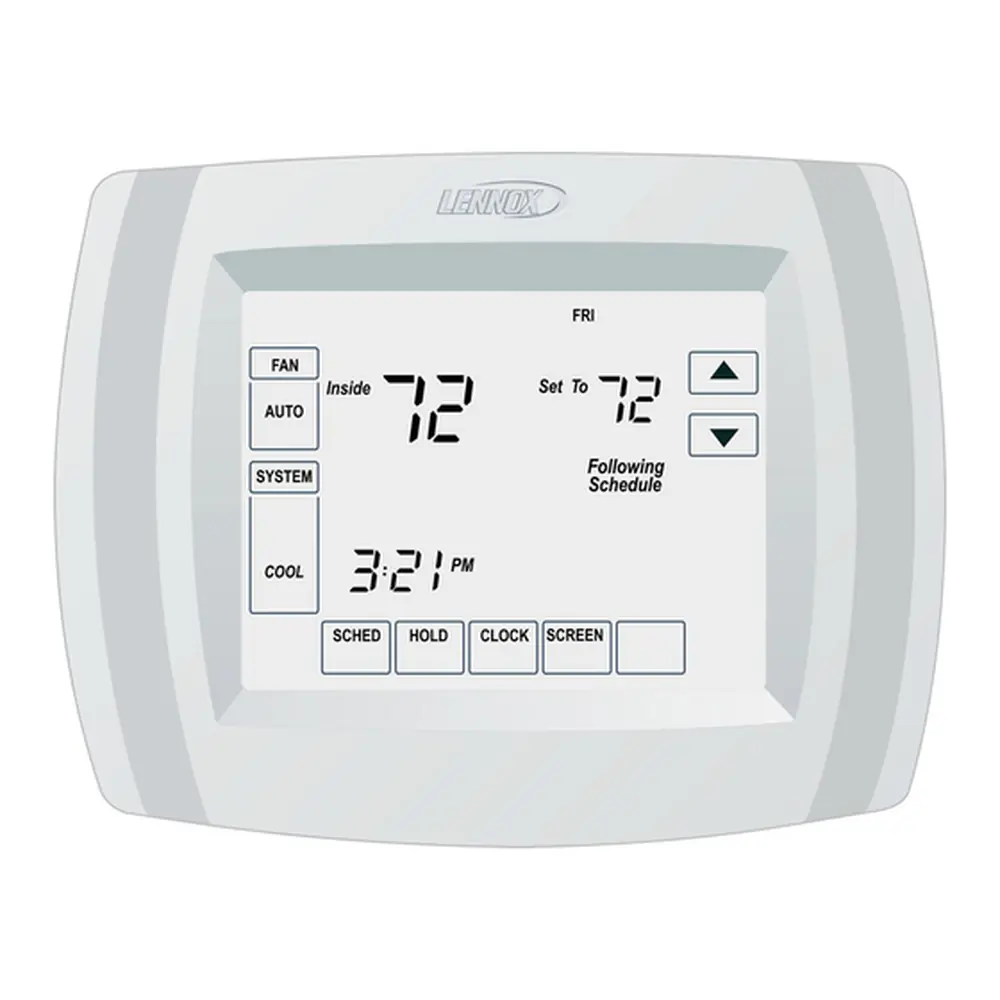
Lennox 5000 Thermostat


Lennox 5000 Thermostat Instructions
Here we offer the Lennox 5000 Thermostat manual completely free and in English. We have cataloged this manual in the Thermostats section on Manualverse, and it has been rated by 1 users with an average rating of 5. If you have any specific questions about Lennox 5000 Thermostat, we suggest checking the Frequently Asked Questions (FAQs) section of this manual.
Product Images

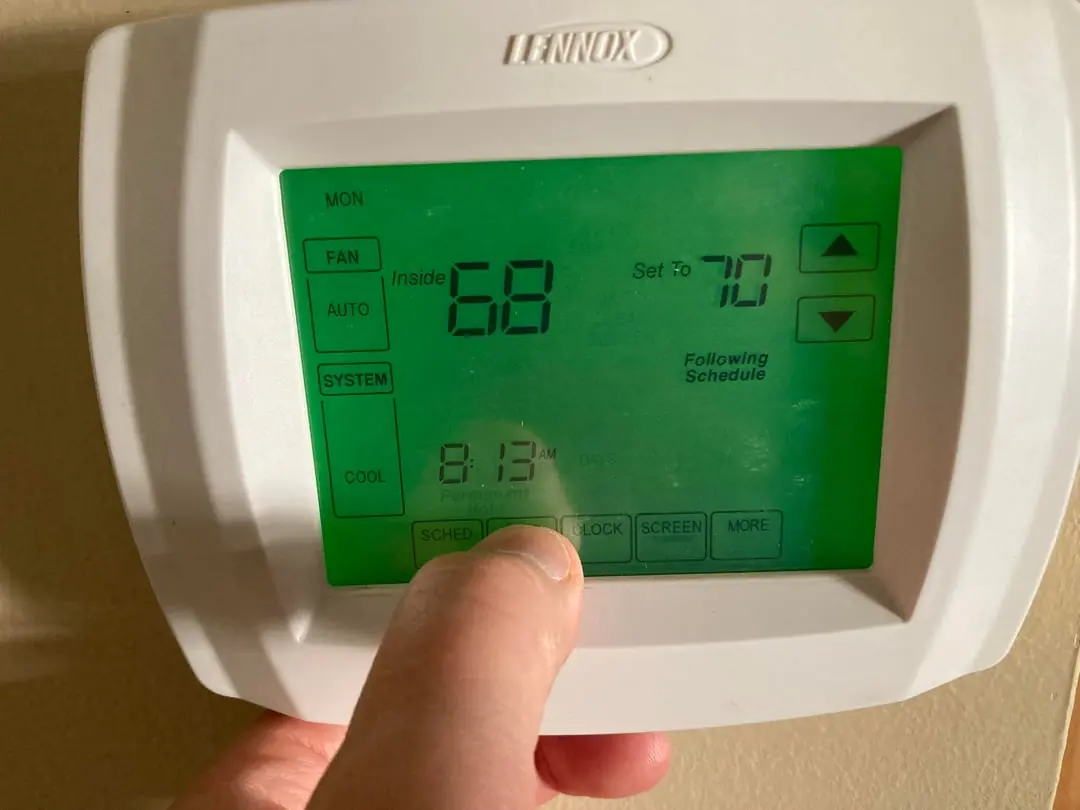
Lennox 5000 Thermostat Specifications
| Feature | Description |
|---|---|
| Model Series | ComfortSense 5000 Series (L5711U, L5732U) |
| Display Type | Large, clear LCD with backlight, Touch Screen |
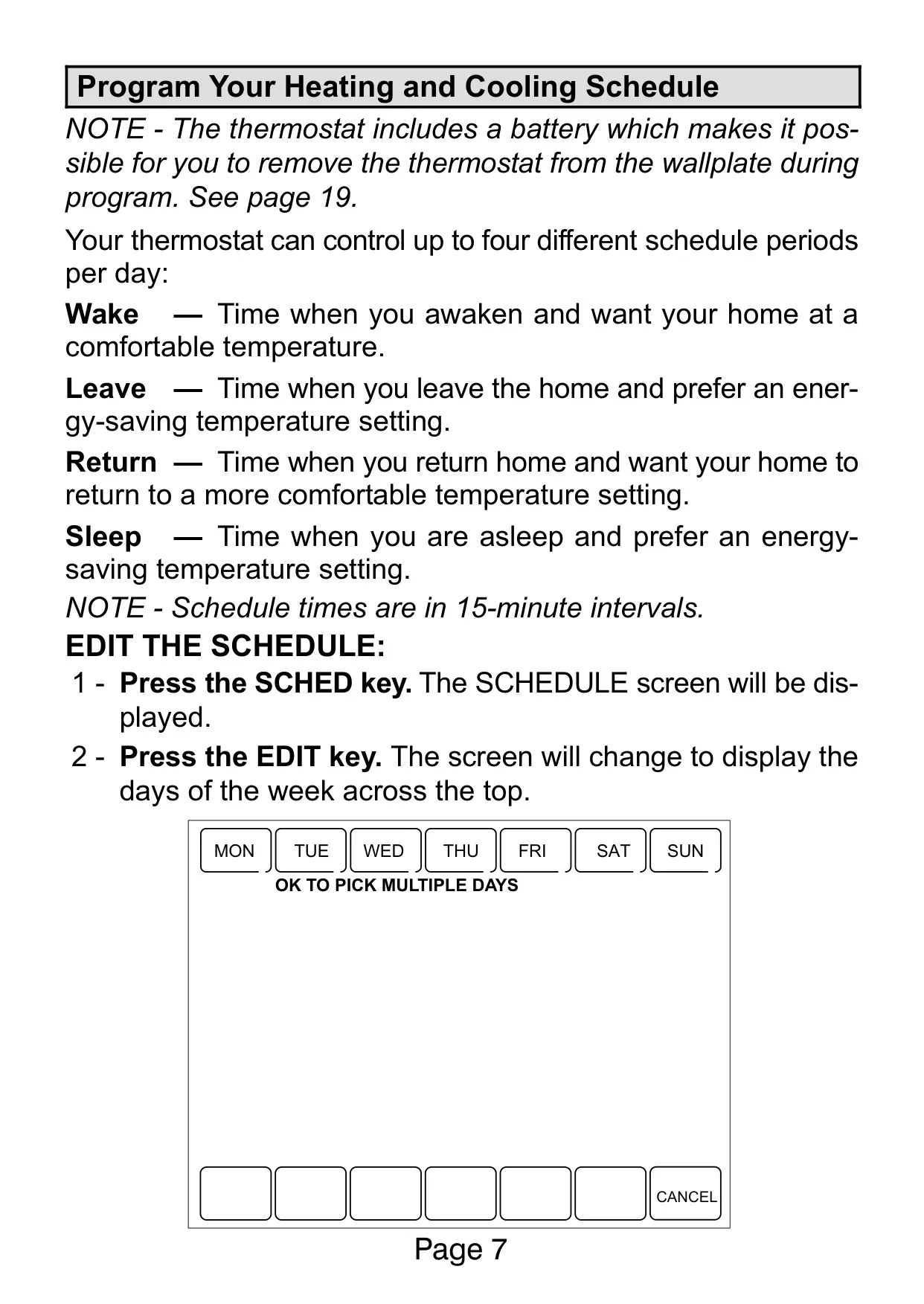
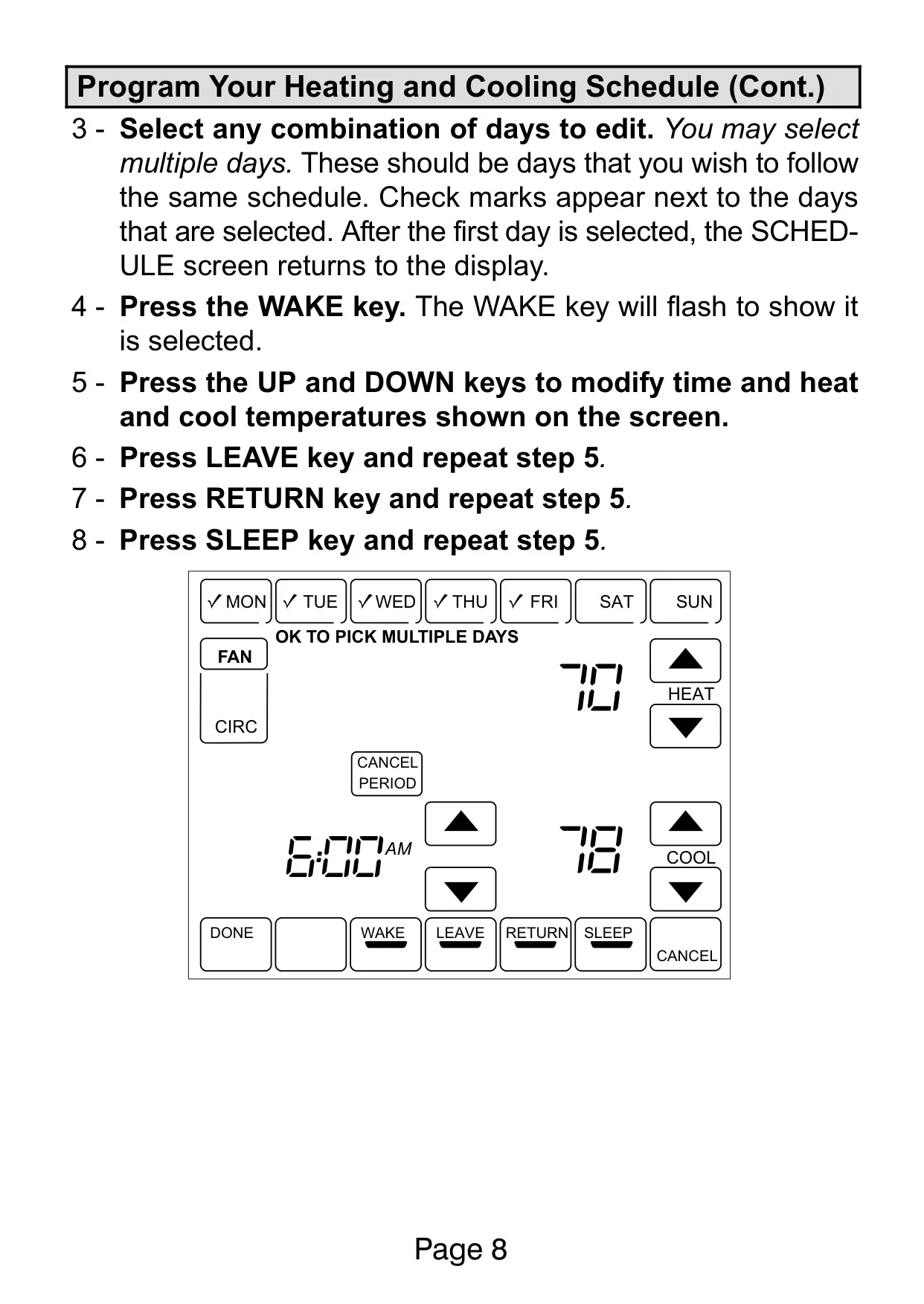
| Programming | 7-day programmable, 4 periods/day (Wake, Leave, Return, Sleep) or 2 periods/day (Wake, Sleep) |
| Schedule Intervals | 15-minute increments |
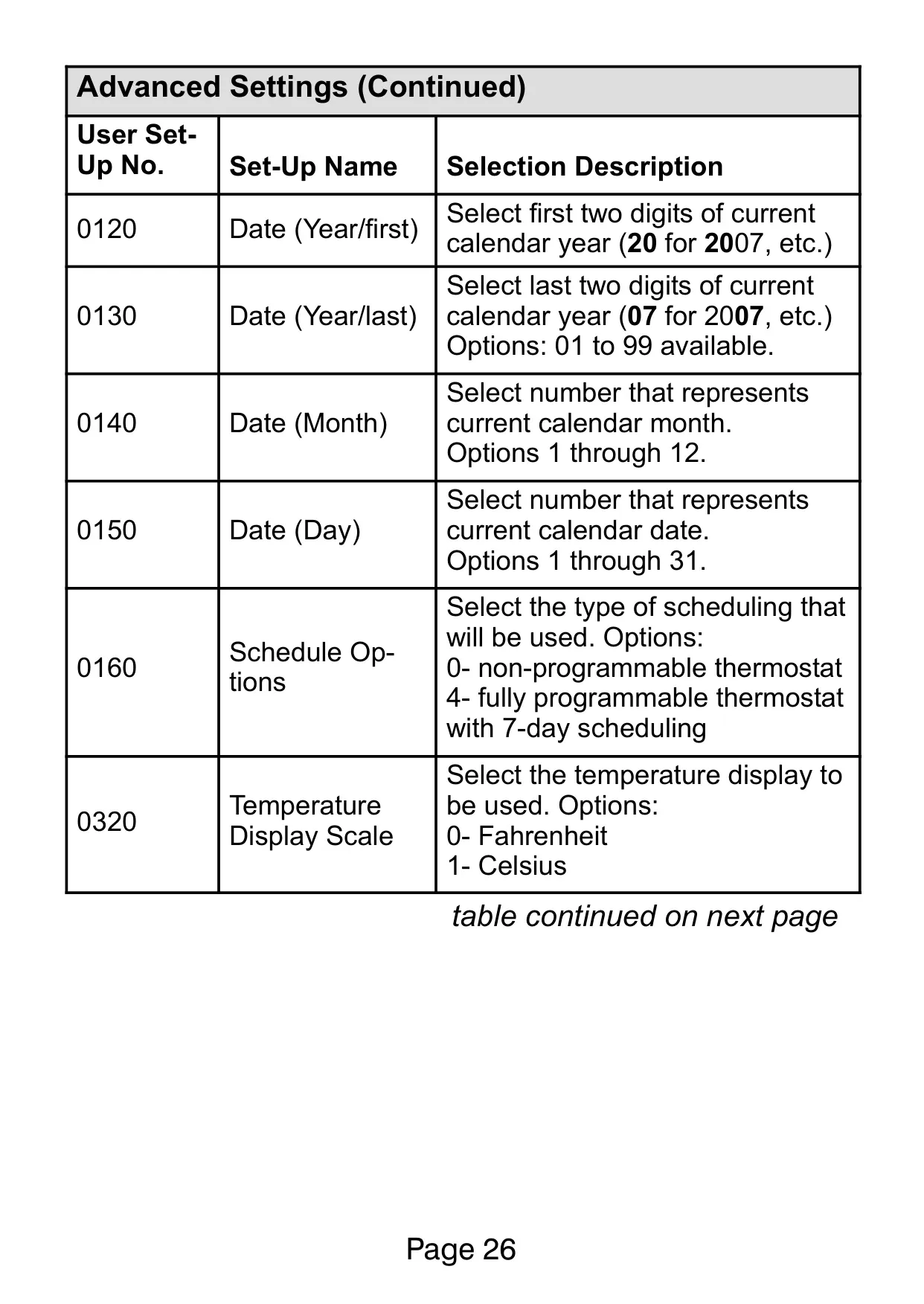
| Temperature Display Scale | Fahrenheit (°F) or Celsius (°C) |
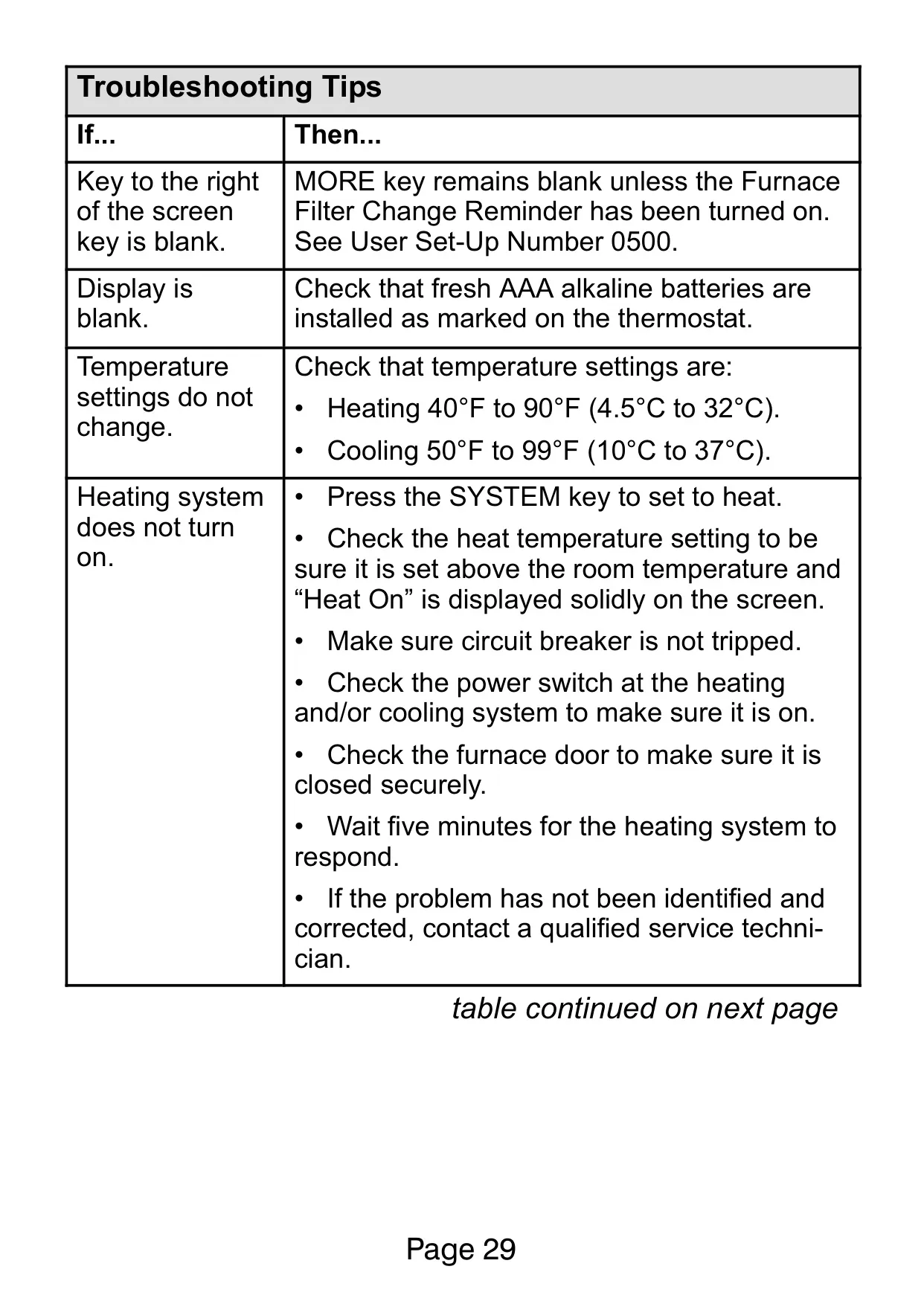
| Heating Temperature Range | 40°F to 90°F (4.5°C to 32°C) |
| Cooling Temperature Range | 50°F to 99°F (10°C to 37°C) |
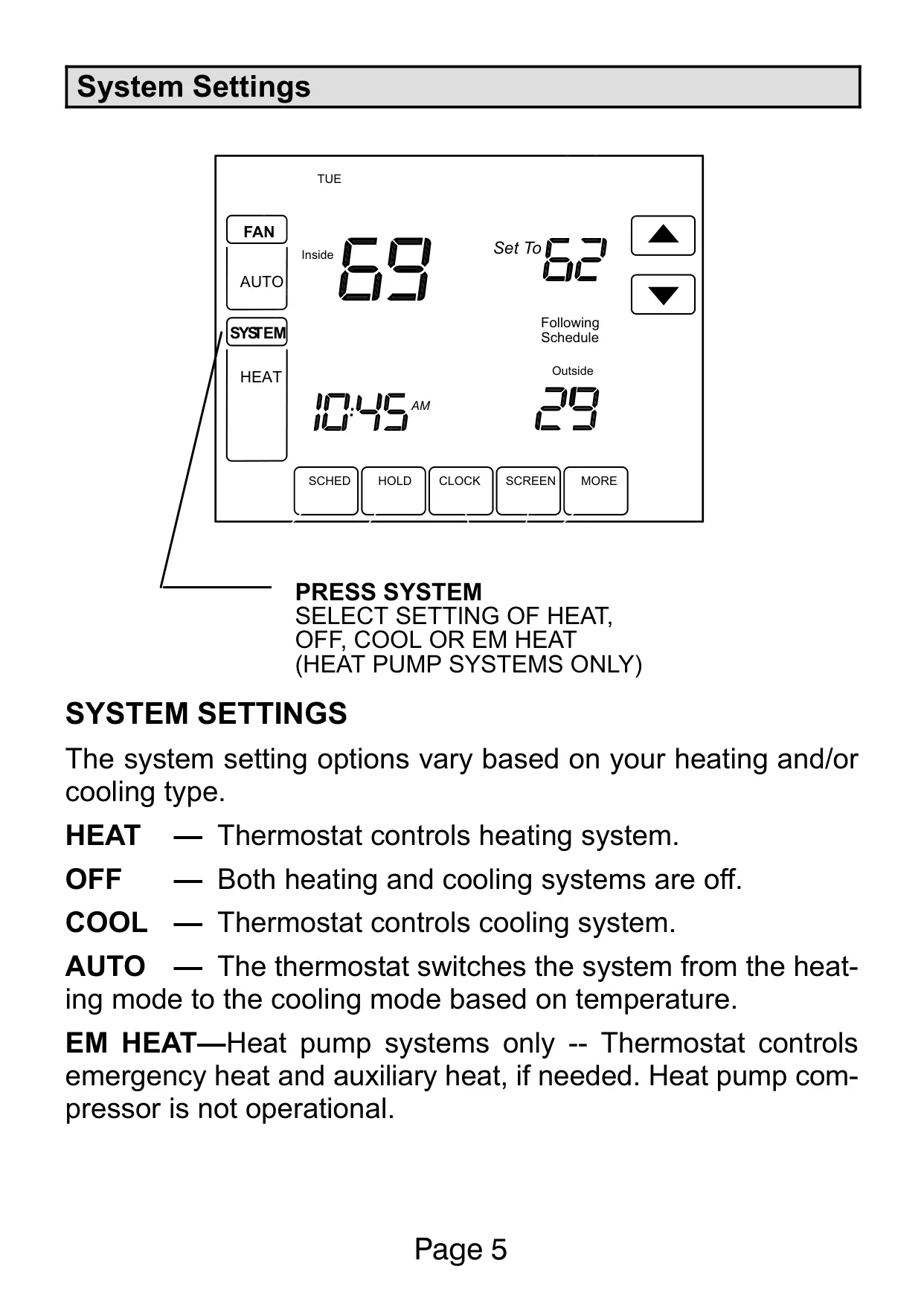
| System Modes | Heat, Off, Cool, Auto, EM Heat (Heat Pump Systems Only) |
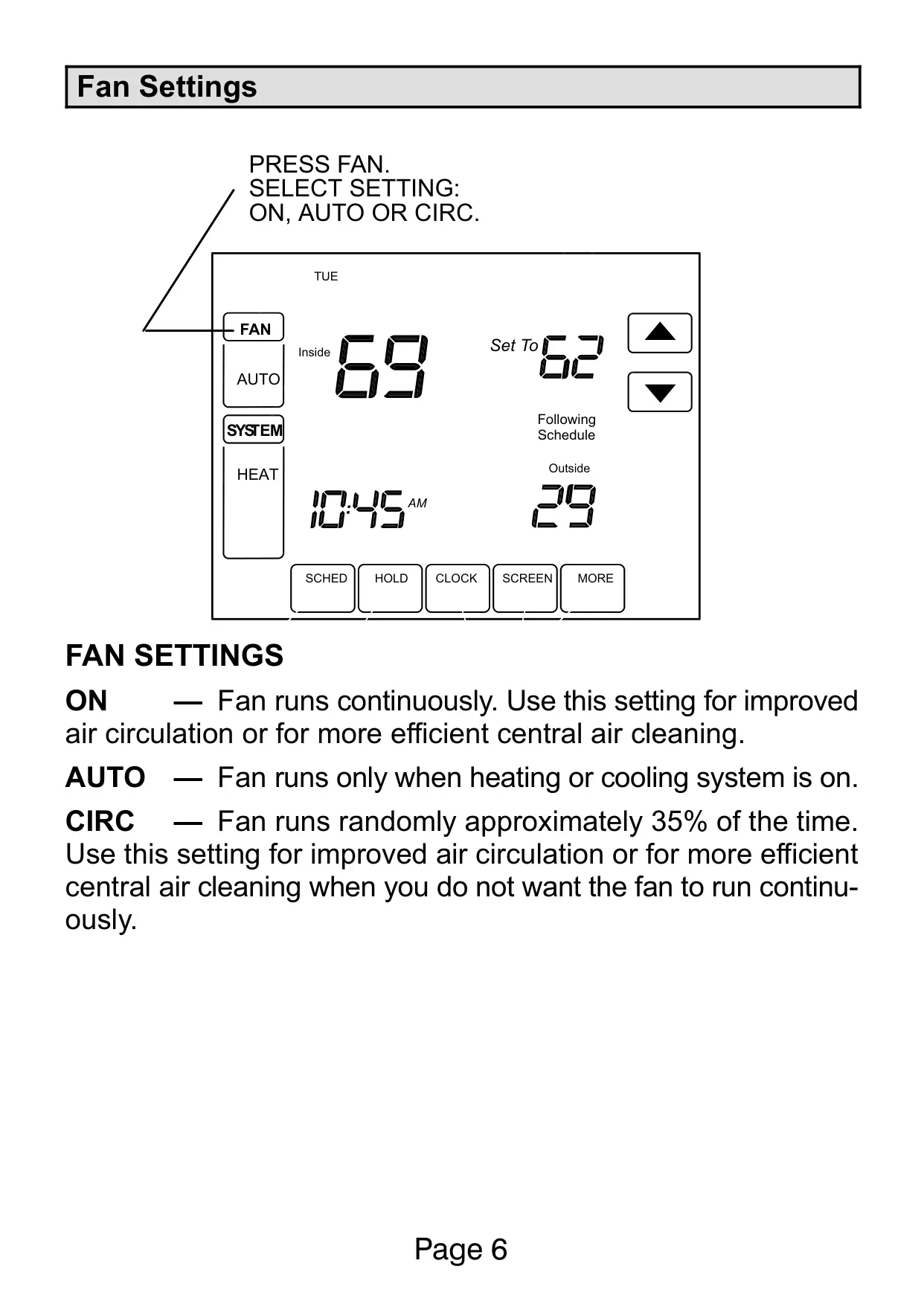
| Fan Modes | On, Auto, Circ (Circulate) |
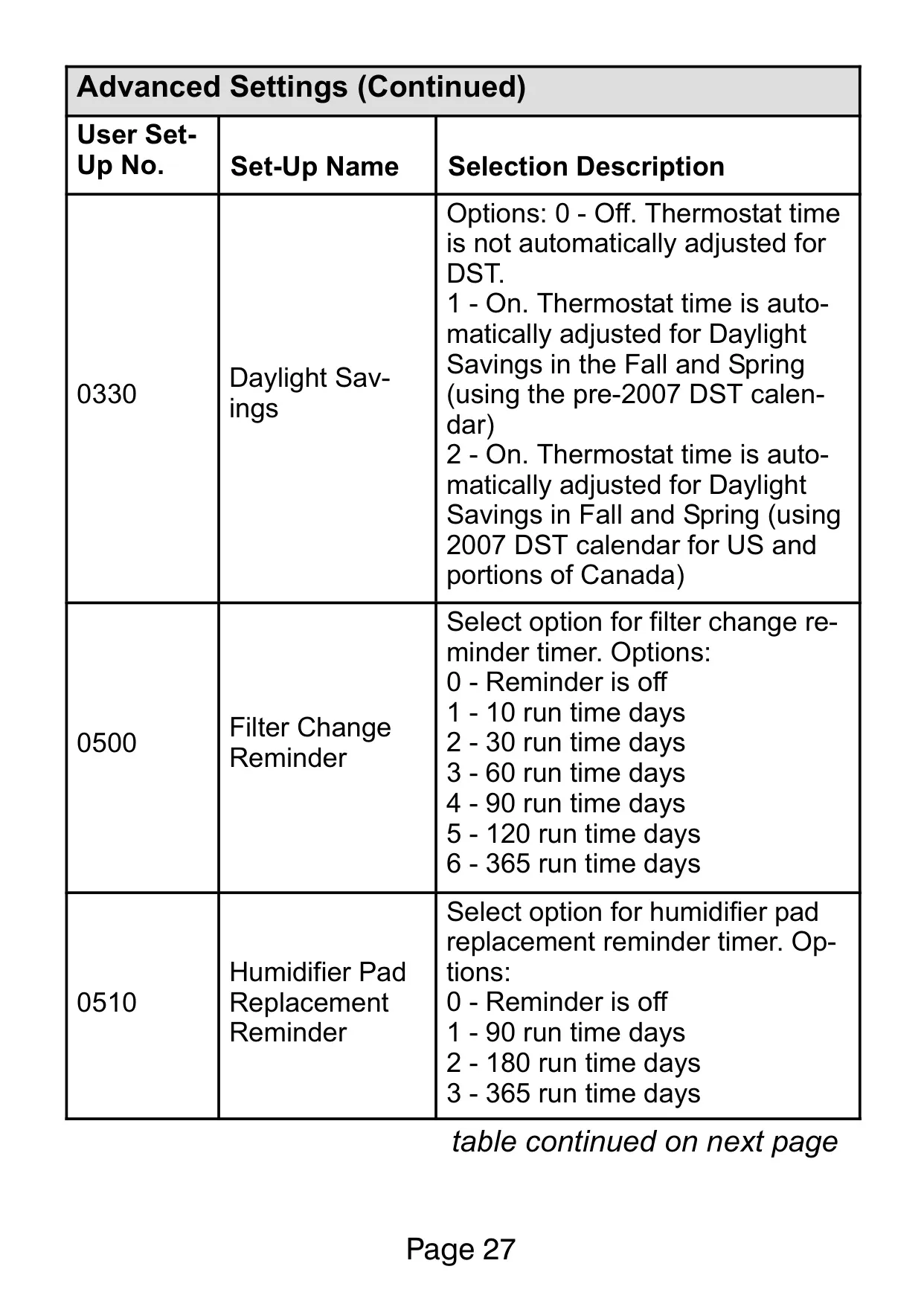
| Clock | Real-time clock, maintains time during power failures, automatic Daylight Saving Time adjustment (pre-2007 or 2007+ calendar) |
| Power Source | 3 AAA Alkaline Batteries |
| Reminders | Filter Change, Humidifier Pad Replacement, UV Lamp Replacement |
| Compressor Protection | Built-in minimum-off timer (prevents short cycling) |
| Optional Accessories | Outdoor Temperature Sensor |
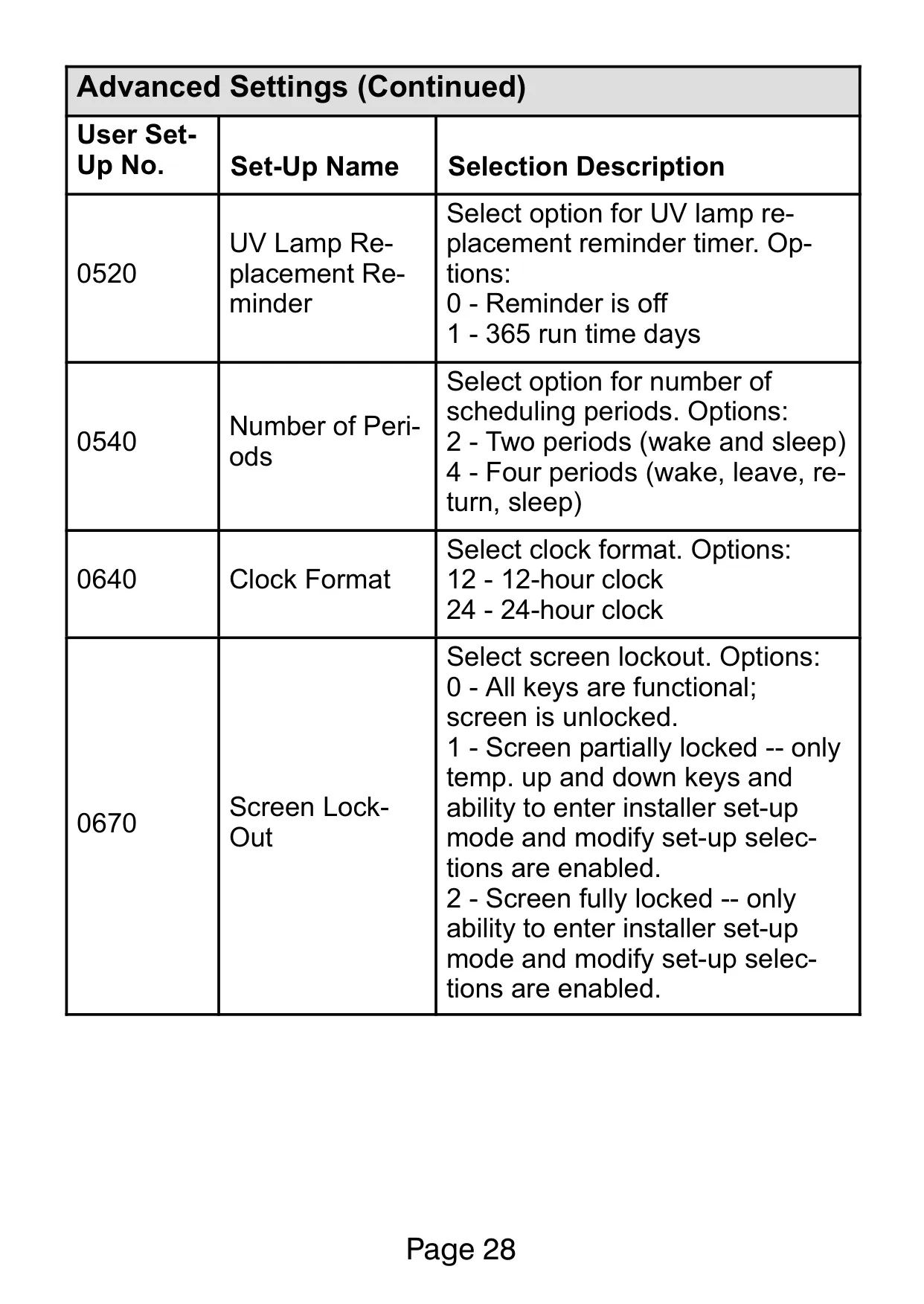
| Screen Lock Options | Unlocked, Partially Locked (temp adjustment only), Fully Locked (installer access only) |
Lennox 5000 Thermostat Details
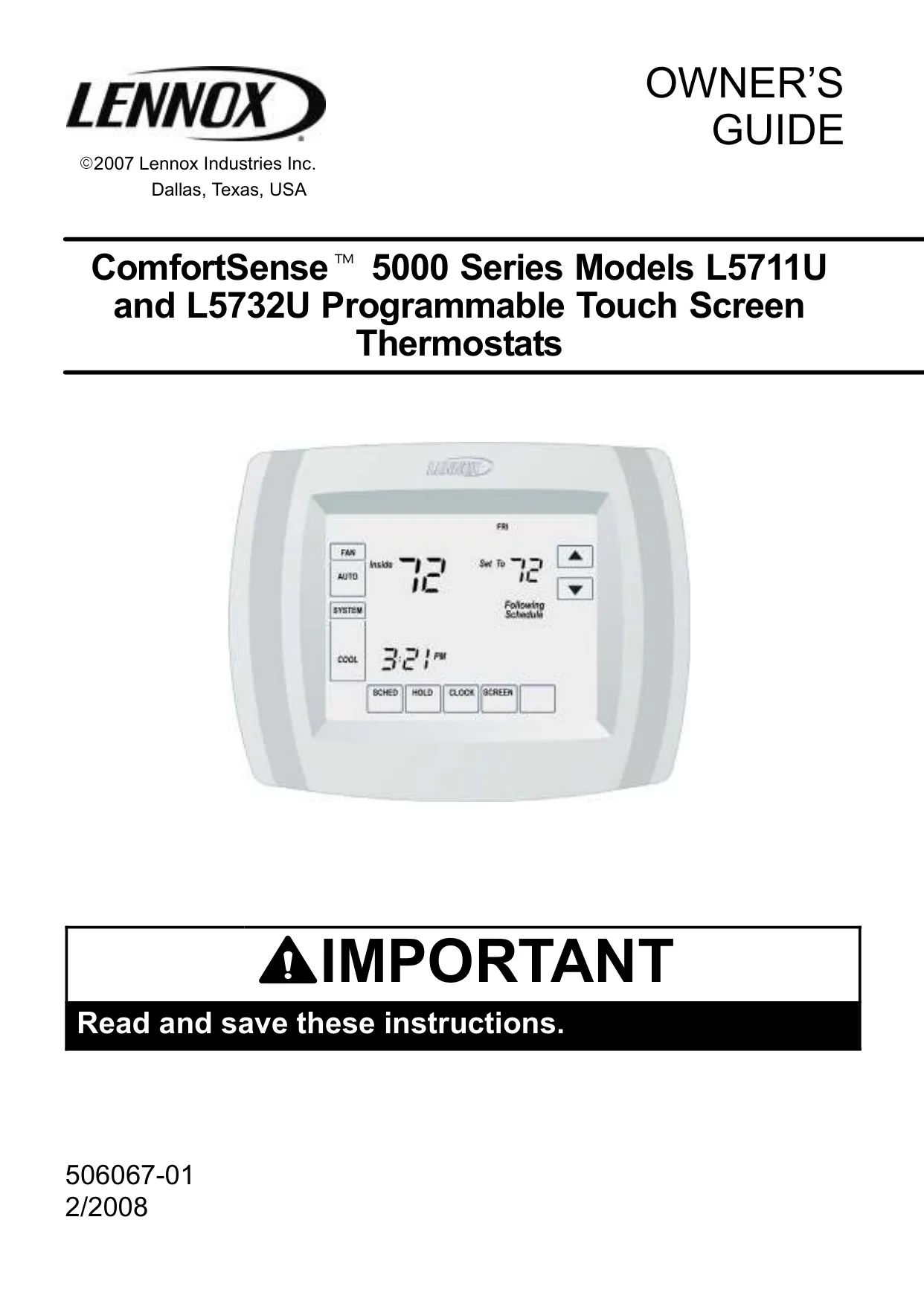
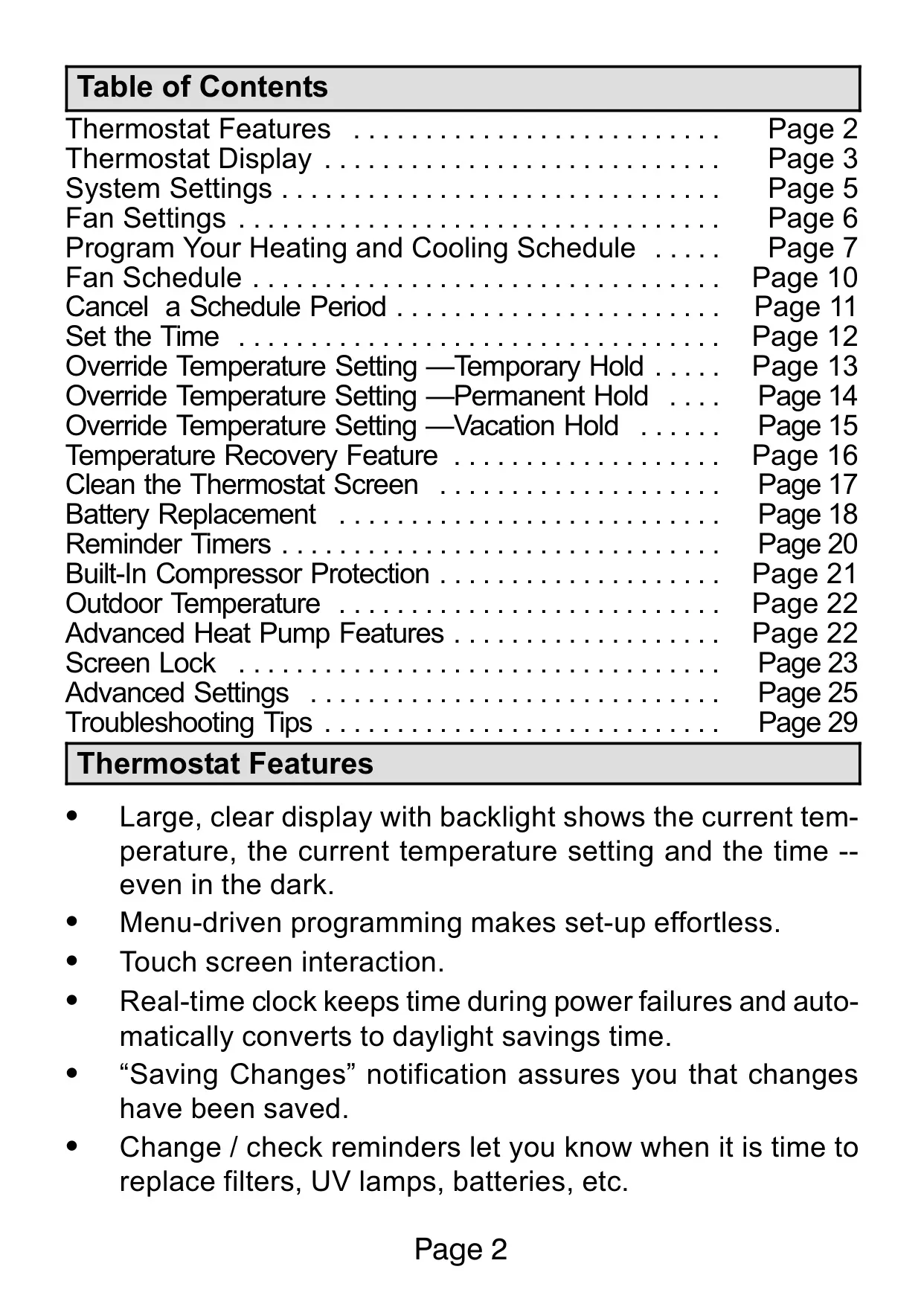
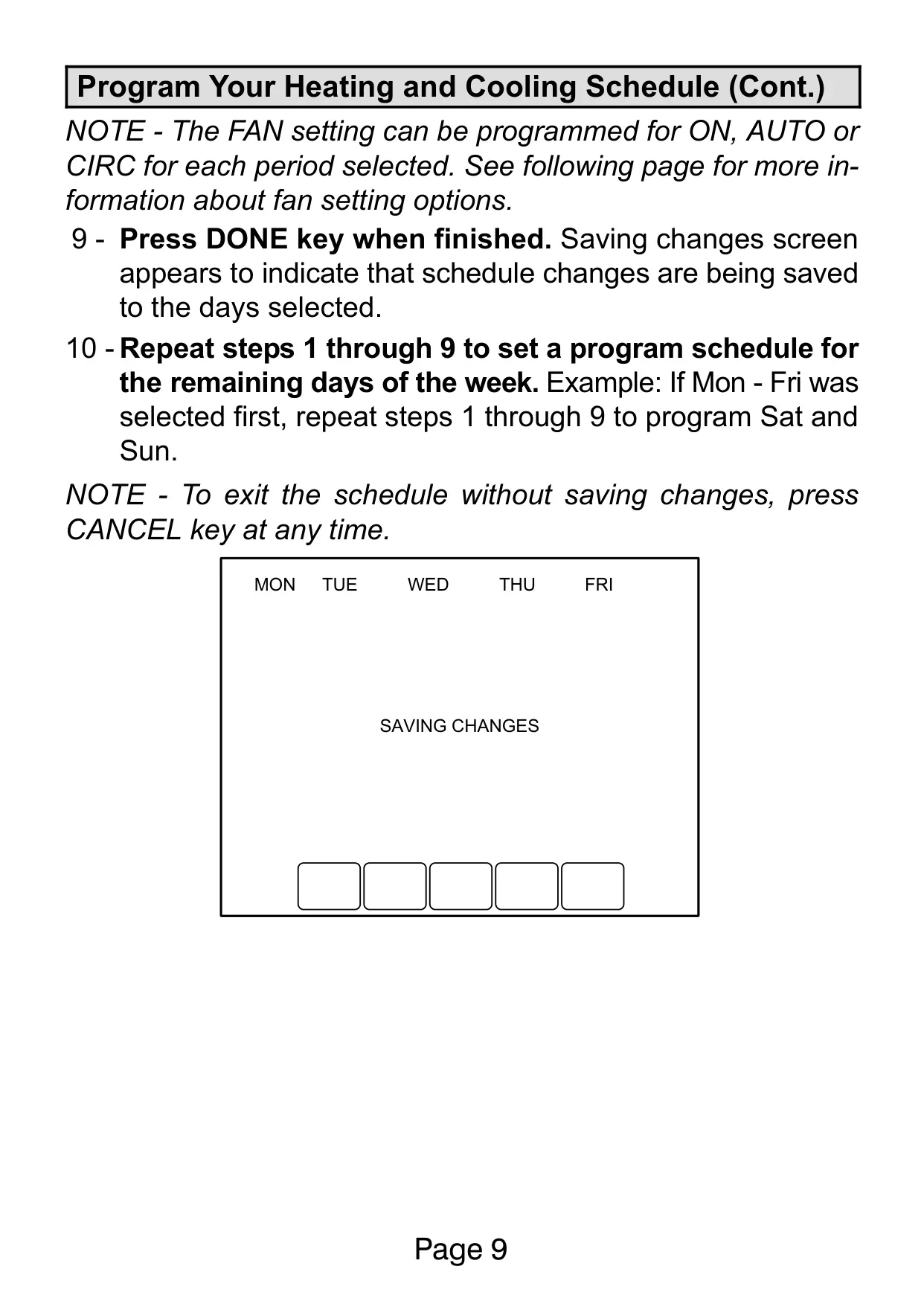
The Lennox ComfortSense 5000 Series thermostats, including models L5711U and L5732U, offer a sophisticated yet user-friendly interface designed to enhance home comfort and energy efficiency. Its menu-driven programming simplifies the setup process, allowing users to effortlessly configure their heating and cooling preferences. A reassuring "Saving Changes" notification confirms that all modifications to settings or schedules have been successfully stored.
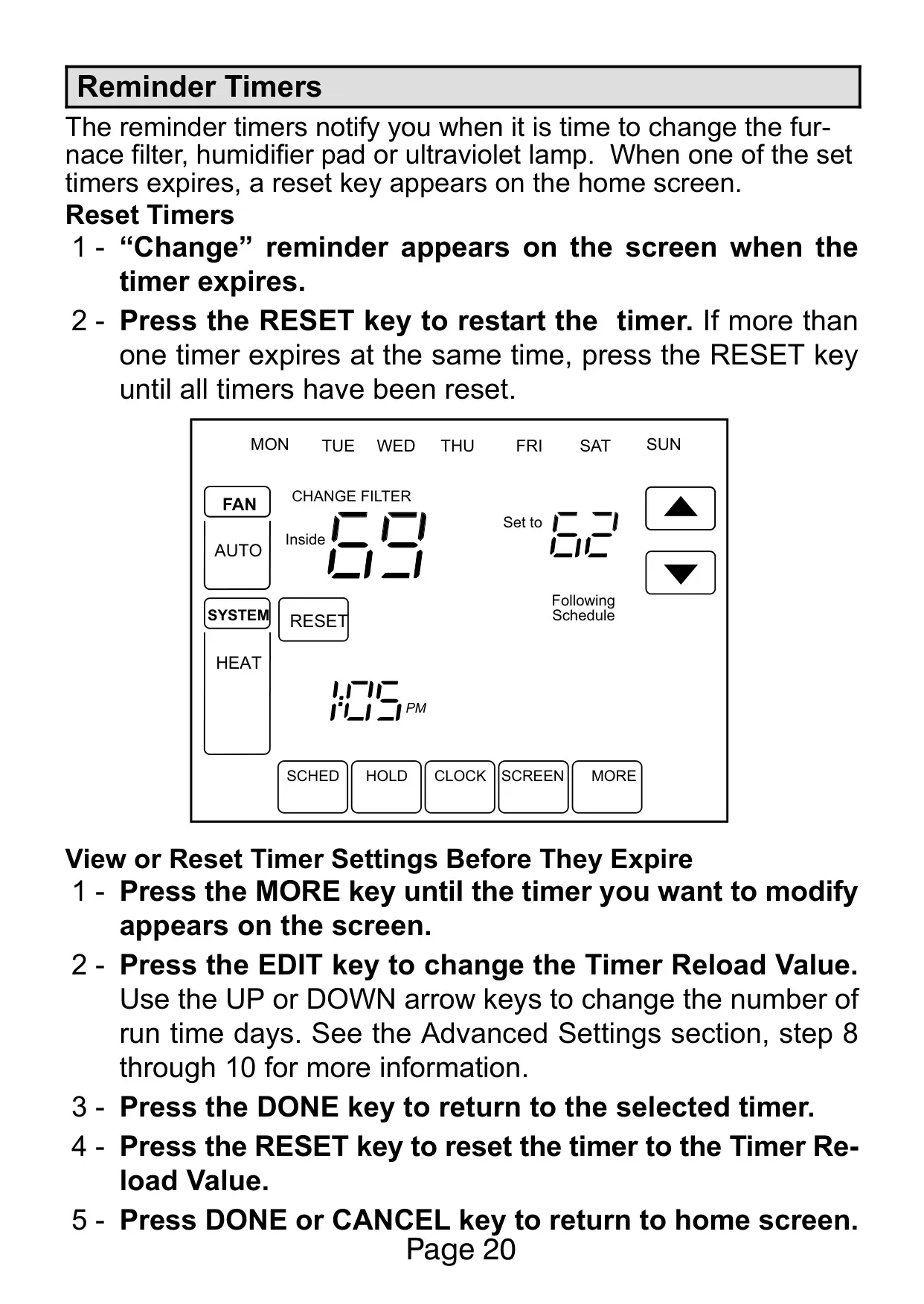
Beyond basic operation, the thermostat incorporates useful maintenance reminders. It notifies users when it's time to replace furnace filters, humidifier pads, or UV lamps, helping to ensure optimal system performance and indoor air quality. These reminders are based on "run time days" and can be customized or reset as needed, preventing forgotten maintenance tasks.
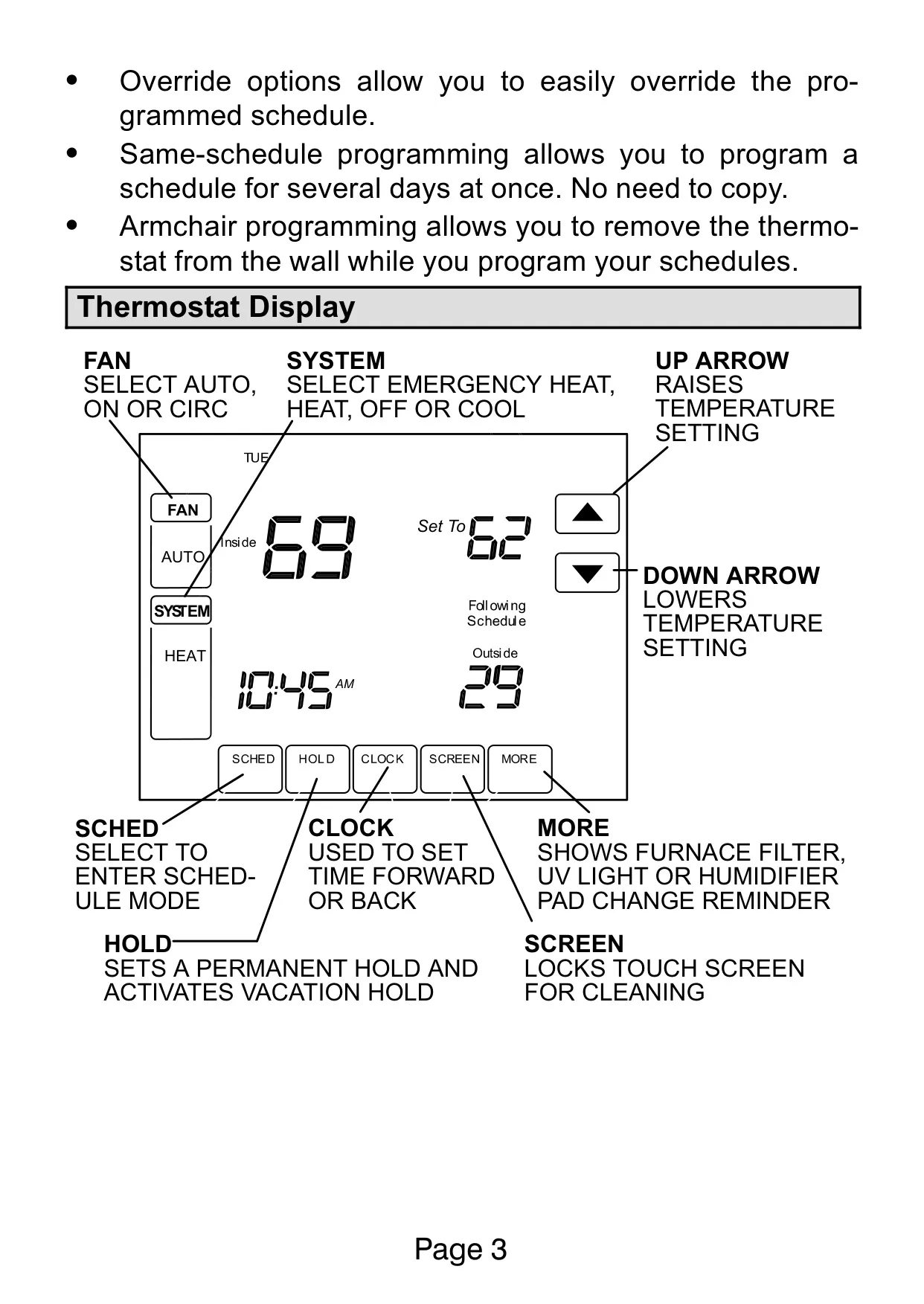
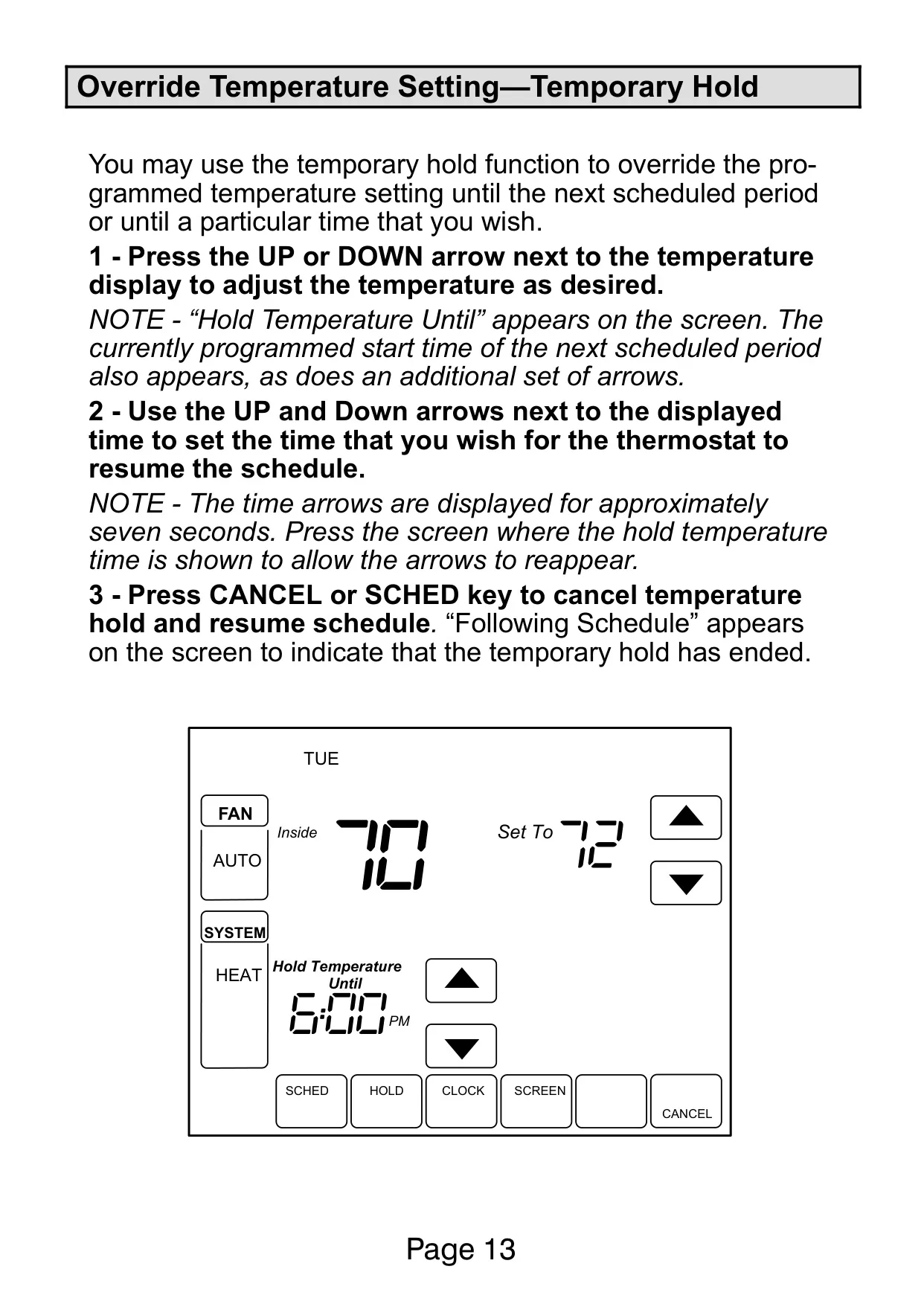
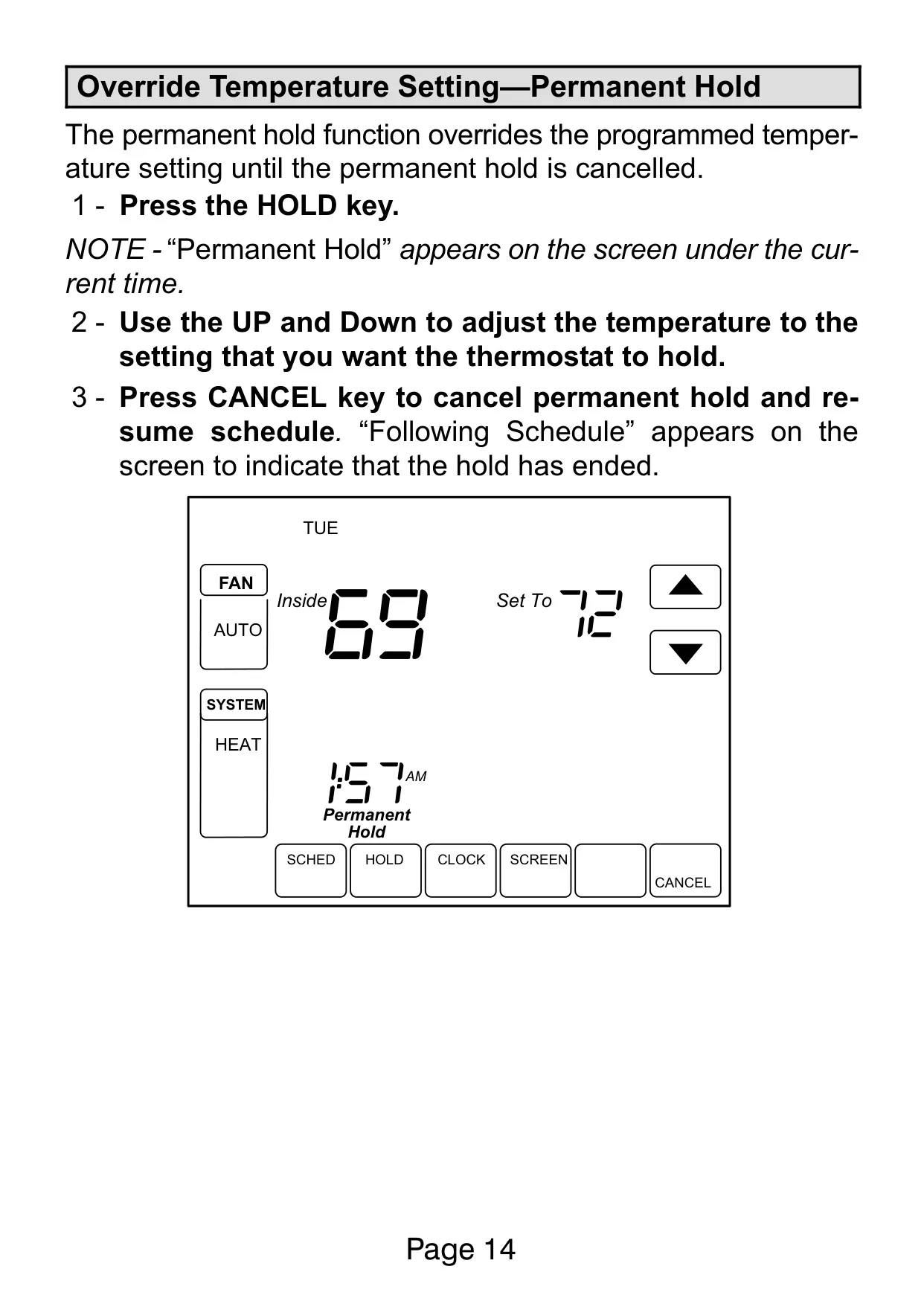
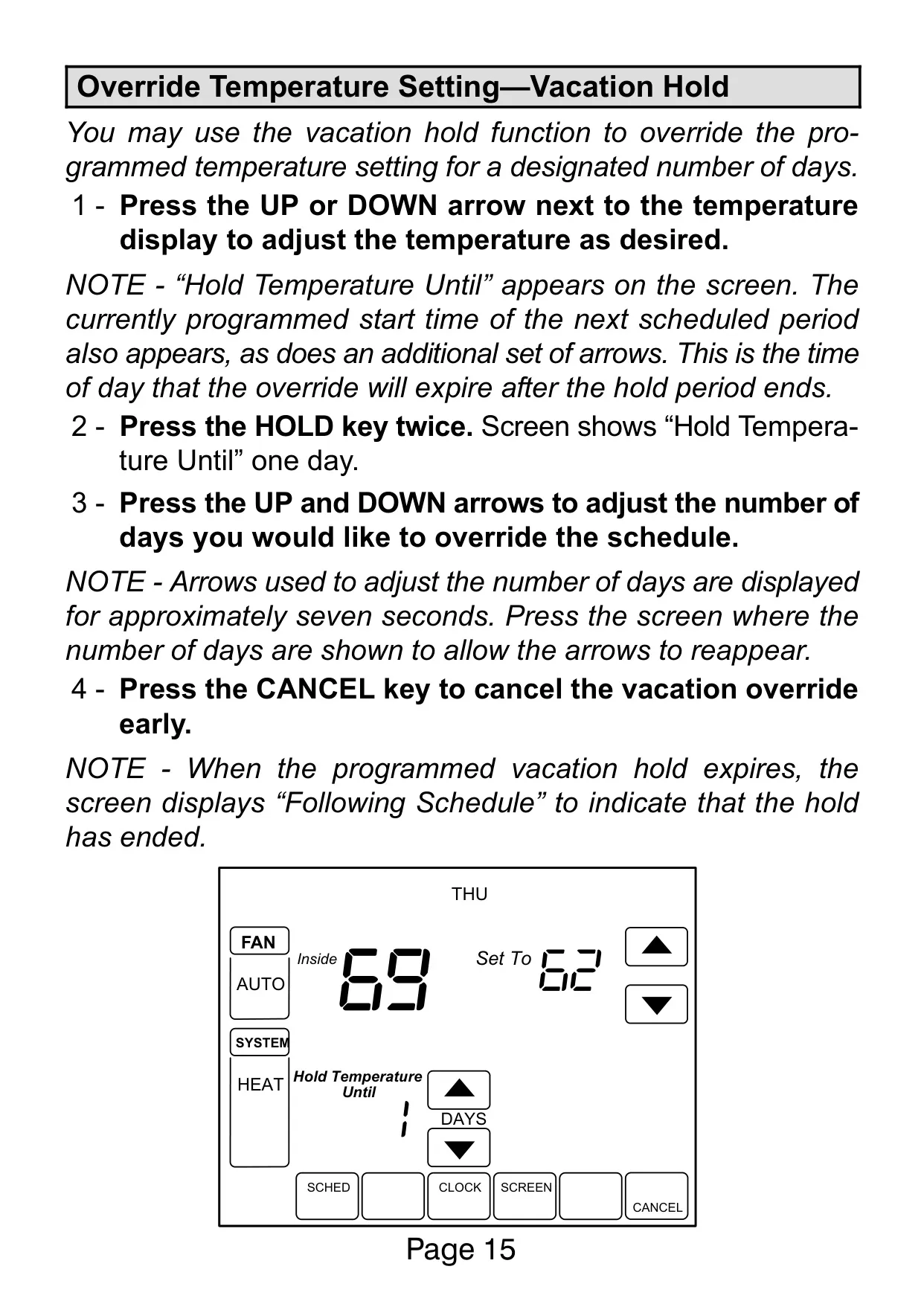
Flexible override options provide immediate control over programmed schedules. Users can implement a temporary hold until the next scheduled period or a specified time, a permanent hold until manually canceled, or a vacation hold for a designated number of days. This adaptability is crucial for adjusting to unexpected changes in daily routines or extended absences.
The thermostat also features "same-schedule programming," allowing users to apply a single schedule to multiple days, eliminating redundant input. For added convenience during setup, armchair programming enables the thermostat to be removed from its wallplate while schedules are programmed, offering comfort and ease.
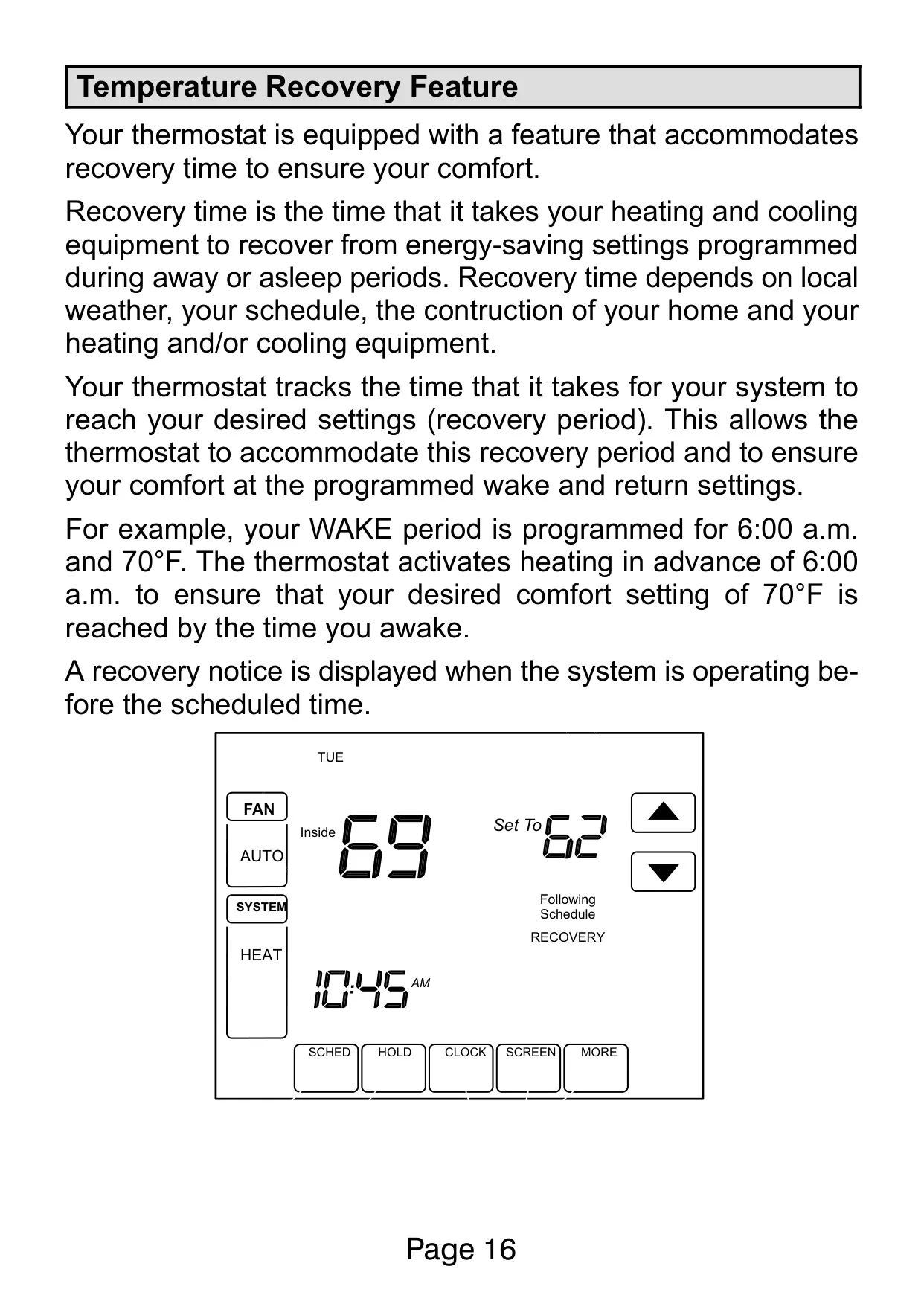
A significant feature is the Temperature Recovery Feature. This intelligent function learns how long it takes for the heating or cooling system to reach desired temperatures. It then activates the system in advance of a scheduled period, ensuring the home is at the preferred comfort setting precisely when programmed, for example, by the time you wake up.
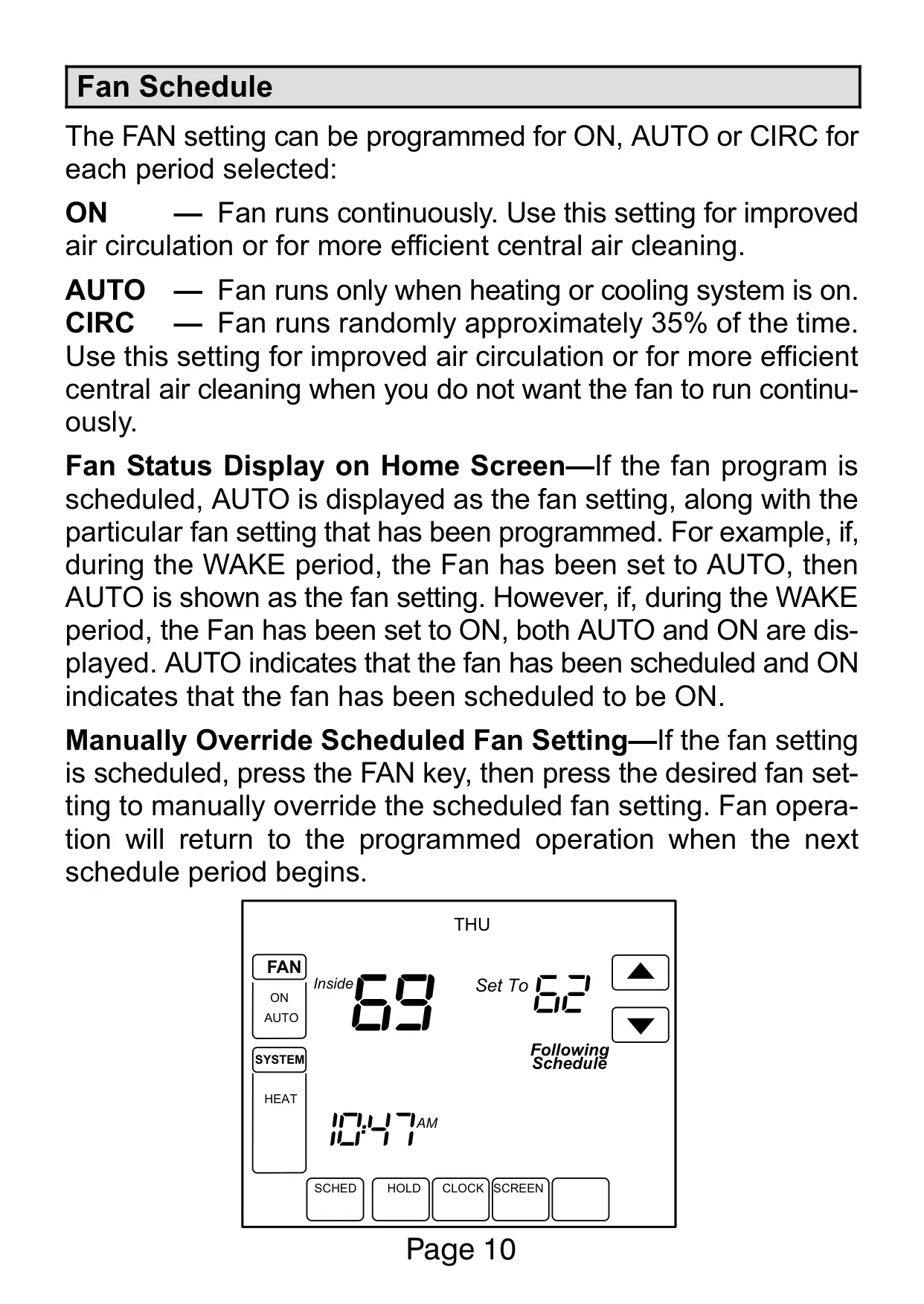
Fan operation is highly customizable, with settings for ON (continuous), AUTO (runs only with heating/cooling), or CIRC (randomly runs approximately 35% of the time for improved circulation). The fan schedule can be programmed independently for each daily period and manually overridden when needed, providing tailored air movement.
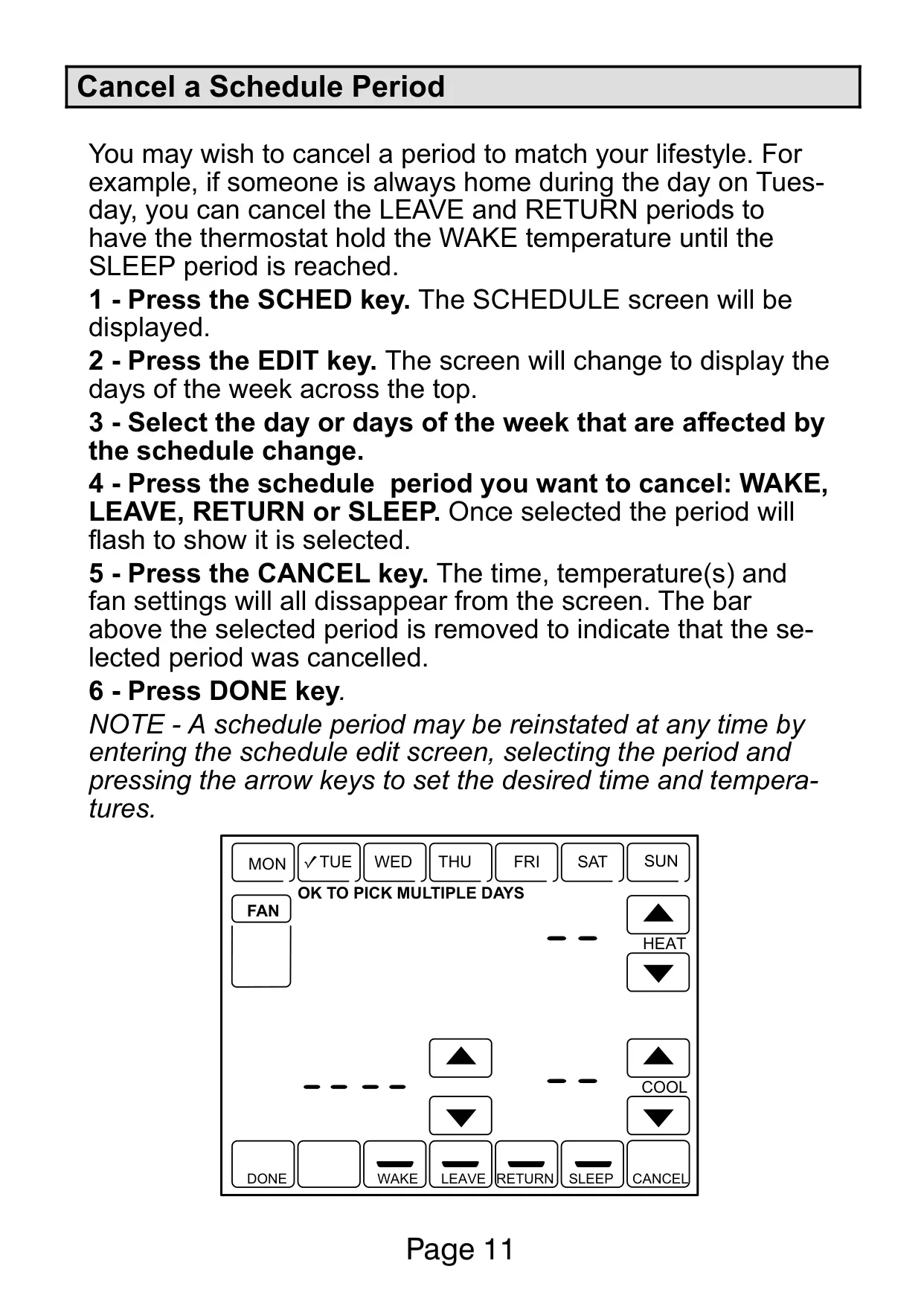
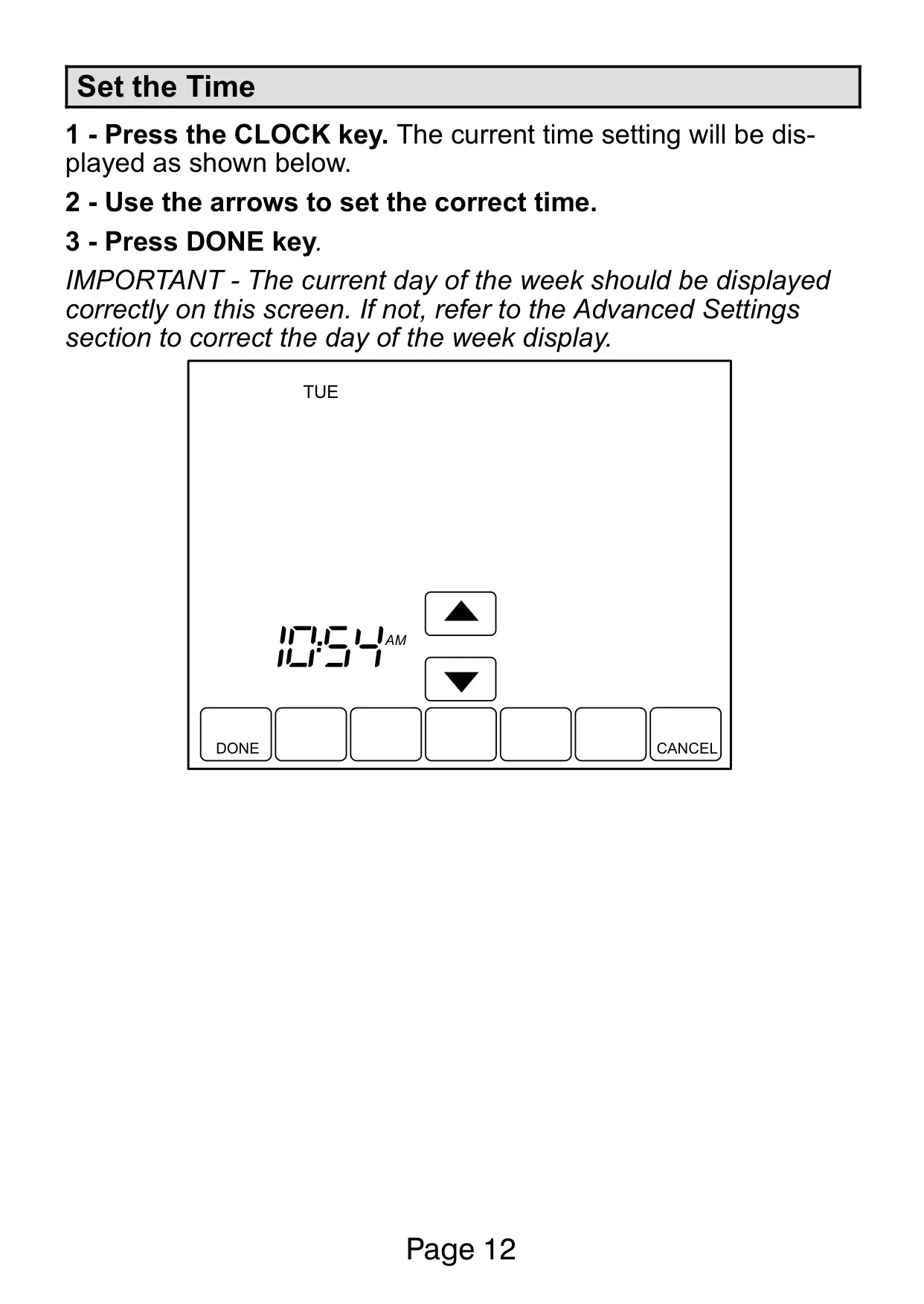
Should lifestyle changes occur, individual schedule periods (Wake, Leave, Return, Sleep) can be easily canceled, allowing the thermostat to maintain a set temperature until the next active period. Setting the current time is a straightforward process via the CLOCK key, with provisions to adjust the day of the week through advanced settings if necessary.
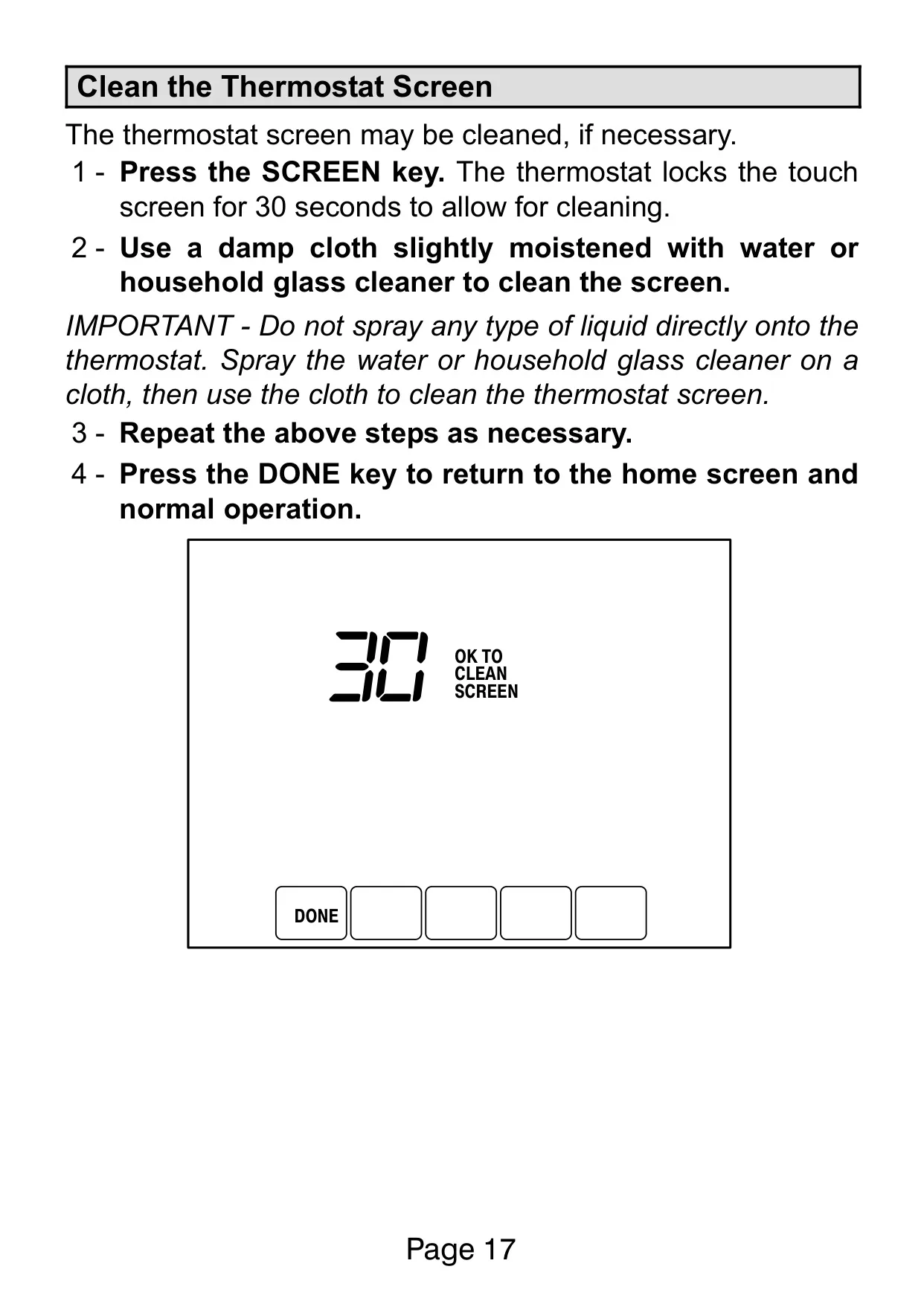
For upkeep, the touch screen is designed for easy cleaning. A dedicated "SCREEN" key locks the display for 30 seconds, preventing accidental inputs while users wipe it with a damp cloth moistened with water or household glass cleaner. This ensures the clear visibility of the display remains uncompromised.
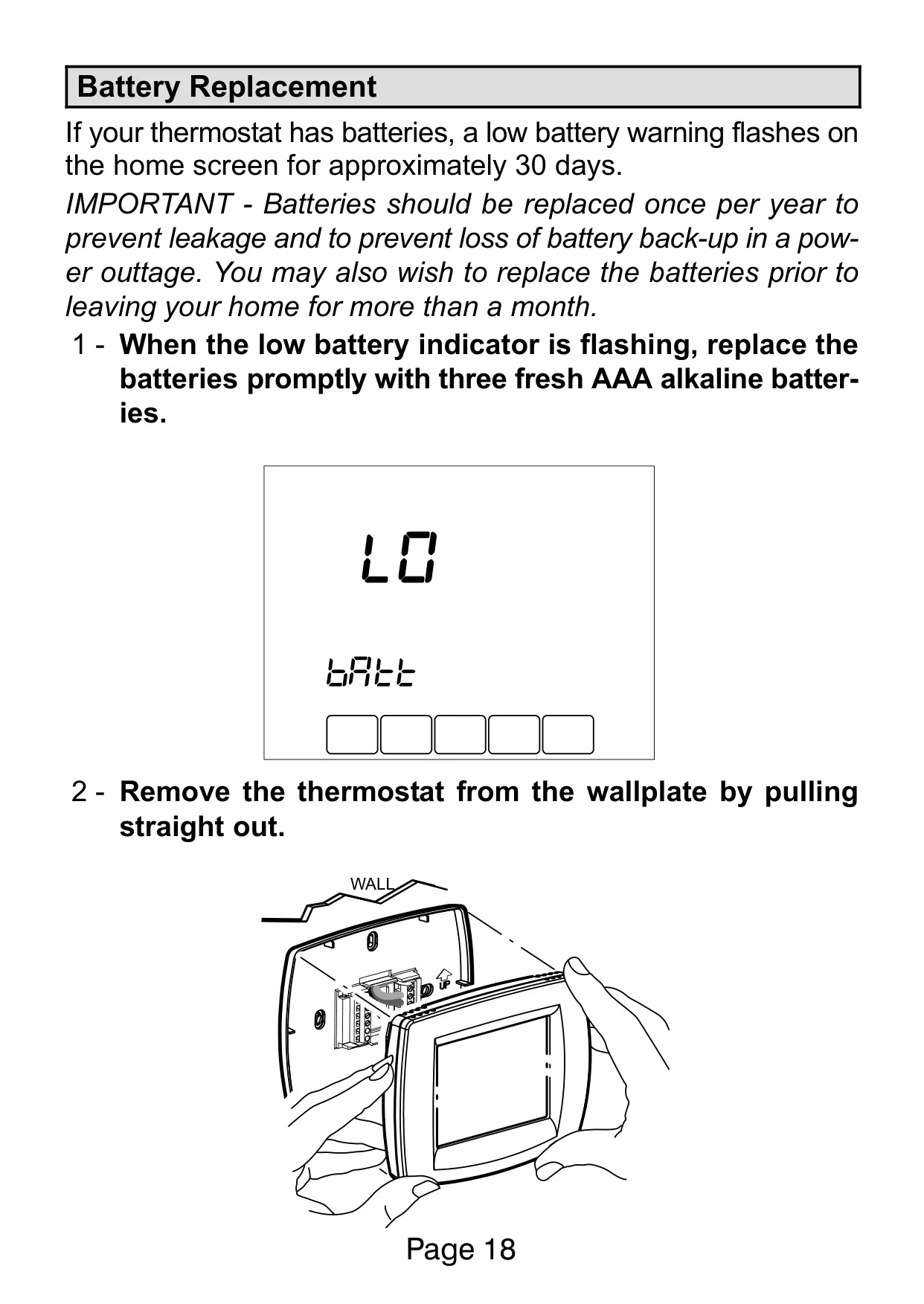
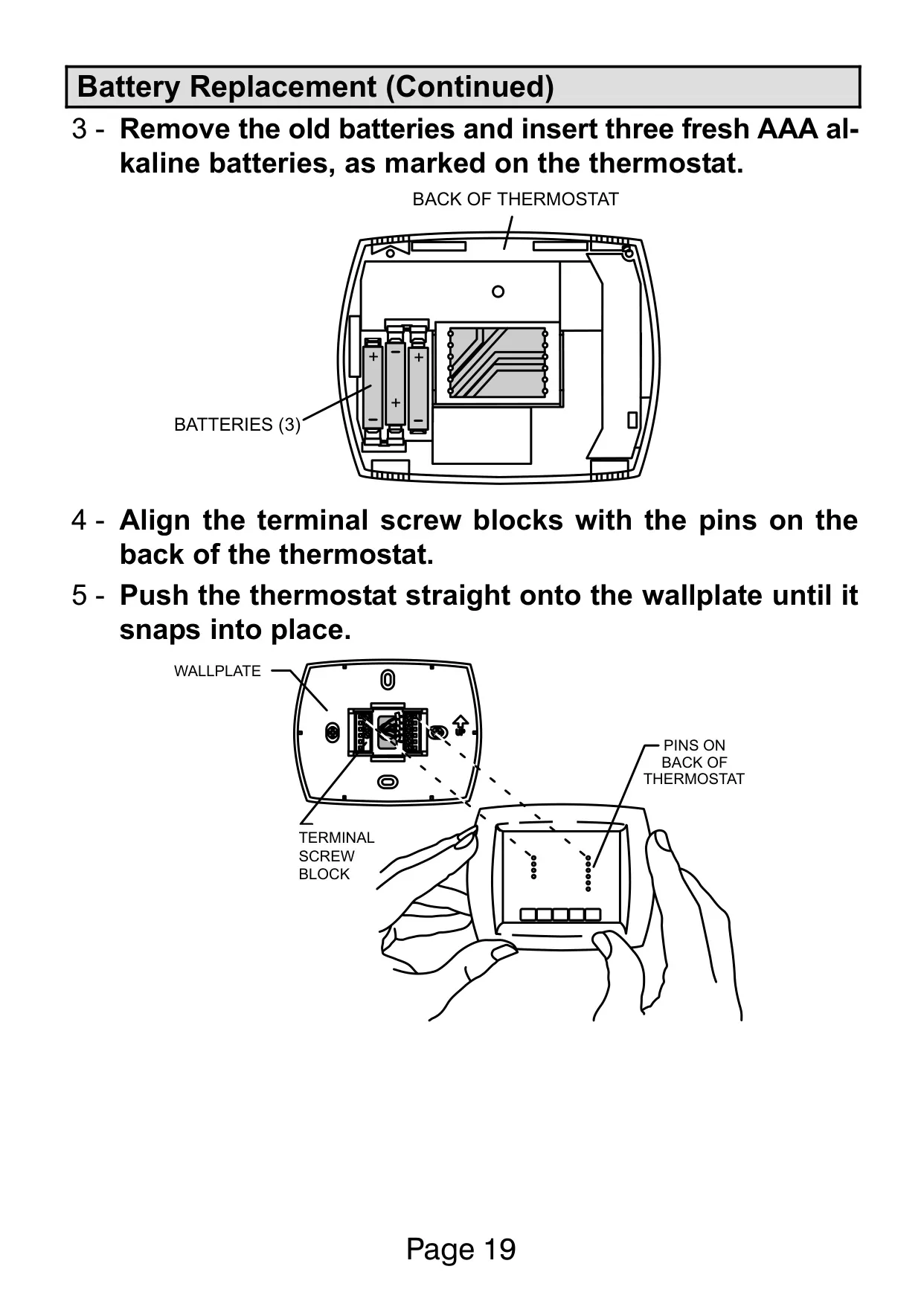
Battery replacement is simple, prompted by a flashing low battery warning for about 30 days. It's recommended to replace the three AAA alkaline batteries annually to prevent leakage and maintain critical backup power during outages, safeguarding programmed settings.
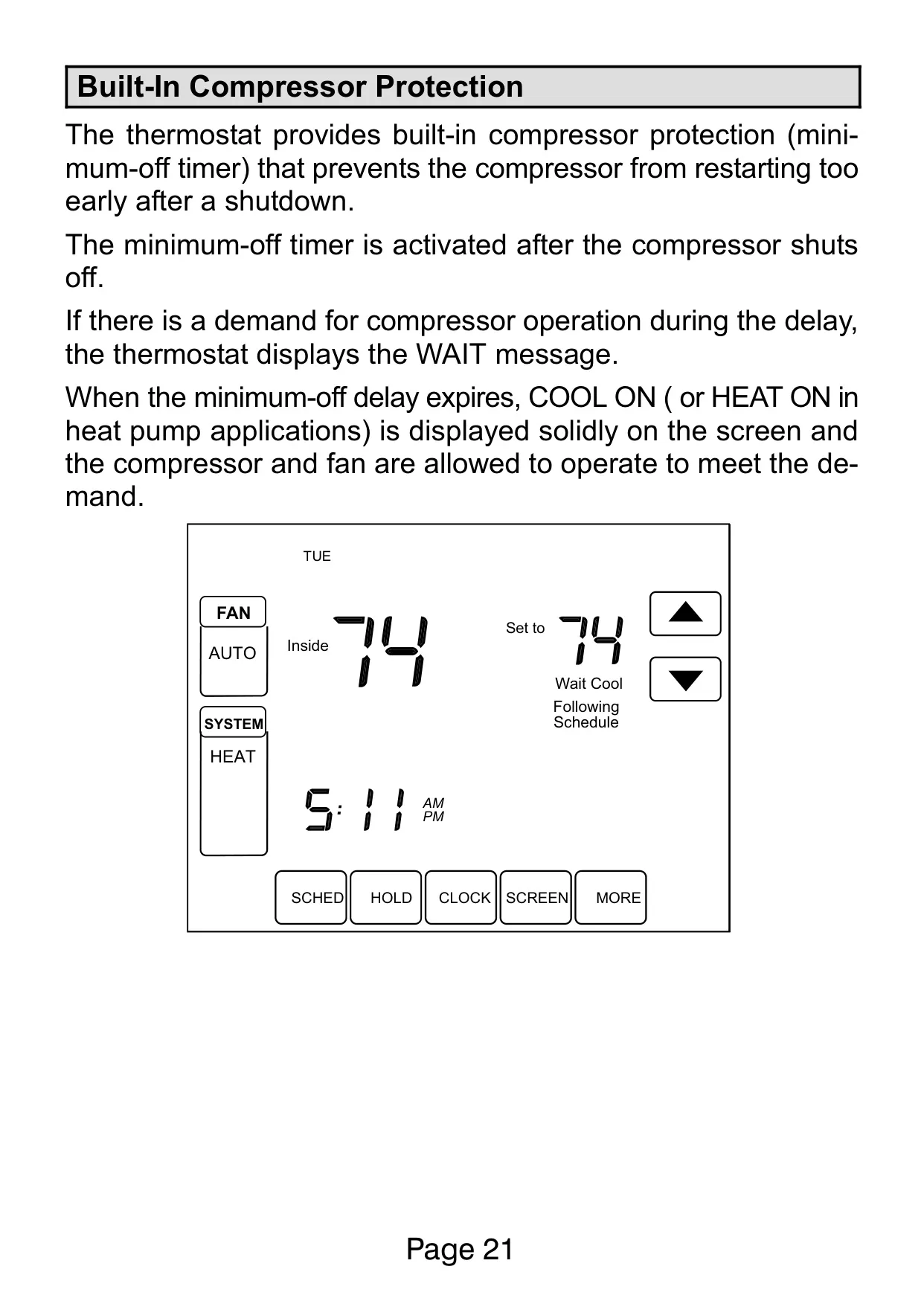
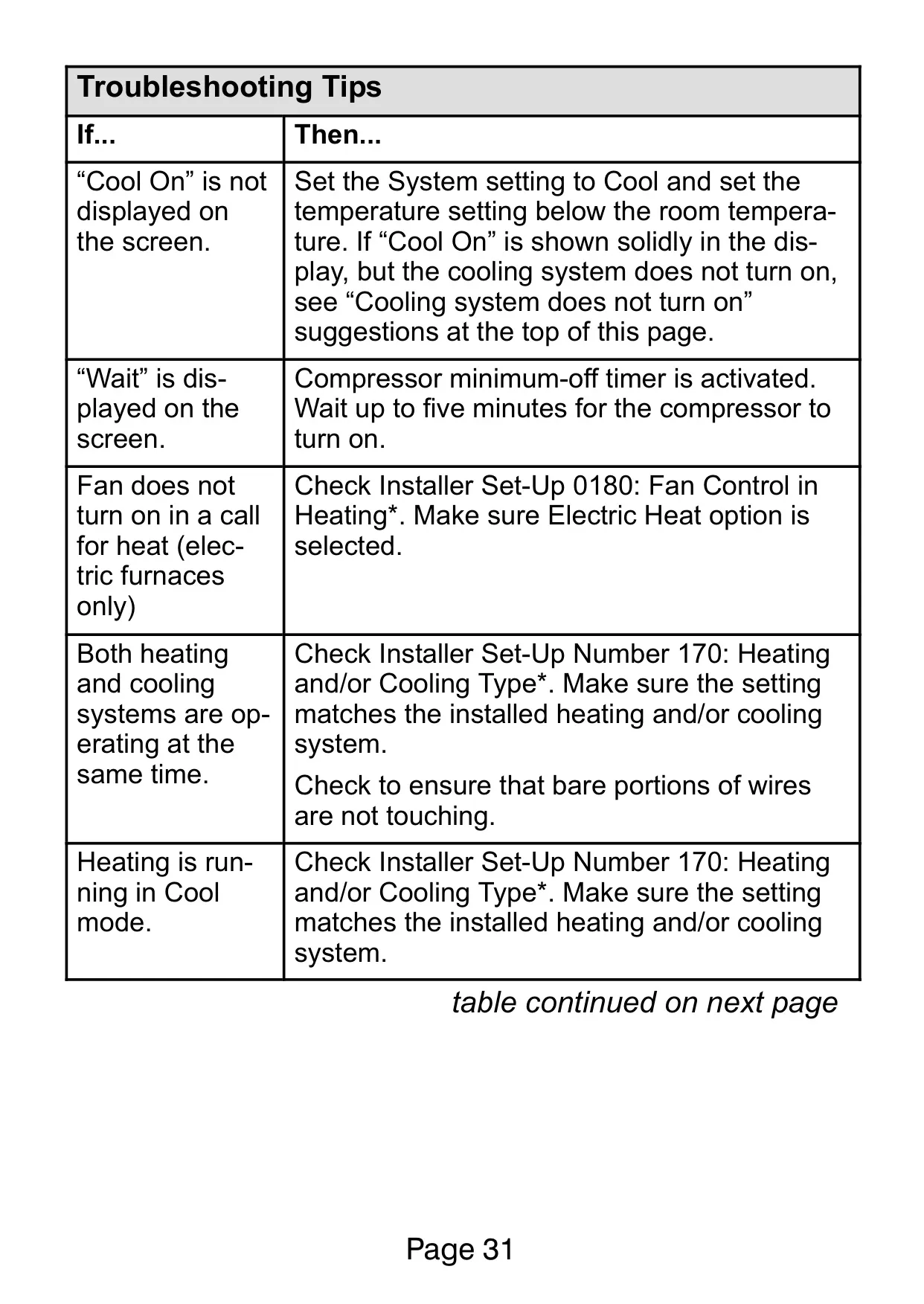
The Built-In Compressor Protection (minimum-off timer) is a vital function that prevents the compressor from restarting too quickly after shutdown. If a demand for cooling or heating occurs during this delay, a "WAIT" message is displayed, protecting the equipment from potential damage caused by short cycling.
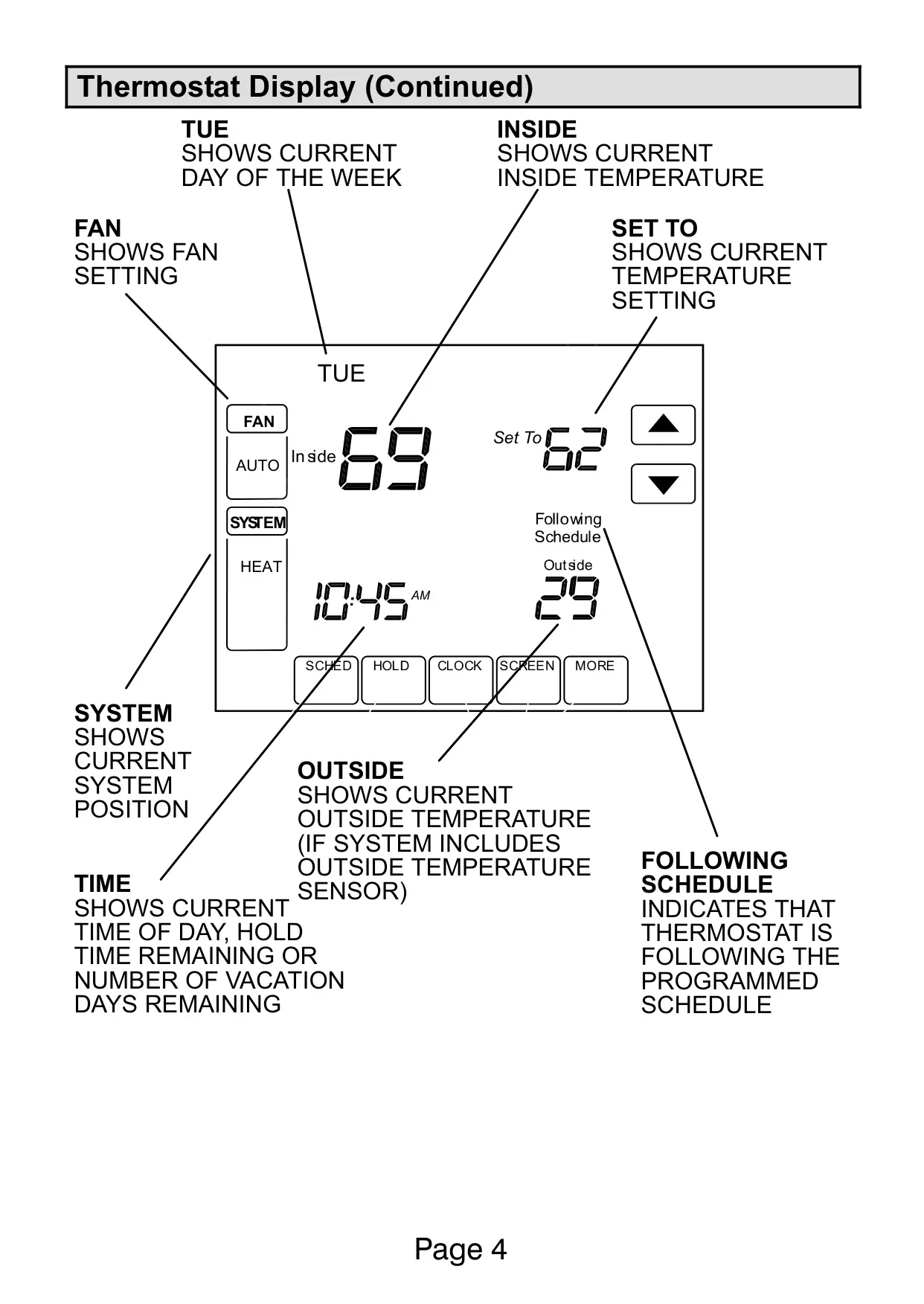
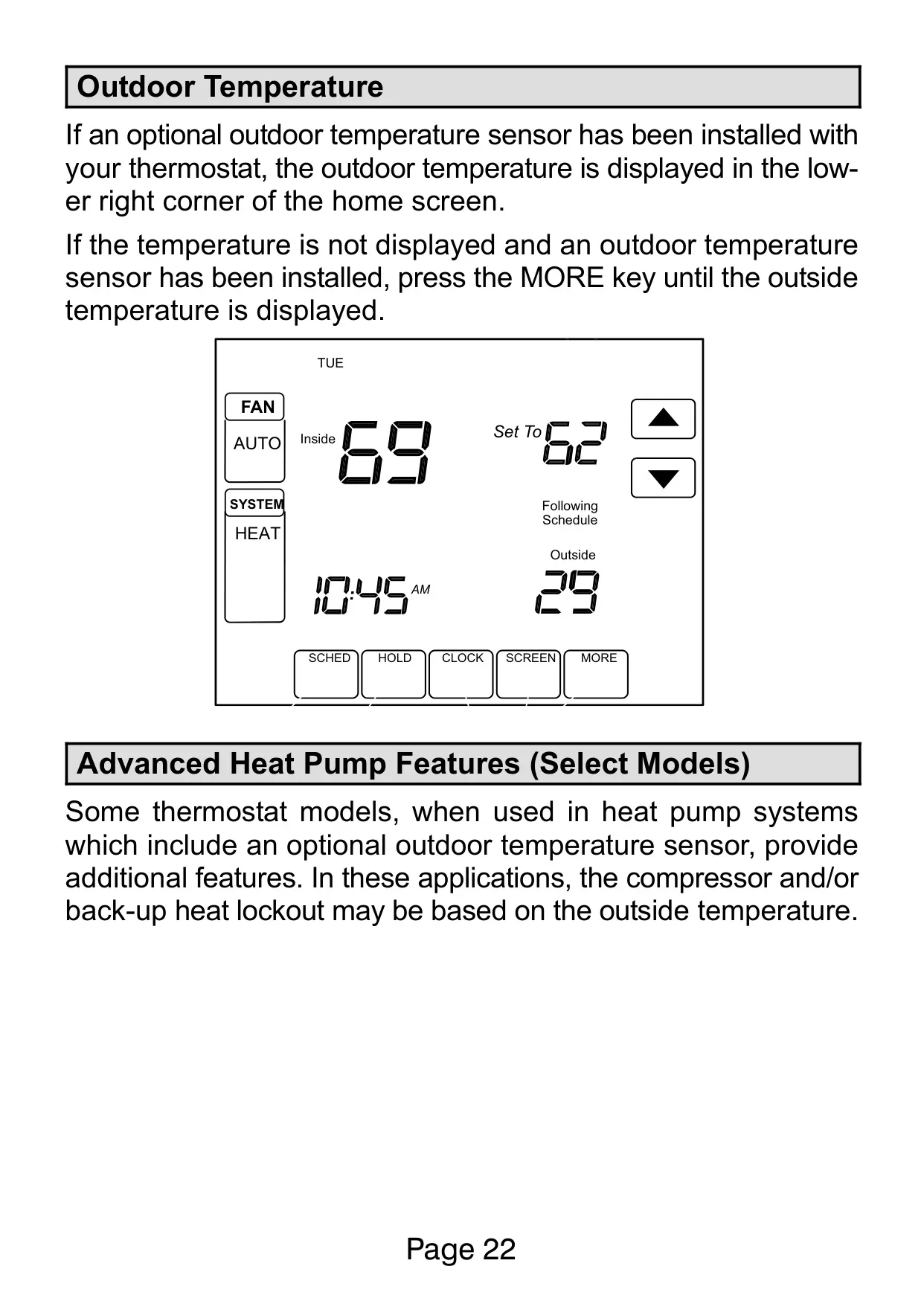
If an optional outdoor temperature sensor is installed, the outdoor temperature can be displayed on the home screen, providing valuable information at a glance. Select heat pump models further benefit from advanced features, allowing compressor and/or backup heat lockout based on specific outdoor temperature conditions, optimizing energy use.
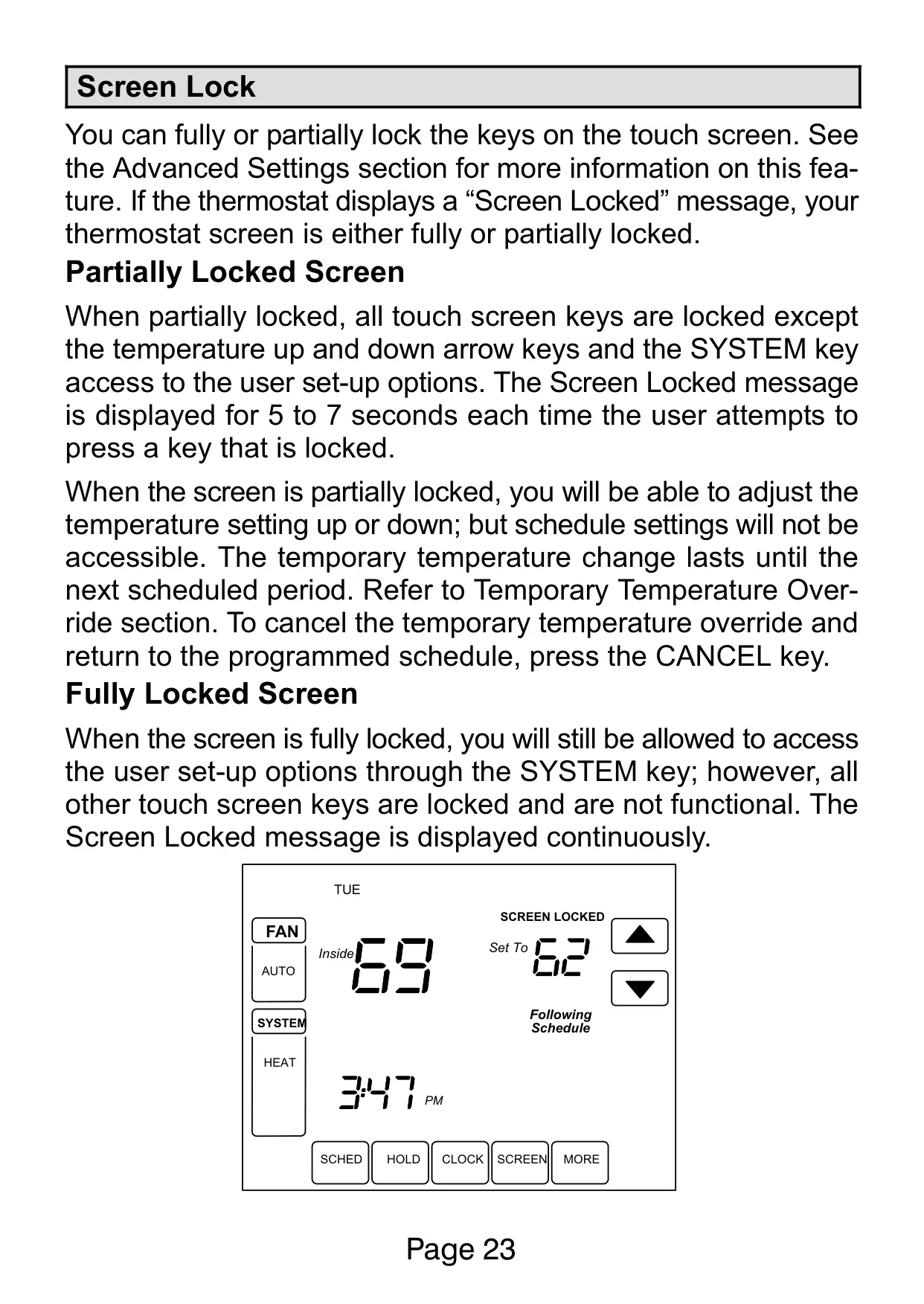
The thermostat offers Screen Lock functionality in three modes: unlocked, partially locked (allowing only temperature adjustments and installer access), or fully locked (allowing only installer access). This feature is ideal for preventing unauthorized changes to settings in public spaces or homes with young children, maintaining desired climate control.
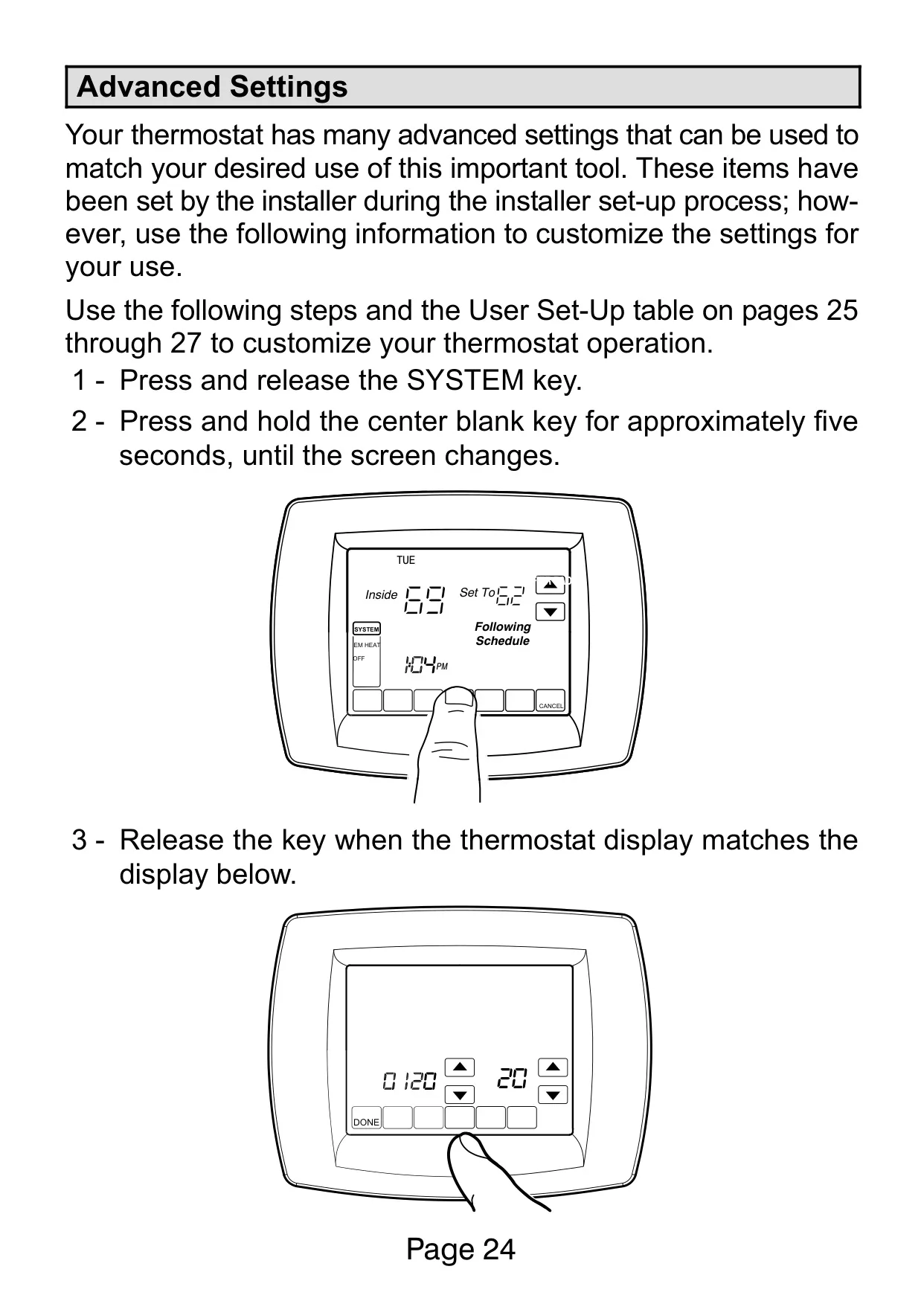
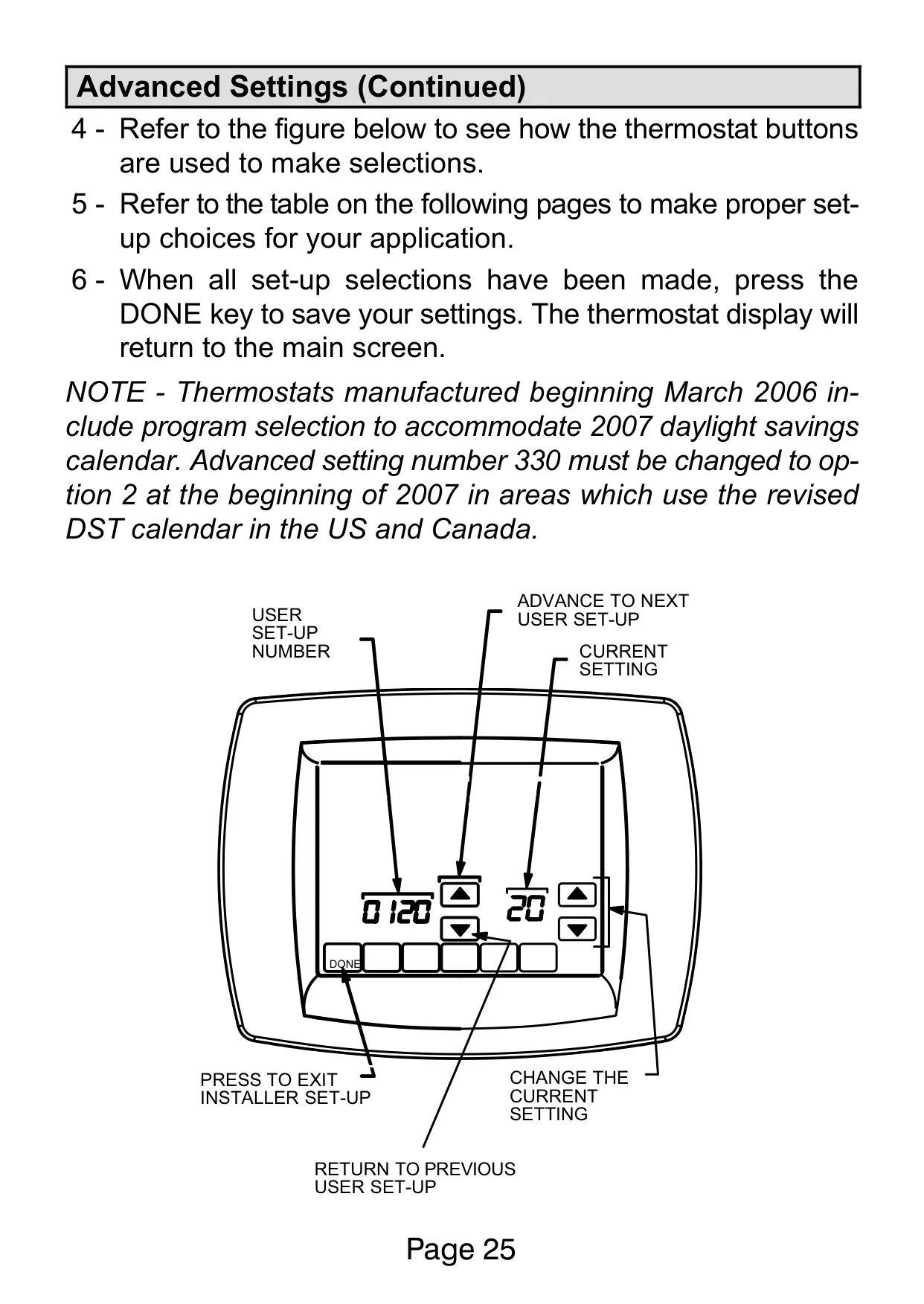
Accessing Advanced Settings is intuitive, involving a specific sequence of pressing and holding keys. These settings allow users to customize various operational parameters, from date and time formats to the number of scheduling periods, ensuring the thermostat precisely matches individual preferences and system configurations.
Frequently Asked Questions (FAQs)
Can't find the answer you need? Here are some frequently asked questions about the Lennox 5000 Thermostat, and we answer them below.
* 0 - Unlocked: All keys are functional.
* 1 - Partially Locked: Only the temperature UP/DOWN keys and the ability to enter installer setup mode are enabled. All other touch screen keys are locked. A "Screen Locked" message displays briefly when a locked key is pressed.
* 2 - Fully Locked: Only the ability to enter installer setup mode is enabled. All other touch screen keys are locked and non-functional. The "Screen Locked" message is displayed continuously.
These options help prevent unauthorized adjustments to your thermostat settings.