Danfoss TP5000SI Thermostat Instruction Manual
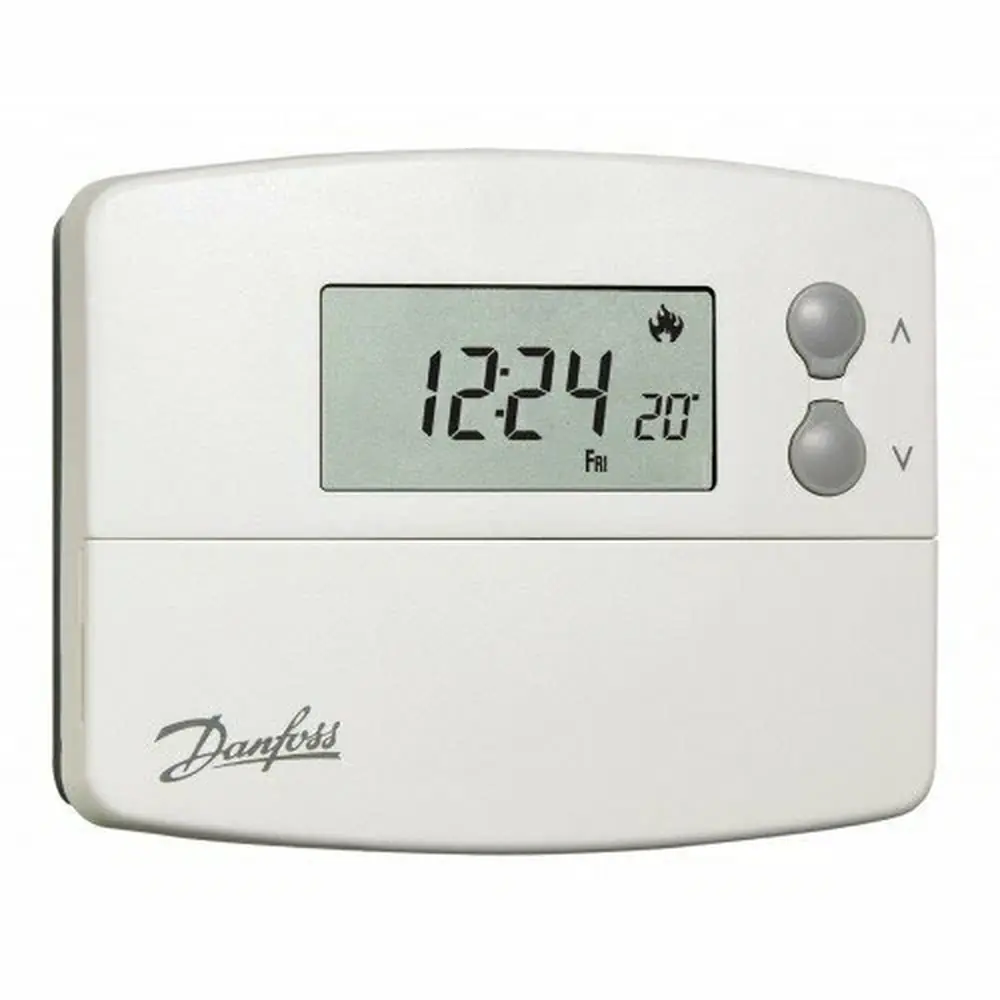
Danfoss TP5000SI Thermostat
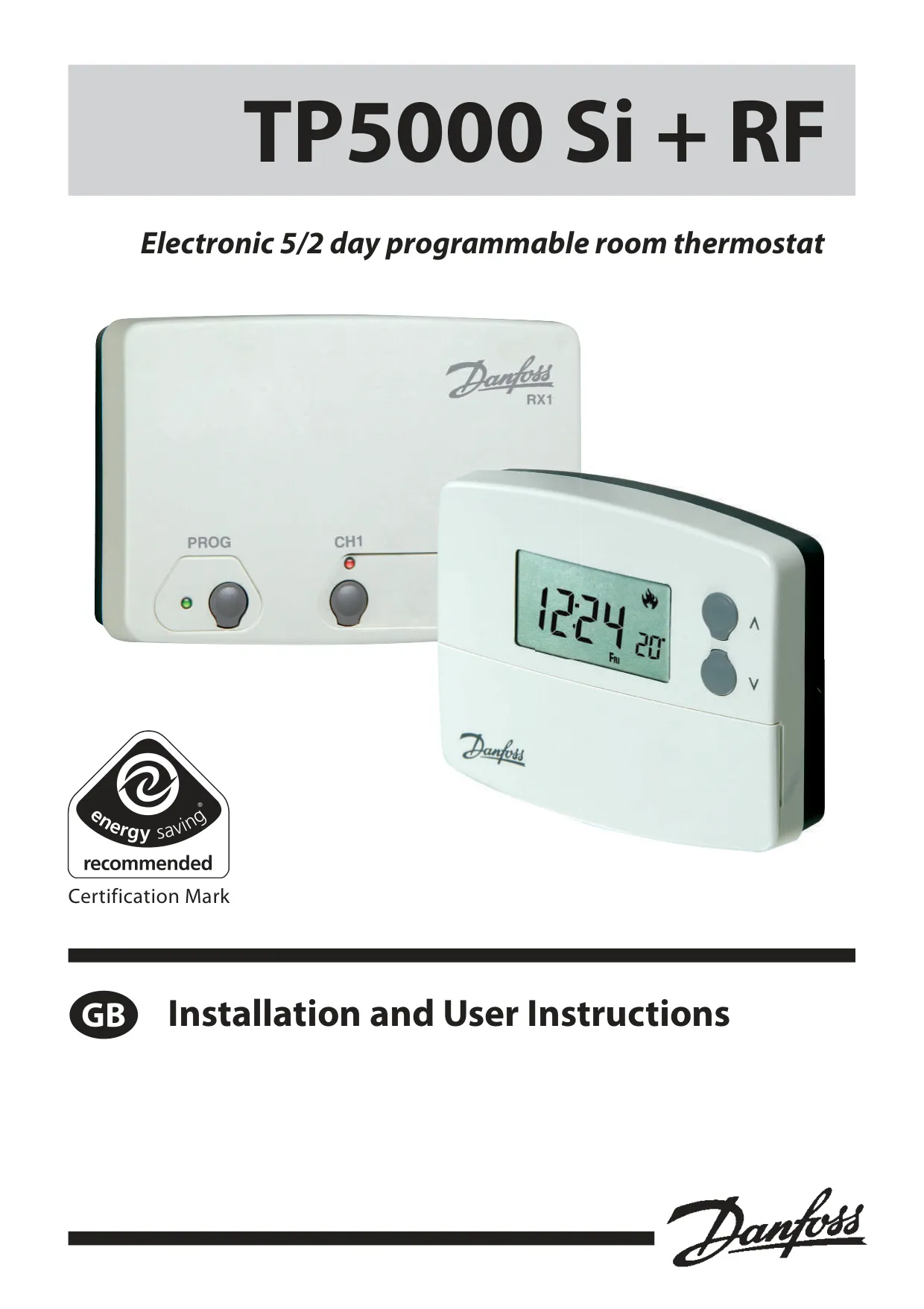
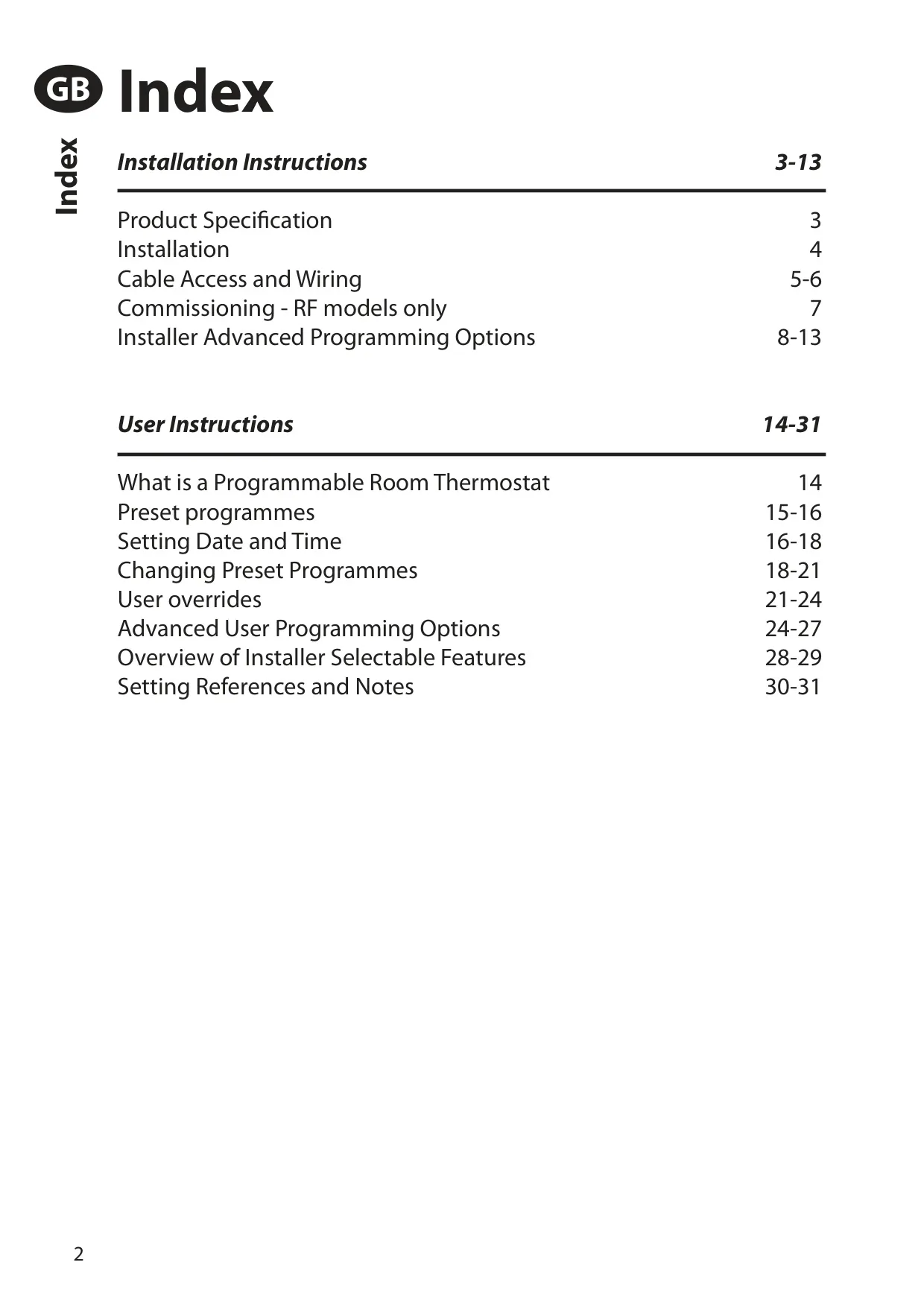
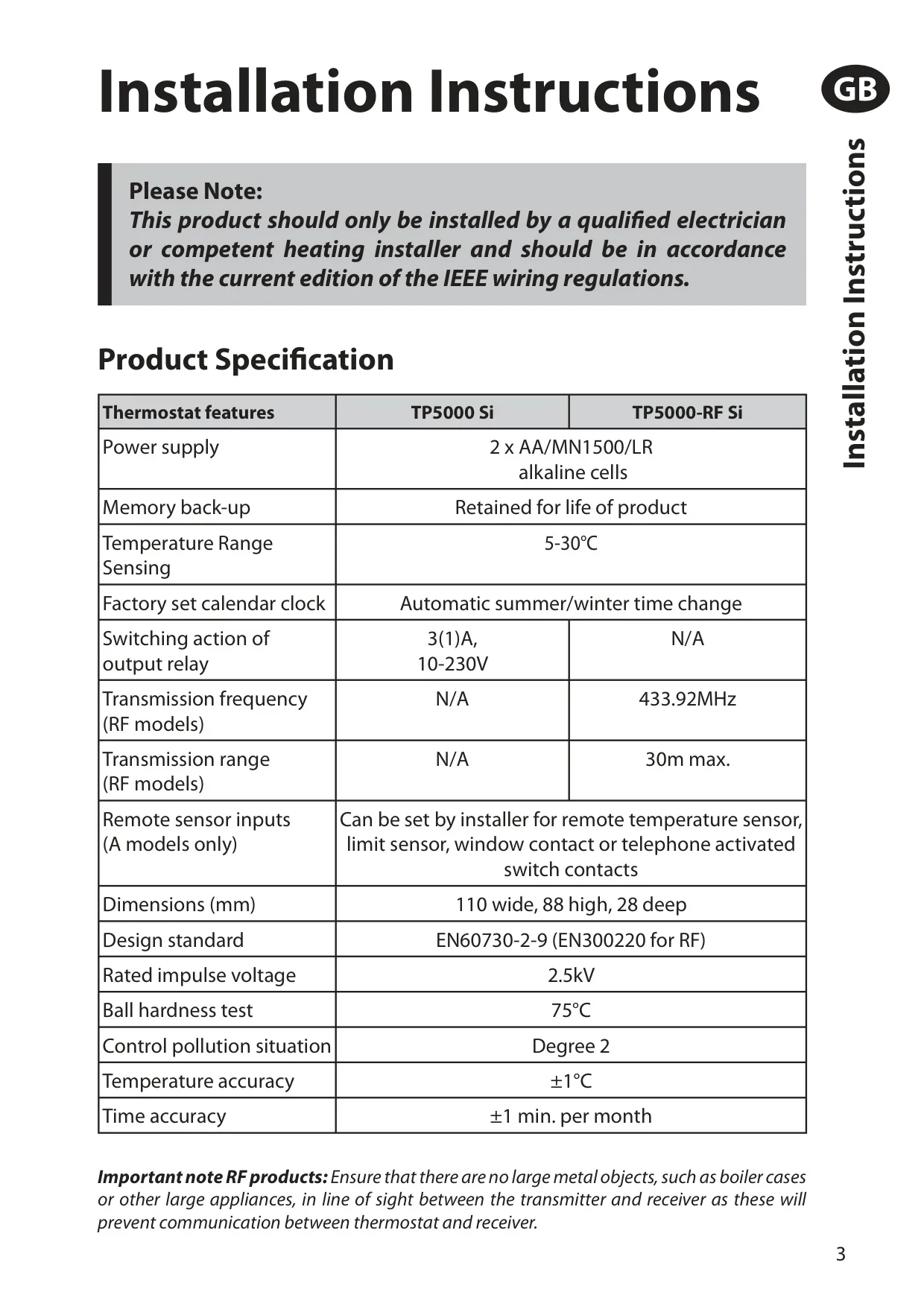











Danfoss TP5000SI Thermostat
Danfoss TP5000SI Thermostat
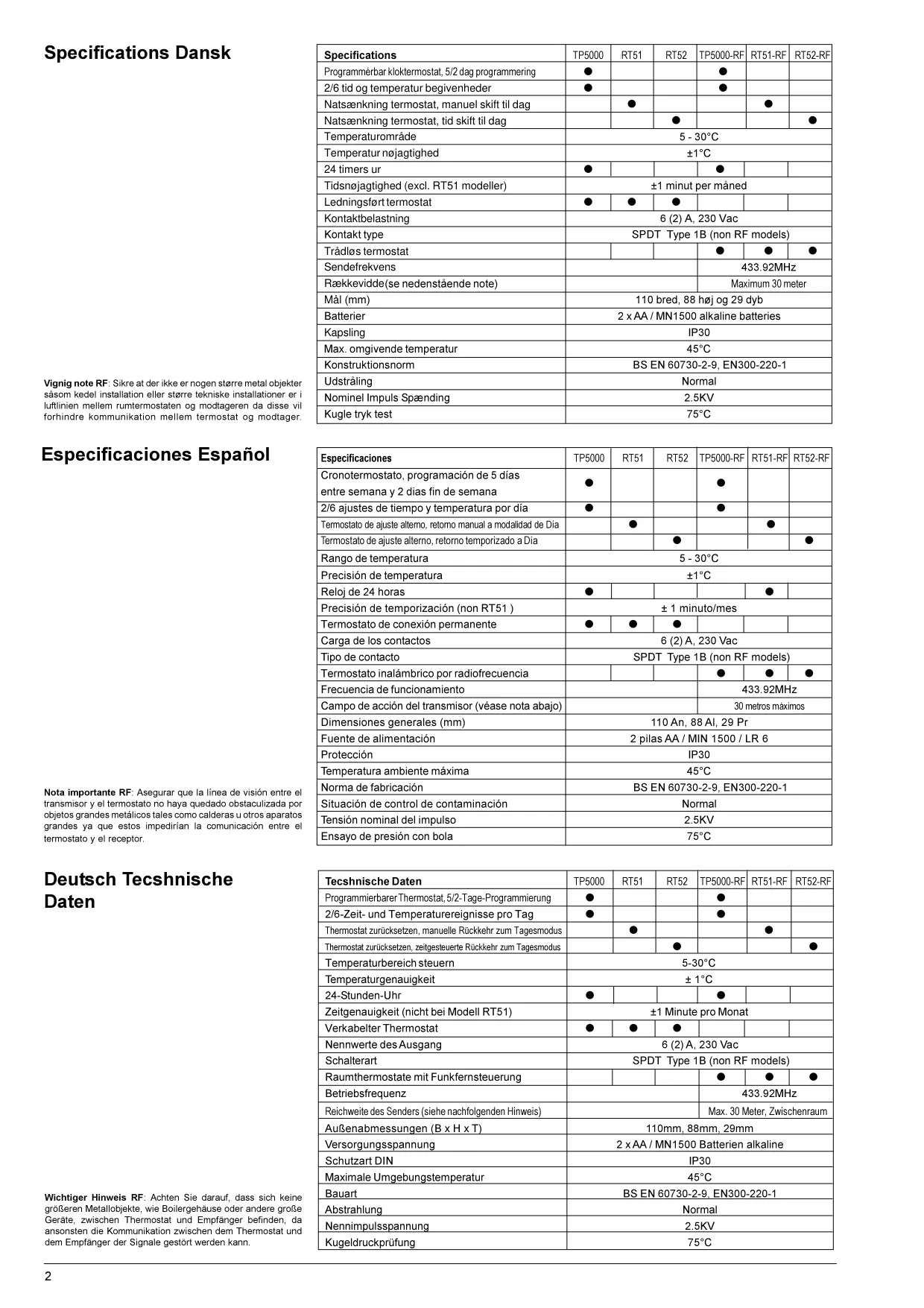
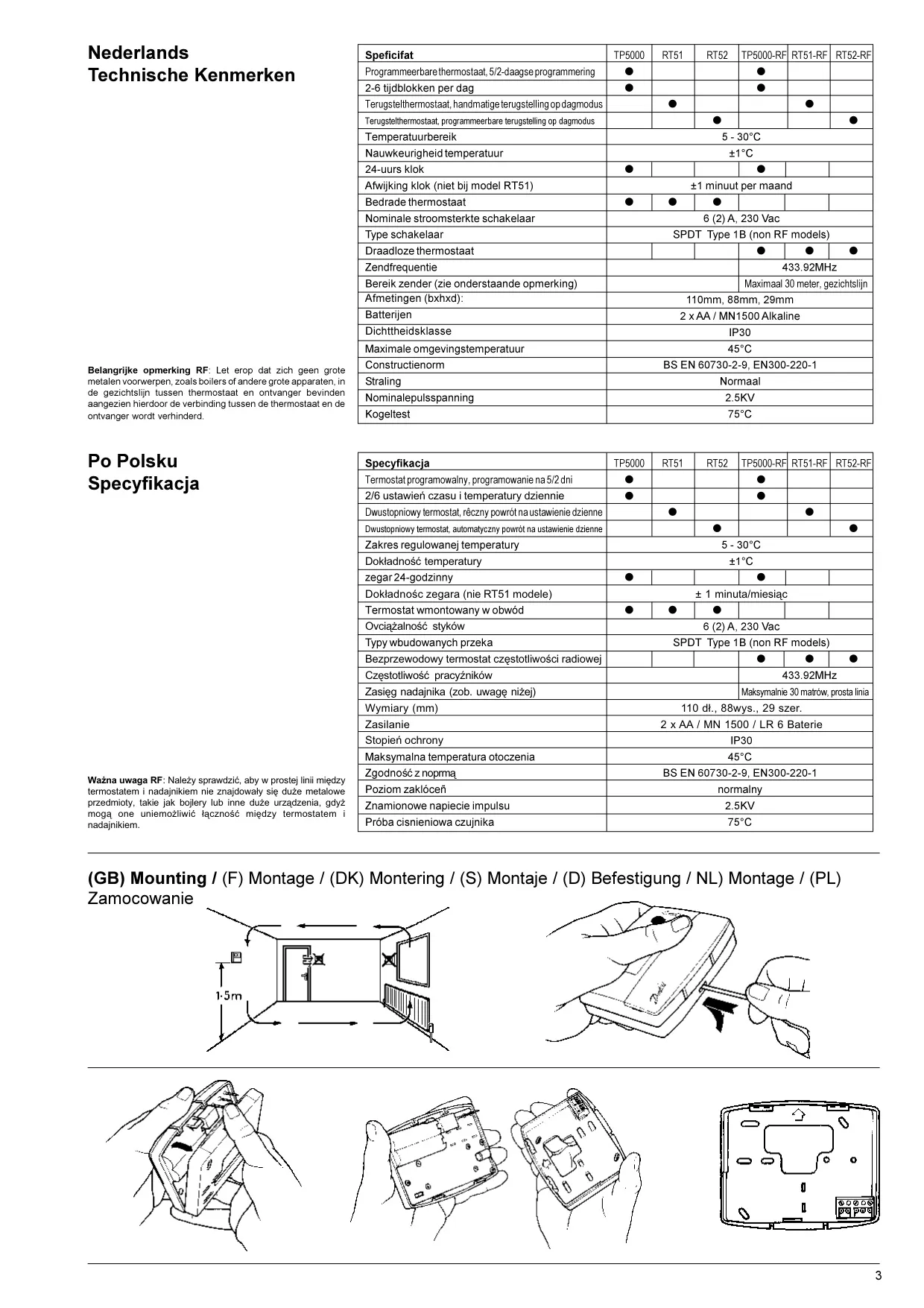
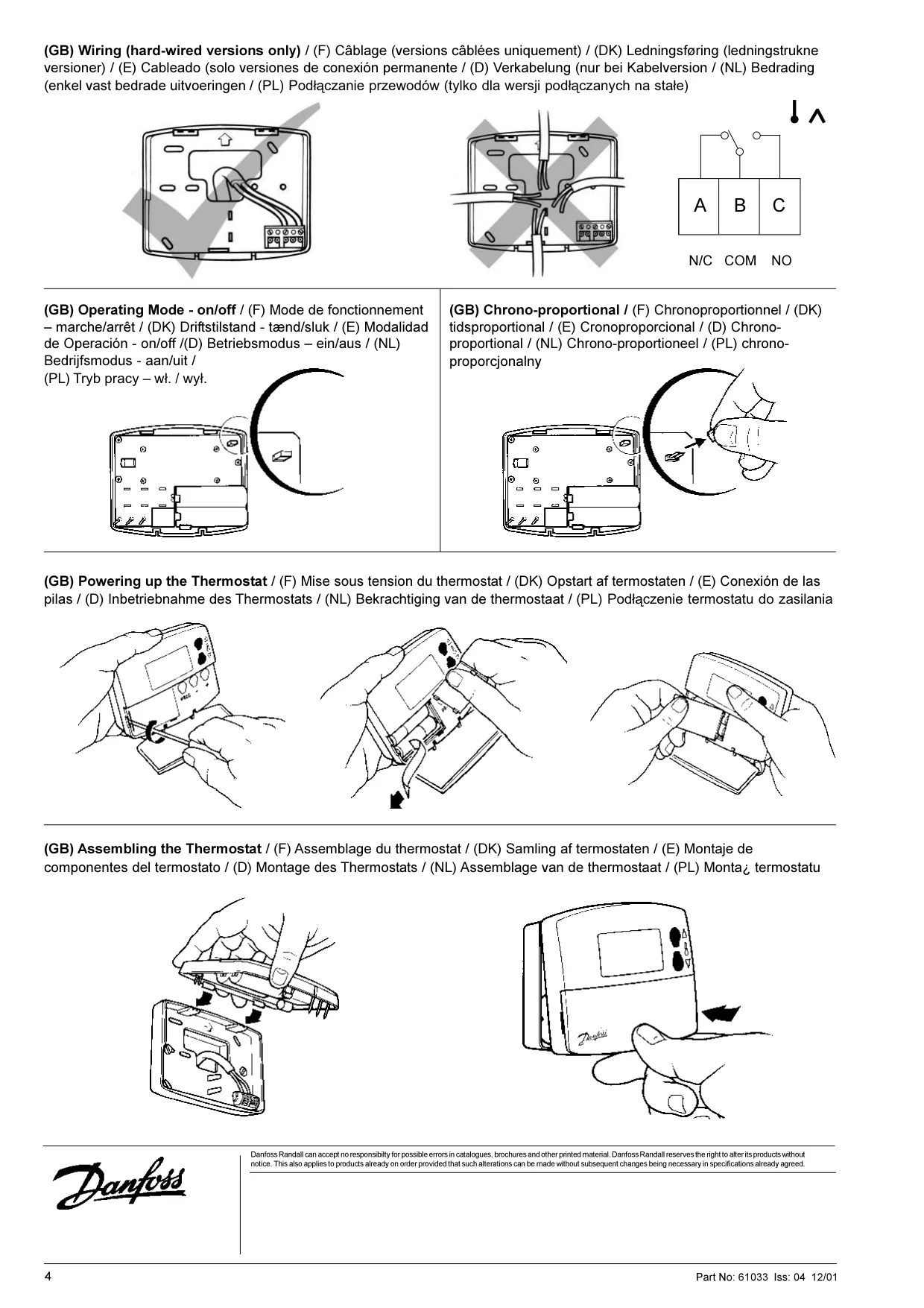
Danfoss TP5000SI Thermostat Instructions
Here we offer the Danfoss TP5000SI Thermostat manual completely free and in English. We have cataloged this manual in the Thermostats section on Manualverse, and it has been rated by 1 users with an average rating of 5. If you have any specific questions about Danfoss TP5000SI Thermostat, we suggest checking the Frequently Asked Questions (FAQs) section of this manual.
Product Images
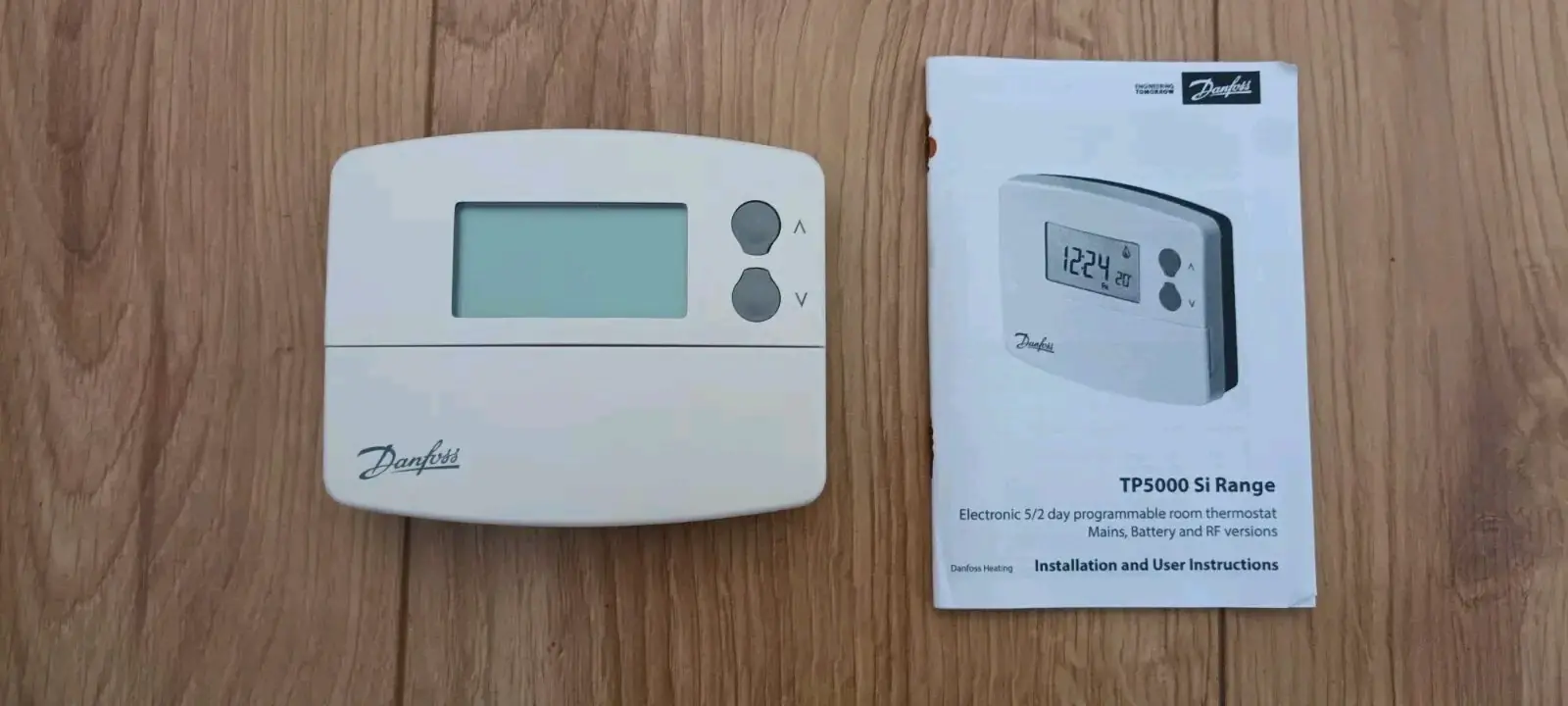
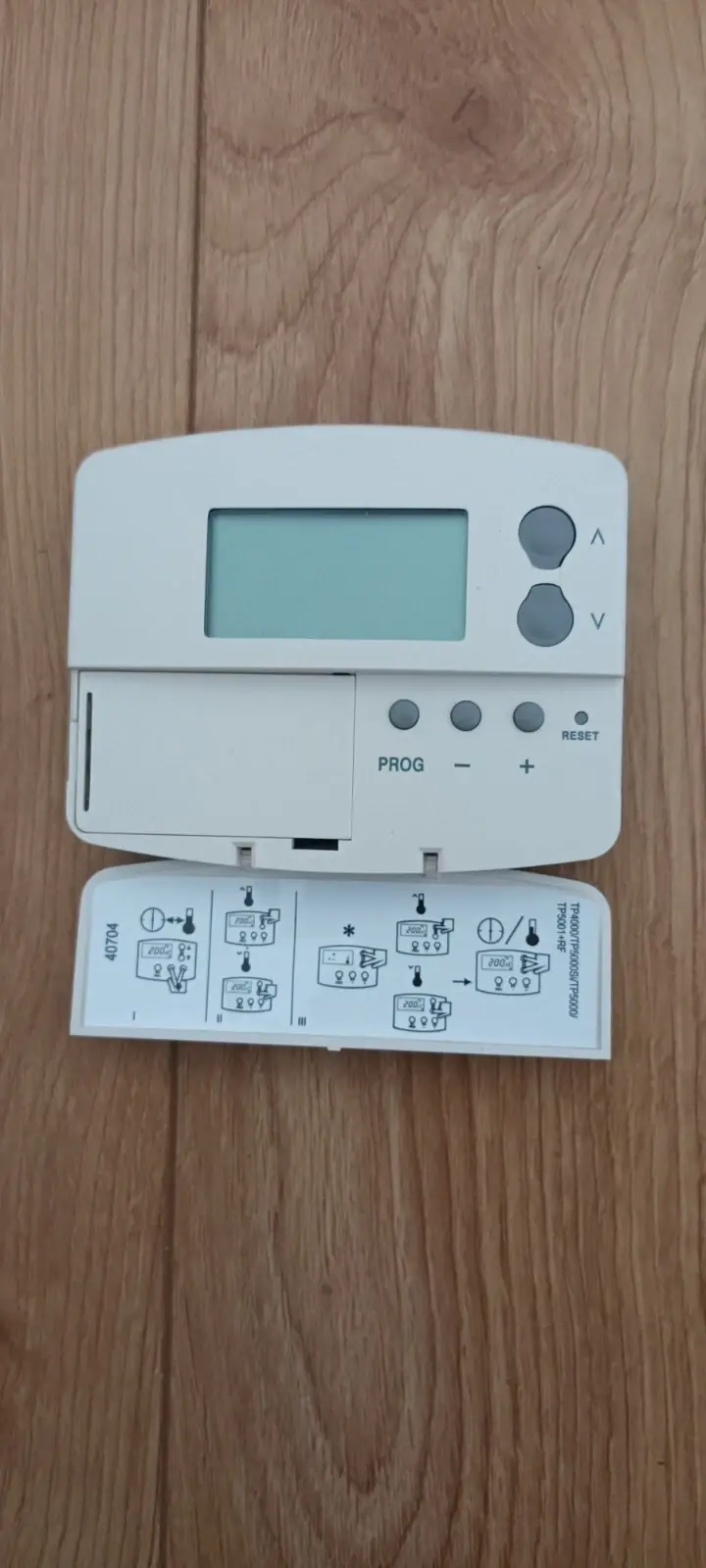

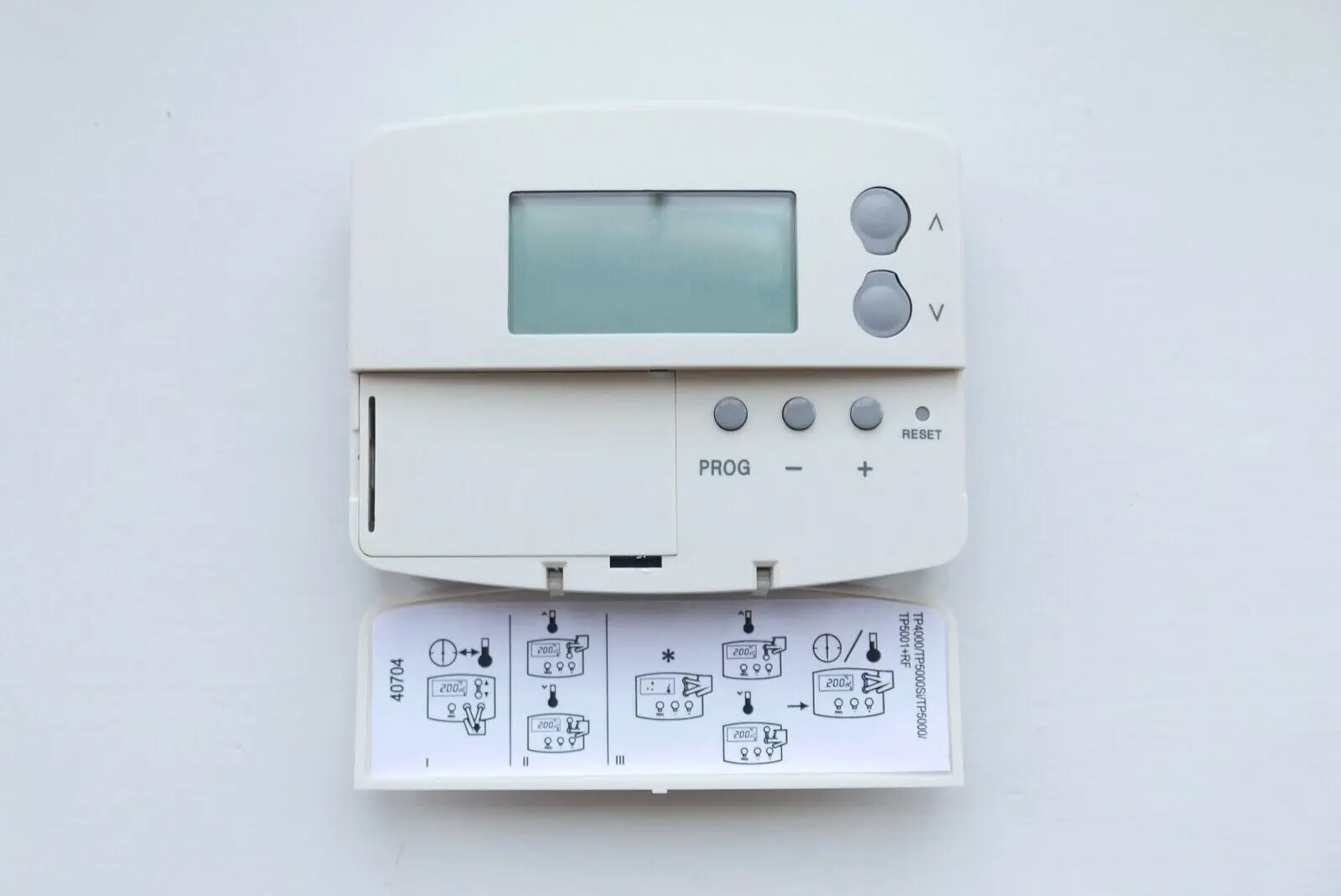
Danfoss TP5000SI Thermostat Specifications
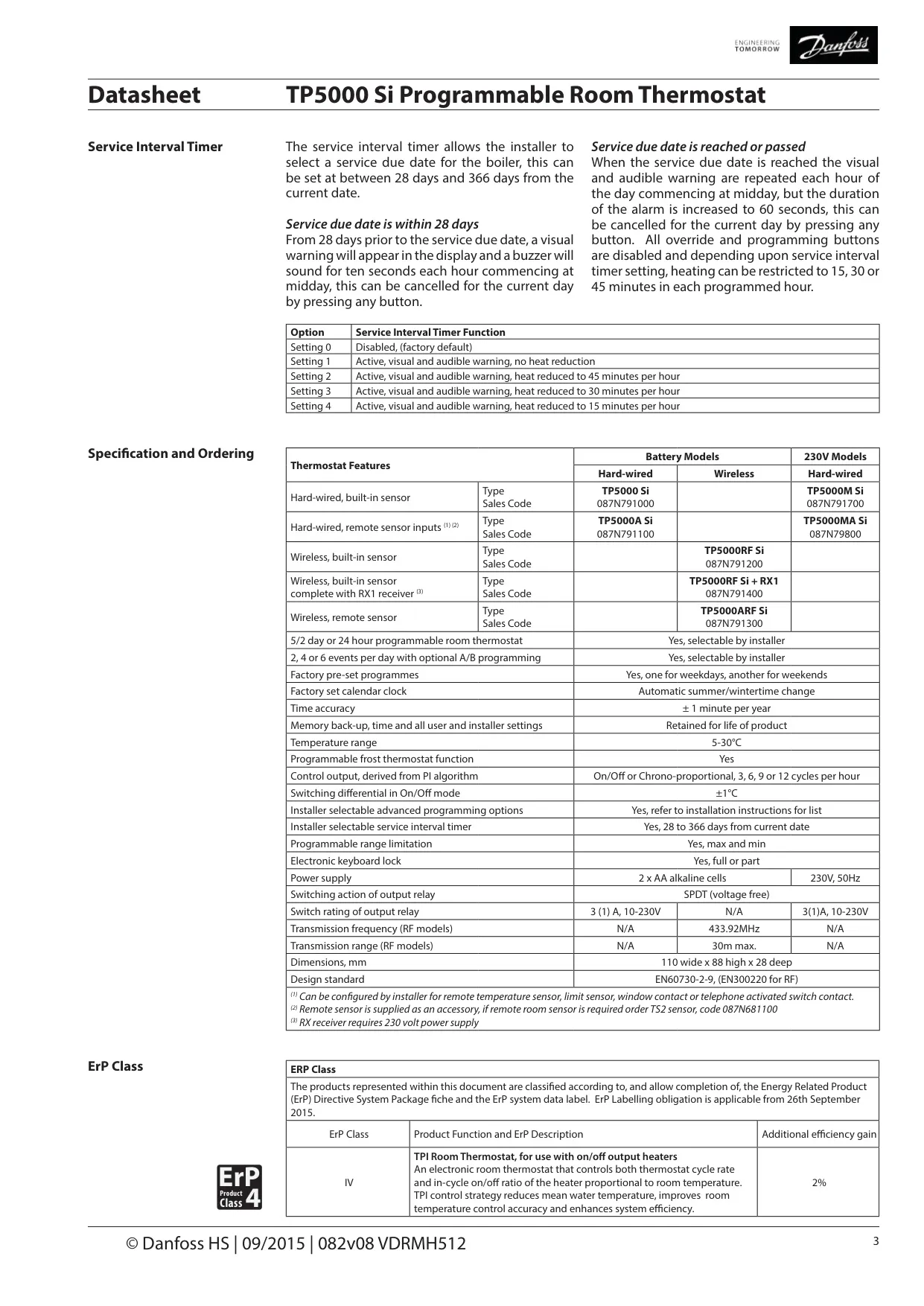
| Feature | Specification |
|---|---|
| Product type | Electronic 5/2 day programmable room thermostat |
| Model version | TP5000 Si, battery powered, hard-wired, built-in sensor |
| Sales code | 087N791000 |
| Power supply | 2 x AA (MN1500 / LR6) alkaline cells |
| Memory back-up (time, user and installer settings) | Retained for the life of the product (non-volatile memory) |
| Temperature range | 5–30°C |
| Temperature accuracy | ±1°C |
| Switching differential in On/Off mode | ±1°C |
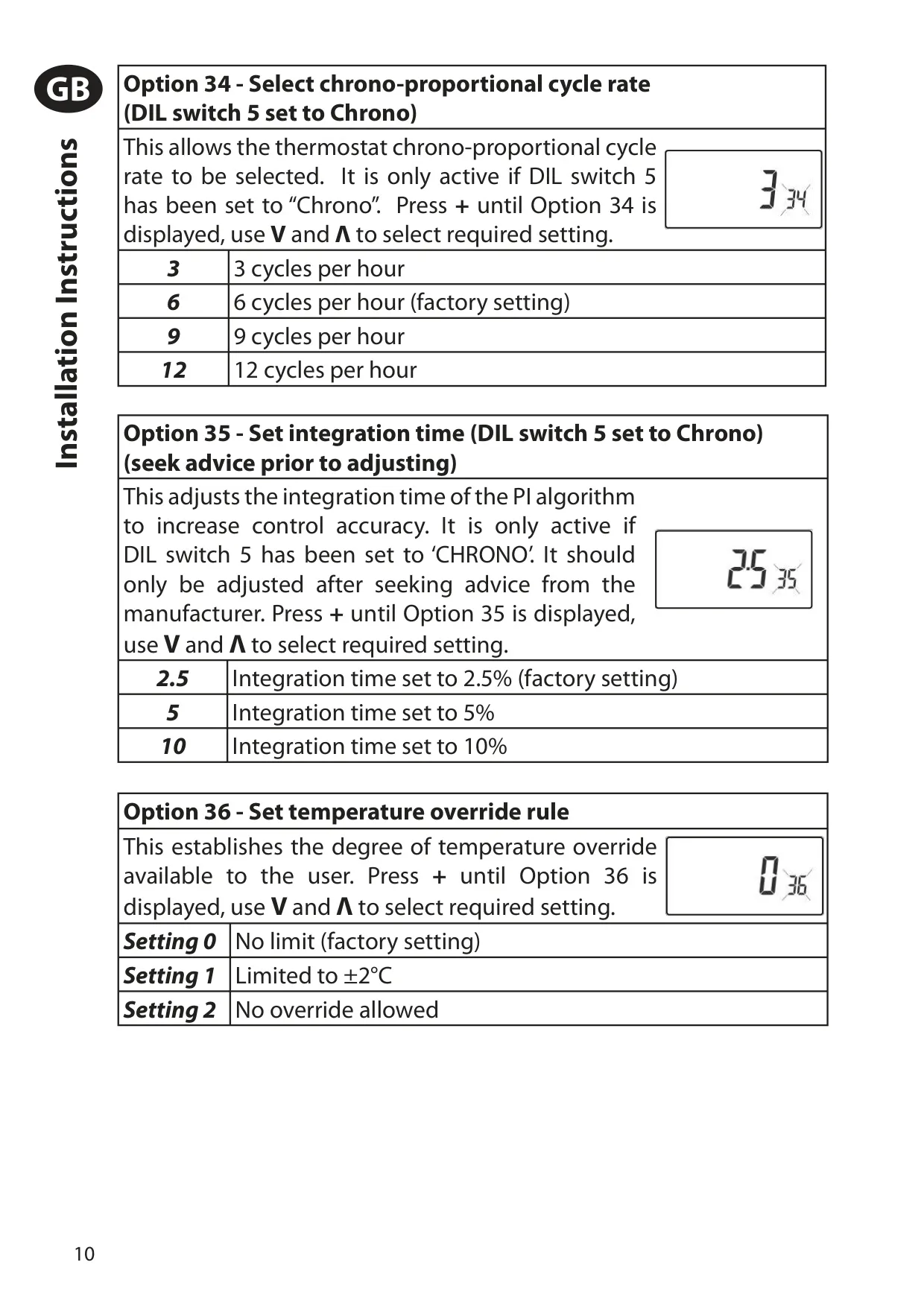
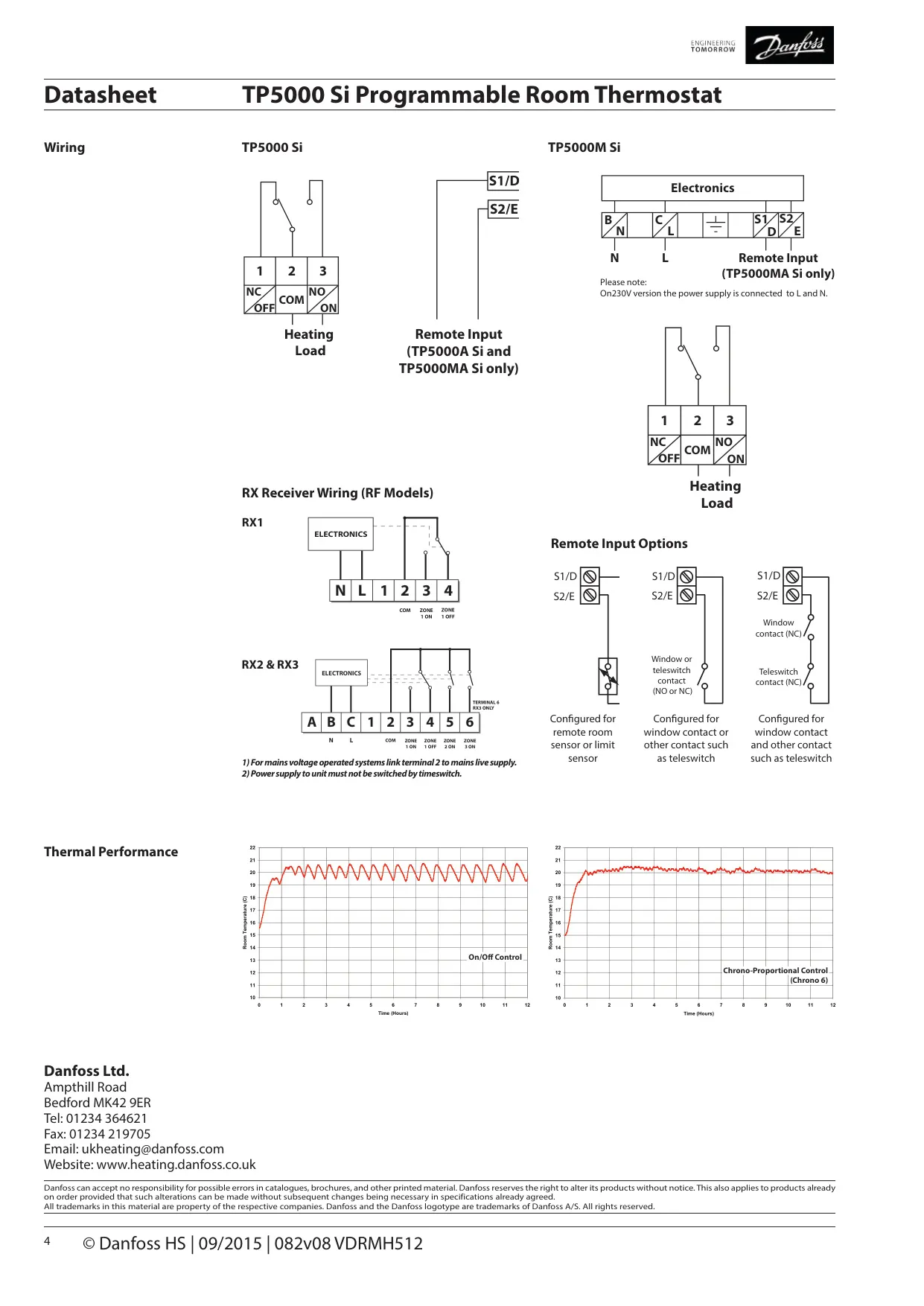
| Control output | On/Off or chrono-proportional (PI algorithm), 3, 6, 9 or 12 cycles per hour |
| Switching action of output relay | SPDT (voltage free) |
| Switch rating of output relay | 3(1)A, 10–230V |
| Calendar clock | Factory set, automatic summer/winter time change |
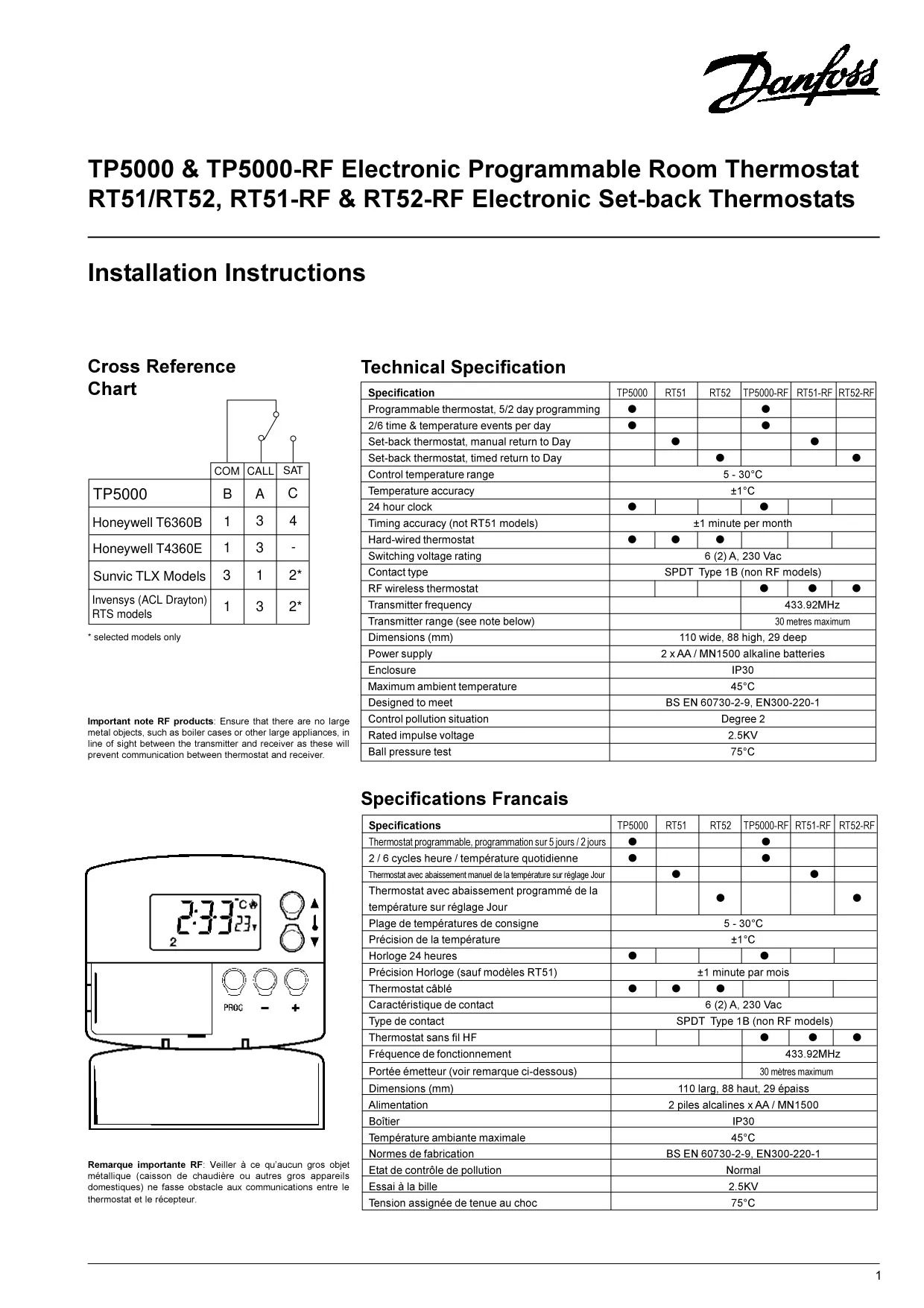
| Time accuracy | ±1 minute per year (datasheet); ±1 minute per month (installation manual) |
| Programming modes | 5/2 day or 24 hour (installer selectable), optional A/B block programming |
| Events per day | 2, 4 or 6 (installer selectable) |
| Factory preset programmes | Yes, one for weekdays and one for weekends |
| Programmable frost thermostat function | Yes, factory default 5°C |
| Programmable range limitation | Yes, maximum and minimum |
| Electronic keyboard lock | Yes, full or partial |
| Service interval timer | Installer selectable, 28 to 366 days from current date |
| Low battery warning | Battery symbol displayed, 15 days before shutdown |
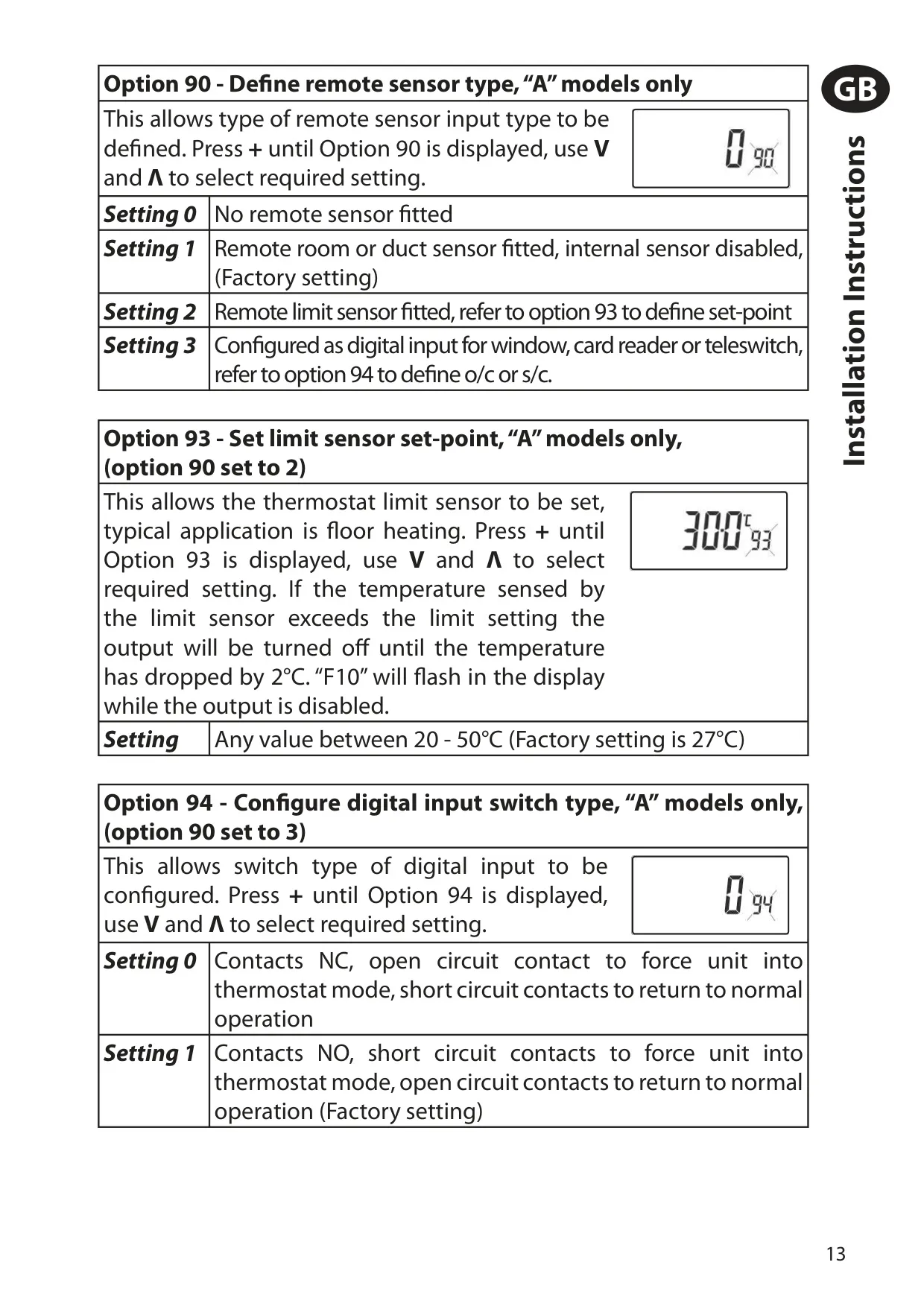
| Remote sensor inputs | Not available on this model (TP5000A Si versions only) |
| Transmission frequency / range | N/A (hard-wired model) |
| Dimensions | 110 mm wide x 88 mm high x 28 mm deep |
| Design standard | EN60730-2-9 |
| Rated impulse voltage | 2.5kV |
| Ball hardness test | 75°C |
| Control pollution situation | Degree 2 |
| ErP class | Class IV (TPI room thermostat), 2% additional efficiency gain |
Danfoss TP5000SI Thermostat Details
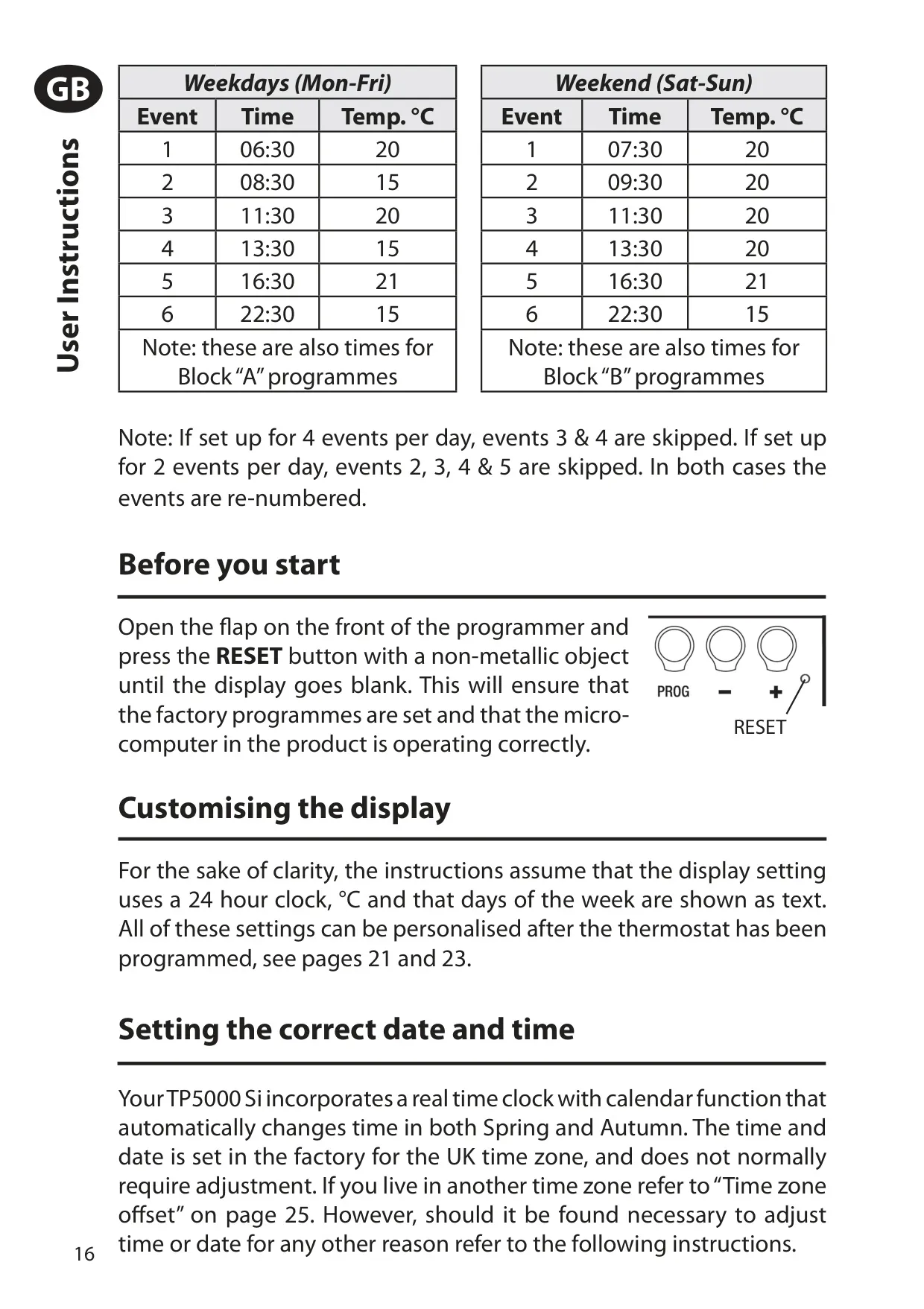
The Danfoss TP5000 Si comes with factory preset programmes that suit most households. On weekdays the default events are 06:30 at 20°C, 08:30 at 15°C, 11:30 at 20°C, 13:30 at 15°C, 16:30 at 21°C and 22:30 at 15°C. Weekends use a similar profile that starts at 07:30 and stays at 20°C during the day. If the unit is set for 4 events, events 3 and 4 are skipped. If it is set for 2 events, events 2 to 5 are skipped and the rest are renumbered.
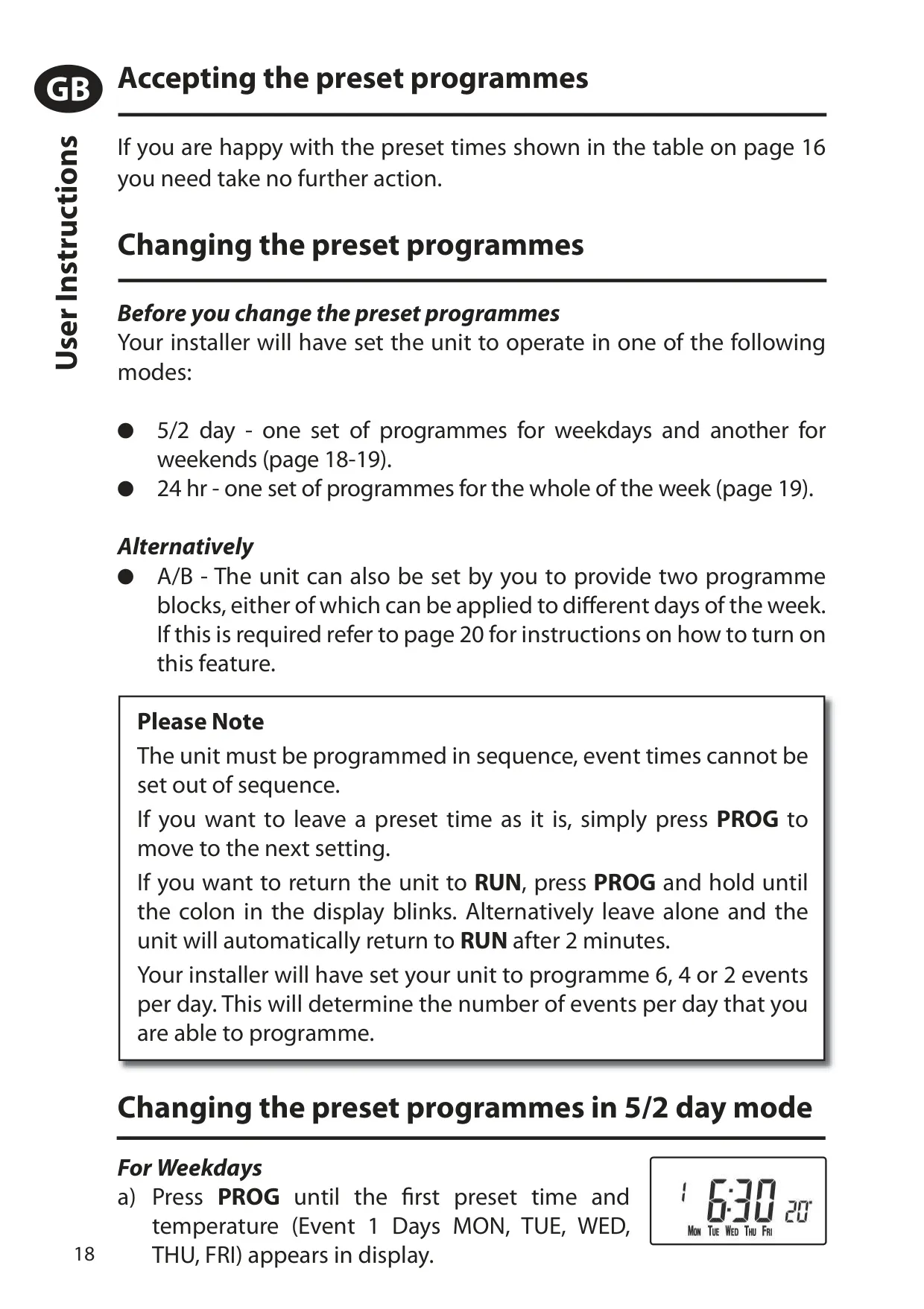
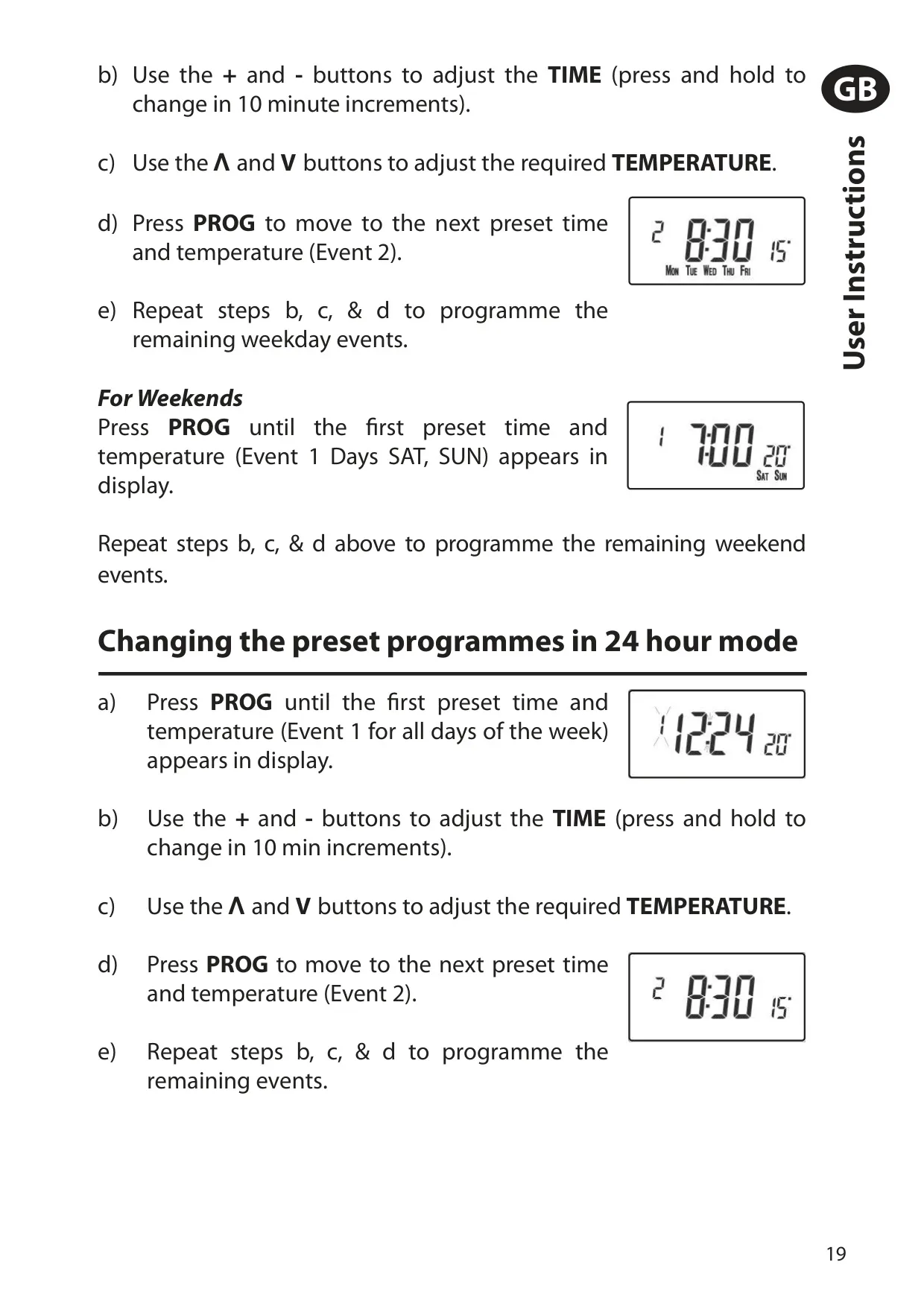
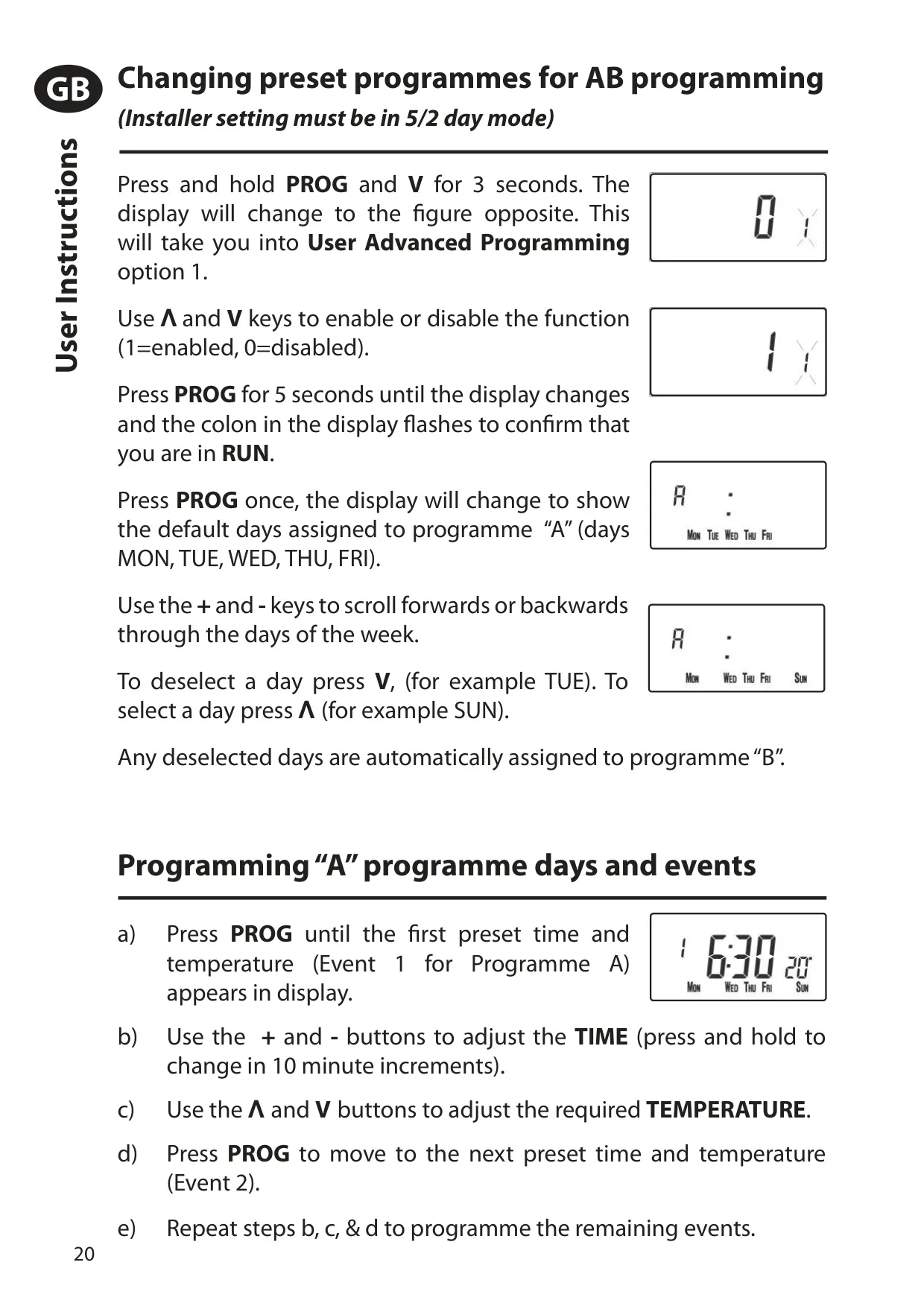
Users can turn on A/B programming through User Advanced Programming option 1. The installer setting must be in 5/2 day mode for this to work. Days removed from block "A" are automatically assigned to block "B", so each day of the week can follow either programme. Events must be programmed in sequence. Pressing and holding the + and - buttons changes the time in 10-minute steps. If you leave the unit alone, it returns to RUN mode after 2 minutes.
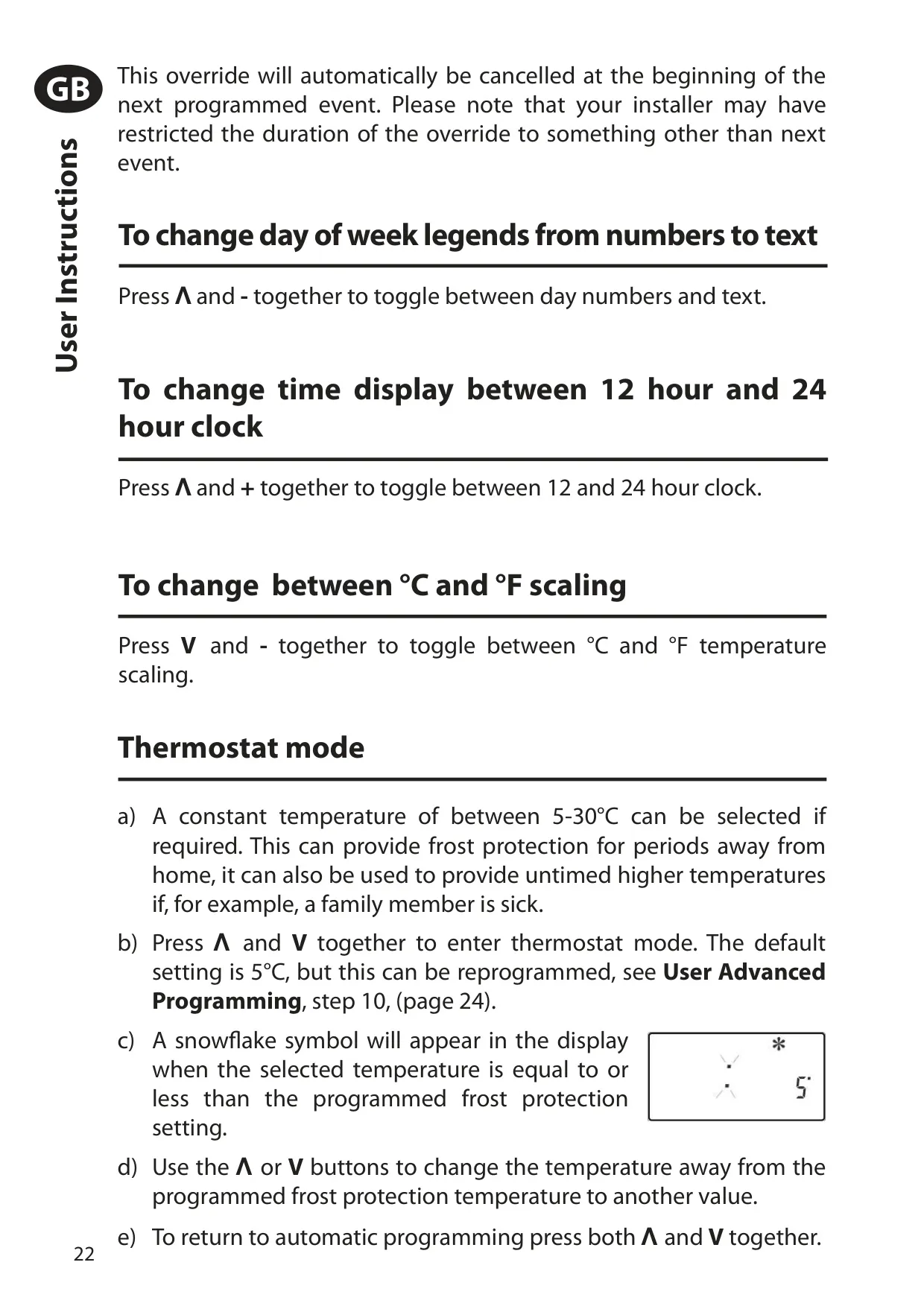
Several user overrides are available directly from the keypad. You can switch between 12 and 24 hour clock, °C and °F, and day names shown as numbers or text. A temporary temperature change ends at the next programmed event unless the installer has set a fixed duration of 1 to 4 hours. Pressing both temperature arrows together enters thermostat mode, which holds a constant temperature. A snowflake symbol appears when the setting is at or below the frost protection value.
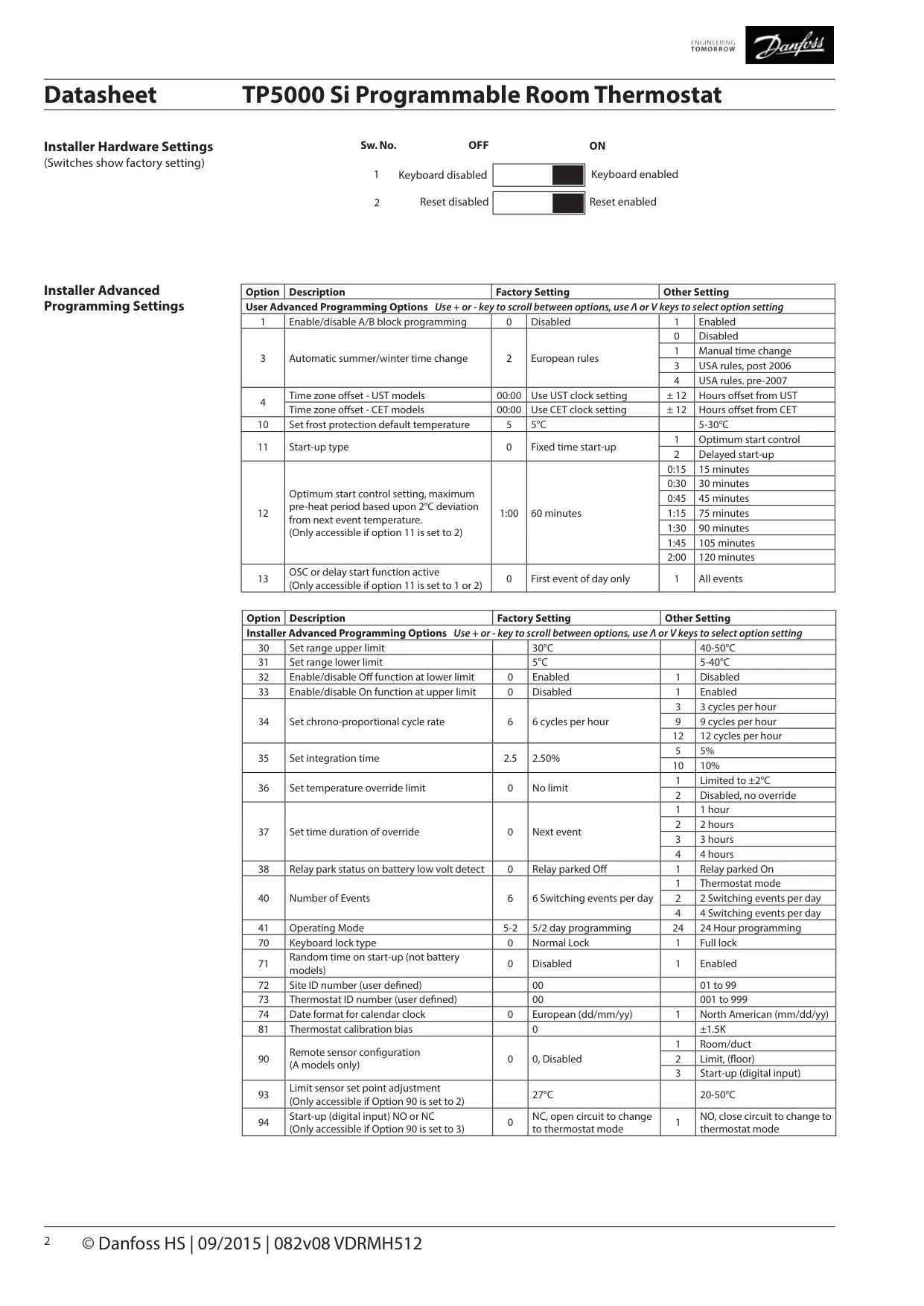
Option 11 offers three start-up methods: normal, optimum start control and delay start. Optimum start brings the heating on up to 120 minutes early so the room reaches temperature on time. The pre-heat value in option 12 runs from 0:15 for well insulated warm air systems to 2:00 for heavy, poorly insulated buildings with radiators. Delay start holds the heating back on mild days. Option 13 applies either method to the first event only or to every event that calls for a higher temperature.
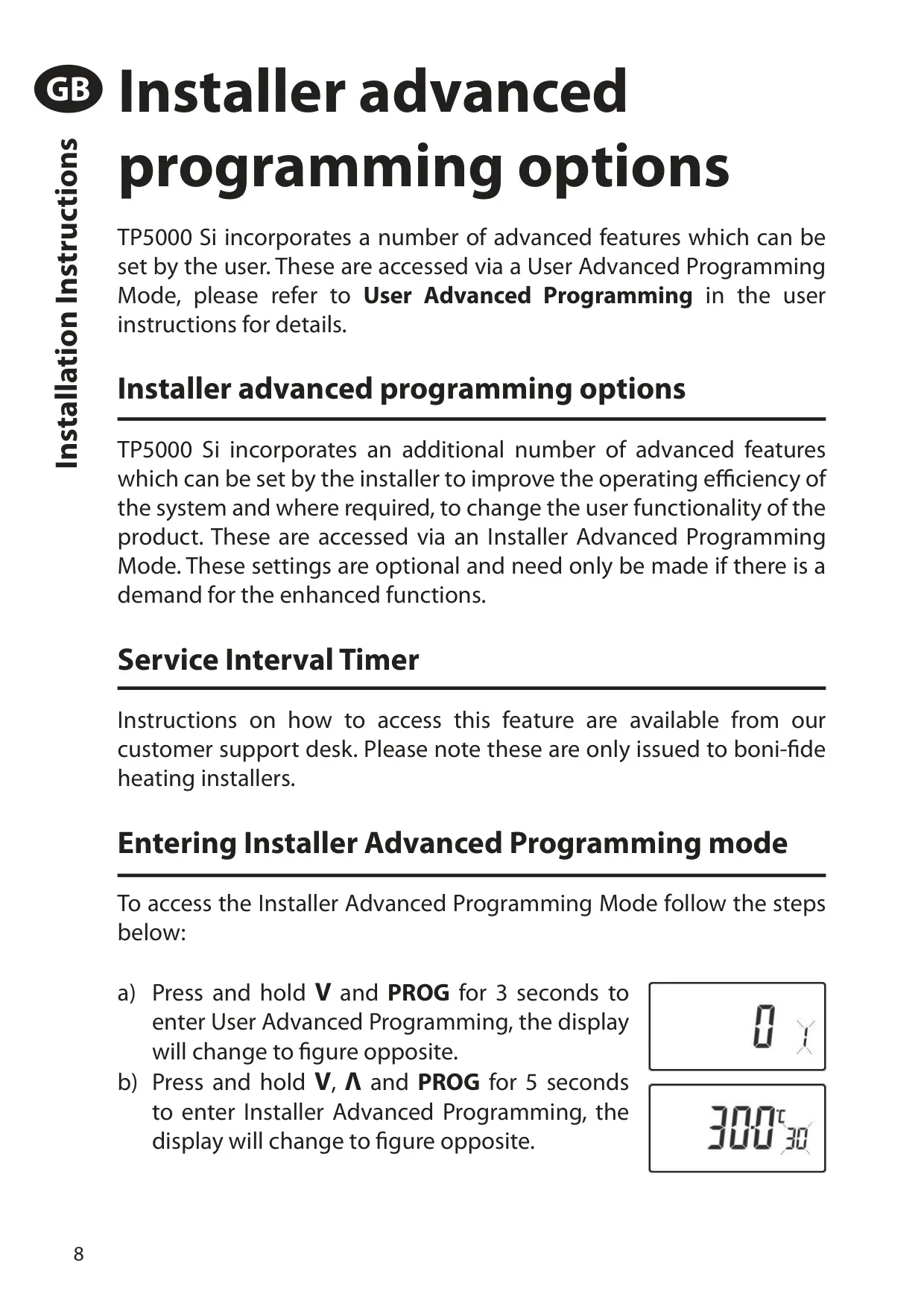
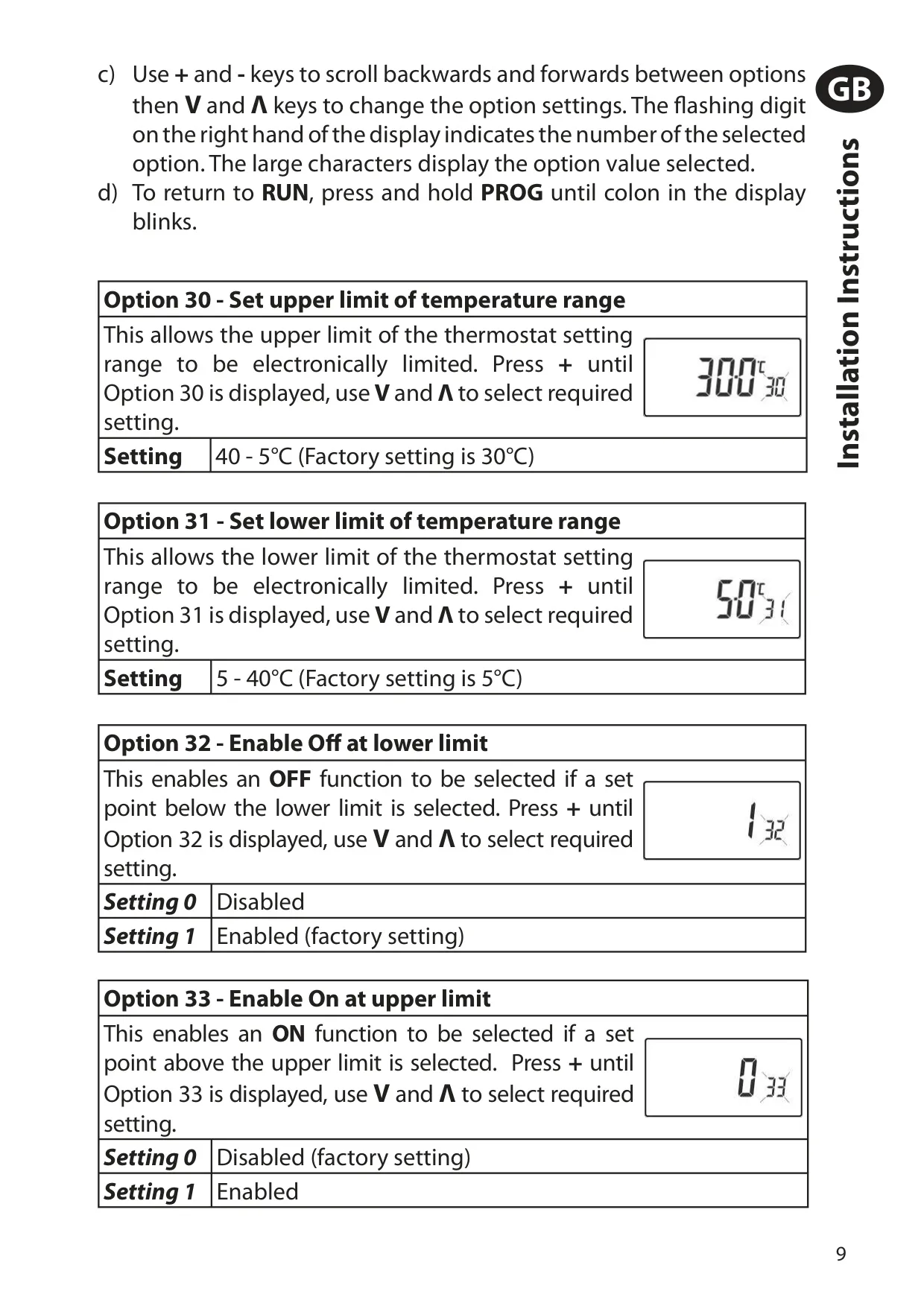
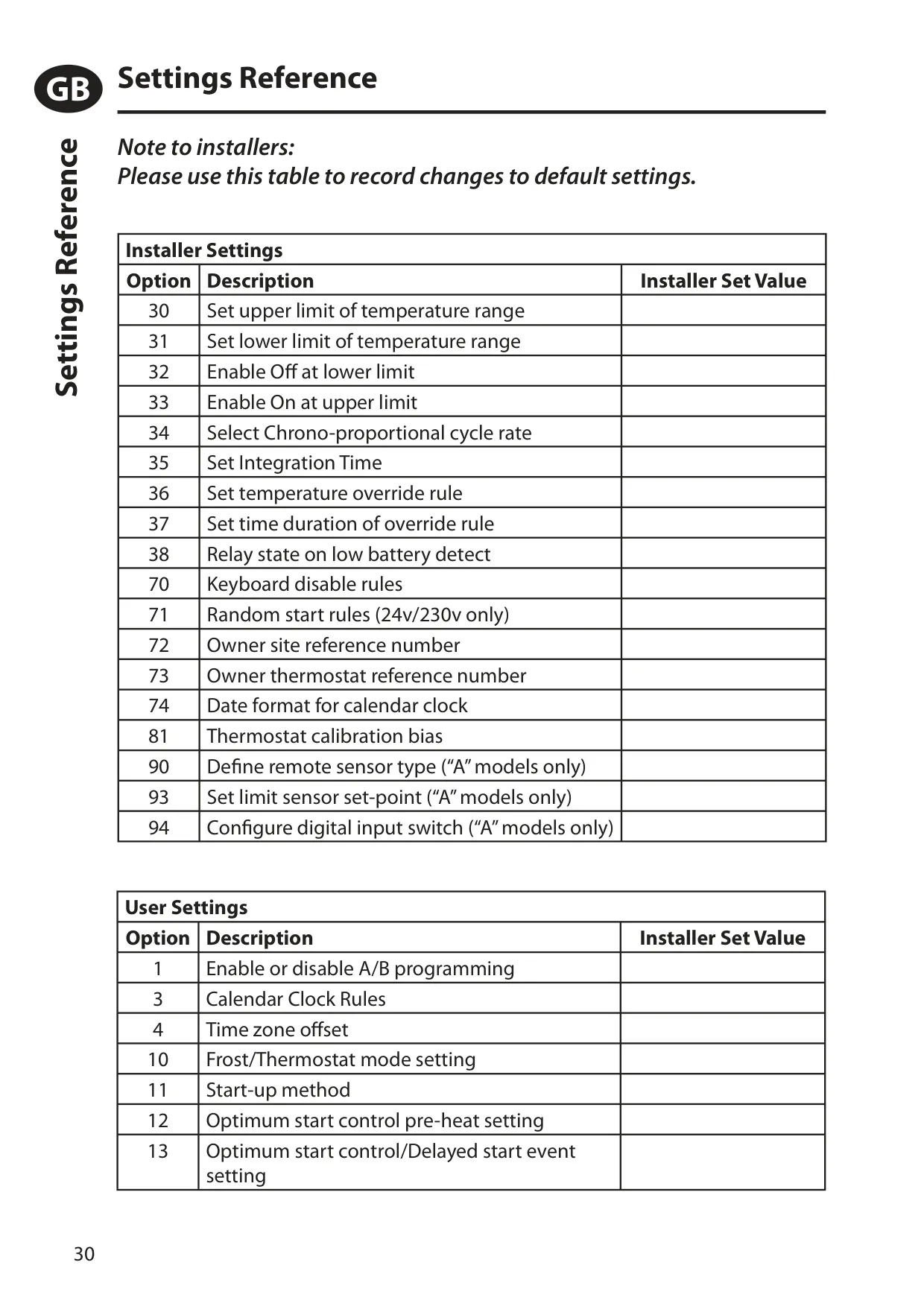
The calendar clock comes set to UK time. Option 3 selects the daylight saving rules: disabled, manual, European, USA from 2007 or USA before 2007. Option 4 sets a time zone offset of -12 to +14 hours, and option 74 chooses the dd/mm/yy or mm/dd/yy date format. Installers can also set an upper limit (option 30) and a lower limit (option 31) for the temperature range. They can add OFF below the lower limit or ON above the upper limit, and apply a calibration bias of up to ±1.5K.
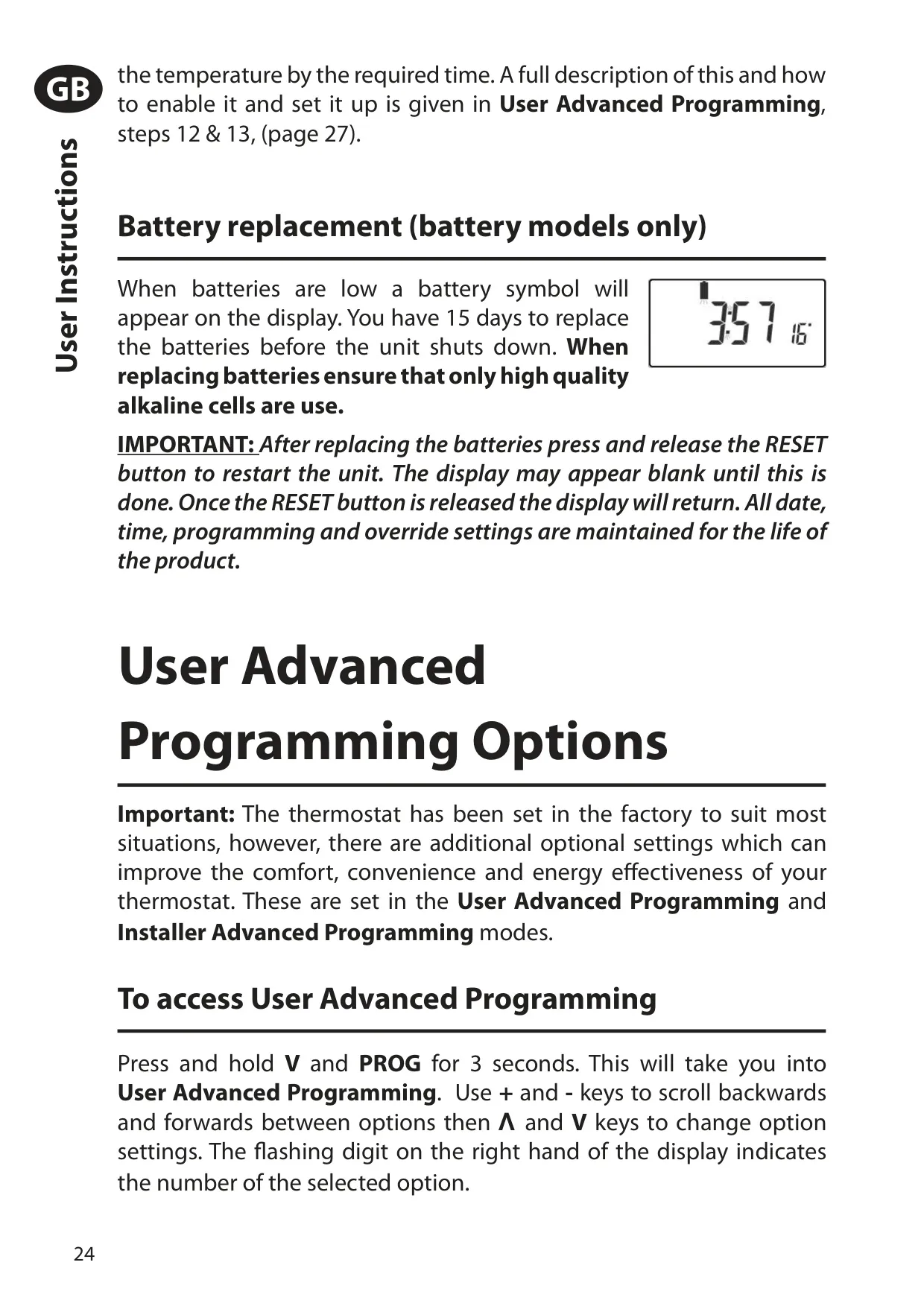
Option 38 decides what the relay does when low batteries shut the unit down. By default it is parked OFF, but it can be parked ON in cold climates to stop the building freezing. Options 72 and 73 store a site reference number and a thermostat reference number for owners with several sites. After fitting or replacing batteries, press RESET to start the unit. A user full reset clears event times and user settings but keeps the time and date.
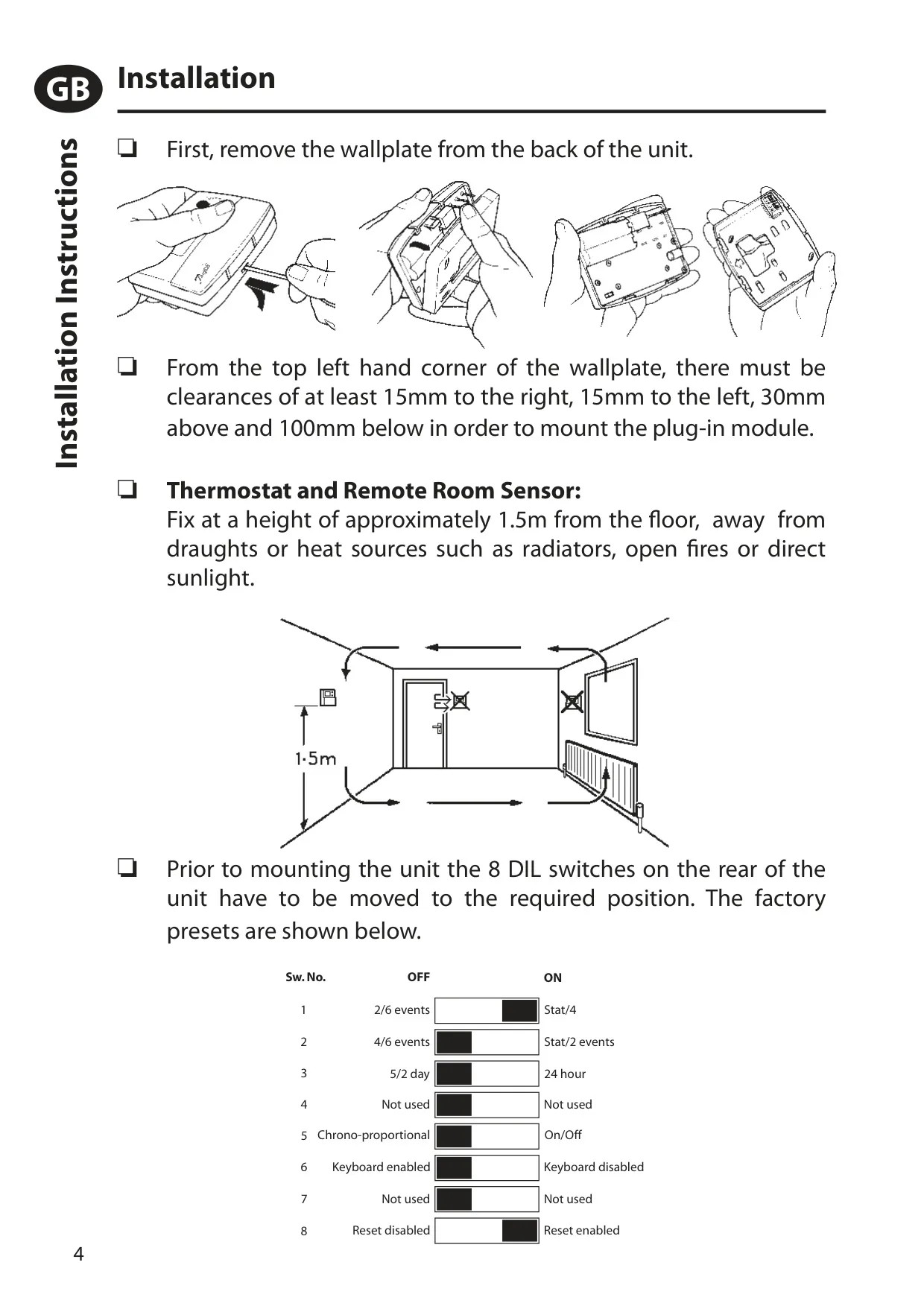
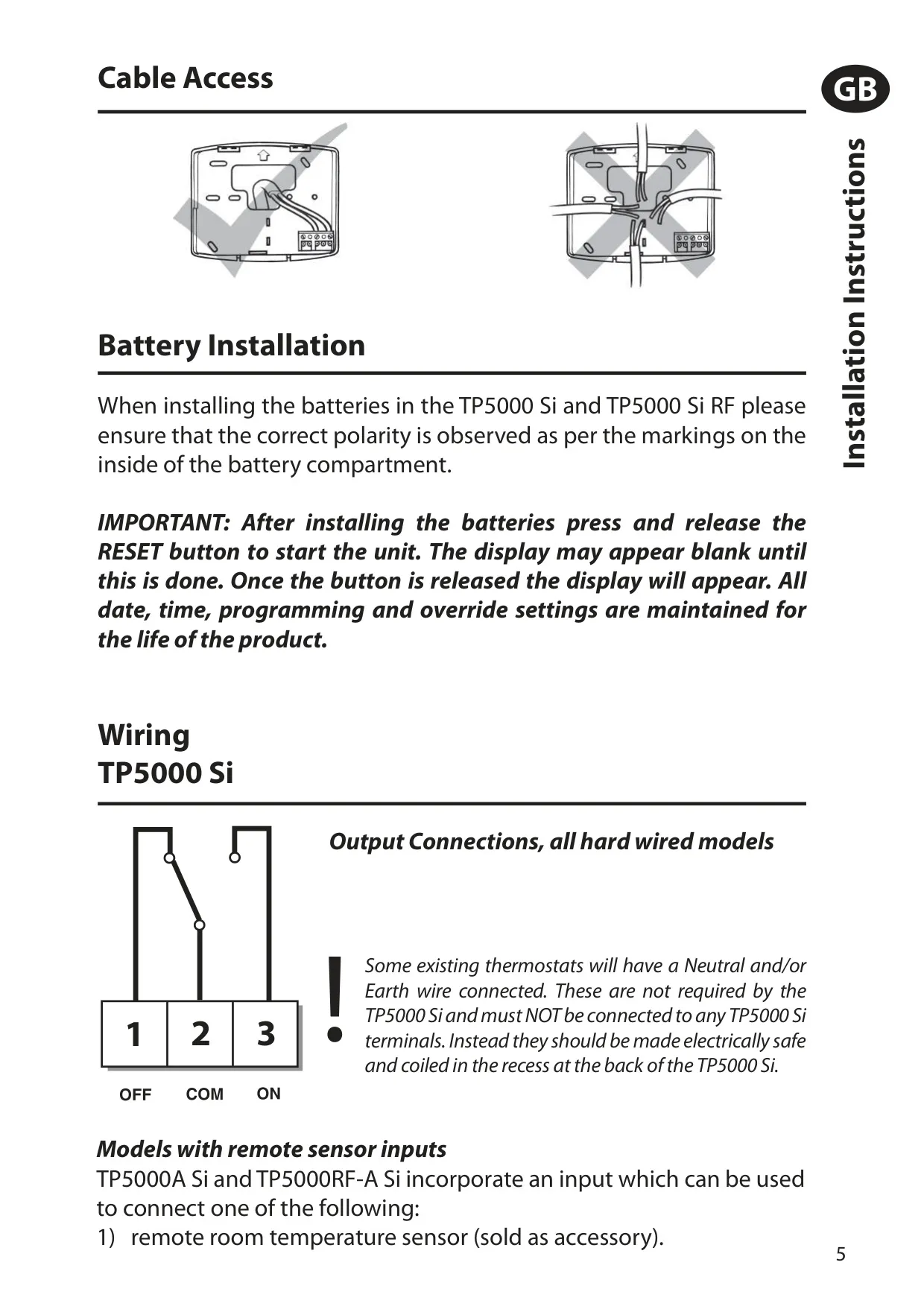
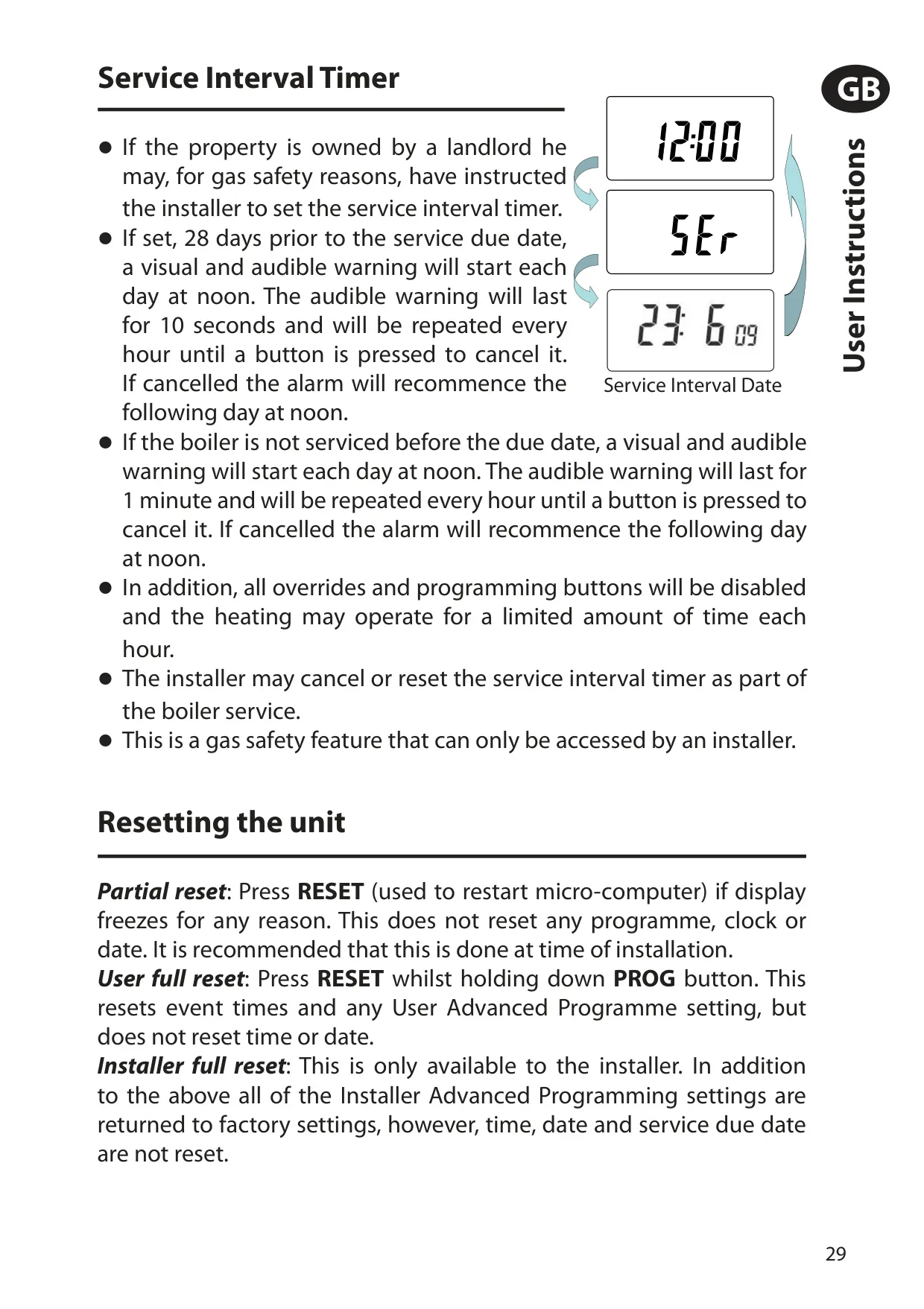
The service interval timer can only be set up by the installer. From 28 days before the due date, a 10-second buzzer sounds every hour from noon. After the due date the alarm lasts 60 seconds and the programming buttons are disabled. Depending on the setting, heating can also be cut to 45, 30 or 15 minutes per hour. Mount the unit about 1.5m above the floor, away from draughts and heat sources. Do not connect neutral or earth wires.
Frequently Asked Questions (FAQs)
Can't find the answer you need? Here are some frequently asked questions about the Danfoss TP5000SI Thermostat, and we answer them below.