
Redarc Manager 30 BMS1230S3 Instruction Manual
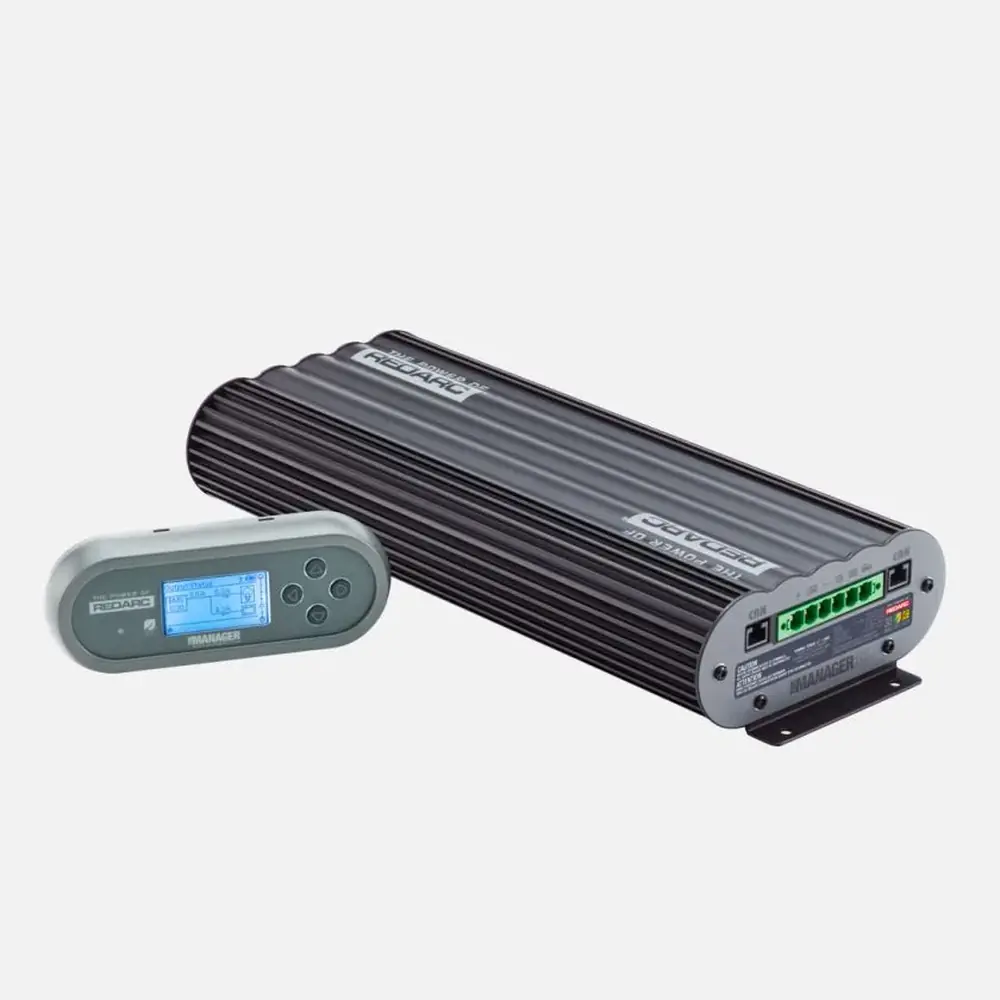
Redarc Manager 30 BMS1230S3

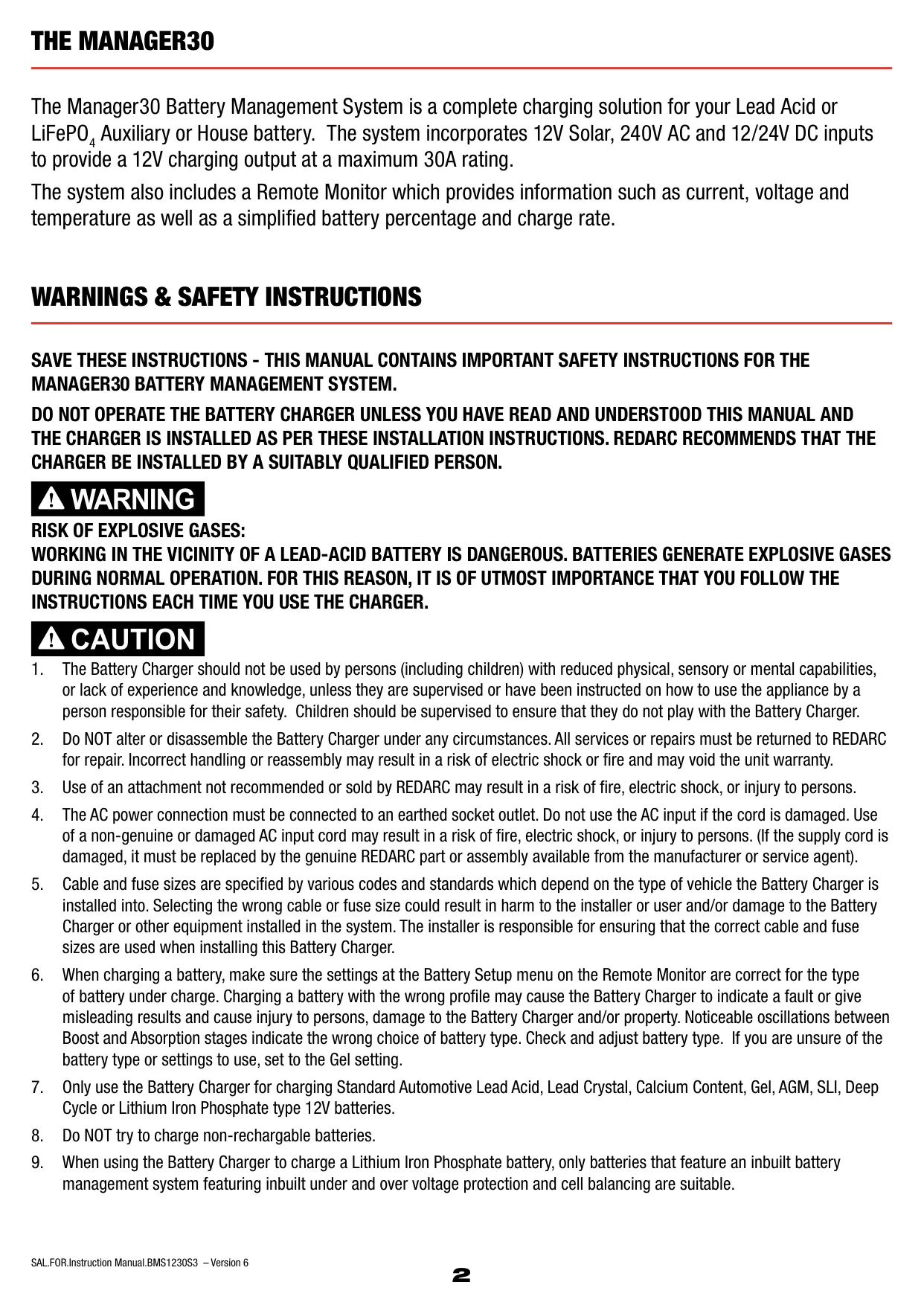


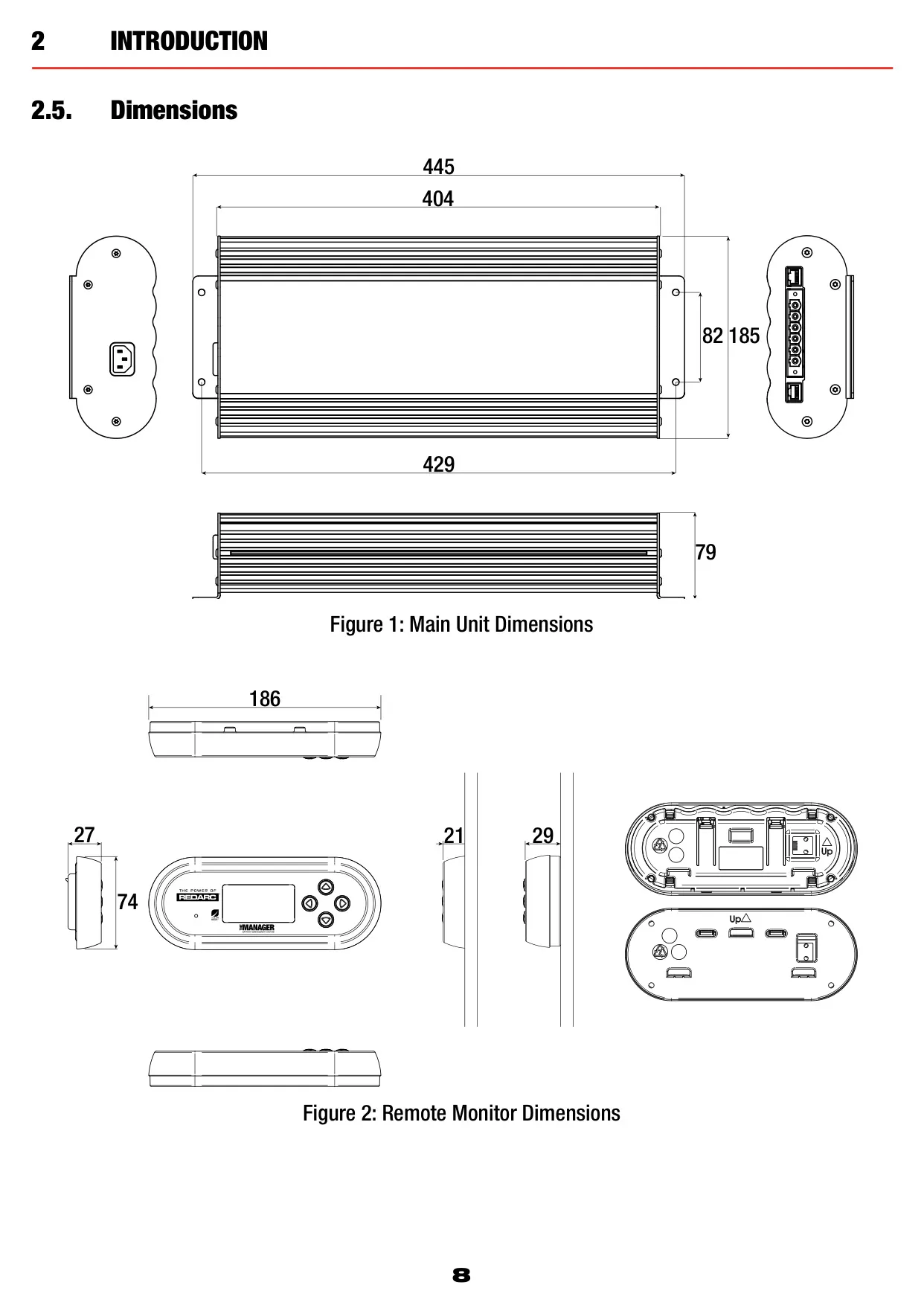












Redarc Manager 30 Instructions
Here we offer the Redarc Manager 30 BMS1230S3 manual completely free and in English. We have cataloged this manual in the Battery Management Systems section on Manualverse, and it has been rated by 1 users with an average rating of 5. If you have any specific questions about Redarc Manager 30 BMS1230S3, we suggest checking the Frequently Asked Questions (FAQs) section of this manual.
Product Images

Redarc Manager 30 Battery Management System Specifications
| Feature | Specification |
|---|---|
| Model | BMS1230S3 |
| AC Input Voltage Range (nominal) | 220-240VAC 50Hz |
| AC Input Power Rating | 560W |
| AC Input Efficiency | 80% - 90% |
| AC Input Connection | IEC Mains Plug |
| DC Input Voltage Range | 9 - 32V |
| DC Input Turn ON/OFF Threshold 12V (24V) | 13.2V/12.7V (26.4V/25.4V) |
| DC Input Power Rating | 520W |
| DC Input Efficiency | 94% |
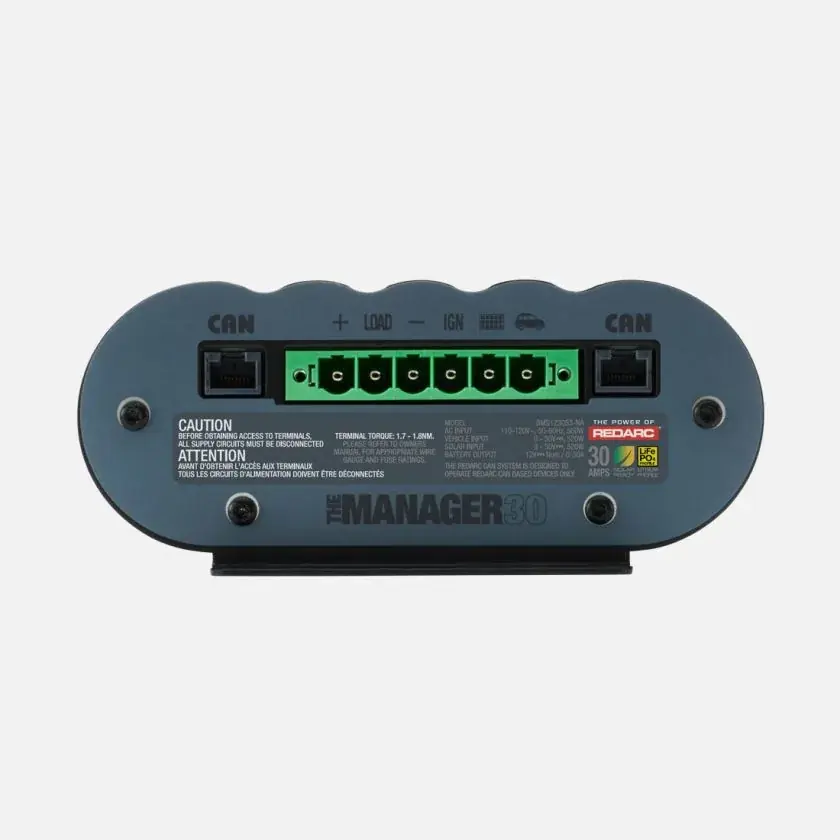
| DC Input Connection | Phoenix 1967498 Connector |
| Maximum Current Drawn from Vehicle Battery | Up to 50A |
| Solar Input Voltage Range | 9 - 32V |
| Solar Turn ON (Open Circuit Voltage) | 17.5V |
| Solar Input Power Rating | 520W |
| Solar Input Efficiency | 93% |
| Solar Input Connection | Phoenix 1967498 Connector |
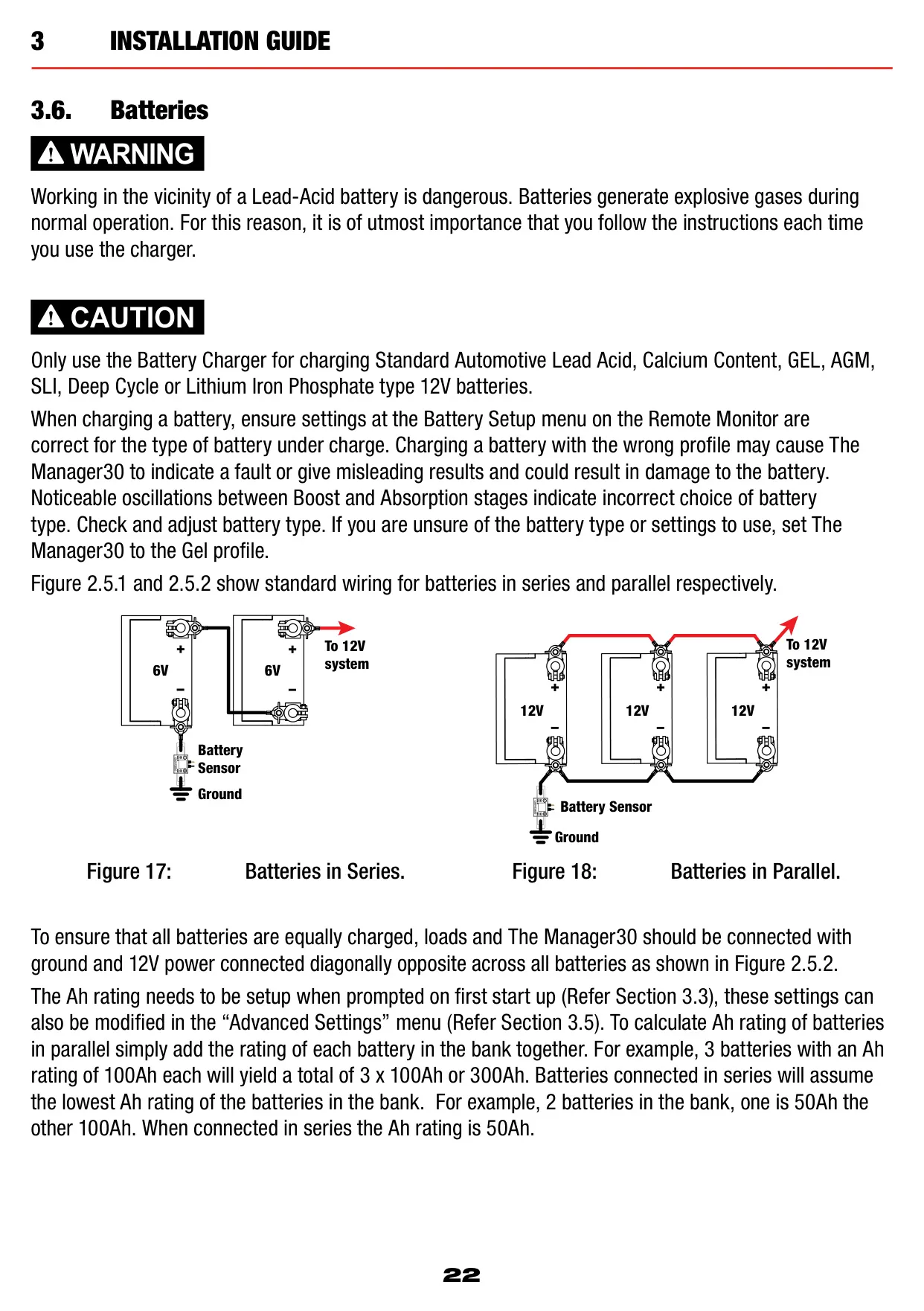
| Total Battery Capacity | 40 - 800Ah |
| Output Battery Volts (Nominal) | 12V |
| Output Battery Volts (Minimum) | 4V |
| Output Current (Nominal) | 0-32A (30A rated charging output) |
| Maximum Current on Load Disconnect Wire | 1A |
| Memory Save on Battery Disconnect | Yes |
| Output Protection | Short circuit, surge, reverse polarity and overload protection |
| Gel Setting (Storage / Touring / Float) | 14.4V / 14.4V / 13.5V |
| AGM Setting (Storage / Touring / Float) | 14.4V / 14.4V / 13.5V |
| Calcium Setting (Storage / Touring / Float) | 16.0V / 15.2V / 13.5V |
| Standard Lead Acid Setting (Storage / Touring / Float) | 15.5V / 14.8V / 13.5V |
| Lithium Setting (Storage / Touring / Float) | 14.5V / 14.5V / 13.6V |
| Operating Temperature | -40°C - 80°C |
| SLA, AGM or Calcium Charging Temperature | -25°C - 60°C (when Vop >10.5V) |
| SLA, AGM, Gel, Calcium or LiFePO4 Charging Temperature | 0°C - 60°C |
| Over Temperature Shutdown | Yes |
| Temperature Compensation (Lead Acid, AGM, Gel, Calcium) | +30mV/°C < 25°C < -30mV/°C |
| Temperature Compensation (Lithium) | 40°C < 0.5%/°C < 60°C |
| CE Compliance | 2009/19/EC, 2009/104/EC |
| Safety Standard | IEC60335 |
| Environmental | RoHS Compliant |
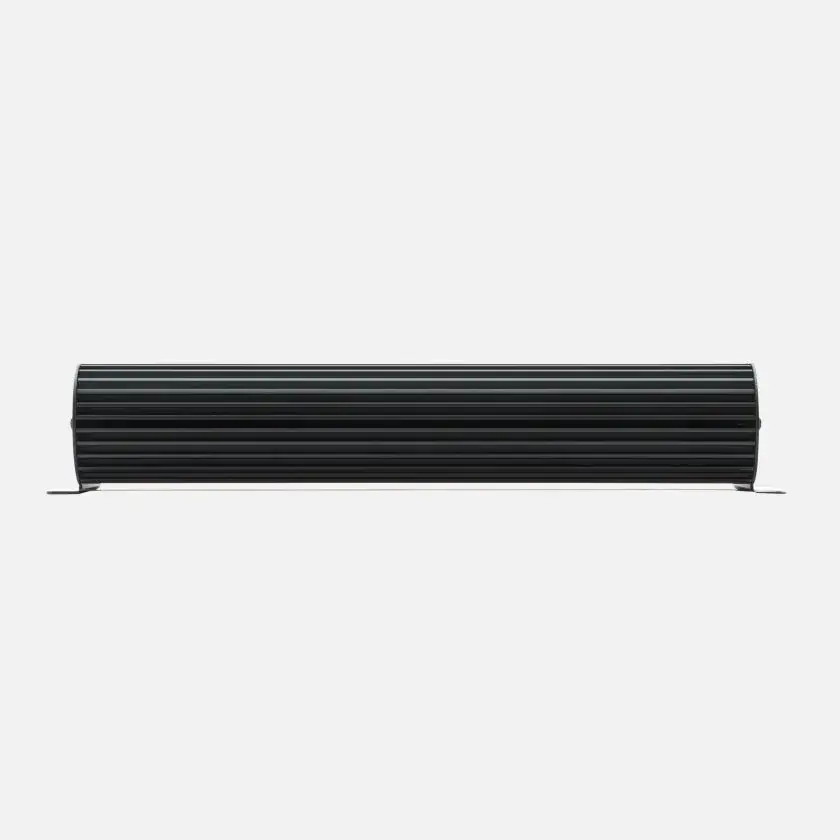
| Main Unit Dimensions | 445 x 185 x 79mm |
| Remote Monitor Dimensions | 186 x 74 x 29mm |
| Kit Weight | 5.5kg |
| Remote Monitor Cable | 5m CANBus (CAT5 patch cable up to 10m allowed) |
| Kit Contents | Main Unit, Battery Sensor, Remote Monitor, Output Connector, 5m CANBus Cable, Power Cable |
| Warranty | 2 years |
Redarc Manager 30 Battery Management System Details
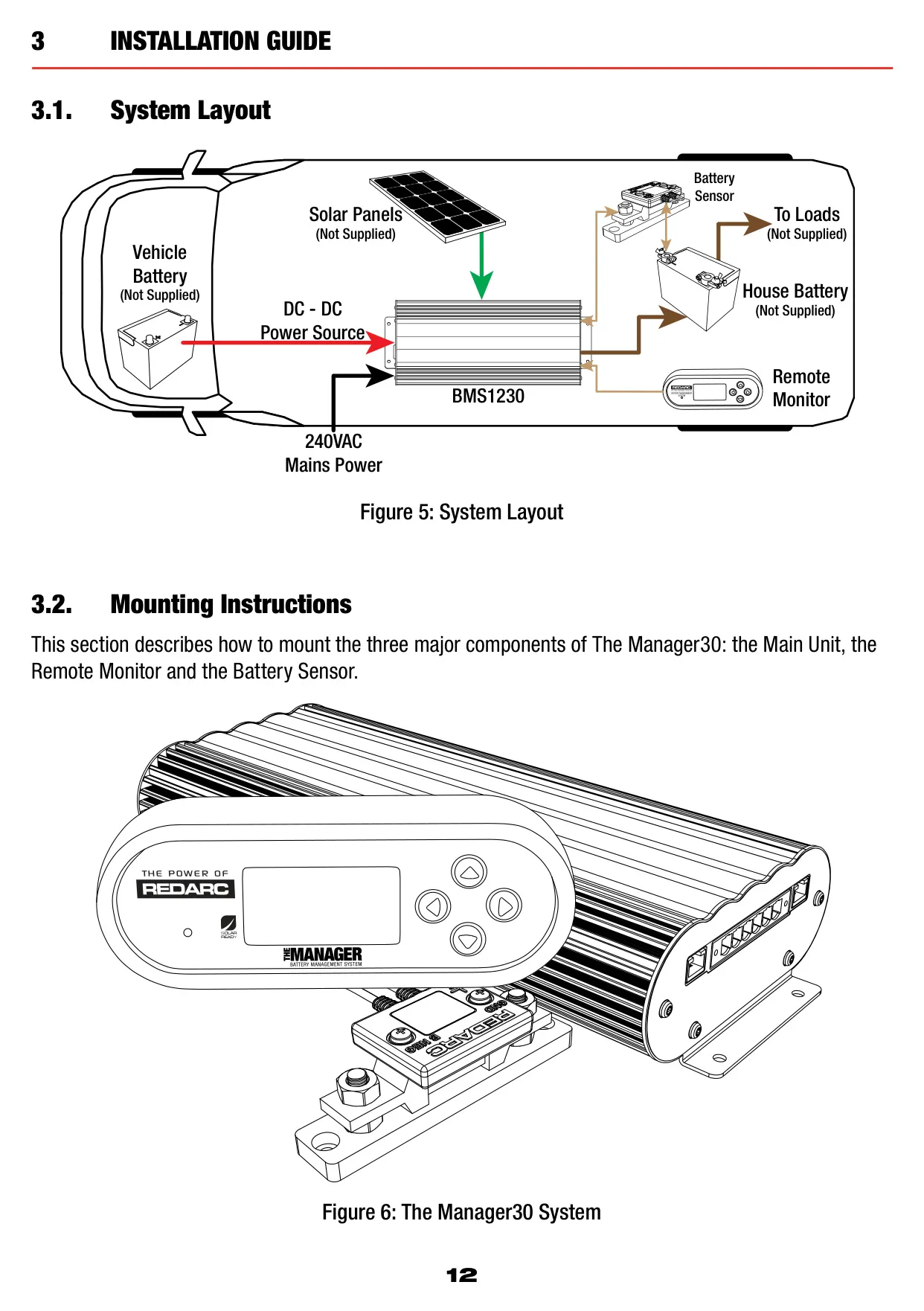
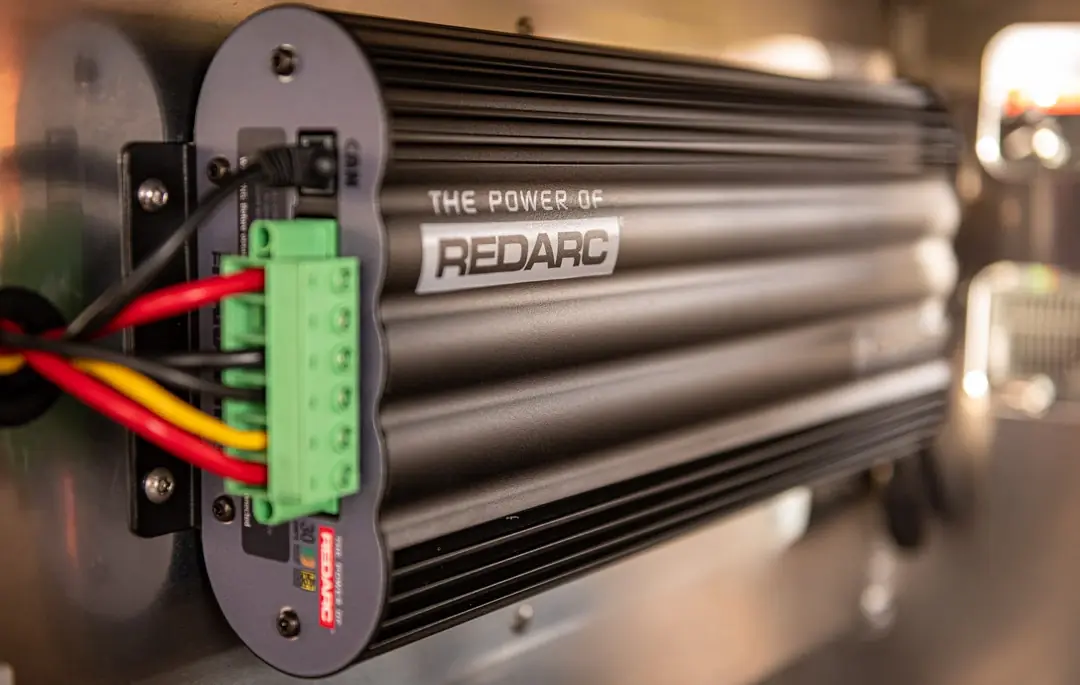
The Redarc Manager30 combines six products in one: a DC-DC charger, a 240V mains charger, a solar charger, a dual battery isolator, a load disconnect controller and a remote battery monitor. It picks between charging sources automatically, so the operator never has to step in. It has no fan, which makes it very quiet and reliable. It is designed and manufactured in Australia to ISO9001 quality and ISO14001 environmental standards.
Two charging profiles are available. Touring mode runs a 3-stage cycle of Boost, Absorption and Float. It only watches for a few faults, such as short circuit, over current and over voltage, so it works correctly while loads are connected. Storage mode runs an 8-stage cycle: Desulphation, Soft Start, Boost, Absorption, Battery Test, Equalise, Float and Maintenance. All loads must be disconnected for Storage mode. The Lithium profile skips Desulphation, and the Lithium, AGM and Gel profiles skip Equalise.
If the vehicle is started while the unit is in Storage mode, it switches to Touring mode automatically. In Storage mode with no valid source connected, the system goes into Sleep 30 seconds after the last button press to reduce battery drain. It wakes when a button is pressed or when a source is detected, which can take 30-60 seconds. With Green Power Priority, solar is used first, then AC mains, then vehicle DC. Only two sources are used at any one time.
The solar input uses a Maximum Power Point Tracking (MPPT) algorithm that keeps adjusting to get the most power from the panels. Because 12V panels must be wired in parallel to stay within the voltage window, there is no limit on how many panels you can connect. A single panel does not need a blocking diode. If the panels are partly shaded or the light is low, solar may still be selected as a source while delivering little current.
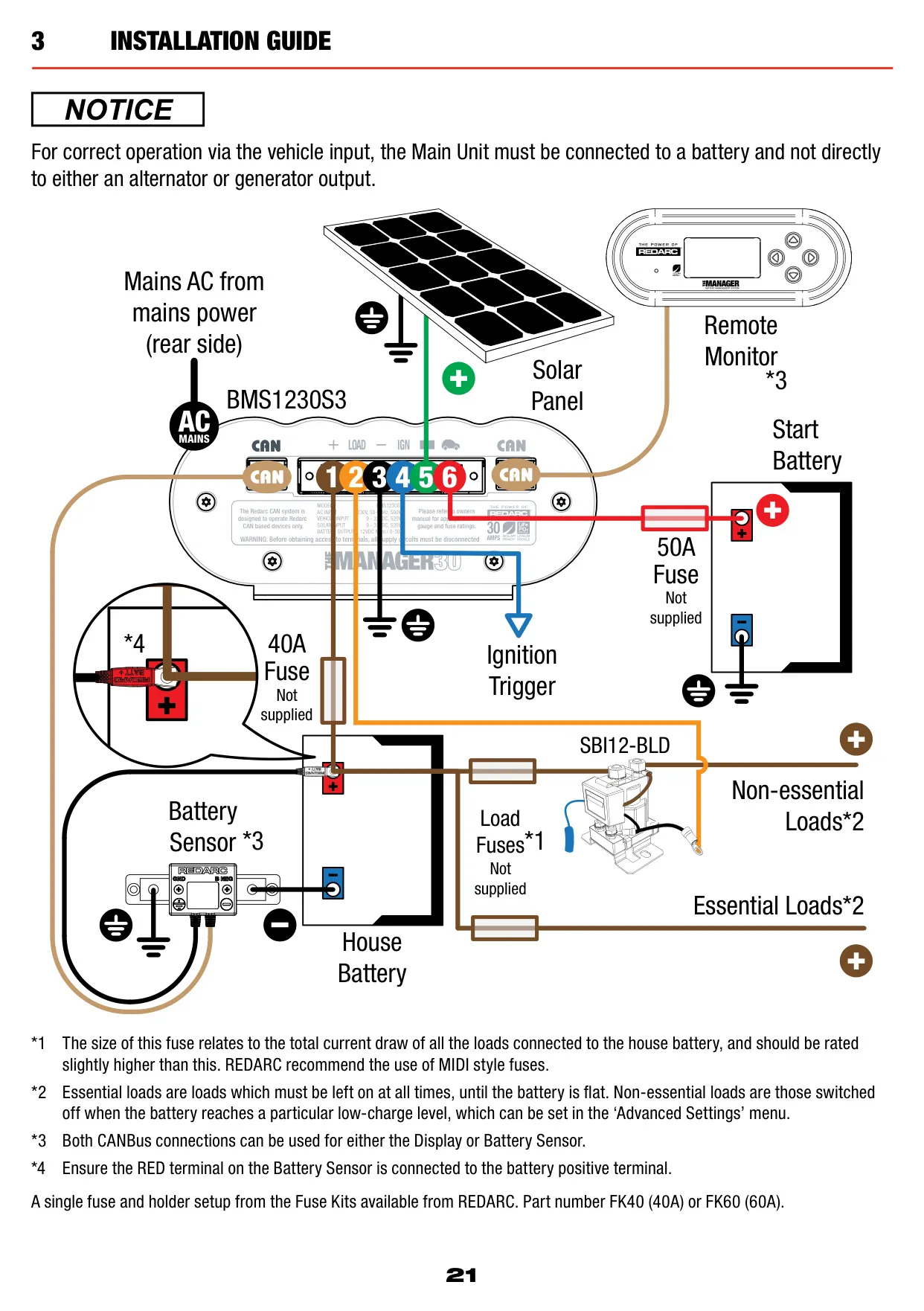
A separate Battery Sensor measures current, voltage and temperature at the house battery, even when the unit is in standby. This data drives State of Charge (SOC) tracking, Time to Full Charge and Battery Time Remaining estimates, an hourly SOC log covering the last day, and a daily minimum and maximum SOC log covering the last month. The Solar Information screen keeps up to 7 days of energy generation in Watt Hours.
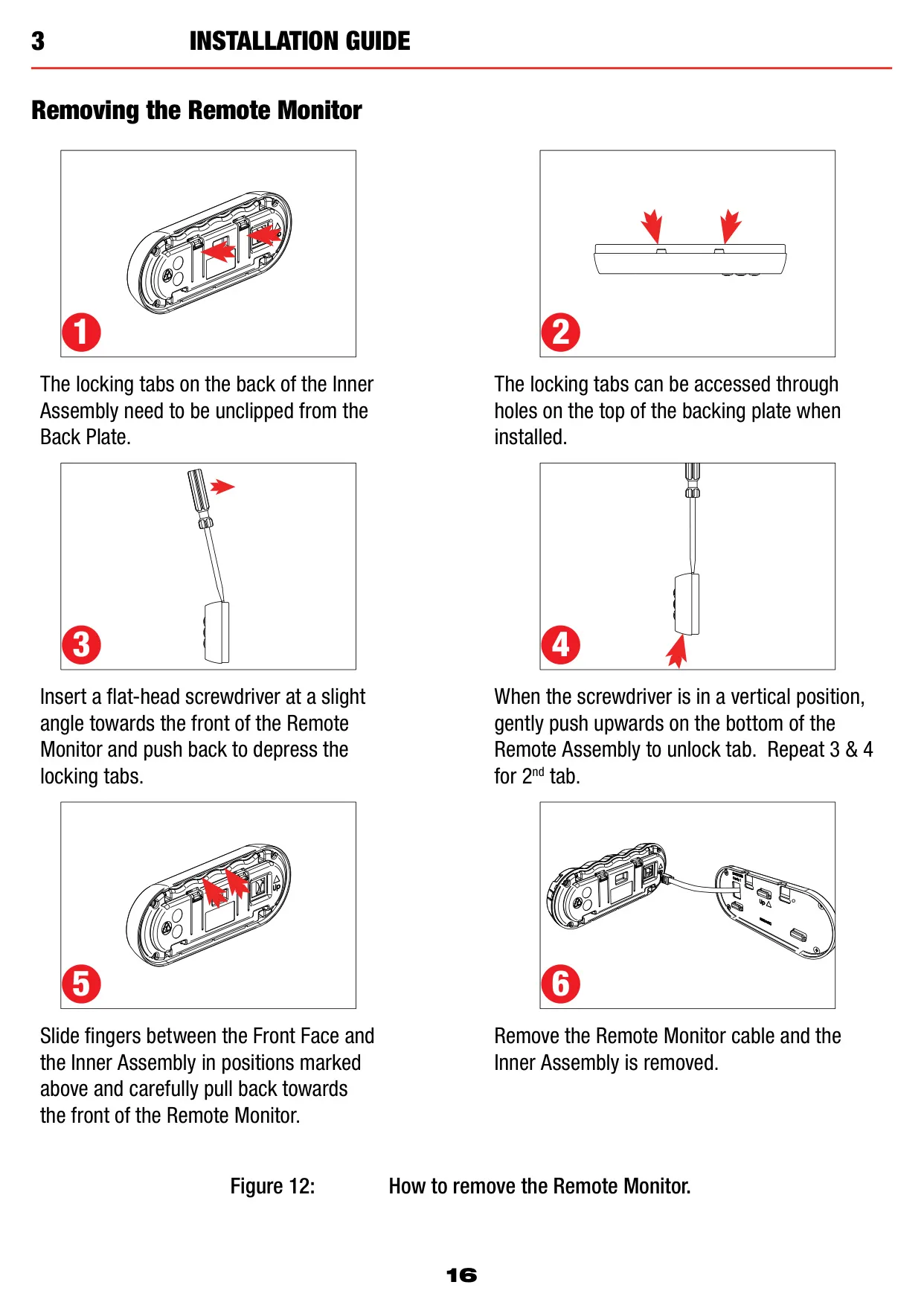
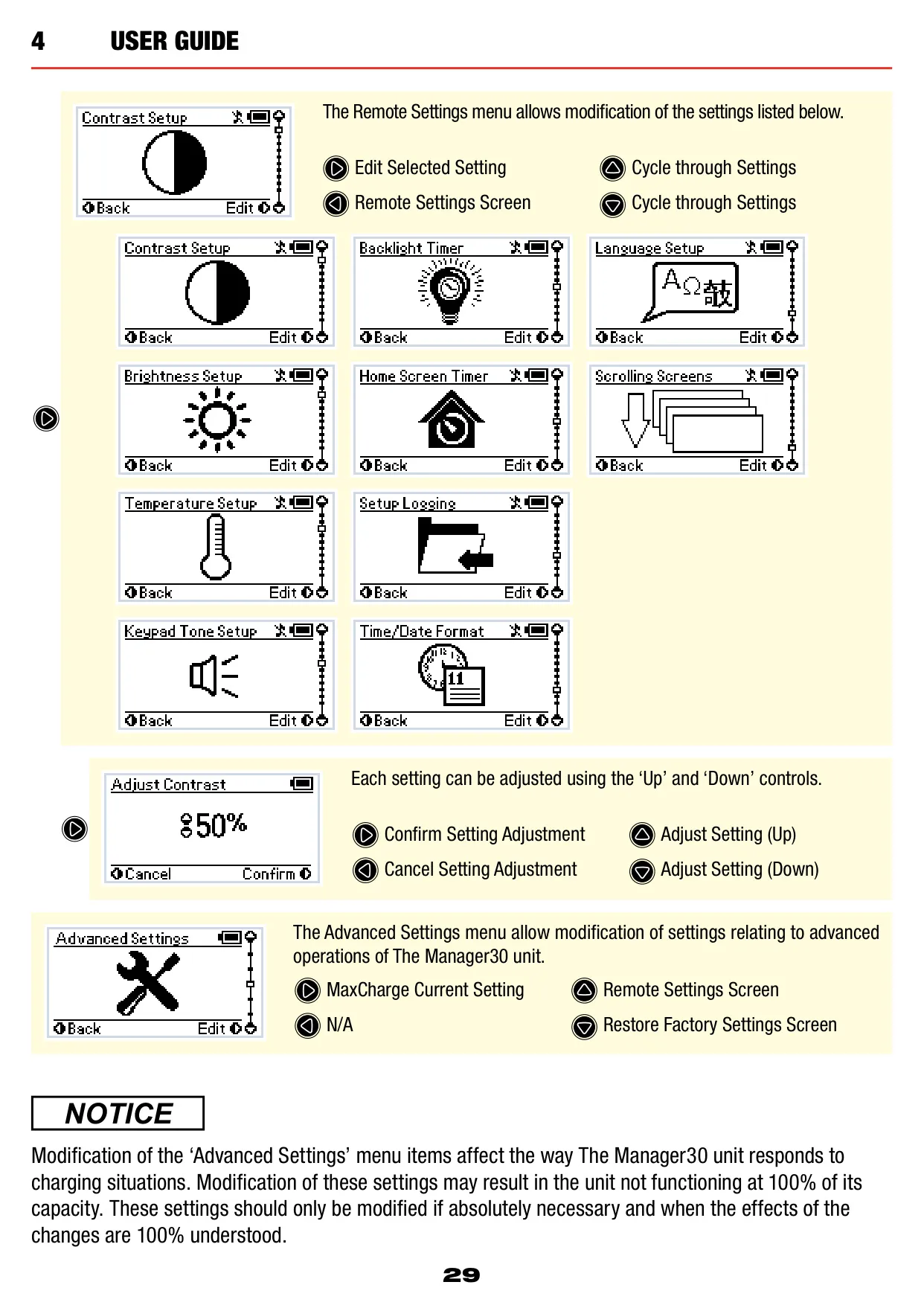
The Remote Monitor has four buttons (Up, Down, Enter and Home) and a status LED that turns green when AC is present and red when there is a fault. It can be surface mounted or recessed. Advanced settings include a maximum charge current limit, a Low SOC alarm (0-100%) and a Low Voltage alarm. A ground-switched Load Disconnect output can drive a relay such as the SBI12-BLD, triggered by SOC or voltage. When it trips, you can choose to reconnect loads temporarily for 10 minutes.
Main Unit installation rules: mount it with M6 screws through all four holes, keep 10cm of clearance above the heatsink, keep it out of the engine bay and keep the battery cable under 2m. A horizontal position is best. Use 8 B&S to 6 B&S cable depending on run length. Warnings let charging continue, while faults stop it. The unit can detect dry or shorted cells, poor cabling and temperature limits outside the safe range.
Frequently Asked Questions (FAQs)
Can't find the answer you need? Here are some frequently asked questions about the Redarc Manager 30 Battery Management System, and we answer them below.


